Repository: chalk-diagrams/chalk Branch: master Commit: 6899b958f11e Files: 117 Total size: 413.2 KB Directory structure: gitextract_pp7itskp/ ├── .github/ │ └── workflows/ │ ├── checks.yml │ ├── mkdocs-publish-ghpages.yml │ └── selfassign.yml ├── .gitignore ├── CHANGELOG.md ├── LICENSE ├── MANIFEST.in ├── Makefile ├── README.md ├── chalk/ │ ├── __init__.py │ ├── align.py │ ├── arrow.py │ ├── backend/ │ │ ├── __init__.py │ │ ├── cairo.py │ │ ├── svg.py │ │ └── tikz.py │ ├── combinators.py │ ├── core.py │ ├── envelope.py │ ├── model.py │ ├── monoid.py │ ├── py.typed │ ├── shapes/ │ │ ├── __init__.py │ │ ├── arc.py │ │ ├── arrowheads.py │ │ ├── image.py │ │ ├── latex.py │ │ ├── path.py │ │ ├── segment.py │ │ ├── shape.py │ │ └── text.py │ ├── style.py │ ├── subdiagram.py │ ├── trace.py │ ├── trail.py │ ├── transform.py │ ├── types.py │ ├── utils.py │ └── visitor.py ├── doc/ │ └── crop-images.sh ├── docs/ │ ├── about/ │ │ ├── index.md │ │ └── license.md │ ├── api/ │ │ ├── alignment.py │ │ ├── combinators.py │ │ ├── internals.md │ │ ├── names.py │ │ ├── rendering.py │ │ ├── shapes.py │ │ ├── style.py │ │ ├── trails.py │ │ ├── transformations.py │ │ └── utils.md │ ├── assets/ │ │ ├── css-js/ │ │ │ ├── as-fastapi/ │ │ │ │ ├── chat.js │ │ │ │ ├── custom.css │ │ │ │ ├── custom.js │ │ │ │ ├── termynal.css │ │ │ │ └── termynal.js │ │ │ ├── general/ │ │ │ │ ├── css/ │ │ │ │ │ ├── progressbar.css │ │ │ │ │ └── social-color-stryle.css │ │ │ │ └── js/ │ │ │ │ ├── highlight-config.js │ │ │ │ ├── material-extra/ │ │ │ │ │ ├── extra-uml.js │ │ │ │ │ ├── material-extra-theme.js │ │ │ │ │ └── uml.js │ │ │ │ └── tables.js │ │ │ ├── mkdocs-tooltips/ │ │ │ │ └── css/ │ │ │ │ └── custom.css │ │ │ ├── pymdownx-extras/ │ │ │ │ ├── css/ │ │ │ │ │ └── extra.css │ │ │ │ └── js/ │ │ │ │ └── extra-uml.js │ │ │ └── termynal/ │ │ │ ├── css/ │ │ │ │ ├── custom.css │ │ │ │ └── termynal.css │ │ │ ├── js/ │ │ │ │ ├── custom.js │ │ │ │ └── termynal.js │ │ │ └── readme.md │ │ └── snippets/ │ │ ├── macros/ │ │ │ └── .gitkeep │ │ └── notifications/ │ │ └── videos/ │ │ └── disclaimer.md │ ├── examples/ │ │ ├── hanoi.py │ │ ├── koch.py │ │ ├── lenet.py │ │ ├── squares.py │ │ └── tensor.py │ ├── index.md │ ├── overrides/ │ │ └── main.html │ └── quickstart/ │ └── .gitkeep ├── examples/ │ ├── arrows.py │ ├── bigben.py │ ├── comparison.tex │ ├── escher_square_limit.py │ ├── hanoi.py │ ├── hex_variation.py │ ├── hilbert.py │ ├── intro.py │ ├── isometric.py │ ├── koch.py │ ├── latex.py │ ├── lattice.py │ ├── lenet.py │ ├── logo.py │ ├── normalized.py │ ├── output/ │ │ ├── index.html │ │ ├── path.tex │ │ └── path.tex.tex │ ├── path.py │ ├── rectangle_parade.py │ ├── squares.py │ ├── subdiagrams.py │ ├── tensor.py │ ├── tests/ │ │ └── index.tpl.html │ ├── tournament-network.py │ └── tree.py ├── mkdocs.yml ├── pyproject.toml ├── requirements/ │ ├── dev.txt │ └── docs.txt ├── requirements.txt ├── setup.cfg ├── setup.py └── tests/ ├── test_envelope.py └── test_reverse_trail.py ================================================ FILE CONTENTS ================================================ ================================================ FILE: .github/workflows/checks.yml ================================================ name: checks.yml on: [push, pull_request] jobs: build: runs-on: ubuntu-latest strategy: matrix: python-version: ["3.12", "3.10"] steps: - uses: actions/checkout@v2 - name: Set up Python ${{ matrix.python-version }} uses: actions/setup-python@v2 with: python-version: ${{ matrix.python-version }} - name: Install dependencies run: | sudo apt update && sudo apt upgrade -y sudo apt-get install libcairo2-dev pdf2svg texlive texlive-science texlive-latex-recommended texlive-latex-extra python -m pip install --upgrade pip pip install -U pip wheel make install.dev install.base install.e install.docs - name: Format with [[ isort ]] run: | # stop the build if there are errors raised by isort make isort - name: Format with [[ black ]] run: | # stop the build if there are errors raised by black make black - name: Lint with [[ flake8 ]] run: | # stop the build if there are Python syntax errors or undefined names make flake - name: Docstring linting -- type check against function/method signature with [[ darglint ]] run: | # stop the build if docstring type-mismatch detected make darglint - name: Doctest coverage check with [[ interrogate ]] run: | # stop the build if doctest threshold does not meet make interrogate - name: Type check with [[ mypy ]] run: | # stop the build if there are type errors make type - name: Unit test with [[ pytest ]] run: | # stop the build if there are type errors make test - name: Make sure examples run run: | make images - name: Make sure docs run run: | make docsapi ================================================ FILE: .github/workflows/mkdocs-publish-ghpages.yml ================================================ name: "MkDocs Publish Docs on GitHub Pages CI" on: # Manually trigger workflow workflow_dispatch: inputs: branch: description: Build MkDocs from Branch (Optional) required: false # Trigger when a push happens # to select branches. push: branches: - master env: PYTHON_VERSION: "3.8" USER_SPECIFIED_BRANCH: ${{ github.event.inputs.branch }} REPO_OWNER: ${{ github.repository_owner }} # https://docs.github.com/en/actions/learn-github-actions/contexts#context-availability jobs: deploy: runs-on: ubuntu-latest steps: - name: Checkout repository uses: actions/checkout@v2 - name: Set up Python runtime uses: actions/setup-python@v2 with: python-version: ${{ env.PYTHON_VERSION }} - name: Install Python dependencies for MkDocs run: | echo "REPO_OWNER: ${{ env.REPO_OWNER }}" ls pip install -r requirements/docs.txt - name: Install all other dependencies run: | pip install -r requirements.txt - name: Deploy documentation env: FONTAWESOME_KIT: ${{ secrets.FONTAWESOME_KIT }} run: | # Check if user-provided branch exists # then switch to that branch. if [[ -z $(git branch --list "${{ env.USER_SPECIFIED_BRANCH }}") ]]; \ then (\ echo "Switching to branch: ${{ env.USER_SPECIFIED_BRANCH }}" && \ git checkout ${{ env.USER_SPECIFIED_BRANCH }} \ ); else USER_SPECIFIED_BRANCH=${GITHUB_REF##*/} ; fi && \ echo "Current Git Branch: ${USER_SPECIFIED_BRANCH}" # Install chalk from current branch python -m pip install "." # Begin Deploying MkDocs mkdocs gh-deploy --force mkdocs --version ================================================ FILE: .github/workflows/selfassign.yml ================================================ # Allow users to automatically tag themselves to issues # # Usage: # - a github user (a member of the repo) needs to comment # with "#self-assign" on an issue to be assigned to them. #------------------------------------------------------------ name: Self-assign on: issue_comment: types: created jobs: one: runs-on: ubuntu-latest if: >- (github.event.comment.body == '#take' || github.event.comment.body == '#self-assign') steps: - run: | echo "Assigning issue ${{ github.event.issue.number }} to ${{ github.event.comment.user.login }}" curl -H "Authorization: token ${{ secrets.GITHUB_TOKEN }}" \ -d '{"assignees": ["${{ github.event.comment.user.login }}"]}' \ https://api.github.com/repos/${{ github.repository }}/issues/${{ github.event.issue.number }}/assignees echo "Done 🔥 " ================================================ FILE: .gitignore ================================================ # User Defined .vscode # Temporary files *.swp # Byte-compiled / optimized / DLL files __pycache__/ *.py[cod] *$py.class # C extensions *.so # Distribution / packaging .Python .archives/ build/ develop-eggs/ dist/ downloads/ eggs/ .eggs/ lib/ lib64/ parts/ sdist/ var/ wheels/ pip-wheel-metadata/ share/python-wheels/ *.egg-info/ .installed.cfg *.egg MANIFEST # PyInstaller # Usually these files are written by a python script from a template # before PyInstaller builds the exe, so as to inject date/other infos into it. *.manifest *.spec # Installer logs pip-log.txt pip-delete-this-directory.txt # Unit test / coverage reports htmlcov/ .tox/ .nox/ .coverage .coverage.* .cache nosetests.xml coverage.xml *.cover *.py,cover .hypothesis/ .pytest_cache/ # Translations *.mo *.pot # Django stuff: *.log local_settings.py db.sqlite3 db.sqlite3-journal # Flask stuff: instance/ .webassets-cache # Scrapy stuff: .scrapy # Sphinx documentation docs/_build/ # PyBuilder target/ # Jupyter Notebook .ipynb_checkpoints # IPython profile_default/ ipython_config.py # pyenv .python-version # pipenv # According to pypa/pipenv#598, it is recommended to include Pipfile.lock in version control. # However, in case of collaboration, if having platform-specific dependencies or dependencies # having no cross-platform support, pipenv may install dependencies that don't work, or not # install all needed dependencies. #Pipfile.lock # PEP 582; used by e.g. github.com/David-OConnor/pyflow __pypackages__/ # Celery stuff celerybeat-schedule celerybeat.pid # SageMath parsed files *.sage.py # Environments .env .venv env/ venv/ ENV/ env.bak/ venv.bak/ # Spyder project settings .spyderproject .spyproject # Rope project settings .ropeproject # mkdocs documentation /site # mypy .mypy_cache/ .dmypy.json dmypy.json # Pyre type checker .pyre/ ================================================ FILE: CHANGELOG.md ================================================ ## `v0.2.2` – 2024-06-14 Added: - Isometric example (#130) - Associative reduce (#129) - Subdiagram (#116) - Property-based testing (#111) Changed: - Rewrite of core (#132) - Bug fixes and typos (#110, #127, #128) ## `v0.2.1` — 2022-09-07 Added: - Traces and envelopes - TikZ backend - Arrows and connections - More examples (e.g, Big Ben) - Gallery of examples - Documentation Changed: - Use `planar` library for geometry - Major code refactoring ## `v0.1.2` — 2022-05-20 Other changes: - Add license (MIT license) - Remove dependency on `streamlit` ================================================ FILE: LICENSE ================================================ MIT License Copyright (c) 2022 Dan Oneață and Alexander Rush Permission is hereby granted, free of charge, to any person obtaining a copy of this software and associated documentation files (the "Software"), to deal in the Software without restriction, including without limitation the rights to use, copy, modify, merge, publish, distribute, sublicense, and/or sell copies of the Software, and to permit persons to whom the Software is furnished to do so, subject to the following conditions: The above copyright notice and this permission notice shall be included in all copies or substantial portions of the Software. THE SOFTWARE IS PROVIDED "AS IS", WITHOUT WARRANTY OF ANY KIND, EXPRESS OR IMPLIED, INCLUDING BUT NOT LIMITED TO THE WARRANTIES OF MERCHANTABILITY, FITNESS FOR A PARTICULAR PURPOSE AND NONINFRINGEMENT. IN NO EVENT SHALL THE AUTHORS OR COPYRIGHT HOLDERS BE LIABLE FOR ANY CLAIM, DAMAGES OR OTHER LIABILITY, WHETHER IN AN ACTION OF CONTRACT, TORT OR OTHERWISE, ARISING FROM, OUT OF OR IN CONNECTION WITH THE SOFTWARE OR THE USE OR OTHER DEALINGS IN THE SOFTWARE. ================================================ FILE: MANIFEST.in ================================================ include README.md include chalk/py.typed # marker file for PEP 561 include CHANGELOG.md include changelog.md include LICENSE include LICENSE.txt include CITATION.cff include *.cff # citation info include MANIFEST.in include pyproject.toml include setup.py include setup.cfg include requirements.txt recursive-include requirements *.txt recursive-exclude examples * recursive-exclude tests * recursive-exclude docs * recursive-exclude site * recursive-exclude apps * recursive-exclude .archives * exclude .flake8 exclude .gitignore exclude .pre-commit-config.yaml exclude mkdocs.yml exclude Makefile ================================================ FILE: Makefile ================================================ # maintenance .PHONY: isort flake black test type interrogate darglint \ clean cleanall style docs check # installation .PHONY: install installplus install.e install.all install.base install.dev install.docs # uninstallation .PHONY: uninstall uninstallplus uninstall.e uninstall.all \ uninstall.base uninstall.dev uninstall.docs # documentation .PHONY: pregendocs.doc pregendocs.examples pregendocs.local pregendocs.remote \ gendocs \ postgendocs.doc postgendocs.local postgendocs.remote gendocsall.local # generate examples .PHONY: intro squares hanoi escher_square lattice lenet logo \ hilbert koch tensor latex hex_variation images \ tree serve ####------------------------------------------------------------#### # libname is either same as PACKAGE_NAME or # as on PYPI (replace - with _) LIBNAME := chalk_diagrams PACKAGE_NAME := chalk TESTPYPI_DOWNLOAD_URL := "https://test.pypi.org/simple/" PYPIPINSTALL := "python -m pip install -U --index-url" PIPINSTALL_PYPITEST := "$(PYPIPINSTALL) $(TESTPYPI_DOWNLOAD_URL)" PKG_INFO := "import pkginfo; dev = pkginfo.Develop('.'); print((dev.$${FIELD}))" # This is where you store the eggfile # and other generated archives ARCHIVES_DIR := ".archives" # Folder path for tests TESTS_DIR := "tests" # Interrogate will flag the test as FAILED if # % success threshold is under the following value INTERROGATE_FAIL_UNDER := 0 # ideally this should be 100 # Specify paths of various dependency files REQ_FOLDER := "requirements" # location: requirements.txt REQ_FILE := "requirements.txt" # location: requirements/dev.txt DEV_REQ_FILE := "dev.txt" # location: requirements/docs.txt DOCS_REQ_FILE := "docs.txt" ####------------------------------------------------------------#### ### Code maintenance ## Run isort isort: @ echo "✨ Applying import sorter: isort ... ⏳" # The settings are maintained in setup.cfg file. isort $(PACKAGE_NAME) setup.py \ tests \ ## Run black black: @ echo "✨ Applying formatter: black ... ⏳" black --target-version py38 --line-length 79 $(PACKAGE_NAME) setup.py \ tests \ ## Run flake8 flake: @ echo "✨ Applying formatter: flake8 ... ⏳" flake8 --show-source $(PACKAGE_NAME) setup.py \ tests \ ## Run pytest test: @ echo "✨ Run tests: pytest ... ⏳" @if [ -d "$(TESTS_DIR)" ]; then pytest $(TESTS_DIR); else echo "\n\t🔥 No tests configured yet. Skipping tests.\n"; fi ## Run mypy type: @ echo "✨ Applying type checker: mypy ... ⏳" mypy --strict --ignore-missing-imports --no-warn-unused-ignores $(PACKAGE_NAME) \ tests \ ## Run darglint darglint: @ echo "✨ Applying docstring type checker: darglint ... ⏳" # The settings are maintained in setup.cfg file. darglint -v 2 $(PACKAGE_NAME) --ignore-properties ## Run interrogate interrogate: @ echo "✨ Applying doctest checker: interrogate ... ⏳" $(eval INTERROGATE_CONFIG := -vv --ignore-nested-functions --ignore-semiprivate --ignore-private --ignore-magic --ignore-module --ignore-init-method --fail-under $(INTERROGATE_FAIL_UNDER)) $(eval INTERROGATE_COMMAND := interrogate $(INTERROGATE_CONFIG)) # Check tests folder @if [ -d "$(TESTS_DIR)" ]; then $(INTERROGATE_COMMAND) $(TESTS_DIR); else echo "\n\t🔥 No tests configured yet. Skipping tests.\n"; fi # Check package folder @$(INTERROGATE_COMMAND) $(PACKAGE_NAME) ## Cleanup # # Instruction: # # make clean : if only cleaning artifacts created after running, # code, tests, etc. # make cleanall : if cleaning all artifacts (including the ones # generated after creating dist and wheels). # # Note: archives created (dist and wheels) are stored in # $(ARCHIVES_DIR). This is defined at the top of this Makefile. #-------------------------------------------------------------------- clean: @ echo "🪣 Cleaning repository ... ⏳" rm -rf \ .ipynb_checkpoints **/.ipynb_checkpoints \ .pytest_cache **/.pytest_cache \ **/__pycache__ **/**/__pycache__ cleanall: clean @ echo "🪣 Cleaning dist/archive files ... ⏳" rm -rf build/* dist/* $(PACKAGE_NAME).egg-info/* $(ARCHIVES_DIR)/* ## Style Checks and Unit Tests style: clean isort black flake clean docs: clean darglint interrogate clean check: style docs type test clean ####------------------------------------------------------------#### ### Code Installation ## Install for development (from local repository) # # Instruction: Contributors will need to run... # # - "make installplus": if installing for the first time or want to # update to the latest dev-requirements or # other extra dependencies. # - "make install.e" : if only installing the local source (after # making some changes) to the source code. #-------------------------------------------------------------------- # .PHONY: install.e install.e: clean @echo "📀🟢🔵 Installing $(PACKAGE_NAME) from local source ... ⏳" python -m pip install -Ue .[tikz,latex,png,svg] # .PHONY: install install: clean install.base install.e @echo "📀🟢🟡🔵 Installing $(PACKAGE_NAME) and base-dependencies from PyPI ... ⏳" # .PHONY: installplus installplus: install.all install.e @echo "📀🟢🟡🔵🟠 Installing $(PACKAGE_NAME) and all-dependencies from PyPI ... ⏳" # .PHONY: install.all install.all: clean install.base install.dev install.docs @echo "📀🟢🟡 Installing $(PACKAGE_NAME)'s all-dependencies from PyPI ... ⏳" # .PHONY: install.base install.base: @echo "📀🟢🟡 Installing from: $(DEV_REQ_FILE) ... ⏳" if [ -f $(REQ_FILE) ]; then python -m pip install -U -r $(REQ_FILE); fi # .PHONY: install.dev install.dev: @echo "📀🟢🟡 Installing from: $(DEV_REQ_FILE) ... ⏳" if [ -f $(REQ_FOLDER)/$(DEV_REQ_FILE) ]; then python -m pip install -U -r $(REQ_FOLDER)/$(DEV_REQ_FILE); fi # .PHONY: install.docs install.docs: @echo "📀🟢🟡 Installing from: $(DOCS_REQ_FILE) ... ⏳" @if [ -f $(REQ_FOLDER)/$(DOCS_REQ_FILE) ]; then python -m pip install -U -r $(REQ_FOLDER)/$(DOCS_REQ_FILE); fi ## Uninstall from dev-environment # .PHONY: uninstall.e uninstall.e: clean @echo "📀🟢🔵 Uninstalling $(PACKAGE_NAME)' local editable version ... ⏳" @# https://stackoverflow.com/questions/48826015/uninstall-a-package-installed-with-pip-install rm -rf "$(LIBNAME).egg-info" # .PHONY: uninstall uninstall: clean uninstall.base uninstall.e @echo "📀🔴🟡🔵 Uninstalling $(PACKAGE_NAME) and base-dependencies from PyPI ... ⏳" # .PHONY: uninstallplus uninstallplus: uninstall.all uninstall.e @echo "📀🔴🟡🔵🟠 Uninstalling $(PACKAGE_NAME) and all-dependencies from PyPI ... ⏳" # .PHONY: uninstall.all uninstall.all: clean uninstall.base uninstall.dev uninstall.docs clean @echo "📀🔴🟡 Uninstalling $(PACKAGE_NAME)'s all-dependencies from PyPI ... ⏳" # .PHONY: uninstall.base uninstall.base: @echo "📀🔴🟡 Uninstalling from: $(DEV_REQ_FILE) ... ⏳" if [ -f $(REQ_FILE) ]; then python -m pip uninstall -r $(REQ_FILE); fi # .PHONY: uninstall.dev uninstall.dev: @echo "📀🔴🟡 Uninstalling from: $(DEV_REQ_FILE) ... ⏳" if [ -f $(REQ_FOLDER)/$(DEV_REQ_FILE) ]; then python -m pip uninstall -r $(REQ_FOLDER)/$(DEV_REQ_FILE); fi # .PHONY: uninstall.docs uninstall.docs: @echo "📀🔴🟡 Uninstalling from: $(DEV_REQ_FILE) ... ⏳" @if [ -f $(REQ_FOLDER)/$(DOCS_REQ_FILE) ]; then python -m pip uninstall -r $(REQ_FOLDER)/$(DOCS_REQ_FILE); fi ## Install from test.pypi.org # # Instruction: # # 🔥 This is useful if you want to test the latest released package # from the TestPyPI, before you push the release to PyPI. #-------------------------------------------------------------------- pipinstalltest: @echo "💿 Installing $(PACKAGE_NAME) from TestPyPI ($(TESTPYPI_DOWNLOAD_URL)) ... ⏳" # Example Usage: # 👉 To run a command like: # > python -m pip install -U --index-url https://test.pypi.org/simple/ $(PACKAGE_NAME)==$(VERSION) # 👉 Run the following command: # > make pipinstalltest VERSION="0.1.0" # 👉 Specifying VERSION="#.#.#" installs a specific version. # If no version is specified, the latest version is installed from TestPyPI. @if [ $(VERSION) ]; then $(PIPINSTALL_PYPITEST) $(PACKAGE_NAME)==$(VERSION); else $(PIPINSTALL_PYPITEST) $(PACKAGE_NAME); fi; ## Gendocs # .PHONY: gendocs gendocs: @echo "🔥 Generate documentation with MkDocs ... ⏳" # generate documentation mkdocs serve --dirtyreload ## Postgendocs # .PHONY: postgendocs.doc postgendocs.doc: #echo "Cleanup docs... ⏳" rm -rf docs/doc # .PHONY: postgendocs.local postgendocs.local: postgendocs.doc # .PHONY: postgendocs.remote postgendocs.remote: postgendocs.doc # .PHONY: gendocsall.local gendocsall.local: pregendocs.local gendocs postgendocs.local # .PHONY: gendocsall.remote # gendocsall.remote: pregendocs.remote gendocs postgendocs.remote # @ # Use mkdocs-publish-ghpages.yml action instead of this make command ####------------------------------------------------------------#### ### Generate Output for Examples intro: python examples/intro.py squares: python examples/squares.py hanoi: python examples/hanoi.py escher_square: python examples/escher_square_limit.py lattice: python examples/lattice.py lenet: python examples/lenet.py logo: python examples/logo.py hilbert: python examples/hilbert.py koch: python examples/koch.py tensor: python examples/tensor.py latex: python examples/latex.py hex_variation: python examples/hex_variation.py tree: python examples/tree.py tournament: python examples/tournament-network.py parade: python examples/rectangle_parade.py arrows: python examples/arrows.py path: python examples/path.py images: squares hanoi intro hilbert koch tensor hex_variation tree tournament parade arrows path lenet escher_square logo @echo "🎁 Generate all examples ... ⏳" serve: python -m http.server 8080 -d examples/output/ docsapi: python docs/api/*.py ================================================ FILE: README.md ================================================

Chalk is a declarative drawing library. The API draws heavy inspiration from Haskell's [diagrams](https://diagrams.github.io/), Scala's [doodle](https://github.com/creativescala/doodle/) and Jeremy Gibbons's lecture notes on [Functional Programming for Domain−Specific Languages](http://www.cs.ox.ac.uk/publications/publication7583-abstract.html). The documentation is available at [https://chalk-diagrams.github.io](https://chalk-diagrams.github.io). ⚠️ The library is still very much work in progress and subject to change. ## Installation The library is available on PyPI as `chalk-diagrams` and can be installed with `pip`: ```bash pip install git+https://github.com/chalk-diagrams/chalk/ ``` On Debian (or Colab) you will need to install Cairo for [PyCairo](https://pycairo.readthedocs.io) ```bash sudo apt-get install libcairo2-dev ``` If you want to use the LaTeX extension, run: ```bash pip install chalk-diagrams[latex] ``` For the LaTeX extension you might need to install `pdf2svg` and `texlive`; on Debian these dependencies can be installed as follows: ```bash sudo apt-get install pdf2svg texlive texlive-science texlive-latex-recommended texlive-latex-extra ``` **Installation with Conda** You can install the library with **conda** from `conda-forge` channel. ```powershell conda install -c conda-forge chalk-diagrams ``` ## Overview Below we provide a brief introduction of the main functionality of the library. These examples are available in the `examples/intro.py` file. We start by importing the [`colour`](https://github.com/vaab/colour) module and the `diagrams` functions: ```python from colour import Color from chalk import * ``` We also define some colors that will be shortly used: ```python papaya = Color("#ff9700") blue = Color("#005FDB") ``` We can easily create basic shapes (the functions `circle`, `square`, `triangle`) and style them with various attributes (the methods`fill_color`, `line_color`, `line_width`). For example: ```python d = circle(1).fill_color(papaya) ``` ![circle](https://raw.githubusercontent.com/chalk-diagrams/chalk/master/examples/output/intro-01.png) The diagram can be saved to an image using the `render` method: ```python d.render("examples/output/intro-01.png", height=64) ``` We can glue together two diagrams using the combinators `atop` (or `+`), `beside` (or `|`), `above` (or `/`). For example: ```python circle(0.5).fill_color(papaya) | square(1).fill_color(blue) ``` which is equivalent to ```python circle(0.5).fill_color(papaya).beside(square(1).fill_color(blue), unit_x) ``` This code produces the following image: ![atop](https://raw.githubusercontent.com/chalk-diagrams/chalk/master/examples/output/intro-02.png) We also provide combinators for a list of diagrams: `hcat` for horizontal composition, `vcat` for vertical composition. For example: ```python hcat(circle(0.1 * i) for i in range(1, 6)).fill_color(blue) ``` ![hcat](https://raw.githubusercontent.com/chalk-diagrams/chalk/master/examples/output/intro-03.png) We can use Python functions to build more intricate diagrams: ```python def sierpinski(n: int, size: int) -> Diagram: if n <= 1: return triangle(size) else: smaller = sierpinski(n - 1, size / 2) return smaller.above((smaller | smaller).center_xy()) d = sierpinski(5, 4).fill_color(papaya) ``` ![sierpinski](https://raw.githubusercontent.com/chalk-diagrams/chalk/master/examples/output/intro-04.png) ### Gallery of examples For more examples, please check the `examples` folder; their output is illustrated below:

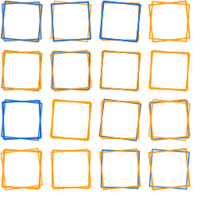
squares.py

logo.py

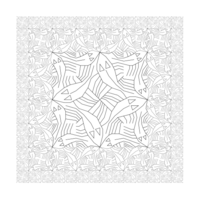
escher_square_limit.py

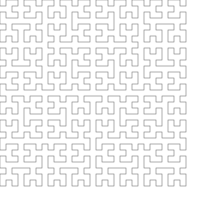
hilbert.py

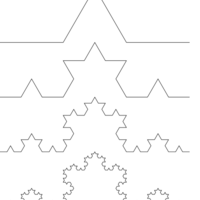
koch.py

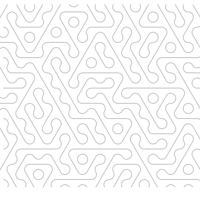
hex-variation.py

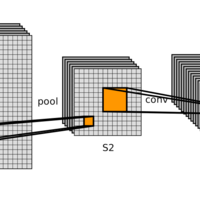
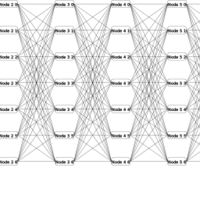
lenet.py

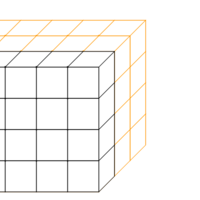
tensor.py

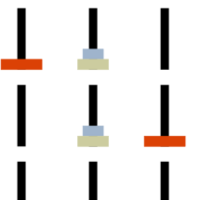
hanoi.py

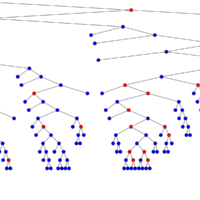
tree.py

lattice.py
These scripts can be run as follows: ```bash python examples/squares.py ``` ## Authors - [Dan Oneață](http://doneata.bitbucket.io/) - [Alexander Rush](http://rush-nlp.com/) Special thanks to: - [Sugato Ray](https://github.com/sugatoray/), for his significant contributions and suggestions; - [Ionuț G. Stan](http://igstan.ro/), for providing many useful insights and comments. ================================================ FILE: chalk/__init__.py ================================================ import math import sys from typing import TYPE_CHECKING, Iterable, List, Optional, Tuple, Union if sys.version_info >= (3, 8): from importlib import metadata else: import importlib_metadata as metadata import chalk.align as align from chalk.align import * # noqa: F403 from chalk.arrow import ArrowOpts, arrow_at, arrow_between, arrow_v from chalk.combinators import * # noqa: F403 from chalk.core import set_svg_draw_height, set_svg_height from chalk.envelope import Envelope from chalk.monoid import Maybe, MList, Monoid from chalk.shapes import * # noqa: F403 from chalk.style import Style from chalk.subdiagram import Name from chalk.trail import Trail from chalk.transform import ( P2, V2, Affine, BoundingBox, from_radians, origin, to_radians, unit_x, unit_y, ) from chalk.types import Diagram if not TYPE_CHECKING: # Set library name the same as on PyPI # must be the same as setup.py:setup(name=?) __libname__: str = "chalk-diagrams" # custom dunder attribute __version__: str = metadata.version(__libname__) ================================================ FILE: chalk/align.py ================================================ from chalk.transform import V2, Affine, origin, unit_x, unit_y from chalk.types import Diagram # Functions mirroring Diagrams.Align and Diagrams.2d.Align def align_to(self: Diagram, v: V2) -> Diagram: envelope = self.get_envelope() t = Affine.translation(-envelope.envelope_v(v)) return self.apply_transform(t) def snug(self: Diagram, v: V2) -> Diagram: "Align based on the trace." trace = self.get_trace() d = trace.trace_v(origin, v) assert d is not None t = Affine.translation(-d) return self.apply_transform(t) def center(self: Diagram) -> Diagram: return self.center_xy() # 2D versions def align_t(self: Diagram) -> Diagram: return align_to(self, -unit_y) def align_b(self: Diagram) -> Diagram: return align_to(self, unit_y) def align_r(self: Diagram) -> Diagram: return align_to(self, unit_x) def align_l(self: Diagram) -> Diagram: return align_to(self, -unit_x) def align_tl(self: Diagram) -> Diagram: return align_l(align_t(self)) def align_br(self: Diagram) -> Diagram: return align_r(align_b(self)) def align_tr(self: Diagram) -> Diagram: return align_r(align_t(self)) def align_bl(self: Diagram) -> Diagram: return align_l(align_b(self)) def center_xy(self: Diagram) -> Diagram: envelope = self.get_envelope() if envelope.is_empty: return self t = Affine.translation(-envelope.center) return self.apply_transform(t) def scale_uniform_to_x(self: Diagram, x: float) -> Diagram: """Apply uniform scaling along the x-axis. Args: self (Diagram): Diagram object. x (float): Amount of scaling along the x-axis. Returns: Diagram: A diagram object. """ envelope = self.get_envelope() if envelope.is_empty: return self α = x / envelope.width return self.scale(α) def scale_uniform_to_y(self: Diagram, y: float) -> Diagram: """Apply uniform scaling along the y-axis. Args: self (Diagram): Diagram object. y (float): Amount of scaling along the y-axis. Returns: Diagram: A diagram object. """ envelope = self.get_envelope() if envelope.is_empty: return self α = y / envelope.height return self.scale(α) ================================================ FILE: chalk/arrow.py ================================================ from dataclasses import dataclass, field from typing import List, Optional from colour import Color from chalk.shapes import ArcSegment, ArrowHead, arc_seg, dart from chalk.style import Style from chalk.subdiagram import Name, Subdiagram from chalk.trail import Trail from chalk.transform import P2, V2, unit_x from chalk.types import Diagram black = Color("black") # arrow heads @dataclass class ArrowOpts: head_style: Style = field(default_factory=Style) head_pad: float = 0.0 tail_pad: float = 0.0 head_arrow: Optional[Diagram] = None shaft_style: Style = field(default_factory=Style) trail: Optional[Trail] = None arc_height: float = 0.0 # Arrow connections. def connect( self: Diagram, name1: Name, name2: Name, style: ArrowOpts = ArrowOpts() ) -> Diagram: def f(subs: List[Subdiagram], dia: Diagram) -> Diagram: sub1, sub2 = subs ps = sub1.get_location() pe = sub2.get_location() return dia + arrow_between(ps, pe, style) return self.with_names([name1, name2], f) def connect_outside( self: Diagram, name1: Name, name2: Name, style: ArrowOpts = ArrowOpts() ) -> Diagram: def f(subs: List[Subdiagram], dia: Diagram) -> Diagram: sub1, sub2 = subs loc1 = sub1.get_location() loc2 = sub2.get_location() tr1 = sub1.get_trace() tr2 = sub2.get_trace() v = loc2 - loc1 midpoint = loc1 + v / 2 ps = tr1.trace_p(midpoint, -v) pe = tr2.trace_p(midpoint, v) assert ps is not None, "Cannot connect" assert pe is not None, "Cannot connect" return dia + arrow_between(ps, pe, style) return self.with_names([name1, name2], f) def connect_perim( self: Diagram, name1: Name, name2: Name, v1: V2, v2: V2, style: ArrowOpts = ArrowOpts(), ) -> Diagram: def f(subs: List[Subdiagram], dia: Diagram) -> Diagram: sub1, sub2 = subs loc1 = sub1.get_location() loc2 = sub2.get_location() tr1 = sub1.get_trace() tr2 = sub2.get_trace() ps = tr1.max_trace_p(loc1, v1) pe = tr2.max_trace_p(loc2, v2) assert ps is not None, "Cannot connect" assert pe is not None, "Cannot connect" return dia + arrow_between(ps, pe, style) return self.with_names([name1, name2], f) # Arrow primitives def arrow(length: float, style: ArrowOpts = ArrowOpts()) -> Diagram: from chalk.core import Primitive if style.head_arrow is None: arrow: Diagram = Primitive.from_shape(ArrowHead(dart())) else: arrow = style.head_arrow arrow = arrow._style(style.head_style) t = style.tail_pad l_adj = length - style.head_pad - t if style.trail is None: segment = arc_seg(P2(l_adj, 0), style.arc_height) shaft = segment.stroke() if isinstance(segment.segments[-1], ArcSegment): seg = segment.segments[-1] tan = -(seg.q - seg.center.reflect_y()).perpendicular() # type: ignore φ = tan.angle arrow = arrow.rotate(φ) if style.arc_height < 0: arrow = arrow.rotate(180) else: shaft = style.trail.stroke().scale_uniform_to_x(l_adj).fill_opacity(0) if isinstance(style.trail.segments[-1], ArcSegment): arrow = arrow.rotate(-style.trail.segments[-1].angle) return shaft._style(style.shaft_style).translate_by( t * unit_x ) + arrow.translate_by((l_adj + t) * unit_x) def arrow_v(vec: V2, style: ArrowOpts = ArrowOpts()) -> Diagram: arr = arrow(vec.length, style) return arr.rotate(-vec.angle) def arrow_at(base: P2, vec: V2, style: ArrowOpts = ArrowOpts()) -> Diagram: return arrow_v(vec, style).translate_by(base) def arrow_between( start: P2, end: P2, style: ArrowOpts = ArrowOpts() ) -> Diagram: return arrow_at(start, end - start, style) ================================================ FILE: chalk/backend/__init__.py ================================================ ================================================ FILE: chalk/backend/cairo.py ================================================ from __future__ import annotations from typing import TYPE_CHECKING, Any, Optional from chalk.monoid import MList from chalk.shapes import ( ArcSegment, ArrowHead, Image, Latex, Path, Segment, SegmentLike, Spacer, Text, from_pil, ) from chalk.style import Style from chalk.transform import P2, Affine, to_radians, unit_x, unit_y from chalk.types import Diagram from chalk.visitor import DiagramVisitor, ShapeVisitor if TYPE_CHECKING: from chalk.core import ApplyName, ApplyStyle, ApplyTransform, Primitive Ident = Affine.identity() PyCairoContext = Any EMPTY_STYLE = Style.empty() def tx_to_cairo(affine: Affine) -> Any: import cairo def convert(a, b, c, d, e, f): # type: ignore return cairo.Matrix(a, d, b, e, c, f) # type: ignore return convert(*affine[:6]) # type: ignore class ToList(DiagramVisitor[MList[Any], Affine]): """Compiles a `Diagram` to a list of `Primitive`s. The transformation `t` is accumulated upwards, from the tree's leaves. """ A_type = MList[Any] def visit_primitive( self, diagram: Primitive, t: Affine = Ident ) -> MList[Primitive]: return MList([diagram.apply_transform(t)]) def visit_apply_transform( self, diagram: ApplyTransform, t: Affine = Ident ) -> MList[Primitive]: t_new = t * diagram.transform return MList( [ prim.apply_transform(t_new) for prim in diagram.diagram.accept(self, t).data ] ) def visit_apply_style( self, diagram: ApplyStyle, t: Affine = Ident ) -> MList[Primitive]: return MList( [ prim.apply_style(diagram.style) for prim in diagram.diagram.accept(self, t).data ] ) def visit_apply_name( self, diagram: ApplyName, t: Affine = Ident ) -> MList[Primitive]: return MList([prim for prim in diagram.diagram.accept(self, t).data]) class ToCairoShape(ShapeVisitor[None]): def render_segment( self, seg: SegmentLike, ctx: PyCairoContext, p: P2 ) -> None: q = seg.q + p if isinstance(seg, Segment): ctx.line_to(q.x, q.y) elif isinstance(seg, ArcSegment): end = seg.angle + seg.dangle ctx.save() matrix = tx_to_cairo(Affine.translation(p) * seg.t) ctx.transform(matrix) if seg.dangle < 0: ctx.arc_negative( 0.0, 0.0, 1.0, to_radians(seg.angle), to_radians(end) ) else: ctx.arc(0.0, 0.0, 1.0, to_radians(seg.angle), to_radians(end)) ctx.restore() def visit_path( self, path: Path, ctx: PyCairoContext = None, style: Style = EMPTY_STYLE, ) -> None: if not path.loc_trails[0].trail.closed: style.fill_opacity_ = 0 for loc_trail in path.loc_trails: for i, (seg, p) in enumerate(loc_trail.located_segments()): if i == 0: ctx.move_to(p.x, p.y) self.render_segment(seg, ctx, p) if loc_trail.trail.closed: ctx.close_path() def visit_latex( self, shape: Latex, ctx: PyCairoContext = None, style: Style = EMPTY_STYLE, ) -> None: raise NotImplementedError("Latex is not implemented") def visit_text( self, shape: Text, ctx: PyCairoContext = None, style: Style = EMPTY_STYLE, ) -> None: ctx.select_font_face("sans-serif") if shape.font_size is not None: ctx.set_font_size(shape.font_size) extents = ctx.text_extents(shape.text) ctx.move_to(-(extents.width / 2), (extents.height / 2)) ctx.text_path(shape.text) def visit_spacer( self, shape: Spacer, ctx: PyCairoContext = None, style: Style = EMPTY_STYLE, ) -> None: return def visit_arrowhead( self, shape: ArrowHead, ctx: PyCairoContext = None, style: Style = EMPTY_STYLE, ) -> None: assert style.output_size scale = 0.01 * (15 / 500) * style.output_size render_cairo_prims(shape.arrow_shape.scale(scale), ctx, style) def visit_image( self, shape: Image, ctx: PyCairoContext = None, style: Style = EMPTY_STYLE, ) -> None: surface = from_pil(shape.im) ctx.set_source_surface( surface, -(shape.width / 2), -(shape.height / 2) ) ctx.paint() def render_cairo_prims( base: Diagram, ctx: PyCairoContext, style: Style ) -> None: base = base._style(style) shape_renderer = ToCairoShape() for prim in base.accept(ToList(), Ident): # apply transformation matrix = tx_to_cairo(prim.transform) ctx.transform(matrix) prim.shape.accept(shape_renderer, ctx=ctx, style=prim.style) # undo transformation matrix.invert() ctx.transform(matrix) prim.style.render(ctx) ctx.stroke() def render( self: Diagram, path: str, height: int = 128, width: Optional[int] = None ) -> None: """Render the diagram to a PNG file. Args: self (Diagram): Given ``Diagram`` instance. path (str): Path of the .png file. height (int, optional): Height of the rendered image. Defaults to 128. width (Optional[int], optional): Width of the rendered image. Defaults to None. """ import cairo envelope = self.get_envelope() assert envelope is not None pad = 0.05 # infer width to preserve aspect ratio width = width or int(height * envelope.width / envelope.height) # determine scale to fit the largest axis in the target frame size if envelope.width - width <= envelope.height - height: α = height / ((1 + pad) * envelope.height) else: α = width / ((1 + pad) * envelope.width) surface = cairo.ImageSurface(cairo.FORMAT_ARGB32, width, height) ctx = cairo.Context(surface) s = self.scale(α).center_xy().pad(1 + pad) e = s.get_envelope() assert e is not None s = s.translate(e(-unit_x), e(-unit_y)) render_cairo_prims(s, ctx, Style.root(max(width, height))) surface.write_to_png(path) ================================================ FILE: chalk/backend/svg.py ================================================ from __future__ import annotations import xml.etree.ElementTree as ET from typing import TYPE_CHECKING, Optional import svgwrite from svgwrite import Drawing from svgwrite.base import BaseElement from svgwrite.shapes import Rect from chalk import transform as tx from chalk.shapes import ( ArcSegment, ArrowHead, Image, Latex, Path, Segment, SegmentLike, Spacer, Text, ) from chalk.style import Style from chalk.transform import P2, unit_x, unit_y from chalk.types import Diagram from chalk.visitor import DiagramVisitor, ShapeVisitor if TYPE_CHECKING: from chalk.core import ( ApplyName, ApplyStyle, ApplyTransform, Compose, Empty, Primitive, ) EMPTY_STYLE = Style.empty() def tx_to_svg(affine: tx.Affine) -> str: def convert( a: float, b: float, c: float, d: float, e: float, f: float ) -> str: return f"matrix({a}, {d}, {b}, {e}, {c}, {f})" return convert(*affine[:6]) class Raw(Rect): # type: ignore """Shape class. A fake SVG node for importing latex. """ def __init__(self, st: str): ET.register_namespace("", "http://www.w3.org/2000/svg") self.xml = ET.fromstring(st) def get_xml(self) -> ET.Element: return self.xml class ToSVG(DiagramVisitor[BaseElement, Style]): A_type = BaseElement def __init__(self, dwg: Drawing): self.dwg = dwg self.shape_renderer = ToSVGShape(dwg) def visit_primitive( self, diagram: Primitive, style: Style = EMPTY_STYLE ) -> BaseElement: style_new = diagram.style.merge(style) style_svg = style_new.to_svg() transform = tx_to_svg(diagram.transform) inner = diagram.shape.accept(self.shape_renderer, style=style_new) if not style_svg and not transform: return inner else: if not style_svg: style_svg = ";" g = self.dwg.g(transform=transform, style=style_svg) g.add(inner) return g def visit_empty( self, diagram: Empty, style: Style = EMPTY_STYLE ) -> BaseElement: return self.dwg.g() def visit_compose( self, diagram: Compose, style: Style = EMPTY_STYLE ) -> BaseElement: g = self.dwg.g() for d in diagram.diagrams: g.add(d.accept(self, style)) return g def visit_apply_transform( self, diagram: ApplyTransform, style: Style = EMPTY_STYLE ) -> BaseElement: g = self.dwg.g(transform=tx_to_svg(diagram.transform)) g.add(diagram.diagram.accept(self, style)) return g def visit_apply_style( self, diagram: ApplyStyle, style: Style = EMPTY_STYLE ) -> BaseElement: return diagram.diagram.accept(self, diagram.style.merge(style)) def visit_apply_name( self, diagram: ApplyName, style: Style = EMPTY_STYLE ) -> BaseElement: g = self.dwg.g() g.add(diagram.diagram.accept(self, style)) return g class ToSVGShape(ShapeVisitor[BaseElement]): def __init__(self, dwg: Drawing): self.dwg = dwg def render_segment(self, seg: SegmentLike, p: P2) -> str: q = seg.q + p if isinstance(seg, Segment): return f"L {q.x} {q.y}" elif isinstance(seg, ArcSegment): "https://www.w3.org/TR/SVG/implnote.html#ArcConversionCenterToEndpoint" f_A = 1 if abs(seg.dangle) > 180 else 0 det: float = seg.t.determinant # type: ignore f_S = 1 if det * seg.dangle > 0 else 0 return f"A {seg.r_x} {seg.r_y} {seg.rot} {f_A} {f_S} {q.x} {q.y}" def visit_path( self, path: Path, style: Style = EMPTY_STYLE ) -> BaseElement: extra_style = "" if not path.loc_trails[0].trail.closed: extra_style = "fill:none;" line = self.dwg.path( style="vector-effect: non-scaling-stroke;" + extra_style, ) for loc_trail in path.loc_trails: p = loc_trail.location line.push(f"M {p.x} {p.y}") for i, (seg, p) in enumerate(loc_trail.located_segments()): line.push(self.render_segment(seg, p)) if loc_trail.trail.closed: line.push("Z") return line def visit_latex( self, shape: Latex, style: Style = EMPTY_STYLE ) -> BaseElement: dx, dy = -shape.width / 2, -shape.height / 2 g = self.dwg.g(transform=f"scale(0.05) translate({dx} {dy})") g.add(Raw(shape.content)) return g def visit_text( self, shape: Text, style: Style = EMPTY_STYLE ) -> BaseElement: dx = -(shape.get_bounding_box().width / 2) return self.dwg.text( shape.text, transform=f"translate({dx}, 0)", style=f"""text-align:center; text-anchor:middle; dominant-baseline:middle; font-family:sans-serif; font-weight: bold; font-size:{shape.font_size}px; vector-effect: non-scaling-stroke;""", ) raise NotImplementedError("Text is not implemented") def visit_spacer( self, shape: Spacer, style: Style = EMPTY_STYLE ) -> BaseElement: return self.dwg.g() def visit_arrowhead( self, shape: ArrowHead, style: Style = EMPTY_STYLE ) -> BaseElement: assert style.output_size scale = 0.01 * (15 / 500) * style.output_size return to_svg(shape.arrow_shape.scale(scale), self.dwg, style) def visit_image( self, shape: Image, style: Style = EMPTY_STYLE ) -> BaseElement: dx = -shape.width / 2 dy = -shape.height / 2 return self.dwg.image( href=shape.url_path, transform=f"translate({dx}, {dy})" ) def to_svg(self: Diagram, dwg: Drawing, style: Style) -> BaseElement: return self.accept(ToSVG(dwg), style) def render( self: Diagram, path: str, height: int = 128, width: Optional[int] = None, draw_height: Optional[int] = None, ) -> None: """Render the diagram to an SVG file. Args: self (Diagram): Given ``Diagram`` instance. path (str): Path of the .svg file. height (int, optional): Height of the rendered image. Defaults to 128. width (Optional[int], optional): Width of the rendered image. Defaults to None. draw_height (Optional[int], optional): Override the height for line width. """ pad = 0.05 envelope = self.get_envelope() # infer width to preserve aspect ratio assert envelope is not None width = width or int(height * envelope.width / envelope.height) # determine scale to fit the largest axis in the target frame size if envelope.width - width <= envelope.height - height: α = height / ((1 + pad) * envelope.height) else: α = width / ((1 + pad) * envelope.width) dwg = svgwrite.Drawing(path, size=(width, height)) outer = dwg.g(style="fill:white;") # Arrow marker marker = dwg.marker( id="arrow", refX=5.0, refY=1.7, size=(5, 3.5), orient="auto" ) marker.add(dwg.polygon([(0, 0), (5, 1.75), (0, 3.5)])) dwg.defs.add(marker) dwg.add(outer) s = self.center_xy().pad(1 + pad).scale(α) e = s.get_envelope() assert e is not None s = s.translate(e(-unit_x), e(-unit_y)) if draw_height is None: draw_height = max(height, width) style = Style.root(output_size=draw_height) outer.add(to_svg(s, dwg, style)) dwg.save() ================================================ FILE: chalk/backend/tikz.py ================================================ from __future__ import annotations from typing import TYPE_CHECKING, Any, List from chalk import transform as tx from chalk.monoid import MList from chalk.shapes import ( ArcSegment, ArrowHead, Image, Latex, Path, Segment, SegmentLike, Spacer, Text, ) from chalk.style import Style from chalk.transform import P2, origin from chalk.types import Diagram from chalk.visitor import DiagramVisitor, ShapeVisitor if TYPE_CHECKING: from chalk.core import ApplyStyle, ApplyTransform, Primitive PyLatex = Any PyLatexElement = Any EMPTY_STYLE = Style.empty() def tx_to_tikz(affine: tx.Affine) -> str: def convert( a: float, b: float, c: float, d: float, e: float, f: float ) -> str: return f"{{{a}, {d}, {b}, {e}, ({c}, {f})}}" return convert(*affine[:6]) class ToTikZ(DiagramVisitor[MList[PyLatexElement], Style]): A_type = MList[PyLatexElement] def __init__(self, pylatex: PyLatex): self.pylatex = pylatex self.shape_renderer = ToTikZShape(pylatex) def visit_primitive( self, diagram: Primitive, style: Style = EMPTY_STYLE ) -> MList[PyLatexElement]: transform = tx_to_tikz(diagram.transform) style_new = diagram.style.merge(style) inner = diagram.shape.accept(self.shape_renderer, style=style_new) if not style_new and not transform: return MList([inner]) else: options = {"cm": tx_to_tikz(diagram.transform)} s = self.pylatex.TikZScope( options=self.pylatex.TikZOptions(**options) ) s.append(inner) return MList([s]) def visit_apply_transform( self, diagram: ApplyTransform, style: Style = EMPTY_STYLE ) -> MList[PyLatexElement]: options = {"cm": tx_to_tikz(diagram.transform)} s = self.pylatex.TikZScope(options=self.pylatex.TikZOptions(**options)) for x in diagram.diagram.accept(self, style).data: s.append(x) return MList([s]) def visit_apply_style( self, diagram: ApplyStyle, style: Style = EMPTY_STYLE ) -> MList[PyLatexElement]: style_new = diagram.style.merge(style) return diagram.diagram.accept(self, style_new) class ToTikZShape(ShapeVisitor[PyLatexElement]): def __init__(self, pylatex: PyLatex): self.pylatex = pylatex def render_segment( self, pts: PyLatexElement, seg: SegmentLike, p: P2 ) -> None: q = seg.q + p if isinstance(seg, Segment): pts.append("--") pts.append(self.pylatex.TikZCoordinate(q.x, q.y)) elif isinstance(seg, ArcSegment): start = (-seg.center).angle end = (seg.q - seg.center).angle det: float = seg.t.determinant # type: ignore if det * seg.dangle < 0 and end > start: end = end - 360 if det * seg.dangle > 0 and end < start: end = end + 360 end_ang = end - seg.rot pts._arg_list.append( self.pylatex.TikZUserPath( f"""{{[rotate={seg.rot}] arc [ start angle={start-seg.rot}, end angle={end_ang}, x radius={seg.r_x}, y radius={seg.r_y}]}}""" ) ) def visit_path( self, path: Path, style: Style = EMPTY_STYLE ) -> PyLatexElement: pts = self.pylatex.TikZPathList() if not path.loc_trails[0].trail.closed: style = style.fill_opacity(0) for loc_trail in path.loc_trails: for i, (seg, p) in enumerate(loc_trail.located_segments()): if i == 0: pts.append(self.pylatex.TikZCoordinate(p.x, p.y)) self.render_segment(pts, seg, p) if loc_trail.trail.closed: pts.append("--") pts._arg_list.append(self.pylatex.TikZUserPath("cycle")) return self.pylatex.TikZDraw( pts, options=self.pylatex.TikZOptions(**style.to_tikz(self.pylatex)), ) def visit_latex( self, shape: Latex, style: Style = EMPTY_STYLE ) -> PyLatexElement: raise NotImplementedError("Latex is not implemented") def visit_text( self, shape: Text, style: Style = EMPTY_STYLE ) -> PyLatexElement: opts = {} opts["font"] = "\\small\\sffamily" opts["scale"] = str( 3.5 * (1 if shape.font_size is None else shape.font_size) ) styles = style.to_tikz(self.pylatex) if styles.get("fill", None) is not None: opts["text"] = styles["fill"] return self.pylatex.TikZNode( text=shape.text, # Scale parameters based on observations options=self.pylatex.TikZOptions(**opts), ) def visit_spacer( self, shape: Spacer, style: Style = EMPTY_STYLE ) -> PyLatexElement: left = origin.x - shape.width / 2 top = origin.y - shape.height / 2 return self.pylatex.TikZPath( [ self.pylatex.TikZCoordinate(left, top), "rectangle", self.pylatex.TikZCoordinate( left + shape.width, top + shape.height ), ] ) def visit_arrowhead( self, shape: ArrowHead, style: Style = EMPTY_STYLE ) -> PyLatexElement: assert style.output_size scale = 0.01 * 3 * (15 / 500) * style.output_size s = self.pylatex.TikZScope() for inner in to_tikz( shape.arrow_shape.scale(scale), self.pylatex, style ): s.append(inner) return s def visit_image( self, shape: Image, style: Style = EMPTY_STYLE ) -> PyLatexElement: assert False, "No tikz image renderer" def to_tikz( self: Diagram, pylatex: PyLatex, style: Style ) -> List[PyLatexElement]: return self.accept(ToTikZ(pylatex), style).data def render(self: Diagram, path: str, height: int = 128) -> None: # Hack: Convert roughly from px to pt. Assume 300 dpi. heightpt = height / 4.3 try: import pylatex except ImportError: print("Render PDF requires pylatex installation.") return pad = 0.05 envelope = self.get_envelope() assert envelope is not None # infer width to preserve aspect ratio width = heightpt * (envelope.width / envelope.height) # determine scale to fit the largest axis in the target frame size if envelope.width - width <= envelope.height - heightpt: α = heightpt / ((1 + pad) * envelope.height) else: α = width / ((1 + pad) * envelope.width) x, _ = pad * heightpt, pad * width # create document doc = pylatex.Document(documentclass="standalone") # document_options= pylatex.TikZOptions(margin=f"{{{x}pt {x}pt {y}pt {y}pt}}")) # add our sample drawings diagram = self.scale(α).reflect_y().pad(1 + pad) envelope = diagram.get_envelope() assert envelope is not None from chalk.core import Primitive padding = Primitive.from_shape( Spacer(envelope.width, envelope.height) ).translate(envelope.center.x, envelope.center.y) diagram = diagram + padding with doc.create(pylatex.TikZ()) as pic: for x in to_tikz(diagram, pylatex, Style.root(max(height, width))): pic.append(x) doc.generate_tex(path.replace(".pdf", "") + ".tex") doc.generate_pdf(path.replace(".pdf", ""), clean_tex=False) ================================================ FILE: chalk/combinators.py ================================================ from typing import Iterable, List, Optional, Tuple from chalk.envelope import Envelope from chalk.monoid import associative_reduce from chalk.shapes import Path, Spacer from chalk.transform import V2, Affine, origin, unit_x, unit_y from chalk.types import Diagram # Functions mirroring Diagrams.Combinators and Diagrams.2d.Combinators def with_envelope(self: Diagram, other: Diagram) -> Diagram: return self.compose(other.get_envelope()) # with_trace, phantom, def strut(width: float, height: float) -> Diagram: from chalk.core import Primitive return Primitive.from_shape(Spacer(width, height)) def pad(self: Diagram, extra: float) -> Diagram: """Scale outward directed padding for a diagram. Be careful using this if your diagram is not centered. Args: self (Diagram): Diagram object. extra (float): Amount of padding to add. Returns: Diagram: A diagram object. """ envelope = self.get_envelope() def f(d: V2) -> float: assert envelope is not None return envelope(d) * extra new_envelope = Envelope(f, envelope.is_empty) return self.compose(new_envelope) def frame(self: Diagram, extra: float) -> Diagram: """Add outward directed padding for a diagram. This padding is applied uniformly on all sides. Args: self (Diagram): Diagram object. extra (float): Amount of padding to add. Returns: Diagram: A diagram object. """ envelope = self.get_envelope() def f(d: V2) -> float: assert envelope is not None return envelope(d) + extra new_envelope = Envelope(f, envelope.is_empty) return self.compose(new_envelope) # extrudeEnvelope, intrudeEnvelope def atop(self: Diagram, other: Diagram) -> Diagram: envelope1 = self.get_envelope() envelope2 = other.get_envelope() new_envelope = envelope1 + envelope2 return self.compose(new_envelope, other) # beneath def above(self: Diagram, other: Diagram) -> Diagram: return beside(self, other, unit_y) # appends def beside(self: Diagram, other: Diagram, direction: V2) -> Diagram: return atop(self, juxtapose(self, other, direction)) def place_at( diagrams: Iterable[Diagram], points: List[Tuple[float, float]] ) -> Diagram: return concat(d.translate(x, y) for d, (x, y) in zip(diagrams, points)) def place_on_path(diagrams: Iterable[Diagram], path: Path) -> Diagram: return concat( d.translate(p.x, p.y) for d, p in zip(diagrams, path.points()) ) # position, atPoints def cat( diagrams: Iterable[Diagram], v: V2, sep: Optional[float] = None ) -> Diagram: diagrams = iter(diagrams) start = next(diagrams, None) sep_dia = hstrut(sep).rotate(v.angle) if start is None: return empty() def fn(a: Diagram, b: Diagram) -> Diagram: return a.beside(sep_dia, v).beside(b, v) return fn(start, associative_reduce(fn, diagrams, empty())) def concat(diagrams: Iterable[Diagram]) -> Diagram: """ Concat diagrams atop of each other with atop. Args: diagrams (Iterable[Diagram]): Diagrams to concat. Returns: Diagram: New diagram """ from chalk.core import BaseDiagram return BaseDiagram.concat(diagrams) # type: ignore def empty() -> Diagram: "Create an empty diagram" from chalk.core import BaseDiagram return BaseDiagram.empty() # CompaseAligned. # 2D def hstrut(width: Optional[float]) -> Diagram: from chalk.core import Primitive if width is None: return empty() return Primitive.from_shape(Spacer(width, 0)) def vstrut(height: Optional[float]) -> Diagram: from chalk.core import Primitive if height is None: return empty() return Primitive.from_shape(Spacer(0, height)) def hcat(diagrams: Iterable[Diagram], sep: Optional[float] = None) -> Diagram: """ Stack diagrams next to each other with `besides`. Args: diagrams (Iterable[Diagram]): Diagrams to stack. sep (Optional[float]): Padding between diagrams. Returns: Diagram: New diagram """ return cat(diagrams, unit_x, sep) def vcat(diagrams: Iterable[Diagram], sep: Optional[float] = None) -> Diagram: """ Stack diagrams above each other with `above`. Args: diagrams (Iterable[Diagram]): Diagrams to stack. sep (Optional[float]): Padding between diagrams. Returns: Diagrams """ return cat(diagrams, unit_y, sep) # Extra def above2(self: Diagram, other: Diagram) -> Diagram: """Given two diagrams ``a`` and ``b``, ``a.above2(b)`` places ``a`` on top of ``b``. This moves ``a`` down to touch ``b``. 💡 ``a.above2(b)`` is equivalent to ``a // b``. Args: self (Diagram): Diagram object. other (Diagram): Another diagram object. Returns: Diagram: A diagram object. """ return beside(other, self, -unit_y) def juxtapose_snug(self: Diagram, other: Diagram, direction: V2) -> Diagram: trace1 = self.get_trace() trace2 = other.get_trace() d1 = trace1.trace_v(origin, direction) d2 = trace2.trace_v(origin, -direction) assert d1 is not None and d2 is not None d = d1 - d2 t = Affine.translation(d) return other.apply_transform(t) def beside_snug(self: Diagram, other: Diagram, direction: V2) -> Diagram: return atop(self, juxtapose_snug(self, other, direction)) def juxtapose(self: Diagram, other: Diagram, direction: V2) -> Diagram: """Given two diagrams ``a`` and ``b``, ``a.juxtapose(b, v)`` places ``b`` to touch ``a`` along angle ve . Args: self (Diagram): Diagram object. other (Diagram): Another diagram object. direction (V2): (Normalized) vector angle to juxtapose Returns: Diagram: Repositioned ``b`` diagram """ envelope1 = self.get_envelope() envelope2 = other.get_envelope() d = envelope1.envelope_v(direction) - envelope2.envelope_v(-direction) t = Affine.translation(d) return other.apply_transform(t) def at_center(self: Diagram, other: Diagram) -> Diagram: """Center two given diagrams. 💡 `a.at_center(b)` means center of ``a`` is translated to the center of ``b``, and ``b`` sits on top of ``a`` along the axis out of the plane of the image. 💡 In other words, ``b`` occludes ``a``. Args: self (Diagram): Diagram object. other (Diagram): Another diagram object. Returns: Diagram: A diagram object. """ envelope1 = self.get_envelope() envelope2 = other.get_envelope() t = Affine.translation(envelope1.center) new_envelope = envelope1 + (t * envelope2) return self.compose(new_envelope, other.apply_transform(t)) ================================================ FILE: chalk/core.py ================================================ from __future__ import annotations import os import tempfile from dataclasses import dataclass from typing import Any, List, Optional, TypeVar import chalk.align import chalk.arrow import chalk.backend.cairo import chalk.backend.svg import chalk.backend.tikz import chalk.combinators import chalk.model import chalk.subdiagram import chalk.trace import chalk.types from chalk import backend from chalk.envelope import Envelope from chalk.style import Style from chalk.subdiagram import Name from chalk.transform import Affine, unit_x from chalk.types import Diagram, Shape from chalk.utils import imgen from chalk.visitor import DiagramVisitor Trail = Any Ident = Affine.identity() A = TypeVar("A", bound=chalk.monoid.Monoid) SVG_HEIGHT = 200 SVG_DRAW_HEIGHT = None def set_svg_height(height: int) -> None: "Globally set the svg preview height for notebooks." global SVG_HEIGHT SVG_HEIGHT = height def set_svg_draw_height(height: int) -> None: "Globally set the svg preview height for notebooks." global SVG_DRAW_HEIGHT SVG_DRAW_HEIGHT = height @dataclass class BaseDiagram(chalk.types.Diagram): """Diagram class.""" # Monoid __add__ = chalk.combinators.atop @classmethod def empty(cls) -> Diagram: # type: ignore return Empty() # Tranformable def apply_transform(self, t: Affine) -> Diagram: # type: ignore return ApplyTransform(t, self) # Stylable def apply_style(self, style: Style) -> Diagram: # type: ignore return ApplyStyle(style, self) def _style(self, style: Style) -> Diagram: return self.apply_style(style) def compose( self, envelope: Envelope, other: Optional[Diagram] = None ) -> Diagram: other = other if other is not None else Empty() if isinstance(self, Compose) and isinstance(other, Compose): return Compose(envelope, self.diagrams + other.diagrams) elif isinstance(self, Compose): return Compose(envelope, self.diagrams + [other]) elif isinstance(other, Compose): return Compose(envelope, [self] + other.diagrams) else: return Compose(envelope, [self, other]) def named(self, name: Name) -> Diagram: """Add a name (or a sequence of names) to a diagram.""" return ApplyName(name, self) # Combinators with_envelope = chalk.combinators.with_envelope juxtapose = chalk.combinators.juxtapose juxtapose_snug = chalk.combinators.juxtapose_snug beside_snug = chalk.combinators.beside_snug above = chalk.combinators.above atop = chalk.combinators.atop beside = chalk.combinators.beside above = chalk.combinators.above # Align align = chalk.align.align_to align_t = chalk.align.align_t align_b = chalk.align.align_b align_l = chalk.align.align_l align_r = chalk.align.align_r align_tr = chalk.align.align_tr align_tl = chalk.align.align_tl align_bl = chalk.align.align_bl align_br = chalk.align.align_br center_xy = chalk.align.center_xy center = chalk.align.center scale_uniform_to_y = chalk.align.scale_uniform_to_y scale_uniform_to_x = chalk.align.scale_uniform_to_x # Arrows connect = chalk.arrow.connect connect_outside = chalk.arrow.connect_outside connect_perim = chalk.arrow.connect_perim # Model show_origin = chalk.model.show_origin show_envelope = chalk.model.show_envelope show_beside = chalk.model.show_beside show_labels = chalk.model.show_labels # Combinators frame = chalk.combinators.frame pad = chalk.combinators.pad # Infix def __or__(self, d: Diagram) -> Diagram: return chalk.combinators.beside(self, d, unit_x) __truediv__ = chalk.combinators.above __floordiv__ = chalk.combinators.above2 def display( self, height: int = 256, verbose: bool = True, **kwargs: Any ) -> None: """Display the diagram using the default renderer. Note: see ``chalk.utils.imgen`` for details on the keyword arguments. """ # update kwargs with defaults and user-specified values kwargs.update({"height": height}) kwargs.update({"verbose": verbose}) kwargs.update({"dirpath": None}) kwargs.update({"wait": kwargs.get("wait", 1)}) # render and display the diagram imgen(self, **kwargs) # Rendering render = chalk.backend.cairo.render render_png = chalk.backend.cairo.render render_svg = chalk.backend.svg.render render_pdf = chalk.backend.tikz.render to_svg = backend.svg.to_svg to_tikz = backend.tikz.to_tikz def _repr_svg_(self) -> str: global SVG_HEIGHT f = tempfile.NamedTemporaryFile(delete=False) self.render_svg(f.name, height=SVG_HEIGHT, draw_height=SVG_DRAW_HEIGHT) f.close() svg = open(f.name).read() os.unlink(f.name) return svg def _repr_html_(self) -> str | tuple[str, Any]: """Returns a rich HTML representation of an object.""" return self._repr_svg_() # Getters get_envelope = chalk.envelope.get_envelope get_trace = chalk.trace.get_trace get_subdiagram = chalk.subdiagram.get_subdiagram get_sub_map = chalk.subdiagram.get_sub_map with_names = chalk.subdiagram.with_names def qualify(self, name: Name) -> Diagram: """Prefix names in the diagram by a given name or sequence of names.""" return self.accept(Qualify(name), None) def accept(self, visitor: DiagramVisitor[A, Any], args: Any) -> A: raise NotImplementedError @dataclass class Primitive(BaseDiagram): """Primitive class. This is derived from a ``chalk.core.Diagram`` class. [TODO]: explain what Primitive class is for. """ shape: Shape style: Style transform: Affine @classmethod def from_shape(cls, shape: Shape) -> Primitive: """Creates a primitive from a shape using the default style (only line stroke, no fill) and the identity transformation. Args: shape (Shape): A shape object. Returns: Primitive: A diagram object. """ return cls(shape, Style.empty(), Ident) def apply_transform(self, t: Affine) -> Primitive: """Applies a transform and returns a primitive. Args: t (Transform): A transform object. Returns: Primitive """ new_transform = t * self.transform return Primitive(self.shape, self.style, new_transform) def apply_style(self, other_style: Style) -> Primitive: """Applies a style and returns a primitive. Args: other_style (Style): A style object. Returns: Primitive """ return Primitive( self.shape, self.style.merge(other_style), self.transform ) def accept(self, visitor: DiagramVisitor[A, Any], args: Any) -> A: return visitor.visit_primitive(self, args) @dataclass class Empty(BaseDiagram): """An Empty diagram class.""" def accept(self, visitor: DiagramVisitor[A, Any], args: Any) -> A: return visitor.visit_empty(self, args) @dataclass class Compose(BaseDiagram): """Compose class.""" envelope: Envelope diagrams: List[Diagram] def accept(self, visitor: DiagramVisitor[A, Any], args: Any) -> A: return visitor.visit_compose(self, args) @dataclass class ApplyTransform(BaseDiagram): """ApplyTransform class.""" transform: Affine diagram: Diagram def accept(self, visitor: DiagramVisitor[A, Any], args: Any) -> A: return visitor.visit_apply_transform(self, args) @dataclass class ApplyStyle(BaseDiagram): """ApplyStyle class.""" style: Style diagram: Diagram def accept(self, visitor: DiagramVisitor[A, Any], args: Any) -> A: return visitor.visit_apply_style(self, args) @dataclass class ApplyName(BaseDiagram): """ApplyName class.""" dname: Name diagram: Diagram def accept(self, visitor: DiagramVisitor[A, Any], args: Any) -> A: return visitor.visit_apply_name(self, args) class Qualify(DiagramVisitor[Diagram, None]): A_type = Diagram def __init__(self, name: Name): self.name = name def visit_primitive(self, diagram: Primitive, args: None) -> Diagram: return diagram def visit_compose(self, diagram: Compose, args: None) -> Diagram: return Compose( diagram.envelope, [d.accept(self, None) for d in diagram.diagrams] ) def visit_apply_transform( self, diagram: ApplyTransform, args: None ) -> Diagram: return ApplyTransform( diagram.transform, diagram.diagram.accept(self, None), ) def visit_apply_style(self, diagram: ApplyStyle, args: None) -> Diagram: return ApplyStyle( diagram.style, diagram.diagram.accept(self, None), ) def visit_apply_name(self, diagram: ApplyName, args: None) -> Diagram: return ApplyName( self.name + diagram.dname, diagram.diagram.accept(self, None) ) ================================================ FILE: chalk/envelope.py ================================================ from __future__ import annotations from typing import TYPE_CHECKING, Callable, Iterable, Tuple from chalk.monoid import Monoid from chalk.transform import ( P2, V2, Affine, BoundingBox, Transformable, apply_affine, origin, remove_translation, transpose_translation, unit_x, unit_y, ) from chalk.visitor import DiagramVisitor if TYPE_CHECKING: from chalk.core import ApplyTransform, Compose, Primitive from chalk.types import Diagram SignedDistance = float Ident = Affine.identity() class Envelope(Transformable, Monoid): def __init__( self, f: Callable[[V2], SignedDistance], is_empty: bool = False ): self.f = f self.is_empty = is_empty def __call__(self, direction: V2) -> SignedDistance: assert not self.is_empty return self.f(direction) # Monoid @staticmethod def empty() -> Envelope: return Envelope(lambda v: 0, is_empty=True) def __add__(self, other: Envelope) -> Envelope: if self.is_empty: return other if other.is_empty: return self return Envelope( lambda direction: max(self(direction), other(direction)) ) @property def center(self) -> P2: if self.is_empty: return origin return P2( (-self(-unit_x) + self(unit_x)) / 2, (-self(-unit_y) + self(unit_y)) / 2, ) @property def width(self) -> float: assert not self.is_empty return self(unit_x) + self(-unit_x) @property def height(self) -> float: assert not self.is_empty return self(unit_y) + self(-unit_y) def apply_transform(self, t: Affine) -> Envelope: if self.is_empty: return self rt = remove_translation(t) inv_t = ~rt trans_t = transpose_translation(rt) _, _, c, _, _, f = t[:6] u: V2 = -V2(c, f) def wrapped(v: V2) -> SignedDistance: # Linear vi = apply_affine(inv_t, v) v_prim = apply_affine(trans_t, v).normalized() inner: float = self(v_prim) d: float = v_prim.dot(vi) after_linear = inner / d # Translation diff: float = (u / (v.dot(v))).dot(v) return after_linear - diff return Envelope(wrapped) def envelope_v(self, v: V2) -> V2: if self.is_empty: return V2(0, 0) v = v.scaled_to(1) d: float = self(v) return v * d @staticmethod def from_bounding_box(box: BoundingBox) -> Envelope: def wrapped(d: V2) -> SignedDistance: v: float = apply_affine( Affine.rotation(d.angle), box ).bounding_box.max_point.x return v / d.length return Envelope(wrapped) @staticmethod def from_circle(radius: float) -> Envelope: def wrapped(d: V2) -> SignedDistance: return radius / d.length return Envelope(wrapped) def to_path(self, angle: int = 45) -> Iterable[P2]: "Draws an envelope by sampling every 10 degrees." pts = [] for i in range(0, 361, angle): v = V2.polar(i) pts.append(self(v) * v) return pts def to_segments(self, angle: int = 45) -> Iterable[Tuple[P2, P2]]: "Draws an envelope by sampling every 10 degrees." segments = [] for i in range(0, 361, angle): v = V2.polar(i) segments.append((origin, self(v) * v)) return segments class GetEnvelope(DiagramVisitor[Envelope, Affine]): A_type = Envelope def visit_primitive( self, diagram: Primitive, t: Affine = Ident ) -> Envelope: new_transform = t * diagram.transform return diagram.shape.get_envelope().apply_transform(new_transform) def visit_compose(self, diagram: Compose, t: Affine = Ident) -> Envelope: return diagram.envelope.apply_transform(t) def visit_apply_transform( self, diagram: ApplyTransform, t: Affine = Ident ) -> Envelope: n = t * diagram.transform return diagram.diagram.accept(self, n) def get_envelope(self: Diagram, t: Affine = Ident) -> Envelope: return self.accept(GetEnvelope(), t) ================================================ FILE: chalk/model.py ================================================ from colour import Color from chalk.combinators import concat from chalk.shapes import Path, circle, text from chalk.shapes.segment import seg from chalk.transform import V2, origin from chalk.types import Diagram RED = Color("red") BLUE = Color("blue") def show_origin(self: Diagram) -> Diagram: "Add a red dot at the origin of a diagram for debugging." envelope = self.get_envelope() if envelope.is_empty: return self origin_size = max(0.1, min(envelope.height, envelope.width) / 50) origin = circle(origin_size).line_color(RED) return self + origin def show_envelope( self: Diagram, phantom: bool = False, angle: int = 45 ) -> Diagram: """Add red envelope to diagram for debugging. Args: self (Diagram) : Diagram phantom (bool): Don't include debugging in the envelope angle (int): Angle increment to show debugging lines. Returns: Diagram """ self.show_origin() envelope = self.get_envelope() if envelope.is_empty: return self outer: Diagram = ( Path.from_points(list(envelope.to_path(angle))) .stroke() .fill_opacity(0) .line_color(RED) ) outer += ( concat([seg(y).stroke() for (x, y) in envelope.to_segments(angle)]) .line_color(RED) .dashing([0.01, 0.01], 0) ) new = self + outer if phantom: new = new.with_envelope(self) return new def show_beside(self: Diagram, other: Diagram, direction: V2) -> Diagram: "Add blue normal line to show placement of combination." envelope1 = self.get_envelope() envelope2 = other.get_envelope() v1 = envelope1.envelope_v(direction) one: Diagram = ( Path.from_points([origin, v1]) .stroke() .line_color(RED) .dashing([0.01, 0.01], 0) .line_width(0.01) ) v2 = envelope2.envelope_v(-direction) two: Diagram = ( Path.from_points([origin, v2]) .stroke() .line_color(RED) .dashing([0.01, 0.01], 0) .line_width(0.01) ) split: Diagram = ( Path.from_points( [ v1 + direction.perpendicular(), v1 - direction.perpendicular(), ] ) .stroke() .line_color(BLUE) .line_width(0.02) ) one = (self.show_origin() + one + split).with_envelope(self) two = (other.show_origin() + two).with_envelope(other) return one.beside(two, direction) def show_labels(self: Diagram, font_size: int = 1) -> Diagram: """Shows the labels of all named subdiagrams of a diagram at their corresponding origin.""" for name, subs in self.get_sub_map().items(): for sub in subs: n = str(name) p = sub.get_location() self = self + text(n, font_size).fill_color(RED).translate_by(p) return self ================================================ FILE: chalk/monoid.py ================================================ from __future__ import annotations from dataclasses import dataclass from typing import ( Callable, Generic, Iterable, Iterator, List, Optional, TypeVar, ) from typing_extensions import Self o = TypeVar("o") def associative_reduce( fn: Callable[[o, o], o], iter: Iterable[o], initial: o ) -> o: "Reduce for associative operations." ls = list(iter) if len(ls) == 0: return initial if len(ls) == 1: return ls[0] off = len(ls) % 2 v = associative_reduce( fn, [fn(ls[i], ls[i + 1]) for i in range(0, len(ls) - off, 2)], initial ) if off: v = fn(v, ls[-1]) return v class Monoid: @classmethod def empty(cls) -> Self: raise NotImplementedError() def __add__(self, other: Self) -> Self: raise NotImplementedError() @classmethod def concat(cls, elems: Iterable[Self]) -> Self: return associative_reduce(cls.__add__, elems, cls.empty()) A = TypeVar("A") @dataclass class Maybe(Generic[A], Monoid): data: Optional[A] @classmethod def empty(cls) -> Maybe[A]: return Maybe(None) def __add__(self, other: Maybe[A]) -> Maybe[A]: if self.data is None: return other return self @dataclass class MList(Generic[A], Monoid): data: List[A] @classmethod def empty(cls) -> MList[A]: return MList([]) def __add__(self, other: MList[A]) -> MList[A]: return MList(self.data + other.data) def __iter__(self) -> Iterator[A]: return self.data.__iter__() ================================================ FILE: chalk/py.typed ================================================ ================================================ FILE: chalk/shapes/__init__.py ================================================ from typing import Optional, Tuple, Union from chalk.shapes.arc import ArcSegment, arc_seg, arc_seg_angle # noqa: F401 from chalk.shapes.arrowheads import ArrowHead, dart # noqa: F401 from chalk.shapes.image import Image, from_pil, image # noqa: F401 from chalk.shapes.latex import Latex, latex # noqa: F401 from chalk.shapes.path import Path, make_path # noqa: F401 from chalk.shapes.segment import Segment, seg # noqa: F401 from chalk.shapes.shape import Shape, Spacer # noqa: F401 from chalk.shapes.text import Text, text # noqa: F401 from chalk.trail import SegmentLike, Trail # noqa: F401 from chalk.transform import P2, V2 from chalk.types import Diagram # Functions mirroring Diagrams.2d.Shapes def hrule(length: float) -> Diagram: return Trail.hrule(length).stroke().center_xy() def vrule(length: float) -> Diagram: return Trail.vrule(length).stroke().center_xy() # def polygon(sides: int, radius: float, rotation: float = 0) -> Diagram: # """ # Draw a polygon. # Args: # sides (int): Number of sides. # radius (float): Internal radius. # rotation: (int): Rotation in degrees # Returns: # Diagram # """ # return Trail.polygon(sides, radius, to_radians(rotation)).stroke() def regular_polygon(sides: int, side_length: float) -> Diagram: """Draws a regular polygon with given number of sides and given side length. The polygon is oriented with one edge parallel to the x-axis.""" return Trail.regular_polygon(sides, side_length).centered().stroke() def triangle(width: float) -> Diagram: """Draws an equilateral triangle with the side length specified by the ``width`` argument. The origin is the traingle's centroid.""" return regular_polygon(3, width) def rectangle( width: float, height: float, radius: Optional[float] = None ) -> Diagram: """ Draws a rectangle. Args: width (float): Width height (float): Height radius (Optional[float]): Radius for rounded corners. Returns: Diagrams """ if radius is None: return Trail.rectangle(width, height).stroke().center_xy() else: return ( Trail.rounded_rectangle(width, height, radius).stroke().center_xy() ) def square(side: float) -> Diagram: """Draws a square with the specified side length. The origin is the center of the square.""" return rectangle(side, side) def circle(radius: float) -> Diagram: "Draws a circle with the specified ``radius``." return Trail.circle().stroke().center_xy().scale(radius) def arc(radius: float, angle0: float, angle1: float) -> Diagram: """ Draws an arc. Args: radius (float): Circle radius. angle0 (float): Starting cutoff in degrees. angle1 (float): Finishing cutoff in degrees. Returns: Diagram """ return ( ArcSegment(angle0, angle1 - angle0) .at(V2.polar(angle0, 1)) .stroke() .scale(radius) ) def arc_between( point1: Union[P2, Tuple[float, float]], point2: Union[P2, Tuple[float, float]], height: float, ) -> Diagram: """Makes an arc starting at point1 and ending at point2, with the midpoint at a distance of abs(height) away from the straight line from point1 to point2. A positive value of height results in an arc to the left of the line from point1 to point2; a negative value yields one to the right. The implementation is based on the the function arcBetween from Haskell's diagrams: https://hackage.haskell.org/package/diagrams-lib-1.4.5.1/docs/src/Diagrams.TwoD.Arc.html#arcBetween """ p = P2(*point1) q = P2(*point2) return arc_seg(q - p, height).at(p).stroke() ignore = [Optional] __all__ = [ "Segment", "seg", "Shape", "Spacer", "Text", "text", "SegmentLike", "Trail", "P2", "V2", "Diagram", "hrule", "vrule", "regular_polygon", "triangle", "rectangle", "square", "circle", "arc", "arc_between", "Latex", "Trail", "Path", "Image", "ArrowHead", "arc_seg", "dart", "ArcSegment", "from_pil", "make_path", "arc_seg_angle", ] ================================================ FILE: chalk/shapes/arc.py ================================================ """ Contains arithmetic for arc calculations. """ from __future__ import annotations import math from dataclasses import dataclass from typing import TYPE_CHECKING, List, Union from planar.py import Ray import chalk.transform as tx from chalk.envelope import Envelope from chalk.shapes.segment import LocatedSegment, ray_circle_intersection from chalk.trace import Trace from chalk.transform import P2, V2, from_radians, unit_x, unit_y from chalk.types import Enveloped, Traceable, TrailLike if TYPE_CHECKING: from chalk.trail import Trail Ident = tx.Affine.identity() ORIGIN = P2(0, 0) Degrees = float def is_in_mod_360(x: Degrees, a: Degrees, b: Degrees) -> bool: """Checks if x ∈ [a, b] mod 360. See the following link for an explanation: https://fgiesen.wordpress.com/2015/09/24/intervals-in-modular-arithmetic/ """ return (x - a) % 360 <= (b - a) % 360 @dataclass class LocatedArcSegment(Traceable, Enveloped, tx.Transformable): "A ellipse arc represented with the cetner parameterization" angle: float dangle: float # Ellipse is closed under affine. t: tx.Affine = tx.Affine.identity() # Parts to be careful about translation-invariance @property def p(self) -> P2: "Real start" return tx.apply_p2_affine(self.t, P2.polar(self.angle, 1)) @property def q(self) -> P2: "Real end" return tx.apply_p2_affine( self.t, P2.polar(self.angle + self.dangle, 1) ) @property def q_angle(self) -> float: return (self.q - self.center).angle @property def center(self) -> P2: "Real center" return tx.apply_p2_affine(self.t, P2(0, 0)) @property def r_x(self) -> float: t2 = tx.remove_translation(self.t) return tx.apply_p2_affine(t2, unit_x).length @property def r_y(self) -> float: t2 = tx.remove_translation(self.t) return tx.apply_p2_affine(t2, unit_y).length @property def rot(self) -> float: t2 = tx.remove_translation(self.t) return tx.apply_p2_affine(t2, unit_x).angle def get_trace(self, t: tx.Affine = Ident) -> Trace: "Trace is done as simple arc and transformed" angle0_deg = self.angle angle1_deg = self.angle + self.dangle def f(p: P2, v: V2) -> List[float]: ray = Ray(p, v) return sorted( [ d / v.length for d in ray_circle_intersection(ray, 1) if is_in_mod_360( ((d * v) + P2.polar(self.angle, 1)).angle, min(angle0_deg, angle1_deg), max(angle0_deg, angle1_deg), ) ] ) return Trace(f).apply_transform(self.t) def get_envelope(self, t: tx.Affine = Ident) -> Envelope: "Trace is done as simple arc and transformed" angle0_deg = self.angle angle1_deg = self.angle + self.dangle v1 = V2.polar(angle0_deg, 1) v2 = V2.polar(angle1_deg, 1) def wrapped(d: V2) -> float: is_circle = abs(angle0_deg - angle1_deg) >= 360 if is_circle or is_in_mod_360( d.angle, min(angle0_deg, angle1_deg), max(angle0_deg, angle1_deg), ): # Case 1: P2 at arc return 1 / d.length else: # Case 2: P2 outside of arc x: float = max(d.dot(v1), d.dot(v2)) return x return Envelope(wrapped).apply_transform(self.t) @staticmethod def arc_between( p: P2, q: P2, height: float ) -> Union[LocatedSegment, LocatedArcSegment]: h = abs(height) if h < 1e-3: return LocatedSegment(q - p, p) d = (q - p).length # Determine the arc's angle θ and its radius r θ = math.acos((d**2 - 4.0 * h**2) / (d**2 + 4.0 * h**2)) r = d / (2 * math.sin(θ)) if height > 0: # bend left φ = +math.pi / 2 dy = r - h flip = 1 else: # bend right φ = -math.pi / 2 dy = h - r flip = -1 diff = q - p ret = ( ArcSegment(flip * -from_radians(θ), flip * 2 * from_radians(θ)) .scale(r) .rotate_rad(φ) .translate(d / 2, dy) ) ret = ret.rotate(-diff.angle).translate_by(p) return ret @dataclass class ArcSegment(LocatedArcSegment, TrailLike): "A translation invariant version of Arc" def __post_init__(self) -> None: self.t = tx.Affine.translation(-self.p) * self.t assert self.p.x == 0, self.p assert self.p.y == 0, self.p def apply_transform(self, t: tx.Affine) -> ArcSegment: t = tx.remove_translation(t) return ArcSegment(self.angle, self.dangle, t * self.t) def to_trail(self) -> Trail: from chalk.trail import Trail return Trail([self]) @staticmethod def arc_between_trail(q: P2, height: float) -> Trail: segment = LocatedArcSegment.arc_between(P2(0, 0), q, height) if isinstance(segment, LocatedArcSegment): return ArcSegment( segment.angle, segment.dangle, segment.t ).to_trail() else: return segment.to_trail() def reverse(self) -> ArcSegment: angle = self.angle + self.dangle dangle = -self.dangle return ArcSegment(angle, dangle).apply_transform(self.t) def arc_seg(q: V2, height: float) -> Trail: return ArcSegment.arc_between_trail(q, height) def arc_seg_angle(angle: float, dangle: float) -> Trail: return ArcSegment(angle, dangle).to_trail() # def arc_between(p:P2, q: P2, height: float) -> Path: # return ArcSegment.arc_between_trail(q - p, height).at(p) ================================================ FILE: chalk/shapes/arrowheads.py ================================================ from dataclasses import dataclass from typing import Any from colour import Color from chalk.shapes.path import Path from chalk.shapes.shape import Shape from chalk.transform import P2, BoundingBox, origin from chalk.types import Diagram from chalk.visitor import A, ShapeVisitor black = Color("black") def tri() -> Diagram: return ( Path.from_list_of_tuples( [(1.0, 0), (0.0, -1.0), (-1.0, 0), (1.0, 0)], closed=True ) .stroke() .rotate_by(-0.25) .fill_color(Color("black")) .center_xy() .align_r() .line_width(0) ) def dart(cut: float = 0.2) -> Diagram: return ( Path.from_list_of_tuples( [ (0, -cut), (1.0, cut), (0.0, -1.0 - cut), (-1.0, +cut), (0, -cut), ], closed=True, ) .stroke() .rotate_by(-0.25) .fill_color(Color("black")) .center_xy() .align_r() .line_width(0) ) @dataclass class ArrowHead(Shape): """Arrow Head.""" arrow_shape: Diagram def get_bounding_box(self) -> BoundingBox: # Arrow head don't have a bounding box since we can't accurately know # the size until rendering eps = 1e-4 self.bb = BoundingBox([origin, origin + P2(eps, eps)]) return self.bb def accept(self, visitor: ShapeVisitor[A], **kwargs: Any) -> A: return visitor.visit_arrowhead(self, **kwargs) ================================================ FILE: chalk/shapes/image.py ================================================ from dataclasses import dataclass from io import BytesIO from typing import Any, Optional import PIL from PIL import Image as Im from chalk.shapes.shape import Shape from chalk.transform import P2, BoundingBox, origin from chalk.types import Diagram def from_pil( im: Im.Image, alpha: float = 1.0, ) -> Any: import cairo format: cairo.Format = cairo.FORMAT_ARGB32 if "A" not in im.getbands(): im.putalpha(int(alpha * 256.0)) # type: ignore arr = bytearray(im.tobytes("raw", "BGRa")) surface = cairo.ImageSurface.create_for_data( arr, format, im.width, im.height # type: ignore ) return surface @dataclass class Image(Shape): """Image class.""" local_path: str url_path: Optional[str] def __post_init__(self) -> None: if self.local_path.endswith("svg"): import cairosvg out = BytesIO() cairosvg.svg2png(url=self.local_path, write_to=out) else: out = open(self.local_path, "rb") # type:ignore self.im = PIL.Image.open(out) self.height = self.im.height self.width = self.im.width def get_bounding_box(self) -> BoundingBox: left = origin.x - self.width / 2 top = origin.y - self.height / 2 tl = P2(left, top) br = P2(left + self.width, top + self.height) return BoundingBox([tl, br]) def image(local_path: str, url_path: Optional[str]) -> Diagram: from chalk.core import Primitive return Primitive.from_shape(Image(local_path, url_path)) ================================================ FILE: chalk/shapes/latex.py ================================================ from dataclasses import dataclass from typing import Any from chalk.shapes.shape import Shape from chalk.transform import P2, BoundingBox, origin from chalk.types import Diagram from chalk.visitor import A, ShapeVisitor @dataclass class Latex(Shape): """Latex class.""" text: str def __post_init__(self) -> None: # Need to install latextools for this to run. import latextools # Border ensures no cropping. latex_eq = latextools.render_snippet( f"{self.text}", commands=[latextools.cmd.all_math], config=latextools.DocumentConfig( "standalone", {"crop=true,border=0.1cm"} ), ) self.eq = latex_eq.as_svg() eq_lines = self.eq.content.split("\n") c = "\n" + "\n".join(eq_lines[2:-2]) + "\n" # Undo scaling done by latextools # https://github.com/cduck/latextools/blob/caa15da02d88e5a4c82eb06f8fadbe48abd7ad2f/latextools/convert.py#L131 self.width = self.eq.width * 3 / 4 self.height = self.eq.height * 3 / 4 self.content = c # From latextools Ensures no clash between multiple math statements id_prefix = f"embed-{hash(self.content)}-" self.content = ( self.content.replace('id="', f'id="{id_prefix}') .replace('="url(#', f'="url(#{id_prefix}') .replace('xlink:href="#', f'href="#{id_prefix}') ) def get_bounding_box(self) -> BoundingBox: eps = 1e-4 self.bb = BoundingBox([origin, origin + P2(eps, eps)]) return self.bb def accept(self, visitor: ShapeVisitor[A], **kwargs: Any) -> A: return visitor.visit_latex(self, **kwargs) def latex(t: str) -> Diagram: from chalk.core import Primitive return Primitive.from_shape(Latex(t)) ================================================ FILE: chalk/shapes/path.py ================================================ from __future__ import annotations from dataclasses import dataclass from typing import Any, Iterable, List, Tuple from chalk import transform as tx from chalk.envelope import Envelope from chalk.shapes.shape import Shape from chalk.trace import Trace from chalk.trail import Located, Trail from chalk.transform import P2, Transformable from chalk.types import Diagram, Enveloped, Traceable from chalk.visitor import A, ShapeVisitor def make_path( segments: List[Tuple[float, float]], closed: bool = False ) -> Diagram: return Path.from_list_of_tuples(segments, closed).stroke() @dataclass class Path(Shape, Enveloped, Traceable, Transformable): """Path class.""" loc_trails: List[Located] # Monoid - compose @staticmethod def empty() -> Path: return Path([]) def __add__(self, other: Path) -> Path: return Path(self.loc_trails + other.loc_trails) def apply_transform(self, t: tx.Affine) -> Path: return Path( [loc_trail.apply_transform(t) for loc_trail in self.loc_trails] ) def points(self) -> Iterable[P2]: for loc_trails in self.loc_trails: for pt in loc_trails.points(): yield pt def get_envelope(self) -> Envelope: return Envelope.concat((loc.get_envelope() for loc in self.loc_trails)) def get_trace(self) -> Trace: return Trace.concat((loc.get_trace() for loc in self.loc_trails)) def accept(self, visitor: ShapeVisitor[A], **kwargs: Any) -> A: return visitor.visit_path(self, **kwargs) # Constructors @staticmethod def from_points(points: List[P2], closed: bool = False) -> Path: if not points: return Path.empty() start = points[0] trail = Trail.from_offsets( [pt2 - pt1 for pt1, pt2 in zip(points, points[1:])], closed ) return Path([trail.at(start)]) @staticmethod def from_point(point: P2) -> Path: return Path.from_points([point]) @staticmethod def from_pairs(segs: List[Tuple[P2, P2]], closed: bool = False) -> Path: if not segs: return Path.empty() ls = [segs[0][0]] for seg in segs: assert seg[0] == ls[-1] ls.append(seg[1]) return Path.from_points(ls, closed) @staticmethod def from_list_of_tuples( coords: List[Tuple[float, float]], closed: bool = False ) -> Path: points = list([P2(x, y) for x, y in coords]) return Path.from_points(points, closed) ================================================ FILE: chalk/shapes/segment.py ================================================ from __future__ import annotations import math from dataclasses import dataclass from typing import TYPE_CHECKING, Any, List, Optional, Tuple from planar.py import Ray import chalk.transform as tx from chalk.envelope import Envelope from chalk.trace import Trace from chalk.transform import P2, V2 from chalk.types import Enveloped, Traceable, TrailLike if TYPE_CHECKING: from chalk.trail import Trail SignedDistance = float Ident = tx.Affine.identity() ORIGIN = P2(0, 0) @dataclass class LocatedSegment(Traceable, Enveloped, tx.Transformable, TrailLike): offset: V2 origin: P2 = ORIGIN @property def p(self) -> P2: return self.origin @staticmethod def from_points(p: P2, q: P2) -> LocatedSegment: return LocatedSegment(q - p, p) def apply_transform(self, t: tx.Affine) -> LocatedSegment: return LocatedSegment( tx.apply_affine(t, self.offset), tx.apply_affine(t, self.origin) ) @property def q(self) -> P2: return self.p + self.offset def get_trace(self, t: tx.Affine = Ident) -> Trace: def f(point: P2, direction: V2) -> List[float]: ray = Ray(point, direction) inter = sorted(line_segment(ray, self)) return [r / direction.length for r in inter] return Trace(f) def get_envelope(self, t: tx.Affine = Ident) -> Envelope: def f(d: V2) -> SignedDistance: x: float = max(d.dot(self.q), d.dot(self.p)) return x return Envelope(f) @property def length(self) -> Any: return self.offset.length def to_ray(self) -> "Ray": return Ray(self.p, self.q - self.p) def to_trail(self) -> Trail: from chalk.trail import Trail return Trail([Segment(self.offset)]) @dataclass class Segment(LocatedSegment, TrailLike): @property def p(self) -> P2: return ORIGIN def apply_transform(self, t: tx.Affine) -> Segment: return Segment(tx.apply_affine(tx.remove_translation(t), self.offset)) def reverse(self): # type: ignore return self.scale(-1) def seg(offset: V2) -> Trail: return Segment(offset).to_trail() def ray_ray_intersection( ray1: Ray, ray2: Ray ) -> Optional[Tuple[float, float]]: """Given two rays ray₁ = λ t . p₁ + t v₁ ray₂ = λ t . p₂ + t v₂ the function returns the parameters t₁ and t₂ at which the two rays meet, that is: ray₁ t₁ = ray₂ t₂ """ u = ray2.anchor - ray1.anchor x1 = ray1.direction.cross(ray2.direction) x2 = u.cross(ray1.direction) x3 = u.cross(ray2.direction) if x1 == 0 and x2 != 0: # parallel return None elif x1 == 0 and x2 == 0: return 0.0, 0.0 else: # intersecting or collinear return x3 / x1, x2 / x1 def line_segment(ray: Ray, segment: LocatedSegment) -> List[float]: """Given a ray and a segment, return the parameter `t` for which the ray meets the segment, that is: ray t₁ = segment.to_ray t₂, with t₂ ∈ [0, segment.length] Note: We need to consider the segment's length separately since `Ray` normalizes the direction to unit and hences looses this information. The length is important to determine whether the intersection point falls within the given segment. See also: https://github.com/danoneata/chalk/issues/91 """ ray_s = segment.to_ray() t = ray_ray_intersection(ray, ray_s) if not t: return [] else: t1, t2 = t # the intersection point is given by any of the two expressions: # ray.anchor + t1 * ray.direction # ray_s.anchor + t2 * ray_s.direction if 0 <= t2 <= segment.length: # intersection point is in segment return [t1] else: # intersection point outside return [] def ray_circle_intersection(ray: Ray, circle_radius: float) -> List[float]: """Given a ray and a circle centered at the origin, return the parameter t where the ray meets the circle, that is: ray t = circle θ The above equation is solved as follows: x + t v_x = r sin θ y + t v_y = r cos θ By squaring the equations and adding them we get (x + t v_x)² + (y + t v_y)² = r², which is equivalent to the following equation: (v_x² + v_y²) t² + 2 (x v_x + y v_y) t + (x² + y² - r²) = 0 This is a quadratic equation, whose solutions are well known. """ p = ray.anchor a = ray.direction.length2 b = 2 * (p.dot(ray.direction)) c = p.length2 - circle_radius**2 Δ = b**2 - 4 * a * c eps = 1e-6 # rounding error tolerance if Δ < -eps: # no intersection return [] elif -eps <= Δ < eps: # tangent return [-b / (2 * a)] else: # the ray intersects at two points return [ (-b - math.sqrt(Δ)) / (2 * a), (-b + math.sqrt(Δ)) / (2 * a), ] ================================================ FILE: chalk/shapes/shape.py ================================================ from __future__ import annotations from dataclasses import dataclass from typing import Any from chalk.envelope import Envelope from chalk.trace import Trace from chalk.trail import Trail from chalk.transform import P2, BoundingBox, origin from chalk.types import Diagram from chalk.visitor import A, ShapeVisitor @dataclass class Shape: """Shape class.""" def get_bounding_box(self) -> BoundingBox: raise NotImplementedError def get_envelope(self) -> Envelope: return Envelope.from_bounding_box(self.get_bounding_box()) def get_trace(self) -> Trace: box = self.get_bounding_box() return ( Trail.rectangle(box.width, box.height) .stroke() .center_xy() .get_trace() ) def accept(self, visitor: ShapeVisitor[A], **kwargs: Any) -> A: raise NotImplementedError def stroke(self) -> Diagram: """Returns a primitive (shape) with strokes Returns: Diagram: A diagram. """ from chalk.core import Primitive return Primitive.from_shape(self) @dataclass class Spacer(Shape): """Spacer class.""" width: float height: float def get_bounding_box(self) -> BoundingBox: left = origin.x - self.width / 2 top = origin.y - self.height / 2 tl = P2(left, top) br = P2(left + self.width, top + self.height) return BoundingBox([tl, br]) def accept(self, visitor: ShapeVisitor[A], **kwargs: Any) -> A: return visitor.visit_spacer(self, **kwargs) ================================================ FILE: chalk/shapes/text.py ================================================ from dataclasses import dataclass from typing import Any, Optional from chalk.shapes.shape import Shape from chalk.transform import P2, BoundingBox, origin from chalk.types import Diagram from chalk.visitor import A, ShapeVisitor @dataclass class Text(Shape): """Text class.""" text: str font_size: Optional[float] def get_bounding_box(self) -> BoundingBox: # Text doesn't have a bounding box since we can't accurately know # its size for all backends. eps = 1e-4 self.bb = BoundingBox([origin, origin + P2(eps, eps)]) return self.bb def accept(self, visitor: ShapeVisitor[A], **kwargs: Any) -> A: return visitor.visit_text(self, **kwargs) def text(t: str, size: Optional[float]) -> Diagram: """ Draw some text. Args: t (str): The text string. size (Optional[float]): Size of the text. Returns: Diagram """ from chalk.core import Primitive return Primitive.from_shape(Text(t, font_size=size)) ================================================ FILE: chalk/style.py ================================================ from __future__ import annotations from dataclasses import dataclass, fields from enum import Enum, auto from typing import Any, Dict, List, Optional, Tuple from colour import Color from typing_extensions import Self PyCairoContext = Any PyLatex = Any class Stylable: def line_width(self, width: float) -> Self: return self.apply_style( Style(line_width_=(WidthType.NORMALIZED, width)) ) def line_width_local(self, width: float) -> Self: return self.apply_style(Style(line_width_=(WidthType.LOCAL, width))) def line_color(self, color: Color) -> Self: return self.apply_style(Style(line_color_=color)) def fill_color(self, color: Color) -> Self: return self.apply_style(Style(fill_color_=color)) def fill_opacity(self, opacity: float) -> Self: return self.apply_style(Style(fill_opacity_=opacity)) def dashing(self, dashing_strokes: List[float], offset: float) -> Self: return self.apply_style(Style(dashing_=(dashing_strokes, offset))) def apply_style(self: Self, style: Style) -> Self: raise NotImplementedError("Abstract") def m(a: Optional[Any], b: Optional[Any]) -> Optional[Any]: return a if a is not None else b class WidthType(Enum): LOCAL = auto() NORMALIZED = auto() LC = Color("black") LW = 0.1 @dataclass class Style(Stylable): """Style class.""" line_width_: Optional[Tuple[WidthType, float]] = None line_color_: Optional[Color] = None fill_color_: Optional[Color] = None fill_opacity_: Optional[float] = None dashing_: Optional[Tuple[List[float], float]] = None output_size: Optional[float] = None @classmethod def empty(cls) -> Style: return cls() @classmethod def root(cls, output_size: float) -> Style: return cls(output_size=output_size) def apply_style(self, other: Style) -> Style: return self.merge(other) def merge(self, other: Style) -> Style: """Merges two styles and returns the merged style. Args: other (Style): Another style object. Returns: Style: A style object. """ return Style( *( m(getattr(other, dim.name), getattr(self, dim.name)) for dim in fields(self) ) ) def render(self, ctx: PyCairoContext) -> None: """Renders the style object. Args: ctx (PyCairoContext): A context. """ if self.fill_color_: if self.fill_opacity_ is None: op = 1.0 else: op = self.fill_opacity_ ctx.set_source_rgba(*self.fill_color_.rgb, op) ctx.fill_preserve() # set default values if they are not provided if self.line_color_ is None: lc = LC else: lc = self.line_color_ # Set by observation assert self.output_size is not None normalizer = self.output_size * (15 / 500) if self.line_width_ is None: lw = LW * normalizer else: lwt, lw = self.line_width_ if lwt == WidthType.NORMALIZED: lw = lw * normalizer elif lwt == WidthType.LOCAL: lw = lw ctx.set_source_rgb(*lc.rgb) ctx.set_line_width(lw) if self.dashing_ is not None: ctx.set_dash(self.dashing_[0], self.dashing_[1]) def to_svg(self) -> str: """Converts to SVG. Returns: str: A string notation of the SVG. """ style = "" if self.fill_color_ is not None: style += f"fill: {self.fill_color_.hex_l};" if self.line_color_ is not None: style += f"stroke: {self.line_color_.hex_l};" else: style += "stroke: black;" # Set by observation assert self.output_size is not None normalizer = self.output_size * (15 / 500) if self.line_width_ is not None: lwt, lw = self.line_width_ if lwt == WidthType.NORMALIZED: lw = lw * normalizer elif lwt == WidthType.LOCAL: lw = lw else: lw = LW * normalizer style += f"stroke-width: {lw};" if self.fill_opacity_ is not None: style += f"fill-opacity: {self.fill_opacity_};" if self.dashing_ is not None: style += ( f"stroke-dasharray: {' '.join(map(str, self.dashing_[0]))};" ) return style def to_tikz(self, pylatex: PyLatex) -> Dict[str, str]: """Converts to dictionary of tikz options.""" style = {} def tikz_color(color: Color) -> str: r, g, b = color.rgb return f"{{rgb,1:red,{r}; green,{g}; blue,{b}}}" if self.fill_color_ is not None: style["fill"] = tikz_color(self.fill_color_) if self.line_color_ is not None: style["draw"] = tikz_color(self.line_color_) # This constant was set based on observing TikZ output assert self.output_size is not None normalizer = self.output_size * (175 / 500) if self.line_width_ is not None: lwt, lw = self.line_width_ if lwt == WidthType.NORMALIZED: lw = lw * normalizer elif lwt == WidthType.LOCAL: lw = lw else: lw = normalizer * LW style["line width"] = f"{lw}pt" if self.fill_opacity_ is not None: style["fill opacity"] = f"{self.fill_opacity_}" if self.dashing_ is not None: style["dash pattern"] = ( f"{{on {self.dashing_[0][0]}pt off {self.dashing_[0][0]}pt}}" ) return style ================================================ FILE: chalk/subdiagram.py ================================================ from __future__ import annotations from dataclasses import dataclass from typing import TYPE_CHECKING, Any, Callable, Dict, List, Optional, Tuple from chalk.envelope import Envelope from chalk.monoid import Maybe, Monoid from chalk.trace import Trace from chalk.transform import P2, V2, Affine, apply_p2_affine, origin from chalk.types import Diagram from chalk.visitor import DiagramVisitor if TYPE_CHECKING: from chalk.core import ApplyName, ApplyTransform, Compose Ident = Affine.identity() AtomicName = Any @dataclass class Name: atomic_names: Tuple[AtomicName, ...] def __init__(self, atomic_name: AtomicName): self.atomic_names = (atomic_name,) def __hash__(self) -> int: return hash(self.atomic_names) def __str__(self) -> str: return "·".join(map(str, self.atomic_names)) def __add__(self, other: Name) -> Name: new_name = Name(None) new_name.atomic_names = self.atomic_names + other.atomic_names return new_name def qualify(self, name: Name) -> Name: return name + self @dataclass class Subdiagram(Monoid): diagram: Diagram transform: Affine # style: Style def get_location(self) -> P2: return apply_p2_affine(self.transform, origin) def get_envelope(self) -> Envelope: return self.diagram.get_envelope().apply_transform(self.transform) def get_trace(self) -> Trace: return self.diagram.get_trace().apply_transform(self.transform) def boundary_from(self, v: V2) -> P2: """Returns the furthest point on the boundary of the subdiagram, starting from the local origin of the subdiagram and going in the direction of the given vector `v`. """ o = self.get_location() p = self.get_trace().trace_p(o, -v) if not p: return origin else: return p class GetSubdiagram(DiagramVisitor[Maybe[Subdiagram], Affine]): A_type = Maybe[Subdiagram] def __init__(self, name: Name, t: Affine = Ident): self.name = name def visit_compose( self, diagram: Compose, t: Affine = Ident, ) -> Maybe[Subdiagram]: for d in diagram.diagrams: bb = d.accept(self, t) if bb.data is not None: return bb return Maybe.empty() def visit_apply_transform( self, diagram: ApplyTransform, t: Affine = Ident, ) -> Maybe[Subdiagram]: return diagram.diagram.accept(self, t * diagram.transform) def visit_apply_name( self, diagram: ApplyName, t: Affine = Ident, ) -> Maybe[Subdiagram]: if self.name == diagram.dname: return Maybe(Subdiagram(diagram.diagram, t)) else: return diagram.diagram.accept(self, t) def get_subdiagram(self: Diagram, name: Name) -> Optional[Subdiagram]: return self.accept(GetSubdiagram(name), Ident).data def with_names( self: Diagram, names: List[Name], f: Callable[[List[Subdiagram], Diagram], Diagram], ) -> Diagram: # NOTE Instead of performing a pass of the AST for each `name` in `names`, # it might be more efficient to retrieve all named subdiagrams using the # `get_sub_map` function and then filter the subdiagrams specified by # `names`. subs = [self.get_subdiagram(name) for name in names] if any(sub is None for sub in subs): # return self raise LookupError("One of the names is missing from the diagram") else: # NOTE Unfortunately, mypy is not narrowing the type when using the # `any` or `all` functions. # https://github.com/python/mypy/issues/13069 # Hopefully this bug will be fixed at some point in the future. return f(subs, self) # type: ignore @dataclass class SubMap(Monoid): data: Dict[Name, List[Subdiagram]] def __add__(self, other: SubMap) -> SubMap: d1 = self.data d2 = other.data return SubMap( {k: d1.get(k, []) + d2.get(k, []) for k in set(d1) | set(d2)} ) @classmethod def empty(cls) -> SubMap: return SubMap({}) class GetSubMap(DiagramVisitor[SubMap, Affine]): A_type = SubMap def visit_apply_transform( self, diagram: ApplyTransform, t: Affine = Ident, ) -> SubMap: return diagram.diagram.accept(self, t * diagram.transform) def visit_apply_name( self, diagram: ApplyName, t: Affine = Ident, ) -> SubMap: d1 = SubMap({diagram.dname: [Subdiagram(diagram.diagram, t)]}) d2 = diagram.diagram.accept(self, t) return d1 + d2 def get_sub_map( self: Diagram, t: Affine = Ident ) -> Dict[Name, List[Subdiagram]]: """Retrieves all named subdiagrams in the given diagram and accumulates them in a dictionary (map) indexed by their name. """ return self.accept(GetSubMap(), t).data ================================================ FILE: chalk/trace.py ================================================ from __future__ import annotations from typing import TYPE_CHECKING, Callable, List, Optional from chalk.monoid import Monoid from chalk.transform import ( P2, V2, Affine, Transformable, apply_affine, remove_translation, ) from chalk.visitor import DiagramVisitor if TYPE_CHECKING: from chalk.core import ApplyTransform, Primitive from chalk.types import Diagram SignedDistance = float Ident = Affine.identity() class Trace(Monoid, Transformable): def __init__(self, f: Callable[[P2, V2], List[SignedDistance]]) -> None: self.f = f def __call__(self, point: P2, direction: V2) -> List[SignedDistance]: return self.f(point, direction) # Monoid @classmethod def empty(cls) -> Trace: return cls(lambda point, direction: []) def __add__(self, other: Trace) -> Trace: return Trace( lambda point, direction: self(point, direction) + other(point, direction) ) # Transformable def apply_transform(self, t: Affine) -> Trace: def wrapped(p: P2, d: V2) -> List[SignedDistance]: t1 = ~t return self( apply_affine(t1, p), apply_affine(remove_translation(t1), d) ) return Trace(wrapped) def trace_v(self, p: P2, v: V2) -> Optional[V2]: v = v.scaled_to(1) dists = self(p, v) if dists: s, *_ = sorted(dists) return s * v else: return None def trace_p(self, p: P2, v: V2) -> Optional[P2]: u = self.trace_v(p, v) return p + u if u else None def max_trace_v(self, p: P2, v: V2) -> Optional[V2]: return self.trace_v(p, -v) def max_trace_p(self, p: P2, v: V2) -> Optional[P2]: u = self.max_trace_v(p, v) return p + u if u else None class GetTrace(DiagramVisitor[Trace, Affine]): A_type = Trace def visit_primitive(self, diagram: Primitive, t: Affine = Ident) -> Trace: new_transform = t * diagram.transform return diagram.shape.get_trace().apply_transform(new_transform) def visit_apply_transform( self, diagram: ApplyTransform, t: Affine = Ident ) -> Trace: return diagram.diagram.accept(self, t * diagram.transform) def get_trace(self: Diagram, t: Affine = Ident) -> Trace: return self.accept(GetTrace(), t) ================================================ FILE: chalk/trail.py ================================================ from __future__ import annotations import math from dataclasses import dataclass from typing import TYPE_CHECKING, Iterable, List, Tuple, Union from chalk.envelope import Envelope from chalk.monoid import Monoid from chalk.shapes.arc import ArcSegment, arc_seg, arc_seg_angle from chalk.shapes.segment import Segment, seg from chalk.trace import Trace from chalk.transform import ( P2, V2, Affine, Transformable, apply_affine, remove_translation, unit_x, unit_y, ) from chalk.types import Diagram, Enveloped, Traceable, TrailLike if TYPE_CHECKING: from chalk.shapes.path import Path SegmentLike = Union[Segment, ArcSegment] @dataclass class Located(Enveloped, Traceable, Transformable): trail: Trail location: P2 def located_segments(self) -> Iterable[Tuple[SegmentLike, P2]]: return zip(self.trail.segments, self.points()) def points(self) -> Iterable[P2]: return (pt + self.location for pt in self.trail.points()) def get_envelope(self) -> Envelope: return Envelope.concat( segment.get_envelope().translate_by(location) for segment, location in self.located_segments() ) def get_trace(self) -> Trace: return Trace.concat( segment.get_trace().translate_by(location) for segment, location in self.located_segments() ) def stroke(self) -> Diagram: return self.to_path().stroke() def apply_transform(self, t: Affine) -> Located: return Located( apply_affine(t, self.trail), apply_affine(t, self.location) ) def to_path(self) -> Path: from chalk.shapes.path import Path return Path([self]) @dataclass class Trail(Monoid, Transformable, TrailLike): segments: List[SegmentLike] closed: bool = False # Monoid @staticmethod def empty() -> Trail: return Trail([], False) def __add__(self, other: Trail) -> Trail: assert not (self.closed or other.closed), "Cannot add closed trails" return Trail(self.segments + other.segments, False) # Transformable def apply_transform(self, t: Affine) -> Trail: t = remove_translation(t) return Trail( [seg.apply_transform(t) for seg in self.segments], self.closed ) # Trail-like def to_trail(self) -> Trail: return self def close(self) -> Trail: return Trail(self.segments, True) def points(self) -> Iterable[P2]: cur = P2(0, 0) pts = [cur] for segment in self.segments: cur += segment.q pts.append(cur) return pts def at(self, p: P2) -> Located: return Located(self, p) def reverse(self) -> Trail: return Trail( [seg.reverse() for seg in reversed(self.segments)], self.closed, ) def centered(self) -> Located: return self.at(-sum(self.points(), P2(0, 0)) / len(self.segments)) # Misc. Constructor @staticmethod def from_offsets(offsets: List[V2], closed: bool = False) -> Trail: return Trail([Segment(off) for off in offsets], closed) @staticmethod def hrule(length: float) -> Trail: return seg(length * unit_x) @staticmethod def vrule(length: float) -> Trail: return seg(length * unit_y) @staticmethod def rectangle(width: float, height: float) -> Trail: t = seg(unit_x * width) + seg(unit_y * height) return (t + t.rotate_by(0.5)).close() @staticmethod def rounded_rectangle(width: float, height: float, radius: float) -> Trail: r = radius edge1 = math.sqrt(2 * r * r) / 2 edge3 = math.sqrt(r * r - edge1 * edge1) corner = arc_seg(V2(r, r), -(r - edge3)) b = [height - r, width - r, height - r, width - r] trail = Trail.concat( (seg(b[i] * unit_y) + corner).rotate_by(i / 4) for i in range(4) ) + seg(0.01 * unit_y) return trail.close() @staticmethod def circle(radius: float = 1.0, clockwise: bool = True) -> Trail: sides = 4 dangle = -90 rotate_by = 1 if not clockwise: dangle = 90 rotate_by *= -1 return ( Trail.concat( [ arc_seg_angle(0, dangle).rotate_by(rotate_by * i / sides) for i in range(sides) ] ) .close() .scale(radius) ) @staticmethod def regular_polygon(sides: int, side_length: float) -> Trail: edge = Trail.hrule(side_length) return Trail.concat( edge.rotate_by(i / sides) for i in range(sides) ).close() ================================================ FILE: chalk/transform.py ================================================ import math from typing import Any from planar import Affine as Affine from planar import BoundingBox, Point, Polygon, Ray, Vec2, Vec2Array from typing_extensions import Self def from_radians(θ: float) -> float: t = (θ / math.pi) * 180 return t def to_radians(θ: float) -> float: t = (θ / 180) * math.pi return t def remove_translation(aff: Affine) -> Affine: a, b, c, d, e, f = aff[:6] return Affine(a, b, 0, d, e, 0) def remove_linear(aff: Affine) -> Affine: a, b, c, d, e, f = aff[:6] return Affine(1, 0, c, 0, 1, f) def transpose_translation(aff: Affine) -> Affine: a, b, c, d, e, f = aff[:6] return Affine(a, d, 0, b, e, 0) def apply_affine(aff: Affine, x: Any) -> Any: return aff * x class Transformable: """Transformable class.""" def apply_transform(self, t: Affine) -> Self: # type: ignore[empty-body] pass def __rmul__(self, t: Affine) -> Self: return self._app(t) def _app(self, t: Affine) -> Self: return self.apply_transform(t) def scale(self, α: float) -> Self: return self._app(Affine.scale(Vec2(α, α))) def scale_x(self, α: float) -> Self: return self._app(Affine.scale(Vec2(α, 1))) def scale_y(self, α: float) -> Self: return self._app(Affine.scale(Vec2(1, α))) def rotate(self, θ: float) -> Self: "Rotate by θ degrees counterclockwise" return self._app(Affine.rotation(θ)) def rotate_rad(self, θ: float) -> Self: "Rotate by θ radians counterclockwise" return self._app(Affine.rotation(from_radians(θ))) def rotate_by(self, turns: float) -> Self: "Rotate by fractions of a circle (turn)." θ = 2 * math.pi * turns return self._app(Affine.rotation(from_radians(θ))) def reflect_x(self) -> Self: return self._app(Affine.scale(Vec2(-1, +1))) def reflect_y(self) -> Self: return self._app(Affine.scale(Vec2(+1, -1))) def shear_y(self, λ: float) -> Self: return self._app(Affine(1.0, 0.0, 0.0, λ, 1.0, 0.0)) def shear_x(self, λ: float) -> Self: return self._app(Affine(1.0, λ, 0.0, 0.0, 1.0, 0.0)) def translate(self, dx: float, dy: float) -> Self: return self._app(Affine.translation(Vec2(dx, dy))) def translate_by(self, vector) -> Self: # type: ignore return self._app(Affine.translation(vector)) # Below here are a collection of hacks to ensure that planar objects # behave like the rest of the Chalk library. We do this by monkey # patching in methods to Vec2 and by fixing a bug in the Affine # transformation. This is not great, but necessary to keep the # Object oriented api of Chalk. Vec2._app = lambda x, y: y * x # type: ignore Vec2.shear_x = Transformable.shear_x # type: ignore Vec2.shear_y = Transformable.shear_y # type: ignore Vec2.scale = Transformable.scale # type: ignore Vec2.scale_x = Transformable.scale_x # type: ignore Vec2.scale_y = Transformable.scale_y # type: ignore Vec2.rotate = Transformable.rotate # type: ignore Vec2.rotate_by = Transformable.rotate_by # type: ignore Vec2.reflect_x = Transformable.reflect_x # type: ignore Vec2.reflect_y = Transformable.reflect_y # type: ignore V2 = Vec2 Vec2.translate = Transformable.translate # type: ignore Vec2.translate_by = Transformable.translate_by # type: ignore P2 = Point origin = P2(0, 0) unit_x = V2(1, 0) unit_y = V2(0, 1) def apply_p2_affine(aff: Affine, x: Point) -> Point: y: Point = aff * x return y def affine(affine: Affine, other: Any) -> Any: sa, sb, sc, sd, se, sf, _, _, _ = affine[:] if isinstance(other, Affine): oa, ob, oc, od, oe, of, _, _, _ = other return tuple.__new__( Affine, ( sa * oa + sb * od, sa * ob + sb * oe, sa * oc + sb * of + sc, sd * oa + se * od, sd * ob + se * oe, sd * oc + se * of + sf, 0.0, 0.0, 1.0, ), ) elif hasattr(other, "from_points"): # Point/vector array points = getattr(other, "points", other) try: return other.from_points( Point(px * sa + py * sb + sc, px * sd + py * se + sf) for px, py in points ) except TypeError: return NotImplemented else: try: vx, vy = other except Exception: return NotImplemented return Vec2(vx * sa + vy * sb + sc, vx * sd + vy * se + sf) Affine.__mul__ = affine # type: ignore Affine.remove_translation = remove_translation # type: ignore Affine.remove_linear = remove_linear # type: ignore Affine.transpose_translation = transpose_translation # type: ignore # Explicit rexport __all__ = ["BoundingBox", "Polygon", "Vec2Array", "Ray"] Affine ================================================ FILE: chalk/types.py ================================================ from __future__ import annotations from typing import TYPE_CHECKING, Any, Callable, Dict, List, Optional, Protocol import chalk.transform as tx from chalk.envelope import Envelope from chalk.monoid import Monoid from chalk.style import Stylable, Style from chalk.trace import Trace from chalk.transform import P2, V2 if TYPE_CHECKING: from chalk.path import Path from chalk.subdiagram import Name, Subdiagram from chalk.trail import Located, Trail from chalk.visitor import A, DiagramVisitor, ShapeVisitor Ident = tx.Affine.identity() class Enveloped(Protocol): def get_envelope(self) -> Envelope: ... class Traceable(Protocol): def get_trace(self) -> Trace: ... class Shape(Enveloped, Traceable, Protocol): def accept(self, visitor: ShapeVisitor[A], **kwargs: Any) -> A: ... class TrailLike(Protocol): def to_trail(self) -> Trail: ... def to_path(self, location: P2 = P2(0, 0)) -> Path: return self.at(location).to_path() def at(self, location: P2) -> Located: return self.to_trail().at(location) def stroke(self) -> Diagram: return self.at(P2(0, 0)).stroke() class Diagram(Enveloped, Traceable, Stylable, tx.Transformable, Monoid): def apply_transform(self, t: tx.Affine) -> Diagram: # type: ignore[empty-body] ... def __add__(self: Diagram, other: Diagram) -> Diagram: # type: ignore[empty-body] ... def __or__(self, d: Diagram) -> Diagram: # type: ignore[empty-body] ... def __truediv__(self, d: Diagram) -> Diagram: # type: ignore[empty-body] ... def __floordiv__(self, d: Diagram) -> Diagram: # type: ignore[empty-body] ... def juxtapose_snug( # type: ignore[empty-body] self: Diagram, other: Diagram, direction: V2 ) -> Diagram: ... def beside_snug( # type: ignore[empty-body] self: Diagram, other: Diagram, direction: V2 ) -> Diagram: ... def juxtapose( # type: ignore[empty-body] self: Diagram, other: Diagram, direction: V2 ) -> Diagram: ... def atop(self: Diagram, other: Diagram) -> Diagram: # type: ignore[empty-body] ... def above(self: Diagram, other: Diagram) -> Diagram: # type: ignore[empty-body] ... def beside( # type: ignore[empty-body] self: Diagram, other: Diagram, direction: V2 ) -> Diagram: ... def frame(self, extra: float) -> Diagram: # type: ignore[empty-body] ... def pad(self, extra: float) -> Diagram: # type: ignore[empty-body] ... def scale_uniform_to_x(self, x: float) -> Diagram: # type: ignore[empty-body] ... def scale_uniform_to_y(self, y: float) -> Diagram: # type: ignore[empty-body] ... def align(self: Diagram, v: V2) -> Diagram: # type: ignore[empty-body] ... def align_t(self: Diagram) -> Diagram: # type: ignore[empty-body] ... def align_b(self: Diagram) -> Diagram: # type: ignore[empty-body] ... def align_l(self: Diagram) -> Diagram: # type: ignore[empty-body] ... def align_r(self: Diagram) -> Diagram: # type: ignore[empty-body] ... def align_tl(self: Diagram) -> Diagram: # type: ignore[empty-body] ... def align_tr(self: Diagram) -> Diagram: # type: ignore[empty-body] ... def align_bl(self: Diagram) -> Diagram: # type: ignore[empty-body] ... def align_br(self: Diagram) -> Diagram: # type: ignore[empty-body] ... def snug(self: Diagram, v: V2) -> Diagram: # type: ignore[empty-body] ... def center_xy(self: Diagram) -> Diagram: # type: ignore[empty-body] ... def get_subdiagram(self, name: Name) -> Optional[Subdiagram]: ... def get_sub_map( # type: ignore[empty-body] self, t: tx.Affine = Ident ) -> Dict[Name, List[Subdiagram]]: ... def with_names( # type: ignore[empty-body] self, names: List[Name], f: Callable[[List[Subdiagram], Diagram], Diagram], ) -> Diagram: ... def _style(self, style: Style) -> Diagram: # type: ignore[empty-body] ... def with_envelope(self, other: Diagram) -> Diagram: # type: ignore[empty-body] ... def show_origin(self) -> Diagram: # type: ignore[empty-body] ... def show_envelope( # type: ignore[empty-body] self, phantom: bool = False, angle: int = 45 ) -> Diagram: ... def compose( # type: ignore[empty-body] self, envelope: Envelope, other: Optional[Diagram] = None ) -> Diagram: ... def to_list( # type: ignore[empty-body] self, t: tx.Affine = Ident ) -> List[Diagram]: ... def accept( # type: ignore[empty-body] self, visitor: DiagramVisitor[A, Any], args: Any ) -> A: ... ================================================ FILE: chalk/utils.py ================================================ """ The ``chalk.utils`` module is meant to provide various utility-oriented functionalities. Importing: ```python # method-1 from chalk import utils as U # method-2 import chalk.utils # method-3 from chalk.utils import ``` """ import os import sys import tempfile import time from typing import Any, Optional, Tuple, TypeVar, Union from colour import Color from PIL import Image as PILImage _HERE = os.path.dirname(__file__) try: from loguru import logger logger.remove() logger.add( sys.stdout, colorize=True, format="{time:HH:mm:ss} {message}", # noqa: E501 level="INFO", ) # noqa: E124 prnt_success = logger.success prnt_warning = logger.warning except ImportError: prnt_success = print # type: ignore prnt_warning = print # type: ignore Diagram = TypeVar("Diagram") def show(filepath: str) -> None: """Show image from filepath. Args: filepath (str): Filepath of the image. example: "examples/output/intro-01-a.png" Usage: ```python from chalk.utils import show show("examples/output/intro-01.png") ``` """ PILImage.open(filepath).show() def imgen( d: Diagram, temporary: bool = True, dirpath: Optional[str] = "examples/output", prefix: str = "trial_", suffix: str = "_image.png", height: int = 64, wait: int = 5, verbose: bool = True, ) -> None: """Render a ``chalk`` diagram and visualize. Args: d (Diagram): A chalk diagram object (``chalk.Diagram``). temporary (bool, optional): Whether to use a temporary file or not. Defaults to True. dirpath (Optional[str], optional): Directory to save the temporary file in. If does not exist, creates a temporary directory and destroys it afterwards. Defaults to "examples/output". prefix (str, optional): Prefix for the generated image file. Defaults to "trial_". suffix (str, optional): Suffix for the generated image file. Defaults to "_image.png". height (int, optional): Height of the diagram, rendered as an image. Defaults to 64. wait (int, optional): The time (in seconds) to wait until destroying the temporary image file. Defaults to 5. verbose (bool): Set verbosity. Defaults to True. Raises: NotImplementedError: For non temporary file (``temporary=False``), raises an error, as it has not been implemented yet. Usage: ```python from colour import Color from chalk import circle from chalk.utils import imgen papaya = Color("#ff9700") d = circle(0.5).fill_color(papaya) # Minimal example imgen(d, temporary=True) # Temporary file is created in current directory imgen(d, temporary=True, dirpath=None) # Folder path must exist; otherwise temporary folder is used imgen(d, temporary=True, dirpath="examples/output") # Display and delete the temporary file after 10 seconds imgen(d, temporary=True, wait=10) ``` """ make_tempdir = False dp = None if temporary: if (dirpath is not None) and (not os.path.isdir(dirpath)): make_tempdir = True dp = tempfile.TemporaryDirectory( dir=".", prefix=prefix, suffix=suffix ) dirpath = dp.name with tempfile.NamedTemporaryFile( dir=dirpath, prefix=prefix, suffix=suffix ) as fp: if verbose: prnt_success( f" ✅ 1. Created temporary file: \n\t\t{os.path.relpath(fp.name)}" # noqa: E501 ) # noqa: E501 d.render(fp.name, height=height) # type: ignore if verbose: prnt_success(" ✅ 2. Saved rendered image to temporary file.") fp.seek(0) if verbose: prnt_success(" ✅ 3. Displaying image from temporary file.") show(fp.name) time.sleep(wait) if verbose: prnt_success(" ✅ 4. Removed temporary image file!") if make_tempdir and dp: # Cleanup temporary directory dp.cleanup() else: raise NotImplementedError( "Only temporary file creation + load + display is supported." ) def create_sample_diagram( option: Optional[str] = "a|b", ) -> Union[Diagram, Tuple[Diagram, Diagram]]: """Creates a sample diagram. Args: option (Optional[str], optional): A string denoting what kind of sample diagram(s) to return. 💡 Defaults to ``"a|b"``. Choose ``option`` from for the following. Click to expand: | Option | Meaning | Output | |:-----------:|:------------------|:---------------:| | ``"a+b"`` | ``a.atop(b)`` | Single Diagram | | ``"b+a"`` | ``b.atop(a)`` | Single Diagram | | ``"a|b"`` | ``a.beside(b)`` | Single Diagram | | ``"b|a"`` | ``b.beside(a)`` | Single Diagram | | ``"a/b"`` | ``a.above(b)`` | Single Diagram | | ``"b/a"`` | ``b.above(a)`` | Single Diagram | | ``"a//b"`` | ``a.above2(b)`` | Single Diagram | | ``"b//a"`` | ``b.above2(a)`` | Single Diagram | | ``"a,b"`` | ``(a, b)`` | Two Diagrams | Returns: Diagram: Returns a sample diagram. Usage: ```python from chalk.utils import create_sample_diagram # create a diagram composed of two diagrams: a|b d = create_sample_diagram(option="a|b") # create a diagram composed of two diagrams: b|a d = create_sample_diagram(option="b|a") # create a diagram composed of two diagrams: a+b d = create_sample_diagram(option="a+b") # create a diagram composed of two diagrams: a/b d = create_sample_diagram(option="a/b") # create a diagram composed of two diagrams: a//b d = create_sample_diagram(option="a//b") # create two diagrams: (a,b) a, b = create_sample_diagram(option="a,b") ``` """ from chalk import circle, square papaya = Color("#ff9700") blue = Color("#005FDB") a = circle(0.5).fill_color(papaya) b = square(1).fill_color(blue) if option is None: d = a | b # a|b else: option = "".join(option.split()) # handle specific cases if option == "a+b": d = a + b # a.atop(b) if option == "b+a": d = b + a # b.atop(a) elif option == "a|b": d = a | b # a.beside(b) elif option == "a|b": d = b | a # b.beside(a) elif option == "a/b": d = a / b # a.above(b) elif option == "b/a": d = b / a # b.above(a) elif option == "a//b": d = a // b # a.above2(b) elif option == "b//a": d = b // a # b.above2(a) elif option == "a,b": d = (a, b) # type: ignore elif option == "b,a": d = (b, a) # type: ignore return d # type: ignore def create_double_diagrams() -> Tuple[Diagram, Diagram]: """Creates a pair of sample diagrams (a circle and a square). Returns: Diagram: Returns a sample diagram. """ a, b = create_sample_diagram(option="a,b") # type: ignore return (a, b) def quick_probe( d: Optional[Diagram] = None, dirpath: Optional[str] = None, verbose: bool = True, **kwargs: Any, ) -> None: """Render diagram and generate an image tempfile (``.png``) This utility is made to quickly create a sample diagram and display it, without saving any permanent image file on disk. If a diagram is not provided, a sample diagram is generated. If a diagram is provided, it is displayed. Args: d (Optional[Diagram], optional): A chalk diagram object (``chalk.Diagram``). Defaults to None. dirpath (Optional[str], optional): Directory to save the temporary file in. For example, you could use "examples/output" with respect to the location of running a script. Defaults to None. verbose (bool, optional): Set verbosity. Defaults to True. **kwargs (Any, optional): See the keyword arguments of [``imgen()``][chalk.utils.imgen]. Usage: ```python from chalk.utils import quick_probe quick_probe(verbose=True, wait=2) ``` """ # if verbose: # prnt_warning(f"{chalk.__name__} version: v{chalk.__version__}") if d is None: d = create_sample_diagram() # type: ignore if dirpath is None: dirpath = os.path.join(_HERE, "../examples/output") # render diagram and generate an image tempfile (.png) imgen(d, dirpath=dirpath, verbose=verbose, **kwargs) if __name__ == "__main__": # determine initial directory root = os.path.abspath(os.curdir) # update sys-path sys.path.append(_HERE) os.chdir(_HERE) # change directory quick_probe(verbose=True) # generate diagram os.chdir(root) # switch back to initial directory ================================================ FILE: chalk/visitor.py ================================================ from __future__ import annotations from typing import TYPE_CHECKING, Generic, TypeVar if TYPE_CHECKING: from chalk.ArrowHead import ArrowHead from chalk.core import ( ApplyName, ApplyStyle, ApplyTransform, Compose, Empty, Primitive, ) from chalk.monoid import Monoid from chalk.Path import Path from chalk.shapes import Image, Latex, Spacer, Text A = TypeVar("A", bound=Monoid) else: A = TypeVar("A") B = TypeVar("B") class DiagramVisitor(Generic[A, B]): A_type: type[A] def visit_primitive(self, diagram: Primitive, arg: B) -> A: "Primitive defaults to empty" return self.A_type.empty() def visit_empty(self, diagram: Empty, arg: B) -> A: "Empty defaults to empty" return self.A_type.empty() def visit_compose(self, diagram: Compose, arg: B) -> A: "Compose defaults to monoid over children" return self.A_type.concat( [d.accept(self, arg) for d in diagram.diagrams] ) def visit_apply_transform(self, diagram: ApplyTransform, arg: B) -> A: "Defaults to pass over" return diagram.diagram.accept(self, arg) def visit_apply_style(self, diagram: ApplyStyle, arg: B) -> A: "Defaults to pass over" return diagram.diagram.accept(self, arg) def visit_apply_name(self, diagram: ApplyName, arg: B) -> A: "Defaults to pass over" return diagram.diagram.accept(self, arg) C = TypeVar("C") class ShapeVisitor(Generic[C]): def visit_path(self, shape: Path) -> C: raise NotImplementedError def visit_latex(self, shape: Latex) -> C: raise NotImplementedError def visit_text(self, shape: Text) -> C: raise NotImplementedError def visit_spacer(self, shape: Spacer) -> C: raise NotImplementedError def visit_arrowhead(self, shape: ArrowHead) -> C: raise NotImplementedError def visit_image(self, shape: Image) -> C: raise NotImplementedError ================================================ FILE: doc/crop-images.sh ================================================ for img in squares hanoi escher-square-limit lenet logo hilbert koch tensor hex-variation tree lattice; do # convert examples/output/${img}.png -gravity center -crop 200x200+0+0 +repage doc/imgs/${img}.png convert -define png:size=200x200 examples/output/${img}.png -thumbnail 200x200^ -gravity center -extent 200x200 doc/imgs/${img}.png done ================================================ FILE: docs/about/index.md ================================================ # About {{ config.site_description }} Copyright (c) 2022 {{ config.site_author }}. ================================================ FILE: docs/about/license.md ================================================ # License --8<-- "LICENSE" ================================================ FILE: docs/api/alignment.py ================================================ # + tags=["hide_inp"] from chalk.core import BaseDiagram from chalk import * def help(f): import pydoc from IPython.display import HTML return HTML(pydoc.HTMLDoc().docroutine(f)) # - # Each diagram has an origin and an envelope. # Manipulating the position of the diagram with respect to its origin and envelope allows for precise control of the layout. # Note that the Chalk API is immutable and always returns a new ``Diagram`` object. # ### Diagram.show_origin # + tags=["hide_inp"] help(BaseDiagram.show_origin) # - # triangle(1).show_origin() # ### Diagram.show_envelope # + tags=["hide_inp"] help(BaseDiagram.show_envelope) # - rectangle(1, 1).show_envelope() triangle(1).show_envelope() rectangle(1, 1).show_beside(triangle(1), unit_x) (rectangle(1, 1) | triangle(1)).pad(1.4) arc(1, 0, math.pi).show_origin().show_envelope(angle=10) # ### Diagram.align_* # + tags=["hide_inp"] help(BaseDiagram.align_t) # - # triangle(1).align_t().show_envelope() triangle(1).align_t().show_beside(rectangle(1, 1).align_b(), unit_x) # + tags=["hide_inp"] help(BaseDiagram.align_r) # - # triangle(1).align_r().show_envelope().show_origin() # ### Diagram.center_xy # + tags=["hide_inp"] help(BaseDiagram.center_xy) # - # triangle(1).center_xy().show_envelope().show_origin() # ### Diagram.pad_* # + tags=["hide_inp"] help(BaseDiagram.pad) # - # triangle(1).pad(1.5).show_envelope().show_origin() # ### Diagram.with_envelope # + tags=["hide_inp"] help(BaseDiagram.with_envelope) # - # from colour import Color (rectangle(1, 1) + triangle(0.5)) | rectangle(1, 1) (rectangle(1, 1) + triangle(0.5)).with_envelope(triangle(0.5)) | rectangle(1, 1).fill_color(Color("red")) ================================================ FILE: docs/api/combinators.py ================================================ # + tags=["hide_inp"] import math from planar import Vec2 from chalk import * def help(f): import pydoc from IPython.display import HTML return HTML(pydoc.HTMLDoc().docroutine(f)) # - # Complex diagrams can be created by combining simpler diagrams # through placement combinators. These place diagrams above, atop or # besides other diagrams. Relative location is determined by the envelope # and origins of the diagrams. # ### beside # + tags=["hide_inp"] help(beside) # - # diagram = triangle(1).beside(square(1), unit_x) diagram # triangle(1).show_beside(square(1), unit_x) triangle(1).show_beside(triangle(1).rotate_by(1 / 6), Vec2.polar(-45)) # triangle(1).show_beside(triangle(1).rotate_by(1 / 6), Vec2.polar(-30)) # ### above # + tags=["hide_inp"] help(above) # - # diagram = triangle(1) / square(1) diagram # diagram.show_envelope().show_origin() # ### atop # + tags=["hide_inp"] help(atop) # - # Example 1 - Atop at origin diagram = square(1) + triangle(1) diagram # diagram.show_envelope().show_origin() # Example 2 - Align then atop origin s = square(1).align_r().align_b().show_origin() t = triangle(1).align_l().align_t().show_origin() s # t # s + t # ### vcat # + tags=["hide_inp"] help(vcat) # - # vcat([triangle(1), square(1), triangle(1)], 0.2) # ### concat # + tags=["hide_inp"] help(concat) # - # concat([triangle(1), square(1), triangle(1)]) # ### hcat # + tags=["hide_inp"] help(hcat) # - # hcat([triangle(1), square(1), triangle(1)], 0.2) # ### place_on_path # + tags=["hide_inp"] help(place_on_path) # - place_on_path( [circle(0.25) for _ in range(6)], Trail.regular_polygon(6, 1).to_path(), ) ================================================ FILE: docs/api/internals.md ================================================ --- title: Chalk internals summary: A look inside Chalk date: 2022-08-21 --- This document presents information on the internal implementation of the Chalk library. This information should not be needed by the casual user of the library, but it can certainly be useful to developers and also provides a record of the major design decisions. While much of the functionality of the Chalk library resembles the [Haskell `diagrams` library](https://diagrams.github.io/), there are important distinctions in the implementation due to the differences of the two languages (Python and Haskell). ## Core data types Chalk is an embedded domain specific language (EDSL). The two extremes of language design are shallow and deep EDSLs. Loosely put, a shallow EDSL specifies the language through a set of functions, while a deep EDSL specifies the syntax of the language using a data type (the abstract syntax tree; AST), which is then interpreted using given evaluator functions. Chalk uses a hybrid approach which defines an intermediate core data structure (in our case, the `Diagram` type) and a suite of functions that operate on this type. (For more information on the concepts of deep and shallow EDSLs, see [the paper of Gibbons and Wu from ICFP'14](http://www.cs.ox.ac.uk/jeremy.gibbons/publications/embedding.pdf)). The `Diagram` type (implemented as `BaseDiagram` in `chalk/core.py`) can be thought as an [algebraic data type](https://en.wikipedia.org/wiki/Algebraic_data_type) with the following six variants: `Empty`, `Primitive`, `Compose`, `ApplyTransform`, `ApplyStyle`, `ApplyName`. Each of the variants may hold additional information, as follows: ```python class Empty(BaseDiagram): pass class Primitive(BaseDiagram): shape: Shape style: Style transform: Affine class Compose(BaseDiagram): envelope: Envelope diagram1: Diagram diagram2: Diagram class ApplyTransform(BaseDiagram): transform: Affine diagram: Diagram class ApplyStyle(BaseDiagram): style: Style diagram: Diagram class ApplyName(BaseDiagram): dname: str diagram: Diagram ``` Instances of `BaseDiagram` can be constructed and modified using the functions provided by the library. For example, ```python circle(1) ``` generates the following AST: ```python Primitive(shape=Path(...), style=Style(...), transform=Affine(...)) ``` and ```python circle(1) | circle(1) ``` generates the following AST: ```python Compose( envelope=..., diagram1=Primitive(shape=Path(...), style=Style(...), transform=Affine(...)), diagram2=Primitive(shape=Path(...), style=Style(...), transform=Affine(...)), ) ``` A `Diagram` AST can be interpreted in multiple ways, arguably the most obvious being through the rendering functions (see the `chalk/backend` submodule); other interpretations are flattening the `Diagram` AST to a list of `Primitive`s or extracting the `Envelope` or `Trace` of a `Diagram`. All these functions are implemented using the [visitor pattern](https://en.wikipedia.org/wiki/Visitor_pattern#Python_example), which is the object-oriented correspondent of pattern matching and folding encountered in functional programming. (Jeremy Gibbons provides a nice exposition on the relationship between object-oriented design patterns and their functional counterparts in his paper [Design Patterns as Higher-Order Datatype-Generic Programs](http://www.cs.ox.ac.uk/jeremy.gibbons/publications/hodgp.pdf)). ## Support for functional and object-oriented use Internally the library is implemented in a functional style, through functions that operate on the `Diagram` AST. For example, for composition we have a combinator function `beside` (in `chalk/combinators.py`) that takes two `Diagram`s and returns a new `Diagram` corresponding to their composition. The main benefit of using functions is that the library can be easily split into self-contained submodules, each pertaining to a certain type of functionality (shapes, alignment, transformations, and so on). In contrast, using an object-oriented style would bundle the entire functionality as methods inside the class and would only allow to separate the variants (e.g., `Empty`, `Primitive`, `Compose`) across files (see the ["expression problem"](https://en.wikipedia.org/wiki/Expression_problem) for the trade-offs between the functional and object-oriented style). However, allowing to write code in an object-oriented style (using dot notation) provides an arguably more convenient and idiomatic style in Python. For this reason, we attach all the functions as methods in the `chalk/core.py` file; for example: ```python class BaseDiagram: beside = chalk.combinators.beside ``` This implementation allows writing ```python circle(1).beside(circle(1), unit_x) ``` and even more succinctly ```python circle(1) | circle(1) ``` as we define ["dunder" methods](https://docs.python.org/3/reference/datamodel.html#special-method-names) for common combinators (`__or__` in this case). The challenge of this implementation decision is that it complicates the [type checking](https://mypy.readthedocs.io/en/stable/index.html#) due to circular imports. We solve this problem by introducing a `Diagram` [protocol](https://mypy.readthedocs.io/en/stable/protocols.html) (in `chalk/types.py`), which specifies type signatures for all the methods that are to be implemented later on. The `Diagram` type is used throughout the code for type hinting, for example: ```python def juxtapose(self: Diagram, other: Diagram, direction: V2) -> Diagram: # We can use `get_envelope` here since the `Diagram` protocol promises # that such a method will be implemented. ``` The concrete implementation of the `Diagram` protocol is provided by the `BaseDiagram` in `chalk/core.py`. ## Trail-like data types Apart from the main `Diagram` data type, there are several other related types (`Trail`, `Located`, `Path`) that encode a trail-like drawing and can be "lifted" to a `Diagram` using the `stroke` method. These trail-like structures encode different types of information and, as a consequence, have different combination semantics: - `Trail` corresponds to a list of vectors (translation-invariant offsets, which can be either straight or bendy—implemented as arcs). A `Trail` is `Transformable` (by transforming each of the vectors), but since vectors are translation-invariant, applying `translate` leaves a `Trail` unchanged. The monoid composition corresponds to the list monoid: it _extends_ the first trail with the second one. A `Trail` can be closed which means that it is a loop and it will be able to hold a color when filled in. - `Located` is a `Trail` paired with a `location` origin point. A `Trail` can be turned into `Located` using the `at` method which specifies the origin location. `Located` instances do not form a monoid. - `Path` is a list of `Located` instances. Having more than one `Located` instance is important, since it allows to easily draw objects with holes in them (such as rings). The monoid composition also corresponds to the list monoid, but the effects is different from `Trail`: it _overlays_ the `Located` subpaths. Below we present an example (inspired from the `diagrams` library) that showcases the distinction of the combination semantics (the `concat` function) for the `Diagram`, `Path`, `Trail` types. ```python from colour import Color from toolz import iterate, take from chalk import * red = Color("red") t = Trail.regular_polygon(3, 1) t_loc = t.centered() # Diagram dia1 = concat(take(3, iterate(lambda d: d.rotate_by(1 / 9), t_loc.stroke()))).fill_color(red) # Path dia2 = Path.concat(take(3, iterate(lambda d: d.rotate_by(1 / 9), t_loc.to_path()))).stroke().fill_color(red) # Trail dia3 = Trail.concat(take(3, iterate(lambda d: d.rotate_by(1 / 9), t))).stroke().center_xy() hcat([dia1, dia2, dia3], sep=0.2) ``` ================================================ FILE: docs/api/names.py ================================================ # + tags=["hide_inp"] from colour import Color from chalk.core import BaseDiagram from chalk import * def help(f): import pydoc from IPython.display import HTML return HTML(pydoc.HTMLDoc().docroutine(f)) set_svg_height(100) # - # Chalk supports basic methods for complex connected layouts and diagrams. # Individual elements can be assigned names, and then be referenced in their subdiagram locations. # As we will see, names are particularly useful for connecting different parts of the diagram with arrows. # Our implementation follows the API of the Haskell [diagrams](https://diagrams.github.io/doc/manual.html#named-subdiagrams) library, # but named nodes are also common in TikZ. # # ### Diagram.named # + tags=["hide_inp"] help(BaseDiagram.named) # - diagram = circle(0.5).named("x") | square(1) diagram # ### Diagram.get_subdiagram # + tags=["hide_inp"] help(BaseDiagram.get_subdiagram) # - # A `Subdiagram` is a `Diagram` paired with its enclosing context (a `Transformation` for the moment; but `Style` should also be added at some point). # It has the following methods: # - `get_envelope`, which returns the corresponding `Envelope` # - `get_trace`, which returns the corresponding `Trace` # - `get_location`, which returns the local origin of the `Subdiagram` # - `boundary_from`, which return the furthest point on the boundary of the `Subdiagram`, starting from the local origin of the `Subdigram` and going in the direction of a given vector. # diagram = circle(0.5).named("x") | square(1) sub = diagram.get_subdiagram("x") diagram + circle(0.2).translate_by(sub.get_location()) # ### Diagram.with_names # + tags=["hide_inp"] help(BaseDiagram.with_names) # - root = circle(1).named("root") leaves = hcat([circle(1).named(c) for c in "abcde"], sep=0.5).center() def connect(subs, nodes): root, leaf = subs pp = tuple(root.boundary_from(unit_y)) pc = tuple(leaf.boundary_from(-unit_y)) return nodes + make_path([pp, pc]) nodes = root / vstrut(2) / leaves for c in "abcde": nodes = nodes.with_names(["root", c], connect) nodes # ### Diagram.qualify # + tags=["hide_inp"] help(BaseDiagram.qualify) # - red = Color("red") def attach(subs, dia): sub1, sub2 = subs p1 = tuple(sub1.get_location()) p2 = tuple(sub2.get_location()) return dia + make_path([p1, p2]).line_color(red) def squares(): s = square(1) return ( (s.named("NW") | s.named("NE")) / (s.named("SW") | s.named("SE"))) dia = hcat([squares().qualify(str(i)) for i in range(5)], sep=0.5) pairs = [ (("0", "NE"), ("2", "SW")), (("1", "SE"), ("4", "NE")), (("3", "NW"), ("3", "SE")), (("0", "SE"), ("1", "NW")), ] dia for pair in pairs: dia = dia.with_names(pair, attach) dia # ### Diagram.show_labels # + tags=["hide_inp"] help(BaseDiagram.show_labels) # - dia.show_labels(font_size=0.2) # ### Diagram.connect # + tags=["hide_inp"] help(BaseDiagram.connect) # - diagram = circle(0.5).named("x") | hstrut(1) | square(1).named("y") diagram.connect("x", "y") # ### Diagram.connect_outside # + tags=["hide_inp"] help(BaseDiagram.connect_outside) # - diagram = circle(0.5).named("x") | hstrut(1) | square(1).named("y") diagram.connect_outside("x", "y") ================================================ FILE: docs/api/rendering.py ================================================ # + tags=["hide"] import math from chalk.core import BaseDiagram from chalk import * def help(f): import pydoc from IPython.display import HTML return HTML(pydoc.HTMLDoc().docroutine(f)) # - # Chalk supports three back-ends (Cairo, SVG, TikZ), # which allow the created `Diagram`s to be rendered as PNG, SVG, PDF files, respectively. # The three corresponding methods for rendering are: `render`, `render_svg`, `render_pdf`; # these are documented below. # # ### Diagram.render # + tags=["hide_inp"] help(BaseDiagram.render) # - circle(1).render("circle.png") from IPython.display import Image Image("circle.png") # ### Diagram.render_svg # + tags=["hide_inp"] help(BaseDiagram.render_svg) # - # ### Diagram.render_pdf # + tags=["hide_inp"] help(BaseDiagram.render_pdf) # - # ### ``Diagram``s in IPython notebooks # When a ``Diagram`` is used in an IPython notebook, it is automatically displayed as an SVG. # To adjust the height of the generated image, one can use the `set_svg_height` function: # + tags=["hide_inp"] help(set_svg_height) # - # This function is particularly useful for showing tall drawings: set_svg_height(500) vcat([circle(1) for _ in range(5)]) ================================================ FILE: docs/api/shapes.py ================================================ # + tags=["hide"] from chalk.core import BaseDiagram from chalk import * def help(f): import pydoc from IPython.display import HTML return HTML(pydoc.HTMLDoc().docroutine(f)) # - # Elementary diagrams can be created using shapes: polygons, circle-like shapes, text and paths. # ## Polygons # ### Triangle # + tags=["hide_inp"] help(triangle) # - triangle(1) # ### Square and rectangle # + tags=["hide_inp"] help(square) # - square(1) # + tags=["hide_inp"] help(rectangle) # - rectangle(3, 1, 0.0) # ### Regular polygon # + tags=["hide_inp"] help(regular_polygon) # - hcat( [ regular_polygon(5, 1), regular_polygon(6, 1), regular_polygon(7, 1), ], sep=0.5, ) # ## Circle-like shapes # ### Circle # + tags=["hide_inp"] help(circle) # - circle(1) # ### Arc # Arcs can be specified either using angles (see ``arc``) or points (see ``arc_between``). # + tags=["hide_inp"] help(arc) # - quarter = 90 arc(1, 0, quarter) arc(1, 0, quarter) + arc(1, 2 * quarter, 3 * quarter) # + tags=["hide_inp"] help(arc_between) # - arc_between((0, 0), (1, 0), 1) # ## Text # + tags=["hide_inp"] help(text) # - # Note that unlike other shapes, ``text`` has an empty envelope, so we need to explicitly specify it in order to get a non-empty rendering. text("hello", 1).with_envelope(rectangle(2.5, 1)) # ## Paths # + tags=["hide_inp"] help(make_path) # - make_path([(0, 0), (0, 1), (1, 1), (1, 2)]) ================================================ FILE: docs/api/style.py ================================================ # + tags=["hide_inp"] from chalk.core import BaseDiagram from chalk import * def help(f): import pydoc from IPython.display import HTML return HTML(pydoc.HTMLDoc().docroutine(f)) # - # Diagrams can be styled using standard vector graphic style # primitives. Colors use the Python [colour](https://github.com/vaab/colour) library. from colour import Color blue = Color("blue") orange = Color("orange") # ### Diagram.fill_color # + tags=["hide_inp"] help(BaseDiagram.fill_color) # - # triangle(1).fill_color(blue) # ### Diagram.fill_opacity # + tags=["hide_inp"] help(BaseDiagram.fill_opacity) # - # triangle(1).fill_color(blue).fill_opacity(0.2) # ### Diagram.line_color # + tags=["hide_inp"] help(BaseDiagram.line_color) # - # triangle(1).line_color(blue) # ### Diagram.line_width # + tags=["hide_inp"] help(BaseDiagram.line_width) # - # triangle(1).line_width(0.05) # ### Diagram.dashing # + tags=["hide_inp"] help(BaseDiagram.dashing) # - # triangle(1).dashing([0.2, 0.1], 0) # ### Advanced Example # Example: Outer styles override inner styles (triangle(1).fill_color(orange) | square(2)).fill_color(blue) ================================================ FILE: docs/api/trails.py ================================================ # + tags=["hide_inp"] import math from chalk import * from planar import Vec2Array def help(f): import pydoc from IPython.display import HTML return HTML(pydoc.HTMLDoc().docroutine(f)) # - # Chalk also includes a ``Trail`` primitive which allows for creating new ``Diagram``s and more complex shapes. # ``Trail``s are specified by position-invariant offsets and can be rendered as ``Path``s. # See the [Koch](../examples/koch/) example for a use case. # ### Constructors # ``Trail``s are a sequence of vectors and can be constructed using the ``from_offsets`` method: trail = Trail.from_offsets([V2(1, 0), V2(1, 1), V2(0, 1)]) # ### Converting to ``Diagram`` # In order to render, `Trail`s have to be turned into ``Diagram``s, which can be achieved using the `stroke` method. # + tags=["hide_inp"] help(Trail.stroke) # - trail.stroke() # ### Transformations # `Trail`s can be transformed using the usual geometric transformations, which are also applied to the ``Diagram`` object. # For example, ``Trail``s can be rotated: # + tags=["hide_inp"] help(Trail.rotate_by) # - trail2 = trail.rotate_by(0.2) trail2.stroke() # However, since `Trail`s are translation invariant, applying the `translate` method leaves the `Trail` instance unchanged. # ### Composition # ``Trail``s form a monoid with addition given by list concatenation and identity given by the empty list. # Intuitively, adding two ``Trails`` appends the two sequences of offsets. # + tags=["hide_inp"] help(Trail.__add__) # - (trail + trail2).stroke() ================================================ FILE: docs/api/transformations.py ================================================ # + tags=["hide_inp"] from chalk.core import BaseDiagram from chalk import * def help(f): import pydoc from IPython.display import HTML return HTML(pydoc.HTMLDoc().docroutine(f)) # - # Any Diagram (or other object in Chalk) can be transformed by affine transformation. # These produce a new diagram in the standard manner. # ### scale # + tags=["hide_inp"] help(BaseDiagram.scale) # - # triangle(1) | triangle(1).scale(2) # Transformations apply to the whole diagram. (triangle(1) | triangle(1)).scale(2) # ### translate # + tags=["hide_inp"] help(BaseDiagram.translate) # - # triangle(1).translate(1, 1).show_envelope().show_origin() # triangle(1) + triangle(1).translate(1, 1) # ### shear_x # + tags=["hide_inp"] help(BaseDiagram.shear_x) # - # square(1).shear_x(0.25).show_envelope() # square(1) | square(1).shear_x(0.25) # ### rotate # + tags=["hide_inp"] help(BaseDiagram.rotate) # - # triangle(1) | triangle(1).rotate(90) # ### rotate_by # + tags=["hide_inp"] help(BaseDiagram.rotate_by) # - # triangle(1) | triangle(1).rotate_by(0.2) ================================================ FILE: docs/api/utils.md ================================================ --- title: chalk.utils --- # **`{{ title }}`** 👍 ::: {{ title }} ================================================ FILE: docs/assets/css-js/as-fastapi/chat.js ================================================ ((window.gitter = {}).chat = {}).options = { room: 'tiangolo/fastapi' }; ================================================ FILE: docs/assets/css-js/as-fastapi/custom.css ================================================ /* source: https: //github.com/tiangolo/fastapi/blob/1876ebc77949a9a254909ec61ea0c09365169ec2/docs/en/docs/css/custom.css */ .termynal-comment { color: #4a968f; font-style: italic; display: block; } .termy [data-termynal] { white-space: pre-wrap; } a.external-link::after { /* \00A0 is a non-breaking space to make the mark be on the same line as the link */ content: "\00A0[↪]"; } a.internal-link::after { /* \00A0 is a non-breaking space to make the mark be on the same line as the link */ content: "\00A0↪"; } .shadow { box-shadow: 5px 5px 10px #999; } /* Give space to lower icons so Gitter chat doesn't get on top of them */ .md-footer-meta { padding-bottom: 2em; } .user-list { display: flex; flex-wrap: wrap; margin-bottom: 2rem; } .user-list-center { justify-content: space-evenly; } .user { margin: 1em; min-width: 7em; } .user .avatar-wrapper { width: 80px; height: 80px; margin: 10px auto; overflow: hidden; border-radius: 50%; position: relative; } .user .avatar-wrapper img { position: absolute; top: 50%; left: 50%; transform: translate(-50%, -50%); } .user .title { text-align: center; } .user .count { font-size: 80%; text-align: center; } a.announce-link:link, a.announce-link:visited { color: #fff; } a.announce-link:hover { color: var(--md-accent-fg-color); } .announce-wrapper { display: flex; justify-content: space-between; flex-wrap: wrap; align-items: center; } .announce-wrapper div.item { display: none; } .announce-wrapper .sponsor-badge { display: block; position: absolute; top: -5px; right: 0; font-size: 0.5rem; color: #999; background-color: #666; border-radius: 10px; padding: 0 10px; z-index: 10; } .announce-wrapper .sponsor-image { display: block; border-radius: 20px; } .announce-wrapper>div { min-height: 40px; display: flex; align-items: center; } .twitter { color: #00acee; } ================================================ FILE: docs/assets/css-js/as-fastapi/custom.js ================================================ // source: https://github.com/tiangolo/fastapi/blob/1876ebc77949a9a254909ec61ea0c09365169ec2/docs/en/docs/js/custom.js const div = document.querySelector('.github-topic-projects') async function getDataBatch(page) { const response = await fetch(`https://api.github.com/search/repositories?q=topic:fastapi&per_page=100&page=${page}`, { headers: { Accept: 'application/vnd.github.mercy-preview+json' } }) const data = await response.json() return data } async function getData() { let page = 1 let data = [] let dataBatch = await getDataBatch(page) data = data.concat(dataBatch.items) const totalCount = dataBatch.total_count while (data.length < totalCount) { page += 1 dataBatch = await getDataBatch(page) data = data.concat(dataBatch.items) } return data } function setupTermynal() { document.querySelectorAll(".use-termynal").forEach(node => { node.style.display = "block"; new Termynal(node, { lineDelay: 500 }); }); const progressLiteralStart = "---> 100%"; const promptLiteralStart = "$ "; const customPromptLiteralStart = "# "; const termynalActivateClass = "termy"; let termynals = []; function createTermynals() { document .querySelectorAll(`.${termynalActivateClass} .highlight`) .forEach(node => { const text = node.textContent; const lines = text.split("\n"); const useLines = []; let buffer = []; function saveBuffer() { if (buffer.length) { let isBlankSpace = true; buffer.forEach(line => { if (line) { isBlankSpace = false; } }); dataValue = {}; if (isBlankSpace) { dataValue["delay"] = 0; } if (buffer[buffer.length - 1] === "") { // A last single
won't have effect // so put an additional one buffer.push(""); } const bufferValue = buffer.join("
"); dataValue["value"] = bufferValue; useLines.push(dataValue); buffer = []; } } for (let line of lines) { if (line === progressLiteralStart) { saveBuffer(); useLines.push({ type: "progress" }); } else if (line.startsWith(promptLiteralStart)) { saveBuffer(); const value = line.replace(promptLiteralStart, "").trimEnd(); useLines.push({ type: "input", value: value }); } else if (line.startsWith("// ")) { saveBuffer(); const value = "💬 " + line.replace("// ", "").trimEnd(); useLines.push({ value: value, class: "termynal-comment", delay: 0 }); } else if (line.startsWith(customPromptLiteralStart)) { saveBuffer(); const promptStart = line.indexOf(promptLiteralStart); if (promptStart === -1) { console.error("Custom prompt found but no end delimiter", line) } const prompt = line.slice(0, promptStart).replace(customPromptLiteralStart, "") let value = line.slice(promptStart + promptLiteralStart.length); useLines.push({ type: "input", value: value, prompt: prompt }); } else { buffer.push(line); } } saveBuffer(); const div = document.createElement("div"); node.replaceWith(div); const termynal = new Termynal(div, { lineData: useLines, noInit: true, lineDelay: 500 }); termynals.push(termynal); }); } function loadVisibleTermynals() { termynals = termynals.filter(termynal => { if (termynal.container.getBoundingClientRect().top - innerHeight <= 0) { termynal.init(); return false; } return true; }); } window.addEventListener("scroll", loadVisibleTermynals); createTermynals(); loadVisibleTermynals(); } function shuffle(array) { var currentIndex = array.length, temporaryValue, randomIndex; while (0 !== currentIndex) { randomIndex = Math.floor(Math.random() * currentIndex); currentIndex -= 1; temporaryValue = array[currentIndex]; array[currentIndex] = array[randomIndex]; array[randomIndex] = temporaryValue; } return array; } async function showRandomAnnouncement(groupId, timeInterval) { const announceFastAPI = document.getElementById(groupId); if (announceFastAPI) { let children = [].slice.call(announceFastAPI.children); children = shuffle(children) let index = 0 const announceRandom = () => { children.forEach((el, i) => { el.style.display = "none" }); children[index].style.display = "block" index = (index + 1) % children.length } announceRandom() setInterval(announceRandom, timeInterval ) } } async function main() { if (div) { data = await getData() div.innerHTML = '' const ul = document.querySelector('.github-topic-projects ul') data.forEach(v => { if (v.full_name === 'tiangolo/fastapi') { return } const li = document.createElement('li') li.innerHTML = `★ ${v.stargazers_count} - ${v.full_name} by @${v.owner.login}` ul.append(li) }) } setupTermynal(); showRandomAnnouncement('announce-left', 5000) showRandomAnnouncement('announce-right', 10000) } main() ================================================ FILE: docs/assets/css-js/as-fastapi/termynal.css ================================================ /** * termynal.js * * @author Ines Montani * @version 0.0.1 * @license MIT */ :root { --color-bg: #252a33; --color-text: #eee; --color-text-subtle: #a2a2a2; } [data-termynal] { width: 750px; max-width: 100%; background: var(--color-bg); color: var(--color-text); /* font-size: 18px; */ font-size: 15px; /* font-family: 'Fira Mono', Consolas, Menlo, Monaco, 'Courier New', Courier, monospace; */ font-family: 'Roboto Mono', 'Fira Mono', Consolas, Menlo, Monaco, 'Courier New', Courier, monospace; border-radius: 4px; padding: 75px 45px 35px; position: relative; -webkit-box-sizing: border-box; box-sizing: border-box; } [data-termynal]:before { content: ''; position: absolute; top: 15px; left: 15px; display: inline-block; width: 15px; height: 15px; border-radius: 50%; /* A little hack to display the window buttons in one pseudo element. */ background: #d9515d; -webkit-box-shadow: 25px 0 0 #f4c025, 50px 0 0 #3ec930; box-shadow: 25px 0 0 #f4c025, 50px 0 0 #3ec930; } [data-termynal]:after { content: 'bash'; position: absolute; color: var(--color-text-subtle); top: 5px; left: 0; width: 100%; text-align: center; } a[data-terminal-control] { text-align: right; display: block; color: #aebbff; } [data-ty] { display: block; line-height: 2; } [data-ty]:before { /* Set up defaults and ensure empty lines are displayed. */ content: ''; display: inline-block; vertical-align: middle; } [data-ty="input"]:before, [data-ty-prompt]:before { margin-right: 0.75em; color: var(--color-text-subtle); } [data-ty="input"]:before { content: '$'; } [data-ty][data-ty-prompt]:before { content: attr(data-ty-prompt); } [data-ty-cursor]:after { content: attr(data-ty-cursor); font-family: monospace; margin-left: 0.5em; -webkit-animation: blink 1s infinite; animation: blink 1s infinite; } /* Cursor animation */ @-webkit-keyframes blink { 50% { opacity: 0; } } @keyframes blink { 50% { opacity: 0; } } ================================================ FILE: docs/assets/css-js/as-fastapi/termynal.js ================================================ /** * termynal.js * A lightweight, modern and extensible animated terminal window, using * async/await. * * @author Ines Montani * @version 0.0.1 * @license MIT */ 'use strict'; /** Generate a terminal widget. */ class Termynal { /** * Construct the widget's settings. * @param {(string|Node)=} container - Query selector or container element. * @param {Object=} options - Custom settings. * @param {string} options.prefix - Prefix to use for data attributes. * @param {number} options.startDelay - Delay before animation, in ms. * @param {number} options.typeDelay - Delay between each typed character, in ms. * @param {number} options.lineDelay - Delay between each line, in ms. * @param {number} options.progressLength - Number of characters displayed as progress bar. * @param {string} options.progressChar – Character to use for progress bar, defaults to █. * @param {number} options.progressPercent - Max percent of progress. * @param {string} options.cursor – Character to use for cursor, defaults to ▋. * @param {Object[]} lineData - Dynamically loaded line data objects. * @param {boolean} options.noInit - Don't initialise the animation. */ constructor(container = '#termynal', options = {}) { this.container = (typeof container === 'string') ? document.querySelector(container) : container; this.pfx = `data-${options.prefix || 'ty'}`; this.originalStartDelay = this.startDelay = options.startDelay || parseFloat(this.container.getAttribute(`${this.pfx}-startDelay`)) || 600; this.originalTypeDelay = this.typeDelay = options.typeDelay || parseFloat(this.container.getAttribute(`${this.pfx}-typeDelay`)) || 90; this.originalLineDelay = this.lineDelay = options.lineDelay || parseFloat(this.container.getAttribute(`${this.pfx}-lineDelay`)) || 1500; this.progressLength = options.progressLength || parseFloat(this.container.getAttribute(`${this.pfx}-progressLength`)) || 40; this.progressChar = options.progressChar || this.container.getAttribute(`${this.pfx}-progressChar`) || '█'; this.progressPercent = options.progressPercent || parseFloat(this.container.getAttribute(`${this.pfx}-progressPercent`)) || 100; this.cursor = options.cursor || this.container.getAttribute(`${this.pfx}-cursor`) || '▋'; this.lineData = this.lineDataToElements(options.lineData || []); this.loadLines() if (!options.noInit) this.init() } loadLines() { // Load all the lines and create the container so that the size is fixed // Otherwise it would be changing and the user viewport would be constantly // moving as she/he scrolls const finish = this.generateFinish() finish.style.visibility = 'hidden' this.container.appendChild(finish) // Appends dynamically loaded lines to existing line elements. this.lines = [...this.container.querySelectorAll(`[${this.pfx}]`)].concat(this.lineData); for (let line of this.lines) { line.style.visibility = 'hidden' this.container.appendChild(line) } const restart = this.generateRestart() restart.style.visibility = 'hidden' this.container.appendChild(restart) this.container.setAttribute('data-termynal', ''); } /** * Initialise the widget, get lines, clear container and start animation. */ init() { /** * Calculates width and height of Termynal container. * If container is empty and lines are dynamically loaded, defaults to browser `auto` or CSS. */ const containerStyle = getComputedStyle(this.container); this.container.style.width = containerStyle.width !== '0px' ? containerStyle.width : undefined; this.container.style.minHeight = containerStyle.height !== '0px' ? containerStyle.height : undefined; this.container.setAttribute('data-termynal', ''); this.container.innerHTML = ''; for (let line of this.lines) { line.style.visibility = 'visible' } this.start(); } /** * Start the animation and rener the lines depending on their data attributes. */ async start() { this.addFinish() await this._wait(this.startDelay); for (let line of this.lines) { const type = line.getAttribute(this.pfx); const delay = line.getAttribute(`${this.pfx}-delay`) || this.lineDelay; if (type == 'input') { line.setAttribute(`${this.pfx}-cursor`, this.cursor); await this.type(line); await this._wait(delay); } else if (type == 'progress') { await this.progress(line); await this._wait(delay); } else { this.container.appendChild(line); await this._wait(delay); } line.removeAttribute(`${this.pfx}-cursor`); } this.addRestart() this.finishElement.style.visibility = 'hidden' this.lineDelay = this.originalLineDelay this.typeDelay = this.originalTypeDelay this.startDelay = this.originalStartDelay } generateRestart() { const restart = document.createElement('a') restart.onclick = (e) => { e.preventDefault() this.container.innerHTML = '' this.init() } restart.href = '#' restart.setAttribute('data-terminal-control', '') restart.innerHTML = "restart ↻" return restart } generateFinish() { const finish = document.createElement('a') finish.onclick = (e) => { e.preventDefault() this.lineDelay = 0 this.typeDelay = 0 this.startDelay = 0 } finish.href = '#' finish.setAttribute('data-terminal-control', '') finish.innerHTML = "fast →" this.finishElement = finish return finish } addRestart() { const restart = this.generateRestart() this.container.appendChild(restart) } addFinish() { const finish = this.generateFinish() this.container.appendChild(finish) } /** * Animate a typed line. * @param {Node} line - The line element to render. */ async type(line) { const chars = [...line.textContent]; line.textContent = ''; this.container.appendChild(line); for (let char of chars) { const delay = line.getAttribute(`${this.pfx}-typeDelay`) || this.typeDelay; await this._wait(delay); line.textContent += char; } } /** * Animate a progress bar. * @param {Node} line - The line element to render. */ async progress(line) { const progressLength = line.getAttribute(`${this.pfx}-progressLength`) || this.progressLength; const progressChar = line.getAttribute(`${this.pfx}-progressChar`) || this.progressChar; const chars = progressChar.repeat(progressLength); const progressPercent = line.getAttribute(`${this.pfx}-progressPercent`) || this.progressPercent; line.textContent = ''; this.container.appendChild(line); for (let i = 1; i < chars.length + 1; i++) { await this._wait(this.typeDelay); const percent = Math.round(i / chars.length * 100); line.textContent = `${chars.slice(0, i)} ${percent}%`; if (percent > progressPercent) { break; } } } /** * Helper function for animation delays, called with `await`. * @param {number} time - Timeout, in ms. */ _wait(time) { return new Promise(resolve => setTimeout(resolve, time)); } /** * Converts line data objects into line elements. * * @param {Object[]} lineData - Dynamically loaded lines. * @param {Object} line - Line data object. * @returns {Element[]} - Array of line elements. */ lineDataToElements(lineData) { return lineData.map(line => { let div = document.createElement('div'); div.innerHTML = `${line.value || ''}`; return div.firstElementChild; }); } /** * Helper function for generating attributes string. * * @param {Object} line - Line data object. * @returns {string} - String of attributes. */ _attributes(line) { let attrs = ''; for (let prop in line) { // Custom add class if (prop === 'class') { attrs += ` class=${line[prop]} ` continue } if (prop === 'type') { attrs += `${this.pfx}="${line[prop]}" ` } else if (prop !== 'value') { attrs += `${this.pfx}-${prop}="${line[prop]}" ` } } return attrs; } } /** * HTML API: If current script has container(s) specified, initialise Termynal. */ if (document.currentScript.hasAttribute('data-termynal-container')) { const containers = document.currentScript.getAttribute('data-termynal-container'); containers.split('|') .forEach(container => new Termynal(container)) } ================================================ FILE: docs/assets/css-js/general/css/progressbar.css ================================================ /* * Source: https://facelessuser.github.io/pymdown-extensions/extensions/progressbar/ * * Note: Look under "CSS Setup". * */ .progress-label { position: absolute; text-align: center; font-weight: 700; width: 100%; margin: 0; line-height: 1.2rem; white-space: nowrap; overflow: hidden; } .progress-bar { height: 1.2rem; float: left; background-color: #2979ff; } .progress { display: block; width: 100%; margin: 0.5rem 0; height: 1.2rem; background-color: #eeeeee; position: relative; } .progress.thin { margin-top: 0.9rem; height: 0.4rem; } .progress.thin .progress-label { margin-top: -0.4rem; } .progress.thin .progress-bar { height: 0.4rem; } /* ColorPalette Source: https://colorbrewer2.org/#type=diverging&scheme=RdYlGn&n=11 */ .progress-0plus .progress-bar { background-color: #a50026; } .progress-10plus .progress-bar { background-color: #d73027; } .progress-20plus .progress-bar { background-color: #f46d43; } .progress-30plus .progress-bar { background-color: #fdae61; } .progress-40plus .progress-bar { background-color: #fee08b; } .progress-50plus .progress-bar { background-color: #ffffbf; } .progress-60plus .progress-bar { background-color: #d9ef8b; } .progress-70plus .progress-bar { background-color: #a6d96a; } .progress-80plus .progress-bar { background-color: #66bd63; } .progress-90plus .progress-bar { background-color: #1a9850; } .progress-100plus .progress-bar { background-color: #006837; } ================================================ FILE: docs/assets/css-js/general/css/social-color-stryle.css ================================================ /* # cspell: disable */ /* Icon Fill Color Styles * * Source: https://squidfunk.github.io/mkdocs-material/reference/icons-emojis/#with-colors * */ .devdotto { color: #0A0A0A; src: "https://simpleicons.org/icons/devdotto.svg"; } .facebook { color: #4267B2; src: "https://simpleicons.org/icons/facebook.svg"; } .github { color: #181717; src: "https://simpleicons.org/icons/github.svg"; /* icon: "https://simpleicons.org/icons/github.svg"; */ } .linkedin { color: #0A66C2; src: "https://simpleicons.org/icons/linkedin.svg"; /* icon: "https://simpleicons.org/icons/linkedin.svg"; */ } .medium { color: #00AB6C; src: "https://simpleicons.org/icons/medium.svg"; /* icon: "https://simpleicons.org/icons/medium.svg"; */ } .stackoverflow { color: #F58025; src: "https://simpleicons.org/icons/stackoverflow.svg"; /* icon: "https://simpleicons.org/icons/stackoverflow.svg"; */ } .twitter { color: #1DA1F2; src: "https://simpleicons.org/icons/twitter.svg"; /* icon: "https://simpleicons.org/icons/twitter.svg"; */ } .youtube { color: #FF0000; src: "https://simpleicons.org/icons/youtube.svg"; /* icon: "https://simpleicons.org/icons/youtube.svg"; */ } ================================================ FILE: docs/assets/css-js/general/js/highlight-config.js ================================================ // source: https://squidfunk.github.io/mkdocs-material/reference/code-blocks/#highlight document$.subscribe(() => { hljs.highlightAll() }) ================================================ FILE: docs/assets/css-js/general/js/material-extra/extra-uml.js ================================================ /* * Source: https://github.com/facelessuser/pymdown-extensions/blob/main/docs/src/js/extra-uml.js */ import uml from "./uml" (() => { const onReady = function (fn) { document.addEventListener("DOMContentLoaded", fn) document.addEventListener("DOMContentSwitch", fn) } const observer = new MutationObserver(mutations => { mutations.forEach(mutation => { if (mutation.type === "attributes") { let scheme = mutation.target.getAttribute("data-md-color-scheme") if (!scheme) { scheme = "default" } localStorage.setItem("data-md-color-scheme", scheme) if (typeof mermaid !== "undefined") { uml("mermaid") } } }) }) onReady(() => { observer.observe(document.querySelector("body"), { attributeFilter: ["data-md-color-scheme"] }) if (typeof mermaid !== "undefined") { uml("mermaid") } }) })() ================================================ FILE: docs/assets/css-js/general/js/material-extra/material-extra-theme.js ================================================ /* * Source: https://github.com/facelessuser/pymdown-extensions/blob/main/docs/src/js/material-extra-theme.js */ (() => { const preferToggle = function (e) { if (localStorage.getItem("data-md-prefers-color-scheme") === "true") { document.querySelector("body").setAttribute("data-md-color-scheme", (e.matches) ? "dracula" : "default") } } const setupTheme = function (body) { const preferSupported = window.matchMedia("(prefers-color-scheme)").media !== "not all" let scheme = localStorage.getItem("data-md-color-scheme") let prefers = localStorage.getItem("data-md-prefers-color-scheme") if (!scheme) { scheme = "dracula" } if (!prefers) { prefers = "false" } if (prefers === "true" && preferSupported) { scheme = (window.matchMedia("(prefers-color-scheme: dark)").matches) ? "dracula" : "default" } else { prefers = "false" } body.setAttribute("data-md-prefers-color-scheme", prefers) body.setAttribute("data-md-color-scheme", scheme) if (preferSupported) { const matchListener = window.matchMedia("(prefers-color-scheme: dark)") matchListener.addListener(preferToggle) } } const observer = new MutationObserver(mutations => { mutations.forEach(mutation => { if (mutation.type === "childList") { if (mutation.addedNodes.length) { for (let i = 0; i < mutation.addedNodes.length; i++) { const el = mutation.addedNodes[i] if (el.nodeType === 1 && el.tagName.toLowerCase() === "body") { setupTheme(el) break } } } } }) }) observer.observe(document.querySelector("html"), { childList: true }) })() window.toggleScheme = function () { const body = document.querySelector("body") const preferSupported = window.matchMedia("(prefers-color-scheme)").media !== "not all" let scheme = body.getAttribute("data-md-color-scheme") let prefer = body.getAttribute("data-md-prefers-color-scheme") if (preferSupported && scheme === "default" && prefer !== "true") { prefer = "true" scheme = (window.matchMedia("(prefers-color-scheme: dark)").matches) ? "dracula" : "default" } else if (preferSupported && prefer === "true") { prefer = "false" scheme = "dracula" } else if (scheme === "dracula") { prefer = "false" scheme = "default" } else { prefer = "false" scheme = "dracula" } localStorage.setItem("data-md-prefers-color-scheme", prefer) body.setAttribute("data-md-prefers-color-scheme", prefer) body.setAttribute("data-md-color-scheme", scheme) } ================================================ FILE: docs/assets/css-js/general/js/material-extra/uml.js ================================================ /* Notes (as of Mermaid 8.7.0): * - Gantt: width is always relative to the parent, if you have a small parent, the chart will be squashed. * Can't help it. * - Journey: Suffers from the same issues that Gantt does. * - Pie: These charts have no default height or width. Good luck pinning them down to a reasonable size. * - Git: The render portion is agnostic to the size of the parent element. But padding of the SVG is relative * to the parent element. You will never find a happy size. * * Source: https://github.com/facelessuser/pymdown-extensions/blob/main/docs/src/js/uml.js * */ /** * Targets special code or div blocks and converts them to UML. * @param {string} className is the name of the class to target. * @return {void} */ export default className => { // Custom element to encapsulate Mermaid content. class MermaidDiv extends HTMLElement { /** * Creates a special Mermaid div shadow DOM. * Works around issues of shared IDs. * @return {void} */ constructor() { super() // Create the Shadow DOM and attach style const shadow = this.attachShadow({ mode: "open" }) const style = document.createElement("style") style.textContent = ` :host { display: block; line-height: initial; font-size: 16px; } div.mermaid { margin: 0; overflow: visible; }` shadow.appendChild(style) } } if (typeof customElements.get("mermaid-div") === "undefined") { customElements.define("mermaid-div", MermaidDiv) } const getFromCode = function (parent) { // Handles
 text extraction.
        let text = ""
        for (let j = 0; j < parent.childNodes.length; j++) {
            const subEl = parent.childNodes[j]
            if (subEl.tagName.toLowerCase() === "code") {
                for (let k = 0; k < subEl.childNodes.length; k++) {
                    const child = subEl.childNodes[k]
                    const whitespace = /^\s*$/
                    if (child.nodeName === "#text" && !(whitespace.test(child.nodeValue))) {
                        text = child.nodeValue
                        break
                    }
                }
            }
        }
        return text
    }

    // We use this to determine if we want the dark or light theme.
    // This is specific for our MkDocs Material environment.
    // You should load your configs based on your own environment's needs.
    const defaultConfig = {
        startOnLoad: false,
        theme: "default",
        flowchart: {
            htmlLabels: false
        },
        er: {
            useMaxWidth: false
        },
        sequence: {
            useMaxWidth: false,
            noteFontWeight: "14px",
            actorFontSize: "14px",
            messageFontSize: "16px"
        }
    }
    mermaid.mermaidAPI.globalReset()
    // Non Material themes should just use "default"
    let scheme = null
    try {
        scheme = document.querySelector("[data-md-color-scheme]").getAttribute("data-md-color-scheme")
    } catch (err) {
        scheme = "default"
    }
    const config = (typeof mermaidConfig === "undefined") ?
        defaultConfig :
        mermaidConfig[scheme] || (mermaidConfig.default || defaultConfig)
    mermaid.initialize(config)

    // Find all of our Mermaid sources and render them.
    const blocks = document.querySelectorAll(`pre.${className}, mermaid-div`)
    const surrogate = document.querySelector("html")
    for (let i = 0; i < blocks.length; i++) {
        const block = blocks[i]
        const parentEl = (block.tagName.toLowerCase() === "mermaid-div") ?
            block.shadowRoot.querySelector(`pre.${className}`) :
            block

        // Create a temporary element with the typeset and size we desire.
        // Insert it at the end of our parent to render the SVG.
        const temp = document.createElement("div")
        temp.style.visibility = "hidden"
        temp.style.display = "display"
        temp.style.padding = "0"
        temp.style.margin = "0"
        temp.style.lineHeight = "initial"
        temp.style.fontSize = "16px"
        surrogate.appendChild(temp)

        try {
            mermaid.mermaidAPI.render(
                `_mermaid_${i}`,
                getFromCode(parentEl),
                content => {
                    const el = document.createElement("div")
                    el.className = className
                    el.innerHTML = content

                    // Insert the render where we want it and remove the original text source.
                    // Mermaid will clean up the temporary element.
                    const shadow = document.createElement("mermaid-div")
                    shadow.shadowRoot.appendChild(el)
                    block.parentNode.insertBefore(shadow, block)
                    parentEl.style.display = "none"
                    shadow.shadowRoot.appendChild(parentEl)
                    if (parentEl !== block) {
                        block.parentNode.removeChild(block)
                    }
                },
                temp
            )
        } catch (err) { } // eslint-disable-line no-empty

        if (surrogate.contains(temp)) {
            surrogate.removeChild(temp)
        }
    }
}


================================================
FILE: docs/assets/css-js/general/js/tables.js
================================================
document$.subscribe(function () {
    var tables = document.querySelectorAll("article table")
    tables.forEach(function (table) {
        new Tablesort(table)
    })
})


================================================
FILE: docs/assets/css-js/mkdocs-tooltips/css/custom.css
================================================
.tooltip {
  cursor:default;
}

.icons {
  margin: 0 auto !important;
}

.icons.position {
  width: 240px; /* 3 * (10 + 60 + 10) */
}

.icons.color {
  width: 325px; /* 4 * (10 + 60 + 10) + 5 (?) */
}

@media only screen and (max-width: 400px) {
  .icons.color {
    width: 165px; /* 2 * (10 + 60 + 10) + 5 (?) */
  }
}

.icons span {
  line-height: 60px;
  display: inline-block;
  cursor: default;
  font-size: 60px;
  margin: 10px;
  padding: 0px;
  width: 60px;
  height: 60px;
  text-align: center;
  vertical-align: middle;
}

.md-button {
  text-align: center;
  margin: 10px;
}

.disabled {
  cursor: not-allowed;
  pointer-events: none;
}


================================================
FILE: docs/assets/css-js/pymdownx-extras/css/extra.css
================================================
@charset "UTF-8";

:root>* {
	--md-code-link-bg-color: hsla(0, 0%, 96%, 1);
	--md-code-link-accent-bg-color: var(--md-code-link-bg-color);
	--md-default-bg-color--trans: rgb(100%, 100%, 100%, 0);
	--md-code-special-bg-color: #e8e8e8;
	--md-code-alternate-bg-color: var(--md-code-bg-color);
	--md-code-hl-punctuation-color: var(--md-code-fg-color);
	--md-code-hl-namespace-color: var(--md-code-fg-color);
	--md-code-hl-entity-color: var(--md-code-hl-keyword-color);
	--md-code-hl-tag-color: var(--md-code-hl-keyword-color);
	--md-code-hl-builtin-color: var(--md-code-hl-constant-color);
	--md-code-hl-class-color: var(--md-code-hl-function-color);
	--md-typeset-a-color: #00bcd4;
	--md-progress-stripe: var(--md-default-bg-color--lighter);
	--md-progress-100: #00e676;
	--md-progress-80: #00e676;
	--md-progress-60: #fbc02d;
	--md-progress-40: #ff9100;
	--md-progress-20: #ff5252;
	--md-progress-0: #ff1744;
	--md-typeset-kbd-color: #ebebeb;
	--md-typeset-kbd-border-color: #b8b8b8;
	--md-typeset-kbd-accent-color: hsla(0, 100%, 100%, 1);
	--md-default-bg-color--dark: #2b2e3b;
	--md-default-bg-color--darker: #252732;
	--md-default-bg-color--darkest: #1e2029;
	--md-default-bg-color--ultra-dark: #111217
}

:root>[data-md-color-scheme=slate] {
	--md-code-link-bg-color: hsla(232, 15%, 15%, 1);
	--md-code-link-accent-bg-color: var(--md-code-link-bg-color);
	--md-code-special-bg-color: #2b2d3b;
	--md-default-bg-color--trans: hsla(232, 15%, 15%, 0);
	--md-typeset-kbd-color: var(--md-default-fg-color--lightest);
	--md-typeset-kbd-border-color: #1a1c24;
	--md-typeset-kbd-accent-color: var(--md-default-fg-color--lighter)
}

:root>[data-md-color-scheme=dracula] {
	--md-default-fg-color: rgba(248, 248, 242, 0.87);
	--md-default-fg-color--light: rgba(248, 248, 242, 0.54);
	--md-default-fg-color--lighter: rgba(248, 248, 242, 0.16);
	--md-default-fg-color--lightest: rgba(248, 248, 242, 0.07);
	--md-default-bg-color: var(--md-default-bg-color--darkest);
	--md-default-bg-color--light: rgba(50, 52, 67, 0.7);
	--md-default-bg-color--lighter: rgba(50, 52, 67, 0.3);
	--md-default-bg-color--lightest: rgba(50, 52, 67, 0.12);
	--md-default-bg-color--trans: rgba(50, 52, 67, 0);
	--md-text-color: var(--md-default-fg-color);
	--md-typeset-color: var(--md-default-fg-color);
	--md-admonition-fg-color: var(--md-default-fg-color);
	--md-code-fg-color: hsl(60deg, 30%, 96%);
	--md-code-bg-color: hsl(231deg, 15%, 18%);
	--md-code-inline-bg-color: #323443;
	--md-code-hl-operator-color: hsl(326deg, 100%, 74%);
	--md-code-hl-punctuation-color: hsl(60deg, 30%, 96%);
	--md-code-hl-string-color: hsl(65deg, 92%, 76%);
	--md-code-hl-special-color: hsl(265deg, 89%, 78%);
	--md-code-hl-number-color: hsl(265deg, 89%, 78%);
	--md-code-hl-keyword-color: hsl(326deg, 100%, 74%);
	--md-code-hl-name-color: hsl(60deg, 30%, 96%);
	--md-code-hl-constant-color: hsl(265deg, 89%, 78%);
	--md-code-hl-function-color: hsl(135deg, 94%, 65%);
	--md-code-hl-comment-color: hsl(225deg, 27%, 51%);
	--md-code-hl-variable-color: hsl(31deg, 100%, 71%);
	--md-code-hl-generic-color: hsl(225deg, 27%, 51%);
	--md-code-hl-color: hsl(231deg, 25%, 25%);
	--md-code-hl-entity-color: hsl(135deg, 94%, 65%);
	--md-code-hl-tag-color: hsl(326deg, 100%, 74%);
	--md-code-hl-namespace-color: hsl(60deg, 30%, 96%);
	--md-code-hl-builtin-color: hsl(191deg, 97%, 77%);
	--md-code-hl-class-color: hsl(191deg, 97%, 77%);
	--md-code-special-bg-color: #1c1e26;
	--md-code-alternate-bg-color: #3d3e49;
	--md-code-link-bg-color: #364653;
	--md-typeset-a-color: hsl(191deg, 97%, 77%);
	--md-typeset-mark-color: #6e7252;
	--md-typeset-del-color: #734568;
	--md-typeset-ins-color: #36724e;
	--md-progress-stripe: var(--md-default-bg-color--lightest);
	--md-progress-100: hsl(135deg, 94%, 65%);
	--md-progress-80: hsl(135deg, 92%, 79%);
	--md-progress-60: hsl(65deg, 92%, 76%);
	--md-progress-40: hsl(31deg, 100%, 71%);
	--md-progress-20: hsl(326deg, 100%, 74%);
	--md-progress-0: hsl(0deg, 100%, 67%);
	--md-typeset-kbd-color: var(--md-default-fg-color--lightest);
	--md-typeset-kbd-border-color: var(--md-default-bg-color--ultra-dark);
	--md-typeset-kbd-accent-color: var(--md-default-fg-color--lighter)
}

[data-md-color-scheme=dracula] :not([data-md-color-scheme])[data-md-color-primary=red],
[data-md-color-scheme=dracula][data-md-color-primary=red] {
	--md-primary-code-bg-color: #47303a;
	--md-primary-fg-color: hsla(0deg, 100%, 67%, 1);
	--md-primary-fg-color--transparent: hsla(0deg, 100%, 67%, 0.1);
	--md-primary-fg-color--light: hsla(0deg, 100%, 72%, 1);
	--md-primary-fg-color--dark: hsla(0deg, 100%, 62%, 1);
	--md-primary-bg-color: var(--md-default-bg-color);
	--md-primary-bg-color--light: var(--md-default-bg-color--light)
}

[data-md-color-scheme=dracula] :not([data-md-color-scheme])[data-md-color-primary=pink],
[data-md-color-scheme=dracula][data-md-color-primary=pink] {
	--md-primary-code-bg-color: #47354b;
	--md-primary-fg-color: hsla(326deg, 100%, 74%, 1);
	--md-primary-fg-color--transparent: hsla(326deg, 100%, 74%, 0.1);
	--md-primary-fg-color--light: hsla(326deg, 100%, 79%, 1);
	--md-primary-fg-color--dark: hsla(326deg, 100%, 69%, 1);
	--md-primary-bg-color: var(--md-default-bg-color);
	--md-primary-bg-color--light: var(--md-default-bg-color--light)
}

[data-md-color-scheme=dracula] :not([data-md-color-scheme])[data-md-color-primary=purple],
[data-md-color-scheme=dracula][data-md-color-primary=purple] {
	--md-primary-code-bg-color: #3e3952;
	--md-primary-fg-color: hsla(265deg, 89%, 78%, 1);
	--md-primary-fg-color--transparent: hsla(265deg, 89%, 78%, 0.1);
	--md-primary-fg-color--light: hsla(265deg, 89%, 83%, 1);
	--md-primary-fg-color--dark: hsla(265deg, 89%, 73%, 1);
	--md-primary-bg-color: var(--md-default-bg-color);
	--md-primary-bg-color--light: var(--md-default-bg-color--light)
}

[data-md-color-scheme=dracula] :not([data-md-color-scheme])[data-md-color-primary=deep-purple],
[data-md-color-scheme=dracula][data-md-color-primary=deep-purple] {
	--md-primary-code-bg-color: #3e3952;
	--md-primary-fg-color: hsla(265deg, 89%, 78%, 1);
	--md-primary-fg-color--transparent: hsla(265deg, 89%, 78%, 0.1);
	--md-primary-fg-color--light: hsla(265deg, 89%, 83%, 1);
	--md-primary-fg-color--dark: hsla(265deg, 89%, 73%, 1);
	--md-primary-bg-color: var(--md-default-bg-color);
	--md-primary-bg-color--light: var(--md-default-bg-color--light)
}

[data-md-color-scheme=dracula] :not([data-md-color-scheme])[data-md-color-primary=blue],
[data-md-color-scheme=dracula][data-md-color-primary=blue] {
	--md-primary-code-bg-color: #303446;
	--md-primary-fg-color: hsla(225deg, 27%, 51%, 1);
	--md-primary-fg-color--transparent: hsla(225deg, 27%, 51%, 0.1);
	--md-primary-fg-color--light: hsla(225deg, 27%, 56%, 1);
	--md-primary-fg-color--dark: hsla(225deg, 27%, 46%, 1);
	--md-primary-bg-color: var(--md-default-bg-color);
	--md-primary-bg-color--light: var(--md-default-bg-color--light)
}

[data-md-color-scheme=dracula] :not([data-md-color-scheme])[data-md-color-primary=indigo],
[data-md-color-scheme=dracula][data-md-color-primary=indigo] {
	--md-primary-code-bg-color: #303446;
	--md-primary-fg-color: hsla(225deg, 27%, 51%, 1);
	--md-primary-fg-color--transparent: hsla(225deg, 27%, 51%, 0.1);
	--md-primary-fg-color--light: hsla(225deg, 27%, 56%, 1);
	--md-primary-fg-color--dark: hsla(225deg, 27%, 46%, 1);
	--md-primary-bg-color: var(--md-default-bg-color);
	--md-primary-bg-color--light: var(--md-default-bg-color--light)
}

[data-md-color-scheme=dracula] :not([data-md-color-scheme])[data-md-color-primary=light-blue],
[data-md-color-scheme=dracula][data-md-color-primary=light-blue] {
	--md-primary-code-bg-color: #303446;
	--md-primary-fg-color: hsla(225deg, 27%, 51%, 1);
	--md-primary-fg-color--transparent: hsla(225deg, 27%, 51%, 0.1);
	--md-primary-fg-color--light: hsla(225deg, 27%, 56%, 1);
	--md-primary-fg-color--dark: hsla(225deg, 27%, 46%, 1);
	--md-primary-bg-color: var(--md-default-bg-color);
	--md-primary-bg-color--light: var(--md-default-bg-color--light)
}

[data-md-color-scheme=dracula] :not([data-md-color-scheme])[data-md-color-primary=cyan],
[data-md-color-scheme=dracula][data-md-color-primary=cyan] {
	--md-primary-code-bg-color: #364653;
	--md-primary-fg-color: hsla(191deg, 97%, 77%, 1);
	--md-primary-fg-color--transparent: hsla(191deg, 97%, 77%, 0.1);
	--md-primary-fg-color--light: hsla(191deg, 97%, 82%, 1);
	--md-primary-fg-color--dark: hsla(191deg, 97%, 72%, 1);
	--md-primary-bg-color: var(--md-default-bg-color);
	--md-primary-bg-color--light: var(--md-default-bg-color--light)
}

[data-md-color-scheme=dracula] :not([data-md-color-scheme])[data-md-color-primary=teal],
[data-md-color-scheme=dracula][data-md-color-primary=teal] {
	--md-primary-code-bg-color: #364653;
	--md-primary-fg-color: hsla(191deg, 97%, 77%, 1);
	--md-primary-fg-color--transparent: hsla(191deg, 97%, 77%, 0.1);
	--md-primary-fg-color--light: hsla(191deg, 97%, 82%, 1);
	--md-primary-fg-color--dark: hsla(191deg, 97%, 72%, 1);
	--md-primary-bg-color: var(--md-default-bg-color);
	--md-primary-bg-color--light: var(--md-default-bg-color--light)
}

[data-md-color-scheme=dracula] :not([data-md-color-scheme])[data-md-color-primary=green],
[data-md-color-scheme=dracula][data-md-color-primary=green] {
	--md-primary-code-bg-color: #2d4840;
	--md-primary-fg-color: hsla(135deg, 94%, 65%, 1);
	--md-primary-fg-color--transparent: hsla(135deg, 94%, 65%, 0.1);
	--md-primary-fg-color--light: hsla(135deg, 94%, 70%, 1);
	--md-primary-fg-color--dark: hsla(135deg, 94%, 60%, 1);
	--md-primary-bg-color: var(--md-default-bg-color);
	--md-primary-bg-color--light: var(--md-default-bg-color--light)
}

[data-md-color-scheme=dracula] :not([data-md-color-scheme])[data-md-color-primary=light-green],
[data-md-color-scheme=dracula][data-md-color-primary=light-green] {
	--md-primary-code-bg-color: #2d4840;
	--md-primary-fg-color: hsla(135deg, 94%, 65%, 1);
	--md-primary-fg-color--transparent: hsla(135deg, 94%, 65%, 0.1);
	--md-primary-fg-color--light: hsla(135deg, 94%, 70%, 1);
	--md-primary-fg-color--dark: hsla(135deg, 94%, 60%, 1);
	--md-primary-bg-color: var(--md-default-bg-color);
	--md-primary-bg-color--light: var(--md-default-bg-color--light)
}

[data-md-color-scheme=dracula] :not([data-md-color-scheme])[data-md-color-primary=lime],
[data-md-color-scheme=dracula][data-md-color-primary=lime] {
	--md-primary-code-bg-color: #2d4840;
	--md-primary-fg-color: hsla(135deg, 94%, 65%, 1);
	--md-primary-fg-color--transparent: hsla(135deg, 94%, 65%, 0.1);
	--md-primary-fg-color--light: hsla(135deg, 94%, 70%, 1);
	--md-primary-fg-color--dark: hsla(135deg, 94%, 60%, 1);
	--md-primary-bg-color: var(--md-default-bg-color);
	--md-primary-bg-color--light: var(--md-default-bg-color--light)
}

[data-md-color-scheme=dracula] :not([data-md-color-scheme])[data-md-color-primary=yellow],
[data-md-color-scheme=dracula][data-md-color-primary=yellow] {
	--md-primary-code-bg-color: #454842;
	--md-primary-fg-color: hsla(65deg, 92%, 76%, 1);
	--md-primary-fg-color--transparent: hsla(65deg, 92%, 76%, 0.1);
	--md-primary-fg-color--light: hsla(65deg, 92%, 81%, 1);
	--md-primary-fg-color--dark: hsla(65deg, 92%, 71%, 1);
	--md-primary-bg-color: var(--md-default-bg-color);
	--md-primary-bg-color--light: var(--md-default-bg-color--light)
}

[data-md-color-scheme=dracula] :not([data-md-color-scheme])[data-md-color-primary=amber],
[data-md-color-scheme=dracula][data-md-color-primary=amber] {
	--md-primary-code-bg-color: #454842;
	--md-primary-fg-color: hsla(65deg, 92%, 76%, 1);
	--md-primary-fg-color--transparent: hsla(65deg, 92%, 76%, 0.1);
	--md-primary-fg-color--light: hsla(65deg, 92%, 81%, 1);
	--md-primary-fg-color--dark: hsla(65deg, 92%, 71%, 1);
	--md-primary-bg-color: var(--md-default-bg-color);
	--md-primary-bg-color--light: var(--md-default-bg-color--light)
}

[data-md-color-scheme=dracula] :not([data-md-color-scheme])[data-md-color-primary=orange],
[data-md-color-scheme=dracula][data-md-color-primary=orange] {
	--md-primary-code-bg-color: #473e3d;
	--md-primary-fg-color: hsla(31deg, 100%, 71%, 1);
	--md-primary-fg-color--transparent: hsla(31deg, 100%, 71%, 0.1);
	--md-primary-fg-color--light: hsla(31deg, 100%, 76%, 1);
	--md-primary-fg-color--dark: hsla(31deg, 100%, 66%, 1);
	--md-primary-bg-color: var(--md-default-bg-color);
	--md-primary-bg-color--light: var(--md-default-bg-color--light)
}

[data-md-color-scheme=dracula] :not([data-md-color-scheme])[data-md-color-primary=deep-orange],
[data-md-color-scheme=dracula][data-md-color-primary=deep-orange] {
	--md-primary-code-bg-color: #473e3d;
	--md-primary-fg-color: hsla(31deg, 100%, 71%, 1);
	--md-primary-fg-color--transparent: hsla(31deg, 100%, 71%, 0.1);
	--md-primary-fg-color--light: hsla(31deg, 100%, 76%, 1);
	--md-primary-fg-color--dark: hsla(31deg, 100%, 66%, 1);
	--md-primary-bg-color: var(--md-default-bg-color);
	--md-primary-bg-color--light: var(--md-default-bg-color--light)
}

[data-md-color-scheme=dracula] :not([data-md-color-scheme])[data-md-color-primary=red],
[data-md-color-scheme=dracula][data-md-color-accent=red] {
	--md-code-link-accent-bg-color: #472c36;
	--md-accent-fg-color: hsla(0deg, 100%, 62%, 1);
	--md-accent-fg-color--transparent: hsla(0deg, 100%, 62%, 0.1);
	--md-accent-bg-color: var(--md-default-bg-color);
	--md-accent-bg-color--light: var(--md-default-bg-color--light)
}

[data-md-color-scheme=dracula] :not([data-md-color-scheme])[data-md-color-primary=pink],
[data-md-color-scheme=dracula][data-md-color-accent=pink] {
	--md-code-link-accent-bg-color: #473149;
	--md-accent-fg-color: hsla(326deg, 100%, 69%, 1);
	--md-accent-fg-color--transparent: hsla(326deg, 100%, 69%, 0.1);
	--md-accent-bg-color: var(--md-default-bg-color);
	--md-accent-bg-color--light: var(--md-default-bg-color--light)
}

[data-md-color-scheme=dracula] :not([data-md-color-scheme])[data-md-color-primary=purple],
[data-md-color-scheme=dracula][data-md-color-accent=purple] {
	--md-code-link-accent-bg-color: #3c3652;
	--md-accent-fg-color: hsla(265deg, 89%, 73%, 1);
	--md-accent-fg-color--transparent: hsla(265deg, 89%, 73%, 0.1);
	--md-accent-bg-color: var(--md-default-bg-color);
	--md-accent-bg-color--light: var(--md-default-bg-color--light)
}

[data-md-color-scheme=dracula] :not([data-md-color-scheme])[data-md-color-primary=deep-purple],
[data-md-color-scheme=dracula][data-md-color-accent=deep-purple] {
	--md-code-link-accent-bg-color: #3c3652;
	--md-accent-fg-color: hsla(265deg, 89%, 73%, 1);
	--md-accent-fg-color--transparent: hsla(265deg, 89%, 73%, 0.1);
	--md-accent-bg-color: var(--md-default-bg-color);
	--md-accent-bg-color--light: var(--md-default-bg-color--light)
}

[data-md-color-scheme=dracula] :not([data-md-color-scheme])[data-md-color-primary=blue],
[data-md-color-scheme=dracula][data-md-color-accent=blue] {
	--md-code-link-accent-bg-color: #2e3243;
	--md-accent-fg-color: hsla(225deg, 27%, 46%, 1);
	--md-accent-fg-color--transparent: hsla(225deg, 27%, 46%, 0.1);
	--md-accent-bg-color: var(--md-default-bg-color);
	--md-accent-bg-color--light: var(--md-default-bg-color--light)
}

[data-md-color-scheme=dracula] :not([data-md-color-scheme])[data-md-color-primary=indigo],
[data-md-color-scheme=dracula][data-md-color-accent=indigo] {
	--md-code-link-accent-bg-color: #2e3243;
	--md-accent-fg-color: hsla(225deg, 27%, 46%, 1);
	--md-accent-fg-color--transparent: hsla(225deg, 27%, 46%, 0.1);
	--md-accent-bg-color: var(--md-default-bg-color);
	--md-accent-bg-color--light: var(--md-default-bg-color--light)
}

[data-md-color-scheme=dracula] :not([data-md-color-scheme])[data-md-color-primary=light-blue],
[data-md-color-scheme=dracula][data-md-color-accent=light-blue] {
	--md-code-link-accent-bg-color: #2e3243;
	--md-accent-fg-color: hsla(225deg, 27%, 46%, 1);
	--md-accent-fg-color--transparent: hsla(225deg, 27%, 46%, 0.1);
	--md-accent-bg-color: var(--md-default-bg-color);
	--md-accent-bg-color--light: var(--md-default-bg-color--light)
}

[data-md-color-scheme=dracula] :not([data-md-color-scheme])[data-md-color-primary=cyan],
[data-md-color-scheme=dracula][data-md-color-accent=cyan] {
	--md-code-link-accent-bg-color: #324553;
	--md-accent-fg-color: hsla(191deg, 97%, 72%, 1);
	--md-accent-fg-color--transparent: hsla(191deg, 97%, 72%, 0.1);
	--md-accent-bg-color: var(--md-default-bg-color);
	--md-accent-bg-color--light: var(--md-default-bg-color--light)
}

[data-md-color-scheme=dracula] :not([data-md-color-scheme])[data-md-color-primary=teal],
[data-md-color-scheme=dracula][data-md-color-accent=teal] {
	--md-code-link-accent-bg-color: #324553;
	--md-accent-fg-color: hsla(191deg, 97%, 72%, 1);
	--md-accent-fg-color--transparent: hsla(191deg, 97%, 72%, 0.1);
	--md-accent-bg-color: var(--md-default-bg-color);
	--md-accent-bg-color--light: var(--md-default-bg-color--light)
}

[data-md-color-scheme=dracula] :not([data-md-color-scheme])[data-md-color-primary=green],
[data-md-color-scheme=dracula][data-md-color-accent=green] {
	--md-code-link-accent-bg-color: #2a483d;
	--md-accent-fg-color: hsla(135deg, 94%, 60%, 1);
	--md-accent-fg-color--transparent: hsla(135deg, 94%, 60%, 0.1);
	--md-accent-bg-color: var(--md-default-bg-color);
	--md-accent-bg-color--light: var(--md-default-bg-color--light)
}

[data-md-color-scheme=dracula] :not([data-md-color-scheme])[data-md-color-primary=light-green],
[data-md-color-scheme=dracula][data-md-color-accent=light-green] {
	--md-code-link-accent-bg-color: #2a483d;
	--md-accent-fg-color: hsla(135deg, 94%, 60%, 1);
	--md-accent-fg-color--transparent: hsla(135deg, 94%, 60%, 0.1);
	--md-accent-bg-color: var(--md-default-bg-color);
	--md-accent-bg-color--light: var(--md-default-bg-color--light)
}

[data-md-color-scheme=dracula] :not([data-md-color-scheme])[data-md-color-primary=lime],
[data-md-color-scheme=dracula][data-md-color-accent=lime] {
	--md-code-link-accent-bg-color: #2a483d;
	--md-accent-fg-color: hsla(135deg, 94%, 60%, 1);
	--md-accent-fg-color--transparent: hsla(135deg, 94%, 60%, 0.1);
	--md-accent-bg-color: var(--md-default-bg-color);
	--md-accent-bg-color--light: var(--md-default-bg-color--light)
}

[data-md-color-scheme=dracula] :not([data-md-color-scheme])[data-md-color-primary=yellow],
[data-md-color-scheme=dracula][data-md-color-accent=yellow] {
	--md-code-link-accent-bg-color: #45483e;
	--md-accent-fg-color: hsla(65deg, 92%, 71%, 1);
	--md-accent-fg-color--transparent: hsla(65deg, 92%, 71%, 0.1);
	--md-accent-bg-color: var(--md-default-bg-color);
	--md-accent-bg-color--light: var(--md-default-bg-color--light)
}

[data-md-color-scheme=dracula] :not([data-md-color-scheme])[data-md-color-primary=amber],
[data-md-color-scheme=dracula][data-md-color-accent=amber] {
	--md-code-link-accent-bg-color: #45483e;
	--md-accent-fg-color: hsla(65deg, 92%, 71%, 1);
	--md-accent-fg-color--transparent: hsla(65deg, 92%, 71%, 0.1);
	--md-accent-bg-color: var(--md-default-bg-color);
	--md-accent-bg-color--light: var(--md-default-bg-color--light)
}

[data-md-color-scheme=dracula] :not([data-md-color-scheme])[data-md-color-primary=orange],
[data-md-color-scheme=dracula][data-md-color-accent=orange] {
	--md-code-link-accent-bg-color: #473d39;
	--md-accent-fg-color: hsla(31deg, 100%, 66%, 1);
	--md-accent-fg-color--transparent: hsla(31deg, 100%, 66%, 0.1);
	--md-accent-bg-color: var(--md-default-bg-color);
	--md-accent-bg-color--light: var(--md-default-bg-color--light)
}

[data-md-color-scheme=dracula] :not([data-md-color-scheme])[data-md-color-primary=deep-orange],
[data-md-color-scheme=dracula][data-md-color-accent=deep-orange] {
	--md-code-link-accent-bg-color: #473d39;
	--md-accent-fg-color: hsla(31deg, 100%, 66%, 1);
	--md-accent-fg-color--transparent: hsla(31deg, 100%, 66%, 0.1);
	--md-accent-bg-color: var(--md-default-bg-color);
	--md-accent-bg-color--light: var(--md-default-bg-color--light)
}

:root {
	--md-heart: #ff5252;
	--md-heart-big: #ff1744
}

:root [data-md-color-scheme=dracula] {
	--md-heart: hsl(326deg, 100%, 74%);
	--md-heart-big: hsl(0deg, 100%, 67%)
}

.md-typeset a.source-link {
	position: relative;
	top: -.6rem;
	float: right;
	color: var(--md-default-fg-color--lighter);
	transition: color 125ms
}

.md-typeset a.source-link:hover {
	color: var(--md-accent-fg-color)
}

.md-typeset a.source-link .twemoji {
	height: 1.2rem
}

.md-typeset a.source-link .twemoji svg {
	width: 1.2rem;
	height: 1.2rem
}

.md-typeset div.highlight.md-max-height pre>code {
	max-height: 15rem
}

.twemoji.heart-throb svg,
.twemoji.heart-throb-hover svg {
	position: relative;
	color: var(--md-heart);
	-webkit-animation: pulse 1.5s ease infinite;
	animation: pulse 1.5s ease infinite
}

@-webkit-keyframes pulse {
	0% {
		transform: scale(1)
	}

	40% {
		color: var(--md-heart-big);
		transform: scale(1.3)
	}

	50% {
		transform: scale(1.2)
	}

	60% {
		color: var(--md-heart-big);
		transform: scale(1.3)
	}

	100% {
		transform: scale(1)
	}
}

@keyframes pulse {
	0% {
		transform: scale(1)
	}

	40% {
		color: var(--md-heart-big);
		transform: scale(1.3)
	}

	50% {
		transform: scale(1.2)
	}

	60% {
		color: var(--md-heart-big);
		transform: scale(1.3)
	}

	100% {
		transform: scale(1)
	}
}

footer.sponsorship {
	text-align: center
}

footer.sponsorship hr {
	display: inline-block;
	width: 1.6rem;
	margin: 0 .7rem;
	vertical-align: middle;
	border-bottom: 2px solid var(--md-default-fg-color--lighter)
}

footer.sponsorship:hover hr {
	border-color: var(--md-accent-fg-color)
}

footer.sponsorship:not(:hover) .twemoji.heart-throb-hover svg {
	color: var(--md-default-fg-color--lighter) !important
}

body:not([data-md-prefers-color-scheme=true])[data-md-color-scheme=dracula] .md-icon .light-mode,
body:not([data-md-prefers-color-scheme=true])[data-md-color-scheme=dracula] .md-icon .system-mode,
body:not([data-md-prefers-color-scheme=true])[data-md-color-scheme=dracula] .md-icon .unknown-mode {
	display: none
}

body:not([data-md-prefers-color-scheme=true])[data-md-color-scheme=default] .md-icon .dark-mode,
body:not([data-md-prefers-color-scheme=true])[data-md-color-scheme=default] .md-icon .system-mode,
body:not([data-md-prefers-color-scheme=true])[data-md-color-scheme=default] .md-icon .unknown-mode {
	display: none
}

body:not([data-md-prefers-color-scheme=true]):not([data-md-color-scheme=default]):not([data-md-color-scheme=dracula]) .md-icon .dark-mode,
body:not([data-md-prefers-color-scheme=true]):not([data-md-color-scheme=default]):not([data-md-color-scheme=dracula]) .md-icon .light-mode,
body:not([data-md-prefers-color-scheme=true]):not([data-md-color-scheme=default]):not([data-md-color-scheme=dracula]) .md-icon .system-mode {
	display: none
}

body[data-md-prefers-color-scheme=true] .md-icon .dark-mode,
body[data-md-prefers-color-scheme=true] .md-icon .light-mode,
body[data-md-prefers-color-scheme=true] .md-icon .unknown-mode {
	display: none
}

.md-header-nav__scheme {
	z-index: 0
}

[data-md-toggle=search]:checked~.md-header .md-header-nav__scheme {
	display: none
}

:root>* {
	--md-admonition-bg-color: transparent;
	--md-admonition-icon--settings: url('data:image/svg+xml;charset=utf-8,');
	--md-admonition-bg-color--settings: rgba(170, 0, 255, 0.1);
	--md-admonition-icon-color--settings: #aa00ff;
	--md-admonition-icon--new: url('data:image/svg+xml;charset=utf-8,');
	--md-admonition-bg-color--new: rgba(255, 214, 0, 0.1);
	--md-admonition-icon-color--new: #ffd600;
	--md-admonition-bg-color--note: var(--md-default-bg-color--ultra-dark);
	--md-admonition-icon-color--note: hsl(51deg, 94%, 73%);
	--md-admonition-bg-color--abstract: var(--md-default-bg-color--ultra-dark);
	--md-admonition-icon-color--abstract: hsl(191deg, 97%, 77%);
	--md-admonition-bg-color--info: var(--md-default-bg-color--ultra-dark);
	--md-admonition-icon-color--info: hsl(190deg, 94%, 87%);
	--md-admonition-bg-color--tip: var(--md-default-bg-color--ultra-dark);
	--md-admonition-icon-color--tip: hsl(161deg, 97%, 77%);
	--md-admonition-bg-color--success: var(--md-default-bg-color--ultra-dark);
	--md-admonition-icon-color--success: hsl(135deg, 94%, 65%);
	--md-admonition-bg-color--question: var(--md-default-bg-color--ultra-dark);
	--md-admonition-icon-color--question: hsl(135deg, 92%, 79%);
	--md-admonition-bg-color--warning: var(--md-default-bg-color--ultra-dark);
	--md-admonition-icon-color--warning: hsl(31deg, 100%, 71%);
	--md-admonition-bg-color--failure: var(--md-default-bg-color--ultra-dark);
	--md-admonition-icon-color--failure: hsl(0deg, 100%, 59%);
	--md-admonition-bg-color--danger: var(--md-default-bg-color--ultra-dark);
	--md-admonition-icon-color--danger: hsl(0deg, 100%, 67%);
	--md-admonition-bg-color--bug: var(--md-default-bg-color--ultra-dark);
	--md-admonition-icon-color--bug: hsl(325deg, 100%, 64%);
	--md-admonition-bg-color--example: var(--md-default-bg-color--ultra-dark);
	--md-admonition-icon-color--example: hsl(265deg, 89%, 78%);
	--md-admonition-bg-color--quote: var(--md-default-bg-color--ultra-dark);
	--md-admonition-icon-color--quote: hsl(225deg, 8%, 51%)
}

:root>[data-md-color-scheme=dracula] {
	--md-admonition-icon-color: $drac-dark-yellow
}

:root>[data-md-color-scheme=dracula] {
	--md-admonition-bg-color--settings: var(--md-default-bg-color--ultra-dark);
	--md-admonition-icon-color--settings: hsl(326deg, 100%, 74%)
}

:root>[data-md-color-scheme=dracula] {
	--md-admonition-bg-color--new: var(--md-default-bg-color--ultra-dark);
	--md-admonition-icon-color--new: hsl(65deg, 92%, 76%)
}

[data-md-color-scheme=dracula] .md-typeset .admonition,
[data-md-color-scheme=dracula] .md-typeset details {
	border-color: var(--md-admonition-icon-color--note);
	box-shadow: 0 .2rem .5rem hsla(0deg, 0%, 0%, .3), 0 0 .05rem hsla(0deg, 0%, 0%, .2)
}

[data-md-color-scheme=dracula] .md-typeset .admonition>.admonition-title,
[data-md-color-scheme=dracula] .md-typeset details>.admonition-title,
[data-md-color-scheme=dracula] .md-typeset details>summary {
	background-color: var(--md-admonition-bg-color--note);
	border-color: var(--md-admonition-icon-color--note);
	border-left: .2rem solid
}

[data-md-color-scheme=dracula] .md-typeset .admonition>.admonition-title::before,
[data-md-color-scheme=dracula] .md-typeset details>.admonition-title::before,
[data-md-color-scheme=dracula] .md-typeset details>summary::before {
	background-color: var(--md-admonition-icon-color--note)
}

[data-md-color-scheme=dracula] .md-typeset .admonition.note,
[data-md-color-scheme=dracula] .md-typeset details.note {
	border-color: var(--md-admonition-icon-color--note)
}

[data-md-color-scheme=dracula] .md-typeset .admonition.note>.admonition-title,
[data-md-color-scheme=dracula] .md-typeset details.note>.admonition-title,
[data-md-color-scheme=dracula] .md-typeset details.note>summary {
	background-color: var(--md-admonition-bg-color--note);
	border-color: var(--md-admonition-icon-color--note)
}

[data-md-color-scheme=dracula] .md-typeset .admonition.note>.admonition-title::before,
[data-md-color-scheme=dracula] .md-typeset details.note>.admonition-title::before,
[data-md-color-scheme=dracula] .md-typeset details.note>summary::before {
	background-color: var(--md-admonition-icon-color--note)
}

[data-md-color-scheme=dracula] .md-typeset .admonition.abstract,
[data-md-color-scheme=dracula] .md-typeset .admonition.summary,
[data-md-color-scheme=dracula] .md-typeset .admonition.tldr,
[data-md-color-scheme=dracula] .md-typeset details.abstract,
[data-md-color-scheme=dracula] .md-typeset details.summary,
[data-md-color-scheme=dracula] .md-typeset details.tldr {
	border-color: var(--md-admonition-icon-color--abstract)
}

[data-md-color-scheme=dracula] .md-typeset .admonition.abstract>.admonition-title,
[data-md-color-scheme=dracula] .md-typeset .admonition.summary>.admonition-title,
[data-md-color-scheme=dracula] .md-typeset .admonition.tldr>.admonition-title,
[data-md-color-scheme=dracula] .md-typeset details.abstract>.admonition-title,
[data-md-color-scheme=dracula] .md-typeset details.abstract>summary,
[data-md-color-scheme=dracula] .md-typeset details.summary>.admonition-title,
[data-md-color-scheme=dracula] .md-typeset details.summary>summary,
[data-md-color-scheme=dracula] .md-typeset details.tldr>.admonition-title,
[data-md-color-scheme=dracula] .md-typeset details.tldr>summary {
	background-color: var(--md-admonition-bg-color--abstract);
	border-color: var(--md-admonition-icon-color--abstract)
}

[data-md-color-scheme=dracula] .md-typeset .admonition.abstract>.admonition-title::before,
[data-md-color-scheme=dracula] .md-typeset .admonition.summary>.admonition-title::before,
[data-md-color-scheme=dracula] .md-typeset .admonition.tldr>.admonition-title::before,
[data-md-color-scheme=dracula] .md-typeset details.abstract>.admonition-title::before,
[data-md-color-scheme=dracula] .md-typeset details.abstract>summary::before,
[data-md-color-scheme=dracula] .md-typeset details.summary>.admonition-title::before,
[data-md-color-scheme=dracula] .md-typeset details.summary>summary::before,
[data-md-color-scheme=dracula] .md-typeset details.tldr>.admonition-title::before,
[data-md-color-scheme=dracula] .md-typeset details.tldr>summary::before {
	background-color: var(--md-admonition-icon-color--abstract)
}

[data-md-color-scheme=dracula] .md-typeset .admonition.info,
[data-md-color-scheme=dracula] .md-typeset .admonition.todo,
[data-md-color-scheme=dracula] .md-typeset details.info,
[data-md-color-scheme=dracula] .md-typeset details.todo {
	border-color: var(--md-admonition-icon-color--info)
}

[data-md-color-scheme=dracula] .md-typeset .admonition.info>.admonition-title,
[data-md-color-scheme=dracula] .md-typeset .admonition.todo>.admonition-title,
[data-md-color-scheme=dracula] .md-typeset details.info>.admonition-title,
[data-md-color-scheme=dracula] .md-typeset details.info>summary,
[data-md-color-scheme=dracula] .md-typeset details.todo>.admonition-title,
[data-md-color-scheme=dracula] .md-typeset details.todo>summary {
	background-color: var(--md-admonition-bg-color--info);
	border-color: var(--md-admonition-icon-color--info)
}

[data-md-color-scheme=dracula] .md-typeset .admonition.info>.admonition-title::before,
[data-md-color-scheme=dracula] .md-typeset .admonition.todo>.admonition-title::before,
[data-md-color-scheme=dracula] .md-typeset details.info>.admonition-title::before,
[data-md-color-scheme=dracula] .md-typeset details.info>summary::before,
[data-md-color-scheme=dracula] .md-typeset details.todo>.admonition-title::before,
[data-md-color-scheme=dracula] .md-typeset details.todo>summary::before {
	background-color: var(--md-admonition-icon-color--info)
}

[data-md-color-scheme=dracula] .md-typeset .admonition.hint,
[data-md-color-scheme=dracula] .md-typeset .admonition.important,
[data-md-color-scheme=dracula] .md-typeset .admonition.tip,
[data-md-color-scheme=dracula] .md-typeset details.hint,
[data-md-color-scheme=dracula] .md-typeset details.important,
[data-md-color-scheme=dracula] .md-typeset details.tip {
	border-color: var(--md-admonition-icon-color--tip)
}

[data-md-color-scheme=dracula] .md-typeset .admonition.hint>.admonition-title,
[data-md-color-scheme=dracula] .md-typeset .admonition.important>.admonition-title,
[data-md-color-scheme=dracula] .md-typeset .admonition.tip>.admonition-title,
[data-md-color-scheme=dracula] .md-typeset details.hint>.admonition-title,
[data-md-color-scheme=dracula] .md-typeset details.hint>summary,
[data-md-color-scheme=dracula] .md-typeset details.important>.admonition-title,
[data-md-color-scheme=dracula] .md-typeset details.important>summary,
[data-md-color-scheme=dracula] .md-typeset details.tip>.admonition-title,
[data-md-color-scheme=dracula] .md-typeset details.tip>summary {
	background-color: var(--md-admonition-bg-color--tip);
	border-color: var(--md-admonition-icon-color--tip)
}

[data-md-color-scheme=dracula] .md-typeset .admonition.hint>.admonition-title::before,
[data-md-color-scheme=dracula] .md-typeset .admonition.important>.admonition-title::before,
[data-md-color-scheme=dracula] .md-typeset .admonition.tip>.admonition-title::before,
[data-md-color-scheme=dracula] .md-typeset details.hint>.admonition-title::before,
[data-md-color-scheme=dracula] .md-typeset details.hint>summary::before,
[data-md-color-scheme=dracula] .md-typeset details.important>.admonition-title::before,
[data-md-color-scheme=dracula] .md-typeset details.important>summary::before,
[data-md-color-scheme=dracula] .md-typeset details.tip>.admonition-title::before,
[data-md-color-scheme=dracula] .md-typeset details.tip>summary::before {
	background-color: var(--md-admonition-icon-color--tip)
}

[data-md-color-scheme=dracula] .md-typeset .admonition.check,
[data-md-color-scheme=dracula] .md-typeset .admonition.done,
[data-md-color-scheme=dracula] .md-typeset .admonition.success,
[data-md-color-scheme=dracula] .md-typeset details.check,
[data-md-color-scheme=dracula] .md-typeset details.done,
[data-md-color-scheme=dracula] .md-typeset details.success {
	border-color: var(--md-admonition-icon-color--success)
}

[data-md-color-scheme=dracula] .md-typeset .admonition.check>.admonition-title,
[data-md-color-scheme=dracula] .md-typeset .admonition.done>.admonition-title,
[data-md-color-scheme=dracula] .md-typeset .admonition.success>.admonition-title,
[data-md-color-scheme=dracula] .md-typeset details.check>.admonition-title,
[data-md-color-scheme=dracula] .md-typeset details.check>summary,
[data-md-color-scheme=dracula] .md-typeset details.done>.admonition-title,
[data-md-color-scheme=dracula] .md-typeset details.done>summary,
[data-md-color-scheme=dracula] .md-typeset details.success>.admonition-title,
[data-md-color-scheme=dracula] .md-typeset details.success>summary {
	background-color: var(--md-admonition-bg-color--success);
	border-color: var(--md-admonition-icon-color--success)
}

[data-md-color-scheme=dracula] .md-typeset .admonition.check>.admonition-title::before,
[data-md-color-scheme=dracula] .md-typeset .admonition.done>.admonition-title::before,
[data-md-color-scheme=dracula] .md-typeset .admonition.success>.admonition-title::before,
[data-md-color-scheme=dracula] .md-typeset details.check>.admonition-title::before,
[data-md-color-scheme=dracula] .md-typeset details.check>summary::before,
[data-md-color-scheme=dracula] .md-typeset details.done>.admonition-title::before,
[data-md-color-scheme=dracula] .md-typeset details.done>summary::before,
[data-md-color-scheme=dracula] .md-typeset details.success>.admonition-title::before,
[data-md-color-scheme=dracula] .md-typeset details.success>summary::before {
	background-color: var(--md-admonition-icon-color--success)
}

[data-md-color-scheme=dracula] .md-typeset .admonition.faq,
[data-md-color-scheme=dracula] .md-typeset .admonition.help,
[data-md-color-scheme=dracula] .md-typeset .admonition.question,
[data-md-color-scheme=dracula] .md-typeset details.faq,
[data-md-color-scheme=dracula] .md-typeset details.help,
[data-md-color-scheme=dracula] .md-typeset details.question {
	border-color: var(--md-admonition-icon-color--question)
}

[data-md-color-scheme=dracula] .md-typeset .admonition.faq>.admonition-title,
[data-md-color-scheme=dracula] .md-typeset .admonition.help>.admonition-title,
[data-md-color-scheme=dracula] .md-typeset .admonition.question>.admonition-title,
[data-md-color-scheme=dracula] .md-typeset details.faq>.admonition-title,
[data-md-color-scheme=dracula] .md-typeset details.faq>summary,
[data-md-color-scheme=dracula] .md-typeset details.help>.admonition-title,
[data-md-color-scheme=dracula] .md-typeset details.help>summary,
[data-md-color-scheme=dracula] .md-typeset details.question>.admonition-title,
[data-md-color-scheme=dracula] .md-typeset details.question>summary {
	background-color: var(--md-admonition-bg-color--question);
	border-color: var(--md-admonition-icon-color--question)
}

[data-md-color-scheme=dracula] .md-typeset .admonition.faq>.admonition-title::before,
[data-md-color-scheme=dracula] .md-typeset .admonition.help>.admonition-title::before,
[data-md-color-scheme=dracula] .md-typeset .admonition.question>.admonition-title::before,
[data-md-color-scheme=dracula] .md-typeset details.faq>.admonition-title::before,
[data-md-color-scheme=dracula] .md-typeset details.faq>summary::before,
[data-md-color-scheme=dracula] .md-typeset details.help>.admonition-title::before,
[data-md-color-scheme=dracula] .md-typeset details.help>summary::before,
[data-md-color-scheme=dracula] .md-typeset details.question>.admonition-title::before,
[data-md-color-scheme=dracula] .md-typeset details.question>summary::before {
	background-color: var(--md-admonition-icon-color--question)
}

[data-md-color-scheme=dracula] .md-typeset .admonition.attention,
[data-md-color-scheme=dracula] .md-typeset .admonition.caution,
[data-md-color-scheme=dracula] .md-typeset .admonition.warning,
[data-md-color-scheme=dracula] .md-typeset details.attention,
[data-md-color-scheme=dracula] .md-typeset details.caution,
[data-md-color-scheme=dracula] .md-typeset details.warning {
	border-color: var(--md-admonition-icon-color--warning)
}

[data-md-color-scheme=dracula] .md-typeset .admonition.attention>.admonition-title,
[data-md-color-scheme=dracula] .md-typeset .admonition.caution>.admonition-title,
[data-md-color-scheme=dracula] .md-typeset .admonition.warning>.admonition-title,
[data-md-color-scheme=dracula] .md-typeset details.attention>.admonition-title,
[data-md-color-scheme=dracula] .md-typeset details.attention>summary,
[data-md-color-scheme=dracula] .md-typeset details.caution>.admonition-title,
[data-md-color-scheme=dracula] .md-typeset details.caution>summary,
[data-md-color-scheme=dracula] .md-typeset details.warning>.admonition-title,
[data-md-color-scheme=dracula] .md-typeset details.warning>summary {
	background-color: var(--md-admonition-bg-color--warning);
	border-color: var(--md-admonition-icon-color--warning)
}

[data-md-color-scheme=dracula] .md-typeset .admonition.attention>.admonition-title::before,
[data-md-color-scheme=dracula] .md-typeset .admonition.caution>.admonition-title::before,
[data-md-color-scheme=dracula] .md-typeset .admonition.warning>.admonition-title::before,
[data-md-color-scheme=dracula] .md-typeset details.attention>.admonition-title::before,
[data-md-color-scheme=dracula] .md-typeset details.attention>summary::before,
[data-md-color-scheme=dracula] .md-typeset details.caution>.admonition-title::before,
[data-md-color-scheme=dracula] .md-typeset details.caution>summary::before,
[data-md-color-scheme=dracula] .md-typeset details.warning>.admonition-title::before,
[data-md-color-scheme=dracula] .md-typeset details.warning>summary::before {
	background-color: var(--md-admonition-icon-color--warning)
}

[data-md-color-scheme=dracula] .md-typeset .admonition.fail,
[data-md-color-scheme=dracula] .md-typeset .admonition.failure,
[data-md-color-scheme=dracula] .md-typeset .admonition.missing,
[data-md-color-scheme=dracula] .md-typeset details.fail,
[data-md-color-scheme=dracula] .md-typeset details.failure,
[data-md-color-scheme=dracula] .md-typeset details.missing {
	border-color: var(--md-admonition-icon-color--failure)
}

[data-md-color-scheme=dracula] .md-typeset .admonition.fail>.admonition-title,
[data-md-color-scheme=dracula] .md-typeset .admonition.failure>.admonition-title,
[data-md-color-scheme=dracula] .md-typeset .admonition.missing>.admonition-title,
[data-md-color-scheme=dracula] .md-typeset details.fail>.admonition-title,
[data-md-color-scheme=dracula] .md-typeset details.fail>summary,
[data-md-color-scheme=dracula] .md-typeset details.failure>.admonition-title,
[data-md-color-scheme=dracula] .md-typeset details.failure>summary,
[data-md-color-scheme=dracula] .md-typeset details.missing>.admonition-title,
[data-md-color-scheme=dracula] .md-typeset details.missing>summary {
	background-color: var(--md-admonition-bg-color--failure);
	border-color: var(--md-admonition-icon-color--failure)
}

[data-md-color-scheme=dracula] .md-typeset .admonition.fail>.admonition-title::before,
[data-md-color-scheme=dracula] .md-typeset .admonition.failure>.admonition-title::before,
[data-md-color-scheme=dracula] .md-typeset .admonition.missing>.admonition-title::before,
[data-md-color-scheme=dracula] .md-typeset details.fail>.admonition-title::before,
[data-md-color-scheme=dracula] .md-typeset details.fail>summary::before,
[data-md-color-scheme=dracula] .md-typeset details.failure>.admonition-title::before,
[data-md-color-scheme=dracula] .md-typeset details.failure>summary::before,
[data-md-color-scheme=dracula] .md-typeset details.missing>.admonition-title::before,
[data-md-color-scheme=dracula] .md-typeset details.missing>summary::before {
	background-color: var(--md-admonition-icon-color--failure)
}

[data-md-color-scheme=dracula] .md-typeset .admonition.danger,
[data-md-color-scheme=dracula] .md-typeset .admonition.error,
[data-md-color-scheme=dracula] .md-typeset details.danger,
[data-md-color-scheme=dracula] .md-typeset details.error {
	border-color: var(--md-admonition-icon-color--danger)
}

[data-md-color-scheme=dracula] .md-typeset .admonition.danger>.admonition-title,
[data-md-color-scheme=dracula] .md-typeset .admonition.error>.admonition-title,
[data-md-color-scheme=dracula] .md-typeset details.danger>.admonition-title,
[data-md-color-scheme=dracula] .md-typeset details.danger>summary,
[data-md-color-scheme=dracula] .md-typeset details.error>.admonition-title,
[data-md-color-scheme=dracula] .md-typeset details.error>summary {
	background-color: var(--md-admonition-bg-color--danger);
	border-color: var(--md-admonition-icon-color--danger)
}

[data-md-color-scheme=dracula] .md-typeset .admonition.danger>.admonition-title::before,
[data-md-color-scheme=dracula] .md-typeset .admonition.error>.admonition-title::before,
[data-md-color-scheme=dracula] .md-typeset details.danger>.admonition-title::before,
[data-md-color-scheme=dracula] .md-typeset details.danger>summary::before,
[data-md-color-scheme=dracula] .md-typeset details.error>.admonition-title::before,
[data-md-color-scheme=dracula] .md-typeset details.error>summary::before {
	background-color: var(--md-admonition-icon-color--danger)
}

[data-md-color-scheme=dracula] .md-typeset .admonition.bug,
[data-md-color-scheme=dracula] .md-typeset details.bug {
	border-color: var(--md-admonition-icon-color--bug)
}

[data-md-color-scheme=dracula] .md-typeset .admonition.bug>.admonition-title,
[data-md-color-scheme=dracula] .md-typeset details.bug>.admonition-title,
[data-md-color-scheme=dracula] .md-typeset details.bug>summary {
	background-color: var(--md-admonition-bg-color--bug);
	border-color: var(--md-admonition-icon-color--bug)
}

[data-md-color-scheme=dracula] .md-typeset .admonition.bug>.admonition-title::before,
[data-md-color-scheme=dracula] .md-typeset details.bug>.admonition-title::before,
[data-md-color-scheme=dracula] .md-typeset details.bug>summary::before {
	background-color: var(--md-admonition-icon-color--bug)
}

[data-md-color-scheme=dracula] .md-typeset .admonition.example,
[data-md-color-scheme=dracula] .md-typeset details.example {
	border-color: var(--md-admonition-icon-color--example)
}

[data-md-color-scheme=dracula] .md-typeset .admonition.example>.admonition-title,
[data-md-color-scheme=dracula] .md-typeset details.example>.admonition-title,
[data-md-color-scheme=dracula] .md-typeset details.example>summary {
	background-color: var(--md-admonition-bg-color--example);
	border-color: var(--md-admonition-icon-color--example)
}

[data-md-color-scheme=dracula] .md-typeset .admonition.example>.admonition-title::before,
[data-md-color-scheme=dracula] .md-typeset details.example>.admonition-title::before,
[data-md-color-scheme=dracula] .md-typeset details.example>summary::before {
	background-color: var(--md-admonition-icon-color--example)
}

[data-md-color-scheme=dracula] .md-typeset .admonition.cite,
[data-md-color-scheme=dracula] .md-typeset .admonition.quote,
[data-md-color-scheme=dracula] .md-typeset details.cite,
[data-md-color-scheme=dracula] .md-typeset details.quote {
	border-color: var(--md-admonition-icon-color--quote)
}

[data-md-color-scheme=dracula] .md-typeset .admonition.cite>.admonition-title,
[data-md-color-scheme=dracula] .md-typeset .admonition.quote>.admonition-title,
[data-md-color-scheme=dracula] .md-typeset details.cite>.admonition-title,
[data-md-color-scheme=dracula] .md-typeset details.cite>summary,
[data-md-color-scheme=dracula] .md-typeset details.quote>.admonition-title,
[data-md-color-scheme=dracula] .md-typeset details.quote>summary {
	background-color: var(--md-admonition-bg-color--quote);
	border-color: var(--md-admonition-icon-color--quote)
}

[data-md-color-scheme=dracula] .md-typeset .admonition.cite>.admonition-title::before,
[data-md-color-scheme=dracula] .md-typeset .admonition.quote>.admonition-title::before,
[data-md-color-scheme=dracula] .md-typeset details.cite>.admonition-title::before,
[data-md-color-scheme=dracula] .md-typeset details.cite>summary::before,
[data-md-color-scheme=dracula] .md-typeset details.quote>.admonition-title::before,
[data-md-color-scheme=dracula] .md-typeset details.quote>summary::before {
	background-color: var(--md-admonition-icon-color--quote)
}

.md-typeset .admonition.config,
.md-typeset .admonition.settings,
.md-typeset details.config,
.md-typeset details.settings {
	border-color: var(--md-admonition-icon-color--settings)
}

.md-typeset .admonition.config>.admonition-title,
.md-typeset .admonition.settings>.admonition-title,
.md-typeset details.config>.admonition-title,
.md-typeset details.config>summary,
.md-typeset details.settings>.admonition-title,
.md-typeset details.settings>summary {
	background-color: var(--md-admonition-bg-color--settings);
	border-color: var(--md-admonition-icon-color--settings)
}

.md-typeset .admonition.config>.admonition-title::before,
.md-typeset .admonition.settings>.admonition-title::before,
.md-typeset details.config>.admonition-title::before,
.md-typeset details.config>summary::before,
.md-typeset details.settings>.admonition-title::before,
.md-typeset details.settings>summary::before {
	width: 1rem;
	height: 1rem;
	background-color: var(--md-admonition-icon-color--settings);
	background-size: 1rem;
	-webkit-mask-image: var(--md-admonition-icon--settings);
	mask-image: var(--md-admonition-icon--settings);
	content: " "
}

.md-typeset .admonition.new,
.md-typeset details.new {
	border-color: var(--md-admonition-icon-color--new)
}

.md-typeset .admonition.new>.admonition-title,
.md-typeset details.new>.admonition-title,
.md-typeset details.new>summary {
	background-color: var(--md-admonition-bg-color--new);
	border-color: var(--md-admonition-icon-color--new)
}

.md-typeset .admonition.new>.admonition-title::before,
.md-typeset details.new>.admonition-title::before,
.md-typeset details.new>summary::before {
	width: 1rem;
	height: 1rem;
	background-color: var(--md-admonition-icon-color--new);
	background-size: 1rem;
	-webkit-mask-image: var(--md-admonition-icon--new);
	mask-image: var(--md-admonition-icon--new);
	content: " "
}

mjx-container[display=true] {
	font-size: 120% !important
}

mjx-container:not([display]) {
	font-size: 100% !important
}

[data-md-color-scheme=dracula] .CtxtMenu_InfoContent pre,
[data-md-color-scheme=dracula] .CtxtMenu_InfoSignature input,
[data-md-color-scheme=slate] .CtxtMenu_InfoContent pre,
[data-md-color-scheme=slate] .CtxtMenu_InfoSignature input {
	color: #000
}

[data-md-color-scheme=dracula] .CtxtMenu_Info,
[data-md-color-scheme=dracula] .CtxtMenu_Menu,
[data-md-color-scheme=slate] .CtxtMenu_Info,
[data-md-color-scheme=slate] .CtxtMenu_Menu {
	box-shadow: 0 10px 20px rgba(0, 0, 0, .5)
}

.md-typeset .arithmatex {
	overflow-x: auto !important;
	overflow-y: hidden !important
}

.katex-display .katex-html {
	display: flex !important;
	flex-direction: row;
	flex-wrap: nowrap;
	align-items: baseline;
	justify-content: space-between
}

.katex-display .katex-html .base {
	display: inline !important
}

.katex-display .katex-html .tag {
	position: relative !important;
	display: inline !important;
	margin-left: var(--margin-small)
}

.md-typeset del.critic,
.md-typeset ins.critic,
.md-typeset mark.critic {
	padding: 0 .25em;
	color: unset;
	box-shadow: none
}

.md-typeset .critic.break {
	margin: 0
}

.md-typeset details {
	overflow: hidden
}

.md-typeset details>summary:focus {
	outline-style: none
}

.highlight .kc {
	color: var(--md-code-hl-constant-color)
}

.highlight .nc,
.highlight .ne {
	color: var(--md-code-hl-class-color)
}

.highlight .mb {
	color: var(--md-code-hl-number-color)
}

.highlight .bp,
.highlight .nb {
	color: var(--md-code-hl-builtin-color)
}

.highlight .nn {
	color: var(--md-code-hl-namespace-color)
}

.highlight .na,
.highlight .nd,
.highlight .ni {
	color: var(--md-code-hl-entity-color)
}

.highlight .nl,
.highlight .nt {
	color: var(--md-code-hl-tag-color)
}

.md-typeset :not(pre)>code {
	margin: 0;
	padding: 0 .2941176471em;
	color: var(--md-code-fg-color);
	background-color: var(--md-code-inline-bg-color);
	border-radius: .1rem;
	box-shadow: none
}

.md-typeset a>code {
	color: inherit !important;
	background-color: var(--md-code-link-bg-color) !important;
	transition: color 125ms;
	transition: background-color 125ms
}

.md-typeset a>code * {
	color: var(--md-typeset-a-color) !important
}

.md-typeset a>code:hover {
	background-color: var(--md-code-link-accent-bg-color) !important
}

.md-typeset a>code:hover * {
	color: var(--md-accent-fg-color) !important
}

.md-typeset pre>code {
	outline: 0
}

.md-typeset td code {
	word-break: normal
}

.md-typeset .highlight {
	-moz-tab-size: 8;
	-o-tab-size: 8;
	tab-size: 8
}

.md-typeset .highlight [data-linenos].special::before {
	background-color: var(--md-code-special-bg-color)
}

.md-typeset .highlighttable .linenodiv .special {
	margin-right: -.5882352941em;
	margin-left: -1.1764705882em;
	padding-right: .5882352941em;
	padding-left: 1.1764705882em;
	background-color: var(--md-code-special-bg-color)
}

.md-typeset .highlight span.filename {
	position: relative;
	display: block;
	margin-top: 1em;
	padding: .5em 1.1764705882em .5em 2.9411764706em;
	font-weight: 700;
	font-size: .68rem;
	background-color: var(--md-default-bg-color--ultra-dark);
	border-top-left-radius: .1rem;
	border-top-right-radius: .1rem
}

.md-typeset .highlight span.filename+pre {
	margin-top: 0
}

.md-typeset .highlight span.filename+pre code {
	border-top-left-radius: 0;
	border-top-right-radius: 0
}

.md-typeset .highlight span.filename::before {
	position: absolute;
	left: .8823529412em;
	width: 1.4705882353em;
	height: 1.4705882353em;
	background-color: var(--md-default-fg-color);
	-webkit-mask-image: url('data:image/svg+xml;charset=utf-8,');
	mask-image: url('data:image/svg+xml;charset=utf-8,');
	-webkit-mask-repeat: no-repeat;
	mask-repeat: no-repeat;
	-webkit-mask-size: contain;
	mask-size: contain;
	content: ""
}

.md-typeset .keys .key-power::before {
	padding-right: .4em;
	content: "⏻"
}

.md-typeset .keys .key-fingerprint::before {
	padding-right: .4em;
	content: "☝"
}

:root>* {
	--magiclink-email-icon: url('data:image/svg+xml;charset=utf-8,');
	--magiclink-github-icon: url('data:image/svg+xml;charset=utf-8,');
	--magiclink-bitbucket-icon: url('data:image/svg+xml;charset=utf-8,');
	--magiclink-gitlab-icon: url('data:image/svg+xml;charset=utf-8,');
	--magiclink-commit-icon: url('data:image/svg+xml;charset=utf-8,');
	--magiclink-compare-icon: url('data:image/svg+xml;charset=utf-8,');
	--magiclink-pull-icon: url('data:image/svg+xml;charset=utf-8,');
	--magiclink-issue-icon: url('data:image/svg+xml;charset=utf-8,');
	--magiclink-discussion-icon: url('data:image/svg+xml;charset=utf-8,')
}

.md-typeset a[href^="mailto:"]:not(.magiclink-ignore)::before {
	-webkit-mask-image: var(--magiclink-email-icon);
	mask-image: var(--magiclink-email-icon)
}

.md-typeset .magiclink-commit:not(.magiclink-ignore),
.md-typeset .magiclink-compare:not(.magiclink-ignore),
.md-typeset .magiclink-discussion:not(.magiclink-ignore),
.md-typeset .magiclink-issue:not(.magiclink-ignore),
.md-typeset .magiclink-pull:not(.magiclink-ignore),
.md-typeset .magiclink-repository:not(.magiclink-ignore),
.md-typeset a[href^="mailto:"]:not(.magiclink-ignore) {
	position: relative;
	padding-left: 1.375em
}

.md-typeset .magiclink-commit:not(.magiclink-ignore)::before,
.md-typeset .magiclink-compare:not(.magiclink-ignore)::before,
.md-typeset .magiclink-discussion:not(.magiclink-ignore)::before,
.md-typeset .magiclink-issue:not(.magiclink-ignore)::before,
.md-typeset .magiclink-pull:not(.magiclink-ignore)::before,
.md-typeset .magiclink-repository:not(.magiclink-ignore)::before,
.md-typeset a[href^="mailto:"]:not(.magiclink-ignore)::before {
	position: absolute;
	top: 0;
	left: 0;
	display: block;
	box-sizing: border-box;
	width: 1.25em;
	height: 1.25em;
	background-color: var(--md-typeset-a-color);
	background-size: 1.25em;
	transition: background-color 125ms;
	-webkit-mask-repeat: no-repeat;
	mask-repeat: no-repeat;
	-webkit-mask-size: contain;
	mask-size: contain;
	content: ""
}

.md-typeset .magiclink-commit:not(.magiclink-ignore):hover::before,
.md-typeset .magiclink-compare:not(.magiclink-ignore):hover::before,
.md-typeset .magiclink-discussion:not(.magiclink-ignore):hover::before,
.md-typeset .magiclink-issue:not(.magiclink-ignore):hover::before,
.md-typeset .magiclink-pull:not(.magiclink-ignore):hover::before,
.md-typeset .magiclink-repository:not(.magiclink-ignore):hover::before,
.md-typeset a[href^="mailto:"]:not(.magiclink-ignore):hover::before {
	background-color: var(--md-accent-fg-color)
}

.md-typeset .magiclink-commit:not(.magiclink-ignore)::before {
	-webkit-mask-image: var(--magiclink-commit-icon);
	mask-image: var(--magiclink-commit-icon)
}

.md-typeset .magiclink-compare:not(.magiclink-ignore)::before {
	-webkit-mask-image: var(--magiclink-compare-icon);
	mask-image: var(--magiclink-compare-icon)
}

.md-typeset .magiclink-pull:not(.magiclink-ignore)::before {
	-webkit-mask-image: var(--magiclink-pull-icon);
	mask-image: var(--magiclink-pull-icon)
}

.md-typeset .magiclink-issue:not(.magiclink-ignore)::before {
	-webkit-mask-image: var(--magiclink-issue-icon);
	mask-image: var(--magiclink-issue-icon)
}

.md-typeset .magiclink-discussion:not(.magiclink-ignore)::before {
	-webkit-mask-image: var(--magiclink-discussion-icon);
	mask-image: var(--magiclink-discussion-icon)
}

.md-typeset .magiclink-repository.magiclink-github:not(.magiclink-ignore)::before {
	-webkit-mask-image: var(--magiclink-github-icon);
	mask-image: var(--magiclink-github-icon)
}

.md-typeset .magiclink-repository.magiclink-gitlab:not(.magiclink-ignore)::before {
	-webkit-mask-image: var(--magiclink-gitlab-icon);
	mask-image: var(--magiclink-gitlab-icon)
}

.md-typeset .magiclink-repository.magiclink-bitbucket:not(.magiclink-ignore)::before {
	-webkit-mask-image: var(--magiclink-bitbucket-icon);
	mask-image: var(--magiclink-bitbucket-icon)
}

.md-typeset mark:not(.critic) {
	padding: 0 .25em;
	box-shadow: none
}

.md-typeset .progress-label {
	position: absolute;
	width: 100%;
	margin: 0;
	color: var(--md-text-color);
	font-weight: 700;
	line-height: 1.4rem;
	white-space: nowrap;
	text-align: center;
	text-shadow: -.0625em -.0625em .375em var(--md-default-bg-color--light), .0625em -.0625em .375em var(--md-default-bg-color--light), -.0625em .0625em .375em var(--md-default-bg-color--light), .0625em .0625em .375em var(--md-default-bg-color--light)
}

.md-typeset .progress-bar {
	float: left;
	height: 1.2rem;
	background-color: #2979ff
}

.md-typeset .candystripe-animate .progress-bar {
	-webkit-animation: animate-stripes 3s linear infinite;
	animation: animate-stripes 3s linear infinite
}

.md-typeset .progress {
	position: relative;
	display: block;
	width: 100%;
	height: 1.2rem;
	margin: .5rem 0;
	background-color: var(--md-default-fg-color--lightest)
}

.md-typeset .progress.thin {
	height: .4rem;
	margin-top: .9rem
}

.md-typeset .progress.thin .progress-label {
	margin-top: -.4rem
}

.md-typeset .progress.thin .progress-bar {
	height: .4rem
}

.md-typeset .progress.candystripe .progress-bar {
	background-image: linear-gradient(135deg, var(--md-progress-stripe) 27%, transparent 27%, transparent 52%, var(--md-progress-stripe) 52%, var(--md-progress-stripe) 77%, transparent 77%, transparent);
	background-size: 2rem 2rem
}

.md-typeset .progress-100plus .progress-bar {
	background-color: var(--md-progress-100)
}

.md-typeset .progress-80plus .progress-bar {
	background-color: var(--md-progress-80)
}

.md-typeset .progress-60plus .progress-bar {
	background-color: var(--md-progress-60)
}

.md-typeset .progress-40plus .progress-bar {
	background-color: var(--md-progress-40)
}

.md-typeset .progress-20plus .progress-bar {
	background-color: var(--md-progress-20)
}

.md-typeset .progress-0plus .progress-bar {
	background-color: var(--md-progress-0)
}

@-webkit-keyframes animate-stripes {
	0% {
		background-position: 0 0
	}

	100% {
		background-position: 6rem 0
	}
}

@keyframes animate-stripes {
	0% {
		background-position: 0 0
	}

	100% {
		background-position: 6rem 0
	}
}

[data-md-color-scheme=dracula] .md-typeset .tabbed-set>.tabbed-labels {
	box-shadow: 0 -.05rem var(--md-default-fg-color--lighter) inset
}

.md-typeset .tabbed-alternate.tabbed-set .tabbed-control {
	width: 2rem
}

.md-typeset .tabbed-alternate.tabbed-set .tabbed-control[hidden] {
	width: 1.2rem;
	opacity: 0
}

.md-typeset .tabbed-alternate.tabbed-set>.tabbed-content>.tabbed-block {
	padding: 0 .6rem;
	overflow: hidden
}

.md-typeset .tabbed-alternate.tabbed-set>.tabbed-content>.tabbed-block>.codehilite:only-child,
.md-typeset .tabbed-alternate.tabbed-set>.tabbed-content>.tabbed-block>.codehilitetable:only-child,
.md-typeset .tabbed-alternate.tabbed-set>.tabbed-content>.tabbed-block>.highlight:only-child,
.md-typeset .tabbed-alternate.tabbed-set>.tabbed-content>.tabbed-block>.highlighttable:only-child,
.md-typeset .tabbed-alternate.tabbed-set>.tabbed-content>.tabbed-block>pre:only-child {
	margin-right: -1.2rem;
	margin-left: -1.2rem;
	padding-right: .6rem;
	padding-left: .6rem
}

.md-typeset .tabbed-alternate.tabbed-set>.tabbed-content>.tabbed-block>.codehilite:only-child span.filename,
.md-typeset .tabbed-alternate.tabbed-set>.tabbed-content>.tabbed-block>.codehilitetable:only-child span.filename,
.md-typeset .tabbed-alternate.tabbed-set>.tabbed-content>.tabbed-block>.highlight:only-child span.filename,
.md-typeset .tabbed-alternate.tabbed-set>.tabbed-content>.tabbed-block>.highlighttable:only-child span.filename,
.md-typeset .tabbed-alternate.tabbed-set>.tabbed-content>.tabbed-block>pre:only-child span.filename {
	margin-top: 0
}

.md-typeset .tabbed-alternate.tabbed-set>.tabbed-content>.tabbed-block>mermaid-div:only-child {
	margin-right: -1.2rem;
	margin-left: -1.2rem;
	padding-right: .6rem;
	padding-left: .6rem
}

[data-md-color-scheme=dracula] .md-typeset table:not([class]) {
	box-shadow: 0 .2rem .5rem hsla(0deg, 0%, 0%, .3), 0 0 .05rem hsla(0deg, 0%, 0%, .2)
}

[data-md-color-scheme=dracula] .md-typeset table:not([class]) tr:hover {
	background-color: rgba(0, 0, 0, .08)
}

[data-md-color-scheme=dracula] .md-typeset table:not([class]) th {
	color: var(--md-text-color);
	background-color: var(--md-default-bg-color--ultra-dark);
	border-bottom: .05rem solid var(--md-primary-fg-color)
}

[data-md-color-scheme=dracula] .md-typeset table:not([class]) td {
	border-top: .05rem solid var(--md-default-fg-color--lighter)
}

[data-md-color-scheme=dracula] .md-typeset .task-list-control .task-list-indicator::before {
	background-color: var(--md-default-fg-color--lighter)
}

[data-md-color-scheme=dracula] .md-typeset .task-list-control [type=checkbox]:checked+.task-list-indicator::before {
	background-color: hsl(135deg, 94%, 65%)
}

.md-typeset .headerlink {
	width: 1em;
	height: 1em;
	vertical-align: middle;
	background-color: var(--md-default-fg-color--lighter);
	background-size: 1em;
	-webkit-mask-size: 1em;
	mask-size: 1em;
	-webkit-mask-repeat: no-repeat;
	mask-repeat: no-repeat;
	visibility: visible;
	-webkit-mask-image: url('data:image/svg+xml;charset=utf-8,');
	mask-image: url('data:image/svg+xml;charset=utf-8,')
}

.md-typeset .headerlink:hover,
.md-typeset [id]:target .headerlink {
	background-color: var(--md-accent-fg-color)
}

diagram-div {
	overflow: auto
}

html {
	background-color: transparent
}

[data-md-component=announce] .twemoji {
	color: var(--md-primary-fg-color)
}

[data-md-color-scheme=dracula] {
	--md-text-color: var(--md-default-fg-color);
	background-color: var(--md-default-bg-color);
	--md-footer-bg-color: transparent;
	--md-footer-bg-color--dark: var(--md-default-bg-color--darkest);
	--md-header-fg-color: var(--md-text-color);
	--md-header-bg-color: var(--md-default-bg-color--darkest)
}

[data-md-color-scheme=dracula] .md-header {
	color: var(--md-text-color);
	background-color: var(--md-header-bg-color);
	border-bottom: .05rem solid var(--md-primary-fg-color)
}

[data-md-color-scheme=dracula] .md-header[data-md-state=shadow] {
	box-shadow: 0 0 .2rem rgba(0, 0, 0, .15), 0 0 .2rem .4rem rgba(0, 0, 0, .2)
}

[data-md-color-scheme=dracula] .md-top {
	background-color: var(--md-default-bg-color--dark)
}

[data-md-color-scheme=dracula] .md-top:hover {
	background-color: var(--md-primary-fg-color)
}

[data-md-color-scheme=dracula] .md-tabs {
	color: var(--md-text-color);
	background-color: var(--md-primary-fg-color--transparent)
}

[data-md-color-scheme=dracula] .md-tabs__link--active {
	color: var(--md-primary-fg-color)
}

[data-md-color-scheme=dracula] .md-tabs__link:hover {
	color: var(--md-accent-fg-color)
}

[data-md-color-scheme=dracula] .md-hero {
	color: var(--md-text-color);
	background-color: var(--md-primary-fg-color--transparent)
}

[data-md-color-scheme=dracula] .md-nav__source {
	color: var(--md-text-color)
}

[data-md-color-scheme=dracula] .md-nav__link[data-md-state=blur] {
	color: var(--md-default-fg-color--light)
}

[data-md-color-scheme=dracula] .md-nav__item .md-nav__link--active {
	color: var(--md-primary-fg-color)
}

[data-md-color-scheme=dracula] .md-nav__link:focus,
[data-md-color-scheme=dracula] .md-nav__link:hover {
	color: var(--md-accent-fg-color)
}

[data-md-color-scheme=dracula] .md-search__input {
	color: var(--md-text-color);
	background-color: var(--md-accent-bg-color--light)
}

[data-md-color-scheme=dracula] .md-search__input:hover {
	background-color: var(--md-default-bg-color)
}

[data-md-color-scheme=dracula] .md-search__input~.md-search__icon {
	color: var(--md-text-color)
}

[data-md-color-scheme=dracula] .md-search__input::-moz-placeholder {
	color: var(--md-default-fg-color--light)
}

[data-md-color-scheme=dracula] .md-search__input:-ms-input-placeholder {
	color: var(--md-default-fg-color--light)
}

[data-md-color-scheme=dracula] .md-search__input::placeholder {
	color: var(--md-default-fg-color--light)
}

[data-md-color-scheme=dracula] .md-overlay,
[data-md-color-scheme=dracula] .md-search__overlay {
	background-color: var(--md-default-bg-color--light)
}

[data-md-color-scheme=dracula] .md-footer-nav__direction {
	color: var(--md-primary-fg-color)
}

[data-md-color-scheme=dracula] .md-footer-meta {
	border-top: .05rem solid var(--md-primary-fg-color)
}

[data-md-color-scheme=dracula] [data-md-component=announce] {
	background-color: var(--md-default-bg-color--ultra-dark)
}

.md-typeset h5 {
	color: var(--md-text-color);
	text-transform: none
}

.md-search__scrollwrap,
.md-sidebar__scrollwrap,
.md-typeset div.arithmatex,
.md-typeset div.mermaid,
.md-typeset mermaid-div,
.md-typeset pre.arithmatex,
.md-typeset pre>code,
.md-typeset__scrollwrap {
	scrollbar-color: var(--md-default-fg-color--lighter) transparent;
	scrollbar-width: thin
}

.md-search__scrollwrap::-webkit-scrollbar,
.md-sidebar__scrollwrap::-webkit-scrollbar,
.md-typeset div.arithmatex::-webkit-scrollbar,
.md-typeset div.mermaid::-webkit-scrollbar,
.md-typeset mermaid-div::-webkit-scrollbar,
.md-typeset pre.arithmatex::-webkit-scrollbar,
.md-typeset pre>code::-webkit-scrollbar,
.md-typeset__scrollwrap::-webkit-scrollbar {
	width: .2rem;
	height: .2rem
}

.md-search__scrollwrap::-webkit-scrollbar-corner,
.md-sidebar__scrollwrap::-webkit-scrollbar-corner,
.md-typeset div.arithmatex::-webkit-scrollbar-corner,
.md-typeset div.mermaid::-webkit-scrollbar-corner,
.md-typeset mermaid-div::-webkit-scrollbar-corner,
.md-typeset pre.arithmatex::-webkit-scrollbar-corner,
.md-typeset pre>code::-webkit-scrollbar-corner,
.md-typeset__scrollwrap::-webkit-scrollbar-corner {
	background-color: transparent
}

.md-search__scrollwrap::-webkit-scrollbar-thumb,
.md-sidebar__scrollwrap::-webkit-scrollbar-thumb,
.md-typeset div.arithmatex::-webkit-scrollbar-thumb,
.md-typeset div.mermaid::-webkit-scrollbar-thumb,
.md-typeset mermaid-div::-webkit-scrollbar-thumb,
.md-typeset pre.arithmatex::-webkit-scrollbar-thumb,
.md-typeset pre>code::-webkit-scrollbar-thumb,
.md-typeset__scrollwrap::-webkit-scrollbar-thumb {
	background-color: var(--md-default-fg-color--lighter)
}

.md-search__scrollwrap::-webkit-scrollbar-thumb:hover,
.md-sidebar__scrollwrap::-webkit-scrollbar-thumb:hover,
.md-typeset div.arithmatex::-webkit-scrollbar-thumb:hover,
.md-typeset div.mermaid::-webkit-scrollbar-thumb:hover,
.md-typeset mermaid-div::-webkit-scrollbar-thumb:hover,
.md-typeset pre.arithmatex::-webkit-scrollbar-thumb:hover,
.md-typeset pre>code::-webkit-scrollbar-thumb:hover,
.md-typeset__scrollwrap::-webkit-scrollbar-thumb:hover {
	background-color: var(--md-accent-fg-color)
}

.md-search__scrollwrap:hover,
.md-sidebar__scrollwrap:hover,
.md-typeset div.arithmatex:hover,
.md-typeset div.mermaid:hover,
.md-typeset mermaid-div:hover,
.md-typeset pre.arithmatex:hover,
.md-typeset pre>code:hover,
.md-typeset__scrollwrap:hover {
	scrollbar-color: var(--md-accent-fg-color) transparent
}

@media screen and (max-width:59.9375em) {
	.md-header-nav__scheme {
		padding-right: 0
	}

	label[for=__search] {
		padding-left: 0
	}

	[data-md-color-scheme=dracula] .md-nav__source {
		color: var(--md-text-color);
		background-color: var(--md-primary-fg-color--transparent)
	}

	[data-md-color-scheme=dracula] .md-nav .md-nav__title {
		color: var(--md-text-color);
		background-color: var(--md-header-bg-color);
		border-bottom: .05rem solid var(--md-primary-fg-color)
	}
}

@media screen and (max-width:44.9375em) {
	[dir=ltr] .md-content__inner>.tabbed-set .tabbed-labels {
		padding-left: 0
	}

	.md-content__inner>.tabbed-set .tabbed-labels {
		max-width: 100%;
		margin: 0;
		-webkit-padding-start: 0;
		padding-inline-start: 0;
		scroll-padding-inline-start: 0
	}

	.md-content__inner>.tabbed-set .tabbed-labels::after {
		-webkit-padding-end: 0;
		padding-inline-end: 0;
		content: none
	}

	.md-content__inner>.tabbed-set .tabbed-labels~.tabbed-control--prev {
		-webkit-margin-start: 0;
		margin-inline-start: 0;
		-webkit-padding-start: 0;
		padding-inline-start: 0
	}

	.md-content__inner>.tabbed-set .tabbed-labels~.tabbed-control--next {
		-webkit-margin-end: 0;
		margin-inline-end: 0;
		-webkit-padding-end: 0;
		padding-inline-end: 0
	}
}

@media screen and (max-width:76.1875em) {
	[data-md-color-scheme=dracula] .md-nav--primary .md-nav__item--active>.md-nav__link:not(:hover) {
		color: var(--md-primary-fg-color)
	}

	[data-md-color-scheme=dracula] .md-nav--primary .md-nav__title {
		color: var(--md-text-color);
		background-color: var(--md-header-bg-color);
		border-bottom: .05rem solid var(--md-primary-fg-color)
	}
}

/*# sourceMappingURL=extra-e384f43f0f.css.map */

/*# sourceMappingURL=extra-4ca32c29f0.css.map */
/*# source: https://github.com/facelessuser/pymdown-extensions/blob/main/docs/theme/assets/pymdownx-extras/extra-4ca32c29f0.css */
/*# css unpacked using: http://cssunpacker.com/ */


================================================
FILE: docs/assets/css-js/pymdownx-extras/js/extra-uml.js
================================================
function _typeof(e) { return (_typeof = "function" == typeof Symbol && "symbol" == typeof Symbol.iterator ? function (e) { return typeof e } : function (e) { return e && "function" == typeof Symbol && e.constructor === Symbol && e !== Symbol.prototype ? "symbol" : typeof e })(e) } !function () { "use strict"; function e(t) { return (e = Object.setPrototypeOf ? Object.getPrototypeOf : function (e) { return e.__proto__ || Object.getPrototypeOf(e) })(t) } function t(e, n) { return (t = Object.setPrototypeOf || function (e, t) { return e.__proto__ = t, e })(e, n) } function n() { if ("undefined" == typeof Reflect || !Reflect.construct) return !1; if (Reflect.construct.sham) return !1; if ("function" == typeof Proxy) return !0; try { return Boolean.prototype.valueOf.call(Reflect.construct(Boolean, [], (function () { }))), !0 } catch (e) { return !1 } } function o(e, r, i) { return (o = n() ? Reflect.construct : function (e, n, o) { var r = [null]; r.push.apply(r, n); var i = new (Function.bind.apply(e, r)); return o && t(i, o.prototype), i }).apply(null, arguments) } function r(n) { var i = "function" == typeof Map ? new Map : void 0; return (r = function (n) { if (null === n || (r = n, -1 === Function.toString.call(r).indexOf("[native code]"))) return n; var r; if ("function" != typeof n) throw new TypeError("Super expression must either be null or a function"); if (void 0 !== i) { if (i.has(n)) return i.get(n); i.set(n, a) } function a() { return o(n, arguments, e(this).constructor) } return a.prototype = Object.create(n.prototype, { constructor: { value: a, enumerable: !1, writable: !0, configurable: !0 } }), t(a, n) })(n) } function i(e, t) { if (t && ("object" === _typeof(t) || "function" == typeof t)) return t; if (void 0 !== t) throw new TypeError("Derived constructors may only return object or undefined"); return function (e) { if (void 0 === e) throw new ReferenceError("this hasn't been initialised - super() hasn't been called"); return e }(e) } var a, c, u = function (o) { var a = function (o) { !function (e, n) { if ("function" != typeof n && null !== n) throw new TypeError("Super expression must either be null or a function"); e.prototype = Object.create(n && n.prototype, { constructor: { value: e, writable: !0, configurable: !0 } }), n && t(e, n) }(u, o); var r, a, c = (r = u, a = n(), function () { var t, n = e(r); if (a) { var o = e(this).constructor; t = Reflect.construct(n, arguments, o) } else t = n.apply(this, arguments); return i(this, t) }); function u() { var e; !function (e, t) { if (!(e instanceof t)) throw new TypeError("Cannot call a class as a function") }(this, u); var t = (e = c.call(this)).attachShadow({ mode: "open" }), n = document.createElement("style"); return n.textContent = "\n      :host {\n        display: block;\n        line-height: initial;\n        font-size: 16px;\n      }\n      div.mermaid {\n        margin: 0;\n        overflow: visible;\n      }", t.appendChild(n), e } return u }(r(HTMLElement)); void 0 === customElements.get("mermaid-div") && customElements.define("mermaid-div", a); var c = { startOnLoad: !1, theme: "default", flowchart: { htmlLabels: !1 }, er: { useMaxWidth: !1 }, sequence: { useMaxWidth: !1, noteFontWeight: "14px", actorFontSize: "14px", messageFontSize: "16px" } }; mermaid.mermaidAPI.globalReset(); var u = null; try { u = document.querySelector("[data-md-color-scheme]").getAttribute("data-md-color-scheme") } catch (e) { u = "default" } var l = "undefined" == typeof mermaidConfig ? c : mermaidConfig[u] || mermaidConfig.default || c; mermaid.initialize(l); for (var d = document.querySelectorAll("pre.".concat(o, ", mermaid-div")), f = document.querySelector("html"), s = function (e) { var t = d[e], n = "mermaid-div" === t.tagName.toLowerCase() ? t.shadowRoot.querySelector("pre.".concat(o)) : t, r = document.createElement("div"); r.style.visibility = "hidden", r.style.display = "display", r.style.padding = "0", r.style.margin = "0", r.style.lineHeight = "initial", r.style.fontSize = "16px", f.appendChild(r); try { mermaid.mermaidAPI.render("_mermaid_".concat(e), function (e) { for (var t = "", n = 0; n < e.childNodes.length; n++) { var o = e.childNodes[n]; if ("code" === o.tagName.toLowerCase()) for (var r = 0; r < o.childNodes.length; r++) { var i = o.childNodes[r]; if ("#text" === i.nodeName && !/^\s*$/.test(i.nodeValue)) { t = i.nodeValue; break } } } return t }(n), (function (e) { var r = document.createElement("div"); r.className = o, r.innerHTML = e; var i = document.createElement("mermaid-div"); i.shadowRoot.appendChild(r), t.parentNode.insertBefore(i, t), n.style.display = "none", i.shadowRoot.appendChild(n), n !== t && t.parentNode.removeChild(t) }), r) } catch (e) { } f.contains(r) && f.removeChild(r) }, m = 0; m < d.length; m++)s(m) }; c = new MutationObserver((function (e) { e.forEach((function (e) { if ("attributes" === e.type) { var t = e.target.getAttribute("data-md-color-scheme"); t || (t = "default"), localStorage.setItem("data-md-color-scheme", t), "undefined" != typeof mermaid && u("mermaid") } })) })), a = function () { c.observe(document.querySelector("body"), { attributeFilter: ["data-md-color-scheme"] }), "undefined" != typeof mermaid && u("mermaid") }, document.addEventListener("DOMContentLoaded", a), document.addEventListener("DOMContentSwitch", a) }();
//# sourceMappingURL=extra-uml-fcd33c93.js.map
//# source: https://github.com/facelessuser/pymdown-extensions/blob/main/docs/theme/assets/pymdownx-extras/extra-uml-fcd33c93.js


================================================
FILE: docs/assets/css-js/termynal/css/custom.css
================================================
.termynal-comment {
    color: #4a968f;
    font-style: italic;
    display: block;
}

.termy [data-termynal] {
    white-space: pre-wrap;
}

a.external-link::after {
    /* \00A0 is a non-breaking space
        to make the mark be on the same line as the link
    */
    content: "\00A0[↪]";
}

a.internal-link::after {
    /* \00A0 is a non-breaking space
        to make the mark be on the same line as the link
    */
    content: "\00A0↪";
}

.shadow {
    box-shadow: 5px 5px 10px #999;
}


================================================
FILE: docs/assets/css-js/termynal/css/termynal.css
================================================
/**
 * termynal.js
 *
 * @author Ines Montani 
 * @version 0.0.1
 * @license MIT
 */

:root {
    --color-bg: #252a33;
    --color-text: #eee;
    --color-text-subtle: #a2a2a2;
}

[data-termynal] {
    width: 750px;
    max-width: 100%;
    background: var(--color-bg);
    color: var(--color-text);
    /* font-size: 18px; */
    font-size: 15px;
    /* font-family: 'Fira Mono', Consolas, Menlo, Monaco, 'Courier New', Courier, monospace; */
    font-family: 'Roboto Mono', 'Fira Mono', Consolas, Menlo, Monaco, 'Courier New', Courier, monospace;
    border-radius: 4px;
    padding: 75px 45px 35px;
    position: relative;
    -webkit-box-sizing: border-box;
            box-sizing: border-box;
}

[data-termynal]:before {
    content: '';
    position: absolute;
    top: 15px;
    left: 15px;
    display: inline-block;
    width: 15px;
    height: 15px;
    border-radius: 50%;
    /* A little hack to display the window buttons in one pseudo element. */
    background: #d9515d;
    -webkit-box-shadow: 25px 0 0 #f4c025, 50px 0 0 #3ec930;
            box-shadow: 25px 0 0 #f4c025, 50px 0 0 #3ec930;
}

[data-termynal]:after {
    content: 'bash';
    position: absolute;
    color: var(--color-text-subtle);
    top: 5px;
    left: 0;
    width: 100%;
    text-align: center;
}

a[data-terminal-control] {
    text-align: right;
    display: block;
    color: #aebbff;
}

[data-ty] {
    display: block;
    line-height: 2;
}

[data-ty]:before {
    /* Set up defaults and ensure empty lines are displayed. */
    content: '';
    display: inline-block;
    vertical-align: middle;
}

[data-ty="input"]:before,
[data-ty-prompt]:before {
    margin-right: 0.75em;
    color: var(--color-text-subtle);
}

[data-ty="input"]:before {
    content: '$';
}

[data-ty][data-ty-prompt]:before {
    content: attr(data-ty-prompt);
}

[data-ty-cursor]:after {
    content: attr(data-ty-cursor);
    font-family: monospace;
    margin-left: 0.5em;
    -webkit-animation: blink 1s infinite;
            animation: blink 1s infinite;
}


/* Cursor animation */

@-webkit-keyframes blink {
    50% {
        opacity: 0;
    }
}

@keyframes blink {
    50% {
        opacity: 0;
    }
}


================================================
FILE: docs/assets/css-js/termynal/js/custom.js
================================================
function setupTermynal() {
    document.querySelectorAll(".use-termynal").forEach(node => {
        node.style.display = "block";
        new Termynal(node, {
            lineDelay: 500
        });
    });
    const progressLiteralStart = "---> 100%";
    const promptLiteralStart = "$ ";
    const customPromptLiteralStart = "# ";
    const termynalActivateClass = "termy";
    let termynals = [];

    function createTermynals() {
        document
            .querySelectorAll(`.${termynalActivateClass} .highlight`)
            .forEach(node => {
                const text = node.textContent;
                const lines = text.split("\n");
                const useLines = [];
                let buffer = [];
                function saveBuffer() {
                    if (buffer.length) {
                        let isBlankSpace = true;
                        buffer.forEach(line => {
                            if (line) {
                                isBlankSpace = false;
                            }
                        });
                        dataValue = {};
                        if (isBlankSpace) {
                            dataValue["delay"] = 0;
                        }
                        if (buffer[buffer.length - 1] === "") {
                            // A last single 
won't have effect // so put an additional one buffer.push(""); } const bufferValue = buffer.join("
"); dataValue["value"] = bufferValue; useLines.push(dataValue); buffer = []; } } for (let line of lines) { if (line === progressLiteralStart) { saveBuffer(); useLines.push({ type: "progress" }); } else if (line.startsWith(promptLiteralStart)) { saveBuffer(); const value = line.replace(promptLiteralStart, "").trimEnd(); useLines.push({ type: "input", value: value }); } else if (line.startsWith("// ")) { saveBuffer(); const value = "💬 " + line.replace("// ", "").trimEnd(); useLines.push({ value: value, class: "termynal-comment", delay: 0 }); } else if (line.startsWith(customPromptLiteralStart)) { saveBuffer(); const promptStart = line.indexOf(promptLiteralStart); if (promptStart === -1) { console.error("Custom prompt found but no end delimiter", line) } const prompt = line.slice(0, promptStart).replace(customPromptLiteralStart, "") let value = line.slice(promptStart + promptLiteralStart.length); useLines.push({ type: "input", value: value, prompt: prompt }); } else { buffer.push(line); } } saveBuffer(); const div = document.createElement("div"); node.replaceWith(div); const termynal = new Termynal(div, { lineData: useLines, noInit: true, lineDelay: 500 }); termynals.push(termynal); }); } function loadVisibleTermynals() { termynals = termynals.filter(termynal => { if (termynal.container.getBoundingClientRect().top - innerHeight <= 0) { termynal.init(); return false; } return true; }); } window.addEventListener("scroll", loadVisibleTermynals); createTermynals(); loadVisibleTermynals(); } async function main() { setupTermynal() } main() ================================================ FILE: docs/assets/css-js/termynal/js/termynal.js ================================================ /** * termynal.js * A lightweight, modern and extensible animated terminal window, using * async/await. * * @author Ines Montani * @version 0.0.1 * @license MIT */ 'use strict'; /** Generate a terminal widget. */ class Termynal { /** * Construct the widget's settings. * @param {(string|Node)=} container - Query selector or container element. * @param {Object=} options - Custom settings. * @param {string} options.prefix - Prefix to use for data attributes. * @param {number} options.startDelay - Delay before animation, in ms. * @param {number} options.typeDelay - Delay between each typed character, in ms. * @param {number} options.lineDelay - Delay between each line, in ms. * @param {number} options.progressLength - Number of characters displayed as progress bar. * @param {string} options.progressChar – Character to use for progress bar, defaults to █. * @param {number} options.progressPercent - Max percent of progress. * @param {string} options.cursor – Character to use for cursor, defaults to ▋. * @param {Object[]} lineData - Dynamically loaded line data objects. * @param {boolean} options.noInit - Don't initialise the animation. */ constructor(container = '#termynal', options = {}) { this.container = (typeof container === 'string') ? document.querySelector(container) : container; this.pfx = `data-${options.prefix || 'ty'}`; this.originalStartDelay = this.startDelay = options.startDelay || parseFloat(this.container.getAttribute(`${this.pfx}-startDelay`)) || 600; this.originalTypeDelay = this.typeDelay = options.typeDelay || parseFloat(this.container.getAttribute(`${this.pfx}-typeDelay`)) || 90; this.originalLineDelay = this.lineDelay = options.lineDelay || parseFloat(this.container.getAttribute(`${this.pfx}-lineDelay`)) || 1500; this.progressLength = options.progressLength || parseFloat(this.container.getAttribute(`${this.pfx}-progressLength`)) || 40; this.progressChar = options.progressChar || this.container.getAttribute(`${this.pfx}-progressChar`) || '█'; this.progressPercent = options.progressPercent || parseFloat(this.container.getAttribute(`${this.pfx}-progressPercent`)) || 100; this.cursor = options.cursor || this.container.getAttribute(`${this.pfx}-cursor`) || '▋'; this.lineData = this.lineDataToElements(options.lineData || []); this.loadLines() if (!options.noInit) this.init() } loadLines() { // Load all the lines and create the container so that the size is fixed // Otherwise it would be changing and the user viewport would be constantly // moving as she/he scrolls const finish = this.generateFinish() finish.style.visibility = 'hidden' this.container.appendChild(finish) // Appends dynamically loaded lines to existing line elements. this.lines = [...this.container.querySelectorAll(`[${this.pfx}]`)].concat(this.lineData); for (let line of this.lines) { line.style.visibility = 'hidden' this.container.appendChild(line) } const restart = this.generateRestart() restart.style.visibility = 'hidden' this.container.appendChild(restart) this.container.setAttribute('data-termynal', ''); } /** * Initialise the widget, get lines, clear container and start animation. */ init() { /** * Calculates width and height of Termynal container. * If container is empty and lines are dynamically loaded, defaults to browser `auto` or CSS. */ const containerStyle = getComputedStyle(this.container); this.container.style.width = containerStyle.width !== '0px' ? containerStyle.width : undefined; this.container.style.minHeight = containerStyle.height !== '0px' ? containerStyle.height : undefined; this.container.setAttribute('data-termynal', ''); this.container.innerHTML = ''; for (let line of this.lines) { line.style.visibility = 'visible' } this.start(); } /** * Start the animation and rener the lines depending on their data attributes. */ async start() { this.addFinish() await this._wait(this.startDelay); for (let line of this.lines) { const type = line.getAttribute(this.pfx); const delay = line.getAttribute(`${this.pfx}-delay`) || this.lineDelay; if (type == 'input') { line.setAttribute(`${this.pfx}-cursor`, this.cursor); await this.type(line); await this._wait(delay); } else if (type == 'progress') { await this.progress(line); await this._wait(delay); } else { this.container.appendChild(line); await this._wait(delay); } line.removeAttribute(`${this.pfx}-cursor`); } this.addRestart() this.finishElement.style.visibility = 'hidden' this.lineDelay = this.originalLineDelay this.typeDelay = this.originalTypeDelay this.startDelay = this.originalStartDelay } generateRestart() { const restart = document.createElement('a') restart.onclick = (e) => { e.preventDefault() this.container.innerHTML = '' this.init() } restart.href = '#' restart.setAttribute('data-terminal-control', '') restart.innerHTML = "restart ↻" return restart } generateFinish() { const finish = document.createElement('a') finish.onclick = (e) => { e.preventDefault() this.lineDelay = 0 this.typeDelay = 0 this.startDelay = 0 } finish.href = '#' finish.setAttribute('data-terminal-control', '') finish.innerHTML = "fast →" this.finishElement = finish return finish } addRestart() { const restart = this.generateRestart() this.container.appendChild(restart) } addFinish() { const finish = this.generateFinish() this.container.appendChild(finish) } /** * Animate a typed line. * @param {Node} line - The line element to render. */ async type(line) { const chars = [...line.textContent]; line.textContent = ''; this.container.appendChild(line); for (let char of chars) { const delay = line.getAttribute(`${this.pfx}-typeDelay`) || this.typeDelay; await this._wait(delay); line.textContent += char; } } /** * Animate a progress bar. * @param {Node} line - The line element to render. */ async progress(line) { const progressLength = line.getAttribute(`${this.pfx}-progressLength`) || this.progressLength; const progressChar = line.getAttribute(`${this.pfx}-progressChar`) || this.progressChar; const chars = progressChar.repeat(progressLength); const progressPercent = line.getAttribute(`${this.pfx}-progressPercent`) || this.progressPercent; line.textContent = ''; this.container.appendChild(line); for (let i = 1; i < chars.length + 1; i++) { await this._wait(this.typeDelay); const percent = Math.round(i / chars.length * 100); line.textContent = `${chars.slice(0, i)} ${percent}%`; if (percent > progressPercent) { break; } } } /** * Helper function for animation delays, called with `await`. * @param {number} time - Timeout, in ms. */ _wait(time) { return new Promise(resolve => setTimeout(resolve, time)); } /** * Converts line data objects into line elements. * * @param {Object[]} lineData - Dynamically loaded lines. * @param {Object} line - Line data object. * @returns {Element[]} - Array of line elements. */ lineDataToElements(lineData) { return lineData.map(line => { let div = document.createElement('div'); div.innerHTML = `${line.value || ''}`; return div.firstElementChild; }); } /** * Helper function for generating attributes string. * * @param {Object} line - Line data object. * @returns {string} - String of attributes. */ _attributes(line) { let attrs = ''; for (let prop in line) { // Custom add class if (prop === 'class') { attrs += ` class=${line[prop]} ` continue } if (prop === 'type') { attrs += `${this.pfx}="${line[prop]}" ` } else if (prop !== 'value') { attrs += `${this.pfx}-${prop}="${line[prop]}" ` } } return attrs; } } /** * HTML API: If current script has container(s) specified, initialise Termynal. */ if (document.currentScript.hasAttribute('data-termynal-container')) { const containers = document.currentScript.getAttribute('data-termynal-container'); containers.split('|') .forEach(container => new Termynal(container)) } ================================================ FILE: docs/assets/css-js/termynal/readme.md ================================================ # **Termynal**: Terminal Animation Just copy and paste the `terminal` folder in a `docs/assests` folder and then add the following snippet to your `mkdocs.yml`. ```yaml # for terminal animation extra_css: - assets/termynal/css/termynal.css - assets/termynal/css/custom.css extra_javascript: - assets/termynal/js/termynal.js - assets/termynal/js/custom.js `` ================================================ FILE: docs/assets/snippets/macros/.gitkeep ================================================ ================================================ FILE: docs/assets/snippets/notifications/videos/disclaimer.md ================================================ !!! warning "Disclaimer" This library is currently under rapid initial development. Breaking changes may happen frequently. ================================================ FILE: docs/examples/hanoi.py ================================================ # Based on the following example from Diagrams # https://archives.haskell.org/projects.haskell.org/diagrams/gallery/Hanoi.html from PIL import Image as PILImage from typing import Dict, List, Tuple from colour import Color # type: ignore from chalk import Diagram, rectangle, concat, hcat, vcat Disk = int Stack = List[Disk] # disks on one peg Hanoi = List[Stack] # disks on all three pegs Move = Tuple[int, int] colors: List[Color] = [ Color("#9FB4CC"), Color("#CCCC9F"), Color("#DB4105"), ] black = Color("black") def draw_disk(n: Disk) -> Diagram: return ( rectangle(n + 2, 1) .fill_color(colors[n]) .line_color(colors[n]) .line_width(0.05) ) draw_disk(0) def draw_stack(s: Stack) -> Diagram: disks = vcat(map(draw_disk, s)) post = rectangle(0.8, 6).fill_color(black) return post.align_b() + disks.align_b() draw_stack([0, 1]) def draw_hanoi(state: Hanoi) -> Diagram: hsep = 7 return concat( draw_stack(stack).translate(7 * i, 0) for i, stack in enumerate(state) ) draw_hanoi([[0], [1, 2], []]) def solve_hanoi(num_disks: int) -> List[Move]: def solve_hanoi_1(num_disks, *, source, spare, target): if num_disks <= 0: return [] else: return ( solve_hanoi_1(num_disks - 1, source=source, spare=target, target=spare) + [(source, target)] + solve_hanoi_1(num_disks - 1, source=spare, spare=source, target=target) ) return solve_hanoi_1(num_disks, source=0, spare=1, target=2) def do_move(move: Move, state: Hanoi) -> Hanoi: def remove_disk(src, state): disk, *src_new = state[src] state_new = state[:src] + [src_new] + state[src + 1 :] return disk, state_new def add_disk(tgt, disk, state): tgt_new = [disk] + state[tgt] state_new = state[:tgt] + [tgt_new] + state[tgt + 1 :] return state_new src, tgt = move disk, state1 = remove_disk(src, state) state2 = add_disk(tgt, disk, state1) return state2 def state_sequence(num_disks: int) -> List[Hanoi]: state: Hanoi = [list(range(num_disks)), [], []] states: List[Hanoi] = [state] for move in solve_hanoi(num_disks): state = do_move(move, state) states.append(state) return states def draw_state_sequence(seq: List[Hanoi]) -> Diagram: return concat(draw_hanoi(state).translate(0, 7.5 * i) for i, state in enumerate(seq)) diagram = draw_state_sequence(state_sequence(3)) path = "examples/output/hanoi.svg" diagram.render_svg(path, height=700) path = "examples/output/hanoi.png" diagram.render(path, height=700) PILImage.open(path) ================================================ FILE: docs/examples/koch.py ================================================ # Based on the following example from Diagrams # https://archives.haskell.org/projects.haskell.org/diagrams/gallery/Koch.html from PIL import Image as PILImage from chalk import * from chalk.transform import * import chalk unit_x = Trail.hrule(1) def koch(n): if n == 0: return unit_x.scale_x(5) else: return ( koch(n - 1).scale(1 / 3) + koch(n - 1).scale(1 / 3).rotate_by(+1 / 6) + koch(n - 1).scale(1 / 3).rotate_by(-1 / 6) + koch(n - 1).scale(1 / 3) ) d = vcat(koch(i).stroke().line_width(0.01) for i in range(1, 5)) # Render height = 512 d.render_svg("examples/output/koch.svg", height) d.render("examples/output/koch.png", height) PILImage.open("examples/output/koch.png") ================================================ FILE: docs/examples/lenet.py ================================================ from PIL import Image as PILImage from chalk import * from colour import Color from chalk import BoundingBox # Colors papaya = Color("#ff9700") blue = Color("#005FDB") black = Color("#000000") white = Color("#ffffff") grey = Color("#bbbbbb") # Some general functions def label(te): "Create text." return text(te, 2).fill_color(black).line_width(0) def cover(d, a, b): "Draw a bounding_box around a subdiagram" b1 = d.get_subdiagram_envelope(a) b2 = d.get_subdiagram_envelope(b) new_bb = b1 + b2 return rectangle(new_bb.width, new_bb.height) \ .translate(new_bb.center.x, new_bb.center.y) def tile(d, m, n, name = ""): "Tile a digram with names" return hcat(vcat(d.named((name, j, i)) for j in range(n)) for i in range(m)).center_xy() def connect_all(d, a, b): "Connect all corners of two diagrams" for x_border in [-unit_x, unit_x]: for y_border in [-unit_y, unit_y]: p = x_border + y_border d = d.connect_perim(a, b, p, p, ArrowOpts(head_arrow=empty())) return d # NN drawing def cell(): return rectangle(1, 1).line_width(0.01) def matrix(n, r, c): return tile(cell(), c, r, n) def back(r, n): "Backing stack" return concat((r.translate(-i/2, -i/2).fill_opacity((n - i + n /2) / n) for i in range(n-1, -1, -1))) lw = 0.05 def stack(n, size, l, top, bot): "Feature map stack" m = matrix(n, size, size).fill_color(Color("#dddddd")) r = rectangle(size, size).fill_color(grey).line_width(lw) return (label(top) / (back(r, l) + m) / label(bot)).center_xy() stack("a", 32, 0, "", "") def network(n, size, top, bot): "Draw a network layer" return (label(top) / rectangle(2, size).fill_color(grey).line_width(lw).named(n) / label(bot)).center_xy() # The number 7 draw = make_path([(-10, -10), (10, -10 ), (-10, 10)]).line_width(0.09).line_color(blue).fill_opacity(0) # Draw the main diagram. h = hstrut(6.5) d = ((stack("a", 32, 0, "", "") + draw) | (label("conv") / h) | stack("b", 28, 6, "", "C1") | (label("pool") / h) | stack("c", 14, 6, "", "S2") | (label("conv") / h) | stack("d", 10, 16, "", "C3") | (label("pool") / h) | hstrut(-0.5) | stack("e", 5, 16, "", "S4") | (label("dense") / h) | network("dense1", 12, "", "") | (label("dense") / (h)) | network("dense2", 8.4, "", "") | (label("dense") / h) | network("dense3", 1, "", "")) d = d.scale_uniform_to_x(5) # Draw the orange boxes boxes = [(("a", 2, 2), ("a", 6, 6)), (("b", 2, 2), ("b", 2, 2)), (("b", 20, 2), ("b", 23, 5)), (("c", 10, 2), ("c", 11, 3)), (("c", 4, 6), ("c", 8, 10)), (("d", 4, 6), ("d", 4, 6)), (("d", 6, 4), ("d", 9, 7)), (("e", 3, 2), ("e", 4, 3))] d += concat([cover(d, *b).fill_color(papaya).fill_opacity(0.3).named(("box", i)) for i, b in enumerate(boxes)]) connect = [(("box", i), ("box", i + 1)) for i in range(0, 6, 2)] for b in connect: d = connect_all(d, *b) set_svg_height(300) d ================================================ FILE: docs/examples/squares.py ================================================ from PIL import Image as PILImage import math import random from itertools import product from colour import Color from chalk import square, concat, empty random.seed(0) def make_square(): colors = [ Color("#ff9700"), # papaya Color("#005FDB"), # blue ] # generate uniformly a value in [-max_angle, max_angle] max_angle = math.pi / 24.0 θ = 2 * max_angle * random.random() - max_angle # pick a random color i = random.random() > 0.75 color = colors[i] return square(0.75).line_color(color).rotate_rad(-θ) make_square() def make_group(num_squares=4): return concat(make_square() for _ in range(num_squares)) make_group() disps = range(4) diagram = concat(make_group().translate(x, y) for x, y in product(disps, disps)) diagram = diagram.line_width(0.02) diagram ================================================ FILE: docs/examples/tensor.py ================================================ from PIL import Image as PILImage from chalk import * from colour import Color h = hstrut(2.5) papaya = Color("#ff9700") white = Color("white") black = Color("black") def draw_cube(): # Assemble cube face_m = rectangle(1, 1).align_tl() face_t = rectangle(1, 0.5).shear_x(-1).align_bl() face_r = rectangle(0.5, 1).shear_y(-1).align_tr() cube = (face_t + face_m).align_tr() + face_r # Replace envelope with front face. return cube.align_bl().with_envelope(face_m.align_bl()) def draw_tensor(depth, rows, columns): "Draw a tensor" cube = draw_cube() # Fix this ... hyp = (unit_y * 0.5).shear_x(-1) # Build a matrix. front = cat([hcat([cube for i in range(columns)]) for j in reversed(range(rows))], -unit_y).align_t() # Build depth return concat(front.translate(-k * hyp.x, -k * hyp.y) for k in reversed(range(depth))) draw_tensor(2, 3, 4) def t(d, r, c): return draw_tensor(d, r, c).fill_color(white) def label(te, s=1.5): return (text(te, s).fill_color(black).line_color(white).center_xy()) # Create a diagram. d, r, c = 3, 4, 5 base = t(d, r, c).line_color(papaya) m = hcat([t(1, r, c), t(d, 1, c), label("→"), (base + t(1, r, c)), (base + t(d, 1, c) ), label("="), t(d, r, c)], sep=2.5).line_width(0.02) m ================================================ FILE: docs/index.md ================================================ --- hide: - navigation - toc --- --8<-- "README.md" ================================================ FILE: docs/overrides/main.html ================================================ {% extends "base.html" %} {% block content %} {{ super() }} {% endblock content %} ================================================ FILE: docs/quickstart/.gitkeep ================================================ ================================================ FILE: examples/arrows.py ================================================ from chalk import * from chalk.trail import Trail from colour import Color from PIL import Image as PILImage grey = Color("grey") blue = Color("blue") orange = Color("orange") octagon = regular_polygon(8, 1.5).rotate_by(1 / 16).line_color(grey).line_width(0.5).show_origin() dias = octagon.named("first") | hstrut(3) | octagon.named("second") ex1 = dias.connect( "first", "second", ArrowOpts(trail=Trail.from_offsets([unit_x, 0.25 * unit_y, unit_x, 0.25 * unit_y])) ) ex1 ex1 = dias.connect( "first", "second", ArrowOpts( head_style=Style.empty().fill_color(grey), arc_height=0.5, shaft_style=Style.empty().line_color(blue), ), ) ex1 = ex1.connect( "second", "first", ArrowOpts( head_style=Style.empty().fill_color(grey), arc_height=0.5, shaft_style=Style.empty().line_color(blue), ), ) ex12 = ex1.connect_perim( "first", "second", unit_x.rotate_by(15 / 16), unit_x.rotate_by(9 / 16), ArrowOpts(head_pad=0.1), ) ex3 = arrow_v(unit_y) d = ex12 + ex3 d output_path = "examples/output/arrows.svg" d.render_svg(output_path, height=200) output_path = "examples/output/arrows.png" d.render(output_path, height=200) PILImage.open(output_path) output_path = "examples/output/arrows.pdf" d.render_pdf(output_path, height=200) ================================================ FILE: examples/bigben.py ================================================ # # Big Ben # *A literate notebook by [Sasha Rush](http://www.rush-nlp.com)* # [Big Ben](https://en.wikipedia.org/wiki/Big_Ben) is the most iconic clock face in the world. # # In this notebook, we are going to replicate the design of the clockface from first principles using the # Chalk library. This project was done for fun without any knowledge of clockmaking or even the right # terminology. It is meant mainly as an introduction programmatic 2D diagramming. # Here is what it will look like when we are done. # # ## Preliminary: Roman Numerals from chalk import * from colour import Color # The whole diagram a simple color pallet of gold black and a bit of grey. gold = Color("#E7D49C") white = Color("#CCCCCC") black = Color("black") grey = Color("#444444") # To begin, we will introduce some of the concepts of the Chalk library # by mimicking the shape of the roman numeral I, V, and X. # ![](part0.png) # Chalk uses basic shapes to build up compositional diagrams. For instance here # is a filled rectangle. column = rectangle(1, 4).fill_color(black) column # Each diagram has style properties and an "envelope" that describes # its boundaries. Envelopes are a bit complex, they roughly are the # the bounding box of the diagram. column.show_envelope() # Next lets make a diamond with an inlay. To do this we use `+` to put a # grey box on a black box. diamond = rectangle(1, 1).fill_color(black) + rectangle(0.5, 0.5).fill_color(grey) diamond # The benefit of the envelope representation is that it behaves more # intuitively under affine transformations like rotation. diamond = diamond.rotate_by(1 / 8) diamond.show_envelope() # We can easily combine diagrams. To see what a combination will look # like we can use the `show_beside` method. You give it a vector along # which to combine. column.show_beside(diamond, -unit_y) # We can also update the envelope of diagrams before combination. # For instance here we substitute a small envelope for overlap. column = column.with_envelope(rectangle(1, 2.5)) column.show_beside(diamond, -unit_y) # When stacking on top we can use the shortcut `/`. The function `center_xy` resets # the center to the middle of the envelope. i = ((column / diamond).beside(diamond, -unit_y)).center_xy() i = i + rectangle(0.01, 4).line_color(grey) i.show_envelope() # We can also put diagrams next to each other using the `|` notation. ii = i | i ii # We can similar create diagrams for the other roman numerals. # The `align` functions also re-center diagrams. v = rectangle(1.5, 1).fill_color(black).align_bl() + i.align_b() v # Changing the center allows us to use `+` which joins diagrams together at the origin. v = (v.align_br() + i.align_b()).center_xy() v # Creating X is a bit harder. We use two transformations to help us out. # Using `translate` helps us nudge diagrams away from the origin. ddiamond = (diamond | diamond).translate(-0.5, 0) ddiamond.show_origin() # Using `shear` lets us create a center line with a diagonal slash. mid = ( rectangle(2, 0.5).fill_color(black) + rectangle(1.5, 0.1).fill_color(grey) ).shear_x(-0.2) mid # We can then combine these complex diagrams together. column = column x = ((column / ddiamond) + mid).beside(ddiamond, -unit_y).center_xy() x # Compositionality is fun. We can take these shapes and make numbers from 1-12. numbers = [ x | i | i, i, i | i, i | i | i, i | v, v, v | i, v | i | i, v | i | i | i, i | x, x, x | i, ] # We can draw the main clock-face by moving each number to the edge, and then rotating it # to its location. The `concat` combinator glues each of these together at the origin. part0 = concat( [ n.center_xy().scale(0.05).translate_by(-unit_y).rotate_by(-i / 12) for i, n in enumerate(numbers) ] ) set_svg_height(300) part0.show_origin() # ## Inner Pattern # ![](part1.png) # This inner pattern is a bit more complex. We are going to need more than just # simple shapes to draw it. # To start, let us make a function for rotational symmetry. def rot_cycle(d: Diagram, times: int) -> Diagram: "Rotate diagram around a circle." return concat(d.rotate_by(i / times) for i in range(times)) # To try it out, we make the inner pattern by making a circle and # rotating it around 12 times. set_svg_height(200) width = -4.4 inner_circle = rot_cycle(circle(1.1).translate(0, width), 12).rotate_by( (1 / 12) / 2 ) + circle(3).fill_color(black) inner_circle # Now we want to trace a trail that looks like the inner patttern. # There is no magic here, just a little geometry to guess the shapes. # Vectors `unit_y` and `unit_x` are geometric helpers. u45 = unit_x.rotate(-45) u60 = unit_x.rotate(60) diffy = abs(u45.y / u60.y) diffx = diffy * abs(u60.x / u45.x) # A `Trail` is a sequence of vectors drawn in order. # Once you are done drawing one you can use `stroke` to # make it a diagram. We start at the top left and draw # downward. fudge = 0.73 y = ( Trail.from_offsets( [ u45, diffy * u60, -diffy * u60, -fudge * u60, fudge * u60, diffx * u45, diffx * unit_y, ] ) .stroke() .align_br() ) y.show_origin() # To draw the curve we use `arc_between` which # connects two points with a specified radius. curve = 0.5 under_arc = arc_between(-unit_x, 2 * -unit_y, curve).align_tr() under_arc.show_origin() # We then combine them to the right scale. pattern = (y.scale(3) / under_arc).align_r() pattern.show_origin() # And then use reflection to double the pattern. pattern = (pattern + pattern.reflect_x()).align_b() pattern # We can then rotate this to create the whole pattern. We set the # fudge factor above to make the pattern connect. set_svg_height(300) part1 = inner_circle + rot_cycle(pattern.translate(0, width - 1), 12) part1 = part1.line_color(gold).line_width(0.2) part1 # Looks pretty close to the original! # ![](part1.png) # ## Outer Bands # ![](part2.png) # With the functions we have so far it is not so hard to do the rest of the main # clock-face. The maink point worth noting is that we can build each part without # needing to know the sizes of the others. This makes it easy to debug and update. # The first band is two circles with a black dots. Nothing new. set_svg_height(200) band1 = (circle(1.1).line_width(0.1) + circle(1)).line_width(0.2) + rot_cycle( diamond.scale(0.05).translate(1.05, 0), 12 ) band1 # Band two has thin dividing lines and the hour markers from part 0. # In order to fit in the numbers we write a function that lets us scale to a given circle. def fit_in(b: Diagram, s: Diagram, frame=0.1) -> Diagram: # Find the inner radius m = min([x for x in b.get_trace()(origin, unit_x) if x > 0]) # Scale the inner diagram to that size return b + s.scale_uniform_to_x(2 * m - frame) # We use this to put the numbers in a circle. band2 = fit_in(circle(1.4), part0, 0.1) + circle(1) band2 # We then draw thin lines in this region. def thin_line(h): return rectangle(h, 0.001).fill_color(black).center_xy().line_width(0.01) lines = thin_line(0.4) band2 = band2 + rot_cycle(lines.translate(1.2, 0), 48) band2 # Band 3 has a little jewel cross. We can draw this with shapes. diamond = rectangle(1, 1).rotate_by(1 / 8).fill_color(black).line_color(black) s = ( (diamond | rectangle(2, 1).with_envelope(rectangle(1, 1)) | diamond) .fill_color(black) .line_color(black) .center_xy() ) s = s.scale_y(0.5) + s.rotate_by(0.25).scale_y(0.75).scale_x(0.25) jewel = s.rotate_by(0.25) jewel # Draw the outlines a = 1.8 c = 1.7 b = 1.6 band3 = ( circle(2.0).line_width(0.7) + (circle(a) + circle(b)).line_width(0.3) + circle(1.4).line_width(0.4) ) band3 # Add the thin lines and rounded rect tracks track = rectangle(0.33, 0.001, 0.1).fill_color(black).center_xy().line_width(0.01) band3 = ( band3 + rot_cycle(track.line_width(0.3).translate(c, 0), 60) + rot_cycle(thin_line(0.6).translate(c, 0).rotate_by(1 / 48), 48) ) band3 # Add the jewel. band3 = band3 + rot_cycle( jewel.center_xy().scale_uniform_to_x((a - b) * 2).translate(0, c), 12 ) band3 # And voila. part2 = fit_in(band3, fit_in(band2, band1)) set_svg_height(300) part2 # Looks pretty close to the original! # ![](part2.png) # ## Frame # ! # The whole clock is surrounded by a thick gold frame with some ornamentation. We start with the outer box. set_svg_height(200) r = rectangle(1, 1).fill_color(black).line_color(gold).line_width(0.6) r # Next we do each of the outer corners by themselves. We first make a sloping triangle shape using trails and arc_between. corner = ( Trail.hrule(1).stroke().align_l() + Trail.vrule(1).reflect_y().stroke() + arc_between((0, -1), (1, 0), -0.2) ).line_width(0.2) corner # Internally there is a little golden decoration. To make this we use the `juxtapose` function # which moves a diagram to be next to another along an angle. decal = rectangle(2, 2).with_envelope(rectangle(0, 0)).fill_color(gold) c = circle(1).fill_color(black) decal = concat( [ decal.juxtapose(c, unit_y), decal.juxtapose(c, -unit_y), decal.juxtapose(c, unit_x), decal.juxtapose(c, -unit_x), decal, ] ) decal.show_origin() # We then add a black circle behind it to emphasize details. decal = decal.line_color(gold).line_width(0.2) decal = circle(2).fill_color(black) + decal decal # To add the other shapes with we `arc` which draws part of a circle. disp = 20 # degrees marc = arc(2 / 2, 0, 180 - disp) decal = concat( [ decal, decal.juxtapose(marc, unit_x.rotate(90 + disp)), decal.juxtapose(marc.rotate(-(90 + disp)), unit_x.rotate(-disp)), ] ).line_width(0.2) decal # We scale the decoration to fit in the corner we created. fudge = 0.515 corner = corner.align_bl() + decal.scale_uniform_to_x(fudge).align_bl() corner = corner.align_tr().translate(-0.4, 0.4).line_color(gold) corner.show_origin() # The corners are rotationally symmetric. corner4 = rot_cycle(corner, 4) corner4 # Putting it together gives the outer frame. set_svg_height(300) inner = ( circle(1) .line_width(0.3) .line_color(gold) .fill_color(black) .scale_uniform_to_x(1 - 0.04) ) part3 = fit_in(r, corner4, 0.05) + inner part3 # ! # ## Clock Hands # ![](part1.png) # To make the clock hands we just trace a path. We `make_path` and give # it a list of coordinates. We then reflect since it is symmetric. set_svg_height(200) hand = ( make_path([(2, -0.5), (1, -0), (0.4, 20), (0, 21), (0, -1.5), (0.5, -1), (2, -0.5)], closed=True) .fill_color(black) .line_color(grey) ) hand = (hand + hand.reflect_x()).translate(0, -4).line_width(0.1) hand.show_origin() hand2 = make_path( [ (1, 0), (1, 7), (2, 7), (2.5, 8), (2, 8.5), (1, 9.5), (0.3, 11), (0, 12), (0, 0), (1, 0), ], closed=True ).fill_color(black) hand2 = (hand2 + hand2.reflect_x()).translate(0, -3).line_width(0.1).line_color(grey) hand2.show_origin() # We then overlay them as in the picture at the right scales. set_svg_height(300) part4 = hand2.scale_uniform_to_y(0.5).rotate_by(0.07) + hand.scale_uniform_to_y(1.0) part4 # ## All Together # Our final picture overlays each of the three parts using our fitting functions. # Each part was done separately, but they all click together to make the final image. final = ( part3 + fit_in(inner, (fit_in(part2, part1)), 0.0) + part4.scale_x(0.8).scale(0.55).rotate_by(0.10) ) final final.render_svg("chalk_bigben.svg", height=300) # ================================================ FILE: examples/comparison.tex ================================================ \documentclass{article}% \usepackage[T1]{fontenc}% \usepackage[utf8]{inputenc}% \usepackage{lmodern}% \usepackage{fullpage}% \usepackage{textcomp}% \usepackage{lastpage}% \usepackage{graphicx}% % % % \begin{document}% \section{Intro} \includegraphics[width=100pt]{examples/output/intro-01.png} \includegraphics[width=100pt]{examples/output/intro-01.pdf} \includegraphics[width=100pt]{examples/output/intro-02.png} \includegraphics[width=100pt]{examples/output/intro-02.pdf} \includegraphics[width=100pt]{examples/output/intro-03.png} \includegraphics[width=100pt]{examples/output/intro-03.pdf} \includegraphics[width=100pt]{examples/output/intro-04.png} \includegraphics[width=100pt]{examples/output/intro-04.pdf} \pagebreak \section{LeNet} \includegraphics[width=\textwidth]{examples/output/lenet.png} \includegraphics[width=\textwidth]{examples/output/lenet.pdf} \pagebreak \section{Squares} \includegraphics[width=\textwidth]{examples/output/squares.png} \includegraphics[width=\textwidth]{examples/output/squares.pdf} \pagebreak \section{Tensor} \includegraphics[width=\textwidth]{examples/output/tensor.png} \includegraphics[width=\textwidth]{examples/output/tensor.pdf} \pagebreak \section{Logo} \includegraphics[width=\textwidth]{examples/output/logo.png} \includegraphics[width=\textwidth]{examples/output/logo.pdf} \pagebreak \section{Hanoi} \includegraphics[width=0.6\textwidth]{examples/output/hanoi.png} \includegraphics[width=0.6\textwidth]{examples/output/hanoi.pdf} \pagebreak \section{Escher} \includegraphics[width=\textwidth]{examples/output/escher-square-limit.png} \includegraphics[width=\textwidth]{examples/output/escher-square-limit.pdf} \pagebreak \section{Hex} \includegraphics[width=\textwidth]{examples/output/hex-variation.png} \includegraphics[width=\textwidth]{examples/output/hex-variation.pdf} \pagebreak \end{document} ================================================ FILE: examples/escher_square_limit.py ================================================ # This example is based on a corresponding example from Lisp by Frank Buss: # https://frank-buss.de/lisp/functional.html # A more general implementation is provided by Jeremy Gibbons using diagrams in Haskell: # https://archives.haskell.org/projects.haskell.org/diagrams/gallery/SquareLimit.html import math from toolz import take, iterate # type: ignore from chalk import concat, make_path, square, strut # fmt: off markings = { "p": [ [(4, 4), (6, 0)], [(0, 3), (3, 4), (0, 8), (0, 3)], [(4, 5), (7, 6), (4, 10), (4, 5)], [(11, 0), (10, 4), (8, 8), (4, 13), (0, 16)], [(11, 0), (14, 2), (16, 2)], [(10, 4), (13, 5), (16, 4)], [(9, 6), (12, 7), (16, 6)], [(8, 8), (12, 9), (16, 8)], [(8, 12), (16, 10)], [(0, 16), (6, 15), (8, 16), (12, 12), (16, 12)], [(10, 16), (12, 14), (16, 13)], [(12, 16), (13, 15), (16, 14)], [(14, 16), (16, 15)], ], "q": [ [(2, 0), (4, 5), (4, 7)], [(4, 0), (6, 5), (6, 7)], [(6, 0), (8, 5), (8, 8)], [(8, 0), (10, 6), (10, 9)], [(10, 0), (14, 11)], [(12, 0), (13, 4), (16, 8), (15, 10), (16, 16), (12, 10), (6, 7), (4, 7), (0, 8)], [(13, 0), (16, 6)], [(14, 0), (16, 4)], [(15, 0), (16, 2)], [(0, 10), (7, 11)], [(9, 12), (10, 10), (12, 12), (9, 12)], [(8, 15), (9, 13), (11, 15), (8, 15)], [(0, 12), (3, 13), (7, 15), (8, 16)], [(2, 16), (3, 13)], [(4, 16), (5, 14)], [(6, 16), (7, 15)], ], "r": [ [(0, 12), (1, 14)], [(0, 8), (2, 12)], [(0, 4), (5, 10)], [(0, 0), (8, 8)], [(1, 1), (4, 0)], [(2, 2), (8, 0)], [(3, 3), (8, 2), (12, 0)], [(5, 5), (12, 3), (16, 0)], [(0, 16), (2, 12), (8, 8), (14, 6), (16, 4)], [(6, 16), (11, 10), (16, 6)], [(11, 16), (12, 12), (16, 8)], [(12, 12), (16, 16)], [(13, 13), (16, 10)], [(14, 14), (16, 12)], [(15, 15), (16, 14)], ], "s": [ [(0, 0), (4, 2), (8, 2), (16, 0)], [(0, 4), (2, 1)], [(0, 6), (7, 4)], [(0, 8), (8, 6)], [(0, 10), (7, 8)], [(0, 12), (7, 10)], [(0, 14), (7, 13)], [(8, 16), (7, 13), (7, 8), (8, 6), (10, 4), (16, 0)], [(10, 16), (11, 10)], [(10, 6), (12, 4), (12, 7), (10, 6)], [(13, 7), (15, 5), (15, 8), (13, 7)], [(12, 16), (13, 13), (15, 9), (16, 8)], [(13, 13), (16, 14)], [(14, 11), (16, 12)], [(15, 9), (16, 10)], ], } # fmt: on names = "pqrs" blank = strut(1, 1) θ = 90 def normalize(coords): def center(val: float) -> float: return (val - 8) / 16 return [(center(x), -center(y)) for x, y in coords] def make_tile(name): return concat(make_path(normalize(coords)) for coords in markings[name]) def quartet(tl, tr, bl, br): diagram = (tl | tr) / (bl | br) return diagram.center_xy().scale(0.5) def cycle(diagram): tl = diagram tr = diagram.rotate(θ).rotate(θ).rotate(θ) bl = diagram.rotate(θ) br = diagram.rotate(θ).rotate(θ) return quartet(tl, tr, bl, br) fish = {name: make_tile(name) for name in names} fish_t = quartet(fish["p"], fish["q"], fish["r"], fish["s"]) fish_u = cycle(fish["q"].rotate(θ)) side_1 = quartet(blank, blank, fish_t.rotate(θ), fish_t) side_2 = quartet(side_1, side_1, fish_t.rotate(θ), fish_t) corner_1 = quartet(blank, blank, blank, fish_u) corner_2 = quartet(corner_1, side_1, side_1.rotate(θ), fish_u) pseudocorner = quartet(corner_2, side_2, side_2.rotate(θ), fish_t.rotate(θ)) pseudolimit = cycle(pseudocorner).line_width(0.05) output_path = "examples/output/escher-square-limit.png" pseudolimit.render(output_path, height=512) # SVG render output_path = "examples/output/escher-square-limit.svg" pseudolimit.render_svg(output_path, height=512) output_path = "examples/output/escher-square-limit.pdf" pseudolimit.render_pdf(output_path, height=512) ================================================ FILE: examples/hanoi.py ================================================ # Based on the following example from Diagrams # https://archives.haskell.org/projects.haskell.org/diagrams/gallery/Hanoi.html from PIL import Image as PILImage from typing import Dict, List, Tuple from colour import Color # type: ignore from chalk import Diagram, rectangle, concat, hcat, vcat Disk = int Stack = List[Disk] # disks on one peg Hanoi = List[Stack] # disks on all three pegs Move = Tuple[int, int] colors: List[Color] = [ Color("#9FB4CC"), Color("#CCCC9F"), Color("#DB4105"), ] black = Color("black") def draw_disk(n: Disk) -> Diagram: return ( rectangle(n + 2, 1) .fill_color(colors[n]) .line_color(colors[n]) .line_width(0.05) ) draw_disk(0) def draw_stack(s: Stack) -> Diagram: disks = vcat(map(draw_disk, s)) post = rectangle(0.8, 6).fill_color(black) return post.align_b() + disks.align_b() draw_stack([0, 1]) def draw_hanoi(state: Hanoi) -> Diagram: hsep = 7 return concat( draw_stack(stack).translate(7 * i, 0) for i, stack in enumerate(state) ) draw_hanoi([[0], [1, 2], []]) def solve_hanoi(num_disks: int) -> List[Move]: def solve_hanoi_1(num_disks, *, source, spare, target): if num_disks <= 0: return [] else: return ( solve_hanoi_1(num_disks - 1, source=source, spare=target, target=spare) + [(source, target)] + solve_hanoi_1(num_disks - 1, source=spare, spare=source, target=target) ) return solve_hanoi_1(num_disks, source=0, spare=1, target=2) def do_move(move: Move, state: Hanoi) -> Hanoi: def remove_disk(src, state): disk, *src_new = state[src] state_new = state[:src] + [src_new] + state[src + 1 :] return disk, state_new def add_disk(tgt, disk, state): tgt_new = [disk] + state[tgt] state_new = state[:tgt] + [tgt_new] + state[tgt + 1 :] return state_new src, tgt = move disk, state1 = remove_disk(src, state) state2 = add_disk(tgt, disk, state1) return state2 def state_sequence(num_disks: int) -> List[Hanoi]: state: Hanoi = [list(range(num_disks)), [], []] states: List[Hanoi] = [state] for move in solve_hanoi(num_disks): state = do_move(move, state) states.append(state) return states def draw_state_sequence(seq: List[Hanoi]) -> Diagram: return concat(draw_hanoi(state).translate(0, 7.5 * i) for i, state in enumerate(seq)) diagram = draw_state_sequence(state_sequence(3)) path = "examples/output/hanoi.svg" diagram.render_svg(path, height=700) try: path = "examples/output/hanoi.png" diagram.render(path, height=700) PILImage.open(path) path = "examples/output/hanoi.pdf" diagram.render_pdf(path, height=700) except ModuleNotFoundError: print("Need to install Cairo") ================================================ FILE: examples/hex_variation.py ================================================ import math import random from itertools import product from chalk import * random.seed(1337) h = math.sqrt(3) / 2 h1 = math.cos(math.pi / 3) def hexagon_tile(): arc1 = arc(0.5, -from_radians(math.pi / 3), from_radians(math.pi / 3)) return ( arc1.translate(-1, 0) + vrule(2 * h) + arc1.rotate_by(1 / 2).translate(1, 0) # + polygon(6, 1) ) def rotated_hexagon_tile(n): return hexagon_tile().rotate_rad(-n * 2 * math.pi / 3) def center_position(x, y): if x % 2 == 0: return (2 - h1) * x, 2 * y * h else: return (2 - h1) * x, (2 * y - 1) * h def hex_variation(num_tiles): rows = list(range(num_tiles)) cols = list(range(num_tiles)) get_angle = lambda: random.randint(0, 2) diagrams = [rotated_hexagon_tile(get_angle()) for _ in product(rows, cols)] grid = [center_position(x, y) for x, y in product(rows, cols)] return place_at(diagrams, grid) dia = hex_variation(12).line_width(0.05) dia = dia.rotate_by(-1 / 4) dia.render_svg("examples/output/hex-variation.svg", height=512) try: dia.render("examples/output/hex-variation.png", height=512) dia.render_pdf("examples/output/hex-variation.pdf", height=512) except ModuleNotFoundError: print("Need to install Cairo") ================================================ FILE: examples/hilbert.py ================================================ # Based on the following example from Diagrams # https://archives.haskell.org/projects.haskell.org/diagrams/gallery/Hilbert.html from PIL import Image as PILImage from chalk import * from chalk.transform import * unit_x, unit_y = Trail.hrule(1), Trail.vrule(1) # Draw a space filling Hilbert curve def hilbert(n): def hilbert2(m): return hilbert(m).rotate_by(0.25) if n == 0: return Trail.empty() h, h2 = hilbert(n -1), hilbert2(n-1) return (h2.reflect_y() + unit_y + h + unit_x + h + unit_y.reflect_y() + h2.reflect_x()) d = hilbert(5).stroke().center_xy().line_width(0.05) d.render_svg("examples/output/hilbert.svg", 500) try: d.render_pdf("examples/output/hilbert.pdf", 500) d.render("examples/output/hilbert.png", 500) PILImage.open("examples/output/hilbert.png") except ModuleNotFoundError: print("Need to install Cairo") ================================================ FILE: examples/intro.py ================================================ from colour import Color from chalk import * # define some colors papaya = Color("#ff9700") blue = Color("#005FDB") path = "examples/output/intro-01.png" d = circle(1).fill_color(papaya) d.render(path, height=64) # # Alternative, render as svg path = "examples/output/intro-01.svg" d.render_svg(path, height=64) # Alternative, render as pdf path = "examples/output/intro-01.pdf" d.render_pdf(path, height=64) path = "examples/output/intro-02.png" d = circle(0.5).fill_color(papaya) | square(1).fill_color(blue) d.render(path, height=64) path = "examples/output/intro-02.svg" d.render_svg(path, height=64) path = "examples/output/intro-02.pdf" d.render_pdf(path) path = "examples/output/intro-03.png" d = hcat(circle(0.1 * i) for i in range(1, 6)).fill_color(blue) d.render(path, height=64) # Alternative, render as svg path = "examples/output/intro-03.svg" d.render_svg(path, height=64) # Alternative, render as pdf path = "examples/output/intro-03.pdf" d.render_pdf(path) path = "examples/output/intro-04.png" def sierpinski(n: int, size: int) -> Diagram: if n <= 1: return triangle(size) else: smaller = sierpinski(n - 1, size / 2) return smaller.above((smaller | smaller).center_xy()) d = sierpinski(5, 4).fill_color(papaya) d.render(path, height=256) path = "examples/output/intro-04.svg" d.render_svg(path, height=256) path = "examples/output/intro-04.pdf" d.render_pdf(path, height=256) ================================================ FILE: examples/isometric.py ================================================ from dataclasses import dataclass from PIL import Image as PILImage from chalk import * from colour import Color import numpy as np from numpy.typing import ArrayLike h = hstrut(2.5) papaya = Color("#ff9700") white = Color("white") black = Color("black") def lookAt(eye: ArrayLike, center: ArrayLike, up: ArrayLike): "Python version of the haskell lookAt function in linear.projections" f = (center - eye) / np.linalg.norm(center - eye) s = np.cross(f, up) / np.linalg.norm(np.cross(f, up)) u = np.cross(s, f) return np.array([[*s, 0], [*u, 0], [*-f, 0], [0, 0, 0, 1]]) def scale3(x, y, z): return np.array([[x, 0, 0, 0], [0, y, 0, 0], [0, 0, z, 0], [0, 0, 0, 1]]) @dataclass class D3: x: float y: float z: float def to_np(self): return np.array([self.x, self.y, self.z]) V3 = D3 def homogenous(trails: List[List[D3]]): "Convert list of directions to a np.array of homogenous coordinates" return np.array([[[*o.to_np(), 1] for o in offsets] for offsets in trails]) def cube(): "3 faces of a cube drawn as offsets from the origin." return homogenous( [ [D3(*v) for v in offset] for offset in [ [(1, 0, 0), (0, 1, 0), (-1, 0, 0), (0, -1, 0)], [(1, 0, 0), (0, 0, 1), (-1, 0, 0), (0, 0, -1)], [(0, 0, 1), (0, 1, 0), (0, 0, -1), (0, -1, 0)], ] ] ) def to_trail(trail: ArrayLike, locations: ArrayLike): return [ ( Path( [Trail.from_offsets([V2(*v[:2]) for v in trail]).close().at(V2(*l[:2]))] ), l[2], ) for l in locations ] def project(projection, shape3, positions): p = homogenous([positions for _ in range(shape3.shape[0])]) locations = p @ projection.T trails = shape3 @ projection.T return [out for t, l in zip(trails, locations) for out in to_trail(t, l)] # Create Data x = np.random.rand(20, 30, 40) > 0.9 a, b, c = x.nonzero() # Big Cube s = scale3(*x.shape) big_cube = cube() @ s.T s_ = x.shape # Isometric projection of tensor projection = lookAt( V3(s_[1] + s_[2], s_[0] + s_[2], s_[0] + s_[1]).to_np(), V3(0, 0, 0).to_np(), V3(0, 0, 1).to_np(), ) outer = project(projection, big_cube, [V3(0, 0, 0)]) d = ( concat([p.stroke().fill_color(white).fill_opacity(0.1) for p, _ in outer]) .line_width(0.2) .line_color(white) ) cubes = project(projection, cube(), [V3(x, y, z) for x, y, z in zip(a, b, c)]) cubes.sort(key=lambda x: x[1], reverse=True) d2 = concat([p.stroke() for p, _ in cubes]) d = d2.fill_color(papaya).fill_opacity(0.9).line_width(0.05).with_envelope(d) + d d.render("output/tensor2.png", 500) d.render_svg("output/tensor2.svg", 500) ================================================ FILE: examples/koch.py ================================================ # Based on the following example from Diagrams # https://archives.haskell.org/projects.haskell.org/diagrams/gallery/Koch.html from PIL import Image as PILImage from chalk import * from chalk.transform import * import chalk unit_x = Trail.hrule(1) def koch(n): if n == 0: return unit_x.scale_x(5) else: return ( koch(n - 1).scale(1 / 3) + koch(n - 1).scale(1 / 3).rotate_by(+1 / 6) + koch(n - 1).scale(1 / 3).rotate_by(-1 / 6) + koch(n - 1).scale(1 / 3) ) d = vcat(koch(i).stroke().line_width(0.01) for i in range(1, 5)) # Render height = 512 d.render_svg("examples/output/koch.svg", height) try: d.render("examples/output/koch.png", height) d.render_pdf("examples/output/koch.pdf", height) PILImage.open("examples/output/koch.png") except ModuleNotFoundError: print("Need to install Cairo") ================================================ FILE: examples/latex.py ================================================ from chalk import * from colour import Color grey = Color("#bbbbbb") papaya = Color("#ff9700") left_arrow = make_path([(0, 0), (1, 0)]).reflect_x().line_width(0.03).center_xy() def box(t): return rectangle(1.5, 1).line_width(0.05).fill_color(papaya) + latex(t).scale(0.7) def label(text): return latex(text).scale(0.5).pad(0.4) def arrow(text, d=True): return label(text) // left_arrow # Autograd 1 d = hcat([arrow(r"$f'_x(g(x))$"), box("$f$"), arrow(r"$f'_{g(x)}(g(x))$"), box("$g$"), arrow("1")], 0.2) d.render_svg("examples/output/latex.svg", 100) ================================================ FILE: examples/lattice.py ================================================ import sys from chalk import * from colour import Color sys.setrecursionlimit(100_000) BLACK = Color("black") STEPS = 7 NODES = 7 def node(i, j): name = Name((i, j)) r = rectangle(1, 0.4, 0.1).named(name) t = text(f"Node {i} {j}", 0.2).fill_color(BLACK) return r + t d = hcat([vcat([node(i, j) for j in range(NODES)], sep=1) for i in range(STEPS)], sep=2) for i in range(NODES - 1): for j in range(STEPS): for j2 in range(STEPS): src = Name((i, j)) tgt = Name((i + 1, j2)) d = d.connect_perim(src, tgt, unit_x, -unit_x) path = "examples/output/lattice.svg" d.render_svg(path, height=256) path = "examples/output/lattice.png" d.render(path, height=256) ================================================ FILE: examples/lenet.py ================================================ from PIL import Image as PILImage from chalk import * from colour import Color from chalk import BoundingBox # Colors papaya = Color("#ff9700") blue = Color("#005FDB") black = Color("#000000") white = Color("#ffffff") grey = Color("#bbbbbb") # Some general functions def label(te): "Create text." return text(te, 2).fill_color(black).line_width(0) def cover(d, a, b, n): "Draw a bounding_box around a subdiagram" e1 = d.get_subdiagram(a).get_envelope() e2 = d.get_subdiagram(b).get_envelope() envelope = e1 + e2 bbox = rectangle(envelope.width, envelope.height) return bbox.named(n).translate(envelope.center.x, envelope.center.y) def tile(d, m, n, name=""): "Tile a digram with names" return hcat(vcat(d.named((name, j, i)) for j in range(n)) for i in range(m)).center_xy() def connect_all(d, a, b): "Connect all corners of two diagrams" for x_border in [-unit_x, unit_x]: for y_border in [-unit_y, unit_y]: p = x_border + y_border d = d.connect_perim(a, b, p, p, ArrowOpts(head_arrow=empty())) return d # NN drawing def cell(): return rectangle(1, 1).line_width(0.01) def matrix(n, r, c): return tile(cell(), c, r, n) def back(r, n): "Backing stack" return concat((r.translate(-i/2, -i/2).fill_opacity((n - i + n /2) / n) for i in range(n-1, -1, -1))) lw = 0.05 def stack(n, size, l, top, bot): "Feature map stack" m = matrix(n, size, size).fill_color(Color("#dddddd")) r = rectangle(size, size).fill_color(grey).line_width(lw) return (label(top) / (back(r, l) + m) / label(bot)).center_xy() stack("a", 32, 0, "", "") def network(n, size, top, bot): "Draw a network layer" return (label(top) / rectangle(2, size).fill_color(grey).line_width(lw).named(n) / label(bot)).center_xy() # The number 7 draw = make_path([(-10, -10), (10, -10 ), (-10, 10)]).line_width(0.09).line_color(blue).fill_opacity(0) # Draw the main diagram. h = hstrut(6.5) d = ((stack("a", 32, 0, "", "") + draw) | (label("conv") / h) | stack("b", 28, 6, "", "C1") | (label("pool") / h) | stack("c", 14, 6, "", "S2") | (label("conv") / h) | stack("d", 10, 16, "", "C3") | (label("pool") / h) | hstrut(-0.5) | stack("e", 5, 16, "", "S4") | (label("dense") / h) | network("dense1", 12, "", "") | (label("dense") / (h)) | network("dense2", 8.4, "", "") | (label("dense") / h) | network("dense3", 1, "", "")) d = d.scale_uniform_to_x(5) # Draw the orange boxes boxes = [(("a", 2, 2), ("a", 6, 6)), (("b", 2, 2), ("b", 2, 2)), (("b", 20, 2), ("b", 23, 5)), (("c", 10, 2), ("c", 11, 3)), (("c", 4, 6), ("c", 8, 10)), (("d", 4, 6), ("d", 4, 6)), (("d", 6, 4), ("d", 9, 7)), (("e", 3, 2), ("e", 4, 3))] d += concat([cover(d, *b, ("box", i)).fill_color(papaya).fill_opacity(0.3) for i, b in enumerate(boxes)]) connect = [(("box", i), ("box", i + 1)) for i in range(0, 6, 2)] for b in connect: d = connect_all(d, *b) d d.render_svg("examples/output/lenet.svg", 400) try: d.render("examples/output/lenet.png", 400) PILImage.open("examples/output/lenet.png") d.render_pdf("examples/output/lenet.pdf", 400) except ModuleNotFoundError: print("Need to install Cairo") ================================================ FILE: examples/logo.py ================================================ from colour import Color from chalk import * # This code is for a Vogel subflower, ported from: # https://diagrams.github.io/gallery/Sunflower.html black = Color("#000000") white = Color("white") grey = Color("#cccccc") def coord(m): return from_polar(math.sqrt(m)/1.2, 2.4 * m) def from_polar(r, theta): return (r * math.cos(theta), r * math.sin(theta)) def mkCoords(n): return [coord(i) for i in range(1, n+1)] def floret(r): n = math.floor(1.8 * math.sqrt(r)) % 5 # Hippie color palette. colors = [Color(h) for h in ["#18b0dc", "#056753", "#b564ac", "#e0b566", "#e52828"] ] return circle(0.6).line_width(0).fill_color(colors[n]) def florets(m): return [floret(math.sqrt(i)) for i in range(1,m+1)] def sunflower(n): return concat(flor.translate(cord[0], cord[1]) for cord, flor in zip(mkCoords(n), florets(n))) floret = sunflower(1900).center_xy().scale_uniform_to_x(1).center_xy() background = rectangle(1.6, 1).fill_color(black).line_width(0).translate(-0.15, 0) logo = text("Chalk", 0.35).fill_color(grey).line_width(0.1).line_color(black).translate(-0.4, -0.1) mask = rectangle(1.6, 0.6).translate(-0.15, 0) # assemble d = (background + floret + logo).align_t().with_envelope(mask.align_t()) d.render_svg("examples/output/logo.svg", 500) try: d.render("examples/output/logo.png", 500) d.render_pdf("examples/output/logo.pdf", 50) except ModuleNotFoundError: print("Need to install Cairo") ================================================ FILE: examples/normalized.py ================================================ from chalk import * d = triangle(1).line_width(0.1) / triangle(0.5).line_width(0.1).scale(2) / triangle(0.5).line_width(0.1).scale_x(2).scale_y(2) / triangle(1) height = 100 d.render_svg("examples/output/normalized.svg", height) d.render("examples/output/normalized.png", height) d.render_pdf("examples/output/normalized.pdf", height) ================================================ FILE: examples/output/index.html ================================================

intro-01

SVG

PNG

PDF

intro-02

SVG

PNG

PDF

intro-03

SVG

PNG

PDF

intro-04

SVG

PNG

PDF

normalized

SVG

PNG

PDF

escher-square-limit

SVG

PNG

PDF

hex-variation

SVG

PNG

PDF

koch

SVG

PNG

PDF

squares

SVG

PNG

PDF

hanoi

SVG

PNG

PDF

hilbert

SVG

PNG

PDF

lenet

SVG

PNG

PDF

logo

SVG

PNG

PDF

tournament-network

SVG

PNG

PDF

arrows

SVG

PNG

PDF

path

SVG

PNG

PDF

tensor

SVG

PNG

PDF

tree

SVG

PNG

PDF

================================================ FILE: examples/output/path.tex ================================================ \documentclass{standalone}% \usepackage[T1]{fontenc}% \usepackage[utf8]{inputenc}% \usepackage{lmodern}% \usepackage{textcomp}% \usepackage{lastpage}% \usepackage{tikz}% % % % \begin{document}% \normalsize% \begin{tikzpicture}% \begin{scope}[cm={1.0, 0.0, 0.0, -1.0, (0.0, 0.0)}]% \begin{scope}[cm={1.7025000519869151, 0.0, 0.0, 1.7025000519869151, (0.0, 0.0)}]% \begin{scope}[cm={1.0, 0.0, 0.0, 1.0, (1.0, 0.0)}]% \path[draw,fill={rgb,1:red,0.0; green,0.0; blue,1.0},line width=10.5pt] (0.0,0.0) {[rotate=0.0] arc [ start angle=-0.0, end angle=-90.0, x radius=1.0, y radius=1.0]} {[rotate=-90.0] arc [ start angle=0.0, end angle=-90.0, x radius=1.0, y radius=1.0]} {[rotate=180.0] arc [ start angle=-360.0, end angle=-450.0, x radius=1.0, y radius=1.0]} {[rotate=90.0] arc [ start angle=0.0, end angle=-90.0, x radius=1.0, y radius=1.0]} -- cycle;% \end{scope}% \begin{scope}[cm={0.1, 0.0, 0.0, 0.1, (0.1, 0.0)}]% \path[draw,fill={rgb,1:red,0.0; green,0.0; blue,1.0},draw={rgb,1:red,1.0; green,0.0; blue,0.0},line width=10.5pt] (0.0,0.0) {[rotate=0.0] arc [ start angle=-0.0, end angle=-90.0, x radius=1.0, y radius=1.0]} {[rotate=-90.0] arc [ start angle=0.0, end angle=-90.0, x radius=1.0, y radius=1.0]} {[rotate=180.0] arc [ start angle=-360.0, end angle=-450.0, x radius=1.0, y radius=1.0]} {[rotate=90.0] arc [ start angle=0.0, end angle=-90.0, x radius=1.0, y radius=1.0]} -- cycle;% \end{scope}% \begin{scope}[cm={0.0, -1.0, 1.0, 0.0, (0.0, 1.5)}]% \path (-0.5,0.0) rectangle (0.5,0.0);% \end{scope}% \begin{scope}[cm={1.0, 0.0, 0.0, 1.0, (0.0, 2.5)}]% \begin{scope}[cm={1.0, 0.0, 0.0, 1.0, (0.0, 0.0)}]% \path[draw,fill={rgb,1:red,0.0; green,0.0; blue,1.0},line width=10.5pt] (-0.5,-0.5) -- (0.5,-0.5) -- (0.5,0.5) -- (-0.5,0.5) -- (-0.5,-0.5) -- cycle (-0.25,-0.25) -- (-0.25,0.25) -- (0.25,0.25) -- (0.25,-0.25) -- (-0.25,-0.25) -- cycle;% \end{scope}% \begin{scope}[cm={0.0, -1.0, 1.0, 0.0, (0.0, 1.0)}]% \path (-0.5,0.0) rectangle (0.5,0.0);% \end{scope}% \begin{scope}[cm={1.0, 0.0, 0.0, 1.0, (0.0, 3.5)}]% \path[draw,fill={rgb,1:red,0.0; green,0.0; blue,1.0},line width=10.5pt] (2.0,0.0) {[rotate=0.0] arc [ start angle=-0.0, end angle=-90.0, x radius=2.0, y radius=2.0]} {[rotate=-90.0] arc [ start angle=0.0, end angle=-90.0, x radius=2.0, y radius=2.0]} {[rotate=180.0] arc [ start angle=-360.0, end angle=-450.0, x radius=2.0, y radius=2.0]} {[rotate=90.0] arc [ start angle=0.0, end angle=-90.0, x radius=2.0, y radius=2.0]} -- cycle (1.0,0.0) {[rotate=0.0] arc [ start angle=-0.0, end angle=90.0, x radius=1.0, y radius=1.0]} {[rotate=90.0] arc [ start angle=0.0, end angle=90.0, x radius=1.0, y radius=1.0]} {[rotate=180.0] arc [ start angle=-360.0, end angle=-270.0, x radius=1.0, y radius=1.0]} {[rotate=-90.0] arc [ start angle=0.0, end angle=90.0, x radius=1.0, y radius=1.0]} -- cycle;% \end{scope}% \begin{scope}[cm={0.0, -1.0, 1.0, 0.0, (0.0, 6.0)}]% \path (-0.5,0.0) rectangle (0.5,0.0);% \end{scope}% \begin{scope}[cm={1.0, 0.0, 0.0, 1.0, (0.0, 7.5)}]% \begin{scope}[cm={1.0, 0.0, 0.0, 1.0, (0.0, 0.0)}]% \path[draw,fill={rgb,1:red,0.0; green,0.0; blue,1.0},line width=10.5pt,fill opacity=0] (0.0,0.0) {[rotate=-90.0] arc [ start angle=-90.0, end angle=90.0, x radius=1.0, y radius=1.0]};% \end{scope}% \begin{scope}[cm={0.1, 0.0, 0.0, 0.1, (0.1, 0.0)}]% \path[draw,fill={rgb,1:red,0.0; green,0.0; blue,1.0},draw={rgb,1:red,1.0; green,0.0; blue,0.0},line width=10.5pt] (0.0,0.0) {[rotate=0.0] arc [ start angle=-0.0, end angle=-90.0, x radius=1.0, y radius=1.0]} {[rotate=-90.0] arc [ start angle=0.0, end angle=-90.0, x radius=1.0, y radius=1.0]} {[rotate=180.0] arc [ start angle=-360.0, end angle=-450.0, x radius=1.0, y radius=1.0]} {[rotate=90.0] arc [ start angle=0.0, end angle=-90.0, x radius=1.0, y radius=1.0]} -- cycle;% \end{scope}% \begin{scope}[cm={0.0, -1.0, 1.0, 0.0, (0.0, 0.6)}]% \path (-0.5,0.0) rectangle (0.5,0.0);% \end{scope}% \begin{scope}[cm={1.0, 0.0, 0.0, 1.0, (0.0, 1.2000000000000002)}]% \begin{scope}[cm={1.0, 0.0, 0.0, 1.0, (0.0, 0.0)}]% \path[draw,fill={rgb,1:red,0.0; green,0.0; blue,1.0},line width=10.5pt,fill opacity=0] (0.0,0.0) {[rotate=90.0] arc [ start angle=-270.0, end angle=-450.0, x radius=1.0, y radius=1.0]};% \end{scope}% \begin{scope}[cm={0.1, 0.0, 0.0, 0.1, (0.1, 0.0)}]% \path[draw,fill={rgb,1:red,0.0; green,0.0; blue,1.0},draw={rgb,1:red,1.0; green,0.0; blue,0.0},line width=10.5pt] (0.0,0.0) {[rotate=0.0] arc [ start angle=-0.0, end angle=-90.0, x radius=1.0, y radius=1.0]} {[rotate=-90.0] arc [ start angle=0.0, end angle=-90.0, x radius=1.0, y radius=1.0]} {[rotate=180.0] arc [ start angle=-360.0, end angle=-450.0, x radius=1.0, y radius=1.0]} {[rotate=90.0] arc [ start angle=0.0, end angle=-90.0, x radius=1.0, y radius=1.0]} -- cycle;% \end{scope}% \end{scope}% \end{scope}% \begin{scope}[cm={0.0, -1.0, 1.0, 0.0, (0.0, 10.2)}]% \path (-0.5,0.0) rectangle (0.5,0.0);% \end{scope}% \begin{scope}[cm={1.0, 0.0, 0.0, 1.0, (0.0, 11.126776695296636)}]% \begin{scope}[cm={1.0, 0.0, 0.0, 1.0, (0.0, 0.0)}]% \path[draw,fill={rgb,1:red,0.0; green,0.0; blue,1.0},line width=10.5pt,fill opacity=0] (0.0,0.0) {[rotate=-44.999999999999986] arc [ start angle=-109.4712206344907, end angle=109.47122063449068, x radius=0.7499999999999999, y radius=0.7499999999999999]};% \end{scope}% \begin{scope}[cm={0.1, 0.0, 0.0, 0.1, (0.1, 0.0)}]% \path[draw,fill={rgb,1:red,0.0; green,0.0; blue,1.0},draw={rgb,1:red,1.0; green,0.0; blue,0.0},line width=10.5pt] (0.0,0.0) {[rotate=0.0] arc [ start angle=-0.0, end angle=-90.0, x radius=1.0, y radius=1.0]} {[rotate=-90.0] arc [ start angle=0.0, end angle=-90.0, x radius=1.0, y radius=1.0]} {[rotate=180.0] arc [ start angle=-360.0, end angle=-450.0, x radius=1.0, y radius=1.0]} {[rotate=90.0] arc [ start angle=0.0, end angle=-90.0, x radius=1.0, y radius=1.0]} -- cycle;% \end{scope}% \begin{scope}[cm={0.0, -1.0, 1.0, 0.0, (0.0, 1.5)}]% \path (-0.5,0.0) rectangle (0.5,0.0);% \end{scope}% \begin{scope}[cm={1.0, 0.0, 0.0, 1.0, (0.0, 3.0)}]% \begin{scope}[cm={1.0, 0.0, 0.0, 1.0, (0.0, 0.0)}]% \path[draw,fill={rgb,1:red,0.0; green,0.0; blue,1.0},line width=10.5pt,fill opacity=0] (0.0,0.0) {[rotate=135.00000000000003] arc [ start angle=-109.47122063449072, end angle=109.47122063449066, x radius=0.7499999999999999, y radius=0.7499999999999999]};% \end{scope}% \begin{scope}[cm={0.1, 0.0, 0.0, 0.1, (0.1, 0.0)}]% \path[draw,fill={rgb,1:red,0.0; green,0.0; blue,1.0},draw={rgb,1:red,1.0; green,0.0; blue,0.0},line width=10.5pt] (0.0,0.0) {[rotate=0.0] arc [ start angle=-0.0, end angle=-90.0, x radius=1.0, y radius=1.0]} {[rotate=-90.0] arc [ start angle=0.0, end angle=-90.0, x radius=1.0, y radius=1.0]} {[rotate=180.0] arc [ start angle=-360.0, end angle=-450.0, x radius=1.0, y radius=1.0]} {[rotate=90.0] arc [ start angle=0.0, end angle=-90.0, x radius=1.0, y radius=1.0]} -- cycle;% \end{scope}% \end{scope}% \begin{scope}[cm={0.0, -1.0, 1.0, 0.0, (0.0, 3.9267766952966365)}]% \path (-0.5,0.0) rectangle (0.5,0.0);% \end{scope}% \begin{scope}[cm={1.0, 0.0, 0.0, 1.0, (0.0, 4.526776695296636)}]% \begin{scope}[cm={1.0, 0.0, 0.0, 1.0, (0.0, 0.0)}]% \path[draw,fill={rgb,1:red,0.0; green,0.0; blue,1.0},line width=10.5pt,fill opacity=0] (0.0,0.0) {[rotate=135.00000000000003] arc [ start angle=-250.52877936550934, end angle=-469.4712206344907, x radius=0.7499999999999999, y radius=0.7499999999999999]};% \end{scope}% \begin{scope}[cm={0.1, 0.0, 0.0, 0.1, (0.1, 0.0)}]% \path[draw,fill={rgb,1:red,0.0; green,0.0; blue,1.0},draw={rgb,1:red,1.0; green,0.0; blue,0.0},line width=10.5pt] (0.0,0.0) {[rotate=0.0] arc [ start angle=-0.0, end angle=-90.0, x radius=1.0, y radius=1.0]} {[rotate=-90.0] arc [ start angle=0.0, end angle=-90.0, x radius=1.0, y radius=1.0]} {[rotate=180.0] arc [ start angle=-360.0, end angle=-450.0, x radius=1.0, y radius=1.0]} {[rotate=90.0] arc [ start angle=0.0, end angle=-90.0, x radius=1.0, y radius=1.0]} -- cycle;% \end{scope}% \begin{scope}[cm={0.0, -1.0, 1.0, 0.0, (0.0, 1.9267766952966368)}]% \path (-0.5,0.0) rectangle (0.5,0.0);% \end{scope}% \begin{scope}[cm={1.0, 0.0, 0.0, 1.0, (0.0, 3.924452891525279)}]% \begin{scope}[cm={1.0, 0.0, 0.0, 1.0, (0.0, 0.0)}]% \path[draw,fill={rgb,1:red,0.0; green,0.0; blue,1.0},line width=10.5pt,fill opacity=0] (0.0,0.0) {[rotate=-135.0] arc [ start angle=270.0, end angle=450.0, x radius=0.5, y radius=1.0]};% \end{scope}% \begin{scope}[cm={0.1, 0.0, 0.0, 0.1, (0.1, 0.0)}]% \path[draw,fill={rgb,1:red,0.0; green,0.0; blue,1.0},draw={rgb,1:red,1.0; green,0.0; blue,0.0},line width=10.5pt] (0.0,0.0) {[rotate=0.0] arc [ start angle=-0.0, end angle=-90.0, x radius=1.0, y radius=1.0]} {[rotate=-90.0] arc [ start angle=0.0, end angle=-90.0, x radius=1.0, y radius=1.0]} {[rotate=180.0] arc [ start angle=-360.0, end angle=-450.0, x radius=1.0, y radius=1.0]} {[rotate=90.0] arc [ start angle=0.0, end angle=-90.0, x radius=1.0, y radius=1.0]} -- cycle;% \end{scope}% \end{scope}% \end{scope}% \end{scope}% \begin{scope}[cm={0.0, -1.0, 1.0, 0.0, (0.0, 20.178006282118552)}]% \path (-0.5,0.0) rectangle (0.5,0.0);% \end{scope}% \begin{scope}[cm={1.0, 0.0, 0.0, 1.0, (0.0, 23.428006282118552)}]% \begin{scope}[cm={1.0, 0.0, 0.0, 1.0, (-0.7500000000000001, -2.25)}]% \path[draw,fill={rgb,1:red,0.0; green,0.0; blue,1.0},line width=10.5pt] (0.0,0.0) -- (0.0,4.5) {[rotate=135.00000000000003] arc [ start angle=-315.0, end angle=-405.0, x radius=0.5000000000000001, y radius=0.5000000000000001]} -- (1.0,5.0) {[rotate=45.000000000000014] arc [ start angle=45.0, end angle=-45.000000000000014, x radius=0.5000000000000001, y radius=0.5000000000000001]} -- (1.5000000000000002,0.0) {[rotate=-44.999999999999986] arc [ start angle=44.99999999999999, end angle=-45.000000000000014, x radius=0.5000000000000001, y radius=0.5000000000000001]} -- (0.5000000000000002,-0.5000000000000002) {[rotate=-135.0] arc [ start angle=45.0, end angle=-45.0, x radius=0.5000000000000001, y radius=0.5000000000000001]} -- (0.0,0.009999999999999778) -- cycle;% \end{scope}% \begin{scope}[cm={0.0, -1.0, 1.0, 0.0, (0.0, 3.25)}]% \path (-0.5,0.0) rectangle (0.5,0.0);% \end{scope}% \begin{scope}[cm={1.0, 0.0, 0.0, 1.0, (-2.625, 4.0)}]% \path[draw,fill={rgb,1:red,0.0; green,0.0; blue,1.0},line width=10.5pt] (0.0,0.0) -- (0.0,0.75) {[rotate=135.00000000000003] arc [ start angle=-315.0, end angle=-405.0, x radius=0.25000000000000006, y radius=0.25000000000000006]} -- (5.0,1.0) {[rotate=45.000000000000014] arc [ start angle=45.0, end angle=-45.000000000000014, x radius=0.25000000000000006, y radius=0.25000000000000006]} -- (5.25,0.0) {[rotate=-44.999999999999986] arc [ start angle=44.99999999999999, end angle=-45.000000000000014, x radius=0.25000000000000006, y radius=0.25000000000000006]} -- (0.25,-0.2500000000000001) {[rotate=-135.0] arc [ start angle=45.0, end angle=-45.0, x radius=0.25000000000000006, y radius=0.25000000000000006]} -- (-1.1102230246251565e-16,0.00999999999999989) -- cycle;% \end{scope}% \begin{scope}[cm={0.0, -1.0, 1.0, 0.0, (0.0, 5.5)}]% \path (-0.5,0.0) rectangle (0.5,0.0);% \end{scope}% \begin{scope}[cm={1.0, 0.0, 0.0, 1.0, (0.0, 7.0)}]% \begin{scope}[cm={1.0, 0.0, 0.0, 1.0, (-1.0000000000000002, -2.220446049250313e-16)}]% \path[draw,fill={rgb,1:red,0.0; green,0.0; blue,1.0},line width=10.5pt] (0.0,0.0) -- (0.0,0.0) {[rotate=135.00000000000003] arc [ start angle=-315.0, end angle=-405.0, x radius=1.0, y radius=1.0]} -- (1.0,1.0000000000000004) {[rotate=45.000000000000014] arc [ start angle=45.0, end angle=-45.000000000000014, x radius=1.0, y radius=1.0]} -- (2.0000000000000004,4.440892098500626e-16) {[rotate=-44.999999999999986] arc [ start angle=44.99999999999999, end angle=-45.000000000000014, x radius=1.0, y radius=1.0]} -- (1.0000000000000004,-1.0) {[rotate=-135.0] arc [ start angle=45.0, end angle=-45.0, x radius=1.0, y radius=1.0]} -- (0.0,0.01) -- cycle;% \end{scope}% \begin{scope}[cm={0.0, -1.0, 1.0, 0.0, (0.0, 1.5000000000000002)}]% \path (-0.5,0.0) rectangle (0.5,0.0);% \end{scope}% \begin{scope}[cm={1.0, 0.0, 0.0, 1.0, (0.0, 2.5)}]% \begin{scope}[cm={1.0, 0.0, 0.0, 1.0, (-0.5, -0.5)}]% \path[draw,fill={rgb,1:red,0.0; green,0.0; blue,1.0},line width=10.5pt] (0.0,0.0) -- (1.0,0.0) -- (1.0,1.0) -- (0.0,1.0) -- (0.0,0.0) -- cycle;% \end{scope}% \begin{scope}[cm={0.1, 0.0, 0.0, 0.1, (0.1, 0.0)}]% \path[draw,fill={rgb,1:red,0.0; green,0.0; blue,1.0},draw={rgb,1:red,1.0; green,0.0; blue,0.0},line width=10.5pt] (0.0,0.0) {[rotate=0.0] arc [ start angle=-0.0, end angle=-90.0, x radius=1.0, y radius=1.0]} {[rotate=-90.0] arc [ start angle=0.0, end angle=-90.0, x radius=1.0, y radius=1.0]} {[rotate=180.0] arc [ start angle=-360.0, end angle=-450.0, x radius=1.0, y radius=1.0]} {[rotate=90.0] arc [ start angle=0.0, end angle=-90.0, x radius=1.0, y radius=1.0]} -- cycle;% \end{scope}% \end{scope}% \end{scope}% \end{scope}% \begin{scope}[cm={0.0, -1.0, 1.0, 0.0, (0.0, 33.92800628211855)}]% \path (-0.5,0.0) rectangle (0.5,0.0);% \end{scope}% \begin{scope}[cm={1.0, 0.0, 0.0, 1.0, (0.0, 35.42800628211855)}]% \begin{scope}[cm={1.0, 0.0, 0.0, 1.0, (0.0, 0.0)}]% \path[draw,fill={rgb,1:red,0.0; green,0.0; blue,1.0},line width=10.5pt,fill opacity=0] (0.0,0.0) {[rotate=0.0] arc [ start angle=-180.0, end angle=-45.000000000000014, x radius=1.0, y radius=1.0]};% \end{scope}% \begin{scope}[cm={0.1, 0.0, 0.0, 0.1, (0.1, 0.0)}]% \path[draw,fill={rgb,1:red,0.0; green,0.0; blue,1.0},draw={rgb,1:red,1.0; green,0.0; blue,0.0},line width=10.5pt] (0.0,0.0) {[rotate=0.0] arc [ start angle=-0.0, end angle=-90.0, x radius=1.0, y radius=1.0]} {[rotate=-90.0] arc [ start angle=0.0, end angle=-90.0, x radius=1.0, y radius=1.0]} {[rotate=180.0] arc [ start angle=-360.0, end angle=-450.0, x radius=1.0, y radius=1.0]} {[rotate=90.0] arc [ start angle=0.0, end angle=-90.0, x radius=1.0, y radius=1.0]} -- cycle;% \end{scope}% \begin{scope}[cm={1.0, 0.0, 0.0, 1.0, (1.9571067811865475, 0.0)}]% \path (-0.25,0.0) rectangle (0.25,0.0);% \end{scope}% \begin{scope}[cm={1.0, 0.0, 0.0, 1.0, (3.914213562373095, 0.0)}]% \begin{scope}[cm={1.0, 0.0, 0.0, 1.0, (0.0, 0.0)}]% \path[draw,fill={rgb,1:red,0.0; green,0.0; blue,1.0},line width=10.5pt,fill opacity=0] (0.0,0.0) {[rotate=180.0] arc [ start angle=-180.0, end angle=-315.0, x radius=1.0, y radius=1.0]};% \end{scope}% \begin{scope}[cm={0.1, 0.0, 0.0, 0.1, (0.1, 0.0)}]% \path[draw,fill={rgb,1:red,0.0; green,0.0; blue,1.0},draw={rgb,1:red,1.0; green,0.0; blue,0.0},line width=10.5pt] (0.0,0.0) {[rotate=0.0] arc [ start angle=-0.0, end angle=-90.0, x radius=1.0, y radius=1.0]} {[rotate=-90.0] arc [ start angle=0.0, end angle=-90.0, x radius=1.0, y radius=1.0]} {[rotate=180.0] arc [ start angle=-360.0, end angle=-450.0, x radius=1.0, y radius=1.0]} {[rotate=90.0] arc [ start angle=0.0, end angle=-90.0, x radius=1.0, y radius=1.0]} -- cycle;% \end{scope}% \begin{scope}[cm={1.0, 0.0, 0.0, 1.0, (0.35, 0.0)}]% \path (-0.25,0.0) rectangle (0.25,0.0);% \end{scope}% \begin{scope}[cm={1.0, 0.0, 0.0, 1.0, (2.3071067811865476, 0.0)}]% \begin{scope}[cm={-1.0, 0.0, 0.0, 1.0, (0.0, 0.0)}]% \path[draw,fill={rgb,1:red,0.0; green,0.0; blue,1.0},line width=10.5pt,fill opacity=0] (0.0,0.0) {[rotate=0.0] arc [ start angle=-180.0, end angle=-45.000000000000014, x radius=1.0, y radius=1.0]};% \end{scope}% \begin{scope}[cm={0.1, 0.0, 0.0, 0.1, (0.1, 0.0)}]% \path[draw,fill={rgb,1:red,0.0; green,0.0; blue,1.0},draw={rgb,1:red,1.0; green,0.0; blue,0.0},line width=10.5pt] (0.0,0.0) {[rotate=0.0] arc [ start angle=-0.0, end angle=-90.0, x radius=1.0, y radius=1.0]} {[rotate=-90.0] arc [ start angle=0.0, end angle=-90.0, x radius=1.0, y radius=1.0]} {[rotate=180.0] arc [ start angle=-360.0, end angle=-450.0, x radius=1.0, y radius=1.0]} {[rotate=90.0] arc [ start angle=0.0, end angle=-90.0, x radius=1.0, y radius=1.0]} -- cycle;% \end{scope}% \end{scope}% \end{scope}% \end{scope}% \end{scope}% \end{scope}% \end{scope}% \begin{scope}[cm={1.0, 0.0, 0.0, 1.0, (3.303817427962057, -33.0960958756463)}]% \path (-7.996333196250992,-34.883720930232556) rectangle (7.996333196250992,34.883720930232556);% \end{scope}% \end{tikzpicture}% \end{document} ================================================ FILE: examples/output/path.tex.tex ================================================ \documentclass{standalone}% \usepackage[T1]{fontenc}% \usepackage[utf8]{inputenc}% \usepackage{lmodern}% \usepackage{textcomp}% \usepackage{lastpage}% \usepackage{tikz}% % % % \begin{document}% \normalsize% \begin{tikzpicture}% \begin{scope}[cm={1.0, 0.0, 0.0, -1.0, (0.0, 0.0)}]% \begin{scope}[cm={1.7025000519869151, 0.0, 0.0, 1.7025000519869151, (0.0, 0.0)}]% \begin{scope}[cm={1.0, 0.0, 0.0, 1.0, (1.0, 0.0)}]% \path[draw,fill={rgb,1:red,0.0; green,0.0; blue,1.0},line width=10.5pt] (0.0,0.0) {[rotate=0.0] arc [ start angle=-0.0, end angle=-90.0, x radius=1.0, y radius=1.0]} {[rotate=-90.0] arc [ start angle=0.0, end angle=-90.0, x radius=1.0, y radius=1.0]} {[rotate=180.0] arc [ start angle=-360.0, end angle=-450.0, x radius=1.0, y radius=1.0]} {[rotate=90.0] arc [ start angle=0.0, end angle=-90.0, x radius=1.0, y radius=1.0]} -- cycle;% \end{scope}% \begin{scope}[cm={0.1, 0.0, 0.0, 0.1, (0.1, 0.0)}]% \path[draw,fill={rgb,1:red,0.0; green,0.0; blue,1.0},draw={rgb,1:red,1.0; green,0.0; blue,0.0},line width=10.5pt] (0.0,0.0) {[rotate=0.0] arc [ start angle=-0.0, end angle=-90.0, x radius=1.0, y radius=1.0]} {[rotate=-90.0] arc [ start angle=0.0, end angle=-90.0, x radius=1.0, y radius=1.0]} {[rotate=180.0] arc [ start angle=-360.0, end angle=-450.0, x radius=1.0, y radius=1.0]} {[rotate=90.0] arc [ start angle=0.0, end angle=-90.0, x radius=1.0, y radius=1.0]} -- cycle;% \end{scope}% \begin{scope}[cm={0.0, -1.0, 1.0, 0.0, (0.0, 1.5)}]% \path (-0.5,0.0) rectangle (0.5,0.0);% \end{scope}% \begin{scope}[cm={1.0, 0.0, 0.0, 1.0, (0.0, 2.5)}]% \begin{scope}[cm={1.0, 0.0, 0.0, 1.0, (0.0, 0.0)}]% \path[draw,fill={rgb,1:red,0.0; green,0.0; blue,1.0},line width=10.5pt] (-0.5,-0.5) -- (0.5,-0.5) -- (0.5,0.5) -- (-0.5,0.5) -- (-0.5,-0.5) -- cycle (-0.25,-0.25) -- (-0.25,0.25) -- (0.25,0.25) -- (0.25,-0.25) -- (-0.25,-0.25) -- cycle;% \end{scope}% \begin{scope}[cm={0.0, -1.0, 1.0, 0.0, (0.0, 1.0)}]% \path (-0.5,0.0) rectangle (0.5,0.0);% \end{scope}% \begin{scope}[cm={1.0, 0.0, 0.0, 1.0, (0.0, 3.5)}]% \path[draw,fill={rgb,1:red,0.0; green,0.0; blue,1.0},line width=10.5pt] (2.0,0.0) {[rotate=0.0] arc [ start angle=-0.0, end angle=-90.0, x radius=2.0, y radius=2.0]} {[rotate=-90.0] arc [ start angle=0.0, end angle=-90.0, x radius=2.0, y radius=2.0]} {[rotate=180.0] arc [ start angle=-360.0, end angle=-450.0, x radius=2.0, y radius=2.0]} {[rotate=90.0] arc [ start angle=0.0, end angle=-90.0, x radius=2.0, y radius=2.0]} -- cycle (1.0,0.0) {[rotate=0.0] arc [ start angle=-0.0, end angle=90.0, x radius=1.0, y radius=1.0]} {[rotate=90.0] arc [ start angle=0.0, end angle=90.0, x radius=1.0, y radius=1.0]} {[rotate=180.0] arc [ start angle=-360.0, end angle=-270.0, x radius=1.0, y radius=1.0]} {[rotate=-90.0] arc [ start angle=0.0, end angle=90.0, x radius=1.0, y radius=1.0]} -- cycle;% \end{scope}% \begin{scope}[cm={0.0, -1.0, 1.0, 0.0, (0.0, 6.0)}]% \path (-0.5,0.0) rectangle (0.5,0.0);% \end{scope}% \begin{scope}[cm={1.0, 0.0, 0.0, 1.0, (0.0, 7.5)}]% \begin{scope}[cm={1.0, 0.0, 0.0, 1.0, (0.0, 0.0)}]% \path[draw,fill={rgb,1:red,0.0; green,0.0; blue,1.0},line width=10.5pt,fill opacity=0] (0.0,0.0) {[rotate=-90.0] arc [ start angle=-90.0, end angle=90.0, x radius=1.0, y radius=1.0]};% \end{scope}% \begin{scope}[cm={0.1, 0.0, 0.0, 0.1, (0.1, 0.0)}]% \path[draw,fill={rgb,1:red,0.0; green,0.0; blue,1.0},draw={rgb,1:red,1.0; green,0.0; blue,0.0},line width=10.5pt] (0.0,0.0) {[rotate=0.0] arc [ start angle=-0.0, end angle=-90.0, x radius=1.0, y radius=1.0]} {[rotate=-90.0] arc [ start angle=0.0, end angle=-90.0, x radius=1.0, y radius=1.0]} {[rotate=180.0] arc [ start angle=-360.0, end angle=-450.0, x radius=1.0, y radius=1.0]} {[rotate=90.0] arc [ start angle=0.0, end angle=-90.0, x radius=1.0, y radius=1.0]} -- cycle;% \end{scope}% \begin{scope}[cm={0.0, -1.0, 1.0, 0.0, (0.0, 0.6)}]% \path (-0.5,0.0) rectangle (0.5,0.0);% \end{scope}% \begin{scope}[cm={1.0, 0.0, 0.0, 1.0, (0.0, 1.2000000000000002)}]% \begin{scope}[cm={1.0, 0.0, 0.0, 1.0, (0.0, 0.0)}]% \path[draw,fill={rgb,1:red,0.0; green,0.0; blue,1.0},line width=10.5pt,fill opacity=0] (0.0,0.0) {[rotate=90.0] arc [ start angle=-270.0, end angle=-450.0, x radius=1.0, y radius=1.0]};% \end{scope}% \begin{scope}[cm={0.1, 0.0, 0.0, 0.1, (0.1, 0.0)}]% \path[draw,fill={rgb,1:red,0.0; green,0.0; blue,1.0},draw={rgb,1:red,1.0; green,0.0; blue,0.0},line width=10.5pt] (0.0,0.0) {[rotate=0.0] arc [ start angle=-0.0, end angle=-90.0, x radius=1.0, y radius=1.0]} {[rotate=-90.0] arc [ start angle=0.0, end angle=-90.0, x radius=1.0, y radius=1.0]} {[rotate=180.0] arc [ start angle=-360.0, end angle=-450.0, x radius=1.0, y radius=1.0]} {[rotate=90.0] arc [ start angle=0.0, end angle=-90.0, x radius=1.0, y radius=1.0]} -- cycle;% \end{scope}% \end{scope}% \end{scope}% \begin{scope}[cm={0.0, -1.0, 1.0, 0.0, (0.0, 10.2)}]% \path (-0.5,0.0) rectangle (0.5,0.0);% \end{scope}% \begin{scope}[cm={1.0, 0.0, 0.0, 1.0, (0.0, 11.126776695296636)}]% \begin{scope}[cm={1.0, 0.0, 0.0, 1.0, (0.0, 0.0)}]% \path[draw,fill={rgb,1:red,0.0; green,0.0; blue,1.0},line width=10.5pt,fill opacity=0] (0.0,0.0) {[rotate=-44.999999999999986] arc [ start angle=-109.4712206344907, end angle=109.47122063449068, x radius=0.7499999999999999, y radius=0.7499999999999999]};% \end{scope}% \begin{scope}[cm={0.1, 0.0, 0.0, 0.1, (0.1, 0.0)}]% \path[draw,fill={rgb,1:red,0.0; green,0.0; blue,1.0},draw={rgb,1:red,1.0; green,0.0; blue,0.0},line width=10.5pt] (0.0,0.0) {[rotate=0.0] arc [ start angle=-0.0, end angle=-90.0, x radius=1.0, y radius=1.0]} {[rotate=-90.0] arc [ start angle=0.0, end angle=-90.0, x radius=1.0, y radius=1.0]} {[rotate=180.0] arc [ start angle=-360.0, end angle=-450.0, x radius=1.0, y radius=1.0]} {[rotate=90.0] arc [ start angle=0.0, end angle=-90.0, x radius=1.0, y radius=1.0]} -- cycle;% \end{scope}% \begin{scope}[cm={0.0, -1.0, 1.0, 0.0, (0.0, 1.5)}]% \path (-0.5,0.0) rectangle (0.5,0.0);% \end{scope}% \begin{scope}[cm={1.0, 0.0, 0.0, 1.0, (0.0, 3.0)}]% \begin{scope}[cm={1.0, 0.0, 0.0, 1.0, (0.0, 0.0)}]% \path[draw,fill={rgb,1:red,0.0; green,0.0; blue,1.0},line width=10.5pt,fill opacity=0] (0.0,0.0) {[rotate=135.00000000000003] arc [ start angle=-109.47122063449072, end angle=109.47122063449066, x radius=0.7499999999999999, y radius=0.7499999999999999]};% \end{scope}% \begin{scope}[cm={0.1, 0.0, 0.0, 0.1, (0.1, 0.0)}]% \path[draw,fill={rgb,1:red,0.0; green,0.0; blue,1.0},draw={rgb,1:red,1.0; green,0.0; blue,0.0},line width=10.5pt] (0.0,0.0) {[rotate=0.0] arc [ start angle=-0.0, end angle=-90.0, x radius=1.0, y radius=1.0]} {[rotate=-90.0] arc [ start angle=0.0, end angle=-90.0, x radius=1.0, y radius=1.0]} {[rotate=180.0] arc [ start angle=-360.0, end angle=-450.0, x radius=1.0, y radius=1.0]} {[rotate=90.0] arc [ start angle=0.0, end angle=-90.0, x radius=1.0, y radius=1.0]} -- cycle;% \end{scope}% \end{scope}% \begin{scope}[cm={0.0, -1.0, 1.0, 0.0, (0.0, 3.9267766952966365)}]% \path (-0.5,0.0) rectangle (0.5,0.0);% \end{scope}% \begin{scope}[cm={1.0, 0.0, 0.0, 1.0, (0.0, 4.526776695296636)}]% \begin{scope}[cm={1.0, 0.0, 0.0, 1.0, (0.0, 0.0)}]% \path[draw,fill={rgb,1:red,0.0; green,0.0; blue,1.0},line width=10.5pt,fill opacity=0] (0.0,0.0) {[rotate=135.00000000000003] arc [ start angle=-250.52877936550934, end angle=-469.4712206344907, x radius=0.7499999999999999, y radius=0.7499999999999999]};% \end{scope}% \begin{scope}[cm={0.1, 0.0, 0.0, 0.1, (0.1, 0.0)}]% \path[draw,fill={rgb,1:red,0.0; green,0.0; blue,1.0},draw={rgb,1:red,1.0; green,0.0; blue,0.0},line width=10.5pt] (0.0,0.0) {[rotate=0.0] arc [ start angle=-0.0, end angle=-90.0, x radius=1.0, y radius=1.0]} {[rotate=-90.0] arc [ start angle=0.0, end angle=-90.0, x radius=1.0, y radius=1.0]} {[rotate=180.0] arc [ start angle=-360.0, end angle=-450.0, x radius=1.0, y radius=1.0]} {[rotate=90.0] arc [ start angle=0.0, end angle=-90.0, x radius=1.0, y radius=1.0]} -- cycle;% \end{scope}% \begin{scope}[cm={0.0, -1.0, 1.0, 0.0, (0.0, 1.9267766952966368)}]% \path (-0.5,0.0) rectangle (0.5,0.0);% \end{scope}% \begin{scope}[cm={1.0, 0.0, 0.0, 1.0, (0.0, 3.924452891525279)}]% \begin{scope}[cm={1.0, 0.0, 0.0, 1.0, (0.0, 0.0)}]% \path[draw,fill={rgb,1:red,0.0; green,0.0; blue,1.0},line width=10.5pt,fill opacity=0] (0.0,0.0) {[rotate=-135.0] arc [ start angle=270.0, end angle=450.0, x radius=0.5, y radius=1.0]};% \end{scope}% \begin{scope}[cm={0.1, 0.0, 0.0, 0.1, (0.1, 0.0)}]% \path[draw,fill={rgb,1:red,0.0; green,0.0; blue,1.0},draw={rgb,1:red,1.0; green,0.0; blue,0.0},line width=10.5pt] (0.0,0.0) {[rotate=0.0] arc [ start angle=-0.0, end angle=-90.0, x radius=1.0, y radius=1.0]} {[rotate=-90.0] arc [ start angle=0.0, end angle=-90.0, x radius=1.0, y radius=1.0]} {[rotate=180.0] arc [ start angle=-360.0, end angle=-450.0, x radius=1.0, y radius=1.0]} {[rotate=90.0] arc [ start angle=0.0, end angle=-90.0, x radius=1.0, y radius=1.0]} -- cycle;% \end{scope}% \end{scope}% \end{scope}% \end{scope}% \begin{scope}[cm={0.0, -1.0, 1.0, 0.0, (0.0, 20.178006282118552)}]% \path (-0.5,0.0) rectangle (0.5,0.0);% \end{scope}% \begin{scope}[cm={1.0, 0.0, 0.0, 1.0, (0.0, 23.428006282118552)}]% \begin{scope}[cm={1.0, 0.0, 0.0, 1.0, (-0.7500000000000001, -2.25)}]% \path[draw,fill={rgb,1:red,0.0; green,0.0; blue,1.0},line width=10.5pt] (0.0,0.0) -- (0.0,4.5) {[rotate=135.00000000000003] arc [ start angle=-315.0, end angle=-405.0, x radius=0.5000000000000001, y radius=0.5000000000000001]} -- (1.0,5.0) {[rotate=45.000000000000014] arc [ start angle=45.0, end angle=-45.000000000000014, x radius=0.5000000000000001, y radius=0.5000000000000001]} -- (1.5000000000000002,0.0) {[rotate=-44.999999999999986] arc [ start angle=44.99999999999999, end angle=-45.000000000000014, x radius=0.5000000000000001, y radius=0.5000000000000001]} -- (0.5000000000000002,-0.5000000000000002) {[rotate=-135.0] arc [ start angle=45.0, end angle=-45.0, x radius=0.5000000000000001, y radius=0.5000000000000001]} -- (0.0,0.009999999999999778) -- cycle;% \end{scope}% \begin{scope}[cm={0.0, -1.0, 1.0, 0.0, (0.0, 3.25)}]% \path (-0.5,0.0) rectangle (0.5,0.0);% \end{scope}% \begin{scope}[cm={1.0, 0.0, 0.0, 1.0, (-2.625, 4.0)}]% \path[draw,fill={rgb,1:red,0.0; green,0.0; blue,1.0},line width=10.5pt] (0.0,0.0) -- (0.0,0.75) {[rotate=135.00000000000003] arc [ start angle=-315.0, end angle=-405.0, x radius=0.25000000000000006, y radius=0.25000000000000006]} -- (5.0,1.0) {[rotate=45.000000000000014] arc [ start angle=45.0, end angle=-45.000000000000014, x radius=0.25000000000000006, y radius=0.25000000000000006]} -- (5.25,0.0) {[rotate=-44.999999999999986] arc [ start angle=44.99999999999999, end angle=-45.000000000000014, x radius=0.25000000000000006, y radius=0.25000000000000006]} -- (0.25,-0.2500000000000001) {[rotate=-135.0] arc [ start angle=45.0, end angle=-45.0, x radius=0.25000000000000006, y radius=0.25000000000000006]} -- (-1.1102230246251565e-16,0.00999999999999989) -- cycle;% \end{scope}% \begin{scope}[cm={0.0, -1.0, 1.0, 0.0, (0.0, 5.5)}]% \path (-0.5,0.0) rectangle (0.5,0.0);% \end{scope}% \begin{scope}[cm={1.0, 0.0, 0.0, 1.0, (0.0, 7.0)}]% \begin{scope}[cm={1.0, 0.0, 0.0, 1.0, (-1.0000000000000002, -2.220446049250313e-16)}]% \path[draw,fill={rgb,1:red,0.0; green,0.0; blue,1.0},line width=10.5pt] (0.0,0.0) -- (0.0,0.0) {[rotate=135.00000000000003] arc [ start angle=-315.0, end angle=-405.0, x radius=1.0, y radius=1.0]} -- (1.0,1.0000000000000004) {[rotate=45.000000000000014] arc [ start angle=45.0, end angle=-45.000000000000014, x radius=1.0, y radius=1.0]} -- (2.0000000000000004,4.440892098500626e-16) {[rotate=-44.999999999999986] arc [ start angle=44.99999999999999, end angle=-45.000000000000014, x radius=1.0, y radius=1.0]} -- (1.0000000000000004,-1.0) {[rotate=-135.0] arc [ start angle=45.0, end angle=-45.0, x radius=1.0, y radius=1.0]} -- (0.0,0.01) -- cycle;% \end{scope}% \begin{scope}[cm={0.0, -1.0, 1.0, 0.0, (0.0, 1.5000000000000002)}]% \path (-0.5,0.0) rectangle (0.5,0.0);% \end{scope}% \begin{scope}[cm={1.0, 0.0, 0.0, 1.0, (0.0, 2.5)}]% \begin{scope}[cm={1.0, 0.0, 0.0, 1.0, (-0.5, -0.5)}]% \path[draw,fill={rgb,1:red,0.0; green,0.0; blue,1.0},line width=10.5pt] (0.0,0.0) -- (1.0,0.0) -- (1.0,1.0) -- (0.0,1.0) -- (0.0,0.0) -- cycle;% \end{scope}% \begin{scope}[cm={0.1, 0.0, 0.0, 0.1, (0.1, 0.0)}]% \path[draw,fill={rgb,1:red,0.0; green,0.0; blue,1.0},draw={rgb,1:red,1.0; green,0.0; blue,0.0},line width=10.5pt] (0.0,0.0) {[rotate=0.0] arc [ start angle=-0.0, end angle=-90.0, x radius=1.0, y radius=1.0]} {[rotate=-90.0] arc [ start angle=0.0, end angle=-90.0, x radius=1.0, y radius=1.0]} {[rotate=180.0] arc [ start angle=-360.0, end angle=-450.0, x radius=1.0, y radius=1.0]} {[rotate=90.0] arc [ start angle=0.0, end angle=-90.0, x radius=1.0, y radius=1.0]} -- cycle;% \end{scope}% \end{scope}% \end{scope}% \end{scope}% \begin{scope}[cm={0.0, -1.0, 1.0, 0.0, (0.0, 33.92800628211855)}]% \path (-0.5,0.0) rectangle (0.5,0.0);% \end{scope}% \begin{scope}[cm={1.0, 0.0, 0.0, 1.0, (0.0, 35.42800628211855)}]% \begin{scope}[cm={1.0, 0.0, 0.0, 1.0, (0.0, 0.0)}]% \path[draw,fill={rgb,1:red,0.0; green,0.0; blue,1.0},line width=10.5pt,fill opacity=0] (0.0,0.0) {[rotate=0.0] arc [ start angle=-180.0, end angle=-45.000000000000014, x radius=1.0, y radius=1.0]};% \end{scope}% \begin{scope}[cm={0.1, 0.0, 0.0, 0.1, (0.1, 0.0)}]% \path[draw,fill={rgb,1:red,0.0; green,0.0; blue,1.0},draw={rgb,1:red,1.0; green,0.0; blue,0.0},line width=10.5pt] (0.0,0.0) {[rotate=0.0] arc [ start angle=-0.0, end angle=-90.0, x radius=1.0, y radius=1.0]} {[rotate=-90.0] arc [ start angle=0.0, end angle=-90.0, x radius=1.0, y radius=1.0]} {[rotate=180.0] arc [ start angle=-360.0, end angle=-450.0, x radius=1.0, y radius=1.0]} {[rotate=90.0] arc [ start angle=0.0, end angle=-90.0, x radius=1.0, y radius=1.0]} -- cycle;% \end{scope}% \begin{scope}[cm={1.0, 0.0, 0.0, 1.0, (1.9571067811865475, 0.0)}]% \path (-0.25,0.0) rectangle (0.25,0.0);% \end{scope}% \begin{scope}[cm={1.0, 0.0, 0.0, 1.0, (3.914213562373095, 0.0)}]% \begin{scope}[cm={1.0, 0.0, 0.0, 1.0, (0.0, 0.0)}]% \path[draw,fill={rgb,1:red,0.0; green,0.0; blue,1.0},line width=10.5pt,fill opacity=0] (0.0,0.0) {[rotate=180.0] arc [ start angle=-180.0, end angle=-315.0, x radius=1.0, y radius=1.0]};% \end{scope}% \begin{scope}[cm={0.1, 0.0, 0.0, 0.1, (0.1, 0.0)}]% \path[draw,fill={rgb,1:red,0.0; green,0.0; blue,1.0},draw={rgb,1:red,1.0; green,0.0; blue,0.0},line width=10.5pt] (0.0,0.0) {[rotate=0.0] arc [ start angle=-0.0, end angle=-90.0, x radius=1.0, y radius=1.0]} {[rotate=-90.0] arc [ start angle=0.0, end angle=-90.0, x radius=1.0, y radius=1.0]} {[rotate=180.0] arc [ start angle=-360.0, end angle=-450.0, x radius=1.0, y radius=1.0]} {[rotate=90.0] arc [ start angle=0.0, end angle=-90.0, x radius=1.0, y radius=1.0]} -- cycle;% \end{scope}% \begin{scope}[cm={1.0, 0.0, 0.0, 1.0, (0.35, 0.0)}]% \path (-0.25,0.0) rectangle (0.25,0.0);% \end{scope}% \begin{scope}[cm={1.0, 0.0, 0.0, 1.0, (2.3071067811865476, 0.0)}]% \begin{scope}[cm={-1.0, 0.0, 0.0, 1.0, (0.0, 0.0)}]% \path[draw,fill={rgb,1:red,0.0; green,0.0; blue,1.0},line width=10.5pt,fill opacity=0] (0.0,0.0) {[rotate=0.0] arc [ start angle=-180.0, end angle=-45.000000000000014, x radius=1.0, y radius=1.0]};% \end{scope}% \begin{scope}[cm={0.1, 0.0, 0.0, 0.1, (0.1, 0.0)}]% \path[draw,fill={rgb,1:red,0.0; green,0.0; blue,1.0},draw={rgb,1:red,1.0; green,0.0; blue,0.0},line width=10.5pt] (0.0,0.0) {[rotate=0.0] arc [ start angle=-0.0, end angle=-90.0, x radius=1.0, y radius=1.0]} {[rotate=-90.0] arc [ start angle=0.0, end angle=-90.0, x radius=1.0, y radius=1.0]} {[rotate=180.0] arc [ start angle=-360.0, end angle=-450.0, x radius=1.0, y radius=1.0]} {[rotate=90.0] arc [ start angle=0.0, end angle=-90.0, x radius=1.0, y radius=1.0]} -- cycle;% \end{scope}% \end{scope}% \end{scope}% \end{scope}% \end{scope}% \end{scope}% \end{scope}% \begin{scope}[cm={1.0, 0.0, 0.0, 1.0, (3.303817427962057, -33.0960958756463)}]% \path (-7.996333196250992,-34.883720930232556) rectangle (7.996333196250992,34.883720930232556);% \end{scope}% \end{tikzpicture}% \end{document} ================================================ FILE: examples/path.py ================================================ from chalk import * from chalk.shapes.segment import Segment from chalk.shapes.arc import ArcSegment from colour import Color import math # d = Path([ArcSegment.arc_between(P2(0, 0), P2(2, 0), 1), ArcSegment.arc_between(P2(2, 0), P2(0, 0), 1)]).stroke() # d = Primitive.from_shape(Path([Segment(P2(0, 0), P2(1, 1))])) # d = Primitive.from_shape(Path([Segment(P2(0, 0), P2(1, 1)), # Segment(P2(1, 1), P2(1, 2))])) # d = Path([ArcSegment.arc_between(P2(0, 0), P2(2, 0), 1)]).stroke() r = 0.2 b = 1 - r rad = 0.2 / 4 a = ArcSegment(10, 50).rotate(90) a = ArcSegment.arc_between(P2(-1, 0), P2(0, 1.0), 1) # print(a.p, a.q, a.r_x, a.r_y, a.angle, a.tangle) d = [] d += [circle(1).show_origin()] d += [(Trail.rectangle(1, 1).centered().to_path() + Trail.rectangle(0.5, 0.5).reverse().centered().to_path()).stroke()] d += [(Trail.circle(2).centered().to_path() + Trail.circle(1.0, False).centered().to_path()).stroke()] d += [arc_seg(2*unit_x, 1).stroke().show_origin()] d += [arc_seg(2*unit_x, -1).stroke().show_origin()] d += [arc_seg(unit_x + unit_y, 1).stroke().show_origin()] d += [arc_seg(unit_x + unit_y, 1).scale(-1).stroke().show_origin()] d += [arc_seg(unit_x + unit_y, -1).stroke().show_origin()] d += [arc_seg(2 * unit_x, 1).scale_y(0.5).rotate(45).stroke().show_origin()] d += [rectangle(1, 5, 0.5), rectangle(5, 1, 0.25), rectangle(1, 1, 1)] d += [Trail.rectangle(1, 1).stroke().center_xy().show_origin()] d += [cat( [ arc_seg_angle(180, 135).stroke().show_origin(), arc_seg_angle(180, 135).scale_x(-1).stroke().show_origin(), arc_seg_angle(180, 135).stroke().scale_x(-1).show_origin(), ], unit_x, sep=0.5 )] d = vcat(d, sep=1.0) d = d.fill_color(Color("blue")) d.render_svg("examples/output/path.svg", height=300) d.render_pdf("examples/output/path.pdf", height=300) d.render("examples/output/path.png", height=300) ================================================ FILE: examples/rectangle_parade.py ================================================ import random from colour import Color from chalk import * blue = Color("#005FDB") path = "examples/output/rectangle-parade.png" d = hcat(rectangle(1 + 5*random.random(), 1 + 5*random.random()).rotate_by(random.random()).fill_color(blue).show_envelope() for i in range(1, 20)) d.render(path, height=64) ================================================ FILE: examples/squares.py ================================================ from PIL import Image as PILImage import math import random from itertools import product from colour import Color from chalk import square, concat, empty random.seed(0) def make_square(): colors = [ Color("#ff9700"), # papaya Color("#005FDB"), # blue ] # generate uniformly a value in [-max_angle, max_angle] max_angle = math.pi / 24.0 θ = 2 * max_angle * random.random() - max_angle # pick a random color i = random.random() > 0.75 color = colors[i] return square(0.75).line_color(color).rotate_rad(-θ) make_square() def make_group(num_squares=4): return concat(make_square() for _ in range(num_squares)) make_group() disps = range(4) diagram = concat(make_group().translate(x, y) for x, y in product(disps, disps)) diagram = diagram.line_width(0.02) path = "examples/output/squares.svg" diagram.render_svg(path, height=256) try: path = "examples/output/squares.png" diagram.render(path, height=256) PILImage.open(path) path = "examples/output/squares.pdf" diagram.render_pdf(path, height=256) except ModuleNotFoundError: print("Need to install Cairo") ================================================ FILE: examples/subdiagrams.py ================================================ import pdb from colour import Color from chalk import * def example1(): dia1 = square(1).translate(0, -4).named(Name("bob")) | circle(1).named(Name("joe")) dia1 = dia1.connect(Name("bob"), Name("joe")) dia2 = square(1).named(Name("bob")).translate(0, -4) | circle(1).named(Name("joe")) dia2 = dia2.connect(Name("bob"), Name("joe")) dia = hcat([dia1, dia2], sep=2) dia.render_svg("examples/output/subdiagrams-1.svg") def example2(): red = Color("red") def attach(subs, dia): sub1, sub2 = subs p1 = tuple(sub1.get_location()) p2 = tuple(sub2.get_location()) return dia + make_path([p1, p2]).line_color(red) def squares(): s = square(1) return ( (s.named(Name("NW")) | s.named(Name("NE"))) / (s.named(Name("SW")) | s.named(Name("SE")))) dia = hcat([squares().qualify(Name(i)) for i in range(5)], sep=0.5) pairs = [ [Name(0) + Name("NE"), Name(2) + Name("SW")], [Name(1) + Name("SE"), Name(4) + Name("NE")], [Name(3) + Name("NW"), Name(3) + Name("SE")], [Name(0) + Name("SE"), Name(1) + Name("NW")], ] for pair in pairs: dia = dia.with_names(pair, attach) dia = dia.show_labels(0.3) dia.render_svg("examples/output/subdiagrams-2.svg") def example3(): root = circle(1).named(Name("root")) leaves = hcat([circle(1).named(Name(c)) for c in "abcde"], sep=0.5).center() def connect(subs, nodes): subp, subc = subs pp = tuple(subp.boundary_from(unit_y)) pc = tuple(subc.boundary_from(-unit_y)) return nodes + make_path([pp, pc]) nodes = root / vstrut(2) / leaves for c in "abcde": nodes = nodes.with_names([Name("root"), Name(c)], connect) nodes.render_svg("examples/output/subdiagrams-3.svg") example1() example2() example3() ================================================ FILE: examples/tensor.py ================================================ from PIL import Image as PILImage from chalk import * from colour import Color h = hstrut(2.5) papaya = Color("#ff9700") white = Color("white") black = Color("black") def draw_cube(): # Assemble cube face_m = rectangle(1, 1).align_tl() face_t = rectangle(1, 0.5).shear_x(-1).align_bl() face_r = rectangle(0.5, 1).shear_y(-1).align_tr() cube = (face_t + face_m).align_tr() + face_r # Replace envelope with front face. return cube.align_bl().with_envelope(face_m.align_bl()) def draw_tensor(depth, rows, columns): "Draw a tensor" cube = draw_cube() # Fix this ... hyp = (unit_y * 0.5).shear_x(-1) # Build a matrix. front = cat([hcat([cube for i in range(columns)]) for j in reversed(range(rows))], -unit_y).align_t() # Build depth return concat(front.translate(-k * hyp.x, -k * hyp.y) for k in reversed(range(depth))) draw_tensor(2, 3, 4) def t(d, r, c): return draw_tensor(d, r, c).fill_color(white) def label(te, s=1.5): return (text(te, s).fill_color(black).line_color(white).center_xy()) # Create a diagram. d, r, c = 3, 4, 5 base = t(d, r, c).line_color(papaya) m = hcat([t(1, r, c), t(d, 1, c), label("→"), (base + t(1, r, c)), (base + t(d, 1, c) ), label("="), t(d, r, c)], sep=2.5).line_width(0.02) pathsvg = "examples/output/tensor.svg" m.render_svg(pathsvg, 500) path = "examples/output/tensor.png" m.render(path, 500) PILImage.open(path) m.render_pdf("examples/output/tensor.pdf", 50) ================================================ FILE: examples/tests/index.tpl.html ================================================ {% for x, h in [("intro-01", 64), ("intro-02", 64), ("intro-03", 64), ("intro-04", 256), ("normalized", 100), ("escher-square-limit", 512), ("hex-variation", 512), ("koch", 512), ("squares", 256), ("hanoi", 700), ("hilbert", 500), ("lenet", 400), ("logo", 500), ("tournament-network", 128), ("arrows", 200), ("path", 300), ("tensor", 500), ("tree", 1200)] %}

{{x}}

SVG

PNG

PDF

{% endfor %} ================================================ FILE: examples/tournament-network.py ================================================ # Example taken from # https://diagrams.github.io/doc/quickstart.html from colour import Color from chalk import * white = Color("white") green = Color("green") pink = Color("pink") def make_node(n): c = circle(0.2).fill_color(green) t = text(str(n), 0.2).fill_color(white).line_color(white).line_width(0) return c + t n = 6 hexagon = Trail.regular_polygon(n, 1) nodes = [make_node(i).named(i) for i in range(n)] nodes = [node.translate(point.x, point.y) for node, point in zip(nodes, hexagon.points())] dia = concat(nodes) for i in range(n): for j in range(i + 1, n): dia = dia.connect_outside(i, j, ArrowOpts(head_pad=0.1, tail_pad=0.1)) dia.render("examples/output/tournament-network.png") dia.render_svg("examples/output/tournament-network.svg") ================================================ FILE: examples/tree.py ================================================ from PIL import Image as PILImage from chalk import * from chalk.transform import * import random from chalk import transform as tx from colour import Color blue = Color("blue") red = Color("red") random.seed(10) def flip(p=0.4): return random.random() > p def sample_tree(n=1): "Sample a most right-branching tree" if n > 20: return None else: return (flip(), sample_tree(n+1) if flip(0.55) else None, sample_tree(n+1) if flip(0.2) else None) def draw_tree(tree, name="", ysep=5, xsep=1): node = circle(5).named(name) if tree is None: node = node.fill_color(blue) return name, node node = node.fill_color(blue if tree[0] else red) # Draw subtrees. lname, l = draw_tree(tree[1], name + "l") rname, r = draw_tree(tree[2], name + "r") # Position node an origin and subtrees to both sides. off = (l.get_envelope()(unit_x) + r.get_envelope()(-unit_x) + xsep) / 2 x = node / vstrut(ysep) / (l | hstrut(xsep) | r).translate(-off, 0) # Connect to children x = x.connect_outside(name, lname, ArrowOpts(head_arrow=empty())) x = x.connect_outside(name, rname, ArrowOpts(head_arrow=empty())) return name, x _, d = draw_tree((True, (True, None, None), (False, (True, None, None), None))) d.line_width(0.01) _, d = draw_tree(sample_tree()) d = d.line_width(0.01) d.render_svg("examples/output/tree.svg", 1200) d.render("examples/output/tree.png", 1200) PILImage.open("examples/output/tree.png") ================================================ FILE: mkdocs.yml ================================================ site_name: chalk-diagrams site_url: https://chalk-diagrams.github.io site_description: Chalk Diagrams - A declarative drawing API site_author: Dan Oneață and Alexander Rush ### Repository # repo_name: chalk-diagrams/chalk-diagrams.github.io repo_url: https://github.com/chalk-diagrams/chalk edit_uri: '' # comment this out to disable allowing editing of the docs from the website. remote_branch: gh-pages remote_name: origin ### Copyright copyright: | Maintained by Dan Oneață and Alexander Rush. ### Preview Controls use_directory_urls: true strict: false dev_addr: localhost:8000 ### Configuration docs_dir: docs # watch a list of directories for changes # and automatically regenerate the docs watch: - chalk ### Theme theme: name: material include_sidebar: true custom_dir: docs/overrides #custom_dir: overrides palette: - media: "(prefers-color-scheme: light)" scheme: default primary: white accent: amber # toggle: # # icon: material/lightbulb-outline # icon: material/toggle-switch-off-outline # name: Switch to dark mode # - media: "(prefers-color-scheme: dark)" # scheme: slate # primary: white # accent: amber # toggle: # # icon: material/lightbulb # icon: material/toggle-switch # name: Switch to light mode features: - content.code.annotate - content.tabs.link # - header.autohide # - navigation.expand - navigation.indexes # @regular - navigation.instant # @regular | enables "instant-loading"; good for a very large docs repo. - navigation.sections # @regular | extending top level sections. - navigation.tabs # @regular | enables showing toplevel sections as tabs (horizontal). - navigation.tabs.sticky # @regular | keeps the tabs visible even when you have scrolled down. - navigation.top # @regular | adds a "back-to-top" is shown after the user scrolls down and then starts to come back up again. - navigation.tracking # @insiders - search.highlight - search.share - search.suggest - toc.integrate: false # @regular | integrates the nav (on-left) with toc (on-right) and places the integrated nav+toc on-left. icon: # repo: fontawesome/brands/git-square repo: fontawesome/brands/git-alt # repo: fontawesome/brands/github # repo: fontawesome/brands/github-alt # repo: fontawesome/brands/github-square logo: logo.png # img/icon-white.svg # favicon: logo.png # img/favicon.png font: text: Roboto code: Roboto Mono # Source Code Pro, JetBrains Mono, Roboto Mono language: en ### Plugins plugins: - exclude: glob: - '*/storage/*' - search: indexing: 'full' # 'full' (default), 'sections', 'titles' - autorefs - git-revision-date # macros must be placed after plugin: git-revision-date - macros: include_dir: docs/assets/snippets # snippets # j2_block_start_string: '{{%' # j2_block_end_string: '%}}' # j2_variable_start_string: '{{' # j2_variable_end_string: '}}' - markdownextradata: data: data - minify: minify_html: true # - social # @insiders - mkdocs-jupyter: include_source: true ignore_h1_titles: true execute: true - tooltips - mkdocstrings ### Extensions markdown_extensions: # - abbr # - admonition # - attr_list # - codehilite # - def_list # - extra # - footnotes # - meta # - md_in_html # - smarty # - tables # - toc ##! Controls: markdown.extensions - markdown.extensions.abbr # same as: - abbr - markdown.extensions.admonition # same as: - admonition - markdown.extensions.attr_list # same as: - attr_list - markdown.extensions.codehilite: # same as: - codehilite guess_lang: false - markdown.extensions.def_list # same as: - def_list - markdown.extensions.extra # same as: - extra - markdown.extensions.footnotes # same as: - footnotes - markdown.extensions.meta: # same as: - meta - markdown.extensions.md_in_html # same as: - md_in_html - markdown.extensions.smarty: # same as: - smarty smart_quotes: false - markdown.extensions.tables # same as: - tables - markdown.extensions.toc: # same as: - toc slugify: !!python/name:pymdownx.slugs.uslugify permalink: true toc_depth: 6 # default: 6 #separator: "-" - markdown_include.include: base_path: docs ##! Controls: mdx - mdx_include: base_path: docs - mdx_truly_sane_lists: nested_indent: 2 truly_sane: true ##! Controls: pymdownx - pymdownx.arithmatex: generic: true # - pymdownx.b64: # base_path: '.' - pymdownx.betterem: smart_enable: all # default: 'underscore' ; options: 'underscore', 'all', 'asterisk', or 'none' - pymdownx.caret: # "super^script^" will render as superscript text: superscript. smart_insert: true # default: true insert: true # default: true superscript: true # default: true - pymdownx.critic - pymdownx.details - pymdownx.emoji: emoji_index: !!python/name:materialx.emoji.twemoji emoji_generator: !!python/name:materialx.emoji.to_svg - pymdownx.escapeall: hardbreak: false nbsp: false # Uncomment these 2 lines during development to more easily add highlights - pymdownx.highlight: use_pygments: true # this uses pygments linenums: false # Set "linenums" to true for enabling # code-block line-numbering # globally. # None: only enable line-numbering on a per code-block basis. # False: disable line-numbering globally. auto_title: false auto_title_map: { "Python Console Session": "Python", # lang: pycon } linenums_style: pymdownx-inline # table or pymdownx-inline - pymdownx.inlinehilite: custom_inline: - name: math class: arithmatex format: !!python/name:pymdownx.arithmatex.inline_mathjax_format - pymdownx.keys: separator: "\uff0b" - pymdownx.magiclink: repo_url_shortener: true repo_url_shorthand: true # social_url_shorthand: true social_url_shortener: true user: !ENV REPO_OWNER # sugatoray, danoneata (github userid) repo: chalk # normalize_issue_symbols: true - pymdownx.mark: smart_mark: true - pymdownx.pathconverter: base_path: 'chalk' # default: '' relative_path: '' # default '' absolute: true # default: false tags: 'a script img link object embed' - pymdownx.progressbar: level_class: true add_classes: '' #'progress-0plus progress-10plus progress-20plus progress-30plus progress-40plus progress-50plus progress-60plus progress-70plus progress-80plus progress-90plus progress-100plus' progress_increment: 10 - pymdownx.saneheaders - pymdownx.superfences: # highlight_code: true # This was removed from pymdownx v9.0 preserve_tabs: false disable_indented_code_blocks: false # default: false | set this to "true" # if you only use fenced code-blocks. custom_fences: - name: mermaid class: mermaid format: !!python/name:pymdownx.superfences.fence_code_format '' - name: math class: arithmatex format: !!python/name:pymdownx.arithmatex.fence_mathjax_format # - name: md-render # class: md-render # format: !!python/name:tools.pymdownx_md_render.md_sub_render - pymdownx.smartsymbols - pymdownx.snippets: base_path: - '.' - './docs_src' - './LICENSE' - './README.md' - './doc' # [TODO: move the contents of this folder to the docs folder] encoding: 'utf-8' # Encoding to use when reading in the snippets. check_paths: true # Make the build fail if a snippet can't be found. - pymdownx.striphtml - pymdownx.tabbed - pymdownx.tasklist: custom_checkbox: true - pymdownx.tasklist: custom_checkbox: true - pymdownx.tilde # ~~text~~ will render as strikethrough text. "sub~script" will render as subscript text: subscript. ### Customization # extra: # version: # default: latest # provider: mike # disqus: !ENV REPO_OWNER #alternate: #- name: en - English # link: / # lang: en ### Extra CSS extra_css: ## for: termynal (terminal animation) - assets/css-js/termynal/css/termynal.css - assets/css-js/termynal/css/custom.css ## for: pymdownx.progressbar - assets/css-js/general/css/progressbar.css # - assets/css-js/pymdownx-extras/css/extra.css # (for striped progress bar) ## for: mkdocs-tooltips - assets/css-js/mkdocs-tooltips/css/hint.min.css - assets/css-js/mkdocs-tooltips/css/custom.css ## for: mkdocs-material using highlight.js - https://cdnjs.cloudflare.com/ajax/libs/highlight.js/10.7.2/styles/default.min.css ## for: fastapi like side-theme - assets/css-js/fastapi/custom.css ### Extra JS extra_javascript: ## for: pymdownx.arithmatex - https://cdnjs.cloudflare.com/ajax/libs/mathjax/2.7.0/MathJax.js?config=TeX-MML-AM_CHTML ## for: markdown.extensions.tables - https://cdnjs.cloudflare.com/ajax/libs/tablesort/5.2.1/tablesort.min.js - assets/css-js/general/js/tables.js ## for: termynal (terminal animation) - assets/css-js/termynal/js/termynal.js - assets/css-js/termynal/js/custom.js # Set the environment variable "FONTAWESOME_KIT" with the value of the kit. - !ENV FONTAWESOME_KIT ## for: lottiefiles - https://unpkg.com/@lottiefiles/lottie-player@latest/dist/lottie-player.js ## for: mkdocs-material using highlight.js - https://cdnjs.cloudflare.com/ajax/libs/highlight.js/10.7.2/highlight.min.js - assets/css-js/general/js/highlight-config.js ## for: mkdocs-markmap - https://unpkg.com/d3@6.7.0/dist/d3.min.js - https://unpkg.com/markmap-lib@0.11.5/dist/browser/index.min.js - https://unpkg.com/markmap-view@0.2.6/dist/index.min.j ## Others - https://polyfill.io/v3/polyfill.min.js?features=es6 # - https://cdn.jsdelivr.net/npm/mathjax@3/es5/tex-mml-chtml.js ## for: fastapi like side-theme - assets/css-js/fastapi/custom.js - assets/css-js/fastapi/chat.js ### Pages: Navigation ## @@ Begin NAVIGATION nav: - Home: index.md - API: - Shapes: api/shapes.py - Alignment: api/alignment.py - Combinators: api/combinators.py - Transformations: api/transformations.py - Style: api/style.py - Rendering: api/rendering.py - Trails: api/trails.py - Connections: api/names.py - Utils: api/utils.md - Internals: api/internals.md - Examples: - BigBen: examples/bigben.py - Hanoi: examples/hanoi.py - Koch: examples/koch.py - LeNet: examples/lenet.py - Squares: examples/squares.py - Tensor: examples/tensor.py - Tree: examples/tree.py - About: - about/index.md - License: about/license.md ## @@ End NAVIGATION ================================================ FILE: pyproject.toml ================================================ [build-system] requires = [ "setuptools", "wheel" ] build-backend = "setuptools.build_meta" ================================================ FILE: requirements/dev.txt ================================================ flake8>=3.6.0 black>=19.3b0 mypy>=0.95 interrogate>=1.5.0 isort>=5.10.0 darglint>=1.8.0 pre-commit>=2.2.0 # flake8-print>=4.4.0 pytest>=4.0.2 hypothesis ================================================ FILE: requirements/docs.txt ================================================ mkdocs mkdocs-material==8.1.3 mkdocs-material-extensions>=1.0.3 pymdown-extensions>=9.0 mdx-include>=1.4.1 markdown-include>=0.6.0 mdx_truly_sane_lists>=1.2 pygments jupyter ## Navigation & page building # source: https://github.com/mkdocs/mkdocs/wiki/MkDocs-Plugins#navigation--page-building mkdocs-exclude>=1.0.2 mkdocs-awesome-pages-plugin>=2.5.0 mkdocs-markdownextradata-plugin>=0.2.4 ## Links & references # source: https://github.com/mkdocs/mkdocs/wiki/MkDocs-Plugins#links--references mkdocs-redirects>=1.0.3 mkdocs-tooltipster-links-plugin>=0.1.0 ## HTML processing & CSS styling # source: https://github.com/mkdocs/mkdocs/wiki/MkDocs-Plugins#html-processing--css-styling mkdocs-minify-plugin>=0.4.1 mkdocs-enumerate-headings-plugin>=0.4.5 ## API documentation building mkapi mkautodoc mkdocstrings[python]>=0.16.2 mkdocs-gen-files>=0.3.3 mkdocs-autorefs>=0.3.1 ## Citations & bibliography # source: https://github.com/mkdocs/mkdocs/wiki/MkDocs-Plugins#citations--bibliography mkdocs-bibtex>=1.0.0 ## Code execution, variables & templating # source: https://github.com/mkdocs/mkdocs/wiki/MkDocs-Plugins#code-execution-variables--templating pydoc-markdown>=4.6.3 mkdocs-jupyter>=0.18.2 mkdocs-markdownextradata-plugin>=0.2.4 mkdocs-markmap>=2.1.2 ## Git repos and info # source: https://github.com/mkdocs/mkdocs/wiki/MkDocs-Plugins#git-repos--info mkdocs-macros-plugin>=0.6.0 mkdocs-git-revision-date-plugin>=0.3.1 ## Images, Tables, Charts & Graphs # source: https://github.com/mkdocs/mkdocs/wiki/MkDocs-Plugins#images-tables-charts--graphs mkdocs-kroki-plugin>=0.2.0 mkdocs-drawio-exporter>=0.8.0 mkdocs-table-reader-plugin>=0.6 ## PDF & site conversion # source: https://github.com/mkdocs/mkdocs/wiki/MkDocs-Plugins#pdf--site-conversion # https://doc.courtbouillon.org/weasyprint/latest/first_steps.html#linux mkdocs-pdf-export-plugin>=0.5.9 ## Other # source: https://github.com/mkdocs/mkdocs/wiki/MkDocs-Plugins#other mkdocs-tooltips>=0.1.0 mkdocs-coverage>=0.2.4 ## Reusing content, snippets & includes # source: https://github.com/mkdocs/mkdocs/wiki/MkDocs-Plugins#reusing-content-snippets--includes mkdocs-include-markdown-plugin>=3.2.3 ================================================ FILE: requirements.txt ================================================ toolz colour svgwrite cairosvg Pillow git+https://github.com/chalk-diagrams/planar latextools loguru typing-extensions importlib-metadata ================================================ FILE: setup.cfg ================================================ [bdist_wheel] # what is this for? # - https://packaging.python.org/en/latest/guides/distributing-packages-using-setuptools/#wheels universal=0 [metadata] license_file = LICENSE [black] line-length = 79 # exclude = ''' # /( # \.archive # | \.git # | \.hg # | \.mypy_cache # | \.tox # | \.venv # | \.vscode # | _build # | buck-out # | build # | dist # | migrations # | site # )/ # ''' [isort] # make it compatible with black profile = black # # Make sure this matches `*.py` in .editorconfig # ensure_newline_before_comments = true # force_single_line = true # lines_after_imports = 3 # include_trailing_comma = true # use_parentheses = true [flake8] per-file-ignores=chalk/__init__.py: F401 max-line-length = 88 extend-ignore = E203 [darglint] ##? Source: https://github.com/terrencepreilly/darglint ## Ignore properties ignore_properties = 1 ## Ignore private methods ignore_regex = ^_(.*) ## Use message template # message_template = {msg_id}@{path}:{line} ## Docstring style to use: # - google (default) # - sphinx # - numpy docstring_style = google ## How strict? # short: One-line descriptions are acceptable; anything # more and the docstring will be fully checked. # # long: One-line descriptions and descriptions without # arguments/returns/yields/etc. sections will be # allowed. Anything more, and the docstring will # be fully checked. # # full: (Default) Docstrings will be fully checked. strictness = long ## Ignore common exceptions # ignore_raise = ValueError,MyCustomError ## Ignore Specific Error Codes # Example: ignore = DAR402,DAR103 #------------------------------------------------------------------------ # DAR001 # The docstring was not parsed correctly due to a syntax error. # DAR002 # An argument/exception lacks a description # DAR003 # A line is under-indented or over-indented. # DAR004 # The docstring contains an extra newline where it shouldn't. # DAR005 # The item contains a type section (parentheses), but no type. # DAR101 # The docstring is missing a parameter in the definition. # DAR102 # The docstring contains a parameter not in function. # DAR103 # The docstring parameter type doesn't match function. # DAR104 # (disabled) The docstring parameter has no type specified # DAR105 # The docstring parameter type is malformed. # DAR201 # The docstring is missing a return from definition. # DAR202 # The docstring has a return not in definition. # DAR203 # The docstring parameter type doesn't match function. # DAR301 # The docstring is missing a yield present in definition. # DAR302 # The docstring has a yield not in definition. # DAR401 # The docstring is missing an exception raised. # DAR402 # The docstring describes an exception not explicitly raised. # DAR501 # The docstring describes a variable which is not defined. #------------------------------------------------------------------------ ignore = DAR103 [mypy] strict = true warn_unreachable = true pretty = true show_column_numbers = true show_error_codes = true show_error_context = true [mypy-chalk] implicit_reexport = true [mypy-chalk.shapes] implicit_reexport = true ================================================ FILE: setup.py ================================================ import pathlib from setuptools import find_packages, setup LICENSE: str = "MIT" README: str = pathlib.Path("README.md").read_text(encoding="utf-8") # --------------------------------------------------------------- # NOTE: # Since the library name (chalk-diagrams) is different from # the module (chalk), we set the custom dunder attribute # __libname__ in chalk/__init__.py and use it there to fetch # and set __version__ with library metadata inside # chalk/__init__.py. # Since, library name will not be changed in future, it is # being maintained at two places # 1. setup.py # 1. chalk/__init__.py # # The version will be updated often only from setup.py. # --------------------------------------------------------------- LIBNAME: str = "chalk-diagrams" setup( name=LIBNAME, version="0.2.2", packages=find_packages( include=["chalk", "chalk*"], exclude=["examples", "docs", "test*"], ), description="A declarative drawing API", install_requires=[ "toolz", "colour", "svgwrite", "Pillow", "loguru", "chalk-planar", "typing-extensions", "importlib-metadata", ], extras_require={ "tikz": ["pylatex"], "latex": ["latextools"], "png": ["pycairo"], "svg": ["cairosvg"], }, long_description=README, long_description_content_type="text/markdown", author="Dan Oneață", author_email="dan.oneata@gmail.com", url="https://github.com/chalk-diagrams/chalk", project_urls={ "Documentation": "https://chalk-diagrams.github.io", "Source Code": "https://github.com/chalk-diagrams/chalk", "Issue Tracker": "https://github.com/chalk-diagrams/chalk/issues", }, license=LICENSE, license_files=("LICENSE",), classifiers=[ "Intended Audience :: Science/Research", "Operating System :: OS Independent", "Programming Language :: Python :: 3", "Programming Language :: Python :: 3.7", "Programming Language :: Python :: 3.8", "Programming Language :: Python :: 3.9", f"License :: OSI Approved :: {LICENSE} License", "Topic :: Scientific/Engineering", ], ) ================================================ FILE: tests/test_envelope.py ================================================ import math import pytest from hypothesis import given from hypothesis.strategies import ( DrawFn, composite, integers, lists, one_of, sampled_from, ) import chalk from chalk import ( P2, V2, Diagram, Trail, circle, empty, make_path, origin, rectangle, unit_x, unit_y, ) @composite def vectors(draw: DrawFn) -> V2: x = draw(integers(min_value=-2, max_value=2).filter(lambda x: x != 0)) y = draw(integers(min_value=-2, max_value=2).filter(lambda x: x != 0)) return V2(x, y) small_nat = integers(min_value=1, max_value=10) @composite def trails(draw: DrawFn) -> Trail: vs = draw(lists(vectors(), min_size=1)) return Trail.from_offsets(vs) @composite def paths(draw: DrawFn) -> Diagram: return draw(trails()).stroke().center_xy() @composite def circles(draw: DrawFn) -> Diagram: return circle(draw(small_nat)) @composite def rects(draw: DrawFn) -> Diagram: return rectangle(draw(small_nat), draw(small_nat)) @composite def shapes(draw: DrawFn) -> Diagram: return draw(one_of(paths(), rects(), circles())) @composite def diagrams(draw: DrawFn) -> Diagram: shape = empty() for j in range(3): lshape = draw(shapes()) shape += chalk.transform.apply_affine(draw(transforms()), lshape) return shape @composite def transforms(draw: DrawFn) -> chalk.transform.Affine: v2 = draw(vectors()) return draw( sampled_from( [ chalk.transform.Affine.scale(v2), chalk.transform.Affine.translation(v2), chalk.transform.Affine.rotation(v2.angle), ] ) ) @given(diagrams(), vectors()) def test_envelope_trail(diagram: Diagram, vec: V2) -> None: "Property -> Envelope bounds trace." trace = diagram.get_trace() env = diagram.get_envelope() ts = trace(P2(0, 0), vec) e = env(vec) for t in ts: assert e == pytest.approx(t) or e > t @given(diagrams(), vectors()) def test_pad(diagram: Diagram, vec: V2) -> None: orig = diagram.get_envelope()(vec) p = diagram.pad(2) assert p.get_envelope()(vec) == pytest.approx(2 * orig) vec = vec.normalized() orig = diagram.get_envelope()(vec) f = diagram.frame(2) assert f.get_envelope()(vec) == pytest.approx(2 + orig) # Some specific tests. def test_square() -> None: square = make_path([(0, 0), (1, 0), (1, 1), (0, 1), (0, 0)]) env = square.get_envelope() assert env(unit_x) == 1 assert env(2 * unit_x) == 0.5 assert env(unit_y) == 1 assert env((unit_x + unit_y).normalized()) == pytest.approx( math.sqrt(1 + 1) ) def test_circle() -> None: d = circle(1) env = d.get_envelope() assert env(unit_x) == 1 assert env(2 * unit_x) == 0.5 assert env(unit_y) == 1 assert env((unit_x + unit_y).normalized()) == pytest.approx(1) def test_circle_trace() -> None: d = circle(1) trace = d.get_trace() assert set(trace(origin, unit_x)) == set([-1.0, 1.0]) assert set(trace(origin, (2 * unit_x))) == set([-0.5, 0.5]) assert set(trace(origin, unit_y)) == set([-1.0, 1.0]) trace(origin, (unit_x + unit_y)) def test_path_trace() -> None: d = make_path([(1, 0), (1, 1)]) trace = d.get_trace() assert trace.trace_v(origin, (unit_x + unit_y)) == V2(1.0, 1.0) assert trace.trace_v(origin, (unit_x + unit_y).normalized()) == V2( 1.0, 1.0 ) def test_transform() -> None: square = make_path([(0, 0), (1, 0), (1, 1), (0, 1), (0, 0)]) env = square.scale_x(2).scale_y(3).get_envelope() assert env(unit_x) == 2 assert env(2 * unit_x) == 1 assert env(unit_y) == 3 env = square.rotate(45).get_envelope() assert env((unit_x + unit_y).normalized()) == pytest.approx(1) env = square.translate(-2, -2).get_envelope() assert env(unit_x) == pytest.approx(-1) ================================================ FILE: tests/test_reverse_trail.py ================================================ from hypothesis import given from hypothesis.strategies import ( DrawFn, composite, integers, one_of, sampled_from, ) import chalk from chalk import V2, Trail, unit_x from chalk.shapes.arc import arc_seg_angle from chalk.shapes.segment import seg @composite def vectors(draw: DrawFn) -> V2: x = draw(integers(-2, 2)) y = draw(integers(-2, 2)) return V2(x, y) @composite def transforms(draw: DrawFn) -> chalk.transform.Affine: v2 = draw(vectors()) return draw( sampled_from( [ chalk.transform.Affine.scale(unit_x), chalk.transform.Affine.scale(v2), chalk.transform.Affine.translation(v2), chalk.transform.Affine.rotation(v2.angle), ] ) ) @composite def segment(draw: DrawFn) -> Trail: dx = draw(integers()) dy = draw(integers()) return seg(V2(dx, dy)) @composite def arc(draw: DrawFn) -> Trail: angle = draw(integers(-360, 360)) dangle = draw(integers(0, 360)) return arc_seg_angle(angle, dangle) small_nat = integers(min_value=1, max_value=10) @composite def trails(draw: DrawFn) -> Trail: parts = ( draw(one_of(segment(), arc())).apply_transform(draw(transforms())) for _ in range(draw(small_nat)) ) return sum(parts, Trail.empty()) @given(trails()) def test_involution(t: Trail) -> None: "Reverse should be an involution." assert t.reverse().reverse() == t @given(trails(), trails()) def test_order(t1: Trail, t2: Trail) -> None: assert (t1 + t2).reverse() == t2.reverse() + t1.reverse() # Other possible tests? # - End point of reversed trail should correspond to start point of original # trail (and vicevers); # - The shape of the trail is preserved.