Showing preview only (5,590K chars total). Download the full file or copy to clipboard to get everything.
Repository: dbuezas/lovelace-plotly-graph-card
Branch: master
Commit: 20e9686a657b
Files: 54
Total size: 5.3 MB
Directory structure:
gitextract_m5l_are3/

├── .github/
│   ├── FUNDING.yml
│   ├── ISSUE_TEMPLATE/
│   │   ├── bug_report.md
│   │   └── feature_request.md
│   └── workflows/
│       ├── build-on-release.yml
│       └── validate.yaml
├── .gitignore
├── .prettierrc.js
├── changelog.md
├── discussion-index.md
├── discussion-index.mjs
├── docs/
│   └── resources/
│       └── rangeselector.apng
├── hacs.json
├── jest.config.js
├── package.json
├── readme.md
├── script/
│   └── hot-reload.mjs
├── src/
│   ├── cache/
│   │   ├── Cache.ts
│   │   ├── date-ranges.test.ts
│   │   ├── date-ranges.ts
│   │   ├── fetch-states.ts
│   │   └── fetch-statistics.ts
│   ├── duration/
│   │   ├── duration.test.ts
│   │   └── duration.ts
│   ├── filters/
│   │   ├── fft-regression.js
│   │   ├── filters.test.ts
│   │   └── filters.ts
│   ├── hot-reload.ts
│   ├── is-production.ts
│   ├── jsonschema.ts
│   ├── parse-config/
│   │   ├── defaults.ts
│   │   ├── deprecations.ts
│   │   ├── parse-color-scheme.ts
│   │   ├── parse-config.ts
│   │   ├── parse-statistics.ts
│   │   └── themed-layout.ts
│   ├── plotly-graph-card.ts
│   ├── plotly.ts
│   ├── recorder-types.ts
│   ├── style-hack.ts
│   ├── touch-controller.ts
│   ├── types.ts
│   └── utils.ts
├── tsconfig.json
└── yaml-editor/
    ├── .gitignore
    ├── README.md
    ├── package.json
    ├── patch-schema.js
    ├── src/
    │   ├── index.css
    │   ├── index.ejs
    │   ├── index.ts
    │   ├── schema.json
    │   └── types.d.ts
    ├── tsconfig.json
    └── webpack.config.js
================================================
FILE CONTENTS
================================================
================================================
FILE: .github/FUNDING.yml
================================================
# These are supported funding model platforms
buy_me_a_coffee: dbuezas
================================================
FILE: .github/ISSUE_TEMPLATE/bug_report.md
================================================
---
name: Bug report
about: Create a report to help us improve
title: ''
labels: bug
assignees: ''
---
**Describe the bug**
A clear and concise description of what the bug is.
**Screenshots**
If applicable, add screenshots to help explain your problem.
**yaml**
```yaml
type: custom:plotly-graph
entities:
- entity: sensor.my_sensor
```
**Additional context**
Add any other context about the problem here.
================================================
FILE: .github/ISSUE_TEMPLATE/feature_request.md
================================================
---
name: Feature request
about: Suggest an idea for this project
title: ''
labels: enhancement
assignees: ''
---
**Describe the solution you'd like**
A clear and concise description of what you want to happen.
**How would it be defined in yaml?**
```yaml
type: custom:plotly-graph
entities:
- entity: sensor.monthly_internet_energy
entity_feature_config: xxx
global_feature_config: xxx
```
**Scribble**
When applicable, paste a drawing of how the feature would look like
**Additional context**
Add any other context or screenshots about the feature request here.
================================================
FILE: .github/workflows/build-on-release.yml
================================================
name: Build on release
on:
release:
types: [published]
jobs:
build:
runs-on: ubuntu-latest
steps:
- uses: actions/checkout@v3
- name: Install dependencies
run: npm install
- name: Update package.json
run: npm version ${{ github.ref_name }} --git-tag-version false
- name: Build
run: npm run build
- name: Upload release asset
uses: svenstaro/upload-release-action@v2
with:
file: dist/plotly-graph-card.js
================================================
FILE: .github/workflows/validate.yaml
================================================
name: HACS-Validate
on:
push:
pull_request:
jobs:
hacs:
name: HACS Action
runs-on: "ubuntu-latest"
steps:
- uses: "actions/checkout@v2"
- name: HACS Action
uses: "hacs/action@main"
with:
category: "plugin"
================================================
FILE: .gitignore
================================================
node_modules
.DS_Store
/dist
/coverage
================================================
FILE: .prettierrc.js
================================================
module.exports = {
semi: true,
//trailingComma: "all",
singleQuote: false,
printWidth: 80,
tabWidth: 2,
};
================================================
FILE: changelog.md
================================================
v1.4.0
- Feature: long term statistics support (thanks to @FrnchFrgg)
- Breaking change: yaml for attributes changed (use `attribute: temperature` instead of `climate.living::temperature`) see readme! (old way still works)
- Fix: `minimal_response` attribute was ignored and it was set equal to `significant_changes_only`instead
- Fix: default yaxes now applies to 30 yaxes (previously only 10)
================================================
FILE: discussion-index.md
================================================
## [Electricity prices for today and tomorrow with Nordpool](https://github.com/dbuezas/lovelace-plotly-graph-card/discussions/494)
<table>
<tr>
<td><img src="https://github.com/user-attachments/assets/c570e74a-f189-46f1-8a3c-849ed57e6544" width="200" /></td>
</tr>
</table>
---
## [stacked bar-chart like senec-chart](https://github.com/dbuezas/lovelace-plotly-graph-card/discussions/491)
<table>
<tr>
<td><img src="https://github.com/user-attachments/assets/0f85c894-8ad4-43fe-b316-c6262c2108e9" width="200" /></td>
<td><img src="https://github.com/user-attachments/assets/db8e8bdc-c808-4013-abf0-46ff190571b6" width="200" /></td>
<td><img src="https://github.com/user-attachments/assets/c74b9a4c-3fcc-4a30-bf74-0f9f5c25a7bb" width="200" /></td>
<td><img src="https://github.com/user-attachments/assets/620cd623-a2f1-4cf1-8daf-bc577ae71a72" width="200" /></td>
</tr>
</table>
---
## [Any docs/guidance on polar bars? 🐻❄️💈](https://github.com/dbuezas/lovelace-plotly-graph-card/discussions/493)
<table>
<tr>
<td><img src="https://github.com/user-attachments/assets/e5911ff4-2c43-4b8f-8de0-ef2506738417" width="200" /></td>
<td><img src="https://github.com/user-attachments/assets/c6ca0c98-ced3-4457-88a9-91bfb86e4b7b" width="200" /></td>
<td><img src="https://github.com/user-attachments/assets/9b9305fd-d139-46da-a3ac-489d35f6f1a1" width="200" /></td>
<td><img src="https://github.com/user-attachments/assets/5161d8ee-682f-47b3-a64f-e4d70f45f728" width="200" /></td>
</tr>
</table>
---
## [Y axis auto range/zoom but no scroll.](https://github.com/dbuezas/lovelace-plotly-graph-card/discussions/492)
<table>
<tr>
<td><img src="https://github.com/user-attachments/assets/85dc3ce1-0005-4b2b-a6ee-4173172680f7" width="200" /></td>
<td><img src="https://github.com/user-attachments/assets/e361e2a7-09ea-4618-8255-79c681332af3" width="200" /></td>
<td><img src="https://github.com/user-attachments/assets/0018e763-333b-4019-bca7-b76c876afaa8" width="200" /></td>
</tr>
</table>
---
## [Max Solar Power Heatmap over Azimut and Elevation](https://github.com/dbuezas/lovelace-plotly-graph-card/discussions/408)
<table>
<tr>
<td><img src="https://github.com/dbuezas/lovelace-plotly-graph-card/assets/2478002/99cc62eb-60a5-4cc7-b14c-c9e86e661281" width="200" /></td>
<td><img src="https://github.com/user-attachments/assets/a8c919a6-a5bd-4d7b-9367-e0fbc4c636f8" width="200" /></td>
<td><img src="https://github.com/user-attachments/assets/1be3b93f-3ca6-4e5d-bc09-4e7764fc53be" width="200" /></td>
<td><img src="https://github.com/user-attachments/assets/74d30846-c2ef-45c9-bb1e-705609d704ac" width="200" /></td>
</tr>
<tr>
<td><img src="https://github.com/user-attachments/assets/27308a63-3db2-46f0-bd25-b37f95320218" width="200" /></td>
</tr>
</table>
---
## [stacked bars with negative values](https://github.com/dbuezas/lovelace-plotly-graph-card/discussions/488)
<table>
<tr>
<td><img src="https://github.com/user-attachments/assets/f35f777c-df9a-4191-b56b-a7283df7e877" width="200" /></td>
<td><img src="https://github.com/user-attachments/assets/eac43f6d-c26d-4710-93d9-7c332d0cd4bd" width="200" /></td>
<td><img src="https://github.com/user-attachments/assets/42fe23b0-5f13-445b-901c-4f2dcebff62d" width="200" /></td>
<td><img src="https://github.com/user-attachments/assets/21c0d790-2844-482b-af2e-27bf19b0fe12" width="200" /></td>
</tr>
</table>
---
## [Hot Water Cylinder Visualiser](https://github.com/dbuezas/lovelace-plotly-graph-card/discussions/294)
<table>
<tr>
<td><img src="https://github.com/dbuezas/lovelace-plotly-graph-card/assets/96064472/9881af32-cfb2-4d4d-9df6-5904763c2ff4" width="200" /></td>
<td><img src="https://github.com/user-attachments/assets/a3f4dfa4-50f2-47a7-a6b6-0bb298556a08" width="200" /></td>
<td><img src="https://github.com/user-attachments/assets/85071a82-1d4f-41d7-85d7-3f6f1dee1e86" width="200" /></td>
<td><img src="https://github.com/user-attachments/assets/ecc83516-f0e8-441d-be9d-fb73bd32d963" width="200" /></td>
</tr>
<tr>
<td><img src="https://github.com/user-attachments/assets/94ee5bc7-1edf-4dec-8638-6163e841fed4" width="200" /></td>
<td><img src="https://github.com/user-attachments/assets/37127bef-bc0e-48f6-8306-e02bcf8fe389" width="200" /></td>
<td><img src="https://github.com/user-attachments/assets/5ba13470-2eba-4dc6-b772-ceb4c68f5d77" width="200" /></td>
<td><img src="https://github.com/user-attachments/assets/01ed3ff3-9ebf-43f4-986e-d499e59a4a38" width="200" /></td>
</tr>
</table>
---
## [How to lock Yaxis range for two sensors using different units?](https://github.com/dbuezas/lovelace-plotly-graph-card/discussions/490)
<table>
<tr>
<td><img src="https://github.com/user-attachments/assets/38bd4b49-5b87-4a70-ae56-5ccb10ba4cb1" width="200" /></td>
</tr>
</table>
---
## [Battery Cell Voltage 3D Graph](https://github.com/dbuezas/lovelace-plotly-graph-card/discussions/487)
<table>
<tr>
<td><img src="https://github.com/user-attachments/assets/43469890-4816-42ee-aa66-6fc90210187c" width="200" /></td>
<td><img src="https://github.com/user-attachments/assets/47bd1a41-43a8-4d6c-a58d-fc1d9b9e429d" width="200" /></td>
<td><img src="https://github.com/user-attachments/assets/4f0baede-5e08-4ca1-aca7-639dfb97dd48" width="200" /></td>
<td><img src="https://github.com/user-attachments/assets/23c2839c-6aa0-45b1-853b-b601acaffe29" width="200" /></td>
</tr>
</table>
---
## [How to get the Download plot as png button without `raw_plotly_config: true`??](https://github.com/dbuezas/lovelace-plotly-graph-card/discussions/486)
<table>
<tr>
<td><img src="https://github.com/user-attachments/assets/b640e222-229f-451c-bfa3-ea6dd7e36359" width="200" /></td>
</tr>
</table>
---
## [Bars being coloured incorrectly on value](https://github.com/dbuezas/lovelace-plotly-graph-card/discussions/482)
<table>
<tr>
<td><img src="https://github.com/user-attachments/assets/f742e85f-b4ee-40ef-9146-43e50314f3a6" width="200" /></td>
<td><img src="https://github.com/user-attachments/assets/0b65709d-fa9e-4a7d-a285-495a50ca341e" width="200" /></td>
<td><img src="https://github.com/user-attachments/assets/de0fe3d7-3363-4433-999c-3484e7277c7a" width="200" /></td>
<td><img src="https://github.com/user-attachments/assets/751bdef7-0789-4395-9d30-60e7e8b909f3" width="200" /></td>
</tr>
<tr>
<td><img src="https://github.com/user-attachments/assets/bb7fe40d-1261-43bb-8fed-4623b3c557c5" width="200" /></td>
<td><img src="https://github.com/user-attachments/assets/e8041e31-e151-40f9-beab-2bbb9ff48818" width="200" /></td>
<td><img src="https://github.com/user-attachments/assets/6b114707-74a4-48a8-a2ec-f0c84bbce93b" width="200" /></td>
</tr>
</table>
---
## [Use Icons as Scatter Point Text](https://github.com/dbuezas/lovelace-plotly-graph-card/discussions/481)
<table>
<tr>
<td><img src="https://github.com/user-attachments/assets/aa5822a8-c341-445f-b32c-1a9feb19f2e0" width="200" /></td>
<td><img src="https://github.com/user-attachments/assets/713b41ca-8a5c-4731-b0d2-4f42d91741f1" width="200" /></td>
</tr>
</table>
---
## [Possible to get value from hover-text into legend?](https://github.com/dbuezas/lovelace-plotly-graph-card/discussions/484)
<table>
<tr>
<td><img src="https://github.com/user-attachments/assets/70fe1f64-887f-4c36-aaa3-127b6ecbab89" width="200" /></td>
</tr>
</table>
---
## [Heat Energy Bar chart](https://github.com/dbuezas/lovelace-plotly-graph-card/discussions/223)
<table>
<tr>
<td><img src="https://user-images.githubusercontent.com/46648579/215763936-23744107-51a3-49ef-ab21-757c67952df2.png" width="200" /></td>
<td><img src="https://github.com/user-attachments/assets/b1cc7032-1486-44a2-9699-e8882e4bd8a2" width="200" /></td>
</tr>
</table>
---
## [Climate Card, Needs Improvement](https://github.com/dbuezas/lovelace-plotly-graph-card/discussions/479)
<table>
<tr>
<td><img src="https://github.com/user-attachments/assets/288399ec-1425-45a2-8634-28435cb619fc" width="200" /></td>
<td><img src="https://github.com/user-attachments/assets/a77e4076-eb1b-4f9f-9b9b-27fd58978d97" width="200" /></td>
<td><img src="https://github.com/user-attachments/assets/cb695e20-32eb-4392-8f94-2f33aa61df9d" width="200" /></td>
<td><img src="https://github.com/user-attachments/assets/ae299fa1-5a16-4778-a4f8-ed7160360699" width="200" /></td>
</tr>
</table>
---
## [Plotly card is resizing after an edit](https://github.com/dbuezas/lovelace-plotly-graph-card/discussions/480)
<table>
<tr>
<td><img src="https://github.com/user-attachments/assets/5fded133-2022-403a-b89d-7db08a0fc148" width="200" /></td>
</tr>
</table>
---
## [Plotting clima entities with attributes](https://github.com/dbuezas/lovelace-plotly-graph-card/discussions/13)
<table>
<tr>
<td><img src="https://user-images.githubusercontent.com/777196/147783211-c83025cd-f02a-4890-892b-9f27a4e7a369.gif" width="200" /></td>
<td><img src="https://user-images.githubusercontent.com/70835379/151897979-9a27c3bf-33db-48ea-b595-8896da25e121.png" width="200" /></td>
<td><img src="https://user-images.githubusercontent.com/70835379/152126558-bbc18726-919f-44c3-af9a-064c84880182.png" width="200" /></td>
<td><img src="https://user-images.githubusercontent.com/70835379/152254054-e80e298a-ced3-4c77-9663-25a8f6be74b5.png" width="200" /></td>
</tr>
<tr>
<td><img src="https://user-images.githubusercontent.com/13886455/154517060-2789c12f-7bec-4b3b-900a-5e0708de21e0.png" width="200" /></td>
<td><img src="https://user-images.githubusercontent.com/13886455/154701782-70c4bf75-fbd9-456d-91d4-0b4244b03536.png" width="200" /></td>
<td><img src="https://user-images.githubusercontent.com/13886455/154795608-e41529a5-9a58-4023-b962-c451975f9eda.png" width="200" /></td>
<td><img src="https://github.com/dbuezas/lovelace-plotly-graph-card/assets/157421914/2da551ef-5b85-4271-b3b0-7a2df21fc025" width="200" /></td>
</tr>
<tr>
<td><img src="https://github.com/dbuezas/lovelace-plotly-graph-card/assets/157421914/a190ce0d-e347-47d1-810c-34f87930658b" width="200" /></td>
<td><img src="https://github.com/dbuezas/lovelace-plotly-graph-card/assets/157421914/13f3e43b-89fd-4330-bf40-3e49306ba6f2" width="200" /></td>
<td><img src="https://github.com/user-attachments/assets/9c5d6a68-559f-445b-a940-930f952073f4" width="200" /></td>
<td><img src="https://github.com/dbuezas/lovelace-plotly-graph-card/assets/69385168/b12b8bd1-5eec-4247-afdc-9ab86b0b9c43" width="200" /></td>
</tr>
<tr>
<td><img src="https://github.com/dbuezas/lovelace-plotly-graph-card/assets/101405902/5cdf5ed9-ae3a-4a8d-a9a0-b958d517b9f9" width="200" /></td>
</tr>
</table>
---
## [Controlling Pie chart labels (add values) and naming](https://github.com/dbuezas/lovelace-plotly-graph-card/discussions/478)
<table>
<tr>
<td><img src="https://github.com/user-attachments/assets/43dd8217-ff8e-4a14-877a-bc55db6935e4" width="200" /></td>
<td><img src="https://github.com/user-attachments/assets/06a923d3-66cc-475b-bdba-b549508cdfc6" width="200" /></td>
<td><img src="https://github.com/user-attachments/assets/24486b91-a612-43c6-8fe5-5b541d15cd0a" width="200" /></td>
<td><img src="https://github.com/user-attachments/assets/3d881fcc-eda4-4fa7-b34e-f04c7b4062b2" width="200" /></td>
</tr>
<tr>
<td><img src="https://github.com/user-attachments/assets/0cec2005-92ed-404f-94ef-39863db403fb" width="200" /></td>
<td><img src="https://github.com/user-attachments/assets/278c7e30-2122-49b6-921c-4c5a1bb6f83e" width="200" /></td>
</tr>
</table>
---
## [Table history (not a plot!)](https://github.com/dbuezas/lovelace-plotly-graph-card/discussions/477)
<table>
<tr>
<td><img src="https://github.com/user-attachments/assets/0d057191-7d4f-46df-83c7-f96b57115943" width="200" /></td>
<td><img src="https://github.com/user-attachments/assets/193c671b-0568-4cc3-8f5d-98eb2e255a79" width="200" /></td>
</tr>
</table>
---
## [Apexcard - I want to remake bar chart with coloured bar based on value](https://github.com/dbuezas/lovelace-plotly-graph-card/discussions/473)
<table>
<tr>
<td><img src="https://github.com/user-attachments/assets/9769328d-288b-4fdb-aa4f-29b06e95ee5c" width="200" /></td>
<td><img src="https://github.com/user-attachments/assets/ca7bb13a-4854-40df-b063-6af5a64393c4" width="200" /></td>
<td><img src="https://github.com/user-attachments/assets/35cf330b-c1d4-4f67-9e5a-0b663bc4c7ab" width="200" /></td>
<td><img src="https://github.com/user-attachments/assets/9987aaf9-fe36-47ce-970d-18f7e421141f" width="200" /></td>
</tr>
</table>
---
## [I feel like I shouldn't need a template sensor for a static forecast...](https://github.com/dbuezas/lovelace-plotly-graph-card/discussions/474)
<table>
<tr>
<td><img src="https://github.com/user-attachments/assets/436bf406-6002-4f22-a816-21fe29f900b8" width="200" /></td>
</tr>
</table>
---
## [How to display a bar graph using a template sensor](https://github.com/dbuezas/lovelace-plotly-graph-card/discussions/155)
<table>
<tr>
<td><img src="https://user-images.githubusercontent.com/91130738/202914481-cd5a6376-4535-4340-b17c-a2a5505f4af6.png" width="200" /></td>
<td><img src="https://user-images.githubusercontent.com/91130738/202914716-c443a938-fbf2-4fdc-b796-9a438dd07ad8.png" width="200" /></td>
<td><img src="https://user-images.githubusercontent.com/637997/206728626-b2b3b544-541a-4697-9cea-4c48d6623b2a.png" width="200" /></td>
<td><img src="https://github.com/user-attachments/assets/21e6b136-511d-4d7b-a286-ca22dd57a4c7" width="200" /></td>
</tr>
<tr>
<td><img src="https://github.com/user-attachments/assets/af0bd35b-5223-435a-87fe-2b449b29d835" width="200" /></td>
<td><img src="https://github.com/user-attachments/assets/1817af7d-0b8e-4503-80e9-38ee5d8194b0" width="200" /></td>
<td><img src="https://github.com/user-attachments/assets/a63dfe50-edb3-4c99-a17b-5c8a075129b5" width="200" /></td>
</tr>
</table>
---
## [Help with energi data service plot](https://github.com/dbuezas/lovelace-plotly-graph-card/discussions/469)
<table>
<tr>
<td><img src="https://github.com/user-attachments/assets/b68853c8-c3f6-4e27-9be3-b70e8ab1f259" width="200" /></td>
<td><img src="https://github.com/user-attachments/assets/d51feeb9-1b71-410b-a419-132ceb018d43" width="200" /></td>
<td><img src="https://github.com/user-attachments/assets/ef291d79-b01d-4b80-8ef9-f2406e42b34b" width="200" /></td>
</tr>
</table>
---
## [Horizontal Lines / Thresholds in Line charts](https://github.com/dbuezas/lovelace-plotly-graph-card/discussions/466)
<table>
<tr>
<td><img src="https://github.com/user-attachments/assets/652fe3b2-e3a3-44bc-8e8b-c05231e4585d" width="200" /></td>
</tr>
</table>
---
## [Using additional data fields eg text labels from same data source array as X and Y.](https://github.com/dbuezas/lovelace-plotly-graph-card/discussions/467)
<table>
<tr>
<td><img src="https://github.com/user-attachments/assets/2700f1b2-131c-4d6c-ab68-991b9c0884a8" width="200" /></td>
<td><img src="https://github.com/user-attachments/assets/47c3abbf-e2e2-4996-be5d-b598359d4260" width="200" /></td>
<td><img src="https://github.com/user-attachments/assets/5b7a94b8-c218-4933-aedc-208fc7d45a72" width="200" /></td>
</tr>
</table>
---
## [Gaps in data when scrolling](https://github.com/dbuezas/lovelace-plotly-graph-card/discussions/314)
<table>
<tr>
<td><img src="https://github.com/dbuezas/lovelace-plotly-graph-card/assets/24851651/73df5b2d-392a-4759-960a-9b54f7e85c23" width="200" /></td>
<td><img src="https://github.com/dbuezas/lovelace-plotly-graph-card/assets/24851651/3bddaad8-9d4c-4357-9469-6be12b5c9ead" width="200" /></td>
<td><img src="https://github.com/dbuezas/lovelace-plotly-graph-card/assets/27061628/460e5754-dde1-4854-8380-208b8311a629" width="200" /></td>
<td><img src="https://github.com/dbuezas/lovelace-plotly-graph-card/assets/27061628/b249faab-492f-414a-afeb-10c78f84f97a" width="200" /></td>
</tr>
<tr>
<td><img src="https://github.com/dbuezas/lovelace-plotly-graph-card/assets/27061628/405ec820-a91b-432c-8685-a4690fe4d74c" width="200" /></td>
<td><img src="https://github.com/dbuezas/lovelace-plotly-graph-card/assets/27061628/c0382172-bdad-4ede-a3dc-652315bf007b" width="200" /></td>
<td><img src="https://github.com/dbuezas/lovelace-plotly-graph-card/assets/24851651/d50d4ea3-0f8b-4227-82c9-4bf66bac1024" width="200" /></td>
<td><img src="https://github.com/dbuezas/lovelace-plotly-graph-card/assets/24851651/6053a114-2c15-4769-8004-e6bcab43e957" width="200" /></td>
</tr>
</table>
---
## [Stacking bar chart with total_increasing sensor](https://github.com/dbuezas/lovelace-plotly-graph-card/discussions/463)
<table>
<tr>
<td><img src="https://github.com/user-attachments/assets/03b4e740-600f-4c8e-9cf8-8029c63c7d81" width="200" /></td>
<td><img src="https://github.com/user-attachments/assets/9c5485bf-11ee-4f3d-ad4c-8bfb0db95baf" width="200" /></td>
<td><img src="https://github.com/user-attachments/assets/264cb0f0-f5d5-4bba-9aee-ed636aa4fab4" width="200" /></td>
</tr>
</table>
---
## [Graph from Json Data](https://github.com/dbuezas/lovelace-plotly-graph-card/discussions/464)
<table>
<tr>
<td><img src="https://github.com/user-attachments/assets/17b38674-ddee-460e-a70e-bac1f130c01d" width="200" /></td>
<td><img src="https://github.com/user-attachments/assets/5c7824d6-1912-4dd3-9e32-ee2d0f1970c9" width="200" /></td>
<td><img src="https://github.com/user-attachments/assets/21de3529-261e-431b-b39d-8dcf6a695f42" width="200" /></td>
<td><img src="https://github.com/user-attachments/assets/2c353c9c-5dcb-4581-8bb4-023fd63d726e" width="200" /></td>
</tr>
</table>
---
## [Wind direction with two y-axis](https://github.com/dbuezas/lovelace-plotly-graph-card/discussions/435)
<table>
<tr>
<td><img src="https://github.com/user-attachments/assets/16130f88-de2c-42aa-a9c2-933ce6c6b4a2" width="200" /></td>
<td><img src="https://github.com/user-attachments/assets/fa5229e5-4a96-466c-bf4b-4415f27c595c" width="200" /></td>
<td><img src="https://github.com/user-attachments/assets/175085dd-359d-4c06-a713-cc3285215b9e" width="200" /></td>
</tr>
</table>
---
## [Stupid beginner's question #2](https://github.com/dbuezas/lovelace-plotly-graph-card/discussions/456)
<table>
<tr>
<td><img src="https://github.com/user-attachments/assets/74c1f092-a112-4c97-9421-acac51eaf02b" width="200" /></td>
</tr>
</table>
---
## [Can´t apply custom x y values to plotly chart](https://github.com/dbuezas/lovelace-plotly-graph-card/discussions/462)
<table>
<tr>
<td><img src="https://github.com/user-attachments/assets/acd6d8f7-7b9d-40f4-937a-29a5226f39f2" width="200" /></td>
<td><img src="https://github.com/user-attachments/assets/d9ac68f1-e6b4-4d4e-8ea3-f0c2d03dcb69" width="200" /></td>
<td><img src="https://github.com/user-attachments/assets/8bb07962-fe61-4f69-9ecc-8c97472eb294" width="200" /></td>
<td><img src="https://github.com/user-attachments/assets/a3ec4b16-4356-4b29-921d-b24d5be9cbe4" width="200" /></td>
</tr>
<tr>
<td><img src="https://github.com/user-attachments/assets/7ed04098-0029-42dc-9d73-b46dd47b7f62" width="200" /></td>
</tr>
</table>
---
## [Change the units on the yaxis?](https://github.com/dbuezas/lovelace-plotly-graph-card/discussions/461)
<table>
<tr>
<td><img src="https://github.com/user-attachments/assets/5d8e9a1a-a6f7-44c7-827e-4e3548a50444" width="200" /></td>
</tr>
</table>
---
## [New YAML editor with autocomplete](https://github.com/dbuezas/lovelace-plotly-graph-card/discussions/460)
<table>
<tr>
<td><img src="https://github.com/user-attachments/assets/20516146-9153-4ce9-8cd5-f486a6d5ec89" width="200" /></td>
</tr>
</table>
---
## [Pie charts](https://github.com/dbuezas/lovelace-plotly-graph-card/discussions/335)
<table>
<tr>
<td><img src="https://github.com/dbuezas/lovelace-plotly-graph-card/assets/63543143/b5418c22-814e-4abc-8020-e9628a388749" width="200" /></td>
<td><img src="https://github.com/user-attachments/assets/9e8f0f19-0b76-4fa1-b192-54d0a29848d9" width="200" /></td>
<td><img src="https://github.com/user-attachments/assets/f6f052d8-8f86-4ca5-ae9e-15f948c11aed" width="200" /></td>
<td><img src="https://github.com/user-attachments/assets/9c027ee8-3d13-4b8e-a5f9-32f4e56d24aa" width="200" /></td>
</tr>
</table>
---
## [Daily and Storm Rain Totals](https://github.com/dbuezas/lovelace-plotly-graph-card/discussions/371)
<table>
<tr>
<td><img src="https://github.com/dbuezas/lovelace-plotly-graph-card/assets/49624034/0ec87af4-4078-4821-af0c-bd419d0cffa3" width="200" /></td>
<td><img src="https://github.com/user-attachments/assets/55fdd030-9a6a-42b0-88d8-7d5d433dd4ba" width="200" /></td>
<td><img src="https://github.com/user-attachments/assets/0f80d58f-4238-4d95-b3ee-57bb0b1697a9" width="200" /></td>
</tr>
</table>
---
## [Disable / Disappear the axis description](https://github.com/dbuezas/lovelace-plotly-graph-card/discussions/454)
<table>
<tr>
<td><img src="https://github.com/user-attachments/assets/2c1f0ccc-c715-4387-9e10-a4c473e379b7" width="200" /></td>
<td><img src="https://github.com/user-attachments/assets/0a734cae-e63e-437d-a337-fc3e349bfab4" width="200" /></td>
</tr>
</table>
---
## [Fillgradient](https://github.com/dbuezas/lovelace-plotly-graph-card/discussions/447)
<table>
<tr>
<td><img src="https://github.com/user-attachments/assets/a8106a6e-25e2-4277-99ea-bfd362c7f58f" width="200" /></td>
</tr>
</table>
---
## [Trying to mimic the default Home Assistant climate card](https://github.com/dbuezas/lovelace-plotly-graph-card/discussions/264)
<table>
<tr>
<td><img src="https://user-images.githubusercontent.com/4006944/225804322-c6171055-78ad-40e4-aed4-74327729f0b8.png" width="200" /></td>
<td><img src="https://user-images.githubusercontent.com/4006944/225804652-605f3449-a9cc-4e3c-a5ec-741899b6d31d.png" width="200" /></td>
<td><img src="https://user-images.githubusercontent.com/4006944/225805221-961fb6da-bff3-448b-a6a6-aa68d822bfca.png" width="200" /></td>
<td><img src="https://user-images.githubusercontent.com/4006944/225805952-ab6cddd5-538a-4231-b338-fb0e619b1e4d.png" width="200" /></td>
</tr>
<tr>
<td><img src="https://github.com/dbuezas/lovelace-plotly-graph-card/assets/47436307/d824ae5a-8b94-4014-b66e-912b91580c29" width="200" /></td>
<td><img src="https://github.com/dbuezas/lovelace-plotly-graph-card/assets/74704240/f975ace4-599d-4b08-9029-5b0798629b2a" width="200" /></td>
<td><img src="https://github.com/dbuezas/lovelace-plotly-graph-card/assets/74704240/8b347bbd-be2b-4a65-b6e8-4f1b3c8eb158" width="200" /></td>
<td><img src="https://github.com/user-attachments/assets/2ff47ff5-21cc-4d57-b41e-c8a976851525" width="200" /></td>
</tr>
<tr>
<td><img src="https://github.com/user-attachments/assets/f854b9f0-10d4-4466-b96e-eb5014154b14" width="200" /></td>
</tr>
</table>
---
## [Any way to write last values in the card? (not as legend)](https://github.com/dbuezas/lovelace-plotly-graph-card/discussions/364)
<table>
<tr>
<td><img src="https://github.com/dbuezas/lovelace-plotly-graph-card/assets/42578174/5438b93d-3cd0-4b2d-994a-8a849af6f621" width="200" /></td>
<td><img src="https://github.com/dbuezas/lovelace-plotly-graph-card/assets/42578174/bce207b6-b6ab-4450-b073-b769b6d0b690" width="200" /></td>
</tr>
</table>
---
## [How to handle missing data with a scatter plot?](https://github.com/dbuezas/lovelace-plotly-graph-card/discussions/443)
<table>
<tr>
<td><img src="https://github.com/user-attachments/assets/291d8020-9c36-4775-9743-0dec777c34ab" width="200" /></td>
<td><img src="https://github.com/user-attachments/assets/f39038b3-9335-4d73-8d01-66092a48419a" width="200" /></td>
<td><img src="https://github.com/user-attachments/assets/7d104c6f-63fd-429a-af1f-6c85d6407bf8" width="200" /></td>
<td><img src="https://github.com/user-attachments/assets/7e067b64-965d-4c0b-ac6f-0904702a2de0" width="200" /></td>
</tr>
</table>
---
## [Pixel-perfect alignment for picture element card](https://github.com/dbuezas/lovelace-plotly-graph-card/discussions/444)
<table>
<tr>
<td><img src="https://github.com/user-attachments/assets/021da18b-54a8-4a76-95fd-26be84ff2f41" width="200" /></td>
</tr>
</table>
---
## [My energy dashboard for Amber Electric & EMHASS](https://github.com/dbuezas/lovelace-plotly-graph-card/discussions/426)
<table>
<tr>
<td><img src="https://github.com/dbuezas/lovelace-plotly-graph-card/assets/271070/66f8b4a2-66f4-4cae-ad4c-b2bd47a7b9c3" width="200" /></td>
</tr>
</table>
---
## [No long term data is displayed in Home Assistant](https://github.com/dbuezas/lovelace-plotly-graph-card/discussions/441)
<table>
<tr>
<td><img src="https://github.com/user-attachments/assets/ffb9fce8-d089-496e-85c8-f261f2ba06f1" width="200" /></td>
</tr>
</table>
---
## [Simple graph to plotly-graph](https://github.com/dbuezas/lovelace-plotly-graph-card/discussions/440)
<table>
<tr>
<td><img src="https://github.com/user-attachments/assets/29ceb68f-9a38-4dcb-983e-29d422381bf4" width="200" /></td>
</tr>
</table>
---
## [Display times with HA selected timezone?](https://github.com/dbuezas/lovelace-plotly-graph-card/discussions/305)
<table>
<tr>
<td><img src="https://github.com/user-attachments/assets/01b4d838-0938-421b-94c9-667beaac87da" width="200" /></td>
</tr>
</table>
---
## [Scatter with double histogram](https://github.com/dbuezas/lovelace-plotly-graph-card/discussions/342)
<table>
<tr>
<td><img src="https://github.com/dbuezas/lovelace-plotly-graph-card/assets/777196/5001e11c-564e-4298-b226-3ccc0ddafcff" width="200" /></td>
<td><img src="https://github.com/dbuezas/lovelace-plotly-graph-card/assets/777196/06068617-3b1c-43b1-be76-825639cd0f35" width="200" /></td>
<td><img src="https://github.com/user-attachments/assets/a1a84380-ac52-4707-8028-7e704a420bbc" width="200" /></td>
<td><img src="https://github.com/user-attachments/assets/bc4e5f84-56ba-4dc1-a77c-5486ef406448" width="200" /></td>
</tr>
<tr>
<td><img src="https://github.com/user-attachments/assets/39ecf76f-c112-47f7-a2eb-090679d879c0" width="200" /></td>
<td><img src="https://github.com/user-attachments/assets/62070647-11c1-4555-a421-e6b709c1eb31" width="200" /></td>
</tr>
</table>
---
## [Long term statistics support](https://github.com/dbuezas/lovelace-plotly-graph-card/discussions/81)
<table>
<tr>
<td><img src="https://user-images.githubusercontent.com/777196/198689843-30036763-ae93-4beb-a0ac-ab56d6c935a0.gif" width="200" /></td>
<td><img src="https://user-images.githubusercontent.com/777196/198691044-76cf41fb-4d8c-4209-9389-d4e90c66b58e.gif" width="200" /></td>
<td><img src="https://user-images.githubusercontent.com/777196/198362426-9c4437ae-ddfe-470a-8117-752bfbff2203.png" width="200" /></td>
<td><img src="https://github.com/dbuezas/lovelace-plotly-graph-card/assets/9727894/08ca5af6-6186-4928-b3ef-8e09c0fa610b" width="200" /></td>
</tr>
<tr>
<td><img src="https://github.com/dbuezas/lovelace-plotly-graph-card/assets/9727894/0ee283d1-2e9c-4331-85a8-424bc5280810" width="200" /></td>
<td><img src="https://github.com/dbuezas/lovelace-plotly-graph-card/assets/9727894/0cdab3d2-b570-4ce1-b9f8-957c1e456dca" width="200" /></td>
<td><img src="https://github.com/dbuezas/lovelace-plotly-graph-card/assets/9727894/07748edf-f31e-453d-a72b-6e113f286034" width="200" /></td>
<td><img src="https://github.com/dbuezas/lovelace-plotly-graph-card/assets/9727894/e3207e0e-e1aa-40f5-99db-59af5053c005" width="200" /></td>
</tr>
<tr>
<td><img src="https://github.com/dbuezas/lovelace-plotly-graph-card/assets/9727894/fab052c2-dfcc-4bc6-91be-c592e74f338b" width="200" /></td>
<td><img src="https://github.com/dbuezas/lovelace-plotly-graph-card/assets/9727894/06b4da8d-2114-488f-b909-e9fbb5913267" width="200" /></td>
<td><img src="https://github.com/dbuezas/lovelace-plotly-graph-card/assets/9727894/72f8c0c8-721e-4e1a-9907-ee56dc6b7f74" width="200" /></td>
<td><img src="https://github.com/dbuezas/lovelace-plotly-graph-card/assets/9727894/0765186a-ded1-4179-97bc-a6045fde9b5a" width="200" /></td>
</tr>
<tr>
<td><img src="https://github.com/dbuezas/lovelace-plotly-graph-card/assets/9727894/5d2f001e-e1f0-41b7-aa6f-1227239ef93d" width="200" /></td>
<td><img src="https://github.com/user-attachments/assets/6d2ad366-2802-452d-a4de-cff079ad994c" width="200" /></td>
</tr>
</table>
---
## [Display of cyclically reset values (HCA)](https://github.com/dbuezas/lovelace-plotly-graph-card/discussions/438)
<table>
<tr>
<td><img src="https://github.com/user-attachments/assets/c1181450-bc32-4295-a937-3950f7dbe5af" width="200" /></td>
<td><img src="https://github.com/user-attachments/assets/fdb2065e-df8a-4113-be17-db1db440bf6f" width="200" /></td>
<td><img src="https://github.com/user-attachments/assets/8548c034-1429-4549-8708-5c6c686b9d40" width="200" /></td>
<td><img src="https://github.com/user-attachments/assets/26ede8a2-2bdb-49ae-87bb-d2573164835e" width="200" /></td>
</tr>
<tr>
<td><img src="https://github.com/user-attachments/assets/779ba63d-c6ca-45d5-89e0-9278a9aa86a5" width="200" /></td>
<td><img src="https://github.com/user-attachments/assets/bbf28729-315a-4d91-9a1e-72b37f823151" width="200" /></td>
</tr>
</table>
---
## [symplot or other y axis scaling](https://github.com/dbuezas/lovelace-plotly-graph-card/discussions/437)
<table>
<tr>
<td><img src="https://github.com/user-attachments/assets/04322473-9537-49eb-91c2-4cb06a84ba35" width="200" /></td>
</tr>
</table>
---
## [Time offset and number of days in a month.](https://github.com/dbuezas/lovelace-plotly-graph-card/discussions/436)
<table>
<tr>
<td><img src="https://github.com/user-attachments/assets/f2f2d6ca-77b1-4a80-b254-06269fb482f1" width="200" /></td>
<td><img src="https://github.com/user-attachments/assets/f8f0481f-e40a-4069-8253-a6307e12a977" width="200" /></td>
<td><img src="https://github.com/user-attachments/assets/29eff7c5-28fe-49f6-832c-c474628c020f" width="200" /></td>
</tr>
</table>
---
## [Looking for help creating a stacked bar chart using a single sensor](https://github.com/dbuezas/lovelace-plotly-graph-card/discussions/434)
<table>
<tr>
<td><img src="https://github.com/user-attachments/assets/95a8ce7a-d44f-46c5-8c45-44c4f95f5272" width="200" /></td>
</tr>
</table>
---
## [Electricity and solar panels into one single chart](https://github.com/dbuezas/lovelace-plotly-graph-card/discussions/432)
<table>
<tr>
<td><img src="https://github.com/user-attachments/assets/15cbe87c-7bb2-4ff3-b714-b0fc67537a8d" width="200" /></td>
</tr>
</table>
---
## [strange behaviuor when transitioning from period day to period week/month/etc](https://github.com/dbuezas/lovelace-plotly-graph-card/discussions/431)
<table>
<tr>
<td><img src="https://github.com/user-attachments/assets/d0a34450-1e65-4062-8f59-5c4e3321cf1d" width="200" /></td>
<td><img src="https://github.com/user-attachments/assets/12c8dbfd-aa5a-47e0-84d4-4c6b24136d34" width="200" /></td>
<td><img src="https://github.com/user-attachments/assets/5fbab1aa-f663-436e-8492-1ed369a15f57" width="200" /></td>
<td><img src="https://github.com/user-attachments/assets/b7e6b4bf-dbca-43f8-8c1b-fd30871a41ec" width="200" /></td>
</tr>
<tr>
<td><img src="https://github.com/user-attachments/assets/763f961e-add7-430a-8ed7-9206b32508b7" width="200" /></td>
</tr>
</table>
---
## [Stacked graphs with more than one y axis](https://github.com/dbuezas/lovelace-plotly-graph-card/discussions/430)
<table>
<tr>
<td><img src="https://github.com/user-attachments/assets/74a7ade0-6dea-4403-bc8e-2ce46947a0c6" width="200" /></td>
<td><img src="https://github.com/user-attachments/assets/51906754-c3bf-48d5-a000-46fe6161ffcb" width="200" /></td>
</tr>
</table>
---
## [Summate graphs together](https://github.com/dbuezas/lovelace-plotly-graph-card/discussions/429)
<table>
<tr>
<td><img src="https://github.com/dbuezas/lovelace-plotly-graph-card/assets/20834594/dd7dd2b3-1701-4d08-9c31-44b2a6abe70c" width="200" /></td>
<td><img src="https://github.com/dbuezas/lovelace-plotly-graph-card/assets/20834594/3c6de907-d728-46ea-be30-974f898416eb" width="200" /></td>
</tr>
</table>
---
## [Stacking multiple plots with differents heights](https://github.com/dbuezas/lovelace-plotly-graph-card/discussions/425)
<table>
<tr>
<td><img src="https://github.com/dbuezas/lovelace-plotly-graph-card/assets/85199939/af7e6ded-22d1-49a9-82b7-884029b4a8d3" width="200" /></td>
<td><img src="https://github.com/dbuezas/lovelace-plotly-graph-card/assets/85199939/58a68ae6-2ce8-48be-96f3-59a76e663f8e" width="200" /></td>
</tr>
</table>
---
## [How to lock the y-axis for labels?](https://github.com/dbuezas/lovelace-plotly-graph-card/discussions/424)
<table>
<tr>
<td><img src="https://github.com/dbuezas/lovelace-plotly-graph-card/assets/61714583/9ce8f733-4d7e-45b0-9f31-cdbe9ef4274f" width="200" /></td>
<td><img src="https://github.com/dbuezas/lovelace-plotly-graph-card/assets/61714583/1423c3f7-70e8-44f7-aef0-03e9e62d29e8" width="200" /></td>
<td><img src="https://github.com/dbuezas/lovelace-plotly-graph-card/assets/61714583/68cd5e7a-5235-4d96-9cb6-bcb43adc5fc7" width="200" /></td>
</tr>
</table>
---
## [Wind speed graph with markers using wind direction dataset](https://github.com/dbuezas/lovelace-plotly-graph-card/discussions/423)
<table>
<tr>
<td><img src="https://github.com/dbuezas/lovelace-plotly-graph-card/assets/19633372/8c4534b5-7d71-4cea-8111-1499fc9abf94" width="200" /></td>
<td><img src="https://github.com/dbuezas/lovelace-plotly-graph-card/assets/19633372/785deb3a-0f1a-4d90-9802-035f9c04e0b2" width="200" /></td>
<td><img src="https://github.com/dbuezas/lovelace-plotly-graph-card/assets/19633372/31c89f11-01d9-4599-8342-8e3d98a8669d" width="200" /></td>
</tr>
</table>
---
## [Solar Forecast](https://github.com/dbuezas/lovelace-plotly-graph-card/discussions/422)
<table>
<tr>
<td><img src="https://github.com/dbuezas/lovelace-plotly-graph-card/assets/7227275/f35bac8c-68d3-466d-adf4-856ae2ad5d3b" width="200" /></td>
<td><img src="https://github.com/dbuezas/lovelace-plotly-graph-card/assets/106532164/1f81bcf5-0ba1-415b-96ab-ddcf2a1ce53f" width="200" /></td>
</tr>
</table>
---
## [Bar Graph with relative energy consumption (network, sold, and solar consumed)](https://github.com/dbuezas/lovelace-plotly-graph-card/discussions/379)
<table>
<tr>
<td><img src="https://github.com/dbuezas/lovelace-plotly-graph-card/assets/42578174/080406ce-ea59-4170-8361-4544f711994c" width="200" /></td>
</tr>
</table>
---
## [Can't plot certain measurements with statistics enabled](https://github.com/dbuezas/lovelace-plotly-graph-card/discussions/275)
<table>
<tr>
<td><img src="https://github.com/dbuezas/lovelace-plotly-graph-card/assets/126250034/88343f60-109a-4f30-9014-ab4471ef2b23" width="200" /></td>
<td><img src="https://github.com/dbuezas/lovelace-plotly-graph-card/assets/126250034/2480f287-7dd4-45e8-ace6-848ead39007c" width="200" /></td>
<td><img src="https://github.com/dbuezas/lovelace-plotly-graph-card/assets/126250034/ac6c6f41-3744-412e-9d97-66564d14b94a" width="200" /></td>
<td><img src="https://github.com/dbuezas/lovelace-plotly-graph-card/assets/126250034/d2f50889-7079-471b-a1d7-88a03317992e" width="200" /></td>
</tr>
</table>
---
## [Heatmap of 30-Panel Solar Array's Current States](https://github.com/dbuezas/lovelace-plotly-graph-card/discussions/277)
<table>
<tr>
<td><img src="https://user-images.githubusercontent.com/49624034/233813429-1bbd80cf-c87a-4f43-bd1f-ccf20b613a53.png" width="200" /></td>
<td><img src="https://user-images.githubusercontent.com/49624034/233873781-53d19a32-8e8e-4e44-bb9e-c20a50914212.png" width="200" /></td>
<td><img src="https://user-images.githubusercontent.com/777196/233843547-dc4faa3b-495d-4b3d-b939-69dced7863cd.png" width="200" /></td>
<td><img src="https://user-images.githubusercontent.com/49624034/233861219-5223474b-e196-42fb-921e-635c4c7144c2.png" width="200" /></td>
</tr>
<tr>
<td><img src="https://user-images.githubusercontent.com/777196/233864569-903f87e6-c61c-4759-96f6-afb6366da0ee.png" width="200" /></td>
</tr>
</table>
---
## [Daily data resets 50min before 12pm leads to broken graphs, how to filter/replace broken data](https://github.com/dbuezas/lovelace-plotly-graph-card/discussions/328)
<table>
<tr>
<td><img src="https://github.com/dbuezas/lovelace-plotly-graph-card/assets/1019233/135a8315-b592-417b-a4b1-f8b7a0c1c843" width="200" /></td>
<td><img src="https://github.com/dbuezas/lovelace-plotly-graph-card/assets/1019233/cd4c591f-977f-4cf6-b3cb-3baa12c7aa3f" width="200" /></td>
<td><img src="https://github.com/dbuezas/lovelace-plotly-graph-card/assets/777196/93f87ba6-6a3a-4c27-bc8a-988db4e40c25" width="200" /></td>
<td><img src="https://github.com/dbuezas/lovelace-plotly-graph-card/assets/1019233/c393264a-17ea-4a9d-a7e0-0aca9b3fa5b0" width="200" /></td>
</tr>
<tr>
<td><img src="https://github.com/dbuezas/lovelace-plotly-graph-card/assets/1019233/ec30eeb2-e87c-4088-94c6-8193c847b548" width="200" /></td>
<td><img src="https://github.com/dbuezas/lovelace-plotly-graph-card/assets/1019233/606b18fd-7b9c-49c6-9548-6bb3699a4561" width="200" /></td>
<td><img src="https://github.com/dbuezas/lovelace-plotly-graph-card/assets/1019233/6514bf24-1a2e-497e-a2d2-24e1e3fd943d" width="200" /></td>
<td><img src="https://github.com/dbuezas/lovelace-plotly-graph-card/assets/1019233/a2661daa-974b-4433-bdd3-54ec86b3a90a" width="200" /></td>
</tr>
<tr>
<td><img src="https://github.com/dbuezas/lovelace-plotly-graph-card/assets/1019233/bea56c63-5422-4803-a3f2-a2060e5bdd16" width="200" /></td>
</tr>
</table>
---
## [Network bandwidth graph help](https://github.com/dbuezas/lovelace-plotly-graph-card/discussions/418)
<table>
<tr>
<td><img src="https://github.com/dbuezas/lovelace-plotly-graph-card/assets/9633358/ee1f3f6c-24ad-42fa-afdc-5fbbfc762354" width="200" /></td>
</tr>
</table>
---
## [Scatterplot of Sun Azimuth vs Elevation](https://github.com/dbuezas/lovelace-plotly-graph-card/discussions/390)
<table>
<tr>
<td><img src="https://github.com/dbuezas/lovelace-plotly-graph-card/assets/49624034/80b06224-8aaf-43d7-9e2f-009b620eeb45" width="200" /></td>
</tr>
</table>
---
## [xAxis range help](https://github.com/dbuezas/lovelace-plotly-graph-card/discussions/419)
<table>
<tr>
<td><img src="https://github.com/dbuezas/lovelace-plotly-graph-card/assets/2676016/642a27a4-c32b-4cf6-b744-f933ba3f1c69" width="200" /></td>
<td><img src="https://github.com/dbuezas/lovelace-plotly-graph-card/assets/2676016/7750d925-cc81-400c-9d1b-fe7b75610fb8" width="200" /></td>
</tr>
</table>
---
## [Statistics does not seems to work if attribute is used in an entity](https://github.com/dbuezas/lovelace-plotly-graph-card/discussions/373)
<table>
<tr>
<td><img src="https://github.com/dbuezas/lovelace-plotly-graph-card/assets/9727894/6eb9d669-b69a-44d6-8775-8606959de944" width="200" /></td>
<td><img src="https://github.com/dbuezas/lovelace-plotly-graph-card/assets/9727894/b42670f0-f027-4834-81f7-7bc4445de102" width="200" /></td>
<td><img src="https://github.com/dbuezas/lovelace-plotly-graph-card/assets/9727894/2bd36368-1acd-4ade-9a89-5057382fc828" width="200" /></td>
<td><img src="https://github.com/dbuezas/lovelace-plotly-graph-card/assets/9727894/c4a5d58b-58f1-4285-b054-4e26a2ed3a3b" width="200" /></td>
</tr>
<tr>
<td><img src="https://github.com/dbuezas/lovelace-plotly-graph-card/assets/9727894/9b9fdabd-64a1-4752-a32c-2b3c3847bff5" width="200" /></td>
<td><img src="https://github.com/dbuezas/lovelace-plotly-graph-card/assets/9727894/1afd0baf-71c3-457e-b8b6-5654db77526a" width="200" /></td>
<td><img src="https://github.com/dbuezas/lovelace-plotly-graph-card/assets/9727894/4bf70f62-8d3c-42cf-ae54-0b7da2ed22f9" width="200" /></td>
<td><img src="https://github.com/dbuezas/lovelace-plotly-graph-card/assets/9727894/366a05f9-2a5b-44c4-b535-dff025bee618" width="200" /></td>
</tr>
<tr>
<td><img src="https://github.com/dbuezas/lovelace-plotly-graph-card/assets/9727894/f9e8b684-5173-44d0-b98a-e578765f3457" width="200" /></td>
<td><img src="https://github.com/dbuezas/lovelace-plotly-graph-card/assets/777196/472b2a12-4dcd-43f7-a995-6e8e028d71b3" width="200" /></td>
<td><img src="https://github.com/dbuezas/lovelace-plotly-graph-card/assets/9727894/6439592e-8cc5-4a01-9b7c-ceac9982e318" width="200" /></td>
</tr>
</table>
---
## [Hourly energy consumption statistics - box plot](https://github.com/dbuezas/lovelace-plotly-graph-card/discussions/417)
<table>
<tr>
<td><img src="https://github.com/dbuezas/lovelace-plotly-graph-card/assets/840665/1e014fbc-86bb-4afb-89c0-cb29d169b08a" width="200" /></td>
</tr>
</table>
---
## [Windrose Chart using BarPolar Chart](https://github.com/dbuezas/lovelace-plotly-graph-card/discussions/369)
<table>
<tr>
<td><img src="https://github.com/dbuezas/lovelace-plotly-graph-card/assets/49624034/a73b0639-2789-4de8-bd26-38c58f33aa4a" width="200" /></td>
<td><img src="https://github.com/dbuezas/lovelace-plotly-graph-card/assets/47436307/233174db-89d7-4e9d-96e9-5a52f40f20bc" width="200" /></td>
<td><img src="https://github.com/dbuezas/lovelace-plotly-graph-card/assets/47436307/8fcccd27-43a1-45ac-aba4-49e6b63589d5" width="200" /></td>
<td><img src="https://github.com/dbuezas/lovelace-plotly-graph-card/assets/47436307/77b9a19f-7138-40d8-b23d-c62140e6cb20" width="200" /></td>
</tr>
<tr>
<td><img src="https://github.com/dbuezas/lovelace-plotly-graph-card/assets/47436307/1e3acb88-6b6d-4639-a29e-55b45c3379b1" width="200" /></td>
<td><img src="https://github.com/dbuezas/lovelace-plotly-graph-card/assets/47436307/a75934be-5af1-48f2-b8f9-dbfe66dc7302" width="200" /></td>
<td><img src="https://github.com/dbuezas/lovelace-plotly-graph-card/assets/777196/09271ac9-f390-443e-aff6-a79c5b29ecda" width="200" /></td>
<td><img src="https://github.com/dbuezas/lovelace-plotly-graph-card/assets/47436307/7c51bcca-7fcf-4f1a-83a3-9812a234ee01" width="200" /></td>
</tr>
<tr>
<td><img src="https://github.com/dbuezas/lovelace-plotly-graph-card/assets/777196/4244cb2b-4232-4b7a-80a0-446927cc3c99" width="200" /></td>
<td><img src="https://github.com/dbuezas/lovelace-plotly-graph-card/assets/49624034/088efc16-8379-462e-85c0-b0bab86e7d27" width="200" /></td>
<td><img src="https://github.com/dbuezas/lovelace-plotly-graph-card/assets/47436307/31cb8fe4-bfab-4f0e-870d-031e901a53e2" width="200" /></td>
</tr>
</table>
---
## [Weather forecast plot (`meta` and nested attributes)](https://github.com/dbuezas/lovelace-plotly-graph-card/discussions/213)
<table>
<tr>
<td><img src="https://user-images.githubusercontent.com/777196/215556691-16bc19b6-40a5-4184-87e2-87df7a6ed3da.png" width="200" /></td>
<td><img src="https://github.com/dbuezas/lovelace-plotly-graph-card/assets/63028327/da908234-a6b6-49d6-b3d3-4f2ea3063856" width="200" /></td>
<td><img src="https://github.com/dbuezas/lovelace-plotly-graph-card/assets/63028327/13e1308b-f99e-4d2b-a36c-3e0cfa596448" width="200" /></td>
<td><img src="https://github.com/dbuezas/lovelace-plotly-graph-card/assets/86292646/1430aa61-c369-4bf3-9eed-e9a50837e3a2" width="200" /></td>
</tr>
<tr>
<td><img src="https://github.com/dbuezas/lovelace-plotly-graph-card/assets/86292646/72a181da-c1f6-4d90-a0a2-207894941ea0" width="200" /></td>
<td><img src="https://github.com/dbuezas/lovelace-plotly-graph-card/assets/86292646/e5e48df4-61da-4e55-bf07-5af11947a109" width="200" /></td>
<td><img src="https://github.com/dbuezas/lovelace-plotly-graph-card/assets/86292646/f81b5f62-90db-4b51-946f-ab6b3424aa6f" width="200" /></td>
<td><img src="https://github.com/dbuezas/lovelace-plotly-graph-card/assets/86292646/f5e2c2e1-8e0c-4253-80c8-98fb818a01d6" width="200" /></td>
</tr>
<tr>
<td><img src="https://github.com/dbuezas/lovelace-plotly-graph-card/assets/86292646/51f28fcf-c093-4c66-9059-18bf95f8880c" width="200" /></td>
<td><img src="https://github.com/dbuezas/lovelace-plotly-graph-card/assets/72790437/75e0104b-d259-44b2-a37b-fbc5552d6a6b" width="200" /></td>
</tr>
</table>
---
## [Annotation for min and max in a specific timeframe](https://github.com/dbuezas/lovelace-plotly-graph-card/discussions/309)
<table>
<tr>
<td><img src="https://github.com/dbuezas/lovelace-plotly-graph-card/assets/92689239/7f4f960c-7808-47f1-8072-c42fd2446960" width="200" /></td>
<td><img src="https://github.com/dbuezas/lovelace-plotly-graph-card/assets/777196/379b48be-4284-43ff-83c0-887daaae5bd7" width="200" /></td>
<td><img src="https://github.com/dbuezas/lovelace-plotly-graph-card/assets/155846848/036cc17e-67c6-4563-a6be-bda3d785d030" width="200" /></td>
</tr>
</table>
---
## [Combined statistics and short term history](https://github.com/dbuezas/lovelace-plotly-graph-card/discussions/415)
<table>
<tr>
<td><img src="https://github.com/dbuezas/lovelace-plotly-graph-card/assets/777196/b0f46d01-2093-456e-8af2-b09fef032f57" width="200" /></td>
<td><img src="https://github.com/dbuezas/lovelace-plotly-graph-card/assets/14946020/19b86c58-5f7e-4bb2-8f3c-21eea265529b" width="200" /></td>
<td><img src="https://github.com/dbuezas/lovelace-plotly-graph-card/assets/14946020/220ccfe0-502c-4c03-a814-4cadf068b541" width="200" /></td>
</tr>
</table>
---
## [Energy Produced, Consumed, Battery Charge & Discharge, SoC](https://github.com/dbuezas/lovelace-plotly-graph-card/discussions/413)
<table>
<tr>
<td><img src="https://github.com/dbuezas/lovelace-plotly-graph-card/assets/42578174/be7cc7a4-e87a-49cc-8086-9024fa6b35e0" width="200" /></td>
<td><img src="https://github.com/dbuezas/lovelace-plotly-graph-card/assets/42578174/99bbfa6c-47a7-4752-b2e9-97f844ca60ed" width="200" /></td>
</tr>
</table>
---
## [Use states in functions](https://github.com/dbuezas/lovelace-plotly-graph-card/discussions/407)
<table>
<tr>
<td><img src="https://github.com/dbuezas/lovelace-plotly-graph-card/assets/148907343/bc174a92-3de6-44d3-b562-431b361d7b9f" width="200" /></td>
</tr>
</table>
---
## [Total of each bar in a stacked graph?](https://github.com/dbuezas/lovelace-plotly-graph-card/discussions/405)
<table>
<tr>
<td><img src="https://github.com/dbuezas/lovelace-plotly-graph-card/assets/354317/fbb62878-546c-44c2-a120-d3fa545d9504" width="200" /></td>
<td><img src="https://github.com/dbuezas/lovelace-plotly-graph-card/assets/777196/f51e6ed5-ba0a-4afb-890a-89816881ac36" width="200" /></td>
<td><img src="https://github.com/dbuezas/lovelace-plotly-graph-card/assets/354317/e5660476-66c0-4c3c-9b72-8b1b51a74482" width="200" /></td>
<td><img src="https://github.com/dbuezas/lovelace-plotly-graph-card/assets/354317/b39bf64b-19aa-4990-a2ab-6f320e91cfec" width="200" /></td>
</tr>
</table>
---
## [How to optimize show_value text position?](https://github.com/dbuezas/lovelace-plotly-graph-card/discussions/406)
<table>
<tr>
<td><img src="https://github.com/dbuezas/lovelace-plotly-graph-card/assets/9727894/acf1fccd-6eb0-4af2-b1be-3e521c5ab90d" width="200" /></td>
<td><img src="https://github.com/dbuezas/lovelace-plotly-graph-card/assets/9727894/9ab5b307-ed12-4e79-b15e-21c9b309d30d" width="200" /></td>
<td><img src="https://github.com/dbuezas/lovelace-plotly-graph-card/assets/9727894/e9872ed6-99fc-4de6-b493-b6e73c2553e3" width="200" /></td>
</tr>
</table>
---
## [Help with (relatively) simple graph with entity as multiple arrays](https://github.com/dbuezas/lovelace-plotly-graph-card/discussions/404)
<table>
<tr>
<td><img src="https://github.com/dbuezas/lovelace-plotly-graph-card/assets/5242870/e53f5b42-0777-436e-921d-de49549929a9" width="200" /></td>
<td><img src="https://github.com/dbuezas/lovelace-plotly-graph-card/assets/5242870/fba9713d-5c0a-40d7-b9c0-55cb6fddf009" width="200" /></td>
<td><img src="https://github.com/dbuezas/lovelace-plotly-graph-card/assets/5242870/54ca1705-777f-4d8d-857d-f61381898dc5" width="200" /></td>
</tr>
</table>
---
## [shankey energy graph](https://github.com/dbuezas/lovelace-plotly-graph-card/discussions/402)
<table>
<tr>
<td><img src="https://github.com/dbuezas/lovelace-plotly-graph-card/assets/154087893/659a438f-d87e-477e-af63-25ba3c587011" width="200" /></td>
<td><img src="https://github.com/dbuezas/lovelace-plotly-graph-card/assets/154087893/0538558f-9af0-45e3-9526-cc7dd87f53d1" width="200" /></td>
<td><img src="https://github.com/dbuezas/lovelace-plotly-graph-card/assets/154087893/96fd22fa-b836-4ac7-ab79-236c73b4675f" width="200" /></td>
<td><img src="https://github.com/dbuezas/lovelace-plotly-graph-card/assets/154087893/8cdced94-d016-4ad1-b675-01581038e97d" width="200" /></td>
</tr>
<tr>
<td><img src="https://github.com/dbuezas/lovelace-plotly-graph-card/assets/154087893/784edf18-4a2f-448f-983e-3d5c0b4910ca" width="200" /></td>
<td><img src="https://github.com/dbuezas/lovelace-plotly-graph-card/assets/154087893/c23ed4d0-1a76-453f-a6a9-01d36e65e7a1" width="200" /></td>
<td><img src="https://github.com/dbuezas/lovelace-plotly-graph-card/assets/154087893/faebddde-f7ec-49ca-8dbc-dab7ef9d3b40" width="200" /></td>
<td><img src="https://github.com/dbuezas/lovelace-plotly-graph-card/assets/154087893/79bd69b8-b16e-494b-a5e9-72f06157181c" width="200" /></td>
</tr>
</table>
---
## [Is there anyone who made a sankey diagram](https://github.com/dbuezas/lovelace-plotly-graph-card/discussions/399)
<table>
<tr>
<td><img src="https://github.com/dbuezas/lovelace-plotly-graph-card/assets/777196/5b7d6a64-cc00-4edb-8589-7a797aa2eafe" width="200" /></td>
<td><img src="https://github.com/dbuezas/lovelace-plotly-graph-card/assets/154087893/dda7db4d-3e95-4c1a-9395-cf0212a3bba1" width="200" /></td>
</tr>
</table>
---
## [3D graph for sensor per day](https://github.com/dbuezas/lovelace-plotly-graph-card/discussions/391)
<table>
<tr>
<td><img src="https://github.com/dbuezas/lovelace-plotly-graph-card/assets/12735834/eb04735e-7d57-4fda-8166-8eec1afa8ef5" width="200" /></td>
<td><img src="https://github.com/dbuezas/lovelace-plotly-graph-card/assets/777196/9e296cc0-b580-4270-940b-e622f0a13b1c" width="200" /></td>
<td><img src="https://github.com/dbuezas/lovelace-plotly-graph-card/assets/12735834/3e880269-33ed-41c4-974e-0b40cd9b5d90" width="200" /></td>
</tr>
</table>
---
## [Standardizing Axis Ranges](https://github.com/dbuezas/lovelace-plotly-graph-card/discussions/401)
<table>
<tr>
<td><img src="https://github.com/dbuezas/lovelace-plotly-graph-card/assets/47436307/adba2e1c-feb9-482c-9236-25ec95bad7c6" width="200" /></td>
</tr>
</table>
---
## [3D-scatter graph](https://github.com/dbuezas/lovelace-plotly-graph-card/discussions/298)
<table>
<tr>
<td><img src="https://user-images.githubusercontent.com/777196/215353175-97118ea7-778b-41b7-96f2-7e52c1c396d3.gif" width="200" /></td>
<td><img src="https://user-images.githubusercontent.com/777196/215352591-4eeec752-6abf-40cf-8214-a38c03d64b43.png" width="200" /></td>
<td><img src="https://github.com/dbuezas/lovelace-plotly-graph-card/assets/154087728/97bbbaa0-ad04-432c-b898-604328658a18" width="200" /></td>
<td><img src="https://github.com/dbuezas/lovelace-plotly-graph-card/assets/154087728/aa018883-b134-4452-a134-03acfa6000a5" width="200" /></td>
</tr>
</table>
---
## [Todays Newbie Walkthrough - Using Statistics To Show Difference ('DIFF')](https://github.com/dbuezas/lovelace-plotly-graph-card/discussions/397)
<table>
<tr>
<td><img src="https://github.com/dbuezas/lovelace-plotly-graph-card/assets/47436307/ec3e638b-93fd-4506-a092-5b7b34ca6fc1" width="200" /></td>
<td><img src="https://github.com/dbuezas/lovelace-plotly-graph-card/assets/47436307/c556f83b-baac-4cd6-b732-a51d437b86b6" width="200" /></td>
<td><img src="https://github.com/dbuezas/lovelace-plotly-graph-card/assets/47436307/965e4134-dc5d-47d2-af7b-7e5e77fac3ec" width="200" /></td>
</tr>
</table>
---
## [Photovoltaik show monthly production with estimated values](https://github.com/dbuezas/lovelace-plotly-graph-card/discussions/394)
<table>
<tr>
<td><img src="https://github.com/dbuezas/lovelace-plotly-graph-card/assets/7259873/0c862ff3-2967-4b7d-b3f5-e011190d3dbd" width="200" /></td>
<td><img src="https://github.com/dbuezas/lovelace-plotly-graph-card/assets/7259873/9a4df5da-88c6-4d09-aafa-7a47910617b7" width="200" /></td>
<td><img src="https://github.com/dbuezas/lovelace-plotly-graph-card/assets/7259873/402c08a8-158a-4144-a63b-bef1507bdc39" width="200" /></td>
</tr>
</table>
---
## [How to return (change) conditional values?](https://github.com/dbuezas/lovelace-plotly-graph-card/discussions/386)
<table>
<tr>
<td><img src="https://github.com/dbuezas/lovelace-plotly-graph-card/assets/27061628/a2742ced-55e6-458d-b03c-52d743723dc7" width="200" /></td>
<td><img src="https://github.com/dbuezas/lovelace-plotly-graph-card/assets/27061628/6367003e-6a11-47c6-86c5-ba71be7f9068" width="200" /></td>
<td><img src="https://github.com/dbuezas/lovelace-plotly-graph-card/assets/27061628/9de0c8ec-051e-4874-9b32-db966d870531" width="200" /></td>
<td><img src="https://github.com/dbuezas/lovelace-plotly-graph-card/assets/27061628/d67b78ea-12a9-4160-b5ab-50dd7cdc03e6" width="200" /></td>
</tr>
<tr>
<td><img src="https://github.com/dbuezas/lovelace-plotly-graph-card/assets/27061628/710ee219-c401-45d5-89f7-b336095e6f81" width="200" /></td>
<td><img src="https://github.com/dbuezas/lovelace-plotly-graph-card/assets/27061628/d78a9a12-4ed2-4871-bb11-f1e2b13ca9b1" width="200" /></td>
<td><img src="https://github.com/dbuezas/lovelace-plotly-graph-card/assets/27061628/1a442078-7c13-4676-90df-19248d0bd339" width="200" /></td>
<td><img src="https://github.com/dbuezas/lovelace-plotly-graph-card/assets/27061628/91197537-fa3c-4b83-ba03-319190bbb34b" width="200" /></td>
</tr>
<tr>
<td><img src="https://github.com/dbuezas/lovelace-plotly-graph-card/assets/27061628/8e60a493-9550-49eb-a898-1f09ecec3202" width="200" /></td>
<td><img src="https://github.com/dbuezas/lovelace-plotly-graph-card/assets/27061628/3a21c851-41b6-45ad-a2aa-65f6c5f35b25" width="200" /></td>
<td><img src="https://github.com/dbuezas/lovelace-plotly-graph-card/assets/27061628/25932c80-2045-417f-870b-663c3e93d64e" width="200" /></td>
<td><img src="https://github.com/dbuezas/lovelace-plotly-graph-card/assets/27061628/65192717-52bc-4c22-ac97-21c8f4f1ae7d" width="200" /></td>
</tr>
</table>
---
## [Spectral power distribution - column and colorful chart](https://github.com/dbuezas/lovelace-plotly-graph-card/discussions/385)
<table>
<tr>
<td><img src="https://github.com/dbuezas/lovelace-plotly-graph-card/assets/3993466/4fb1471b-d03c-401e-80f3-1b2792fe380b" width="200" /></td>
<td><img src="https://github.com/dbuezas/lovelace-plotly-graph-card/assets/3993466/89d8a7c1-2e5e-4811-a9ea-6c8d41c512b5" width="200" /></td>
</tr>
</table>
---
## [Displaying calculated value in hovertext](https://github.com/dbuezas/lovelace-plotly-graph-card/discussions/383)
<table>
<tr>
<td><img src="https://github.com/dbuezas/lovelace-plotly-graph-card/assets/168193/7eef4aff-97e8-43fa-838e-70023e40602f" width="200" /></td>
<td><img src="https://github.com/dbuezas/lovelace-plotly-graph-card/assets/168193/6fe03604-2b4a-43c8-a60c-9634f6a5ffdf" width="200" /></td>
<td><img src="https://github.com/dbuezas/lovelace-plotly-graph-card/assets/168193/4e7f54b8-893a-437a-bb73-09c935f2c57c" width="200" /></td>
</tr>
</table>
---
## [Daily heating consumption](https://github.com/dbuezas/lovelace-plotly-graph-card/discussions/28)
<table>
<tr>
<td><img src="https://user-images.githubusercontent.com/6077747/153758016-4018d0aa-249e-4849-99b6-731f95a90c6b.png" width="200" /></td>
<td><img src="https://user-images.githubusercontent.com/57370719/198998434-1be29836-7928-4a2c-990b-956ae823edf3.png" width="200" /></td>
<td><img src="https://github.com/dbuezas/lovelace-plotly-graph-card/assets/54262510/d362b480-8817-4fd2-891c-7b7fe9eb042c" width="200" /></td>
</tr>
</table>
---
## [Stacked surface areas on y-axis](https://github.com/dbuezas/lovelace-plotly-graph-card/discussions/380)
<table>
<tr>
<td><img src="https://github.com/dbuezas/lovelace-plotly-graph-card/assets/5647062/1df21609-2d47-4878-b0bd-06af1a9fb918" width="200" /></td>
<td><img src="https://github.com/dbuezas/lovelace-plotly-graph-card/assets/5647062/a8dcbb32-86eb-4c7a-9f36-cdab9a4f415d" width="200" /></td>
</tr>
</table>
---
## [delta filter - behaviour (just checking)](https://github.com/dbuezas/lovelace-plotly-graph-card/discussions/377)
<table>
<tr>
<td><img src="https://github.com/dbuezas/lovelace-plotly-graph-card/assets/42578174/70d96b70-ca59-400e-8c57-aebc6b0f4d88" width="200" /></td>
<td><img src="https://github.com/dbuezas/lovelace-plotly-graph-card/assets/42578174/4dcaad8a-ef2f-4f61-bbf5-41764173c771" width="200" /></td>
<td><img src="https://github.com/dbuezas/lovelace-plotly-graph-card/assets/42578174/27754840-b0b3-4483-95e6-8a541a74b879" width="200" /></td>
<td><img src="https://github.com/dbuezas/lovelace-plotly-graph-card/assets/42578174/b574f058-4c6c-4e6c-8603-bb8efd76501d" width="200" /></td>
</tr>
<tr>
<td><img src="https://github.com/dbuezas/lovelace-plotly-graph-card/assets/42578174/e7091939-be20-4081-b4fd-67f9ecd5ab1d" width="200" /></td>
<td><img src="https://github.com/dbuezas/lovelace-plotly-graph-card/assets/42578174/72e3b93c-d965-4d98-b032-e2c2e9d051de" width="200" /></td>
<td><img src="https://github.com/dbuezas/lovelace-plotly-graph-card/assets/42578174/98d7b954-6be3-4f22-8a7e-139d117ffb70" width="200" /></td>
<td><img src="https://github.com/dbuezas/lovelace-plotly-graph-card/assets/42578174/90903926-97f5-4694-bd7f-8f5b4b15bb2c" width="200" /></td>
</tr>
<tr>
<td><img src="https://github.com/dbuezas/lovelace-plotly-graph-card/assets/42578174/18ec7ff1-3867-4b81-94f8-784393626604" width="200" /></td>
<td><img src="https://github.com/dbuezas/lovelace-plotly-graph-card/assets/42578174/43f5bf41-5c50-4559-940f-7743288150ae" width="200" /></td>
<td><img src="https://github.com/dbuezas/lovelace-plotly-graph-card/assets/42578174/fe538b21-2741-4d1b-ae8f-a4f6a7e31487" width="200" /></td>
<td><img src="https://github.com/dbuezas/lovelace-plotly-graph-card/assets/42578174/38a329a6-ff61-4087-817e-e841e5c88141" width="200" /></td>
</tr>
<tr>
<td><img src="https://github.com/dbuezas/lovelace-plotly-graph-card/assets/42578174/44951cd3-cd46-4592-944e-3fe98be62f78" width="200" /></td>
</tr>
</table>
---
## [Generating monthly summaries of data, data that starts in middle of month will have no graph](https://github.com/dbuezas/lovelace-plotly-graph-card/discussions/338)
<table>
<tr>
<td><img src="https://github.com/dbuezas/lovelace-plotly-graph-card/assets/1019233/1ad84081-9b4d-4509-ac80-6a511bc9b8b0" width="200" /></td>
<td><img src="https://github.com/dbuezas/lovelace-plotly-graph-card/assets/1019233/6647c3b6-b8c8-49d8-ad99-100d56ff86a4" width="200" /></td>
<td><img src="https://github.com/dbuezas/lovelace-plotly-graph-card/assets/1019233/4f468f86-f812-4d83-9daa-7616f617e805" width="200" /></td>
<td><img src="https://github.com/dbuezas/lovelace-plotly-graph-card/assets/1019233/f871c916-d72a-4714-b0c0-466e3103edda" width="200" /></td>
</tr>
<tr>
<td><img src="https://github.com/dbuezas/lovelace-plotly-graph-card/assets/1019233/2a884784-cfe1-47d4-8831-cb14504a490f" width="200" /></td>
</tr>
</table>
---
## [Related to the "Delta Filter" but kept apart for readability](https://github.com/dbuezas/lovelace-plotly-graph-card/discussions/378)
<table>
<tr>
<td><img src="https://github.com/dbuezas/lovelace-plotly-graph-card/assets/42578174/0d013a79-a1ae-47bb-baec-be2b2e06ed04" width="200" /></td>
</tr>
</table>
---
## [static horizontal line hides sensor data](https://github.com/dbuezas/lovelace-plotly-graph-card/discussions/376)
<table>
<tr>
<td><img src="https://github.com/dbuezas/lovelace-plotly-graph-card/assets/30723010/c4ed28ca-b09e-426e-b7ce-f9b528427020" width="200" /></td>
<td><img src="https://github.com/dbuezas/lovelace-plotly-graph-card/assets/30723010/b62f9bfc-6a90-4c69-bc70-c62210c68326" width="200" /></td>
</tr>
</table>
---
## [Precision in the name (value)](https://github.com/dbuezas/lovelace-plotly-graph-card/discussions/361)
<table>
<tr>
<td><img src="https://github.com/dbuezas/lovelace-plotly-graph-card/assets/42578174/8a3b5fb5-622e-4c79-bf21-3987bcb95718" width="200" /></td>
<td><img src="https://github.com/dbuezas/lovelace-plotly-graph-card/assets/9727894/9286cf6a-8ccd-46dc-b7b8-dac672017218" width="200" /></td>
<td><img src="https://github.com/dbuezas/lovelace-plotly-graph-card/assets/9727894/d6d43417-daf4-4ab4-9660-44533f2235b8" width="200" /></td>
<td><img src="https://github.com/dbuezas/lovelace-plotly-graph-card/assets/9727894/b09a3aec-01c2-47ab-9840-ebd18aaac151" width="200" /></td>
</tr>
<tr>
<td><img src="https://github.com/dbuezas/lovelace-plotly-graph-card/assets/9727894/282acd64-384e-410a-91a7-6d8291bf3522" width="200" /></td>
</tr>
</table>
---
## [Date formatting, line opacity and moving legend and title](https://github.com/dbuezas/lovelace-plotly-graph-card/discussions/374)
<table>
<tr>
<td><img src="https://github.com/dbuezas/lovelace-plotly-graph-card/assets/20954551/9a7cf8eb-bcc6-4bf3-9a3a-e8f223dcaad9" width="200" /></td>
<td><img src="https://github.com/dbuezas/lovelace-plotly-graph-card/assets/20954551/a8d48568-0a1e-4613-a97f-27a09c476bfa" width="200" /></td>
<td><img src="https://github.com/dbuezas/lovelace-plotly-graph-card/assets/20954551/71eabc1f-f2ce-4540-b6cc-c4921f6405ae" width="200" /></td>
</tr>
</table>
---
## [Space between columns - strange behaviour](https://github.com/dbuezas/lovelace-plotly-graph-card/discussions/372)
<table>
<tr>
<td><img src="https://github.com/dbuezas/lovelace-plotly-graph-card/assets/42578174/0d2bccb0-251a-47e7-8582-3fd1c1d42bbd" width="200" /></td>
<td><img src="https://github.com/dbuezas/lovelace-plotly-graph-card/assets/42578174/2999a12d-153a-459e-93a0-354bb9aa7d3b" width="200" /></td>
<td><img src="https://github.com/dbuezas/lovelace-plotly-graph-card/assets/42578174/c98b0be0-0ac5-4c0f-a66f-2dc520010184" width="200" /></td>
</tr>
</table>
---
## [dinamically calculate array for tickvals (=== no x values for non interesting y values)](https://github.com/dbuezas/lovelace-plotly-graph-card/discussions/370)
<table>
<tr>
<td><img src="https://github.com/dbuezas/lovelace-plotly-graph-card/assets/42578174/645e6a6b-b407-468a-98ad-0f421a50087b" width="200" /></td>
<td><img src="https://github.com/dbuezas/lovelace-plotly-graph-card/assets/42578174/043cd504-076d-4f42-ae0f-ee6adefcc255" width="200" /></td>
</tr>
</table>
---
## [$fn inside fn in filter (syntax - don't know how)](https://github.com/dbuezas/lovelace-plotly-graph-card/discussions/368)
<table>
<tr>
<td><img src="https://github.com/dbuezas/lovelace-plotly-graph-card/assets/42578174/19983e93-7332-4b6c-9f32-f73601229808" width="200" /></td>
<td><img src="https://github.com/dbuezas/lovelace-plotly-graph-card/assets/42578174/5e34e301-faa6-43bb-880e-ce08f562bd75" width="200" /></td>
<td><img src="https://github.com/dbuezas/lovelace-plotly-graph-card/assets/42578174/7e6e6ff1-31be-4c68-a01b-6bef182006b2" width="200" /></td>
<td><img src="https://github.com/dbuezas/lovelace-plotly-graph-card/assets/42578174/6e70242f-df68-4fc4-abcb-4475c5e9ae2c" width="200" /></td>
</tr>
<tr>
<td><img src="https://github.com/dbuezas/lovelace-plotly-graph-card/assets/42578174/6597892d-0e95-440c-8a24-a351af45ba23" width="200" /></td>
<td><img src="https://github.com/dbuezas/lovelace-plotly-graph-card/assets/42578174/418aeb9e-1297-412b-898f-a000baf0971e" width="200" /></td>
<td><img src="https://github.com/dbuezas/lovelace-plotly-graph-card/assets/42578174/63bff303-87d9-4ad8-9c3c-92dce081fbb0" width="200" /></td>
<td><img src="https://github.com/dbuezas/lovelace-plotly-graph-card/assets/42578174/06aeaaf5-d423-4c04-a23f-60109ac58155" width="200" /></td>
</tr>
<tr>
<td><img src="https://github.com/dbuezas/lovelace-plotly-graph-card/assets/42578174/32b500f1-7b2b-4806-b1b5-3c11a947144e" width="200" /></td>
</tr>
</table>
---
## [Statistic - week vs day - inconsistent results](https://github.com/dbuezas/lovelace-plotly-graph-card/discussions/366)
<table>
<tr>
<td><img src="https://github.com/dbuezas/lovelace-plotly-graph-card/assets/42578174/bc176c23-f149-4116-9293-89f11e807bf3" width="200" /></td>
<td><img src="https://github.com/dbuezas/lovelace-plotly-graph-card/assets/42578174/28c2899c-ded3-4657-bd15-386fd25441a5" width="200" /></td>
<td><img src="https://github.com/dbuezas/lovelace-plotly-graph-card/assets/42578174/2e496f02-976b-4fc7-b271-5c487682f1fb" width="200" /></td>
<td><img src="https://github.com/dbuezas/lovelace-plotly-graph-card/assets/42578174/ca67625d-5dc5-4be7-a737-1314e606c498" width="200" /></td>
</tr>
</table>
---
## [skip xAxis ticks for no data](https://github.com/dbuezas/lovelace-plotly-graph-card/discussions/365)
<table>
<tr>
<td><img src="https://github.com/dbuezas/lovelace-plotly-graph-card/assets/42578174/dfb1adc2-887c-4450-a763-dc9205d37d0a" width="200" /></td>
<td><img src="https://github.com/dbuezas/lovelace-plotly-graph-card/assets/42578174/4bff832b-9e70-4431-bdd5-7c66a454fda8" width="200" /></td>
<td><img src="https://github.com/dbuezas/lovelace-plotly-graph-card/assets/42578174/db690464-944f-4b3b-87fe-086e0f251f12" width="200" /></td>
<td><img src="https://github.com/dbuezas/lovelace-plotly-graph-card/assets/42578174/7f7b6504-d06d-4e3a-8b34-7e428e5893dd" width="200" /></td>
</tr>
</table>
---
## [Adding latest value to graph title (& custom legend colours)](https://github.com/dbuezas/lovelace-plotly-graph-card/discussions/56)
<table>
<tr>
<td><img src="https://user-images.githubusercontent.com/70297519/175149009-bd144659-7753-4f6d-a63e-c4c04d9cbf21.png" width="200" /></td>
<td><img src="https://user-images.githubusercontent.com/70297519/175422134-b6dd1605-6abb-4f42-9eec-d65e3794c7ea.png" width="200" /></td>
<td><img src="https://user-images.githubusercontent.com/57034871/190536300-0151350b-9bcb-4772-bb86-a82d5ce8819e.png" width="200" /></td>
<td><img src="https://user-images.githubusercontent.com/70297519/190712004-75537c86-7434-427d-9df8-c06f4095de8b.png" width="200" /></td>
</tr>
</table>
---
## [Draw graph of a function stored in template](https://github.com/dbuezas/lovelace-plotly-graph-card/discussions/362)
<table>
<tr>
<td><img src="https://github.com/dbuezas/lovelace-plotly-graph-card/assets/5422538/4fff510c-88fb-4b53-ba28-7317bbc5bde9" width="200" /></td>
<td><img src="https://github.com/dbuezas/lovelace-plotly-graph-card/assets/5422538/5fe59683-9b5c-4c0a-9e2e-3a852b2e638f" width="200" /></td>
</tr>
</table>
---
## [Plotly Card keeps shrinking in real time!!!](https://github.com/dbuezas/lovelace-plotly-graph-card/discussions/363)
<table>
<tr>
<td><img src="https://github.com/dbuezas/lovelace-plotly-graph-card/assets/42578174/96198b20-6d5c-4aca-a975-6343b3bc379d" width="200" /></td>
<td><img src="https://github.com/dbuezas/lovelace-plotly-graph-card/assets/42578174/80046fcb-a55a-47e3-9a84-a34b334a2fdc" width="200" /></td>
</tr>
</table>
---
## [texttemplate - display a calculated extra entity value](https://github.com/dbuezas/lovelace-plotly-graph-card/discussions/359)
<table>
<tr>
<td><img src="https://github.com/dbuezas/lovelace-plotly-graph-card/assets/126954848/d8933f05-95b2-4724-803b-6f048c74cc63" width="200" /></td>
<td><img src="https://github.com/dbuezas/lovelace-plotly-graph-card/assets/126954848/66d7c5d0-e8b5-451c-9665-6c5e6e67d8cb" width="200" /></td>
<td><img src="https://github.com/dbuezas/lovelace-plotly-graph-card/assets/126954848/84661b9e-eac1-44c8-b4eb-3f1120dc1278" width="200" /></td>
<td><img src="https://github.com/dbuezas/lovelace-plotly-graph-card/assets/126954848/66cd2a88-f818-4e61-91a1-fdded3f3d328" width="200" /></td>
</tr>
</table>
---
## [Outdoor temperature with blue/red depending on temperature](https://github.com/dbuezas/lovelace-plotly-graph-card/discussions/358)
<table>
<tr>
<td><img src="https://github.com/dbuezas/lovelace-plotly-graph-card/assets/4417857/c3a7ad34-4098-4837-b7fa-df1c8a85f1ef" width="200" /></td>
</tr>
</table>
---
## [Basics: How to map states to values on plot? (Advise needed).](https://github.com/dbuezas/lovelace-plotly-graph-card/discussions/356)
<table>
<tr>
<td><img src="https://github.com/dbuezas/lovelace-plotly-graph-card/assets/139065142/45277e89-c834-46b6-a4fe-4a6cb8c7d8f4" width="200" /></td>
</tr>
</table>
---
## [Align to y-xaxis to the same x-axis](https://github.com/dbuezas/lovelace-plotly-graph-card/discussions/354)
<table>
<tr>
<td><img src="https://github.com/dbuezas/lovelace-plotly-graph-card/assets/354317/f197177e-dff8-49f7-b3fd-82234c10a854" width="200" /></td>
<td><img src="https://github.com/dbuezas/lovelace-plotly-graph-card/assets/354317/9e2aab5f-bf93-4a81-8785-c17f267cf6ad" width="200" /></td>
</tr>
</table>
---
## [Compare Outside temperature with Inside temperature after insulation](https://github.com/dbuezas/lovelace-plotly-graph-card/discussions/348)
<table>
<tr>
<td><img src="https://github.com/dbuezas/lovelace-plotly-graph-card/assets/22742147/68545935-2a00-40bf-b31c-72df0c69b25d" width="200" /></td>
<td><img src="https://github.com/dbuezas/lovelace-plotly-graph-card/assets/22742147/9b3b365e-7531-4ec6-8db2-8b20b96e3f0b" width="200" /></td>
<td><img src="https://github.com/dbuezas/lovelace-plotly-graph-card/assets/22742147/a784539c-9c63-4f37-9883-e71a4f4e5001" width="200" /></td>
<td><img src="https://github.com/dbuezas/lovelace-plotly-graph-card/assets/22742147/c185e6d4-9378-4453-af88-48becf56ce22" width="200" /></td>
</tr>
<tr>
<td><img src="https://github.com/dbuezas/lovelace-plotly-graph-card/assets/22742147/1a783432-b002-4314-a3f1-57609e7ae998" width="200" /></td>
</tr>
</table>
---
## [Compare current data with historical data over a period of time (e.g. today with yesterday, same day previous year)](https://github.com/dbuezas/lovelace-plotly-graph-card/discussions/349)
<table>
<tr>
<td><img src="https://github.com/dbuezas/lovelace-plotly-graph-card/assets/43385535/1c7e117c-d579-4caf-8bee-76d55933bef6" width="200" /></td>
<td><img src="https://github.com/dbuezas/lovelace-plotly-graph-card/assets/43385535/04c20273-ed00-4275-8a9c-5932ea1f2505" width="200" /></td>
<td><img src="https://github.com/dbuezas/lovelace-plotly-graph-card/assets/43385535/19c0cc4f-7e85-41df-a089-f1b75a9eae84" width="200" /></td>
<td><img src="https://github.com/dbuezas/lovelace-plotly-graph-card/assets/43385535/68967aba-5fba-4f36-bf26-27f6eb7c9284" width="200" /></td>
</tr>
<tr>
<td><img src="https://github.com/dbuezas/lovelace-plotly-graph-card/assets/43385535/1e8356e8-de5a-4046-bf57-ce9bb5899d92" width="200" /></td>
<td><img src="https://github.com/dbuezas/lovelace-plotly-graph-card/assets/43385535/2b013872-0081-47d5-8623-ed96e7d5dcbe" width="200" /></td>
<td><img src="https://github.com/dbuezas/lovelace-plotly-graph-card/assets/43385535/ae1ef456-db26-40d1-95be-eb301b773c2f" width="200" /></td>
<td><img src="https://github.com/dbuezas/lovelace-plotly-graph-card/assets/43385535/7e6ebc00-24a0-4de6-9417-e5571c3135e2" width="200" /></td>
</tr>
</table>
---
## [Prevent x axis ticks repeating?](https://github.com/dbuezas/lovelace-plotly-graph-card/discussions/351)
<table>
<tr>
<td><img src="https://github.com/dbuezas/lovelace-plotly-graph-card/assets/354317/ad2a4a61-0321-4985-99fe-475b8c29eaa7" width="200" /></td>
<td><img src="https://github.com/dbuezas/lovelace-plotly-graph-card/assets/354317/59a9da5e-3729-40ae-b871-357bc76bdfc0" width="200" /></td>
</tr>
</table>
---
## [Compare historical statistic data from this year to last year.](https://github.com/dbuezas/lovelace-plotly-graph-card/discussions/289)
<table>
<tr>
<td><img src="https://github.com/dbuezas/lovelace-plotly-graph-card/assets/90044149/42909e45-8051-4f9f-b77d-4eacff553c0f" width="200" /></td>
<td><img src="https://github.com/dbuezas/lovelace-plotly-graph-card/assets/90044149/ca87170b-9043-4cf0-95a3-56e6a4563d0f" width="200" /></td>
<td><img src="https://github.com/dbuezas/lovelace-plotly-graph-card/assets/43385535/ebd6b347-2d65-4425-a3aa-b5a6ca212b2c" width="200" /></td>
<td><img src="https://github.com/dbuezas/lovelace-plotly-graph-card/assets/43385535/67272faa-61c8-425d-b08d-c1d9c9ad168c" width="200" /></td>
</tr>
</table>
---
## [Analysis of electricity consumption compared with the previous year](https://github.com/dbuezas/lovelace-plotly-graph-card/discussions/334)
<table>
<tr>
<td><img src="https://github.com/dbuezas/lovelace-plotly-graph-card/assets/86425615/a8c9fc55-aba7-47fd-81f2-a294cbba455c" width="200" /></td>
<td><img src="https://github.com/dbuezas/lovelace-plotly-graph-card/assets/86425615/796737d9-9880-4b34-8e20-6a137d33803b" width="200" /></td>
<td><img src="https://github.com/dbuezas/lovelace-plotly-graph-card/assets/86425615/d2154192-b97d-4342-95d3-9fdee9653af1" width="200" /></td>
<td><img src="https://github.com/dbuezas/lovelace-plotly-graph-card/assets/86425615/84c484f9-d3d2-4d9a-b1db-77fad78c0af0" width="200" /></td>
</tr>
<tr>
<td><img src="https://github.com/dbuezas/lovelace-plotly-graph-card/assets/86425615/199689d2-99fe-488c-81da-f1fced515e22" width="200" /></td>
<td><img src="https://github.com/dbuezas/lovelace-plotly-graph-card/assets/86425615/cf7fa173-dea5-410e-ac9a-d7f34a6c674d" width="200" /></td>
<td><img src="https://github.com/dbuezas/lovelace-plotly-graph-card/assets/86425615/4991fd14-5222-4484-b34b-f92578054944" width="200" /></td>
<td><img src="https://github.com/dbuezas/lovelace-plotly-graph-card/assets/86425615/cf0efbc5-ee90-440d-ad15-396ff995c99a" width="200" /></td>
</tr>
<tr>
<td><img src="https://github.com/dbuezas/lovelace-plotly-graph-card/assets/86425615/64849216-02d3-419b-b6c3-8270c4edb8a2" width="200" /></td>
</tr>
</table>
---
## [Only show the last value of a sensor as a marker on the Now line?](https://github.com/dbuezas/lovelace-plotly-graph-card/discussions/347)
<table>
<tr>
<td><img src="https://github.com/dbuezas/lovelace-plotly-graph-card/assets/43385535/27cb7064-2d55-46d6-a17b-43ca1b84db04" width="200" /></td>
<td><img src="https://github.com/dbuezas/lovelace-plotly-graph-card/assets/43385535/edbea420-e3fd-4b83-95ba-1e2ddbf2edbe" width="200" /></td>
</tr>
</table>
---
## [Center the x-axis labels to the columns in a bar diagram](https://github.com/dbuezas/lovelace-plotly-graph-card/discussions/344)
<table>
<tr>
<td><img src="https://github.com/dbuezas/lovelace-plotly-graph-card/assets/354317/1d1bf8ec-a5b5-46fa-a87a-90345c1ab1f4" width="200" /></td>
</tr>
</table>
---
## [How to add background colors (gradient or areas) or colorize specific grid lines?](https://github.com/dbuezas/lovelace-plotly-graph-card/discussions/45)
<table>
<tr>
<td><img src="https://user-images.githubusercontent.com/61714583/168775251-259d9d94-4f45-41e9-9b82-5cadc1c3d8bf.png" width="200" /></td>
<td><img src="https://user-images.githubusercontent.com/61714583/168777731-6aa1d64b-33d1-4032-8f6b-b2f2265d1537.png" width="200" /></td>
<td><img src="https://user-images.githubusercontent.com/777196/168808341-18d1e1ce-4e09-4fd9-a156-532d6596108a.png" width="200" /></td>
<td><img src="https://user-images.githubusercontent.com/61714583/170083783-d598045f-7a79-4f57-8403-4f668d04c8e6.png" width="200" /></td>
</tr>
</table>
---
## [Grouping graces & split temperature and humidity plots](https://github.com/dbuezas/lovelace-plotly-graph-card/discussions/31)
<table>
<tr>
<td><img src="https://user-images.githubusercontent.com/777196/156591648-c4d6e801-0840-4e07-b756-e460acd262cf.gif" width="200" /></td>
<td><img src="https://user-images.githubusercontent.com/18028618/190411957-28248a91-3539-49f0-9666-2917b905d764.png" width="200" /></td>
<td><img src="https://user-images.githubusercontent.com/18028618/190414534-eb5be675-9981-48b7-95ec-9fa323a23ba2.png" width="200" /></td>
</tr>
</table>
---
## [Zoom Level of Detail sampling](https://github.com/dbuezas/lovelace-plotly-graph-card/discussions/341)
<table>
<tr>
<td><img src="https://github.com/dbuezas/lovelace-plotly-graph-card/assets/18663896/a0a8ae1b-59d4-4197-8930-d4867ebfac34" width="200" /></td>
<td><img src="https://github.com/dbuezas/lovelace-plotly-graph-card/assets/18663896/a4786823-d361-4fc5-95ae-5a494e504c25" width="200" /></td>
</tr>
</table>
---
## [Set Y axis range manually](https://github.com/dbuezas/lovelace-plotly-graph-card/discussions/329)
<table>
<tr>
<td><img src="https://github.com/dbuezas/lovelace-plotly-graph-card/assets/150624349/21a53f85-f038-48ab-9b1f-a25973a2fd75" width="200" /></td>
<td><img src="https://github.com/dbuezas/lovelace-plotly-graph-card/assets/150624349/9a4eb272-8379-4966-9b67-2fcfa18ba33b" width="200" /></td>
<td><img src="https://github.com/dbuezas/lovelace-plotly-graph-card/assets/150624349/4d9cee4c-30e3-4c8d-89eb-c9f626b18d6c" width="200" /></td>
</tr>
</table>
---
## [Load out of display range data points for accurate resample at start edge of graph.](https://github.com/dbuezas/lovelace-plotly-graph-card/discussions/337)
<table>
<tr>
<td><img src="https://github.com/dbuezas/lovelace-plotly-graph-card/assets/26446469/c3d6c9a7-0037-4034-9846-fdf501802216" width="200" /></td>
<td><img src="https://github.com/dbuezas/lovelace-plotly-graph-card/assets/26446469/ea08876b-5b05-436d-af2a-7222e2d1c31c" width="200" /></td>
<td><img src="https://github.com/dbuezas/lovelace-plotly-graph-card/assets/777196/b9a451a0-4073-4472-92ef-ae1819690a10" width="200" /></td>
<td><img src="https://github.com/dbuezas/lovelace-plotly-graph-card/assets/26446469/0689772a-a4dd-4bcf-a3ac-6413136b3a08" width="200" /></td>
</tr>
</table>
---
## [My electricity price dashboard (with future prices)](https://github.com/dbuezas/lovelace-plotly-graph-card/discussions/224)
<table>
<tr>
<td><img src="https://user-images.githubusercontent.com/94725493/215847713-1cec7016-d71e-4d17-a6a4-abd690159ee3.jpeg" width="200" /></td>
<td><img src="https://github.com/dbuezas/lovelace-plotly-graph-card/assets/76967369/7b0ce87a-d88c-44ad-97bc-99a6fab45412" width="200" /></td>
<td><img src="https://github.com/dbuezas/lovelace-plotly-graph-card/assets/76967369/9b465b66-f506-4d1f-b0c4-d0eec986525e" width="200" /></td>
<td><img src="https://my.home-assistant.io/badges/developer_states.svg" width="200" /></td>
</tr>
<tr>
<td><img src="https://github.com/dbuezas/lovelace-plotly-graph-card/assets/76967369/e4c4ec69-edee-472a-9a4a-60710316283c" width="200" /></td>
<td><img src="https://github.com/dbuezas/lovelace-plotly-graph-card/assets/76967369/dca21040-0987-40a7-98ad-8d7fdaaf0a6c" width="200" /></td>
<td><img src="https://github.com/dbuezas/lovelace-plotly-graph-card/assets/76967369/4dbabc51-97d6-43b6-966f-5dc96df5ecce" width="200" /></td>
<td><img src="https://user-images.githubusercontent.com/120245251/215866816-171453d7-56ab-49bf-9b34-9b944e08dfbf.PNG" width="200" /></td>
</tr>
<tr>
<td><img src="https://user-images.githubusercontent.com/120245251/215867920-b99438e6-63df-4c5c-a6bd-993b97b885fe.PNG" width="200" /></td>
<td><img src="https://user-images.githubusercontent.com/120245251/215872647-fcbb904d-d53d-49c3-9bfb-d637f93b7805.png" width="200" /></td>
</tr>
</table>
---
## [Move all graph displays to the left at startup](https://github.com/dbuezas/lovelace-plotly-graph-card/discussions/332)
<table>
<tr>
<td><img src="https://github.com/dbuezas/lovelace-plotly-graph-card/assets/52110065/c51bd33a-bef3-4a3a-888c-419ec21c9b49" width="200" /></td>
<td><img src="https://github.com/dbuezas/lovelace-plotly-graph-card/assets/52110065/a273b3f1-e59d-405e-9540-1d9144070a81" width="200" /></td>
</tr>
</table>
---
## [How to add min / max temp per sensor data?](https://github.com/dbuezas/lovelace-plotly-graph-card/discussions/331)
<table>
<tr>
<td><img src="https://github.com/dbuezas/lovelace-plotly-graph-card/assets/103341262/a75dc755-4b1b-449c-a6ca-6e6d5f6f9974" width="200" /></td>
</tr>
</table>
---
## [Bar chart of current value with midnight reset](https://github.com/dbuezas/lovelace-plotly-graph-card/discussions/299)
<table>
<tr>
<td><img src="https://github.com/dbuezas/lovelace-plotly-graph-card/assets/7480315/8c38f439-467b-4e9b-bb96-3d987c76812c" width="200" /></td>
<td><img src="https://github.com/dbuezas/lovelace-plotly-graph-card/assets/7480315/91d0abab-d7b6-402a-93aa-3cfe09d06f24" width="200" /></td>
<td><img src="https://github.com/dbuezas/lovelace-plotly-graph-card/assets/7480315/1bdef871-1660-45e0-b6af-94d078554eb1" width="200" /></td>
<td><img src="https://github.com/dbuezas/lovelace-plotly-graph-card/assets/1019233/135a8315-b592-417b-a4b1-f8b7a0c1c843" width="200" /></td>
</tr>
<tr>
<td><img src="https://github.com/dbuezas/lovelace-plotly-graph-card/assets/1019233/cd4c591f-977f-4cf6-b3cb-3baa12c7aa3f" width="200" /></td>
</tr>
</table>
---
## [Change appearance of buttons?](https://github.com/dbuezas/lovelace-plotly-graph-card/discussions/327)
<table>
<tr>
<td><img src="https://github.com/dbuezas/lovelace-plotly-graph-card/assets/143397143/d7dd552e-0713-4340-a11e-18e495f54c74" width="200" /></td>
</tr>
</table>
---
## [Plotting target movment from mmWave sensor](https://github.com/dbuezas/lovelace-plotly-graph-card/discussions/323)
<table>
<tr>
<td><img src="https://github.com/dbuezas/lovelace-plotly-graph-card/assets/111283691/1c7dd888-0c77-470c-91d6-4e7eeb15dbe0" width="200" /></td>
</tr>
</table>
---
## [How to set fix y-axis values in a specific order?](https://github.com/dbuezas/lovelace-plotly-graph-card/discussions/322)
<table>
<tr>
<td><img src="https://github.com/dbuezas/lovelace-plotly-graph-card/assets/7259873/ec548a94-f6a3-4a17-9f4c-d34b232a0d3b" width="200" /></td>
<td><img src="https://github.com/dbuezas/lovelace-plotly-graph-card/assets/7259873/7ac559e2-bc39-414a-a93c-bd5ab4ec0594" width="200" /></td>
</tr>
</table>
---
## [SolarEdge Photovoltaik Production and Consumption as Daily Graph](https://github.com/dbuezas/lovelace-plotly-graph-card/discussions/320)
<table>
<tr>
<td><img src="https://github.com/dbuezas/lovelace-plotly-graph-card/assets/7259873/5372d584-92df-4892-852e-712ee716b9f0" width="200" /></td>
<td><img src="https://github.com/dbuezas/lovelace-plotly-graph-card/assets/7259873/e9d7239d-f5ca-4fd6-b113-055fdeee91ba" width="200" /></td>
<td><img src="https://github.com/dbuezas/lovelace-plotly-graph-card/assets/99030879/cf197fc2-ba31-4876-94c8-b3d685975db8" width="200" /></td>
<td><img src="https://github.com/dbuezas/lovelace-plotly-graph-card/assets/99030879/6d215fae-a036-4ec2-9151-0e60cb97074c" width="200" /></td>
</tr>
<tr>
<td><img src="https://github.com/dbuezas/lovelace-plotly-graph-card/assets/99030879/a5a163b0-73d2-4b36-b3fd-766f1cdb68c2" width="200" /></td>
<td><img src="https://github.com/dbuezas/lovelace-plotly-graph-card/assets/99030879/77756953-a32d-4278-a3c6-4364e56a7386" width="200" /></td>
<td><img src="https://github.com/dbuezas/lovelace-plotly-graph-card/assets/7259873/cdf4504b-5965-46bb-a2a5-0456c525c623" width="200" /></td>
<td><img src="https://github.com/dbuezas/lovelace-plotly-graph-card/assets/7259873/e9e9e770-e9e9-41ea-b476-e34b3c16dca8" width="200" /></td>
</tr>
<tr>
<td><img src="https://github.com/dbuezas/lovelace-plotly-graph-card/assets/7259873/29b902dc-156b-4f4b-a5c9-4d25d5f28f3d" width="200" /></td>
<td><img src="https://github.com/dbuezas/lovelace-plotly-graph-card/assets/7259873/843b4a1a-fe35-45fd-bcbf-e5015d7965c0" width="200" /></td>
<td><img src="https://github.com/dbuezas/lovelace-plotly-graph-card/assets/7259873/e9d7239d-f5ca-4fd6-b113-055fdeee91ba" width="200" /></td>
</tr>
</table>
---
## [Non null flat line joining when no data](https://github.com/dbuezas/lovelace-plotly-graph-card/discussions/317)
<table>
<tr>
<td><img src="https://github.com/dbuezas/lovelace-plotly-graph-card/assets/99030879/96b6f2db-fcf2-45a4-a388-9557dd90a31e" width="200" /></td>
<td><img src="https://github.com/dbuezas/lovelace-plotly-graph-card/assets/99030879/c4b47525-3ea5-47b7-b622-4c7b9f2b5cec" width="200" /></td>
<td><img src="https://github.com/dbuezas/lovelace-plotly-graph-card/assets/99030879/e25ee883-ba5a-4155-857c-4c1b89506576" width="200" /></td>
<td><img src="https://github.com/dbuezas/lovelace-plotly-graph-card/assets/99030879/ed32ad74-d364-4e46-8bb1-dd1527e581b8" width="200" /></td>
</tr>
<tr>
<td><img src="https://github.com/dbuezas/lovelace-plotly-graph-card/assets/99030879/8d44412f-15c5-4165-8f1c-8b274c28c4b7" width="200" /></td>
<td><img src="https://github.com/dbuezas/lovelace-plotly-graph-card/assets/99030879/02f28c4e-6404-4dd6-87d3-c1c159800198" width="200" /></td>
<td><img src="https://github.com/dbuezas/lovelace-plotly-graph-card/assets/99030879/034e6f36-415f-4ebb-8f61-212457f7a3f8" width="200" /></td>
<td><img src="https://github.com/dbuezas/lovelace-plotly-graph-card/assets/99030879/1347361b-6cbe-436a-b94a-eeac7164e5e1" width="200" /></td>
</tr>
<tr>
<td><img src="https://github.com/dbuezas/lovelace-plotly-graph-card/assets/99030879/d8f3005d-4c7b-4c1d-b22b-edda72abef42" width="200" /></td>
<td><img src="https://github.com/dbuezas/lovelace-plotly-graph-card/assets/99030879/5da1c3fe-9b3f-4ecd-8001-d3e0911953ca" width="200" /></td>
<td><img src="https://github.com/dbuezas/lovelace-plotly-graph-card/assets/99030879/ec3c0321-2b63-4125-86e8-a52199d31ba4" width="200" /></td>
<td><img src="https://github.com/dbuezas/lovelace-plotly-graph-card/assets/99030879/d63f89cf-fc93-4af1-a1d0-b4ffcda50add" width="200" /></td>
</tr>
<tr>
<td><img src="https://github.com/dbuezas/lovelace-plotly-graph-card/assets/99030879/3e7c58bd-1311-47f5-9ae3-d4acc2a92fd4" width="200" /></td>
<td><img src="https://github.com/dbuezas/lovelace-plotly-graph-card/assets/99030879/7c4d8cc0-32a0-46cf-af9b-c497da717cdd" width="200" /></td>
<td><img src="https://github.com/dbuezas/lovelace-plotly-graph-card/assets/99030879/65353ac9-5bbb-45e3-881f-6ee6f3f03909" width="200" /></td>
<td><img src="https://github.com/dbuezas/lovelace-plotly-graph-card/assets/99030879/d272a332-d80b-4f47-82fb-f527cfd7cc3b" width="200" /></td>
</tr>
<tr>
<td><img src="https://github.com/dbuezas/lovelace-plotly-graph-card/assets/99030879/9eeeda49-be4f-4974-a735-732ed43ea43c" width="200" /></td>
<td><img src="https://github.com/dbuezas/lovelace-plotly-graph-card/assets/99030879/184a4180-f41b-471e-8a17-376ef46a156f" width="200" /></td>
<td><img src="https://github.com/dbuezas/lovelace-plotly-graph-card/assets/99030879/95b5298c-dbfc-40f1-9b1b-9365dedcf678" width="200" /></td>
<td><img src="https://github.com/dbuezas/lovelace-plotly-graph-card/assets/99030879/b972cccd-0892-4b8b-8c06-c1a764a6ae5e" width="200" /></td>
</tr>
<tr>
<td><img src="https://github.com/dbuezas/lovelace-plotly-graph-card/assets/99030879/15fe8ed8-1aa3-4751-b843-23c6b23da0a3" width="200" /></td>
<td><img src="https://github.com/dbuezas/lovelace-plotly-graph-card/assets/99030879/aed8211c-7b62-404a-98a8-72d5d5307b9b" width="200" /></td>
</tr>
</table>
---
## [Plotly stacked area chart rendering order](https://github.com/dbuezas/lovelace-plotly-graph-card/discussions/278)
<table>
<tr>
<td><img src="https://user-images.githubusercontent.com/587630/233835330-fcb53fcf-14c9-47c7-86fd-54b3d0cf8de7.png" width="200" /></td>
</tr>
</table>
---
## [Line charts not drawing binary entities as needed](https://github.com/dbuezas/lovelace-plotly-graph-card/discussions/319)
<table>
<tr>
<td><img src="https://github.com/dbuezas/lovelace-plotly-graph-card/assets/115681/1cb50a96-9b1f-4f11-a441-f1d02579fa80" width="200" /></td>
<td><img src="https://github.com/dbuezas/lovelace-plotly-graph-card/assets/115681/7e6a99db-a1aa-4072-b9dc-74e7bfd667a8" width="200" /></td>
<td><img src="https://github.com/dbuezas/lovelace-plotly-graph-card/assets/115681/302e30da-0bc7-4a55-8382-0eaa7680ea49" width="200" /></td>
</tr>
</table>
---
## [Histogram view optimising](https://github.com/dbuezas/lovelace-plotly-graph-card/discussions/216)
<table>
<tr>
<td><img src="https://user-images.githubusercontent.com/46648579/215578608-7716169f-ecc3-4546-aea9-001f7beba547.png" width="200" /></td>
<td><img src="https://user-images.githubusercontent.com/46648579/215585217-f060a972-301d-4d5e-aeca-2dd174db9995.png" width="200" /></td>
<td><img src="https://user-images.githubusercontent.com/46648579/215758144-9bfeab1c-e8a0-4778-8ed5-29043435de51.png" width="200" /></td>
<td><img src="https://user-images.githubusercontent.com/777196/215863682-2a2e091c-999b-491d-b773-4726e6ee9997.png" width="200" /></td>
</tr>
<tr>
<td><img src="https://github.com/dbuezas/lovelace-plotly-graph-card/assets/46648579/1fd95d5e-e80c-4292-a873-38fd8ba19029" width="200" /></td>
<td><img src="https://github.com/dbuezas/lovelace-plotly-graph-card/assets/46648579/da89d818-1f1a-4b69-beb3-051168108bcb" width="200" /></td>
</tr>
</table>
---
## [End the graph line with a marker and current value](https://github.com/dbuezas/lovelace-plotly-graph-card/discussions/16)
<table>
<tr>
<td><img src="https://user-images.githubusercontent.com/777196/147880424-6d4a1e15-7d64-420a-ae78-ac949ee1cbc5.png" width="200" /></td>
</tr>
</table>
---
## [Zoom (crosshair selection) no longer working after defining "zoom limits"](https://github.com/dbuezas/lovelace-plotly-graph-card/discussions/313)
<table>
<tr>
<td><img src="https://github.com/dbuezas/lovelace-plotly-graph-card/assets/57034871/96c6960f-e165-424d-82a5-188a8a76a7af" width="200" /></td>
<td><img src="https://github.com/dbuezas/lovelace-plotly-graph-card/assets/57034871/fe5117c0-fc90-449f-a779-a45c8a31259a" width="200" /></td>
</tr>
</table>
---
## [Reducing time window](https://github.com/dbuezas/lovelace-plotly-graph-card/discussions/312)
<table>
<tr>
<td><img src="https://github.com/dbuezas/lovelace-plotly-graph-card/assets/17012684/66799b16-7519-4cfe-9fee-c2b9f5f7085b" width="200" /></td>
<td><img src="https://github.com/dbuezas/lovelace-plotly-graph-card/assets/17012684/5fa1e827-ebf9-46c1-b5c1-d79fd262c2c5" width="200" /></td>
</tr>
</table>
---
## [Horizontal lines / thresholds](https://github.com/dbuezas/lovelace-plotly-graph-card/discussions/311)
<table>
<tr>
<td><img src="https://github.com/dbuezas/lovelace-plotly-graph-card/assets/777196/21092c13-6844-434d-b0a0-8df2c7e5f3fb" width="200" /></td>
<td><img src="https://github.com/dbuezas/lovelace-plotly-graph-card/assets/777196/62b665c3-c24b-46d4-9005-bcab27ad378b" width="200" /></td>
</tr>
</table>
---
## [Need help with showing average data correctly](https://github.com/dbuezas/lovelace-plotly-graph-card/discussions/310)
<table>
<tr>
<td><img src="https://github.com/dbuezas/lovelace-plotly-graph-card/assets/17012684/e378620f-25bc-455d-a126-5bc359f37d7c" width="200" /></td>
</tr>
</table>
---
## [Question with Filters - Integrating and Resampling Data and filterung x by datetime](https://github.com/dbuezas/lovelace-plotly-graph-card/discussions/307)
<table>
<tr>
<td><img src="https://github.com/dbuezas/lovelace-plotly-graph-card/assets/92689239/cddc0c5b-280b-402f-861f-9b48aeda1339" width="200" /></td>
<td><img src="https://github.com/dbuezas/lovelace-plotly-graph-card/assets/92689239/50edb3ac-e8c0-4c5c-8830-9b8184774302" width="200" /></td>
<td><img src="https://github.com/dbuezas/lovelace-plotly-graph-card/assets/92689239/73f61834-fcba-4ec6-95b0-d03c43f379db" width="200" /></td>
<td><img src="https://github.com/dbuezas/lovelace-plotly-graph-card/assets/92689239/25777968-ea21-4ff2-845a-e20e0a60bed3" width="200" /></td>
</tr>
<tr>
<td><img src="https://github.com/dbuezas/lovelace-plotly-graph-card/assets/92689239/52487b6a-34b9-4014-9076-f39999140d67" width="200" /></td>
<td><img src="https://github.com/dbuezas/lovelace-plotly-graph-card/assets/92689239/7f301b58-2832-4494-b937-75c3fde9baca" width="200" /></td>
<td><img src="https://github.com/dbuezas/lovelace-plotly-graph-card/assets/92689239/c2bda97c-b84d-4e1f-a9c0-f2de9c0d314a" width="200" /></td>
<td><img src="https://github.com/dbuezas/lovelace-plotly-graph-card/assets/92689239/534b21ed-808c-4adb-86ec-f3b8e7487d9a" width="200" /></td>
</tr>
</table>
---
## [It is possible to shift the data and move to 1 day less?](https://github.com/dbuezas/lovelace-plotly-graph-card/discussions/308)
<table>
<tr>
<td><img src="https://github.com/dbuezas/lovelace-plotly-graph-card/assets/856579/df4f1187-ae05-46b7-b47b-17549ab3eaa6" width="200" /></td>
</tr>
</table>
---
## [Plotly chart with data collected in a command_line sensor](https://github.com/dbuezas/lovelace-plotly-graph-card/discussions/304)
<table>
<tr>
<td><img src="https://github.com/dbuezas/lovelace-plotly-graph-card/assets/18252672/d38f3274-6a2c-4e7c-b3cb-ee5565f98117" width="200" /></td>
<td><img src="https://github.com/dbuezas/lovelace-plotly-graph-card/assets/18252672/9915ccf9-ba31-4a32-ba40-accaa9bf9f5d" width="200" /></td>
</tr>
</table>
---
## [Color Threshold or Color Scale in chart](https://github.com/dbuezas/lovelace-plotly-graph-card/discussions/301)
<table>
<tr>
<td><img src="https://github.com/dbuezas/lovelace-plotly-graph-card/assets/856579/578e5c14-a3ad-403c-b68e-28db36756186" width="200" /></td>
</tr>
</table>
---
## [Plotly only showing me 7 days of data](https://github.com/dbuezas/lovelace-plotly-graph-card/discussions/297)
<table>
<tr>
<td><img src="https://github.com/dbuezas/lovelace-plotly-graph-card/assets/49792639/0a674649-fa6a-42f5-9738-f97c1be9c080" width="200" /></td>
</tr>
</table>
---
## [Stacked temperature graphs with heating/cooling information [ from multiple sensors]](https://github.com/dbuezas/lovelace-plotly-graph-card/discussions/296)
<table>
<tr>
<td><img src="https://github.com/dbuezas/lovelace-plotly-graph-card/assets/9633358/2ccad0c1-6b21-48fa-81a8-29c6ee8aa310" width="200" /></td>
</tr>
</table>
---
## [Help needed with year long statistics plot](https://github.com/dbuezas/lovelace-plotly-graph-card/discussions/295)
<table>
<tr>
<td><img src="https://github.com/dbuezas/lovelace-plotly-graph-card/assets/1344144/03fa0da4-3ebc-4f1c-8cf6-47a59dbab08e" width="200" /></td>
</tr>
</table>
---
## [Multiple markers - increase width](https://github.com/dbuezas/lovelace-plotly-graph-card/discussions/291)
<table>
<tr>
<td><img src="https://github.com/dbuezas/lovelace-plotly-graph-card/assets/12322114/3c05ff8b-540b-497c-b619-3980afb8e319" width="200" /></td>
</tr>
</table>
---
## [Zoom limits](https://github.com/dbuezas/lovelace-plotly-graph-card/discussions/233)
<table>
<tr>
<td><img src="https://user-images.githubusercontent.com/777196/216165224-39f8aaf6-e105-437f-9c95-24479bc18bc3.gif" width="200" /></td>
<td><img src="https://github.com/dbuezas/lovelace-plotly-graph-card/assets/840665/626f5de3-8715-4ea1-8dbc-a182c15f827a" width="200" /></td>
</tr>
</table>
---
## [Binary sensor bar chart "on" duration](https://github.com/dbuezas/lovelace-plotly-graph-card/discussions/286)
<table>
<tr>
<td><img src="https://github.com/dbuezas/lovelace-plotly-graph-card/assets/18663896/f075653d-a87c-4e1d-9fde-ea2270042670" width="200" /></td>
</tr>
</table>
---
## [Buttons to scroll in the x axis](https://github.com/dbuezas/lovelace-plotly-graph-card/discussions/231)
<table>
<tr>
<td><img src="https://user-images.githubusercontent.com/777196/216717136-10eb1b2d-f1f0-422e-a7a1-818cf2ce6124.gif" width="200" /></td>
<td><img src="https://user-images.githubusercontent.com/777196/216764329-94b9cd7e-fee9-439b-9134-95b7be626592.gif" width="200" /></td>
</tr>
</table>
---
## [Text sensor on graphs](https://github.com/dbuezas/lovelace-plotly-graph-card/discussions/266)
<table>
<tr>
<td><img src="https://user-images.githubusercontent.com/52110065/229415794-5321e172-2569-42c9-b1db-13de53490959.jpeg" width="200" /></td>
<td><img src="https://user-images.githubusercontent.com/777196/229565228-fb2781e7-1808-4028-a279-ef9d1296e495.png" width="200" /></td>
<td><img src="https://user-images.githubusercontent.com/52110065/229577304-cc256308-5011-4946-8d7c-95332834a2b0.png" width="200" /></td>
</tr>
</table>
---
## [Pls help! - Trying to get multiple Y axis](https://github.com/dbuezas/lovelace-plotly-graph-card/discussions/254)
<table>
<tr>
<td><img src="https://user-images.githubusercontent.com/52110065/221416215-be5bb578-c50c-402a-b406-35f3bd0d9f43.jpeg" width="200" /></td>
<td><img src="https://user-images.githubusercontent.com/52110065/222387391-f4e25d8f-8b9b-4d65-818a-881b724ff0e3.jpeg" width="200" /></td>
<td><img src="https://user-images.githubusercontent.com/16975883/225976151-45870dd7-22a7-44f5-9863-cbc4be7ad9f6.png" width="200" /></td>
<td><img src="https://user-images.githubusercontent.com/16975883/226040468-62acfe0e-99e7-4d4e-b93a-1dd7d5645a24.png" width="200" /></td>
</tr>
</table>
---
## [Step counter Graph](https://github.com/dbuezas/lovelace-plotly-graph-card/discussions/255)
<table>
<tr>
<td><img src="https://user-images.githubusercontent.com/57446983/222513264-f91c7820-3f13-481a-bc86-b5a655b533d2.png" width="200" /></td>
<td><img src="https://user-images.githubusercontent.com/57446983/222513414-0c321e1c-fe7e-4cd6-8eaf-cbe0d731121d.png" width="200" /></td>
<td><img src="https://user-images.githubusercontent.com/57446983/222513489-83eefacd-2e97-4cfa-8f20-c1d08621a693.png" width="200" /></td>
<td><img src="https://user-images.githubusercontent.com/57446983/222531439-3704a429-62ae-417b-8d29-7504ffc46a8e.png" width="200" /></td>
</tr>
<tr>
<td><img src="https://user-images.githubusercontent.com/57446983/223211328-0f21f7bf-82cb-46d5-b4ea-f4c3bf57c8b5.png" width="200" /></td>
<td><img src="https://user-images.githubusercontent.com/57446983/223484424-56090a04-9a58-45bb-888a-f9cc43d92239.png" width="200" /></td>
<td><img src="https://user-images.githubusercontent.com/57446983/223518786-29ee203d-0d0c-48da-81ef-e45ceb80b3cb.png" width="200" /></td>
<td><img src="https://user-images.githubusercontent.com/57446983/225098989-62e5bab3-82ef-441d-a23f-cccdfb2dea8c.png" width="200" /></td>
</tr>
</table>
---
## [Browser mod 2 popup card with Plotly weird issue](https://github.com/dbuezas/lovelace-plotly-graph-card/discussions/260)
<table>
<tr>
<td><img src="https://user-images.githubusercontent.com/57446983/222539560-94c28609-a7d2-45f6-a681-7bf8e25aacf9.png" width="200" /></td>
</tr>
</table>
---
## [Plot arbitrary data](https://github.com/dbuezas/lovelace-plotly-graph-card/discussions/26)
<table>
<tr>
<td><img src="https://user-images.githubusercontent.com/777196/153462813-bed78405-7b90-452b-a472-f1e380367824.png" width="200" /></td>
<td><img src="https://user-images.githubusercontent.com/39232534/200156578-b94f6333-bbb8-44cd-b58b-fcc29fde19b7.png" width="200" /></td>
</tr>
</table>
---
## [Heatmap with categorical axis labels](https://github.com/dbuezas/lovelace-plotly-graph-card/discussions/215)
<table>
<tr>
<td><img src="https://user-images.githubusercontent.com/777196/215575050-ba13aef3-9723-463f-99f4-60da88493746.png" width="200" /></td>
<td><img src="https://user-images.githubusercontent.com/22775515/216103269-5b6f36f9-f771-497a-9556-66c7a266791e.png" width="200" /></td>
<td><img src="https://i.imgur.com/OgL3bN8.png" width="200" /></td>
</tr>
</table>
---
## [Show difference of 2 sensors in a bar graph](https://github.com/dbuezas/lovelace-plotly-graph-card/discussions/98)
<table>
<tr>
<td><img src="https://user-images.githubusercontent.com/91130738/198977845-dfdb62d4-1431-4ee6-a88e-a96b4469aad4.png" width="200" /></td>
</tr>
</table>
---
## [Parse a sensor that already gives a list of (timestamp, values)](https://github.com/dbuezas/lovelace-plotly-graph-card/discussions/229)
<table>
<tr>
<td><img src="https://user-images.githubusercontent.com/9727894/216435385-73118834-0ed8-4e7e-a387-2155d82acd24.png" width="200" /></td>
<td><img src="https://user-images.githubusercontent.com/9727894/216445413-18988b25-9df1-4308-9d71-2bfdb3831e6a.png" width="200" /></td>
<td><img src="https://user-images.githubusercontent.com/9727894/222263050-a423e516-34c3-42e2-b2d9-54d8ac753366.png" width="200" /></td>
<td><img src="https://user-images.githubusercontent.com/9727894/222263462-a6ae3b95-ae81-40ef-86e6-14deb99a3295.png" width="200" /></td>
</tr>
<tr>
<td><img src="https://user-images.githubusercontent.com/9727894/222263838-f943514e-4dac-41e9-8066-526554282a71.png" width="200" /></td>
<td><img src="https://user-images.githubusercontent.com/9727894/222264073-563d9890-e677-4fda-902b-76425f7e1604.png" width="200" /></td>
<td><img src="https://user-images.githubusercontent.com/9727894/222268134-ca9cca3f-d1c9-4d35-8acd-91c78f3d8c1f.png" width="200" /></td>
<td><img src="https://user-images.githubusercontent.com/9727894/222265277-76829cad-aa7d-4d01-b3b3-ce8b1e550d3c.png" width="200" /></td>
</tr>
<tr>
<td><img src="https://user-images.githubusercontent.com/9727894/222267337-1098afd2-2c1a-4563-b028-a832c235f1e1.png" width="200" /></td>
</tr>
</table>
---
## [Tado style climate history with graded shading](https://github.com/dbuezas/lovelace-plotly-graph-card/discussions/203)
<table>
<tr>
<td><img src="https://user-images.githubusercontent.com/86292646/214623947-4c1672d8-e403-4e4e-8ac0-7533c5e39e1e.JPG" width="200" /></td>
<td><img src="https://user-images.githubusercontent.com/86292646/214623987-b297c1b5-d10c-4924-a600-0252718e3fce.JPG" width="200" /></td>
<td><img src="https://user-images.githubusercontent.com/86292646/214624008-859f6cff-4512-4d57-8b11-0205c490a9f6.JPG" width="200" /></td>
<td><img src="https://user-images.githubusercontent.com/86292646/214624026-08e3a641-1d25-4aa9-91ee-9a2b3b4207da.JPG" width="200" /></td>
</tr>
<tr>
<td><img src="https://user-images.githubusercontent.com/86292646/216008840-db3f9a84-cdd7-44e1-a004-9f6ca54ba868.jpg" width="200" /></td>
<td><img src="https://user-images.githubusercontent.com/86292646/216458436-d11a0b7c-bda6-4113-9a85-acb18a701ad5.jpg" width="200" /></td>
<td><img src="https://user-images.githubusercontent.com/86292646/216458440-afb7d109-5918-416b-ad94-b6f6f2d30b51.jpg" width="200" /></td>
<td><img src="https://user-images.githubusercontent.com/86292646/221667925-254e3440-0a61-4e2b-a6f7-a9579ba8d918.JPG" width="200" /></td>
</tr>
<tr>
<td><img src="https://user-images.githubusercontent.com/86292646/221668335-39da7f0c-8bca-45a1-9332-87862cee9dd9.JPG" width="200" /></td>
<td><img src="https://user-images.githubusercontent.com/86292646/221671760-8b866562-7ed3-4638-9dbb-12cf00cc1f53.JPG" width="200" /></td>
<td><img src="https://user-images.githubusercontent.com/86292646/221668618-ef5049c1-ed12-4c92-b449-bf6529d1bff2.JPG" width="200" /></td>
<td><img src="https://user-images.githubusercontent.com/86292646/221672567-70111914-0b79-404b-820b-a5b5fcd59d69.JPG" width="200" /></td>
</tr>
</table>
---
## [Vars x-axis alignment with null values](https://github.com/dbuezas/lovelace-plotly-graph-card/discussions/252)
<table>
<tr>
<td><img src="https://user-images.githubusercontent.com/86292646/221165652-1079fb1e-dddf-4470-942d-c6c993960a2c.JPG" width="200" /></td>
<td><img src="https://user-images.githubusercontent.com/86292646/221165658-3ba7a12c-c1ea-4778-ba21-7bf6b0543175.JPG" width="200" /></td>
<td><img src="https://user-images.githubusercontent.com/86292646/221172163-1d31b544-dcfa-4de2-9520-4a3be69041b9.JPG" width="200" /></td>
<td><img src="https://user-images.githubusercontent.com/86292646/221166765-ee5d9222-0001-42b6-8044-3f626fa5cb8f.JPG" width="200" /></td>
</tr>
<tr>
<td><img src="https://user-images.githubusercontent.com/86292646/221166927-3b283e33-990b-453a-bae1-44ea6142657f.JPG" width="200" /></td>
<td><img src="https://user-images.githubusercontent.com/86292646/221439817-52a79d79-b537-41b2-b295-5a85dea212a6.JPG" width="200" /></td>
<td><img src="https://user-images.githubusercontent.com/86292646/221439850-eb72cc08-7b7a-430b-9dd3-775d2feb2f05.JPG" width="200" /></td>
<td><img src="https://user-images.githubusercontent.com/86292646/221439866-ac1482a1-5156-481a-9050-752699596246.JPG" width="200" /></td>
</tr>
<tr>
<td><img src="https://user-images.githubusercontent.com/86292646/221439889-3d9ce70f-4103-456c-ac52-6bdb1f49f418.JPG" width="200" /></td>
</tr>
</table>
---
## [Painting a heat curve for Alpha Innotec Luxtronik 2 and similiar](https://github.com/dbuezas/lovelace-plotly-graph-card/discussions/253)
<table>
<tr>
<td><img src="https://user-images.githubusercontent.com/74613283/221196867-b3c9484a-97d6-4e97-9f21-d61e323f35b3.png" width="200" /></td>
</tr>
</table>
---
## [🌟 Universal Functions and new plot types 🌟](https://github.com/dbuezas/lovelace-plotly-graph-card/discussions/204)
<table>
<tr>
<td><img src="https://user-images.githubusercontent.com/777196/215200293-d2655190-1ae3-458f-a42a-cb85383b67db.png" width="200" /></td>
<td><img src="https://user-images.githubusercontent.com/57320163/215238511-013fa246-b742-4911-ba8b-985913a0032a.png" width="200" /></td>
<td><img src="https://user-images.githubusercontent.com/57320163/215238511-013fa246-b742-4911-ba8b-985913a0032a.png" width="200" /></td>
<td><img src="https://user-images.githubusercontent.com/856579/219579722-96087c39-214f-4493-ba0f-5330c7a8390f.png" width="200" /></td>
</tr>
<tr>
<td><img src="https://user-images.githubusercontent.com/46648579/215578608-7716169f-ecc3-4546-aea9-001f7beba547.png" width="200" /></td>
</tr>
</table>
---
## [How do you add Y axis labels and names?](https://github.com/dbuezas/lovelace-plotly-graph-card/discussions/249)
<table>
<tr>
<td><img src="https://user-images.githubusercontent.com/52110065/218557981-1440b800-1f90-4c13-871e-5e6e01ffc45f.png" width="200" /></td>
</tr>
</table>
---
## [Stacked temperature graphs with heating information & control](https://github.com/dbuezas/lovelace-plotly-graph-card/discussions/219)
<table>
<tr>
<td><img src="https://user-images.githubusercontent.com/57320163/215666426-688f5133-5e6c-450b-b7ac-9adc2cd63116.png" width="200" /></td>
</tr>
</table>
---
## [Any way to move the value indicator within the hover-over value window?](https://github.com/dbuezas/lovelace-plotly-graph-card/discussions/237)
<table>
<tr>
<td><img src="https://user-images.githubusercontent.com/62025572/216808409-82180ce7-67d7-4357-9b2d-ec0ba6198b1d.png" width="200" /></td>
</tr>
</table>
---
## [How to convert/change from LAMBDA to FILTERS?](https://github.com/dbuezas/lovelace-plotly-graph-card/discussions/234)
<table>
<tr>
<td><img src="https://user-images.githubusercontent.com/61714583/216773914-559e17f4-af53-46bc-ba42-0510d132ad1e.png" width="200" /></td>
<td><img src="https://user-images.githubusercontent.com/61714583/217509464-1c90adb3-eb04-4fa3-a8d4-b3a75044f4b6.png" width="200" /></td>
<td><img src="https://user-images.githubusercontent.com/777196/217649576-c8909137-d551-4a6f-a269-bfc2340c71a7.png" width="200" /></td>
<td><img src="https://user-images.githubusercontent.com/777196/217649721-6e5a8876-f421-41c7-8099-c9734ba06370.png" width="200" /></td>
</tr>
<tr>
<td><img src="https://user-images.githubusercontent.com/61714583/217812567-79dfe493-6779-484d-8716-2c05cf029b8b.png" width="200" /></td>
</tr>
</table>
---
## [how change from Lamda to Filter](https://github.com/dbuezas/lovelace-plotly-graph-card/discussions/245)
<table>
<tr>
<td><img src="https://user-images.githubusercontent.com/114064428/217333170-f08aa3e3-15ac-406d-9701-c5b115599be4.png" width="200" /></td>
</tr>
</table>
---
## [Help needed with 'statistics'](https://github.com/dbuezas/lovelace-plotly-graph-card/discussions/244)
<table>
<tr>
<td><img src="https://user-images.githubusercontent.com/99890657/217213626-762f4762-1ca9-46aa-9ea4-225885694ca5.png" width="200" /></td>
</tr>
</table>
---
## [Range / scale limits](https://github.com/dbuezas/lovelace-plotly-graph-card/discussions/241)
<table>
<tr>
<td><img src="https://user-images.githubusercontent.com/4006944/216848522-99b4d16d-c1e0-4014-b0a5-7ee5623af0e2.png" width="200" /></td>
<td><img src="https://user-images.githubusercontent.com/4006944/216848933-5106c585-daac-48ce-8f31-4b01679f01cc.png" width="200" /></td>
<td><img src="https://user-images.githubusercontent.com/4006944/216849138-a3fee598-c547-4e19-b02f-55314d67c4c2.png" width="200" /></td>
<td><img src="https://user-images.githubusercontent.com/4006944/217271673-06716909-cfa7-4700-802c-5d0cfe9644d8.png" width="200" /></td>
</tr>
<tr>
<td><img src="https://user-images.githubusercontent.com/4006944/217271785-b24ba40b-7148-43bb-8a2d-efd85f5fb552.png" width="200" /></td>
<td><img src="https://user-images.githubusercontent.com/4006944/217271976-b3e0d4a4-ff6f-499e-a112-f82d713f439c.png" width="200" /></td>
</tr>
</table>
---
## [Show the current day from midnight to midnight](https://github.com/dbuezas/lovelace-plotly-graph-card/discussions/220)
<table>
<tr>
<td><img src="https://user-images.githubusercontent.com/58105716/215713944-53c842e1-919d-449f-9d5f-a60c27edeb1b.png" width="200" /></td>
<td><img src="https://user-images.githubusercontent.com/637997/215761538-ba7478e0-01d4-48c4-96dc-e08d8fd042e0.png" width="200" /></td>
<td><img src="https://user-images.githubusercontent.com/777196/215845126-2bc4c752-5226-4ffe-ad3e-deb9596a31a9.png" width="200" /></td>
<td><img src="https://user-images.githubusercontent.com/777196/215845212-6c739a07-8d8a-4246-b749-35d843f1d356.png" width="200" /></td>
</tr>
<tr>
<td><img src="https://user-images.githubusercontent.com/777196/215845180-ccd12423-f62c-40d9-8cd9-d414b1bee2c0.png" width="200" /></td>
<td><img src="https://user-images.githubusercontent.com/777196/215845289-2fba5cb5-d65c-4454-8b72-d84476b13049.png" width="200" /></td>
<td><img src="https://user-images.githubusercontent.com/777196/215849135-c875cda4-01f9-4ff2-8605-bbb6b622d3ee.png" width="200" /></td>
<td><img src="https://user-images.githubusercontent.com/777196/215874404-ee973085-f3f6-4a0a-93ba-436843c9c8de.png" width="200" /></td>
</tr>
<tr>
<td><img src="https://user-images.githubusercontent.com/777196/215884204-97b737f7-e2c0-420d-9d7c-68ddd6362959.png" width="200" /></td>
<td><img src="https://user-images.githubusercontent.com/777196/215874404-ee973085-f3f6-4a0a-93ba-436843c9c8de.png" width="200" /></td>
<td><img src="https://user-images.githubusercontent.com/777196/215886450-d0897c99-8a5a-4ad7-a235-d610ac29dee4.png" width="200" /></td>
<td><img src="https://user-images.githubusercontent.com/58105716/215887844-dc4af7db-22fb-4c15-b5c3-6f87cd84a657.png" width="200" /></td>
</tr>
<tr>
<td><img src="https://user-images.githubusercontent.com/58105716/215887879-b84dcebe-d9ce-48dc-8d91-d060365ae89c.png" width="200" /></td>
<td><img src="https://user-images.githubusercontent.com/58105716/215887910-8921e0d6-37aa-45a8-968b-c036fc913146.png" width="200" /></td>
<td><img src="https://user-images.githubusercontent.com/58105716/215887927-ddfc5ff5-ee62-4fe8-a55b-9c45550f9c32.png" width="200" /></td>
<td><img src="https://user-images.githubusercontent.com/58105716/216782162-4de9a393-4bac-486c-940a-ef2a2e53ba7c.gif" width="200" /></td>
</tr>
<tr>
<td><img src="https://user-images.githubusercontent.com/58105716/216782660-29a10dbf-b703-4555-8d2e-e2455521ed61.gif" width="200" /></td>
<td><img src="https://user-images.githubusercontent.com/58105716/216782396-be335482-8b5c-4e44-8622-6c8d7ef7c9db.png" width="200" /></td>
<td><img src="https://user-images.githubusercontent.com/58105716/216788452-2ac3f500-06c1-40f1-9114-a110fe426366.png" width="200" /></td>
<td><img src="https://user-images.githubusercontent.com/58105716/216788655-493750f6-fdb3-4a11-9ed7-8157fdded433.png" width="200" /></td>
</tr>
<tr>
<td><img src="https://user-images.githubusercontent.com/58105716/216788797-8a584996-ab85-4845-9b22-72d20f3ee1bc.png" width="200" /></td>
<td><img src="https://user-images.githubusercontent.com/58105716/216788888-e2853e13-ff60-4ed5-84cf-26a0f8e75f48.png" width="200" /></td>
<td><img src="https://user-images.githubusercontent.com/58105716/216789428-18dd4f05-6a6a-40d3-bfc2-c1c6336467a3.png" width="200" /></td>
<td><img src="https://user-images.githubusercontent.com/58105716/216789685-0411b25b-f7a8-4918-a8f1-4fc79ccadcf7.png" width="200" /></td>
</tr>
</table>
---
## [Solar / Grid Power with hourly yield / consumption overlay](https://github.com/dbuezas/lovelace-plotly-graph-card/discussions/191)
<table>
<tr>
<td><img src="https://user-images.githubusercontent.com/69688683/212552262-86aec6f0-b26e-43b1-b9a7-e18c3207c3f7.png" width="200" /></td>
<td><img src="https://user-images.githubusercontent.com/58825251/216532728-9e3ec767-80d5-4e9a-8e27-f755f72da8a2.png" width="200" /></td>
<td><img src="https://user-images.githubusercontent.com/58825251/216676330-4b8d8587-8bdc-441b-8554-7e0bb3aa84e8.png" width="200" /></td>
<td><img src="https://user-images.githubusercontent.com/58825251/216757159-88c6f099-44c9-4f13-aac9-202224e6a7fd.png" width="200" /></td>
</tr>
<tr>
<td><img src="https://user-images.githubusercontent.com/69688683/216701066-005031ca-780b-4d17-8976-3220687e7bad.png" width="200" /></td>
<td><img src="https://user-images.githubusercontent.com/69688683/216702228-bcff3d6e-731a-4222-99e5-278a15efe825.png" width="200" /></td>
<td><img src="https://user-images.githubusercontent.com/69688683/216703107-e2060c11-056f-4343-a0f0-62dca3edc994.png" width="200" /></td>
<td><img src="https://user-images.githubusercontent.com/69688683/216726474-58eab33c-8636-4a48-bace-3fb0aaf11ece.png" width="200" /></td>
</tr>
<tr>
<td><img src="https://user-images.githubusercontent.com/69688683/216727173-ac006c15-02ea-4240-8a10-ad4efcfc4030.png" width="200" /></td>
</tr>
</table>
---
## [Setting bar width and alignment](https://github.com/dbuezas/lovelace-plotly-graph-card/discussions/184)
<table>
<tr>
<td><img src="https://user-images.githubusercontent.com/58105716/211383409-3530bc37-bafd-44ff-9b53-4ce2872d0ba0.png" width="200" /></td>
<td><img src="https://user-images.githubusercontent.com/58105716/211383380-c2153071-061b-4a44-8d9b-963b35abd968.png" width="200" /></td>
<td><img src="https://user-images.githubusercontent.com/58105716/211383695-1978c02e-bec8-42ee-afdf-5058ed52f7b9.png" width="200" /></td>
<td><img src="https://user-images.githubusercontent.com/58105716/211384048-810290f6-2e6f-4b1f-b17d-8f1b81a026be.png" width="200" /></td>
</tr>
<tr>
<td><img src="https://user-images.githubusercontent.com/58105716/211384228-f4a8bfb3-b73f-4689-b2f3-0b072c9c9a8b.png" width="200" /></td>
<td><img src="https://user-images.githubusercontent.com/58105716/211403408-bdc510a4-940d-4673-ac82-5135763ebfdf.png" width="200" /></td>
<td><img src="https://user-images.githubusercontent.com/637997/214141839-ff63fc65-edf4-4560-93fb-ea74369da7d9.png" width="200" /></td>
<td><img src="https://user-images.githubusercontent.com/777196/214264831-14325c7f-a994-4817-98cb-89b7bd94b60e.png" width="200" /></td>
</tr>
<tr>
<td><img src="https://user-images.githubusercontent.com/637997/215590719-b543844a-b6c0-4b38-ac7b-4745e7180341.png" width="200" /></td>
<td><img src="https://user-images.githubusercontent.com/637997/215590965-ed50d3fa-e3ba-4556-89cc-285c20d1522b.png" width="200" /></td>
<td><img src="https://user-images.githubusercontent.com/637997/215591316-66be0f7e-ea15-4ad4-a373-39512ef37a3f.png" width="200" /></td>
<td><img src="https://user-images.githubusercontent.com/46648579/215678640-64b30f2c-ed69-4855-83d0-6726f68256e7.png" width="200" /></td>
</tr>
<tr>
<td><img src="https://user-images.githubusercontent.com/46648579/215679401-f3005f22-a18a-48cb-82d8-0d82beee86da.png" width="200" /></td>
<td><img src="https://user-images.githubusercontent.com/46648579/215591729-f2eafd4e-e3bb-4aae-a287-9d95cbf800f5.png" width="200" /></td>
<td><img src="https://user-images.githubusercontent.com/777196/215741967-b043a87e-dd86-4ba4-b41e-493c593cfd0a.png" width="200" /></td>
<td><img src="https://user-images.githubusercontent.com/46648579/215748536-e60d7920-2938-482e-98a6-b179c396569b.png" width="200" /></td>
</tr>
<tr>
<td><img src="https://user-images.githubusercontent.com/637997/216158486-ad359438-82d4-4cf8-aadc-bebfa5ab1c28.png" width="200" /></td>
<td><img src="https://user-images.githubusercontent.com/637997/216410591-53b6901a-c19e-4c4e-a66b-ccde6d2268b8.png" width="200" /></td>
</tr>
</table>
---
## [[fixed in v3.0.1] Default yaxes side not working?](https://github.com/dbuezas/lovelace-plotly-graph-card/discussions/228)
<table>
<tr>
<td><img src="https://user-images.githubusercontent.com/28887826/216006452-a18458fa-5c97-4f56-ba76-922d983b72ac.png" width="200" /></td>
<td><img src="https://user-images.githubusercontent.com/28887826/216007004-5e17ac9b-2fe6-4955-a7f6-459df390f479.png" width="200" /></td>
<td><img src="https://user-images.githubusercontent.com/637997/216067438-a39924d2-ba82-434d-a842-cdb5b1bbdfd4.png" width="200" /></td>
<td><img src="https://user-images.githubusercontent.com/777196/216133314-e88564b5-3f08-4c1d-9bc8-494d70a88074.png" width="200" /></td>
</tr>
</table>
---
## [Where/how to use a right_margin inside the graph with the new deprecation](https://github.com/dbuezas/lovelace-plotly-graph-card/discussions/218)
<table>
<tr>
<td><img src="https://user-images.githubusercontent.com/9727894/215584683-eb9c319d-048f-4157-bbda-8b3abf914e04.png" width="200" /></td>
<td><img src="https://user-images.githubusercontent.com/9727894/215861685-0fd88ddd-d440-45b2-96c3-ea517ffcd1bb.png" width="200" /></td>
<td><img src="https://user-images.githubusercontent.com/9727894/215863811-564aa21e-52fe-469c-896f-8a53e3d53458.png" width="200" /></td>
<td><img src="https://user-images.githubusercontent.com/777196/215887317-50585a21-eb0f-424c-8148-99a8e23a5eb5.png" width="200" /></td>
</tr>
<tr>
<td><img src="https://user-images.githubusercontent.com/9727894/215889532-c85319e8-5cfa-49ac-8524-141af4088019.png" width="200" /></td>
</tr>
</table>
---
## [Binary Sensor (on/off) count multiply and per day.](https://github.com/dbuezas/lovelace-plotly-graph-card/discussions/205)
<table>
<tr>
<td><img src="https://user-images.githubusercontent.com/46648579/215400441-85dab59a-1cad-44d8-80f7-b65c0448a825.png" width="200" /></td>
<td><img src="https://user-images.githubusercontent.com/46648579/215400074-773be17d-f5fa-4bfd-a948-5b4170c283e3.png" width="200" /></td>
<td><img src="https://user-images.githubusercontent.com/46648579/215401858-0fc6b56a-a55f-4f8c-8a4d-a1f45e918ee8.png" width="200" /></td>
<td><img src="https://user-images.githubusercontent.com/46648579/215561776-9f881c93-281d-4aae-ad95-d63a6090347c.png" width="200" /></td>
</tr>
<tr>
<td><img src="https://user-images.githubusercontent.com/46648579/215562375-7616df85-f744-479a-b79c-10c462ac7b36.png" width="200" /></td>
<td><img src="https://user-images.githubusercontent.com/46648579/215562677-dd659590-3ec8-41dd-86f9-79779c04858e.png" width="200" /></td>
<td><img src="https://user-images.githubusercontent.com/46648579/215737122-9ec49b00-0803-4eef-bcca-e7af3d194b34.jpeg" width="200" /></td>
<td><img src="https://user-images.githubusercontent.com/46648579/215768502-c0dc8f1d-b0db-4e5e-bcdf-022f2b58928f.png" width="200" /></td>
</tr>
<tr>
<td><img src="https://user-images.githubusercontent.com/46648579/215828380-8931a4f5-c55e-488d-bd68-8ffe11621964.png" width="200" /></td>
</tr>
</table>
---
## [Auto adjust Y-scale when using rangeselector?](https://github.com/dbuezas/lovelace-plotly-graph-card/discussions/221)
<table>
<tr>
<td><img src="https://user-images.githubusercontent.com/17554764/215714998-a44ade3c-3cbb-4be3-bd9c-5c67fd458a45.png" width="200" /></td>
<td><img src="https://user-images.githubusercontent.com/17554764/215716969-031faff7-a78f-47c7-859e-2524625f2a09.png" width="200" /></td>
<td><img src="https://user-images.githubusercontent.com/17554764/215715374-663a3921-bca3-490b-8c42-00fd5d002dee.png" width="200" /></td>
</tr>
</table>
---
## [Universal functions not everywehere?](https://github.com/dbuezas/lovelace-plotly-graph-card/discussions/212)
<table>
<tr>
<td><img src="https://user-images.githubusercontent.com/58105716/215541330-0a8159b8-d993-4967-949d-729a747c48b1.png" width="200" /></td>
<td><img src="https://user-images.githubusercontent.com/58105716/215541391-3b2a9e87-46cb-49fa-b790-3e1ecc7e66d3.png" width="200" /></td>
<td><img src="https://user-images.githubusercontent.com/777196/215555244-b3e72f1e-677c-4d66-aa7c-36f192189937.png" width="200" /></td>
<td><img src="https://user-images.githubusercontent.com/58105716/215561822-33837931-08ca-49e5-865f-8c38f6c16efe.png" width="200" /></td>
</tr>
<tr>
<td><img src="https://user-images.githubusercontent.com/58105716/215705314-af5004f9-202c-4030-a392-6e98a3afc1dd.png" width="200" /></td>
<td><img src="https://user-images.githubusercontent.com/58105716/215705891-674c52c3-61f8-404a-991f-dbc7d9d387a6.png" width="200" /></td>
</tr>
</table>
---
## [Heatpump data with multiple axes and end value](https://github.com/dbuezas/lovelace-plotly-graph-card/discussions/17)
<table>
<tr>
<td><img src="https://user-images.githubusercontent.com/37914650/148646429-34f32f23-20b8-4171-87d3-ca69d8ab34b1.JPG" width="200" /></td>
<td><img src="https://user-images.githubusercontent.com/37914650/148688937-e4b7baba-e2d2-423c-b63a-68fe8f950739.JPG" width="200" /></td>
<td><img src="https://user-images.githubusercontent.com/37914650/148924059-816afaca-b0d6-4a7d-94c6-7e9299ce7d71.JPG" width="200" /></td>
<td><img src="https://user-images.githubusercontent.com/777196/149003528-ebf07981-a98a-4127-9ba6-117a328abe05.png" width="200" /></td>
</tr>
<tr>
<td><img src="https://user-images.githubusercontent.com/37914650/149007881-4c7b65c2-ce4a-4b9f-844b-299b81d12c3a.JPG" width="200" /></td>
<td><img src="https://user-images.githubusercontent.com/37914650/149397672-33cc58a9-1001-47fa-a7f5-06f6cf3e5896.JPG" width="200" /></td>
<td><img src="https://user-images.githubusercontent.com/37914650/149398077-9186caff-bda2-4c67-9a80-4b7b6cbc1fb3.JPG" width="200" /></td>
<td><img src="https://user-images.githubusercontent.com/37914650/149399515-15a4f755-0aa6-42ad-bb9c-7fc2a30e91cb.JPG" width="200" /></td>
</tr>
<tr>
<td><img src="https://user-images.githubusercontent.com/5233969/152725095-fce145ef-9ce6-4a46-96e8-bc0a29dc2e5e.png" width="200" /></td>
</tr>
</table>
---
## [How to make continuous lines for missing values?](https://github.com/dbuezas/lovelace-plotly-graph-card/discussions/44)
<table>
<tr>
<td><img src="https://user-images.githubusercontent.com/61714583/168339041-46a75d08-3059-489f-a96a-2a5e3ef56555.png" width="200" /></td>
<td><img src="https://user-images.githubusercontent.com/61714583/168439389-3521cc4a-3504-4936-bb88-289a8ec158b8.png" width="200" /></td>
</tr>
</table>
---
## [Filters](https://github.com/dbuezas/lovelace-plotly-graph-card/discussions/168)
<table>
<tr>
<td><img src="https://user-images.githubusercontent.com/777196/211142846-cf74599e-7031-4005-ae10-05b9ff44a10c.png" width="200" /></td>
<td><img src="https://user-images.githubusercontent.com/777196/210340817-b4a8adb7-2fb9-4134-b7e3-59eb181b6b9e.png" width="200" /></td>
<td><img src="https://user-images.githubusercontent.com/777196/210430540-e70c049a-b6b6-4ed6-aca4-b2ba3fd0c86b.png" width="200" /></td>
<td><img src="https://user-images.githubusercontent.com/1858945/211145109-678b4715-dc57-42a7-ba09-af249826ed96.png" width="200" /></td>
</tr>
<tr>
<td><img src="https://user-images.githubusercontent.com/1858945/211145127-f3df615e-e42b-4556-9a58-5aad26422c97.png" width="200" /></td>
<td><img src="https://user-images.githubusercontent.com/49624034/211213810-07dfdf74-2b26-4969-b51c-43eaf6e96c25.png" width="200" /></td>
<td><img src="https://user-images.githubusercontent.com/49624034/211213675-a8058413-5353-4d38-b349-d93969291607.png" width="200" /></td>
<td><img src="https://user-images.githubusercontent.com/49624034/211213713-ff6a6b97-d372-4f15-8867-7d65b093f112.png" width="200" /></td>
</tr>
<tr>
<td><img src="https://user-images.githubusercontent.com/49624034/211214223-effd50da-ea5e-4821-bd4c-b0562d872814.png" width="200" /></td>
<td><img src="https://user-images.githubusercontent.com/46648579/211618916-5341b1df-4e83-4f90-a4b1-25da4a41e0ad.png" width="200" /></td>
</tr>
</table>
---
## [Graph per YEAR](https://github.com/dbuezas/lovelace-plotly-graph-card/discussions/198)
<table>
<tr>
<td><img src="https://user-images.githubusercontent.com/58105716/214285487-5d2d71b0-195d-4451-aeca-85273940c894.png" width="200" /></td>
</tr>
</table>
---
## [Rebuild / Replacement of Home Assistant Climate History Graph](https://github.com/dbuezas/lovelace-plotly-graph-card/discussions/197)
<table>
<tr>
<td><img src="https://user-images.githubusercontent.com/69688683/213878567-e7ef7150-dc54-47fa-bec6-62831a41e432.png" width="200" /></td>
</tr>
</table>
---
## [Line attribute "smoothing" when using "shape: spline" has no effect](https://github.com/dbuezas/lovelace-plotly-graph-card/discussions/186)
<table>
<tr>
<td><img src="https://user-images.githubusercontent.com/11342773/211428578-6da0de99-603b-4a0b-a576-9a0b821f6d7e.png" width="200" /></td>
<td><img src="https://user-images.githubusercontent.com/11342773/211428414-c54d8921-9ad8-454a-be45-2a27570b969a.png" width="200" /></td>
<td><img src="https://user-images.githubusercontent.com/11342773/211739740-542efd69-0b58-4003-bc9f-711a75870eff.png" width="200" /></td>
<td><img src="https://user-images.githubusercontent.com/11342773/211739864-720ee70d-a836-4ee8-82ec-c37c04f4d6c0.png" width="200" /></td>
</tr>
<tr>
<td><img src="https://user-images.githubusercontent.com/11342773/211740092-2bd8ec42-4857-4777-9a69-47247ed041a3.png" width="200" /></td>
<td><img src="https://user-images.githubusercontent.com/11342773/211740369-1c4dceb0-dd6f-42d7-8e65-f122f3340c3a.png" width="200" /></td>
<td><img src="https://user-images.githubusercontent.com/11342773/211740667-007a6ff6-4480-4f29-a0bd-dbcc9d7659db.png" width="200" /></td>
<td><img src="https://user-images.githubusercontent.com/11342773/211740742-2c8a4340-c1d4-4ecb-a4fa-87dd73faf48f.png" width="200" /></td>
</tr>
<tr>
<td><img src="https://user-images.githubusercontent.com/11342773/211740773-4ea546e2-302b-480b-86c5-324ec5b87107.png" width="200" /></td>
<td><img src="https://user-images.githubusercontent.com/11342773/211741171-6e12e0cf-9a0f-4748-842d-d07e1825efa6.png" width="200" /></td>
<td><img src="https://user-images.githubusercontent.com/11342773/211741241-e9f93b1e-6a53-4242-87d7-96ff318fbfee.png" width="200" /></td>
<td><img src="https://user-images.githubusercontent.com/11342773/211741303-d1d2fba3-de1a-4dab-9f5e-e351d25960f8.png" width="200" /></td>
</tr>
</table>
---
## [Statistic period per YEAR and derivate Y possible?](https://github.com/dbuezas/lovelace-plotly-graph-card/discussions/189)
<table>
<tr>
<td><img src="https://user-images.githubusercontent.com/58105716/211587922-e9c7ae17-bc97-41eb-9fbb-da1257192451.png" width="200" /></td>
<td><img src="https://user-images.githubusercontent.com/58105716/211586763-573be89a-42fa-4aec-8bbb-b974eb8f01b0.png" width="200" /></td>
<td><img src="https://user-images.githubusercontent.com/58105716/211586853-a29e29aa-723b-4ef3-a10d-4be26eb9ee8f.png" width="200" /></td>
<td><img src="https://user-images.githubusercontent.com/58105716/211603027-b73d0cb8-d80c-45c8-9824-574f884bed81.png" width="200" /></td>
</tr>
</table>
---
## [Support for nested Attributes](https://github.com/dbuezas/lovelace-plotly-graph-card/discussions/51)
<table>
<tr>
<td><img src="https://user-images.githubusercontent.com/54610151/199844836-8a4e8a03-d13d-4b1b-9195-518fd87cc400.png" width="200" /></td>
<td><img src="https://user-images.githubusercontent.com/54610151/199850532-e14276fe-8cea-4ed0-9df9-637b022ed31c.png" width="200" /></td>
<td><img src="https://user-images.githubusercontent.com/54610151/199989639-9c6477cc-95d2-44ad-b2ce-bf881e5e8e7f.png" width="200" /></td>
<td><img src="https://user-images.githubusercontent.com/54610151/199996812-f9cedb6f-845f-443a-8979-d4b5db011de8.png" width="200" /></td>
</tr>
<tr>
<td><img src="https://user-images.githubusercontent.com/54610151/200089135-5750179b-3fcc-43d8-9429-ebd672621c9c.png" width="200" /></td>
<td><img src="https://user-images.githubusercontent.com/777196/200141079-78b65c7d-cfde-40af-b761-18c1facfe6e0.png" width="200" /></td>
<td><img src="https://user-images.githubusercontent.com/54610151/201912946-4f3d58ae-0106-4b56-9492-955733dfb787.png" width="200" /></td>
<td><img src="https://user-images.githubusercontent.com/54610151/201913389-ef334615-0ebd-4090-b7e3-685664febda9.png" width="200" /></td>
</tr>
</table>
---
## [How to write a lambda to calculate the Abs. Humidity from the LTS temp and Rel. humidity values?](https://github.com/dbuezas/lovelace-plotly-graph-card/discussions/140)
<table>
<tr>
<td><img src="https://user-images.githubusercontent.com/18028618/201534373-63bf7048-c6bf-4905-862c-0db2e36759fd.png" width="200" /></td>
<td><img src="https://user-images.githubusercontent.com/777196/201535691-cf69897b-d29e-4b6e-a16b-24351a6b4727.jpg" width="200" /></td>
</tr>
</table>
---
## [Support for `period: auto`, automatic statistic period](https://github.com/dbuezas/lovelace-plotly-graph-card/discussions/95)
<table>
<tr>
<td><img src="https://user-images.githubusercontent.com/9727894/200172023-ac909904-90cc-4e53-9737-87a92b38026e.png" width="200" /></td>
<td><img src="https://user-images.githubusercontent.com/9727894/200172159-643656a5-a982-49ac-80d4-687f527be55a.png" width="200" /></td>
<td><img src="https://user-images.githubusercontent.com/9727894/200192342-aec44fa5-3f52-4898-b71c-1bd1d57a6e99.png" width="200" /></td>
<td><img src="https://user-images.githubusercontent.com/9727894/200192418-42830669-5e3f-4c92-a8f1-0d886f858deb.png" width="200" /></td>
</tr>
<tr>
<td><img src="https://user-images.githubusercontent.com/9727894/200395617-98485ff8-b0bf-4d2f-b276-4ddb3d124aa3.png" width="200" /></td>
<td><img src="https://user-images.githubusercontent.com/9727894/200397135-c3d2de1f-a3de-4285-bccd-90edb4343de6.png" width="200" /></td>
<td><img src="https://user-images.githubusercontent.com/777196/200406197-bbea629e-23e9-4af7-afeb-96a465a0f4a8.png" width="200" /></td>
<td><img src="https://user-images.githubusercontent.com/9727894/200434031-11152d31-0a50-4986-a400-02fff6c86165.png" width="200" /></td>
</tr>
</table>
---
## [Plot of the downloads of github any repo.](https://github.com/dbuezas/lovelace-plotly-graph-card/discussions/150)
<table>
<tr>
<td><img src="https://user-images.githubusercontent.com/777196/202246699-f9133d10-f952-46c1-9168-ec1437f55381.png" width="200" /></td>
<td><img src="https://user-images.githubusercontent.com/777196/202855571-6a6cbe75-471f-4e49-ae91-9c7254f99d30.png" width="200" /></td>
</tr>
</table>
---
## [Daily energy consumption using statistics](https://github.com/dbuezas/lovelace-plotly-graph-card/discussions/131)
<table>
<tr>
<td><img src="https://user-images.githubusercontent.com/3691709/200612093-1452c7ca-4288-4974-bce6-3665c7c1aa34.png" width="200" /></td>
<td><img src="https://user-images.githubusercontent.com/3691709/201531144-de4a5fdf-50a8-4803-b9d7-c86a160404b0.png" width="200" /></td>
</tr>
</table>
---
## [Data dependent values for plot parameters possible?](https://github.com/dbuezas/lovelace-plotly-graph-card/discussions/126)
<table>
<tr>
<td><img src="https://user-images.githubusercontent.com/54610151/200321528-491214a8-a061-47f9-9371-40ed32c13e2f.png" width="200" /></td>
<td><img src="https://user-images.githubusercontent.com/54610151/200325235-0388517c-171f-44e1-9982-119d2237ef8c.png" width="200" /></td>
<td><img src="https://user-images.githubusercontent.com/54610151/200427676-f25d95e4-44b9-4a5b-be69-7749e9bc02d1.jpg" width="200" /></td>
</tr>
</table>
---
## [How to make the show_value better visible on the right?](https://github.com/dbuezas/lovelace-plotly-graph-card/discussions/43)
<table>
<tr>
<td><img src="https://user-images.githubusercontent.com/61714583/168331320-2c6708a5-b6cc-4c48-8503-94ff652bbf69.png" width="200" /></td>
<td><img src="https://user-images.githubusercontent.com/61714583/168331569-3d4f2d5b-bfe7-435f-9a46-91855ed20dcb.png" width="200" /></td>
<td><img src="https://user-images.githubusercontent.com/61714583/168331706-5a51a9b3-5913-4538-b715-82ad5efbcb6f.png" width="200" /></td>
<td><img src="https://user-images.githubusercontent.com/17649269/200444248-16b2a287-65cc-47d4-9b08-e16806c53f00.png" width="200" /></td>
</tr>
<tr>
<td><img src="https://user-images.githubusercontent.com/17649269/200444310-228b03e5-c22f-465b-b3bd-e71727cd0a92.png" width="200" /></td>
<td><img src="https://user-images.githubusercontent.com/17649269/200444365-cdb8d40f-57bf-44b7-b693-2743099b9789.png" width="200" /></td>
<td><img src="https://user-images.githubusercontent.com/17649269/200444376-2ff97666-5f51-4cfe-9691-a4d5bd2e8222.png" width="200" /></td>
</tr>
</table>
---
## [show daily energy consumption as a bar graph](https://github.com/dbuezas/lovelace-plotly-graph-card/discussions/92)
<table>
<tr>
<td><img src="https://user-images.githubusercontent.com/91130738/198865697-c160be9f-2e32-4612-8e07-81d7cf6e3d54.png" width="200" /></td>
<td><img src="https://user-images.githubusercontent.com/91130738/198865738-75fbdc23-5839-4080-b713-14f6fe2fa7da.png" width="200" /></td>
<td><img src="https://user-images.githubusercontent.com/91130738/198865855-12d27379-5b42-4951-ac5a-4d660c3c4a69.png" width="200" /></td>
<td><img src="https://user-images.githubusercontent.com/91130738/198867897-1aca6d08-df47-4b24-ac6a-6469ce78a84c.png" width="200" /></td>
</tr>
<tr>
<td><img src="https://user-images.githubusercontent.com/777196/198876488-19b9de7f-8c32-4e44-986f-c2082a8a55a0.png" width="200" /></td>
<td><img src="https://user-images.githubusercontent.com/91130738/198949813-13093a48-9a05-404e-b89f-110686d61d58.png" width="200" /></td>
<td><img src="https://user-images.githubusercontent.com/91130738/199214076-a5d77f60-8973-4861-a07e-58c0f9861cfd.png" width="200" /></td>
</tr>
</table>
---
## [Mimic statistics-graph, add min/max/mean aggregation](https://github.com/dbuezas/lovelace-plotly-graph-card/discussions/75)
<table>
<tr>
<td><img src="https://user-images.githubusercontent.com/9727894/194781737-4f0320b0-3859-4a14-b5df-92491b77d59f.png" width="200" /></td>
<td><img src="https://user-images.githubusercontent.com/9727894/198118070-2983209f-cc8a-4409-bc05-43ee1d5a2d91.png" width="200" /></td>
<td><img src="https://user-images.githubusercontent.com/9727894/198243592-c2f6dd85-976f-4865-984f-6cb86182e6d1.png" width="200" /></td>
<td><img src="https://user-images.githubusercontent.com/9727894/198244778-be9318ae-415d-40d6-bfbf-46c62889d08d.png" width="200" /></td>
</tr>
<tr>
<td><img src="https://user-images.githubusercontent.com/9727894/198262251-fc16d427-7ebf-46a0-99f1-7a857e8be34a.png" width="200" /></td>
<td><img src="https://user-images.githubusercontent.com/9727894/198291808-9a40f97f-bbc6-4970-ae14-966885612376.png" width="200" /></td>
</tr>
</table>
---
## [view history data](https://github.com/dbuezas/lovelace-plotly-graph-card/discussions/19)
<table>
<tr>
<td><img src="https://user-images.githubusercontent.com/777196/153462813-bed78405-7b90-452b-a472-f1e380367824.png" width="200" /></td>
<td><img src="https://user-images.githubusercontent.com/11854556/153489873-6d8296b8-946f-4b95-b03e-2e0c1a3e3ffd.png" width="200" /></td>
</tr>
</table>
---
## [Examples of my use case](https://github.com/dbuezas/lovelace-plotly-graph-card/discussions/11)
<table>
<tr>
<td><img src="https://user-images.githubusercontent.com/52346449/142387417-f3b8e494-8897-4348-970e-dffae03302b9.png" width="200" /></td>
<td><img src="https://user-images.githubusercontent.com/52346449/142386216-dfc22660-b053-495d-906f-0ebccbdf985f.png" width="200" /></td>
<td><img src="https://user-images.githubusercontent.com/52346449/191260550-e64fe14a-cdf2-4524-8a34-5e90e4c02ff5.png" width="200" /></td>
</tr>
</table>
---
## [Resetting "LegendOnly" Entities to YAML Defaults](https://github.com/dbuezas/lovelace-plotly-graph-card/discussions/71)
<table>
<tr>
<td><img src="https://user-images.githubusercontent.com/13434665/190492564-0061d527-435f-4f64-8708-5f0cdcb0d421.png" width="200" /></td>
</tr>
</table>
---
## [Transparent plotly-graph (e.g. for in Picture-Elements-Card)](https://github.com/dbuezas/lovelace-plotly-graph-card/discussions/48)
<table>
<tr>
<td><img src="https://user-images.githubusercontent.com/61714583/171036737-ae581b91-59d1-4c78-aca0-4ed099ba5175.png" width="200" /></td>
<td><img src="https://user-images.githubusercontent.com/61714583/171037709-f5399868-cac3-40c7-b071-a063f9c0e9b5.png" width="200" /></td>
<td><img src="https://user-images.githubusercontent.com/61714583/171036164-71e75ef5-89ee-425a-8fc0-0a5ee4050e35.png" width="200" /></td>
<td><img src="https://user-images.githubusercontent.com/57034871/184356888-b2f7214c-0148-49a0-b37c-48a20c31a741.jpg" width="200" /></td>
</tr>
<tr>
<td><img src="https://user-images.githubusercontent.com/777196/184875434-a68517d0-0d53-42ac-95cd-0dcf768c6ed3.png" width="200" /></td>
<td><img src="https://user-images.githubusercontent.com/57034871/184889356-5e6f71d2-da9c-4a88-a30a-cf6b93a9e2f0.jpg" width="200" /></td>
<td><img src="https://user-images.githubusercontent.com/57034871/184890901-0c7a8cb1-ca24-4e66-9ab6-e61d3f43de37.jpg" width="200" /></td>
<td><img src="https://user-images.githubusercontent.com/777196/184890357-515750a1-a6fe-44ba-934d-a7fe1c7617f8.png" width="200" /></td>
</tr>
<tr>
<td><img src="https://user-images.githubusercontent.com/777196/184890541-bf21537e-7388-40b4-b0b9-ebe45c948868.png" width="200" /></td>
<td><img src="https://user-images.githubusercontent.com/57034871/184892892-9927d318-07d6-444e-aba8-1c256ef0f827.jpg" width="200" /></td>
<td><img src="https://user-images.githubusercontent.com/777196/184926484-b9834593-d48e-4e68-bca5-5b697837084a.png" width="200" /></td>
<td><img src="https://user-images.githubusercontent.com/777196/184926816-4945a740-3aba-4cad-b7eb-6259280056f0.png" width="200" /></td>
</tr>
<tr>
<td><img src="https://user-images.githubusercontent.com/57034871/185038555-af7d9c6b-7384-4054-bd79-85f1c4082081.png" width="200" /></td>
<td><img src="https://user-images.githubusercontent.com/777196/185056391-8f5690eb-4ba1-442c-afb6-1f2ac5227e77.png" width="200" /></td>
<td><img src="https://user-images.githubusercontent.com/57034871/185063244-6942ceb9-f6f4-4db6-983a-5ed67e578ad6.png" width="200" /></td>
<td><img src="https://user-images.githubusercontent.com/57034871/188319438-b17fba1c-e36a-44fb-a749-70e51a8ab78f.png" width="200" /></td>
</tr>
<tr>
<td><img src="https://user-images.githubusercontent.com/57034871/188319997-a99d7ce4-2bdb-497c-929e-1d9f18cfc45b.png" width="200" /></td>
<td><img src="https://user-images.githubusercontent.com/777196/189658827-b59e1a2a-4bb7-4e35-9967-926f7708fa5d.png" width="200" /></td>
<td><img src="https://user-images.githubusercontent.com/777196/189659310-1ff841c3-fc0c-4d8f-b8b7-963b78c79db0.png" width="200" /></td>
<td><img src="https://user-images.githubusercontent.com/57034871/190862138-2663608d-994e-4a01-9ef7-cc9336114e35.png" width="200" /></td>
</tr>
<tr>
<td><img src="https://user-images.githubusercontent.com/57034871/190862102-99b685e7-98ee-4a7a-8b02-482be92c3312.png" width="200" /></td>
</tr>
</table>
---
## [How to convert a sensor on-the-fly from date to delta t](https://github.com/dbuezas/lovelace-plotly-graph-card/discussions/70)
<table>
<tr>
<td><img src="https://user-images.githubusercontent.com/57034871/189549621-7c8aff41-d714-461c-a0cf-70a7fd0fc535.jpg" width="200" /></td>
<td><img src="https://user-images.githubusercontent.com/57034871/189550314-7905fdb6-d7e5-405a-8b77-2c3e2d8476cc.jpg" width="200" /></td>
<td><img src="https://user-images.githubusercontent.com/57034871/189664551-2ec66450-5199-44e7-b766-01f66bb9764d.jpg" width="200" /></td>
<td><img src="https://user-images.githubusercontent.com/777196/189668396-cb936d00-c7aa-4ec0-8fa8-71917cdb89ab.png" width="200" /></td>
</tr>
</table>
---
## [Bar Chart Daily Aggregations](https://github.com/dbuezas/lovelace-plotly-graph-card/discussions/68)
<table>
<tr>
<td><img src="https://user-images.githubusercontent.com/8370483/187097679-7bc0640f-ff01-40ed-bd89-eca90179aaa1.png" width="200" /></td>
<td><img src="https://user-images.githubusercontent.com/8370483/187097721-878fbf50-450f-4362-a171-5336345ace60.png" width="200" /></td>
</tr>
</table>
---
## [Binary order flipping](https://github.com/dbuezas/lovelace-plotly-graph-card/discussions/62)
<table>
<tr>
<td><img src="https://user-images.githubusercontent.com/5871716/182336478-e6d9dcae-0c7a-4d53-897a-14e19ab47d3e.png" width="200" /></td>
</tr>
</table>
---
## [Stacked bar charts](https://github.com/dbuezas/lovelace-plotly-graph-card/discussions/35)
<table>
<tr>
<td><img src="https://user-images.githubusercontent.com/777196/161968448-ef234261-084f-4f49-90a4-9ffded6041b0.png" width="200" /></td>
<td><img src="https://user-images.githubusercontent.com/777196/161968229-9367fb89-b5d8-493b-b9dc-1e8136476180.png" width="200" /></td>
<td><img src="https://user-images.githubusercontent.com/777196/161969079-3cab6c59-d961-4e4a-a07d-62a0bfb4b0cc.png" width="200" /></td>
<td><img src="https://user-images.githubusercontent.com/7779765/161975866-5e7b2c93-5000-4e50-8bd1-ec492f9606ec.png" width="200" /></td>
</tr>
<tr>
<td><img src="https://user-images.githubusercontent.com/7779765/161975958-fd052864-a45e-43e4-8009-d39509379d6e.png" width="200" /></td>
<td><img src="https://user-images.githubusercontent.com/7779765/161976233-6b959b04-9847-4d42-b5e4-f1d2b5ae9f57.png" width="200" /></td>
</tr>
</table>
---
## [15 minutes averaging](https://github.com/dbuezas/lovelace-plotly-graph-card/discussions/20)
<table>
<tr>
<td><img src="https://user-images.githubusercontent.com/777196/151592188-028278f2-b9ee-4f26-ae85-02bdbf3fa1c1.png" width="200" /></td>
</tr>
</table>
---
## [How to make the background transparent? (for in the picture-elements-card)](https://github.com/dbuezas/lovelace-plotly-graph-card/discussions/47)
<table>
<tr>
<td><img src="https://user-images.githubusercontent.com/61714583/170817481-f357af5c-fec1-45c2-b5a3-64fbc51879fc.png" width="200" /></td>
<td><img src="https://user-images.githubusercontent.com/777196/170825656-cca28551-0bde-463e-90cf-c63c0febff5b.png" width="200" /></td>
<td><img src="https://user-images.githubusercontent.com/61714583/170973935-837293f7-d363-4c18-8921-55d67cafd490.png" width="200" /></td>
</tr>
</table>
---
## [How to move up the title](https://github.com/dbuezas/lovelace-plotly-graph-card/discussions/41)
<table>
<tr>
<td><img src="https://user-images.githubusercontent.com/61714583/168315351-914c2d7f-1cec-489b-9ccb-36b600a02991.png" width="200" /></td>
</tr>
</table>
---
## [y-axis inverted or logarithmic](https://github.com/dbuezas/lovelace-plotly-graph-card/discussions/42)
<table>
<tr>
<td><img src="https://user-images.githubusercontent.com/61714583/168327460-c99be190-8a8e-4527-b833-9b093beda3cb.png" width="200" /></td>
<td><img src="https://user-images.githubusercontent.com/61714583/168327351-847bc275-7e1b-46fe-ad93-e5dc0e9ef9f7.png" width="200" /></td>
<td><img src="https://user-images.githubusercontent.com/777196/168421158-07b18d5f-9bcb-420f-9f2d-c9d8f2b5aa4c.png" width="200" /></td>
<td><img src="https://user-images.githubusercontent.com/777196/168421120-b7fe682f-e1fd-4c16-b5e6-ada9231c02d0.png" width="200" /></td>
</tr>
</table>
---
## [Adjust the subplot row height in a multiple rows grap](https://github.com/dbuezas/lovelace-plotly-graph-card/discussions/24)
<table>
<tr>
<td><img src="https://user-images.githubusercontent.com/58825251/152130279-943e9c26-91da-4019-b2d5-54f7999a46ec.png" width="200" /></td>
<td><img src="https://user-images.githubusercontent.com/777196/168420635-e8e1cf74-ca00-4fff-9b36-4c68bcab5901.png" width="200" /></td>
</tr>
</table>
---
## [Smooth value transitions](https://github.com/dbuezas/lovelace-plotly-graph-card/discussions/40)
<table>
<tr>
<td><img src="https://user-images.githubusercontent.com/61714583/168307725-6fbf96e9-9492-4a39-9d17-cde8c524271e.png" width="200" /></td>
<td><img src="https://user-images.githubusercontent.com/61714583/168308088-83a16fff-da2f-4139-94a7-91e9f8bef08d.png" width="200" /></td>
</tr>
</table>
---
## [multiple yaxis not working for me](https://github.com/dbuezas/lovelace-plotly-graph-card/discussions/39)
<table>
<tr>
<td><img src="https://user-images.githubusercontent.com/13451391/167932443-4e86e331-4ea8-4f61-a9ac-83813c6b2692.png" width="200" /></td>
</tr>
</table>
---
## [Sun.Sun::elevation](https://github.com/dbuezas/lovelace-plotly-graph-card/discussions/38)
<table>
<tr>
<td><img src="https://user-images.githubusercontent.com/13451391/166452084-00f777ee-836a-4104-8f5e-fbbe1be326bf.jpeg" width="200" /></td>
<td><img src="https://user-images.githubusercontent.com/13451391/166452258-e38625e0-a08f-43e0-b3b2-8c888e7e7f5d.jpeg" width="200" /></td>
<td><img src="https://user-images.githubusercontent.com/777196/166514207-f6bf9477-94f3-46b8-ae9f-cb8d0b31eb2b.png" width="200" /></td>
</tr>
</table>
================================================
FILE: discussion-index.mjs
================================================
import { Octokit } from "@octokit/core";
const owner = "dbuezas";
const repo = "lovelace-plotly-graph-card";
const auth = "github_pat_xxx"; // create from https://github.com/settings/tokens
import fetch from "node-fetch";
const octokit = new Octokit({
request: {
fetch: fetch,
},
auth,
});
async function fetchDiscussions(owner, repo, cursor) {
const query = `
query ($owner: String!, $repo: String!, $cursor: String) {
repository(owner: $owner, name: $repo) {
discussions(first: 100, after: $cursor) {
totalCount
pageInfo {
endCursor
hasNextPage
}
nodes {
id
title
url
body
comments(first: 70) {
totalCount
nodes {
id
body
createdAt
replies(first: 70) {
totalCount
nodes {
body
}
}
}
pageInfo {
endCursor
hasNextPage
}
}
}
}
}
}
`;
const response = await octokit.graphql(query, {
owner,
repo,
cursor,
});
// console.log(JSON.stringify(response, 0, 2));
function extractImageUrls(markdown) {
const imageUrls = [];
// This regex specifically matches URLs starting with the specified GitHub path
const regexes = [/!\[.*?\]\((.*?)\)/g, /src="([^"]+)"/g];
for (const regex of regexes) {
let match;
while ((match = regex.exec(markdown)) !== null) {
imageUrls.push(match[1]);
}
}
return imageUrls;
}
const data = response.repository.discussions.nodes
.map(({ title, url, body, comments }) => {
const images = extractImageUrls(body);
for (const comment of comments.nodes) {
images.push(...extractImageUrls(comment.body));
for (const reply of comment.replies.nodes) {
images.push(...extractImageUrls(reply.body));
}
}
return { title, url, images };
})
.filter(({ images }) => images.length);
const md = data.map(({ title, url, images }) => {
let groups = [];
let group = [];
groups.push(group);
for (let i = 0; i < images.length; i++) {
if (i % 4 === 0) {
group = [];
groups.push(group);
}
group.push(images[i]);
}
let txt = "";
for (const group of groups) {
if (group.length === 0) continue;
txt += "<tr>\n";
for (const img of group) {
txt += `<td><img src="${img}" width="200" /></td>\n`;
}
txt += "</tr>\n";
}
return `
## [${title}](${url})
<table>
${txt}
</table>
---`;
});
return {
md: md.join("\n"),
next: response.repository.discussions.pageInfo.endCursor,
};
}
let { md, next } = await fetchDiscussions(owner, repo, null);
let result = md;
while (next) {
console.log(next);
let xx = await fetchDiscussions(owner, repo, next);
result += "\n" + xx.md;
next = xx.next;
}
console.log(result);
================================================
FILE: hacs.json
================================================
{
"name": "Plotly Graph Card",
"render_readme": true,
"filename": "plotly-graph-card.js"
}
================================================
FILE: jest.config.js
================================================
/** @type {import('ts-jest/dist/types').InitialOptionsTsJest} */
module.exports = {
preset: "ts-jest",
testEnvironment: "node",
maxWorkers: 1, // this makes local testing faster
};
================================================
FILE: package.json
================================================
{
"name": "plotly-graph-card",
"version": "to-be-set-on-release",
"description": "",
"main": "index.js",
"scripts": {
"start": "(node ./script/hot-reload.mjs & esbuild src/plotly-graph-card.ts --servedir=dist --outdir=dist --bundle --sourcemap=inline)",
"build": "esbuild src/plotly-graph-card.ts --outdir=dist --bundle --minify",
"tsc": "tsc",
"test": "jest",
"test:watch": "jest --watchAll",
"version": "npm run build && git add .",
"npm-upgrade": "npx npm-upgrade"
},
"author": "",
"license": "ISC",
"devDependencies": {
"@types/jest": "^29.2.4",
"@types/lodash": "^4.14.191",
"@types/node": "^18.11.17",
"@types/plotly.js": "^2.12.11",
"@types/ws": "^8.5.4",
"chokidar": "^3.5.3",
"esbuild": "^0.16.10",
"ts-jest": "^29.0.3",
"ws": "^8.12.0"
},
"dependencies": {
"binary-search-bounds": "^2.0.5",
"buffer": "^6.0.3",
"custom-card-helpers": "^1.9.0",
"date-fns": "^2.29.3",
"deepmerge": "^4.2.2",
"fourier-transform": "^1.1.2",
"lodash": "^4.17.21",
"ml-fft": "^1.3.5",
"ml-regression-exponential": "^2.1.0",
"ml-regression-logarithmic": "github:DoubleCorner/regression-logarithmic",
"ml-regression-polynomial": "^2.2.0",
"ml-regression-power": "^2.0.0",
"ml-regression-robust-polynomial": "^3.0.0",
"ml-regression-simple-linear": "^2.0.3",
"ml-regression-theil-sen": "^2.0.0",
"ndarray": "^1.0.19",
"ndarray-fft": "^1.0.3",
"plotly.js": "^2.34.0",
"prettier": "^3.3.3",
"propose": "^0.0.5",
"typescript": "^5.6.3"
}
}
================================================
FILE: readme.md
================================================
[](https://www.buymeacoffee.com/dbuezas)
[](https://github.com/hacs/integration)
# Plotly Graph Card
<img src="https://user-images.githubusercontent.com/777196/202489269-184d2f30-e834-4bea-8104-5aedb7d6f2d0.gif" width="300" align="left">
<img src="https://user-images.githubusercontent.com/777196/215353175-97118ea7-778b-41b7-96f2-7e52c1c396d3.gif" width="300" align="right" >
<br clear="both"/>
<br clear="both"/>
<img src="https://user-images.githubusercontent.com/777196/148675247-6e838783-a02a-453c-96b5-8ce86094ece2.gif" width="300" align="left" >
<img width="300" alt="image" src="https://user-images.githubusercontent.com/777196/215352580-b2122f49-d37a-452f-9b59-e205bcfb76a1.png" align="right" >
<br clear="both"/>
<br clear="both"/>
<img width="300" alt="image" src="https://user-images.githubusercontent.com/777196/215352591-4eeec752-6abf-40cf-8214-a38c03d64b43.png" align="left" >
<img src="https://user-images.githubusercontent.com/777196/198649220-14af3cf2-8948-4174-8138-b669dce5319e.png" width="300" align="right" >
<br clear="both"/>
## [Post in HomeAssistant community forum](https://community.home-assistant.io/t/plotly-interactive-graph-card/347746)
You may find some extra info there in this link
## [Index of examples with images](./discussion-index.md)
You can browse this list and find yamls by looking at images
Created with this [quick and dirty script](./discussion-index.mjs)
## More yaml examples
Find more advanced examples in [Show & Tell](https://github.com/dbuezas/lovelace-plotly-graph-card/discussions/categories/show-and-tell)
## Yaml syntax validatoin
Web app to assist you with syntax validation and autocomplete: [Plotly graph card yaml editor](https://dbuezas.github.io/lovelace-plotly-graph-card/)
<img width="300" alt="image" src="https://github.com/user-attachments/assets/2c9b3b85-85d4-49c4-80bc-ebc28eeaf141" >
## Installation
### Via Home Assistant Community Store (Recommended)
1. Install [HACS](https://hacs.xyz/docs/configuration/basic)
2. Search & Install `Plotly Graph Card`.
### Manually
1. Go to [Releases](https://github.com/dbuezas/lovelace-plotly-graph-card/releases)
2. Download `plotly-graph-card.js` and copy it to your Home Assistant config dir as `<config>/www/plotly-graph-card.js`
3. Add a resource to your dashboard configuration. There are two ways:
1. **Using UI**: `Settings` → `Dashboards` → `More Options icon` → `Resources` → `Add Resource` → Set Url as `/local/plotly-graph-card.js` → Set Resource type as `JavaScript Module`.
_Note: If you do not see the Resources menu, you will need to enable Advanced Mode in your User Profile_
2. **Using YAML**: Add following code to lovelace section.
```resources:
- url: /local/plotly-graph-card.js
type: module
```
## Card Config
Visual Config editor available for Basic Configs (\*)
```yaml
type: custom:plotly-graph
entities:
- sensor.monthly_internet_energy
- sensor.monthly_teig_energy
- sensor.monthly_office_energy
- sensor.monthly_waschtrockner_energy
hours_to_show: 24
refresh_interval: 10
```
(\*) I'm reusing the editor of the standard History Card. Cheap, yes, but it works fine. Use yaml for advanced functionality
## Advanced
### Filling, line width, color

```yaml
type: custom:plotly-graph
entities:
- entity: sensor.office_plug_wattage
# see examples: https://plotly.com/javascript/line-and-scatter/
# see full API: https://plotly.com/javascript/reference/scatter/#scatter
- entity: sensor.freezer_plug_power
fill: tozeroy
line:
color: red
dash: dot
width: 1
layout:
plot_bgcolor: lightgray
height: 400
config:
scrollZoom: false
hours_to_show: 1h
refresh_interval: 10 # in seconds
```
### Range Selector buttons

```yaml
type: custom:plotly-graph
entities:
- entity: sensor.temperature
refresh_interval: 10
hours_to_show: 12h
layout:
xaxis:
rangeselector:
# see examples: https://plotly.com/javascript/range-slider/
# see API: https://plotly.com/javascript/reference/layout/xaxis/#layout-xaxis-rangeselector
"y": 1.2
buttons:
- count: 1
step: minute
- count: 1
step: hour
- count: 12
step: hour
- count: 1
step: day
- count: 7
step: day
```
See also: [autorange_after_scroll](#autorange_after_scroll)
See also: [Custom buttons](https://github.com/dbuezas/lovelace-plotly-graph-card/discussions/231#discussioncomment-4869001)

## Features
- Anything you can do with in plotlyjs except maps
- Zoom / Pan, etc.
- Data is loaded on demand
- Axes are automatically configured based on the units of each trace
- Basic configuration compatible with the History Card
Get ideas from all charts in here https://plotly.com/javascript/
## Entities:
- `entities` translates to the `data` argument in PlotlyJS
- each `entity` will be translated to a trace inside the data array.
- `x` (states) and `y` (timestamps of stored states)
- you can add any attribute that works in a plotly trace
- see https://plotly.com/javascript/reference/scatter/#scatter-line for more
```yaml
type: custom:plotly-graph
entities:
- entity: sensor.temperature
- entity: sensor.humidity
```
Alternatively:
```yaml
type: custom:plotly-graph
entities:
- sensor.temperature
- sensor.humidity
```
## Color schemes
Changes default line colors.
See more here: https://github.com/dbuezas/lovelace-plotly-graph-card/blob/master/src/parse-config/parse-color-scheme.ts
```yaml
type: custom:plotly-graph
entities:
- sensor.temperature1
- sensor.temperature2
color_scheme: dutch_field
# or use numbers instead 0 to 24 available:
# color_scheme: 1
# or pass your color scheme
# color_scheme: ["#1b9e77","#d95f02","#7570b3","#e7298a","#66a61e","#e6ab02","#a6761d","red"]
```
### Attribute values
Plot the attributes of an entity
```yaml
type: custom:plotly-graph
entities:
- entity: climate.living
attribute: temperature
- entity: climate.kitchen
attribute: temperature
```
### Statistics support
Fetch and plot long-term statistics of an entity
#### for entities with state_class=measurement (normal sensors, like temperature)
```yaml
type: custom:plotly-graph
entities:
- entity: sensor.temperature
statistic: max # `min`, `mean` of `max`
period: 5minute # `5minute`, `hour`, `day`, `week`, `month`, `auto` # `auto` varies the period depending on the zoom level
```
#### for entities with state_class=total (such as utility meters)
```yaml
type: custom:plotly-graph
entities:
- entity: sensor.temperature
statistic: state # `state` or `sum`
period: 5minute # `5minute`, `hour`, `day`, `week`, `month`, `auto` # `auto` varies the period depending on the zoom level
```
#### automatic period
The option `auto` makes the period relative to the currently visible time range. It picks the longest period, such that there are at least 100 datapoints in screen.
```yaml
type: custom:plotly-graph
entities:
- entity: sensor.temperature
statistic: mean
period: auto
```
It is equivalent to writing:
```yaml
type: custom:plotly-graph
entities:
- entity: sensor.temperature
statistic: mean
period:
0m: 5minute
100h: hour
100d: day
100w: week
100M: month # note uppercase M for month. Lowercase are minutes
```
#### step function for auto period
```yaml
type: custom:plotly-graph
entities:
- entity: sensor.temperature
statistic: mean
period:
0s: 5minute
24h: hour # when the visible range is ≥ 1 day, use the `hour` period
7d: day # from 7 days on, use `day`
6M: week # from 6 months on, use weeks. Note Uppercase M! (lower case m means minutes)
1y: month # from 1 year on, use `month
```
Note that `5minute` period statistics are limited in time as normal recorder history is, contrary to other periods which keep data for years.
## show_value:
Shows the value of the last datapoint as text in a scatter plot.
> Warning: don't use it with bar charts, it will only add an extra bar and no text
Examples:
```yaml
type: custom:plotly-graph
entities:
- entity: sensor.temperature
show_value: true
```
Often one wants this to be the case for all entities
```yaml
defaults:
entity:
show_value: true
```
If you want to make extra room for the value, you can either increase the right margin of the whole plot like this:
```yaml
layout:
margin:
r: 100
```
Or make space inside the the plot like this:
```yaml
time_offset: 3h
```
## Offsets
Offsets are useful to shift data in the temporal axis. For example, if you have a sensor that reports the forecasted temperature 3 hours from now, it means that the current value should be plotted in the future. With the `time_offset` attribute you can shift the data so it is placed in the correct position.
Another possible use is to compare past data with the current one. For example, you can plot yesterday's temperature and the current one on top of each other.
The `time_offset` flag can be specified in two places.
**1)** When used at the top level of the configuration, it specifies how much "future" the graph shows by default. For example, if `hours_to_show` is 16 and `time_offset` is 3h, the graph shows the past 13 hours (16-3) plus the next 3 hours.
**2)** When used at the trace level, it offsets the trace by the specified amount.
```yaml
type: custom:plotly-graph
hours_to_show: 16
time_offset: 3h
entities:
- entity: sensor.current_temperature
line:
width: 3
color: orange
- entity: sensor.current_temperature
name: Temperature yesterday
time_offset: 1d
line:
width: 1
dash: dot
color: orange
- entity: sensor.temperature_12h_forecast
time_offset: 12h
name: Forecast temperature
line:
width: 1
dash: dot
color: grey
```

### Now line
When using offsets, it is useful to have a line that indicates the current time. This can be done by using a universal function that returns a line with the current time as x value and 0 and 1 as y values. The line is then hidden from the legend.
```yaml
type: custom:plotly-graph
hours_to_show: 6h
time_offset: 3h
entities:
- entity: sensor.forecast_temperature
yaxis: y1
time_offset: 3h
- entity: ""
name: Now
yaxis: y9
showlegend: false
line:
width: 1
dash: dot
color: deepskyblue
x: $ex [Date.now(), Date.now()]
y: [0, 1]
layout:
yaxis9:
visible: false
fixedrange: true
```

## Duration
Whenever a time duration can be specified, this is the notation to use:
| Unit | Suffix | Notes |
| ------------ | ------ | -------- |
| Milliseconds | `ms` | |
| Seconds | `s` | |
| Minutes | `m` | |
| Hours | `h` | |
| Days | `d` | |
| Weeks | `w` | |
| Months | `M` | 30 days |
| Years | `y` | 365 days |
Example:
```yaml
time_offset: 3h
```
## Extra entity attributes:
```yaml
type: custom:plotly-graph
entities:
- entity: sensor.temperature_in_celsius
name: living temperature in Farenheit # Overrides the entity name
unit_of_measurement: °F # Overrides the unit
show_value: true # shows the last value as text
customdata: |
$fn ({states}) =>
states.map( () => ({ extra_attr: "hello" }) )
# customdata is array with the same number of values as x axis (states)
# use statistics instead of states if entity is based on statistic
texttemplate: >- # custom format for show_value
<b>%{y}</b>%{customdata.extra_attr}<br>
# to show only 2 decimals: "%{y:.2f}"
# see more here: https://plotly.com/javascript/hover-text-and-formatting/
# only x, y, customdata are available as %{} template
hovertemplate: | # custom format for hover text using entity properites name and unit_of_measurement
$fn ({ getFromConfig }) =>
` <b>${getFromConfig(".name")}</b><br>
<i>%{x}</i><br>
%{y}${getFromConfig(".unit_of_measurement")}
<extra></extra>` # <extra></extra> removes text on the side of the tooltip (it otherwise defaults to the entity name)
```
### Extend_to_present
The boolean `extend_to_present` will take the last known datapoint and "expand" it to the present by creating a duplicate and setting its date to `now`.
This is useful to make the plot look fuller.
It's recommended to turn it off when using `offset`s, or when setting the mode of the trace to `markers`.
Defaults to `true` for state history, and `false` for statistics.
```yaml
type: custom:plotly-graph
entities:
- entity: sensor.weather_24h_forecast
mode: "markers"
extend_to_present: false # true by default for state history
- entity: sensor.actual_temperature
statistics: mean
extend_to_present: true # false by default for statistics
```
### `filters:`
Filters are used to process the data before plotting it. Inspired by [ESPHome's sensor filters](https://esphome.io/components/sensor/index.html#sensor-filters).
Filters are applied in order.
```yaml
type: custom:plotly-graph
entities:
- entity: sensor.temperature_in_celsius
filters:
- store_var: myVar # stores the datapoints inside `vars.myVar`
- load_var: myVar # loads the datapoints from `vars.myVar`
# The filters below will only be applied to numeric values. Missing (unavailable) and non-numerics will be left untouched
- add: 5 # adds 5 to each datapoint
- multiply: 2 # multiplies each datapoint by 2
- calibrate_linear:
# Left of the arrow are the measurements, right are the expected values.
# The mapping is then approximated through linear regression, and that correction is applied to the data.
- 0.0 -> 0.0
- 40.0 -> 45.0
- 100.0 -> 102.5
- deduplicate_adjacent # removes all adjacent duplicate values. Useful for type: marker+text
- delta # computes the delta between each two consecutive numeric y values.
- derivate: h # computes rate of change per unit of time: h # ms (milisecond), s (second), m (minute), h (hour), d (day), w (week), M (month), y (year)
- integrate: h # computes area under the curve in a specific unit of time using Right hand riemann integration. Same units as the derivative
- integrate:
unit: h # defaults to h
reset_every: 1h # Defaults to 0 (never reset). Any duration unit (ms, s, m, h, d, w, M, y).
offset: 30m # defaults to 0. Resets happen 30m later
- map_y_numbers: Math.sqrt(y + 10*100) # map the y coordinate of each datapoint. Same available variables as for `map_y`
# In the filters below, missing and non numeric datapoints will be discarded
- sliding_window_moving_average: # best for smoothing
# default parameters:
window_size: 10
extended: false # when true, smaller window sizes are used on the extremes.
centered: true # compensate for averaging lag by offsetting the x axis by half a window_size
- exponential_moving_average: # good for smoothing
# default parameters:
alpha: 0.1 # between 0 an 1. The lower the alpha, the smoother the trace.
- median: # got to remove outliers
# default parameters:
window_size: 10
extended: false
centered: true
- trendline # converts the data to a linear trendline // TODO: force line.shape = linear
- trendline: linear # defaults to no forecast, no formula, no error squared
- trendline:
type: polynomial # linear, polynomial, power, exponential, theil_sen, robust_polynomial, fft
forecast: 1d # continue trendline after present. Use global time_offset to show beyond present.
degree: 3 # only appliable to polynomial regression and fft.
show_formula: true
show_r2: true
# The filters below receive all datapoints as they come from home assistant. Y values are strings or null (unless previously mapped to numbers or any other type)
- map_y: 'y === "heat" ? 1 : 0' # map the y values of each datapoint. Variables `i` (index), `x`, `y`, `state`, `statistic`, `xs`, `ys`, `states`, `statistics`, `meta`, `vars` and `hass` are in scope. The outer quoutes are there because yaml doesn't like colons in strings without quoutes.
- map_x: new Date(+x + 1000) # map the x coordinate (javascript date object) of each datapoint. Same variables as map_y are in scope
- fn: |- # arbitrary function. Only the keys that are returned are replaced. Returning null or undefined, leaves the data unchanged (useful )
({xs, ys, vars, meta, states, statistics, hass}) => {
# either statistics or states will be available, depending on if "statistics" are fetched or not
# attributes will be available inside states only if an attribute is picked in the trace
return {
ys: states.map(state => +state?.attributes?.current_temperature - state?.attributes?.target_temperature + hass.states["sensor.temperature"].state,
meta: { unit_of_measurement: "delta" }
};
},
- resample: 5m # Rebuilds data so that the timestamps in xs are exact multiples of the specified interval, and without gaps. The parameter is the length of the interval and defaults to 5 minutes (see #duration for the format). This is useful when combining data from multiple entities, as the index of each datapoint will correspond to the same instant of time across them.
- filter: y !== null && +y > 0 && x > new Date(Date.now()-1000*60*60) # filter out datapoints for which this returns false. Also filters from xs, states and statistics. Same variables as map_y are in scope
- force_numeric # converts number-lookinig-strings to actual js numbers and removes the rest. Any filters used after this one will receive numbers, not strings or nulls. Also removes respective elements from xs, states and statistics parameters
```
#### Examples
##### Celcious to farenheit
```yaml
- entity: sensor.wintergarten_clima_temperature
unit_of_measurement: °F
filters: # °F = °C×(9/5)+32
- multiply: 1.8
- add: 32
```
alternatively,
```yaml
- entity: sensor.wintergarten_clima_temperature
unit_of_measurement: °F
filters: # °F = °C×(9/5)+32
- map_y_numbers: y * 9/5 + 32
```
##### Energy from power
```yaml
- entity: sensor.fridge_power
filters:
- integrate: h # resulting unit_of_measurement will be Wh (watts hour)
```
##### Using state attributes
```yaml
- entity: climate.loungetrv_climate
attribute: current_temperature # an attribute must be set to ensure attributes are fetched.
filters:
- map_y_numbers: |
state.state === "heat" ? state.attributes.current_temperature : 0
```
or alternatively,
```yaml
- map_y_numbers: 'state.state === "heat" ? y : 0'
```
or alternatively,
```yaml
- map_y_numbers: |
{
const isHeat = state.state === "heat";
return isHeat ? y : 0;
}
```
or alternatively,
```yaml
- map_y: |
state?.state === "heat" ? state.attributes?.current_temperature : 0
```
or alternatively,
```yaml
- fn: |-
({ys, states}) => ({
ys: states.map((state, i) =>
state?.state === "heat" ? state.attributes?.current_temperature : 0
),
}),
```
or alternatively,
```yaml
- fn: |-
({ys, states}) => {
return {
ys: states.map((state, i) =>
state?.state === "heat" ? state.attributes?.current_temperature : 0
),
}
},
```
#### Advanced
##### Debugging
1. Open [your browser's devtools console](https://balsamiq.com/support/faqs/browserconsole/)
2. Use `console.log` or the `debugger` statement to execute your map filter step by step
```yaml
type: custom:plotly-graph
entities:
- entity: sensor.temperature_in_celsius
statistics: mean
filters:
- fn: console.log # open the devtools console to see the data
- fn: |-
(params) => {
const ys = [];
debugger;
for (let i = 0; i < params.statistics.length; i++){
ys.pushh(params.statistics.max); // <--- here's the bug
}
return { ys };
}
```
##### Using the hass object
Funcitonal filters receive `hass` (Home Assistant) as parameter, which gives you access to the current states of all entities.
```yaml
type: custom:plotly-graph
entities:
- entity: sensor.power_consumption
filters:
- map_y: parseFloat(y) * parseFloat(hass.states['sensor.cost'].state)
```
This can also be used to fetch data by calling a HA service. As this is a call that requires a network connection, the function needs to be defined `async`:
```yaml
filters:
- fn: |-
async ({xs, ys, meta, hass}) => {
const weather = await hass.callService("weather", "get_forecasts", {type: "hourly"}, {entity_id:"weather.home"}, true, true)
const home = weather.response["weather.home"].forecast
return {
xs: home.map(h => new Date(h.datetime)),
ys: home.map(h => h.temperature)
}
}
```
##### Using vars
Compute absolute humidity
```yaml
type: custom:plotly-graph
entities:
- entity: sensor.wintergarten_clima_humidity
internal: true
filters:
- resample: 5m # important so the datapoints align in the x axis
- map_y: parseFloat(y)
- store_var: relative_humidity
- entity: sensor.wintergarten_clima_temperature
period: 5minute
name: Absolute Hty
unit_of_measurement: g/m³
filters:
- resample: 5m
- map_y: parseFloat(y)
- map_y: (6.112 * Math.exp((17.67 * y)/(y+243.5)) * +vars.relative_humidity.ys[i] * 2.1674)/(273.15+y);
```
Compute dew point
```yaml
type: custom:plotly-graph
entities:
- entity: sensor.openweathermap_humidity
internal: true
period: 5minute # important so the datapoints align in the x axis. Alternative to the resample filter using statistics
filters:
- map_y: parseFloat(y)
- store_var: relative_humidity
- entity: sensor.openweathermap_temperature
period: 5minute
name: Dew point
filters:
- map_y: parseFloat(y)
- map_y: >-
{
// https://www.omnicalculator.com/physics/dew-point
const a = 17.625;
const b = 243.04;
const T = y;
const RH = vars.relative_humidity.ys[i];
const α = Math.log(RH/100) + a*T/(b+T);
const Ts = (b * α) / (a - α);
return Ts;
}
hours_to_show: 24
```
### `internal:`
setting it to `true` will remove it from the plot, but the data will still be fetch. Useful when the data is only used by a filter in a different trace. Similar to plotly's `visibility: false`, except it internal traces won't use up new yaxes.
```yaml
type: custom:plotly-graph
entities:
- entity: sensor.temperature1
internal: true
period: 5minute
filters:
- map_y: parseFloat(y)
- store_var: temp1
- entity: sensor.temperature2
period: 5minute
name: sum of temperatures
filters:
- map_y: parseFloat(y)
- map_y: y + vars.temp1.ys[i]
```
### Entity click handlers
When the legend is clicked (or doubleclicked), the trace will be hidden (or showed alone) by default. This behaviour is controlled by [layout-legend-itemclick](https://plotly.com/javascript/reference/layout/#layout-legend-itemclick).
On top of that, a `$fn` function can be used to add custom behaviour.
If a handler returns false, the default behaviour trace toggle behaviour will be disabled, but this will also inhibit the `on_legend_dblclick ` handler. Disable the default behaviour via layout-legend-itemclick instead if you want to use both click and dblclick handlers.
```yaml
type: custom:plotly-graph
entities:
- entity: sensor.temperature1
on_legend_click: |-
$fn () => (event_data) => {
event = new Event( "hass-more-info")
event.detail = { entityId: 'sensor.temperature1' };
document.querySelector('home-assistant').dispatchEvent(event);
return false; // disable trace toggling
}
```
Alternatively, clicking on points of the trace itself.
```yaml
type: custom:plotly-graph
entities:
- entity: sensor.temperature1
on_click: |-
$fn () => (event_data) => {
...
// WARNING: this doesn't work and I don't understand why. Help welcome
}
```
There is also a double click plot handler, it works on the whole plotting area (not points of an entity). Beware that double click also autoscales the plot.
```yaml
type: custom:plotly-graph
entities:
- entity: sensor.temperature1
on_dblclick: |-
$fn ({ hass }) => () => {
hass.callService('light', 'turn_on', {
entity_id: 'light.portique_lumiere'
})
}
```
## Annotation and button click handlers
In a similar way, you can respond to clicks on annotations (requiring `captureevents: true`).
```yaml
type: custom:plotly-graph
entities:
- entity: sensor.temperature1
layout:
annotations:
- x: 1
xref: paper
"y": 1
yref: paper
showarrow: false
text: "📊"
captureevents: true
on_click: $ex () => { window.location="/history?entity_id=sensor.temperature1"; }
```
Or to clicks on custom update menu buttons.
```yaml
type: custom:plotly-graph
entities:
- entity: sensor.temperature1
layout:
updatemenus:
- buttons:
- label: History
method: skip
on_click: $ex () => { window.location="/history?entity_id=sensor.temperature1"; }
showactive: false
type: buttons
x: 1
"y": 1
```
See more in plotly's [official docs](https://plotly.com/javascript/plotlyjs-events)
## Universal functions
Javascript functions allowed everywhere in the yaml. Evaluation is top to bottom and shallow to deep (depth first traversal).
The returned value will be used as value for the property where it is found. E.g:
```js
name: $fn ({ hass }) => hass.states["sensor.garden_temperature"].state
```
or a universal expression `$ex` (the parameters and arrow are added automatically):
```js
name: $ex hass.states["sensor.garden_temperature"].state
```
which can also take a block:
```js
name: |
$ex {
return hass.states["sensor.garden_temperature"].state
}
```
### Available parameters:
Remember you can add a `console.log(the_object_you_want_to_inspect)` and see its content in the devTools console.
#### Everywhere:
- `getFromConfig: (path) => value;` Pass a path (e.g `entities.0.name`) and get back its value
- `get: (path) => value;` same as `getFromConfig`
- `hass: HomeAssistant object;` For example: `hass.states["sensor.garden_temperature"].state` to get its current state
- `vars: Record<string, any>;` You can communicate between functions with this. E.g `vars.temperatures = ys`
- `path: string;` The path of the current function
- `css_vars: HATheme;` The colors set by the active Home Assistant theme (see #ha_theme)
#### Only inside entities
- `xs: Date[];` Array of timestamps
- `ys: YValue[];` Array of values of the sensor/attribute/statistic
- `statistics: StatisticValue[];` Array of statistics objects
- `states: HassEntity[];` Array of state objects
- `meta: HassEntity["attributes"];` The current attributes of the sensor
#### Gotchas
- The following entity attributes are required for fetching, so if another function needs the entity data it needs to be declared below them. `entity`,`attribute`,`offset`,`statistic`,`period`
- Functions are allowed for those properties (`entity`, `attribute`, ...) but they do not receive entity data as parameters. You can still use the `hass` parameter to get the last state of an entity if you need to.
- Functions cannot return functions for performance reasons. (feature request if you need this)
- Defaults are not applied to the subelements returned by a function. (feature request if you need this)
- You can get other values from the yaml with the `getFromConfig` parameter, but if they are functions they need to be defined before.
- Any function which uses the result of a filter, needs to be placed in the YAML below the filter. For instance, `name: $ex ys.at(-1)` where the filter is modifying `ys`.
- The same is true of consecutive filters - order matters. This is due to the fact that filters are translated internally to function calls, executed in the order they are parsed.
#### Adding the last value to the entitiy's name
```yaml
type: custom:plotly-graph
entities:
- entity: sensor.garden_temperature
name: |
$ex meta.friendly_name + " " + ys[ys.length - 1]
```
#### Sharing data across functions
```yaml
type: custom:plotly-graph
entities:
- entity: sensor.garden_temperature
# the fn attribute has no meaning, it is just a placeholder to put a function there. It can be any name not used by plotly
fn: $ex vars.title = ys[ys.length - 1];
title: $ex vars.title
```
#### Histograms
```yaml
type: custom:plotly-graph
entities:
- entity: sensor.openweathermap_temperature
x: $ex ys
type: histogram
title: Temperature Histogram last 10 days
hours_to_show: 10d
raw_plotly_config: true
layout:
margin:
t: 0
l: 50
b: 40
height: 285
xaxis:
autorange: true
```
#### custom hover text
```yaml
type: custom:plotly-graph
title: hovertemplate
entities:
- entity: climate.living
attribute: current_temperature
customdata: |
$fn ({states}) =>
states.map( ({state, attributes}) =>({
...attributes,
state
})
)
hovertemplate: |-
<br> <b>Mode:</b> %{customdata.state}<br>
<b>Target:</b>%{y}</br>
<b>Current:</b>%{customdata.current_temperature}
<extra></extra>
hours_to_show: current_day
```
#### disabling hover text
can be achieved by setting inside entities:
```yaml
hovertemplate: null
hoverinfo: 'skip'
```
## Default trace & axis styling
default configurations for all entities and all xaxes (e.g xaxis, xaxis2, xaxis3, etc) and yaxes (e.g yaxis, yaxis2, yaxis3, etc).
```yaml
type: custom:plotly-graph
entities:
- sensor.temperature1
- sensor.temperature2
defaults:
entity:
fill: tozeroy
line:
width: 2
xaxes:
showgrid: false # Disables vertical gridlines
yaxes:
fixedrange: true # disables vertical zoom & scroll
```
## layout:
To define layout aspects, like margins, title, axes names, ...
Anything from https://plotly.com/javascript/reference/layout/.
### Home Assistant theming:
Toggle Home Assistant theme colors:
- card-background-color
- primary-background-color
- primary-color
- primary-text-color
- secondary-text-color
```yaml
type: custom:plotly-graph
entities:
- entity: sensor.temperature_in_celsius
ha_theme: false #defaults to true
```
### Raw plotly config:
Toggle all in-built defaults for layout and entitites. Useful when using histograms, 3d plots, etc.
When true, the `x` and `y` properties of the traces won't be automatically filled with entity data, you need to use $fn for that.
```yaml
type: custom:plotly-graph
entities:
- entity: sensor.temperature_in_celsius
x: $ex xs
y: $ex ys
raw_plotly_config: true # defaults to false
```
## config:
To define general configurations like enabling scroll to zoom, disabling the modebar, etc.
Anything from https://plotly.com/javascript/configuration-options/.
## disable_pinch_to_zoom
```yaml
disable_pinch_to_zoom: true # defaults to false
```
When true, the custom implementations of pinch-to-zoom and double-tap-drag-to-zooming will be disabled.
## hours_to_show:
How many hours are shown.
Exactly the same as the history card, but more powerful
### Fixed Relative Time
- Decimal values (e.g `hours_to_show: 0.5`)
- Duration strings (e.g `hours_to_show: 2h`, `3d`, `1w`, `1M`). See [Durations](#Duration)
### Dynamic Relative Time
Shows the current day, hour, etc from beginning to end.
The options are: `current_minute`, `current_hour`, `current_day`, `current_week`, `current_month`, `current_quarter`, `current_year`
It can be combined with the global `time_offset`.
## autorange_after_scroll:
Removes all data out of the visible range, and autoscales after each replot.
Particularly useful when combined with [Range Selector Buttons](#Range-Selector-buttons)
```yaml
type: custom:plotly-graph
entities:
- entity: sensor.garden_temperature
autorange_after_scroll: true
```
## refresh_interval:
Update data every `refresh_interval` seconds.
Examples:
```yaml
refresh_interval: auto # (default) update automatically when an entity changes its state.
refresh_interval: 0 # never update.
refresh_interval: 5 # update every 5 seconds
```
## localization:
The locale is directly taken from Home Assistant's configuration, but can be overridden like this:
```yaml
config:
locale: ar
```
** Home Assistant custom Number and Date format will be ignored, only the language determines the locale **
When using `hours_to_show: current_week`, the "First day of the week" configured in Home Assistant is used
## Presets
If you find yourself reusing the same card configuration frequently, you can save it as a preset.
### Setup
Presets are loaded from the global `PlotlyGraphCardPresets` JS object (such that they can be shared across different dashboards).
The recommended way to add or modify presets is to set up a `plotly_presets.js` script in the `www` subdirectory of your `config` folder.
```js
window.PlotlyGraphCardPresets = {
// Add your presets here with the following format (or check the examples below)
// PresetName: { PresetConfiguration }
};
```
To ensure this file is loaded on every dashboard, add the following lines to your `configuration.yaml`.
```yaml
frontend:
extra_module_url:
- /local/plotly_presets.js
```
You might have to clear your browser cache or restart HA for changes to take effect.
### Examples
The preset configuration should be defined as a JS object instead of the YAML format used by the card.
Below is an example YAML configuration that is split into several corresponding presets.
<table>
<tr>
<th>YAML configuration</th>
</tr>
<tr>
<td>
```yaml
hours_to_show: current_day
time_offset: -24h
defaults:
entity:
hovertemplate: |
$fn ({ get }) => (
`%{y:,.1f} ${get('.unit_of_measurement')}<extra>${get('.name')}</extra>`
)
xaxes:
showspikes: true
spikemode: across
spikethickness: -2
```
</td>
</tr>
<tr>
<th>Preset configurations</th>
</tr>
<tr>
<td>
```js
window.PlotlyGraphCardPresets = {
yesterday: { // Start of preset with name 'yesterday'
hours_to_show: "current_day",
time_offset: "-24h",
},
simpleHover: { // Start of preset with name 'simpleHover'
defaults: {
entity: {
hovertemplate: ({get}) => (
`%{y:,.1f} ${get('.unit_of_measurement')}<extra>${get('.name')}</extra>`
),
},
},
},
verticalSpikes: { // Start of preset with name 'verticalSpikes'
defaults: {
xaxes: {
showspikes: true,
spikemode: "across",
spikethickness: -2,
},
},
},
};
```
</td>
</tr>
</table>
### Usage
To use your defined templates, simply specify the preset name under the `preset` key.
You can also specify a list of preset names to combine several of them.
E.g. with the above preset definitions, we can show yesterday's temperatures.
```yaml
type: custom:plotly-graph
entities:
- sensor.temperature1
- sensor.temperature2
preset: yesterday
```
Or show a simplified hover tooltip together with vertical spikes.
```yaml
type: custom:plotly-graph
entities:
- sensor.temperature1
- sensor.temperature2
preset:
- simpleHover
- verticalSpikes
```
# deprecations:
### `no_theme`
Renamed to `ha_theme` (inverted logic) in v3.0.0
### `no_default_layout`
Replaced with more general `raw_plotly_config` in v3.0.0.
If you were using it, you most likely can delete it and add this to your yaxes defaults:
```yaml
defaults:
yaxes:
side: left
overlaying: "y"
visible: true
showgrid: true
```
### `offset`
Renamed to time_offset in v3.0.0 to avoid conflicts with PlotlyJS bar offset configuration.
### `lambda`
Removed in v3.0.0, use filters instead. There is most likely a filter (or combination) that will give you the same result, but you can also translate an old lambda to a filter like this:
```yaml
lambda: |
(ys,xs) => {
...
return {x: arr_x, y: arr_y};
}
# becomes
filters:
- fn: |
({ys,xs}) => {
...
return {xs: arr_x, ys: arr_y};
}
```
and
```yaml
lambda: |
(ys) => ys.map(y => y+1...etc...)
# becomes
filters:
- map_y: y+1...etc...
```
### `entities/show_value/right_margin`
Removed in v3.0.0, use `show_value: true` instead and if necessary, set the global `time_offset` or `layout.margins.r` to make extra space to the right.
### `significant_changes_only`
Removed in v3.0.0, non significant changes are also fetched now. The bandwidth savings weren't worth the issues it created.
### `minimal_response`
Removed in v3.0.0, if you need access to the attributes use the 'attribute' parameter instead. It doesn't matter which attribute you pick, all of them are still accessible inside filters and universal functions
# Development
- Clone the repo
- run `npm i`
- run `npm start`
- From a dashboard in edit mode, go to `Manage resources` and add `http://127.0.0.1:8000/plotly-graph-card.js` as url with resource type JavaScript
- ATTENTION: The development card is `type: custom:plotly-graph-dev` (mind the extra `-dev`)
- Either use Safari or Enable [chrome://flags/#unsafely-treat-insecure-origin-as-secure](chrome://flags/#unsafely-treat-insecure-origin-as-secure) and add your HA address (e.g http://homeassistant.local:8123): Chrome doesn't allow public network resources from requesting private-network resources - unless the public-network resource is secure (HTTPS) and the private-network resource provides appropriate (yet-undefined) CORS headers. More [here](https://stackoverflow.com/questions/66534759/chrome-cors-error-on-request-to-localhost-dev-server-from-remote-site)
# Build
`npm run build`
# Release
- Click on releases/new draft from tag in github
- The bundle will be built by the CI action thanks to @zanna-37 in #143
- The version in the artifact will be set from the created tag while building.
# Popularity
## Star History
[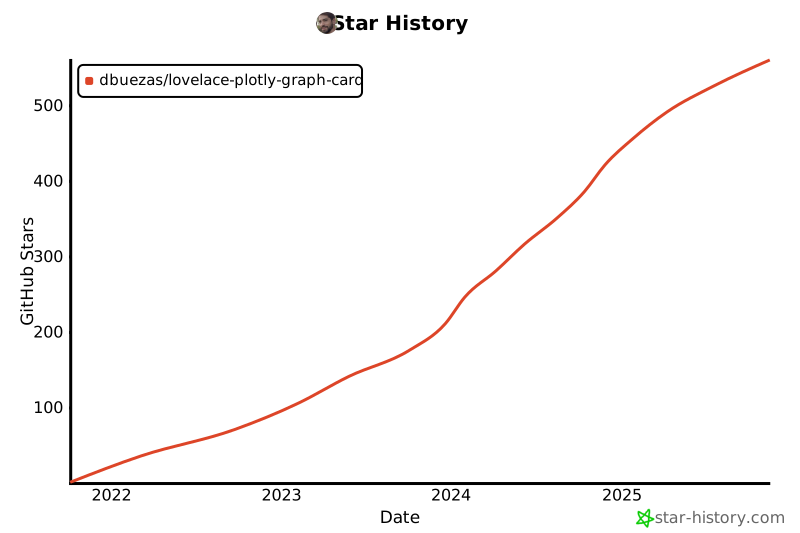](https://star-history.com/#dbuezas/lovelace-plotly-graph-card&Date)
================================================
FILE: script/hot-reload.mjs
================================================
// @ts-check
import WebSocket, { WebSocketServer } from "ws";
import chokidar from "chokidar";
const watchOptn = {
// awaitWriteFinish: {stabilityThreshold:100, pollInterval:50},
ignoreInitial: true,
};
async function hotReload() {
const wss = new WebSocketServer({ port: 8081 });
wss.on("connection", () => console.log(wss.clients.size));
wss.on("close", () => console.log(wss.clients.size));
const sendToClients = (
/** @type {{ action: string; payload?: any }} */ message
) => {
wss.clients.forEach(function each(
/** @type {{ readyState: number; send: (arg0: string) => void; }} */ client
) {
if (client.readyState === WebSocket.OPEN) {
console.log("sending");
client.send(JSON.stringify(message));
}
});
};
chokidar.watch("src", watchOptn).on("all", async (...args) => {
console.log(args);
try {
sendToClients({ action: "update-app" });
} catch (e) {
console.error(e);
sendToClients({ action: "error", payload: e.message });
}
});
}
hotReload();
================================================
FILE: src/cache/Cache.ts
================================================
import { HomeAssistant } from "custom-card-helpers";
import { compactRanges, subtractRanges } from "./date-ranges";
import fetchStatistics from "./fetch-statistics";
import fetchStates from "./fetch-states";
import {
TimestampRange,
isEntityIdAttrConfig,
EntityConfig,
isEntityIdStateConfig,
isEntityIdStatisticsConfig,
CachedEntity,
CachedStatisticsEntity,
CachedStateEntity,
EntityData,
} from "../types";
type FetchConfig =
| {
statistic: "state" | "sum" | "min" | "max" | "mean";
period: "5minute" | "hour" | "day" | "week" | "month";
entity: string;
}
| {
attribute: string;
entity: string;
}
| {
entity: string;
};
export function mapValues<T, S>(
o: Record<string, T>,
fn: (value: T, key: string) => S
) {
return Object.fromEntries(Object.entries(o).map(([k, v]) => [k, fn(v, k)]));
}
async function fetchSingleRange(
hass: HomeAssistant,
entity: FetchConfig,
[startT, endT]: number[]
): Promise<{
range: [number, number];
history: CachedEntity[];
}> {
// We fetch slightly more than requested (i.e the range visible in the screen). The reason is the following:
// When fetching data in a range `[startT,endT]`, Home Assistant adds a fictitious datapoint at
// the start of the fetched period containing a copy of the first datapoint that occurred before
// `startT`, except if there is actually one at `startT`.
// We fetch slightly more than requested/visible (`[startT-1,endT]`) and we mark the datapoint at
// `startT-1` to be deleted (`fake_boundary_datapoint`). When merging the fetched data into the
// cache, we keep the fictitious datapoint only if it's placed at the start (see `add` function), otherwise it's
// discarded.
// In general, we don't really know whether the datapoint is fictitious or it's a real datapoint
// that happened to be exactly at `startT-1`, therefore we purposely fetch it outside the requested range
// (which is `[startT,endT]`) and we leave it out of the "known cached ranges".
// If it happens to be a a real datapoint, it will be fetched properly when the user scrolls/zooms bring it into
// the visible part of the screen.
//
// Examples:
//
// * = fictitious
// + = real
// _ = fetched range
//
// _________ 1st fetch
// * + +
// ^
// '-- point kept because it's at the start-edge of the trace and it's outside the visible range
//
// _______ 2nd fetch
// * + * + +
// ^ ^
// | '--- discarded as it was fictitious and not at the start-edge
// '--- point at the edge, kept
//
// ________ 3rd fetch
// * + + +* + +
// ^ ^
// | '--- discarded as it is fictitious
// '--- point at the edge, kept
//
// The above does not apply to statistics data where there are no fake data points.
const l = Math.max(0, 5000 - (endT - startT)); // The HA API doesn't add the fake boundary if the interval requested is too small
const start = new Date(startT - 1 - l);
endT = Math.min(endT, Date.now());
const end = new Date(endT);
let history: CachedEntity[];
if (isEntityIdStatisticsConfig(entity)) {
history = await fetchStatistics(hass, entity, [start, end]);
} else {
history = await fetchStates(hass, entity, [start, end]);
if (history.length) {
history[0].fake_boundary_datapoint = true;
}
}
let range: [number, number] = [startT, endT];
return {
range,
history,
};
}
export function getEntityKey(entity: FetchConfig) {
if (isEntityIdAttrConfig(entity)) {
return `${entity.entity}::attribute:`;
} else if (isEntityIdStatisticsConfig(entity)) {
return `${entity.entity}::statistics::${entity.period}`;
} else if (isEntityIdStateConfig(entity)) {
return `${entity.entity}`;
}
throw new Error(`Entity malformed:${JSON.stringify(entity)}`);
}
const MIN_SAFE_TIMESTAMP = Date.parse("0001-01-02T00:00:00.000Z");
export default class Cache {
ranges: Record<string, TimestampRange[]> = {};
histories: Record<string, CachedEntity[]> = {};
busy: Promise<EntityData> = Promise.resolve(null as unknown as EntityData); // mutex
add(entity: FetchConfig, states: CachedEntity[], range: [number, number]) {
const entityKey = getEntityKey(entity);
let h = (this.histories[entityKey] ??= []);
h.push(...states);
h.sort((a, b) => +a.x - +b.x);
if (!isEntityIdStatisticsConfig(entity)) {
h = h.filter((x, i) => i == 0 || !x.fake_boundary_datapoint);
}
h = h.filter((_, i) => +h[i - 1]?.x !== +h[i].x);
this.histories[entityKey] = h;
this.ranges[entityKey] ??= [];
this.ranges[entityKey].push(range);
this.ranges[entityKey] = compactRanges(this.ranges[entityKey]);
}
clearCache() {
this.ranges = {};
this.histories = {};
}
getData(entity: FetchConfig): EntityData {
let key = getEntityKey(entity);
const history = this.histories[key] || [];
const data: EntityData = {
xs: [],
ys: [],
states: [],
statistics: [],
};
data.xs = history.map(({ x }) => x);
if (isEntityIdStatisticsConfig(entity)) {
data.statistics = (history as CachedStatisticsEntity[]).map(
({ statistics }) => statistics
);
data.ys = data.statistics.map((s) => s[entity.statistic]);
} else if (isEntityIdAttrConfig(entity)) {
data.states = (history as CachedStateEntity[]).map(({ state }) => state);
data.ys = data.states.map((s) => s.attributes[entity.attribute]);
} else if (isEntityIdStateConfig(entity)) {
data.states = (history as CachedStateEntity[]).map(({ state }) => state);
data.ys = data.states.map((s) => s.state);
} else
throw new Error(
`Unrecognised fetch type for ${(entity as EntityConfig).entity}`
);
data.ys = data.ys.map((y) =>
// see https://github.com/dbuezas/lovelace-plotly-graph-card/issues/146
// and https://github.com/dbuezas/lovelace-plotly-graph-
gitextract_m5l_are3/
├── .github/
│ ├── FUNDING.yml
│ ├── ISSUE_TEMPLATE/
│ │ ├── bug_report.md
│ │ └── feature_request.md
│ └── workflows/
│ ├── build-on-release.yml
│ └── validate.yaml
├── .gitignore
├── .prettierrc.js
├── changelog.md
├── discussion-index.md
├── discussion-index.mjs
├── docs/
│ └── resources/
│ └── rangeselector.apng
├── hacs.json
├── jest.config.js
├── package.json
├── readme.md
├── script/
│ └── hot-reload.mjs
├── src/
│ ├── cache/
│ │ ├── Cache.ts
│ │ ├── date-ranges.test.ts
│ │ ├── date-ranges.ts
│ │ ├── fetch-states.ts
│ │ └── fetch-statistics.ts
│ ├── duration/
│ │ ├── duration.test.ts
│ │ └── duration.ts
│ ├── filters/
│ │ ├── fft-regression.js
│ │ ├── filters.test.ts
│ │ └── filters.ts
│ ├── hot-reload.ts
│ ├── is-production.ts
│ ├── jsonschema.ts
│ ├── parse-config/
│ │ ├── defaults.ts
│ │ ├── deprecations.ts
│ │ ├── parse-color-scheme.ts
│ │ ├── parse-config.ts
│ │ ├── parse-statistics.ts
│ │ └── themed-layout.ts
│ ├── plotly-graph-card.ts
│ ├── plotly.ts
│ ├── recorder-types.ts
│ ├── style-hack.ts
│ ├── touch-controller.ts
│ ├── types.ts
│ └── utils.ts
├── tsconfig.json
└── yaml-editor/
├── .gitignore
├── README.md
├── package.json
├── patch-schema.js
├── src/
│ ├── index.css
│ ├── index.ejs
│ ├── index.ts
│ ├── schema.json
│ └── types.d.ts
├── tsconfig.json
└── webpack.config.js
SYMBOL INDEX (125 symbols across 23 files)

FILE: discussion-index.mjs
  function fetchDiscussions (line 15) | async function fetchDiscussions(owner, repo, cursor) {

FILE: script/hot-reload.mjs
  function hotReload (line 9) | async function hotReload() {

FILE: src/cache/Cache.ts
  type FetchConfig (line 16) | type FetchConfig =
  function mapValues (line 29) | function mapValues<T, S>(
  function fetchSingleRange (line 35) | async function fetchSingleRange(
  function getEntityKey (line 103) | function getEntityKey(entity: FetchConfig) {
  constant MIN_SAFE_TIMESTAMP (line 114) | const MIN_SAFE_TIMESTAMP = Date.parse("0001-01-02T00:00:00.000Z");
  class Cache (line 115) | class Cache {
    method add (line 120) | add(entity: FetchConfig, states: CachedEntity[], range: [number, numbe...
    method clearCache (line 135) | clearCache() {
    method getData (line 140) | getData(entity: FetchConfig): EntityData {
    method fetch (line 172) | async fetch(range: TimestampRange, entity: FetchConfig, hass: HomeAssi...

FILE: src/cache/fetch-states.ts
  function fetchStates (line 10) | async function fetchStates(

FILE: src/cache/fetch-statistics.ts
  function fetchStatistics (line 5) | async function fetchStatistics(

FILE: src/duration/duration.ts
  type TimeUnit (line 30) | type TimeUnit = keyof typeof timeUnits;
  type TimeDurationStr (line 31) | type TimeDurationStr = `${number}${TimeUnit}` | `0`;
  type RelativeTimeStr (line 90) | type RelativeTimeStr =

FILE: src/filters/fft-regression.js
  class FFTRegression (line 5) | class FFTRegression extends BaseRegression {
    method constructor (line 9) | constructor(x, y, degree) {
    method _regress (line 18) | _regress(x, y, degree) {
    method toJSON (line 37) | toJSON() {
    method _predict (line 41) | _predict(x) {
    method computeX (line 47) | computeX(y) {
    method toString (line 51) | toString(precision) {
    method toLaTeX (line 55) | toLaTeX(precision) {
    method load (line 59) | static load(json) {

FILE: src/filters/filters.test.ts
  constant RIGHT_1 (line 3) | const RIGHT_1 = { integrate: { offset: "2d" } } satisfies FilterInput;
  constant RIGHT_11 (line 4) | const RIGHT_11 = { integrate: "d" } satisfies FilterInput;
  constant RIGHT_2 (line 5) | const RIGHT_2 = "integrate" satisfies FilterInput;
  constant RIGHT_3 (line 6) | const RIGHT_3 = "delta" satisfies FilterInput;
  constant RIGHT_4 (line 7) | const RIGHT_4 = "deduplicate_adjacent" satisfies FilterInput;
  constant RIGHT_5 (line 8) | const RIGHT_5 = "force_numeric" satisfies FilterInput;
  constant RIGHT_6 (line 9) | const RIGHT_6 = "resample" satisfies FilterInput;
  constant RIGHT_7 (line 10) | const RIGHT_7 = { resample: "5m" } satisfies FilterInput;
  constant WRONG_1 (line 13) | const WRONG_1 = "add" satisfies FilterInput;
  constant WRONG_2 (line 15) | const WRONG_2 = { integrate: 3 } satisfies FilterInput;

FILE: src/filters/filters.ts
  type FilterData (line 23) | type FilterData = {
  type FilterFn (line 32) | type FilterFn = (p: FilterData) => Partial<FilterData>;
  type FilterParam (line 34) | type FilterParam<K extends keyof typeof filters> = Parameters<
  type CheckType (line 38) | type CheckType<T, IfUndef, IfNonUndef> =
  type FilterInput (line 42) | type FilterInput = {
  function checkTimeUnits (line 449) | function checkTimeUnits(unit: string) {
  type TrendlineType (line 465) | type TrendlineType = keyof typeof trendlineTypes;
  type TrendlineParam (line 466) | type TrendlineParam = {
  function maxDecimals (line 473) | function maxDecimals(n: number, decimals: number) {

FILE: src/jsonschema.ts
  type With$fn (line 3) | type With$fn<T> = {
  type JsonSchemaRoot (line 11) | type JsonSchemaRoot = With$fn<InputConfig>;

FILE: src/parse-config/defaults.ts
  function getPresetYaml (line 164) | function getPresetYaml(presets: string | string[] | undefined, skips?: S...
  function addPreParsingDefaults (line 183) | function addPreParsingDefaults(
  function addPostParsingDefaults (line 234) | function addPostParsingDefaults(

FILE: src/parse-config/deprecations.ts
  function getDeprecationError (line 3) | function getDeprecationError(path: string, value: any) {
  function _getDeprecationError (line 8) | function _getDeprecationError(path: string, value: any) {

FILE: src/parse-config/parse-color-scheme.ts
  type ColorSchemeArray (line 9) | type ColorSchemeArray = string[];
  function isColorSchemeArray (line 40) | function isColorSchemeArray(obj: any): obj is ColorSchemeArray {
  type ColorSchemeNames (line 44) | type ColorSchemeNames = keyof typeof colorSchemes;
  function parseColorScheme (line 46) | function parseColorScheme(

FILE: src/parse-config/parse-config.ts
  class ConfigParser (line 24) | class ConfigParser {
    method resetObservedRange (line 33) | public resetObservedRange() {
    method update (line 37) | async update(input: {
    method _update (line 50) | private async _update({
    method evalNode (line 90) | private async evalNode({
    method fetchDataForEntity (line 224) | private async fetchDataForEntity(path: string) {
    method getEvaledPath (line 312) | private getEvaledPath(path: string, callingPath: string) {
    method evalFilter (line 333) | private async evalFilter(input: {
  function isObjectOrArray (line 372) | function isObjectOrArray(value) {
  function is$fn (line 376) | function is$fn(value) {
  function removeOutOfRange (line 384) | function removeOutOfRange(data: EntityData, range: [number, number]) {
  type GetFromConfig (line 401) | type GetFromConfig = (
  type FnParam (line 404) | type FnParam = {

FILE: src/parse-config/parse-statistics.ts
  function getIsAutoPeriodConfig (line 12) | function getIsAutoPeriodConfig(periodObj: any): periodObj is AutoPeriodC...
  function parseStatistics (line 32) | function parseStatistics(

FILE: src/parse-config/themed-layout.ts
  type HATheme (line 1) | type HATheme = {
  function getThemedLayout (line 16) | function getThemedLayout(

FILE: src/plotly-graph-card.ts
  class PlotlyGraph (line 30) | class PlotlyGraph extends HTMLElement {
    method constructor (line 61) | constructor() {
    method connectedCallback (line 143) | connectedCallback() {
    method disconnectedCallback (line 197) | disconnectedCallback() {
    method hass (line 218) | get hass() {
    method hass (line 221) | set hass(hass) {
    method withoutRelayout (line 262) | async withoutRelayout(fn: Function) {
    method getVisibleRange (line 268) | getVisibleRange() {
    method setConfig (line 352) | async setConfig(config: InputConfig) {
    method getCSSVars (line 359) | getCSSVars() {
    method getCardSize (line 454) | getCardSize() {
    method getStubConfig (line 457) | static getStubConfig() {
    method getConfigElement (line 464) | static async getConfigElement() {

FILE: src/recorder-types.ts
  type StatisticValue (line 4) | interface StatisticValue {
  type Statistics (line 16) | interface Statistics {
  constant STATISTIC_TYPES (line 19) | const STATISTIC_TYPES = ["state", "sum", "min", "max", "mean"] as const;
  type StatisticType (line 20) | type StatisticType = typeof STATISTIC_TYPES[number];
  constant STATISTIC_PERIODS (line 22) | const STATISTIC_PERIODS = [
  type StatisticPeriod (line 29) | type StatisticPeriod = typeof STATISTIC_PERIODS[number];
  type AutoPeriodConfig (line 30) | type AutoPeriodConfig = Record<TimeDurationStr, StatisticPeriod>;

FILE: src/style-hack.ts
  function isTruthy (line 1) | function isTruthy<T>(x: T | null): x is T {

FILE: src/touch-controller.ts
  type PlotlyEl (line 3) | type PlotlyEl = Plotly.PlotlyHTMLElement & {
  constant ONE_FINGER_DOUBLE_TAP_ZOOM_MS_THRESHOLD (line 14) | const ONE_FINGER_DOUBLE_TAP_ZOOM_MS_THRESHOLD = 250;
  class TouchController (line 15) | class TouchController {
    method constructor (line 26) | constructor(param: {
    method disconnect (line 35) | disconnect() {
    method connect (line 40) | connect() {
    method handleSingleFingerZoom (line 91) | async handleSingleFingerZoom(e: TouchEvent) {
    method handleTwoFingersZoom (line 102) | async handleTwoFingersZoom(e: TouchEvent) {
    method handleZoom (line 119) | async handleZoom(dist: number) {

FILE: src/types.ts
  type YValue (line 21) | type YValue = number | string | null;
  type InputConfig (line 23) | type InputConfig = {
  type EntityConfig (line 81) | type EntityConfig = EntityIdConfig & {
  type Config (line 97) | type Config = {
  type EntityIdStateConfig (line 114) | type EntityIdStateConfig = {
  type EntityIdAttrConfig (line 117) | type EntityIdAttrConfig = {
  type EntityIdStatisticsConfig (line 121) | type EntityIdStatisticsConfig = {
  type EntityIdConfig (line 126) | type EntityIdConfig =
  function isEntityIdStateConfig (line 131) | function isEntityIdStateConfig(
  function isEntityIdAttrConfig (line 139) | function isEntityIdAttrConfig(
  function isEntityIdStatisticsConfig (line 144) | function isEntityIdStatisticsConfig(
  type Timestamp (line 150) | type Timestamp = number;
  type CachedBaseEntity (line 152) | type CachedBaseEntity = {
  type CachedStateEntity (line 157) | type CachedStateEntity = CachedBaseEntity & {
  type CachedStatisticsEntity (line 160) | type CachedStatisticsEntity = CachedBaseEntity & {
  type CachedEntity (line 163) | type CachedEntity = CachedStateEntity | CachedStatisticsEntity;
  type EntityData (line 164) | type EntityData = {
  type TimestampRange (line 171) | type TimestampRange = Timestamp[];

FILE: src/utils.ts
  function getIsPureObject (line 3) | function getIsPureObject(val: any) {
  function debounce (line 7) | function debounce(func: (delay?: number) => Promise<void>) {

FILE: yaml-editor/src/index.ts
  method getWorker (line 19) | getWorker(moduleId, label) {
  function showToast (line 47) | function showToast(message: string) {
Condensed preview — 54 files, each showing path, character count, and a content snippet. Download the .json file or copy for the full structured content (5,932K chars).
[
{
"path": ".github/FUNDING.yml",
"chars": 72,
"preview": "# These are supported funding model platforms\n\nbuy_me_a_coffee: dbuezas\n"
},
{
"path": ".github/ISSUE_TEMPLATE/bug_report.md",
"chars": 413,
"preview": "---\nname: Bug report\nabout: Create a report to help us improve\ntitle: ''\nlabels: bug\nassignees: ''\n\n---\n\n**Describe the "
},
{
"path": ".github/ISSUE_TEMPLATE/feature_request.md",
"chars": 576,
"preview": "---\nname: Feature request\nabout: Suggest an idea for this project\ntitle: ''\nlabels: enhancement\nassignees: ''\n\n---\n\n**De"
},
{
"path": ".github/workflows/build-on-release.yml",
"chars": 485,
"preview": "name: Build on release\n\non:\n release:\n types: [published]\n\njobs:\n build:\n runs-on: ubuntu-latest\n steps:\n "
},
{
"path": ".github/workflows/validate.yaml",
"chars": 264,
"preview": "name: HACS-Validate\n\non:\n push:\n pull_request:\n\njobs:\n hacs:\n name: HACS Action\n runs-on: \"ubuntu-latest\"\n s"
},
{
"path": ".gitignore",
"chars": 38,
"preview": "node_modules\n.DS_Store\n/dist\n/coverage"
},
{
"path": ".prettierrc.js",
"chars": 117,
"preview": "module.exports = {\n semi: true,\n //trailingComma: \"all\",\n singleQuote: false,\n printWidth: 80,\n tabWidth: 2,\n};\n"
},
{
"path": "changelog.md",
"chars": 396,
"preview": "v1.4.0\n\n- Feature: long term statistics support (thanks to @FrnchFrgg)\n- Breaking change: yaml for attributes changed (u"
},
{
"path": "discussion-index.md",
"chars": 144233,
"preview": "## [Electricity prices for today and tomorrow with Nordpool](https://github.com/dbuezas/lovelace-plotly-graph-card/discu"
},
{
"path": "discussion-index.mjs",
"chars": 3200,
"preview": "import { Octokit } from \"@octokit/core\";\n\nconst owner = \"dbuezas\";\nconst repo = \"lovelace-plotly-graph-card\";\nconst auth"
},
{
"path": "hacs.json",
"chars": 97,
"preview": "{\n \"name\": \"Plotly Graph Card\",\n \"render_readme\": true,\n \"filename\": \"plotly-graph-card.js\"\n}\n"
},
{
"path": "jest.config.js",
"chars": 187,
"preview": "/** @type {import('ts-jest/dist/types').InitialOptionsTsJest} */\nmodule.exports = {\n preset: \"ts-jest\",\n testEnvironme"
},
{
"path": "package.json",
"chars": 1594,
"preview": "{\n \"name\": \"plotly-graph-card\",\n \"version\": \"to-be-set-on-release\",\n \"description\": \"\",\n \"main\": \"index.js\",\n \"scri"
},
{
"path": "readme.md",
"chars": 39214,
"preview": "[](https://www.buymeacoffee.co"
},
{
"path": "script/hot-reload.mjs",
"chars": 1057,
"preview": "// @ts-check\nimport WebSocket, { WebSocketServer } from \"ws\";\nimport chokidar from \"chokidar\";\n\nconst watchOptn = {\n //"
},
{
"path": "src/cache/Cache.ts",
"chars": 6938,
"preview": "import { HomeAssistant } from \"custom-card-helpers\";\nimport { compactRanges, subtractRanges } from \"./date-ranges\";\nimpo"
},
{
"path": "src/cache/date-ranges.test.ts",
"chars": 997,
"preview": "import { subtractRanges } from \"./date-ranges\";\ndescribe(\"data-ranges\", () => {\n it(\"Should subtract left \", () => {\n "
},
{
"path": "src/cache/date-ranges.ts",
"chars": 1719,
"preview": "import { json } from \"stream/consumers\";\nimport { TimestampRange } from \"../types\";\n\nconst subtract_single_single = (\n "
},
{
"path": "src/cache/fetch-states.ts",
"chars": 1294,
"preview": "import { HomeAssistant } from \"custom-card-helpers\";\nimport {\n CachedStateEntity,\n EntityIdAttrConfig,\n EntityIdState"
},
{
"path": "src/cache/fetch-statistics.ts",
"chars": 1133,
"preview": "import { HomeAssistant } from \"custom-card-helpers\";\nimport { Statistics, StatisticValue } from \"../recorder-types\";\nimp"
},
{
"path": "src/duration/duration.test.ts",
"chars": 1504,
"preview": "import { parseTimeDuration } from \"./duration\";\n\ndescribe(\"data-ranges\", () => {\n const ms = 1;\n const s = ms * 1000;\n"
},
{
"path": "src/duration/duration.ts",
"chars": 3145,
"preview": "import { HomeAssistant } from \"custom-card-helpers\";\nimport {\n endOfDay,\n endOfHour,\n endOfMinute,\n endOfMonth,\n en"
},
{
"path": "src/filters/fft-regression.js",
"chars": 1436,
"preview": "import fft from \"ndarray-fft\";\nimport ndarray from \"ndarray\";\nimport BaseRegression, { checkArrayLength } from \"ml-regre"
},
{
"path": "src/filters/filters.test.ts",
"chars": 3706,
"preview": "import filters, { FilterInput } from \"./filters\";\n\nconst RIGHT_1 = { integrate: { offset: \"2d\" } } satisfies FilterInput"
},
{
"path": "src/filters/filters.ts",
"chars": 14180,
"preview": "import propose from \"propose\";\nimport { HomeAssistant } from \"custom-card-helpers\";\nimport {\n parseTimeDuration,\n Time"
},
{
"path": "src/hot-reload.ts",
"chars": 543,
"preview": "import isProduction from \"./is-production\";\n\nif (!isProduction) {\n const socket = new WebSocket(\"ws://localhost:8081\");"
},
{
"path": "src/is-production.ts",
"chars": 54,
"preview": "export default process.env.NODE_ENV === \"production\";\n"
},
{
"path": "src/jsonschema.ts",
"chars": 347,
"preview": "import { InputConfig } from \"./types\";\n\ntype With$fn<T> = {\n [K in keyof T]:\n | (T[K] extends (infer U)[] // Handle "
},
{
"path": "src/parse-config/defaults.ts",
"chars": 7550,
"preview": "import { merge } from \"lodash\";\nimport { Config, InputConfig } from \"../types\";\nimport { parseColorScheme } from \"./pars"
},
{
"path": "src/parse-config/deprecations.ts",
"chars": 1926,
"preview": "import { parseTimeDuration } from \"../duration/duration\";\n\nexport default function getDeprecationError(path: string, val"
},
{
"path": "src/parse-config/parse-color-scheme.ts",
"chars": 4317,
"preview": "import { InputConfig } from \"../types\";\n\n/*\nUsage example in YAML:\n\n color_scheme: accent\n color_scheme: 0 # both mean"
},
{
"path": "src/parse-config/parse-config.ts",
"chars": 13477,
"preview": "import Cache from \"../cache/Cache\";\nimport { HATheme } from \"./themed-layout\";\n\nimport propose from \"propose\";\n\nimport g"
},
{
"path": "src/parse-config/parse-statistics.ts",
"chars": 2313,
"preview": "import { getIsPureObject } from \"../utils\";\nimport {\n AutoPeriodConfig,\n StatisticPeriod,\n StatisticType,\n STATISTIC"
},
{
"path": "src/parse-config/themed-layout.ts",
"chars": 883,
"preview": "export type HATheme = {\n \"card-background-color\": string;\n \"primary-background-color\": string;\n \"primary-color\": stri"
},
{
"path": "src/plotly-graph-card.ts",
"chars": 15763,
"preview": "import { HomeAssistant } from \"custom-card-helpers\";\nimport EventEmitter from \"events\";\nimport mapValues from \"lodash/ma"
},
{
"path": "src/plotly.ts",
"chars": 5355,
"preview": "// import Plotly from \"plotly.js-dist\";\n// export default Plotly as typeof import(\"plotly.js\");\n\n// TODO: optimize bundl"
},
{
"path": "src/recorder-types.ts",
"chars": 820,
"preview": "// https://github.com/home-assistant/frontend/blob/dev/src/data/recorder.ts\nimport { TimeDurationStr } from \"./duration/"
},
{
"path": "src/style-hack.ts",
"chars": 557,
"preview": "export function isTruthy<T>(x: T | null): x is T {\n return Boolean(x);\n}\n\nconst insertStyleHack = (styleEl: HTMLStyleEl"
},
{
"path": "src/touch-controller.ts",
"chars": 4218,
"preview": "import { Layout, LayoutAxis } from \"plotly.js\";\n\ntype PlotlyEl = Plotly.PlotlyHTMLElement & {\n data: (Plotly.PlotData &"
},
{
"path": "src/types.ts",
"chars": 4604,
"preview": "import {\n ColorSchemeArray,\n ColorSchemeNames,\n} from \"./parse-config/parse-color-scheme\";\n\nimport { RelativeTimeStr, "
},
{
"path": "src/utils.ts",
"chars": 887,
"preview": "export const sleep = (ms: number) =>\n new Promise((resolve) => setTimeout(resolve, ms));\nexport function getIsPureObjec"
},
{
"path": "tsconfig.json",
"chars": 526,
"preview": "{\n \"compilerOptions\": {\n \"target\": \"ES2018\",\n \"module\": \"esnext\",\n \"moduleResolution\": \"node\",\n \"lib\": [\"es"
},
{
"path": "yaml-editor/.gitignore",
"chars": 5,
"preview": "/dist"
},
{
"path": "yaml-editor/README.md",
"chars": 693,
"preview": "# Demo\n\nThis demo is deployed to [monaco-yaml.js.org](https://monaco-yaml.js.org). It shows how\n`monaco-editor` and `mon"
},
{
"path": "yaml-editor/package.json",
"chars": 1056,
"preview": "{\n \"name\": \"demo\",\n \"version\": \"1.0.0\",\n \"private\": true,\n \"type\": \"module\",\n \"scripts\": {\n \"start\": \"npm run sc"
},
{
"path": "yaml-editor/patch-schema.js",
"chars": 495,
"preview": "import fs from \"fs\";\nimport path from \"path\";\nimport { fileURLToPath } from \"url\";\nconst __filename = fileURLToPath(impo"
},
{
"path": "yaml-editor/src/index.css",
"chars": 2585,
"preview": ":root {\n --background-color: hsl(0, 0%, 96%);\n --editor-background: hsl(60, 100%, 100%);\n --error-color: hsl(0, 85%, "
},
{
"path": "yaml-editor/src/index.ejs",
"chars": 1100,
"preview": "<!DOCTYPE html>\n<html lang=\"en\">\n <head>\n <meta charset=\"utf-8\" />\n <link rel=\"icon\" type=\"image/svg+xml\" href=\"<"
},
{
"path": "yaml-editor/src/index.ts",
"chars": 5266,
"preview": "import {\n editor,\n languages,\n MarkerSeverity,\n type Position,\n Range,\n Uri,\n} from \"monaco-editor\";\nimport * as m"
},
{
"path": "yaml-editor/src/schema.json",
"chars": 5275440,
"preview": "{\n \"$schema\": \"http://json-schema.org/draft-07/schema#\",\n \"definitions\": {\n \"With$fn<()=>Float32Array>\": {\n"
},
{
"path": "yaml-editor/src/types.d.ts",
"chars": 705,
"preview": "declare module 'monaco-editor/esm/vs/editor/common/services/languageFeatures.js' {\n export const ILanguageFeaturesServi"
},
{
"path": "yaml-editor/tsconfig.json",
"chars": 169,
"preview": "{\n \"compilerOptions\": {\n \"composite\": true,\n \"module\": \"preserve\",\n \"noEmit\": true,\n \"skipLibCheck\": true,\n"
},
{
"path": "yaml-editor/webpack.config.js",
"chars": 858,
"preview": "import CssMinimizerPlugin from 'css-minimizer-webpack-plugin'\nimport HtmlWebPackPlugin from 'html-webpack-plugin'\nimport"
}
]
// ... and 1 more files (download for full content)
About this extraction
This page contains the full source code of the dbuezas/lovelace-plotly-graph-card GitHub repository, extracted and formatted as plain text for AI agents and large language models (LLMs). The extraction includes 54 files (5.3 MB), approximately 1.4M tokens, and a symbol index with 125 extracted functions, classes, methods, constants, and types. Use this with OpenClaw, Claude, ChatGPT, Cursor, Windsurf, or any other AI tool that accepts text input. You can copy the full output to your clipboard or download it as a .txt file.
Extracted by GitExtract — free GitHub repo to text converter for AI. Built by Nikandr Surkov.