Repository: e43b/Kemono-and-Coomer-Downloader
Branch: main
Commit: 655f0821772c
Files: 14
Total size: 117.2 KB
Directory structure:
gitextract_tm7alw1g/

├── README-ptbr.md
├── README.md
├── codeen/
│   ├── codes/
│   │   ├── down.py
│   │   ├── kcposts.py
│   │   └── posts.py
│   ├── config/
│   │   └── conf.json
│   ├── main.py
│   └── requirements.txt
└── codept/
    ├── codes/
    │   ├── down.py
    │   ├── kcposts.py
    │   └── posts.py
    ├── config/
    │   └── conf.json
    ├── main.py
    └── requirements.txt
================================================
FILE CONTENTS
================================================
================================================
FILE: README-ptbr.md
================================================
# Kemono and Coomer Downloader
[](https://github.com/e43b/Kemono-and-Coomer-Downloader/)
[ English](README.md) | [ Português](README-ptbr.md)
O **Kemono and Coomer Downloader** é uma ferramenta que permite baixar posts dos sites [Kemono](https://kemono.su/) e [Coomer](https://coomer.su/).
Com essa ferramenta, é possível baixar posts únicos, múltiplos posts sequencialmente, baixar todos os posts de um perfil do Kemono ou Coomer.
## Apoie o Desenvolvimento da Ferramenta 💖
Esta ferramenta foi criada com dedicação para facilitar sua vida e é mantida de forma independente. Se você acha que ela foi útil e gostaria de contribuir para sua melhoria contínua, considere fazer uma doação.
Toda ajuda é bem-vinda e será usada para cobrir custos de manutenção, melhorias e adição de novos recursos. Seu apoio faz toda a diferença!
[](https://ko-fi.com/e43bs)
### Por que doar?
- **Manutenção contínua**: Ajude a manter a ferramenta sempre atualizada e funcionando.
- **Novos recursos**: Contribua para a implementação de novas funcionalidades solicitadas pela comunidade.
- **Agradecimento**: Mostre seu apoio ao projeto e incentive o desenvolvimento de mais ferramentas como esta.
🎉 Obrigado por considerar apoiar este projeto!
## Star History
[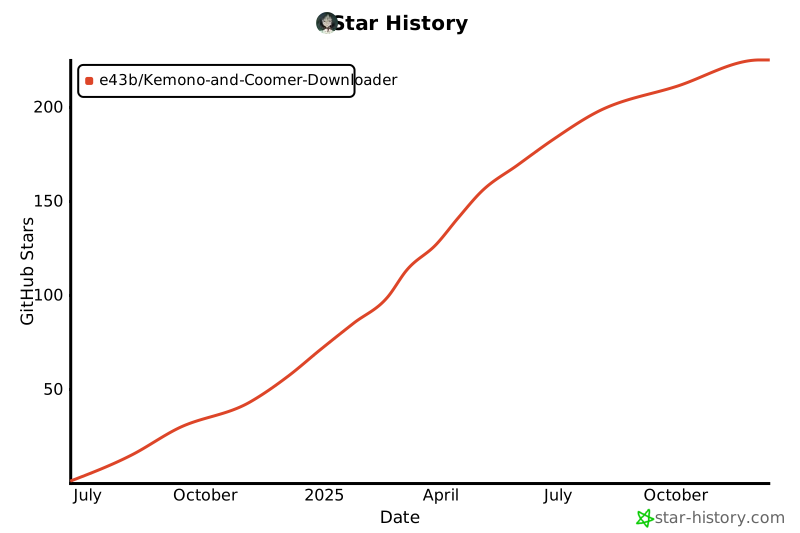](https://star-history.com/#e43b/Kemono-and-Coomer-Downloader&Date)
## Como Usar
1. **Certifique-se de ter o Python instalado em seu sistema.**
2. **Clone este repositório:**
```sh
git clone https://github.com/e43b/Kemono-and-Coomer-Downloader/
```
3. **Navegue até o diretório do projeto:**
```sh
cd Kemono-and-Coomer-Downloader
```
4. **Selecione o idioma desejado:**
- A pasta codeen contém a versão em inglês.
- A pasta codept contém a versão em português.
5. **Execute o script principal:**
```sh
python main.py
```
6. **Siga as instruções no menu para escolher o que deseja baixar ou personalizar o programa.**
## Bibliotecas
A biblioteca necessária é: requests. Ao iniciar o script pela primeira vez, se a biblioteca não estiver instalada, será instalada automaticamente.
## Funcionalidades
### Página Inicial
A página inicial do projeto apresenta as principais opções disponíveis para facilitar a utilização da ferramenta.

### Baixar Post
#### Opção 1: Download de 1 Post ou Alguns Posts Separados
##### 1.1 Inserir os links diretamente
Para baixar posts específicos, insira os links dos posts separados por vírgula. Esta opção é ideal para baixar poucos posts. Exemplo:
```sh
https://coomer.su/onlyfans/user/rosiee616/post/1005002977, https://kemono.su/patreon/user/9919437/post/103396563
```

##### 1.2 Carregar links de um arquivo TXT
Se você possui vários links de posts para baixar, facilite o processo utilizando um arquivo `.txt`.
###### Passo 1: Criando o Arquivo TXT
1. Abra um editor de texto de sua preferência (como Notepad, VS Code, ou outro).
2. Liste os links dos posts no seguinte formato:
- Separe os links por **vírgulas**.
- Exemplo de conteúdo do arquivo:
```sh
https://coomer.su/onlyfans/user/rosiee616/post/1005002977, https://kemono.su/patreon/user/9919437/post/103396563
```
3. Salve o arquivo com a extensão `.txt`. Por exemplo: `posts.txt`.
###### Passo 2: Localizando o Caminho do Arquivo
Você pode especificar o caminho do arquivo ao script de duas maneiras:
1. **Caminho Absoluto**: Localize o arquivo no seu sistema e copie o caminho completo.
```sh
C:\Users\SeuUsuario\Documentos\posts.txt
```
2. **Caminho Relativo**: Se o arquivo estiver na mesma pasta que o script `main.py`, basta informar o nome do arquivo.
```sh
posts.txt
```
###### Passo 3: Executando o Script
1. Cole o caminho do arquivo TXT no console.
2. O script iniciará o download automaticamente e processará todos os links listados no arquivo.
###### Conteúdo do Arquivo TXT

###### Script em Execução

##### 1.3 Voltar ao menu principal
Selecione esta opção para retornar ao menu inicial.
#### Opção 2: Download de Todos os Posts de um Perfil
⚠️ **Atenção Geral**:
Neste modo de download, **não será criado o arquivo `files.md`** com informações como título, descrição, embeds, etc.
Se você precisa dessas informações, utilize a **Opção 1**.
##### 2.1: Download de Todos os Posts de um Perfil
1. Insira o link de um perfil do Coomer ou Kemono.
2. Pressione **Enter**.
**Observações**:
- Este modo permite baixar todos os posts do perfil inserido.
- **Limitação**: Não é possível baixar mais de um perfil por vez.
O sistema irá processar o link, extrair todos os posts e realizar o download.

##### 2.2: Download de Posts de uma Página Específica
1. Insira o link de um perfil do Coomer ou Kemono.
2. Pressione **Enter**.
3. Informe o **offset** da página desejada.
**Como calcular o offset**:
- Tanto no Kemono quanto no Coomer, os offsets aumentam de 50 em 50:
- Página 1: offset = 0
- Página 2: offset = 50
- Página 3: offset = 100
- ...
- Para encontrar o offset da página desejada:
1. Acesse a página do perfil.
2. Clique na página desejada e observe o número no final do link.
Exemplo:
```
https://kemono.su/patreon/user/9919437?o=750
```
Nesse caso, o offset é **750**.
O sistema irá processar a página especificada, extrair os posts e realizar o download.

##### 2.3: Download de Posts em um Intervalo de Páginas
1. Insira o link de um perfil do Coomer ou Kemono.
2. Pressione **Enter**.
3. Informe o **offset** da página inicial.
4. Informe o **offset** da página final.
**Como calcular os offsets**:
- O cálculo do offset segue a mesma lógica da **Opção 2.2**.
- Exemplo:
- Página 1: offset = 0
- Página 16: offset = 750
Todos os posts entre os offsets especificados serão extraídos e baixados.

##### 2.4: Download de Posts entre Dois Posts Específicos
1. Insira o link de um perfil do Coomer ou Kemono.
2. Pressione **Enter**.
3. Insira o link ou o ID do **post inicial**.
- Exemplo de link:
```
https://kemono.su/patreon/user/9919437/post/54725686
```
- Apenas o ID: `54725686`.
4. Insira o link ou o ID do **post final**.
**O que acontece**:
O sistema fará o download de todos os posts entre os dois IDs especificados.

##### 2.5: Voltar ao Menu Principal
Selecione esta opção para retornar à página inicial.
#### Opção 3: Personalizar as Configurações do Programa
Essa opção permite configurar algumas preferências no programa. As opções disponíveis são as seguintes:
1. **Take empty posts**: `False`
2. **Download older posts first**: `False`
3. **For individual posts, create a file with information (title, description, etc.)**: `True`
4. **Choose the type of file to save the information (Markdown or TXT)**: `md`
5. **Back to the main menu**
##### Descrição das Opções
###### Take Empty Posts
- Define se posts vazios (sem arquivos anexos) devem ser incluídos nos downloads massivos de perfis.
- **False (Recomendado)**: Posts vazios serão ignorados.
- **True**: Será criada uma pasta para os posts vazios. Use essa opção apenas em casos específicos.
###### Download Older Posts First
- Controla a ordem de download dos posts em perfis:
- **False**: Baixa os posts mais recentes primeiro.
- **True**: Baixa os posts mais antigos primeiro.
###### Criar Arquivo com Informações (Posts Individuais)
- Define se será criado um arquivo contendo informações como título, descrição e embeds ao baixar posts individualmente:
- **True**: Cria o arquivo informativo.
- **False**: Não cria o arquivo.
###### Tipo de Arquivo para Salvar Informações
- Escolha o formato do arquivo criado nas **Opções Individuais**:
- **Markdown (`md`)**: Arquivo no formato Markdown.
- **TXT (`txt`)**: Arquivo no formato texto simples.
- **Nota**: Ambos os formatos utilizam estrutura Markdown.
###### Como Alterar as Configurações
Para modificar qualquer uma das opções, basta digitar o número correspondente. O programa alternará automaticamente o valor entre as opções disponíveis (por exemplo, de `True` para `False`).

#### Opção 4: Sair do Programa
Essa opção encerra o programa.
## Organização dos Arquivos
Os posts são salvos em pastas para facilitar a organização. A estrutura de pastas segue o padrão abaixo:
### Estrutura das Pastas
1. **Plataforma**: Uma pasta principal é criada para cada plataforma (Kemono ou Coomer).
2. **Autor**: Dentro da pasta da plataforma, é criada uma pasta para cada autor no formato **Nome-Serviço-Id**.
3. **Posts**: Dentro da pasta do autor, há uma subpasta chamada `posts` onde os conteúdos são organizados.
Cada post é salvo em uma subpasta identificada pelo **ID do post**.
### Exemplo da Estrutura de Pastas
```
Kemono-and-Coomer-Downloader/
│
├── kemono/ # Pasta da plataforma Kemono
│ ├── Nome-Serviço-Id/ # Pasta do autor no formato Nome-Serviço-Id
│ │ ├── posts/ # Pasta de posts do autor
│ │ │ ├── postID1/ # Pasta do post com ID 1
│ │ │ │ ├── conteudo_do_post # Conteúdo do post
│ │ │ │ ├── files.md # (Opcional) Arquivo com informações dos arquivos
│ │ │ │ └── ... # Outros arquivos do post
│ │ │ ├── postID2/ # Pasta do post com ID 2
│ │ │ │ ├── conteudo_do_post # Conteúdo do post
│ │ │ │ └── files.txt # (Opcional) Arquivo com informações dos arquivos
│ │ │ └── ... # Outros posts
│ │ └── ... # Outros conteúdos do autor
│ └── Nome-Serviço-Id/ # Pasta de outro autor no formato Nome-Serviço-Id
│ ├── posts/ # Pasta de posts do autor
│ └── ... # Outros conteúdos
│
└── coomer/ # Pasta da plataforma Coomer
├── Nome-Serviço-Id/ # Pasta do autor no formato Nome-Serviço-Id
│ ├── posts/ # Pasta de posts do autor
│ │ ├── postID1/ # Pasta do post com ID 1
│ │ │ ├── conteudo_do_post # Conteúdo do post
│ │ │ ├── files.txt # (Opcional) Arquivo com informações dos arquivos
│ │ │ └── ... # Outros arquivos do post
│ │ └── postID2/ # Pasta do post com ID 2
│ │ ├── conteudo_do_post # Conteúdo do post
│ │ └── ... # Outros arquivos do post
│ └── ... # Outros conteúdos do autor
└── Nome-Serviço-Id/ # Pasta de outro autor no formato Nome-Serviço-Id
├── posts/ # Pasta de posts do autor
└── ... # Outros conteúdos
```

### Sobre o Arquivo `files.md` ou `files.txt`
O arquivo `files.md` (ou `files.txt`, dependendo da configuração escolhida) contém as seguintes informações sobre cada post:
- **Título**: O título do post.
- **Descrição/Conteúdo**: O conteúdo ou descrição do post.
- **Embeds**: Informações sobre elementos incorporados (se houver).
- **Links de Arquivos**: URLs de arquivos presentes nas seções de **Attachments**, **Videos**, e **Images**.

## Contribuições
Este projeto é **open-source**, e sua participação é muito bem-vinda! Se você deseja ajudar no aprimoramento da ferramenta, sinta-se à vontade para:
- **Enviar sugestões** para novos recursos ou melhorias.
- **Relatar problemas** ou bugs encontrados.
- **Submeter pull requests** com suas próprias contribuições.
Você pode contribuir de diversas maneiras através do nosso [repositório no GitHub](https://github.com/e43b/Kemono-and-Coomer--Downloader/) ou interagir com a comunidade no nosso [Discord](https://discord.gg/GNJbxzD8bK).
## Autor
O **Kemono and Coomer Downloader** foi desenvolvido e é mantido por [E43b](https://github.com/e43b). Nosso objetivo é tornar o processo de download de posts nos sites **Kemono** e **Coomer** mais simples, rápido e organizado, proporcionando uma experiência fluída e acessível para os usuários.
## Suporte
Se você encontrar problemas, bugs ou tiver dúvidas, nossa comunidade está pronta para ajudar! Entre em contato pelo nosso [Discord](https://discord.gg/GNJbxzD8bK) para obter suporte ou tirar suas dúvidas.
================================================
FILE: README.md
================================================
# Kemono and Coomer Downloader
[](https://github.com/e43b/Kemono-and-Coomer-Downloader/)
[ English](README.md) | [ Português](README-ptbr.md)
The **Kemono and Coomer Downloader** is a tool that allows you to download posts from [Kemono](https://kemono.su/) and [Coomer](https://coomer.su/) websites.
With this tool, you can download single posts, multiple posts sequentially, or download all posts from a Kemono or Coomer profile.
## Support Tool Development 💖
This tool was created with dedication to make your life easier and is maintained independently. If you find it useful and would like to contribute to its continuous improvement, consider making a donation.
Any help is welcome and will be used to cover maintenance costs, improvements, and the addition of new features. Your support makes all the difference!
[](https://ko-fi.com/e43bs)
### Why donate?
- **Continuous maintenance**: Help keep the tool always updated and working.
- **New features**: Contribute to implementing new functionalities requested by the community.
- **Show appreciation**: Show your support for the project and encourage the development of more tools like this.
🎉 Thank you for considering supporting this project!
## Star History
[](https://star-history.com/#e43b/Kemono-and-Coomer-Downloader&Date)
## How to Use
1. **Make sure you have Python installed on your system.**
2. **Clone this repository:**
```sh
git clone https://github.com/e43b/Kemono-and-Coomer-Downloader/
```
3. **Navigate to the project directory:**
```sh
cd Kemono-and-Coomer-Downloader
```
4. **Select your preferred language:**
- The codeen folder contains the English version.
- The codept folder contains the Portuguese version.
5. **Run the main script:**
```sh
python main.py
```
6. **Follow the menu instructions to choose what you want to download or customize the program.**
## Libraries
The required library is: requests. When starting the script for the first time, if the library is not installed, it will be installed automatically.
## Features
### Home Page
The project's home page presents the main options available to facilitate tool usage.

### Download Post
#### Option 1: Download 1 Post or Several Separate Posts
##### 1.1 Insert links directly
To download specific posts, enter the post links separated by commas. This option is ideal for downloading a few posts. Example:
```sh
https://coomer.su/onlyfans/user/rosiee616/post/1005002977, https://kemono.su/patreon/user/9919437/post/103396563
```

##### 1.2 Load links from a TXT file
If you have multiple post links to download, simplify the process using a `.txt` file.
###### Step 1: Creating the TXT File
1. Open a text editor of your choice (like Notepad, VS Code, or other).
2. List the post links in the following format:
- Separate links with **commas**.
- Example file content:
```sh
https://coomer.su/onlyfans/user/rosiee616/post/1005002977, https://kemono.su/patreon/user/9919437/post/103396563
```
3. Save the file with the `.txt` extension. For example: `posts.txt`.
###### Step 2: Locating the File Path
You can specify the file path to the script in two ways:
1. **Absolute Path**: Locate the file on your system and copy the complete path.
```sh
C:\Users\YourUser\Documents\posts.txt
```
2. **Relative Path**: If the file is in the same folder as the `main.py` script, just enter the file name.
```sh
posts.txt
```
###### Step 3: Running the Script
1. Paste the TXT file path in the console.
2. The script will automatically start downloading and process all links listed in the file.
###### TXT File Content

###### Script Running

##### 1.3 Return to main menu
Select this option to return to the home menu.
#### Option 2: Download All Posts from a Profile
⚠️ **General Attention**:
In this download mode, the `files.md` file with information such as title, description, embeds, etc., **will not be created**.
If you need this information, use **Option 1**.
##### 2.1: Download All Posts from a Profile
1. Enter a Coomer or Kemono profile link.
2. Press **Enter**.
**Notes**:
- This mode allows downloading all posts from the entered profile.
- **Limitation**: You cannot download more than one profile at a time.
The system will process the link, extract all posts, and perform the download.

##### 2.2: Download Posts from a Specific Page
1. Enter a Coomer or Kemono profile link.
2. Press **Enter**.
3. Enter the **offset** of the desired page.
**How to calculate the offset**:
- Both on Kemono and Coomer, offsets increase by 50:
- Page 1: offset = 0
- Page 2: offset = 50
- Page 3: offset = 100
- ...
- To find the offset of the desired page:
1. Access the profile page.
2. Click on the desired page and observe the number at the end of the link.
Example:
```
https://kemono.su/patreon/user/9919437?o=750
```
In this case, the offset is **750**.
The system will process the specified page, extract the posts, and perform the download.

##### 2.3: Download Posts in a Page Range
1. Enter a Coomer or Kemono profile link.
2. Press **Enter**.
3. Enter the starting page **offset**.
4. Enter the ending page **offset**.
**How to calculate offsets**:
- The offset calculation follows the same logic as **Option 2.2**.
- Example:
- Page 1: offset = 0
- Page 16: offset = 750
All posts between the specified offsets will be extracted and downloaded.

##### 2.4: Download Posts between Two Specific Posts
1. Enter a Coomer or Kemono profile link.
2. Press **Enter**.
3. Enter the link or ID of the **initial post**.
- Example link:
```
https://kemono.su/patreon/user/9919437/post/54725686
```
- Just the ID: `54725686`.
4. Enter the link or ID of the **final post**.
**What happens**:
The system will download all posts between the two specified IDs.

##### 2.5: Return to Main Menu
Select this option to return to the home page.
#### Option 3: Customize Program Settings
This option allows you to configure some program preferences. The available options are:
1. **Take empty posts**: `False`
2. **Download older posts first**: `False`
3. **For individual posts, create a file with information (title, description, etc.)**: `True`
4. **Choose the type of file to save the information (Markdown or TXT)**: `md`
5. **Back to the main menu**
##### Option Descriptions
###### Take Empty Posts
- Defines whether empty posts (without attached files) should be included in massive profile downloads.
- **False (Recommended)**: Empty posts will be ignored.
- **True**: A folder will be created for empty posts. Use this option only in specific cases.
###### Download Older Posts First
- Controls the order of post downloads in profiles:
- **False**: Downloads the most recent posts first.
- **True**: Downloads the oldest posts first.
###### Create Information File (Individual Posts)
- Defines whether a file containing information such as title, description, and embeds will be created when downloading individual posts:
- **True**: Creates the information file.
- **False**: Does not create the file.
###### File Type to Save Information
- Choose the format of the file created in **Individual Options**:
- **Markdown (`md`)**: File in Markdown format.
- **TXT (`txt`)**: File in simple text format.
- **Note**: Both formats use Markdown structure.
###### How to Change Settings
To modify any of the options, simply type the corresponding number. The program will automatically toggle the value between available options (for example, from `True` to `False`).

#### Option 4: Exit Program
This option closes the program.
## File Organization
Posts are saved in folders to facilitate organization. The folder structure follows the pattern below:
### Folder Structure
1. **Platform**: A main folder is created for each platform (Kemono or Coomer).
2. **Author**: Within the platform folder, a folder is created for each author in the format **Name-Service-Id**.
3. **Posts**: Within the author's folder, there is a subfolder called `posts` where contents are organized.
Each post is saved in a subfolder identified by the **post ID**.
### Example Folder Structure
```
Kemono-and-Coomer-Downloader/
│
├── kemono/ # Kemono platform folder
│ ├── Name-Service-Id/ # Author folder in Name-Service-Id format
│ │ ├── posts/ # Author's posts folder
│ │ │ ├── postID1/ # Post folder with ID 1
│ │ │ │ ├── post_content # Post content
│ │ │ │ ├── files.md # (Optional) File with file information
│ │ │ │ └── ... # Other post files
│ │ │ ├── postID2/ # Post folder with ID 2
│ │ │ │ ├── post_content # Post content
│ │ │ │ └── files.txt # (Optional) File with file information
│ │ │ └── ... # Other posts
│ │ └── ... # Other author content
│ └── Name-Service-Id/ # Another author folder in Name-Service-Id format
│ ├── posts/ # Author's posts folder
│ └── ... # Other content
│
└── coomer/ # Coomer platform folder
├── Name-Service-Id/ # Author folder in Name-Service-Id format
│ ├── posts/ # Author's posts folder
│ │ ├── postID1/ # Post folder with ID 1
│ │ │ ├── post_content # Post content
│ │ │ ├── files.txt # (Optional) File with file information
│ │ │ └── ... # Other post files
│ │ └── postID2/ # Post folder with ID 2
│ │ ├── post_content # Post content
│ │ └── ... # Other post files
│ └── ... # Other author content
└── Name-Service-Id/ # Another author folder in Name-Service-Id format
├── posts/ # Author's posts folder
└── ... # Other content
```

### About the `files.md` or `files.txt` File
The `files.md` (or `files.txt`, depending on the chosen configuration) file contains the following information about each post:
- **Title**: The post title.
- **Description/Content**: The post content or description.
- **Embeds**: Information about embedded elements (if any).
- **File Links**: URLs of files present in the **Attachments**, **Videos**, and **Images** sections.

## Contributions
This project is **open-source**, and your participation is very welcome! If you want to help improve the tool, feel free to:
- **Send suggestions** for new features or improvements.
- **Report issues** or bugs found.
- **Submit pull requests** with your own contributions.
You can contribute in various ways through our [GitHub repository](https://github.com/e43b/Kemono-and-Coomer--Downloader/) or interact with the community on our [Discord](https://discord.gg/GNJbxzD8bK).
## Author
The **Kemono and Coomer Downloader** was developed and is maintained by [E43b](https://github.com/e43b). Our goal is to make the process of downloading posts from **Kemono** and **Coomer** sites simpler, faster, and more organized, providing a smooth and accessible experience for users.
## Support
If you encounter problems, bugs, or have questions, our community is ready to help! Contact us through our [Discord](https://discord.gg/GNJbxzD8bK) for support or to ask questions.
================================================
FILE: codeen/codes/down.py
================================================
import os
import json
import re
import time
import requests
from concurrent.futures import ThreadPoolExecutor
import sys
def load_config(file_path):
"""Carregar a configuração de um arquivo JSON."""
if os.path.exists(file_path):
with open(file_path, "r", encoding="utf-8") as f:
return json.load(f)
return {} # Retorna um dicionário vazio se o arquivo não existir
def sanitize_filename(filename):
"""Sanitize filename by removing invalid characters and replacing spaces with underscores."""
filename = re.sub(r'[\\/*?\"<>|]', '', filename)
return filename.replace(' ', '_')
def download_file(file_url, save_path):
"""Download a file from a URL and save it to the specified path."""
try:
response = requests.get(file_url, stream=True)
response.raise_for_status()
with open(save_path, 'wb') as f:
for chunk in response.iter_content(chunk_size=8192):
if chunk:
f.write(chunk)
except Exception as e:
print(f"Download failed {file_url}: {e}")
def process_post(post, base_folder):
"""Process a single post, downloading its files."""
post_id = post.get("id")
post_folder = os.path.join(base_folder, post_id)
os.makedirs(post_folder, exist_ok=True)
print(f"Processing post ID {post_id}")
# Prepare downloads for this post
downloads = []
for file_index, file in enumerate(post.get("files", []), start=1):
original_name = file.get("name")
file_url = file.get("url")
sanitized_name = sanitize_filename(original_name)
new_filename = f"{file_index}-{sanitized_name}"
file_save_path = os.path.join(post_folder, new_filename)
downloads.append((file_url, file_save_path))
# Download files using ThreadPoolExecutor
with ThreadPoolExecutor(max_workers=3) as executor:
for file_url, file_save_path in downloads:
executor.submit(download_file, file_url, file_save_path)
print(f"Post {post_id} downloaded")
def main():
if len(sys.argv) < 2:
print("Usage: python down.py {json_path}")
sys.exit(1)
# Pega o caminho do arquivo JSON a partir do argumento da linha de comando
json_file_path = sys.argv[1]
# Verifica se o arquivo existe
if not os.path.exists(json_file_path):
print(f"Error: The file '{json_file_path}' was not found.")
sys.exit(1)
# Load the JSON file
with open(json_file_path, 'r', encoding='utf-8') as f:
data = json.load(f)
# Base folder for posts
base_folder = os.path.join(os.path.dirname(json_file_path), "posts")
os.makedirs(base_folder, exist_ok=True)
# Caminho para o arquivo de configuração
config_file_path = os.path.join("config", "conf.json")
# Carregar a configuração do arquivo JSON
config = load_config(config_file_path)
# Pegar o valor de 'process_from_oldest' da configuração
process_from_oldest = config.get("process_from_oldest", True) # Valor padrão é True
posts = data.get("posts", [])
if process_from_oldest:
posts = reversed(posts)
# Process each post sequentially
for post_index, post in enumerate(posts, start=1):
process_post(post, base_folder)
time.sleep(2) # Wait 2 seconds between posts
if __name__ == "__main__":
main()
================================================
FILE: codeen/codes/kcposts.py
================================================
import os
import sys
import json
import requests
import re
from html.parser import HTMLParser
from urllib.parse import quote, urlparse, unquote
def load_config(config_path='config/conf.json'):
"""
Carrega as configurações do arquivo conf.json
Se o arquivo não existir, retorna configurações padrão
"""
try:
with open(config_path, 'r') as file:
config = json.load(file)
return {
'post_info': config.get('post_info', 'md'), # Padrão para md se não especificado
'save_info': config.get('save_info', True) # Padrão para True se não especificado
}
except FileNotFoundError:
# Configurações padrão se o arquivo não existir
return {
'post_info': 'md',
'save_info': True
}
except json.JSONDecodeError:
print(f"Error decoding {config_path}. Using default settings.")
return {
'post_info': 'md',
'save_info': True
}
def ensure_directory(path):
if not os.path.exists(path):
os.makedirs(path)
def load_profiles(path):
if os.path.exists(path):
with open(path, 'r', encoding='utf-8') as file:
return json.load(file)
return {}
def save_profiles(path, profiles):
with open(path, 'w', encoding='utf-8') as file:
json.dump(profiles, file, indent=4)
def extract_data_from_link(link):
"""
Extract service, user_id, and post_id from both kemono.su and coomer.su links
"""
# Pattern for both kemono.su and coomer.su
match = re.match(r"https://(kemono|coomer)\.su/([^/]+)/user/([^/]+)/post/([^/]+)", link)
if not match:
raise ValueError("Invalid link format")
# Unpack the match groups
domain, service, user_id, post_id = match.groups()
return domain, service, user_id, post_id
def get_api_base_url(domain):
"""
Dynamically generate API base URL based on the domain
"""
return f"https://{domain}.su/api/v1/"
def fetch_profile(domain, service, user_id):
"""
Fetch user profile with dynamic domain support
"""
api_base_url = get_api_base_url(domain)
url = f"{api_base_url}{service}/user/{user_id}/profile"
response = requests.get(url)
response.raise_for_status()
return response.json()
def fetch_post(domain, service, user_id, post_id):
"""
Fetch post data with dynamic domain support
"""
api_base_url = get_api_base_url(domain)
url = f"{api_base_url}{service}/user/{user_id}/post/{post_id}"
response = requests.get(url)
response.raise_for_status()
return response.json()
class HTMLToMarkdown(HTMLParser):
"""Parser to convert HTML content to Markdown and plain text."""
def __init__(self):
super().__init__()
self.result = []
self.raw_content = []
self.current_link = None
def handle_starttag(self, tag, attrs):
if tag == "a":
href = dict(attrs).get("href", "")
self.current_link = href
self.result.append("[") # Markdown link opening
elif tag in ("p", "br"):
self.result.append("\n") # New line for Markdown
self.raw_content.append(self.get_starttag_text())
def handle_endtag(self, tag):
if tag == "a" and self.current_link:
self.result.append(f"]({self.current_link})")
self.current_link = None
self.raw_content.append(f"</{tag}>")
def handle_data(self, data):
# Append visible text to the Markdown result
if self.current_link:
self.result.append(data.strip())
else:
self.result.append(data.strip())
# Append all raw content for reference
self.raw_content.append(data)
def get_markdown(self):
"""Return the cleaned Markdown content."""
return "".join(self.result).strip()
def get_raw_content(self):
"""Return the raw HTML content."""
return "".join(self.raw_content).strip()
def clean_html_to_text(html):
"""Converts HTML to Markdown and extracts raw HTML."""
parser = HTMLToMarkdown()
parser.feed(html)
return parser.get_markdown(), parser.get_raw_content()
def adapt_file_name(name):
"""
Sanitize file name by removing special characters and reducing its size.
"""
sanitized = re.sub(r'[^a-zA-Z0-9]', '_', unquote(name).split('.')[0])
return sanitized[:50] # Limit length to 50 characters
def download_files(file_list, folder_path):
"""
Download files from a list of URLs and save them with unique names in the folder_path.
:param file_list: List of tuples with original name and URL [(name, url), ...]
:param folder_path: Directory to save downloaded files
"""
seen_files = set()
for idx, (original_name, url) in enumerate(file_list, start=1):
# Check if URL is from allowed domains
parsed_url = urlparse(url)
domain = parsed_url.netloc.split('.')[-2] + '.' + parsed_url.netloc.split('.')[-1] # Get main domain
if domain not in ['kemono.su', 'coomer.su']:
print(f"⚠️ Ignoring not allowed domain URL: {url}")
continue
# Derive file extension
extension = os.path.splitext(parsed_url.path)[1] or '.bin'
# Handle case where no original name is provided
if not original_name or original_name.strip() == "":
sanitized_name = str(idx)
else:
sanitized_name = adapt_file_name(original_name)
# Generate unique file name
file_name = f"{idx}-{sanitized_name}{extension}"
if file_name in seen_files:
continue # Skip duplicates
seen_files.add(file_name)
file_path = os.path.join(folder_path, file_name)
# Download the file
try:
response = requests.get(url, stream=True)
response.raise_for_status()
with open(file_path, 'wb') as file:
for chunk in response.iter_content(chunk_size=8192):
file.write(chunk)
print(f"Downloaded: {file_name}")
except Exception as e:
print(f"Download failed {url}: {e}")
def save_post_content(post_data, folder_path, config):
"""
Save post content and download files based on configuration settings.
Now includes support for poll data if present.
:param post_data: Dictionary containing post information
:param folder_path: Path to save the post files
:param config: Configuration dictionary with 'post_info' and 'save_info' keys
"""
ensure_directory(folder_path)
# Verify if content should be saved based on save_info
if not config['save_info']:
return # Do not save anything if save_info is False
# Use post_info configuration to define format
file_format = config['post_info'].lower()
file_extension = ".md" if file_format == "md" else ".txt"
file_name = f"files{file_extension}"
# Process title and content
title, raw_title = clean_html_to_text(post_data['post']['title'])
content, raw_content = clean_html_to_text(post_data['post']['content'])
# Path to save the main file
file_path = os.path.join(folder_path, file_name)
with open(file_path, 'w', encoding='utf-8') as file:
# Formatted title
if file_format == "md":
file.write(f"# {title}\n\n")
else:
file.write(f"Title: {title}\n\n")
# Formatted content
file.write(f"{content}\n\n")
# Process poll if it exists
poll = post_data['post'].get('poll')
if poll:
if file_format == "md":
file.write("## Poll Information\n\n")
file.write(f"**Poll Title:** {poll.get('title', 'No Title')}\n")
if poll.get('description'):
file.write(f"\n**Description:** {poll['description']}\n")
file.write(f"\n**Multiple Choices Allowed:** {'Yes' if poll.get('allows_multiple') else 'No'}\n")
file.write(f"**Started:** {poll.get('created_at', 'N/A')}\n")
file.write(f"**Closes:** {poll.get('closes_at', 'N/A')}\n")
file.write(f"**Total Votes:** {poll.get('total_votes', 0)}\n\n")
# Poll choices
file.write("### Choices and Votes\n\n")
for choice in poll.get('choices', []):
file.write(f"- **{choice['text']}:** {choice.get('votes', 0)} votes\n")
else:
file.write("Poll Information:\n\n")
file.write(f"Poll Title: {poll.get('title', 'No Title')}\n")
if poll.get('description'):
file.write(f"Description: {poll['description']}\n")
file.write(f"Multiple Choices Allowed: {'Yes' if poll.get('allows_multiple') else 'No'}\n")
file.write(f"Started: {poll.get('created_at', 'N/A')}\n")
file.write(f"Closes: {poll.get('closes_at', 'N/A')}\n")
file.write(f"Total Votes: {poll.get('total_votes', 0)}\n\n")
file.write("Choices and Votes:\n")
for choice in poll.get('choices', []):
file.write(f"- {choice['text']}: {choice.get('votes', 0)} votes\n")
file.write("\n")
# Process embed
embed = post_data['post'].get('embed')
if embed:
if file_format == "md":
file.write("## Embedded Content\n")
else:
file.write("Embedded Content:\n")
file.write(f"- URL: {embed.get('url', 'N/A')}\n")
file.write(f"- Subject: {embed.get('subject', 'N/A')}\n")
file.write(f"- Description: {embed.get('description', 'N/A')}\n")
# Separator
file.write("\n---\n\n")
# Raw Title and Content
if file_format == "md":
file.write("## Raw Title and Content\n\n")
else:
file.write("Raw Title and Content:\n\n")
file.write(f"Raw Title: {raw_title}\n\n")
file.write(f"Raw Content:\n{raw_content}\n\n")
# Process attachments
attachments = post_data.get('attachments', [])
if attachments:
if file_format == "md":
file.write("## Attachments\n\n")
else:
file.write("Attachments:\n\n")
for attach in attachments:
server_url = f"{attach['server']}/data{attach['path']}?f={adapt_file_name(attach['name'])}"
file.write(f"- {attach['name']}: {server_url}\n")
# Process videos
videos = post_data.get('videos', [])
if videos:
if file_format == "md":
file.write("## Videos\n\n")
else:
file.write("Videos:\n\n")
for video in videos:
server_url = f"{video['server']}/data{video['path']}?f={adapt_file_name(video['name'])}"
file.write(f"- {video['name']}: {server_url}\n")
# Process images
seen_paths = set()
images = []
for preview in post_data.get("previews", []):
if 'name' in preview and 'server' in preview and 'path' in preview:
server_url = f"{preview['server']}/data{preview['path']}"
images.append((preview.get('name', ''), server_url))
if images:
if file_format == "md":
file.write("## Images\n\n")
else:
file.write("Images:\n\n")
for idx, (name, image_url) in enumerate(images, 1):
if file_format == "md":
file.write(f" - {name}\n")
else:
file.write(f"Image {idx}: {image_url} (Name: {name})\n")
# Consolidate all files for download
all_files_to_download = []
for attach in post_data.get('attachments', []):
if 'name' in attach and 'server' in attach and 'path' in attach:
url = f"{attach['server']}/data{attach['path']}?f={adapt_file_name(attach['name'])}"
all_files_to_download.append((attach['name'], url))
for video in post_data.get('videos', []):
if 'name' in video and 'server' in video and 'path' in video:
url = f"{video['server']}/data{video['path']}?f={adapt_file_name(video['name'])}"
all_files_to_download.append((video['name'], url))
for image in post_data.get('previews', []):
if 'name' in image and 'server' in image and 'path' in image:
url = f"{image['server']}/data{image['path']}"
all_files_to_download.append((image.get('name', ''), url))
# Remove duplicates based on URL
unique_files_to_download = list({url: (name, url) for name, url in all_files_to_download}.values())
# Download files to the specified folder
download_files(unique_files_to_download, folder_path)
def sanitize_filename(value):
"""Remove caracteres que podem quebrar a criação de pastas."""
return value.replace("/", "_").replace("\\", "_")
def main():
# Carregar configurações
config = load_config()
# Verificar se links foram passados por linha de comando
if len(sys.argv) < 2:
print("Please provide at least one link as an argument.")
print("Example: python kcposts.py https://kemono.su/link1, https://coomer.su/link2")
sys.exit(1)
# Processar cada link passado
links = sys.argv[1:]
for user_link in links:
try:
print(f"\n--- Processing link: {user_link} ---")
# Extract data from the link
domain, service, user_id, post_id = extract_data_from_link(user_link)
# Setup paths
base_path = domain # Use domain as base path (kemono or coomer)
profiles_path = os.path.join(base_path, "profiles.json")
ensure_directory(base_path)
# Load existing profiles
profiles = load_profiles(profiles_path)
# Fetch and save profile if not already in profiles.json
if user_id not in profiles:
profile_data = fetch_profile(domain, service, user_id)
profiles[user_id] = profile_data
save_profiles(profiles_path, profiles)
else:
profile_data = profiles[user_id]
# Criar pasta específica para o usuário
user_name = sanitize_filename(profile_data.get("name", "unknown_user"))
safe_service = sanitize_filename(service)
safe_user_id = sanitize_filename(user_id)
user_folder = os.path.join(base_path, f"{user_name}-{safe_service}-{safe_user_id}")
ensure_directory(user_folder)
# Create posts folder and post-specific folder
posts_folder = os.path.join(user_folder, "posts")
ensure_directory(posts_folder)
post_folder = os.path.join(posts_folder, post_id)
ensure_directory(post_folder)
# Fetch post data
post_data = fetch_post(domain, service, user_id, post_id)
# Salvar conteúdo do post usando as configurações
save_post_content(post_data, post_folder, config)
print(f"\n✅ Link processed successfully: {user_link}")
except Exception as e:
print(f"❌ Error processing link {user_link}: {e}")
import traceback
traceback.print_exc()
continue # Continua processando próximos links mesmo se um falhar
if __name__ == "__main__":
main()
================================================
FILE: codeen/codes/posts.py
================================================
import os
import sys
import json
import requests
from datetime import datetime
def save_json(file_path, data):
"""Helper function to save JSON files with UTF-8 encoding and pretty formatting"""
with open(file_path, "w", encoding="utf-8") as f:
json.dump(data, f, indent=4, ensure_ascii=False)
def load_config(file_path):
"""Carregar a configuração de um arquivo JSON."""
if os.path.exists(file_path):
with open(file_path, "r", encoding="utf-8") as f:
return json.load(f)
return {} # Retorna um dicionário vazio se o arquivo não existir
def get_base_config(profile_url):
"""
Dynamically configure base URLs and directories based on the profile URL domain
"""
# Extract domain from the profile URL
domain = profile_url.split('/')[2]
if domain not in ['kemono.su', 'coomer.su']:
raise ValueError(f"Unsupported domain: {domain}")
BASE_API_URL = f"https://{domain}/api/v1"
BASE_SERVER = f"https://{domain}"
BASE_DIR = domain.split('.')[0] # 'kemono' or 'coomer'
return BASE_API_URL, BASE_SERVER, BASE_DIR
def is_offset(value):
"""Determina se o valor é um offset (até 5 dígitos) ou um ID."""
try:
# Tenta converter para inteiro e verifica o comprimento
return isinstance(int(value), int) and len(value) <= 5
except ValueError:
# Se não for um número, não é offset
return False
def parse_fetch_mode(fetch_mode, total_count):
"""
Analisa o modo de busca e retorna os offsets correspondentes
"""
# Caso especial: buscar todos os posts
if fetch_mode == "all":
return list(range(0, total_count, 50))
# Se for um número único (página específica)
if fetch_mode.isdigit():
if is_offset(fetch_mode):
return [int(fetch_mode)]
else:
# Se for um ID específico, retorna como tal
return ["id:" + fetch_mode]
# Caso seja um intervalo
if "-" in fetch_mode:
start, end = fetch_mode.split("-")
# Tratar "start" e "end" especificamente
if start == "start":
start = 0
else:
start = int(start)
if end == "end":
end = total_count
else:
end = int(end)
# Se os valores são offsets
if start <= total_count and end <= total_count:
# Calcular o número de páginas necessárias para cobrir o intervalo
# Usa ceil para garantir que inclua a página final
import math
num_pages = math.ceil((end - start) / 50)
# Gerar lista de offsets
return [start + i * 50 for i in range(num_pages)]
# Se parecem ser IDs, retorna o intervalo de IDs
return ["id:" + str(start) + "-" + str(end)]
raise ValueError(f"Modo de busca inválido: {fetch_mode}")
def get_artist_info(profile_url):
# Extrair serviço e user_id do URL
parts = profile_url.split("/")
service = parts[-3]
user_id = parts[-1]
return service, user_id
def fetch_posts(base_api_url, service, user_id, offset=0):
# Buscar posts da API
url = f"{base_api_url}/{service}/user/{user_id}/posts-legacy?o={offset}"
response = requests.get(url)
response.raise_for_status()
return response.json()
def save_json_incrementally(file_path, new_posts, start_offset, end_offset):
# Criar um novo dicionário com os posts atuais
data = {
"total_posts": len(new_posts),
"posts": new_posts
}
# Salvar o novo arquivo, substituindo o existente
with open(file_path, "w", encoding="utf-8") as f:
json.dump(data, f, indent=4, ensure_ascii=False)
def process_posts(posts, previews, attachments_data, page_number, offset, base_server, save_empty_files=True, id_filter=None):
# Processar posts e organizar os links dos arquivos
processed = []
for post in posts:
# Filtro de ID se especificado
if id_filter and not id_filter(post['id']):
continue
result = {
"id": post["id"],
"user": post["user"],
"service": post["service"],
"title": post["title"],
"link": f"{base_server}/{post['service']}/user/{post['user']}/post/{post['id']}",
"page": page_number,
"offset": offset,
"files": []
}
# Combina previews e attachments_data em uma única lista para busca
all_data = previews + attachments_data
# Processar arquivos no campo file
if "file" in post and post["file"]:
matching_data = next(
(item for item in all_data if item["path"] == post["file"]["path"]),
None
)
if matching_data:
file_url = f"{matching_data['server']}/data{post['file']['path']}"
if file_url not in [f["url"] for f in result["files"]]:
result["files"].append({"name": post["file"]["name"], "url": file_url})
# Processar arquivos no campo attachments
for attachment in post.get("attachments", []):
matching_data = next(
(item for item in all_data if item["path"] == attachment["path"]),
None
)
if matching_data:
file_url = f"{matching_data['server']}/data{attachment['path']}"
if file_url not in [f["url"] for f in result["files"]]:
result["files"].append({"name": attachment["name"], "url": file_url})
# Ignorar posts sem arquivos se save_empty_files for False
if not save_empty_files and not result["files"]:
continue
processed.append(result)
return processed
def sanitize_filename(value):
"""Remove caracteres que podem quebrar a criação de pastas."""
return value.replace("/", "_").replace("\\", "_")
def main():
# Verificar argumentos de linha de comando
if len(sys.argv) < 2 or len(sys.argv) > 3:
print("Usage: python posts.py <profile_url> [fetch_mode]")
print("Possible search modes:")
print("- all")
print("- <page number>")
print("- start-end")
print("- <start_id>-<end_id>")
sys.exit(1)
# Definir profile_url do argumento
profile_url = sys.argv[1]
# Definir FETCH_MODE (padrão para "all" se não especificado)
FETCH_MODE = sys.argv[2] if len(sys.argv) == 3 else "all"
config_file_path = os.path.join("config", "conf.json")
# Carregar a configuração do arquivo JSON
config = load_config(config_file_path)
# Pegar o valor de 'process_from_oldest' da configuração
SAVE_EMPTY_FILES = config.get("get_empty_posts", False) # Alterar para True se quiser salvar posts sem arquivos
# Configurar base URLs dinamicamente
BASE_API_URL, BASE_SERVER, BASE_DIR = get_base_config(profile_url)
# Pasta base
base_dir = BASE_DIR
os.makedirs(base_dir, exist_ok=True)
# Atualizar o arquivo profiles.json
profiles_file = os.path.join(base_dir, "profiles.json")
if os.path.exists(profiles_file):
with open(profiles_file, "r", encoding="utf-8") as f:
profiles = json.load(f)
else:
profiles = {}
# Buscar primeiro conjunto de posts para informações gerais
service, user_id = get_artist_info(profile_url)
initial_data = fetch_posts(BASE_API_URL, service, user_id, offset=0)
name = initial_data["props"]["name"]
count = initial_data["props"]["count"]
# Salvar informações do artista
artist_info = {
"id": user_id,
"name": name,
"service": service,
"indexed": initial_data["props"]["artist"]["indexed"],
"updated": initial_data["props"]["artist"]["updated"],
"public_id": initial_data["props"]["artist"]["public_id"],
"relation_id": initial_data["props"]["artist"]["relation_id"],
}
profiles[user_id] = artist_info
save_json(profiles_file, profiles)
# Sanitizar os valores
safe_name = sanitize_filename(name)
safe_service = sanitize_filename(service)
safe_user_id = sanitize_filename(user_id)
# Pasta do artista
artist_dir = os.path.join(base_dir, f"{safe_name}-{safe_service}-{safe_user_id}")
os.makedirs(artist_dir, exist_ok=True)
# Processar modo de busca
today = datetime.now().strftime("%Y-%m-%d")
try:
offsets = parse_fetch_mode(FETCH_MODE, count)
except ValueError as e:
print(e)
return
# Verificar se é busca por ID específico
id_filter = None
found_ids = set()
if isinstance(offsets[0], str) and offsets[0].startswith("id:"):
# Extrair IDs para filtro
id_range = offsets[0].split(":")[1]
if "-" in id_range:
id1, id2 = map(str, sorted(map(int, id_range.split("-"))))
id_filter = lambda x: id1 <= str(x) <= id2
else:
id_filter = lambda x: x == id_range
# Redefinir offsets para varrer todas as páginas
offsets = list(range(0, count, 50))
# Nome do arquivo JSON com range de offsets
if len(offsets) > 1:
file_path = os.path.join(artist_dir, f"posts-{offsets[0]}-{offsets[-1]}-{today}.json")
else:
file_path = os.path.join(artist_dir, f"posts-{offsets[0]}-{today}.json")
new_posts= []
# Processamento principal
for offset in offsets:
page_number = (offset // 50) + 1
post_data = fetch_posts(BASE_API_URL, service, user_id, offset=offset)
posts = post_data["results"]
previews = [item for sublist in post_data.get("result_previews", []) for item in sublist]
attachments = [item for sublist in post_data.get("result_attachments", []) for item in sublist]
processed_posts = process_posts(
posts,
previews,
attachments,
page_number,
offset,
BASE_SERVER,
save_empty_files=SAVE_EMPTY_FILES,
id_filter=id_filter
)
new_posts.extend(processed_posts)
# Salvar posts incrementais no JSON
if processed_posts:
save_json_incrementally(file_path, new_posts, offset, offset+50)
# Verificar se encontrou os IDs desejados
if id_filter:
found_ids.update(post['id'] for post in processed_posts)
# Verificar se encontrou ambos os IDs
if (id1 in found_ids) and (id2 in found_ids):
print(f"Found both IDs: {id1} e {id2}")
break
# Imprimir o caminho completo do arquivo JSON gerado
print(f"{os.path.abspath(file_path)}")
if __name__ == "__main__":
main()
================================================
FILE: codeen/config/conf.json
================================================
{
"get_empty_posts": false,
"process_from_oldest": false,
"post_info": "md",
"save_info": true
}
================================================
FILE: codeen/main.py
================================================
import os
import sys
import subprocess
import re
import json
import time
import importlib
def install_requirements():
"""Verifica e instala as dependências do requirements.txt."""
requirements_file = "requirements.txt"
if not os.path.exists(requirements_file):
print(f"Error: File {requirements_file} not found.")
return
with open(requirements_file, 'r', encoding='utf-8') as req_file:
for line in req_file:
# Lê cada linha, ignora vazias ou comentários
package = line.strip()
if package and not package.startswith("#"):
try:
# Tenta importar o pacote para verificar se já está instalado
package_name = package.split("==")[0] # Ignora versão específica na importação
importlib.import_module(package_name)
except ImportError:
# Se falhar, instala o pacote usando pip
print(f"Installing the package: {package}")
subprocess.check_call([sys.executable, "-m", "pip", "install", package])
def clear_screen():
"""Limpa a tela do console de forma compatível com diferentes sistemas operacionais"""
os.system('cls' if os.name == 'nt' else 'clear')
def display_logo():
"""Exibe o logo do projeto"""
logo = """
_ __
| |/ /___ _ __ ___ ___ _ __ ___
| ' // _ \ '_ ` _ \ / _ \| '_ \ / _ \
| . \ __/ | | | | | (_) | | | | (_) |
|_|\_\___|_| |_| |_|\___/|_| |_|\___/
/ ___|___ ___ _ __ ___ ___ _ __
| | / _ \ / _ \| '_ ` _ \ / _ \ '__|
| |__| (_) | (_) | | | | | | __/ |
\____\___/ \___/|_| |_| |_|\___|_| _
| _ \ _____ ___ __ | | ___ __ _ __| | ___ _ __
| | | |/ _ \ \ /\ / / '_ \| |/ _ \ / _` |/ _` |/ _ \ '__|
| |_| | (_) \ V V /| | | | | (_) | (_| | (_| | __/ |
|____/ \___/ \_/\_/ |_| |_|_|\___/ \__,_|\__,_|\___|_|
Created by E43b
GitHub: https://github.com/e43b
Discord: https://discord.gg/GNJbxzD8bK
Project Repository: https://github.com/e43b/Kemono-and-Coomer-Downloader
Donate: https://ko-fi.com/e43bs
"""
print(logo)
def normalize_path(path):
"""
Normaliza o caminho do arquivo para lidar com caracteres não-ASCII
"""
try:
# Se o caminho original existir, retorna ele
if os.path.exists(path):
return path
# Extrai o nome do arquivo e os componentes do caminho
filename = os.path.basename(path)
path_parts = path.split(os.sep)
# Identifica se está procurando em kemono ou coomer
base_dir = None
if 'kemono' in path_parts:
base_dir = 'kemono'
elif 'coomer' in path_parts:
base_dir = 'coomer'
if base_dir:
# Procura em todos os subdiretórios do diretório base
for root, dirs, files in os.walk(base_dir):
if filename in files:
return os.path.join(root, filename)
# Se ainda não encontrou, tenta o caminho normalizado
return os.path.abspath(os.path.normpath(path))
except Exception as e:
print(f"Error when normalizing path: {e}")
return path
def run_download_script(json_path):
"""Roda o script de download com o JSON gerado e faz tracking detalhado em tempo real"""
try:
# Normalizar o caminho do JSON
json_path = normalize_path(json_path)
# Verificar se o arquivo JSON existe
if not os.path.exists(json_path):
print(f"Error: JSON file not found: {json_path}")
return
# Ler configurações
config_path = normalize_path(os.path.join('config', 'conf.json'))
with open(config_path, 'r', encoding='utf-8') as config_file:
config = json.load(config_file)
# Ler o JSON de posts
with open(json_path, 'r', encoding='utf-8') as posts_file:
posts_data = json.load(posts_file)
# Análise inicial
total_posts = posts_data['total_posts']
post_ids = [post['id'] for post in posts_data['posts']]
# Contagem de arquivos
total_files = sum(len(post['files']) for post in posts_data['posts'])
# Imprimir informações iniciais
print(f"Post extraction completed: {total_posts} posts found")
print(f"Total number of files to download: {total_files}")
print("Starting post downloads")
# Determinar ordem de processamento
if config['process_from_oldest']:
post_ids = sorted(post_ids) # Ordem do mais antigo ao mais recente
else:
post_ids = sorted(post_ids, reverse=True) # Ordem do mais recente ao mais antigo
# Pasta base para posts usando normalização de caminho
posts_folder = normalize_path(os.path.join(os.path.dirname(json_path), 'posts'))
os.makedirs(posts_folder, exist_ok=True)
# Processar cada post
for idx, post_id in enumerate(post_ids, 1):
# Encontrar dados do post específico
post_data = next((p for p in posts_data['posts'] if p['id'] == post_id), None)
if post_data:
# Pasta do post específico com normalização
post_folder = normalize_path(os.path.join(posts_folder, post_id))
os.makedirs(post_folder, exist_ok=True)
# Contar número de arquivos no JSON para este post
expected_files_count = len(post_data['files'])
# Contar arquivos já existentes na pasta
existing_files = [f for f in os.listdir(post_folder) if os.path.isfile(os.path.join(post_folder, f))]
existing_files_count = len(existing_files)
# Se já tem todos os arquivos, pula o download
if existing_files_count == expected_files_count:
continue
try:
# Normalizar caminho do script de download
download_script = normalize_path(os.path.join('codes', 'down.py'))
# Use subprocess.Popen com caminho normalizado e suporte a Unicode
download_process = subprocess.Popen(
[sys.executable, download_script, json_path, post_id],
stdout=subprocess.PIPE,
stderr=subprocess.STDOUT,
universal_newlines=True,
encoding='utf-8'
)
# Capturar e imprimir output em tempo real
while True:
output = download_process.stdout.readline()
if output == '' and download_process.poll() is not None:
break
if output:
print(output.strip())
# Verificar código de retorno
download_process.wait()
# Após o download, verificar novamente os arquivos
current_files = [f for f in os.listdir(post_folder) if os.path.isfile(os.path.join(post_folder, f))]
current_files_count = len(current_files)
# Verificar o resultado do download
if current_files_count == expected_files_count:
print(f"Post {post_id} downloaded completely ({current_files_count}/{expected_files_count} files)")
else:
print(f"Post {post_id} partially downloaded: {current_files_count}/{expected_files_count} files")
except Exception as e:
print(f"Error while downloading post {post_id}: {e}")
# Pequeno delay para evitar sobrecarga
time.sleep(0.5)
print("\nAll posts have been processed!")
except Exception as e:
print(f"Unexpected error: {e}")
# Adicionar mais detalhes para diagnóstico
import traceback
traceback.print_exc()
def download_specific_posts():
"""Opção para baixar posts específicos"""
clear_screen()
display_logo()
print("Download 1 post or a few separate posts")
print("------------------------------------")
print("Choose the input method:")
print("1 - Enter the links directly")
print("2 - Loading links from a TXT file")
print("3 - Back to the main menu")
choice = input("\nEnter your choice (1/2/3): ")
links = []
if choice == '3':
return
elif choice == '1':
print("Paste the links to the posts (separated by commas):")
links = input("Links: ").split(',')
elif choice == '2':
file_path = input("Enter the path to the TXT file: ").strip()
if os.path.exists(file_path):
with open(file_path, 'r', encoding='utf-8') as file:
content = file.read()
links = content.split(',')
else:
print(f"Error: The file '{file_path}' was not found.")
input("\nPress Enter to continue...")
return
else:
print("Invalid option. Return to the previous menu.")
input("\nPress Enter to continue...")
return
links = [link.strip() for link in links if link.strip()]
for link in links:
try:
domain = link.split('/')[2]
if domain == 'kemono.su':
script_path = os.path.join('codes', 'kcposts.py')
elif domain == 'coomer.su':
script_path = os.path.join('codes', 'kcposts.py')
else:
print(f"Domain not supported: {domain}")
continue
# Executa o script específico para o domínio
subprocess.run(['python', script_path, link], check=True)
except IndexError:
print(f"Link format error: {link}")
except subprocess.CalledProcessError:
print(f"Error downloading the post: {link}")
input("\nPress Enter to continue...")
def download_profile_posts():
"""Opção para baixar posts de um perfil"""
clear_screen()
display_logo()
print("Download Profile Posts")
print("-----------------------")
print("1 - Download all posts from a profile")
print("2 - Download posts from a specific page")
print("3 - Downloading posts from a range of pages")
print("4 - Downloading posts between two specific posts")
print("5 - Back to the main menu")
choice = input("\nEnter your choice (1/2/3/4/5): ")
if choice == '5':
return
profile_link = input("Paste the profile link: ")
try:
json_path = None
if choice == '1':
posts_process = subprocess.run(
['python', os.path.join('codes', 'posts.py'), profile_link, 'all'],
capture_output=True,
text=True,
encoding='utf-8', # Certifique-se de que a saída é decodificada corretamente
check=True
)
# Verificar se stdout contém dados
if posts_process.stdout:
for line in posts_process.stdout.split('\n'):
if line.endswith('.json'):
json_path = line.strip()
break
else:
print("No output from the sub-process.")
elif choice == '2':
page = input("Enter the page number (0 = first page, 50 = second, etc.): ")
posts_process = subprocess.run(['python', os.path.join('codes', 'posts.py'), profile_link, page],
capture_output=True, text=True, check=True)
for line in posts_process.stdout.split('\n'):
if line.endswith('.json'):
json_path = line.strip()
break
elif choice == '3':
start_page = input("Enter the start page (start, 0, 50, 100, etc.): ")
end_page = input("Enter the final page (or use end, 300, 350, 400): ")
posts_process = subprocess.run(['python', os.path.join('codes', 'posts.py'), profile_link, f"{start_page}-{end_page}"],
capture_output=True, text=True, check=True)
for line in posts_process.stdout.split('\n'):
if line.endswith('.json'):
json_path = line.strip()
break
elif choice == '4':
first_post = input("Paste the link or ID of the first post: ")
second_post = input("Paste the link or ID from the second post: ")
first_id = first_post.split('/')[-1] if '/' in first_post else first_post
second_id = second_post.split('/')[-1] if '/' in second_post else second_post
posts_process = subprocess.run(['python', os.path.join('codes', 'posts.py'), profile_link, f"{first_id}-{second_id}"],
capture_output=True, text=True, check=True)
for line in posts_process.stdout.split('\n'):
if line.endswith('.json'):
json_path = line.strip()
break
# Se um JSON foi gerado, roda o script de download
if json_path:
run_download_script(json_path)
else:
print("The JSON path could not be found.")
except subprocess.CalledProcessError as e:
print(f"Error generating JSON: {e}")
print(e.stderr)
input("\nPress Enter to continue...")
def customize_settings():
"""Opção para personalizar configurações"""
config_path = os.path.join('config', 'conf.json')
import json
# Carregar o arquivo de configuração
with open(config_path, 'r') as f:
config = json.load(f)
while True:
clear_screen()
display_logo()
print("Customize Settings")
print("------------------------")
print(f"1 - Take empty posts: {config['get_empty_posts']}")
print(f"2 - Download older posts first: {config['process_from_oldest']}")
print(f"3 - For individual posts, create a file with information (title, description, etc.): {config['save_info']}")
print(f"4 - Choose the type of file to save the information (Markdown or TXT): {config['post_info']}")
print("5 - Back to the main menu")
choice = input("\nChoose an option (1/2/3/4/5): ")
if choice == '1':
config['get_empty_posts'] = not config['get_empty_posts']
elif choice == '2':
config['process_from_oldest'] = not config['process_from_oldest']
elif choice == '3':
config['save_info'] = not config['save_info']
elif choice == '4':
# Alternar entre "md" e "txt"
config['post_info'] = 'txt' if config['post_info'] == 'md' else 'md'
elif choice == '5':
# Sair do menu de configurações
break
else:
print("Invalid option. Please try again.")
# Salvar as configurações no arquivo
with open(config_path, 'w') as f:
json.dump(config, f, indent=4)
print("\nUpdated configurations.")
time.sleep(1)
def main_menu():
"""Menu principal do aplicativo"""
while True:
clear_screen()
display_logo()
print("Choose an option:")
print("1 - Download 1 post or a few separate posts")
print("2 - Download all posts from a profile")
print("3 - Customize the program settings")
print("4 - Exit the program")
choice = input("\nEnter your choice (1/2/3/4): ")
if choice == '1':
download_specific_posts()
elif choice == '2':
download_profile_posts()
elif choice == '3':
customize_settings()
elif choice == '4':
print("Leaving the program. See you later!")
break
else:
input("Invalid option. Press Enter to continue...")
if __name__ == "__main__":
print("Checking dependencies...")
install_requirements()
print("Verified dependencies.\n")
main_menu()
================================================
FILE: codeen/requirements.txt
================================================
requests
================================================
FILE: codept/codes/down.py
================================================
import os
import json
import re
import time
import requests
from concurrent.futures import ThreadPoolExecutor
import sys
def load_config(file_path):
"""Carregar a configuração de um arquivo JSON."""
if os.path.exists(file_path):
with open(file_path, "r", encoding="utf-8") as f:
return json.load(f)
return {} # Retorna um dicionário vazio se o arquivo não existir
def sanitize_filename(filename):
"""Sanitize filename by removing invalid characters and replacing spaces with underscores."""
filename = re.sub(r'[\\/*?\"<>|]', '', filename)
return filename.replace(' ', '_')
def download_file(file_url, save_path):
"""Download a file from a URL and save it to the specified path."""
try:
response = requests.get(file_url, stream=True)
response.raise_for_status()
with open(save_path, 'wb') as f:
for chunk in response.iter_content(chunk_size=8192):
if chunk:
f.write(chunk)
except Exception as e:
print(f"Falha no download {file_url}: {e}")
def process_post(post, base_folder):
"""Process a single post, downloading its files."""
post_id = post.get("id")
post_folder = os.path.join(base_folder, post_id)
os.makedirs(post_folder, exist_ok=True)
print(f"Processando post ID {post_id}")
# Prepare downloads for this post
downloads = []
for file_index, file in enumerate(post.get("files", []), start=1):
original_name = file.get("name")
file_url = file.get("url")
sanitized_name = sanitize_filename(original_name)
new_filename = f"{file_index}-{sanitized_name}"
file_save_path = os.path.join(post_folder, new_filename)
downloads.append((file_url, file_save_path))
# Download files using ThreadPoolExecutor
with ThreadPoolExecutor(max_workers=3) as executor:
for file_url, file_save_path in downloads:
executor.submit(download_file, file_url, file_save_path)
print(f"Post {post_id} baixado")
def main():
if len(sys.argv) < 2:
print("Uso: python down.py {caminho_do_json}")
sys.exit(1)
# Pega o caminho do arquivo JSON a partir do argumento da linha de comando
json_file_path = sys.argv[1]
# Verifica se o arquivo existe
if not os.path.exists(json_file_path):
print(f"Erro: O arquivo '{json_file_path}' não foi encontrado.")
sys.exit(1)
# Load the JSON file
with open(json_file_path, 'r', encoding='utf-8') as f:
data = json.load(f)
# Base folder for posts
base_folder = os.path.join(os.path.dirname(json_file_path), "posts")
os.makedirs(base_folder, exist_ok=True)
# Caminho para o arquivo de configuração
config_file_path = os.path.join("config", "conf.json")
# Carregar a configuração do arquivo JSON
config = load_config(config_file_path)
# Pegar o valor de 'process_from_oldest' da configuração
process_from_oldest = config.get("process_from_oldest", True) # Valor padrão é True
posts = data.get("posts", [])
if process_from_oldest:
posts = reversed(posts)
# Process each post sequentially
for post_index, post in enumerate(posts, start=1):
process_post(post, base_folder)
time.sleep(2) # Wait 2 seconds between posts
if __name__ == "__main__":
main()
================================================
FILE: codept/codes/kcposts.py
================================================
import os
import sys
import json
import requests
import re
from html.parser import HTMLParser
from urllib.parse import quote, urlparse, unquote
def load_config(config_path='config/conf.json'):
"""
Carrega as configurações do arquivo conf.json
Se o arquivo não existir, retorna configurações padrão
"""
try:
with open(config_path, 'r') as file:
config = json.load(file)
return {
'post_info': config.get('post_info', 'md'), # Padrão para md se não especificado
'save_info': config.get('save_info', True) # Padrão para True se não especificado
}
except FileNotFoundError:
# Configurações padrão se o arquivo não existir
return {
'post_info': 'md',
'save_info': True
}
except json.JSONDecodeError:
print(f"Erro ao decodificar {config_path}. Usando configurações padrão.")
return {
'post_info': 'md',
'save_info': True
}
def ensure_directory(path):
if not os.path.exists(path):
os.makedirs(path)
def load_profiles(path):
if os.path.exists(path):
with open(path, 'r', encoding='utf-8') as file:
return json.load(file)
return {}
def save_profiles(path, profiles):
with open(path, 'w', encoding='utf-8') as file:
json.dump(profiles, file, indent=4)
def extract_data_from_link(link):
"""
Extract service, user_id, and post_id from both kemono.su and coomer.su links
"""
# Pattern for both kemono.su and coomer.su
match = re.match(r"https://(kemono|coomer)\.su/([^/]+)/user/([^/]+)/post/([^/]+)", link)
if not match:
raise ValueError("Invalid link format")
# Unpack the match groups
domain, service, user_id, post_id = match.groups()
return domain, service, user_id, post_id
def get_api_base_url(domain):
"""
Dynamically generate API base URL based on the domain
"""
return f"https://{domain}.su/api/v1/"
def fetch_profile(domain, service, user_id):
"""
Fetch user profile with dynamic domain support
"""
api_base_url = get_api_base_url(domain)
url = f"{api_base_url}{service}/user/{user_id}/profile"
response = requests.get(url)
response.raise_for_status()
return response.json()
def fetch_post(domain, service, user_id, post_id):
"""
Fetch post data with dynamic domain support
"""
api_base_url = get_api_base_url(domain)
url = f"{api_base_url}{service}/user/{user_id}/post/{post_id}"
response = requests.get(url)
response.raise_for_status()
return response.json()
class HTMLToMarkdown(HTMLParser):
"""Parser to convert HTML content to Markdown and plain text."""
def __init__(self):
super().__init__()
self.result = []
self.raw_content = []
self.current_link = None
def handle_starttag(self, tag, attrs):
if tag == "a":
href = dict(attrs).get("href", "")
self.current_link = href
self.result.append("[") # Markdown link opening
elif tag in ("p", "br"):
self.result.append("\n") # New line for Markdown
self.raw_content.append(self.get_starttag_text())
def handle_endtag(self, tag):
if tag == "a" and self.current_link:
self.result.append(f"]({self.current_link})")
self.current_link = None
self.raw_content.append(f"</{tag}>")
def handle_data(self, data):
# Append visible text to the Markdown result
if self.current_link:
self.result.append(data.strip())
else:
self.result.append(data.strip())
# Append all raw content for reference
self.raw_content.append(data)
def get_markdown(self):
"""Return the cleaned Markdown content."""
return "".join(self.result).strip()
def get_raw_content(self):
"""Return the raw HTML content."""
return "".join(self.raw_content).strip()
def clean_html_to_text(html):
"""Converts HTML to Markdown and extracts raw HTML."""
parser = HTMLToMarkdown()
parser.feed(html)
return parser.get_markdown(), parser.get_raw_content()
def adapt_file_name(name):
"""
Sanitize file name by removing special characters and reducing its size.
"""
sanitized = re.sub(r'[^a-zA-Z0-9]', '_', unquote(name).split('.')[0])
return sanitized[:50] # Limit length to 50 characters
def download_files(file_list, folder_path):
"""
Download files from a list of URLs and save them with unique names in the folder_path.
:param file_list: List of tuples with original name and URL [(name, url), ...]
:param folder_path: Directory to save downloaded files
"""
seen_files = set()
for idx, (original_name, url) in enumerate(file_list, start=1):
# Check if URL is from allowed domains
parsed_url = urlparse(url)
domain = parsed_url.netloc.split('.')[-2] + '.' + parsed_url.netloc.split('.')[-1] # Get main domain
if domain not in ['kemono.su', 'coomer.su']:
print(f"⚠️ Ignorando URL de domínio não permitido: {url}")
continue
# Derive file extension
extension = os.path.splitext(parsed_url.path)[1] or '.bin'
# Handle case where no original name is provided
if not original_name or original_name.strip() == "":
sanitized_name = str(idx)
else:
sanitized_name = adapt_file_name(original_name)
# Generate unique file name
file_name = f"{idx}-{sanitized_name}{extension}"
if file_name in seen_files:
continue # Skip duplicates
seen_files.add(file_name)
file_path = os.path.join(folder_path, file_name)
# Download the file
try:
response = requests.get(url, stream=True)
response.raise_for_status()
with open(file_path, 'wb') as file:
for chunk in response.iter_content(chunk_size=8192):
file.write(chunk)
print(f"Baixado: {file_name}")
except Exception as e:
print(f"Falha no download {url}: {e}")
def save_post_content(post_data, folder_path, config):
"""
Save post content and download files based on configuration settings.
Now includes support for poll data if present.
:param post_data: Dictionary containing post information
:param folder_path: Path to save the post files
:param config: Configuration dictionary with 'post_info' and 'save_info' keys
"""
ensure_directory(folder_path)
# Verify if content should be saved based on save_info
if not config['save_info']:
return # Do not save anything if save_info is False
# Use post_info configuration to define format
file_format = config['post_info'].lower()
file_extension = ".md" if file_format == "md" else ".txt"
file_name = f"files{file_extension}"
# Process title and content
title, raw_title = clean_html_to_text(post_data['post']['title'])
content, raw_content = clean_html_to_text(post_data['post']['content'])
# Path to save the main file
file_path = os.path.join(folder_path, file_name)
with open(file_path, 'w', encoding='utf-8') as file:
# Formatted title
if file_format == "md":
file.write(f"# {title}\n\n")
else:
file.write(f"Title: {title}\n\n")
# Formatted content
file.write(f"{content}\n\n")
# Process poll if it exists
poll = post_data['post'].get('poll')
if poll:
if file_format == "md":
file.write("## Poll Information\n\n")
file.write(f"**Poll Title:** {poll.get('title', 'No Title')}\n")
if poll.get('description'):
file.write(f"\n**Description:** {poll['description']}\n")
file.write(f"\n**Multiple Choices Allowed:** {'Yes' if poll.get('allows_multiple') else 'No'}\n")
file.write(f"**Started:** {poll.get('created_at', 'N/A')}\n")
file.write(f"**Closes:** {poll.get('closes_at', 'N/A')}\n")
file.write(f"**Total Votes:** {poll.get('total_votes', 0)}\n\n")
# Poll choices
file.write("### Choices and Votes\n\n")
for choice in poll.get('choices', []):
file.write(f"- **{choice['text']}:** {choice.get('votes', 0)} votes\n")
else:
file.write("Poll Information:\n\n")
file.write(f"Poll Title: {poll.get('title', 'No Title')}\n")
if poll.get('description'):
file.write(f"Description: {poll['description']}\n")
file.write(f"Multiple Choices Allowed: {'Yes' if poll.get('allows_multiple') else 'No'}\n")
file.write(f"Started: {poll.get('created_at', 'N/A')}\n")
file.write(f"Closes: {poll.get('closes_at', 'N/A')}\n")
file.write(f"Total Votes: {poll.get('total_votes', 0)}\n\n")
file.write("Choices and Votes:\n")
for choice in poll.get('choices', []):
file.write(f"- {choice['text']}: {choice.get('votes', 0)} votes\n")
file.write("\n")
# Process embed
embed = post_data['post'].get('embed')
if embed:
if file_format == "md":
file.write("## Embedded Content\n")
else:
file.write("Embedded Content:\n")
file.write(f"- URL: {embed.get('url', 'N/A')}\n")
file.write(f"- Subject: {embed.get('subject', 'N/A')}\n")
file.write(f"- Description: {embed.get('description', 'N/A')}\n")
# Separator
file.write("\n---\n\n")
# Raw Title and Content
if file_format == "md":
file.write("## Raw Title and Content\n\n")
else:
file.write("Raw Title and Content:\n\n")
file.write(f"Raw Title: {raw_title}\n\n")
file.write(f"Raw Content:\n{raw_content}\n\n")
# Process attachments
attachments = post_data.get('attachments', [])
if attachments:
if file_format == "md":
file.write("## Attachments\n\n")
else:
file.write("Attachments:\n\n")
for attach in attachments:
server_url = f"{attach['server']}/data{attach['path']}?f={adapt_file_name(attach['name'])}"
file.write(f"- {attach['name']}: {server_url}\n")
# Process videos
videos = post_data.get('videos', [])
if videos:
if file_format == "md":
file.write("## Videos\n\n")
else:
file.write("Videos:\n\n")
for video in videos:
server_url = f"{video['server']}/data{video['path']}?f={adapt_file_name(video['name'])}"
file.write(f"- {video['name']}: {server_url}\n")
# Process images
seen_paths = set()
images = []
for preview in post_data.get("previews", []):
if 'name' in preview and 'server' in preview and 'path' in preview:
server_url = f"{preview['server']}/data{preview['path']}"
images.append((preview.get('name', ''), server_url))
if images:
if file_format == "md":
file.write("## Images\n\n")
else:
file.write("Images:\n\n")
for idx, (name, image_url) in enumerate(images, 1):
if file_format == "md":
file.write(f" - {name}\n")
else:
file.write(f"Image {idx}: {image_url} (Name: {name})\n")
# Consolidate all files for download
all_files_to_download = []
for attach in post_data.get('attachments', []):
if 'name' in attach and 'server' in attach and 'path' in attach:
url = f"{attach['server']}/data{attach['path']}?f={adapt_file_name(attach['name'])}"
all_files_to_download.append((attach['name'], url))
for video in post_data.get('videos', []):
if 'name' in video and 'server' in video and 'path' in video:
url = f"{video['server']}/data{video['path']}?f={adapt_file_name(video['name'])}"
all_files_to_download.append((video['name'], url))
for image in post_data.get('previews', []):
if 'name' in image and 'server' in image and 'path' in image:
url = f"{image['server']}/data{image['path']}"
all_files_to_download.append((image.get('name', ''), url))
# Remove duplicates based on URL
unique_files_to_download = list({url: (name, url) for name, url in all_files_to_download}.values())
# Download files to the specified folder
download_files(unique_files_to_download, folder_path)
def sanitize_filename(value):
"""Remove caracteres que podem quebrar a criação de pastas."""
return value.replace("/", "_").replace("\\", "_")
def main():
# Carregar configurações
config = load_config()
# Verificar se links foram passados por linha de comando
if len(sys.argv) < 2:
print("Por favor, forneça pelo menos um link como argumento.")
print("Exemplo: python kcposts.py https://kemono.su/link1, https://coomer.su/link2")
sys.exit(1)
# Processar cada link passado
links = sys.argv[1:]
for user_link in links:
try:
print(f"\n--- Processando link: {user_link} ---")
# Extract data from the link
domain, service, user_id, post_id = extract_data_from_link(user_link)
# Setup paths
base_path = domain # Use domain as base path (kemono or coomer)
profiles_path = os.path.join(base_path, "profiles.json")
ensure_directory(base_path)
# Load existing profiles
profiles = load_profiles(profiles_path)
# Fetch and save profile if not already in profiles.json
if user_id not in profiles:
profile_data = fetch_profile(domain, service, user_id)
profiles[user_id] = profile_data
save_profiles(profiles_path, profiles)
else:
profile_data = profiles[user_id]
# Criar pasta específica para o usuário
user_name = sanitize_filename(profile_data.get("name", "unknown_user"))
safe_service = sanitize_filename(service)
safe_user_id = sanitize_filename(user_id)
user_folder = os.path.join(base_path, f"{user_name}-{safe_service}-{safe_user_id}")
ensure_directory(user_folder)
# Create posts folder and post-specific folder
posts_folder = os.path.join(user_folder, "posts")
ensure_directory(posts_folder)
post_folder = os.path.join(posts_folder, post_id)
ensure_directory(post_folder)
# Fetch post data
post_data = fetch_post(domain, service, user_id, post_id)
# Salvar conteúdo do post usando as configurações
save_post_content(post_data, post_folder, config)
print(f"\n✅ Link processado com sucesso: {user_link}")
except Exception as e:
print(f"❌ Erro ao processar link {user_link}: {e}")
import traceback
traceback.print_exc()
continue # Continua processando próximos links mesmo se um falhar
if __name__ == "__main__":
main()
================================================
FILE: codept/codes/posts.py
================================================
import os
import sys
import json
import requests
from datetime import datetime
def save_json(file_path, data):
"""Helper function to save JSON files with UTF-8 encoding and pretty formatting"""
with open(file_path, "w", encoding="utf-8") as f:
json.dump(data, f, indent=4, ensure_ascii=False)
def load_config(file_path):
"""Carregar a configuração de um arquivo JSON."""
if os.path.exists(file_path):
with open(file_path, "r", encoding="utf-8") as f:
return json.load(f)
return {} # Retorna um dicionário vazio se o arquivo não existir
def get_base_config(profile_url):
"""
Dynamically configure base URLs and directories based on the profile URL domain
"""
# Extract domain from the profile URL
domain = profile_url.split('/')[2]
if domain not in ['kemono.su', 'coomer.su']:
raise ValueError(f"Unsupported domain: {domain}")
BASE_API_URL = f"https://{domain}/api/v1"
BASE_SERVER = f"https://{domain}"
BASE_DIR = domain.split('.')[0] # 'kemono' or 'coomer'
return BASE_API_URL, BASE_SERVER, BASE_DIR
def is_offset(value):
"""Determina se o valor é um offset (até 5 dígitos) ou um ID."""
try:
# Tenta converter para inteiro e verifica o comprimento
return isinstance(int(value), int) and len(value) <= 5
except ValueError:
# Se não for um número, não é offset
return False
def parse_fetch_mode(fetch_mode, total_count):
"""
Analisa o modo de busca e retorna os offsets correspondentes
"""
# Caso especial: buscar todos os posts
if fetch_mode == "all":
return list(range(0, total_count, 50))
# Se for um número único (página específica)
if fetch_mode.isdigit():
if is_offset(fetch_mode):
return [int(fetch_mode)]
else:
# Se for um ID específico, retorna como tal
return ["id:" + fetch_mode]
# Caso seja um intervalo
if "-" in fetch_mode:
start, end = fetch_mode.split("-")
# Tratar "start" e "end" especificamente
if start == "start":
start = 0
else:
start = int(start)
if end == "end":
end = total_count
else:
end = int(end)
# Se os valores são offsets
if start <= total_count and end <= total_count:
# Calcular o número de páginas necessárias para cobrir o intervalo
# Usa ceil para garantir que inclua a página final
import math
num_pages = math.ceil((end - start) / 50)
# Gerar lista de offsets
return [start + i * 50 for i in range(num_pages)]
# Se parecem ser IDs, retorna o intervalo de IDs
return ["id:" + str(start) + "-" + str(end)]
raise ValueError(f"Modo de busca inválido: {fetch_mode}")
def get_artist_info(profile_url):
# Extrair serviço e user_id do URL
parts = profile_url.split("/")
service = parts[-3]
user_id = parts[-1]
return service, user_id
def fetch_posts(base_api_url, service, user_id, offset=0):
# Buscar posts da API
url = f"{base_api_url}/{service}/user/{user_id}/posts-legacy?o={offset}"
response = requests.get(url)
response.raise_for_status()
return response.json()
def save_json_incrementally(file_path, new_posts, start_offset, end_offset):
# Criar um novo dicionário com os posts atuais
data = {
"total_posts": len(new_posts),
"posts": new_posts
}
# Salvar o novo arquivo, substituindo o existente
with open(file_path, "w", encoding="utf-8") as f:
json.dump(data, f, indent=4, ensure_ascii=False)
def process_posts(posts, previews, attachments_data, page_number, offset, base_server, save_empty_files=True, id_filter=None):
# Processar posts e organizar os links dos arquivos
processed = []
for post in posts:
# Filtro de ID se especificado
if id_filter and not id_filter(post['id']):
continue
result = {
"id": post["id"],
"user": post["user"],
"service": post["service"],
"title": post["title"],
"link": f"{base_server}/{post['service']}/user/{post['user']}/post/{post['id']}",
"page": page_number,
"offset": offset,
"files": []
}
# Combina previews e attachments_data em uma única lista para busca
all_data = previews + attachments_data
# Processar arquivos no campo file
if "file" in post and post["file"]:
matching_data = next(
(item for item in all_data if item["path"] == post["file"]["path"]),
None
)
if matching_data:
file_url = f"{matching_data['server']}/data{post['file']['path']}"
if file_url not in [f["url"] for f in result["files"]]:
result["files"].append({"name": post["file"]["name"], "url": file_url})
# Processar arquivos no campo attachments
for attachment in post.get("attachments", []):
matching_data = next(
(item for item in all_data if item["path"] == attachment["path"]),
None
)
if matching_data:
file_url = f"{matching_data['server']}/data{attachment['path']}"
if file_url not in [f["url"] for f in result["files"]]:
result["files"].append({"name": attachment["name"], "url": file_url})
# Ignorar posts sem arquivos se save_empty_files for False
if not save_empty_files and not result["files"]:
continue
processed.append(result)
return processed
def sanitize_filename(value):
"""Remove caracteres que podem quebrar a criação de pastas."""
return value.replace("/", "_").replace("\\", "_")
def main():
# Verificar argumentos de linha de comando
if len(sys.argv) < 2 or len(sys.argv) > 3:
print("Uso: python posts.py <profile_url> [fetch_mode]")
print("Modos de busca possíveis:")
print("- all")
print("- <número de página>")
print("- start-end")
print("- <id_inicial>-<id_final>")
sys.exit(1)
# Definir profile_url do argumento
profile_url = sys.argv[1]
# Definir FETCH_MODE (padrão para "all" se não especificado)
FETCH_MODE = sys.argv[2] if len(sys.argv) == 3 else "all"
config_file_path = os.path.join("config", "conf.json")
# Carregar a configuração do arquivo JSON
config = load_config(config_file_path)
# Pegar o valor de 'process_from_oldest' da configuração
SAVE_EMPTY_FILES = config.get("get_empty_posts", False) # Alterar para True se quiser salvar posts sem arquivos
# Configurar base URLs dinamicamente
BASE_API_URL, BASE_SERVER, BASE_DIR = get_base_config(profile_url)
# Pasta base
base_dir = BASE_DIR
os.makedirs(base_dir, exist_ok=True)
# Atualizar o arquivo profiles.json
profiles_file = os.path.join(base_dir, "profiles.json")
if os.path.exists(profiles_file):
with open(profiles_file, "r", encoding="utf-8") as f:
profiles = json.load(f)
else:
profiles = {}
# Buscar primeiro conjunto de posts para informações gerais
service, user_id = get_artist_info(profile_url)
initial_data = fetch_posts(BASE_API_URL, service, user_id, offset=0)
name = initial_data["props"]["name"]
count = initial_data["props"]["count"]
# Salvar informações do artista
artist_info = {
"id": user_id,
"name": name,
"service": service,
"indexed": initial_data["props"]["artist"]["indexed"],
"updated": initial_data["props"]["artist"]["updated"],
"public_id": initial_data["props"]["artist"]["public_id"],
"relation_id": initial_data["props"]["artist"]["relation_id"],
}
profiles[user_id] = artist_info
save_json(profiles_file, profiles)
# Sanitizar os valores
safe_name = sanitize_filename(name)
safe_service = sanitize_filename(service)
safe_user_id = sanitize_filename(user_id)
# Pasta do artista
artist_dir = os.path.join(base_dir, f"{safe_name}-{safe_service}-{safe_user_id}")
os.makedirs(artist_dir, exist_ok=True)
# Processar modo de busca
today = datetime.now().strftime("%Y-%m-%d")
try:
offsets = parse_fetch_mode(FETCH_MODE, count)
except ValueError as e:
print(e)
return
# Verificar se é busca por ID específico
id_filter = None
found_ids = set()
if isinstance(offsets[0], str) and offsets[0].startswith("id:"):
# Extrair IDs para filtro
id_range = offsets[0].split(":")[1]
if "-" in id_range:
id1, id2 = map(str, sorted(map(int, id_range.split("-"))))
id_filter = lambda x: id1 <= str(x) <= id2
else:
id_filter = lambda x: x == id_range
# Redefinir offsets para varrer todas as páginas
offsets = list(range(0, count, 50))
# Nome do arquivo JSON com range de offsets
if len(offsets) > 1:
file_path = os.path.join(artist_dir, f"posts-{offsets[0]}-{offsets[-1]}-{today}.json")
else:
file_path = os.path.join(artist_dir, f"posts-{offsets[0]}-{today}.json")
new_posts= []
# Processamento principal
for offset in offsets:
page_number = (offset // 50) + 1
post_data = fetch_posts(BASE_API_URL, service, user_id, offset=offset)
posts = post_data["results"]
previews = [item for sublist in post_data.get("result_previews", []) for item in sublist]
attachments = [item for sublist in post_data.get("result_attachments", []) for item in sublist]
processed_posts = process_posts(
posts,
previews,
attachments,
page_number,
offset,
BASE_SERVER,
save_empty_files=SAVE_EMPTY_FILES,
id_filter=id_filter
)
new_posts.extend(processed_posts)
# Salvar posts incrementais no JSON
if processed_posts:
save_json_incrementally(file_path, new_posts, offset, offset+50)
# Verificar se encontrou os IDs desejados
if id_filter:
found_ids.update(post['id'] for post in processed_posts)
# Verificar se encontrou ambos os IDs
if (id1 in found_ids) and (id2 in found_ids):
print(f"Encontrados ambos os IDs: {id1} e {id2}")
break
# Imprimir o caminho completo do arquivo JSON gerado
print(f"{os.path.abspath(file_path)}")
if __name__ == "__main__":
main()
================================================
FILE: codept/config/conf.json
================================================
{
"get_empty_posts": false,
"process_from_oldest": false,
"post_info": "md",
"save_info": true
}
================================================
FILE: codept/main.py
================================================
import os
import sys
import subprocess
import re
import json
import time
import importlib
def install_requirements():
"""Verifica e instala as dependências do requirements.txt."""
requirements_file = "requirements.txt"
if not os.path.exists(requirements_file):
print(f"Erro: Arquivo {requirements_file} não encontrado.")
return
with open(requirements_file, 'r', encoding='utf-8') as req_file:
for line in req_file:
# Lê cada linha, ignora vazias ou comentários
package = line.strip()
if package and not package.startswith("#"):
try:
# Tenta importar o pacote para verificar se já está instalado
package_name = package.split("==")[0] # Ignora versão específica na importação
importlib.import_module(package_name)
except ImportError:
# Se falhar, instala o pacote usando pip
print(f"Instalando o pacote: {package}")
subprocess.check_call([sys.executable, "-m", "pip", "install", package])
def clear_screen():
"""Limpa a tela do console de forma compatível com diferentes sistemas operacionais"""
os.system('cls' if os.name == 'nt' else 'clear')
def display_logo():
"""Exibe o logo do projeto"""
logo = """
_ __
| |/ /___ _ __ ___ ___ _ __ ___
| ' // _ \ '_ ` _ \ / _ \| '_ \ / _ \
| . \ __/ | | | | | (_) | | | | (_) |
|_|\_\___|_| |_| |_|\___/|_| |_|\___/
/ ___|___ ___ _ __ ___ ___ _ __
| | / _ \ / _ \| '_ ` _ \ / _ \ '__|
| |__| (_) | (_) | | | | | | __/ |
\____\___/ \___/|_| |_| |_|\___|_| _
| _ \ _____ ___ __ | | ___ __ _ __| | ___ _ __
| | | |/ _ \ \ /\ / / '_ \| |/ _ \ / _` |/ _` |/ _ \ '__|
| |_| | (_) \ V V /| | | | | (_) | (_| | (_| | __/ |
|____/ \___/ \_/\_/ |_| |_|_|\___/ \__,_|\__,_|\___|_|
Criado por E43b
GitHub: https://github.com/e43b
Discord: https://discord.gg/GNJbxzD8bK
Repositório do Projeto: https://github.com/e43b/Kemono-and-Coomer-Downloader
Faça uma Doação: https://ko-fi.com/e43bs
"""
print(logo)
def normalize_path(path):
"""
Normaliza o caminho do arquivo para lidar com caracteres não-ASCII
"""
try:
# Se o caminho original existir, retorna ele
if os.path.exists(path):
return path
# Extrai o nome do arquivo e os componentes do caminho
filename = os.path.basename(path)
path_parts = path.split(os.sep)
# Identifica se está procurando em kemono ou coomer
base_dir = None
if 'kemono' in path_parts:
base_dir = 'kemono'
elif 'coomer' in path_parts:
base_dir = 'coomer'
if base_dir:
# Procura em todos os subdiretórios do diretório base
for root, dirs, files in os.walk(base_dir):
if filename in files:
return os.path.join(root, filename)
# Se ainda não encontrou, tenta o caminho normalizado
return os.path.abspath(os.path.normpath(path))
except Exception as e:
print(f"Erro ao normalizar caminho: {e}")
return path
def run_download_script(json_path):
"""Roda o script de download com o JSON gerado e faz tracking detalhado em tempo real"""
try:
# Normalizar o caminho do JSON
json_path = normalize_path(json_path)
# Verificar se o arquivo JSON existe
if not os.path.exists(json_path):
print(f"Erro: Arquivo JSON não encontrado: {json_path}")
return
# Ler configurações
config_path = normalize_path(os.path.join('config', 'conf.json'))
with open(config_path, 'r', encoding='utf-8') as config_file:
config = json.load(config_file)
# Ler o JSON de posts
with open(json_path, 'r', encoding='utf-8') as posts_file:
posts_data = json.load(posts_file)
# Análise inicial
total_posts = posts_data['total_posts']
post_ids = [post['id'] for post in posts_data['posts']]
# Contagem de arquivos
total_files = sum(len(post['files']) for post in posts_data['posts'])
# Imprimir informações iniciais
print(f"Extração de posts concluída: {total_posts} posts encontrados")
print(f"Número total de arquivos a baixar: {total_files}")
print("Iniciando downloads de posts")
# Determinar ordem de processamento
if config['process_from_oldest']:
post_ids = sorted(post_ids) # Ordem do mais antigo ao mais recente
else:
post_ids = sorted(post_ids, reverse=True) # Ordem do mais recente ao mais antigo
# Pasta base para posts usando normalização de caminho
posts_folder = normalize_path(os.path.join(os.path.dirname(json_path), 'posts'))
os.makedirs(posts_folder, exist_ok=True)
# Processar cada post
for idx, post_id in enumerate(post_ids, 1):
# Encontrar dados do post específico
post_data = next((p for p in posts_data['posts'] if p['id'] == post_id), None)
if post_data:
# Pasta do post específico com normalização
post_folder = normalize_path(os.path.join(posts_folder, post_id))
os.makedirs(post_folder, exist_ok=True)
# Contar número de arquivos no JSON para este post
expected_files_count = len(post_data['files'])
# Contar arquivos já existentes na pasta
existing_files = [f for f in os.listdir(post_folder) if os.path.isfile(os.path.join(post_folder, f))]
existing_files_count = len(existing_files)
# Se já tem todos os arquivos, pula o download
if existing_files_count == expected_files_count:
continue
try:
# Normalizar caminho do script de download
download_script = normalize_path(os.path.join('codes', 'down.py'))
# Use subprocess.Popen com caminho normalizado e suporte a Unicode
download_process = subprocess.Popen(
[sys.executable, download_script, json_path, post_id],
stdout=subprocess.PIPE,
stderr=subprocess.STDOUT,
universal_newlines=True,
encoding='utf-8'
)
# Capturar e imprimir output em tempo real
while True:
output = download_process.stdout.readline()
if output == '' and download_process.poll() is not None:
break
if output:
print(output.strip())
# Verificar código de retorno
download_process.wait()
# Após o download, verificar novamente os arquivos
current_files = [f for f in os.listdir(post_folder) if os.path.isfile(os.path.join(post_folder, f))]
current_files_count = len(current_files)
# Verificar o resultado do download
if current_files_count == expected_files_count:
print(f"Post {post_id} baixado completamente ({current_files_count}/{expected_files_count} arquivos)")
else:
print(f"Post {post_id} parcialmente baixado: {current_files_count}/{expected_files_count} arquivos")
except Exception as e:
print(f"Erro durante o download do post {post_id}: {e}")
# Pequeno delay para evitar sobrecarga
time.sleep(0.5)
print("\nTodos os posts foram processados!")
except Exception as e:
print(f"Erro inesperado: {e}")
# Adicionar mais detalhes para diagnóstico
import traceback
traceback.print_exc()
def download_specific_posts():
"""Opção para baixar posts específicos"""
clear_screen()
display_logo()
print("Baixar 1 post ou alguns posts distintos")
print("------------------------------------")
print("Escolha o método de entrada:")
print("1 - Digitar os links diretamente")
print("2 - Carregar os links de um arquivo TXT")
print("3 - Voltar para o menu principal")
choice = input("\nDigite sua escolha (1/2/3): ")
links = []
if choice == '3':
return
elif choice == '1':
print("Cole os links dos posts (separados por vírgula):")
links = input("Links: ").split(',')
elif choice == '2':
file_path = input("Digite o caminho para o arquivo TXT: ").strip()
if os.path.exists(file_path):
with open(file_path, 'r', encoding='utf-8') as file:
content = file.read()
links = content.split(',')
else:
print(f"Erro: O arquivo '{file_path}' não foi encontrado.")
input("\nPressione Enter para continuar...")
return
else:
print("Opção inválida. Retornando ao menu anterior.")
input("\nPressione Enter para continuar...")
return
links = [link.strip() for link in links if link.strip()]
for link in links:
try:
domain = link.split('/')[2]
if domain == 'kemono.su':
script_path = os.path.join('codes', 'kcposts.py')
elif domain == 'coomer.su':
script_path = os.path.join('codes', 'kcposts.py')
else:
print(f"Domínio não suportado: {domain}")
continue
# Executa o script específico para o domínio
subprocess.run(['python', script_path, link], check=True)
except IndexError:
print(f"Erro no formato do link: {link}")
except subprocess.CalledProcessError:
print(f"Erro ao baixar o post: {link}")
input("\nPressione Enter para continuar...")
def download_profile_posts():
"""Opção para baixar posts de um perfil"""
clear_screen()
display_logo()
print("Baixar Posts de um Perfil")
print("-----------------------")
print("1 - Baixar todos os posts de um perfil")
print("2 - Baixar Posts de uma página específica")
print("3 - Baixar posts de um intervalo de páginas")
print("4 - Baixar posts entre dois posts específicos")
print("5 - Voltar para o menu principal")
choice = input("\nDigite sua escolha (1/2/3/4/5): ")
if choice == '5':
return
profile_link = input("Cole o link do perfil: ")
try:
json_path = None
if choice == '1':
posts_process = subprocess.run(
['python', os.path.join('codes', 'posts.py'), profile_link, 'all'],
capture_output=True,
text=True,
encoding='utf-8', # Certifique-se de que a saída é decodificada corretamente
check=True
)
# Verificar se stdout contém dados
if posts_process.stdout:
for line in posts_process.stdout.split('\n'):
if line.endswith('.json'):
json_path = line.strip()
break
else:
print("Nenhuma saída do subprocesso.")
elif choice == '2':
page = input("Digite o número da página (0 = primeira página, 50 = segunda, etc.): ")
posts_process = subprocess.run(['python', os.path.join('codes', 'posts.py'), profile_link, page],
capture_output=True, text=True, check=True)
for line in posts_process.stdout.split('\n'):
if line.endswith('.json'):
json_path = line.strip()
break
elif choice == '3':
start_page = input("Digite a página inicial (start, 0, 50, 100, etc.): ")
end_page = input("Digite a página final (ou use end, 300, 350, 400): ")
posts_process = subprocess.run(['python', os.path.join('codes', 'posts.py'), profile_link, f"{start_page}-{end_page}"],
capture_output=True, text=True, check=True)
for line in posts_process.stdout.split('\n'):
if line.endswith('.json'):
json_path = line.strip()
break
elif choice == '4':
first_post = input("Cole o link ou ID do primeiro post: ")
second_post = input("Cole o link ou ID do segundo post: ")
first_id = first_post.split('/')[-1] if '/' in first_post else first_post
second_id = second_post.split('/')[-1] if '/' in second_post else second_post
posts_process = subprocess.run(['python', os.path.join('codes', 'posts.py'), profile_link, f"{first_id}-{second_id}"],
capture_output=True, text=True, check=True)
for line in posts_process.stdout.split('\n'):
if line.endswith('.json'):
json_path = line.strip()
break
# Se um JSON foi gerado, roda o script de download
if json_path:
run_download_script(json_path)
else:
print("Não foi possível encontrar o caminho do JSON.")
except subprocess.CalledProcessError as e:
print(f"Erro ao gerar JSON: {e}")
print(e.stderr)
input("\nPressione Enter para continuar...")
def customize_settings():
"""Opção para personalizar configurações"""
config_path = os.path.join('config', 'conf.json')
import json
# Carregar o arquivo de configuração
with open(config_path, 'r') as f:
config = json.load(f)
while True:
clear_screen()
display_logo()
print("Personalizar Configurações")
print("------------------------")
print(f"1 - Pegar posts vazios: {config['get_empty_posts']}")
print(f"2 - Baixar posts mais antigos primeiro: {config['process_from_oldest']}")
print(f"3 - Para posts individuais, criar arquivo com informações (título, descrição, etc.): {config['save_info']}")
print(f"4 - Escolha o tipo de arquivo para salvar informações (Markdown ou TXT): {config['post_info']}")
print("5 - Voltar ao menu principal")
choice = input("\nEscolha uma opção (1/2/3/4/5): ")
if choice == '1':
config['get_empty_posts'] = not config['get_empty_posts']
elif choice == '2':
config['process_from_oldest'] = not config['process_from_oldest']
elif choice == '3':
config['save_info'] = not config['save_info']
elif choice == '4':
# Alternar entre "md" e "txt"
config['post_info'] = 'txt' if config['post_info'] == 'md' else 'md'
elif choice == '5':
# Sair do menu de configurações
break
else:
print("Opção inválida. Tente novamente.")
# Salvar as configurações no arquivo
with open(config_path, 'w') as f:
json.dump(config, f, indent=4)
print("\nConfigurações atualizadas.")
time.sleep(1)
def main_menu():
"""Menu principal do aplicativo"""
while True:
clear_screen()
display_logo()
print("Escolha uma opção:")
print("1 - Baixar 1 post ou alguns posts distintos")
print("2 - Baixar todos os posts de um perfil")
print("3 - Personalizar as configurações do programa")
print("4 - Sair do programa")
choice = input("\nDigite sua escolha (1/2/3/4): ")
if choice == '1':
download_specific_posts()
elif choice == '2':
download_profile_posts()
elif choice == '3':
customize_settings()
elif choice == '4':
print("Saindo do programa. Até logo!")
break
else:
input("Opção inválida. Pressione Enter para continuar...")
if __name__ == "__main__":
print("Verificando dependências...")
install_requirements()
print("Dependências verificadas.\n")
main_menu()
================================================
FILE: codept/requirements.txt
================================================
requests
gitextract_tm7alw1g/
├── README-ptbr.md
├── README.md
├── codeen/
│ ├── codes/
│ │ ├── down.py
│ │ ├── kcposts.py
│ │ └── posts.py
│ ├── config/
│ │ └── conf.json
│ ├── main.py
│ └── requirements.txt
└── codept/
├── codes/
│ ├── down.py
│ ├── kcposts.py
│ └── posts.py
├── config/
│ └── conf.json
├── main.py
└── requirements.txt
SYMBOL INDEX (92 symbols across 8 files)

FILE: codeen/codes/down.py
  function load_config (line 9) | def load_config(file_path):
  function sanitize_filename (line 16) | def sanitize_filename(filename):
  function download_file (line 21) | def download_file(file_url, save_path):
  function process_post (line 33) | def process_post(post, base_folder):
  function main (line 58) | def main():

FILE: codeen/codes/kcposts.py
  function load_config (line 9) | def load_config(config_path='config/conf.json'):
  function ensure_directory (line 34) | def ensure_directory(path):
  function load_profiles (line 38) | def load_profiles(path):
  function save_profiles (line 44) | def save_profiles(path, profiles):
  function extract_data_from_link (line 48) | def extract_data_from_link(link):
  function get_api_base_url (line 62) | def get_api_base_url(domain):
  function fetch_profile (line 68) | def fetch_profile(domain, service, user_id):
  function fetch_post (line 78) | def fetch_post(domain, service, user_id, post_id):
  class HTMLToMarkdown (line 88) | class HTMLToMarkdown(HTMLParser):
    method __init__ (line 90) | def __init__(self):
    method handle_starttag (line 96) | def handle_starttag(self, tag, attrs):
    method handle_endtag (line 105) | def handle_endtag(self, tag):
    method handle_data (line 111) | def handle_data(self, data):
    method get_markdown (line 120) | def get_markdown(self):
    method get_raw_content (line 124) | def get_raw_content(self):
  function clean_html_to_text (line 128) | def clean_html_to_text(html):
  function adapt_file_name (line 134) | def adapt_file_name(name):
  function download_files (line 142) | def download_files(file_list, folder_path):
  function save_post_content (line 188) | def save_post_content(post_data, folder_path, config):
  function sanitize_filename (line 344) | def sanitize_filename(value):
  function main (line 348) | def main():

FILE: codeen/codes/posts.py
  function save_json (line 7) | def save_json(file_path, data):
  function load_config (line 12) | def load_config(file_path):
  function get_base_config (line 19) | def get_base_config(profile_url):
  function is_offset (line 35) | def is_offset(value):
  function parse_fetch_mode (line 44) | def parse_fetch_mode(fetch_mode, total_count):
  function get_artist_info (line 90) | def get_artist_info(profile_url):
  function fetch_posts (line 97) | def fetch_posts(base_api_url, service, user_id, offset=0):
  function save_json_incrementally (line 104) | def save_json_incrementally(file_path, new_posts, start_offset, end_offs...
  function process_posts (line 115) | def process_posts(posts, previews, attachments_data, page_number, offset...
  function sanitize_filename (line 167) | def sanitize_filename(value):
  function main (line 171) | def main():

FILE: codeen/main.py
  function install_requirements (line 9) | def install_requirements():
  function clear_screen (line 31) | def clear_screen():
  function display_logo (line 35) | def display_logo():
  function normalize_path (line 60) | def normalize_path(path):
  function run_download_script (line 93) | def run_download_script(json_path):
  function download_specific_posts (line 204) | def download_specific_posts():
  function download_profile_posts (line 261) | def download_profile_posts():
  function customize_settings (line 346) | def customize_settings():
  function main_menu (line 390) | def main_menu():

FILE: codept/codes/down.py
  function load_config (line 9) | def load_config(file_path):
  function sanitize_filename (line 16) | def sanitize_filename(filename):
  function download_file (line 21) | def download_file(file_url, save_path):
  function process_post (line 33) | def process_post(post, base_folder):
  function main (line 58) | def main():

FILE: codept/codes/kcposts.py
  function load_config (line 9) | def load_config(config_path='config/conf.json'):
  function ensure_directory (line 34) | def ensure_directory(path):
  function load_profiles (line 38) | def load_profiles(path):
  function save_profiles (line 44) | def save_profiles(path, profiles):
  function extract_data_from_link (line 48) | def extract_data_from_link(link):
  function get_api_base_url (line 62) | def get_api_base_url(domain):
  function fetch_profile (line 68) | def fetch_profile(domain, service, user_id):
  function fetch_post (line 78) | def fetch_post(domain, service, user_id, post_id):
  class HTMLToMarkdown (line 88) | class HTMLToMarkdown(HTMLParser):
    method __init__ (line 90) | def __init__(self):
    method handle_starttag (line 96) | def handle_starttag(self, tag, attrs):
    method handle_endtag (line 105) | def handle_endtag(self, tag):
    method handle_data (line 111) | def handle_data(self, data):
    method get_markdown (line 120) | def get_markdown(self):
    method get_raw_content (line 124) | def get_raw_content(self):
  function clean_html_to_text (line 128) | def clean_html_to_text(html):
  function adapt_file_name (line 134) | def adapt_file_name(name):
  function download_files (line 142) | def download_files(file_list, folder_path):
  function save_post_content (line 188) | def save_post_content(post_data, folder_path, config):
  function sanitize_filename (line 344) | def sanitize_filename(value):
  function main (line 348) | def main():

FILE: codept/codes/posts.py
  function save_json (line 7) | def save_json(file_path, data):
  function load_config (line 12) | def load_config(file_path):
  function get_base_config (line 19) | def get_base_config(profile_url):
  function is_offset (line 35) | def is_offset(value):
  function parse_fetch_mode (line 44) | def parse_fetch_mode(fetch_mode, total_count):
  function get_artist_info (line 90) | def get_artist_info(profile_url):
  function fetch_posts (line 97) | def fetch_posts(base_api_url, service, user_id, offset=0):
  function save_json_incrementally (line 104) | def save_json_incrementally(file_path, new_posts, start_offset, end_offs...
  function process_posts (line 115) | def process_posts(posts, previews, attachments_data, page_number, offset...
  function sanitize_filename (line 167) | def sanitize_filename(value):
  function main (line 171) | def main():

FILE: codept/main.py
  function install_requirements (line 9) | def install_requirements():
  function clear_screen (line 31) | def clear_screen():
  function display_logo (line 35) | def display_logo():
  function normalize_path (line 60) | def normalize_path(path):
  function run_download_script (line 93) | def run_download_script(json_path):
  function download_specific_posts (line 204) | def download_specific_posts():
  function download_profile_posts (line 261) | def download_profile_posts():
  function customize_settings (line 346) | def customize_settings():
  function main_menu (line 390) | def main_menu():
Condensed preview — 14 files, each showing path, character count, and a content snippet. Download the .json file or copy for the full structured content (129K chars).
[
{
"path": "README-ptbr.md",
"chars": 12894,
"preview": "\n# Kemono and Coomer Downloader\n\n[](https://github.com/e43b/K"
},
{
"path": "README.md",
"chars": 12254,
"preview": "# Kemono and Coomer Downloader\n\n[](https://github.com/e43b/Ke"
},
{
"path": "codeen/codes/down.py",
"chars": 3457,
"preview": "import os\r\nimport json\r\nimport re\r\nimport time\r\nimport requests\r\nfrom concurrent.futures import ThreadPoolExecutor\r\nimpo"
},
{
"path": "codeen/codes/kcposts.py",
"chars": 16099,
"preview": "import os\r\nimport sys\r\nimport json\r\nimport requests\r\nimport re\r\nfrom html.parser import HTMLParser\r\nfrom urllib.parse im"
},
{
"path": "codeen/codes/posts.py",
"chars": 11150,
"preview": "import os\r\nimport sys\r\nimport json\r\nimport requests\r\nfrom datetime import datetime\r\n\r\ndef save_json(file_path, data):\r\n "
},
{
"path": "codeen/config/conf.json",
"chars": 117,
"preview": "{\r\n \"get_empty_posts\": false,\r\n \"process_from_oldest\": false,\r\n \"post_info\": \"md\",\r\n \"save_info\": true\r\n}"
},
{
"path": "codeen/main.py",
"chars": 16491,
"preview": "import os\nimport sys\nimport subprocess\nimport re\nimport json\nimport time\nimport importlib\n\ndef install_requirements():\n "
},
{
"path": "codeen/requirements.txt",
"chars": 9,
"preview": "requests\n"
},
{
"path": "codept/codes/down.py",
"chars": 3466,
"preview": "import os\r\nimport json\r\nimport re\r\nimport time\r\nimport requests\r\nfrom concurrent.futures import ThreadPoolExecutor\r\nimpo"
},
{
"path": "codept/codes/kcposts.py",
"chars": 16122,
"preview": "import os\r\nimport sys\r\nimport json\r\nimport requests\r\nimport re\r\nfrom html.parser import HTMLParser\r\nfrom urllib.parse im"
},
{
"path": "codept/codes/posts.py",
"chars": 11170,
"preview": "import os\r\nimport sys\r\nimport json\r\nimport requests\r\nfrom datetime import datetime\r\n\r\ndef save_json(file_path, data):\r\n "
},
{
"path": "codept/config/conf.json",
"chars": 117,
"preview": "{\r\n \"get_empty_posts\": false,\r\n \"process_from_oldest\": false,\r\n \"post_info\": \"md\",\r\n \"save_info\": true\r\n}"
},
{
"path": "codept/main.py",
"chars": 16663,
"preview": "import os\nimport sys\nimport subprocess\nimport re\nimport json\nimport time\nimport importlib\n\ndef install_requirements():\n "
},
{
"path": "codept/requirements.txt",
"chars": 9,
"preview": "requests\n"
}
]
About this extraction
This page contains the full source code of the e43b/Kemono-and-Coomer-Downloader GitHub repository, extracted and formatted as plain text for AI agents and large language models (LLMs). The extraction includes 14 files (117.2 KB), approximately 28.0k tokens, and a symbol index with 92 extracted functions, classes, methods, constants, and types. Use this with OpenClaw, Claude, ChatGPT, Cursor, Windsurf, or any other AI tool that accepts text input. You can copy the full output to your clipboard or download it as a .txt file.
Extracted by GitExtract — free GitHub repo to text converter for AI. Built by Nikandr Surkov.