Copy disabled (too large)
Download .txt
Showing preview only (12,554K chars total). Download the full file to get everything.
Repository: electric-sql/pglite
Branch: main
Commit: f28c95854494
Files: 421
Total size: 11.9 MB
Directory structure:
gitextract__bv9p14g/

├── .changeset/
│   ├── README.md
│   └── config.json
├── .gitattributes
├── .github/
│   ├── ISSUE_TEMPLATE/
│   │   ├── bug-report.md
│   │   ├── extension-request.md
│   │   └── feature_request.md
│   └── workflows/
│       └── build_and_test.yml
├── .gitignore
├── .gitmodules
├── .prettierrc.cjs
├── LICENSE
├── POSTGRES-LICENSE
├── README.md
├── docs/
│   ├── .prettierignore
│   ├── .vitepress/
│   │   ├── config.mts
│   │   └── theme/
│   │       ├── custom.css
│   │       └── index.js
│   ├── benchmarks.md
│   ├── components/
│   │   ├── HeroImage.vue
│   │   ├── Repl.vue
│   │   └── starCount.ts
│   ├── count.data.ts
│   ├── debugging.md
│   ├── docs/
│   │   ├── about.md
│   │   ├── api.md
│   │   ├── bundler-support.md
│   │   ├── filesystems.md
│   │   ├── framework-hooks/
│   │   │   ├── react.md
│   │   │   └── vue.md
│   │   ├── index.md
│   │   ├── live-queries.md
│   │   ├── multi-tab-worker.md
│   │   ├── orm-support.md
│   │   ├── pglite-socket.md
│   │   ├── pglite-tools.md
│   │   ├── repl.md
│   │   ├── sync.md
│   │   ├── upgrade.md
│   │   └── videos.md
│   ├── eslint.config.js
│   ├── examples.md
│   ├── extensions/
│   │   ├── age.md
│   │   ├── development.md
│   │   ├── extensions.data.ts
│   │   └── index.md
│   ├── index.md
│   ├── package.json
│   └── repl/
│       ├── ReplPlayground.vue
│       ├── allExtensions.ts
│       └── index.md
├── eslint.config.js
├── examples/
│   ├── react/
│   │   ├── .gitignore
│   │   ├── README.md
│   │   ├── eslint.config.js
│   │   ├── index.html
│   │   ├── package.json
│   │   ├── src/
│   │   │   ├── App.css
│   │   │   ├── App.tsx
│   │   │   ├── MyPGliteComponent.tsx
│   │   │   ├── MyPGliteItemsComponent.tsx
│   │   │   ├── index.css
│   │   │   ├── main.tsx
│   │   │   └── vite-env.d.ts
│   │   ├── tsconfig.app.json
│   │   ├── tsconfig.json
│   │   ├── tsconfig.node.json
│   │   └── vite.config.ts
│   └── unixSocket/
│       ├── .gitignore
│       ├── package.json
│       ├── src/
│       │   └── index.ts
│       └── tsup.config.ts
├── package.json
├── packages/
│   ├── benchmark/
│   │   ├── .gitignore
│   │   ├── README.md
│   │   ├── baseline.ts
│   │   ├── eslint.config.js
│   │   ├── package.json
│   │   ├── src/
│   │   │   ├── benchmark1.sql
│   │   │   ├── benchmark10.sql
│   │   │   ├── benchmark11.sql
│   │   │   ├── benchmark12.sql
│   │   │   ├── benchmark13.sql
│   │   │   ├── benchmark14.sql
│   │   │   ├── benchmark15.sql
│   │   │   ├── benchmark16.sql
│   │   │   ├── benchmark2.1.sql
│   │   │   ├── benchmark2.sql
│   │   │   ├── benchmark3.1.sql
│   │   │   ├── benchmark3.sql
│   │   │   ├── benchmark4.sql
│   │   │   ├── benchmark5.sql
│   │   │   ├── benchmark6.sql
│   │   │   ├── benchmark7.sql
│   │   │   ├── benchmark8.sql
│   │   │   ├── benchmark9.sql
│   │   │   ├── benchmarks-worker.js
│   │   │   ├── benchmarks.js
│   │   │   ├── index.html
│   │   │   ├── rtt-worker.js
│   │   │   ├── rtt.html
│   │   │   ├── rtt.js
│   │   │   └── styles.css
│   │   └── tsconfig.json
│   ├── pg-protocol/
│   │   ├── CHANGELOG.md
│   │   ├── LICENSE
│   │   ├── README.md
│   │   ├── eslint.config.js
│   │   ├── package.json
│   │   ├── src/
│   │   │   ├── buffer-reader.ts
│   │   │   ├── buffer-writer.ts
│   │   │   ├── index.ts
│   │   │   ├── messages.ts
│   │   │   ├── parser.ts
│   │   │   ├── serializer.ts
│   │   │   ├── string-utils.ts
│   │   │   └── types.ts
│   │   ├── test/
│   │   │   ├── inbound-parser.test.ts
│   │   │   ├── outbound-serializer.test.ts
│   │   │   ├── string-utils.test.ts
│   │   │   └── testing/
│   │   │       ├── buffer-list.ts
│   │   │       └── test-buffers.ts
│   │   ├── tsconfig.json
│   │   ├── tsup.config.ts
│   │   └── vitest.config.ts
│   ├── pglite/
│   │   ├── .gitignore
│   │   ├── CHANGELOG.md
│   │   ├── README.md
│   │   ├── eslint.config.js
│   │   ├── examples/
│   │   │   ├── basic.html
│   │   │   ├── basic.js
│   │   │   ├── copy.html
│   │   │   ├── dump-data-dir.html
│   │   │   ├── dump-data-dir.js
│   │   │   ├── fts.html
│   │   │   ├── live-changes.html
│   │   │   ├── live-incremental.html
│   │   │   ├── live.html
│   │   │   ├── notify.html
│   │   │   ├── opfs-worker.js
│   │   │   ├── opfs.html
│   │   │   ├── pg_dump.html
│   │   │   ├── pg_dump.js
│   │   │   ├── plpgsql.html
│   │   │   ├── query-params.html
│   │   │   ├── query-params.js
│   │   │   ├── repl-idb.html
│   │   │   ├── repl.html
│   │   │   ├── styles.css
│   │   │   ├── utils.js
│   │   │   ├── vector.html
│   │   │   ├── worker-process.js
│   │   │   └── worker.html
│   │   ├── package.json
│   │   ├── scripts/
│   │   │   └── bundle-wasm.ts
│   │   ├── src/
│   │   │   ├── age/
│   │   │   │   └── index.ts
│   │   │   ├── argsParser.ts
│   │   │   ├── base.ts
│   │   │   ├── contrib/
│   │   │   │   ├── amcheck.ts
│   │   │   │   ├── auto_explain.ts
│   │   │   │   ├── bloom.ts
│   │   │   │   ├── btree_gin.ts
│   │   │   │   ├── btree_gist.ts
│   │   │   │   ├── citext.ts
│   │   │   │   ├── cube.ts
│   │   │   │   ├── dict_int.ts
│   │   │   │   ├── dict_xsyn.ts
│   │   │   │   ├── earthdistance.ts
│   │   │   │   ├── file_fdw.ts
│   │   │   │   ├── fuzzystrmatch.ts
│   │   │   │   ├── hstore.ts
│   │   │   │   ├── intarray.ts
│   │   │   │   ├── isn.ts
│   │   │   │   ├── lo.ts
│   │   │   │   ├── ltree.ts
│   │   │   │   ├── pageinspect.ts
│   │   │   │   ├── pg_buffercache.ts
│   │   │   │   ├── pg_freespacemap.ts
│   │   │   │   ├── pg_surgery.ts
│   │   │   │   ├── pg_trgm.ts
│   │   │   │   ├── pg_visibility.ts
│   │   │   │   ├── pg_walinspect.ts
│   │   │   │   ├── pgcrypto.ts
│   │   │   │   ├── seg.ts
│   │   │   │   ├── tablefunc.ts
│   │   │   │   ├── tcn.ts
│   │   │   │   ├── tsm_system_rows.ts
│   │   │   │   ├── tsm_system_time.ts
│   │   │   │   ├── unaccent.ts
│   │   │   │   └── uuid_ossp.ts
│   │   │   ├── definitions/
│   │   │   │   └── tinytar.d.ts
│   │   │   ├── errors.ts
│   │   │   ├── extensionUtils.ts
│   │   │   ├── fs/
│   │   │   │   ├── base.ts
│   │   │   │   ├── idbfs.ts
│   │   │   │   ├── index.ts
│   │   │   │   ├── memoryfs.ts
│   │   │   │   ├── nodefs.ts
│   │   │   │   ├── opfs-ahp.ts
│   │   │   │   └── tarUtils.ts
│   │   │   ├── index.ts
│   │   │   ├── initdb.ts
│   │   │   ├── initdbModFactory.ts
│   │   │   ├── interface.ts
│   │   │   ├── live/
│   │   │   │   ├── index.ts
│   │   │   │   └── interface.ts
│   │   │   ├── parse.ts
│   │   │   ├── pg_hashids/
│   │   │   │   └── index.ts
│   │   │   ├── pg_ivm/
│   │   │   │   └── index.ts
│   │   │   ├── pg_textsearch/
│   │   │   │   └── index.ts
│   │   │   ├── pg_uuidv7/
│   │   │   │   └── index.ts
│   │   │   ├── pglite.ts
│   │   │   ├── pgtap/
│   │   │   │   └── index.ts
│   │   │   ├── polyfills/
│   │   │   │   ├── blank.ts
│   │   │   │   └── indirectEval.ts
│   │   │   ├── postgresMod.ts
│   │   │   ├── templating.ts
│   │   │   ├── types.ts
│   │   │   ├── utils.ts
│   │   │   ├── vector/
│   │   │   │   └── index.ts
│   │   │   └── worker/
│   │   │       └── index.ts
│   │   ├── tests/
│   │   │   ├── age.test.ts
│   │   │   ├── array-types.test.ts
│   │   │   ├── basic.test.ts
│   │   │   ├── clone.test.js
│   │   │   ├── contrib/
│   │   │   │   ├── amcheck.test.js
│   │   │   │   ├── auto_explain.test.js
│   │   │   │   ├── bloom.test.js
│   │   │   │   ├── btree_gin.test.js
│   │   │   │   ├── btree_gist.test.js
│   │   │   │   ├── citext.test.js
│   │   │   │   ├── cube.test.js
│   │   │   │   ├── dict_int.test.js
│   │   │   │   ├── dict_xsyn.test.ts
│   │   │   │   ├── earthdistance.test.js
│   │   │   │   ├── file_fdw.test.js
│   │   │   │   ├── fuzzystrmatch.test.js
│   │   │   │   ├── hstore.test.js
│   │   │   │   ├── intarray.test.js
│   │   │   │   ├── isn.test.js
│   │   │   │   ├── lo.test.js
│   │   │   │   ├── ltree.test.js
│   │   │   │   ├── pageinspect.test.js
│   │   │   │   ├── pg_buffercache.test.js
│   │   │   │   ├── pg_freespacemap.test.ts
│   │   │   │   ├── pg_surgery.test.js
│   │   │   │   ├── pg_trgm.test.js
│   │   │   │   ├── pg_visibility.test.js
│   │   │   │   ├── pg_walinspect.test.js
│   │   │   │   ├── pgcrypto.test.js
│   │   │   │   ├── seg.test.js
│   │   │   │   ├── tablefunc.test.js
│   │   │   │   ├── tcn.test.js
│   │   │   │   ├── tsm_system_rows.test.js
│   │   │   │   ├── tsm_system_time.test.js
│   │   │   │   ├── unaccent.test.js
│   │   │   │   └── uuid_ossp.test.js
│   │   │   ├── describe-query.test.ts
│   │   │   ├── drop-database.test.ts
│   │   │   ├── dump.test.js
│   │   │   ├── exec-protocol.test.ts
│   │   │   ├── format.test.js
│   │   │   ├── fts.english.test.js
│   │   │   ├── fts.simple.test.js
│   │   │   ├── instantiation.test.ts
│   │   │   ├── largeobjects.test.js
│   │   │   ├── live.test.ts
│   │   │   ├── message-context-leak.test.ts
│   │   │   ├── notify.test.ts
│   │   │   ├── pg_hashids.test.ts
│   │   │   ├── pg_ivm.test.ts
│   │   │   ├── pg_textsearch.test.ts
│   │   │   ├── pg_uuidv7.test.ts
│   │   │   ├── pgtap.test.ts
│   │   │   ├── pgvector.test.ts
│   │   │   ├── plpgsql.test.js
│   │   │   ├── query-sizes.test.ts
│   │   │   ├── targets/
│   │   │   │   ├── deno/
│   │   │   │   │   ├── .gitignore
│   │   │   │   │   ├── basic.test.deno.js
│   │   │   │   │   ├── denoUtils.js
│   │   │   │   │   ├── fs.test.deno.js
│   │   │   │   │   ├── package.json
│   │   │   │   │   ├── pgvector.test.deno.js
│   │   │   │   │   └── runtest.sh
│   │   │   │   ├── runtimes/
│   │   │   │   │   ├── base.js
│   │   │   │   │   ├── node-fs.test.js
│   │   │   │   │   └── node-memory.test.js
│   │   │   │   └── web/
│   │   │   │       ├── base.js
│   │   │   │       ├── blank.html
│   │   │   │       ├── chromium-idb.test.web.js
│   │   │   │       ├── chromium-memory.test.web.js
│   │   │   │       ├── chromium-opfs-ahp.test.web.js
│   │   │   │       ├── firefox-idb.test.web.js
│   │   │   │       ├── firefox-memory.test.web.js
│   │   │   │       ├── firefox-opfs-ahp.test.web.js
│   │   │   │       ├── webkit-idb.test.web.js
│   │   │   │       ├── webkit-memory.test.web.js
│   │   │   │       ├── webkit-opfs-ahp.test.web.js
│   │   │   │       └── worker.js
│   │   │   ├── templating.test.js
│   │   │   ├── test-utils.ts
│   │   │   ├── triggers.test.js
│   │   │   ├── types.test.ts
│   │   │   ├── user.test.ts
│   │   │   ├── utils.test.ts
│   │   │   └── xml.test.ts
│   │   ├── tsconfig.json
│   │   ├── tsup.config.ts
│   │   └── vitest.config.ts
│   ├── pglite-postgis/
│   │   ├── .gitignore
│   │   ├── CHANGELOG.md
│   │   ├── README.md
│   │   ├── eslint.config.js
│   │   ├── package.json
│   │   ├── scripts/
│   │   │   └── bundle-wasm.ts
│   │   ├── src/
│   │   │   └── index.ts
│   │   ├── tests/
│   │   │   └── postgis.test.ts
│   │   ├── tsconfig.json
│   │   ├── tsup.config.ts
│   │   └── vitest.config.ts
│   ├── pglite-react/
│   │   ├── .gitignore
│   │   ├── CHANGELOG.md
│   │   ├── README.md
│   │   ├── eslint.config.js
│   │   ├── package.json
│   │   ├── src/
│   │   │   ├── hooks.ts
│   │   │   ├── index.ts
│   │   │   └── provider.tsx
│   │   ├── test/
│   │   │   ├── hooks.test.tsx
│   │   │   ├── provider.test-d.tsx
│   │   │   └── provider.test.tsx
│   │   ├── test-setup.ts
│   │   ├── tsconfig.json
│   │   ├── tsup.config.ts
│   │   └── vitest.config.ts
│   ├── pglite-repl/
│   │   ├── .gitignore
│   │   ├── CHANGELOG.md
│   │   ├── README.md
│   │   ├── eslint.config.js
│   │   ├── index.html
│   │   ├── package.json
│   │   ├── src/
│   │   │   ├── App.css
│   │   │   ├── App.tsx
│   │   │   ├── Repl.css
│   │   │   ├── Repl.tsx
│   │   │   ├── ReplResponse.tsx
│   │   │   ├── ReplTable.tsx
│   │   │   ├── index.css
│   │   │   ├── main.tsx
│   │   │   ├── sqlSupport.ts
│   │   │   ├── types.ts
│   │   │   ├── utils.ts
│   │   │   └── vite-env.d.ts
│   │   ├── src-webcomponent/
│   │   │   └── main.tsx
│   │   ├── tsconfig.json
│   │   ├── tsconfig.node.json
│   │   ├── vite.config.ts
│   │   └── vite.webcomp.config.ts
│   ├── pglite-socket/
│   │   ├── CHANGELOG.md
│   │   ├── README.md
│   │   ├── eslint.config.js
│   │   ├── examples/
│   │   │   └── basic-server.ts
│   │   ├── package.json
│   │   ├── src/
│   │   │   ├── index.ts
│   │   │   └── scripts/
│   │   │       └── server.ts
│   │   ├── tests/
│   │   │   ├── index.test.ts
│   │   │   ├── query-with-node-pg.test.ts
│   │   │   ├── query-with-postgres-js.test.ts
│   │   │   └── server.test.ts
│   │   ├── tsconfig.json
│   │   ├── tsup.config.ts
│   │   └── vitest.config.ts
│   ├── pglite-sync/
│   │   ├── .gitignore
│   │   ├── CHANGELOG.md
│   │   ├── README.md
│   │   ├── eslint.config.js
│   │   ├── example/
│   │   │   ├── README.md
│   │   │   ├── docker-compose.yaml
│   │   │   ├── index.html
│   │   │   └── init.sql
│   │   ├── package.json
│   │   ├── src/
│   │   │   ├── apply.ts
│   │   │   ├── index.ts
│   │   │   ├── subscriptionState.ts
│   │   │   └── types.ts
│   │   ├── test/
│   │   │   └── sync.test.ts
│   │   ├── test-e2e/
│   │   │   ├── docker_compose.yaml
│   │   │   └── sync-e2e.test.ts
│   │   ├── tsconfig.json
│   │   ├── tsup.config.ts
│   │   ├── vitest-e2e.config.ts
│   │   └── vitest.config.ts
│   ├── pglite-tools/
│   │   ├── .gitignore
│   │   ├── CHANGELOG.md
│   │   ├── README.md
│   │   ├── eslint.config.js
│   │   ├── package.json
│   │   ├── src/
│   │   │   ├── index.ts
│   │   │   ├── pgDumpModFactory.ts
│   │   │   └── pg_dump.ts
│   │   ├── tests/
│   │   │   ├── pg_dump.test.ts
│   │   │   └── setup.ts
│   │   ├── tsconfig.json
│   │   ├── tsup.config.ts
│   │   └── vitest.config.ts
│   └── pglite-vue/
│       ├── .gitignore
│       ├── CHANGELOG.md
│       ├── README.md
│       ├── eslint.config.js
│       ├── package.json
│       ├── src/
│       │   ├── dependency-injection.ts
│       │   ├── hooks.ts
│       │   └── index.ts
│       ├── test/
│       │   ├── hooks.test.ts
│       │   ├── injection.test-d.ts
│       │   └── injection.test.ts
│       ├── test-setup.ts
│       ├── tsconfig.json
│       ├── tsup.config.ts
│       └── vitest.config.ts
├── pnpm-workspace.yaml
└── tsconfig.json
================================================
FILE CONTENTS
================================================
================================================
FILE: .changeset/README.md
================================================
# Changesets
Hello and welcome! This folder has been automatically generated by `@changesets/cli`, a build tool that works
with multi-package repos, or single-package repos to help you version and publish your code. You can
find the full documentation for it [in our repository](https://github.com/changesets/changesets)
We have a quick list of common questions to get you started engaging with this project in
[our documentation](https://github.com/changesets/changesets/blob/main/docs/common-questions.md)
================================================
FILE: .changeset/config.json
================================================
{
"$schema": "https://unpkg.com/@changesets/config@3.0.2/schema.json",
"changelog": "@changesets/cli/changelog",
"commit": false,
"fixed": [],
"linked": [],
"access": "public",
"baseBranch": "main",
"updateInternalDependencies": "patch",
"ignore": [
"benchmark",
"pglite-react-example",
"pglite-unixsocket-example"
],
"privatePackages": { "tag": true, "version": true },
"___experimentalUnsafeOptions_WILL_CHANGE_IN_PATCH": {
"onlyUpdatePeerDependentsWhenOutOfRange": true
}
}
================================================
FILE: .gitattributes
================================================
postgres/** linguist-vendored
packages/benchmark/** linguist-vendored
docs/** linguist-documentation
================================================
FILE: .github/ISSUE_TEMPLATE/bug-report.md
================================================
---
name: Bug report
about: Create a report to help us fix an issue
title: "[BUG]: "
labels: bug
assignees: ''
---
**Describe the bug**
A clear and concise description of what the bug is.
**To Reproduce** - include code sample(s)
Add steps to reproduce the behavior. Please **include code** that reproduces the issue. This greatly improves debugging time!
**Logs**
If applicable, include logs (ideally as text, not screenshots) that you gathered.
**Details**
- PGlite version
- using any extensions? which ones?
- OS version
- node, bun, deno or browser version
**Additional context**
Add any other context about the problem here.
**Other**
If you want to help fix this, you might want to try debugging the issue yourself! Follow the instructions [here](https://pglite.dev/debugging) to build a debug version of PGlite which you can then use in an interactive debugging session.
================================================
FILE: .github/ISSUE_TEMPLATE/extension-request.md
================================================
---
name: Extension request
about: PostgreSQL extension porting to PGlite
title: "[Extension request]: <extension name here>"
labels: extension request
assignees: ''
---
**Extension request**
Before opening a new **Extension request** here, we highly encourage you to try to port it yourself following our [extension development docs](https://pglite.dev/extensions/development).
We welcome contributions and would love to see your extension added to our [extension catalog](https://pglite.dev/extensions/).
**URL**
Add here the URL to the repo containing the extension's code.
**Dependencies**
Does this extension have any dependencies (eg pgrx, openssl etc.)?
================================================
FILE: .github/ISSUE_TEMPLATE/feature_request.md
================================================
---
name: Feature request
about: Suggest a new feature for this project
title: 'Feature request: <insert here>'
labels: enhancement
assignees: ''
---
**New feature request**
Let us know what new feature you'd like to see in PGlite.
**Describe the solution you'd like**
A clear and concise description of what you want to happen.
**Describe alternatives you've considered**
A clear and concise description of any alternative solutions or features you've considered.
**Additional context**
Add any other context or screenshots about the feature request here.
================================================
FILE: .github/workflows/build_and_test.yml
================================================
name: Build and test PGlite packages
concurrency:
group: ${{ github.workflow }}-${{ github.event.pull_request.number || github.ref }}
cancel-in-progress: true
permissions:
pull-requests: write
issues: write
contents: read
on:
workflow_dispatch:
inputs:
message:
description: 'Build PGLite packages'
push:
branches: ['main']
pull_request:
jobs:
stylecheck:
name: Stylecheck
runs-on: blacksmith-4vcpu-ubuntu-2204
steps:
- uses: actions/checkout@v4
- uses: pnpm/action-setup@v4
- uses: actions/setup-node@v4
with:
node-version: 20
cache: pnpm
- name: Install dependencies
run: pnpm install --frozen-lockfile
- name: Stylecheck packages
run: pnpm -r stylecheck
build-all:
name: Install, build all and test as described in README
runs-on: blacksmith-32vcpu-ubuntu-2204
env:
BUILD_CONFIG_FILE: postgres-pglite/.buildconfig
TZ: UTC
steps:
- uses: actions/checkout@v4
with:
submodules: recursive
- uses: pnpm/action-setup@v4
- uses: actions/setup-node@v4
with:
node-version: 20
cache: pnpm
- name: Install
working-directory: ${{ github.workspace }}
run: pnpm install
- name: Build all
working-directory: ${{ github.workspace }}
env:
PGSRC: ${{ github.workspace }}/postgres-pglite
run: |
pnpm build:all
- name: Upload PGlite Interim to Github artifacts
id: upload-pglite-interim-build-files
uses: actions/upload-artifact@v4
with:
name: pglite-interim-build-files-node-v20.x
path: ./packages/pglite/release/**
retention-days: 60
- name: Upload pglite-tools build artifacts to Github artifacts
id: upload-pglite-tools-release-files
uses: actions/upload-artifact@v4
with:
name: pglite-tools-release-files-node-v20.x
path: ./packages/pglite-tools/release/**
retention-days: 60
- name: Upload pglite-postgis build artifacts to Github artifacts
id: upload-pglite-postgis-release-files
uses: actions/upload-artifact@v4
with:
name: pglite-postgis-release-files-node-v20.x
path: ./packages/pglite-postgis/release/**
retention-days: 60
- name: Typecheck pglite
working-directory: ${{ github.workspace }}/packages/pglite
run: pnpm typecheck
- name: Test pglite
working-directory: ${{ github.workspace }}/packages/pglite
run: pnpm test
build-and-test-pglite:
name: Build and Test packages/pglite
runs-on: blacksmith-32vcpu-ubuntu-2204
strategy:
matrix:
node: [20.x, 21.x, 22.x, 23.x, 24.x]
fail-fast: false # allow the build to continue even if some tests fail
defaults:
run:
working-directory: ./packages/pglite
needs: [build-all]
steps:
- uses: actions/checkout@v4
- uses: pnpm/action-setup@v4
- uses: actions/setup-node@v4
with:
node-version: ${{ matrix.node }}
cache: pnpm
- uses: denoland/setup-deno@v1
with:
deno-version: vx.x.x
- name: Download PGlite WASM build artifacts
uses: actions/download-artifact@v4
with:
name: pglite-interim-build-files-node-v20.x
path: ./packages/pglite/release
- name: Download pglite-tools WASM build artifacts
uses: actions/download-artifact@v4
with:
name: pglite-tools-release-files-node-v20.x
path: ./packages/pglite-tools/release
- name: Download pglite-postgis build artifacts
uses: actions/download-artifact@v4
with:
name: pglite-postgis-release-files-node-v20.x
path: ./packages/pglite-postgis/release
- name: Install dependencies
run: |
pnpm install --frozen-lockfile
pnpm exec playwright install --with-deps
- name: Build dependencies
run: pnpm --filter "pglite^..." build
- name: Typecheck
run: pnpm typecheck
- name: Build
run: pnpm build
- name: Test web integrations
# retry on failure as web tests can be flaky
run: pnpm test:web || pnpm test:web || pnpm test:web
- name: Test Deno
run: pnpm test:deno
- name: Pack for distribution
run: pnpm pack
- name: Upload PGlite distribution artifact
id: upload-pglite-dist
uses: actions/upload-artifact@v4
with:
name: pglite-dist-node-v${{ matrix.node }}
path: ./packages/pglite/dist/*
- name: Upload PGlite package artifact
id: upload-pglite-package
uses: actions/upload-artifact@v4
with:
name: pglite-package-node-v${{ matrix.node }}
path: ./packages/pglite/electric-sql-pglite-*.tgz
retention-days: 60
- name: Find Comment
uses: peter-evans/find-comment@v3
id: fc
if: github.event_name == 'pull_request'
with:
issue-number: ${{ github.event.pull_request.number }}
comment-author: 'github-actions[bot]'
body-includes: '- PGlite with node'
- name: Create or update build outputs comment
uses: peter-evans/create-or-update-comment@v4
if: github.event_name == 'pull_request' && github.event.pull_request.head.repo.full_name == github.repository
continue-on-error: true
with:
comment-id: ${{ steps.fc.outputs.comment-id }}
issue-number: ${{ github.event.pull_request.number }}
body: |
- PGlite with node v${{ matrix.node }}: ${{ steps.upload-pglite-package.outputs.artifact-url }}
edit-mode: append
build-and-test-pglite-dependents:
name: Build and Test packages dependent on PGlite
runs-on: blacksmith-32vcpu-ubuntu-2204
strategy:
matrix:
node: [20.x, 21.x, 22.x, 23.x, 24.x]
fail-fast: false # allow the build to continue even if some tests fail
needs: [build-and-test-pglite]
steps:
- uses: actions/checkout@v4
- uses: pnpm/action-setup@v4
- uses: actions/setup-node@v4
with:
node-version: ${{ matrix.node }}
cache: pnpm
- name: Download PGlite build artifacts
uses: actions/download-artifact@v4
with:
name: pglite-dist-node-v${{ matrix.node }}
path: ./packages/pglite/dist/
- name: Download pglite-tools WASM build artifacts
uses: actions/download-artifact@v4
with:
name: pglite-tools-release-files-node-v20.x
path: ./packages/pglite-tools/release/
- name: Download pglite-postgis build artifacts
uses: actions/download-artifact@v4
with:
name: pglite-postgis-release-files-node-v20.x
path: ./packages/pglite-postgis/release/
- name: Install dependencies
run: pnpm install --frozen-lockfile
- name: Build pg-protocol
run: pnpm --filter "@electric-sql/pg-protocol" build
- name: Build packages
run: pnpm --filter="...^pglite" build
- name: Typecheck packages
run: pnpm --filter="...^pglite" typecheck
- name: Test packages
run: pnpm --filter="...^pglite" test
- name: Upload pglite-tools distribution artifact
id: upload-pglite-tools-dist
uses: actions/upload-artifact@v4
with:
name: pglite-tools-dist-node-v${{ matrix.node }}
path: ./packages/pglite-tools/dist/*
- name: Upload pglite-postgis distribution artifact
id: upload-pglite-postgis-dist
uses: actions/upload-artifact@v4
with:
name: pglite-postgis-dist-node-v${{ matrix.node }}
path: ./packages/pglite-postgis/dist/*
publish-website-with-demos:
name: Publish website with demos
runs-on: blacksmith-4vcpu-ubuntu-2204
needs: [build-and-test-pglite, build-and-test-pglite-dependents]
steps:
- name: Checkout
uses: actions/checkout@v4
with:
submodules: true
- uses: pnpm/action-setup@v4
- uses: actions/setup-node@v4
with:
node-version: 20
cache: pnpm
- name: Download PGlite WASM build artifacts
uses: actions/download-artifact@v4
with:
name: pglite-interim-build-files-node-v20.x
path: ./packages/pglite/release
- name: Download pglite-tools WASM build artifacts
uses: actions/download-artifact@v4
with:
name: pglite-tools-release-files-node-v20.x
path: ./packages/pglite-tools/release
- name: Download pglite-postgis build artifacts
uses: actions/download-artifact@v4
with:
name: pglite-postgis-release-files-node-v20.x
path: ./packages/pglite-postgis/release/
- name: Download PGlite build artifacts
uses: actions/download-artifact@v4
with:
name: pglite-dist-node-v20.x
path: ./packages/pglite/dist/
- name: Download pglite-postgis dist artifacts
uses: actions/download-artifact@v4
with:
name: pglite-postgis-dist-node-v20.x
path: ./packages/pglite-postgis/dist/
- name: Install dependencies
run: pnpm install --frozen-lockfile
- name: Build REPL and benchmark packages needed for examples
run: pnpm --filter "@electric-sql/pglite-react" --filter "@electric-sql/pglite-repl" --filter "benchmark" build
- name: Download PGlite web build artifacts
uses: actions/download-artifact@v4
with:
name: pglite-interim-build-files-node-v20.x
path: /tmp/web
- name: Download pglite-tools dist artifacts to tmp
uses: actions/download-artifact@v4
with:
name: pglite-tools-dist-node-v20.x
path: /tmp/pglite-tools
- name: Build demo site
env:
PGSRC: ${{ github.workspace }}/postgres-pglite
POSTGRES_PGLITE_OUT: ${{ github.workspace }}/packages/pglite/release
PGLITE: ${{ github.workspace }}/packages/pglite
working-directory: ${{ github.workspace }}
run: |
mkdir -p /tmp/web/examples/ /tmp/web/dist /tmp/web/benchmark
cp -r ${PGLITE}/dist/* /tmp/web/dist/
cp -r ${PGLITE}/examples/* /tmp/web/examples/
cp -r ${{ github.workspace }}/packages/benchmark/dist/* /tmp/web/benchmark/
rm -rf /tmp/web/examples/pglite-tools
cp -r /tmp/pglite-tools /tmp/web/examples/
- name: Build docs
working-directory: ./docs
run: |
pnpm run docs:build
cp -r ./.vitepress/dist/* /tmp/web/
- name: Upload Demos to Github artifacts
id: upload-demos
uses: actions/upload-artifact@v4
with:
name: pglite-demos
path: /tmp/web/**
retention-days: 60
- name: Find Comment
uses: peter-evans/find-comment@v3
id: fc
if: github.event_name == 'pull_request'
with:
issue-number: ${{ github.event.pull_request.number }}
comment-author: 'github-actions[bot]'
body-includes: "- Demos:"
- name: Create or update build outputs comment
uses: peter-evans/create-or-update-comment@v4
if: github.event_name == 'pull_request' && github.event.pull_request.head.repo.full_name == github.repository
continue-on-error: true
with:
comment-id: ${{ steps.fc.outputs.comment-id }}
issue-number: ${{ github.event.pull_request.number }}
body: |
- Demos: ${{ steps.upload-demos.outputs.artifact-url }}
edit-mode: append
- name: Deploy website to Netlify
uses: nwtgck/actions-netlify@v3.0
with:
publish-dir: '/tmp/web'
production-branch: master
github-token: ${{ secrets.GITHUB_TOKEN }}
deploy-message: 'Deploy PR${{ github.event.pull_request.id }}: ${{ github.event.pull_request.title }}'
env:
NETLIFY_AUTH_TOKEN: ${{ secrets.NETLIFY_AUTH_TOKEN }}
NETLIFY_SITE_ID: ${{ secrets.NETLIFY_SITE_ID }}
timeout-minutes: 1
changesets-release:
if: github.event_name == 'push'
permissions:
id-token: write # Required for npm trusted publishing (OIDC)
contents: write # to create release (changesets/action)
issues: write # to post issue comments (changesets/action)
pull-requests: write # to create pull request (changesets/action)
name: Make a PR or publish
runs-on: ubuntu-22.04
needs: [build-all]
steps:
- uses: actions/checkout@v4
- uses: pnpm/action-setup@v4
- uses: actions/setup-node@v4
with:
node-version: 24 # Required for npm trusted publishing (npm 11.5.1+)
cache: pnpm
- name: Download PGlite WASM build artifacts
uses: actions/download-artifact@v4
with:
name: pglite-interim-build-files-node-v20.x
path: ./packages/pglite/release
- name: Download pglite-tools build artifacts
uses: actions/download-artifact@v4
with:
name: pglite-tools-release-files-node-v20.x
path: ./packages/pglite-tools/release/
- name: Download pglite-postgis build artifacts
uses: actions/download-artifact@v4
with:
name: pglite-postgis-release-files-node-v20.x
path: ./packages/pglite-postgis/release/
- run: pnpm install --frozen-lockfile
- run: pnpm --filter "./packages/**" build
- name: Create Release Pull Request or Publish
id: changesets
uses: changesets/action@v1
with:
version: pnpm ci:version
publish: pnpm ci:publish
title: 'chore: publish new package versions'
env:
GITHUB_TOKEN: ${{ secrets.GITHUB_TOKEN }}
================================================
FILE: .gitignore
================================================
.DS_Store
.vscode
node_modules
/packages/pglite/dist
/packages/pglite/pgdata-test
/packages/pglite/package-lock.json
/packages/**/dist
/build
/postgresql-*.tar.bz2
/postgresql-*
/postgresql
/patches/imports/*
/patches/exports/pgcore.wasm-objdump
docs/.vitepress/dist
docs/.vitepress/cache
================================================
FILE: .gitmodules
================================================
[submodule "postgres-pglite"]
path = postgres-pglite
url = ../postgres-pglite.git
================================================
FILE: .prettierrc.cjs
================================================
/**
* @see https://prettier.io/docs/en/configuration.html
* @type {import("prettier").Options}
*/
module.exports = {
tabWidth: 2,
semi: false,
singleQuote: true,
}
================================================
FILE: LICENSE
================================================
Apache License
Version 2.0, January 2004
http://www.apache.org/licenses/
TERMS AND CONDITIONS FOR USE, REPRODUCTION, AND DISTRIBUTION
1. Definitions.
"License" shall mean the terms and conditions for use, reproduction,
and distribution as defined by Sections 1 through 9 of this document.
"Licensor" shall mean the copyright owner or entity authorized by
the copyright owner that is granting the License.
"Legal Entity" shall mean the union of the acting entity and all
other entities that control, are controlled by, or are under common
control with that entity. For the purposes of this definition,
"control" means (i) the power, direct or indirect, to cause the
direction or management of such entity, whether by contract or
otherwise, or (ii) ownership of fifty percent (50%) or more of the
outstanding shares, or (iii) beneficial ownership of such entity.
"You" (or "Your") shall mean an individual or Legal Entity
exercising permissions granted by this License.
"Source" form shall mean the preferred form for making modifications,
including but not limited to software source code, documentation
source, and configuration files.
"Object" form shall mean any form resulting from mechanical
transformation or translation of a Source form, including but
not limited to compiled object code, generated documentation,
and conversions to other media types.
"Work" shall mean the work of authorship, whether in Source or
Object form, made available under the License, as indicated by a
copyright notice that is included in or attached to the work
(an example is provided in the Appendix below).
"Derivative Works" shall mean any work, whether in Source or Object
form, that is based on (or derived from) the Work and for which the
editorial revisions, annotations, elaborations, or other modifications
represent, as a whole, an original work of authorship. For the purposes
of this License, Derivative Works shall not include works that remain
separable from, or merely link (or bind by name) to the interfaces of,
the Work and Derivative Works thereof.
"Contribution" shall mean any work of authorship, including
the original version of the Work and any modifications or additions
to that Work or Derivative Works thereof, that is intentionally
submitted to Licensor for inclusion in the Work by the copyright owner
or by an individual or Legal Entity authorized to submit on behalf of
the copyright owner. For the purposes of this definition, "submitted"
means any form of electronic, verbal, or written communication sent
to the Licensor or its representatives, including but not limited to
communication on electronic mailing lists, source code control systems,
and issue tracking systems that are managed by, or on behalf of, the
Licensor for the purpose of discussing and improving the Work, but
excluding communication that is conspicuously marked or otherwise
designated in writing by the copyright owner as "Not a Contribution."
"Contributor" shall mean Licensor and any individual or Legal Entity
on behalf of whom a Contribution has been received by Licensor and
subsequently incorporated within the Work.
2. Grant of Copyright License. Subject to the terms and conditions of
this License, each Contributor hereby grants to You a perpetual,
worldwide, non-exclusive, no-charge, royalty-free, irrevocable
copyright license to reproduce, prepare Derivative Works of,
publicly display, publicly perform, sublicense, and distribute the
Work and such Derivative Works in Source or Object form.
3. Grant of Patent License. Subject to the terms and conditions of
this License, each Contributor hereby grants to You a perpetual,
worldwide, non-exclusive, no-charge, royalty-free, irrevocable
(except as stated in this section) patent license to make, have made,
use, offer to sell, sell, import, and otherwise transfer the Work,
where such license applies only to those patent claims licensable
by such Contributor that are necessarily infringed by their
Contribution(s) alone or by combination of their Contribution(s)
with the Work to which such Contribution(s) was submitted. If You
institute patent litigation against any entity (including a
cross-claim or counterclaim in a lawsuit) alleging that the Work
or a Contribution incorporated within the Work constitutes direct
or contributory patent infringement, then any patent licenses
granted to You under this License for that Work shall terminate
as of the date such litigation is filed.
4. Redistribution. You may reproduce and distribute copies of the
Work or Derivative Works thereof in any medium, with or without
modifications, and in Source or Object form, provided that You
meet the following conditions:
(a) You must give any other recipients of the Work or
Derivative Works a copy of this License; and
(b) You must cause any modified files to carry prominent notices
stating that You changed the files; and
(c) You must retain, in the Source form of any Derivative Works
that You distribute, all copyright, patent, trademark, and
attribution notices from the Source form of the Work,
excluding those notices that do not pertain to any part of
the Derivative Works; and
(d) If the Work includes a "NOTICE" text file as part of its
distribution, then any Derivative Works that You distribute must
include a readable copy of the attribution notices contained
within such NOTICE file, excluding those notices that do not
pertain to any part of the Derivative Works, in at least one
of the following places: within a NOTICE text file distributed
as part of the Derivative Works; within the Source form or
documentation, if provided along with the Derivative Works; or,
within a display generated by the Derivative Works, if and
wherever such third-party notices normally appear. The contents
of the NOTICE file are for informational purposes only and
do not modify the License. You may add Your own attribution
notices within Derivative Works that You distribute, alongside
or as an addendum to the NOTICE text from the Work, provided
that such additional attribution notices cannot be construed
as modifying the License.
You may add Your own copyright statement to Your modifications and
may provide additional or different license terms and conditions
for use, reproduction, or distribution of Your modifications, or
for any such Derivative Works as a whole, provided Your use,
reproduction, and distribution of the Work otherwise complies with
the conditions stated in this License.
5. Submission of Contributions. Unless You explicitly state otherwise,
any Contribution intentionally submitted for inclusion in the Work
by You to the Licensor shall be under the terms and conditions of
this License, without any additional terms or conditions.
Notwithstanding the above, nothing herein shall supersede or modify
the terms of any separate license agreement you may have executed
with Licensor regarding such Contributions.
6. Trademarks. This License does not grant permission to use the trade
names, trademarks, service marks, or product names of the Licensor,
except as required for reasonable and customary use in describing the
origin of the Work and reproducing the content of the NOTICE file.
7. Disclaimer of Warranty. Unless required by applicable law or
agreed to in writing, Licensor provides the Work (and each
Contributor provides its Contributions) on an "AS IS" BASIS,
WITHOUT WARRANTIES OR CONDITIONS OF ANY KIND, either express or
implied, including, without limitation, any warranties or conditions
of TITLE, NON-INFRINGEMENT, MERCHANTABILITY, or FITNESS FOR A
PARTICULAR PURPOSE. You are solely responsible for determining the
appropriateness of using or redistributing the Work and assume any
risks associated with Your exercise of permissions under this License.
8. Limitation of Liability. In no event and under no legal theory,
whether in tort (including negligence), contract, or otherwise,
unless required by applicable law (such as deliberate and grossly
negligent acts) or agreed to in writing, shall any Contributor be
liable to You for damages, including any direct, indirect, special,
incidental, or consequential damages of any character arising as a
result of this License or out of the use or inability to use the
Work (including but not limited to damages for loss of goodwill,
work stoppage, computer failure or malfunction, or any and all
other commercial damages or losses), even if such Contributor
has been advised of the possibility of such damages.
9. Accepting Warranty or Additional Liability. While redistributing
the Work or Derivative Works thereof, You may choose to offer,
and charge a fee for, acceptance of support, warranty, indemnity,
or other liability obligations and/or rights consistent with this
License. However, in accepting such obligations, You may act only
on Your own behalf and on Your sole responsibility, not on behalf
of any other Contributor, and only if You agree to indemnify,
defend, and hold each Contributor harmless for any liability
incurred by, or claims asserted against, such Contributor by reason
of your accepting any such warranty or additional liability.
END OF TERMS AND CONDITIONS
================================================
FILE: POSTGRES-LICENSE
================================================
PostgreSQL Database Management System
(formerly known as Postgres, then as Postgres95)
Portions Copyright (c) 1996-2021, PostgreSQL Global Development Group
Portions Copyright (c) 1994, The Regents of the University of California
Permission to use, copy, modify, and distribute this software and its
documentation for any purpose, without fee, and without a written agreement
is hereby granted, provided that the above copyright notice and this
paragraph and the following two paragraphs appear in all copies.
IN NO EVENT SHALL THE UNIVERSITY OF CALIFORNIA BE LIABLE TO ANY PARTY FOR
DIRECT, INDIRECT, SPECIAL, INCIDENTAL, OR CONSEQUENTIAL DAMAGES, INCLUDING
LOST PROFITS, ARISING OUT OF THE USE OF THIS SOFTWARE AND ITS
DOCUMENTATION, EVEN IF THE UNIVERSITY OF CALIFORNIA HAS BEEN ADVISED OF THE
POSSIBILITY OF SUCH DAMAGE.
THE UNIVERSITY OF CALIFORNIA SPECIFICALLY DISCLAIMS ANY WARRANTIES,
INCLUDING, BUT NOT LIMITED TO, THE IMPLIED WARRANTIES OF MERCHANTABILITY
AND FITNESS FOR A PARTICULAR PURPOSE. THE SOFTWARE PROVIDED HEREUNDER IS
ON AN "AS IS" BASIS, AND THE UNIVERSITY OF CALIFORNIA HAS NO OBLIGATIONS TO
PROVIDE MAINTENANCE, SUPPORT, UPDATES, ENHANCEMENTS, OR MODIFICATIONS.
================================================
FILE: README.md
================================================
<p align="center">
<a href="https://pglite.dev" target="_blank">
<picture>
<source media="(prefers-color-scheme: dark)"
srcset="https://raw.githubusercontent.com/electric-sql/pglite/main/docs/public/img/brand/logo.svg"
/>
<source media="(prefers-color-scheme: light)"
srcset="https://raw.githubusercontent.com/electric-sql/pglite/main/docs/public/img/brand/logo-light.svg"
/>
<img alt="ElectricSQL logo"
src="https://raw.githubusercontent.com/electric-sql/pglite/main/docs/public/img/brand/logo-light.svg"
/>
</picture>
</a>
</p>
<p align="center">
<a href="https://pglite.dev">PGlite</a> - the WASM build of Postgres from <a href="https://electric-sql.com" target="_blank">ElectricSQL</a>.<br>
Build reactive, realtime, local-first apps directly on Postgres.
<p>
<p align="center">
<a href="https://github.com/electric-sql/pglite/stargazers/"><img src="https://img.shields.io/github/stars/electric-sql/pglite?style=social&label=Star" /></a>
<!-- <a href="https://github.com/electric-sql/pglite/actions"><img src="https://github.com/electric-sql/pglite/workflows/CI/badge.svg" alt="CI"></a> -->
<a href="https://github.com/electric-sql/pglite/blob/main/LICENSE"><img src="https://img.shields.io/badge/license-Apache_2.0-green" alt="License - Apache 2.0"></a>
<a href="#roadmap"><img src="https://img.shields.io/badge/status-alpha-orange" alt="Status - Alpha"></a>
<a href="https://discord.electric-sql.com"><img src="https://img.shields.io/discord/933657521581858818?color=5969EA&label=discord" alt="Chat - Discord"></a>
<a href="https://x.com/ElectricSQL"><img src="https://img.shields.io/twitter/follow/nestframework.svg?style=social&label=Follow%20@ElectricSQL"></a>
<a href="https://fosstodon.org/@electric"><img src="https://img.shields.io/mastodon/follow/109599644322136925.svg?domain=https%3A%2F%2Ffosstodon.org"></a>
</p>
# PGlite - Postgres in WASM
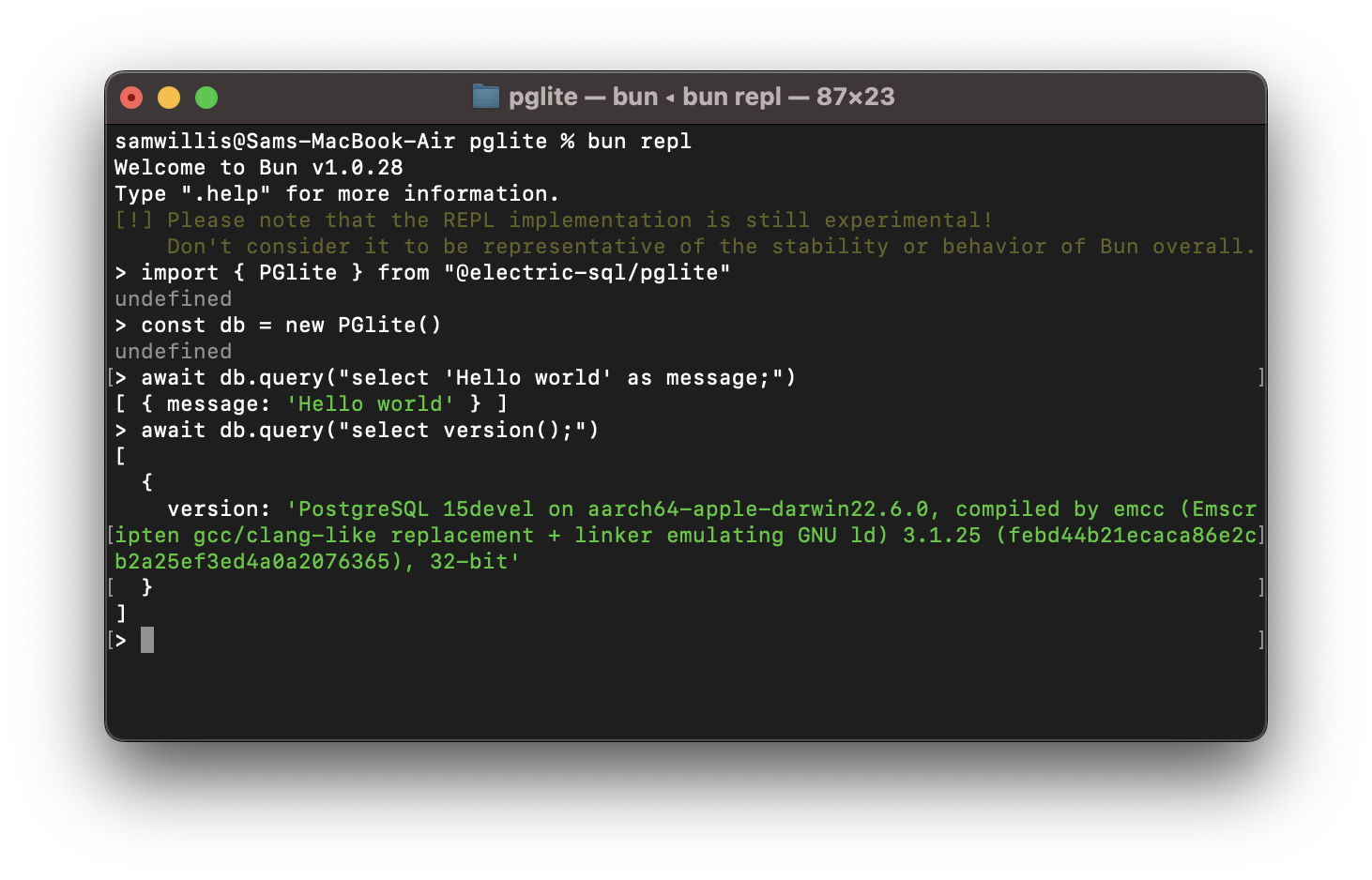
PGlite is a WASM Postgres build packaged into a TypeScript client library that enables you to run Postgres in the browser, Node.js, Bun and Deno, with no need to install any other dependencies. It is only 3mb gzipped and has support for many Postgres extensions, including [pgvector](https://github.com/pgvector/pgvector).
```javascript
import { PGlite } from "@electric-sql/pglite";
const db = new PGlite();
await db.query("select 'Hello world' as message;");
// -> { rows: [ { message: "Hello world" } ] }
```
It can be used as an ephemeral in-memory database, or with persistence either to the file system (Node/Bun/Deno) or indexedDB (Browser).
Unlike previous "Postgres in the browser" projects, PGlite does not use a Linux virtual machine - it is simply Postgres in WASM.
For full documentation and user guides see [pglite.dev](https://pglite.dev).
## Browser
It can be installed and imported using your usual package manager:
```js
import { PGlite } from "@electric-sql/pglite";
```
or using a CDN such as JSDeliver:
```js
import { PGlite } from "https://cdn.jsdelivr.net/npm/@electric-sql/pglite/dist/index.js";
```
Then for an in-memory Postgres:
```js
const db = new PGlite()
await db.query("select 'Hello world' as message;")
// -> { rows: [ { message: "Hello world" } ] }
```
or to persist the database to indexedDB:
```js
const db = new PGlite("idb://my-pgdata");
```
## Node/Bun/Deno
Install into your project:
**NodeJS**
```bash
npm install @electric-sql/pglite
```
**Bun**
```bash
bun install @electric-sql/pglite
```
**Deno**
```bash
deno add npm:@electric-sql/pglite
```
To use the in-memory Postgres:
```javascript
import { PGlite } from "@electric-sql/pglite";
const db = new PGlite();
await db.query("select 'Hello world' as message;");
// -> { rows: [ { message: "Hello world" } ] }
```
or to persist to the filesystem:
```javascript
const db = new PGlite("./path/to/pgdata");
```
## How it works
PostgreSQL typically operates using a process forking model; whenever a client initiates a connection, a new process is forked to manage that connection. However, programs compiled with Emscripten - a C to WebAssembly (WASM) compiler - cannot fork new processes, and operates strictly in a single-process mode. As a result, PostgreSQL cannot be directly compiled to WASM for conventional operation.
Fortunately, PostgreSQL includes a "single user mode" primarily intended for command-line usage during bootstrapping and recovery procedures. Building upon this capability, PGlite introduces an input/output pathway that facilitates interaction with PostgreSQL when it is compiled to WASM within a JavaScript environment.
## Limitations
- PGlite is single user/connection.
## How to build PGlite and contribute
The build process of PGlite is split into two parts:
1. Building the Postgres WASM module.
2. Building the PGlite client library and other TypeScript packages.
Docker is required to build the WASM module, along with Node (v20 or above) and [pnpm](https://pnpm.io/) for package management and building the TypeScript packages.
To start checkout the repository and install dependencies:
```bash
git clone --recurse-submodules https://github.com/electric-sql/pglite
cd pglite
pnpm install
```
To build everything, we have the convenient `pnpm build:all` command in the root of the repository. This command will:
1. Use Docker to build the Postgres WASM module. The artifacts produced by this step are then copied to `/packages/pglite/release`.
2. Build the PGlite client library and other TypeScript packages.
To _only_ build the Postgres WASM module (i.e. point 1 above), run
```bash
pnpm wasm:build
```
If you don't want to build the WASM module and assorted WASM binaries from scratch, they are generated automatically on Github after each successful PR merge. You can download the latest binaries by going to the last successfully merged PR and clicking the link after the comment _Interim build files:_. Extract the files and place them under `packages/pglite/release` in your local repo copy.
To build all TypeScript packages (i.e. point 2 of the above), run:
```bash
pnpm ts:build
```
This will build all packages in the correct order based on their dependency relationships. You can now develop any individual package using the `build` and `test` scripts, as well as the `stylecheck` and `typecheck` scripts to ensure style and type validity.
Or alternatively to build a single package, move into the package directory and run:
```bash
cd packages/pglite
pnpm build
```
When ready to open a PR, run the following command at the root of the repository:
```bash
pnpm changeset
```
And follow the instructions to create an appropriate changeset. Please ensure any contributions that touch code are accompanied by a changeset.
## Acknowledgments
PGlite builds on the work of [Stas Kelvich](https://github.com/kelvich) of [Neon](https://neon.tech) in this [Postgres fork](https://github.com/electric-sql/postgres-wasm).
## Sponsors
Big shoutout to everybody supporting us!
### Blacksmith
<a href="https://blacksmith.sh">
<img src="./docs/img/blacksmith-logo-white-on-black.svg" width="350px"/>
</a>
## License
PGlite is dual-licensed under the terms of the [Apache License 2.0](https://github.com/electric-sql/pglite/blob/main/LICENSE) and the [PostgreSQL License](https://github.com/electric-sql/pglite/blob/main/POSTGRES-LICENSE), you can choose which you prefer.
Changes to the [Postgres source](https://github.com/electric-sql/postgres-wasm) are licensed under the PostgreSQL License.
================================================
FILE: docs/.prettierignore
================================================
.vitepress/dist
.vitepress/cache
================================================
FILE: docs/.vitepress/config.mts
================================================
import { defineConfig } from 'vitepress'
// https://vitepress.dev/reference/site-config
export default defineConfig({
lang: 'en',
title: 'PGlite',
description: 'Lightweight WASM Postgres',
appearance: 'force-dark',
base: '/',
cleanUrls: true,
ignoreDeadLinks: [
(url) => {
// Ignore links to our example pages
return url.toLowerCase().startsWith('./examples')
},
(url) => {
// Ignore links to the benchmark runners
return url.toLowerCase().startsWith('./benchmark/')
},
],
head: [
[
'link',
{
rel: 'icon',
type: 'image/png',
sizes: '16x16',
href: '/img/favicons/favicon-16x16.png',
},
],
[
'link',
{
rel: 'icon',
type: 'image/png',
sizes: '32x32',
href: '/img/favicons/favicon-32x32.png',
},
],
[
'link',
{
rel: 'apple-touch-icon',
sizes: '180x180',
href: '/img/favicons/apple-touch-icon.png',
},
],
[
'link',
{
rel: 'icon',
type: 'image/svg+xml',
href: '/img/brand/icon-light.svg',
},
],
[
'meta',
{
property: 'og:image',
content: '/img/brand/og-image.png',
},
],
[
'script',
{
defer: 'defer',
'data-domain': 'pglite.dev',
src: 'https://plausible.io/js/script.js',
},
],
],
themeConfig: {
// https://vitepress.dev/reference/default-theme-config
logo: {
dark: '/img/brand/logo.svg',
light: '/img/brand/logo-light.svg',
},
nav: [
{ text: 'Home', link: '/' },
{ text: 'About', link: '/docs/about' },
{ text: 'Docs', link: '/docs/' },
{ text: 'REPL', link: '/repl/' },
{ text: 'ElectricSQL', link: 'https://www.electric-sql.com' },
{
text: 'Star on GitHub',
link: 'https://github.com/electric-sql/pglite',
},
],
sidebar: [
{
text: 'About',
items: [
{ text: 'What is PGlite', link: '/docs/about' },
{ text: 'Videos', link: '/docs/videos' },
],
},
{
text: 'Docs',
items: [
{ text: 'Getting Started', link: '/docs/' },
{ text: 'PGlite API', link: '/docs/api' },
{ text: 'Live Queries', link: '/docs/live-queries' },
{ text: 'Filesystems', link: '/docs/filesystems' },
{
text: 'Framework Hooks',
link: '/react',
base: '/docs/framework-hooks',
collapsed: false,
items: [
{ text: 'React', link: '/react' },
{ text: 'Vue', link: '/vue' },
],
},
{ text: 'Bundler Support', link: '/docs/bundler-support' },
{ text: 'Multi-tab Worker', link: '/docs/multi-tab-worker' },
{ text: 'REPL Component', link: '/docs/repl' },
{ text: 'ORMs & Query Builders', link: '/docs/orm-support' },
{ text: 'Sync using ElectricSQL', link: '/docs/sync' },
{ text: 'PGlite Socket', link: '/docs/pglite-socket' },
{
text: 'PGlite tools',
link: '/pglite-tools',
base: '/docs',
collapsed: false,
items: [
{ text: 'Package', link: '/pglite-tools' },
{ text: 'pgdump', link: '/pglite-tools#pgDump' },
],
},
{ text: 'Upgrade between minor versions', link: '/docs/upgrade' },
],
},
{
text: 'Extensions',
items: [
{ text: 'Extensions Catalog', link: '/extensions/' },
{ text: 'Extension Development', link: '/extensions/development' },
],
},
{
text: 'Reference',
items: [
{ text: 'Examples', link: '/examples.md' },
{ text: 'Benchmarks', link: '/benchmarks.md' },
{ text: 'Debugging', link: '/debugging.md' },
],
},
],
siteTitle: false,
socialLinks: [
{ icon: 'discord', link: 'https://discord.electric-sql.com' },
{ icon: 'github', link: 'https://github.com/electric-sql/pglite' },
],
footer: {
message:
'Dual-licensed under <a href="https://github.com/electric-sql/pglite/blob/main/LICENSE">Apache 2.0</a> and the <a href="https://github.com/electric-sql/pglite/blob/main/POSTGRES-LICENSE">PostgreSQL License</a>',
copyright: '© <a href="https://electric-sql.com/">ElectricSQL</a>',
},
search: {
provider: 'local',
},
},
vue: {
template: {
compilerOptions: {
isCustomElement: (tag) => tag.startsWith('pglite-'),
},
},
},
})
================================================
FILE: docs/.vitepress/theme/custom.css
================================================
@import url('https://fonts.googleapis.com/css2?family=Inter:wght@300..700&display=swap');
:root,
.dark {
--vp-c-indigo-1: #d0bcff;
--vp-c-indigo-2: #998fe7;
--vp-c-indigo-3: #7e78db;
--vp-nav-logo-height: 30px;
--electric-color: #00d2a0;
--ddn-color: #d0bcff;
--pglite-color: #f6f95c;
--vp-c-brand-1: var(--pglite-color);
--vp-c-brand-2: #f1f35e;
--vp-c-brand-3: #d8da53;
}
.dark {
--vp-c-text-1: rgba(255, 255, 245, 0.92);
--vp-c-text-2: rgba(235, 235, 245, 0.75);
--vp-c-text-3: rgba(235, 235, 245, 0.55);
}
@media (max-width: 575px) {
.hide-xs {
display: none;
}
}
.img-row {
display: grid;
grid-template-columns: repeat(1, 1fr);
flex-direction: row;
margin: 20px 0;
gap: 10px;
}
.img-row-2 {
grid-template-columns: repeat(2, 1fr);
}
@media (max-width: 767px) {
.img-row-2 {
grid-template-columns: repeat(1, 1fr);
}
}
.img-border {
border: 1px #ccc solid;
border-radius: 10px;
padding: 10px;
background: rgb(20, 21, 23);
}
figure {
margin: 40px 0;
}
figcaption {
text-align: right;
font-size: 90%;
max-width: 460px;
margin-left: auto;
}
iframe {
color-scheme: auto;
}
.twitter-tweet {
margin: 35px auto -95px !important;
}
.twitter-tweet iframe {
transform: scale(0.8);
transform-origin: top left;
}
.VPHomeHero .VPImage.image-src {
max-width: min(calc(250px + 25vw), 560px);
margin-left: -40px;
margin-top: 10px;
}
@media (max-width: 959px) {
.VPHomeHero .image .image-container {
height: calc(190px + 15vw) !important;
margin-top: -20px;
}
.VPHomeHero .VPImage.image-src {
margin-left: 0px;
}
}
.VPFeatures {
padding-top: 15px !important;
padding-bottom: 45px;
}
.VPFeature .VPImage {
width: 50px;
}
.VPFeature h2.title {
font-size: 20px;
}
.VPFeature.link[href='/product/electric']:hover {
border-color: var(--electric-color);
}
.VPFeature.link[href='/product/pglite']:hover {
border-color: var(--pglite-color);
}
.VPFeature .details {
font-weight: 600 !important;
}
.VPFeature .details,
.VPButton.medium,
.link-btn,
.message,
.copywrite {
font-size: 14.5px !important;
}
.product-icon {
width: 84px;
margin-bottom: 20px;
}
.about-zap {
max-width: min(calc(150px + 25vw), 420px);
margin: -20px 0 30px;
}
@media (max-width: 767px) {
.about-zap-container {
display: none;
}
}
.vp-doc blockquote {
margin: 25px 10px 30px;
}
.VPButton.brand {
color: var(--vp-c-gray-3) !important;
}
@media (min-width: 768px) {
.VPNav a.VPLink[href="https://github.com/electric-sql/pglite"]::after
{
display: none !important;
}
.VPNav a.VPLink[href="https://github.com/electric-sql/pglite"] span
{
border-radius: 20px;
padding: 0 15px;
line-height: 30px;
font-size: 14.5px;
color: var(--vp-c-gray-3) !important;
border-color: var(--vp-button-brand-border);
background-color: var(--vp-button-brand-bg);
transition:
color 0.25s,
border-color 0.25s,
background-color 0.25s;
}
.VPNav a.VPLink[href="https://github.com/electric-sql/pglite"] span:hover
{
border-color: var(--vp-button-brand-hover-border);
color: var(--vp-button-brand-hover-text);
background-color: var(--vp-button-brand-hover-bg);
}
}
================================================
FILE: docs/.vitepress/theme/index.js
================================================
// .vitepress/theme/index.js
import { h } from 'vue'
import DefaultTheme from 'vitepress/theme-without-fonts'
import './custom.css'
import HeroImage from '../../components/HeroImage.vue'
export default {
extends: DefaultTheme,
Layout() {
return h(DefaultTheme.Layout, null, {
'home-hero-image': () => h(HeroImage),
})
},
}
================================================
FILE: docs/benchmarks.md
================================================
<style scoped>
table :is(td, th) {
white-space: nowrap;
}
thead th {
vertical-align: top;
}
thead th:first-child {
vertical-align: middle;
}
tbody td {
text-align: right;
}
tbody td:first-child {
text-align: left;
}
</style>
# Benchmarks
There are two sets of micro-benchmarks: one testing [round trip time](#round-trip-time-benchmarks) for both PGlite and wa-sqlite, and [another one](#sqlite-benchmark-suite) based on the [SQLite speed test](https://sqlite.org/src/file?name=tool/speedtest.tcl&ci=trunk) which was ported for the [wa-sqlite benchmarks](https://rhashimoto.github.io/wa-sqlite/demo/benchmarks.html).
We also have a set of [native baseline](#native-baseline) results comparing native SQLite (via the Node better-sqlite3 package) to full Postgres.
Comparing Postgres to SQLite is challenging, as they are quite different databases, particularly when you take into account the complexities of WASM. Therefore, these benchmarks provide a view of performance only as a starting point to investigate the difference between the two, and the improvements we can make going forward.
Another consideration when analyzing the speed, is the performance of the various different VFS implementations providing persistence to both PGlite and wa-sqlite.
The key findings are:
1. wa-sqlite is faster than PGlite when run purely in memory. This is to be expected as it's a simpler database with fewer features; it's designed to go fast. Having said that, PGlite is not slow; it's well within the range you would expect when [comparing native SQLite to Postgres](#native-baseline).
2. For single row CRUD inserts and updates, PGlite is faster then wa-sqlite. This is likely due to PGlite using the Postgres WAL, whereas wa-sqlite is only using the SQLite rollback journal mode and not a WAL.
3. An fsync or flush to the underlying storage can be quite slow, particularly in the browser with IndexedDB for PGlite, or OPFS for wa-sqlite. Both offer some level of "relaxed durability" that can be used to accelerate these queries, and this mode is likely suitable for many embedded use cases.
We plan to continue to use these micro-benchmarks to feed back into the development of PGlite, and update them, and the findings, as we move forward.
These results below were run on an M2 Macbook Air.
## Round-trip-time benchmarks
These tests run a series of inserts/updates/deletes to find the average time to execute the type of CRUD operations that are regularly used in an app.
Values are average ms - lower is better.

| Test | PGlite Memory | PGlite IDB | PGlite IDB<br>_relaxed durability_ | PGlite OPFS AHP | PGlite OPFS AHP<br>_relaxed durability_ | SQLite Memory | SQLite IDB | SQLite IDB<br>_relaxed durability_ | SQLite IDB BatchAtomic | SQLite IDB BatchAtomic<br>_relaxed durability_ | SQLite OPFS | SQLite OPFS AHP |
| ------------------------ | ------------- | ---------- | ---------------------------------- | --------------- | --------------------------------------- | ------------- | ---------- | ---------------------------------- | ---------------------- | ---------------------------------------------- | ----------- | --------------- |
| Test 1: insert small row | 0.058 | 21.041 | 0.085 | 3.946 | 0.079 | 0.083 | 2.948 | 2.813 | 1.627 | 1.321 | 15.535 | 19.816 |
| Test 2: select small row | 0.088 | 14.49 | 0.108 | 0.126 | 0.082 | 0.042 | 0.673 | 0.744 | 0.423 | 0.458 | 0.819 | 0.03 |
| Test 3: update small row | 0.073 | 14.518 | 0.074 | 0.076 | 0.071 | 0.036 | 0.524 | 0.538 | 0.467 | 0.546 | 1.185 | 0.016 |
| Test 4: delete small row | 0.145 | 23.746 | 0.142 | 3.949 | 0.15 | 0.1 | 2.196 | 2.111 | 1.118 | 0.999 | 15.954 | 20.04 |
| Test 5: insert 1kb row | 0.075 | 23.679 | 0.08 | 3.963 | 0.115 | 0.04 | 2.701 | 3.247 | 1.394 | 1.16 | 16.072 | 19.934 |
| Test 6: select 1kb row | 0.14 | 14.752 | 0.17 | 0.192 | 0.131 | 0.034 | 0.505 | 0.475 | 0.334 | 0.35 | 0.801 | 0.071 |
| Test 7: update 1kb row | 0.1 | 23.659 | 0.105 | 3.959 | 0.121 | 0.022 | 0.549 | 0.539 | 0.384 | 0.383 | 1.171 | 0.017 |
| Test 8: delete 1kb row | 0.125 | 23.752 | 0.124 | 4.03 | 0.166 | 0.037 | 2.979 | 2.933 | 1.314 | 1.068 | 15.787 | 19.827 |
| Test 9: insert 10kb row | 0.345 | 23.604 | 0.348 | 4.251 | 0.363 | 0.122 | 3.02 | 3.371 | 1.683 | 1.501 | 15.74 | 20.041 |
| Test 10: select 10kb row | 0.2 | 14.656 | 0.192 | 0.246 | 0.207 | 0.049 | 0.551 | 0.613 | 0.482 | 0.489 | 1.521 | 0.091 |
| Test 11: update 10kb row | 0.326 | 14.731 | 0.306 | 0.328 | 0.325 | 0.072 | 0.506 | 0.504 | 0.419 | 0.418 | 1.182 | 0.083 |
| Test 12: delete 10kb row | 0.105 | 23.524 | 0.124 | 3.981 | 0.134 | 0.039 | 3.24 | 3.214 | 1.481 | 1.238 | 15.794 | 19.884 |
## SQLite benchmark suite
The SQLite benchmark suite, converted to web for wa-sqlite - it performs a number of large queries to test the performance of the sql engine.
Values are seconds to complete the test - lower is better.

| Test | PGlite<br>Memory | PGlite<br>IDB FS | PGlite<br>IDB FS<br>_relaxed durability_ | PGlite<br>OPFS Access Handle Pool | PGlite<br>OPFS Access Handle Pool<br>_relaxed durability_ | wa-sqlite<br>Memory (sync) | wa-sqlite<br>Memory (async) | wa-sqlite<br>DB Minimal | wa-sqlite<br>IDB Minimal<br>_relaxed durability_ | wa-sqlite<br>IDB Batch Atomic | wa-sqlite<br>IDB Batch Atomic<br>_relaxed durability_ | wa-sqlite<br>OPFS | wa-sqlite<br>OPFS Access Handle Pool |
| ---------------------------------------------------- | ---------------- | ---------------- | ---------------------------------------- | --------------------------------- | --------------------------------------------------------- | -------------------------- | --------------------------- | ----------------------- | ------------------------------------------------ | ----------------------------- | ----------------------------------------------------- | ----------------- | ------------------------------------ |
| Test 1: 1000 INSERTs | 0.016 | 0.035 | 0.015 | 0.025 | \\ | 0.035 | 0.051 | 2.384 | 2.588 | 1.094 | 0.939 | 18.847 | 24.67 |
| Test 2: 25000 INSERTs in a transaction | 0.292 | 0.299 | 0.278 | 0.296 | 0.304 | 0.077 | 0.12 | 0.14 | 0.105 | 0.15 | 0.107 | 0.141 | 0.137 |
| Test 3: 25000 INSERTs into an indexed table | 0.355 | 0.388 | 0.351 | 0.402 | 0.374 | 0.1 | 0.138 | 0.23 | 0.185 | 0.228 | 0.198 | 0.174 | 0.143 |
| Test 4: 100 SELECTs without an index | 0.218 | 0.229 | 0.217 | 0.215 | 0.215 | 0.104 | 0.17 | 0.185 | 0.281 | 0.185 | 0.275 | 0.285 | 0.103 |
| Test 5: 100 SELECTs on a string comparison | 0.485 | 0.504 | 0.482 | 0.482 | 0.484 | 0.451 | 0.546 | 0.549 | 0.553 | 0.546 | 0.548 | 0.545 | 0.452 |
| Test 6: Creating an index | 0.018 | 0.043 | 0.018 | 0.035 | 0.022 | 0.012 | 0.016 | 0.031 | 0.024 | 0.033 | 0.024 | 0.191 | 0.061 |
| Test 7: 5000 SELECTs with an index | 0.162 | 0.163 | 0.149 | 0.178 | 0.183 | 0.042 | 0.064 | 0.06 | 0.067 | 0.071 | 0.068 | 0.061 | 0.044 |
| Test 8: 1000 UPDATEs without an index | 0.106 | 0.129 | 0.104 | 0.113 | 0.108 | 0.032 | 0.055 | 0.062 | 0.057 | 0.059 | 0.056 | 0.077 | 0.053 |
| Test 9: 25000 UPDATEs with an index | 0.547 | 0.579 | 0.537 | 0.727 | 0.685 | 0.131 | 0.211 | 0.391 | 0.364 | 0.258 | 0.219 | 0.274 | 0.163 |
| Test 10: 25000 text UPDATEs with an index | 0.729 | 0.781 | 0.72 | 0.936 | 0.894 | 0.101 | 0.168 | 0.348 | 0.362 | 0.244 | 0.267 | 0.23 | 0.132 |
| Test 11: INSERTs from a SELECT | 0.123 | 0.182 | 0.123 | 0.186 | 0.14 | 0.047 | 0.057 | 0.311 | 0.33 | 0.347 | 0.358 | 0.171 | 0.102 |
| Test 12: DELETE without an index | 0.014 | 0.038 | 0.014 | 0.027 | 0.015 | 0.02 | 0.023 | 0.915 | 0.936 | 1.148 | 1.146 | 0.222 | 0.094 |
| Test 13: DELETE with an index | 0.02 | 0.043 | 0.02 | 0.039 | 0.024 | 0.038 | 0.044 | 0.298 | 0.365 | 0.161 | 0.217 | 0.31 | 0.065 |
| Test 14: A big INSERT after a big DELETE | 0.096 | 0.158 | 0.097 | 0.148 | 0.112 | 0.036 | 0.045 | 0.221 | 0.169 | 0.207 | 0.21 | 0.175 | 0.084 |
| Test 15: A big DELETE followed by many small INSERTs | 0.141 | 0.174 | 0.14 | 0.161 | 0.14 | 0.031 | 0.043 | 0.138 | 0.138 | 0.083 | 0.137 | 0.189 | 0.058 |
| Test 16: DROP TABLE | 0.004 | 0.025 | 0.002 | 0.012 | 0.004 | 0.003 | 0.002 | 0.096 | 0.163 | 0.098 | 0.144 | 0.61 | 0.077 |
## Native baseline
All tests run with Node, [Better-SQLite3](https://www.npmjs.com/package/better-sqlite3) and [node-postgres](https://www.npmjs.com/package/pg) (via [embedded-postgres](https://github.com/leinelissen/embedded-postgres))

| Test | SQLite In-Memory | SQLite On-Disk | Postgres |
| ---------------------------------------------------- | ---------------- | -------------- | -------- |
| Test 1: 1000 INSERTs | 0.002 | 0.288 | 0.007 |
| Test 2: 25000 INSERTs in a transaction | 0.022 | 0.019 | 0.114 |
| Test 3: 25000 INSERTs into an indexed table | 0.035 | 0.04 | 0.383 |
| Test 4: 100 SELECTs without an index | 0.076 | 0.078 | 0.094 |
| Test 5: 100 SELECTs on a string comparison | 0.268 | 0.429 | 0.259 |
| Test 6: Creating an index | 0.007 | 0.011 | 0.01 |
| Test 7: 5000 SELECTs with an index | 0.01 | 0.01 | 0.078 |
| Test 8: 1000 UPDATEs without an index | 0.018 | 0.021 | 0.047 |
| Test 9: 25000 UPDATEs with an index | 0.047 | 0.056 | 0.307 |
| Test 10: 25000 text UPDATEs with an index | 0.032 | 0.041 | 0.416 |
| Test 11: INSERTs from a SELECT | 0.022 | 0.027 | 0.072 |
| Test 12: DELETE without an index | 0.01 | 0.023 | 0.007 |
| Test 13: DELETE with an index | 0.017 | 0.021 | 0.019 |
| Test 14: A big INSERT after a big DELETE | 0.017 | 0.021 | 0.048 |
| Test 15: A big DELETE followed by many small INSERTs | 0.008 | 0.01 | 0.067 |
| Test 16: DROP TABLE | 0.001 | 0.003 | 0.004 |
## Run the benchmarks yourself
We have a hosted version of the benchmark runners that you can run yourself:
- <a href="./benchmark/" target="_blank">Benchmark using the SQLite benchmark suite</a>
- <a href="./benchmark/rtt.html" target="_blank">Benchmark round-trim-time for CRUD queries</a>
Additionally, to run the native baseline, checkout the [PGlite monorepo](https://github.com/electric-sql/pglite), then:
```sh
cd ./packages/benchmark
pnpm install
npx tsx baseline.ts
```
================================================
FILE: docs/components/HeroImage.vue
================================================
<script setup>
import { ref, onMounted, onUnmounted } from 'vue'
const positions = new Array(5).fill(0).map((_, i) => {
return {
a: -(i * 30 - 20),
o: 1 - i * 0.15,
s: 1 - i * 0.05,
}
})
const heroImage = ref(null)
const handleMouseMove = (event) => {
const { clientX, clientY } = event
const width = window.innerWidth
const height = window.innerHeight
const rotateX = (clientY / height) * 5 - 10
const rotateY = (clientX / width) * 5 - 35
if (heroImage.value) {
heroImage.value.style.transform = `translateZ(-100px) scale(1.2) rotateX(${rotateX}deg) rotateY(${rotateY}deg)`
}
}
onMounted(() => {
window.addEventListener('mousemove', handleMouseMove)
})
onUnmounted(() => {
window.removeEventListener('mousemove', handleMouseMove)
})
</script>
<template>
<div class="custom-hero-image-wrapper">
<div ref="heroImage" class="custom-hero-image">
<img src="/img/brand/icon-light.svg" class="main" />
<div class="chain">
<div
class="baby"
v-for="(pos, i) in positions"
:key="i"
:style="{
transform: `rotateY(${pos.a}deg) scale(${pos.s})`,
filter: `brightness(${pos.o})`,
}"
>
<img src="/img/brand/icon-light.svg" />
</div>
</div>
</div>
</div>
</template>
<style scoped>
.custom-hero-image-wrapper {
position: relative;
perspective: 1000px;
}
.custom-hero-image {
position: relative;
transform-style: preserve-3d;
transform: translateZ(-100px) scale(1.2) rotateX(-10deg) rotateY(-35deg);
transition: transform 0.1s ease-out;
}
.elephant-chain {
position: absolute;
top: 0;
left: 0;
width: 100%;
height: 100%;
transform: translateZ(50px);
}
.main {
transform: translateZ(-50px) scale(1.1);
}
.chain {
position: absolute;
top: 0;
left: 0;
width: 100%;
height: 100%;
transform-style: preserve-3d;
}
.baby {
position: absolute;
bottom: 0;
left: 20%;
width: 45%;
height: 45%;
transform-origin: 0 0 -300px;
}
.baby img {
transform: translate(-50%, 0);
filter: drop-shadow(0 0 0 rgba(0, 0, 0, 0.5));
}
@media (max-width: 959px) {
.custom-hero-image-wrapper {
transform: scale(0.55);
}
}
@media (max-width: 575px) {
.custom-hero-image-wrapper {
transform: scale(0.45);
}
}
</style>
================================================
FILE: docs/components/Repl.vue
================================================
<script setup>
import { ref, watch, onBeforeUnmount } from 'vue'
import '@electric-sql/pglite-repl/webcomponent'
import { defaultDarkThemeInit } from '@electric-sql/pglite-repl/webcomponent'
import { PGlite } from '@electric-sql/pglite'
import { vector } from '@electric-sql/pglite/vector'
const pg = new PGlite({
extensions: {
vector,
},
})
const repl = ref(null)
let stopAnimation = false
let isAnimating = false
let observer = null
let pausePromise
let resume
function createPausePromise() {
pausePromise = new Promise((resolve) => {
resume = resolve
})
}
const rootStyle = window.getComputedStyle(document.body)
const codeStyles = Object.fromEntries(
[
'--vp-code-line-height',
'--vp-code-font-size',
'--vp-code-font-family',
'--vp-code-block-bg',
'--vp-code-line-highlight-color',
'--vp-c-brand-1',
].map((prop) => [prop, rootStyle.getPropertyValue(prop)]),
)
const theme = defaultDarkThemeInit({
settings: {
fontFamily: codeStyles['--vp-code-font-family'],
background: codeStyles['--vp-code-block-bg'],
lineHighlight: codeStyles['--vp-code-line-highlight-color'],
caret: codeStyles['--vp-c-brand-1'],
},
})
watch(
() => repl.value,
async () => {
if (repl.value && repl.value.shadowRoot) {
let inputEl
while (!inputEl) {
inputEl = repl.value.shadowRoot.querySelector('.cm-content')
await new Promise((resolve) => setTimeout(resolve, 50))
}
const replRootEl = repl.value.shadowRoot.querySelector('.PGliteRepl-root')
replRootEl.setAttribute('style', `--PGliteRepl-font-size: 14.5px;`)
const styleEl = document.createElement('style')
styleEl.innerHTML = `
.cm-cursor {
border-left-width: 0.5em !important;
}
.cm-scroller {
line-height: 1.4 !important;
}
`
repl.value.shadowRoot.insertBefore(
styleEl,
repl.value.shadowRoot.firstChild,
)
inputEl.addEventListener('focus', () => {
if (!stopAnimation) {
stopAnimation = true
inputEl.innerText = ''
}
})
// Setup Intersection Observer to pause/resume animation based on full visibility
observer = new IntersectionObserver(
(entries) => {
entries.forEach((entry) => {
if (entry.intersectionRatio === 1) {
if (!isAnimating) {
isAnimating = true
if (resume) resume()
}
} else {
isAnimating = false
createPausePromise()
}
})
},
{ threshold: 1.0 },
)
observer.observe(repl.value)
createPausePromise() // Initialize pausePromise
animateInput(inputEl)
}
},
)
onBeforeUnmount(() => {
if (observer) {
observer.disconnect()
}
})
const queries = ['SELECT * FROM now();']
async function animateInput(inputEl) {
await sleep(1000)
for (const query of queries) {
let value = ''
for (const c of query) {
value += c
if (stopAnimation) {
return
}
if (!isAnimating) {
await pausePromise
}
inputEl.innerText = value
await sleep(50)
}
dispatchEnterEvent(inputEl)
await sleep(400)
}
inputEl.focus()
}
async function sleep(time) {
return new Promise((resolve) => setTimeout(resolve, time))
}
function dispatchEnterEvent(el) {
const event = new KeyboardEvent('keydown', {
code: 'Enter',
key: 'Enter',
charCode: 13,
keyCode: 13,
view: window,
bubbles: true,
})
el.dispatchEvent(event)
}
</script>
<template>
<pglite-repl
ref="repl"
class="repl"
:pg="pg"
:darkTheme="theme"
theme="dark"
/>
</template>
<style scoped>
.repl {
display: flex;
align-items: stretch;
border-radius: 12px;
overflow: hidden;
font-size: 1rem;
}
</style>
================================================
FILE: docs/components/starCount.ts
================================================
const FALLBACK_INITIAL_COUNT = 5_000
export async function localStorageCache(
key: string,
ttl: number,
valueCb: () => unknown,
) {
const now = new Date().getTime()
const cachedItem = localStorage.getItem(key)
if (cachedItem) {
const cachedData = JSON.parse(cachedItem)
if (now < cachedData.expiry) {
return cachedData.value
}
}
const value = await valueCb()
const expiry = now + ttl * 1000
const dataToCache = {
value: value,
expiry: expiry,
}
localStorage.setItem(key, JSON.stringify(dataToCache))
return value
}
export async function starCount(currentCount) {
const ttl = 3600 // 1 hour
return localStorageCache('starCount', ttl, async () => {
return await fetchStarCount(currentCount)
})
}
export async function fetchStarCount(currentCount) {
const resp = await fetch('https://api.github.com/repos/electric-sql/pglite')
if (resp.ok) {
const data = await resp.json()
return data.stargazers_count
}
return currentCount || FALLBACK_INITIAL_COUNT
}
================================================
FILE: docs/count.data.ts
================================================
import { fetchStarCount } from './components/starCount.ts'
export default {
async load() {
return await fetchStarCount()
},
}
================================================
FILE: docs/debugging.md
================================================
# Debugging PGlite
Building a `debug` version of PGlite allows you to debug both the TypeScript and WASM parts of the project.
You can run an interactive debug session either in Chrome or in Visual Studio Code.
## Using Visual Studio Code
### Prerequisites
- Visual Studio Code with [WebAssembly DWARF Debugging](https://marketplace.visualstudio.com/items?itemName=ms-vscode.wasm-dwarf-debugging) extension installed
## Using Chrome
### Prerequisites
- Chrome browser
- [C/C++ DevTools Support (DWARF) Chrome extension](https://goo.gle/wasm-debugging-extension).
# Running the DEBUG build
`$ pnpm build:all:debug`
This step will create a `pglite.wasm` build that contains the debug information as well as a non-minified version of the pglite javascript frontend. You can now use this build to run interactive debug sessions.
For example, you can start the `JavaScript Debug Terminal` inside VSCode and run some of the pglite tests.
From the folder `packages/pglite`:
`$ vitest tests/basic.test.ts`
================================================
FILE: docs/docs/about.md
================================================
# What is PGlite
PGlite is a [WASM](https://webassembly.org/) Postgres build packaged into a TypeScript/JavaScript client library, that enables you to run Postgres in the browser, [Node.js](https://nodejs.org/) and [Bun](https://bun.sh/), with no need to install any other dependencies. It's under 3mb Gzipped, and has support for many [Postgres extensions](../extensions/), including [pgvector](../extensions/#pgvector).
Getting started with PGlite is simple: just install and import the NPM package, then create your embedded database:
```js
import { PGlite } from '@electric-sql/pglite'
const db = new PGlite()
await db.query("select 'Hello world' as message;")
// -> { rows: [ { message: "Hello world" } ] }
```
It can be used as an ephemeral in-memory database, or with persistence either to the file system (Node/Bun), or IndexedDB (browser).
Unlike previous "Postgres in the browser" projects, PGlite does not use a Linux virtual machine - it is simply Postgres in WASM.
It's being developed by [ElectricSQL](https://electric-sql.com/) for our use case of embedding into applications, either locally or at the edge, allowing users to sync a subset of their server-side Postgres database.
However, there are many more use cases for PGlite beyond its use as an embedded application database:
- **Unit and CI testing**<br>
PGlite is very fast to start and tear down. It's perfect for unit tests - you can have a unique fresh Postgres for each test.
- **Local development**<br>
You can use PGlite as an alternative to a full local Postgres for development; simplifying your development environments.
- **Remote development, or local web containers**<br>
As PGlite is so lightweight it can be easily embedded into remote containerised development environments, or in-browser [web containers](https://webcontainers.io).
- **On-device or edge AI and RAG**<br>
PGlite has full support for [pgvector](../extensions/#pgvector), enabling a local or edge retrieval augmented generation (RAG) workflow.
We are very keen to establish PGlite both as an open source, and open contribution, project, working to build a community around it, so as to develop its capabilities for all use cases.
Read more in our [getting started guide](./index.md).
================================================
FILE: docs/docs/api.md
================================================
---
outline: [2, 3]
---
# PGlite API
## Main Constructor
The main constructor is imported as:
```ts
import { PGlite } from '@electric-sql/pglite'
```
The preferred way to create a PGlite instance is with the `PGlite.create()` static method that returns a promise, resolving to the new PGlite instance.
`await PGlite.create(dataDir: string, options: PGliteOptions)`<br />
`await PGlite.create(options: PGliteOptions)`
There are a couple of advantages to using the static method:
- This awaits the [`.waitReady`](#waitready) promise, ensuring that the database has been fully initialised.
- When using TypeScript and extensions, the returned PGlite instance will have the extensions namespace on its type. This is not possible with the standard constructor due to TypesScript limitations.
A new PGlite instance can also be created using the `new PGlite()` constructor.
`new PGlite(dataDir: string, options: PGliteOptions)`<br/>
`new PGlite(options: PGliteOptions)`
#### `dataDir`
Path to the directory for storing the Postgres database. You can provide a URI scheme for various storage backends:
- `file://` or unprefixed<br />
File system storage, available in Node and Bun.
- `idb://`<br />
[IndexedDB](https://developer.mozilla.org/en-US/docs/Web/API/IndexedDB_API) storage, available in the browser.
- `memory://`<br />
In-memory ephemeral storage, available in all platforms.
#### `options`
- `dataDir?: string`<br />
The directory in which to store the Postgres database when not provided as the first argument.
- `debug?: 1-5`<br />
the Postgres debug level. Logs are sent to the console.
- `relaxedDurability?: boolean`<br />
Under relaxed durability mode, PGlite will not wait for flushes to storage to complete after each query before returning results. This is particularly useful when using the IndexedDB file system.
- `fs?: Filesystem`<br />
The alternative to providing a dataDir with a filesystem prefix is to initialise a `Filesystem` yourself and provide it here. See [Filesystems](./filesystems.md)
- `loadDataDir?: Blob | File`<br />
A tarball of a PGlite `datadir` to load when the database starts. This should be a tarball produced from the related [`.dumpDataDir()`](#dumpdatadir) method.
- `extensions?: Extensions`<br />
An object containing the extensions you wish to load.
- `username?: string`<br />
The username of the user to connect to the database as. Permissions will be applied in the context of this user.
- `database?: string`<br />
The database from the Postgres cluster within the `dataDir` to connect to.
- `initialMemory?: number`<br />
The initial amount of memory in bytes to allocate for the PGlite instance. PGlite will grow the memory automatically, but if you have a particularly large database you can set this higher to prevent the pause during memory growth.
- `wasmModule?: WebAssembly.Module`<br />
A precompiled WASM module to use instead of downloading the default version, or when using a bundler that either can, or requires, loading the WASM module with a ESM import.
- `fsBundle?: Blob | File`<br />
A filesystem bundle to use instead of downloading the default version. This is useful if in a restricted environment such as an edge worker.
- `parsers: ParserOptions` <br />
An object of type `{ [pgType: number]: (value: string) => any; }` mapping Postgres data type IDs to parser functions. For convenience, the `pglite` package exports a constant for most common Postgres types.
```ts
import { PGlite, types } from '@electric-sql/pglite'
const pg = await PGlite.create({
parsers: {
[types.TEXT]: (value) => value.toUpperCase(),
},
})
```
- `serializers: SerializerOptions` <br />
An object of type `{ [pgType: number]: (value: any) => string; }` mapping Postgres data type IDs to serializer functions.
```ts
import { PGlite, types } from '@electric-sql/pglite'
const pg = await PGlite.create({
serializers: {
[types.NUMERIC]: (value) => value.toString(),
},
})
```
#### `options.extensions`
PGlite and Postgres extensions are loaded into a PGLite instance on start, and can include both a WASM build of a Postgres extension and/or a PGlite client plugin.
The `options.extensions` parameter is an object of `namespace: extension` parings. The namespace is used to expose the PGlite client plugin included in the extension. An example of this is the [live queries](./live-queries.md) extension.
```ts
import { PGlite } from '@electric-sql/pglite'
import { live } from '@electric-sql/pglite/live'
import { vector } from '@electric-sql/pglite/vector'
const pg = await PGlite.create({
extensions: {
live, // Live query extension, is a PGlite client plugin
vector, // Postgres pgvector extension
},
})
// The `live` namespace is added by the use of the
// `live` key in the `extensions` object.
pg.live.query('...')
```
For information on how to develop a PGlite extension see [Extension Development](../extensions/development.md).
## Methods
### query
`.query<T>(query: string, params?: any[], options?: QueryOptions): Promise<Results<T>>`
Execute a single statement, optionally with parameters.
Uses the _extended query_ Postgres wire protocol.
Returns single [result object](#results-t-objects).
##### Example
```ts
await pg.query('INSERT INTO test (name) VALUES ($1);', ['test'])
// { affectedRows: 1 },
```
##### Query Options
The `query` and `exec` methods take an optional `options` objects with the following parameters:
- `rowMode: "object" | "array"` <br />
The returned row object type, either an object of `fieldName: value` mappings or an array of positional values. Defaults to `"object"`.
- `parsers: ParserOptions` <br />
An object mapping Postgres data type IDs to parser functions. This option overrides any parsers set at the instance level.
```ts
import { types } from '@electric-sql/pglite'
await pg.query(`SELECT * FROM test WHERE name = $1;`, ['test'], {
parsers: {
[types.TEXT]: (value) => value.toUpperCase(),
},
})
```
- `serializers: SerializerOptions` <br />
An object mapping Postgres data type IDs to serializer functions. This option overrides any serializers set at the instance level.
```ts
import { types } from '@electric-sql/pglite'
await pg.query(`INSERT INTO test (numeric) VALUES ($1);`, [100n], {
serializers: {
[types.NUMERIC]: (value: number | bigint) => value.toString(),
},
})
```
- `blob: Blob | File` <br />
Attach a `Blob` or `File` object to the query that can used with a `COPY FROM` command by using the virtual `/dev/blob` device, see [importing and exporting](#dev-blob).
### sql
` .sql<T>``: Promise<Results<T>>`
`.sql<T>(strings: TemplateStringsArray, ...params: any[]): Promise<Results<T>>`
You can also use the [` sql`` `](#tagged-template-queries) tagged template literal to create queries:
```ts
await pg.sql`SELECT * FROM test WHERE name = ${'test'}`
// equivalent of pg.query('SELECT * FROM test WHERE name = $1', ['test'])
```
See the [templating](#tagged-template-queries) section for more details on how to use the tagged template literal along with various helpers for more complex cases.
### exec
`.exec(query: string, options?: QueryOptions): Promise<Array<Results>>`
Execute one or more statements. _(note that parameters are not supported)_
This is useful for applying database migrations, or running multi-statement SQL that doesn't use parameters.
Uses the _simple query_ Postgres wire protocol.
Returns array of [result objects](#results-t-objects); one for each statement.
##### Example
```ts
await pg.exec(`
CREATE TABLE IF NOT EXISTS test (
id SERIAL PRIMARY KEY,
name TEXT
);
INSERT INTO test (name) VALUES ('test');
SELECT * FROM test;
`)
// [
// { affectedRows: 0 },
// { affectedRows: 1 },
// {
// rows: [
// { id: 1, name: 'test' }
// ]
// affectedRows: 0,
// fields: [
// { name: 'id', dataTypeID: '23' },
// { name: 'name', dataTypeID: '25' },
// ]
// }
// ]
```
### transaction
`.transaction<T>(callback: (tx: Transaction) => Promise<T>)`
To start an interactive transaction, pass a callback to the transaction method. It is passed a `Transaction` object which can be used to perform operations within the transaction.
The transaction will be committed when the promise returned from your callback resolves, and automatically rolled back if the promise is rejected.
##### `Transaction` objects
- `tx.query<T>(query: string, params?: any[], options?: QueryOptions): Promise<Results<T>>`<br />
The same as the main [`.query` method](#querytquery-string-params-any-promiseresultst).
- ` tx.sql<T>``: Promise<Results<T>>`<br />
The same as the main [`.sql` template string method](#tagged-template-queries).
- `tx.exec(query: string, options?: QueryOptions): Promise<Array<Results>>`<br />
The same as the main [`.exec` method](#execquery-string-promisearrayresults).
- `tx.rollback()`<br />
Rollback and close the current transaction.
##### Example
```ts
await pg.transaction(async (tx) => {
await tx.query(
'INSERT INTO test (name) VALUES ('$1');',
[ 'test' ]
);
return await ts.query('SELECT * FROM test;');
});
```
### close
`.close(): Promise<void>`
Close the database, ensuring it is shut down cleanly.
### listen
`.listen(channel: string, callback: (payload: string) => void): Promise<(() => Promise<void>>`
Subscribe to a [pg_notify](https://www.postgresql.org/docs/current/sql-notify.html) channel. The callback will receive the payload from the notification.
Returns an unsubscribe function to unsubscribe from the channel.
##### Example
```ts
const unsub = await pg.listen('test', (payload) => {
console.log('Received:', payload)
})
await pg.query("NOTIFY test, 'Hello, world!'")
```
Channel names are case sensitive if double-quoted (`pg.listen('"TeST"')`). Otherwise channel name will be lower cased (`pg.listen('TeStiNG')` == `pg.listen('testing')`).
### unlisten
`.unlisten(channel: string, callback?: (payload: string) => void): Promise<void>`
Unsubscribe from the channel. If a callback is provided it removes only that callback from the subscription. When no callback is provided, it unsubscribes all callbacks for the channel.
### onNotification
`onNotification(callback: (channel: string, payload: string) => void): () => void`
Add an event handler for all notifications received from Postgres.
**Note:** This does not subscribe to the notification; you will need to manually subscribe with `LISTEN channel_name`.
### offNotification
`offNotification(callback: (channel: string, payload: string) => void): void`
Remove an event handler for all notifications received from Postgres.
### dumpDataDir
`dumpDataDir(compression?: 'auto' | 'gzip' | 'none'): Promise<File | Blob>`
Dump the Postgres `datadir` to a Gzipped tarball.
The compression option defaults to `auto` which uses compression where possible. You can explicit opt in or out of compression with `gzip` and `none`. When you specify that compression is required with `gzip`, if the environment doesn't support a suitable compression API it will throw an error.
This can then be used in combination with the [`loadDataDir`](#options) option when starting PGlite to load a dumped database from storage.
::: tip NOTE
The datadir dump may not be compatible with other Postgres versions; it is only designed for importing back into PGlite.
:::
### execProtocol
`execProtocol(message: Uint8Array, options?: ExecProtocolOptions): Promise<Array<[BackendMessage, Uint8Array]>>`
Execute a Postgres wire protocol message, returning an array of tuples, one for each wire protocol result message, consisting of:
1. The passed message object - see [pg-protocol](https://github.com/brianc/node-postgres/tree/master/packages/pg-protocol)
2. The raw `Uint8Array` for that message.
This API is safe to use alongside the other PGlite query APIs as it handles error, transactions and notifications.
### execProtocolRaw
`execProtocolRaw(message: Uint8Array, options?: ExecProtocolOptions): Promise<Uint8Array>`
Execute a Postgres wire protocol message, returning the unparsed result `Uint8Array`, this includes all wire protocol result messages emitted as a result of your message and will require external passing. This is the lowest level API exposed by PGlite and can be used to interact with a PGlite database using existing Postgres clients. It is likely that you will want to use something such as [pg-gateway](https://github.com/supabase-community/pg-gateway) that uses this internally to expose the database on a TCP socket.
::: warning WARNING
`execProtocolRaw` bypasses PGlite's protocol wrappers that manage error/notice messages,
transactions, and notification listeners. Only use if you need to bypass these wrappers and don't intend to use the above features. [`execProtocol`](#execprotocol) is a safer alternative.
:::
`execProtocolRawStream(message: Uint8Array, options: ExecProtocolOptionsStream): void`
Same as `execProtocolRaw` but returns raw messages in the `options.onRawData` callback as they arrive from the backend. This is particularly useful when expecting large sets of data.
See a usage example in the `pglite-socket` project, where the server uses this method to pass the results to the client socket as they arrive.
### describeQuery
`.describeQuery(query: string, options?: QueryOptions): Promise<DescribeQueryResult>`
Get type information about a query's parameters and result fields without executing it. This is useful for understanding the expected parameter types and the structure of the results that would be returned. It can be used to build a type inference system for queries using PGlite.
Returns an object with:
- `queryParams: Array<{ dataTypeID: number, serializer: Function }>` <br/>
Information about each parameter's Postgres type ID and the serializer function used to convert JavaScript values to Postgres format.
- `resultFields: Array<{ name: string, dataTypeID: number, parser: Function }>` <br/>
Information about each result field including its name, Postgres type ID, and the parser function used to convert Postgres values to JavaScript format.
### refreshArrayTypes
`.refreshArrayTypes(): Promise<void>`
Refresh the array types in the database. This is useful when you have added columns that contain array types (ie. array of enums) and need to update the internal array type cache. This is done automatically when the database is started, but can be called manually if needed.
##### Example
```ts
await pg.describeQuery('SELECT * FROM test WHERE name = $1', ['test'])
// returns:
{
queryParams: [{ dataTypeID: 25, serializer: Function }],
resultFields: [{ name: "id", dataTypeID: 23, parser: Function }],
}
```
### clone
`.clone(): Promise<PGlite>`
Clones the current instance. This is useful when a series of operations, like unit or integration test, need to be run on the same database without having to recreate the database each time, or for each test.
## Properties
### ready
`.ready` _`boolean (read only)`_
Whether the database is ready to accept queries.
### closed
`.closed` _`boolean (read only)`_
Whether the database is closed and no longer accepting queries.
### waitReady
`.waitReady` _`Promise<void>`_
Promise that resolves when the database is ready to use.
::: tip NOTE
Query methods will wait for the `waitReady` promise to resolve if called before the database has fully initialised, and so it is not necessary to wait for it explicitly.
:::
## `Results<T>` Objects
Result objects have the following properties:
- `rows: Row<T>[]`<br />
The rows returned by the query.
- `affectedRows?: number` <br />
Count of the rows affected by the query. Note, this is _not_ the count of rows returned, it is the number or rows in the database changed by the query.
- `fields: { name: string; dataTypeID: number }[]`<br />
Field name and Postgres data type ID for each field returned.
- `blob?: Blob` <br />
A `Blob` containing the data written to the virtual `/dev/blob/` device by a `COPY TO` command. See [/dev/blob](#dev-blob).
## `Row<T>` Objects
Rows objects are a key / value mapping for each row returned by the query.
The `.query<T>()` method can take a TypeScript type describing the expected shape of the returned rows.
::: tip NOTE
These types are not validated at run time, the result is only cast to the provided type.
:::
## Tagged Template Queries
PGlite has support for using [tagged template literals](https://developer.mozilla.org/en-US/docs/Web/JavaScript/Reference/Template_literals#tagged_templates) to construct SQL queries via the ` .sql`` ` method on both the main PGlite instance and [Transaction](#transaction-objects) objects. Substituted template values are automatically converted to query parameters, and you receive the same results as calling the [`query`](#query) API directly.
```ts
const name = getName()
await pg.sql`SELECT * FROM test WHERE name = ${name}`
```
There are helpers in the `template` export to create more complex and parametrizeable templated queries:
- ` identifier`` ` <br />
Tag identifiers like column and table names to escape them with quotes and prevent them from becoming parameters.
- ` raw`` ` <br />
Tag any string that you want to avoid being interpreted as a parameter. Will allow you to still do regular string templating.
- ` sql`` ` <br />
Tag nested templated literals to preserve behaviour and parametrization. Will allow you to create reusable templating utilities
- ` query`` ` <br />
Use at the top level tag in order to generate the parametrized query without passing it to the `query` API. Returns a `{ query: string, params: any[] }` object with the parametrized query and any parameters used in the query.
If you require additional configurations or complex binary parameters it's best to use the [`query` method](#query).
##### Example
```ts
import { identifier, raw, sql, query } from '@electric-sql/pglite/template'
await pg.sql`SELECT * FROM ${identifier`test`} WHERE name = ${'test'}`
// equivalent of pg.query('SELECT * FROM "test" WHERE name = $1', ['test'])
const filterStmt = (filterVar?: string) =>
filterVar ? sql`WHERE name = ${filterVar}` : raw`WHERE 1=1`
await pg.sql`SELECT * FROM test ${filterStmt('test')}`
// equivalent of pg.query('SELECT * FROM "test" WHERE name = $1', ['test'])
await pg.sql`SELECT * FROM test ${filterStmt(null)}`
// equivalent of pg.query('SELECT * FROM "test" WHERE 1=1, [])
query`SELECT * FROM ${identifier`test`} WHERE name = ${'test'}`
// { query: 'SELECT * FROM "test" WHERE name = $1', params: ['test'] }
```
## /dev/blob
PGlite has support for importing and exporting via the SQL `COPY TO/FROM` command by using a virtual `/dev/blob` device.
To import a file, pass the `File` or `Blob` in the query options as `blob`, and copy from the `/dev/blob` device.
```ts
await pg.query("COPY my_table FROM '/dev/blob';", [], {
blob: MyBlob,
})
```
To export a table or query to a file, you just need to write to the `/dev/blob` device; the file will be returned as `blob` on the query results:
```ts
const ret = await pg.query("COPY my_table TO '/dev/blob';")
// ret.blob is a `Blob` object with the data from the copy.
```
================================================
FILE: docs/docs/bundler-support.md
================================================
# Bundler Support
Some bundlers require additional configuration to work with PGlite.
:::tip
If you come across any issues with PGlite and a specific bundler, please [open an issue](https://github.com/electric-sql/pglite/issues/new), we'd also love any contributions to this bundler documentation if you're able to help out.
:::
## Vite
When using [Vite](https://vitejs.dev/), make sure to exclude `pglite` from dependency optimization using the `optimizeDeps` option inside `vite.config.js`:
```js
import { defineConfig } from 'vite'
export default defineConfig({
optimizeDeps: {
exclude: ['@electric-sql/pglite'],
},
})
```
### Additional configuration for the Multi-tab Worker
When using the Multi-tab Worker, you might encounter errors during a production build related to workers being bundle in `iife` format, to resolve this modify the `worker.format` option in `vite.config.js` to `'es'` (the default is `'iife'`)
```ts
import { defineConfig } from 'vite'
export default defineConfig({
optimizeDeps: {
exclude: ['@electric-sql/pglite'],
},
worker: {
format: 'es',
},
})
```
When importing the worker in your script, you can use the recommended [?worker](https://vitejs.dev/guide/features#static-assets) import method from Vite:
```ts
import PGWorker from './worker.js?worker'
export const pglite = new PGliteWorker(
new PGWorker({
type: 'module',
name: 'pglite-worker',
}),
{
// ...your options here
}
},
)
```
## esbuild
[esbuild](https://esbuild.github.io/) does not support `new URL('./file', import.meta.url)` pattern that PGlite uses to locate its WebAssembly and data files. This means the automatic file resolution won't work out of the box.
### Workaround: manually provide `wasmModule` and `fsBundle`
1. Copy `pglite.wasm` and `pglite.data` from `node_modules/@electric-sql/pglite/dist/` to your public/build directory so your web server can serve them.
2. Pass them manually when creating a PGlite instance:
```ts
import { PGlite } from '@electric-sql/pglite'
const [wasmModule, fsBundle] = await Promise.all([
WebAssembly.compileStreaming(fetch('/pglite.wasm')),
fetch('/pglite.data').then((response) => response.blob()),
])
const db = await PGlite.create({
wasmModule,
fsBundle,
})
```
Alternatively, you can use an esbuild plugin like [`@chialab/esbuild-plugin-meta-url`](https://chialab.github.io/rna/guide/esbuild-plugin-meta-url) to handle `new URL()` imports automatically.
## Next.js
When using [Next.js](https://nextjs.org/), make sure to add `@electric-sql/pglite` to the `transpilePackages` array in `next.config.js`:
```js
const nextConfig = {
swcMinify: false,
transpilePackages: [
'@electric-sql/pglite-react', // Optional
'@electric-sql/pglite',
],
}
export default nextConfig
```
================================================
FILE: docs/docs/filesystems.md
================================================
# Filesystems
PGlite has a virtual file system layer that allows it to run in environments that don't traditionally have filesystem access.
PGlite VFSs are under active development, and we plan to extend the range of options in future, as well as make it easy for users to create their own filesystems.
We would recommend using the IndexedDB VFS in the browser at the current time as the OPFS VFS is not supported by Safari.
## In-memory FS
The in-memory FS is the default when starting PGlite, and it is available on all platforms. All files are kept in memory and there is no persistence, other than calling [`pg.dumpDataDir()`](./api.md#dumpdatadir) and then using the [`loadDataDir`](./api.md#options) option at start.
To use the in-memory FS you can use one of these methods:
- Don't provide a `dataDir` option
```ts
const pg = new PGlite()
```
- Set the `dataDir` to `memory://`
```ts
const pg = new PGlite('memory://')
```
- Import and pass the FS explicitly
```ts
import { MemoryFS } from '@electric-sql/pglite'
const pg = new PGlite({
fs: new MemoryFS(),
})
```
### Platform Support
| Node | Bun | Deno | Chrome | Safari | Firefox |
| ---- | --- | ---- | ------ | ------ | ------- |
| ✓ | ✓ | ✓ | ✓ | ✓ | ✓ |
## Node FS
The Node FS uses the Node.js file system API to implement a VFS for PGLite. It is available in both Node and Bun.
To use the Node FS you can use one of these methods:
- Set the `dataDir` to a directory on your filesystem
```ts
const pg = new PGlite('./path/to/datadir/')
```
- Import and pass the FS explicitly
```ts
import { NodeFS } from '@electric-sql/pglite'
const pg = new PGlite({
fs: new NodeFS('./path/to/datadir/'),
})
```
#### Platform Support
| Node | Bun | Deno | Chrome | Safari | Firefox |
| ---- | --- | ---- | ------ | ------ | ------- |
| ✓ | ✓ | ✓ | | | |
## IndexedDB FS
The [IndexedDB](https://developer.mozilla.org/en-US/docs/Web/API/IndexedDB_API) FS persists the database to IndexedDB in the browser. It's a layer over the in-memory filesystem, loading all files for the database into memory on start, and flushing them to IndexedDB after each query if they have changed.
To use the IndexedDB FS you can use one of these methods:
- Set the `dataDir` with a `idb://` prefix, the database will be stored in an IndexedDB named with the path provided
```ts
const pg = new PGlite('idb://my-database')
```
- Import and pass the FS explicitly
```ts
import { IdbFs } from '@electric-sql/pglite'
const pg = new PGlite({
fs: new IdbFs('my-database'),
})
```
The IndexedDB filesystem works at the file level, storing whole files (Postgres has a single file per table or index) as blobs in IndexedDB. Flushing whole files can take a few milliseconds after each query. To aid in building responsive apps we provide a `relaxedDurability` mode that can be [configured when starting](./api.md#options) PGlite. Under this mode, the results of a query are returned immediately, and the flush to IndexedDB is scheduled to occur asynchronously afterwards. Typically, this is immediately after the query returns with no delay.
### Platform Support
| Node | Bun | Deno | Chrome | Safari | Firefox |
| ---- | --- | ---- | ------ | ------ | ------- |
| | | | ✓ | ✓ | ✓ |
## OPFS AHP FS
The OPFS AHP filesystem is built on top of the [Origin Private Filesystem](https://developer.mozilla.org/en-US/docs/Web/API/File_System_API/Origin_private_file_system) in the browser and uses an "access handle pool". It is only available when PGlite is run in a Web Worker, this could be any worker you configure. We provide a [Multi Tab Worker](./multi-tab-worker.md) to aid in using PGlite from multiple tabs in the browser.
To use the OPFS AHP FS you can use one of these methods:
- Set the `dataDir` to a directory within the origins OPFS
```ts
const pg = new PGlite('opfs-ahp://path/to/datadir/')
```
- Import and pass the FS explicitly
```ts
import { OpfsAhpFS } from '@electric-sql/pglite/opfs-ahp'
const pg = new PGlite({
fs: new OpfsAhpFS('./path/to/datadir/'),
})
```
### Platform Support
| Node | Bun | Deno | Chrome | Safari | Firefox |
| ---- | --- | ---- | ------ | ------ | ------- |
| | | | ✓ | | ✓ |
Unfortunately, Safari appears to have a limit of 252 open sync access handles, this prevents this VFS from working due to a standard Postgres install consisting of over 300 files.
### What is an "access handle pool"?
The Origin Private Filesystem API provides both asynchronous and synchronous methods, but the synchronous methods are limited to read, write and flush. You are unable to traverse the filesystem or open files synchronously. PGlite is a fully synchronous WASM build of Postgres and unable to call async APIs while handling a query. While it is possible to build an async WASM Postgres using [Asyncify](https://emscripten.org/docs/porting/asyncify.html), it adds significant overhead in both file size and performance.
To overcome these limitations, and to provide a fully synchronous file system to PGlite on top of OPFS, we use something called an "access handle pool". When you first start PGlite we open a pool of OPFS access handles with randomised file names; these are then allocated to files as needed. After each query, a pool maintenance job is scheduled that maintains its size. When you inspect the OPFS directory where the database is stored, you will not see the normal Postgres directory layout, but rather a pool of files and a state file containing the directory tree mapping along with file metadata.
The PGlite OPFS AHP FS is inspired by the [wa-sqlite](https://github.com/rhashimoto/wa-sqlite) access handle pool file system by [Roy Hashimoto](https://github.com/rhashimoto).
================================================
FILE: docs/docs/framework-hooks/react.md
================================================
---
outline: [2, 3]
---
# React
To aid integration of PGlite into a [React](https://react.dev/) project we have a `PGliteProvider` with a corresponding `usePGlite` and hooks for the [live query](../live-queries.md) plugin.
### PGliteProvider
The `PGliteProvider` enables you to initiate a PGlite database and pass it to all child components for use with the [`usePGlite`](#usepglite), [`useLiveQuery`](#uselivequery), and [`useLiveIncrementalQuery`](#useliveincrementalquery) hooks.
To use it, pass a PGlite instance as the `db` property.
```ts
import { PGlite } from "@electric-sql/pglite"
import { live } from "@electric-sql/pglite/live"
import { PGliteProvider } from "@electric-sql/pglite-react"
const db = await PGlite.create({
extensions: { live }
})
const App = () => {
// ...
return (
<PGliteProvider db={db}>
// ...
</PGliteProvider>
)
}
```
### usePGlite
You can retrieve the provided PGlite instance using `usePGlite` and then query it from within your components.
```ts
import { usePGlite } from "@electric-sql/pglite-react"
const MyComponent = () => {
const db = usePGlite()
const insertItem = () => {
db.query("INSERT INTO my_table (name, number) VALUES ('Arthur', 42);")
}
return (
<>
<button onClick={insertItem}
</>
)
}
```
### makePGliteProvider
The `makePGliteProvider` function returns a `PGliteProvider` component and a `usePGlite` hook with the specified type, which enables you to provide a PGlite instance with all added extensions and retain then namespaces and types added to it.
```ts
import { PGlite, PGliteInterfaceExtensions } from '@electric-sql/pglite'
import { LiveNamespace } from '@electric-sql/pglite/live'
import { VectorNamespace } from '@electric-sql/pglite/vector'
import { makePGliteProvider } from '@electric-sql/pglite-react'
const { PGliteProvider, usePGlite } = makePGliteProvider<
PGlite &
PGliteInterfaceExtensions<{
live: typeof live
vector: typeof vector
}>
>()
export { PGliteProvider, usePGlite }
```
### useLiveQuery
The `useLiveQuery` hook enables you to reactively re-render your component whenever the results of a live query change. It wraps the [`.live.query()`](../live-queries.md#livequery) API.
It has the interface:
```ts
function useLiveQuery<T = { [key: string]: unknown }>(
query: string,
params: unknown[] | undefined | null,
): Results<T>
```
And its arguments are:
1. the SQL query
2. optional parameters for the query
```ts
import { useLiveQuery } from '@electric-sql/pglite-react'
const MyComponent = () => {
const maxNumber = 100
const items = useLiveQuery(`
SELECT *
FROM my_table
WHERE number <= $1
ORDER BY number;
`, [maxNumber])
return (
<>
{
items.map((item) =>
<MyItem item={item} />
)
}
</>
)
}
```
### useLiveQuery.sql
Similarly to how you can use [` sql`` `](../api.md#sql) to to construct SQL queries through string templating, you can do that with ` useLiveQuery.sql`` ` for the hook equivalent. See the [templating](../api.md#tagged-template-queries) section of the API for more details.
```ts
import { useLiveQuery } from '@electric-sql/pglite-react'
const MyComponent = () => {
const maxNumber = 100
const items = useLiveQuery.sql`
SELECT *
FROM my_table
WHERE number <= ${maxNumber}
ORDER BY number;
`
// ...
```
### useLiveIncrementalQuery
The `useLiveIncrementalQuery` hook enables you to reactively re-render your component whenever the results of a live query change. It wraps the [`.live.incrementalQuery()`](../live-queries.md#liveincrementalquery) API, which provides a way to efficiently diff the query results in Postgres.
It has the interface:
```ts
function useLiveIncrementalQuery<T = { [key: string]: unknown }>(
query: string,
params: unknown[] | undefined | null,
key: string,
): Results<T>
```
And its arguments are:
1. the SQL query
2. optional parameters for the query
3. the name of the column to key the diff algorithm on
```ts
import { useLiveIncrementalQuery } from '@electric-sql/pglite-react'
const MyComponent = () => {
const maxNumber = 100
const items = useLiveIncrementalQuery(`
SELECT *
FROM my_table
WHERE number <= $1
ORDER BY number;
`, [maxNumber], 'id')
return (
<>
{
items.map((item) =>
<MyItem item={item} />
)
}
</>
)
}
```
================================================
FILE: docs/docs/framework-hooks/vue.md
================================================
---
outline: [2, 3]
---
# Vue
To aid integration of PGlite into a [Vue](https://vuejs.org/) project we have a `providePGlite` with a corresponding `injectPGlite` and hooks for the [live query](../live-queries.md) plugin.
### providePGlite
The `providePGlite` API, which follows the [Vue provide / inject pattern](https://vuejs.org/guide/components/provide-inject), enables you to initiate a PGlite database and pass it to all child components for use with the corresponding [`injectPGlite`](#injectpglite) method, as well as with the [`useLiveQuery`](#uselivequery) and [`useLiveIncrementalQuery`](#useliveincrementalquery) hooks.
To use it, pass a PGlite instance as the `db` property.
```vue
<script lang="ts" setup>
import { PGlite } from '@electric-sql/pglite'
import { providePGlite } from '@electric-sql/pglite-vue'
const db = new PGlite()
providePGlite(db)
</script>
// ...
```
### injectPGlite
You can retrieve the provided PGlite instance using `injectPGlite` and then query it from within your components.
```vue
<script lang="ts" setup>
import { onMounted, shallowRef } from 'vue'
import { injectPGlite } from '@electric-sql/pglite-vue'
const db = injectPGlite()
const insertItem = () => {
db.query("INSERT INTO my_table (name, number) VALUES ('Arthur', 42);")
}
</script>
<template>
// ...
<button @click="insertItem">Insert item</button>
// ...
</template>
```
### makePGliteDependencyInjector
The `makePGliteDependencyInjector` function returns typed versions of `providePGlite` and `injectPGlite`, which enables you to provide a PGlite instance with all added extensions and retain then namespaces and types added to it.
```ts
import { PGlite, PGliteInterfaceExtensions } from '@electric-sql/pglite'
import { live } from '@electric-sql/pglite/live'
import { vector } from '@electric-sql/pglite/vector'
import { makePGliteDependencyInjector } from '@electric-sql/pglite-vue'
const { providePGlite, injectPGlite } = makePGliteDependencyInjector<
PGlite &
PGliteInterfaceExtensions<{
live: typeof live
vector: typeof vector
}>
>()
export { providePGlite, injectPGlite }
```
### useLiveQuery
The `useLiveQuery` hook enables you to reactively receive updates to the results of a live query change. It wraps the [`.live.query()`](../live-queries.md#livequery) API.
It has the interface:
```ts
function useLiveQuery<T = { [key: string]: unknown }>(
query: string | WatchSource<string>,
params?: QueryParams | WatchSource<QueryParams> | WatchSource<unknown>[],
): LiveQueryResults<T>
```
And its arguments, which can also be [watch sources](https://vuejs.org/guide/essentials/watchers.html#watch-source-types) that will trigger a re-run, are:
1. the SQL query
2. optional parameters for the query
```vue
<script lang="ts">
import { useLiveQuery } from '@electric-sql/pglite-vue'
const maxNumber = 100
const items = useLiveQuery(
`
SELECT *
FROM my_table
WHERE number <= $1
ORDER BY number;
`,
[maxNumber],
)
</script>
<template>
<MyItem v-for="item in items" :item="item" :key="item.id" />
</template>
```
### useLiveQuery.sql
Similarly to how you can use [` sql`` `](../api.md#sql) to to construct SQL queries through string templating, you can do that with ` useLiveQuery.sql`` ` for the hook equivalent. See the [templating](../api.md#tagged-template-queries) section of the API for more details.
```vue
<script lang="ts">
import { useLiveQuery } from '@electric-sql/pglite-vue'
const maxNumber = 100
const items = useLiveQuery.sql`
SELECT *
FROM my_table
WHERE number <= ${maxNumber}
ORDER BY number;
`
</script>
// ...
```
### useLiveIncrementalQuery
The `useLiveIncrementalQuery` hook enables you to reactively receive updates whenever the results of a live query change. It wraps the [`.live.incrementalQuery()`](../live-queries.md#liveincrementalquery) API, which provides a way to efficiently diff the query results in Postgres.
It has the interface:
```ts
export function useLiveIncrementalQuery<T = { [key: string]: unknown }>(
query: string | WatchSource<string>,
params: QueryParams | WatchSource<QueryParams> | WatchSource<unknown>[],
key: string | WatchSource<string>,
): LiveQueryResults<T>
```
And its arguments, which can also be [watch sources](https://vuejs.org/guide/essentials/watchers.html#watch-source-types) that will trigger a re-run, are:
1. the SQL query
2. optional parameters for the query
3. the name of the column to key the diff algorithm on
```vue
<script lang="ts">
import { useLiveIncrementalQuery } from '@electric-sql/pglite-vue'
const maxNumber = 100
const items = useLiveIncrementalQuery(
`
SELECT *
FROM my_table
WHERE number <= $1
ORDER BY number;
`,
[maxNumber],
'id',
)
</script>
<template>
<MyItem v-for="item in items" :item="item" :key="item.id" />
</template>
```
================================================
FILE: docs/docs/index.md
================================================
# Getting started with PGlite
PGlite can be used in both Node/Bun/Deno or the browser, and with any JavaScript framework.
## Install and start in Node/Bun/Deno
Install into your project:
::: code-group
```bash [npm]
npm install @electric-sql/pglite
```
```bash [pnpm]
pnpm install @electric-sql/pglite
```
```bash [yarn]
yarn add @electric-sql/pglite
```
```bash [bun]
bun install @electric-sql/pglite
```
```bash [deno]
deno add npm:@electric-sql/pglite
```
:::
To use the in-memory Postgres:
```js
import { PGlite } from '@electric-sql/pglite'
const db = new PGlite()
```
or to persist to the native filesystem:
```js
const db = new PGlite('./path/to/pgdata')
```
## Install and start in the browser
It can be installed and imported using your usual package manager:
```js
import { PGlite } from '@electric-sql/pglite'
```
or using a CDN such as JSDeliver:
```js
import { PGlite } from 'https://cdn.jsdelivr.net/npm/@electric-sql/pglite/dist/index.js'
```
Then for an in-memory Postgres:
```js
const db = new PGlite()
```
or to persist the database to IndexedDB:
```js
const db = new PGlite('idb://my-pgdata')
```
## Making a query
There are two methods for querying the database, `.query` and `.exec`. The former supports parameters, while the latter supports multiple statements.
First, let's create a table and insert some test data using the `.exec` method:
```js
await db.exec(`
CREATE TABLE IF NOT EXISTS todo (
id SERIAL PRIMARY KEY,
task TEXT,
done BOOLEAN DEFAULT false
);
INSERT INTO todo (task, done) VALUES ('Install PGlite from NPM', true);
INSERT INTO todo (task, done) VALUES ('Load PGlite', true);
INSERT INTO todo (task, done) VALUES ('Create a table', true);
INSERT INTO todo (task, done) VALUES ('Insert some data', true);
INSERT INTO todo (task) VALUES ('Update a task');
`)
```
The `.exec` method is perfect for migrations and batch inserts with raw SQL.
Now, let's retrieve an item using `.query` method:
```js
const ret = await db.query(`
SELECT * from todo WHERE id = 1;
`)
console.log(ret.rows)
```
Output:
```js
;[
{
id: 1,
task: 'Install PGlite from NPM',
done: false,
},
]
```
## Using parameterised queries
When working with user supplied values, it's always best to use parameterized queries; these are supported on the `.query` method.
We can use this to update a task:
```js
const ret = await db.query(
'UPDATE todo SET task = $2, done = $3 WHERE id = $1',
[5, 'Update a task using parameterized queries', true],
)
```
## What next?
- To learn more about [querying](./api.md#query) and [transactions](./api.md#transaction) along with the other methods and options available, you can read the main [PGlite API documentation](./api.md).
- There is also a [live-query extension](./live-queries.md) that enables reactive queries to update a UI when the underlying database changes.
- PGlite has a number of built-in [virtual file systems](./filesystems.md) to provide persistence for your database.
- There are [framework hooks](./framework-hooks/react.md) to make working with PGlite within React and Vue much easier with less boilerplate.
- For help configuring PGlite with your bundler, see the [bundler support](./bundler-support.md) page.
- As PGlite only has a single exclusive connection to the database, we provide a [multi-tab worker](./multi-tab-worker.md) to enable sharing a PGlite instance between multiple browser tabs.
- There is a [REPL component](./repl.md) that can be easily embedded into a web-app to aid in debugging and development, or as part of a database application itself.
- We maintain a [list of ORMs and query builders](./orm-support.md) that support PGlite.
- PGlite supports both Postgres extensions and PGlite Plugins via its [extensions API](./api.md#options-extensions), and there is a list of [supported extensions](../extensions/).
- We have a [page of examples](../examples.md) that you can open to test out PGlite in the browser.
================================================
FILE: docs/docs/live-queries.md
================================================
# Live Queries
The "live" extension enables you to subscribe to a query and receive updated results when the underlying tables change.
To use the extension, it needs to be added to the PGlite instance when creating it:
```ts
import { PGlite } from '@electric-sql/pglite'
import { live } from '@electric-sql/pglite/live'
const pg = await PGlite.create({
extensions: {
live,
},
})
```
There are three methods on the `live` namespace:
- `live.query()` for basic live queries. With less machinery in PGlite, it's quicker for small results sets and narrow rows.
- `live.incrementalQuery()` for incremental queries. It materialises the full result set on each update from only the changes emitted by the `live.changes` API. Perfect for feeding into React, and with good performance for large result sets and wide rows.
- `live.changes()` a lower level API that emits the changes (insert/update/delete) that can then be mapped to mutations in a UI or other datastore.
## live.query
`live.query<T>()`
This is very similar to a standard query, but takes an additional callback that receives the results whenever they change:
```js
const ret = pg.live.query('SELECT * FROM test ORDER BY rand;', [], (res) => {
// res is the same as a standard query result object
})
```
You can also pass an options object with `offset` and `limit` to implement efficient windowed queries:
```js
const ret = pg.live.query({
query: 'SELECT * FROM test ORDER BY rand;',
offset: 0,
limit: 10,
callback: (res) => {
// res includes:
// - rows: the rows for the current window
// - offset: the current offset
// - limit: the current limit
// - totalCount: total number of rows in the full result set
},
})
```
The windowed query is optimized to:
- Only transfer the rows within the requested window
- Efficiently update when rows enter/leave the window
- Track the total count separately to avoid slow COUNT(\*) queries blocking updates
You can update the window position by calling refresh with new offset/limit values:
```js
// Move to page 2
await ret.refresh(10, 10)
```
The returned value from the call is a Promise of an object with this interface:
```ts
interface LiveQueryReturn<T> {
initialResults: Results<T> & {
offset?: number // Current offset (if windowed)
limit?: number // Current limit (if windowed)
totalCount?: number // Total row count (if windowed)
}
unsubscribe: () => Promise<void>
refresh: (options?: { offset?: number; limit?: number }) => Promise<void>
}
```
- `initialResults` is the initial results set (also sent to the callback)
- `unsubscribe` allows you to unsubscribe from the live query
- `refresh` allows you to force a refresh of the query with the updated results sent to the callback. For windowed queries you can optionally provide new offset/limit values.
Internally it watches the tables that the query depends on, and reruns the query whenever they are changed.
## live.incrementalQuery
`live.incrementalQuery<T>()`
Similar to above, but maintains a temporary table of the previous state inside of Postgres. When the tables it depends on change, the query is re-run and diffed with the last state. Only the changes from the last version of the query are copied from WASM into JS.
It requires an additional `key` argument - the name of a column (often a primary key) on which to key the diff.
```ts
const ret = pg.live.incrementalQuery(
'SELECT * FROM test ORDER BY rand;',
[],
'id',
(res) => {
// res is the same as a standard query result object
},
)
```
The returned value is of the same type as the `query` method above.
## live.changes
`live.changes()`
A lower-level API which is the backend for the `incrementalQuery`, it emits the changes that have occurred. It requires a `key` on which to compare row differences:
```ts
const ret = pg.live.changes(
'SELECT * FROM test ORDER BY rand;',
[],
'id',
(res) => {
// res is a change result object
},
)
```
The call returns a Promise of an object defined by this interface:
```ts
interface LiveChangesReturn<T = { [key: string]: any }> {
fields: { name: string; dataTypeID: number }[]
initialChanges: Array<Change<T>>
unsubscribe: () => Promise<void>
refresh: () => Promise<void>
}
```
The results passed to the callback are an array of `Change` objects:
```ts
type ChangeInsert<T> = {
__changed_columns__: string[]
__op__: 'INSERT'
__after__: number
} & T
type ChangeDelete<T> = {
__changed_columns__: string[]
__op__: 'DELETE'
__after__: undefined
} & T
type ChangeUpdate<T> = {
__changed_columns__: string[]
__op__: 'UPDATE'
__after__: number
} & T
type Change<T> = ChangeInsert<T> | ChangeDelete<T> | ChangeUpdate<T>
```
Each `Change` includes the new values along with:
- `__changed_columns__` the column names that were changed.
- `__op__` the operation that is required to update the state (`INSERT`, `UPDATE`, `DELETE`).
- `__after__` the `key` of the row after which _this_ row should be positioned; it will be included in `__changed_columns__` if it has been changed. This allows for very efficient moves within an ordered set of results.
This API can be used to implement very efficient in-place DOM updates.
================================================
FILE: docs/docs/multi-tab-worker.md
================================================
# Multi-tab Worker
It's likely that you will want to run PGlite in a Web Worker so that it doesn't block the main thread. Additionally, as PGlite is single connection only, you may want to proxy multiple browser tabs to a single PGlite instance.
To aid in this, we provide a `PGliteWorker` with the same API as the standard PGlite, and a `worker` wrapper that exposes a PGlite instance to other tabs.
## Using PGliteWorker
First, you need to create a js file for your worker instance. You use the `worker` wrapper with an `init` option that returns a PGlite instance to start that database and expose it to all tabs:
```js
// my-pglite-worker.js
import { PGlite } from '@electric-sql/pglite'
import { worker } from '@electric-sql/pglite/worker'
worker({
async init() {
// Create and return a PGlite instance
return new PGlite()
},
})
```
Then connect the `PGliteWorker` to your new worker process in your main script:
```js
import { PGliteWorker } from '@electric-sql/pglite/worker'
const pg = new PGliteWorker(
new Worker(new URL('./my-pglite-worker.js', import.meta.url), {
type: 'module',
}),
)
// `pg` has the same interface as a standard PGlite interface
```
Internally, this starts a worker for each tab, but then runs an a election to nominate one as the leader. Only the leader then starts PGlite by calling the `init` function, and handles all queries. When the leader tab is closed, a new election is run, and a new PGlite instance is started.
In addition to having all the standard methods of the [`PGlite` interface](./api.md), `PGliteWorker` also has the following methods and properties:
- `onLeaderChange(callback: () => void)`<br>
This allows you to subscribe to a notification when the leader worker is changed. It returns an unsubscribe function.
- `offLeaderChange(callback: () => void)`<br>
This allows you to unsubscribe from the leader change notification.
- `isLeader: bool`
A boolean property indicating if this instance is the leader.
## Passing options to a worker
`PGliteWorker` takes an optional second parameter `options`; this can include any standard [PGlite options](./api.md#options) along with these additional options:
- `id: string`<br>
This is an optional `id` to group your PGlite workers. The leader election is run between all `PGliteWorker`s with the same `id`.<br>
If not provided, the url to the worker is concatenated with the `dataDir` option to create an id.
- `meta: any`<br>
Any additional metadata you would like to pass to the worker process `init` function.
The `worker()` wrapper takes a single options argument, with a single `init` property. `init` is a function that takes any options passed to `PGliteWorker`, excluding extensions, and returns a `PGlite` instance. You can use the options passed to decide how to configure your instance:
```js
// my-pglite-worker.js
import { PGlite } from '@electric-sql/pglite'
import { worker } from '@electric-sql/pglite/worker'
worker({
async init(options) {
const meta = options.meta
// Do something with additional metadata.
// or even run your own code in the leader along side the PGlite
return new PGlite({
dataDir: options.dataDir,
})
},
})
// my-app.js
import { PGliteWorker } from '@electric-sql/pglite/worker'
const pg = new PGliteWorker(
new Worker(new URL('./my-pglite-worker.js', import.meta.url), {
type: 'module',
}),
{
dataDir: 'idb://my-db',
meta: {
// additional metadata passed to `init`
},
},
)
```
## Extension support
`PGliteWorker` has support for both Postgres extensions and PGlite plugins using the normal [extension api](./api.md#optionsextensions).
Any extension can be used by the PGlite instance inside the worker, however the extensions namespace is not exposed on a connecting `PGliteWorker` on the main thread.
```js
// my-pglite-worker.js
import { PGlite } from '@electric-sql/pglite'
import { worker } from '@electric-sql/pglite/worker'
import { vector } from '@electric-sql/pglite/vector'
worker({
async init() {
return new PGlite({
extensions: {
vector,
},
})
},
})
```
Extensions that only use the PGlite plugin interface, such as live queries, can be used on the main thread with `PGliteWorker` to expose their functionality; this is done by providing a standard options object as a second argument to the `PGliteWorker` constructor:
```js
import { PGliteWorker } from '@electric-sql/pglite/worker'
import { live } from '@electric-sql/pglite/live'
const pg = new PGliteWorker(
new Worker(new URL('./my-pglite-worker.js', import.meta.url), {
type: 'module',
}),
{
extensions: {
live,
},
},
)
```
`PGliteWorker` also has a `create` static method that resolves to a new instance when it is fully initiated. This also adds the correct types for any extensions to the `PGliteWorker` instance:
```ts
import { PGliteWorker } from '@electric-sql/pglite/worker'
import { live } from '@electric-sql/pglite/live'
const pg = await PGliteWorker.create(
new Worker(new URL('./my-pglite-worker.js', import.meta.url), {
type: 'module',
}),
{
extensions: {
live,
},
},
)
// TypeScript is aware of the `pg.live` namespace:
pg.live.query(/* ... */)
```
================================================
FILE: docs/docs/orm-support.md
================================================
# ORM and Query Builder Support
The following ORMs and Query Builders are known to work properly with
PGlite:
## Prisma
[Prisma](https://prisma.io) is a modern, type-safe ORM for TypeScript and Node.js. Prisma includes built-in support for local development using PGlite via `prisma dev`.
### Local development with `prisma dev`
Prisma offers a local dev database powered by PGlite. Just run:
```bash
npx prisma init
npx prisma dev
```
This starts a local Prisma Postgres instance backed by PGlite. Copy the connection string shown in the CLI and use it as your `DATABASE_URL`:
```
DATABASE_URL="prisma+postgres://localhost:PORT/?api_key=__API_KEY__"
```
You can then define models in your `schema.prisma` and use Prisma Client and migrations as usual:
```prisma
model User {
id Int @id @default(autoincrement())
email String @unique
name String?
}
```
```bash
npx prisma db push
```
```ts
import { PrismaClient } from '@prisma/client'
const prisma = new PrismaClient()
await prisma.user.create({
data: { email: 'alice@example.com' },
})
const users = await prisma.user.findMany()
console.log(users)
```
See the [Prisma local dev docs](https://www.prisma.io/docs/postgres/database/local-development) for more details.
## Drizzle
[Drizzle](https://orm.drizzle.team) is a TypeScript ORM with support for many
databases, including PGlite. Features include:
- A declarative relational query API
- An SQL-like query builder API
- Migrations
To use PGlite with Drizzle, wrap you PGlite instance with a `drizzle()` call:
```sh
npm i drizzle-orm @electric-sql/pglite
npm i -D drizzle-kit
```
```ts
import { PGlite } from '@electric-sql/pglite';
import { drizzle } from 'drizzle-orm/pglite';
const client = new PGlite();
const db = drizzle(client);
await db.select().from(...);
```
See the [Drizzle documentation](https://orm.drizzle.team/docs/connect-pglite)
for more details.
## Knex.js
[Knex](https://knexjs.org/) is a stable, reliable Query Builder for various
database engines. Key features include:
- Query builder
- Schema builder
- Raw queries
- Database migration tool
To use Knex.js with PGlite, add knex and the third party [knex-pglite](https://github.com/czeidler/knex-pglite)
library to your project:
```bash
npm i @electric-sql/pglite knex knex-pglite
```
Then you can setup a regular Knex instance:
```javascript
import { knex } from 'knex'
import ClientPgLite from 'knex-pglite'
export const db = knex({
client: ClientPgLite,
dialect: 'postgres',
connection: { connectionString: 'idb://my-database' },
})
```
Now you can check [Knex documentation](https://knexjs.org/guide/query-builder.html)
and [knex-pglite](https://github.com/czeidler/knex-pglite) documentation for
more details.
## Orange ORM
[Orange ORM](https://orange-orm.io) is a modern, TypeScript-first ORM that runs in Node.js, Bun, Deno and the browser. It follows the Active-Record pattern and ships with an expressive, LINQ-style query API. Key features include:
- Rich querying and deep filtering
- Active-Record-style change tracking
- Fully-typed models with **zero code-generation**
- Seamless integration with **PGlite** across runtimes
To use Orange ORM with PGlite, add [orange-orm](https://github.com/alfateam/orange-orm)
library to your project:
```bash
npm i @electric-sql/pglite orange-orm
```
```javascript
import orange from 'orange-orm'
const db = map.pglite('idb://my-db')
await db.query(`
create table if not exists task (
id uuid primary key default gen_random_uuid(),
title text,
done boolean
)
`)
const map = orange.map((x) => ({
task: x.table('task').map(({ column }) => ({
id: column('id').uuid().primary(),
title: column('title').string(),
done: column('done').boolean(),
})),
}))
await db.task.insert({ title: 'Write docs', done: false })
const tasks = await db.task.getAll({
where: (x) => x.done.eq(false),
})
console.log(JSON.stringify(tasks))
```
## TypeORM
[TypeORM](https://typeorm.io/) is an ORM that can run in NodeJS, the Browser, and many other platforms. Key features include:
- Clean object-relational model
- Eager and lazy associations (relations)
- Automatic migration generation
- Elegant-syntax, flexible and powerful QueryBuilder.
To use TypeORM with PGlite, add the third party [typeorm-pglite](https://www.npmjs.com/package/typeorm-pglite)
library to your project:
```bash
npm i @electric-sql/pglite typeorm-pglite
```
typeorm-pglite works with TypeORM's existing postgres dialect. Just provide the PGliteDriver to the driver data source option:
```javascript
import { PGliteDriver, getPGliteInstance } from 'typeorm-pglite'
import { DataSource } from 'typeorm'
const PGliteDataSource = new DataSource({
type: 'postgres',
driver: new PGliteDriver().driver,
})
// You can access the internal PGlite instance using getPGliteInstance function
const pgliteDb = await getPGliteInstance()
```
Check [TypeORM documentation](https://typeorm.io/data-source)
and [typeorm-pglite](https://github.com/muraliprajapati/typeorm-pglite) documentation for
more details.
================================================
FILE: docs/docs/pglite-socket.md
================================================
# PGlite Socket
A socket implementation for PGlite enabling remote connections. This package is a simple wrapper around the `net` module to allow PGlite to be used as a PostgreSQL server.
There are two main components to this package:
- [`PGLiteSocketServer`](#pglitesocketserver) - A TCP server that allows PostgreSQL clients to connect to a PGlite database instance.
- [`PGLiteSocketHandler`](#pglitesockethandler) - A low-level handler for a single socket connection to PGlite. This class handles the raw protocol communication between a socket and PGlite, and can be used to create a custom server.
The package also includes a [CLI](#cli-usage) for quickly starting a PGlite socket server.
:::info
Although PGlite is a single-connection database, it is possible to open and use multiple simultaneous connections with pglite-server. This is achieved through a multiplexer implemented in the server (see the parameter `-m, --max-connections`). This is different from a normal Postgres installation, so not all use cases are guaranteed to work.
:::
## Installation
```bash
npm install @electric-sql/pglite-socket
# or
yarn add @electric-sql/pglite-socket
# or
pnpm add @electric-sql/pglite-socket
```
## Usage
```typescript
import { PGlite } from '@electric-sql/pglite'
import { PGLiteSocketServer } from '@electric-sql/pglite-socket'
// Create a PGlite instance
const db = await PGlite.create()
// Create and start a socket server
const server = new PGLiteSocketServer({
db,
port: 5432,
host: '127.0.0.1',
})
await server.start()
console.log('Server started on 127.0.0.1:5432')
// Handle graceful shutdown
process.on('SIGINT', async () => {
await server.stop()
await db.close()
console.log('Server stopped and database closed')
process.exit(0)
})
```
## API
### PGLiteSocketServer
Creates a TCP server that allows PostgreSQL clients to connect to a PGlite database instance.
#### Options
- `db: PGlite` - The PGlite database instance
- `port?: number` - The port to listen on (default: 5432)
- `host?: string` - The host to bind to (default: 127.0.0.1)
- `path?: string` - Unix socket path to bind to (takes precedence over host:port)
- `inspect?: boolean` - Print the incoming and outgoing data to the console (default: false)
#### Methods
- `start(): Promise<void>` - Start the socket server
- `stop(): Promise<void>` - Stop the socket server
#### Events
- `listening` - Emitted when the server starts listening
- `connection` - Emitted when a client connects
- `error` - Emitted when an error occurs
- `close` - Emitted when the server is closed
### PGLiteSocketHandler
Low-level handler for a single socket connection to PGlite. This class handles the raw protocol communication between a socket and PGlite.
#### Options
- `db: PGlite` - The PGlite database instance
- `closeOnDetach?: boolean` - Whether to close the socket when detached (default: false)
- `inspect?: boolean` - Print the incoming and outgoing data to the console in hex and ascii (default: false)
#### Methods
- `attach(socket: Socket): Promise<PGLiteSocketHandler>` - Attach a socket to this handler
- `detach(close?: boolean): PGLiteSocketHandler` - Detach the current socket from this handler
- `isAttached: boolean` - Check if a socket is currently attached
#### Events
- `data` - Emitted when data is processed through the handler
- `error` - Emitted when an error occurs
- `close` - Emitted when the socket is closed
#### Example
```typescript
import { PGlite } from '@electric-sql/pglite'
import { PGLiteSocketHandler } from '@electric-sql/pglite-socket'
import { createServer, Socket } from 'net'
// Create a PGlite instance
const db = await PGlite.create()
// Create a handler
const handler = new PGLiteSocketHandler({
db,
closeOnDetach: true,
inspect: false,
})
// Create a server that uses the handler
const server = createServer(async (socket: Socket) => {
try {
await handler.attach(socket)
console.log('Client connected')
} catch (err) {
console.error('Error attaching socket', err)
socket.end()
}
})
server.listen(5432, '127.0.0.1')
```
## CLI Usage
This package provides a command-line interface for quickly starting a PGlite socket server.
```bash
# Install globally
npm install -g @electric-sql/pglite-socket
# Start a server with default settings (in-memory database, port 5432)
pglite-server
# Start a server with custom options
pglite-server --db=/path/to/database --port=5433 --host=0.0.0.0 --debug=1
# Using short options
pglite-server -d /path/to/database -p 5433 -h 0.0.0.0 -v 1
# Show help
pglite-server --help
```
### CLI Options
- `-d, --db=PATH` - Database path (default: memory://)
- `-p, --port=PORT` - Port to listen on (default: 5432)
- `-h, --host=HOST` - Host to bind to (default: 127.0.0.1)
- `-u, --path=UNIX` - Unix socket to bind to (takes precedence over host:port)
- `-v, --debug=LEVEL` - Debug level 0-5 (default: 0)
- `-r, --run=COMMAND` - Command to run after server starts
- `--include-database-url` - Include DATABASE_URL in subprocess environment
- `--shutdown-timeout=MS` - Timeout for graceful subprocess shutdown in ms (default: 5000)
### Development Server Integration
The `--run` option is particularly useful for development workflows where you want to use PGlite as a drop-in replacement for PostgreSQL. This allows you to wrap your development server and automatically provide it with a DATABASE_URL pointing to your PGlite instance.
```bash
# Start your Next.js dev server with PGlite
pglite-server --run "npm run dev" --include-database-url
# Start a Node.js app with PGlite
pglite-server --db=./dev-db --run "node server.js" --include-database-url
# Start multiple services (using a process manager like concurrently)
pglite-server --run "npx concurrently 'npm run dev' 'npm run worker'" --include-database-url
```
When using `--run` with `--include-database-url`, the subprocess will receive a `DATABASE_URL` environment variable with the correct connection string for your PGlite server. This enables seamless integration with applications that expect a PostgreSQL connection string.
:::tip Benefits for Development
- **Zero PostgreSQL installation** - No need to install and manage PostgreSQL locally
- **Faster startup** - PGlite starts instantly compared to PostgreSQL
- **Isolated databases** - Each project can have its own database file
- **Simplified setup** - One command starts both database and application
- **Automatic cleanup** - Server shuts down gracefully when your app exits
:::
### Using in npm scripts
You can add the CLI to your package.json scripts for convenient execution:
```json
{
"scripts": {
"db:start": "pglite-server --db=./data/mydb --port=5433",
"db:dev": "pglite-server --db=memory:// --debug=1",
"dev": "pglite-server --db=./dev-db --run 'npm run start:dev' --include-database-url",
"dev:clean": "pglite-server --run 'npm run start:dev' --include-database-url"
}
}
```
Then run with:
```bash
npm run dev # Start with persistent database
npm run dev:clean # Start with in-memory database
```
### Unix Socket Support
For better performance in local development, you can use Unix sockets instead of TCP:
```bash
# Start server on a Unix socket
pglite-server --path=/tmp/pglite.sock --run "npm run dev" --include-database-url
# The DATABASE_URL will be: postgresql://postgres:postgres@/postgres?host=/tmp
```
### Connecting to the server
Once the server is running, you can connect to it using any PostgreSQL client:
#### Using psql
```bash
# TCP connection
PGSSLMODE=disable psql -h localhost -p 5432 -d template1
# Unix socket connection (if using --path)
PGSSLMODE=disable psql -h /tmp -d template1
```
#### Using Node.js clients
```javascript
// Using node-postgres
import pg from 'pg'
const client = new pg.Client({
host: 'localhost',
port: 5432,
database: 'template1',
})
await client.connect()
// Using postgres.js
import postgres from 'postgres'
const sql = postgres({
host: 'localhost',
port: 5432,
database: 'template1',
})
// Using environment variable (when using --include-database-url)
const sql = postgres(process.env.DATABASE_URL)
```
## LLM Usage
PGlite with the socket server can be used as a drop-in replacement for PostgreSQL in development environments, and when combined with AI coding agents or app builders can significantly simplify development. It removes the need to install and manage PostgreSQL locally, or to connect to a remote database.
### Example Prompt
This prompt will one-shot a working wish list app with PGlite in [Bolt.new](http://bolt.new):
````
Please make a simple wish list app, it should have a single screen for adding items. There should be a single input for adding the text for the item. Keep it simple and minimal.
Show error messages inline in the UI, where the list is, when the backend fails to connect to the database.
Use TypeScript, React, and Vite for the front end app.
The server side should use TypeScript, tsx and Express with a Postgres database using the postgres.js lib and it's `sql` template literal syntax.
Please use concurrently to run both vite and the backend at the same time.
I want to use PGlite and its socket server for development - match these versions:
```
"@electric-sql/pglite": "^0.3.2",
"@electric-sql/pglite-socket": "^0.0.7",
```
Do something like this to run it:
```
"dev": "USE_PGLITE=true npx pglite-server -u /tmp/.s.PGSQL.5432 -r \"npm run dev:both\"",
"dev:both": "concurrently \"npm run dev:frontend\" \"npm run dev:backend\"",
"dev:frontend": "vite",
"dev:backend": "tsx watch server/index.ts",
```
and the postgres.js config should look something like this:
```
export const sql = process.env.USE_PGLITE
? postgres({
host: '/tmp/',
username: 'postgres',
password: 'postgres',
database: 'postgres',
max: 1,
connect_timeout: 0,
})
: postgres(connectionString, {
ssl: process.env.NODE_ENV === 'production',
});
```
````
## Limitations and Tips
:::warning Important Limitations
- Multiple concurrent connections are supported through a **multiplexer** over the single conn, therefore not all cases might be covered.
- SSL connections are **NOT** supported. For `psql`, set env var `PGSSLMODE=disable`.
:::
### General Tips
- For development purposes, using an in-memory database (`--db=memory://`) is fastest but data won't persist after the server is stopped.
- For persistent storage, specify a file path for the database (e.g., `--db=./data/mydb`).
- When using debug mode (`--debug=1` or higher), additional protocol information will be displayed in the console.
- To allow connections from other machines, set the host to `0.0.0.0` with `--host=0.0.0.0`.
- When using `--run`, the server will automatically shut down if the subprocess exits with a non-zero code.
- Use `--shutdown-timeout` to adjust how long to wait for graceful subprocess termination (default: 5 seconds).
================================================
FILE: docs/docs/pglite-tools.md
================================================
# pglite-tools
A selection of tools for working with [PGlite](https://github.com/electric-sql/pglite) databases, including pg_dump.
Install with:
```bash
npm install @electric-sql/pglite-tools
```
## `pgDump`
pg_dump is a tool for dumping a PGlite database to a SQL file, this is a WASM build of pg_dump that can be used in a browser or other JavaScript environments. You can read more about pg_dump [in the Postgres docs](https://www.postgresql.org/docs/current/app-pgdump.html).
Note: pg_dump will execute `DEALLOCATE ALL;` after each dump. Since this is running on the same (single) connection, any prepared statements that you have made before running pg_dump will be affected.
### Options
- `pg`: A PGlite instance.
- `args`: An array of arguments to pass to pg_dump - see [pg_dump docs](https://www.postgresql.org/docs/current/app-pgdump.html) for more details.
- `fileName`: The name of the file to write the dump to, defaults to `dump.sql`.
There are a number of arguments that are automatically added to the end of the command, these are:
- `--inserts` - use inserts format for the output, this ensures that the dump can be restored by simply passing the output to `pg.exec()`.
- `-j 1` - concurrency level, set to 1 as multithreading isn't supported.
- `-f /tmp/out.sql` - the output file is always written to `/tmp/out.sql` in the virtual file system.
- `-U postgres` - use the postgres user is hard coded.
### Returns
- A `File` object containing the dump.
### Caveats
- After restoring a dump, you might want to set the same search path as the initial db.
### Example
```typescript
import { PGlite } from '@electric-sql/pglite'
import { pgDump } from '@electric-sql/pglite-tools/pg_dump'
const pg = await PGlite.create()
// Create a table and insert some data
await pg.exec(`
CREATE TABLE test (
id SERIAL PRIMARY KEY,
name TEXT
);
`)
await pg.exec(`
INSERT INTO test (name) VALUES ('test');
`)
// store the current search path so it can be used in the restored db
const initialSearchPath = (
await pg1.query<{ search_path: string }>('SHOW SEARCH_PATH;')
).rows[0].search_path
// Dump the database to a file
const dump = await pgDump({ pg })
// Get the dump text - used for restore
const dumpContent = await dump.text()
// Create a new database
const restoredPG = await PGlite.create()
// ... and restore it using the dump
await restoredPG.exec(dumpContent)
// optional - after importing, set search path back to the initial one
await restoredPG.exec(`SET search_path TO ${initialSearchPath};`)
```
================================================
FILE: docs/docs/repl.md
================================================
---
outline: [2, 3]
---
<script setup>
import { defineClientComponent } from 'vitepress'
const Repl = defineClientComponent(() => {
return import('../components/Repl.vue')
})
</script>
<style scoped>
.repl {
height: 350px;
}
</style>
# PGlite REPL Component
A REPL, or terminal, for use in the browser with PGlite, allowing you to have an interactive session with your WASM Postgres in the page.
This is the REPL with a full PGlite Postgres embedded in the page:
<ClientOnly>
<Repl class="repl" />
</ClientOnly>
## Features:
- Available as both a [React.js](#react-component) component and a [Web Component](#web-component)
- [CodeMirror](https://codemirror.net) for input editing
- Auto complete, including table and column names from the database
- Input history (up and down keys)
- `\d` PSQL commands (via [psql-describe](https://www.npmjs.com/package/psql-describe))
## React Component
```bash
npm install @electric-sql/pglite-repl
```
then to include in a page:
```tsx
import { PGlite } from '@electric-sql/pglite'
import { Repl } from '@electric-sql/pglite-repl'
function MyComponent() {
const pg = new PGlite()
return (
<>
<Repl pg={pg} />
</>
)
}
```
The props for the `<Repl>` component are described by this interface:
```ts
// The theme to use, auto is auto-switching based on the system
type ReplTheme = 'light' | 'dark' | 'auto'
interface ReplProps {
pg: PGlite // PGlite db instance
border?: boolean // Outer border on the component, defaults to false
lightTheme?: Extension
darkTheme?: Extension
theme?: ReplTheme // Defaults to "auto"
}
```
The `lightTheme` and `darkTheme` should be instances of a [React CodeMirror](https://uiwjs.github.io/react-codemirror/) theme.
## Web Component
Although the PGlite REPL is built with React, it's also available as a web component for easy inclusion in any page or any other framework.
```html
<script
src="https://cdn.jsdelivr.net/npm/@electric-sql/pglite-repl/dist-webcomponent/Repl.js"
type="module"
></script>
<!-- Include the Repl web component in your page -->
<pglite-repl id="repl"></pglite-repl>
<script type="module">
import { PGlite } from 'https://cdn.jsdelivr.net/npm/@electric-sql/pglite/dist/index.js'
// Create a PGlite instance
const pg = new PGlite()
// Retrieve the Repl element
const repl = document.getElementById('repl')
// REPL to your PGlite instance
repl.pg = pg
</script>
```
### With Vue.js
The REPL Web Component can be used with Vue.js:
```vue
<script setup>
import { PGlite } from '@electric-sql/pglite'
import '@electric-sql/pglite-repl/webcomponent'
const pg = new PGlite()
</script>
<template>
<pglite-repl :pg="pg" />
</template>
```
You will also need to configure Vue to ignore the `pglite-` prefix:
```ts
app.config.compilerOptions.isCustomElement = (tag) => {
return tag.startsWith('pglite-')
}
```
See the [Vue docs for more details](https://vuejs.org/api/application.html#app-config-compileroptions-iscustomelement).
================================================
FILE: docs/docs/sync.md
================================================
# Sync using ElectricSQL
At [ElectricSQL](https://electric-sql.com/) we are building a sync engine to enable realtime partial replication from Postgres to any other datastore, be it a JavaScript framework state store in a webapp, a database at the edge, or an embedded database in the mobile application.
To accompany Electric, we are developing a sync extension for PGlite that will enable you to synchronise a remote Postgres with PGlite.
The first _alpha_ version of the sync plugin can sync a "shape" from Electric into a table in your PGlite. We don't yet support local writes being synced out, or conflict resolution, but we are actively exploring the best way to enable this in a layered and extendable way.
## Using the Sync plugin _(alpha)_
To use the sync plugin, first install the `@electric-sql/pglite-sync` package:
```sh
npm install @electric-sql/pglite-sync
```
Then add it to you PGlite instance and create any local tables needed:
```ts
import { electricSync } from '@electric-sql/pglite-sync'
const pg = await PGlite.create({
extensions: {
electric: electricSync(),
},
})
await pg.exec(`
CREATE TABLE IF NOT EXISTS todo (
id SERIAL PRIMARY KEY,
task TEXT,
done BOOLEAN
);
`)
```
You can sync data from Electric using either the single table or multi-table API.
### Single Table Sync
Use the `syncShapeToTable` method to sync a single table from Electric:
```ts
const shape = await pg.electric.syncShapeToTable({
shape: {
url: 'http://localhost:3000/v1/shape',
params: {
table: 'todo',
},
},
table: 'todo',
primaryKey: ['id'],
shapeKey: 'todo', // or null if the shape state does not need to be persisted
onError: (error) => {
console.error('Shape sync error', error)
},
})
// Stop syncing when done
shape.unsubscribe()
```
### Multi-Table Sync
The multi-table API ensures transactional consistency across tables by syncing updates that happened in a single transaction in Postgres within a single transaction in PGLite.
Use the `syncShapesToTables` method to sync multiple tables simultaneously:
```ts
const sync = await pg.electric.syncShapesToTables({
shapes: {
todos: {
shape: {
url: 'http://localhost:3000/v1/shape',
params: { table: 'todo' },
},
table: 'todo',
primaryKey: ['id'],
},
users: {
shape: {
url: 'http://localhost:3000/v1/shape',
params: { table: 'users' },
},
table: 'users',
primaryKey: ['id'],
},
},
key: 'my-sync', // or null if the sync state does not need to be persisted
onInitialSync: () => {
console.log('Initial sync complete')
},
onError: (error) => {
console.error('Sync error', error)
},
})
// Stop syncing when done
sync.unsubscribe()
```
There is a full example you can run locally in the [GitHub repository](https://github.com/electric-sql/pglite/tree/main/packages/pglite-sync/example).
## electricSync API
The `electricSync` plugin can be given some configuration options to allow customization of the sync process.
- `metadataSchema?: string`<br>
The name of the Postgres schema that the shape metadata tables will be part of, defaults to `"electric"`.
- `debug?: boolean`<br>
Enable debug logging, defaults to `false`.
## syncShapeToTable API
The `syncShapeToTable` is a relatively thin wrapper around the Electric [ShapeStream API](https://next.electric-sql.com/api/clients/typescript#shapestream) designed to do the minimal required to sync a shape _into_ a table.
It takes the following options as an object:
- `shape: ShapeStreamOptions`<br>
The shape stream specification to sync, described by the Electric [ShapeStream API](https://electric-sql.com/docs/api/clients/typescript#shapestream) options, see the [ShapeStream API](https://electric-sql.com/docs/api/clients/typescript#options) for more details.
- `table: string`<br>
The name of the table to sync into.
- `schema: string`<br>
The name of the Postgres schema that the table to sync into is part of, defaults to `"public"`.
- `mapColumns: MapColumns`<br>
An object indicating the mapping of the shape column values to your local table. This can be either a simple object of `localColumnName: shapeColumnName` mapping, or a function that takes a replication message and returns a mapping of `localColumnName: newValue`.
- `primaryKey: string[]`<br>
An array of column names that form the primary key of the table you are syncing into. Used for updates and deletes.
- `shapeKey: string | null`<br>
Identifier for the shape subscription - If not null, stream state will be persisted along with the data in order to allow resuming the stream between sessions.
- `initialInsertMethod: 'insert' | 'csv' | 'json'`<br>
The method to use for the initial sync, defaults to `'insert'`. The `csv` and `json` options provide a performance boost during the initial sync.
- `insert`: Insert the data row by row.
- `csv`: Insert the data using the `COPY FROM` command with a CSV file.
- `json`: Insert the data using a query that is passed the data as a JSON array.
- `useCopy: boolean`_(DEPRECATED: use `initialInsertMethod` instead)_<br>
Whether to use the `COPY FROM` command to insert the initial data, defaults to `false`. This process may be faster than inserting row by row as it combines the inserts into a CSV to be passed to Postgres.
- `onInitialSync: () => void`<br>
A callback that is called when the initial sync is complete.
- `onError?: (error: FetchError | Error) => void`<br>
Optional callback invoked when the underlying shape stream encounters an error.
- `onMustRefetch?: (tx: Transaction) => Promise<void>`<br>
A callback for when the shape must be refetched after Electric sends the `must-refetch` control message. When provided, the subscription will bypass the single-shape-per-table lock and you can use the provided transaction to perform the required cleanup of synced rows before the shape data is re-inserted from scratch. This is ideal when there is clear separation of shapes, such as date ranges.
The returned `shape` object from the `syncShapeToTable` call has the following methods:
- `isUpToDate: boolean`<br>
Indicates that the stream had caught up to the main Postgres.
- `shapeId: string`<br>
The server side `shapeId`
- `subscribe(cb: () => void, error: (err: FetchError | Error) => void)`<br>
A callback to indicate that the shape caught up to the main Postgres.
- `unsubscribe()`<br>
Unsubscribe from the shape. Note that this does not clear the state that has been synced into the table.
- `stream: ShapeStream`<br>
The underlying `ShapeStream` instance, see the [ShapeStream API](https://electric-sql.com/docs/api/clients/typescript#shapestream) for more details.
## syncShapesToTables API
The `syncShapesToTables` API allows syncing multiple shapes into multiple tables simultaneously while maintaining transactional consistency. It takes the following options:
- `shapes: Record<string, ShapeOptions>`<br>
An object mapping shape names to their configuration options. Each shape configuration includes:
- `shape: ShapeStreamOptions` - The shape stream specification
- `table: string` - The target table name
- `schema?: string` - Optional schema name (defaults to "public")
- `mapColumns?: MapColumns` - Optional column mapping
- `primaryKey: string[]` - Array of primary key columns
- `key: string | null`<br>
Identifier for the multi-shape subscription. If provided, sync state will be persisted to allow resuming between sessions.
- `initialInsertMethod: 'insert' | 'csv' | 'json'`<br>
The method to use for the initial sync, defaults to `'insert'`. The `csv` and `json` options provide a performance boost during the initial sync.
- `insert`: Insert the data row by row.
- `csv`: Insert the data using the `COPY FROM` command with a CSV file.
- `json`: Insert the data using a query that is passed the data as a JSON array.
- `useCopy: boolean`_(DEPRECATED: use `initialInsertMethod` instead)_<br>
Whether to use the `COPY FROM` command to insert the initial data, defaults to `false`. This process may be faster than inserting row by row as it combines the inserts into a CSV to be passed to Postgres.
- `onInitialSync?: () => void`<br>
Optional callback that fires when initial sync is complete for all shapes.
- `onError?: (error: FetchError | Error) => void`<br>
Optional callback invoked when the underlying multi-shape stream encounters an error.
- `onMustRefetch?: (tx: Transaction) => Promise<void>`<br>
A callback for when the shape must be refetched after Electric sends the `must-refetch` control message. When provided, the subscription will bypass the single-shape-per-table lock and you can use the provided transaction to perform the required cleanup of synced rows before the shape data is re-inserted from scratch. This is ideal when there is clear separation of shapes, such as date ranges.
The returned sync object provides:
- `isUpToDate: boolean`<br>
Whether all shapes have caught up to the main Postgres.
- `streams: Record<string, ShapeStream>`<br>
Access to individual shape streams by their names.
- `unsubscribe()`<br>
Stop syncing all shapes.
## Limitations
- It is currently not possible to sync multiple shapes into the same table, as shape subscriptions require being able to drop all data and start over. We are working on a fix for this case, but the current version will throw if a shape is synced into the same table more than once.
- In order to maintain transactional consistency, data is aggregated in-memory until we can guarantee its consistency, which might create a lot of memory usage for very large shapes. We are working on resolving this issue, and it is only a problem for initial syncing.
================================================
FILE: docs/docs/upgrade.md
================================================
# Upgrading between minor versions
Unlike patch version, minor version upgrades might introduce breaking changes. Here is how you can upgrade.
## Upgrade path
The upgrade path is to use [pg_dump](https://www.npmjs.com/package/@electric-sql/pglite-tools) to create a database dump from the previous version of PGlite and then import into a new instance.
## Using pg_dump to upgrade
::: code-group
```bash [npm]
### in a project that is using a previous minor PGLite version, also install the newer version
### for example, if your project was using v0.3.x, also install version 0.4.x in the same project
npm install pglite-04@npm:@electric-sql/pglite@0.4.0
```
```bash [pnpm]
### in a project that is using a previous minor PGLite version, also install the newer version
### for example, if your project was using v0.3.x, also install version 0.4.x in the same project
pnpm install pglite-04@npm:@electric-sql/pglite@0.4.0
```
```bash [yarn]
### in a project that is using a previous minor PGLite version, also install the newer version
### for example, if your project was using v0.3.x, also install version 0.4.x in the same project
yarn add pglite-04@npm:@electric-sql/pglite@0.4.0
```
```bash [bun]
### in a project that is using a previous minor PGLite version, also install the newer version
### for example, if your project was using v0.3.x, also install version 0.4.x in the same project
bun install pglite-04@npm:@electric-sql/pglite@0.4.0
```
:::
```ts
// in your upgrade code, you can then use your current PGlite
// version to dump the database:
import { PGlite } from '@electric-sql/pglite' // current version
import { PGlite as PGlite04 } from 'pglite-04' // next version
[...]
// pg03 is your PGlite instance with version 0.3.x
const currentVersion = await pg03.query<{ version: string }>(
'SELECT version();'
)
console.log(currentVersion.rows[0].version)
const dumpDir = await pg03.dumpDataDir('none')
const pgCurr = await PGlite.create({ loadDataDir: dumpDir })
const dumpResult = await pgDump({ pg03: pgCurr })
// pg03 is PGlite instance with version 0.3.x
const pg03 = await PGlite04.create()
pg03.exec(await dumpResult.text())
// adapt the SEARCH_PATH to your needs
await pg03.exec('SET SEARCH_PATH = public;')
const nextVersion = await pg03.query<{ version: string }>(
'SELECT version();'
)
console.log(nextVersion.rows[0].version)
```
That's it! Now you can remove the PGlite v0.3.x package from your project.
## Further reading
You can see a full upgrade example in Electric SQL's Linearlite example (from 0.2.x to 0.3.x) on [this branch](https://github.com/electric-sql/electric/tree/tudor/upgradePathPGlite). The relevant code is in `examples/linearlite` folder, see [MigrateModal.tsx] (https://github.com/electric-sql/electric/blob/tudor/upgradePathPGlite/examples/linearlite/src/components/MigrateModal.tsx).
================================================
FILE: docs/docs/videos.md
================================================
# Videos
Compiling Postgres to WASM with PGlite (Sam Willis at [pgconf.dev](https://pgconf.dev)).
<iframe width="640" height="480" src="https://www.youtube.com/embed/hlWWG5WZHOA" frameborder="0" allow="autoplay; encrypted-media" allowfullscreen></iframe>
Compiling Postgres to WASM with PGlite (Sam Willis at [San Francisco Bay Area PostgreSQL Users Group](https://www.youtube.com/@sanfranciscobayareapostgre4592))
<iframe width="640" height="480" src="https://www.youtube.com/embed/cPMi1GbICmE" frameborder="0" allow="autoplay; encrypted-media" allowfullscreen></iframe>
Vibe coding with a database in the sandbox - [Bolt](https://bolt.new) + PGlite - Demo video
<iframe width="640" height="480" src="https://www.youtube.com/embed/1XI2WPbSleo" frameborder="0" allow="autoplay; encrypted-media" allowfullscreen></iframe>
================================================
FILE: docs/eslint.config.js
================================================
import globals from 'globals'
import rootConfig from '../eslint.config.js'
export default [
...rootConfig,
{ ignores: ['.vitepress/dist/**/*', '.vitepress/cache/**/*'] },
{
files: ['**/*.js'],
languageOptions: {
globals: {
...globals.browser,
},
},
},
]
================================================
FILE: docs/examples.md
================================================
# Examples
We have a number of examples showing how to use PGlite along with its capabilities:
- <a href="./examples/basic.html" target="_blank">Basic</a><br>
A basic example showing how to initiate a PGlite database and perform queries using `.exec()`
- <a href="./examples/query-params.html" target="_blank">Query Params</a><br>
Aa example showing how to perform parametrised queries using `.query()` method.
- <a href="./examples/copy.html" target="_blank">Copy</a><br>
An example showing to use the `COPY` command with the PGlite `/dev/blob` device.
- <a href="./examples/dump-data-dir.html" target="_blank">Dump Data Dir</a><br>
Example of the `db.dumpDataDir()` method to save a tarball of a database.
- <a href="./examples/live.html" target="_blank">Live Query</a><br>
Reactivity example using the live query extensions `.live.query()` method.
- <a href="./examples/live-changes.html" target="_blank">Live Changes</a><br>
Reactivity example using the live query extensions `.live.changes()` method.
- <a href="./examples/live-incremental.html" target="_blank">Live Incremental Query</a><br>
Reactivity example using the live query extensions `.live.incrementalQuery()` method.
- <a href="./examples/notify.html" target="_blank">Notify and Listen</a><br>
Example showing the use of the `NOTIFY` and `LISTEN` Postgres commands via the PGlite `.listen()` API.
- <a href="./examples/opfs.html" target="_blank">OPFS VFS</a><br>
An example demonstrating the [OPFS Access Handle Pool VFS](./docs/filesystems.md#opfs-ahp-fs).
- <a href="./examples/plpgsql.html" target="_blank">PL/PGSQL</a><br>
Demonstration of PGlite's support for Postgres's built-in SQL procedural language extension "PL/PGSQL".
- <a href="./examples/vector.html" target="_blank">Extension: `pgvector`</a><br>
An example showing how to use [pgvector](https://github.com/pgvector/pgvector) with PGlite.
- <a href="./examples/worker.html" target="_blank">Multi Tab Worker</a><br>
Demonstration of the multi tab worker, enabling multiple browser tabs to share a PGlite database.
- <a href="./examples/fts.html" target="_blank">FTS</a><br>
An example showing how to use Full Text Search (FTS) with PGlite.
- <a href="./examples/pg_dump.html" target="_blank">pg_dump</a><br>
An example showing how to use the `pg_dump` tool with PGlite.
================================================
FILE: docs/extensions/age.md
================================================
# Apache AGE Extension
[Apache AGE](https://age.apache.org/) (A Graph Extension) brings graph database capabilities to PostgreSQL, allowing you to use the Cypher query language alongside standard SQL.
## Installation
The AGE extension is included with PGlite. To use it:
```typescript
import { PGlite } from '@electric-sql/pglite'
import { age } from '@electric-sql/pglite/age'
const pg = new PGlite({
extensions: {
age,
},
})
```
## Important Notes
### Schema Qualification
All AGE functions are in the `ag_catalog` schema. The extension does not implicitly update the search path for safety. You must either manually set the `search_path` to include `ag_catalog` for your connection, or use fully-qualified names:
```typescript
// Explicit qualification:
await pg.exec("SELECT ag_catalog.create_graph('g');")
// Setting the search path for the session:
await pg.exec('SET search_path = ag_catalog, "$user", public;')
await pg.exec("SELECT create_graph('g');")
```
### Column Definitions
Cypher queries require column definitions in the `as` clause to map the dynamic graph types back to standard PostgreSQL relations:
```typescript
// Single column
SELECT * FROM ag_catalog.cypher('g', $$ RETURN 1 $$) as (v ag_catalog.agtype);
// Multiple columns
SELECT * FROM ag_catalog.cypher('g', $$
MATCH (n) RETURN n.name, n.age
$$) as (name ag_catalog.agtype, age ag_catalog.agtype);
```
## Limitations
- **File operations**: `load_labels_from_file()` is not available (no filesystem access in WASM)
- **Memory**: Large graphs may hit WebAssembly memory limits
- **Performance**: Graph operations are CPU-intensive; consider pagination for large result sets
## Resources
- [Apache AGE Documentation](https://age.apache.org/age-manual/master/index.html)
- [Cypher Query Language](https://neo4j.com/docs/cypher-manual/current/)
- [AGE GitHub Repository](https://github.com/apache/age)
================================================
FILE: docs/extensions/development.md
================================================
# Extension Development
PGlite has support for both Postgres extensions, and has its own plugin API that allows a developer to augment a PGlite instance with an additional API.
## Extension API
::: warning
The extension API is not yet stable and may change in a future release.
:::
PGlite extensions are an object with the following interface:
```ts
export interface Extension {
name: string
setup: ExtensionSetup
}
export type ExtensionSetup = (
pg: PGliteInterface,
emscriptenOpts: any,
clientOnly?: boolean,
) => Promise<ExtensionSetupResult>
export interface ExtensionSetupResult {
emscriptenOpts?: any
namespaceObj?: any
bundlePath?: URL
init?: () => Promise<void>
close?: () => Promise<void>
}
```
`name` is the human readable name of the extension.
`setup` is a function that receives the following parameters, and returns a promise that resolves to an object conforming to `ExtensionSetupResult`:
- `pg`<br>
The [PGlite](../docs/api.md) instance that the extension is being added to
- `emscriptenOpts`<br>
The options currently configured to pass to the [Emscrption Module factory](https://emscripten.org/docs/api_reference/module.html), including the [Emscript FS](https://emscripten.org/docs/api_reference/Filesystem-API.html).
- `clientOnly`<br>
A boolean indicating if this instance of the extension is "client only", meaning that it is on the main thread and doesn't have direct access to the underlying WASM as it is running in a worker. When true, `emscriptenOpts` and `bundlePath` should not re returned as they will have no effect.
The returned object has these properties - all are optional:
- `emscriptenOpts`<br>
Any augmented or altered configuration to pass to the [Emscrption Module factory](https://emscripten.org/docs/api_reference/module.html).
- `namespaceObj`<br>
An object to add as a namespace to the PGlite instance; this can provide access to additional methods or properties that your extension would like to expose.
- `bundlePath`<br>
The path to the Postgres extension tarball - see [Building Postgres Extensions](#building-postgres-extensions)
- `init`<br>
An initialisation function that will be run after the PGlite instance and Postgres runtime has started, but before the instance is marked as ready for external usage. You can use this to perform any initialisation your extension needs to perform on the database at startup.
- `close`<br>
A function that will be called when the user calls `close()` on their PGlite instance; this is called before the database has been shut down.
An example of a PGlite extension that augments the PGlite instance is the [live query extension](../docs/live-queries.md).
## Building Postgres Extensions
In PGlite, every Postgres extension consists of two parts: a **backend** part, and a **frontend** part. The backend part is its core code. The frontend part is the `typescript/javascript` code that interacts with PGlite.
### Happy path
Some extensions are (much) easier to build and integrate with PGlite than others. This section describes the process of porting a Postgres extension that has no external dependencies besides the already build ones for PGlite (see builder/Dockerfile).
Clone **PGlite's** entire repo, including submodules and install the necessary dependencies:
```
$ git clone --recurse-submodules git@github.com:electric-sql/pglite.git
$ cd pglite
$ pnpm i
```
and create a new branch to track your work:
```
$ git checkout -b myghname/myawesomeextension
```
#### Backend
PGlite's backend code is in the repo [postgres-pglite](https://github.com/electric-sql/postgres-pglite) and is downloaded as a submodule dependency of the main repo. You will add your extension's code as a new submodule dependency:
```
$ cd postgres-pglite/pglite/other_extensions
$ git submodule add <myawesomeextension_url>
```
This **should** create a new folder `postgres-pglite/pglite/other_extensions/myawesomeextension` where the extension code has been downloaded. Check it:
```
$ ls -lah myawesomeextension
<the extension files should be listed here>
```
Now append the **folder name** to `SUBDIRS` inside `postgres-pglite/pglite/other_extensions/Makefile`:
```
SUBDIRS = \
pg_ivm \
vector \
myawesomeextension
```
These steps allow our build environment to pick up the extension's code, then build and package it for PGlite. The backend build process will output a `myawesomeextension.tar.gz` containing the WASM code and/or any data dependencies of the extension.
#### Frontend
PGlite's frontend code is in the main [PGLite repo](https://github.com/electric-sql/pglite)
Create a new folder `packages/pglite/src/myawesomeextension` and a new file inside it `index.ts`. This is how PGlite will know how to load your new extension:
```
import type {
Extension,
ExtensionSetupResult,
PGliteInterface,
} from '../interface'
const setup = async (_pg: PGliteInterface, emscriptenOpts: any) => {
return {
emscriptenOpts,
bundlePath: new URL('../../release/myawesomeextension.tar.gz', import.meta.url),
} satisfies ExtensionSetupResult
}
export const myawesomeextension = {
name: 'myawesomeextension',
setup,
} satisfies Extension
```
Now add the extension to `packages/pglite/package.json` exports:
```
"exports": {
...
"./myawesomeextension": {
"import": {
"types": "./dist/myawesomeextension/index.d.ts",
"default": "./dist/myawesomeextension/index.js"
},
"require": {
"types": "./dist/myawesomeextension/index.d.cts",
"default": "./dist/myawesomeextension/index.cjs"
}
},
}
```
Open `packages/pglite/tsup.config.ts` and add your extension inside `entryPoints`:
```
const entryPoints = [
...
'src/myawesomeextension/index.ts'
]
```
You also need to add the extension to `packages/pglite/scripts/bundle-wasm.ts`, inside `main()`:
```
async function main() {
...
await findAndReplaceInDir('./dist/myawesomeextension', /\.\.\/release\//g, '', [
'.js',
'.cjs',
])
}
```
To make it available in our online [REPL](https://pglite.dev/repl/), add the extension to `docs/repl/allExtensions.ts`:
```
export { myawesomeextension } from '@electric-sql/pglite/myawesomeextension
```
Finally, add the extension description to `docs/extensions/extensions.data.ts`, inside `baseExtensions`:
```
const baseExtensions: Extension[] = [
...
{
name: 'My awesome Postgres extension',
description: `
My awesome Postgres extension is something that the world has never seen before.
`,
shortDescription:
'My awesome PostgreSQL extension',
docs: 'https://github.com/myawesomeextension/extension',
tags: ['postgres extension'],
importPath: '@electric-sql/pglite/myawesomeextension',
importName: 'my_awesome_extension',
size: 123456,
},
]
```
#### Tests
To make sure that your extension works, you need to add some tests for it. We use [vitest](https://vitest.dev/). They will be run as part of our CI/CD pipeline.
Add a file `packages/pglite/tests/myawesomeextension.test.ts` and write there your tests. Have a look inside that folder `packages/pglite/tests` at other tests to get an idea how they work.
#### Build and run tests
From PGlite's base folder:
```
$ pnpm build:all
```
This will build **everything**, including your new extension. If there are no errors, you are ready to run the tests!
```
$ cd packages/pglite
$ pnpm test
```
Fix any errors that occur, re-run the tests! Iterate until everything works as expected.
#### Contributing an extension to the project
We welcome contributions! Open a PR so anyone using PGlite can also use your extension!
#### Further tips and tricks
If you get stuck, have a look at how other Postgres extensions are build for PGlite. Take a look at `pg_ivm`, `pgvector` or `pgtap`. You can also reach out on [Discord](https://discord.com/channels/933657521581858818/1212676471588520006) for help!
### Unhappy path
This section is still under development.
As mentioned before, some extensions require more effort to integrate with PGlite. Usually the difficulties arrise from the fact that the extension itself has dependencies that need to be compiled for WASM, which in turn might have other dependencies that need to be compiled for WASM and so on. The entire chain of dependencies needs to be built for WASM.
Another source of pain for building an extension is the need to export symbols from the dependencies or from PGlite itself. Sometimes these are obvious only at runtime.
We are still working on documentation and examples showing how to build more complex Postgres extensions for use with PGlite. Please check back soon, or reach out on [Discord](https://discord.com/channels/933657521581858818/1212676471588520006) if you would like to try building a particular extension for PGlite.
================================================
FILE: docs/extensions/extensions.data.ts
================================================
const baseExtensions: Extension[] = [
{
name: 'pgvector',
description: `
Open-source vector similarity search for Postgres.
Store your vectors with the rest of your data. Supports:
- exact and approximate nearest neighbor search
- single-precision, half-precision, binary, and sparse vectors
- L2 distance, inner product, cosine distance, L1 distance, Hamming distance, and Jaccard distance
`,
shortDescription: 'Open-source vector similarity search for Postgres.',
featured: true,
repo: 'https://github.com/pgvector/pgvector',
tags: ['postgres extension'],
importPath: '@electric-sql/pglite/vector',
importName: 'vector',
core: true,
size: 43953,
},
{
name: 'live',
description: `
A reactive, or "live", query extension for PGlite that enables you to subscribe to a query
and receive updated results when the underlying tables change.
`,
shortDescription: "A reactive, or 'live', query extension for PGlite.",
featured: true,
repo: 'https://github.com/electric-sql/pglite/tree/main/packages/pglite/src/live',
docs: '/docs/live-queries',
tags: ['pglite plugin'],
importPath: '@electric-sql/pglite/live',
importName: 'live',
core: true,
size: 21766,
},
{
name: 'amcheck',
description: `
The amcheck module provides functions that allow you to verify the logical
consistency of the structure of relations.
`,
shortDescription: 'Verify the logical consistency of relations.',
docs: 'https://www.postgresql.org/docs/current/amcheck.html',
tags: ['postgres extension', 'postgres/contrib'],
importPath: '@electric-sql/pglite/contrib/amcheck',
importName: 'amcheck',
core: true,
size: 18815,
},
{
name: 'auto_explain',
description: `
The auto_explain module provides a means for logging execution plans of slow
statements automatically, without having to run EXPLAIN by hand.
`,
shortDescription: 'Log execution plans of slow statements automatically.',
docs: 'https://www.postgresql.org/docs/current/auto-explain.html',
tags: ['postgres extension', 'postgres/contrib'],
importPath: '@electric-sql/pglite/contrib/auto_explain',
importName: 'auto_explain',
core: true,
size: 3125,
},
{
name: 'bloom',
description: `
bloom provides an index access method based on Bloom filters.
A Bloom filter is a space-efficient data structure that is used to test whether
an element is a member of a set. In the case of an index access method, it
allows fast exclusion of non-matching tuples via signatures whose size is
determined at index creation.
`,
shortDescription: 'Index access method based on Bloom filters.',
repo: 'https://www.postgresql.org/docs/current/bloom.html',
tags: ['postgres extension', 'postgres/contrib'],
importPath: '@electric-sql/pglite/contrib/bloom',
importName: 'bloom',
core: true,
size: 6197,
},
{
name: 'btree_gin',
description: `
btree_gin provides GIN operator classes that implement B-tree equivalent
behavior for many built in data types.
`,
shortDescription: 'GIN operator classes that implement B-tree behavior.',
docs: 'https://www.postgresql.org/docs/current/btree-gin.html',
tags: ['postgres extension', 'postgres/contrib'],
importPath: '@electric-sql/pglite/contrib/btree_gin',
importName: 'btree_gin',
core: true,
size: 6347,
},
{
name: 'btree_gist',
description: `
btree_gist provides GiST operator classes that implement B-tree equivalent
behavior for many built in data types.
`,
shortDescription: 'GiST operator classes that implement B-tree behavior.',
docs: 'https://www.postgresql.org/docs/current/btree-gist.html',
tags: ['postgres extension', 'postgres/contrib'],
importPath: '@electric-sql/pglite/contrib/btree_gist',
importName: 'btree_gist',
core: true,
size: 24181,
},
{
name: 'citext',
description: `
citext provides a case-insensitive character string type, citext. Essentially,
it internally calls lower when comparing values. Otherwise, it behaves almost
the same as text.
`,
shortDescription: 'Case-insensitive character string type.',
docs: 'https://www.postgresql.org/docs/current/citext.html',
tags: ['postgres extension', 'postgres/contrib'],
importPath: '@electric-sql/pglite/contrib/citext',
importName: 'citext',
core: true,
size: 4983,
},
{
name: 'cube',
description: `
cube provides a data type cube for representing multidimensional cubes.
`,
shortDescription: 'Multidimensional cubes data type.',
docs: 'https://www.postgresql.org/docs/current/cube.html',
tags: ['postgres extension', 'postgres/contrib'],
importPath: '@electric-sql/pglite/contrib/cube',
importName: 'cube',
core: true,
size: 15104,
},
{
name: 'earthdistance',
description: `
The earthdistance module provides tools for calculating great circle distances
on the surface of the Earth.
`,
shortDescription: 'Calculate great circle distances on the Earth.',
docs: 'https://www.postgresql.org/docs/current/earthdistance.html',
tags: ['postgres extension', 'postgres/contrib'],
importPath: '@electric-sql/pglite/contrib/earthdistance',
importName: 'earthdistance',
core: true,
size: 2220,
},
{
name: 'fuzzystrmatch',
description: `
fuzzystrmatch provides functions to determine similarities and distance
between strings.
`,
shortDescription: 'Determine similarities and distance between strings.',
docs: 'https://www.postgresql.org/docs/current/fuzzystrmatch.html',
tags: ['postgres extension', 'postgres/contrib'],
importPath: '@electric-sql/pglite/contrib/fuzzystrmatch',
importName: 'fuzzystrmatch',
core: true,
size: 12026,
},
{
name: 'hstore',
description: `
This module implements the hstore data type for storing sets of key/value pairs
within a single PostgreSQL value. This can be useful in various scenarios,
such as rows with many attributes that are rarely examined, or semi-structured
data. Keys and values are simply text strings.
`,
shortDescription: 'Key/value pairs data type.',
docs: 'https://www.postgresql.org/docs/current/hstore.html',
tags: ['postgres extension', 'postgres/contrib'],
importPath: '@electric-sql/pglite/contrib/hstore',
importName: 'hstore',
core: true,
size: 21380,
},
{
name: 'intarray',
description: `
The intarray module provides a number of useful functions and operators for
manipulating null-free arrays of integers. There is also support for indexed
searches using some of the operators.
`,
shortDescription: 'Operators for manipulating null-free arrays of integers',
docs: 'https://www.postgresql.org/docs/9.1/intarray.html',
tags: ['postgres extension', 'postgres/contrib'],
importPath: '@electric-sql/pglite/contrib/intarray',
importName: 'intarray',
core: true,
size: 14712,
},
{
name: 'dict_xsyn',
description: `
dict_xsyn (Extended Synonym Dictionary) is an example of an add-on dictionary
template for full-text search. This dictionary type replaces words with groups
of their synonyms, and so makes it possible to search for a word using any of
its synonyms.
`,
shortDescription: 'Example synonym full-text search dictionary',
docs: 'https://www.postgresql.org/docs/18/dict-xsyn.html',
tags: ['postgres extension', 'postgres/contrib'],
importPath: '@electric-sql/pglite/contrib/dict_xsyn',
importName: 'dict_xsyn',
core: true,
size: 1948,
},
{
name: 'pageinspect',
description: `
The pageinspect module provides functions that allow you to inspect the contents
of database pages at a low level, which is useful for debugging purposes. All of
these functions may be used only by superusers.
`,
shortDescription: 'Low-level inspection of database pages ',
docs: 'https://www.postgresql.org/docs/18/pageinspect.html',
tags: ['postgres extension', 'postgres/contrib'],
importPath: '@electric-sql/pglite/contrib/pageinspect',
importName: 'pageinspect',
core: true,
size: 15923,
},
{
name: 'dict_int',
description: `
dict_int is an example of an add-on dictionary template for full-text search.
The motivation for this example dictionary is to control the indexing of integers
(signed and unsigned), allowing such numbers to be indexed while preventing
excessive growth in the number of unique words, which greatly affects the
performance of searching.
`,
shortDescription: 'Example full-text search dictionary for integers',
docs: 'https://www.postgresql.org/docs/18/dict-int.html',
tags: ['postgres extension', 'postgres/contrib'],
importPath: '@electric-sql/pglite/contrib/dict_int',
importName: 'dict_int',
core: true,
size: 1361,
},
{
name: 'unaccent',
description: `
unaccent is a text search dictionary that removes accents (diacritic signs)
from lexemes. It's a filtering dictionary, which means its output is always
passed to the next dictionary (if any), unlike the normal behavior of
dictionaries. This allows accent-insensitive processing for full text search.
`,
shortDescription: 'A text search dictionary which removes diacritics',
docs: 'https://www.postgresql.org/docs/current/unaccent.html',
tags: ['postgres extension', 'postgres/contrib'],
importPath: '@electric-sql/pglite/contrib/unaccent',
importName: 'unaccent',
core: true,
size: 9323,
},
{
name: 'pg_surgery',
description: `
The pg_surgery module provides various functions to perform surgery on a damaged
relation. These functions are unsafe by design and using them may corrupt
(or further corrupt) your database. For example, these functions can easily be
used to make a table inconsistent with its own indexes, to cause UNIQUE or
FOREIGN KEY constraint violations, or even to make tuples visible which, when read,
will cause a database server crash. They should be used with great caution and
only as a last resort.
`,
shortDescription: 'Perform low-level surgery on relation data',
docs: 'https://www.postgresql.org/docs/current/pgsurgery.html',
tags: ['postgres extension', 'postgres/contrib'],
importPath: '@electric-sql/pglite/contrib/pg_surgery',
importName: 'pg_surgery',
core: true,
size: 2635,
},
{
name: 'pgtap',
description: `
pgTAP is a suite of database functions that make it easy to write TAP-emitting unit
tests in psql scripts or xUnit-style test functions. The TAP output is suitable for
harvesting, analysis, and reporting by a TAP harness, such as those used in Perl
applications.
`,
shortDescription: 'pgTAP',
docs: 'https://pgtap.org',
tags: ['postgres extension'],
importPath: '@electric-sql/pglite/pgtap',
importName: 'pgtap',
size: 239428,
},
{
name: 'pg_uuidv7',
description: `
A tiny Postgres extension to create valid version 7 UUIDs in Postgres.`,
shortDescription: 'Use the new v7 UUIDs in Postgres',
docs: 'https://github.com/fboulnois/pg_uuidv7/',
tags: ['postgres extension'],
importPath: '@electric-sql/pglite/pg_uuidv7',
importName: 'pg_uuidv7',
size: 1522,
},
{
name: 'pg_walinspect',
description: `
The pg_walinspect module provides SQL functions that allow you to inspect the
contents of write-ahead log of a running PostgreSQL database cluster at a low level,
which is useful for debugging, analytical, reporting or educational purposes.
It is similar to pg_waldump, but accessible through SQL rather than a separate utility.
`,
shortDescription: 'Low-level WAL inspection',
docs: 'https://www.postgresql.org/docs/current/pgwalinspect.html',
tags: ['postgres extension', 'postgres/contrib'],
importPath: '@electric-sql/pglite/contrib/pg_walinspect',
importName: 'pg_walinspect',
core: true,
size: 4689,
},
{
name: 'pg_visibility',
description: `
The pg_visibility module provides a means for examining the visibility map (VM)
and page-level visibility information of a table. It also provides functions to
check the integrity of a visibility map and to force it to be rebuilt.
`,
shortDescription: 'Visibility map information and utilities',
docs: 'https://www.postgresql.org/docs/current/pgvisibility.html',
tags: ['postgres extension', 'postgres/contrib'],
importPath: '@electric-sql/pglite/contrib/pg_visibility',
importName: 'pg_visibility',
core: true,
size: 4159,
},
{
name: 'pg_freespacemap',
description: `
The pg_freespacemap module provides a means for examining the free space map (FSM).
It provides a function called pg_freespace, or two overloaded functions, to be precise.
The functions show the value recorded in the free space map for a given page, or
for all pages in the relation.
`,
shortDescription: 'Examine the free space map',
docs: 'https://www.postgresql.org/docs/current/pgfreespacemap.html',
tags: ['postgres extension', 'postgres/contrib'],
importPath: '@electric-sql/pglite/contrib/pg_freespacemap',
importName: 'pg_freespacemap',
core: true,
size: 1485,
},
{
name: 'pg_buffercache',
description: `
The pg_buffercache module provides a means for examining what's happening in the
shared buffer cache in real time. It also offers a low-level way to evict data
from it, for testing purposes.
`,
shortDescription: 'Inspect PostgreSQL buffer cache state',
docs: 'https://www.postgresql.org/docs/current/pgbuffercache.html',
tags: ['postgres extension', 'postgres/contrib'],
importPath: '@electric-sql/pglite/contrib/pg_buffercache',
importName: 'pg_buffercache',
core: true,
size: 3133,
},
{
name: 'file_fdw',
description: `
The file_fdw module provides the foreign-data wrapper file_fdw, which can be
used to access data files in the server's file system, or to execute programs
on the server and read their output. The data file or program output must be
in a format that can be read by COPY FROM. Access to data files is currently
read-only.
`,
shortDescription: "Acess data files in the server's file system",
docs: 'https://www.postgresql.org/docs/18/file-fdw.html',
tags: ['postgres extension', 'postgres/contrib'],
importPath: '@electric-sql/pglite/contrib/file_fdw',
importName: 'file_fdw',
core: true,
size: 4467,
},
{
name: 'isn',
description: `
The isn module provides data types for the following international product
numbering standards: EAN13, UPC, ISBN (books), ISMN (music), and ISSN (serials).
`,
shortDescription: 'International product numbering standards data types.',
docs: 'https://www.postgresql.org/docs/current/isn.html',
tags: ['postgres extension', 'postgres/contrib'],
importPath: '@electric-sql/pglite/contrib/isn',
importName: 'isn',
core: true,
size: 31417,
},
{
name: 'lo',
description: `
The lo module provides support for managing Large Objects (also called LOs
or BLOBs). This includes a data type lo and a trigger lo_manage.
`,
shortDescription: 'Support for managing Large Objects.',
docs: 'https://www.postgresql.org/docs/current/lo.html',
tags: ['postgres extension', 'postgres/contrib'],
importPath: '@electric-sql/pglite/contrib/lo',
importName: 'lo',
core: true,
size: 1822,
},
{
name: 'ltree',
description: `
This module implements a data type ltree for representing labels of data stored
in a hierarchical tree-like structure. Extensive facilities for searching through
label trees are provided.
`,
shortDescription: 'Hierarchical tree-like structure data type.',
docs: 'https://www.postgresql.org/docs/current/ltree.html',
tags: ['postgres extension', 'postgres/contrib'],
importPath: '@electric-sql/pglite/contrib/ltree',
importName: 'ltree',
core: true,
size: 19553,
},
{
name: 'pg_trgm',
description: `
The pg_trgm module provides functions and operators for determining the similarity
of alphanumeric text based on trigram matching, as well as index operator classes
that support fast searching for similar strings.
`,
shortDescription: 'Text similarity functions and operators.',
docs: 'https://www.postgresql.org/docs/current/pgtrgm.html',
tags: ['postgres extension', 'postgres/contrib'],
importPath: '@electric-sql/pglite/contrib/pg_trgm',
importName: 'pg_trgm',
core: true,
size: 16208,
},
{
name: 'seg',
description: `
This module implements a data type seg for representing line segments, or
floating point intervals. seg can represent uncertainty in the interval endpoints,
making it especially useful for representing laboratory measurements.
`,
shortDescription: 'Line segments data types.',
docs: 'https://www.postgresql.org/docs/current/seg.html',
tags: ['postgres extension', 'postgres/contrib'],
importPath: '@electric-sql/pglite/contrib/seg',
importName: 'seg',
core: true,
size: 10426,
},
{
name: 'tablefunc',
description: `
The tablefunc module includes various functions that return tables (that is,
multiple rows). These functions are useful both in their own right and as
examples of how to write C functions that return multiple rows.
`,
shortDescription: 'Functions that return tables.',
docs: 'https://www.postgresql.org/docs/current/tablefunc.html',
tags: ['postgres extension', 'postgres/contrib'],
importPath: '@electric-sql/pglite/contrib/tablefunc',
importName: 'tablefunc',
core: true,
size: 5824,
},
{
name: 'tcn',
description: `
The tcn module provides a trigger function that notifies listeners of changes to
any table on which it is attached. It must be used as an AFTER trigger
FOR EACH ROW.
`,
shortDescription: 'Trigger fu
gitextract__bv9p14g/ ├── .changeset/ │ ├── README.md │ └── config.json ├── .gitattributes ├── .github/ │ ├── ISSUE_TEMPLATE/ │ │ ├── bug-report.md │ │ ├── extension-request.md │ │ └── feature_request.md │ └── workflows/ │ └── build_and_test.yml ├── .gitignore ├── .gitmodules ├── .prettierrc.cjs ├── LICENSE ├── POSTGRES-LICENSE ├── README.md ├── docs/ │ ├── .prettierignore │ ├── .vitepress/ │ │ ├── config.mts │ │ └── theme/ │ │ ├── custom.css │ │ └── index.js │ ├── benchmarks.md │ ├── components/ │ │ ├── HeroImage.vue │ │ ├── Repl.vue │ │ └── starCount.ts │ ├── count.data.ts │ ├── debugging.md │ ├── docs/ │ │ ├── about.md │ │ ├── api.md │ │ ├── bundler-support.md │ │ ├── filesystems.md │ │ ├── framework-hooks/ │ │ │ ├── react.md │ │ │ └── vue.md │ │ ├── index.md │ │ ├── live-queries.md │ │ ├── multi-tab-worker.md │ │ ├── orm-support.md │ │ ├── pglite-socket.md │ │ ├── pglite-tools.md │ │ ├── repl.md │ │ ├── sync.md │ │ ├── upgrade.md │ │ └── videos.md │ ├── eslint.config.js │ ├── examples.md │ ├── extensions/ │ │ ├── age.md │ │ ├── development.md │ │ ├── extensions.data.ts │ │ └── index.md │ ├── index.md │ ├── package.json │ └── repl/ │ ├── ReplPlayground.vue │ ├── allExtensions.ts │ └── index.md ├── eslint.config.js ├── examples/ │ ├── react/ │ │ ├── .gitignore │ │ ├── README.md │ │ ├── eslint.config.js │ │ ├── index.html │ │ ├── package.json │ │ ├── src/ │ │ │ ├── App.css │ │ │ ├── App.tsx │ │ │ ├── MyPGliteComponent.tsx │ │ │ ├── MyPGliteItemsComponent.tsx │ │ │ ├── index.css │ │ │ ├── main.tsx │ │ │ └── vite-env.d.ts │ │ ├── tsconfig.app.json │ │ ├── tsconfig.json │ │ ├── tsconfig.node.json │ │ └── vite.config.ts │ └── unixSocket/ │ ├── .gitignore │ ├── package.json │ ├── src/ │ │ └── index.ts │ └── tsup.config.ts ├── package.json ├── packages/ │ ├── benchmark/ │ │ ├── .gitignore │ │ ├── README.md │ │ ├── baseline.ts │ │ ├── eslint.config.js │ │ ├── package.json │ │ ├── src/ │ │ │ ├── benchmark1.sql │ │ │ ├── benchmark10.sql │ │ │ ├── benchmark11.sql │ │ │ ├── benchmark12.sql │ │ │ ├── benchmark13.sql │ │ │ ├── benchmark14.sql │ │ │ ├── benchmark15.sql │ │ │ ├── benchmark16.sql │ │ │ ├── benchmark2.1.sql │ │ │ ├── benchmark2.sql │ │ │ ├── benchmark3.1.sql │ │ │ ├── benchmark3.sql │ │ │ ├── benchmark4.sql │ │ │ ├── benchmark5.sql │ │ │ ├── benchmark6.sql │ │ │ ├── benchmark7.sql │ │ │ ├── benchmark8.sql │ │ │ ├── benchmark9.sql │ │ │ ├── benchmarks-worker.js │ │ │ ├── benchmarks.js │ │ │ ├── index.html │ │ │ ├── rtt-worker.js │ │ │ ├── rtt.html │ │ │ ├── rtt.js │ │ │ └── styles.css │ │ └── tsconfig.json │ ├── pg-protocol/ │ │ ├── CHANGELOG.md │ │ ├── LICENSE │ │ ├── README.md │ │ ├── eslint.config.js │ │ ├── package.json │ │ ├── src/ │ │ │ ├── buffer-reader.ts │ │ │ ├── buffer-writer.ts │ │ │ ├── index.ts │ │ │ ├── messages.ts │ │ │ ├── parser.ts │ │ │ ├── serializer.ts │ │ │ ├── string-utils.ts │ │ │ └── types.ts │ │ ├── test/ │ │ │ ├── inbound-parser.test.ts │ │ │ ├── outbound-serializer.test.ts │ │ │ ├── string-utils.test.ts │ │ │ └── testing/ │ │ │ ├── buffer-list.ts │ │ │ └── test-buffers.ts │ │ ├── tsconfig.json │ │ ├── tsup.config.ts │ │ └── vitest.config.ts │ ├── pglite/ │ │ ├── .gitignore │ │ ├── CHANGELOG.md │ │ ├── README.md │ │ ├── eslint.config.js │ │ ├── examples/ │ │ │ ├── basic.html │ │ │ ├── basic.js │ │ │ ├── copy.html │ │ │ ├── dump-data-dir.html │ │ │ ├── dump-data-dir.js │ │ │ ├── fts.html │ │ │ ├── live-changes.html │ │ │ ├── live-incremental.html │ │ │ ├── live.html │ │ │ ├── notify.html │ │ │ ├── opfs-worker.js │ │ │ ├── opfs.html │ │ │ ├── pg_dump.html │ │ │ ├── pg_dump.js │ │ │ ├── plpgsql.html │ │ │ ├── query-params.html │ │ │ ├── query-params.js │ │ │ ├── repl-idb.html │ │ │ ├── repl.html │ │ │ ├── styles.css │ │ │ ├── utils.js │ │ │ ├── vector.html │ │ │ ├── worker-process.js │ │ │ └── worker.html │ │ ├── package.json │ │ ├── scripts/ │ │ │ └── bundle-wasm.ts │ │ ├── src/ │ │ │ ├── age/ │ │ │ │ └── index.ts │ │ │ ├── argsParser.ts │ │ │ ├── base.ts │ │ │ ├── contrib/ │ │ │ │ ├── amcheck.ts │ │ │ │ ├── auto_explain.ts │ │ │ │ ├── bloom.ts │ │ │ │ ├── btree_gin.ts │ │ │ │ ├── btree_gist.ts │ │ │ │ ├── citext.ts │ │ │ │ ├── cube.ts │ │ │ │ ├── dict_int.ts │ │ │ │ ├── dict_xsyn.ts │ │ │ │ ├── earthdistance.ts │ │ │ │ ├── file_fdw.ts │ │ │ │ ├── fuzzystrmatch.ts │ │ │ │ ├── hstore.ts │ │ │ │ ├── intarray.ts │ │ │ │ ├── isn.ts │ │ │ │ ├── lo.ts │ │ │ │ ├── ltree.ts │ │ │ │ ├── pageinspect.ts │ │ │ │ ├── pg_buffercache.ts │ │ │ │ ├── pg_freespacemap.ts │ │ │ │ ├── pg_surgery.ts │ │ │ │ ├── pg_trgm.ts │ │ │ │ ├── pg_visibility.ts │ │ │ │ ├── pg_walinspect.ts │ │ │ │ ├── pgcrypto.ts │ │ │ │ ├── seg.ts │ │ │ │ ├── tablefunc.ts │ │ │ │ ├── tcn.ts │ │ │ │ ├── tsm_system_rows.ts │ │ │ │ ├── tsm_system_time.ts │ │ │ │ ├── unaccent.ts │ │ │ │ └── uuid_ossp.ts │ │ │ ├── definitions/ │ │ │ │ └── tinytar.d.ts │ │ │ ├── errors.ts │ │ │ ├── extensionUtils.ts │ │ │ ├── fs/ │ │ │ │ ├── base.ts │ │ │ │ ├── idbfs.ts │ │ │ │ ├── index.ts │ │ │ │ ├── memoryfs.ts │ │ │ │ ├── nodefs.ts │ │ │ │ ├── opfs-ahp.ts │ │ │ │ └── tarUtils.ts │ │ │ ├── index.ts │ │ │ ├── initdb.ts │ │ │ ├── initdbModFactory.ts │ │ │ ├── interface.ts │ │ │ ├── live/ │ │ │ │ ├── index.ts │ │ │ │ └── interface.ts │ │ │ ├── parse.ts │ │ │ ├── pg_hashids/ │ │ │ │ └── index.ts │ │ │ ├── pg_ivm/ │ │ │ │ └── index.ts │ │ │ ├── pg_textsearch/ │ │ │ │ └── index.ts │ │ │ ├── pg_uuidv7/ │ │ │ │ └── index.ts │ │ │ ├── pglite.ts │ │ │ ├── pgtap/ │ │ │ │ └── index.ts │ │ │ ├── polyfills/ │ │ │ │ ├── blank.ts │ │ │ │ └── indirectEval.ts │ │ │ ├── postgresMod.ts │ │ │ ├── templating.ts │ │ │ ├── types.ts │ │ │ ├── utils.ts │ │ │ ├── vector/ │ │ │ │ └── index.ts │ │ │ └── worker/ │ │ │ └── index.ts │ │ ├── tests/ │ │ │ ├── age.test.ts │ │ │ ├── array-types.test.ts │ │ │ ├── basic.test.ts │ │ │ ├── clone.test.js │ │ │ ├── contrib/ │ │ │ │ ├── amcheck.test.js │ │ │ │ ├── auto_explain.test.js │ │ │ │ ├── bloom.test.js │ │ │ │ ├── btree_gin.test.js │ │ │ │ ├── btree_gist.test.js │ │ │ │ ├── citext.test.js │ │ │ │ ├── cube.test.js │ │ │ │ ├── dict_int.test.js │ │ │ │ ├── dict_xsyn.test.ts │ │ │ │ ├── earthdistance.test.js │ │ │ │ ├── file_fdw.test.js │ │ │ │ ├── fuzzystrmatch.test.js │ │ │ │ ├── hstore.test.js │ │ │ │ ├── intarray.test.js │ │ │ │ ├── isn.test.js │ │ │ │ ├── lo.test.js │ │ │ │ ├── ltree.test.js │ │ │ │ ├── pageinspect.test.js │ │ │ │ ├── pg_buffercache.test.js │ │ │ │ ├── pg_freespacemap.test.ts │ │ │ │ ├── pg_surgery.test.js │ │ │ │ ├── pg_trgm.test.js │ │ │ │ ├── pg_visibility.test.js │ │ │ │ ├── pg_walinspect.test.js │ │ │ │ ├── pgcrypto.test.js │ │ │ │ ├── seg.test.js │ │ │ │ ├── tablefunc.test.js │ │ │ │ ├── tcn.test.js │ │ │ │ ├── tsm_system_rows.test.js │ │ │ │ ├── tsm_system_time.test.js │ │ │ │ ├── unaccent.test.js │ │ │ │ └── uuid_ossp.test.js │ │ │ ├── describe-query.test.ts │ │ │ ├── drop-database.test.ts │ │ │ ├── dump.test.js │ │ │ ├── exec-protocol.test.ts │ │ │ ├── format.test.js │ │ │ ├── fts.english.test.js │ │ │ ├── fts.simple.test.js │ │ │ ├── instantiation.test.ts │ │ │ ├── largeobjects.test.js │ │ │ ├── live.test.ts │ │ │ ├── message-context-leak.test.ts │ │ │ ├── notify.test.ts │ │ │ ├── pg_hashids.test.ts │ │ │ ├── pg_ivm.test.ts │ │ │ ├── pg_textsearch.test.ts │ │ │ ├── pg_uuidv7.test.ts │ │ │ ├── pgtap.test.ts │ │ │ ├── pgvector.test.ts │ │ │ ├── plpgsql.test.js │ │ │ ├── query-sizes.test.ts │ │ │ ├── targets/ │ │ │ │ ├── deno/ │ │ │ │ │ ├── .gitignore │ │ │ │ │ ├── basic.test.deno.js │ │ │ │ │ ├── denoUtils.js │ │ │ │ │ ├── fs.test.deno.js │ │ │ │ │ ├── package.json │ │ │ │ │ ├── pgvector.test.deno.js │ │ │ │ │ └── runtest.sh │ │ │ │ ├── runtimes/ │ │ │ │ │ ├── base.js │ │ │ │ │ ├── node-fs.test.js │ │ │ │ │ └── node-memory.test.js │ │ │ │ └── web/ │ │ │ │ ├── base.js │ │ │ │ ├── blank.html │ │ │ │ ├── chromium-idb.test.web.js │ │ │ │ ├── chromium-memory.test.web.js │ │ │ │ ├── chromium-opfs-ahp.test.web.js │ │ │ │ ├── firefox-idb.test.web.js │ │ │ │ ├── firefox-memory.test.web.js │ │ │ │ ├── firefox-opfs-ahp.test.web.js │ │ │ │ ├── webkit-idb.test.web.js │ │ │ │ ├── webkit-memory.test.web.js │ │ │ │ ├── webkit-opfs-ahp.test.web.js │ │ │ │ └── worker.js │ │ │ ├── templating.test.js │ │ │ ├── test-utils.ts │ │ │ ├── triggers.test.js │ │ │ ├── types.test.ts │ │ │ ├── user.test.ts │ │ │ ├── utils.test.ts │ │ │ └── xml.test.ts │ │ ├── tsconfig.json │ │ ├── tsup.config.ts │ │ └── vitest.config.ts │ ├── pglite-postgis/ │ │ ├── .gitignore │ │ ├── CHANGELOG.md │ │ ├── README.md │ │ ├── eslint.config.js │ │ ├── package.json │ │ ├── scripts/ │ │ │ └── bundle-wasm.ts │ │ ├── src/ │ │ │ └── index.ts │ │ ├── tests/ │ │ │ └── postgis.test.ts │ │ ├── tsconfig.json │ │ ├── tsup.config.ts │ │ └── vitest.config.ts │ ├── pglite-react/ │ │ ├── .gitignore │ │ ├── CHANGELOG.md │ │ ├── README.md │ │ ├── eslint.config.js │ │ ├── package.json │ │ ├── src/ │ │ │ ├── hooks.ts │ │ │ ├── index.ts │ │ │ └── provider.tsx │ │ ├── test/ │ │ │ ├── hooks.test.tsx │ │ │ ├── provider.test-d.tsx │ │ │ └── provider.test.tsx │ │ ├── test-setup.ts │ │ ├── tsconfig.json │ │ ├── tsup.config.ts │ │ └── vitest.config.ts │ ├── pglite-repl/ │ │ ├── .gitignore │ │ ├── CHANGELOG.md │ │ ├── README.md │ │ ├── eslint.config.js │ │ ├── index.html │ │ ├── package.json │ │ ├── src/ │ │ │ ├── App.css │ │ │ ├── App.tsx │ │ │ ├── Repl.css │ │ │ ├── Repl.tsx │ │ │ ├── ReplResponse.tsx │ │ │ ├── ReplTable.tsx │ │ │ ├── index.css │ │ │ ├── main.tsx │ │ │ ├── sqlSupport.ts │ │ │ ├── types.ts │ │ │ ├── utils.ts │ │ │ └── vite-env.d.ts │ │ ├── src-webcomponent/ │ │ │ └── main.tsx │ │ ├── tsconfig.json │ │ ├── tsconfig.node.json │ │ ├── vite.config.ts │ │ └── vite.webcomp.config.ts │ ├── pglite-socket/ │ │ ├── CHANGELOG.md │ │ ├── README.md │ │ ├── eslint.config.js │ │ ├── examples/ │ │ │ └── basic-server.ts │ │ ├── package.json │ │ ├── src/ │ │ │ ├── index.ts │ │ │ └── scripts/ │ │ │ └── server.ts │ │ ├── tests/ │ │ │ ├── index.test.ts │ │ │ ├── query-with-node-pg.test.ts │ │ │ ├── query-with-postgres-js.test.ts │ │ │ └── server.test.ts │ │ ├── tsconfig.json │ │ ├── tsup.config.ts │ │ └── vitest.config.ts │ ├── pglite-sync/ │ │ ├── .gitignore │ │ ├── CHANGELOG.md │ │ ├── README.md │ │ ├── eslint.config.js │ │ ├── example/ │ │ │ ├── README.md │ │ │ ├── docker-compose.yaml │ │ │ ├── index.html │ │ │ └── init.sql │ │ ├── package.json │ │ ├── src/ │ │ │ ├── apply.ts │ │ │ ├── index.ts │ │ │ ├── subscriptionState.ts │ │ │ └── types.ts │ │ ├── test/ │ │ │ └── sync.test.ts │ │ ├── test-e2e/ │ │ │ ├── docker_compose.yaml │ │ │ └── sync-e2e.test.ts │ │ ├── tsconfig.json │ │ ├── tsup.config.ts │ │ ├── vitest-e2e.config.ts │ │ └── vitest.config.ts │ ├── pglite-tools/ │ │ ├── .gitignore │ │ ├── CHANGELOG.md │ │ ├── README.md │ │ ├── eslint.config.js │ │ ├── package.json │ │ ├── src/ │ │ │ ├── index.ts │ │ │ ├── pgDumpModFactory.ts │ │ │ └── pg_dump.ts │ │ ├── tests/ │ │ │ ├── pg_dump.test.ts │ │ │ └── setup.ts │ │ ├── tsconfig.json │ │ ├── tsup.config.ts │ │ └── vitest.config.ts │ └── pglite-vue/ │ ├── .gitignore │ ├── CHANGELOG.md │ ├── README.md │ ├── eslint.config.js │ ├── package.json │ ├── src/ │ │ ├── dependency-injection.ts │ │ ├── hooks.ts │ │ └── index.ts │ ├── test/ │ │ ├── hooks.test.ts │ │ ├── injection.test-d.ts │ │ └── injection.test.ts │ ├── test-setup.ts │ ├── tsconfig.json │ ├── tsup.config.ts │ └── vitest.config.ts ├── pnpm-workspace.yaml └── tsconfig.json
SYMBOL INDEX (746 symbols across 96 files)

FILE: docs/.vitepress/theme/index.js
  method Layout (line 9) | Layout() {

FILE: docs/components/starCount.ts
  constant FALLBACK_INITIAL_COUNT (line 1) | const FALLBACK_INITIAL_COUNT = 5_000
  function localStorageCache (line 3) | async function localStorageCache(
  function starCount (line 28) | async function starCount(currentCount) {
  function fetchStarCount (line 35) | async function fetchStarCount(currentCount) {

FILE: docs/count.data.ts
  method load (line 4) | async load() {

FILE: docs/extensions/extensions.data.ts
  type Tag (line 644) | type Tag = (typeof tags)[number]
  type Extension (line 646) | interface Extension {
  method load (line 664) | async load() {

FILE: examples/react/src/App.tsx
  function App (line 14) | function App() {

FILE: examples/react/src/MyPGliteComponent.tsx
  function MyPGliteComponent (line 17) | function MyPGliteComponent() {

FILE: examples/react/src/MyPGliteItemsComponent.tsx
  function MyPGliteItemsComponent (line 3) | function MyPGliteItemsComponent() {

FILE: examples/unixSocket/src/index.ts
  constant SOCKET_PATH (line 7) | const SOCKET_PATH = '/tmp/.s.PGSQL.5432';
  function cleanup (line 9) | async function cleanup() {
  function run (line 18) | async function run() {

FILE: packages/benchmark/baseline.ts
  type Result (line 32) | interface Result {
  function runSQLite (line 49) | function runSQLite(fileName: string) {
  function runPostgres (line 71) | async function runPostgres() {
  function resultsTable (line 100) | function resultsTable() {
  function main (line 116) | async function main() {

FILE: packages/benchmark/src/benchmark1.sql
  type t1 (line 1) | CREATE TABLE t1(a INTEGER, b INTEGER, c VARCHAR(100))

FILE: packages/benchmark/src/benchmark2.1.sql
  type t2_1 (line 2) | CREATE TABLE t2_1(a INTEGER, b INTEGER, c VARCHAR(100))

FILE: packages/benchmark/src/benchmark2.sql
  type t2 (line 2) | CREATE TABLE t2(a INTEGER, b INTEGER, c VARCHAR(100))

FILE: packages/benchmark/src/benchmark3.1.sql
  type t3_1 (line 2) | CREATE TABLE t3_1(a INTEGER, b INTEGER, c VARCHAR(100))
  type i3_1 (line 3) | CREATE INDEX i3_1 ON t3(c)

FILE: packages/benchmark/src/benchmark3.sql
  type t3 (line 2) | CREATE TABLE t3(a INTEGER, b INTEGER, c VARCHAR(100))
  type i3 (line 3) | CREATE INDEX i3 ON t3(c)

FILE: packages/benchmark/src/benchmark6.sql
  type i2a (line 1) | CREATE INDEX i2a ON t2(a)
  type i2b (line 2) | CREATE INDEX i2b ON t2(b)

FILE: packages/benchmark/src/benchmarks-worker.js
  function open (line 13) | async function open(config) {

FILE: packages/benchmark/src/benchmarks.js
  constant CONFIGURATIONS (line 6) | const CONFIGURATIONS = new Map(
  function addEntry (line 165) | function addEntry(parent, text) {

FILE: packages/benchmark/src/rtt-worker.js
  constant WA_SQLITE (line 9) | const WA_SQLITE = './wa-sqlite/dist/wa-sqlite.mjs'
  constant WA_SQLITE_ASYNC (line 10) | const WA_SQLITE_ASYNC = './wa-sqlite/dist/wa-sqlite-async.mjs'
  function open (line 15) | async function open(config) {
  function openPGlite (line 25) | async function openPGlite(config) {
  function openSQLite (line 40) | async function openSQLite(config) {

FILE: packages/benchmark/src/rtt.js
  constant CONFIGURATIONS (line 6) | const CONFIGURATIONS = new Map(
  constant ITERATIONS (line 125) | const ITERATIONS = 100
  function addEntry (line 232) | function addEntry(parent, text) {

FILE: packages/pg-protocol/src/buffer-reader.ts
  class BufferReader (line 3) | class BufferReader {
    method constructor (line 12) | constructor(offset: number = 0) {
    method setBuffer (line 16) | public setBuffer(offset: number, buffer: ArrayBuffer): void {
    method int16 (line 21) | public int16(): number {
    method byte (line 28) | public byte(): number {
    method int32 (line 35) | public int32(): number {
    method string (line 42) | public string(length: number): string {
    method cstring (line 54) | public cstring(): string {
    method bytes (line 69) | public bytes(length: number): Uint8Array {

FILE: packages/pg-protocol/src/buffer-writer.ts
  class Writer (line 3) | class Writer {
    method constructor (line 10) | constructor(private size = 256) {
    method #allocateBuffer (line 14) | #allocateBuffer(size: number): DataView {
    method #ensure (line 18) | #ensure(size: number): void {
    method addInt32 (line 30) | public addInt32(num: number): Writer {
    method addInt16 (line 37) | public addInt16(num: number): Writer {
    method addCString (line 44) | public addCString(string: string): Writer {
    method addString (line 58) | public addString(string: string = ''): Writer {
    method add (line 69) | public add(otherBuffer: ArrayBuffer): Writer {
    method #join (line 80) | #join(code?: number): ArrayBuffer {
    method flush (line 94) | public flush(code?: number): Uint8Array {

FILE: packages/pg-protocol/src/messages.ts
  type MessageName (line 3) | type MessageName =
  type BackendMessage (line 32) | type BackendMessage = {
  class AuthenticationOk (line 77) | class AuthenticationOk implements BackendMessage {
    method constructor (line 79) | constructor(public readonly length: number) {}
  class AuthenticationCleartextPassword (line 82) | class AuthenticationCleartextPassword implements BackendMessage {
    method constructor (line 84) | constructor(public readonly length: number) {}
  class AuthenticationMD5Password (line 87) | class AuthenticationMD5Password implements BackendMessage {
    method constructor (line 89) | constructor(
  class AuthenticationSASL (line 95) | class AuthenticationSASL implements BackendMessage {
    method constructor (line 97) | constructor(
  class AuthenticationSASLContinue (line 103) | class AuthenticationSASLContinue implements BackendMessage {
    method constructor (line 105) | constructor(
  class AuthenticationSASLFinal (line 111) | class AuthenticationSASLFinal implements BackendMessage {
    method constructor (line 113) | constructor(
  type AuthenticationMessage (line 119) | type AuthenticationMessage =
  type NoticeOrError (line 127) | interface NoticeOrError {
  class DatabaseError (line 147) | class DatabaseError extends Error implements NoticeOrError {
    method constructor (line 164) | constructor(
  class CopyDataMessage (line 173) | class CopyDataMessage implements BackendMessage {
    method constructor (line 175) | constructor(
  class CopyResponse (line 181) | class CopyResponse implements BackendMessage {
    method constructor (line 183) | constructor(
  class Field (line 193) | class Field {
    method constructor (line 194) | constructor(
  class RowDescriptionMessage (line 205) | class RowDescriptionMessage implements BackendMessage {
    method constructor (line 208) | constructor(
  class ParameterDescriptionMessage (line 216) | class ParameterDescriptionMessage implements BackendMessage {
    method constructor (line 219) | constructor(
  class ParameterStatusMessage (line 227) | class ParameterStatusMessage implements BackendMessage {
    method constructor (line 229) | constructor(
  class BackendKeyDataMessage (line 236) | class BackendKeyDataMessage implements BackendMessage {
    method constructor (line 238) | constructor(
  class NotificationResponseMessage (line 245) | class NotificationResponseMessage implements BackendMessage {
    method constructor (line 247) | constructor(
  class ReadyForQueryMessage (line 255) | class ReadyForQueryMessage implements BackendMessage {
    method constructor (line 257) | constructor(
  class CommandCompleteMessage (line 263) | class CommandCompleteMessage implements BackendMessage {
    method constructor (line 265) | constructor(
  class DataRowMessage (line 271) | class DataRowMessage implements BackendMessage {
    method constructor (line 274) | constructor(
  class NoticeMessage (line 282) | class NoticeMessage implements BackendMessage, NoticeOrError {
    method constructor (line 283) | constructor(

FILE: packages/pg-protocol/src/parser.ts
  constant CODE_LENGTH (line 37) | const CODE_LENGTH = 1 as const
  constant LEN_LENGTH (line 40) | const LEN_LENGTH = 4 as const
  constant HEADER_LENGTH (line 42) | const HEADER_LENGTH = CODE_LENGTH + LEN_LENGTH
  type Packet (line 44) | type Packet = {
  type MessageCodes (line 51) | const enum MessageCodes {
  type MessageCallback (line 76) | type MessageCallback = (msg: BackendMessage) => void
  class Parser (line 78) | class Parser {
    method parse (line 84) | public parse(buffer: BufferParameter, callback: MessageCallback) {
    method #mergeBuffer (line 126) | #mergeBuffer(buffer: ArrayBuffer): void {
    method #handlePacket (line 172) | #handlePacket(
    method #parseReadyForQueryMessage (line 232) | #parseReadyForQueryMessage(
    method #parseCommandCompleteMessage (line 242) | #parseCommandCompleteMessage(
    method #parseCopyData (line 252) | #parseCopyData(offset: number, length: number, bytes: ArrayBuffer) {
    method #parseCopyInMessage (line 257) | #parseCopyInMessage(offset: number, length: number, bytes: ArrayBuffer) {
    method #parseCopyOutMessage (line 261) | #parseCopyOutMessage(offset: number, length: number, bytes: ArrayBuffe...
    method #parseCopyMessage (line 265) | #parseCopyMessage(
    method #parseNotificationMessage (line 281) | #parseNotificationMessage(
    method #parseRowDescriptionMessage (line 293) | #parseRowDescriptionMessage(
    method #parseField (line 307) | #parseField(): Field {
    method #parseParameterDescriptionMessage (line 326) | #parseParameterDescriptionMessage(
    method #parseDataRowMessage (line 340) | #parseDataRowMessage(offset: number, length: number, bytes: ArrayBuffe...
    method #parseParameterStatusMessage (line 352) | #parseParameterStatusMessage(
    method #parseBackendKeyData (line 363) | #parseBackendKeyData(offset: number, length: number, bytes: ArrayBuffe...
    method #parseAuthenticationResponse (line 370) | #parseAuthenticationResponse(
    method #parseErrorMessage (line 413) | #parseErrorMessage(

FILE: packages/pg-protocol/src/serializer.ts
  type code (line 4) | const enum code {
  type LegalValue (line 20) | type LegalValue = string | ArrayBuffer | ArrayBufferView | null
  type ParseOpts (line 73) | type ParseOpts = {
  type ValueMapper (line 111) | type ValueMapper = (param: unknown, index: number) => LegalValue
  type BindOpts (line 113) | type BindOpts = {
  type ParamType (line 125) | const enum ParamType {
  type ExecOpts (line 183) | type ExecOpts = {
  type PortalOpts (line 232) | type PortalOpts = {

FILE: packages/pg-protocol/src/string-utils.ts
  function byteLengthUtf8 (line 7) | function byteLengthUtf8(str: string): number {

FILE: packages/pg-protocol/src/types.ts
  type Mode (line 6) | type Mode = (typeof Modes)[keyof typeof Modes]
  type BufferParameter (line 8) | type BufferParameter = ArrayBuffer | ArrayBufferView

FILE: packages/pg-protocol/test/inbound-parser.test.ts
  function testForMessage (line 169) | function testForMessage<T extends BackendMessage>(
  function concatBuffers (line 249) | function concatBuffers(views: ArrayBufferView[]): Uint8Array {
  function verifyMessages (line 574) | function verifyMessages(messages: BackendMessage[]) {

FILE: packages/pg-protocol/test/testing/buffer-list.ts
  class BufferList (line 3) | class BufferList {
    method constructor (line 4) | constructor(public buffers: ArrayBuffer[] = []) {}
    method add (line 6) | public add(buffer: ArrayBuffer, front?: boolean) {
    method addInt16 (line 11) | public addInt16(val: number, front?: boolean) {
    method getByteLength (line 15) | public getByteLength(initial?: number) {
    method addInt32 (line 21) | public addInt32(val: number, first?: boolean) {
    method addCString (line 33) | public addCString(val: string, front?: boolean) {
    method addString (line 41) | public addString(val: string, front?: boolean) {
    method addChar (line 48) | public addChar(char: string, first?: boolean) {
    method addByte (line 53) | public addByte(byte: number) {
    method join (line 57) | public join(appendLength?: boolean, char?: string): Uint8Array {
    method concat (line 76) | public static concat(...args: ArrayBuffer[]): Uint8Array {

FILE: packages/pglite-postgis/scripts/bundle-wasm.ts
  function findAndReplaceInFile (line 4) | async function findAndReplaceInFile(
  function findAndReplaceInDir (line 14) | async function findAndReplaceInDir(
  function main (line 53) | async function main() {

FILE: packages/pglite-react/src/hooks.ts
  function paramsEqual (line 6) | function paramsEqual(
  function useLiveQueryImpl (line 20) | function useLiveQueryImpl<T = { [key: string]: unknown }>(
  function useLiveQuery (line 114) | function useLiveQuery<T = { [key: string]: unknown }>(
  function useLiveIncrementalQuery (line 131) | function useLiveIncrementalQuery<T = { [key: string]: unknown }>(

FILE: packages/pglite-react/src/provider.tsx
  type Props (line 4) | interface Props<T extends PGliteWithLive> {
  type PGliteProvider (line 9) | type PGliteProvider<T extends PGliteWithLive> = (
  type UsePGlite (line 12) | type UsePGlite<T extends PGliteWithLive> = (db?: T) => T
  type PGliteProviderSet (line 14) | interface PGliteProviderSet<T extends PGliteWithLive> {
  function makePGliteProvider (line 22) | function makePGliteProvider<T extends PGliteWithLive>(): PGliteProviderS...

FILE: packages/pglite-react/test/hooks.test.tsx
  function testLiveQuery (line 73) | function testLiveQuery(queryHook: 'useLiveQuery' | 'useLiveIncrementalQu...

FILE: packages/pglite-repl/src-webcomponent/main.tsx
  class PGliteREPL (line 25) | class PGliteREPL extends HTMLElement {
    method constructor (line 32) | constructor() {
    method observedAttributes (line 44) | static get observedAttributes() {
    method connectedCallback (line 48) | connectedCallback() {
    method attributeChangedCallback (line 52) | attributeChangedCallback(
    method disconnectedCallback (line 62) | disconnectedCallback() {
    method pg (line 66) | get pg() {
    method pg (line 70) | set pg(pg: PGlite | undefined) {
    method lightTheme (line 75) | get lightTheme() {
    method lightTheme (line 79) | set lightTheme(lightTheme: Extension | undefined) {
    method darkTheme (line 84) | get darkTheme() {
    method darkTheme (line 88) | set darkTheme(darkTheme: Extension | undefined) {
    method render (line 93) | render() {

FILE: packages/pglite-repl/src/App.tsx
  function App (line 7) | function App() {

FILE: packages/pglite-repl/src/Repl.tsx
  type ReplTheme (line 33) | type ReplTheme = 'light' | 'dark' | 'auto'
  type ThemeInit (line 35) | type ThemeInit = (options?: Partial<CreateThemeOptions>) => Extension
  type ReplProps (line 42) | interface ReplProps {
  function Repl (line 52) | function Repl({

FILE: packages/pglite-repl/src/ReplResponse.tsx
  function OutLine (line 4) | function OutLine({ result }: { result: Results }) {
  function ReplResponse (line 16) | function ReplResponse({

FILE: packages/pglite-repl/src/ReplTable.tsx
  function cellClass (line 7) | function cellClass(value: unknown) {
  function cellValue (line 19) | function cellValue(value: unknown) {
  function ReplTable (line 43) | function ReplTable({ result }: { result: Results }) {

FILE: packages/pglite-repl/src/sqlSupport.ts
  function describeCompletionsAutoComplete (line 291) | function describeCompletionsAutoComplete(
  function makeSqlExt (line 304) | function makeSqlExt(config: SQLConfig = {}) {

FILE: packages/pglite-repl/src/types.ts
  type Results (line 3) | type Results = BaseResults<{ [key: string]: unknown }[]>
  type Response (line 5) | interface Response {

FILE: packages/pglite-repl/src/utils.ts
  function runQuery (line 5) | async function runQuery(
  function runDescribe (line 32) | async function runDescribe(
  function getSchema (line 87) | async function getSchema(

FILE: packages/pglite-socket/examples/basic-server.ts
  constant UNIX (line 36) | const UNIX = process.env.UNIX
  constant PORT (line 37) | const PORT = process.env.PORT ? parseInt(process.env.PORT) : 5432
  constant HOST (line 38) | const HOST = process.env.HOST ?? '127.0.0.1'
  constant DEBUG (line 39) | const DEBUG = process.env.DEBUG

FILE: packages/pglite-socket/src/index.ts
  constant CONNECTION_QUEUE_TIMEOUT (line 5) | const CONNECTION_QUEUE_TIMEOUT = 60000 // 60 seconds
  type QueuedQuery (line 10) | interface QueuedQuery {
  class QueryQueueManager (line 23) | class QueryQueueManager {
    method constructor (line 30) | constructor(db: PGlite, debug = false) {
    method log (line 35) | private log(message: string, ...args: any[]): void {
    method enqueue (line 41) | async enqueue(
    method processQueue (line 68) | private async processQueue(): Promise<void> {
    method getQueueLength (line 130) | getQueueLength(): number {
    method clearQueueForHandler (line 134) | clearQueueForHandler(handlerId: number): void {
    method clearTransactionIfNeeded (line 149) | async clearTransactionIfNeeded(handlerId: number): Promise<void> {
  type PGLiteSocketHandlerOptions (line 161) | interface PGLiteSocketHandlerOptions {
  class PGLiteSocketHandler (line 178) | class PGLiteSocketHandler extends EventTarget {
    method constructor (line 194) | constructor(options: PGLiteSocketHandlerOptions) {
    method handlerId (line 206) | public get handlerId(): number {
    method log (line 210) | private log(message: string, ...args: any[]): void {
    method attach (line 216) | public async attach(socket: Socket): Promise<PGLiteSocketHandler> {
    method resetIdleTimer (line 266) | private resetIdleTimer(): void {
    method detach (line 280) | public async detach(close?: boolean): Promise<PGLiteSocketHandler> {
    method isAttached (line 324) | public get isAttached(): boolean {
    method handleData (line 328) | private async handleData(data: Buffer): Promise<number> {
    method handleError (line 444) | private handleError(err: Error): void {
    method handleClose (line 470) | private handleClose(): void {
    method inspectData (line 477) | private inspectData(
  type PGLiteSocketServerOptions (line 518) | interface PGLiteSocketServerOptions {
  class PGLiteSocketServer (line 541) | class PGLiteSocketServer extends EventTarget {
    method constructor (line 555) | constructor(options: PGLiteSocketServerOptions) {
    method log (line 584) | private log(message: string, ...args: any[]): void {
    method start (line 590) | public async start(): Promise<void> {
    method getServerConn (line 650) | public getServerConn(): string {
    method stop (line 655) | public async stop(): Promise<void> {
    method handleConnection (line 684) | private async handleConnection(socket: Socket): Promise<void> {
    method getStats (line 764) | public getStats() {

FILE: packages/pglite-socket/src/scripts/server.ts
  type ServerConfig (line 97) | interface ServerConfig {
  class PGLiteServerRunner (line 110) | class PGLiteServerRunner {
    method constructor (line 116) | constructor(config: ServerConfig) {
    method parseConfig (line 120) | static parseConfig(): ServerConfig {
    method createDatabaseUrl (line 138) | private createDatabaseUrl(): string {
    method importExtensions (line 153) | private async importExtensions(): Promise<Extensions | undefined> {
    method initializeDatabase (line 225) | private async initializeDatabase(): Promise<void> {
    method setupServerEventHandlers (line 239) | private setupServerEventHandlers(): void {
    method setupSignalHandlers (line 274) | private setupSignalHandlers(): void {
    method start (line 279) | async start(): Promise<void> {
    method shutdown (line 315) | async shutdown(exitCode: number = 0): Promise<void> {
  class SubprocessManager (line 338) | class SubprocessManager {
    method constructor (line 342) | constructor(onExit: (code: number) => void) {
    method process (line 346) | get process(): ChildProcess | null {
    method spawn (line 350) | spawn(
    method terminate (line 392) | terminate(timeout: number): void {
  function main (line 409) | async function main() {

FILE: packages/pglite-socket/tests/index.test.ts
  function testSocket (line 26) | async function testSocket(
  method emit (line 71) | emit(event: string, data: any) {

FILE: packages/pglite-socket/tests/query-with-node-pg.test.ts
  constant DEBUG_TESTS (line 31) | const DEBUG_TESTS = process.env.DEBUG_TESTS === 'true'
  constant DEBUG_TESTS_REAL_SERVER (line 32) | const DEBUG_TESTS_REAL_SERVER =
  constant TEST_PORT (line 35) | const TEST_PORT = 5434

FILE: packages/pglite-socket/tests/query-with-postgres-js.test.ts
  constant DEBUG_LOCAL (line 31) | const DEBUG_LOCAL = process.env.DEBUG_LOCAL === 'true'
  constant DEBUG_TESTS (line 32) | const DEBUG_TESTS = process.env.DEBUG_TESTS === 'true'
  constant DEBUG_TESTS_REAL_SERVER (line 33) | const DEBUG_TESTS_REAL_SERVER =
  constant TEST_PORT (line 36) | const TEST_PORT = 5434

FILE: packages/pglite-socket/tests/server.test.ts
  function waitForPort (line 11) | async function waitForPort(port: number, timeout = 15000): Promise<boole...
  function getTestPort (line 37) | function getTestPort(): number {

FILE: packages/pglite-sync/example/init.sql
  type test (line 1) | CREATE TABLE IF NOT EXISTS test (

FILE: packages/pglite-sync/src/apply.ts
  type ApplyMessageToTableOptions (line 5) | interface ApplyMessageToTableOptions {
  function applyMessageToTable (line 15) | async function applyMessageToTable({
  type BulkApplyMessagesToTableOptions (line 83) | interface BulkApplyMessagesToTableOptions {
  function applyInsertsToTable (line 92) | async function applyInsertsToTable({
  function applyMessagesToTableWithJson (line 234) | async function applyMessagesToTableWithJson({
  function applyMessagesToTableWithCopy (line 287) | async function applyMessagesToTableWithCopy({
  function doMapColumns (line 341) | function doMapColumns(

FILE: packages/pglite-sync/src/index.ts
  function createPlugin (line 35) | async function createPlugin(
  type SyncNamespaceObj (line 507) | type SyncNamespaceObj = Awaited<
  type PGliteWithSync (line 511) | type PGliteWithSync = PGliteInterface & {
  function electricSync (line 515) | function electricSync(options?: ElectricSyncOptions) {

FILE: packages/pglite-sync/src/subscriptionState.ts
  type SubscriptionState (line 7) | interface SubscriptionState {
  type ShapeSubscriptionState (line 13) | interface ShapeSubscriptionState {
  type GetSubscriptionStateOptions (line 18) | interface GetSubscriptionStateOptions {
  function getSubscriptionState (line 29) | async function getSubscriptionState({
  type UpdateSubscriptionStateOptions (line 61) | interface UpdateSubscriptionStateOptions {
  function updateSubscriptionState (line 74) | async function updateSubscriptionState({
  type DeleteSubscriptionStateOptions (line 105) | interface DeleteSubscriptionStateOptions {
  function deleteSubscriptionState (line 115) | async function deleteSubscriptionState({
  type MigrateSubscriptionMetadataTablesOptions (line 126) | interface MigrateSubscriptionMetadataTablesOptions {
  function migrateSubscriptionMetadataTables (line 135) | async function migrateSubscriptionMetadataTables({
  function subscriptionMetadataTableName (line 152) | function subscriptionMetadataTableName(metadataSchema: string) {

FILE: packages/pglite-sync/src/types.ts
  type Lsn (line 10) | type Lsn = bigint
  type MapColumnsMap (line 12) | type MapColumnsMap = Record<string, string>
  type MapColumnsFn (line 13) | type MapColumnsFn = (message: ChangeMessage<any>) => Record<string, any>
  type MapColumns (line 14) | type MapColumns = MapColumnsMap | MapColumnsFn
  type SubscriptionKey (line 15) | type SubscriptionKey = string
  type InitialInsertMethod (line 16) | type InitialInsertMethod = 'insert' | 'csv' | 'json' | 'useCopy'
  type ShapeToTableOptions (line 18) | interface ShapeToTableOptions {
  type SyncShapesToTablesOptions (line 27) | interface SyncShapesToTablesOptions {
  type SyncShapesToTablesResult (line 36) | interface SyncShapesToTablesResult {
  type SyncShapeToTableOptions (line 42) | interface SyncShapeToTableOptions {
  type SyncShapeToTableResult (line 56) | interface SyncShapeToTableResult {
  type ElectricSyncOptions (line 62) | interface ElectricSyncOptions {
  type InsertChangeMessage (line 67) | type InsertChangeMessage = ChangeMessage<any> & {

FILE: packages/pglite-sync/test-e2e/sync-e2e.test.ts
  constant DATABASE_URL (line 16) | const DATABASE_URL =
  constant ELECTRIC_URL (line 19) | const ELECTRIC_URL =
  constant DEBUG (line 24) | const DEBUG = false
  constant LOG_FETCH (line 25) | const LOG_FETCH = DEBUG
  type DataTypeRow (line 2297) | type DataTypeRow = {

FILE: packages/pglite-sync/test/sync.test.ts
  type MultiShapeMessage (line 8) | type MultiShapeMessage = MultiShapeMessages<any>

FILE: packages/pglite-tools/src/pgDumpModFactory.ts
  type IDBFS (line 3) | type IDBFS = Emscripten.FileSystemType & {
  type FS (line 8) | type FS = typeof FS & {
  type PgDumpMod (line 17) | interface PgDumpMod
  type PgDumpFactory (line 37) | type PgDumpFactory<T extends PgDumpMod = PgDumpMod> = (

FILE: packages/pglite-tools/src/pg_dump.ts
  function concat (line 14) | function concat(buffer1: ArrayBuffer, buffer2: ArrayBuffer) {
  type ExecResult (line 21) | interface ExecResult {
  function execPgDump (line 31) | async function execPgDump({
  type PgDumpOptions (line 109) | interface PgDumpOptions {
  function pgDump (line 124) | async function pgDump({

FILE: packages/pglite-vue/src/dependency-injection.ts
  type PGliteDependencyInjection (line 4) | interface PGliteDependencyInjection<T extends PGliteWithLive> {
  function makePGliteDependencyInjector (line 28) | function makePGliteDependencyInjector<

FILE: packages/pglite-vue/src/hooks.ts
  type UnsubscribeFn (line 19) | type UnsubscribeFn = () => Promise<void>
  type QueryParams (line 20) | type QueryParams = unknown[] | undefined | null
  type QueryResult (line 21) | type QueryResult<T> =
  type LiveQueryResults (line 24) | type LiveQueryResults<T> = ToRefs<DeepReadonly<QueryResult<T>>>
  function useLiveQueryImpl (line 26) | function useLiveQueryImpl<T = { [key: string]: unknown }>(
  function useLiveQuery (line 98) | function useLiveQuery<T = { [key: string]: unknown }>(
  function useLiveIncrementalQuery (line 113) | function useLiveIncrementalQuery<T = { [key: string]: unknown }>(

FILE: packages/pglite-vue/test/hooks.test.ts
  function flushPromises (line 7) | function flushPromises(timeoutMs = 0): Promise<void> {
  function testLiveQuery (line 129) | function testLiveQuery(queryHook: 'useLiveQuery' | 'useLiveIncrementalQu...

FILE: packages/pglite-vue/test/injection.test.ts
  method setup (line 26) | setup() {
  method setup (line 34) | setup() {
  method setup (line 64) | setup() {
  method setup (line 77) | setup() {

FILE: packages/pglite/examples/opfs-worker.js
  method init (line 5) | async init() {

FILE: packages/pglite/examples/worker-process.js
  method init (line 6) | async init() {

FILE: packages/pglite/scripts/bundle-wasm.ts
  function findAndReplaceInFile (line 4) | async function findAndReplaceInFile(
  function findAndReplaceInDir (line 14) | async function findAndReplaceInDir(
  function main (line 53) | async function main() {

FILE: packages/pglite/src/argsParser.ts
  constant CONTROL (line 3) | const CONTROL =
  constant META (line 19) | const META = '|&;()<> \\t'
  constant SINGLE_QUOTE (line 20) | const SINGLE_QUOTE = '"((\\\\"|[^"])*?)"'
  constant DOUBLE_QUOTE (line 21) | const DOUBLE_QUOTE = "'((\\\\'|[^'])*?)'"
  constant TOKEN (line 28) | let TOKEN = ''
  type Env (line 35) | type Env = Record<string, string | undefined> | ((key: string) => unknown)
  type OpToken (line 37) | interface OpToken {
  type CommentToken (line 42) | interface CommentToken {
  type ParsedToken (line 46) | type ParsedToken = string | OpToken | CommentToken
  type ParseOpts (line 48) | interface ParseOpts {
  function matchAll (line 52) | function matchAll(s: string, r: RegExp): RegExpExecArray[] {
  function getVar (line 70) | function getVar(env: Env, pre: string, key: string): string {
  function parseInternal (line 84) | function parseInternal(
  function parse (line 234) | function parse(

FILE: packages/pglite/src/base.ts
  method _initArrayTypes (line 144) | async _initArrayTypes({ force = false } = {}) {
  method #execProtocolNoSync (line 165) | async #execProtocolNoSync(
  method refreshArrayTypes (line 181) | async refreshArrayTypes() {
  method query (line 192) | async query<T>(
  method sql (line 223) | async sql<T>(
  method exec (line 237) | async exec(query: string, options?: QueryOptions): Promise<Array<Results...
  method #runQuery (line 254) | async #runQuery<T>(
  method #runExec (line 340) | async #runExec(
  method describeQuery (line 392) | async describeQuery(
  method transaction (line 453) | async transaction<T>(callback: (tx: Transaction) => Promise<T>): Promise...
  method runExclusive (line 538) | async runExclusive<T>(fn: () => Promise<T>): Promise<T> {
  method #log (line 545) | #log(...args: any[]) {

FILE: packages/pglite/src/definitions/tinytar.d.ts
  type TarFile (line 2) | interface TarFile {
  type UntarOptions (line 24) | interface UntarOptions {

FILE: packages/pglite/src/errors.ts
  type PGliteError (line 4) | interface PGliteError extends DatabaseError {
  function makePGliteError (line 10) | function makePGliteError(data: {

FILE: packages/pglite/src/extensionUtils.ts
  function loadExtensionBundle (line 5) | async function loadExtensionBundle(
  function loadExtensions (line 53) | async function loadExtensions(
  function loadExtension (line 76) | function loadExtension(
  function copyToFS (line 140) | function copyToFS(filePath: string, mod: PostgresMod, entry: any) {
  function dirname (line 152) | function dirname(path: string) {

FILE: packages/pglite/src/fs/base.ts
  constant WASM_PREFIX (line 6) | const WASM_PREFIX = '/pglite'
  type FsType (line 8) | type FsType = 'nodefs' | 'idbfs' | 'memoryfs' | 'opfs-ahp'
  type Filesystem (line 15) | interface Filesystem {
  class EmscriptenBuiltinFilesystem (line 51) | class EmscriptenBuiltinFilesystem implements Filesystem {
    method constructor (line 55) | constructor(dataDir?: string) {
    method init (line 59) | async init(pg: PGlite, emscriptenOptions: Partial<PostgresMod>) {
    method syncToFs (line 64) | async syncToFs(_relaxedDurability?: boolean) {}
    method initialSyncFs (line 66) | async initialSyncFs() {}
    method closeFs (line 68) | async closeFs() {}
    method dumpTar (line 70) | async dumpTar(dbname: string, compression?: DumpTarCompressionOptions) {
  method constructor (line 84) | constructor(dataDir?: string, { debug = false }: { debug?: boolean } = {...
  method syncToFs (line 89) | async syncToFs(_relaxedDurability?: boolean) {}
  method initialSyncFs (line 91) | async initialSyncFs() {}
  method closeFs (line 93) | async closeFs() {}
  method dumpTar (line 95) | async dumpTar(dbname: string, compression?: DumpTarCompressionOptions) {
  method init (line 99) | async init(pg: PGlite, emscriptenOptions: Partial<PostgresMod>) {
  type FsStats (line 156) | type FsStats = {
  type EmscriptenFileSystem (line 172) | type EmscriptenFileSystem = Emscripten.FileSystemType & {
  type FSNode (line 199) | type FSNode = FS.FSNode & {
  type FSStream (line 204) | type FSStream = FS.FSStream & {
  type FSMount (line 211) | type FSMount = FS.Mount & {
  type EmscriptenFS (line 217) | type EmscriptenFS = PostgresMod['FS'] & {
  constant ERRNO_CODES (line 226) | const ERRNO_CODES = {
  method tryFSOperation (line 248) | tryFSOperation<T>(f: () => T): T {
  method mount (line 257) | mount(_mount: FSMount): FSNode {
  method syncfs (line 260) | syncfs(
  method createNode (line 267) | createNode(
  method getattr (line 299) | getattr(node: FSNode): FS.Stats {
  method setattr (line 316) | setattr(node: FSNode, attr: FS.Stats): void {
  method lookup (line 334) | lookup(parent: FSNode, name: string): FSNode {
  method mknod (line 340) | mknod(parent: FSNode, name: string, mode: number, dev: unknown): FSNode {
  method rename (line 354) | rename(oldNode: FSNode, newDir: FSNode, newName: string): void {
  method unlink (line 363) | unlink(parent: FSNode, name: string): void {
  method rmdir (line 372) | rmdir(parent: FSNode, name: string): void {
  method readdir (line 379) | readdir(node: FSNode): string[] {
  method symlink (line 386) | symlink(parent: FSNode, newName: string, oldPath: string): void {
  method readlink (line 391) | readlink(node: FSNode): string {
  method open (line 398) | open(stream: FSStream): void {
  method close (line 408) | close(stream: FSStream): void {
  method dup (line 420) | dup(stream: FSStream) {
  method read (line 424) | read(
  method write (line 450) | write(
  method llseek (line 474) | llseek(stream: FSStream, offset: number, whence: number): number {
  method mmap (line 492) | mmap(
  method msync (line 522) | msync(

FILE: packages/pglite/src/fs/idbfs.ts
  class IdbFs (line 6) | class IdbFs extends EmscriptenBuiltinFilesystem {
    method init (line 7) | async init(pg: PGlite, opts: Partial<PostgresMod>) {
    method initialSyncFs (line 34) | initialSyncFs() {
    method syncToFs (line 46) | syncToFs(_relaxedDurability?: boolean) {
    method closeFs (line 58) | async closeFs(): Promise<void> {

FILE: packages/pglite/src/fs/index.ts
  function parseDataDir (line 14) | function parseDataDir(dataDir?: string) {
  function loadFs (line 41) | async function loadFs(dataDir?: string, fsType?: FsType) {

FILE: packages/pglite/src/fs/memoryfs.ts
  class MemoryFS (line 3) | class MemoryFS extends EmscriptenBuiltinFilesystem {
    method closeFs (line 4) | async closeFs(): Promise<void> {

FILE: packages/pglite/src/fs/nodefs.ts
  class NodeFS (line 8) | class NodeFS extends EmscriptenBuiltinFilesystem {
    method constructor (line 11) | constructor(dataDir: string) {
    method init (line 19) | async init(pg: PGlite, opts: Partial<PostgresMod>) {
    method closeFs (line 35) | async closeFs(): Promise<void> {

FILE: packages/pglite/src/fs/opfs-ahp.ts
  type OpfsAhpOptions (line 5) | interface OpfsAhpOptions {
  type FileSystemSyncAccessHandle (line 12) | interface FileSystemSyncAccessHandle {
  constant STATE_FILE (line 23) | const STATE_FILE = 'state.txt'
  constant DATA_DIR (line 24) | const DATA_DIR = 'data'
  constant INITIAL_MODE (line 25) | const INITIAL_MODE = {
  type State (line 30) | interface State {
  type PoolFilenames (line 35) | type PoolFilenames = Array<string>
  type WALEntry (line 39) | interface WALEntry {
  type NodeType (line 46) | type NodeType = 'file' | 'directory'
  type BaseNode (line 48) | interface BaseNode {
  type FileNode (line 54) | interface FileNode extends BaseNode {
  type DirectoryNode (line 59) | interface DirectoryNode extends BaseNode {
  type Node (line 64) | type Node = FileNode | DirectoryNode
  class OpfsAhpFS (line 70) | class OpfsAhpFS extends BaseFilesystem {
    method constructor (line 96) | constructor(
    method init (line 109) | async init(pg: PGlite, opts: Partial<PostgresMod>) {
    method syncToFs (line 114) | async syncToFs(relaxedDurability = false) {
    method closeFs (line 122) | async closeFs(): Promise<void> {
    method #init (line 131) | async #init() {
    method maintainPool (line 242) | async maintainPool(size?: number) {
    method _createPoolFileState (line 291) | _createPoolFileState(filename: string) {
    method _deletePoolFileState (line 295) | _deletePoolFileState(filename: string) {
    method maybeCheckpointState (line 302) | async maybeCheckpointState() {
    method checkpointState (line 308) | async checkpointState() {
    method flush (line 316) | flush() {
    method chmod (line 329) | chmod(path: string, mode: number): void {
    method _chmodState (line 335) | _chmodState(path: string, mode: number): void {
    method close (line 340) | close(fd: number): void {
    method fstat (line 346) | fstat(fd: number): FsStats {
    method lstat (line 351) | lstat(path: string): FsStats {
    method mkdir (line 373) | mkdir(path: string, options?: { recursive?: boolean; mode?: number }):...
    method _mkdirState (line 379) | _mkdirState(
    method open (line 413) | open(path: string, _flags?: string, _mode?: number): number {
    method readdir (line 424) | readdir(path: string): string[] {
    method read (line 432) | read(
    method rename (line 450) | rename(oldPath: string, newPath: string): void {
    method _renameState (line 456) | _renameState(oldPath: string, newPath: string, doFileOps = false): void {
    method rmdir (line 482) | rmdir(path: string): void {
    method _rmdirState (line 488) | _rmdirState(path: string): void {
    method truncate (line 505) | truncate(path: string, len = 0): void {
    method unlink (line 518) | unlink(path: string): void {
    method _unlinkState (line 524) | _unlinkState(path: string, doFileOps = false): void {
    method utimes (line 549) | utimes(path: string, atime: number, mtime: number): void {
    method _utimesState (line 555) | _utimesState(path: string, _atime: number, mtime: number): void {
    method writeFile (line 560) | writeFile(
    method _createFileNodeState (line 608) | _createFileNodeState(path: string, node: FileNode): FileNode {
    method _setLastModifiedState (line 621) | _setLastModifiedState(path: string, lastModified: number): void {
    method write (line 626) | write(
    method #tryWithWAL (line 653) | #tryWithWAL(entry: WALEntry, fn: () => void) {
    method #logWAL (line 664) | #logWAL(entry: WALEntry) {
    method #pathParts (line 673) | #pathParts(path: string): string[] {
    method #resolvePath (line 677) | #resolvePath(path: string, from?: DirectoryNode): Node {
    method #getPathFromFd (line 692) | #getPathFromFd(fd: number): string {
    method #nextHandleId (line 700) | #nextHandleId(): number {
    method #resolveOpfsDirectory (line 708) | async #resolveOpfsDirectory(
  class FsError (line 724) | class FsError extends Error {
    method constructor (line 726) | constructor(code: number | keyof typeof ERRNO_CODES | null, message: s...

FILE: packages/pglite/src/fs/tarUtils.ts
  type DumpTarCompressionOptions (line 4) | type DumpTarCompressionOptions = 'none' | 'gzip' | 'auto'
  function dumpTar (line 6) | async function dumpTar(
  function loadTar (line 34) | async function loadTar(
  function readDirectory (line 89) | function readDirectory(FS: FS, path: string) {
  function createTarball (line 121) | function createTarball(FS: FS, directoryPath: string) {
  function maybeZip (line 127) | async function maybeZip(
  function zipBrowser (line 148) | async function zipBrowser(file: Uint8Array): Promise<Uint8Array> {
  function zipNode (line 176) | async function zipNode(file: Uint8Array): Promise<Uint8Array> {
  function unzip (line 183) | async function unzip(file: Uint8Array): Promise<Uint8Array> {
  function unzipBrowser (line 197) | async function unzipBrowser(file: Uint8Array): Promise<Uint8Array> {
  function unzipNode (line 225) | async function unzipNode(file: Uint8Array): Promise<Uint8Array> {
  function dateToUnixTimestamp (line 232) | function dateToUnixTimestamp(date: Date | number | undefined): number {

FILE: packages/pglite/src/initdb.ts
  function assert (line 4) | function assert(condition: unknown, message?: string): asserts condition {
  constant PG_ROOT (line 10) | const PG_ROOT = '/pglite'
  constant PGDATA (line 11) | const PGDATA = PG_ROOT + '/data'
  type PGliteForInitdb (line 21) | interface PGliteForInitdb {
  type ExecResult (line 31) | interface ExecResult {
  function log (line 38) | function log(debug?: number, ...args: any[]) {
  function execInitdb (line 44) | async function execInitdb({
  type InitdbOptions (line 194) | interface InitdbOptions {
  function getArgs (line 200) | function getArgs(cmd: string) {
  function initdb (line 214) | async function initdb({

FILE: packages/pglite/src/initdbModFactory.ts
  type IDBFS (line 3) | type IDBFS = Emscripten.FileSystemType & {
  type FS (line 8) | type FS = typeof FS & {
  type InitdbMod (line 17) | interface InitdbMod
  type PgDumpFactory (line 57) | type PgDumpFactory<T extends InitdbMod = InitdbMod> = (

FILE: packages/pglite/src/interface.ts
  type FilesystemType (line 9) | type FilesystemType = 'nodefs' | 'idbfs' | 'memoryfs'
  type DebugLevel (line 11) | type DebugLevel = 0 | 1 | 2 | 3 | 4 | 5
  type RowMode (line 13) | type RowMode = 'array' | 'object'
  type ParserOptions (line 15) | interface ParserOptions {
  type SerializerOptions (line 19) | interface SerializerOptions {
  type QueryOptions (line 23) | interface QueryOptions {
  type ExecProtocolOptions (line 32) | interface ExecProtocolOptions {
  type ExecProtocolOptionsStream (line 38) | interface ExecProtocolOptionsStream {
  type ExtensionSetupResult (line 43) | interface ExtensionSetupResult<TNamespace = any> {
  type ExtensionSetup (line 51) | type ExtensionSetup<TNamespace = any> = (
  type Extension (line 57) | interface Extension<TNamespace = any> {
  type ExtensionNamespace (line 62) | type ExtensionNamespace<T> =
  type Extensions (line 65) | type Extensions = {
  type InitializedExtensions (line 69) | type InitializedExtensions<TExtensions extends Extensions = Extensions> =
  type ExecProtocolResult (line 74) | interface ExecProtocolResult {
  type DumpDataDirResult (line 79) | interface DumpDataDirResult {
  type PGliteOptions (line 85) | interface PGliteOptions<TExtensions extends Extensions = Extensions> {
  type PGliteInterface (line 103) | type PGliteInterface<T extends Extensions = Extensions> =
  type PGliteInterfaceExtensions (line 154) | type PGliteInterfaceExtensions<E> = E extends Extensions
  type Row (line 166) | type Row<T = { [key: string]: any }> = T
  type Results (line 168) | type Results<T = { [key: string]: any }> = {
  type Transaction (line 175) | interface Transaction {
  type DescribeQueryResult (line 194) | type DescribeQueryResult = {

FILE: packages/pglite/src/live/index.ts
  constant MAX_RETRIES (line 27) | const MAX_RETRIES = 5
  method query (line 35) | async query<T>(
  method changes (line 284) | async changes<T>(
  method incrementalQuery (line 557) | async incrementalQuery<T>(
  type PGliteWithLive (line 708) | type PGliteWithLive = PGliteInterface & {
  function getTablesForView (line 718) | async function getTablesForView(
  function addNotifyTriggersToTables (line 796) | async function addNotifyTriggersToTables(

FILE: packages/pglite/src/live/interface.ts
  type LiveQueryOptions (line 3) | interface LiveQueryOptions<T = { [key: string]: any }> {
  type LiveChangesOptions (line 12) | interface LiveChangesOptions<T = { [key: string]: any }> {
  type LiveIncrementalQueryOptions (line 20) | interface LiveIncrementalQueryOptions<T = { [key: string]: any }> {
  type LiveNamespace (line 28) | interface LiveNamespace {
  type LiveQueryResults (line 104) | interface LiveQueryResults<T> extends Results<T> {
  type LiveQuery (line 110) | interface LiveQuery<T> {
  type LiveChanges (line 119) | interface LiveChanges<T = { [key: string]: any }> {
  type ChangeInsert (line 127) | type ChangeInsert<T> = {
  type ChangeDelete (line 133) | type ChangeDelete<T> = {
  type ChangeUpdate (line 139) | type ChangeUpdate<T> = {
  type ChangeReset (line 145) | type ChangeReset<T> = {
  type Change (line 149) | type Change<T> =

FILE: packages/pglite/src/parse.ts
  function parseResults (line 15) | function parseResults(
  function retrieveRowCount (line 89) | function retrieveRowCount(msg: CommandCompleteMessage): number {
  function parseDescribeStatementResults (line 105) | function parseDescribeStatementResults(

FILE: packages/pglite/src/pglite.ts
  class PGlite (line 44) | class PGlite
    method ENV (line 55) | get ENV(): any {
    method constructor (line 147) | constructor(
    method create (line 214) | static async create<TExtensions extends Extensions = Extensions>(
    method #print (line 231) | #print(text: string): void {
    method #printErr (line 237) | #printErr(text: string): void {
    method handleExternalCmd (line 243) | handleExternalCmd(cmd: string, mode: string) {
    method #init (line 256) | async #init(options: PGliteOptions) {
    method #onRuntimeInitialized (line 545) | #onRuntimeInitialized(mod: PostgresMod) {
    method Module (line 650) | get Module() {
    method ready (line 657) | get ready() {
    method closed (line 664) | get closed() {
    method close (line 672) | async close() {
    method _handleBlob (line 733) | async _handleBlob(blob?: File | Blob) {
    method _cleanupBlob (line 740) | async _cleanupBlob() {
    method _getWrittenBlob (line 748) | async _getWrittenBlob(): Promise<Blob | undefined> {
    method _checkReady (line 760) | async _checkReady() {
    method execProtocolRawSync (line 779) | execProtocolRawSync(message: Uint8Array) {
    method execProtocolRaw (line 858) | async execProtocolRaw(
    method execProtocolRawStream (line 880) | async execProtocolRawStream(
    method execProtocol (line 896) | async execProtocol(
    method execProtocolStream (line 931) | async execProtocolStream(
    method #parse (line 961) | #parse(msg: BackendMessage) {
    method isInTransaction (line 1003) | isInTransaction() {
    method syncToFs (line 1012) | async syncToFs() {
    method #log (line 1035) | #log(...args: any[]) {
    method listen (line 1046) | async listen(
    method #listen (line 1054) | async #listen(
    method unlisten (line 1084) | async unlisten(
    method #unlisten (line 1092) | async #unlisten(
    method onNotification (line 1121) | onNotification(
    method offNotification (line 1134) | offNotification(callback: (channel: string, payload: string) => void) {
    method dumpDataDir (line 1143) | async dumpDataDir(
    method _runExclusiveQuery (line 1156) | _runExclusiveQuery<T>(fn: () => Promise<T>): Promise<T> {
    method _runExclusiveTransaction (line 1165) | _runExclusiveTransaction<T>(fn: () => Promise<T>): Promise<T> {
    method clone (line 1170) | async clone(): Promise<PGliteInterface> {
    method _runExclusiveListen (line 1175) | _runExclusiveListen<T>(fn: () => Promise<T>): Promise<T> {
    method callMain (line 1179) | callMain(args: string[]): number {
    method #setPGliteActive (line 1183) | #setPGliteActive(): void {
    method #startInSingleMode (line 1192) | #startInSingleMode(opts: {
    method #processStartupPacket (line 1208) | #processStartupPacket(message: Uint8Array): Uint8Array {
  method [Symbol.asyncDispose] (line 725) | async [Symbol.asyncDispose]() {

FILE: packages/pglite/src/postgresMod.ts
  type IDBFS (line 3) | type IDBFS = Emscripten.FileSystemType & {
  type FS (line 8) | type FS = typeof FS & {
  type PostgresMod (line 17) | interface PostgresMod
  type PostgresFactory (line 67) | type PostgresFactory<T extends PostgresMod = PostgresMod> = (

FILE: packages/pglite/src/templating.ts
  type TemplatePart (line 6) | interface TemplatePart {
  type TemplateContainer (line 11) | interface TemplateContainer {
  type TemplatedQuery (line 17) | interface TemplatedQuery {
  function addToLastAndPushWithSuffix (line 22) | function addToLastAndPushWithSuffix(
  function sql (line 57) | function sql(
  function identifier (line 125) | function identifier(
  function raw (line 146) | function raw(
  function query (line 170) | function query(

FILE: packages/pglite/src/types.ts
  constant BOOL (line 13) | const BOOL = 16,
  constant BYTEA (line 13) | const BOOL = 16,
  constant CHAR (line 13) | const BOOL = 16,
  constant INT8 (line 13) | const BOOL = 16,
  constant INT2 (line 13) | const BOOL = 16,
  constant INT4 (line 13) | const BOOL = 16,
  constant REGPROC (line 13) | const BOOL = 16,
  constant TEXT (line 13) | const BOOL = 16,
  constant OID (line 13) | const BOOL = 16,
  constant TID (line 13) | const BOOL = 16,
  constant XID (line 13) | const BOOL = 16,
  constant CID (line 13) | const BOOL = 16,
  constant JSON (line 13) | const BOOL = 16,
  constant XML (line 13) | const BOOL = 16,
  constant PG_NODE_TREE (line 13) | const BOOL = 16,
  constant SMGR (line 13) | const BOOL = 16,
  constant PATH (line 13) | const BOOL = 16,
  constant POLYGON (line 13) | const BOOL = 16,
  constant CIDR (line 13) | const BOOL = 16,
  constant FLOAT4 (line 13) | const BOOL = 16,
  constant FLOAT8 (line 13) | const BOOL = 16,
  constant ABSTIME (line 13) | const BOOL = 16,
  constant RELTIME (line 13) | const BOOL = 16,
  constant TINTERVAL (line 13) | const BOOL = 16,
  constant CIRCLE (line 13) | const BOOL = 16,
  constant MACADDR8 (line 13) | const BOOL = 16,
  constant MONEY (line 13) | const BOOL = 16,
  constant MACADDR (line 13) | const BOOL = 16,
  constant INET (line 13) | const BOOL = 16,
  constant ACLITEM (line 13) | const BOOL = 16,
  constant BPCHAR (line 13) | const BOOL = 16,
  constant VARCHAR (line 13) | const BOOL = 16,
  constant DATE (line 13) | const BOOL = 16,
  constant TIME (line 13) | const BOOL = 16,
  constant TIMESTAMP (line 13) | const BOOL = 16,
  constant TIMESTAMPTZ (line 13) | const BOOL = 16,
  constant INTERVAL (line 13) | const BOOL = 16,
  constant TIMETZ (line 13) | const BOOL = 16,
  constant BIT (line 13) | const BOOL = 16,
  constant VARBIT (line 13) | const BOOL = 16,
  constant NUMERIC (line 13) | const BOOL = 16,
  constant REFCURSOR (line 13) | const BOOL = 16,
  constant REGPROCEDURE (line 13) | const BOOL = 16,
  constant REGOPER (line 13) | const BOOL = 16,
  constant REGOPERATOR (line 13) | const BOOL = 16,
  constant REGCLASS (line 13) | const BOOL = 16,
  constant REGTYPE (line 13) | const BOOL = 16,
  constant UUID (line 13) | const BOOL = 16,
  constant TXID_SNAPSHOT (line 13) | const BOOL = 16,
  constant PG_LSN (line 13) | const BOOL = 16,
  constant PG_NDISTINCT (line 13) | const BOOL = 16,
  constant PG_DEPENDENCIES (line 13) | const BOOL = 16,
  constant TSVECTOR (line 13) | const BOOL = 16,
  constant TSQUERY (line 13) | const BOOL = 16,
  constant GTSVECTOR (line 13) | const BOOL = 16,
  constant REGCONFIG (line 13) | const BOOL = 16,
  constant REGDICTIONARY (line 13) | const BOOL = 16,
  constant JSONB (line 13) | const BOOL = 16,
  constant REGNAMESPACE (line 13) | const BOOL = 16,
  constant REGROLE (line 13) | const BOOL = 16,
  type Parser (line 170) | type Parser = (x: string, typeId?: number) => any
  type Serializer (line 171) | type Serializer = (x: any) => string
  type TypeHandler (line 173) | type TypeHandler = {
  type TypeHandlers (line 180) | type TypeHandlers = {
  function parseType (line 189) | function parseType(
  function typeHandlers (line 205) | function typeHandlers(types: TypeHandlers) {
  function arrayEscape (line 237) | function arrayEscape(x: string) {
  function arraySerializer (line 241) | function arraySerializer(
  function arrayParser (line 280) | function arrayParser(x: string, parser: Parser, typarray: number) {
  function arrayParserLoop (line 285) | function arrayParserLoop(

FILE: packages/pglite/src/utils.ts
  constant IN_NODE (line 6) | const IN_NODE =
  function startWasmDownload (line 13) | async function startWasmDownload() {
  function instantiateWasm (line 25) | async function instantiateWasm(
  function getFsBundle (line 69) | async function getFsBundle(): Promise<ArrayBuffer> {
  function formatQuery (line 131) | async function formatQuery(
  function debounceMutex (line 191) | function debounceMutex<A extends any[], R>(
  function toPostgresName (line 239) | function toPostgresName(input: string): string {

FILE: packages/pglite/src/worker/index.ts
  type PGliteWorkerOptions (line 16) | type PGliteWorkerOptions<E extends Extensions = Extensions> =
  class PGliteWorker (line 22) | class PGliteWorker
    method constructor (line 54) | constructor(worker: Worker, options?: PGliteWorkerOptions) {
    method create (line 97) | static async create<O extends PGliteWorkerOptions>(
    method #init (line 106) | async #init(options: PGliteWorkerOptions = {}) {
    method #leaderNotifyLoop (line 198) | async #leaderNotifyLoop() {
    method #rpc (line 208) | async #rpc<Method extends WorkerRpcMethod>(
    method waitReady (line 257) | get waitReady() {
    method debug (line 275) | get debug() {
    method ready (line 282) | get ready() {
    method closed (line 289) | get closed() {
    method isLeader (line 296) | get isLeader() {
    method close (line 304) | async close() {
    method execProtocolRaw (line 335) | async execProtocolRaw(message: Uint8Array): Promise<Uint8Array> {
    method execProtocol (line 344) | async execProtocol(message: Uint8Array): Promise<ExecProtocolResult> {
    method execProtocolStream (line 353) | async execProtocolStream(message: Uint8Array): Promise<BackendMessage[...
    method execProtocolRawStream (line 368) | async execProtocolRawStream(
    method syncToFs (line 379) | async syncToFs() {
    method listen (line 388) | async listen(
    method unlisten (line 410) | async unlisten(
    method onNotification (line 432) | onNotification(callback: (channel: string, payload: string) => void) {
    method offNotification (line 443) | offNotification(callback: (channel: string, payload: string) => void) {
    method #receiveNotification (line 447) | #receiveNotification(channel: string, payload: string) {
    method dumpDataDir (line 459) | async dumpDataDir(
    method onLeaderChange (line 465) | onLeaderChange(callback: () => void) {
    method offLeaderChange (line 472) | offLeaderChange(callback: () => void) {
    method _handleBlob (line 476) | async _handleBlob(blob?: File | Blob): Promise<void> {
    method _getWrittenBlob (line 480) | async _getWrittenBlob(): Promise<File | Blob | undefined> {
    method _cleanupBlob (line 484) | async _cleanupBlob(): Promise<void> {
    method _checkReady (line 488) | async _checkReady() {
    method _runExclusiveQuery (line 492) | async _runExclusiveQuery<T>(fn: () => Promise<T>): Promise<T> {
    method _runExclusiveTransaction (line 501) | async _runExclusiveTransaction<T>(fn: () => Promise<T>): Promise<T> {
  method [Symbol.asyncDispose] (line 320) | async [Symbol.asyncDispose]() {
  type WorkerOptions (line 511) | interface WorkerOptions {
  function worker (line 515) | async function worker({ init }: WorkerOptions) {
  function connectTab (line 581) | function connectTab(tabId: string, pg: PGlite, connectedTabs: Set<string...
  function makeWorkerApi (line 635) | function makeWorkerApi(tabId: string, db: PGlite) {
  class LeaderChangedError (line 739) | class LeaderChangedError extends Error {
    method constructor (line 740) | constructor() {
  function acquireLock (line 745) | async function acquireLock(lockId: string) {
  type WorkerApi (line 758) | type WorkerApi = ReturnType<typeof makeWorkerApi>
  type WorkerRpcMethod (line 760) | type WorkerRpcMethod = keyof WorkerApi
  type WorkerRpcCall (line 762) | type WorkerRpcCall<Method extends WorkerRpcMethod> = {
  type WorkerRpcResult (line 769) | type WorkerRpcResult<Method extends WorkerRpcMethod> = {
  type WorkerRpcError (line 775) | type WorkerRpcError = {
  type WorkerRpcResponse (line 781) | type WorkerRpcResponse<Method extends WorkerRpcMethod> =

FILE: packages/pglite/tests/array-types.test.ts
  function getSize (line 84) | function getSize(obj) {

FILE: packages/pglite/tests/instantiation.test.ts
  function testInstatiationMethod (line 9) | function testInstatiationMethod(

FILE: packages/pglite/tests/message-context-leak.test.ts
  function makeJsonBlob (line 13) | function makeJsonBlob(size: number): string {

FILE: packages/pglite/tests/query-sizes.test.ts
  function createStringOfSize (line 4) | function createStringOfSize(sizeInBytes: number): string {
  function testEachSize (line 28) | function testEachSize(
  function testRowCountAndSize (line 42) | function testRowCountAndSize(

FILE: packages/pglite/tests/targets/runtimes/base.js
  function tests (line 4) | function tests(env, dbFilename, target) {

FILE: packages/pglite/tests/targets/web/base.js
  constant BASE_URL (line 6) | const BASE_URL = `http://localhost:${wsPort}/tests/targets/web/blank.html`
  constant PGLITE_PATH (line 8) | const PGLITE_PATH = '../../../dist/index.js'
  constant PGLITE_WORKER_PATH (line 9) | const PGLITE_WORKER_PATH = '../../../dist/worker/index.js'
  constant PGLITE_LIVE_PATH (line 10) | const PGLITE_LIVE_PATH = '../../../dist/live/index.js'
  constant WORKER_PATH (line 11) | const WORKER_PATH = '/tests/targets/web/worker.js'
  function tests (line 15) | function tests(env, dbFilename, target) {

FILE: packages/pglite/tests/targets/web/worker.js
  method init (line 5) | async init(options) {

FILE: packages/pglite/tests/test-utils.ts
  function expectToThrowAsync (line 7) | async function expectToThrowAsync(
  function testEsmCjsAndDTC (line 29) | async function testEsmCjsAndDTC(

FILE: packages/pglite/tsup.config.ts
  method setup (line 11) | setup(build: any) {
Copy disabled (too large)
Download .json
Condensed preview — 421 files, each showing path, character count, and a content snippet. Download the .json file for the full structured content (12,728K chars).
[
  {
    "path": ".changeset/README.md",
    "chars": 510,
    "preview": "# Changesets\n\nHello and welcome! This folder has been automatically generated by `@changesets/cli`, a build tool that wo"
  },
  {
    "path": ".changeset/config.json",
    "chars": 519,
    "preview": "{\n  \"$schema\": \"https://unpkg.com/@changesets/config@3.0.2/schema.json\",\n  \"changelog\": \"@changesets/cli/changelog\",\n  \""
  },
  {
    "path": ".gitattributes",
    "chars": 101,
    "preview": "postgres/** linguist-vendored\npackages/benchmark/** linguist-vendored\ndocs/** linguist-documentation\n"
  },
  {
    "path": ".github/ISSUE_TEMPLATE/bug-report.md",
    "chars": 891,
    "preview": "---\nname: Bug report\nabout: Create a report to help us fix an issue\ntitle: \"[BUG]: \"\nlabels: bug\nassignees: ''\n\n---\n\n**D"
  },
  {
    "path": ".github/ISSUE_TEMPLATE/extension-request.md",
    "chars": 670,
    "preview": "---\nname: Extension request\nabout: PostgreSQL extension porting to PGlite\ntitle: \"[Extension request]: <extension name h"
  },
  {
    "path": ".github/ISSUE_TEMPLATE/feature_request.md",
    "chars": 562,
    "preview": "---\nname: Feature request\nabout: Suggest a new feature for this project\ntitle: 'Feature request: <insert here>'\nlabels: "
  },
  {
    "path": ".github/workflows/build_and_test.yml",
    "chars": 14116,
    "preview": "name: Build and test PGlite packages\n\nconcurrency:\n  group: ${{ github.workflow }}-${{ github.event.pull_request.number "
  },
  {
    "path": ".gitignore",
    "chars": 292,
    "preview": ".DS_Store\n.vscode\n\nnode_modules\n/packages/pglite/dist\n/packages/pglite/pgdata-test\n/packages/pglite/package-lock.json\n/p"
  },
  {
    "path": ".gitmodules",
    "chars": 84,
    "preview": "[submodule \"postgres-pglite\"]\n\tpath = postgres-pglite\n\turl = ../postgres-pglite.git\n"
  },
  {
    "path": ".prettierrc.cjs",
    "chars": 173,
    "preview": "/**\n * @see https://prettier.io/docs/en/configuration.html\n * @type {import(\"prettier\").Options}\n */\nmodule.exports = {\n"
  },
  {
    "path": "LICENSE",
    "chars": 10173,
    "preview": "                                 Apache License\n                           Version 2.0, January 2004\n                   "
  },
  {
    "path": "POSTGRES-LICENSE",
    "chars": 1192,
    "preview": "PostgreSQL Database Management System\n(formerly known as Postgres, then as Postgres95)\n\nPortions Copyright (c) 1996-2021"
  },
  {
    "path": "README.md",
    "chars": 7620,
    "preview": "<p align=\"center\">\n  <a href=\"https://pglite.dev\" target=\"_blank\">\n    <picture>\n      <source media=\"(prefers-color-sch"
  },
  {
    "path": "docs/.prettierignore",
    "chars": 32,
    "preview": ".vitepress/dist\n.vitepress/cache"
  },
  {
    "path": "docs/.vitepress/config.mts",
    "chars": 4717,
    "preview": "import { defineConfig } from 'vitepress'\n\n// https://vitepress.dev/reference/site-config\nexport default defineConfig({\n "
  },
  {
    "path": "docs/.vitepress/theme/custom.css",
    "chars": 3224,
    "preview": "@import url('https://fonts.googleapis.com/css2?family=Inter:wght@300..700&display=swap');\n\n:root,\n.dark {\n  --vp-c-indig"
  },
  {
    "path": "docs/.vitepress/theme/index.js",
    "chars": 344,
    "preview": "// .vitepress/theme/index.js\nimport { h } from 'vue'\nimport DefaultTheme from 'vitepress/theme-without-fonts'\nimport './"
  },
  {
    "path": "docs/benchmarks.md",
    "chars": 19401,
    "preview": "<style scoped>\n  table :is(td, th) {\n    white-space: nowrap;\n  }\n  thead th {\n    vertical-align: top;\n  }\n  thead th:f"
  },
  {
    "path": "docs/components/HeroImage.vue",
    "chars": 2324,
    "preview": "<script setup>\nimport { ref, onMounted, onUnmounted } from 'vue'\n\nconst positions = new Array(5).fill(0).map((_, i) => {"
  },
  {
    "path": "docs/components/Repl.vue",
    "chars": 3903,
    "preview": "<script setup>\nimport { ref, watch, onBeforeUnmount } from 'vue'\nimport '@electric-sql/pglite-repl/webcomponent'\nimport "
  },
  {
    "path": "docs/components/starCount.ts",
    "chars": 1035,
    "preview": "const FALLBACK_INITIAL_COUNT = 5_000\n\nexport async function localStorageCache(\n  key: string,\n  ttl: number,\n  valueCb: "
  },
  {
    "path": "docs/count.data.ts",
    "chars": 135,
    "preview": "import { fetchStarCount } from './components/starCount.ts'\n\nexport default {\n  async load() {\n    return await fetchStar"
  },
  {
    "path": "docs/debugging.md",
    "chars": 1012,
    "preview": "# Debugging PGlite\n\nBuilding a `debug` version of PGlite allows you to debug both the TypeScript and WASM parts of the p"
  },
  {
    "path": "docs/docs/about.md",
    "chars": 2259,
    "preview": "# What is PGlite\n\nPGlite is a [WASM](https://webassembly.org/) Postgres build packaged into a TypeScript/JavaScript clie"
  },
  {
    "path": "docs/docs/api.md",
    "chars": 19338,
    "preview": "---\noutline: [2, 3]\n---\n\n# PGlite API\n\n## Main Constructor\n\nThe main constructor is imported as:\n\n```ts\nimport { PGlite "
  },
  {
    "path": "docs/docs/bundler-support.md",
    "chars": 2820,
    "preview": "# Bundler Support\n\nSome bundlers require additional configuration to work with PGlite.\n\n:::tip\n\nIf you come across any i"
  },
  {
    "path": "docs/docs/filesystems.md",
    "chars": 5876,
    "preview": "# Filesystems\n\nPGlite has a virtual file system layer that allows it to run in environments that don't traditionally hav"
  },
  {
    "path": "docs/docs/framework-hooks/react.md",
    "chars": 4443,
    "preview": "---\noutline: [2, 3]\n---\n\n# React\n\nTo aid integration of PGlite into a [React](https://react.dev/) project we have a `PGl"
  },
  {
    "path": "docs/docs/framework-hooks/vue.md",
    "chars": 4863,
    "preview": "---\noutline: [2, 3]\n---\n\n# Vue\n\nTo aid integration of PGlite into a [Vue](https://vuejs.org/) project we have a `provide"
  },
  {
    "path": "docs/docs/index.md",
    "chars": 3995,
    "preview": "# Getting started with PGlite\n\nPGlite can be used in both Node/Bun/Deno or the browser, and with any JavaScript framewor"
  },
  {
    "path": "docs/docs/live-queries.md",
    "chars": 5233,
    "preview": "# Live Queries\n\nThe \"live\" extension enables you to subscribe to a query and receive updated results when the underlying"
  },
  {
    "path": "docs/docs/multi-tab-worker.md",
    "chars": 5275,
    "preview": "# Multi-tab Worker\n\nIt's likely that you will want to run PGlite in a Web Worker so that it doesn't block the main threa"
  },
  {
    "path": "docs/docs/orm-support.md",
    "chars": 5081,
    "preview": "# ORM and Query Builder Support\n\nThe following ORMs and Query Builders are known to work properly with\nPGlite:\n\n## Prism"
  },
  {
    "path": "docs/docs/pglite-socket.md",
    "chars": 10965,
    "preview": "# PGlite Socket\n\nA socket implementation for PGlite enabling remote connections. This package is a simple wrapper around"
  },
  {
    "path": "docs/docs/pglite-tools.md",
    "chars": 2550,
    "preview": "# pglite-tools\n\nA selection of tools for working with [PGlite](https://github.com/electric-sql/pglite) databases, includ"
  },
  {
    "path": "docs/docs/repl.md",
    "chars": 3011,
    "preview": "---\noutline: [2, 3]\n---\n\n<script setup>\nimport { defineClientComponent } from 'vitepress'\n\nconst Repl = defineClientComp"
  },
  {
    "path": "docs/docs/sync.md",
    "chars": 9809,
    "preview": "# Sync using ElectricSQL\n\nAt [ElectricSQL](https://electric-sql.com/) we are building a sync engine to enable realtime p"
  },
  {
    "path": "docs/docs/upgrade.md",
    "chars": 2859,
    "preview": "# Upgrading between minor versions\n\nUnlike patch version, minor version upgrades might introduce breaking changes. Here "
  },
  {
    "path": "docs/docs/videos.md",
    "chars": 827,
    "preview": "# Videos\n\nCompiling Postgres to WASM with PGlite (Sam Willis at [pgconf.dev](https://pgconf.dev)).\n\n<iframe width=\"640\" "
  },
  {
    "path": "docs/eslint.config.js",
    "chars": 295,
    "preview": "import globals from 'globals'\nimport rootConfig from '../eslint.config.js'\n\nexport default [\n  ...rootConfig,\n  { ignore"
  },
  {
    "path": "docs/examples.md",
    "chars": 2344,
    "preview": "# Examples\n\nWe have a number of examples showing how to use PGlite along with its capabilities:\n\n- <a href=\"./examples/b"
  },
  {
    "path": "docs/extensions/age.md",
    "chars": 1904,
    "preview": "# Apache AGE Extension\n\n[Apache AGE](https://age.apache.org/) (A Graph Extension) brings graph database capabilities to "
  },
  {
    "path": "docs/extensions/development.md",
    "chars": 8846,
    "preview": "# Extension Development\n\nPGlite has support for both Postgres extensions, and has its own plugin API that allows a devel"
  },
  {
    "path": "docs/extensions/extensions.data.ts",
    "chars": 27130,
    "preview": "const baseExtensions: Extension[] = [\n  {\n    name: 'pgvector',\n    description: `\n      Open-source vector similarity s"
  },
  {
    "path": "docs/extensions/index.md",
    "chars": 4147,
    "preview": "<script setup>\nimport { computed, ref } from \"vue\";\nimport { data } from \"./extensions.data.ts\";\n\nconst filteredExtensio"
  },
  {
    "path": "docs/index.md",
    "chars": 4895,
    "preview": "---\n# https://vitepress.dev/reference/default-theme-home-page\nlayout: home\n\nhero:\n  name: 'PGlite'\n  text: 'Embeddable P"
  },
  {
    "path": "docs/package.json",
    "chars": 775,
    "preview": "{\n  \"name\": \"docs\",\n  \"type\": \"module\",\n  \"private\": true,\n  \"scripts\": {\n    \"docs:dev\": \"vitepress dev\",\n    \"docs:bui"
  },
  {
    "path": "docs/repl/ReplPlayground.vue",
    "chars": 10824,
    "preview": "<script setup>\nimport { ref, watch, onMounted, computed, toRaw, shallowRef } from 'vue'\nimport { defaultDarkThemeInit } "
  },
  {
    "path": "docs/repl/allExtensions.ts",
    "chars": 2523,
    "preview": "export { amcheck } from '@electric-sql/pglite/contrib/amcheck'\nexport { auto_explain } from '@electric-sql/pglite/contri"
  },
  {
    "path": "docs/repl/index.md",
    "chars": 304,
    "preview": "---\nlayout: page\nsidebar: false\nfooter: false\npageClass: page-repl-playground\n---\n\n<script setup>\nimport { defineClientC"
  },
  {
    "path": "eslint.config.js",
    "chars": 1531,
    "preview": "// @ts-expect-error no types\nimport js from '@eslint/js'\n// @ts-expect-error no types\nimport { FlatCompat } from '@eslin"
  },
  {
    "path": "examples/react/.gitignore",
    "chars": 253,
    "preview": "# Logs\nlogs\n*.log\nnpm-debug.log*\nyarn-debug.log*\nyarn-error.log*\npnpm-debug.log*\nlerna-debug.log*\n\nnode_modules\ndist\ndis"
  },
  {
    "path": "examples/react/README.md",
    "chars": 4484,
    "preview": "# Example: PGlite + Vite + React + TypeScript\n\nThis is an example of a simple project using [PGlite](https://pglite.dev)"
  },
  {
    "path": "examples/react/eslint.config.js",
    "chars": 734,
    "preview": "import js from '@eslint/js'\nimport globals from 'globals'\nimport reactHooks from 'eslint-plugin-react-hooks'\nimport reac"
  },
  {
    "path": "examples/react/index.html",
    "chars": 380,
    "preview": "<!doctype html>\n<html lang=\"en\">\n  <head>\n    <meta charset=\"UTF-8\" />\n    <link rel=\"icon\" type=\"image/svg+xml\" href=\"/"
  },
  {
    "path": "examples/react/package.json",
    "chars": 881,
    "preview": "{\n  \"name\": \"pglite-react-example\",\n  \"author\": \"Electric DB Limited\",\n  \"homepage\": \"https://pglite.dev\",\n  \"license\": "
  },
  {
    "path": "examples/react/src/App.css",
    "chars": 644,
    "preview": "#root {\n  max-width: 1280px;\n  margin: 0 auto;\n  padding: 2rem;\n  text-align: center;\n}\n\n.logo {\n  height: 6em;\n  paddin"
  },
  {
    "path": "examples/react/src/App.tsx",
    "chars": 3197,
    "preview": "import { useEffect, useState } from 'react'\nimport reactLogo from './assets/react.svg'\nimport viteLogo from '/vite.svg'\n"
  },
  {
    "path": "examples/react/src/MyPGliteComponent.tsx",
    "chars": 1095,
    "preview": "import { usePGlite } from '@electric-sql/pglite-react'\nimport MyPGliteItemsComponent from './MyPGliteItemsComponent'\n\nco"
  },
  {
    "path": "examples/react/src/MyPGliteItemsComponent.tsx",
    "chars": 1207,
    "preview": "import { useLiveQuery } from '@electric-sql/pglite-react'\n\nfunction MyPGliteItemsComponent() {\n  const maxNumber = 1000\n"
  },
  {
    "path": "examples/react/src/index.css",
    "chars": 1161,
    "preview": ":root {\n  font-family: Inter, system-ui, Avenir, Helvetica, Arial, sans-serif;\n  line-height: 1.5;\n  font-weight: 400;\n\n"
  },
  {
    "path": "examples/react/src/main.tsx",
    "chars": 230,
    "preview": "import { StrictMode } from 'react'\nimport { createRoot } from 'react-dom/client'\nimport './index.css'\nimport App from '."
  },
  {
    "path": "examples/react/src/vite-env.d.ts",
    "chars": 38,
    "preview": "/// <reference types=\"vite/client\" />\n"
  },
  {
    "path": "examples/react/tsconfig.app.json",
    "chars": 665,
    "preview": "{\n  \"compilerOptions\": {\n    \"tsBuildInfoFile\": \"./node_modules/.tmp/tsconfig.app.tsbuildinfo\",\n    \"target\": \"ES2020\",\n"
  },
  {
    "path": "examples/react/tsconfig.json",
    "chars": 119,
    "preview": "{\n  \"files\": [],\n  \"references\": [\n    { \"path\": \"./tsconfig.app.json\" },\n    { \"path\": \"./tsconfig.node.json\" }\n  ]\n}\n"
  },
  {
    "path": "examples/react/tsconfig.node.json",
    "chars": 593,
    "preview": "{\n  \"compilerOptions\": {\n    \"tsBuildInfoFile\": \"./node_modules/.tmp/tsconfig.node.tsbuildinfo\",\n    \"target\": \"ES2022\","
  },
  {
    "path": "examples/react/vite.config.ts",
    "chars": 223,
    "preview": "import { defineConfig } from 'vite'\nimport react from '@vitejs/plugin-react'\n\n// https://vite.dev/config/\nexport default"
  },
  {
    "path": "examples/unixSocket/.gitignore",
    "chars": 19,
    "preview": "node_modules\ndist\n\n"
  },
  {
    "path": "examples/unixSocket/package.json",
    "chars": 461,
    "preview": "{\n  \"name\": \"pglite-unixsocket-example\",\n  \"version\": \"1.0.0\",\n  \"description\": \"\",\n  \"main\": \"index.js\",\n  \"private\": t"
  },
  {
    "path": "examples/unixSocket/src/index.ts",
    "chars": 1574,
    "preview": "import { PGlite } from '../../../packages/pglite/dist';\nimport { PGLiteSocketServer } from '../../../packages/pglite-soc"
  },
  {
    "path": "examples/unixSocket/tsup.config.ts",
    "chars": 289,
    "preview": "import { defineConfig } from 'tsup'\n\nconst minify = process.env.DEBUG === 'true' ? false : true\n\nexport default defineCo"
  },
  {
    "path": "package.json",
    "chars": 1693,
    "preview": "{\n  \"pnpm\": {},\n  \"engines\": {\n    \"node\": \">=20\",\n    \"pnpm\": \">=9\"\n  },\n  \"packageManager\": \"pnpm@9.7.0\",\n  \"private\":"
  },
  {
    "path": "packages/benchmark/.gitignore",
    "chars": 17,
    "preview": "node_modules\ndist"
  },
  {
    "path": "packages/benchmark/README.md",
    "chars": 800,
    "preview": "# Benchmarks\n\nThere are two sets of benchmarks, one testing [round trip time](#round-trip-time-benchmarks) for both PGli"
  },
  {
    "path": "packages/benchmark/baseline.ts",
    "chars": 2568,
    "preview": "import SQLite from 'better-sqlite3'\nimport EmbeddedPostgres from 'embedded-postgres'\nimport fs from 'fs'\nimport { AsciiT"
  },
  {
    "path": "packages/benchmark/eslint.config.js",
    "chars": 262,
    "preview": "import globals from 'globals'\nimport rootConfig from '../../eslint.config.js'\n\nexport default [\n  ...rootConfig,\n  { ign"
  },
  {
    "path": "packages/benchmark/package.json",
    "chars": 950,
    "preview": "{\n  \"name\": \"benchmark\",\n  \"version\": \"0.2.17\",\n  \"description\": \"\",\n  \"main\": \"index.js\",\n  \"type\": \"module\",\n  \"privat"
  },
  {
    "path": "packages/benchmark/src/benchmark1.sql",
    "chars": 78718,
    "preview": "CREATE TABLE t1(a INTEGER, b INTEGER, c VARCHAR(100));\nINSERT INTO t1 VALUES(1, 19147, 'nineteen thousand one hundred fo"
  },
  {
    "path": "packages/benchmark/src/benchmark10.sql",
    "chars": 1841513,
    "preview": "BEGIN;\nUPDATE t2 SET c='ninety-two thousand six hundred ten' WHERE a=1;\nUPDATE t2 SET c='sixty-four thousand ninety-one'"
  },
  {
    "path": "packages/benchmark/src/benchmark11.sql",
    "chars": 89,
    "preview": "BEGIN;\nINSERT INTO t1 SELECT b,a,c FROM t2;\nINSERT INTO t2 SELECT b,a,c FROM t1;\nCOMMIT;\n"
  },
  {
    "path": "packages/benchmark/src/benchmark12.sql",
    "chars": 39,
    "preview": "DELETE FROM t2 WHERE c LIKE '%fifty%';\n"
  },
  {
    "path": "packages/benchmark/src/benchmark13.sql",
    "chars": 39,
    "preview": "DELETE FROM t2 WHERE a>10 AND a<20000;\n"
  },
  {
    "path": "packages/benchmark/src/benchmark14.sql",
    "chars": 33,
    "preview": "INSERT INTO t2 SELECT * FROM t1;\n"
  },
  {
    "path": "packages/benchmark/src/benchmark15.sql",
    "chars": 961035,
    "preview": "BEGIN;\nDELETE FROM t1;\nINSERT INTO t1 VALUES(1, 69001, 'sixty-nine thousand one');\nINSERT INTO t1 VALUES(2, 14653, 'four"
  },
  {
    "path": "packages/benchmark/src/benchmark16.sql",
    "chars": 45,
    "preview": "DROP TABLE t1;\nDROP TABLE t2;\nDROP TABLE t3;\n"
  },
  {
    "path": "packages/benchmark/src/benchmark2.1.sql",
    "chars": 1489107,
    "preview": "BEGIN;\nCREATE TABLE t2_1(a INTEGER, b INTEGER, c VARCHAR(100));\nINSERT INTO t2_1 VALUES\n(1, 90584, 'ninety thousand five"
  },
  {
    "path": "packages/benchmark/src/benchmark2.sql",
    "chars": 2014081,
    "preview": "BEGIN;\nCREATE TABLE t2(a INTEGER, b INTEGER, c VARCHAR(100));\nINSERT INTO t2 VALUES(1, 90584, 'ninety thousand five hund"
  },
  {
    "path": "packages/benchmark/src/benchmark3.1.sql",
    "chars": 1489122,
    "preview": "BEGIN;\nCREATE TABLE t3_1(a INTEGER, b INTEGER, c VARCHAR(100));\nCREATE INDEX i3_1 ON t3(c);\nINSERT INTO t3_1 VALUES\n(1, "
  },
  {
    "path": "packages/benchmark/src/benchmark3.sql",
    "chars": 2014094,
    "preview": "BEGIN;\nCREATE TABLE t3(a INTEGER, b INTEGER, c VARCHAR(100));\nCREATE INDEX i3 ON t3(c);\nINSERT INTO t3 VALUES(1, 90183, "
  },
  {
    "path": "packages/benchmark/src/benchmark4.sql",
    "chars": 5813,
    "preview": "BEGIN;\nSELECT count(*), avg(b) FROM t2 WHERE b>=0 AND b<1000;\nSELECT count(*), avg(b) FROM t2 WHERE b>=100 AND b<1100;\nS"
  },
  {
    "path": "packages/benchmark/src/benchmark5.sql",
    "chars": 6052,
    "preview": "BEGIN;\nSELECT count(*), avg(b) FROM t2 WHERE c LIKE '%one%';\nSELECT count(*), avg(b) FROM t2 WHERE c LIKE '%two%';\nSELEC"
  },
  {
    "path": "packages/benchmark/src/benchmark6.sql",
    "chars": 54,
    "preview": "CREATE INDEX i2a ON t2(a);\nCREATE INDEX i2b ON t2(b);\n"
  },
  {
    "path": "packages/benchmark/src/benchmark7.sql",
    "chars": 307796,
    "preview": "BEGIN;\nSELECT count(*), avg(b) FROM t2 WHERE b>=0 AND b<100;\nSELECT count(*), avg(b) FROM t2 WHERE b>=100 AND b<200;\nSEL"
  },
  {
    "path": "packages/benchmark/src/benchmark8.sql",
    "chars": 45797,
    "preview": "BEGIN;\nUPDATE t1 SET b=b*2 WHERE a>=0 AND a<10;\nUPDATE t1 SET b=b*2 WHERE a>=10 AND a<20;\nUPDATE t1 SET b=b*2 WHERE a>=2"
  },
  {
    "path": "packages/benchmark/src/benchmark9.sql",
    "chars": 911062,
    "preview": "BEGIN;\nUPDATE t2 SET b=6669 WHERE a=1;\nUPDATE t2 SET b=58207 WHERE a=2;\nUPDATE t2 SET b=83400 WHERE a=3;\nUPDATE t2 SET b"
  },
  {
    "path": "packages/benchmark/src/benchmarks-worker.js",
    "chars": 1269,
    "preview": "// Based on wa-sqlite's benchmarks\n// Copyright 2021 Roy T. Hashimoto. All Rights Reserved.\n// Modified by the PGLite au"
  },
  {
    "path": "packages/benchmark/src/benchmarks.js",
    "chars": 4532,
    "preview": "// Based on wa-sqlite's benchmarks\n// Copyright 2021 Roy T. Hashimoto. All Rights Reserved.\n// Modified by the PGLite au"
  },
  {
    "path": "packages/benchmark/src/index.html",
    "chars": 2675,
    "preview": "<!doctype html>\n<html>\n  <head>\n    <meta charset=\"UTF-8\" />\n    <title>PGlite benchmarks</title>\n    <link rel=\"stylesh"
  },
  {
    "path": "packages/benchmark/src/rtt-worker.js",
    "chars": 2188,
    "preview": "// Based on wa-sqlite's benchmarks\n// Copyright 2021 Roy T. Hashimoto. All Rights Reserved.\n// Modified by the PGLite au"
  },
  {
    "path": "packages/benchmark/src/rtt.html",
    "chars": 1829,
    "preview": "<!doctype html>\n<html>\n  <head>\n    <meta charset=\"UTF-8\" />\n    <title>PGlite RTT benchmarks</title>\n    <link rel=\"sty"
  },
  {
    "path": "packages/benchmark/src/rtt.js",
    "chars": 7222,
    "preview": "// Based on wa-sqlite's benchmarks\n// Copyright 2021 Roy T. Hashimoto. All Rights Reserved.\n// Modified by the PGLite au"
  },
  {
    "path": "packages/benchmark/src/styles.css",
    "chars": 891,
    "preview": "@import url('https://fonts.googleapis.com/css2?family=Inter:wght@300..700&display=swap');\n\nbody,\nhtml {\n  font-family: '"
  },
  {
    "path": "packages/benchmark/tsconfig.json",
    "chars": 39,
    "preview": "{\n  \"extends\": \"../../tsconfig.json\"\n}\n"
  },
  {
    "path": "packages/pg-protocol/CHANGELOG.md",
    "chars": 242,
    "preview": "# @electric-sql/pg-protocol\n\n## 0.0.4\n\n### Patch Changes\n\n- e40ccad: Upgrade emsdk\n\n## 0.0.3\n\n### Patch Changes\n\n- 38a55"
  },
  {
    "path": "packages/pg-protocol/LICENSE",
    "chars": 1076,
    "preview": "MIT License\n\nCopyright (c) 2010 - 2021 Brian Carlson\n\nPermission is hereby granted, free of charge, to any person obtain"
  },
  {
    "path": "packages/pg-protocol/README.md",
    "chars": 156,
    "preview": "# pg-protocol\n\nAdapted from [Brian C](https://github.com/brianc)'s [pg-protocol](https://github.com/brianc/node-postgres"
  },
  {
    "path": "packages/pg-protocol/eslint.config.js",
    "chars": 80,
    "preview": "import rootConfig from '../../eslint.config.js'\n\nexport default [...rootConfig]\n"
  },
  {
    "path": "packages/pg-protocol/package.json",
    "chars": 1528,
    "preview": "{\n  \"name\": \"@electric-sql/pg-protocol\",\n  \"version\": \"0.0.4\",\n  \"description\": \"The postgres client/server binary proto"
  },
  {
    "path": "packages/pg-protocol/src/buffer-reader.ts",
    "chars": 2122,
    "preview": "const emptyBuffer = new ArrayBuffer(0)\n\nexport class BufferReader {\n  #bufferView: DataView = new DataView(emptyBuffer)\n"
  },
  {
    "path": "packages/pg-protocol/src/buffer-writer.ts",
    "chars": 2838,
    "preview": "import { byteLengthUtf8 } from './string-utils'\n\nexport class Writer {\n  #bufferView: DataView\n  #offset: number = 5\n\n  "
  },
  {
    "path": "packages/pg-protocol/src/index.ts",
    "chars": 114,
    "preview": "export { serialize } from './serializer'\nexport { Parser } from './parser'\nexport * as messages from './messages'\n"
  },
  {
    "path": "packages/pg-protocol/src/messages.ts",
    "chars": 7911,
    "preview": "import { Mode } from './types'\n\nexport type MessageName =\n  | 'parseComplete'\n  | 'bindComplete'\n  | 'closeComplete'\n  |"
  },
  {
    "path": "packages/pg-protocol/src/parser.ts",
    "chars": 13890,
    "preview": "import {\n  bindComplete,\n  parseComplete,\n  closeComplete,\n  noData,\n  portalSuspended,\n  copyDone,\n  replicationStart,\n"
  },
  {
    "path": "packages/pg-protocol/src/serializer.ts",
    "chars": 7748,
    "preview": "import { Writer } from './buffer-writer'\nimport { byteLengthUtf8 } from './string-utils'\n\nconst enum code {\n  startup = "
  },
  {
    "path": "packages/pg-protocol/src/string-utils.ts",
    "chars": 576,
    "preview": "/**\n * Calculates the byte length of a UTF-8 encoded string\n * Adapted from https://stackoverflow.com/a/23329386\n * @par"
  },
  {
    "path": "packages/pg-protocol/src/types.ts",
    "chars": 174,
    "preview": "export const Modes = {\n  text: 0,\n  binary: 1,\n} as const\n\nexport type Mode = (typeof Modes)[keyof typeof Modes]\n\nexport"
  },
  {
    "path": "packages/pg-protocol/test/inbound-parser.test.ts",
    "chars": 17513,
    "preview": "import { describe, it, expect } from 'vitest'\nimport buffers from './testing/test-buffers'\nimport BufferList from './tes"
  },
  {
    "path": "packages/pg-protocol/test/outbound-serializer.test.ts",
    "chars": 8705,
    "preview": "import { describe, it, expect } from 'vitest'\nimport { serialize } from '../src/serializer'\nimport BufferList from './te"
  },
  {
    "path": "packages/pg-protocol/test/string-utils.test.ts",
    "chars": 1476,
    "preview": "import { describe, it, expect } from 'vitest'\nimport { byteLengthUtf8 } from '../src/string-utils' // Adjust the import "
  },
  {
    "path": "packages/pg-protocol/test/testing/buffer-list.ts",
    "chars": 2290,
    "preview": "import { byteLengthUtf8 } from '../../src/string-utils'\n\nexport default class BufferList {\n  constructor(public buffers:"
  },
  {
    "path": "packages/pg-protocol/test/testing/test-buffers.ts",
    "chars": 4417,
    "preview": "// https://www.postgresql.org/docs/current/protocol-message-formats.html\nimport { Field } from '../../src/messages'\nimpo"
  },
  {
    "path": "packages/pg-protocol/tsconfig.json",
    "chars": 151,
    "preview": "{\n  \"extends\": \"../../tsconfig.json\",\n  \"include\": [\n    \"src\",\n    \"test\",\n    \"eslint.config.js\",\n    \"tsup.config.js\""
  },
  {
    "path": "packages/pg-protocol/tsup.config.ts",
    "chars": 308,
    "preview": "import { defineConfig } from 'tsup'\n\nconst minify = process.env.DEBUG === 'true' ? false : true\n\nexport default defineCo"
  },
  {
    "path": "packages/pg-protocol/vitest.config.ts",
    "chars": 214,
    "preview": "import { defineConfig } from 'vitest/config'\n\nexport default defineConfig({\n  test: {\n    name: 'pg-protocol',\n    dir: "
  },
  {
    "path": "packages/pglite/.gitignore",
    "chars": 51,
    "preview": "node_modules\nrelease/*\n!release/*.d.ts\ndist\npgdata*"
  },
  {
    "path": "packages/pglite/CHANGELOG.md",
    "chars": 9136,
    "preview": "# @electric-sql/pglite\n\n## 0.4.1\n\n### Patch Changes\n\n- 37fb39e: clear timers on exit; remove pglite-socket dependency on"
  },
  {
    "path": "packages/pglite/README.md",
    "chars": 7274,
    "preview": "<p align=\"center\">\n  <a href=\"https://pglite.dev\" target=\"_blank\">\n    <picture>\n      <source media=\"(prefers-color-sch"
  },
  {
    "path": "packages/pglite/eslint.config.js",
    "chars": 530,
    "preview": "import globals from 'globals'\nimport rootConfig from '../../eslint.config.js'\n\nexport default [\n  ...rootConfig,\n  {\n   "
  },
  {
    "path": "packages/pglite/examples/basic.html",
    "chars": 1216,
    "preview": "<!doctype html>\n<html>\n  <head>\n    <title>PGlite Basic Example</title>\n    <link rel=\"stylesheet\" href=\"./styles.css\" /"
  },
  {
    "path": "packages/pglite/examples/basic.js",
    "chars": 640,
    "preview": "import { PGlite } from '../dist/index.js'\n\nconsole.log('Starting...')\n// In-memory database:\nconst pg = new PGlite()\n// "
  },
  {
    "path": "packages/pglite/examples/copy.html",
    "chars": 1936,
    "preview": "<!doctype html>\n<html>\n  <head>\n    <title>PGlite COPY Example</title>\n    <link rel=\"stylesheet\" href=\"./styles.css\" />"
  },
  {
    "path": "packages/pglite/examples/dump-data-dir.html",
    "chars": 525,
    "preview": "<!doctype html>\n<html>\n  <head>\n    <title>PGlite Dump Datadir Example</title>\n    <link rel=\"stylesheet\" href=\"./styles"
  },
  {
    "path": "packages/pglite/examples/dump-data-dir.js",
    "chars": 719,
    "preview": "import { PGlite } from '../dist/index.js'\n\nconst pg = new PGlite()\nawait pg.exec(`\n  CREATE TABLE IF NOT EXISTS test (\n "
  },
  {
    "path": "packages/pglite/examples/fts.html",
    "chars": 1604,
    "preview": "<!doctype html>\n<html>\n  <head>\n    <title>PGlite FTS Example</title>\n    <link rel=\"stylesheet\" href=\"./styles.css\" />\n"
  },
  {
    "path": "packages/pglite/examples/live-changes.html",
    "chars": 2592,
    "preview": "<!doctype html>\n<html>\n  <head>\n    <title>PGlite Live Changes Example</title>\n    <link rel=\"stylesheet\" href=\"./styles"
  },
  {
    "path": "packages/pglite/examples/live-incremental.html",
    "chars": 2633,
    "preview": "<!doctype html>\n<html>\n  <head>\n    <title>PGlite Live Incremental Query Example</title>\n    <link rel=\"stylesheet\" href"
  },
  {
    "path": "packages/pglite/examples/live.html",
    "chars": 2596,
    "preview": "<!doctype html>\n<html>\n  <head>\n    <title>PGlite Live Query Example</title>\n    <link rel=\"stylesheet\" href=\"./styles.c"
  },
  {
    "path": "packages/pglite/examples/notify.html",
    "chars": 1049,
    "preview": "<!doctype html>\n<html>\n  <head>\n    <title>PGlite NOTIFY Example</title>\n    <link rel=\"stylesheet\" href=\"./styles.css\" "
  },
  {
    "path": "packages/pglite/examples/opfs-worker.js",
    "chars": 322,
    "preview": "import { PGlite } from '../dist/index.js'\nimport { worker } from '../dist/worker/index.js'\n\nworker({\n  async init() {\n  "
  },
  {
    "path": "packages/pglite/examples/opfs.html",
    "chars": 1988,
    "preview": "<!doctype html>\n<html>\n  <head>\n    <title>PGlite Worker Example</title>\n    <link rel=\"stylesheet\" href=\"./styles.css\" "
  },
  {
    "path": "packages/pglite/examples/pg_dump.html",
    "chars": 2262,
    "preview": "<!doctype html>\n<html>\n  <head>\n    <title>PGlite Basic Example</title>\n    <link rel=\"stylesheet\" href=\"./styles.css\" /"
  },
  {
    "path": "packages/pglite/examples/pg_dump.js",
    "chars": 471,
    "preview": "import { PGlite } from '../dist/index.js'\nimport { pgDump } from '../../pglite-tools/dist/pg_dump.js'\n\nconsole.log('Star"
  },
  {
    "path": "packages/pglite/examples/plpgsql.html",
    "chars": 1285,
    "preview": "<!doctype html>\n<html>\n  <head>\n    <title>PGlite PL/PGSQL Example</title>\n    <link rel=\"stylesheet\" href=\"./styles.css"
  },
  {
    "path": "packages/pglite/examples/query-params.html",
    "chars": 524,
    "preview": "<!doctype html>\n<html>\n  <head>\n    <title>PGlite Query Params Example</title>\n    <link rel=\"stylesheet\" href=\"./styles"
  },
  {
    "path": "packages/pglite/examples/query-params.js",
    "chars": 800,
    "preview": "import { PGlite, types } from '../dist/index.js'\n\nconsole.log('Starting...')\nconst pg = new PGlite()\n\nconsole.log('Creat"
  },
  {
    "path": "packages/pglite/examples/repl-idb.html",
    "chars": 530,
    "preview": "<style>\n  body {\n    font-family: sans-serif;\n    margin: 0;\n    padding: 0;\n  }\n</style>\n<script\n  src=\"../../pglite-re"
  },
  {
    "path": "packages/pglite/examples/repl.html",
    "chars": 487,
    "preview": "<style>\n  body {\n    font-family: sans-serif;\n    margin: 0;\n    padding: 0;\n  }\n</style>\n<script\n  src=\"../../pglite-re"
  },
  {
    "path": "packages/pglite/examples/styles.css",
    "chars": 1454,
    "preview": "@import url('https://fonts.googleapis.com/css2?family=Inter:wght@300..700&display=swap');\n\nbody,\nhtml {\n  font-family: '"
  },
  {
    "path": "packages/pglite/examples/utils.js",
    "chars": 1105,
    "preview": "{\n  const originalConsoleLog = window.console.log\n  window.console.log = function (...args) {\n    originalConsoleLog(..."
  },
  {
    "path": "packages/pglite/examples/vector.html",
    "chars": 1667,
    "preview": "<!doctype html>\n<html>\n  <head>\n    <title>PGlite Vector Example</title>\n    <link rel=\"stylesheet\" href=\"./styles.css\" "
  },
  {
    "path": "packages/pglite/examples/worker-process.js",
    "chars": 399,
    "preview": "import { PGlite } from '../dist/index.js'\nimport { worker } from '../dist/worker/index.js'\nimport { vector } from '../di"
  },
  {
    "path": "packages/pglite/examples/worker.html",
    "chars": 3136,
    "preview": "<!doctype html>\n<html>\n  <head>\n    <title>PGlite Worker Example</title>\n    <link rel=\"stylesheet\" href=\"./styles.css\" "
  },
  {
    "path": "packages/pglite/package.json",
    "chars": 7203,
    "preview": "{\n  \"name\": \"@electric-sql/pglite\",\n  \"version\": \"0.4.1\",\n  \"private\": false,\n  \"publishConfig\": {\n    \"access\": \"public"
  },
  {
    "path": "packages/pglite/scripts/bundle-wasm.ts",
    "chars": 2507,
    "preview": "import * as fs from 'fs/promises'\nimport * as path from 'path'\n\nasync function findAndReplaceInFile(\n  find: string | Re"
  },
  {
    "path": "packages/pglite/src/age/index.ts",
    "chars": 368,
    "preview": "import type {\n  Extension,\n  ExtensionSetupResult,\n  PGliteInterface,\n} from '../interface'\n\nconst setup = async (_pg: P"
  },
  {
    "path": "packages/pglite/src/argsParser.ts",
    "chars": 6470,
    "preview": "// '<(' is process substitution operator and\n// can be parsed the same as control operator\nconst CONTROL =\n  '(?:' +\n  ["
  },
  {
    "path": "packages/pglite/src/base.ts",
    "chars": 16144,
    "preview": "import { query as queryTemplate } from './templating.js'\nimport { parseDescribeStatementResults, parseResults } from './"
  },
  {
    "path": "packages/pglite/src/contrib/amcheck.ts",
    "chars": 361,
    "preview": "import type {\n  Extension,\n  ExtensionSetupResult,\n  PGliteInterface,\n} from '../interface'\n\nconst setup = async (_pg: P"
  },
  {
    "path": "packages/pglite/src/contrib/auto_explain.ts",
    "chars": 376,
    "preview": "import type {\n  Extension,\n  ExtensionSetupResult,\n  PGliteInterface,\n} from '../interface'\n\nconst setup = async (_pg: P"
  },
  {
    "path": "packages/pglite/src/contrib/bloom.ts",
    "chars": 355,
    "preview": "import type {\n  Extension,\n  ExtensionSetupResult,\n  PGliteInterface,\n} from '../interface'\n\nconst setup = async (_pg: P"
  },
  {
    "path": "packages/pglite/src/contrib/btree_gin.ts",
    "chars": 367,
    "preview": "import type {\n  Extension,\n  ExtensionSetupResult,\n  PGliteInterface,\n} from '../interface'\n\nconst setup = async (_pg: P"
  },
  {
    "path": "packages/pglite/src/contrib/btree_gist.ts",
    "chars": 370,
    "preview": "import type {\n  Extension,\n  ExtensionSetupResult,\n  PGliteInterface,\n} from '../interface'\n\nconst setup = async (_pg: P"
  },
  {
    "path": "packages/pglite/src/contrib/citext.ts",
    "chars": 358,
    "preview": "import type {\n  Extension,\n  ExtensionSetupResult,\n  PGliteInterface,\n} from '../interface'\n\nconst setup = async (_pg: P"
  },
  {
    "path": "packages/pglite/src/contrib/cube.ts",
    "chars": 352,
    "preview": "import type {\n  Extension,\n  ExtensionSetupResult,\n  PGliteInterface,\n} from '../interface'\n\nconst setup = async (_pg: P"
  },
  {
    "path": "packages/pglite/src/contrib/dict_int.ts",
    "chars": 364,
    "preview": "import type {\n  Extension,\n  ExtensionSetupResult,\n  PGliteInterface,\n} from '../interface'\n\nconst setup = async (_pg: P"
  },
  {
    "path": "packages/pglite/src/contrib/dict_xsyn.ts",
    "chars": 367,
    "preview": "import type {\n  Extension,\n  ExtensionSetupResult,\n  PGliteInterface,\n} from '../interface'\n\nconst setup = async (_pg: P"
  },
  {
    "path": "packages/pglite/src/contrib/earthdistance.ts",
    "chars": 379,
    "preview": "import type {\n  Extension,\n  ExtensionSetupResult,\n  PGliteInterface,\n} from '../interface'\n\nconst setup = async (_pg: P"
  },
  {
    "path": "packages/pglite/src/contrib/file_fdw.ts",
    "chars": 364,
    "preview": "import type {\n  Extension,\n  ExtensionSetupResult,\n  PGliteInterface,\n} from '../interface'\n\nconst setup = async (_pg: P"
  },
  {
    "path": "packages/pglite/src/contrib/fuzzystrmatch.ts",
    "chars": 379,
    "preview": "import type {\n  Extension,\n  ExtensionSetupResult,\n  PGliteInterface,\n} from '../interface'\n\nconst setup = async (_pg: P"
  },
  {
    "path": "packages/pglite/src/contrib/hstore.ts",
    "chars": 358,
    "preview": "import type {\n  Extension,\n  ExtensionSetupResult,\n  PGliteInterface,\n} from '../interface'\n\nconst setup = async (_pg: P"
  },
  {
    "path": "packages/pglite/src/contrib/intarray.ts",
    "chars": 364,
    "preview": "import type {\n  Extension,\n  ExtensionSetupResult,\n  PGliteInterface,\n} from '../interface'\n\nconst setup = async (_pg: P"
  },
  {
    "path": "packages/pglite/src/contrib/isn.ts",
    "chars": 349,
    "preview": "import type {\n  Extension,\n  ExtensionSetupResult,\n  PGliteInterface,\n} from '../interface'\n\nconst setup = async (_pg: P"
  },
  {
    "path": "packages/pglite/src/contrib/lo.ts",
    "chars": 346,
    "preview": "import type {\n  Extension,\n  ExtensionSetupResult,\n  PGliteInterface,\n} from '../interface'\n\nconst setup = async (_pg: P"
  },
  {
    "path": "packages/pglite/src/contrib/ltree.ts",
    "chars": 355,
    "preview": "import type {\n  Extension,\n  ExtensionSetupResult,\n  PGliteInterface,\n} from '../interface'\n\nconst setup = async (_pg: P"
  },
  {
    "path": "packages/pglite/src/contrib/pageinspect.ts",
    "chars": 373,
    "preview": "import type {\n  Extension,\n  ExtensionSetupResult,\n  PGliteInterface,\n} from '../interface'\n\nconst setup = async (_pg: P"
  },
  {
    "path": "packages/pglite/src/contrib/pg_buffercache.ts",
    "chars": 382,
    "preview": "import type {\n  Extension,\n  ExtensionSetupResult,\n  PGliteInterface,\n} from '../interface'\n\nconst setup = async (_pg: P"
  },
  {
    "path": "packages/pglite/src/contrib/pg_freespacemap.ts",
    "chars": 404,
    "preview": "import type {\n  Extension,\n  ExtensionSetupResult,\n  PGliteInterface,\n} from '../interface'\n\nconst setup = async (_pg: P"
  },
  {
    "path": "packages/pglite/src/contrib/pg_surgery.ts",
    "chars": 370,
    "preview": "import type {\n  Extension,\n  ExtensionSetupResult,\n  PGliteInterface,\n} from '../interface'\n\nconst setup = async (_pg: P"
  },
  {
    "path": "packages/pglite/src/contrib/pg_trgm.ts",
    "chars": 361,
    "preview": "import type {\n  Extension,\n  ExtensionSetupResult,\n  PGliteInterface,\n} from '../interface'\n\nconst setup = async (_pg: P"
  },
  {
    "path": "packages/pglite/src/contrib/pg_visibility.ts",
    "chars": 379,
    "preview": "import type {\n  Extension,\n  ExtensionSetupResult,\n  PGliteInterface,\n} from '../interface'\n\nconst setup = async (_pg: P"
  },
  {
    "path": "packages/pglite/src/contrib/pg_walinspect.ts",
    "chars": 379,
    "preview": "import type {\n  Extension,\n  ExtensionSetupResult,\n  PGliteInterface,\n} from '../interface'\n\nconst setup = async (_pg: P"
  },
  {
    "path": "packages/pglite/src/contrib/pgcrypto.ts",
    "chars": 364,
    "preview": "import type {\n  Extension,\n  ExtensionSetupResult,\n  PGliteInterface,\n} from '../interface'\n\nconst setup = async (_pg: P"
  },
  {
    "path": "packages/pglite/src/contrib/seg.ts",
    "chars": 349,
    "preview": "import type {\n  Extension,\n  ExtensionSetupResult,\n  PGliteInterface,\n} from '../interface'\n\nconst setup = async (_pg: P"
  },
  {
    "path": "packages/pglite/src/contrib/tablefunc.ts",
    "chars": 367,
    "preview": "import type {\n  Extension,\n  ExtensionSetupResult,\n  PGliteInterface,\n} from '../interface'\n\nconst setup = async (_pg: P"
  },
  {
    "path": "packages/pglite/src/contrib/tcn.ts",
    "chars": 349,
    "preview": "import type {\n  Extension,\n  ExtensionSetupResult,\n  PGliteInterface,\n} from '../interface'\n\nconst setup = async (_pg: P"
  },
  {
    "path": "packages/pglite/src/contrib/tsm_system_rows.ts",
    "chars": 404,
    "preview": "import type {\n  Extension,\n  ExtensionSetupResult,\n  PGliteInterface,\n} from '../interface'\n\nconst setup = async (_pg: P"
  },
  {
    "path": "packages/pglite/src/contrib/tsm_system_time.ts",
    "chars": 404,
    "preview": "import type {\n  Extension,\n  ExtensionSetupResult,\n  PGliteInterface,\n} from '../interface'\n\nconst setup = async (_pg: P"
  },
  {
    "path": "packages/pglite/src/contrib/unaccent.ts",
    "chars": 364,
    "preview": "import type {\n  Extension,\n  ExtensionSetupResult,\n  PGliteInterface,\n} from '../interface'\n\nconst setup = async (_pg: P"
  },
  {
    "path": "packages/pglite/src/contrib/uuid_ossp.ts",
    "chars": 367,
    "preview": "import type {\n  Extension,\n  ExtensionSetupResult,\n  PGliteInterface,\n} from '../interface'\n\nconst setup = async (_pg: P"
  },
  {
    "path": "packages/pglite/src/definitions/tinytar.d.ts",
    "chars": 1420,
    "preview": "declare module 'tinytar' {\n  interface TarFile {\n    name: string\n    mode?: number\n    uid?: number\n    gid?: number\n  "
  },
  {
    "path": "packages/pglite/src/errors.ts",
    "chars": 565,
    "preview": "import { DatabaseError } from '@electric-sql/pg-protocol/messages'\nimport { QueryOptions } from './interface'\n\nexport in"
  },
  {
    "path": "packages/pglite/src/extensionUtils.ts",
    "chars": 5365,
    "preview": "import tinyTar from 'tinytar'\nimport { IN_NODE } from './utils.js'\nimport type { PostgresMod } from './postgresMod.js'\n\n"
  },
  {
    "path": "packages/pglite/src/fs/base.ts",
    "chars": 15065,
    "preview": "import type { PostgresMod } from '../postgresMod.js'\nimport type { PGlite } from '../pglite.js'\nimport { dumpTar, type D"
  },
  {
    "path": "packages/pglite/src/fs/idbfs.ts",
    "chars": 2310,
    "preview": "import { EmscriptenBuiltinFilesystem } from './base.js'\nimport type { PostgresMod } from '../postgresMod.js'\nimport { PG"
  },
  {
    "path": "packages/pglite/src/fs/index.ts",
    "chars": 1741,
    "preview": "import type { FsType, Filesystem } from './base.js'\nimport { IdbFs } from './idbfs.js'\nimport { MemoryFS } from './memor"
  },
  {
    "path": "packages/pglite/src/fs/memoryfs.ts",
    "chars": 188,
    "preview": "import { EmscriptenBuiltinFilesystem } from './base.js'\n\nexport class MemoryFS extends EmscriptenBuiltinFilesystem {\n  a"
  },
  {
    "path": "packages/pglite/src/fs/nodefs.ts",
    "chars": 1004,
    "preview": "import * as fs from 'fs'\nimport * as path from 'path'\nimport { EmscriptenBuiltinFilesystem } from './base.js'\nimport typ"
  },
  {
    "path": "packages/pglite/src/fs/opfs-ahp.ts",
    "chars": 20990,
    "preview": "import { BaseFilesystem, ERRNO_CODES, type FsStats } from './base.js'\nimport type { PostgresMod } from '../postgresMod.j"
  },
  {
    "path": "packages/pglite/src/fs/tarUtils.ts",
    "chars": 6321,
    "preview": "import { tar, untar, type TarFile, REGTYPE, DIRTYPE } from 'tinytar'\nimport type { FS } from '../postgresMod.js'\n\nexport"
  },
  {
    "path": "packages/pglite/src/index.ts",
    "chars": 466,
    "preview": "export * from './pglite.js'\nexport * from './interface.js'\nexport * as types from './types.js'\nexport * as parse from '."
  }
]

// ... and 221 more files (download for full content)
About this extraction
This page contains the full source code of the electric-sql/pglite GitHub repository, extracted and formatted as plain text for AI agents and large language models (LLMs). The extraction includes 421 files (11.9 MB), approximately 3.1M tokens, and a symbol index with 746 extracted functions, classes, methods, constants, and types. Use this with OpenClaw, Claude, ChatGPT, Cursor, Windsurf, or any other AI tool that accepts text input. You can copy the full output to your clipboard or download it as a .txt file.
Extracted by GitExtract — free GitHub repo to text converter for AI. Built by Nikandr Surkov.