Custom text
{{translate 'unsubscribed' category='messages' scope='Campaign'}}
Title
(field-element)
{{viewObject.someKey}}
'
setup() {
this.someKey = 'Hello';
}
}
});
```
Note, that if you define a bottom panel, you need to extend from `views/record/panels/bottom`.
See more [information](../view.md) about views.
================================================
FILE: docs/development/frontend/save-error-handlers.md
================================================
# Save error handlers
When a record is being saved, it's possible to throw an exception in the backend and then handle it in the frontend.
In the backend the exception should be thrown with the *reason* parameter in the body. It can be done from a before-create or before-update [record hooks](../metadata/record-defs.md#beforereadhookclassnamelist).
Only `Conflict` and `Error` exceptions are supported.
```php
'someValue1',
'someKey2' => 'someValue2',
])
);
```
!!! note
It's also possible to throw exceptions with formula in [API before-save script](../../administration/api-before-save-script.md).
Define a handler in metadata.
`custom/Espo/Custom/Resources/metadata/clientDefs/{EntityType}.json`:
```json
{
"saveErrorHandlers": {
"myReason": "custom:my-error-handler"
}
}
```
It's also possible to define handlers for all entity types in `custom/Espo/Custom/Resources/metadata/clientDefs/Global.json`.
Create a handler `client/custom/src/my-error-handler.js`:
```js
define('custom:my-error-handler', [], function () {
return class {
constructor(view) {
/** @type {module:views/record/detail.Class} */
this.view = view;
}
process(data) {
Espo.Ui.error('Some error message.', true);
// Some logic.
}
}
});
```
================================================
FILE: docs/development/frontend/templates.md
================================================
# Templates
A template of a [view](../view.md) is used to render an HTML. Before rendering, the view passes data to the template. Templates can be stored in separate .tpl files or defined right in a the view's `templateContent` property. [Handlebars](https://handlebarsjs.com) library is used for templating.
## Expressions
Expressions are enclosed by double curly braces `{{}}`.
```
{{name}}
```
### Path
With dot-separated paths it's possible to look up in objects.
```
{{person.firstName}}
```
### Changing context
Inside `{{#each}}` blocks you can change a context to parent with `../`.
```
{{#each people}}
{{../prefix}} {{name}}
{{/each}}
```
### HTML escaping
Values returned by the `{{expression}}` are HTML-escaped. You can suppress escaping by using triple braces.
```
{{text}} – escaped
{{{text}}} – unescaped
```
Expressions rendering child views should be unescaped.
### Whitespaces
Template whitespace can be omitted from either side of any mustache statement by adding a `~` character by the braces.
```
{{#each items ~}}
{{~/each}}
```
### Sub-expressions
```
{{complexText (translate 'myMessage' category='messages' scope='MyScope')}
```
## Helpers
### if
An if block conditional helper.
```
{{#if value}}
{{/if}}
```
```
{{#if value}}
{{else}}
{{/if}}
```
### unless
An inversion of the if block.
### each
An iteration block helper.
```
{{#each array}}
{{this}} – item
{{@index}} – index
{{/each}}
```
```
{{#each object}}
{{this}} – item
{{@key}} – key
{{/each}}
```
### lookup
Accessing an object property by a key or an array item by an index.
```
{{lookup object 'property'}}
```
### ifEqual
Compares two values for equality.
```
{{#ifEqual value1 value2}}
{{/ifEqual}}
```
```
{{#ifEqual value1 value2}}
{{else}}
{{/ifEqual}}
```
### ifNotEqual
Compares two values for inequality.
### get
Gets an attribute value from a model.
```
{{get model 'name'}}
```
### translate
Translates a label.
```
{{translate label}}
{{translate field category='fields' scope='Account'}}
```
### translateOption
Translates an enum option.
```
{{translateOption 'optionKey' field='myField' scope='MyEntityType'}}
```
### complexText
Prints a parsed Markdown text.
```
{{complexText text}}
```
### hyphen
Converts a camelCase to hyphen.
```
{{hyphen stringValue}}
```
### toDom
Convert a string from camelCase to hyphen and replace dots with hyphens. Useful for DOM attributes.
```
data-{{toDom this}}="{{lookup ../this this}}"
```
### breaklines
Replaces line breaks with `` tags. ``` {{breaklines text}} ``` ### basePath A client base path. ================================================ FILE: docs/development/frontend/view-setup-handlers.md ================================================ # View Setup Handlers *As of v7.0* ViewSetupHandlers framework provides the ability to customize existing views w/o extending. Multiple handlers can be attached to a view. In clientDefs: ```json { "viewSetupHandlers": { "list": [ "__APPEND__", "custom:some-handler-1" ], "record/search": [ "__APPEND__", "custom:some-handler-2" ] } } ``` Can be defined: * for a scope (clientDefs > {ScopeName}) * globally (clientDefs > Global) Handlers are processed in the `setup` method of the view. The following types are supported: * list – main list view; * detail – main detail view; * edit – main edit view; * record/list – list record view; * record/search – search view; * record/detail – detail record view; * record/edit – detail record view; * record/kanban – kanban record view; * login – the login view; only in Global scope; as of v8.3.0; !!! important The `__APPEND__` element is needed in the beginning of arrays to establish extending of existing items that can be defined by other modules. Handler example: ```js define('custom:some-handler', [], () => { class Handler { /** * @param {import('view').default} view */ constructor(view) { this.view = view; } process() { this.listenTo(this.view, 'after:render', () => { // Do something with view after render. }); this.view.listenTo(this.view.model, 'change', () => {}); } } // Establish event support. If needed. Object.assign(Handler.prototype, Backbone.Events); return Handler; }); ``` The `process` method can return Promise. In this case the view will wait until the promise is resolved before proceeding to rendering. ================================================ FILE: docs/development/hooks.md ================================================ # Hooks The Hooks framework provides the ability to catch some actions in the system in order to call custom logic. Common hooks for all entity types (called from the ORM Repository class): - *beforeSave* – just before a record is saved; - *afterSave* – after a record is saved; - *beforeRemove* – before a record is removed; - *afterRemove* – after a record is removed; - *afterRelate* – when two records are related through a many-to-many relationship; - *afterUnrelate* – when two records are unrelated through a many-to-many relationship; - *afterMassRelate* - *lateAfterSave* – after a record is saved, after the transaction is committed (as of v10.0); - *lateAfterRemove* – after a record is removed, after the transaction is committed (as of v10.0); ## Creating hook * create a file `custom/Espo/Custom/Hooks/{EntityType}/{HookName}.php` (you can also use a module directory); * declare a hook action method with a name the same as a hook name (e.g. *beforeSave*); * clear cache in Administration. !!! warning {HookName} must be unique per entity type. If there are two hooks with the same name for the same entity type (defined in different modules), only the first one will be applied (honoring the module order). ## Hook order If you have several hooks related to the same entity type, you can set the order property with an integer value. ``` public static int $order = 10; ``` Ascending order is applied – a hook with the smallest order number runs first. If the *order* property is omitted, the value *9* is applied for the hook. Order values of existing hooks: * Before-Save formula script: *11* * After-Save workflow actions: *99* (in Advanced Pack) ### Interfaces *As of v7.4.* There are interfaces for built-in hooks. It's recommended that your hooks implement these interfaces. This makes it easier for a developer to obtain needed data (passed to the hook) as each interface has a unique method signature. The list of interfaces: * `Espo\Core\Hook\Hook\BeforeSave` * `Espo\Core\Hook\Hook\AfterSave` * `Espo\Core\Hook\Hook\BeforeRemove` * `Espo\Core\Hook\Hook\AfterRemove` * `Espo\Core\Hook\Hook\AfterRelate` * `Espo\Core\Hook\Hook\AfterUnrelate` * `Espo\Core\Hook\Hook\AfterMassRelate` * `Espo\Core\Hook\Hook\LateAfterSave` * `Espo\Core\Hook\Hook\LateAfterRemove` ## Example This example sets an Account Name for new Leads, if it's not set. `custom/Espo/Custom/Hooks/Lead/MyHook.php` ```php $options */ public function beforeSave(Entity $entity, array $options): void { if ($entity->isNew() && !$entity->get('accountName')) { $entity->set('accountName', 'No Account'); } } } ``` ## Global hooks If you need to apply a hook for all entities, you can use common hooks. To do this, put your hook class to `Common` directory, for example, `custom/Espo/Custom/Hooks/Common/{HookName}.php`. ## Additional default hooks #### TargetList * *afterOptOut* – when a target (recipient) clicks an opt-out link, data are passed in the 3rd $data argument; * *afterCancelOptOut* – when a target subscribes again; * *afterOptIn* – when a target opts-in through Lead Capture, data are passed in the 3rd $data argument; #### Meeting / Call * *afterConfirmation* – when an event attendee clicks on accept/decline/tentative link; details are passed in the 3rd argument $data; #### Contact * *afterLeadCapture* – when a contact (existing in crm) opts-in through Lead Capture, leadCaptureId is passed in the 3rd argument $data; * *afterOptOut* * *afterCancelOptOut* #### Lead * *afterLeadCapture* – when a lead opts-in through Lead Capture, leadCaptureId is passed in the 3rd argument $data; * *afterOptOut* * *afterCancelOptOut* #### LeadCapture * *afterLeadCapture* – when a target (lead or contact) opts-in through Lead Capture, target data are passed in the 3rd argument $data; #### CampaignTrackingUrl * *afterClick* - when a target (lead/contact/account) opened a tracking url in email; #### Examples `custom/Espo/Custom/Hooks/TargetList/MyHook.php` ```php hookManager->process($entityType, $hookType, $entity, $options); ``` !!! note A hook name can't start with `set`. It's reserved for a dependency injection. ## Tips Avoid saving the same record in beforeSave hooks. In afterSave hooks, re-saving the same record usually should be avoided as it can disrupt following hooks. If saving is needed, consider passing SKIP_ALL, KEEP_NEW and KEEP_DIRTY save options to the *saveEntity* method or run an update query instead (using the query builder). ================================================ FILE: docs/development/how-to-create-a-dashlet.md ================================================ # Custom dashlets Create a file `custom/Espo/Custom/Resources/metadata/dashlets/{DASHLET_NAME}.json` with your dashlet configuration. Here you need to define `"view"`, and you can set 'aclScope', and 'options'. If it's typical list dashlet, use `"view":"views/dashlets/abstract/record-list"`, if not, create own [view](custom-views.md). ## Options By default in dashlet options you can set _Title_ and _Auto-refresh Interval_. Additional option fields you can set in `"options"` > `"fields"`. Also you can define other options, if your view needs more data. You will be able to access options data from a view with the method `getOption('optionName')`. ## Example Create a file `custom/Espo/Custom/Resources/metadata/dashlets/MyDashlet.json`: ```json { "view": "custom:views/dashlets/my-dashlet", "aclScope": "Account", "options": { "fields": { "title": { "type": "varchar", "required": true }, "autorefreshInterval": { "type": "enumFloat", "options": [0, 0.5, 1, 2, 5, 10] } }, "layout": [ { "rows": [ [ {"name": "title"}, {"name": "autorefreshInterval"} ] ] } ] } } ``` aclScope set to Account means that only users who have access to Account scope will be able to add this dashlet. There you can find how default dashlets defined: `application/Espo/Modules/Crm/Resources/metadata/dashlets`. Create a view file `client/custom/src/views/dashlets/my-dashlet.js`: ```js define(['views/dashlets/abstract/base'], (BaseView) => { return class extends BaseView { name = 'MyDashlet' templateContent = `
My Dashlet
` } }); ``` ## Translation Translation to dashlet is in `Global` scope, in `"dashlets"` section. __After that don't forget to Clear Cache in Administration.__ ================================================ FILE: docs/development/how-to-start.md ================================================ # How to get started *(for developers)* In this article: * [Option A. Extension development](#option-a-extension-development) * [Option B. Using git repository](#option-b-using-git-repository) * [Configuration for development](#configuration-for-development) * [Where to put customizations](#where-to-put-customizations) ## Option A. Extension development Use this approach to customize Espo for a specific business. By utilizing the [ext-template](https://github.com/espocrm/ext-template) repository, you can craft an installable extension for EspoCRM. Your repository will contain only your custom files. The ext-template tools allow you to run your extension in an Espo instance for testing purposes. See more info in the repository's readme. It is possible to [install](autoload.md) additional composer libraries in your extension. ## Option B. Using git repository Using the main EspoCRM repository. Contributors should use this approach. 1. Clone [https://github.com/espocrm/espocrm](https://github.com/espocrm/espocrm) repository (or a forked one) to your local computer. 2. Change to the project's root directory: `cd path/to/espocrm`. 3. Install [Composer](https://getcomposer.org/doc/00-intro.md) if not installed (v2.0 or greater). 4. Install npm if not installed (v8.0 or greater). 5. Install [Grunt](https://gruntjs.com/installing-grunt). 6. Run `composer install` if Composer is installed globally (or, `php composer.phar install`, if locally). 7. Run `npm ci`. Then, you can build by running `grunt`. To build a proper *config.php* file and populate database you can run installation. Open `http(s)://{YOUR_CRM_URL}/install` location in the browser. It's assumed that your webserver is properly [configured](../administration/server-configuration.md). !!! note Some dependencies require php extensions that you might not have installed. You can skip these requirements by installing with a flag *--ignore-platform-reqs*: `composer install --ignore-platform-reqs`. You also need to enable [developer mode](#configuration-for-development). After building, you will be able to run the instance in your browser right from the project root directory, considering that your web server is properly configured. ### Building 1. Change to the project's root directory. 2. Run Grunt with `grunt`. The build will be created in the `build` directory. !!! note By default, grunt installs composer dependencies. You can skip it by running `grunt offline`. #### Javascript transpiling Building with *grunt* includes the transpiling step. You can also run it manually with the following commands. Transpile all: ``` node js/transpile ``` Transpile a specific file (can be useful for a file watcher in an IDE): ``` node js/transpile -f $FilePathRelativeToProjectRoot$ ``` ### Branches * *fix* – upcoming maintenance release; fixes should be pushed to this branch; * *master* – develop branch; new features should be pushed to this branch; * *stable* – last stable release. ### Upgrade packages Preparation: 1. Fetch tags to your git repository from the remote: `git fetch --tags`. 2. Checkout to a needed version tag (or don't if you want to test upgrade to the most recent commit). 3. Build EspoCRM with grunt (see above how to build). Build the upgrade package with the command: ``` node diff {version_from} ``` The package will be created in the `build` directory. ### Using custom builds for production One may want to maintain a forked and customized repository to use it for production. Note that this is not an officially supported approach but it's still viable. Principles: 1. Merge with upstream. 2. Build upgrades by yourself. 3. Production instance should be installed from a build (artifact). It should not be the same as the development repository. 4. Do not apply upgrades against the development repository, upgrade the production instance. ## Configuration for development EspoCRM instance configuration for development. Config parameters should be set in `data/config.php`. The developer mode: ```php 'isDeveloperMode' => true, ``` !!! note The developer mode won't work on a release instance. It requires the *frontend* folder from the repository and *client/lib/transpiled* which should contain all JS files separately and transpiled. You can force using some additional cache in the developer mode. Can be reasonable as the application can run very slow w/o cache. ```php 'useCacheInDeveloperMode' => true, ``` ## Where to put customizations ### Option A. Custom dirs * `custom/Espo/Custom/` – for metadata and all files pertaining to backend * `client/custom/` – for client files ### Option B. Module dirs * `custom/Espo/Modules/{YourModuleName}/` – for metadata and all files pertaining to backend * `client/custom/modules/{your-module-name}/` – for client files This method is the only appropriate method when developing an extension. The ext-template's initialization created needed folders automatically. The important advantage of using ext-template is the ability to use ESM modules in the frontend, which significantly improves the development experience. ================================================ FILE: docs/development/index.md ================================================ # Developer Documentation ### General * [Getting started](how-to-start.md) * [Making extension package](extension-packages.md) * [Modules](modules.md) * [Tests](tests.md) * [Translation](translation.md) * [Coding rules](coding-rules.md) ### Backend * [Dependency injection](di.md) * [Metadata](metadata.md) * [ORM](orm.md) * [Select Builder](select-builder.md) * [API actions](api-action.md) * [Services](services.md) * [Hooks](hooks.md) * [ACL](acl.md) * [Entry points](entry-points.md) * Misc * [Coding practices'](coding-practices.md) * [Autoload](autoload.md) * [Entity type](custom-entity-type.md) * [Container services](container-services.md) * [Template helpers (PDF)](template-custom-helper.md) * [Formula functions](new-function-in-formula.md) * [Scheduled jobs](scheduled-job.md) * [Duplicate checking](duplicate-check.md) * [Database indexes](db-indexes.md) * [App params](app-params.md) * [Jobs](jobs.md) * [Email sending](email-sending.md) * [Calculated fields](calculated-fields.md) * [Config parameters](custom-config-parameters.md) * [Attachments](attachments.md) ### Frontend * [View](view.md) * [Model](model.md) * [Collection](collection.md) * [Templates](frontend/templates.md) * [HTML & CSS](frontend/html-css.md) * [Ajax requests](frontend/ajax.md) * [Controller & routing](frontend/controller.md) * [Dependency injection](frontend/dependency-injection.md) * [Modal dialogs](modal.md) * [Confirmation dialogs](confirm-dialog.md) * [Custom views (for records and fields)](custom-views.md) * [View setup handlers](frontend/view-setup-handlers.md) * [Save error handlers](frontend/save-error-handlers.md) * [Dynamic forms with dynamic handler](dynamic-handler.md) * Fields * [Custom field type](custom-field-type.md) * [Customizing existing fields](customize-standard-fields.md) * Misc * [Buttons & dropdown actions for detail/edit/list views](custom-buttons.md) * [Custom panels on record view](frontend/record-panels.md) * [Including custom CSS file](custom-css.md) * [Custom dashlets](how-to-create-a-dashlet.md) * [Link-multiple field with primary record](link-multiple-with-primary.md) * [Monkey patching](frontend/monkey-patching.md) * Campaigns * [Custom unsubscribe page](campaign-unsubscribe-template.md) ### API * [API Overview](api.md) ================================================ FILE: docs/development/jobs.md ================================================ # Jobs Sometimes it's reasonable to execute some actions in background. For example, when sending an email, to prevent a user to wait until sending is processed. ### Scheduling ```php create() ->setClassName($jobClassName) // should implement `Espo\Core\Job\Job` interface ->setQueue(QueueName::Q0) // optional ->setGroup('some-group-name') // optional ->setData([ 'someKey' => $someValue, ]) ->schedule(); ``` You can pass JobSchedulerFactory as a constructor dependency. ### Job ```php Need to create a `contacts` linkMultiple field with a primary for our custom entity *Stock*. > ### Step 1 Create (or edit) `custom/Espo/Custom/Resources/metadata/entityDefs/Stock.json`: ```json { "fields": { "contacts": { "type": "linkMultiple", "view": "custom:views/stock/fields/contacts" }, "contact": { "type": "link" } }, "links":{ "contact": { "type": "belongsTo", "entity": "Contact", "foreign": "stocksPrimary" }, "contacts": { "type": "hasMany", "entity": "Contact", "foreign": "stocks", "layoutRelationshipsDisabled": true } } } ``` ### Step 2 `custom/Espo/Custom/Resources/metadata/entityDefs/Contact.json` ```json { "links":{ "stocksPrimary": { "type": "hasMany", "entity": "Stock", "foreign": "contact", "layoutRelationshipsDisabled": true }, "stocks": { "type": "hasMany", "entity": "Stock", "foreign": "contacts" } } } ``` ### Step 3 `custom/Espo/Custom/Hooks/Stock/AfterSave.php` ```php isAttributeChanged('contactId')) { return; } $contactId = $entity->get('contactId'); $fetchedContactId = $entity->getFetched('contactId'); $relation = $this->entityManager ->getRDBRepository($entity->getEntityType()) ->getRelation($entity, 'contacts'); if (!$contactId) { $relation->unrelateById($fetchedContactId); return; } $relation->relateById($contactId); } } ``` ### Step 4 `client/custom/src/views/stock/fields/contacts.js` ```js define(['views/fields/link-multiple-with-primary'], (Dep) => { return class extends Dep { primaryLink = 'contact' } }); ``` ### Step 5 Run Rebuild. ### Step 6 Execute an SQL query: ```sql UPDATE stock JOIN contact_stock ON contact_stock.stock_id = stock.id AND contact_stock.deleted = 0 SET stock.contact_id = contact_stock.contact_id ``` ================================================ FILE: docs/development/metadata/acl-defs.md ================================================ # aclDefs Path: metadata > aclDefs > {ScopeName}. Defines access control parameters for a specific scope (or entity type). ## accessCheckerClassName An access checking class. Should implement `Espo\Core\Acl\AccessChecker` interface. Can optionally implement more interfaces that define what actions can be checked. Interfaces for access checking: * `Espo\Core\Acl\AccessChecker` – access to a scope; * `Espo\Core\Acl\AccessCreateChecker` – access to a create operation for a scope; * `Espo\Core\Acl\AccessReadChecker` – access to a read operation for a scope; * `Espo\Core\Acl\AccessEditChecker` – access to an edit operation for a scope; * `Espo\Core\Acl\AccessDeleteChecker` – access to a delete operation for a scope; * `Espo\Core\Acl\AccessStreamChecker` – access to the stream for a scope; * `Espo\Core\Acl\AccessEntityCreateChecker` – access to a create operation for an entity; * `Espo\Core\Acl\AccessEntityReadChecker` – access to a read operation for an entity; * `Espo\Core\Acl\AccessEntityEditChecker` – access to an edit operation for an entity; * `Espo\Core\Acl\AccessEntityDeleteChecker` – access to a delete operation for an entity; * `Espo\Core\Acl\AccessEntityStreamChecker` – access to the stream of an entity. Combined interfaces: * `Espo\Core\Acl\AccessEntityCREDChecker` – access to create/read/edit/delete of an entity (combined); * `Espo\Core\Acl\AccessEntityCREDSChecker` – access to create/read/edit/delete/stream of an entity (combined). Default class: `Espo\Core\Acl\DefaultAccessChecker`. ## ownershipCheckerClassName An ownership checking class. Should implement one of the following interfaces: * `Espo\Core\Acl\OwnershipOwnChecker` – whether a user is an owner of an entity; * `Espo\Core\Acl\OwnershipTeamChecker` – whether an entity belongs to a user team. Default class: `Espo\Core\Acl\DefaultOwnershipChecker`. ## portalAccessCheckerClassName The same as `accessCheckerClassName` but for the portal. ## portalOwnershipCheckerClassName The same as `ownershipCheckerClassName` but for the portal. Can implement additional interfaces: * `Espo\Core\Portal\Acl\OwnershipAccountChecker` * `Espo\Core\Portal\Acl\OwnershipContactChecker` ## assignmentCheckerClassName An assignment checking class. Should implement `Espo\Core\Acl\AssignmentChecker` interface. Default class: `Espo\Core\Acl\DefaultAssignmentChecker`. ## readOwnerUserField Indicates what field is used for ownership checking. If an entity uses a field other than *assignedUser* or *assignedUsers*, you need to specify that field. ## linkCheckerClassNameMap *Object.{{{record}}}
`,
// If true, clicking on the backdrop will close the dialog.
// Can be 'static', true or false.
backdrop = true
setup() {
// action buttons
this.buttonList = [
{
name: 'doSomething', // handler for 'doSomething' action is bellow
text: this.translate('Some Action', 'labels', 'MyScope'), // button label
style: 'danger',
onClick: () => this.actionDoSomething(),
},
{
name: 'cancel',
label: 'Cancel',
},
];
const title = this.options.title || ''; // assuming it's passed from our parent view
this.headerText = title;
// this.headerHtml = this.getHelper().escapeString(title);
this.formModel = new Model();
// define fields
this.formModel.setDefs({
fields: {
'someString': {
type: 'varchar', // field type
view: 'views/fields/varchar', // optional, to define custom view
required: true, // field param
},
'someCheckbox': {
type: 'bool',
},
}
});
this.createView('record', 'views/record/edit-for-modal', {
model: this.formModel,
selector: '.record',
detailLayout: [ // form layout
{
rows: [
[
{
name: 'someString',
labelText: this.translate('someString', 'fields', 'MyScope'),
},
{
name: 'someCheckbox',
labelText: this.translate('Some Checkbox', 'labels', 'MyScope'),
},
],
],
},
],
});
}
async actionDoSomething() {
/** @type {import('views/record/edit').default} */
const recordView = this.getView('record');
const isValid = recordView.processFetch();
if (!isValid) {
return;
}
Espo.Ui.notify(' ... ');
const response = await Espo.Ajax.postRequest('MyScope/action/doSomething', {
id: this.options.id, // passed from the parent view
someString: this.formModel.attributes.someString,
someCheckbox: this.formModel.attributes.someCheckbox,
});
Espo.Ui.success(this.translate('Done'));
// We assume that the event 'done' will be caught by the parent view.
this.trigger('done', response);
// Close the modal dialog.
this.close();
}
}
});
```
Parent view calling our modal view:
```js
this.createView('dialog', 'custom:views/modals/my-dialog', {
id: this.model.id,
title: this.model.get('name'),
}, view => {
view.render();
this.listenToOnce(view, 'done', response => {
console.log(response);
})
});
```
## Simple dialog w/o separate view
```js
this.createView('dialog', 'views/modal', {
templateContent: '{{complexText viewObject.options.message}}
', headerText: 'Hello world', backdrop: true, message: 'Some *message*\n\nHello world!', buttonList: [ { name: 'doSomething', label: this.translate('Do Something'), onClick: () => { // Do something. this.close(); }, style: 'primary', }, { name: 'close', label: this.translate('Close'), } ], }, view => { view.render(); }); ``` ================================================ FILE: docs/development/model.md ================================================ # Model A model instance usually represents a single entity record. See the [class](https://github.com/espocrm/espocrm/blob/stable/client/src/model.js). ## Methods ### set Sets an attribute or multiple attributes. ```js // Set one attribute. model.set('attributeName', value); // Multiple at once. model.setMultiple({ attributeName1: value1, attributeName2: value2, }); // With options. model.setMultiple(attributes, { // suppresses 'change' events silent: true, }); ``` You can pass custom options and check them in 'change' event listeners. ### get Gets an attribute. ```js const value = model.get('attributeName'); // or model.attributes.attributeName; // all attributes const attributes = Espo.Utils.cloneDeep(model.attributes); ``` ### save Saves the model (to the back-end). ```js // Assuming model.id is set. try { await model.save() } catch() { // Error occurred. return; } ``` ### fetch Fetches the model (from the backend). Loads attribute values to the model. Returns a promise. ```js // Assuming model.id is set. async model.fetch(); ``` ### getClonedAttributes Get cloned attributes. Returns an object. ```js const attributes = model.getClonedAttributes(); ``` ### populateDefaults Populate default values. ```js model.populateDefaults(); ``` ### setDefs Sets field and link defs. May be needed if a model instantiated explicitly, not by the factory. ```js model.setDefs({ fields: {}, links: {}, }); ``` ## Properties ### id *string* A record ID. ### entityType *string* An entity type. ### urlRoot *string* A root API URL to use for syncing with the backend. For non-new records, an ID part will be appended. ### url *string* An API URL to use for syncing with the backend. If specified, urlRoot will be omitted. ### attributes *Record* Attribute values. ```js const name = model.attributes.name; ``` ## Instantiating Model-factory is available in views. The model-factory allows you to create a model instance of a specific entity type. ```js export default class extends View { setup() { // Use wait to hold off rendering until model is loaded. this.wait(this.loadModel()); } async loadModel() { this.model = await this.getModelFactory().create('Account'); // entityType is set by the factory. //const entityType = this.model.entityType; this.model.id = this.options.id; await model.fetch(); } } ``` Instantiating w/o factory: ```js import View from 'view'; import Model from 'model'; export default class extends View { setup() { const model = new Model(); // URL will be used when fetching and saving. model.urlRoot = 'MyModel'; model.id = 'someId'; this.wait( // This performs `GET MyModel/someId` API call. model.fetch(); ); } } ``` ## Events Note: `listenTo` and `listenToOnce` are methods of the *view* class. ### change When model attributes get changed (not necessarily synced with backend). ```js this.listenTo(model, 'change', (model, options) => { if (this.model.hasChanged('someAttribute')) { // someAttribute is changed } if (options.ui) { // changed via UI // this options is set by field view } // The 'action' option indicates how the change originated. // Possible values: fetch, save, ui, cancel-edit. console.log(options.action); // If you want to change the same model within this handler, // use setTimeout with a zero delay to avoid a potential loop. }); this.listenToOnce(model, 'change:someAttribute', (model, value, options) => { // someAttribute is changed }); ``` ### sync Model synced with backend. ```js this.listenTo(model, 'sync', (model, response, options) => { // Synced with backend – fired after fetch or save. // The 'action' option indicates how the sync originated. // Possible values: fetch, save, destroy. console.log(options.action); }); ``` ### destroy Once model is removed (after *DELETE* request). ## Additional events Defined in the application. ### after:relate Once relationship panel updated. Available on the detail view. ### after:relate:{link} Once a specific relationship panel updated. Available on the detail view. ### update-all This event is not fired. But you can fire it to refresh all relationship panels. Available on the detail view. ### update-related:{link} Fire this event to refresh a specific relationship panel. Available on the detail view. ## Other Passing model to a child view: ```js this.createView('someName', 'custom:views/some-view', { model: this.model, }); ``` Or: ```js const view = new MyView({model}); ``` ================================================ FILE: docs/development/modules.md ================================================ # Modules The best practice is to place customizations in a module directory: * `custom/Espo/Modules/{YourModule}/` – backend (CamelCase name); * `client/custom/modules/{your-module}/` – frontend (hyphen name). ## Order Every module has its *order* property. The order is used by the system to define which module to load first. For example, if two modules have some metadata with the same key, the metadata of the module that has a higher order will be used. If two modules have the controller classes with the same name, then the class of the module that has a higher order will be used. The *order* property is defined in `custom/Espo/Modules/{YourModule}/Resources/module.json`: ```json { "order": 16 } ``` Requires clearing cache after changes. ## Routes A module can define additional [API routes](api-action.md#routing). They are defined in `custom/Espo/Modules/{YourModule}/Resources/routes.json`. Requires clearing cache after changes. ## Composer You can create a `composer.json` in your module directory to include 3rd party libraries. To let Espo know about these libraries, you need to create an [autoload configuration file](autoload.md) in your module. ## JS modules When referencing ES (or AMD) modules located in an Espo module, use the path: `module/{your-module}/*`. Example: `module/my-module/views/fields/my-field`. When using [ext-template](https://github.com/espocrm/ext-template), the path to your Espo module will be automatically written in *jsconfig.json*. That will allow an IDE to properly locate module files. ================================================ FILE: docs/development/new-function-in-formula.md ================================================ # Custom functions for Formula EspoCRM provides the ability to create custom functions that can be used in formula-script. Create a file `custom/Espo/Custom/FormulaFunctions/MyContains.php` with the code: ```php 2) { $offset = $arguments[2]; return strpos($haystack, $needle, $offset) !== false; } return strpos($haystack, $needle) !== false; } } ``` Create a file `custom/Espo/Custom/Resources/metadata/app/formula.json` and add the code: ```json { "functionClassNameMap": { "myNamespace\\myContains": "Espo\\Custom\\FormulaFunctions\\MyContains" }, "functionList": [ "__APPEND__", { "name": "myNamespace\\myContains", "insertText": "myNamespace\\myContains(HAYSTACK, NEEDLE, OFFSET)" } ] } ``` Clear cache. ================================================ FILE: docs/development/orm-value-objects.md ================================================ # Value Objects *As of v7.0.* * Value objects are immutable. * Value objects contain modification methods that return a cloned instance. * Default value objects are available in the namespace `Espo\Core\Field`. * It's possible to register custom value object for a specific field type or for a specific field. When defining getters and setters in an Entity class, it's recommended to use value objects for such field types: * date * datetime * datetimeOptional * address * currency All field types with registered value object: * date * datetime * datetimeOptional * address * currency * email * phone * link * linkParent * linkMultiple BaseEntity's methods *getValueObject* and *setValueObject* will work for field types with registered value object. ```php getValueObject($field); $entity->setValueObject($field, $valueObject); $entity->setValueObject($field, null); ``` Getter and setter: ```php get('dateDue'); if ($rawValue === null) { return null; } return Date::fromString($rawValue); } public function setDateDue(?Date $dateDue): self { $this->setValueObject('dateDue', $dateDue); return $this; } } ``` ## Supported field types ### Address ```php getBillingAddress() ?? new Address(); $country = $address->getCountry(); $city = $address->getCity(); ``` ```php withCity($city) ->withCountry($country) ->withPostalCode($postalCode); $accountEntity->setBillingAddress($address); ``` ### Currency ```php convert($value, 'EUR'); $opportunityEntity->setAmount($valueInEur); ``` ### Email address, Phone number ```php getEmailAddressGroup(); $primary = $emailAddressGroup->getPrimary(); $modifiedEmailAddressGroup = $emailAddressGroup ->withAddedEmailAddress( EmailAddress::create('address@test.com')->optedOut() ); $accountEntity->setEmailAddressGroup($modifiedEmailAddressGroup); ``` The same is available for phone numbers. ### Date, DateTime, DateTimeOptional ```php getCloseDate(); $opportunityEntity->setCloseDate( $closeDate->modify('+1 month') ); ``` ### Link, Link-Parent, Link-Multiple ```php getId()) ->withColumnValue('role', 'Decision Maker'); $contacts = LinkMultiple::create([$contact->getId()]); ``` ## Registering !!! note Registering own value object types might be excessive as it's possible to manually handle value object creation and consumption in getter and setters of an entity. Registering a custom value object type for a specific field type. For a field type you need to define 2 parameters in metadata > fields > {fieldType}: * `valueFactoryClassName` – implementation of `Espo\ORM\Value\ValueFactory` interface; * `attributeExtractorClassName` – implementation of `Espo\ORM\Value\AttributeExtractor` interface. It's also possible to register a value object for a specific field in metadata > entityDefs > {entityType} > fields > {fieldName}: * `valueFactoryClassName`; * `attributeExtractorClassName`. ================================================ FILE: docs/development/orm.md ================================================ # ORM EspoCRM utilizes own built-in ORM (object-relational mapping). Create, update, read, delete and search operations are performed via the Entity Manager instance. The *EntityManager* is available as a [*container service*](di.md). It's a central access point for ORM functionalities. A *Repository* class serves for fetching and storing records. Base classes: `Espo\ORM\Repositories\RDBRepository`, `Espo\Core\Repositories\Database`. *RDB* stands for a *relational database*. An *Entity* class represents a single record. Each [entity type](../administration/terms-and-naming.md#entity-type) has its own entity class. Base class: `Espo\Core\ORM\Entity`, interface: `Espo\ORM\Entity`. An *EntityCollection* is a collection of entities. It's returned by *find* operations. An *SthCollection* is a collection of entities, consuming much less memory than EntityCollection. Collections are iterable. The ORM uses a data-mapper approach. Note that it does not have an identity map – fetching the same record multiple times in a row will return different instances (of the same record). ## See also * [Complex expressions](../user-guide/complex-expressions.md) * [Value objects](orm-value-objects.md) * [Custom entity type](custom-entity-type.md) * [Entity definitions](metadata/entity-defs.md) ## Injecting Entity Manager The Entity Manager is available as a [*Container*](di.md) service. A class with the `entityManager` dependency: ```php getNewEntity($entityType); ``` Or type hinted: ```php getRDBRepositoryByClass(MyEntity::class)->getNew(); ``` !!! note It creates a new instance but doesn't store it in DB. The entity doesn't have an ID yet. ### Fetch existing entity ```php getEntityById($entityType, $id); ``` Or type hinted: ```php getRDBRepositoryByClass(MyEntity::class)->getById($id); ``` ### Store entity ```php saveEntity($entity); ``` #### Save options Save with options: ```php saveEntity($entity, [SaveOption::SILENT => true]); ``` Available options: * skipAll – skip all additional processing; * skipHooks – skip all hooks; workflows, formula will be ignored; * silent – workflows will be ignored, modifiedAt and modifiedBy fields won't be changed; * skipCreatedBy – createdBy won't be set to the current user; * skipModifiedBy – modifiedBy won't be set to the current user; * createdById – override createdBy with a passed user ID; * modifiedById – override modifiedBy. Options in constants available here: `Espo\Core\ORM\Repository\Option\SaveOption`. ### Create and store entity Stores the record in DB and returns an entity instance. ```php createEntity($entityType, [ 'name' => 'Test', 'status' => 'Hello', ]); ``` ### Remove entity Soft-deletes the record. ```php removeEntity($entity); ``` ### Get attribute value Return the value of a given attribute. An attribute usually corresponds to a column in DB. ```php get('attributeName'); ``` !!! note As EspoCRM supports custom fields and relationships which are added dynamically without the need to compile, attribute accessor methods *get*, *set* and *has* were introduced. For type safety, consider creating getters and setters for needed attributes in your custom Entity class. Use these methods in your business logic code. ### Has attribute value Checks whether an attribute is set. Note: If it's set to *null*, it will return *true*. An attribute may not be set if the entity was fetched with only a specified attribute list. ```php has('attributeName'); // true or false ``` ### Set attribute value One: ```php set('attributeName', 'Test Value'); ``` Multiple: ```php setMultiple([ 'name' => 'Test Name', 'assignedUserId' => '1', ]); ``` ### Clear attribute value This will unset the attribute. If you save the Entity after that, it will not change the value to NULL in database. Very rarely used. Not recommended. ```php clear('attributeName'); ``` ### Fetched attributes Check whether an attribute was changed. ```php getFetched('attributeName'); // check whether an attribute was changed since the last syncing with DB $attributeChanged = $entity->isAttributeChanged('attributeName'); ``` ### Get all attribute values Returns all attributes with their values. ```php getValueMap(); ``` ### Delete from DB Deletes the record permanently. ```php getRDBRepository($entityType)->deleteFromDb($id); ``` ## Repository Use ORM's repositories to fetch and save entities. A repository instance is instantiated per entity type. !!! note It may be reasonable to wrap all interactions with the repository in a higher-level class (usually also called a Repository), so that your business-logic classes do not depend directly on the Entity Manager. This improves testability. Get a repository by an entity class: ```php `. $accountRepository = $entityManager->getRDBRepositoryByClass(Account::class); ``` ```php getRDBRepositoryByClass(Account::class) ->getById($id); ``` Note: To be able to fetch the repository by an entity type, your [custom entity](custom-entity-type.md#entity-class) needs to have the *ENTITY_TYPE* constant. Get a repository by an entity type: ```php getRDBRepository($entityType); ``` ### Find ```php getRDBRepository($entityType) ->where([ 'type' => 'Customer', ]) ->find(); ``` Descending order: ```php getRDBRepository($entityType) ->limit(0, 10) ->order('createdAt', 'DESC') ->find(); ``` Complex order: ```php getRDBRepository($entityType) ->order([ ['createdAt', 'ASC'], ['name', 'DESC'], ]) ->find(); ``` Or: ```php getRDBRepository($entityType) ->order('createdAt', 'ASC') ->order('name', 'DESC') ->find(); ``` Or: ```php getRDBRepository($entityType) ->order( Expr::concat( Expr::column('firstName'), Expr::column('lastName') ), 'DESC', ) ->find(); ``` Ordering by a value list: ```php getRDBRepository('Opportunity') ->order('LIST:stage:Prospecting,Qualification,Proposal') ->find(); ``` Feeding a query to a repository: ```php getRDBRepository($entityType) ->clone($query) ->limit(0, 10) ->find(); ``` Finding the first one: ```php getRDBRepository($entityType) ->where([ 'type' => 'Customer', ]) ->findOne(); ``` You can use *getRDBRepositoryByClass* for type safety: ```php getRDBRepositoryByClass(Account::class) ->findOne(); // Static analysis infers the entity's type. ``` ### Get new Prepare a new entity without saving it: ```php getRDBRepositoryByClass(Account::class) ->getNew(); ``` ### Save Save an entity: ```php getRDBRepositoryByClass(Account::class) ->save($account); ``` ### Remove Remove an entity (soft delete): ```php getRDBRepositoryByClass(Account::class) ->remove($account); ``` ## Relations !!! note As of v8.4, the *getRelation* method is available in the *EntityManager*. `$entityManager->getRelation($entity, 'relationName');` Before, it could be accessed from a repository. ### Find related Has-Many: ```php getRelation($account, 'opportunities') ->find(); // Filter. $opportunityCollection = $entityManager ->getRelation($account, 'opportunities') ->limit(0, 10) ->where($whereClause) ->find(); // First one. $opportunity = $entityManager ->getRelation($account, 'opportunities') ->order('createdAt', 'DESC') ->findOne(); ``` Belongs-To or Has-One: ```php getRelation($task, 'account') ->findOne(); ``` Filtering by a relation column: ```php getRelation($targetList, 'leads') ->where(['@relation.optedOut' => false]) ->find(); ``` *optedOut* is a column in the middle table. ### Relate entities ```php getRelation($account, 'opportunities') ->relate($opportunity); $entityManager ->getRelation($account, 'opportunities') ->relateById($opportunityId); // With relationship column setting. $entityManager ->getRelation($account, 'contacts') ->relate($contact, ['role' => 'CEO']); ``` ### Unrelate entities ```php getRelation($account, 'opportunities') ->unrelate($opportunity); $entityManager ->getRelation($account, 'opportunities') ->unrelateById($opportunityId); ``` ### Update columns ```php getRelation($account, 'contacts') ->updateColumns($contact, ['role' => 'CEO']); $entityManager ->getRelation($account, 'contacts') ->updateColumnsById($contactId, [ 'role' => 'CEO', // relationship column ]); ``` ### Check whether related ```php getRelation($account, 'opportunities') ->isRelated($opportunity); ``` ### Managing from within Entity class *As of v9.0.* A developer can add getter and setters to an Entity class which will allow to read and set related records. In a custom entity type class, you can define getter and setters for relationships. If you call the same getter multiple times, it will return the same instance. It's useful when the same related entity is accessed in multiple hooks during save. After save, the map will be reset – the getter won't return the same instance as before save. Get one: ```php relations->getOne('account'); } ``` Set one: ```php setRelatedLinkOrEntity('account', $account); } ``` Get many: ```php */ public function getAccounts(): Traversable { /** @var Traversable{{{someKeyName}}}
{{viewObject.someParam1}}
{{someParam2}}
` // Alternatively, a template can be defined in a separate file. // The `custom` prefix indicates that the base path is `client/custom/res/templates`. //template = 'custom:test/my-custom-view' // Initializing. Called on view creation, the view is not yet rendered. setup() { // Calling the parent `setup` method, can be omitted. super.setup(); // Instantiate some property. this.someParam1 = 'test 1'; this.addHandler('focus', '.record input[data-name="hello"]', (event, target) => { // Do something. }); // When we create a child view in the setup method, rendering of the view is held off // until the child view is loaded (ready), the child view will be rendered along with the parent view. // The first argument is a key name that can be used to access the view further. // The second argument is a view name. // The method returns a promise that resolves to a view object. this.createView('someKeyName', 'custom:test/my-custom-child-view', { // A relative selector of the DOM container. selector: '.some-test-container', // Or a full selector. //fullSelector: '#some-id', // Pass some parameter. someParam: 'test', }); // Options passed from the parent view. console.log(this.options); // A model can be passed from the parent view. console.log(this.model); // All event listeners are recommended to be initialized in the `setup` method. // Use listenTo & listenToOnce methods for listening to events of another object // to prevent memory leakage. // Subscribe to model change. // Subscribing with the `listenTo` method guarantees automatic unsubscribing on view removal, // so there won't be a memory leak. this.listenTo(this.model, 'change', () => { // Whether a specific attribute changed. if (this.model.hasChanged('someAttribute')) { const value = this.model.get('someAttribute'); } }); // Subscribe to model sync (saved or fetched). Fired only once. this.listenToOnce(this.model, 'sync', () => {}); // Subscribe to a DOM event. `cid` contains an ID unique among all views. // Requires explicit unsubscribing on view removal. $(window).on('some-event.' + this.cid, () => {}); // Translating a label. const translatedLabel = this.translate('myLabel', 'someCategory', 'MyScope'); } // Called after contents is added to the DOM. afterRender() { // The view container (DOM element). console.log(this.element); // Accessing a child view. const childView = this.getView('someKeyName'); // Checking whether a view is set. const hasSomeView = this.hasView('someKeyName'); // Destroying a child view, also removes it from DOM. this.clearView('someKeyName'); // Initializing a reference to some DOM element. this.$someElement = this.$el.find('.some-element'); } // Data to be passed to the template. data() { return { someParam2: 'test 2', }; } // Called when the view is removed. // Useful for destroying event listeners initialized for the view. onRemove() { $(window).off('some-event.' + this.cid); } // A custom method. someMethod1(value) { // Create and render a child view. this.createView('testKey', 'custom:test/my-another-custom-child-view', { selector: '.another-test-container', value: value, }) .then(view => view.render()); } someMethod2() { // To proceed only when the view is rendered. // Useful when the method can be invoked by a caller before the view is rendered. this.whenRendered().then(() => { // Do something with DOM. }); } } } ``` See more about [templates](frontend/templates.md). See [the source file](https://github.com/yurikuzn/bull/blob/master/src/bull.view.js) of the view class. ## Waiting for some data loaded before rendering Sometimes we need to get some data loaded asynchronously before the view is rendered. For this purpose we can use the `wait` method inside the `setup` method. The `wait` method can receive a promise: ```js setup() { this.wait( Promise.all([ this.model.fetch(), this.model.collection.fetch(), ]) ); } ``` The model factory returns a promise, so we can pass it to the `view` method: ```js setup() { this.wait( this.getModelFactory().create('Case') .then(model => { model.id = this.model.id; return model.fetch(); }) .then(data => { console.log(data); }) ); } ``` Wait until a model is fetched. The `fetch` method returns a promise. ```js setup() { this.wait( this.model.fetch() ); } ``` Wait for multiple independent promises: ```js setup() { this.wait( this.model.fetch() ); this.wait( Espo.Ajax.getRequest('SomeUrl') ); } ``` ```js setup() { this.wait( Promise.all([ this.model.fetch(), Espo.Ajax.getRequest('SomeUrl'), ]) ); } ``` A simple way to wait: ```js setup() { // This holds off the rendering. this.wait(true); Espo.Ajax.getRequest('Some/Request') .then(response => { // This cancels waiting and proceeds to rendering. this.wait(false); }); } ``` !!! note Feel free to use the async/await syntax instead of explicit promises. ### setup Called internally on initialization. Put initialization logic here. Options passed by the parent view are available in `this.options`. ### afterRender Called internally after render. Put manipulation with DOM here. ### onRemove Called internally on view removal. Reasonable for unsubscribing. ### createView Creates a child view. When we create a child view in the setup method, rendering of the view is held off until the child view is loaded (ready), the child view will be rendered along with the parent view. The first argument is a key name that can be used to access the view further (with `getView` method). The second argument is a view name. The method returns a promise that resolves to a view object. Arguments: * *viewKey* – a view key; * *viewName* – a view name (path); * *options* – options. Standard options (all are optional): * *selector* – a relative CSS to the view selector (as of v7.3); * *model* – a model; * *collection* – a collection. It's important that every view have their actual selector so that the application knows how to access them (for re-rendering). ### clearView Removes a child view. Arguments: * *viewKey* – a view key. ### getView Get a child view by a key. Arguments: * *viewKey* – a view key. ### assignView *As of v7.5.* Assign a view instance as a child view. Arguments: * *viewKey* – a view key; * *view* – a view instance; * *selector* – a relative CSS selector. ```js this.assignView('someKey', new SomeView(options), 'some-selector'); ``` ### reRender Re-renders a view. Usually, called from inside the view. Returns a promise resolved once rendering is finished. Arguments: * *force* – *boolean* – force rendering if the view was not rendered before. ### render Renders a view. Should be called if the view is called not in the *setup* method (after the view is already ready or rendered). Returns a promise resolved once rendering is finished. ```js templateContent = `{{{someKeyName}}}
`
setup() {
this.createView('someKeyName', 'custom:test/my-custom-child-view', {});
}
async actionShowModal() {
const view = await this.createView('dialog', 'custom:test/my-modal-view', {selector: '[data-name="someName]'})
this.listenToOnce(view, 'some-event', eventData => {
console.log(eventData);
this.clearView('dialog');
});
await view.render();
}
```
### whenRendered
Returns the promise resolving when the view is rendered.
```js
this.whenRendered().then(() => doSomethingWithDom());
```
### data
The method is called internally when rendering. Should return a key => value data (*Object.
{{#each paymentRequests}}
{{#if (equal status 'Pending') }}
Payment Link {{number}}
{{/if}}
{{/each}}
`. Good: `
`.
### Charset issues
If some characters are not displayed in generated PDF files, it can be usually solved by changing the font in the template. For the Arabic language, use 'AlArabiya' font, for Chinese, use 'CID-0 cs'.
### Access to templates
An administrator can add the *Templates* tab under Administration > User Interface. Access to templates must be defined in Roles (the *Templates* scope).
### Page numbering
Placeholders are only available in footer (and also header if the header is set to be printed on each page).
* `{pageNumber}` – the current number of the page
### Page breaking
In places where you need to have an explicit page break, add:
```
{{pagebreak}}
```
### Condition checking
#### Conditional rendering attribute x-if
*As of v8.4.*
```
```
Helpers:
* if
* unless
* ifEqual
* ifNotEqual
* equal
* notEqual
#### if
```
{{#if value}}
{{value}}
{{/if}}
```
```
{{#if value}}
{{value}}
{{else}}
No value
{{/if}}
```
```
{{#if condition1}}
{{else if condition2}}
{{else}}
{{/if}}
```
#### unless
Opposite to *if*.
```
{{#unless value}}
No value
{{/unless}}
```
```
{{#unless value}}
No value
{{else}}
{{value}}
{{/unless}
```
#### ifEqual
```
{{#ifEqual a b}}
a is equal b
{{else}}
a is not equal b
{{/ifEqual}}
```
#### ifNotEqual
Opposite to *ifEqual*.
#### equal
*As of v8.4.*
Returns boolean.
```
{{#if (equal status 'Active')}}
...
{{/if}}
```
#### notEqual
*As of v8.4.*
Returns boolean.
```
{{#if (notEqual status 'Active')}}
...
{{/if}}
```
### Each iterator
Looping through a list of items.
Example:
```
{{#each contacts}}
Contact name: {{name}}
{{/each}}
```
Array (list):
```
{{#each array}}
{{this}} – item
{{@index}} – index
{{/each}}
```
Object (map):
```
{{#each map}}
{{this}} – item
{{@key}} – key
{{/each}}
```
!!! important
Using `` and `` tags along with `{{#each}}` helper should be avoided as it breaks the markup of the *contenteditable* element. Use the *iterate* attribute instead.
With *iterate* attribute (as of v8.2):
```html
```
Displaying certain number of items in one row:
```
{{#each contacts}}
{{#ifMultipleOf @key 3}}
{{/ifMultipleOf}}{{name}} {{/each}} ``` !!! important The scope is changed inside an iteration block. To access parent scope attributes, use `../`. Access the parent scope: ``` {{#each contacts}} Root record name: {{../name}} Contact name: {{name}} {{/each}} ``` ### Lookup You can use this helper to access object's and array's items. In object (map): ``` {{lookup map key}} ``` In an array: ``` {{lookup teamsIds index}} ``` Link-multiple example: ``` ```
where `imageFieldNameId` – the name of an image field, concatenated with the suffix *Id*.
### Date & time formatting
See info about [date formatting](../administration/date-formatting.md).
Format *Date-Time* field:
```
{{dateFormat createdAt_RAW format='MMMM DD, YYYY' timezone='Europe/London'}}
```
Format *Date* field:
```
{{dateFormat closeDate_RAW format='YYYY MMMM DD'}}
```
Print formatted *now*:
```
{{dateFormat now_RAW format='MMMM DD, YYYY HH:mm'}}
```
Print formatted *today*:
```
{{dateFormat today_RAW format='MMMM DD,YYYY'}}
```
Specific language:
```
{{dateFormat createdAt_RAW format='MMMM DD' language='de_DE'}}
```
### Number formatting
To display float numbers without a fractional part (as integer), use the following expression:
```
{{numberFormat quantity_RAW decimals=0}}
```
Where `quantity` is a field name.
Custom formatting for currency values:
```
{{numberFormat unitPrice_RAW decimals=2 decimalPoint=',' thousandsSeparator=' '}}
```
Value `10000.5` will be printer as `10 000,50`.
Note that `_RAW` is appended to the field name.
### Currency symbol
A ready value prepared for all currency fields:
```
{{amountCurrencySymbol}}
```
Using a helper (as of v9.3):
```
{{currencySymbol 'USD'}}
```
Example for a currency field named *amount*:
```
{{currencySymbol amountCurrency}}
```
where `amount` is a field name (of *currency* type).
### Text field
To display text fields (multi-line) use triple braces:
```{{{description}}}```.
Print Markdown (as of v8.1):
```
{{markdownText fieldName_RAW}}
```
### Related records
*Many-to-many and one-to-many.*
It's possible to loop through a link collection.
The maximum number of records is 100. It can be changed with a config parameter *htmlizerLinkLimit*.
!!! example
Printing contact names and roles of an opportunity:
```
{{#each contacts}}
Name: {{name}},
Role: {{opportunityRole}},
Contact's Account Type: {{account.type}}
{{/each}}
```
Where *contacts* is a relationship name. You can obtain relationship names at Administration > Entity Manager.
!!! example
Example, printing contact names of an opportunity:
```
{{#each contactsIds}}
{{var this ../contactsNames}}
{{/each}}
```
### Multi-enum & Array fields
Printing selected items:
```
{{#each fieldName}}
{{./this}}
{{/each}}
```
### Checklist field
```
Option 1: {{checkboxTag fieldName option='Option 1' color='blue'}}
Option 2: {{checkboxTag fieldName option='Option 2' color='blue'}}
Option 3: {{checkboxTag fieldName option='Option 3' color='blue'}}
```
### Barcode field
```
{{barcodeImage barcodeField_RAW type='EAN8' width=60 height=30 fontsize=14 text=true padding=0}}
```
Where *barcodeField* is the name of your barcode field.
Parameters *fontsize*, *text*, and *padding* are supported only in the TCPDF engine.
(TCPDF only)
Available types:
* CODE128
* CODE128A
* CODE128B
* CODE128C
* EAN13
* EAN8
* EAN5
* EAN2
* UPC
* UPCE
* ITF14
* pharmacode
* QRcode
### Raw values
To access a raw value of a specific attribute, you need to add a suffix `_RAW` to the attribute name. The raw value is a not formatted value. Raw date-time values are strings with values in the UTC timezone.
!!! example
Example (applying another format to the raw value):
```
{{numberFormat quantity_RAW decimals=0}}
```
*quantity* is a field name.
### Maps
It's possible to print Google Maps image in PDF. See [here](../administration/maps.md#printing-in-pdf).
### Custom helpers
See how to create custom helpers [here](../development/template-custom-helper.md).
Helpers can be useful when the same part is used throughout many templates, for example, a header or footer. Printing of such parts can be delegated to a helper.
Helpers can be also used for data formatting.
================================================
FILE: docs/user-guide/products.md
================================================
# Products
The Products feature is available in the [Sales Pack](https://www.espocrm.com/extensions/sales-pack/) extension.
Products can be added as line items in Quotes, Sales Orders, Invoices, Credit Notes, Delivery Orders, Receipt Orders, Purchase Orders, and Opportunities.
The *Product* entity type is available for customization in the Entity Manager. You can add custom fields to the Product as well as custom relationships between the Product and other entity types.
A product record has 3 price fields: *Cost*, *List* and *Unit*. The list and unit prices are available only if product-level prices are enabled (in settings). There is the ability to automatically calculate the *Unit Price* using different formulas according to a selected *Pricing Type*. Prices can also be defined in Price Books. Note that it’s possible – and often advisable – to define prices exclusively in Price Books while leaving the list and unit price fields in the product record empty.
Products can be associated with Tax Classes, enabling automated tax application based on defined tax rules. Whenever a product is added to a document, the appropriate tax will be applied to the item.
With the Inventory Management feature enabled, you can track the availability of each product item. The *Is Inventory* field must be checked in the product record to enable inventory tracking.
Products can be printed to PDF. See more detail [here](quotes.md#templates).
The ability to add products as line items of an Opportunity is disabled by default. An administrator needs to add the *Items* panel under Administration > Entity Manager > Opportunity > Layouts > Bottom panels.
In this article:
* [Categories](#categories)
* [Variants](#variants)
* [Properties](#properties)
## Categories
Each product can be linked to a category. Categories can be arranged in a hierarchical tree structure, where each category may include subcategories.
The Product Category is a separate entity type. Access to it is controlled by Roles.

## Variants
*As of Sales Pack v2.0.*
### Product Attributes
Before being able to create products with variants, you need to create some Product Attributes. Product attributes are available under: Products > the top-right menu > Product Attributes.
Every product attribute is supposed to have a specific set of options. Add needed options on the Product Attribute detail view.
Examples of attributes with their options:
* Size – XS, S, M, L, XL
* Color – Red, Blue, White, Black
### Template Products
A Template Product serves as a root for variants. Product variants inherit properties of its template, some properties can be overridden in variants.
To create a product with variants you need to create a template product. Click **Create Product** from the **Products** page, select *Template* **Type**. Then, in the **Template** tab, add needed attributes. For every attribute, select options needed options. Then **Save** the Product.
After that, you need to generate variants. From the template product detail view, open the **Variants** tab in the bottom, click **Generate**. It will generate all possible combinations according to attributes and options of the product template.
You can remove variants that you don't need. E.g. a Red shirt is not produced in the XS size, hence, you need to remove the XS-Red variant.
You can re-generate variants. It will create all missing combinations.
!!! important
Once a product variant is references somewhere in the system (e.g. in a sales order), you should not remove that variant. Otherwise, after you re-generate it, it will be a different product record with a different ID.
For the same reason, it's not recommended to add additional attributes to product templates, variants of which are already referenced.
### Miscellaneous
When you select a template product (e.g. in a Quote), a modal dialog will appear prompting to select a specific variant.
Inventory quantity is tracked on the variant level. When viewing the quantity of a Template product, the sum of all variants will be shown.
An Inventory Number cannot be associated with a Product Template. It should be associated with a specific Variant.
It's possible to specify Product fields that should be **synced** between Template and Variants. Administration > Entity Manager > Products > Edit > Variant sync fields. These fields will be read-only in Variants. Whenever the field value is changed in the Template, it will be automatically copied to the Variants. By default, the *Status* field is selected as synced.
## Properties
A product can marked as Sellable, Purchasable, or Subscribable.
### Item Type
*As of v4.0.*
Two options are available: Goods or Services. If Goods is selected, the product can be used in deliveries, receipts, and transfers, and it allows inventory tracking.
### Allow Fractional Quantity
If enabled, it will be possible to use fractional quantity values for a product.
### Track Inventory
Available if the *Inventory Transactions* feature is enabled in the system. If the *Track Inventory* parameter is disabled in a product, its quantity won't be tracked.
Note: In the earlier versions this parameter was called *Is Inventory*.
### Inventory Number Type
Can be empty, Batch or Serial. See more about inventory numbers [here](../extensions/sales-pack/inventory-management.md#inventory-numbers).
### Removal strategy
Available if *Inventory Number Type* is not empty. Determines how Inventory Numbers will be sorted when a user picks a number for a delivery or transfer order.
Available options:
* FIFO – first in, first out; sorted by *Incoming Date* in ascending order;
* FEFO – first expired, first out; sorted by *Expiration Date* in ascending order;
* LIFO – last in, first out; sorted by *Incoming Date* in descending order.
### Expiration Days
Available if *Inventory Number Type* is not empty. A number of days that is automatically added to the current date to determine an *Expiration Date* of an Inventory Number when the number is created in the system. Note that the Expiration Date then can be changed by a user.
### Tax Classes
Tax classes allow the system to automatically select an appropriate Tax Code for a product. For example, a product can have a tax class named 'Zero-rated'. A tax item rule will map this tax class to a tax code with a zero rate. Then, every time the product is added to a document line, that tax code will be automatically set.
================================================
FILE: docs/user-guide/quotes.md
================================================
# Quotes
The Quotes feature is available in [Sales Pack](https://www.espocrm.com/extensions/sales-pack/).
A quote is a formal pricing document that outlines specific products or services, along with their quantities and associated prices, offered to a customer.
The Quote entity type has a relationship with Opportunity type. You can add the *Quotes* panel to the Opportunity detail view at Administration > Layout Manager > Opportunities > Bottom Panels. When creating a new quote linked to an opportunity, it transfers opportunity items to the quote.
You can add the Quotes panel to the Account detail view to be able to see related quotes: Administration > Layout Manager > Accounts > Bottom Panels.
In the article:
* [Converting from Opportunity](#converting-from-opportunity)
* [Generating Sales Orders and Invoices from Quote](#generating-sales-orders-and-invoices-from-quote)
* [Total values layout](#total-values-layout)
* [Quote Items](#quote-items)
* [Printing to PDF](#printing-to-pdf)
* [Sending in email](#sending-in-email)
* [Automatic numbering](#automatic-numbering)
* [Copying values from product to quote item](#copying-values-from-product-to-quote-item)
* [Locking](#locking)
* [Automation with Workflows or BPM](#automation-with-workflows-or-bpm)
## Converting from Opportunity
Method 1. Create a new quote, on the form, specify a needed opportunity. Data will be copied from the opportunity to the created quote.
Method 2. Create a new quote from Quotes relationship panel on the detail view of the opportunity. Note: The administrator needs to add the panel in the Layout Manager.
## Generating Sales Orders and Invoices from Quote
You are able to create a Sales Order and an Invoice from an existing Quote.
Method 1. Create a new sales order or invoice, on the form, specify the needed quote. Data will be copied from the quote to the created sales order or invoice.
Method 2. Create a new sales order or invoice from the corresponding relationship panel on Quote detail view.
## Total Values Layout
The layout of total value fields (in the bottom on detail view) can be modified at Administration > Layout Manager > Quotes > Bottom Total.
## Quote Items
A Quote has a list of items. Each item can represent a certain product or a service with description, quantity, tax rate, list price, and unit price fields. It's possible to sort items manually.
There is the ability to add custom fields for the Quote Item entity type using the Entity Manager.
### Quote Items layout
The layout of quote items can be modified at Administration > Layout Manager > Quote Items > List (Item).
### Discount Rate
It's possible to specify a discount in percents. To have this ability, the administrator should add the *Discount (%)* field to the *List (Item)* layout.
## Printing to PDF
Quotes can be printed to PDF. This action is available in the dropdown next to Edit button on the quote’s detail view. Then, you will be prompted to select a Template. More info about printing to PDF is available [here](printing-to-pdf.md).
### Templates
An example template is available by default. You can create new templates (Quotes list view > top-right dropdown menu > Templates) as well as edit existing ones.
For more precise template editing, you can use the Code View mode.
You can print fields ofa Quote record as well as fields of related records by utilizing placeholders in your template.
Examples:
`{{accountName}}` – Account name,
`{{{billingAddressStreet}}}` – street,
`{{account.type}}` – type of related Account,
`{{assignedUser.lastName}}` – last name of the assigned user.
If your line item is a product, you can print product’s fields.
Examples:
`{{product.length}}`,
`{{product.color}}`.
In examples, the length and color are custom fields of the Product entity type.
Looping through quote items:
```
```
where `imageFieldNameId` – the name of an image field, concatenated with the suffix *Id*.
### Date & time formatting
See info about [date formatting](../administration/date-formatting.md).
Format *Date-Time* field:
```
{{dateFormat createdAt_RAW format='MMMM DD, YYYY' timezone='Europe/London'}}
```
Format *Date* field:
```
{{dateFormat closeDate_RAW format='YYYY MMMM DD'}}
```
Print formatted *now*:
```
{{dateFormat now_RAW format='MMMM DD, YYYY HH:mm'}}
```
Print formatted *today*:
```
{{dateFormat today_RAW format='MMMM DD,YYYY'}}
```
Specific language:
```
{{dateFormat createdAt_RAW format='MMMM DD' language='de_DE'}}
```
### Number formatting
To display float numbers without a fractional part (as integer), use the following expression:
```
{{numberFormat quantity_RAW decimals=0}}
```
Where `quantity` is a field name.
Custom formatting for currency values:
```
{{numberFormat unitPrice_RAW decimals=2 decimalPoint=',' thousandsSeparator=' '}}
```
Value `10000.5` will be printer as `10 000,50`.
Note that `_RAW` is appended to the field name.
### Currency symbol
A ready value prepared for all currency fields:
```
{{amountCurrencySymbol}}
```
Using a helper (as of v9.3):
```
{{currencySymbol 'USD'}}
```
Example for a currency field named *amount*:
```
{{currencySymbol amountCurrency}}
```
where `amount` is a field name (of *currency* type).
### Text field
To display text fields (multi-line) use triple braces:
```{{{description}}}```.
Print Markdown (as of v8.1):
```
{{markdownText fieldName_RAW}}
```
### Related records
*Many-to-many and one-to-many.*
It's possible to loop through a link collection.
The maximum number of records is 100. It can be changed with a config parameter *htmlizerLinkLimit*.
!!! example
Printing contact names and roles of an opportunity:
```
{{#each contacts}}
Name: {{name}},
Role: {{opportunityRole}},
Contact's Account Type: {{account.type}}
{{/each}}
```
Where *contacts* is a relationship name. You can obtain relationship names at Administration > Entity Manager.
!!! example
Example, printing contact names of an opportunity:
```
{{#each contactsIds}}
{{var this ../contactsNames}}
{{/each}}
```
### Multi-enum & Array fields
Printing selected items:
```
{{#each fieldName}}
{{./this}}
{{/each}}
```
### Checklist field
```
Option 1: {{checkboxTag fieldName option='Option 1' color='blue'}}
Option 2: {{checkboxTag fieldName option='Option 2' color='blue'}}
Option 3: {{checkboxTag fieldName option='Option 3' color='blue'}}
```
### Barcode field
```
{{barcodeImage barcodeField_RAW type='EAN8' width=60 height=30 fontsize=14 text=true padding=0}}
```
Where *barcodeField* is the name of your barcode field.
Parameters *fontsize*, *text*, and *padding* are supported only in the TCPDF engine.
(TCPDF only)
Available types:
* CODE128
* CODE128A
* CODE128B
* CODE128C
* EAN13
* EAN8
* EAN5
* EAN2
* UPC
* UPCE
* ITF14
* pharmacode
* QRcode
### Raw values
To access a raw value of a specific attribute, you need to add a suffix `_RAW` to the attribute name. The raw value is a not formatted value. Raw date-time values are strings with values in the UTC timezone.
!!! example
Example (applying another format to the raw value):
```
{{numberFormat quantity_RAW decimals=0}}
```
*quantity* is a field name.
### Maps
It's possible to print Google Maps image in PDF. See [here](../administration/maps.md#printing-in-pdf).
### Custom helpers
See how to create custom helpers [here](../development/template-custom-helper.md).
Helpers can be useful when the same part is used throughout many templates, for example, a header or footer. Printing of such parts can be delegated to a helper.
Helpers can be also used for data formatting.
================================================
FILE: docs/user-guide/products.md
================================================
# Products
The Products feature is available in the [Sales Pack](https://www.espocrm.com/extensions/sales-pack/) extension.
Products can be added as line items in Quotes, Sales Orders, Invoices, Credit Notes, Delivery Orders, Receipt Orders, Purchase Orders, and Opportunities.
The *Product* entity type is available for customization in the Entity Manager. You can add custom fields to the Product as well as custom relationships between the Product and other entity types.
A product record has 3 price fields: *Cost*, *List* and *Unit*. The list and unit prices are available only if product-level prices are enabled (in settings). There is the ability to automatically calculate the *Unit Price* using different formulas according to a selected *Pricing Type*. Prices can also be defined in Price Books. Note that it’s possible – and often advisable – to define prices exclusively in Price Books while leaving the list and unit price fields in the product record empty.
Products can be associated with Tax Classes, enabling automated tax application based on defined tax rules. Whenever a product is added to a document, the appropriate tax will be applied to the item.
With the Inventory Management feature enabled, you can track the availability of each product item. The *Is Inventory* field must be checked in the product record to enable inventory tracking.
Products can be printed to PDF. See more detail [here](quotes.md#templates).
The ability to add products as line items of an Opportunity is disabled by default. An administrator needs to add the *Items* panel under Administration > Entity Manager > Opportunity > Layouts > Bottom panels.
In this article:
* [Categories](#categories)
* [Variants](#variants)
* [Properties](#properties)
## Categories
Each product can be linked to a category. Categories can be arranged in a hierarchical tree structure, where each category may include subcategories.
The Product Category is a separate entity type. Access to it is controlled by Roles.

## Variants
*As of Sales Pack v2.0.*
### Product Attributes
Before being able to create products with variants, you need to create some Product Attributes. Product attributes are available under: Products > the top-right menu > Product Attributes.
Every product attribute is supposed to have a specific set of options. Add needed options on the Product Attribute detail view.
Examples of attributes with their options:
* Size – XS, S, M, L, XL
* Color – Red, Blue, White, Black
### Template Products
A Template Product serves as a root for variants. Product variants inherit properties of its template, some properties can be overridden in variants.
To create a product with variants you need to create a template product. Click **Create Product** from the **Products** page, select *Template* **Type**. Then, in the **Template** tab, add needed attributes. For every attribute, select options needed options. Then **Save** the Product.
After that, you need to generate variants. From the template product detail view, open the **Variants** tab in the bottom, click **Generate**. It will generate all possible combinations according to attributes and options of the product template.
You can remove variants that you don't need. E.g. a Red shirt is not produced in the XS size, hence, you need to remove the XS-Red variant.
You can re-generate variants. It will create all missing combinations.
!!! important
Once a product variant is references somewhere in the system (e.g. in a sales order), you should not remove that variant. Otherwise, after you re-generate it, it will be a different product record with a different ID.
For the same reason, it's not recommended to add additional attributes to product templates, variants of which are already referenced.
### Miscellaneous
When you select a template product (e.g. in a Quote), a modal dialog will appear prompting to select a specific variant.
Inventory quantity is tracked on the variant level. When viewing the quantity of a Template product, the sum of all variants will be shown.
An Inventory Number cannot be associated with a Product Template. It should be associated with a specific Variant.
It's possible to specify Product fields that should be **synced** between Template and Variants. Administration > Entity Manager > Products > Edit > Variant sync fields. These fields will be read-only in Variants. Whenever the field value is changed in the Template, it will be automatically copied to the Variants. By default, the *Status* field is selected as synced.
## Properties
A product can marked as Sellable, Purchasable, or Subscribable.
### Item Type
*As of v4.0.*
Two options are available: Goods or Services. If Goods is selected, the product can be used in deliveries, receipts, and transfers, and it allows inventory tracking.
### Allow Fractional Quantity
If enabled, it will be possible to use fractional quantity values for a product.
### Track Inventory
Available if the *Inventory Transactions* feature is enabled in the system. If the *Track Inventory* parameter is disabled in a product, its quantity won't be tracked.
Note: In the earlier versions this parameter was called *Is Inventory*.
### Inventory Number Type
Can be empty, Batch or Serial. See more about inventory numbers [here](../extensions/sales-pack/inventory-management.md#inventory-numbers).
### Removal strategy
Available if *Inventory Number Type* is not empty. Determines how Inventory Numbers will be sorted when a user picks a number for a delivery or transfer order.
Available options:
* FIFO – first in, first out; sorted by *Incoming Date* in ascending order;
* FEFO – first expired, first out; sorted by *Expiration Date* in ascending order;
* LIFO – last in, first out; sorted by *Incoming Date* in descending order.
### Expiration Days
Available if *Inventory Number Type* is not empty. A number of days that is automatically added to the current date to determine an *Expiration Date* of an Inventory Number when the number is created in the system. Note that the Expiration Date then can be changed by a user.
### Tax Classes
Tax classes allow the system to automatically select an appropriate Tax Code for a product. For example, a product can have a tax class named 'Zero-rated'. A tax item rule will map this tax class to a tax code with a zero rate. Then, every time the product is added to a document line, that tax code will be automatically set.
================================================
FILE: docs/user-guide/quotes.md
================================================
# Quotes
The Quotes feature is available in [Sales Pack](https://www.espocrm.com/extensions/sales-pack/).
A quote is a formal pricing document that outlines specific products or services, along with their quantities and associated prices, offered to a customer.
The Quote entity type has a relationship with Opportunity type. You can add the *Quotes* panel to the Opportunity detail view at Administration > Layout Manager > Opportunities > Bottom Panels. When creating a new quote linked to an opportunity, it transfers opportunity items to the quote.
You can add the Quotes panel to the Account detail view to be able to see related quotes: Administration > Layout Manager > Accounts > Bottom Panels.
In the article:
* [Converting from Opportunity](#converting-from-opportunity)
* [Generating Sales Orders and Invoices from Quote](#generating-sales-orders-and-invoices-from-quote)
* [Total values layout](#total-values-layout)
* [Quote Items](#quote-items)
* [Printing to PDF](#printing-to-pdf)
* [Sending in email](#sending-in-email)
* [Automatic numbering](#automatic-numbering)
* [Copying values from product to quote item](#copying-values-from-product-to-quote-item)
* [Locking](#locking)
* [Automation with Workflows or BPM](#automation-with-workflows-or-bpm)
## Converting from Opportunity
Method 1. Create a new quote, on the form, specify a needed opportunity. Data will be copied from the opportunity to the created quote.
Method 2. Create a new quote from Quotes relationship panel on the detail view of the opportunity. Note: The administrator needs to add the panel in the Layout Manager.
## Generating Sales Orders and Invoices from Quote
You are able to create a Sales Order and an Invoice from an existing Quote.
Method 1. Create a new sales order or invoice, on the form, specify the needed quote. Data will be copied from the quote to the created sales order or invoice.
Method 2. Create a new sales order or invoice from the corresponding relationship panel on Quote detail view.
## Total Values Layout
The layout of total value fields (in the bottom on detail view) can be modified at Administration > Layout Manager > Quotes > Bottom Total.
## Quote Items
A Quote has a list of items. Each item can represent a certain product or a service with description, quantity, tax rate, list price, and unit price fields. It's possible to sort items manually.
There is the ability to add custom fields for the Quote Item entity type using the Entity Manager.
### Quote Items layout
The layout of quote items can be modified at Administration > Layout Manager > Quote Items > List (Item).
### Discount Rate
It's possible to specify a discount in percents. To have this ability, the administrator should add the *Discount (%)* field to the *List (Item)* layout.
## Printing to PDF
Quotes can be printed to PDF. This action is available in the dropdown next to Edit button on the quote’s detail view. Then, you will be prompted to select a Template. More info about printing to PDF is available [here](printing-to-pdf.md).
### Templates
An example template is available by default. You can create new templates (Quotes list view > top-right dropdown menu > Templates) as well as edit existing ones.
For more precise template editing, you can use the Code View mode.
You can print fields ofa Quote record as well as fields of related records by utilizing placeholders in your template.
Examples:
`{{accountName}}` – Account name,
`{{{billingAddressStreet}}}` – street,
`{{account.type}}` – type of related Account,
`{{assignedUser.lastName}}` – last name of the assigned user.
If your line item is a product, you can print product’s fields.
Examples:
`{{product.length}}`,
`{{product.color}}`.
In examples, the length and color are custom fields of the Product entity type.
Looping through quote items:
```
{{order}}
{{name}}
{{quantity}}
{{product.weight}}
{{listPrice}}
{{unitPrice}}
{{amount}}
```
Or:
```
{{order}}
{{name}}
{{quantity}}
{{product.weight}}
{{listPrice}}
{{unitPrice}}
{{amount}}
```
It's possible to print image fields:
```
 ```
Where `imageId` – the name of the custom image field concatenated with the suffix `Id`.
For product line item:
```
```
Where `imageId` – the name of the custom image field concatenated with the suffix `Id`.
For product line item:
```
 ```
To display float numbers (like quantity, unitPrice etc.) without a fractional part (as integer), use the following expression:
```
{{numberFormat quantity_RAW decimals=0}}
```
Custom formatting for currency values:
```
{{numberFormat unitPrice_RAW decimals=2 decimalPoint=',' thousandsSeparator=' '}}
```
Value `10000.5` will be printer as `10 000,50`.
To display text fields (multiline), use triple braces: `{{{description}}}`.
#### Quote Items attributes
You can use these attributes in a template inside the loop `{{#each itemList}}` or `
```
To display float numbers (like quantity, unitPrice etc.) without a fractional part (as integer), use the following expression:
```
{{numberFormat quantity_RAW decimals=0}}
```
Custom formatting for currency values:
```
{{numberFormat unitPrice_RAW decimals=2 decimalPoint=',' thousandsSeparator=' '}}
```
Value `10000.5` will be printer as `10 000,50`.
To display text fields (multiline), use triple braces: `{{{description}}}`.
#### Quote Items attributes
You can use these attributes in a template inside the loop `{{#each itemList}}` or ``:
* name
* quantity
* listPrice
* unitPrice
* discount
* amount
* unitWeight
* weight
* taxRate
* order
* description
All fields can be found at Administration > Entity Manager > Quote Items > Fields.
## Sending in email
A Quote PDF can be sent in an email as an attachment. Open a quote record, click the dropdown next to Edit button, and then click Email PDF.
The default email template can be set by the administrator: Administration > Sales Pack Settings > Email Templates.
To have the Quote entity selected as the email's parent, the administrator should add the Quote entity type to the parent type list. Administration > Entity Manager > Email > Fields > Parent > Entity List. As of v3.0.
## Automatic numbering
By default, the *Number* field is auto-incremented. You can disable auto-increment at Administration > Entity Manager > Quote > Fields > number. It's also possible to make the number field read-only.
The prefix of the next number, the next number itself and the quantity of digits in the number can be configured at Administration > Entity Manager > Quote > Fields > numberA.
By default, there is no *Name* field on the *Detail* layout. The *Number* is used as a name. You can add the Number field at Administration > Entity Manager > Quote > Layouts > Detail.
By default, the *Name* field is synced with *Number*. To be able to specify arbitrary names, you need to disable the *Sync with Number* and *Read-only* parameters at Administration > Entity Manager > Quote > Fields > Name.
## Copying values from product to quote item
Field values can be transferred from a product to a quote item upon product selection. Field names you want to be copied should coincide in Product and Quote Item entity type.
You can select which fields you need to be copied at Administration > Entity Manager > Quote Item > Fields > Product > Fields to Copy.
## Locking
A Quote can be locked if it's completed or canceled. When a record is locked, a specific fields become read-only. An administrator can configure the field list at: Administration > Entity Manager > Quote > Edit.
If the settings parameter *Forbid order unlocking* is checked, once a record is locked, it can be unlocked only by an administrator.
## Automation with Workflows or BPM
The following service actions are available in Workflows and BPM tools:
* Add Quote Items
* Convert Currency
* Send in Email
## See also
* [Custom calculations for Quote totals](../development/quote-custom-calculations.md)
================================================
FILE: docs/user-guide/reports.md
================================================
---
search:
boost: 2
---
# Reports
The Reports feature is available in [Advanced Pack](https://www.espocrm.com/extensions/advanced-pack/). It provides the analytic capabilities and two additional functionalities: report panels and custom list view filters.
There are three types of reports:
* List
* Grid
* Joint Grid
In this article:
* [List reports](#list-reports)
* [Grid reports](#grid-reports)
* [Joint Grid reports](#joint-grid-reports)
* [Filters](#filters)
* [Displaying on dashboard](#displaying-on-dashboard)
* [Email sending](#email-sending)
* [Printing to PDF](#printing-to-pdf)
* [Syncing with Target Lists](#syncing-with-target-lists)
* [List view filters based on reports](#report-filters)
* [Reports panels](#report-panels)
* [Portal access](#portal-access)
* [Formula functions](#formula-functions)
See also:
* [Complex expressions](complex-expressions.md)
* [Quick tour](https://app.supademo.com/demo/cmca8j4uc1gy18qszrhdt68jy)
## List Reports
A List report displays the list of records that meet the specified criteria.
To create a new list report, click on the *Reports* tab and then click the *Create Report* button. Then, select the entity type to which your report will apply.
In the *Columns* field, select the fields you would like to have displayed in the report. Underneath, you can configure how each column is displayed with the following parameters:
* Width – width in percents;
* Align – how to align data: left or right;
* Link – value will be displayed as a link leading to the record detail view;
* Export Only – the column won't be displayed in report results on the UI, but it will be available in export;
* Not Sortable – the column cannot be ordered by, some fields are not available for sorting;
* Hidden – the column will be hidden but can be optionally shown in the report result view.
Choose the needed sorting in the *List Order* field.
In the *Filters* section, you can specify criteria that determine what records will be included in your report. You can use logical operators 'OR' and 'AND' here.
*Runtime Filters* lets you narrow down the results each time you run the report, without needing to edit the report itself. It's useful when the report structure stays the same, but you want to change the criteria dynamically – like choosing a specific date range, customer, or status before generating the results.
You can *export* list report results to XLSX (spreadsheet) and CSV formats.
An example of list report results:
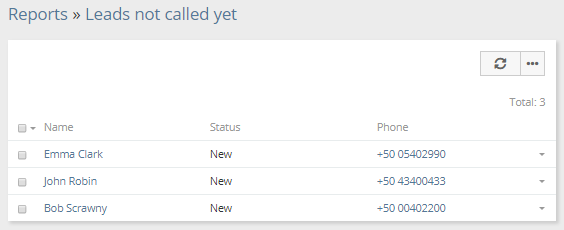
Where list reports can be also utilized:
* Scheduled workflows – to do some scheduled actions over records that met criteria specified by a list report.
* Scheduled BPM processes – to start BPM processes for records that met some criteria.
* Sync with target lists – to add records that met some criteria to target lists, more info [below](#syncing-with-target-lists).
* List view filters – to filter records on the list view according to the criteria specified in the list report, more info [below](#report-filters).
* Panels on the detail view – to display related records that met some criteria on the side panel, more info [below](#report-panels).
* Applying assignment rule – to assign records that met specific criteria by workflow or BPM.
### Results view
The results view can be accessed under: Report detail view > Results View button (top-right corner). Here, the report is displayed in full width. You can show or hide specific columns as well as resize them.
## Grid Reports
Grid reports display summarized values, can be grouped by one or two fields, and support chart visualization.
To create a new grid report, click on the *Reports* tab and then click the *Create Report* button. Then, select the entity type to which your report will apply.
When choosing the *Entity Type* for a grid report, consider the following. The *Entity Type* should contain the field that data will be aggregated by. For example, if you need to sum by the opportunity amount, choose the Opportunity entity type. If you need to aggregate by fields from different entity types, consider creating separate grid reports for each entity type and then use a Joint Report to join them into one.
An example of grid report results showing revenue grouped by a user:
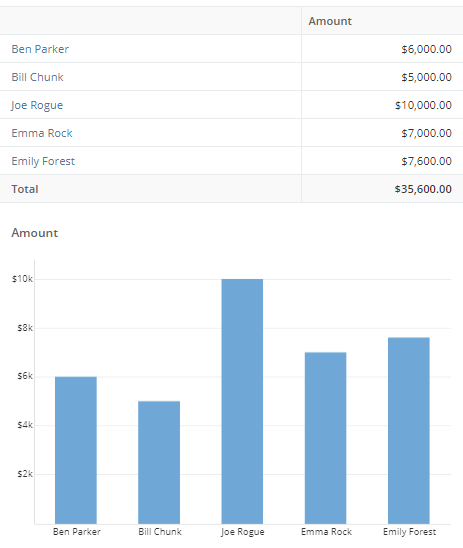
!!! tip
When dealing with long tables with many columns, you can use Shift + Mouse Wheel to scroll horizontally. It can also be helpful to use the Result View, which displays the report data in full width.
### Group By
In the *Group By* field, pick one or two fields you want your report data be grouped by. For date fields, it's possible to apply grouping by year, quarter, month, week, and day. If you leave the Group By field empty, the report will not apply any grouping.
There is the ability to craft a [complex expression](complex-expressions.md) for grouping. Complex expressions are internally translated into SQL statements. Complex expressions offer various use cases. For instance, the MAP function can be used to group data by region rather than by country.
Example:
```
MAP:(
account.billingAddressCountry,
'United States', 'United States',
'Germany', 'Europe',
'France', 'Europe',
'Italy', 'Europe',
'Other'
)
```
A report grouped by two fields is called *two-dimensional*.
The results table for two-dimensional Grid reports can be displayed in two modes:
- Regular – columns represent the first grouping field, and rows represent the second grouping field.
- Normalized – unpivoted (flattened), with both grouping fields displayed in rows.
### Columns
In the *Columns* field, select one or more **aggregate** functions applied to a specific field.
Functions:
* COUNT – number of records;
* SUM – summation, applied to Currency, Int and Float fields;
* MIN – minimal value;
* MAX – maximal value;
* AVG – average value.
If a report is grouped by a link field, then it's possible to include fields from the linked record without an aggregate function applied to it. In the example below, the report for Opportunities with grouping by Campaign with Campaign.Budget column included.
It's possible to add **non-aggregated columns**. In this case, records will be displayed for each group. Note that if your report deals with a big number of records, it can run much slower.
Non-grouping grid report with non-aggregated columns:
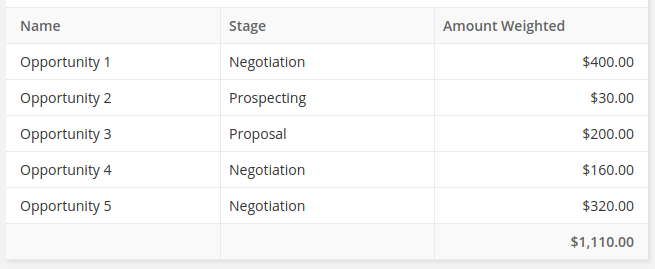
Grouping grid report with non-aggregated columns:
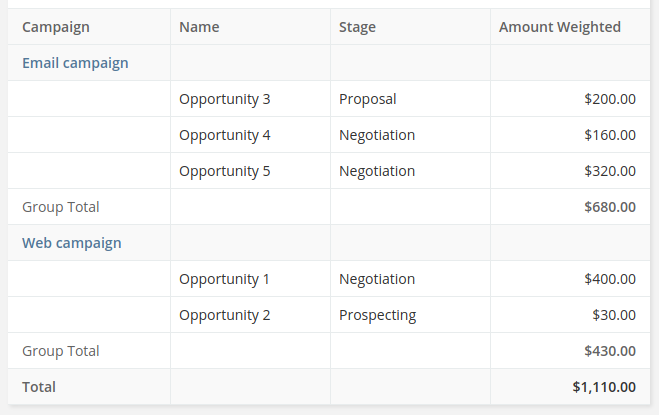
There is the ability to craft [complex expressions](complex-expressions.md) for columns. Complex expressions are internally translated into SQL statements.
### Order by
The *Order By* field defines how the report results will be sorted.
### Filters section
In the *Filters* section, you can specify criteria to limit data displayed in the report results. You can use logical operators 'OR' and 'AND' here. See more info [below](#filters).
### Runtime filters
*Runtime Filters* lets you narrow down the results each time you run the report, without needing to edit the report itself.
!!! note
Specifying a runtime filter can be also useful for dashlets and report panels. It allows you to have filters applied to a particular dashlet or panel.
### Charts
Grid report allows displaying results in chart form.
There are the following chart types available:
* Bar (Horizontal);
* Bar (Vertical);
* Bar Grouped (Horizontal) (only for report with grouping by 2 columns);
* Bar Grouped (Vertical) (only for report with grouping by 2 columns);
* Pie (only for report with grouping by 1 column);
* Line.
Bar:
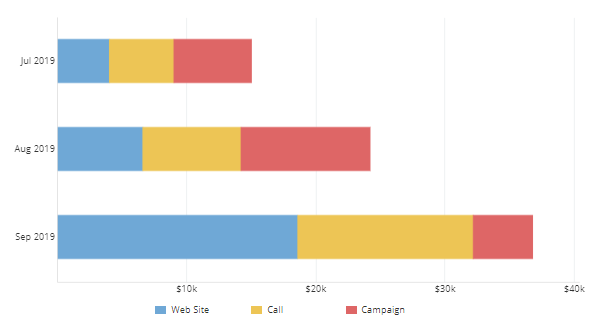
Bar Grouped:
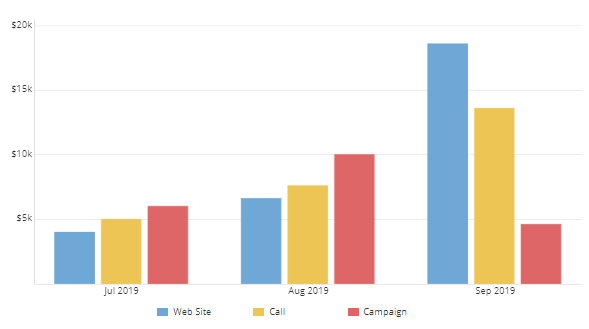
Line:
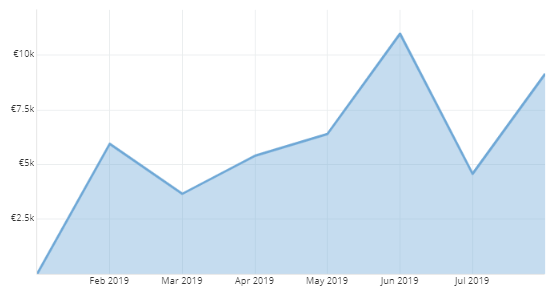
Pie:
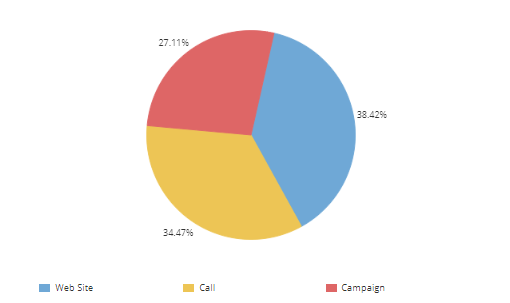
### Export
It's possible to export grid report results to XLSX (spreadsheet) and CSV formats. Both a results table and chart are exported to XLSX.
!!! important
If a Grid report contains non-aggregated columns, the chart is not printed on the spreadsheet.
### Access
By checking *Apply access control*, the report result will not include records that the current user does not have access to.
If a regular user does not have edit access to the *Apply access control* field (via field level security in Roles), all reports they create will have the *Apply access control* automatically checked.
## Joint Grid reports
Joint Grid reports combine multiple Grid reports. A combined report can bring together data from reports that target different entity types.
Grid reports selected for a Joint report must use either one grouping field or none.
If you need to aggregate by fields from different entity types, consider creating separate Grid reports for each entity type and then use the Joint report type to combine them into one.
Some usage examples:
* Lead count / Contact count;
* Revenue by month / Campaign Budget by month;
* Revenue by user / Lead count by User.
You can create a new Joint Grid report from the dropdown menu in the top-right corner in the Reports list view.
Colors of chart columns are determined by chart colors set in the respective sub-reports.
Runtime filters are not supported in Joint reports. Only regular filters specified in each sub-report can be used.
Non-aggregate columns are not supported in Joint reports.
## Filters
### Field filter
Field filters are simple to use. They allow to filter by specific fields of a target entity type as well as fields of related records. For example, you can filter Opportunities by a field of the Account entity type.
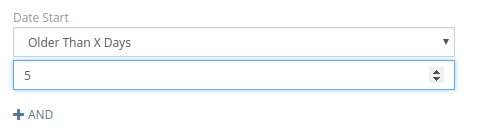
### OR group
OR means that at least one condition in the group must be met.
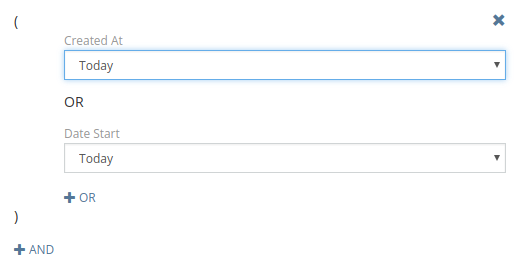
### AND group
AND means that all conditions in the group must be met.
### NOT IN group
NOT IN provides the ability to filter records that don't meet specified criteria. E.g. listing accounts that don't have any opportunity with 'Closed Won' or 'Closed Lost' status.
!!! note
It's recommended to avoid using NOT IN group when possible, by using filters 'Not Equals', 'None of', etc. instead. NOT IN group uses a sub-query that can negatively affect report performance in some cases.
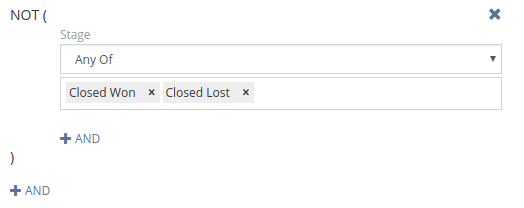
### IN group
IN is similar to AND group but utilizes a sub-query.
The example of usage: Filtering accounts that have opportunities of both 'Closed Won' and 'Negotiation' stages.
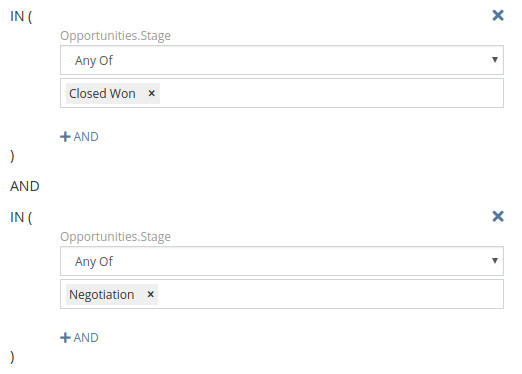
### Complex Expression
For more advanced use. You can apply a database function to a certain database column and compare it with a result calculated by a [formula](../administration/formula.md) expression.
!!! note
If you need to compare just with a simple string value you should put it into single quotes `'some string'`.
!!! note
Formula functions intended to interact with the entity record will not work here because the formula is not applied to a specific record.
Applying function to a column and comparing with a result of formula:

Comparing the result of the custom complex expression and the result of the formula expression:

* Complex expression is translated into an SQL statement and becomes a part of an SQL query.
* Formula is executed before running the report and the result value is substituted into an SQL query.
* Comparison operator is substituted into an SQL query between the complex expression statement and the formula result value.
More info about complex expressions is available [here](complex-expressions.md).
!!! example
Filter record that were created after less than 12 month from the creation of a related account. For example, it can be used to show sales only from new customers.
```
LESS_THAN:(
TIMESTAMPDIFF_MONTH:(
account.createdAt,
createdAt
),
12
)
```
### Having group
The Having group provides the ability to filter records with using aggregate functions COUNT, SUM, MAX, MIN, AVG.
Some use cases:
* List of accounts having more than one opportunity. `COUNT / opportunities.id / Greater Than / 1`.
* Grid report showing accounts grouped by industry where revenue is more than 1,000. `SUM / opportunities.amount / Greater Than / 1000`.
## Displaying on dashboard
You can display any report on the dashboard. In order to do it, you need to add the Report dashlet to the dashboard and then pick the needed report from the dashlet options.
For grid reports it's possible to display:
* Chart
* Chart & Total
* Total
* Table
For list reports it's possible to display:
* List
* Total (number or records)
For list reports, you can either display the list or records or only the total number of records.
Dashlet with only totals displayed:
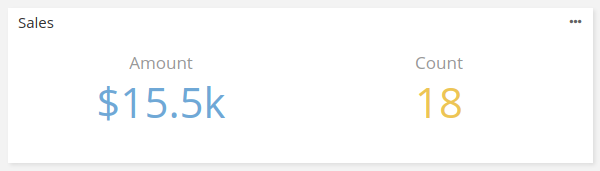
## Email sending
It's possible to set up the system send report results to certain users on a regular basis according to specified time. This must be configured for certain reports individually.
The Max number of records that can be sent in an email by default is set to 3000. You can increase it by adding the parameter to data/config.php: `'reportSendingListMaxCount' => 5000`.
## Printing to PDF
!!! note
A user needs to have access to the *Template* scope in Roles.
You need to have at least one PDF Template record for the Report entity type. The template can be created at Administration > PDF Templates.
To print a Report: on the Report detail view on the *Report* panel, from the dropdown next to the *Edit* button, click *Print to PDF*.
In a PDF template, `{{reportTable}}` helper is used to print a report results table.
Example:
```
{{reportTable border=1 borderColor="#333" cellpadding=2 fontSize=9}}
```
Available attributes:
* border – a border with;
* borderColor;
* cellpadding;
* fontSize;
* color – a text color;
* flip – to flip table, true or false;
* width – a table width, a CSS parameter (as of v3.1).
## Syncing with Target Lists
It's possible to have target lists synced with list report results. It's convenient for mass email when you would like to send emails only to contacts that meet some criteria at the moment of sending. This feature is available in the detail view of any target list in the *Sync with Reports* panel.
## Report filters
The Report Filters feature allows you to create custom primary filters for list views. These filters can also be used in specific formula functions.
An administrator can create custom list view filters based on specific reports. Available under: Administration > Report Filters. It's possible to specify teams that will have access to the filter.
!!! note
The layout, that is specified in the report, is not applied to the list view when the filter is selected.

Report filters can utilized in *Record List* dashlets (as a primary filter).
Report filters can be utilized in [formula functions](../administration/formula.md#filter):
* `record\count`
* `record\findOne`
* `record\findRelatedOne`
* `record\findRelatedMany`
* `entity\sumRelated`
* `entity\countRelated`
## Report panels
The Report Panels feature allows you to create custom detail view panels that display report results.
An administrator can create custom side and bottom panels for the detail view of the specific entity type. It's possible to specify teams that will have access to the panel.
Both Grid and List reports can be used.
For grid reports it's possible to display:
* Chart
* Chart & Total
* Total
* Table (as of v2.7.0)
For list reports it's possible to display:
* List
* Total (number or records)
The order of side panels can be customized under: Administration > Entity Manager > {Entity Type} > Layouts > Side Panels (Detail).
The order of bottom panels can be customized under: Administration > Entity Manager > {Entity Type} > Layouts > Bottom Panels.
The report panel displays results related to the record that is viewed. The first found relationship is used. If a report has an appropriate runtime filter, then it will be used to filter report results. The runtime filter must be a field of a Link, Link-multiple or Link-parent type. "For example, if a report is for Opportunity and has a runtime filter Account, that filter will be automatically applied when the report panel is added to the Account detail view.
## Portal access
Specific reports can be allowed for specific portals. For this, you need to add the portal in the *Portals* field of the Report. The Portal Role assigned to the portal should have defined access to the *Reports* scope with the *Read* action set to *all*.
It's possible to add a report dashlet to the portal dashboard.
!!! note
For grid reports which are meant be available in the portal, it's usually reasonable to enable [Apply ACL](#access).
## Formula functions
### report\export
`report\export(REPORT_ID, [USER_ID])`
*As of v3.6.*
Generates an XLSX export file and returns an attachment ID. An optional USER_ID allows you to apply access restrictions for a specific user. Note that generated attachments have the role `Export File`, hence they will be automatically deleted by the cleanup job. To prevent deletion, you can change the role to `Attachment`.
## See also
* [Complex expressions](complex-expressions.md)
* [Billing transactions](https://www.espocrm.com/blog/tutorial-billing-transactions/)
================================================
FILE: docs/user-guide/sales-management.md
================================================
# Sales Management
In this article:
* [Leads](#leads)
* [Opportunities](#opportunities)
* [Accounts](#accounts)
* [Currency](#currency)
* [Sales analytics](#sales-analytics)
* [See also](#see-also)
## Leads
A Lead represents a person or organization that is not currently a customer but has the potential to be. Creating a new Lead record is usually the first step in the sale process. As more information about the Lead is gathered, the Lead is expected to be converted into an Account, Contact, and/or Opportunity.
New Leads are typically created in the following scenarios:
* manually by CRM users;
* through the API (e.g. through a web form);
* automatically by a Workflow rule.
By utilizing the [Workflows](../administration/workflows.md) tool, an administrator can set up the system to apply a specific assignment rule to new Leads. *Round-Robin* and *Least-Busy* rules are available. For more complex business flows, it's recommended to utilize the [BPM tool](../administration/bpm.md).
Users can also create a Lead from an Email – from the top-right dropdown menu.
To prevent overlooking of new Leads, users can add the *Lead* entity type to the *Global Auto-follow* list in Preferences. Then, they will automatically follow every new Lead created in the system they have access to.
It may be useful to enable the Kanban view for Leads. It can be enabled under: Administration > Entity Manager > Lead > Edit > Kanban View.
### Target lists
Leads can be added to Target Lists, which is useful for both marketing and organizing purposes. A user can use the Target Lists filter in the Leads list view to segment leads by the selected target list for further processing.
### Converting
To convert a Lead, you need to click *Convert* button on the Lead detail view. Then, you can check to what record types you want to convert: Account, Contact, and/or Opportunity.
A converted Lead won't be removed from the system. It will have status *Converted*, records it was converted to, will be available in the *Converted To* panel on the right.
Note that Leads cannot be converted to Accounts if the system is set to the B2C mode.
## Opportunities
An Opportunity represents a potential deal or closed sale.
!!! note
Opportunities with the *Closed Won* stage are taken into account in the default sales dashlets. Using Opportunities to calculate revenue is an option that may be suitable for small businesses.
For Opportunities, the Kanban view is enabled by default. Users can switch between the List and Kanban views.
### Stage
The following opportunity stages are available by default:
* Prospecting
* Qualification
* Proposal
* Negotiation
* Closed Won
* Closed Lost
An administrator can define custom stages depending on the business workflow of the company: Administration > Entity Manager > Opportunity > Fields > Stage. It's also possible to define custom probability values for each stage.
### Probability
The Opportunity probability is an estimated percentage chance that the sale will be won. The *Closed Won* status has a 100% probability, the *Closed Lost* – zero. Other stages has their specific probabilities between 0% and 100%. The probabilities can be modified in the Entity Manager.
!!! note
Probabilities can be utilized in revenue forecasting.
## Accounts
Accounts play a central role in EspoCRM. They represent companies and organizations your business works with.
An Account has relationships with the following records:
- Contacts
- Opportunities
- Cases
- Documents
Users can subscribe to a particular Account record to see updates that concern that Account.
Account records can be added to Target Lists, which you can use for marketing purposes or for organizing your data.
## Currency
An administrator can define available currencies and their rates at Administration > Currency.
It's possible to convert currency of existing Opportunities:
* on the list view: select needed records and then click *Convert Currency* in the *Actions* dropdown;
* on the detail view: click the dropdown next to the *Edit* button, then *Convert Currency*.
## Sales analytics
The following charts are available on the dashboard by default:
* Sales by Month
* Opportunities by Lead Source
* Opportunities by Stage
* Sales Pipeline
By utilizing the [Reports tool](reports.md), it's possible to view sales statistics based on specific criteria. Report charts can be displayed on the dashboard.
### Revenue forecast
Available with Reports from Advanced Pack.
1. Create a new grid report for Opportunity entity type.
2. Add 'MONTH: Close Date' to Group By field.
3. Add 'SUM: Amount Weighted' to Columns field.
4. Add 'Close Date' to Runtime Filters field.
5. Select 'Bar (vertical)' chart type.
This report will show the revenue forecast based on probabilities of Opportunities.
Users who have access to this report will be able to add it on their dashboards.
## See also
* [Quick tour on Leads](https://app.supademo.com/demo/cmhc0w8ns14v6fatilwlycmjn)
* [Quick tour on Opportunities](https://app.supademo.com/demo/cmhkj43rn1k3xu1hm0zxfmhb6)
* [Quick tour on Accounts](https://app.supademo.com/demo/cmhxas59c35xb17y0s8mr6co6)
* [Who are leads? Lead conversion in 3 steps](https://www.espocrm.com/tips/lead-conversion/)
================================================
FILE: docs/user-guide/sales-orders.md
================================================
# Sales Orders
The Sales Orders feature is available in [Sales Pack](https://www.espocrm.com/extensions/sales-pack/) extension.
A Sales Order is a document representing a confirmed customer order, and contains a group of products or services with their quantities and prices.
You can add the Sales Orders panel to the Account detail view to be able to see related sales orders. At Administration > Layout Manager > Accounts > Bottom Panels.
You can add the Sales Orders panel to the Opportunity detail view at Administration > Layout Manager > Opportunities > Bottom Panels.
In the article:
* [Converting from Opportunity or Quote](#converting-from-opportunity-or-quote)
* [Generating Invoices from Sales Order](#generating-invoices-from-sales-order)
* [Total Values Layout](#total-values-layout)
* [Sales Order Items](#sales-order-items)
* [Delivery](#delivery)
* [Printing to PDF](#printing-to-pdf)
* [Sending in email](#sending-in-email)
* [Automatic numbering](#automatic-numbering)
* [Copying values from product to sales order item](#copying-values-from-product-to-sales-order-item)
* [Locking](#locking)
* [Automation with Workflows or BPM](#automation-with-workflows-or-bpm)
## Converting from Opportunity or Quote
Method 1. Create a new sales order. On the form, select an opportunity or a quote. Data will be copied from the opportunity/quote to the created sales order.
Method 2. Create a new sales order from the Sales Orders relationship panel on the detail view of the opportunity/quote.
## Generating Invoices from Sales Order
You are able to create Invoices from an existing Sales Order record.
Method 1. Create a new invoice. On the form, select a needed sales order. Data will be copied from the sales order to the created invoice.
Method 2. Create a new invoice from the Invoices relationship panel on the detail view of the sales order record.
## Total Values Layout
The layout of total value fields (in the bottom on detail view) can be modified at Administration > Layout Manager > Sales Orders > Bottom Total.
## Sales Order Items
A Sales Order has the list of items. Each item can represent a certain product or a service with description, quantity, tax rate, list price, and unit price fields. It's possible to sort items manually.
There is the ability to add custom fields to the Sales Order Item entity type using the Entity Manager.
### Sales Order Items Layout
The layout of Sales Order Items can be modified at Administration > Layout Manager > Sales Order Items > List (Item).
### Discount Rate
It's possible to specify a discount in percents. To have this ability, an administrator should add the *Discount (%)* field to the *List (Item)* layout.
## Delivery
A Delivery Order can be created from a Sales Order. A button in the top-right corner will appear when the Sales Order is eligible for delivery. The Sales Order must have at least one Product of *Goods* product type to have the ability to create a delivery.
## Printing to PDF
Sales Orders can be printed to PDF. This action is available in the dropdown next to the Edit button on the sales order’s detail view. Then, you will be prompted to select a template. More info about printing to PDF is available [here](printing-to-pdf.md).
### Templates
See the documentation [for quote templates](quotes.md#templates).
## Sending in email
A Sales Order PDF can be send in an email as an attachment. Open a sales order record, click the dropdown next to the Edit button and then click Email PDF.
The default email template can be set by the administrator: Administration > Sales Pack Settings > Email Templates.
To have the Sales Order entity selected as the email's parent, the administrator should add the Sales Order entity type to the parent type list. Administration > Entity Manager > Email > Fields > Parent > Entity List. As of v3.0.
## Automatic numbering
By default, the *Number* field is auto-incremented. You can disable auto-increment at Administration > Entity Manager > Sales Order > Fields > number. It's also possible to make the number field read-only.
The prefix of the next number, the next number itself and the quantity of digits in the number can be configured at Administration > Entity Manager > Sales Order > Fields > numberA.
By default, there is no *Name* field on the *Detail* layout. The *Number* is used as a name. You can add the Number field at Administration > Entity Manager > Sales Order > Layouts > Detail.
By default, the *Name* field is synced with *Number*. To be able to specify arbitrary names, you need to disable the *Sync with Number* and *Read-only* parameters at Administration > Entity Manager > Sales Order > Fields > Name.
## Copying values from product to sales order item
Field values can be transferred from a product to a sales order item upon product selection. Field names you want to be copied should coincide in the Product and the Sales Order Item entity types.
You can select which fields you need to be copied: Administration > Entity Manager > Sales Order Item > Fields > Product > Fields to Copy.
## Locking
A Sales Order can be locked if it's completed or canceled. When a record is locked, a specific fields become read-only. An administrator can configure the field list at: Administration > Entity Manager > Sales Order > Edit.
If the settings parameter *Forbid order unlocking* is checked, once a record is locked, it can be unlocked only by an administrator.
## Automation with Workflows or BPM
The following service actions are available in Workflows and BPM tools:
* Add Sales Order Items
* Convert Currency
* Send in Email
## See also
* [Custom calculations for Quote totals](../development/quote-custom-calculations.md)
================================================
FILE: docs/user-guide/shortcuts.md
================================================
# Shortcut keys
*As of v7.2.*
!!! note
On Mac OS, the CMD key (⌘) is the equivalent of the Ctrl.
## General
* `Ctrl + Middle-Click` – open a record in a quick view modal (when applied on a record link);
## Record list
* `Ctrl + Enter` – apply search filter;
* `Ctrl + Space` – create new record;
* `Ctrl + /` – focus on search-bar;
* `Ctrl + <` – previous primary filter;
* `Ctrl + >` – next primary filter;
* `Ctrl + Arrow Left` – previous page;
* `Ctrl + Arrow Right` – next page;
!!! note "Tip"
A combination `Ctrl + Middle-Click` (on a record link) followed by `Ctrl + Space` can be used for quick edit.
## Record detail
* `Ctrl + Space` – switch to edit;
* `Ctrl + \` – switch through tabs;
* `Ctrl + Arrow Left` – previous record;
* `Ctrl + Arrow Right` – next record;
## Record edit
* `Ctrl + Enter` – save and exit;
* `Esc` – cancel;
* `Ctrl + S` – save and continue editing;
* `Ctrl + Alt + Enter` – save and create new (from the create view);
## Calendar
* `Arrow Left` – previous range;
* `Arrow Right` – next range;
* `Home` – move to today;
* `Minus` – zoom out (timeline);
* `Plus` – zoom in (timeline);
* `1..6` – switch between view modes, refresh if the current mode;
* `Ctrl + Space` – create event;
## Image preview
* `Arrow Left` – previous image;
* `Arrow Right` – next image;
## Emails
* `Ctrl + Delete` – move selected emails to Trash;
* `Ctrl + Backspace` – move selected emails to Archive (as of v8.3);
* `Ctrl + I` – mark selected emails as Important or Not Important;
* `Ctrl + M` – move selected emails to a specific folder;
* `Ctrl + Q` – mark all emails as read; mark selected emails as read (as of v9.0);
## Text formatting
* `Ctrl + B` – bold;
* `Ctrl + I` – italic;
================================================
FILE: docs/user-guide/stream.md
================================================
# Stream
Stream in EspoCRM is a feed where you can see posts and updates of records you follow. You can also post messages to your own Stream and to the Stream of other Users.
By default, the following entity types have the Stream enabled: Accounts, Contacts, Leads, Opportunities, Cases, Meetings, and Tasks. An administrator can enable or disable the Stream for a certain entity type under Administration > Entity Manager > {Entity Type} > Edit.
## Record Stream
The *Stream* panel is available on the record detail view in the bottom. Posts and updates related to the record are displayed here. Each entry in the stream is represented by a *Note* entity.
An administrator can move the Stream panel down so that it will appear under other panels or put the panel into a tab. This can be done at Administration > Entity Manager > {Entity Type} > Layouts > Bottom Panels.
Stream posts can be pinned. A user needs to have *edit* access to a record to be able to pin or unpin Stream posts.
### Access
Access to the Stream is controlled by Roles and can be configured per entity type. For example, it's possible to configure that users have access to the Stream of records related to their team.
With the [Collaborators](../administration/roles-management.md#collaborators) feature enabled, users who are record collaborators can access the Stream of the record, provided their access level, as defined by Roles, is other than *no*.
## User Stream
Users can view their own Stream in the *Stream* dashlet as well on the separate Stream page.
Users can see Stream of another users on the user's detail view if they have access defined by the *User Permission* in Roles. In the user's Stream, you can see posts and updates of records that the user follows. You can also see posts addressed to that user.
It's possible to view all activity for a specific user. It will display all notes that either created directly by the user or created as a result of that users' actions. Available from the dropdown menu on the Stream panel on the User's detail view. As of v8.2.
## Notifications
A user receives notifications about new stream entries in followed records.
## Posts
You can create a post related to a certain record. You are also able to attach multiple files and images to a post. Images can be pasted from the clipboard.
### Mentions
If you want to mention somebody in your post, you need to type `@` symbol and start typing the user's name. The user you have mentioned in your post will be notified.
!!! note
The user who was mentioned in the post needs to have access to the Stream of the record where they were mentioned. Otherwise, the user won't receive a notification about the post.
!!! note
The user needs to have a proper *Mention Permission* (set in Roles) to be able to mention a specific user. If the assignment permission is set to `no`, then the user won't be able to mention anyone. If set to `team`, then they will be able to mention only users of their teams. If set to `all`, then they will be able to mention anyone. Portal users are not able to mention users.
### Attachments
Users can attach files stream posts.
An administrator can configure the *Attachments* field at Administration > Entity Manager > Note > Fields > attachments (as of v7.2). The following parameters are available:
* Source list – by adding Documents, it enables the ability to attach Documents to stream posts directly;
* Max file size;
* Accept – which file types to accept.
### Quote reply
*As of v9.0.*
By clicking 'Quote Reply' on a stream post, it will paste quoted contents into the text field. If a part of a post is selected, only the selected part will be quoted.
### Reactions
*As of v9.0.*
Users can add to reactions to stream posts. A user can add only one reaction to a particular post. The author of a post is notified about a reaction. Users can view who reacted to a particular post.
A user can disable notifications about reactions in preferences. If the preferences parameter *Notifications about reactions for non-followed records* is not enabled, the user won't be notified about reactions to their posts in records they do not follow.
An administrator can define which reactions are available in the system. By default, only Like is available. They can disable reactions by leaving the parameter empty.
## Posts to users
Users can create posts to certain Users, to certain Teams, to all Users and to self. Access for this feature is controlled by the *Message Permission* in Roles.
You can post to Users:
* from the *Stream* dashlet;
* in the *Stream* panel on the user's detail view.
## Filtering
You can filter what to show in the Stream: *All*, *Posts* or *Updates*. Filters are available in the dropdown in to top-right corner of the panel.
## Global Stream
*As of v8.2.*
The Global Stream is available on a separate page where users can see all Stream notes, not only related to records they follow. Users can perform search: by specific fields or by a text filter. Notes that user don't have access to are not listed.
The Global Stream can be useful when you need to search for a specific post. The full-text search is applied when using the text filter.
Access to the Global Stream is controlled by Roles.
The separate navbar Global Stream tab is available. It can be also reached from the Stream page.
!!! note
If a user does not have *all* access level for all entity types, there are possible scenarios leading to an empty or not complete result list being displayed. It's a server load optimization measure when it would take too much of resources to find the first records the user has access to. Consider adding some search filters in such cases.
## See also
* [Stream quick tour](https://app.supademo.com/demo/cmkvg6g2n2z4p12hh6xvxp6nf)
* [Activity Stream – Keep up with changes](https://www.espocrm.com/tips/activity-stream/)
* [Following records in EspoCRM](https://www.espocrm.com/tips/follow-records/)
================================================
FILE: docs/user-guide/text-search.md
================================================
# Text Search
In this article:
* [List view text search](#list-view-text-search)
* [Global search](#global-search)
* [Full-text search](#full-text-search)
See also:
* [Search types in EspoCRM: What you should know](https://www.espocrm.com/tips/search-types/)
## List view text search
On the record list view, it's possible to perform text search.
The field list which is used in filtering can be configured under: Administration > Entity Manager > {Entity Type} > Edit > Text Filter Fields.
It's possible to use a wildcard `*`.
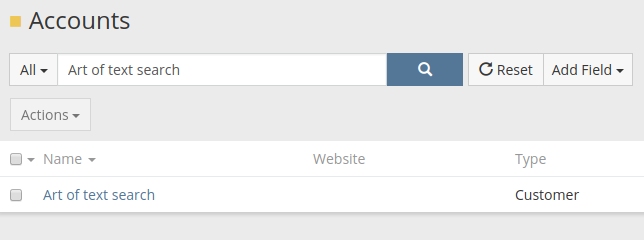
There is an option to force the system to use the 'contains' operator for Varchar fields by default. Parameter is available under Administration > Settings. Note that it can affect performance.
To disable previous search suggestions, uncheck the checkbox at Preferences > Misc > Disable text filter storing.
## Global search
The Global Search performs search in multiple entity types simultaneously.
The list of entity types used in the Global Search can be configured under Administration > Settings > Global Search Entity List.
The field list which is used in filtering can be configured under Administration > Entity Manager > {Entity Type} > Edit > Text Filter Fields.
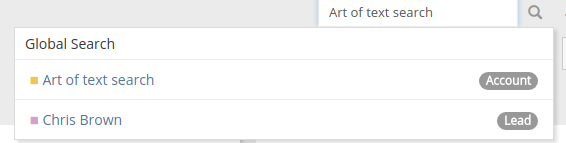
## Full-text search
Full-text search provides the ability to perform much faster and comprehensive text search. The full-text is performed at the database level.
The full-text search can be enabled for a specific entity type under Administration > Entity Manager > {Entity Type} > Edit > Full-text search.
After enabling full-text-search, running rebuild is required. If you have many records, it's recommended to run rebuild from CLI: `php rebuild.php`.
In Global Search, the full-text search is always applied (for entity types with enabled full-text search).
The full-text search is also applied when you search in the list view. Though it can be skipped for some search queries. Yet, it's possible to force a full-text usage by prepending `ft:` to your search query.
The following operators are available:
* `+` – A leading plus sign indicates that this word must be present.
* `-` – A leading minus sign indicates that this word must not be present.
* *no operator* – The word is optional, but the rows that contain it are rated higher.
* `*` – The truncation (or wildcard) operator. Appended to the word to be affected.
* `"` – A phrase enclosed within double quotes must be contained literally, as it was typed.
### Minimum word length
The MySQL option `ft_min_word_len` defines a minimum word length available for full-text search. By default, it's set to `4`. You might want to set it to `3` to be able to search shorter words.
If you change this parameter in MySQL, you also need to run rebuild in Espo.
### Stopwords
[MySQL](https://dev.mysql.com/doc/refman/8.0/en/fulltext-stopwords.html) and [MariaDB](https://mariadb.com/docs/server/ha-and-performance/optimization-and-tuning/optimization-and-indexes/full-text-indexes/full-text-index-stopwords) have the list of stopwords that are ignored by full-text search.
### Autocomplete
When Full-text search is enabled, autocomplete in link fields may not show suggestions until you type a full word. To have suggestions work for word parts, you can enable the parameter that will append the wildcard operator automatically for autocompletion queries. Administration > Settings > Append wildcard in quick search.
================================================
FILE: docs/user-guide/working-time-calendar.md
================================================
# Working Time Calendar
*As of v7.3.*
The Working Time feature allows you to define working and non-working days for users, teams, and the entire organization. It provides a weekly schedule with customizable hours per weekday, supports exceptions for special working days (such as weekends or days with adjusted hours), and allows marking holidays or leaves.
Features:
* Week schedule (weekdays can have different schedule);
* Working day exceptions (e.g. working weekends, days with a non-standard schedule);
* Non-working day exceptions (leaves, holidays, etc.).
Admin users and regular users who have access to the Working Time Calendar scope can manage Working Time Calendars.
Working Time Calendars can be accessed under:
* Calendar page > top-right dropdown menu > Working Time Calendars;
* Administration > Working Time Calendars (in the Data panel).
A working Time Calendar record can be:
* Selected as a system default (Administration > System > Working Time Calendar);
* Selected for a team – will apply to users who have that team set in the *Default Team*;
* Selected for a specific user.
A Working Time Calendar record defines:
* Time zone;
* Workday schedule (working time ranges);
* Week schedule (what weekdays are working, every weekday can have a different schedule).
A Working Time Exception record applies custom working time for a specific day range for specific users or for a whole calendar. It can define non-working days or working days with a custom time schedule.
!!! note
In Exceptions, the Date End is inclusive.
Examples:
* Holidays for a whole team. Create an Exception record related to the Working Time Calendar with the type *Non-working*.
* A leave for a specific user (employee). Create an Exception record related to the User (through the *Users* field) with the type *Non-working*.
* A working Saturday. Create a one-day Exception with the type *Working*.
* A working day with a shortened time schedule. Create a one-day Exception with the type *Working*, with a custom *Schedule*.
Non-working days have a different background color on the Calendar:
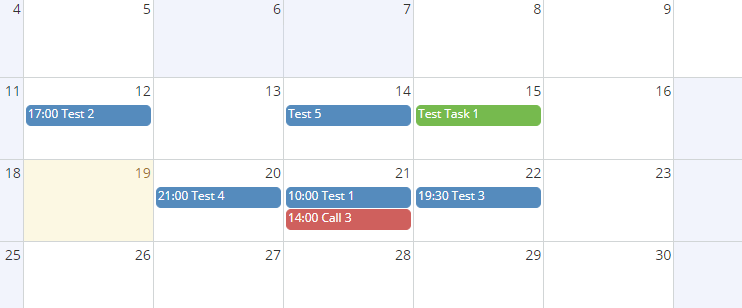
Non-working timeslots:
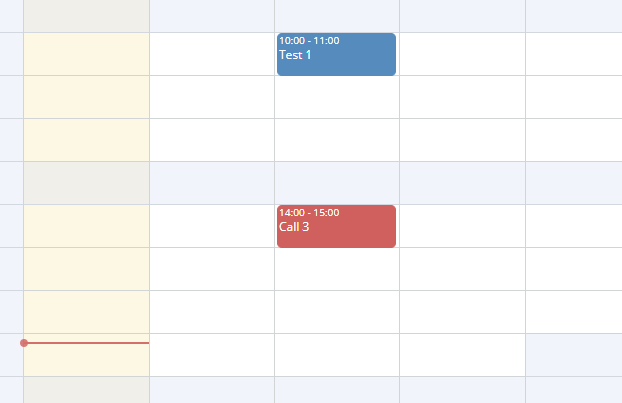
The Timeline displays non-working ranges with a different background color:
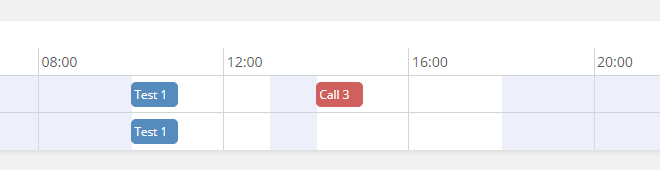
## Formula functions
The following formula functions are available.
* `ext\workingTime\addWorkingDays(DATE, DAYS)` – adds working days, the result will be a date-time pointing at the beginning of the day (`00:00`) in a corresponding time zone;
* `ext\workingTime\findClosestWorkingTime(DATE)` – finds the beginning of the next closest working time slot;
* `ext\workingTime\getSummedWorkingHours(FROM, TO)` – get a total number of working hours between two dates;
* `ext\workingTime\getWorkingDays(FROM, TO)` – get a number of working days between two dates;
* `ext\workingTime\hasWorkingTime(FROM, TO)` – whether a date range contains any working time;
* `ext\workingTime\isWorkingDay(DATE_OR_DATETIME)` – whether a date falls into a working day.
Functions can be applied for the default calendar, user calendar, or team calendar. An entity type ( `'User'` or `'Team'`) and an entity ID can be passed to all workingTime functions as the last two arguments. For example, `ext\workingTime\isWorkingDay(dateStart', 'User', assignedUserId)`.
## See also
* [Quick tour](https://app.supademo.com/demo/cmj9rq2v70sm3f6zpxmxq1npw)
================================================
FILE: mkdocs.yml
================================================
site_name: EspoCRM Documentation
repo_url: https://github.com/espocrm/documentation/
edit_uri: edit/master/docs/
extra_javascript: [js/extra.js]
extra_css:
- css/extra.css
markdown_extensions:
- admonition
- pymdownx.details
- pymdownx.superfences
- mdx_truly_sane_lists
- attr_list
- codehilite:
guess_lang: false
use_pygments: true
- toc:
permalink: true
toc_depth: 3
theme:
name: material
highlightjs: true
features:
- content.action.edit
icon:
edit: material/pencil
palette:
- scheme: default
media: "(prefers-color-scheme: light)"
primary: white
accent: white
toggle:
icon: material/brightness-7
name: Switch to dark mode
- scheme: slate
media: "(prefers-color-scheme: dark)"
primary: indigo
accent: indigo
toggle:
icon: material/brightness-4
name: Switch to light mode
nav:
- 'Home': 'index.md'
- 'Administration':
- 'Server configuration':
- 'Configuration': 'administration/server-configuration.md'
- 'Apache': 'administration/apache-server-configuration.md'
- 'Nginx': 'administration/nginx-server-configuration.md'
- 'IIS': 'administration/iis-server-configuration.md'
- 'System':
- 'Installation':
- 'Installation': 'administration/installation.md'
- 'Installation by script': 'administration/installation-by-script.md'
- 'Installation with Docker': 'administration/docker/installation.md'
- 'Installation with Traefik': 'administration/docker/traefik.md'
- 'Installation with Caddy': 'administration/docker/caddy.md'
- 'Upgrading': 'administration/upgrading.md'
- 'Extensions': 'administration/extensions.md'
- 'Jobs': 'administration/jobs.md'
- 'Config parameters': 'administration/config-params.md'
- 'Log': 'administration/log.md'
- 'Console commands': 'administration/commands.md'
- 'WebSocket': 'administration/websocket.md'
- 'Essentials':
- 'Terms & naming': 'administration/terms-and-naming.md'
- 'Troubleshooting': 'administration/troubleshooting.md'
- 'Backup and restore': 'administration/backup-and-restore.md'
- 'Performance tweaking': 'administration/performance-tweaking.md'
- 'Moving to another server': 'administration/moving-to-another-server.md'
- 'Security': 'administration/security.md'
- 'Customization':
- 'Entity Manager': 'administration/entity-manager.md'
- 'Fields': 'administration/fields.md'
- 'Layouts': 'administration/layout-manager.md'
- 'Dynamic Logic': 'administration/dynamic-logic.md'
- 'API Before-Save script': 'administration/api-before-save-script.md'
- 'Users': 'administration/users-management.md'
- 'Roles': 'administration/roles-management.md'
- 'Email administration': 'administration/emails.md'
- 'Formula':
- 'Formula script': 'administration/formula.md'
- 'Functions': 'administration/formula-functions.md'
- 'Function reference':
- 'general': 'administration/formula/general.md'
- 'string': 'administration/formula/string.md'
- 'datetime': 'administration/formula/datetime.md'
- 'number': 'administration/formula/number.md'
- 'entity': 'administration/formula/entity.md'
- 'record': 'administration/formula/record.md'
- 'env': 'administration/formula/env.md'
- 'password': 'administration/formula/password.md'
- 'array': 'administration/formula/array.md'
- 'object': 'administration/formula/object.md'
- 'language': 'administration/formula/language.md'
- 'json': 'administration/formula/json.md'
- 'ext': 'administration/formula/ext.md'
- 'util': 'administration/formula/util.md'
- 'log': 'administration/formula/log.md'
- 'exception': 'administration/formula/exception.md'
- 'Import': 'administration/import.md'
- 'Portal': 'administration/portal.md'
- 'Web-to-Lead': 'administration/web-to-lead.md'
- 'Currency': 'administration/currency.md'
- 'Dashboards': 'administration/dashboards.md'
- 'Authentication':
- '2-factor authentication': 'administration/2fa.md'
- 'OpenID Connect': 'administration/oidc.md'
- 'LDAP':
- 'Authorization': 'administration/ldap-authorization.md'
- 'Active Directory': 'administration/ldap-authorization-for-ad.md'
- 'OpenLDAP': 'administration/ldap-authorization-for-openldap.md'
- 'Miscellaneous':
- 'Webhooks': 'administration/webhooks.md'
- 'Passwords': 'administration/passwords.md'
- 'Phone numbers': 'administration/phone-numbers.md'
- 'Addresses': 'administration/addresses.md'
- 'Maps': 'administration/maps.md'
- 'B2C mode': 'administration/b2c.md'
- 'Collaborators': 'administration/collaborators.md'
- 'Multiple assigned users': 'administration/multiple-assigned-users.md'
- 'File storage': 'administration/file-storage.md'
- 'SMS sending': 'administration/sms-sending.md'
- 'App secrets': 'administration/app-secrets.md'
- 'User Guide':
- 'Emails':
- 'General guidelines': 'user-guide/emails.md'
- 'IMAP & SMTP configuration': 'user-guide/imap-smtp-configuration.md'
- 'Mass email': 'user-guide/mass-email.md'
- 'Stream': 'user-guide/stream.md'
- 'Sales management': 'user-guide/sales-management.md'
- 'Case management': 'user-guide/case-management.md'
- 'Activities & calendar': 'user-guide/activities-and-calendar.md'
- 'Campaigns': 'user-guide/campaigns.md'
- 'Mail merge': 'user-guide/mail-merge.md'
- 'Knowledge base': 'user-guide/knowledge-base.md'
- 'Documents': 'user-guide/documents.md'
- 'Export': 'user-guide/export.md'
- 'Text search': 'user-guide/text-search.md'
- 'Working time calendar': 'user-guide/working-time-calendar.md'
- 'Printing to PDF': 'user-guide/printing-to-pdf.md'
- 'Miscellaneous':
- 'Shortcut keys': 'user-guide/shortcuts.md'
- 'Markdown syntax': 'user-guide/markdown.md'
- 'Browser support': 'user-guide/browser-support.md'
- 'Data privacy': 'user-guide/data-privacy.md'
- 'Complex expressions': 'user-guide/complex-expressions.md'
- 'Optimistic concurrency control': 'user-guide/optimistic-concurrency-control.md'
- 'Extensions':
- 'Advanced Pack':
- 'Overview': 'extensions/advanced-pack/overview.md'
- 'Reports': 'user-guide/reports.md'
- 'Workflows': 'administration/workflows.md'
- 'BPM':
- 'Overview': 'administration/bpm.md'
- 'Gateways': 'administration/bpm-gateways.md'
- 'Events': 'administration/bpm-events.md'
- 'Activities': 'administration/bpm-activities.md'
- 'Miscellaneous':
- 'Examples': 'administration/bpm-examples.md'
- 'Signals': 'administration/bpm-signals.md'
- 'Compensation': 'administration/bpm-compensation.md'
- 'Formula functions': 'administration/bpm-formula.md'
- 'Drip email campaign': 'administration/bpm-drip-email-campaign.md'
- 'Tracking URLs': 'administration/bpm-tracking-urls.md'
- 'Tips': 'administration/bpm-tips.md'
- 'Configuration': 'administration/bpm-configuration.md'
- 'Sales Pack':
- 'Overview': 'extensions/sales-pack/overview.md'
- 'Products': 'user-guide/products.md'
- 'Prices': 'extensions/sales-pack/prices.md'
- 'Sales':
- 'Quotes': 'user-guide/quotes.md'
- 'Sales orders': 'user-guide/sales-orders.md'
- 'Invoices': 'user-guide/invoices.md'
- 'Credit notes': 'extensions/sales-pack/credit-notes.md'
- 'Delivery orders': 'extensions/sales-pack/delivery-orders.md'
- 'Return orders': 'extensions/sales-pack/return-orders.md'
- 'Write-offs': 'extensions/sales-pack/write-offs.md'
- 'Subscriptions': 'extensions/sales-pack/subscriptions.md'
- 'Purchases':
- 'Suppliers': 'extensions/sales-pack/suppliers.md'
- 'Purchase orders': 'extensions/sales-pack/purchase-orders.md'
- 'Receipt orders': 'extensions/sales-pack/receipt-orders.md'
- 'Bills': 'extensions/sales-pack/bills.md'
- 'Bill credits': 'extensions/sales-pack/bill-credits.md'
- 'Inventory management': 'extensions/sales-pack/inventory-management.md'
- 'Payments': 'extensions/sales-pack/payments.md'
- 'Taxes': 'extensions/sales-pack/taxes.md'
- 'Tax codes': 'extensions/sales-pack/tax-codes.md'
- 'Issuance locking': 'extensions/sales-pack/issuance-locking.md'
- 'Multi-currency': 'extensions/sales-pack/multi-currency.md'
- 'Reports': 'extensions/sales-pack/reports.md'
- 'Project Management':
- 'Projects': 'extensions/project-management/projects.md'
- 'Meeting Scheduler':
- 'Meeting Scheduler': 'extensions/meeting-scheduler/index.md'
- 'Google Integration':
- 'Setting-up': 'extensions/google-integration/setting-up.md'
- 'Calendar': 'extensions/google-integration/calendar.md'
- 'Contacts': 'extensions/google-integration/contacts.md'
- 'Gmail': 'extensions/google-integration/gmail.md'
- 'Outlook Integration':
- 'Setting-up': 'extensions/outlook-integration/setting-up.md'
- 'Calendar': 'extensions/outlook-integration/calendar.md'
- 'Contacts': 'extensions/outlook-integration/contacts.md'
- 'Email': 'extensions/outlook-integration/email.md'
- 'VoIP Integration':
- 'Overview': 'extensions/voip-integration/overview.md'
- '3CX PBX': 'extensions/voip-integration/3cx-integration-setup.md'
- 'Asterisk server': 'extensions/voip-integration/asterisk-integration-setup.md'
- 'Twilio service' : 'extensions/voip-integration/twilio-integration-setup.md'
- 'Starface server': 'extensions/voip-integration/starface-integration-setup.md'
- 'Binotel service' : 'extensions/voip-integration/binotel-integration-setup.md'
- 'IexPBX server' : 'extensions/voip-integration/iexpbx-integration-setup.md'
- 'Docker container': 'extensions/voip-integration/docker-container.md'
- 'Customization': 'extensions/voip-integration/customization.md'
- 'Troubleshooting' : 'extensions/voip-integration/troubleshooting.md'
- 'Zoom Integration':
- 'Zoom Integration': 'extensions/zoom-integration/index.md'
- 'Stripe Integration':
- 'Stripe Integration': 'extensions/stripe-integration/index.md'
- 'Export Import':
- 'Overview': 'extensions/export-import/overview.md'
- 'Export': 'extensions/export-import/export.md'
- 'Import': 'extensions/export-import/import.md'
- 'Compare': 'extensions/export-import/compare.md'
- 'Run by code': 'extensions/export-import/run-by-code.md'
- 'Customization': 'extensions/export-import/customization.md'
- 'Developer':
- 'Index': 'development/index.md'
- 'Getting started': 'development/how-to-start.md'
- 'Making extension package': 'development/extension-packages.md'
- 'Modules': 'development/modules.md'
- 'Tests': 'development/tests.md'
- 'Translation': 'development/translation.md'
- 'Coding rules': 'development/coding-rules.md'
- 'Backend':
- 'Dependency injection': 'development/di.md'
- 'Metadata': 'development/metadata.md'
- 'Metadata reference':
- 'scopes': 'development/metadata/scopes.md'
- 'entityDefs': 'development/metadata/entity-defs.md'
- 'aclDefs': 'development/metadata/acl-defs.md'
- 'selectDefs': 'development/metadata/select-defs.md'
- 'recordDefs': 'development/metadata/record-defs.md'
- 'clientDefs': 'development/metadata/client-defs.md'
- 'entityAcl': 'development/metadata/entity-acl.md'
- 'pdfDefs': 'development/metadata/pdf-defs.md'
- 'logicDefs': 'development/metadata/logic-defs.md'
- 'notificationDefs': 'development/metadata/notification-defs.md'
- 'streamDefs': 'development/metadata/stream-defs.md'
- 'fields': 'development/metadata/fields.md'
- 'dashlets': 'development/metadata/dashlets.md'
- 'authenticationMethods': 'development/metadata/authentication-methods.md'
- 'integrations': 'development/metadata/integrations.md'
- 'app':
- 'acl': 'development/metadata/app-acl.md'
- 'acl-portal': 'development/metadata/app-acl-portal.md'
- 'actions': 'development/metadata/app-actions.md'
- 'address-formats': 'development/metadata/app-address-formats.md'
- 'admin-panel': 'development/metadata/app-admin-panel.md'
- 'api': 'development/metadata/app-api.md'
- 'app-params': 'development/metadata/app-app-params.md'
- 'authentication': 'development/metadata/app-authentication.md'
- 'authentication2FAMethods': 'development/metadata/app-authentication-2fa-methods.md'
- 'cleanup': 'development/metadata/app-cleanup.md'
- 'client': 'development/metadata/app-client.md'
- 'clientNavbar': 'development/metadata/app-client-navbar.md'
- 'clientIcons': 'development/metadata/app-client-icons.md'
- 'clientRecord': 'development/metadata/app-client-record.md'
- 'clientRoutes': 'development/metadata/app-client-routes.md'
- 'complexExpression': 'development/metadata/app-complex-expression.md'
- 'config': 'development/metadata/app-config.md'
- 'consoleCommands': 'development/metadata/app-console-commands.md'
- 'containerServices': 'development/metadata/app-container-services.md'
- 'currency': 'development/metadata/app-currency.md'
- 'currencyConversion': 'development/metadata/app-currency-conversion.md'
- 'databasePlatforms': 'development/metadata/app-database-platforms.md'
- 'dateTime': 'development/metadata/app-date-time.md'
- 'defaultDashboardLayouts': 'development/metadata/app-default-dashboard-layouts.md'
- 'defaultDashboardOptions': 'development/metadata/app-default-dashboard-options.md'
- 'emailTemplate': 'development/metadata/app-email-template.md'
- 'entityManager': 'development/metadata/app-entity-manager.md'
- 'entityManagerParams': 'development/metadata/app-entity-manager-params.md'
- 'entityTemplateList': 'development/metadata/app-entity-template-list.md'
- 'entityTemplates': 'development/metadata/app-entity-templates.md'
- 'export': 'development/metadata/app-export.md'
- 'fieldProcessing': 'development/metadata/app-field-processing.md'
- 'file': 'development/metadata/app-file.md'
- 'fileStorage': 'development/metadata/app-file-storage.md'
- 'formula': 'development/metadata/app-formula.md'
- 'hook': 'development/metadata/app-hook.md'
- 'image': 'development/metadata/app-image.md'
- 'jsLibs': 'development/metadata/app-js-libs.md'
- 'language': 'development/metadata/app-language.md'
- 'layouts': 'development/metadata/app-layouts.md'
- 'linkManager': 'development/metadata/app-link-manager.md'
- 'mapProviders': 'development/metadata/app-map-providers.md'
- 'massActions': 'development/metadata/app-mass-actions.md'
- 'metadata': 'development/metadata/app-metadata.md'
- 'orm': 'development/metadata/app-orm.md'
- 'pdfEngines': 'development/metadata/app-pdf-engines.md'
- 'popupNotifications': 'development/metadata/app-popup-notifications.md'
- 'portalContainerServices': 'development/metadata/app-portal-container-services.md'
- 'reactions': 'development/metadata/app-reactions.md'
- 'rebuild': 'development/metadata/app-rebuild.md'
- 'record': 'development/metadata/app-record.md'
- 'recordId': 'development/metadata/app-record-id.md'
- 'regExpPatterns': 'development/metadata/app-reg-exp-patterns.md'
- 'relationships': 'development/metadata/app-relationships.md'
- 'scheduledJobs': 'development/metadata/app-scheduled-jobs.md'
- 'select': 'development/metadata/app-select.md'
- 'smsProviders': 'development/metadata/app-sms-providers.md'
- 'templateHelpers': 'development/metadata/app-template-helpers.md'
- 'templates': 'development/metadata/app-templates.md'
- 'webSocket': 'development/metadata/app-web-socket.md'
- 'ORM': 'development/orm.md'
- 'Select Builder': 'development/select-builder.md'
- 'API actions': 'development/api-action.md'
- 'Services': 'development/services.md'
- 'Hooks': 'development/hooks.md'
- 'ACL': 'development/acl.md'
- 'Entry points': 'development/entry-points.md'
- 'Miscellaneous':
- 'Coding practices': 'development/coding-practices.md'
- 'Autoload': 'development/autoload.md'
- 'Entity type': 'development/custom-entity-type.md'
- 'Container services': 'development/container-services.md'
- 'Template helpers (PDF)': 'development/template-custom-helper.md'
- 'Formula functions': 'development/new-function-in-formula.md'
- 'Scheduled jobs': 'development/scheduled-job.md'
- 'Duplicate checking': 'development/duplicate-check.md'
- 'Database indexes': 'development/db-indexes.md'
- 'App params': 'development/app-params.md'
- 'Jobs': 'development/jobs.md'
- 'Email sending': 'development/email-sending.md'
- 'Calculated fields': 'development/calculated-fields.md'
- 'Config parameters': 'development/custom-config-parameters.md'
- 'Value Objects': 'development/orm-value-objects.md'
- 'Attachments': 'development/attachments.md'
- 'Frontend':
- 'View': 'development/view.md'
- 'Templates': 'development/frontend/templates.md'
- 'Model': 'development/model.md'
- 'Collection': 'development/collection.md'
- 'HTML & CSS': 'development/frontend/html-css.md'
- 'Ajax requests': 'development/frontend/ajax.md'
- 'Controller & routing': 'development/frontend/controller.md'
- 'Dependency injection': 'development/frontend/dependency-injection.md'
- 'Modal dialogs': 'development/modal.md'
- 'Confirmation dialogs': 'development/confirm-dialog.md'
- 'Custom views': 'development/custom-views.md'
- 'View setup handlers': 'development/frontend/view-setup-handlers.md'
- 'Save error handlers': 'development/frontend/save-error-handlers.md'
- 'Dynamic handler': 'development/dynamic-handler.md'
- 'Fields':
- 'Custom field type': 'development/custom-field-type.md'
- 'Customizing existing fields': 'development/customize-standard-fields.md'
- 'Miscellaneous':
- 'Buttons & actions on record views': 'development/custom-buttons.md'
- 'Panels on record view': 'development/frontend/record-panels.md'
- 'Custom CSS file': 'development/custom-css.md'
- 'Dashlets': 'development/how-to-create-a-dashlet.md'
- 'Link-multiple field with primary record': 'development/link-multiple-with-primary.md'
- 'Monkey patching': 'development/frontend/monkey-patching.md'
- 'Campaigns':
- 'Custom unsubscribe page': 'development/campaign-unsubscribe-template.md'
- 'API':
- 'API overview': 'development/api.md'
- 'Endpoints':
- 'CRUD operations': 'development/api/crud.md'
- 'Related records': 'development/api/relationships.md'
- 'Stream': 'development/api/stream.md'
- 'CurrencyRate': 'development/api/currency-rate.md'
- 'Attachment': 'development/api/attachment.md'
- 'I18n': 'development/api/i18n.md'
- 'Metadata': 'development/api/metadata.md'
- 'Account': 'development/api/account.md'
- 'Misc':
- 'Search parameters': 'development/api-search-params.md'
- 'Usage tutorial': 'development/api-tutorial.md'
- 'Clients':
- 'PHP': 'development/api-client-php.md'
- 'JavaScript': 'development/api-client-js.md'
- 'Python': 'development/api-client-python.md'
- 'Rust': 'development/api-client-rust.md'
- 'Java': 'development/api-client-java.md'
- 'Go': 'development/api-client-go.md'
- 'Zig': 'development/api-client-zig.md'
| {{name}} | {{assignedUserName}} |
{{/ifMultipleOf}}{{name}} {{/each}} ``` !!! important The scope is changed inside an iteration block. To access parent scope attributes, use `../`. Access the parent scope: ``` {{#each contacts}} Root record name: {{../name}} Contact name: {{name}} {{/each}} ``` ### Lookup You can use this helper to access object's and array's items. In object (map): ``` {{lookup map key}} ``` In an array: ``` {{lookup teamsIds index}} ``` Link-multiple example: ```
{{lookup ../teamsNames this}}
``` ### Expressions * `{{object.key}}` – lookup in objects; * `{{array.[0]}}` – lookup in arrays; * `{{~anyTag}}` – remove all previous spacing; * `{{anyTag~}}` – remove all next spacing; * `{{{helper}}}` – prevent escaping; * `{{helper1 (helper2 arg1 arg2) arg2 arg3}}` – sub-expression passed as an argument; ### Logical expressions *As of 8.4.* Helpers: * and * or * not To be used in sub-expressions. Examples: ``` {{#if (or (equal status 'Draft') (equal status 'Active'))}} ... {{/if}} ``` ``` {{#if (and value1 value2 value3)}} ... {{/if}} ``` ### Images ``` {{imageTag imageFieldNameId width=50 height=50}} ``` * *imageFieldNameId* is a name of image field, concatenated with *Id* * *width* and *height* can be omitted Another legacy way to print images: ```