Showing preview only (935K chars total). Download the full file or copy to clipboard to get everything.
Repository: fluent-ffmpeg/node-fluent-ffmpeg
Branch: master
Commit: 7a701f560f6c
Files: 110
Total size: 896.4 KB
Directory structure:
gitextract_71m5k7op/

├── .github/
│   ├── CONTRIBUTING.md
│   ├── ISSUE_TEMPLATE.md
│   └── workflows/
│       └── ci.yml
├── .gitignore
├── .npmignore
├── LICENSE
├── Makefile
├── README.md
├── doc/
│   ├── FfmpegCommand.html
│   ├── audio.js.html
│   ├── capabilities.js.html
│   ├── custom.js.html
│   ├── ffprobe.js.html
│   ├── fluent-ffmpeg.js.html
│   ├── global.html
│   ├── index.html
│   ├── inputs.js.html
│   ├── misc.js.html
│   ├── options_audio.js.html
│   ├── options_custom.js.html
│   ├── options_inputs.js.html
│   ├── options_misc.js.html
│   ├── options_output.js.html
│   ├── options_video.js.html
│   ├── options_videosize.js.html
│   ├── output.js.html
│   ├── processor.js.html
│   ├── recipes.js.html
│   ├── scripts/
│   │   ├── linenumber.js
│   │   └── prettify/
│   │       ├── Apache-License-2.0.txt
│   │       ├── lang-css.js
│   │       └── prettify.js
│   ├── styles/
│   │   ├── jsdoc-default.css
│   │   ├── prettify-jsdoc.css
│   │   └── prettify-tomorrow.css
│   ├── utils.js.html
│   ├── video.js.html
│   └── videosize.js.html
├── examples/
│   ├── any-to-mp4-steam.js
│   ├── express-stream.js
│   ├── flowplayer/
│   │   ├── flowplayer.controls.swf
│   │   ├── flowplayer.swf
│   │   └── index.html
│   ├── full.js
│   ├── image2video.js
│   ├── input-stream.js
│   ├── livertmp2hls.js
│   ├── mergeVideos.js
│   ├── metadata.js
│   ├── preset.js
│   ├── progress.js
│   ├── stream.js
│   └── thumbnails.js
├── index.js
├── lib/
│   ├── capabilities.js
│   ├── ffprobe.js
│   ├── fluent-ffmpeg.js
│   ├── options/
│   │   ├── audio.js
│   │   ├── custom.js
│   │   ├── inputs.js
│   │   ├── misc.js
│   │   ├── output.js
│   │   ├── video.js
│   │   └── videosize.js
│   ├── presets/
│   │   ├── divx.js
│   │   ├── flashvideo.js
│   │   └── podcast.js
│   ├── processor.js
│   ├── recipes.js
│   └── utils.js
├── package.json
├── test/
│   ├── aliases.test.js
│   ├── args.test.js
│   ├── assets/
│   │   ├── ffserver.conf
│   │   ├── presets/
│   │   │   └── custompreset.js
│   │   ├── te[s]t_ video ' _ .flv
│   │   ├── teststream.ffm
│   │   └── testvideo-5m.mpg
│   ├── capabilities.test.js
│   ├── helpers.js
│   ├── metadata.test.js
│   ├── processor.test.js
│   └── utils.test.js
└── tools/
    ├── jsdoc-aliases.js
    ├── jsdoc-conf.json
    └── jsdoc-template/
        ├── README.md
        ├── publish.js
        ├── static/
        │   ├── scripts/
        │   │   ├── linenumber.js
        │   │   └── prettify/
        │   │       ├── Apache-License-2.0.txt
        │   │       ├── lang-css.js
        │   │       └── prettify.js
        │   └── styles/
        │       ├── jsdoc-default.css
        │       ├── prettify-jsdoc.css
        │       └── prettify-tomorrow.css
        └── tmpl/
            ├── aliases.tmpl
            ├── container.tmpl
            ├── details.tmpl
            ├── example.tmpl
            ├── examples.tmpl
            ├── exceptions.tmpl
            ├── layout.tmpl
            ├── mainpage.tmpl
            ├── members.tmpl
            ├── method.tmpl
            ├── params.tmpl
            ├── properties.tmpl
            ├── returns.tmpl
            ├── source.tmpl
            ├── tutorial.tmpl
            └── type.tmpl
================================================
FILE CONTENTS
================================================
================================================
FILE: .github/CONTRIBUTING.md
================================================
# How to contribute
## Reporting issues
Please start by [reading the FAQ][faq] first. If your question is not answered, here are some guidelines on how to effectively report issues.
### Required information
When reporting issues be sure to include at least:
* Some code that may be used to reproduce the problem
* Which version of fluent-ffmpeg, of ffmpeg and which OS you're using
* If the problem only happens with some input sources, please include a link to a source that may be used to reproduce the problem
* Be sure to include the full error message when there is one
* When an ffmpeg error happens (eg. 'ffmpeg exited with code 1'), you should also include the full output from ffmpeg (stdout and stderr), as it may contain useful information about what whent wrong. You can do that by looking at the 2nd and 3rd parameters of the `error` event handler on an FfmpegCommand, for example:
```js
ffmpeg('some/input.mp4')
.on('error', function(err, stdout, stderr) {
console.log('An error happened: ' + err.message);
console.log('ffmpeg standard output:\n' + stdout);
console.log('ffmpeg standard error:\n' + stderr);
});
```
### Ffmpeg usage
If your command ends up with an ffmpeg error (eg. 'ffmpeg exited with code X : ...'), be sure to try the command manually from command line. You can get the ffmpeg command line that is executed for a specific Fluent-ffmpeg command by using the `start` event:
```js
ffmpeg('some/input.mp4')
.on('start', function(cmdline) {
console.log('Command line: ' + cmdline);
})
...
```
If it does not work, you most likely have a ffmpeg-related problem that does not fit as a fluent-ffmpeg issue; in that case head to the [ffmpeg documentation](ffmpeg.org/documentation.html) to find out what you did wrong.
If it _does_ work, please double-check how you escaped arguments and options when passing them to fluent-ffmpeg. For example, when running from command line, you may have to quote arguments to tell your shell that a space is indeed part of a filename or option. When using fluent-ffmpeg, you don't have to do that, as you're already passing options and arguments separately. Here's a (dumb) example:
```sh
$ ffmpeg -i video with spaces.avi
Cannot find "video", or unknown option "with", etc...
$ ffmpeg -i "video with spaces.avi"
Works
```
```js
// Works
ffmpeg('video with spaces.avi')...;
// Fails, looks for a file with actual double quotes in its name
ffmpeg('"video with spaces.avi"')...;
```
[faq]: https://github.com/fluent-ffmpeg/node-fluent-ffmpeg/wiki/FAQ
================================================
FILE: .github/ISSUE_TEMPLATE.md
================================================
<!-- Please fill the following template -->
### Version information
* fluent-ffmpeg version:
* ffmpeg version:
* OS:
### Code to reproduce
```js
```
(note: if the problem only happens with some inputs, include a link to such an input file)
### Expected results
### Observed results
### Checklist
<!-- you may delete that checklist when you have checked everything -->
* [ ] I have read the [FAQ](https://github.com/fluent-ffmpeg/node-fluent-ffmpeg/wiki/FAQ)
* [ ] I tried the same with command line ffmpeg and it works correctly (hint: if the problem also happens this way, this is an ffmpeg problem and you're not reporting it to the right place)
* [ ] I have included full stderr/stdout output from ffmpeg
================================================
FILE: .github/workflows/ci.yml
================================================
name: CI Testing
on:
pull_request:
push:
branches:
- master
jobs:
test:
name: Run tests
runs-on: ubuntu-latest
strategy:
matrix:
node: [18, 20, 21]
steps:
- name: Checkout
uses: actions/checkout@v4
- name: Install flvtool2
run: sudo gem install flvtool2
- name: Install ffmpeg
run: sudo apt install -y ffmpeg
- name: Setup node
uses: actions/setup-node@v3
with:
node-version: ${{ matrix.node }}
cache: yarn
- name: Install dependencies
run: yarn
- name: Run tests
run: yarn test
- name: Generate coverage report
run: yarn coverage
- name: Store coveralls coverage
uses: coverallsapp/github-action@v2
with:
flag-name: linux-node-${{ matrix.node }}
parallel: true
- name: Upload to codecov
uses: codecov/codecov-action@v3
env:
CODECOV_TOKEN: ${{ secrets.CODECOV_TOKEN }}
with:
files: coverage/lcov.info
name: ubuntu-latest-node-${{ matrix.node }}
upload-coverage:
name: Upload coverage
needs: test
if: ${{ always() }}
runs-on: ubuntu-latest
steps:
- name: Upload to coveralls
uses: coverallsapp/github-action@v2
with:
parallel-finished: true
carryforward: "linux-node-18,linux-node-20,linux-node-21"
================================================
FILE: .gitignore
================================================
*.project
node_modules
.nyc_output
*.swp
.idea
*.iml
coverage
================================================
FILE: .npmignore
================================================
*.md
.git*
test/
examples/
================================================
FILE: LICENSE
================================================
(The MIT License)
Copyright (c) 2011-2015 The fluent-ffmpeg contributors
Permission is hereby granted, free of charge, to any person obtaining a copy of this software and associated documentation files (the 'Software'), to deal in the Software without restriction, including without limitation the rights to use, copy, modify, merge, publish, distribute, sublicense, and/or sell copies of the Software, and to permit persons to whom the Software is furnished to do so, subject to the following conditions:
The above copyright notice and this permission notice shall be included in all copies or substantial portions of the Software.
THE SOFTWARE IS PROVIDED 'AS IS', WITHOUT WARRANTY OF ANY KIND, EXPRESS OR IMPLIED, INCLUDING BUT NOT LIMITED TO THE WARRANTIES OF MERCHANTABILITY, FITNESS FOR A PARTICULAR PURPOSE AND NONINFRINGEMENT. IN NO EVENT SHALL THE AUTHORS OR COPYRIGHT HOLDERS BE LIABLE FOR ANY CLAIM, DAMAGES OR OTHER LIABILITY, WHETHER IN AN ACTION OF CONTRACT, TORT OR OTHERWISE, ARISING FROM, OUT OF OR IN CONNECTION WITH THE SOFTWARE OR THE USE OR OTHER DEALINGS IN THE SOFTWARE.
================================================
FILE: Makefile
================================================
REPORTER = spec
MOCHA = node_modules/.bin/mocha
test:
@NODE_ENV=test $(MOCHA) --require should --reporter $(REPORTER)
test-colors:
@NODE_ENV=test $(MOCHA) --require should --reporter $(REPORTER) --colors
publish:
@npm version patch -m "version bump"
@npm publish
JSDOC = node_modules/.bin/jsdoc
JSDOC_CONF = tools/jsdoc-conf.json
doc:
$(JSDOC) --configure $(JSDOC_CONF)
.PHONY: test test-colors publish doc
================================================
FILE: README.md
================================================
# Fluent ffmpeg-API for node.js
[](https://coveralls.io/github/fluent-ffmpeg/node-fluent-ffmpeg?branch=master)
[](https://app.fossa.io/projects/git%2Bgithub.com%2Ffluent-ffmpeg%2Fnode-fluent-ffmpeg?ref=badge_shield)
## Fluent-ffmpeg is now deprecated
This library is **no longer maintained** and no longer works properly with recent ffmpeg versions. Use it as your own risk, this repository is readonly and does not accept issues or PRs.
## About
This library abstracts the complex command-line usage of ffmpeg into a fluent, easy to use node.js module. In order to be able to use this module, make sure you have [ffmpeg](http://www.ffmpeg.org) installed on your system (including all necessary encoding libraries like libmp3lame or libx264).
> This is the documentation for fluent-ffmpeg 2.x.
> You can still access the code and documentation for fluent-ffmpeg 1.7 [here](https://github.com/fluent-ffmpeg/node-fluent-ffmpeg/tree/1.x).
## Installation
Via npm:
```sh
$ npm install fluent-ffmpeg
```
Or as a submodule:
```sh
$ git submodule add git://github.com/schaermu/node-fluent-ffmpeg.git vendor/fluent-ffmpeg
```
## Usage
You will find a lot of usage examples (including a real-time streaming example using [flowplayer](http://www.flowplayer.org) and [express](https://github.com/visionmedia/express)!) in the `examples` folder.
### Prerequisites
#### ffmpeg and ffprobe
fluent-ffmpeg requires ffmpeg >= 0.9 to work. It may work with previous versions but several features won't be available (and the library is not tested with lower versions anylonger).
If the `FFMPEG_PATH` environment variable is set, fluent-ffmpeg will use it as the full path to the `ffmpeg` executable. Otherwise, it will attempt to call `ffmpeg` directly (so it should be in your `PATH`). You must also have ffprobe installed (it comes with ffmpeg in most distributions). Similarly, fluent-ffmpeg will use the `FFPROBE_PATH` environment variable if it is set, otherwise it will attempt to call it in the `PATH`.
Most features should work when using avconv and avprobe instead of ffmpeg and ffprobe, but they are not officially supported at the moment.
**Windows users**: most probably ffmpeg and ffprobe will _not_ be in your `%PATH`, so you _must_ set `%FFMPEG_PATH` and `%FFPROBE_PATH`.
**Debian/Ubuntu users**: the official repositories have the ffmpeg/ffprobe executable in the `libav-tools` package, and they are actually rebranded avconv/avprobe executables (avconv is a fork of ffmpeg). They should be mostly compatible, but should you encounter any issue, you may want to use the real ffmpeg instead. You can either compile it from source or find a pre-built .deb package at https://ffmpeg.org/download.html (For Ubuntu, the `ppa:mc3man/trusty-media` PPA provides recent builds).
#### flvtool2 or flvmeta
If you intend to encode FLV videos, you must have either flvtool2 or flvmeta installed and in your `PATH` or fluent-ffmpeg won't be able to produce streamable output files. If you set either the `FLVTOOL2_PATH` or `FLVMETA_PATH`, fluent-ffmpeg will try to use it instead of searching in the `PATH`.
#### Setting binary paths manually
Alternatively, you may set the ffmpeg, ffprobe and flvtool2/flvmeta binary paths manually by using the following API commands:
* **Ffmpeg.setFfmpegPath(path)** Argument `path` is a string with the full path to the ffmpeg binary.
* **Ffmpeg.setFfprobePath(path)** Argument `path` is a string with the full path to the ffprobe binary.
* **Ffmpeg.setFlvtoolPath(path)** Argument `path` is a string with the full path to the flvtool2 or flvmeta binary.
### Creating an FFmpeg command
The fluent-ffmpeg module returns a constructor that you can use to instanciate FFmpeg commands.
```js
var FfmpegCommand = require('fluent-ffmpeg');
var command = new FfmpegCommand();
```
You can also use the constructor without the `new` operator.
```js
var ffmpeg = require('fluent-ffmpeg');
var command = ffmpeg();
```
You may pass an input file name or readable stream, a configuration object, or both to the constructor.
```js
var command = ffmpeg('/path/to/file.avi');
var command = ffmpeg(fs.createReadStream('/path/to/file.avi'));
var command = ffmpeg({ option: "value", ... });
var command = ffmpeg('/path/to/file.avi', { option: "value", ... });
```
The following options are available:
* `source`: input file name or readable stream (ignored if an input file is passed to the constructor)
* `timeout`: ffmpeg timeout in seconds (defaults to no timeout)
* `preset` or `presets`: directory to load module presets from (defaults to the `lib/presets` directory in fluent-ffmpeg tree)
* `niceness` or `priority`: ffmpeg niceness value, between -20 and 20; ignored on Windows platforms (defaults to 0)
* `logger`: logger object with `debug()`, `info()`, `warn()` and `error()` methods (defaults to no logging)
* `stdoutLines`: maximum number of lines from ffmpeg stdout/stderr to keep in memory (defaults to 100, use 0 for unlimited storage)
### Specifying inputs
You can add any number of inputs to an Ffmpeg command. An input can be:
* a file name (eg. `/path/to/file.avi`);
* an image pattern (eg. `/path/to/frame%03d.png`);
* a readable stream; only one input stream may be used for a command, but you can use both an input stream and one or several file names.
```js
// Note that all fluent-ffmpeg methods are chainable
ffmpeg('/path/to/input1.avi')
.input('/path/to/input2.avi')
.input(fs.createReadStream('/path/to/input3.avi'));
// Passing an input to the constructor is the same as calling .input()
ffmpeg()
.input('/path/to/input1.avi')
.input('/path/to/input2.avi');
// Most methods have several aliases, here you may use addInput or mergeAdd instead
ffmpeg()
.addInput('/path/to/frame%02d.png')
.addInput('/path/to/soundtrack.mp3');
ffmpeg()
.mergeAdd('/path/to/input1.avi')
.mergeAdd('/path/to/input2.avi');
```
### Input options
The following methods enable passing input-related options to ffmpeg. Each of these methods apply on the last input added (including the one passed to the constructor, if any). You must add an input before calling those, or an error will be thrown.
#### inputFormat(format): specify input format
**Aliases**: `fromFormat()`, `withInputFormat()`.
This is only useful for raw inputs, as ffmpeg can determine the input format automatically.
```js
ffmpeg()
.input('/dev/video0')
.inputFormat('mov')
.input('/path/to/file.avi')
.inputFormat('avi');
```
Fluent-ffmpeg checks for format availability before actually running the command, and throws an error when a specified input format is not available.
#### inputFPS(fps): specify input framerate
**Aliases**: `withInputFps()`, `withInputFPS()`, `withFpsInput()`, `withFPSInput()`, `inputFps()`, `fpsInput()`, `FPSInput()`.
This is only valid for raw inputs, as ffmpeg can determine the input framerate automatically.
```js
ffmpeg('/dev/video0').inputFPS(29.7);
```
#### native(): read input at native framerate
**Aliases**: `nativeFramerate()`, `withNativeFramerate()`.
```js
ffmpeg('/path/to/file.avi').native();
```
#### seekInput(time): set input start time
**Alias**: `setStartTime()`.
Seeks an input and only start decoding at given time offset. The `time` argument may be a number (in seconds) or a timestamp string (with format `[[hh:]mm:]ss[.xxx]`).
```js
ffmpeg('/path/to/file.avi').seekInput(134.5);
ffmpeg('/path/to/file.avi').seekInput('2:14.500');
```
#### loop([duration]): loop over input
```js
ffmpeg('/path/to/file.avi').loop();
ffmpeg('/path/to/file.avi').loop(134.5);
ffmpeg('/path/to/file.avi').loop('2:14.500');
```
#### inputOptions(option...): add custom input options
**Aliases**: `inputOption()`, `addInputOption()`, `addInputOptions()`, `withInputOption()`, `withInputOptions()`.
This method allows passing any input-related option to ffmpeg. You can call it with a single argument to pass a single option, optionally with a space-separated parameter:
```js
/* Single option */
ffmpeg('/path/to/file.avi').inputOptions('-someOption');
/* Single option with parameter */
ffmpeg('/dev/video0').inputOptions('-r 24');
```
You may also pass multiple options at once by passing an array to the method:
```js
ffmpeg('/path/to/file.avi').inputOptions([
'-option1',
'-option2 param2',
'-option3',
'-option4 param4'
]);
```
Finally, you may also directly pass command line tokens as separate arguments to the method:
```js
ffmpeg('/path/to/file.avi').inputOptions(
'-option1',
'-option2', 'param2',
'-option3',
'-option4', 'param4'
);
```
### Audio options
The following methods change the audio stream(s) in the produced output.
#### noAudio(): disable audio altogether
**Aliases**: `withNoAudio()`.
Disables audio in the output and remove any previously set audio option.
```js
ffmpeg('/path/to/file.avi').noAudio();
```
#### audioCodec(codec): set audio codec
**Aliases**: `withAudioCodec()`.
```js
ffmpeg('/path/to/file.avi').audioCodec('libmp3lame');
```
Fluent-ffmpeg checks for codec availability before actually running the command, and throws an error when a specified audio codec is not available.
#### audioBitrate(bitrate): set audio bitrate
**Aliases**: `withAudioBitrate()`.
Sets the audio bitrate in kbps. The `bitrate` parameter may be a number or a string with an optional `k` suffix. This method is used to enforce a constant bitrate; use `audioQuality()` to encode using a variable bitrate.
```js
ffmpeg('/path/to/file.avi').audioBitrate(128);
ffmpeg('/path/to/file.avi').audioBitrate('128');
ffmpeg('/path/to/file.avi').audioBitrate('128k');
```
#### audioChannels(count): set audio channel count
**Aliases**: `withAudioChannels()`.
```js
ffmpeg('/path/to/file.avi').audioChannels(2);
```
#### audioFrequency(freq): set audio frequency
**Aliases**: `withAudioFrequency()`.
The `freq` parameter specifies the audio frequency in Hz.
```js
ffmpeg('/path/to/file.avi').audioFrequency(22050);
```
#### audioQuality(quality): set audio quality
**Aliases**: `withAudioQuality()`.
This method fixes a quality factor for the audio codec (VBR encoding). The quality scale depends on the actual codec used.
```js
ffmpeg('/path/to/file.avi')
.audioCodec('libmp3lame')
.audioQuality(0);
```
#### audioFilters(filter...): add custom audio filters
**Aliases**: `audioFilter()`, `withAudioFilter()`, `withAudioFilters()`.
This method enables adding custom audio filters. You may add multiple filters at once by passing either several arguments or an array. See the Ffmpeg documentation for available filters and their syntax.
Each filter pased to this method can be either a filter string (eg. `volume=0.5`) or a filter specification object with the following keys:
* `filter`: filter name
* `options`: optional; either an option string for the filter (eg. `n=-50dB:d=5`), an options array for unnamed options (eg. `['-50dB', 5]`) or an object mapping option names to values (eg. `{ n: '-50dB', d: 5 }`). When `options` is not specified, the filter will be added without any options.
```js
ffmpeg('/path/to/file.avi')
.audioFilters('volume=0.5')
.audioFilters('silencedetect=n=-50dB:d=5');
ffmpeg('/path/to/file.avi')
.audioFilters('volume=0.5', 'silencedetect=n=-50dB:d=5');
ffmpeg('/path/to/file.avi')
.audioFilters(['volume=0.5', 'silencedetect=n=-50dB:d=5']);
ffmpeg('/path/to/file.avi')
.audioFilters([
{
filter: 'volume',
options: '0.5'
},
{
filter: 'silencedetect',
options: 'n=-50dB:d=5'
}
]);
ffmpeg('/path/to/file.avi')
.audioFilters(
{
filter: 'volume',
options: ['0.5']
},
{
filter: 'silencedetect',
options: { n: '-50dB', d: 5 }
}
]);
```
### Video options
The following methods change the video stream(s) in the produced output.
#### noVideo(): disable video altogether
**Aliases**: `withNoVideo()`.
This method disables video output and removes any previously set video option.
```js
ffmpeg('/path/to/file.avi').noVideo();
```
#### videoCodec(codec): set video codec
**Aliases**: `withVideoCodec()`.
```js
ffmpeg('/path/to/file.avi').videoCodec('libx264');
```
Fluent-ffmpeg checks for codec availability before actually running the command, and throws an error when a specified video codec is not available.
#### videoBitrate(bitrate[, constant=false]): set video bitrate
**Aliases**: `withVideoBitrate()`.
Sets the target video bitrate in kbps. The `bitrate` argument may be a number or a string with an optional `k` suffix. The `constant` argument specifies whether a constant bitrate should be enforced (defaults to false).
Keep in mind that, depending on the codec used, enforcing a constant bitrate often comes at the cost of quality. The best way to have a constant video bitrate without losing too much quality is to use 2-pass encoding (see Fffmpeg documentation).
```js
ffmpeg('/path/to/file.avi').videoBitrate(1000);
ffmpeg('/path/to/file.avi').videoBitrate('1000');
ffmpeg('/path/to/file.avi').videoBitrate('1000k');
ffmpeg('/path/to/file.avi').videoBitrate('1000k', true);
```
#### videoFilters(filter...): add custom video filters
**Aliases**: `videoFilter()`, `withVideoFilter()`, `withVideoFilters()`.
This method enables adding custom video filters. You may add multiple filters at once by passing either several arguments or an array. See the Ffmpeg documentation for available filters and their syntax.
Each filter pased to this method can be either a filter string (eg. `fade=in:0:30`) or a filter specification object with the following keys:
* `filter`: filter name
* `options`: optional; either an option string for the filter (eg. `in:0:30`), an options array for unnamed options (eg. `['in', 0, 30]`) or an object mapping option names to values (eg. `{ t: 'in', s: 0, n: 30 }`). When `options` is not specified, the filter will be added without any options.
```js
ffmpeg('/path/to/file.avi')
.videoFilters('fade=in:0:30')
.videoFilters('pad=640:480:0:40:violet');
ffmpeg('/path/to/file.avi')
.videoFilters('fade=in:0:30', 'pad=640:480:0:40:violet');
ffmpeg('/path/to/file.avi')
.videoFilters(['fade=in:0:30', 'pad=640:480:0:40:violet']);
ffmpeg('/path/to/file.avi')
.videoFilters([
{
filter: 'fade',
options: 'in:0:30'
},
{
filter: 'pad',
options: '640:480:0:40:violet'
}
]);
ffmpeg('/path/to/file.avi')
.videoFilters(
{
filter: 'fade',
options: ['in', 0, 30]
},
{
filter: 'filter2',
options: { w: 640, h: 480, x: 0, y: 40, color: 'violet' }
}
);
```
#### fps(fps): set output framerate
**Aliases**: `withOutputFps()`, `withOutputFPS()`, `withFpsOutput()`, `withFPSOutput()`, `withFps()`, `withFPS()`, `outputFPS()`, `outputFps()`, `fpsOutput()`, `FPSOutput()`, `FPS()`.
```js
ffmpeg('/path/to/file.avi').fps(29.7);
```
#### frames(count): specify frame count
**Aliases**: `takeFrames()`, `withFrames()`.
Set ffmpeg to only encode a certain number of frames.
```js
ffmpeg('/path/to/file.avi').frames(240);
```
### Video frame size options
The following methods enable resizing the output video frame size. They all work together to generate the appropriate video filters.
#### size(size): set output frame size
**Aliases**: `videoSize()`, `withSize()`.
This method sets the output frame size. The `size` argument may have one of the following formats:
* `640x480`: set a fixed output frame size. Unless `autopad()` is called, this may result in the video being stretched or squeezed to fit the requested size.
* `640x?`: set a fixed width and compute height automatically. If `aspect()` is also called, it is used to compute video height; otherwise it is computed so that the input aspect ratio is preserved.
* `?x480`: set a fixed height and compute width automatically. If `aspect()` is also called, it is used to compute video width; otherwise it is computed so that the input aspect ratio is preserved.
* `50%`: rescale both width and height to the given percentage. Aspect ratio is always preserved.
Note that for compatibility with some codecs, computed dimensions are always rounded down to multiples of 2.
```js
ffmpeg('/path/to/file.avi').size('640x480');
ffmpeg('/path/to/file.avi').size('640x?');
ffmpeg('/path/to/file.avi').size('640x?').aspect('4:3');
ffmpeg('/path/to/file.avi').size('50%');
```
#### aspect(aspect): set output frame aspect ratio
**Aliases**: `withAspect()`, `withAspectRatio()`, `setAspect()`, `setAspectRatio()`, `aspectRatio()`.
This method enforces a specific output aspect ratio. The `aspect` argument may either be a number or a `X:Y` string.
Note that calls to `aspect()` are ignored when `size()` has been called with a fixed width and height or a percentage, and also when `size()` has not been called at all.
```js
ffmpeg('/path/to/file.avi').size('640x?').aspect('4:3');
ffmpeg('/path/to/file.avi').size('640x?').aspect(1.33333);
```
#### autopad([color='black']): enable auto-padding the output video
**Aliases**: `applyAutopadding()`, `applyAutoPadding()`, `applyAutopad()`, `applyAutoPad()`, `withAutopadding()`, `withAutoPadding()`, `withAutopad()`, `withAutoPad()`, `autoPad()`.
This method enables applying auto-padding to the output video. The `color` parameter specifies which color to use for padding, and must be a color code or name supported by ffmpeg (defaults to 'black').
The behaviour of this method depends on calls made to other video size methods:
* when `size()` has been called with a percentage or has not been called, it is ignored;
* when `size()` has been called with `WxH`, it adds padding so that the input aspect ratio is kept;
* when `size()` has been called with either `Wx?` or `?xH`, padding is only added if `aspect()` was called (otherwise the output dimensions are computed from the input aspect ratio and padding is not needed).
```js
// No size specified, autopad() is ignored
ffmpeg('/path/to/file.avi').autopad();
// Adds padding to keep original aspect ratio.
// - with a 640x400 input, 40 pixels of padding are added on both sides
// - with a 600x480 input, 20 pixels of padding are added on top and bottom
// - with a 320x200 input, video is scaled up to 640x400 and 40px of padding
// is added on both sides
// - with a 320x240 input, video is scaled up to 640x480 and and no padding
// is needed
ffmpeg('/path/to/file.avi').size('640x480').autopad();
ffmpeg('/path/to/file.avi').size('640x480').autopad('white');
ffmpeg('/path/to/file.avi').size('640x480').autopad('#35A5FF');
// Size computed from input, autopad() is ignored
ffmpeg('/path/to/file.avi').size('50%').autopad();
ffmpeg('/path/to/file.avi').size('640x?').autopad();
ffmpeg('/path/to/file.avi').size('?x480').autopad();
// Calling .size('640x?').aspect('4:3') is similar to calling .size('640x480')
// - with a 640x400 input, 40 pixels of padding are added on both sides
// - with a 600x480 input, 20 pixels of padding are added on top and bottom
// - with a 320x200 input, video is scaled up to 640x400 and 40px of padding
// is added on both sides
// - with a 320x240 input, video is scaled up to 640x480 and and no padding
// is needed
ffmpeg('/path/to/file.avi').size('640x?').aspect('4:3').autopad();
ffmpeg('/path/to/file.avi').size('640x?').aspect('4:3').autopad('white');
ffmpeg('/path/to/file.avi').size('640x?').aspect('4:3').autopad('#35A5FF');
// Calling .size('?x480').aspect('4:3') is similar to calling .size('640x480')
ffmpeg('/path/to/file.avi').size('?x480').aspect('4:3').autopad();
ffmpeg('/path/to/file.avi').size('?x480').aspect('4:3').autopad('white');
ffmpeg('/path/to/file.avi').size('?x480').aspect('4:3').autopad('#35A5FF');
```
For compatibility with previous fluent-ffmpeg versions, this method also accepts an additional boolean first argument, which specifies whether to apply auto-padding.
```js
ffmpeg('/path/to/file.avi').size('640x480').autopad(true);
ffmpeg('/path/to/file.avi').size('640x480').autopad(true, 'pink');
```
#### keepDAR(): force keeping display aspect ratio
**Aliases**: `keepPixelAspect()`, `keepDisplayAspect()`, `keepDisplayAspectRatio()`.
This method is useful when converting an input with non-square pixels to an output format that does not support non-square pixels (eg. most image formats). It rescales the input so that the display aspect ratio is the same.
```js
ffmpeg('/path/to/file.avi').keepDAR();
```
### Specifying multiple outputs
#### output(target[, options]): add an output to the command
**Aliases**: `addOutput()`.
Adds an output to the command. The `target` argument may be an output filename or a writable stream (but at most one output stream may be used with a single command).
When `target` is a stream, an additional `options` object may be passed. If it is present, it will be passed ffmpeg output stream `pipe()` method.
Adding an output switches the "current output" of the command, so that any fluent-ffmpeg method that applies to an output is indeed applied to the last output added. For backwards compatibility reasons, you may as well call those methods _before_ adding the first output (in which case they will apply to the first output when it is added). Methods that apply to an output are all non-input-related methods, except for `complexFilter()`, which is global.
Also note that when calling `output()`, you should not use the `save()` or `stream()` (formerly `saveToFile()` and `writeToStream()`) methods, as they already add an output. Use the `run()` method to start processing.
```js
var stream = fs.createWriteStream('outputfile.divx');
ffmpeg('/path/to/file.avi')
.output('outputfile.mp4')
.output(stream);
ffmpeg('/path/to/file.avi')
// You may pass a pipe() options object when using a stream
.output(stream, { end:true });
// Output-related methods apply to the last output added
ffmpeg('/path/to/file.avi')
.output('outputfile.mp4')
.audioCodec('libfaac')
.videoCodec('libx264')
.size('320x200')
.output(stream)
.preset('divx')
.size('640x480');
// Use the run() method to run commands with multiple outputs
ffmpeg('/path/to/file.avi')
.output('outputfile.mp4')
.output(stream)
.on('end', function() {
console.log('Finished processing');
})
.run();
```
### Output options
#### duration(time): set output duration
**Aliases**: `withDuration()`, `setDuration()`.
Forces ffmpeg to stop transcoding after a specific output duration. The `time` parameter may be a number (in seconds) or a timestamp string (with format `[[hh:]mm:]ss[.xxx]`).
```js
ffmpeg('/path/to/file.avi').duration(134.5);
ffmpeg('/path/to/file.avi').duration('2:14.500');
```
#### seek(time): seek output
**Aliases**: `seekOutput()`.
Seeks streams before encoding them into the output. This is different from calling `seekInput()` in that the offset will only apply to one output. This is also slower, as skipped frames will still be decoded (but dropped).
The `time` argument may be a number (in seconds) or a timestamp string (with format `[[hh:]mm:]ss[.xxx]`).
```js
ffmpeg('/path/to/file.avi')
.seekInput('1:00')
.output('from-1m30s.avi')
.seek(30)
.output('from-1m40s.avi')
.seek('0:40');
```
#### format(format): set output format
**Aliases**: `withOutputFormat()`, `toFormat()`, `outputFormat()`.
```js
ffmpeg('/path/to/file.avi').format('flv');
```
#### flvmeta(): update FLV metadata after transcoding
**Aliases**: `updateFlvMetadata()`.
Calling this method makes fluent-ffmpeg run `flvmeta` or `flvtool2` on the output file to add FLV metadata and make files streamable. It does not work when outputting to a stream, and is only useful when outputting to FLV format.
```js
ffmpeg('/path/to/file.avi').flvmeta().format('flv');
```
#### outputOptions(option...): add custom output options
**Aliases**: `outputOption()`, `addOutputOption()`, `addOutputOptions()`, `withOutputOption()`, `withOutputOptions()`, `addOption()`, `addOptions()`.
This method allows passing any output-related option to ffmpeg. You can call it with a single argument to pass a single option, optionally with a space-separated parameter:
```js
/* Single option */
ffmpeg('/path/to/file.avi').outputOptions('-someOption');
/* Single option with parameter */
ffmpeg('/dev/video0').outputOptions('-r 24');
```
You may also pass multiple options at once by passing an array to the method:
```js
ffmpeg('/path/to/file.avi').outputOptions([
'-option1',
'-option2 param2',
'-option3',
'-option4 param4'
]);
```
Finally, you may also directly pass command line tokens as separate arguments to the method:
```js
ffmpeg('/path/to/file.avi').outputOptions(
'-option1',
'-option2', 'param2',
'-option3',
'-option4', 'param4'
);
```
### Miscellaneous options
#### preset(preset): use fluent-ffmpeg preset
**Aliases**: `usingPreset()`.
There are two kinds of presets supported by fluent-ffmpeg. The first one is preset modules; to use those, pass the preset name as the `preset` argument. Preset modules are loaded from the directory specified by the `presets` constructor option (defaults to the `lib/presets` fluent-ffmpeg subdirectory).
```js
// Uses <path-to-fluent-ffmpeg>/lib/presets/divx.js
ffmpeg('/path/to/file.avi').preset('divx');
// Uses /my/presets/foo.js
ffmpeg('/path/to/file.avi', { presets: '/my/presets' }).preset('foo');
```
Preset modules must export a `load()` function that takes an FfmpegCommand as an argument. fluent-ffmpeg comes with the following preset modules preinstalled:
* `divx`
* `flashvideo`
* `podcast`
Here is the code from the included `divx` preset as an example:
```js
exports.load = function(ffmpeg) {
ffmpeg
.format('avi')
.videoBitrate('1024k')
.videoCodec('mpeg4')
.size('720x?')
.audioBitrate('128k')
.audioChannels(2)
.audioCodec('libmp3lame')
.outputOptions(['-vtag DIVX']);
};
```
The second kind of preset is preset functions. To use those, pass a function which takes an FfmpegCommand as a parameter.
```js
function myPreset(command) {
command.format('avi').size('720x?');
}
ffmpeg('/path/to/file.avi').preset(myPreset);
```
#### complexFilter(filters[, map]): set complex filtergraph
**Aliases**: `filterGraph()`
The `complexFilter()` method enables setting a complex filtergraph for a command. It expects a filter specification (or a filter specification array) and an optional output mapping parameter as arguments.
Filter specifications may be either plain ffmpeg filter strings (eg. `split=3[a][b][c]`) or objects with the following keys:
* `filter`: filter name
* `options`: optional; either an option string for the filter (eg. `in:0:30`), an options array for unnamed options (eg. `['in', 0, 30]`) or an object mapping option names to values (eg. `{ t: 'in', s: 0, n: 30 }`). When `options` is not specified, the filter will be added without any options.
* `inputs`: optional; input stream specifier(s) for the filter. The value may be either a single stream specifier string or an array of stream specifiers. Each specifier can be optionally enclosed in square brackets. When input streams are not specified, ffmpeg will use the first unused streams of the correct type.
* `outputs`: optional; output stream specifier(s) for the filter. The value may be either a single stream specifier string or an array of stream specifiers. Each specifier can be optionally enclosed in square brackets.
The output mapping parameter specifies which stream(s) to include in the output from the filtergraph. It may be either a single stream specifier string or an array of stream specifiers. Each specifier can be optionally enclosed in square brackets. When this parameter is not present, ffmpeg will default to saving all unused outputs to the output file.
Note that only one complex filtergraph may be set on a given command. Calling `complexFilter()` again will override any previously set filtergraph, but you can set as many filters as needed in a single call.
```js
ffmpeg('/path/to/file.avi')
.complexFilter([
// Rescale input stream into stream 'rescaled'
'scale=640:480[rescaled]',
// Duplicate rescaled stream 3 times into streams a, b, and c
{
filter: 'split', options: '3',
inputs: 'rescaled', outputs: ['a', 'b', 'c']
},
// Create stream 'red' by removing green and blue channels from stream 'a'
{
filter: 'lutrgb', options: { g: 0, b: 0 },
inputs: 'a', outputs: 'red'
},
// Create stream 'green' by removing red and blue channels from stream 'b'
{
filter: 'lutrgb', options: { r: 0, b: 0 },
inputs: 'b', outputs: 'green'
},
// Create stream 'blue' by removing red and green channels from stream 'c'
{
filter: 'lutrgb', options: { r: 0, g: 0 },
inputs: 'c', outputs: 'blue'
},
// Pad stream 'red' to 3x width, keeping the video on the left,
// and name output 'padded'
{
filter: 'pad', options: { w: 'iw*3', h: 'ih' },
inputs: 'red', outputs: 'padded'
},
// Overlay 'green' onto 'padded', moving it to the center,
// and name output 'redgreen'
{
filter: 'overlay', options: { x: 'w', y: 0 },
inputs: ['padded', 'green'], outputs: 'redgreen'
},
// Overlay 'blue' onto 'redgreen', moving it to the right
{
filter: 'overlay', options: { x: '2*w', y: 0 },
inputs: ['redgreen', 'blue'], outputs: 'output'
},
], 'output');
```
### Setting event handlers
Before actually running a command, you may want to set event listeners on it to be notified when it's done. The following events are available:
#### 'start': ffmpeg process started
The `start` event is emitted just after ffmpeg has been spawned. It is emitted with the full command line used as an argument.
```js
ffmpeg('/path/to/file.avi')
.on('start', function(commandLine) {
console.log('Spawned Ffmpeg with command: ' + commandLine);
});
```
#### 'codecData': input codec data available
The `codecData` event is emitted when ffmpeg outputs codec information about its input streams. It is emitted with an object argument with the following keys:
* `format`: input format
* `duration`: input duration
* `audio`: audio codec
* `audio_details`: audio encoding details
* `video`: video codec
* `video_details`: video encoding details
```js
ffmpeg('/path/to/file.avi')
.on('codecData', function(data) {
console.log('Input is ' + data.audio + ' audio ' +
'with ' + data.video + ' video');
});
```
#### 'progress': transcoding progress information
The `progress` event is emitted every time ffmpeg reports progress information. It is emitted with an object argument with the following keys:
* `frames`: total processed frame count
* `currentFps`: framerate at which FFmpeg is currently processing
* `currentKbps`: throughput at which FFmpeg is currently processing
* `targetSize`: current size of the target file in kilobytes
* `timemark`: the timestamp of the current frame in seconds
* `percent`: an estimation of the progress percentage
Note that `percent` can be (very) inaccurate, as the only progress information fluent-ffmpeg gets from ffmpeg is the total number of frames written (and the corresponding duration). To estimate percentage, fluent-ffmpeg has to guess what the total output duration will be, and uses the first input added to the command to do so. In particular:
* percentage is not available when using an input stream
* percentage may be wrong when using multiple inputs with different durations and the first one is not the longest
```js
ffmpeg('/path/to/file.avi')
.on('progress', function(progress) {
console.log('Processing: ' + progress.percent + '% done');
});
```
#### 'stderr': FFmpeg output
The `stderr` event is emitted every time FFmpeg outputs a line to `stderr`. It is emitted with a string containing the line of stderr (minus trailing new line characters).
```js
ffmpeg('/path/to/file.avi')
.on('stderr', function(stderrLine) {
console.log('Stderr output: ' + stderrLine);
});
```
#### 'error': transcoding error
The `error` event is emitted when an error occurs when running ffmpeg or when preparing its execution. It is emitted with an error object as an argument. If the error happened during ffmpeg execution, listeners will also receive two additional arguments containing ffmpegs stdout and stderr.
If streams are used for input or output, any errors emitted from these streams will be passed through to this event, attached to the `error` as `inputStreamError` and `outputStreamError` for input and output streams respectively.
**Warning**: you should _always_ set a handler for the `error` event, as node's default behaviour when an `error` event without any listeners is emitted is to output the error to the console and _terminate the program_.
```js
ffmpeg('/path/to/file.avi')
.on('error', function(err, stdout, stderr) {
console.log('Cannot process video: ' + err.message);
});
```
#### 'end': processing finished
The `end` event is emitted when processing has finished. Listeners receive ffmpeg standard output and standard error as arguments, except when generating thumbnails (see below), in which case they receive an array of the generated filenames.
```js
ffmpeg('/path/to/file.avi')
.on('end', function(stdout, stderr) {
console.log('Transcoding succeeded !');
});
```
`stdout` is empty when the command outputs to a stream. Both `stdout` and `stderr` are limited by the `stdoutLines` option (defaults to 100 lines).
### Starting FFmpeg processing
#### save(filename): save the output to a file
**Aliases**: `saveToFile()`
Starts ffmpeg processing and saves the output to a file.
```js
ffmpeg('/path/to/file.avi')
.videoCodec('libx264')
.audioCodec('libmp3lame')
.size('320x240')
.on('error', function(err) {
console.log('An error occurred: ' + err.message);
})
.on('end', function() {
console.log('Processing finished !');
})
.save('/path/to/output.mp4');
```
Note: the `save()` method is actually syntactic sugar for calling both `output()` and `run()`.
#### pipe([stream], [options]): pipe the output to a writable stream
**Aliases**: `stream()`, `writeToStream()`.
Starts processing and pipes ffmpeg output to a writable stream. The `options` argument, if present, is passed to ffmpeg output stream's `pipe()` method (see nodejs documentation).
```js
var outStream = fs.createWriteStream('/path/to/output.mp4');
ffmpeg('/path/to/file.avi')
.videoCodec('libx264')
.audioCodec('libmp3lame')
.size('320x240')
.on('error', function(err) {
console.log('An error occurred: ' + err.message);
})
.on('end', function() {
console.log('Processing finished !');
})
.pipe(outStream, { end: true });
```
When no `stream` argument is present, the `pipe()` method returns a PassThrough stream, which you can pipe to somewhere else (or just listen to events on).
**Note**: this is only available with node >= 0.10.
```js
var command = ffmpeg('/path/to/file.avi')
.videoCodec('libx264')
.audioCodec('libmp3lame')
.size('320x240')
.on('error', function(err) {
console.log('An error occurred: ' + err.message);
})
.on('end', function() {
console.log('Processing finished !');
});
var ffstream = command.pipe();
ffstream.on('data', function(chunk) {
console.log('ffmpeg just wrote ' + chunk.length + ' bytes');
});
```
Note: the `stream()` method is actually syntactic sugar for calling both `output()` and `run()`.
#### run(): start processing
**Aliases**: `exec()`, `execute()`.
This method is mainly useful when producing multiple outputs (otherwise the `save()` or `stream()` methods are more straightforward). It starts processing with the specified outputs.
**Warning**: do not use `run()` when calling other processing methods (eg. `save()`, `pipe()` or `screenshots()`).
```js
ffmpeg('/path/to/file.avi')
.output('screenshot.png')
.noAudio()
.seek('3:00')
.output('small.avi')
.audioCodec('copy')
.size('320x200')
.output('big.avi')
.audioCodec('copy')
.size('640x480')
.on('error', function(err) {
console.log('An error occurred: ' + err.message);
})
.on('end', function() {
console.log('Processing finished !');
})
.run();
```
#### mergeToFile(filename, tmpdir): concatenate multiple inputs
Use the `input` and `mergeToFile` methods on a command to concatenate multiple inputs to a single output file. The `mergeToFile` needs a temporary folder as its second argument.
```js
ffmpeg('/path/to/part1.avi')
.input('/path/to/part2.avi')
.input('/path/to/part2.avi')
.on('error', function(err) {
console.log('An error occurred: ' + err.message);
})
.on('end', function() {
console.log('Merging finished !');
})
.mergeToFile('/path/to/merged.avi', '/path/to/tempDir');
```
#### screenshots(options[, dirname]): generate thumbnails
**Aliases**: `thumbnail()`, `thumbnails()`, `screenshot()`, `takeScreenshots()`.
Use the `screenshots` method to extract one or several thumbnails and save them as PNG files. There are a few caveats with this implementation, though:
* It will not work on input streams.
* Progress information reported by the `progress` event is not accurate.
* It doesn't interract well with filters. In particular, don't use the `size()` method to resize thumbnails, use the `size` option instead.
The `options` argument is an object with the following keys:
* `folder`: output folder for generated image files. Defaults to the current folder.
* `filename`: output filename pattern (see below). Defaults to "tn.png".
* `count`: specifies how many thumbnails to generate. When using this option, thumbnails are generated at regular intervals in the video (for example, when requesting 3 thumbnails, at 25%, 50% and 75% of the video length). `count` is ignored when `timemarks` or `timestamps` is specified.
* `timemarks` or `timestamps`: specifies an array of timestamps in the video where thumbnails should be taken. Each timestamp may be a number (in seconds), a percentage string (eg. "50%") or a timestamp string with format "hh:mm:ss.xxx" (where hours, minutes and milliseconds are both optional).
* `size`: specifies a target size for thumbnails (with the same format as the `.size()` method). **Note:** you should not use the `.size()` method when generating thumbnails.
The `filename` option specifies a filename pattern for generated files. It may contain the following format tokens:
* '%s': offset in seconds
* '%w': screenshot width
* '%h': screenshot height
* '%r': screenshot resolution (same as '%wx%h')
* '%f': input filename
* '%b': input basename (filename w/o extension)
* '%i': index of screenshot in timemark array (can be zero-padded by using it like `%000i`)
If multiple timemarks are passed and no variable format token ('%s' or '%i') is specified in the filename pattern, `_%i` will be added automatically.
When generating thumbnails, an additional `filenames` event is dispatched with an array of generated filenames as an argument.
```js
ffmpeg('/path/to/video.avi')
.on('filenames', function(filenames) {
console.log('Will generate ' + filenames.join(', '))
})
.on('end', function() {
console.log('Screenshots taken');
})
.screenshots({
// Will take screens at 20%, 40%, 60% and 80% of the video
count: 4,
folder: '/path/to/output'
});
ffmpeg('/path/to/video.avi')
.screenshots({
timestamps: [30.5, '50%', '01:10.123'],
filename: 'thumbnail-at-%s-seconds.png',
folder: '/path/to/output',
size: '320x240'
});
```
### Controlling the FFmpeg process
#### kill([signal='SIGKILL']): kill any running ffmpeg process
This method sends `signal` (defaults to 'SIGKILL') to the ffmpeg process. It only has sense when processing has started. Sending a signal that terminates the process will result in the `error` event being emitted.
```js
var command = ffmpeg('/path/to/video.avi')
.videoCodec('libx264')
.audioCodec('libmp3lame')
.on('start', function() {
// Send SIGSTOP to suspend ffmpeg
command.kill('SIGSTOP');
doSomething(function() {
// Send SIGCONT to resume ffmpeg
command.kill('SIGCONT');
});
})
.save('/path/to/output.mp4');
// Kill ffmpeg after 60 seconds anyway
setTimeout(function() {
command.on('error', function() {
console.log('Ffmpeg has been killed');
});
command.kill();
}, 60000);
```
#### renice([niceness=0]): change ffmpeg process priority
This method alters the niceness (priority) value of any running ffmpeg process (if any) and any process spawned in the future. The `niceness` parameter may range from -20 (highest priority) to 20 (lowest priority) and defaults to 0 (which is the default process niceness on most *nix systems).
**Note**: this method is ineffective on Windows platforms.
```js
// Set startup niceness
var command = ffmpeg('/path/to/file.avi')
.renice(5)
.save('/path/to/output.mp4');
// Command takes too long, raise its priority
setTimeout(function() {
command.renice(-5);
}, 60000);
```
### Reading video metadata
You can read metadata from any valid ffmpeg input file with the modules `ffprobe` method.
```js
ffmpeg.ffprobe('/path/to/file.avi', function(err, metadata) {
console.dir(metadata);
});
```
You may also call the ffprobe method on an FfmpegCommand to probe one of its input. You may pass a 0-based input number as a first argument to specify which input to read metadata from, otherwise the method will probe the last added input.
```js
ffmpeg('/path/to/file1.avi')
.input('/path/to/file2.avi')
.ffprobe(function(err, data) {
console.log('file2 metadata:');
console.dir(data);
});
ffmpeg('/path/to/file1.avi')
.input('/path/to/file2.avi')
.ffprobe(0, function(err, data) {
console.log('file1 metadata:');
console.dir(data);
});
```
**Warning:** ffprobe may be called with an input stream, but in this case *it will consume data from the stream*, and this data will no longer be available for ffmpeg. Using both ffprobe and a transcoding command on the same input stream will most likely fail unless the stream is a live stream. Only do this if you know what you're doing.
The returned object is the same that is returned by running the following command from your shell (depending on your ffmpeg version you may have to replace `-of` with `-print_format`) :
```sh
$ ffprobe -of json -show_streams -show_format /path/to/file.avi
```
It will contain information about the container (as a `format` key) and an array of streams (as a `stream` key). The format object and each stream object also contains metadata tags, depending on the format:
```js
{
"streams": [
{
"index": 0,
"codec_name": "h264",
"codec_long_name": "H.264 / AVC / MPEG-4 AVC / MPEG-4 part 10",
"profile": "Constrained Baseline",
"codec_type": "video",
"codec_time_base": "1/48",
"codec_tag_string": "avc1",
"codec_tag": "0x31637661",
"width": 320,
"height": 180,
"has_b_frames": 0,
"sample_aspect_ratio": "1:1",
"display_aspect_ratio": "16:9",
"pix_fmt": "yuv420p",
"level": 13,
"r_frame_rate": "24/1",
"avg_frame_rate": "24/1",
"time_base": "1/24",
"start_pts": 0,
"start_time": "0.000000",
"duration_ts": 14315,
"duration": "596.458333",
"bit_rate": "702655",
"nb_frames": "14315",
"disposition": {
"default": 0,
"dub": 0,
"original": 0,
"comment": 0,
"lyrics": 0,
"karaoke": 0,
"forced": 0,
"hearing_impaired": 0,
"visual_impaired": 0,
"clean_effects": 0,
"attached_pic": 0
},
"tags": {
"creation_time": "1970-01-01 00:00:00",
"language": "und",
"handler_name": "\fVideoHandler"
}
},
{
"index": 1,
"codec_name": "aac",
"codec_long_name": "AAC (Advanced Audio Coding)",
"codec_type": "audio",
"codec_time_base": "1/48000",
"codec_tag_string": "mp4a",
"codec_tag": "0x6134706d",
"sample_fmt": "fltp",
"sample_rate": "48000",
"channels": 2,
"bits_per_sample": 0,
"r_frame_rate": "0/0",
"avg_frame_rate": "0/0",
"time_base": "1/48000",
"start_pts": 0,
"start_time": "0.000000",
"duration_ts": 28619776,
"duration": "596.245333",
"bit_rate": "159997",
"nb_frames": "27949",
"disposition": {
"default": 0,
"dub": 0,
"original": 0,
"comment": 0,
"lyrics": 0,
"karaoke": 0,
"forced": 0,
"hearing_impaired": 0,
"visual_impaired": 0,
"clean_effects": 0,
"attached_pic": 0
},
"tags": {
"creation_time": "1970-01-01 00:00:00",
"language": "und",
"handler_name": "\fSoundHandler"
}
}
],
"format": {
"filename": "http://download.blender.org/peach/bigbuckbunny_movies/BigBuckBunny_320x180.mp4",
"nb_streams": 2,
"format_name": "mov,mp4,m4a,3gp,3g2,mj2",
"format_long_name": "QuickTime / MOV",
"start_time": "0.000000",
"duration": "596.459000",
"size": "64657027",
"bit_rate": "867211",
"tags": {
"major_brand": "isom",
"minor_version": "512",
"compatible_brands": "mp41",
"creation_time": "1970-01-01 00:00:00",
"title": "Big Buck Bunny",
"artist": "Blender Foundation",
"composer": "Blender Foundation",
"date": "2008",
"encoder": "Lavf52.14.0"
}
}
}
```
### Querying ffmpeg capabilities
fluent-ffmpeg enables you to query your installed ffmpeg version for supported formats, codecs, encoders and filters.
```js
var Ffmpeg = require('fluent-ffmpeg');
Ffmpeg.getAvailableFormats(function(err, formats) {
console.log('Available formats:');
console.dir(formats);
});
Ffmpeg.getAvailableCodecs(function(err, codecs) {
console.log('Available codecs:');
console.dir(codecs);
});
Ffmpeg.getAvailableEncoders(function(err, encoders) {
console.log('Available encoders:');
console.dir(encoders);
});
Ffmpeg.getAvailableFilters(function(err, filters) {
console.log("Available filters:");
console.dir(filters);
});
// Those methods can also be called on commands
new Ffmpeg({ source: '/path/to/file.avi' })
.getAvailableCodecs(...);
```
These methods pass an object to their callback with keys for each available format, codec or filter.
The returned object for formats looks like:
```js
{
...
mp4: {
description: 'MP4 (MPEG-4 Part 14)',
canDemux: false,
canMux: true
},
...
}
```
* `canDemux` indicates whether ffmpeg is able to extract streams from (demux) this format
* `canMux` indicates whether ffmpeg is able to write streams into (mux) this format
The returned object for codecs looks like:
```js
{
...
mp3: {
type: 'audio',
description: 'MP3 (MPEG audio layer 3)',
canDecode: true,
canEncode: true,
intraFrameOnly: false,
isLossy: true,
isLossless: false
},
...
}
```
* `type` indicates the codec type, either "audio", "video" or "subtitle"
* `canDecode` tells whether ffmpeg is able to decode streams using this codec
* `canEncode` tells whether ffmpeg is able to encode streams using this codec
Depending on your ffmpeg version (or if you use avconv instead) other keys may be present, for example:
* `directRendering` tells if codec can render directly in GPU RAM; useless for transcoding purposes
* `intraFrameOnly` tells if codec can only work with I-frames
* `isLossy` tells if codec can do lossy encoding/decoding
* `isLossless` tells if codec can do lossless encoding/decoding
With some ffmpeg/avcodec versions, the description includes encoder/decoder mentions in the form "Foo codec (decoders: libdecodefoo) (encoders: libencodefoo)". In this case you will want to use those encoders/decoders instead (the codecs object returned by `getAvailableCodecs` will also include them).
The returned object for encoders looks like:
```js
{
...
libmp3lame: {
type: 'audio',
description: 'MP3 (MPEG audio layer 3) (codec mp3)',
frameMT: false,
sliceMT: false,
experimental: false,
drawHorizBand: false,
directRendering: false
},
...
}
```
* `type` indicates the encoder type, either "audio", "video" or "subtitle"
* `experimental` indicates whether the encoder is experimental. When using such a codec, fluent-ffmpeg automatically adds the '-strict experimental' flag.
The returned object for filters looks like:
```js
{
...
scale: {
description: 'Scale the input video to width:height size and/or convert the image format.',
input: 'video',
multipleInputs: false,
output: 'video',
multipleOutputs: false
},
...
}
```
* `input` tells the input type this filter operates on, one of "audio", "video" or "none". When "none", the filter likely generates output from nothing
* `multipleInputs` tells whether the filter can accept multiple inputs
* `output` tells the output type this filter generates, one of "audio", "video" or "none". When "none", the filter has no output (sink only)
* `multipleInputs` tells whether the filter can generate multiple outputs
### Cloning an FfmpegCommand
You can create clones of an FfmpegCommand instance by calling the `clone()` method. The clone will be an exact copy of the original at the time it has been called (same inputs, same options, same event handlers, etc.). This is mainly useful when you want to apply different processing options on the same input.
Setting options, adding inputs or event handlers on a clone will not affect the original command.
```js
// Create a command to convert source.avi to MP4
var command = ffmpeg('/path/to/source.avi')
.audioCodec('libfaac')
.videoCodec('libx264')
.format('mp4');
// Create a clone to save a small resized version
command.clone()
.size('320x200')
.save('/path/to/output-small.mp4');
// Create a clone to save a medium resized version
command.clone()
.size('640x400')
.save('/path/to/output-medium.mp4');
// Save a converted version with the original size
command.save('/path/to/output-original-size.mp4');
```
## Contributing
Contributions in any form are highly encouraged and welcome! Be it new or improved presets, optimized streaming code or just some cleanup. So start forking!
### Code contributions
If you want to add new features or change the API, please submit an issue first to make sure no one else is already working on the same thing and discuss the implementation and API details with maintainers and users by creating an issue. When everything is settled down, you can submit a pull request.
When fixing bugs, you can directly submit a pull request.
Make sure to add tests for your features and bugfixes and update the documentation (see below) before submitting your code!
### Documentation contributions
You can directly submit pull requests for documentation changes. Make sure to regenerate the documentation before submitting (see below).
### Updating the documentation
When contributing API changes (new methods for example), be sure to update the README file and JSDoc comments in the code. fluent-ffmpeg comes with a plugin that enables two additional JSDoc tags:
* `@aliases`: document method aliases
```js
/**
* ...
* @method FfmpegCommand#myMethod
* @aliases myMethodAlias,myOtherMethodAlias
*/
```
* `@category`: set method category
```js
/**
* ...
* @category Audio
*/
```
You can regenerate the JSDoc documentation by running the following command:
```sh
$ make doc
```
To avoid polluting the commit history, make sure to only commit the regenerated JSDoc once and in a specific commit.
### Running tests
To run unit tests, first make sure you installed npm dependencies (run `npm install`).
```sh
$ make test
```
Make sure your ffmpeg installation is up-to-date to prevent strange assertion errors because of missing codecs/bugfixes.
## Main contributors
* [enobrev](http://github.com/enobrev)
* [njoyard](http://github.com/njoyard)
* [sadikzzz](http://github.com/sadikzzz)
* [smremde](http://github.com/smremde)
* [spruce](http://github.com/spruce)
* [tagedieb](http://github.com/tagedieb)
* [tommadema](http://github.com/tommadema)
* [Weltschmerz](http://github.com/Weltschmerz)
## License
(The MIT License)
Copyright (c) 2011 Stefan Schaermeli <schaermu@gmail.com>
Permission is hereby granted, free of charge, to any person obtaining a copy of this software and associated documentation files (the 'Software'), to deal in the Software without restriction, including without limitation the rights to use, copy, modify, merge, publish, distribute, sublicense, and/or sell copies of the Software, and to permit persons to whom the Software is furnished to do so, subject to the following conditions:
The above copyright notice and this permission notice shall be included in all copies or substantial portions of the Software.
THE SOFTWARE IS PROVIDED 'AS IS', WITHOUT WARRANTY OF ANY KIND, EXPRESS OR IMPLIED, INCLUDING BUT NOT LIMITED TO THE WARRANTIES OF MERCHANTABILITY, FITNESS FOR A PARTICULAR PURPOSE AND NONINFRINGEMENT. IN NO EVENT SHALL THE AUTHORS OR COPYRIGHT HOLDERS BE LIABLE FOR ANY CLAIM, DAMAGES OR OTHER LIABILITY, WHETHER IN AN ACTION OF CONTRACT, TORT OR OTHERWISE, ARISING FROM, OUT OF OR IN CONNECTION WITH THE SOFTWARE OR THE USE OR OTHER DEALINGS IN THE SOFTWARE.
[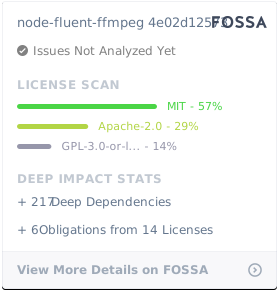](https://app.fossa.io/projects/git%2Bgithub.com%2Ffluent-ffmpeg%2Fnode-fluent-ffmpeg?ref=badge_large)
================================================
FILE: doc/FfmpegCommand.html
================================================
<!DOCTYPE html>
<html lang="en">
<head>
<meta charset="utf-8">
<title>JSDoc: Class: FfmpegCommand</title>
<script src="scripts/prettify/prettify.js"> </script>
<script src="scripts/prettify/lang-css.js"> </script>
<!--[if lt IE 9]>
<script src="//html5shiv.googlecode.com/svn/trunk/html5.js"></script>
<![endif]-->
<link type="text/css" rel="stylesheet" href="styles/prettify-tomorrow.css">
<link type="text/css" rel="stylesheet" href="styles/jsdoc-default.css">
</head>
<body>
<div id="main">
<h1 class="page-title">Class: FfmpegCommand</h1>
<section>
<header>
<h2>
FfmpegCommand
</h2>
</header>
<article>
<div class="container-overview">
<dt>
<h4 class="name" id="FfmpegCommand"><span class="type-signature"></span>new FfmpegCommand<span class="signature">(<span class="optional">input</span>, <span class="optional">options</span>)</span><span class="type-signature"></span></h4>
</dt>
<dd>
<div class="description">
<p>Create an ffmpeg command</p>
<p>Can be called with or without the 'new' operator, and the 'input' parameter
may be specified as 'options.source' instead (or passed later with the
addInput method).</p>
</div>
<h5>Parameters:</h5>
<table class="params">
<thead>
<tr>
<th>Name</th>
<th>Type</th>
<th>Argument</th>
<th class="last">Description</th>
</tr>
</thead>
<tbody>
<tr>
<td class="name"><code>input</code></td>
<td class="type">
<span class="param-type">String</span>
|
<span class="param-type">ReadableStream</span>
</td>
<td class="attributes">
<optional><br>
</td>
<td class="description last"><p>input file path or readable stream</p></td>
</tr>
<tr>
<td class="name"><code>options</code></td>
<td class="type">
<span class="param-type">Object</span>
</td>
<td class="attributes">
<optional><br>
</td>
<td class="description last"><p>command options</p>
<h6>Properties</h6>
<table class="params">
<thead>
<tr>
<th>Name</th>
<th>Type</th>
<th>Argument</th>
<th>Default</th>
<th class="last">Description</th>
</tr>
</thead>
<tbody>
<tr>
<td class="name"><code>logger</code></td>
<td class="type">
<span class="param-type">Object</span>
</td>
<td class="attributes">
<optional><br>
</td>
<td class="default">
<no logging>
</td>
<td class="description last"><p>logger object with 'error', 'warning', 'info' and 'debug' methods</p></td>
</tr>
<tr>
<td class="name"><code>niceness</code></td>
<td class="type">
<span class="param-type">Number</span>
</td>
<td class="attributes">
<optional><br>
</td>
<td class="default">
0
</td>
<td class="description last"><p>ffmpeg process niceness, ignored on Windows</p></td>
</tr>
<tr>
<td class="name"><code>priority</code></td>
<td class="type">
<span class="param-type">Number</span>
</td>
<td class="attributes">
<optional><br>
</td>
<td class="default">
0
</td>
<td class="description last"><p>alias for <code>niceness</code></p></td>
</tr>
<tr>
<td class="name"><code>presets</code></td>
<td class="type">
<span class="param-type">String</span>
</td>
<td class="attributes">
<optional><br>
</td>
<td class="default">
"fluent-ffmpeg/lib/presets"
</td>
<td class="description last"><p>directory to load presets from</p></td>
</tr>
<tr>
<td class="name"><code>preset</code></td>
<td class="type">
<span class="param-type">String</span>
</td>
<td class="attributes">
<optional><br>
</td>
<td class="default">
"fluent-ffmpeg/lib/presets"
</td>
<td class="description last"><p>alias for <code>presets</code></p></td>
</tr>
<tr>
<td class="name"><code>stdoutLines</code></td>
<td class="type">
<span class="param-type">String</span>
</td>
<td class="attributes">
<optional><br>
</td>
<td class="default">
100
</td>
<td class="description last"><p>maximum lines of ffmpeg output to keep in memory, use 0 for unlimited</p></td>
</tr>
<tr>
<td class="name"><code>timeout</code></td>
<td class="type">
<span class="param-type">Number</span>
</td>
<td class="attributes">
<optional><br>
</td>
<td class="default">
<no timeout>
</td>
<td class="description last"><p>ffmpeg processing timeout in seconds</p></td>
</tr>
<tr>
<td class="name"><code>source</code></td>
<td class="type">
<span class="param-type">String</span>
|
<span class="param-type">ReadableStream</span>
</td>
<td class="attributes">
<optional><br>
</td>
<td class="default">
<no input>
</td>
<td class="description last"><p>alias for the <code>input</code> parameter</p></td>
</tr>
</tbody>
</table>
</td>
</tr>
</tbody>
</table>
<dl class="details">
<dt class="tag-source">Source:</dt>
<dd class="tag-source"><ul class="dummy"><li>
<a href="fluent-ffmpeg.js.html">fluent-ffmpeg.js</a>, <a href="fluent-ffmpeg.js.html#line31">line 31</a>
</li></ul></dd>
</dl>
</dd>
</div>
<h3 class="subsection-title"><a name="audio-methods"></a>Audio methods</h3>
<dl>
<dt>
<h4 class="name" id="audioBitrate"><span class="type-signature"></span>audioBitrate<span class="signature">(bitrate)</span><span class="type-signature"></span></h4>
</dt>
<dd>
<div class="description">
<p>Specify audio bitrate</p>
</div>
<h5>Parameters:</h5>
<table class="params">
<thead>
<tr>
<th>Name</th>
<th>Type</th>
<th class="last">Description</th>
</tr>
</thead>
<tbody>
<tr>
<td class="name"><code>bitrate</code></td>
<td class="type">
<span class="param-type">String</span>
|
<span class="param-type">Number</span>
</td>
<td class="description last"><p>audio bitrate in kbps (with an optional 'k' suffix)</p></td>
</tr>
</tbody>
</table>
<dl class="details">
<dt class="tag-source">Source:</dt>
<dd class="tag-source"><ul class="dummy"><li>
<a href="options_audio.js.html">options/audio.js</a>, <a href="options_audio.js.html#line48">line 48</a>
</li></ul></dd>
</dl>
<h5>Returns:</h5>
<div class="param-desc">
<p>FfmpegCommand</p>
</div>
<h5>Alias:</h5>
withAudioBitrate
</dd>
<dt>
<h4 class="name" id="audioChannels"><span class="type-signature"></span>audioChannels<span class="signature">(channels)</span><span class="type-signature"></span></h4>
</dt>
<dd>
<div class="description">
<p>Specify audio channel count</p>
</div>
<h5>Parameters:</h5>
<table class="params">
<thead>
<tr>
<th>Name</th>
<th>Type</th>
<th class="last">Description</th>
</tr>
</thead>
<tbody>
<tr>
<td class="name"><code>channels</code></td>
<td class="type">
<span class="param-type">Number</span>
</td>
<td class="description last"><p>channel count</p></td>
</tr>
</tbody>
</table>
<dl class="details">
<dt class="tag-source">Source:</dt>
<dd class="tag-source"><ul class="dummy"><li>
<a href="options_audio.js.html">options/audio.js</a>, <a href="options_audio.js.html#line65">line 65</a>
</li></ul></dd>
</dl>
<h5>Returns:</h5>
<div class="param-desc">
<p>FfmpegCommand</p>
</div>
<h5>Alias:</h5>
withAudioChannels
</dd>
<dt>
<h4 class="name" id="audioCodec"><span class="type-signature"></span>audioCodec<span class="signature">(codec)</span><span class="type-signature"></span></h4>
</dt>
<dd>
<div class="description">
<p>Specify audio codec</p>
</div>
<h5>Parameters:</h5>
<table class="params">
<thead>
<tr>
<th>Name</th>
<th>Type</th>
<th class="last">Description</th>
</tr>
</thead>
<tbody>
<tr>
<td class="name"><code>codec</code></td>
<td class="type">
<span class="param-type">String</span>
</td>
<td class="description last"><p>audio codec name</p></td>
</tr>
</tbody>
</table>
<dl class="details">
<dt class="tag-source">Source:</dt>
<dd class="tag-source"><ul class="dummy"><li>
<a href="options_audio.js.html">options/audio.js</a>, <a href="options_audio.js.html#line30">line 30</a>
</li></ul></dd>
</dl>
<h5>Returns:</h5>
<div class="param-desc">
<p>FfmpegCommand</p>
</div>
<h5>Alias:</h5>
withAudioCodec
</dd>
<dt>
<h4 class="name" id="audioFilter"><span class="type-signature"></span>audioFilter<span class="signature">(filters)</span><span class="type-signature"></span></h4>
</dt>
<dd>
<div class="description">
Alias for <a href="#audioFilters">FfmpegCommand#audioFilters</a>
</div>
<dl class="details">
</dl>
</dd>
<dt>
<h4 class="name" id="audioFilters"><span class="type-signature"></span>audioFilters<span class="signature">(filters)</span><span class="type-signature"></span></h4>
</dt>
<dd>
<div class="description">
<p>Specify custom audio filter(s)</p>
<p>Can be called both with one or many filters, or a filter array.</p>
</div>
<h5>Parameters:</h5>
<table class="params">
<thead>
<tr>
<th>Name</th>
<th>Type</th>
<th class="last">Description</th>
</tr>
</thead>
<tbody>
<tr>
<td class="name"><code>filters</code></td>
<td class="type">
<span class="param-type">String</span>
|
<span class="param-type">Array.<String></span>
|
<span class="param-type">Array.<Object></span>
</td>
<td class="description last"><p>audio filter strings, string array or
filter specification array, each with the following properties:</p>
<h6>Properties</h6>
<table class="params">
<thead>
<tr>
<th>Name</th>
<th>Type</th>
<th>Argument</th>
<th class="last">Description</th>
</tr>
</thead>
<tbody>
<tr>
<td class="name"><code>filter</code></td>
<td class="type">
<span class="param-type">String</span>
</td>
<td class="attributes">
</td>
<td class="description last"><p>filter name</p></td>
</tr>
<tr>
<td class="name"><code>options</code></td>
<td class="type">
<span class="param-type">String</span>
|
<span class="param-type">Array.<String></span>
|
<span class="param-type">Object</span>
</td>
<td class="attributes">
<optional><br>
</td>
<td class="description last"><p>filter option string, array, or object</p></td>
</tr>
</tbody>
</table>
</td>
</tr>
</tbody>
</table>
<dl class="details">
<dt class="tag-source">Source:</dt>
<dd class="tag-source"><ul class="dummy"><li>
<a href="options_audio.js.html">options/audio.js</a>, <a href="options_audio.js.html#line116">line 116</a>
</li></ul></dd>
</dl>
<h5>Returns:</h5>
<div class="param-desc">
<p>FfmpegCommand</p>
</div>
<h5>Examples:</h5>
<pre class="prettyprint"><code>command.audioFilters('filter1');</code></pre>
<pre class="prettyprint"><code>command.audioFilters('filter1', 'filter2=param1=value1:param2=value2');</code></pre>
<pre class="prettyprint"><code>command.audioFilters(['filter1', 'filter2']);</code></pre>
<pre class="prettyprint"><code>command.audioFilters([
{
filter: 'filter1'
},
{
filter: 'filter2',
options: 'param=value:param=value'
}
]);</code></pre>
<pre class="prettyprint"><code>command.audioFilters(
{
filter: 'filter1',
options: ['value1', 'value2']
},
{
filter: 'filter2',
options: { param1: 'value1', param2: 'value2' }
}
);</code></pre>
<h5>Aliases:</h5>
<ul>
<li>withAudioFilter</li>
<li>withAudioFilters</li>
<li>audioFilter</li>
</ul>
</dd>
<dt>
<h4 class="name" id="audioFrequency"><span class="type-signature"></span>audioFrequency<span class="signature">(freq)</span><span class="type-signature"></span></h4>
</dt>
<dd>
<div class="description">
<p>Specify audio frequency</p>
</div>
<h5>Parameters:</h5>
<table class="params">
<thead>
<tr>
<th>Name</th>
<th>Type</th>
<th class="last">Description</th>
</tr>
</thead>
<tbody>
<tr>
<td class="name"><code>freq</code></td>
<td class="type">
<span class="param-type">Number</span>
</td>
<td class="description last"><p>audio frequency in Hz</p></td>
</tr>
</tbody>
</table>
<dl class="details">
<dt class="tag-source">Source:</dt>
<dd class="tag-source"><ul class="dummy"><li>
<a href="options_audio.js.html">options/audio.js</a>, <a href="options_audio.js.html#line82">line 82</a>
</li></ul></dd>
</dl>
<h5>Returns:</h5>
<div class="param-desc">
<p>FfmpegCommand</p>
</div>
<h5>Alias:</h5>
withAudioFrequency
</dd>
<dt>
<h4 class="name" id="audioQuality"><span class="type-signature"></span>audioQuality<span class="signature">(quality)</span><span class="type-signature"></span></h4>
</dt>
<dd>
<div class="description">
<p>Specify audio quality</p>
</div>
<h5>Parameters:</h5>
<table class="params">
<thead>
<tr>
<th>Name</th>
<th>Type</th>
<th class="last">Description</th>
</tr>
</thead>
<tbody>
<tr>
<td class="name"><code>quality</code></td>
<td class="type">
<span class="param-type">Number</span>
</td>
<td class="description last"><p>audio quality factor</p></td>
</tr>
</tbody>
</table>
<dl class="details">
<dt class="tag-source">Source:</dt>
<dd class="tag-source"><ul class="dummy"><li>
<a href="options_audio.js.html">options/audio.js</a>, <a href="options_audio.js.html#line99">line 99</a>
</li></ul></dd>
</dl>
<h5>Returns:</h5>
<div class="param-desc">
<p>FfmpegCommand</p>
</div>
<h5>Alias:</h5>
withAudioQuality
</dd>
<dt>
<h4 class="name" id="noAudio"><span class="type-signature"></span>noAudio<span class="signature">()</span><span class="type-signature"></span></h4>
</dt>
<dd>
<div class="description">
<p>Disable audio in the output</p>
</div>
<dl class="details">
<dt class="tag-source">Source:</dt>
<dd class="tag-source"><ul class="dummy"><li>
<a href="options_audio.js.html">options/audio.js</a>, <a href="options_audio.js.html#line12">line 12</a>
</li></ul></dd>
</dl>
<h5>Returns:</h5>
<div class="param-desc">
<p>FfmpegCommand</p>
</div>
<h5>Alias:</h5>
withNoAudio
</dd>
<dt>
<h4 class="name" id="withAudioBitrate"><span class="type-signature"></span>withAudioBitrate<span class="signature">(bitrate)</span><span class="type-signature"></span></h4>
</dt>
<dd>
<div class="description">
Alias for <a href="#audioBitrate">FfmpegCommand#audioBitrate</a>
</div>
<dl class="details">
</dl>
</dd>
<dt>
<h4 class="name" id="withAudioChannels"><span class="type-signature"></span>withAudioChannels<span class="signature">(channels)</span><span class="type-signature"></span></h4>
</dt>
<dd>
<div class="description">
Alias for <a href="#audioChannels">FfmpegCommand#audioChannels</a>
</div>
<dl class="details">
</dl>
</dd>
<dt>
<h4 class="name" id="withAudioCodec"><span class="type-signature"></span>withAudioCodec<span class="signature">(codec)</span><span class="type-signature"></span></h4>
</dt>
<dd>
<div class="description">
Alias for <a href="#audioCodec">FfmpegCommand#audioCodec</a>
</div>
<dl class="details">
</dl>
</dd>
<dt>
<h4 class="name" id="withAudioFilter"><span class="type-signature"></span>withAudioFilter<span class="signature">(filters)</span><span class="type-signature"></span></h4>
</dt>
<dd>
<div class="description">
Alias for <a href="#audioFilters">FfmpegCommand#audioFilters</a>
</div>
<dl class="details">
</dl>
</dd>
<dt>
<h4 class="name" id="withAudioFilters"><span class="type-signature"></span>withAudioFilters<span class="signature">(filters)</span><span class="type-signature"></span></h4>
</dt>
<dd>
<div class="description">
Alias for <a href="#audioFilters">FfmpegCommand#audioFilters</a>
</div>
<dl class="details">
</dl>
</dd>
<dt>
<h4 class="name" id="withAudioFrequency"><span class="type-signature"></span>withAudioFrequency<span class="signature">(freq)</span><span class="type-signature"></span></h4>
</dt>
<dd>
<div class="description">
Alias for <a href="#audioFrequency">FfmpegCommand#audioFrequency</a>
</div>
<dl class="details">
</dl>
</dd>
<dt>
<h4 class="name" id="withAudioQuality"><span class="type-signature"></span>withAudioQuality<span class="signature">(quality)</span><span class="type-signature"></span></h4>
</dt>
<dd>
<div class="description">
Alias for <a href="#audioQuality">FfmpegCommand#audioQuality</a>
</div>
<dl class="details">
</dl>
</dd>
<dt>
<h4 class="name" id="withNoAudio"><span class="type-signature"></span>withNoAudio<span class="signature">()</span><span class="type-signature"></span></h4>
</dt>
<dd>
<div class="description">
Alias for <a href="#noAudio">FfmpegCommand#noAudio</a>
</div>
<dl class="details">
</dl>
</dd>
</dl>
<h3 class="subsection-title"><a name="capabilities-methods"></a>Capabilities methods</h3>
<dl>
<dt>
<h4 class="name" id="availableCodecs"><span class="type-signature"></span>availableCodecs<span class="signature">(callback)</span><span class="type-signature"></span></h4>
</dt>
<dd>
<div class="description">
<p>Query ffmpeg for available codecs</p>
</div>
<h5>Parameters:</h5>
<table class="params">
<thead>
<tr>
<th>Name</th>
<th>Type</th>
<th class="last">Description</th>
</tr>
</thead>
<tbody>
<tr>
<td class="name"><code>callback</code></td>
<td class="type">
<span class="param-type"><a href="FfmpegCommand.html#~codecCallback">FfmpegCommand~codecCallback</a></span>
</td>
<td class="description last"><p>callback function</p></td>
</tr>
</tbody>
</table>
<dl class="details">
<dt class="tag-source">Source:</dt>
<dd class="tag-source"><ul class="dummy"><li>
<a href="capabilities.js.html">capabilities.js</a>, <a href="capabilities.js.html#line343">line 343</a>
</li></ul></dd>
</dl>
<h5>Alias:</h5>
getAvailableCodecs
</dd>
<dt>
<h4 class="name" id="availableEncoders"><span class="type-signature"></span>availableEncoders<span class="signature">(callback)</span><span class="type-signature"></span></h4>
</dt>
<dd>
<div class="description">
<p>Query ffmpeg for available encoders</p>
</div>
<h5>Parameters:</h5>
<table class="params">
<thead>
<tr>
<th>Name</th>
<th>Type</th>
<th class="last">Description</th>
</tr>
</thead>
<tbody>
<tr>
<td class="name"><code>callback</code></td>
<td class="type">
<span class="param-type"><a href="FfmpegCommand.html#~encodersCallback">FfmpegCommand~encodersCallback</a></span>
</td>
<td class="description last"><p>callback function</p></td>
</tr>
</tbody>
</table>
<dl class="details">
<dt class="tag-source">Source:</dt>
<dd class="tag-source"><ul class="dummy"><li>
<a href="capabilities.js.html">capabilities.js</a>, <a href="capabilities.js.html#line445">line 445</a>
</li></ul></dd>
</dl>
<h5>Alias:</h5>
getAvailableEncoders
</dd>
<dt>
<h4 class="name" id="availableFilters"><span class="type-signature"></span>availableFilters<span class="signature">(callback)</span><span class="type-signature"></span></h4>
</dt>
<dd>
<div class="description">
<p>Query ffmpeg for available filters</p>
</div>
<h5>Parameters:</h5>
<table class="params">
<thead>
<tr>
<th>Name</th>
<th>Type</th>
<th class="last">Description</th>
</tr>
</thead>
<tbody>
<tr>
<td class="name"><code>callback</code></td>
<td class="type">
<span class="param-type"><a href="FfmpegCommand.html#~filterCallback">FfmpegCommand~filterCallback</a></span>
</td>
<td class="description last"><p>callback function</p></td>
</tr>
</tbody>
</table>
<dl class="details">
<dt class="tag-source">Source:</dt>
<dd class="tag-source"><ul class="dummy"><li>
<a href="capabilities.js.html">capabilities.js</a>, <a href="capabilities.js.html#line287">line 287</a>
</li></ul></dd>
</dl>
<h5>Alias:</h5>
getAvailableFilters
</dd>
<dt>
<h4 class="name" id="availableFormats"><span class="type-signature"></span>availableFormats<span class="signature">(callback)</span><span class="type-signature"></span></h4>
</dt>
<dd>
<div class="description">
<p>Query ffmpeg for available formats</p>
</div>
<h5>Parameters:</h5>
<table class="params">
<thead>
<tr>
<th>Name</th>
<th>Type</th>
<th class="last">Description</th>
</tr>
</thead>
<tbody>
<tr>
<td class="name"><code>callback</code></td>
<td class="type">
<span class="param-type"><a href="FfmpegCommand.html#~formatCallback">FfmpegCommand~formatCallback</a></span>
</td>
<td class="description last"><p>callback function</p></td>
</tr>
</tbody>
</table>
<dl class="details">
<dt class="tag-source">Source:</dt>
<dd class="tag-source"><ul class="dummy"><li>
<a href="capabilities.js.html">capabilities.js</a>, <a href="capabilities.js.html#line501">line 501</a>
</li></ul></dd>
</dl>
<h5>Alias:</h5>
getAvailableFormats
</dd>
<dt>
<h4 class="name" id="getAvailableCodecs"><span class="type-signature"></span>getAvailableCodecs<span class="signature">(callback)</span><span class="type-signature"></span></h4>
</dt>
<dd>
<div class="description">
Alias for <a href="#availableCodecs">FfmpegCommand#availableCodecs</a>
</div>
<dl class="details">
</dl>
</dd>
<dt>
<h4 class="name" id="getAvailableEncoders"><span class="type-signature"></span>getAvailableEncoders<span class="signature">(callback)</span><span class="type-signature"></span></h4>
</dt>
<dd>
<div class="description">
Alias for <a href="#availableEncoders">FfmpegCommand#availableEncoders</a>
</div>
<dl class="details">
</dl>
</dd>
<dt>
<h4 class="name" id="getAvailableFilters"><span class="type-signature"></span>getAvailableFilters<span class="signature">(callback)</span><span class="type-signature"></span></h4>
</dt>
<dd>
<div class="description">
Alias for <a href="#availableFilters">FfmpegCommand#availableFilters</a>
</div>
<dl class="details">
</dl>
</dd>
<dt>
<h4 class="name" id="getAvailableFormats"><span class="type-signature"></span>getAvailableFormats<span class="signature">(callback)</span><span class="type-signature"></span></h4>
</dt>
<dd>
<div class="description">
Alias for <a href="#availableFormats">FfmpegCommand#availableFormats</a>
</div>
<dl class="details">
</dl>
</dd>
</dl>
<h3 class="subsection-title"><a name="custom-options-methods"></a>Custom options methods</h3>
<dl>
<dt>
<h4 class="name" id="addInputOption"><span class="type-signature"></span>addInputOption<span class="signature">(options)</span><span class="type-signature"></span></h4>
</dt>
<dd>
<div class="description">
Alias for <a href="#inputOptions">FfmpegCommand#inputOptions</a>
</div>
<dl class="details">
</dl>
</dd>
<dt>
<h4 class="name" id="addInputOptions"><span class="type-signature"></span>addInputOptions<span class="signature">(options)</span><span class="type-signature"></span></h4>
</dt>
<dd>
<div class="description">
Alias for <a href="#inputOptions">FfmpegCommand#inputOptions</a>
</div>
<dl class="details">
</dl>
</dd>
<dt>
<h4 class="name" id="addOption"><span class="type-signature"></span>addOption<span class="signature">(options)</span><span class="type-signature"></span></h4>
</dt>
<dd>
<div class="description">
Alias for <a href="#outputOptions">FfmpegCommand#outputOptions</a>
</div>
<dl class="details">
</dl>
</dd>
<dt>
<h4 class="name" id="addOptions"><span class="type-signature"></span>addOptions<span class="signature">(options)</span><span class="type-signature"></span></h4>
</dt>
<dd>
<div class="description">
Alias for <a href="#outputOptions">FfmpegCommand#outputOptions</a>
</div>
<dl class="details">
</dl>
</dd>
<dt>
<h4 class="name" id="addOutputOption"><span class="type-signature"></span>addOutputOption<span class="signature">(options)</span><span class="type-signature"></span></h4>
</dt>
<dd>
<div class="description">
Alias for <a href="#outputOptions">FfmpegCommand#outputOptions</a>
</div>
<dl class="details">
</dl>
</dd>
<dt>
<h4 class="name" id="addOutputOptions"><span class="type-signature"></span>addOutputOptions<span class="signature">(options)</span><span class="type-signature"></span></h4>
</dt>
<dd>
<div class="description">
Alias for <a href="#outputOptions">FfmpegCommand#outputOptions</a>
</div>
<dl class="details">
</dl>
</dd>
<dt>
<h4 class="name" id="complexFilter"><span class="type-signature"></span>complexFilter<span class="signature">(spec, <span class="optional">map</span>)</span><span class="type-signature"></span></h4>
</dt>
<dd>
<div class="description">
<p>Specify a complex filtergraph</p>
<p>Calling this method will override any previously set filtergraph, but you can set
as many filters as needed in one call.</p>
</div>
<h5>Parameters:</h5>
<table class="params">
<thead>
<tr>
<th>Name</th>
<th>Type</th>
<th>Argument</th>
<th class="last">Description</th>
</tr>
</thead>
<tbody>
<tr>
<td class="name"><code>spec</code></td>
<td class="type">
<span class="param-type">String</span>
|
<span class="param-type">Array</span>
</td>
<td class="attributes">
</td>
<td class="description last"><p>filtergraph string or array of filter specification
objects, each having the following properties:</p>
<h6>Properties</h6>
<table class="params">
<thead>
<tr>
<th>Name</th>
<th>Type</th>
<th>Argument</th>
<th class="last">Description</th>
</tr>
</thead>
<tbody>
<tr>
<td class="name"><code>filter</code></td>
<td class="type">
<span class="param-type">String</span>
</td>
<td class="attributes">
</td>
<td class="description last"><p>filter name</p></td>
</tr>
<tr>
<td class="name"><code>inputs</code></td>
<td class="type">
<span class="param-type">String</span>
|
<span class="param-type">Array</span>
</td>
<td class="attributes">
<optional><br>
</td>
<td class="description last"><p>(array of) input stream specifier(s) for the filter,
defaults to ffmpeg automatically choosing the first unused matching streams</p></td>
</tr>
<tr>
<td class="name"><code>outputs</code></td>
<td class="type">
<span class="param-type">String</span>
|
<span class="param-type">Array</span>
</td>
<td class="attributes">
<optional><br>
</td>
<td class="description last"><p>(array of) output stream specifier(s) for the filter,
defaults to ffmpeg automatically assigning the output to the output file</p></td>
</tr>
<tr>
<td class="name"><code>options</code></td>
<td class="type">
<span class="param-type">Object</span>
|
<span class="param-type">String</span>
|
<span class="param-type">Array</span>
</td>
<td class="attributes">
<optional><br>
</td>
<td class="description last"><p>filter options, can be omitted to not set any options</p></td>
</tr>
</tbody>
</table>
</td>
</tr>
<tr>
<td class="name"><code>map</code></td>
<td class="type">
<span class="param-type">Array</span>
</td>
<td class="attributes">
<optional><br>
</td>
<td class="description last"><p>(array of) stream specifier(s) from the graph to include in
ffmpeg output, defaults to ffmpeg automatically choosing the first matching streams.</p></td>
</tr>
</tbody>
</table>
<dl class="details">
<dt class="tag-source">Source:</dt>
<dd class="tag-source"><ul class="dummy"><li>
<a href="options_custom.js.html">options/custom.js</a>, <a href="options_custom.js.html#line127">line 127</a>
</li></ul></dd>
</dl>
<h5>Returns:</h5>
<div class="param-desc">
<p>FfmpegCommand</p>
</div>
<h5>Examples:</h5>
<p class="code-caption">Overlay an image over a video (using a filtergraph string)</p>
<pre class="prettyprint"><code> ffmpeg()
.input('video.avi')
.input('image.png')
.complexFilter('[0:v][1:v]overlay[out]', ['out']);</code></pre>
<p class="code-caption">Overlay an image over a video (using a filter array)</p>
<pre class="prettyprint"><code> ffmpeg()
.input('video.avi')
.input('image.png')
.complexFilter([{
filter: 'overlay',
inputs: ['0:v', '1:v'],
outputs: ['out']
}], ['out']);</code></pre>
<p class="code-caption">Split video into RGB channels and output a 3x1 video with channels side to side</p>
<pre class="prettyprint"><code> ffmpeg()
.input('video.avi')
.complexFilter([
// Duplicate video stream 3 times into streams a, b, and c
{ filter: 'split', options: '3', outputs: ['a', 'b', 'c'] },
// Create stream 'red' by cancelling green and blue channels from stream 'a'
{ filter: 'lutrgb', options: { g: 0, b: 0 }, inputs: 'a', outputs: 'red' },
// Create stream 'green' by cancelling red and blue channels from stream 'b'
{ filter: 'lutrgb', options: { r: 0, b: 0 }, inputs: 'b', outputs: 'green' },
// Create stream 'blue' by cancelling red and green channels from stream 'c'
{ filter: 'lutrgb', options: { r: 0, g: 0 }, inputs: 'c', outputs: 'blue' },
// Pad stream 'red' to 3x width, keeping the video on the left, and name output 'padded'
{ filter: 'pad', options: { w: 'iw*3', h: 'ih' }, inputs: 'red', outputs: 'padded' },
// Overlay 'green' onto 'padded', moving it to the center, and name output 'redgreen'
{ filter: 'overlay', options: { x: 'w', y: 0 }, inputs: ['padded', 'green'], outputs: 'redgreen'},
// Overlay 'blue' onto 'redgreen', moving it to the right
{ filter: 'overlay', options: { x: '2*w', y: 0 }, inputs: ['redgreen', 'blue']},
]);</code></pre>
<h5>Alias:</h5>
filterGraph
</dd>
<dt>
<h4 class="name" id="filterGraph"><span class="type-signature"></span>filterGraph<span class="signature">(spec, <span class="optional">map</span>)</span><span class="type-signature"></span></h4>
</dt>
<dd>
<div class="description">
Alias for <a href="#complexFilter">FfmpegCommand#complexFilter</a>
</div>
<dl class="details">
</dl>
</dd>
<dt>
<h4 class="name" id="inputOption"><span class="type-signature"></span>inputOption<span class="signature">(options)</span><span class="type-signature"></span></h4>
</dt>
<dd>
<div class="description">
Alias for <a href="#inputOptions">FfmpegCommand#inputOptions</a>
</div>
<dl class="details">
</dl>
</dd>
<dt>
<h4 class="name" id="inputOptions"><span class="type-signature"></span>inputOptions<span class="signature">(options)</span><span class="type-signature"></span></h4>
</dt>
<dd>
<div class="description">
<p>Add custom input option(s)</p>
<p>When passing a single string or an array, each string containing two
words is split (eg. inputOptions('-option value') is supported) for
compatibility reasons. This is not the case when passing more than
one argument.</p>
</div>
<h5>Parameters:</h5>
<table class="params">
<thead>
<tr>
<th>Name</th>
<th>Type</th>
<th>Argument</th>
<th class="last">Description</th>
</tr>
</thead>
<tbody>
<tr>
<td class="name"><code>options</code></td>
<td class="type">
<span class="param-type">String</span>
</td>
<td class="attributes">
<repeatable><br>
</td>
<td class="description last"><p>option string(s) or string array</p></td>
</tr>
</tbody>
</table>
<dl class="details">
<dt class="tag-source">Source:</dt>
<dd class="tag-source"><ul class="dummy"><li>
<a href="options_custom.js.html">options/custom.js</a>, <a href="options_custom.js.html#line12">line 12</a>
</li></ul></dd>
</dl>
<h5>Returns:</h5>
<div class="param-desc">
<p>FfmpegCommand</p>
</div>
<h5>Examples:</h5>
<pre class="prettyprint"><code>command.inputOptions('option1');</code></pre>
<pre class="prettyprint"><code>command.inputOptions('option1', 'option2');</code></pre>
<pre class="prettyprint"><code>command.inputOptions(['option1', 'option2']);</code></pre>
<h5>Aliases:</h5>
<ul>
<li>addInputOption</li>
<li>addInputOptions</li>
<li>withInputOption</li>
<li>withInputOptions</li>
<li>inputOption</li>
</ul>
</dd>
<dt>
<h4 class="name" id="outputOption"><span class="type-signature"></span>outputOption<span class="signature">(options)</span><span class="type-signature"></span></h4>
</dt>
<dd>
<div class="description">
Alias for <a href="#outputOptions">FfmpegCommand#outputOptions</a>
</div>
<dl class="details">
</dl>
</dd>
<dt>
<h4 class="name" id="outputOptions"><span class="type-signature"></span>outputOptions<span class="signature">(options)</span><span class="type-signature"></span></h4>
</dt>
<dd>
<div class="description">
<p>Add custom output option(s)</p>
</div>
<h5>Parameters:</h5>
<table class="params">
<thead>
<tr>
<th>Name</th>
<th>Type</th>
<th>Argument</th>
<th class="last">Description</th>
</tr>
</thead>
<tbody>
<tr>
<td class="name"><code>options</code></td>
<td class="type">
<span class="param-type">String</span>
</td>
<td class="attributes">
<repeatable><br>
</td>
<td class="description last"><p>option string(s) or string array</p></td>
</tr>
</tbody>
</table>
<dl class="details">
<dt class="tag-source">Source:</dt>
<dd class="tag-source"><ul class="dummy"><li>
<a href="options_custom.js.html">options/custom.js</a>, <a href="options_custom.js.html#line72">line 72</a>
</li></ul></dd>
</dl>
<h5>Returns:</h5>
<div class="param-desc">
<p>FfmpegCommand</p>
</div>
<h5>Examples:</h5>
<pre class="prettyprint"><code>command.outputOptions('option1');</code></pre>
<pre class="prettyprint"><code>command.outputOptions('option1', 'option2');</code></pre>
<pre class="prettyprint"><code>command.outputOptions(['option1', 'option2']);</code></pre>
<h5>Aliases:</h5>
<ul>
<li>addOutputOption</li>
<li>addOutputOptions</li>
<li>addOption</li>
<li>addOptions</li>
<li>withOutputOption</li>
<li>withOutputOptions</li>
<li>withOption</li>
<li>withOptions</li>
<li>outputOption</li>
</ul>
</dd>
<dt>
<h4 class="name" id="withInputOption"><span class="type-signature"></span>withInputOption<span class="signature">(options)</span><span class="type-signature"></span></h4>
</dt>
<dd>
<div class="description">
Alias for <a href="#inputOptions">FfmpegCommand#inputOptions</a>
</div>
<dl class="details">
</dl>
</dd>
<dt>
<h4 class="name" id="withInputOptions"><span class="type-signature"></span>withInputOptions<span class="signature">(options)</span><span class="type-signature"></span></h4>
</dt>
<dd>
<div class="description">
Alias for <a href="#inputOptions">FfmpegCommand#inputOptions</a>
</div>
<dl class="details">
</dl>
</dd>
<dt>
<h4 class="name" id="withOption"><span class="type-signature"></span>withOption<span class="signature">(options)</span><span class="type-signature"></span></h4>
</dt>
<dd>
<div class="description">
Alias for <a href="#outputOptions">FfmpegCommand#outputOptions</a>
</div>
<dl class="details">
</dl>
</dd>
<dt>
<h4 class="name" id="withOptions"><span class="type-signature"></span>withOptions<span class="signature">(options)</span><span class="type-signature"></span></h4>
</dt>
<dd>
<div class="description">
Alias for <a href="#outputOptions">FfmpegCommand#outputOptions</a>
</div>
<dl class="details">
</dl>
</dd>
<dt>
<h4 class="name" id="withOutputOption"><span class="type-signature"></span>withOutputOption<span class="signature">(options)</span><span class="type-signature"></span></h4>
</dt>
<dd>
<div class="description">
Alias for <a href="#outputOptions">FfmpegCommand#outputOptions</a>
</div>
<dl class="details">
</dl>
</dd>
<dt>
<h4 class="name" id="withOutputOptions"><span class="type-signature"></span>withOutputOptions<span class="signature">(options)</span><span class="type-signature"></span></h4>
</dt>
<dd>
<div class="description">
Alias for <a href="#outputOptions">FfmpegCommand#outputOptions</a>
</div>
<dl class="details">
</dl>
</dd>
</dl>
<h3 class="subsection-title"><a name="input-methods"></a>Input methods</h3>
<dl>
<dt>
<h4 class="name" id="addInput"><span class="type-signature"></span>addInput<span class="signature">(source)</span><span class="type-signature"></span></h4>
</dt>
<dd>
<div class="description">
Alias for <a href="#input">FfmpegCommand#input</a>
</div>
<dl class="details">
</dl>
</dd>
<dt>
<h4 class="name" id="fpsInput"><span class="type-signature"></span>fpsInput<span class="signature">(fps)</span><span class="type-signature"></span></h4>
</dt>
<dd>
<div class="description">
Alias for <a href="#inputFps">FfmpegCommand#inputFps</a>
</div>
<dl class="details">
</dl>
</dd>
<dt>
<h4 class="name" id="fromFormat"><span class="type-signature"></span>fromFormat<span class="signature">(format)</span><span class="type-signature"></span></h4>
</dt>
<dd>
<div class="description">
Alias for <a href="#inputFormat">FfmpegCommand#inputFormat</a>
</div>
<dl class="details">
</dl>
</dd>
<dt>
<h4 class="name" id="input"><span class="type-signature"></span>input<span class="signature">(source)</span><span class="type-signature"></span></h4>
</dt>
<dd>
<div class="description">
<p>Add an input to command</p>
<p>Also switches "current input", that is the input that will be affected
by subsequent input-related methods.</p>
<p>Note: only one stream input is supported for now.</p>
</div>
<h5>Parameters:</h5>
<table class="params">
<thead>
<tr>
<th>Name</th>
<th>Type</th>
<th class="last">Description</th>
</tr>
</thead>
<tbody>
<tr>
<td class="name"><code>source</code></td>
<td class="type">
<span class="param-type">String</span>
|
<span class="param-type">Readable</span>
</td>
<td class="description last"><p>input file path or readable stream</p></td>
</tr>
</tbody>
</table>
<dl class="details">
<dt class="tag-source">Source:</dt>
<dd class="tag-source"><ul class="dummy"><li>
<a href="options_inputs.js.html">options/inputs.js</a>, <a href="options_inputs.js.html#line11">line 11</a>
</li></ul></dd>
</dl>
<h5>Returns:</h5>
<div class="param-desc">
<p>FfmpegCommand</p>
</div>
<h5>Aliases:</h5>
<ul>
<li>mergeAdd</li>
<li>addInput</li>
</ul>
</dd>
<dt>
<h4 class="name" id="inputFormat"><span class="type-signature"></span>inputFormat<span class="signature">(format)</span><span class="type-signature"></span></h4>
</dt>
<dd>
<div class="description">
<p>Specify input format for the last specified input</p>
</div>
<h5>Parameters:</h5>
<table class="params">
<thead>
<tr>
<th>Name</th>
<th>Type</th>
<th class="last">Description</th>
</tr>
</thead>
<tbody>
<tr>
<td class="name"><code>format</code></td>
<td class="type">
<span class="param-type">String</span>
</td>
<td class="description last"><p>input format</p></td>
</tr>
</tbody>
</table>
<dl class="details">
<dt class="tag-source">Source:</dt>
<dd class="tag-source"><ul class="dummy"><li>
<a href="options_inputs.js.html">options/inputs.js</a>, <a href="options_inputs.js.html#line63">line 63</a>
</li></ul></dd>
</dl>
<h5>Returns:</h5>
<div class="param-desc">
<p>FfmpegCommand</p>
</div>
<h5>Aliases:</h5>
<ul>
<li>withInputFormat</li>
<li>fromFormat</li>
</ul>
</dd>
<dt>
<h4 class="name" id="inputFps"><span class="type-signature"></span>inputFps<span class="signature">(fps)</span><span class="type-signature"></span></h4>
</dt>
<dd>
<div class="description">
<p>Specify input FPS for the last specified input
(only valid for raw video formats)</p>
</div>
<h5>Parameters:</h5>
<table class="params">
<thead>
<tr>
<th>Name</th>
<th>Type</th>
<th class="last">Description</th>
</tr>
</thead>
<tbody>
<tr>
<td class="name"><code>fps</code></td>
<td class="type">
<span class="param-type">Number</span>
</td>
<td class="description last"><p>input FPS</p></td>
</tr>
</tbody>
</table>
<dl class="details">
<dt class="tag-source">Source:</dt>
<dd class="tag-source"><ul class="dummy"><li>
<a href="options_inputs.js.html">options/inputs.js</a>, <a href="options_inputs.js.html#line85">line 85</a>
</li></ul></dd>
</dl>
<h5>Returns:</h5>
<div class="param-desc">
<p>FfmpegCommand</p>
</div>
<h5>Aliases:</h5>
<ul>
<li>withInputFps</li>
<li>withInputFPS</li>
<li>withFpsInput</li>
<li>withFPSInput</li>
<li>inputFPS</li>
<li>inputFps</li>
<li>fpsInput</li>
</ul>
</dd>
<dt>
<h4 class="name" id="inputFPS"><span class="type-signature"></span>inputFPS<span class="signature">(fps)</span><span class="type-signature"></span></h4>
</dt>
<dd>
<div class="description">
Alias for <a href="#inputFps">FfmpegCommand#inputFps</a>
</div>
<dl class="details">
</dl>
</dd>
<dt>
<h4 class="name" id="inputFps"><span class="type-signature"></span>inputFps<span class="signature">(fps)</span><span class="type-signature"></span></h4>
</dt>
<dd>
<div class="description">
Alias for <a href="#inputFps">FfmpegCommand#inputFps</a>
</div>
<dl class="details">
</dl>
</dd>
<dt>
<h4 class="name" id="loop"><span class="type-signature"></span>loop<span class="signature">(<span class="optional">duration</span>)</span><span class="type-signature"></span></h4>
</dt>
<dd>
<div class="description">
<p>Loop over the last specified input</p>
</div>
<h5>Parameters:</h5>
<table class="params">
<thead>
<tr>
<th>Name</th>
<th>Type</th>
<th>Argument</th>
<th class="last">Description</th>
</tr>
</thead>
<tbody>
<tr>
<td class="name"><code>duration</code></td>
<td class="type">
<span class="param-type">String</span>
|
<span class="param-type">Number</span>
</td>
<td class="attributes">
<optional><br>
</td>
<td class="description last"><p>loop duration in seconds or as a '[[hh:]mm:]ss[.xxx]' string</p></td>
</tr>
</tbody>
</table>
<dl class="details">
<dt class="tag-source">Source:</dt>
<dd class="tag-source"><ul class="dummy"><li>
<a href="options_inputs.js.html">options/inputs.js</a>, <a href="options_inputs.js.html#line156">line 156</a>
</li></ul></dd>
</dl>
<h5>Returns:</h5>
<div class="param-desc">
<p>FfmpegCommand</p>
</div>
</dd>
<dt>
<h4 class="name" id="mergeAdd"><span class="type-signature"></span>mergeAdd<span class="signature">(source)</span><span class="type-signature"></span></h4>
</dt>
<dd>
<div class="description">
Alias for <a href="#input">FfmpegCommand#input</a>
</div>
<dl class="details">
</dl>
</dd>
<dt>
<h4 class="name" id="native"><span class="type-signature"></span>native<span class="signature">()</span><span class="type-signature"></span></h4>
</dt>
<dd>
<div class="description">
<p>Use native framerate for the last specified input</p>
</div>
<dl class="details">
<dt class="tag-source">Source:</dt>
<dd class="tag-source"><ul class="dummy"><li>
<a href="options_inputs.js.html">options/inputs.js</a>, <a href="options_inputs.js.html#line113">line 113</a>
</li></ul></dd>
</dl>
<h5>Returns:</h5>
<div class="param-desc">
<p>FfmmegCommand</p>
</div>
<h5>Aliases:</h5>
<ul>
<li>nativeFramerate</li>
<li>withNativeFramerate</li>
</ul>
</dd>
<dt>
<h4 class="name" id="nativeFramerate"><span class="type-signature"></span>nativeFramerate<span class="signature">()</span><span class="type-signature"></span></h4>
</dt>
<dd>
<div class="description">
Alias for <a href="#native">FfmpegCommand#native</a>
</div>
<dl class="details">
</dl>
</dd>
<dt>
<h4 class="name" id="seek"><span class="type-signature"></span>seek<span class="signature">(seek)</span><span class="type-signature"></span></h4>
</dt>
<dd>
<div class="description">
<p>Specify output seek time</p>
</div>
<h5>Parameters:</h5>
<table class="params">
<thead>
<tr>
<th>Name</th>
<th>Type</th>
<th class="last">Description</th>
</tr>
</thead>
<tbody>
<tr>
<td class="name"><code>seek</code></td>
<td class="type">
<span class="param-type">String</span>
|
<span class="param-type">Number</span>
</td>
<td class="description last"><p>seek time in seconds or as a '[hh:[mm:]]ss[.xxx]' string</p></td>
</tr>
</tbody>
</table>
<dl class="details">
<dt class="tag-source">Source:</dt>
<dd class="tag-source"><ul class="dummy"><li>
<a href="options_output.js.html">options/output.js</a>, <a href="options_output.js.html#line79">line 79</a>
</li></ul></dd>
</dl>
<h5>Returns:</h5>
<div class="param-desc">
<p>FfmpegCommand</p>
</div>
<h5>Alias:</h5>
seekOutput
</dd>
<dt>
<h4 class="name" id="seekInput"><span class="type-signature"></span>seekInput<span class="signature">(seek)</span><span class="type-signature"></span></h4>
</dt>
<dd>
<div class="description">
<p>Specify input seek time for the last specified input</p>
</div>
<h5>Parameters:</h5>
<table class="params">
<thead>
<tr>
<th>Name</th>
<th>Type</th>
<th class="last">Description</th>
</tr>
</thead>
<tbody>
<tr>
<td class="name"><code>seek</code></td>
<td class="type">
<span class="param-type">String</span>
|
<span class="param-type">Number</span>
</td>
<td class="description last"><p>seek time in seconds or as a '[hh:[mm:]]ss[.xxx]' string</p></td>
</tr>
</tbody>
</table>
<dl class="details">
<dt class="tag-source">Source:</dt>
<dd class="tag-source"><ul class="dummy"><li>
<a href="options_inputs.js.html">options/inputs.js</a>, <a href="options_inputs.js.html#line134">line 134</a>
</li></ul></dd>
</dl>
<h5>Returns:</h5>
<div class="param-desc">
<p>FfmpegCommand</p>
</div>
<h5>Aliases:</h5>
<ul>
<li>setStartTime</li>
<li>seekTo</li>
</ul>
</dd>
<dt>
<h4 class="name" id="seekOutput"><span class="type-signature"></span>seekOutput<span class="signature">(seek)</span><span class="type-signature"></span></h4>
</dt>
<dd>
<div class="description">
Alias for <a href="#seek">FfmpegCommand#seek</a>
</div>
<dl class="details">
</dl>
</dd>
<dt>
<h4 class="name" id="seekTo"><span class="type-signature"></span>seekTo<span class="signature">(seek)</span><span class="type-signature"></span></h4>
</dt>
<dd>
<div class="description">
Alias for <a href="#seekInput">FfmpegCommand#seekInput</a>
</div>
<dl class="details">
</dl>
</dd>
<dt>
<h4 class="name" id="setStartTime"><span class="type-signature"></span>setStartTime<span class="signature">(seek)</span><span class="type-signature"></span></h4>
</dt>
<dd>
<div class="description">
Alias for <a href="#seekInput">FfmpegCommand#seekInput</a>
</div>
<dl class="details">
</dl>
</dd>
<dt>
<h4 class="name" id="withFpsInput"><span class="type-signature"></span>withFpsInput<span class="signature">(fps)</span><span class="type-signature"></span></h4>
</dt>
<dd>
<div class="description">
Alias for <a href="#inputFps">FfmpegCommand#inputFps</a>
</div>
<dl class="details">
</dl>
</dd>
<dt>
<h4 class="name" id="withFPSInput"><span class="type-signature"></span>withFPSInput<span class="signature">(fps)</span><span class="type-signature"></span></h4>
</dt>
<dd>
<div class="description">
Alias for <a href="#inputFps">FfmpegCommand#inputFps</a>
</div>
<dl class="details">
</dl>
</dd>
<dt>
<h4 class="name" id="withInputFormat"><span class="type-signature"></span>withInputFormat<span class="signature">(format)</span><span class="type-signature"></span></h4>
</dt>
<dd>
<div class="description">
Alias for <a href="#inputFormat">FfmpegCommand#inputFormat</a>
</div>
<dl class="details">
</dl>
</dd>
<dt>
<h4 class="name" id="withInputFPS"><span class="type-signature"></span>withInputFPS<span class="signature">(fps)</span><span class="type-signature"></span></h4>
</dt>
<dd>
<div class="description">
Alias for <a href="#inputFps">FfmpegCommand#inputFps</a>
</div>
<dl class="details">
</dl>
</dd>
<dt>
<h4 class="name" id="withInputFps"><span class="type-signature"></span>withInputFps<span class="signature">(fps)</span><span class="type-signature"></span></h4>
</dt>
<dd>
<div class="description">
Alias for <a href="#inputFps">FfmpegCommand#inputFps</a>
</div>
<dl class="details">
</dl>
</dd>
<dt>
<h4 class="name" id="withNativeFramerate"><span class="type-signature"></span>withNativeFramerate<span class="signature">()</span><span class="type-signature"></span></h4>
</dt>
<dd>
<div class="description">
Alias for <a href="#native">FfmpegCommand#native</a>
</div>
<dl class="details">
</dl>
</dd>
</dl>
<h3 class="subsection-title"><a name="metadata-methods"></a>Metadata methods</h3>
<dl>
<dt>
<h4 class="name" id="ffprobe"><span class="type-signature"></span>ffprobe<span class="signature">(<span class="optional">index</span>, <span class="optional">options</span>, callback)</span><span class="type-signature"></span></h4>
</dt>
<dd>
<div class="description">
<p>Run ffprobe on last specified input</p>
</div>
<h5>Parameters:</h5>
<table class="params">
<thead>
<tr>
<th>Name</th>
<th>Type</th>
<th>Argument</th>
<th class="last">Description</th>
</tr>
</thead>
<tbody>
<tr>
<td class="name"><code>index</code></td>
<td class="type">
<span class="param-type">Number</span>
</td>
<td class="attributes">
<optional><br>
<nullable><br>
</td>
<td class="description last"><p>0-based index of input to probe (defaults to last input)</p></td>
</tr>
<tr>
<td class="name"><code>options</code></td>
<td class="type">
<span class="param-type">Array.<String></span>
</td>
<td class="attributes">
<optional><br>
<nullable><br>
</td>
<td class="description last"><p>array of output options to return</p></td>
</tr>
<tr>
<td class="name"><code>callback</code></td>
<td class="type">
<span class="param-type"><a href="FfmpegCommand.html#~ffprobeCallback">FfmpegCommand~ffprobeCallback</a></span>
</td>
<td class="attributes">
</td>
<td class="description last"><p>callback function</p></td>
</tr>
</tbody>
</table>
<dl class="details">
<dt class="tag-source">Source:</dt>
<dd class="tag-source"><ul class="dummy"><li>
<a href="ffprobe.js.html">ffprobe.js</a>, <a href="ffprobe.js.html#line85">line 85</a>
</li></ul></dd>
</dl>
</dd>
</dl>
<h3 class="subsection-title"><a name="miscellaneous-methods"></a>Miscellaneous methods</h3>
<dl>
<dt>
<h4 class="name" id="preset"><span class="type-signature"></span>preset<span class="signature">(preset)</span><span class="type-signature"></span></h4>
</dt>
<dd>
<div class="description">
<p>Use preset</p>
</div>
<h5>Parameters:</h5>
<table class="params">
<thead>
<tr>
<th>Name</th>
<th>Type</th>
<th class="last">Description</th>
</tr>
</thead>
<tbody>
<tr>
<td class="name"><code>preset</code></td>
<td class="type">
<span class="param-type">String</span>
|
<span class="param-type">function</span>
</td>
<td class="description last"><p>preset name or preset function</p></td>
</tr>
</tbody>
</table>
<dl class="details">
<dt class="tag-source">Source:</dt>
<dd class="tag-source"><ul class="dummy"><li>
<a href="options_misc.js.html">options/misc.js</a>, <a href="options_misc.js.html#line11">line 11</a>
</li></ul></dd>
</dl>
<h5>Alias:</h5>
usingPreset
</dd>
<dt>
<h4 class="name" id="usingPreset"><span class="type-signature"></span>usingPreset<span class="signature">(preset)</span><span class="type-signature"></span></h4>
</dt>
<dd>
<div class="description">
Alias for <a href="#preset">FfmpegCommand#preset</a>
</div>
<dl class="details">
</dl>
</dd>
</dl>
<h3 class="subsection-title"><a name="other-methods"></a>Other methods</h3>
<dl>
<dt>
<h4 class="name" id="clone"><span class="type-signature"></span>clone<span class="signature">()</span><span class="type-signature"></span></h4>
</dt>
<dd>
<div class="description">
<p>Clone an ffmpeg command</p>
<p>This method is useful when you want to process the same input multiple times.
It returns a new FfmpegCommand instance with the exact same options.</p>
<p>All options set <em>after</em> the clone() call will only be applied to the instance
it has been called on.</p>
</div>
<dl class="details">
<dt class="tag-source">Source:</dt>
<dd class="tag-source"><ul class="dummy"><li>
<a href="fluent-ffmpeg.js.html">fluent-ffmpeg.js</a>, <a href="fluent-ffmpeg.js.html#line84">line 84</a>
</li></ul></dd>
</dl>
<h5>Returns:</h5>
<div class="param-desc">
<p>FfmpegCommand</p>
</div>
<h5>Example:</h5>
<pre class="prettyprint"><code>var command = ffmpeg('/path/to/source.avi')
.audioCodec('libfaac')
.videoCodec('libx264')
.format('mp4');
command.clone()
.size('320x200')
.save('/path/to/output-small.mp4');
command.clone()
.size('640x400')
.save('/path/to/output-medium.mp4');
command.save('/path/to/output-original-size.mp4');</code></pre>
</dd>
<dt>
<h4 class="name" id="setFfmpegPath"><span class="type-signature"></span>setFfmpegPath<span class="signature">(ffmpegPath)</span><span class="type-signature"></span></h4>
</dt>
<dd>
<div class="description">
<p>Manually define the ffmpeg binary full path.</p>
</div>
<h5>Parameters:</h5>
<table class="params">
<thead>
<tr>
<th>Name</th>
<th>Type</th>
<th class="last">Description</th>
</tr>
</thead>
<tbody>
<tr>
<td class="name"><code>ffmpegPath</code></td>
<td class="type">
<span class="param-type">String</span>
</td>
<td class="description last"><p>The full path to the ffmpeg binary.</p></td>
</tr>
</tbody>
</table>
<dl class="details">
<dt class="tag-source">Source:</dt>
<dd class="tag-source"><ul class="dummy"><li>
<a href="capabilities.js.html">capabilities.js</a>, <a href="capabilities.js.html#line25">line 25</a>
</li></ul></dd>
</dl>
<h5>Returns:</h5>
<div class="param-desc">
<p>FfmpegCommand</p>
</div>
</dd>
<dt>
<h4 class="name" id="setFfprobePath"><span class="type-signature"></span>setFfprobePath<span class="signature">(ffprobePath)</span><span class="type-signature"></span></h4>
</dt>
<dd>
<div class="description">
<p>Manually define the ffprobe binary full path.</p>
</div>
<h5>Parameters:</h5>
<table class="params">
<thead>
<tr>
<th>Name</th>
<th>Type</th>
<th class="last">Description</th>
</tr>
</thead>
<tbody>
<tr>
<td class="name"><code>ffprobePath</code></td>
<td class="type">
<span class="param-type">String</span>
</td>
<td class="description last"><p>The full path to the ffprobe binary.</p></td>
</tr>
</tbody>
</table>
<dl class="details">
<dt class="tag-source">Source:</dt>
<dd class="tag-source"><ul class="dummy"><li>
<a href="capabilities.js.html">capabilities.js</a>, <a href="capabilities.js.html#line38">line 38</a>
</li></ul></dd>
</dl>
<h5>Returns:</h5>
<div class="param-desc">
<p>FfmpegCommand</p>
</div>
</dd>
<dt>
<h4 class="name" id="setFlvtoolPath"><span class="type-signature"></span>setFlvtoolPath<span class="signature">(flvtool)</span><span class="type-signature"></span></h4>
</dt>
<dd>
<div class="description">
<p>Manually define the flvtool2/flvmeta binary full path.</p>
</div>
<h5>Parameters:</h5>
<table class="params">
<thead>
<tr>
<th>Name</th>
<th>Type</th>
<th class="last">Description</th>
</tr>
</thead>
<tbody>
<tr>
<td class="name"><code>flvtool</code></td>
<td class="type">
<span class="param-type">String</span>
</td>
<td class="description last"><p>The full path to the flvtool2 or flvmeta binary.</p></td>
</tr>
</tbody>
</table>
<dl class="details">
<dt class="tag-source">Source:</dt>
<dd class="tag-source"><ul class="dummy"><li>
<a href="capabilities.js.html">capabilities.js</a>, <a href="capabilities.js.html#line51">line 51</a>
</li></ul></dd>
</dl>
<h5>Returns:</h5>
<div class="param-desc">
<p>FfmpegCommand</p>
</div>
</dd>
</dl>
<h3 class="subsection-title"><a name="output-methods"></a>Output methods</h3>
<dl>
<dt>
<h4 class="name" id="addOutput"><span class="type-signature"></span>addOutput<span class="signature">(target, <span class="optional">pipeopts</span>)</span><span class="type-signature"></span></h4>
</dt>
<dd>
<div class="description">
Alias for <a href="#output">FfmpegCommand#output</a>
</div>
<dl class="details">
</dl>
</dd>
<dt>
<h4 class="name" id="duration"><span class="type-signature"></span>duration<span class="signature">(duration)</span><span class="type-signature"></span></h4>
</dt>
<dd>
<div class="description">
<p>Set output duration</p>
</div>
<h5>Parameters:</h5>
<table class="params">
<thead>
<tr>
<th>Name</th>
<th>Type</th>
<th class="last">Description</th>
</tr>
</thead>
<tbody>
<tr>
<td class="name"><code>duration</code></td>
<td class="type">
<span class="param-type">String</span>
|
<span class="param-type">Number</span>
</td>
<td class="description last"><p>duration in seconds or as a '[[hh:]mm:]ss[.xxx]' string</p></td>
</tr>
</tbody>
</table>
<dl class="details">
<dt class="tag-source">Source:</dt>
<dd class="tag-source"><ul class="dummy"><li>
<a href="options_output.js.html">options/output.js</a>, <a href="options_output.js.html#line96">line 96</a>
</li></ul></dd>
</dl>
<h5>Returns:</h5>
<div class="param-desc">
<p>FfmpegCommand</p>
</div>
<h5>Aliases:</h5>
<ul>
<li>withDuration</li>
<li>setDuration</li>
</ul>
</dd>
<dt>
<h4 class="name" id="flvmeta"><span class="type-signature"></span>flvmeta<span class="signature">()</span><span class="type-signature"></span></h4>
</dt>
<dd>
<div class="description">
<p>Run flvtool2/flvmeta on output</p>
</div>
<dl class="details">
<dt class="tag-source">Source:</dt>
<dd class="tag-source"><ul class="dummy"><li>
<a href="options_output.js.html">options/output.js</a>, <a href="options_output.js.html#line148">line 148</a>
</li></ul></dd>
</dl>
<h5>Returns:</h5>
<div class="param-desc">
<p>FfmpegCommand</p>
</div>
<h5>Alias:</h5>
updateFlvMetadata
</dd>
<dt>
<h4 class="name" id="format"><span class="type-signature"></span>format<span class="signature">(format)</span><span class="type-signature"></span></h4>
</dt>
<dd>
<div class="description">
<p>Set output format</p>
</div>
<h5>Parameters:</h5>
<table class="params">
<thead>
<tr>
<th>Name</th>
<th>Type</th>
<th class="last">Description</th>
</tr>
</thead>
<tbody>
<tr>
<td class="name"><code>format</code></td>
<td class="type">
<span class="param-type">String</span>
</td>
<td class="description last"><p>output format name</p></td>
</tr>
</tbody>
</table>
<dl class="details">
<dt class="tag-source">Source:</dt>
<dd class="tag-source"><ul class="dummy"><li>
<a href="options_output.js.html">options/output.js</a>, <a href="options_output.js.html#line114">line 114</a>
</li></ul></dd>
</dl>
<h5>Returns:</h5>
<div class="param-desc">
<p>FfmpegCommand</p>
</div>
<h5>Aliases:</h5>
<ul>
<li>toFormat</li>
<li>withOutputFormat</li>
<li>outputFormat</li>
</ul>
</dd>
<dt>
<h4 class="name" id="map"><span class="type-signature"></span>map<span class="signature">(spec)</span><span class="type-signature"></span></h4>
</dt>
<dd>
<div class="description">
<p>Add stream mapping to output</p>
</div>
<h5>Parameters:</h5>
<table class="params">
<thead>
<tr>
<th>Name</th>
<th>Type</th>
<th class="last">Description</th>
</tr>
</thead>
<tbody>
<tr>
<td class="name"><code>spec</code></td>
<td class="type">
<span class="param-type">String</span>
</td>
<td class="description last"><p>stream specification string, with optional square brackets</p></td>
</tr>
</tbody>
</table>
<dl class="details">
<dt class="tag-source">Source:</dt>
<dd class="tag-source"><ul class="dummy"><li>
<a href="options_output.js.html">options/output.js</a>, <a href="options_output.js.html#line133">line 133</a>
</li></ul></dd>
</dl>
<h5>Returns:</h5>
<div class="param-desc">
<p>FfmpegCommand</p>
</div>
</dd>
<dt>
<h4 class="name" id="output"><span class="type-signature"></span>output<span class="signature">(target, <span class="optional">pipeopts</span>)</span><span class="type-signature"></span></h4>
</dt>
<dd>
<div class="description">
<p>Add output</p>
</div>
<h5>Parameters:</h5>
<table class="params">
<thead>
<tr>
<th>Name</th>
<th>Type</th>
<th>Argument</th>
<th>Default</th>
<th class="last">Description</th>
</tr>
</thead>
<tbody>
<tr>
<td class="name"><code>target</code></td>
<td class="type">
<span class="param-type">String</span>
|
<span class="param-type">Writable</span>
</td>
<td class="attributes">
</td>
<td class="default">
</td>
<td class="description last"><p>target file path or writable stream</p></td>
</tr>
<tr>
<td class="name"><code>pipeopts</code></td>
<td class="type">
<span class="param-type">Object</span>
</td>
<td class="attributes">
<optional><br>
</td>
<td class="default">
{}
</td>
<td class="description last"><p>pipe options (only applies to streams)</p></td>
</tr>
</tbody>
</table>
<dl class="details">
<dt class="tag-source">Source:</dt>
<dd class="tag-source"><ul class="dummy"><li>
<a href="options_output.js.html">options/output.js</a>, <a href="options_output.js.html#line12">line 12</a>
</li></ul></dd>
</dl>
<h5>Returns:</h5>
<div class="param-desc">
<p>FfmpegCommand</p>
</div>
<h5>Alias:</h5>
addOutput
</dd>
<dt>
<h4 class="name" id="outputFormat"><span class="type-signature"></span>outputFormat<span class="signature">(format)</span><span class="type-signature"></span></h4>
</dt>
<dd>
<div class="description">
Alias for <a href="#format">FfmpegCommand#format</a>
</div>
<dl class="details">
</dl>
</dd>
<dt>
<h4 class="name" id="setDuration"><span class="type-signature"></span>setDuration<span class="signature">(duration)</span><span class="type-signature"></span></h4>
</dt>
<dd>
<div class="description">
Alias for <a href="#duration">FfmpegCommand#duration</a>
</div>
<dl class="details">
</dl>
</dd>
<dt>
<h4 class="name" id="toFormat"><span class="type-signature"></span>toFormat<span class="signature">(format)</span><span class="type-signature"></span></h4>
</dt>
<dd>
<div class="description">
Alias for <a href="#format">FfmpegCommand#format</a>
</div>
<dl class="details">
</dl>
</dd>
<dt>
<h4 class="name" id="updateFlvMetadata"><span class="type-signature"></span>updateFlvMetadata<span class="signature">()</span><span class="type-signature"></span></h4>
</dt>
<dd>
<div class="description">
Alias for <a href="#flvmeta">FfmpegCommand#flvmeta</a>
</div>
<dl class="details">
</dl>
</dd>
<dt>
<h4 class="name" id="withDuration"><span class="type-signature"></span>withDuration<span class="signature">(duration)</span><span class="type-signature"></span></h4>
</dt>
<dd>
<div class="description">
Alias for <a href="#duration">FfmpegCommand#duration</a>
</div>
<dl class="details">
</dl>
</dd>
<dt>
<h4 class="name" id="withOutputFormat"><span class="type-signature"></span>withOutputFormat<span class="signature">(format)</span><span class="type-signature"></span></h4>
</dt>
<dd>
<div class="description">
Alias for <a href="#format">FfmpegCommand#format</a>
</div>
<dl class="details">
</dl>
</dd>
</dl>
<h3 class="subsection-title"><a name="processing-methods"></a>Processing methods</h3>
<dl>
<dt>
<h4 class="name" id="concat"><span class="type-signature"></span>concat<span class="signature">(target, <span class="optional">options</span>)</span><span class="type-signature"></span></h4>
</dt>
<dd>
<div class="description">
<p>Merge (concatenate) inputs to a single file</p>
</div>
<h5>Parameters:</h5>
<table class="params">
<thead>
<tr>
<th>Name</th>
<th>Type</th>
<th>Argument</th>
<th class="last">Description</th>
</tr>
</thead>
<tbody>
<tr>
<td class="name"><code>target</code></td>
<td class="type">
<span class="param-type">String</span>
|
<span class="param-type">Writable</span>
</td>
<td class="attributes">
</td>
<td class="description last"><p>output file or writable stream</p></td>
</tr>
<tr>
<td class="name"><code>options</code></td>
<td class="type">
<span class="param-type">Object</span>
</td>
<td class="attributes">
<optional><br>
</td>
<td class="description last"><p>pipe options (only used when outputting to a writable stream)</p></td>
</tr>
</tbody>
</table>
<dl class="details">
<dt class="tag-source">Source:</dt>
<dd class="tag-source"><ul class="dummy"><li>
<a href="recipes.js.html">recipes.js</a>, <a href="recipes.js.html#line408">line 408</a>
</li></ul></dd>
</dl>
<h5>Returns:</h5>
<div class="param-desc">
<p>FfmpegCommand</p>
</div>
<h5>Aliases:</h5>
<ul>
<li>concatenate</li>
<li>mergeToFile</li>
</ul>
</dd>
<dt>
<h4 class="name" id="concatenate"><span class="type-signature"></span>concatenate<span class="signature">(target, <span class="optional">options</span>)</span><span class="type-signature"></span></h4>
</dt>
<dd>
<div class="description">
Alias for <a href="#concat">FfmpegCommand#concat</a>
</div>
<dl class="details">
</dl>
</dd>
<dt>
<h4 class="name" id="exec"><span class="type-signature"></span>exec<span class="signature">()</span><span class="type-signature"></span></h4>
</dt>
<dd>
<div class="description">
Alias for <a href="#run">FfmpegCommand#run</a>
</div>
<dl class="details">
</dl>
</dd>
<dt>
<h4 class="name" id="execute"><span class="type-signature"></span>execute<span class="signature">()</span><span class="type-signature"></span></h4>
</dt>
<dd>
<div class="description">
Alias for <a href="#run">FfmpegCommand#run</a>
</div>
<dl class="details">
</dl>
</dd>
<dt>
<h4 class="name" id="kill"><span class="type-signature"></span>kill<span class="signature">(<span class="optional">signal</span>)</span><span class="type-signature"></span></h4>
</dt>
<dd>
<div class="description">
<p>Kill current ffmpeg process, if any</p>
</div>
<h5>Parameters:</h5>
<table class="params">
<thead>
<tr>
<th>Name</th>
<th>Type</th>
<th>Argument</th>
<th>Default</th>
<th class="last">Description</th>
</tr>
</thead>
<tbody>
<tr>
<td class="name"><code>signal</code></td>
<td class="type">
<span class="param-type">String</span>
</td>
<td class="attributes">
<optional><br>
</td>
<td class="default">
SIGKILL
</td>
<td class="description last"><p>signal name</p></td>
</tr>
</tbody>
</table>
<dl class="details">
<dt class="tag-source">Source:</dt>
<dd class="tag-source"><ul class="dummy"><li>
<a href="processor.js.html">processor.js</a>, <a href="processor.js.html#line640">line 640</a>
</li></ul></dd>
</dl>
<h5>Returns:</h5>
<div class="param-desc">
<p>FfmpegCommand</p>
</div>
</dd>
<dt>
<h4 class="name" id="mergeToFile"><span class="type-signature"></span>mergeToFile<span class="signature">(target, <span class="optional">options</span>)</span><span class="type-signature"></span></h4>
</dt>
<dd>
<div class="description">
Alias for <a href="#concat">FfmpegCommand#concat</a>
</div>
<dl class="details">
</dl>
</dd>
<dt>
<h4 class="name" id="pipe"><span class="type-signature"></span>pipe<span class="signature">(<span class="optional">stream</span>, <span class="optional">options</span>)</span><span class="type-signature"></span></h4>
</dt>
<dd>
<div class="description">
<p>Execute ffmpeg command and save output to a stream</p>
<p>If 'stream' is not specified, a PassThrough stream is created and returned.
'options' will be used when piping ffmpeg output to the output stream
(@see http://nodejs.org/api/stream.html#stream_readable_pipe_destination_options)</p>
</div>
<h5>Parameters:</h5>
<table class="params">
<thead>
<tr>
<th>Name</th>
<th>Type</th>
<th>Argument</th>
<th>Default</th>
<th class="last">Description</th>
</tr>
</thead>
<tbody>
<tr>
<td class="name"><code>stream</code></td>
<td class="type">
<span class="param-type">stream.Writable</span>
</td>
<td class="attributes">
<optional><br>
</td>
<td class="default">
</td>
<td class="description last"><p>output stream</p></td>
</tr>
<tr>
<td class="name"><code>options</code></td>
<td class="type">
<span class="param-type">Object</span>
</td>
<td class="attributes">
<optional><br>
</td>
<td class="default">
{}
</td>
<td class="description last"><p>pipe options</p></td>
</tr>
</tbody>
</table>
<dl class="details">
<dt class="tag-source">Source:</dt>
<dd class="tag-source"><ul class="dummy"><li>
<a href="recipes.js.html">recipes.js</a>, <a href="recipes.js.html#line33">line 33</a>
</li></ul></dd>
</dl>
<h5>Returns:</h5>
<div class="param-desc">
<p>Output stream</p>
</div>
<h5>Aliases:</h5>
<ul>
<li>stream</li>
<li>writeToStream</li>
</ul>
</dd>
<dt>
<h4 class="name" id="renice"><span class="type-signature"></span>renice<span class="signature">(<span class="optional">niceness</span>)</span><span class="type-signature"></span></h4>
</dt>
<dd>
<div class="description">
<p>Renice current and/or future ffmpeg processes</p>
<p>Ignored on Windows platforms.</p>
</div>
<h5>Parameters:</h5>
<table class="params">
<thead>
<tr>
<th>Name</th>
<th>Type</th>
<th>Argument</th>
<th>Default</th>
<th class="last">Description</th>
</tr>
</thead>
<tbody>
<tr>
<td class="name"><code>niceness</code></td>
<td class="type">
<span class="param-type">Number</span>
</td>
<td class="attributes">
<optional><br>
</td>
<td class="default">
0
</td>
<td class="description last"><p>niceness value between -20 (highest priority) and 20 (lowest priority)</p></td>
</tr>
</tbody>
</table>
<dl class="details">
<dt class="tag-source">Source:</dt>
<dd class="tag-source"><ul class="dummy"><li>
<a href="processor.js.html">processor.js</a>, <a href="processor.js.html#line593">line 593</a>
</li></ul></dd>
</dl>
<h5>Returns:</h5>
<div class="param-desc">
<p>FfmpegCommand</p>
</div>
</dd>
<dt>
<h4 class="name" id="run"><span class="type-signature"></span>run<span class="signature">()</span><span class="type-signature"></span></h4>
</dt>
<dd>
<div class="description">
<p>Run ffmpeg command</p>
</div>
<dl class="details">
<dt class="tag-source">Source:</dt>
<dd class="tag-source"><ul class="dummy"><li>
<a href="processor.js.html">processor.js</a>, <a href="processor.js.html#line381">line 381</a>
</li></ul></dd>
</dl>
<h5>Aliases:</h5>
<ul>
<li>exec</li>
<li>execute</li>
</ul>
</dd>
<dt>
<h4 class="name" id="save"><span class="type-signature"></span>save<span class="signature">(output)</span><span class="type-signature"></span></h4>
</dt>
<dd>
<div class="description">
<p>Execute ffmpeg command and save output to a file</p>
</div>
<h5>Parameters:</h5>
<table class="params">
<thead>
<tr>
<th>Name</th>
<th>Type</th>
<th class="last">Description</th>
</tr>
</thead>
<tbody>
<tr>
<td class="name"><code>output</code></td>
<td class="type">
<span class="param-type">String</span>
</td>
<td class="description last"><p>file path</p></td>
</tr>
</tbody>
</table>
<dl class="details">
<dt class="tag-source">Source:</dt>
<dd class="tag-source"><ul class="dummy"><li>
<a href="recipes.js.html">recipes.js</a>, <a href="recipes.js.html#line16">line 16</a>
</li></ul></dd>
</dl>
<h5>Returns:</h5>
<div class="param-desc">
<p>FfmpegCommand</p>
</div>
<h5>Alias:</h5>
saveToFile
</dd>
<dt>
<h4 class="name" id="saveToFile"><span class="type-signature"></span>saveToFile<span class="signature">(output)</span><span class="type-signature"></span></h4>
</dt>
<dd>
<div class="description">
Alias for <a href="#save">FfmpegCommand#save</a>
</div>
<dl class="details">
</dl>
</dd>
<dt>
<h4 class="name" id="screenshot"><span class="type-signature"></span>screenshot<span class="signature">(<span class="optional">config</span>, <span class="optional">folder</span>)</span><span class="type-signature"></span></h4>
</dt>
<dd>
<div class="description">
Alias for <a href="#screenshots">FfmpegCommand#screenshots</a>
</div>
<dl class="details">
</dl>
</dd>
<dt>
<h4 class="name" id="screenshots"><span class="type-signature"></span>screenshots<span class="signature">(<span class="optional">config</span>, <span class="optional">folder</span>)</span><span class="type-signature"></span></h4>
</dt>
<dd>
<div class="description">
<p>Generate images from a video</p>
<p>Note: this method makes the command emit a 'filenames' event with an array of
the generated image filenames.</p>
</div>
<h5>Parameters:</h5>
<table class="params">
<thead>
<tr>
<th>Name</th>
<th>Type</th>
<th>Argument</th>
<th>Default</th>
<th class="last">Description</th>
</tr>
</thead>
<tbody>
<tr>
<td class="name"><code>config</code></td>
<td class="type">
<span class="param-type">Number</span>
|
<span class="param-type">Object</span>
</td>
<td class="attributes">
<optional><br>
</td>
<td class="default">
1
</td>
<td class="description last"><p>screenshot count or configuration object with
the following keys:</p>
<h6>Properties</h6>
<table class="params">
<thead>
<tr>
<th>Name</th>
<th>Type</th>
<th>Argument</th>
<th>Default</th>
<th class="last">Description</th>
</tr>
</thead>
<tbody>
<tr>
<td class="name"><code>count</code></td>
<td class="type">
<span class="param-type">Number</span>
</td>
<td class="attributes">
<optional><br>
</td>
<td class="default">
</td>
<td class="description last"><p>number of screenshots to take; using this option
takes screenshots at regular intervals (eg. count=4 would take screens at 20%, 40%,
60% and 80% of the video length).</p></td>
</tr>
<tr>
<td class="name"><code>folder</code></td>
<td class="type">
<span class="param-type">String</span>
</td>
<td class="attributes">
<optional><br>
</td>
<td class="default">
'.'
</td>
<td class="description last"><p>output folder</p></td>
</tr>
<tr>
<td class="name"><code>filename</code></td>
<td class="type">
<span class="param-type">String</span>
</td>
<td class="attributes">
<optional><br>
</td>
<td class="default">
'tn.png'
</td>
<td class="description last"><p>output filename pattern, may contain the following
tokens:</p>
<ul>
<li>'%s': offset in seconds</li>
<li>'%w': screenshot width</li>
<li>'%h': screenshot height</li>
<li>'%r': screenshot resolution (same as '%wx%h')</li>
<li>'%f': input filename</li>
<li>'%b': input basename (filename w/o extension)</li>
<li>'%i': index of screenshot in timemark array (can be zero-padded by using it like <code>%000i</code>)</li>
</ul></td>
</tr>
<tr>
<td class="name"><code>timemarks</code></td>
<td class="type">
<span class="param-type">Array.<Number></span>
|
<span class="param-type">Array.<String></span>
</td>
<td class="attributes">
<optional><br>
</td>
<td class="default">
</td>
<td class="description last"><p>array of timemarks to take screenshots
at; each timemark may be a number of seconds, a '[[hh:]mm:]ss[.xxx]' string or a
'XX%' string. Overrides 'count' if present.</p></td>
</tr>
<tr>
<td class="name"><code>timestamps</code></td>
<td class="type">
<span class="param-type">Array.<Number></span>
|
<span class="param-type">Array.<String></span>
</td>
<td class="attributes">
<optional><br>
</td>
<td class="default">
</td>
<td class="description last"><p>alias for 'timemarks'</p></td>
</tr>
<tr>
<td class="name"><code>fastSeek</code></td>
<td class="type">
<span class="param-type">Boolean</span>
</td>
<td class="attributes">
<optional><br>
</td>
<td class="default">
</td>
<td class="description last"><p>use fast seek (less accurate)</p></td>
</tr>
<tr>
<td class="name"><code>size</code></td>
<td class="type">
<span class="param-type">String</span>
</td>
<td class="attributes">
<optional><br>
</td>
<td class="default">
</td>
<td class="description last"><p>screenshot size, with the same syntax as <a href="FfmpegCommand.html#size">FfmpegCommand#size</a></p></td>
</tr>
</tbody>
</table>
</td>
</tr>
<tr>
<td class="name"><code>folder</code></td>
<td class="type">
<span class="param-type">String</span>
</td>
<td class="attributes">
<optional><br>
</td>
<td class="default">
</td>
<td class="description last"><p>output folder (legacy alias for 'config.folder')</p></td>
</tr>
</tbody>
</table>
<dl class="details">
<dt class="tag-source">Source:</dt>
<dd class="tag-source"><ul class="dummy"><li>
<a href="recipes.js.html">recipes.js</a>, <a href="recipes.js.html#line69">line 69</a>
</li></ul></dd>
</dl>
<h5>Returns:</h5>
<div class="param-desc">
<p>FfmpegCommand</p>
</div>
<h5>Aliases:</h5>
<ul>
<li>takeScreenshots</li>
<li>thumbnail</li>
<li>thumbnails</li>
<li>screenshot</li>
</ul>
</dd>
<dt>
<h4 class="name" id="stream"><span class="type-signature"></span>stream<span class="signature">(<span class="optional">stream</span>, <span class="optional">options</span>)</span><span class="type-signature"></span></h4>
</dt>
<dd>
<div class="description">
Alias for <a href="#pipe">FfmpegCommand#pipe</a>
</div>
<dl class="details">
</dl>
</dd>
<dt>
<h4 class="name" id="takeScreenshots"><span class="type-signature"></span>takeScreenshots<span class="signature">(<span class="optional">config</span>, <span class="optional">folder</span>)</span><span class="type-signature"></span></h4>
</dt>
<dd>
<div class="description">
Alias for <a href="#screenshots">FfmpegCommand#screenshots</a>
</div>
<dl class="details">
</dl>
</dd>
<dt>
<h4 class="name" id="thumbnail"><span class="type-signature"></span>thumbnail<span class="signature">(<span class="optional">config</span>, <span class="optional">folder</span>)</span><span class="type-signature"></span></h4>
</dt>
<dd>
<div class="description">
Alias for <a href="#screenshots">FfmpegCommand#screenshots</a>
</div>
<dl class="details">
</dl>
</dd>
<dt>
<h4 class="name" id="thumbnails"><span class="type-signature"></span>thumbnails<span class="signature">(<span class="optional">config</span>, <span class="optional">folder</span>)</span><span class="type-signature"></span></h4>
</dt>
<dd>
<div class="description">
Alias for <a href="#screenshots">FfmpegCommand#screenshots</a>
</div>
<dl class="details">
</dl>
</dd>
<dt>
<h4 class="name" id="writeToStream"><span class="type-signature"></span>writeToStream<span class="signature">(<span class="optional">stream</span>, <span class="optional">options</span>)</span><span class="type-signature"></span></h4>
</dt>
<dd>
<div class="description">
Alias for <a href="#pipe">FfmpegCommand#pipe</a>
</div>
<dl class="details">
</dl>
</dd>
</dl>
<h3 class="subsection-title"><a name="video-methods"></a>Video methods</h3>
<dl>
<dt>
<h4 class="name" id="fps"><span class="type-signature"></span>fps<span class="signature">(fps)</span><span class="type-signature"></span></h4>
</dt>
<dd>
<div class="description">
<p>Specify output FPS</p>
</div>
<h5>Parameters:</h5>
<table class="params">
<thead>
<tr>
<th>Name</th>
<th>Type</th>
<th class="last">Description</th>
</tr>
</thead>
<tbody>
<tr>
<td class="name"><code>fps</code></td>
<td class="type">
<span class="param-type">Number</span>
</td>
<td class="description last"><p>output FPS</p></td>
</tr>
</tbody>
</table>
<dl class="details">
<dt class="tag-source">Source:</dt>
<dd class="tag-source"><ul class="dummy"><li>
<a href="options_video.js.html">options/video.js</a>, <a href="options_video.js.html#line141">line 141</a>
</li></ul></dd>
</dl>
<h5>Returns:</h5>
<div class="param-desc">
<p>FfmpegCommand</p>
</div>
<h5>Aliases:</h5>
<ul>
<li>withOutputFps</li>
<li>withOutputFPS</li>
<li>withFpsOutput</li>
<li>withFPSOutput</li>
<li>withFps</li>
<li>withFPS</li>
<li>outputFPS</li>
<li>outputFps</li>
<li>fpsOutput</li>
<li>FPSOutput</li>
<li>FPS</li>
</ul>
</dd>
<dt>
<h4 class="name" id="FPS"><span class="type-signature"></span>FPS<span class="signature">(fps)</span><span class="type-signature"></span></h4>
</dt>
<dd>
<div class="description">
Alias for <a href="#fps">FfmpegCommand#fps</a>
</div>
<dl class="details">
</dl>
</dd>
<dt>
<h4 class="name" id="fpsOutput"><span class="type-signature"></span>fpsOutput<span class="signature">(fps)</span><span class="type-signature"></span></h4>
</dt>
<dd>
<div class="description">
Alias for <a href="#fps">FfmpegCommand#fps</a>
</div>
<dl class="details">
</dl>
</dd>
<dt>
<h4 class="name" id="FPSOutput"><span class="type-signature"></span>FPSOutput<span class="signature">(fps)</span><span class="type-signature"></span></h4>
</dt>
<dd>
<div class="description">
Alias for <a href="#fps">FfmpegCommand#fps</a>
</div>
<dl class="details">
</dl>
</dd>
<dt>
<h4 class="name" id="frames"><span class="type-signature"></span>frames<span class="signature">(frames)</span><span class="type-signature"></span></h4>
</dt>
<dd>
<div class="description">
<p>Only transcode a certain number of frames</p>
</div>
<h5>Parameters:</h5>
<table class="params">
<thead>
<tr>
<th>Name</th>
<th>Type</th>
<th class="last">Description</th>
</tr>
</thead>
<tbody>
<tr>
<td class="name"><code>frames</code></td>
<td class="type">
<span class="param-type">Number</span>
</td>
<td class="description last"><p>frame count</p></td>
</tr>
</tbody>
</table>
<dl class="details">
<dt class="tag-source">Source:</dt>
<dd class="tag-source"><ul class="dummy"><li>
<a href="options_video.js.html">options/video.js</a>, <a href="options_video.js.html#line168">line 168</a>
</li></ul></dd>
</dl>
<h5>Returns:</h5>
<div class="param-desc">
<p>FfmpegCommand</p>
</div>
<h5>Aliases:</h5>
<ul>
<li>takeFrames</li>
<li>withFrames</li>
</ul>
</dd>
<dt>
<h4 class="name" id="noVideo"><span class="type-signature"></span>noVideo<span class="signature">()</span><span class="type-signature"></span></h4>
</dt>
<dd>
<div class="description">
<p>Disable video in the output</p>
</div>
<dl class="details">
<dt class="tag-source">Source:</dt>
<dd class="tag-source"><ul class="dummy"><li>
<a href="options_video.js.html">options/video.js</a>, <a href="options_video.js.html#line12">line 12</a>
</li></ul></dd>
</dl>
<h5>Returns:</h5>
<div class="param-desc">
<p>FfmpegCommand</p>
</div>
<h5>Alias:</h5>
withNoVideo
</dd>
<dt>
<h4 class="name" id="outputFps"><span class="type-signature"></span>outputFps<span class="signature">(fps)</span><span class="type-signature"></span></h4>
</dt>
<dd>
<div class="description">
Alias for <a href="#fps">FfmpegCommand#fps</a>
</div>
<dl class="details">
</dl>
</dd>
<dt>
<h4 class="name" id="outputFPS"><span class="type-signature"></span>outputFPS<span class="signature">(fps)</span><span class="type-signature"></span></h4>
</dt>
<dd>
<div class="description">
Alias for <a href="#fps">FfmpegCommand#fps</a>
</div>
<dl class="details">
</dl>
</dd>
<dt>
<h4 class="name" id="takeFrames"><span class="type-signature"></span>takeFrames<span class="signature">(frames)</span><span class="type-signature"></span></h4>
</dt>
<dd>
<div class="description">
Alias for <a href="#frames">FfmpegCommand#frames</a>
</div>
<dl class="details">
</dl>
</dd>
<dt>
<h4 class="name" id="videoBitrate"><span class="type-signature"></span>videoBitrate<span class="signature">(bitrate, <span class="optional">constant</span>)</span><span class="type-signature"></span></h4>
</dt>
<dd>
<div class="description">
<p>Specify video bitrate</p>
</div>
<h5>Parameters:</h5>
<table class="params">
<thead>
<tr>
<th>Name</th>
<th>Type</th>
<th>Argument</th>
<th>Default</th>
<th class="last">Description</th>
</tr>
</thead>
<tbody>
<tr>
<td class="name"><code>bitrate</code></td>
<td class="type">
<span class="param-type">String</span>
|
<span class="param-type">Number</span>
</td>
<td class="attributes">
</td>
<td class="default">
</td>
<td class="description last"><p>video bitrate in kbps (with an optional 'k' suffix)</p></td>
</tr>
<tr>
<td class="name"><code>constant</code></td>
<td class="type">
<span class="param-type">Boolean</span>
</td>
<td class="attributes">
<optional><br>
</td>
<td class="default">
false
</td>
<td class="description last"><p>enforce constant bitrate</p></td>
</tr>
</tbody>
</table>
<dl class="details">
<dt class="tag-source">Source:</dt>
<dd class="tag-source"><ul class="dummy"><li>
<a href="options_video.js.html">options/video.js</a>, <a href="options_video.js.html#line48">line 48</a>
</li></ul></dd>
</dl>
<h5>Returns:</h5>
<div class="param-desc">
<p>FfmpegCommand</p>
</div>
<h5>Alias:</h5>
withVideoBitrate
</dd>
<dt>
<h4 class="name" id="videoCodec"><span class="type-signature"></span>videoCodec<span class="signature">(codec)</span><span class="type-signature"></span></h4>
</dt>
<dd>
<div class="description">
<p>Specify video codec</p>
</div>
<h5>Parameters:</h5>
<table class="params">
<thead>
<tr>
<th>Name</th>
<th>Type</th>
<th class="last">Description</th>
</tr>
</thead>
<tbody>
<tr>
<td class="name"><code>codec</code></td>
<td class="type">
<span class="param-type">String</span>
</td>
<td class="description last"><p>video codec name</p></td>
</tr>
</tbody>
</table>
<dl class="details">
<dt class="tag-source">Source:</dt>
<dd class="tag-source"><ul class="dummy"><li>
<a href="options_video.js.html">options/video.js</a>, <a href="options_video.js.html#line31">line 31</a>
</li></ul></dd>
</dl>
<h5>Returns:</h5>
<div class="param-desc">
<p>FfmpegCommand</p>
</div>
<h5>Alias:</h5>
withVideoCodec
</dd>
<dt>
<h4 class="name" id="videoFilter"><span class="type-signature"></span>videoFilter<span class="signature">(filters)</span><span class="type-signature"></span></h4>
</dt>
<dd>
<div class="description">
Alias for <a href="#videoFilters">FfmpegCommand#videoFilters</a>
</div>
<dl class="details">
</dl>
</dd>
<dt>
<h4 class="name" id="videoFilters"><span class="type-signature"></span>videoFilters<span class="signature">(filters)</span><span class="type-signature"></span></h4>
</dt>
<dd>
<div class="description">
<p>Specify custom video filter(s)</p>
<p>Can be called both with one or many filters, or a filter array.</p>
</div>
<h5>Parameters:</h5>
<table class="params">
<thead>
<tr>
<th>Name</th>
<th>Type</th>
<th class="last">Description</th>
</tr>
</thead>
<tbody>
<tr>
<td class="name"><code>filters</code></td>
<td class="type">
<span class="param-type">String</span>
|
<span class="param-type">Array.<String></span>
|
<span class="param-type">Array.<Object></span>
</td>
<td class="description last"><p>video filter strings, string array or
filter specification array, each with the following properties:</p>
<h6>Properties</h6>
<table class="params">
<thead>
<tr>
<th>Name</th>
<th>Type</th>
<th>Argument</th>
<th class="last">Description</th>
</tr>
</thead>
<tbody>
<tr>
<td class="name"><code>filter</code></td>
<td class="type">
<span class="param-type">String</span>
</td>
<td class="attributes">
</td>
<td class="description last"><p>filter name</p></td>
</tr>
<tr>
<td class="name"><code>options</code></td>
<td class="type">
<span class="param-type">String</span>
|
<span class="param-type">Array.<String></span>
|
<span class="param-type">Object</span>
</td>
<td class="attributes">
<optional><br>
</td>
<td class="description last"><p>filter option string, array, or object</p></td>
</tr>
</tbody>
</table>
</td>
</tr>
</tbody>
</table>
<dl class="details">
<dt class="tag-source">Source:</dt>
<dd class="tag-source"><ul class="dummy"><li>
<a href="options_video.js.html">options/video.js</a>, <a href="options_video.js.html#line76">line 76</a>
</li></ul></dd>
</dl>
<h5>Returns:</h5>
<div class="param-desc">
<p>FfmpegCommand</p>
</div>
<h5>Examples:</h5>
<pre c
gitextract_71m5k7op/
├── .github/
│ ├── CONTRIBUTING.md
│ ├── ISSUE_TEMPLATE.md
│ └── workflows/
│ └── ci.yml
├── .gitignore
├── .npmignore
├── LICENSE
├── Makefile
├── README.md
├── doc/
│ ├── FfmpegCommand.html
│ ├── audio.js.html
│ ├── capabilities.js.html
│ ├── custom.js.html
│ ├── ffprobe.js.html
│ ├── fluent-ffmpeg.js.html
│ ├── global.html
│ ├── index.html
│ ├── inputs.js.html
│ ├── misc.js.html
│ ├── options_audio.js.html
│ ├── options_custom.js.html
│ ├── options_inputs.js.html
│ ├── options_misc.js.html
│ ├── options_output.js.html
│ ├── options_video.js.html
│ ├── options_videosize.js.html
│ ├── output.js.html
│ ├── processor.js.html
│ ├── recipes.js.html
│ ├── scripts/
│ │ ├── linenumber.js
│ │ └── prettify/
│ │ ├── Apache-License-2.0.txt
│ │ ├── lang-css.js
│ │ └── prettify.js
│ ├── styles/
│ │ ├── jsdoc-default.css
│ │ ├── prettify-jsdoc.css
│ │ └── prettify-tomorrow.css
│ ├── utils.js.html
│ ├── video.js.html
│ └── videosize.js.html
├── examples/
│ ├── any-to-mp4-steam.js
│ ├── express-stream.js
│ ├── flowplayer/
│ │ ├── flowplayer.controls.swf
│ │ ├── flowplayer.swf
│ │ └── index.html
│ ├── full.js
│ ├── image2video.js
│ ├── input-stream.js
│ ├── livertmp2hls.js
│ ├── mergeVideos.js
│ ├── metadata.js
│ ├── preset.js
│ ├── progress.js
│ ├── stream.js
│ └── thumbnails.js
├── index.js
├── lib/
│ ├── capabilities.js
│ ├── ffprobe.js
│ ├── fluent-ffmpeg.js
│ ├── options/
│ │ ├── audio.js
│ │ ├── custom.js
│ │ ├── inputs.js
│ │ ├── misc.js
│ │ ├── output.js
│ │ ├── video.js
│ │ └── videosize.js
│ ├── presets/
│ │ ├── divx.js
│ │ ├── flashvideo.js
│ │ └── podcast.js
│ ├── processor.js
│ ├── recipes.js
│ └── utils.js
├── package.json
├── test/
│ ├── aliases.test.js
│ ├── args.test.js
│ ├── assets/
│ │ ├── ffserver.conf
│ │ ├── presets/
│ │ │ └── custompreset.js
│ │ ├── te[s]t_ video ' _ .flv
│ │ ├── teststream.ffm
│ │ └── testvideo-5m.mpg
│ ├── capabilities.test.js
│ ├── helpers.js
│ ├── metadata.test.js
│ ├── processor.test.js
│ └── utils.test.js
└── tools/
├── jsdoc-aliases.js
├── jsdoc-conf.json
└── jsdoc-template/
├── README.md
├── publish.js
├── static/
│ ├── scripts/
│ │ ├── linenumber.js
│ │ └── prettify/
│ │ ├── Apache-License-2.0.txt
│ │ ├── lang-css.js
│ │ └── prettify.js
│ └── styles/
│ ├── jsdoc-default.css
│ ├── prettify-jsdoc.css
│ └── prettify-tomorrow.css
└── tmpl/
├── aliases.tmpl
├── container.tmpl
├── details.tmpl
├── example.tmpl
├── examples.tmpl
├── exceptions.tmpl
├── layout.tmpl
├── mainpage.tmpl
├── members.tmpl
├── method.tmpl
├── params.tmpl
├── properties.tmpl
├── returns.tmpl
├── source.tmpl
├── tutorial.tmpl
└── type.tmpl
SYMBOL INDEX (62 symbols across 13 files)

FILE: doc/scripts/prettify/prettify.js
  function L (line 2) | function L(a){function m(a){var f=a.charCodeAt(0);if(f!==92)return f;var...
  function M (line 6) | function M(a){function m(a){switch(a.nodeType){case 1:if(e.test(a.classN...
  function B (line 7) | function B(a,m,e,h){m&&(a={a:m,d:a},e(a),h.push.apply(h,a.e))}
  function x (line 7) | function x(a,m){function e(a){for(var l=a.d,p=[l,"pln"],d=0,g=a.a.match(...
  function u (line 9) | function u(a){var m=[],e=[];a.tripleQuotedStrings?m.push(["str",/^(?:'''...
  function D (line 12) | function D(a,m){function e(a){switch(a.nodeType){case 1:if(k.test(a.clas...
  function k (line 15) | function k(a,m){for(var e=m.length;--e>=0;){var h=m[e];A.hasOwnProperty(...
  function C (line 15) | function C(a,m){if(!a||!A.hasOwnProperty(a))a=/^\s*</.test(m)?"default-m...
  function E (line 15) | function E(a){var m=
  function m (line 25) | function m(){for(var e=window.PR_SHOULD_USE_CONTINUATION?l.now()+250:Inf...

FILE: lib/ffprobe.js
  function legacyTag (line 7) | function legacyTag(key) { return key.match(/^TAG:/); }
  function legacyDisposition (line 8) | function legacyDisposition(key) { return key.match(/^DISPOSITION:/); }
  function parseFfprobeOutput (line 10) | function parseFfprobeOutput(out) {
  function handleCallback (line 103) | function handleCallback(err, data) {
  function handleExit (line 179) | function handleExit(err) {

FILE: lib/fluent-ffmpeg.js
  function FfmpegCommand (line 31) | function FfmpegCommand(input, options) {

FILE: lib/options/videosize.js
  function getScalePadFilters (line 19) | function getScalePadFilters(width, height, aspect, color) {
  function createSizeFilters (line 68) | function createSizeFilters(output, key, value) {

FILE: lib/processor.js
  function runFfprobe (line 21) | function runFfprobe(command) {
  function handleExit (line 162) | function handleExit(err) {
  function emitEnd (line 417) | function emitEnd(err, stdout, stderr) {

FILE: lib/recipes.js
  function getMetadata (line 156) | function getMetadata(cb) {

FILE: lib/utils.js
  function parseProgressLine (line 20) | function parseProgressLine(line) {
  function emit (line 386) | function emit(line) {

FILE: test/args.test.js
  function presetFunc (line 86) | function presetFunc(command) {

FILE: test/processor.test.js
  function testScreenshots (line 539) | function testScreenshots(title, name, config, files) {
  method read (line 790) | read() {
  method write (line 972) | write(chunk, encoding, callback) {
  function ready (line 1105) | function ready() {

FILE: test/utils.test.js
  function cb (line 135) | function cb(l) {
  function cb2 (line 140) | function cb2(l) {
  function cb (line 169) | function cb(l) {

FILE: tools/jsdoc-aliases.js
  function createAlias (line 4) | function createAlias(doclet, alias) {

FILE: tools/jsdoc-template/publish.js
  function find (line 19) | function find(spec) {
  function tutoriallink (line 23) | function tutoriallink(tutorial) {
  function getAncestorLinks (line 27) | function getAncestorLinks(doclet) {
  function getCategoryLink (line 31) | function getCategoryLink(className, cat) {
  function hashToLink (line 35) | function hashToLink(doclet, hash) {
  function needsSignature (line 44) | function needsSignature(doclet) {
  function addSignatureParams (line 65) | function addSignatureParams(f) {
  function addSignatureReturns (line 71) | function addSignatureReturns(f) {
  function addSignatureTypes (line 80) | function addSignatureTypes(f) {
  function addAttribs (line 86) | function addAttribs(f) {
  function shortenPaths (line 94) | function shortenPaths(files, commonPrefix) {
  function getPathFromDoclet (line 104) | function getPathFromDoclet(doclet) {
  function generate (line 114) | function generate(title, docs, filename, resolveLinks) {
  function generateSourceFiles (line 135) | function generateSourceFiles(sourceFiles, encoding) {
  function attachModuleSymbols (line 169) | function attachModuleSymbols(doclets, modules) {
  function buildReadmeNav (line 185) | function buildReadmeNav(readme) {
  function buildNav (line 230) | function buildNav(readmeNav, members) {
  function generateTutorial (line 601) | function generateTutorial(title, tutorial, filename) {
  function saveChildren (line 619) | function saveChildren(node) {

FILE: tools/jsdoc-template/static/scripts/prettify/prettify.js
  function L (line 2) | function L(a){function m(a){var f=a.charCodeAt(0);if(f!==92)return f;var...
  function M (line 6) | function M(a){function m(a){switch(a.nodeType){case 1:if(e.test(a.classN...
  function B (line 7) | function B(a,m,e,h){m&&(a={a:m,d:a},e(a),h.push.apply(h,a.e))}
  function x (line 7) | function x(a,m){function e(a){for(var l=a.d,p=[l,"pln"],d=0,g=a.a.match(...
  function u (line 9) | function u(a){var m=[],e=[];a.tripleQuotedStrings?m.push(["str",/^(?:'''...
  function D (line 12) | function D(a,m){function e(a){switch(a.nodeType){case 1:if(k.test(a.clas...
  function k (line 15) | function k(a,m){for(var e=m.length;--e>=0;){var h=m[e];A.hasOwnProperty(...
  function C (line 15) | function C(a,m){if(!a||!A.hasOwnProperty(a))a=/^\s*</.test(m)?"default-m...
  function E (line 15) | function E(a){var m=
  function m (line 25) | function m(){for(var e=window.PR_SHOULD_USE_CONTINUATION?l.now()+250:Inf...
Condensed preview — 110 files, each showing path, character count, and a content snippet. Download the .json file or copy for the full structured content (975K chars).
[
{
"path": ".github/CONTRIBUTING.md",
"chars": 2558,
"preview": "# How to contribute\n\n## Reporting issues\n\nPlease start by [reading the FAQ][faq] first. If your question is not answere"
},
{
"path": ".github/ISSUE_TEMPLATE.md",
"chars": 724,
"preview": "<!-- Please fill the following template -->\n\n### Version information\n\n* fluent-ffmpeg version:\n* ffmpeg version:\n* OS:\n\n"
},
{
"path": ".github/workflows/ci.yml",
"chars": 1437,
"preview": "name: CI Testing\non:\n pull_request:\n push:\n branches:\n - master\njobs:\n test:\n name: Run tests\n runs-on:"
},
{
"path": ".gitignore",
"chars": 62,
"preview": "*.project\nnode_modules\n.nyc_output\n*.swp\n.idea\n*.iml\ncoverage\n"
},
{
"path": ".npmignore",
"chars": 29,
"preview": "*.md\r\n.git*\r\ntest/\r\nexamples/"
},
{
"path": "LICENSE",
"chars": 1107,
"preview": "(The MIT License)\r\n\r\nCopyright (c) 2011-2015 The fluent-ffmpeg contributors\r\n\r\nPermission is hereby granted, free of cha"
},
{
"path": "Makefile",
"chars": 417,
"preview": "REPORTER = spec\nMOCHA = node_modules/.bin/mocha\n\ntest:\n\t@NODE_ENV=test $(MOCHA) --require should --reporter $(REPORTER)\n"
},
{
"path": "README.md",
"chars": 53969,
"preview": "# Fluent ffmpeg-API for node.js\n\n[ {\n var source = document.getElementsByClassName('prettyprint source linenums');\n "
},
{
"path": "doc/scripts/prettify/Apache-License-2.0.txt",
"chars": 11358,
"preview": "\n Apache License\n Version 2.0, January 2004\n "
},
{
"path": "doc/scripts/prettify/lang-css.js",
"chars": 861,
"preview": "PR.registerLangHandler(PR.createSimpleLexer([[\"pln\",/^[\\t\\n\\f\\r ]+/,null,\" \\t\\r\\n\f\"]],[[\"str\",/^\"(?:[^\\n\\f\\r\"\\\\]|\\\\(?:\\r"
},
{
"path": "doc/scripts/prettify/prettify.js",
"chars": 13632,
"preview": "var q=null;window.PR_SHOULD_USE_CONTINUATION=!0;\n(function(){function L(a){function m(a){var f=a.charCodeAt(0);if(f!==92"
},
{
"path": "doc/styles/jsdoc-default.css",
"chars": 5373,
"preview": "html\n{\n overflow: auto;\n background-color: #fff;\n}\n\nbody\n{\n font: 14px \"DejaVu Sans Condensed\", \"Liberation San"
},
{
"path": "doc/styles/prettify-jsdoc.css",
"chars": 1535,
"preview": "/* JSDoc prettify.js theme */\n\n/* plain text */\n.pln {\n color: #000000;\n font-weight: normal;\n font-style: normal;\n}\n"
},
{
"path": "doc/styles/prettify-tomorrow.css",
"chars": 2018,
"preview": "/* Tomorrow Theme */\n/* Original theme - https://github.com/chriskempson/tomorrow-theme */\n/* Pretty printing styles. Us"
},
{
"path": "doc/utils.js.html",
"chars": 17049,
"preview": "<!DOCTYPE html>\n<html lang=\"en\">\n<head>\n <meta charset=\"utf-8\">\n <title>JSDoc: Source: utils.js</title>\n\n <scri"
},
{
"path": "doc/video.js.html",
"chars": 8019,
"preview": "<!DOCTYPE html>\n<html lang=\"en\">\n<head>\n <meta charset=\"utf-8\">\n <title>JSDoc: Source: options/video.js</title>\n\n "
},
{
"path": "doc/videosize.js.html",
"chars": 11674,
"preview": "<!DOCTYPE html>\n<html lang=\"en\">\n<head>\n <meta charset=\"utf-8\">\n <title>JSDoc: Source: options/videosize.js</title"
},
{
"path": "examples/any-to-mp4-steam.js",
"chars": 593,
"preview": "// The solution based on adding -movflags for mp4 output\n// For more movflags details check ffmpeg docs\n// https://ffmpe"
},
{
"path": "examples/express-stream.js",
"chars": 866,
"preview": "var express = require('express'),\r\n ffmpeg = require('../index');\r\n\r\nvar app = express();\r\n\r\napp.use(express.static(__d"
},
{
"path": "examples/flowplayer/index.html",
"chars": 557,
"preview": "<html>\n\t<head>\n\t\t<meta http-equiv=\"content-type\" content=\"text/html; charset=UTF-8\">\n\t\t<script type=\"text/javascript\" sr"
},
{
"path": "examples/full.js",
"chars": 873,
"preview": "var ffmpeg = require('../index');\r\n\r\n// make sure you set the correct path to your video file\r\nvar proc = ffmpeg('/path/"
},
{
"path": "examples/image2video.js",
"chars": 464,
"preview": "var ffmpeg = require('fluent-ffmpeg');\n\n// make sure you set the correct path to your video file\nvar proc = ffmpeg('/pat"
},
{
"path": "examples/input-stream.js",
"chars": 624,
"preview": "var fs = require('fs'),\n ffmpeg = require('../index');\n\n// open input stream\nvar infs = fs.createReadStream(__dirname +"
},
{
"path": "examples/livertmp2hls.js",
"chars": 847,
"preview": "var ffmpeg = require('../index');\n\n// make sure you set the correct path to your video file\nvar proc = ffmpeg('rtmp://pa"
},
{
"path": "examples/mergeVideos.js",
"chars": 976,
"preview": "var ffmpeg = require('../index');\n\n/*\n replicates this sequence of commands:\n\n ffmpeg -i title.mp4 -qscale:v 1 intermedi"
},
{
"path": "examples/metadata.js",
"chars": 232,
"preview": "var ffmpeg = require('../index');\r\n\r\n// make sure you set the correct path to your video file\r\nffmpeg.ffprobe('/path/to/"
},
{
"path": "examples/preset.js",
"chars": 599,
"preview": "var ffmpeg = require('../index');\r\n\r\n// make sure you set the correct path to your video file\r\nvar proc = ffmpeg('/path/"
},
{
"path": "examples/progress.js",
"chars": 585,
"preview": "var fs = require('fs'),\n ffmpeg = require('../index');\n\n// open input stream\nvar infs = fs.createReadStream(__dirname +"
},
{
"path": "examples/stream.js",
"chars": 675,
"preview": "var ffmpeg = require('../index'),\n fs = require('fs');\n\n// create the target stream (can be any WritableStream)\nvar str"
},
{
"path": "examples/thumbnails.js",
"chars": 549,
"preview": "var ffmpeg = require('../index');\n\nvar proc = ffmpeg('/path/to/your_movie.avi')\n // setup event handlers\n .on('filenam"
},
{
"path": "index.js",
"chars": 49,
"preview": "module.exports = require('./lib/fluent-ffmpeg');\n"
},
{
"path": "lib/capabilities.js",
"chars": 19908,
"preview": "/*jshint node:true*/\n'use strict';\n\nvar fs = require('fs');\nvar path = require('path');\nvar async = require('async');\nva"
},
{
"path": "lib/ffprobe.js",
"chars": 7081,
"preview": "/*jshint node:true, laxcomma:true*/\n'use strict';\n\nvar spawn = require('child_process').spawn;\n\n\nfunction legacyTag(key)"
},
{
"path": "lib/fluent-ffmpeg.js",
"chars": 6474,
"preview": "/*jshint node:true*/\n'use strict';\n\nvar path = require('path');\nvar util = require('util');\nvar EventEmitter = require('"
},
{
"path": "lib/options/audio.js",
"chars": 3957,
"preview": "/*jshint node:true*/\n'use strict';\n\nvar utils = require('../utils');\n\n\n/*\n *! Audio-related methods\n */\n\nmodule.exports "
},
{
"path": "lib/options/custom.js",
"chars": 6698,
"preview": "/*jshint node:true*/\n'use strict';\n\nvar utils = require('../utils');\n\n\n/*\n *! Custom options methods\n */\n\nmodule.exports"
},
{
"path": "lib/options/inputs.js",
"chars": 3985,
"preview": "/*jshint node:true*/\n'use strict';\n\nvar utils = require('../utils');\n\n/*\n *! Input-related methods\n */\n\nmodule.exports ="
},
{
"path": "lib/options/misc.js",
"chars": 917,
"preview": "/*jshint node:true*/\n'use strict';\n\nvar path = require('path');\n\n/*\n *! Miscellaneous methods\n */\n\nmodule.exports = func"
},
{
"path": "lib/options/output.js",
"chars": 3930,
"preview": "/*jshint node:true*/\n'use strict';\n\nvar utils = require('../utils');\n\n\n/*\n *! Output-related methods\n */\n\nmodule.exports"
},
{
"path": "lib/options/video.js",
"chars": 4120,
"preview": "/*jshint node:true*/\n'use strict';\n\nvar utils = require('../utils');\n\n\n/*\n *! Video-related methods\n */\n\nmodule.exports "
},
{
"path": "lib/options/videosize.js",
"chars": 7764,
"preview": "/*jshint node:true*/\n'use strict';\n\n/*\n *! Size helpers\n */\n\n\n/**\n * Return filters to pad video to width*height,\n *\n * "
},
{
"path": "lib/presets/divx.js",
"chars": 299,
"preview": "/*jshint node:true */\r\n'use strict';\r\n\r\nexports.load = function(ffmpeg) {\r\n ffmpeg\r\n .format('avi')\r\n .videoBitra"
},
{
"path": "lib/presets/flashvideo.js",
"chars": 316,
"preview": "/*jshint node:true */\r\n'use strict';\r\n\r\nexports.load = function(ffmpeg) {\r\n ffmpeg\r\n .format('flv')\r\n .flvmeta()\r"
},
{
"path": "lib/presets/podcast.js",
"chars": 547,
"preview": "/*jshint node:true */\r\n'use strict';\r\n\r\nexports.load = function(ffmpeg) {\r\n ffmpeg\r\n .format('m4v')\r\n .videoBitra"
},
{
"path": "lib/processor.js",
"chars": 19939,
"preview": "/*jshint node:true*/\n'use strict';\n\nvar spawn = require('child_process').spawn;\nvar path = require('path');\nvar fs = req"
},
{
"path": "lib/recipes.js",
"chars": 14007,
"preview": "/*jshint node:true*/\n'use strict';\n\nvar fs = require('fs');\nvar path = require('path');\nvar PassThrough = require('strea"
},
{
"path": "lib/utils.js",
"chars": 13192,
"preview": "/*jshint node:true*/\n'use strict';\n\nvar exec = require('child_process').exec;\nvar isWindows = require('os').platform().m"
},
{
"path": "package.json",
"chars": 914,
"preview": "{\n \"name\": \"fluent-ffmpeg\",\n \"version\": \"2.1.3\",\n \"description\": \"A fluent API to FFMPEG (http://www.ffmpeg.org)\",\n "
},
{
"path": "test/aliases.test.js",
"chars": 2930,
"preview": "/*jshint node:true*/\n/*global describe,it*/\n'use strict';\n\nvar Ffmpeg = require('../index');\n\nvar aliases = {\n audio: {"
},
{
"path": "test/args.test.js",
"chars": 40738,
"preview": "/*jshint node:true*/\r\n/*global describe,it,before*/\r\n'use strict';\r\n\r\nvar Ffmpeg = require('../index'),\r\n utils = requi"
},
{
"path": "test/assets/ffserver.conf",
"chars": 465,
"preview": "Port 8090\nBindAddress 127.0.0.1\nRTSPPort 5540\nRTSPBindAddress 127.0.0.1\nMaxHTTPConnections 1000\nMaxClients 10\nMaxBandwid"
},
{
"path": "test/assets/presets/custompreset.js",
"chars": 548,
"preview": "exports.load = function(ffmpeg) {\r\n ffmpeg\r\n .toFormat('m4v')\r\n .withVideoBitrate('512k')\r\n .withVideoCodec('l"
},
{
"path": "test/capabilities.test.js",
"chars": 19986,
"preview": "/*jshint node:true*/\n/*global describe,it,beforeEach,afterEach,after*/\n'use strict';\n\nvar Ffmpeg = require('../index'),\n"
},
{
"path": "test/helpers.js",
"chars": 2311,
"preview": "/*jshint node:true*/\r\n'use strict';\r\n\r\nvar TestHelpers;\r\n\r\nexports = module.exports = TestHelpers = {\r\n getFfmpegCheck:"
},
{
"path": "test/metadata.test.js",
"chars": 3970,
"preview": "/*jshint node:true*/\n/*global describe,it,before*/\n'use strict';\n\nvar Ffmpeg = require('../index'),\n path = require('pa"
},
{
"path": "test/processor.test.js",
"chars": 40258,
"preview": "/*jshint node:true*/\n/*global describe,it,before,after,beforeEach,afterEach*/\n'use strict';\n\nvar FfmpegCommand = require"
},
{
"path": "test/utils.test.js",
"chars": 5912,
"preview": "/*jshint node:true*/\n/*global describe,it*/\n'use strict';\n\nvar utils = require('../lib/utils');\n\ndescribe('Utilities', f"
},
{
"path": "tools/jsdoc-aliases.js",
"chars": 1186,
"preview": "/*jshint node:true*/\n'use strict';\n\nfunction createAlias(doclet, alias) {\n\tvar clone = {};\n\n\tObject.keys(doclet).forEach"
},
{
"path": "tools/jsdoc-conf.json",
"chars": 341,
"preview": "{\n\t\"opts\": {\n\t\t\"recurse\": true,\n\t\t\"verbose\": true,\n\t\t\"destination\": \"doc\",\n\t\t\"template\": \"tools/jsdoc-template\"\n\t},\n\n\t\"s"
},
{
"path": "tools/jsdoc-template/README.md",
"chars": 252,
"preview": "The default template for JSDoc 3 uses: [the Taffy Database library](http://taffydb.com/) and the [Underscore Template li"
},
{
"path": "tools/jsdoc-template/publish.js",
"chars": 20294,
"preview": "/*global env: true */\n'use strict';\n\nvar template = require('jsdoc/template'),\n fs = require('jsdoc/fs'),\n path = "
},
{
"path": "tools/jsdoc-template/static/scripts/linenumber.js",
"chars": 674,
"preview": "/*global document */\n(function() {\n var source = document.getElementsByClassName('prettyprint source linenums');\n "
},
{
"path": "tools/jsdoc-template/static/scripts/prettify/Apache-License-2.0.txt",
"chars": 11358,
"preview": "\n Apache License\n Version 2.0, January 2004\n "
},
{
"path": "tools/jsdoc-template/static/scripts/prettify/lang-css.js",
"chars": 861,
"preview": "PR.registerLangHandler(PR.createSimpleLexer([[\"pln\",/^[\\t\\n\\f\\r ]+/,null,\" \\t\\r\\n\f\"]],[[\"str\",/^\"(?:[^\\n\\f\\r\"\\\\]|\\\\(?:\\r"
},
{
"path": "tools/jsdoc-template/static/scripts/prettify/prettify.js",
"chars": 13632,
"preview": "var q=null;window.PR_SHOULD_USE_CONTINUATION=!0;\n(function(){function L(a){function m(a){var f=a.charCodeAt(0);if(f!==92"
},
{
"path": "tools/jsdoc-template/static/styles/jsdoc-default.css",
"chars": 5373,
"preview": "html\n{\n overflow: auto;\n background-color: #fff;\n}\n\nbody\n{\n font: 14px \"DejaVu Sans Condensed\", \"Liberation San"
},
{
"path": "tools/jsdoc-template/static/styles/prettify-jsdoc.css",
"chars": 1535,
"preview": "/* JSDoc prettify.js theme */\n\n/* plain text */\n.pln {\n color: #000000;\n font-weight: normal;\n font-style: normal;\n}\n"
},
{
"path": "tools/jsdoc-template/static/styles/prettify-tomorrow.css",
"chars": 2018,
"preview": "/* Tomorrow Theme */\n/* Original theme - https://github.com/chriskempson/tomorrow-theme */\n/* Pretty printing styles. Us"
},
{
"path": "tools/jsdoc-template/tmpl/aliases.tmpl",
"chars": 219,
"preview": "<?js\nvar data = obj || {};\n?>\n<?js if (data.aliases.length > 1) { ?>\n<ul>\n\t<?js data.aliases.forEach(function(alias) { ?"
},
{
"path": "tools/jsdoc-template/tmpl/container.tmpl",
"chars": 5618,
"preview": "<?js\n var self = this;\n docs.forEach(function(doc, i) {\n?>\n\n<?js if (doc.kind === 'mainpage' || (doc.kind === 'pac"
},
{
"path": "tools/jsdoc-template/tmpl/details.tmpl",
"chars": 3514,
"preview": "<?js\nvar data = obj;\nvar self = this;\nvar defaultObjectClass = '';\n\n// Check if the default value is an object, if so, a"
},
{
"path": "tools/jsdoc-template/tmpl/example.tmpl",
"chars": 62,
"preview": "<?js var data = obj; ?>\n<pre><code><?js= data ?></code></pre>\n"
},
{
"path": "tools/jsdoc-template/tmpl/examples.tmpl",
"chars": 297,
"preview": "<?js\n var data = obj;\n var self = this;\n\n data.forEach(function(example) {\n if (example.caption) {\n ?"
},
{
"path": "tools/jsdoc-template/tmpl/exceptions.tmpl",
"chars": 675,
"preview": "<?js\n var data = obj;\n?>\n<?js if (data.description && data.type && data.type.names) { ?>\n<dl>\n <dt>\n <div c"
},
{
"path": "tools/jsdoc-template/tmpl/layout.tmpl",
"chars": 915,
"preview": "<!DOCTYPE html>\n<html lang=\"en\">\n<head>\n <meta charset=\"utf-8\">\n <title>JSDoc: <?js= title ?></title>\n\n <script"
},
{
"path": "tools/jsdoc-template/tmpl/mainpage.tmpl",
"chars": 260,
"preview": "<?js\nvar data = obj;\nvar self = this;\n?>\n\n<?js if (data.kind === 'package') { ?>\n <h3><?js= data.name ?> <?js= data.v"
},
{
"path": "tools/jsdoc-template/tmpl/members.tmpl",
"chars": 1044,
"preview": "<?js\nvar data = obj;\nvar self = this;\n?>\n<dt>\n <h4 class=\"name\" id=\"<?js= id ?>\"><?js= data.attribs + name + (data.si"
},
{
"path": "tools/jsdoc-template/tmpl/method.tmpl",
"chars": 3038,
"preview": "<?js\nvar data = obj;\nvar self = this;\n?>\n<dt>\n <h4 class=\"name\" id=\"<?js= id ?>\"><?js= data.attribs + (kind === 'clas"
},
{
"path": "tools/jsdoc-template/tmpl/params.tmpl",
"chars": 3026,
"preview": "<?js\n var params = obj;\n\n /* sort subparams under their parent params (like opts.classname) */\n var parentParam"
},
{
"path": "tools/jsdoc-template/tmpl/properties.tmpl",
"chars": 2822,
"preview": "<?js\n var props = obj;\n\n /* sort subprops under their parent props (like opts.classname) */\n var parentProp = n"
},
{
"path": "tools/jsdoc-template/tmpl/returns.tmpl",
"chars": 296,
"preview": "<?js\nvar data = obj || {};\nif (data.description) {\n?>\n<div class=\"param-desc\">\n <?js= description ?>\n</div>\n<?js } ?>"
},
{
"path": "tools/jsdoc-template/tmpl/source.tmpl",
"chars": 184,
"preview": "<?js\n var data = obj;\n?>\n <section>\n <article>\n <pre class=\"prettyprint source linenums\"><code><"
},
{
"path": "tools/jsdoc-template/tmpl/tutorial.tmpl",
"chars": 321,
"preview": "<section>\n\n<header>\n <?js if (children.length > 0) { ?>\n <ul><?js\n var self = this;\n children.forEac"
},
{
"path": "tools/jsdoc-template/tmpl/type.tmpl",
"chars": 220,
"preview": "<?js\n var data = obj;\n var self = this;\n data.forEach(function(name, i) { ?>\n<span class=\"param-type\"><?js= sel"
}
]
// ... and 5 more files (download for full content)
About this extraction
This page contains the full source code of the fluent-ffmpeg/node-fluent-ffmpeg GitHub repository, extracted and formatted as plain text for AI agents and large language models (LLMs). The extraction includes 110 files (896.4 KB), approximately 242.5k tokens, and a symbol index with 62 extracted functions, classes, methods, constants, and types. Use this with OpenClaw, Claude, ChatGPT, Cursor, Windsurf, or any other AI tool that accepts text input. You can copy the full output to your clipboard or download it as a .txt file.
Extracted by GitExtract — free GitHub repo to text converter for AI. Built by Nikandr Surkov.