Showing preview only (519K chars total). Download the full file or copy to clipboard to get everything.
Repository: fossasia/visdom
Branch: master
Commit: a888887206e2
Files: 100
Total size: 490.8 KB
Directory structure:
gitextract_px7q7tzs/

├── .babelrc
├── .eslintrc
├── .gitattributes
├── .github/
│   ├── ISSUE_TEMPLATE/
│   │   ├── bug-report.md
│   │   ├── feature-request.md
│   │   └── other.md
│   ├── actions/
│   │   └── prepare/
│   │       └── action.yml
│   └── workflows/
│       ├── issue-scripts.yml
│       ├── process-changes.yml
│       ├── pypi.yml
│       └── update-js-build-files.yml
├── .gitignore
├── .pre-commit-config.yaml
├── .prettierignore
├── .prettierrc
├── AUTHORS
├── CODE_OF_CONDUCT.md
├── CONTRIBUTING.md
├── LICENSE
├── MANIFEST.in
├── PULL_REQUEST_TEMPLATE.md
├── README.md
├── cypress/
│   ├── integration/
│   │   ├── basic.js
│   │   ├── image.js
│   │   ├── misc.js
│   │   ├── modal.js
│   │   ├── pane.js
│   │   ├── properties.js
│   │   ├── screenshots.init.js
│   │   ├── screenshots.js
│   │   └── text.js
│   ├── plugins/
│   │   └── index.js
│   └── support/
│       ├── commands.js
│       ├── index.js
│       └── screenshots.config.js
├── cypress.json
├── download.sh
├── example/
│   ├── components/
│   │   ├── __init__.py
│   │   ├── image.py
│   │   ├── misc.py
│   │   ├── plot_bar.py
│   │   ├── plot_line.py
│   │   ├── plot_scatter.py
│   │   ├── plot_special.py
│   │   ├── plot_surface.py
│   │   ├── properties.py
│   │   └── text.py
│   ├── demo.py
│   └── mnist-embeddings.py
├── js/
│   ├── EventSystem.js
│   ├── Width.js
│   ├── api/
│   │   ├── ApiContext.js
│   │   ├── ApiProvider.js
│   │   └── Legacy.js
│   ├── lasso.js
│   ├── main.js
│   ├── modals/
│   │   ├── EnvModal.js
│   │   └── ViewModal.js
│   ├── panes/
│   │   ├── EmbeddingsPane.js
│   │   ├── ImagePane.js
│   │   ├── NetworkPane.js
│   │   ├── Pane.js
│   │   ├── PlotPane.js
│   │   ├── PropertiesPane.js
│   │   ├── PropertyItem.js
│   │   └── TextPane.js
│   ├── settings.js
│   ├── topbar/
│   │   ├── ConnectionIndicator.js
│   │   ├── EnvControls.js
│   │   ├── FilterControls.js
│   │   └── ViewControls.js
│   └── util.js
├── package.json
├── py/
│   └── visdom/
│       ├── VERSION
│       ├── __init__.py
│       ├── __init__.pyi
│       ├── py.typed
│       ├── server/
│       │   ├── __init__.py
│       │   ├── __main__.py
│       │   ├── app.py
│       │   ├── build.py
│       │   ├── defaults.py
│       │   ├── handlers/
│       │   │   ├── __init__.py
│       │   │   ├── base_handlers.py
│       │   │   ├── socket_handlers.py
│       │   │   └── web_handlers.py
│       │   └── run_server.py
│       ├── static/
│       │   ├── index.html
│       │   └── login.html
│       ├── user/
│       │   └── style.css
│       └── utils/
│           ├── __init__.py
│           ├── server_utils.py
│           └── shared_utils.py
├── setup.py
├── test-requirements.txt
├── th/
│   ├── init.lua
│   └── visdom-scm-1.rockspec
├── webpack.common.js
├── webpack.dev.js
└── webpack.prod.js
================================================
FILE CONTENTS
================================================
================================================
FILE: .babelrc
================================================
{
"sourceType": "unambiguous",
"presets": [
"@babel/preset-react"
]
}
================================================
FILE: .eslintrc
================================================
{
"extends": [
"eslint:recommended",
"plugin:react/recommended",
"plugin:jsx-a11y/recommended",
"prettier"
],
"plugins": ["react", "jsx-a11y", "ignore-generated-and-nolint", "cypress", "simple-import-sort"],
"parser": "@babel/eslint-parser",
"parserOptions": {
"requireConfigFile": false,
"ecmaVersion": "latest",
"sourceType": "module",
"ecmaFeatures": {
"jsx": true
}
},
"env": {
"browser": true,
"es6": true,
"commonjs": true
},
"rules": {
"react/prop-types": 0,
"no-console": "warn",
"max-len": [
"error",
{
"code": 80,
"ignoreUrls": true,
"ignoreStrings": true
}
],
"simple-import-sort/imports": "error",
"simple-import-sort/exports": "error"
},
"settings": {
"react": {
"version": "detect"
}
},
"globals": {
"Plotly": "readonly"
}
}
================================================
FILE: .gitattributes
================================================
py/visdom/static/js/main.js linguist-generated=true binary
example/data/* linguist-vendored
================================================
FILE: .github/ISSUE_TEMPLATE/bug-report.md
================================================
---
name: "[Bug Report]"
about: For noting problems or unexpected behavior
---
**Bug Description**
Please enter a clear and concise description of what the bug is.
**Reproduction Steps**
Enter steps to reproduce the behavior:
1. Go to '...'
2. Click on '....'
3. Scroll down to '....'
4. See error
**Expected behavior**
Give a clear and concise description of what you expected to happen.
**Screenshots**
If applicable, add screenshots to help explain your problem.
**Client logs:**
For issues that make it to the point of reaching the frontend in a browser, please include the javascript logs from that browser. In Chrome, javascript logs can be found via View -> Developer -> JavaScript Console.
**Server logs:**
For any issues, please include the server logs. These are printed directly to stdout on the machine running `visdom` (`python -m visdom.server`).
**Additional context**
Add any other context about the problem here. (like proxy settings, network setup, overall goals, etc.)
================================================
FILE: .github/ISSUE_TEMPLATE/feature-request.md
================================================
---
name: "[Feature Request]"
about: Suggest an idea for this project
---
**Is your feature request related to a problem? Please describe.**
A clear and concise description of what the problem is. Ex. I'm always frustrated when [...]
**Describe the solution you'd like**
A clear and concise description of what you want to happen.
**Describe alternatives you've considered**
A clear and concise description of any alternative solutions or features you've considered.
**Additional context**
Add any other context or screenshots about the feature request here.
================================================
FILE: .github/ISSUE_TEMPLATE/other.md
================================================
---
name: "[Other]"
about: For anything else you want an issue for
---
Use this to open other questions or issues, and provide context here.
================================================
FILE: .github/actions/prepare/action.yml
================================================
name: 'Prepare Test Dependencies'
description: 'Installs Dependencies & Caches Them'
inputs:
usebasebranch:
description: 'use true for pr version, use false for base version'
required: true
default: false
loadprbuild:
description: 'use true to load the resulting build files (from previous step)'
required: true
default: true
runs:
using: "composite"
steps:
- name: "Setup Node"
uses: actions/setup-node@v3
with:
node-version: '16'
- name: "Action Settings"
run: |
echo usebasebranch=${{ inputs.usebasebranch }}
echo loadprbuild=${{ inputs.loadprbuild }}
shell: bash
# checkout correct version
- name: "Checkout base branch"
run: |
git fetch origin $GITHUB_BASE_REF
git checkout -f $GITHUB_BASE_REF
shell: bash
if: ${{ inputs.usebasebranch == 'true' }}
# now cache pip
- uses: actions/cache@v3
id: cache-pip
with:
path: ~/.cache/pip
key: ${{ runner.os }}-pip-${{ hashFiles('**/test-requirements.txt') }}
restore-keys: |
${{ runner.os }}-pip-
- name: "Install Pip Dependencies"
shell: bash
run: |
pip3 install -r test-requirements.txt
pip3 install -e .
# now compile the new version
- uses: actions/cache@v3
id: cache-npm
with:
path: |
"**/node_modules"
"/home/runner/.cache"
key: ${{ runner.os }}-${{ hashFiles('**/yarn.lock') }}
- name: "Install npm Dependencies"
shell: bash
run: |
npm install
# load artifacts from previous runs
- name: "Load built js-files"
uses: actions/download-artifact@v7
with:
name: pr-build
path: ./py/visdom/static/js/
if: ${{ inputs.loadprbuild == 'true' }}
================================================
FILE: .github/workflows/issue-scripts.yml
================================================
name: 'Issue Scripts'
on:
issue_comment:
types: [created]
jobs:
assign-check:
runs-on: ubuntu-latest
if: contains(github.event.comment.body, 'please assign') || contains(github.event.comment.body, 'assign me')
steps:
- uses: actions/github-script@v3
with:
github-token: ${{secrets.GITHUB_TOKEN}}
script: |
await github.issues.createComment({
owner: context.repo.owner,
repo: context.repo.repo,
issue_number: context.issue.number,
body: "We don't assign issues to external contributors. Please comment that you're working on the issue after checking that no one else is, and then send a pull request for it. Thank You!"
})
================================================
FILE: .github/workflows/process-changes.yml
================================================
name: Test changes
on: pull_request
# push:
# branches:
# - master
jobs:
lint-js:
name: "Javascript Linter Check"
runs-on: ubuntu-latest
steps:
- name: "Checkout Repository"
uses: actions/checkout@v3
- name: "Install Node"
uses: actions/setup-node@v3
with:
node-version: 16
- name: "Install Dependencies"
run: npm install
- name: "Linter Check (ESLint)"
run: npm run lint
lint-py:
name: "Python Linter Check"
runs-on: ubuntu-latest
steps:
- uses: actions/checkout@v3
- uses: psf/black@23.1.0
with:
src: "./py"
version: 23.1.0
- name: Check for Linting Errors
if: failure()
run: echo "::warning title='Python Linter Check failed'::Please run \"pip install black; black py\" before committing code changes to python files."
install-and-build:
name: "Install and Build"
runs-on: ubuntu-latest
outputs:
jsfileschanged: ${{ steps.checkout.outputs.jsfileschanged }}
steps:
- name: "Checkout Repository"
uses: actions/checkout@v3
- uses: ./.github/actions/prepare
with:
loadprbuild: false
# count changed js files (diff to base branch)
- name: "Count changed JS-Files"
id: checkout
run: |
git fetch origin $GITHUB_BASE_REF
echo "Target branch : $GITHUB_BASE_REF"
git diff --name-only origin/$GITHUB_BASE_REF --
echo 'jsfileschanged='$(git diff --name-only origin/$GITHUB_BASE_REF -- | grep '^js/*' | wc -l) >> $GITHUB_OUTPUT
echo 'Num js files changed='$(git diff --name-only origin/$GITHUB_BASE_REF -- | grep '^js/*' | wc -l)
- name: "Build Project (PR version)"
run: |
npm run build
if: steps.checkout.outputs.jsfileschanged > 0
- name: "Save built js-files"
uses: actions/upload-artifact@v4
with:
name: pr-build
if-no-files-found: error
path: |
./py/visdom/static/js/main.js
./py/visdom/static/js/main.js.map
visual-regression-test-init:
name: "Initialize Visual Regression Test"
runs-on: ubuntu-latest
needs: install-and-build
steps:
- name: "Checkout Repository"
uses: actions/checkout@v3
- name: "Save current Head-Ref as PR-branch"
shell: bash
run: |
git checkout -B PR-HEAD
- uses: ./.github/actions/prepare
with:
usebasebranch: true
loadprbuild: false
- name: "Checkout Tests from Head-Ref"
shell: bash
run: |
git checkout PR-HEAD -- ./cypress
git checkout PR-HEAD -- ./example
- name: Cypress test:init
uses: cypress-io/github-action@v4
with:
install: false
start: visdom -port 8098 -env_path /tmp
wait-on: 'http://localhost:8098'
spec: cypress/integration/*.init.js
- uses: actions/upload-artifact@v4
with:
name: cypress-init-screenshots
path: cypress/screenshots_init
visual-regression-test:
name: "Visual Regression Test"
runs-on: ubuntu-latest
needs: visual-regression-test-init
steps:
- name: "Checkout Repository"
uses: actions/checkout@v3
- uses: ./.github/actions/prepare
- uses: actions/download-artifact@v7
with:
name: cypress-init-screenshots
path: cypress/screenshots_init
- name: Cypress test:visual
uses: cypress-io/github-action@v4
with:
install: false
start: visdom -port 8098 -env_path /tmp
wait-on: 'http://localhost:8098'
spec: cypress/integration/screenshots.js
- uses: actions/upload-artifact@v4
if: failure()
with:
name: cypress-screenshots-visual
path: cypress/screenshots
funcitonal-test:
name: "Functional Test (Websocket)"
runs-on: ubuntu-latest
needs: install-and-build
strategy:
matrix:
python: ['3.8', '3.9', '3.10']
steps:
- name: "Checkout Repository"
uses: actions/checkout@v3
- uses: ./.github/actions/prepare
- name: Cypress test
uses: cypress-io/github-action@v4
with:
install: false
start: visdom -port 8098 -env_path /tmp
wait-on: 'http://localhost:8098'
config: ignoreTestFiles=screenshots.*
- uses: actions/upload-artifact@v4
if: failure()
with:
name: cypress-screenshots-functional-${{ matrix.python }}
path: cypress/screenshots
funcitonal-test-polling:
name: 'Functional Test (Polling)'
runs-on: ubuntu-latest
needs: install-and-build
steps:
- name: 'Checkout Repository'
uses: actions/checkout@v3
- uses: ./.github/actions/prepare
- name: Cypress test
uses: cypress-io/github-action@v4
with:
install: false
start: visdom -port 8098 -env_path /tmp -use_frontend_client_polling
wait-on: 'http://localhost:8098'
config: ignoreTestFiles=screenshots.*
- uses: actions/upload-artifact@v4
if: failure()
with:
name: cypress-screenshots-functional-polling
path: cypress/screenshots
================================================
FILE: .github/workflows/pypi.yml
================================================
name: Deploy to PyPI
on:
push:
branches:
- master
paths:
- 'py/visdom/VERSION'
jobs:
deploy:
runs-on: ubuntu-latest
name: "Deploy to PyPI"
steps:
- name: Checkout
uses: actions/checkout@v3
- name: Get git-tags
run: |
git fetch --prune --unshallow --tags
git tag --list
- name: Retrieve version
run: |
echo "::set-output name=TAG_NAME::$(cat py/visdom/VERSION)"
echo "::set-output name=TAG_EXISTS::$(git tag | grep v$(cat py/visdom/VERSION) | wc -l)"
id: version
- name: Show version
run: |
echo "Version name: ${{ steps.version.outputs.TAG_NAME }}"
echo "Existing Matching Tags: ${{ steps.version.outputs.TAG_EXISTS }}"
- name: Create Release
if: ${{ steps.version.outputs.TAG_EXISTS == '0' }}
id: create_release
uses: softprops/action-gh-release@v1
with:
tag_name: v${{ steps.version.outputs.TAG_NAME }}
name: "Visdom v${{ steps.version.outputs.TAG_NAME }}"
generate_release_notes: true
- name: Set up Python
if: ${{ steps.version.outputs.TAG_EXISTS == '0' }}
uses: actions/setup-python@v4
with:
python-version: '3.x'
- name: Install dependencies
if: ${{ steps.version.outputs.TAG_EXISTS == '0' }}
run: python setup.py sdist
- name: Publish a Python distribution to PyPI
if: ${{ steps.version.outputs.TAG_EXISTS == '0' }}
uses: pypa/gh-action-pypi-publish@release/v1
with:
user: __token__
password: ${{ secrets.pypi_password }}
# Guide: https://help.github.com/en/actions/language-and-framework-guides/using-python-with-github-actions
================================================
FILE: .github/workflows/update-js-build-files.yml
================================================
name: Update Static JS Files
on:
push:
paths:
- 'js/**'
branches:
- master
jobs:
update-static-js-files:
runs-on: ubuntu-latest
name: "Update Static JS-Files"
steps:
- uses: actions/checkout@v3
# > if the push needs to trigger other workflows, use a repo scoped Personal Acces Token
# see: https://stackoverflow.com/questions/57921401/push-to-origin-from-github-action/58393457#58393457
# with:
# token: ${{ secrets.PAT }}
- uses: actions/setup-node@v3
with:
node-version: '16'
- run: npm install
- run: npm run build
- run: |
git config --local user.name "github-actions[bot]"
git config --local user.email "github-actions[bot]@users.noreply.github.com"
git add -f py/visdom/static/js/main.js py/visdom/static/js/main.js.map
git commit -m "update static/js files"
git push
================================================
FILE: .gitignore
================================================
cypress/screenshots
cypress/screenshots_init
cypress/downloads
cypress/fixtures
node_modules
build
th/CMakeLists.txt
th/build.luarocks
dist/
visdom*.tgz
visdom.egg-info/
setup.cfg
py/visdom/static/fonts/
py/visdom/static/css/
py/visdom/static/js/*.min.js
py/visdom/static/js/*.js
py/visdom/static/js/*.js.map
py/visdom/static/js/mathjax/
py/visdom/static/js/sjcl.js
py/visdom/static/version.built
__pycache__/
py/visdom/static/js/layout_bin_packer.js
py/visdom/extra_deps/**/*
================================================
FILE: .pre-commit-config.yaml
================================================
repos:
- repo: https://github.com/pre-commit/pre-commit-hooks
rev: v3.2.0
hooks:
- id: trailing-whitespace
- id: end-of-file-fixer
- id: check-yaml
- id: check-added-large-files
- repo: https://github.com/psf/black
rev: 22.10.0
hooks:
- id: black
language_version: python3
- repo: https://github.com/pre-commit/mirrors-prettier
rev: v2.6.2
hooks:
- id: prettier
files: "\\.(\
css\
|js|jsx\
|json\
)$"
================================================
FILE: .prettierignore
================================================
py/visdom/static/**/*
build/lib/visdom/static/**/*
*.md
================================================
FILE: .prettierrc
================================================
{
"trailingComma": "es5",
"tabWidth": 2,
"semi": true,
"singleQuote": true
}
================================================
FILE: AUTHORS
================================================
# This is the list of Visdom's most significant contributors.
#
# This does not necessarily list everyone who has contributed code,
# especially since many employees of one corporation may be contributing.
# To see the full list of contributors, see the revision history in
# source control.
Facebook, Inc.
@JackUrb
@da-h
@lvdmaaten
@ajabri
================================================
FILE: CODE_OF_CONDUCT.md
================================================
# Code of Conduct
## Our Pledge
In the interest of fostering an open and welcoming environment, we as
contributors and maintainers pledge to make participation in our project and
our community a harassment-free experience for everyone, regardless of age, body
size, disability, ethnicity, sex characteristics, gender identity and expression,
level of experience, education, socio-economic status, nationality, personal
appearance, race, religion, or sexual identity and orientation.
## Our Standards
Examples of behavior that contributes to creating a positive environment
include:
* Using welcoming and inclusive language
* Being respectful of differing viewpoints and experiences
* Gracefully accepting constructive criticism
* Focusing on what is best for the community
* Showing empathy towards other community members
Examples of unacceptable behavior by participants include:
* The use of sexualized language or imagery and unwelcome sexual attention or
advances
* Trolling, insulting/derogatory comments, and personal or political attacks
* Public or private harassment
* Publishing others' private information, such as a physical or electronic
address, without explicit permission
* Other conduct which could reasonably be considered inappropriate in a
professional setting
## Our Responsibilities
Project maintainers are responsible for clarifying the standards of acceptable
behavior and are expected to take appropriate and fair corrective action in
response to any instances of unacceptable behavior.
Project maintainers have the right and responsibility to remove, edit, or
reject comments, commits, code, wiki edits, issues, and other contributions
that are not aligned to this Code of Conduct, or to ban temporarily or
permanently any contributor for other behaviors that they deem inappropriate,
threatening, offensive, or harmful.
## Scope
This Code of Conduct applies within all project spaces, and it also applies when
an individual is representing the project or its community in public spaces.
Examples of representing a project or community include using an official
project e-mail address, posting via an official social media account, or acting
as an appointed representative at an online or offline event. Representation of
a project may be further defined and clarified by project maintainers.
## Enforcement
Instances of abusive, harassing, or otherwise unacceptable behavior may be
reported by contacting the project team at <opensource-conduct@fb.com>. All
complaints will be reviewed and investigated and will result in a response that
is deemed necessary and appropriate to the circumstances. The project team is
obligated to maintain confidentiality with regard to the reporter of an incident.
Further details of specific enforcement policies may be posted separately.
Project maintainers who do not follow or enforce the Code of Conduct in good
faith may face temporary or permanent repercussions as determined by other
members of the project's leadership.
## Attribution
This Code of Conduct is adapted from the [Contributor Covenant][homepage], version 1.4,
available at https://www.contributor-covenant.org/version/1/4/code-of-conduct.html
[homepage]: https://www.contributor-covenant.org
For answers to common questions about this code of conduct, see
https://www.contributor-covenant.org/faq
================================================
FILE: CONTRIBUTING.md
================================================
# Contributing to Visdom
We want to make contributing to this project as easy and transparent as
possible.
## Issues
Before you post an issue on our tracker, please check the following list of
issues to see if it resolves your issue. If this document does not resolve your
problem, please scroll all the way down for details on how to report an issue.
In all your interactions with us, please keep in mind that visdom is a side
project that we work on in our spare time. We are happy to help, but there are
no engineers dedicated to visdom so we cannot accommodate all your requests and
questions right away.
**Issue: I cannot connect to the visdom server.**
First, check that your visdom server is running. You can start the visdom server
via `python -m visdom.server`. Try restarting the server.
If your visdom server is running, but you don't see anything when trying to
access visdom in your browser, please check that your network settings don't
block traffic between the visdom server and your browser. Traffic may be blocked
by a firewall, or you may need to specify a proxy server when starting the
visdom server (via the `-proxy` option). In some cases, it may help to set up an
SSH tunnel to your server by adding the following line to your local
`~/.ssh/config`: `LocalForward 127.0.0.1:8097 127.0.0.1:8097`
It's also possible that the port is being blocked by your firewall, and some users have reported that the `sudo ufw allow 8097` command helps them.
**Issue: I see a blue screen in my browser, but I do not see visualizations.**
There may be an issue with downloading the JavaScript dependencies. This is,
unfortunately, a common issue for users in China. In Chrome, click `View →
Developer → JavaScript Console` to check for errors related to missing
JavaScript dependencies. If such errors appear, you can try to download and install
the dependencies manually:
* Navigate to `/home/$USERNAME/$ANACONDA_FOLDER/lib/python$PYTHON_VERSION/site-packages/visdom-$VISDOM_VERSION-py$PYTHON_VERSION.egg`.
Note that the variables `$ANACONDA_FOLDER`, `$PYTHON_VERSION`, and
`$VISDOM_VERSION` may not be set and depend on your configuration. Furthermore,
if you are installing from source or using another method of installing
dependencies, the folder to use may be different.
* View the `download.sh` script and either execute it to automatically download the resources or manually download all the files that it requests.
* Restart the visdom server, try again, and check the JavaScript Console to
confirm all dependencies are found.
**Issue: I would like to make a plot that has feature X:**
To produce visualizations, visdom uses [plot.ly](https://plot.ly/). Specifically,
the client code produces a JSON-structure that is passed on to plot.ly by the
server. This implies that, _given the right input, visdom can display any
visualization that plot.ly supports_. You can find an up-to-date guide to plot.ly
features [here](https://plot.ly/python/).
The visdom exposes easy access to the most common plot.ly features, but does not
expose all of them. You are more than welcome to hack the client code producing
the data structure (in `py/__init__.py`) to include the feature you want to use.
All available options for each plot type are described in [the plot.ly manual](https://plot.ly/python/).
You can even construct your own plot data structure from scratch, and [`_send`](https://github.com/facebookresearch/visdom/blob/master/py/__init__.py#L247)
it to the visdom server directly.
If you believe a feature is so generally useful that it should be exposed
directly in the visdom client, please send us a pull request; we will happily
accept them!
**Issue: I want to use a recently added visdom feature that is not in the pip version:**
You can always install visdom from source. Clone the Github repo (and make your
own code changes, if any). In the visdom source folder, run:
```
pip uninstall visdom && pip install -e .
```
For some pip installs, this approach does not always properly link the visdom
module. In that case, try running `python setup.py install` instead.
## How to report an issue:
If you identified a bug, please include the following information in your bug report:
1. The error message produced by the visdom server (if any). Copy-paste this error message from your Terminal.
2. The error message produced by the JavaScript Console (if any). In Chrome, click View → Developer → JavaScript Console. Copy-paste any warnings or errors you see in this console.
3. The platform that you're running on (OS, browser, visdom version).
This information will help us to more rapidly identify the source of your issue.
## Pull Requests
We actively welcome your pull requests.
1. Fork the repo and create your branch from `master`.
2. If you've added code that should be tested, add tests.
3. If you've changed APIs, update the documentation.
4. Ensure the Lua and Python interfaces to Visdom are in sync.
5. If you change `js/`, commit the React-compiled version of `main.js`. For details, please see `Contributing to the UI` below.
6. Add demos for new features. Ensure the demos work.
7. Make sure your code lints.
- For JavaScript-Files, use `npm lint`
- For Python-Files, use `black py` (`pip install black==23.1`)
- To do that automatically before each `git commit`, enable pre-commit hooks: `pre-commit install`.
8. If you haven't already, complete the Contributor License Agreement ("CLA").
## Contributing to the UI
The UI is built with [React](https://facebook.github.io/react/). For testing,
this means that `js/` needs to be compiled. This can be done with `yarn` or
`npm`. To clarify an inconsistency, Panes in the UI are the containers for the
'windows' referred to by the Python and Lua APIs.
For the Pull-Request, please let the Github-Action "Update Static JS Files" compile
the file to ensure a consistent build. The Github-Action is triggered for
changed JS files on any branch that you create. It automatically builds and
then commits the resulting `main.js` and `main.js.map` files to the respective
branch.
#### Python Demo Requirements
The demo file and the UI tests use some required python-packages. Make sure you have installed these first:
```bash
pip install -r test-requirements.txt
```
#### yarn
You can find instructions for installing `yarn` [here](https://yarnpkg.com/lang/en/docs/install/).
```bash
cd /path/to/visdom
yarn # install node dependencies
yarn run build # build js
```
#### npm
You can find instructions for installing `npm` [here](https://github.com/npm/cli).
```bash
cd /path/to/visdom
npm install # install node dependencies
npm run build # build js
```
#### Test your changes
This project has some Cypress tests (end-to-end tests and visual regression tests) so you can check for side effects of your changes.
If you add or change functions, feel free to adjust the tests or add new ones if none exist for your case.
(This will ensure that your function will continue to work in the future. ;) )
To run the predefined tests
**using Cypress GUI**:
1. start a fresh visdom server instance on port `8098` , i.e. by just calling `visdom -port 8098`. (Just to make sure another instance is not interfering with our test.)
2. run `npm run test:init`. This generates screenshots of all plots for the visual regression testing.
3. Adapt the code now to your needs.
4. run `npm run build` *or* `npm run dev` (enables automatic building)
5. run `npm run test:gui` (a new window should appear)
6. click through the test spec-files and observe the tests done automatically in a newly opened browser instance
**as CLI tests**:
1. start a fresh visdom server instance on port `8098` , i.e. by just calling `visdom -port 8098` (Just to make sure another instance is not interfering with our test.)
2. run `npm run test:init`. This generates screenshots of all plots for the visual regression testing.
3. Adapt the code now to your needs.
4. run `npm run build` *or* `npm run dev` (enables automatic building)
5. run `npm run test`
## Issues
We use GitHub issues to track public bugs. Please ensure your description is
clear and has sufficient instructions to be able to reproduce the issue.
## Coding Style
* 3 spaces for indentation rather than tabs for Lua
* Follow PEP 8 for Python
* 80 character line length
## License
By contributing to Visdom, you agree that your contributions will be licensed
under the LICENSE file in the root directory of this source tree.
================================================
FILE: LICENSE
================================================
Apache License
Version 2.0, January 2004
http://www.apache.org/licenses/
TERMS AND CONDITIONS FOR USE, REPRODUCTION, AND DISTRIBUTION
1. Definitions.
"License" shall mean the terms and conditions for use, reproduction,
and distribution as defined by Sections 1 through 9 of this document.
"Licensor" shall mean the copyright owner or entity authorized by
the copyright owner that is granting the License.
"Legal Entity" shall mean the union of the acting entity and all
other entities that control, are controlled by, or are under common
control with that entity. For the purposes of this definition,
"control" means (i) the power, direct or indirect, to cause the
direction or management of such entity, whether by contract or
otherwise, or (ii) ownership of fifty percent (50%) or more of the
outstanding shares, or (iii) beneficial ownership of such entity.
"You" (or "Your") shall mean an individual or Legal Entity
exercising permissions granted by this License.
"Source" form shall mean the preferred form for making modifications,
including but not limited to software source code, documentation
source, and configuration files.
"Object" form shall mean any form resulting from mechanical
transformation or translation of a Source form, including but
not limited to compiled object code, generated documentation,
and conversions to other media types.
"Work" shall mean the work of authorship, whether in Source or
Object form, made available under the License, as indicated by a
copyright notice that is included in or attached to the work
(an example is provided in the Appendix below).
"Derivative Works" shall mean any work, whether in Source or Object
form, that is based on (or derived from) the Work and for which the
editorial revisions, annotations, elaborations, or other modifications
represent, as a whole, an original work of authorship. For the purposes
of this License, Derivative Works shall not include works that remain
separable from, or merely link (or bind by name) to the interfaces of,
the Work and Derivative Works thereof.
"Contribution" shall mean any work of authorship, including
the original version of the Work and any modifications or additions
to that Work or Derivative Works thereof, that is intentionally
submitted to Licensor for inclusion in the Work by the copyright owner
or by an individual or Legal Entity authorized to submit on behalf of
the copyright owner. For the purposes of this definition, "submitted"
means any form of electronic, verbal, or written communication sent
to the Licensor or its representatives, including but not limited to
communication on electronic mailing lists, source code control systems,
and issue tracking systems that are managed by, or on behalf of, the
Licensor for the purpose of discussing and improving the Work, but
excluding communication that is conspicuously marked or otherwise
designated in writing by the copyright owner as "Not a Contribution."
"Contributor" shall mean Licensor and any individual or Legal Entity
on behalf of whom a Contribution has been received by Licensor and
subsequently incorporated within the Work.
2. Grant of Copyright License. Subject to the terms and conditions of
this License, each Contributor hereby grants to You a perpetual,
worldwide, non-exclusive, no-charge, royalty-free, irrevocable
copyright license to reproduce, prepare Derivative Works of,
publicly display, publicly perform, sublicense, and distribute the
Work and such Derivative Works in Source or Object form.
3. Grant of Patent License. Subject to the terms and conditions of
this License, each Contributor hereby grants to You a perpetual,
worldwide, non-exclusive, no-charge, royalty-free, irrevocable
(except as stated in this section) patent license to make, have made,
use, offer to sell, sell, import, and otherwise transfer the Work,
where such license applies only to those patent claims licensable
by such Contributor that are necessarily infringed by their
Contribution(s) alone or by combination of their Contribution(s)
with the Work to which such Contribution(s) was submitted. If You
institute patent litigation against any entity (including a
cross-claim or counterclaim in a lawsuit) alleging that the Work
or a Contribution incorporated within the Work constitutes direct
or contributory patent infringement, then any patent licenses
granted to You under this License for that Work shall terminate
as of the date such litigation is filed.
4. Redistribution. You may reproduce and distribute copies of the
Work or Derivative Works thereof in any medium, with or without
modifications, and in Source or Object form, provided that You
meet the following conditions:
(a) You must give any other recipients of the Work or
Derivative Works a copy of this License; and
(b) You must cause any modified files to carry prominent notices
stating that You changed the files; and
(c) You must retain, in the Source form of any Derivative Works
that You distribute, all copyright, patent, trademark, and
attribution notices from the Source form of the Work,
excluding those notices that do not pertain to any part of
the Derivative Works; and
(d) If the Work includes a "NOTICE" text file as part of its
distribution, then any Derivative Works that You distribute must
include a readable copy of the attribution notices contained
within such NOTICE file, excluding those notices that do not
pertain to any part of the Derivative Works, in at least one
of the following places: within a NOTICE text file distributed
as part of the Derivative Works; within the Source form or
documentation, if provided along with the Derivative Works; or,
within a display generated by the Derivative Works, if and
wherever such third-party notices normally appear. The contents
of the NOTICE file are for informational purposes only and
do not modify the License. You may add Your own attribution
notices within Derivative Works that You distribute, alongside
or as an addendum to the NOTICE text from the Work, provided
that such additional attribution notices cannot be construed
as modifying the License.
You may add Your own copyright statement to Your modifications and
may provide additional or different license terms and conditions
for use, reproduction, or distribution of Your modifications, or
for any such Derivative Works as a whole, provided Your use,
reproduction, and distribution of the Work otherwise complies with
the conditions stated in this License.
5. Submission of Contributions. Unless You explicitly state otherwise,
any Contribution intentionally submitted for inclusion in the Work
by You to the Licensor shall be under the terms and conditions of
this License, without any additional terms or conditions.
Notwithstanding the above, nothing herein shall supersede or modify
the terms of any separate license agreement you may have executed
with Licensor regarding such Contributions.
6. Trademarks. This License does not grant permission to use the trade
names, trademarks, service marks, or product names of the Licensor,
except as required for reasonable and customary use in describing the
origin of the Work and reproducing the content of the NOTICE file.
7. Disclaimer of Warranty. Unless required by applicable law or
agreed to in writing, Licensor provides the Work (and each
Contributor provides its Contributions) on an "AS IS" BASIS,
WITHOUT WARRANTIES OR CONDITIONS OF ANY KIND, either express or
implied, including, without limitation, any warranties or conditions
of TITLE, NON-INFRINGEMENT, MERCHANTABILITY, or FITNESS FOR A
PARTICULAR PURPOSE. You are solely responsible for determining the
appropriateness of using or redistributing the Work and assume any
risks associated with Your exercise of permissions under this License.
8. Limitation of Liability. In no event and under no legal theory,
whether in tort (including negligence), contract, or otherwise,
unless required by applicable law (such as deliberate and grossly
negligent acts) or agreed to in writing, shall any Contributor be
liable to You for damages, including any direct, indirect, special,
incidental, or consequential damages of any character arising as a
result of this License or out of the use or inability to use the
Work (including but not limited to damages for loss of goodwill,
work stoppage, computer failure or malfunction, or any and all
other commercial damages or losses), even if such Contributor
has been advised of the possibility of such damages.
9. Accepting Warranty or Additional Liability. While redistributing
the Work or Derivative Works thereof, You may choose to offer,
and charge a fee for, acceptance of support, warranty, indemnity,
or other liability obligations and/or rights consistent with this
License. However, in accepting such obligations, You may act only
on Your own behalf and on Your sole responsibility, not on behalf
of any other Contributor, and only if You agree to indemnify,
defend, and hold each Contributor harmless for any liability
incurred by, or claims asserted against, such Contributor by reason
of your accepting any such warranty or additional liability.
END OF TERMS AND CONDITIONS
APPENDIX: How to apply the Apache License to your work.
To apply the Apache License to your work, attach the following
boilerplate notice, with the fields enclosed by brackets "[]"
replaced with your own identifying information. (Don't include
the brackets!) The text should be enclosed in the appropriate
comment syntax for the file format. We also recommend that a
file or class name and description of purpose be included on the
same "printed page" as the copyright notice for easier
identification within third-party archives.
Copyright [yyyy] [name of copyright owner]
Licensed under the Apache License, Version 2.0 (the "License");
you may not use this file except in compliance with the License.
You may obtain a copy of the License at
http://www.apache.org/licenses/LICENSE-2.0
Unless required by applicable law or agreed to in writing, software
distributed under the License is distributed on an "AS IS" BASIS,
WITHOUT WARRANTIES OR CONDITIONS OF ANY KIND, either express or implied.
See the License for the specific language governing permissions and
limitations under the License.
================================================
FILE: MANIFEST.in
================================================
include README.md
include py/visdom/VERSION
include py/visdom/py.typed
include py/visdom/*.pyi
recursive-include py/visdom/static/*
recursive-exclude * __pycache__
recursive-exclude * *.py[co]
================================================
FILE: PULL_REQUEST_TEMPLATE.md
================================================
<!--- Provide a general summary of your changes in the Title above -->
## Description
<!--- Describe your changes in detail -->
## Motivation and Context
<!--- Why is this change required? What problem does it solve? -->
<!--- If it fixes an open issue, please link to the issue here. -->
## How Has This Been Tested?
<!--- Please describe in detail how you tested your changes. -->
<!--- Include details of your testing environment, experiments you ran to see how -->
<!--- your change affects existing areas of the code and their behaviors, etc. -->
<!--- One method of testing is to run the `demo.py` script from the examples -->
<!--- both on your branch and a clean branch and ensure that none of the functionality -->
<!--- appears different. Be sure to install from source when testing. -->
## Screenshots (if appropriate):
## Types of changes
<!--- What types of changes does your code introduce? Put an `x` in all the boxes that apply: -->
- [ ] Bug fix (non-breaking change which fixes an issue)
- [ ] New feature (non-breaking change which adds functionality)
- [ ] Breaking change (fix or feature that would cause existing functionality to not work as expected)
- [ ] Code refactor or cleanup (changes to existing code for improved readability or performance)
## Checklist:
<!--- Go over all the following points, and put an `x` in all the boxes that apply. -->
<!--- If you're unsure about any of these, don't hesitate to ask. We're here to help! -->
- [ ] I adapted the version number under `py/visdom/VERSION` according to [Semantic Versioning](https://semver.org/)
- [ ] My code follows the code style of this project.
- [ ] My change requires a change to the documentation.
- [ ] I have updated the documentation accordingly.
================================================
FILE: README.md
================================================
<h3 align="center">
<br/>
<img src="https://user-images.githubusercontent.com/19650074/198746195-574bb828-026f-41cb-82a9-250fcbc4e090.png" width="300" alt="Logo"/><br/><br/>
Creating, organizing & sharing visualizations of live, rich data. Supports <a href="https://pypi.org/project/visdom/">Python</a>.
</h3>
<p align="center"> Jump To: <a href="#setup">Setup</a>, <a href="#usage">Usage</a>, <a href="#api">API</a>, <a href="#customizing-visdom">Customizing</a>, <a href="#contributing">Contributing</a>, <a href="#license">License</a>
</p>
<p align="center">
<a href="https://github.com/fossasia/visdom/releases"><img src="https://img.shields.io/github/v/release/fossasia/visdom?colorA=363a4f&colorB=a6da95&style=for-the-badge"/></a>
<a href="https://pypi.org/project/visdom"><img src="https://img.shields.io/pypi/dd/visdom?colorA=363a4f&colorB=156df1&style=for-the-badge"></a>
<a href="https://github.com/fossasia/visdom/commits"><img src="https://img.shields.io/github/commit-activity/m/fossasia/visdom?colorA=363a4f&colorB=0099ff&style=for-the-badge"/></a>
<a href="https://github.com/fossasia/visdom/contributors"><img src="https://img.shields.io/github/contributors/fossasia/visdom?colorA=363a4f&colorB=60b9f4&style=for-the-badge"/></a>
</p>
<p align="center">
Visdom aims to facilitate visualization of (remote) data with an emphasis on supporting scientific experimentation.<br/>
Broadcast visualizations of plots, images, and text for yourself and your collaborators.
Organize your visualization space programmatically or through the UI to create dashboards for live data, inspect results of experiments, or debug experimental code.
</p>
<p align="center">
<img src="https://user-images.githubusercontent.com/19650074/198747904-7a8a580f-851a-45fb-8f45-94e54a910ee2.png"/>
</p>
<p align="center">
<img width="49.5%" src="https://user-images.githubusercontent.com/19650074/198748177-c973f387-c392-4f6e-9e3d-27dfe578eb59.gif"/>
<img width="49.5%" src="https://user-images.githubusercontent.com/19650074/198748189-917091b6-95c4-4415-b965-ba3e7e81e1f8.png"/>
</p>
## Concepts
Visdom has a simple set of features that can be composed for various use-cases.
<details>
<summary><b>Windows</b></summary>
<p align="center">
<img width=500 align="center" src="https://user-images.githubusercontent.com/19650074/198821065-6666cb22-d34a-4839-ae19-f6f6a4a1bae4.png"/>
</p>
The UI begins as a blank slate – you can populate it with plots, images, and text. These appear in windows that you can drag, drop, resize, and destroy. The windows live in `envs` and the state of `envs` is stored across sessions. You can download the content of windows – including your plots in `svg`.
> **Tip**: You can use the zoom of your browser to adjust the scale of the UI.
</details>
<details>
<summary><b>Callbacks</b></summary>
The python Visdom implementation supports callbacks on a window. The demo shows an example of this in the form of an editable text pad. The functionality of these callbacks allows the Visdom object to receive and react to events that happen in the frontend.
You can subscribe a window to events by adding a function to the event handlers dict for the window id you want to subscribe by calling `viz.register_event_handler(handler, win_id)` with your handler and the window id. Multiple handlers can be registered to the same window. You can remove all event handlers from a window using `viz.clear_event_handlers(win_id)`. When an event occurs to that window, your callbacks will be called on a dict containing:
- `event_type`: one of the below event types
- `pane_data`: all of the stored contents for that window including layout and content.
- `eid`: the current environment id
- `target`: the window id the event is called on
Additional parameters are defined below.
Right now the following callback events are supported:
1. `Close` - Triggers when a window is closed. Returns a dict with only the aforementioned fields.
2. `KeyPress` - Triggers when a key is pressed. Contains additional parameters:
- `key` - A string representation of the key pressed (applying state modifiers such as SHIFT)
- `key_code` - The javascript event keycode for the pressed key (no modifiers)
3. `PropertyUpdate` - Triggers when a property is updated in Property pane
- `propertyId` - Position in properties list
- `value` - New property value
4. `Click` - Triggers when Image pane is clicked on, has a parameter:
- `image_coord` - dictionary with the fields `x` and `y` for the click coordinates in the coordinate frame of the possibly zoomed/panned image (*not* the enclosing pane).
</details>
<details>
<summary><b>Editable Plot Parameters</b></summary>
Use the top-right *edit*-Button to inspect all parameters used for plot in the respective window.
The visdom client supports dynamic change of plot parameters as well. Just change one of the listed parameters, the plot will be altered on-the-fly.
Click the button again to close the property list.
<p align="center"><img align="center" src="https://user-images.githubusercontent.com/19650074/156751970-0915757d-8bf0-4a6d-a510-1d34a918e47a.gif" width="400" /></p>
</details>
<details>
<summary><b>Environments</b></summary>
<p align="center"><img align="center" src="https://user-images.githubusercontent.com/19650074/198821281-ea1cea1a-66c3-495e-be52-cd0f1a3300f7.png" width="300" /></p>
You can partition your visualization space with `envs`. By default, every user will have an env called `main`. New envs can be created in the UI or programmatically. The state of envs is chronically saved. Environments are able to keep entirely different pools of plots.
You can access a specific env via url: `http://localhost.com:8097/env/main`. If your server is hosted, you can share this url so others can see your visualizations too.
Environments are automatically hierarchically organized by the first `_`.
#### Selecting Environments
<p align="center"><img align="center" src="https://user-images.githubusercontent.com/19650074/198821299-6602d557-7a02-4b9f-b1d5-d57615cdc15c.png" width="300" /></p>
From the main page it is possible to toggle between different environments using the environment selector. Selecting a new environment will query the server for the plots that exist in that environment. The environment selector allows for searching and filtering for the new enironment.
#### Comparing Environments
From the main page it is possible to compare different environments using the environment selector. Selecting multiple environments in the check box will query the server for the plots with the same titles in all environments and plot them in a single plot. An additional compare legend pane is created with a number corresponding to each selected environment. Individual plots are updated with legends corresponding to "x_name" where `x` is a number corresponding with the compare legend pane and `name` is the original name in the legend.
> **Note**: The compare envs view is not robust to high throughput data, as the server is responsible for generating the compared content. Do not compare an environment that is receiving a high quantity of updates on any plot, as every update will request regenerating the comparison. If you need to compare two plots that are receiving high quantities of data, have them share the same window on a singular env.
#### Clearing Environments
You can use the eraser button to remove all of the current contents of an environment. This closes the plot windows for that environment but keeps the empty environment for new plots.
#### Managing Environments
<p align="center"><img align="center" src="https://user-images.githubusercontent.com/19650074/198821309-4c6449fd-978a-462a-aa35-e59d872b61bd.png" width="400" /></p>
Pressing the folder icon opens a dialog that allows you to fork or force save the current environment, or delete any of your existing environments. Use of this feature is fully described in the **State** section.
>**Env Files:**
>Your envs are loaded upon request by the user, by default from `$HOME/.visdom/`. Custom paths can be passed as a cmd-line argument. Envs are removed by using the delete button or by deleting the corresponding `.json` file from the env dir. In case you want the server to pre-load all files into cache, use the flag `-eager_data_loading`.
</details>
<details>
<summary><b>State</b></summary>
Once you've created a few visualizations, state is maintained. The server automatically caches your visualizations -- if you reload the page, your visualizations reappear.
<p align="center"><img align="center" src="https://user-images.githubusercontent.com/19650074/198821344-cb8c424e-455c-4249-b3b4-5554309a5ec7.gif" width="400" /></p>
* **Save:** You can manually do so with the `save` button. This will serialize the env's state (to disk, in JSON), including window positions. You can save an `env` programmatically.
<br/>This is helpful for more sophisticated visualizations in which configuration is meaningful, e.g. a data-rich demo, a model training dashboard, or systematic experimentation. This also makes them easy to share and reuse.
* **Fork:** If you enter a new env name, saving will create a new env -- effectively **forking** the previous env.
> **Tip**: Fork an environment before you begin to make edits to ensure that your changes are saved seperately.
### Filter
You can use the `filter` to dynamically sift through windows present in an env -- just provide a regular expression with which to match titles of window you want to show. This can be helpful in use cases involving an env with many windows e.g. when systematically checking experimental results.
<p align="center"><img align="center" src="https://user-images.githubusercontent.com/19650074/198821379-eeebd8a2-bcab-407a-b47f-9b2d0290c23e.png" width="300" /></p>
> **Note**: If you have saved your current view, the view will be restored after clearing the filter.
> <p align="center"><img align="center" src="https://user-images.githubusercontent.com/19650074/198821402-4702611e-1038-4093-8cd5-9c8120444211.gif" width="500" /></p>
### Views
<p align="center"><img align="center" src="https://user-images.githubusercontent.com/19650074/198821420-458c863b-c304-4d10-8906-0cc2f0c20241.png" width="300" /></p>
It is possible to manage the views simply by dragging the tops of windows around, however additional features exist to keep views organized and save common views. View management can be useful for saving and switching between multiple common organizations of your windows.
#### Saving/Deleting Views
Using the folder icon, a dialog window opens where views can be forked in the same way that envs can be. Saving a view will retain the position and sizes of all of the windows in a given environment. Views are saved in `$HOME/.visdom/view/layouts.json` in the visdom filepath.
> **Note**: Saved views are static, and editing a saved view copies that view over to the `current` view where editing can occur.
#### Re-Packing
Using the repack icon (9 boxes), visdom will attempt to pack your windows in a way that they best fit while retaining row/column ordering.
> **Note**: Due to the reliance on row/column ordering and `ReactGridLayout` the final layout might be slightly different than what might be expected. We're working on improving that experience or providing alternatives that give more fine-tuned control.
#### Reloading Views
<p align="center"><img align="center" src="https://user-images.githubusercontent.com/19650074/198821436-6c7957b5-dd67-4afc-9fc3-4bf074137022.gif" width="600" /></p>
Using the view dropdown it is possible to select previously saved views, restoring the locations and sizes of all of the windows within the current environment to the places they were when that view was saved last.
</details>
## Setup
Python and web clients come bundled with the python server.
Install from pip
```bash
> pip install visdom
```
Install from source
```bash
> pip install git+https://github.com/fossasia/visdom
```
## Usage
Start the server (probably in a `screen` or `tmux`) from the command line:
```bash
> visdom
```
Visdom now can be accessed by going to `http://localhost:8097` in your browser, or your own host address if specified.
> The `visdom` command is equivalent to running `python -m visdom.server`.
>If the above does not work, try using an SSH tunnel to your server by adding the following line to your local `~/.ssh/config`:
```LocalForward 127.0.0.1:8097 127.0.0.1:8097```.
#### Command Line Options
The following options can be provided to the server:
1. `-port` : The port to run the server on.
2. `-hostname` : The hostname to run the server on.
3. `-base_url` : The base server url (default = /).
4. `-env_path` : The path to the serialized session to reload.
5. `-logging_level` : Logging level (default = INFO). Accepts both standard text and numeric logging values.
6. `-readonly` : Flag to start server in readonly mode.
7. `-enable_login` : Flag to setup authentication for the sever, requiring a username and password to login.
8. `-force_new_cookie` : Flag to reset the secure cookie used by the server, invalidating current login cookies.
Requires `-enable_login`.
9. `-bind_local` : Flag to make the server accessible only from localhost.
10. `-eager_data_loading` : By default visdom loads environments lazily upon user request. Setting this flag lets visdom pre-fetch all environments upon startup.
When `-enable_login` flag is provided, the server asks user to input credentials using terminal prompt. Alternatively,
you can setup `VISDOM_USE_ENV_CREDENTIALS` env variable, and then provide your username and password via
`VISDOM_USERNAME` and `VISDOM_PASSWORD` env variables without manually interacting with the terminal. This setup
is useful in case if you would like to launch `visdom` server from bash script, or from Jupyter notebook.
```bash
VISDOM_USERNAME=username
VISDOM_PASSWORD=password
VISDOM_USE_ENV_CREDENTIALS=1 visdom -enable_login
```
You can also use `VISDOM_COOKIE` variable to provide cookies value if the cookie file wasn't generated, or the
flag `-force_new_cookie` was set.
#### Python example
```python
import visdom
import numpy as np
vis = visdom.Visdom()
vis.text('Hello, world!')
vis.image(np.ones((3, 10, 10)))
```
### Demos
If you have cloned this repository, you can run our demo showcase.
```bash
python example/demo.py
```
## API
For a quick introduction into the capabilities of `visdom`, have a look at the `example` directory, or read the details below.
### Visdom Arguments (Python only)
The python visdom client takes a few options:
- `server`: the hostname of your visdom server (default: `'http://localhost'`)
- `port`: the port for your visdom server (default: `8097`)
- `base_url`: the base visdom server url (default: `/`)
- `env`: Default environment to plot to when no `env` is provided (default: `main`)
- `raise_exceptions`: Raise exceptions upon failure rather than printing them (default: `True` (soon))
- `log_to_filename`: If not none, log all plotting and updating events to the given file (append mode) so that they can be replayed later using `replay_log` (default: `None`)
- `use_incoming_socket`: enable use of the socket for receiving events from the web client, allowing user to register callbacks (default: `True`)
- `http_proxy_host`: Deprecated. Use Proxies argument for complete proxy support.
- `http_proxy_port`: Deprecated. Use Proxies argument for complete proxy support.
- `username`: username to use for authentication, if server started with `-enable_login` (default: `None`)
- `password`: password to use for authentication, if server started with `-enable_login` (default: `None`)
- `proxies`: Dictionary mapping protocol to the URL of the proxy (e.g. {`http`: `foo.bar:3128`}) to be used on each Request. (default: `None`)
- `offline`: Flag to run visdom in offline mode, where all requests are logged to file rather than to the server. Requires `log_to_filename` is set. In offline mode, all visdom commands that don't create or update plots will simply return `True`. (default: `False`)
Other options are either currently unused (endpoint, ipv6) or used for internal functionality.
### Basics
Visdom offers the following basic visualization functions:
- [`vis.image`](#visimage) : image
- [`vis.images`](#visimages) : list of images
- [`vis.text`](#vistext) : arbitrary HTML
- [`vis.properties`](#visproperties) : properties grid
- [`vis.audio`](#visaudio) : audio
- [`vis.video`](#visvideo) : videos
- [`vis.svg`](#vissvg) : SVG object
- [`vis.matplot`](#vismatplot) : matplotlib plot
- [`vis.save`](#vissave) : serialize state server-side
### Plotting
We have wrapped several common plot types to make creating basic visualizations easily. These visualizations are powered by [Plotly](https://plot.ly/).
The following API is currently supported:
- [`vis.scatter`](#visscatter) : 2D or 3D scatter plots
- [`vis.line`](#visline) : line plots
- [`vis.stem`](#visstem) : stem plots
- [`vis.heatmap`](#visheatmap) : heatmap plots
- [`vis.bar`](#visbar) : bar graphs
- [`vis.histogram`](#vishistogram) : histograms
- [`vis.boxplot`](#visboxplot) : boxplots
- [`vis.surf`](#vissurf) : surface plots
- [`vis.contour`](#viscontour) : contour plots
- [`vis.quiver`](#visquiver) : quiver plots
- [`vis.mesh`](#vismesh) : mesh plots
- [`vis.dual_axis_lines`](#visdual_axis_lines) : double y axis line plots
### Generic Plots
Note that the server API adheres to the Plotly convention of `data` and `layout` objects, such that you can produce your own arbitrary `Plotly` visualizations:
```python
import visdom
vis = visdom.Visdom()
trace = dict(x=[1, 2, 3], y=[4, 5, 6], mode="markers+lines", type='custom',
marker={'color': 'red', 'symbol': 104, 'size': "10"},
text=["one", "two", "three"], name='1st Trace')
layout = dict(title="First Plot", xaxis={'title': 'x1'}, yaxis={'title': 'x2'})
vis._send({'data': [trace], 'layout': layout, 'win': 'mywin'})
```
### Others
- [`vis.close`](#visclose) : close a window by id
- [`vis.delete_env`](#visdelete_env) : delete an environment by env_id
- [`vis.win_exists`](#viswin_exists) : check if a window already exists by id
- [`vis.get_env_list`](#visget_env_list) : get a list of all of the environments on your server
- [`vis.get_window_data`](#visget_window_data): get current data for a window
- [`vis.check_connection`](#vischeck_connection): check if the server is connected
- [`vis.replay_log`](#visreplay_log): replay the actions from the provided log file
## Details
<img src="https://user-images.githubusercontent.com/19650074/198747904-7a8a580f-851a-45fb-8f45-94e54a910ee2.png"/>
### Basics
#### vis.image
This function draws an `img`. It takes as input an `CxHxW` tensor `img` that contains the image.
Most Python image libraries (e.g. OpenCV, PIL, matplotlib) return images in `HxWxC` format.
Passing images in that format will raise errors or lead to incorrect rendering.
For example:
```python
# Convert HxWxC → CxHxW before passing to vis.image
img = img.transpose(2, 0, 1) # NumPy
img = img.permute(2, 0, 1) # PyTorch
```
The following `opts` are supported:
- `jpgquality`: JPG quality (`number` 0-100). If defined image will be saved as JPG to reduce file size. If not defined image will be saved as PNG.
- `caption`: Caption for the image
- `store_history`: Keep all images stored to the same window and attach a slider to the bottom that will let you select the image to view. You must always provide this opt when sending new images to an image with history.
> **Note** You can use alt on an image pane to view the x/y coordinates of the cursor. You can also ctrl-scroll to zoom, alt scroll to pan vertically, and alt-shift scroll to pan horizontally. Double click inside the pane to restore the image to default.
#### vis.images
This function draws a list of `images`. It takes an input `B x C x H x W` tensor or a `list of images` all of the same size. It makes a grid of images of size (B / nrow, nrow).
The following arguments and `opts` are supported:
- `nrow`: Number of images in a row
- `padding`: Padding around the image, equal padding around all 4 sides
- `opts.jpgquality`: JPG quality (`number` 0-100). If defined image will be saved as JPG to reduce file size. If not defined image will be saved as PNG.
- `opts.caption`: Caption for the image
#### vis.text
This function prints text in a box. You can use this to embed arbitrary HTML.
It takes as input a `text` string.
No specific `opts` are currently supported.
#### vis.properties
This function shows editable properties in a pane. Properties are expected to be a List of Dicts e.g.:
```
properties = [
{'type': 'text', 'name': 'Text input', 'value': 'initial'},
{'type': 'number', 'name': 'Number input', 'value': '12'},
{'type': 'button', 'name': 'Button', 'value': 'Start'},
{'type': 'checkbox', 'name': 'Checkbox', 'value': True},
{'type': 'select', 'name': 'Select', 'value': 1, 'values': ['Red', 'Green', 'Blue']},
]
```
Supported types:
- text: string
- number: decimal number
- button: button labeled with "value"
- checkbox: boolean value rendered as a checkbox
- select: multiple values select box
- `value`: id of selected value (zero based)
- `values`: list of possible values
Callback are called on property value update:
- `event_type`: `"PropertyUpdate"`
- `propertyId`: position in the `properties` list
- `value`: new value
No specific `opts` are currently supported.
#### vis.audio
This function plays audio. It takes as input the filename of the audio
file or an `N` tensor containing the waveform (use an `Nx2` matrix for stereo
audio). The function does not support any plot-specific `opts`.
The following `opts` are supported:
- `opts.sample_frequency`: sample frequency (`integer` > 0; default = 44100)
Known issue: Visdom uses scipy to convert tensor inputs to wave files. Some
versions of Chrome are known not to play these wave files (Firefox and Safari work fine).
#### vis.video
This function plays a video. It takes as input the filename of the video
`videofile` or a `LxHxWxC`-sized
`tensor` containing all the frames of the video as input. The
function does not support any plot-specific `opts`.
The following `opts` are supported:
- `opts.fps`: FPS for the video (`integer` > 0; default = 25)
Note: Using `tensor` input requires that ffmpeg is installed and working.
Your ability to play video may depend on the browser you use: your browser has
to support the Theano codec in an OGG container (Chrome supports this).
#### vis.svg
This function draws an SVG object. It takes as input a SVG string `svgstr` or
the name of an SVG file `svgfile`. The function does not support any specific
`opts`.
#### vis.matplot
This function draws a Matplotlib `plot`. The function supports
one plot-specific option: `resizable`.
> **Note** When set to `True` the plot is resized with the
pane. You need `beautifulsoup4` and `lxml`
packages installed to use this option.
> **Note**: `matplot` is not rendered using the same backend as plotly plots, and is somewhat less efficient. Using too many matplot windows may degrade visdom performance.
#### vis.plotlyplot
This function draws a Plotly `Figure` object. It does not explicitly take options as it assumes you have already explicitly configured the figure's `layout`.
> **Note** You must have the `plotly` Python package installed to use this function. It can typically be installed by running `pip install plotly`.
#### vis.embeddings
This function visualizes a collection of features using the [Barnes-Hut t-SNE algorithm](https://github.com/lvdmaaten/bhtsne).
The function accepts the following arguments:
- `features`: a list of tensors
- `labels`: a list of corresponding labels for the tensors provided for `features`
- `data_getter=fn`: (optional) a function that takes as a parameter an index into the features array and returns a summary representation of the tensor. If this is set, `data_type` must also be set.
- `data_type=str`: (optional) currently the only acceptable value here is `"html"`
We currently assume that there are no more than 10 unique labels, in the future we hope to provide a colormap in opts for other cases.
From the UI you can also draw a lasso around a subset of features. This will rerun the t-SNE visualization on the selected subset.
#### vis.save
This function saves the `envs` that are alive on the visdom server. It takes input a list of env ids to be saved.
### Plotting
Further details on the wrapped plotting functions are given below.
The exact inputs into the plotting functions vary, although most of them take as input a tensor `X` than contains the data and an (optional) tensor `Y` that contains optional data variables (such as labels or timestamps). All plotting functions take as input an optional `win` that can be used to plot into a specific window; each plotting function also returns the `win` of the window it plotted in. One can also specify the `env` to which the visualization should be added.
#### vis.scatter
This function draws a 2D or 3D scatter plot. It takes as input an `Nx2` or
`Nx3` tensor `X` that specifies the locations of the `N` points in the
scatter plot. An optional `N` tensor `Y` containing discrete labels that
range between `1` and `K` can be specified as well -- the labels will be
reflected in the colors of the markers.
`update` can be used to efficiently update the data of an existing plot. Use `'append'` to append data, `'replace'` to use new data, or `'remove'` to remove the trace specified by `name`.
Using `update='append'` will create a plot if it doesn't exist and append to the existing plot otherwise.
If updating a single trace, use `name` to specify the name of the trace to be updated. Update data that is all NaN is ignored (can be used for masking update).
The following `opts` are supported:
- `opts.markersymbol` : marker symbol (`string`; default = `'dot'`)
- `opts.markersize` : marker size (`number`; default = `'10'`)
- `opts.markercolor` : color per marker. (`torch.*Tensor`; default = `nil`)
- `opts.markerborderwidth`: marker border line width (`float`; default = 0.5)
- `opts.legend` : `table` containing legend names
- `opts.textlabels` : text label for each point (`list`: default = `None`)
- `opts.layoutopts` : dict of any additional options that the graph backend accepts for a layout. For example `layoutopts = {'plotly': {'legend': {'x':0, 'y':0}}}`.
- `opts.traceopts` : dict mapping trace names or indices to dicts of additional options that the graph backend accepts. For example `traceopts = {'plotly': {'myTrace': {'mode': 'markers'}}}`.
- `opts.webgl` : use WebGL for plotting (`boolean`; default = `false`). It is faster if a plot contains too many points. Use sparingly as browsers won't allow more than a couple of WebGL contexts on a single page.
`opts.markercolor` is a Tensor with Integer values. The tensor can be of size `N` or `N x 3` or `K` or `K x 3`.
- Tensor of size `N`: Single intensity value per data point. 0 = black, 255 = red
- Tensor of size `N x 3`: Red, Green and Blue intensities per data point. 0,0,0 = black, 255,255,255 = white
- Tensor of size `K` and `K x 3`: Instead of having a unique color per data point, the same color is shared for all points of a particular label.
#### vis.sunburst
This function draws a sunburst chart. It takes two inputs: `parents` and `labels` array.
values from `parents` array is used as parents object, like it define above which sector
should the this sector shown. values from `labels` array is used to define sector's label
or you can say name. keep in mind that lenght of array `parents` and `labels` should be
equal. There is a third array that you can pass to which is `value`, it is use to show
a value on hovering over a sector, it is optional argument, but if you are passing it then
keep in mind lenght of `values` should be equal to `parents` or `labels`.
Following `opts` are currently supported:
- `opts.font_size` : define font size of label (`int`)
- `opts.font_color` : define font color of label (`string`)
- `opts.opacity` : define opacity of chart (`float`)
- `opts.line_width` : define distance between two sectors and sector to its parents (`int`)
#### vis.line
This function draws a line plot. It takes as input an `N` or `NxM` tensor
`Y` that specifies the values of the `M` lines (that connect `N` points)
to plot. It also takes an optional `X` tensor that specifies the
corresponding x-axis values; `X` can be an `N` tensor (in which case all
lines will share the same x-axis values) or have the same size as `Y`.
`update` can be used to efficiently update the data of an existing plot. Use 'append' to append data, 'replace' to use new data, or 'remove' to remove the trace specified by `name`. If updating a single trace, use `name` to specify the name of the trace to be updated. Update data that is all NaN is ignored (can be used for masking update).
**Smoothing**: Line plots can be smoothened using [Savitzky-Golay filtering](https://en.wikipedia.org/wiki/Savitzky%E2%80%93Golay_filter). This feature can be enabled by clicking the `~`-symbol in the top right corner of a window that contains a line plot.
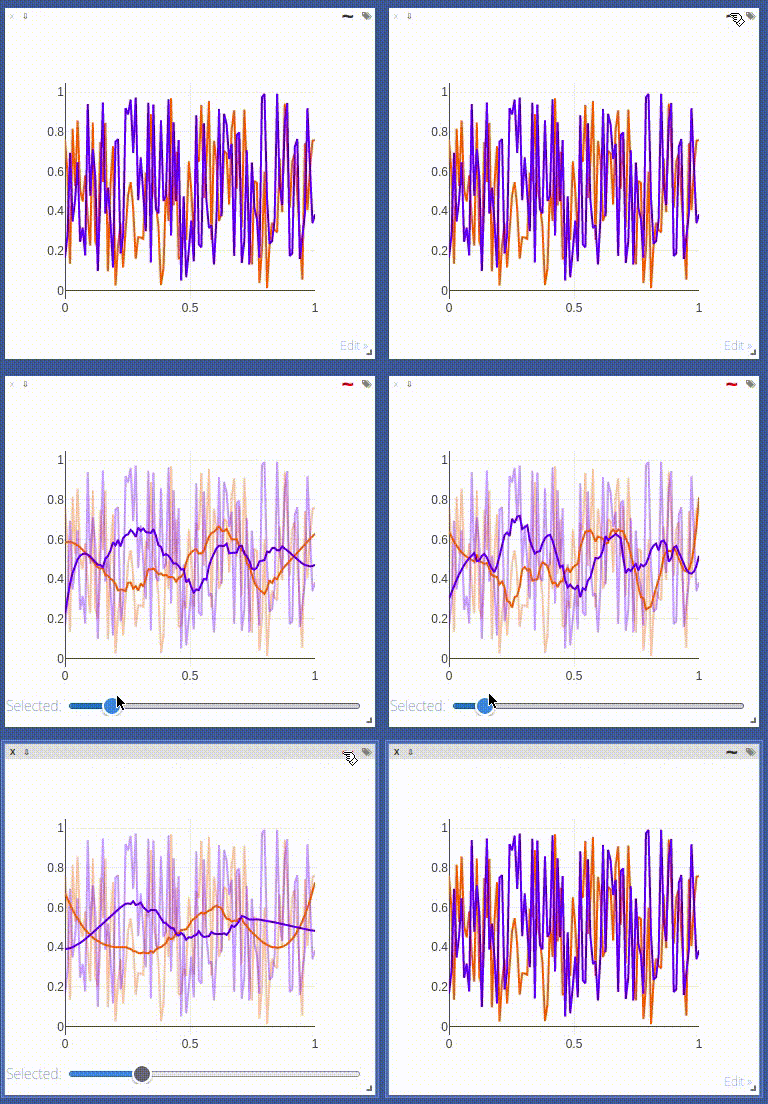
The following `opts` are supported:
- `opts.fillarea` : fill area below line (`boolean`)
- `opts.markers` : show markers (`boolean`; default = `false`)
- `opts.markersymbol`: marker symbol (`string`; default = `'dot'`)
- `opts.markersize` : marker size (`number`; default = `'10'`)
- `opts.linecolor` : line colors (`np.array`; default = None)
- `opts.dash` : line dash type for each line (`np.array`; default = 'solid'), one of `solid`, `dash`, `dashdot` or `dash`, size should match number of lines being drawn
- `opts.legend` : `table` containing legend names
- `opts.layoutopts` : `dict` of any additional options that the graph backend accepts for a layout. For example `layoutopts = {'plotly': {'legend': {'x':0, 'y':0}}}`.
- `opts.traceopts` : `dict` mapping trace names or indices to `dict`s of additional options that plot.ly accepts for a trace.
- `opts.webgl` : use WebGL for plotting (`boolean`; default = `false`). It is faster if a plot contains too many points. Use sparingly as browsers won't allow more than a couple of WebGL contexts on a single page.
#### vis.stem
This function draws a stem plot. It takes as input an `N` or `NxM` tensor
`X` that specifies the values of the `N` points in the `M` time series.
An optional `N` or `NxM` tensor `Y` containing timestamps can be specified
as well; if `Y` is an `N` tensor then all `M` time series are assumed to
have the same timestamps.
The following `opts` are supported:
- `opts.colormap`: colormap (`string`; default = `'Viridis'`)
- `opts.legend` : `table` containing legend names
- `opts.layoutopts` : `dict` of any additional options that the graph backend accepts for a layout. For example `layoutopts = {'plotly': {'legend': {'x':0, 'y':0}}}`.
#### vis.heatmap
This function draws a heatmap. It takes as input an `NxM` tensor `X` that
specifies the value at each location in the heatmap.
`update` can be used to efficiently update the data of an existing plot. Use 'appendRow' to append data row-wise, 'appendColumn' to append data column-wise, 'prependRow' to prepend data row-wise, 'prependColumn' to prepend data column-wise, 'replace' to use new data, or 'remove' to remove the plot specified by `win`.
The following `opts` are supported:
- `opts.colormap` : colormap (`string`; default = `'Viridis'`)
- `opts.xmin` : clip minimum value (`number`; default = `X:min()`)
- `opts.xmax` : clip maximum value (`number`; default = `X:max()`)
- `opts.columnnames`: `table` containing x-axis labels
- `opts.rownames` : `table` containing y-axis labels
- `opts.layoutopts` : `dict` of any additional options that the graph backend accepts for a layout. For example `layoutopts = {'plotly': {'legend': {'x':0, 'y':0}}}`.
- `opts.nancolor` : color for plotting `NaN`s. If this is `None`, `NaN`s will be plotted as transparent. (`string`; default = `None`)
#### vis.bar
This function draws a regular, stacked, or grouped bar plot. It takes as
input an `N` or `NxM` tensor `X` that specifies the height of each of the
bars. If `X` contains `M` columns, the values corresponding to each row
are either stacked or grouped (depending on how `opts.stacked` is
set). In addition to `X`, an (optional) `N` tensor `Y` can be specified
that contains the corresponding x-axis values.
The following plot-specific `opts` are currently supported:
- `opts.rownames`: `table` containing x-axis labels
- `opts.stacked` : stack multiple columns in `X`
- `opts.legend` : `table` containing legend labels
- `opts.layoutopts` : `dict` of any additional options that the graph backend accepts for a layout. For example `layoutopts = {'plotly': {'legend': {'x':0, 'y':0}}}`.
#### vis.histogram
This function draws a histogram of the specified data. It takes as input
an `N` tensor `X` that specifies the data of which to construct the
histogram.
The following plot-specific `opts` are currently supported:
- `opts.numbins`: number of bins (`number`; default = 30)
- `opts.layoutopts` : `dict` of any additional options that the graph backend accepts for a layout. For example `layoutopts = {'plotly': {'legend': {'x':0, 'y':0}}}`.
#### vis.boxplot
This function draws boxplots of the specified data. It takes as input
an `N` or an `NxM` tensor `X` that specifies the `N` data values of which
to construct the `M` boxplots.
The following plot-specific `opts` are currently supported:
- `opts.legend`: labels for each of the columns in `X`
- `opts.layoutopts` : `dict` of any additional options that the graph backend accepts for a layout. For example `layoutopts = {'plotly': {'legend': {'x':0, 'y':0}}}`.
#### vis.surf
This function draws a surface plot. It takes as input an `NxM` tensor `X`
that specifies the value at each location in the surface plot.
The following `opts` are supported:
- `opts.colormap`: colormap (`string`; default = `'Viridis'`)
- `opts.xmin` : clip minimum value (`number`; default = `X:min()`)
- `opts.xmax` : clip maximum value (`number`; default = `X:max()`)
- `opts.layoutopts` : `dict` of any additional options that the graph backend accepts for a layout. For example `layoutopts = {'plotly': {'legend': {'x':0, 'y':0}}}`.
#### vis.contour
This function draws a contour plot. It takes as input an `NxM` tensor `X`
that specifies the value at each location in the contour plot.
The following `opts` are supported:
- `opts.colormap`: colormap (`string`; default = `'Viridis'`)
- `opts.xmin` : clip minimum value (`number`; default = `X:min()`)
- `opts.xmax` : clip maximum value (`number`; default = `X:max()`)
- `opts.layoutopts` : `dict` of any additional options that the graph backend accepts for a layout. For example `layoutopts = {'plotly': {'legend': {'x':0, 'y':0}}}`.
#### vis.quiver
This function draws a quiver plot in which the direction and length of the
arrows is determined by the `NxM` tensors `X` and `Y`. Two optional `NxM`
tensors `gridX` and `gridY` can be provided that specify the offsets of
the arrows; by default, the arrows will be done on a regular grid.
The following `opts` are supported:
- `opts.normalize`: length of longest arrows (`number`)
- `opts.arrowheads`: show arrow heads (`boolean`; default = `true`)
- `opts.layoutopts` : `dict` of any additional options that the graph backend accepts for a layout. For example `layoutopts = {'plotly': {'legend': {'x':0, 'y':0}}}`.
#### vis.mesh
This function draws a mesh plot from a set of vertices defined in an
`Nx2` or `Nx3` matrix `X`, and polygons defined in an optional `Mx2` or
`Mx3` matrix `Y`.
The following `opts` are supported:
- `opts.color`: color (`string`)
- `opts.opacity`: opacity of polygons (`number` between 0 and 1)
- `opts.layoutopts` : `dict` of any additional options that the graph backend accepts for a layout. For example `layoutopts = {'plotly': {'legend': {'x':0, 'y':0}}}`.
#### vis.dual_axis_lines
This function will create a line plot using plotly with different Y-Axis.
`X` = A numpy array of the range.
`Y1` = A numpy array of the same count as `X`.
`Y2` = A numpy array of the same count as `X`.
The following `opts` are supported:
- `opts.height` : Height of the plot
- `opts.width` : Width of the plot
- `opts.name_y1` : Axis name for Y1 plot
- `opts.name_y2` : Axis name for Y2 plot
- `opts.title` : Title of the plot
- `opts.color_title_y1` : Color of the Y1 axis Title
- `opts.color_tick_y1` : Color of the Y1 axis Ticks
- `opts.color_title_y2` : Color of the Y2 axis Title
- `opts.color_tick_y2` : Color of the Y2 axis Ticks
- `opts.side` : side on which the Y2 tick has to be placed. Has values 'right' or `left`.
- `opts.showlegend` : Display legends (boolean values)
- `opts.top` : Set the top margin of the plot
- `opts.bottom` : Set the bottom margin of the plot
- `opts.right` : Set the right margin of the plot
- `opts.left` : Set the left margin of the plot
This is the image of the output:
<p align="center"><img align="center" src="https://user-images.githubusercontent.com/19650074/198822367-666cc42e-4354-4a7a-8dd3-d8ff143f885d.gif" width="400" /></p>
### Network Graph
This function draws a graph, in which the nodes and edges are taken from a 2-D matrix of size [,2] where each row contains a source and destination node value. The numeric value used to define nodes should be strictly between (0 to n-1), where n is the number of nodes.
There are two optional arguments :
- `edgeLabels` : list of custom edge labels. If not provided each edge gets a label, "source-destination", eg "1-2", size should be equal to size of input "edges". Optional.
- `nodeLabels` : list of custom node labels. If not provided each node gets a label same as the numeric value defined in the "edges". size should be equal to number of nodes present. Optional.
The following opts are supported:
- `opts.height` : Height of the plot. Default : 500
- `opts.width` : Width of the plot. Default : 500
- `opts.directed` : whether the plot should have a arrow or not. Default : false
- `opts.showVertexLabels` : Whether to show vertex labels. Default : true
- `opts.showEdgeLabels` : Whether to show edge labels. Default : false
- `opts.scheme` : Whether all nodes shoud have "same" color or "different". Default : "same"
### Customizing plots
The plotting functions take an optional `opts` table as input that can be used to change (generic or plot-specific) properties of the plots.
All input arguments are specified in a single table; the input arguments are matches based on the keys they have in the input table.
The following `opts` are generic in the sense that they are the same for all visualizations (except `plot.image`, `plot.text`, `plot.video`, and `plot.audio`):
- `opts.title` : figure title
- `opts.width` : figure width
- `opts.height` : figure height
- `opts.showlegend` : show legend (`true` or `false`)
- `opts.xtype` : type of x-axis (`'linear'` or `'log'`)
- `opts.xlabel` : label of x-axis
- `opts.xtick` : show ticks on x-axis (`boolean`)
- `opts.xtickmin` : first tick on x-axis (`number`)
- `opts.xtickmax` : last tick on x-axis (`number`)
- `opts.xtickvals` : locations of ticks on x-axis (`table` of `number`s)
- `opts.xticklabels` : ticks labels on x-axis (`table` of `string`s)
- `opts.xtickstep` : distances between ticks on x-axis (`number`)
- `opts.xtickfont` : font for x-axis labels (dict of [font information](https://plot.ly/javascript/reference/#layout-font))
- `opts.ytype` : type of y-axis (`'linear'` or `'log'`)
- `opts.ylabel` : label of y-axis
- `opts.ytick` : show ticks on y-axis (`boolean`)
- `opts.ytickmin` : first tick on y-axis (`number`)
- `opts.ytickmax` : last tick on y-axis (`number`)
- `opts.ytickvals` : locations of ticks on y-axis (`table` of `number`s)
- `opts.yticklabels` : ticks labels on y-axis (`table` of `string`s)
- `opts.ytickstep` : distances between ticks on y-axis (`number`)
- `opts.ytickfont` : font for y-axis labels (dict of [font information](https://plot.ly/javascript/reference/#layout-font))
- `opts.marginleft` : left margin (in pixels)
- `opts.marginright` : right margin (in pixels)
- `opts.margintop` : top margin (in pixels)
- `opts.marginbottom`: bottom margin (in pixels)
`opts` are passed as dictionary in python scripts.You can pass `opts` like:
opts=dict(title="my title", xlabel="x axis",ylabel="y axis")
OR
opts={"title":"my title", "xlabel":"x axis","ylabel":"y axis"}
The other options are visualization-specific, and are described in the
documentation of the functions.
### Others
#### vis.close
This function closes a specific window. It takes input window id `win` and environment id `eid`. Use `win` as `None` to close all windows in an environment.
#### vis.delete_env
This function deletes a specified env entirely. It takes env id `eid` as input.
> **Note**: `delete_env` is deletes all data for an environment and is IRREVERSIBLE. Do not use unless you absolutely want to remove an environment.
#### vis.fork_env
This function forks an environment, similiar to the UI feature.
Arguments:
- `prev_eid`: Environment ID that we want to fork.
- `eid`: New Environment ID that will be created with the fork.
> **Note**: `fork_env` an exception will occur if an env that doesn't exist is forked.
#### vis.win_exists
This function returns a bool indicating whether or not a window `win` exists on the server already. Returns None if something went wrong.
Optional arguments:
- `env`: Environment to search for the window in. Default is `None`.
#### vis.get_env_list
This function returns a list of all of the environments on the server at the time of calling. It takes no arguments.
#### vis.get_window_data
This function returns the window data for the given window. Returns data for all windows in an env if win is None.
Arguments:
- `env`: Environment to search for the window in.
- `win`: Window to return data for. Set to `None` to retrieve all the windows in an environment.
#### vis.check_connection
This function returns a bool indicating whether or not the server is connected. It accepts an optional argument `timeout_seconds` for a number of seconds to wait for the server to come up.
#### vis.replay_log
This function takes the contents of a visdom log and replays them to the current server to restore a state or handle any missing entries.
Arguments:
- `log_filename`: log file to replay the contents of.
## Customizing Visdom
The user config directory for visdom is
- `~/.config/visdom` for Linux
- `~/Library/Preferences/visdom` for OSX
- `%APPDATA%/visdom` for Windows
By placing a `style.css` in you user config directory, visdom will serve the customized css file along with the default style-file.
In addition, it is also possible to create a project-specific file; just place the file `style.css` in your `env_path`.
## License
visdom is Apache 2.0 licensed, as found in the LICENSE file.
## Note on Lua Torch Support
Support for Lua Torch was deprecated following `v0.1.8.4`. If you'd like to use torch support, you'll need to download that release. You can follow the usage instructions there, but it is no longer officially supported.
## Contributing
See guidelines for contributing [here.](./CONTRIBUTING.md)
## Acknowledgments
Visdom was inspired by tools like [display](https://github.com/szym/display) and relies on [Plotly](https://plot.ly/) as a plotting front-end.
================================================
FILE: cypress/integration/basic.js
================================================
describe('Test Setup', () => {
it('successfully loads', () => {
cy.visit('/')
})
it('server is online', () => {
cy.visit('/')
cy.contains('online')
});
it('manual server reconnect', () => {
cy.visit('/').wait(1000)
cy.contains('online').click()
cy.contains('offline').click()
cy.contains('online').click()
cy.contains('offline').click()
cy.contains('online').click()
cy.contains('offline').click()
cy.contains('online')
})
it('tree selection opens & shows main', () => {
cy.visit('/')
cy.get('.rc-tree-select').click()
cy.get('.rc-tree-select-tree').contains('main')
})
it('env selection works', () => {
cy.visit('/').wait(1000)
cy.get('.rc-tree-select [title="main"]').should('exist')
cy.get('.rc-tree-select').contains('main').trigger('mouseover').wait(100);
cy.get('.rc-tree-select .rc-tree-select-selection__choice__remove').click({force: true})
cy.get('.rc-tree-select [title="main"]').should('not.exist')
cy.get('.rc-tree-select').click()
cy.get('.rc-tree-select-tree').contains('main').click()
cy.get('.rc-tree-select [title="main"]').should('exist')
cy.get('.rc-tree-select-selection__clear').click({force: true}) // bug in ui: rc-tree-select should never be covered
cy.get('.rc-tree-select [title="main"]').should('not.exist')
})
})
================================================
FILE: cypress/integration/image.js
================================================
before(() => {
cy.visit('/');
});
const path = require('path');
const win_selector = '.layout .react-grid-item';
const container_selector = `${win_selector} .content > div`;
const img_selector = `${container_selector} img`;
const [moveX, moveY] = [12, 34]; // required for drag/drop action
const [imgWidth, imgHeight] = [255, 510]; // required for drag/drop action
const basepos = 10; // required for drag/drop action
describe('Image Pane', () => {
it('image_basic', () => {
cy.run('image_basic')
.get(win_selector)
.first()
.find('img')
.should('have.length', 1);
});
it('Image Move (Drag and Drop)', () => {
// check new position
cy.get(container_selector)
.should('have.css', 'top', '0px')
.should('have.css', 'left', '0px');
// drag image
cy.get(img_selector)
.drag(img_selector, {
source: { x: basepos, y: basepos },
target: { x: basepos + moveX, y: basepos + moveY },
force: true,
})
.wait(100);
// check new position
cy.get(container_selector)
.should('have.css', 'top', `${moveY}px`)
.should('have.css', 'left', `${moveX}px`);
cy.get(img_selector)
.should('have.attr', 'width', `${imgWidth}px`)
.should('have.attr', 'height', `${imgHeight}px`);
// drag again
cy.get(img_selector)
.drag(img_selector, {
source: { x: basepos, y: basepos },
target: { x: basepos + moveX, y: basepos + moveY },
force: true,
})
.wait(100);
// check new position
cy.get(container_selector)
.should('have.css', 'top', `${2 * moveY}px`)
.should('have.css', 'left', `${2 * moveX}px`);
cy.get(img_selector)
.should('have.attr', 'width', `${imgWidth}px`)
.should('have.attr', 'height', `${imgHeight}px`);
});
it('Image Reset (Double-Click)', () => {
// reset image
cy.get(img_selector).dblclick();
// check new position & image size
cy.get(container_selector)
.should('have.css', 'top', '0px')
.should('have.css', 'left', '0px');
cy.get(img_selector)
.should('have.attr', 'width', `${imgWidth}px`)
.should('have.attr', 'height', `${imgHeight}px`);
});
it('Image Zoom From Image Corner (Ctrl + Wheel)', () => {
// scroll a bit
cy.get(img_selector)
.first()
.trigger('wheel', {
ctrlKey: true,
deltaY: 200,
bubbles: true,
clientX: 0,
clientY: 0,
})
.trigger('wheel', {
ctrlKey: true,
deltaY: 200,
bubbles: true,
clientX: 0,
clientY: 0,
})
.trigger('wheel', {
ctrlKey: true,
deltaY: 200,
bubbles: true,
clientX: 0,
clientY: 0,
})
.trigger('wheel', {
ctrlKey: true,
deltaY: 200,
bubbles: true,
clientX: 0,
clientY: 0,
})
.trigger('wheel', {
ctrlKey: true,
deltaY: 200,
bubbles: true,
clientX: 0,
clientY: 0,
})
.should('have.attr', 'width', '156px')
.should('have.attr', 'height', '312px');
// check new position
cy.get(container_selector)
.first()
.should('have.css', 'top', '-32.658px')
.should('have.css', 'left', '-3.93469px');
});
it('Image Zoom From Image Center (Ctrl + Wheel)', () => {
// reset image
cy.get(img_selector).dblclick();
// scroll a bit
cy.get(img_selector)
.first()
.trigger('wheel', { ctrlKey: true, deltaY: 200, bubbles: true })
.trigger('wheel', { ctrlKey: true, deltaY: 200, bubbles: true })
.trigger('wheel', { ctrlKey: true, deltaY: 200, bubbles: true })
.trigger('wheel', { ctrlKey: true, deltaY: 200, bubbles: true })
.trigger('wheel', { ctrlKey: true, deltaY: 200, bubbles: true })
.should('have.attr', 'width', '156px')
.should('have.attr', 'height', '312px');
// check new position
cy.get(container_selector)
.first()
.should('have.css', 'top', '105.77px')
.should('have.css', 'left', '49.9706px');
});
it('Image Move & Zoom', () => {
// reset image
cy.get(img_selector).first().dblclick();
// check default position
cy.get(container_selector)
.first()
.should('have.css', 'top', '0px')
.should('have.css', 'left', '0px');
// scroll a bit
cy.get(img_selector)
.first()
.trigger('wheel', { ctrlKey: true, deltaY: 200, bubbles: true })
.trigger('wheel', { ctrlKey: true, deltaY: 200, bubbles: true })
.trigger('wheel', { ctrlKey: true, deltaY: 200, bubbles: true })
.trigger('wheel', { ctrlKey: true, deltaY: 200, bubbles: true })
.trigger('wheel', { ctrlKey: true, deltaY: 200, bubbles: true });
// check new position
cy.get(container_selector)
.first()
.should('have.css', 'top', '105.77px')
.should('have.css', 'left', '49.9706px');
cy.get(img_selector)
.should('have.attr', 'width', '156px')
.should('have.attr', 'height', '312px');
// now drag as well
cy.get(img_selector)
.drag(img_selector, {
source: { x: basepos, y: basepos },
target: { x: basepos + moveX, y: basepos + moveY },
force: true,
})
.wait(100);
// check new position
cy.get(container_selector)
.first()
.should('have.css', 'top', `139.77px`)
.should('have.css', 'left', '61.9706px');
cy.get(img_selector)
.should('have.attr', 'width', '156px')
.should('have.attr', 'height', '312px');
});
it('image_basic download', () => {
cy.run('image_basic')
.get(img_selector)
.parents(win_selector)
.first()
.find('button[title="save"]')
.click();
const downloadsFolder = Cypress.config('downloadsFolder');
cy.readFile(path.join(downloadsFolder, 'Random!.jpg')).should('exist');
});
it('image_save_jpeg', () => {
cy.run('image_save_jpeg')
.get(img_selector)
.parents(win_selector)
.first()
.find('button[title="save"]')
.click();
const downloadsFolder = Cypress.config('downloadsFolder');
cy.readFile(path.join(downloadsFolder, 'Random image as jpg!.jpg')).should(
'exist'
);
});
it('image_history', () => {
cy.run('image_history', { asyncrun: true });
cy.get(img_selector)
.should('have.length', 1)
.then((src) => {
const src1 = src;
// image exists
cy.get('.layout .react-grid-item .widget input[type="range"]')
.first()
// slider works
// (bugfix for not working simpler .invoke('val', '0').invoke('input'))
.then(($range) => {
const range = $range[0]; // get the DOM node
const nativeInputValueSetter = Object.getOwnPropertyDescriptor(
window.HTMLInputElement.prototype,
'value'
).set;
nativeInputValueSetter.call(range, 0); // set the value manually
range.dispatchEvent(
new Event('input', { value: 0, bubbles: true })
); // now dispatch the event
})
// shown image differs
.then((src2) => {
cy.expect(src1).to.not.equal(src2);
});
});
});
it('image_grid', () => {
cy.run('image_grid', { asyncrun: true });
cy.get(img_selector)
.should('have.length', 1)
.should('have.attr', 'width', '543px')
.should('have.attr', 'height', '204px');
});
it('image_svg', () => {
cy.run('image_svg', { asyncrun: true });
cy.get('.window .content')
.first()
.find('ellipse')
.should('have.length', 1)
.should('have.attr', 'cx', 80)
.should('have.attr', 'cy', 80)
.should('have.attr', 'rx', 50)
.should('have.attr', 'ry', 30);
});
let click1 = [12, 34];
let click2 = [45, 67];
it('image_callback', () => {
cy.run('image_callback', { asyncrun: true });
cy.get(img_selector)
.parents(win_selector)
.click() // to focus the pane
.find('div.content')
.click(click1[0], click1[1])
.wait(300)
.click(click2[0], click2[1]);
cy.get('.layout .react-grid-item .content-text')
.first()
.contains('Coords:')
.contains(`x: ${click1[0]}, y: ${click1[1]};`)
.contains(`x: ${click2[0]}, y: ${click2[1]};`);
});
it('image_callback2', () => {
cy.run('image_callback2', { asyncrun: true });
cy.get(img_selector)
.type('{rightArrow}'.repeat(3))
.type('{leftArrow}')
.should(
'have.attr',
'src',
'data:image/png;base64,iVBORw0KGgoAAAANSUhEUgAAAQAAAAEACAIAAADTED8xAAACvklEQVR4nO3TMQEAIAzAMEDs/EtAxo4mCvr0zsyBqrcdAJsMQJoBSDMAaQYgzQCkGYA0A5BmANIMQJoBSDMAaQYgzQCkGYA0A5BmANIMQJoBSDMAaQYgzQCkGYA0A5BmANIMQJoBSDMAaQYgzQCkGYA0A5BmANIMQJoBSDMAaQYgzQCkGYA0A5BmANIMQJoBSDMAaQYgzQCkGYA0A5BmANIMQJoBSDMAaQYgzQCkGYA0A5BmANIMQJoBSDMAaQYgzQCkGYA0A5BmANIMQJoBSDMAaQYgzQCkGYA0A5BmANIMQJoBSDMAaQYgzQCkGYA0A5BmANIMQJoBSDMAaQYgzQCkGYA0A5BmANIMQJoBSDMAaQYgzQCkGYA0A5BmANIMQJoBSDMAaQYgzQCkGYA0A5BmANIMQJoBSDMAaQYgzQCkGYA0A5BmANIMQJoBSDMAaQYgzQCkGYA0A5BmANIMQJoBSDMAaQYgzQCkGYA0A5BmANIMQJoBSDMAaQYgzQCkGYA0A5BmANIMQJoBSDMAaQYgzQCkGYA0A5BmANIMQJoBSDMAaQYgzQCkGYA0A5BmANIMQJoBSDMAaQYgzQCkGYA0A5BmANIMQJoBSDMAaQYgzQCkGYA0A5BmANIMQJoBSDMAaQYgzQCkGYA0A5BmANIMQJoBSDMAaQYgzQCkGYA0A5BmANIMQJoBSDMAaQYgzQCkGYA0A5BmANIMQJoBSDMAaQYgzQCkGYA0A5BmANIMQJoBSDMAaQYgzQCkGYA0A5BmANIMQJoBSDMAaQYgzQCkGYA0A5BmANIMQJoBSDMAaQYgzQCkGYA0A5BmANIMQJoBSDMAaQYgzQCkGYA0A5BmANIMQJoBSDMAaQYgzQCkGYA0A5BmANIMQJoBSDMAaQYgzQCkGYA0A5BmANIMQJoBSDMAaQYgzQCkGYC0D5OxAzLzmPjyAAAAAElFTkSuQmCC'
);
});
});
================================================
FILE: cypress/integration/misc.js
================================================
before(() => {
cy.visit('/')
})
describe('Misc Tests', () => {
it('plot_special_graph', () => {
cy.run('plot_special_graph')
cy.get('svg line').should('have.length', 6)
cy.get('svg path').should('have.length', 6)
cy.get('svg text').should('have.length', 12)
cy.get('svg g').should('have.length', 6)
})
})
================================================
FILE: cypress/integration/modal.js
================================================
/* eslint-disable no-undef */
before(() => {
cy.visit('/');
});
const envmodal = 'div[aria-label="Environment Management Modal"] ';
const envbutton = 'button[data-original-title="Manage Environments"] ';
const viewmodal = 'div[aria-label="Layout Views Management Modal"] ';
const viewbutton = 'button[data-original-title="Manage Views"] ';
const viewselect = 'div[aria-label="View:"] ';
describe('Test Env Modal', () => {
var env = 'text_fork' + '_' + Cypress._.random(0, 1e6);
it('Env Modal opens & closes', () => {
cy.get(envmodal).should('not.exist');
cy.get(envbutton).click();
cy.get(envmodal).should('exist');
cy.get(envmodal).type('{esc}');
cy.get(envmodal).should('not.exist');
});
it('Env Modal forks envs', () => {
// initialize any env
cy.run('text_fork_part1', { env: env })
.get('.layout .react-grid-item')
.first()
.contains('This text will change. Fork to the rescue!');
// fork the env at this point
cy.get(envbutton).click();
cy.get(envmodal + 'input').type('_fork');
cy.contains('button', 'fork').click();
cy.get(envmodal).type('{esc}');
// apply a change to the same env
cy.run('text_fork_part2', { env: env })
.get('.layout .react-grid-item')
.first()
.contains('Changed text.');
// check if fork is still the old one
cy.close_envs();
cy.open_env(env + '_fork')
.get('.layout .react-grid-item')
.first()
.contains('This text will change. Fork to the rescue!');
// check again original just to be sure
cy.close_envs();
cy.open_env(env)
.get('.layout .react-grid-item')
.first()
.contains('Changed text.');
});
it('Remove Env', () => {
// delete fork
cy.get(envbutton).click();
cy.get(envmodal + 'select').select(env + '_fork');
cy.contains('button', 'Delete').click();
cy.get(envmodal).type('{esc}');
// check that fork does not exist anymore
cy.get('.rc-tree-select').click();
cy.get('span[title="' + env + '"]').should('exist');
cy.get('span[title="' + env + '_fork"]').should('not.exist');
// all windows should be closed now as well
// TODO: current implementation does not close windows automatically
// remove also the original env & check if it is removed from the env-list
// TODO: current implementation does not allow to remove unsaved envs
// cy.get(envbutton).click();
// cy.get(envmodal + 'select').select(env);
// cy.contains('button', 'Delete').click();
// cy.get(envmodal).type('{esc}');
// check that the env does not exist anymore
// cy.get('.rc-tree-select').click();
// cy.get('span[title="' + env + '"]').should('not.exist');
});
});
describe('Test View Modal', () => {
it('View Modal opens & closes', () => {
cy.get(viewmodal).should('not.exist');
cy.get(viewbutton).click();
cy.get(viewmodal).should('exist');
cy.get(viewmodal).type('{esc}');
cy.get(viewmodal).should('not.exist');
});
it('View Modal save view', () => {
var env = 'view_modal_' + Cypress._.random(0, 1e6);
// initialize any env
cy.run('text_basic', { env: env }).wait(500);
cy.run('image_basic', { env: env, open: false }).wait(500);
cy.run('plot_line_basic', { env: env, open: false }).wait(500);
cy.run('plot_bar_basic', { env: env, open: false }).wait(500);
// save the view at this point
cy.get(viewbutton).click();
cy.get(viewmodal + 'input')
.clear()
.type('first');
cy.contains('button', 'fork').click();
cy.get(viewmodal).type('{esc}');
// apply a change to the same view
cy.get('.layout .react-grid-item')
.first()
.find('.bar')
.trigger('mousedown', { button: 0 })
.trigger('mousemove', {
clientX: 1000,
clientY: 300,
})
.trigger('mouseup', { button: 0 });
// save the view at this point
cy.get(viewbutton).click();
cy.get(viewmodal + 'input')
.clear()
.type('second');
cy.contains('button', 'fork').click();
cy.get(viewmodal).type('{esc}');
// check first view positions
cy.get(viewselect + 'button#viewDropdown').click();
cy.get(viewselect + "a[href='#first']").click();
cy.get('.react-grid-layout > div')
.eq(0)
.should('have.css', 'transform', `matrix(1, 0, 0, 1, 10, 10)`);
cy.get('.react-grid-layout > div')
.eq(1)
.should('have.css', 'transform', `matrix(1, 0, 0, 1, 263, 10)`);
cy.get('.react-grid-layout > div')
.eq(2)
.should('have.css', 'transform', `matrix(1, 0, 0, 1, 529, 10)`);
cy.get('.react-grid-layout > div')
.eq(3)
.should('have.css', 'transform', `matrix(1, 0, 0, 1, 10, 565)`);
// check second view positions
cy.get(viewselect + 'button#viewDropdown').click();
cy.get(viewselect + "a[href='#second']").click();
cy.get('.react-grid-layout > div')
.eq(0)
.should('have.css', 'transform', `matrix(1, 0, 0, 1, 390, 370)`);
cy.get('.react-grid-layout > div')
.eq(1)
.should('have.css', 'transform', `matrix(1, 0, 0, 1, 10, 10)`);
cy.get('.react-grid-layout > div')
.eq(2)
.should('have.css', 'transform', `matrix(1, 0, 0, 1, 10, 565)`);
cy.get('.react-grid-layout > div')
.eq(3)
.should('have.css', 'transform', `matrix(1, 0, 0, 1, 276, 10)`);
// check first view positions
cy.get(viewselect + 'button#viewDropdown').click();
cy.get(viewselect + "a[href='#first']").click();
cy.get('.react-grid-layout > div')
.eq(0)
.should('have.css', 'transform', `matrix(1, 0, 0, 1, 10, 10)`);
cy.get('.react-grid-layout > div')
.eq(1)
.should('have.css', 'transform', `matrix(1, 0, 0, 1, 263, 10)`);
cy.get('.react-grid-layout > div')
.eq(2)
.should('have.css', 'transform', `matrix(1, 0, 0, 1, 529, 10)`);
cy.get('.react-grid-layout > div')
.eq(3)
.should('have.css', 'transform', `matrix(1, 0, 0, 1, 10, 565)`);
});
it('Remove additional View again', () => {
// delete view first and second
cy.get(viewbutton).click();
cy.get(viewmodal + 'select').select('first');
cy.contains('button', 'Delete').click();
cy.get(viewmodal + 'select').select('second');
cy.contains('button', 'Delete').click();
cy.get(viewmodal).type('{esc}');
// check that current view cannot be removed
cy.get(viewbutton).click();
cy.get(viewmodal + 'select').select('current');
cy.contains('button', 'Delete').should('be.disabled');
cy.get(viewmodal).type('{esc}');
});
});
================================================
FILE: cypress/integration/pane.js
================================================
before(() => {
cy.visit('/')
})
const basic_examples = [
["TextPane", "text_basic"],
["ImagePane", "image_basic"],
["Line Plot", "plot_line_basic"],
["Bar Plot", "plot_bar_basic"],
["Scatter Plot", "plot_scatter_basic"],
["Surface Plot", "plot_surface_basic"],
["Box Plot", "plot_special_boxplot"],
["Quiver Plot", "plot_special_quiver"],
// ["Mesh Plot", "plot_special_mesh"], // disabled due to webgl
["Graph Plot", "plot_special_graph"],
["Matplotlib Plot", "misc_plot_matplot"],
["Latex Plot", "misc_plot_latex"],
["Video Pane", "misc_video_tensor"],
// ["Audio Pane", "misc_audio_basic"], // bug: disabled due to inconsistent resize
["Properties Pane", "properties_basic"]
];
basic_examples.forEach( (setting) => {
const [ type, basic_example ] = setting;
describe(`Test Pane Actions on ${type}`, () => {
it(`Open Single ${type}`, () => {
cy.run(basic_example)
cy
.get('.layout .window')
.should('have.length', 1);
})
it('Open Some More Panes', () => {
var env = basic_example + "_" + Cypress._.random(0, 1e6);
cy.run(basic_example, {env:env, open:false})
cy.run(basic_example, {env:env, open:false})
cy.run(basic_example, {env:env, open:false})
cy.run(basic_example, {env:env})
.get('.layout .window')
.should('have.length', 4);
})
it('Drag & Drop Pane to 2nd Position', () => {
const targetpos = basic_example == "text_basic" ? 263 : basic_example == "image_basic" ? 276 : basic_example == "misc_plot_matplot" || basic_example == "plot_special_graph" ? 10: basic_example == "misc_video_tensor" ? 263 : basic_example == "misc_audio_basic" ? 350 : basic_example == "properties_basic" ? 263 :390
cy
.get('.layout .react-grid-item').first().should('have.css', 'transform', 'matrix(1, 0, 0, 1, 10, 10)')
.find('.bar')
.trigger('mousedown', { button: 0 })
.trigger('mousemove', {
clientX: 600,
clientY: 0,
})
.trigger('mouseup', { button: 0 })
.get('[data-original-title="Repack"]')
.click()
.get('.layout .react-grid-item').first().should('have.css', 'transform', `matrix(1, 0, 0, 1, ${targetpos}, 10)`)
})
let height, width, height2, width2, height3, width3, height4, width4;
[ height2, width2 ] = [ 425, 321 ]; // resize to
[ height3, width3 ] = [ 410, 307]; // grid-corrected size
if (basic_example == "text_basic") {
[ height, width ] = [ 290, 243 ];
[ height4, width4 ] = [ height, width];
} else if (basic_example == "image_basic") {
[ height, width ] = [ 545, 256 ];
[ height4, width4 ] = [ 545, width];
} else if (basic_example == "misc_plot_matplot") {
[ height, width ] = [ 500, 622 ];
[ height4, width4 ] = [ 500, width];
} else if (basic_example == "plot_special_graph") {
[ height, width ] = [ 515, 500 ];
[ height4, width4 ] = [ 515, width];
} else if (basic_example == "misc_video_tensor") {
[ height, width ] = [ 290, 243 ];
[ height4, width4 ] = [ 290, width];
} else if (basic_example == "misc_audio_basic") {
[ height, width ] = [ 95, 330 ];
[ height4, width4 ] = [ 410, 307]; // also a bug in the ui
} else if (basic_example == "properties_basic") {
[ height, width ] = [ 290, 243 ];
[ height4, width4 ] = [ height, width];
} else {
[ height, width ] = [ 350, 370];
[ height4, width4 ] = [ height, width];
}
it('Check Pane Size', () => {
cy
.get('.layout .react-grid-item').first()
.should('have.css', 'height', height + 'px')
.should('have.css', 'width', width + 'px')
})
it('Resize Pane', () => {
cy
.get('.layout .react-grid-item').first()
.find('.react-resizable-handle')
.trigger('mousedown', { button: 0 })
.trigger('mousemove', width2 - width, height2 - height, { force: true })
.trigger('mouseup', { button: 0, force: true })
.get('.layout .react-grid-item').first()
.should('have.css', 'height', height3 + 'px')
.should('have.css', 'width', width3 + 'px')
})
it('Resize Pane Reset', () => {
cy
.get('.layout .react-grid-item').first()
.find('.react-resizable-handle')
.dblclick()
.get('.layout .react-grid-item').first()
.should('have.css', 'height', height4 + 'px')
.should('have.css', 'width', width4 + 'px')
})
it('Close Pane', () => {
cy
.get('.layout .react-grid-item').first()
.find('button[title="close"]')
.click()
cy
.get('.layout .react-grid-item')
.should('have.length', 3);
})
})
});
describe('Test Pane Filter', () => {
it('Open Some Panes', () => {
var env = 'pane_basic' + Cypress._.random(0, 1e6);
cy.run('text_basic', {env:env, open:false, args:['"pane1 tag1"']})
cy.run('text_basic', {env:env, open:false, args:['"pane2 tag1 tag2"']})
cy.run('text_basic', {env:env, open:false, args:['"pane3 tag2"']})
cy.run('text_basic', {env:env, args:['"pane4 tag2"']})
cy.get('.layout .window')
.should('have.length', 4);
})
it('Filter Test 1', () => {
cy.get('[data-cy="filter"]').type('tag1', {force: true})
cy.get('.layout .window:visible')
.should('have.length', 2);
})
it('Filter Test 2', () => {
cy.get('[data-cy="filter"]').clear().type('tag2', {force: true})
cy.get('.layout .window:visible')
.should('have.length', 3);
})
it('Filter Test 3', () => {
cy.get('[data-cy="filter"]').clear().type('pane3', {force: true})
cy.get('.layout .window:visible')
.should('have.length', 1);
})
it('Filter Test Regex', () => {
cy.get('[data-cy="filter"]').clear().type('pane3|pane2', {force: true})
cy.get('.layout .window:visible')
.should('have.length', 2);
})
})
================================================
FILE: cypress/integration/properties.js
================================================
before(() => {
cy.visit('/')
})
const path = require("path");
describe('Properties Pane', () => {
it('check download button', () => {
cy.run('properties_basic')
.get('.layout .react-grid-item').first()
.find('button[title="save"]').click()
const downloadsFolder = Cypress.config("downloadsFolder");
cy.readFile(path.join(downloadsFolder, "visdom_properties.json")).should("exist");
});
it('properties_callbacks', () => {
cy.run('properties_callbacks', {asyncrun: true})
cy.get('input[value="initial"]').first().clear().type("changed{enter}")
cy.get('.layout .react-grid-item .content-text').first().contains("Updated: Text input => changed")
cy.get('input[value="changed_updated"]')
cy.get('input[value="12"]').first().clear().type("42{enter}")
cy.get('.layout .react-grid-item .content-text').first().contains("Updated: Number input => 42")
cy.get('input[value="420"]')
cy.get('button').contains("Start").click()
cy.get('.layout .react-grid-item .content-text').first().contains("Updated: Button => clicked")
cy.get('input[type="checkbox"]').first().should("be.checked").click()
cy.get('.layout .react-grid-item .content-text').first().contains("Updated: Checkbox => False")
cy.get('input[type="checkbox"]').first().should("not.be.checked")
cy.get('select').first().should("have.value", "1").select('Red')
cy.get('.layout .react-grid-item .content-text').first().contains("Updated: Select => 0")
cy.get('select').first().should("have.value", "0").select('Blue')
cy.get('.layout .react-grid-item .content-text').first().contains("Updated: Select => 2")
cy.get('select').first().should("have.value", "2")
})
})
================================================
FILE: cypress/integration/screenshots.init.js
================================================
before(() => {
cy.visit('/');
});
import {
all_screenshots,
all_compareviews,
} from '../support/screenshots.config.js';
describe(`Take plot screenshots`, () => {
all_screenshots.forEach((run) => {
it(`Screenshot for ${run}`, () => {
cy.run(run);
// ImagePane requires an additional rerender for the image to adjust to the Pane size correctly
if (run.startsWith('image_')) cy.wait(300);
cy.get('.content').screenshot(run, { overwrite: true });
});
});
});
describe(`Take compare-view screenshots`, () => {
all_compareviews.forEach((run) => {
it(`Screenshot for ${run}`, () => {
var num_runs = 3;
var envs = [];
for (var i = 0; i < num_runs; i++) {
var env = run + '_' + i + '_' + Cypress._.random(0, 1e6);
cy.run(run, {
env: env,
open: false,
seed: 42 + i,
args: [run],
asyncrun: i != num_runs - 1,
});
envs.push(env);
}
cy.close_envs();
for (var i = 0; i < num_runs; i++) {
cy.open_env(envs[i]);
}
cy.get('.content')
.first()
.screenshot('compare_' + run, { overwrite: true });
});
});
});
describe(`Take screenshot for PlotPane functions`, () => {
it('Screenshot for Line Smoothing', () => {
var run = 'line_smoothing';
var env1 = run + '_1_' + Cypress._.random(0, 1e6);
var env2 = run + '_2_' + Cypress._.random(0, 1e6);
cy.run('plot_line_basic', {
env: env1,
args: ["'Line smoothing'", 100],
open: false,
});
cy.run('plot_line_basic', {
env: env2,
args: ["'Line smoothing'", 100],
seed: 43,
});
cy.open_env(env1);
cy.get('button[title="smooth lines"]').click();
cy.get('input[type="range"]').then(($range) => {
const range = $range[0]; // get the DOM node
const nativeInputValueSetter = Object.getOwnPropertyDescriptor(
window.HTMLInputElement.prototype,
'value'
).set;
nativeInputValueSetter.call(range, 100); // set the value manually
range.dispatchEvent(new Event('input', { value: 0, bubbles: true })); // now dispatch the event
});
cy.get('.content').first().screenshot(run, { overwrite: true });
});
it('Screenshot for Property Change (using Line Plot)', () => {
cy.run('plot_line_basic');
cy.get('button[title="properties"]').click();
// change some settings
const change = (key, val) =>
cy
.get('td.table-properties-name')
.contains(key)
.siblings('td.table-properties-value')
.find('input')
.clear()
.type(val);
// plot settings
change('name', 'a line');
change('type', 'bar');
change('opacity', '0.75');
change('marker.line.width', '5');
change('marker.line.color', '#0FF');
// layout settings
change('margin.l', '10');
change('margin.r', '10');
change('margin.b', '10');
change('margin.t', '10');
change('xaxis.type', 'log');
// apply settings
cy.get('button[title="properties"]').click();
const run = 'change-properties';
cy.get('.content').first().screenshot(run, { overwrite: true });
});
});
================================================
FILE: cypress/integration/screenshots.js
================================================
before(() => {
cy.visit('/');
});
import {
all_screenshots,
all_compareviews,
} from '../support/screenshots.config.js';
const thresholds = {
// the internal video player may already start by showing animated loading sign
misc_video_tensor: 0.1,
misc_video_download: 0.1,
};
describe(`Compare with previous plot screenshots`, () => {
all_screenshots.forEach((run) => {
it(`Compare screenshot of ${run}`, () => {
cy.run(run);
const diff_src =
Cypress.config('screenshotsFolder') +
'/' +
'screenshots.diff.js' +
'/' +
run +
'.png';
const img1_src =
Cypress.config('screenshotsFolder') +
'_init/' +
'screenshots.init.js' +
'/' +
run +
'.png';
const img2_src =
Cypress.config('screenshotsFolder') +
'/' +
Cypress.spec.name +
'/' +
run +
'.png';
const threshold = thresholds[run] || 0;
// ImagePane requires an additional rerender for the image to adjust to the Pane size correctly
if (run.startsWith('image_')) cy.wait(300);
cy.get('.content').first().screenshot(run, { overwrite: true });
cy.task('numDifferentPixels', {
src1: img1_src,
src2: img2_src,
diffsrc: diff_src,
threshold: threshold,
}).should('equal', 0);
});
});
});
describe(`Compare with compare-view screenshots`, () => {
all_compareviews.forEach((run) => {
it(`Compare screenshot for ${run}`, () => {
var num_runs = 3;
var envs = [];
for (var i = 0; i < num_runs; i++) {
var env = run + '_' + i + '_' + Cypress._.random(0, 1e6);
cy.run(run, {
env: env,
open: false,
seed: 42 + i,
args: [run],
asyncrun: i != num_runs - 1,
});
envs.push(env);
}
cy.close_envs();
for (var i = 0; i < num_runs; i++) {
cy.open_env(envs[i]);
}
cy.get('.content')
.first()
.screenshot('compare_' + run, { overwrite: true });
const diff_src =
Cypress.config('screenshotsFolder') +
'/' +
'screenshots.diff.js' +
'/' +
'compare_' +
run +
'.png';
const img1_src =
Cypress.config('screenshotsFolder') +
'_init/' +
'screenshots.init.js' +
'/' +
'compare_' +
run +
'.png';
const img2_src =
Cypress.config('screenshotsFolder') +
'/' +
Cypress.spec.name +
'/' +
'compare_' +
run +
'.png';
const threshold = thresholds[run] || 0;
cy.task('numDifferentPixels', {
src1: img1_src,
src2: img2_src,
diffsrc: diff_src,
threshold: threshold,
}).should('equal', 0);
});
});
});
describe(`Compare screenshots for plotpane functions`, () => {
it('Compare screenshot for Line Smoothing', () => {
var run = 'line_smoothing';
var env1 = run + '_1_' + Cypress._.random(0, 1e6);
var env2 = run + '_2_' + Cypress._.random(0, 1e6);
cy.run('plot_line_basic', {
env: env1,
args: ["'Line smoothing'", 100],
open: false,
});
cy.run('plot_line_basic', {
env: env2,
args: ["'Line smoothing'", 100],
seed: 43,
});
cy.open_env(env1);
cy.get('button[title="smooth lines"]').click();
cy.get('input[type="range"]').then(($range) => {
const range = $range[0]; // get the DOM node
const nativeInputValueSetter = Object.getOwnPropertyDescriptor(
window.HTMLInputElement.prototype,
'value'
).set;
nativeInputValueSetter.call(range, 100); // set the value manually
range.dispatchEvent(new Event('input', { value: 0, bubbles: true })); // now dispatch the event
});
const diff_src =
Cypress.config('screenshotsFolder') +
'/' +
'screenshots.diff.js' +
'/' +
run +
'.png';
const img1_src =
Cypress.config('screenshotsFolder') +
'_init/' +
'screenshots.init.js' +
'/' +
run +
'.png';
const img2_src =
Cypress.config('screenshotsFolder') +
'/' +
Cypress.spec.name +
'/' +
run +
'.png';
const threshold = thresholds[run] || 0;
cy.get('.content').first().screenshot(run, { overwrite: true });
cy.task('numDifferentPixels', {
src1: img1_src,
src2: img2_src,
diffsrc: diff_src,
threshold: threshold,
}).should('equal', 0);
});
it('Compare screenshot for Property Change (using Line Plot)', () => {
cy.run('plot_line_basic');
cy.get('button[title="properties"]').click();
// change some settings
const change = (key, val) =>
cy
.get('td.table-properties-name')
.contains(key)
.siblings('td.table-properties-value')
.find('input')
.clear()
.type(val);
// plot settings
change('name', 'a line');
change('type', 'bar');
change('opacity', '0.75');
change('marker.line.width', '5');
change('marker.line.color', '#0FF');
// layout settings
change('margin.l', '10');
change('margin.r', '10');
change('margin.b', '10');
change('margin.t', '10');
change('xaxis.type', 'log');
// apply settings
cy.get('button[title="properties"]').click();
const run = 'change-properties';
const diff_src =
Cypress.config('screenshotsFolder') +
'/' +
'screenshots.diff.js' +
'/' +
run +
'.png';
const img1_src =
Cypress.config('screenshotsFolder') +
'_init/' +
'screenshots.init.js' +
'/' +
run +
'.png';
const img2_src =
Cypress.config('screenshotsFolder') +
'/' +
Cypress.spec.name +
'/' +
run +
'.png';
const threshold = thresholds[run] || 0;
cy.get('.content').first().screenshot(run, { overwrite: true });
cy.task('numDifferentPixels', {
src1: img1_src,
src2: img2_src,
diffsrc: diff_src,
threshold: threshold,
}).should('equal', 0);
});
});
================================================
FILE: cypress/integration/text.js
================================================
before(() => {
cy.visit('/');
});
const path = require('path');
describe('Text Pane', () => {
it('text_basic', () => {
cy.run('text_basic');
});
it('text_update', () => {
cy.run('text_update')
.get('.layout .react-grid-item')
.first()
.contains('Hello World! More text should be here')
.contains('And here it is');
});
it('check download button', () => {
cy.run('text_update')
.get('.layout .react-grid-item')
.first()
.find('button[title="save"]')
.click();
const downloadsFolder = Cypress.config('downloadsFolder');
cy.readFile(path.join(downloadsFolder, 'visdom_text.txt')).should('exist');
});
it('text_callbacks', () => {
cy.run('text_callbacks', { asyncrun: true });
cy.get('.window .content')
.first()
.type('checking callback :({backspace})', { delay: 200 }) // requiring a delay is a bug
.contains('checking callback :)');
});
it('text_close', () => {
cy.run('text_close');
cy.get('.layout .window').should('have.length', 0);
});
});
================================================
FILE: cypress/plugins/index.js
================================================
/// <reference types="cypress" />
// ***********************************************************
// This example plugins/index.js can be used to load plugins
//
// You can change the location of this file or turn off loading
// the plugins file with the 'pluginsFile' configuration option.
//
// You can read more here:
// https://on.cypress.io/plugins-guide
// ***********************************************************
// This function is called when a project is opened or re-opened (e.g. due to
// the project's config changing)
/**
* @type {Cypress.PluginConfig}
*/
// eslint-disable-next-line no-unused-vars
const { spawn } = require('child_process');
const fs = require('fs');
const path = require('path');
const pixelmatch = require('pixelmatch');
const PNG = require('pngjs').PNG;
module.exports = (on, config) => {
// `on` is used to hook into various events Cypress emits
// `config` is the resolved Cypress config
on('task', {
asyncrun(cmd) {
cmd = cmd.split(" ")
const args = cmd.splice(1)
a = spawn(cmd[0], args, {
stdio: 'ignore', // piping all stdio to /dev/null
detached: true
}).unref();
return [cmd, args]
},
})
on('task', {
numDifferentPixels({src1, src2, diffsrc, threshold=0.0, debug=false}) {
const img1 = PNG.sync.read(fs.readFileSync(src1));
const img2 = PNG.sync.read(fs.readFileSync(src2));
const {width, height} = img1;
const diff = new PNG({width, height});
if (debug)
threshold = 0
num_diff_pixels = pixelmatch(img1.data, img2.data, diff.data, width, height, {threshold: threshold});
fs.mkdirSync(path.dirname(diffsrc), {recursive: true}, (err) => { if(err) throw err;})
fs.writeFileSync(diffsrc, PNG.sync.write(diff));
if (debug)
fs.writeFileSync(diffsrc+".num", (num_diff_pixels / (width * height)) + "");
return num_diff_pixels
},
})
on('after:screenshot', (details) => {
if ((details.specName).endsWith(".init.js")) {
newpath = details.path.replace("/"+details.specName, "_init/"+details.specName)
fs.mkdirSync(path.dirname(newpath), {recursive: true}, (err) => { })
fs.renameSync(details.path, newpath, (err) => { if(err) throw err; })
}
})
}
================================================
FILE: cypress/support/commands.js
================================================
// ***********************************************
// This example commands.js shows you how to
// create various custom commands and overwrite
// existing commands.
//
// For more comprehensive examples of custom
// commands please read more here:
// https://on.cypress.io/custom-commands
// ***********************************************
//
//
// -- This is a parent command --
// Cypress.Commands.add('login', (email, password) => { ... })
//
//
// -- This is a child command --
// Cypress.Commands.add('drag', { prevSubject: 'element'}, (subject, options) => { ... })
//
//
// -- This is a dual command --
// Cypress.Commands.add('dismiss', { prevSubject: 'optional'}, (subject, options) => { ... })
//
//
// -- This will overwrite an existing command --
// Cypress.Commands.overwrite('visit', (originalFn, url, options) => { ... })
//
//
import '@4tw/cypress-drag-drop';
Cypress.Commands.add('run', (name, opts) => {
var saveto = (opts && "env" in opts) ? opts["env"] : name + "_" + Cypress._.random(0, 1e6);
var argscli = (opts && "args" in opts) ? (' -arg '+opts["args"].join(' ')) : '';
var seed = (opts && "seed" in opts) ? (' -seed '+opts["seed"]) : '';
if (!opts || !("asyncrun" in opts) || !opts["asyncrun"])
cy.exec(`python example/demo.py -port 8098 -testing -run ${name} -env ${saveto} ${seed} ${argscli}`);
else
cy.task('asyncrun', `python example/demo.py -testing -port 8098 -run ${name} -env ${saveto}` + seed + argscli)
if (!opts || !("open" in opts) || opts["open"]) {
cy.close_envs();
cy.open_env(saveto);
}
});
Cypress.Commands.add('close_envs', () => {
cy.get('.rc-tree-select-selection__clear').click()
});
Cypress.Commands.add('open_env', (name) => {
cy.get('.rc-tree-select').click()
cy.get('.rc-tree-select-tree').then($tree => {
var closed_group = '.rc-tree-select-tree-switcher_close'
if ($tree.find(closed_group).length > 0)
cy.get(closed_group).click()
})
cy.get('.rc-tree-select-tree').contains(name).click()
cy.get('.rc-tree-select').click({force: true}) // ignore any elements that might cover the list at this point
});
================================================
FILE: cypress/support/index.js
================================================
// ***********************************************************
// This example support/index.js is processed and
// loaded automatically before your test files.
//
// This is a great place to put global configuration and
// behavior that modifies Cypress.
//
// You can change the location of this file or turn off
// automatically serving support files with the
// 'supportFile' configuration option.
//
// You can read more here:
// https://on.cypress.io/configuration
// ***********************************************************
// Import commands.js using ES2015 syntax:
import './commands'
// Alternatively you can use CommonJS syntax:
// require('./commands')
================================================
FILE: cypress/support/screenshots.config.js
================================================
export const all_screenshots = [
'text_basic',
'text_update',
'image_basic',
'image_save_jpeg',
'image_history',
'image_grid',
'plot_line_basic',
'plot_line_multiple',
// 'plot_line_webgl', // disabled due to webgl
// 'plot_line_update_webgl', // disabled due to webgl
'plot_line_update',
'plot_line_many_updates',
'plot_line_opts',
'plot_line_opts_update',
'plot_line_stackedarea',
'plot_line_maxsize',
'plot_line_doubleyaxis',
'plot_line_pytorch',
'plot_line_stem',
'plot_scatter_basic',
'plot_scatter_update_opts',
'plot_scatter_append',
// 'plot_scatter_3d', // disabled due to webgl
'plot_scatter_custom_marker',
'plot_scatter_custom_colors',
'plot_scatter_add_trace',
'plot_scatter_text_labels_1d',
'plot_scatter_text_labels_2d',
'plot_bar_basic',
'plot_bar_stacked',
'plot_bar_nonstacked',
'plot_bar_histogram',
'plot_bar_piechart',
'plot_surface_basic',
'plot_surface_basic_withnames',
'plot_surface_append',
'plot_surface_append_withnames',
'plot_surface_remove',
'plot_surface_remove_withnames',
'plot_surface_replace',
'plot_surface_replace_withnames',
'plot_surface_contour',
// 'plot_surface_3d', // disabled due to webgl
'plot_special_boxplot',
'plot_special_quiver',
// 'plot_special_mesh', // disabled due to webgl
// 'plot_special_graph' // disabled as representation is undeterministic
'misc_plot_matplot',
'misc_plot_latex',
'misc_plot_latex_update',
'misc_video_tensor',
// 'misc_video_download', // disabled to circumvent problems due to varying download speeds
'misc_audio_basic',
// 'misc_audio_download', // disabled to circumvent problems due to varying download speeds
'misc_arbitrary_visdom',
'misc_getset_state',
'properties_basic',
];
export const all_compareviews = [
'plot_line_basic',
'plot_line_multiple',
// // 'plot_line_webgl', // disabled due to webgl
// // 'plot_line_update_webgl', // disabled due to webgl
'plot_line_update',
'plot_line_many_updates',
'plot_line_opts',
'plot_line_opts_update',
'plot_line_stackedarea',
'plot_line_doubleyaxis',
'plot_line_stem',
'plot_scatter_basic',
'plot_scatter_update_opts',
'plot_scatter_append',
// 'plot_scatter_3d', // disabled due to webgl
'plot_scatter_custom_marker',
'plot_scatter_custom_colors',
'plot_scatter_add_trace',
'plot_scatter_text_labels_1d',
'plot_scatter_text_labels_2d',
// 'plot_bar_basic', // does not work or not implemented
'plot_bar_stacked',
'plot_bar_nonstacked',
// 'plot_bar_histogram', // does not work or not implemented
// 'plot_bar_piechart', // does not work or not implemented
'plot_special_boxplot',
'misc_plot_latex',
'misc_plot_latex_update',
];
================================================
FILE: cypress.json
================================================
{
"baseUrl": "http://localhost:8098",
"video": false
}
================================================
FILE: download.sh
================================================
#!/bin/sh
mkdir -p py/static/js
wget https://unpkg.com/jquery@3.1.1/dist/jquery.min.js -O py/static/js/jquery.min.js
wget https://unpkg.com/bootstrap@3.3.7/dist/js/bootstrap.min.js -O py/static/js/bootstrap.min.js
wget https://unpkg.com/react@16.2.0/umd/react.production.min.js -O py/static/js/react-react.min.js
wget https://unpkg.com/react-dom@16.2.0/umd/react-dom.production.min.js -O py/static/js/react-dom.min.js
wget "https://cdnjs.cloudflare.com/ajax/libs/mathjax/2.7.1/MathJax.js?config=TeX-AMS-MML_SVG" -O py/static/js/mathjax-MathJax.js
wget https://cdn.rawgit.com/plotly/plotly.js/master/dist/plotly.min.js -O py/static/js/plotly-plotly.min.js
wget https://unpkg.com/sjcl@1.0.7/sjcl.js -O py/static/js/sjcl.js
wget https://cdnjs.cloudflare.com/ajax/libs/react-modal/3.6.1/react-modal.min.js -o py/static/js/react-modal.min.js
mkdir -p py/static/css
wget https://unpkg.com/react-resizable@1.4.6/css/styles.css -O py/static/css/react-resizable-styles.css
wget https://unpkg.com/react-grid-layout@0.16.3/css/styles.css -O py/static/css/react-grid-layout-styles.css
wget https://unpkg.com/bootstrap@3.3.7/dist/css/bootstrap.min.css -O py/static/css/bootstrap.min.css
mkdir -p py/static/fonts
wget https://unpkg.com/classnames@2.2.5 -O py/static/fonts/classnames
wget https://unpkg.com/layout-bin-packer@1.4.0/dist/layout-bin-packer.js -O py/static/fonts/layout_bin_packer
wget https://unpkg.com/bootstrap@3.3.7/dist/fonts/glyphicons-halflings-regular.eot -O py/static/fonts/glyphicons-halflings-regular.eot
wget https://unpkg.com/bootstrap@3.3.7/dist/fonts/glyphicons-halflings-regular.woff2 -O py/static/fonts/glyphicons-halflings-regular.woff2
wget https://unpkg.com/bootstrap@3.3.7/dist/fonts/glyphicons-halflings-regular.woff -O py/static/fonts/glyphicons-halflings-regular.woff
wget https://unpkg.com/bootstrap@3.3.7/dist/fonts/glyphicons-halflings-regular.ttf -O py/static/fonts/glyphicons-halflings-regular.ttf
wget "https://unpkg.com/bootstrap@3.3.7/dist/fonts/glyphicons-halflings-regular.svg#glyphicons_halflingsregular" -O py/static/fonts/glyphicons-halflings-regular.svg#glyphicons_halflingsregular
cat py/visdom/VERSION > py/visdom/static/version.built
================================================
FILE: example/components/__init__.py
================================================
================================================
FILE: example/components/image.py
================================================
import numpy as np
# image demo
def image_basic(viz, env, args):
img_callback_win = viz.image(
np.random.rand(3, 512, 256),
opts={'title': 'Random!', 'caption': 'Click me!'},
env=env
)
return img_callback_win
def image_callback(viz, env, args):
img_callback_win = image_basic(viz, env, args)
img_coord_text = viz.text("Coords: ", env=env)
def img_click_callback(event):
nonlocal img_coord_text
if event['event_type'] != 'Click':
return
coords = "x: {}, y: {};".format(
event['image_coord']['x'], event['image_coord']['y']
)
img_coord_text = viz.text(coords, win=img_coord_text, append=True, env=env)
viz.register_event_handler(img_click_callback, img_callback_win)
# image callback demo
image_color = 0
def image_callback2(viz, env, args):
def show_color_image_window(color, win=None):
image = np.full([3, 256, 256], color, dtype=float)
return viz.image(
image,
opts=dict(title='Colors', caption='Press arrows to alter color.'),
win=win,
env=env
)
callback_image_window = show_color_image_window(image_color)
def image_callback(event):
global image_color
if event['event_type'] == 'KeyPress':
if event['key'] == 'ArrowRight':
image_color = min(image_color + 0.2, 1)
if event['key'] == 'ArrowLeft':
image_color = max(image_color - 0.2, 0)
show_color_image_window(image_color, callback_image_window)
viz.register_event_handler(image_callback, callback_image_window)
# image demo save as jpg
def image_save_jpeg(viz, env, args):
viz.image(
np.random.rand(3, 512, 256),
opts=dict(title='Random image as jpg!', caption='How random as jpg.', jpgquality=50),
env=env
)
# image history demo
def image_history(viz, env, args):
viz.image(
np.random.rand(3, 512, 256),
win='image_history',
opts=dict(caption='First random', store_history=True, title='Pick your random!'),
env=env
)
viz.image(
np.random.rand(3, 512, 256),
win='image_history',
opts=dict(caption='Second random!', store_history=True),
env=env
)
# grid of images
def image_grid(viz, env, args):
viz.images(
np.random.randn(20, 3, 64, 64),
opts=dict(title='Random images', caption='How random.'),
env=env
)
# SVG plotting
def image_svg(viz, env, args):
svgstr = """
<svg height="300" width="300">
<ellipse cx="80" cy="80" rx="50" ry="30"
style="fill:red;stroke:purple;stroke-width:2" />
Sorry, your browser does not support inline SVG.
</svg>
"""
viz.svg(
svgstr=svgstr,
opts=dict(title='Example of SVG Rendering'),
env=env
)
================================================
FILE: example/components/misc.py
================================================
import urllib
import tempfile
import os.path
import numpy as np
import json
def misc_plot_matplot(viz, env, args):
try:
import matplotlib.pyplot as plt
plt.plot([1, 23, 2, 4])
plt.ylabel('some numbers')
viz.matplot(plt, env=env)
except BaseException as err:
print('Skipped matplotlib example')
print('Error message: ', err)
# Example for Latex Support
def misc_plot_latex(viz, env, args):
return viz.line(
X=[1, 2, 3, 4],
Y=[1, 4, 9, 16],
name=r'$\alpha_{1c} = 352 \pm 11 \text{ km s}^{-1}$',
opts={
'showlegend': True,
'title': "Demo Latex in Visdom",
'xlabel': r'$\sqrt{(n_\text{c}(t|{T_\text{early}}))}$',
'ylabel': r'$d, r \text{ (solar radius)}$',
},
env=env
)
def misc_plot_latex_update(viz, env, args):
win = misc_plot_latex(viz, env, args)
viz.line(
X=[1, 2, 3, 4],
Y=[0.5, 2, 4.5, 8],
win=win,
name=r'$\beta_{1c} = 25 \pm 11 \text{ km s}^{-1}$',
update='append',
env=env
)
def misc_video_tensor(viz, env, args):
try:
video = np.empty([256, 250, 250, 3], dtype=np.uint8)
for n in range(256):
video[n, :, :, :].fill(n)
viz.video(tensor=video, env=env)
except BaseException as e:
print('Skipped video tensor example.' + str(e))
def misc_video_download(viz, env, args):
try:
# video demo:
# download video from http://media.w3.org/2010/05/sintel/trailer.ogv
video_url = 'http://media.w3.org/2010/05/sintel/trailer.ogv'
videofile = os.path.join(tempfile.gettempdir(), 'trailer.ogv')
urllib.request.urlretrieve(video_url, videofile)
if os.path.isfile(videofile):
viz.video(videofile=videofile, opts={'width': 864, 'height': 480}, env=env)
except BaseException as e:
print('Skipped video file example', e)
# audio demo:
def misc_audio_basic(viz, env, args):
tensor = np.random.uniform(-1, 1, 441000)
viz.audio(tensor=tensor, opts={'sample_frequency': 441000}, env=env)
# audio demo:
# download from http://www.externalharddrive.com/waves/animal/dolphin.wav
def misc_audio_download(viz, env, args):
try:
audio_url = 'http://www.externalharddrive.com/waves/animal/dolphin.wav'
audiofile = os.path.join(tempfile.gettempdir(), 'dolphin.wav')
urllib.request.urlretrieve(audio_url, audiofile)
if os.path.isfile(audiofile):
viz.audio(audiofile=audiofile, env=env)
except BaseException:
print('Skipped audio example')
# Arbitrary visdom content
def misc_arbitrary_visdom(viz, env, args):
trace = dict(x=[1, 2, 3], y=[4, 5, 6], mode="markers+lines", type='custom',
marker={'color': 'red', 'symbol': 104, 'size': "10"},
text=["one", "two", "three"], name='1st Trace')
layout = dict(title="First Plot", xaxis={'title': 'x1'},
yaxis={'title': 'x2'})
viz._send({'data': [trace], 'layout': layout, 'win': 'mywin', 'eid': env})
# get/set state
def misc_getset_state(viz, env, args):
window = viz.text('test one', env=env)
data = json.loads(viz.get_window_data(window, env=env))
data['content'] = 'test two'
viz.set_window_data(json.dumps(data), env=env, win=window)
================================================
FILE: example/components/plot_bar.py
================================================
import numpy as np
def plot_bar_basic(viz, env, args):
opts = dict(title=args[0]) if len(args) > 0 else {}
viz.bar(X=np.random.rand(20), opts=opts, env=env)
def plot_bar_stacked(viz, env, args):
title = args[0] if len(args) > 0 else None
viz.bar(
X=np.abs(np.random.rand(5, 3)),
opts=dict(
stacked=True,
legend=['Facebook', 'Google', 'Twitter'],
rownames=['2012', '2013', '2014', '2015', '2016'],
title=title
),
env=env
)
def plot_bar_nonstacked(viz, env, args):
title = args[0] if len(args) > 0 else None
viz.bar(
X=np.random.rand(20, 3),
opts=dict(
stacked=False,
legend=['The Netherlands', 'France', 'United States'],
title=title
),
env=env
)
# histogram
def plot_bar_histogram(viz, env, args):
title = args[0] if len(args) > 0 else None
viz.histogram(X=np.random.rand(10000), opts=dict(numbins=20, title=title), env=env)
# pie chart
def plot_bar_piechart(viz, env, args):
title = args[0] if len(args) > 0 else None
X = np.asarray([19, 26, 55])
viz.pie(
X=X,
opts=dict(legend=['Residential', 'Non-Residential', 'Utility'], title=title),
env=env
)
================================================
FILE: example/components/plot_line.py
================================================
import numpy as np
def plot_line_basic(viz, env, args):
title = args[0] if len(args) > 0 else None
num = int(args[1]) if len(args) > 1 else 10
viz.line(Y=np.random.rand(num), opts=dict(showlegend=True, title=title), env=env)
def plot_line_multiple(viz, env, args):
title = args[0] if len(args) > 0 else None
Y = np.linspace(-5, 5, 100)
viz.line(
Y=np.column_stack((Y * Y, np.sqrt(Y + 5))),
X=np.column_stack((Y, Y)),
opts=dict(markers=False, title=title),
env=env
)
# line using WebGL
def plot_line_webgl(viz, env, args):
webgl_num_points = 200000
webgl_x = np.linspace(-1, 0, webgl_num_points)
webgl_y = webgl_x**3
viz.line(X=webgl_x, Y=webgl_y,
opts=dict(title='{} points using WebGL'.format(webgl_num_points), webgl=True),
env=env,
win="WebGL demo")
return webgl_x
def plot_line_update_webgl(viz, env, args):
webgl_x = plot_line_webgl(viz, env, args)
webgl_num_points = len(webgl_x)
viz.line(
X=webgl_x+1.,
Y=(webgl_x+1.)**3,
win="WebGL demo",
update='append',
env=env,
opts=dict(title='{} points using WebGL'.format(webgl_num_points*2), webgl=True)
)
# line updates
def plot_line_update(viz, env, args):
opts = {'title': args[0]} if len(args) > 0 else {}
win = viz.line(
X=np.column_stack((np.arange(0, 10), np.arange(0, 10))),
Y=np.column_stack((np.linspace(5, 10, 10),
np.linspace(5, 10, 10) + 5)),
env=env,
opts=opts
)
viz.line(
X=np.column_stack((np.arange(10, 20), np.arange(10, 20))),
Y=np.column_stack((np.linspace(5, 10, 10),
np.linspace(5, 10, 10) + 5)),
env=env,
win=win,
update='append'
)
viz.line(
X=np.arange(21, 30),
Y=np.arange(1, 10),
env=env,
win=win,
name='2',
update='append'
)
viz.line(
X=np.arange(1, 10),
Y=np.arange(11, 20),
env=env,
win=win,
name='delete this',
update='append'
)
viz.line(
X=np.arange(1, 10),
Y=np.arange(11, 20),
env=env,
win=win,
name='4',
update='insert'
)
viz.line(X=None, Y=None, win=win, name='delete this', update='remove', env=env)
# many small line updates
def plot_line_many_updates(viz, env, args):
opts = {'title': args[0]} if len(args) > 0 else {}
win = viz.line(
X=np.column_stack((np.arange(0, 10), np.arange(0, 10))),
Y=np.column_stack((np.linspace(5, 10, 10),
np.linspace(5, 10, 10) + 5)),
env=env,
opts=opts
)
for i in range(1,101):
offset1 = np.random.random() * 100
offset2 = np.random.random() * 100
viz.line(
X=np.column_stack((i * 10 + np.arange(10, 20), i * 10 + np.arange(10, 20))),
Y=np.column_stack((offset1 + np.linspace(5, 10, 10),
offset2 + np.linspace(5, 10, 10))),
env=env,
win=win,
update='append'
)
def plot_line_opts(viz, env, args):
return viz.line(
X=np.column_stack((
np.arange(0, 10),
np.arange(0, 10),
np.arange(0, 10),
)),
Y=np.column_stack((
np.linspace(5, 10, 10),
np.linspace(5, 10, 10) + 5,
np.linspace(5, 10, 10) + 10,
)),
opts={
'dash': np.array(['solid', 'dash', 'dashdot']),
'linecolor': np.array([
[0, 191, 255],
[0, 191, 255],
[255, 0, 0],
]),
'title': 'Different line dash types'
},
env=env
)
def plot_line_opts_update(viz, env, args):
win = plot_line_opts(viz, env, args)
viz.line(
X=np.arange(0, 10),
Y=np.linspace(5, 10, 10) + 15,
win=win,
name='4',
update='insert',
opts={
'linecolor': np.array([
[255, 0, 0],
]),
'dash': np.array(['dot']),
},
env=env
)
def plot_line_stackedarea(viz, env, args):
Y = np.linspace(0, 4, 200)
return viz.line(
Y=np.column_stack((np.sqrt(Y), np.sqrt(Y) + 2)),
X=np.column_stack((Y, Y)),
opts=dict(
fillarea=True,
showlegend=False,
width=800,
height=800,
xlabel='Time',
ylabel='Volume',
ytype='log',
title='Stacked area plot',
marginleft=30,
marginright=30,
marginbottom=80,
margintop=30,
),
env=env
)
# Assure that the stacked area plot isn't giant
def plot_line_maxsize(viz, env, args):
win = plot_line_stackedarea(viz, env, args)
viz.update_window_opts(
win=win,
opts=dict(
width=300,
height=300,
),
env=env
)
# double y axis plot
def plot_line_doubleyaxis(viz, env, args):
opts = {'title': args[0]} if len(args) > 0 else {}
X = np.arange(20)
Y1 = np.random.randint(0, 20, 20)
Y2 = np.random.randint(0, 20, 20)
viz.dual_axis_lines(X, Y1, Y2, env=env, opts=opts)
# PyTorch tensor
def plot_line_pytorch(viz, env, args):
try:
import torch
viz.line(Y=torch.Tensor([[0., 0.], [1., 1.]]), env=env)
except ImportError:
print('Skipped PyTorch example')
# stemplot
def plot_line_stem(viz, env, args):
title = args[0] if len(args) > 0 else None
Y = np.linspace(0, 2 * np.pi, 70)
X = np.column_stack((np.sin(Y), np.cos(Y)))
viz.stem(
X=X,
Y=Y,
opts=dict(legend=['Sine', 'Cosine'], title=title),
env=env
)
================================================
FILE: example/components/plot_scatter.py
================================================
import numpy as np
def plot_scatter_basic(viz, env, args):
title = args[0] if len(args) > 0 else None
Y = np.random.rand(100)
return viz.scatter(
X=np.random.rand(100, 2),
Y=(Y[Y > 0] + 1.5).astype(int),
opts=dict(
legend=['Didnt', 'Update'],
xtickmin=-50,
xtickmax=50,
xtickstep=0.5,
ytickmin=-50,
ytickmax=50,
ytickstep=0.5,
markersymbol='cross-thin-open',
title=title
),
env=env
)
def plot_scatter_update_opts(viz, env, args):
old_scatter = plot_scatter_basic(viz, env, args)
viz.update_window_opts(
win=old_scatter,
opts=dict(
legend=['Apples', 'Pears'],
xtickmin=0,
xtickmax=1,
xtickstep=0.5,
ytickmin=0,
ytickmax=1,
ytickstep=0.5,
markersymbol='cross-thin-open',
),
env=env
)
# scatter plot example with various type of updates
def plot_scatter_append(viz, env, args):
title = args[0] if len(args) > 0 else None
colors = np.random.randint(0, 255, (2, 3,))
win = viz.scatter(
X=np.random.rand(255, 2),
Y=(np.random.rand(255) + 1.5).astype(int),
opts=dict(
markersize=10,
markercolor=colors,
legend=['1', '2'],
title=title
),
env=env
)
viz.scatter(
X=np.random.rand(255),
Y=np.random.rand(255),
opts=dict(
markersize=10,
markercolor=colors[0].reshape(-1, 3),
),
name='1',
update='append',
env=env,
win=win)
viz.scatter(
X=np.random.rand(255, 2),
Y=(np.random.rand(255) + 1.5).astype(int),
opts=dict(
markersize=10,
markercolor=colors,
),
update='append',
env=env,
win=win)
# 3d scatterplot with custom labels and ranges
def plot_scatter_3d(viz, env, args):
title = args[0] if len(args) > 0 else None
Y = np.random.rand(100)
viz.scatter(
X=np.random.rand(100, 3),
Y=(Y + 1.5).astype(int),
opts=dict(
legend=['Men', 'Women'],
markersize=5,
xtickmin=0,
xtickmax=2,
xlabel='Arbitrary',
xtickvals=[0, 0.75, 1.6, 2],
ytickmin=0,
ytickmax=2,
ytickstep=0.5,
ztickmin=0,
ztickmax=1,
ztickstep=0.5,
title=title
),
env=env
)
# 2D scatterplot with custom intensities (red channel)
def plot_scatter_custom_marker(viz, env, args):
title = args[0] if len(args) > 0 else None
viz.scatter(
X=np.random.rand(255, 2),
Y=(np.random.rand(255) + 1.5).astype(int),
opts=dict(
markersize=10,
markercolor=np.random.randint(0, 255, (2, 3,)),
title=title
),
env=env
)
# 2D scatter plot with custom colors per label:
def plot_scatter_custom_colors(viz, env, args):
title = args[0] if len(args) > 0 else None
viz.scatter(
X=np.random.rand(255, 2),
Y=(np.random.randn(255) > 0) + 1,
opts=dict(
markersize=10,
markercolor=np.floor(np.random.random((2, 3)) * 255),
markerborderwidth=0,
title=title
),
env=env
)
def plot_scatter_add_trace(viz, env, args):
title = args[0] if len(args) > 0 else None
win = viz.scatter(
X=np.random.rand(255, 2),
opts=dict(
markersize=10,
markercolor=np.random.randint(0, 255, (255, 3,)),
title=title
),
env=env
)
# assert that the window exists
assert viz.win_exists(win, env=env), 'Created window marked as not existing'
# add new trace to scatter plot
viz.scatter(
X=np.random.rand(255),
Y=np.random.rand(255),
win=win,
name='new_trace',
update='new',
env=env
)
# 1D scatter plot with text labels:
def plot_scatter_text_labels_1d(viz, env, args):
title = args[0] if len(args) > 0 else None
viz.scatter(
X=np.random.rand(10, 2),
opts=dict(
textlabels=['Label %d' % (i + 1) for i in range(10)],
title=title
),
env=env
)
# 2D scatter plot with text labels:
def plot_scatter_text_labels_2d(viz, env, args):
title = args[0] if len(args) > 0 else None
viz.scatter(
X=np.random.rand(10, 2),
Y=[1] * 5 + [2] * 3 + [3] * 2,
opts=dict(
legend=['A', 'B', 'C'],
textlabels=['Label %d' % (i + 1) for i in range(10)],
title=title
),
env=env
)
================================================
FILE: example/components/plot_special.py
================================================
import numpy as np
# boxplot
def plot_special_boxplot(viz, env, args):
title = args[0] if len(args) > 0 else None
X = np.random.rand(100, 2)
X[:, 1] += 2
viz.boxplot(
X=X,
opts=dict(legend=['Men', 'Women'], title=title),
env=env
)
# quiver plot
def plot_special_quiver(viz, env, args):
X = np.arange(0, 2.1, .2)
Y = np.arange(0, 2.1, .2)
X = np.broadcast_to(np.expand_dims(X, axis=1), (len(X), len(X)))
Y = np.broadcast_to(np.expand_dims(Y, axis=0), (len(Y), len(Y)))
U = np.multiply(np.cos(X), Y)
V = np.multiply(np.sin(X), Y)
viz.quiver(
X=U,
Y=V,
opts=dict(normalize=0.9),
env=env
)
# mesh plot
def plot_special_mesh(viz, env, args):
x = [0, 0, 1, 1, 0, 0, 1, 1]
y = [0, 1, 1, 0, 0, 1, 1, 0]
z = [0, 0, 0, 0, 1, 1, 1, 1]
X = np.c_[x, y, z]
i = [7, 0, 0, 0, 4, 4, 6, 6, 4, 0, 3, 2]
j = [3, 4, 1, 2, 5, 6, 5, 2, 0, 1, 6, 3]
k = [0, 7, 2, 3, 6, 7, 1, 1, 5, 5, 7, 6]
Y = np.c_[i, j, k]
viz.mesh(X=X, Y=Y, opts=dict(opacity=0.5), env=env)
# plot network graph
def plot_special_graph(viz, env, args):
edges = [(0,1),(0,2),(1,3),(1,4),(1,5),(4,5)]
edgeLabels = [ "A", "B", "C", "D", "E", "F"] # in the order of edges
nodeLabels = ["Orange", "Mango", "Apple", "Grapes", "Papaya","kiwi"]
viz.graph(edges, edgeLabels, nodeLabels, opts = {"showEdgeLabels" : True, "showVertexLabels" : True, "scheme" : "different", "directed" : False}, env=env)
================================================
FILE: example/components/plot_surface.py
================================================
import numpy as np
def plot_surface_basic(viz, env, withnames=False):
columnnames = ['a', 'b', 'c', 'd', 'e', 'f', 'g', 'h', 'i', 'j'] if withnames else None
rownames = ['y1', 'y2', 'y3', 'y4', 'y5'] if withnames else None
return viz.heatmap(
X=np.outer(np.arange(1, 6), np.arange(1, 11)),
opts=dict(
columnnames=columnnames,
rownames=rownames,
),
env=env
)
def plot_surface_basic_withnames(viz, env, args):
plot_surface_basic(viz, env, True)
def plot_surface_append(viz, env, withnames=False):
win = plot_surface_basic(viz, env, withnames)
viz.heatmap(
X=np.outer(np.arange(6, 9), np.arange(1, 11)),
win=win,
update='appendRow',
opts=dict(
rownames=['y6', 'y7', 'y8'] if withnames else None
),
env=env
)
viz.heatmap(
X=np.outer(np.arange(1, 9), np.arange(11, 14)),
win=win,
update='appendColumn',
opts=dict(
columnnames=['c1', 'c2', 'c3'] if withnames else None,
colormap='Rainbow'
),
env=env
)
viz.heatmap(
X=np.outer(np.arange(-1, 1), np.arange(1, 14)),
win=win,
update='prependRow',
opts=dict(
rownames=['y-', 'y0'] if withnames else None,
),
env=env
)
viz.heatmap(
X=np.outer(np.arange(-1, 9), np.arange(-5, 1)),
win=win,
update='prependColumn',
opts=dict(
columnnames=['c4', 'c5', 'c6', 'c7', 'c8', 'c9'] if withnames else None,
colormap='Electric'
),
env=env
)
return win
def plot_surface_append_withnames(viz, env, args):
plot_surface_append(viz, env, True)
def plot_surface_remove(viz, env, withnames=False):
win = plot_surface_append(viz, env, withnames)
win = viz.heatmap(
X=None,
win=win,
update="remove",
env=env
)
def plot_surface_remove_withnames(viz, env, args):
plot_surface_remove(viz, env, True)
def plot_surface_replace(viz, env, withnames=False):
win = plot_surface_append(viz, env, withnames)
win = viz.heatmap(
X=10*np.outer(np.arange(1, 20), np.arange(1, 25)),
win=win,
update="replace",
env=env
)
def plot_surface_replace_withnames(viz, env, args):
plot_surface_replace(viz, env, True)
# contour
def plot_surface_contour(viz, env, args):
x = np.tile(np.arange(1, 101), (100, 1))
y = x.transpose()
X = np.exp((((x - 50) ** 2) + ((y - 50) ** 2)) / -(20.0 ** 2))
viz.contour(X=X, opts=dict(colormap='Viridis'), env=env)
# surface
def plot_surface_3d(viz, env, args):
x = np.tile(np.arange(1, 101), (100, 1))
y = x.transpose()
X = np.exp((((x - 50) ** 2) + ((y - 50) ** 2)) / -(20.0 ** 2))
viz.surf(X=X, opts=dict(colormap='Hot'), env=env)
================================================
FILE: example/components/properties.py
================================================
from components.text import text_callbacks
# Properties window
def properties_basic(viz, env, args):
properties = [
{'type': 'text', 'name': 'Text input', 'value': 'initial'},
{'type': 'number', 'name': 'Number input', 'value': '12'},
{'type': 'button', 'name': 'Button', 'value': 'Start'},
{'type': 'checkbox', 'name': 'Checkbox', 'value': True},
{'type': 'select', 'name': 'Select', 'value': 1, 'values': ['Red', 'Green', 'Blue']},
]
properties_window = viz.properties(properties, env=env)
return properties, properties_window
def properties_callbacks(viz, env, args):
callback_text_window = text_callbacks(viz, env, args)
properties, properties_window = properties_basic(viz, env, args)
def properties_callback(event):
if event['event_type'] == 'PropertyUpdate':
prop_id = event['propertyId']
value = event['value']
if prop_id == 0:
new_value = value + '_updated'
elif prop_id == 1:
new_value = value + '0'
elif prop_id == 2:
new_value = 'Stop' if properties[prop_id]['value'] == 'Start' else 'Start'
else:
new_value = value
properties[prop_id]['value'] = new_value
viz.properties(properties, win=properties_window, env=env)
viz.text("Updated: {} => {}".format(properties[event['propertyId']]['name'], str(event['value'])),
win=callback_text_window, append=True, env=env)
viz.register_event_handler(properties_callback, properties_window)
================================================
FILE: example/components/text.py
================================================
def text_basic(viz, env, args):
title = None if args is None or len(args) == 0 else args[0]
return viz.text('Hello World!', env=env, opts={'title': title})
def text_update(viz, env, args):
updatetextwindow = viz.text('Hello World! More text should be here', env=env)
assert updatetextwindow is not None, 'Window was none'
viz.text('And here it is', win=updatetextwindow, append=True, env=env)
def text_callbacks(viz, env, args):
# text window with Callbacks
txt = 'This is a write demo notepad. Type below. Delete clears text:<br>'
callback_text_window = viz.text(txt, env=env)
def type_callback(event):
if event['event_type'] == 'KeyPress':
curr_txt = event['pane_data']['content']
if event['key'] == 'Enter':
curr_txt += '<br>'
elif event['key'] == 'Backspace':
curr_txt = curr_txt[:-1]
elif event['key'] == 'Delete':
curr_txt = txt
elif len(event['key']) == 1:
curr_txt += event['key']
viz.text(curr_txt, win=callback_text_window, env=env)
viz.register_event_handler(type_callback, callback_text_window)
return callback_text_window
# close text window:
def text_close(viz, env, args):
textwindow = text_basic(viz, env, args)
viz.close(win=textwindow, env=env)
# assert that the closed window doesn't exist
assert not viz.win_exists(textwindow), 'Closed window still exists'
# helpers for forking test
def text_fork_part1(viz, env, args):
viz.text('This text will change. Fork to the rescue!', env=env, win="fork_test")
def text_fork_part2(viz, env, args):
viz.text('Changed text.', env=env, win="fork_test")
================================================
FILE: example/demo.py
================================================
#!/usr/bin/env python3
# Copyright 2017-present, The Visdom Authors
# All rights reserved.
#
# This source code is licensed under the license found in the
# LICENSE file in the root directory of this source tree.
import numpy as np
import time
from visdom import Visdom
import argparse
from components.text import text_basic, text_update, text_callbacks, text_close, text_fork_part1, text_fork_part2
from components.image import image_basic, image_callback, image_callback2, image_save_jpeg, image_history, image_grid, image_svg
from components.plot_scatter import plot_scatter_basic, plot_scatter_update_opts, plot_scatter_append, plot_scatter_3d, plot_scatter_custom_marker, plot_scatter_custom_colors, plot_scatter_add_trace, plot_scatter_text_labels_1d, plot_scatter_text_labels_2d
from components.plot_bar import plot_bar_basic, plot_bar_stacked, plot_bar_nonstacked, plot_bar_histogram, plot_bar_piechart
from components.plot_surface import plot_surface_basic, plot_surface_basic_withnames, plot_surface_append, plot_surface_append_withnames, plot_surface_remove, plot_surface_remove_withnames, plot_surface_replace, plot_surface_replace_withnames, plot_surface_contour, plot_surface_3d
from components.plot_line import plot_line_basic, plot_line_multiple, plot_line_webgl, plot_line_update_webgl, plot_line_update, plot_line_opts, plot_line_opts_update, plot_line_stackedarea, plot_line_maxsize, plot_line_doubleyaxis, plot_line_pytorch, plot_line_stem, plot_line_many_updates
from components.plot_special import plot_special_boxplot, plot_special_quiver, plot_special_mesh, plot_special_graph
from components.properties import properties_basic, properties_callbacks
from components.misc import misc_plot_matplot, misc_plot_latex, misc_plot_latex_update, misc_video_tensor, misc_video_download, misc_audio_basic, misc_audio_download, misc_arbitrary_visdom, misc_getset_state
# This demo shows all features in a single environment.
def run_demo(viz, env, args):
global input
assert viz.check_connection(timeout_seconds=3), \
'No connection could be formed quickly'
# ============ #
# text windows #
# ============ #
text_basic(viz, env, args)
text_update(viz, env, args)
text_callbacks(viz, env, args)
text_close(viz, env, args)
# ===== #
# image #
# ===== #
image_basic(viz, env, args)
image_callback(viz, env, args)
image_save_jpeg(viz, env, args)
image_history(viz, env, args)
image_grid(viz, env, args)
# ========== #
# line plots #
# ========== #
plot_line_basic(viz, env, args)
plot_line_multiple(viz, env, args)
plot_line_webgl(viz, env, args)
plot_line_update_webgl(viz, env, args)
plot_line_update(viz, env, args)
plot_line_opts(viz, env, args)
plot_line_opts_update(viz, env, args)
plot_line_stackedarea(viz, env, args)
plot_line_maxsize(viz, env, args)
plot_line_doubleyaxis(viz, env, args)
plot_line_pytorch(viz, env, args)
plot_line_stem(viz, env, args)
# ============= #
# scatter plots #
# ============= #
plot_scatter_basic(viz, env, args)
plot_scatter_update_opts(viz, env, args)
plot_scatter_append(viz, env, args)
plot_scatter_3d(viz, env, args)
plot_scatter_custom_marker(viz, env, args)
plot_scatter_custom_colors(viz, env, args)
plot_scatter_add_trace(viz, env, args)
plot_scatter_text_labels_1d(viz, env, args)
plot_scatter_text_labels_2d(viz, env, args)
# ========= #
# bar plots #
# ========= #
plot_bar_basic(viz, env, args)
plot_bar_stacked(viz, env, args)
plot_bar_nonstacked(viz, env, args)
plot_bar_histogram(viz, env, args)
plot_bar_piechart(viz, env, args)
# ============= #
# heatmap plots #
# ============= #
plot_surface_basic(viz, env, args)
plot_surface_basic_withnames(viz, env, args)
plot_surface_append(viz, env, args)
plot_surface_append_withnames(viz, env, args)
plot_surface_remove(viz, env, args)
plot_surface_remove_withnames(viz, env, args)
plot_surface_replace(viz, env, args)
plot_surface_replace_withnames(viz, env, args)
plot_surface_contour(viz, env, args)
plot_surface_3d(viz, env, args)
# ============= #
# special plots #
# ============= #
plot_special_boxplot(viz, env, args)
plot_special_quiver(viz, env, args)
plot_special_mesh(viz, env, args)
plot_special_graph(viz, env, args)
# ==== #
# misc #
# ==== #
misc_plot_matplot(viz, env, args)
misc_plot_latex(viz, env, args)
misc_plot_latex_update(viz, env, args)
misc_video_tensor(viz, env, args)
misc_video_download(viz, env, args)
misc_audio_basic(viz, env, args)
misc_audio_download(viz, env, args)
misc_arbitrary_visdom(viz, env, args)
misc_getset_state(viz, env, args)
if __name__ == '__main__':
demos_list = [fn for fn in locals().keys() if fn.split("_")[0] in ["text", "image", "plot", "misc"]]
DEFAULT_PORT = 8097
DEFAULT_HOSTNAME = "http://localhost"
parser = argparse.ArgumentParser(description='Demo arguments')
parser.add_argument('-port', metavar='port', type=int, default=DEFAULT_PORT,
help='port the visdom server is running on.')
parser.add_argument('-server', metavar='server', type=str,
default=DEFAULT_HOSTNAME,
help='Server address of the target to run the demo on.')
parser.add_argument('-base_url', metavar='base_url', type=str,
default='/',
help='Base Url.')
parser.add_argument('-username', metavar='username', type=str,
default='',
help='username.')
parser.add_argument('-password', metavar='password', type=str,
default='',
help='password.')
parser.add_argument('-use_incoming_socket', metavar='use_incoming_socket', type=bool,
default=True,
help='use_incoming_socket.')
parser.add_argument('-run', help='demo-function to run. (default: \'all\'). possible values:'+(", ".join(demos_list)), type=str, default="all")
parser.add_argument('-env', help='env name to save demo in. By default, main is used for \'-run all\' and otherwise the demo chosen using \'-run\'.', default="")
# parser.add_argument('-env', help='The env to save the demo to.', default="main")
parser.add_argument('-env_suffix', help='The env suffix to save the demo to.', default="")
parser.add_argument('-args', nargs='*', help='Additonal arguments passed to the requested demo. (Mainly to be used for automated testing).', default="")
parser.add_argument('-seed', help='Seed to use for random data in -testing mode. (Default: 42)', default=42)
parser.add_argument('-testing', help='(To be mainly to be used for automated testing). If set to true, waits 10 seconds for callback actions and closes then automatically. Also this sets a random seed for consistent outcomes.', default=False, action='store_true')
FLAGS = parser.parse_args()
viz = Visdom(port=FLAGS.port, server=FLAGS.server, base_url=FLAGS.base_url, username=FLAGS.username, password=FLAGS.password, \
use_incoming_socket=FLAGS.use_incoming_socket)
if FLAGS.testing:
np.random.seed(int(FLAGS.seed))
if FLAGS.run == "all":
try:
run_demo(viz, FLAGS.env if FLAGS.env else None, FLAGS.args)
except Exception as e:
print(
"The visdom experienced an exception while running: {}\n"
"The demo displays up-to-date functionality with the GitHub "
"version, which may not yet be pushed to pip. Please upgrade "
"using `pip install -e .` or `easy_install .`\n"
"If this does not resolve the problem, please open an issue on "
"our GitHub.".format(repr(e))
)
else:
locals()[FLAGS.run](viz, FLAGS.run + FLAGS.env_suffix if not FLAGS.env else FLAGS.env, FLAGS.args)
if len(viz.event_handlers) > 0:
if FLAGS.testing:
time.sleep(10)
else:
try:
input = raw_input # for Python 2 compatibility
except NameError:
pass
input('Waiting for callbacks, press enter to quit.')
================================================
FILE: example/mnist-embeddings.py
================================================
#!/usr/bin/env python3
# Copyright 2017-present, The Visdom Authors
# All rights reserved.
#
# This source code is licensed under the license found in the
# LICENSE file in the root directory of this source tree.
import visdom
import numpy as np
from PIL import Image # type: ignore
import base64 as b64 # type: ignore
from io import BytesIO
import sys
try:
features = np.loadtxt("example/data/mnist2500_X.txt")
labels = np.loadtxt("example/data/mnist2500_labels.txt")
except OSError:
print("Unable to find files mmist2500_X.txt and mnist2500_labels.txt "
"in the example/data/ directory. Please download from "
"https://github.com/lvdmaaten/lvdmaaten.github.io/"
"blob/master/tsne/code/tsne_python.zip")
sys.exit()
vis = visdom.Visdom()
image_datas = []
for feat in features:
img_array = np.flipud(np.rot90(np.reshape(feat, (28, 28))))
im = Image.fromarray(img_array * 255)
im = im.convert('RGB')
buf = BytesIO()
im.save(buf, format='PNG')
b64encoded = b64.b64encode(buf.getvalue()).decode('utf-8')
image_datas.append(b64encoded)
def get_mnist_for_index(id):
image_data = image_datas[id]
display_data = 'data:image/png;base64,' + image_data
return "<img src='" + display_data + "' />"
vis.embeddings(features, labels, data_getter=get_mnist_for_index, data_type='html')
input('Waiting for callbacks, press enter to quit.')
================================================
FILE: js/EventSystem.js
================================================
/**
* Copyright 2017-present, The Visdom Authors
* All rights reserved.
*
* This source code is licensed under the license found in the
* LICENSE file in the root directory of this source tree.
*
*/
class EventSystem {
constructor() {
this.queue = {};
}
publish(event, data) {
let queue = this.queue[event];
if (typeof queue === 'undefined') {
return false;
}
queue.forEach((cb) => cb(data));
return true;
}
subscribe(event, callback) {
if (typeof this.queue[event] === 'undefined') {
this.queue[event] = [];
}
this.queue[event].push(callback);
}
// the callback parameter is optional. Without it the whole event will be
// removed, instead of just one subscibtion. Fine for simple implementation
unsubscribe(event, callback) {
let queue = this.queue;
if (typeof queue[event] !== 'undefined') {
if (typeof callback === 'undefined') {
delete queue[event];
} else {
this.queue[event] = queue[event].filter(function (sub) {
return sub !== callback;
});
}
}
}
}
export default new EventSystem();
================================================
FILE: js/Width.js
================================================
/**
* Copyright 2017-present, The Visdom Authors
* All rights reserved.
*
* This source code is licensed under the license found in the
* LICENSE file in the root directory of this source tree.
*
*/
/* Notes:
* Width requires to know the DOM-Element of the Grid it wraps.
* While this works in the current setup, for a refactored version
* of main.js's App that uses function-components this function may break.
* Also, eslint requires a displayName for every component that cannot be
* inferred automatically in this cane, and also not set by hand.
* Thus, we ignore these eslint-errors here for now.
*/
/* eslint-disable react/no-find-dom-node, react/display-name */
import React, { useEffect, useRef, useState } from 'react';
import ReactDOM from 'react-dom';
var Width = (ComposedComponent) => (props) => {
const { onWidthChange } = props;
// state varibles
// --------------
const [width, setWidth] = useState(1280);
const [cols, setCols] = useState(100);
const [timerActive, setTimerActive] = useState(false);
const containerRef = useRef();
// private events
// --------------
// when resizing, set timer to trigger onWindowResizeStop
// (retriggers setTimer setup)
const onWindowResize = () => {
setTimerActive(false);
setTimerActive(true);
};
// when resizing finished, save dimensions & trigger onWidthChange
const onWindowResizeStop = () => {
// reenable timer activation
setTimerActive(false);
// get new dimensions
const node = ReactDOM.findDOMNode(containerRef.current);
setCols((node.offsetWidth / width) * cols);
setWidth(node.offsetWidth);
};
// effects
// -------
// when setting timerActive activates timer
// note: this activates actual timer after rendering to ensure only one
// timer is running at a time
useEffect(() => {
if (!timerActive) return;
let resizeTimer = setTimeout(onWindowResizeStop, 200);
return function cleanup() {
clearTimeout(resizeTimer);
};
}, [timerActive]);
// actual onWidthChange occurs only, when the state variables changed
useEffect(() => {
onWidthChange(width, cols);
}, [width]);
// ensure that resizing callbacks are only called when mounted
useEffect(() => {
window.addEventListener('resize', onWindowResize);
return function cleanup() {
window.removeEventListener('resize', onWindowResize);
};
}, []);
// call onWindowResize upon initialization to query initial dimensions
useEffect(() => {
onWindowResize();
}, []);
// rendering
// ---------
return (
<ComposedComponent
{...props}
ref={containerRef}
width={width}
cols={cols}
/>
);
};
export default Width;
================================================
FILE: js/api/ApiContext.js
================================================
import { createContext } from 'react';
const ApiContext = createContext({});
export default ApiContext;
================================================
FILE: js/api/ApiProvider.js
================================================
import $ from 'jquery';
import React, { useEffect, useRef, useState } from 'react';
import ApiContext from './ApiContext';
import Poller from './Legacy';
const ApiProvider = ({ children }) => {
const [connected, setConnected] = useState(false);
const [sessionInfo, setSessionInfo] = useState({ id: null, readonly: false });
const _socket = useRef(null);
const apiHandlers = useRef(null);
// ---------------- //
// helper functions //
// ---------------- //
// Normalize window.location by removing specific path segments
// and ensuring the pathname ends with a '/'
const correctPathname = () => {
var pathname = window.location.pathname;
if (pathname.indexOf('/env/') > -1) {
pathname = pathname.split('/env/')[0];
} else if (pathname.indexOf('/compare/') > -1) {
pathname = pathname.split('/compare/')[0];
}
if (pathname.slice(-1) != '/') {
pathname = pathname + '/';
}
return pathname;
};
// ------------------- //
// basic communication //
// ------------------- //
// Send a low-level message to the server
const sendSocketMessage = (data) => {
if (!_socket.current) {
// TODO: error? warn?
return;
}
let msg = JSON.stringify(data);
return _socket.current.send(msg);
};
// Establish a connection to the server
const connect = () => {
if (_socket.current) {
return;
}
const _onConnect = () => {
setConnected(true);
};
const _onDisconnect = () => {
apiHandlers.current.onDisconnect(_socket);
setConnected(false);
};
// eslint-disable-next-line no-undef
if (USE_POLLING) {
_socket.current = new Poller(
correctPathname,
handleMessage,
_onConnect,
_onDisconnect
);
return;
}
var url = window.location;
var ws_protocol = null;
if (url.protocol == 'https:') {
ws_protocol = 'wss';
} else {
ws_protocol = 'ws';
}
var socket = new WebSocket(
ws_protocol + '://' + url.host + correctPathname() + 'socket'
);
socket.onmessage = handleMessage;
socket.onopen = _onConnect;
socket.onerror = socket.onclose = _onDisconnect;
_socket.current = socket;
};
// Close the server connection and reset the _socket ref
const disconnect = () => {
_socket.current.close();
_socket.current = null;
};
// ------------------ //
// API receive events //
// -------------------//
// Process messages received from the server by
// implicitly defining event handlers for
// different types of server-commands
const handleMessage = (evt) => {
var cmd = JSON.parse(evt.data);
switch (cmd.command) {
case 'register':
setSessionInfo((prev) => ({
...prev,
id: cmd.data,
readonly: cmd.readonly,
}));
break;
case 'pane':
case 'window':
case 'window_update':
apiHandlers.current.onWindowMessage({
cmd: cmd,
update: cmd.commmand == 'window_update',
});
break;
case 'reload':
apiHandlers.current.onReloadMessage(cmd.data);
break;
case 'close':
apiHandlers.current.onCloseMessage(cmd.data);
break;
case 'layout':
case 'layout_update':
apiHandlers.current.onLayoutMessage({
cmd: cmd.data,
update: cmd.commmand == 'layout_update',
});
break;
case 'env_update':
apiHandlers.current.onEnvUpdate(cmd.data);
break;
default:
console.error('unrecognized command', cmd);
}
};
// we need to update the socket-callback so that we have an up-to date state
if (_socket.current) _socket.current.onmessage = handleMessage;
// --------------- //
// API send events //
// ----------------//
// Request environment data from the server
const sendEnvQuery = (envIDs) => {
// This kicks off a new stream of events from the socket so there's nothing
// to handle here. We might want to surface the error state.
if (envIDs.length == 1) {
$.post(
correctPathname() + 'env/' + envIDs[0],
JSON.stringify({
sid: sessionInfo.id,
})
);
} else if (envIDs.length > 1) {
$.post(
correctPathname() + 'compare/' + envIDs.join('+'),
JSON.stringify({
sid: sessionInfo.id,
})
);
}
};
// Toggle connection state between online and offline
const toggleOnlineState = () => {
if (connected) {
disconnect();
} else {
connect();
}
};
// Send message to server backend for a specific pane and environment.
const sendPaneMessage = (data, targetPaneID, targetEnvID) => {
if (targetPaneID === null || sessionInfo.readonly) {
return;
}
let finalData = {
target: targetPaneID,
eid: targetEnvID,
};
$.extend(finalData, data);
sendSocketMessage({
cmd: 'forward_to_vis',
data: finalData,
});
};
// Send request to revert to the previous set of embeddings in the given pane
const sendEmbeddingPop = (data, targetPaneID, targetEnvID) => {
if (targetPaneID === null || sessionInfo.readonly) {
return;
}
let finalData = {
target: targetPaneID,
eid: targetEnvID,
};
$.extend(finalData, data);
sendSocketMessage({
cmd: 'pop_embeddings_pane',
data: finalData,
});
};
// Send request to close a specific pane
const sendPaneClose = (paneID, envID) => {
sendSocketMessage({
cmd: 'close',
data: paneID,
eid: envID,
});
};
// Send request to delete an environment
const sendEnvDelete = (envID, previousEnv) => {
sendSocketMessage({
cmd: 'delete_env',
prev_eid: previousEnv,
eid: envID,
});
};
// Send request to save the current environment
const sendEnvSave = (envID, prev_envID, data) => {
sendSocketMessage({
cmd: 'save',
data: data,
prev_eid: prev_envID,
eid: envID,
});
};
// Update the pane layout item in the backend.
const sendPaneLayoutUpdate = (
envID,
{ i, h, w, x, y, moved, static: staticBool }
) => {
sendSocketMessage({
cmd: 'layout_item_update',
eid: envID,
win: i,
data: { i, h, w, x, y, moved, static: staticBool },
});
};
// Save layout lists to the server
const sendLayoutsSave = (layoutLists) => {
// pushes layouts to the server
let objForm = {};
for (let [envName, layoutList] of layoutLists) {
objForm[envName] = {};
for (let [layoutName, layoutMap] of layoutList) {
objForm[envName][layoutName] = {};
for (let [contentID, contentLoc] of layoutMap) {
objForm[envName][layoutName][contentID] = contentLoc;
}
}
}
let exportForm = JSON.stringify(objForm);
sendSocketMessage({
cmd: 'save_layouts',
data: exportForm,
});
};
// ------- //
// Effects //
// ------- //
// connect on mount, disconnect on unmount
useEffect(() => {
connect();
return () => {
disconnect();
};
}, []);
// -------------- //
// Define Context //
// -------------- //
return (
<ApiContext.Provider
value={{
apiHandlers,
connected,
sendEmbeddingPop,
sendEnvDelete,
sendEnvQuery,
sendEnvSave,
sendLayoutsSave,
sendPaneClose,
sendPaneLayoutUpdate,
sendPaneMessage,
sessionInfo,
setConnected,
toggleOnlineState,
}}
>
{children}
</ApiContext.Provider>
);
};
export default ApiProvider;
================================================
FILE: js/api/Legacy.js
================================================
import { POLLING_INTERVAL } from '../settings.js';
function postData(url = ``, data = {}) {
return fetch(url, {
method: 'POST',
mode: 'cors',
cache: 'no-cache',
credentials: 'same-origin',
headers: {
'Content-Type': 'application/json; charset=utf-8',
},
redirect: 'follow',
referrer: 'no-referrer',
body: JSON.stringify(data),
});
}
class Poller {
/**
* Wrapper around what would regularly be socket communications, but handled
* through a POST-based polling loop
*/
constructor(correctPathname, _handleMessage, onConnect, onDisconnect) {
this.onConnect = onConnect;
this.onDisconnect = onDisconnect;
var url = window.location;
this.target =
url.protocol + '//' + url.host + correctPathname() + 'socket_wrap';
this.onmessage = _handleMessage;
fetch(this.target)
.then((res) => {
return res.json();
})
.then((data) => {
this.finishSetup(data.sid);
});
}
finishSetup = (sid) => {
this.sid = sid;
this.poller_id = window.setInterval(() => this.poll(), POLLING_INTERVAL);
this.onConnect(true);
};
close = () => {
this.onDisconnect();
window.clearInterval(this.poller_id);
};
send = (msg) => {
// Post a messge containing the desired command
postData(this.target, { message_type: 'send', sid: this.sid, message: msg })
.then((res) => res.json())
.then(
(result) => {
if (!result.success) {
this.close();
} else {
this.poll(); // Get a response right now if there is one
}
},
() => {
this.close();
}
);
};
poll = () => {
// Post message to query possible socket messages
postData(this.target, { message_type: 'query', sid: this.sid })
.then((res) => res.json())
.then(
(result) => {
if (!result.success) {
this.close();
} else {
let messages = result.messages;
messages.forEach((msg) => {
// Must re-encode message as handle message expects json
// in this particular format from sockets
// TODO Could refactor message parsing out elsewhere.
this.onmessage({ data: msg });
});
}
},
() => {
this.close();
}
);
};
}
export default Poller;
================================================
FILE: js/lasso.js
================================================
/**
* Copyright 2017-present, The Visdom Authors
* All rights reserved.
*
* This source code is licensed under the license found in the
* LICENSE file in the root directory of this source tree.
*
*/
import { dispatch as d3dispatch } from 'd3-dispatch';
import { drag as d3drag } from 'd3-drag';
import * as d3 from 'd3-selection';
function polygonToPath(polygon) {
return (
'M' +
polygon
.map(function (d) {
return d.join(',');
})
.join('L')
);
}
function distance(pt1, pt2) {
return Math.sqrt(Math.pow(pt2[0] - pt1[0], 2) + Math.pow(pt2[1] - pt1[1], 2));
}
export default function lasso() {
var dispatch = d3dispatch('start', 'end');
// distance last point has to be to first point before
// it auto closes when mouse is released
var closeDistance = 75;
function lasso(root) {
// append a <g> with a rect
var g = root.append('g').attr('class', 'lasso-group');
var bbox = root.node().getBoundingClientRect();
var area = g
.append('rect')
.attr('width', bbox.width)
.attr('height', bbox.height)
.attr('fill', 'tomato')
.attr('opacity', 0);
var drag = d3drag()
.on('start', handleDragStart)
.on('drag', handleDrag)
.on('end', handleDragEnd);
area.call(drag);
var lassoPolygon;
var lassoPath;
var closePath;
function handleDragStart() {
lassoPolygon = [d3.mouse(this)];
if (lassoPath) {
lassoPath.remove();
}
lassoPath = g
.append('path')
.attr('fill', '#0bb')
.attr('fill-opacity', 0.2)
.attr('stroke', '#0bb')
.attr('stroke-width', '3px')
.attr('stroke-dasharray', '7, 4');
closePath = g
.append('line')
.attr('x2', lassoPolygon[0][0])
.attr('y2', lassoPolygon[0][1])
.attr('stroke', '#0bb')
.attr('stroke-width', '3px')
.attr('stroke-dasharray', '7, 4')
.attr('opacity', 0);
dispatch.call('start', lasso, lassoPolygon);
}
function handleDrag() {
var point = d3.mouse(this);
lassoPolygon.push(point);
lassoPath.attr('d', polygonToPath(lassoPolygon));
// indicate if we are within closing distance
if (
distance(lassoPolygon[0], lassoPolygon[lassoPolygon.length - 1]) <
closeDistance
) {
closePath.attr('x1', point[0]).attr('y1', point[1]).attr('opacity', 1);
} else {
closePath.attr('opacity', 0);
}
}
function handleDragEnd() {
// remove the close path
closePath.remove();
closePath = null;
// successfully closed
if (
distance(lassoPolygon[0], lassoPolygon[lassoPolygon.length - 1]) <
closeDistance
) {
lassoPath.attr('d', polygonToPath(lassoPolygon) + 'Z');
dispatch.call('end', lasso, lassoPolygon);
// otherwise cancel
} else {
lassoPath.remove();
lassoPath = null;
lassoPolygon = null;
}
}
lasso.reset = function () {
if (lassoPath) {
lassoPath.remove();
lassoPath = null;
}
lassoPolygon = null;
if (closePath) {
closePath.remove();
closePath = null;
}
};
}
lasso.on = function (type, callback) {
dispatch.on(type, callback);
return lasso;
};
return lasso;
}
================================================
FILE: js/main.js
================================================
/**
* Copyright 2017-present, The Visdom Authors
* All rights reserved.
*
* This source code is licensed under the license found in the
* LICENSE file in the root directory of this source tree.
*
*/
/* global ACTIVE_ENV ENV_LIST $ Bin */
'use strict';
import 'fetch';
import 'rc-tree-select/assets/index.css';
import React, { useContext, useEffect, useRef, useState } from 'react';
import ReactDOM from 'react-dom';
import ReactResizeDetector from 'react-resize-detector';
import ApiContext from './api/ApiContext';
import ApiProvider from './api/ApiProvider';
import EventSystem from './EventSystem';
import EnvModal from './modals/EnvModal';
import ViewModal from './modals/ViewModal';
import TextPane from './panes/TextPane';
import {
DEFAULT_LAYOUT,
MARGIN,
PANE_SIZE,
PANES,
ROW_HEIGHT,
} from './settings';
import ConnectionIndicator from './topbar/ConnectionIndicator';
import EnvControls from './topbar/EnvControls';
import FilterControls from './topbar/FilterControls';
import ViewControls from './topbar/ViewControls';
import WidthProvider from './Width';
const ReactGridLayout = require('react-grid-layout');
const jsonpatch = require('fast-json-patch');
const GridLayout = WidthProvider(ReactGridLayout);
const sortLayout = ReactGridLayout.utils.sortLayoutItemsByRowCol;
const getLayoutItem = ReactGridLayout.utils.getLayoutItem;
var use_envs = null;
if (ACTIVE_ENV !== '') {
if (ACTIVE_ENV.indexOf('+') > -1) {
// Compare case
use_envs = ACTIVE_ENV.split('+');
} else {
// not compare case
use_envs = [ACTIVE_ENV];
}
} else {
use_envs = JSON.parse(localStorage.getItem('envIDs')) || ['main'];
}
const App = () => {
// -------------- //
// state varibles //
// -------------- //
// api variables & functions
const {
apiHandlers,
connected,
sendEnvDelete,
sendEnvQuery,
sendEnvSave,
sendLayoutsSave,
sendPaneClose,
sendPaneLayoutUpdate,
sessionInfo,
toggleOnlineState,
} = useContext(ApiContext);
// internal variables
const mounted = useRef(false);
const [resizeClickHappened, setResizeClickHappened] = useState(false);
const windowSize = useRef({
width: 1280,
cols: 100,
});
// data stores
const [storeMeta, setStoreMeta] = useState({
envList: ENV_LIST.slice(),
layoutLists: new Map([['main', new Map([[DEFAULT_LAYOUT, new Map()]])]]),
});
const [storeData, setStoreData] = useState({
panes: {},
layout: [],
});
// user-changeable
const [showEnvModal, setShowEnvModal] = useState(false);
const [showViewModal, setShowViewModal] = useState(false);
const [focusedPaneID, setFocusedPaneID] = useState(null);
const [selection, setSelection] = useState({
envIDs: use_envs,
layoutID: DEFAULT_LAYOUT,
// Bad form... make a copy of the global var we generated in python.
});
const [filterString, setFilterString] = useState(
localStorage.getItem('filter') || ''
);
// non-triggering state variables
const _bin = useRef(null);
const _timeoutID = useRef(null);
const _pendingPanes = useRef([]);
const _pendingPanesVersions = useRef({});
// --------------------- //
// grid helper functions //
// --------------------- //
// calculate number of columns based on window width
const colWidth = () =>
(windowSize.current.width -
MARGIN * (windowSize.current.cols - 1) -
MARGIN * 2) /
windowSize.current.cols;
// translate pixels -> RGL grid coordinates
const p2w = (w) => (w + MARGIN) / (colWidth() + MARGIN);
const p2h = (h) => (h + MARGIN) / (ROW_HEIGHT + MARGIN);
// translate RGL grid width to pixels
const w2p = (p) => p * (colWidth() + MARGIN) - MARGIN;
const h2p = (p) => p * (ROW_HEIGHT + MARGIN) - MARGIN;
// ---------------- //
// helper functions //
// ---------------- //
// append env to pane id for localStorage key
const keyLS = (key) => selection.envIDs[0] + '_' + key;
// Ensure the regex filter is valid
const getValidFilter = (filter) => {
try {
'test_string'.match(filter);
} catch (e) {
filter = '';
}
return filter;
};
// ------------------ //
// batched processing //
// ------------------ //
// store pane to be processed
const addPaneBatched = (pane) => {
if (!_timeoutID.current) {
_timeoutID.current = setTimeout(processBatchedPanes, 100);
}
_pendingPanes.current.push(pane);
_pendingPanesVersions.current[
Object.prototype.hasOwnProperty.call(pane, 'win') ? pane.win : pane.id
] = pane.version;
};
// run processing on queue
const processBatchedPanes = () => {
// wait until app is mounted
if (!mounted.current) {
_timeoutID.current = setTimeout(processBatchedPanes, 100);
return;
}
let newPanes = Object.assign({}, storeData.panes);
let newLayout = storeData.layout.slice();
let pendingPanes = _pendingPanes.current;
_pendingPanesVersions.current = {};
_pendingPanes.current = [];
pendingPanes.forEach((pane) => {
processPane(pane, newPanes, newLayout);
});
_timeoutID.current = null;
setStoreData((prev) => ({
...prev,
panes: newPanes,
layout: newLayout,
}));
};
// process single pane
const processPane = (newPane, newPanes, newLayout) => {
// if newPane is actually window_update object, apply the to newPanes
if (newPane.command == 'window_update') {
newPane = jsonpatch.applyPatch(
newPanes[newPane.win],
newPane.content
).newDocument;
}
let exists = newPane.id in newPanes;
newPanes[newPane.id] = newPane;
if (!exists) {
let stored = JSON.parse(localStorage.getItem(keyLS(newPane.id)));
if (_bin.current == null) {
rebin();
}
let paneLayout;
if (stored) {
paneLayout = stored;
_bin.current.content.push(paneLayout);
} else {
let w = PANE_SIZE[newPane.type][0],
h = PANE_SIZE[newPane.type][1];
if (newPane.width) w = p2w(newPane.width);
if (newPane.height) h = Math.ceil(p2h(newPane.height + 14));
if (newPane.content && newPane.content.caption) h += 1;
_bin.current.content.push({
width: w,
height: h,
});
let pos = _bin.current.position(
newLayout.length,
windowSize.current.cols
);
paneLayout = {
i: newPane.id,
w: w,
h: h,
width: w,
height: h,
x: pos.x,
y: pos.y,
static: false,
};
}
newLayout.push(paneLayout);
} else {
let currLayout = getLayoutItem(newLayout, newPane.id);
if (newPane.width) currLayout.w = p2w(newPane.width);
if (newPane.height) currLayout.h = Math.ceil(p2h(newPane.height + 14));
if (newPane.content && newPane.content.caption) currLayout.h += 1;
}
};
// Apply patch or queries window depending on if we know of the window
// to be processed soon and matching the expected version.
const updateWindow = (cmd) => {
if (
(cmd.win in storeData.panes &&
cmd.version == storeData.panes[cmd.win].version + 1) ||
(cmd.win in _pendingPanesVersions.current &&
cmd.version == _pendingPanesVersions.current[cmd.win] + 1)
) {
addPaneBatched(cmd);
}
};
const onWindowMessage = ({ cmd, update }) => {
// If we're in compare mode and recieve an update to an environment
// that is selected that isn't from the compare output, we need to
// reload the compare output
if (selection.envIDs.length > 1 && cmd.has_compare !== true) {
sendEnvQuery(selection.envIDs);
} else if (update) {
updateWindow(cmd);
} else {
addPaneBatched(cmd);
}
};
const onReloadMessage = (cmd) => {
for (var it in cmd.data) {
localStorage.setItem(keyLS(it), JSON.stringify(cmd.data[it]));
}
};
const onLayoutMessage = ({ data, update }) => {
if (update) parseLayoutsFromServer(data);
else relayout();
};
const onEnvUpdate = (data) => {
var layoutLists = storeMeta.layoutLists;
for (var envIdx in data) {
if (!layoutLists.has(data[envIdx])) {
layoutLists.set(data[envIdx], new Map([[DEFAULT_LAYOUT, new Map()]]));
}
}
setStoreMeta((prev) => ({
...prev,
envList: data,
layoutLists: layoutL
gitextract_px7q7tzs/ ├── .babelrc ├── .eslintrc ├── .gitattributes ├── .github/ │ ├── ISSUE_TEMPLATE/ │ │ ├── bug-report.md │ │ ├── feature-request.md │ │ └── other.md │ ├── actions/ │ │ └── prepare/ │ │ └── action.yml │ └── workflows/ │ ├── issue-scripts.yml │ ├── process-changes.yml │ ├── pypi.yml │ └── update-js-build-files.yml ├── .gitignore ├── .pre-commit-config.yaml ├── .prettierignore ├── .prettierrc ├── AUTHORS ├── CODE_OF_CONDUCT.md ├── CONTRIBUTING.md ├── LICENSE ├── MANIFEST.in ├── PULL_REQUEST_TEMPLATE.md ├── README.md ├── cypress/ │ ├── integration/ │ │ ├── basic.js │ │ ├── image.js │ │ ├── misc.js │ │ ├── modal.js │ │ ├── pane.js │ │ ├── properties.js │ │ ├── screenshots.init.js │ │ ├── screenshots.js │ │ └── text.js │ ├── plugins/ │ │ └── index.js │ └── support/ │ ├── commands.js │ ├── index.js │ └── screenshots.config.js ├── cypress.json ├── download.sh ├── example/ │ ├── components/ │ │ ├── __init__.py │ │ ├── image.py │ │ ├── misc.py │ │ ├── plot_bar.py │ │ ├── plot_line.py │ │ ├── plot_scatter.py │ │ ├── plot_special.py │ │ ├── plot_surface.py │ │ ├── properties.py │ │ └── text.py │ ├── demo.py │ └── mnist-embeddings.py ├── js/ │ ├── EventSystem.js │ ├── Width.js │ ├── api/ │ │ ├── ApiContext.js │ │ ├── ApiProvider.js │ │ └── Legacy.js │ ├── lasso.js │ ├── main.js │ ├── modals/ │ │ ├── EnvModal.js │ │ └── ViewModal.js │ ├── panes/ │ │ ├── EmbeddingsPane.js │ │ ├── ImagePane.js │ │ ├── NetworkPane.js │ │ ├── Pane.js │ │ ├── PlotPane.js │ │ ├── PropertiesPane.js │ │ ├── PropertyItem.js │ │ └── TextPane.js │ ├── settings.js │ ├── topbar/ │ │ ├── ConnectionIndicator.js │ │ ├── EnvControls.js │ │ ├── FilterControls.js │ │ └── ViewControls.js │ └── util.js ├── package.json ├── py/ │ └── visdom/ │ ├── VERSION │ ├── __init__.py │ ├── __init__.pyi │ ├── py.typed │ ├── server/ │ │ ├── __init__.py │ │ ├── __main__.py │ │ ├── app.py │ │ ├── build.py │ │ ├── defaults.py │ │ ├── handlers/ │ │ │ ├── __init__.py │ │ │ ├── base_handlers.py │ │ │ ├── socket_handlers.py │ │ │ └── web_handlers.py │ │ └── run_server.py │ ├── static/ │ │ ├── index.html │ │ └── login.html │ ├── user/ │ │ └── style.css │ └── utils/ │ ├── __init__.py │ ├── server_utils.py │ └── shared_utils.py ├── setup.py ├── test-requirements.txt ├── th/ │ ├── init.lua │ └── visdom-scm-1.rockspec ├── webpack.common.js ├── webpack.dev.js └── webpack.prod.js
SYMBOL INDEX (375 symbols across 42 files)

FILE: cypress/plugins/index.js
  constant PNG (line 23) | const PNG = require('pngjs').PNG;
  method asyncrun (line 31) | asyncrun(cmd) {
  method numDifferentPixels (line 43) | numDifferentPixels({src1, src2, diffsrc, threshold=0.0, debug=false}) {

FILE: example/components/image.py
  function image_basic (line 4) | def image_basic(viz, env, args):
  function image_callback (line 12) | def image_callback(viz, env, args):
  function image_callback2 (line 30) | def image_callback2(viz, env, args):
  function image_save_jpeg (line 54) | def image_save_jpeg(viz, env, args):
  function image_history (line 62) | def image_history(viz, env, args):
  function image_grid (line 77) | def image_grid(viz, env, args):
  function image_svg (line 85) | def image_svg(viz, env, args):

FILE: example/components/misc.py
  function misc_plot_matplot (line 8) | def misc_plot_matplot(viz, env, args):
  function misc_plot_latex (line 19) | def misc_plot_latex(viz, env, args):
  function misc_plot_latex_update (line 33) | def misc_plot_latex_update(viz, env, args):
  function misc_video_tensor (line 45) | def misc_video_tensor(viz, env, args):
  function misc_video_download (line 55) | def misc_video_download(viz, env, args):
  function misc_audio_basic (line 70) | def misc_audio_basic(viz, env, args):
  function misc_audio_download (line 76) | def misc_audio_download(viz, env, args):
  function misc_arbitrary_visdom (line 88) | def misc_arbitrary_visdom(viz, env, args):
  function misc_getset_state (line 98) | def misc_getset_state(viz, env, args):

FILE: example/components/plot_bar.py
  function plot_bar_basic (line 3) | def plot_bar_basic(viz, env, args):
  function plot_bar_stacked (line 7) | def plot_bar_stacked(viz, env, args):
  function plot_bar_nonstacked (line 20) | def plot_bar_nonstacked(viz, env, args):
  function plot_bar_histogram (line 33) | def plot_bar_histogram(viz, env, args):
  function plot_bar_piechart (line 38) | def plot_bar_piechart(viz, env, args):

FILE: example/components/plot_line.py
  function plot_line_basic (line 3) | def plot_line_basic(viz, env, args):
  function plot_line_multiple (line 8) | def plot_line_multiple(viz, env, args):
  function plot_line_webgl (line 19) | def plot_line_webgl(viz, env, args):
  function plot_line_update_webgl (line 29) | def plot_line_update_webgl(viz, env, args):
  function plot_line_update (line 42) | def plot_line_update(viz, env, args):
  function plot_line_many_updates (line 87) | def plot_line_many_updates(viz, env, args):
  function plot_line_opts (line 110) | def plot_line_opts(viz, env, args):
  function plot_line_opts_update (line 134) | def plot_line_opts_update(viz, env, args):
  function plot_line_stackedarea (line 151) | def plot_line_stackedarea(viz, env, args):
  function plot_line_maxsize (line 174) | def plot_line_maxsize(viz, env, args):
  function plot_line_doubleyaxis (line 187) | def plot_line_doubleyaxis(viz, env, args):
  function plot_line_pytorch (line 197) | def plot_line_pytorch(viz, env, args):
  function plot_line_stem (line 205) | def plot_line_stem(viz, env, args):

FILE: example/components/plot_scatter.py
  function plot_scatter_basic (line 3) | def plot_scatter_basic(viz, env, args):
  function plot_scatter_update_opts (line 23) | def plot_scatter_update_opts(viz, env, args):
  function plot_scatter_append (line 41) | def plot_scatter_append(viz, env, args):
  function plot_scatter_3d (line 83) | def plot_scatter_3d(viz, env, args):
  function plot_scatter_custom_marker (line 108) | def plot_scatter_custom_marker(viz, env, args):
  function plot_scatter_custom_colors (line 122) | def plot_scatter_custom_colors(viz, env, args):
  function plot_scatter_add_trace (line 136) | def plot_scatter_add_trace(viz, env, args):
  function plot_scatter_text_labels_1d (line 162) | def plot_scatter_text_labels_1d(viz, env, args):
  function plot_scatter_text_labels_2d (line 174) | def plot_scatter_text_labels_2d(viz, env, args):

FILE: example/components/plot_special.py
  function plot_special_boxplot (line 4) | def plot_special_boxplot(viz, env, args):
  function plot_special_quiver (line 15) | def plot_special_quiver(viz, env, args):
  function plot_special_mesh (line 30) | def plot_special_mesh(viz, env, args):
  function plot_special_graph (line 42) | def plot_special_graph(viz, env, args):

FILE: example/components/plot_surface.py
  function plot_surface_basic (line 3) | def plot_surface_basic(viz, env, withnames=False):
  function plot_surface_basic_withnames (line 15) | def plot_surface_basic_withnames(viz, env, args):
  function plot_surface_append (line 18) | def plot_surface_append(viz, env, withnames=False):
  function plot_surface_append_withnames (line 60) | def plot_surface_append_withnames(viz, env, args):
  function plot_surface_remove (line 63) | def plot_surface_remove(viz, env, withnames=False):
  function plot_surface_remove_withnames (line 72) | def plot_surface_remove_withnames(viz, env, args):
  function plot_surface_replace (line 75) | def plot_surface_replace(viz, env, withnames=False):
  function plot_surface_replace_withnames (line 84) | def plot_surface_replace_withnames(viz, env, args):
  function plot_surface_contour (line 88) | def plot_surface_contour(viz, env, args):
  function plot_surface_3d (line 95) | def plot_surface_3d(viz, env, args):

FILE: example/components/properties.py
  function properties_basic (line 4) | def properties_basic(viz, env, args):
  function properties_callbacks (line 16) | def properties_callbacks(viz, env, args):

FILE: example/components/text.py
  function text_basic (line 2) | def text_basic(viz, env, args):
  function text_update (line 6) | def text_update(viz, env, args):
  function text_callbacks (line 11) | def text_callbacks(viz, env, args):
  function text_close (line 33) | def text_close(viz, env, args):
  function text_fork_part1 (line 42) | def text_fork_part1(viz, env, args):
  function text_fork_part2 (line 44) | def text_fork_part2(viz, env, args):

FILE: example/demo.py
  function run_demo (line 25) | def run_demo(viz, env, args):

FILE: example/mnist-embeddings.py
  function get_mnist_for_index (line 39) | def get_mnist_for_index(id):

FILE: js/EventSystem.js
  class EventSystem (line 10) | class EventSystem {
    method constructor (line 11) | constructor() {
    method publish (line 15) | publish(event, data) {
    method subscribe (line 27) | subscribe(event, callback) {
    method unsubscribe (line 37) | unsubscribe(event, callback) {

FILE: js/api/Legacy.js
  function postData (line 3) | function postData(url = ``, data = {}) {
  class Poller (line 18) | class Poller {
    method constructor (line 23) | constructor(correctPathname, _handleMessage, onConnect, onDisconnect) {

FILE: js/lasso.js
  function polygonToPath (line 14) | function polygonToPath(polygon) {
  function distance (line 25) | function distance(pt1, pt2) {
  function lasso (line 29) | function lasso() {

FILE: js/main.js
  function AppWithApi (line 902) | function AppWithApi() {
  function load (line 910) | function load() {

FILE: js/modals/EnvModal.js
  function EnvModal (line 16) | function EnvModal(props) {

FILE: js/modals/ViewModal.js
  function ViewModal (line 16) | function ViewModal(props) {

FILE: js/panes/EmbeddingsPane.js
  constant SCALE_RADIUS (line 22) | const SCALE_RADIUS = 2000;
  class EmbeddingsPane (line 24) | class EmbeddingsPane extends React.Component {
    method componentDidMount (line 89) | componentDidMount() {
    method componentWillUnmount (line 92) | componentWillUnmount() {
    method render (line 107) | render() {
  class Scene (line 147) | class Scene extends React.Component {
    method constructor (line 150) | constructor(props) {
    method componentDidUpdate (line 158) | componentDidUpdate(prevProps) {
    method removeMouseInteractions (line 179) | removeMouseInteractions() {
    method setUpMouseInteractions (line 188) | setUpMouseInteractions() {
    method componentDidMount (line 257) | componentDidMount() {
    method setUpScene (line 261) | setUpScene() {
    method componentWillUnmount (line 349) | componentWillUnmount() {
    method getScaleFromZ (line 367) | getScaleFromZ(camera_z_position) {
    method getZFromScale (line 378) | getZFromScale(scale) {
    method toRadians (line 386) | toRadians(angle) {
    method mouseToThree (line 390) | mouseToThree(mouseX, mouseY) {
    method checkIntersects (line 398) | checkIntersects(mouse_position, points, hoverContainer, circle_sprite) {
    method showTooltip (line 415) | showTooltip(mouse_position, datum) {
    method hideTooltip (line 425) | hideTooltip() {
    method sortIntersectsByDistanceToRay (line 429) | sortIntersectsByDistanceToRay(intersects) {
    method highlightPoint (line 433) | highlightPoint(datum, hoverContainer, circle_sprite) {
    method removeHighlights (line 454) | removeHighlights(hoverContainer) {
    method start (line 458) | start() {
    method stop (line 464) | stop() {
    method animate (line 468) | animate() {
    method renderScene (line 473) | renderScene() {
    method render (line 477) | render() {
  class LassoSelection (line 632) | class LassoSelection extends React.Component {
    method componentDidMount (line 633) | componentDidMount() {
    method render (line 671) | render() {

FILE: js/panes/ImagePane.js
  constant DEFAULT_HEIGHT (line 16) | const DEFAULT_HEIGHT = 400;
  constant DEFAULT_WIDTH (line 17) | const DEFAULT_WIDTH = 300;
  function ImagePane (line 19) | function ImagePane(props) {

FILE: js/panes/NetworkPane.js
  function NetworkPane (line 17) | function NetworkPane(props) {

FILE: js/panes/Pane.js
  function PropertyList (line 145) | function PropertyList(props) {

FILE: js/panes/PropertiesPane.js
  function PropertiesPane (line 16) | function PropertiesPane(props) {

FILE: js/panes/PropertyItem.js
  function EditablePropertyText (line 12) | function EditablePropertyText(props) {
  function PropertyItem (line 76) | function PropertyItem(props) {

FILE: js/panes/TextPane.js
  function TextPane (line 16) | function TextPane(props) {

FILE: js/settings.js
  constant ROW_HEIGHT (line 8) | const ROW_HEIGHT = 5;
  constant MARGIN (line 9) | const MARGIN = 10;
  constant DEFAULT_LAYOUT (line 10) | const DEFAULT_LAYOUT = 'current';
  constant PANES (line 11) | const PANES = {
  constant PANE_SIZE (line 20) | const PANE_SIZE = {
  constant MODAL_STYLE (line 29) | const MODAL_STYLE = {
  constant POLLING_INTERVAL (line 39) | const POLLING_INTERVAL = 500;

FILE: js/topbar/ConnectionIndicator.js
  function ConnectionIndicator (line 13) | function ConnectionIndicator(props) {

FILE: js/topbar/EnvControls.js
  function EnvControls (line 15) | function EnvControls(props) {

FILE: js/topbar/FilterControls.js
  function FilterControls (line 12) | function FilterControls(props) {

FILE: js/topbar/ViewControls.js
  function ViewControls (line 13) | function ViewControls(props) {

FILE: js/util.js
  function usePrevious (line 13) | function usePrevious(value) {

FILE: py/visdom/__init__.py
  function do_tsne (line 56) | def do_tsne(X):
  function do_tsne (line 79) | def do_tsne(X):
  function get_rand_id (line 104) | def get_rand_id():
  function isstr (line 108) | def isstr(s):
  function isnum (line 112) | def isnum(n):
  function isndarray (line 116) | def isndarray(n):
  function nan2none (line 126) | def nan2none(l):
  function loadfile (line 135) | def loadfile(filename):
  function _title2str (line 144) | def _title2str(opts):
  function _scrub_dict (line 155) | def _scrub_dict(d):
  function _axisformat (line 166) | def _axisformat(xy, opts):
  function _axisformat3d (line 193) | def _axisformat3d(xyz, opts):
  function _opts2layout (line 227) | def _opts2layout(opts, is3d=False):
  function _markerColorCheck (line 260) | def _markerColorCheck(mc, X, Y, L):
  function _lineColorCheck (line 297) | def _lineColorCheck(lc, K):
  function _dashCheck (line 308) | def _dashCheck(dash, K):
  function _assert_opts (line 315) | def _assert_opts(opts):
  function _to_numpy (line 387) | def _to_numpy(a):
  function pytorch_wrap (line 409) | def pytorch_wrap(f):
  class Visdom (line 419) | class Visdom(object):
    method __init__ (line 420) | def __init__(
    method session (line 533) | def session(self):
    method register_event_handler (line 551) | def register_event_handler(self, handler, target):
    method clear_event_handlers (line 560) | def clear_event_handlers(self, target):
    method setup_polling (line 563) | def setup_polling(self):
    method setup_socket (line 615) | def setup_socket(self, polling=False):
    method _log (line 698) | def _log(self, msg, endpoint):
    method _handle_post (line 712) | def _handle_post(self, url, data=None):
    method _send (line 723) | def _send(self, msg, endpoint="events", quiet=False, from_log=False, c...
    method save (line 781) | def save(self, envs):
    method fork_env (line 798) | def fork_env(self, prev_eid, eid):
    method get_window_data (line 805) | def get_window_data(self, win=None, env=None):
    method set_window_data (line 818) | def set_window_data(self, data, win=None, env=None):
    method close (line 831) | def close(self, win=None, env=None):
    method delete_env (line 843) | def delete_env(self, env):
    method _win_exists_wrap (line 847) | def _win_exists_wrap(self, win, env=None):
    method get_env_list (line 864) | def get_env_list(self):
    method win_exists (line 874) | def win_exists(self, win, env=None):
    method _has_connection (line 893) | def _has_connection(self):
    method check_connection (line 902) | def check_connection(self, timeout_seconds=0):
    method replay_log (line 915) | def replay_log(self, log_filename):
    method text (line 928) | def text(self, text, win=None, env=None, opts=None, append=False):
    method properties (line 953) | def properties(self, data, win=None, env=None, opts=None):
    method svg (line 998) | def svg(self, svgstr=None, svgfile=None, win=None, env=None, opts=None):
    method matplot (line 1016) | def matplot(self, plot, opts=None, env=None, win=None):
    method plotlyplot (line 1068) | def plotlyplot(self, figure, win=None, env=None):
    method _register_embeddings (line 1113) | def _register_embeddings(
    method embeddings (line 1185) | def embeddings(
    method image (line 1266) | def image(self, img, win=None, env=None, opts=None):
    method images (line 1327) | def images(self, tensor, nrow=8, padding=2, win=None, env=None, opts=N...
    method audio (line 1374) | def audio(self, tensor=None, audiofile=None, win=None, env=None, opts=...
    method _encode (line 1426) | def _encode(self, tensor, fps):
    method video (line 1465) | def video(
    method update_window_opts (line 1525) | def update_window_opts(self, win, opts, env=None):
    method scatter (line 1539) | def scatter(self, X, Y=None, win=None, env=None, opts=None, update=Non...
    method line (line 1735) | def line(self, Y, X=None, win=None, env=None, opts=None, update=None, ...
    method heatmap (line 1813) | def heatmap(self, X, win=None, env=None, update=None, opts=None):
    method bar (line 1924) | def bar(self, X, Y=None, win=None, env=None, opts=None):
    method histogram (line 1995) | def histogram(self, X, win=None, env=None, opts=None):
    method boxplot (line 2021) | def boxplot(self, X, win=None, env=None, opts=None):
    method _surface (line 2069) | def _surface(self, X, stype, win=None, env=None, opts=None):
    method surf (line 2115) | def surf(self, X, win=None, env=None, opts=None):
    method contour (line 2130) | def contour(self, X, win=None, env=None, opts=None):
    method quiver (line 2145) | def quiver(self, X, Y, gridX=None, gridY=None, win=None, env=None, opt...
    method stem (line 2225) | def stem(self, X, Y=None, win=None, env=None, opts=None):
    method sunburst (line 2274) | def sunburst(self, labels, parents, values=None, win=None, env=None, o...
    method pie (line 2319) | def pie(self, X, win=None, env=None, opts=None):
    method mesh (line 2354) | def mesh(self, X, Y=None, win=None, env=None, opts=None):
    method dual_axis_lines (line 2404) | def dual_axis_lines(self, X=None, Y1=None, Y2=None, opts=None, win=Non...
    method graph (line 2504) | def graph(

FILE: py/visdom/__init__.pyi
  class Visdom (line 28) | class Visdom:
    method __init__ (line 29) | def __init__(
    method _send (line 44) | def _send(
    method save (line 47) | def save(self, envs: List[Text]) -> _SendReturn: ...
    method close (line 48) | def close(self, win: _OptStr = ..., env: _OptStr = ...) -> _SendReturn...
    method get_window_data (line 49) | def get_window_data(
    method delete_env (line 52) | def delete_env(self, env: Text) -> _SendReturn: ...
    method win_exists (line 53) | def win_exists(self, win: Text, env: _OptStr = ...) -> Optional[bool]:...
    method check_connection (line 54) | def check_connection(self) -> bool: ...
    method replay_log (line 55) | def replay_log(self, log_filename: Text) -> None: ...
    method text (line 56) | def text(
    method svg (line 65) | def svg(
    method svg (line 73) | def svg(
    method matplot (line 80) | def matplot(
    method plotlyplot (line 83) | def plotlyplot(
    method image (line 86) | def image(
    method images (line 89) | def images(
    method audio (line 98) | def audio(
    method video (line 106) | def video(
    method update_window_opts (line 114) | def update_window_opts(
    method scatter (line 117) | def scatter(
    method line (line 127) | def line(
    method grid (line 137) | def grid(
    method heatmap (line 147) | def heatmap(
    method bar (line 155) | def bar(
    method histogram (line 163) | def histogram(
    method boxplot (line 166) | def boxplot(
    method surf (line 169) | def surf(
    method contour (line 172) | def contour(
    method quiver (line 175) | def quiver(
    method stem (line 185) | def stem(
    method pie (line 193) | def pie(
    method mesh (line 196) | def mesh(
    method graph (line 204) | def graph(

FILE: py/visdom/server/app.py
  class Application (line 64) | class Application(tornado.web.Application):
    method __init__ (line 65) | def __init__(
    method get_last_access (line 119) | def get_last_access(self):
    method save_layouts (line 126) | def save_layouts(self):
    method load_layouts (line 138) | def load_layouts(self):
    method load_state (line 155) | def load_state(self):
    method load_user_settings (line 193) | def load_user_settings(self):

FILE: py/visdom/server/build.py
  function download_scripts (line 17) | def download_scripts(proxies=None, install_dir=None):

FILE: py/visdom/server/handlers/base_handlers.py
  class BaseWebSocketHandler (line 20) | class BaseWebSocketHandler(tornado.websocket.WebSocketHandler):
    method get_current_user (line 27) | def get_current_user(self):
  class BaseHandler (line 39) | class BaseHandler(tornado.web.RequestHandler):
    method __init__ (line 45) | def __init__(self, *request, **kwargs):
    method get_current_user (line 49) | def get_current_user(self):
    method write_error (line 60) | def write_error(self, status_code, **kwargs):

FILE: py/visdom/server/handlers/socket_handlers.py
  class AnySocketHandlerOrWrapper (line 64) | class AnySocketHandlerOrWrapper(BaseWebSocketHandler):
    method __init__ (line 65) | def __init__(self, *args, **kwargs):
    method initialize (line 69) | def initialize(self, app):
    method open (line 79) | def open(self, register_to="sources"):
    method broadcast_layouts (line 87) | def broadcast_layouts(self):
    method on_message (line 90) | def on_message(self, message):
  class AnySocketWrapper (line 159) | class AnySocketWrapper(AnySocketHandlerOrWrapper):
    method __init__ (line 160) | def __init__(self, *args, **kwargs):
    method initialize (line 164) | def initialize(self, app):
    method socket_wrap_monitor_thread (line 179) | def socket_wrap_monitor_thread(self):
    method close (line 196) | def close(self):
    method write_message (line 199) | def write_message(self, msg):
    method get_messages (line 202) | def get_messages(self):
  class VisSocketHandlerOrWrapper (line 215) | class VisSocketHandlerOrWrapper(AnySocketHandlerOrWrapper):
    method __init__ (line 216) | def __init__(self, *args, **kwargs):
    method open (line 219) | def open(self):
    method on_close (line 229) | def on_close(self):
    method on_message (line 233) | def on_message(self, message):
  class VisSocketHandler (line 246) | class VisSocketHandler(VisSocketHandlerOrWrapper):
  class VisSocketWrapper (line 250) | class VisSocketWrapper(VisSocketHandlerOrWrapper, AnySocketWrapper):
    method __init__ (line 252) | def __init__(self):
  class SocketHandlerOrWrapper (line 257) | class SocketHandlerOrWrapper(AnySocketHandlerOrWrapper):
    method __init__ (line 258) | def __init__(self, *args, **kwargs):
    method open (line 261) | def open(self):
    method broadcast_layouts (line 281) | def broadcast_layouts(self, target_subs=None):
    method initialize (line 289) | def initialize(self, app):
    method on_close (line 293) | def on_close(self):
  class SocketHandler (line 298) | class SocketHandler(SocketHandlerOrWrapper):
  class SocketWrapper (line 302) | class SocketWrapper(SocketHandlerOrWrapper, AnySocketWrapper):
    method __init__ (line 304) | def __init__(self):
  function WrapSocketWrapper (line 309) | def WrapSocketWrapper(BaseWrapper):

FILE: py/visdom/server/handlers/web_handlers.py
  class PostHandler (line 59) | class PostHandler(BaseHandler):
    method initialize (line 60) | def initialize(self, app):
    method post (line 69) | def post(self):
  class ExistsHandler (line 88) | class ExistsHandler(BaseHandler):
    method initialize (line 89) | def initialize(self, app):
    method wrap_func (line 98) | def wrap_func(handler, args):
    method post (line 106) | def post(self):
  class UpdateHandler (line 113) | class UpdateHandler(BaseHandler):
    method initialize (line 114) | def initialize(self, app):
    method update_packet (line 123) | def update_packet(p, args):
    method update (line 133) | def update(p, args):
    method wrap_func (line 320) | def wrap_func(handler, args):
    method post (line 372) | def post(self):
  class CloseHandler (line 382) | class CloseHandler(BaseHandler):
    method initialize (line 383) | def initialize(self, app):
    method wrap_func (line 392) | def wrap_func(handler, args):
    method post (line 402) | def post(self):
  class DeleteEnvHandler (line 409) | class DeleteEnvHandler(BaseHandler):
    method initialize (line 410) | def initialize(self, app):
    method wrap_func (line 419) | def wrap_func(handler, args):
    method post (line 429) | def post(self):
  class EnvStateHandler (line 436) | class EnvStateHandler(BaseHandler):
    method initialize (line 437) | def initialize(self, app):
    method wrap_func (line 443) | def wrap_func(handler, args):
    method post (line 449) | def post(self):
  class ForkEnvHandler (line 456) | class ForkEnvHandler(BaseHandler):
    method initialize (line 457) | def initialize(self, app):
    method wrap_func (line 464) | def wrap_func(handler, args):
    method post (line 477) | def post(self):
  class EnvHandler (line 484) | class EnvHandler(BaseHandler):
    method initialize (line 485) | def initialize(self, app):
    method get (line 495) | def get(self, eid):
    method post (line 507) | def post(self, args):
  class CompareHandler (line 522) | class CompareHandler(BaseHandler):
    method initialize (line 523) | def initialize(self, app):
    method get (line 532) | def get(self, eids):
    method post (line 547) | def post(self, args):
  class SaveHandler (line 555) | class SaveHandler(BaseHandler):
    method initialize (line 556) | def initialize(self, app):
    method wrap_func (line 565) | def wrap_func(handler, args):
    method post (line 573) | def post(self):
  class DataHandler (line 580) | class DataHandler(BaseHandler):
    method initialize (line 581) | def initialize(self, app):
    method wrap_func (line 589) | def wrap_func(handler, args):
    method post (line 616) | def post(self):
  class IndexHandler (line 623) | class IndexHandler(BaseHandler):
    method initialize (line 624) | def initialize(self, app):
    method get (line 633) | def get(self, args, **kwargs):
    method post (line 656) | def post(self, arg, **kwargs):
  class UserSettingsHandler (line 669) | class UserSettingsHandler(BaseHandler):
    method initialize (line 670) | def initialize(self, app):
    method get (line 673) | def get(self, path):
  class ErrorHandler (line 680) | class ErrorHandler(BaseHandler):
    method get (line 681) | def get(self, text):

FILE: py/visdom/server/run_server.py
  function start_server (line 30) | def start_server(
  function main (line 72) | def main(print_func=None):
  function download_scripts_and_run (line 234) | def download_scripts_and_run():

FILE: py/visdom/utils/server_utils.py
  function check_auth (line 46) | def check_auth(f):
  function set_cookie (line 63) | def set_cookie(value=None):
  function hash_password (line 73) | def hash_password(password):
  class LazyEnvData (line 81) | class LazyEnvData(Mapping):
    method __init__ (line 82) | def __init__(self, env_path_file):
    method lazy_load_data (line 86) | def lazy_load_data(self):
    method __getitem__ (line 101) | def __getitem__(self, key):
    method __setitem__ (line 105) | def __setitem__(self, key, value):
    method __iter__ (line 109) | def __iter__(self):
    method __len__ (line 113) | def __len__(self):
  function serialize_env (line 118) | def serialize_env(state, eids, env_path=DEFAULT_ENV_PATH):
  function serialize_all (line 131) | def serialize_all(state, env_path=DEFAULT_ENV_PATH):
  function escape_eid (line 138) | def escape_eid(eid):
  function extract_eid (line 145) | def extract_eid(args):
  function update_window (line 152) | def update_window(p, args):
  function window (line 172) | def window(args):
  function gather_envs (line 230) | def gather_envs(state, env_path=DEFAULT_ENV_PATH):
  function compare_envs (line 238) | def compare_envs(state, eids, socket, env_path=DEFAULT_ENV_PATH):
  function broadcast_envs (line 364) | def broadcast_envs(handler, target_subs=None):
  function send_to_sources (line 373) | def send_to_sources(handler, msg):
  function load_env (line 379) | def load_env(state, eid, socket, env_path=DEFAULT_ENV_PATH):
  function broadcast (line 403) | def broadcast(self, msg, eid):
  function register_window (line 413) | def register_window(self, p, eid):
  function order_by_key (line 438) | def order_by_key(kv):
  function recursive_order (line 444) | def recursive_order(node):
  function stringify (line 462) | def stringify(node):

FILE: py/visdom/utils/shared_utils.py
  function warn_once (line 23) | def warn_once(msg, warningtype=None):
  function get_rand_id (line 35) | def get_rand_id():
  function get_new_window_id (line 40) | def get_new_window_id():
  function ensure_dir_exists (line 45) | def ensure_dir_exists(path):
  function get_visdom_path (line 53) | def get_visdom_path(filename=None):

FILE: setup.py
  function get_dist (line 27) | def get_dist(pkgname):
Condensed preview — 100 files, each showing path, character count, and a content snippet. Download the .json file or copy for the full structured content (528K chars).
[
  {
    "path": ".babelrc",
    "chars": 90,
    "preview": "{\n    \"sourceType\": \"unambiguous\",\n    \"presets\": [\n        \"@babel/preset-react\"\n    ]\n}\n"
  },
  {
    "path": ".eslintrc",
    "chars": 919,
    "preview": "{\n  \"extends\": [\n    \"eslint:recommended\",\n    \"plugin:react/recommended\",\n    \"plugin:jsx-a11y/recommended\",\n    \"prett"
  },
  {
    "path": ".gitattributes",
    "chars": 92,
    "preview": "py/visdom/static/js/main.js linguist-generated=true binary\nexample/data/* linguist-vendored\n"
  },
  {
    "path": ".github/ISSUE_TEMPLATE/bug-report.md",
    "chars": 996,
    "preview": "---\nname: \"[Bug Report]\"\nabout: For noting problems or unexpected behavior\n\n---\n\n**Bug Description**\nPlease enter a clea"
  },
  {
    "path": ".github/ISSUE_TEMPLATE/feature-request.md",
    "chars": 564,
    "preview": "---\nname: \"[Feature Request]\"\nabout: Suggest an idea for this project\n\n---\n\n**Is your feature request related to a probl"
  },
  {
    "path": ".github/ISSUE_TEMPLATE/other.md",
    "chars": 143,
    "preview": "---\nname: \"[Other]\"\nabout: For anything else you want an issue for\n\n---\n\nUse this to open other questions or issues, and"
  },
  {
    "path": ".github/actions/prepare/action.yml",
    "chars": 1931,
    "preview": "name: 'Prepare Test Dependencies'\ndescription: 'Installs Dependencies & Caches Them'\ninputs:\n  usebasebranch:\n    descri"
  },
  {
    "path": ".github/workflows/issue-scripts.yml",
    "chars": 759,
    "preview": "name: 'Issue Scripts'\n\non:\n  issue_comment:\n    types: [created]\n\njobs:\n  assign-check:\n    runs-on: ubuntu-latest\n\n    "
  },
  {
    "path": ".github/workflows/process-changes.yml",
    "chars": 5358,
    "preview": "name: Test changes\n\non: pull_request\n# push:\n#   branches:\n#     - master\n\njobs:\n  lint-js:\n    name: \"Javascript Linter"
  },
  {
    "path": ".github/workflows/pypi.yml",
    "chars": 1787,
    "preview": "name: Deploy to PyPI\n\non:\n  push:\n    branches:\n      - master\n    paths:\n        - 'py/visdom/VERSION'\n\njobs:\n  deploy:"
  },
  {
    "path": ".github/workflows/update-js-build-files.yml",
    "chars": 949,
    "preview": "name: Update Static JS Files\n\non:\n  push:\n    paths:\n        - 'js/**'\n    branches:\n        - master\n\njobs:\n  update-st"
  },
  {
    "path": ".gitignore",
    "chars": 477,
    "preview": "cypress/screenshots\ncypress/screenshots_init\ncypress/downloads\ncypress/fixtures\nnode_modules\nbuild\nth/CMakeLists.txt\nth/"
  },
  {
    "path": ".pre-commit-config.yaml",
    "chars": 513,
    "preview": "repos:\n- repo: https://github.com/pre-commit/pre-commit-hooks\n  rev: v3.2.0\n  hooks:\n    -   id: trailing-whitespace\n   "
  },
  {
    "path": ".prettierignore",
    "chars": 56,
    "preview": "py/visdom/static/**/*\nbuild/lib/visdom/static/**/*\n*.md\n"
  },
  {
    "path": ".prettierrc",
    "chars": 85,
    "preview": "{\n  \"trailingComma\": \"es5\",\n  \"tabWidth\": 2,\n  \"semi\": true,\n  \"singleQuote\": true\n}\n"
  },
  {
    "path": "AUTHORS",
    "chars": 341,
    "preview": "# This is the list of Visdom's most significant contributors.\n#\n# This does not necessarily list everyone who has contri"
  },
  {
    "path": "CODE_OF_CONDUCT.md",
    "chars": 3356,
    "preview": "# Code of Conduct\n\n## Our Pledge\n\nIn the interest of fostering an open and welcoming environment, we as\ncontributors and"
  },
  {
    "path": "CONTRIBUTING.md",
    "chars": 8493,
    "preview": "# Contributing to Visdom\nWe want to make contributing to this project as easy and transparent as\npossible.\n\n## Issues\nBe"
  },
  {
    "path": "LICENSE",
    "chars": 11357,
    "preview": "\n                                 Apache License\n                           Version 2.0, January 2004\n                  "
  },
  {
    "path": "MANIFEST.in",
    "chars": 193,
    "preview": "include README.md\ninclude py/visdom/VERSION\ninclude py/visdom/py.typed\ninclude py/visdom/*.pyi\nrecursive-include py/visd"
  },
  {
    "path": "PULL_REQUEST_TEMPLATE.md",
    "chars": 1749,
    "preview": "<!--- Provide a general summary of your changes in the Title above -->\n\n## Description\n<!--- Describe your changes in de"
  },
  {
    "path": "README.md",
    "chars": 44087,
    "preview": "\n\n<h3 align=\"center\">\n    <br/>\n    <img src=\"https://user-images.githubusercontent.com/19650074/198746195-574bb828-026f"
  },
  {
    "path": "cypress/integration/basic.js",
    "chars": 1363,
    "preview": "\ndescribe('Test Setup', () => {\n  it('successfully loads', () => {\n    cy.visit('/')\n  })\n\n  it('server is online', () ="
  },
  {
    "path": "cypress/integration/image.js",
    "chars": 9694,
    "preview": "before(() => {\n  cy.visit('/');\n});\n\nconst path = require('path');\nconst win_selector = '.layout .react-grid-item';\ncons"
  },
  {
    "path": "cypress/integration/misc.js",
    "chars": 344,
    "preview": "before(() => {\n  cy.visit('/')\n})\n\n\ndescribe('Misc Tests', () => {\n  it('plot_special_graph', () => {\n      cy.run('plot"
  },
  {
    "path": "cypress/integration/modal.js",
    "chars": 6597,
    "preview": "/* eslint-disable no-undef */\nbefore(() => {\n  cy.visit('/');\n});\n\nconst envmodal = 'div[aria-label=\"Environment Managem"
  },
  {
    "path": "cypress/integration/pane.js",
    "chars": 6348,
    "preview": "before(() => {\n  cy.visit('/')\n})\n\nconst basic_examples = [\n    [\"TextPane\", \"text_basic\"],\n    [\"ImagePane\", \"image_bas"
  },
  {
    "path": "cypress/integration/properties.js",
    "chars": 1772,
    "preview": "before(() => {\n  cy.visit('/')\n})\n\nconst path = require(\"path\");\n\ndescribe('Properties Pane', () => {\n\n  it('check downl"
  },
  {
    "path": "cypress/integration/screenshots.init.js",
    "chars": 3205,
    "preview": "before(() => {\n  cy.visit('/');\n});\n\nimport {\n  all_screenshots,\n  all_compareviews,\n} from '../support/screenshots.conf"
  },
  {
    "path": "cypress/integration/screenshots.js",
    "chars": 6175,
    "preview": "before(() => {\n  cy.visit('/');\n});\n\nimport {\n  all_screenshots,\n  all_compareviews,\n} from '../support/screenshots.conf"
  },
  {
    "path": "cypress/integration/text.js",
    "chars": 1073,
    "preview": "before(() => {\n  cy.visit('/');\n});\n\nconst path = require('path');\n\ndescribe('Text Pane', () => {\n  it('text_basic', () "
  },
  {
    "path": "cypress/plugins/index.js",
    "chars": 2317,
    "preview": "/// <reference types=\"cypress\" />\n// ***********************************************************\n// This example plugins"
  },
  {
    "path": "cypress/support/commands.js",
    "chars": 2152,
    "preview": "// ***********************************************\n// This example commands.js shows you how to\n// create various custom"
  },
  {
    "path": "cypress/support/index.js",
    "chars": 670,
    "preview": "// ***********************************************************\n// This example support/index.js is processed and\n// load"
  },
  {
    "path": "cypress/support/screenshots.config.js",
    "chars": 2735,
    "preview": "export const all_screenshots = [\n  'text_basic',\n  'text_update',\n  'image_basic',\n  'image_save_jpeg',\n  'image_history"
  },
  {
    "path": "cypress.json",
    "chars": 63,
    "preview": "{\n    \"baseUrl\": \"http://localhost:8098\",\n    \"video\": false\n}\n"
  },
  {
    "path": "download.sh",
    "chars": 2179,
    "preview": "#!/bin/sh\n\nmkdir -p py/static/js\nwget https://unpkg.com/jquery@3.1.1/dist/jquery.min.js -O py/static/js/jquery.min.js\nwg"
  },
  {
    "path": "example/components/__init__.py",
    "chars": 0,
    "preview": ""
  },
  {
    "path": "example/components/image.py",
    "chars": 2892,
    "preview": "import numpy as np\n\n# image demo\ndef image_basic(viz, env, args):\n    img_callback_win = viz.image(\n        np.random.ra"
  },
  {
    "path": "example/components/misc.py",
    "chars": 3368,
    "preview": "import urllib\nimport tempfile\nimport os.path\nimport numpy as np\nimport json\n\n\ndef misc_plot_matplot(viz, env, args):\n   "
  },
  {
    "path": "example/components/plot_bar.py",
    "chars": 1285,
    "preview": "import numpy as np\n\ndef plot_bar_basic(viz, env, args):\n    opts = dict(title=args[0]) if len(args) > 0 else {}\n    viz."
  },
  {
    "path": "example/components/plot_line.py",
    "chars": 5873,
    "preview": "import numpy as np\n\ndef plot_line_basic(viz, env, args):\n    title = args[0] if len(args) > 0 else None\n    num = int(ar"
  },
  {
    "path": "example/components/plot_scatter.py",
    "chars": 4840,
    "preview": "import numpy as np\n\ndef plot_scatter_basic(viz, env, args):\n    title = args[0] if len(args) > 0 else None\n    Y = np.ra"
  },
  {
    "path": "example/components/plot_special.py",
    "chars": 1511,
    "preview": "import numpy as np\n\n# boxplot\ndef plot_special_boxplot(viz, env, args):\n    title = args[0] if len(args) > 0 else None\n "
  },
  {
    "path": "example/components/plot_surface.py",
    "chars": 2885,
    "preview": "import numpy as np\n\ndef plot_surface_basic(viz, env, withnames=False):\n    columnnames = ['a', 'b', 'c', 'd', 'e', 'f', "
  },
  {
    "path": "example/components/properties.py",
    "chars": 1620,
    "preview": "from components.text import text_callbacks\n\n# Properties window\ndef properties_basic(viz, env, args):\n    properties = ["
  },
  {
    "path": "example/components/text.py",
    "chars": 1734,
    "preview": "\ndef text_basic(viz, env, args):\n    title = None if args is None or len(args) == 0 else args[0]\n    return viz.text('He"
  },
  {
    "path": "example/demo.py",
    "chars": 8385,
    "preview": "#!/usr/bin/env python3\n\n# Copyright 2017-present, The Visdom Authors\n# All rights reserved.\n#\n# This source code is lice"
  },
  {
    "path": "example/mnist-embeddings.py",
    "chars": 1421,
    "preview": "#!/usr/bin/env python3\n\n# Copyright 2017-present, The Visdom Authors\n# All rights reserved.\n#\n# This source code is lice"
  },
  {
    "path": "js/EventSystem.js",
    "chars": 1142,
    "preview": "/**\n * Copyright 2017-present, The Visdom Authors\n * All rights reserved.\n *\n * This source code is licensed under the l"
  },
  {
    "path": "js/Width.js",
    "chars": 2734,
    "preview": "/**\n * Copyright 2017-present, The Visdom Authors\n * All rights reserved.\n *\n * This source code is licensed under the l"
  },
  {
    "path": "js/api/ApiContext.js",
    "chars": 106,
    "preview": "import { createContext } from 'react';\n\nconst ApiContext = createContext({});\n\nexport default ApiContext;\n"
  },
  {
    "path": "js/api/ApiProvider.js",
    "chars": 7698,
    "preview": "import $ from 'jquery';\nimport React, { useEffect, useRef, useState } from 'react';\n\nimport ApiContext from './ApiContex"
  },
  {
    "path": "js/api/Legacy.js",
    "chars": 2429,
    "preview": "import { POLLING_INTERVAL } from '../settings.js';\n\nfunction postData(url = ``, data = {}) {\n  return fetch(url, {\n    m"
  },
  {
    "path": "js/lasso.js",
    "chars": 3377,
    "preview": "/**\n * Copyright 2017-present, The Visdom Authors\n * All rights reserved.\n *\n * This source code is licensed under the l"
  },
  {
    "path": "js/main.js",
    "chars": 25750,
    "preview": "/**\n * Copyright 2017-present, The Visdom Authors\n * All rights reserved.\n *\n * This source code is licensed under the l"
  },
  {
    "path": "js/modals/EnvModal.js",
    "chars": 2526,
    "preview": "/**\n * Copyright 2017-present, The Visdom Authors\n * All rights reserved.\n *\n * This source code is licensed under the l"
  },
  {
    "path": "js/modals/ViewModal.js",
    "chars": 2598,
    "preview": "/**\n * Copyright 2017-present, The Visdom Authors\n * All rights reserved.\n *\n * This source code is licensed under the l"
  },
  {
    "path": "js/panes/EmbeddingsPane.js",
    "chars": 18668,
    "preview": "/**\n * Copyright 2017-present, The Visdom Authors\n * All rights reserved.\n *\n * This source code is licensed under the l"
  },
  {
    "path": "js/panes/ImagePane.js",
    "chars": 10257,
    "preview": "/**\n * Copyright 2017-present, The Visdom Authors\n * All rights reserved.\n *\n * This source code is licensed under the l"
  },
  {
    "path": "js/panes/NetworkPane.js",
    "chars": 5059,
    "preview": "/**\n * Copyright 2017-present, The Visdom Authors\n * All rights reserved.\n *\n * This source code is licensed under the l"
  },
  {
    "path": "js/panes/Pane.js",
    "chars": 6250,
    "preview": "/**\n * Copyright 2017-present, The Visdom Authors\n * All rights reserved.\n *\n * This source code is licensed under the l"
  },
  {
    "path": "js/panes/PlotPane.js",
    "chars": 6244,
    "preview": "/**\n * Copyright 2017-present, The Visdom Authors\n * All rights reserved.\n *\n * This source code is licensed under the l"
  },
  {
    "path": "js/panes/PropertiesPane.js",
    "chars": 2038,
    "preview": "/**\n * Copyright 2017-present, The Visdom Authors\n * All rights reserved.\n *\n * This source code is licensed under the l"
  },
  {
    "path": "js/panes/PropertyItem.js",
    "chars": 3601,
    "preview": "/**\n * Copyright 2017-present, The Visdom Authors\n * All rights reserved.\n *\n * This source code is licensed under the l"
  },
  {
    "path": "js/panes/TextPane.js",
    "chars": 1756,
    "preview": "/**\n * Copyright 2017-present, The Visdom Authors\n * All rights reserved.\n *\n * This source code is licensed under the l"
  },
  {
    "path": "js/settings.js",
    "chars": 1057,
    "preview": "import EmbeddingsPane from './panes/EmbeddingsPane';\nimport ImagePane from './panes/ImagePane';\nimport NetworkPane from "
  },
  {
    "path": "js/topbar/ConnectionIndicator.js",
    "chars": 900,
    "preview": "/**\n * Copyright 2017-present, The Visdom Authors\n * All rights reserved.\n *\n * This source code is licensed under the l"
  },
  {
    "path": "js/topbar/EnvControls.js",
    "chars": 3435,
    "preview": "/**\n * Copyright 2017-present, The Visdom Authors\n * All rights reserved.\n *\n * This source code is licensed under the l"
  },
  {
    "path": "js/topbar/FilterControls.js",
    "chars": 974,
    "preview": "/**\n * Copyright 2017-present, The Visdom Authors\n * All rights reserved.\n *\n * This source code is licensed under the l"
  },
  {
    "path": "js/topbar/ViewControls.js",
    "chars": 2426,
    "preview": "/**\n * Copyright 2017-present, The Visdom Authors\n * All rights reserved.\n *\n * This source code is licensed under the l"
  },
  {
    "path": "js/util.js",
    "chars": 456,
    "preview": "/**\n * Copyright 2017-present, The Visdom Authors\n * All rights reserved.\n *\n * This source code is licensed under the l"
  },
  {
    "path": "package.json",
    "chars": 2224,
    "preview": "{\n  \"name\": \"visdom\",\n  \"private\": true,\n  \"version\": \"1.0.0\",\n  \"main\": \"index.js\",\n  \"license\": \"Apache-2.0\",\n  \"devDe"
  },
  {
    "path": "py/visdom/VERSION",
    "chars": 6,
    "preview": "0.2.4\n"
  },
  {
    "path": "py/visdom/__init__.py",
    "chars": 93955,
    "preview": "#!/usr/bin/env python3\n\n# Copyright 2017-present, The Visdom Authors\n# All rights reserved.\n#\n# This source code is lice"
  },
  {
    "path": "py/visdom/__init__.pyi",
    "chars": 6686,
    "preview": "# Copyright 2017-present, The Visdom Authors\n# All rights reserved.\n#\n# This source code is licensed under the license f"
  },
  {
    "path": "py/visdom/py.typed",
    "chars": 114,
    "preview": "Marker file that indicates this package includes type annotations.\nSee https://www.python.org/dev/peps/pep-0561/.\n"
  },
  {
    "path": "py/visdom/server/__init__.py",
    "chars": 0,
    "preview": ""
  },
  {
    "path": "py/visdom/server/__main__.py",
    "chars": 439,
    "preview": "#!/usr/bin/env python3\n\n# Copyright 2017-present, The Visdom Authors\n# All rights reserved.\n#\n# This source code is lice"
  },
  {
    "path": "py/visdom/server/app.py",
    "chars": 7933,
    "preview": "#!/usr/bin/env python3\n\n# Copyright 2017-present, The Visdom Authors\n# All rights reserved.\n#\n# This source code is lice"
  },
  {
    "path": "py/visdom/server/build.py",
    "chars": 6482,
    "preview": "#!/usr/bin/env python3\n\n# Copyright 2017-present, The Visdom Authors\n# All rights reserved.\n#\n# This source code is lice"
  },
  {
    "path": "py/visdom/server/defaults.py",
    "chars": 422,
    "preview": "#!/usr/bin/env python3\n\n# Copyright 2017-present, The Visdom Authors\n# All rights reserved.\n#\n# This source code is lice"
  },
  {
    "path": "py/visdom/server/handlers/__init__.py",
    "chars": 0,
    "preview": ""
  },
  {
    "path": "py/visdom/server/handlers/base_handlers.py",
    "chars": 2785,
    "preview": "#!/usr/bin/env python3\n\n# Copyright 2017-present, The Visdom Authors\n# All rights reserved.\n#\n# This source code is lice"
  },
  {
    "path": "py/visdom/server/handlers/socket_handlers.py",
    "chars": 12886,
    "preview": "#!/usr/bin/env python3\n\n# Copyright 2017-present, The Visdom Authors\n# All rights reserved.\n#\n# This source code is lice"
  },
  {
    "path": "py/visdom/server/handlers/web_handlers.py",
    "chars": 22905,
    "preview": "#!/usr/bin/env python3\n\n# Copyright 2017-present, The Visdom Authors\n# All rights reserved.\n#\n# This source code is lice"
  },
  {
    "path": "py/visdom/server/run_server.py",
    "chars": 7516,
    "preview": "#!/usr/bin/env python3\n\n# Copyright 2017-present, The Visdom Authors\n# All rights reserved.\n#\n# This source code is lice"
  },
  {
    "path": "py/visdom/static/index.html",
    "chars": 2776,
    "preview": "<!--\n\nCopyright 2017-present, The Visdom Authors\nAll rights reserved.\n\nThis source code is licensed under the license fo"
  },
  {
    "path": "py/visdom/static/login.html",
    "chars": 2675,
    "preview": "<!--\n\nCopyright 2017-present, The Visdom Authors\nAll rights reserved.\n\nThis source code is licensed under the license fo"
  },
  {
    "path": "py/visdom/user/style.css",
    "chars": 0,
    "preview": ""
  },
  {
    "path": "py/visdom/utils/__init__.py",
    "chars": 0,
    "preview": ""
  },
  {
    "path": "py/visdom/utils/server_utils.py",
    "chars": 14482,
    "preview": "#!/usr/bin/env python3\n\n# Copyright 2017-present, The Visdom Authors\n# All rights reserved.\n#\n# This source code is lice"
  },
  {
    "path": "py/visdom/utils/shared_utils.py",
    "chars": 1448,
    "preview": "#!/usr/bin/env python3\n\n# Copyright 2017-present, The Visdom Authors\n# All rights reserved.\n#\n# This source code is lice"
  },
  {
    "path": "setup.py",
    "chars": 2064,
    "preview": "#!/usr/bin/env python3\n\n# Copyright 2017-present, The Visdom Authors\n# All rights reserved.\n#\n# This source code is lice"
  },
  {
    "path": "test-requirements.txt",
    "chars": 81,
    "preview": "matplotlib\nnumpy\nav\n--extra-index-url https://download.pytorch.org/whl/cpu\ntorch\n"
  },
  {
    "path": "th/init.lua",
    "chars": 33166,
    "preview": "--[[\n\nCopyright 2017-present, The Visdom Authors\nAll rights reserved.\n\nThis source code is licensed under the license fo"
  },
  {
    "path": "th/visdom-scm-1.rockspec",
    "chars": 1069,
    "preview": "package = \"visdom\"\nversion = \"scm-1\"\n\nsource = {\n   url = \"git://github.com/facebookresearch/visdom.git\"\n}\n\ndescription "
  },
  {
    "path": "webpack.common.js",
    "chars": 1324,
    "preview": "/**\n * Copyright 2017-present, The Visdom Authors\n * All rights reserved.\n *\n * This source code is licensed under the l"
  },
  {
    "path": "webpack.dev.js",
    "chars": 433,
    "preview": "/**\n * Copyright 2017-present, The Visdom Authors\n * All rights reserved.\n *\n * This source code is licensed under the l"
  },
  {
    "path": "webpack.prod.js",
    "chars": 383,
    "preview": "/**\n * Copyright 2017-present, The Visdom Authors\n * All rights reserved.\n *\n * This source code is licensed under the l"
  }
]
About this extraction
This page contains the full source code of the fossasia/visdom GitHub repository, extracted and formatted as plain text for AI agents and large language models (LLMs). The extraction includes 100 files (490.8 KB), approximately 127.4k tokens, and a symbol index with 375 extracted functions, classes, methods, constants, and types. Use this with OpenClaw, Claude, ChatGPT, Cursor, Windsurf, or any other AI tool that accepts text input. You can copy the full output to your clipboard or download it as a .txt file.
Extracted by GitExtract — free GitHub repo to text converter for AI. Built by Nikandr Surkov.