[
{
"path": "README.md",
"content": "# react-native-magazine-listview\nA pure javascript magazine listview for React Native framework.\n\n###Inspiration\n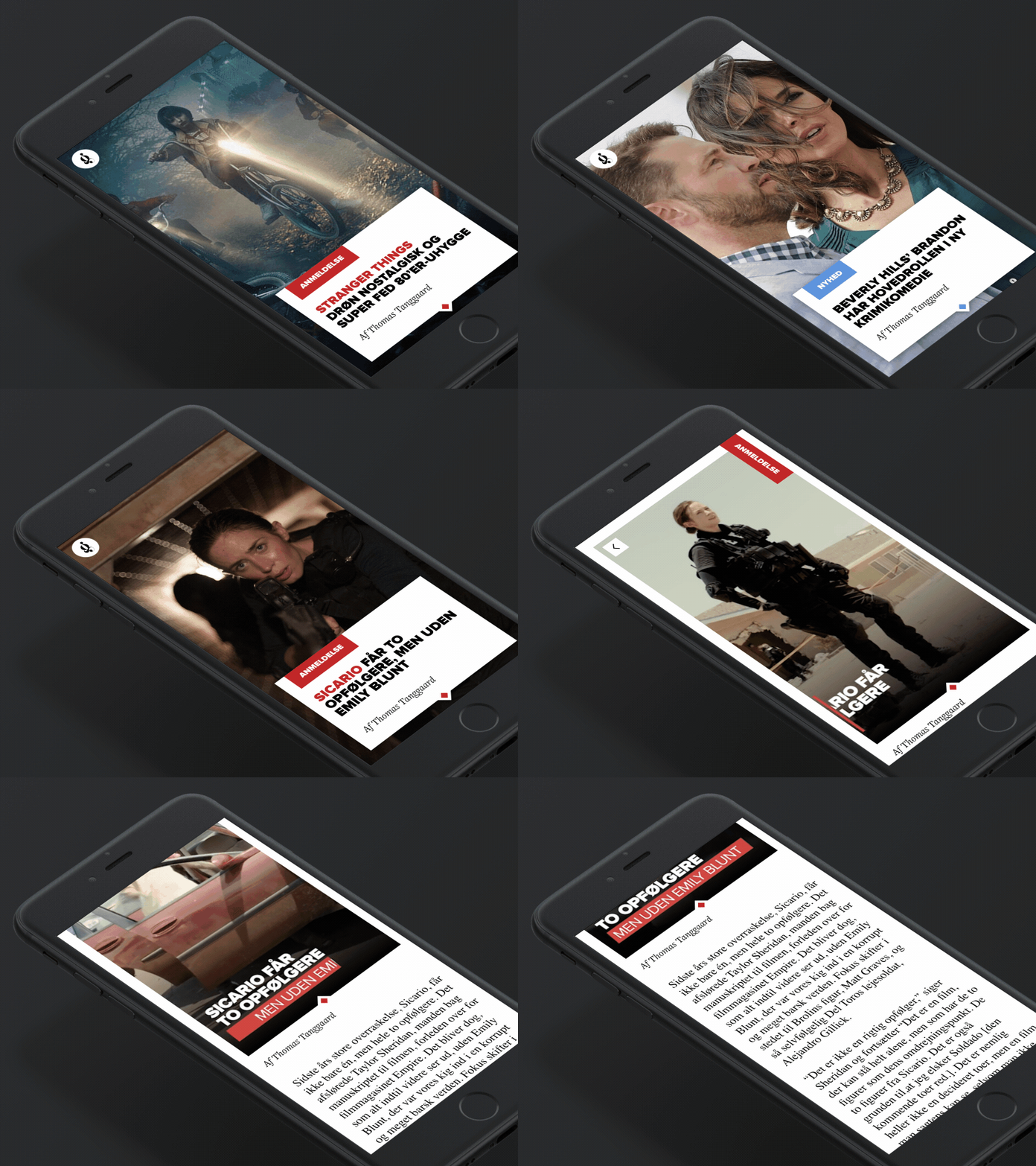\n\nBy Frederik Røssell from dribbble.com\nhttps://dribbble.com/shots/3058788-Digital-magazine-mockup\n\n###Demo\n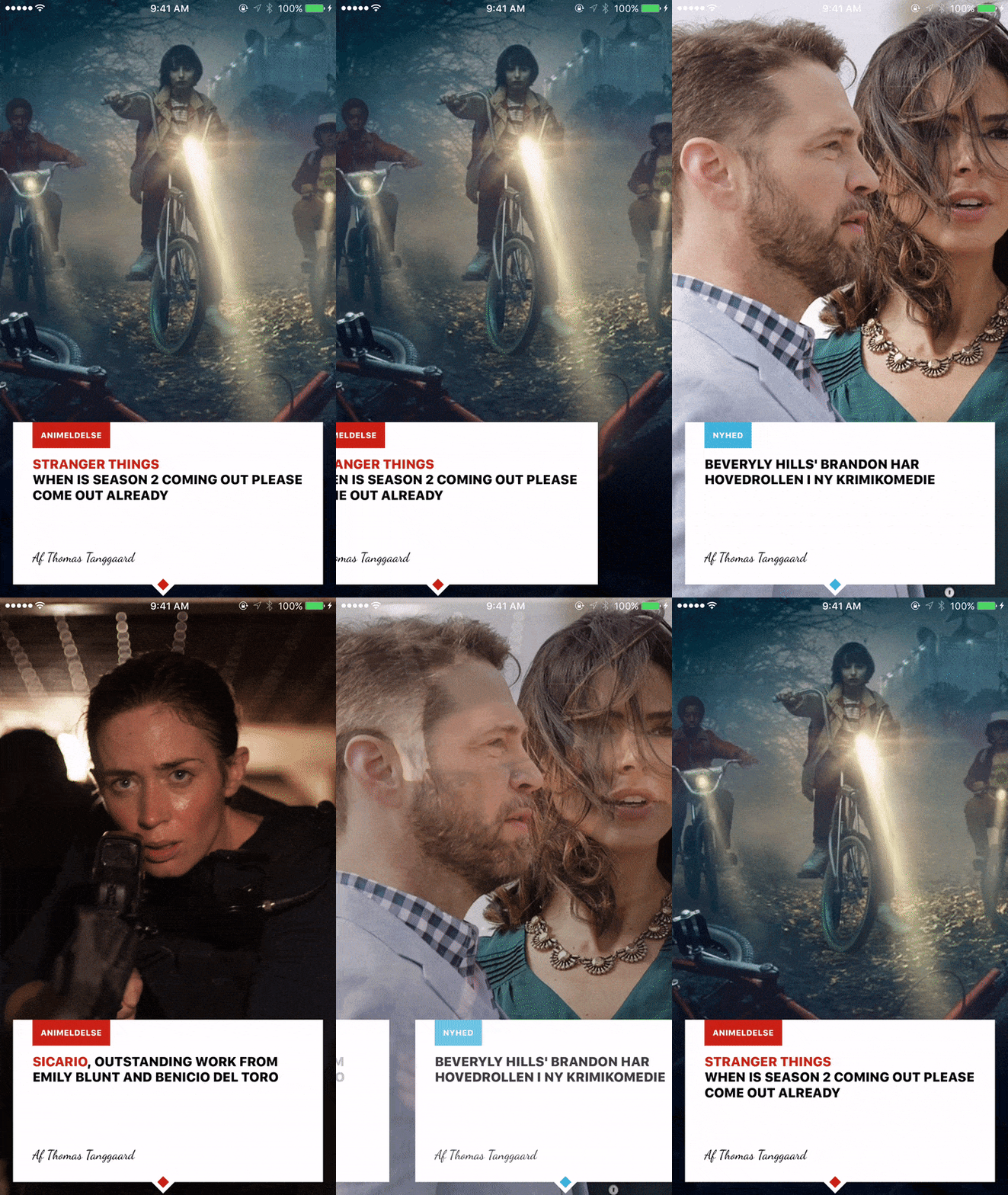\n\n## Try it out\n\nTry it with Exponent: https://getexponent.com/@sungwoopark95/react-native-digital-magazine\n\n## Run it locally\n\nTo install, there are two steps:\n\n1. Install Exponent XDE [following this\nguide](https://docs.getexponent.com/versions/latest/introduction/installation.html).\nAlso install the Exponent app on your phone if you want to test it on\nyour device, otherwise you don't need to do anything for the simulator.\n2. Clone this repo and run `npm install`\n ```bash\n git clone https://github.com/ggomaeng/react-native-magazine-listview.git magazineListview\n\n cd magazineListview\n npm install\n ```\n3. Open the project with Exponent XDE and run it.\n"
},
{
"path": "exp.json",
"content": "{\n \"name\": \"react-native-digital-magazine\",\n \"description\": \"An empty new project\",\n \"slug\": \"react-native-digital-magazine\",\n \"sdkVersion\": \"11.0.0\",\n \"version\": \"1.0.0\",\n \"orientation\": \"portrait\",\n \"primaryColor\": \"#cccccc\",\n \"iconUrl\": \"https://s3.amazonaws.com/exp-brand-assets/ExponentEmptyManifest_192.png\",\n \"notification\": {\n \"iconUrl\": \"https://s3.amazonaws.com/exp-us-standard/placeholder-push-icon-blue-circle.png\",\n \"color\": \"#000000\"\n },\n \"loading\": {\n \"iconUrl\": \"https://s3.amazonaws.com/exp-brand-assets/ExponentEmptyManifest_192.png\",\n \"hideExponentText\": false\n },\n \"packagerOpts\": {\n \"assetExts\": [\"ttf\", \"mp4\"]\n }\n}\n"
},
{
"path": "main.js",
"content": "import Exponent from 'exponent';\nimport Main from './src/index';\n\nExponent.registerRootComponent(Main);\n"
},
{
"path": "package.json",
"content": "{\n \"name\": \"react-native-digital-magazine\",\n \"version\": \"0.0.0\",\n \"description\": \"Hello Exponent!\",\n \"author\": null,\n \"private\": true,\n \"main\": \"main.js\",\n \"dependencies\": {\n \"exponent\": \"~11.0.2\",\n \"@exponent/vector-icons\": \"~2.0.3\",\n \"react\": \"~15.3.2\",\n \"react-native\": \"git+https://github.com/exponentjs/react-native#sdk-11.0.3\"\n }\n}"
},
{
"path": "src/components/digital-magazine.js",
"content": "/**\n * Created by ggoma on 2016. 11. 25..\n */\nimport Exponent from 'exponent';\nimport React, {Component} from 'react';\nimport {\n Animated,\n View,\n Text,\n Image,\n Dimensions,\n ListView,\n StyleSheet\n} from 'react-native';\n\nconst {width, height} = Dimensions.get('window');\nconst midpoint = width / 2;\n\nexport default class DigitalMagazine extends Component {\n constructor(props) {\n super(props);\n const ds = new ListView.DataSource({rowHasChanged: (r1, r2) => r1 !== r2});\n\n this.state = {\n dataSource: ds.cloneWithRows(props.items),\n opacity: new Animated.Value(1),\n\n images: props.images.reverse(), //to stack the images in right order\n opacity_values : props.images.map(() => {\n return new Animated.Value(1)\n }),\n text_opacity : props.images.map(() => {\n return new Animated.Value(1)\n }),\n };\n\n this.page = props.images.length - 1; //backwards\n this.offset = 0;\n this._renderRow = this._renderRow.bind(this);\n this.handleScroll = this.handleScroll.bind(this);\n\n }\n\n\n\n _renderRow(row) {\n var {page, publisher, title, author, highlight, color} = row;\n\n return (\n \n\n \n \n \n \n {publisher}\n \n \n\n \n \n {highlight}{title}\n \n \n\n \n \n {author}\n \n \n\n \n\n \n \n \n \n\n\n \n )\n }\n\n\n handleScroll (event) {\n var e = event.nativeEvent;\n\n var currentOffset = e.contentOffset.x;\n var offset_ratio = (currentOffset / width);\n if(currentOffset > this.offset) {\n if(!Number.isInteger(offset_ratio) && offset_ratio > 0 ) {\n var page = Math.floor(offset_ratio);\n // console.log('scrolling right on page', page);\n var stack = Math.abs(page - this.state.opacity_values.length + 1);\n // console.log('position on stack', stack);\n //make current slide fade to 0\n if(stack != 0) { //check last page\n this.state.opacity_values[stack].setValue(Math.abs((currentOffset - ( width * (page +1) )) / width));\n //set current page to 0\n this.state.text_opacity[page].setValue(Math.abs((currentOffset - ( width * (page +1) )) / width));\n //set next page to 1 from 0\n this.state.text_opacity[page + 1].setValue(Math.abs((currentOffset - ( width * (page) )) / width));\n }\n }\n } else {\n if(!Number.isInteger(offset_ratio) && offset_ratio > 0) {\n var page = Math.ceil(offset_ratio);\n // console.log('scrolling left on page', page);\n var stack = Math.abs(page - this.state.opacity_values.length + 1);\n // console.log('position on stack', stack);\n if(this.state.opacity_values[stack + 1] != null && page < this.state.opacity_values.length) {\n //make previous slide fade to 1 -- remember, here uses math.ceil\n this.state.opacity_values[stack + 1].setValue(Math.abs(currentOffset - ( width * page )) / width);\n //set left page to 1\n this.state.text_opacity[page - 1].setValue(Math.abs((currentOffset - ( width * (page) )) / width));\n //set current page from 1 to 0\n this.state.text_opacity[page].setValue(Math.abs(currentOffset - (width * (page-1) )) / width);\n\n }\n }\n }\n this.offset = currentOffset;\n\n }\n\n renderImages() {\n\n var {images, opacity_values} = this.state;\n\n return images.map((image, i) => {\n return \n })\n\n\n }\n\n\n render() {\n\n var {images, page, opacity} = this.state;\n return (\n \n {this.renderImages()}\n \n \n \n \n )\n }\n}\n\nvar styles = StyleSheet.create({\n img: {\n width: width,\n height: height,\n position: 'absolute',\n }\n})"
},
{
"path": "src/index.js",
"content": "/**\n * Created by ggoma on 2016. 11. 25..\n */\nimport Exponent from 'exponent';\nimport React from 'react';\nimport {\n StyleSheet,\n Text,\n View,\n} from 'react-native';\n\nimport DigitalMagazine from './components/digital-magazine';\n\nexport default class App extends React.Component {\n\n\n state = {\n appIsReady: false,\n }\n\n async componentWillMount() {\n try {\n await Exponent.Font.loadAsync({cursive: require('../assets/dancingscript.ttf')});\n this.setState({appIsReady: true});\n } catch(e) {\n // console.warn(\n // 'There was an error caching assets (see: main.js), perhaps due to a ' +\n // 'network timeout, so we skipped caching. Reload the app to try again.'\n // );\n // console.log(e.message);\n }\n }\n\n\n\n render() {\n if (!this.state.appIsReady) {\n return (\n \n );\n }\n\n return (\n \n \n \n );\n }\n}\n\nconst styles = StyleSheet.create({\n container: {\n flex: 1,\n backgroundColor: '#fff',\n },\n});"
}
]