[
  {
    "path": "LICENSE",
    "content": "This data made available by Google, Inc. under the Creative Commons Attribution 4.0 International license.\nhttps://creativecommons.org/licenses/by/4.0/\n"
  },
  {
    "path": "README.md",
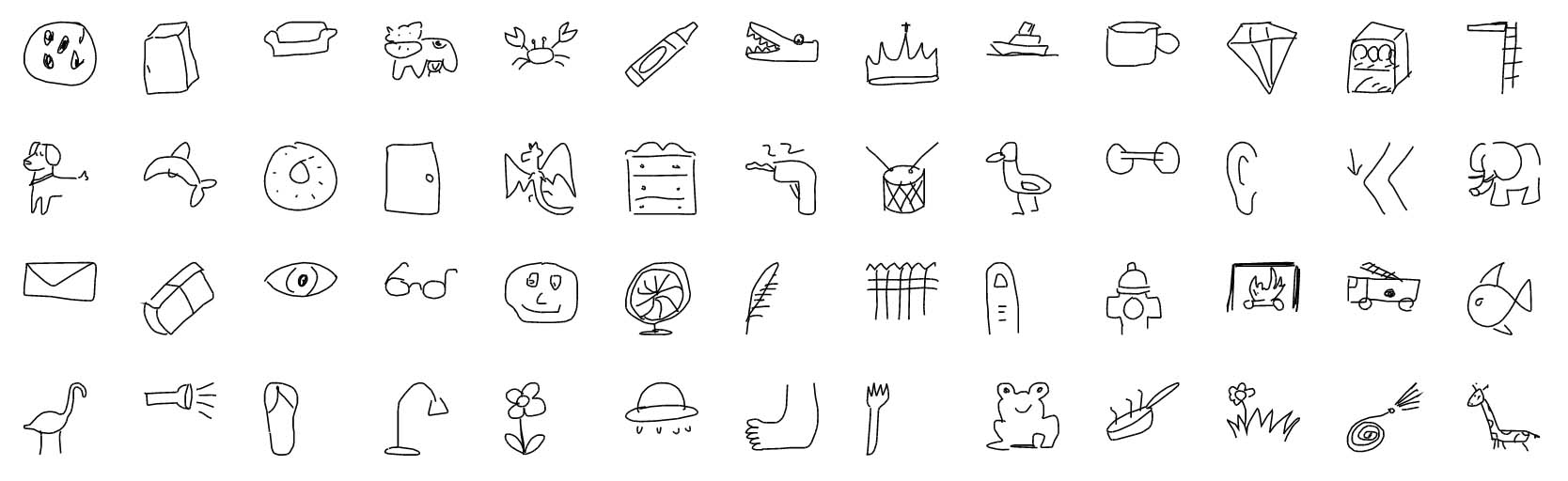
    "content": "# The Quick, Draw! Dataset\n![preview](preview.jpg)\n\nThe Quick Draw Dataset is a collection of 50 million drawings across [345 categories](categories.txt), contributed by players of the game [Quick, Draw!](https://quickdraw.withgoogle.com). The drawings were captured as timestamped vectors, tagged with metadata including what the player was asked to draw and in which country the player was located. You can browse the recognized drawings on [quickdraw.withgoogle.com/data](https://quickdraw.withgoogle.com/data).\n\nWe're sharing them here for developers, researchers, and artists to explore, study, and learn from. If you create something with this dataset, please let us know [by e-mail](mailto:quickdraw-support@google.com) or at [A.I. Experiments](https://aiexperiments.withgoogle.com/submit).\n\nWe have also released a tutorial and model for training your own drawing classifier on [tensorflow.org](https://github.com/tensorflow/docs/blob/master/site/en/r1/tutorials/sequences/recurrent_quickdraw.md).\n\nPlease keep in mind that while this collection of drawings was individually moderated, it may still contain inappropriate content.\n\n## Content\n- [The raw moderated dataset](#the-raw-moderated-dataset)\n- [Preprocessed dataset](#preprocessed-dataset)\n- [Get the data](#get-the-data)\n- [Projects using the dataset](#projects-using-the-dataset)\n- [Changes](#changes)\n- [License](#license)\n\n\n## The raw moderated dataset\nThe raw data is available as [`ndjson`](https://github.com/ndjson) files seperated by category, in the following format: \n\n| Key          | Type                   | Description                                  |\n| ------------ | -----------------------| -------------------------------------------- |\n| key_id       | 64-bit unsigned integer| A unique identifier across all drawings.     |\n| word         | string                 | Category the player was prompted to draw.    |\n| recognized   | boolean                | Whether the word was recognized by the game. |\n| timestamp    | datetime               | When the drawing was created.                |\n| countrycode  | string                 | A two letter country code ([ISO 3166-1 alpha-2](https://en.wikipedia.org/wiki/ISO_3166-1_alpha-2)) of where the player was located. |\n| drawing      | string                 | A JSON array representing the vector drawing |  \n\n\nEach line contains one drawing. Here's an example of a single drawing:\n\n```javascript\n  { \n    \"key_id\":\"5891796615823360\",\n    \"word\":\"nose\",\n    \"countrycode\":\"AE\",\n    \"timestamp\":\"2017-03-01 20:41:36.70725 UTC\",\n    \"recognized\":true,\n    \"drawing\":[[[129,128,129,129,130,130,131,132,132,133,133,133,133,...]]]\n  }\n```\n\nThe format of the drawing array is as following:\n \n```javascript\n[ \n  [  // First stroke \n    [x0, x1, x2, x3, ...],\n    [y0, y1, y2, y3, ...],\n    [t0, t1, t2, t3, ...]\n  ],\n  [  // Second stroke\n    [x0, x1, x2, x3, ...],\n    [y0, y1, y2, y3, ...],\n    [t0, t1, t2, t3, ...]\n  ],\n  ... // Additional strokes\n]\n```\n\nWhere `x` and `y` are the pixel coordinates, and `t` is the time in milliseconds since the first point. `x` and `y` are real-valued while `t` is an integer. The raw drawings can have vastly different bounding boxes and number of points due to the different devices used for display and input.\n\n## Preprocessed dataset\nWe've preprocessed and split the dataset into different files and formats to make it faster and easier to download and explore.\n\n#### Simplified Drawing files (`.`)\nWe've simplified the vectors, removed the timing information, and positioned and scaled the data into a 256x256 region. The data is exported in [`ndjson`](https://github.com/ndjson) format with the same metadata as the raw format. The simplification process was:\n\n1. Align the drawing to the top-left corner, to have minimum values of 0.\n2. Uniformly scale the drawing, to have a maximum value of 255. \n3. Resample all strokes with a 1 pixel spacing.\n4. Simplify all strokes using the [Ramer–Douglas–Peucker algorithm](https://en.wikipedia.org/wiki/Ramer%E2%80%93Douglas%E2%80%93Peucker_algorithm) with an epsilon value of 2.0.\n\nThere is an example in [examples/nodejs/simplified-parser.js](examples/nodejs/simplified-parser.js) showing how to read ndjson files in NodeJS.  \nAdditionally, the [examples/nodejs/ndjson.md](examples/nodejs/ndjson.md) document details a set of command-line tools that can help explore subsets of these quite large files.\n\n#### Binary files (`.bin`)\nThe simplified drawings and metadata are also available in a custom binary format for efficient compression and loading.\n\nThere is an example in [examples/binary_file_parser.py](examples/binary_file_parser.py) showing how to load the binary files in Python.  \nThere is also an example in [examples/nodejs/binary-parser.js](examples/nodejs/binary-parser.js) showing how to read the binary files in NodeJS.\n\n#### Numpy bitmaps (`.npy`)\nAll the simplified drawings have been rendered into a 28x28 grayscale bitmap in numpy `.npy` format. The files can be loaded with [`np.load()`](https://docs.scipy.org/doc/numpy-1.12.0/reference/generated/numpy.load.html). These images were generated from the simplified data, but are aligned to the center of the drawing's bounding box rather than the top-left corner. [See here for code snippet used for generation](https://github.com/googlecreativelab/quickdraw-dataset/issues/19#issuecomment-402247262).\n\n## Get the data\nThe dataset is available on Google Cloud Storage as [`ndjson`](https://github.com/ndjson) files seperated by category. See the list of files in [Cloud \n](https://console.cloud.google.com/storage/browser/quickdraw_dataset/), or read more about [accessing public datasets](https://cloud.google.com/storage/docs/access-public-data) using other methods. As an example, to easily download all simplified drawings, one way is to run the command `gsutil -m cp 'gs://quickdraw_dataset/full/simplified/*.ndjson' .` \n\n#### Full dataset seperated by categories\n- [Raw files](https://console.cloud.google.com/storage/browser/quickdraw_dataset/full/raw) (`.ndjson`)\n- [Simplified drawings files](https://console.cloud.google.com/storage/browser/quickdraw_dataset/full/simplified) (`.ndjson`)\n- [Binary files](https://console.cloud.google.com/storage/browser/quickdraw_dataset/full/binary) (`.bin`)\n- [Numpy bitmap files](https://console.cloud.google.com/storage/browser/quickdraw_dataset/full/numpy_bitmap) (`.npy`)\n\n#### Sketch-RNN QuickDraw Dataset\nThis data is also used for training the [Sketch-RNN](https://arxiv.org/abs/1704.03477) model.  An open source, TensorFlow implementation of this model is available in the [Magenta Project](https://magenta.tensorflow.org/sketch_rnn), (link to GitHub [repo](https://github.com/tensorflow/magenta/tree/master/magenta/models/sketch_rnn)).  You can also read more about this model in this Google Research [blog post](https://research.googleblog.com/2017/04/teaching-machines-to-draw.html).  The data is stored in compressed `.npz` files, in a format suitable for inputs into a recurrent neural network.\n\nIn this dataset, 75K samples (70K Training, 2.5K Validation, 2.5K Test) has been randomly selected from each category, processed with [RDP](https://en.wikipedia.org/wiki/Ramer%E2%80%93Douglas%E2%80%93Peucker_algorithm) line simplification with an `epsilon` parameter of 2.0.  Each category will be stored in its own `.npz` file, for example, `cat.npz`.\n\nWe have also provided the full data for each category, if you want to use more than 70K training examples.  These are stored with the `.full.npz` extensions.\n\n- [Numpy .npz files](https://console.cloud.google.com/storage/browser/quickdraw_dataset/sketchrnn)\n\n*Note:* For Python3, loading the `npz` files using `np.load(data_filepath, encoding='latin1', allow_pickle=True)`\n\nInstructions for converting Raw `ndjson` files to this `npz` format is available in this [notebook](https://github.com/hardmaru/quickdraw-ndjson-to-npz).\n\n## Projects using the dataset\nHere are some projects and experiments that are using or featuring the dataset in interesting ways. Got something to add? [Let us know!](mailto:quickdraw-support@google.com)\n\n*Creative and artistic projects*\n\n- [Letter collages](http://frauzufall.de/en/2017/google-quick-draw/) by [Deborah Schmidt](http://frauzufall.de/)\n- [Face tracking experiment](https://www.instagram.com/p/BUU8TuQD6_v/) by [Neil Mendoza](http://www.neilmendoza.com/)\n- [Faces of Humanity](http://project.laboiteatortue.com/facesofhumanity/) by [Tortue](www.laboiteatortue.com)\n- [Infinite QuickDraw](https://kynd.github.io/infinite_quickdraw/) by [kynd.info](http://kynd.info)\n- [Misfire.io](http://misfire.io/) by Matthew Collyer\n- [Draw This](http://danmacnish.com/2018/07/01/draw-this/) by [Dan Macnish](http://danmacnish.com/)\n- [Scribbling Speech](http://xinyue.de/scribbling-speech.html) by [Xinyue Yang](http://xinyue.de/)\n- illustrAItion by [Ling Chen](https://github.com/lingchen42/illustrAItion)\n- [Dreaming of Electric Sheep](https://medium.com/@libreai/dreaming-of-electric-sheep-d1aca32545dc) by [\nDr. Ernesto Diaz-Aviles](http://ernesto.diazaviles.com/)\n\n*Data analyses*\n\n- [How do you draw a circle?](https://qz.com/994486/the-way-you-draw-circles-says-a-lot-about-you/) by [Quartz](https://qz.com/)\n- [Forma Fluens](http://formafluens.io/) by [Mauro Martino](http://www.mamartino.com/), [Hendrik Strobelt](http://hendrik.strobelt.com/) and [Owen Cornec](http://www.byowen.com/)\n- [How Long Does it Take to (Quick) Draw a Dog?](http://vallandingham.me/quickdraw/) by [Jim Vallandingham](http://vallandingham.me/)\n- [Finding bad flamingo drawings with recurrent neural networks](http://colinmorris.github.io/blog/bad_flamingos) by [Colin Morris](http://colinmorris.github.io/)\n- [Facets Dive x Quick, Draw!](https://pair-code.github.io/facets/quickdraw.html) by [People + AI Research Initiative (PAIR), Google](https://ai.google/pair)\n- [Exploring and Visualizing an Open Global Dataset](https://research.googleblog.com/2017/08/exploring-and-visualizing-open-global.html) by Google Research\n- [Machine Learning for Visualization](https://medium.com/@enjalot/machine-learning-for-visualization-927a9dff1cab) - Talk / article by Ian Johnson\n\n*Papers*\n- [A Neural Representation of Sketch Drawings](https://arxiv.org/pdf/1704.03477.pdf) by [David Ha](https://scholar.google.com/citations?user=J1j92GsxVUMC&hl=en), [Douglas Eck](https://scholar.google.com/citations?user=bLb3VdIAAAAJ&hl=en), ICLR 2018. [code](https://github.com/tensorflow/magenta/tree/master/magenta/models/sketch_rnn)\n- [Sketchmate: Deep hashing for million-scale human sketch retrieval](http://openaccess.thecvf.com/content_cvpr_2018/papers/Xu_SketchMate_Deep_Hashing_CVPR_2018_paper.pdf) by [Peng Xu](http://www.pengxu.net/) et al., CVPR 2018.\n- [Multi-graph transformer for free-hand sketch recognition](https://arxiv.org/pdf/1912.11258.pdf) by [Peng Xu](http://www.pengxu.net/), [Chaitanya K Joshi](https://chaitjo.github.io/), [Xavier Bresson](https://www.ntu.edu.sg/home/xbresson/), ArXiv 2019. [code](https://github.com/PengBoXiangShang/multigraph_transformer)\n- [Deep Self-Supervised Representation Learning for Free-Hand Sketch](https://arxiv.org/pdf/2002.00867.pdf) by [Peng Xu](http://www.pengxu.net/) et al., ArXiv 2020. [code](https://github.com/zzz1515151/self-supervised_learning_sketch)\n- [SketchTransfer: A Challenging New Task for Exploring Detail-Invariance and the Abstractions Learned by Deep Networks](https://arxiv.org/pdf/1912.11570.pdf) by [Alex Lamb](https://sites.google.com/view/alexmlamb), [Sherjil Ozair](https://sherjilozair.github.io/), [Vikas Verma](https://scholar.google.com/citations?user=wo_M4uQAAAAJ&hl=en), [David Ha](https://scholar.google.com/citations?user=J1j92GsxVUMC&hl=en), WACV 2020.\n- [Deep Learning for Free-Hand Sketch: A Survey](https://arxiv.org/pdf/2001.02600.pdf) by [Peng Xu](http://www.pengxu.net/), ArXiv 2020.\n- [A Novel Sketch Recognition Model based on Convolutional Neural Networks](https://ieeexplore.ieee.org/document/9152911) by [Abdullah Talha Kabakus](https://www.linkedin.com/in/talhakabakus), 2nd International Congress on Human-Computer Interaction, Optimization and Robotic Applications, pp. 101-106, 2020.\n\n*Guides & Tutorials*\n- [TensorFlow tutorial for drawing classification](https://github.com/tensorflow/docs/blob/master/site/en/r1/tutorials/sequences/recurrent_quickdraw.md)\n- [Train a model in tf.keras with Colab, and run it in the browser with TensorFlow.js](https://medium.com/tensorflow/train-on-google-colab-and-run-on-the-browser-a-case-study-8a45f9b1474e) by Zaid Alyafeai\n\n*Code and tools*\n- [Quick, Draw! Polymer Component & Data API](https://github.com/googlecreativelab/quickdraw-component) by Nick Jonas\n- [Quick, Draw for Processing](https://github.com/codybenlewis/Quick-Draw-for-Processing) by [Cody Ben Lewis](https://twitter.com/CodyBenLewis)\n- [Quick, Draw! prediction model](https://github.com/keisukeirie/quickdraw_prediction_model) by Keisuke Irie \n- [Random sample tool](http://learning.statistics-is-awesome.org/draw/) by [Learning statistics is awesome](http://learning.statistics-is-awesome.org/)\n- [SVG rendering in d3.js example](https://bl.ocks.org/enjalot/a2b28f0ed18b891f9fb70910f1b8886d) by [Ian Johnson](http://enja.org/) (read more about the process [here](https://gist.github.com/enjalot/54c4342eb7527ea523884dbfa52d174b))\n- [Sketch-RNN Classification](https://github.com/payalbajaj/sketch_rnn_classification) by Payal Bajaj\n- [quickdraw.js](https://github.com/wagenaartje/quickdraw.js) by Thomas Wagenaar\n- [~ Doodler ~](https://github.com/krishnasriSomepalli/cs50-project/) by [\nKrishna Sri Somepalli](https://krishnasrisomepalli.github.io/)\n- [quickdraw Python API](http://quickdraw.readthedocs.io) by [Martin O'Hanlon](https://github.com/martinohanlon)\n- [RealTime QuickDraw](https://github.com/akshaybahadur21/QuickDraw) by [Akshay Bahadur](http://akshaybahadur.com/)\n- [DataFlow processing](https://github.com/gxercavins/dataflow-samples/tree/master/quick-draw) by Guillem Xercavins \n- [QuickDrawGH Rhino Plugin](https://www.food4rhino.com/app/quickdrawgh) by [James Dalessandro](https://github.com/DalessandroJ)\n- [QuickDrawBattle](https://andri.io/quickdrawbattle/) by [Andri Soone](https://github.com/ndri)\n\n\n## Changes\n\nMay 25, 2017: Updated Sketch-RNN QuickDraw dataset, created `.full.npz` complementary sets.\n\n## License\nThis data made available by Google, Inc. under the [Creative Commons Attribution 4.0 International license.](https://creativecommons.org/licenses/by/4.0/)\n\n## Dataset Metadata\nThe following table is necessary for this dataset to be indexed by search\nengines such as <a href=\"https://g.co/datasetsearch\">Google Dataset Search</a>.\n<div itemscope itemtype=\"http://schema.org/Dataset\">\n<table>\n  <tr>\n    <th>property</th>\n    <th>value</th>\n  </tr>\n  <tr>\n    <td>name</td>\n    <td><code itemprop=\"name\">The Quick, Draw! Dataset</code></td>\n  </tr>\n  <tr>\n    <td>alternateName</td>\n    <td><code itemprop=\"alternateName\">Quick Draw Dataset</code></td>\n  </tr>\n  <tr>\n    <td>alternateName</td>\n    <td><code itemprop=\"alternateName\">quickdraw-dataset</code></td>\n  </tr>\n  <tr>\n    <td>url</td>\n    <td><code itemprop=\"url\">https://github.com/googlecreativelab/quickdraw-dataset</code></td>\n  </tr>\n  <tr>\n    <td>sameAs</td>\n    <td><code itemprop=\"sameAs\">https://github.com/googlecreativelab/quickdraw-dataset</code></td>\n  </tr>\n  <tr>\n    <td>description</td>\n    <td><code itemprop=\"description\">The Quick Draw Dataset is a collection of 50 million drawings across 345 categories, contributed by players of the game \"Quick, Draw!\". The drawings were captured as timestamped vectors, tagged with metadata including what the player was asked to draw and in which country the player was located.\\n\n\\n\nExample drawings:\n![preview](https://raw.githubusercontent.com/googlecreativelab/quickdraw-dataset/master/preview.jpg)</code></td>\n  </tr>\n  <tr>\n    <td>provider</td>\n    <td>\n      <div itemscope itemtype=\"http://schema.org/Organization\" itemprop=\"provider\">\n        <table>\n          <tr>\n            <th>property</th>\n            <th>value</th>\n          </tr>\n          <tr>\n            <td>name</td>\n            <td><code itemprop=\"name\">Google</code></td>\n          </tr>\n          <tr>\n            <td>sameAs</td>\n            <td><code itemprop=\"sameAs\">https://en.wikipedia.org/wiki/Google</code></td>\n          </tr>\n        </table>\n      </div>\n    </td>\n  </tr>\n  <tr>\n    <td>license</td>\n    <td>\n      <div itemscope itemtype=\"http://schema.org/CreativeWork\" itemprop=\"license\">\n        <table>\n          <tr>\n            <th>property</th>\n            <th>value</th>\n          </tr>\n          <tr>\n            <td>name</td>\n            <td><code itemprop=\"name\">CC BY 4.0</code></td>\n          </tr>\n          <tr>\n            <td>url</td>\n            <td><code itemprop=\"url\">https://creativecommons.org/licenses/by/4.0/</code></td>\n          </tr>\n        </table>\n      </div>\n    </td>\n  </tr>\n</table>\n</div>\n"
  },
  {
    "path": "categories.txt",
    "content": "aircraft carrier\nairplane\nalarm clock\nambulance\nangel\nanimal migration\nant\nanvil\napple\narm\nasparagus\naxe\nbackpack\nbanana\nbandage\nbarn\nbaseball\nbaseball bat\nbasket\nbasketball\nbat\nbathtub\nbeach\nbear\nbeard\nbed\nbee\nbelt\nbench\nbicycle\nbinoculars\nbird\nbirthday cake\nblackberry\nblueberry\nbook\nboomerang\nbottlecap\nbowtie\nbracelet\nbrain\nbread\nbridge\nbroccoli\nbroom\nbucket\nbulldozer\nbus\nbush\nbutterfly\ncactus\ncake\ncalculator\ncalendar\ncamel\ncamera\ncamouflage\ncampfire\ncandle\ncannon\ncanoe\ncar\ncarrot\ncastle\ncat\nceiling fan\ncello\ncell phone\nchair\nchandelier\nchurch\ncircle\nclarinet\nclock\ncloud\ncoffee cup\ncompass\ncomputer\ncookie\ncooler\ncouch\ncow\ncrab\ncrayon\ncrocodile\ncrown\ncruise ship\ncup\ndiamond\ndishwasher\ndiving board\ndog\ndolphin\ndonut\ndoor\ndragon\ndresser\ndrill\ndrums\nduck\ndumbbell\near\nelbow\nelephant\nenvelope\neraser\neye\neyeglasses\nface\nfan\nfeather\nfence\nfinger\nfire hydrant\nfireplace\nfiretruck\nfish\nflamingo\nflashlight\nflip flops\nfloor lamp\nflower\nflying saucer\nfoot\nfork\nfrog\nfrying pan\ngarden\ngarden hose\ngiraffe\ngoatee\ngolf club\ngrapes\ngrass\nguitar\nhamburger\nhammer\nhand\nharp\nhat\nheadphones\nhedgehog\nhelicopter\nhelmet\nhexagon\nhockey puck\nhockey stick\nhorse\nhospital\nhot air balloon\nhot dog\nhot tub\nhourglass\nhouse\nhouse plant\nhurricane\nice cream\njacket\njail\nkangaroo\nkey\nkeyboard\nknee\nknife\nladder\nlantern\nlaptop\nleaf\nleg\nlight bulb\nlighter\nlighthouse\nlightning\nline\nlion\nlipstick\nlobster\nlollipop\nmailbox\nmap\nmarker\nmatches\nmegaphone\nmermaid\nmicrophone\nmicrowave\nmonkey\nmoon\nmosquito\nmotorbike\nmountain\nmouse\nmoustache\nmouth\nmug\nmushroom\nnail\nnecklace\nnose\nocean\noctagon\noctopus\nonion\noven\nowl\npaintbrush\npaint can\npalm tree\npanda\npants\npaper clip\nparachute\nparrot\npassport\npeanut\npear\npeas\npencil\npenguin\npiano\npickup truck\npicture frame\npig\npillow\npineapple\npizza\npliers\npolice car\npond\npool\npopsicle\npostcard\npotato\npower outlet\npurse\nrabbit\nraccoon\nradio\nrain\nrainbow\nrake\nremote control\nrhinoceros\nrifle\nriver\nroller coaster\nrollerskates\nsailboat\nsandwich\nsaw\nsaxophone\nschool bus\nscissors\nscorpion\nscrewdriver\nsea turtle\nsee saw\nshark\nsheep\nshoe\nshorts\nshovel\nsink\nskateboard\nskull\nskyscraper\nsleeping bag\nsmiley face\nsnail\nsnake\nsnorkel\nsnowflake\nsnowman\nsoccer ball\nsock\nspeedboat\nspider\nspoon\nspreadsheet\nsquare\nsquiggle\nsquirrel\nstairs\nstar\nsteak\nstereo\nstethoscope\nstitches\nstop sign\nstove\nstrawberry\nstreetlight\nstring bean\nsubmarine\nsuitcase\nsun\nswan\nsweater\nswing set\nsword\nsyringe\ntable\nteapot\nteddy-bear\ntelephone\ntelevision\ntennis racquet\ntent\nThe Eiffel Tower\nThe Great Wall of China\nThe Mona Lisa\ntiger\ntoaster\ntoe\ntoilet\ntooth\ntoothbrush\ntoothpaste\ntornado\ntractor\ntraffic light\ntrain\ntree\ntriangle\ntrombone\ntruck\ntrumpet\nt-shirt\numbrella\nunderwear\nvan\nvase\nviolin\nwashing machine\nwatermelon\nwaterslide\nwhale\nwheel\nwindmill\nwine bottle\nwine glass\nwristwatch\nyoga\nzebra\nzigzag\n"
  },
  {
    "path": "examples/binary_file_parser.py",
    "content": "# Copyright 2017 Google Inc.\n# \n# Licensed under the Apache License, Version 2.0 (the \"License\");\n# you may not use this file except in compliance with the License.\n# You may obtain a copy of the License at\n# \n# https://www.apache.org/licenses/LICENSE-2.0\n# \n# Unless required by applicable law or agreed to in writing, software\n# distributed under the License is distributed on an \"AS IS\" BASIS,\n# WITHOUT WARRANTIES OR CONDITIONS OF ANY KIND, either express or implied.\n# See the License for the specific language governing permissions and\n# limitations under the License.\n\nimport struct\nfrom struct import unpack\n\n\ndef unpack_drawing(file_handle):\n    key_id, = unpack('Q', file_handle.read(8))\n    country_code, = unpack('2s', file_handle.read(2))\n    recognized, = unpack('b', file_handle.read(1))\n    timestamp, = unpack('I', file_handle.read(4))\n    n_strokes, = unpack('H', file_handle.read(2))\n    image = []\n    for i in range(n_strokes):\n        n_points, = unpack('H', file_handle.read(2))\n        fmt = str(n_points) + 'B'\n        x = unpack(fmt, file_handle.read(n_points))\n        y = unpack(fmt, file_handle.read(n_points))\n        image.append((x, y))\n\n    return {\n        'key_id': key_id,\n        'country_code': country_code,\n        'recognized': recognized,\n        'timestamp': timestamp,\n        'image': image\n    }\n\n\ndef unpack_drawings(filename):\n    with open(filename, 'rb') as f:\n        while True:\n            try:\n                yield unpack_drawing(f)\n            except struct.error:\n                break\n\n\nfor drawing in unpack_drawings('nose.bin'):\n    # do something with the drawing\n    print(drawing['country_code'])\n"
  },
  {
    "path": "examples/nodejs/.gitignore",
    "content": "node_modules\n"
  },
  {
    "path": "examples/nodejs/binary-parser.js",
    "content": "/*\nCopyright 2017 Google Inc.\n\nLicensed under the Apache License, Version 2.0 (the \"License\");\nyou may not use this file except in compliance with the License.\nYou may obtain a copy of the License at\n\nhttps://www.apache.org/licenses/LICENSE-2.0\n\nUnless required by applicable law or agreed to in writing, software\ndistributed under the License is distributed on an \"AS IS\" BASIS,\nWITHOUT WARRANTIES OR CONDITIONS OF ANY KIND, either express or implied.\nSee the License for the specific language governing permissions and\nlimitations under the License.\n*/\n/*\n  Demonstration of parsing binary files from  Quick, Draw! dataset with NodeJS.\n\n  https://github.com/googlecreativelab/quickdraw-dataset\n  https://quickdraw.withgoogle.com/data\n\n  This demo assumes you've put the file \"face.bin\" into a folder called \"data\"\n  in the same directory as this script.\n*/\nvar fs = require('fs');\nvar Parser = require('binary-parser').Parser;\nvar BigInteger = require('javascript-biginteger').BigInteger;\n\nvar Drawing = Parser.start()\n  .endianess('little')\n  .array('key_id', {\n      type: 'uint8',\n      length: 8\n  })\n  .string('countrycode', { length: 2, encoding: 'ascii' })\n  // .uint8('recognized')\n  .bit1('recognized')\n  .uint32le('timestamp') // unix timestamp in seconds\n  .uint16le('n_strokes')\n  .array('strokes', {\n    type: Parser.start()\n      .uint16le('n_points')\n      .array('x', {\n        type: 'uint8',\n        length: 'n_points'\n      })\n      .array('y', {\n        type: 'uint8',\n        length: 'n_points'\n      }),\n    length: 'n_strokes'\n  });\n\nfunction parseBinaryDrawings(fileName, callback) {\n  fs.readFile(fileName, function(err, buffer) {\n    var unpacked = Parser.start()\n      .array('drawings', {\n          type: Drawing,\n          // length: 2\n          readUntil: 'eof'\n      }).parse(buffer);\n    // console.log(\"unpacked\", unpacked)\n    var drawings = unpacked.drawings.map(function(d) {\n      var ka = d.key_id;\n      // the key is a long integer so we have to parse it specially\n      var key = BigInteger(0);\n      for (var i = 7; i >= 0; i--) {\n        key = key.multiply(256);\n        key = key.add(ka[i]);\n      }\n      var strokes = d.strokes.map(function(d,i) { return [ d.x, d.y ] });\n      return {\n        'key_id': key.toString(),\n        'countrycode': d.countrycode,\n        'recognized': !!d.recognized, //convert to boolean\n        'timestamp': d.timestamp * 1000, // turn it into milliseconds\n        'drawing': strokes\n      }\n    })\n    callback(null, drawings);\n  })\n}\n\nparseBinaryDrawings(\"data/face.bin\", function(err, drawings) {\n  if(err) return console.error(err);\n  drawings.forEach(function(d) {\n    // Do something with the drawing\n    console.log(d.key_id, d.countrycode)\n  })\n  console.log(\"# of drawings:\", drawings.length)\n})\n"
  },
  {
    "path": "examples/nodejs/ndjson.md",
    "content": "# Quick, Draw! ndjson data\n\nThe [Quick, Draw! dataset](https://github.com/googlecreativelab/quickdraw-dataset) uses\n[ndjson](https://github.com/maxogden/ndjson) as one of the formats to store its millions of drawings.\n\nWe can use the [ndjson-cli](https://github.com/mbostock/ndjson-cli) utility to quickly create interesting subsets of this dataset.\n\nThe drawings (stroke data and associated metadata) are stored as one JSON object per line. e.g.:\n```js\n{\n  \"key_id\":\"5891796615823360\",\n  \"word\":\"nose\",\n  \"countrycode\":\"AE\",\n  \"timestamp\":\"2017-03-01 20:41:36.70725 UTC\",\n  \"recognized\":true,\n  \"drawing\":[[[129,128,129,129,130,130,131,132,132,133,133,133,133,...]]]\n}\n```\n\nEach file represents all of the drawings for a given word. So, you can download the one you want.\nFor this exploration we will focus on the [simplified drawings](https://pantheon.corp.google.com/storage/browser/quickdraw_dataset/full/simplified)\nbecause the files are about 10x smaller and the drawings look just as good.\nWe do lose timing information available in the raw data, so feel free to explore that when you are comfortable navigating the data (the format is pretty much exactly the same besides the added timing array and more points in the stroke data.)\n\n# Let's explore the `face` collection!\n\nOne nice thing that you can do with `.ndjson` files are to quickly peek at the data using some simple Unix commands:\n\n```bash\n# look at the first 5 lines\ncat face.ndjson | head -n 5\n# look at the last 5 lines\ncat face.ndjson | tail -n 5\n```\n\n## Filtering\n\nNow let's take our first subset of the data by filtering:\n```bash\n# let's filter down to only the recognized drawings\ncat face.ndjson | ndjson-filter 'd.recognized == true' | head -n 5\n# How many recognized drawings are there?\ncat face.ndjson | ndjson-filter 'd.recognized == true' | wc -l\n# How about unrecognized?\ncat face.ndjson | ndjson-filter 'd.recognized == false' | wc -l\n\n# We can also filter down to a country we are interested in\ncat face.ndjson | ndjson-filter 'd.recognized == true && d.countrycode == \"CA\"' | wc -l\n```\n\n## Sorting\n\nFor sorting, you can make things easier by including d3. This means you'll need to `npm install d3` in the directory from which you are calling these commands.\n```bash\n# sort by when the drawing was created\ncat face.ndjson | ndjson-sort -r d3 'd3.ascending(a.timestamp, b.timestamp)' | head -n 5\n\n# sort from the most complex drawings to the simplest (judged by how many strokes they use to draw)\ncat face.ndjson | ndjson-sort -r d3 'd3.descending(a.drawing.length, b.drawing.length)' | head -n 5\n```\n\n## Saving to JSON\nIf you want to save out a subset as a regular JSON file, you can use `ndjson-reduce`:\n```bash\n# save to the file \"canadian-faces.json\"\ncat face.ndjson | ndjson-filter 'd.recognized == true && d.countrycode == \"CA\"' | ndjson-reduce > canadian-faces.json\n\n# You can combine these utilities to further filter down your data\ncat face.ndjson | ndjson-filter 'd.recognized == true && d.countrycode == \"CA\"' | head -n 1000 | ndjson-reduce > canadian-faces.json\n\ncat face.ndjson | ndjson-filter 'd.recognized == true && d.countrycode == \"CA\"' | ndjson-sort -r d3 'd3.descending(a.drawing.length, b.drawing.length)' | head -n 100 | ndjson-reduce > complex-faces.json\n```\n"
  },
  {
    "path": "examples/nodejs/package.json",
    "content": "{\n  \"name\": \"quickdraw-node-demos\",\n  \"version\": \"0.0.1\",\n  \"description\": \"Sample code for parsing Quick, Draw! dataset in NodeJS\",\n  \"main\": \"simplified-parser.js\",\n  \"scripts\": {\n    \"test\": \"echo \\\"Error: no test specified\\\" && exit 1\"\n  },\n  \"author\": \"Ian Johnson (enjalot@google.com)\",\n  \"license\": \"Apache-2.0\",\n  \"dependencies\": {\n    \"binary-parser\": \"^1.1.5\",\n    \"javascript-biginteger\": \"^0.9.2\",\n    \"ndjson\": \"^1.5.0\"\n  },\n  \"devDependencies\": {\n    \"d3\": \"^4.9.1\",\n    \"ndjson-cli\": \"^0.3.0\"\n  }\n}\n"
  },
  {
    "path": "examples/nodejs/simplified-parser.js",
    "content": "/*\nCopyright 2017 Google Inc.\n\nLicensed under the Apache License, Version 2.0 (the \"License\");\nyou may not use this file except in compliance with the License.\nYou may obtain a copy of the License at\n\nhttps://www.apache.org/licenses/LICENSE-2.0\n\nUnless required by applicable law or agreed to in writing, software\ndistributed under the License is distributed on an \"AS IS\" BASIS,\nWITHOUT WARRANTIES OR CONDITIONS OF ANY KIND, either express or implied.\nSee the License for the specific language governing permissions and\nlimitations under the License.\n*/\n/*\n  Demonstration of parsing simplified ndjson files from  Quick, Draw! dataset with node.js.\n  Read in all of the simplified drawings into memory and log out some properties.\n\n  https://github.com/googlecreativelab/quickdraw-dataset\n  https://quickdraw.withgoogle.com/data\n\n  This demo assumes you've put the file \"face-simple.ndjson\" into a folder called \"data\"\n  in the same directory as this script.\n*/\nvar fs = require('fs');\nvar ndjson = require('ndjson'); // npm install ndjson\n\nfunction parseSimplifiedDrawings(fileName, callback) {\n  var drawings = [];\n  var fileStream = fs.createReadStream(fileName)\n  fileStream\n    .pipe(ndjson.parse())\n    .on('data', function(obj) {\n      drawings.push(obj)\n    })\n    .on(\"error\", callback)\n    .on(\"end\", function() {\n      callback(null, drawings)\n    });\n}\n\nparseSimplifiedDrawings(\"data/face-simple.ndjson\", function(err, drawings) {\n  if(err) return console.error(err);\n  drawings.forEach(function(d) {\n    // Do something with the drawing\n    console.log(d.key_id, d.countrycode);\n  })\n  console.log(\"# of drawings:\", drawings.length);\n})\n"
  }
]