Repository: iam-veeramalla/Jenkins-Zero-To-Hero
Branch: main
Commit: 3028953182b6
Files: 57
Total size: 64.8 KB
Directory structure:
gitextract_8eje1vuj/

├── CODE_OF_CONDUCT.md
├── Interview_Questions.md
├── LICENSE
├── README.md
├── java-maven-sonar-argocd-helm-k8s/
│   ├── Argo CD/
│   │   └── argocd-basic.yaml
│   ├── README.md
│   ├── spring-boot-app/
│   │   ├── Dockerfile
│   │   ├── JenkinsFile
│   │   ├── README.md
│   │   ├── pom.xml
│   │   └── src/
│   │       └── main/
│   │           ├── java/
│   │           │   └── com/
│   │           │       └── abhishek/
│   │           │           └── StartApplication.java
│   │           └── resources/
│   │               ├── application.properties
│   │               ├── static/
│   │               │   ├── css/
│   │               │   │   └── main.css
│   │               │   └── js/
│   │               │       └── main.js
│   │               └── templates/
│   │                   └── index.html
│   └── spring-boot-app-manifests/
│       ├── deployment.yml
│       └── service.yml
├── multi-stage-multi-agent/
│   ├── Jenkinsfile
│   └── README.md
├── my-first-pipeline/
│   ├── Jenkinsfile
│   └── README.md
├── python-jenkins-argocd-k8s/
│   ├── Dockerfile
│   ├── Jenkinsfile
│   ├── LICENSE
│   ├── README.md
│   ├── db.sqlite3
│   ├── deploy/
│   │   ├── deploy.yaml
│   │   ├── pod.yaml
│   │   └── service.yaml
│   ├── docker-compose.yml
│   ├── manage.py
│   ├── staticfiles/
│   │   └── css/
│   │       └── style.css
│   ├── todoApp/
│   │   ├── __init__.py
│   │   ├── settings.py
│   │   ├── urls.py
│   │   ├── views.py
│   │   └── wsgi.py
│   └── todos/
│       ├── __init__.py
│       ├── admin.py
│       ├── apps.py
│       ├── migrations/
│       │   ├── 0001_initial.py
│       │   ├── 0002_auto_20191201_2357.py
│       │   ├── 0003_auto_20191202_0000.py
│       │   ├── 0004_auto_20191202_0004.py
│       │   ├── 0005_auto_20191202_0011.py
│       │   ├── 0006_remove_todo_deadline.py
│       │   ├── 0007_auto_20191202_0323.py
│       │   ├── 0008_auto_20191202_0809.py
│       │   └── __init__.py
│       ├── models.py
│       ├── templates/
│       │   └── todos/
│       │       ├── base.html
│       │       └── index.html
│       ├── tests.py
│       ├── urls.py
│       └── views.py
├── shared-libraries/
│   └── README.md
└── vars/
    └── helloWorld.groovy
================================================
FILE CONTENTS
================================================
================================================
FILE: CODE_OF_CONDUCT.md
================================================
# Contributor Covenant Code of Conduct
## Our Pledge
We as members, contributors, and leaders pledge to make participation in our
community a harassment-free experience for everyone, regardless of age, body
size, visible or invisible disability, ethnicity, sex characteristics, gender
identity and expression, level of experience, education, socio-economic status,
nationality, personal appearance, race, religion, or sexual identity
and orientation.
We pledge to act and interact in ways that contribute to an open, welcoming,
diverse, inclusive, and healthy community.
## Our Standards
Examples of behavior that contributes to a positive environment for our
community include:
* Demonstrating empathy and kindness toward other people
* Being respectful of differing opinions, viewpoints, and experiences
* Giving and gracefully accepting constructive feedback
* Accepting responsibility and apologizing to those affected by our mistakes,
and learning from the experience
* Focusing on what is best not just for us as individuals, but for the
overall community
Examples of unacceptable behavior include:
* The use of sexualized language or imagery, and sexual attention or
advances of any kind
* Trolling, insulting or derogatory comments, and personal or political attacks
* Public or private harassment
* Publishing others' private information, such as a physical or email
address, without their explicit permission
* Other conduct which could reasonably be considered inappropriate in a
professional setting
## Enforcement Responsibilities
Community leaders are responsible for clarifying and enforcing our standards of
acceptable behavior and will take appropriate and fair corrective action in
response to any behavior that they deem inappropriate, threatening, offensive,
or harmful.
Community leaders have the right and responsibility to remove, edit, or reject
comments, commits, code, wiki edits, issues, and other contributions that are
not aligned to this Code of Conduct, and will communicate reasons for moderation
decisions when appropriate.
## Scope
This Code of Conduct applies within all community spaces, and also applies when
an individual is officially representing the community in public spaces.
Examples of representing our community include using an official e-mail address,
posting via an official social media account, or acting as an appointed
representative at an online or offline event.
## Enforcement
Instances of abusive, harassing, or otherwise unacceptable behavior may be
reported to the community leaders responsible for enforcement at
.
All complaints will be reviewed and investigated promptly and fairly.
All community leaders are obligated to respect the privacy and security of the
reporter of any incident.
## Enforcement Guidelines
Community leaders will follow these Community Impact Guidelines in determining
the consequences for any action they deem in violation of this Code of Conduct:
### 1. Correction
**Community Impact**: Use of inappropriate language or other behavior deemed
unprofessional or unwelcome in the community.
**Consequence**: A private, written warning from community leaders, providing
clarity around the nature of the violation and an explanation of why the
behavior was inappropriate. A public apology may be requested.
### 2. Warning
**Community Impact**: A violation through a single incident or series
of actions.
**Consequence**: A warning with consequences for continued behavior. No
interaction with the people involved, including unsolicited interaction with
those enforcing the Code of Conduct, for a specified period of time. This
includes avoiding interactions in community spaces as well as external channels
like social media. Violating these terms may lead to a temporary or
permanent ban.
### 3. Temporary Ban
**Community Impact**: A serious violation of community standards, including
sustained inappropriate behavior.
**Consequence**: A temporary ban from any sort of interaction or public
communication with the community for a specified period of time. No public or
private interaction with the people involved, including unsolicited interaction
with those enforcing the Code of Conduct, is allowed during this period.
Violating these terms may lead to a permanent ban.
### 4. Permanent Ban
**Community Impact**: Demonstrating a pattern of violation of community
standards, including sustained inappropriate behavior, harassment of an
individual, or aggression toward or disparagement of classes of individuals.
**Consequence**: A permanent ban from any sort of public interaction within
the community.
## Attribution
This Code of Conduct is adapted from the [Contributor Covenant][homepage],
version 2.0, available at
https://www.contributor-covenant.org/version/2/0/code_of_conduct.html.
Community Impact Guidelines were inspired by [Mozilla's code of conduct
enforcement ladder](https://github.com/mozilla/diversity).
[homepage]: https://www.contributor-covenant.org
For answers to common questions about this code of conduct, see the FAQ at
https://www.contributor-covenant.org/faq. Translations are available at
https://www.contributor-covenant.org/translations.
================================================
FILE: Interview_Questions.md
================================================
## NOTE: While I have prepared all the questions, to provide better answers in a detailed way, the summary provided below is the collection of my knowledge and information from various sources like Medium, Stack Overflow, ChatGPT.
Q: Can you explain the CICD process in your current project ? or Can you talk about any CICD process that you have implemented ?
A: In the current project we use the following tools orchestrated with Jenkins to achieve CICD.
- Maven, Sonar, AppScan, ArgoCD, and Kubernetes
Coming to the implementation, the entire process takes place in 8 steps
1. Code Commit: Developers commit code changes to a Git repository hosted on GitHub.
2. Jenkins Build: Jenkins is triggered to build the code using Maven. Maven builds the code and runs unit tests.
3. Code Analysis: Sonar is used to perform static code analysis to identify any code quality issues, security vulnerabilities, and bugs.
4. Security Scan: AppScan is used to perform a security scan on the application to identify any security vulnerabilities.
5. Deploy to Dev Environment: If the build and scans pass, Jenkins deploys the code to a development environment managed by Kubernetes.
6. Continuous Deployment: ArgoCD is used to manage continuous deployment. ArgoCD watches the Git repository and automatically deploys new changes to the development environment as soon as they are committed.
7. Promote to Production: When the code is ready for production, it is manually promoted using ArgoCD to the production environment.
8. Monitoring: The application is monitored for performance and availability using Kubernetes tools and other monitoring tools.
Q: What are the different ways to trigger jenkins pipelines ?
A: This can be done in multiple ways,
To briefly explain about the different options,
```
- Poll SCM: Jenkins can periodically check the repository for changes and automatically build if changes are detected.
This can be configured in the "Build Triggers" section of a job.
- Build Triggers: Jenkins can be configured to use the Git plugin, which allows you to specify a Git repository and branch to build.
The plugin can be configured to automatically build when changes are pushed to the repository.
- Webhooks: A webhook can be created in GitHub to notify Jenkins when changes are pushed to the repository.
Jenkins can then automatically build the updated code. This can be set up in the "Build Triggers" section of a job and in the GitHub repository settings.
```
Q: How to backup Jenkins ?
A: Backing up Jenkins is a very easy process, there are multiple default and configured files and folders in Jenkins that you might want to backup.
```
- Configuration: The `~/.jenkins` folder. You can use a tool like rsync to backup the entire directory to another location.
- Plugins: Backup the plugins installed in Jenkins by copying the plugins directory located in JENKINS_HOME/plugins to another location.
- Jobs: Backup the Jenkins jobs by copying the jobs directory located in JENKINS_HOME/jobs to another location.
- User Content: If you have added any custom content, such as build artifacts, scripts, or job configurations, to the Jenkins environment, make sure to backup those as well.
- Database Backup: If you are using a database to store information such as build results, you will need to backup the database separately. This typically involves using a database backup tool, such as mysqldump for MySQL, to export the data to another location.
```
One can schedule the backups to occur regularly, such as daily or weekly, to ensure that you always have a recent copy of your Jenkins environment available. You can use tools such as cron or Windows Task Scheduler to automate the backup process.
Q: How do you store/secure/handle secrets in Jenkins ?
A: Again, there are multiple ways to achieve this,
Let me give you a brief explanation of all the posible options.
```
- Credentials Plugin: Jenkins provides a credentials plugin that can be used to store secrets such as passwords, API keys, and certificates. The secrets are encrypted and stored securely within Jenkins, and can be easily retrieved in build scripts or used in other plugins.
- Environment Variables: Secrets can be stored as environment variables in Jenkins and referenced in build scripts. However, this method is less secure because environment variables are visible in the build logs.
- Hashicorp Vault: Jenkins can be integrated with Hashicorp Vault, which is a secure secrets management tool. Vault can be used to store and manage sensitive information, and Jenkins can retrieve the secrets as needed for builds.
- Third-party Secret Management Tools: Jenkins can also be integrated with third-party secret management tools such as AWS Secrets Manager, Google Cloud Key Management Service, and Azure Key Vault.
```
Q: What is latest version of Jenkins or which version of Jenkins are you using ?
A: This is a very simple question interviewers ask to understand if you are actually using Jenkins day-to-day, so always be prepared for this.
Q: What is shared modules in Jenkins ?
A: Shared modules in Jenkins refer to a collection of reusable code and resources that can be shared across multiple Jenkins jobs. This allows for easier maintenance, reduced duplication, and improved consistency across multiple build processes.
For example, shared modules can be used in cases like:
```
- Libraries: Custom Java libraries, shell scripts, and other resources that can be reused across multiple jobs.
- Jenkinsfile: A shared Jenkinsfile can be used to define the build process for multiple jobs, reducing duplication and making it easier to manage the build process for multiple projects.
- Plugins: Common plugins can be installed once as a shared module and reused across multiple jobs, reducing the overhead of managing plugins on individual jobs.
- Global Variables: Shared global variables can be defined and used across multiple jobs, making it easier to manage common build parameters such as version numbers, artifact repositories, and environment variables.
```
Q: can you use Jenkins to build applications with multiple programming languages using different agents in different stages ?
A: Yes, Jenkins can be used to build applications with multiple programming languages by using different build agents in different stages of the build process.
Jenkins supports multiple build agents, which can be used to run build jobs on different platforms and with different configurations. By using different agents in different stages of the build process, you can build applications with multiple programming languages and ensure that the appropriate tools and libraries are available for each language.
For example, you can use one agent for compiling Java code and another agent for building a Node.js application. The agents can be configured to use different operating systems, different versions of programming languages, and different libraries and tools.
Jenkins also provides a wide range of plugins that can be used to support multiple programming languages and build tools, making it easy to integrate different parts of the build process and manage the dependencies required for each stage.
Overall, Jenkins is a flexible and powerful tool that can be used to build applications with multiple programming languages and support different stages of the build process.
Q: How to setup auto-scaling group for Jenkins in AWS ?
A: Here is a high-level overview of how to set up an autoscaling group for Jenkins in Amazon Web Services (AWS):
```
- Launch EC2 instances: Create an Amazon Elastic Compute Cloud (EC2) instance with the desired configuration and install Jenkins on it. This instance will be used as the base image for the autoscaling group.
- Create Launch Configuration: Create a launch configuration in AWS Auto Scaling that specifies the EC2 instance type, the base image (created in step 1), and any additional configuration settings such as storage, security groups, and key pairs.
- Create Autoscaling Group: Create an autoscaling group in AWS Auto Scaling and specify the launch configuration created in step 2. Also, specify the desired number of instances, the minimum number of instances, and the maximum number of instances for the autoscaling group.
- Configure Scaling Policy: Configure a scaling policy for the autoscaling group to determine when new instances should be added or removed from the group. This can be based on the average CPU utilization of the instances or other performance metrics.
- Load Balancer: Create a load balancer in Amazon Elastic Load Balancer (ELB) and configure it to forward traffic to the autoscaling group.
- Connect to Jenkins: Connect to the Jenkins instance using the load balancer endpoint or the public IP address of one of the instances in the autoscaling group.
- Monitoring: Monitor the instances in the autoscaling group using Amazon CloudWatch to ensure that they are healthy and that the autoscaling policy is functioning as expected.
By using an autoscaling group for Jenkins, you can ensure that you have the appropriate number of instances available to handle the load on your build processes, and that new instances can be added or removed automatically as needed. This helps to ensure the reliability and scalability of your Jenkins environment.
```
Q: How to add a new worker node in Jenkins ?
A: Log into the Jenkins master and navigate to Manage Jenkins > Manage Nodes > New Node. Enter a name for the new node and select Permanent Agent. Configure SSH and click on Launch.
Q: How to add a new plugin in Jenkins ?
A: Using the CLI,
`java -jar jenkins-cli.jar install-plugin <PLUGIN_NAME>`
Using the UI,
1. Click on the "Manage Jenkins" link in the left-side menu.
2. Click on the "Manage Plugins" link.
Q: What is JNLP and why is it used in Jenkins ?
A: In Jenkins, JNLP is used to allow agents (also known as "slave nodes") to be launched and managed remotely by the Jenkins master instance. This allows Jenkins to distribute build tasks to multiple agents, providing scalability and improving performance.
When a Jenkins agent is launched using JNLP, it connects to the Jenkins master and receives build tasks, which it then executes. The results of the build are then sent back to the master and displayed in the Jenkins user interface.
Q: What are some of the common plugins that you use in Jenkins ?
A: Be prepared for answer, you need to have atleast 3-4 on top of your head, so that interview feels you use jenkins on a day-to-day basis.
================================================
FILE: LICENSE
================================================
MIT License
Copyright (c) 2023 Abhishek Veeramalla
Permission is hereby granted, free of charge, to any person obtaining a copy
of this software and associated documentation files (the "Software"), to deal
in the Software without restriction, including without limitation the rights
to use, copy, modify, merge, publish, distribute, sublicense, and/or sell
copies of the Software, and to permit persons to whom the Software is
furnished to do so, subject to the following conditions:
The above copyright notice and this permission notice shall be included in all
copies or substantial portions of the Software.
THE SOFTWARE IS PROVIDED "AS IS", WITHOUT WARRANTY OF ANY KIND, EXPRESS OR
IMPLIED, INCLUDING BUT NOT LIMITED TO THE WARRANTIES OF MERCHANTABILITY,
FITNESS FOR A PARTICULAR PURPOSE AND NONINFRINGEMENT. IN NO EVENT SHALL THE
AUTHORS OR COPYRIGHT HOLDERS BE LIABLE FOR ANY CLAIM, DAMAGES OR OTHER
LIABILITY, WHETHER IN AN ACTION OF CONTRACT, TORT OR OTHERWISE, ARISING FROM,
OUT OF OR IN CONNECTION WITH THE SOFTWARE OR THE USE OR OTHER DEALINGS IN THE
SOFTWARE.
================================================
FILE: README.md
================================================
# Jenkins-Zero-To-Hero
Are you looking forward to learn Jenkins right from Zero(installation) to Hero(Build end to end pipelines)? then you are at the right place.
## Installation on EC2 Instance
YouTube Video ->
https://www.youtube.com/watch?v=zZfhAXfBvVA&list=RDCMUCnnQ3ybuyFdzvgv2Ky5jnAA&index=1
Install Jenkins, configure Docker as agent, set up cicd, deploy applications to k8s and much more.
## AWS EC2 Instance
- Go to AWS Console
- Instances(running)
- Launch instances
<img width="994" alt="Screenshot 2023-02-01 at 12 37 45 PM" src="https://user-images.githubusercontent.com/43399466/215974891-196abfe9-ace0-407b-abd2-adcffe218e3f.png">
### Install Jenkins.
Pre-Requisites:
- Java (JDK)
### Run the below commands to install Java and Jenkins
Install Java
```
sudo apt update
sudo apt install openjdk-17-jre
```
Verify Java is Installed
```
java -version
```
Now, you can proceed with installing Jenkins
```
curl -fsSL https://pkg.jenkins.io/debian/jenkins.io-2023.key | sudo tee \
/usr/share/keyrings/jenkins-keyring.asc > /dev/null
echo deb [signed-by=/usr/share/keyrings/jenkins-keyring.asc] \
https://pkg.jenkins.io/debian binary/ | sudo tee \
/etc/apt/sources.list.d/jenkins.list > /dev/null
sudo apt-get update
sudo apt-get install jenkins
```
**Note: ** By default, Jenkins will not be accessible to the external world due to the inbound traffic restriction by AWS. Open port 8080 in the inbound traffic rules as show below.
- EC2 > Instances > Click on <Instance-ID>
- In the bottom tabs -> Click on Security
- Security groups
- Add inbound traffic rules as shown in the image (you can just allow TCP 8080 as well, in my case, I allowed `All traffic`).
<img width="1187" alt="Screenshot 2023-02-01 at 12 42 01 PM" src="https://user-images.githubusercontent.com/43399466/215975712-2fc569cb-9d76-49b4-9345-d8b62187aa22.png">
### Login to Jenkins using the below URL:
http://<ec2-instance-public-ip-address>:8080 [You can get the ec2-instance-public-ip-address from your AWS EC2 console page]
Note: If you are not interested in allowing `All Traffic` to your EC2 instance
1. Delete the inbound traffic rule for your instance
2. Edit the inbound traffic rule to only allow custom TCP port `8080`
After you login to Jenkins,
- Run the command to copy the Jenkins Admin Password - `sudo cat /var/lib/jenkins/secrets/initialAdminPassword`
- Enter the Administrator password
<img width="1291" alt="Screenshot 2023-02-01 at 10 56 25 AM" src="https://user-images.githubusercontent.com/43399466/215959008-3ebca431-1f14-4d81-9f12-6bb232bfbee3.png">
### Click on Install suggested plugins
<img width="1291" alt="Screenshot 2023-02-01 at 10 58 40 AM" src="https://user-images.githubusercontent.com/43399466/215959294-047eadef-7e64-4795-bd3b-b1efb0375988.png">
Wait for the Jenkins to Install suggested plugins
<img width="1291" alt="Screenshot 2023-02-01 at 10 59 31 AM" src="https://user-images.githubusercontent.com/43399466/215959398-344b5721-28ec-47a5-8908-b698e435608d.png">
Create First Admin User or Skip the step [If you want to use this Jenkins instance for future use-cases as well, better to create admin user]
<img width="990" alt="Screenshot 2023-02-01 at 11 02 09 AM" src="https://user-images.githubusercontent.com/43399466/215959757-403246c8-e739-4103-9265-6bdab418013e.png">
Jenkins Installation is Successful. You can now starting using the Jenkins
<img width="990" alt="Screenshot 2023-02-01 at 11 14 13 AM" src="https://user-images.githubusercontent.com/43399466/215961440-3f13f82b-61a2-4117-88bc-0da265a67fa7.png">
## Install the Docker Pipeline plugin in Jenkins:
- Log in to Jenkins.
- Go to Manage Jenkins > Manage Plugins.
- In the Available tab, search for "Docker Pipeline".
- Select the plugin and click the Install button.
- Restart Jenkins after the plugin is installed.
<img width="1392" alt="Screenshot 2023-02-01 at 12 17 02 PM" src="https://user-images.githubusercontent.com/43399466/215973898-7c366525-15db-4876-bd71-49522ecb267d.png">
Wait for the Jenkins to be restarted.
## Docker Slave Configuration
Run the below command to Install Docker
```
sudo apt update
sudo apt install docker.io
```
### Grant Jenkins user and Ubuntu user permission to docker deamon.
```
sudo su -
usermod -aG docker jenkins
usermod -aG docker ubuntu
systemctl restart docker
```
Once you are done with the above steps, it is better to restart Jenkins.
```
http://<ec2-instance-public-ip>:8080/restart
```
The docker agent configuration is now successful.
================================================
FILE: java-maven-sonar-argocd-helm-k8s/Argo CD/argocd-basic.yaml
================================================
apiVersion: argoproj.io/v1alpha1
kind: ArgoCD
metadata:
name: example-argocd
labels:
example: basic
spec:
server:
service:
type: NodePort
================================================
FILE: java-maven-sonar-argocd-helm-k8s/README.md
================================================
# Jenkins Pipeline for Java based application using Maven, SonarQube, Argo CD, Helm and Kubernetes

Here are the step-by-step details to set up an end-to-end Jenkins pipeline for a Java application using SonarQube, Argo CD, Helm, and Kubernetes:
Prerequisites:
- Java application code hosted on a Git repository
- Jenkins server
- Kubernetes cluster
- Helm package manager
- Argo CD
Steps:
1. Install the necessary Jenkins plugins:
1.1 Git plugin
1.2 Maven Integration plugin
1.3 Pipeline plugin
1.4 Kubernetes Continuous Deploy plugin
2. Create a new Jenkins pipeline:
2.1 In Jenkins, create a new pipeline job and configure it with the Git repository URL for the Java application.
2.2 Add a Jenkinsfile to the Git repository to define the pipeline stages.
3. Define the pipeline stages:
Stage 1: Checkout the source code from Git.
Stage 2: Build the Java application using Maven.
Stage 3: Run unit tests using JUnit and Mockito.
Stage 4: Run SonarQube analysis to check the code quality.
Stage 5: Package the application into a JAR file.
Stage 6: Deploy the application to a test environment using Helm.
Stage 7: Run user acceptance tests on the deployed application.
Stage 8: Promote the application to a production environment using Argo CD.
4. Configure Jenkins pipeline stages:
Stage 1: Use the Git plugin to check out the source code from the Git repository.
Stage 2: Use the Maven Integration plugin to build the Java application.
Stage 3: Use the JUnit and Mockito plugins to run unit tests.
Stage 4: Use the SonarQube plugin to analyze the code quality of the Java application.
Stage 5: Use the Maven Integration plugin to package the application into a JAR file.
Stage 6: Use the Kubernetes Continuous Deploy plugin to deploy the application to a test environment using Helm.
Stage 7: Use a testing framework like Selenium to run user acceptance tests on the deployed application.
Stage 8: Use Argo CD to promote the application to a production environment.
5. Set up Argo CD:
Install Argo CD on the Kubernetes cluster.
Set up a Git repository for Argo CD to track the changes in the Helm charts and Kubernetes manifests.
Create a Helm chart for the Java application that includes the Kubernetes manifests and Helm values.
Add the Helm chart to the Git repository that Argo CD is tracking.
6. Configure Jenkins pipeline to integrate with Argo CD:
6.1 Add the Argo CD API token to Jenkins credentials.
6.2 Update the Jenkins pipeline to include the Argo CD deployment stage.
7. Run the Jenkins pipeline:
7.1 Trigger the Jenkins pipeline to start the CI/CD process for the Java application.
7.2 Monitor the pipeline stages and fix any issues that arise.
This end-to-end Jenkins pipeline will automate the entire CI/CD process for a Java application, from code checkout to production deployment, using popular tools like SonarQube, Argo CD, Helm, and Kubernetes.
================================================
FILE: java-maven-sonar-argocd-helm-k8s/spring-boot-app/Dockerfile
================================================
# You can change this base image to anything else
# But make sure to use the correct version of Java
FROM adoptopenjdk/openjdk11:alpine-jre
# Simply the artifact path
ARG artifact=target/spring-boot-web.jar
WORKDIR /opt/app
COPY ${artifact} app.jar
# This should not be changed
ENTRYPOINT ["java","-jar","app.jar"]
================================================
FILE: java-maven-sonar-argocd-helm-k8s/spring-boot-app/JenkinsFile
================================================
pipeline {
agent {
docker {
image 'abhishekf5/maven-abhishek-docker-agent:v1'
args '--user root -v /var/run/docker.sock:/var/run/docker.sock' // mount Docker socket to access the host's Docker daemon
}
}
stages {
stage('Checkout') {
steps {
sh 'echo passed'
//git branch: 'main', url: 'https://github.com/iam-veeramalla/Jenkins-Zero-To-Hero.git'
}
}
stage('Build and Test') {
steps {
sh 'ls -ltr'
// build the project and create a JAR file
sh 'cd java-maven-sonar-argocd-helm-k8s/spring-boot-app && mvn clean package'
}
}
stage('Static Code Analysis') {
environment {
SONAR_URL = "http://34.201.116.83:9000"
}
steps {
withCredentials([string(credentialsId: 'sonarqube', variable: 'SONAR_AUTH_TOKEN')]) {
sh 'cd java-maven-sonar-argocd-helm-k8s/spring-boot-app && mvn sonar:sonar -Dsonar.login=$SONAR_AUTH_TOKEN -Dsonar.host.url=${SONAR_URL}'
}
}
}
stage('Build and Push Docker Image') {
environment {
DOCKER_IMAGE = "abhishekf5/ultimate-cicd:${BUILD_NUMBER}"
// DOCKERFILE_LOCATION = "java-maven-sonar-argocd-helm-k8s/spring-boot-app/Dockerfile"
REGISTRY_CREDENTIALS = credentials('docker-cred')
}
steps {
script {
sh 'cd java-maven-sonar-argocd-helm-k8s/spring-boot-app && docker build -t ${DOCKER_IMAGE} .'
def dockerImage = docker.image("${DOCKER_IMAGE}")
docker.withRegistry('https://index.docker.io/v1/', "docker-cred") {
dockerImage.push()
}
}
}
}
stage('Update Deployment File') {
environment {
GIT_REPO_NAME = "Jenkins-Zero-To-Hero"
GIT_USER_NAME = "iam-veeramalla"
}
steps {
withCredentials([string(credentialsId: 'github', variable: 'GITHUB_TOKEN')]) {
sh '''
git config user.email "abhishek.xyz@gmail.com"
git config user.name "Abhishek Veeramalla"
BUILD_NUMBER=${BUILD_NUMBER}
sed -i "s/replaceImageTag/${BUILD_NUMBER}/g" java-maven-sonar-argocd-helm-k8s/spring-boot-app-manifests/deployment.yml
git add java-maven-sonar-argocd-helm-k8s/spring-boot-app-manifests/deployment.yml
git commit -m "Update deployment image to version ${BUILD_NUMBER}"
git push https://${GITHUB_TOKEN}@github.com/${GIT_USER_NAME}/${GIT_REPO_NAME} HEAD:main
'''
}
}
}
}
}
================================================
FILE: java-maven-sonar-argocd-helm-k8s/spring-boot-app/README.md
================================================
# Spring Boot based Java web application
This is a simple Sprint Boot based Java application that can be built using Maven. Sprint Boot dependencies are handled using the pom.xml
at the root directory of the repository.
This is a MVC architecture based application where controller returns a page with title and message attributes to the view.
## Execute the application locally and access it using your browser
Checkout the repo and move to the directory
```
git clone https://github.com/iam-veeramalla/Jenkins-Zero-To-Hero/java-maven-sonar-argocd-helm-k8s/sprint-boot-app
cd java-maven-sonar-argocd-helm-k8s/sprint-boot-app
```
Execute the Maven targets to generate the artifacts
```
mvn clean package
```
The above maven target stroes the artifacts to the `target` directory. You can either execute the artifact on your local machine
(or) run it as a Docker container.
** Note: To avoid issues with local setup, Java versions and other dependencies, I would recommend the docker way. **
### Execute locally (Java 11 needed) and access the application on http://localhost:8080
```
java -jar target/spring-boot-web.jar
```
### The Docker way
Build the Docker Image
```
docker build -t ultimate-cicd-pipeline:v1 .
```
```
docker run -d -p 8010:8080 -t ultimate-cicd-pipeline:v1
```
Hurray !! Access the application on `http://<ip-address>:8010`
## Next Steps
### Configure a Sonar Server locally
```
System Requirements
Java 17+ (Oracle JDK, OpenJDK, or AdoptOpenJDK)
Hardware Recommendations:
Minimum 2 GB RAM
2 CPU cores
sudo apt update && sudo apt install unzip -y
adduser sonarqube
wget https://binaries.sonarsource.com/Distribution/sonarqube/sonarqube-10.4.1.88267.zip
unzip *
chown -R sonarqube:sonarqube /opt/sonarqube
chmod -R 775 /opt/sonarqube
cd /opt/sonarqube/bin/linux-x86-64
./sonar.sh start
```
Hurray !! Now you can access the `SonarQube Server` on `http://<ip-address>:9000`
================================================
FILE: java-maven-sonar-argocd-helm-k8s/spring-boot-app/pom.xml
================================================
<?xml version="1.0" encoding="UTF-8"?>
<project xmlns="http://maven.apache.org/POM/4.0.0"
xmlns:xsi="http://www.w3.org/2001/XMLSchema-instance"
xsi:schemaLocation="http://maven.apache.org/POM/4.0.0 http://maven.apache.org/xsd/maven-4.0.0.xsd">
<modelVersion>4.0.0</modelVersion>
<groupId>com.abhishek</groupId>
<artifactId>spring-boot-demo</artifactId>
<version>1.0</version>
<name>spring-boot-demo</name>
<url></url>
<parent>
<groupId>org.springframework.boot</groupId>
<artifactId>spring-boot-starter-parent</artifactId>
<version>2.2.4.RELEASE</version>
</parent>
<properties>
<project.build.sourceEncoding>UTF-8</project.build.sourceEncoding>
<maven.compiler.source>11</maven.compiler.source>
<maven.compiler.target>11</maven.compiler.target>
<java.version>11</java.version>
</properties>
<dependencies>
<dependency>
<groupId>org.springframework.boot</groupId>
<artifactId>spring-boot-starter-web</artifactId>
</dependency>
<dependency>
<groupId>org.springframework.boot</groupId>
<artifactId>spring-boot-starter-thymeleaf</artifactId>
</dependency>
<dependency>
<groupId>org.springframework.boot</groupId>
<artifactId>spring-boot-starter-test</artifactId>
<scope>test</scope>
</dependency>
<!-- debugging -->
<dependency>
<groupId>org.springframework.boot</groupId>
<artifactId>spring-boot-devtools</artifactId>
<optional>true</optional>
</dependency>
</dependencies>
<build>
<finalName>spring-boot-web</finalName>
<plugins>
<plugin>
<groupId>org.springframework.boot</groupId>
<artifactId>spring-boot-maven-plugin</artifactId>
</plugin>
<plugin>
<groupId>org.apache.maven.plugins</groupId>
<artifactId>maven-compiler-plugin</artifactId>
<version>3.8.0</version>
<configuration>
<source>${java.version}</source>
<target>${java.version}</target>
</configuration>
</plugin>
</plugins>
</build>
</project>
================================================
FILE: java-maven-sonar-argocd-helm-k8s/spring-boot-app/src/main/java/com/abhishek/StartApplication.java
================================================
package com.abhishek;
import org.springframework.boot.SpringApplication;
import org.springframework.boot.autoconfigure.SpringBootApplication;
import org.springframework.stereotype.Controller;
import org.springframework.ui.Model;
import org.springframework.web.bind.annotation.GetMapping;
@SpringBootApplication
@Controller
public class StartApplication {
@GetMapping("/")
public String index(final Model model) {
model.addAttribute("title", "I have successfuly built a sprint boot application using Maven");
model.addAttribute("msg", "This application is deployed on to Kubernetes using Argo CD");
return "index";
}
public static void main(String[] args) {
SpringApplication.run(StartApplication.class, args);
}
}
================================================
FILE: java-maven-sonar-argocd-helm-k8s/spring-boot-app/src/main/resources/application.properties
================================================
# nothing here yet
================================================
FILE: java-maven-sonar-argocd-helm-k8s/spring-boot-app/src/main/resources/static/css/main.css
================================================
body {
padding-top: 5rem;
}
.starter-template {
padding: 3rem 1.5rem;
text-align: center;
}
================================================
FILE: java-maven-sonar-argocd-helm-k8s/spring-boot-app/src/main/resources/static/js/main.js
================================================
================================================
FILE: java-maven-sonar-argocd-helm-k8s/spring-boot-app/src/main/resources/templates/index.html
================================================
<!DOCTYPE html>
<html lang="en" xmlns:th="http://www.thymeleaf.org">
<head>
<meta charset="utf-8">
<link rel="stylesheet" href="https://stackpath.bootstrapcdn.com/bootstrap/4.4.1/css/bootstrap.min.css"/>
<link data-th-href="@{/css/main.css?{id}(id=${timestamp})}" rel="stylesheet">
<title>CI/CD Master Class By Abhishek Veeramalla</title>
</head>
<body>
<nav class="navbar navbar-expand-md navbar-dark bg-dark fixed-top">
<a class="navbar-brand" href="#">Ultimate CI/CD Pipeline using Java</div></a>
</nav>
<main role="main" class="container">
<div class="starter-template">
<h1 th:text="${title}">Default title.</h1>
<p th:text="${msg}">Default text.</p>
</div>
</main>
<script data-th-src="@{/js/main.js}"></script>
</body>
</html>
================================================
FILE: java-maven-sonar-argocd-helm-k8s/spring-boot-app-manifests/deployment.yml
================================================
apiVersion: apps/v1
kind: Deployment
metadata:
name: spring-boot-app
labels:
app: spring-boot-app
spec:
replicas: 2
selector:
matchLabels:
app: spring-boot-app
template:
metadata:
labels:
app: spring-boot-app
spec:
containers:
- name: spring-boot-app
image: abhishekf5/ultimate-cicd:replaceImageTag
ports:
- containerPort: 8080
================================================
FILE: java-maven-sonar-argocd-helm-k8s/spring-boot-app-manifests/service.yml
================================================
apiVersion: v1
kind: Service
metadata:
name: spring-boot-app-service
spec:
type: NodePort
ports:
- name: http
port: 80
targetPort: 8080
protocol: TCP
selector:
app: spring-boot-app
================================================
FILE: multi-stage-multi-agent/Jenkinsfile
================================================
pipeline {
agent none
stages {
stage('Back-end') {
agent {
docker { image 'maven:3.8.1-adoptopenjdk-11' }
}
steps {
sh 'mvn --version'
}
}
stage('Front-end') {
agent {
docker { image 'node:16-alpine' }
}
steps {
sh 'node --version'
}
}
}
}
================================================
FILE: multi-stage-multi-agent/README.md
================================================
# Multi Stage Multi Agent
Set up a multi stage jenkins pipeline where each stage is run on a unique agent. This is a very useful approach when you have multi language application
or application that has conflicting dependencies.
================================================
FILE: my-first-pipeline/Jenkinsfile
================================================
pipeline {
agent {
docker { image 'node:16-alpine' }
}
stages {
stage('Test') {
steps {
sh 'node --version'
}
}
}
}
================================================
FILE: my-first-pipeline/README.md
================================================
# A simple jenkins pipeline to verify if the docker slave configuration is working as expected.
================================================
FILE: python-jenkins-argocd-k8s/Dockerfile
================================================
FROM python:3
RUN pip install django==3.2
COPY . .
RUN python manage.py migrate
EXPOSE 8000
CMD ["python","manage.py","runserver","0.0.0.0:8000"]
================================================
FILE: python-jenkins-argocd-k8s/Jenkinsfile
================================================
pipeline {
agent any
environment {
IMAGE_TAG = "${BUILD_NUMBER}"
}
stages {
stage('Checkout'){
steps {
git credentialsId: 'f87a34a8-0e09-45e7-b9cf-6dc68feac670',
url: 'https://github.com/iam-veeramalla/cicd-end-to-end',
branch: 'main'
}
}
stage('Build Docker'){
steps{
script{
sh '''
echo 'Buid Docker Image'
docker build -t abhishekf5/cicd-e2e:${BUILD_NUMBER} .
'''
}
}
}
stage('Push the artifacts'){
steps{
script{
sh '''
echo 'Push to Repo'
docker push abhishekf5/cicd-e2e:${BUILD_NUMBER}
'''
}
}
}
stage('Checkout K8S manifest SCM'){
steps {
git credentialsId: 'f87a34a8-0e09-45e7-b9cf-6dc68feac670',
url: 'https://github.com/iam-veeramalla/cicd-demo-manifests-repo.git',
branch: 'main'
}
}
stage('Update K8S manifest & push to Repo'){
steps {
script{
withCredentials([usernamePassword(credentialsId: 'f87a34a8-0e09-45e7-b9cf-6dc68feac670', passwordVariable: 'GIT_PASSWORD', usernameVariable: 'GIT_USERNAME')]) {
sh '''
cat deploy.yaml
sed -i '' "s/32/${BUILD_NUMBER}/g" deploy.yaml
cat deploy.yaml
git add deploy.yaml
git commit -m 'Updated the deploy yaml | Jenkins Pipeline'
git remote -v
git push https://github.com/iam-veeramalla/cicd-demo-manifests-repo.git HEAD:main
'''
}
}
}
}
}
}
================================================
FILE: python-jenkins-argocd-k8s/LICENSE
================================================
Apache License
Version 2.0, January 2004
http://www.apache.org/licenses/
TERMS AND CONDITIONS FOR USE, REPRODUCTION, AND DISTRIBUTION
1. Definitions.
"License" shall mean the terms and conditions for use, reproduction,
and distribution as defined by Sections 1 through 9 of this document.
"Licensor" shall mean the copyright owner or entity authorized by
the copyright owner that is granting the License.
"Legal Entity" shall mean the union of the acting entity and all
other entities that control, are controlled by, or are under common
control with that entity. For the purposes of this definition,
"control" means (i) the power, direct or indirect, to cause the
direction or management of such entity, whether by contract or
otherwise, or (ii) ownership of fifty percent (50%) or more of the
outstanding shares, or (iii) beneficial ownership of such entity.
"You" (or "Your") shall mean an individual or Legal Entity
exercising permissions granted by this License.
"Source" form shall mean the preferred form for making modifications,
including but not limited to software source code, documentation
source, and configuration files.
"Object" form shall mean any form resulting from mechanical
transformation or translation of a Source form, including but
not limited to compiled object code, generated documentation,
and conversions to other media types.
"Work" shall mean the work of authorship, whether in Source or
Object form, made available under the License, as indicated by a
copyright notice that is included in or attached to the work
(an example is provided in the Appendix below).
"Derivative Works" shall mean any work, whether in Source or Object
form, that is based on (or derived from) the Work and for which the
editorial revisions, annotations, elaborations, or other modifications
represent, as a whole, an original work of authorship. For the purposes
of this License, Derivative Works shall not include works that remain
separable from, or merely link (or bind by name) to the interfaces of,
the Work and Derivative Works thereof.
"Contribution" shall mean any work of authorship, including
the original version of the Work and any modifications or additions
to that Work or Derivative Works thereof, that is intentionally
submitted to Licensor for inclusion in the Work by the copyright owner
or by an individual or Legal Entity authorized to submit on behalf of
the copyright owner. For the purposes of this definition, "submitted"
means any form of electronic, verbal, or written communication sent
to the Licensor or its representatives, including but not limited to
communication on electronic mailing lists, source code control systems,
and issue tracking systems that are managed by, or on behalf of, the
Licensor for the purpose of discussing and improving the Work, but
excluding communication that is conspicuously marked or otherwise
designated in writing by the copyright owner as "Not a Contribution."
"Contributor" shall mean Licensor and any individual or Legal Entity
on behalf of whom a Contribution has been received by Licensor and
subsequently incorporated within the Work.
2. Grant of Copyright License. Subject to the terms and conditions of
this License, each Contributor hereby grants to You a perpetual,
worldwide, non-exclusive, no-charge, royalty-free, irrevocable
copyright license to reproduce, prepare Derivative Works of,
publicly display, publicly perform, sublicense, and distribute the
Work and such Derivative Works in Source or Object form.
3. Grant of Patent License. Subject to the terms and conditions of
this License, each Contributor hereby grants to You a perpetual,
worldwide, non-exclusive, no-charge, royalty-free, irrevocable
(except as stated in this section) patent license to make, have made,
use, offer to sell, sell, import, and otherwise transfer the Work,
where such license applies only to those patent claims licensable
by such Contributor that are necessarily infringed by their
Contribution(s) alone or by combination of their Contribution(s)
with the Work to which such Contribution(s) was submitted. If You
institute patent litigation against any entity (including a
cross-claim or counterclaim in a lawsuit) alleging that the Work
or a Contribution incorporated within the Work constitutes direct
or contributory patent infringement, then any patent licenses
granted to You under this License for that Work shall terminate
as of the date such litigation is filed.
4. Redistribution. You may reproduce and distribute copies of the
Work or Derivative Works thereof in any medium, with or without
modifications, and in Source or Object form, provided that You
meet the following conditions:
(a) You must give any other recipients of the Work or
Derivative Works a copy of this License; and
(b) You must cause any modified files to carry prominent notices
stating that You changed the files; and
(c) You must retain, in the Source form of any Derivative Works
that You distribute, all copyright, patent, trademark, and
attribution notices from the Source form of the Work,
excluding those notices that do not pertain to any part of
the Derivative Works; and
(d) If the Work includes a "NOTICE" text file as part of its
distribution, then any Derivative Works that You distribute must
include a readable copy of the attribution notices contained
within such NOTICE file, excluding those notices that do not
pertain to any part of the Derivative Works, in at least one
of the following places: within a NOTICE text file distributed
as part of the Derivative Works; within the Source form or
documentation, if provided along with the Derivative Works; or,
within a display generated by the Derivative Works, if and
wherever such third-party notices normally appear. The contents
of the NOTICE file are for informational purposes only and
do not modify the License. You may add Your own attribution
notices within Derivative Works that You distribute, alongside
or as an addendum to the NOTICE text from the Work, provided
that such additional attribution notices cannot be construed
as modifying the License.
You may add Your own copyright statement to Your modifications and
may provide additional or different license terms and conditions
for use, reproduction, or distribution of Your modifications, or
for any such Derivative Works as a whole, provided Your use,
reproduction, and distribution of the Work otherwise complies with
the conditions stated in this License.
5. Submission of Contributions. Unless You explicitly state otherwise,
any Contribution intentionally submitted for inclusion in the Work
by You to the Licensor shall be under the terms and conditions of
this License, without any additional terms or conditions.
Notwithstanding the above, nothing herein shall supersede or modify
the terms of any separate license agreement you may have executed
with Licensor regarding such Contributions.
6. Trademarks. This License does not grant permission to use the trade
names, trademarks, service marks, or product names of the Licensor,
except as required for reasonable and customary use in describing the
origin of the Work and reproducing the content of the NOTICE file.
7. Disclaimer of Warranty. Unless required by applicable law or
agreed to in writing, Licensor provides the Work (and each
Contributor provides its Contributions) on an "AS IS" BASIS,
WITHOUT WARRANTIES OR CONDITIONS OF ANY KIND, either express or
implied, including, without limitation, any warranties or conditions
of TITLE, NON-INFRINGEMENT, MERCHANTABILITY, or FITNESS FOR A
PARTICULAR PURPOSE. You are solely responsible for determining the
appropriateness of using or redistributing the Work and assume any
risks associated with Your exercise of permissions under this License.
8. Limitation of Liability. In no event and under no legal theory,
whether in tort (including negligence), contract, or otherwise,
unless required by applicable law (such as deliberate and grossly
negligent acts) or agreed to in writing, shall any Contributor be
liable to You for damages, including any direct, indirect, special,
incidental, or consequential damages of any character arising as a
result of this License or out of the use or inability to use the
Work (including but not limited to damages for loss of goodwill,
work stoppage, computer failure or malfunction, or any and all
other commercial damages or losses), even if such Contributor
has been advised of the possibility of such damages.
9. Accepting Warranty or Additional Liability. While redistributing
the Work or Derivative Works thereof, You may choose to offer,
and charge a fee for, acceptance of support, warranty, indemnity,
or other liability obligations and/or rights consistent with this
License. However, in accepting such obligations, You may act only
on Your own behalf and on Your sole responsibility, not on behalf
of any other Contributor, and only if You agree to indemnify,
defend, and hold each Contributor harmless for any liability
incurred by, or claims asserted against, such Contributor by reason
of your accepting any such warranty or additional liability.
END OF TERMS AND CONDITIONS
APPENDIX: How to apply the Apache License to your work.
To apply the Apache License to your work, attach the following
boilerplate notice, with the fields enclosed by brackets "[]"
replaced with your own identifying information. (Don't include
the brackets!) The text should be enclosed in the appropriate
comment syntax for the file format. We also recommend that a
file or class name and description of purpose be included on the
same "printed page" as the copyright notice for easier
identification within third-party archives.
Copyright [yyyy] [name of copyright owner]
Licensed under the Apache License, Version 2.0 (the "License");
you may not use this file except in compliance with the License.
You may obtain a copy of the License at
http://www.apache.org/licenses/LICENSE-2.0
Unless required by applicable law or agreed to in writing, software
distributed under the License is distributed on an "AS IS" BASIS,
WITHOUT WARRANTIES OR CONDITIONS OF ANY KIND, either express or implied.
See the License for the specific language governing permissions and
limitations under the License.
================================================
FILE: python-jenkins-argocd-k8s/README.md
================================================
# django-todo
A simple todo app built with django
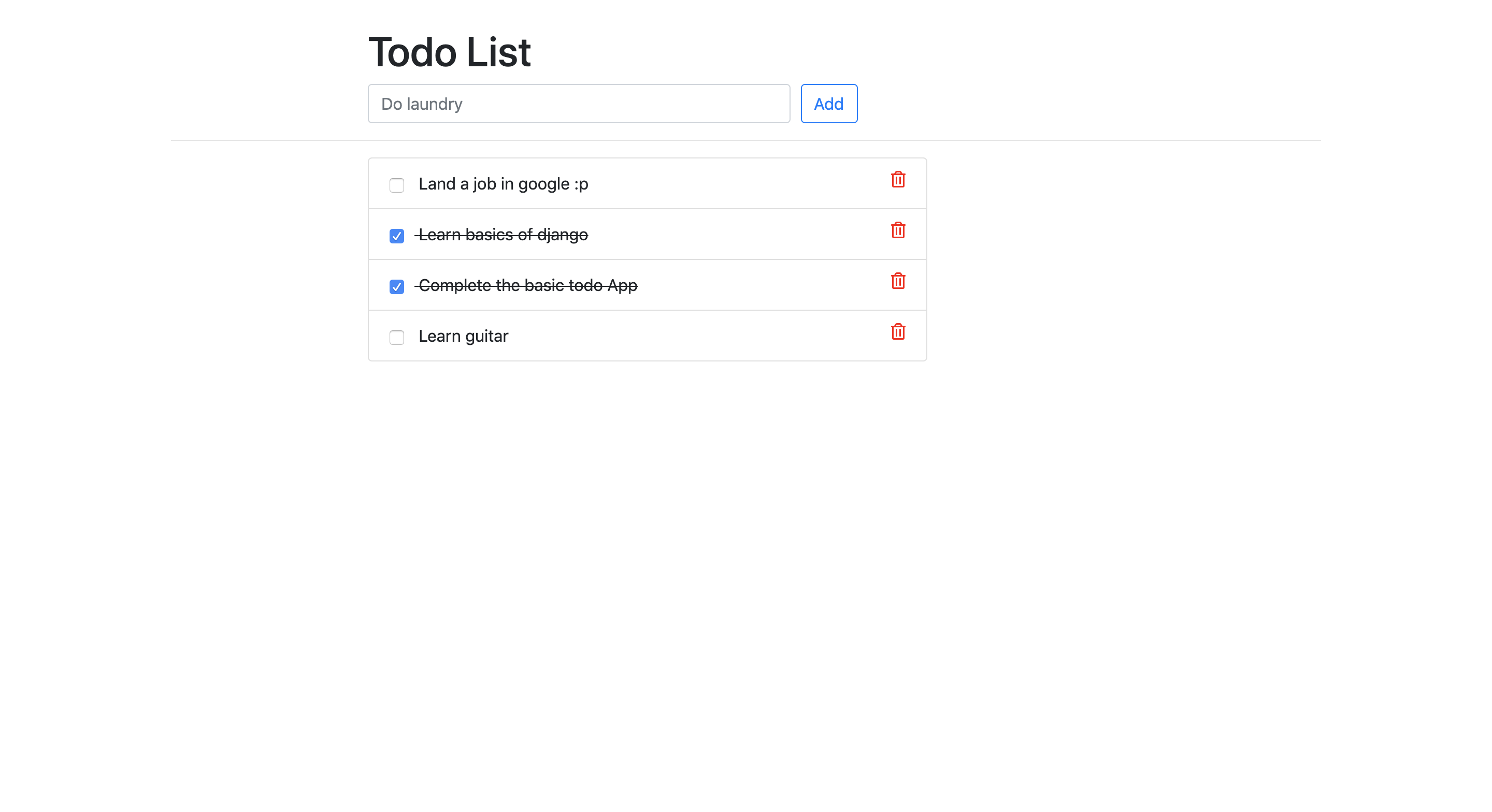
## CICD Architecture [GitHub -> Jenkins -> k8s Manifests -> Argo CD -> k8s cluster]

You can find the complete details of the setup and configuration in the below video
https://www.youtube.com/watch?v=ogrx8G8pClQ
================================================
FILE: python-jenkins-argocd-k8s/deploy/deploy.yaml
================================================
apiVersion: apps/v1
kind: Deployment
metadata:
name: todo-app
labels:
app: nginx
spec:
replicas: 3
selector:
matchLabels:
app: nginx
template:
metadata:
labels:
app: nginx
spec:
containers:
- name: todo
image: abhishekf5/todo-app:v1
ports:
- containerPort: 8000
================================================
FILE: python-jenkins-argocd-k8s/deploy/pod.yaml
================================================
apiVersion: v1
kind: Pod
metadata:
name: todo-app
spec:
containers:
- name: todo-app
image: abhishekf5/todoapp:v1
ports:
- containerPort: 8000
================================================
FILE: python-jenkins-argocd-k8s/deploy/service.yaml
================================================
apiVersion: v1
kind: Service
metadata:
name: todo-service
spec:
type: NodePort
selector:
app: nginx
ports:
- protocol: TCP
port: 80
targetPort: 8000
nodePort: 31000
================================================
FILE: python-jenkins-argocd-k8s/docker-compose.yml
================================================
version : "3.3"
services :
web :
build : .
ports :
- "8000:8000"
================================================
FILE: python-jenkins-argocd-k8s/manage.py
================================================
#!/usr/bin/env python
"""Django's command-line utility for administrative tasks."""
import os
import sys
def main():
os.environ.setdefault('DJANGO_SETTINGS_MODULE', 'todoApp.settings')
try:
from django.core.management import execute_from_command_line
except ImportError as exc:
raise ImportError(
"Couldn't import Django. Are you sure it's installed and "
"available on your PYTHONPATH environment variable? Did you "
"forget to activate a virtual environment?"
) from exc
execute_from_command_line(sys.argv)
if __name__ == '__main__':
main()
================================================
FILE: python-jenkins-argocd-k8s/staticfiles/css/style.css
================================================
.page-header {
margin-top: 30px;
}
.fa-trash-alt {
color: red;
float: right;
cursor: pointer;
}
.todo-complete {
text-decoration: line-through;
}
.todo-status-checkbox {
cursor: pointer;
margin-right: 10px;
}
================================================
FILE: python-jenkins-argocd-k8s/todoApp/__init__.py
================================================
================================================
FILE: python-jenkins-argocd-k8s/todoApp/settings.py
================================================
"""
Django settings for todoApp project.
Generated by 'django-admin startproject' using Django 2.2.7.
For more information on this file, see
https://docs.djangoproject.com/en/2.2/topics/settings/
For the full list of settings and their values, see
https://docs.djangoproject.com/en/2.2/ref/settings/
"""
import os
# Build paths inside the project like this: os.path.join(BASE_DIR, ...)
BASE_DIR = os.path.dirname(os.path.dirname(os.path.abspath(__file__)))
# Quick-start development settings - unsuitable for production
# See https://docs.djangoproject.com/en/2.2/howto/deployment/checklist/
# SECURITY WARNING: keep the secret key used in production secret!
SECRET_KEY = '8)810zj@#^2xp=1=2rkozbv8#)gub6m1a^9qf&)d-9&x9*c2a_'
# SECURITY WARNING: don't run with debug turned on in production!
DEBUG = True
ALLOWED_HOSTS = ['*']
# Application definition
INSTALLED_APPS = [
'todos.apps.TodosConfig',
'django.contrib.admin',
'django.contrib.auth',
'django.contrib.contenttypes',
'django.contrib.sessions',
'django.contrib.messages',
'django.contrib.staticfiles',
]
MIDDLEWARE = [
'django.middleware.security.SecurityMiddleware',
'django.contrib.sessions.middleware.SessionMiddleware',
'django.middleware.common.CommonMiddleware',
'django.middleware.csrf.CsrfViewMiddleware',
'django.contrib.auth.middleware.AuthenticationMiddleware',
'django.contrib.messages.middleware.MessageMiddleware',
'django.middleware.clickjacking.XFrameOptionsMiddleware',
]
ROOT_URLCONF = 'todoApp.urls'
TEMPLATES = [
{
'BACKEND': 'django.template.backends.django.DjangoTemplates',
'DIRS': [],
'APP_DIRS': True,
'OPTIONS': {
'context_processors': [
'django.template.context_processors.debug',
'django.template.context_processors.request',
'django.contrib.auth.context_processors.auth',
'django.contrib.messages.context_processors.messages',
],
},
},
]
WSGI_APPLICATION = 'todoApp.wsgi.application'
# Database
# https://docs.djangoproject.com/en/2.2/ref/settings/#databases
DATABASES = {
'default': {
'ENGINE': 'django.db.backends.sqlite3',
'NAME': os.path.join(BASE_DIR, 'db.sqlite3'),
}
}
# Password validation
# https://docs.djangoproject.com/en/2.2/ref/settings/#auth-password-validators
AUTH_PASSWORD_VALIDATORS = [
{
'NAME': 'django.contrib.auth.password_validation.UserAttributeSimilarityValidator',
},
{
'NAME': 'django.contrib.auth.password_validation.MinimumLengthValidator',
},
{
'NAME': 'django.contrib.auth.password_validation.CommonPasswordValidator',
},
{
'NAME': 'django.contrib.auth.password_validation.NumericPasswordValidator',
},
]
# Internationalization
# https://docs.djangoproject.com/en/2.2/topics/i18n/
LANGUAGE_CODE = 'en-us'
TIME_ZONE = 'Asia/Dhaka'
USE_I18N = True
USE_L10N = True
USE_TZ = True
# Static files (CSS, JavaScript, Images)
# https://docs.djangoproject.com/en/2.2/howto/static-files/
MEDIA_ROOT = os.path.join(BASE_DIR, 'media')
MEDIA_URL = '/media/'
STATIC_ROOT = os.path.join(BASE_DIR, 'static')
STATIC_URL = '/static/'
STATICFILES_DIRS = (
os.path.join(BASE_DIR, 'staticfiles'),
)
================================================
FILE: python-jenkins-argocd-k8s/todoApp/urls.py
================================================
"""todoApp URL Configuration
The `urlpatterns` list routes URLs to views. For more information please see:
https://docs.djangoproject.com/en/2.2/topics/http/urls/
Examples:
Function views
1. Add an import: from my_app import views
2. Add a URL to urlpatterns: path('', views.home, name='home')
Class-based views
1. Add an import: from other_app.views import Home
2. Add a URL to urlpatterns: path('', Home.as_view(), name='home')
Including another URLconf
1. Import the include() function: from django.urls import include, path
2. Add a URL to urlpatterns: path('blog/', include('blog.urls'))
"""
from django.contrib import admin
from django.urls import path, include
from django.conf.urls.static import static
from django.contrib.staticfiles.urls import staticfiles_urlpatterns
from . import settings, views
urlpatterns = [
path('todos/', include('todos.urls')),
path('admin/', admin.site.urls),
path('', views.index)
] + static(settings.MEDIA_URL, document_root=settings.MEDIA_ROOT)
urlpatterns += staticfiles_urlpatterns()
================================================
FILE: python-jenkins-argocd-k8s/todoApp/views.py
================================================
from django.shortcuts import redirect
def index(request):
return redirect('/todos')
================================================
FILE: python-jenkins-argocd-k8s/todoApp/wsgi.py
================================================
"""
WSGI config for todoApp project.
It exposes the WSGI callable as a module-level variable named ``application``.
For more information on this file, see
https://docs.djangoproject.com/en/2.2/howto/deployment/wsgi/
"""
import os
from django.core.wsgi import get_wsgi_application
os.environ.setdefault('DJANGO_SETTINGS_MODULE', 'todoApp.settings')
application = get_wsgi_application()
================================================
FILE: python-jenkins-argocd-k8s/todos/__init__.py
================================================
================================================
FILE: python-jenkins-argocd-k8s/todos/admin.py
================================================
from django.contrib import admin
from .models import Todo
admin.site.register(Todo)
================================================
FILE: python-jenkins-argocd-k8s/todos/apps.py
================================================
from django.apps import AppConfig
class TodosConfig(AppConfig):
name = 'todos'
================================================
FILE: python-jenkins-argocd-k8s/todos/migrations/0001_initial.py
================================================
# Generated by Django 2.2.7 on 2019-12-01 17:46
from django.db import migrations, models
class Migration(migrations.Migration):
initial = True
dependencies = [
]
operations = [
migrations.CreateModel(
name='Todo',
fields=[
('id', models.AutoField(auto_created=True, primary_key=True, serialize=False, verbose_name='ID')),
('name', models.CharField(max_length=100)),
('created_date', models.DateField(verbose_name='Created')),
('deadline', models.DateField(verbose_name='Deadline')),
('description', models.CharField(max_length=200)),
],
),
]
================================================
FILE: python-jenkins-argocd-k8s/todos/migrations/0002_auto_20191201_2357.py
================================================
# Generated by Django 2.2.7 on 2019-12-01 18:27
from django.db import migrations, models
class Migration(migrations.Migration):
dependencies = [
('todos', '0001_initial'),
]
operations = [
migrations.AlterField(
model_name='todo',
name='created_date',
field=models.DateTimeField(verbose_name='Created'),
),
migrations.AlterField(
model_name='todo',
name='deadline',
field=models.DateTimeField(verbose_name='Deadline'),
),
]
================================================
FILE: python-jenkins-argocd-k8s/todos/migrations/0003_auto_20191202_0000.py
================================================
# Generated by Django 2.2.7 on 2019-12-01 18:30
from django.db import migrations, models
import django.utils.timezone
class Migration(migrations.Migration):
dependencies = [
('todos', '0002_auto_20191201_2357'),
]
operations = [
migrations.RemoveField(
model_name='todo',
name='created_date',
),
migrations.AddField(
model_name='todo',
name='created_at',
field=models.DateTimeField(auto_now_add=True, default=django.utils.timezone.now, verbose_name='Created'),
preserve_default=False,
),
migrations.AddField(
model_name='todo',
name='update_at',
field=models.DateTimeField(auto_now=True, verbose_name='Updated'),
),
]
================================================
FILE: python-jenkins-argocd-k8s/todos/migrations/0004_auto_20191202_0004.py
================================================
# Generated by Django 2.2.7 on 2019-12-01 18:34
from django.db import migrations, models
class Migration(migrations.Migration):
dependencies = [
('todos', '0003_auto_20191202_0000'),
]
operations = [
migrations.AlterField(
model_name='todo',
name='deadline',
field=models.DateTimeField(blank=True, verbose_name='Deadline'),
),
]
================================================
FILE: python-jenkins-argocd-k8s/todos/migrations/0005_auto_20191202_0011.py
================================================
# Generated by Django 2.2.7 on 2019-12-01 18:41
from django.db import migrations, models
class Migration(migrations.Migration):
dependencies = [
('todos', '0004_auto_20191202_0004'),
]
operations = [
migrations.AlterField(
model_name='todo',
name='deadline',
field=models.DateTimeField(blank=True, null=True, verbose_name='Deadline'),
),
]
================================================
FILE: python-jenkins-argocd-k8s/todos/migrations/0006_remove_todo_deadline.py
================================================
# Generated by Django 2.2.7 on 2019-12-01 20:59
from django.db import migrations
class Migration(migrations.Migration):
dependencies = [
('todos', '0005_auto_20191202_0011'),
]
operations = [
migrations.RemoveField(
model_name='todo',
name='deadline',
),
]
================================================
FILE: python-jenkins-argocd-k8s/todos/migrations/0007_auto_20191202_0323.py
================================================
# Generated by Django 2.2.7 on 2019-12-01 21:53
from django.db import migrations
class Migration(migrations.Migration):
dependencies = [
('todos', '0006_remove_todo_deadline'),
]
operations = [
migrations.RenameField(
model_name='todo',
old_name='name',
new_name='title',
),
]
================================================
FILE: python-jenkins-argocd-k8s/todos/migrations/0008_auto_20191202_0809.py
================================================
# Generated by Django 2.2.7 on 2019-12-02 02:39
from django.db import migrations, models
class Migration(migrations.Migration):
dependencies = [
('todos', '0007_auto_20191202_0323'),
]
operations = [
migrations.RemoveField(
model_name='todo',
name='description',
),
migrations.AddField(
model_name='todo',
name='isCompleted',
field=models.BooleanField(default=False),
),
]
================================================
FILE: python-jenkins-argocd-k8s/todos/migrations/__init__.py
================================================
================================================
FILE: python-jenkins-argocd-k8s/todos/models.py
================================================
from django.db import models
class Todo(models.Model):
title = models.CharField(max_length=100)
created_at = models.DateTimeField('Created', auto_now_add=True)
update_at = models.DateTimeField('Updated', auto_now=True)
isCompleted = models.BooleanField(default=False)
def __str__(self):
return self.title
================================================
FILE: python-jenkins-argocd-k8s/todos/templates/todos/base.html
================================================
{% load static %}
<!doctype html>
<html lang="en">
<head>
<!-- Required meta tags -->
<meta charset="utf-8">
<meta name="viewport" content="width=device-width, initial-scale=1, shrink-to-fit=no">
<!-- Bootstrap CSS -->
<link rel="stylesheet" href="https://stackpath.bootstrapcdn.com/bootstrap/4.4.1/css/bootstrap.min.css" integrity="sha384-Vkoo8x4CGsO3+Hhxv8T/Q5PaXtkKtu6ug5TOeNV6gBiFeWPGFN9MuhOf23Q9Ifjh" crossorigin="anonymous">
<!--- Our CSS file -->
<link rel="stylesheet" href="{% static 'css/style.css' %}">
{% block title %}
{% endblock %}
</head>
<body>
<script src="https://code.jquery.com/jquery-3.4.1.slim.min.js" integrity="sha384-J6qa4849blE2+poT4WnyKhv5vZF5SrPo0iEjwBvKU7imGFAV0wwj1yYfoRSJoZ+n" crossorigin="anonymous"></script><script src="https://cdn.jsdelivr.net/npm/popper.js@1.16.0/dist/umd/popper.min.js" integrity="sha384-Q6E9RHvbIyZFJoft+2mJbHaEWldlvI9IOYy5n3zV9zzTtmI3UksdQRVvoxMfooAo" crossorigin="anonymous"></script><script src="https://stackpath.bootstrapcdn.com/bootstrap/4.4.1/js/bootstrap.min.js" integrity="sha384-wfSDF2E50Y2D1uUdj0O3uMBJnjuUD4Ih7YwaYd1iqfktj0Uod8GCExl3Og8ifwB6" crossorigin="anonymous"></script> <script src="https://kit.fontawesome.com/15974f9624.js" crossorigin="anonymous"></script>
{% block content %}
{% endblock %}
</body>
</html>
================================================
FILE: python-jenkins-argocd-k8s/todos/templates/todos/index.html
================================================
{% extends 'todos/base.html' %}
{% block title %}
<title>Todo list</title>
{% endblock %}
{% block content %}
<div class="container">
<!-- title row -->
<div class="row">
<div class="offset-md-2 col-lg-9">
<div class="page-header">
<h1>
Todo List - Abhishek
</h1>
</div>
</div>
</div>
<!-- Add a todo row -->
<div class="row">
<div class="offset-md-2 col-lg-9">
<form method="post" action="{% url 'todos:add' %}">
{% csrf_token %}
<div class="form-row">
<div class="col-md-6">
<input type="text" class="form-control" name="title" placeholder="Do laundry" required>
</div>
<div class="col-md-6">
<button type="submit" name="submit" class="btn btn-outline-primary">
Add
</button>
</div>
</div>
</form>
</div>
</div>
<hr />
<!-- todo list row -->
<div class="row">
<div class="offset-md-2 col-lg-6">
<div class="list-group">
{% for todo in todo_list %}
<div class="list-group-item {% if todo.isCompleted %} todo-complete {% endif %}">
<form style="display: inline;" method="post" action="{% url 'todos:update' todo.id %}">
{% csrf_token %}
<input type="checkbox" name="isCompleted" onchange="this.form.submit()" {% if todo.isCompleted %} checked
{% endif %} class="todo-status-checkbox"
title="{% if not todo.isCompleted %} mark as done {% else %} mark undone {% endif %}">
</form>
{{ todo.title }}
<a href="{% url 'todos:delete' todo.id %}" title="Delete">
<i class="far fa-trash-alt"></i>
</a>
</div>
{% endfor %}
</div>
</div>
</div>
</div>
{% endblock %}
================================================
FILE: python-jenkins-argocd-k8s/todos/tests.py
================================================
from django.test import TestCase
# Create your tests here.
================================================
FILE: python-jenkins-argocd-k8s/todos/urls.py
================================================
from django.urls import path
from . import views
app_name='todos'
urlpatterns = [
path('', views.IndexView.as_view(), name='index'),
path('<int:todo_id>/delete', views.delete, name='delete'),
path('<int:todo_id>/update', views.update, name='update'),
path('add/', views.add, name='add')
]
================================================
FILE: python-jenkins-argocd-k8s/todos/views.py
================================================
from django.shortcuts import render, get_object_or_404, redirect
from django.views import generic
from .models import Todo
from django.http import HttpResponseRedirect
class IndexView(generic.ListView):
template_name = 'todos/index.html'
context_object_name = 'todo_list'
def get_queryset(self):
"""Return all the latest todos."""
return Todo.objects.order_by('-created_at')
def add(request):
title = request.POST['title']
Todo.objects.create(title=title)
return redirect('todos:index')
def delete(request, todo_id):
todo = get_object_or_404(Todo, pk=todo_id)
todo.delete()
return redirect('todos:index')
def update(request, todo_id):
todo = get_object_or_404(Todo, pk=todo_id)
isCompleted = request.POST.get('isCompleted', False)
if isCompleted == 'on':
isCompleted = True
todo.isCompleted = isCompleted
todo.save()
return redirect('todos:index')
================================================
FILE: shared-libraries/README.md
================================================
# Shared Libraries
In Jenkins, a shared library is a way to store commonly used code(reusable code), such as scripts or functions, that can be used by different
Jenkins pipelines.
Instead of writing the same code again and again in multiple pipelines, you can create a shared library and use it in all the pipelines
that need it. This can make your code more organized and easier to maintain.
Think of it like a library of books, Instead of buying the same book over and over again, you can borrow it from the library whenever you need it.
## Advantages
- Standarization of Pipelines
- Reduce duplication of code
- Easy onboarding of new applications, projects or teams
- One place to fix issues with the shared or common code
- Code Maintainence
- Reduce the risk of errors

================================================
FILE: vars/helloWorld.groovy
================================================
def call() {
sh 'echo Hi From DevOps Team'
}
gitextract_8eje1vuj/
├── CODE_OF_CONDUCT.md
├── Interview_Questions.md
├── LICENSE
├── README.md
├── java-maven-sonar-argocd-helm-k8s/
│ ├── Argo CD/
│ │ └── argocd-basic.yaml
│ ├── README.md
│ ├── spring-boot-app/
│ │ ├── Dockerfile
│ │ ├── JenkinsFile
│ │ ├── README.md
│ │ ├── pom.xml
│ │ └── src/
│ │ └── main/
│ │ ├── java/
│ │ │ └── com/
│ │ │ └── abhishek/
│ │ │ └── StartApplication.java
│ │ └── resources/
│ │ ├── application.properties
│ │ ├── static/
│ │ │ ├── css/
│ │ │ │ └── main.css
│ │ │ └── js/
│ │ │ └── main.js
│ │ └── templates/
│ │ └── index.html
│ └── spring-boot-app-manifests/
│ ├── deployment.yml
│ └── service.yml
├── multi-stage-multi-agent/
│ ├── Jenkinsfile
│ └── README.md
├── my-first-pipeline/
│ ├── Jenkinsfile
│ └── README.md
├── python-jenkins-argocd-k8s/
│ ├── Dockerfile
│ ├── Jenkinsfile
│ ├── LICENSE
│ ├── README.md
│ ├── db.sqlite3
│ ├── deploy/
│ │ ├── deploy.yaml
│ │ ├── pod.yaml
│ │ └── service.yaml
│ ├── docker-compose.yml
│ ├── manage.py
│ ├── staticfiles/
│ │ └── css/
│ │ └── style.css
│ ├── todoApp/
│ │ ├── __init__.py
│ │ ├── settings.py
│ │ ├── urls.py
│ │ ├── views.py
│ │ └── wsgi.py
│ └── todos/
│ ├── __init__.py
│ ├── admin.py
│ ├── apps.py
│ ├── migrations/
│ │ ├── 0001_initial.py
│ │ ├── 0002_auto_20191201_2357.py
│ │ ├── 0003_auto_20191202_0000.py
│ │ ├── 0004_auto_20191202_0004.py
│ │ ├── 0005_auto_20191202_0011.py
│ │ ├── 0006_remove_todo_deadline.py
│ │ ├── 0007_auto_20191202_0323.py
│ │ ├── 0008_auto_20191202_0809.py
│ │ └── __init__.py
│ ├── models.py
│ ├── templates/
│ │ └── todos/
│ │ ├── base.html
│ │ └── index.html
│ ├── tests.py
│ ├── urls.py
│ └── views.py
├── shared-libraries/
│ └── README.md
└── vars/
└── helloWorld.groovy
SYMBOL INDEX (21 symbols across 14 files)

FILE: java-maven-sonar-argocd-helm-k8s/spring-boot-app/src/main/java/com/abhishek/StartApplication.java
  class StartApplication (line 9) | @SpringBootApplication
    method index (line 13) | @GetMapping("/")
    method main (line 20) | public static void main(String[] args) {

FILE: python-jenkins-argocd-k8s/manage.py
  function main (line 7) | def main():

FILE: python-jenkins-argocd-k8s/todoApp/views.py
  function index (line 3) | def index(request):

FILE: python-jenkins-argocd-k8s/todos/apps.py
  class TodosConfig (line 4) | class TodosConfig(AppConfig):

FILE: python-jenkins-argocd-k8s/todos/migrations/0001_initial.py
  class Migration (line 6) | class Migration(migrations.Migration):

FILE: python-jenkins-argocd-k8s/todos/migrations/0002_auto_20191201_2357.py
  class Migration (line 6) | class Migration(migrations.Migration):

FILE: python-jenkins-argocd-k8s/todos/migrations/0003_auto_20191202_0000.py
  class Migration (line 7) | class Migration(migrations.Migration):

FILE: python-jenkins-argocd-k8s/todos/migrations/0004_auto_20191202_0004.py
  class Migration (line 6) | class Migration(migrations.Migration):

FILE: python-jenkins-argocd-k8s/todos/migrations/0005_auto_20191202_0011.py
  class Migration (line 6) | class Migration(migrations.Migration):

FILE: python-jenkins-argocd-k8s/todos/migrations/0006_remove_todo_deadline.py
  class Migration (line 6) | class Migration(migrations.Migration):

FILE: python-jenkins-argocd-k8s/todos/migrations/0007_auto_20191202_0323.py
  class Migration (line 6) | class Migration(migrations.Migration):

FILE: python-jenkins-argocd-k8s/todos/migrations/0008_auto_20191202_0809.py
  class Migration (line 6) | class Migration(migrations.Migration):

FILE: python-jenkins-argocd-k8s/todos/models.py
  class Todo (line 3) | class Todo(models.Model):
    method __str__ (line 9) | def __str__(self):

FILE: python-jenkins-argocd-k8s/todos/views.py
  class IndexView (line 6) | class IndexView(generic.ListView):
    method get_queryset (line 10) | def get_queryset(self):
  function add (line 14) | def add(request):
  function delete (line 20) | def delete(request, todo_id):
  function update (line 26) | def update(request, todo_id):
Condensed preview — 57 files, each showing path, character count, and a content snippet. Download the .json file or copy for the full structured content (73K chars).
[
{
"path": "CODE_OF_CONDUCT.md",
"chars": 5202,
"preview": "# Contributor Covenant Code of Conduct\n\n## Our Pledge\n\nWe as members, contributors, and leaders pledge to make participa"
},
{
"path": "Interview_Questions.md",
"chars": 10915,
"preview": "## NOTE: While I have prepared all the questions, to provide better answers in a detailed way, the summary provided belo"
},
{
"path": "LICENSE",
"chars": 1076,
"preview": "MIT License\n\nCopyright (c) 2023 Abhishek Veeramalla\n\nPermission is hereby granted, free of charge, to any person obtaini"
},
{
"path": "README.md",
"chars": 4731,
"preview": "# Jenkins-Zero-To-Hero\n\nAre you looking forward to learn Jenkins right from Zero(installation) to Hero(Build end to end "
},
{
"path": "java-maven-sonar-argocd-helm-k8s/Argo CD/argocd-basic.yaml",
"chars": 158,
"preview": "apiVersion: argoproj.io/v1alpha1\nkind: ArgoCD\nmetadata:\n name: example-argocd\n labels:\n example: basic\nspec:\n serv"
},
{
"path": "java-maven-sonar-argocd-helm-k8s/README.md",
"chars": 3305,
"preview": "# Jenkins Pipeline for Java based application using Maven, SonarQube, Argo CD, Helm and Kubernetes\n\n:\n "
},
{
"path": "python-jenkins-argocd-k8s/staticfiles/css/style.css",
"chars": 225,
"preview": ".page-header {\n margin-top: 30px;\n}\n\n.fa-trash-alt {\n color: red;\n float: right;\n cursor: pointer;\n}\n\n.todo-complete"
},
{
"path": "python-jenkins-argocd-k8s/todoApp/__init__.py",
"chars": 0,
"preview": ""
},
{
"path": "python-jenkins-argocd-k8s/todoApp/settings.py",
"chars": 3313,
"preview": "\"\"\"\nDjango settings for todoApp project.\n\nGenerated by 'django-admin startproject' using Django 2.2.7.\n\nFor more informa"
},
{
"path": "python-jenkins-argocd-k8s/todoApp/urls.py",
"chars": 1073,
"preview": "\"\"\"todoApp URL Configuration\n\nThe `urlpatterns` list routes URLs to views. For more information please see:\n https://"
},
{
"path": "python-jenkins-argocd-k8s/todoApp/views.py",
"chars": 88,
"preview": "from django.shortcuts import redirect\n\ndef index(request):\n return redirect('/todos')"
},
{
"path": "python-jenkins-argocd-k8s/todoApp/wsgi.py",
"chars": 391,
"preview": "\"\"\"\nWSGI config for todoApp project.\n\nIt exposes the WSGI callable as a module-level variable named ``application``.\n\nFo"
},
{
"path": "python-jenkins-argocd-k8s/todos/__init__.py",
"chars": 0,
"preview": ""
},
{
"path": "python-jenkins-argocd-k8s/todos/admin.py",
"chars": 85,
"preview": "from django.contrib import admin\nfrom .models import Todo\n\nadmin.site.register(Todo)\n"
},
{
"path": "python-jenkins-argocd-k8s/todos/apps.py",
"chars": 85,
"preview": "from django.apps import AppConfig\n\n\nclass TodosConfig(AppConfig):\n name = 'todos'\n"
},
{
"path": "python-jenkins-argocd-k8s/todos/migrations/0001_initial.py",
"chars": 700,
"preview": "# Generated by Django 2.2.7 on 2019-12-01 17:46\n\nfrom django.db import migrations, models\n\n\nclass Migration(migrations.M"
},
{
"path": "python-jenkins-argocd-k8s/todos/migrations/0002_auto_20191201_2357.py",
"chars": 557,
"preview": "# Generated by Django 2.2.7 on 2019-12-01 18:27\n\nfrom django.db import migrations, models\n\n\nclass Migration(migrations.M"
},
{
"path": "python-jenkins-argocd-k8s/todos/migrations/0003_auto_20191202_0000.py",
"chars": 803,
"preview": "# Generated by Django 2.2.7 on 2019-12-01 18:30\n\nfrom django.db import migrations, models\nimport django.utils.timezone\n\n"
},
{
"path": "python-jenkins-argocd-k8s/todos/migrations/0004_auto_20191202_0004.py",
"chars": 410,
"preview": "# Generated by Django 2.2.7 on 2019-12-01 18:34\n\nfrom django.db import migrations, models\n\n\nclass Migration(migrations.M"
},
{
"path": "python-jenkins-argocd-k8s/todos/migrations/0005_auto_20191202_0011.py",
"chars": 421,
"preview": "# Generated by Django 2.2.7 on 2019-12-01 18:41\n\nfrom django.db import migrations, models\n\n\nclass Migration(migrations.M"
},
{
"path": "python-jenkins-argocd-k8s/todos/migrations/0006_remove_todo_deadline.py",
"chars": 326,
"preview": "# Generated by Django 2.2.7 on 2019-12-01 20:59\n\nfrom django.db import migrations\n\n\nclass Migration(migrations.Migration"
},
{
"path": "python-jenkins-argocd-k8s/todos/migrations/0007_auto_20191202_0323.py",
"chars": 358,
"preview": "# Generated by Django 2.2.7 on 2019-12-01 21:53\n\nfrom django.db import migrations\n\n\nclass Migration(migrations.Migration"
},
{
"path": "python-jenkins-argocd-k8s/todos/migrations/0008_auto_20191202_0809.py",
"chars": 494,
"preview": "# Generated by Django 2.2.7 on 2019-12-02 02:39\n\nfrom django.db import migrations, models\n\n\nclass Migration(migrations.M"
},
{
"path": "python-jenkins-argocd-k8s/todos/migrations/__init__.py",
"chars": 0,
"preview": ""
},
{
"path": "python-jenkins-argocd-k8s/todos/models.py",
"chars": 335,
"preview": "from django.db import models\n\nclass Todo(models.Model):\n title = models.CharField(max_length=100)\n created_at = mo"
},
{
"path": "python-jenkins-argocd-k8s/todos/templates/todos/base.html",
"chars": 1340,
"preview": "{% load static %}\n<!doctype html>\n<html lang=\"en\">\n <head>\n <!-- Required meta tags -->\n <meta charset=\"utf-8\">\n "
},
{
"path": "python-jenkins-argocd-k8s/todos/templates/todos/index.html",
"chars": 1828,
"preview": "{% extends 'todos/base.html' %}\n\n{% block title %}\n<title>Todo list</title>\n{% endblock %}\n\n{% block content %}\n<div cla"
},
{
"path": "python-jenkins-argocd-k8s/todos/tests.py",
"chars": 60,
"preview": "from django.test import TestCase\n\n# Create your tests here.\n"
},
{
"path": "python-jenkins-argocd-k8s/todos/urls.py",
"chars": 305,
"preview": "from django.urls import path\nfrom . import views\n\napp_name='todos'\nurlpatterns = [\n path('', views.IndexView.as_view("
},
{
"path": "python-jenkins-argocd-k8s/todos/views.py",
"chars": 944,
"preview": "from django.shortcuts import render, get_object_or_404, redirect\nfrom django.views import generic\nfrom .models import To"
},
{
"path": "shared-libraries/README.md",
"chars": 927,
"preview": "# Shared Libraries\n\nIn Jenkins, a shared library is a way to store commonly used code(reusable code), such as scripts or"
},
{
"path": "vars/helloWorld.groovy",
"chars": 47,
"preview": "def call() {\n sh 'echo Hi From DevOps Team'\n}\n"
}
]
// ... and 1 more files (download for full content)
About this extraction
This page contains the full source code of the iam-veeramalla/Jenkins-Zero-To-Hero GitHub repository, extracted and formatted as plain text for AI agents and large language models (LLMs). The extraction includes 57 files (64.8 KB), approximately 17.5k tokens, and a symbol index with 21 extracted functions, classes, methods, constants, and types. Use this with OpenClaw, Claude, ChatGPT, Cursor, Windsurf, or any other AI tool that accepts text input. You can copy the full output to your clipboard or download it as a .txt file.
Extracted by GitExtract — free GitHub repo to text converter for AI. Built by Nikandr Surkov.