Showing preview only (2,049K chars total). Download the full file or copy to clipboard to get everything.
Repository: jspreadsheet/ce
Branch: master
Commit: ba9a39a673fd
Files: 264
Total size: 1.9 MB
Directory structure:
gitextract_kbw2mvuc/

├── .eslintrc.json
├── .gitignore
├── .npmignore
├── .prettierignore
├── .prettierrc
├── LICENSE
├── README.md
├── build.cjs
├── contributing.md
├── dist/
│   ├── index.d.ts
│   ├── index.js
│   ├── jspreadsheet.css
│   └── jspreadsheet.themes.css
├── docs/
│   ├── jspreadsheet/
│   │   ├── contact.md
│   │   ├── demo.md
│   │   ├── docs/
│   │   │   ├── angular.md
│   │   │   ├── cells.md
│   │   │   ├── clipboard.md
│   │   │   ├── columns.md
│   │   │   ├── comments.md
│   │   │   ├── comparison.md
│   │   │   ├── config.md
│   │   │   ├── contextmenu.md
│   │   │   ├── custom-formulas.md
│   │   │   ├── data.md
│   │   │   ├── editors.md
│   │   │   ├── events.md
│   │   │   ├── examples/
│   │   │   │   ├── column-dragging.md
│   │   │   │   ├── create-from-table.md
│   │   │   │   ├── jquery.md
│   │   │   │   ├── richtext-html-editor.md
│   │   │   │   ├── table-overflow.md
│   │   │   │   ├── translations.md
│   │   │   │   └── web-component.md
│   │   │   ├── examples.md
│   │   │   ├── filters.md
│   │   │   ├── footers.md
│   │   │   ├── format.md
│   │   │   ├── formulas.md
│   │   │   ├── freeze-columns.md
│   │   │   ├── getting-started.md
│   │   │   ├── headers.md
│   │   │   ├── helpers.md
│   │   │   ├── history.md
│   │   │   ├── images.md
│   │   │   ├── javascript-calendar.md
│   │   │   ├── javascript-dropdown.md
│   │   │   ├── merged-cells.md
│   │   │   ├── meta-information.md
│   │   │   ├── nested-headers.md
│   │   │   ├── pagination.md
│   │   │   ├── plugins.md
│   │   │   ├── react/
│   │   │   │   └── tests.md
│   │   │   ├── react.md
│   │   │   ├── readonly.md
│   │   │   ├── rows.md
│   │   │   ├── search.md
│   │   │   ├── selection.md
│   │   │   ├── sorting.md
│   │   │   ├── style.md
│   │   │   ├── tests.md
│   │   │   ├── themes.md
│   │   │   ├── toolbars.md
│   │   │   ├── upgrade-from-v4-to-v5.md
│   │   │   ├── vue/
│   │   │   │   └── tests.md
│   │   │   ├── vue.md
│   │   │   └── worksheets.md
│   │   ├── docs.md
│   │   ├── download.md
│   │   ├── sponsors.md
│   │   ├── v2/
│   │   │   ├── docs/
│   │   │   │   ├── events.md
│   │   │   │   ├── programmatically-changes.md
│   │   │   │   └── quick-reference.md
│   │   │   ├── docs.md
│   │   │   ├── examples/
│   │   │   │   ├── a-custom-table-design.md
│   │   │   │   ├── autocomplete.md
│   │   │   │   ├── comments.md
│   │   │   │   ├── create-from-a-existing-html-table.md
│   │   │   │   ├── creating-a-table-from-an-external-csv-file.md
│   │   │   │   ├── currency-and-masking-numbers.md
│   │   │   │   ├── getting-data-from-table.md
│   │   │   │   ├── headers.md
│   │   │   │   ├── images.md
│   │   │   │   ├── including-formulas-on-your-spreadsheet.md
│   │   │   │   ├── integrating-a-third-party-plugin-into-your-spreadsheet.md
│   │   │   │   ├── jquery-table-with-toolbars.md
│   │   │   │   ├── meta-information.md
│   │   │   │   ├── mobile.md
│   │   │   │   ├── multiple-spreadsheets-in-the-same-page.md
│   │   │   │   ├── readonly-options.md
│   │   │   │   ├── responsive-columns.md
│   │   │   │   ├── sorting-data.md
│   │   │   │   ├── table-styling.md
│   │   │   │   ├── table-with-fixed-headers.md
│   │   │   │   ├── text-wrapping.md
│   │   │   │   ├── tracking-changes-on-the-spreadsheet.md
│   │   │   │   ├── using-a-calendar-column-type.md
│   │   │   │   ├── working-with-dropdowns.md
│   │   │   │   └── working-with-the-data.md
│   │   │   ├── examples.md
│   │   │   └── getting-started.md
│   │   ├── v3/
│   │   │   ├── docs/
│   │   │   │   ├── events.md
│   │   │   │   ├── programmatically-changes.md
│   │   │   │   └── quick-reference.md
│   │   │   ├── docs.md
│   │   │   ├── examples/
│   │   │   │   ├── angular.md
│   │   │   │   ├── column-types.md
│   │   │   │   ├── comments.md
│   │   │   │   ├── contextmenu.md
│   │   │   │   ├── custom-table-design.md
│   │   │   │   ├── datatables.md
│   │   │   │   ├── date-and-datetime-picker.md
│   │   │   │   ├── dropdown-and-autocomplete.md
│   │   │   │   ├── events.md
│   │   │   │   ├── headers.md
│   │   │   │   ├── image-upload.md
│   │   │   │   ├── import-data.md
│   │   │   │   ├── jquery.md
│   │   │   │   ├── lazy-loading.md
│   │   │   │   ├── merged-cells.md
│   │   │   │   ├── meta-information.md
│   │   │   │   ├── programmatically-updates.md
│   │   │   │   ├── react.md
│   │   │   │   ├── readonly.md
│   │   │   │   ├── sorting.md
│   │   │   │   ├── spreadsheet-formulas.md
│   │   │   │   ├── spreadsheet-toolbars.md
│   │   │   │   ├── table-overflow.md
│   │   │   │   ├── table-scripting.md
│   │   │   │   ├── table-style.md
│   │   │   │   ├── translations.md
│   │   │   │   └── vue.md
│   │   │   ├── examples.md
│   │   │   └── getting-started.md
│   │   ├── v4/
│   │   │   ├── cases/
│   │   │   │   ├── data-persistence.md
│   │   │   │   ├── food-store.md
│   │   │   │   ├── highcharts.md
│   │   │   │   └── project-management.md
│   │   │   ├── cases.md
│   │   │   ├── docs/
│   │   │   │   ├── events.md
│   │   │   │   ├── examples.md
│   │   │   │   ├── getting-started.md
│   │   │   │   ├── most-common-questions-and-answers.md
│   │   │   │   ├── programmatically-changes.md
│   │   │   │   ├── quick-reference.md
│   │   │   │   └── special-formulas.md
│   │   │   ├── docs.md
│   │   │   ├── events.md
│   │   │   ├── examples/
│   │   │   │   ├── angular.md
│   │   │   │   ├── column-dragging.md
│   │   │   │   ├── column-filters.md
│   │   │   │   ├── column-types.md
│   │   │   │   ├── comments.md
│   │   │   │   ├── contextmenu.md
│   │   │   │   ├── create-from-table.md
│   │   │   │   ├── custom-table-design.md
│   │   │   │   ├── datatables.md
│   │   │   │   ├── date-and-datetime-picker.md
│   │   │   │   ├── dropdown-and-autocomplete.md
│   │   │   │   ├── events.md
│   │   │   │   ├── footers.md
│   │   │   │   ├── freeze-columns.md
│   │   │   │   ├── headers.md
│   │   │   │   ├── image-upload.md
│   │   │   │   ├── import-data.md
│   │   │   │   ├── jquery.md
│   │   │   │   ├── lazy-loading.md
│   │   │   │   ├── merged-cells.md
│   │   │   │   ├── meta-information.md
│   │   │   │   ├── nested-headers.md
│   │   │   │   ├── programmatically-changes.md
│   │   │   │   ├── programmatically-updates.md
│   │   │   │   ├── react.md
│   │   │   │   ├── readonly.md
│   │   │   │   ├── richtext-html-editor.md
│   │   │   │   ├── sorting.md
│   │   │   │   ├── spreadsheet-formulas.md
│   │   │   │   ├── spreadsheet-toolbars.md
│   │   │   │   ├── spreadsheet-webcomponent.md
│   │   │   │   ├── table-overflow.md
│   │   │   │   ├── table-scripting.md
│   │   │   │   ├── table-style.md
│   │   │   │   ├── tabs.md
│   │   │   │   ├── translations.md
│   │   │   │   └── vue.md
│   │   │   ├── examples.md
│   │   │   ├── getting-started.md
│   │   │   ├── most-common-questions-and-answers.md
│   │   │   ├── programmatically-changes.md
│   │   │   ├── quick-reference.md
│   │   │   └── special-formulas.md
│   │   └── v4.md
│   └── jspreadsheet.md
├── eslint.config.mjs
├── mocha.config.js
├── package.json
├── packages/
│   └── vue/
│       ├── README.md
│       ├── dist/
│       │   ├── index.d.ts
│       │   └── index.js
│       └── package.json
├── public/
│   └── index.html
├── resources/
│   └── lang/
│       ├── de_DE.json
│       ├── dk_DA.json
│       ├── en_GB.json
│       ├── fr_FR.json
│       ├── it_IT.json
│       ├── pl_PL.json
│       ├── pt_BR.json
│       ├── vi_VN.json
│       └── zh_CN.json
├── src/
│   ├── index.js
│   ├── jspreadsheet.css
│   ├── jspreadsheet.themes.css
│   ├── test.js
│   ├── utils/
│   │   ├── cells.js
│   │   ├── columns.js
│   │   ├── comments.js
│   │   ├── config.js
│   │   ├── copyPaste.js
│   │   ├── data.js
│   │   ├── dispatch.js
│   │   ├── download.js
│   │   ├── editor.js
│   │   ├── events.js
│   │   ├── factory.js
│   │   ├── filter.js
│   │   ├── footer.js
│   │   ├── freeze.js
│   │   ├── headers.js
│   │   ├── helpers.js
│   │   ├── history.js
│   │   ├── internal.js
│   │   ├── internalHelpers.js
│   │   ├── keys.js
│   │   ├── lazyLoading.js
│   │   ├── libraryBase.js
│   │   ├── merges.js
│   │   ├── meta.js
│   │   ├── orderBy.js
│   │   ├── pagination.js
│   │   ├── rows.js
│   │   ├── search.js
│   │   ├── selection.js
│   │   ├── style.js
│   │   ├── toolbar.js
│   │   ├── version.js
│   │   └── worksheets.js
│   └── webcomponent.js
├── test/
│   ├── calculations.js
│   ├── columns.js
│   ├── comments.js
│   ├── data.js
│   ├── footer.js
│   ├── headers.js
│   ├── instance.js
│   ├── merges.js
│   ├── meta.js
│   ├── orderBy.js
│   ├── pagination.js
│   ├── paste.js
│   ├── redo.js
│   ├── rows.js
│   └── search.js
└── webpack.config.js
================================================
FILE CONTENTS
================================================
================================================
FILE: .eslintrc.json
================================================
{
"extends": "eslint:recommended",
"ignorePatterns": ["dist/", "node_modules/"],
"rules": {
"quotes": ["error", "single"],
"semi": ["error", "always"]
}
}
================================================
FILE: .gitignore
================================================
.idea
/package-lock.json
node_modules
/vue/package-lock.json
================================================
FILE: .npmignore
================================================
.idea
.gitignore
.gitattributes
docs
public
/react/
src
test
/vue/
/wrappers/
build.cjs
mocha.config.cjs
webpack.config.cjs
================================================
FILE: .prettierignore
================================================
dist/
docs/
================================================
FILE: .prettierrc
================================================
{
"tabWidth": 4,
"singleQuote": true,
"semi": true,
"trailingComma": "es5",
"printWidth": 160
}
================================================
FILE: LICENSE
================================================
MIT License
Copyright (c) 2024 Jspreadsheet Ltd
Permission is hereby granted, free of charge, to any person obtaining a copy
of this software and associated documentation files (the "Software"), to deal
in the Software without restriction, including without limitation the rights
to use, copy, modify, merge, publish, distribute, sublicense, and/or sell
copies of the Software, and to permit persons to whom the Software is
furnished to do so, subject to the following conditions:
The above copyright notice and this permission notice shall be included in all
copies or substantial portions of the Software.
THE SOFTWARE IS PROVIDED "AS IS", WITHOUT WARRANTY OF ANY KIND, EXPRESS OR
IMPLIED, INCLUDING BUT NOT LIMITED TO THE WARRANTIES OF MERCHANTABILITY,
FITNESS FOR A PARTICULAR PURPOSE AND NONINFRINGEMENT. IN NO EVENT SHALL THE
AUTHORS OR COPYRIGHT HOLDERS BE LIABLE FOR ANY CLAIM, DAMAGES OR OTHER
LIABILITY, WHETHER IN AN ACTION OF CONTRACT, TORT OR OTHERWISE, ARISING FROM,
OUT OF OR IN CONNECTION WITH THE SOFTWARE OR THE USE OR OTHER DEALINGS IN THE
SOFTWARE.
================================================
FILE: README.md
================================================
# Jspreadsheet CE v5: The JavaScript spreadsheet
<b>Jexcel CE</b> has been renamed to <b>Jspreadsheet CE</b><br><br>
## Jspreadsheet CE Use Cases
Jspreadsheet CE is an extensible framework for building sophisticated data-oriented interfaces with Excel-like controls. By bringing familiar spreadsheet features to your application, you can drastically reduce development time while delivering an interface that users already know how to use, leading to faster adoption and increased productivity. You can use Jspreadsheet in many different applications, such as:
- An editable data grid-based interface to simplify inventory management and production planning in a manufacturing company's ERP system.
- At an educational institution, Jspreadsheet powers grade management systems where teachers can efficiently import and modify student data.
- A logistics company uses Jspreadsheet to create dynamic delivery route planning tables with real-time updates.
- In a research laboratory, scientists use Jspreadsheet to collect and analyze experimental data with custom validation rules.
- At a retail chain, managers use Spreadsheet-based tools to coordinate staff schedules across multiple locations.
### Jspreadsheet Pro - Enterprise Solution
- [Jspreadsheet Pro](https://jspreadsheet.com/)
- [Real-time React Spreadsheets](https://github.com/jspreadsheet/spreadsheet-react-server)
## Overview
### Why Choose Jspreadsheet CE?
- Create rich, interactive data grid interfaces
- Handle complex data inputs with Excel-like functionality
- Direct Excel compatibility: Copy and paste using standard shortcuts
- Proven success across thousands of implementations
- Lightweight, fast, and intuitive
- Easy integration with third-party plugins
- Built for collaboration and sharing
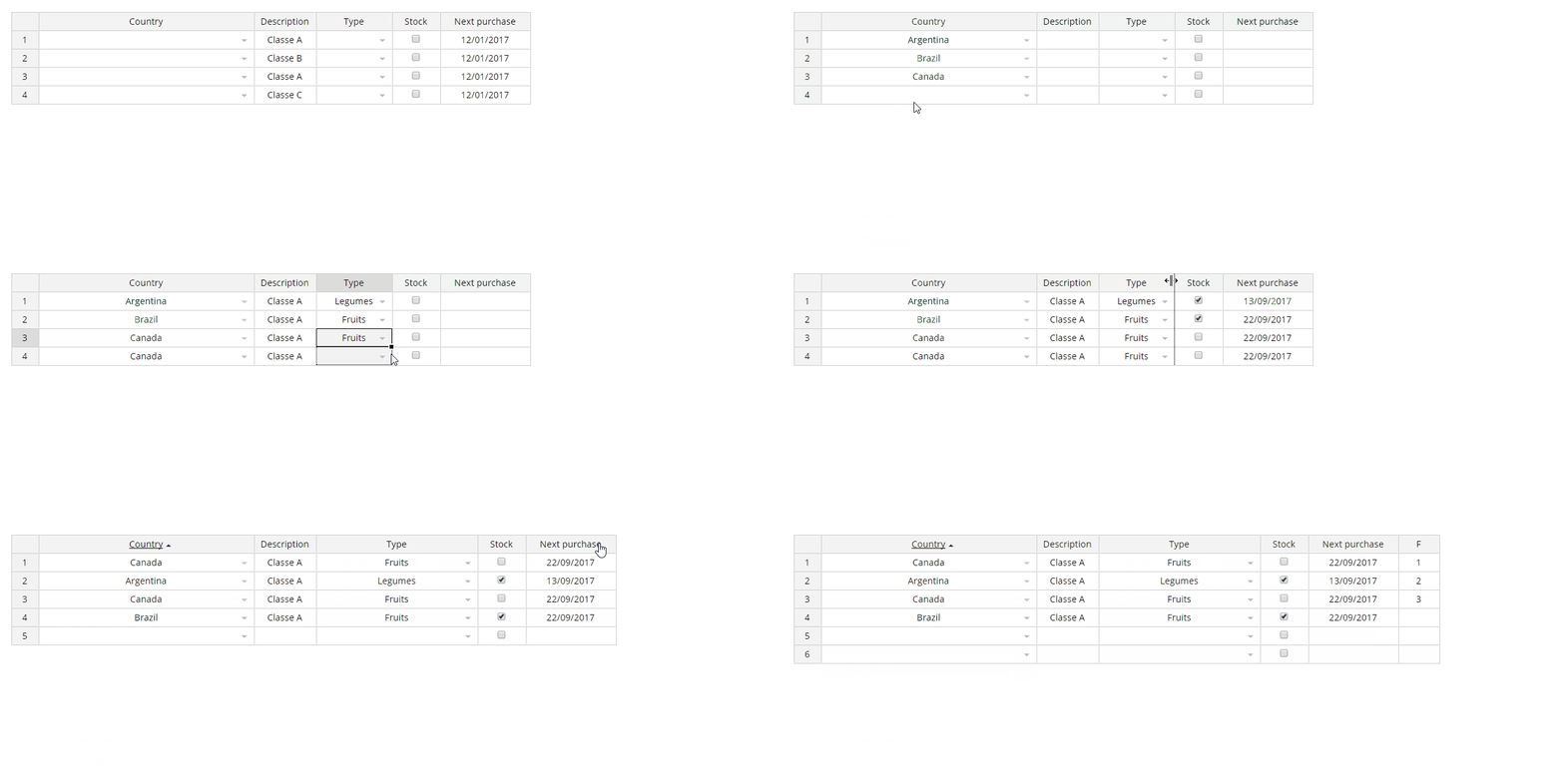
## Screenshot
## Installation
### NPM
`npm install jspreadsheet-ce`
### CDN
```html
<script src="https://cdn.jsdelivr.net/npm/jspreadsheet-ce/dist/index.min.js"></script>
<link rel="stylesheet" href="https://cdn.jsdelivr.net/npm/jspreadsheet-ce/dist/jspreadsheet.min.css" type="text/css" />
<script src="https://cdn.jsdelivr.net/npm/jsuites/dist/jsuites.min.js"></script>
<link rel="stylesheet" href="https://cdn.jsdelivr.net/npm/jsuites/dist/jsuites.min.css" type="text/css" />
```
### Basic Demo
A basic example to integrate the Jspreadsheet in your website to create your first data grid with spreadsheet controls. <https://codepen.io/hchiam/pen/qBRzXKK>
#### Usage
Add jexcel/jspreadsheet and Jsuites to your html file
```html
<script src="https://bossanova.uk/jspreadsheet/v5/jspreadsheet.js"></script>
<script src="https://jsuites.net/v5/jsuites.js"></script>
<link rel="stylesheet" href="https://bossanova.uk/jspreadsheet/v5/jspreadsheet.css" type="text/css" />
<link rel="stylesheet" href="https://jsuites.net/v5/jsuites.css" type="text/css" />
```
You should initialize your data grid on a div container, such as:
```html
<div id="spreadsheet"></div>
```
To initialize a Jspreadsheet CE table you should run JavaScript, such as:
```javascript
jspreadsheet(document.getElementById('spreadsheet'), {
worksheets: [
{
data: [
['Jazz', 'Honda', '2019-02-12', '', true, '$ 2.000,00', '#777700'],
['Civic', 'Honda', '2018-07-11', '', true, '$ 4.000,01', '#007777'],
],
columns: [
{ type: 'text', title: 'Car', width: 120 },
{
type: 'dropdown',
title: 'Make',
width: 200,
source: ['Alfa Romeo', 'Audi', 'Bmw', 'Honda'],
},
{ type: 'calendar', title: 'Available', width: 200 },
{ type: 'image', title: 'Photo', width: 120 },
{ type: 'checkbox', title: 'Stock', width: 80 },
{
type: 'numeric',
title: 'Price',
width: 100,
mask: '$ #.##,00',
decimal: ',',
},
{ type: 'color', width: 100, render: 'square' },
],
},
],
});
```
Serve your html file and then you will get the rendered table in your browser

<br>
## Development
### Build your package
% npm run build
### Start a web service
% npm run start
## Data Grid Examples
- https://bossanova.uk/jspreadsheet/docs/examples/create-from-table
- https://bossanova.uk/jspreadsheet/docs/examples/translations
- https://bossanova.uk/jspreadsheet/docs/examples/table-overflow
- https://bossanova.uk/jspreadsheet/docs/examples/richtext-html-editor
- https://bossanova.uk/jspreadsheet/docs/examples/column-dragging
- https://bossanova.uk/jspreadsheet/docs/examples/web-component
- https://bossanova.uk/jspreadsheet/docs/examples/jquery
## Jspreadsheet Changelog
### Custom
- Add onupdateresult event after search/filter;
### Jspreadsheet 5.0.0
- Separation of spreadsheet and worksheets;
- New worksheet methods and events;
- Dedicated wrappers for React and Vue for better framework integration;
- Modern development environment powered by Webpack;
- Updated architecture aligned with other distributions;
[More information](https://bossanova.uk/jspreadsheet/docs/upgrade-from-v4-to-v5)
### Jspreadsheet 4.6.0
- Jexcel renamed to Jspreadsheet.
- Integration with Jsuites v4.
### Jspreadsheet 4.2.3
- The spreadsheet plugin is now compatible with Jsuites v3.
- New flags and security implementations.
- New DOM element references in the toolbar.
- Worksheet events are now tabbed.
### Jspreadsheet 4.0.0
Special thanks to [FDL - Fonds de Dotation du Libre](https://www.fdl-lef.org/) for their support and sponsorship, which made the new version possible with many exciting features.
- Workbook/tab support for spreadsheets.
- Create dynamic spreadsheets from static HTML elements.
- Highlight selected cells in the spreadsheet after CTRL+C.
- Footer with formula support.
- Multiple column resizing.
- JSON update support (helpers to update a remote server).
- Centralized event dispatch method for all spreadsheet events.
- Custom helpers: `=PROGRESS` (progress bar), `=RATING` (5-star rating).
- Custom formula helpers: `=COLUMN`, `=ROW`, `=CELL`, `=TABLE`, `=VALUE`.
- Dynamic nested header updates.
- New HTML editing column type.
- New flags: `includeHeadersOnCopy`, `persistence`, `filters`, `autoCasting`, `freezeColumns`.
- New events: `onevent`, `onchangepage`, `onbeforesave`, `onsave`.
- More examples and documentation.
### Jspreadsheet 3.9.0
- New methods.
- General fixes.
### Jspreadsheet 3.6.0
- Improved spreadsheet formula parsing.
- New spreadsheet events.
- New initialization options.
- General fixes.
### Jspreadsheet 3.2.3
- `getMeta`, `setMeta` methods.
- NPM package with jSuites.
- General fixes.
### Jspreadsheet 3.0.1
Jspreadsheet v3 is a complete rebuild of the JavaScript spreadsheet (previously a jQuery plugin). Due to the changes, full compatibility could not be ensured. If upgrading, your code may require some updates. For more information, refer to the article on upgrading from Jspreadsheet v2 or Handsontable.
**New features in Jspreadsheet v3:**
- Drag and drop columns.
- Resizable rows.
- Merge columns.
- Search functionality.
- Pagination.
- Lazy loading.
- Full-screen mode.
- Image upload.
- Native color picker.
- Better mobile compatibility.
- Enhanced nested headers support.
- Advanced keyboard navigation.
- Better hidden column management.
- Data picker enhancements: dropdown, autocomplete, multiple selection, group options, and icons.
- Import from XLSX (experimental).
**Major improvements:**
- A new formula engine with faster results and no external dependencies.
- No use of selectors, leading to faster performance.
- New native column types.
- No jQuery required.
- Examples for React, Vue, and Angular.
- XLSX support via a custom SheetJS integration (experimental).
### Jspreadsheet 2.1.0
- Mobile touch improvements.
- Paste fixes and a new CSV parser.
### Jspreadsheet 2.0.0
- New radio column type.
- New dropdown with autocomplete and multiple selection options.
- Header/body separation for better scroll and column resize behavior.
- Text-wrap improvements, including Excel-compatible `alt+enter`.
- New `set/get` meta information.
- New `set/get` configuration parameters.
- Programmatic `set/get` cell styles.
- `set/get` cell comments.
- Custom toolbar for tables.
- Responsive calendar picker.
### Jspreadsheet 1.5.7
- Improvements to checkbox column type.
- Updates to table destruction in jQuery.
### Jspreadsheet 1.5.1
- Spreadsheet data overflow and fixed headers. See an [example](https://jspreadsheet.com/examples/table-with-fixed-headers).
- Navigation improvements.
### Jspreadsheet 1.5.0
- Relative `insertRow`, `deleteRow`, `insertColumn`, `deleteColumn`. See an [example](https://jspreadsheet.com/examples/working-with-the-data).
- Redo and undo support for `insertRow`, `deleteRow`, `insertColumn`, `deleteColumn`, `moveRow`.
- New formula column recursive chain.
- New alternative design option (Bootstrap-like). See an [example](https://jspreadsheet.com/examples/a-custom-table-design).
- `updateSettings` improvements.
## Official websites
- [Jspreadsheet CE v4 - Javascript Spreadsheet](https://bossanova.uk/jspreadsheet/v4)
- [Jspreadsheet CE v3 - Vanilla JavaScript](https://bossanova.uk/jspreadsheet/v3)
- [Jspreadsheet CE v2 - jQuery Plugin](https://bossanova.uk/jspreadsheet/v2)
- [Jspreadsheet Pro v11 - Javascript Spreadsheet](https://jspreadsheet.com/docs)
- [Jspreadsheet Pro v10 - Javascript Spreadsheet](https://jspreadsheet.com/docs/v10)
- [Jspreadsheet Pro v9 - Javascript Spreadsheet](https://jspreadsheet.com/docs/v9)
- [Jspreadsheet Pro v8 - Javascript Spreadsheet](https://jspreadsheet.com/docs/v8)
- [Jspreadsheet Pro v7 - Javascript Spreadsheet](https://jspreadsheet.com/docs/v7)
## Community
- [GitHub](https://github.com/jspreadsheet/ce/issues)
## Contributing
See [contributing](contributing.md)
## Copyright and license
Jspreadsheet CE is released under the [MIT license]. Contact contact@jspreadsheet.com
## Other tools
- [LemonadeJS Reactive Library](https://lemonadejs.com)
- [jSuites Components](https://jsuites.net)
- [CalendarJS](https://calendarjs.com)
================================================
FILE: build.cjs
================================================
module.exports = function (source) {
let result = source.replace(/import\s+jSuites\s+from\s+(?:'|")jsuites(?:'|");?/gm, '');
result = result.replace(/import\s+formula\s+from\s+(?:'|")@jspreadsheet\/formula(?:'|");?/gm, '');
return result;
};
================================================
FILE: contributing.md
================================================
# Contributing
When contributing to this repository, please follow the following process
## Pull Request Process
1. Create a fork of this repo
2. Create a branch named according to what you are developing (new-feature, fix-issue)
3. Make your changes
4. Create a Pull Request (PR) against origin:dev branch (origin:master)
5. Comment your PR explaining your changes, if it resolves an issue or adds a feature, also modify documentation accordingly if necessary.
6. Wait for yout PR to be reviewed and approved
## Steps to run the project locally after forking the repository.
Open [http://localhost:8000](http://localhost:8000/) in your browser, or check the devServer settings in webpack.config.js if the port is different.
Alternatively, you can change the port in the webpack.config.js file.
# Code of Conduct
### Our Pledge
In the interest of fostering an open and welcoming environment, we as
contributors and maintainers pledge to making participation in our project and
our community a harassment-free experience for everyone, regardless of age, body
size, disability, ethnicity, gender identity and expression, level of experience,
nationality, personal appearance, race, religion, or sexual identity and
orientation.
### Our Standards
Examples of behavior that contributes to creating a positive environment
include:
- Using welcoming and inclusive language
- Being respectful of differing viewpoints and experiences
- Gracefully accepting constructive criticism
- Focusing on what is best for the community
- Showing empathy towards other community members
Examples of unacceptable behavior by participants include:
- The use of sexualized language or imagery and unwelcome sexual attention or
advances
- Trolling, insulting/derogatory comments, and personal or political attacks
- Public or private harassment
- Publishing others' private information, such as a physical or electronic
address, without explicit permission
- Other conduct which could reasonably be considered inappropriate in a
professional setting
### Our Responsibilities
Project maintainers are responsible for clarifying the standards of acceptable
behavior and are expected to take appropriate and fair corrective action in
response to any instances of unacceptable behavior.
Project maintainers have the right and responsibility to remove, edit, or
reject comments, commits, code, wiki edits, issues, and other contributions
that are not aligned to this Code of Conduct, or to ban temporarily or
permanently any contributor for other behaviors that they deem inappropriate,
threatening, offensive, or harmful.
### Scope
This Code of Conduct applies both within project spaces and in public spaces
when an individual is representing the project or its community. Examples of
representing a project or community include using an official project e-mail
address, posting via an official social media account, or acting as an appointed
representative at an online or offline event. Representation of a project may be
further defined and clarified by project maintainers.
### Enforcement
Instances of abusive, harassing, or otherwise unacceptable behavior may be
reported by contacting the project team. All
complaints will be reviewed and investigated and will result in a response that
is deemed necessary and appropriate to the circumstances. The project team is
obligated to maintain confidentiality with regard to the reporter of an incident.
Further details of specific enforcement policies may be posted separately.
Project maintainers who do not follow or enforce the Code of Conduct in good
faith may face temporary or permanent repercussions as determined by other
members of the project's leadership.
### Attribution
This Code of Conduct is adapted from the [Contributor Covenant][homepage], version 1.4,
available at [http://contributor-covenant.org/version/1/4][version]
[homepage]: http://contributor-covenant.org
[version]: http://contributor-covenant.org/version/1/4/
================================================
FILE: dist/index.d.ts
================================================
export = jspreadsheet;
export as namespace jspreadsheet;
declare const jspreadsheet: jspreadsheet.JSpreadsheet;
declare namespace jspreadsheet {
type CellValue = string | number | boolean;
type DropdownSourceItem =
| string
| number
| {
id: string | number;
name: string;
title?: string;
image?: string;
group?: string;
};
interface CalendarOptions {
/**
* @default "YYYY-MM-DD"
*/
format?: string;
/**
* Open calendar in full screen mode (this is automatic set for screensize < 800).
*/
fullscreen?: boolean;
/** Placeholder. */
placeholder?: string;
/**
* Allow keyboard date entry.
* @default true
*/
readonly?: boolean;
/**
* Show the reset button.
* @default true
*/
resetButton?: boolean;
/**
* Show timepicker.
* @default false
*/
time?: boolean;
/** Today is default. */
today?: boolean;
}
interface CustomEditor {
/**
* Event responsible for closing the editor of a cell with a custom editor.
* @param cell - Td tag whose editor should close.
* @param save - If true, the value returned by this event will be the cell's new value. Otherwise, the value returned by this event is ignored.
* @param x - Cell column index.
* @param y - Cell row index.
* @param instance - Worksheet instance.
* @param options - Column configuration object.
* @returns New cell value.
*/
closeEditor?: (cell: HTMLTableCellElement, save: boolean, x: number, y: number, instance: WorksheetInstance, options: Column) => CellValue | undefined;
/**
* Event called when creating new cells.
* @param cell - HTML element prepared to be the new cell.
* @param value - Cell value.
* @param x - Cell column index.
* @param y - Cell row index.
* @param instance - Worksheet instance.
* @param options - Column configuration object.
* @returns HTML element that will be the new cell.
*/
createCell?: (cell: HTMLTableCellElement, value: CellValue, x: number, y: number, instance: WorksheetInstance, options: Column) => HTMLTableCellElement;
/**
* Event responsible for opening the editor of a cell with a custom editor.
* @param cell - Td tag whose editor should open.
* @param value - Cell value.
* @param x - Cell column index.
* @param y - Cell row index.
* @param instance - Worksheet instance.
* @param options - Column configuration object.
* @param e - Event that called this method.
*/
openEditor?: (
cell: HTMLTableCellElement,
value: CellValue,
x: number,
y: number,
instance: WorksheetInstance,
options: Column,
e: KeyboardEvent | MouseEvent | TouchEvent | undefined
) => void;
/**
* Event called before changing the value of a cell.
*
* The returned value will be the cell's new value.
* @param cell - Cell whose value has changed.
* @param value - New value.
* @param x - Cell column index.
* @param y - Cell row index.
* @param instance - Worksheet instance.
* @param options - Column configuration object.
*/
updateCell?: (
cell: HTMLTableCellElement,
value: CellValue | undefined,
x: number,
y: number,
instance: WorksheetInstance,
options: Column
) => CellValue | undefined;
}
type HorizontalAlign = 'center' | 'left' | 'right' | 'justify';
interface BaseColumn {
/** Cell alignment. */
align?: HorizontalAlign;
decimal?: string;
/** Cell mask. */
mask?: string;
/** Name used to refer to this column if the data is arranged as an array of objects. */
name?: string;
/**
* Prevent user from changing cell values.
* @default false
*/
readOnly?: boolean;
/**
* Defines a modification that must be made to a cell value before it is displayed in the spreadsheet.
* @param cell - Cell whose value has changed.
* @param value - New value.
* @param x - Cell column index.
* @param y - Cell row index.
* @param instance - Worksheet instance.
* @param options - Column configuration object.
*/
render?: (cell: HTMLTableCellElement, value: CellValue | undefined, x: number, y: number, instance: WorksheetInstance, options: Column) => void;
/** Custom column title. */
title?: string;
/**
* The type of cells in this column.
* @default "text"
*/
type?: 'text' | 'numeric' | 'hidden' | 'dropdown' | 'autocomplete' | 'checkbox' | 'radio' | 'calendar' | 'image' | 'color' | 'html' | CustomEditor;
/** Column width. */
width?: string | number;
/**
* Enable automatic word wrapping in cells in this column.
* @default false
*/
wordWrap?: boolean;
}
interface DropdownColumn extends BaseColumn {
autocomplete?: boolean;
/**
* Allow selection of more than one item.
* @default false
*/
multiple?: boolean;
/** Options available in the dropdown. */
source?: DropdownSourceItem[];
/** Url to fetch options from an external source. */
url?: string;
}
interface CalendarColumn extends BaseColumn {
/** Calendar options. */
options?: CalendarOptions;
}
interface ColorColumn extends Omit<BaseColumn, 'render'> {
/** If undefined, the cell shows the hex code of the color, if "square", it shows a square filled with the color. */
render?: 'square';
}
type Column = DropdownColumn | CalendarColumn | ColorColumn | BaseColumn;
interface Row {
/** Row height. */
height?: string | number;
/** Text that replaces the row number. */
title?: string;
}
interface ToolbarItemBase {
/** Tooltip shown when hovering over this option. */
tooltip?: string;
/**
* Method called when the toolbar state should be updated.
* @param toolbarElement - Toolbar HTML element.
* @param toolbarInstance - Toolbar instance. For more information, read the jSuites toolbar documentation.
* @param itemElement - Toolbar item HTML element.
* @param worksheetInstance - Worksheet instance.
*/
updateState?: (
toolbarElement: HTMLDivElement,
toolbarInstance: Record<string, any>,
itemElement: HTMLDivElement,
worksheetInstance: WorksheetInstance
) => void;
[property: string]: any;
}
interface ToolbarIconItem extends ToolbarItemBase {
/** Defines the icon (from material icons). */
content: string;
/**
* Event fired when clicking on the html item referring to that item.
* @param toolbarElement - Toolbar HTML element.
* @param toolbarInstance - Toolbar instance. For more information, read the jSuites toolbar documentation.
* @param itemElement - Toolbar item HTML element.
* @param event - Pointer event that triggered the onclick.
*/
onclick?: (toolbarElement: HTMLDivElement, toolbarInstance: Record<string, any>, itemElement: HTMLDivElement, event: PointerEvent) => void;
}
interface ToolbarSelectItem extends ToolbarItemBase {
type: 'select';
/** Defines the icon (from material icons). */
content: string;
/**
* Event called when the item picker value is changed.
* @param itemElement - Toolbar item HTML element.
* @param pickerInstance - Picker instance. For more information, read the jSuites picker documentation.
* @param value - New picker value.
* @param value2 - New picker value.
* @param valueIndex - Index of the new picker value.
* @param event - Pointer event that triggered this event.
*/
onchange?: (
itemElement: HTMLDivElement,
pickerInstance: Record<string, any>,
value: string,
value2: string,
valueIndex: string,
event: PointerEvent
) => void;
/**
* Options available in the picker.
*/
options?: string[];
/**
* Creates picker items based on the picker options.
* @param option - One of the items in the {@link ToolbarSelectItem.options} array.
* @param pickerInstance - Picker instance. For more information, read the jSuites picker documentation.
* @returns string representing the HTML of the picker item.
*/
render?: (option: string, pickerInstance: Record<string, any>) => string;
/** Initial value of the selectbox. */
value?: string;
/** Item width. */
width?: string;
}
interface ToolbarColorItem extends ToolbarItemBase {
type: 'color';
/** Defines the icon (from material icons). */
content: string;
/**
* Style that should be changed when input value changes. If this property is set, the onclick event is overridden.
*/
k: string;
}
interface ToolbarDivisorItem {
type: 'divisor';
}
/**
* Item that makes up the toolbar configuration array. This item may have properties not described here. For more information, read the jSuites toolbar documentation.
*/
type ToolbarItem = ToolbarIconItem | ToolbarSelectItem | ToolbarColorItem | ToolbarDivisorItem;
interface NestedHeaderCell {
id?: string;
colspan?: number;
title?: string;
align?: string;
}
interface CellChange {
value: CellValue;
oldValue: CellValue;
x: string;
y: string;
}
interface HistoryRecord {
action: string;
[key: string]: any;
}
/**
* Item compared in column ordering.
*
* It is composed respectively by the index of the row it represents and by the value of that row in the sorting column.
*/
type SortingItem = [number, CellValue];
type MetaInformation = Record<string, any>;
type ContextMenuItem = {
type?: 'line' | 'divisor' | 'default';
title: string;
icon?: string;
id?: string;
disabled?: boolean;
onclick?: (instance: any, e: MouseEvent) => void;
shortcut?: string;
tooltip?: string;
submenu?: Array<ContextMenuItem>;
};
type ContextMenuRole =
| 'select-all'
| 'fill-handle'
| 'row'
| 'nested'
| 'tabs'
| 'toolbar'
| 'pagination'
| 'cell'
| 'grid'
| 'footer'
| 'header'
| 'applications';
interface SpreadsheetOptions {
/**
* Show or not the "about" item in the context menu.
* @default true
*/
about?: boolean;
/**
* Allow table export as csv.
* @default true
*/
allowExport?: boolean;
/**
* If true, Jss will try to convert cell contents used in formulas to numbers
* @default true
*/
autoCasting?: boolean;
/**
* Auto increment actions when using the dragging corner.
* @default true
*/
autoIncrement?: boolean;
/**
* Creates context menu when user clicks with secondary mouse button.
* @param instance - Instance of the worksheet on which the click was made.
* @param colIndex - Horizontal index of the element that was clicked. The meaning of this value depends on the {@link role} argument.
* @param rowIndex - Vertical index of the element that was clicked. The meaning of this value depends on the {@link role} argument.
* @param event - pointer event that triggered this event.
* @param items - jss default context menu.
* @param role - indicates in which part of the spreadsheet the click occurred.
* @param x - Horizontal index of the element that was clicked. The meaning of this value depends on the {@link role} argument.
* @param y - Vertical index of the element that was clicked. The meaning of this value depends on the {@link role} argument.
* @returns Context menu configuration that should be created.
*/
contextMenu?: (
instance: WorksheetInstance,
colIndex: string | number | null,
rowIndex: string | number | null,
event: PointerEvent,
items: ContextMenuItem[],
role: ContextMenuRole,
x: string | number | null,
y: string | number | null
) => ContextMenuItem[] | null | undefined;
/**
* Enable the formula debug notices.
* @default false
*/
debugFormulas?: boolean;
/**
* Fullscreen mode.
* @default false
*/
fullscreen?: boolean;
/**
* Include header titles on download.
* @default false
*/
includeHeadersOnDownload?: boolean;
/** Spreadsheet namespace */
namespace?: string;
/**
* Occurs after all changes are applied in the tables.
* @param instance - Instance of the worksheet where the change occurred.
* @param changes - list of changes.
*/
onafterchanges?: (instance: WorksheetInstance, changes: CellChange[]) => void;
/**
* Occurs before a column value is changed. If any value is returned, it will be the cell's new value.
* @param instance - Instance of the worksheet where the changes will occur.
* @param cell - HTML element that represents the cell being changed.
* @param colIndex - Cell column index being changed.
* @param rowIndex - Cell row index being changed.
* @param newValue - Value being applied to the cell.
*/
onbeforechange?: (
instance: WorksheetInstance,
cell: HTMLTableCellElement,
colIndex: string | number,
rowIndex: string | number,
newValue: CellValue
) => undefined | CellValue;
/**
* Occurs before a column is excluded. If this method returns false, the removal will be canceled.
* @param instance - Instance of the worksheet where columns will be removed.
* @param removedColumns - Indexes of the columns to be removed.
*/
onbeforedeletecolumn?: (instance: WorksheetInstance, removedColumns: number[]) => undefined | boolean;
/**
* Occurs before a row is deleted. If this method returns false, the removal will be canceled.
* @param instance - Instance of the worksheet where rows will be removed.
* @param removedRows - Indexes of the rows to be removed.
*/
onbeforedeleterow?: (instance: WorksheetInstance, removedRows: number[]) => undefined | boolean;
/**
* Intercept and parse a formula just before the execution.
* @param instance - Instance of the worksheet.
* @param expression - Formula that triggered the event.
* @param x - Column index of the cell whose formula triggered the event.
* @param y - Row index of the cell whose formula triggered the event
*/
onbeforeformula?: (instance: WorksheetInstance, expression: string, x?: number, y?: number) => false | string | undefined;
/**
* Occurs before a new column is inserted. If this method returns false, the insertion will be canceled.
* @param instance - Instance of the worksheet where columns will be added.
* @param columns - Settings for columns to be added.
*/
onbeforeinsertcolumn?: (
instance: WorksheetInstance,
columns: {
column: number;
options: Column;
data?: CellValue[];
}[]
) => undefined | boolean;
/**
* Occurs before a new row is inserted. If this method returns false, the insertion will be canceled.
* @param instance - Instance of the worksheet where rows will be added.
* @param rows - Settings for rows to be added.
*/
onbeforeinsertrow?: (
instance: WorksheetInstance,
rows: {
row: number;
data: CellValue[];
}[]
) => undefined | boolean;
/**
* Occurs before the paste action is performed.
*
* If it returns false, the jss cancels the paste.
* If it returns a string, it will be the content pasted into the worksheet.
*
* @param instance - Instance of the worksheet where data will be pasted.
* @param copiedText - Text being pasted to the spreadsheet.
* @param colIndex - Column index where it will start the paste.
* @param rowIndex - Row index where it will start the paste.
*/
onbeforepaste?: (
instance: WorksheetInstance,
copiedText: { value: CellValue }[][],
colIndex: number | string,
rowIndex: number | string
) => undefined | boolean | string;
/**
* Occurs before persisting any changes to the server.
*
* This event is only called when the spreadsheet has the {@link WorksheetOptions.persistence} property set.
*
* If this event returns false, the change is not persisted on the server.
* If it returns a truthy value, that value is persisted instead of the initial value.
* @param spreadsheetInstance - Spreadsheet instance.
* @param worksheetInstance - Instance of the worksheet to be saved.
* @param data - Changed data.
*/
onbeforesave?: (
spreadsheetInstance: SpreadsheetInstance,
worksheetInstance: WorksheetInstance,
data: { row: number; data: Record<number, CellValue> }[]
) => any;
/**
* Occurs before the selection is changed.
* @param instance - Worksheet instance where the selection will occur.
* @param borderLeftIndex - Index of the first column contained by the selection.
* @param borderTopIndex - Index of the first row contained by the selection.
* @param borderRightIndex - Index of the last column contained by the selection.
* @param borderBottomIndex - Index of the last row contained by the selection.
* @param origin - Javascript event that triggered this jss event.
*/
onbeforeselection?: (
instance: WorksheetInstance,
borderLeftIndex: number,
borderTopIndex: number,
borderRightIndex: number,
borderBottomIndex: number,
origin: Event | undefined
) => false | undefined;
/**
* Occurs when the table is blurred.
* @param instance - Instance of the worksheet that was blurred.
*/
onblur?: (instance: WorksheetInstance) => void;
/**
* Occurs after a column value is changed.
* @param instance - Instance of the worksheet where the change occurred.
* @param cell - HTML element that represents the cell being changed.
* @param colIndex - Cell column index being changed.
* @param rowIndex - Cell row index being changed.
* @param newValue - New cell value.
* @param oldValue - Old cell value.
*/
onchange?: (
instance: WorksheetInstance,
cell: HTMLTableCellElement,
colIndex: string | number,
rowIndex: string | number,
newValue: CellValue,
oldValue: CellValue
) => void;
/**
* Occurs when a column heading is changed.
* @param instance - Instance of the worksheet where the change occurred.
* @param colIndex - Index of the column that was renamed.
* @param newValue - New column title.
* @param oldValue - Old column title.
*/
onchangeheader?: (instance: WorksheetInstance, colIndex: number, newValue: string, oldValue: string) => void;
/**
* Occurs when a "setMeta" is called.
*
* @param instance - Instance of the worksheet where the change occurred.
* @param cellName - An object with the metadata changes.
*/
onchangemeta?: (instance: WorksheetInstance, cellName: Record<string, any>) => void;
/**
* Occurs when the page is changed.
* @param instance - Instance of the worksheet where the change occurred.
* @param newPageNumber - Page the worksheet is on.
* @param oldPageNumber - Page the worksheet was on.
* @param quantityPerPage - Maximum number of lines on pages.
*/
onchangepage?: (instance: WorksheetInstance, newPageNumber: number, oldPageNumber: number, quantityPerPage: number) => void;
/**
* Occurs when a "setStyle" is called.
*
* @param instance - Instance of the worksheet where the change occurred.
* @param cellName - An object with the changes.
*/
onchangestyle?: (instance: WorksheetInstance, changes: Record<string, string>) => void;
/**
* Occurs when a comment is changed.
* @param instance - Instance of the worksheet where the change occurred.
* @param newComments - New comments.
* @param oldComments - Old comments.
*/
oncomments?: (instance: WorksheetInstance, newComments: Record<string, string | null>, oldComments: Record<string, string | null>) => void;
/**
* Occurs when the contents of one or more cells are copied.
* @param instance - Instance of the worksheet where the change occurred.
* @param selectedRange - Copied cell range.
* @param copiedData - Data from copied cell range.
* @param cut - If true, the action was cut. Otherwise, the action was copy.
*/
oncopy?: (
instance: WorksheetInstance,
selectedRange: [number, number, number, number],
copiedData: string,
cut: boolean | undefined
) => string | false | undefined;
/**
* Occurs when a cell is created.
* @param instance - Instance of the worksheet where the cell was created.
* @param cell - Cell HTML element.
* @param colIndex - Cell column index.
* @param rowIndex - Cell row index.
* @param newValue - Cell value.
*/
oncreatecell?: (instance: WorksheetInstance, cell: HTMLTableCellElement, colIndex: number, rowIndex: number, newValue: CellValue) => void;
/**
* Occurs when an editor is opened.
* @param instance - Instance of the worksheet where the change occurred.
* @param td - Td tag of the cell whose editor was opened.
* @param colIndex - Column index of the cell whose editor was opened.
* @param rowIndex - Row index of the cell whose editor was opened.
* @param input - Input of the editor that was opened.
* @param options - Column settings.
*/
oncreateeditor?: (instance: WorksheetInstance, td: HTMLTableCellElement, colIndex: number, rowIndex: number, input: null, options: Column) => void;
/**
* Occurs after a column is excluded.
* @param instance - Instance of the worksheet where the change occurred.
* @param removedColumns - Indexes of the columns that were removed.
*/
ondeletecolumn?: (instance: WorksheetInstance, removedColumns: number[]) => void;
/**
* Occurs after a row is excluded.
* @param instance - Instance of the worksheet where the change occurred.
* @param removedRows - Indexes of the rows that were removed.
*/
ondeleterow?: (instance: WorksheetInstance, removedRows: number[]) => void;
/**
* Occurs when a worksheet is created.
* @param worksheet - Instance of the new worksheet.
* @param worksheetOptions - Options of the new worksheet.
* @param index - Index of the new worksheet.
*/
oncreateworksheet?: (worksheet: WorksheetInstance, worksheetOptions: WorksheetOptions, index: number) => void;
/**
* Occurs when a worksheet is deleted.
* @param worksheet - Instance of the deleted worksheet.
* @param index - Index of the deleted worksheet.
*/
ondeleteworksheet?: (worksheet: WorksheetInstance, index: number) => void;
/**
* Occurs when a closeEditor is called.
* @param instance - Instance of the worksheet where the change occurred.
* @param td - Td tag of the cell whose editor was opened.
* @param colIndex - Column index of the cell whose editor was opened.
* @param rowIndex - Row index of the cell whose editor was opened.
* @param editorValue - Value that was in the editor.
* @param wasSaved - Whether the value which was in the editor was saved in the cell or not.
*/
oneditionend?: (
instance: WorksheetInstance,
td: HTMLTableCellElement,
colIndex: number,
rowIndex: number,
editorValue: CellValue,
wasSaved: boolean
) => void;
/**
* Occurs when a openEditor is called.
* @param instance - Instance of the worksheet where the change occurred.
* @param td - Td tag of the cell whose editor was opened.
* @param colIndex - Column index of the cell whose editor was opened.
* @param rowIndex - Row index of the cell whose editor was opened.
*/
oneditionstart?: (instance: WorksheetInstance, td: HTMLTableCellElement, colIndex: number, rowIndex: number) => void;
/**
* Event fired when any other event fires. It runs before the event that was called.
*
* If the called event has not been defined, the jss considers the value returned by onevent as the value returned by the called event.
* @param event - Name of the event that was called.
* @param rest - Arguments of the event that was called.
*/
onevent?: (event: string, ...rest: any[]) => any;
/**
* Occurs when the table is focused.
* @param instance - Instance of the worksheet that was focused on.
*/
onfocus?: (instance: WorksheetInstance) => void;
/**
* Occurs after a new column is inserted.
* @param instance - Instance of the worksheet where the change occurred.
* @param columns - Columns that have been added.
*/
oninsertcolumn?: (
instance: WorksheetInstance,
columns: {
column: number;
options: Column;
data?: CellValue[];
}[]
) => void;
/**
* Occurs after a new row is inserted.
* @param instance - Instance of the worksheet where the change occurred.
* @param rows - Rows that have been added.
*/
oninsertrow?: (
instance: WorksheetInstance,
rows: {
row: number;
data: CellValue[];
}[]
) => void;
/**
* Event fired when a spreadsheet is created.
* @param instance - Jspreadsheet instance.
*/
onload?: (instance: SpreadsheetInstance) => void;
/**
* Occurs when a group of cells is merged.
* @param instance - Instance of the worksheet where the change occurred.
* @param merges - Merges that were created.
*/
onmerge?: (instance: WorksheetInstance, merges: Record<string, [number, number]>) => void;
/**
* Occurs when a merge is removed.
* @param instance - Instance of the worksheet where the change occurred.
* @param cellName - Address of the cell that merge was removed.
* @param beforeMerges - Merges that were before the merge was removed.
*/
onunmerge?: (instance: WorksheetInstance, cellName: string, beforeMerges: Record<string, [number, number]>) => void;
/**
* Occurs after a column is moved to a new position.
* @param instance - Instance of the worksheet where the change occurred.
* @param oldPosition - Column index before movement.
* @param newPosition - Column index after movement.
* @param quantity - Number of columns that were moved.
*/
onmovecolumn?: (instance: WorksheetInstance, oldPosition: number, newPosition: number, quantity: number) => void;
/**
* Occurs after a row is moved to a new position.
* @param instance - Instance of the worksheet where the change occurred.
* @param oldPosition - Row index before movement.
* @param newPosition - Row index after movement.
* @param quantity - Number of rows that were moved.
*/
onmoverow?: (instance: WorksheetInstance, oldPosition: number, newPosition: number, quantity: number) => void;
/**
* Occurs after a paste action is performed in the javascript table.
* @param instance - Instance of the worksheet where the change occurred.
* @param pastedInfo - Information that was pasted into the worksheet.
*/
onpaste?: (
instance: WorksheetInstance,
pastedInfo: {
x: number;
y: number;
value: CellValue;
}[][]
) => void;
/**
* Occurs when a change is redone.
* @param instance - Instance of the worksheet where the change occurred.
* @param historyRecord - History item that was redone. If there are no more actions to redo, it takes the value undefined.
*/
onredo?: (instance: WorksheetInstance, historyRecord: HistoryRecord | undefined) => void;
/**
* Occurs after a change in column width.
* @param instance - Instance of the worksheet where the change occurred.
* @param colIndex - Index of columns that were resized.
* @param newWidth - New column widths.
* @param oldWidth - Old column widths.
*/
onresizecolumn?: (instance: WorksheetInstance, colIndex: number | number[], newWidth: number | number[], oldWidth: number | number[]) => void;
/**
* Occurs after a change in row height.
* @param instance - Instance of the worksheet where the change occurred.
* @param rowIndex - Index of row being resized.
* @param newHeight - New row height.
* @param oldHeight - Old row height.
*/
onresizerow?: (instance: WorksheetInstance, rowIndex: number, newHeight: number, oldHeight: number) => void;
/**
* Occurs when persistence on the server succeeds.
* @param spreadsheetInstance - Spreadsheet instance.
* @param worksheetInstance - Instance of the worksheet to be saved.
* @param data - Data that has been sent to the server.
*/
onsave?: (spreadsheetInstance: SpreadsheetInstance, worksheetInstance: WorksheetInstance, data: any) => void;
/**
* Occurs when selection is changed.
* @param instance - Instance of the worksheet where the change occurred.
* @param borderLeftIndex - Index of the first column contained by the selection.
* @param borderTopIndex - Index of the first row contained by the selection.
* @param borderRightIndex - Index of the last column contained by the selection.
* @param borderBottomIndex - Index of the last row contained by the selection.
* @param origin - Javascript event that triggered this jss event.
*/
onselection?: (
instance: WorksheetInstance,
borderLeftIndex: number,
borderTopIndex: number,
borderRightIndex: number,
borderBottomIndex: number,
origin: Event | undefined
) => void;
/**
* Occurs after a colum is sorted.
* @param instance - Instance of the worksheet where the change occurred.
* @param colIndex - Index of the column that was sorted.
* @param order - Sorting direction. 0 for ascending and 1 for descending.
* @param newOrderValues - The new order of the rows.
*/
onsort?: (instance: WorksheetInstance, colIndex: number, order: 0 | 1, newOrderValues: number[]) => void;
/**
* Occurs when a change is undone.
* @param instance - Instance of the worksheet where the change occurred.
* @param historyRecord - History item that was undone. If there are no more actions to undo, it takes the value undefined.
*/
onundo?: (instance: WorksheetInstance, historyRecord: HistoryRecord | undefined) => void;
/**
* Enable execution of formulas inside the table.
* @default true
*/
parseFormulas?: boolean;
/**
* Function used in sorting columns. If not specified, the default function will be used.
* @param order - Sorting direction. 0 for ascending and 1 for descending.
*/
sorting?: (order: 0 | 1) => (itemA: SortingItem, itemB: SortingItem) => number;
/**
* If false, HTML inside cell values will be treated as regular text. If true, the HTML will be treated as HTML.
* @default false
*/
parseHTML?: boolean;
/**
* If true, the button to create new worksheets is shown.
* @default false
*/
tabs?: boolean;
/** Add custom toolbars. */
toolbar?: boolean | ToolbarItem[] | ((defaultToolbar: ToolbarItem[]) => ToolbarItem[]) | Record<string, any>;
/**
* Worksheet settings.
*/
worksheets: WorksheetOptions[];
}
interface WorksheetOptions {
/**
* Allow comments over the cells.
* @default true
*/
allowComments?: boolean;
/**
* Allow delete a column.
* @default true
*/
allowDeleteColumn?: boolean;
/**
* Allow delete a row.
* @default true
*/
allowDeleteRow?: boolean;
/**
* Allow remove all rows. Otherwise, at least one row will be kept.
* @default false
*/
allowDeletingAllRows?: boolean;
/**
* Allow insert a new column.
* @default true
*/
allowInsertColumn?: boolean;
/**
* Allow insert a new row.
* @default true
*/
allowInsertRow?: boolean;
/**
* Allow user to insert a new column using tab key on last column.
* @default true
*/
allowManualInsertColumn?: boolean;
/**
* Allow user to insert a new row using space key on last row.
* @default true
*/
allowManualInsertRow?: boolean;
/**
* Allow rename a column.
* @default true
*/
allowRenameColumn?: boolean;
/**
* Css classes to apply to cells. Only one class per cell is accepted.
* @example
* {
* A1: "some-class",
* B3: "another-class"
* }
*/
classes?: Record<string, string>;
/**
* Allow column dragging.
* @default true
*/
columnDrag?: boolean;
/**
* Allow column resizing.
* @default true
*/
columnResize?: boolean;
/** Column settings. */
columns?: Column[];
/**
* Allow column sorting.
* @default true
*/
columnSorting?: boolean;
/**
* Worksheet comments. Each object key is a cell name and its value is its comment.
*/
comments?: Record<string, string>;
/**
* Load a external CSV file from this URL.
*/
csv?: string;
/**
* Default delimiter for the CSV file. This value is used for both import and export.
* @default ","
*/
csvDelimiter?: string;
/**
* Default filename for a download method.
* @default "jspreadsheet"
*/
csvFileName?: string;
/**
* Load header titles from the CSV file.
* @default false
*/
csvHeaders?: boolean;
/** Data loaded into the spreadsheet. */
data?: CellValue[][] | Record<string, CellValue>[];
/**
* Default horizontal alignment used when a column does not have its alignment specified.
* @default "center"
*/
defaultColAlign?: HorizontalAlign;
/**
* Default width for columns with no specified width.
* @default 100
*/
defaultColWidth?: number;
/**
* Default row height.
*/
defaultRowHeight?: number;
/**
* Allow table edition.
* @default true
*/
editable?: boolean;
/**
* Enable column filters.
* @default false
*/
filters?: boolean;
/**
* Set the initial footer of the spreadsheet
*/
footers?: string[][];
/**
* Number of columns frozen at the top of the spreadsheet.
*/
freezeColumns?: number;
/** Activate the table lazyloading. */
lazyLoading?: boolean;
/** Cells to be merged in the table innitialization. */
mergeCells?: Record<string, [number, number]>;
/**
* Meta information.
*/
meta?: Record<string, MetaInformation>;
/**
* Minimum table dimensions: [cols, rows].
* @default [0, 0]
*/
minDimensions?: [number, number];
/**
* Minimum number of spare cols.
* @default 0
*/
minSpareCols?: number;
/**
* Minimum number of spare rows.
* @default 0
*/
minSpareRows?: number;
/** Define the nested headers. */
nestedHeaders?: NestedHeaderCell[][];
/** Number of rows per page. */
pagination?: number;
/**
* Values available in the dropdown for choosing the number of rows per page.
*
* This dropdown is only visible when the {@link WorksheetOptions.search} option is true and the {@link WorksheetOptions.pagination} option is greater than 0.
*/
paginationOptions?: number[];
/**
* Try to identify the column type when the instance is created with a table tag.
* @default false
*/
parseTableAutoCellType?: boolean;
/**
* If creating the instance with a table tag, if this tag has no header, transform the first line into the header.
* @default false
*/
parseTableFirstRowAsHeader?: boolean;
/**
* Route where requests for data persistence will be sent. If true, the {@link WorksheetOptions.url} property value will be used instead.
*/
persistence?: boolean | string;
/**
* Spreadsheet plugins.
*/
plugins?: Record<string, () => Plugin>;
/**
* DOM element for binding the javascript events. This property is normally used when JSS is running as a web component.
*/
root?: HTMLElement;
/**
* Allow row dragging.
* @default true
*/
rowDrag?: boolean;
/**
* Allow row resizing.
* @default true
*/
rowResize?: boolean;
/** Row settings. */
rows?: Row[] | Record<number, Row>;
/**
* Allow search in the table.
* @default false
*/
search?: boolean;
/**
* If true, Jss will capitalize characters that are part of formulas. This does not apply to characters enclosed in double quotes, which represent text within formulas.
* @default true
*/
secureFormulas?: boolean;
/**
* Display the copy icon in the lower right corner of the selection.
* @default true
*/
selectionCopy?: boolean;
/**
* Cell styles.
*/
style?: Record<string, string>;
/**
* Set the max height of the table.
* This property is only used when {@link WorksheetOptions.tableOverflow} is allowed.
*/
tableHeight?: string | number;
/**
* Allow table overflow.
* @default false
*/
tableOverflow?: boolean;
/**
* Set the max width of the table.
* This property is only used when {@link WorksheetOptions.tableOverflow} is allowed.
*/
tableWidth?: string | number;
/**
* If true, cell contents may overflow over empty cells.
* @default false
*/
textOverflow?: boolean;
/** Load a external json file from this URL. */
url?: string;
/**
* Global text wrapping.
* @default false
*/
wordWrap?: boolean;
/**
* Worksheet name.
*/
worksheetName?: string;
}
interface JspreadsheetInstanceElement extends HTMLDivElement {
/**
* Jss instance this element belongs to
*/
spreadsheet: SpreadsheetInstance;
}
interface JworksheetInstanceElement extends HTMLDivElement {
/**
* Jss worksheet instance this element belongs to
*/
jspreadsheet: WorksheetInstance;
}
interface DragInfo {
/**
* Index where the row or column will be moved.
*/
destination: number;
}
interface DragColumnInfo extends DragInfo {
/**
* Index of the column being moved.
*/
column: string;
/**
* HTML element that corresponds to the column being moved.
*/
element: HTMLTableCellElement;
}
interface DragRowInfo extends DragInfo {
/**
* Index of the row being moved.
*/
row: string;
/**
* HTML element that corresponds to the row being moved.
*/
element: HTMLTableRowElement;
}
interface ResizeInfo {
/**
* Mouse position when resizing started. This position refers to the vertical axis, when resizing a row, or the horizontal axis, when resizing a column.
*/
mousePosition: number;
}
interface ResizeRowInfo extends ResizeInfo {
/**
* HTML element that represents the row.
*/
element: HTMLTableRowElement;
/**
* Old row height.
*/
height: number;
/**
* Index of the row being resized.
*/
row: string;
}
interface ResizeColumnInfo extends ResizeInfo {
/**
* Index of the column being resized.
*/
column: string;
/**
* Old column width.
*/
width: number;
}
interface Plugin {
/**
* This method is called before a worksheet is created.
* @param instance - New worksheet instance.
*/
beforeinit?: (instance: WorksheetInstance) => void;
/**
* Get spreadsheet config information.
*/
getConfig: () => SpreadsheetOptions;
/**
* This method is called when a worksheet is created.
* @param instance - New worksheet instance.
*/
init?: (instance: WorksheetInstance) => void;
/**
* Event fired when any other event fires.
* @param event - Name of the event that was called.
* @param rest - Arguments of the event that was called.
*/
onevent?: (event: string, ...rest: any[]) => void;
/**
* This method is called before the spreadsheet sends data to the server.
* @param instance - Worksheet instance.
* @param method - Name of the method whose execution needs to be saved on the server.
* @param data - Arguments of the method whose execution needs to be saved on the server.
*/
persistence?: (instance: WorksheetInstance, method: string, data: any) => void;
/**
* Method called before the context menu is displayed. If this method returns anything other than a falsy value, that value overrides the context menu settings.
* @param instance - Instance of the worksheet on which the click was made.
* @param colIndex - Horizontal index of the element that was clicked. The meaning of this value depends on the {@link role} argument.
* @param rowIndex - Vertical index of the element that was clicked. The meaning of this value depends on the {@link role} argument.
* @param event - pointer event that triggered this method.
* @param items - jss default context menu.
* @param role - indicates in which part of the spreadsheet the click occurred.
* @param x - Horizontal index of the element that was clicked. The meaning of this value depends on the {@link role} argument.
* @param y - Vertical index of the element that was clicked. The meaning of this value depends on the {@link role} argument.
* @returns Context menu configuration that should be created.
*/
contextMenu?: (
instance: WorksheetInstance,
colIndex: number | null,
rowIndex: number | null,
event: PointerEvent,
items: ContextMenuItem[],
role: ContextMenuRole,
x: number | null,
y: number | null
) => ContextMenuItem[] | null | undefined;
/**
* Method called before the toolbar is displayed. If this method returns anything other than a falsy value, that value overrides the toolbar settings.
* @param defaultToolbar
*/
toolbar?: (defaultToolbar: ToolbarItem[]) => ToolbarItem[] | null | undefined;
}
interface SpreadsheetInstance {
/**
* Spreadsheet settings.
*/
config: SpreadsheetOptions;
/**
* Jsuites contextmenu of this jss instance
*/
contextMenu: HTMLDivElement;
/**
* Root HTML element of this jss instance.
*/
el: JspreadsheetInstanceElement;
/**
* Alias for el.
*/
element: JspreadsheetInstanceElement;
/**
* Toogle table fullscreen mode.
* @param activate - Desired mode. Default: The opposite of the current mode.
*/
fullscreen: (activate?: boolean) => void;
/**
* Get the index of the currently active worksheet
*/
getWorksheetActive: () => number;
/**
* Hide the toolbar.
*/
hideToolbar: () => void;
/**
* If true, the spreadsheet does not emit events.
*/
ignoreEvents?: boolean;
/**
* Spreadsheet plugins.
*/
plugins: Record<string, Plugin>;
/**
* Change the spreadsheet settings.
* @param config - New settings.
*/
setConfig: (config: SpreadsheetOptions) => void;
/**
* Add new plugins to the spreadsheet.
* @param plugins - New plugins.
*/
setPlugins: (plugins: Record<string, () => Plugin>) => void;
/**
* Show the toolbar using the current settings.
*/
showToolbar: () => void;
/**
* HTML div tag used as the toolbar of this jss instance.
*/
toolbar: HTMLDivElement;
/**
* Instances of the worksheets that make up this spreadsheet.
*/
worksheets: WorksheetInstance[];
}
interface WorksheetInstance {
ads: HTMLDivElement;
/**
* Close a cell editor.
* @param cell - HTML td tag whose editor must be closed.
* @param save - Whether or not to save editor content in cell.
*/
closeEditor: (cell: HTMLTableCellElement, save: boolean) => void;
/**
* List of "col" tags for this spreadsheet's table
*/
cols: {
colElement: HTMLTableColElement;
x: number;
}[];
/**
* Colgroup tag for this spreadsheet's table
*/
colgroupContainer: HTMLElement;
content: HTMLDivElement;
/**
* Copies or cuts the contents of selected cells in the worksheet.
* @param cut - If true, the operation is cut, if not, it is copy.
*/
copy: (cut?: boolean) => void;
/**
* HTML element that sits in the lower-right corner of selections.
*/
corner: HTMLDivElement;
/**
* Create a new worksheet.
* @param options - Worksheet options.
*/
createWorksheet: (options: WorksheetOptions) => void;
cursor: null | HTMLElement;
/**
* Last content copied.
*/
data: string;
/**
* Remove columns.
*
* This method returns false if the {@link SpreadsheetOptions.onbeforedeletecolumn} event returns false or if the "This action will destroy any existing merged cells. Are you sure?" dialog receives a negative response.
* @param columnNumber - Column index from which removal starts.
* @param numOfColumns - Number of columns to be removed.
*/
deleteColumn: (columnNumber?: number, numOfColumns?: number) => false | undefined;
/**
* Remove rows.
*
* This method returns false if the {@link SpreadsheetOptions.onbeforedeleterow} event returns false or if the dialog cases "This action will destroy any existing merged cells. Are you sure?" or "This action will clear your search results. Are you sure?" receive a negative response.
* @param rowNumber - Row index from which removal starts.
* @param numOfRows - Number of rows to be removed.
*/
deleteRow: (rowNumber?: number, numOfRows?: number) => false | undefined;
/**
* Delete a worksheet.
* @param position - Worksheet index.
*/
deleteWorksheet: (position: number) => void;
/**
* Remove all merged cells.
*/
destroyMerge: () => void;
/**
* Emit an event.
* @param event - Event name.
* @param args - Arguments that should be passed to the event.
*/
dispatch: (event: string, ...args: any[]) => any;
/**
* Simulates the action of the "arrow down" key.
* @param shiftKey - If true, the method simulates the action of the "arrow down" key while the Shift key is pressed.
* @param ctrlKey - If true, the method simulates the action of the "arrow down" key while the Ctrl key is pressed.
*/
down: (shiftKey?: boolean, ctrlKey?: boolean) => void;
/**
* Get the current data as a CSV file.
* @param includeHeaders - If true, include the header regardless of the {@link SpreadsheetOptions.includeHeadersOnDownload} property value.
* @param processed - If true, the result will contain the displayed cell values. Otherwise, the result will contain the actual cell values.
*/
download: (includeHeaders?: boolean, processed?: boolean) => void;
/**
* Stores information about the row or column being moved.
*/
dragging: null | DragColumnInfo | DragRowInfo;
/**
* Currently open editor information. Respectively the cell whose editor is open, its initial value, its column index and its row index.
*/
edition: null | [HTMLTableCellElement, string, string, string];
/**
* Root HTML element of this worksheet instance.
*/
element: JworksheetInstanceElement;
/**
* Execute a formula.
* @param expression - Formula to be executed.
* @param x - Column index of the cell where the formula is.
* @param y - Row index of the cell where the formula is.
*/
executeFormula: (expression: string, x?: number, y?: number) => any;
/**
* Table row containing filter inputs.
*/
filter: null | HTMLTableRowElement;
/**
* Active filters.
*/
filters: (string[] | null)[];
/**
* Simulates the action of the Home key.
* @param shiftKey - If true, the method simulates the action of the Home key while the Shift key is pressed.
* @param ctrlKey - If true, the method simulates the action of the Home key while the Ctrl key is pressed.
*/
first: (shiftKey?: boolean, ctrlKey?: boolean) => void;
/**
* List of formulas that are used within other formulas. Each key is the name of a cell containing a formula, and each value is a list of cells whose formulas use the cell specified in the key.
*/
formula: Record<string, string[]>;
/**
* Get cell DOM element by cell name.
* @param cell - Cell name.
*/
getCell(cell: string): HTMLTableCellElement;
/**
* Get cell DOM element by cell coords.
* @param x - Cell column index.
* @param y - Cell row index.
*/
getCell(x: number, y: number): HTMLTableCellElement;
/**
* Get cell DOM element by cell coordinates.
* @param x - Column index of the cell.
* @param y - Row index of the cell.
*/
getCellFromCoords: (x: number, y: number) => HTMLTableCellElement;
/**
* Get the data from one column by its index.
* @param columnNumber - Column index.
* @param processed - If true, the return is constructed using the innerHTML of the cells. Otherwise, it is constructed using the {@link WorksheetOptions.data} property. Default: false.
*/
getColumnData: (columnNumber: number, processed?: boolean) => CellValue[];
/**
* Get comments from one or all cells.
* @param cell - Cell name. If it is a falsy value, the comments of all cells are returned.
*/
getComments: (cell?: string) => Record<string, string> | string;
/**
* Get worksheet config information.
*/
getConfig: () => WorksheetOptions;
/**
* Get the full or partial table data.
* @param highlighted - If true, get only data from highlighted cells. If false, get data from all cells. Default: false.
* @param processed - If false, the return is constructed using the innerHTML of the cells. Otherwise, it is constructed using the {@link WorksheetOptions.data} property. Default: false.
* @param delimiter - Column delimiter. If this property is specified, the result will be formatted like a csv.
* @param asJson - If this property is true, the result will be formatted as json.
*/
getData: (highlighted?: boolean, processed?: boolean, delimiter?: string, asJson?: boolean) => CellValue[][];
/**
* Get data from a range.
* @param range - Range of cells whose values are to be returned.
* @param processed - If true, the method returns the values of the HTML elements of the cells. Otherwise, the method returns the values of the cells in the options.data array.
*/
getDataFromRange: (range: string, processed: true) => CellValue[][];
/**
* Get the column title.
* @param column - Column index.
*/
getHeader: (column: number) => string;
/**
* Get all header titles.
* @param asArray - If true, returns the items in an array, if false, returns them separated by ";" within a single string.
*/
getHeaders: (asArray?: boolean) => string | string[];
/**
* Get height of all rows.
*/
getHeight(row?: undefined): string[];
/**
* Get height of one row.
* @param row - Column index.
*/
getHeight(row: number): string;
/**
* Get the coordinates of the highlighted selections.
*/
getHighlighted: () => [number, number, number, number][];
/**
* Get the innerHTML of a cell.
* @param cell - Cell name.
*/
getLabel(cell: string): string;
/**
* Get the innerHTML of a cell.
* @param x - Cell column index.
* @param y - Cell row index.
*/
getLabel(x: number, y: number): string;
/**
* Get information from one or all merged cells
* @param cellName - Cell name. If it is a falsy value, it returns the information of all merges. If the given cell is not the anchor of a merge, it returns null.
*/
getMerge(cellName?: string): Record<string, [number, number]> | [number, number] | null;
/**
* Get meta information from one or all cells.
* @param cell - Cell name. If it is a falsy value, the metadata of all cells is returned.
*/
getMeta: (cell?: string) => any;
/**
* Get the range description of the selected cells.
*/
getRange: () => string;
/**
* Get data from a row by its index.
* @param rowNumber - Row index.
* @param processed - If true, the return is constructed using the innerHTML of the cells. Otherwise, it is constructed using the {@link WorksheetOptions.data} property. Default: false.
*/
getRowData: (rowNumber: number, processed?: boolean) => CellValue[] | undefined;
/**
* Get information from selected cells in the worksheet.
* @param columnNameOnly - If true, the method returns the names of the selected cells. Otherwise, the method returns the records of the selected cells.
*/
getSelected: (columnNameOnly?: boolean) =>
| {
element: HTMLTableCellElement[][];
x: number;
y: number;
}[]
| string[];
/**
* Get indexes of the columns that have highlighted cells.
* @param visibleOnly - If true, the method returns only visible columns.
*/
getSelectedColumns: (visibleOnly?: boolean) => number[];
/**
* Get indexes of the rows that have highlighted cells.
* @param visibleOnly - If true, the method returns only visible rows.
*/
getSelectedRows: (visibleOnly?: boolean) => number[];
/**
* Get the coordinates of the range that is selected in the worksheet.
*/
getSelection: () => [number, number, number, number];
/**
* Get styles from one or all cells.
* @param cell - Name or coordinate of a cell. If omitted, returns styles for all cells.
* @param key - Style property. if specified, returns only that property. Otherwise, it returns all the cell's style properties.
*/
getStyle: (cell?: string | [number, number], key?: string) => string | Record<string, string>;
/**
* Get the value of a cell.
* @param cell - Cell name.
* @param processedValue - If true, it returns the cell's innerHTML. Otherwise, it returns the value of the cell in the {@link WorksheetOptions.data} property.
*/
getValue: (cell: string, processedValue?: boolean) => CellValue | null;
/**
* Get the value of a cell by its coordinates.
* @param x - Column index.
* @param y - Row index.
* @param processedValue - If true, it returns the cell's innerHTML. Otherwise, it returns the value of the cell in the {@link WorksheetOptions.data} property.
*/
getValueFromCoords: (x: number, y: number, processedValue?: boolean) => CellValue | null;
/**
* Get the width of one or all columns.
* @param column - Index of the column. If omitted, returns the widths of all columns.
*/
getWidth: (column?: number) => number | (number | string)[];
/**
* Get the index of the currently active worksheet
*/
getWorksheetActive: () => number;
/**
* @deprecated
*/
hashString: null | number;
/**
* HTML element that corresponds to the header row.
*/
headerContainer: HTMLTableRowElement;
/**
* List of cells that make up the header.
*/
headers: HTMLTableCellElement[];
/**
* Hide a column.
* @param colNumber - Column indexes.
*/
hideColumn: (colNumber: number | number[]) => void;
/**
* Hide row count column.
*/
hideIndex: () => void;
/**
* Hide Row.
* @param rowNumber - Row indexes.
*/
hideRow: (rowNumber: number | number[]) => void;
/**
* List of highlighted cells.
*/
highlighted: {
element: HTMLTableCellElement;
x: number;
y: number;
}[];
/**
* List of actions performed on the worksheet.
*/
history: HistoryRecord[];
/**
* Current position of the {@link WorksheetInstance.history} property. Used to control movement through history.
*/
historyIndex: number;
/**
* If true, the "setHistory" method does not create new records in the history.
*/
ignoreHistory: boolean;
/**
* Check if a cell is within the current selection.
* @param x - Cell column index.
* @param y - Cell row index.
*/
isSelected: (x: number, y: number) => boolean;
/**
* Insert one or more columns.
*
* This method returns false if the {@link SpreadsheetOptions.onbeforeinsertcolumn} event returns false or if the "This action will destroy any existing merged cells. Are you sure?" dialog receives a negative response.
* @param mixed - Number of columns to insert. It can also be an array of values, but in this case, only one column is inserted, whose data is based on the array items. Default: 1.
* @param columnNumber - Index of the column used as reference for the insertion. Default: last column.
* @param insertBefore - Insert new columns before or after the reference column. Default: false.
* @param properties - New column properties.
*/
insertColumn: (mixed?: number | CellValue[], columnNumber?: number, insertBefore?: boolean, properties?: Column[]) => false | undefined;
/**
* Insert one or more rows.
*
* This method returns false if the {@link SpreadsheetOptions.onbeforeinsertrow} event returns false or if the "This action will destroy any existing merged cells. Are you sure?" or "This action will clear your search results. Are you sure?" dialogs receive a negative response.
* @param mixed - Number of rows to insert. It can also be an array of values, but in this case, only one row is inserted, whose data is based on the array items. Default: 1.
* @param rowNumber - Index of the row used as reference for the insertion. Default: last row.
* @param insertBefore - Insert new rows before or after the reference row. Default: false.
*/
insertRow: (mixed?: number | CellValue[], rowNumber?: number, insertBefore?: number) => false | undefined;
/**
* Check if a cell is read only.
* @param x - Cell column index.
* @param y - Cell row index.
*/
isReadOnly(x: number, y: number): boolean;
/**
* Check if a cell is read only.
* @param cellName - Cell name.
*/
isReadOnly(cellName: string): boolean;
/**
* Simulates the action of the End key.
* @param shiftKey - If true, the method simulates the action of the End key while the Shift key is pressed.
* @param ctrlKey - If true, the method simulates the action of the End key while the Ctrl key is pressed.
*/
last: (shiftKey?: boolean, ctrlKey?: boolean) => void;
/**
* Simulates the action of the "arrow left" key.
* @param shiftKey - If true, the method simulates the action of the "arrow left" key while the Shift key is pressed.
* @param ctrlKey - If true, the method simulates the action of the "arrow left" key while the Ctrl key is pressed.
*/
left: (shiftKey?: boolean, ctrlKey?: boolean) => void;
/**
* Move a column.
*
* This method returns false if the "This action will destroy any existing merged cells. Are you sure?" dialog receives a negative response.
* @param o - Column index.
* @param d - New column index.
*/
moveColumn: (o: number, d: number) => false | undefined;
/**
* Move a row.
*
* This method returns false if the "This action will destroy any existing merged cells. Are you sure?" or "This action will clear your search results. Are you sure?" dialogs receive a negative response.
* @param o - Row index.
* @param d - New row index.
*/
moveRow: (o: number, d: number) => false | undefined;
/**
* Start the edition for one cell.
* @param cell - Cell HTML Element.
* @param empty - If true, the editor opens without content even if the cell had content.
* @param event - Js event that triggered the editor opening. This argument is passed to the "openEditor" method of custom editors.
*/
openEditor: (cell: HTMLTableCellElement, empty?: boolean, event?: KeyboardEvent | MouseEvent | TouchEvent) => void;
/**
* Open the column filter.
*
* This method only runs if the {@link WorksheetOptions.filters} property is true.
* @param columnId - Column index.
*/
openFilter: (columnId: number) => void;
/**
* Open the worksheet by index.
* @param position - Worksheet index.
*/
openWorksheet: (position: number) => void;
/**
* Spreadsheet settings.
*/
options: WorksheetOptions;
/**
* Reorder rows based on values in a column.
*
* This method returns false if the "This action will destroy any existing merged cells. Are you sure?" dialog receives a negative response, or returns true if the sort is successful.
* @param column - Column index. If the value of this parameter is less than 0, the method returns false and does not perform sorting.
* @param order - Sorting direction. 0 for ascending and 1 for descending.
*/
orderBy: (column: number, order: 0 | 1) => boolean | undefined;
/**
* Go to page. Valid only when {@link WorksheetOptions.pagination} is true.
* @param pageNumber - Page number (starting at 0).
*/
page: (pageNumber: number) => void;
/**
* Current spreadsheet page.
*/
pageNumber: undefined | number;
/**
* Div with pagination controls.
*/
pagination: HTMLDivElement;
/**
* Spreadsheet of which this worksheet is part.
*/
parent: SpreadsheetInstance;
/**
* Pastes content into one or more cells.
* @param x - Column index of the cell from which the content will be pasted.
* @param y - Row index of the cell from which the content will be pasted.
* @param data - Content to be pasted.
*/
paste: (x: number, y: number, data: string) => false | undefined;
/**
* Get the number of pages of the worksheet.
*/
quantiyOfPages: () => number;
/**
* List of HTML elements representing table cells.
*/
records: {
element: HTMLTableCellElement;
x: number;
y: number;
}[][];
/**
* Redo previously undone action
*/
redo: () => void;
/**
* Remove a merge.
* @param cellName - Merge anchor cell.
* @param data - Data to be placed in cells released from the merge.
*/
removeMerge: (cellName: string, data?: CellValue[]) => void;
/**
* Reset all filters.
*/
resetFilters: () => void;
/**
* Reset search
*/
resetSearch: () => void;
/**
* Reset highlighted cell selection.
* @returns If there were highlighted cells, it returns 1, otherwise it returns 0.
*/
resetSelection: () => 0 | 1;
/**
* Reset styles of one or more cells.
* @param o - Object whose keys are the names of the cells that must have their styles reset.
* @param ignoreHistoryAndEvents - If true, do not add this action to history.
*/
resetStyle: (o: Record<string, any>, ignoreHistoryAndEvents?: boolean) => void;
/**
* Information about the row or column currently being resized.
*/
resizing: undefined | null | ResizeRowInfo | ResizeColumnInfo;
/**
* Indices of the rows that include the searched text.
*/
results: null | number[];
/**
* Simulates the action of the "arrow right" key.
* @param shiftKey - If true, the method simulates the action of the "arrow right" key while the Shift key is pressed.
* @param ctrlKey - If true, the method simulates the action of the "arrow right" key while the Ctrl key is pressed.
*/
right: (shiftKey?: boolean, ctrlKey?: boolean) => void;
/**
* List of rows that make up the table.
*/
rows: {
element: HTMLTableRowElement;
y: number;
}[];
/**
* Search for some text.
* @param query - Text to be searched.
*/
search: (query: string) => void;
/**
* Text field used to perform searches.
*/
searchInput: HTMLInputElement;
/**
* Select all table cells.
*/
selectAll: () => void;
/**
* Current selection coordinates.
*
* The array is composed respectively by the indices of the leftmost column of the selection [0], the topmost row of the selection [1], the rightmost column of the selection [2] and the bottommost row selection [3].
*/
selectedCell: undefined | null | [number, number, number, number] | [string, string, string, string];
selectedContainer: undefined | null | [number, number, number, number];
/**
* Cells that currently have "autocomplete selection".
*/
selection: HTMLTableCellElement[];
/**
* Set the data from one column by index.
* @param colNumber - Column index.
* @param data - New data. Positions with the null value are not changed in the table.
* @param force - If true, the method also changes the contents of readonly columns.
*/
setColumnData: (colNumber: number, data: (CellValue | null)[], force?: boolean) => void;
/**
* Set or remove a comment.
* @param cellId - Name of the cell.
* @param comments - New comment. If it is a falsy value, the method just uncomments the cell.
*/
setComments(cellId: string, comments: string): void;
/**
* Set or remove comments.
* @param cellId - Object whose keys are cell names and values are cell comments. If the value of a key is a falsy value, the cell comment is removed.
*/
setComments(cellId: Record<string, string>): void;
/**
* Change the worksheet or spreadsheet settings.
* @param config - New settings.
* @param spreadsheetLevel - If true, the settings are applied to the spreadsheet. If not, they are applied to the worksheet.
*/
setConfig: (config: SpreadsheetOptions, spreadsheetLevel?: boolean) => void;
/**
* Set data.
* @param data - New data. It can be an array of cell values or an array of objects whose values are cell values.
*/
setData: (data?: CellValue[][] | Record<string, CellValue>[]) => void;
/**
* Set a column title.
* @param column - Column index.
* @param newValue - New title. Empty string or undefined to reset the header title.
*/
setHeader: (column: number, newValue?: string) => void;
/**
* Change row height.
* @param row - Row index.
* @param height - New height. An integer greater than zero.
*/
setHeight: (row: number, height: number) => void;
/**
* Merge cells.
* @param cellName - Name of a cell. If it is a falsy value, this method merges the selected cells in the table and ignores all parameters of this method.
* @param colspan - Number of columns this merge occupies.
* @param rowspan - Number of rows this merge occupies.
* @returns If the "cellName" parameter is a falsy value, and there are no cells selected in the table, this method returns null.
*/
setMerge: (cellName?: string, colspan?: number, rowspan?: number) => null | undefined;
/**
* Set a property on a cell's meta information.
* @param o - Cell name.
* @param k - Property name.
* @param v - Property value.
*/
setMeta(o: string, k: string, v: string): void;
/**
* Remove current and define new meta information for one or more cells.
* @param o - Object with the new meta information.
*/
setMeta(o: Record<string, Record<string, any>>): void;
/**
* Change the read only state of a cell.
* @param cell - Cell HTML element or its name.
* @param state - New read only state.
*/
setReadOnly: (cell: string | HTMLTableCellElement, state: boolean) => void;
/**
* Set a row data by index.
* @param rowNumber - Row index.
* @param data - New data. Positions with the null value are not changed in the table.
* @param force - If true, the method also changes the contents of readonly columns.
*/
setRowData: (rowNumber: number, data: (CellValue | null)[], force?: boolean) => void;
/**
* Change a single style of one or more cells.
* @param o - Name of a cell.
* @param k - property to be changed.
* @param v - New property value. If equal to the property's current value and the "force" parameter is false, removes that property from the style.
* @param force - If true, changes the value of the property even if the cell is read-only. Also, if true, even if the new value of the property is the same as the current one, the property is not removed.
*/
setStyle(o: string, k: string, v: string, force?: boolean): void;
/**
* Change cell styles.
* @param o - Object where each key is the name of a cell and each value is the style changes for that cell. Each value can be a string with css styles separated by semicolons or an array where each item is a string with a css style.
* @param k - It is not used.
* @param v - It is not used.
* @param force - If true, changes the value of the property even if the cell is read-only. Also, if true, even if the new value of the property is the same as the current one, the property is not removed.
*/
setStyle(o: Record<string, string | string[]>, k?: null | undefined, v?: null | undefined, force?: boolean): void;
/**
* Change the value of one or more cells.
* @param cell - Name of a cell, HTML element that represents a cell or an array whose items can be any of the previous alternatives or objects. When an array item is an object, it must have the cell coordinates ("x" and "y") and can have the cell's new value ("value"), but if does not have it, the "value" parameter is used instead.
* @param value - New cell value.
* @param force - If true, changes the value of even read-only cells.
*/
setValue: (
cell: string | HTMLTableCellElement | (string | { x: number; y: number; value?: CellValue } | HTMLTableCellElement)[],
value?: CellValue,
force?: boolean
) => void;
/**
* Set a cell value based on its coordinates.
* @param x - Cell column index.
* @param y - Cell row index.
* @param value - New value.
* @param force - If true, changes the value of even read-only cells.
*/
setValueFromCoords: (x: number, y: number, value: CellValue, force?: boolean) => void;
/**
* Set the width of a column.
* @param column - Column index.
* @param width - New width.
*/
setWidth(column: number, width: number): void;
/**
* Set the width of one or more columns.
* @param column - Column indexes.
* @param width - New widths.
*/
setWidth(column: number[], width: number | number[]): void;
/**
* Show hidden column.
* @param colNumber - Column index.
*/
showColumn: (colNumber: number | number[]) => void;
/**
* Show row count column.
*/
showIndex: () => void;
/**
* Show hidden row.
* @param rowNumber - Row index.
*/
showRow: (rowNumber: number | number[]) => void;
/**
* Styles of the cells that were copied.
*/
style: string[];
/**
* HTML table tag of this jss instance.
*/
table: HTMLTableElement;
/**
* HTML tbody tag of this jss instance.
*/
tbody: HTMLTableSectionElement;
/**
* HTML textarea tag used internally when copying cells.
*/
textarea: HTMLTextAreaElement;
/**
* HTML thead tag of this jss instance.
*/
thead: HTMLTableSectionElement;
/**
* Undo last action.
*/
undo: () => void;
/**
* Simulates the action of the "arrow up" key.
* @param shiftKey - If true, the method simulates the action of the "arrow up" key while the Shift key is pressed.
* @param ctrlKey - If true, the method simulates the action of the "arrow up" key while the Ctrl key is pressed.
*/
up: (shiftKey?: boolean, ctrlKey?: boolean) => void;
/**
* Select cells.
* @param x1 - Column index of the first cell of the selection. If omitted or null, rows "y1" through "y2" are selected.
* @param y1 - Row index of the first cell of the selection. If omitted or null, columns "x1" through "x2" are selected.
* @param x2 - Column index of the last cell of the selection. Default: Parameter "x1".
* @param y2 - Row index of the last cell of the selection. Default: Parameter "y1".
*/
updateSelectionFromCoords: (x1: number | null, y1: number | null, x2?: number | null, y2?: number | null) => false | undefined;
/**
* Get the page index of a row.
* @param cell - Row index.
*/
whichPage: (cell: number) => number;
}
type Version = () => {
host: string;
license: string;
print: () => [string];
type: string;
version: string;
};
interface JssHelpers {
/**
* Extract the configuration to create a new spreadsheet from a static HTML element.
* @param element - Table element.
* @param options - Worksheet options.
*/
createFromTable: (element: HTMLTableElement, options: WorksheetOptions) => WorksheetOptions;
/**
* Internal method.
*/
getCaretIndex: (e: any) => number;
/**
* Get the column letter(s) based on its index.
* @param i - Column index.
*/
getColumnName: (i: number) => string;
/**
* Get "A1" style coordinates based on column and row indices.
* @param x - Column index.
* @param y - Row index.
*/
getCellNameFromCoords: (x: number, y: number) => string;
/**
* Get column and row indices based on coordinate in "A1" style.
* @param columnName - Coordinate in "A1" style.
*/
getCoordsFromCellName: (columnName: string) => [number, number | null] | undefined;
/**
* Get coordinates from a range.
* @param range - Range in "A1:B2" style.
* @returns Array filled with the x and y coordinates of the first and last cells in the range.
*/
getCoordsFromRange: (range: string) => [number, number, number, number];
/**
* Internal method.
*/
invert: (o: object) => any[] & Record<string, any>;
/**
* Parse CSV string to JS array.
* @param str - Text in csv format.
* @param delimiter - Csv delimiter.
*/
parseCSV: (str: string, delimiter?: string) => string[][];
}
interface JSpreadsheet {
(element: HTMLDivElement | HTMLTableElement, options: SpreadsheetOptions): WorksheetInstance[];
/**
* Current instance of jss.
*/
current: null | WorksheetInstance;
/**
* Destroy an instance of jss.
* @param element - Root element of jss instance.
* @param destroyEventHandlers - Remove event listeners. Default: false.
*/
destroy: (element: JspreadsheetInstanceElement, destroyEventHandlers?: boolean) => void;
/**
* Destroy all instances of jss.
*/
destroyAll: () => void;
/**
* Get a worksheet instance by name and namespace.
* @param worksheetName - Name of the searched worksheet. If null or undefined, the method returns the found namespace.
* @param namespace - Namespace name.
*/
getWorksheetInstanceByName: (worksheetName: string | null | undefined, namespace: string) => WorksheetInstance | Record<string, WorksheetInstance>;
helpers: JssHelpers;
/**
* Internal method.
*/
isMouseAction: boolean;
/**
* Defines translations.
* @param o - Translations.
*/
setDictionary: (o: Record<string, string>) => void;
spreadsheet: SpreadsheetInstance[];
/**
* Internal method.
*/
timeControl: null | number;
/**
* Internal method.
*/
timeControlLoading: null | number;
/**
* Basic version information.
*/
version: Version;
[key: string]: any;
}
}
================================================
FILE: dist/index.js
================================================
if (! jSuites && typeof(require) === 'function') {
var jSuites = require('jsuites');
}
if (! formula && typeof(require) === 'function') {
var formula = require('@jspreadsheet/formula');
}
;(function (global, factory) {
typeof exports === 'object' && typeof module !== 'undefined' ? module.exports = factory() :
typeof define === 'function' && define.amd ? define(factory) :
global.jspreadsheet = factory();
}(this, (function () {
var jspreadsheet;(function(){"use strict";var __webpack_modules__={805:function(e,t){const s=function(e){const t=this,s=[];for(let n=0;n<e.length;n++){const o=e[n].x,r=e[n].y,l=t.options.columns[o].name?t.options.columns[o].name:o;s[r]||(s[r]={row:r,data:{}}),s[r].data[l]=e[n].value}return s.filter((function(e){return null!=e}))},n=function(e,t){const s=this,n=o.call(s.parent,"onbeforesave",s.parent,s,t);if(n)t=n;else if(!1===n)return!1;jSuites.ajax({url:e,method:"POST",dataType:"json",data:{data:JSON.stringify(t)},success:function(e){o.call(s,"onsave",s.parent,s,t)}})},o=function(e){const t=this;let o=null,r=t.parent?t.parent:t;if(!r.ignoreEvents&&("function"==typeof r.config.onevent&&(o=r.config.onevent.apply(this,arguments)),"function"==typeof r.config[e]&&(o=r.config[e].apply(this,Array.prototype.slice.call(arguments,1))),"object"==typeof r.plugins)){const e=Object.keys(r.plugins);for(let t=0;t<e.length;t++){const s=e[t],n=r.plugins[s];"function"==typeof n.onevent&&(o=n.onevent.apply(this,arguments))}}if("onafterchanges"==e){const e=arguments;if("object"==typeof r.plugins&&Object.entries(r.plugins).forEach((function([,s]){"function"==typeof s.persistence&&s.persistence(t,"setValue",{data:e[2]})})),t.options.persistence){const e=1==t.options.persistence?t.options.url:t.options.persistence,o=s.call(t,arguments[2]);n.call(t,e,o)}}return o};t.A=o},829:function(e,t,s){s.d(t,{F8:function(){return l},N$:function(){return r},dr:function(){return i}});var n=s(530),o=s(657);const r=function(e){const t=this;if(t.options.filters){e=parseInt(e),t.resetSelection();let s=[];if("checkbox"==t.options.columns[e].type)s.push({id:"true",name:"True"}),s.push({id:"false",name:"False"});else{const n=[];let o=!1;for(let s=0;s<t.options.data.length;s++){const r=t.options.data[s][e],l=t.records[s][e].element.innerHTML;r&&l?n[r]=l:o=!0}const r=Object.keys(n);s=[];for(let e=0;e<r.length;e++)s.push({id:r[e],name:n[r[e]]});o&&s.push({value:"",id:"",name:"(Blanks)"})}const n=document.createElement("div");t.filter.children[e+1].innerHTML="",t.filter.children[e+1].appendChild(n),t.filter.children[e+1].style.paddingLeft="0px",t.filter.children[e+1].style.paddingRight="0px",t.filter.children[e+1].style.overflow="initial";const r={data:s,multiple:!0,autocomplete:!0,opened:!0,value:void 0!==t.filters[e]?t.filters[e]:null,width:"100%",position:1==t.options.tableOverflow||1==t.parent.config.fullscreen,onclose:function(s){i.call(t),t.filters[e]=s.dropdown.getValue(!0),t.filter.children[e+1].innerHTML=s.dropdown.getText(),t.filter.children[e+1].style.paddingLeft="",t.filter.children[e+1].style.paddingRight="",t.filter.children[e+1].style.overflow="",l.call(t,e),o.G9.call(t)}};jSuites.dropdown(n,r)}else console.log("Jspreadsheet: filters not enabled.")},l=function(e){const t=this;if(!e)for(let s=0;s<t.filter.children.length;s++)t.filters[s]&&(e=s);const s=function(e,s,n){for(let o=0;o<e.length;o++){const r=""+t.options.data[n][s],l=""+t.records[n][s].element.innerHTML;if(e[o]==r||e[o]==l)return!0}return!1},o=t.filters[e];t.results=[];for(let n=0;n<t.options.data.length;n++)s(o,e,n)&&t.results.push(n);t.results.length||(t.results=null),n.hG.call(t)},i=function(){const e=this;if(e.options.filters)for(let t=0;t<e.filter.children.length;t++)e.filter.children[t].innerHTML=" ",e.filters[t]=null;e.results=null,n.hG.call(e)}},160:function(e,t,s){s.d(t,{e:function(){return o}});var n=s(530);const o=function(e){const t=this;if(e&&(t.options.footers=e),t.options.footers){t.tfoot||(t.tfoot=document.createElement("tfoot"),t.table.appendChild(t.tfoot));for(let e=0;e<t.options.footers.length;e++){let s;if(t.tfoot.children[e])s=t.tfoot.children[e];else{s=document.createElement("tr");const e=document.createElement("td");s.appendChild(e),t.tfoot.appendChild(s)}for(let o=0;o<t.headers.length;o++){let r;if(t.options.footers[e][o]||(t.options.footers[e][o]=""),t.tfoot.children[e].children[o+1])r=t.tfoot.children[e].children[o+1];else{r=document.createElement("td"),s.appendChild(r);const e=t.options.columns[o].align||t.options.defaultColAlign||"center";r.style.textAlign=e}r.textContent=n.$x.call(t,+t.records.length+o,e,t.options.footers[e][o]),r.style.display=t.cols[o].colElement.style.display}}}}},296:function(e,t,s){s.d(t,{w:function(){return n}});const n=function(){const e=this;let t=0;if(e.options.freezeColumns>0)for(let s=0;s<e.options.freezeColumns;s++){let n;n=e.options.columns&&e.options.columns[s]&&void 0!==e.options.columns[s].width?parseInt(e.options.columns[s].width):void 0!==e.options.defaultColWidth?parseInt(e.options.defaultColWidth):100,t+=n}return t}},978:function(e,t,s){s.r(t),s.d(t,{createFromTable:function(){return u},getCaretIndex:function(){return o},getCellNameFromCoords:function(){return i},getColumnName:function(){return l},getCoordsFromCellName:function(){return a},getCoordsFromRange:function(){return c},invert:function(){return r},parseCSV:function(){return d}});var n=s(689);const o=function(e){let t;t=this.config.root?this.config.root:window;let s=0;const n=t.getSelection();if(n&&0!==n.rangeCount){const t=n.getRangeAt(0),o=t.cloneRange();o.selectNodeContents(e),o.setEnd(t.endContainer,t.endOffset),s=o.toString().length}return s},r=function(e){const t=[],s=Object.keys(e);for(let n=0;n<s.length;n++)t[e[s[n]]]=s[n];return t},l=function(e){let t,s=e+1,n="";for(;s>0;)t=(s-1)%26,n=String.fromCharCode(65+t).toString()+n,s=parseInt((s-t)/26);return n},i=function(e,t){return l(parseInt(e))+(parseInt(t)+1)},a=function(e){const t=/^[a-zA-Z]+/.exec(e);if(t){let s=0;for(let e=0;e<t[0].length;e++)s+=parseInt(t[0].charCodeAt(e)-64)*Math.pow(26,t[0].length-1-e);s--,s<0&&(s=0);let n=parseInt(/[0-9]+$/.exec(e))||null;return n>0&&n--,[s,n]}},c=function(e){const[t,s]=e.split(":");return[...a(t),...a(s)]},d=function(e,t){t=t||",",e=e.replace(/\r?\n$|\r$|\n$/g,"");const s=[];let n=!1,o=0,r=0,l=0;for(let i=0;i<e.length;i++){const a=e[i],c=e[i+1];s[r]=s[r]||[],s[r][l]=s[r][l]||"",'"'==a&&n&&'"'==c?(s[r][l]+=a,++i):'"'!=a?a!=t||n?"\r"!=a||"\n"!=c||n?"\n"==a&&!n||"\r"==a&&!n?(++r,o=Math.max(o,l),l=0):s[r][l]+=a:(++r,o=Math.max(o,l),l=0,++i):++l:n=!n}return s.forEach(((e,t)=>{for(let t=e.length;t<=o;t++)e.push("")})),s},u=function(e,t){if("TABLE"==e.tagName){t||(t={}),t.columns=[],t.data=[];const s=e.querySelectorAll("colgroup > col");if(s.length)for(let e=0;e<s.length;e++){let n=s[e].style.width;n||(n=s[e].getAttribute("width")),n&&(t.columns[e]||(t.columns[e]={}),t.columns[e].width=n)}const o=function(e,s){let n=e.getBoundingClientRect();const o=n.width>50?n.width:50;t.columns[s]||(t.columns[s]={}),e.getAttribute("data-celltype")?t.columns[s].type=e.getAttribute("data-celltype"):t.columns[s].type="text",t.columns[s].width=o+"px",t.columns[s].title=e.innerHTML,e.style.textAlign&&(t.columns[s].align=e.style.textAlign),(n=e.getAttribute("name"))&&(t.columns[s].name=n),(n=e.getAttribute("id"))&&(t.columns[s].id=n),(n=e.getAttribute("data-mask"))&&(t.columns[s].mask=n)},r=[];let l=e.querySelectorAll(":scope > thead > tr");if(l.length){for(let e=0;e<l.length-1;e++){const t=[];for(let s=0;s<l[e].children.length;s++){const n={title:l[e].children[s].textContent,colspan:l[e].children[s].getAttribute("colspan")||1};t.push(n)}r.push(t)}l=l[l.length-1].children;for(let e=0;e<l.length;e++)o(l[e],e)}let i=0;const a={},c={},d={},u={};let p=e.querySelectorAll(":scope > tr, :scope > tbody > tr");for(let e=0;e<p.length;e++)if(t.data[i]=[],1!=t.parseTableFirstRowAsHeader||l.length||0!=e){for(let s=0;s<p[e].children.length;s++){let o=p[e].children[s].getAttribute("data-formula");o?"="!=o.substr(0,1)&&(o="="+o):o=p[e].children[s].innerHTML,t.data[i].push(o);const r=(0,n.t3)([s,e]),l=p[e].children[s].getAttribute("class");l&&(u[r]=l);const c=parseInt(p[e].children[s].getAttribute("colspan"))||0,h=parseInt(p[e].children[s].getAttribute("rowspan"))||0;(c||h)&&(a[r]=[c||1,h||1]),p[e].children[s].style&&"none"==p[e].children[s].style.display&&(p[e].children[s].style.display="");const m=p[e].children[s].getAttribute("style");m&&(d[r]=m),p[e].children[s].classList.contains("styleBold")&&(d[r]?d[r]+="; font-weight:bold;":d[r]="font-weight:bold;")}p[e].style&&p[e].style.height&&(c[e]={height:p[e].style.height}),i++}else for(let t=0;t<p[e].children.length;t++)o(p[e].children[t],t);if(Object.keys(r).length>0&&(t.nestedHeaders=r),Object.keys(d).length>0&&(t.style=d),Object.keys(a).length>0&&(t.mergeCells=a),Object.keys(c).length>0&&(t.rows=c),Object.keys(u).length>0&&(t.classes=u),p=e.querySelectorAll("tfoot tr"),p.length){const e=[];for(let t=0;t<p.length;t++){let s=[];for(let e=0;e<p[t].children.length;e++)s.push(p[t].children[e].textContent);e.push(s)}Object.keys(e).length>0&&(t.footers=e)}if(1==t.parseTableAutoCellType){const e=[];for(let s=0;s<t.columns.length;s++){let n=!0,o=!0;e[s]=[];for(let r=0;r<t.data.length;r++){const l=t.data[r][s];e[s][l]||(e[s][l]=0),e[s][l]++,l.length>25&&(n=!1),10==l.length&&"-"==l.substr(4,1)&&"-"==l.substr(7,1)||(o=!1)}const r=Object.keys(e[s]).length;o?t.columns[s].type="calendar":1==n&&r>1&&r<=parseInt(.1*t.data.length)&&(t.columns[s].type="dropdown",t.columns[s].source=Object.keys(e[s]))}}return t}console.log("Element is not a table")}},911:function(e,t,s){s.d(t,{Dh:function(){return c},ZS:function(){return h},tN:function(){return p}});var n=s(805),o=s(689),r=s(530),l=s(910),i=s(94),a=s(657);const c=function(e){const t=this;if(1!=t.ignoreHistory){const s=++t.historyIndex;t.history=t.history=t.history.slice(0,s+1),t.history[s]=e}},d=function(e,t){const s=this,n=t.insertBefore?+t.rowNumber:t.rowNumber+1;if(1==s.options.search&&s.results&&s.results.length!=s.rows.length&&s.resetSearch(),1==e){const e=t.numOfRows;for(let t=n;t<e+n;t++)s.rows[t].element.parentNode.removeChild(s.rows[t].element);s.records.splice(n,e),s.options.data.splice(n,e),s.rows.splice(n,e),a.at.call(s,1,n,e+n-1)}else{const e=t.rowRecords.map((e=>[...e]));s.records=(0,o.Hh)(s.records,n,e);const r=t.rowData.map((e=>[...e]));s.options.data=(0,o.Hh)(s.options.data,n,r),s.rows=(0,o.Hh)(s.rows,n,t.rowNode);let l=0;for(let e=n;e<t.numOfRows+n;e++)s.tbody.insertBefore(t.rowNode[l].element,s.tbody.children[e]),l++}for(let e=n;e<s.rows.length;e++)s.rows[e].y=e;for(let e=n;e<s.records.length;e++)for(let t=0;t<s.records[e].length;t++)s.records[e][t].y=e;s.options.pagination>0&&s.page(s.pageNumber),r.o8.call(s)},u=function(e,t){const s=this,n=t.insertBefore?t.columnNumber:t.columnNumber+1;if(1==e){const e=t.numOfColumns;s.options.columns.splice(n,e);for(let t=n;t<e+n;t++)s.headers[t].parentNode.removeChild(s.headers[t]),s.cols[t].colElement.parentNode.removeChild(s.cols[t].colElement);s.headers.splice(n,e),s.cols.splice(n,e);for(let o=0;o<t.data.length;o++){for(let t=n;t<e+n;t++)s.records[o][t].element.parentNode.removeChild(s.records[o][t].element);s.records[o].splice(n,e),s.options.data[o].splice(n,e)}if(s.options.footers)for(let t=0;t<s.options.footers.length;t++)s.options.footers[t].splice(n,e)}else{s.options.columns=(0,o.Hh)(s.options.columns,n,t.columns),s.headers=(0,o.Hh)(s.headers,n,t.headers),s.cols=(0,o.Hh)(s.cols,n,t.cols);let e=0;for(let o=n;o<t.numOfColumns+n;o++)s.headerContainer.insertBefore(t.headers[e],s.headerContainer.children[o+1]),s.colgroupContainer.insertBefore(t.cols[e].colElement,s.colgroupContainer.children[o+1]),e++;for(let e=0;e<t.data.length;e++){s.options.data[e]=(0,o.Hh)(s.options.data[e],n,t.data[e]),s.records[e]=(0,o.Hh)(s.records[e],n,t.records[e]);let r=0;for(let o=n;o<t.numOfColumns+n;o++)s.rows[e].element.insertBefore(t.records[e][r].element,s.rows[e].element.children[o+1]),r++}if(s.options.footers)for(let e=0;e<s.options.footers.length;e++)s.options.footers[e]=(0,o.Hh)(s.options.footers[e],n,t.footers[e])}for(let e=n;e<s.cols.length;e++)s.cols[e].x=e;for(let e=0;e<s.records.length;e++)for(let t=n;t<s.records[e].length;t++)s.records[e][t].x=t;if(s.options.nestedHeaders&&s.options.nestedHeaders.length>0&&s.options.nestedHeaders[0]&&s.options.nestedHeaders[0][0])for(let n=0;n<s.options.nestedHeaders.length;n++){let o;o=1==e?parseInt(s.options.nestedHeaders[n][s.options.nestedHeaders[n].length-1].colspan)-t.numOfColumns:parseInt(s.options.nestedHeaders[n][s.options.nestedHeaders[n].length-1].colspan)+t.numOfColumns,s.options.nestedHeaders[n][s.options.nestedHeaders[n].length-1].colspan=o,s.thead.children[n].children[s.thead.children[n].children.length-1].setAttribute("colspan",o)}r.o8.call(s)},p=function(){const e=this,t=!!e.parent.ignoreEvents,s=!!e.ignoreHistory;e.parent.ignoreEvents=!0,e.ignoreHistory=!0;const o=[];let r;if(e.historyIndex>=0)if(r=e.history[e.historyIndex--],"insertRow"==r.action)d.call(e,1,r);else if("deleteRow"==r.action)d.call(e,0,r);else if("insertColumn"==r.action)u.call(e,1,r);else if("deleteColumn"==r.action)u.call(e,0,r);else if("moveRow"==r.action)e.moveRow(r.newValue,r.oldValue);else if("moveColumn"==r.action)e.moveColumn(r.newValue,r.oldValue);else if("setMerge"==r.action)e.removeMerge(r.column,r.data);else if("setStyle"==r.action)e.setStyle(r.oldValue,null,null,1);else if("setWidth"==r.action)e.setWidth(r.column,r.oldValue);else if("setHeight"==r.action)e.setHeight(r.row,r.oldValue);else if("setHeader"==r.action)e.setHeader(r.column,r.oldValue);else if("setComments"==r.action)e.setComments(r.oldValue);else if("orderBy"==r.action){let t=[];for(let e=0;e<r.rows.length;e++)t[r.rows[e]]=e;i.Th.call(e,r.column,r.order?0:1),i.iY.call(e,t)}else if("setValue"==r.action){for(let t=0;t<r.records.length;t++)o.push({x:r.records[t].x,y:r.records[t].y,value:r.records[t].oldValue}),r.oldStyle&&e.resetStyle(r.oldStyle);e.setValue(o),r.selection&&e.updateSelectionFromCoords(r.selection[0],r.selection[1],r.selection[2],r.selection[3])}e.parent.ignoreEvents=t,e.ignoreHistory=s,n.A.call(e,"onundo",e,r)},h=function(){const e=this,t=!!e.parent.ignoreEvents,s=!!e.ignoreHistory;let o;if(e.parent.ignoreEvents=!0,e.ignoreHistory=!0,e.historyIndex<e.history.length-1)if(o=e.history[++e.historyIndex],"insertRow"==o.action)d.call(e,0,o);else if("deleteRow"==o.action)d.call(e,1,o);else if("insertColumn"==o.action)u.call(e,0,o);else if("deleteColumn"==o.action)u.call(e,1,o);else if("moveRow"==o.action)e.moveRow(o.oldValue,o.newValue);else if("moveColumn"==o.action)e.moveColumn(o.oldValue,o.newValue);else if("setMerge"==o.action)l.FU.call(e,o.column,o.colspan,o.rowspan,1);else if("setStyle"==o.action)e.setStyle(o.newValue,null,null,1);else if("setWidth"==o.action)e.setWidth(o.column,o.newValue);else if("setHeight"==o.action)e.setHeight(o.row,o.newValue);else if("setHeader"==o.action)e.setHeader(o.column,o.newValue);else if("setComments"==o.action)e.setComments(o.newValue);else if("orderBy"==o.action)i.Th.call(e,o.column,o.order),i.iY.call(e,o.rows);else if("setValue"==o.action){e.setValue(o.records);for(let t=0;t<o.records.length;t++)o.oldStyle&&e.resetStyle(o.newStyle);o.selection&&e.updateSelectionFromCoords(o.selection[0],o.selection[1],o.selection[2],o.selection[3])}e.parent.ignoreEvents=t,e.ignoreHistory=s,n.A.call(e,"onredo",e,o)}},530:function(__unused_webpack_module,__webpack_exports__,__webpack_require__){__webpack_require__.d(__webpack_exports__,{$O:function(){return getWorksheetActive},$x:function(){return parseValue},C6:function(){return showIndex},Em:function(){return executeFormula},P9:function(){return createCell},Rs:function(){return updateScroll},TI:function(){return hideIndex},Xr:function(){return getCellFromCoords},Y5:function(){return fullscreen},am:function(){return updateTable},dw:function(){return isFormula},eN:function(){return getWorksheetInstance},hG:function(){return updateResult},ju:function(){return createNestedHeader},k9:function(){return updateCell},o8:function(){return updateTableReferences},p9:function(){return getLabel},rS:function(){return getMask},tT:function(){return getCell},xF:function(){return updateFormulaChain},yB:function(){return updateFormula}});var _dispatch_js__WEBPACK_IMPORTED_MODULE_3__=__webpack_require__(805),_selection_js__WEBPACK_IMPORTED_MODULE_1__=__webpack_require__(657),_helpers_js__WEBPACK_IMPORTED_MODULE_4__=__webpack_require__(978),_meta_js__WEBPACK_IMPORTED_MODULE_5__=__webpack_require__(654),_freeze_js__WEBPACK_IMPORTED_MODULE_6__=__webpack_require__(296),_pagination_js__WEBPACK_IMPORTED_MODULE_7__=__webpack_require__(167),_footer_js__WEBPACK_IMPORTED_MODULE_0__=__webpack_require__(160),_internalHelpers_js__WEBPACK_IMPORTED_MODULE_2__=__webpack_require__(689);const updateTable=function(){const e=this;if(e.options.minSpareRows>0){let t=0;for(let s=e.rows.length-1;s>=0;s--){let n=!1;for(let t=0;t<e.headers.length;t++)e.options.data[s][t]&&(n=!0);if(n)break;t++}e.options.minSpareRows-t>0&&e.insertRow(e.options.minSpareRows-t)}if(e.options.minSpareCols>0){let t=0;for(let s=e.headers.length-1;s>=0;s--){let n=!1;for(let t=0;t<e.rows.length;t++)e.options.data[t][s]&&(n=!0);if(n)break;t++}e.options.minSpareCols-t>0&&e.insertColumn(e.options.minSpareCols-t)}e.options.footers&&_footer_js__WEBPACK_IMPORTED_MODULE_0__.e.call(e),e.options.columns.length<e.options.minDimensions[0]&&(e.options.minDimensions[0]=e.options.columns.length),setTimeout((function(){_selection_js__WEBPACK_IMPORTED_MODULE_1__.Aq.call(e)}),0)},parseNumber=function(e,t){const s=t&&this.options.columns[t].decimal?this.options.columns[t].decimal:".";let n=""+e;return n=n.split(s),n[0]=n[0].match(/[+-]?[0-9]/g),n[0]&&(n[0]=n[0].join("")),n[1]&&(n[1]=n[1].match(/[0-9]*/g).join("")),n[0]&&Number.isInteger(Number(n[0]))?n[1]?Number(n[0]+"."+n[1]):Number(n[0]+".00"):null},executeFormula=function(expression,x,y){const obj=this,formulaResults=[],formulaLoopProtection=[],execute=function(expression,x,y){const parentId=(0,_internalHelpers_js__WEBPACK_IMPORTED_MODULE_2__.t3)([x,y]);if(formulaLoopProtection[parentId])return console.error("Reference loop detected"),"#ERROR";formulaLoopProtection[parentId]=!0;const tokensUpdate=function(e){for(let t=0;t<e.length;t++){const s=[],n=e[t].split(":"),o=(0,_internalHelpers_js__WEBPACK_IMPORTED_MODULE_2__.vu)(n[0],!0),r=(0,_internalHelpers_js__WEBPACK_IMPORTED_MODULE_2__.vu)(n[1],!0);let l,i,a,c;o[0]<=r[0]?(l=o[0],i=r[0]):(l=r[0],i=o[0]),o[1]<=r[1]?(a=o[1],c=r[1]):(a=r[1],c=o[1]);for(let e=a;e<=c;e++)for(let t=l;t<=i;t++)s.push((0,_internalHelpers_js__WEBPACK_IMPORTED_MODULE_2__.t3)([t,e]));expression=expression.replace(e[t],s.join(","))}};expression=expression.replace(/\$?([A-Z]+)\$?([0-9]+)/g,"$1$2");let tokens=expression.match(/([A-Z]+[0-9]+):([A-Z]+[0-9]+)/g);if(tokens&&tokens.length&&tokensUpdate(tokens),tokens=expression.match(/([A-Z]+[0-9]+)/g),tokens&&tokens.indexOf(parentId)>-1)return console.error("Self Reference detected"),"#ERROR";{const formulaExpressions={};if(tokens)for(let i=0;i<tokens.length;i++)if(obj.formula[tokens[i]]||(obj.formula[tokens[i]]=[]),obj.formula[tokens[i]].indexOf(parentId)<0&&obj.formula[tokens[i]].push(parentId),eval("typeof("+tokens[i]+') == "undefined"')){const e=(0,_internalHelpers_js__WEBPACK_IMPORTED_MODULE_2__.vu)(tokens[i],1);let t;if(t=void 0!==obj.options.data[e[1]]&&void 0!==obj.options.data[e[1]][e[0]]?obj.options.data[e[1]][e[0]]:"","="==(""+t).substr(0,1)&&(void 0!==formulaResults[tokens[i]]?t=formulaResults[tokens[i]]:(t=execute(t,e[0],e[1]),formulaResults[tokens[i]]=t)),""==(""+t).trim())formulaExpressions[tokens[i]]=null;else if(t==Number(t)&&0!=obj.parent.config.autoCasting)formulaExpressions[tokens[i]]=Number(t);else{const s=parseNumber.call(obj,t,e[0]);0!=obj.parent.config.autoCasting&&s?formulaExpressions[tokens[i]]=s:formulaExpressions[tokens[i]]='"'+t+'"'}}const ret=_dispatch_js__WEBPACK_IMPORTED_MODULE_3__.A.call(obj,"onbeforeformula",obj,expression,x,y);if(!1===ret)return expression;let res;ret&&(expression=ret);try{res=formula(expression.substr(1),formulaExpressions,x,y,obj),"function"==typeof res&&(res="#ERROR")}catch(e){res="#ERROR",!0===obj.parent.config.debugFormulas&&console.log(expression.substr(1),formulaExpressions,e)}return res}};return execute(expression,x,y)},parseValue=function(e,t,s,n){const o=this;"="==(""+s).substr(0,1)&&0!=o.parent.config.parseFormulas&&(s=executeFormula.call(o,s,e,t));const r=o.options.columns&&o.options.columns[e];if(r&&!isFormula(s)){let e=null;if(e=getMask(r)){s&&s==Number(s)&&(s=Number(s));let t=jSuites.mask.render(s,e,!0);if(n&&e.mask){const o=e.mask.split(";");o[1]&&(o[1].match(new RegExp("\\[Red\\]","gi"))&&(s<0?n.classList.add("red"):n.classList.remove("red")),o[1].match(new RegExp("\\(","gi"))&&s<0&&(t="("+t+")"))}t&&(s=t)}}return s},getDropDownValue=function(e,t){const s=this,n=[];if(s.options.columns&&s.options.columns[e]&&s.options.columns[e].source){const o=[],r=s.options.columns[e].source;for(let e=0;e<r.length;e++)"object"==typeof r[e]?o[r[e].id]=r[e].name:o[r[e]]=r[e];const l=Array.isArray(t)?t:(""+t).split(";");for(let e=0;e<l.length;e++)"object"==typeof l[e]?n.push(o[l[e].id]):o[l[e]]&&n.push(o[l[e]])}else console.error("Invalid column");return n.length>0?n.join("; "):""},validDate=function(e){return"-"==(e=""+e).substr(4,1)&&"-"==e.substr(7,1)||4==(e=e.split("-"))[0].length&&e[0]==Number(e[0])&&2==e[1].length&&e[1]==Number(e[1])},stripScript=function(e){const t=new Option;t.innerHTML=e;let s=null;for(e=t.getElementsByTagName("script");s=e[0];)s.parentNode.removeChild(s);return t.innerHTML},createCell=function(e,t,s){const n=this;let o=document.createElement("td");if(o.setAttribute("data-x",e),o.setAttribute("data-y",t),"none"===n.headers[e].style.display&&(o.style.display="none"),"="==(""+s).substr(0,1)&&1==n.options.secureFormulas){const e=secureFormula(s);e!=s&&(s=e)}if(n.options.columns&&n.options.columns[e]&&"object"==typeof n.options.columns[e].type)!0===n.parent.config.parseHTML?o.innerHTML=s:o.textContent=s,"function"==typeof n.options.columns[e].type.createCell&&n.options.columns[e].type.createCell(o,s,parseInt(e),parseInt(t),n,n.options.columns[e]);else if(n.options.columns&&n.options.columns[e]&&"hidden"==n.options.columns[e].type)o.style.display="none",o.textContent=s;else if(n.options.columns&&n.options.columns[e]&&("checkbox"==n.options.columns[e].type||"radio"==n.options.columns[e].type)){const r=document.createElement("input");r.type=n.options.columns[e].type,r.name="c"+e,r.checked=1==s||1==s||"true"==s,r.onclick=function(){n.setValue(o,this.checked)},1!=n.options.columns[e].readOnly&&0!=n.options.editable||r.setAttribute("disabled","disabled"),o.appendChild(r),n.options.data[t][e]=r.checked}else if(n.options.columns&&n.options.columns[e]&&"calendar"==n.options.columns[e].type){let t=null;if(!validDate(s)){const o=jSuites.calendar.extractDateFromString(s,n.options.columns[e].options&&n.options.columns[e].options.format||"YYYY-MM-DD");o&&(t=o)}o.textContent=jSuites.calendar.getDateString(t||s,n.options.columns[e].options&&n.options.columns[e].options.format)}else if(n.options.columns&&n.options.columns[e]&&"dropdown"==n.options.columns[e].type)o.classList.add("jss_dropdown"),o.textContent=getDropDownValue.call(n,e,s);else if(n.options.columns&&n.options.columns[e]&&"color"==n.options.columns[e].type)if("square"==n.options.columns[e].render){const e=document.createElement("div");e.className="color",e.style.backgroundColor=s,o.appendChild(e)}else o.style.color=s,o.textContent=s;else if(n.options.columns&&n.options.columns[e]&&"image"==n.options.columns[e].type){if(s&&"data:image"==s.substr(0,10)){const e=document.createElement("img");e.src=s,o.appendChild(e)}}else n.options.columns&&n.options.columns[e]&&"html"==n.options.columns[e].type||!0===n.parent.config.parseHTML?o.innerHTML=stripScript(parseValue.call(this,e,t,s,o)):o.textContent=parseValue.call(this,e,t,s,o);n.options.columns&&n.options.columns[e]&&1==n.options.columns[e].readOnly&&(o.className="readonly");const r=n.options.columns&&n.options.columns[e]&&n.options.columns[e].align||n.options.defaultColAlign||"center";return o.style.textAlign=r,n.options.columns&&n.options.columns[e]&&0==n.options.columns[e].wordWrap||!(1==n.options.wordWrap||n.options.columns&&n.options.columns[e]&&1==n.options.columns[e].wordWrap||o.innerHTML.length>200)||(o.style.whiteSpace="pre-wrap"),e>0&&1==this.options.textOverflow&&(s||o.innerHTML?n.records[t][e-1].element.style.overflow="hidden":e==n.options.columns.length-1&&(o.style.overflow="hidden")),_dispatch_js__WEBPACK_IMPORTED_MODULE_3__.A.call(n,"oncreatecell",n,o,e,t,s),o},updateCell=function(e,t,s,n){const o=this;let r;if(1!=o.records[t][e].element.classList.contains("readonly")||n){if("="==(""+s).substr(0,1)&&1==o.options.secureFormulas){const e=secureFormula(s);e!=s&&(s=e)}const n=_dispatch_js__WEBPACK_IMPORTED_MODULE_3__.A.call(o,"onbeforechange",o,o.records[t][e].element,e,t,s);if(null!=n&&(s=n),o.options.columns&&o.options.columns[e]&&"object"==typeof o.options.columns[e].type&&"function"==typeof o.options.columns[e].type.updateCell){const n=o.options.columns[e].type.updateCell(o.records[t][e].element,s,parseInt(e),parseInt(t),o,o.options.columns[e]);void 0!==n&&(s=n)}r={x:e,y:t,col:e,row:t,value:s,oldValue:o.options.data[t][e]};let l=o.options.columns&&o.options.columns[e]&&"object"==typeof o.options.columns[e].type?o.options.columns[e].type:null;if(l)o.options.data[t][e]=s,"function"==typeof l.setValue&&l.setValue(o.records[t][e].element,s);else if(o.options.columns&&o.options.columns[e]&&("checkbox"==o.options.columns[e].type||"radio"==o.options.columns[e].type)){if("radio"==o.options.columns[e].type)for(let t=0;t<o.options.data.length;t++)o.options.data[t][e]=!1;o.records[t][e].element.children[0].checked=1==s||1==s||"true"==s||"TRUE"==s,o.options.data[t][e]=o.records[t][e].element.children[0].checked}else if(o.options.columns&&o.options.columns[e]&&"dropdown"==o.options.columns[e].type)o.options.data[t][e]=s,o.records[t][e].element.textContent=getDropDownValue.call(o,e,s);else if(o.options.columns&&o.options.columns[e]&&"calendar"==o.options.columns[e].type){let n=null;if(!validDate(s)){const t=jSuites.calendar.extractDateFromString(s,o.options.columns[e].options&&o.options.columns[e].options.format||"YYYY-MM-DD");t&&(n=t)}o.options.data[t][e]=s,o.records[t][e].element.textContent=jSuites.calendar.getDateString(n||s,o.options.columns[e].options&&o.options.columns[e].options.format)}else if(o.options.columns&&o.options.columns[e]&&"color"==o.options.columns[e].type)if(o.options.data[t][e]=s,"square"==o.options.columns[e].render){const n=document.createElement("div");n.className="color",n.style.backgroundColor=s,o.records[t][e].element.textContent="",o.records[t][e].element.appendChild(n)}else o.records[t][e].element.style.color=s,o.records[t][e].element.textContent=s;else if(o.options.columns&&o.options.columns[e]&&"image"==o.options.columns[e].type){if(s=""+s,o.options.data[t][e]=s,o.records[t][e].element.innerHTML="",s&&"data:image"==s.substr(0,10)){const n=document.createElement("img");n.src=s,o.records[t][e].element.appendChild(n)}}else o.options.data[t][e]=s,o.options.columns&&o.options.columns[e]&&"html"==o.options.columns[e].type?o.records[t][e].element.innerHTML=stripScript(parseValue.call(o,e,t,s)):!0===o.parent.config.parseHTML?o.records[t][e].element.innerHTML=stripScript(parseValue.call(o,e,t,s,o.records[t][e].element)):o.records[t][e].element.textContent=parseValue.call(o,e,t,s,o.records[t][e].element),o.options.columns&&o.options.columns[e]&&0==o.options.columns[e].wordWrap||!(1==o.options.wordWrap||o.options.columns&&o.options.columns[e]&&1==o.options.columns[e].wordWrap||o.records[t][e].element.innerHTML.length>200)?o.records[t][e].element.style.whiteSpace="":o.records[t][e].element.style.whiteSpace="pre-wrap";e>0&&(o.records[t][e-1].element.style.overflow=s?"hidden":""),o.options.columns&&o.options.columns[e]&&"function"==typeof o.options.columns[e].render&&o.options.columns[e].render(o.records[t]&&o.records[t][e]?o.records[t][e].element:null,s,parseInt(e),parseInt(t),o,o.options.columns[e]),_dispatch_js__WEBPACK_IMPORTED_MODULE_3__.A.call(o,"onchange",o,o.records[t]&&o.records[t][e]?o.records[t][e].element:null,e,t,s,r.oldValue)}else r={x:e,y:t,col:e,row:t};return r},isFormula=function(e){const t=(""+e)[0];return"="==t||"#"==t},getMask=function(e){if(e.format||e.mask||e.locale){const t={};return e.mask?t.mask=e.mask:e.format?t.mask=e.format:(t.locale=e.locale,t.options=e.options),e.decimal&&(t.options||(t.options={}),t.options={decimal:e.decimal}),t}return null},secureFormula=function(e){let t="",s=0;for(let n=0;n<e.length;n++)'"'==e[n]&&(s=0==s?1:0),t+=1==s?e[n]:e[n].toUpperCase();return t};let chainLoopProtection=[];const updateFormulaChain=function(e,t,s){const n=this,o=(0,_internalHelpers_js__WEBPACK_IMPORTED_MODULE_2__.t3)([e,t]);if(n.formula[o]&&n.formula[o].length>0)if(chainLoopProtection[o])n.records[t][e].element.innerHTML="#ERROR",n.formula[o]="";else{chainLoopProtection[o]=!0;for(let e=0;e<n.formula[o].length;e++){const t=(0,_internalHelpers_js__WEBPACK_IMPORTED_MODULE_2__.vu)(n.formula[o][e],!0),r=""+n.options.data[t[1]][t[0]];"="==r.substr(0,1)?s.push(updateCell.call(n,t[0],t[1],r,!0)):Object.keys(n.formula)[e]=null,updateFormulaChain.call(n,t[0],t[1],s)}}chainLoopProtection=[]},updateFormula=function(e,t){const s=/[A-Z]/,n=/[0-9]/;let o="",r=null,l=null,i="";for(let a=0;a<e.length;a++)s.exec(e[a])?(r=1,l=0,i+=e[a]):n.exec(e[a])?(l=r?1:0,i+=e[a]):(r&&l&&(i=t[i]?t[i]:i),o+=i,o+=e[a],r=0,l=0,i="");return i&&(r&&l&&(i=t[i]?t[i]:i),o+=i),o},updateFormulas=function(e){const t=this;for(let s=0;s<t.options.data.length;s++)for(let n=0;n<t.options.data[0].length;n++){const o=""+t.options.data[s][n];if("="==o.substr(0,1)){const r=updateFormula(o,e);r!=o&&(t.options.data[s][n]=r)}}const s=[],n=Object.keys(t.formula);for(let o=0;o<n.length;o++){let r=n[o];const l=t.formula[r];e[r]&&(r=e[r]),s[r]=[];for(let t=0;t<l.length;t++){let n=l[t];e[n]&&(n=e[n]),s[r].push(n)}}t.formula=s},updateTableReferences=function(){const e=this;if(e.skipUpdateTableReferences)return;for(let t=0;t<e.headers.length;t++)e.headers[t].getAttribute("data-x")!=t&&(e.headers[t].setAttribute("data-x",t),e.headers[t].getAttribute("title")||(e.headers[t].innerHTML=(0,_helpers_js__WEBPACK_IMPORTED_MODULE_4__.getColumnName)(t)));for(let t=0;t<e.rows.length;t++)e.rows[t]&&e.rows[t].element.getAttribute("data-y")!=t&&(e.rows[t].element.setAttribute("data-y",t),e.rows[t].element.children[0].setAttribute("data-y",t),e.rows[t].element.children[0].innerHTML=t+1);const t=[],s=[],n=function(s,n,o,r){if(s!=o&&e.records[r][o].element.setAttribute("data-x",o),n!=r&&e.records[r][o].element.setAttribute("data-y",r),s!=o||n!=r){const e=(0,_internalHelpers_js__WEBPACK_IMPORTED_MODULE_2__.t3)([s,n]),l=(0,_internalHelpers_js__WEBPACK_IMPORTED_MODULE_2__.t3)([o,r]);t[e]=l}};for(let t=0;t<e.records.length;t++)for(let o=0;o<e.records[0].length;o++)if(e.records[t][o]){const r=e.records[t][o].element.getAttribute("data-x"),l=e.records[t][o].element.getAttribute("data-y");if(e.records[t][o].element.getAttribute("data-merged")){const e=(0,_internalHelpers_js__WEBPACK_IMPORTED_MODULE_2__.t3)([r,l]),n=(0,_internalHelpers_js__WEBPACK_IMPORTED_MODULE_2__.t3)([o,t]);if(null==s[e])if(e==n)s[e]=!1;else{const i=parseInt(o-r),a=parseInt(t-l);s[e]=[n,i,a]}}else n(r,l,o,t)}const o=Object.keys(s);if(o.length)for(let t=0;t<o.length;t++)if(s[o[t]]){const r=(0,_internalHelpers_js__WEBPACK_IMPORTED_MODULE_2__.vu)(o[t],!0);let l=r[0],i=r[1];n(l,i,l+s[o[t]][1],i+s[o[t]][2]);const a=o[t],c=s[o[t]][0];for(let n=0;n<e.options.mergeCells[a][2].length;n++)l=parseInt(e.options.mergeCells[a][2][n].getAttribute("data-x")),i=parseInt(e.options.mergeCells[a][2][n].getAttribute("data-y")),e.options.mergeCells[a][2][n].setAttribute("data-x",l+s[o[t]][1]),e.options.mergeCells[a][2][n].setAttribute("data-y",i+s[o[t]][2]);e.options.mergeCells[c]=e.options.mergeCells[a],delete e.options.mergeCells[a]}updateFormulas.call(e,t),_meta_js__WEBPACK_IMPORTED_MODULE_5__.hs.call(e,t),_selection_js__WEBPACK_IMPORTED_MODULE_1__.G9.call(e),updateTable.call(e)},updateScroll=function(e){const t=this,s=t.content.getBoundingClientRect(),n=s.left,o=s.top,r=s.width,l=s.height,i=t.records[t.selectedCell[3]][t.selectedCell[2]].element.getBoundingClientRect(),a=i.left,c=i.top,d=i.width,u=i.height;let p,h;0==e||1==e?(p=a-n+t.content.scrollLeft,h=c-o+t.content.scrollTop-2):(p=a-n+t.content.scrollLeft+d,h=c-o+t.content.scrollTop+u),h>t.content.scrollTop+30&&h<t.content.scrollTop+l||(h<t.content.scrollTop+30?t.content.scrollTop=h-u:t.content.scrollTop=h-(l-2));const m=_freeze_js__WEBPACK_IMPORTED_MODULE_6__.w.call(t);p>t.content.scrollLeft+m&&p<t.content.scrollLeft+r||(p<t.content.scrollLeft+30?(t.content.scrollLeft=p,t.content.scrollLeft<50&&(t.content.scrollLeft=0)):p<t.content.scrollLeft+m?t.content.scrollLeft=p-m-1:t.content.scrollLeft=p-(r-20))},updateResult=function(){const e=this;let t=0,s=0;for(t=1==e.options.lazyLoading?100:e.options.pagination>0?e.options.pagination:e.results?e.results.length:e.rows.length;e.tbody.firstChild;)e.tbody.removeChild(e.tbody.firstChild);for(let n=0;n<e.rows.length;n++)!e.results||e.results.indexOf(n)>-1?(s<t&&(e.tbody.appendChild(e.rows[n].element),s++),e.rows[n].element.style.display=""):e.rows[n].element.style.display="none";return e.options.pagination>0&&_pagination_js__WEBPACK_IMPORTED_MODULE_7__.IV.call(e),_selection_js__WEBPACK_IMPORTED_MODULE_1__.Aq.call(e),_dispatch_js__WEBPACK_IMPORTED_MODULE_3__.A.call(e,"onupdateresult",e,e.results),t},getCell=function(e,t){if("string"==typeof e){const s=(0,_internalHelpers_js__WEBPACK_IMPORTED_MODULE_2__.vu)(e,!0);e=s[0],t=s[1]}return this.records[t][e].element},getCellFromCoords=function(e,t){return this.records[t][e].element},getLabel=function(e,t){if("string"==typeof e){const s=(0,_internalHelpers_js__WEBPACK_IMPORTED_MODULE_2__.vu)(e,!0);e=s[0],t=s[1]}return this.records[t][e].element.innerHTML},fullscreen=function(e){const t=this;null==e&&(e=!t.config.fullscreen),t.config.fullscreen!=e&&(t.config.fullscreen=e,1==e?t.element.classList.add("fullscreen"):t.element.classList.remove("fullscreen"))},showIndex=function(){this.table.classList.remove("jss_hidden_index")},hideIndex=function(){this.table.classList.add("jss_hidden_index")},createNestedHeader=function(e){const t=this,s=document.createElement("tr");s.classList.add("jss_nested");const n=document.createElement("td");n.classList.add("jss_selectall"),s.appendChild(n),e.element=s;let o=0;for(let n=0;n<e.length;n++){e[n].colspan||(e[n].colspan=1),e[n].title||(e[n].title=""),e[n].id||(e[n].id="");let r=e[n].colspan;const l=[];for(let e=0;e<r;e++)t.options.columns[o]&&"hidden"==t.options.columns[o].type&&r++,l.push(o),o++;const i=document.createElement("td");i.setAttribute("data-column",l.join(",")),i.setAttribute("colspan",e[n].colspan),i.setAttribute("align",e[n].align||"center"),i.setAttribute("id",e[n].id),i.textContent=e[n].title,s.appendChild(i)}return s},getWorksheetActive=function(){const e=this.parent?this.parent:this;return e.element.tabs?e.element.tabs.getActive():0},getWorksheetInstance=function(e){const t=void 0!==e?e:getWorksheetActive.call(this);return this.worksheets[t]}},689:function(e,t,s){s.d(t,{Hh:function(){return o},t3:function(){return l},vu:function(){return r}});var n=s(978);const o=function(e,t,s){if(t<=e.length)return e.slice(0,t).concat(s).concat(e.slice(t));const n=e.slice(0,e.length);for(;t>n.length;)n.push(void 0);return n.concat(s)},r=function(e,t){const s=/^[a-zA-Z]+/.exec(e);if(s){let n=0;for(let e=0;e<s[0].length;e++)n+=parseInt(s[0].charCodeAt(e)-64)*Math.pow(26,s[0].length-1-e);n--,n<0&&(n=0);let o=parseInt(/[0-9]+$/.exec(e));o>0&&o--,e=1==t?[n,o]:n+"-"+o}return e},l=function(e){return Array.isArray(e)||(e=e.split("-")),(0,n.getColumnName)(parseInt(e[0]))+(parseInt(e[1])+1)}},497:function(e,t,s){s.d(t,{AG:function(){return o},G_:function(){return r},p6:function(){return l},wu:function(){return n}});const n=function(e){const t=this;let s;s=1!=t.options.search&&1!=t.options.filters||!t.results?t.rows:t.results;const n=100;null!=e&&-1!=e||(e=Math.ceil(s.length/n)-1);let o=e*n,r=e*n+n;r>s.length&&(r=s.length),o=r-100,o<0&&(o=0);for(let e=o;e<r;e++)1!=t.options.search&&1!=t.options.filters||!t.results?t.tbody.appendChild(t.rows[e].element):t.tbody.appendChild(t.rows[s[e]].element),t.tbody.children.length>n&&t.tbody.removeChild(t.tbody.firstChild)},o=function(){const e=this;if(e.selectedCell){const t=parseInt(e.tbody.firstChild.getAttribute("data-y"))/100,s=parseInt(e.selectedCell[3]/100),n=parseInt(e.rows.length/100);if(t!=s&&s<=n&&!Array.prototype.indexOf.call(e.tbody.children,e.rows[e.selectedCell[3]].element))return e.loadPage(s),!0}return!1},r=function(){const e=this;let t;t=1!=e.options.search&&1!=e.options.filters||!e.results?e.rows:e.results;let s=0;if(t.length>100){let n=parseInt(e.tbody.firstChild.getAttribute("data-y"));if(1!=e.options.search&&1!=e.options.filters||!e.results||(n=t.indexOf(n)),n>0)for(let o=0;o<30;o++)n-=1,n>-1&&(1!=e.options.search&&1!=e.options.filters||!e.results?e.tbody.insertBefore(e.rows[n].element,e.tbody.firstChild):e.tbody.insertBefore(e.rows[t[n]].element,e.tbody.firstChild),e.tbody.children.length>100&&(e.tbody.removeChild(e.tbody.lastChild),s=1))}return s},l=function(){const e=this;let t;t=1!=e.options.search&&1!=e.options.filters||!e.results?e.rows:e.results;let s=0;if(t.length>100){let n=parseInt(e.tbody.lastChild.getAttribute("data-y"));if(1!=e.options.search&&1!=e.options.filters||!e.results||(n=t.indexOf(n)),n<e.rows.length-1)for(let o=0;o<=30;o++)n<t.length&&(1!=e.options.search&&1!=e.options.filters||!e.results?e.tbody.appendChild(e.rows[n].element):e.tbody.appendChild(e.rows[t[n]].element),e.tbody.children.length>100&&(e.tbody.removeChild(e.tbody.firstChild),s=1)),n+=1}return s}},910:function(e,t,s){s.d(t,{D0:function(){return c},FU:function(){return u},Lt:function(){return a},VP:function(){return h},Zp:function(){return p},fd:function(){return d}});var n=s(689),o=s(530),r=s(911),l=s(805),i=s(657);const a=function(e,t){const s=this,o=[];if(s.options.mergeCells){const r=Object.keys(s.options.mergeCells);for(let l=0;l<r.length;l++){const i=(0,n.vu)(r[l],!0),a=s.options.mergeCells[r[l]][0],c=i[0],d=i[0]+(a>1?a-1:0);null==t?c<=e&&d>=e&&o.push(r[l]):t?c<e&&d>=e&&o.push(r[l]):c<=e&&d>e&&o.push(r[l])}}return o},c=function(e,t){const s=this,o=[];if(s.options.mergeCells){const r=Object.keys(s.options.mergeCells);for(let l=0;l<r.length;l++){const i=(0,n.vu)(r[l],!0),a=s.options.mergeCells[r[l]][1],c=i[1],d=i[1]+(a>1?a-1:0);null==t?c<=e&&d>=e&&o.push(r[l]):t?c<e&&d>=e&&o.push(r[l]):c<=e&&d>e&&o.push(r[l])}}return o},d=function(e){const t=this;let s={};if(e)s=t.options.mergeCells&&t.options.mergeCells[e]?[t.options.mergeCells[e][0],t.options.mergeCells[e][1]]:null;else if(t.options.mergeCells){t.options.mergeCells;const e=Object.keys(t.options.mergeCells);for(let n=0;n<e.length;n++)s[e[n]]=[t.options.mergeCells[e[n]][0],t.options.mergeCells[e[n]][1]]}return s},u=function(e,t,s,a){const c=this;let d=!1;if(e){if("string"!=typeof e)return null}else{if(!c.highlighted.length)return alert(jSuites.translate("No cells selected")),null;{const o=parseInt(c.highlighted[0].getAttribute("data-x")),r=parseInt(c.highlighted[0].getAttribute("data-y")),l=parseInt(c.highlighted[c.highlighted.length-1].getAttribute("data-x")),i=parseInt(c.highlighted[c.highlighted.length-1].getAttribute("data-y"));e=(0,n.t3)([o,r]),t=l-o+1,s=i-r+1}}const u=(0,n.vu)(e,!0);if(c.options.mergeCells&&c.options.mergeCells[e])c.records[u[1]][u[0]].element.getAttribute("data-merged")&&(d="Cell already merged");else if((!t||t<2)&&(!s||s<2))d="Invalid merged properties";else for(let e=u[1];e<u[1]+s;e++)for(let s=u[0];s<u[0]+t;s++)(0,n.t3)([s,e]),c.records[e][s].element.getAttribute("data-merged")&&(d="There is a conflict with another merged cell");if(d)alert(jSuites.translate(d));else{t>1?c.records[u[1]][u[0]].element.setAttribute("colspan",t):t=1,s>1?c.records[u[1]][u[0]].element.setAttribute("rowspan",s):s=1,c.options.mergeCells||(c.options.mergeCells={}),c.options.mergeCells[e]=[t,s,[]],c.records[u[1]][u[0]].element.setAttribute("data-merged","true"),c.records[u[1]][u[0]].element.style.overflow="hidden";const n=[];for(let r=u[1];r<u[1]+s;r++)for(let s=u[0];s<u[0]+t;s++)u[0]==s&&u[1]==r||(n.push(c.options.data[r][s]),o.k9.call(c,s,r,"",!0),c.options.mergeCells[e][2].push(c.records[r][s].element),c.records[r][s].element.style.display="none",c.records[r][s].element=c.records[u[1]][u[0]].element);i.c6.call(c,c.records[u[1]][u[0]].element),a||(r.Dh.call(c,{action:"setMerge",column:e,colspan:t,rowspan:s,data:n}),l.A.call(c,"onmerge",c,{[e]:[t,s]}))}},p=function(e,t,s){const r=this;if(r.options.mergeCells&&r.options.mergeCells[e]){const a={[e]:r.options.mergeCells[e]},c=(0,n.vu)(e,!0);r.records[c[1]][c[0]].element.removeAttribute("colspan"),r.records[c[1]][c[0]].element.removeAttribute("rowspan"),r.records[c[1]][c[0]].element.removeAttribute("data-merged");const d=r.options.mergeCells[e];let u,p,h=0;for(u=0;u<d[1];u++)for(p=0;p<d[0];p++)(u>0||p>0)&&(r.records[c[1]+u][c[0]+p].element=d[2][h],r.records[c[1]+u][c[0]+p].element.style.display="",t&&t[h]&&o.k9.call(r,c[0]+p,c[1]+u,t[h]),h++);i.c6.call(r,r.records[c[1]][c[0]].element,r.records[c[1]+u-1][c[0]+p-1].element),s||delete r.options.mergeCells[e],l.A.call(r,"onunmerge",r,e,a)}},h=function(e){const t=this;if(t.options.mergeCells){t.options.mergeCells;const s=Object.keys(t.options.mergeCells);for(let n=0;n<s.length;n++)p.call(t,s[n],null,e)}}},654:function(e,t,s){s.d(t,{IQ:function(){return o},hs:function(){return r},iZ:function(){return l}});var n=s(805);const o=function(e,t){const s=this;return e?t?s.options.meta&&s.options.meta[e]&&s.options.meta[e][t]?s.options.meta[e][t]:null:s.options.meta&&s.options.meta[e]?s.options.meta[e]:null:s.options.meta},r=function(e){const t=this;if(t.options.meta){const s={},n=Object.keys(t.options.meta);for(let o=0;o<n.length;o++)e[n[o]]?s[e[n[o]]]=t.options.meta[n[o]]:s[n[o]]=t.options.meta[n[o]];t.options.meta=s}},l=function(e,t,s){const o=this;if(o.options.meta||(o.options.meta={}),t&&s)o.options.meta[e]||(o.options.meta[e]={}),o.options.meta[e][t]=s,n.A.call(o,"onchangemeta",o,{[e]:{[t]:s}});else{const t=Object.keys(e);for(let s=0;s<t.length;s++){o.options.meta[t[s]]||(o.options.meta[t[s]]={});const n=Object.keys(e[t[s]]);for(let r=0;r<n.length;r++)o.options.meta[t[s]][n[r]]=e[t[s]][n[r]]}n.A.call(o,"onchangemeta",o,e)}}},94:function(e,t,s){s.d(t,{My:function(){return d},Th:function(){return a},iY:function(){return c}});var n=s(911),o=s(805),r=s(530),l=s(497),i=s(829);const a=function(e,t){const s=this;for(let e=0;e<s.headers.length;e++)s.headers[e].classList.remove("arrow-up"),s.headers[e].classList.remove("arrow-down");t?s.headers[e].classList.add("arrow-up"):s.headers[e].classList.add("arrow-down")},c=function(e){const t=this;let s=[];for(let n=0;n<e.length;n++)s[n]=t.options.data[e[n]];t.options.data=s,s=[];for(let n=0;n<e.length;n++){s[n]=t.records[e[n]];for(let e=0;e<s[n].length;e++)s[n][e].y=n}t.records=s,s=[];for(let n=0;n<e.length;n++)s[n]=t.rows[e[n]],s[n].y=n;if(t.rows=s,r.o8.call(t),t.results&&t.results.length)t.searchInput.value?t.search(t.searchInput.value):i.F8.call(t);else if(t.results=null,t.pageNumber=0,t.options.pagination>0)t.page(0);else if(1==t.options.lazyLoading)l.wu.call(t,0);else for(let e=0;e<t.rows.length;e++)t.tbody.appendChild(t.rows[e].element)},d=function(e,t){const s=this;if(e>=0){if(s.options.mergeCells&&Object.keys(s.options.mergeCells).length>0){if(!confirm(jSuites.translate("This action will destroy any existing merged cells. Are you sure?")))return!1;s.destroyMerge()}t=null==t?s.headers[e].classList.contains("arrow-down")?1:0:t?1:0;let r=[];if(s.options.columns&&s.options.columns[e]&&("number"==s.options.columns[e].type||"numeric"==s.options.columns[e].type||"percentage"==s.options.columns[e].type||"autonumber"==s.options.columns[e].type||"color"==s.options.columns[e].type))for(let t=0;t<s.options.data.length;t++)r[t]=[t,Number(s.options.data[t][e])];else if(s.options.columns&&s.options.columns[e]&&("calendar"==s.options.columns[e].type||"checkbox"==s.options.columns[e].type||"radio"==s.options.columns[e].type))for(let t=0;t<s.options.data.length;t++)r[t]=[t,s.options.data[t][e]];else for(let t=0;t<s.options.data.length;t++)r[t]=[t,s.records[t][e].element.textContent.toLowerCase()];"function"!=typeof s.parent.config.sorting&&(s.parent.config.sorting=function(e){return function(t,s){const n=t[1],o=s[1];return e?""===n&&""!==o?1:""!==n&&""===o||n>o?-1:n<o?1:0:""===n&&""!==o?1:""!==n&&""===o?-1:n>o?1:n<o?-1:0}}),r=r.sort(s.parent.config.sorting(t));const l=[];for(let e=0;e<r.length;e++)l[e]=r[e][0];return n.Dh.call(s,{action:"orderBy",rows:l,column:e,order:t}),a.call(s,e,t),c.call(s,l),o.A.call(s,"onsort",s,e,t,l.map((e=>e))),!0}}},167:function(e,t,s){s.d(t,{$f:function(){return a},IV:function(){return l},MY:function(){return i},ho:function(){return r}});var n=s(805),o=s(657);const r=function(e){const t=this;return 1!=t.options.search&&1!=t.options.filters||!t.results||(e=t.results.indexOf(e)),Math.ceil((parseInt(e)+1)/parseInt(t.options.pagination))-1},l=function(){const e=this;if(e.pagination.children[0].innerHTML="",e.pagination.children[1].innerHTML="",e.options.pagination){let t;if(t=1!=e.options.search&&1!=e.options.filters||!e.results?e.rows.length:e.results.length,t){const s=Math.ceil(t/e.options.pagination);let n,o;if(e.pageNumber<6?(n=1,o=s<10?s:10):s-e.pageNumber<5?(n=s-9,o=s,n<1&&(n=1)):(n=e.pageNumber-4,o=e.pageNumber+5),n>1){const t=document.createElement("div");t.className="jss_page",t.innerHTML="<",t.title=1,e.pagination.children[1].appendChild(t)}for(let t=n;t<=o;t++){const s=document.createElement("div");s.className="jss_page",s.innerHTML=t,e.pagination.children[1].appendChild(s),e.pageNumber==t-1&&s.classList.add("jss_page_selected")}if(o<s){const t=document.createElement("div");t.className="jss_page",t.innerHTML=">",t.title=s,e.pagination.children[1].appendChild(t)}const r=function(e){const t=Array.prototype.slice.call(arguments,1);return e.replace(/{(\d+)}/g,(function(e,s){return void 0!==t[s]?t[s]:e}))};e.pagination.children[0].innerHTML=r(jSuites.translate("Showing page {0} of {1} entries"),e.pageNumber+1,s)}else e.pagination.children[0].innerHTML=jSuites.translate("No records found")}},i=function(e){const t=this,s=t.pageNumber;let r;r=1!=t.options.search&&1!=t.options.filters||!t.results?t.rows:t.results;const i=parseInt(t.options.pagination);null!=e&&-1!=e||(e=Math.ceil(r.length/i)-1),t.pageNumber=e;let a=e*i,c=e*i+i;for(c>r.length&&(c=r.length),a<0&&(a=0);t.tbody.firstChild;)t.tbody.removeChild(t.tbody.firstChild);for(let e=a;e<c;e++)1!=t.options.search&&1!=t.options.filters||!t.results?t.tbody.appendChild(t.rows[e].element):t.tbody.appendChild(t.rows[r[e]].element);t.options.pagination>0&&l.call(t),o.Aq.call(t),n.A.call(t,"onchangepage",t,e,s,t.options.pagination)},a=function(){const e=this;let t;return t=1!=e.options.search&&1!=e.options.filters||!e.results?e.rows.length:e.results.length,Math.ceil(t/e.options.pagination)}},657:function(e,t,s){s.d(t,{AH:function(){return m},Aq:function(){return d},G9:function(){return g},Jg:function(){return f},Lo:function(){return v},R5:function(){return _},Ub:function(){return B},at:function(){return w},c6:function(){return p},eO:function(){return x},ef:function(){return A},gE:function(){return u},gG:function(){return y},kA:function(){return h},kF:function(){return C},kV:function(){return L},sp:function(){return E},tW:function(){return j}});var n=s(805),o=s(296),r=s(978),l=s(911),i=s(530),a=s(689),c=s(392);const d=function(){const e=this;if(e.highlighted&&e.highlighted.length){const t=e.highlighted[e.highlighted.length-1].element,s=t.getAttribute("data-x"),n=e.content.getBoundingClientRect(),r=n.left,l=n.top,i=t.getBoundingClientRect(),a=i.left,c=i.top,d=i.width,u=i.height,p=a-r+e.content.scrollLeft+d-4,h=c-l+e.content.scrollTop+u-4;if(e.corner.style.top=h+"px",e.corner.style.left=p+"px",e.options.freezeColumns){const t=o.w.call(e);s>e.options.freezeColumns-1&&a-r+d<t?e.corner.style.display="none":0!=e.options.selectionCopy&&(e.corner.style.display="")}else 0!=e.options.selectionCopy&&(e.corner.style.display="")}else e.corner.style.top="-2000px",e.corner.style.left="-2000px";(0,c.nK)(e)},u=function(e){const t=this;let s;if(t.highlighted&&t.highlighted.length){s=1;for(let e=0;e<t.highlighted.length;e++){t.highlighted[e].element.classList.remove("highlight"),t.highlighted[e].element.classList.remove("highlight-left"),t.highlighted[e].element.classList.remove("highlight-right"),t.highlighted[e].element.classList.remove("highlight-top"),t.highlighted[e].element.classList.remove("highlight-bottom"),t.highlighted[e].element.classList.remove("highlight-selected");const s=parseInt(t.highlighted[e].element.getAttribute("data-x")),n=parseInt(t.highlighted[e].element.getAttribute("data-y"));let o,r;if(t.highlighted[e].element.getAttribute("data-merged")){const l=parseInt(t.highlighted[e].element.getAttribute("colspan")),i=parseInt(t.highlighted[e].element.getAttribute("rowspan"));o=l>0?s+(l-1):s,r=i>0?n+(i-1):n}else o=s,r=n;for(let e=s;e<=o;e++)t.headers[e]&&t.headers[e].classList.remove("selected");for(let e=n;e<=r;e++)t.rows[e]&&t.rows[e].element.classList.remove("selected")}}else s=0;return t.highlighted=[],t.selectedCell=null,t.corner.style.top="-2000px",t.corner.style.left="-2000px",1==e&&1==s&&n.A.call(t,"onblur",t),s},p=function(e,t,s){const n=e.getAttribute("data-x"),o=e.getAttribute("data-y");let r,l;t?(r=t.getAttribute("data-x"),l=t.getAttribute("data-y")):(r=n,l=o),m.call(this,n,o,r,l,s)},h=function(){const e=document.querySelectorAll(".jss_worksheet .copying");for(let t=0;t<e.length;t++)e[t].classList.remove("copying"),e[t].classList.remove("copying-left"),e[t].classList.remove("copying-right"),e[t].classList.remove("copying-top"),e[t].classList.remove("copying-bottom")},m=function(e,t,s,o,r){const l=this;if(null==t){if(t=0,o=l.rows.length-1,null==e)return}else null==e&&(e=0,s=l.options.data[0].length-1);null==s&&(s=e),null==o&&(o=t),e>=l.headers.length&&(e=l.headers.length-1),t>=l.rows.length&&(t=l.rows.length-1),s>=l.headers.length&&(s=l.headers.length-1),o>=l.rows.length&&(o=l.rows.length-1);let i,a,c,u,p=null,m=null,f=null,g=null;parseInt(e)<parseInt(s)?(i=parseInt(e),a=parseInt(s)):(i=parseInt(s),a=parseInt(e)),parseInt(t)<parseInt(o)?(c=parseInt(t),u=parseInt(o)):(c=parseInt(o),u=parseInt(t));for(let e=i;e<=a;e++)for(let t=c;t<=u;t++)if(l.records[t][e]&&l.records[t][e].element.getAttribute("data-merged")){const s=parseInt(l.records[t][e].element.getAttribute("data-x")),n=parseInt(l.records[t][e].element.getAttribute("data-y")),o=parseInt(l.records[t][e].element.getAttribute("colspan")),r=parseInt(l.records[t][e].element.getAttribute("rowspan"));o>1&&(s<i&&(i=s),s+o>a&&(a=s+o-1)),r&&(n<c&&(c=n),n+r>u&&(u=n+r-1))}for(let e=c;e<=u;e++)"none"!=l.rows[e].element.style.display&&(null==f&&(f=e),g=e);for(let e=i;e<=a;e++)for(let t=c;t<=u;t++)l.options.columns&&l.options.columns[e]&&"hidden"==l.options.columns[e].type||(null==p&&(p=e),m=e);if(p||(p=0),m||(m=0),!1===n.A.call(l,"onbeforeselection",l,p,f,m,g,r))return!1;const y=l.resetSelection();l.selectedCell=[e,t,s,o],l.records[t][e]&&l.records[t][e].element.classList.add("highlight-selected");for(let e=i;e<=a;e++)for(let t=c;t<=u;t++)"none"!=l.rows[t].element.style.display&&"none"!=l.records[t][e].element.style.display&&(l.records[t][e].element.classList.add("highlight"),l.highlighted.push(l.records[t][e]));for(let e=p;e<=m;e++)l.options.columns&&l.options.columns[e]&&"hidden"==l.options.columns[e].type||!l.cols[e].colElement.style||"none"==l.cols[e].colElement.style.display||(l.records[f]&&l.records[f][e]&&l.records[f][e].element.classList.add("highlight-top"),l.records[g]&&l.records[g][e]&&l.records[g][e].element.classList.add("highlight-bottom"),l.headers[e].classList.add("selected"));for(let e=f;e<=g;e++)l.rows[e]&&"none"!=l.rows[e].element.style.display&&(l.records[e][p].element.classList.add("highlight-left"),l.records[e][m].element.classList.add("highlight-right"),l.rows[e].element.classList.add("selected"));l.selectedContainer=[p,f,m,g],0==y&&(n.A.call(l,"onfocus",l),h()),n.A.call(l,"onselection",l,p,f,m,g,r),d.call(l)},f=function(e){const t=this;if(!t.selectedCell)return[];const s=[];for(let n=Math.min(t.selectedCell[0],t.selectedCell[2]);n<=Math.max(t.selectedCell[0],t.selectedCell[2]);n++)e&&"none"==t.headers[n].style.display||s.push(n);return s},g=function(){const e=this;e.selectedCell&&e.updateSelectionFromCoords(e.selectedCell[0],e.selectedCell[1],e.selectedCell[2],e.selectedCell[3])},y=function(){const e=this;for(let t=0;t<e.selection.length;t++)e.selection[t].classList.remove("selection"),e.selection[t].classList.remove("selection-left"),e.selection[t].classList.remove("selection-right"),e.selection[t].classList.remove("selection-top"),e.selection[t].classList.remove("selection-bottom");e.selection=[]},b=function(e){return 1==(e=""+e).length&&(e="0"+e),e},C=function(e,t){const s=this,o=s.getData(!0,!1),r=s.selectedContainer,c=parseInt(e.getAttribute("data-x")),d=parseInt(e.getAttribute("data-y")),u=parseInt(t.getAttribute("data-x")),p=parseInt(t.getAttribute("data-y")),h=[];let m,f,g=!1;r[0]==c?(m=d<r[1]?d-r[1]:1,f=0):(f=c<r[0]?c-r[0]:1,m=0);let y=0,C=0;for(let e=d;e<=p;e++)if(!s.rows[e]||"none"!=s.rows[e].element.style.display){null==o[C]&&(C=0),y=0,r[0]!=c&&(f=c<r[0]?c-r[0]:1);for(let t=c;t<=u;t++){if(s.records[e][t]&&!s.records[e][t].element.classList.contains("readonly")&&"none"!=s.records[e][t].element.style.display&&0==g){if(!s.selection.length&&""!=s.options.data[e][t]){g=!0;continue}(null==o[C]||null==o[C][y])&&(y=0);let n=o[C][y];if(n&&!o[1]&&0!=s.parent.config.autoIncrement)if(!s.options.columns||!s.options.columns[t]||s.options.columns[t].type&&"text"!=s.options.columns[t].type&&"number"!=s.options.columns[t].type){if(s.options.columns&&s.options.columns[t]&&"calendar"==s.options.columns[t].type){const e=new Date(n);e.setDate(e.getDate()+m),n=e.getFullYear()+"-"+b(parseInt(e.getMonth()+1))+"-"+b(e.getDate())+" 00:00:00"}}else if("="==(""+n).substr(0,1)){const e=n.match(/([A-Z]+[0-9]+)/g);if(e){const t=[];for(let s=0;s<e.length;s++){const n=(0,a.vu)(e[s],1);n[0]+=f,n[1]+=m,n[1]<0&&(n[1]=0);const o=(0,a.t3)([n[0],n[1]]);o!=e[s]&&(t[e[s]]=o)}t&&(n=(0,i.yB)(n,t))}}else n==Number(n)&&(n=Number(n)+m);h.push(i.k9.call(s,t,e,n)),i.xF.call(s,t,e,h)}y++,r[0]!=c&&f++}C++,m++}l.Dh.call(s,{action:"setValue",records:h,selection:s.selectedCell}),i.am.call(s);const j=h.map((function(e){return{x:e.x,y:e.y,value:e.value,oldValue:e.oldValue}}));n.A.call(s,"onafterchanges",s,j)},j=function(e){let t,s,n=0;if(!e||0===e.length)return n;for(t=0;t<e.length;t++)s=e.charCodeAt(t),n=(n<<5)-n+s,n|=0;return n},w=function(e,t,s){const n=this;if(1==e){if(n.selectedCell&&(t>=n.selectedCell[1]&&t<=n.selectedCell[3]||s>=n.selectedCell[1]&&s<=n.selectedCell[3]))return void n.resetSelection()}else if(n.selectedCell&&(t>=n.selectedCell[0]&&t<=n.selectedCell[2]||s>=n.selectedCell[0]&&s<=n.selectedCell[2]))return void n.resetSelection()},_=function(e){const t=this;if(!t.selectedCell)return[];const s=[];for(let n=Math.min(t.selectedCell[1],t.selectedCell[3]);n<=Math.max(t.selectedCell[1],t.selectedCell[3]);n++)e&&"none"==t.rows[n].element.style.display||s.push(n);return s},B=function(){const e=this;e.selectedCell||(e.selectedCell=[]),e.selectedCell[0]=0,e.selectedCell[1]=0,e.selectedCell[2]=e.headers.length-1,e.selectedCell[3]=e.records.length-1,e.updateSelectionFromCoords(e.selectedCell[0],e.selectedCell[1],e.selectedCell[2],e.selectedCell[3])},v=function(){const e=this;return e.selectedCell?[Math.min(e.selectedCell[0],e.selectedCell[2]),Math.min(e.selectedCell[1],e.selectedCell[3]),Math.max(e.selectedCell[0],e.selectedCell[2]),Math.max(e.selectedCell[1],e.selectedCell[3])]:null},A=function(e){const t=this,s=v.call(t);if(!s)return[];const n=[];for(let o=s[1];o<=s[3];o++)for(let l=s[0];l<=s[2];l++)e?n.push((0,r.getCellNameFromCoords)(l,o)):n.push(t.records[o][l]);return n},x=function(){const e=this,t=v.call(e);if(!t)return"";const s=(0,r.getCellNameFromCoords)(t[0],t[1]),n=(0,r.getCellNameFromCoords)(t[2],t[3]);return s===n?e.options.worksheetName+"!"+s:e.options.worksheetName+"!"+s+":"+n},E=function(e,t){const s=v.call(this);return e>=s[0]&&e<=s[2]&&t>=s[1]&&t<=s[3]},L=function(){const e=v.call(this);return e?[e]:[]}},392:function(e,t,s){s.d(t,{Ar:function(){return u},ll:function(){return d},nK:function(){return c}});var n=s(978),o=s(530);const r=function(e,t){0!=t.options.editable?e.classList.remove("jtoolbar-disabled"):e.classList.add("jtoolbar-disabled")},l=function(){const e=[],t=this,s=function(){return o.eN.call(t)};e.push({content:"undo",onclick:function(){s().undo()}}),e.push({content:"redo",onclick:function(){s().redo()}}),e.push({content:"save",onclick:function(){const e=s();e&&e.download()}}),e.push({type:"divisor"}),e.push({type:"select",width:"120px",options:["Default","Verdana","Arial","Courier New"],render:function(e){return'<span style="font-family:'+e+'">'+e+"</span>"},onchange:function(e,t,n,o,r){const l=s();let i=l.getSelected(!0);if(i){let e=r?o:"";l.setStyle(Object.fromEntries(i.map((function(t){return[t,"font-family: "+e]}))))}},updateState:function(e,t,n){r(n,s())}}),e.push({type:"select",width:"48px",content:"format_size",options:["x-small","small","medium","large","x-large"],render:function(e){return'<span style="font-size:'+e+'">'+e+"</span>"},onchange:function(e,t,n,o){const r=s();let l=r.getSelected(!0);l&&r.setStyle(Object.fromEntries(l.map((function(e){return[e,"font-size: "+o]}))))},updateState:function(e,t,n){r(n,s())}}),e.push({type:"select",options:["left","center","right","justify"],render:function(e){return'<i class="material-icons">format_align_'+e+"</i>"},onchange:function(e,t,n,o){const r=s();let l=r.getSelected(!0);l&&r.setStyle(Object.fromEntries(l.map((function(e){return[e,"text-align: "+o]}))))},updateState:function(e,t,n){r(n,s())}}),e.push({content:"format_bold",onclick:function(){const e=s();let t=e.getSelected(!0);t&&e.setStyle(Object.fromEntries(t.map((function(e){return[e,"font-weight:bold"]}))))},updateState:function(e,t,n){r(n,s())}}),e.push({type:"color",content:"format_color_text",k:"color",updateState:function(e,t,n){r(n,s())}}),e.push({type:"color",content:"format_color_fill",k:"background-color",updateState:function(e,t,n,o){r(n,s())}});let l=["top","middle","bottom"];return e.push({type:"select",options:["vertical_align_top","vertical_align_center","vertical_align_bottom"],render:function(e){return'<i class="material-icons">'+e+"</i>"},value:1,onchange:function(e,t,n,o,r){const i=s();let a=i.getSelected(!0);a&&i.setStyle(Object.fromEntries(a.map((function(e){return[e,"vertical-align: "+l[r]]}))))},updateState:function(e,t,n){r(n,s())}}),e.push({content:"web",tooltip:jSuites.translate("Merge the selected cells"),onclick:function(){const e=s();if(e.selectedCell&&confirm(jSuites.translate("The merged cells will retain the value of the top-left cell only. Are you sure?"))){const t=[Math.min(e.selectedCell[0],e.selectedCell[2]),Math.min(e.selectedCell[1],e.selectedCell[3]),Math.max(e.selectedCell[0],e.selectedCell[2]),Math.max(e.selectedCell[1],e.selectedCell[3])];let s=(0,n.getCellNameFromCoords)(t[0],t[1]);if(e.records[t[1]][t[0]].element.getAttribute("data-merged"))e.removeMerge(s);else{let n=t[2]-t[0]+1,o=t[3]-t[1]+1;1===n&&1===o||e.setMerge(s,n,o)}}},updateState:function(e,t,n){r(n,s())}}),e.push({type:"select",options:["border_all","border_outer","border_inner","border_horizontal","border_vertical","border_left","border_top","border_right","border_bottom","border_clear"],columns:5,render:function(e){return'<i class="material-icons">'+e+"</i>"},right:!0,onchange:function(e,t,o,r){const l=s();if(l.selectedCell){const e=[Math.min(l.selectedCell[0],l.selectedCell[2]),Math.min(l.selectedCell[1],l.selectedCell[3]),Math.max(l.selectedCell[0],l.selectedCell[2]),Math.max(l.selectedCell[1],l.selectedCell[3])];let s=r;if(e){let o=t.thickness||1,r=t.color||"black";const i=t.style||"solid";"double"===i&&(o+=2);let a={},c=e[0],d=e[1],u=e[2],p=e[3];const h=function(e,t,n){let l=["","","",""];l[0]=("border_top"===s||"border_outer"===s)&&n===d||("border_inner"===s||"border_horizontal"===s)&&n>d||"border_all"===s?"border-top: "+o+"px "+i+" "+r:"border-top: ",l[1]="border_all"!==s&&"border_right"!==s&&"border_outer"!==s||t!==u?"border-right: ":"border-right: "+o+"px "+i+" "+r,l[2]="border_all"!==s&&"border_bottom"!==s&&"border_outer"!==s||n!==p?"border-bottom: ":"border-bottom: "+o+"px "+i+" "+r,l[3]=("border_left"===s||"border_outer"===s)&&t===c||("border_inner"===s||"border_vertical"===s)&&t>c||"border_all"===s?"border-left: "+o+"px "+i+" "+r:"border-left: ",a[e]=l.join(";")};for(let t=e[1];t<=e[3];t++)for(let s=e[0];s<=e[2];s++)h((0,n.getCellNameFromCoords)(s,t),s,t),l.records[t][s].element.getAttribute("data-merged")&&h((0,n.getCellNameFromCoords)(e[0],e[1]),s,t);Object.keys(a)&&l.setStyle(a)}}},onload:function(e,t){let s=document.createElement("div"),n=document.createElement("div");s.appendChild(n);let o=jSuites.color(n,{closeOnChange:!1,onchange:function(e,s){e.parentNode.children[1].style.color=s,t.color=s}}),r=document.createElement("i");r.classList.add("material-icons"),r.innerHTML="color_lens",r.onclick=function(){o.open()},s.appendChild(r),e.children[1].appendChild(s),n=document.createElement("div"),jSuites.picker(n,{type:"select",data:[1,2,3,4,5],render:function(e){return'<div style="height: '+e+'px; width: 30px; background-color: black;"></div>'},onchange:function(e,s,n,o){t.thickness=o},width:"50px"}),e.children[1].appendChild(n);const l=document.createElement("div");jSuites.picker(l,{type:"select",data:["solid","dotted","dashed","double"],render:function(e){return"double"===e?'<div style="width: 30px; border-top: 3px '+e+' black;"></div>':'<div style="width: 30px; border-top: 2px '+e+' black;"></div>'},onchange:function(e,s,n,o){t.style=o},width:"50px"}),e.children[1].appendChild(l),n=document.createElement("div"),n.style.flex="1",e.children[1].appendChild(n)},updateState:function(e,t,n){r(n,s())}}),e.push({type:"divisor"}),e.push({content:"fullscreen",tooltip:"Toggle Fullscreen",onclick:function(e,s,n){"fullscreen"===n.children[0].textContent?(t.fullscreen(!0),n.children[0].textContent="fullscreen_exit"):(t.fullscreen(!1),n.children[0].textContent="fullscreen")},updateState:function(e,t,s,n){!0===n.parent.config.fullscreen?s.children[0].textContent="fullscreen_exit":s.children[0].textContent="fullscreen"}}),e},i=function(e){const t=this,s=e.items;for(let e=0;e<s.length;e++)s[e].tooltip&&(s[e].title=s[e].tooltip,delete s[e].tooltip),"select"==s[e].type?s[e].options?(s[e].data=s[e].options,delete s[e].options):(s[e].data=s[e].v,delete s[e].v,s[e].k&&!s[e].onchange&&(s[e].onchange=function(n,r,l){const i=o.eN.call(t),a=i.getSelected(!0);i.setStyle(Object.fromEntries(a.map((function(t){return[t,s[e].k+": "+l]}))))})):"color"==s[e].type&&(s[e].type="i",s[e].onclick=function(n,r,l){l.color||(jSuites.color(l,{onchange:function(n,r){const l=o.eN.call(t),i=l.getSelected(!0);l.setStyle(Object.fromEntries(i.map((function(t){return[t,s[e].k+": "+r]}))))},onopen:function(e){e.color.select("")}}),l.color.open())})},a=function(e){const t=this,s=document.createElement("div");return s.classList.add("jss_toolbar"),i.call(t,e),"object"==typeof t.plugins&&Object.entries(t.plugins).forEach((function([,t]){if("function"==typeof t.toolbar){const s=t.toolbar(e);s&&(e=s)}})),jSuites.toolbar(s,e),s},c=function(e){e.parent.toolbar&&e.parent.toolbar.toolbar.update(e)},d=function(){const e=this;if(e.config.toolbar&&!e.toolbar){let t;Array.isArray(e.config.toolbar)?t={items:e.config.toolbar}:"object"==typeof e.config.toolbar?t=e.config.toolbar:(t={items:l.call(e)},"function"==typeof e.config.toolbar&&(t=e.config.toolbar(t))),e.toolbar=e.element.insertBefore(a.call(e,t),e.element.children[1])}},u=function(){const e=this;e.toolbar&&(e.toolbar.parentNode.removeChild(e.toolbar),delete e.toolbar)}}},__webpack_module_cache__={};function __webpack_require__(e){var t=__webpack_module_cache__[e];if(void 0!==t)return t.exports;var s=__webpack_module_cache__[e]={exports:{}};return __webpack_modules__[e](s,s.exports,__webpack_require__),s.exports}__webpack_require__.d=function(e,t){for(var s in t)__webpack_require__.o(t,s)&&!__webpack_require__.o(e,s)&&Object.defineProperty(e,s,{enumerable:!0,get:t[s]})},__webpack_require__.o=function(e,t){return Object.prototype.hasOwnProperty.call(e,t)},__webpack_require__.r=function(e){"undefined"!=typeof Symbol&&Symbol.toStringTag&&Object.defineProperty(e,Symbol.toStringTag,{value:"Module"}),Object.defineProperty(e,"__esModule",{value:!0})};var __webpack_exports__={};__webpack_require__.d(__webpack_exports__,{default:function(){return src}});const lib={jspreadsheet:{}};var libraryBase=lib,dispatch=__webpack_require__(805),internal=__webpack_require__(530),utils_history=__webpack_require__(911);const openEditor=function(e,t,s){const n=this,o=e.getAttribute("data-y"),r=e.getAttribute("data-x");dispatch.A.call(n,"oneditionstart",n,e,parseInt(r),parseInt(o)),r>0&&(n.records[o][r-1].element.style.overflow="hidden");const l=function(t){const s=e.getBoundingClientRect(),n=document.createElement(t);return n.style.width=s.width+"px",n.style.height=s.height-2+"px",n.style.minHeight=s.height-2+"px",e.classList.add("editor"),e.innerHTML="",e.appendChild(n),n};if(1==e.classList.contains("readonly"));else if(n.edition=[n.records[o][r].element,n.records[o][r].element.innerHTML,r,o],n.options.columns&&n.options.columns[r]&&"object"==typeof n.options.columns[r].type)n.options.columns[r].type.openEditor(e,n.options.data[o][r],parseInt(r),parseInt(o),n,n.options.columns[r],s),dispatch.A.call(n,"oncreateeditor",n,e,parseInt(r),parseInt(o),null,n.options.columns[r]);else if(n.options.columns&&n.options.columns[r]&&"hidden"==n.options.columns[r].type);else if(n.options.columns&&n.options.columns[r]&&("checkbox"==n.options.columns[r].type||"radio"==n.options.columns[r].type)){const t=!e.children[0].checked;n.setValue(e,t),n.edition=null}else if(n.options.columns&&n.options.columns[r]&&"dropdown"==n.options.columns[r].type){let t,s=n.options.data[o][r];n.options.columns[r].multiple&&!Array.isArray(s)&&(s=s.split(";")),t="function"==typeof n.options.columns[r].filter?n.options.columns[r].filter(n.element,e,r,o,n.options.columns[r].source):n.options.columns[r].source;const i=[];if(t)for(let e=0;e<t.length;e++)i.push(t[e]);const a=l("div");dispatch.A.call(n,"oncreateeditor",n,e,parseInt(r),parseInt(o),null,n.options.columns[r]);const c={data:i,multiple:!!n.options.columns[r].multiple,autocomplete:!!n.options.columns[r].autocomplete,opened:!0,value:s,width:"100%",height:a.style.minHeight,position:1==n.options.tableOverflow||1==n.parent.config.fullscreen,onclose:function(){closeEditor.call(n,e,!0)}};n.options.columns[r].options&&n.options.columns[r].options.type&&(c.type=n.options.columns[r].options.type),jSuites.dropdown(a,c)}else if(n.options.columns&&n.options.columns[r]&&("calendar"==n.options.columns[r].type||"color"==n.options.columns[r].type)){const t=n.options.data[o][r],s=l("input");dispatch.A.call(n,"oncreateeditor",n,e,parseInt(r),parseInt(o),null,n.options.columns[r]),s.value=t;const i=n.options.columns[r].options?{...n.options.columns[r].options}:{};if(1!=n.options.tableOverflow&&1!=n.parent.config.fullscreen||(i.position=!0),i.value=n.options.data[o][r],i.opened=!0,i.onclose=function(t,s){closeEditor.call(n,e,!0)},"color"==n.options.columns[r].type){jSuites.color(s,i);const t=e.getBoundingClientRect();i.position&&(s.nextSibling.children[1].style.top=t.top+t.height+"px",s.nextSibling.children[1].style.left=t.left+"px")}else i.format||(i.format="YYYY-MM-DD"),jSuites.calendar(s,i);s.focus()}else if(n.options.columns&&n.options.columns[r]&&"html"==n.options.columns[r].type){const t=n.options.data[o][r],s=l("div");dispatch.A.call(n,"oncreateeditor",n,e,parseInt(r),parseInt(o),null,n.options.columns[r]),s.style.position="relative";const i=document.createElement("div");i.classList.add("jss_richtext"),s.appendChild(i),jSuites.editor(i,{focus:!0,value:t});const a=e.getBoundingClientRect(),c=i.getBoundingClientRect();window.innerHeight<a.bottom+c.height?i.style.top=a.bottom-(c.height+2)+"px":i.style.top=a.top+"px",window.innerWidth<a.left+c.width?i.style.left=a.right-(c.width+2)+"px":i.style.left=a.left+"px"}else if(n.options.columns&&n.options.columns[r]&&"image"==n.options.columns[r].type){const t=e.children[0],s=l("div");dispatch.A.call(n,"oncreateeditor",n,e,parseInt(r),parseInt(o),null,n.options.columns[r]),s.style.position="relative";const i=document.createElement("div");i.classList.add("jclose"),t&&t.src&&i.appendChild(t),s.appendChild(i),jSuites.image(i,n.options.columns[r]);const a=e.getBoundingClientRect(),c=i.getBoundingClientRect();window.innerHeight<a.bottom+c.height?i.style.top=a.top-(c.height+2)+"px":i.style.top=a.top+"px",i.style.left=a.left+"px"}else{const s=1==t?"":n.options.data[o][r];let i;i=n.options.columns&&n.options.columns[r]&&0==n.options.columns[r].wordWrap||!(1==n.options.wordWrap||n.options.columns&&n.options.columns[r]&&1==n.options.columns[r].wordWrap)?l("input"):l("textarea"),dispatch.A.call(n,"oncreateeditor",n,e,parseInt(r),parseInt(o),null,n.options.columns[r]),i.focus(),i.value=s;const a=n.options.columns&&n.options.columns[r];if(!(0,internal.dw)(s)&&a){const e=(0,internal.rS)(a);if(e){if(!a.disabledMaskOnEdition)if(a.mask){const e=a.mask.split(";");i.setAttribute("data-mask",e[0])}else a.locale&&i.setAttribute("data-locale",a.locale);e.input=i,i.mask=e,jSuites.mask.render(s,e,!1)}}i.onblur=function(){closeEditor.call(n,e,!0)},i.scrollLeft=i.scrollWidth}},closeEditor=function(e,t){const s=this,n=parseInt(e.getAttribute("data-x")),o=parseInt(e.getAttribute("data-y"));let r;if(1==t){if(s.options.columns&&s.options.columns[n]&&"object"==typeof s.options.columns[n].type)r=s.options.columns[n].type.closeEditor(e,t,parseInt(n),parseInt(o),s,s.options.columns[n]);else if(s.options.columns&&s.options.columns[n]&&("checkbox"==s.options.columns[n].type||"radio"==s.options.columns[n].type||"hidden"==s.options.columns[n].type));else if(s.options.columns&&s.options.columns[n]&&"dropdown"==s.options.columns[n].type)r=e.children[0].dropdown.close(!0);else if(s.options.columns&&s.options.columns[n]&&"calendar"==s.options.columns[n].type)r=e.children[0].calendar.close(!0);else if(s.options.columns&&s.options.columns[n]&&"color"==s.options.columns[n].type)r=e.children[0].color.close(!0);else if(s.options.columns&&s.options.columns[n]&&"html"==s.options.columns[n].type)r=e.children[0].children[0].editor.getData();else if(s.options.columns&&s.options.columns[n]&&"image"==s.options.columns[n].type){const t=e.children[0].children[0].children[0];r=t&&"IMG"==t.tagName?t.src:""}else if(s.options.columns&&s.options.columns[n]&&"numeric"==s.options.columns[n].type)r=e.children[0].value,"="!=(""+r).substr(0,1)&&""==r&&(r=s.options.columns[n].allowEmpty?"":0),e.children[0].onblur=null;else{r=e.children[0].value,e.children[0].onblur=null;const t=s.options.columns&&s.options.columns[n];if(t){const e=(0,internal.rS)(t);if(e&&""!==r&&!(0,internal.dw)(r)&&"number"!=typeof r){const t=jSuites.mask.extract(r,e,!0);t&&""!==t.value&&(r=t.value)}}}s.options.data[o][n]==r?e.innerHTML=s.edition[1]:s.setValue(e,r)}else s.options.columns&&s.options.columns[n]&&"object"==typeof s.options.columns[n].type?s.options.columns[n].type.closeEditor(e,t,parseInt(n),parseInt(o),s,s.options.columns[n]):s.options.columns&&s.options.columns[n]&&"dropdown"==s.options.columns[n].type?e.children[0].dropdown.close(!0):s.options.columns&&s.options.columns[n]&&"calendar"==s.options.columns[n].type?e.children[0].calendar.close(!0):s.options.columns&&s.options.columns[n]&&"color"==s.options.columns[n].type?e.children[0].color.close(!0):e.children[0].onblur=null,e.innerHTML=s.edition&&s.edition[1]?s.edition[1]:"";dispatch.A.call(s,"oneditionend",s,e,n,o,r,t),e.classList.remove("editor"),s.edition=null},setCheckRadioValue=function(){const e=this,t=[],s=Object.keys(e.highlighted);for(let n=0;n<s.length;n++){const s=e.highlighted[n].element.getAttribute("data-x"),o=e.highlighted[n].element.getAttribute("data-y");"checkbox"!=e.options.columns[s].type&&"radio"!=e.options.columns[s].type||t.push(internal.k9.call(e,s,o,!e.options.data[o][s]))}if(t.length){utils_history.Dh.call(e,{action:"setValue",records:t,selection:e.selectedCell});const s=t.map((function(e){return{x:e.x,y:e.y,value:e.value,oldValue:e.oldValue}}));dispatch.A.call(e,"onafterchanges",e,s)}};var lazyLoading=__webpack_require__(497);const upGet=function(e,t){const s=this;e=parseInt(e);for(let n=(t=parseInt(t))-1;n>=0;n--)if("none"!=s.records[n][e].element.style.display&&"none"!=s.rows[n].element.style.display){if(s.records[n][e].element.getAttribute("data-merged")&&s.records[n][e].element==s.records[t][e].element)continue;t=n;break}return t},upVisible=function(e,t){const s=this;let n,o;if(0==e?(n=parseInt(s.selectedCell[0]),o=parseInt(s.selectedCell[1])):(n=parseInt(s.selectedCell[2]),o=parseInt(s.selectedCell[3])),0==t){for(let e=0;e<o;e++)if("none"!=s.records[e][n].element.style.display&&"none"!=s.rows[e].element.style.display){o=e;break}}else o=upGet.call(s,n,o);0==e?(s.selectedCell[0]=n,s.selectedCell[1]=o):(s.selectedCell[2]=n,s.selectedCell[3]=o)},up=function(e,t){const s=this;if(e?s.selectedCell[3]>0&&upVisible.call(s,1,t?0:1):(s.selectedCell[1]>0&&upVisible.call(s,0,t?0:1),s.selectedCell[2]=s.selectedCell[0],s.selectedCell[3]=s.selectedCell[1]),s.updateSelectionFromCoords(s.selectedCell[0],s.selectedCell[1],s.selectedCell[2],s.selectedCell[3]),1==s.options.lazyLoading)if(0==s.selectedCell[1]||0==s.selectedCell[3])lazyLoading.wu.call(s,0),s.updateSelectionFromCoords(s.selectedCell[0],s.selectedCell[1],s.selectedCell[2],s.selectedCell[3]);else if(lazyLoading.AG.call(s))s.updateSelectionFromCoords(s.selectedCell[0],s.selectedCell[1],s.selectedCell[2],s.selectedCell[3]);else{const e=parseInt(s.tbody.firstChild.getAttribute("data-y"));s.selectedCell[1]-e<30&&(lazyLoading.G_.call(s),s.updateSelectionFromCoords(s.selectedCell[0],s.selectedCell[1],s.selectedCell[2],s.selectedCell[3]))}else if(s.options.pagination>0){const e=s.whichPage(s.selectedCell[3]);e!=s.pageNumber&&s.page(e)}internal.Rs.call(s,1)},rightGet=function(e,t){const s=this;e=parseInt(e),t=parseInt(t);for(let n=e+1;n<s.headers.length;n++)if("none"!=s.records[t][n].element.style.display){if(s.records[t][n].element.getAttribute("data-merged")&&s.records[t][n].element==s.records[t][e].element)continue;e=n;break}return e},rightVisible=function(e,t){const s=this;let n,o;if(0==e?(n=parseInt(s.selectedCell[0]),o=parseInt(s.selectedCell[1])):(n=parseInt(s.selectedCell[2]),o=parseInt(s.selectedCell[3])),0==t){for(let e=s.headers.length-1;e>n;e--)if("none"!=s.records[o][e].element.style.display){n=e;break}}else n=rightGet.call(s,n,o);0==e?(s.selectedCell[0]=n,s.selectedCell[1]=o):(s.selectedCell[2]=n,s.selectedCell[3]=o)},right=function(e,t){const s=this;e?s.selectedCell[2]<s.headers.length-1&&rightVisible.call(s,1,t?0:1):(s.selectedCell[0]<s.headers.length-1&&rightVisible.call(s,0,t?0:1),s.selectedCell[2]=s.selectedCell[0],s.selectedCell[3]=s.selectedCell[1]),s.updateSelectionFromCoords(s.selectedCell[0],s.selectedCell[1],s.selectedCell[2],s.selectedCell[3]),internal.Rs.call(s,2)},downGet=function(e,t){const s=this;e=parseInt(e);for(let n=(t=parseInt(t))+1;n<s.rows.length;n++)if("none"!=s.records[n][e].element.style.display&&"none"!=s.rows[n].element.style.display){if(s.records[n][e].element.getAttribute("data-merged")&&s.records[n][e].element==s.records[t][e].element)continue;t=n;break}return t},downVisible=function(e,t){const s=this;let n,o;if(0==e?(n=parseInt(s.selectedCell[0]),o=parseInt(s.selectedCell[1])):(n=parseInt(s.selectedCell[2]),o=parseInt(s.selectedCell[3])),0==t){for(let e=s.rows.length-1;e>o;e--)if("none"!=s.records[e][n].element.style.display&&"none"!=s.rows[e].element.style.display){o=e;break}}else o=downGet.call(s,n,o);0==e?(s.selectedCell[0]=n,s.selectedCell[1]=o):(s.selectedCell[2]=n,s.selectedCell[3]=o)},down=function(e,t){const s=this;if(e?s.selectedCell[3]<s.records.length-1&&downVisible.call(s,1,t?0:1):(s.selectedCell[1]<s.records.length-1&&downVisible.call(s,0,t?0:1),s.selectedCell[2]=s.selectedCell[0],s.selectedCell[3]=s.selectedCell[1]),s.updateSelectionFromCoords(s.selectedCell[0],s.selectedCell[1],s.selectedCell[2],s.selectedCell[3]),1==s.options.lazyLoading)s.selectedCell[1]==s.records.length-1||s.selectedCell[3]==s.records.length-1?(lazyLoading.wu.call(s,-1),s.updateSelectionFromCoords(s.selectedCell[0],s.selectedCell[1],s.selectedCell[2],s.selectedCell[3])):lazyLoading.AG.call(s)?s.updateSelectionFromCoords(s.selectedCell[0],s.selectedCell[1],s.selectedCell[2],s.selectedCell[3]):parseInt(s.tbody.lastChild.getAttribute("data-y"))-s.selectedCell[3]<30&&(lazyLoading.p6.call(s),s.updateSelectionFromCoords(s.selectedCell[0],s.selectedCell[1],s.selectedCell[2],s.selectedCell[3]));else if(s.options.pagination>0){const e=s.whichPage(s.selectedCell[3]);e!=s.pageNumber&&s.page(e)}internal.Rs.call(s,3)},leftGet=function(e,t){const s=this;e=parseInt(e),t=parseInt(t);for(let n=e-1;n>=0;n--)if("none"!=s.records[t][n].element.style.display){if(s.records[t][n].element.getAttribute("data-merged")&&s.records[t][n].element==s.records[t][e].element)continue;e=n;break}return e},leftVisible=function(e,t){const s=this;let n,o;if(0==e?(n=parseInt(s.selectedCell[0]),o=parseInt(s.selectedCell[1])):(n=parseInt(s.selectedCell[2]),o=parseInt(s.selectedCell[3])),0==t){for(let e=0;e<n;e++)if("none"!=s.records[o][e].element.style.display){n=e;break}}else n=leftGet.call(s,n,o);0==e?(s.selectedCell[0]=n,s.selectedCell[1]=o):(s.selectedCell[2]=n,s.selectedCell[3]=o)},left=function(e,t){const s=this;e?s.selectedCell[2]>0&&leftVisible.call(s,1,t?0:1):(s.selectedCell[0]>0&&leftVisible.call(s,0,t?0:1),s.selectedCell[2]=s.selectedCell[0],s.selectedCell[3]=s.selectedCell[1]),s.updateSelectionFromCoords(s.selectedCell[0],s.selectedCell[1],s.selectedCell[2],s.selectedCell[3]),internal.Rs.call(s,0)},first=function(e,t){const s=this;if(e?t?s.selectedCell[3]=0:leftVisible.call(s,1,0):(t?s.selectedCell[1]=0:leftVisible.call(s,0,0),s.selectedCell[2]=s.selectedCell[0],s.selectedCell[3]=s.selectedCell[1]),1!=s.options.lazyLoading||0!=s.selectedCell[1]&&0!=s.selectedCell[3]){if(s.options.pagination>0){const e=s.whichPage(s.selectedCell[3]);e!=s.pageNumber&&s.page(e)}}else lazyLoading.wu.call(s,0);s.updateSelectionFromCoords(s.selectedCell[0],s.selectedCell[1],s.selectedCell[2],s.selectedCell[3]),internal.Rs.call(s,1)},last=function(e,t){const s=this;if(e?t?s.selectedCell[3]=s.records.length-1:rightVisible.call(s,1,0):(t?s.selectedCell[1]=s.records.length-1:rightVisible.call(s,0,0),s.selectedCell[2]=s.selectedCell[0],s.selectedCell[3]=s.selectedCell[1]),1!=s.options.lazyLoading||s.selectedCell[1]!=s.records.length-1&&s.selectedCell[3]!=s.records.length-1){if(s.options.pagination>0){const e=s.whichPage(s.selectedCell[3]);e!=s.pageNumber&&s.page(e)}}else lazyLoading.wu.call(s,-1);s.updateSelectionFromCoords(s.selectedCell[0],s.selectedCell[1],s.selectedCell[2],s.selectedCell[3]),internal.Rs.call(s,3)};var merges=__webpack_require__(910),selection=__webpack_require__(657),helpers=__webpack_require__(978),internalHelpers=__webpack_require__(689);const copy=function(e,t,s,n,o,r,l){const i=this;t||(t="\t");const a=new RegExp(t,"ig"),c=[];let d=[],u=[];const p=[],h=[],m=i.options.data[0].length,f=i.options.data.length;let g="",y=!1,b="",C="",j=0,w=0,_=0,B=0,v=!0;for(let t=0;t<f;t++)for(let s=0;s<m;s++)e&&!i.records[t][s].element.classList.contains("highlight")||(_<=s&&(_=s),B<=t&&(B=t));if(m===_+1&&f===B+1&&!1,o&&(1==i.parent.config.includeHeadersOnDownload||n)){if(i.options.nestedHeaders&&i.options.nestedHeaders.length>0){g=i.options.nestedHeaders;for(let e=0;e<g.length;e++){const s=[];for(let t=0;t<g[e].length;t++){const n=parseInt(g[e][t].colspan);s.push(g[e][t].title);for(let e=0;e<n-1;e++)s.push("")}C+=s.join(t)+"\r\n"}}y=!0}i.style=[];for(let s=0;s<f;s++){d=[],u=[];for(let t=0;t<m;t++)if(!e||i.records[s][t].element.classList.contains("highlight")){1==y&&c.push(i.headers[t].textContent);let e,n=i.options.data[s][t];n.match&&(n.match(a)||n.match(/,/g)||n.match(/\n/)||n.match(/"/))&&(n=n.replace(new RegExp('"',"g"),'""'),n='"'+n+'"'),d.push(n),i.options.columns&&i.options.columns[t]&&("checkbox"==i.options.columns[t].type||"radio"==i.options.columns[t].type)?e=n:(e=i.records[s][t].element.innerHTML,e.match&&(e.match(a)||e.match(/,/g)||e.match(/\n/)||e.match(/"/))&&(e=e.replace(new RegExp('"',"g"),'""'),e='"'+e+'"')),u.push(e),g=i.records[s][t].element.getAttribute("style"),g=g.replace("display: none;",""),i.style.push(g||"")}d.length&&(y&&(j=d.length,p.push(c.join(t))),p.push(d.join(t))),u.length&&(w++,y&&(h.push(c.join(t)),y=!1),h.push(u.join(t)))}m==j&&f==w&&(b=C);const A=b+p.join("\r\n");let x=b+h.join("\r\n");if(!s){const e=[Math.min(i.selectedCell[0],i.selectedCell[2]),Math.min(i.selectedCell[1],i.selectedCell[3]),Math.max(i.selectedCell[0],i.selectedCell[2]),Math.max(i.selectedCell[1],i.selectedCell[3])],t=dispatch.A.call(i,"oncopy",i,e,x,r);if(t)x=t;else if(!1===t)return!1;i.textarea.value=x,i.textarea.select(),document.execCommand("copy")}if(i.data=1==l?x:A,i.hashString=selection.tW.call(i,i.data),!s&&(selection.kA.call(i),i.highlighted))for(let e=0;e<i.highlighted.length;e++)i.highlighted[e].element.classList.add("copying"),i.highlighted[e].element.classList.contains("highlight-left")&&i.highlighted[e].element.classList.add("copying-left"),i.highlighted[e].element.classList.contains("highlight-right")&&i.highlighted[e].element.classList.add("copying-right"),i.highlighted[e].element.classList.contains("highlight-top")&&i.highlighted[e].element.classList.add("copying-top"),i.highlighted[e].element.classList.contains("highlight-bottom")&&i.highlighted[e].element.classList.add("copying-bottom");return i.data},paste=function(e,t,s){const n=this,o=(0,selection.tW)(s);let r=o==n.hashString?n.style:null;o==n.hashString&&(s=n.data),s=(0,helpers.parseCSV)(s,"\t");const l=n.selectedCell[2]-e+1,i=n.selectedCell[3]-t+1,a=s[0].length;if(l>1&Number.isInteger(l/a)){const e=l/a;if(r){const t=[];for(let s=0;s<r.length;s+=a){const n=r.slice(s,s+a);for(let s=0;s<e;s++)t.push(...n)}r=t}const t=s.map((function(t,s){const n=Array.apply(null,{length:e*t.length}).map((function(e,s){return t[s%t.length]}));return n}));s=t}const c=s.length;if(i>1&Number.isInteger(i/c)){const e=i/c;if(r){const t=[];for(let s=0;s<e;s++)t.push(...r);r=t}const t=Array.apply(null,{length:e*c}).map((function(e,t){return s[t%c]}));s=t}const d=dispatch.A.call(n,"onbeforepaste",n,s.map((function(e){return e.map((function(e){return{value:e}}))})),e,t);if(!1===d)return!1;if(d&&(s=d),null!=e&&null!=t&&s){let o=0,l=0;const i=[],a={},c={};let d=0,u=parseInt(e),p=parseInt(t),h=null;const m=n.headers.slice(u).filter((e=>"none"===e.style.display)).length,f=u+m+s[0].length,g=n.headers.length;f>g&&(n.skipUpdateTableReferences=!0,n.insertColumn(f-g));const y=n.rows.slice(p).filter((e=>"none"===e.element.style.display)).length,b=p+y+s.length,C=n.rows.length;for(b>C&&(n.skipUpdateTableReferences=!0,n.insertRow(b-C)),n.skipUpdateTableReferences&&(n.skipUpdateTableReferences=!1,internal.o8.call(n));h=s[l];){for(o=0,u=parseInt(e);null!=h[o];){let e=h[o];n.options.columns&&n.options.columns[o]&&"calendar"==n.options.columns[o].type&&(e=jSuites.calendar.extractDateFromString(e,n.options.columns[o].options&&n.options.columns[o].options.format||"YYYY-MM-DD"));const t=internal.k9.call(n,u,p,e);if(i.push(t),internal.xF.call(n,u,p,i),r&&r[d]){const e=(0,internalHelpers.t3)([u,p]);a[e]=r[d],c[e]=n.getStyle(e),n.records[p][u].element.setAttribute("style",r[d]),d++}if(o++,null!=h[o]){if(u>=n.headers.length-1){if(0==n.options.allowInsertColumn)break;n.insertColumn()}u=rightGet.call(n,u,p)}}if(l++,s[l]){if(p>=n.rows.length-1){if(0==n.options.allowInsertRow)break;n.insertRow()}p=downGet.call(n,e,p)}}selection.AH.call(n,e,t,u,p),utils_history.Dh.call(n,{action:"setValue",records:i,selection:n.selectedCell,newStyle:a,oldStyle:c}),internal.am.call(n);const j=[];for(let n=0;n<s.length;n++)for(let o=0;o<s[n].length;o++)j.push({x:o+e,y:n+t,value:s[n][o]});dispatch.A.call(n,"onpaste",n,j);const w=i.map((function(e){return{x:e.x,y:e.y,value:e.value,oldValue:e.oldValue}}));dispatch.A.call(n,"onafterchanges",n,w)}(0,selection.kA)()};var filter=__webpack_require__(829),footer=__webpack_require__(160);const getNumberOfColumns=function(){const e=this;let t=e.options.columns&&e.options.columns.length||0;if(e.options.data&&void 0!==e.options.data[0]){const s=Object.keys(e.options.data[0]);s.length>t&&(t=s.length)}return e.options.minDimensions&&e.options.minDimensions[0]>t&&(t=e.options.minDimensions[0]),t},createCellHeader=function(e){const t=this,s=t.options.columns&&t.options.columns[e]&&t.options.columns[e].width||t.options.defaultColWidth||100,n=t.options.columns&&t.options.columns[e]&&t.options.columns[e].align||t.options.defaultColAlign||"center";t.headers[e]=document.createElement("td"),t.headers[e].textContent=t.options.columns&&t.options.columns[e]&&t.options.columns[e].title||(0,helpers.getColumnName)(e),t.headers[e].setAttribute("data-x",e),t.headers[e].style.textAlign=n,t.options.columns&&t.options.columns[e]&&t.options.columns[e].title&&t.headers[e].setAttribute("title",t.headers[e].innerText),t.options.columns&&t.options.columns[e]&&t.options.columns[e].id&&t.headers[e].setAttribute("id",t.options.columns[e].id);const o=document.createElement("col");o.setAttribute("width",s),t.cols[e]={colElement:o,x:e},t.options.columns&&t.options.columns[e]&&"hidden"==t.options.columns[e].type&&(t.headers[e].style.display="none",o.style.display="none")},insertColumn=function(e,t,s,n){const o=this;if(0!=o.options.allowInsertColumn){let r,l=[];Array.isArray(e)?(r=1,e&&(l=e)):r="number"==typeof e?e:1,s=!!s;const i=Math.max(o.options.columns.length,...o.options.data.map((function(e){return e.length})))-1;(null==t||t>=parseInt(i)||t<0)&&(t=i),n||(n=[]);for(let e=0;e<r;e++)n[e]||(n[e]={});const a=[];if(Array.isArray(e)){const r=[];for(let t=0;t<o.options.data.length;t++)r.push(t<e.length?e[t]:"");const l={column:t+(s?0:1),options:Object.assign({},n[0]),data:r};a.push(l)}else for(let o=0;o<e;o++){const e={column:t+o+(s?0:1),options:Object.assign({},n[o])};a.push(e)}if(!1===dispatch.A.call(o,"onbeforeinsertcolumn",o,a))return!1;if(o.options.mergeCells&&Object.keys(o.options.mergeCells).length>0&&merges.Lt.call(o,t,s).length){if(!confirm(jSuites.translate("This action will destroy any existing merged cells. Are you sure?")))return!1;o.destroyMerge()}const c=s?t:t+1;o.options.columns=(0,internalHelpers.Hh)(o.options.columns,c,n);const d=o.headers.splice(c),u=o.cols.splice(c),p=[],h=[],m=[],f=[],g=[];for(let e=c;e<r+c;e++)createCellHeader.call(o,e),o.headerContainer.insertBefore(o.headers[e],o.headerContainer.children[e+1]),o.colgroupContainer.insertBefore(o.cols[e].colElement,o.colgroupContainer.children[e+1]),p.push(o.headers[e]),h.push(o.cols[e]);if(o.options.footers)for(let e=0;e<o.options.footers.length;e++){g[e]=[];for(let t=0;t<r;t++)g[e].push("");o.options.footers[e].splice(c,0,g[e])}for(let e=0;e<o.options.data.length;e++){const t=o.options.data[e].splice(c),s=o.records[e].splice(c);f[e]=[],m[e]=[];for(let t=c;t<r+c;t++){const s=l[e]?l[e]:"";o.options.data[e][t]=s;const n=internal.P9.call(o,t,e,o.options.data[e][t]);o.records[e][t]={element:n,y:e},o.rows[e]&&o.rows[e].element.insertBefore(n,o.rows[e].element.children[t+1]),o.options.columns&&o.options.columns[t]&&"function"==typeof o.options.columns[t].render&&o.options.columns[t].render(n,s,parseInt(t),parseInt(e),o,o.options.columns[t]),f[e].push(s),m[e].push({element:n,x:t,y:e})}Array.prototype.push.apply(o.options.data[e],t),Array.prototype.push.apply(o.records[e],s)}Array.prototype.push.apply(o.headers,d),Array.prototype.push.apply(o.cols,u);for(let e=c;e<o.cols.length;e++)o.cols[e].x=e;for(let e=0;e<o.records.length;e++)for(let t=0;t<o.records[e].length;t++)o.records[e][t].x=t;if(o.options.nestedHeaders&&o.options.nestedHeaders.length>0&&o.options.nestedHeaders[0]&&o.options.nestedHeaders[0][0])for(let e=0;e<o.options.nestedHeaders.length;e++){const t=parseInt(o.options.nestedHeaders[e][o.options.nestedHeaders[e].length-1].colspan)+r;o.options.nestedHeaders[e][o.options.nestedHeaders[e].length-1].colspan=t,o.thead.children[e].children[o.thead.children[e].children.length-1].setAttribute("colspan",t);let s=o.thead.children[e].children[o.thead.children[e].children.length-1].getAttribute("data-column");s=s.split(",");for(let e=c;e<r+c;e++)s.push(e);o.thead.children[e].children[o.thead.children[e].children.length-1].setAttribute("data-column",s)}utils_history.Dh.call(o,{action:"insertColumn",columnNumber:t,numOfColumns:r,insertBefore:s,columns:n,headers:p,cols:h,records:m,footers:g,data:f}),internal.o8.call(o),dispatch.A.call(o,"oninsertcolumn",o,a)}},moveColumn=function(e,t){const s=this;if(s.options.mergeCells&&Object.keys(s.options.mergeCells).length>0){let n;if(n=e>t?1:0,merges.Lt.call(s,e).length||merges.Lt.call(s,t,n).length){if(!confirm(jSuites.translate("This action will destroy any existing merged cells. Are you sure?")))return!1;s.destroyMerge()}}if((e=parseInt(e))>(t=parseInt(t))){s.headerContainer.insertBefore(s.headers[e],s.headers[t]),s.colgroupContainer.insertBefore(s.cols[e].colElement,s.cols[t].colElement);for(let n=0;n<s.rows.length;n++)s.rows[n].element.insertBefore(s.records[n][e].element,s.records[n][t].element)}else{s.headerContainer.insertBefore(s.headers[e],s.headers[t].nextSibling),s.colgroupContainer.insertBefore(s.cols[e].colElement,s.cols[t].colElement.nextSibling);for(let n=0;n<s.rows.length;n++)s.rows[n].element.insertBefore(s.records[n][e].element,s.records[n][t].element.nextSibling)}s.options.columns.splice(t,0,s.options.columns.splice(e,1)[0]),s.headers.splice(t,0,s.headers.splice(e,1)[0]),s.cols.splice(t,0,s.cols.splice(e,1)[0]);const n=Math.min(e,t),o=Math.max(e,t);for(let n=0;n<s.rows.length;n++)s.options.data[n].splice(t,0,s.options.data[n].splice(e,1)[0]),s.records[n].splice(t,0,s.records[n].splice(e,1)[0]);for(let e=n;e<=o;e++)s.cols[e].x=e;for(let e=0;e<s.records.length;e++)for(let t=n;t<=o;t++)s.records[e][t].x=t;if(s.options.footers)for(let n=0;n<s.options.footers.length;n++)s.options.footers[n].splice(t,0,s.options.footers[n].splice(e,1)[0]);utils_history.Dh.call(s,{action:"moveColumn",oldValue:e,newValue:t}),internal.o8.call(s),dispatch.A.call(s,"onmovecolumn",s,e,t,1)},deleteColumn=function(e,t){const s=this;if(0!=s.options.allowDeleteColumn)if(s.headers.length>1){if(null==e){const n=s.getSelectedColumns(!0);n.length?(e=parseInt(n[0]),t=parseInt(n.length)):(e=s.headers.length-1,t=1)}const n=s.options.data[0].length-1;(null==e||e>n||e<0)&&(e=n),t||(t=1),t>s.options.data[0].length-e&&(t=s.options.data[0].length-e);const o=[];for(let s=0;s<t;s++)o.push(s+e);if(!1===dispatch.A.call(s,"onbeforedeletecolumn",s,o))return!1;if(parseInt(e)>-1){let n=!1;if(s.options.mergeCells&&Object.keys(s.options.mergeCells).length>0)for(let o=e;o<e+t;o++)merges.Lt.call(s,o,null).length&&(n=!0);if(n){if(!confirm(jSuites.translate("This action will destroy any existing merged cells. Are you sure?")))return!1;s.destroyMerge()}const r=s.options.columns?s.options.columns.splice(e,t):void 0;for(let n=e;n<e+t;n++)s.cols[n].colElement.className="",s.headers[n].className="",s.cols[n].colElement.parentNode.removeChild(s.cols[n].colElement),s.headers[n].parentNode.removeChild(s.headers[n]);const l=s.headers.splice(e,t),i=s.cols.splice(e,t),a=[],c=[],d=[];for(let n=0;n<s.options.data.length;n++)for(let o=e;o<e+t;o++)s.records[n][o].element.className="",s.records[n][o].element.parentNode.removeChild(s.records[n][o].element);for(let n=0;n<s.options.data.length;n++)c[n]=s.options.data[n].splice(e,t),a[n]=s.records[n].splice(e,t);for(let t=e;t<s.cols.length;t++)s.cols[t].x=t;for(let t=0;t<s.records.length;t++)for(let n=e;n<s.records[t].length;n++)s.records[t][n].x=n;if(s.options.footers)for(let n=0;n<s.options.footers.length;n++)d[n]=s.options.footers[n].splice(e,t);if(selection.at.call(s,0,e,e+t-1),s.options.nestedHeaders&&s.options.nestedHeaders.length>0&&s.options.nestedHeaders[0]&&s.options.nestedHeaders[0][0])for(let e=0;e<s.options.nestedHeaders.length;e++){const n=parseInt(s.options.nestedHeaders[e][s.options.nestedHeaders[e].length-1].colspan)-t;s.options.nestedHeaders[e][s.options.nestedHeaders[e].length-1].colspan=n,s.thead.children[e].children[s.thead.children[e].children.length-1].setAttribute("colspan",n)}utils_history.Dh.call(s,{action:"deleteColumn",columnNumber:e,numOfColumns:t,insertBefore:1,columns:r,headers:l,cols:i,records:a,footers:d,data:c}),internal.o8.call(s),dispatch.A.call(s,"ondeletecolumn",s,o)}}else console.error("Jspreadsheet: It is not possible to delete the last column")},getWidth=function(e){const t=this;let s;if(void 0===e){s=[];for(let e=0;e<t.headers.length;e++)s.push(t.options.columns&&t.options.columns[e]&&t.options.columns[e].width||t.options.defaultColWidth||100)}else s=parseInt(t.cols[e].colElement.getAttribute("width"));return s},setWidth=function(e,t,s){const n=this;if(t){if(Array.isArray(e)){s||(s=[]);for(let o=0;o<e.length;o++){s[o]||(s[o]=parseInt(n.cols[e[o]].colElement.getAttribute("width")));const r=Array.isArray(t)&&t[o]?t[o]:t;n.cols[e[o]].colElement.setAttribute("width",r),n.options.columns||(n.options.columns=[]),n.options.columns[e[o]]||(n.options.columns[e[o]]={}),n.options.columns[e[o]].width=r}}else s||(s=parseInt(n.cols[e].colElement.getAttribute("width"))),n.cols[e].colElement.setAttribute("width",t),n.options.columns||(n.options.columns=[]),n.options.columns[e]||(n.options.columns[e]={}),n.options.columns[e].width=t;utils_history.Dh.call(n,{action:"setWidth",column:e,oldValue:s,newValue:t}),dispatch.A.call(n,"onresizecolumn",n,e,t,s),selection.Aq.call(n)}},showColumn=function(e){const t=this;Array.isArray(e)||(e=[e]);for(let s=0;s<e.length;s++){const n=e[s];t.headers[n].style.display="",t.cols[n].colElement.style.display="",t.filter&&t.filter.children.length>n+1&&(t.filter.children[n+1].style.display="");for(let e=0;e<t.options.data.length;e++)t.records[e][n].element.style.display=""}t.options.footers&&footer.e.call(t),t.resetSelection()},hideColumn=function(e){const t=this;Array.isArray(e)||(e=[e]);for(let s=0;s<e.length;s++){const n=e[s];t.headers[n].style.display="none",t.cols[n].colElement.style.display="none",t.filter&&t.filter.children.length>n+1&&(t.filter.children[n+1].style.display="none");for(let e=0;e<t.options.data.length;e++)t.records[e][n].element.style.display="none"}t.options.footers&&footer.e.call(t),t.resetSelection()},getColumnData=function(e,t){const s=this,n=[];for(let o=0;o<s.options.data.length;o++)t?n.push(s.records[o][e].element.innerHTML):n.push(s.options.data[o][e]);return n},setColumnData=function(e,t,s){const n=this;for(let o=0;o<n.rows.length;o++){const r=(0,internalHelpers.t3)([e,o]);null!=t[o]&&n.setValue(r,t[o],s)}},createRow=function(e,t){const s=this;s.records[e]||(s.records[e]=[]),t||(t=s.options.data[e]);const n={element:document.createElement("tr"),y:e};s.rows[e]=n,n.element.setAttribute("data-y",e);let o=null;s.options.defaultRowHeight&&(n.element.style.height=s.options.defaultRowHeight+"px"),s.options.rows&&s.options.rows[e]&&(s.options.rows[e].height&&(n.element.style.height=s.options.rows[e].height),s.options.rows[e].title&&(o=s.options.rows[e].title)),o||(o=parseInt(e+1));const r=document.createElement("td");r.innerHTML=o,r.setAttribute("data-y",e),r.className="jss_row",n.element.appendChild(r);const l=getNumberOfColumns.call(s);for(let o=0;o<l;o++)s.records[e][o]={element:internal.P9.call(this,o,e,t[o]),x:o,y:e},n.element.appendChild(s.records[e][o].element),s.options.columns&&s.options.columns[o]&&"function"==typeof s.options.columns[o].render&&s.options.columns[o].render(s.records[e][o].element,t[o],parseInt(o),parseInt(e),s,s.options.columns[o]);return n},insertRow=function(e,t,s){const n=this;if(0!=n.options.allowInsertRow){let o,r=[];Array.isArray(e)?(o=1,e&&(r=e)):o=void 0!==e?e:1,s=!!s;const l=n.options.data.length-1;(null==t||t>=parseInt(l)||t<0)&&(t=l);const i=[];for(let e=0;e<o;e++){const o=[];for(let e=0;e<n.options.columns.length;e++)o[e]=r[e]?r[e]:"";i.push({row:e+t+(s?0:1),data:o})}if(!1===dispatch.A.call(n,"onbeforeinsertrow",n,i))return!1;if(n.options.mergeCells&&Object.keys(n.options.mergeCells).length>0&&merges.D0.call(n,t,s).length){if(!confirm(jSuites.translate("Th
gitextract_kbw2mvuc/ ├── .eslintrc.json ├── .gitignore ├── .npmignore ├── .prettierignore ├── .prettierrc ├── LICENSE ├── README.md ├── build.cjs ├── contributing.md ├── dist/ │ ├── index.d.ts │ ├── index.js │ ├── jspreadsheet.css │ └── jspreadsheet.themes.css ├── docs/ │ ├── jspreadsheet/ │ │ ├── contact.md │ │ ├── demo.md │ │ ├── docs/ │ │ │ ├── angular.md │ │ │ ├── cells.md │ │ │ ├── clipboard.md │ │ │ ├── columns.md │ │ │ ├── comments.md │ │ │ ├── comparison.md │ │ │ ├── config.md │ │ │ ├── contextmenu.md │ │ │ ├── custom-formulas.md │ │ │ ├── data.md │ │ │ ├── editors.md │ │ │ ├── events.md │ │ │ ├── examples/ │ │ │ │ ├── column-dragging.md │ │ │ │ ├── create-from-table.md │ │ │ │ ├── jquery.md │ │ │ │ ├── richtext-html-editor.md │ │ │ │ ├── table-overflow.md │ │ │ │ ├── translations.md │ │ │ │ └── web-component.md │ │ │ ├── examples.md │ │ │ ├── filters.md │ │ │ ├── footers.md │ │ │ ├── format.md │ │ │ ├── formulas.md │ │ │ ├── freeze-columns.md │ │ │ ├── getting-started.md │ │ │ ├── headers.md │ │ │ ├── helpers.md │ │ │ ├── history.md │ │ │ ├── images.md │ │ │ ├── javascript-calendar.md │ │ │ ├── javascript-dropdown.md │ │ │ ├── merged-cells.md │ │ │ ├── meta-information.md │ │ │ ├── nested-headers.md │ │ │ ├── pagination.md │ │ │ ├── plugins.md │ │ │ ├── react/ │ │ │ │ └── tests.md │ │ │ ├── react.md │ │ │ ├── readonly.md │ │ │ ├── rows.md │ │ │ ├── search.md │ │ │ ├── selection.md │ │ │ ├── sorting.md │ │ │ ├── style.md │ │ │ ├── tests.md │ │ │ ├── themes.md │ │ │ ├── toolbars.md │ │ │ ├── upgrade-from-v4-to-v5.md │ │ │ ├── vue/ │ │ │ │ └── tests.md │ │ │ ├── vue.md │ │ │ └── worksheets.md │ │ ├── docs.md │ │ ├── download.md │ │ ├── sponsors.md │ │ ├── v2/ │ │ │ ├── docs/ │ │ │ │ ├── events.md │ │ │ │ ├── programmatically-changes.md │ │ │ │ └── quick-reference.md │ │ │ ├── docs.md │ │ │ ├── examples/ │ │ │ │ ├── a-custom-table-design.md │ │ │ │ ├── autocomplete.md │ │ │ │ ├── comments.md │ │ │ │ ├── create-from-a-existing-html-table.md │ │ │ │ ├── creating-a-table-from-an-external-csv-file.md │ │ │ │ ├── currency-and-masking-numbers.md │ │ │ │ ├── getting-data-from-table.md │ │ │ │ ├── headers.md │ │ │ │ ├── images.md │ │ │ │ ├── including-formulas-on-your-spreadsheet.md │ │ │ │ ├── integrating-a-third-party-plugin-into-your-spreadsheet.md │ │ │ │ ├── jquery-table-with-toolbars.md │ │ │ │ ├── meta-information.md │ │ │ │ ├── mobile.md │ │ │ │ ├── multiple-spreadsheets-in-the-same-page.md │ │ │ │ ├── readonly-options.md │ │ │ │ ├── responsive-columns.md │ │ │ │ ├── sorting-data.md │ │ │ │ ├── table-styling.md │ │ │ │ ├── table-with-fixed-headers.md │ │ │ │ ├── text-wrapping.md │ │ │ │ ├── tracking-changes-on-the-spreadsheet.md │ │ │ │ ├── using-a-calendar-column-type.md │ │ │ │ ├── working-with-dropdowns.md │ │ │ │ └── working-with-the-data.md │ │ │ ├── examples.md │ │ │ └── getting-started.md │ │ ├── v3/ │ │ │ ├── docs/ │ │ │ │ ├── events.md │ │ │ │ ├── programmatically-changes.md │ │ │ │ └── quick-reference.md │ │ │ ├── docs.md │ │ │ ├── examples/ │ │ │ │ ├── angular.md │ │ │ │ ├── column-types.md │ │ │ │ ├── comments.md │ │ │ │ ├── contextmenu.md │ │ │ │ ├── custom-table-design.md │ │ │ │ ├── datatables.md │ │ │ │ ├── date-and-datetime-picker.md │ │ │ │ ├── dropdown-and-autocomplete.md │ │ │ │ ├── events.md │ │ │ │ ├── headers.md │ │ │ │ ├── image-upload.md │ │ │ │ ├── import-data.md │ │ │ │ ├── jquery.md │ │ │ │ ├── lazy-loading.md │ │ │ │ ├── merged-cells.md │ │ │ │ ├── meta-information.md │ │ │ │ ├── programmatically-updates.md │ │ │ │ ├── react.md │ │ │ │ ├── readonly.md │ │ │ │ ├── sorting.md │ │ │ │ ├── spreadsheet-formulas.md │ │ │ │ ├── spreadsheet-toolbars.md │ │ │ │ ├── table-overflow.md │ │ │ │ ├── table-scripting.md │ │ │ │ ├── table-style.md │ │ │ │ ├── translations.md │ │ │ │ └── vue.md │ │ │ ├── examples.md │ │ │ └── getting-started.md │ │ ├── v4/ │ │ │ ├── cases/ │ │ │ │ ├── data-persistence.md │ │ │ │ ├── food-store.md │ │ │ │ ├── highcharts.md │ │ │ │ └── project-management.md │ │ │ ├── cases.md │ │ │ ├── docs/ │ │ │ │ ├── events.md │ │ │ │ ├── examples.md │ │ │ │ ├── getting-started.md │ │ │ │ ├── most-common-questions-and-answers.md │ │ │ │ ├── programmatically-changes.md │ │ │ │ ├── quick-reference.md │ │ │ │ └── special-formulas.md │ │ │ ├── docs.md │ │ │ ├── events.md │ │ │ ├── examples/ │ │ │ │ ├── angular.md │ │ │ │ ├── column-dragging.md │ │ │ │ ├── column-filters.md │ │ │ │ ├── column-types.md │ │ │ │ ├── comments.md │ │ │ │ ├── contextmenu.md │ │ │ │ ├── create-from-table.md │ │ │ │ ├── custom-table-design.md │ │ │ │ ├── datatables.md │ │ │ │ ├── date-and-datetime-picker.md │ │ │ │ ├── dropdown-and-autocomplete.md │ │ │ │ ├── events.md │ │ │ │ ├── footers.md │ │ │ │ ├── freeze-columns.md │ │ │ │ ├── headers.md │ │ │ │ ├── image-upload.md │ │ │ │ ├── import-data.md │ │ │ │ ├── jquery.md │ │ │ │ ├── lazy-loading.md │ │ │ │ ├── merged-cells.md │ │ │ │ ├── meta-information.md │ │ │ │ ├── nested-headers.md │ │ │ │ ├── programmatically-changes.md │ │ │ │ ├── programmatically-updates.md │ │ │ │ ├── react.md │ │ │ │ ├── readonly.md │ │ │ │ ├── richtext-html-editor.md │ │ │ │ ├── sorting.md │ │ │ │ ├── spreadsheet-formulas.md │ │ │ │ ├── spreadsheet-toolbars.md │ │ │ │ ├── spreadsheet-webcomponent.md │ │ │ │ ├── table-overflow.md │ │ │ │ ├── table-scripting.md │ │ │ │ ├── table-style.md │ │ │ │ ├── tabs.md │ │ │ │ ├── translations.md │ │ │ │ └── vue.md │ │ │ ├── examples.md │ │ │ ├── getting-started.md │ │ │ ├── most-common-questions-and-answers.md │ │ │ ├── programmatically-changes.md │ │ │ ├── quick-reference.md │ │ │ └── special-formulas.md │ │ └── v4.md │ └── jspreadsheet.md ├── eslint.config.mjs ├── mocha.config.js ├── package.json ├── packages/ │ └── vue/ │ ├── README.md │ ├── dist/ │ │ ├── index.d.ts │ │ └── index.js │ └── package.json ├── public/ │ └── index.html ├── resources/ │ └── lang/ │ ├── de_DE.json │ ├── dk_DA.json │ ├── en_GB.json │ ├── fr_FR.json │ ├── it_IT.json │ ├── pl_PL.json │ ├── pt_BR.json │ ├── vi_VN.json │ └── zh_CN.json ├── src/ │ ├── index.js │ ├── jspreadsheet.css │ ├── jspreadsheet.themes.css │ ├── test.js │ ├── utils/ │ │ ├── cells.js │ │ ├── columns.js │ │ ├── comments.js │ │ ├── config.js │ │ ├── copyPaste.js │ │ ├── data.js │ │ ├── dispatch.js │ │ ├── download.js │ │ ├── editor.js │ │ ├── events.js │ │ ├── factory.js │ │ ├── filter.js │ │ ├── footer.js │ │ ├── freeze.js │ │ ├── headers.js │ │ ├── helpers.js │ │ ├── history.js │ │ ├── internal.js │ │ ├── internalHelpers.js │ │ ├── keys.js │ │ ├── lazyLoading.js │ │ ├── libraryBase.js │ │ ├── merges.js │ │ ├── meta.js │ │ ├── orderBy.js │ │ ├── pagination.js │ │ ├── rows.js │ │ ├── search.js │ │ ├── selection.js │ │ ├── style.js │ │ ├── toolbar.js │ │ ├── version.js │ │ └── worksheets.js │ └── webcomponent.js ├── test/ │ ├── calculations.js │ ├── columns.js │ ├── comments.js │ ├── data.js │ ├── footer.js │ ├── headers.js │ ├── instance.js │ ├── merges.js │ ├── meta.js │ ├── orderBy.js │ ├── pagination.js │ ├── paste.js │ ├── redo.js │ ├── rows.js │ └── search.js └── webpack.config.js
SYMBOL INDEX (57 symbols across 9 files)

FILE: dist/index.d.ts
  type CellValue (line 7) | type CellValue = string | number | boolean;
  type DropdownSourceItem (line 9) | type DropdownSourceItem =
  type CalendarOptions (line 20) | interface CalendarOptions {
  type CustomEditor (line 56) | interface CustomEditor {
  type HorizontalAlign (line 122) | type HorizontalAlign = 'center' | 'left' | 'right' | 'justify';
  type BaseColumn (line 124) | interface BaseColumn {
  type DropdownColumn (line 172) | interface DropdownColumn extends BaseColumn {
  type CalendarColumn (line 188) | interface CalendarColumn extends BaseColumn {
  type ColorColumn (line 193) | interface ColorColumn extends Omit<BaseColumn, 'render'> {
  type Column (line 198) | type Column = DropdownColumn | CalendarColumn | ColorColumn | BaseColumn;
  type Row (line 200) | interface Row {
  type ToolbarItemBase (line 208) | interface ToolbarItemBase {
  type ToolbarIconItem (line 229) | interface ToolbarIconItem extends ToolbarItemBase {
  type ToolbarSelectItem (line 243) | interface ToolbarSelectItem extends ToolbarItemBase {
  type ToolbarColorItem (line 287) | interface ToolbarColorItem extends ToolbarItemBase {
  type ToolbarDivisorItem (line 299) | interface ToolbarDivisorItem {
  type ToolbarItem (line 306) | type ToolbarItem = ToolbarIconItem | ToolbarSelectItem | ToolbarColorIte...
  type NestedHeaderCell (line 308) | interface NestedHeaderCell {
  type CellChange (line 315) | interface CellChange {
  type HistoryRecord (line 322) | interface HistoryRecord {
  type SortingItem (line 332) | type SortingItem = [number, CellValue];
  type MetaInformation (line 334) | type MetaInformation = Record<string, any>;
  type ContextMenuItem (line 336) | type ContextMenuItem = {
  type ContextMenuRole (line 348) | type ContextMenuRole =
  type SpreadsheetOptions (line 362) | interface SpreadsheetOptions {
  type WorksheetOptions (line 909) | interface WorksheetOptions {
  type JspreadsheetInstanceElement (line 1211) | interface JspreadsheetInstanceElement extends HTMLDivElement {
  type JworksheetInstanceElement (line 1218) | interface JworksheetInstanceElement extends HTMLDivElement {
  type DragInfo (line 1225) | interface DragInfo {
  type DragColumnInfo (line 1232) | interface DragColumnInfo extends DragInfo {
  type DragRowInfo (line 1244) | interface DragRowInfo extends DragInfo {
  type ResizeInfo (line 1256) | interface ResizeInfo {
  type ResizeRowInfo (line 1263) | interface ResizeRowInfo extends ResizeInfo {
  type ResizeColumnInfo (line 1280) | interface ResizeColumnInfo extends ResizeInfo {
  type Plugin (line 1292) | interface Plugin {
  type SpreadsheetInstance (line 1355) | interface SpreadsheetInstance {
  type WorksheetInstance (line 1430) | interface WorksheetInstance {
  type Version (line 2262) | type Version = () => {
  type JssHelpers (line 2270) | interface JssHelpers {
  type JSpreadsheet (line 2322) | interface JSpreadsheet {

FILE: dist/index.js
  function __webpack_require__ (line 15) | function __webpack_require__(e){var t=__webpack_module_cache__[e];if(voi...
  method get (line 15) | get(){return e.getStyle()}

FILE: mocha.config.js
  method afterEach (line 12) | afterEach(done) {

FILE: packages/vue/dist/index.d.ts
  type JSpreadsheetBase (line 5) | type JSpreadsheetBase = typeof JSpreadsheetCore;
  type JSpreadsheetInterface (line 8) | interface JSpreadsheetInterface extends JSpreadsheetBase {

FILE: packages/vue/dist/index.js
  method mounted (line 10) | mounted() {
  method setup (line 48) | setup() {

FILE: src/utils/events.js
  function path (line 20) | function path(element) {

FILE: src/utils/worksheets.js
  method get (line 306) | get() {

FILE: src/webcomponent.js
  class Jspreadsheet (line 1) | class Jspreadsheet extends HTMLElement {
    method constructor (line 2) | constructor() {
    method init (line 6) | init() {
    method connectedCallback (line 50) | connectedCallback() {
    method disconnectedCallback (line 54) | disconnectedCallback() {}
    method attributeChangedCallback (line 56) | attributeChangedCallback() {}

FILE: webpack.config.js
  class MyPlugin (line 4) | class MyPlugin {
    method apply (line 5) | apply(compiler) {
Condensed preview — 264 files, each showing path, character count, and a content snippet. Download the .json file or copy for the full structured content (2,080K chars).
[
  {
    "path": ".eslintrc.json",
    "chars": 187,
    "preview": "{\n    \"extends\": \"eslint:recommended\",\n    \"ignorePatterns\": [\"dist/\", \"node_modules/\"],\n    \"rules\": {\n        \"quotes\""
  },
  {
    "path": ".gitignore",
    "chars": 61,
    "preview": ".idea\n/package-lock.json\nnode_modules\n/vue/package-lock.json\n"
  },
  {
    "path": ".npmignore",
    "chars": 123,
    "preview": ".idea\n.gitignore\n.gitattributes\ndocs\npublic\n/react/\nsrc\ntest\n/vue/\n/wrappers/\nbuild.cjs\nmocha.config.cjs\nwebpack.config."
  },
  {
    "path": ".prettierignore",
    "chars": 11,
    "preview": "dist/\ndocs/"
  },
  {
    "path": ".prettierrc",
    "chars": 116,
    "preview": "{\n    \"tabWidth\": 4,\n    \"singleQuote\": true,\n    \"semi\": true,\n    \"trailingComma\": \"es5\",\n    \"printWidth\": 160\n}\n"
  },
  {
    "path": "LICENSE",
    "chars": 1073,
    "preview": "MIT License\n\nCopyright (c) 2024 Jspreadsheet Ltd\n\nPermission is hereby granted, free of charge, to any person obtaining "
  },
  {
    "path": "README.md",
    "chars": 10632,
    "preview": "# Jspreadsheet CE v5: The JavaScript spreadsheet\n\n<b>Jexcel CE</b> has been renamed to <b>Jspreadsheet CE</b><br><br>\n\n#"
  },
  {
    "path": "build.cjs",
    "chars": 256,
    "preview": "module.exports = function (source) {\n    let result = source.replace(/import\\s+jSuites\\s+from\\s+(?:'|\")jsuites(?:'|\");?/"
  },
  {
    "path": "contributing.md",
    "chars": 4018,
    "preview": "# Contributing\n\nWhen contributing to this repository, please follow the following process\n\n## Pull Request Process\n\n1. C"
  },
  {
    "path": "dist/index.d.ts",
    "chars": 85255,
    "preview": "export = jspreadsheet;\nexport as namespace jspreadsheet;\n\ndeclare const jspreadsheet: jspreadsheet.JSpreadsheet;\n\ndeclar"
  },
  {
    "path": "dist/index.js",
    "chars": 165166,
    "preview": "if (! jSuites && typeof(require) === 'function') {\n    var jSuites = require('jsuites');\n}\n\nif (! formula && typeof(requ"
  },
  {
    "path": "dist/jspreadsheet.css",
    "chars": 19935,
    "preview": ":root {\n    --jss-border-color: #000;\n}\n\n.jss_spreadsheet {\n    outline: none;\n}\n\n.jss_container {\n    display: inline-b"
  },
  {
    "path": "dist/jspreadsheet.themes.css",
    "chars": 3096,
    "preview": ".jss_worksheet > thead > tr > td {\n    border-top: 1px solid var(--border_color, #ccc);\n    border-left: 1px solid var(-"
  },
  {
    "path": "docs/jspreadsheet/contact.md",
    "chars": 1129,
    "preview": "title: Jspreadsheet - Contact Us  \nkeywords: Contact Jspreadsheet, Get in Touch, Technical Support, Sales Inquiries  \nde"
  },
  {
    "path": "docs/jspreadsheet/demo.md",
    "chars": 897,
    "preview": "title: Jspreadsheet Demo Page  \nkeywords: Jspreadsheet, JavaScript data grid, spreadsheet controls, interactive data gri"
  },
  {
    "path": "docs/jspreadsheet/docs/angular.md",
    "chars": 7591,
    "preview": "title: Angular Spreadsheet\nkeywords: Angular, Jspreadsheet, data grid, spreadsheet controls, TypeScript, Angular integra"
  },
  {
    "path": "docs/jspreadsheet/docs/cells.md",
    "chars": 10470,
    "preview": "title: Spreadsheet Cells\nkeywords: JavaScript, Jspreadsheet, Jexcel, Data Grid, Spreadsheet Features, Excel-like Functio"
  },
  {
    "path": "docs/jspreadsheet/docs/clipboard.md",
    "chars": 8930,
    "preview": "title: Jspreadsheet Clipboard\nkeywords: Jspreadsheet, Jexcel, data grid, JavaScript, Excel-like formulas, spreadsheet da"
  },
  {
    "path": "docs/jspreadsheet/docs/columns.md",
    "chars": 24655,
    "preview": "title: Spreadsheet Columns\nkeywords: Jspreadsheet, column management, JavaScript spreadsheets, Excel-like columns, data "
  },
  {
    "path": "docs/jspreadsheet/docs/comments.md",
    "chars": 12366,
    "preview": "title: Data Grid Cell Comments\nkeywords: Jspreadsheet, Jexcel, Data Grid, JavaScript, Excel-like features, Spreadsheet, "
  },
  {
    "path": "docs/jspreadsheet/docs/comparison.md",
    "chars": 3806,
    "preview": "title: Jspreadsheet Distributions Comparison\nkeywords: Jspreadsheet, Jexcel, data grid, JavaScript, Excel-like, spreadsh"
  },
  {
    "path": "docs/jspreadsheet/docs/config.md",
    "chars": 7203,
    "preview": "title: Data Grid Settings\nkeywords: Jspreadsheet, data grid customization, React, Vue, JavaScript spreadsheet, Excel-lik"
  },
  {
    "path": "docs/jspreadsheet/docs/contextmenu.md",
    "chars": 14781,
    "preview": "title: Data Grid Context Menu Customization\nkeywords: Jspreadsheet, Jexcel, Angular data grid, JavaScript, Excel-like sp"
  },
  {
    "path": "docs/jspreadsheet/docs/custom-formulas.md",
    "chars": 4801,
    "preview": "title: Custom Excel-Like Formulas  \nkeywords: Jspreadsheet, Jexcel, data grid, JavaScript, Excel-like formulas, formulas"
  },
  {
    "path": "docs/jspreadsheet/docs/data.md",
    "chars": 29909,
    "preview": "title: Spreadsheet Data Operations\nkeywords: Jspreadsheet, Jexcel, data grid, JavaScript, Excel-like formulas, spreadshe"
  },
  {
    "path": "docs/jspreadsheet/docs/editors.md",
    "chars": 25260,
    "preview": "title: Spreadsheet Inline Cell Editors\nkeywords: Jspreadsheet, data grid, JavaScript, Excel-like controls, spreadsheet c"
  },
  {
    "path": "docs/jspreadsheet/docs/events.md",
    "chars": 18324,
    "preview": "title: Spreadsheet Events  \nkeywords: Jspreadsheet, JavaScript data grid, spreadsheet events, event handling, interactiv"
  },
  {
    "path": "docs/jspreadsheet/docs/examples/column-dragging.md",
    "chars": 4312,
    "preview": "title: Column Dragging  \nkeywords: Jexcel, spreadsheet, JavaScript, JavaScript table, column dragging, data grid customi"
  },
  {
    "path": "docs/jspreadsheet/docs/examples/create-from-table.md",
    "chars": 7889,
    "preview": "title: Create from an HTML Table  \nkeywords: Jexcel, JavaScript, dynamic spreadsheet, create table, HTML table element, "
  },
  {
    "path": "docs/jspreadsheet/docs/examples/jquery.md",
    "chars": 1178,
    "preview": "title: jQuery Spreadsheet  \nkeywords: Jexcel, JavaScript, Jspreadsheet, jQuery integration, JavaScript spreadsheet, inte"
  },
  {
    "path": "docs/jspreadsheet/docs/examples/richtext-html-editor.md",
    "chars": 46162,
    "preview": "title: HTML Editor  \nkeywords: Jexcel, JavaScript, rich text, HTML editor, spreadsheet editor, excel-like features, dyna"
  },
  {
    "path": "docs/jspreadsheet/docs/examples/table-overflow.md",
    "chars": 4260,
    "preview": "title: Table Overflow  \nkeywords: Jexcel, JavaScript, table overflow, fixed dimensions, JavaScript table, spreadsheet cu"
  },
  {
    "path": "docs/jspreadsheet/docs/examples/translations.md",
    "chars": 6148,
    "preview": "title: How to Translate the Default Messages in Jspreadsheet  \nkeywords: Jexcel, JavaScript, spreadsheet, JavaScript tab"
  },
  {
    "path": "docs/jspreadsheet/docs/examples/web-component.md",
    "chars": 2385,
    "preview": "title: Spreadsheet Web Component with Jspreadsheet  \nkeywords: Jexcel, JavaScript, JavaScript plugin, web component, spr"
  },
  {
    "path": "docs/jspreadsheet/docs/examples.md",
    "chars": 1279,
    "preview": "title: Jspreadsheet Examples  \nkeywords: Jspreadsheet examples, JavaScript spreadsheet, interactive data grid, spreadshe"
  },
  {
    "path": "docs/jspreadsheet/docs/filters.md",
    "chars": 7641,
    "preview": "title: Data Grid Filters\nkeywords: Jspreadsheet, data grid filters, JavaScript, Excel-like functionality, spreadsheet fi"
  },
  {
    "path": "docs/jspreadsheet/docs/footers.md",
    "chars": 5649,
    "preview": "title: Data Grid Footers\nkeywords: Jspreadsheet, Jexcel, data grid, JavaScript, Excel-like footer, spreadsheet footers, "
  },
  {
    "path": "docs/jspreadsheet/docs/format.md",
    "chars": 22838,
    "preview": "title: Data Grid Cell Masking\nkeywords: Jspreadsheet, Jexcel, data grid, JavaScript, cell formatting, currency format, d"
  },
  {
    "path": "docs/jspreadsheet/docs/formulas.md",
    "chars": 12414,
    "preview": "title: Excel-Like Formulas in Jspreadsheet CE\nkeywords: Jspreadsheet, Jexcel, data grid, JavaScript, Excel-like formulas"
  },
  {
    "path": "docs/jspreadsheet/docs/freeze-columns.md",
    "chars": 4343,
    "preview": "title: Jspreadsheet Freeze Columns\nkeywords: Jspreadsheet, freeze columns, data grid customization, JavaScript spreadshe"
  },
  {
    "path": "docs/jspreadsheet/docs/getting-started.md",
    "chars": 7586,
    "preview": "title: Getting Started with Jspreadsheet CE  \nkeywords: Jspreadsheet CE, Jexcel, JavaScript data grid, spreadsheets, Jav"
  },
  {
    "path": "docs/jspreadsheet/docs/headers.md",
    "chars": 7338,
    "preview": "title: Spreadsheet Headers\nkeywords: Jspreadsheet, Jexcel, data grids, JavaScript data grid, Excel-like headers, column "
  },
  {
    "path": "docs/jspreadsheet/docs/helpers.md",
    "chars": 4595,
    "preview": "title: Common Spreadsheet Helper Methods\nkeywords: Jspreadsheet, Jexcel, data grid, JavaScript, Excel-like features, spr"
  },
  {
    "path": "docs/jspreadsheet/docs/history.md",
    "chars": 5814,
    "preview": "title: Jspreadsheet: Undo & Redo History\nkeywords: Jspreadsheet, Jexcel, JavaScript data grid, undo, redo, Ctrl+Z, Ctrl+"
  },
  {
    "path": "docs/jspreadsheet/docs/images.md",
    "chars": 6760,
    "preview": "title: Data Grid Cell Images\nkeywords: Jspreadsheet, Jexcel, data grid, JavaScript, spreadsheet images, cell images, flo"
  },
  {
    "path": "docs/jspreadsheet/docs/javascript-calendar.md",
    "chars": 31300,
    "preview": "title: Javascript Calendar and Date Operations\nkeywords: Jspreadsheet, data grid, javascript, excel-like calendar, sprea"
  },
  {
    "path": "docs/jspreadsheet/docs/javascript-dropdown.md",
    "chars": 16898,
    "preview": "title: JavaScript Dropdown and Autocomplete Editors\nkeywords: Jspreadsheet, data grid, JavaScript dropdown, autocomplete"
  },
  {
    "path": "docs/jspreadsheet/docs/merged-cells.md",
    "chars": 14516,
    "preview": "title: Spreadsheet Merged Cells\nkeywords: Jspreadsheet, Jexcel, data grid, JavaScript, merged cells, react merged cells,"
  },
  {
    "path": "docs/jspreadsheet/docs/meta-information.md",
    "chars": 9883,
    "preview": "title: Data Grid Cell Meta Information\nkeywords: Jspreadsheet, Jexcel, data grid, JavaScript, excel-like features, sprea"
  },
  {
    "path": "docs/jspreadsheet/docs/nested-headers.md",
    "chars": 9072,
    "preview": "title: Data Grid Nested Headers\nkeywords: Jspreadsheet, Jexcel, data grid, JavaScript, spreadsheet, data tables, nested "
  },
  {
    "path": "docs/jspreadsheet/docs/pagination.md",
    "chars": 8328,
    "preview": "title: Spreadsheet Pagination\nkeywords: Jspreadsheet, Jexcel, data grid, JavaScript, data grid pagination, large data vi"
  },
  {
    "path": "docs/jspreadsheet/docs/plugins.md",
    "chars": 7125,
    "preview": "title: Jspreadsheet CE Plugins\nkeywords: Jspreadsheet, spreadsheets, plugins, add-ons, feature extensions, customization"
  },
  {
    "path": "docs/jspreadsheet/docs/react/tests.md",
    "chars": 4114,
    "preview": "title: Unit Tests for Jspreadsheet in React\nkeywords: Jspreadsheet, Jexcel, JavaScript, Web-based Applications, Web-base"
  },
  {
    "path": "docs/jspreadsheet/docs/react.md",
    "chars": 8358,
    "preview": "title: React Spreadsheet\nkeywords: Jspreadsheet, Jexcel, javascript, React, data grid, spreadsheet-like controls, React "
  },
  {
    "path": "docs/jspreadsheet/docs/readonly.md",
    "chars": 8206,
    "preview": "title: Data Grid Read-only Cells\nkeywords: Jspreadsheet, JavaScript, plugins, spreadsheet, read-only cells, data grid, d"
  },
  {
    "path": "docs/jspreadsheet/docs/rows.md",
    "chars": 17080,
    "preview": "title: Managing the Data Grid Rows\nkeywords: Jspreadsheet, Jexcel, data grid, JavaScript, Excel-like rows, spreadsheet r"
  },
  {
    "path": "docs/jspreadsheet/docs/search.md",
    "chars": 7039,
    "preview": "title: Data Grid Search\nkeywords: Jspreadsheet, data grid search, JavaScript, Excel-like search functionality, spreadshe"
  },
  {
    "path": "docs/jspreadsheet/docs/selection.md",
    "chars": 10582,
    "preview": "title: Spreadsheet Selection\nkeywords: Jspreadsheet, Jexcel, data grid, JavaScript, excel-like selection, spreadsheet se"
  },
  {
    "path": "docs/jspreadsheet/docs/sorting.md",
    "chars": 14332,
    "preview": "title: Data Sorting\nkeywords: Jspreadsheet, spreadsheet, javascript, javascript table sorting, spreadsheet sorting, data"
  },
  {
    "path": "docs/jspreadsheet/docs/style.md",
    "chars": 24511,
    "preview": "title: Spreadsheet Style\nkeywords: Jspreadsheet, Jexcel, data grid, JavaScript, Excel-like style, spreadsheet cell style"
  },
  {
    "path": "docs/jspreadsheet/docs/tests.md",
    "chars": 2376,
    "preview": "title: Unit Tests for Jspreadsheet\nkeywords: Jspreadsheet, Jexcel, JavaScript, Web-based Applications, Web-based Spreads"
  },
  {
    "path": "docs/jspreadsheet/docs/themes.md",
    "chars": 3811,
    "preview": "title: Jspreadsheet CE Theme Editor - Customize Your Data Grid Styles\nkeywords: Jspreadsheet, data grid customization, J"
  },
  {
    "path": "docs/jspreadsheet/docs/toolbars.md",
    "chars": 23541,
    "preview": "title: Data Grid Toolbars\nkeywords: Jspreadsheet, Jexcel, data grid, javascript, excel-like toolbar, spreadsheet toolbar"
  },
  {
    "path": "docs/jspreadsheet/docs/upgrade-from-v4-to-v5.md",
    "chars": 36808,
    "preview": "title: Jspreadsheet Upgrade Guide: v4 to v5\nkeywords: Jspreadsheet upgrade, version 4 to 5, Jspreadsheet CE migration, b"
  },
  {
    "path": "docs/jspreadsheet/docs/vue/tests.md",
    "chars": 4333,
    "preview": "title: Unit Tests for Jspreadsheet in Vue.js\nkeywords: Jspreadsheet, Jexcel, JavaScript, Web-based Applications, Web-bas"
  },
  {
    "path": "docs/jspreadsheet/docs/vue.md",
    "chars": 8372,
    "preview": "title: VueJS Spreadsheet\nkeywords: Jspreadsheet, Jexcel, JavaScript, Vue.js, Vue data grid, spreadsheet-like controls, E"
  },
  {
    "path": "docs/jspreadsheet/docs/worksheets.md",
    "chars": 17270,
    "preview": "title: Worksheets Settings, Methods, and Related Events\nkeywords: Jspreadsheet, data grid, javascript, excel-like worksh"
  },
  {
    "path": "docs/jspreadsheet/docs.md",
    "chars": 8438,
    "preview": "title: The JavasScript Spreadsheet Documentation\nkeywords: Jexcel, javascript, excel-like, spreadsheet, table, data grid"
  },
  {
    "path": "docs/jspreadsheet/download.md",
    "chars": 1186,
    "preview": "title: Download Jspreadsheet\nkeywords: Download Jspreadsheet\ndescription: Download Jspreadsheet for your projects.\ncanon"
  },
  {
    "path": "docs/jspreadsheet/sponsors.md",
    "chars": 1234,
    "preview": "title: Sponsors  \nkeywords: Jspreadsheet sponsors, open-source sponsorship, FDL sponsors, ETH Scientific IT Services, In"
  },
  {
    "path": "docs/jspreadsheet/v2/docs/events.md",
    "chars": 3169,
    "preview": "title: Handling events on Jspreadsheet\nkeywords: Jexcel, javascript, excel-like, spreadsheet, table, grid, events\ndescri"
  },
  {
    "path": "docs/jspreadsheet/v2/docs/programmatically-changes.md",
    "chars": 5760,
    "preview": "title: Programmatical Changes\nkeywords: Jspreadsheet CE, Jexcel, JavaScript Data Grid, Spreadsheets, JavaScript tables, "
  },
  {
    "path": "docs/jspreadsheet/v2/docs/quick-reference.md",
    "chars": 11058,
    "preview": "title: Quick Reference\nkeywords: Jspreadsheet CE, Jexcel, JavaScript Data Grid, Spreadsheets, JavaScript tables, Excel-l"
  },
  {
    "path": "docs/jspreadsheet/v2/docs.md",
    "chars": 1560,
    "preview": "title: Jspreadsheet | Documentation\nkeywords: Jspreadsheet, grid, data, table, datatable, json, excel, excel-like, jquer"
  },
  {
    "path": "docs/jspreadsheet/v2/examples/a-custom-table-design.md",
    "chars": 2463,
    "preview": "title: Jspreadsheet | Examples | Bootstrap and custom table design\nkeywords: Jexcel, jquery, javascript, bootstrap, tabl"
  },
  {
    "path": "docs/jspreadsheet/v2/examples/autocomplete.md",
    "chars": 1339,
    "preview": "title: Autocomplete Column\nkeywords: Jexcel, jquery, javascript, bootstrap, table design, spreadsheet, CSV, table, grid,"
  },
  {
    "path": "docs/jspreadsheet/v2/examples/comments.md",
    "chars": 2451,
    "preview": "title: Jspreadsheet | Examples | Add comments in your jquery table\nkeywords: Jexcel, jquery, javascript, cell comments, "
  },
  {
    "path": "docs/jspreadsheet/v2/examples/create-from-a-existing-html-table.md",
    "chars": 10101,
    "preview": "title: Create From HTML Table\nkeywords: Jexcel, jquery, javascript, bootstrap, table design, spreadsheet, CSV, table, gr"
  },
  {
    "path": "docs/jspreadsheet/v2/examples/creating-a-table-from-an-external-csv-file.md",
    "chars": 2376,
    "preview": "title: Jspreadsheet | Examples | Creating a web spreadsheet based on an external CSV\nkeywords: Jexcel, jquery, javascrip"
  },
  {
    "path": "docs/jspreadsheet/v2/examples/currency-and-masking-numbers.md",
    "chars": 3533,
    "preview": "title: Jspreadsheet | Examples | Using currency column type and how to mask numbers\nkeywords: Jexcel, jquery, javascript"
  },
  {
    "path": "docs/jspreadsheet/v2/examples/getting-data-from-table.md",
    "chars": 1632,
    "preview": "title: Jspreadsheet | Examples | Extract Data from Spreadsheet\nkeywords: Jexcel, jquery, javascript, bootstrap, table de"
  },
  {
    "path": "docs/jspreadsheet/v2/examples/headers.md",
    "chars": 1711,
    "preview": "title: Jspreadsheet | Examples | Nested Headers\nkeywords: Jexcel, jquery, javascript, excel-like, spreadsheet, jquery pl"
  },
  {
    "path": "docs/jspreadsheet/v2/examples/images.md",
    "chars": 1372,
    "preview": "title: Jspreadsheet | Examples | Images on your images\nkeywords: Jexcel, jquery, javascript, spreadsheet, table, jquery "
  },
  {
    "path": "docs/jspreadsheet/v2/examples/including-formulas-on-your-spreadsheet.md",
    "chars": 4646,
    "preview": "title: Jspreadsheet | Examples | Formulas on Spreadsheet\nkeywords: Jexcel, jquery, javascript, bootstrap, table design, "
  },
  {
    "path": "docs/jspreadsheet/v2/examples/integrating-a-third-party-plugin-into-your-spreadsheet.md",
    "chars": 2797,
    "preview": "title: Jspreadsheet | Examples | Custom column and integrating plugins on your table\nkeywords: Jexcel, jquery, javascrip"
  },
  {
    "path": "docs/jspreadsheet/v2/examples/jquery-table-with-toolbars.md",
    "chars": 3511,
    "preview": "title: Jspreadsheet | Examples | Your jquery table with toolbars\nkeywords: Jexcel, jquery, javascript, excel-like, sprea"
  },
  {
    "path": "docs/jspreadsheet/v2/examples/meta-information.md",
    "chars": 2148,
    "preview": "title: Jspreadsheet | Examples | Add meta information in your cells\nkeywords: Jexcel, jquery, javascript, jquery table, "
  },
  {
    "path": "docs/jspreadsheet/v2/examples/mobile.md",
    "chars": 903,
    "preview": "title: Jspreadsheet | Examples | Mobile Layout\nkeywords: Jexcel, jquery, javascript, bootstrap, table design, spreadshee"
  },
  {
    "path": "docs/jspreadsheet/v2/examples/multiple-spreadsheets-in-the-same-page.md",
    "chars": 1074,
    "preview": "title: Jspreadsheet | Examples | Create multiple instances in the same page\nkeywords: Jexcel, jquery, javascript, excel-"
  },
  {
    "path": "docs/jspreadsheet/v2/examples/readonly-options.md",
    "chars": 1785,
    "preview": "title: Jspreadsheet | Examples | Handling readonly column and cells on your spreadsheet\nkeywords: Jexcel, jquery, javasc"
  },
  {
    "path": "docs/jspreadsheet/v2/examples/responsive-columns.md",
    "chars": 475,
    "preview": "title:  Jspreadsheet | Examples | Responsive Layout\nkeywords: Jexcel, jquery, javascript, bootstrap, table design, sprea"
  },
  {
    "path": "docs/jspreadsheet/v2/examples/sorting-data.md",
    "chars": 2528,
    "preview": "title: Jspreadsheet | Examples | Sorting your grid\nkeywords: Jexcel, jquery, javascript, excel-like, spreadsheet, jquery"
  },
  {
    "path": "docs/jspreadsheet/v2/examples/table-styling.md",
    "chars": 5432,
    "preview": "title: Jspreadsheet | Examples | Changing the table style\nkeywords: Jexcel, jquery, javascript, table design, spreadshee"
  },
  {
    "path": "docs/jspreadsheet/v2/examples/table-with-fixed-headers.md",
    "chars": 1000,
    "preview": "title: Jspreadsheet | Examples | Data table with fixed headers and scrolling\nkeywords: Jexcel, jquery, javascript, fixed"
  },
  {
    "path": "docs/jspreadsheet/v2/examples/text-wrapping.md",
    "chars": 2003,
    "preview": "title: Jspreadsheet | Examples | Text wrap\nkeywords: Jexcel, jquery, javascript, excel-like, spreadsheet, jquery plugin,"
  },
  {
    "path": "docs/jspreadsheet/v2/examples/tracking-changes-on-the-spreadsheet.md",
    "chars": 3622,
    "preview": "title: Jspreadsheet | Examples | Events\nkeywords: Jexcel, jquery, javascript, excel-like, spreadsheet, jquery plugin, ev"
  },
  {
    "path": "docs/jspreadsheet/v2/examples/using-a-calendar-column-type.md",
    "chars": 2981,
    "preview": "title: Jspreadsheet | Examples | Calendar column type with date and datetime picker\nkeywords: Jexcel, jquery, javascript"
  },
  {
    "path": "docs/jspreadsheet/v2/examples/working-with-dropdowns.md",
    "chars": 4383,
    "preview": "title:  Jspreadsheet | Examples | Advanced dropdown column type\nkeywords: Jexcel, jquery, javascript, excel-like, spread"
  },
  {
    "path": "docs/jspreadsheet/v2/examples/working-with-the-data.md",
    "chars": 3362,
    "preview": "title: Jspreadsheet | Examples | Working with the data\nkeywords: Jexcel, jquery, javascript, insert, remove and move col"
  },
  {
    "path": "docs/jspreadsheet/v2/examples.md",
    "chars": 6205,
    "preview": "title: Examples\nkeywords: Jexcel, javascript, examples\ndescription: Examples how to create web based spreadsheets using "
  },
  {
    "path": "docs/jspreadsheet/v2/getting-started.md",
    "chars": 7619,
    "preview": "title: Getting Started with jExcel\nkeywords: Jspreadsheet CE, Jexcel, JavaScript Data Grid, Spreadsheets, JavaScript tab"
  },
  {
    "path": "docs/jspreadsheet/v3/docs/events.md",
    "chars": 2959,
    "preview": "title: Spreadsheet Events: Integration and Customization\nkeywords: Jspreadsheet, data grid, JavaScript, Excel-like featu"
  },
  {
    "path": "docs/jspreadsheet/v3/docs/programmatically-changes.md",
    "chars": 20239,
    "preview": "title: Programmatically Changes\nkeywords: Jspreadsheet CE, Jexcel, JavaScript Data Grid, Spreadsheets, JavaScript tables"
  },
  {
    "path": "docs/jspreadsheet/v3/docs/quick-reference.md",
    "chars": 16237,
    "preview": "title: Quick Reference\nkeywords: Jspreadsheet CE, Jexcel, JavaScript Data Grid, Spreadsheets, JavaScript tables, Excel-l"
  },
  {
    "path": "docs/jspreadsheet/v3/docs.md",
    "chars": 1161,
    "preview": "title: The javascript spreadsheet documentation\nkeywords: Jexcel, javascript, excel-like, spreadsheet, table, grid\ndescr"
  },
  {
    "path": "docs/jspreadsheet/v3/examples/angular.md",
    "chars": 1011,
    "preview": "title: Jexcel with Angular\nkeywords: Jexcel, javascript, using jspreadsheet and angular\ndescription: A full example on h"
  },
  {
    "path": "docs/jspreadsheet/v3/examples/column-types.md",
    "chars": 4118,
    "preview": "title: Column types\nkeywords: Jexcel, javascript, javascript vanilla, javascript plugin, plugin, excel-like, spreadsheet"
  },
  {
    "path": "docs/jspreadsheet/v3/examples/comments.md",
    "chars": 2088,
    "preview": "title: Allow comments in your javascript table\nkeywords: Jexcel, spreadsheet, javascript, cell comments, javascript tabl"
  },
  {
    "path": "docs/jspreadsheet/v3/examples/contextmenu.md",
    "chars": 5894,
    "preview": "title: Custom contextmenu\nkeywords: Jexcel, javascript, javascript vanilla, javascript plugin, plugin, excel-like, sprea"
  },
  {
    "path": "docs/jspreadsheet/v3/examples/custom-table-design.md",
    "chars": 1840,
    "preview": "title: Custom Table Design\nkeywords: Jexcel, javascript, javascript vanilla, javascript plugin, plugin, excel-like, spre"
  },
  {
    "path": "docs/jspreadsheet/v3/examples/datatables.md",
    "chars": 1396,
    "preview": "title: Searchable Datatables\nkeywords: Jexcel, javascript, javascript vanilla, javascript plugin, plugin, excel-like, sp"
  },
  {
    "path": "docs/jspreadsheet/v3/examples/date-and-datetime-picker.md",
    "chars": 2856,
    "preview": "title: Calendar with date and datetime picker\nkeywords: Jexcel, javascript, excel-like, spreadsheet, date, datetime, cal"
  },
  {
    "path": "docs/jspreadsheet/v3/examples/dropdown-and-autocomplete.md",
    "chars": 5876,
    "preview": "title: Advanced dropdown column type\nkeywords: Jexcel, jquery, javascript, excel-like, spreadsheet, jquery plugin, sorti"
  },
  {
    "path": "docs/jspreadsheet/v3/examples/events.md",
    "chars": 6716,
    "preview": "title: Handling events on Jspreadsheet\nkeywords: Jexcel, javascript, excel-like, spreadsheet, table, grid, events\ndescri"
  },
  {
    "path": "docs/jspreadsheet/v3/examples/headers.md",
    "chars": 2588,
    "preview": "title: Nested headers and column header updates\nkeywords: Jexcel, spreadsheet, javascript, header updates, nested header"
  },
  {
    "path": "docs/jspreadsheet/v3/examples/image-upload.md",
    "chars": 8533,
    "preview": "title: Embed images to your spreadsheet using base64\nkeywords: Jexcel, javascript, excel-like, spreadsheet, image upload"
  },
  {
    "path": "docs/jspreadsheet/v3/examples/import-data.md",
    "chars": 4032,
    "preview": "title: Load data from CSV or JSON or XLSX\nkeywords: Jexcel, javascript, excel-like, spreadsheet, loading data, csv, json"
  },
  {
    "path": "docs/jspreadsheet/v3/examples/jquery.md",
    "chars": 1017,
    "preview": "title: Jspreadsheet with Jquery\nkeywords: Jexcel, javascript, using jspreadsheet and Jquery\ndescription: A full example "
  },
  {
    "path": "docs/jspreadsheet/v3/examples/lazy-loading.md",
    "chars": 1555,
    "preview": "title: Dealing with big spreadsheets through lazy loading\nkeywords: Jexcel, javascript, javascript vanilla, javascript p"
  },
  {
    "path": "docs/jspreadsheet/v3/examples/merged-cells.md",
    "chars": 2167,
    "preview": "title: How to merge the spreadsheet cells\nkeywords: Jexcel, spreadsheet, javascript, javascript table, merged cells\ndesc"
  },
  {
    "path": "docs/jspreadsheet/v3/examples/meta-information.md",
    "chars": 2531,
    "preview": "title: Meta information\nkeywords: Javascript spreadsheet, javascript, javascript table, meta information\ndescription: Ke"
  },
  {
    "path": "docs/jspreadsheet/v3/examples/programmatically-updates.md",
    "chars": 4743,
    "preview": "title: Update your table by javascript\nkeywords: Jexcel, javascript, excel-like, spreadsheet, javascript programmaticall"
  },
  {
    "path": "docs/jspreadsheet/v3/examples/react.md",
    "chars": 1272,
    "preview": "title: Jspreadsheet with React\nkeywords: Jexcel, javascript, using Jspreadsheet and react\ndescription: A full example on"
  },
  {
    "path": "docs/jspreadsheet/v3/examples/readonly.md",
    "chars": 1560,
    "preview": "title: Readonly Columns\nkeywords: Jexcel, spreadsheet, javascript, javascript table, readonly\ndescription: Example how t"
  },
  {
    "path": "docs/jspreadsheet/v3/examples/sorting.md",
    "chars": 2705,
    "preview": "title: Sorting the spreadsheet columns\nkeywords: Jexcel, spreadsheet, javascript, javascript table, sorting\ndescription:"
  },
  {
    "path": "docs/jspreadsheet/v3/examples/spreadsheet-formulas.md",
    "chars": 3275,
    "preview": "title: Basic to advance use of formulas\nkeywords: Jexcel, javascript, excel-like, spreadsheet, formulas, currency, calcu"
  },
  {
    "path": "docs/jspreadsheet/v3/examples/spreadsheet-toolbars.md",
    "chars": 4721,
    "preview": "title: Enable and customize the toolbar on your spreadsheet\nkeywords: Jexcel, javascript, vanilla javascript, excel-like"
  },
  {
    "path": "docs/jspreadsheet/v3/examples/table-overflow.md",
    "chars": 1569,
    "preview": "title: Table overflow with Jspreadshee Version 3\nkeywords: Jexcel, javascript, javascript vanilla, javascript, table, ta"
  },
  {
    "path": "docs/jspreadsheet/v3/examples/table-scripting.md",
    "chars": 2731,
    "preview": "title: Customize the spreadsheet via javascript\nkeywords: Jexcel, javascript, excel-like, spreadsheet, table scripting\nd"
  },
  {
    "path": "docs/jspreadsheet/v3/examples/table-style.md",
    "chars": 2911,
    "preview": "title: Customize the spreadsheet style CSS\nkeywords: Jexcel, javascript, excel-like, spreadsheet, table style, css\ndescr"
  },
  {
    "path": "docs/jspreadsheet/v3/examples/translations.md",
    "chars": 2827,
    "preview": "title: Jspreadsheet Translations\nkeywords: Jexcel, spreadsheet, javascript, javascript table, translate, translations\nde"
  },
  {
    "path": "docs/jspreadsheet/v3/examples/vue.md",
    "chars": 1342,
    "preview": "title: Jspreadsheet with Vue\nkeywords: Jexcel, javascript, using Jspreadsheet and Vue\ndescription: A full example on how"
  },
  {
    "path": "docs/jspreadsheet/v3/examples.md",
    "chars": 4788,
    "preview": "title: Examples\nkeywords: Jexcel, javascript, examples\ndescription: Examples how to create web based spreadsheets using "
  },
  {
    "path": "docs/jspreadsheet/v3/getting-started.md",
    "chars": 11359,
    "preview": "title: Getting Started with Jspreadsheet CE\nkeywords: Jspreadsheet CE, Jexcel, JavaScript Data Grid, Spreadsheets, JavaS"
  },
  {
    "path": "docs/jspreadsheet/v4/cases/data-persistence.md",
    "chars": 2612,
    "preview": "title: Data persistence\nkeywords: Jexcel, javascript, cases, data persistence, database synchronization\ndescription: A b"
  },
  {
    "path": "docs/jspreadsheet/v4/cases/food-store.md",
    "chars": 35196,
    "preview": "title: Cases\nkeywords: Jexcel, javascript, cases, food store\ndescription: A food store inventory using Jspreadsheet.\n\n# "
  },
  {
    "path": "docs/jspreadsheet/v4/cases/highcharts.md",
    "chars": 3182,
    "preview": "title: Highcharts with Jspreadsheet\nkeywords: Jexcel, javascript, highcharts, charts\ndescription: Integrating Highcharts"
  },
  {
    "path": "docs/jspreadsheet/v4/cases/project-management.md",
    "chars": 2962,
    "preview": "title: Project Management Spreadsheet with Jspreadsheet\nkeywords: Jexcel, javascript, cases, food store\ndescription: How"
  },
  {
    "path": "docs/jspreadsheet/v4/cases.md",
    "chars": 830,
    "preview": "title: Real-Life Applications and Integrations with Jspreadsheet  \nkeywords: Jspreadsheet, Jexcel, JavaScript integratio"
  },
  {
    "path": "docs/jspreadsheet/v4/docs/events.md",
    "chars": 6386,
    "preview": "title: Spreadsheet Events with Jspreadsheet Version 4\nkeywords: Jspreadsheet, data grid, JavaScript, Excel-like features"
  },
  {
    "path": "docs/jspreadsheet/v4/docs/examples.md",
    "chars": 2434,
    "preview": "title: Examples\nkeywords: Jexcel, javascript, examples\ndescription: Examples how to create web based spreadsheets using "
  },
  {
    "path": "docs/jspreadsheet/v4/docs/getting-started.md",
    "chars": 15733,
    "preview": "title: Getting Started with Jspreadsheet CE Version 4\nkeywords: Jspreadsheet CE, Jexcel, JavaScript Data Grid, Spreadshe"
  },
  {
    "path": "docs/jspreadsheet/v4/docs/most-common-questions-and-answers.md",
    "chars": 2145,
    "preview": "title: Common Questions\nkeywords: Jspreadsheet CE, Jexcel, JavaScript Data Grid, Spreadsheets, JavaScript tables, Excel-"
  },
  {
    "path": "docs/jspreadsheet/v4/docs/programmatically-changes.md",
    "chars": 9534,
    "preview": "title: Programmatically Data Grid Changes \nkeywords: Jspreadsheet CE, Jexcel, JavaScript Data Grid, Spreadsheets, JavaSc"
  },
  {
    "path": "docs/jspreadsheet/v4/docs/quick-reference.md",
    "chars": 28757,
    "preview": "title: Quick Reference\nkeywords: Jspreadsheet CE, Jexcel, JavaScript Data Grid, Spreadsheets, JavaScript tables, Excel-l"
  },
  {
    "path": "docs/jspreadsheet/v4/docs/special-formulas.md",
    "chars": 2387,
    "preview": "title: Special Formulas in Jspreadsheet\nkeywords: Jspreadsheet, spreadsheet formulas, custom methods, JavaScript spreads"
  },
  {
    "path": "docs/jspreadsheet/v4/docs.md",
    "chars": 1044,
    "preview": "title: The JavaScript Spreadsheet Documentation  \nkeywords: Jspreadsheet, Jexcel, JavaScript spreadsheet, Excel-like tab"
  },
  {
    "path": "docs/jspreadsheet/v4/events.md",
    "chars": 6386,
    "preview": "title: Spreadsheet Events with Jspreadsheet Version 4\nkeywords: Jspreadsheet, data grid, JavaScript, Excel-like features"
  },
  {
    "path": "docs/jspreadsheet/v4/examples/angular.md",
    "chars": 1540,
    "preview": "title: Angular Spreadsheet with Jspreadsheet CE\nkeywords: Jexcel, javascript, using Jspreadsheet and angular\ndescription"
  },
  {
    "path": "docs/jspreadsheet/v4/examples/column-dragging.md",
    "chars": 1433,
    "preview": "title: Enable Column Dragging\nkeywords: Jexcel, spreadsheet, JavaScript, JavaScript table, column dragging\ndescription: "
  },
  {
    "path": "docs/jspreadsheet/v4/examples/column-filters.md",
    "chars": 1422,
    "preview": "title: Applying Filters on Columns\nkeywords: Jexcel, JavaScript, column filters, filters, dynamic tables, online spreads"
  },
  {
    "path": "docs/jspreadsheet/v4/examples/column-types.md",
    "chars": 4123,
    "preview": "title: Column types\nkeywords: Jexcel, javascript, javascript vanilla, javascript plugin, plugin, excel-like, spreadsheet"
  },
  {
    "path": "docs/jspreadsheet/v4/examples/comments.md",
    "chars": 2083,
    "preview": "title: Allow comments in your javascript table\nkeywords: Jexcel, spreadsheet, javascript, cell comments, javascript tabl"
  },
  {
    "path": "docs/jspreadsheet/v4/examples/contextmenu.md",
    "chars": 5832,
    "preview": "title: Custom contextmenu\nkeywords: Jexcel, javascript, javascript vanilla, javascript plugin, plugin, excel-like, sprea"
  },
  {
    "path": "docs/jspreadsheet/v4/examples/create-from-table.md",
    "chars": 2738,
    "preview": "title: Create a Data Grid From a HTML table\nkeywords: Jexcel, javascript, create a dynamic jspreadsheet table from a HTM"
  },
  {
    "path": "docs/jspreadsheet/v4/examples/custom-table-design.md",
    "chars": 1967,
    "preview": "title: Custom Table Design\nkeywords: Jexcel, javascript, javascript vanilla, javascript plugin, plugin, excel-like, spre"
  },
  {
    "path": "docs/jspreadsheet/v4/examples/datatables.md",
    "chars": 1352,
    "preview": "title: Searchable datatable\nkeywords: Jexcel, javascript, javascript vanilla, javascript plugin, plugin, excel-like, spr"
  },
  {
    "path": "docs/jspreadsheet/v4/examples/date-and-datetime-picker.md",
    "chars": 3755,
    "preview": "title: Calendar with date and datetime picker\nkeywords: Jexcel, javascript, excel-like, spreadsheet, date, datetime, cal"
  },
  {
    "path": "docs/jspreadsheet/v4/examples/dropdown-and-autocomplete.md",
    "chars": 5825,
    "preview": "title: Advanced dropdown column type\nkeywords: Jexcel, jquery, javascript, excel-like, spreadsheet, jquery plugin, sorti"
  },
  {
    "path": "docs/jspreadsheet/v4/examples/events.md",
    "chars": 3933,
    "preview": "title: Handling events on Jspreadsheet\nkeywords: Jexcel, javascript, excel-like, spreadsheet, table, grid, events\ndescri"
  },
  {
    "path": "docs/jspreadsheet/v4/examples/footers.md",
    "chars": 1614,
    "preview": "title: Adding formulas fixed on the table footer\nkeywords: Jexcel, javascript, multiple spreadsheets, formulas, table fo"
  },
  {
    "path": "docs/jspreadsheet/v4/examples/freeze-columns.md",
    "chars": 966,
    "preview": "title: Freeze columns\nkeywords: Jexcel, javascript, javascript vanilla, javascript plugin, plugin, excel-like, spreadshe"
  },
  {
    "path": "docs/jspreadsheet/v4/examples/headers.md",
    "chars": 2116,
    "preview": "title: Header updates & column dragging\nkeywords: Jexcel, spreadsheet, javascript, header updates, programmatically head"
  },
  {
    "path": "docs/jspreadsheet/v4/examples/image-upload.md",
    "chars": 8535,
    "preview": "title: Embed images to your spreadsheet using base64\nkeywords: Jexcel, javascript, excel-like, spreadsheet, image upload"
  },
  {
    "path": "docs/jspreadsheet/v4/examples/import-data.md",
    "chars": 5250,
    "preview": "title: Load data from CSV or JSON or XLSX\nkeywords: Jexcel, javascript, excel-like, spreadsheet, loading data, csv, json"
  },
  {
    "path": "docs/jspreadsheet/v4/examples/jquery.md",
    "chars": 1002,
    "preview": "title: Jspreadsheet with Jquery\nkeywords: Jexcel, javascript, using Jspreadsheet and Jquery\ndescription: A full example "
  },
  {
    "path": "docs/jspreadsheet/v4/examples/lazy-loading.md",
    "chars": 1553,
    "preview": "title: Dealing with big spreadsheets through lazy loading\nkeywords: Jexcel, javascript, javascript vanilla, javascript p"
  },
  {
    "path": "docs/jspreadsheet/v4/examples/merged-cells.md",
    "chars": 2116,
    "preview": "title: How to merge the spreadsheet cells\nkeywords: Jexcel, spreadsheet, javascript, javascript table, merged cells\ndesc"
  },
  {
    "path": "docs/jspreadsheet/v4/examples/meta-information.md",
    "chars": 2599,
    "preview": "title: Meta information\nkeywords: Javascript spreadsheet, javascript, javascript table, meta information\ndescription: Ke"
  },
  {
    "path": "docs/jspreadsheet/v4/examples/nested-headers.md",
    "chars": 1842,
    "preview": "title: Nested headers and column header updates\nkeywords: Jexcel, spreadsheet, javascript, header updates, nested header"
  },
  {
    "path": "docs/jspreadsheet/v4/examples/programmatically-changes.md",
    "chars": 4877,
    "preview": "title: Programmatic Data Grid Updates in Jspreadsheet v4  \nkeywords: Jexcel, JavaScript, spreadsheet updates, programmat"
  },
  {
    "path": "docs/jspreadsheet/v4/examples/programmatically-updates.md",
    "chars": 4877,
    "preview": "title: Programmatic Data Grid Updates in Jspreadsheet v4  \nkeywords: Jexcel, JavaScript, spreadsheet updates, programmat"
  },
  {
    "path": "docs/jspreadsheet/v4/examples/react.md",
    "chars": 2833,
    "preview": "title: Jspreadsheet with React\nkeywords: Jexcel, javascript, using jspreadsheet and react\ndescription: A full example on"
  },
  {
    "path": "docs/jspreadsheet/v4/examples/readonly.md",
    "chars": 1523,
    "preview": "title: Readonly Columns\nkeywords: Jexcel, spreadsheet, javascript, javascript table, readonly\ndescription: Example how t"
  },
  {
    "path": "docs/jspreadsheet/v4/examples/richtext-html-editor.md",
    "chars": 15506,
    "preview": "title: HTML Editor with Jspreadsheet Version 4\nkeywords: Jexcel, javascript, excel-like, spreadsheet, html editor, rich "
  },
  {
    "path": "docs/jspreadsheet/v4/examples/sorting.md",
    "chars": 2681,
    "preview": "title: Sorting the spreadsheet columns\nkeywords: Jexcel, spreadsheet, javascript, javascript table, sorting\ndescription:"
  },
  {
    "path": "docs/jspreadsheet/v4/examples/spreadsheet-formulas.md",
    "chars": 3254,
    "preview": "title: Basic to advance use of formulas\nkeywords: Jexcel, javascript, excel-like, spreadsheet, formulas, currency, calcu"
  },
  {
    "path": "docs/jspreadsheet/v4/examples/spreadsheet-toolbars.md",
    "chars": 3977,
    "preview": "title: Enable and customize the toolbar on your spreadsheet\nkeywords: Jexcel, javascript, vanilla javascript, excel-like"
  },
  {
    "path": "docs/jspreadsheet/v4/examples/spreadsheet-webcomponent.md",
    "chars": 1858,
    "preview": "title: Jspreadsheet Webcomponent\nkeywords: Jexcel, javascript, javascript vanilla, javascript plugin, plugin, excel-like"
  },
  {
    "path": "docs/jspreadsheet/v4/examples/table-overflow.md",
    "chars": 1631,
    "preview": "title: Table Overflow with Jspreadsheet Version 4\nkeywords: Jexcel, javascript, javascript vanilla, javascript, table, t"
  },
  {
    "path": "docs/jspreadsheet/v4/examples/table-scripting.md",
    "chars": 2670,
    "preview": "title: Customize the spreadsheet via javascript\nkeywords: Jexcel, javascript, excel-like, spreadsheet, table scripting\nd"
  },
  {
    "path": "docs/jspreadsheet/v4/examples/table-style.md",
    "chars": 2904,
    "preview": "title: Customize the spreadsheet style CSS\nkeywords: Jexcel, javascript, excel-like, spreadsheet, table style, css\ndescr"
  },
  {
    "path": "docs/jspreadsheet/v4/examples/tabs.md",
    "chars": 1848,
    "preview": "title: Grouping multiple spreadsheets in tabs\nkeywords: Jexcel, javascript, multiple spreadsheets, tabs\ndescription: Gro"
  },
  {
    "path": "docs/jspreadsheet/v4/examples/translations.md",
    "chars": 2842,
    "preview": "title: How to translate the default messages from Jspreadsheet Version 4\nkeywords: Jexcel, spreadsheet, javascript, java"
  },
  {
    "path": "docs/jspreadsheet/v4/examples/vue.md",
    "chars": 1298,
    "preview": "title: Jspreadsheet with Vue\nkeywords: Jexcel, javascript, using jspreadsheet and Vue\ndescription: A full example on how"
  },
  {
    "path": "docs/jspreadsheet/v4/examples.md",
    "chars": 2434,
    "preview": "title: Examples\nkeywords: Jexcel, javascript, examples\ndescription: Examples how to create web based spreadsheets using "
  },
  {
    "path": "docs/jspreadsheet/v4/getting-started.md",
    "chars": 15782,
    "preview": "title: Getting Started with Jspreadsheet CE v4  \nkeywords: Jspreadsheet CE, Jexcel, JavaScript data grid, spreadsheets, "
  },
  {
    "path": "docs/jspreadsheet/v4/most-common-questions-and-answers.md",
    "chars": 2145,
    "preview": "title: Common Questions\nkeywords: Jspreadsheet CE, Jexcel, JavaScript Data Grid, Spreadsheets, JavaScript tables, Excel-"
  },
  {
    "path": "docs/jspreadsheet/v4/programmatically-changes.md",
    "chars": 9534,
    "preview": "title: Programmatically Data Grid Changes \nkeywords: Jspreadsheet CE, Jexcel, JavaScript Data Grid, Spreadsheets, JavaSc"
  },
  {
    "path": "docs/jspreadsheet/v4/quick-reference.md",
    "chars": 28757,
    "preview": "title: Quick Reference\nkeywords: Jspreadsheet CE, Jexcel, JavaScript Data Grid, Spreadsheets, JavaScript tables, Excel-l"
  },
  {
    "path": "docs/jspreadsheet/v4/special-formulas.md",
    "chars": 2387,
    "preview": "title: Special Formulas in Jspreadsheet\nkeywords: Jspreadsheet, spreadsheet formulas, custom methods, JavaScript spreads"
  },
  {
    "path": "docs/jspreadsheet/v4.md",
    "chars": 8371,
    "preview": "title: Jspreadsheet CE v4 Documentation  \nkeywords: Jspreadsheet CE, Jexcel, JavaScript spreadsheet, Excel-like table, d"
  },
  {
    "path": "docs/jspreadsheet.md",
    "chars": 26930,
    "preview": "title: Jspreadsheet CE - The JavaScript Data Grid with Spreadsheet Controls  \nkeywords: Jspreadsheet CE, JavaScript spre"
  },
  {
    "path": "eslint.config.mjs",
    "chars": 1435,
    "preview": "import js from '@eslint/js';\nimport globals from 'globals';\n\nexport default [\n    js.configs.recommended,\n    {\n        "
  },
  {
    "path": "mocha.config.js",
    "chars": 417,
    "preview": "#! /usr/bin/env node\n\nrequire('jsdom-global')(undefined, { url: 'https://localhost' });\n\nglobal.root = document.createEl"
  },
  {
    "path": "package.json",
    "chars": 3089,
    "preview": "{\n    \"name\": \"jspreadsheet-ce\",\n    \"title\": \"The Javascript Spreadsheet\",\n    \"description\": \"Jspreadsheet is a lightw"
  },
  {
    "path": "packages/vue/README.md",
    "chars": 72,
    "preview": "# Jspreasheet CE\n\n[Jspreadsheet CE](https://bossanova.uk/jspreadsheet/)\n"
  },
  {
    "path": "packages/vue/dist/index.d.ts",
    "chars": 898,
    "preview": "import { DefineComponent } from 'vue';\nimport type JSpreadsheetCore from 'jspreadsheet-ce';\n\n// Get all the static types"
  },
  {
    "path": "packages/vue/dist/index.js",
    "chars": 1549,
    "preview": "import { h, getCurrentInstance, camelize } from 'vue';\nimport jss from 'jspreadsheet-ce';\n\nexport const Worksheet = {\n  "
  },
  {
    "path": "packages/vue/package.json",
    "chars": 814,
    "preview": "{\n    \"name\": \"@jspreadsheet-ce/vue\",\n    \"title\": \"Jspreadsheet CE Vue Wrapper\",\n    \"description\": \"Jspreadsheet CE is"
  }
]

// ... and 64 more files (download for full content)
About this extraction
This page contains the full source code of the jspreadsheet/ce GitHub repository, extracted and formatted as plain text for AI agents and large language models (LLMs). The extraction includes 264 files (1.9 MB), approximately 524.2k tokens, and a symbol index with 57 extracted functions, classes, methods, constants, and types. Use this with OpenClaw, Claude, ChatGPT, Cursor, Windsurf, or any other AI tool that accepts text input. You can copy the full output to your clipboard or download it as a .txt file.
Extracted by GitExtract — free GitHub repo to text converter for AI. Built by Nikandr Surkov.