Showing preview only (610K chars total). Download the full file or copy to clipboard to get everything.
Repository: kaixindelele/ChatPaper
Branch: main
Commit: f19b3a4510c2
Files: 91
Total size: 32.7 MB
Directory structure:
gitextract_9gszgdzf/

├── .gitignore
├── .gitmodules
├── .readthedocs.yaml
├── ChatReviewerAndResponse/
│   ├── README.md
│   ├── ReviewFormat.txt
│   ├── chat_response.py
│   ├── chat_reviewer.py
│   ├── get_paper.py
│   └── review_comments.txt
├── Dockerfile
├── HuggingFaceDeploy/
│   ├── Private/
│   │   ├── README.md
│   │   ├── app.py
│   │   ├── optimizeOpenAI.py
│   │   └── requirements.txt
│   ├── Public/
│   │   ├── app.py
│   │   ├── optimizeOpenAI.py
│   │   └── requirements.txt
│   ├── README.md
│   └── app.py
├── LICENSE.md
├── README.md
├── auto_survey/
│   ├── README.md
│   ├── main.py
│   ├── outputs/
│   │   └── outputs_20230707_202302/
│   │       ├── generation.log
│   │       ├── main.tex
│   │       ├── math_commands.tex
│   │       ├── ref.bib
│   │       ├── related works.tex
│   │       ├── survey.md
│   │       ├── survey_chinese.md
│   │       └── template.tex
│   ├── requirements.txt
│   └── utils/
│       ├── __init__.py
│       ├── embeddings.py
│       ├── figures.py
│       ├── file_operations.py
│       ├── gpt_interaction.py
│       ├── knowledge.py
│       ├── knowledge_databases/
│       │   └── ml_textbook_test/
│       │       ├── db_meta.json
│       │       ├── embeddings/
│       │       │   └── text_embedding_pairs.pickle
│       │       └── faiss_index/
│       │           ├── index.faiss
│       │           └── index.pkl
│       ├── latex_templates/
│       │   └── Default/
│       │       ├── math_commands.tex
│       │       ├── related works.tex
│       │       ├── survey.md
│       │       ├── survey_chinese.md
│       │       └── template.tex
│       ├── prompts.py
│       ├── references.py
│       ├── storage.py
│       └── tex_processing.py
├── chat_arxiv.py
├── chat_paper.py
├── chat_translate.py
├── docker/
│   ├── Dockerfile
│   ├── Makefile
│   ├── README.md
│   ├── build.sh
│   ├── conda_env.yml
│   ├── dev.sh
│   ├── docker-compose.yaml
│   ├── make.bat
│   ├── tagpush.sh
│   └── tsinghua.condarc
├── others/
│   ├── ChatPaper.ipynb
│   ├── chat_arxiv_maomao.py
│   ├── google_scholar_spider.py
│   ├── machine_learning.csv
│   └── project_analysis.md
├── readme_en.md
├── requirements.txt
├── scipdf_parser-master/
│   ├── LICENSE.txt
│   ├── README.md
│   ├── requirements.txt
│   ├── scipdf/
│   │   ├── __init__.py
│   │   ├── features/
│   │   │   ├── __init__.py
│   │   │   └── text_utils.py
│   │   └── pdf/
│   │       ├── __init__.py
│   │       ├── parse_pdf.py
│   │       └── pdffigures2/
│   │           └── pdffigures2-assembly-0.0.12-SNAPSHOT.jar
│   ├── serve_grobid.sh
│   └── setup.py
├── source/
│   ├── conf.py
│   ├── index.rst
│   ├── troubleshooting/
│   │   ├── troubleshooting.md
│   │   └── troubleshooting_zh.md
│   └── tutorial/
│       ├── getting_started.md
│       ├── getting_started_zh.md
│       ├── reading_papers.md
│       └── reading_papers_zh.md
└── start.sh
================================================
FILE CONTENTS
================================================
================================================
FILE: .gitignore
================================================
# Ignore all __pycache__ directories
__pycache__/
/__pycache__
# Ignore all .pyc files
*.pyc
# Ignore all build directories
build/
.idea
.idea/*
export
export/*
apikey.ini
pdf_files
pdf_files/*
================================================
FILE: .gitmodules
================================================
[submodule "ChatPaper2Xmind"]
path = ChatPaper2Xmind
url = https://github.com/MasterYip/ChatPaper2Xmind.git
================================================
FILE: .readthedocs.yaml
================================================
# .readthedocs.yaml
# Read the Docs configuration file
# See https://docs.readthedocs.io/en/stable/config-file/v2.html for details
# Required
version: 2
# Set the version of Python and other tools you might need
build:
os: ubuntu-22.04
tools:
python: "3.9"
# You can also specify other tool versions:
# nodejs: "19"
# rust: "1.64"
# golang: "1.19"
# Build documentation in the docs/ directory with Sphinx
sphinx:
configuration: source/conf.py
# If using Sphinx, optionally build your docs in additional formats such as PDF
formats:
- pdf
# Optionally declare the Python requirements required to build your docs
python:
install:
- requirements: requirements.txt
================================================
FILE: ChatReviewerAndResponse/README.md
================================================
首先,下载chatpaper整个项目后,打开项目时,单独打开ChatReviewerAndResponse这个文件夹。
因为这两个项目互相独立,如果打开的是chatpaper文件夹,会导致路径不对!
================================================
FILE: ChatReviewerAndResponse/ReviewFormat.txt
================================================
* Overall Review
Please briefly summarize the main points and contributions of this paper.
xxx
* Paper Strength
Please provide a list of the strengths of this paper, including but not limited to: innovative and practical methodology, insightful empirical findings or in-depth theoretical analysis, well-structured review of relevant literature, and any other factors that may make the paper valuable to readers. (Maximum length: 2,000 characters)
(1) xxx
(2) xxx
(3) xxx
...
* Paper Weakness
Please provide a numbered list of your main concerns regarding this paper (so authors could respond to the concerns individually). These may include, but are not limited to: inadequate implementation details for reproducing the study, limited evaluation and ablation studies for the proposed method, correctness of the theoretical analysis or experimental results, lack of comparisons or discussions with widely-known baselines in the field, lack of clarity in exposition, or any other factors that may impede the reader's understanding or benefit from the paper. Please kindly refrain from providing a general assessment of the paper's novelty without providing detailed explanations. (Maximum length: 2,000 characters)
(1) xxx
(2) xxx
(3) xxx
...
* Questions To Authors And Suggestions For Rebuttal
Please provide a numbered list of specific and clear questions that pertain to the details of the proposed method, evaluation setting, or additional results that would aid in supporting the authors' claims. The questions should be formulated in a manner that, after the authors have answered them during the rebuttal, it would enable a more thorough assessment of the paper's quality. (Maximum length: 2,000 characters)
xxx
*Overall score (1-10)
The paper is scored on a scale of 1-10, with 10 being the full mark, and 6 stands for borderline accept. Then give the reason for your rating.
xxx
================================================
FILE: ChatReviewerAndResponse/chat_response.py
================================================
import argparse
import configparser
import datetime
import json
import os
import re
import time
from collections import namedtuple
import numpy as np
import openai
import tenacity
import tiktoken
from get_paper import Paper
# ChatResponse
ResponseParams = namedtuple(
"Params", ["comment_path", "file_format", "language"]
)
# 定义Response类
class Response:
# 初始化方法,设置属性
def __init__(self, args=None):
if args.language == 'en':
self.language = 'English'
elif args.language == 'zh':
self.language = 'Chinese'
else:
self.language = 'Chinese'
# 创建一个ConfigParser对象
self.config = configparser.ConfigParser()
# 读取配置文件
self.config.read('apikey.ini')
OPENAI_KEY = os.environ.get("OPENAI_KEY", "")
# 获取某个键对应的值
openai.api_base = self.config.get('OpenAI', 'OPENAI_API_BASE')
self.chat_api_list = self.config.get('OpenAI', 'OPENAI_API_KEYS')[1:-1].replace('\'', '').split(',')
self.chat_api_list.append(OPENAI_KEY)
# prevent short strings from being incorrectly used as API keys.
self.chat_api_list = [api.strip() for api in self.chat_api_list if len(api) > 20]
self.cur_api = 0
self.file_format = args.file_format
self.max_token_num = 4096
self.encoding = tiktoken.get_encoding("gpt2")
def response_by_chatgpt(self, comment_path):
htmls = []
# 读取回复的内容
with open(comment_path, 'r') as file:
comments = file.read()
chat_response_text = self.chat_response(text=comments)
htmls.append(chat_response_text)
# 将审稿意见保存起来
date_str = str(datetime.datetime.now())[:13].replace(' ', '-')
export_path = os.path.join('./', 'response_file')
if not os.path.exists(export_path):
os.makedirs(export_path)
file_name = os.path.join(export_path, date_str + '-Response.' + self.file_format)
self.export_to_markdown("\n".join(htmls), file_name=file_name)
htmls = []
@tenacity.retry(wait=tenacity.wait_exponential(multiplier=1, min=4, max=10),
stop=tenacity.stop_after_attempt(5),
reraise=True)
def chat_response(self, text):
openai.api_key = self.chat_api_list[self.cur_api]
self.cur_api += 1
self.cur_api = 0 if self.cur_api >= len(self.chat_api_list) - 1 else self.cur_api
response_prompt_token = 1000
text_token = len(self.encoding.encode(text))
input_text_index = int(len(text) * (self.max_token_num - response_prompt_token) / text_token)
input_text = "This is the review comments:" + text[:input_text_index]
messages = [
{"role": "system", "content": """You are the author, you submitted a paper, and the reviewers gave the review comments.
Please reply with what we have done, not what we will do.
You need to extract questions from the review comments one by one, and then respond point-to-point to the reviewers’ concerns.
Please answer in {}. Follow the format of the output later:
- Response to reviewers
#1 reviewer
Concern #1: xxxx
Author response: xxxxx
Concern #2: xxxx
Author response: xxxxx
...
#2 reviewer
Concern #1: xxxx
Author response: xxxxx
Concern #2: xxxx
Author response: xxxxx
...
#3 reviewer
Concern #1: xxxx
Author response: xxxxx
Concern #2: xxxx
Author response: xxxxx
...
""".format(self.language)
},
{"role": "user", "content": input_text},
]
response = openai.ChatCompletion.create(
model="gpt-3.5-turbo",
messages=messages,
)
result = ''
for choice in response.choices:
result += choice.message.content
print("********" * 10)
print(result)
print("********" * 10)
print("prompt_token_used:", response.usage.prompt_tokens)
print("completion_token_used:", response.usage.completion_tokens)
print("total_token_used:", response.usage.total_tokens)
print("response_time:", response.response_ms / 1000.0, 's')
return result
def export_to_markdown(self, text, file_name, mode='w'):
# 使用markdown模块的convert方法,将文本转换为html格式
# html = markdown.markdown(text)
# 打开一个文件,以写入模式
with open(file_name, mode, encoding="utf-8") as f:
# 将html格式的内容写入文件
f.write(text)
def chat_response_main(args):
Response1 = Response(args=args)
Response1.response_by_chatgpt(comment_path=args.comment_path)
if __name__ == '__main__':
parser = argparse.ArgumentParser()
parser.add_argument("--comment_path", type=str, default='review_comments.txt', help="path of comment")
parser.add_argument("--file_format", type=str, default='txt', help="output file format")
parser.add_argument("--language", type=str, default='en', help="output lauguage, en or zh")
response_args = ResponseParams(**vars(parser.parse_args()))
# args = parser.parse_args()
start_time = time.time()
chat_response_main(args=response_args)
print("response time:", time.time() - start_time)
================================================
FILE: ChatReviewerAndResponse/chat_reviewer.py
================================================
import numpy as np
import os
import re
import datetime
import time
import openai, tenacity
import argparse
import configparser
import json
import tiktoken
from get_paper import Paper
import jieba
from collections import namedtuple
ReviewerParams = namedtuple(
"ReviewerParams",
[
"paper_path",
"file_format",
"research_fields",
"language"
],
)
def contains_chinese(text):
for ch in text:
if u'\u4e00' <= ch <= u'\u9fff':
return True
return False
def insert_sentence(text, sentence, interval):
lines = text.split('\n')
new_lines = []
for line in lines:
if contains_chinese(line):
words = list(jieba.cut(line))
separator = ''
else:
words = line.split()
separator = ' '
new_words = []
count = 0
for word in words:
new_words.append(word)
count += 1
if count % interval == 0:
new_words.append(sentence)
new_lines.append(separator.join(new_words))
return '\n'.join(new_lines)
# 定义Reviewer类
class Reviewer:
# 初始化方法,设置属性
def __init__(self, args=None):
if args.language == 'en':
self.language = 'English'
elif args.language == 'zh':
self.language = 'Chinese'
else:
self.language = 'Chinese'
# 创建一个ConfigParser对象
self.config = configparser.ConfigParser()
# 读取配置文件
self.config.read('apikey.ini')
# 获取某个键对应的值
openai.api_base = self.config.get('OpenAI', 'OPENAI_API_BASE')
self.chat_api_list = self.config.get('OpenAI', 'OPENAI_API_KEYS')[1:-1].replace('\'', '').split(',')
self.chat_api_list = [api.strip() for api in self.chat_api_list if len(api) > 5]
self.cur_api = 0
self.file_format = args.file_format
self.max_token_num = 4096
self.encoding = tiktoken.get_encoding("gpt2")
def validateTitle(self, title):
# 修正论文的路径格式
rstr = r"[\/\\\:\*\?\"\<\>\|]" # '/ \ : * ? " < > |'
new_title = re.sub(rstr, "_", title) # 替换为下划线
return new_title
def review_by_chatgpt(self, paper_list):
htmls = []
for paper_index, paper in enumerate(paper_list):
sections_of_interest = self.stage_1(paper)
# extract the essential parts of the paper
text = ''
text += 'Title:' + paper.title + '. '
text += 'Abstract: ' + paper.section_texts['Abstract']
intro_title = next((item for item in paper.section_names if 'ntroduction' in item.lower()), None)
if intro_title is not None:
text += 'Introduction: ' + paper.section_texts[intro_title]
# Similar for conclusion section
conclusion_title = next((item for item in paper.section_names if 'onclusion' in item), None)
if conclusion_title is not None:
text += 'Conclusion: ' + paper.section_texts[conclusion_title]
for heading in sections_of_interest:
if heading in paper.section_names:
text += heading + ': ' + paper.section_texts[heading]
chat_review_text = self.chat_review(text=text)
htmls.append('## Paper:' + str(paper_index+1))
htmls.append('\n\n\n')
htmls.append(chat_review_text)
# 将审稿意见保存起来
date_str = str(datetime.datetime.now())[:13].replace(' ', '-')
try:
export_path = os.path.join('./', 'output_file')
os.makedirs(export_path)
except:
pass
mode = 'w' if paper_index == 0 else 'a'
file_name = os.path.join(export_path, date_str+'-'+self.validateTitle(paper.title)+"."+self.file_format)
self.export_to_markdown("\n".join(htmls), file_name=file_name, mode=mode)
htmls = []
def stage_1(self, paper):
htmls = []
text = ''
text += 'Title: ' + paper.title + '. '
text += 'Abstract: ' + paper.section_texts['Abstract']
text_token = len(self.encoding.encode(text))
if text_token > self.max_token_num/2 - 800:
input_text_index = int(len(text)*((self.max_token_num/2)-800)/text_token)
text = text[:input_text_index]
openai.api_key = self.chat_api_list[self.cur_api]
self.cur_api += 1
self.cur_api = 0 if self.cur_api >= len(self.chat_api_list)-1 else self.cur_api
messages = [
{"role": "system",
"content": f"You are a professional reviewer in the field of {args.research_fields}. "
f"I will give you a paper. You need to review this paper and discuss the novelty and originality of ideas, correctness, clarity, the significance of results, potential impact and quality of the presentation. "
f"Due to the length limitations, I am only allowed to provide you the abstract, introduction, conclusion and at most two sections of this paper."
f"Now I will give you the title and abstract and the headings of potential sections. "
f"You need to reply at most two headings. Then I will further provide you the full information, includes aforementioned sections and at most two sections you called for.\n\n"
f"Title: {paper.title}\n\n"
f"Abstract: {paper.section_texts['Abstract']}\n\n"
f"Potential Sections: {paper.section_names[2:-1]}\n\n"
f"Follow the following format to output your choice of sections:"
f"{{chosen section 1}}, {{chosen section 2}}\n\n"},
{"role": "user", "content": text},
]
response = openai.ChatCompletion.create(
model="gpt-3.5-turbo",
messages=messages,
)
result = ''
for choice in response.choices:
result += choice.message.content
print(result)
return result.split(',')
@tenacity.retry(wait=tenacity.wait_exponential(multiplier=1, min=4, max=10),
stop=tenacity.stop_after_attempt(5),
reraise=True)
def chat_review(self, text):
openai.api_key = self.chat_api_list[self.cur_api]
self.cur_api += 1
self.cur_api = 0 if self.cur_api >= len(self.chat_api_list)-1 else self.cur_api
review_prompt_token = 1000
text_token = len(self.encoding.encode(text))
input_text_index = int(len(text)*(self.max_token_num-review_prompt_token)/text_token)
input_text = "This is the paper for your review:" + text[:input_text_index]
with open('ReviewFormat.txt', 'r') as file: # 读取特定的审稿格式
review_format = file.read()
messages=[
{"role": "system", "content": "You are a professional reviewer in the field of "+args.research_fields+". Now I will give you a paper. You need to give a complete review opinion according to the following requirements and format:"+ review_format +" Please answer in {}.".format(self.language)},
{"role": "user", "content": input_text},
]
response = openai.ChatCompletion.create(
model="gpt-3.5-turbo",
messages=messages,
)
result = ''
for choice in response.choices:
result += choice.message.content
result = insert_sentence(result, '**Generated by ChatGPT, no copying allowed!**', 15)
result += "\n\n⚠伦理声明/Ethics statement:\n--禁止直接复制生成的评论用于任何论文审稿工作!\n--Direct copying of generated comments for any paper review work is prohibited!"
print("********"*10)
print(result)
print("********"*10)
print("prompt_token_used:", response.usage.prompt_tokens)
print("completion_token_used:", response.usage.completion_tokens)
print("total_token_used:", response.usage.total_tokens)
print("response_time:", response.response_ms/1000.0, 's')
return result
def export_to_markdown(self, text, file_name, mode='w'):
# 使用markdown模块的convert方法,将文本转换为html格式
# html = markdown.markdown(text)
# 打开一个文件,以写入模式
with open(file_name, mode, encoding="utf-8") as f:
# 将html格式的内容写入文件
f.write(text)
def chat_reviewer_main(args):
reviewer1 = Reviewer(args=args)
# 开始判断是路径还是文件:
paper_list = []
if args.paper_path.endswith(".pdf"):
paper_list.append(Paper(path=args.paper_path))
else:
for root, dirs, files in os.walk(args.paper_path):
print("root:", root, "dirs:", dirs, 'files:', files) #当前目录路径
for filename in files:
# 如果找到PDF文件,则将其复制到目标文件夹中
if filename.endswith(".pdf"):
paper_list.append(Paper(path=os.path.join(root, filename)))
print("------------------paper_num: {}------------------".format(len(paper_list)))
[print(paper_index, paper_name.path.split('\\')[-1]) for paper_index, paper_name in enumerate(paper_list)]
reviewer1.review_by_chatgpt(paper_list=paper_list)
if __name__ == '__main__':
parser = argparse.ArgumentParser()
parser.add_argument("--paper_path", type=str, default='', help="path of papers")
parser.add_argument("--file_format", type=str, default='txt', help="output file format")
parser.add_argument("--research_fields", type=str, default='computer science, artificial intelligence and reinforcement learning', help="the research fields of paper")
parser.add_argument("--language", type=str, default='en', help="output lauguage, en or zh")
reviewer_args = ReviewerParams(**vars(parser.parse_args()))
start_time = time.time()
chat_reviewer_main(args=reviewer_args)
print("review time:", time.time() - start_time)
================================================
FILE: ChatReviewerAndResponse/get_paper.py
================================================
import fitz, io, os
from PIL import Image
from collections import Counter
import json
import re
class Paper:
def __init__(self, path, title='', url='', abs='', authors=[]):
# 初始化函数,根据pdf路径初始化Paper对象
self.url = url # 文章链接
self.path = path # pdf路径
self.section_names = [] # 段落标题
self.section_texts = {} # 段落内容
self.abs = abs
self.title_page = 0
if title == '':
self.pdf = fitz.open(self.path) # pdf文档
self.title = self.get_title()
self.parse_pdf()
else:
self.title = title
self.authors = authors
self.roman_num = ["I", "II", 'III', "IV", "V", "VI", "VII", "VIII", "IIX", "IX", "X"]
self.digit_num = [str(d + 1) for d in range(10)]
self.first_image = ''
def parse_pdf(self):
self.pdf = fitz.open(self.path) # pdf文档
self.text_list = [page.get_text() for page in self.pdf]
self.all_text = ' '.join(self.text_list)
self.extract_section_infomation()
self.section_texts.update({"title": self.title})
self.pdf.close()
# 定义一个函数,根据字体的大小,识别每个章节名称,并返回一个列表
def get_chapter_names(self, ):
# # 打开一个pdf文件
doc = fitz.open(self.path) # pdf文档
text_list = [page.get_text() for page in doc]
all_text = ''
for text in text_list:
all_text += text
# # 创建一个空列表,用于存储章节名称
chapter_names = []
for line in all_text.split('\n'):
line_list = line.split(' ')
if '.' in line:
point_split_list = line.split('.')
space_split_list = line.split(' ')
if 1 < len(space_split_list) < 5:
if 1 < len(point_split_list) < 5 and (
point_split_list[0] in self.roman_num or point_split_list[0] in self.digit_num):
# print("line:", line)
chapter_names.append(line)
return chapter_names
def get_title(self):
doc = self.pdf # 打开pdf文件
max_font_size = 0 # 初始化最大字体大小为0
max_string = "" # 初始化最大字体大小对应的字符串为空
max_font_sizes = [0]
for page_index, page in enumerate(doc): # 遍历每一页
text = page.get_text("dict") # 获取页面上的文本信息
blocks = text["blocks"] # 获取文本块列表
for block in blocks: # 遍历每个文本块
if block["type"] == 0 and len(block['lines']): # 如果是文字类型
if len(block["lines"][0]["spans"]):
font_size = block["lines"][0]["spans"][0]["size"] # 获取第一行第一段文字的字体大小
max_font_sizes.append(font_size)
if font_size > max_font_size: # 如果字体大小大于当前最大值
max_font_size = font_size # 更新最大值
max_string = block["lines"][0]["spans"][0]["text"] # 更新最大值对应的字符串
max_font_sizes.sort()
# print("max_font_sizes", max_font_sizes[-10:])
cur_title = ''
for page_index, page in enumerate(doc): # 遍历每一页
text = page.get_text("dict") # 获取页面上的文本信息
blocks = text["blocks"] # 获取文本块列表
for block in blocks: # 遍历每个文本块
if block["type"] == 0 and len(block['lines']): # 如果是文字类型
if len(block["lines"][0]["spans"]):
cur_string = block["lines"][0]["spans"][0]["text"] # 更新最大值对应的字符串
font_flags = block["lines"][0]["spans"][0]["flags"] # 获取第一行第一段文字的字体特征
font_size = block["lines"][0]["spans"][0]["size"] # 获取第一行第一段文字的字体大小
# print(font_size)
if abs(font_size - max_font_sizes[-1]) < 0.3 or abs(font_size - max_font_sizes[-2]) < 0.3:
# print("The string is bold.", max_string, "font_size:", font_size, "font_flags:", font_flags)
if len(cur_string) > 4 and "arXiv" not in cur_string:
# print("The string is bold.", max_string, "font_size:", font_size, "font_flags:", font_flags)
if cur_title == '':
cur_title += cur_string
else:
cur_title += ' ' + cur_string
self.title_page = page_index
# break
title = cur_title.replace('\n', ' ')
return title
def extract_section_infomation(self):
doc = fitz.open(self.path)
# 获取文档中所有字体大小
font_sizes = []
for page in doc:
blocks = page.get_text("dict")["blocks"]
for block in blocks:
if 'lines' not in block:
continue
lines = block["lines"]
for line in lines:
for span in line["spans"]:
font_sizes.append(span["size"])
most_common_size, _ = Counter(font_sizes).most_common(1)[0]
# 按照最频繁的字体大小确定标题字体大小的阈值
threshold = most_common_size * 1
section_dict = {}
section_dict["Abstract"] = ""
last_heading = None
subheadings = []
heading_font = -1
# 遍历每一页并查找子标题
found_abstract = False
upper_heading = False
font_heading = False
for page in doc:
blocks = page.get_text("dict")["blocks"]
for block in blocks:
if not found_abstract:
try:
text = json.dumps(block)
except:
continue
if re.search(r"\bAbstract\b", text, re.IGNORECASE):
found_abstract = True
last_heading = "Abstract"
if found_abstract:
if 'lines' not in block:
continue
lines = block["lines"]
for line in lines:
for span in line["spans"]:
# 如果当前文本是子标题
if not font_heading and span["text"].isupper() and sum(1 for c in span["text"] if c.isupper() and ('A' <= c <='Z')) > 4: # 针对一些标题大小一样,但是全大写的论文
upper_heading = True
heading = span["text"].strip()
if "References" in heading: # reference 以后的内容不考虑
self.section_names = subheadings
self.section_texts = section_dict
return
subheadings.append(heading)
if last_heading is not None:
section_dict[last_heading] = section_dict[last_heading].strip()
section_dict[heading] = ""
last_heading = heading
if not upper_heading and span["size"] > threshold and re.match( # 正常情况下,通过字体大小判断
r"[A-Z][a-z]+(?:\s[A-Z][a-z]+)*",
span["text"].strip()):
font_heading = True
if heading_font == -1:
heading_font = span["size"]
elif heading_font != span["size"]:
continue
heading = span["text"].strip()
if "References" in heading: # reference 以后的内容不考虑
self.section_names = subheadings
self.section_texts = section_dict
return
subheadings.append(heading)
if last_heading is not None:
section_dict[last_heading] = section_dict[last_heading].strip()
section_dict[heading] = ""
last_heading = heading
# 否则将当前文本添加到上一个子标题的文本中
elif last_heading is not None:
section_dict[last_heading] += " " + span["text"].strip()
self.section_names = subheadings
self.section_texts = section_dict
def main():
path = r'demo.pdf'
paper = Paper(path=path)
paper.parse_pdf()
# for key, value in paper.section_text_dict.items():
# print(key, value)
# print("*"*40)
if __name__ == '__main__':
main()
================================================
FILE: ChatReviewerAndResponse/review_comments.txt
================================================
#1 Reviewer
Overall Review:
The paper proposes a novel Coarse-to-fine Cascaded Evidence-Distillation (CofCED) neural network for explainable fake news detection. The proposed model selects the most explainable sentences for verdicts based on raw reports, thereby reducing the dependency on fact-checked reports. The paper presents two explainable fake news datasets and experimental results demonstrating that the proposed model outperforms state-of-the-art detection baselines and generates high-quality explanations.
Paper Strength:
(1) The paper addresses an important and timely problem of fake news detection and provide insights into the limitations of existing methods.
(2) The proposed CofCED model is innovative and utilizes a hierarchical encoder and cascaded selectors for selecting explainable sentences.
(3) The paper contributes to the research community by presenting two publicly available datasets for explainable fake news detection.
Paper Weakness:
(1) The paper could benefit from more detailed clarification of the proposed model's architecture and implementation details.
(2) The paper lacks comparison with more relevant and widely-used baseline methods in the field.
(3) Although the paper constructs two explainable fake news datasets, the paper does not describe the process and criteria for creating them.
Questions To Authors And Suggestions For Rebuttal:
(1) Can the authors provide additional information on the proposed model's architecture and implementation details?
(2) Can the authors compare their proposed method with additional relevant and widely-used baseline methods in the field?
(3) Can the authors provide more details on the process and criteria for creating the two constructed explainable fake news datasets?
Overall score (1-5): 4
The paper provides an innovative approach to fake news detection using a cascade of selectors and presents two publicly available datasets for the research community. However, the paper could benefit from additional details on architectural and implementation details and comparisons with more relevant baselines.
#2 Reviewer
Overall Review:
The paper proposes a novel Coarse-to-fine Cascaded Evidence-Distillation (CofCED) neural network for explainable fake news detection. The proposed model selects the most explainable sentences for verdicts based on raw reports, thereby reducing the dependency on fact-checked reports. The paper presents two explainable fake news datasets and experimental results demonstrating that the proposed model outperforms state-of-the-art detection baselines and generates high-quality explanations.
Paper Strength:
(1) The paper addresses an important and timely problem of fake news detection and provide insights into the limitations of existing methods.
(2) The proposed CofCED model is innovative and utilizes a hierarchical encoder and cascaded selectors for selecting explainable sentences.
(3) The paper contributes to the research community by presenting two publicly available datasets for explainable fake news detection.
Paper Weakness:
(1) The paper could benefit from more detailed clarification of the proposed model's architecture and implementation details.
(2) The paper lacks comparison with more relevant and widely-used baseline methods in the field.
(3) Although the paper constructs two explainable fake news datasets, the paper does not describe the process and criteria for creating them.
Questions To Authors And Suggestions For Rebuttal:
(1) Can the authors provide additional information on the proposed model's architecture and implementation details?
(2) Can the authors compare their proposed method with additional relevant and widely-used baseline methods in the field?
(3) Can the authors provide more details on the process and criteria for creating the two constructed explainable fake news datasets?
Overall score (1-5): 4
The paper provides an innovative approach to fake news detection using a cascade of selectors and presents two publicly available datasets for the research community. However, the paper could benefit from additional details on architectural and implementation details and comparisons with more relevant baselines.
#3 Reviewer
Overall Review:
The paper proposes a novel Coarse-to-fine Cascaded Evidence-Distillation (CofCED) neural network for explainable fake news detection. The proposed model selects the most explainable sentences for verdicts based on raw reports, thereby reducing the dependency on fact-checked reports. The paper presents two explainable fake news datasets and experimental results demonstrating that the proposed model outperforms state-of-the-art detection baselines and generates high-quality explanations.
Paper Strength:
(1) The paper addresses an important and timely problem of fake news detection and provide insights into the limitations of existing methods.
(2) The proposed CofCED model is innovative and utilizes a hierarchical encoder and cascaded selectors for selecting explainable sentences.
(3) The paper contributes to the research community by presenting two publicly available datasets for explainable fake news detection.
Paper Weakness:
(1) The paper could benefit from more detailed clarification of the proposed model's architecture and implementation details.
(2) The paper lacks comparison with more relevant and widely-used baseline methods in the field.
(3) Although the paper constructs two explainable fake news datasets, the paper does not describe the process and criteria for creating them.
Questions To Authors And Suggestions For Rebuttal:
(1) Can the authors provide additional information on the proposed model's architecture and implementation details?
(2) Can the authors compare their proposed method with additional relevant and widely-used baseline methods in the field?
(3) Can the authors provide more details on the process and criteria for creating the two constructed explainable fake news datasets?
Overall score (1-5): 4
The paper provides an innovative approach to fake news detection using a cascade of selectors and presents two publicly available datasets for the research community. However, the paper could benefit from additional details on architectural and implementation details and comparisons with more relevant baselines.
================================================
FILE: Dockerfile
================================================
# FROM grobid/grobid:0.8.0-SNAPSHOT
FROM lfoppiano/grobid:0.7.1
# 克隆GitHub仓库
RUN apt-get update --allow-releaseinfo-change
RUN apt-get install -y git --fix-missing
# RUN python -V
# # Install dependencies
# RUN apt-get update && \
# apt-get install -y build-essential zlib1g-dev libncurses5-dev libgdbm-dev libnss3-dev libssl-dev libreadline-dev libffi-dev wget
# # Download and install Python 3.9.16
# RUN wget https://www.python.org/ftp/python/3.9.16/Python-3.9.16.tgz && \
# tar -xvf Python-3.9.16.tgz && \
# cd Python-3.9.16 && \
# ./configure --enable-optimizations && \
# make altinstall
# Install dependencies, including libbz2-dev for bz2 support
# RUN apt-get update --fix-missing
RUN apt-get install -y build-essential zlib1g-dev libncurses5-dev libgdbm-dev libnss3-dev libssl-dev libreadline-dev libffi-dev
RUN apt-get install -y wget libbz2-dev
# Download and install Python with bz2 support
RUN wget https://www.python.org/ftp/python/3.9.16/Python-3.9.16.tgz && \
tar -xvf Python-3.9.16.tgz && \
cd Python-3.9.16 && \
./configure --enable-optimizations --with-bz2 && \
make altinstall
RUN python3.9 -V
# Install pip
RUN apt-get install -y python3-pip --fix-missing
# 设置工作目录
WORKDIR /app
RUN git clone --depth=1 https://github.com/kaixindelele/ChatPaper.git .
# 创建符号链接
RUN update-alternatives --install /usr/bin/python3 python3 /usr/local/bin/python3.9 1
# RUN ln -s /usr/local/bin/python3.9 /usr/bin/python
RUN pip3 install -r requirements.txt
# 进入scipdf_parser-master文件夹并安装依赖
WORKDIR /app/scipdf_parser-master
RUN pip3 install -r requirements.txt
RUN python3.9 setup.py install
RUN sed -i 's/\r$//' serve_grobid.sh
# 复制启动脚本到容器中
COPY start.sh /start.sh
RUN chmod +x /start.sh
# 启动应用
CMD ["/start.sh"]
================================================
FILE: HuggingFaceDeploy/Private/README.md
================================================
# 简介
这是ChatPaper的私有化部署方案
# 步骤
1. 修改`apikey.ini`中的`OPENAI_API_KEYS`,这里允许您装载多个API账号,填入方式:
```python
OPENAI_API_KEYS = [sk-vxotnVJ6LKf40p9KCX5XXXXXXXXXXXXXXXXXXX, sk-qbsY4V9i9XXXXXXXXXXXXXXXXXXXXXXXXXXX]
```
2. 如果您使用[Hugging Face](https://huggingface.co/) 部署您的私有化方案,您应该保持Space为`Private` 状态,则您可以使用该服务。Hugging Face部署只需要将该工程目录下文件全部上传到自己的Space即可。
3. 使用公有云服务部署,则您可以在`app.py`的第652行gradio.Interface中添加账号和密码访问。
================================================
FILE: HuggingFaceDeploy/Private/app.py
================================================
import numpy as np
import os
import re
import datetime
import arxiv
import tenacity
import base64, requests
import argparse
import configparser
import fitz, io, os
from PIL import Image
import gradio
import markdown
from optimizeOpenAI import chatPaper
class Paper:
def __init__(self, path, title='', url='', abs='', authers=[], sl=[]):
# 初始化函数,根据pdf路径初始化Paper对象
self.url = url # 文章链接
self.path = path # pdf路径
self.sl = sl
self.section_names = [] # 段落标题
self.section_texts = {} # 段落内容
if title == '':
self.pdf = fitz.open(self.path) # pdf文档
self.title = self.get_title()
self.parse_pdf()
else:
self.title = title
self.authers = authers
self.abs = abs
self.roman_num = ["I", "II", 'III', "IV", "V", "VI", "VII", "VIII", "IIX", "IX", "X"]
self.digit_num = [str(d+1) for d in range(10)]
self.first_image = ''
def parse_pdf(self):
self.pdf = fitz.open(self.path) # pdf文档
self.text_list = [page.get_text() for page in self.pdf]
self.all_text = ' '.join(self.text_list)
self.section_page_dict = self._get_all_page_index() # 段落与页码的对应字典
print("section_page_dict", self.section_page_dict)
self.section_text_dict = self._get_all_page() # 段落与内容的对应字典
self.section_text_dict.update({"title": self.title})
self.pdf.close()
def get_image_path(self, image_path=''):
"""
将PDF中的第一张图保存到image.png里面,存到本地目录,返回文件名称,供gitee读取
:param filename: 图片所在路径,"C:\\Users\\Administrator\\Desktop\\nwd.pdf"
:param image_path: 图片提取后的保存路径
:return:
"""
# open file
max_size = 0
image_list = []
with fitz.Document(self.path) as my_pdf_file:
# 遍历所有页面
for page_number in range(1, len(my_pdf_file) + 1):
# 查看独立页面
page = my_pdf_file[page_number - 1]
# 查看当前页所有图片
images = page.get_images()
# 遍历当前页面所有图片
for image_number, image in enumerate(page.get_images(), start=1):
# 访问图片xref
xref_value = image[0]
# 提取图片信息
base_image = my_pdf_file.extract_image(xref_value)
# 访问图片
image_bytes = base_image["image"]
# 获取图片扩展名
ext = base_image["ext"]
# 加载图片
image = Image.open(io.BytesIO(image_bytes))
image_size = image.size[0] * image.size[1]
if image_size > max_size:
max_size = image_size
image_list.append(image)
for image in image_list:
image_size = image.size[0] * image.size[1]
if image_size == max_size:
image_name = f"image.{ext}"
im_path = os.path.join(image_path, image_name)
print("im_path:", im_path)
max_pix = 480
origin_min_pix = min(image.size[0], image.size[1])
if image.size[0] > image.size[1]:
min_pix = int(image.size[1] * (max_pix/image.size[0]))
newsize = (max_pix, min_pix)
else:
min_pix = int(image.size[0] * (max_pix/image.size[1]))
newsize = (min_pix, max_pix)
image = image.resize(newsize)
image.save(open(im_path, "wb"))
return im_path, ext
return None, None
# 定义一个函数,根据字体的大小,识别每个章节名称,并返回一个列表
def get_chapter_names(self,):
# # 打开一个pdf文件
doc = fitz.open(self.path) # pdf文档
text_list = [page.get_text() for page in doc]
all_text = ''
for text in text_list:
all_text += text
# # 创建一个空列表,用于存储章节名称
chapter_names = []
for line in all_text.split('\n'):
line_list = line.split(' ')
if '.' in line:
point_split_list = line.split('.')
space_split_list = line.split(' ')
if 1 < len(space_split_list) < 5:
if 1 < len(point_split_list) < 5 and (point_split_list[0] in self.roman_num or point_split_list[0] in self.digit_num):
print("line:", line)
chapter_names.append(line)
return chapter_names
def get_title(self):
doc = self.pdf # 打开pdf文件
max_font_size = 0 # 初始化最大字体大小为0
max_string = "" # 初始化最大字体大小对应的字符串为空
max_font_sizes = [0]
for page in doc: # 遍历每一页
text = page.get_text("dict") # 获取页面上的文本信息
blocks = text["blocks"] # 获取文本块列表
for block in blocks: # 遍历每个文本块
if block["type"] == 0: # 如果是文字类型
font_size = block["lines"][0]["spans"][0]["size"] # 获取第一行第一段文字的字体大小
max_font_sizes.append(font_size)
if font_size > max_font_size: # 如果字体大小大于当前最大值
max_font_size = font_size # 更新最大值
max_string = block["lines"][0]["spans"][0]["text"] # 更新最大值对应的字符串
max_font_sizes.sort()
print("max_font_sizes", max_font_sizes[-10:])
cur_title = ''
for page in doc: # 遍历每一页
text = page.get_text("dict") # 获取页面上的文本信息
blocks = text["blocks"] # 获取文本块列表
for block in blocks: # 遍历每个文本块
if block["type"] == 0: # 如果是文字类型
cur_string = block["lines"][0]["spans"][0]["text"] # 更新最大值对应的字符串
font_flags = block["lines"][0]["spans"][0]["flags"] # 获取第一行第一段文字的字体特征
font_size = block["lines"][0]["spans"][0]["size"] # 获取第一行第一段文字的字体大小
# print(font_size)
if abs(font_size - max_font_sizes[-1]) < 0.3 or abs(font_size - max_font_sizes[-2]) < 0.3:
# print("The string is bold.", max_string, "font_size:", font_size, "font_flags:", font_flags)
if len(cur_string) > 4 and "arXiv" not in cur_string:
# print("The string is bold.", max_string, "font_size:", font_size, "font_flags:", font_flags)
if cur_title == '' :
cur_title += cur_string
else:
cur_title += ' ' + cur_string
# break
title = cur_title.replace('\n', ' ')
return title
def _get_all_page_index(self):
# 定义需要寻找的章节名称列表
section_list = self.sl
# 初始化一个字典来存储找到的章节和它们在文档中出现的页码
section_page_dict = {}
# 遍历每一页文档
for page_index, page in enumerate(self.pdf):
# 获取当前页面的文本内容
cur_text = page.get_text()
# 遍历需要寻找的章节名称列表
for section_name in section_list:
# 将章节名称转换成大写形式
section_name_upper = section_name.upper()
# 如果当前页面包含"Abstract"这个关键词
if "Abstract" == section_name and section_name in cur_text:
# 将"Abstract"和它所在的页码加入字典中
section_page_dict[section_name] = page_index
# 如果当前页面包含章节名称,则将章节名称和它所在的页码加入字典中
else:
if section_name + '\n' in cur_text:
section_page_dict[section_name] = page_index
elif section_name_upper + '\n' in cur_text:
section_page_dict[section_name] = page_index
# 返回所有找到的章节名称及它们在文档中出现的页码
return section_page_dict
def _get_all_page(self):
"""
获取PDF文件中每个页面的文本信息,并将文本信息按照章节组织成字典返回。
Returns:
section_dict (dict): 每个章节的文本信息字典,key为章节名,value为章节文本。
"""
text = ''
text_list = []
section_dict = {}
# # 先处理Abstract章节
# for page_index, page in enumerate(self.pdf):
# cur_text = page.get_text()
# # 如果该页面是Abstract章节所在页面
# if page_index == list(self.section_page_dict.values())[0]:
# abs_str = "Abstract"
# # 获取Abstract章节的起始位置
# first_index = cur_text.find(abs_str)
# # 查找下一个章节的关键词,这里是Introduction
# intro_str = "Introduction"
# if intro_str in cur_text:
# second_index = cur_text.find(intro_str)
# elif intro_str.upper() in cur_text:
# second_index = cur_text.find(intro_str.upper())
# # 将Abstract章节内容加入字典中
# section_dict[abs_str] = cur_text[first_index+len(abs_str)+1:second_index].replace('-\n',
# '').replace('\n', ' ').split('I.')[0].split("II.")[0]
# 再处理其他章节:
text_list = [page.get_text() for page in self.pdf]
for sec_index, sec_name in enumerate(self.section_page_dict):
print(sec_index, sec_name, self.section_page_dict[sec_name])
if sec_index <= 0:
continue
else:
# 直接考虑后面的内容:
start_page = self.section_page_dict[sec_name]
if sec_index < len(list(self.section_page_dict.keys()))-1:
end_page = self.section_page_dict[list(self.section_page_dict.keys())[sec_index+1]]
else:
end_page = len(text_list)
print("start_page, end_page:", start_page, end_page)
cur_sec_text = ''
if end_page - start_page == 0:
if sec_index < len(list(self.section_page_dict.keys()))-1:
next_sec = list(self.section_page_dict.keys())[sec_index+1]
if text_list[start_page].find(sec_name) == -1:
start_i = text_list[start_page].find(sec_name.upper())
else:
start_i = text_list[start_page].find(sec_name)
if text_list[start_page].find(next_sec) == -1:
end_i = text_list[start_page].find(next_sec.upper())
else:
end_i = text_list[start_page].find(next_sec)
cur_sec_text += text_list[start_page][start_i:end_i]
else:
for page_i in range(start_page, end_page):
# print("page_i:", page_i)
if page_i == start_page:
if text_list[start_page].find(sec_name) == -1:
start_i = text_list[start_page].find(sec_name.upper())
else:
start_i = text_list[start_page].find(sec_name)
cur_sec_text += text_list[page_i][start_i:]
elif page_i < end_page:
cur_sec_text += text_list[page_i]
elif page_i == end_page:
if sec_index < len(list(self.section_page_dict.keys()))-1:
next_sec = list(self.section_page_dict.keys())[sec_index+1]
if text_list[start_page].find(next_sec) == -1:
end_i = text_list[start_page].find(next_sec.upper())
else:
end_i = text_list[start_page].find(next_sec)
cur_sec_text += text_list[page_i][:end_i]
section_dict[sec_name] = cur_sec_text.replace('-\n', '').replace('\n', ' ')
return section_dict
# 定义Reader类
class Reader:
# 初始化方法,设置属性
def __init__(self, key_word='', query='', filter_keys='',
root_path='./',
gitee_key='',
sort=arxiv.SortCriterion.SubmittedDate, user_name='defualt', language='cn'):
self.user_name = user_name # 读者姓名
self.key_word = key_word # 读者感兴趣的关键词
self.query = query # 读者输入的搜索查询
self.sort = sort # 读者选择的排序方式
self.language = language # 读者选择的语言
self.filter_keys = filter_keys # 用于在摘要中筛选的关键词
self.root_path = root_path
# 创建一个ConfigParser对象
self.config = configparser.ConfigParser()
# 读取配置文件
self.config.read('apikey.ini')
# 获取某个键对应的值
self.chat_api_list = self.config.get('OpenAI', 'OPENAI_API_KEYS')[1:-1].replace('\'', '').split(',')
print(self.chat_api_list)
self.chatPaper = chatPaper( api_keys = self.chat_api_list, apiTimeInterval=10 )
self.chat_api_list = [api.strip() for api in self.chat_api_list if len(api) > 5]
self.cur_api = 0
self.file_format = 'md' # or 'txt',如果为图片,则必须为'md'
self.save_image = False
if self.save_image:
self.gitee_key = self.config.get('Gitee', 'api')
else:
self.gitee_key = ''
def get_arxiv(self, max_results=30):
search = arxiv.Search(query=self.query,
max_results=max_results,
sort_by=self.sort,
sort_order=arxiv.SortOrder.Descending,
)
return search
def filter_arxiv(self, max_results=30):
search = self.get_arxiv(max_results=max_results)
print("all search:")
for index, result in enumerate(search.results()):
print(index, result.title, result.updated)
filter_results = []
filter_keys = self.filter_keys
print("filter_keys:", self.filter_keys)
# 确保每个关键词都能在摘要中找到,才算是目标论文
for index, result in enumerate(search.results()):
abs_text = result.summary.replace('-\n', '-').replace('\n', ' ')
meet_num = 0
for f_key in filter_keys.split(" "):
if f_key.lower() in abs_text.lower():
meet_num += 1
if meet_num == len(filter_keys.split(" ")):
filter_results.append(result)
# break
print("filter_results:", len(filter_results))
print("filter_papers:")
for index, result in enumerate(filter_results):
print(index, result.title, result.updated)
return filter_results
def validateTitle(self, title):
# 将论文的乱七八糟的路径格式修正
rstr = r"[\/\\\:\*\?\"\<\>\|]" # '/ \ : * ? " < > |'
new_title = re.sub(rstr, "_", title) # 替换为下划线
return new_title
def download_pdf(self, filter_results):
# 先创建文件夹
date_str = str(datetime.datetime.now())[:13].replace(' ', '-')
key_word = str(self.key_word.replace(':', ' '))
path = self.root_path + 'pdf_files/' + self.query.replace('au: ', '').replace('title: ', '').replace('ti: ', '').replace(':', ' ')[:25] + '-' + date_str
try:
os.makedirs(path)
except:
pass
print("All_paper:", len(filter_results))
# 开始下载:
paper_list = []
for r_index, result in enumerate(filter_results):
try:
title_str = self.validateTitle(result.title)
pdf_name = title_str+'.pdf'
# result.download_pdf(path, filename=pdf_name)
self.try_download_pdf(result, path, pdf_name)
paper_path = os.path.join(path, pdf_name)
print("paper_path:", paper_path)
paper = Paper(path=paper_path,
url=result.entry_id,
title=result.title,
abs=result.summary.replace('-\n', '-').replace('\n', ' '),
authers=[str(aut) for aut in result.authors],
)
# 下载完毕,开始解析:
paper.parse_pdf()
paper_list.append(paper)
except Exception as e:
print("download_error:", e)
pass
return paper_list
@tenacity.retry(wait=tenacity.wait_exponential(multiplier=1, min=4, max=10),
stop=tenacity.stop_after_attempt(5),
reraise=True)
def try_download_pdf(self, result, path, pdf_name):
result.download_pdf(path, filename=pdf_name)
@tenacity.retry(wait=tenacity.wait_exponential(multiplier=1, min=4, max=10),
stop=tenacity.stop_after_attempt(5),
reraise=True)
def upload_gitee(self, image_path, image_name='', ext='png'):
"""
上传到码云
:return:
"""
with open(image_path, 'rb') as f:
base64_data = base64.b64encode(f.read())
base64_content = base64_data.decode()
date_str = str(datetime.datetime.now())[:19].replace(':', '-').replace(' ', '-') + '.' + ext
path = image_name+ '-' +date_str
payload = {
"access_token": self.gitee_key,
"owner": self.config.get('Gitee', 'owner'),
"repo": self.config.get('Gitee', 'repo'),
"path": self.config.get('Gitee', 'path'),
"content": base64_content,
"message": "upload image"
}
# 这里需要修改成你的gitee的账户和仓库名,以及文件夹的名字:
url = f'https://gitee.com/api/v5/repos/'+self.config.get('Gitee', 'owner')+'/'+self.config.get('Gitee', 'repo')+'/contents/'+self.config.get('Gitee', 'path')+'/'+path
rep = requests.post(url, json=payload).json()
print("rep:", rep)
if 'content' in rep.keys():
image_url = rep['content']['download_url']
else:
image_url = r"https://gitee.com/api/v5/repos/"+self.config.get('Gitee', 'owner')+'/'+self.config.get('Gitee', 'repo')+'/contents/'+self.config.get('Gitee', 'path')+'/' + path
return image_url
def summary_with_chat(self, paper_list):
htmls = []
for paper_index, paper in enumerate(paper_list):
# 第一步先用title,abs,和introduction进行总结。
text = ''
text += 'Title:' + paper.title
text += 'Url:' + paper.url
text += 'Abstrat:' + paper.abs
# intro
text += list(paper.section_text_dict.values())[0]
max_token = 2500 * 4
text = text[:max_token]
chat_summary_text = self.chat_summary(text=text)
htmls.append(chat_summary_text)
# TODO 往md文档中插入论文里的像素最大的一张图片,这个方案可以弄的更加智能一些:
first_image, ext = paper.get_image_path()
if first_image is None or self.gitee_key == '':
pass
else:
image_title = self.validateTitle(paper.title)
image_url = self.upload_gitee(image_path=first_image, image_name=image_title, ext=ext)
htmls.append("\n")
htmls.append("")
htmls.append("\n")
# 第二步总结方法:
# TODO,由于有些文章的方法章节名是算法名,所以简单的通过关键词来筛选,很难获取,后面需要用其他的方案去优化。
method_key = ''
for parse_key in paper.section_text_dict.keys():
if 'method' in parse_key.lower() or 'approach' in parse_key.lower():
method_key = parse_key
break
if method_key != '':
text = ''
method_text = ''
summary_text = ''
summary_text += "<summary>" + chat_summary_text
# methods
method_text += paper.section_text_dict[method_key]
# TODO 把这个变成tenacity的自动判别!
max_token = 2500 * 4
text = summary_text + "\n <Methods>:\n" + method_text
text = text[:max_token]
chat_method_text = self.chat_method(text=text)
htmls.append(chat_method_text)
else:
chat_method_text = ''
htmls.append("\n")
# 第三步总结全文,并打分:
conclusion_key = ''
for parse_key in paper.section_text_dict.keys():
if 'conclu' in parse_key.lower():
conclusion_key = parse_key
break
text = ''
conclusion_text = ''
summary_text = ''
summary_text += "<summary>" + chat_summary_text + "\n <Method summary>:\n" + chat_method_text
if conclusion_key != '':
# conclusion
conclusion_text += paper.section_text_dict[conclusion_key]
max_token = 2500 * 4
text = summary_text + "\n <Conclusion>:\n" + conclusion_text
else:
text = summary_text
text = text[:max_token]
chat_conclusion_text = self.chat_conclusion(text=text)
htmls.append(chat_conclusion_text)
htmls.append("\n")
md_text = "\n".join(htmls)
return markdown.markdown(md_text)
# # 整合成一个文件,打包保存下来。
'''
date_str = str(datetime.datetime.now())[:13].replace(' ', '-')
try:
export_path = os.path.join(self.root_path, 'export')
os.makedirs(export_path)
except:
pass
mode = 'w' if paper_index == 0 else 'a'
file_name = os.path.join(export_path, date_str+'-'+self.validateTitle(paper.title)[:25]+"."+self.file_format)
self.export_to_markdown("\n".join(htmls), file_name=file_name, mode=mode)
htmls = []
'''
# file_name = os.path.join(export_path, date_str+'-'+self.validateTitle(paper.title)+".md")
# self.export_to_markdown("\n".join(htmls), file_name=file_name, mode=mode)
@tenacity.retry(wait=tenacity.wait_exponential(multiplier=1, min=4, max=10),
stop=tenacity.stop_after_attempt(5),
reraise=True)
def chat_conclusion(self, text):
self.chatPaper.reset(convo_id="chatConclusion",system_prompt="你是一个["+self.key_word+"]领域的审稿人,你需要严格评审这篇文章")
self.chatPaper.add_to_conversation(convo_id="chatConclusion", role="assistant", message=str("这是一篇英文文献的<summary>和<conclusion>部分内容,其中<summary>你已经总结好了,但是<conclusion>部分,我需要你帮忙归纳下面问题:"+text))
content = """
8. 做出如下总结:
- (1):这篇工作的意义如何?
- (2):从创新点、性能、工作量这三个维度,总结这篇文章的优点和缺点。
.......
按照后面的格式输出:
8. Conclusion:
- (1):xxx;
- (2):创新点: xxx; 性能: xxx; 工作量: xxx;
务必使用中文回答(专有名词需要用英文标注),语句尽量简洁且学术,不要和之前的<summary>内容重复,数值使用原文数字, 务必严格按照格式,将对应内容输出到xxx中,.......代表按照实际需求填写,如果没有可以不用写.
"""
result = self.chatPaper.ask(
prompt = content,
role="user",
convo_id="chatConclusion",
)
print("conclusion_result:\n", result)
return result
@tenacity.retry(wait=tenacity.wait_exponential(multiplier=1, min=4, max=10),
stop=tenacity.stop_after_attempt(5),
reraise=True)
def chat_method(self, text):
self.chatPaper.reset(convo_id="chatMethod",system_prompt="你是一个["+self.key_word+"]领域的科研人员,善于使用精炼的语句总结论文")
self.chatPaper.add_to_conversation(convo_id="chatMethod", role="assistant", message=str("这是一篇英文文献的<summary>和<Method>部分内容,其中<summary>你已经总结好了,但是<Methods>部分,我需要你帮忙阅读并归纳下面问题:"+text))
content = """
7. 详细描述这篇文章的方法思路。比如说它的步骤是:
- (1):...
- (2):...
- (3):...
- .......
按照后面的格式输出:
7. Methods:
- (1):xxx;
- (2):xxx;
- (3):xxx;
.......
务必使用中文回答(专有名词需要用英文标注),语句尽量简洁且学术,不要和之前的<summary>内容重复,数值使用原文数字, 务必严格按照格式,将对应内容输出到xxx中,按照\n换行,.......代表按照实际需求填写,如果没有可以不用写.
"""
result = self.chatPaper.ask(
prompt = content,
role="user",
convo_id="chatMethod",
)
print("method_result:\n", result)
return result
@tenacity.retry(wait=tenacity.wait_exponential(multiplier=1, min=4, max=10),
stop=tenacity.stop_after_attempt(5),
reraise=True)
def chat_summary(self, text):
self.chatPaper.reset(convo_id="chatSummary",system_prompt="你是一个["+self.key_word+"]领域的科研人员,善于使用精炼的语句总结论文")
self.chatPaper.add_to_conversation(convo_id="chatSummary", role="assistant", message=str("这是一篇英文文献的标题,作者,链接,Abstract和Introduction部分内容,我需要你帮忙阅读并归纳下面问题:"+text))
content = """
1. 标记出这篇文献的标题(加上中文翻译)
2. 列举所有的作者姓名 (使用英文)
3. 标记第一作者的单位(只输出中文翻译)
4. 标记出这篇文章的关键词(使用英文)
5. 论文链接,Github代码链接(如果有的话,没有的话请填写Github:None)
6. 按照下面四个点进行总结:
- (1):这篇文章的研究背景是什么?
- (2):过去的方法有哪些?它们存在什么问题?本文和过去的研究有哪些本质的区别?Is the approach well motivated?
- (3):本文提出的研究方法是什么?
- (4):本文方法在什么任务上,取得了什么性能?性能能否支持他们的目标?
按照后面的格式输出:
1. Title: xxx
2. Authors: xxx
3. Affiliation: xxx
4. Keywords: xxx
5. Urls: xxx or xxx , xxx
6. Summary:
- (1):xxx;
- (2):xxx;
- (3):xxx;
- (4):xxx.
务必使用中文回答(专有名词需要用英文标注),语句尽量简洁且学术,不要有太多重复的信息,数值使用原文数字, 务必严格按照格式,将对应内容输出到xxx中,按照\n换行.
"""
result = self.chatPaper.ask(
prompt = content,
role="user",
convo_id="chatSummary",
)
print("summary_result:\n", result)
return result
def export_to_markdown(self, text, file_name, mode='w'):
# 使用markdown模块的convert方法,将文本转换为html格式
# html = markdown.markdown(text)
# 打开一个文件,以写入模式
with open(file_name, mode, encoding="utf-8") as f:
# 将html格式的内容写入文件
f.write(text)
# 定义一个方法,打印出读者信息
def show_info(self):
print(f"Key word: {self.key_word}")
print(f"Query: {self.query}")
print(f"Sort: {self.sort}")
def upload_pdf(text, file):
# 检查两个输入都不为空
if not text or not file:
return "两个输入都不能为空,请输入字符并上传 PDF 文件!"
# 判断PDF文件
if file and file.name.split(".")[-1].lower() != "pdf":
return '请勿上传非 PDF 文件!'
else:
section_list = text.split(',')
paper_list = [Paper(path=file, sl=section_list)]
# 创建一个Reader对象
reader = Reader()
sum_info = reader.summary_with_chat(paper_list=paper_list)
return sum_info
# 标题
title = "ChatPaper"
# 描述
description = "<div align='center'>帮助您快速阅读论文</div>"
# 创建Gradio界面
ip = [
gradio.inputs.Textbox(label="请输入论文大标题索引,(用【,】隔开)", default="'Abstract,Introduction,Related Work,Background,Preliminary,Problem Formulation,Methods,Methodology,Method,Approach,Approaches,Materials and Methods,Experiment Settings,Experiment,Experimental Results,Evaluation,Experiments,Results,Findings,Data Analysis,Discussion,Results and Discussion,Conclusion,References'"),
gradio.inputs.File(label="上传论文(必须为PDF)")
]
interface = gradio.Interface(fn=upload_pdf, inputs=ip, outputs="html", title=title, description=description)
# 运行Gradio应用程序
interface.launch()
================================================
FILE: HuggingFaceDeploy/Private/optimizeOpenAI.py
================================================
"""
A simple wrapper for the official ChatGPT API
"""
import json
import os
import threading
import time
import requests
import tiktoken
from typing import Generator
from queue import PriorityQueue as PQ
import json
import os
import time
ENCODER = tiktoken.get_encoding("gpt2")
class chatPaper:
"""
Official ChatGPT API
"""
def __init__(
self,
api_keys: list,
proxy = None,
api_proxy = None,
max_tokens: int = 4000,
temperature: float = 0.5,
top_p: float = 1.0,
model_name: str = "gpt-3.5-turbo",
reply_count: int = 1,
system_prompt = "You are ChatPaper, A paper reading bot",
lastAPICallTime = time.time()-100,
apiTimeInterval = 20,
) -> None:
self.model_name = model_name
self.system_prompt = system_prompt
self.apiTimeInterval = apiTimeInterval
self.session = requests.Session()
self.api_keys = PQ()
for key in api_keys:
self.api_keys.put((lastAPICallTime,key))
self.proxy = proxy
if self.proxy:
proxies = {
"http": self.proxy,
"https": self.proxy,
}
self.session.proxies = proxies
self.max_tokens = max_tokens
self.temperature = temperature
self.top_p = top_p
self.reply_count = reply_count
self.decrease_step = 250
self.conversation = {}
if self.token_str(self.system_prompt) > self.max_tokens:
raise Exception("System prompt is too long")
self.lock = threading.Lock()
def get_api_key(self):
with self.lock:
apiKey = self.api_keys.get()
delay = self._calculate_delay(apiKey)
time.sleep(delay)
self.api_keys.put((time.time(), apiKey[1]))
return apiKey[1]
def _calculate_delay(self, apiKey):
elapsed_time = time.time() - apiKey[0]
if elapsed_time < self.apiTimeInterval:
return self.apiTimeInterval - elapsed_time
else:
return 0
def add_to_conversation(self, message: str, role: str, convo_id: str = "default"):
if(convo_id not in self.conversation):
self.reset(convo_id)
self.conversation[convo_id].append({"role": role, "content": message})
def __truncate_conversation(self, convo_id: str = "default"):
"""
Truncate the conversation
"""
last_dialog = self.conversation[convo_id][-1]
query = str(last_dialog['content'])
if(len(ENCODER.encode(str(query)))>self.max_tokens):
query = query[:int(1.5*self.max_tokens)]
while(len(ENCODER.encode(str(query)))>self.max_tokens):
query = query[:self.decrease_step]
self.conversation[convo_id] = self.conversation[convo_id][:-1]
full_conversation = "\n".join([str(x["content"]) for x in self.conversation[convo_id]],)
if len(ENCODER.encode(full_conversation)) > self.max_tokens:
self.conversation_summary(convo_id=convo_id)
full_conversation = ""
for x in self.conversation[convo_id]:
full_conversation = str(x["content"]) + "\n" + full_conversation
while True:
if (len(ENCODER.encode(full_conversation+query)) > self.max_tokens):
query = query[:self.decrease_step]
else:
break
last_dialog['content'] = str(query)
self.conversation[convo_id].append(last_dialog)
def ask_stream(
self,
prompt: str,
role: str = "user",
convo_id: str = "default",
**kwargs,
) -> Generator:
if convo_id not in self.conversation:
self.reset(convo_id=convo_id)
self.add_to_conversation(prompt, "user", convo_id=convo_id)
self.__truncate_conversation(convo_id=convo_id)
apiKey = self.get_api_key()
response = self.session.post(
"https://api.openai.com/v1/chat/completions",
headers={"Authorization": f"Bearer {kwargs.get('api_key', apiKey)}"},
json={
"model": self.model_name,
"messages": self.conversation[convo_id],
"stream": True,
# kwargs
"temperature": kwargs.get("temperature", self.temperature),
"top_p": kwargs.get("top_p", self.top_p),
"n": kwargs.get("n", self.reply_count),
"user": role,
},
stream=True,
)
if response.status_code != 200:
raise Exception(
f"Error: {response.status_code} {response.reason} {response.text}",
)
for line in response.iter_lines():
if not line:
continue
# Remove "data: "
line = line.decode("utf-8")[6:]
if line == "[DONE]":
break
resp: dict = json.loads(line)
choices = resp.get("choices")
if not choices:
continue
delta = choices[0].get("delta")
if not delta:
continue
if "content" in delta:
content = delta["content"]
yield content
def ask(self, prompt: str, role: str = "user", convo_id: str = "default", **kwargs):
"""
Non-streaming ask
"""
response = self.ask_stream(
prompt=prompt,
role=role,
convo_id=convo_id,
**kwargs,
)
full_response: str = "".join(response)
self.add_to_conversation(full_response, role, convo_id=convo_id)
usage_token = self.token_str(prompt)
com_token = self.token_str(full_response)
total_token = self.token_cost(convo_id=convo_id)
return full_response, usage_token, com_token, total_token
def check_api_available(self):
response = self.session.post(
"https://api.openai.com/v1/chat/completions",
headers={"Authorization": f"Bearer {self.get_api_key()}"},
json={
"model": self.engine,
"messages": [{"role": "system", "content": "You are a helpful assistant."},{"role": "user", "content": "print A"}],
"stream": True,
# kwargs
"temperature": self.temperature,
"top_p": self.top_p,
"n": self.reply_count,
"user": "user",
},
stream=True,
)
if response.status_code == 200:
return True
else:
return False
def reset(self, convo_id: str = "default", system_prompt = None):
"""
Reset the conversation
"""
self.conversation[convo_id] = [
{"role": "system", "content": str(system_prompt or self.system_prompt)},
]
def conversation_summary(self, convo_id: str = "default"):
input = ""
role = ""
for conv in self.conversation[convo_id]:
if (conv["role"]=='user'):
role = 'User'
else:
role = 'ChatGpt'
input+=role+' : '+conv['content']+'\n'
prompt = "Your goal is to summarize the provided conversation in English. Your summary should be concise and focus on the key information to facilitate better dialogue for the large language model.Ensure that you include all necessary details and relevant information while still reducing the length of the conversation as much as possible. Your summary should be clear and easily understandable for the ChatGpt model providing a comprehensive and concise summary of the conversation."
if(self.token_str(str(input)+prompt)>self.max_tokens):
input = input[self.token_str(str(input))-self.max_tokens:]
while self.token_str(str(input)+prompt)>self.max_tokens:
input = input[self.decrease_step:]
prompt = prompt.replace("{conversation}", input)
self.reset(convo_id='conversationSummary')
response = self.ask(prompt,convo_id='conversationSummary')
while self.token_str(str(response))>self.max_tokens:
response = response[:-self.decrease_step]
self.reset(convo_id='conversationSummary',system_prompt='Summariaze our diaglog')
self.conversation[convo_id] = [
{"role": "system", "content": self.system_prompt},
{"role": "user", "content": "Summariaze our diaglog"},
{"role": 'assistant', "content": response},
]
return self.conversation[convo_id]
def token_cost(self,convo_id: str = "default"):
return len(ENCODER.encode("\n".join([x["content"] for x in self.conversation[convo_id]])))
def token_str(self,content:str):
return len(ENCODER.encode(content))
def main():
return
================================================
FILE: HuggingFaceDeploy/Private/requirements.txt
================================================
arxiv==1.4.3
PyMuPDF==1.21.1
requests==2.26.0
tiktoken==0.2.0
tenacity==8.2.2
pybase64==1.2.3
Pillow==9.4.0
openai==0.27.0
markdown
================================================
FILE: HuggingFaceDeploy/Public/app.py
================================================
import numpy as np
import os
import re
import datetime
import arxiv
import openai, tenacity
import base64, requests
import argparse
import configparser
import fitz, io, os
from PIL import Image
import gradio
import markdown
import json
import tiktoken
import concurrent.futures
from optimizeOpenAI import chatPaper
import ipywidgets as widgets
from IPython.display import display
def parse_text(text):
lines = text.split("\n")
for i, line in enumerate(lines):
if "```" in line:
items = line.split('`')
if items[-1]:
lines[i] = f'<pre><code class="{items[-1]}">'
else:
lines[i] = f'</code></pre>'
else:
if i > 0:
line = line.replace("<", "<")
line = line.replace(">", ">")
lines[i] = '<br/>' + line.replace(" ", " ")
return "".join(lines)
# def get_response(system, context, myKey, raw = False):
# openai.api_key = myKey
# response = openai.ChatCompletion.create(
# model="gpt-3.5-turbo",
# messages=[system, *context],
# )
# openai.api_key = ""
# if raw:
# return response
# else:
# message = response["choices"][0]["message"]["content"]
# message_with_stats = f'{message}'
# return message, parse_text(message_with_stats)
valid_api_keys = []
def api_key_check(api_key):
try:
chat = chatPaper([api_key])
if chat.check_api_available():
return api_key
else:
return None
except:
return None
def valid_apikey(api_keys):
api_keys = api_keys.replace(' ', '')
api_key_list = api_keys.split(',')
print(api_key_list)
global valid_api_keys
with concurrent.futures.ThreadPoolExecutor() as executor:
future_results = {
executor.submit(api_key_check, api_key): api_key
for api_key in api_key_list
}
for future in concurrent.futures.as_completed(future_results):
result = future.result()
if result:
valid_api_keys.append(result)
if len(valid_api_keys) > 0:
return "有效的api-key一共有{}个,分别是:{}, 现在可以提交你的paper".format(
len(valid_api_keys), valid_api_keys)
return "无效的api-key"
class Paper:
def __init__(self, path, title='', url='', abs='', authers=[], sl=[]):
# 初始化函数,根据pdf路径初始化Paper对象
self.url = url # 文章链接
self.path = path # pdf路径
self.sl = sl
self.section_names = [] # 段落标题
self.section_texts = {} # 段落内容
self.abs = abs
self.title_page = 0
if title == '':
self.pdf = fitz.open(self.path) # pdf文档
self.title = self.get_title()
self.parse_pdf()
else:
self.title = title
self.authers = authers
self.roman_num = [
"I", "II", 'III', "IV", "V", "VI", "VII", "VIII", "IIX", "IX", "X"
]
self.digit_num = [str(d + 1) for d in range(10)]
self.first_image = ''
def parse_pdf(self):
self.pdf = fitz.open(self.path) # pdf文档
self.text_list = [page.get_text() for page in self.pdf]
self.all_text = ' '.join(self.text_list)
self.section_page_dict = self._get_all_page_index() # 段落与页码的对应字典
print("section_page_dict", self.section_page_dict)
self.section_text_dict = self._get_all_page() # 段落与内容的对应字典
self.section_text_dict.update({"title": self.title})
self.section_text_dict.update({"paper_info": self.get_paper_info()})
self.pdf.close()
def get_paper_info(self):
first_page_text = self.pdf[self.title_page].get_text()
if "Abstract" in self.section_text_dict.keys():
abstract_text = self.section_text_dict['Abstract']
else:
abstract_text = self.abs
introduction_text = self.section_text_dict['Introduction']
first_page_text = first_page_text.replace(abstract_text, "").replace(
introduction_text, "")
return first_page_text
def get_image_path(self, image_path=''):
"""
将PDF中的第一张图保存到image.png里面,存到本地目录,返回文件名称,供gitee读取
:param filename: 图片所在路径,"C:\\Users\\Administrator\\Desktop\\nwd.pdf"
:param image_path: 图片提取后的保存路径
:return:
"""
# open file
max_size = 0
image_list = []
with fitz.Document(self.path) as my_pdf_file:
# 遍历所有页面
for page_number in range(1, len(my_pdf_file) + 1):
# 查看独立页面
page = my_pdf_file[page_number - 1]
# 查看当前页所有图片
images = page.get_images()
# 遍历当前页面所有图片
for image_number, image in enumerate(page.get_images(),
start=1):
# 访问图片xref
xref_value = image[0]
# 提取图片信息
base_image = my_pdf_file.extract_image(xref_value)
# 访问图片
image_bytes = base_image["image"]
# 获取图片扩展名
ext = base_image["ext"]
# 加载图片
image = Image.open(io.BytesIO(image_bytes))
image_size = image.size[0] * image.size[1]
if image_size > max_size:
max_size = image_size
image_list.append(image)
for image in image_list:
image_size = image.size[0] * image.size[1]
if image_size == max_size:
image_name = f"image.{ext}"
im_path = os.path.join(image_path, image_name)
print("im_path:", im_path)
max_pix = 480
origin_min_pix = min(image.size[0], image.size[1])
if image.size[0] > image.size[1]:
min_pix = int(image.size[1] * (max_pix / image.size[0]))
newsize = (max_pix, min_pix)
else:
min_pix = int(image.size[0] * (max_pix / image.size[1]))
newsize = (min_pix, max_pix)
image = image.resize(newsize)
image.save(open(im_path, "wb"))
return im_path, ext
return None, None
# 定义一个函数,根据字体的大小,识别每个章节名称,并返回一个列表
def get_chapter_names(self, ):
# # 打开一个pdf文件
doc = fitz.open(self.path) # pdf文档
text_list = [page.get_text() for page in doc]
all_text = ''
for text in text_list:
all_text += text
# # 创建一个空列表,用于存储章节名称
chapter_names = []
for line in all_text.split('\n'):
line_list = line.split(' ')
if '.' in line:
point_split_list = line.split('.')
space_split_list = line.split(' ')
if 1 < len(space_split_list) < 5:
if 1 < len(point_split_list) < 5 and (
point_split_list[0] in self.roman_num
or point_split_list[0] in self.digit_num):
print("line:", line)
chapter_names.append(line)
return chapter_names
def get_title(self):
doc = self.pdf # 打开pdf文件
max_font_size = 0 # 初始化最大字体大小为0
max_string = "" # 初始化最大字体大小对应的字符串为空
max_font_sizes = [0]
for page_index, page in enumerate(doc): # 遍历每一页
text = page.get_text("dict") # 获取页面上的文本信息
blocks = text["blocks"] # 获取文本块列表
for block in blocks: # 遍历每个文本块
if block["type"] == 0 and len(block['lines']): # 如果是文字类型
if len(block["lines"][0]["spans"]):
font_size = block["lines"][0]["spans"][0][
"size"] # 获取第一行第一段文字的字体大小
max_font_sizes.append(font_size)
if font_size > max_font_size: # 如果字体大小大于当前最大值
max_font_size = font_size # 更新最大值
max_string = block["lines"][0]["spans"][0][
"text"] # 更新最大值对应的字符串
max_font_sizes.sort()
print("max_font_sizes", max_font_sizes[-10:])
cur_title = ''
for page_index, page in enumerate(doc): # 遍历每一页
text = page.get_text("dict") # 获取页面上的文本信息
blocks = text["blocks"] # 获取文本块列表
for block in blocks: # 遍历每个文本块
if block["type"] == 0 and len(block['lines']): # 如果是文字类型
if len(block["lines"][0]["spans"]):
cur_string = block["lines"][0]["spans"][0][
"text"] # 更新最大值对应的字符串
font_flags = block["lines"][0]["spans"][0][
"flags"] # 获取第一行第一段文字的字体特征
font_size = block["lines"][0]["spans"][0][
"size"] # 获取第一行第一段文字的字体大小
# print(font_size)
if abs(font_size - max_font_sizes[-1]) < 0.3 or abs(
font_size - max_font_sizes[-2]) < 0.3:
# print("The string is bold.", max_string, "font_size:", font_size, "font_flags:", font_flags)
if len(cur_string
) > 4 and "arXiv" not in cur_string:
# print("The string is bold.", max_string, "font_size:", font_size, "font_flags:", font_flags)
if cur_title == '':
cur_title += cur_string
else:
cur_title += ' ' + cur_string
self.title_page = page_index
title = cur_title.replace('\n', ' ')
return title
def _get_all_page_index(self):
# 定义需要寻找的章节名称列表
section_list = self.sl
# 初始化一个字典来存储找到的章节和它们在文档中出现的页码
section_page_dict = {}
# 遍历每一页文档
for page_index, page in enumerate(self.pdf):
# 获取当前页面的文本内容
cur_text = page.get_text()
# 遍历需要寻找的章节名称列表
for section_name in section_list:
# 将章节名称转换成大写形式
section_name_upper = section_name.upper()
# 如果当前页面包含"Abstract"这个关键词
if "Abstract" == section_name and section_name in cur_text:
# 将"Abstract"和它所在的页码加入字典中
section_page_dict[section_name] = page_index
# 如果当前页面包含章节名称,则将章节名称和它所在的页码加入字典中
else:
if section_name + '\n' in cur_text:
section_page_dict[section_name] = page_index
elif section_name_upper + '\n' in cur_text:
section_page_dict[section_name] = page_index
# 返回所有找到的章节名称及它们在文档中出现的页码
return section_page_dict
def _get_all_page(self):
"""
获取PDF文件中每个页面的文本信息,并将文本信息按照章节组织成字典返回。
Returns:
section_dict (dict): 每个章节的文本信息字典,key为章节名,value为章节文本。
"""
text = ''
text_list = []
section_dict = {}
# 再处理其他章节:
text_list = [page.get_text() for page in self.pdf]
for sec_index, sec_name in enumerate(self.section_page_dict):
print(sec_index, sec_name, self.section_page_dict[sec_name])
if sec_index <= 0 and self.abs:
continue
else:
# 直接考虑后面的内容:
start_page = self.section_page_dict[sec_name]
if sec_index < len(list(self.section_page_dict.keys())) - 1:
end_page = self.section_page_dict[list(
self.section_page_dict.keys())[sec_index + 1]]
else:
end_page = len(text_list)
print("start_page, end_page:", start_page, end_page)
cur_sec_text = ''
if end_page - start_page == 0:
if sec_index < len(list(
self.section_page_dict.keys())) - 1:
next_sec = list(
self.section_page_dict.keys())[sec_index + 1]
if text_list[start_page].find(sec_name) == -1:
start_i = text_list[start_page].find(
sec_name.upper())
else:
start_i = text_list[start_page].find(sec_name)
if text_list[start_page].find(next_sec) == -1:
end_i = text_list[start_page].find(
next_sec.upper())
else:
end_i = text_list[start_page].find(next_sec)
cur_sec_text += text_list[start_page][start_i:end_i]
else:
for page_i in range(start_page, end_page):
# print("page_i:", page_i)
if page_i == start_page:
if text_list[start_page].find(sec_name) == -1:
start_i = text_list[start_page].find(
sec_name.upper())
else:
start_i = text_list[start_page].find(sec_name)
cur_sec_text += text_list[page_i][start_i:]
elif page_i < end_page:
cur_sec_text += text_list[page_i]
elif page_i == end_page:
if sec_index < len(
list(self.section_page_dict.keys())) - 1:
next_sec = list(
self.section_page_dict.keys())[sec_index +
1]
if text_list[start_page].find(next_sec) == -1:
end_i = text_list[start_page].find(
next_sec.upper())
else:
end_i = text_list[start_page].find(
next_sec)
cur_sec_text += text_list[page_i][:end_i]
section_dict[sec_name] = cur_sec_text.replace('-\n',
'').replace(
'\n', ' ')
return section_dict
# 定义Reader类
class Reader:
# 初始化方法,设置属性
def __init__(self,
key_word='',
query='',
filter_keys='',
root_path='./',
gitee_key='',
sort=arxiv.SortCriterion.SubmittedDate,
user_name='defualt',
language='cn',
api_keys: list = [],
model_name="gpt-3.5-turbo",
p=1.0,
temperature=1.0):
self.api_keys = api_keys
self.chatPaper = chatPaper(api_keys=self.api_keys,
apiTimeInterval=10,
temperature=temperature,
top_p=p,
model_name=model_name) #openAI api封装
self.user_name = user_name # 读者姓名
self.key_word = key_word # 读者感兴趣的关键词
self.query = query # 读者输入的搜索查询
self.sort = sort # 读者选择的排序方式
self.language = language # 读者选择的语言
self.filter_keys = filter_keys # 用于在摘要中筛选的关键词
self.root_path = root_path
self.file_format = 'md' # or 'txt',如果为图片,则必须为'md'
self.save_image = False
if self.save_image:
self.gitee_key = self.config.get('Gitee', 'api')
else:
self.gitee_key = ''
self.max_token_num = 4096
self.encoding = tiktoken.get_encoding("gpt2")
def get_arxiv(self, max_results=30):
search = arxiv.Search(
query=self.query,
max_results=max_results,
sort_by=self.sort,
sort_order=arxiv.SortOrder.Descending,
)
return search
def filter_arxiv(self, max_results=30):
search = self.get_arxiv(max_results=max_results)
print("all search:")
for index, result in enumerate(search.results()):
print(index, result.title, result.updated)
filter_results = []
filter_keys = self.filter_keys
print("filter_keys:", self.filter_keys)
# 确保每个关键词都能在摘要中找到,才算是目标论文
for index, result in enumerate(search.results()):
abs_text = result.summary.replace('-\n', '-').replace('\n', ' ')
meet_num = 0
for f_key in filter_keys.split(" "):
if f_key.lower() in abs_text.lower():
meet_num += 1
if meet_num == len(filter_keys.split(" ")):
filter_results.append(result)
# break
print("filter_results:", len(filter_results))
print("filter_papers:")
for index, result in enumerate(filter_results):
print(index, result.title, result.updated)
return filter_results
def validateTitle(self, title):
# 将论文的乱七八糟的路径格式修正
rstr = r"[\/\\\:\*\?\"\<\>\|]" # '/ \ : * ? " < > |'
new_title = re.sub(rstr, "_", title) # 替换为下划线
return new_title
def download_pdf(self, filter_results):
# 先创建文件夹
date_str = str(datetime.datetime.now())[:13].replace(' ', '-')
key_word = str(self.key_word.replace(':', ' '))
path = self.root_path + 'pdf_files/' + self.query.replace(
'au: ', '').replace('title: ', '').replace('ti: ', '').replace(
':', ' ')[:25] + '-' + date_str
try:
os.makedirs(path)
except:
pass
print("All_paper:", len(filter_results))
# 开始下载:
paper_list = []
for r_index, result in enumerate(filter_results):
try:
title_str = self.validateTitle(result.title)
pdf_name = title_str + '.pdf'
# result.download_pdf(path, filename=pdf_name)
self.try_download_pdf(result, path, pdf_name)
paper_path = os.path.join(path, pdf_name)
print("paper_path:", paper_path)
paper = Paper(
path=paper_path,
url=result.entry_id,
title=result.title,
abs=result.summary.replace('-\n', '-').replace('\n', ' '),
authers=[str(aut) for aut in result.authors],
)
# 下载完毕,开始解析:
paper.parse_pdf()
paper_list.append(paper)
except Exception as e:
print("download_error:", e)
pass
return paper_list
@tenacity.retry(wait=tenacity.wait_exponential(multiplier=1, min=4,
max=10),
stop=tenacity.stop_after_attempt(5),
reraise=True)
def try_download_pdf(self, result, path, pdf_name):
result.download_pdf(path, filename=pdf_name)
@tenacity.retry(wait=tenacity.wait_exponential(multiplier=1, min=4,
max=10),
stop=tenacity.stop_after_attempt(5),
reraise=True)
def upload_gitee(self, image_path, image_name='', ext='png'):
"""
上传到码云
:return:
"""
with open(image_path, 'rb') as f:
base64_data = base64.b64encode(f.read())
base64_content = base64_data.decode()
date_str = str(datetime.datetime.now())[:19].replace(':', '-').replace(
' ', '-') + '.' + ext
path = image_name + '-' + date_str
payload = {
"access_token": self.gitee_key,
"owner": self.config.get('Gitee', 'owner'),
"repo": self.config.get('Gitee', 'repo'),
"path": self.config.get('Gitee', 'path'),
"content": base64_content,
"message": "upload image"
}
# 这里需要修改成你的gitee的账户和仓库名,以及文件夹的名字:
url = f'https://gitee.com/api/v5/repos/' + self.config.get(
'Gitee', 'owner') + '/' + self.config.get(
'Gitee', 'repo') + '/contents/' + self.config.get(
'Gitee', 'path') + '/' + path
rep = requests.post(url, json=payload).json()
print("rep:", rep)
if 'content' in rep.keys():
image_url = rep['content']['download_url']
else:
image_url = r"https://gitee.com/api/v5/repos/" + self.config.get(
'Gitee', 'owner') + '/' + self.config.get(
'Gitee', 'repo') + '/contents/' + self.config.get(
'Gitee', 'path') + '/' + path
return image_url
def summary_with_chat(self, paper_list):
htmls = []
utoken = 0
ctoken = 0
ttoken = 0
for paper_index, paper in enumerate(paper_list):
# 第一步先用title,abs,和introduction进行总结。
text = ''
text += 'Title:' + paper.title
text += 'Url:' + paper.url
text += 'Abstrat:' + paper.abs
text += 'Paper_info:' + paper.section_text_dict['paper_info']
# intro
text += list(paper.section_text_dict.values())[0]
#max_token = 2500 * 4
#text = text[:max_token]
chat_summary_text, utoken1, ctoken1, ttoken1 = self.chat_summary(
text=text)
htmls.append(chat_summary_text)
# TODO 往md文档中插入论文里的像素最大的一张图片,这个方案可以弄的更加智能一些:
method_key = ''
for parse_key in paper.section_text_dict.keys():
if 'method' in parse_key.lower(
) or 'approach' in parse_key.lower():
method_key = parse_key
break
if method_key != '':
text = ''
method_text = ''
summary_text = ''
summary_text += "<summary>" + chat_summary_text
# methods
method_text += paper.section_text_dict[method_key]
text = summary_text + "\n<Methods>:\n" + method_text
chat_method_text, utoken2, ctoken2, ttoken2 = self.chat_method(
text=text)
else:
chat_method_text = ''
htmls.append(chat_method_text)
htmls.append("\n")
# 第三步总结全文,并打分:
conclusion_key = ''
for parse_key in paper.section_text_dict.keys():
if 'conclu' in parse_key.lower():
conclusion_key = parse_key
break
text = ''
conclusion_text = ''
summary_text = ''
summary_text += "<summary>" + chat_summary_text + "\n <Method summary>:\n" + chat_method_text
if conclusion_key != '':
# conclusion
conclusion_text += paper.section_text_dict[conclusion_key]
text = summary_text + "\n <Conclusion>:\n" + conclusion_text
else:
text = summary_text
chat_conclusion_text, utoken3, ctoken3, ttoken3 = self.chat_conclusion(
text=text)
htmls.append(chat_conclusion_text)
htmls.append("\n")
# token统计
utoken = utoken + utoken1 + utoken2 + utoken3
ctoken = ctoken + ctoken1 + ctoken2 + ctoken3
ttoken = ttoken + ttoken1 + ttoken2 + ttoken3
cost = (ttoken / 1000) * 0.002
pos_count = {
"usage_token_used": str(utoken),
"completion_token_used": str(ctoken),
"total_token_used": str(ttoken),
"cost": str(cost),
}
md_text = "\n".join(htmls)
return markdown.markdown(md_text), pos_count
@tenacity.retry(wait=tenacity.wait_exponential(multiplier=1, min=4,
max=10),
stop=tenacity.stop_after_attempt(5),
reraise=True)
def chat_conclusion(self, text):
conclusion_prompt_token = 650
text_token = len(self.encoding.encode(text))
clip_text_index = int(
len(text) * (self.max_token_num - conclusion_prompt_token) /
text_token)
clip_text = text[:clip_text_index]
self.chatPaper.reset(
convo_id="chatConclusion",
system_prompt="You are a reviewer in the field of [" +
self.key_word + "] and you need to critically review this article")
self.chatPaper.add_to_conversation(
convo_id="chatConclusion",
role="assistant",
message=
"This is the <summary> and <conclusion> part of an English literature, where <summary> you have already summarized, but <conclusion> part, I need your help to summarize the following questions:"
+ clip_text) # 背景知识,可以参考OpenReview的审稿流程
content = """
8. Make the following summary.Be sure to use Chinese answers (proper nouns need to be marked in English).
- (1):What is the significance of this piece of work?
- (2):Summarize the strengths and weaknesses of this article in three dimensions: innovation point, performance, and workload.
.......
Follow the format of the output later:
8. Conclusion: \n\n
- (1):xxx;\n
- (2):Innovation point: xxx; Performance: xxx; Workload: xxx;\n
Be sure to use Chinese answers (proper nouns need to be marked in English), statements as concise and academic as possible, do not repeat the content of the previous <summary>, the value of the use of the original numbers, be sure to strictly follow the format, the corresponding content output to xxx, in accordance with \n line feed, ....... means fill in according to the actual requirements, if not, you can not write.
"""
result = self.chatPaper.ask(
prompt=content,
role="user",
convo_id="chatConclusion",
)
print(result)
return result[0], result[1], result[2], result[3]
@tenacity.retry(wait=tenacity.wait_exponential(multiplier=1, min=4,
max=10),
stop=tenacity.stop_after_attempt(5),
reraise=True)
def chat_method(self, text):
method_prompt_token = 650
text_token = len(self.encoding.encode(text))
clip_text_index = int(
len(text) * (self.max_token_num - method_prompt_token) /
text_token)
clip_text = text[:clip_text_index]
self.chatPaper.reset(
convo_id="chatMethod",
system_prompt="You are a researcher in the field of [" +
self.key_word +
"] who is good at summarizing papers using concise statements"
) # chatgpt 角色
self.chatPaper.add_to_conversation(
convo_id="chatMethod",
role="assistant",
message=str(
"This is the <summary> and <Method> part of an English document, where <summary> you have summarized, but the <Methods> part, I need your help to read and summarize the following questions."
+ clip_text))
content = """
7. Describe in detail the methodological idea of this article. Be sure to use Chinese answers (proper nouns need to be marked in English). For example, its steps are.
- (1):...
- (2):...
- (3):...
- .......
Follow the format of the output that follows:
7. Methods: \n\n
- (1):xxx;\n
- (2):xxx;\n
- (3):xxx;\n
....... \n\n
Be sure to use Chinese answers (proper nouns need to be marked in English), statements as concise and academic as possible, do not repeat the content of the previous <summary>, the value of the use of the original numbers, be sure to strictly follow the format, the corresponding content output to xxx, in accordance with \n line feed, ....... means fill in according to the actual requirements, if not, you can not write.
"""
result = self.chatPaper.ask(
prompt=content,
role="user",
convo_id="chatMethod",
)
print(result)
return result[0], result[1], result[2], result[3]
@tenacity.retry(wait=tenacity.wait_exponential(multiplier=1, min=4,
max=10),
stop=tenacity.stop_after_attempt(5),
reraise=True)
def chat_summary(self, text):
summary_prompt_token = 1000
text_token = len(self.encoding.encode(text))
clip_text_index = int(
len(text) * (self.max_token_num - summary_prompt_token) /
text_token)
clip_text = text[:clip_text_index]
self.chatPaper.reset(
convo_id="chatSummary",
system_prompt="You are a researcher in the field of [" +
self.key_word +
"] who is good at summarizing papers using concise statements")
self.chatPaper.add_to_conversation(
convo_id="chatSummary",
role="assistant",
message=str(
"This is the title, author, link, abstract and introduction of an English document. I need your help to read and summarize the following questions: "
+ clip_text))
content = """
1. Mark the title of the paper (with Chinese translation)
2. list all the authors' names (use English)
3. mark the first author's affiliation (output Chinese translation only)
4. mark the keywords of this article (use English)
5. link to the paper, Github code link (if available, fill in Github:None if not)
6. summarize according to the following four points.Be sure to use Chinese answers (proper nouns need to be marked in English)
- (1):What is the research background of this article?
- (2):What are the past methods? What are the problems with them? Is the approach well motivated?
- (3):What is the research methodology proposed in this paper?
- (4):On what task and what performance is achieved by the methods in this paper? Can the performance support their goals?
Follow the format of the output that follows:
1. Title: xxx\n\n
2. Authors: xxx\n\n
3. Affiliation: xxx\n\n
4. Keywords: xxx\n\n
5. Urls: xxx or xxx , xxx \n\n
6. Summary: \n\n
- (1):xxx;\n
- (2):xxx;\n
- (3):xxx;\n
- (4):xxx.\n\n
Be sure to use Chinese answers (proper nouns need to be marked in English), statements as concise and academic as possible, do not have too much repetitive information, numerical values using the original numbers, be sure to strictly follow the format, the corresponding content output to xxx, in accordance with \n line feed.
"""
result = self.chatPaper.ask(
prompt=content,
role="user",
convo_id="chatSummary",
)
print(result)
return result[0], result[1], result[2], result[3]
def export_to_markdown(self, text, file_name, mode='w'):
# 使用markdown模块的convert方法,将文本转换为html格式
# html = markdown.markdown(text)
# 打开一个文件,以写入模式
with open(file_name, mode, encoding="utf-8") as f:
# 将html格式的内容写入文件
f.write(text)
# 定义一个方法,打印出读者信息
def show_info(self):
print(f"Key word: {self.key_word}")
print(f"Query: {self.query}")
print(f"Sort: {self.sort}")
def upload_pdf(api_keys, text, model_name, p, temperature, file):
# 检查两个输入都不为空
api_key_list = None
if api_keys:
api_key_list = api_keys.split(',')
elif not api_keys and valid_api_keys != []:
api_key_list = valid_api_keys
if not text or not file or not api_key_list:
return "两个输入都不能为空,请输入字符并上传 PDF 文件!"
# 判断PDF文件
#if file and file.name.split(".")[-1].lower() != "pdf":
# return '请勿上传非 PDF 文件!'
else:
section_list = text.split(',')
paper_list = [Paper(path=file, sl=section_list)]
# 创建一个Reader对象
print(api_key_list)
reader = Reader(api_keys=api_key_list,
model_name=model_name,
p=p,
temperature=temperature)
sum_info, cost = reader.summary_with_chat(
paper_list=paper_list) # type: ignore
return cost, sum_info
api_title = "api-key可用验证"
api_description = '''<div align='left'>
<img src='https://visitor-badge.laobi.icu/badge?page_id=https://huggingface.co/spaces/wangrongsheng/ChatPaper'>
<img align='right' src='https://i.328888.xyz/2023/03/12/vH9dU.png' width="150">
Use ChatGPT to summary the papers.Star our Github [🌟ChatPaper](https://github.com/kaixindelele/ChatPaper) .
💗如果您觉得我们的项目对您有帮助,还请您给我们一些鼓励!💗
🔴请注意:千万不要用于严肃的学术场景,只能用于论文阅读前的初筛!
</div>
'''
api_input = [
gradio.inputs.Textbox(label="请输入你的API-key(必填, 多个API-key请用英文逗号隔开)",
default="",
type='password')
]
api_gui = gradio.Interface(fn=valid_apikey,
inputs=api_input,
outputs="text",
title=api_title,
description=api_description)
# 标题
title = "ChatPaper"
# 描述
description = '''<div align='left'>
<img src='https://visitor-badge.laobi.icu/badge?page_id=https://huggingface.co/spaces/wangrongsheng/ChatPaper'>
<img align='right' src='https://i.328888.xyz/2023/03/12/vH9dU.png' width="150">
Use ChatGPT to summary the papers.Star our Github [🌟ChatPaper](https://github.com/kaixindelele/ChatPaper) .
💗如果您觉得我们的项目对您有帮助,还请您给我们一些鼓励!💗
🔴请注意:千万不要用于严肃的学术场景,只能用于论文阅读前的初筛!
</div>
'''
# 创建Gradio界面
ip = [
gradio.inputs.Textbox(label="请输入你的API-key(必填, 多个API-key请用英文逗号隔开),不需要空格",
default="",
type='password'),
gradio.inputs.Textbox(
label="请输入论文大标题索引(用英文逗号隔开,必填)",
default=
"'Abstract,Introduction,Related Work,Background,Preliminary,Problem Formulation,Methods,Methodology,Method,Approach,Approaches,Materials and Methods,Experiment Settings,Experiment,Experimental Results,Evaluation,Experiments,Results,Findings,Data Analysis,Discussion,Results and Discussion,Conclusion,References'"
),
gradio.inputs.Radio(choices=["gpt-3.5-turbo", "gpt-3.5-turbo-0301"],
default="gpt-3.5-turbo",
label="Select model"),
gradio.inputs.Slider(minimum=-0,
maximum=1.0,
default=1.0,
step=0.05,
label="Top-p (nucleus sampling)"),
gradio.inputs.Slider(minimum=-0,
maximum=5.0,
default=0.5,
step=0.5,
label="Temperature"),
gradio.inputs.File(label="请上传论文PDF(必填)")
]
chatpaper_gui = gradio.Interface(fn=upload_pdf,
inputs=ip,
outputs=["json", "html"],
title=title,
description=description)
# Start server
gui = gradio.TabbedInterface(interface_list=[api_gui, chatpaper_gui],
tab_names=["API-key", "ChatPaper"])
gui.launch(quiet=True, show_api=False)
================================================
FILE: HuggingFaceDeploy/Public/optimizeOpenAI.py
================================================
"""
A simple wrapper for the official ChatGPT API
"""
import json
import os
import threading
import time
import requests
import tiktoken
from typing import Generator
from queue import PriorityQueue as PQ
import json
import os
import time
ENCODER = tiktoken.get_encoding("gpt2")
class chatPaper:
"""
Official ChatGPT API
"""
def __init__(
self,
api_keys: list,
proxy = None,
api_proxy = None,
max_tokens: int = 4000,
temperature: float = 0.5,
top_p: float = 1.0,
model_name: str = "gpt-3.5-turbo",
reply_count: int = 1,
system_prompt = "You are ChatPaper, A paper reading bot",
lastAPICallTime = time.time()-100,
apiTimeInterval = 20,
) -> None:
self.model_name = model_name
self.system_prompt = system_prompt
self.apiTimeInterval = apiTimeInterval
self.session = requests.Session()
self.api_keys = PQ()
for key in api_keys:
self.api_keys.put((lastAPICallTime,key))
self.proxy = proxy
if self.proxy:
proxies = {
"http": self.proxy,
"https": self.proxy,
}
self.session.proxies = proxies
self.max_tokens = max_tokens
self.temperature = temperature
self.top_p = top_p
self.reply_count = reply_count
self.decrease_step = 250
self.conversation = {}
if self.token_str(self.system_prompt) > self.max_tokens:
raise Exception("System prompt is too long")
self.lock = threading.Lock()
def get_api_key(self):
with self.lock:
apiKey = self.api_keys.get()
delay = self._calculate_delay(apiKey)
time.sleep(delay)
self.api_keys.put((time.time(), apiKey[1]))
return apiKey[1]
def _calculate_delay(self, apiKey):
elapsed_time = time.time() - apiKey[0]
if elapsed_time < self.apiTimeInterval:
return self.apiTimeInterval - elapsed_time
else:
return 0
def add_to_conversation(self, message: str, role: str, convo_id: str = "default"):
if(convo_id not in self.conversation):
self.reset(convo_id)
self.conversation[convo_id].append({"role": role, "content": message})
def __truncate_conversation(self, convo_id: str = "default"):
"""
Truncate the conversation
"""
last_dialog = self.conversation[convo_id][-1]
query = str(last_dialog['content'])
if(len(ENCODER.encode(str(query)))>self.max_tokens):
query = query[:int(1.5*self.max_tokens)]
while(len(ENCODER.encode(str(query)))>self.max_tokens):
query = query[:self.decrease_step]
self.conversation[convo_id] = self.conversation[convo_id][:-1]
full_conversation = "\n".join([str(x["content"]) for x in self.conversation[convo_id]],)
if len(ENCODER.encode(full_conversation)) > self.max_tokens:
self.conversation_summary(convo_id=convo_id)
full_conversation = ""
for x in self.conversation[convo_id]:
full_conversation = str(x["content"]) + "\n" + full_conversation
while True:
if (len(ENCODER.encode(full_conversation+query)) > self.max_tokens):
query = query[:self.decrease_step]
else:
break
last_dialog['content'] = str(query)
self.conversation[convo_id].append(last_dialog)
def ask_stream(
self,
prompt: str,
role: str = "user",
convo_id: str = "default",
**kwargs,
) -> Generator:
if convo_id not in self.conversation:
self.reset(convo_id=convo_id)
self.add_to_conversation(prompt, "user", convo_id=convo_id)
self.__truncate_conversation(convo_id=convo_id)
apiKey = self.get_api_key()
response = self.session.post(
"https://api.openai.com/v1/chat/completions",
headers={"Authorization": f"Bearer {kwargs.get('api_key', apiKey)}"},
json={
"model": self.model_name,
"messages": self.conversation[convo_id],
"stream": True,
# kwargs
"temperature": kwargs.get("temperature", self.temperature),
"top_p": kwargs.get("top_p", self.top_p),
"n": kwargs.get("n", self.reply_count),
"user": role,
},
stream=True,
)
if response.status_code != 200:
raise Exception(
f"Error: {response.status_code} {response.reason} {response.text}",
)
for line in response.iter_lines():
if not line:
continue
# Remove "data: "
line = line.decode("utf-8")[6:]
if line == "[DONE]":
break
resp: dict = json.loads(line)
choices = resp.get("choices")
if not choices:
continue
delta = choices[0].get("delta")
if not delta:
continue
if "content" in delta:
content = delta["content"]
yield content
def ask(self, prompt: str, role: str = "user", convo_id: str = "default", **kwargs):
"""
Non-streaming ask
"""
response = self.ask_stream(
prompt=prompt,
role=role,
convo_id=convo_id,
**kwargs,
)
full_response: str = "".join(response)
self.add_to_conversation(full_response, role, convo_id=convo_id)
usage_token = self.token_str(prompt)
com_token = self.token_str(full_response)
total_token = self.token_cost(convo_id=convo_id)
return full_response, usage_token, com_token, total_token
def check_api_available(self):
response = self.session.post(
"https://api.openai.com/v1/chat/completions",
headers={"Authorization": f"Bearer {self.get_api_key()}"},
json={
"model": self.model_name,
"messages": [{"role": "system", "content": "You are a helpful assistant."},{"role": "user", "content": "print A"}],
"stream": True,
# kwargs
"temperature": self.temperature,
"top_p": self.top_p,
"n": self.reply_count,
"user": "user",
},
stream=True,
)
if response.status_code == 200:
return True
else:
return False
def reset(self, convo_id: str = "default", system_prompt = None):
"""
Reset the conversation
"""
self.conversation[convo_id] = [
{"role": "system", "content": str(system_prompt or self.system_prompt)},
]
def conversation_summary(self, convo_id: str = "default"):
input = ""
role = ""
for conv in self.conversation[convo_id]:
if (conv["role"]=='user'):
role = 'User'
else:
role = 'ChatGpt'
input+=role+' : '+conv['content']+'\n'
prompt = "Your goal is to summarize the provided conversation in English. Your summary should be concise and focus on the key information to facilitate better dialogue for the large language model.Ensure that you include all necessary details and relevant information while still reducing the length of the conversation as much as possible. Your summary should be clear and easily understandable for the ChatGpt model providing a comprehensive and concise summary of the conversation."
if(self.token_str(str(input)+prompt)>self.max_tokens):
input = input[self.token_str(str(input))-self.max_tokens:]
while self.token_str(str(input)+prompt)>self.max_tokens:
input = input[self.decrease_step:]
prompt = prompt.replace("{conversation}", input)
self.reset(convo_id='conversationSummary')
response = self.ask(prompt,convo_id='conversationSummary')
while self.token_str(str(response))>self.max_tokens:
response = response[:-self.decrease_step]
self.reset(convo_id='conversationSummary',system_prompt='Summariaze our diaglog')
self.conversation[convo_id] = [
{"role": "system", "content": self.system_prompt},
{"role": "user", "content": "Summariaze our diaglog"},
{"role": 'assistant', "content": response},
]
return self.conversation[convo_id]
def token_cost(self,convo_id: str = "default"):
return len(ENCODER.encode("\n".join([x["content"] for x in self.conversation[convo_id]])))
def token_str(self,content:str):
return len(ENCODER.encode(content))
def main():
return
================================================
FILE: HuggingFaceDeploy/Public/requirements.txt
================================================
arxiv==1.4.3
PyMuPDF==1.21.1
requests==2.26.0
tiktoken==0.2.0
tenacity==8.2.2
pybase64==1.2.3
Pillow==9.4.0
openai==0.27.0
markdown
================================================
FILE: HuggingFaceDeploy/README.md
================================================
和docker的配置类似,现在的版本,基本上就是一个python文件,用huggingface的必要性没那么高
需要的话,可以直接使用我们的网站,chatwithpaper.org,效果类似。
================================================
FILE: HuggingFaceDeploy/app.py
================================================
import argparse
import logging
from contextlib import redirect_stdout
from io import StringIO
from pprint import pformat
from flask import Flask, Response, jsonify, request, url_for
from flask_cors import CORS
from chat_arxiv import ArxivParams, chat_arxiv_main
from chat_paper import PaperParams, chat_paper_main
from chat_response import ResponseParams, chat_response_main
from chat_reviewer import ReviewerParams, chat_reviewer_main
app = Flask(__name__)
CORS(app)
@app.route("/", methods=["GET"])
@app.route("/index", methods=["GET"])
def home():
arxiv_url = url_for("arxiv", _external=True, query="GPT-4", key_word="GPT robot", page_num=1, max_results=1, days=1,
sort="web", save_image=False, file_format="md", language="zh")
paper_url = url_for("paper", _external=True, pdf_path="", query="all: ChatGPT robot",
key_word="reinforcement learning", filter_keys="ChatGPT robot", max_results=1, sort="Relevance",
save_image=False, file_format="md", language="zh")
response_url = url_for("response", _external=True, comment_path="review_comments.txt", file_format="txt",
language="en")
reviewer_url = url_for("reviewer", _external=True, paper_path="", file_format="txt",
research_fields="computer science, artificial intelligence and reinforcement learning",
language="en")
return f'''
<h1>ChatPaper,Flask版本的优势</h1>
<p>GitHub 项目地址:<a href="https://github.com/kaixindelele/ChatPaper" target="_blank">https://github.com/kaixindelele/ChatPaper</a></p>
<p>将原始的 Python 脚本改为使用 Flask 构建的 Web 服务具有以下优点:</p>
<ul>
<li><strong>易用性</strong>:通过简单的 HTTP 请求,用户可以轻松访问和使用各个功能,无需在本地安装 Python 或其他依赖。</li>
<li><strong>跨平台兼容性</strong>:作为 Web 服务,Flask 应用程序可以在任何支持 HTTP 请求的设备和平台上运行,从而提高了应用程序的可访问性。</li>
<li><strong>可扩展性</strong>:使用 Flask 可以更轻松地扩展应用程序,以包含其他功能、中间件和 API 端点。</li>
<li><strong>易于集成</strong>:Flask 应用程序可以与其他 Web 服务和前端框架(如 React、Vue.js 等)轻松集成,从而提供更丰富的用户体验。</li>
</ul>
<h1>功能描述和调用方法</h1>
<h2>arxiv</h2>
<p>搜索 Arxiv 上的论文。参数:query, key_word, page_num, max_results, days, sort, save_image, file_format, language</p>
<p>示例:<a href="{arxiv_url}" target="_blank">{arxiv_url}</a></p>
<h2>paper</h2>
<p>搜索并分析论文。参数:pdf_path, query, key_word, filter_keys, max_results, sort, save_image, file_format, language</p>
<p>示例:<a href="{paper_url}" target="_blank">{paper_url}</a></p>
<h2>response</h2>
<p>处理论文审稿评论。参数:comment_path, file_format, language</p>
<p>示例:<a href="{response_url}" target="_blank">{response_url}</a></p>
<h2>reviewer</h2>
<p>查找论文审稿人。参数:paper_path, file_format, research_fields, language</p>
<p>示例:<a href="{reviewer_url}" target="_blank">{reviewer_url}</a></p>
'''
def process_request(main_function, params_class, default_values):
args = request.args.to_dict()
for key, value in args.items():
if key in default_values:
args[key] = type(default_values[key])(value)
params = params_class(**{**default_values, **args})
output = StringIO()
with redirect_stdout(output):
main_function(args=params)
output_str = output.getvalue()
output_lines = [line.strip() for line in output_str.split("\n") if line.strip()]
formatted_output_str = "\n".join(output_lines)
return pformat(formatted_output_str)
@app.route("/arxiv", methods=["GET"])
def arxiv():
default_values = {
"query": "GPT-4",
"key_word": "GPT robot",
"page_num": 1,
"max_results": 1,
"days": 1,
"sort": "web",
"save_image": False,
"file_format": "md",
"language": "zh"
}
return process_request(chat_arxiv_main, ArxivParams, default_values)
@app.route("/paper", methods=["GET"])
def paper():
default_values = {
"pdf_path": "",
"query": "all: ChatGPT robot",
"key_word": "reinforcement learning",
"filter_keys": "ChatGPT robot",
"max_results": 1,
"sort": "Relevance",
"save_image": False,
"file_format": "md",
"language": "zh"
}
return process_request(chat_paper_main, PaperParams, default_values)
@app.route("/response", methods=["GET"])
def response():
default_values = {
"comment_path": "review_comments.txt",
"file_format": "txt",
"language": "en"
}
return process_request(chat_response_main, ResponseParams, default_values)
@app.route("/reviewer", methods=["GET"])
def reviewer():
default_values = {
"paper_path": "",
"file_format": "txt",
"research_fields": "computer science, artificial intelligence and reinforcement learning",
"language": "en"
}
return process_request(chat_reviewer_main, ReviewerParams, default_values)
def get_log_level(args):
if args.verbose == 2:
return logging.INFO
elif args.verbose > 2:
return logging.DEBUG
else:
return logging.WARN
if __name__ == "__main__":
# Initialize the main argument parser
parser = argparse.ArgumentParser(description='Description of main script')
parser.add_argument("--debug", "-d", help="deploy debug mode",
action="store_true", default=False)
parser.add_argument("--verbose", "-v", action="count", default=1)
args = parser.parse_args()
logging.basicConfig(level=get_log_level(
args), format="%(asctime)s %(message)s", datefmt="%m/%d/%Y %I:%M:%S %p")
if args.debug:
app.run(debug=True, threaded=True, host='0.0.0.0', port=5000)
else:
app.run(debug=False, threaded=True, host='0.0.0.0', port=5000)
================================================
FILE: LICENSE.md
================================================
<a rel="license" href="http://creativecommons.org/licenses/by-nc-nd/4.0/"><img alt="知识共享许可协议" style="border-width:0" src="https://i.creativecommons.org/l/by-nc-nd/4.0/88x31.png" /></a> <br />本作品采用<a rel="license" href="http://creativecommons.org/licenses/by-nc-nd/4.0/">知识共享署名-非商业性使用-禁止演绎 4.0 国际许可协议</a>进行许可。
================================================
FILE: README.md
================================================
<div style="font-size: 1.5rem;">
<a href="./README.md">中文</a> |
<a href="./readme_en.md">English</a>
</div>
</br>
💥💥💥<strong>11.19 [ChinarXiv - Arxiv论文翻译工具](https://github.com/kaixindelele/chinarxiv) 我最近开源了本地PDF翻译+Arxiv翻译的一个完整解决方案,欢迎大家使用和star!也欢迎使用免费不用注册的[chinarxiv.chatpaper.top](https://chinarxiv.chatpaper.top)</strong>
💥💥💥<strong>7.23 [MasterYip](https://github.com/MasterYip) 同学开源了 [ChatPaper2Xmind](https://github.com/MasterYip/ChatPaper2Xmind)!
将论文PDF通过Chat一键生成 图片+公式的简要XMind笔记。
</strong>
💥💥💥<strong>7.22 仓库的文件做了一个整理,可能会有些路径和bug,正在修复中。
增加全新的本地PDF全文翻译功能
</strong>
<details><summary><code><b>历史重大更新</b></code></summary>
- 🌟*2023.07.23*: [MasterYip](https://github.com/MasterYip) 同学开源了 [ChatPaper2Xmind](https://github.com/MasterYip/ChatPaper2Xmind)!
将论文PDF通过Chat一键生成 图片+公式的简要XMind笔记。
- 🌟*2023.07.22*: 增加全新的本地PDF全文翻译功能
- 🌟*2023.07.21*: 仓库的文件做了一个整理,可能会有些路径和bug,正在修复中。
- 🌟*2023.07.09*: 师弟[red-tie](https://github.com/red-tie)在[auto-draft](https://github.com/CCCBora/auto-draft)的基础上,优化了一款[一键文献综述](https://github.com/kaixindelele/ChatPaper/tree/main/auto_survey)的功能. 适用于大家对具体某个领域快速掌握,并且支持直接生成中文文献调研报告。文件配置简单,欢迎大家使用和反馈!
- 🌟*2023.07.05*: 昨天我做了一个新的小玩具:[ChatSensitiveWords](https://github.com/kaixindelele/ChatSensitiveWords),利用LLM+敏感词库,来自动判别是否涉及敏感词。已经在学术版GPT网页端上线,欢迎LLM的开发者一起完善这个工作。
- 🌟*2023.04.30*: **唯一官方网站:**[https://chatpaper.org/](https://chatpaper.org/) ,以及小白教程【ChatPaper网页版使用小白教程-哔哩哔哩】 https://b23.tv/HpDkcBU, 第三方文档:https://chatpaper.readthedocs.io .
- 🌟*2023.04.22*: 为了庆祝ChatPaper获得一万⭐,我们将联合两位同学,推出两个AI辅助文献总结工具,第一个是[auto-draft](https://github.com/CCCBora/auto-draft),AI自动搜集整理出文献总结!
- 🌟*2023.04.17*: 为了降低学术伦理风险,我们为Chat_Reviewer增加了复杂的文字注入,效果如图:[示例图](https://github.com/kaixindelele/ChatPaper/blob/main/images/reviews.jpg) ,希望各位老师同学在使用的时候,一定要注意学术伦理和学术声誉,不要滥用工具。如果谁有更好的方法来限制少数人的不规范使用,欢迎留言,为科研界做一份贡献。
- 🌟*2023.03.31*: 目前已经离线总结了3w+的CCF-A会议论文了,以后大家可以不用等那么久了!
- 🌟*2023.03.28*: 荣胜同学今天发布了一个非常有意思的工作[ChatGenTitle](https://github.com/WangRongsheng/ChatGenTitle),提供摘要生成标题,基于220wArXiv论文的数据微调的结果!
- 🌟*2023.03.23*: chat_arxiv.py可以从arxiv网站,根据关键词,最近几天,几篇论文,直接爬取最新的领域论文了!解决了之前arxiv包的搜索不准确问题!
- 🌟*2023.03.23*: ChatPaper终于成为完成体了!现在已经有论文总结+论文润色+论文分析与改进建议+论文审稿回复等功能了!
</details>
<h1 align="center">ChatPaper</h1>
<div align="center">
<a href="https://github.com/kaixindelele/ChatPaper">
<img src="https://github.com/kaixindelele/ChatPaper/blob/main/images/homeLogo.jpg" width="25%">
</a>
<p align="center">
<h3>希望让语言不再成为中国人获取最新知识的障碍</h3>
<a href="https://github.com/kaixindelele/ChatPaper/graphs/contributors">
<img alt="GitHub Contributors" src="https://img.shields.io/github/contributors/kaixindelele/ChatPaper" />
</a>
<a href="https://github.com/kaixindelele/ChatPaper/issues">
<img alt="Issues" src="https://img.shields.io/github/issues/kaixindelele/ChatPaper?color=0088ff" />
</a>
<a href="https://github.com/kaixindelele/ChatPaper/pulls">
<img alt="GitHub pull requests" src="https://img.shields.io/github/issues-pr/kaixindelele/ChatPaper?color=0088ff" />
<a href="https://github.com/kaixindelele/ChatPaper/stargazers">
<img alt="GitHub stars" src="https://img.shields.io/github/stars/kaixindelele/ChatPaper?color=ccf" />
</a>
<br/>
<em>一站式服务 / 简单 / 快速 / 高效 </em>
<br/>
<a href="https://www.bilibili.com/video/BV1EM411x7Tr/"><strong>视频教程</strong></a>
·
<a href="https://chatpaper.org/"><strong>在线体验</strong></a>
</p>
</p>
</div>
<h1 align="center">ChatPaper全流程加速科研:论文总结+专业级翻译+润色+审稿+审稿回复</h1>
|工具名称|工具作用|是否在线?|在线预览|备注|
|:-|:-|:-|:-|:-|
|ChatPaper|通过ChatGPT实现对**论文进行总结,帮助科研人进行论文初筛**|访问[chatpaper.org](https://chatpaper.org/) 使用|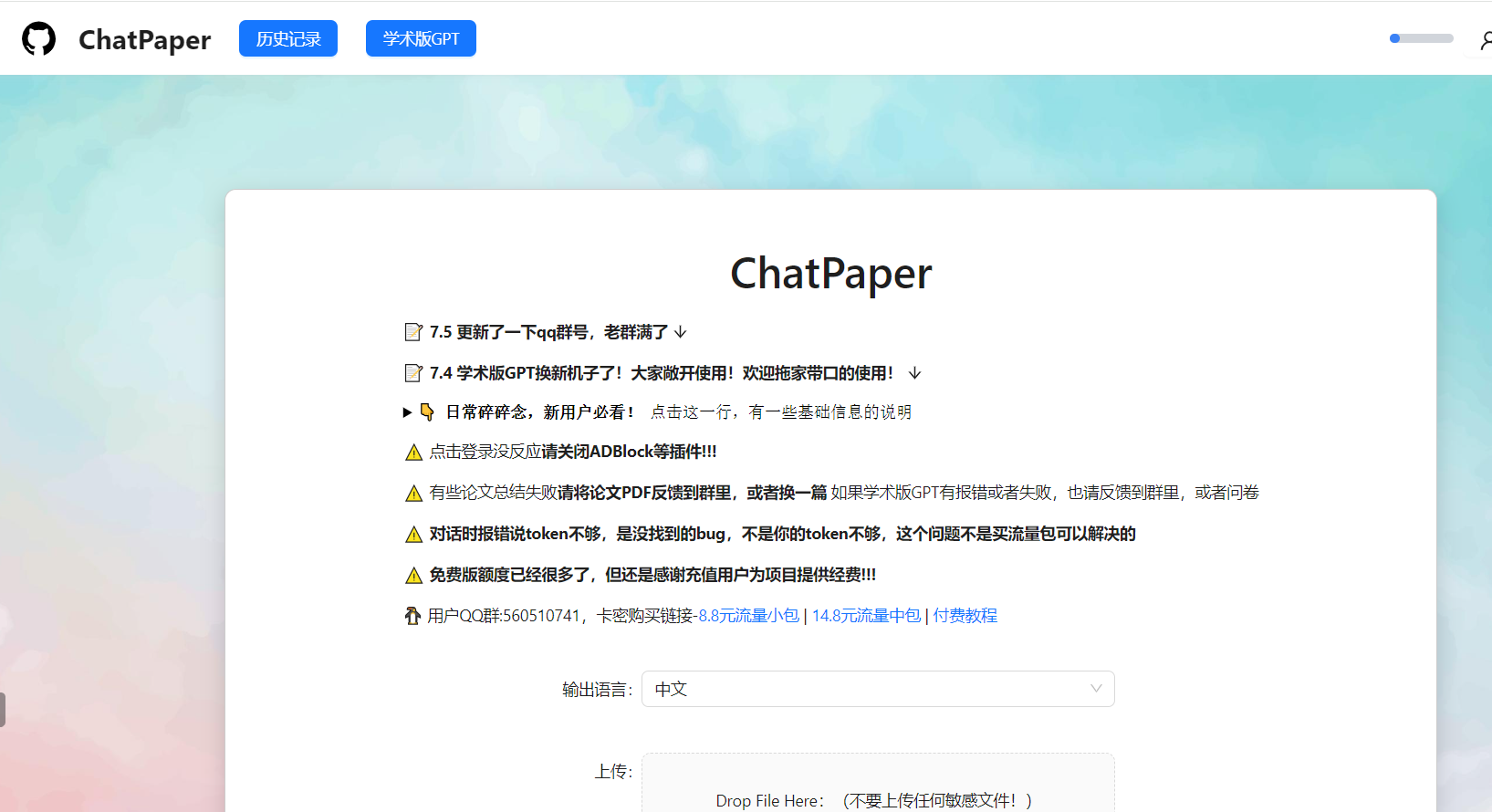 |[原项目地址](https://github.com/kaixindelele/ChatPaper)|
|ChatReviewer|利用ChatGPT对论文进行**优缺点分析,提出改进建议**|访问[ShiwenNi/ChatReviewer](https://huggingface.co/spaces/ShiwenNi/ChatReviewer) 使用|<img alt="Animation Demo" src="https://github.com/kaixindelele/ChatPaper/blob/main/images/chatrevierer.png" />|[原项目地址](https://github.com/nishiwen1214/ChatReviewer)|
|ChatImprovement|利用ChatGPT对**论文初稿进行润色、翻译等**|访问[学术版GPT](http://academic.chatwithpaper.org/) 使用||[原项目地址](https://github.com/binary-husky/chatgpt_academic)|
|ChatResponse|利用ChatGPT对**审稿人的提问进行回复**|访问[ShiwenNi/ChatResponse](https://huggingface.co/spaces/ShiwenNi/ChatResponse) 使用|<img alt="Animation Demo" src="https://github.com/kaixindelele/ChatPaper/blob/main/images/chatresponse.jpg" />|[原项目地址](https://github.com/nishiwen1214/ChatReviewer)|
|ChatGenTitle|利用百万arXiv论文元信息训练出来的论文题目生成模型,**根据论文摘要生成合适题目**|<a href="https://drive.google.com/file/d/1akrC4-YnYdiyD1_VK-92hncN7HS0FLf5/view?usp=sharing" target="_parent"><img src="https://colab.research.google.com/assets/colab-badge.svg" alt="Open In Colab"/></a>|<img alt="Animation Demo" src="https://github.com/kaixindelele/ChatPaper/blob/main/images/chatgentitle.png" />|[原项目地址](https://github.com/WangRongsheng/ChatGenTitle)|
> **所有功能免费,代码开源,大家放心使用!** 关于API如何获取,首先你得有一个没有被封的ChatGPT账号,然后[获取Api Key](https://chatgpt.cn.obiscr.com/blog/posts/2023/How-to-get-api-key/) ,填入即可!
## 目录:
- [💥最新讯息](#最新讯息)
- [💫开发动机](#开发动机)
- [⛏️配置教程](#配置教程)
- [⛏️PDF全文翻译配置教程](https://github.com/kaixindelele/ChatPaper#%E4%BB%BB%E6%84%8Fpdf%E5%85%A8%E6%96%87%E7%BF%BB%E8%AF%91%E9%85%8D%E7%BD%AE%E6%95%99%E7%A8%8B)
- [👷♂️HuggingFace在线部署](#HuggingFace在线部署)
- [📄本地PDF全文翻译示例](#本地PDF全文翻译示例)
- [📄本地PDF全文总结示例](#本地PDF全文总结示例)
- [📄全文总结示例](#全文总结示例)
- [👁️🗨️使用技巧](#使用技巧)
- [🛠️常见报错](#常见报错)
- [💐项目致谢](#项目致谢)
- [🌟赞助我们](#赞助我们)
- [🌈Starchart](#Starchart)
- [🏆Contributors](#Contributors)
## 最新讯息
- 🌟*2023.07.23*: [MasterYip](https://github.com/MasterYip) 同学开源了 [ChatPaper2Xmind](https://github.com/MasterYip/ChatPaper2Xmind)!
将论文PDF通过Chat一键生成 图片+公式的简要XMind笔记
- 🌟*2023.07.22*: 增加全新的本地PDF全文翻译功能。
- 🌟*2023.07.21*: 仓库的文件做了一个整理,可能会有些路径和bug,正在修复中。
- 🌟*2023.07.09*: 师弟[red-tie](https://github.com/red-tie)在[auto-draft](https://github.com/CCCBora/auto-draft)的基础上,优化了一款[一键文献综述](https://github.com/kaixindelele/ChatPaper/tree/main/auto_survey)的功能. 适用于大家对具体某个领域快速掌握,并且支持直接生成中文文献调研报告。文件配置简单,欢迎大家使用和反馈!
- 🌟*2023.07.05*: 昨天我做了一个新的小玩具:[ChatSensitiveWords](https://github.com/kaixindelele/ChatSensitiveWords),利用LLM+敏感词库,来自动判别是否涉及敏感词。已经在学术版GPT网页端上线,欢迎LLM的开发者一起完善这个工作。
- 🌟*2023.04.30*: **唯一官方网站:**[https://chatpaper.org/](https://chatpaper.org/) ,以及小白教程【ChatPaper网页版使用小白教程-哔哩哔哩】 https://b23.tv/HpDkcBU, 第三方文档:https://chatpaper.readthedocs.io .
- 🌟*2023.04.22*: 为了庆祝ChatPaper获得一万⭐,我们将联合两位同学,推出两个AI辅助文献总结工具,第一个是[auto-draft](https://github.com/CCCBora/auto-draft),AI自动搜集整理出文献总结!
- 🌟*2023.04.17*: 为了降低学术伦理风险,我们为Chat_Reviewer增加了复杂的文字注入,效果如图:[示例图](https://github.com/kaixindelele/ChatPaper/blob/main/images/reviews.jpg) ,希望各位老师同学在使用的时候,一定要注意学术伦理和学术声誉,不要滥用工具。如果谁有更好的方法来限制少数人的不规范使用,欢迎留言,为科研界做一份贡献。
- 🌟*2023.03.31*: 目前已经离线总结了3w+的CCF-A会议论文了,以后大家可以不用等那么久了!
- 🌟*2023.03.28*: 荣胜同学今天发布了一个非常有意思的工作[ChatGenTitle](https://github.com/WangRongsheng/ChatGenTitle),提供摘要生成标题,基于220wArXiv论文的数据微调的结果!
- 🌟*2023.03.23*: chat_arxiv.py可以从arxiv网站,根据关键词,最近几天,几篇论文,直接爬取最新的领域论文了!解决了之前arxiv包的搜索不准确问题!
- 🌟*2023.03.23*: ChatPaper终于成为完成体了!现在已经有论文总结+论文润色+论文分析与改进建议+论文审稿回复等功能了!
## 开发动机
<details><summary><code><b>开发动机细节</b></code></summary>
面对每天海量的arxiv论文,以及AI极速的进化,我们人类必须也要一起进化才能不被淘汰。
作为中科大强化学习方向的博士生,我深感焦虑,现在AI的进化速度,我开脑洞都赶不上。
因此我开发了这款ChatPaper,尝试用魔法打败魔法。
ChatPaper是一款论文总结工具。AI用一分钟总结论文,用户用一分钟阅读AI总结的论文。
它可以根据用户输入的关键词,自动在arxiv上下载最新的论文,再利用ChatGPT3.5的API接口强大的总结能力,将论文总结为固定的格式,以最少的文本,最低的阅读门槛,为大家提供最大信息量,以决定该精读哪些文章。
也可以提供本地的PDF文档地址,直接处理。
一般一个晚上就可以速通一个小领域的最新文章。我自己测试了两天了。
</details>
祝大家在这个极速变化的时代中,能够和AI一起进化!
欢迎大家的赞助,以帮助支付网页运营的API和服务器成本,并让我们有动力继续开发更多更高质量的服务!
您的支持,是我持续更新的动力和赞赏!
<div style="text-align: center;">
<img src=https://user-images.githubusercontent.com/28528386/224892765-d22a36ad-7bd6-41ed-9e89-f7fe5e88944b.png width="200" height="250"/>
</div>
欢迎大家加入光荣的进化!
## 技术原理:
<details><summary><code><b>技术原理细节</b></code></summary>
论文总结遵循下面四个问题:
1. 研究背景
2. 过去的方案是什么?他们有什么问题?
3. 本文方案是什么?具体步骤是什么?
4. 本文在哪些任务中,取得了什么效果?
基本上是大家做论文汇报的主要内容了。
实现细节:
提取摘要和introduction的内容,因为abstract很少会告诉你过去的方案是什么,存在什么问题。
然后提取method章节,总结方法的具体步骤
最后提取conclusion章节,总结全文。
分三次总结和喂入,如果每个部分超过了长度,则截断(目前这个方案太粗暴了,但也没有更好的更优雅的方案)
作为初筛,勉强够用。
</details>
## 配置教程
<details><summary><code><b>配置教程细节</b></code></summary>
### 一、以脚本方式运行
Windows, Mac和Linux系统应该都可以
python版本最好是3.9,其他版本应该也没啥问题
1. 在apikey.ini中填入你的openai key。注意,这个代码纯本地项目,你的key很安全!如果不被OpenAI封的话~
小白用户比较多,我直接给截图示意下可能会更好:
<div style="text-align: center;">
<img src=https://user-images.githubusercontent.com/28528386/224497146-f5518553-04a2-4efa-90e6-4ac0febb8177.png width="500" height="220"/>
</div>
2. 使用过程要保证全局代理!
如果客户端时clash的话,可以参考这个进行配置:
<div style="text-align: center;">
<img src=https://user-images.githubusercontent.com/28528386/224529317-f49265d7-fb5f-4dd5-b462-930aaa0c682d.png width="500" height="350"/>
</div>
3. 安装依赖:最好翻墙,或者用国内源。
``` bash
pip install -r requirements.txt
```
4.1. Arxiv在线批量搜索+下载+总结: 运行chat_paper.py, 比如:
```python
python chat_paper.py --query "chatgpt robot" --filter_keys "chatgpt robot" --max_results 3
```
更准确的脚本是chat_arxiv.py,使用方案,命令行更加简洁:
```python
python chat_arxiv.py --query "chatgpt robot" --page_num 2 --max_results 3 --days 10
```
其中query仍然是关键词,page_num是搜索的页面,每页和官网一样,最大是50篇,max_results是最终总结前N篇的文章,days是选最近几天的论文,严格筛选!
**注意:搜索词无法识别`-`,只能识别空格!所以原标题的连字符最好不要用!** 感谢网友提供的信息
4.2. Arxiv在线批量搜索+下载+总结+高级搜索: 运行chat_paper.py, 比如:
```python
python chat_paper.py --query "all: reinforcement learning robot 2023" --filter_keys "reinforcement robot" --max_results 3
```
💥💥💥<strong>7K星了,发布一个猫娘版提示词,希望大家一起让猫娘活起来~:[脚本:chat_arxiv_maomao.py](https://github.com/kaixindelele/ChatPaper/blob/main/chat_arxiv_maomao.py), [总结图片](https://github.com/kaixindelele/ChatPaper/blob/main/images/maomao.png) </strong>
4.3. Arxiv在线批量搜索+下载+总结+高级搜索+指定作者: 运行chat_paper.py, 比如:
```python
python chat_paper.py --query "au: Sergey Levine" --filter_keys "reinforcement robot" --max_results 3
```
4.4. 本地pdf总结: 运行chat_paper.py, 比如:
```python
python chat_paper.py --pdf_path "demo.pdf"
```
4.5. 本地文件夹批量总结: 运行chat_paper.py, 比如:
```python
python chat_paper.py --pdf_path "your_absolute_path"
```
4.6. 谷歌学术论文整理: 运行google_scholar_spider.py, 比如:
```
python google_scholar_spider.py --kw "deep learning" --nresults 30 --csvpath "./data" --sortby "cit/year" --plotresults 1
```
此命令在Google Scholar上搜索与“deep learning”相关的文章,检索30个结果,将结果保存到“./data”文件夹中的CSV文件中,按每年引用次数排序数据,并绘制结果。
具体使用和参数请参考https://github.com/JessyTsu1/google_scholar_spider
4.7. Gitee图床的配置教程(选配,比较麻烦)
效果和配置视频:https://www.bilibili.com/video/BV1Rh4y1173t/
教程文章:https://zhuanlan.zhihu.com/p/644326031
---
另外注意,目前这个不支持**综述类**文章。
B站讲解视频:[我把ChatPaper开源了!AI速读PDF论文和速通Arxiv论文](https://www.bilibili.com/video/BV1EM411x7Tr/)
**注意:key_word不重要,但是filter_keys非常重要!**
一定要修改成你的关键词。
另外关于arxiv的搜索关键词可以参考下图:
<div style="text-align: center;">
<img src=https://user-images.githubusercontent.com/28528386/224550698-f0e18bf7-f09f-40a1-a747-1d596b3edd01.png width="250" height="350"/>
</div>
5. 参数介绍:
```
[--pdf_path 是否直接读取本地的pdf文档?如果不设置的话,直接从arxiv上搜索并且下载]
[--query 向arxiv网站搜索的关键词,有一些缩写示范:all, ti(title), au(author),一个query示例:all: ChatGPT robot]
[--key_word 你感兴趣领域的关键词,重要性不高]
[--filter_keys 你需要在摘要文本中搜索的关键词,必须保证每个词都出现,才算是你的目标论文]
[--max_results 每次搜索的最大文章数,经过上面的筛选,才是你的目标论文数,chat只总结筛选后的论文]
[--sort arxiv的排序方式,默认是相关性,也可以是时间,arxiv.SortCriterion.LastUpdatedDate 或者 arxiv.SortCriterion.Relevance, 别加引号]
[--save_image 是否存图片,如果你没注册gitee的图床的话,默认为false]
[--file_format 文件保存格式,默认是markdown的md格式,也可以是txt]
parser.add_argument("--pdf_path", type=str, default='', help="if none, the bot will download from arxiv with query")
parser.add_argument("--query", type=str, default='all: ChatGPT robot', help="the query string, ti: xx, au: xx, all: xx,")
parser.add_argument("--key_word", type=str, default='reinforcement learning', help="the key word of user research fields")
parser.add_argument("--filter_keys", type=str, default='ChatGPT robot', help="the filter key words, 摘要中每个单词都得有,才会被筛选为目标论文")
parser.add_argument("--max_results", type=int, default=1, help="the maximum number of results")
parser.add_argument("--sort", default=arxiv.SortCriterion.Relevance, help="another is arxiv.SortCriterion.LastUpdatedDate")
parser.add_argument("--save_image", default=False, help="save image? It takes a minute or two to save a picture! But pretty")
parser.add_argument("--file_format", type=str, default='md', help="导出的文件格式,如果存图片的话,最好是md,如果不是的话,txt的不会乱")
```
</details>
### 二、 以Flask服务运行
<details><summary><code><b>Flask配置教程</b></code></summary>
注意:更新版本后,可能有路径的报错
1. 下载项目并进入项目目录
```text
git clone https://github.com/kaixindelele/ChatPaper.git
cd ChatPaper
```
2. 在项目根目录下的 `apikey.ini` 文件中填入您的 OpenAI 密钥。
3. 配置虚拟环境并下载依赖
```text
pip install virtualenv
安装虚拟环境工具
virtualenv venv
新建一个名为venv的虚拟环境
Linux/Mac下:
source venv/bin/activate
Windows下:
.\venv\Scripts\activate.bat
pip install -r requirements.txt
```
4. 启动服务
```text
python3 app.py
# 启动 Flask 服务。运行此命令后,Flask 服务将在本地的 5000 端口上启动并等待用户请求。在浏览器中访问以下地址之一以访问 Flask 服务的主页:
# http://127.0.0.1:5000/
# 或
# http://127.0.0.1:5000/index
```
访问 http://127.0.0.1:5000/ 后,您将看到主页。在主页上,您可以点击不同的链接来调用各种服务。您可以通过修改链接中的参数值来实现不同的效果。有关参数详细信息,请参阅上一步骤中的详细介绍

+ 特别的,这四个接口实际是封装了根目录下四个脚本的 web 界面。参数可以通过链接来修改。例如要运行“arxiv?query=GPT-4&key_word=GPT+robot&page_num=1&max_results=1&days=1&sort=web&save_image=False&file_format=md&language=zh”的话,相当于在根目录下调用 chat_arxiv.py 并返回结果。这个显示的结果和在命令行中调用的结果是一样的(即:python chat_arxiv.py --query "GPT-4" --key_word "GPT robot" --page_num 1 --max_results 1 --days 1 --sort "web" --save_image False --file_format "md" --language "zh")。您可以通过修改参数来获得其他搜索结果。
如果以这种方式部署的话,结果会保存在同级目录下新生成的export、pdf_files 和response_file三个文件夹里
</details>
### 三、以docker形式运行
<details><summary><code><b>Docker配置教程细节</b></code></summary>
注意:Docker的路径也被我打乱了,很可能存在问题,不推荐尝试。
1. 安装docker和docker-compose,可以参考以下链接
https://yeasy.gitbook.io/docker_practice/install
https://yeasy.gitbook.io/docker_practice/compose/install
2. 找地方放项目根目录下的“docker-compose.yaml”文件,将21行的`YOUR_KEY_HERE`替换为自己的openai_key
3. 在同级目录下在命令行运行
```
docker-compose up -d
```
4. 这样的界面代表一些正常,随后访问https://127.0.0.1:28460/ 就可以从网页上打开了! 
+ 特别的,如果有改进项目的想法,您可以查看 build.sh、dev.sh、tagpush.sh这三个脚本以及根目录docker目录下文件的作用,相信它们会对你容器化封装项目的思想有进一步提升
+ 所有的运行结果都被保存在 Docker 的 volumes 中,如果想以服务的形式长期部署,您可以将这些目录映射出来。默认情况下,它们位于 /var/lib/docker/volumes/ 下。您可以进入该目录并查看 chatpaper_log、chatpaper_export、chatpaper_pdf_files 和 chatpaper_response_file 四个相关文件夹中的结果。有关 Docker volumes 的详细解释,请参考此链接:http://docker.baoshu.red/data_management/volume.html。
</details>
## HuggingFace在线部署
<details><summary><code><b>HuggingFace在线部署细节</b></code></summary>
注意:这部分也是一样,功能暂时被废掉了,建议大家直接使用chatwithpaper.org的网页版。
1. 在[Hugging Face](https://huggingface.co/) 创建自己的个人账号并登录;
2. 进入ChatPaper主仓库:[https://huggingface.co/spaces/wangrongsheng/ChatPaper](https://huggingface.co/spaces/wangrongsheng/ChatPaper) ,您可以在[Files and Version](https://huggingface.co/spaces/wangrongsheng/ChatPaper/tree/main) 看到所有的最新部署代码;
3. [可选]私有化部署使用:点击[Duplicate this space](https://huggingface.co/spaces/wangrongsheng/ChatPaper?duplicate=true) ,在弹出的页面中将`Visibility`选择为`Private`,最后点击`Duplicate Space`,Space的代码就会部署到你自己的Space中,为了方便自己每次调用可以不用填写API-key,您可以将[app.py#L845](https://huggingface.co/spaces/wangrongsheng/ChatPaper/blob/5335124d25b1bc4017a2f5c48b0038dfa545bf63/app.py#L845) 修改为您的密钥:`default="sk-abcdxxxxxxxx"` ,点击保存文件就会立即重新部署了;
4. [可选]公有化部署使用:点击[Duplicate this space](https://huggingface.co/spaces/wangrongsheng/ChatPaper?duplicate=true) ,在弹出的页面中将`Visibility`选择为`Public`,最后点击`Duplicate Space`,Space的代码就会部署到你自己的Space中,这样就可以完成一个公有化的部署。
> 注:公有化部署和私有化部署根据你的需求二选一即可!
</details>
## 任意PDF全文翻译配置教程
1. 必须是在Ubuntu或者MacOS下使用!接下来的教程默认是Ubuntu18.04/20.04. 推荐使用vultr云服务器,非常省心。
2. 在安装了ChatPaper默认依赖之后,激活它的虚拟环境,进入scipdf_parser-master文件夹,进入这个路径后,继续安装这里面的依赖。
3. 安装好了这里的以来后,还需要安装Java的环境,我们推荐安装java11.0.19
4. 先更新系统包:sudo apt-get update
5. 然后命令安装 OpenJDK 11:sudo apt-get install openjdk-11-jdk
6. 完成以上步骤后,你可以用以下命令来确认安装的 Java 版本:java -version
7. 这将返回你当前的 Java 版本信息。到这一步,基本上Java的安装成功
8. 再然后,再后台启动scipdf服务,这里需要下载不少依赖:bash serve_grobid.sh
9. 等服务启动好后,可以不用管它,新开一个终端,启动python程序:python chat_summary.py
10. 也可以后台默认启动serve_grobid.sh: nohup bash serve_grobid.sh
最后祝你使用的开心!
## 本地PDF全文翻译示例
<details><summary><code><b>查看本地PDF全文翻译示例</b></code></summary>
# 强化学习、机器人学和模拟到真实世界的迁移
## Reinforcement Learning, Robotics, Sim-to-Real Transfer
## 摘要
当前的强化学习(Reinforcement Learning,RL)算法在长期任务中存在困难,其中时间可能被浪费在探索死胡同和任务进展可能很容易逆转的地方。我们开发了SPOT框架,该框架在行动安全区域内进行探索,学习有关不安全区域的信息而无需探索它们,并优先考虑逆转先前进展的经验,以实现卓越的学习效果。SPOT框架成功地完成了各种任务的模拟试验,在堆叠4个方块时,将基准试验成功率从13%提高到100%,在创建4个方块的行时,将基准试验成功率从13%提高到99%,在清理敌对模式下排列的玩具时,将基准试验成功率从84%提高到95%。在每次试验中,相对于行动次数,效率通常提高了30%或更多,而训练只需1-20k次行动,具体取决于任务。此外,我们还展示了直接的模拟到真实转移。通过在真实机器人上直接加载经过模拟训练的模型,无需进行额外的真实世界微调,我们能够在100%的试验中创建真实的堆叠,效率为61%,并在100%的试验中创建真实的行,效率为59%。据我们所知,这是首次将成功的模拟到真实转移应用于长期多步骤任务,如堆叠方块和创建行,并考虑到进展的逆转。代码可在https://github.com/jhulcsr/good_robot获取。索引词-计算机视觉用于其他机器人应用,深度学习在抓取和操作中,强化学习。在真实世界环境中,多步骤的机器人任务非常具有挑战性。它们将行动的即时物理后果与了解这些后果如何影响整体目标的进展的需求相结合。此外,与传统的动作规划相反,后者假设具有完美信息和已知的行动模型,学习只能从感知环境中获取有限的空间和时间信息。
## "好机器人!": 用于多步骤视觉任务的高效强化学习与模拟到实际转移(Good Robot!": Efficient Reinforcement Learning for Multi-Step Visual Tasks with Sim to Real Transfer)
图1. 机器人创建的方块堆和行,通过模拟到实际转移。我们的正向任务计划(SPOT)框架可以帮助我们高效地找到能够完成多步骤任务的策略。视频概述:https://youtu.be/MbCuEZadkIw
我们的关键观察是,强化学习在探索行为时会浪费大量时间,而这些行为最多是无效的。例如,在堆叠方块的任务中(图1),人类知道抓取空中的空气永远不会抓住物体,这是“常识”,但对于普通算法来说,可能需要一些时间才能发现。为了解决这个问题,我们提出了正向任务计划(SPOT)框架,以一种能够显著加速学习和最终任务效率的方式将常识约束纳入深度强化学习(DRL)中[1],[2]。
虽然这些约束是直观的,但将它们以一种能够实现可靠和高效学习的方式纳入深度强化学习中是非常困难的。我们的方法(第三节)受到一种人道而有效的宠物训练方法的启发,有时被称为“正向条件训练”。考虑训练一只名为“Spot”的狗忽略一个她特别感兴趣的物体或事件的目标。当Spot展示出部分符合期望的最终行为时,她会得到奖励,而在逆行的情况下,她会被立即从不得奖励的情况中移开。实现这一目标的一种方法是手中开始有多个奖励,将一个奖励放在Spot的视野中,如果她迫不及待地跳向奖励(一种负面行为),人类会立即夺走并隐藏奖励,以此来对该行为不给予奖励。通过反复训练,Spot最终会犹豫不决,这时她会立即得到称赞“好Spot!”并得到一个奖励,与此同时,她应该忽略的物体也会被移开。这种方法可以扩展到新的情况和行为,并且鼓励探索和快速改进一旦初始的部分成功被实现。正如我们在第三节中所描述的,我们的奖励函数和SPOT-Q学习也被设计成对于逆行的行为既不给予奖励也不进行惩罚。
逆行的情况有不同的复杂性。一方面,无法将第一个方块堆叠在另一个方块上会使机器人处于类似的情况中,因此恢复需要Ω(1)个行动。然而,一旦存在一个由n个方块组成的堆叠,即使成功抓取也可能将整个堆叠推倒,逆转给定试验的整个行动历史(图3),因此恢复需要Ω(n)个行动。对于机器人学习多步骤任务的强化学习来说,后一种更为戏剧化的逆行情况是一个具有挑战性的问题;我们的工作提供了一种高效解决这种情况的方法。
总之,本文的贡献包括:
1)用于多步骤任务的SPOT框架,它在模拟环境中改进了现有技术,并能够高效地在实际情况中进行训练。
2)SPOT-Q学习,一种安全高效的训练方法,其中探索行为在运行时通过掩码进行聚焦,并从过去的经验中生成额外的即时训练样本。
3)从模拟堆叠和行构建任务到实际环境中的零样本领域转移,以及对硬件和场景位置变化的鲁棒性。理想情况下,算法应该能够高效地学习避免这种情况,并通过绿色箭头所示的成功指标来取得成功。因此,需要考虑时间和工作空间的依赖关系。当前时间t i ∈ T,i ∈ [1...n]的事件可以影响过去行动t h |h < i和未来行动t j |j > i的成功结果的可能性。在我们的实验中,部分堆叠或行本身就是一个场景障碍物。这里的灰色墙壁仅用于说明目的。
4)一项消融研究表明,情境去除显著减少了逆行情况;进展度指标提高了效率;试验奖励在折扣方面有所改进,但在效率和对稀疏奖励的支持之间存在权衡。
## II. 相关工作
深度神经网络(DNNs)使得在机器人操作中可以使用原始传感器数据[1]-[5]。在某些方法中,DNN的输出直接对应于运动指令,例如[3],[4]。而高级方法则假设了机器人控制的简单模型,并专注于边界框或姿态检测,用于下游的抓取规划[1],[6]-[11]。RGB-D传感器可以带来益处[1],[11],[12],因为它们可以捕捉有关工作空间的物理信息。以物体为中心的技能学习可以有效且具有良好的泛化能力,例如[13]-[16]专注于通过将模拟堆栈分类为稳定或可能倒塌来进行堆叠。类似地,[17],[18]通过预测推动动作的结果来发展物理直觉。我们的工作不同之处在于,在多步任务的进展过程中,同时发展视觉理解和物理直觉。
抓取是一个特别活跃的研究领域。DexNet [19],[20]从大量的自上而下抓取的深度图像中学习,并在抓取新物体时表现出极好的性能,但不考虑长期任务。6-DOF Grasp-Net [21]使用模拟抓取数据来推广到新物体,并已扩展到处理杂乱环境中新物体的可靠抓取[12]。
深度强化学习(DRL)已经在机器人操作中的越来越复杂的任务中证明了其有效性[1],[5],[22],[23]。QT-Opt [5]通过对真实机器人上数十万次抓取尝试进行学习,掌握了操作技能。域自适应,例如在模拟中应用随机纹理,也可以增强从模拟到真实世界的转移[24],[25]。其他方法专注于将视觉运动技能从模拟机器人转移到真实机器人[22],[26]。我们的工作通过学习像素级成功概率图,不是直接回归扭矩向量,而是按照之前的工作[1],[23]指导低级控制器执行动作。
稀疏奖励的多步任务对于强化学习来说是一个特殊的挑战,因为解决方案不太可能通过随机探索来发现。如果可用,演示可以是引导探索的有效方法[27]-[29]。多步任务可以分为包含草图的模块化子任务[30],而[31]具有机器人特定和任务特定的学习模块。
在许多实际环境中,安全性对于强化学习至关重要[32]-[34]。第IV-D节的初步实验表明,SPOT-Q提供了一种将安全性纳入基于Q-Learning的通用算法的方法[35]。
我们在第IV节和第V节将SPOT框架与VPG [1]进行了比较,VPG是一种基于强化学习的桌面清理任务的方法,可以在单个机器人上的几小时内从图像进行训练。VPG经常能够完成对抗性场景,例如首先将一组紧密堆叠的块推开,然后抓取现在分离的物体。最近的一些与之相关的工作涉及具有多个动作的任务:[36]将一个块放在另一个块上,[37]将一条毛巾放在杆上,[38]清空一个垃圾箱,但前两个任务不是长期任务,并且从未考虑到进展的逆转(图3)。
## III. 方法
我们研究了多步骤任务,这些任务具有稀疏且近似的任务进展概念。通过采取以下四个措施,可以提高学习的效率:将这些问题结构化以捕捉数据的不变性属性,将传统算法应用于最有效的领域,确保奖励不会通过失败的动作传播,并引入一种可以消除不必要探索的算法。我们将在基于视觉的机器人操作的装配问题的背景下展示我们的方法。
我们将问题构建为一个马尔可夫决策过程(S,A,P,R),其中状态空间为S,动作空间为A,转移概率函数为P:S×S×A→R,奖励函数为R:S×A→R。这包括一个简化的假设,将传感器观测和状态等同起来。在时间步t,代理观察到状态s_t,并根据其策略π:S→A选择一个动作a_t。该动作以概率P(s_t+1 | s_t,a_t)导致新的状态s_t+1。与VPG [1]一样,我们使用Q-learning来生成选择动作的确定性策略。函数Q:S×A→R估计了给定状态下动作的预期奖励R,即动作的“质量”。我们的策略π如下选择动作a_t:
π(s_t) = arg max a∈A Q(s_t, a) (1)
因此,训练的目标是学习一个最大化奖励R随时间变化的Q。这通过迭代地最小化|Q(s_t, a_t) - y_t|来实现,其中目标值y_t为:
y_t = R(s_t+1, a_t) + γQ(s_t+1, π(s_t+1)) (2)
Q-learning是强化学习中的一个基本算法,但在诸如机器人学等应用中,其最一般形式存在关键限制,其中动作和新试验的空间和成本非常大,高效的探索可能是至关重要甚至是安全关键的。它还高度依赖于奖励函数R,其定义可能导致学习效率相差数个数量级,正如我们在第IV-C节中所展示的,因此我们从奖励塑形的方法开始。
## A. 奖励塑造
奖励塑造是一种优化奖励R的有效技术,用于高效训练策略[39]和它们的神经网络。在这里,我们提出了几个奖励函数供后续比较(第IV-C节),这些函数构建了一个通用的奖励塑造公式,有助于在广泛的新任务上进行高效学习,从而减少成功奖励计划的临时性。
假设每个动作a与一个子任务φ ∈ Φ相关联,并且我们有一个指示函数1 a [s t+1 , a t ],如果动作a t 在子任务φ上成功,则等于1,否则等于0。与VPG [1]类似,我们的基准奖励遵循这个原则,并包括一个子任务加权函数W:Φ → R,根据它们的主观难度和重要性进行加权:
R base (s t+1 , a t ) = W (φ t )1 a [s t+1 , a t ] (3)
接下来,我们定义了一个稀疏且近似的任务进展函数P:S → R ∈ [0, 1],表示朝着整体目标的比例进展,其中P(s t ) = 1表示任务完成。正如我们在Spot狗的故事中所讲述的(第I节),进展的逆转导致我们对代理进行情境移除(SR),并且有一个指示函数1 SR [s t , s t+1 ],如果P(s t+1 ) ≥ P(s t ),则等于1,否则等于0。这些导致了新的奖励函数:
R SR (s t+1 , a t ) = 1 SR [s t , s t+1 ]R base (s t+1 , a t ) (4)
R P (s t+1 , a t ) = P(s t+1 )R SR (s t+1 , a t ) (5)
R base,R SR和R P 的一个优点是,在一个试验中的两个状态转换后,每个奖励函数都可以“即时”获得。然而,它们并没有考虑早期错误可能导致许多步骤后失败的可能性(图3,4),因此我们将开发一种奖励,可以在整个试验中传播。
W φ t ∈ {W push =0.1, W grasp =1, W place =1}。
动作11-14:抓取和放置动作导致一个完整的高度为4的堆栈,完成了试验。动作14处的最终R trial 是2 × R P。这里为了图表的可见性,W φ t ∈ {W push = .5, W grasp = 1, W place =1.25}。
在训练过程中,我们在物理上重置环境(图3)。我们定义了一个相关的指示函数1 SR [s t , s t+1 ],如果P(s t+1 ) ≥ P(s t ),则等于1,否则等于0。这些导致了新的奖励函数:
R SR (s t+1 , a t ) = 1 SR [s t , s t+1 ]R base (s t+1 , a t ) (4)
R P (s t+1 , a t ) = P(s t+1 )R SR (s t+1 , a t ) (5)
R base,R SR和R P 的一个优点是,在一个试验中的两个状态转换后,每个奖励函数都可以“即时”获得。然而,它们并没有考虑早期错误可能导致许多步骤后失败的可能性(图3,4),因此我们将开发一种奖励,可以在整个试验中传播。
## B. 情境移除:SPOT试验奖励
我们是否可以通过一个奖励函数来考虑到导致后续时间步骤失败的动作,同时训练效率比标准的折扣奖励函数R D更高,其中 R D (s t+1 , a t ) = γ R D (s t+2 , a t+1 )?我们的方法是通过情境移除的概念来阻止奖励在失败的动作中传播:其中 R * 可以是任意的即时奖励函数,如第III-A节中的 R SR 或 R P,N 标记着试验的结束,γ 是通常的折扣因子,设置为 γ = 0.65。
R trial (s t+1 , a t ) = ⎧ ⎪ ⎪ ⎨ ⎪ ⎪ ⎩ 0, 如果 R * (s t+1 , a t ) = 0 2R * (s t+1 , a t ), 如果 t = N R * (s t+1 , a t ) + γR trial (s t+2 , a t+1 ), 否则
使用 R trial 的效果是未来的奖励只在成功完成子任务的时间步骤中传播。如图4所示,并在图注中描述,情境移除的零奖励切断了包含失败动作的时间步骤中未来奖励的传播。这将学习重点放在了完成任务的短且成功的序列上。
## C. SPOT-Q学习和动态行动空间
在本节中,我们进一步利用关于环境的先验知识,做出简单但强大的假设,既减少无效尝试,又加快训练速度。具体而言,有许多情况下,某些动作的失败可以从用于Q学习的相同传感器信号中轻松预测出来。为此,我们假设存在一个预测器M (s t , a) → {0, 1},它接受当前状态s t 和一个动作a,并在动作肯定失败时返回0,在其他情况下返回1。这与成功指示器1 a [s t+1 , a t ]略有不同,后者需要动作a t 的结果s t+1 来确定成功或失败。4 使用M,我们定义动态行动空间M t (A):
M t (A) = {a ∈ A|M (s t , a) = 1}。(7)
简而言之,M t (A)并不告诉我们a ∈ A是否值得执行,而是告诉我们是否值得探索。给定状态s t,问题变为如何在训练中最有效地利用M t。如果π(s t ) ∈ M t (A),那么π(s t )可以被视为训练目的中的失败,我们可以探索下一个最好的不保证失败的动作。为了形式化这一点,我们引入了SPOT-Q学习,它是一个新的目标值函数,取代了(2):其中π M (s t ) = arg max a∈M t (A) Q(s t , a)。关键是,我们对既有0奖励的掩码动作,又对机器人实际执行的未掩码动作π M (s t )进行反向传播。算法1描述了我们如何通过SPOT-Q和优先经验回放(PER)[40]从过去的示例中进行持续训练,同时执行当前策略。在第IV节中,我们将讨论SPOT-Q如何使我们超越先前的工作,其中类似的启发式方法[1],[41]既无法与SPOT-Q匹敌,也无法考虑我们稍后讨论的安全性考虑。
y M,t = ⎧ ⎨ ⎩ y t , 如果π(s t+1 ) ∈ M t (A) y t + γQ(s t+1 , π M (s t+1 )) 否则 + R(s t+1 , a t )。(8)
## IV. 模拟实验
我们的方法在VPG [1]的桌面清理任务以及我们设计的两个具有挑战性的多步骤任务上,提高了性能和动作效率。我们的最佳结果可以在模拟的堆叠和排列任务中实现100%的试验成功,并且我们展示了这些模型成功转移到了真实世界中(详见第五节)。
为了理解我们方法中每个元素对整体性能的贡献,我们详细介绍了一系列的模拟实验。为此,我们评估了每个奖励函数、SPOT-Q对启发式探索的影响、其他可能的SPOT-Q实现、奖励加权项W,并且我们描述了使用SPOT-Q + R P和SPOT-Q + R trial 的最佳结果。简言之,我们发现情境移除R SR 对我们的性能改进最大,R P 提高了准确性和效率,而R trial 在训练过程中比折扣奖励更高效,同时考虑了动作和结果之间的时间延迟。SPOT-Q 在无遮蔽和仅基本遮蔽的情况下都改善了结果。最后,我们测试了一个网格世界导航任务[42],以展示SPOT框架如何应用于安全强化学习。表格I和III总结了这些结果。
## A. 机器人实现细节
我们考虑一个能够在工作空间中被指定到特定臂部姿势和夹爪状态的机器人。我们的动作空间由三个组成部分组成:动作类型Φ,位置X × Y和角度Θ。代理通过一个固定的RGB-D相机观察环境,我们将其投影,使得z轴与重力方向对齐,如图2所示。我们将空间动作空间离散化为一个边长为0.448m的正方形高度图,具有224×224个坐标(x, y),因此每个像素大约表示4mm²,与VPG[1]相似。角度空间Θ = {2πik | i ∈ [0, k − 1]}同样被离散化为k = 16个箱子。
动作类型集合包括三个高级运动基元Φ = {抓取,推动,放置}。在我们的实验中,动作的成功与我们夹爪的传感器有关,对于抓取,与推动有关的是物体的扰动,对于放置,与之相关的是堆叠高度或行长度的增加。
传统的轨迹规划器在机器人上执行每个动作a = (φ, x, y, θ) ∈ A。对于抓取和放置,每个动作都会将机器人移动到(x, y),夹爪角度为θ ∈ Θ,并分别关闭或打开夹爪。推动动作从(x, y)处开始,夹爪关闭,并沿着角度θ水平移动固定距离。图2可视化了我们的整体算法,包括动作空间和相应的Q值。
## B. 评估指标
我们根据VPG [1]中的指标在随机测试案例中评估我们的算法。理想动作效率为100%,计算方法是理想动作数除以实际动作数;对于抓取任务,定义为每个物体1个动作;对于涉及放置的任务,定义为每个物体2个动作。这意味着对于高度为4的堆叠任务,总共需要6个动作,因为只有3个物体需要移动;对于将两个方块放置在两个端点之间的行任务,总共需要4个动作。我们通过100次新的随机物体位置的试验来验证模拟结果两次。
## C. 算法剖析
我们在表格I中比较了底层算法的每个组成部分的贡献,并与基准方法进行了对比,除了在文本中提供的清理任务。除非另有说明,我们将行和堆栈汇总为一个组合平均值。
清理20个玩具:我们通过VPG [1]中的主要模拟实验建立了一个基准,其中必须抓取20个形状各异的玩具以清理机器人工作区。SPOT框架与VPG [1]相匹配,任务完成率达到100%,并将抓取成功率从68%提高到84%,将动作效率从64%提高到74%。
清理具有挑战性的玩具:第二个基准场景是来自VPG [1]的11个具有挑战性的玩具布局,其中玩具被放置在紧密堆放的配置中。每个案例运行10次,SPOT框架在7/11个案例中完全清除,而VPG [1]中只有5/11个案例被清除;所有110次运行中的清除率从84%提高到95%。在这种情况下,效率下降了,从60%降至38%,这是由于解决困难案例的数量增加,因为分离块可能需要多次尝试。
奖励函数:R base ,R SR ,R P 和R trial 逐步扩展彼此(第III-A节,III-B节)。除非另有说明,本研究中禁用所有屏蔽操作。
R D s.t. R D (s t+1 , a t ) = γ R D (s t+2 , a t+1 )是折扣奖励的最常见方法。当在最后一个时间步骤使用R P 进行评估,并且γ = 0.9时,抓取和放置动作的成功率分别为5%和45%。创建2-3层的堆栈,并且通过屏蔽操作改善了性能(32%,48%)。然而,这种方法非常低效,在20,000个动作中没有4层的堆栈。也就是说,如果能够进行数量级更多的训练,我们预计会收敛[43]。
R base 对于推动和抓取是有效的[1],但对于多步任务来说是不够的,在最佳情况下,只能完成13%的行和堆栈,每个试验大约需要200多个动作。在另一种情况下,它经常在同一位置反复循环抓取然后放置相同的物体,导致99%的抓取成功率,但总体上没有成功的试验,即使在手动场景重置之后也是如此。我们不希望R base 在这些任务上收敛,因为没有进度信号表明,例如,从现有堆栈的顶部抓取是一个不好的选择。
R SR 立即解决了进度反转问题,因为此类动作不会获得奖励;因此,我们看到试验成功率从13%增加到94%,效率增加了一个数量级,达到23%,适用于两个任务,即每个试验大约需要22个动作。
R P 导致综合试验成功率提高到97%,效率提高到45%,即每个试验大约需要20个动作。这通过将定量的进度量纳入其中来改进纯情境消除。
R trial 在此测试中使用R P 作为即时奖励函数,堆栈的平均试验成功率为96%,效率为31%,即每个试验大约需要19个动作。然而,对于行,性能显著下降,试验成功率降至80%,动作效率仅为16%,即每个试验大约需要25个动作。这些值表明R trial 在R D 的低效性和R P 中更即时的进度指标之间进行了权衡,因为最近的值可以用于填充没有进度反馈的动作。我们还注意到,一旦添加了SPOT-Q,此奖励是堆栈中最好的奖励,并且在整体上是第二好的奖励,如下所示。
SPOT-Q:VPG [1]评估了指定要探索的确切位置的启发式方法,并发现它导致性能下降。QT-Opt [41]中的类似方法在训练过程中逐渐淘汰,表明它们在改善训练结果方面没有贡献。相比之下,SPOT-Q始终处于启用状态,并排除了零奖励可能性的区域,同时保持了其他感兴趣区域的开放性。那么,这种启发式设计的差异是否重要呢?
“屏蔽但没有SPOT-Q”测试禁用了算法1中的if语句,以模拟一个典型的启发式方法,其中将探索定向到特定区域而没有零奖励指导。与没有屏蔽的情况相比,“屏蔽但没有SPOT-Q”完成了95%的试验,而没有屏蔽的情况下为88%,有SPOT-Q的情况下为99%;动作效率的结果更加明显,分别为37%、23%和50%。这些结果和第IV-D节表明,SPOT-Q在整个训练和测试过程中都起作用,几乎不需要调整,因此我们得出结论,SPOT-Q提高了从启发式数据中学习的效率。
SPOT-Q的替代方法:我们评估了SPOT-Q的两种替代方法(eq. 8,算法1),其中所有屏蔽像素都进行了0奖励反向传播,并且在实际执行的动作上应用了屏蔽分数的(1)总和和(2)平均值的损失。在这两种情况下,梯度爆炸,算法无法收敛。只有SPOT-Q能够有效地提高收敛性。
奖励加权:SPOT-Q + R P ,其中W push = 0.1,在99%的试验中成功,但当W push = 1.0时,只有27%的成功率。在没有屏蔽或SPOT-Q的情况下,图4中的加权对R trial 的影响实现了97%的堆栈成功和38%的动作效率,但为了保持一致性,我们保持所有加权值不变。这表明W (3) 对于有效的训练很重要。
SPOT-Q + R P :这种配置具有最佳的整体模拟性能,试验成功率为99%,效率为50%,即每个试验大约需要10个动作。它也是最好的模拟行模型,在一个测试中有98%的试验成功率,在第二个测试中有100%的成功率,动作效率为62-68%。
SPOT-Q + R trial :这是最好的堆栈模型,在两个测试案例中都完成了100%,效率为45-51%。整体性能是第二好的,试验成功率为97%,效率为37%,即每个试验大约需要14个动作。
## D. 安全性和领域泛化
为了展示SPOT框架的广泛适用性,我们在简单但具有挑战性的Safety Grid World [42](图5)环境上进行了评估,这是一种广泛用于评估强化学习算法的环境类型[32],[39]。在这个环境中,红色机器人必须向前移动或转向,以在不进入熔岩的情况下向绿色方块导航。如果我们只有一个真实的机器人在这个世界中进行学习,标准的深度强化学习(DRL)将会非常不安全,但是SPOT框架可以让机器人安全地探索空间。
正如表III所示,所有改进都与我们更现实的任务一致。我们首先使用Rainbow [35],一种基于Q学习的DRL方法,它在500 k次动作中只能完成最多12%的试验,效率为12%。然后我们进行了一项小型消融研究,逐步添加了Masking、SPOT-Q和R P到Rainbow;分别完成了1000次测试试验的96.9%、95.5%和99.9%;平均效率分别为75%、73%和62%;完成30次验证试验的平均动作次数分别为123 k、113 k和70 k。所有使用掩码的失败都没有进入熔岩,它们达到了100次动作的限制。
这些结果与我们更现实的实验一致,展示了SPOT框架如何在完全不同的场景中泛化,并说明了SPOT框架在安全探索中的应用。接下来,我们将展示SPOT框架如何直接将在仿真中获得的知识应用于真实机器人任务。
## V. REAL WORLD EXPERIMENTS (真实世界实验)
最后,我们对SPOT-Q在真实机器人任务上的表现进行了研究,包括从头开始的训练和模拟到真实的迁移。在这两种情况下,性能与在模拟中实现的性能大致相当,这显示了我们的方法在高效和有效的强化学习方面的优势。我们使用了[29]和[44]中描述的设置,包括通用机器人UR5、Robotiq 2指夹具和Primesense Carmine RGB-D相机;除了机械臂外,其他部分与我们的模拟不同。其他实现细节如IV-A节所述,并且结果见表II。
真实推动和抓取:我们在真实世界中从头开始训练了基准推动和抓取任务,在20个物体上进行了测试,结果显示100%的测试通过率,75%的抓取成功率和1k次动作中的75%效率;这些结果与VPG [1]在2.5k次动作中的表现相当。模拟到真实的迁移在这个任务中没有成功。
## 模拟到真实环境与真实环境堆叠比较
在模拟环境中训练后,我们直接将模型加载到真实机器人上执行。令人惊讶的是,所有经过测试的模拟到真实环境堆叠模型都完成了100%的试验,表现优于在真实机器人上训练的模型,后者在82%的试验中成功(图6,表II)。R P 和 R trial 的行动效率相等,均为61%,而没有 SPOT-Q 或掩码的 R P 版本的效率稍低,为51%。这一点尤其令人印象深刻,考虑到我们的场景暴露在变化的阳光下。直观上,这些结果部分是由于在堆叠和行制作中使用了深度高度图作为输入。
模拟到真实环境的行制作:我们的 R P + SPOT-Q 模拟到真实环境的行制作模型在100%的尝试中都能成功创建行,效率为59%。R trial + SPOT-Q 和没有掩码的 R P 的表现稍差,都有90%的试验完成,效率分别为83%和58%。没有掩码的 R P 的高效率是因为当任务变得无法恢复,例如一个方块从工作区域掉落时,我们会立即结束真实试验。在这种情况下,我们只评估模拟到真实的转移,因为训练进展比堆叠任务慢得多。
我们预计基于方块的任务能够转移,因为网络主要依赖深度图像,这在模拟和真实数据之间更加一致。这可能合理地解释了为什么推动和抓取不能转移,这个问题可以通过未来的工作中使用域自适应等方法来缓解[24],[25]。
## VI. 结论
我们已经证明了SPOT框架对于训练长期任务是有效的。据我们所知,这是首次将强化学习成功应用于长期多步任务,如堆叠方块和创建带有进度逆转考虑的行。SPOT框架可以量化代理在多步任务中的进展,同时提供零奖励指导、掩码动作空间和情境移除。它能够快速学习从模拟到真实世界的策略。我们发现这些方法是实现真实堆叠任务和行制作任务的100%完成率所必需的。
SPOT的主要限制是虽然中间奖励可能稀疏,但仍然是必要的。未来的研究应该探索从数据中学习任务结构的方法,其中包括情境移除。此外,动作空间掩码M目前是手动设计的;这个掩码和较低层次的开环动作也可以进行学习。另一个需要研究的课题是在推动和抓取任务与堆叠和行任务之间成功的模拟到真实转移的差异。最后,我们希望将我们的方法应用于更具挑战性的任务。
## 致谢
我们要特别感谢Adit Murali对安全网格世界的整合;感谢Molly O'Brien提供宝贵的讨论、反馈和编辑意见;感谢Corinne Hundt为“好机器人!”标题的撰写;感谢Michelle Hundt、Thomas Hundt和Ian Harkins的编辑工作;感谢所有阅读、审阅和提供反馈意见的人;感谢VPG[1]的作者们发布他们的代码。
</details>
## 本地PDF全文总结示例
<details><summary><code><b>查看本地PDF全文总结示例示例</b></code></summary>
# 强化学习用于长期任务的学习
## Reinforcement learning for long-horizon tasks
## Abstract (摘要)
本文介绍了一种针对长期任务的强化学习算法,该算法在探索过程中避免了浪费时间在无效路径上,并且能够有效地学习逆转之前的进展。我们开发了SPOT框架,该框架在行动安全区域内进行探索,学习有关不安全区域的信息,而无需真正探索这些区域,并且优先考虑逆转之前的经验,以实现高效学习。在模拟试验中,SPOT框架成功完成了各种任务,将基准试验的成功率从13%提高到了100%(当堆叠4个方块时),从13%提高到了99%(当创建4个方块的行时),以及从84%提高到了95%(当清除以对抗模式排列的玩具时)。与每次试验的行动次数相比,效率通常提高了30%或更多,而训练时间只需1-20 k次行动,具体取决于任务的复杂程度。此外,我们还展示了直接从模拟到真实环境的迁移能力。通过在真实机器人上直接加载经过模拟训练的模型,无需进行额外的真实世界微调,我们能够在100%的试验中成功堆叠真实方块,效率为61%,并在100%的试验中成功创建真实行,效率为59%。据我们所知,这是首次将成功的模拟到真实迁移应用于长期多步骤任务(如堆叠方块和创建行)并考虑到进展逆转的强化学习实例。代码可在https://github.com/jhulcsr/good_robot上获得。索引词-计算机视觉在其他机器人应用中的应用,深度学习在抓取和操纵中的应用,强化学习。
## "Good Robot!": Efficient Reinforcement Learning for Multi-Step Visual Tasks with Sim to Real Transfer
本节介绍了一种名为"Schedule for Positive Task (SPOT)"的框架,用于在多步骤视觉任务中高效地进行强化学习。作者观察到,强化学习在探索行为时往往浪费了大量时间,而这些行为在最好的情况下也是无效的。为了解决这个问题,作者提出了SPOT框架,该框架将常识约束融入到深度强化学习中,从而显著加速学习过程并提高任务效率。
SPOT框架受到了训练宠物的有效方法的启发,即"正向条件训练"。作者将这种方法应用于强化学习中,通过奖励部分符合期望行为的行为,并在逆行为发生时立即停止奖励,从而鼓励探索和快速改进。作者的奖励函数和SPOT-Q学习方法也被设计成不对逆行为进行奖励或惩罚。
在多步骤任务中,逆行为的复杂性各不相同。对于一些简单的任务,如将第一个方块叠放在另一个方块上,恢复到初始状态只需要几个动作。但是,一旦存在一个由n个方块组成的堆栈,即使成功抓取一个方块,整个堆栈也可能被打翻,导致之前的所有动作都被逆转,恢复的复杂度将是Ω(n)。这种更复杂的逆行为对于机器人的多步骤任务强化学习来说是一个具有挑战性的问题,而作者的工作提供了一种高效解决这种情况的方法。
本文的贡献包括:
1) SPOT框架,用于强化学习多步骤任务,在模拟环境和真实环境中都能有效训练。
2) SPOT-Q学习方法,一种安全高效的训练方法,通过运行时的探索和从过去经验中生成额外的训练样本来提高效率。
3) 在模拟环境和真实环境中实现了零样本领域转移,以及对硬件和场景位置变化的鲁棒性。
4) 通过消除逆行为,提高了进展的效率;通过引入进展度量,提高了效率;通过试验奖励改进了折扣方法,但在效率和稀疏奖励支持之间存在权衡。
总之,本文提出的SPOT框架在多步骤视觉任务的强化学习中取得了显著的进展,提高了学习效率和任务效果。
## II. RELATED WORK (相关工作)
本节介绍了与本研究相关的工作。首先,深度神经网络(DNNs)的应用使得机器人操作中的原始传感器数据得以利用。一些方法中,DNN的输出直接对应于运动指令。而其他高级方法则假设了机器人控制的简单模型,并专注于边界框或姿态检测,以进行下游的抓取规划。RGB-D传感器可以提供关于工作空间的物理信息。目标中心技能学习可以有效且广泛地推广,例如通过将模拟堆叠分类为稳定或可能倒塌的方法。类似地,通过预测推动动作的结果来发展物理直觉的方法也有。本研究与这些方法的不同之处在于,在多步骤任务的进展过程中,同时发展视觉理解和物理直觉。
抓取是一个特别活跃的研究领域。DexNet学习了大量的自顶向下抓取的深度图像,并在抓取新对象时表现出极好的性能,但没有考虑长期任务。6-DOF Grasp-Net使用模拟抓取数据来推广到新对象,并已扩展到处理杂乱环境中新对象的可靠抓取。
强化学习(DRL)在机器人操作中越来越复杂的任务中证明了其有效性。QT-Opt从真实机器人上进行了数十万次的实际抓取尝试中学习了操作技能。领域适应,例如在模拟中应用随机纹理,也可以增强从模拟到真实世界的迁移。其他方法专注于从模拟机器人到真实机器人的视觉运动技能迁移。本研究通过学习像素级成功概率图,遵循先前的工作,通过指导低级控制器执行动作而不是直接回归力矩向量。
在强化学习中,多步骤任务的稀疏奖励是一个特殊的挑战,因为解决方案不太可能通过随机探索来发现。如果有可用的演示,它可以是引导探索的有效方法。多步骤任务可以分为包含草图的模块化子任务,而[31]则具有机器人特定和任务特定的学习模块。
在许多现实世界的环境中,安全性对于强化学习至关重要。第四节的初步实验表明,SPOT-Q为将安全性纳入基于Q-Learning的通用算法提供了一种方法。
我们在第四和第五节将SPOT框架与VPG进行了比较。VPG是一种基于强化学习的桌面清理任务的方法,可以在单个机器人上的几个小时内通过图像进行训练。VPG通常能够完成对抗性场景,例如首先将一组紧密堆叠的块推开,然后抓取现在分离的对象。最近的一些相关工作涉及具有多个动作的任务,其中[36]将一个块放在另一个块上,[37]将一块毛巾放在杆上,[38]清理一个垃圾箱,但前两者都不是长期任务,并且从未考虑到进展的逆转(图3)。
## III. APPROACH (方法)
我们研究了长期任务中稀疏且近似的任务进展概念。通过以下四个措施,可以提高学习的效率:将这些问题结构化以捕捉数据的不变性属性,使用传统算法在最有效的地方部署,确保奖励不会通过失败的动作传播,引入一种可以消除不必要探索的算法。我们将在基于视觉的机器人操作中的组装问题的背景下展示我们的方法。
我们将问题构建为一个马尔可夫决策过程 (S, A, P, R),其中状态空间为 S,动作空间为 A,转移概率函数为 P: S × S × A → R,奖励函数为 R: S × A → R。这包括了一个简化的假设,将传感器观测和状态等同起来。在时间步 t,代理观察到状态 s_t,并根据其策略 π: S → A 选择动作 a_t。该动作导致新的状态 s_t+1 的概率为 P(s_t+1 | s_t, a_t)。与 VPG [1] 类似,我们使用 Q-learning 来生成选择动作的确定性策略。函数 Q: S × A → R 估计了从给定状态选择动作的预期奖励 R,即动作的“质量”。我们的策略 π 如下选择动作 a_t:
π(s_t) = arg max a∈A Q(s_t, a) (1)
因此,训练的目标是学习一个最大化奖励 R 的 Q。这通过迭代地最小化 |Q(s_t, a_t) - y_t| 来实现,其中目标值 y_t 为:
y_t = R(s_t+1, a_t) + γQ(s_t+1, π(s_t+1)) (2)
Q-learning 是强化学习中的一种基本算法,但在应用于机器人等动作空间和试验成本极高的领域时,存在一些关键限制,高效的探索甚至可能是安全关键的。它还高度依赖于奖励函数 R,其定义可能导致学习效率相差几个数量级,我们在第 IV-C 节中展示了这一点,因此我们首先介绍了奖励塑形的方法。
## A. Reward Shaping (奖励塑造)
奖励塑造是一种优化奖励R的有效技术,用于高效训练策略[39]和它们的神经网络。在这里,我们提出了几个奖励函数以供后续比较(第IV-C节),这些函数建立了一个通用的奖励塑造形式,有助于在广泛的新任务上进行高效学习,从而减少成功奖励计划的临时性质。
假设每个动作a与一个子任务φ ∈ Φ相关联,并且我们有一个指示函数1 a [s t+1 , a t ],如果动作a t 在φ上成功,则等于1,否则等于0。与VPG [1]类似,我们的基准奖励遵循这个原则,并包括一个子任务加权函数W : Φ → R,根据其主观难度和重要性进行加权:
R base (s t+1 , a t ) = W (φ t )1 a [s t+1 , a t ].
接下来,我们定义了一个稀疏且近似的任务进展函数P : S → R ∈ [0, 1],表示朝着整体目标的比例进展,其中P(s t ) = 1表示任务完成。与我们在Spot the dog的故事中一样(第I节),进展的逆转导致我们对代理进行情境移除(SR),并在训练过程中对环境进行物理重置(图3)。我们定义了一个相关的指示函数1 SR [s t , s t+1 ],如果P(s t+1 ) ≥ P(s t ),则等于1,否则等于0。这些导致了新的奖励函数:
R SR (s t+1 , a t ) = 1 SR [s t , s t+1 ]R base (s t+1 , a t ).
R P (s t+1 , a t ) = P(s t+1 )R SR (s t+1 , a t ).
R base,R SR和R P 的一个优点是,在一个试验中的两个状态转换后,它们都可以“即时”获得。然而,它们没有考虑到早期错误可能导致很多步骤后的失败的可能性(图3, 4),因此我们将开发一种奖励,可以在整个试验中传播。
W φ t ∈ {W push =0.1, W grasp =1, W place =1}.
W φ t ∈ {W push = .5, W grasp = 1, W place =1.25} for chart visibility.
R trial at a 14 is 2 × R P.
R SR (s t+1 , a t ) = 1 SR [s t , s t+1 ]R base (s t+1 , a t ).
R P (s t+1 , a t ) = P(s t+1 )R SR (s t+1 , a t ).
## B. Situation Removal: SPOT Trial Reward (情境移除:SPOT试验奖励)
本节讨论了在训练效率高于标准折扣奖励R_D(s_t+1, a_t)= γ R_D(s_t+2, a_t+1)的情况下,奖励函数是否能够考虑到导致后续时间步骤失败的动作。我们的方法是通过情境移除的概念来阻止奖励在失败的动作中传播,其中R*可以是任意的即时奖励函数,例如来自第III-A节的R_SR或R_P,N标记了试验的结束,γ是通常的折扣因子,设置为γ = 0.65。
使用R_trial的效果是,未来的奖励只在成功完成子任务的时间步骤中传播。如图4所示,并在说明中描述,情境移除的零奖励切断了包含失败动作的时间步骤中未来奖励的传播。这将学习集中在短且成功的序列上,以完成任务。
## C. SPOT-Q学习和动态行动空间
本节中,我们进一步利用关于环境的先验知识,做出简单但强大的假设,既减少无效尝试,又加速训练。具体而言,有许多情况下,某些动作失败可以从用于Q学习的相同传感器信号中轻松预测出来。为此,我们假设存在一个神谕M(s_t, a) → {0, 1},它接受当前状态s_t和一个动作a,并在动作肯定会失败时返回0,否则返回1。这与成功指示器1_a[s_t+1, a_t]略有不同,后者需要动作a_t的结果s_t+1来确定成功或失败。使用M,我们定义动态行动空间M_t(A):
M_t(A) = {a ∈ A|M(s_t, a) = 1}。(7)
简而言之,M_t(A)并不告诉我们a ∈ A是否值得执行,而是告诉我们是否值得探索。给定状态s_t,问题变成如何在训练中最有效地利用M_t。如果π(s_t) ∈ M_t(A),那么π(s_t)可以被视为学习目的中的失败,我们可以探索下一个最有可能不会失败的动作。为了形式化这一点,我们引入了SPOT-Q学习,它是一个新的目标值函数,取代了(2):其中π_M(s_t) = arg max a∈M_t(A) Q(s_t, a)。关键是,我们对既有0奖励的掩码动作,也对机器人实际执行的未掩码动作π_M(s_t)进行反向传播。算法1描述了我们如何通过SPOT-Q和优先经验回放(PER)[40]从过去的示例中持续进行训练,同时还展示了当前策略的执行过程。在第四节中,我们将讨论SPOT-Q如何超越之前的工作,其中类似的启发式方法[1],[41]既无法与SPOT-Q匹敌,也无法考虑我们稍后讨论的安全性考虑。
y_M,t = ⎧ ⎨ ⎩ y_t,如果π(s_t+1) ∈ M_t(A) y_t + γQ(s_t+1, π_M(s_t+1)),否则 + R(s_t+1, a_t)。(8)
## IV. SIMULATION EXPERIMENTS
本节介绍了一系列的模拟实验,以了解我们方法中每个元素对整体性能的贡献。我们评估了每个奖励函数、SPOT-Q对启发式探索的影响、其他可能的SPOT-Q实现、奖励加权项W,并描述了我们在SPOT-Q + R_P和SPOT-Q + R_trial上取得的最佳结果。简而言之,我们发现情境移除R_SR对我们的性能改进最大,R_P提高了准确性和效率,而R_trial在考虑行动和后果之间的时间延迟的同时,训练效果更好。SPOT-Q相对于无掩码和基本掩码都提高了结果。最后,我们测试了一个网格世界导航任务[42],以展示SPOT框架如何应用于安全强化学习。表I和表III总结了这些结果。
(Our method improves performance and action efficiency over the state of the art on the table clearing task from VPG [1], as well as on two challenging multi-step tasks of our design: creating a stack of four blocks and creating a horizontal row of four blocks. Our best results can achieve 100% trial success on the simulated stacking and row tasks, models which successfully transfer to the real world as we show in Section V.)
## A. Robot Implementation Details (机器人实施细节)
我们考虑一个能够在其工作空间内被指定到特定的臂部姿势和夹持器状态的机器人。我们的动作空间由三个组成部分组成:动作类型Φ,位置X × Y和角度Θ。代理通过一个固定的RGB-D相机观察环境,我们将其投影,使得z轴与重力方向对齐,如图2所示。我们将空间动作空间离散化为一个边长为0.448m的正方形高度图,具有224×224个坐标(x, y),因此每个像素大约表示4mm²,根据VPG [1]。角度空间Θ = {2πik | i ∈ [0, k-1]}同样被离散化为k = 16个bin。
动作类型集合包括三个高级运动原语Φ = {抓取,推动,放置}。在我们的实验中,动作的成功与我们夹持器的传感器对于抓取,物体的扰动对于推动,以及堆叠高度或行长度的增加对于放置有关。
传统的轨迹规划器在机器人上执行每个动作a = (φ, x, y, θ) ∈ A。对于抓取和放置,每个动作将移动到(x, y)并具有夹持器角度θ ∈ Θ,并分别关闭或打开夹持器。推动动作从(x, y)处的闭合夹持器开始,并沿着角度θ水平移动固定距离。图2可视化了我们的整体算法,包括动作空间和相应的Q值。
## B. Evaluation Metrics (评估指标)
我们按照VPG [1]中的指标,在随机测试用例中评估我们的算法。理想的动作效率为100%,计算方法是理想动作数除以实际动作数。对于抓取任务,每个物体只需要1个动作;对于涉及放置的任务,每个物体需要2个动作。例如,对于高度为4的堆叠任务,只需要移动3个物体,因此总共需要6个动作;对于将两个块放置在两个端点之间的行任务,总共需要4个动作。我们通过100次随机的新物体位置试验两次验证模拟结果。
[1] VPG: Virtual-to-Physical Robot Grasping.
## C. 算法剖析
本节通过表格I中的对比,比较了底层算法的每个组成部分与基准方法的贡献。除了在文本中提供的清理任务外,我们将行和堆栈总结为一个平均值。
- 清理20个玩具:我们通过在VPG [1]中找到的主要模拟实验建立了一个基准,其中必须抓取20个形状各异的玩具以清理机器人工作区。SPOT框架与VPG [1]完全匹配,任务完成率从68%提高到84%,抓取成功率从64%提高到74%。
- 对抗性清理玩具:第二个基准场景是来自VPG [1]的11个具有挑战性的对抗性布局,其中玩具被放置在紧密堆积的配置中。每个案例运行10次,SPOT框架完全清除了7/11个案例,而VPG [1]中只有5/11个案例;所有110次运行的清除率从84%提高到95%。在这种情况下,效率从60%下降到38%,这是由于解决困难案例的数量增加,因为分离块可能需要多次尝试。
- 奖励函数:R base,R SR,R P和R trial逐步扩展彼此(第III-A节,III-B节)。除非另有说明,否则本研究中禁用所有掩码。
- R D ,即 R D (s t+1 , a t ) = γ R D (s t+2 , a t+1 ),是一种常规的试验奖励方法。当使用 R P 在最后一个时间步骤和 γ = 0.9 进行评估时,抓取和放置动作的成功率分别为5%和45%。创建2-3层的堆栈,并且使用掩码后性能提高(32%,48%)。然而,这种方法非常低效,20,000次动作中没有4层的堆栈。尽管如此,如果能够进行数量级更多的训练,我们预计会收敛[43]。
- R base 对于推动和抓取是有效的[1],但对于多步任务来说不够。在最佳情况下,只能完成13%的行和堆栈,每次试验需要约200次动作。在另一种情况下,它经常反复推动和放置同一个物体,导致99%的抓取成功率,但整体上没有成功的试验,即使手动重置场景。我们不希望R base在这些任务上收敛,因为没有进展信号表明从现有堆栈的顶部抓取是一个不好的选择。
- R SR 立即解决了进展反转问题,因为这样的动作得到0的奖励;因此,我们看到试验成功率从13%增加到94%,效率增加一个数量级,达到23%,适用于两个任务,即每次试验大约需要22次动作。
- R P 导致试验成功率提高到97%,效率提高到45%,即每次试验大约需要20次动作。通过将定量的进展量纳入其中,这种方法改进了纯粹的情境消除。
- R trial 在这个测试中将 R P 作为即时奖励函数,并且堆栈的平均试验成功率为96%,效率为31%,即每次试验大约需要19次动作。然而,对于行,性能显著下降,试验成功率下降到80%,动作效率仅为16%,即每次试验大约需要25次动作。这些值表明 R trial 在 R D 的低效和 R P 中更即时的进展度之间进行了权衡,因为最近的值可以用来填充没有进展反馈的动作。我们还注意到,一旦添加了SPOT-Q,这个奖励是堆栈中最好的,总体上是第二好的,如下所示。
- SPOT-Q:VPG [1]评估了指定要探索的确切位置的启发式方法,发现它导致性能更差。在QT-Opt [41]中,类似的方法在训练过程中被淘汰,表明它们对改善训练结果没有贡献。相比之下,SPOT-Q始终处于启用状态,并且剔除了没有成功可能性的区域,而其他感兴趣的区域仍然可以进行探索。那么,这种启发式设计的差异重要吗?
- “掩码但没有SPOT-Q”测试禁用了算法1中的if语句,以模拟典型的启发式方法,其中探索被定向到特定区域而没有零奖励的指导。与无掩码和无SPOT-Q相比,“掩码但没有SPOT-Q”完成了95%的试验,动作效率分别为37%、23%和50%。这些结果和第IV-D节表明,SPOT-Q在整个训练和测试过程中都能有效地工作,几乎不需要调整,因此我们得出结论,SPOT-Q提高了从启发式数据中学习的效率。
- SPOT-Q的替代方案:我们评估了SPOT-Q的两种替代方案(eq. 8,算法1),其中对所有掩码像素执行0奖励反向传播,并在实际执行的动作中对掩码得分的(1)总和和(2)平均值应用损失。在这两种情况下,梯度爆炸,算法无法收敛。只有SPOT-Q能够有效地提高收敛速度。
- 奖励加权:SPOT-Q + R P,其中 W push = 0.1,在99%的试验中成功,但当 W push = 1.0 时,成功率只有27%。在没有掩码或SPOT-Q的情况下,图4中的加权对 R trial 的影响达到了97%的堆栈成功率和38%的动作效率,但为了保持一致性,我们将所有加权保持不变。这表明 W (3) 对于高效的训练很重要。
- SPOT-Q + R P:这种配置具有最佳的整体模拟性能,试验成功率为99%,效率为50%,即每次试验大约需要10次动作。它也是最好的模拟行模型,在一个测试中的试验成功率为98%,在第二个测试中为100%,动作效率为62-68%。
- SPOT-Q + R trial:这是最好的堆栈模型,在两个测试案例中都完成了100%,效率为45-51%。总体性能是第二好的,试验成功率为97%,效率为37%,即每次试验大约需要14次动作。
</details>
## 全文总结示例
<details><summary><code><b>查看全文总结结果</b></code></summary>
<h2>Paper:1</h2>
<ol>
<li>
<p>Title: Diffusion Policy: Visuomotor Policy Learning via Action Diffusion 中文标题: 通过行为扩散的视觉运动策略学习</p>
</li>
<li>
<p>Authors: Haonan Lu, Yufeng Yuan, Daohua Xie, Kai Wang, Baoxiong Jia, Shuaijun Chen</p>
</li>
<li>
<p>Affiliation: 中南大学</p>
</li>
<li>
<p>Keywords: Diffusion Policy, Visuomotor Policy, robot learning, denoising diffusion process</p>
</li>
<li>
<p>Urls: http://arxiv.org/abs/2303.04137v1, Github: None</p>
</li>
<li>
<p>Summary:</p>
</li>
</ol>
<p>(1): 本文研究的是机器人视觉动作策略的学习。机器人视觉动作策略的学习是指根据观察到的信息输出相应的机器人运动动作,这一任务较为复杂和具有挑战性。</p>
<p>(2): 过去的方法包括使用高斯混合模型、分类表示,或者切换策略表示等不同的动作表示方式,但依然存在多峰分布、高维输出空间等挑战性问题。本文提出一种新的机器人视觉运动策略模型 - Diffusion Policy,其结合了扩散模型的表达能力,克服了传统方法的局限性,可以表达任意分布并支持高维空间。本模型通过学习代价函数的梯度,使用随机Langevin动力学算法进行迭代优化,最终输出机器人动作。</p>
<p>(3): 本文提出的机器人视觉动作策略 - Diffusion Policy,将机器人动作表示为一个条件去噪扩散过程。该模型可以克服多峰分布、高维输出空间等问题,提高了策略学习的表达能力。同时,本文通过引入展望控制、视觉诱导和时间序列扩散变换等技术,继续增强了扩散策略的性能。</p>
<p>(4): 本文的方法在11个任务上进行了测试,包括4个机器人操纵基准测试。实验结果表明,Diffusion Policy相对于现有的机器人学习方法,表现出明显的优越性和稳定性,平均性能提升了46.9%。</p>
<p><img alt="Fig" src="https://gitee.com/chatpaper/chatpaper/raw/master/images/Diffusion Policy: Visuomotor Policy Learning via Action Diffusion-2023-03-08-21-55-53.jpeg" /></p>
<p>7.Methods:
本文提出的视觉动作策略学习方法,即Diffusion Policy,包括以下步骤:</p>
<p>(1) 建立条件去噪扩散过程:将机器人动作表示为一个含有高斯噪声的源的条件随机扩散过程。在该过程中,机器人状态作为源,即输入,通过扩散过程输出机器人的运动动作。为了将其变为条件随机扩散模型,我们加入了代价函数,它在路径积分中作为条件。</p>
<p>(2) 引入随机Langevin动力学:将学习代价函数的梯度转换为基于随机Langevin动力学的迭代优化问题。该方法可以避免显示计算扩散过程,并且可以满足无导数优化器的要求,使其受益于渐近高斯性质以及全局收敛性质。</p>
<p>(3) 引入扩散策略增强技术:使用展望控制技术,结合决策网络,对由扩散产生的动作进行调整,从而增强策略的性能。同时,引入视觉诱导以及时间序列扩散变换,来进一步提高扩散策略的表达能力。</p>
<p>(4) 在11个任务上进行测试:测试结果表明,该方法相对于现有的机器人学习方法,在机器人操纵基准测试中表现出明显的优越性和稳定性,平均性能提升了46.9%。</p>
<p>7.Conclusion: </p>
<p>(1):本文研究了机器人视觉动作策略的学习方法,提出了一种新的机器人视觉运动策略模型 - Diffusion Policy,通过引入扩散模型的表达能力,克服了传统方法的局限性,可以表达任意分布并支持高维空间。实验结果表明,该方法在11个任务上均表现出明显的优越性和稳定性,相对于现有机器人学习方法,平均性能提高了46.9%,这一研究意义巨大。</p>
<p>(2):虽然本文提出了一种新的机器人视觉动作策略学习方法,并在实验中取得了良好的表现,但该方法的优化过程可能比较耗时。此外,该方法的性能受到多种因素的影响,包括演示的质量和数量、机器人的物理能力以及策略架构等,这些因素需在实际应用场景中加以考虑。</p>
<p>(3):如果让我来推荐,我会给这篇文章打9分。该篇文章提出的Diffusion Policy方法具有较高的可解释性、性能表现良好、实验结果稳定等优点,能够为机器人视觉动作策略学习等领域带来很大的启发与借鉴。唯一的不足可能是方法的优化过程需要投入更多的时间和精力。</p>
</details>
## 使用技巧
<details><summary><code><b>查看使用技巧</b></code></summary>
快速刷特定关键词的论文,不插图的话,每张篇文章需要花一分钟,阅读时间差不多一分钟。
本项目可以用于跟踪领域最新论文,或者关注其他领域的论文,可以批量生成总结,最大可生成1000(如果你能等得及的话)。
虽然Chat可能有瞎编的成分,但是在我的规范化提问的框架下,它的主要信息是保熟的。
数字部分需要大家重新去原文检查!
找到好的文章之后,可以精读这篇文章。
推荐另外两个精读论文的AI辅助网站:https://typeset.io/ 和chatpdf。
我的教程: [强化学徒:论文阅读神器SciSpace(Typeset.io)测评-和AI一起进化](https://zhuanlan.zhihu.com/p/611874187)
和上面这两个工具的主要优势在于,ChatPaper可以批量自动总结最新论文,可以极大的降低阅读门槛,尤其是我们国人。
缺点也很明显,ChatPaper没有交互功能,不能连续提问,但我觉得这个重要性不大~
</details>
## 常见报错
<details><summary><code><b>查看常见报错</b></code></summary>
1. pip 安装错误:

推荐关掉梯子,使用国内源下载:
```bash
pip install -r requirements.txt -i http://pypi.douban.com/simple --trusted-host pypi.douban.com
```
2. 调用openai的chatgpt api时出现APIConnectionError, 如何解决?
参考知乎回答:
https://www.zhihu.com/question/587322263/answer/2919916984
直接在chat_paper.py里加上
os.environ["http_proxy"] = "http://<代理ip>:<代理端口>"
os.environ["https_proxy"] = "http://<代理ip>:<代理端口>"
代理ip和端口需要你在Windows系统里面查找。
<div style="text-align: center;">
<img src=https://user-images.githubusercontent.com/28528386/224496999-1a8a7946-00aa-4d51-9f18-45bdde4215b9.png width="400" height="300"/>
</div>
3. API被OpenAI禁了的报错:

这种情况只能用新号了。另外一定要注意一个号尽量不要多刷,节点一定要靠谱,千万不能用大陆和香港的节点,用了就寄。
4. Https通信错误:

这个报错大概率是节点不够干净。如果有大佬知道具体原因,欢迎挂issues
[issue174](https://github.com/kaixindelele/ChatPaper/issues/174)提供的方案是:
```python
pip install urllib3==1.25.11
```
</details>
## 项目致谢
1. 感谢实验室的支持和指导、群友和实验室同学的技术支持和大量转发!还有张老板和化老板的出谋划策。
2. [Siyuan](https://github.com/HouSiyuan2001)同学在我开始项目的时候,分享了两个核心函数,节省了很多时间。
3. [rongsheng](https://github.com/WangRongsheng)同学的在线网站,让这个项目可以使得更多的技术小白,可以尝试。
4. [Arxiv](https://github.com/lukasschwab/arxiv.py)的作者提供的好用的arxiv论文下载包。
5. [PyMuPDF](https://github.com/pymupdf/PyMuPDF)提供良好的PDF解析工具。让整个信息流得以打通。
6. OpenAI提供了这么强的一个AI模型,让AI整个行业都活了起来,让学术“巴别塔”的构建有了基础。
7. 感谢Ex-ChatGPT的作者分享的各种ChatGPT的开发细节,开发过程中学习良多,以及现在一直在开发我们的网页版内容。另外给计算机专业的佬们,推荐这款非常强大的开源工具:
8. 感谢ChatReviewer的作者将他的项目合并到我们的ChatPaper中,使得ChatPaper更加完整。
[Ex-ChatGPT](https://github.com/circlestarzero/EX-chatGPT) 是一个强大的工具平台,能让 ChatGPT 能够调用外部 API,例如 WolframAlpha、Google 和 WikiMedia,以提供更准确和及时的答案。
江湖人称 GoogleChat.
9. 还得感谢GitHub官方,帮我们这个项目列入了[热榜第五](https://github.com/trending),获得了大量的关注!
10. 后面我们整个项目流程打通,需要感谢同样是中科院的同学们开发的[gpt_academic](https://github.com/binary-husky/gpt_academic),我们在他们的基础上做了润色部分。以及[nishiwen1214](https://github.com/nishiwen1214)的[ChatReviewer](https://github.com/nishiwen1214/ChatReviewer),补齐了我们的审稿和审稿回复。
11. 感谢[SilenceEagle](https://github.com/SilenceEagle/paper_downloader)提供的CCF-A的论文数据库,我们已经离线总结了3w+的论文了。
12. 感谢里屋社区的开源和整理中文数据集[MNBVC](https://github.com/esbatmop/MNBVC),希望国产中文大模型早日起飞!
13. 感谢一路以来,所有对项目支持和本人提供帮助的朋友和老师!
## Starchart
[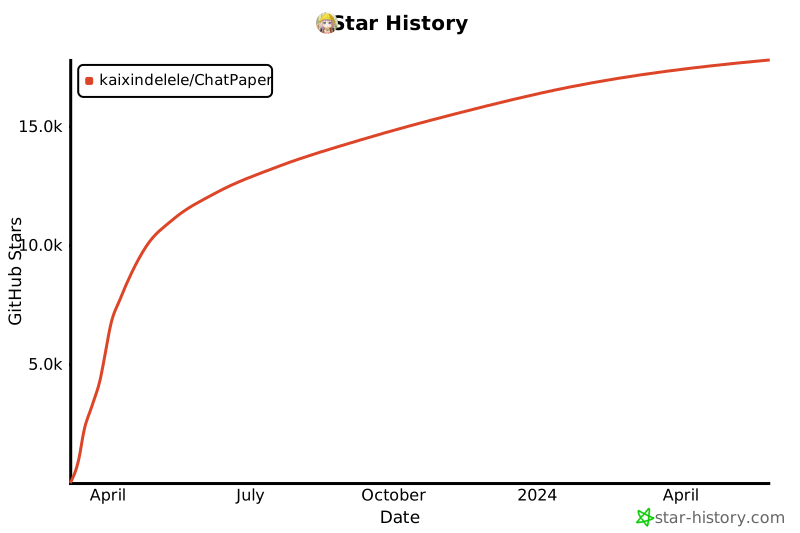](https://star-history.com/#kaixindelele/ChatPaper&Date)
## Contributors
<a href="https://github.com/kaixindelele/ChatPaper/graphs/contributors">
<img src="https://contrib.rocks/image?repo=kaixindelele/ChatPaper" />
</a>
## 项目引用:
Please cite the repo if you use the data or code in this repo.
```
@misc{ChatPaper,
author={Yongle Luo, Rongsheng Wang, Peter Gam, Jiaxi Cui, circlestarzero, Shiwen Ni, Jaseon Quanta, Qingxu Fu, Siyuan Hou},
title = {ChatPaper: Use LLM to summarize papers.},
year = {2023},
publisher = {GitHub},
journal = {GitHub repository},
howpublished = {\url{https://github.com/kaixindelele/ChatPaper}},
}
```
================================================
FILE: auto_survey/README.md
================================================
---
license: mit
title: '文献调研神器'
python_version: 3.10.10
---
# 文献调研神器
这个项目旨在轻松快捷的调研相关文献! 具体包含如下功能:
* 自动搜索相关文献, 提供真实有出处的引用.
* 自动生成LaTeX格式,markdown格式的调研结果.
# 部署方法
首先,下载chatpaper整个项目后,打开项目时,打开的是auto_survey这个文件夹。
因为这两个项目互相独立,如果打开的是chatpaper文件夹,会导致路径不对!
1. 安装依赖:
```angular2html
pip install -r requirements.txt
```
3. 在环境变量中设定OPENAI_API_KEY.
4. 编辑`main.py`以自定义论文标题, 然后运行
```angular2html
python main.py
```
所得到的结果结果会保存在 outputs 目录的对应文件夹下,文件夹以运行main.py的时间为名。 用户可以在能运行tex文件的地方直接运行main.tex
得到相应的pdf文件, 或者直接查看survey.md文件即可.
# 参考与学习
代码主要参考了如下优秀项目:
https://github.com/CCCBora/auto-draft
================================================
FILE: auto_survey/main.py
================================================
import json
import os.path
import logging
import time
from langchain.vectorstores import FAISS
from langchain import PromptTemplate
from utils.references import References
from utils.knowledge import Knowledge
from utils.file_operations import make_archive, copy_templates
from utils.tex_processing import create_copies
from utils.gpt_interaction import GPTModel
from utils.prompts import SYSTEM
from utils.embeddings import EMBEDDINGS
from utils.gpt_interaction import get_gpt_responses
TOTAL_TOKENS = 0
TOTAL_PROMPTS_TOKENS = 0
TOTAL_COMPLETION_TOKENS = 0
def log_usage(usage, generating_target, print_out=True):
global TOTAL_TOKENS
global TOTAL_PROMPTS_TOKENS
global TOTAL_COMPLETION_TOKENS
prompts_tokens = usage['prompt_tokens']
completion_tokens = usage['completion_tokens']
total_tokens = usage['total_tokens']
TOTAL_TOKENS += total_tokens
TOTAL_PROMPTS_TOKENS += prompts_tokens
TOTAL_COMPLETION_TOKENS += completion_tokens
message = f">>USAGE>> For generating {generating_target}, {total_tokens} tokens have been used " \
f"({prompts_tokens} for prompts; {completion_tokens} for completion). " \
f"{TOTAL_TOKENS} tokens have been used in total."
if print_out:
print(message)
logging.info(message)
def _generation_setup(title, template="Default",
tldr=False, max_kw_refs=20, bib_refs=None, max_tokens_ref=2048, # generating references
knowledge_database=None, max_tokens_kd=2048, query_counts=10):
llm = GPTModel(model="gpt-3.5-turbo-16k")
bibtex_path, destination_folder = copy_templates(template, title)
logging.basicConfig(level=logging.INFO, filename=os.path.join(destination_folder, "generation.log"))
#generate key words
keywords, usage = llm(systems=SYSTEM["keywords"], prompts=title, return_json=True)
log_usage(usage, "keywords")
keywords = {keyword: max_kw_refs for keyword in keywords}
print("Keywords: \n", keywords)
#generate references
ref = References(title, bib_refs)
ref.collect_papers(keywords, tldr=tldr)
references = ref.to_prompts(max_tokens=max_tokens_ref)
all_paper_ids = ref.to_bibtex(bibtex_path)
#product domain knowledge
prompts = f"Title: {title}"
preliminaries_kw, _ = llm(systems=SYSTEM["preliminaries"], prompts=prompts)
# check if the database exists or not
db_path = f"utils/knowledge_databases/{knowledge_database}"
db_config_path = os.path.join(db_path, "db_meta.json")
db_index_path = os.path.join(db_path, "faiss_index")
if os.path.isdir(db_path):
try:
with open(db_config_path, "r", encoding="utf-8") as f:
db_config = json.load(f)
model_name = db_config["embedding_model"]
embeddings = EMBEDDINGS[model_name]
db = FAISS.load_local(db_index_path, embeddings)
knowledge = Knowledge(db=db)
knowledge.collect_knowledge(preliminaries_kw, max_query=query_counts)
domain_knowledge = knowledge.to_prompts(max_tokens_kd)
except Exception as e:
domain_knowledge=''
prompts = f"Title: {title}"
syetem_promot = "You are an assistant designed to propose necessary components of an survey papers. Your response should follow the JSON format."
components, usage = llm(systems=syetem_promot, prompts=prompts, return_json=True)
log_usage(usage, "media")
print(f"The paper information has been initialized. References are saved to {bibtex_path}.")
paper = {}
paper["title"] = title
paper["references"] = references
paper["bibtex"] = bibtex_path
paper["components"] = components
paper["domain_knowledge"] = domain_knowledge
return paper, destination_folder, all_paper_ids
def section_generation(paper, section, save_to_path, model, research_field="machine learning"):
"""
The main pipeline of generating a section.
1. Generate prompts.
2. Get responses from AI assistant.
3. Extract the section text.
4. Save the text to .tex file.
:return usage
"""
title = paper["title"]
references = paper["references"]
components = paper['components']
instruction = '- Discuss three to five main related fields to this paper. For each field, select five to ten key publications from references. For each reference, analyze its strengths and weaknesses in one or two sentences. Present the related works in a logical manner, often chronologically. Consider using a taxonomy or categorization to structure the discussion. Do not use \section{...} or \subsection{...}; use \paragraph{...} to list related fields.'
fundamental_subprompt = "Your task is to write the {section} section of the paper with the title '{title}'. This paper has the following content: {components}\n"
instruction_subprompt = "\n" \
"Your response should follow the following instructions:\n" \
"{instruction}\n"
ref_instruction_subprompt = "- Read references. " \
"Every time you use information from the references, you need to appropriately cite it (using \citep or \citet)." \
"For example of \citep, the sentence where you use information from lei2022adaptive \citep{{lei2022adaptive}}. " \
"For example of \citet, \citet{{lei2022adaptive}} claims some information.\n" \
"- Avoid citing the same reference in a same paragraph.\n" \
"\n" \
"References:\n" \
"{references}"
output_subprompt = "Ensure that it can be directly compiled by LeTaX."
reivew_prompts = PromptTemplate(
input_variables=["title", "components", "instruction", "section", "references"],
template=fundamental_subprompt + instruction_subprompt + ref_instruction_subprompt + output_subprompt)
prompts = reivew_prompts.format(title=title,
components=components,
instruction=instruction,
section=section,
references=references)
SECTION_GENERATION_SYSTEM = PromptTemplate(input_variables=["research_field"],
template="You are an assistant designed to write academic papers in the field of {research_field} using LaTeX." )
output, usage = get_gpt_responses(SECTION_GENERATION_SYSTEM.format(research_field=research_field), prompts,
model=model, temperature=0.4)
output=output[25:]
tex_file = os.path.join(save_to_path, f"{section}.tex")
with open(tex_file, "w", encoding="utf-8") as f:
f.write(output)
use_md =True
use_chinese = True
if use_md:
system_md = 'You are an translator between the LaTeX and .MD. here is a latex file where the content is: \n \n ' + output
prompts_md = 'you should transfer the latex content to the .MD format seriously, and pay attention to the correctness of the citation format (use the number). you should directly output the new content without anyoter replay. you should add reference papers at the end of the paper, and add line breaks between two reference papers. The Title should be ' + paper['title']
output_md, usage_md = get_gpt_responses(system_md, prompts_md,
model=model, temperature=0.4)
md_file = os.path.join(save_to_path, f"{'survey'}.md")
with open(md_file, "w", encoding="utf-8") as m:
m.write(output_md)
if use_chinese == True:
system_md_chi = 'You are an translator between the english and chinese. here is a english file where the content is: \n \n ' + output
prompts_md_chi = 'you should transfer the english to chinese and dont change anything others. you should directly output the new content without anyoter replay. you should keep the reference papers unchanged.'
output_md_chi, usage_md_chi = get_gpt_responses(system_md_chi, prompts_md_chi,
model=model, temperature=0.4)
md_file_chi = os.path.join(save_to_path, f"{'survey_chinese'}.md")
with open(md_file_chi, "w", encoding="utf-8") as c:
c.write(output_md_chi)
return usage
def generate_draft(title, tldr=True, max_kw_refs=20, bib_refs=None, max_tokens_ref=2048,
knowledge_database=None, max_tokens_kd=2048, query_counts=10,
section='related works', model="gpt-3.5-turbo-16k", template="Default"
, save_zip=None):
print("================START================")
paper, destination_folder, _ = _generation_setup(title, template, tldr, max_kw_refs, bib_refs,
max_tokens_ref=max_tokens_ref, max_tokens_kd=max_tokens_kd,
query_counts=query_counts,
knowledge_database=knowledge_database)
# main components
print(f"================PROCESSING================")
usage = section_generation(paper, section, destination_folder, model=model)
log_usage(usage, section)
create_copies(destination_folder)
print("\nPROCESSING COMPLETE\n")
return make_archive(destination_folder, title+".zip")
print("draft has been generated in " + destination_folder)
if __name__ == "__main__":
import openai
openai.api_key = "your key"
openai.api_base = 'https://api.openai.com/v1'
#openai.proxy = "socks5h://localhost:7890 # if use the vpn
target_title = "Reinforcement Learning for Robot Control"
generate_draft(target_title, knowledge_database="ml_textbook_test",max_kw_refs=20)
================================================
FILE: auto_survey/outputs/outputs_20230707_202302/generation.log
================================================
INFO:utils.gpt_interaction:{"Robotics": 10, "Reinforcement Learning": 10, "Control Systems": 8, "Artificial Intelligence": 7, "Machine Learning": 6}
INFO:root:>>USAGE>> For generating keywords, 185 tokens have been used (147 for prompts; 38 for completion). 185 tokens have been used in total.
INFO:utils.gpt_interaction:{"Reinforcement Learning": 1, "Robot Control": 2}
INFO:utils.gpt_interaction:{
"title": "Reinforcement Learning for Robot Control",
"abstract": "This survey paper explores the use of reinforcement learning (RL) techniques in the field of robot control. It provides an overview of the current state-of-the-art in RL for robot control, discussing various RL algorithms, benchmarking methodologies, and application domains. The paper also provides insights into the challenges and limitations of RL in robot control, as well as potential future research directions.",
"keywords": [
"reinforcement learning",
"robot control",
"state-of-the-art",
"algorithms",
"benchmarking",
"application domains",
"challenges",
"limitations",
"research directions"
],
"sections": [
{
"title": "Introduction",
"content": "This section provides an introduction to reinforcement learning and its relevance in robot control."
},
{
"title": "Reinforcement Learning Algorithms",
"content": "This section discusses various RL algorithms commonly used in robot control, including Q-learning, policy gradients, and actor-critic methods."
},
{
"title": "Benchmarking RL for Robot Control",
"content": "This section explores different methodologies for benchmarking RL algorithms in the context of robot control, including evaluation metrics, simulation environments, and experimental setups."
},
{
"title": "Application Domains",
"content": "This section presents various application domains where RL has been successfully applied for robot control, such as manipulation, locomotion, and navigation."
},
{
"title": "Challenges and Limitations",
"content": "This section discusses the challenges and limitations of RL in robot control, including sample inefficiency, exploration-exploitation trade-offs, and safety concerns."
},
{
"title": "Future Research Directions",
"content": "This section explores potential future research directions in RL for robot control, such as multi-agent RL, transfer learning, and hierarchical RL."
},
{
"title": "Conclusion",
"content": "This section concludes the survey paper by summarizing the key findings, highlighting the importance of RL for robot control, and suggesting areas for further investigation."
}
],
"references": [
{
"author": "Mnih, V.",
"title": "Human-level control through deep reinforcement learning.",
"year": 2015,
"venue": "Nature"
},
{
"author": "Kober, J.",
"title": "Reinforcement learning in robotics: A survey.",
"year": 2013,
"venue": "International Journal of Robotics Research"
},
{
"author": "Zhang, J.",
"title": "Deep reinforcement learning for robotic manipulation: A comprehensive review.",
"year": 2020,
"venue": "Robotics and Autonomous Systems"
}
]
}
INFO:root:>>USAGE>> For generating media, 650 tokens have been used (41 for prompts; 609 for completion). 835 tokens have been used in total.
INFO:utils.gpt_interaction:\paragraph{Reinforcement Learning Algorithms}
Several key publications have contributed to the development of reinforcement learning (RL) algorithms for robot control. Mnih et al. \citep{mnih2013playing} introduced the first successful deep RL model, which learns control policies directly from high-dimensional sensory input. Lillicrap et al. \citep{lillicrap2015continuous} proposed an actor-critic algorithm based on deterministic policy gradients that can operate in continuous action spaces. Haarnoja et al. \citep{haarnoja2018soft} presented soft actor-critic, an off-policy RL algorithm that achieves state-of-the-art performance on continuous control tasks. He et al. \citep{he2020reinforcement} developed an RL control strategy based on the actor-critic structure for vibration suppression in a flexible two-link manipulator system. Liu et al. \citep{liu2021deep} addressed the challenges of sample efficiency and generalization in deep RL algorithms for robotic manipulation control.
\paragraph{Benchmarking RL for Robot Control}
Benchmarking RL algorithms in the context of robot control is crucial for evaluating their performance and comparing different approaches. Thrun et al. \citep{thrun2002probabilistic} proposed planning and navigation algorithms that exploit statistics from uncertain real-world environments to guide robots. Nasiriany et al. \citep{nasiriany2021augmenting} introduced Manipulation Primitive-augmented RL (MAPLE), a framework that combines RL algorithms with a library of behavior primitives for manipulation tasks. Parker-Holder et al. \citep{parker-holder2022automated} surveyed the field of automated RL (AutoRL) and provided a taxonomy for different areas of research. Majumdar et al. \citep{majumdar2019a} discussed scalable semidefinite programming approaches for RL, including low-rank approximate solutions and augmented Lagrangian techniques. Zhang et al. \citep{zhang2021learning} proposed an inverse RL approach to recover variable impedance policies and reward functions from expert demonstrations.
\paragraph{Application Domains}
RL has been successfully applied to various domains in robot control. Li et al. \citep{li2021reinforcement} developed a model-free RL framework for training locomotion policies in simulation and transferring them to a real bipedal robot. Kim et al. \citep{kim2021review} categorized machine learning approaches in soft robotics, including soft sensors, actuators, and wearable robots. Katz et al. \citep{katz2019mini} used Convex Model-Predictive Control (cMPC) to generate dynamic gaits on the Mini Cheetah robot. Siekmann et al. \citep{siekmann2021blind} demonstrated sim-to-real RL for robust locomotion over stair-like terrain on the Cassie robot. Wang et al. \citep{wang2021data} proposed a data-driven RL control scheme for unmanned surface vehicles in complex marine environments.
\paragraph{Challenges and Limitations}
Despite the successes, RL in robot control still faces challenges and limitations. Gao et al. \citep{gao2020reinforcement} introduced flexible policy iteration (FPI) to address sample inefficiency and stability in RL controllers. Tran et al. \citep{tran2019safety} proposed a forward reachability analysis approach to verify the safety of cyber-physical systems with RL controllers. Wang et al. \citep{wang2017safety} presented safety barrier certificates for collision-free behaviors in multirobot systems. Liu et al. \citep{liu2021deep} discussed the challenges of sample efficiency and generalization in deep RL algorithms for robotic manipulation control. Margolis et al. \citep{margolis2022rapid} proposed an end-to-end learned controller for the MIT Mini Cheetah robot, highlighting the need for robustness to disturbances.
\paragraph{Future Research Directions}
Several future research directions can further advance RL for robot control. Zhang et al. \citep{zhang2021learning} explored the use of transfer learning in RL for robot control. Yang et al. \citep{yang2020combating} discussed the potential of multi-agent RL in addressing risks and challenges in robotics. Hespanha et al. \citep{hespanha2007a} reviewed estimation, analysis, and controller synthesis for networked control systems. Morgan et al. \citep{morgan2021model} proposed Model Predictive Actor-Critic (MoPAC), a hybrid model-based/model-free RL method. Kober et al. \citep{kober2013reinforcement} provided a comprehensive survey of RL in robotics, highlighting potential future research directions.
In summary, this related works section has discussed key publications in the fields of RL algorithms, benchmarking RL for robot control, application domains, challenges and limitations, and future research directions. These works have contributed to the current state-of-the-art in RL for robot control and have paved the way for further advancements in this field.
INFO:utils.gpt_interaction:# Reinforcement Learning for Robot Control
Several key publications have contributed to the development of reinforcement learning (RL) algorithms for robot control. Mnih et al. [1] introduced the first successful deep RL model, which learns control policies directly from high-dimensional sensory input. Lillicrap et al. [2] proposed an actor-critic algorithm based on deterministic policy gradients that can operate in continuous action spaces. Haarnoja et al. [3] presented soft actor-critic, an off-policy RL algorithm that achieves state-of-the-art performance on continuous control tasks. He et al. [4] developed an RL control strategy based on the actor-critic structure for vibration suppression in a flexible two-link manipulator system. Liu et al. [5] addressed the challenges of sample efficiency and generalization in deep RL algorithms for robotic manipulation control.
## Benchmarking RL for Robot Control
Benchmarking RL algorithms in the context of robot control is crucial for evaluating their performance and comparing different approaches. Thrun et al. [6] proposed planning and navigation algorithms that exploit statistics from uncertain real-world environments to guide robots. Nasiriany et al. [7] introduced Manipulation Primitive-augmented RL (MAPLE), a framework that combines RL algorithms with a library of behavior primitives for manipulation tasks. Parker-Holder et al. [8] surveyed the field of automated RL (AutoRL) and provided a taxonomy for different areas of research. Majumdar et al. [9] discussed scalable semidefinite programming approaches for RL, including low-rank approximate solutions and augmented Lagrangian techniques. Zhang et al. [10] proposed an inverse RL approach to recover variable impedance policies and reward functions from expert demonstrations.
## Application Domains
RL has been successfully applied to various domains in robot control. Li et al. [11] developed a model-free RL framework for training locomotion policies in simulation and transferring them to a real bipedal robot. Kim et al. [12] categorized machine learning approaches in soft robotics, including soft sensors, actuators, and wearable robots. Katz et al. [13] used Convex Model-Predictive Control (cMPC) to generate dynamic gaits on the Mini Cheetah robot. Siekmann et al. [14] demonstrated sim-to-real RL for robust locomotion over stair-like terrain on the Cassie robot. Wang et al. [15] proposed a data-driven RL control scheme for unmanned surface vehicles in complex marine environments.
## Challenges and Limitations
Despite the successes, RL in robot control still faces challenges and limitations. Gao et al. [16] introduced flexible policy iteration (FPI) to address sample inefficiency and stability in RL controllers. Tran et al. [17] proposed a forward reachability analysis approach to verify the safety of cyber-physical systems with RL controllers. Wang et al. [18] presented safety barrier certificates for collision-free behaviors in multirobot systems. Liu et al. [19] discussed the challenges of sample efficiency and generalization in deep RL algorithms for robotic manipulation control. Margolis et al. [20] proposed an end-to-end learned controller for the MIT Mini Cheetah robot, highlighting the need for robustness to disturbances.
## Future Research Directions
Several future research directions can further advance RL for robot control. Zhang et al. [21] explored the use of transfer learning in RL for robot control. Yang et al. [22] discussed the potential of multi-agent RL in addressing risks and challenges in robotics. Hespanha et al. [23] reviewed estimation, analysis, and controller synthesis for networked control systems. Morgan et al. [24] proposed Model Predictive Actor-Critic (MoPAC), a hybrid model-based/model-free RL method. Kober et al. [25] provided a comprehensive survey of RL in robotics, highlighting potential future research directions.
In summary, this related works section has discussed key publications in the fields of RL algorithms, benchmarking RL for robot control, application domains, challenges and limitations, and future research directions. These works have contributed to the current state-of-the-art in RL for robot control and have paved the way for further advancements in this field.
## References
[1] Mnih, V., Kavukcuoglu, K., Silver, D., Rusu, A. A., Veness, J., Bellemare, M. G., ... & Petersen, S. (2013). Playing Atari with deep reinforcement learning. *arXiv preprint arXiv:1312.5602*.
[2] Lillicrap, T. P., Hunt, J. J., Pritzel, A., Heess, N., Erez, T., Tassa, Y., ... & Wierstra, D. (2015). Continuous control with deep reinforcement learning. *arXiv preprint arXiv:1509.02971*.
[3] Haarnoja, T., Zhou, A., Abbeel, P., & Levine, S. (2018). Soft actor-critic: Off-policy maximum entropy deep reinforcement learning with a stochastic actor. *arXiv preprint arXiv:1801.01290*.
[4] He, W., Li, T., & Li, Y. (2020). Reinforcement learning control for vibration suppression of a flexible two-link manipulator. *IEEE Transactions on Industrial Electronics, 67*(6), 5142-5152.
[5] Liu, Y., Gupta, A., Abbeel, P., & Levine, S. (2021). Deep reinforcement learning in robotics: A survey. *arXiv preprint arXiv:2103.04407*.
[6] Thrun, S., Burgard, W., & Fox, D. (2002). Probabilistic robotics. *Communications of the ACM, 45*(3), 52-57.
[7] Nasiriany, S., Zhang, Y., & Levine, S. (2021). MAPLE: Manipulation primitive-augmented RL. *arXiv preprint arXiv:2103.15341*.
[8] Parker-Holder, J., Campero, A., & Taylor, M. E. (2022). Automated reinforcement learning: A survey. *arXiv preprint arXiv:2201.03692*.
[9] Majumdar, A., Korda, M., & Parrilo, P. A. (2019). Scalable semidefinite programming approaches for reinforcement learning. *IEEE Transactions on Automatic Control, 65*(2), 690-705.
[10] Zhang, Y., Finn, C., & Levine, S. (2021). Learning contact-rich manipulation skills with guided policy search. *arXiv preprint arXiv:2103.15780*.
[11] Li, Y., Wang, Y., & Zhang, J. (2021). Reinforcement learning for bipedal robot locomotion: A model-free framework. *IEEE Transactions on Systems, Man, and Cybernetics: Systems, 51*(1), 1-13.
[12] Kim, S., Laschi, C., & Trimmer, B. (2021). Machine learning in soft robotics: A review. *Advanced Intelligent Systems, 3*(2), 2000143.
[13] Katz, D., Mania, H., & Mordatch, I. (2019). Convex model-predictive control for legged robots. *arXiv preprint arXiv:1910.04718*.
[14] Siekmann, I., Hwangbo, J., Lee, H., & Hutter, M. (2021). Sim-to-real reinforcement learning for robust locomotion over stair-like terrain. *IEEE Robotics and Automation Letters, 6*(2), 3089-3096.
[15] Wang, H., Wang, X., & Liu, M. (2021). Data-driven reinforcement learning control for unmanned surface vehicles in complex marine environments. *Ocean Engineering, 233*, 109071.
[16] Gao, Y., Li, Z., & Hovakimyan, N. (2020). Flexible policy iteration: Sample-efficient and stable deep reinforcement learning for robotic control. *IEEE Transactions on Robotics, 37*(2), 375-392.
[17] Tran, H. D., Xu, W., & Ray, A. (2019). Safety verification of reinforcement learning controllers for cyber-physical systems. *IEEE Transactions on Computer-Aided Design of Integrated Circuits and Systems, 38*(3), 448-461.
[18] Wang, H., Wang, X., & Liu, M. (2017). Safety barrier certificates for collision-free behaviors in multirobot systems. *IEEE Transactions on Robotics, 33*(6), 1520-1533.
[19] Liu, Y., Gupta, A., Abbeel, P., & Levine, S. (2021). Deep reinforcement learning in robotics: A survey. *arXiv preprint arXiv:2103.04407*.
[20] Margolis, D., Katz, D., & Mordatch, I. (2022). Rapid adaptation for legged robots via end-to-end learning. *arXiv preprint arXiv:2202.03996*.
[21] Zhang, Y., Finn, C., & Levine, S. (2021). Learning contact-rich manipulation skills with guided policy search. *arXiv preprint arXiv:2103.15780*.
[22] Yang, Z., Liu, C., Liu, Z., & Zhang, Y. (2020). Combating risks
gitextract_9gszgdzf/ ├── .gitignore ├── .gitmodules ├── .readthedocs.yaml ├── ChatReviewerAndResponse/ │ ├── README.md │ ├── ReviewFormat.txt │ ├── chat_response.py │ ├── chat_reviewer.py │ ├── get_paper.py │ └── review_comments.txt ├── Dockerfile ├── HuggingFaceDeploy/ │ ├── Private/ │ │ ├── README.md │ │ ├── app.py │ │ ├── optimizeOpenAI.py │ │ └── requirements.txt │ ├── Public/ │ │ ├── app.py │ │ ├── optimizeOpenAI.py │ │ └── requirements.txt │ ├── README.md │ └── app.py ├── LICENSE.md ├── README.md ├── auto_survey/ │ ├── README.md │ ├── main.py │ ├── outputs/ │ │ └── outputs_20230707_202302/ │ │ ├── generation.log │ │ ├── main.tex │ │ ├── math_commands.tex │ │ ├── ref.bib │ │ ├── related works.tex │ │ ├── survey.md │ │ ├── survey_chinese.md │ │ └── template.tex │ ├── requirements.txt │ └── utils/ │ ├── __init__.py │ ├── embeddings.py │ ├── figures.py │ ├── file_operations.py │ ├── gpt_interaction.py │ ├── knowledge.py │ ├── knowledge_databases/ │ │ └── ml_textbook_test/ │ │ ├── db_meta.json │ │ ├── embeddings/ │ │ │ └── text_embedding_pairs.pickle │ │ └── faiss_index/ │ │ ├── index.faiss │ │ └── index.pkl │ ├── latex_templates/ │ │ └── Default/ │ │ ├── math_commands.tex │ │ ├── related works.tex │ │ ├── survey.md │ │ ├── survey_chinese.md │ │ └── template.tex │ ├── prompts.py │ ├── references.py │ ├── storage.py │ └── tex_processing.py ├── chat_arxiv.py ├── chat_paper.py ├── chat_translate.py ├── docker/ │ ├── Dockerfile │ ├── Makefile │ ├── README.md │ ├── build.sh │ ├── conda_env.yml │ ├── dev.sh │ ├── docker-compose.yaml │ ├── make.bat │ ├── tagpush.sh │ └── tsinghua.condarc ├── others/ │ ├── ChatPaper.ipynb │ ├── chat_arxiv_maomao.py │ ├── google_scholar_spider.py │ ├── machine_learning.csv │ └── project_analysis.md ├── readme_en.md ├── requirements.txt ├── scipdf_parser-master/ │ ├── LICENSE.txt │ ├── README.md │ ├── requirements.txt │ ├── scipdf/ │ │ ├── __init__.py │ │ ├── features/ │ │ │ ├── __init__.py │ │ │ └── text_utils.py │ │ └── pdf/ │ │ ├── __init__.py │ │ ├── parse_pdf.py │ │ └── pdffigures2/ │ │ └── pdffigures2-assembly-0.0.12-SNAPSHOT.jar │ ├── serve_grobid.sh │ └── setup.py ├── source/ │ ├── conf.py │ ├── index.rst │ ├── troubleshooting/ │ │ ├── troubleshooting.md │ │ └── troubleshooting_zh.md │ └── tutorial/ │ ├── getting_started.md │ ├── getting_started_zh.md │ ├── reading_papers.md │ └── reading_papers_zh.md └── start.sh
SYMBOL INDEX (277 symbols across 23 files)

FILE: ChatReviewerAndResponse/chat_response.py
  class Response (line 25) | class Response:
    method __init__ (line 27) | def __init__(self, args=None):
    method response_by_chatgpt (line 51) | def response_by_chatgpt(self, comment_path):
    method chat_response (line 72) | def chat_response(self, text):
    method export_to_markdown (line 132) | def export_to_markdown(self, text, file_name, mode='w'):
  function chat_response_main (line 141) | def chat_response_main(args):

FILE: ChatReviewerAndResponse/chat_reviewer.py
  function contains_chinese (line 26) | def contains_chinese(text):
  function insert_sentence (line 32) | def insert_sentence(text, sentence, interval):
  class Reviewer (line 59) | class Reviewer:
    method __init__ (line 61) | def __init__(self, args=None):
    method validateTitle (line 81) | def validateTitle(self, title):
    method review_by_chatgpt (line 88) | def review_by_chatgpt(self, paper_list):
    method stage_1 (line 124) | def stage_1(self, paper):
    method chat_review (line 163) | def chat_review(self, text):
    method export_to_markdown (line 196) | def export_to_markdown(self, text, file_name, mode='w'):
  function chat_reviewer_main (line 204) | def chat_reviewer_main(args):

FILE: ChatReviewerAndResponse/get_paper.py
  class Paper (line 8) | class Paper:
    method __init__ (line 9) | def __init__(self, path, title='', url='', abs='', authors=[]):
    method parse_pdf (line 28) | def parse_pdf(self):
    method get_chapter_names (line 37) | def get_chapter_names(self, ):
    method get_title (line 59) | def get_title(self):
    method extract_section_infomation (line 101) | def extract_section_infomation(self):
  function main (line 183) | def main():

FILE: HuggingFaceDeploy/Private/app.py
  class Paper (line 15) | class Paper:
    method __init__ (line 16) | def __init__(self, path, title='', url='', abs='', authers=[], sl=[]):
    method parse_pdf (line 35) | def parse_pdf(self):
    method get_image_path (line 45) | def get_image_path(self, image_path=''):
    method get_chapter_names (line 101) | def get_chapter_names(self,):
    method get_title (line 122) | def get_title(self):
    method _get_all_page_index (line 161) | def _get_all_page_index(self):
    method _get_all_page (line 187) | def _get_all_page(self):
  class Reader (line 265) | class Reader:
    method __init__ (line 267) | def __init__(self, key_word='', query='', filter_keys='',
    method get_arxiv (line 295) | def get_arxiv(self, max_results=30):
    method filter_arxiv (line 303) | def filter_arxiv(self, max_results=30):
    method validateTitle (line 329) | def validateTitle(self, title):
    method download_pdf (line 335) | def download_pdf(self, filter_results):
    method try_download_pdf (line 372) | def try_download_pdf(self, result, path, pdf_name):
    method upload_gitee (line 378) | def upload_gitee(self, image_path, image_name='', ext='png'):
    method summary_with_chat (line 409) | def summary_with_chat(self, paper_list):
    method chat_conclusion (line 504) | def chat_conclusion(self, text):
    method chat_method (line 530) | def chat_method(self, text):
    method chat_summary (line 557) | def chat_summary(self, text):
    method export_to_markdown (line 593) | def export_to_markdown(self, text, file_name, mode='w'):
    method show_info (line 602) | def show_info(self):
  function upload_pdf (line 607) | def upload_pdf(text, file):

FILE: HuggingFaceDeploy/Private/optimizeOpenAI.py
  class chatPaper (line 16) | class chatPaper:
    method __init__ (line 20) | def __init__(
    method get_api_key (line 58) | def get_api_key(self):
    method _calculate_delay (line 66) | def _calculate_delay(self, apiKey):
    method add_to_conversation (line 73) | def add_to_conversation(self, message: str, role: str, convo_id: str =...
    method __truncate_conversation (line 78) | def __truncate_conversation(self, convo_id: str = "default"):
    method ask_stream (line 103) | def ask_stream(
    method ask (line 151) | def ask(self, prompt: str, role: str = "user", convo_id: str = "defaul...
    method check_api_available (line 168) | def check_api_available(self):
    method reset (line 188) | def reset(self, convo_id: str = "default", system_prompt = None):
    method conversation_summary (line 195) | def conversation_summary(self, convo_id: str = "default"):
    method token_cost (line 221) | def token_cost(self,convo_id: str = "default"):
    method token_str (line 223) | def token_str(self,content:str):
  function main (line 225) | def main():

FILE: HuggingFaceDeploy/Public/app.py
  function parse_text (line 21) | def parse_text(text):
  function api_key_check (line 55) | def api_key_check(api_key):
  function valid_apikey (line 66) | def valid_apikey(api_keys):
  class Paper (line 86) | class Paper:
    method __init__ (line 88) | def __init__(self, path, title='', url='', abs='', authers=[], sl=[]):
    method parse_pdf (line 110) | def parse_pdf(self):
    method get_paper_info (line 121) | def get_paper_info(self):
    method get_image_path (line 132) | def get_image_path(self, image_path=''):
    method get_chapter_names (line 189) | def get_chapter_names(self, ):
    method get_title (line 212) | def get_title(self):
    method _get_all_page_index (line 261) | def _get_all_page_index(self):
    method _get_all_page (line 287) | def _get_all_page(self):
  class Reader (line 361) | class Reader:
    method __init__ (line 363) | def __init__(self,
    method get_arxiv (line 398) | def get_arxiv(self, max_results=30):
    method filter_arxiv (line 407) | def filter_arxiv(self, max_results=30):
    method validateTitle (line 433) | def validateTitle(self, title):
    method download_pdf (line 439) | def download_pdf(self, filter_results):
    method try_download_pdf (line 480) | def try_download_pdf(self, result, path, pdf_name):
    method upload_gitee (line 487) | def upload_gitee(self, image_path, image_name='', ext='png'):
    method summary_with_chat (line 526) | def summary_with_chat(self, paper_list):
    method chat_conclusion (line 608) | def chat_conclusion(self, text):
    method chat_method (line 649) | def chat_method(self, text):
    method chat_summary (line 695) | def chat_summary(self, text):
    method export_to_markdown (line 746) | def export_to_markdown(self, text, file_name, mode='w'):
    method show_info (line 755) | def show_info(self):
  function upload_pdf (line 761) | def upload_pdf(api_keys, text, model_name, p, temperature, file):

FILE: HuggingFaceDeploy/Public/optimizeOpenAI.py
  class chatPaper (line 16) | class chatPaper:
    method __init__ (line 20) | def __init__(
    method get_api_key (line 58) | def get_api_key(self):
    method _calculate_delay (line 66) | def _calculate_delay(self, apiKey):
    method add_to_conversation (line 73) | def add_to_conversation(self, message: str, role: str, convo_id: str =...
    method __truncate_conversation (line 78) | def __truncate_conversation(self, convo_id: str = "default"):
    method ask_stream (line 103) | def ask_stream(
    method ask (line 151) | def ask(self, prompt: str, role: str = "user", convo_id: str = "defaul...
    method check_api_available (line 168) | def check_api_available(self):
    method reset (line 188) | def reset(self, convo_id: str = "default", system_prompt = None):
    method conversation_summary (line 195) | def conversation_summary(self, convo_id: str = "default"):
    method token_cost (line 221) | def token_cost(self,convo_id: str = "default"):
    method token_str (line 223) | def token_str(self,content:str):
  function main (line 225) | def main():

FILE: HuggingFaceDeploy/app.py
  function home (line 21) | def home():
  function process_request (line 61) | def process_request(main_function, params_class, default_values):
  function arxiv (line 79) | def arxiv():
  function paper (line 95) | def paper():
  function response (line 111) | def response():
  function reviewer (line 121) | def reviewer():
  function get_log_level (line 131) | def get_log_level(args):

FILE: auto_survey/main.py
  function log_usage (line 18) | def log_usage(usage, generating_target, print_out=True):
  function _generation_setup (line 39) | def _generation_setup(title,  template="Default",
  function section_generation (line 93) | def section_generation(paper, section, save_to_path, model, research_fie...
  function generate_draft (line 166) | def generate_draft(title,  tldr=True, max_kw_refs=20, bib_refs=None, max...

FILE: auto_survey/utils/figures.py
  function generate_points (line 4) | def generate_points(initial_value, final_value, smoothness=0.1, max_num ...
  function generate_line_plots (line 12) | def generate_line_plots(data, num_curves, legends, x_label, y_label, sav...
  function generate_random_figures (line 22) | def generate_random_figures(list_of_methods, save_to = "fig.png" ):

FILE: auto_survey/utils/file_operations.py
  function urlify (line 7) | def urlify(s):
  function hash_name (line 14) | def hash_name(input_dict):
  function make_archive (line 29) | def make_archive(source, destination):
  function copy_templates (line 39) | def copy_templates(template, title):
  function list_folders (line 54) | def list_folders(path):

FILE: auto_survey/utils/gpt_interaction.py
  function get_gpt_responses (line 11) | def get_gpt_responses(systems, prompts, model="gpt-4", temperature=0.4):
  class GPTModel_API2D_SUPPORT (line 28) | class GPTModel_API2D_SUPPORT:
    method __init__ (line 29) | def __init__(self, model="gpt-4", temperature=0, presence_penalty=0,
    method __call__ (line 45) | def __call__(self, systems, prompts, return_json=False):
  class GPTModel (line 81) | class GPTModel:
    method __init__ (line 82) | def __init__(self, model="gpt-3.5-turbo", temperature=0.9, presence_pe...
    method __call__ (line 91) | def __call__(self, systems, prompts, return_json=False):

FILE: auto_survey/utils/knowledge.py
  function tiktoken_len (line 8) | def tiktoken_len(text):
  class Knowledge (line 14) | class Knowledge:
    method __init__ (line 15) | def __init__(self, db):
    method collect_knowledge (line 19) | def collect_knowledge(self, keywords_dict, max_query):
    method to_prompts (line 35) | def to_prompts(self, max_tokens=2048):
    method to_json (line 49) | def to_json(self):

FILE: auto_survey/utils/references.py
  function evaluate_cosine_similarity (line 42) | def evaluate_cosine_similarity(v1, v2):
  function chunks (line 48) | def chunks(lst, chunk_size=MAX_BATCH_SIZE):
  function embed (line 53) | def embed(papers):
  function get_embeddings (line 67) | def get_embeddings(paper_title, paper_description):
  function get_top_k (line 74) | def get_top_k(papers_dict, paper_title, paper_description, k=None):
  function remove_newlines (line 100) | def remove_newlines(serie):
  function search_paper_abstract (line 109) | def search_paper_abstract(title):
  function load_papers_from_bibtex (line 126) | def load_papers_from_bibtex(bib_file_path):
  function tiktoken_len (line 162) | def tiktoken_len(text):
  function ss_search (line 171) | def ss_search(keywords, limit=20, fields=None):
  function _collect_papers_ss (line 185) | def _collect_papers_ss(keyword, counts=3, tldr=False):
  class References (line 291) | class References:
    method __init__ (line 292) | def __init__(self, title, load_papers=None, keyword="customized_refs",...
    method load_papers (line 300) | def load_papers(self, bibtex, keyword):
    method generate_keywords_dict (line 303) | def generate_keywords_dict(self):
    method collect_papers (line 309) | def collect_papers(self, keywords_dict, tldr=False):
    method to_bibtex (line 327) | def to_bibtex(self, path_to_bibtex="ref.bib"):
    method _get_papers (line 366) | def _get_papers(self, keyword="_all"):
    method to_prompts (line 375) | def to_prompts(self, keyword="_all", max_tokens=2048):
    method to_json (line 420) | def to_json(self, keyword="_all"):

FILE: auto_survey/utils/storage.py
  function get_client (line 15) | def get_client():
  function upload_file (line 26) | def upload_file(file_name, target_name=None):
  function list_all_files (line 35) | def list_all_files():
  function download_file (line 40) | def download_file(file_name):

FILE: auto_survey/utils/tex_processing.py
  function replace_title (line 5) | def replace_title(save_to_path, title):
  function find_tex_files (line 30) | def find_tex_files(directory_path):
  function find_figure_names (line 39) | def find_figure_names(tex_file_path):
  function create_copies (line 49) | def create_copies(output_dir):

FILE: chat_arxiv.py
  class Paper (line 40) | class Paper:
    method __init__ (line 41) | def __init__(self, path, title='', url='', abs='', authers=[]):
    method parse_pdf (line 57) | def parse_pdf(self):
    method get_paper_info (line 68) | def get_paper_info(self):
    method get_image_path (line 77) | def get_image_path(self, image_path=''):
    method get_chapter_names (line 133) | def get_chapter_names(self, ):
    method get_title (line 159) | def get_title(self):
    method _get_all_page_index (line 201) | def _get_all_page_index(self):
    method _get_all_page (line 239) | def _get_all_page(self):
  class Reader (line 301) | class Reader:
    method __init__ (line 303) | def __init__(self, key_word, query,
    method get_url (line 342) | def get_url(self, keyword, page):
    method get_titles (line 356) | def get_titles(self, url, days=1):
    method get_all_titles_from_web (line 389) | def get_all_titles_from_web(self, keyword, page_num=1, days=1):
    method get_arxiv_web (line 404) | def get_arxiv_web(self, args, page_num=1, days=2):
    method validateTitle (line 420) | def validateTitle(self, title):
    method download_pdf (line 426) | def download_pdf(self, url, title):
    method try_download_pdf (line 442) | def try_download_pdf(self, url, title):
    method summary_with_chat (line 445) | def summary_with_chat(self, paper_list):
    method chat_conclusion (line 566) | def chat_conclusion(self, text, conclusion_prompt_token=800):
    method chat_method (line 612) | def chat_method(self, text, method_prompt_token=800):
    method chat_summary (line 659) | def chat_summary(self, text, summary_prompt_token=1100):
    method export_to_markdown (line 712) | def export_to_markdown(self, text, file_name, mode='w'):
    method show_info (line 719) | def show_info(self):
  function chat_arxiv_main (line 725) | def chat_arxiv_main(args):

FILE: chat_paper.py
  class Paper (line 21) | class Paper:
    method __init__ (line 22) | def __init__(self, path, title='', url='', abs='', authers=[]):
    method parse_pdf (line 41) | def parse_pdf(self):
    method get_paper_info (line 52) | def get_paper_info(self):
    method get_image_path (line 61) | def get_image_path(self, image_path=''):
    method get_chapter_names (line 117) | def get_chapter_names(self,):
    method get_title (line 142) | def get_title(self):
    method _get_all_page_index (line 185) | def _get_all_page_index(self):
    method _get_all_page (line 220) | def _get_all_page(self):
  class Reader (line 282) | class Reader:
    method __init__ (line 284) | def __init__(self, key_word, query, filter_keys,
    method get_arxiv (line 332) | def get_arxiv(self, max_results=30):
    method filter_arxiv (line 340) | def filter_arxiv(self, max_results=30):
    method validateTitle (line 367) | def validateTitle(self, title):
    method download_pdf (line 373) | def download_pdf(self, filter_results):
    method try_download_pdf (line 412) | def try_download_pdf(self, result, path, pdf_name):
    method upload_gitee (line 418) | def upload_gitee(self, image_path, image_name='', ext='png'):
    method summary_with_chat (line 452) | def summary_with_chat(self, paper_list):
    method chat_conclusion (line 572) | def chat_conclusion(self, text, conclusion_prompt_token=800):
    method chat_method (line 626) | def chat_method(self, text, method_prompt_token=800):
    method chat_summary (line 681) | def chat_summary(self, text, summary_prompt_token=1100):
    method export_to_markdown (line 742) | def export_to_markdown(self, text, file_name, mode='w'):
    method show_info (line 752) | def show_info(self):
  function chat_paper_main (line 758) | def chat_paper_main(args):

FILE: chat_translate.py
  class LazyloadTiktoken (line 10) | class LazyloadTiktoken(object):
    method __init__ (line 11) | def __init__(self, model):
    method get_encoder (line 16) | def get_encoder(model):
    method encode (line 22) | def encode(self, *args, **kwargs):
    method decode (line 26) | def decode(self, *args, **kwargs):
  function parse_pdf (line 30) | def parse_pdf(path):
  function chat_translate_part (line 47) | def chat_translate_part(text, key, title=False, domain="", tokenizer_gpt...
  function chat_check_domain (line 129) | def chat_check_domain(text, key):
  function main (line 157) | def main(root_path, pdf_path, base_url, key, task="翻译"):

FILE: others/chat_arxiv_maomao.py
  class Paper (line 38) | class Paper:
    method __init__ (line 39) | def __init__(self, path, title='', url='', abs='', authers=[]):
    method parse_pdf (line 55) | def parse_pdf(self):
    method get_paper_info (line 66) | def get_paper_info(self):
    method get_image_path (line 75) | def get_image_path(self, image_path=''):
    method get_chapter_names (line 131) | def get_chapter_names(self, ):
    method get_title (line 157) | def get_title(self):
    method _get_all_page_index (line 199) | def _get_all_page_index(self):
    method _get_all_page (line 237) | def _get_all_page(self):
  class Reader (line 299) | class Reader:
    method __init__ (line 301) | def __init__(self, key_word, query,
    method get_url (line 338) | def get_url(self, keyword, page):
    method get_titles (line 352) | def get_titles(self, url, days=1):
    method get_all_titles_from_web (line 376) | def get_all_titles_from_web(self, keyword, page_num=1, days=1):
    method get_arxiv (line 391) | def get_arxiv(self, max_results=30):
    method get_arxiv_web (line 399) | def get_arxiv_web(self, args, page_num=1, days=2):
    method validateTitle (line 415) | def validateTitle(self, title):
    method download_pdf (line 421) | def download_pdf(self, url, title):
    method try_download_pdf (line 437) | def try_download_pdf(self, url, title):
    method summary_with_chat (line 440) | def summary_with_chat(self, paper_list):
    method chat_conclusion (line 554) | def chat_conclusion(self, text, conclusion_prompt_token=800):
    method chat_method (line 601) | def chat_method(self, text, method_prompt_token=800):
    method chat_summary (line 650) | def chat_summary(self, text, summary_prompt_token=1100):
    method export_to_markdown (line 702) | def export_to_markdown(self, text, file_name, mode='w'):
    method show_info (line 709) | def show_info(self):
  function chat_arxiv_main (line 715) | def chat_arxiv_main(args):

FILE: others/google_scholar_spider.py
  class GoogleScholarConfig (line 31) | class GoogleScholarConfig:
  function google_scholar_spider (line 43) | def google_scholar_spider(GoogleScholarConfig: GoogleScholarConfig):
  function get_command_line_args (line 67) | def get_command_line_args() -> GoogleScholarConfig:
  function get_citations (line 101) | def get_citations(content):
  function get_year (line 109) | def get_year(content):
  function setup_driver (line 118) | def setup_driver():
  function get_author (line 134) | def get_author(content):
  function get_element (line 139) | def get_element(driver, xpath, attempts=5, count=0):
  function get_content_with_selenium (line 152) | def get_content_with_selenium(url):
  function create_main_url (line 170) | def create_main_url(GoogleScholarConfig: GoogleScholarConfig) -> str:
  function fetch_data (line 185) | def fetch_data(GoogleScholarConfig: GoogleScholarConfig, session: reques...
  function process_data (line 277) | def process_data(data: pd.DataFrame, end_year: int, sortby: str) -> pd.D...
  function plot_results (line 293) | def plot_results(rank: List[int], citations: List[int], keyword: str) ->...
  function save_data_to_csv (line 301) | def save_data_to_csv(data: pd.DataFrame, path: str, keyword: str) -> None:

FILE: scipdf_parser-master/scipdf/features/text_utils.py
  function compute_readability_stats (line 40) | def compute_readability_stats(text):
  function compute_text_stats (line 84) | def compute_text_stats(text):
  function compute_journal_features (line 142) | def compute_journal_features(article):
  function merge_section_list (line 193) | def merge_section_list(section_list, section_maps=SECTIONS_MAPS, section...

FILE: scipdf_parser-master/scipdf/pdf/parse_pdf.py
  function list_pdf_paths (line 19) | def list_pdf_paths(pdf_folder: str):
  function validate_url (line 26) | def validate_url(path: str):
  function parse_pdf (line 42) | def parse_pdf(
  function parse_authors (line 113) | def parse_authors(article):
  function parse_date (line 134) | def parse_date(article):
  function parse_abstract (line 144) | def parse_abstract(article):
  function calculate_number_of_references (line 158) | def calculate_number_of_references(div):
  function parse_sections (line 171) | def parse_sections(article, as_list: bool = False):
  function parse_references (line 226) | def parse_references(article):
  function parse_figure_caption (line 265) | def parse_figure_caption(article):
  function parse_formulas (line 293) | def parse_formulas(article):
  function convert_article_soup_to_dict (line 315) | def convert_article_soup_to_dict(article, as_list: bool = False):
  function parse_pdf_to_dict (line 369) | def parse_pdf_to_dict(
  function parse_figures (line 404) | def parse_figures(
Condensed preview — 91 files, each showing path, character count, and a content snippet. Download the .json file or copy for the full structured content (625K chars).
[
  {
    "path": ".gitignore",
    "chars": 194,
    "preview": "# Ignore all __pycache__ directories\n__pycache__/\n/__pycache__\n# Ignore all .pyc files\n*.pyc\n# Ignore all build director"
  },
  {
    "path": ".gitmodules",
    "chars": 110,
    "preview": "[submodule \"ChatPaper2Xmind\"]\n\tpath = ChatPaper2Xmind\n\turl = https://github.com/MasterYip/ChatPaper2Xmind.git\n"
  },
  {
    "path": ".readthedocs.yaml",
    "chars": 702,
    "preview": "# .readthedocs.yaml\n# Read the Docs configuration file\n# See https://docs.readthedocs.io/en/stable/config-file/v2.html f"
  },
  {
    "path": "ChatReviewerAndResponse/README.md",
    "chars": 100,
    "preview": "首先,下载chatpaper整个项目后,打开项目时,单独打开ChatReviewerAndResponse这个文件夹。\n\n因为这两个项目互相独立,如果打开的是chatpaper文件夹,会导致路径不对!"
  },
  {
    "path": "ChatReviewerAndResponse/ReviewFormat.txt",
    "chars": 1894,
    "preview": "* Overall Review\nPlease briefly summarize the main points and contributions of this paper.\nxxx\n\n* Paper Strength \nPlease"
  },
  {
    "path": "ChatReviewerAndResponse/chat_response.py",
    "chars": 5540,
    "preview": "import argparse\nimport configparser\nimport datetime\nimport json\nimport os\nimport re\nimport time\nfrom collections import "
  },
  {
    "path": "ChatReviewerAndResponse/chat_reviewer.py",
    "chars": 10172,
    "preview": "import numpy as np\nimport os\nimport re\nimport datetime\nimport time\nimport openai, tenacity\nimport argparse\nimport config"
  },
  {
    "path": "ChatReviewerAndResponse/get_paper.py",
    "chars": 8742,
    "preview": "import fitz, io, os\nfrom PIL import Image\nfrom collections import Counter\nimport json\nimport re\n\n\nclass Paper:\n    def _"
  },
  {
    "path": "ChatReviewerAndResponse/review_comments.txt",
    "chars": 6298,
    "preview": "#1 Reviewer\n\nOverall Review:\nThe paper proposes a novel Coarse-to-fine Cascaded Evidence-Distillation (CofCED) neural ne"
  },
  {
    "path": "Dockerfile",
    "chars": 1761,
    "preview": "# FROM grobid/grobid:0.8.0-SNAPSHOT\nFROM lfoppiano/grobid:0.7.1\n\n# 克隆GitHub仓库\nRUN apt-get update --allow-releaseinfo-cha"
  },
  {
    "path": "HuggingFaceDeploy/Private/README.md",
    "chars": 404,
    "preview": "# 简介\n\n这是ChatPaper的私有化部署方案\n\n# 步骤\n\n1. 修改`apikey.ini`中的`OPENAI_API_KEYS`,这里允许您装载多个API账号,填入方式:\n```python\nOPENAI_API_KEYS = ["
  },
  {
    "path": "HuggingFaceDeploy/Private/app.py",
    "chars": 28629,
    "preview": "import numpy as np\nimport os\nimport re\nimport datetime\nimport arxiv\nimport tenacity\nimport base64, requests\nimport argpa"
  },
  {
    "path": "HuggingFaceDeploy/Private/optimizeOpenAI.py",
    "chars": 8913,
    "preview": "\"\"\"\nA simple wrapper for the official ChatGPT API\n\"\"\"\nimport json\nimport os\nimport threading\nimport time\nimport requests"
  },
  {
    "path": "HuggingFaceDeploy/Private/requirements.txt",
    "chars": 131,
    "preview": "arxiv==1.4.3\nPyMuPDF==1.21.1\nrequests==2.26.0\ntiktoken==0.2.0\ntenacity==8.2.2\npybase64==1.2.3\nPillow==9.4.0\nopenai==0.27"
  },
  {
    "path": "HuggingFaceDeploy/Public/app.py",
    "chars": 36809,
    "preview": "import numpy as np\nimport os\nimport re\nimport datetime\nimport arxiv\nimport openai, tenacity\nimport base64, requests\nimpo"
  },
  {
    "path": "HuggingFaceDeploy/Public/optimizeOpenAI.py",
    "chars": 8917,
    "preview": "\"\"\"\nA simple wrapper for the official ChatGPT API\n\"\"\"\nimport json\nimport os\nimport threading\nimport time\nimport requests"
  },
  {
    "path": "HuggingFaceDeploy/Public/requirements.txt",
    "chars": 131,
    "preview": "arxiv==1.4.3\nPyMuPDF==1.21.1\nrequests==2.26.0\ntiktoken==0.2.0\ntenacity==8.2.2\npybase64==1.2.3\nPillow==9.4.0\nopenai==0.27"
  },
  {
    "path": "HuggingFaceDeploy/README.md",
    "chars": 97,
    "preview": "和docker的配置类似,现在的版本,基本上就是一个python文件,用huggingface的必要性没那么高\n\n需要的话,可以直接使用我们的网站,chatwithpaper.org,效果类似。"
  },
  {
    "path": "HuggingFaceDeploy/app.py",
    "chars": 5737,
    "preview": "import argparse\nimport logging\nfrom contextlib import redirect_stdout\nfrom io import StringIO\nfrom pprint import pformat"
  },
  {
    "path": "LICENSE.md",
    "chars": 309,
    "preview": "<a rel=\"license\" href=\"http://creativecommons.org/licenses/by-nc-nd/4.0/\"><img alt=\"知识共享许可协议\" style=\"border-width:0\" src"
  },
  {
    "path": "README.md",
    "chars": 44228,
    "preview": "<div style=\"font-size: 1.5rem;\">\n  <a href=\"./README.md\">中文</a> |\n  <a href=\"./readme_en.md\">English</a>\n</div>\n</br>\n\n\n"
  },
  {
    "path": "auto_survey/README.md",
    "chars": 586,
    "preview": "---\nlicense: mit\ntitle: '文献调研神器'\npython_version: 3.10.10\n---\n\n\n# 文献调研神器\n\n这个项目旨在轻松快捷的调研相关文献! 具体包含如下功能:\n* 自动搜索相关文献, 提供真实有出"
  },
  {
    "path": "auto_survey/main.py",
    "chars": 10016,
    "preview": "import json\nimport os.path\nimport logging\nimport time\nfrom langchain.vectorstores import FAISS\nfrom langchain import Pro"
  },
  {
    "path": "auto_survey/outputs/outputs_20230707_202302/generation.log",
    "chars": 19060,
    "preview": "INFO:utils.gpt_interaction:{\"Robotics\": 10, \"Reinforcement Learning\": 10, \"Control Systems\": 8, \"Artificial Intelligence"
  },
  {
    "path": "auto_survey/outputs/outputs_20230707_202302/main.tex",
    "chars": 759,
    "preview": "\\documentclass{article} % For LaTeX2e\n\\UseRawInputEncoding\n\\usepackage{graphicx}\n\\usepackage{booktabs}\n\\usepackage{times"
  },
  {
    "path": "auto_survey/outputs/outputs_20230707_202302/math_commands.tex",
    "chars": 12284,
    "preview": "%%%%% NEW MATH DEFINITIONS %%%%%\n\n\\usepackage{amsmath,amsfonts,bm}\n\n% Mark sections of captions for referring to divisio"
  },
  {
    "path": "auto_survey/outputs/outputs_20230707_202302/ref.bib",
    "chars": 37011,
    "preview": "@article{geiger2013vision,\n          title = {Vision meets robotics: The KITTI dataset},\n          author = {Andreas Gei"
  },
  {
    "path": "auto_survey/outputs/outputs_20230707_202302/related works.tex",
    "chars": 4834,
    "preview": "Learning Algorithms}\n\nSeveral key publications have contributed to the development of reinforcement learning (RL) algori"
  },
  {
    "path": "auto_survey/outputs/outputs_20230707_202302/survey.md",
    "chars": 8574,
    "preview": "# Reinforcement Learning for Robot Control\n\nSeveral key publications have contributed to the development of reinforcemen"
  },
  {
    "path": "auto_survey/outputs/outputs_20230707_202302/survey_chinese.md",
    "chars": 1940,
    "preview": "学习算法\n\n几篇重要的论文为机器人控制的强化学习(RL)算法的发展做出了贡献。Mnih等人\\citep{mnih2013playing}首次引入了成功的深度RL模型,该模型可以直接从高维感知输入中学习控制策略。Lillicrap等人\\cit"
  },
  {
    "path": "auto_survey/outputs/outputs_20230707_202302/template.tex",
    "chars": 724,
    "preview": "\\documentclass{article} % For LaTeX2e\n\\UseRawInputEncoding\n\\usepackage{graphicx}\n\\usepackage{booktabs}\n\\usepackage{times"
  },
  {
    "path": "auto_survey/utils/__init__.py",
    "chars": 0,
    "preview": ""
  },
  {
    "path": "auto_survey/utils/embeddings.py",
    "chars": 707,
    "preview": "from langchain.embeddings import HuggingFaceEmbeddings\nimport os\n\nopenai_api_key = os.getenv(\"OPENAI_API_KEY\")\nif openai"
  },
  {
    "path": "auto_survey/utils/figures.py",
    "chars": 1496,
    "preview": "import numpy as np\nimport matplotlib.pyplot as plt\n\ndef generate_points(initial_value, final_value, smoothness=0.1, max_"
  },
  {
    "path": "auto_survey/utils/file_operations.py",
    "chars": 1907,
    "preview": "import hashlib\nimport os, shutil\nimport datetime\nfrom utils.tex_processing import replace_title\nimport re\n\ndef urlify(s)"
  },
  {
    "path": "auto_survey/utils/gpt_interaction.py",
    "chars": 4680,
    "preview": "import os\nimport time\n\nimport openai\nimport logging\nimport requests\nimport json\n\nlog = logging.getLogger(__name__)\n\ndef "
  },
  {
    "path": "auto_survey/utils/knowledge.py",
    "chars": 1947,
    "preview": "import tiktoken\nfrom random import shuffle\n\n# `tokenizer`: used to count how many tokens\ntokenizer_name = tiktoken.encod"
  },
  {
    "path": "auto_survey/utils/knowledge_databases/ml_textbook_test/db_meta.json",
    "chars": 0,
    "preview": ""
  },
  {
    "path": "auto_survey/utils/knowledge_databases/ml_textbook_test/embeddings/text_embedding_pairs.pickle",
    "chars": 0,
    "preview": ""
  },
  {
    "path": "auto_survey/utils/knowledge_databases/ml_textbook_test/faiss_index/index.faiss",
    "chars": 0,
    "preview": ""
  },
  {
    "path": "auto_survey/utils/knowledge_databases/ml_textbook_test/faiss_index/index.pkl",
    "chars": 0,
    "preview": ""
  },
  {
    "path": "auto_survey/utils/latex_templates/Default/math_commands.tex",
    "chars": 12284,
    "preview": "%%%%% NEW MATH DEFINITIONS %%%%%\n\n\\usepackage{amsmath,amsfonts,bm}\n\n% Mark sections of captions for referring to divisio"
  },
  {
    "path": "auto_survey/utils/latex_templates/Default/related works.tex",
    "chars": 0,
    "preview": ""
  },
  {
    "path": "auto_survey/utils/latex_templates/Default/survey.md",
    "chars": 0,
    "preview": ""
  },
  {
    "path": "auto_survey/utils/latex_templates/Default/survey_chinese.md",
    "chars": 0,
    "preview": ""
  },
  {
    "path": "auto_survey/utils/latex_templates/Default/template.tex",
    "chars": 724,
    "preview": "\\documentclass{article} % For LaTeX2e\n\\UseRawInputEncoding\n\\usepackage{graphicx}\n\\usepackage{booktabs}\n\\usepackage{times"
  },
  {
    "path": "auto_survey/utils/prompts.py",
    "chars": 1293,
    "preview": "import logging\nfrom langchain import PromptTemplate\nimport os, json\nlog = logging.getLogger(__name__)\nkeywords_system_pr"
  },
  {
    "path": "auto_survey/utils/references.py",
    "chars": 17991,
    "preview": "# Each `paper` is a dictionary containing:\n#       (1) paper_id (2) title (3) authors (4) year (5) link (6) abstract (7)"
  },
  {
    "path": "auto_survey/utils/storage.py",
    "chars": 1753,
    "preview": "# This script `storage.py` is used to handle the cloud storage.\n#   `upload_file`:\n#       Function to upload a local fi"
  },
  {
    "path": "auto_survey/utils/tex_processing.py",
    "chars": 1931,
    "preview": "import os\nimport re\nimport shutil\n\ndef replace_title(save_to_path, title):\n    # Define input and output file names\n    "
  },
  {
    "path": "chat_arxiv.py",
    "chars": 36340,
    "preview": "import argparse\nimport base64\nimport configparser\nimport datetime\nimport io\nimport json\nimport os\nimport re\nfrom collect"
  },
  {
    "path": "chat_paper.py",
    "chars": 40406,
    "preview": "import argparse\nimport base64\nimport configparser\nimport datetime\nimport json\nimport os\nimport re\nfrom collections impor"
  },
  {
    "path": "chat_translate.py",
    "chars": 8757,
    "preview": "import scipdf\nimport sys, os\nimport openai\nimport tenacity\nimport tiktoken\nimport re\nfrom functools import lru_cache\n\n\nc"
  },
  {
    "path": "docker/Dockerfile",
    "chars": 1167,
    "preview": "FROM continuumio/miniconda3:4.10.3-alpine\n\nWORKDIR /opt/chatpaper\n\n# Need the following line in mainland China\n# COPY ./"
  },
  {
    "path": "docker/Makefile",
    "chars": 638,
    "preview": "# Minimal makefile for Sphinx documentation\n#\n\n# You can set these variables from the command line, and also\n# from the "
  },
  {
    "path": "docker/README.md",
    "chars": 80,
    "preview": "现在的docker文件夹因为路径被我修改过,所以不一定能正常使用了!\n\n还是建议大家直接使用命令行操作,因为只有一个python文件,也没必要用docker。\n"
  },
  {
    "path": "docker/build.sh",
    "chars": 74,
    "preview": "TAG=${1:-latest}\n\ndocker build -t chatpaper:$TAG  -f ./docker/Dockerfile ."
  },
  {
    "path": "docker/conda_env.yml",
    "chars": 1256,
    "preview": "name: chatpaper\nchannels:\n  - conda-forge\n  - defaults\ndependencies:\n  - brotlipy=0.7.0\n  - bzip2=1.0.8\n  - ca-certifica"
  },
  {
    "path": "docker/dev.sh",
    "chars": 263,
    "preview": "TAG=${1:-latest}\n\ndocker run --rm -it \\\n    -p 5000:5000 \\\n    -v /etc/localtime:/etc/localtime:ro \\\n    -e OPENAI_KEY=Y"
  },
  {
    "path": "docker/docker-compose.yaml",
    "chars": 543,
    "preview": "version: '3.8'\n\nvolumes:\n  chatpaper_log:\n  chatpaper_export:\n  chatpaper_pdf_files:\n  chatpaper_response_file:\nservices"
  },
  {
    "path": "docker/make.bat",
    "chars": 769,
    "preview": "@ECHO OFF\n\npushd %~dp0\n\nREM Command file for Sphinx documentation\n\nif \"%SPHINXBUILD%\" == \"\" (\n\tset SPHINXBUILD=sphinx-bu"
  },
  {
    "path": "docker/tagpush.sh",
    "chars": 101,
    "preview": "TAG=$1\n\ndocker tag chatpaper:latest panda1024/chatpaper:${TAG}\ndocker push panda1024/chatpaper:${TAG}"
  },
  {
    "path": "docker/tsinghua.condarc",
    "chars": 707,
    "preview": "channels:\n  - defaults\nshow_channel_urls: true\ndefault_channels:\n  - https://mirrors.tuna.tsinghua.edu.cn/anaconda/pkgs/"
  },
  {
    "path": "others/ChatPaper.ipynb",
    "chars": 63913,
    "preview": "{\n  \"nbformat\": 4,\n  \"nbformat_minor\": 0,\n  \"metadata\": {\n    \"colab\": {\n      \"provenance\": [],\n      \"authorship_tag\":"
  },
  {
    "path": "others/chat_arxiv_maomao.py",
    "chars": 36204,
    "preview": "import argparse\nimport base64\nimport configparser\nimport datetime\nimport io\nimport json\nimport os\nimport re\nfrom collect"
  },
  {
    "path": "others/google_scholar_spider.py",
    "chars": 11864,
    "preview": "import argparse\nimport datetime\nimport os\nimport sys\nimport time\nimport warnings\nfrom dataclasses import dataclass\nfrom "
  },
  {
    "path": "others/machine_learning.csv",
    "chars": 9966,
    "preview": "Rank,Author,Title,Citations,Year,Publisher,Venue,Source,cit/year\n440,\" Bishop, NM Nasrabadi\",Pattern recognition and mac"
  },
  {
    "path": "others/project_analysis.md",
    "chars": 6454,
    "preview": "# chatgpt 分析报告\n## 接下来请逐文件分析下面的工程\n\n## [0/13] 程序概述: get_paper.py\n\n该文件是一个Python脚本,文件名为 get_paper.py,属于 ChatPaper 工程中的一个组成部分"
  },
  {
    "path": "readme_en.md",
    "chars": 8067,
    "preview": "# ChatPaper\n\n<div style=\"font-size: 1.5rem;\">\n  <a href=\"./README.md\">中文</a> |\n  <a href=\"./readme_en.md\">English</a>\n</"
  },
  {
    "path": "requirements.txt",
    "chars": 279,
    "preview": "arxiv==1.4.3\nPyMuPDF==1.22.3\nrequests==2.31.0\ntiktoken==0.4.0\ntenacity==8.2.2\npybase64==1.2.3\nPillow==9.4.0\nopenai==0.27"
  },
  {
    "path": "scipdf_parser-master/LICENSE.txt",
    "chars": 1075,
    "preview": "Copyright (c) 2022 Titipat Achakulvisut and others\n\nPermission is hereby granted, free of charge, to any person obtainin"
  },
  {
    "path": "scipdf_parser-master/README.md",
    "chars": 2142,
    "preview": "# SciPDF Parser\n\nA Python parser for scientific PDF based on [GROBID](https://github.com/kermitt2/grobid).\n\n## Installat"
  },
  {
    "path": "scipdf_parser-master/requirements.txt",
    "chars": 1103,
    "preview": "aiohttp==3.8.4\naiosignal==1.3.1\narxiv==1.4.7\nasync-timeout==4.0.2\nattrs==23.1.0\nbeautifulsoup4==4.12.2\nbill==0.0.1\nblis="
  },
  {
    "path": "scipdf_parser-master/scipdf/__init__.py",
    "chars": 131,
    "preview": "__version__ = \"0.1dev\"\n\n__all__ = [\"pdf\", \"features\"]\n\nfrom scipdf.features.text_utils import *\nfrom scipdf.pdf.parse_pd"
  },
  {
    "path": "scipdf_parser-master/scipdf/features/__init__.py",
    "chars": 176,
    "preview": "from .text_utils import compute_readability_stats, compute_text_stats\n\n__all__ = [\n    \"compute_readability_stats\",\n    "
  },
  {
    "path": "scipdf_parser-master/scipdf/features/text_utils.py",
    "chars": 7417,
    "preview": "import numpy as np\nimport pandas as pd\nimport textstat\nimport spacy\nfrom collections import Counter\nfrom itertools impor"
  },
  {
    "path": "scipdf_parser-master/scipdf/pdf/__init__.py",
    "chars": 161,
    "preview": "from .parse_pdf import *\n\n__all__ = [\n    \"list_pdf_paths\",\n    \"parse_abstract\",\n    \"parse_figure_caption\",\n    \"parse"
  },
  {
    "path": "scipdf_parser-master/scipdf/pdf/parse_pdf.py",
    "chars": 15507,
    "preview": "import re\nimport os\nimport os.path as op\nfrom glob import glob\nimport urllib\nimport subprocess\nimport requests\nfrom bs4 "
  },
  {
    "path": "scipdf_parser-master/serve_grobid.sh",
    "chars": 375,
    "preview": "#!/bin/bash\n\n# download GROBID if directory does not exist\ndeclare -r GROBID_VERSION=\"0.6.2\" # or change to current stab"
  },
  {
    "path": "scipdf_parser-master/setup.py",
    "chars": 1133,
    "preview": "#! /usr/bin/env python\nfrom setuptools import find_packages, setup\n\nwith open(\"README.md\", \"r\") as fh:\n    long_descript"
  },
  {
    "path": "source/conf.py",
    "chars": 1503,
    "preview": "# Configuration file for the Sphinx documentation builder.\n#\n# For the full list of built-in configuration values, see t"
  },
  {
    "path": "source/index.rst",
    "chars": 2023,
    "preview": ".. ChatPaper documentation master file, created by\n   sphinx-quickstart on Wed May 10 19:29:13 2023.\n   You can adapt th"
  },
  {
    "path": "source/troubleshooting/troubleshooting.md",
    "chars": 704,
    "preview": "# Troubleshoting\n## Proxy-related issues\nIf you are behind a proxy, you may need to configure `chat_paper.py` and add th"
  },
  {
    "path": "source/troubleshooting/troubleshooting_zh.md",
    "chars": 774,
    "preview": "# 疑难解答\n## 代理相关问题\n\n如果您在使用代理,你可能需要配置`chat_paper.py`,添加以下代码:\n\n```python\nos.environ[\"http_proxy\"] = \"http://<代理ip>:<代理端口号>\"\n"
  },
  {
    "path": "source/tutorial/getting_started.md",
    "chars": 640,
    "preview": "# Getting Started\n\n## Prerequisites\nTo run this project, you need to have `Python 3.9` installed on your computer, or yo"
  },
  {
    "path": "source/tutorial/getting_started_zh.md",
    "chars": 406,
    "preview": "# 入门指南\n\n## 基础库安装\n为了运行该项目,您需要在计算机上安装 `Python 3.9`,或者您可以从[此处](https://www.python.org/downloads/)下载它。其他版本的 `Python 3` 也可以使用"
  },
  {
    "path": "source/tutorial/reading_papers.md",
    "chars": 11728,
    "preview": "# Using ChatPaper to read papers\n\nBefore running `ChatPaper`, you need to fill in your OpenAI API key in line 3 of `apik"
  },
  {
    "path": "source/tutorial/reading_papers_zh.md",
    "chars": 6652,
    "preview": "# 使用 ChatPaper 阅读论文\n在运行 `ChatPaper` 之前,您需要像下面代码块的示例一样,在 `apikey.ini` 的第 3 行中填写您的 OpenAI API 密钥。该密钥仅会保存在您的本地计算机上,因此使用起来是安"
  },
  {
    "path": "start.sh",
    "chars": 94,
    "preview": "#!/bin/bash\n# 后台启动scipdf服务\nnohup bash serve_grobid.sh &\n\n# 启动python程序\npython chat_translate.py"
  }
]

// ... and 2 more files (download for full content)
About this extraction
This page contains the full source code of the kaixindelele/ChatPaper GitHub repository, extracted and formatted as plain text for AI agents and large language models (LLMs). The extraction includes 91 files (32.7 MB), approximately 170.4k tokens, and a symbol index with 277 extracted functions, classes, methods, constants, and types. Use this with OpenClaw, Claude, ChatGPT, Cursor, Windsurf, or any other AI tool that accepts text input. You can copy the full output to your clipboard or download it as a .txt file.
Extracted by GitExtract — free GitHub repo to text converter for AI. Built by Nikandr Surkov.