Repository: kong36088/BaiduImageSpider
Branch: master
Commit: 55862ef355cb
Files: 4
Total size: 8.6 KB
Directory structure:
gitextract_njqhjh2y/

├── .gitignore
├── LICENCE
├── README.md
└── crawling.py
================================================
FILE CONTENTS
================================================
================================================
FILE: .gitignore
================================================
.idea/*
*/*
venv
================================================
FILE: LICENCE
================================================
MIT License
Copyright (c) 2017
Permission is hereby granted, free of charge, to any person obtaining a copy
of this software and associated documentation files (the "Software"), to deal
in the Software without restriction, including without limitation the rights
to use, copy, modify, merge, publish, distribute, sublicense, and/or sell
copies of the Software, and to permit persons to whom the Software is
furnished to do so, subject to the following conditions:
The above copyright notice and this permission notice shall be included in all
copies or substantial portions of the Software.
THE SOFTWARE IS PROVIDED "AS IS", WITHOUT WARRANTY OF ANY KIND, EXPRESS OR
IMPLIED, INCLUDING BUT NOT LIMITED TO THE WARRANTIES OF MERCHANTABILITY,
FITNESS FOR A PARTICULAR PURPOSE AND NONINFRINGEMENT. IN NO EVENT SHALL THE
AUTHORS OR COPYRIGHT HOLDERS BE LIABLE FOR ANY CLAIM, DAMAGES OR OTHER
LIABILITY, WHETHER IN AN ACTION OF CONTRACT, TORT OR OTHERWISE, ARISING FROM,
OUT OF OR IN CONNECTION WITH THE SOFTWARE OR THE USE OR OTHER DEALINGS IN THE
SOFTWARE.
================================================
FILE: README.md
================================================
# BaiduImageSpider
百度图片爬虫,基于python3
个人学习开发用
单线程爬取百度图片。
# 爬虫工具 Required
**需要安装python版本 >= 3.6**
# 使用方法
```
$ python crawling.py -h
usage: crawling.py [-h] -w WORD -tp TOTAL_PAGE -sp START_PAGE
[-pp [{10,20,30,40,50,60,70,80,90,100}]] [-d DELAY]
optional arguments:
-h, --help show this help message and exit
-w WORD, --word WORD 抓取关键词
-tp TOTAL_PAGE, --total_page TOTAL_PAGE
需要抓取的总页数
-sp START_PAGE, --start_page START_PAGE
起始页数
-pp [{10,20,30,40,50,60,70,80,90,100}], --per_page [{10,20,30,40,50,60,70,80,90,100}]
每页大小
-d DELAY, --delay DELAY
抓取延时(间隔)
```
开始爬取图片
```
python crawling.py --word "美女" --total_page 10 --start_page 1 --per_page 30
```
另外也可以在`crawling.py`最后一行修改编辑查找关键字
图片默认保存在项目路径
运行爬虫:
``` python
python crawling.py
```
# 博客
[爬虫总结](http://www.jwlchina.cn/2016/02/06/python%E7%99%BE%E5%BA%A6%E5%9B%BE%E7%89%87%E7%88%AC%E8%99%AB/)
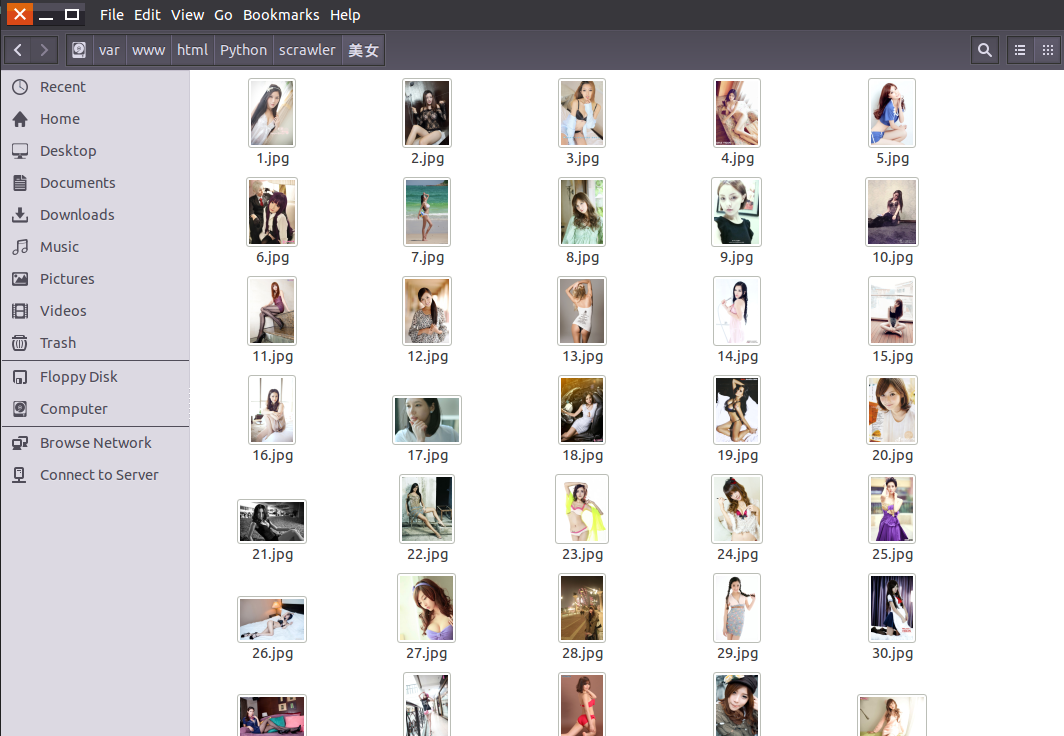
效果图:
# 捐赠
您的支持是对我的最大鼓励!
谢谢你请我吃糖


================================================
FILE: crawling.py
================================================
#!/usr/bin/env python
# -*- coding:utf-8 -*-
import argparse
import os
import re
import sys
import urllib
import json
import socket
import urllib.request
import urllib.parse
import urllib.error
# 设置超时
import time
timeout = 5
socket.setdefaulttimeout(timeout)
class Crawler:
# 睡眠时长
__time_sleep = 0.1
__amount = 0
__start_amount = 0
__counter = 0
headers = {'User-Agent': 'Mozilla/5.0 (Windows NT 6.1; WOW64; rv:23.0) Gecko/20100101 Firefox/23.0', 'Cookie': ''}
__per_page = 30
# 获取图片url内容等
# t 下载图片时间间隔
def __init__(self, t=0.1):
self.time_sleep = t
# 获取后缀名
@staticmethod
def get_suffix(name):
m = re.search(r'\.[^\.]*$', name)
if m.group(0) and len(m.group(0)) <= 5:
return m.group(0)
else:
return '.jpeg'
@staticmethod
def handle_baidu_cookie(original_cookie, cookies):
"""
:param string original_cookie:
:param list cookies:
:return string:
"""
if not cookies:
return original_cookie
result = original_cookie
for cookie in cookies:
result += cookie.split(';')[0] + ';'
result.rstrip(';')
return result
# 保存图片
def save_image(self, rsp_data, word):
if not os.path.exists("./" + word):
os.mkdir("./" + word)
# 判断名字是否重复,获取图片长度
self.__counter = len(os.listdir('./' + word)) + 1
for image_info in rsp_data['data']:
try:
if 'replaceUrl' not in image_info or len(image_info['replaceUrl']) < 1:
continue
obj_url = image_info['replaceUrl'][0]['ObjUrl']
thumb_url = image_info['thumbURL']
url = 'https://image.baidu.com/search/down?tn=download&ipn=dwnl&word=download&ie=utf8&fr=result&url=%s&thumburl=%s' % (urllib.parse.quote(obj_url), urllib.parse.quote(thumb_url))
time.sleep(self.time_sleep)
suffix = self.get_suffix(obj_url)
# 指定UA和referrer,减少403
opener = urllib.request.build_opener()
opener.addheaders = [
('User-agent', 'Mozilla/5.0 (Windows NT 10.0; Win64; x64) AppleWebKit/537.36 (KHTML, like Gecko) Chrome/83.0.4103.116 Safari/537.36'),
]
urllib.request.install_opener(opener)
# 保存图片
filepath = './%s/%s' % (word, str(self.__counter) + str(suffix))
urllib.request.urlretrieve(url, filepath)
if os.path.getsize(filepath) < 5:
print("下载到了空文件,跳过!")
os.unlink(filepath)
continue
except urllib.error.HTTPError as urllib_err:
print(urllib_err)
continue
except Exception as err:
time.sleep(1)
print(err)
print("产生未知错误,放弃保存")
continue
else:
print("小黄图+1,已有" + str(self.__counter) + "张小黄图")
self.__counter += 1
return
# 开始获取
def get_images(self, word):
search = urllib.parse.quote(word)
# pn int 图片数
pn = self.__start_amount
while pn < self.__amount:
url = 'https://image.baidu.com/search/acjson?tn=resultjson_com&ipn=rj&ct=201326592&is=&fp=result&queryWord=%s&cl=2&lm=-1&ie=utf-8&oe=utf-8&adpicid=&st=-1&z=&ic=&hd=&latest=©right=&word=%s&s=&se=&tab=&width=&height=&face=0&istype=2&qc=&nc=1&fr=&expermode=&force=&pn=%s&rn=%d&gsm=1e&1594447993172=' % (search, search, str(pn), self.__per_page)
# 设置header防403
try:
time.sleep(self.time_sleep)
req = urllib.request.Request(url=url, headers=self.headers)
page = urllib.request.urlopen(req)
self.headers['Cookie'] = self.handle_baidu_cookie(self.headers['Cookie'], page.info().get_all('Set-Cookie'))
rsp = page.read()
page.close()
except UnicodeDecodeError as e:
print(e)
print('-----UnicodeDecodeErrorurl:', url)
except urllib.error.URLError as e:
print(e)
print("-----urlErrorurl:", url)
except socket.timeout as e:
print(e)
print("-----socket timout:", url)
else:
# 解析json
rsp_data = json.loads(rsp, strict=False)
if 'data' not in rsp_data:
print("触发了反爬机制,自动重试!")
else:
self.save_image(rsp_data, word)
# 读取下一页
print("下载下一页")
pn += self.__per_page
print("下载任务结束")
return
def start(self, word, total_page=1, start_page=1, per_page=30):
"""
爬虫入口
:param word: 抓取的关键词
:param total_page: 需要抓取数据页数 总抓取图片数量为 页数 x per_page
:param start_page:起始页码
:param per_page: 每页数量
:return:
"""
self.__per_page = per_page
self.__start_amount = (start_page - 1) * self.__per_page
self.__amount = total_page * self.__per_page + self.__start_amount
self.get_images(word)
if __name__ == '__main__':
if len(sys.argv) > 1:
parser = argparse.ArgumentParser()
parser.add_argument("-w", "--word", type=str, help="抓取关键词", required=True)
parser.add_argument("-tp", "--total_page", type=int, help="需要抓取的总页数", required=True)
parser.add_argument("-sp", "--start_page", type=int, help="起始页数", required=True)
parser.add_argument("-pp", "--per_page", type=int, help="每页大小", choices=[10, 20, 30, 40, 50, 60, 70, 80, 90, 100], default=30, nargs='?')
parser.add_argument("-d", "--delay", type=float, help="抓取延时(间隔)", default=0.05)
args = parser.parse_args()
crawler = Crawler(args.delay)
crawler.start(args.word, args.total_page, args.start_page, args.per_page) # 抓取关键词为 “美女”,总数为 1 页(即总共 1*60=60 张),开始页码为 2
else:
# 如果不指定参数,那么程序会按照下面进行执行
crawler = Crawler(0.05) # 抓取延迟为 0.05
crawler.start('美女', 10, 2, 30) # 抓取关键词为 “美女”,总数为 1 页,开始页码为 2,每页30张(即总共 2*30=60 张)
# crawler.start('二次元 美女', 10, 1) # 抓取关键词为 “二次元 美女”
# crawler.start('帅哥', 5) # 抓取关键词为 “帅哥”
gitextract_njqhjh2y/ ├── .gitignore ├── LICENCE ├── README.md └── crawling.py
SYMBOL INDEX (7 symbols across 1 files)

FILE: crawling.py
  class Crawler (line 20) | class Crawler:
    method __init__ (line 31) | def __init__(self, t=0.1):
    method get_suffix (line 36) | def get_suffix(name):
    method handle_baidu_cookie (line 44) | def handle_baidu_cookie(original_cookie, cookies):
    method save_image (line 59) | def save_image(self, rsp_data, word):
    method get_images (line 100) | def get_images(self, word):
    method start (line 136) | def start(self, word, total_page=1, start_page=1, per_page=30):
Condensed preview — 4 files, each showing path, character count, and a content snippet. Download the .json file or copy for the full structured content (9K chars).
[
  {
    "path": ".gitignore",
    "chars": 16,
    "preview": ".idea/*\n*/*\nvenv"
  },
  {
    "path": "LICENCE",
    "chars": 1055,
    "preview": "MIT License\n\nCopyright (c) 2017\n\nPermission is hereby granted, free of charge, to any person obtaining a copy\nof this so"
  },
  {
    "path": "README.md",
    "chars": 1388,
    "preview": "# BaiduImageSpider\n百度图片爬虫,基于python3\n\n个人学习开发用\n\n单线程爬取百度图片。\n\n# 爬虫工具 Required\n\n**需要安装python版本 >= 3.6**\n\n# 使用方法\n```\n$ python "
  },
  {
    "path": "crawling.py",
    "chars": 6379,
    "preview": "#!/usr/bin/env python\n# -*- coding:utf-8 -*-\nimport argparse\nimport os\nimport re\nimport sys\nimport urllib\nimport json\nim"
  }
]
About this extraction
This page contains the full source code of the kong36088/BaiduImageSpider GitHub repository, extracted and formatted as plain text for AI agents and large language models (LLMs). The extraction includes 4 files (8.6 KB), approximately 2.6k tokens, and a symbol index with 7 extracted functions, classes, methods, constants, and types. Use this with OpenClaw, Claude, ChatGPT, Cursor, Windsurf, or any other AI tool that accepts text input. You can copy the full output to your clipboard or download it as a .txt file.
Extracted by GitExtract — free GitHub repo to text converter for AI. Built by Nikandr Surkov.