Repository: kunokdev/cra-runtime-environment-variables
Branch: master
Commit: 78732b3a9ab0
Files: 17
Total size: 24.3 KB
Directory structure:
gitextract_z_pgf2i6/

├── .gitignore
├── Dockerfile
├── LICENSE
├── README.md
├── conf/
│   └── conf.d/
│       ├── default.conf
│       └── gzip.conf
├── docker-compose.yml
├── env.sh
├── package.json
├── public/
│   ├── index.html
│   └── manifest.json
└── src/
    ├── App.css
    ├── App.js
    ├── App.test.js
    ├── index.css
    ├── index.js
    └── serviceWorker.js
================================================
FILE CONTENTS
================================================
================================================
FILE: .gitignore
================================================
# See https://help.github.com/articles/ignoring-files/ for more about ignoring files.
# dependencies
/node_modules
/.pnp
.pnp.js
# testing
/coverage
# production
/build
# misc
.DS_Store
.env.local
.env.development.local
.env.test.local
.env.production.local
npm-debug.log*
yarn-debug.log*
yarn-error.log*
# Temporary env files
/public/env-config.js
env-config.js
================================================
FILE: Dockerfile
================================================
# => Build container
FROM node:alpine as builder
WORKDIR /app
COPY package.json .
COPY yarn.lock .
RUN yarn
COPY . .
RUN yarn build
# => Run container
FROM nginx:1.15.2-alpine
# Nginx config
RUN rm -rf /etc/nginx/conf.d
COPY conf /etc/nginx
# Static build
COPY --from=builder /app/build /usr/share/nginx/html/
# Default port exposure
EXPOSE 80
# Copy .env file and shell script to container
WORKDIR /usr/share/nginx/html
COPY ./env.sh .
COPY .env .
# Make our shell script executable
RUN chmod +x env.sh
# Start Nginx server
CMD ["/bin/sh", "-c", "/usr/share/nginx/html/env.sh && nginx -g \"daemon off;\""]
================================================
FILE: LICENSE
================================================
MIT License
Copyright (c) Facebook, Inc. and its affiliates.
Permission is hereby granted, free of charge, to any person obtaining a copy
of this software and associated documentation files (the "Software"), to deal
in the Software without restriction, including without limitation the rights
to use, copy, modify, merge, publish, distribute, sublicense, and/or sell
copies of the Software, and to permit persons to whom the Software is
furnished to do so, subject to the following conditions:
The above copyright notice and this permission notice shall be included in all
copies or substantial portions of the Software.
THE SOFTWARE IS PROVIDED "AS IS", WITHOUT WARRANTY OF ANY KIND, EXPRESS OR
IMPLIED, INCLUDING BUT NOT LIMITED TO THE WARRANTIES OF MERCHANTABILITY,
FITNESS FOR A PARTICULAR PURPOSE AND NONINFRINGEMENT. IN NO EVENT SHALL THE
AUTHORS OR COPYRIGHT HOLDERS BE LIABLE FOR ANY CLAIM, DAMAGES OR OTHER
LIABILITY, WHETHER IN AN ACTION OF CONTRACT, TORT OR OTHERWISE, ARISING FROM,
OUT OF OR IN CONNECTION WITH THE SOFTWARE OR THE USE OR OTHER DEALINGS IN THE
SOFTWARE.
================================================
FILE: README.md
================================================
# Runtime Environment Variables with Create React App, Docker (and Nginx)
This repository shows how to implement **runtime** environment variables. Unlike traditional solutions, this allows you to configure your React application via environment variables without need to build once again.
This repository is explained deeply within Medium blog post:
https://medium.com/free-code-camp/how-to-implement-runtime-environment-variables-with-create-react-app-docker-and-nginx-7f9d42a91d70
---
There are many ways to configure your React application, in this post I will aim
to show you approach which respects [Twelve-Factor App
methodology](https://en.wikipedia.org/wiki/Twelve-Factor_App_methodology),
meaning that it enforces reconfiguration during runtime, therefore no build per
environment would be required.

### 🤔 What do we want to achieve?
We want to be able to run our React application as Docker container that is
built once and runs everywhere. We want to reconfigure our container **during
runtime. **The output should be lightweight and performant container which
serves our React application as static content, which we achieve by using Ngnix
Alpine. Our application should allow configuration within docker-compose file
such as this:
```
version: "3.2"
services:
my-react-app:
image: my-react-app
ports:
- "3000:80"
environment:
- "API_URL=production.example.com"
```
We should be able configure our React application using ` -e`` flag (environment variables) when using `Docker run` command.
> Basic users might not need this approach and can be satisfied with buildtime
> configuration which is easier to reason about on the short run, but if you are
> targeting dynamic environments that might change or you are using some kind of
> orchestration system, this approach is something that you might consider.
### 🧐 The problem
First of all, it must be clear that there is no such thing as environment
variables inside browser environment. Whichever solution we use nowadays, is
nothing but a fake abstraction. But, then you might ask, what about `.env` files
and `REACT_APP` prefixed environment variables which come [straight from
documentation](https://facebook.github.io/create-react-app/docs/adding-custom-environment-variables)?
Even inside source code these are used as `process.env` just like we use
environment variables inside Node.js.
In reality, object `process` does not exist inside browser environment, it's
Node specific. CRA by default doesn't do server-side rendering, so it can't
inject environment variables during content serving (like
[Next.js](https://github.com/zeit/next.js) does), it doesn't include server as
such, so in this case, ** during transpiling**, Webpack process replaces all
occurrences of `process.env` with string value that was given. This means **it
can only be configured during build time**.
### 👌 Solution
There is specific moment when it is still possible to inject environment
variables, it happens when we start our container. Then we can read environment
variables from inside container and write them into file which can be served via
Nginx (which also serves our React app) and imported into our application using
`<script>` tag inside head section of `index.html`. So at that moment we run
bash script which creates JavaScript file with environment variables assigned as
properties of the global `window`object. Injected to be globally available
within our application the browser way.
### 🐢 Step by step guide
Let's start with simple `create-react-app` project and create `.env` file with our first
environment variable that we want to expose.
```
# Generate React App
create-react-app cra-runtime-environment-variables
cd cra-runtime-environment-variables
# Create default environment variables that we want to use
touch .env
echo "API_URL=https//default.dev.api.com" >> .env
```
Then let's write a small bash script which will read`.env` file and extract
environment variables that will be written into file. If you set environment
variable inside the container, its value will be used, otherwise it will
fallback to default value from .env file. It will create JavaScript file which
puts environment variable values as object which is assigned as property of
`window` object.
```
#!/bin/sh
# line endings must be \n, not \r\n !
echo "window._env_ = {" > ./env-config.js
awk -F '=' '{ print $1 ": \"" (ENVIRON[$1] ? ENVIRON[$1] : $2) "\"," }' ./.env >> ./env-config.js
echo "}" >> ./env-config.js
```
> env.sh
We need to add following line to `<head>` element inside `index.html` which then
imports file created by our bash script.
```
<script src="%PUBLIC_URL%/env-config.js"></script>
```
> index.html
Let's display our environment variable within application:
```
<p>API_URL: {window._env_.API_URL}</p>
```
> src/App
#### 🛠 Development
During development, if we don't want to use Docker, we can run bash script via
npm script runner by modifying package.json:
```
"scripts": {
"dev": "chmod +x ./env.sh && ./env.sh && cp env-config.js ./public/ && react-scripts start",
"test": "react-scripts test",
"eject": "react-scripts eject",
"build": "react-scripts build'"
},
```
> package.json
And if we run `yarn dev` we should see output like this:
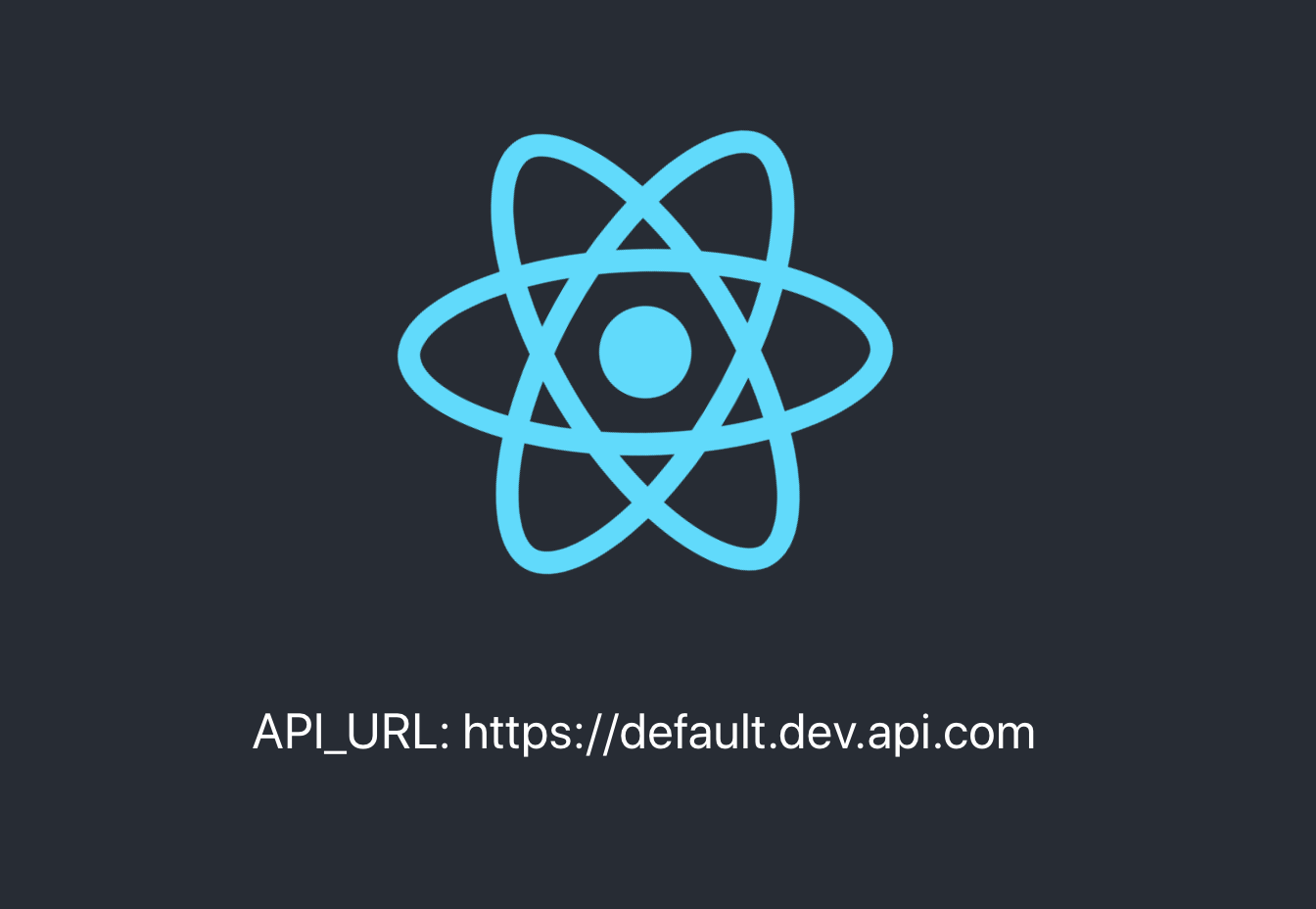
There are two ways to reconfigure environment variables within development;
either change default value inside `.env` file or override defaults by running
`yarn dev`command with environment variables prepended:
```
API_URL=https://my.new.dev.api.com yarn dev
```

And finally edit `.gitignore` so that we exclude environment configurations out
of source code:
```
# Temporary env files
/public/env-config.js
env-config.js
```
As for development environment, that's it! We are half-way there. However, We
didn't make a huge difference at this point compared to what CRA offered by
default for development environment, however, the true potential of this
approach shines in production.
#### 🌎 Production
Now we are going to create minimal Nginx configuration so that we can build
optimized image which serves production-ready application.
```
# Create directory for Ngnix configuration
mkdir -p conf/conf.d
touch conf/conf.d/default.conf conf/conf.d/gzip.conf
```
Main configuration file should look somewhat like this:
```
server {
listen 80;
location / {
root /usr/share/nginx/html;
index index.html index.htm;
try_files $uri $uri/ /index.html;
expires -1; # Set it to different value depending on your standard requirements
}
error_page 500 502 503 504 /50x.html;
location = /50x.html {
root /usr/share/nginx/html;
}
}
```
> conf/conf.d/default.conf
It's also useful to enable gzip compression so that our assets are more
lightweight during network transition:
```
gzip on;
gzip_http_version 1.0;
gzip_comp_level 5; # 1-9
gzip_min_length 256;
gzip_proxied any;
gzip_vary on;
# MIME-types
gzip_types
application/atom+xml
application/javascript
application/json
application/rss+xml
application/vnd.ms-fontobject
application/x-font-ttf
application/x-web-app-manifest+json
application/xhtml+xml
application/xml
font/opentype
image/svg+xml
image/x-icon
text/css
text/plain
text/x-component;
```
> conf/conf.d/gzip.conf
Now that our Nginx configuration is ready, we can finally create Dockerfile and
docker-compose files:
```
touch Dockerfile docker-compose.yml
```
Initially, we use `node:alpine` image to create optimized production build of
our application. Then, we build runtime image on top of `nginx:alpine` .
```
# => Build container
FROM node:alpine as builder
WORKDIR /app
COPY package.json .
COPY yarn.lock .
RUN yarn
COPY . .
RUN yarn build
# => Run container
FROM nginx:1.15.2-alpine
# Nginx config
RUN rm -rf /etc/nginx/conf.d
COPY conf /etc/nginx
# Static build
COPY --from=builder /app/build /usr/share/nginx/html/
# Default port exposure
EXPOSE 80
# Copy .env file and shell script to container
WORKDIR /usr/share/nginx/html
COPY ./env.sh .
COPY .env .
# Make our shell script executable
RUN chmod +x env.sh
# Start Nginx server
CMD ["/bin/sh", "-c", "/usr/share/nginx/html/env.sh && nginx -g \"daemon off;\""]
```
Now our container is ready. We can do all standard stuff with it. We can build
container, run it with inline configurations and push it to repository provided
by services such as [Dockerhub](https://hub.docker.com/).
```
docker build . -t kunokdev/cra-runtime-environment-variables
docker run -p 3000:80 -e API_URL=https://staging.api.com -t kunokdev/cra-runtime-environment-variables
docker push -t kunokdev/cra-runtime-environment-variables
```
Above `docker run` command should output application like so:
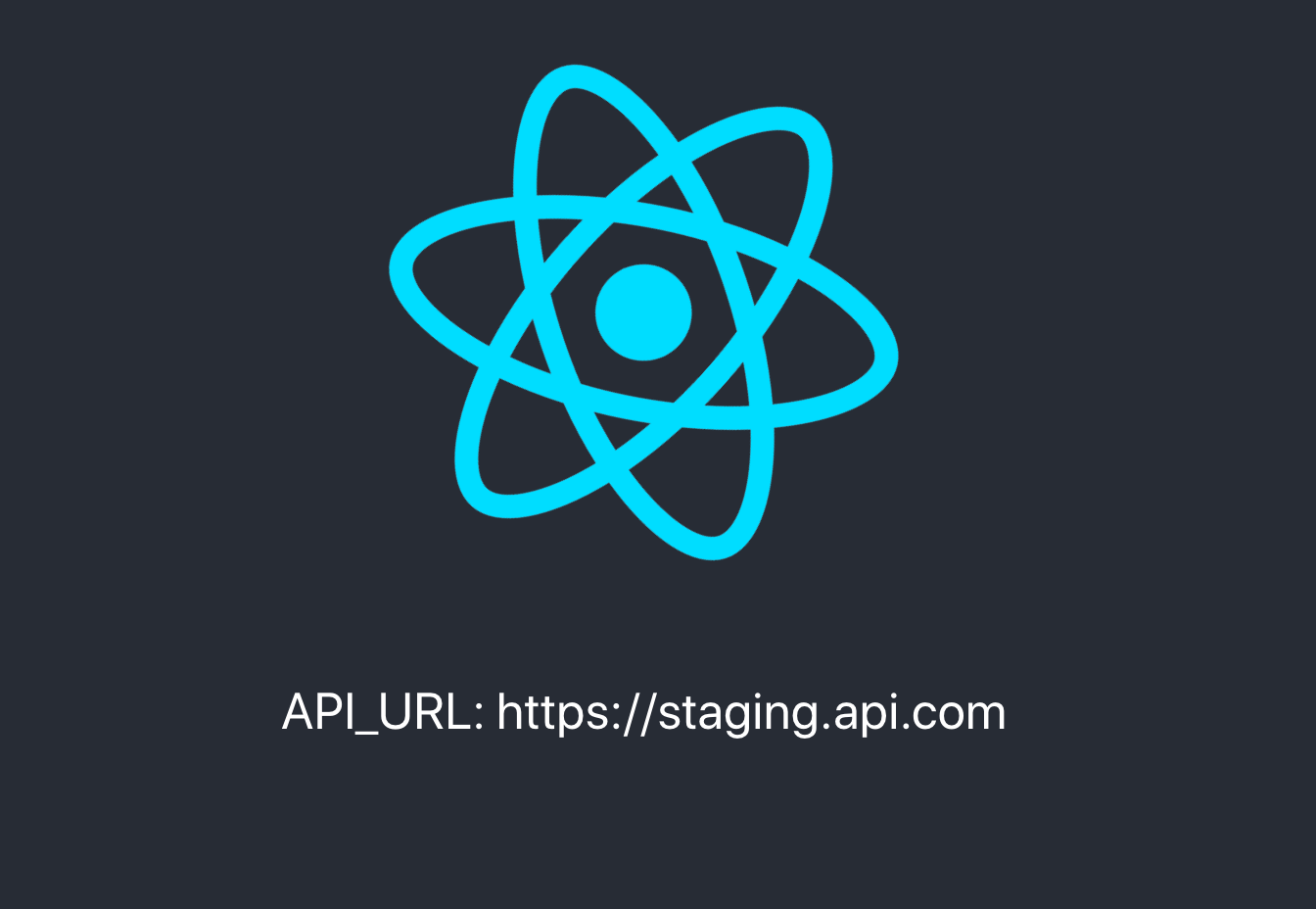
Lastly, let's create our docker-compose file. You will usually have different
docker-compose files depending on environment and you will use `-f` flag to
select which file to use.
```
version: "3.2"
services:
cra-runtime-environment-variables:
image: kunokdev/cra-runtime-environment-variables
ports:
- "5000:80"
environment:
- "API_URL=production.example.com"
```
and if we do `docker-compose up` we should see output like so:

Great! We have now achieved our goal, we can reconfigure our application easily
in both development and production environments in a very convenient way. We can
now finally build only once and run everywhere!
#### 💅 Next steps
Current implementation of shell script will print all variables included within
.env file, but most of the time we don't really want to expose all of them. You
could implement filters for variables you don't want to expose using prefixes or
similar technique.
#### 🧩 TypeScript
You may run into [Type errors as mentioned in this issue](https://github.com/kunokdev/cra-runtime-environment-variables/issues/12). To solve this, extend `window` object or rewrite global window type as suggested in issue comments.
#### 🐓 Alternative solutions
As noted above, buildtime configuration will satisfy most use cases and you can
rely on default approach using .env file per environment and build container for
each environment, inject values via CRA Webpack provided environment variables.
You could also have a look at [CRA Github repository
issue](https://github.com/facebook/create-react-app/issues/2353) which covers
this problem. By now, there should be more posts and issues which cover this topic and each offers similar solution as above, it's up to you to decide how are you going to implement specific details, you as well might use Node.js to serve your application which means that you can also replace shells script with Node.js script, but note that Nginx is more convenient to serve static content.
================================================
FILE: conf/conf.d/default.conf
================================================
server {
listen 80;
add_header Cache-Control no-cache;
location / {
root /usr/share/nginx/html;
index index.html index.htm;
try_files $uri $uri/ /index.html;
expires -1;
}
error_page 500 502 503 504 /50x.html;
location = /50x.html {
root /usr/share/nginx/html;
}
}
================================================
FILE: conf/conf.d/gzip.conf
================================================
# Enable Gzip compressed.
gzip on;
# Enable compression both for HTTP/1.0 and HTTP/1.1 (required for CloudFront).
gzip_http_version 1.0;
# Compression level (1-9).
# 5 is a perfect compromise between size and cpu usage, offering about
# 75% reduction for most ascii files (almost identical to level 9).
gzip_comp_level 5;
# Don't compress anything that's already small and unlikely to shrink much
# if at all (the default is 20 bytes, which is bad as that usually leads to
# larger files after gzipping).
gzip_min_length 256;
# Compress data even for clients that are connecting to us via proxies,
# identified by the "Via" header (required for CloudFront).
gzip_proxied any;
# Tell proxies to cache both the gzipped and regular version of a resource
# whenever the client's Accept-Encoding capabilities header varies;
# Avoids the issue where a non-gzip capable client (which is extremely rare
# today) would display gibberish if their proxy gave them the gzipped version.
gzip_vary on;
# Compress all output labeled with one of the following MIME-types.
gzip_types
application/atom+xml
application/javascript
application/json
application/rss+xml
application/vnd.ms-fontobject
application/x-font-ttf
application/x-web-app-manifest+json
application/xhtml+xml
application/xml
font/opentype
image/svg+xml
image/x-icon
text/css
text/plain
text/x-component;
# text/html is always compressed by HttpGzipModule
================================================
FILE: docker-compose.yml
================================================
version: "3.2"
services:
cra-runtime-environment-variables:
image: kunokdev/cra-runtime-environment-variables
ports:
- "5000:80"
environment:
- "API_URL=production.example.com"
================================================
FILE: env.sh
================================================
#!/bin/sh
# line endings must be \n, not \r\n !
echo "window._env_ = {" > ./env-config.js
awk -F '=' '{ print $1 ": \"" (ENVIRON[$1] ? ENVIRON[$1] : $2) "\"," }' ./.env >> ./env-config.js
echo "}" >> ./env-config.js
================================================
FILE: package.json
================================================
{
"name": "cra-runtime-environment-variables",
"version": "0.1.0",
"license": "MIT",
"dependencies": {
"react": "^16.6.3",
"react-dom": "^16.6.3",
"react-scripts": "2.1.1"
},
"scripts": {
"dev": "chmod +x ./env.sh && ./env.sh && cp env-config.js ./public/ && react-scripts start",
"test": "react-scripts test",
"eject": "react-scripts eject",
"build": "sh -ac '. ./.env; react-scripts build'"
},
"eslintConfig": {
"extends": "react-app"
},
"browserslist": [
">0.2%",
"not dead",
"not ie <= 11",
"not op_mini all"
]
}
================================================
FILE: public/index.html
================================================
<!DOCTYPE html>
<html lang="en">
<head>
<meta charset="utf-8">
<link rel="shortcut icon" href="%PUBLIC_URL%/favicon.ico">
<meta name="viewport" content="width=device-width, initial-scale=1, shrink-to-fit=no">
<meta name="theme-color" content="#000000">
<!--
manifest.json provides metadata used when your web app is added to the
homescreen on Android. See https://developers.google.com/web/fundamentals/web-app-manifest/
-->
<link rel="manifest" href="%PUBLIC_URL%/manifest.json">
<!--
Notice the use of %PUBLIC_URL% in the tags above.
It will be replaced with the URL of the `public` folder during the build.
Only files inside the `public` folder can be referenced from the HTML.
Unlike "/favicon.ico" or "favicon.ico", "%PUBLIC_URL%/favicon.ico" will
work correctly both with client-side routing and a non-root public URL.
Learn how to configure a non-root public URL by running `npm run build`.
-->
<title>React App</title>
<script src="%PUBLIC_URL%/env-config.js"></script>
</head>
<body>
<noscript>
You need to enable JavaScript to run this app.
</noscript>
<div id="root"></div>
<!--
This HTML file is a template.
If you open it directly in the browser, you will see an empty page.
You can add webfonts, meta tags, or analytics to this file.
The build step will place the bundled scripts into the <body> tag.
To begin the development, run `npm start` or `yarn start`.
To create a production bundle, use `npm run build` or `yarn build`.
-->
</body>
</html>
================================================
FILE: public/manifest.json
================================================
{
"short_name": "React App",
"name": "Create React App Sample",
"icons": [
{
"src": "favicon.ico",
"sizes": "64x64 32x32 24x24 16x16",
"type": "image/x-icon"
}
],
"start_url": ".",
"display": "standalone",
"theme_color": "#000000",
"background_color": "#ffffff"
}
================================================
FILE: src/App.css
================================================
.App {
text-align: center;
}
.App-logo {
animation: App-logo-spin infinite 20s linear;
height: 40vmin;
}
.App-header {
background-color: #282c34;
min-height: 100vh;
display: flex;
flex-direction: column;
align-items: center;
justify-content: center;
font-size: calc(10px + 2vmin);
color: white;
}
.App-link {
color: #61dafb;
}
@keyframes App-logo-spin {
from {
transform: rotate(0deg);
}
to {
transform: rotate(360deg);
}
}
================================================
FILE: src/App.js
================================================
import React, { Component } from "react";
import logo from "./logo.svg";
import "./App.css";
class App extends Component {
render() {
return (
<div className="App">
<header className="App-header">
<img src={logo} className="App-logo" alt="logo" />
<p>API_URL: {window._env_.API_URL}</p>
</header>
</div>
);
}
}
export default App;
================================================
FILE: src/App.test.js
================================================
import React from "react";
import ReactDOM from "react-dom";
import App from "./App";
const window = global;
window._env_ = {
API_URL: "https://github.com"
};
it("renders without crashing", () => {
const div = document.createElement("div");
ReactDOM.render(<App />, div);
ReactDOM.unmountComponentAtNode(div);
});
================================================
FILE: src/index.css
================================================
body {
margin: 0;
padding: 0;
font-family: -apple-system, BlinkMacSystemFont, "Segoe UI", "Roboto", "Oxygen",
"Ubuntu", "Cantarell", "Fira Sans", "Droid Sans", "Helvetica Neue",
sans-serif;
-webkit-font-smoothing: antialiased;
-moz-osx-font-smoothing: grayscale;
}
code {
font-family: source-code-pro, Menlo, Monaco, Consolas, "Courier New",
monospace;
}
================================================
FILE: src/index.js
================================================
import React from 'react';
import ReactDOM from 'react-dom';
import './index.css';
import App from './App';
import * as serviceWorker from './serviceWorker';
ReactDOM.render(<App />, document.getElementById('root'));
// If you want your app to work offline and load faster, you can change
// unregister() to register() below. Note this comes with some pitfalls.
// Learn more about service workers: http://bit.ly/CRA-PWA
serviceWorker.unregister();
================================================
FILE: src/serviceWorker.js
================================================
// This optional code is used to register a service worker.
// register() is not called by default.
// This lets the app load faster on subsequent visits in production, and gives
// it offline capabilities. However, it also means that developers (and users)
// will only see deployed updates on subsequent visits to a page, after all the
// existing tabs open on the page have been closed, since previously cached
// resources are updated in the background.
// To learn more about the benefits of this model and instructions on how to
// opt-in, read http://bit.ly/CRA-PWA
const isLocalhost = Boolean(
window.location.hostname === 'localhost' ||
// [::1] is the IPv6 localhost address.
window.location.hostname === '[::1]' ||
// 127.0.0.1/8 is considered localhost for IPv4.
window.location.hostname.match(
/^127(?:\.(?:25[0-5]|2[0-4][0-9]|[01]?[0-9][0-9]?)){3}$/
)
);
export function register(config) {
if (process.env.NODE_ENV === 'production' && 'serviceWorker' in navigator) {
// The URL constructor is available in all browsers that support SW.
const publicUrl = new URL(process.env.PUBLIC_URL, window.location.href);
if (publicUrl.origin !== window.location.origin) {
// Our service worker won't work if PUBLIC_URL is on a different origin
// from what our page is served on. This might happen if a CDN is used to
// serve assets; see https://github.com/facebook/create-react-app/issues/2374
return;
}
window.addEventListener('load', () => {
const swUrl = `${process.env.PUBLIC_URL}/service-worker.js`;
if (isLocalhost) {
// This is running on localhost. Let's check if a service worker still exists or not.
checkValidServiceWorker(swUrl, config);
// Add some additional logging to localhost, pointing developers to the
// service worker/PWA documentation.
navigator.serviceWorker.ready.then(() => {
console.log(
'This web app is being served cache-first by a service ' +
'worker. To learn more, visit http://bit.ly/CRA-PWA'
);
});
} else {
// Is not localhost. Just register service worker
registerValidSW(swUrl, config);
}
});
}
}
function registerValidSW(swUrl, config) {
navigator.serviceWorker
.register(swUrl)
.then(registration => {
registration.onupdatefound = () => {
const installingWorker = registration.installing;
if (installingWorker == null) {
return;
}
installingWorker.onstatechange = () => {
if (installingWorker.state === 'installed') {
if (navigator.serviceWorker.controller) {
// At this point, the updated precached content has been fetched,
// but the previous service worker will still serve the older
// content until all client tabs are closed.
console.log(
'New content is available and will be used when all ' +
'tabs for this page are closed. See http://bit.ly/CRA-PWA.'
);
// Execute callback
if (config && config.onUpdate) {
config.onUpdate(registration);
}
} else {
// At this point, everything has been precached.
// It's the perfect time to display a
// "Content is cached for offline use." message.
console.log('Content is cached for offline use.');
// Execute callback
if (config && config.onSuccess) {
config.onSuccess(registration);
}
}
}
};
};
})
.catch(error => {
console.error('Error during service worker registration:', error);
});
}
function checkValidServiceWorker(swUrl, config) {
// Check if the service worker can be found. If it can't reload the page.
fetch(swUrl)
.then(response => {
// Ensure service worker exists, and that we really are getting a JS file.
const contentType = response.headers.get('content-type');
if (
response.status === 404 ||
(contentType != null && contentType.indexOf('javascript') === -1)
) {
// No service worker found. Probably a different app. Reload the page.
navigator.serviceWorker.ready.then(registration => {
registration.unregister().then(() => {
window.location.reload();
});
});
} else {
// Service worker found. Proceed as normal.
registerValidSW(swUrl, config);
}
})
.catch(() => {
console.log(
'No internet connection found. App is running in offline mode.'
);
});
}
export function unregister() {
if ('serviceWorker' in navigator) {
navigator.serviceWorker.ready.then(registration => {
registration.unregister();
});
}
}
gitextract_z_pgf2i6/
├── .gitignore
├── Dockerfile
├── LICENSE
├── README.md
├── conf/
│ └── conf.d/
│ ├── default.conf
│ └── gzip.conf
├── docker-compose.yml
├── env.sh
├── package.json
├── public/
│ ├── index.html
│ └── manifest.json
└── src/
├── App.css
├── App.js
├── App.test.js
├── index.css
├── index.js
└── serviceWorker.js
SYMBOL INDEX (6 symbols across 2 files)

FILE: src/App.js
  class App (line 5) | class App extends Component {
    method render (line 6) | render() {

FILE: src/serviceWorker.js
  function register (line 23) | function register(config) {
  function registerValidSW (line 57) | function registerValidSW(swUrl, config) {
  function checkValidServiceWorker (line 101) | function checkValidServiceWorker(swUrl, config) {
  function unregister (line 129) | function unregister() {
Condensed preview — 17 files, each showing path, character count, and a content snippet. Download the .json file or copy for the full structured content (27K chars).
[
  {
    "path": ".gitignore",
    "chars": 368,
    "preview": "# See https://help.github.com/articles/ignoring-files/ for more about ignoring files.\n\n# dependencies\n/node_modules\n/.pn"
  },
  {
    "path": "Dockerfile",
    "chars": 613,
    "preview": "# => Build container\nFROM node:alpine as builder\nWORKDIR /app\nCOPY package.json .\nCOPY yarn.lock .\nRUN yarn\nCOPY . .\nRUN"
  },
  {
    "path": "LICENSE",
    "chars": 1086,
    "preview": "MIT License\n\nCopyright (c) Facebook, Inc. and its affiliates.\n\nPermission is hereby granted, free of charge, to any pers"
  },
  {
    "path": "README.md",
    "chars": 11118,
    "preview": "# Runtime Environment Variables with Create React App, Docker (and Nginx)\n\nThis repository shows how to implement **runt"
  },
  {
    "path": "conf/conf.d/default.conf",
    "chars": 307,
    "preview": "server {\n  listen 80;\n  add_header Cache-Control no-cache;\n  location / {\n    root   /usr/share/nginx/html;\n    index  i"
  },
  {
    "path": "conf/conf.d/gzip.conf",
    "chars": 1536,
    "preview": "# Enable Gzip compressed.\n  gzip on;\n\n  # Enable compression both for HTTP/1.0 and HTTP/1.1 (required for CloudFront).\n "
  },
  {
    "path": "docker-compose.yml",
    "chars": 203,
    "preview": "version: \"3.2\"\nservices:\n  cra-runtime-environment-variables:\n    image: kunokdev/cra-runtime-environment-variables\n    "
  },
  {
    "path": "env.sh",
    "chars": 215,
    "preview": "#!/bin/sh\n# line endings must be \\n, not \\r\\n !\necho \"window._env_ = {\" > ./env-config.js\nawk -F '=' '{ print $1 \": \\\"\" "
  },
  {
    "path": "package.json",
    "chars": 587,
    "preview": "{\n  \"name\": \"cra-runtime-environment-variables\",\n  \"version\": \"0.1.0\",\n  \"license\": \"MIT\",\n  \"dependencies\": {\n    \"reac"
  },
  {
    "path": "public/index.html",
    "chars": 1627,
    "preview": "<!DOCTYPE html>\n<html lang=\"en\">\n  <head>\n    <meta charset=\"utf-8\">\n    <link rel=\"shortcut icon\" href=\"%PUBLIC_URL%/fa"
  },
  {
    "path": "public/manifest.json",
    "chars": 306,
    "preview": "{\n  \"short_name\": \"React App\",\n  \"name\": \"Create React App Sample\",\n  \"icons\": [\n    {\n      \"src\": \"favicon.ico\",\n     "
  },
  {
    "path": "src/App.css",
    "chars": 468,
    "preview": ".App {\n  text-align: center;\n}\n\n.App-logo {\n  animation: App-logo-spin infinite 20s linear;\n  height: 40vmin;\n}\n\n.App-he"
  },
  {
    "path": "src/App.js",
    "chars": 393,
    "preview": "import React, { Component } from \"react\";\nimport logo from \"./logo.svg\";\nimport \"./App.css\";\n\nclass App extends Componen"
  },
  {
    "path": "src/App.test.js",
    "chars": 324,
    "preview": "import React from \"react\";\nimport ReactDOM from \"react-dom\";\nimport App from \"./App\";\n\nconst window = global;\nwindow._en"
  },
  {
    "path": "src/index.css",
    "chars": 380,
    "preview": "body {\n  margin: 0;\n  padding: 0;\n  font-family: -apple-system, BlinkMacSystemFont, \"Segoe UI\", \"Roboto\", \"Oxygen\",\n    "
  },
  {
    "path": "src/index.js",
    "chars": 451,
    "preview": "import React from 'react';\nimport ReactDOM from 'react-dom';\nimport './index.css';\nimport App from './App';\nimport * as "
  },
  {
    "path": "src/serviceWorker.js",
    "chars": 4948,
    "preview": "// This optional code is used to register a service worker.\n// register() is not called by default.\n\n// This lets the ap"
  }
]
About this extraction
This page contains the full source code of the kunokdev/cra-runtime-environment-variables GitHub repository, extracted and formatted as plain text for AI agents and large language models (LLMs). The extraction includes 17 files (24.3 KB), approximately 6.4k tokens, and a symbol index with 6 extracted functions, classes, methods, constants, and types. Use this with OpenClaw, Claude, ChatGPT, Cursor, Windsurf, or any other AI tool that accepts text input. You can copy the full output to your clipboard or download it as a .txt file.
Extracted by GitExtract — free GitHub repo to text converter for AI. Built by Nikandr Surkov.