Repository: kylemanna/docker-openvpn
Branch: master
Commit: 1228577d4598
Files: 52
Total size: 100.4 KB
Directory structure:
gitextract_13zc8ktr/

├── .gitignore
├── .travis.yml
├── CONTRIBUTING.md
├── Dockerfile
├── Dockerfile.aarch64
├── LICENSE
├── README.md
├── alpine/
│   └── google-authenticator/
│       └── APKBUILD
├── bin/
│   ├── ovpn_copy_server_files
│   ├── ovpn_genconfig
│   ├── ovpn_getclient
│   ├── ovpn_getclient_all
│   ├── ovpn_initpki
│   ├── ovpn_listclients
│   ├── ovpn_otp_user
│   ├── ovpn_revokeclient
│   ├── ovpn_run
│   └── ovpn_status
├── docs/
│   ├── advanced.md
│   ├── backup.md
│   ├── clients.md
│   ├── debug.md
│   ├── docker-compose.md
│   ├── docker-openvpn.te
│   ├── docker.md
│   ├── faqs.md
│   ├── ipv6.md
│   ├── otp.md
│   ├── paranoid.md
│   ├── selinux.md
│   ├── static-ips.md
│   ├── systemd.md
│   └── tcp.md
├── init/
│   ├── docker-openvpn@.service
│   └── upstart.init
├── otp/
│   └── openvpn
└── test/
    ├── README.md
    ├── client/
    │   └── wait-for-connect.sh
    ├── config.sh
    ├── run.sh
    └── tests/
        ├── basic/
        │   └── run.sh
        ├── client/
        │   └── container.sh
        ├── conf_options/
        │   └── container.sh
        ├── docker-build.sh
        ├── dual-proto/
        │   └── run.sh
        ├── image-name.sh
        ├── iptables/
        │   └── run.sh
        ├── otp/
        │   └── run.sh
        ├── paranoid/
        │   └── container.sh
        ├── revocation/
        │   └── run.sh
        ├── run-bash-in-container.sh
        └── run-in-container.sh
================================================
FILE CONTENTS
================================================
================================================
FILE: .gitignore
================================================
*~
================================================
FILE: .travis.yml
================================================
# Disallowing packages: openvpn
# If you require these packages, please review the package approval process at: https://github.com/travis-ci/apt-package-whitelist#package-approval-process
#addons:
# apt:
# sources:
# - ubuntu-toolchain-r-test
# packages:
# - openvpn
services:
- docker
before_install:
- docker --version
install:
- git clone https://github.com/docker-library/official-images.git official-images
# Assist with ci test debugging:
# - DEBUG=1
before_script:
- image="kylemanna/openvpn"
- docker build -t "$image" .
- docker inspect "$image"
- docker run --rm "$image" openvpn --version || true # why does it return 1?
- docker run --rm "$image" openssl version
script:
- official-images/test/run.sh "$image"
- test/run.sh "$image"
after_script:
- docker images
================================================
FILE: CONTRIBUTING.md
================================================
# Contributing to docker-openvpn
Community contributions are welcome and help move the project along. Please review this document before sending any pull requests.
Thanks!
## Bug Fixes
All bug fixes are welcome. Please try to add a test if the bug is something that should have been fixed already. Oops.
## Feature Additions
New features are welcome provided that the feature has a general audience and is reasonably simple. The goal of the repository is to support a wide audience and be simple enough.
Please add new documentation in the `docs` folder for any new features. Pull requests for missing documentation is welcome as well. Keep the `README.md` focused on the most popular use case, details belong in the docs directory.
If you have a special feature, you're likely to try but it will likely be rejected if not too many people seem interested.
## Tests
In an effort to not repeat bugs (and break less popular features), unit tests are run on [Travis CI](https://travis-ci.org/kylemanna/docker-openvpn). The goal of the tests are to be simple and to be placed in the `test/tests` directory where it will be automatically run. Review existing tests for an example.
## Style
The style of the repo follows that of the Linux kernel, in particular:
* Pull requests should be rebased to small atomic commits so that the merged history is more coherent
* The subject of the commit should be in the form "`<subsystem>: <subject>`"
* More details in the body
* Match surrounding coding style (line wrapping, spaces, etc)
More details in the [SubmittingPatches](https://www.kernel.org/doc/html/latest/process/submitting-patches.html) document included with the Linux kernel. In particular the following sections:
* `2) Describe your changes`
* `3) Separate your changes`
================================================
FILE: Dockerfile
================================================
# Original credit: https://github.com/jpetazzo/dockvpn
# Smallest base image
FROM alpine:latest
LABEL maintainer="Kyle Manna <kyle@kylemanna.com>"
# Testing: pamtester
RUN echo "http://dl-cdn.alpinelinux.org/alpine/edge/testing/" >> /etc/apk/repositories && \
apk add --update openvpn iptables bash easy-rsa openvpn-auth-pam google-authenticator pamtester libqrencode && \
ln -s /usr/share/easy-rsa/easyrsa /usr/local/bin && \
rm -rf /tmp/* /var/tmp/* /var/cache/apk/* /var/cache/distfiles/*
# Needed by scripts
ENV OPENVPN=/etc/openvpn
ENV EASYRSA=/usr/share/easy-rsa \
EASYRSA_CRL_DAYS=3650 \
EASYRSA_PKI=$OPENVPN/pki
VOLUME ["/etc/openvpn"]
# Internally uses port 1194/udp, remap using `docker run -p 443:1194/tcp`
EXPOSE 1194/udp
CMD ["ovpn_run"]
ADD ./bin /usr/local/bin
RUN chmod a+x /usr/local/bin/*
# Add support for OTP authentication using a PAM module
ADD ./otp/openvpn /etc/pam.d/
================================================
FILE: Dockerfile.aarch64
================================================
# Original credit: https://github.com/jpetazzo/dockvpn
# Smallest base image
FROM aarch64/alpine:3.5
LABEL maintainer="Kyle Manna <kyle@kylemanna.com>"
RUN echo "http://dl-4.alpinelinux.org/alpine/edge/community/" >> /etc/apk/repositories && \
echo "http://dl-4.alpinelinux.org/alpine/edge/testing/" >> /etc/apk/repositories && \
apk add --update openvpn iptables bash easy-rsa openvpn-auth-pam google-authenticator pamtester && \
ln -s /usr/share/easy-rsa/easyrsa /usr/local/bin && \
rm -rf /tmp/* /var/tmp/* /var/cache/apk/* /var/cache/distfiles/*
# Needed by scripts
ENV OPENVPN /etc/openvpn
ENV EASYRSA /usr/share/easy-rsa
ENV EASYRSA_PKI $OPENVPN/pki
# Prevents refused client connection because of an expired CRL
ENV EASYRSA_CRL_DAYS 3650
VOLUME ["/etc/openvpn"]
# Internally uses port 1194/udp, remap using `docker run -p 443:1194/tcp`
EXPOSE 1194/udp
CMD ["ovpn_run"]
ADD ./bin /usr/local/bin
RUN chmod a+x /usr/local/bin/*
# Add support for OTP authentication using a PAM module
ADD ./otp/openvpn /etc/pam.d/
================================================
FILE: LICENSE
================================================
The MIT License (MIT)
Copyright (c) 2014 Kyle Manna
Permission is hereby granted, free of charge, to any person obtaining a copy
of this software and associated documentation files (the "Software"), to deal
in the Software without restriction, including without limitation the rights
to use, copy, modify, merge, publish, distribute, sublicense, and/or sell
copies of the Software, and to permit persons to whom the Software is
furnished to do so, subject to the following conditions:
The above copyright notice and this permission notice shall be included in all
copies or substantial portions of the Software.
THE SOFTWARE IS PROVIDED "AS IS", WITHOUT WARRANTY OF ANY KIND, EXPRESS OR
IMPLIED, INCLUDING BUT NOT LIMITED TO THE WARRANTIES OF MERCHANTABILITY,
FITNESS FOR A PARTICULAR PURPOSE AND NONINFRINGEMENT. IN NO EVENT SHALL THE
AUTHORS OR COPYRIGHT HOLDERS BE LIABLE FOR ANY CLAIM, DAMAGES OR OTHER
LIABILITY, WHETHER IN AN ACTION OF CONTRACT, TORT OR OTHERWISE, ARISING FROM,
OUT OF OR IN CONNECTION WITH THE SOFTWARE OR THE USE OR OTHER DEALINGS IN THE
SOFTWARE.
================================================
FILE: README.md
================================================
# OpenVPN for Docker
[](https://travis-ci.org/kylemanna/docker-openvpn)
[](https://hub.docker.com/r/kylemanna/openvpn/)
[](https://hub.docker.com/r/kylemanna/openvpn/)
[](https://microbadger.com/#/images/kylemanna/openvpn)
[](https://app.fossa.io/projects/git%2Bgithub.com%2Fkylemanna%2Fdocker-openvpn?ref=badge_shield)
OpenVPN server in a Docker container complete with an EasyRSA PKI CA.
Extensively tested on [Digital Ocean $5/mo node](http://bit.ly/1C7cKr3) and has
a corresponding [Digital Ocean Community Tutorial](http://bit.ly/1AGUZkq).
#### Upstream Links
* Docker Registry @ [kylemanna/openvpn](https://hub.docker.com/r/kylemanna/openvpn/)
* GitHub @ [kylemanna/docker-openvpn](https://github.com/kylemanna/docker-openvpn)
## Quick Start
* Pick a name for the `$OVPN_DATA` data volume container. It's recommended to
use the `ovpn-data-` prefix to operate seamlessly with the reference systemd
service. Users are encourage to replace `example` with a descriptive name of
their choosing.
OVPN_DATA="ovpn-data-example"
* Initialize the `$OVPN_DATA` container that will hold the configuration files
and certificates. The container will prompt for a passphrase to protect the
private key used by the newly generated certificate authority.
docker volume create --name $OVPN_DATA
docker run -v $OVPN_DATA:/etc/openvpn --rm kylemanna/openvpn ovpn_genconfig -u udp://VPN.SERVERNAME.COM
docker run -v $OVPN_DATA:/etc/openvpn --rm -it kylemanna/openvpn ovpn_initpki
* Start OpenVPN server process
docker run -v $OVPN_DATA:/etc/openvpn -d -p 1194:1194/udp --cap-add=NET_ADMIN kylemanna/openvpn
* Generate a client certificate without a passphrase
docker run -v $OVPN_DATA:/etc/openvpn --rm -it kylemanna/openvpn easyrsa build-client-full CLIENTNAME nopass
* Retrieve the client configuration with embedded certificates
docker run -v $OVPN_DATA:/etc/openvpn --rm kylemanna/openvpn ovpn_getclient CLIENTNAME > CLIENTNAME.ovpn
## Next Steps
### More Reading
Miscellaneous write-ups for advanced configurations are available in the
[docs](docs) folder.
### Systemd Init Scripts
A `systemd` init script is available to manage the OpenVPN container. It will
start the container on system boot, restart the container if it exits
unexpectedly, and pull updates from Docker Hub to keep itself up to date.
Please refer to the [systemd documentation](docs/systemd.md) to learn more.
### Docker Compose
If you prefer to use `docker-compose` please refer to the [documentation](docs/docker-compose.md).
## Debugging Tips
* Create an environment variable with the name DEBUG and value of 1 to enable debug output (using "docker -e").
docker run -v $OVPN_DATA:/etc/openvpn -p 1194:1194/udp --cap-add=NET_ADMIN -e DEBUG=1 kylemanna/openvpn
* Test using a client that has openvpn installed correctly
$ openvpn --config CLIENTNAME.ovpn
* Run through a barrage of debugging checks on the client if things don't just work
$ ping 8.8.8.8 # checks connectivity without touching name resolution
$ dig google.com # won't use the search directives in resolv.conf
$ nslookup google.com # will use search
* Consider setting up a [systemd service](/docs/systemd.md) for automatic
start-up at boot time and restart in the event the OpenVPN daemon or Docker
crashes.
## How Does It Work?
Initialize the volume container using the `kylemanna/openvpn` image with the
included scripts to automatically generate:
- Diffie-Hellman parameters
- a private key
- a self-certificate matching the private key for the OpenVPN server
- an EasyRSA CA key and certificate
- a TLS auth key from HMAC security
The OpenVPN server is started with the default run cmd of `ovpn_run`
The configuration is located in `/etc/openvpn`, and the Dockerfile
declares that directory as a volume. It means that you can start another
container with the `-v` argument, and access the configuration.
The volume also holds the PKI keys and certs so that it could be backed up.
To generate a client certificate, `kylemanna/openvpn` uses EasyRSA via the
`easyrsa` command in the container's path. The `EASYRSA_*` environmental
variables place the PKI CA under `/etc/openvpn/pki`.
Conveniently, `kylemanna/openvpn` comes with a script called `ovpn_getclient`,
which dumps an inline OpenVPN client configuration file. This single file can
then be given to a client for access to the VPN.
To enable Two Factor Authentication for clients (a.k.a. OTP) see [this document](/docs/otp.md).
## OpenVPN Details
We use `tun` mode, because it works on the widest range of devices.
`tap` mode, for instance, does not work on Android, except if the device
is rooted.
The topology used is `net30`, because it works on the widest range of OS.
`p2p`, for instance, does not work on Windows.
The UDP server uses`192.168.255.0/24` for dynamic clients by default.
The client profile specifies `redirect-gateway def1`, meaning that after
establishing the VPN connection, all traffic will go through the VPN.
This might cause problems if you use local DNS recursors which are not
directly reachable, since you will try to reach them through the VPN
and they might not answer to you. If that happens, use public DNS
resolvers like those of Google (8.8.4.4 and 8.8.8.8) or OpenDNS
(208.67.222.222 and 208.67.220.220).
## Security Discussion
The Docker container runs its own EasyRSA PKI Certificate Authority. This was
chosen as a good way to compromise on security and convenience. The container
runs under the assumption that the OpenVPN container is running on a secure
host, that is to say that an adversary does not have access to the PKI files
under `/etc/openvpn/pki`. This is a fairly reasonable compromise because if an
adversary had access to these files, the adversary could manipulate the
function of the OpenVPN server itself (sniff packets, create a new PKI CA, MITM
packets, etc).
* The certificate authority key is kept in the container by default for
simplicity. It's highly recommended to secure the CA key with some
passphrase to protect against a filesystem compromise. A more secure system
would put the EasyRSA PKI CA on an offline system (can use the same Docker
image and the script [`ovpn_copy_server_files`](/docs/paranoid.md) to accomplish this).
* It would be impossible for an adversary to sign bad or forged certificates
without first cracking the key's passphase should the adversary have root
access to the filesystem.
* The EasyRSA `build-client-full` command will generate and leave keys on the
server, again possible to compromise and steal the keys. The keys generated
need to be signed by the CA which the user hopefully configured with a passphrase
as described above.
* Assuming the rest of the Docker container's filesystem is secure, TLS + PKI
security should prevent any malicious host from using the VPN.
## Benefits of Running Inside a Docker Container
### The Entire Daemon and Dependencies are in the Docker Image
This means that it will function correctly (after Docker itself is setup) on
all distributions Linux distributions such as: Ubuntu, Arch, Debian, Fedora,
etc. Furthermore, an old stable server can run a bleeding edge OpenVPN server
without having to install/muck with library dependencies (i.e. run latest
OpenVPN with latest OpenSSL on Ubuntu 12.04 LTS).
### It Doesn't Stomp All Over the Server's Filesystem
Everything for the Docker container is contained in two images: the ephemeral
run time image (kylemanna/openvpn) and the `$OVPN_DATA` data volume. To remove
it, remove the corresponding containers, `$OVPN_DATA` data volume and Docker
image and it's completely removed. This also makes it easier to run multiple
servers since each lives in the bubble of the container (of course multiple IPs
or separate ports are needed to communicate with the world).
### Some (arguable) Security Benefits
At the simplest level compromising the container may prevent additional
compromise of the server. There are many arguments surrounding this, but the
take away is that it certainly makes it more difficult to break out of the
container. People are actively working on Linux containers to make this more
of a guarantee in the future.
## Differences from jpetazzo/dockvpn
* No longer uses serveconfig to distribute the configuration via https
* Proper PKI support integrated into image
* OpenVPN config files, PKI keys and certs are stored on a storage
volume for re-use across containers
* Addition of tls-auth for HMAC security
## Originally Tested On
* Docker hosts:
* server a [Digital Ocean](https://www.digitalocean.com/?refcode=d19f7fe88c94) Droplet with 512 MB RAM running Ubuntu 14.04
* Clients
* Android App OpenVPN Connect 1.1.14 (built 56)
* OpenVPN core 3.0 android armv7a thumb2 32-bit
* OS X Mavericks with Tunnelblick 3.4beta26 (build 3828) using openvpn-2.3.4
* ArchLinux OpenVPN pkg 2.3.4-1
## License
[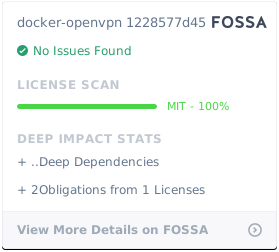](https://app.fossa.io/projects/git%2Bgithub.com%2Fkylemanna%2Fdocker-openvpn?ref=badge_large)
================================================
FILE: alpine/google-authenticator/APKBUILD
================================================
# Contributor: Fabio Napoleoni <f.napoleoni@gmail.com>
# Maintainer:
pkgname=google-authenticator
pkgver=20160207
pkgrel=1
pkgdesc="Google Authenticator PAM module"
url="https://github.com/google/google-authenticator"
arch="all"
license="ASL 2.0"
depends=
depends_dev=
makedepends="$depends_dev autoconf automake libtool linux-pam-dev m4 openssl-dev"
install=
subpackages="$pkgname-doc"
source="https://github.com/google/google-authenticator/archive/c0404dcdbda9ab9e4f0b8451ecdd44eee8db2425.zip"
_builddir="$srcdir"/$pkgname-c0404dcdbda9ab9e4f0b8451ecdd44eee8db2425/libpam
prepare() {
local i
cd "$_builddir"
for i in $source; do
case $i in
*.patch) msg $i; patch -p1 -i "$srcdir"/$i || return 1;;
esac
done
}
build() {
cd "$_builddir"
./bootstrap.sh || return 1
./configure \
--build=$CBUILD \
--host=$CHOST \
--prefix=/usr \
--libdir=/lib \
--sysconfdir=/etc \
--mandir=/usr/share/man \
--infodir=/usr/share/info \
|| return 1
make || return 1
}
package() {
cd "$_builddir"
make DESTDIR="$pkgdir" install || return 1
}
md5sums="33d3cbd0488bcb4f50b34b5670deffae c0404dcdbda9ab9e4f0b8451ecdd44eee8db2425.zip"
sha256sums="e32abe693e54195bdb6aca52783e6e1c239e67296876ac59211a59e4608338b8 c0404dcdbda9ab9e4f0b8451ecdd44eee8db2425.zip"
sha512sums="b44a626e6cc5d8e27685f5d39b5d33f49fc7070331db7b458d3ee40723972821bb8ed5458f27a287dc664d162acf1f8f9a36ca3b1bf767f2bbf27d4f538e9872 c0404dcdbda9ab9e4f0b8451ecdd44eee8db2425.zip"
================================================
FILE: bin/ovpn_copy_server_files
================================================
#!/bin/bash
## @licence MIT <http://opensource.org/licenses/MIT>
## @author Copyright (C) 2015 Robin Schneider <ypid@riseup.net>
set -e
if [ -z "$OPENVPN" ]; then
export OPENVPN="$PWD"
fi
if ! source "$OPENVPN/ovpn_env.sh"; then
echo "Could not source $OPENVPN/ovpn_env.sh."
exit 1
fi
TARGET="$OPENVPN/server"
if [ -n "$1" ]; then
TARGET="$1"
fi
mkdir -p "${TARGET}"
## Ensure that no other keys then the one for the server is present.
rm -rf "$TARGET/pki/private" "$TARGET/pki/issued"
FILES=(
"openvpn.conf"
"ovpn_env.sh"
"pki/private/${OVPN_CN}.key"
"pki/issued/${OVPN_CN}.crt"
"pki/dh.pem"
"pki/ta.key"
"pki/ca.crt"
"ccd"
)
if [ -f "${OPENVPN}/pki/crl.pem" ]; then
FILES+=("pki/crl.pem")
fi
# Ensure the ccd directory exists, even if empty
mkdir -p "ccd"
# rsync isn't available to keep size down
# cp --parents isn't in busybox version
# hack the directory structure with tar
tar cf - -C "${OPENVPN}" "${FILES[@]}" | tar xvf - -C "${TARGET}"
echo "Created the openvpn configuration for the server: $TARGET"
================================================
FILE: bin/ovpn_genconfig
================================================
#!/bin/bash
#
# Generate OpenVPN configs
#
TMP_PUSH_CONFIGFILE=$(mktemp -t vpn_push.XXXXXXX)
TMP_ROUTE_CONFIGFILE=$(mktemp -t vpn_route.XXXXXXX)
TMP_EXTRA_CONFIGFILE=$(mktemp -t vpn_extra.XXXXXXX)
#Traceback on Error and Exit come from https://docwhat.org/tracebacks-in-bash/
set -eu
_showed_traceback=f
traceback() {
# Hide the traceback() call.
local -i start=$(( ${1:-0} + 1 ))
local -i end=${#BASH_SOURCE[@]}
local -i i=0
local -i j=0
echo "Traceback (last called is first):" 1>&2
for ((i=${start}; i < ${end}; i++)); do
j=$(( $i - 1 ))
local function="${FUNCNAME[$i]}"
local file="${BASH_SOURCE[$i]}"
local line="${BASH_LINENO[$j]}"
echo " ${function}() in ${file}:${line}" 1>&2
done
}
on_error() {
local _ec="$?"
local _cmd="${BASH_COMMAND:-unknown}"
traceback 1
_showed_traceback=t
echo "The command ${_cmd} exited with exit code ${_ec}." 1>&2
}
trap on_error ERR
on_exit() {
echo "Cleaning up before Exit ..."
rm -f $TMP_PUSH_CONFIGFILE
rm -f $TMP_ROUTE_CONFIGFILE
rm -f $TMP_EXTRA_CONFIGFILE
local _ec="$?"
if [[ $_ec != 0 && "${_showed_traceback}" != t ]]; then
traceback 1
fi
}
trap on_exit EXIT
# Convert 1.2.3.4/24 -> 255.255.255.0
cidr2mask()
{
local i
local subnetmask=""
local cidr=${1#*/}
local full_octets=$(($cidr/8))
local partial_octet=$(($cidr%8))
for ((i=0;i<4;i+=1)); do
if [ $i -lt $full_octets ]; then
subnetmask+=255
elif [ $i -eq $full_octets ]; then
subnetmask+=$((256 - 2**(8-$partial_octet)))
else
subnetmask+=0
fi
[ $i -lt 3 ] && subnetmask+=.
done
echo $subnetmask
}
# Used often enough to justify a function
getroute() {
echo ${1%/*} $(cidr2mask $1)
}
usage() {
echo "usage: $0 [-d]"
echo " -u SERVER_PUBLIC_URL"
echo " [-e EXTRA_SERVER_CONFIG ]"
echo " [-E EXTRA_CLIENT_CONFIG ]"
echo " [-f FRAGMENT ]"
echo " [-n DNS_SERVER ...]"
echo " [-p PUSH ...]"
echo " [-r ROUTE ...]"
echo " [-s SERVER_SUBNET]"
echo
echo "optional arguments:"
echo " -2 Enable two factor authentication using Google Authenticator."
echo " -a Authenticate packets with HMAC using the given message digest algorithm (auth)."
echo " -b Disable 'push block-outside-dns'"
echo " -c Enable client-to-client option"
echo " -C A list of allowable TLS ciphers delimited by a colon (cipher)."
echo " -d Disable default route"
echo " -D Do not push dns servers"
echo " -k Set keepalive. Default: '10 60'"
echo " -m Set client MTU"
echo " -N Configure NAT to access external server network"
echo " -t Use TAP device (instead of TUN device)"
echo " -T Encrypt packets with the given cipher algorithm instead of the default one (tls-cipher)."
echo " -z Enable comp-lzo compression."
}
process_route_config() {
local ovpn_route_config=''
ovpn_route_config="$1"
# If user passed "0" skip this, assume no extra routes
[[ "$ovpn_route_config" == "0" ]] && break;
echo "Processing Route Config: '${ovpn_route_config}'"
[[ -n "$ovpn_route_config" ]] && echo "route $(getroute $ovpn_route_config)" >> "$TMP_ROUTE_CONFIGFILE"
}
process_push_config() {
local ovpn_push_config=''
ovpn_push_config="$1"
echo "Processing PUSH Config: '${ovpn_push_config}'"
[[ -n "$ovpn_push_config" ]] && echo "push \"$ovpn_push_config\"" >> "$TMP_PUSH_CONFIGFILE"
}
process_extra_config() {
local ovpn_extra_config=''
ovpn_extra_config="$1"
echo "Processing Extra Config: '${ovpn_extra_config}'"
[[ -n "$ovpn_extra_config" ]] && echo "$ovpn_extra_config" >> "$TMP_EXTRA_CONFIGFILE"
}
if [ "${DEBUG:-}" == "1" ]; then
set -x
fi
set -e
if [ -z "${OPENVPN:-}" ]; then
export OPENVPN="$PWD"
fi
if [ -z "${EASYRSA_PKI:-}" ]; then
export EASYRSA_PKI="$OPENVPN/pki"
fi
OVPN_AUTH=''
OVPN_CIPHER=''
OVPN_CLIENT_TO_CLIENT=''
OVPN_CN=''
OVPN_COMP_LZO=0
OVPN_DEFROUTE=1
OVPN_DEVICE="tun"
OVPN_DEVICEN=0
OVPN_DISABLE_PUSH_BLOCK_DNS=0
OVPN_DNS=1
OVPN_DNS_SERVERS=()
OVPN_ENV=${OPENVPN}/ovpn_env.sh
OVPN_EXTRA_CLIENT_CONFIG=()
OVPN_EXTRA_SERVER_CONFIG=()
OVPN_FRAGMENT=''
OVPN_KEEPALIVE="10 60"
OVPN_MTU=''
OVPN_NAT=0
OVPN_PORT=''
OVPN_PROTO=''
OVPN_PUSH=()
OVPN_ROUTES=()
OVPN_SERVER=192.168.255.0/24
OVPN_SERVER_URL=''
OVPN_TLS_CIPHER=''
# Import existing configuration if present
[ -r "$OVPN_ENV" ] && source "$OVPN_ENV"
# Parse arguments
while getopts ":a:e:E:C:T:r:s:du:bcp:n:k:DNm:f:tz2" opt; do
case $opt in
a)
OVPN_AUTH="$OPTARG"
;;
e)
mapfile -t TMP_EXTRA_SERVER_CONFIG <<< "$OPTARG"
for i in "${TMP_EXTRA_SERVER_CONFIG[@]}"; do
OVPN_EXTRA_SERVER_CONFIG+=("$i")
done
;;
E)
mapfile -t TMP_EXTRA_CLIENT_CONFIG <<< "$OPTARG"
for i in "${TMP_EXTRA_CLIENT_CONFIG[@]}"; do
OVPN_EXTRA_CLIENT_CONFIG+=("$i")
done
;;
C)
OVPN_CIPHER="$OPTARG"
;;
T)
OVPN_TLS_CIPHER="$OPTARG"
;;
r)
mapfile -t TMP_ROUTES <<< "$OPTARG"
for i in "${TMP_ROUTES[@]}"; do
OVPN_ROUTES+=("$i")
done
;;
s)
OVPN_SERVER="$OPTARG"
;;
d)
OVPN_DEFROUTE=0
OVPN_DISABLE_PUSH_BLOCK_DNS=1
;;
u)
OVPN_SERVER_URL="$OPTARG"
;;
b)
OVPN_DISABLE_PUSH_BLOCK_DNS=1
;;
c)
OVPN_CLIENT_TO_CLIENT=1
;;
p)
mapfile -t TMP_PUSH <<< "$OPTARG"
for i in "${TMP_PUSH[@]}"; do
OVPN_PUSH+=("$i")
done
;;
n)
mapfile -t TMP_DNS_SERVERS <<< "$OPTARG"
for i in "${TMP_DNS_SERVERS[@]}"; do
OVPN_DNS_SERVERS+=("$i")
done
;;
D)
OVPN_DNS=0
;;
N)
OVPN_NAT=1
;;
k)
OVPN_KEEPALIVE="$OPTARG"
;;
m)
OVPN_MTU="$OPTARG"
;;
t)
OVPN_DEVICE="tap"
;;
z)
OVPN_COMP_LZO=1
;;
2)
OVPN_OTP_AUTH=1
;;
f)
OVPN_FRAGMENT="$OPTARG"
;;
\?)
set +x
echo "Invalid option: -$OPTARG" >&2
usage
exit 1
;;
:)
set +x
echo "Option -$OPTARG requires an argument." >&2
usage
exit 1
;;
esac
done
# Create ccd directory for static routes
[ ! -d "${OPENVPN:-}/ccd" ] && mkdir -p ${OPENVPN:-}/ccd
# Server name is in the form "udp://vpn.example.com:1194"
if [[ "${OVPN_SERVER_URL:-}" =~ ^((udp|tcp|udp6|tcp6)://)?([0-9a-zA-Z\.\-]+)(:([0-9]+))?$ ]]; then
OVPN_PROTO=${BASH_REMATCH[2]};
OVPN_CN=${BASH_REMATCH[3]};
OVPN_PORT=${BASH_REMATCH[5]};
else
set +x
echo "Common name not specified, see '-u'"
usage
exit 1
fi
# Apply defaults. If dns servers were not defined with -n, use google nameservers
set +u
[ -z "$OVPN_DNS_SERVERS" ] && OVPN_DNS_SERVERS=("8.8.8.8" "8.8.4.4")
[ -z "$OVPN_PROTO" ] && OVPN_PROTO=udp
[ -z "$OVPN_PORT" ] && OVPN_PORT=1194
set -u
[ "${#OVPN_ROUTES[@]}" == "0" ] && [ "$OVPN_DEFROUTE" == "1" ] && OVPN_ROUTES+=("192.168.254.0/24")
# Preserve config
if [ -f "$OVPN_ENV" ]; then
bak_env=$OVPN_ENV.$(date +%s).bak
echo "Backing up $OVPN_ENV -> $bak_env"
mv "$OVPN_ENV" "$bak_env"
fi
# Save the current OVPN_ vars to the ovpn_env.sh file
(set | grep '^OVPN_') | while read -r var; do
echo "declare -x $var" >> "$OVPN_ENV"
done
conf=${OPENVPN:-}/openvpn.conf
if [ -f "$conf" ]; then
bak=$conf.$(date +%s).bak
echo "Backing up $conf -> $bak"
mv "$conf" "$bak"
fi
# Echo extra client configurations
if [ ${#OVPN_EXTRA_CLIENT_CONFIG[@]} -gt 0 ]; then
for i in "${OVPN_EXTRA_CLIENT_CONFIG[@]}"; do
echo "Processing Extra Client Config: $i"
done
fi
cat > "$conf" <<EOF
server $(getroute $OVPN_SERVER)
verb 3
key $EASYRSA_PKI/private/${OVPN_CN}.key
ca $EASYRSA_PKI/ca.crt
cert $EASYRSA_PKI/issued/${OVPN_CN}.crt
dh $EASYRSA_PKI/dh.pem
tls-auth $EASYRSA_PKI/ta.key
key-direction 0
keepalive $OVPN_KEEPALIVE
persist-key
persist-tun
proto $OVPN_PROTO
# Rely on Docker to do port mapping, internally always 1194
port 1194
dev $OVPN_DEVICE$OVPN_DEVICEN
status /tmp/openvpn-status.log
user nobody
group nogroup
EOF
if [ "${OVPN_DISABLE_PUSH_BLOCK_DNS}" == "1" ]; then
echo "Disable default push of 'block-outside-dns'"
else
process_push_config "block-outside-dns"
fi
[ -n "$OVPN_TLS_CIPHER" ] && echo "tls-cipher $OVPN_TLS_CIPHER" >> "$conf"
[ -n "$OVPN_CIPHER" ] && echo "cipher $OVPN_CIPHER" >> "$conf"
[ -n "$OVPN_AUTH" ] && echo "auth $OVPN_AUTH" >> "$conf"
[ -n "${OVPN_CLIENT_TO_CLIENT:-}" ] && echo "client-to-client" >> "$conf"
[ "$OVPN_COMP_LZO" == "1" ] && echo "comp-lzo" >> "$conf"
[ "$OVPN_COMP_LZO" == "0" ] && echo "comp-lzo no" >> "$conf"
[ -n "${OVPN_FRAGMENT:-}" ] && echo "fragment $OVPN_FRAGMENT" >> "$conf"
# Append route commands
if [ ${#OVPN_ROUTES[@]} -gt 0 ]; then
for i in "${OVPN_ROUTES[@]}"; do
process_route_config "$i"
done
echo -e "\n### Route Configurations Below" >> "$conf"
cat $TMP_ROUTE_CONFIGFILE >> "$conf"
fi
# Append push commands
[ "$OVPN_DNS" == "1" ] && for i in "${OVPN_DNS_SERVERS[@]}"; do
process_push_config "dhcp-option DNS $i"
done
if [ "$OVPN_COMP_LZO" == "0" ]; then
process_push_config "comp-lzo no"
fi
[ ${#OVPN_PUSH[@]} -gt 0 ] && for i in "${OVPN_PUSH[@]}"; do
process_push_config "$i"
done
echo -e "\n### Push Configurations Below" >> "$conf"
cat $TMP_PUSH_CONFIGFILE >> "$conf"
# Append optional OTP authentication support
if [ -n "${OVPN_OTP_AUTH:-}" ]; then
echo -e "\n\n# Enable OTP+PAM for user authentication" >> "$conf"
echo "plugin /usr/lib/openvpn/plugins/openvpn-plugin-auth-pam.so openvpn" >> "$conf"
echo "reneg-sec 0" >> "$conf"
fi
# Append extra server configurations
if [ ${#OVPN_EXTRA_SERVER_CONFIG[@]} -gt 0 ]; then
for i in "${OVPN_EXTRA_SERVER_CONFIG[@]}"; do
process_extra_config "$i"
done
echo -e "\n### Extra Configurations Below" >> "$conf"
cat $TMP_EXTRA_CONFIGFILE >> "$conf"
fi
set +e
# Clean-up duplicate configs
if diff -q "${bak_env:-}" "$OVPN_ENV" 2>/dev/null; then
echo "Removing duplicate back-up: $bak_env"
rm -fv "$bak_env"
fi
if diff -q "${bak:-}" "$conf" 2>/dev/null; then
echo "Removing duplicate back-up: $bak"
rm -fv "$bak"
fi
echo "Successfully generated config"
================================================
FILE: bin/ovpn_getclient
================================================
#!/bin/bash
#
# Get an OpenVPN client configuration file
#
if [ "$DEBUG" == "1" ]; then
set -x
fi
set -e
if [ -z "$OPENVPN" ]; then
export OPENVPN="$PWD"
fi
if ! source "$OPENVPN/ovpn_env.sh"; then
echo "Could not source $OPENVPN/ovpn_env.sh."
exit 1
fi
if [ -z "$EASYRSA_PKI" ]; then
export EASYRSA_PKI="$OPENVPN/pki"
fi
cn="$1"
parm="$2"
if [ ! -f "$EASYRSA_PKI/private/${cn}.key" ]; then
echo "Unable to find \"${cn}\", please try again or generate the key first" >&2
exit 1
fi
get_client_config() {
mode="$1"
echo "
client
nobind
dev $OVPN_DEVICE
remote-cert-tls server
remote $OVPN_CN $OVPN_PORT $OVPN_PROTO"
if [ "$OVPN_PROTO" == "udp6" ]; then
echo "remote $OVPN_CN $OVPN_PORT udp"
fi
if [ "$OVPN_PROTO" == "tcp6" ]; then
echo "remote $OVPN_CN $OVPN_PORT tcp"
fi
for i in "${OVPN_EXTRA_CLIENT_CONFIG[@]}"; do
echo "$i"
done
if [ "$mode" == "combined" ]; then
echo "
<key>
$(cat $EASYRSA_PKI/private/${cn}.key)
</key>
<cert>
$(openssl x509 -in $EASYRSA_PKI/issued/${cn}.crt)
</cert>
<ca>
$(cat $EASYRSA_PKI/ca.crt)
</ca>
key-direction 1
<tls-auth>
$(cat $EASYRSA_PKI/ta.key)
</tls-auth>
"
elif [ "$mode" == "separated" ]; then
echo "
key ${cn}.key
ca ca.crt
cert ${cn}.crt
tls-auth ta.key 1
"
fi
if [ "$OVPN_DEFROUTE" != "0" ];then
echo "redirect-gateway def1"
fi
if [ -n "$OVPN_MTU" ]; then
echo "tun-mtu $OVPN_MTU"
fi
if [ -n "$OVPN_TLS_CIPHER" ]; then
echo "tls-cipher $OVPN_TLS_CIPHER"
fi
if [ -n "$OVPN_CIPHER" ]; then
echo "cipher $OVPN_CIPHER"
fi
if [ -n "$OVPN_AUTH" ]; then
echo "auth $OVPN_AUTH"
fi
if [ -n "$OVPN_OTP_AUTH" ]; then
echo "auth-user-pass"
echo "auth-nocache"
fi
if [ "$OVPN_COMP_LZO" == "1" ]; then
echo "comp-lzo"
fi
if [ -n "$OVPN_OTP_AUTH" ]; then
echo reneg-sec 0
fi
}
dir="$OPENVPN/clients/$cn"
case "$parm" in
"separated")
mkdir -p "$dir"
get_client_config "$parm" > "$dir/${cn}.ovpn"
cp "$EASYRSA_PKI/private/${cn}.key" "$dir/${cn}.key"
cp "$EASYRSA_PKI/ca.crt" "$dir/ca.crt"
cp "$EASYRSA_PKI/issued/${cn}.crt" "$dir/${cn}.crt"
cp "$EASYRSA_PKI/ta.key" "$dir/ta.key"
;;
"" | "combined")
get_client_config "combined"
;;
"combined-save")
mkdir -p "$dir"
get_client_config "combined" > "$dir/${cn}-combined.ovpn"
;;
*)
echo "This script can produce the client configuration in two formats:" >&2
echo " 1. combined (default): All needed configuration and cryptographic material is in one file (Use \"combined-save\" to write the configuration file in the same path as the separated parameter does)." >&2
echo " 2. separated: Separated files." >&2
echo "Please specify one of those options as second parameter." >&2
;;
esac
================================================
FILE: bin/ovpn_getclient_all
================================================
#!/bin/bash
## @licence MIT <http://opensource.org/licenses/MIT>
## @author Copyright (C) 2015 Robin Schneider <ypid@riseup.net>
if [ -z "$OPENVPN" ]; then
export OPENVPN="$PWD"
fi
if ! source "$OPENVPN/ovpn_env.sh"; then
echo "Could not source $OPENVPN/ovpn_env.sh."
exit 1
fi
if [ -z "$EASYRSA_PKI" ]; then
export EASYRSA_PKI="$OPENVPN/pki"
fi
pushd "$EASYRSA_PKI"
for name in issued/*.crt; do
name=${name%.crt}
name=${name#issued/}
if [ "$name" != "$OVPN_CN" ]; then
ovpn_getclient "$name" separated
ovpn_getclient "$name" combined-save
fi
done
popd
================================================
FILE: bin/ovpn_initpki
================================================
#!/bin/bash
#
# Initialize the EasyRSA PKI
#
if [ "$DEBUG" == "1" ]; then
set -x
fi
set -e
source "$OPENVPN/ovpn_env.sh"
# Specify "nopass" as arg[2] to make the CA insecure (not recommended!)
nopass=$1
# Provides a sufficient warning before erasing pre-existing files
easyrsa init-pki
# CA always has a password for protection in event server is compromised. The
# password is only needed to sign client/server certificates. No password is
# needed for normal OpenVPN operation.
easyrsa build-ca $nopass
easyrsa gen-dh
openvpn --genkey --secret $EASYRSA_PKI/ta.key
# Was nice to autoset, but probably a bad idea in practice, users should
# have to explicitly specify the common name of their server
#if [ -z "$cn"]; then
# #TODO: Handle IPv6 (when I get a VPS with IPv6)...
# ip4=$(dig +short myip.opendns.com @resolver1.opendns.com)
# ptr=$(dig +short -x $ip4 | sed -e 's:\.$::')
#
# [ -n "$ptr" ] && cn=$ptr || cn=$ip4
#fi
# For a server key with a password, manually init; this is autopilot
easyrsa build-server-full "$OVPN_CN" nopass
# Generate the CRL for client/server certificates revocation.
easyrsa gen-crl
================================================
FILE: bin/ovpn_listclients
================================================
#!/bin/bash
if [ -z "$OPENVPN" ]; then
export OPENVPN="$PWD"
fi
if ! source "$OPENVPN/ovpn_env.sh"; then
echo "Could not source $OPENVPN/ovpn_env.sh."
exit 1
fi
if [ -z "$EASYRSA_PKI" ]; then
export EASYRSA_PKI="$OPENVPN/pki"
fi
cd "$EASYRSA_PKI"
if [ -e crl.pem ]; then
cat ca.crt crl.pem > cacheck.pem
else
cat ca.crt > cacheck.pem
fi
echo "name,begin,end,status"
for name in issued/*.crt; do
path=$name
begin=$(openssl x509 -noout -startdate -in $path | awk -F= '{ print $2 }')
end=$(openssl x509 -noout -enddate -in $path | awk -F= '{ print $2 }')
name=${name%.crt}
name=${name#issued/}
if [ "$name" != "$OVPN_CN" ]; then
# check for revocation or expiration
command="openssl verify -crl_check -CAfile cacheck.pem $path"
result=$($command)
if [ $(echo "$result" | wc -l) == 1 ] && [ "$(echo "$result" | grep ": OK")" ]; then
status="VALID"
else
result=$(echo "$result" | tail -n 1 | grep error | cut -d" " -f2)
case $result in
10)
status="EXPIRED"
;;
23)
status="REVOKED"
;;
*)
status="INVALID"
esac
fi
echo "$name,$begin,$end,$status"
fi
done
# Clean
rm cacheck.pem
================================================
FILE: bin/ovpn_otp_user
================================================
#!/bin/bash
#
# Generate OpenVPN users via google authenticator
#
if ! source "$OPENVPN/ovpn_env.sh"; then
echo "Could not source $OPENVPN/ovpn_env.sh."
exit 1
fi
if [ "x$OVPN_OTP_AUTH" != "x1" ]; then
echo "OTP authentication not enabled, please regenerate configuration using -2 flag"
exit 1
fi
if [ -z $1 ]; then
echo "Usage: ovpn_otp_user USERNAME"
exit 1
fi
# Ensure the otp folder is present
[ -d /etc/openvpn/otp ] || mkdir -p /etc/openvpn/otp
# Binary is present in image, save an $user.google_authenticator file in /etc/openvpn/otp
if [ "$2" == "interactive" ]; then
# Authenticator will ask for other parameters. User can choose rate limit, token reuse policy and time window policy
# Always use time base OTP otherwise storage for counters must be configured somewhere in volume
google-authenticator --time-based --force -l "${1}@${OVPN_CN}" -s /etc/openvpn/otp/${1}.google_authenticator
else
# Skip confirmation if not running in interctive mode. Essential for integration tests.
google-authenticator --time-based --disallow-reuse --force --rate-limit=3 --rate-time=30 --window-size=3 \
-l "${1}@${OVPN_CN}" -s /etc/openvpn/otp/${1}.google_authenticator --no-confirm
fi
================================================
FILE: bin/ovpn_revokeclient
================================================
#!/bin/bash
#
# Revoke a client certificate
#
if [ "$DEBUG" == "1" ]; then
set -x
fi
set -e
if [ -z "$OPENVPN" ]; then
export OPENVPN="$PWD"
fi
if ! source "$OPENVPN/ovpn_env.sh"; then
echo "Could not source $OPENVPN/ovpn_env.sh."
exit 1
fi
if [ -z "$EASYRSA_PKI" ]; then
export EASYRSA_PKI="$OPENVPN/pki"
fi
cn="$1"
if [ ! -f "$EASYRSA_PKI/private/${cn}.key" ]; then
echo "Unable to find \"${cn}\", please try again or generate the key first" >&2
exit 1
fi
revoke_client_certificate(){
easyrsa revoke "$1"
echo "Generating the Certificate Revocation List :"
easyrsa gen-crl
cp -f "$EASYRSA_PKI/crl.pem" "$OPENVPN/crl.pem"
chmod 644 "$OPENVPN/crl.pem"
}
revoke_client_certificate "$cn"
================================================
FILE: bin/ovpn_run
================================================
#!/bin/bash
#
# Run the OpenVPN server normally
#
if [ "$DEBUG" == "1" ]; then
set -x
fi
set -e
cd $OPENVPN
# Build runtime arguments array based on environment
USER_ARGS=("${@}")
ARGS=()
# Checks if ARGS already contains the given value
function hasArg {
local element
for element in "${@:2}"; do
[ "${element}" == "${1}" ] && return 0
done
return 1
}
# Adds the given argument if it's not already specified.
function addArg {
local arg="${1}"
[ $# -ge 1 ] && local val="${2}"
if ! hasArg "${arg}" "${USER_ARGS[@]}"; then
ARGS+=("${arg}")
[ $# -ge 1 ] && ARGS+=("${val}")
fi
}
# set up iptables rules and routing
# this allows rules/routing to be altered by supplying this function
# in an included file, such as ovpn_env.sh
function setupIptablesAndRouting {
iptables -t nat -C POSTROUTING -s $OVPN_SERVER -o $OVPN_NATDEVICE -j MASQUERADE 2>/dev/null || {
iptables -t nat -A POSTROUTING -s $OVPN_SERVER -o $OVPN_NATDEVICE -j MASQUERADE
}
for i in "${OVPN_ROUTES[@]}"; do
iptables -t nat -C POSTROUTING -s "$i" -o $OVPN_NATDEVICE -j MASQUERADE 2>/dev/null || {
iptables -t nat -A POSTROUTING -s "$i" -o $OVPN_NATDEVICE -j MASQUERADE
}
done
}
addArg "--config" "$OPENVPN/openvpn.conf"
source "$OPENVPN/ovpn_env.sh"
mkdir -p /dev/net
if [ ! -c /dev/net/tun ]; then
mknod /dev/net/tun c 10 200
fi
if [ -d "$OPENVPN/ccd" ]; then
addArg "--client-config-dir" "$OPENVPN/ccd"
fi
# When using --net=host, use this to specify nat device.
[ -z "$OVPN_NATDEVICE" ] && OVPN_NATDEVICE=eth0
# Setup NAT forwarding if requested
if [ "$OVPN_DEFROUTE" != "0" ] || [ "$OVPN_NAT" == "1" ] ; then
# call function to setup iptables rules and routing
# this allows rules to be customized by supplying
# a replacement function in, for example, ovpn_env.sh
setupIptablesAndRouting
fi
# Use a copy of crl.pem as the CRL Needs to be readable by the user/group
# OpenVPN is running as. Only pass arguments to OpenVPN if it's found.
if [ "$EASYRSA_PKI/crl.pem" -nt "$OPENVPN/crl.pem" ]; then
cp -f "$EASYRSA_PKI/crl.pem" "$OPENVPN/crl.pem"
chmod 644 "$OPENVPN/crl.pem"
fi
if [ -r "$OPENVPN/crl.pem" ]; then
addArg "--crl-verify" "$OPENVPN/crl.pem"
fi
ip -6 route show default 2>/dev/null
if [ $? = 0 ]; then
echo "Checking IPv6 Forwarding"
if [ "$(</proc/sys/net/ipv6/conf/all/disable_ipv6)" != "0" ]; then
echo "Sysctl error for disable_ipv6, please run docker with '--sysctl net.ipv6.conf.all.disable_ipv6=0'"
fi
if [ "$(</proc/sys/net/ipv6/conf/default/forwarding)" != "1" ]; then
echo "Sysctl error for default forwarding, please run docker with '--sysctl net.ipv6.conf.default.forwarding=1'"
fi
if [ "$(</proc/sys/net/ipv6/conf/all/forwarding)" != "1" ]; then
echo "Sysctl error for all forwarding, please run docker with '--sysctl net.ipv6.conf.all.forwarding=1'"
fi
fi
echo "Running 'openvpn ${ARGS[@]} ${USER_ARGS[@]}'"
exec openvpn ${ARGS[@]} ${USER_ARGS[@]}
================================================
FILE: bin/ovpn_status
================================================
#!/bin/sh
#
# Get OpenVPN server status
#
if [ "$DEBUG" == "1" ]; then
set -x
fi
set -e
tail -F /tmp/openvpn-status.log
================================================
FILE: docs/advanced.md
================================================
# Advanced Configurations
The [`ovpn_genconfig`](/bin/ovpn_genconfig) script is intended for simple configurations that apply to the majority of the users. If your use case isn't general, it likely won't be supported. This document aims to explain how to work around that.
## Create host volume mounts rather than data volumes
* Refer to the Quick Start document, and substitute `-v $OVPN_DATA:/etc/openvpn` with `-v /path/on/host/openvpn0:/etc/openvpn`
* Quick example that is likely to be out of date, but here's how to get started:
mkdir openvpn0
cd openvpn0
docker run --rm -v $PWD:/etc/openvpn kylemanna/openvpn ovpn_genconfig -u udp://VPN.SERVERNAME.COM:1194
docker run --rm -v $PWD:/etc/openvpn -it kylemanna/openvpn ovpn_initpki
vim openvpn.conf
docker run --rm -v $PWD:/etc/openvpn -it kylemanna/openvpn easyrsa build-client-full CLIENTNAME nopass
docker run --rm -v $PWD:/etc/openvpn kylemanna/openvpn ovpn_getclient CLIENTNAME > CLIENTNAME.ovpn
* Start the server with:
docker run -v $PWD:/etc/openvpn -d -p 1194:1194/udp --cap-add=NET_ADMIN kylemanna/openvpn
================================================
FILE: docs/backup.md
================================================
# Backing Up Configuration and Certificates
## Security
The resulting archive from this backup contains all credential to impersonate the server at a minimum. If the client's private keys are generated using the EasyRSA utility then it also contains the client certificates that could be used to impersonate said clients. Most importantly, if the certificate authority key is in this archive (as it is given the quick start directions), then a adversary could generate certificates at will.
I'd recommend encrypting the archive with something strong (e.g. gpg or openssl + AES). For the paranoid keep backup offline. For the [truly paranoid users](/docs/paranoid.md), never keep any keys (i.e. client and certificate authority) in the docker container to begin with :).
**TL;DR Protect the resulting archive file. Ensure there is very limited access to it.**
## Backup to Archive
docker run -v $OVPN_DATA:/etc/openvpn --rm kylemanna/openvpn tar -cvf - -C /etc openvpn | xz > openvpn-backup.tar.xz
## Restore to New Data Volume
Creates an volume container named `$OVPN_DATA` to extract the data to.
docker volume create --name $OVPN_DATA
xzcat openvpn-backup.tar.xz | docker run -v $OVPN_DATA:/etc/openvpn -i kylemanna/openvpn tar -xvf - -C /etc
================================================
FILE: docs/clients.md
================================================
# Advanced Client Management
## Client Configuration Mode
The [`ovpn_getclient`](/bin/ovpn_getclient) can produce two different versions of the configuration.
1. combined (default): All needed configuration and cryptographic material is in one file (Use "combined-save" to write the configuration file in the same path as the separated parameter does).
2. separated: Separated files.
Note that some client software might be picky about which configuration format it accepts.
## Client List
See an overview of the configured clients, including revocation and expiration status:
docker run --rm -it -v $OVPN_DATA:/etc/openvpn kylemanna/openvpn ovpn_listclients
The output is generated using `openssl verify`. Error codes from the verification process different from `X509_V_ERR_CERT_HAS_EXPIRED` or `X509_V_ERR_CERT_REVOKED` will show the status `INVALID`.
## Batch Mode
If you have more than a few clients, you will want to generate and update your client configuration in batch. For this task the script [`ovpn_getclient_all`](/bin/ovpn_getclient_all) was written, which writes out the configuration for each client to a separate directory called `clients/$cn`.
Execute the following to generate the configuration for all clients:
docker run --rm -it -v $OVPN_DATA:/etc/openvpn --volume /tmp/openvpn_clients:/etc/openvpn/clients kylemanna/openvpn ovpn_getclient_all
After doing so, you will find the following files in each of the `$cn` directories:
ca.crt
$cn-combined.ovpn # Combined configuration file format. If your client recognices this file then only this file is needed.
$cn.ovpn # Separated configuration. This configuration file requires the other files ca.crt dh.pem $cn.crt $cn.key ta.key
$cn.crt
$cn.key
ta.key
## Revoking Client Certificates
Revoke `client1`'s certificate and generate the certificate revocation list (CRL) using [`ovpn_revokeclient`](/bin/ovpn_revokeclient) script :
docker run --rm -it -v $OVPN_DATA:/etc/openvpn kylemanna/openvpn ovpn_revokeclient client1
The OpenVPN server will read this change every time a client connects (no need to restart server) and deny clients access using revoked certificates.
You can optionally pass `remove` as second parameter to ovpn_revokeclient to remove the corresponding crt, key and req files :
docker run --rm -it -v $OVPN_DATA:/etc/openvpn kylemanna/openvpn ovpn_revokeclient client1 remove
================================================
FILE: docs/debug.md
================================================
# Debugging
Random things I do to debug the containers.
## Login Shells
* Create a shell in the running docker container with `docker exec`.
* To modify the data, you can also mount the data container and modify it with
docker run --rm -it -v $OVPN_DATA:/etc/openvpn kylemanna/openvpn bash -l
## Stream OpenVPN Logs
1. Get the container's name or container ID:
root@vpn:~/docker-openvpn# docker ps
CONTAINER ID IMAGE COMMAND CREATED STATUS PORTS NAMES
ed335aaa9b82 kylemanna/openvpn:latest ovpn_run 5 minutes ago Up 5 minutes 0.0.0.0:1194->1194/udp sad_lovelace
2. Tail the logs:
root@vpn:~/docker-openvpn# docker logs -f sad_lovelace
+ mkdir -p /dev/net
+ [ ! -c /dev/net/tun ]
+ mknod /dev/net/tun c 10 200
+ [ ! -d /etc/openvpn/ccd ]
+ iptables -t nat -A POSTROUTING -s 192.168.254.0/24 -o eth0 -j MASQUERADE
+ iptables -t nat -A POSTROUTING -s 192.168.255.0/24 -o eth0 -j MASQUERADE
+ conf=/etc/openvpn/openvpn.conf
+ [ ! -s /etc/openvpn/openvpn.conf ]
+ conf=/etc/openvpn/udp1194.conf
+ openvpn --config /etc/openvpn/udp1194.conf
Tue Jul 1 06:56:48 2014 OpenVPN 2.3.2 x86_64-pc-linux-gnu [SSL (OpenSSL)] [LZO] [EPOLL] [PKCS11] [eurephia] [MH] [IPv6] built on Mar 17 2014
Tue Jul 1 06:56:49 2014 Diffie-Hellman initialized with 2048 bit key
Tue Jul 1 06:56:49 2014 Control Channel Authentication: using '/etc/openvpn/pki/ta.key' as a OpenVPN static key file
Tue Jul 1 06:56:49 2014 Outgoing Control Channel Authentication: Using 160 bit message hash 'SHA1' for HMAC authentication
Tue Jul 1 06:56:49 2014 Incoming Control Channel Authentication: Using 160 bit message hash 'SHA1' for HMAC authentication
Tue Jul 1 06:56:49 2014 Socket Buffers: R=[212992->131072] S=[212992->131072]
================================================
FILE: docs/docker-compose.md
================================================
# Quick Start with docker-compose
* Add a new service in docker-compose.yml
```yaml
version: '2'
services:
openvpn:
cap_add:
- NET_ADMIN
image: kylemanna/openvpn
container_name: openvpn
ports:
- "1194:1194/udp"
restart: always
volumes:
- ./openvpn-data/conf:/etc/openvpn
```
* Initialize the configuration files and certificates
```bash
docker-compose run --rm openvpn ovpn_genconfig -u udp://VPN.SERVERNAME.COM
docker-compose run --rm openvpn ovpn_initpki
```
* Fix ownership (depending on how to handle your backups, this may not be needed)
```bash
sudo chown -R $(whoami): ./openvpn-data
```
* Start OpenVPN server process
```bash
docker-compose up -d openvpn
```
* You can access the container logs with
```bash
docker-compose logs -f
```
* Generate a client certificate
```bash
export CLIENTNAME="your_client_name"
# with a passphrase (recommended)
docker-compose run --rm openvpn easyrsa build-client-full $CLIENTNAME
# without a passphrase (not recommended)
docker-compose run --rm openvpn easyrsa build-client-full $CLIENTNAME nopass
```
* Retrieve the client configuration with embedded certificates
```bash
docker-compose run --rm openvpn ovpn_getclient $CLIENTNAME > $CLIENTNAME.ovpn
```
* Revoke a client certificate
```bash
# Keep the corresponding crt, key and req files.
docker-compose run --rm openvpn ovpn_revokeclient $CLIENTNAME
# Remove the corresponding crt, key and req files.
docker-compose run --rm openvpn ovpn_revokeclient $CLIENTNAME remove
```
## Debugging Tips
* Create an environment variable with the name DEBUG and value of 1 to enable debug output (using "docker -e").
```bash
docker-compose run -e DEBUG=1 -p 1194:1194/udp openvpn
```
================================================
FILE: docs/docker-openvpn.te
================================================
module docker-openvpn 1.0;
require {
type svirt_lxc_net_t;
class tun_socket create;
}
#============= svirt_lxc_net_t ==============
allow svirt_lxc_net_t self:tun_socket create;
================================================
FILE: docs/docker.md
================================================
# Install Latest Docker Service
Docker included with some distributions lags far behind upstream. This guide aims to provide a quick and reliable way to install or update it.
It is recommended to use platforms that support systemd as future versions of this docker image may require systemd to help with some tasks:
* Fedora
* Debian 8.1+
## Debian / Ubuntu
### Step 1 — Set Up Docker
Docker is moving fast and Debian / Ubuntu's long term support (LTS) policy doesn't keep up. To work around this we'll install a PPA that will get us the latest version of Docker. For Debian Jessie users, just install docker.io from jessie-backports.
Ensure dependencies are installed:
sudo apt-get update && sudo apt-get install -y apt-transport-https curl
Add the upstream Docker repository package signing key. The apt-key command uses elevated privileges via sudo, so a password prompt for the user's password may appear:
curl -L https://get.docker.com/gpg | sudo apt-key add -
Add the upstream Docker repository to the system list:
echo deb https://get.docker.io/ubuntu docker main | sudo tee /etc/apt/sources.list.d/docker.list
Update the package list and install the Docker package:
sudo apt-get update && sudo apt-get install -y lxc-docker
Add your user to the `docker` group to enable communication with the Docker daemon as a normal user, where `$USER` is your username. Exit and log in again for the new group to take effect:
sudo usermod -aG docker $USER
After **re-logging in** verify the group membership using the id command. The expected response should include docker like the following example:
uid=1001(test0) gid=1001(test0) groups=1001(test0),27(sudo),999(docker)
### Step 2 — Test Docker
Run a Debian jessie docker container:
docker run --rm -it debian:jessie bash -l
Once inside the container you'll see the `root@<container id>:/#` prompt signifying that the current shell is in a Docker container. To confirm that it's different from the host, check the version of Debian running in the container:
cat /etc/issue.net
Expected result:
Debian GNU/Linux 8
================================================
FILE: docs/faqs.md
================================================
# Frequently Asked Questions
## How do I edit `openvpn.conf`?
Use a Docker image with an editor and connect the volume container:
docker run -v $OVPN_DATA:/etc/openvpn --rm -it kylemanna/openvpn vi /etc/openvpn/openvpn.conf
## Why not keep everything in one image?
The run-time image (`kylemanna/openvpn`) is intended to be an ephemeral image. Nothing should be saved in it so that it can be re-downloaded and re-run when updates are pushed (i.e. newer version of OpenVPN or even Debian). The data container contains all this data and is attached at run time providing a safe home.
If it was all in one container, an upgrade would require a few steps to extract all the data, perform some upgrade import, and re-run. This technique is also prone to people losing their EasyRSA PKI when they forget where it was. With everything in the data container upgrading is as simple as re-running `docker pull kylemanna/openvpn` and then `docker run ... kylemanna/openvpn`.
## How do I set up a split tunnel?
Split tunnels are configurations where only some of the traffic from a client goes to the VPN, with the remainder routed through the normal non-VPN interfaces. You'll want to disable a default route (-d) when you generate the configuration, but still use NAT (-N) to keep network address translation enabled.
ovpn_genconfig -N -d ...
## I need to add some extra configurations to openvpn.conf, How can I do that ?
You can pass multiple (**-e**) options to `ovpn_genconfig`. For example, if you need to add _'duplicate-cn'_ and _'topology subnet'_ to the server configuration you could do something like this:
ovpn_genconfig -e 'duplicate-cn' -e 'topology subnet' -u udp://VPN.SERVERNAME.COM
================================================
FILE: docs/ipv6.md
================================================
# IPv6 Support
This is a work in progress, more polish to follow.
## Tunnel IPv6 Address To OpenVPN Clients
This feature is advanced and recommended only for those who already have a functioning IPv4 tunnel and know how IPv6 works.
Systemd is used to setup a static route and Debian 8.1 or later is recommended as the host distribution. Others probably work, but haven't been tested.
### Step 1 — Setup IPv6 on the Host Machine
The tutorial uses a free tunnel from [tunnelbroker.net](https://tunnelbroker.net/) to get a /64 and /48 prefix allocated to me. The tunnel endpoint is less then 3 ms away from Digital Ocean's San Francisco datacenter.
Place the following in `/etc/network/interfaces`. Replace `PUBLIC_IP` with your host's public IPv4 address and replace 2001:db8::2 and 2001:db8::1 with the corresponding tunnel endpoints:
auto he-ipv6
iface he-ipv6 inet6 v4tunnel
address 2001:db8::2
netmask 64
endpoint 72.52.104.74
local PUBLIC_IP
ttl 255
gateway 2001:db8::1
Bring the interface up:
ifup he-ipv6
Test that IPv6 works on the host:
ping6 google.com
If this doesn't work, figure it out. It may be necessary to add an firewall rule to allow IP protocol 41 through the firewall.
### Step 2 — Update Docker's Init To Enable IPv6 Support
Add the `--ipv6` to the Docker daemon invocation.
On **Ubuntu** and old versions of Debian Append the `--ipv6` argument to the `DOCKER_OPTS` variable in:
/etc/default/docker
On modern **systemd** distributions copy the service file and modify it and reload the service:
sed -e 's:^\(ExecStart.*\):\1 --ipv6:' /lib/systemd/system/docker.service | tee /etc/systemd/system/docker.service
systemctl restart docker.service
### Step 3 — Setup the systemd Unit File
Copy the systemd init file from the docker-openvpn /init directory of the repository and install into `/etc/systemd/system/docker-openvpn.service`
curl -o /etc/systemd/system/docker-openvpn@.service 'https://raw.githubusercontent.com/kylemanna/docker-openvpn/dev/init/docker-openvpn%40.service'
Edit the file, replace `IP6_PREFIX` value with the value of your /64 prefix.
vi /etc/systemd/system/docker-openvpn@.service
Finally, reload systemd so the changes take affect:
systemctl daemon-reload
### Step 4 — Start OpenVPN
Ensure that OpenVPN has been initialized and configured as described in the top level `README.md`.
Start the systemd service file specifying the volume container suffix as the instance. For example, `INSTANCE=test0` has a docker volume container named `ovpn-data-test0` and service will create `ovpn-test0` container:
systemctl start docker-openvpn@test0
Verify logs if needed:
systemctl status docker-openvpn@test0
docker logs ovpn-test0
### Step 4 — Modify Client Config for IPv6 Default Route
Append the default route for the public Internet:
echo "route-ipv6 2000::/3" >> clientname.ovpn
### Step 5 — Start up Client
If all went according to plan, then `ping6 2600::` and `ping6 google.com` should work.
Fire up a web browser and attempt to navigate to [https://ipv6.google.com](https://ipv6.google.com).
## Connect to the OpenVPN Server Over IPv6
This feature requires a docker daemon with working IPv6 support.
This will allow connections over IPv4 and IPv6.
Generate server configuration with the udp6 or tcp6 protocol:
docker run -v $OVPN_DATA:/etc/openvpn --rm kylemanna/openvpn ovpn_genconfig -u udp6://VPN.SERVERNAME.COM
docker run -v $OVPN_DATA:/etc/openvpn --rm kylemanna/openvpn ovpn_genconfig -u tcp6://VPN.SERVERNAME.COM
================================================
FILE: docs/otp.md
================================================
# Using two factor authentication for users
Instead of relying on complex passwords for client certificates (that usually get written somewhere) this image
provides support for two factor authentication with OTP devices.
The most common app that provides OTP generation is Google Authenticator ([iOS](https://itunes.apple.com/it/app/google-authenticator/id388497605?mt=8) and
[Android](https://play.google.com/store/apps/details?id=com.google.android.apps.authenticator2&hl=it)) you can download it
and use this image to generate user configuration.
## Usage
In order to enable two factor authentication the following steps are required.
* Choose a more secure [cipher](https://community.openvpn.net/openvpn/wiki/SWEET32) to use because since [OpenVPN 2.3.13](https://community.openvpn.net/openvpn/wiki/ChangesInOpenvpn23#OpenVPN2.3.13) the default openvpn cipher BF-CBC will cause a renegotiated connection every 64 MB of data
* Generate server configuration with `-2` and `-C $CIPHER` options
docker run -v $OVPN_DATA:/etc/openvpn --rm kylemanna/openvpn ovpn_genconfig -u udp://vpn.example.com -2 -C $CIPHER
* Generate your client certificate (possibly without a password since you're using OTP)
docker run -v $OVPN_DATA:/etc/openvpn --rm -it kylemanna/openvpn easyrsa build-client-full <user> nopass
* Generate authentication configuration for your client. -t is needed to show QR code, -i is optional for interactive usage
docker run -v $OVPN_DATA:/etc/openvpn --rm -it kylemanna/openvpn ovpn_otp_user <user>
The last step will generate OTP configuration for the provided user with the following options
```
google-authenticator --time-based --disallow-reuse --force --rate-limit=3 --rate-time=30 --window-size=3 \
-l "${1}@${OVPN_CN}" -s /etc/openvpn/otp/${1}.google_authenticator
```
It will also show a shell QR code in terminal you can scan with the Google Authenticator application. It also provides
a link to a google chart url that will display a QR code for the authentication.
**Do not share QR code (or generated url) with anyone but final user, that is your second factor for authentication
that is used to generate OTP codes**
Here's an example QR code generated for an hypotetical user@example.com user.

Generate client configuration for `<user>` and import it in OpenVPN client. On connection it will prompt for user and password.
Enter your username and a 6 digit code generated by Authenticator app and you're logged in.
## TL;DR
Under the hood this configuration will setup an `openvpn` PAM service configuration (`/etc/pam.d/openvpn`)
that relies on the awesome [Google Authenticator PAM module](https://github.com/google/google-authenticator).
In this configuration the `auth` part of PAM flow is managed by OTP codes and the `account` part is not enforced
because you're likely dealing with virtual users and you do not want to create a system account for every VPN user.
`ovpn_otp_user` script will store OTP credentials under `/etc/openvpn/otp/<user>.google_authentication`. In this
way when you take a backup OTP users are included as well.
Finally it will enable the openvpn plugin `openvpn-plugin-auth-pam.so` in server configuration and append the
`auth-user-pass` directive in client configuration.
## Debug
If something is not working you can verify your PAM setup with these commands
```
# Start a shell in container
docker run -v $OVPN_DATA:/etc/openvpn --rm -it kylemanna/openvpn bash
# Then in container you have pamtester utility already installed
which pamtester
# To check authentication use this command that will prompt for a valid code from Authenticator APP
pamtester -v openvpn <user> authenticate
```
In the last command `<user>` should be replaced by the exact string you used in the ovpn_otp_user command.
If you configured everything correctly you should get authenticated by entering a OTP code from the app.
================================================
FILE: docs/paranoid.md
================================================
# Advanced security
## Keep the CA root key safe
As mentioned in the [backup section](/docs/backup.md), there are good reasons to not generate the CA and/or leave it on the server. This document describes how you can generate the CA and all your certificates on a secure machine and then copy only the needed files (which never includes the CA root key obviously ;) ) to the server(s) and clients.
Execute the following commands. Note that you might want to change the volume `$PWD` or use a data docker container for this.
docker run --net=none --rm -t -i -v $PWD:/etc/openvpn kylemanna/openvpn ovpn_genconfig -u udp://VPN.SERVERNAME.COM
docker run --net=none --rm -t -i -v $PWD:/etc/openvpn kylemanna/openvpn ovpn_initpki
docker run --net=none --rm -t -i -v $PWD:/etc/openvpn kylemanna/openvpn ovpn_copy_server_files
The [`ovpn_copy_server_files`](/bin/ovpn_copy_server_files) script puts all the needed configuration in a subdirectory which defaults to `$OPENVPN/server`. All you need to do now is to copy this directory to the server and you are good to go.
## Crypto Hardening
If you want to select the ciphers used by OpenVPN the following parameters of the `ovpn_genconfig` might interest you:
-T Encrypt packets with the given cipher algorithm instead of the default one (tls-cipher).
-C A list of allowable TLS ciphers delimited by a colon (cipher).
-a Authenticate packets with HMAC using the given message digest algorithm (auth).
The following options have been tested successfully:
docker run -v $OVPN_DATA:/etc/openvpn --net=none --rm kylemanna/openvpn ovpn_genconfig -C 'AES-256-CBC' -a 'SHA384'
Changing the `tls-cipher` option seems to be more complicated because some clients (namely NetworkManager in Debian Jessie) seem to have trouble with this. Running `openvpn` manually also did not solve the issue:
TLS Error: TLS key negotiation failed to occur within 60 seconds (check your network connectivity)
TLS Error: TLS handshake failed
## EasyRSA and 4096 bit RSA Keys
EasyRSA will generate 4096 bit RSA keys when the `-e EASYRSA_KEY_SIZE=4096` argument is added to `ovpn_initpki` and `easyrsa build-client-full` commands.
docker run -e EASYRSA_KEY_SIZE=4096 -v $OVPN_DATA:/etc/openvpn --rm -it kylemanna/openvpn ovpn_initpki
docker run -e EASYRSA_KEY_SIZE=4096 -v $OVPN_DATA:/etc/openvpn --rm -it kylemanna/openvpn easyrsa build-client-full CLIENTNAME nopass
## Logging and stdout
Because you are running within Docker, remember that any command that generates output to stdout may also log that output through Docker's log-driver mechanism. That may mean that e.g. keying material generated by `ovpn_getclient` will be logged somewhere that you don't want it to be logged.
A simple way to avoid having Docker log output for a given command is to run with `--log-driver=none`, e.g
docker run -v $OVPN_DATA:/etc/openvpn --log-driver=none --rm kylemanna/openvpn ovpn_getclient USER > USER.ovpn
## Additional Resources
Have a look at the [Applied-Crypto-Hardening](https://github.com/BetterCrypto/Applied-Crypto-Hardening/tree/master/src/configuration/VPNs/OpenVPN) project for more examples.
================================================
FILE: docs/selinux.md
================================================
# For hosts that use SELinux
Try this [policy file](docker-openvpn.te)
Run these commands to compile and load it:
```
checkmodule -M -m -o docker-openvpn.mod docker-openvpn.te
semodule_package -o docker-openvpn.pp -m docker-openvpn.mod
sudo semodule -i docker-openvpn.pp
```
Also, some configurations don't allow containers to load kernel modules, so on the host run this:
```
sudo modprobe tun
```
So the container doesn't have to load the `tun` module.
# Still having issues?
In January 2016, Fedora based systems got an update that fixed an issue for labeling namespaced net objects under /proc
to fix, make sure that you have run `sudo dnf update` and you need to reboot to load the new policies
================================================
FILE: docs/static-ips.md
================================================
# Static IP Addresses
The docker image is setup for static client configuration on the 192.168.254.0/24 subnet. To use it follow the Quick Start section below. Note that the IP addresses octets need to be picked special, see [OpenVPN Documentation](https://openvpn.net/index.php/open-source/documentation/howto.html#policy) for more details.
## Quick Start
1. Create a client specific configuration:
$ echo "ifconfig-push 192.168.254.1 192.168.254.2" | docker run -v $OVPN_DATA:/etc/openvpn -i --rm kylemanna/openvpn tee /etc/openvpn/ccd/CERT_COMMON_NAME
ifconfig-push 192.168.254.1 192.168.254.2
2. Wait for client to reconnect if necessary
## Advanced Admin
Login to the data volume with a `bash` container, note only changes in /etc/openvpn will persist:
docker run -v $OVPN_DATA:/etc/openvpn -it --rm kylemanna/openvpn bash -l
## Upgrading from Old OpenVPN Configurations
If you're running an old configuration and need to upgrade it to pull in the ccd directory run the following:
docker run -v $OVPN_DATA:/etc/openvpn --rm kylemanna/openvpn ovpn_genconfig
================================================
FILE: docs/systemd.md
================================================
# Docker + OpenVPN systemd Service
The systemd service aims to make the update and invocation of the
`docker-openvpn` container seamless. It automatically downloads the latest
`docker-openvpn` image and instantiates a Docker container with that image. At
shutdown it cleans-up the old container.
In the event the service dies (crashes, or is killed) systemd will attempt to
restart the service every 10 seconds until the service is stopped with
`systemctl stop docker-openvpn@NAME.service`.
A number of IPv6 hacks are incorporated to workaround Docker shortcomings and
are harmless for those not using IPv6.
To use and enable automatic start by systemd:
1. Create a Docker volume container named `ovpn-data-NAME` where `NAME` is the
user's choice to describe the use of the container. In this example
configuration, `NAME=example`.
OVPN_DATA="ovpn-data-example"
docker volume create --name $OVPN_DATA
2. Initialize the data container, but don't start the container :
docker run -v $OVPN_DATA:/etc/openvpn --rm kylemanna/openvpn ovpn_genconfig -u udp://VPN.SERVERNAME.COM
docker run -v $OVPN_DATA:/etc/openvpn --rm -it kylemanna/openvpn ovpn_initpki
3. Download the [docker-openvpn@.service](https://raw.githubusercontent.com/kylemanna/docker-openvpn/master/init/docker-openvpn%40.service)
file to `/etc/systemd/system`:
curl -L https://raw.githubusercontent.com/kylemanna/docker-openvpn/master/init/docker-openvpn%40.service | sudo tee /etc/systemd/system/docker-openvpn@.service
4. Enable and start the service with:
systemctl enable --now docker-openvpn@example.service
5. Verify service start-up with:
systemctl status docker-openvpn@example.service
journalctl --unit docker-openvpn@example.service
For more information, see the [systemd manual pages](https://www.freedesktop.org/software/systemd/man/index.html).
================================================
FILE: docs/tcp.md
================================================
# TCP Protocol
## TCP vs. UDP - Pros & Cons
By default, OpenVPN is configured to use the UDP protocol. Because UDP incurs minimal protocol overhead (for example, no acknowledgment is required upon successful packet receipt), it can sometimes result in slightly faster throughput. However, in situations where VPN service is needed over an unreliable connection, the user experience can benefit from the extra diagnostic features of the TCP protocol.
As an example, users connecting from an airplane wifi network may experience high packet drop rates, where the error detection and sliding window control of TCP can more readily adjust to the inconsistent connection.
Another example would be trying to open a VPN connection from within a very restrictive network. In some cases port 1194, or even UDP traffic on any port, may be restricted by network policy. Because TCP traffic on port 443 is used for normal TLS (https) web browsing, it is very unlikely to be blocked.
## Using TCP
Those requiring TCP connections should initialize the data container by specifying the TCP protocol and port number:
docker run -v $OVPN_DATA:/etc/openvpn --rm kylemanna/openvpn ovpn_genconfig -u tcp://VPN.SERVERNAME.COM:443
docker run -v $OVPN_DATA:/etc/openvpn --rm -it kylemanna/openvpn ovpn_initpki
Because the server container always exposes port 1194, regardless of the
specified protocol, adjust the mapping appropriately:
docker run -v $OVPN_DATA:/etc/openvpn -d -p 443:1194/tcp --cap-add=NET_ADMIN kylemanna/openvpn
## Running a Second Fallback TCP Container
Instead of choosing between UDP and TCP, you can use both. A single instance of OpenVPN can only listen for a single protocol on a single port, but this image makes it easy to run two instances simultaneously. After building, configuring, and starting a standard container listening for UDP traffic on 1194, you can start a second container listening for tcp traffic on port 443:
docker run -v $OVPN_DATA:/etc/openvpn --rm -p 443:1194/tcp --cap-add=NET_ADMIN kylemanna/openvpn ovpn_run --proto tcp
`ovpn_run` will load all the values from the default config file, and `--proto tcp` will override the protocol setting.
This allows you to use UDP most of the time, but fall back to TCP on the rare occasion that you need it.
Note that you will need to configure client connections manually. At this time it is not possible to generate a client config that will automatically fall back to the TCP connection.
## Forward HTTP/HTTPS connection to another TCP port
You might run into cases where you want your OpenVPN server listening on TCP port 443 to allow connection behind a restricted network, but you already have a webserver on your host running on that port. OpenVPN has a built-in option named `port-share` that allow you to proxy incoming traffic that isn't OpenVPN protocol to another host and port.
First, change the listening port of your existing webserver (for instance from 443 to 4433).
Then initialize the data container by specifying the TCP protocol, port 443 and the port-share option:
docker run -v $OVPN_DATA:/etc/openvpn --rm kylemanna/openvpn ovpn_genconfig \
-u tcp://VPN.SERVERNAME.COM:443 \
-e 'port-share VPN.SERVERNAME.COM 4433'
Then proceed to initialize the pki, create your users and start the container as usual.
This will proxy all non OpenVPN traffic incoming on TCP port 443 to TCP port 4433 on the same host. This is currently only designed to work with HTTP or HTTPS protocol.
================================================
FILE: init/docker-openvpn@.service
================================================
#
# Docker + OpenVPN systemd service
#
# Author: Kyle Manna <kyle@kylemanna.com>
# Source: https://github.com/kylemanna/docker-openvpn
#
# This service aims to make the update and invocation of the docker-openvpn
# container seamless. It automatically downloads the latest docker-openvpn
# image and instantiates a Docker container with that image. At shutdown it
# cleans-up the old container.
#
# In the event the service dies (crashes, or is killed) systemd will attempt
# to restart the service every 10 seconds until the service is stopped with
# `systemctl stop docker-openvpn@NAME`.
#
# A number of IPv6 hacks are incorporated to workaround Docker shortcomings and
# are harmless for those not using IPv6.
#
# To use:
# 1. Create a Docker volume container named `ovpn-data-NAME` where NAME is the
# user's choice to describe the use of the container.
# 2. Initialize the data container according to the docker-openvpn README, but
# don't start the container. Stop the docker container if started.
# 3. Download this service file to /etc/systemd/service/docker-openvpn@.service
# 4. Enable and start the service template with:
# `systemctl enable --now docker-openvpn@NAME.service`
# 5. Verify service start-up with:
# `systemctl status docker-openvpn@NAME.service`
# `journalctl --unit docker-openvpn@NAME.service`
#
# For more information, see the systemd manual pages.
#
[Unit]
Description=OpenVPN Docker Container
Documentation=https://github.com/kylemanna/docker-openvpn
After=network.target docker.service
Requires=docker.service
[Service]
RestartSec=10
Restart=always
# Modify IP6_PREFIX to match network config
#Environment="IP6_PREFIX=2001:db8::/64"
#Environment="ARGS=--config openvpn.conf --server-ipv6 2001:db8::/64"
Environment="NAME=ovpn-%i"
Environment="DATA_VOL=ovpn-data-%i"
Environment="IMG=kylemanna/openvpn:latest"
Environment="PORT=1194:1194/udp"
# To override environment variables, use local configuration directory:
# /etc/systemd/system/docker-openvpn@foo.d/local.conf
# http://www.freedesktop.org/software/systemd/man/systemd.unit.html
# Clean-up bad state if still hanging around
ExecStartPre=-/usr/bin/docker rm -f $NAME
# Attempt to pull new image for security updates
ExecStartPre=-/usr/bin/docker pull $IMG
# IPv6: Ensure forwarding is enabled on host's networking stack (hacky)
# Would be nice to use systemd-network on the host, but this doesn't work
# http://lists.freedesktop.org/archives/systemd-devel/2015-June/032762.html
ExecStartPre=/bin/sh -c 'test -z "$IP6_PREFIX" && exit 0; sysctl net.ipv6.conf.all.forwarding=1'
# Main process
ExecStart=/usr/bin/docker run --rm --cap-add=NET_ADMIN -v ${DATA_VOL}:/etc/openvpn --name ${NAME} -p ${PORT} ${IMG} ovpn_run $ARGS
# IPv6: Add static route for IPv6 after it starts up
ExecStartPost=/bin/sh -c 'test -z "${IP6_PREFIX}" && exit 0; sleep 1; ip route replace ${IP6_PREFIX} via $(docker inspect -f "{{ .NetworkSettings.GlobalIPv6Address }}" $NAME ) dev docker0'
# IPv6: Clean-up
ExecStopPost=/bin/sh -c 'test -z "$IP6_PREFIX" && exit 0; ip route del $IP6_PREFIX dev docker0'
[Install]
WantedBy=multi-user.target
================================================
FILE: init/upstart.init
================================================
# Copy to /etc/init/docker-openvpn.conf
description "Docker container for OpenVPN server"
start on filesystem and started docker
stop on runlevel [!2345]
respawn
script
exec docker run -v ovpn-data-example:/etc/openvpn --rm -p 1194:1194/udp --cap-add=NET_ADMIN kylemanna/openvpn
end script
================================================
FILE: otp/openvpn
================================================
# Uses google authenticator library as PAM module using a single folder for all users tokens
# User root is required to stick with an hardcoded user when trying to determine user id and allow unexisting system users
# See https://github.com/google/google-authenticator-libpam#usersome-user
auth required pam_google_authenticator.so secret=/etc/openvpn/otp/${USER}.google_authenticator user=root
# Accept any user since we're dealing with virtual users there's no need to have a system account (pam_unix.so)
account sufficient pam_permit.so
================================================
FILE: test/README.md
================================================
# Tests
Philosophy is to not re-invent the wheel while allowing users to quickly test repository specific tests.
Example invocation from top-level of repository:
docker build -t kylemanna/openvpn .
test/run.sh kylemanna/openvpn
# Be sure to pull kylemanna/openvpn:latest after you're done testing
More details: https://github.com/docker-library/official-images/tree/master/test
## Continuous Integration
The set of scripts defined by `config.sh` are run every time a pull request or push to the repository is made.
## Maintenance
Periodically these scripts may need to be synchronized with their upsteam source. Would be nice to be able to just use them from upstream if it such a feature is added later to avoid having to copy them in place.
================================================
FILE: test/client/wait-for-connect.sh
================================================
#!/bin/bash
set -e
[ -n "${DEBUG+x}" ] && set -x
OPENVPN_CONFIG=${1:-/client/config.ovpn}
# For some reason privileged mode creates the char device and cap-add=NET_ADMIN doesn't
mkdir -p /dev/net
if [ ! -c /dev/net/tun ]; then
mknod /dev/net/tun c 10 200
fi
# Run in background using bash job management, setup trap to clean-up
trap "{ jobs -p | xargs -r kill; wait; }" EXIT
openvpn --config "$OPENVPN_CONFIG" --management 127.0.0.1 9999 &
# Spin waiting for interface to exist signifying connection
timeout=10
for i in $(seq $timeout); do
# Allow to start-up
sleep 0.5
# Use bash magic to open tcp socket on fd 3 and break when successful
exec 3<>/dev/tcp/127.0.0.1/9999 && break
done
if [ $i -ge $timeout ]; then
echo "Error connecting to OpenVPN mgmt interface, i=$i, exiting."
exit 2
fi
# Consume all header input and echo, look for errors here
while read -t 0.1 <&3; do echo $REPLY; done
# Request state over mgmt interface
timeout=10
for i in $(seq $timeout); do
echo "state" >&3
state=$(head -n1 <&3)
echo -n "$state" | grep -q 'CONNECTED,SUCCESS' && break
sleep 1
done
if [ $i -ge $timeout ]; then
echo "Error connecting to OpenVPN, i=$i, exiting."
exit 3
fi
exec 3>&-
================================================
FILE: test/config.sh
================================================
#!/bin/bash
set -e
testAlias+=(
[kylemanna/openvpn]='openvpn'
)
imageTests+=(
[openvpn]='
paranoid
conf_options
client
basic
dual-proto
otp
iptables
revocation
'
)
================================================
FILE: test/run.sh
================================================
#!/bin/bash
set -e
dir="$(dirname "$(readlink -f "$BASH_SOURCE")")"
self="$(basename "$0")"
usage() {
cat <<EOUSAGE
usage: $self [-t test ...] image:tag [...]
ie: $self debian:wheezy
$self -t utc python:3
$self -t utc python:3 -t python-hy
This script processes the specified Docker images to test their running
environments.
EOUSAGE
}
# arg handling
opts="$(getopt -o 'ht:c:?' --long 'dry-run,help,test:,config:' -- "$@" || { usage >&2 && false; })"
eval set -- "$opts"
declare -A argTests=()
declare -a configs=()
dryRun=
while true; do
flag=$1
shift
case "$flag" in
--dry-run) dryRun=1 ;;
--help|-h|'-?') usage && exit 0 ;;
--test|-t) argTests["$1"]=1 && shift ;;
--config|-c) configs+=("$(readlink -f "$1")") && shift ;;
--) break ;;
*)
{
echo "error: unknown flag: $flag"
usage
} >&2
exit 1
;;
esac
done
if [ $# -eq 0 ]; then
usage >&2
exit 1
fi
# declare configuration variables
declare -a globalTests=()
declare -A testAlias=()
declare -A imageTests=()
declare -A globalExcludeTests=()
declare -A explicitTests=()
# if there are no user-specified configs, use the default config
if [ ${#configs} -eq 0 ]; then
configs+=("$dir/config.sh")
fi
# load the configs
declare -A testPaths=()
for conf in "${configs[@]}"; do
. "$conf"
# Determine the full path to any newly-declared tests
confDir="$(dirname "$conf")"
for testName in ${globalTests[@]} ${imageTests[@]}; do
[ "${testPaths[$testName]}" ] && continue
if [ -d "$confDir/tests/$testName" ]; then
# Test directory found relative to the conf file
testPaths[$testName]="$confDir/tests/$testName"
elif [ -d "$dir/tests/$testName" ]; then
# Test directory found in the main tests/ directory
testPaths[$testName]="$dir/tests/$testName"
fi
done
done
didFail=
for dockerImage in "$@"; do
echo "testing $dockerImage"
if ! docker inspect "$dockerImage" &> /dev/null; then
echo $'\timage does not exist!'
didFail=1
continue
fi
repo="${dockerImage%:*}"
tagVar="${dockerImage#*:}"
#version="${tagVar%-*}"
variant="${tagVar##*-}"
testRepo=$repo
[ -z "${testAlias[$repo]}" ] || testRepo="${testAlias[$repo]}"
explicitVariant=
if [ \
"${explicitTests[:$variant]}" \
-o "${explicitTests[$repo:$variant]}" \
-o "${explicitTests[$testRepo:$variant]}" \
]; then
explicitVariant=1
fi
testCandidates=()
if [ -z "$explicitVariant" ]; then
testCandidates+=( "${globalTests[@]}" )
fi
testCandidates+=(
${imageTests[:$variant]}
)
if [ -z "$explicitVariant" ]; then
testCandidates+=(
${imageTests[$testRepo]}
)
fi
testCandidates+=(
${imageTests[$testRepo:$variant]}
)
if [ "$testRepo" != "$repo" ]; then
if [ -z "$explicitVariant" ]; then
testCandidates+=(
${imageTests[$repo]}
)
fi
testCandidates+=(
${imageTests[$repo:$variant]}
)
fi
tests=()
for t in "${testCandidates[@]}"; do
if [ ${#argTests[@]} -gt 0 -a -z "${argTests[$t]}" ]; then
# skipping due to -t
continue
fi
if [ \
! -z "${globalExcludeTests[${testRepo}_$t]}" \
-o ! -z "${globalExcludeTests[${testRepo}:${variant}_$t]}" \
-o ! -z "${globalExcludeTests[:${variant}_$t]}" \
-o ! -z "${globalExcludeTests[${repo}_$t]}" \
-o ! -z "${globalExcludeTests[${repo}:${variant}_$t]}" \
-o ! -z "${globalExcludeTests[:${variant}_$t]}" \
]; then
# skipping due to exclude
continue
fi
tests+=( "$t" )
done
currentTest=0
totalTest="${#tests[@]}"
for t in "${tests[@]}"; do
(( currentTest+=1 ))
echo -ne "\t'$t' [$currentTest/$totalTest]..."
# run test against dockerImage here
# find the script for the test
scriptDir="${testPaths[$t]}"
if [ -d "$scriptDir" ]; then
script="$scriptDir/run.sh"
if [ -x "$script" -a ! -d "$script" ]; then
# TODO dryRun logic
if output="$("$script" $dockerImage)"; then
if [ -f "$scriptDir/expected-std-out.txt" ] && ! d="$(echo "$output" | diff -u "$scriptDir/expected-std-out.txt" - 2>/dev/null)"; then
echo 'failed; unexpected output:'
echo "$d"
didFail=1
else
echo 'passed'
fi
else
echo 'failed'
didFail=1
fi
else
echo "skipping"
echo >&2 "error: $script missing, not executable or is a directory"
didFail=1
continue
fi
else
echo "skipping"
echo >&2 "error: unable to locate test '$t'"
didFail=1
continue
fi
done
done
if [ "$didFail" ]; then
exit 1
fi
================================================
FILE: test/tests/basic/run.sh
================================================
#!/bin/bash
set -e
[ -n "${DEBUG+x}" ] && set -x
OVPN_DATA=basic-data
CLIENT=travis-client
IMG=kylemanna/openvpn
CLIENT_DIR="$(readlink -f "$(dirname "$BASH_SOURCE")/../../client")"
ip addr ls
SERV_IP=$(ip -4 -o addr show scope global | awk '{print $4}' | sed -e 's:/.*::' | head -n1)
docker run -v $OVPN_DATA:/etc/openvpn --rm $IMG ovpn_genconfig -u udp://$SERV_IP
# nopass is insecure
docker run -v $OVPN_DATA:/etc/openvpn --rm -it -e "EASYRSA_BATCH=1" -e "EASYRSA_REQ_CN=Travis-CI Test CA" $IMG ovpn_initpki nopass
docker run -v $OVPN_DATA:/etc/openvpn --rm -it $IMG easyrsa build-client-full $CLIENT nopass
docker run -v $OVPN_DATA:/etc/openvpn --rm $IMG ovpn_getclient $CLIENT | tee $CLIENT_DIR/config.ovpn
docker run -v $OVPN_DATA:/etc/openvpn --rm $IMG ovpn_listclients | grep $CLIENT
#
# Fire up the server and setup a trap to always clean it up
#
trap "{ jobs -p | xargs -r kill; wait; }" EXIT
docker run --name "ovpn-test" -v $OVPN_DATA:/etc/openvpn --rm -e DEBUG --cap-add=NET_ADMIN $IMG &
for i in $(seq 10); do
SERV_IP_INTERNAL=$(docker inspect --format '{{ .NetworkSettings.IPAddress }}' "ovpn-test" 2>/dev/null || true)
test -n "$SERV_IP_INTERNAL" && break
sleep 0.1
done
sed -i -e s:$SERV_IP:$SERV_IP_INTERNAL:g ${CLIENT_DIR}/config.ovpn
#
# Fire up a client in a container since openvpn is disallowed by Travis-CI
#
docker run --rm --cap-add=NET_ADMIN -e DEBUG --volume $CLIENT_DIR:/client $IMG /client/wait-for-connect.sh
#
# Celebrate
#
cat <<EOF
___________
< it worked >
-----------
\ ^__^
\ (oo)\_______
(__)\ )\/\\
||----w |
|| ||
EOF
================================================
FILE: test/tests/client/container.sh
================================================
#!/bin/bash
SERV_IP=$(ip -4 -o addr show scope global | awk '{print $4}' | sed -e 's:/.*::' | head -n1)
SERVER_CONF="/etc/openvpn/openvpn.conf"
TEST1_OVPN="/etc/openvpn/test1.ovpn"
# Function to fail
abort() { cat <<< "$@" 1>&2; exit 1; }
# Check a config (haystack) for a given line (needle) exit with error if not
# found.
test_config() {
local needle="${2}"
local file="${1}"
busybox grep -q "${needle}" "${file}"
if [ $? -ne 0 ]; then
abort "==> Config match not found: ${needle}"
fi
}
# Check a config (haystack) for absence of given line (needle) exit with error
# if found.
test_not_config() {
local needle="${2}"
local file="${1}"
busybox grep -vq "${needle}" "${file}"
if [ $? -ne 0 ]; then
abort "==> Config match found: ${needle}"
fi
}
#
# Generate openvpn.config file
#
ovpn_genconfig \
-u udp://$SERV_IP \
-m 1337 \
EASYRSA_BATCH=1 EASYRSA_REQ_CN="Travis-CI Test CA" ovpn_initpki nopass
easyrsa build-client-full test1 nopass 2>/dev/null
ovpn_getclient test1 > "${TEST1_OVPN}"
#
# Simple test cases
#
# 1. client MTU
test_config "${TEST1_OVPN}" "^tun-mtu\s\+1337"
#
# Test udp client with tcp fallback
#
ovpn_genconfig -u udp://$SERV_IP -E "remote $SERV_IP 443 tcp" -E "remote vpn.example.com 443 tcp"
# nopass is insecure
EASYRSA_BATCH=1 EASYRSA_REQ_CN="Travis-CI Test CA" ovpn_initpki nopass
easyrsa build-client-full client-fallback nopass
ovpn_getclient client-fallback > "${TEST1_OVPN}"
test_config "${TEST1_OVPN}" "^remote\s\+$SERV_IP\s\+443\s\+tcp"
test_config "${TEST1_OVPN}" "^remote\s\+vpn.example.com\s\+443\s\+tcp"
#
# Test non-defroute config
#
ovpn_genconfig -d -u udp://$SERV_IP -r "172.33.33.0/24" -r "172.34.34.0/24"
# nopass is insecure
EASYRSA_BATCH=1 EASYRSA_REQ_CN="Travis-CI Test CA" ovpn_initpki nopass
easyrsa build-client-full non-defroute nopass
ovpn_getclient non-defroute > "${TEST1_OVPN}"
# The '!' inverts the match to test that the string isn't present
test_not_config "${TEST1_OVPN}" "^redirect-gateway\s\+def1"
================================================
FILE: test/tests/conf_options/container.sh
================================================
#!/bin/bash
SERV_IP=$(ip -4 -o addr show scope global | awk '{print $4}' | sed -e 's:/.*::' | head -n1)
SERVER_CONF="/etc/openvpn/openvpn.conf"
TEST1_OVPN="/etc/openvpn/test1.ovpn"
# Function to fail
abort() { cat <<< "$@" 1>&2; exit 1; }
# Check a config (haystack) for a given line (needle) exit with error if not found.
test_config() {
local needle="${2}"
local file="${1}"
busybox grep -q "${needle}" "${file}"
if [ $? -ne 0 ]; then
abort "==> Config match not found: ${needle}"
fi
}
# Check a config (haystack) for absence of given line (needle) exit with error
# if found.
test_not_config() {
local needle="${2}"
local file="${1}"
busybox grep -vq "${needle}" "${file}"
if [ $? -ne 0 ]; then
abort "==> Config match found: ${needle}"
fi
}
#
# Generate openvpn.config file
#
read -d '' MULTILINE_EXTRA_SERVER_CONF << EOF
management localhost 7505
max-clients 10
EOF
ovpn_genconfig \
-u udp://$SERV_IP \
-f 1400 \
-k '60 300' \
-e "$MULTILINE_EXTRA_SERVER_CONF" \
-e 'duplicate-cn' \
-e 'topology subnet' \
-p 'route 172.22.22.0 255.255.255.0' \
# Run ovpn_genconfig a second time with no arguments to test its repeatability.
ovpn_genconfig
#
# Simple test cases
#
# 1. verb config
test_config "${SERVER_CONF}" "^verb\s\+3"
# 2. fragment config
test_config "${SERVER_CONF}" "^fragment\s\+1400"
## Tests for extra configs
# 3. management config
test_config "${SERVER_CONF}" "^management\s\+localhost\s\+7505"
# 4. max-clients config
test_config "${SERVER_CONF}" "^max-clients\s\+10"
# 5. duplicate-cn config
test_config "${SERVER_CONF}" "^duplicate-cn"
# 6. topology config
test_config "${SERVER_CONF}" "^topology\s\+subnet"
## Tests for push config
# 7. push route
test_config "${SERVER_CONF}" '^push\s\+"route\s\+172.22.22.0\s\+255.255.255.0"'
## Test for default
# 8. Should see default route if none provided
test_config "${SERVER_CONF}" "^route\s\+192.168.254.0\s\+255.255.255.0"
# 9. Should see a push of 'block-outside-dns' by default
test_config "${SERVER_CONF}" '^push\s\+"block-outside-dns"'
# 10. Should see a push of 'dhcp-option DNS' by default
test_config "${SERVER_CONF}" '^push\s\+"dhcp-option\s\+DNS\s\+8.8.8.8"'
test_config "${SERVER_CONF}" '^push\s\+"dhcp-option\s\+DNS\s\+8.8.4.4"'
## Test for keepalive
# 11. keepalive config
test_config "${SERVER_CONF}" '^keepalive\s\+60\s\+300'
#
# More elaborate route tests
#
ovpn_genconfig -u udp://$SERV_IP -r "172.33.33.0/24" -r "172.34.34.0/24"
test_config "${SERVER_CONF}" "^route\s\+172.33.33.0\s\+255.255.255.0"
test_config "${SERVER_CONF}" "^route\s\+172.34.34.0\s\+255.255.255.0"
#
# Block outside DNS test
#
ovpn_genconfig -u udp://$SERV_IP -b
test_not_config "${SERVER_CONF}" '^push "block-outside-dns"'
cat ${SERVER_CONF} >&1
================================================
FILE: test/tests/docker-build.sh
================================================
#!/bin/bash
set -e
# wrapper around "docker build" that creates a temporary directory and copies files into it first so that arbitrary host directories can be copied into containers without bind mounts, but accepts a Dockerfile on stdin
# usage: ./docker-build.sh some-host-directory some-new-image:some-tag <<EOD
# FROM ...
# COPY dir/... /.../
# EOD
# ie: ./docker-build.sh .../hylang-hello-world librarytest/hylang <<EOD
# FROM hylang
# COPY dir/container.hy /dir/
# CMD ["hy", "/dir/container.hy"]
# EOD
dir="$1"; shift
[ -d "$dir" ]
imageTag="$1"; shift
tmp="$(mktemp -t -d docker-library-test-build-XXXXXXXXXX)"
trap "rm -rf '$tmp'" EXIT
cat > "$tmp/Dockerfile"
from="$(awk -F '[ \t]+' 'toupper($1) == "FROM" { print $2; exit }' "$tmp/Dockerfile")"
onbuilds="$(docker inspect -f '{{len .Config.OnBuild}}' "$from")"
if [ "$onbuilds" -gt 0 ]; then
# crap, the image we want to build has some ONBUILD instructions
# those are kind of going to ruin our day
# let's do some hacks to strip those bad boys out in a new fake layer
"$(dirname "$(readlink -f "$BASH_SOURCE")")/remove-onbuild.sh" "$from" "$imageTag"
awk -F '[ \t]+' 'toupper($1) == "FROM" { $2 = "'"$imageTag"'" } { print }' "$tmp/Dockerfile" > "$tmp/Dockerfile.new"
mv "$tmp/Dockerfile.new" "$tmp/Dockerfile"
fi
cp -RL "$dir" "$tmp/dir"
docker build -t "$imageTag" "$tmp" > /dev/null
================================================
FILE: test/tests/dual-proto/run.sh
================================================
#!/bin/bash
set -e
[ -n "${DEBUG+x}" ] && set -x
OVPN_DATA=dual-data
CLIENT_UDP=travis-client
CLIENT_TCP=travis-client-tcp
IMG=kylemanna/openvpn
CLIENT_DIR="$(readlink -f "$(dirname "$BASH_SOURCE")/../../client")"
ip addr ls
SERV_IP=$(ip -4 -o addr show scope global | awk '{print $4}' | sed -e 's:/.*::' | head -n1)
# get temporary TCP config
docker run -v $OVPN_DATA:/etc/openvpn --rm $IMG ovpn_genconfig -u tcp://$SERV_IP:443
# nopass is insecure
docker run -v $OVPN_DATA:/etc/openvpn --rm -it -e "EASYRSA_BATCH=1" -e "EASYRSA_REQ_CN=Travis-CI Test CA" $IMG ovpn_initpki nopass
# gen TCP client
docker run -v $OVPN_DATA:/etc/openvpn --rm -it $IMG easyrsa build-client-full $CLIENT_TCP nopass
docker run -v $OVPN_DATA:/etc/openvpn --rm $IMG ovpn_getclient $CLIENT_TCP | tee $CLIENT_DIR/config-tcp.ovpn
# switch to UDP config and gen UDP client
docker run -v $OVPN_DATA:/etc/openvpn --rm $IMG ovpn_genconfig -u udp://$SERV_IP
docker run -v $OVPN_DATA:/etc/openvpn --rm -it $IMG easyrsa build-client-full $CLIENT_UDP nopass
docker run -v $OVPN_DATA:/etc/openvpn --rm $IMG ovpn_getclient $CLIENT_UDP | tee $CLIENT_DIR/config.ovpn
#Verify client configs
docker run -v $OVPN_DATA:/etc/openvpn --rm $IMG ovpn_listclients | grep $CLIENT_TCP
docker run -v $OVPN_DATA:/etc/openvpn --rm $IMG ovpn_listclients | grep $CLIENT_UDP
#
# Fire up the server
#
# Run in shell bg to get logs, setup trap to clean-up
trap "{ jobs -p | xargs -r kill; wait; docker volume rm ${OVPN_DATA}; }" EXIT
docker run --name "ovpn-test-udp" -v $OVPN_DATA:/etc/openvpn --rm --cap-add=NET_ADMIN -e DEBUG $IMG &
docker run --name "ovpn-test-tcp" -v $OVPN_DATA:/etc/openvpn --rm --cap-add=NET_ADMIN -e DEBUG $IMG ovpn_run --proto tcp --port 443 &
# Update configs
for i in $(seq 10); do
SERV_IP_INTERNAL=$(docker inspect --format '{{ .NetworkSettings.IPAddress }}' "ovpn-test-udp" 2>/dev/null || true)
test -n "$SERV_IP_INTERNAL" && break
sleep 0.1
done
sed -i -e s:$SERV_IP:$SERV_IP_INTERNAL:g $CLIENT_DIR/config.ovpn
for i in $(seq 10); do
SERV_IP_INTERNAL=$(docker inspect --format '{{ .NetworkSettings.IPAddress }}' "ovpn-test-tcp" 2>/dev/null || true)
test -n "$SERV_IP_INTERNAL" && break
sleep 0.1
done
sed -i -e s:$SERV_IP:$SERV_IP_INTERNAL:g $CLIENT_DIR/config-tcp.ovpn
#
# Fire up a clients in a containers since openvpn is disallowed by Travis-CI
#
docker run --rm --cap-add=NET_ADMIN -v $CLIENT_DIR:/client -e DEBUG $IMG /client/wait-for-connect.sh
docker run --rm --cap-add=NET_ADMIN -v $CLIENT_DIR:/client -e DEBUG $IMG /client/wait-for-connect.sh "/client/config-tcp.ovpn"
#
# Celebrate
#
cat <<EOF
____________ ___________
< it worked! > < both ways! >
------------ ------------
\ ^__^ ^__^ /
\ (oo)\______/(oo) /
(__)\ /(__)
||w---w||
|| ||
EOF
================================================
FILE: test/tests/image-name.sh
================================================
#!/bin/bash
set -e
# usage: ./image-name.sh librarytest/something some/image:some-tag
# output: librarytest/something:some-image-some-tag
base="$1"; shift
tag="$1"; shift
echo "$base:$(echo "$tag" | sed 's![:/]!-!g')"
================================================
FILE: test/tests/iptables/run.sh
================================================
#!/bin/bash
set -e
[ -n "${DEBUG+x}" ] && set -x
OVPN_DATA=basic-data
IMG="kylemanna/openvpn"
NAME="ovpn-test"
SERV_IP=$(ip -4 -o addr show scope global | awk '{print $4}' | sed -e 's:/.*::' | head -n1)
# generate server config including iptables nat-ing
docker volume create --name $OVPN_DATA
docker run --rm -v $OVPN_DATA:/etc/openvpn $IMG ovpn_genconfig -u udp://$SERV_IP -N
docker run -v $OVPN_DATA:/etc/openvpn --rm -it -e "EASYRSA_BATCH=1" -e "EASYRSA_REQ_CN=Travis-CI Test CA" $IMG ovpn_initpki nopass
# Fire up the server
docker run -d --name $NAME -v $OVPN_DATA:/etc/openvpn --cap-add=NET_ADMIN $IMG
# check default iptables rules
for i in $(seq 10); do
docker exec -ti $NAME bash -c 'source /etc/openvpn/ovpn_env.sh; exec iptables -t nat -C POSTROUTING -s $OVPN_SERVER -o eth0 -j MASQUERADE' && break
echo waiting for server start-up
sleep 1
done
# append new setupIptablesAndRouting function to config
docker exec -ti $NAME bash -c 'echo function setupIptablesAndRouting { iptables -t nat -A POSTROUTING -m comment --comment "test"\;} >> /etc/openvpn/ovpn_env.sh'
# kill server in preparation to modify config
docker rm -f $NAME
# check that overridden function exists and that test iptables rules is active
docker run -d --name $NAME -v $OVPN_DATA:/etc/openvpn --cap-add=NET_ADMIN $IMG
docker exec -ti $NAME bash -c 'source /etc/openvpn/ovpn_env.sh; type -t setupIptablesAndRouting && iptables -t nat -C POSTROUTING -m comment --comment "test"'
#
# kill server
#
docker rm -f $NAME
docker volume rm $OVPN_DATA
================================================
FILE: test/tests/otp/run.sh
================================================
#!/bin/bash
set -e
[ -n "${DEBUG+x}" ] && set -x
OVPN_DATA=basic-data-otp
CLIENT=travis-client
IMG=kylemanna/openvpn
OTP_USER=otp
CLIENT_DIR="$(readlink -f "$(dirname "$BASH_SOURCE")/../../client")"
# Function to fail
abort() { cat <<< "$@" 1>&2; exit 1; }
ip addr ls
SERV_IP=$(ip -4 -o addr show scope global | awk '{print $4}' | sed -e 's:/.*::' | head -n1)
# Configure server with two factor authentication
docker run -v $OVPN_DATA:/etc/openvpn --rm $IMG ovpn_genconfig -u udp://$SERV_IP -2
# Ensure reneg-sec 0 in server config when two factor is enabled
docker run -v $OVPN_DATA:/etc/openvpn --rm $IMG cat /etc/openvpn/openvpn.conf | grep 'reneg-sec 0' || abort 'reneg-sec not set to 0 in server config'
# nopass is insecure
docker run -v $OVPN_DATA:/etc/openvpn --rm -it -e "EASYRSA_BATCH=1" -e "EASYRSA_REQ_CN=Travis-CI Test CA" $IMG ovpn_initpki nopass
docker run -v $OVPN_DATA:/etc/openvpn --rm -it $IMG easyrsa build-client-full $CLIENT nopass
# Generate OTP credentials for user named test, should return QR code for test user
docker run -v $OVPN_DATA:/etc/openvpn --rm -it $IMG ovpn_otp_user $OTP_USER | tee $CLIENT_DIR/qrcode.txt
# Ensure a chart link is printed in client OTP configuration
grep 'https://www.google.com/chart' $CLIENT_DIR/qrcode.txt || abort 'Link to chart not generated'
grep 'Your new secret key is:' $CLIENT_DIR/qrcode.txt || abort 'Secret key is missing'
# Extract an emergency code from textual output, grepping for line and trimming spaces
OTP_TOKEN=$(grep -A1 'Your emergency scratch codes are' $CLIENT_DIR/qrcode.txt | tail -1 | tr -d '[[:space:]]')
# Token should be present
if [ -z $OTP_TOKEN ]; then
abort "QR Emergency Code not detected"
fi
# Store authentication credentials in config file and tell openvpn to use them
echo -e "$OTP_USER\n$OTP_TOKEN" > $CLIENT_DIR/credentials.txt
# Override the auth-user-pass directive to use a credentials file
docker run -v $OVPN_DATA:/etc/openvpn --rm $IMG ovpn_getclient $CLIENT | sed 's/auth-user-pass/auth-user-pass \/client\/credentials.txt/' | tee $CLIENT_DIR/config.ovpn
# Ensure reneg-sec 0 in client config when two factor is enabled
grep 'reneg-sec 0' $CLIENT_DIR/config.ovpn || abort 'reneg-sec not set to 0 in client config'
#
# Fire up the server
#
trap "{ jobs -p | xargs -r kill; wait; }" EXIT
docker run --name "ovpn-test" -v $OVPN_DATA:/etc/openvpn --rm --cap-add=NET_ADMIN $IMG &
for i in $(seq 10); do
SERV_IP_INTERNAL=$(docker inspect --format '{{ .NetworkSettings.IPAddress }}' "ovpn-test" 2>/dev/null || true)
test -n "$SERV_IP_INTERNAL" && break
sleep 0.1
done
sed -i -e s:$SERV_IP:$SERV_IP_INTERNAL:g $CLIENT_DIR/config.ovpn
#
# Fire up a client in a container since openvpn is disallowed by Travis-CI
docker run --rm --cap-add=NET_ADMIN --volume $CLIENT_DIR:/client -e DEBUG $IMG /client/wait-for-connect.sh
#
# Celebrate
#
cat <<EOF
___________
< it worked >
-----------
\ ^__^
\ (oo)\_______
(__)\ )\/\\
||----w |
|| ||
EOF
================================================
FILE: test/tests/paranoid/container.sh
================================================
#!/bin/bash
set -e
SERV_IP=$(ip -4 -o addr show scope global | awk '{print $4}' | sed -e 's:/.*::' | head -n1)
#
# Generate a simple configuration, returns nonzero on error
#
ovpn_genconfig -u udp://$SERV_IP 2>/dev/null
export EASYRSA_BATCH=1
export EASYRSA_REQ_CN="Travis-CI Test CA"
#
# Initialize the certificate PKI state, returns nonzero on error
#
ovpn_initpki nopass 2>/dev/null
#
# Test back-up
#
ovpn_copy_server_files
================================================
FILE: test/tests/revocation/run.sh
================================================
#!/bin/bash
set -e
[ -n "${DEBUG+x}" ] && set -x
OVPN_DATA="ovpn-revoke-test-data"
CLIENT1="travis-client1"
CLIENT2="travis-client2"
IMG="kylemanna/openvpn"
NAME="ovpn-revoke-test"
CLIENT_DIR="$(readlink -f "$(dirname "$BASH_SOURCE")/../../client")"
SERV_IP="$(ip -4 -o addr show scope global | awk '{print $4}' | sed -e 's:/.*::' | head -n1)"
#
# Initialize openvpn configuration and pki.
#
docker volume create --name $OVPN_DATA
docker run --rm -v $OVPN_DATA:/etc/openvpn $IMG ovpn_genconfig -u udp://$SERV_IP
docker run --rm -v $OVPN_DATA:/etc/openvpn -it -e "EASYRSA_BATCH=1" -e "EASYRSA_REQ_CN=Travis-CI Test CA" $IMG ovpn_initpki nopass
# Register clean-up function
function finish {
# Stop the server and clean up
docker rm -f $NAME
docker volume rm $OVPN_DATA
jobs -p | xargs -r kill
wait
}
trap finish EXIT
# Put the server in the background
docker run -d -v $OVPN_DATA:/etc/openvpn --cap-add=NET_ADMIN --name $NAME $IMG
#
# Test that easy_rsa generate CRLs with 'next publish' set to 3650 days.
#
crl_next_update="$(docker exec $NAME bash -c "openssl crl -nextupdate -noout -in \$EASYRSA_PKI/crl.pem | cut -d'=' -f2 | tr -d 'GMT'")"
crl_next_update="$(date -u -d "$crl_next_update" "+%s")"
now="$(docker exec $NAME date "+%s")"
crl_remain="$(( $crl_next_update - $now ))"
crl_remain="$(( $crl_remain / 86400 ))"
if (( $crl_remain < 3649 )); then
echo "easy_rsa CRL next publish set to less than 3650 days." >&2
exit 2
fi
#
# Generate a first client certificate and configuration using $CLIENT1 as CN then revoke it.
#
docker exec -it $NAME easyrsa build-client-full $CLIENT1 nopass
docker exec -it $NAME ovpn_getclient $CLIENT1 > $CLIENT_DIR/config.ovpn
docker exec -it $NAME bash -c "echo 'yes' | ovpn_revokeclient $CLIENT1"
# Determine IP address of container running daemon and update config
for i in $(seq 10); do
SERV_IP_INTERNAL=$(docker inspect --format '{{ .NetworkSettings.IPAddress }}' "$NAME" 2>/dev/null || true)
test -n "$SERV_IP_INTERNAL" && break
sleep 0.1
done
sed -i -e s:$SERV_IP:$SERV_IP_INTERNAL:g $CLIENT_DIR/config.ovpn
#
# Test that openvpn client can't connect using $CLIENT1 config.
#
if docker run --rm -v $CLIENT_DIR:/client --cap-add=NET_ADMIN -e DEBUG $IMG /client/wait-for-connect.sh; then
echo "Client was able to connect after revocation test #1." >&2
exit 2
fi
#
# Generate and revoke a second client certificate using $CLIENT2 as CN, then test for failed client connection.
#
docker exec -it $NAME easyrsa build-client-full $CLIENT2 nopass
docker exec -it $NAME ovpn_getclient $CLIENT2 > $CLIENT_DIR/config.ovpn
docker exec -it $NAME bash -c "echo 'yes' | ovpn_revokeclient $CLIENT2"
# Determine IP address of container running daemon and update config
for i in $(seq 10); do
SERV_IP_INTERNAL=$(docker inspect --format '{{ .NetworkSettings.IPAddress }}' "$NAME" 2>/dev/null || true)
test -n "$SERV_IP_INTERNAL" && break
sleep 0.1
done
if docker run --rm -v $CLIENT_DIR:/client --cap-add=NET_ADMIN -e DEBUG $IMG /client/wait-for-connect.sh; then
echo "Client was able to connect after revocation test #2." >&2
exit 2
fi
#
# Restart the server
#
docker stop $NAME && docker start $NAME
#
# Test for failed connection using $CLIENT2 config again.
#
if docker run --rm -v $CLIENT_DIR:/client --cap-add=NET_ADMIN -e DEBUG $IMG /client/wait-for-connect.sh; then
echo "Client was able to connect after revocation test #3." >&2
exit 2
fi
#
# Celebrate
#
cat <<EOF
___________
< it worked >
-----------
\ ^__^
\ (oo)\_______
(__)\ )\/\\
||----w |
|| ||
EOF
================================================
FILE: test/tests/run-bash-in-container.sh
================================================
#!/bin/bash
set -e
testDir="$(readlink -f "$(dirname "$BASH_SOURCE")")"
runDir="$(dirname "$(readlink -f "$BASH_SOURCE")")"
source "$runDir/run-in-container.sh" "$testDir" "$1" bash ./container.sh
================================================
FILE: test/tests/run-in-container.sh
================================================
#!/bin/bash
set -e
# NOT INTENDED TO BE USED AS A TEST "run.sh" DIRECTLY
# SEE OTHER "run-*-in-container.sh" SCRIPTS FOR USAGE
testDir="$1"
shift
image="$1"
shift
entrypoint="$1"
shift
# do some fancy footwork so that if testDir is /a/b/c, we mount /a/b and use c as the working directory (so relative symlinks work one level up)
thisDir="$(dirname "$(readlink -f "$BASH_SOURCE")")"
testDir="$(readlink -f "$testDir")"
testBase="$(basename "$testDir")"
hostMount="$(dirname "$testDir")"
containerMount="/tmp/test-dir"
workdir="$containerMount/$testBase"
# TODO should we be doing something fancy with $BASH_SOURCE instead so we can be arbitrarily deep and mount the top level always?
newImage="$("$thisDir/image-name.sh" librarytest/run-in-container "$image--$testBase")"
"$thisDir/docker-build.sh" "$hostMount" "$newImage" <<EOD
FROM $image
COPY dir $containerMount
WORKDIR $workdir
ENTRYPOINT ["$entrypoint"]
EOD
args=( --rm )
# there is strong potential for nokogiri+overlayfs failure
# see https://github.com/docker-library/ruby/issues/55
gemHome="$(docker inspect -f '{{range .Config.Env}}{{println .}}{{end}}' "$newImage" | awk -F '=' '$1 == "GEM_HOME" { print $2; exit }')"
if [ "$gemHome" ]; then
# must be a Ruby image
driver="$(docker info | awk -F ': ' '$1 == "Storage Driver" { print $2; exit }')"
if [ "$driver" = 'overlay' ]; then
# let's add a volume (_not_ a bind mount) on GEM_HOME to work around nokogiri+overlayfs issues
args+=( -v "$gemHome" )
fi
fi
exec docker run "${args[@]}" "$newImage" "$@"
gitextract_13zc8ktr/
├── .gitignore
├── .travis.yml
├── CONTRIBUTING.md
├── Dockerfile
├── Dockerfile.aarch64
├── LICENSE
├── README.md
├── alpine/
│ └── google-authenticator/
│ └── APKBUILD
├── bin/
│ ├── ovpn_copy_server_files
│ ├── ovpn_genconfig
│ ├── ovpn_getclient
│ ├── ovpn_getclient_all
│ ├── ovpn_initpki
│ ├── ovpn_listclients
│ ├── ovpn_otp_user
│ ├── ovpn_revokeclient
│ ├── ovpn_run
│ └── ovpn_status
├── docs/
│ ├── advanced.md
│ ├── backup.md
│ ├── clients.md
│ ├── debug.md
│ ├── docker-compose.md
│ ├── docker-openvpn.te
│ ├── docker.md
│ ├── faqs.md
│ ├── ipv6.md
│ ├── otp.md
│ ├── paranoid.md
│ ├── selinux.md
│ ├── static-ips.md
│ ├── systemd.md
│ └── tcp.md
├── init/
│ ├── docker-openvpn@.service
│ └── upstart.init
├── otp/
│ └── openvpn
└── test/
├── README.md
├── client/
│ └── wait-for-connect.sh
├── config.sh
├── run.sh
└── tests/
├── basic/
│ └── run.sh
├── client/
│ └── container.sh
├── conf_options/
│ └── container.sh
├── docker-build.sh
├── dual-proto/
│ └── run.sh
├── image-name.sh
├── iptables/
│ └── run.sh
├── otp/
│ └── run.sh
├── paranoid/
│ └── container.sh
├── revocation/
│ └── run.sh
├── run-bash-in-container.sh
└── run-in-container.sh
Condensed preview — 52 files, each showing path, character count, and a content snippet. Download the .json file or copy for the full structured content (110K chars).
[
{
"path": ".gitignore",
"chars": 3,
"preview": "*~\n"
},
{
"path": ".travis.yml",
"chars": 866,
"preview": "# Disallowing packages: openvpn\n# If you require these packages, please review the package approval process at: https://"
},
{
"path": "CONTRIBUTING.md",
"chars": 1796,
"preview": "# Contributing to docker-openvpn\n\nCommunity contributions are welcome and help move the project along. Please review th"
},
{
"path": "Dockerfile",
"chars": 922,
"preview": "# Original credit: https://github.com/jpetazzo/dockvpn\n\n# Smallest base image\nFROM alpine:latest\n\nLABEL maintainer=\"Kyle"
},
{
"path": "Dockerfile.aarch64",
"chars": 1044,
"preview": "# Original credit: https://github.com/jpetazzo/dockvpn\n\n# Smallest base image\nFROM aarch64/alpine:3.5\n\nLABEL maintainer="
},
{
"path": "LICENSE",
"chars": 1076,
"preview": "The MIT License (MIT)\n\nCopyright (c) 2014 Kyle Manna\n\nPermission is hereby granted, free of charge, to any person obtain"
},
{
"path": "README.md",
"chars": 9613,
"preview": "# OpenVPN for Docker\n\n[](https://travis-ci.org/kylema"
},
{
"path": "alpine/google-authenticator/APKBUILD",
"chars": 1472,
"preview": "# Contributor: Fabio Napoleoni <f.napoleoni@gmail.com>\n# Maintainer:\npkgname=google-authenticator\npkgver=20160207\npkgrel"
},
{
"path": "bin/ovpn_copy_server_files",
"chars": 1072,
"preview": "#!/bin/bash\n## @licence MIT <http://opensource.org/licenses/MIT>\n## @author Copyright (C) 2015 Robin Schneider <ypid@ris"
},
{
"path": "bin/ovpn_genconfig",
"chars": 10873,
"preview": "#!/bin/bash\n\n#\n# Generate OpenVPN configs\n#\n\nTMP_PUSH_CONFIGFILE=$(mktemp -t vpn_push.XXXXXXX)\nTMP_ROUTE_CONFIGFILE=$(mk"
},
{
"path": "bin/ovpn_getclient",
"chars": 2978,
"preview": "#!/bin/bash\n\n#\n# Get an OpenVPN client configuration file\n#\n\nif [ \"$DEBUG\" == \"1\" ]; then\n set -x\nfi\n\nset -e\n\nif [ -z"
},
{
"path": "bin/ovpn_getclient_all",
"chars": 603,
"preview": "#!/bin/bash\n## @licence MIT <http://opensource.org/licenses/MIT>\n## @author Copyright (C) 2015 Robin Schneider <ypid@ris"
},
{
"path": "bin/ovpn_initpki",
"chars": 1143,
"preview": "#!/bin/bash\n\n#\n# Initialize the EasyRSA PKI\n#\n\nif [ \"$DEBUG\" == \"1\" ]; then\n set -x\nfi\n\nset -e\n\nsource \"$OPENVPN/ovpn_e"
},
{
"path": "bin/ovpn_listclients",
"chars": 1381,
"preview": "#!/bin/bash\n\nif [ -z \"$OPENVPN\" ]; then\n export OPENVPN=\"$PWD\"\nfi\nif ! source \"$OPENVPN/ovpn_env.sh\"; then\n echo \""
},
{
"path": "bin/ovpn_otp_user",
"chars": 1240,
"preview": "#!/bin/bash\n\n#\n# Generate OpenVPN users via google authenticator\n#\n\nif ! source \"$OPENVPN/ovpn_env.sh\"; then\n echo \"C"
},
{
"path": "bin/ovpn_revokeclient",
"chars": 742,
"preview": "#!/bin/bash\n\n#\n# Revoke a client certificate\n#\n\nif [ \"$DEBUG\" == \"1\" ]; then\n set -x\nfi\n\nset -e\n\nif [ -z \"$OPENVPN\" ]"
},
{
"path": "bin/ovpn_run",
"chars": 3045,
"preview": "#!/bin/bash\n\n#\n# Run the OpenVPN server normally\n#\n\nif [ \"$DEBUG\" == \"1\" ]; then\n set -x\nfi\n\nset -e\n\ncd $OPENVPN\n\n# Bui"
},
{
"path": "bin/ovpn_status",
"chars": 125,
"preview": "#!/bin/sh\n\n#\n# Get OpenVPN server status\n#\nif [ \"$DEBUG\" == \"1\" ]; then\n set -x\nfi\n\nset -e\n\ntail -F /tmp/openvpn-status"
},
{
"path": "docs/advanced.md",
"chars": 1143,
"preview": "# Advanced Configurations\n\nThe [`ovpn_genconfig`](/bin/ovpn_genconfig) script is intended for simple configurations that"
},
{
"path": "docs/backup.md",
"chars": 1272,
"preview": "# Backing Up Configuration and Certificates\n\n## Security\n\nThe resulting archive from this backup contains all credential"
},
{
"path": "docs/clients.md",
"chars": 2436,
"preview": "# Advanced Client Management\n\n## Client Configuration Mode\n\nThe [`ovpn_getclient`](/bin/ovpn_getclient) can produce two "
},
{
"path": "docs/debug.md",
"chars": 1989,
"preview": "# Debugging\n\nRandom things I do to debug the containers.\n\n## Login Shells\n\n* Create a shell in the running docker contai"
},
{
"path": "docs/docker-compose.md",
"chars": 1730,
"preview": "# Quick Start with docker-compose\n\n* Add a new service in docker-compose.yml\n\n```yaml\nversion: '2'\nservices:\n openvpn:\n"
},
{
"path": "docs/docker-openvpn.te",
"chars": 183,
"preview": "module docker-openvpn 1.0;\n\nrequire {\n\ttype svirt_lxc_net_t;\n\tclass tun_socket create;\n}\n\n#============= svirt_lxc_net_t"
},
{
"path": "docs/docker.md",
"chars": 2124,
"preview": "# Install Latest Docker Service\n\nDocker included with some distributions lags far behind upstream. This guide aims to p"
},
{
"path": "docs/faqs.md",
"chars": 1716,
"preview": "# Frequently Asked Questions\n\n## How do I edit `openvpn.conf`?\n\nUse a Docker image with an editor and connect the volume"
},
{
"path": "docs/ipv6.md",
"chars": 3627,
"preview": "# IPv6 Support\n\nThis is a work in progress, more polish to follow.\n\n## Tunnel IPv6 Address To OpenVPN Clients\n\nThis feat"
},
{
"path": "docs/otp.md",
"chars": 4059,
"preview": "# Using two factor authentication for users\n\nInstead of relying on complex passwords for client certificates (that usual"
},
{
"path": "docs/paranoid.md",
"chars": 3189,
"preview": "# Advanced security\n\n## Keep the CA root key safe\nAs mentioned in the [backup section](/docs/backup.md), there are good "
},
{
"path": "docs/selinux.md",
"chars": 709,
"preview": "# For hosts that use SELinux\n\nTry this [policy file](docker-openvpn.te)\n\nRun these commands to compile and load it:\n\n```"
},
{
"path": "docs/static-ips.md",
"chars": 1100,
"preview": "# Static IP Addresses\n\nThe docker image is setup for static client configuration on the 192.168.254.0/24 subnet. To use"
},
{
"path": "docs/systemd.md",
"chars": 1918,
"preview": "# Docker + OpenVPN systemd Service\n\nThe systemd service aims to make the update and invocation of the\n`docker-openvpn` c"
},
{
"path": "docs/tcp.md",
"chars": 3519,
"preview": "# TCP Protocol\n\n## TCP vs. UDP - Pros & Cons\nBy default, OpenVPN is configured to use the UDP protocol. Because UDP inc"
},
{
"path": "init/docker-openvpn@.service",
"chars": 3128,
"preview": "#\n# Docker + OpenVPN systemd service\n#\n# Author: Kyle Manna <kyle@kylemanna.com>\n# Source: https://github.com/kylemanna/"
},
{
"path": "init/upstart.init",
"chars": 292,
"preview": "# Copy to /etc/init/docker-openvpn.conf\ndescription \"Docker container for OpenVPN server\"\nstart on filesystem and starte"
},
{
"path": "otp/openvpn",
"chars": 541,
"preview": "# Uses google authenticator library as PAM module using a single folder for all users tokens\n# User root is required to "
},
{
"path": "test/README.md",
"chars": 764,
"preview": "# Tests\n\nPhilosophy is to not re-invent the wheel while allowing users to quickly test repository specific tests.\n\nExamp"
},
{
"path": "test/client/wait-for-connect.sh",
"chars": 1240,
"preview": "#!/bin/bash\nset -e\n\n[ -n \"${DEBUG+x}\" ] && set -x\n\nOPENVPN_CONFIG=${1:-/client/config.ovpn}\n\n# For some reason privilege"
},
{
"path": "test/config.sh",
"chars": 212,
"preview": "#!/bin/bash\nset -e\n\ntestAlias+=(\n\t[kylemanna/openvpn]='openvpn'\n)\n\nimageTests+=(\n\t[openvpn]='\n\tparanoid\n conf_opt"
},
{
"path": "test/run.sh",
"chars": 4435,
"preview": "#!/bin/bash\nset -e\n\ndir=\"$(dirname \"$(readlink -f \"$BASH_SOURCE\")\")\"\n\nself=\"$(basename \"$0\")\"\n\nusage() {\n\tcat <<EOUSAGE\n"
},
{
"path": "test/tests/basic/run.sh",
"chars": 1658,
"preview": "#!/bin/bash\nset -e\n\n[ -n \"${DEBUG+x}\" ] && set -x\n\nOVPN_DATA=basic-data\nCLIENT=travis-client\nIMG=kylemanna/openvpn\nCLIEN"
},
{
"path": "test/tests/client/container.sh",
"chars": 2046,
"preview": "#!/bin/bash\n\nSERV_IP=$(ip -4 -o addr show scope global | awk '{print $4}' | sed -e 's:/.*::' | head -n1)\nSERVER_CONF=\"/"
},
{
"path": "test/tests/conf_options/container.sh",
"chars": 2817,
"preview": "#!/bin/bash\n\nSERV_IP=$(ip -4 -o addr show scope global | awk '{print $4}' | sed -e 's:/.*::' | head -n1)\nSERVER_CONF=\"/"
},
{
"path": "test/tests/docker-build.sh",
"chars": 1414,
"preview": "#!/bin/bash\nset -e\n\n# wrapper around \"docker build\" that creates a temporary directory and copies files into it first so"
},
{
"path": "test/tests/dual-proto/run.sh",
"chars": 2878,
"preview": "#!/bin/bash\nset -e\n\n[ -n \"${DEBUG+x}\" ] && set -x\n\nOVPN_DATA=dual-data\nCLIENT_UDP=travis-client\nCLIENT_TCP=travis-client"
},
{
"path": "test/tests/image-name.sh",
"chars": 221,
"preview": "#!/bin/bash\nset -e\n\n# usage: ./image-name.sh librarytest/something some/image:some-tag\n# output: librarytest/something:s"
},
{
"path": "test/tests/iptables/run.sh",
"chars": 1544,
"preview": "#!/bin/bash\nset -e\n\n[ -n \"${DEBUG+x}\" ] && set -x\nOVPN_DATA=basic-data\nIMG=\"kylemanna/openvpn\"\nNAME=\"ovpn-test\"\nSERV_IP="
},
{
"path": "test/tests/otp/run.sh",
"chars": 3037,
"preview": "#!/bin/bash\nset -e\n\n[ -n \"${DEBUG+x}\" ] && set -x\n\nOVPN_DATA=basic-data-otp\nCLIENT=travis-client\nIMG=kylemanna/openvpn\nO"
},
{
"path": "test/tests/paranoid/container.sh",
"chars": 434,
"preview": "#!/bin/bash\nset -e\n\nSERV_IP=$(ip -4 -o addr show scope global | awk '{print $4}' | sed -e 's:/.*::' | head -n1)\n\n#\n# Ge"
},
{
"path": "test/tests/revocation/run.sh",
"chars": 3660,
"preview": "#!/bin/bash\nset -e\n\n[ -n \"${DEBUG+x}\" ] && set -x\n\nOVPN_DATA=\"ovpn-revoke-test-data\"\nCLIENT1=\"travis-client1\"\nCLIENT2=\"t"
},
{
"path": "test/tests/run-bash-in-container.sh",
"chars": 199,
"preview": "#!/bin/bash\nset -e\n\ntestDir=\"$(readlink -f \"$(dirname \"$BASH_SOURCE\")\")\"\nrunDir=\"$(dirname \"$(readlink -f \"$BASH_SOURCE\""
},
{
"path": "test/tests/run-in-container.sh",
"chars": 1532,
"preview": "#!/bin/bash\nset -e\n\n# NOT INTENDED TO BE USED AS A TEST \"run.sh\" DIRECTLY\n# SEE OTHER \"run-*-in-container.sh\" SCRIPTS FO"
}
]
About this extraction
This page contains the full source code of the kylemanna/docker-openvpn GitHub repository, extracted and formatted as plain text for AI agents and large language models (LLMs). The extraction includes 52 files (100.4 KB), approximately 30.1k tokens. Use this with OpenClaw, Claude, ChatGPT, Cursor, Windsurf, or any other AI tool that accepts text input. You can copy the full output to your clipboard or download it as a .txt file.
Extracted by GitExtract — free GitHub repo to text converter for AI. Built by Nikandr Surkov.