[
  {
    "path": ".github/workflows/python-app.yml",
    "content": "name: Build README\n\non:\n  push:\n    branches:\n      - master\n  schedule:\n    - cron:  '0 0 * * *'\n\njobs:\n  build:\n\n    runs-on: ubuntu-latest\n\n    steps:\n    - uses: actions/checkout@v2\n    - name: Set up Python 3.8\n      uses: actions/setup-python@v2\n      with:\n        python-version: 3.8\n    - name: Install dependencies\n      run: |\n        python -m pip install --upgrade pip\n        if [ -f requirements.txt ]; then pip install -r requirements.txt; fi\n    - name: Update README\n      run: |-\n        python build_readme.py\n        cat README.md\n    - name: Commit and push if changed\n      run: |-\n        git diff\n        git config --global user.email \"41898282+github-actions[bot]@users.noreply.github.com\"\n        git config --global user.name \"github-actions[bot]\"\n        git add -A\n        git commit -m \"Updated content\" || exit 0\n        git push\n    - name: Run awesome_bot\n      uses: docker://dkhamsing/awesome_bot:latest\n      with:\n        args: --allow-timeout --allow-dupe --allow-redirect --white-list \"medium.com,towardsdatascience.com\" README.md\n"
  },
  {
    "path": ".gitignore",
    "content": ".DS_Store\n.idea/misc.xml\n.idea/modules.xml\n.idea/Ruby-Cheatsheet.iml\n*.xml\n"
  },
  {
    "path": ".prettierrc.json",
    "content": "{\n\t\"tabWidth\": 4,\n\t\"useTabs\": false,\n\t\"bracketSpacing\": true,\n\t\"semi\": true\n}\n"
  },
  {
    "path": ".vscode/settings.json",
    "content": "{\n\t\"editor.defaultFormatter\": \"esbenp.prettier-vscode\",\n\t\"editor.formatOnSave\": true,\n\t\"files.trimTrailingWhitespace\": true,\n\t\"editor.codeActionsOnSave\": null,\n\t\"prettier.useTabs\": false\n}\n"
  },
  {
    "path": "CONTRIBUTING.md",
    "content": "# Contribution Guidelines\n\n1. Fork the repo\n2. Clone your fork\n3. Sync your local master\n\n    3.1. \n    ```bash\n    git remote add upstream git@github.com:lifeparticle/Ruby-Cheatsheet.git\n    ```\n    \n    3.2. \n    ```bash\n    git fetch upstream\n    ```\n    \n    3.3.\n    ```bash\n    git branch --set-upstream-to=upstream/master master\n    ```\n    \n    3.4.\n    ```bash\n    git pull\n    ```\n    \n4. Create a branch\n    ```bash\n    git branch issue-2 # use issue_number, replace issue-2 with appropriate branch name \n    git checkout issue-2\n    ```\n5. Push your changes to your fork with git push\n    ```bash\n    git add .\n    git commit -m\"Write a meaningfull commit message\"\n    git push\n    ```\n6. Create a pull request\n  \n    5.1 Use the url from the terminal\n\n    ```bash\n    remote: Create a pull request for 'issue-2' on GitHub by visiting:\n    remote:      https://github.com/........................\n    ```\n    \n   5.2 If you're haveing problem finding the url\n   \n       a) https://github.com/lifeparticle/Ruby-Cheatsheet/pulls\n\n       b) Click the button 'New pull request'\n\n       c) Click the link 'compare acorss forks'\n\n       d) Change head repository to your fork\n\n       e) Change the branch to your branch\n\n       f) Create pull request\n7. Repeat\n\n   ```bash\n   git checkout master\n   git pull\n   ```\n"
  },
  {
    "path": "LICENSE",
    "content": "MIT License\n\nCopyright (c) 2019 mahbubzaman\n\nPermission is hereby granted, free of charge, to any person obtaining a copy\nof this software and associated documentation files (the \"Software\"), to deal\nin the Software without restriction, including without limitation the rights\nto use, copy, modify, merge, publish, distribute, sublicense, and/or sell\ncopies of the Software, and to permit persons to whom the Software is\nfurnished to do so, subject to the following conditions:\n\nThe above copyright notice and this permission notice shall be included in all\ncopies or substantial portions of the Software.\n\nTHE SOFTWARE IS PROVIDED \"AS IS\", WITHOUT WARRANTY OF ANY KIND, EXPRESS OR\nIMPLIED, INCLUDING BUT NOT LIMITED TO THE WARRANTIES OF MERCHANTABILITY,\nFITNESS FOR A PARTICULAR PURPOSE AND NONINFRINGEMENT. IN NO EVENT SHALL THE\nAUTHORS OR COPYRIGHT HOLDERS BE LIABLE FOR ANY CLAIM, DAMAGES OR OTHER\nLIABILITY, WHETHER IN AN ACTION OF CONTRACT, TORT OR OTHERWISE, ARISING FROM,\nOUT OF OR IN CONNECTION WITH THE SOFTWARE OR THE USE OR OTHER DEALINGS IN THE\nSOFTWARE.\n"
  },
  {
    "path": "OOP/README.md",
    "content": "OOP\n"
  },
  {
    "path": "OOP/main.rb",
    "content": "class Main < Person\n  \n  \tdef initialize(name)\n    \n\t  end\n\nend\n\n\ns = Main.new\n"
  },
  {
    "path": "OOP/person.rb",
    "content": "class Person\n\tattr_accessor :name\nend\n"
  },
  {
    "path": "README.md",
    "content": "![ruby](https://user-images.githubusercontent.com/1612112/74456286-b1bcd100-4eda-11ea-9738-7e0a27199021.png)\n\n<p align=\"center\">\n   <a href=\"https://www.ruby-lang.org\">\n      💎\n   </a>\n   <a href=\"https://github.com/lifeparticle/Ruby-Cheatsheet/issues\">\n      <img alt=\"contributions welcome\" src=\"https://img.shields.io/badge/contributions-welcome-brightgreen.svg?style=flat\"/>\n   </a>\n   <a href=\"https://github.com/lifeparticle/Ruby-Cheatsheet/actions/workflows/python-app.yml\">\n      <img alt=\"link\" src=\"https://github.com/lifeparticle/Ruby-Cheatsheet/actions/workflows/python-app.yml/badge.svg\"/>\n   </a>\n</p>\n\n# Table of Contents\n\n-   [Table of Contents](#table-of-contents)\n-   [The latest news from ruby-lang.org](#the-latest-news-from-ruby-langorg)\n-   [Installation](#installation)\n    -   [How to install Ruby](#how-to-install-ruby)\n        -   [Debian, Ubuntu](#debian-ubuntu)\n        -   [Windows Package Manager](#windows-package-manager)\n        -   [macOS](#macos)\n        -   [Docker](#docker)\n        -   [Install rbenv with package managers](#install-rbenv-with-package-managers)\n            -   [macOS](#macos-1)\n            -   [Debian, ubuntu and other derivatives](#debian-ubuntu-and-other-derivatives)\n        -   [Install ruby with rbenv](#install-ruby-with-rbenv)\n        -   [Install ruby with RVM](#install-ruby-with-rvm)\n    -   [How to install ruby gem manager, bundler gem](#how-to-install-ruby-gem-manager-bundler-gem)\n    -   [What is a Gemfile and Gemfile.lock](#what-is-a-gemfile-and-gemfilelock)\n    -   [How to install a specific version of a particular ruby gem](#how-to-install-a-specific-version-of-a-particular-ruby-gem)\n    -   [How to update a single gem using Bundler](#how-to-update-a-single-gem-using-bundler)\n    -   [How to update every gem in the Gemfile using Bundler](#how-to-update-every-gem-in-the-gemfile-using-bundler)\n-   [Introduction](#introduction)\n-   [Reserved Words](#reserved-words)\n-   [Comment](#comment)\n-   [Operators](#operators)\n    -   [Usage](#usage)\n    -   [Operator Precedence Table](#operator-precedence-table)\n-   [Variables and Scope](#variables-and-scope)\n    -   [Local Variable](#local-variable)\n    -   [Instance Variable](#instance-variable)\n    -   [Class Variable](#class-variable)\n    -   [Global Variable](#global-variable)\n    -   [Constant Variable](#constant-variable)\n    -   [Pseudo variables](#pseudo-variables)\n    -   [Pre-defined variables](#pre-defined-variables)\n    -   [Option variables](#option-variables)\n    -   [Pre-defined global constants](#pre-defined-global-constants)\n    -   [How to check scope of variables](#how-to-check-scope-of-variables)\n-   [Conditional structures](#conditional-structures)\n    -   [if Modifier](#if-modifier)\n    -   [If elsif else Statement](#if-elsif-else-statement)\n    -   [unless Statement](#unless-statement)\n    -   [Case Statement](#case-statement)\n-   [Data types](#data-types)\n    -   [How to check the data type](#how-to-check-the-data-type)\n-   [Symbol](#symbol)\n-   [String](#string)\n    -   [String Interpolation](#string-interpolation)\n    -   [How to Extract a Substring](#how-to-extract-a-substring)\n    -   [How to convert String to lower or upper case](#how-to-convert-string-to-lower-or-upper-case)\n    -   [Helpful methods](#helpful-methods)\n-   [Integer](#integer)\n    -   [Helpful methods](#helpful-methods-1)\n-   [Range](#range)\n    -   [Helpful methods](#helpful-methods-2)\n    -   [How to use step with Range](#how-to-use-step-with-range)\n-   [Methods](#methods)\n    -   [How to declare a method](#how-to-declare-a-method)\n    -   [How to call a method](#how-to-call-a-method)\n    -   [How to define a default value for a method parameter](#how-to-define-a-default-value-for-a-method-parameter)\n    -   [How to use another parameter for the default value](#how-to-use-another-parameter-for-the-default-value)\n    -   [How to pass variable length argument to a method parameter](#how-to-pass-variable-length-argument-to-a-method-parameter)\n    -   [Modify object](#modify-object)\n    -   [Boolean method](#boolean-method)\n    -   [Class method](#class-method)\n-   [Blocks](#blocks)\n    -   [How to check if a block is given](#how-to-check-if-a-block-is-given)\n-   [Procs](#procs)\n-   [Lambdas](#lambdas)\n-   [Blocks VS Procs VS Lambdas](#blocks-vs-procs-vs-lambdas)\n-   [Array](#array)\n    -   [How to iterate an Array](#how-to-iterate-an-array)\n        -   [each](#each)\n        -   [each_with_index](#each_with_index)\n        -   [each_with_object](#each_with_object)\n        -   [each_index](#each_index)\n        -   [map](#map)\n        -   [collect](#collect)\n        -   [while](#while)\n        -   [do while](#do-while)\n        -   [for](#for)\n        -   [until](#until)\n        -   [times](#times)\n        -   [upto](#upto)\n        -   [downto](#downto)\n        -   [step](#step)\n        -   [inject](#inject)\n        -   [reduce](#reduce)\n        -   [detect](#detect)\n        -   [find](#find)\n        -   [select](#select)\n        -   [reject](#reject)\n        -   [keep_if](#keep_if)\n        -   [delete_if](#delete_if)\n        -   [drop_while](#drop_while)\n        -   [reverse_each](#reverse_each)\n    -   [Boolean Enumerable methods](#boolean-enumerable-methods)\n        -   [all?](#all)\n        -   [any?](#any)\n        -   [one?](#one)\n        -   [none?](#none)\n        -   [empty?](#empty)\n    -   [Methods for combining](#methods-for-combining)\n        -   [&](#&)\n        -   [+](#+)\n        -   [-](#-)\n        -   [union](#union)\n        -   [difference](#difference)\n        -   [product](#product)\n    -   [How to check if a value exists in an Array (`include?`)](#how-to-check-if-a-value-exists-in-an-array-include)\n    -   [How to get array size](#how-to-get-array-size)\n    -   [How to clear an Array](#how-to-clear-an-array)\n    -   [How to get the first element of an Array](#how-to-get-the-first-element-of-an-array)\n    -   [How to get the last element of an Array](#how-to-get-the-last-element-of-an-array)\n    -   [How to merge two Arrays](#how-to-merge-two-arrays)\n    -   [How to sort an Array](#how-to-sort-an-array)\n    -   [How to get the maximum from an Array](#how-to-get-the-maximum-from-an-array)\n    -   [How to get Array elements using a range](#how-to-get-array-elements-using-a-range)\n    -   [How to get first n elements of an Array](#how-to-get-first-n-elements-of-an-array)\n    -   [How to access an element](#how-to-access-an-element)\n    -   [How to remove one or more elements of an Array](#how-to-remove-one-or-more-elements-of-an-array)\n    -   [How to remove duplicate elements from an Array](#how-to-remove-duplicate-elements-from-an-array)\n-   [Hash](#hash)\n    -   [How to group by count](#how-to-group-by-count)\n    -   [What's the difference between Hash.new(0) and {}](#whats-the-difference-between-hashnew0-and-)\n    -   [How to sort a Hash](#how-to-sort-a-hash)\n    -   [How to get the maximum from a Hash](#how-to-get-the-maximum-from-a-hash)\n    -   [Hash Built-in Methods](#hash-built-in-methods)\n-   [Loop](#loop)\n    -   [while loop](#while-loop)\n    -   [for loop](#for-loop)\n    -   [do..while Loop](#dowhile-loop)\n    -   [until Loop](#until-loop)\n    -   [How to break out from loop](#how-to-break-out-from-loop)\n    -   [How to skip inside a loop](#how-to-skip-inside-a-loop)\n    -   [How to repeat the current iteration](#how-to-repeat-the-current-iteration)\n    -   [How to restart a loop](#how-to-restart-a-loop)\n-   [Classes](#classes)\n    -   [How to inherit a class](#how-to-inherit-a-class)\n    -   [How to check instance type](#how-to-check-instance-type)\n    -   [Print all method names of a class](#print-all-method-names-of-a-class)\n    -   [Check if a Class has a particular method](#check-if-a-class-has-a-particular-method)\n-   [Modules](#modules)\n-   [Operator Overloading](#operator-overloading)\n-   [Exception Handling](#exception-handling)\n-   [Regular expression](#regular-expression)\n-   [Miscellaneous](#miscellaneous)\n    -   [How to generate random number](#how-to-generate-random-number)\n    -   [Check the syntax of a Ruby file](#check-the-syntax-of-a-ruby-file)\n    -   [Concatenate String in a loop](#concatenate-string-in-a-loop)\n    -   [CamelCase String split](#camelcase-string-split)\n    -   [Ruby scripts](#ruby-scripts)\n-   [Platforms that supports Ruby](#platforms-that-supports-ruby)\n-   [Ruby frameworks](#ruby-frameworks)\n-   [My Ruby Articles](#my-ruby-articles)\n-   [Books and other resources](#books-and-other-resources)\n-   [Bug Reports and Feature Requests](#bug-reports-and-feature-requests)\n-   [Contribution Guidelines](#contribution-guidelines)\n-   [Author](#author)\n-   [License](#license)\n\n# The latest news from ruby-lang.org\n\n<!-- news starts -->\n* [Ruby 4.0.3 Released](https://www.ruby-lang.org/en/news/2026/04/21/ruby-4-0-3-released/) <br/> <sub>2026-04-21 08:45:44</sub>\n* [CVE-2026-41316: ERB @_init deserialization guard bypass via def_module / def_method / def_class](https://www.ruby-lang.org/en/news/2026/04/21/erb-cve-2026-41316/) <br/> <sub>2026-04-21 07:51:00</sub>\n* [Ruby 3.2.11 Released](https://www.ruby-lang.org/en/news/2026/03/27/ruby-3-2-11-released/) <br/> <sub>2026-03-27 00:00:00</sub>\n* [Ruby 3.3.11 Released](https://www.ruby-lang.org/en/news/2026/03/26/ruby-3-3-11-released/) <br/> <sub>2026-03-26 00:00:00</sub>\n* [Ruby 4.0.2 Released](https://www.ruby-lang.org/en/news/2026/03/16/ruby-4-0-2-released/) <br/> <sub>2026-03-16 23:18:29</sub>\n* [Ruby 3.4.9 Released](https://www.ruby-lang.org/en/news/2026/03/11/ruby-3-4-9-released/) <br/> <sub>2026-03-11 11:00:00</sub>\n* [CVE-2026-27820: Buffer overflow vulnerability in Zlib::GzipReader](https://www.ruby-lang.org/en/news/2026/03/05/buffer-overflow-zlib-cve-2026-27820/) <br/> <sub>2026-03-05 00:00:00</sub>\n* [Ruby 3.2.10 Released](https://www.ruby-lang.org/en/news/2026/01/14/ruby-3-2-10-released/) <br/> <sub>2026-01-14 01:22:04</sub>\n* [Ruby 4.0.1 Released](https://www.ruby-lang.org/en/news/2026/01/13/ruby-4-0-1-released/) <br/> <sub>2026-01-13 02:28:48</sub>\n* [Ruby 4.0.0 Released](https://www.ruby-lang.org/en/news/2025/12/25/ruby-4-0-0-released/) <br/> <sub>2025-12-25 00:00:00</sub>\n<!-- news ends -->\n\n# Installation\n\n## How to install Ruby\n\nFirst things first, make sure you have [Ruby](https://www.ruby-lang.org/en/documentation/installation/) installed on your machine.\n\n### Debian, Ubuntu\n\nDebian GNU/Linux and Ubuntu use the apt package manager. You can use it like this:\n\n```shell\n$ sudo apt-get install ruby-full\n```\n\n### Windows Package Manager\n\nOn Windows, you can use the [Windows Package Manager CLI](https://github.com/microsoft/winget-cli) to install Ruby:\n\n```shell\n> winget install RubyInstallerTeam.Ruby\n```\n\n### macOS\n\nHomebrew (macOS)\nRuby versions 2.0 and above are included by default in macOS releases since at least El Capitan (10.11).\n\n[Homebrew](https://brew.sh/) is a commonly used package manager on macOS. Installing Ruby using Homebrew is easy:\n\n```shell\n$ brew install ruby\n```\n\nThis should install the latest Ruby version.\n\nList all the installed Ruby versions:\n\n```shell\nwhich -a ruby\n# /usr/bin/ruby\n```\n\nGet information about currently used Ruby:\n\n```shell\nruby -v\n# ruby 2.6.3p62 (2019-04-16 revision 67580) [universal.arm64e-darwin20]\ngem env\n```\n\n### Docker\n\nIn case you don’t want to install Ruby natively, you can use [docker](https://docs.docker.com/engine/install/).\n\n```shell\ndocker run -it --rm ruby:latest\n# check which version of Ruby you're running\nRUBY_VERSION\n```\n\nRun a specific version of Ruby.\n\n```shell\ndocker run -it --rm ruby:2.7\n# check which version of Ruby you're running\nRUBY_VERSION\n```\n\n### Install rbenv with package managers\n\nrbenv is a version manager tool for the Ruby programming language on Unix-like systems.\nIt is useful for switching between multiple Ruby versions on the same machine and for\nensuring that each project you are working on always runs on the correct Ruby version.\n\n[rbenv](https://github.com/rbenv/rbenv#readme)\n\n#### macOS\n\n```shell\nbrew install rbenv ruby-build\n```\n\n#### Debian, ubuntu and other derivatives\n\n```shell\nsudo apt install rbenv\n```\n\nLoad rbenv\n\n```shell\n# run this and follow the printed instructions:\nrbenv init\n```\n\nRestart terminal for the changes to take effect.\n\n### Install ruby with rbenv\n\n```shell\n# list latest stable versions:\nrbenv install -l\n\n# list all local versions:\nrbenv install -L\n\n# install a Ruby version:\nrbenv install 3.1.2\n\nrbenv global 3.1.2   # set the default Ruby version for this machine\n# or:\nrbenv local 3.1.2    # set the Ruby version for this directory\nrbenv local --unset\n\nrbenv version # Displays the currently active Ruby version\n=> 1.9.3-p327 (set by /Users/sam/.rbenv/version)\n```\n\n### Install ruby with RVM\n\nRVM allows you to install and manage multiple installations of Ruby on your system.\nIt can also manage different gemsets. It is available for macOS, Linux, or other UNIX-like operating systems.\n\n[RVM](https://www.ruby-lang.org/en/documentation/installation/#rvm)\n\n```shell\n\\curl -sSL https://get.rvm.io | bash -s stable\nrvm list\nrvm install 3.0.1\nrvm list\nrvm use 3.0.1\n```\n\n## How to install ruby gem manager, bundler gem\n\n```\n# access the bash for executing the following commands\ndocker run -it --rm ruby:latest bash\n```\n\n```\ngem install bundler\nbundle -v\ngem update bundler\ngem uninstall bundler\n```\n\n[Further reading](https://bundler.io/)\n\n## What is a Gemfile and Gemfile.lock\n\nGemfile is a configuration file for Bundler (also a gem), which contains a list of gems for your project (dependencies).\n\n[Further reading](https://bundler.io/v2.0/man/gemfile.5.html)\n\n```\n# specify your gems in a Gemfile in your project’s root\nruby '2.5.6'\n\nsource 'https://rubygems.org'\ngem 'nokogiri'\ngem 'rack', '~>1.1'\ngem 'rspec', :require => 'spec'\n```\n\n```bash\n# install all the gems in the Gemfile\nbundle install\n```\n\n## How to install a specific version of a particular ruby gem\n\n```bash\ngem install bundler -v 1.17\ngem install minitest -v 5.8.4\n```\n\n## How to update a single gem using Bundler\n\n```bash\nbundle update nokogiri\n```\n\nBundler attempted to update `gem_name` but its version stayed the same.\n\n1. Another gem depends on the `gem_name`.\n2. The version number is specified in your Gemfile for `gem_name`.\n\n```\n'gem_name', '~> 2.0.5'\n```\n\n## How to update every gem in the Gemfile using Bundler\n\n```bash\nbundle update\n```\n\n# Introduction\n\nRuby is a pure object-oriented and interpreted (executes the code at runtime) programming language invented in the mid-90s by [Yukihiro Matsumoto](https://github.com/matz). In Ruby, everything is an object.\nIt is easy to learn with dynamic typing and automatic memory management.\n\nWith the idea that programming should be enjoyable for programmers, it was created to increase programmer\nproductivity. It emphasizes the necessity for software to be understood by humans first and computers second.\n\nRuby will be quite familiar to Python, and Perl developers (and to a lesser extent C# and JavaScript developers) as Ruby was heavily inspired by Perl in certain areas (as was Python).\nRuby is less related to languages like C, C++, or Java because these languages are compiled (not interpreted), statically typed, and focused on performance rather than flexibility and\nconciseness.\n\nRuby comes with a program that will show the results of any Ruby statements\nyou feed it. Playing with Ruby code in interactive sessions like this is a\nterrific way to learn the language.\n\nOpen up IRB (which stands for Interactive Ruby).\n\n-   If you’re using **macOS** open up `Terminal` and type `irb`, then hit enter.\n-   If you’re using **Linux**, open up a `shell` and type `irb` and hit enter.\n-   If you’re using **Windows**, open `Interactive Ruby` from the Ruby section\n    of your Start Menu.\n\n```ruby\n1.next # 2\n```\n\nTo test the above code, type the irb command from your shell to initiate the interpreter.\n\n![1_OrzIgbBwYZUmgx3xm-woAg](https://user-images.githubusercontent.com/1612112/92318937-70e30000-f056-11ea-95b9-a9d3480fed36.gif)\n\n# Reserved Words\n\n| Reserved Word  | Description                                                                                                   |\n| -------------- | ------------------------------------------------------------------------------------------------------------- |\n| `__ENCODING__` | The script encoding of the current file.                                                                      |\n| `__LINE__`     | The line number of this keyword in the current file.                                                          |\n| `__FILE__`     | The path to the current file.                                                                                 |\n| BEGIN          | Code enclosed in { } to run before program runs                                                               |\n| END            | enclosed in { } to run when program ends                                                                      |\n| alias          | Create alias for existing method, operator, global variable                                                   |\n| and            | Logical AND Operator                                                                                          |\n| begin          | Begins a block of code                                                                                        |\n| break          | Terminate a loop                                                                                              |\n| case           | Comparing an expression with matching when clause which<br/> closes with end                                  |\n| class          | Defining a class                                                                                              |\n| def            | Defining a function/method                                                                                    |\n| defined?       | To check if some variable, function exists or not                                                             |\n| do             | Begins a code block and execute code in the block, this ends with<br/> **end keyword**                        |\n| else           | Executes following code if previous conditional is not true                                                   |\n| elsif          | An alternate condition for an if expression.                                                                  |\n| end            | For ending a code block which started with keywords like begin, class, def, do, if                            |\n| ensure         | Always execute at block termination                                                                           |\n| false          | Logical Boolean false value                                                                                   |\n| for            | Begin a for loop                                                                                              |\n| if             | Executes the code block in case conditional statement for if is true                                          |\n| in             | Used with for loop                                                                                            |\n| module         | Defining a module                                                                                             |\n| next           | Jump to point immediately before evaluation of loop’s conditional                                             |\n| nil            | Empty or invalid or always false                                                                              |\n| not            | Logical Negation Operator                                                                                     |\n| or             | Logical Or Operator                                                                                           |\n| redo           | Jump after a loop conditional                                                                                 |\n| rescue         | Evaluates the expression after an exception is raised                                                         |\n| retry          | • When called outside of rescue repates the method call<br/>• When called inside rescue jumps to top of block |\n| return         | Returns a value from a method or code block                                                                   |\n| self           | Current Object                                                                                                |\n| super          | Calls method of same name in the superclass                                                                   |\n| then           | Separator used with if, unless, when, case, rescue                                                            |\n| true           | Logical Boolean true                                                                                          |\n| undef          | Makes a method/function undefined in current class                                                            |\n| until          | Execute code block while conditional statement is false                                                       |\n| when           | Starts a clause under case statement                                                                          |\n| while          | Executes the code block, until the conditional statement becomes false                                        |\n| yield          | Executes the code block which is passed to a method                                                           |\n\n[Further reading][1]\n\n# Comment\n\n```ruby\n# single line comment\n\n=begin\nmultiline\ncomment\n=end\n\n=begin Comment line 1 =end\n\nputs \"Hello world!\"  # Inline comment about the code\n\n```\n\nWe put a space between the contents of the comment & the start of the comment to make\nit easier to read.\n\nI prefer `#` for multiline comments because it maintains my style guide and is easier to read.\n\n# Operators\n\n<table>\n<tr>\n<th>Logical operators</th>\n<th>Bitwise operators</th>\n<th>Arithmetic operators</th>\n<th>Assignment operators</th>\n<th>Comparison operators</th>\n</tr>\n<tr>\n\n<td valign=\"top\">\n\n| No  | Operator |\n| --- | -------- |\n| 1   | and      |\n| 2   | or       |\n| 3   | not      |\n| 4   | &&       |\n| 5   | \\|\\|     |\n| 6   | !        |\n\n</td>\n\n<td valign=\"top\">\n\n| No  | Operator |\n| --- | -------- |\n| 1   | &        |\n| 2   | \\|       |\n| 3   | ^        |\n| 4   | ~        |\n| 5   | <<       |\n| 6   | >>       |\n\n</td>\n\n<td valign=\"top\">\n\n| No  | Operator |\n| --- | -------- |\n| 1   | +        |\n| 2   | -        |\n| 3   | \\*       |\n| 4   | /        |\n| 5   | %        |\n| 6   | \\*\\*     |\n\n</td>\n\n<td valign=\"top\">\n\n| No  | Operator |\n| --- | -------- |\n| 1   | =        |\n| 2   | +=       |\n| 3   | -=       |\n| 4   | \\*=      |\n| 5   | /=       |\n| 6   | %=       |\n| 7   | \\*\\*=    |\n\n</td>\n\n<td valign=\"top\">\n\n| No  | Operator |\n| --- | -------- |\n| 1   | ==       |\n| 2   | !=       |\n| 3   | >        |\n| 4   | <        |\n| 5   | >=       |\n| 6   | <=       |\n| 7   | <=>      |\n| 8   | ===      |\n| 9   | eql?     |\n| 10  | equal?   |\n\n</td>\n\n</tr></table>\n\n## Usage\n\n```ruby\n# Addition\n1 + 1   #=> 2\n\n# Subtraction\n2 - 1   #=> 1\n\n# Multiplication\n2 * 2   #=> 4\n\n# Division\n10 / 5  #=> 2\n17 / 5    #=> 3, not 3.4\n17 / 5.0  #=> 3.4\n\n# Exponent\n2 ** 2  #=> 4\n3 ** 4  #=> 81\n\n# Modulus (find the remainder of division)\n8 % 2   #=> 0  (8 / 2 = 4; no remainder)\n10 % 4  #=> 2  (10 / 4 = 2 with a remainder of 2)\n\na = 10\nb = 20\n\na == b #=> false\na != b #=> true\na > b #=> false\na < b #=> true\na >= b #=> false\na <= b #=> true\n\n# Comparison Operator\na <=> b #=> -1\nc = 20\nc <=> b #=> 0\nc <=> a  #=> 1\n\n# Used to test equality within a when clause of a case statement.\n(1...10) === 5 #=> true\n\n# True if the receiver and argument have both the same type and equal values.\n1.eql?(1.0) #=> false\n\nc = a + b  #=> 30\nc += a #=> 40\nc -= a #=> 30\nc *= a #=> 300\nc /= a #=> 30\nc %= a #=> 3\nc **= a #=> 59049\n\n# Ruby Parallel Assignment\n\na = 10\nb = 20\nc = 30\n\na, b, c = 10, 20, 30\n\n# Ruby Bitwise Operators\n\na = 60\nb = 13\n# & Binary AND Operator copies a bit to the result if it exists in both operands.\n\na & b #=> 12\n\n# | Binary OR Operator copies a bit if it exists in either operand.\n\na | b #=> 61\n\n# ^ Binary XOR Operator copies the bit if it is set in one operand but not both.\n\na ^ b #=> 49\n\n# ~ Binary Ones Complement Operator is unary and has the effect of 'flipping' bits.\n\n~a\n\n# << Binary Left Shift Operator. The left operands value is moved\n# left by the number of bits specified by the right operand.\n\na << 2\n\n# >> Binary Right Shift Operator. The left operands value is moved\n# right by the number of bits specified by the right operand.\n\na >> 2\n\n\n# Ruby Logical Operators\n\na and b #=> true.\na or b #=> true.\na && b #=> true.\n(a || b) #=> true.\n!(a && b) #=> false.\nnot(a && b) #=> false.\n\n# Ruby Ternary Operator\n\n# ? :\n# If Condition is true ? Then value X : Otherwise value Y\na == 10 ? puts 'Right' : puts 'Wrong'\n\n# Ruby Range Operators\n\n# .. Creates a range from start point to end point inclusive.\n1..10 #=> Creates a range from 1 to 10 inclusive.\n\n# ... Creates a range from start point to end point exclusive.\n1...10 #=> Creates a range from 1 to 10 exclusive.\n\n\n```\n\n## Operator Precedence Table\n\n|                          Operators                           |\n| :----------------------------------------------------------: |\n|                        !, ~, unary +                         |\n|                             \\*\\*                             |\n|                           unary -                            |\n|                           \\*, /, %                           |\n|                             +, -                             |\n|                            <<, >>                            |\n|                              &                               |\n|                              ^                               |\n|                         >, >=, <, <=                         |\n|                   <=>, ==, ===, !=, =~, !~                   |\n|                              &&                              |\n|                             ?, :                             |\n|                       modifier-rescue                        |\n|                    =, +=, -=, \\*=, /=, %=                    |\n|                           defined?                           |\n|                             not                              |\n|                           or, and                            |\n| modifier-if, modifier-unless, modifier-while, modifier-until |\n|                          { } blocks                          |\n|                      do ... end blocks                       |\n\n# Variables and Scope\n\nThere are five different types of variables. The first character determines the scope.\n\n| No  | Name        | Scope             | Example                    | Note                                                                                               |\n| --- | ----------- | ----------------- | -------------------------- | -------------------------------------------------------------------------------------------------- |\n| 1   | [a-z] or \\_ | local             | count = 10 or \\_count = 10 | Local variables must be initialized.                                                               |\n| 2   | @           | instance variable | @id = []                   | Instance variables have the `nil` value until they are initialized.                                |\n| 3   | @@          | class variable    | @@name = []                | Class variable must be initialized.                                                                |\n| 4   | $           | global variable   | $version = \"0.8.9\"         | Global variables have the `nil` value until they are initialized.                                  |\n| 5   | [A-Z]       | constant          | PI = 3.14                  | Constant variables must be initialized and you can change the constant but you will get a warning. |\n\n## Local Variable\n\nLocal variables are available to the block in which they are declared.\nA local variable declared within a loop or method cannot be accessed outside\nof that loop or method. They must either begin with an underscore or lowercase letter.\n\n```ruby\ncurrent_weather = \"rainy\"\n_weather = \"sunny\"\n```\n\nScope of a local variable is one of\n\n-   proc{ ... }\n-   loop{ ... }\n-   def ... end\n-   class ... end\n-   module ... end\n-   the entire program (unless one of the above applies)\n\n## Instance Variable\n\nInstance variable is specific instance of an object. Changes to an instance variable are only\navailable to that instance of the object. Instance variables are declared with a single @ sign.\n\n```ruby\n@current_weather = \"rainy\"\n```\n\nScope of an instance variable is\n\nInstance variables cannot be altered except for some methods,\nand it's distinct to each object of a class.\n\n## Class Variable\n\nClass variables are shared by all instances of a Ruby class.\nIf one object instance changes the value of a class variable,\nthat new value will essentially change for all other object instances.\nClass variables begin with a double @ sign.\n\n```ruby\n@@current_weather = \"rainy\"\n```\n\nScope of a class variable is one of\n\nIt can be called from a class by calling ClassName.class_variable,\nand it's independent of any object of a class.\n\n## Global Variable\n\nGlobal variables in Ruby are accessible anywhere in the Ruby program,\nregardless of where they are declared. Global variable names must\nbegin with a dollar sign ($).\n\nThe use of global variables is discouraged because they are visible\nanywhere in the code for a program and can be changed from anywhere\nin a program. This can make tracking down bugs extremely difficult.\n\n```ruby\n$current_weather = \"rainy\"\n```\n\nScope of a global variable is\n\nIt can be referred from anywhere in a program.\n\n## Constant Variable\n\nRuby constants are variables which, once assigned a value, shouldn't be changed.\nConstant declared outside of a class or module have global scope.\nIf they are declared inside a class or module, they are available within\nthe context of the class or module in which they were declared.\n\n```ruby\nWEATHER = \"rainy\".freeze\n```\n\nScope of a constant variable is\n\nAccessible outside the class.\n\n## Pseudo variables\n\n| No  | Name       | Note                                               |\n| --- | ---------- | -------------------------------------------------- |\n| 1   | self       | The receiver object of the current method          |\n| 2   | true       | Instance of the TrueClass                          |\n| 3   | false      | Instance of the FalseClass                         |\n| 4   | nil        | Instance of the NilClass                           |\n| 5   | `__FILE__` | The name of current source file name               |\n| 6   | `__LINE__` | The current line number of the current source file |\n\n## Pre-defined variables\n\n| No  | Name       | Note                                                                                                                                                                                                                                                                                                                                                                             |\n| --- | ---------- | -------------------------------------------------------------------------------------------------------------------------------------------------------------------------------------------------------------------------------------------------------------------------------------------------------------------------------------------------------------------------------- |\n| 1   | $!         | The exception information message. raise sets this variable.                                                                                                                                                                                                                                                                                                                     |\n| 2   | $@         | The backtrace of the last exception, which is the array of the String that indicates the point where methods invoked from. The elements in the format like: \"filename:line\" or \"filename:line:in `methodname'\" (Mnemonic: where exception occurred at.)                                                                                                                          |\n| 3   | $&         | The String matched by the last successful pattern match in this scope, or nil if the last pattern match failed. (Mnemonic: like & in some editors.) This variable is read-only.                                                                                                                                                                                                  |\n| 4   | $`         | The String preceding whatever was matched by the last successful pattern match in the current scope, or nil if the last pattern match failed. (Mnemonic: ` often precedes a quoted string.) This variable is read-only.                                                                                                                                                          |\n| 5   | $'         | The String following whatever was matched by the last successful pattern match in the current scope, or nil if the last pattern match failed. (Mnemonic: ' often follows a quoted string.)                                                                                                                                                                                       |\n| 6   | $+         | The last bracket matched by the last successful search pattern, or nil if the last pattern match failed. This is useful if you don't know which of a set of alternative patterns matched. (Mnemonic: be positive and forward looking.)                                                                                                                                           |\n| 7   | $1, $2...  | Contains the subpattern from the corresponding set of parentheses in the last successful pattern matched, not counting patterns matched in nested blocks that have been exited already, or nil if the last pattern match failed. (Mnemonic: like \\digit.) These variables are all read-only.                                                                                     |\n| 8   | $~         | The information about the last match in the current scope. Setting this variables affects the match variables like `$&, $+, $1, $2..` etc. The nth subexpression can be retrieved by $~[nth]. (Mnemonic: ~ is for match.) This variable is locally scoped.                                                                                                                       |\n| 9   | $=         | The flag for case insensitive, nil by default. (Mnemonic: = is for comparison.)                                                                                                                                                                                                                                                                                                  |\n| 10  | $/         | The input record separator, newline by default. Works like awk's RS variable. If it is set to nil, whole file will be read at once. (Mnemonic: / is used to delimit line boundaries when quoting poetry.)                                                                                                                                                                        |\n| 11  | $\\         | The output record separator for the print and IO#write. The default is nil. (Mnemonic: It's just like /, but it's what you get \"back\" from Ruby.)                                                                                                                                                                                                                                |\n| 12  | $,         | The output field separator for the print. Also, it is the default separator for Array#join. (Mnemonic: what is printed when there is a , in your print statement.)                                                                                                                                                                                                               |\n| 13  | $;         | The default separator for String#split.                                                                                                                                                                                                                                                                                                                                          |\n| 14  | $.         | The current input line number of the last file that was read.                                                                                                                                                                                                                                                                                                                    |\n| 15  | $<         | The virtual concatenation file of the files given by command line arguments, or stdin (in case no argument file supplied). `$<.file` returns the current filename. (Mnemonic: `$<` is a shell input source.)                                                                                                                                                                     |\n| 16  | $>         | The default output for `print`, `printf`. `$stdout` by default. (Mnemonic: `$>` is for shell output.)                                                                                                                                                                                                                                                                            |\n| 17  | $\\_        | The last input line of String by gets or readline. It is set to nil if gets/readline meet EOF. This variable is locally scoped. (Mnemonic: partly same as Perl.)                                                                                                                                                                                                                 |\n| 17  | $0         | Contains the name of the file containing the Ruby script being executed. On some operating systems assigning to $0 modifies the argument area that the ps(1) program sees. This is more useful as a way of indicating the current program state than it is for hiding the program you're running. (Mnemonic: same as sh and ksh.)                                                |\n| 18  | $\\*        | Command line arguments given for the script. The options for Ruby interpreter are already removed. (Mnemonic: same as sh and ksh.)                                                                                                                                                                                                                                               |\n| 19  | $$         | The process number of the Ruby running this script. (Mnemonic: same as shells.)                                                                                                                                                                                                                                                                                                  |\n| 20  | $?         | The status of the last executed child process.                                                                                                                                                                                                                                                                                                                                   |\n| 21  | $:         | The array contains the list of places to look for Ruby scripts and binary modules by load or require. It initially consists of the arguments to any `-I` command line switches, followed by the default Ruby library, probabl `\"/usr/local/lib/ruby\"`, followed by `\".\"`, to represent the current directory. (Mnemonic: colon is the separators for PATH environment variable.) |\n| 22  | $\"         | The array contains the module names loaded by require. Used for prevent require from load modules twice. (Mnemonic: prevent files to be doubly quoted(loaded).)                                                                                                                                                                                                                  |\n| 23  | $DEBUG     | The status of the `-d` switch.                                                                                                                                                                                                                                                                                                                                                   |\n| 24  | $FILENAME  | Same as `$<.filename`.                                                                                                                                                                                                                                                                                                                                                           |\n| 25  | $LOAD_PATH | The alias to the `$:`.                                                                                                                                                                                                                                                                                                                                                           |\n| 26  | $stdin     | The current standard input.                                                                                                                                                                                                                                                                                                                                                      |\n| 27  | $stdout    | The current standard output.                                                                                                                                                                                                                                                                                                                                                     |\n| 28  | $stderr    | The current standard error output.                                                                                                                                                                                                                                                                                                                                               |\n| 29  | $VERBOSE   | The verbose flag, which is set by the `-v` switch to the Ruby interpreter.                                                                                                                                                                                                                                                                                                       |\n\n## Option variables\n\nThe variables which names are in the form of $-?, where ? is the option character,\nare called option variables and contains the information about interpreter command\nline options.\n\n| No  | Name | Note                                                                                                                                |\n| --- | ---- | ----------------------------------------------------------------------------------------------------------------------------------- |\n| 1   | $-0  | The alias to the $/.                                                                                                                |\n| 2   | $-a  | True if option -a is set. Read-only variable.                                                                                       |\n| 3   | $-d  | The alias to the $DEBUG.                                                                                                            |\n| 4   | $-F  | The alias to the $;.                                                                                                                |\n| 5   | $-i  | In in-place-edit mode, this variable holds the extention, otherwise nil. Can be assigned to enable (or disable) in-place-edit mode. |\n| 6   | $-I  | The alias to the $:.                                                                                                                |\n| 7   | $-l  | True if option -lis set. Read-only variable.                                                                                        |\n| 8   | $-p  | True if option -pis set. Read-only variable.                                                                                        |\n| 9   | $-v  | The alias to the $VERBOSE.                                                                                                          |\n\n[Source](https://ruby-doc.org/docs/ruby-doc-bundle/Manual/man-1.4/variable.html#variables)\n\n## Pre-defined global constants\n\n| No  | Name              | Note                                                                                                                             |\n| --- | ----------------- | -------------------------------------------------------------------------------------------------------------------------------- |\n| 1   | TRUE              | The typcal true value. All non-false values (everything except nil and false) is true in Ruby.                                   |\n| 2   | FALSE             | The false itself.                                                                                                                |\n| 3   | NIL               | The nil itself.                                                                                                                  |\n| 4   | STDIN             | The standard input. The default value for $stdin.                                                                                |\n| 5   | STDOUT            | The standard output. The default value for $stdout.                                                                              |\n| 6   | STDERR            | The standard error output. The default value for $stderr.                                                                        |\n| 7   | ENV               | The hash-like object contains current environment variables. Setting a value in ENV changes the environment for child processes. |\n| 8   | ARGF              | The alias to the $<.                                                                                                             |\n| 9   | ARGV              | The alias to the $\\*.                                                                                                            |\n| 10  | DATA              | The file object of the script, pointing just after the **END**. Not defined unless the script is not read from the file.         |\n| 11  | VERSION           | The Ruby version string.                                                                                                         |\n| 12  | RUBY_RELEASE_DATE | The relase date string.                                                                                                          |\n| 13  | RUBY_PLATFORM     | The platform identifier.                                                                                                         |\n\n[Source](https://ruby-doc.org/docs/ruby-doc-bundle/Manual/man-1.4/variable.html#constants)\n\n## How to check scope of variables\n\n```ruby\ndefined? count\n\"local-variable\"\ndefined? @id\n\"instance-variable\"\ndefined? @@name\n\"class variable\"\ndefined? $version\n\"global-variable\"\ndefined? PI\n\"constant\"\n```\n\n# Conditional structures\n\n## if Modifier\n\n```ruby\nnum = 2\nputs 'two' if num == 2\n```\n\nExecutes code if the conditional is true.\n\n## If elsif else Statement\n\n```ruby\ntemp = 19\n\nif temp >= 25\n  puts \"hot\"\nelsif temp < 25 && temp >= 18\n  puts \"normal\"\nelse\n  puts \"cold\"\nend\n\n# output\n# normal\n```\n\n`if` expressions are used for conditional execution.\nThe values `false` and `nil` are `false`, and everything else are `true`.\nNotice Ruby uses `elsif`, not `else if` nor `elif`.\n\nExecutes code if the conditional is `true`. If the conditional is not `true`, code specified in the `else` clause is executed.\n\nAn `if` expression's conditional is separated from code by the reserved word then, a newline, or a semicolon.\n\n## unless Statement\n\n```ruby\n# The unless is opposite of if, evaluates when the statement is false\n\nname = \"rob\"\n\n# if name != \"bob\"\nunless name == \"bob\"\n  puts \"hello stranger\"\nelse\n  puts \"hello bob\"\nend\n# output\n# hello stranger\n\nnum = 6\nputs 'not two' unless num == 2\n# output\n# not two\n```\n\nExecutes code if conditional is `false`. If the conditional is `true`, code specified in the else clause is executed.\n\n## Case Statements\n\n```ruby\n# case returns the value of the last expression executed\n\ncase input\n# check an integer, 19\nwhen 19\n  puts \"It's 19\"\n  # check a float number, 33.3\nwhen 33.3\n  puts \"It's 33.3\"\n  # check an exact string, \"Zaman\"\nwhen \"Zaman\"\n  puts \"Hi Zaman\"\nwhen 10\n  puts \"It's 10\"\n  # check against a range\nwhen 7..11\n  puts \"It's between 7 and 11\"\n  # check against multiple values, \"coffee\"\nwhen \"tea\", \"coffee\"\n  puts \"Happy days\"\n  # check against a regular expression, \"aA6\"\nwhen /^a[A-Z]+[0-6]+$/\n  puts \"It's a valid match\"\n  # check any string by comparing against the String class, \"any string\"\nwhen String\n  puts \"It's a String\"\nend\n\n# using short syntax\ncase input\n  when 19 then puts \"It's 19\"\nend\n\n# optional fallthrough\ncase input\n  when 19 then puts \"It's 19\"\nelse\n  puts \"It's not 19\"\nend\n\n# get the return value\nmarks = 86\n\nresult = case marks\n         when 0..49 then \"Fail\"\n         when 50..64 then \"Pass\"\n         when 65..74 then \"Credit\"\n         when 75..84 then \"Distinction\"\n         when 85..100 then \"High Distinction\"\n         else \"Invalid marks\"\n         end\n\nputs result\n# High Distinction\n```\n\nCompares the expression specified by case and that specified by when using the === operator and executes the code of\nthe when clause that matches.\n\nThe expression specified by the when clause is evaluated as the left operand. If no when clauses match, case executes\nthe code of the else clause.\n\nA when statement's expression is separated from code by the reserved word then, a newline, or a semicolon.\n\n# Data types\n\nData types represent different types of data such as numbers,\nbooleans, strings, etc. As an object-oriented language,\nall data types are based on classes.\n\n| No  | Type    | Example                      | Class                                              | Doc                                 |\n| --- | ------- | ---------------------------- | -------------------------------------------------- | ----------------------------------- |\n| 1   | Integer | a = 17                       | a.class > Integer <br>a.class.superclass > Numeric | [link][2]                           |\n| 2   | Float   | a = 87.23                    | a.class > Float <br>a.class.superclass > Numeric   | [link][3]                           |\n| 3   | String  | a = \"Hello universe\"         | a.class > String                                   | [link][4]                           |\n| 4   | Array   | a = [12, 34]                 | a.class > Array                                    | [link][5]                           |\n| 5   | Hash    | a = {type: \"tea\", count: 10} | a.class > Hash                                     | [link][6]                           |\n| 6   | Boolean | a = false<br>a = true        | a.class > FalseClass <br>a.class > TrueClass       | [TrueClass][7] <br> [FalseClass][8] |\n| 7   | Symbol  | a = :status                  | a.class > Symbol                                   | [link][9]                           |\n| 8   | Nil     | a = nil                      | a.class > NilClass                                 | [link][11]                          |\n\n[Further readings](https://www.digitalocean.com/community/tutorials/understanding-data-types-in-ruby)\n\n## Integer\n\nIn Ruby, Integer class is the basis for the two concrete classes that hold whole numbers. These concrete classes are\nBignum and Fixnum. Fixnum holds integer values that are shown in the native machine word, whereas Bignum holds the\ninteger value outside the range of Fixnum. Integer class contains a wide range of methods that are used for performing\nspecified tasks. Integer class is a subclass of Numeric class.\n\n## Float\n\nFloat objects represent inexact real numbers using the native architecture's double-precision floating point\nrepresentation.\n\n## String\n\nA string is a group of letters that represent a sentence or a word. Strings are defined by enclosing a text within a\nsingle (') or double (\") quotes. You can use both double quotes and single quotes to create strings. Strings are objects\nof class String. Double-quoted strings allow substitution and backslash notation but single-quoted strings doesn't\nallow substitution and allow backslash notation only for \\\\ and \\’.\n\n## Array\n\nAn array stores data or list of data. It can contain all types of data. Data in an array are separated by comma in\nbetween them and are enclosed within square bracket.The position of elements in an array starts with 0. A trailing comma\nis ignored.\n\n## Hash\n\nA hash assign its values to its key. Value to a key is assigned by => sign. A key pair is separated with a comma between\nthem and all the pairs are enclosed within curly braces. A hash in Ruby is like an object literal in JavaScript or an\nassociative array in PHP. They’re made similarly to arrays. A trailing comma is ignored.\n\n## Boolean\n\nBoolean data type represents only one bit of information either true or false.\n\n## Symbol\n\nSymbols are light-weight strings. A symbol is preceded by a colon (:). They are used instead of strings because they can\ntake up much less memory. Symbols have better performance.\n\n## How to check the data type\n\n```ruby\n# both are synonymous\na = 37\na.kind_of? Integer\n# true\na.is_a? Integer\n# true\n```\n\n# Symbol\n\nSymbol objects represent names. Symbols are immutable, which means every symbol is unique, and we can't change it.\nReferencing the same symbol multiple times is the same as referencing the same object everywhere in your program.\nAs a result, we can save both time and memory by referencing the same memory location. Symbols as hash keys.\n\n```ruby\nweek_days = {sunday: 11, monday: 222}\n```\n\n# String\n\n## String Interpolation\n\nString interpolation allows you to combine strings together:\n\n```ruby\nname = \"World\"\nputs \"Hello #{name}\"\n\nputs \"The total is #{1+1}\"\n# \"the total is 2\"\n```\n\n## How to Extract a Substring\n\nA substring is a smaller part of a string, it’s useful if you only want that specific part,\nlike the beginning, middle, or end.\n\n```ruby\n\nstring = \"abc123\"\nstring[0,3]\n# \"abc\"\n\nstring[3,3]\n# \"123\"\n\nstring[0..-2]\n# \"abc12\"\n\n#remove or replace the substring\nstring[0..2] = \"\"\nputs string\n# \"123\"\n```\n\n## How to convert String to lower or upper case\n\n| No  | Method name | Output                                          |\n| --- | ----------- | ----------------------------------------------- |\n| 1   | downcase    | `\"HELLO World\".downcase` <br> `\"hello world\"`   |\n| 2   | upcase      | `\"hello worlD\".upcase` <br> `\"HELLO WORLD\"`     |\n| 3   | capitalize  | `\"hEllo wOrlD\".capitalize` <br> `\"Hello world\"` |\n| 4   | swapcase    | `\"hEllo WOrlD\".swapcase` <br> `\"HeLLO woRLd\"`   |\n\n## Helpful methods\n\n| No  | Method name                      | Output                                                                                                  | Note                                                                                                                                                                                             |\n| --- | -------------------------------- | ------------------------------------------------------------------------------------------------------- | ------------------------------------------------------------------------------------------------------------------------------------------------------------------------------------------------ |\n| 1   | length or size                   | `\"HELLO World\".length` <br> `11` <br> `\"HELLO World\".size` <br> `11`                                    | returns the length of the string                                                                                                                                                                 |\n| 2   | reverse                          | `\"hello worlD\".reverse` <br> `\"Dlrow olleh\"`                                                            | returns the reversed string                                                                                                                                                                      |\n| 3   | include? other_str               | `\"hEllo wOrlD\".include? \"w\"` <br> `true`                                                                | returns true if the string or charecter is present or otherwise false                                                                                                                            |\n| 4   | gsub(pattern, replacement)       | `\"hEllo wOrlD\".gsub(\" \", \"_\")` <br> `\"hEllo_wOrlD\"`                                                     | gsub or global substitute substitutes one or more string with provided strings                                                                                                                   |\n| 5   | gsub(pattern, hash)              | `\"organization\".gsub(\"z\", 'z' => 's')` <br> `\"organisation\"`                                            | gsub or global substitute substitutes one or more string with provided hash                                                                                                                      |\n| 6   | gsub(pattern) { \\|match\\| block} | `\"Price of the phone is 1000 AUD\".gsub(/\\d+/) { \\|s\\| '$'+s }` <br> `\"Price of the phone is $1000 AUD\"` | gsub or global substitute substitutes one or more string with provided block                                                                                                                     |\n| 7   | strip                            | `\" hEllo WOrlD \".strip` <br> `\"hEllo WOrlD\"`                                                            | It will remove (trim) any of the following leading and trailing characters: null(\"\\x00\"), horizontal tab(\"\\t\"), line feed(\\n), vertical tab(\"\\v\"), form feed(f), carriage return(\\r), space(\" \") |\n| 8   | prepend                          | `a = \"world\" <br> a.prepend(\"hello \")` <br> `\"hello world\"`                                             | Add string before another string                                                                                                                                                                 |\n| 9   | insert                           | `a = \"hello\" <br> a.insert(a.length, \" world\")` <br> `\"hello world\"`                                    | Insert string at a specific position                                                                                                                                                             |\n| 10  | start_with?                      | `string = \"ruby programming\" <br> string.start_with? \"ruby\"` <br> `true`                                | To check if a string starts with a specific prefix                                                                                                                                               |\n| 11  | end_with?                        | `string = \"ruby programming\" <br> string.end_with? \"ruby\"` <br> `false`                                 | To check if a string ends with a specific prefix                                                                                                                                                 |\n| 12  | delete_suffix                    | `string = \"sausage is expensive\" <br> string.delete_suffix(\" is expensive\")` <br> `\"sausage\"`           | Deletes suffix from a string                                                                                                                                                                     |\n| 13  | delete_prefix                    | `string = \"sausage is expensive\" <br> string.delete_prefix(\"sausage\")` <br> `\" is expensive\"`           | Deletes prefix from a string                                                                                                                                                                     |\n| 14  | split                            | `string = \"a b c d\" <br> string.split` <br> `[\"a\", \"b\", \"c\", \"d\"]`                                      | Convert a String to An Array of Characters                                                                                                                                                       |\n| 16  | join                             | `arr = ['a', 'b', 'c'] <br> arr.join` <br> `\"abc\"`                                                      | Convert an Array to a String                                                                                                                                                                     |\n| 17  | to_i                             | `a = \"49\" <br> a.to_i` <br> `49`                                                                        | Convert a String Into An Integer                                                                                                                                                                 |\n| 18  | chop                             | `\"abcd?\".chop(\"?\")` <br> `\"abcd\"`                                                                       | Removes the Last Character From a String                                                                                                                                                         |\n| 19  | count                            | `str = \"aaab\" <br> str.count(\"a\")` <br> `3`                                                             | Counts character in a string                                                                                                                                                                     |\n| 20  | to_f                             | `a = \"49\" <br> a.to_f` <br> `49.0`                                                                      | Convert a String Into A Floating Number                                                                                                                                                          |\n| 21  | to_sym                           | `a = \"key\" <br> a.to_sym` <br> `:key`                                                                   | Convert a String Into A Symbol                                                                                                                                                                   |\n| 22  | match                            | `\"abcd?\".match(/ab/)` <br> `#<MatchData \"ab\">`                                                          | Convert pattern to regexp and invoke its match method on string                                                                                                                                  |\n| 23  | empty?                           | `\"hello\".empty?` <br> `false`                                                                           | Return true if string has a length of zero                                                                                                                                                       |\n| 24  | squeeze                          | `\"Booook\".squeeze` <br> `\"Bok\"`                                                                         | Return copy of string where runs of the same character are replaced by a single character                                                                                                        |\n| 25  | \\*                               | `puts \"Ruby \" * 4` <br> `Ruby Ruby Ruby Ruby`                                                           | Returns the concatenation of multiple copies of self                                                                                                                                             |\n| 26  | +                                | `\"sammy \" + \"shark\"` <br> `\"sammyshark\"`                                                                | Returns the concatenation of self and a given other string                                                                                                                                       |\n| 27  | eql?                             | `s = 'foo'` <br> `s.eql?('foo')` <br> `true`                                                            | Returns true if object has the same length and content; as self; false otherwise                                                                                                                 |\n| 26  | +                                | `\"sammy \" + \"shark\"` <br> `\"sammyshark\"`                                                                | Returns the concatenation of self and a given other string                                                                                                                                       |\n| 26  | +                                | `\"sammy \" + \"shark\"` <br> `\"sammyshark\"`                                                                | Returns the concatenation of self and a given other string                                                                                                                                       |\n\n# Integer\n\n## Helpful methods\n\n```ruby\n2.even?\n# true\n3.even?\n# false\n65.chr\n#=> \"A\"\n36.gcdlcm(60)\n#=> [12, 180]\n36.lcm(60)\n#=> 180\n(-12345).abs\n#=> 12345\n1.next\n#=> 2\n(-1).succ\n#=> 0\n1.pred\n#=> 0\n5.remainder(3)\n#=> 2\n12345.to_s\n#=> \"12345\"\n12345.to_s(2)\n#=> \"11000000111001\"\n12345.to_s(8)\n#=> \"30071\"\n12345.to_s(10)\n#=> \"12345\"\n12345.to_s(16)\n#=> \"3039\"\n12345.to_s(36)\n#=> \"9ix\"\n12345.digits\n#=> [5, 4, 3, 2, 1]\n```\n\n# Range\n\nRanges allow us to declare data with a beginning and an end, it has two operators to generate ranges.\n\n```ruby\n# .. for creating inclusive ranges\n\nrange = 1..10\nrange.to_a\n# output\n# [1, 2, 3, 4, 5, 6, 7, 8, 9, 10]\n```\n\n```ruby\n# ... for creating exclusive ranges\n\nrange = 1...10\nrange.to_a\n# output\n# [1, 2, 3, 4, 5, 6, 7, 8, 9]\n```\n\n## Helpful methods\n\n| No  | Method name | Output                              |\n| --- | ----------- | ----------------------------------- |\n| 1   | cover?      | (1..5).cover?(5) <br> true          |\n| 2   | end         | ('a'..'z').end <br> \"z\"             |\n| 3   | first       | (1..5).first <br> 1                 |\n| 4   | first(3)    | ('A'..'Z').first(2) <br> [\"A\", \"B\"] |\n| 5   | eql?        | ((0..2).eql?(0..5) <br> false       |\n| 6   | begin       | (1..10).begin #=> 1                 |\n| 7   | last        | (10..20).last(3) #=> [18, 19, 20]   |\n| 8   | max         | (10..20).max #=> 20                 |\n| 9   | min         | (10..20).min #=> 10                 |\n\n## How to use step with Range\n\n```ruby\n(1..20).step(2) { |number| puts \"#{number}\"}\n# output\n# 1\n# 3\n# 5\n# 7\n# 9\n# 11\n# 13\n# 15\n# 17\n# 19\n```\n\n# Methods\n\nA method is a function that takes zero or more parameters and returns a value.\nRuby method returns nil by default.\n\nMethod names should begin with a lowercase letter. If you begin a method name with an uppercase letter,\nRuby might think that it is a constant and hence can parse the call incorrectly.\n\nMethods should be defined before calling them, otherwise Ruby will raise an exception for undefined method invoking.\n\n## How to declare a method\n\nIn Ruby, the last statement evaluated is the return value of that method. The return statement is optional. Depending on your preference, you can choose either of them 👍.\nI prefer to use the return statement because it's easier to understand.\n\n```ruby\ndef method_name(parameter1, parameter2)\n    puts \"#{parameter1} #{parameter2}\"\n    parameter1 + parameter2\nend\n\nres = method_name(20, 10)\n# output\n# 30\n```\n\n```ruby\ndef method_name(parameter1, parameter2)\n    puts \"#{parameter1} #{parameter2}\"\n    return parameter1 + parameter2\nend\n# output\n# 30\n```\n\n## How to call a method\n\n```ruby\nres = method_name(parameter1, parameter2)\n# In Ruby you can call methods without parentheses\nres = method_name parameter1, parameter2\n```\n\nThe most important drawback to using methods with parameters\nis that you need to remember the number of parameters whenever\nyou call such methods. For example, if a method accepts three\nparameters and you pass only two, then Ruby displays an error.\n\n## How to define a default value for a method parameter\n\n```ruby\ndef method_name(parameter1, parameter2, type = \"ADD\")\n  puts \"#{parameter1} #{parameter2}\"\n  return parameter1 + parameter2 if type == \"ADD\"\n  return parameter1 - parameter2 if type == \"SUB\"\nend\n\nres = method_name(20, 10)\n# output\n# 30\n```\n\n## How to use another parameter for the default value\n\n```ruby\ndef method_name(num1, num2 = num1)\n  return num1 + num2\nend\n\nres = method_name(10)\n# output\n# 20\n```\n\n## How to pass variable length argument to a method parameter\n\n```ruby\ndef method_name(type, *values)\n  return values.reduce(:+) if type == \"ADD\"\n  return values.reduce(:-) if type == \"SUB\"\nend\n\nnumbers = [2, 2, 2, 3, 3, 3]\n\nres = method_name(\"ADD\", *numbers)\n# output\n# 15\n\nres = method_name(\"SUB\", *numbers)\n# output\n# -11\n\n# or you can provide the values like this\nres = method_name(\"ADD\", 2, 2, 2, 3, 3, 3)\n# output\n# 15\n```\n\n## Modify object\n\nThe `!` is used after the method when you want to modify the object.\n\n```\na = [\"Drama\",\n\"Mystery\",\n\"Crime\",\n\"Sci-fi\",\n\"Disaster\",\n\"Thriller\"]\na.sort\nputs a\n# we didn't modify the object\n# Drama\n# Mystery\n# Crime\n# Sci-fi\n# Disaster\n# Thriller\n\na.sort!\nputs a\n# modify the object\n# Crime\n# Disaster\n# Drama\n# Mystery\n# Sci-fi\n# Thriller\n```\n\n## Boolean method\n\nIn ruby methods that end with a question mark (?) are called boolean methods, which either returns true or false.\n\n```ruby\n\"some text\".nil?\n# false\nnil.nil?\n# true\n```\n\nYou can have your own boolean methods.\n\n```ruby\ndef is_vowel?(char)\n  ['a','e','i','o','u'].include? char\nend\n\nis_vowel? 'a'\n# true\nis_vowel? 'b'\n# false\n```\n\n## Class method\n\nA class method is a class-level method. There are multiple ways of defining a class method.\n\nWhen a method is defined outside of the class definition, the method is marked as private by default. On the other hand,\nthe methods defined in the class definition are marked as public by default. The default visibility and the private mark\nof the methods can be changed by public or private of the Module.\n\nWhenever you want to access a method of a class, you first need to instantiate the class. Then, using the object,\nyou can access any member of the class.\n\nRuby gives you a way to access a method without instantiating a class.\nLet us see how a class method is declared and accessed −\n\n```ruby\nclass Mobile\n  def self.ring\n    \"ring ring ring...\"\n  end\nend\n\nMobile.ring\n```\n\n```ruby\nclass Mobile\n  def Mobile.ring\n    \"ring ring ring...\"\n  end\nend\n\nMobile.ring\n```\n\n```ruby\nclass Mobile\n  class << self\n    def ring\n      \"ring ring ring...\"\n    end\n  end\nend\n\nMobile.ring\n```\n\nTo access this method, you need not create objects of the class Mobile.\n\nA class method is an instance method of the class object. When a new class is created, an object of type `Class` is\ninitialized and assigned to a global constant (Mobile in this case).\n\n```ruby\nMobile = Class.new do\n  def self.ring\n    \"ring ring ring...\"\n  end\nend\n\nMobile.ring\n```\n\n```ruby\nMobile = Class.new\n\nclass << Mobile\n  def ring\n      \"ring ring ring...\"\n  end\nend\n\nMobile.ring\n```\n\n# Blocks\n\nIn Ruby, a block is a piece of code that can be passed as an argument to a method, and is executed by the method at a\nlater time. Blocks are defined using the keywords \"do\" and \"end\" or using curly braces {}. They can also be passed\nusing the \"yield\" keyword within a method. They are commonly used in iterators such as \"each\" and \"map\" to perform an\noperation on each element of a collection. A block returns the last evaluated statement.\n\nBlocks in Ruby have a few key aspects that are significant:\n\n1. Block can accept arguments and returns a value.\n2. Block does not have their own name.\n3. Block consist of chunks of code.\n4. A block is always invoked with a function or can say passed to a method call.\n5. To call a block within a method with a value, yield statement is used.\n6. Blocks can be called just like methods from inside the method that it is passed to.\n\n\n\n```ruby\n# return value\ndef give_me_data\n  data = yield\n  puts \"data = #{data}\"\nend\n\ngive_me_data { \"Big data\" }\n\n# output\n# data = Big data\n```\n\n```ruby\n# single line block\nsalary = [399, 234, 566, 533, 233]\nsalary.each { |s| puts s }\n\n# puts s = block body\n# |s| = block arugments\n```\n\n```ruby\n# multiline block\nsalary.each do |s|\n  a = 10\n  res = a * s\n  puts res\nend\n\n# block body\n# a = 10\n# res = a * s\n# puts res\n\n# block arugments\n# |s|\n```\n\nMethods can take blocks implicitly and explicitly. If you want to call a block implicitly use the `yield` keyword.\nYield finds the block and calls the passed block. Since you can pass implicit blocks, you don't have to call yield, and the block will be ignored.\n\n```ruby\n# passing a block implicitly\ndef give_me_data\n  puts \"I am inside give_me_data method\"\n  yield\n  puts \"I am back in give_me_data method\"\nend\n\ngive_me_data { puts \"Big data\" }\n\n# output\n# I am inside give_me_data method\n# Big data\n# I am back in give_me_data method\n\n# call multiple times\ndef give_me_data\n  yield\n  yield\n  yield\nend\n\ngive_me_data { puts \"Big data\" }\n\n# output\n# Big data\n# Big data\n# Big data\n\n# call with block arguments\n\ndef give_me_data\n  yield 10\n  yield 100\n  yield 30\nend\n\ngive_me_data { |data| puts \"Big data #{data} TB\" }\n\n# output\n# Big data 10 TB\n# Big data 100 TB\n# Big data 30 TB\n\n# call with multiple block arguments\n\ndef give_me_data\n  yield \"Big data\", 10, \"TB\"\n  yield \"Big data\", 100, \"GB\"\n  yield \"Big data\", 30, \"MB\"\nend\n\ngive_me_data { |text, data, unit| puts \"#{text} #{data} #{unit}\" }\n\n# output\n# Big data 10 TB\n# Big data 100 GB\n# Big data 30 MB\n\n#  block will try to return from the current context\ngive_me_data\n  puts \"I am inside give_me_data method\"\nend\n\ndef test\n  puts \"I am inside test method\"\n  give_me_data { return 10 } # code returns from here\n  puts \"I am back in test method\"\nend\n\nreturn_value = test\n\n# output\n# I am inside test method\n# I am inside give_me_data method\n# 10\n```\n\n```ruby\n# passing a block explicitly by using an ampersand parameter, here we are explicitly defining the method with block parameter and calling it\ndef give_me_data(&block)\n  block.call\n  block.call\nend\n\ngive_me_data { puts \"Big data\" }\n\n# output\n# Big data\n# Big data\n```\n\n## How to check if a block is given\n\nBlock parameter is mandatory when you call yield inside a method; otherwise, it will raise an exception\n\n```ruby\ndef give_me_data\n  yield\nend\n\ngive_me_data\n\n# output\n# LocalJumpError: no block given (yield)\n\n# you can use block_given? method to handle the exception and make the block optional\n\ndef give_me_data\n  return \"no block\" unless block_given?\n  yield\nend\n\ngive_me_data { puts \"Big data\" }\ngive_me_data\n\n# output\n# Big data\n\ndef give_me_data(&block)\n  block.call if block\nend\n\ngive_me_data { puts \"Big data\" }\ngive_me_data\n\n# output\n# Big data\n```\n\n# Procs\n\nIn Ruby, a **proc** (short for \"**procedure**\") is a way to package a block of code as an object, which can be passed around and reused like any other object in Ruby.\nThis allows you to define a block of code once and use it in multiple places, rather than having to repeat the same code multiple times.\n\nThe benefits of using Procs include:\n\n* **Reus-ability:** Since a Proc is an object, it can be stored in a variable and passed as an argument to a method, allowing it to be used in multiple places throughout your code.\n* **Flexibility:** Procs can be used in a variety of situations where a block is accepted, such as in iterators, callbacks, and event handlers.\n* **Clarity:** Procs can help to make your code more readable by encapsulating complex logic into a single, named object\nthat can be easily understood.\n\nProcs can be created by passing a block to the Proc.new or lambda methods, or by using\nthe shorthand notation: `my_proc = proc {puts \"Hello, World!\"}` and `my_proc.call` can be used to invoke the proc\n\n\n```ruby\np = Proc.new { puts \"Hello World\" }\n\ndef give_me_data(proc)\n  proc.call\nend\n\ngive_me_data p\n\n# output\n# Hello World\n\n# arbitrary arguments\np = Proc.new { |count| \"Hello World \" * count }\n\ndef give_me_data(proc)\n  proc.call 5, 2\nend\n\ngive_me_data p\n\n# output\n# \"Hello World Hello World Hello World Hello World Hello World \"\n\n#  proc will try to return from the current context\np = Proc.new { return 10 }\np.call\n\n# output\nLocalJumpError: unexpected return\n\n# because you can’t return from the top-level context\n\ndef give_me_data\n  puts \"I am inside give_me_data method\"\n  p = Proc.new { return 10 }\n  p.call # code returns from here\n  puts \"I am back in give_me_data method\"\nend\n\nreturn_value = give_me_data\nputs return_value\n\n# output\n# I am inside give_me_data method\n# 10\n```\n\n# Lambdas\n\nLambdas are a powerful feature of the Ruby language. They allow you to wrap logic and data into a portable package.\nA lambda function encapsulates control flow, parameters and local variables into a single package assigned to a variable\nor used inline. If assigned to a variable, it can be passed to other functions or stored in data structures, just like a\nmore typical variable containing a string or float.\n\nA lambda function can then be executed far from the code location where it was defined. Lambda functions are often\ncalled anonymous functions or a function literal, wrap the lambda with `do and end` (for multiline) or curly brackets\n`{ and }` (for a single line). Lambda returns the last evaluated statement.\n\nWith Ruby, the **lambda** keyword is used to create a lambda function. It requires a block and can define zero or more parameters.\nYou call the resulting lambda function by using the call method.\n\nThe following are specific situations in which you might want to use a Ruby lambda.\n\n1. Encapsulating complicated logic\n2. An in-memory state machine or data pipeline\n3. Perfect for simple callbacks\n4. Used in ActiveRecord scopes\n\nIn Ruby, a lambda is a type of Proc that has some specific characteristics and behaviors. Like a Proc, a lambda is a way\nto package a block of code as a object that can be passed around and reused, but there are some differences between the two.\n\nThe main difference between a lambda and a proc is in the way they handle the \"return\" keyword. In a proc, the \"return\"\nkeyword will return from the method that the proc was defined in, whereas in a lambda, the \"return\" keyword will only\nreturn from the lambda itself.\n\nThe benefits of using a lambda include:\n\n* **Clarity:** Like procs, using a lambda can help to make your code more readable by encapsulating complex logic into\na single, named object that can be easily understood.\n* **Strictness:** Since Lambdas are more strict in terms of how they handle the return keyword, it can be beneficial\nin cases where you want to ensure that a block of code behaves in a specific way.\n* **Strict number of arguments:** Lambdas also check the number of arguments passed to them, unlike procs which don't\ncheck the number of arguments passed to them.\n\n```ruby\n# there are multiple ways to declare a lambda\nl = lambda { puts \"Hello World\" }\n# shorthand\nl = -> { puts \"Hello World\" }\n\n# call the lambda\nl.call\n\n# output\n# Hello World\n\n# there are multiple ways you can call a lambda\nl.()\nl[]\n\n# strict arguments\nl = -> (count) { \"Hello World \" * count }\nl.call 5\n\n# output\n# \"Hello World Hello World Hello World Hello World Hello World \"\n\nl.call 5, 2\n\n# output\nwrong number of arguments (given 2, expected 1)\n\n# lambdas return from the lambda itself, like a regular method\nl = -> { return 10 }\nl.call\n\n# output\n# 10\n\ndef give_me_data\n  puts \"I am inside give_me_data method\"\n  l = -> { return 10 }\n  l.call\n  puts \"I am back in give_me_data method\"\nend\n\nreturn_value = give_me_data\nputs return_value\n\n# output\n# I am inside give_me_data method\n# I am back in give_me_data method\n# nil # because puts return nil\n```\n\nIn summary, procs are more flexible and forgiving in their behavior, while lambdas are more strict and predictable.\nIt depends on the specific use-case and the desired behavior of the code.\n\n# Blocks VS Procs VS Lambdas\n\nAll of them are used for executing a single line or multiline code.\n\n| Name    | Object | Example                             | Object type                                 | When to use                                                                                                                                |\n| ------- | ------ | ----------------------------------- | ------------------------------------------- |--------------------------------------------------------------------------------------------------------------------------------------------|\n| Blocks  | No     | { puts \"Hello World\" }              | -                                           | 1. when you want to pass blocks of code to a methods <br> 2. arbitrary arguments <br> 3. blocks return from the current method             |\n| Procs   | Yes    | p = Proc.new { puts \"Hello World\" } | p.class <br> Proc <br> p.lambda? <br> false | 1. similar to blocks but can be stored in variables <br> 2. arbitrary arguments <br> 3. Procs return from the current method               |\n| Lambdas | Yes    | l = lambda { puts \"Hello World\" }   | l.class <br> Proc <br> l.lambda? <br> true  | 1. it's a proc but acts like methods and can be stored in variables <br> 2. strict arguments <br> 3. lambdas return from the lambda itself |\n\n# Array\n\nUnlike other programming languages like Java, Ruby only has dynamic arrays\nbut no static arrays. That means you don’t have to worry about the size of\nthe array while adding new values.\n\nOne way Ruby allows you to represent a collection of data is with arrays,\nwhich you can think of as ordered lists. Rather than working with individual\nvariables, numbers, or strings, an array allows you to create and manipulate\nan ordered and indexed collection of these data.\n\nThe individual variables, numbers, or strings within an array are known\nas elements.\n\nAn array can contain any combination of variables, numbers, strings, or other\nRuby objects (including other arrays), although it is advisable to keep similar\ndata types in any one array.\n\nThere are multiple ways we can initialize an empty array.\n\n```ruby\narray = Array.new   #=> []\n# or\narray = []\n\n# An Array can contain different types of objects.\narray = [1, \"two\", 3.0] #=> [1, \"two\", 3.0]\n\n```\n\nFill an array with the initial size and a default object.\n\n```ruby\n\nnumbers = Array.new(3)            #=> [nil, nil, nil]\nnumbers = Array.new(3, 7)         #=> [7, 7, 7]\nnumbers = Array.new(3, true)      #=> [true, true, true]\n\nnumbers = []\nnumbers.fill(7, 0..2)   #=> [7, 7, 7]\n```\n\nHow about an array with different hashes? No problem, Ruby has you covered!\n\n```ruby\narray_with_hashes = Array.new(2) { {} } #=> [{}, {}]\narray_with_hashes[0][:name] = \"Bob\"\narray_with_hashes[0][:id] = 10          #=> [{:name=>\"Bob\", :id=>10}, {}]\n```\n\nLet’s talk about 2D arrays briefly.\n\n```ruby\ntemperature_data = [\n                     [\"A908\", 38],\n                     [\"A909\", 37],\n                     [\"A910\", 38],\n                   ]\ntemperature_data[0]    #=> [\"A908\", 38]\ntemperature_data[0][0] #=> \"A908\"\ntemperature_data[0][1] #=> 38\n```\n\nArray indexing starts at 0. A negative index is relative to the end of the array,\nso -1 is the last element of the array, -2 is the second last element in the array,\nand so on.\n\n```ruby\nstr_array = [\"This\", \"is\", \"a\", \"small\", \"array\"]\nstr_array[0]            #=> \"This\"\nstr_array[1]            #=> \"is\"\nstr_array[4]            #=> \"array\"\n\n# A negative index is an offset, backwards, from the end of the array:\n\n# Index -1 indicates the last element.\nstr_array[-1]             #=> \"array\"\n\n# Index -2 indicates the next-to-last element.\nstr_array[-2]             #=> \"small\"\n\n# A negative index is in range if its absolute value is\n# not larger than the size of the array.\n\nstr_array[-6]             #=> nil\n\n# str_array.at\nputs str_array.at(0)      #=> \"This\"\n\narr = [1, 2, 3, 4, 5, 6]\narr[100]                  #=> nil\narr[-3]                   #=> 4\narr[2, 3]                 #=> [3, 4, 5]\narr[1..4]                 #=> [2, 3, 4, 5]\narr[1..-3]                #=> [2, 3, 4]\n\n# To raise an error for indices outside of the array bounds\n# or else to provide a default value when that happens, you can use fetch.\n\narr = ['a', 'b', 'c', 'd', 'e', 'f']\narr.fetch(100)            #=> IndexError: index 100 outside of array bounds: -6...6\narr.fetch(100, \"oops\")    #=> \"oops\"\n\n\narr = [1, 2, 3, 4, 5, 6]\n\n# The special methods first and last will return the first and last elements of an array\narr.first                #=> 1\narr.last                 #=> 6\n\n# To return the first n elements of an array, use take\narr.take(3)             #=> [1, 2, 3]\n\n# drop does the opposite of take, by returning the elements\n# after n elements have been dropped\narr.drop(3)            #=> [4, 5, 6]\n\n```\n\nAdd values at the end of the array.\n\n```ruby\nnumbers = [1, 2, 3, 4, 5, 6, 7, 8, 9, 10]\nnumbers.push(11)          #=> [1, 2, 3, 4, 5, 6, 7, 8, 9, 10, 11]\nnumbers.push(12, 13, 14)  #=> [1, 2, 3, 4, 5, 6, 7, 8, 9, 10, 11, 12, 13, 14]\n```\n\nRemove value from the end of the array.\n\n```ruby\nnum_array = [1, 2, 3, 4, 5, 6, 7, 8, 9, 10]\nnum_array.pop             #=> 10\nnum_array                 #=> [1, 2, 3, 4, 5, 6, 7, 8, 9]\n```\n\nAdd values at the start of the array.\n\n```ruby\nnumbers = [1, 2, 3, 4, 5, 6, 7, 8, 9, 10]\nnumbers.unshift(0)          #=> [0, 1, 2, 3, 4, 5, 6, 7, 8, 9, 10]\nnumbers.unshift(-3, -2, -1) #=> [-3, -2, -1, 0, 1, 2, 3, 4, 5, 6, 7, 8, 9, 10]\n```\n\nTo retrieve and at the same time remove the first item, use shift:\n\n```ruby\nnumbers.shift #=> 1\nnumbers       #=> [2, 3, 4, 5, 6, 7, 8, 9, 10]\n```\n\nTo delete an element at a particular index:\n\n```ruby\nnumbers.delete_at(2) #=> 4\nnumbers              #=> [2, 3, 5, 6, 7, 8, 9, 10]\n```\n\nTo delete a particular element anywhere in an array, use delete:\n\n```ruby\nnumbers.delete(2) #=> 2\nnumbers           #=> [3, 5, 6, 7, 8, 9, 10]\n```\n\nInsert values at the given index.\n\n```ruby\nnumbers = [1, 2, 3, 4, 5, 6, 7, 8, 9, 10]\nnumbers.insert(0, 0)           #=> [0, 1, 2, 3, 4, 5, 6, 7, 8, 9, 10]\nnumbers.insert(0, -3, -2, -1)  #=> [-3, -2, -1, 0, 1, 2, 3, 4, 5, 6, 7, 8, 9, 10]\n\nnumbers.insert(-1, 12, 13, 14) #=> [-3, -2, -1, 0, 1, 2, 3, 4, 5, 6, 7, 8, 9, 10, 12, 13, 14]\nnumbers.insert(-4, 11)         #=> [-3, -2, -1, 0, 1, 2, 3, 4, 5, 6, 7, 8, 9, 10, 11, 12, 13, 14]\n```\n\nHow about a block to populate the values of an array?\n\n```ruby\nnumbers = Array.new(10) { |n| n = n * 2 } #=> [0, 2, 4, 6, 8, 10, 12, 14, 16, 18]\n```\n\nIt gets easier to fill an array.\n\n```ruby\nnumbers = Array(100..110) #=> [100, 101, 102, 103, 104, 105, 106, 107, 108, 109, 110]\n\n# or we can convert a range to an array\n(100..110).to_a #=> [100, 101, 102, 103, 104, 105, 106, 107, 108, 109, 110]\n\n```\n\nA useful method if you need to remove nil values from an array is compact:\n\n```ruby\narr = ['foo', 0, nil, 'bar', 7, 'baz', nil]\narr.compact  #=> ['foo', 0, 'bar', 7, 'baz']\narr          #=> ['foo', 0, nil, 'bar', 7, 'baz', nil]\narr.compact! #=> ['foo', 0, 'bar', 7, 'baz']\narr          #=> ['foo', 0, 'bar', 7, 'baz']\n\n```\n\nAnother common need is to remove duplicate elements from an array.\n\nIt has the non-destructive uniq, and destructive method uniq!\n\n```ruby\narr = [2, 5, 6, 556, 6, 6, 8, 9, 0, 123, 556]\narr.uniq #=> [2, 5, 6, 556, 8, 9, 0, 123]\n\n```\n\n## How to iterate an Array\n\nThere are multiple ways you can iterate an Array.\n\n| No  | Name             | When to use                                                                                                                                                                                                                                                                |\n| --- | ---------------- | -------------------------------------------------------------------------------------------------------------------------------------------------------------------------------------------------------------------------------------------------------------------------- |\n| 1   | each             | when you want to just iterate                                                                                                                                                                                                                                              |\n| 2   | each_with_index  | when you want both index and value                                                                                                                                                                                                                                         |\n| 3   | each_with_object | when you want to build a hash or reduce a collection to one object. It Iterates the given block for each element with an arbitrary object given and returns the first given object. It only works with a mutable object like Hash but not an immutable object like integer |\n| 4   | each_index       | when you want just the indexes                                                                                                                                                                                                                                             |\n| 5   | map              | returns an array containing the values returned by the block                                                                                                                                                                                                               |\n| 6   | collect          | same as map                                                                                                                                                                                                                                                                |\n| 7   | while            | when you want to iterate for a certain number of times                                                                                                                                                                                                                     |\n| 8   | do while         | when you want to iterate until something happens                                                                                                                                                                                                                           |\n| 9   | for              | similar to each_with_index                                                                                                                                                                                                                                                 |\n| 10  | until            | when you want to iterate until something happens                                                                                                                                                                                                                           |\n| 11  | times            | when you want to iterate `n` number of times                                                                                                                                                                                                                               |\n| 12  | upto             | when you want to iterate upto `n`, starting from `m`, both inclusive, where `n >= m`. when `n < m` it will run zero times                                                                                                                                                  |\n| 13  | downto           | when you want to iterate downto `n`, starting from `m`, both inclusive, where `n <= m`. when `n > m` it will run zero times                                                                                                                                                |\n| 14  | step             | when you want to iterate upto or downto `n` by incrementing or decrementing `x` steps starting from `m`, both inclusive. the default value of step is `1` and for `n` it's infinity                                                                                        |\n| 15  | inject           | when you want a single value. helpful when you want to accumulate, concatenate                                                                                                                                                                                             |\n| 16  | reduce           | reduce and inject methods are aliases                                                                                                                                                                                                                                      |\n| 17  | detect           | returns the first item if matched the condition, returns `nil` otherwise. helpful when you are looking for something based on a business logic                                                                                                                             |\n| 18  | find             | find and detect methods are aliases                                                                                                                                                                                                                                        |\n| 19  | select           | adds value to a new array if your block returns true, returns `[]` otherwise. helpful when you are looking for a subset                                                                                                                                                    |\n| 20  | reject           | removes a value from a new array if your block returns true, returns `[]` otherwise. helpful when you are looking for a subset                                                                                                                                             |\n| 21  | keep_if          | keeps a value in the original array if your block returns true                                                                                                                                                                                                             |\n| 22  | delete_if        | removes a value from the original array if your block returns true                                                                                                                                                                                                         |\n| 23  | drop_while       | drops elements up to but not including for the first element which the block returns nil or false and returns an array containing the remaining elements                                                                                                                   |\n| 24  | reverse_each     | when you want to iterate over the elements in the array in `reverse` order                                                                                                                                                                                                 |\n\n### each\n\n```ruby\n# when you have single line block\nsalary = [399, 234, 566, 533, 233]\nsalary.each { |s| puts s }\n# output\n# 399\n# 234\n# 566\n# 533\n# 233\n```\n\n```ruby\n# when you have a multiline block, you can replace the curly brackets {} with do and end\nsalary.each do |s|\n  a = 10\n  res = a * s\n  puts res\nend\n# output\n# 3990\n# 2340\n# 5660\n# 5330\n# 2330\n\n# or you can do the same thing just using curly brackets {} and semicolons as separators instead of new lines\nsalary.each { |s| a = 10 ; res = a * s ; puts res }\n```\n\n### each_with_index\n\n```ruby\nsalary = [399, 234, 566, 533, 233]\nsalary.each_with_index { |value, index| puts \"#{index} #{value}\" }\n# output\n# 0 399\n# 1 234\n# 2 566\n# 3 533\n# 4 233\n```\n\n### each_with_object\n\n```ruby\ncolors = [{color: \"red\", count: 3}, {color: \"red\", count: 5}, {color: \"black\", count: 4}]\ncolors.each_with_object(Hash.new(0)) { |color, hash| hash[\"color_\"+color[:color]] = color[:color].upcase; hash[\"count_\"+color[:color]] += color[:count] }\n# output\n{\"color_red\"=>\"RED\", \"count_red\"=>8, \"color_black\"=>\"BLACK\", \"count_black\"=>4}\n\n[1, 2, 3].each_with_object(0) { |number, sum| sum += number}\n# output\n# 0\n# because 0 is immutable, since the initial object is 0, the method returns 0\n```\n\n### each_index\n\n```ruby\nsalary = [399, 234, 566, 533, 233]\nsalary.each_index { |i| puts i}\n# output\n# 0\n# 1\n# 2\n# 3\n# 4\n```\n\n### map\n\n```ruby\nsalary = [399, 234, 566, 533, 233]\nsalary.map { |s|  s * 10  }\n# returns\n# [3990, 2340, 5660, 5330, 2330]\n\n# on the other hand each returns the originl values\nsalary = [399, 234, 566, 533, 233]\nsalary.each { |s|  s * 10  }\n# returns\n# [399, 234, 566, 533, 233]\n```\n\n### collect\n\n```ruby\nsalary = [399, 234, 566, 533, 233]\nsalary.collect { |s| s > 400 }\n# output\n# [false, false, true, true, false]\n```\n\n### while\n\n```ruby\nplanets = [\"Mercury\", \"Venus\", \"Earth\", \"Mars\", \"Jupiter\", \"Saturn\", \"Uranus\", \"Neptune\"]\nindex = 0\nwhile index < planets.size\n  puts \"#{planets[index]}\"\n  index += 1\nend\n```\n\n```ruby\na = 1\nstar = '*'\nwhile a <= 10\n  puts star\n  star += '*'\n  a += 1\nend\n```\n\n### do while\n\n```ruby\nplanets = [\"Mercury\", \"Venus\", \"Earth\", \"Mars\", \"Jupiter\", \"Saturn\", \"Uranus\", \"Neptune\"]\nindex = 0\nloop do\n  puts \"#{planets[index]}\"\n  index += 1\n  break if planets[index] == \"Mars\" or index > planets.size\nend\n```\n\n### for\n\n```ruby\nfor value in [2, 3, 5, 7]\n  puts value\nend\n```\n\n### until\n\n```ruby\nplanets = [\"Mercury\", \"Venus\", \"Earth\", \"Mars\", \"Jupiter\", \"Saturn\", \"Uranus\", \"Neptune\"]\nindex = planets.size - 1\nuntil index < 0\n  puts \"#{planets[index]}\"\n  index -= 1\nend\n```\n\n```ruby\na = 1\nstar = '*'\nuntil star.length > 10\n  puts star\n  star += '*'\n  a += 1\nend\n```\n\n### times\n\n```ruby\n10.times { puts \"#{rand(1..100)}\"}\n# output\n# will print 10 random numbers\n```\n\n```ruby\n# just because you can doesn't mean you should iterate an array like this\ndata_sample = [2, 3, 5, 7]\ndata_sample.size.times { |index| puts \"#{data_sample[index]}\" }\n# output\n# 2\n# 3\n# 5\n# 7\n```\n\n### upto\n\n```ruby\ndata_sample = [2, 3, 5, 7]\n0.upto((data_sample.size - 1) / 2) { |index| puts \"#{data_sample[index]}\" }\n# output\n# 2\n# 3\n```\n\n### downto\n\n```ruby\ndata_sample = [2, 3, 5, 7]\n(data_sample.size - 1).downto(data_sample.size / 2) { |index| puts \"#{data_sample[index]}\" }\n# output\n# 7\n# 5\n```\n\n### step\n\n```ruby\n1.step(20, 2) { |number| puts \"#{number}\"}\n# output\n# 1\n# 3\n# 5\n# 7\n# 9\n# 11\n# 13\n# 15\n# 17\n# 19\n```\n\n```ruby\n19.step(1, -2) { |number| puts \"#{number}\"}\n# output\n# 19\n# 17\n# 15\n# 13\n# 11\n# 9\n# 7\n# 5\n# 3\n# 1\n```\n\n### inject\n\n```ruby\nnumbers = [2, 2, 2, 2, 2]\nnumbers.inject{ |res, n| res + n }\n# output is the result of the sum of all numbers\n# if you do not set an initial value for res, then the first element of the array is used as the initial value of res\n# 10\n\n# now set the value of res with 11\nnumbers = [2, 2, 2, 2, 2]\nnumbers.inject(11) { |res, n| res + n }\n# so 11 + 2, 13 + 2, 15 + 2, 17 + 2 and 19 + 2\n# 21\n\n# using symbol\nnumbers = [2, 2, 2, 2, 2]\nnumbers.inject(:+)\n# output\n# 10\n\n# using initial value and a symbol\nnumbers = [2, 2, 2, 2, 2]\nnumbers.inject(11, :+)\n# output\n# 21\n```\n\n### reduce\n\n```ruby\nnumbers = [2, 2, 2, 2, 2]\nnumbers.reduce(11, :+)\n# output\n# 21\n```\n\n### detect\n\n```ruby\nplanets = [\"Mercury\", \"Venus\", \"Earth\", \"Mars\", \"Jupiter\", \"Saturn\", \"Uranus\", \"Neptune\"]\nplanets.detect { |name| name.start_with?(\"E\") and name.end_with?(\"h\") }\n# output\n# Earth\n\nsalary = [399, 234, 566, 533, 233]\nsalary.detect { |s| s > 1000 }\n# output\n# nil\n```\n\n### find\n\n```ruby\nplanets = [\"Mercury\", \"Venus\", \"Earth\", \"Mars\", \"Jupiter\", \"Saturn\", \"Uranus\", \"Neptune\"]\nplanets.find { |name| name.start_with?(\"E\") and name.end_with?(\"h\") }\n# output\n# Earth\n```\n\n### select\n\n```ruby\nnumbers = [1, 2, 3, 4, 5, 6, 7, 8, 9, 10]\nnumbers.select { |n| n % 2 == 0 }\n# now you have an array of even numbers, how cool is that\n# [2, 4, 6, 8, 10]\n# returns an empty array if there is no value that satisfy your logic\n[1, 1, 1].select { |n| n % 2 == 0 }\n# no even numbers\n# []\n```\n\n### reject\n\n```ruby\nnumbers = [1, 2, 3, 4, 5, 6, 7, 8, 9, 10]\nnumbers.reject { |n| n % 2 == 0 }\n# reject if the number is even, so now we have an array of odd numbers\n# [1, 3, 5, 7, 9]\n```\n\n### keep_if\n\n```ruby\nnumbers = [1, 2, 3, 4, 5, 6, 7, 8, 9, 10]\nnumbers.keep_if { |n| n % 2 == 0 }\n# numbers array holds only even numbers\n# [2, 4, 6, 8, 10]\n```\n\n### delete_if\n\n```ruby\nnumbers = [1, 2, 3, 4, 5, 6, 7, 8, 9, 10]\nnumbers.delete_if { |n| n % 2 == 0 }\n# numbers array holds only odd numbers\n# [1, 3, 5, 7, 9]\n```\n\n### drop_while\n\n```ruby\nnumbers = [1, 2, 3, 1, 2, 3, 0]\nnumbers.drop_while { |n| n < 3 }\n# is 3 less than 3, returns false, so drop 1, 2\n# [3, 1, 2, 3, 0]\n```\n\n### reverse_each\n\n```ruby\nwords = %w[first second third fourth fifth sixth]\nstr = \"\"\nwords.reverse_each {|word| str += \"#{word} \"}\np str #=> \"sixth fifth fourth third second first \"\n```\n\n## Boolean Enumerable methods\n\n| No  | Name     | When to use                                                                          |\n| --- | -------- | ------------------------------------------------------------------------------------ |\n| 1   | all?     | when you want to check if all the elements satisfy your condition                    |\n| 2   | any?     | when you want to check if at least one item satisfies your condition                 |\n| 3   | one?     | when you want to check if precisely one element satisfies your requirement           |\n| 4   | none?    | when you want to check if none of the items satisfy your condition, opposite of all? |\n| 5   | empty?   | when you want to check if the object is empty or not                                 |\n| 6   | include? | when you want to check if the element exists in the object                           |\n\n### all?\n\n```ruby\n[2, 4, 6, 8, 10].all? { |num| num % 2 == 0 }\n# true\n[1, 4, 6, 8, 10].all? { |num| num % 2 == 0 }\n# false\n```\n\n### any?\n\n```ruby\n[1, 3, 5, 7, 10].any? { |num| num % 2 == 0 }\n# true\n[1, 3, 5, 7, 19].any? { |num| num % 2 == 0 }\n# false\n```\n\n### one?\n\n```ruby\n[1, 3, 2, 5, 7].one? { |num| num % 2 == 0 }\n# true\n[1, 3, 2, 5, 4].one? { |num| num % 2 == 0 }\n# false\n```\n\n### none?\n\n```ruby\n[1, 3, 5, 7, 9].none? { |num| num % 2 == 0 }\n# true\n[2, 3, 5, 7, 9].none? { |num| num % 2 == 0 }\n# false\n```\n\n### empty?\n\n```ruby\n[].empty?\n# true\n[1, 3, 5, 7, 9].empty?\n# false\n```\n\n## Methods for combining\n\n| No  | Name         | When to use                                                                                                                                                        |\n| --- | ------------ | ------------------------------------------------------------------------------------------------------------------------------------------------------------------ |\n| 1   | &            | Returns a new Array containing each element found in both array and Array other_array; duplicates are omitted; items are compared using eql?:                      |\n| 2   | intersection | Returns a new Array containing each element found both in self and in all of the given Arrays other_arrays; duplicates are omitted; items are compared using eql?: |\n| 3   | +            | Returns an array containing all elements of self followed by all elements of a given array.                                                                        |\n| 4   | -            | Returns an array containiing all elements of self that are not found in a given array.                                                                             |\n| 5   | union        | Returns an array containing all elements of self and all elements of given arrays, duplicates removed.                                                             |\n| 6   | difference   | Returns an array containing all elements of self that are not found in any of the given arrays.                                                                    |\n| 7   | product      | Returns or yields all combinations of elements from self and given arrays.                                                                                         |\n\n### &\n\n```ruby\n[0, 1, 2, 3] & [1, 2] # => [1, 2]\n[0, 1, 0, 1] & [0, 1] # => [0, 1]\n```\n\n### intersection\n\n```ruby\n[0, 1, 2, 3].intersection([0, 1, 2], [0, 1, 3]) # => [0, 1]\n[0, 0, 1, 1, 2, 3].intersection([0, 1, 2], [0, 1, 3]) # => [0, 1]\n```\n\n### +\n\n```ruby\na = [0, 1] + [2, 3]\na # => [0, 1, 2, 3]\n```\n\n### -\n\n```ruby\n[0, 1, 1, 2, 1, 1, 3, 1, 1] - [1] # => [0, 2, 3]\n[0, 1, 2, 3] - [3, 0] # => [1, 2]\n[0, 1, 2] - [4] # => [0, 1, 2]\n```\n\n### union\n\n```ruby\n[0, 1, 2, 3].union([4, 5], [6, 7]) # => [0, 1, 2, 3, 4, 5, 6, 7]\n[0, 1, 1].union([2, 1], [3, 1]) # => [0, 1, 2, 3]\n[0, 1, 2, 3].union([3, 2], [1, 0]) # => [0, 1, 2, 3]\n```\n\n### difference\n\n```ruby\n[0, 1, 1, 2, 1, 1, 3, 1, 1].difference([1]) # => [0, 2, 3]\n[0, 1, 2, 3].difference([3, 0], [1, 3]) # => [2]\n[0, 1, 2].difference([4]) # => [0, 1, 2]\n```\n\n### product\n\n```ruby\na = [0, 1, 2]\na1 = [3, 4]\np = a.product(a1)\np.size # => 6 # a.size * a1.size\np # => [[0, 3], [0, 4], [1, 3], [1, 4], [2, 3], [2, 4]]\n```\n\n## How to check if a value exists in an Array (`include?`)\n\n```ruby\nplanets = [\"Mercury\", \"Venus\", \"Earth\", \"Mars\", \"Jupiter\", \"Saturn\", \"Uranus\", \"Neptune\"]\nplanets.include? \"Mars\"\n# output\n# true\n\nplanets.include? \"Pluto\"\n# output\n# false\n```\n\n## How to get array size\n\n```ruby\n# you can either use size or length, both are synonymous\nplanets = [\"Mercury\", \"Venus\", \"Earth\", \"Mars\", \"Jupiter\", \"Saturn\", \"Uranus\", \"Neptune\"]\nplanets.size\n# output\n# 8\n\nplanets.length\n# output\n# 8\n\n```\n\n## How to clear an Array\n\n```ruby\nnumbers = [1, 2, 3, 4, 5, 6, 7, 8, 9, 10]\nnumbers.clear\n# output\n# []\n```\n\n## How to get the first element of an Array\n\n```ruby\nnumbers = [1, 2, 3, 4, 5, 6, 7, 8, 9, 10]\nnumbers[0]\n# or\nnumbers.first\n# output\n# 1\n```\n\n## How to get the last element of an Array\n\n```ruby\nnumbers = [1, 2, 3, 4, 5, 6, 7, 8, 9, 10]\nnumbers[-1]\n# or\nnumbers.last\n# output\n# 10\n```\n\n## How to merge two Arrays\n\n```ruby\na = [\"tom\", \"mot\", \"otm\"]\nb = [2, 3, 5]\n\na.zip(b)\n\n# outout\n# [[\"tom\", 2], [\"mot\", 3], [\"otm\", 5]]\n```\n\n## How to sort an Array\n\n```ruby\nprimes = [7, 2, 3, 5]\nsorted_primes = primes.sort\nputs \"#{sorted_primes}\"\n# output\n# [2, 3, 5, 7]\n```\n\nor in-place sort\n\n```ruby\nprimes = [7, 2, 3, 5]\nprimes.sort!\nputs \"#{primes}\"\n# output\n# [2, 3, 5, 7]\n```\n\n```ruby\nplanets = [\"Mercury\", \"Venus\", \"Earth\", \"Mars\", \"Jupiter\", \"Saturn\", \"Uranus\", \"Neptune\"]\nplanets.sort\n# output\n# [\"Earth\", \"Jupiter\", \"Mars\", \"Mercury\", \"Neptune\", \"Saturn\", \"Uranus\", \"Venus\"]\n\nplanets.sort_by { |p| p }\n# output\n# [\"Earth\", \"Jupiter\", \"Mars\", \"Mercury\", \"Neptune\", \"Saturn\", \"Uranus\", \"Venus\"]\n\nplanets.sort_by { |p| p.length }\n# output\n# [\"Mars\", \"Earth\", \"Venus\", \"Saturn\", \"Uranus\", \"Neptune\", \"Jupiter\", \"Mercury\"]\n```\n\n## How to get the maximum from an Array\n\n```ruby\nprimes = [7, 2, 3, 5]\nprimes.max_by { |p| p }\n# output\n# 7\n```\n\n## How to get Array elements using a range\n\n```ruby\n# numbers[start..end], both index are inclusive\nputs numbers[0..3]\n# 1\n# 2\n# 3\n# 4\n\n# numbers[start..end], end index is exclusive\nputs numbers[0...3]\n# 1\n# 2\n# 3\n\n# or numbers[start..length]\nputs numbers[0, 1]\n# 1\n```\n\n## How to get first n elements of an Array\n\n```ruby\nprimes = [7, 2, 3, 5]\nprimes.take(3)\n# [7, 2, 3]\n```\n\n## How to access an element\n\n```ruby\nprimes = [7, 2, 3, 5]\nprimes.fetch(3)\n# 5\n# Fetch will throw an error if the element does not exist\nprimes.fetch(10)\n# (index 10 outside of array bounds: -4...4)\n# or get an default value\nprimes.fetch(10, -1)\n# -1\n```\n\n## How to remove one or more elements of an Array\n\nRemove first n elements.\n\n```ruby\nprimes = [7, 2, 3, 5]\nprimes.drop(3)\n# [5]\n```\n\nRemove first element.\n\n```ruby\nprimes = [7, 2, 3, 5]\nprimes.shift\n# [2, 3, 5]\n```\n\nRemove last element.\n\n```ruby\nprimes = [7, 2, 3, 5]\nprimes.pop\n# [7, 2, 3]\n```\n\nRemove element with an Index.\n\n```ruby\nprimes = [7, 2, 3, 5]\nprimes.delete_at(-1)\n# [7, 2, 3]\n```\n\nRemove all occurrences of an element.\n\n```ruby\nprimes = [7, 2, 3, 5, 5]\nprimes.delete(5)\n# [7, 2, 3]\n```\n\n## How to remove duplicate elements from an Array\n\n```ruby\nnumbers = [1, 2, 3, 4, 5, 6, 7, 8, 9, 10, 10, 1]\nnumbers.uniq\n# [1, 2, 3, 4, 5, 6, 7, 8, 9, 10]\n```\n\n# Hash\n\nA Hash maps each of its unique keys to a specific value. But it has certain similarities to an Array, but an Array index is always an Integer. A Hash key can be (almost) any object.\n\nLet's start with some basic operations. Below we have an example of how to initialize an empty hash.\n\n```ruby\nstudents = Hash.new\nor\nstudents = {}\n```\n\nHere we have an empty hash, without any key-value pairs. Now the question is, what if someone wants to access a key that does not exist in the hash? Well, the answer is nil, which is the default value.\n\n```ruby\nputs \"#{students[:name]}\"\n# nil\n```\n\nLet’s add some values to the hash using symbols. There are two ways to declare symbols as keys.\n\n```ruby\nstudents = Hash.new\nstudents = { name: 'John', email: 'john@col.com' }\nputs \"#{students[:name]}\"\n# or\nstudents = Hash.new\nstudents = { :name => 'John', :email => 'john@col.com' }\nputs \"#{students[:name]}\"\n```\n\nI prefer the former one because I’ve to type less! How about initializing with default values, here we have initialized an empty hash with a default value of “no email” for every key.\n\n```ruby\nstudents = Hash.new(\"no data\")\nputs \"#{students[:email]}\"\n# no email\n# or\nstudents = Hash.new\nstudents.default = \"no data\"\nputs \"#{students[:email]}\"\n# no email\n```\n\nThe Hash.new() creates a single default object for every key. That’s why by altering it for one key changes for other keys as well. For example, when we change the default value for the key id, it affects other unassigned key’s default value, in this case, name.\n\n```ruby\nstudents = Hash.new(\"no data\")\nstudents[:email] = \"john@col.com\"\nputs \"#{students[:email]}\"\n# john@col.com\nputs \"#{students[:id]}\"\n# no data\nputs \"#{students[:name]}\"\n# no data\nstudents[:id].upcase!\nputs \"#{students[:email]}\"\n# john@col.com\nputs \"#{students[:id]}\"\n# NO DATA\nputs \"#{students[:name]}\"\n# NO DATA\n```\n\nIf the above code behavior is not desired, you can use Hash.new {|hash, key| block } instead. This method creates a default object each time for different keys.\n\n```ruby\nstudents = Hash.new {|hash, key| hash[key] = \"no data\" }\nstudents[:email] = \"john@col.com\"\nputs \"#{students[:email]}\"\n# john@col.com\nputs \"#{students[:id]}\"\n# no data\nputs \"#{students[:name]}\"\n# no data\nstudents[:id].upcase!\nputs \"#{students[:email]}\"\n# john@col.com\nputs \"#{students[:id]}\"\n# NO DATA\nputs \"#{students[:name]}\"\n# no data\n```\n\nIn short, Hash.new(some_value) sets a default value of some_value for every key that does not exist in the hash, Hash.new {|hash, key| block } creates a new default object for every key that does not exist in the hash, and Hash.new() or {} sets nil for every key.\n\n## How to group by count\n\n```ruby\nnumbers = [1, 1, 1, 2, 4, 65, 55, 54, 55]\nfreq_hash = numbers.each_with_object(Hash.new(0)) { |number, hash| hash[number] += 1 }\nputs \"#{freq_hash}\"\n# output\n# {1=>3, 2=>1, 4=>1, 65=>1, 55=>2, 54=>1}\n```\n\nor\n\n```ruby\nnumbers = [1, 1, 1, 2, 4, 65, 55, 54, 55]\nfreq_hash = Hash.new(0)\nnumbers.each { |number| freq_hash[number] += 1 }\nputs \"#{freq_hash}\"\n# output\n# {1=>3, 2=>1, 4=>1, 65=>1, 55=>2, 54=>1}\n```\n\nor from Ruby 2.7+\n\n```ruby\nnumbers = [1, 1, 1, 2, 4, 65, 55, 54, 55]\nnumbers.tally\n# output\n# {1=>3, 2=>1, 4=>1, 65=>1, 55=>2, 54=>1}\n```\n\n## What's the difference between Hash.new(0) and {}\n\n```ruby\n# Hash.new(0) sets a default value of 0 for every key that do not exist in the hash.\n# {} or Hash.new() sets nil for every key\n\nh1 = Hash.new(0)\nh1[:count] += 1\nputs \"#{h1[:count]}\"\n# output\n# 1\n\nputs \"#{h1[:new_key]}\"\n# output\n# 0\n\nh2 = {}\nh2[:count] += 1\n# error\n\"undefined method `+` for nil:NilClass\"\n```\n\n## How to sort a Hash\n\n```ruby\nhash = {e: 2, d: 3, c: 5, b: 7, a: 11}\nhash.sort\n# output\n# [[:a, 11], [:b, 7], [:c, 5], [:d, 3], [:e, 2]]\n\nhash.sort_by { |k, v| k }\n# output\n# [[:a, 11], [:b, 7], [:c, 5], [:d, 3], [:e, 2]]\n\nhash.sort_by { |k, v| v }\n# output\n# [[:e, 2], [:d, 3], [:c, 5], [:b, 7], [:a, 11]]\n```\n\n## How to get the maximum from a Hash\n\n```ruby\nhash = {e: 2, d: 3, c: 5, b: 7, a: 11}\nhash.max_by { |k, v| v }\n# output\n# [:a, 11]\n```\n\n## Hash Built-in Methods\n\n| **Method**                 | **Description**                                                                                                                                                                    | **Example**                                                                                                            |\n| -------------------------- | ---------------------------------------------------------------------------------------------------------------------------------------------------------------------------------- | ---------------------------------------------------------------------------------------------------------------------- |\n| **hash == other_hash**     | Tests whether two hashes are equal, based on whether they have the same number of<br/> key-value pairs, and whether the key-value pairs match the corresponding pair in each hash. | { apple: 1, orange: 2 } == { banana: 4 } <br/>=> false                                                                 |\n| **hash.[key]**             | Using a key, references a value from hash. If the key is not found,<br/> returns a default value.                                                                                  | fruits = { apple: 1, orange: 2 } <br/> fruits[:apple]<br/> => 1                                                        |\n| **hash.[key] = value**     | Associates the value given by value with the key given by key.                                                                                                                     | fruits = { apple: 1, orange: 2 } <br/> fruits[:apple] = 5<br/> fruits = { apple: 5, orange: 2 }                        |\n| **hash.clear**             | Removes all key-value pairs from hash.                                                                                                                                             | fruits = { apple: 1, orange: 2 }<br/> fruits.clear<br/> fruits = {}                                                    |\n| **hash.delete(key)**       | Deletes a key-value pair from hash by key.                                                                                                                                         | fruits = { apple: 1, orange: 2 }<br/> fruits.delete(:apple)<br/> => fruits = { orange: 2 }                             |\n| **hash.dig(key)**          | Finds and returns the object in nested objects that is specified by key                                                                                                            | fruits = { apple: 1, orange: 2 }<br/> fruits.dig(:orange) <br/> => 2                                                   |\n| **hash.empty?**            | Tests whether hash is empty (contains no key-value pairs), returning true or false.                                                                                                | {}.empty? <br/> => true                                                                                                |\n| **hash.key?(key)**         | Tests whether a given key is present in hash, returning true or false.                                                                                                             | fruits = { apple: 1, orange: 2 }<br/> fruits.key?(:pineapple) <br/> => false                                           |\n| **hash.has_value?(value)** | Tests whether hash contains the given value.                                                                                                                                       | fruits = { apple: 1, orange: 2 }<br/> fruits.has_value?(2) <br/> => true                                               |\n| **hash.index(value)**      | Returns the key for the given value in hash, nil if no matching value is found.                                                                                                    | fruits = { apple: 1, orange: 2 }<br/> fruits.index(2) <br/> => :orange                                                 |\n| **hash.inspect**           | Returns a pretty print string version of hash.                                                                                                                                     | fruits = { apple: 1, orange: 2 }<br/> fruits.inspect <br/> => \"{:apple=>1, :orange=>2}\"                                |\n| **hash.invert**            | Creates a new hash, inverting keys and values from hash; that is, in the new hash,<br/> the keys from hash become values and values become keys.                                   | fruits = { apple: 1, orange: 2 }<br/> fruits.invert<br/> => {1=>:apple, 2=>:orange}                                    |\n| **hash.keys**              | Creates a new array with keys from hash.                                                                                                                                           | fruits = { apple: 1, orange: 2 }<br/> fruits.keys<br/> => [:apple, :orange]                                            |\n| **hash.length**            | Returns the size or length of hash as an integer.                                                                                                                                  | fruits = { apple: 1, orange: 2 }<br/> fruits.length <br/> => 2                                                         |\n| **hash.size**              | Returns the size or length of hash as an integer.                                                                                                                                  | fruits = { apple: 1, orange: 2 }<br/> fruits.size <br/> => 2                                                           |\n| **hash.shift**             | Removes a key-value pair from hash, returning it as a two-element array.                                                                                                           | fruits = { apple: 1, orange: 2 }<br/> fruits.shift <br/> => [:apple, 1]<br/> fruits <br/> => {:orange=>2}              |\n| **hash.sort**              | Converts hash to a two-dimensional array containing arrays of key-value pairs,<br/> then sorts it as an array.                                                                     | fruits = { pineapple: 5, apple: 1, orange: 2 } <br/> apple: 1, orange: 2 }=> {:pineapple=>5, :apple=>1, :orange=>2}    |\n| **hash.to_a**              | Creates a two-dimensional array from hash. Each key/value pair is converted to an array,<br/> and all these arrays are stored in a containing array.                               | fruits = { pineapple: 5, apple: 1, orange: 2 } <br/> fruits.to_a <br/> => [[:pineapple, 5], [:apple, 1], [:orange, 2]] |\n| **hash.values**            | Returns a new array containing all the values of hash.                                                                                                                             | fruits = { pineapple: 5, apple: 1, orange: 2 } <br/> fruits.values <br/> => [5, 1, 2]                                  |\n\n# Loop\n\nThe loops in Ruby are :\n\n1. while loop\n2. for loop\n3. do..while loop\n4. until loop\n\n## while loop\n\nThe condition which is to be tested, given at the beginning of the loop\nand all statements are executed until the given boolean condition satisfies.\nWhen the condition becomes false, the control will be out from the while loop.\nIt is also known as Entry Controlled Loop because the condition to be tested\nis present at the beginning of the loop body. So basically, while loop is\nused when the number of iterations is not fixed in a program.\n\n```ruby\n# Ruby program to illustrate 'while' loop\n\n# variable count\ncount = 4\n\n# using while loop\n# here conditional is count i.e. 4\nwhile count >= 1\n\n  # statements to be executed\n  puts \"Ruby Cheatsheet\"\n  count = count - 1\n\n  # while loop ends here\nend\n```\n\nOutput\n\n```\nRuby Cheatsheet\nRuby Cheatsheet\nRuby Cheatsheet\nRuby Cheatsheet\n```\n\n## for loop\n\n“for” loop has similar functionality as while loop but with different syntax.\nfor loop is preferred when the number of times loop statements are to be executed\nis known beforehand. It iterates over a specific range of numbers.\nIt is also known as Entry Controlled Loop because the condition to be tested\nis present at the beginning of the loop body.\n\n```ruby\n# Ruby program to illustrate 'for'\n# loop using range as expression\n\ntext = \"Ruby Cheatsheet\"\n\n# using for loop with the range\nfor count in 1..5 do\n\n  puts text\n\nend\n\n```\n\nOutput\n\n```\nRuby Cheatsheet\nRuby Cheatsheet\nRuby Cheatsheet\nRuby Cheatsheet\nRuby Cheatsheet\n```\n\n## do..while Loop\n\ndo while loop is similar to while loop with the only difference that\nit checks the condition after executing the statements, i.e it will\nexecute the loop body one time for sure. It is a Exit-Controlled loop\nbecause it tests the condition which presents at the end of the loop body.\n\n```ruby\n# Ruby program to illustrate 'do..while'loop\n\n# starting of do..while loop\nloop do\n\n  puts \"Ruby Cheatsheet\"\n\n  val = '7'\n\n  # using boolean expressions\n  if val == '7'\n    break\n  end\n\n  # ending of ruby do..while loop\nend\n```\n\nOutput\n\n```\nRuby Cheatsheet\n```\n\n## until Loop\n\nRuby until loop will executes the statements or code till the given\ncondition evaluates to true. Basically it’s just opposite to the while\nloop which executes until the given condition evaluates to false.\nAn until statement’s conditional is separated from code by the\nreserved word do, a newline, or a semicolon.\n\n```ruby\nvar = 7\n\n# using until loop\n# here do is optional\nuntil var == 11 do\n\n  # code to be executed\n  puts var * 10\n  var = var + 1\n\n  # here loop ends\nend\n```\n\nOutput\n\n```\n70\n80\n90\n100\n```\n\n## How to break out from loop\n\n**break** terminates the most internal loop.\nTerminates a method with an associated block\nif called within the block (with the method returning nil).\n\n```ruby\n# by using break keyword\nsalary = [399, 234, 566, 533, 233]\nsalary.each do |s|\n  break if s == 566\n\n  puts s\nend\n#output\n# 399\n# 234\n```\n\n## How to skip inside a loop\n\n```ruby\n# by using next keyword\nsalary = [399, 234, 566, 533, 233]\nsalary.each do |s|\n  next if s == 533\n\n  puts s\nend\n# output\n# 399\n# 234\n# 566\n# 233\n```\n\n## How to repeat the current iteration\n\n```ruby\ndata = [456, 3000]\nretry_count = 0\nstatus = \"network failure\"\nsum = 0\ndata.each do |d|\n    if retry_count == 3\n        status = \"connection established\"\n        retry_count = 0\n        redo\n    elsif status == \"network failure\" and retry_count < 5\n        puts \"network failure #{retry_count}\"\n        retry_count += 1\n        redo\n    elsif status == \"connection established\"\n        puts d\n        sum += d\n    end\nend\n\n# output of sum\n# 3456\n```\n\n## How to restart a loop\n\n```ruby\nnumbers = [2, 2, 44, 44]\nsum = 0\nbegin\n    numbers.each do |s|\n        if rand(1..10) == 5\n            puts \"hi 5, let's do it again!\"\n            sum = 0\n            raise \"hi 5\"\n        end\n        puts s\n        sum += s\n    end\nrescue\n    retry\nend\n```\n\n# Classes\n\n```ruby\nclass Person\n    # when you create a new object, it looks for a method named initialize and executes it, like a constructor in java\n    # def initialize(name, number)\n    #    @name = name\n    #    @number = number\n    # end\n\n    # instance variable\n    # @name\n\n    # class variable\n    # @@count\n\n    # attr_accessor acts as a getter and setter for the following instance attributes\n    attr_accessor :name, :number\n\n    # class variable must be initialized\n    @@count = 0\n\n    def self.count\n        @@count\n    end\n\n    def self.count=(count)\n        @@count = count\n    end\n\n    def initialize\n        @@count += 1\n    end\nend\n\n# create an instance of the Person class\np1 = Person.new\n\n# set attributes of the Person class\np1.name = \"Yukihiro Matsumoto\"\np1.number = 9999999999\n\n# get attributes of the Person class\nputs \"#{p1.name}\"\nputs \"#{p1.number}\"\nputs \"#{Person.count}\"\n\n# Yukihiro Matsumoto\n# 9999999999\n# 1\n\np2 = Person.new\np2.name = \"Yukihiro Matsumoto\"\np2.number = 9999999999\n\n# get attributes of the Person class\nputs \"#{p2.name}\"\nputs \"#{p2.number}\"\nputs \"#{Person.count}\"\n\n# Yukihiro Matsumoto\n# 9999999999\n# 2\n\n# set class variable\nPerson.count = 3\nputs \"#{Person.count}\"\n# 3\n```\n\n## How to inherit a class\n\n```ruby\nclass Person\n    attr_accessor :name, :number\nend\n\n# use < symbol to inherit methods and attributes from the parent class\nclass Student < Person\n    attr_accessor :id\nend\n\ns = Student.new\n\ns.name = \"James Bond\"\ns.number = 700\ns.id = 678\n\nputs \"#{s.name}\"\nJames Bond\n\nputs \"#{s.number}\"\n700\n\nputs \"#{s.id}\"\n678\n```\n\n## How to check instance type\n\n```ruby\n# Returns true if the object is an instance of the given class, not a subclass or superclass\nclass Vehicle; end\nclass Car < Vehicle; end\nclass Audi < Car; end\n\ncar = Car.new\ncar.instance_of? Vehicle\nfalse\ncar.instance_of? Car\ntrue\ncar.instance_of? Audi\nfalse\n\na = 7\na.instance_of? Integer\ntrue\na.instance_of? Numeric\nfalse\n```\n\n## Print all method names of a class\n\n```ruby\nputs (String.methods).sort\n# Exclude methods that are inherited from Object class\nputs (String.methods - Object.public_instance_methods).sort\n```\n\n## Check if a Class has a particular method\n\n```ruby\nString.respond_to?(:prepend)\ntrue\nString.respond_to?(:append)\nfalse\n```\n\n# Modules\n\nModules are used for combining similar methods, so that other classes or modules can use it. You can not instantiate a module (like abstract classes in Java)\n\n```ruby\nmodule MyRandomHelper\n    def roll_dice\n      rand(1..6)\n    end\nend\n\nclass Person\n    attr_accessor :name, :number\nend\n\nclass Player < Person\n    include MyRandomHelper\n    attr_accessor :score\nend\n\np = Player.new\np.roll_dice\n```\n\n```ruby\nTODO\n```\n\n# Operator Overloading\n\n```ruby\nclass Vector\n    attr_accessor :x, :y\n\n     def initialize(x, y)\n        @x = x\n        @y = y\n    end\n\n    def +(second)\n        Vector.new(@x + second.x, @y + second.y)\n    end\n\n    def -(second)\n        Vector.new(@x - second.x, @y - second.y)\n    end\n\n    def *(second)\n        Vector.new(@x * second.x, @y * second.y)\n    end\n\n    def /(second)\n        Vector.new(@x / second.x, @y / second.y)\n    end\n\n    def to_s\n        return \"(#{@x}, #{@y})\"\n    end\n\nend\n```\n\n```ruby\nv1 = Vector.new(5, 10)\nv2 = Vector.new(4, 9)\n\nputs v1 + v2\nputs v1 - v2\nputs v1 * v2\nputs v1 / v2\n```\n\n# Exception Handling\n\n```ruby\nbegin\n    puts 'before the raise'\n    raise 'raise an exception'\n    puts 'after the raise'\nrescue\n    puts 'rescued'\nend\n```\n\n```ruby\nbegin\n    raise StandardError, 'standard error occurred'\nrescue StandardError => e\n    puts \"#{e.class}: #{e.message}\"\n    puts e.backtrace.inspect\nend\n```\n\n`$!` contains the raised exception\n`$@` contains the exception backtrace\n\n```ruby\nbegin\n    raise StandardError, 'standard error occurred'\nrescue StandardError\n    puts \"#{$!.class}: #{$!.message}\"\n    puts \"#{$@}\"\nend\n```\n\n`retry` re-executes the code inside begin end block\n\n```ruby\nretry_count = 1\n\nbegin\n    puts \"retry count: #{retry_count}\"\n    retry_count += 1\n    raise 'raise an exception'\nrescue\n    retry if retry_count <= 5\nend\n```\n\nCustom exception\n\n```ruby\nclass MyException < Exception\nend\n\nbegin\n    raise MyException, 'my exception occurred'\nrescue MyException\n    puts \"#{$!.class}: #{$!.message}\"\n    puts \"#{$@}\"\nend\n```\n\nCatch multiple exceptions\n\n```ruby\nbegin\n    raise 'i am a string'.call\nrescue NoMethodError => e\n    puts \"#{$!.class}: #{$!.message}\"\nrescue ZeroDivisionError => e\n    puts \"#{$!.class}: #{$!.message}\"\nend\n\n```\n\n[Further readings][12]\n\n# Regular expression\n\n```ruby\na = \"Better a diamond with a flaw than a pebble without\"\na[/(\\w+)/]\n\n# output\n# \"Better\"\n\na[/(\\w+) (\\w+)/]\n\n# output\n# \"Better a\"\n\na[/(?<one>\\w+) (?<two>\\w+)/, :two]\n# output\n# \"a\"\n```\n\n# Miscellaneous\n\n## How to generate random number\n\n```ruby\nrand(max=0)\n\n# when calling it without an argument, rand returns a floating point number between 0.0 (including) and 1.0 (excluding), under the hood max.to_i.abs == 0\nrand\n\n# output\n# 0.055758056734957595\n\n# when the argument value is greater than or equal to 1, rand returns a integer between 0 (including) and that number (excluding), under the hood max.to_i.abs >= 1\nrand(100)\n\n# output\n# 7\n\n# generating number between 2 numbers both inclusive\nrand(150..170)\n\n# output\n# 167\n\n# generating number between 2 numbers, the last number is not inclusive\nrand(1...10)\n\n# output\n# 4\n```\n\n## Check the syntax of a Ruby file\n\n```ruby\nruby -c filename.rb\n```\n\n## Concatenate String in a loop\n\n```ruby\nwords = [\"Lorem\", \"ipsum\", \"dolor\", \"sit\", \"amet\"]\nwords.map { |word| word.downcase }.join(' ')\n\n# output\n# \"lorem ipsum dolor sit amet\"\n```\n\n## CamelCase String split\n\n```ruby\nsentence = \"ThereIsNoSpoon\"\nwords = sentence.split(/(?=[A-Z])/)\n\n# output\n# [\"There\", \"Is\", \"No\", \"Spoon\"]\n```\n\n## Ruby scripts\n\n<a href=\"https://github.com/lifeparticle/Ruby-Cheatsheet/tree/master/Scripts\"><img alt=\"ruby-scripts\" src=\"https://img.shields.io/badge/ruby-scripts-red.svg?style=flat\"/></a>\n\n# Platforms that supports Ruby\n\n1. [Heroku](https://www.heroku.com/ruby)\n2. [Vercel](https://vercel.com/docs/serverless-functions/supported-languages#ruby)\n3. [AWS Lambda](https://docs.aws.amazon.com/lambda/latest/dg/lambda-ruby.html)\n4. [Fly.io](https://fly.io/)\n\n# Ruby frameworks\n\n1. [Ruby on Rails](https://rubyonrails.org/)\n2. [Sinatra](http://sinatrarb.com/)\n3. [Padrino](http://padrinorb.com/)\n4. [Goliath](https://postrank-labs.github.io/goliath/)\n5. [Hanami](https://hanamirb.org/)\n6. [NYNY](https://alisnic.github.io/nyny/)\n7. [Cuba](https://github.com/soveran/cuba)\n8. [Grape](https://www.ruby-grape.org/)\n9. [Scorched](https://scorchedrb.com/)\n10. [Roda](https://roda.jeremyevans.net/documentation.html)\n11. [Volt](https://github.com/voltrb/volt)\n12. [Hobbit](https://github.com/patriciomacadden/hobbit)\n\n# My Ruby Articles\n\n1. [A Beginner’s Guide To Ruby](https://medium.com/@lifeparticle/a-beginners-guide-to-ruby-810f230c53da)\n2. [17 Useful Ruby String Methods to Clean and Format Your Data](https://towardsdatascience.com/17-useful-ruby-string-methods-to-clean-and-format-your-data-9c9147ff87b9)\n3. [How to Deploy a Ruby Serverless Function to Vercel](https://towardsdatascience.com/how-to-deploy-a-ruby-serverless-function-to-vercel-da8c3581f7c2)\n4. [Useful Ruby Array Methods to Manage Your Data](https://towardsdatascience.com/useful-ruby-array-methods-to-manage-your-data-4d2813c63ccf)\n5. [An Introduction to Ruby Hashes](https://towardsdatascience.com/an-introduction-to-ruby-hash-1c1c4b2dd905)\n6. [How to Dockerize an Existing Sinatra Application](https://towardsdatascience.com/how-to-dockerize-an-existing-sinatra-application-3a6943d7a428)\n7. [How To Dockerize an Existing Ruby on Rails Application](https://towardsdatascience.com/how-to-dockerize-an-existing-ruby-on-rails-application-3eb6d16ec392)\n8. [How To Parse Data Using Ruby and Selenium](https://towardsdatascience.com/how-to-parse-data-using-ruby-and-selenium-5cf11605340c)\n\n# Books and other resources\n\n1. [Ruby doc](https://ruby-doc.org/)\n2. [What is attr_accessor in Ruby?](https://stackoverflow.com/questions/4370960/what-is-attr-accessor-in-ruby)\n3. [Ruby Module Mixin Awesomeness](https://johnmcaliley.wordpress.com/2010/03/10/ruby-module-mixin-awesomeness/)\n4. [Tutorials](https://www.cosmiclearn.com/ruby/index.php)\n5. [Pattern matching - New feature in Ruby 2.7](https://speakerdeck.com/k_tsj/pattern-matching-new-feature-in-ruby-2-dot-7?slide=24)\n6. [Awesome Ruby Blogs](https://github.com/Yegorov/awesome-ruby-blogs)\n7. [Ruby Scripts](https://github.com/jakewmeyer/Ruby-Scripts)\n8. [Awesome Ruby](https://github.com/markets/awesome-ruby)\n9. [Ruby Bookmarks](https://github.com/dreikanter/ruby-bookmarks)\n\n# Bug Reports and Feature Requests\n\nPlease create an issue with as much information you can. Thank you.\n\n# Contribution Guidelines\n\n<a href=\"https://github.com/lifeparticle/Ruby-Cheatsheet/blob/master/CONTRIBUTING.md\"><img alt=\"contribution guidelines\" src=\"https://img.shields.io/badge/contribution-guidelines-brightgreen.svg?style=flat\"/></a>\n\n# Author\n\nMahbub Zaman (https://mahbub.ninja)\n\n# License\n\nMIT License\n\n![Jul-16-2019 22-21-31](https://user-images.githubusercontent.com/1612112/61294008-41e94980-a818-11e9-9ff0-656ae53c8360.gif)\n\n<!-- doc_links starts -->\n\n[1]: https://ruby-doc.org/core-3.1.2/doc/keywords_rdoc.html\n[2]: https://ruby-doc.org/core-3.1.2/Integer.html\n[3]: https://ruby-doc.org/core-3.1.2/Float.html\n[4]: https://ruby-doc.org/core-3.1.2/String.html\n[5]: https://ruby-doc.org/core-3.1.2/Array.html\n[6]: https://ruby-doc.org/core-3.1.2/Hash.html\n[7]: https://ruby-doc.org/core-3.1.2/TrueClass.html\n[8]: https://ruby-doc.org/core-3.1.2/FalseClass.html\n[9]: https://ruby-doc.org/core-3.1.2/Symbol.html\n[10]: https://ruby-doc.org/core-3.1.2/Range.html\n[11]: https://ruby-doc.org/core-3.1.2/NilClass.html\n[12]: https://ruby-doc.org/core-3.1.2/Exception.html\n\n<!-- doc_links ends -->\n"
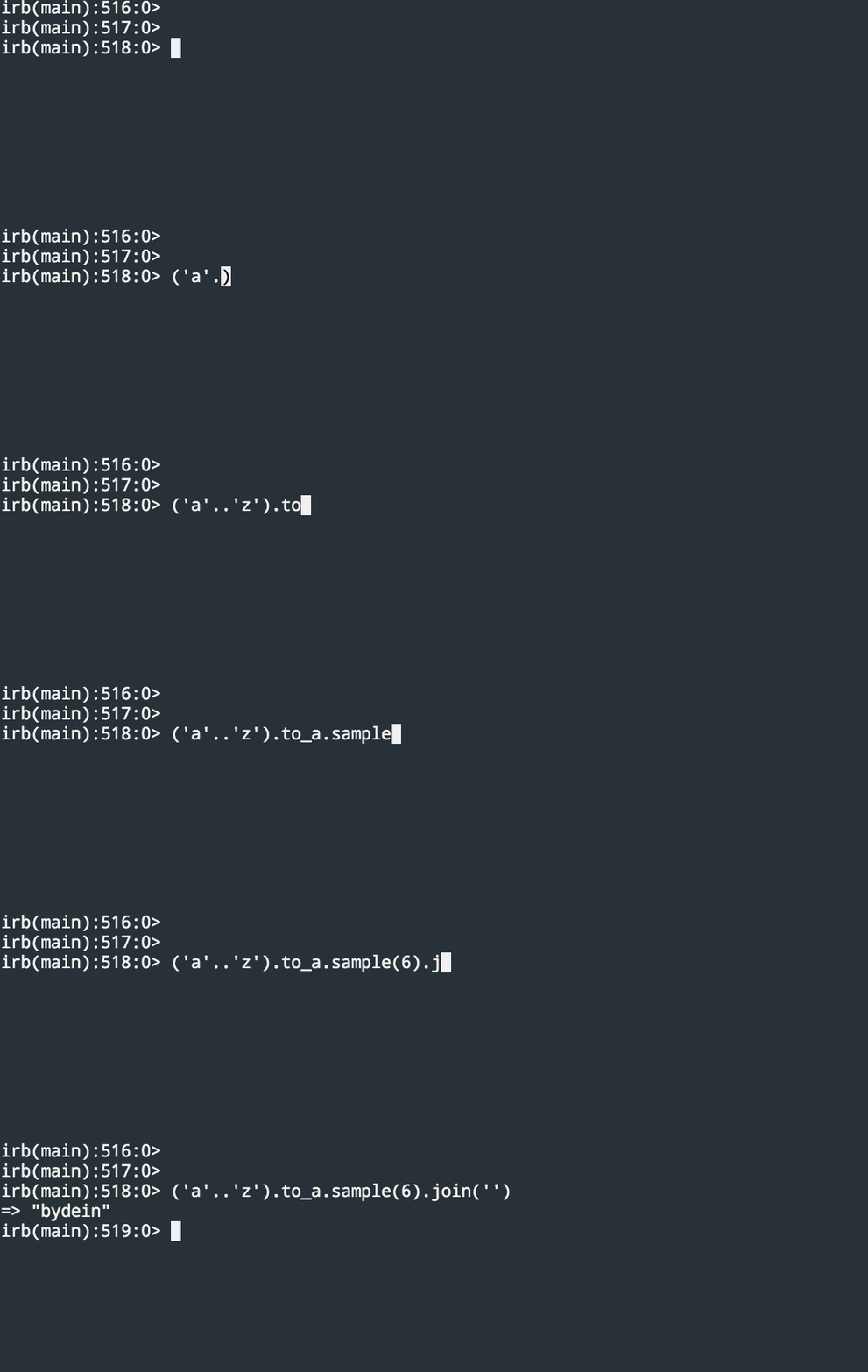
  },
  {
    "path": "RoR/README.md",
    "content": "# Rails Debugging and Development Guide\n\n## Development Tools and URLs\n\n### Rails Development URLs\n\n- **Routes Information**: `http://localhost:3000/rails/info/routes`\n\n  - Lists all available routes in your Rails application\n  - Helpful for debugging routing issues\n  - Shows controller actions and their corresponding URLs\n\n- **Letter Opener**: `http://localhost:3000/letter_opener`\n  - Preview emails in the browser instead of sending them\n  - Great for testing email functionality locally\n\n## Debugging Tools\n\n### Rails Console\n\n```bash\nrails c  # or rails console\n```\n\n- Interactive console to test Ruby code\n- Direct database access\n- Test model associations\n- Execute arbitrary Ruby code in your app's environment\n\n```bash\nrails c\nuser = User.new                  # Create a new User\nuser.name = \"Test User\"          # Set the name of the User\nuser.save                        # Save the User to the database\nuser.id                          # Get the ID of the User\nuser.auth_token                  # Get the auth_token of the User\nuser.errors                      # Get the errors of the User\nuser.errors.full_messages        # Get the full messages of the errors\nuser.destroy                     # Destroy the User\n\n\nUser.all                         # Get all Users\nUser.first                       # Get the first User\nUser.last                        # Get the last User\nUser.count                       # Get the number of Users\nUser.find(1)                     # Get the User with ID 1\nUser.find_by(name: \"Test User\")  # Get the User with name \"Test User\"    \nUser.take                        # Get a random User\nUser.delete_all                  # todo\n```\n\n### Rails Logger\n\n```ruby\nRails.logger.debug \"Debug: @user = #{@user}\"\n```\n\nOther log levels:\n\n```ruby\nRails.logger.info \"Info message\"\nRails.logger.warn \"Warning message\"\nRails.logger.error \"Error message\"\nRails.logger.fatal \"Fatal message\"\n```\n\n### Removes old assets and compiles fresh ones\n\n```ruby\nrails assets:clean && rails assets:precompile\n```\n\n## Database Commands\n\n### Seeding Data\n\n```bash\nrails db:seed:development:users  # Seed development user data\nrails db:seed                    # Run all seed files\n```\n\nOther useful database commands:\n\n```bash\nrails db:migrate                                               # Run pending migrations\nrails db:migrate:status                                        # todo\nrails db:rollback                                              # Rollback last migration\nrails db:rollback STEP=5                                       # Rollback last 5 migrations\nrails db:migrate:down VERSION=VERSION_NUMBER                   # Rollback to a specific version\nrails db:reset                                                 # Drop & recreate database\nrails db:setup                                                 # Create database, load schema, and initialize with seed data\nrails db:drop db:create db:migrate                             # Reset database by dropping, creating, and running migrations\nActiveRecord::Base.connection.tables                           # List all database tables\nActiveRecord::Base.connection.columns('users').map(&:name)     # List all column names of the 'users' table\n\n```\n\n### Rails Migration File Naming Guide\n\n#### Location\nAll migration files are stored in the `db/migrate/` directory.\n\n#### Filename Format\n\n`YYYYMMDDHHMMSS_migration_name.rb`\n\n**Examples**:\n- `20250402104500_create_users.rb`\n- `20250402110000_add_status_to_orders.rb`\n- `20250402113000_rename_email_in_customers.rb`\n\n```\nrails generate migration CreateUsers\n```\n\n#### Class Name Format\nThe migration class name should match the CamelCased version of the file’s suffix.\n\n**Examples**:\n- `20250402104500_create_users.rb` → `class CreateUsers`\n- `20250402110000_add_status_to_orders.rb` → `class AddStatusToOrders`\n- `20250402113000_rename_email_in_customers.rb` → `class RenameEmailInCustomers`\n\n> ⚠️ **Important**: If you rename the migration file, you **must update the class name** inside the file to match, or Rails will raise a `NameError` about a missing class.\n\n#### Using the `change` Method\n\nRails migrations often use the `change` method instead of `up` and `down` for simpler reversible actions.  \nRails can **automatically reverse** the following methods:\n\n- `add_column`\n- `add_index`\n- `add_timestamps`\n- `create_table`\n- `remove_timestamps`\n- `rename_column`\n- `rename_index`\n- `rename_table`\n\n> For more complex migrations, use explicit `up` and `down` methods.\n\n### Model\n\nStudent model represents a single student, so it's singular. The students table holds all of the students, so it's plural.\n\nCreate a model\n\n```shell\nrails g model Student first_name:string last_name:string gender:string\n```\n\n## Code Quality Tools\n\n### RuboCop\n\nBasic usage:\n\n```bash\nbundle exec rubocop                         # Check code style\n```\n\nAuto-correction options:\n\n```bash\nbundle exec rubocop -a                      # Safe auto-corrections (--auto-correct)\nbundle exec rubocop -A                      # Safe + unsafe auto-corrections (--auto-correct-all)\n```\n\nCommon RuboCop flags:\n\n```bash\nrubocop --only Style/StringLiterals    # Check specific cop\nrubocop --format html > rubocop.html   # Generate HTML report\nrubocop --auto-gen-config              # Generate .rubocop_todo.yml\n```\n\n### Performance Monitoring\n\n```ruby\n# Add at the start of a block you want to measure\nstart_time = Time.now\n\n# Add at the end of the block\nend_time = Time.now\nRails.logger.debug \"Operation took #{end_time - start_time} seconds\"\n```\n\n### RSpec\n\n```bash\nbundle exec rspec\n```\n\n----------------------------\n\n\n```\nannotate\n```\n\n\n# **Rails Best Practices**\n\n## Comments\n\n* File/class-level comments\n\n    1. Every class definition should have an accompanying comment\n       that describes what it is for and how it should be used.\n    2. A file that contains zero classes or more than one class should have\n       a comment at the top describing its contents.\n    3. All files, including data and config files, should have file-level comments.\n\n* Function comments\n    1. Every function declaration should have comments immediately\n       preceding it that describe what the function does and how to use it.\n    2. Every function should mention what the inputs and outputs are,\n       unless it meets all of the following criteria:\n        1. not externally visible\n        2. very short\n        3. obvious\n\n* Block and inline comments\n    1. Complicated operations get a few lines of comments before\n       the operations commence. Non-obvious ones get comments at the end of the line.\n    2. do not use block comments. They cannot be preceded by whitespace and are not\n       as easy to spot as regular comments.\n* Punctuation, spelling and grammar\n    1. Pay attention to punctuation, spelling, and grammar;\n       it is easier to read well-written comments than badly written ones.\n    2. Comments should be as readable as narrative text,\n       with proper capitalization and punctuation.\n    3. In many cases, complete sentences are more readable than sentence fragments.\n    4. Shorter comments, such as comments at the end of a line of code, can sometimes be\n       less formal, but you should be consistent with your style.\n* TODO comments\n    1. Use **TODO** comments for code that is temporary,\n       a short-term solution, or good-enough but not perfect.\n    2. TODOs should include the string **TODO** in all caps, followed by the full name of the person who can best provide\n       context about the problem referenced by the TODO, in parentheses.\n    3. A **colon** is optional.\n    4. A comment explaining what there is to do is required.\n    5. The main purpose is to have a consistent TODO format that can be searched to find the person who can provide more details upon request.\n    6. A TODO is not a commitment that the person referenced will fix the problem.\n\n```ruby\n# bad\n# TODO(TDO): Use proper namespacing for this constant.\n\n# bad\n# TODO(orinify122): Use proper namespacing for this constant.\n\n# good\n# TODO(Orin): Use proper namespacing for this constant.\n```\n\n* Commented-out code\n\n1. Never leave commented-out code in the codebase.\n\n\n\n# Resources\n1. https://dev.to/ericchapman/my-beloved-ruby-on-rails-cheat-sheet-50pi\n2. https://gist.github.com/mdang/95b4f54cadf12e7e0415\n"
  },
  {
    "path": "Scripts/README.md",
    "content": "Run using docker.\n\n```\ndocker run -it --rm -v $HOME/Desktop/Scripts:/Scripts --name scripts ruby bash\ncd Scripts\nruby strings_sort.rb\n```\n\n- [download_files](https://github.com/lifeparticle/Ruby-Cheatsheet/blob/master/Scripts/download_files.rb)\n- [duration_converter](https://github.com/lifeparticle/Ruby-Cheatsheet/blob/master/Scripts/duration_converter.rb)\n- [empty_string_finder](https://github.com/lifeparticle/Ruby-Cheatsheet/blob/master/Scripts/empty_string_finder.rb)\n- [omdbapi](https://github.com/lifeparticle/Ruby-Cheatsheet/blob/master/Scripts/omdbapi.rb)\n- [rm_dup_from_array](https://github.com/lifeparticle/Ruby-Cheatsheet/blob/master/Scripts/rm_dup_from_array.rb)\n- [strings_sort](https://github.com/lifeparticle/Ruby-Cheatsheet/blob/master/Scripts/strings_sort.rb)\n- [csv](https://github.com/lifeparticle/Ruby-Cheatsheet/tree/master/Scripts/csv)\n- [web_scraper](https://github.com/lifeparticle/Ruby-Cheatsheet/blob/master/Scripts/web_scraper)\n"
  },
  {
    "path": "Scripts/csv/README.md",
    "content": "https://ruby-doc.org/stdlib-2.6.3/libdoc/csv/rdoc/CSV.html\n"
  },
  {
    "path": "Scripts/csv/addresses.csv",
    "content": "id,location_id,address_1,address_2,city,state_province,postal_code,country\n1,1,2600 Middlefield Road,,Redwood City,CA,94063,US\n2,2,24 Second Avenue,,San Mateo,CA,94401,US\n3,3,24 Second Avenue,,San Mateo,CA,94403,US\n4,4,24 Second Avenue,,San Mateo,CA,94401,US\n5,5,24 Second Avenue,,San Mateo,CA,94401,US\n6,6,800 Middle Avenue,,Menlo Park,CA,94025-9881,US\n7,7,500 Arbor Road,,Menlo Park,CA,94025,US\n8,8,800 Middle Avenue,,Menlo Park,CA,94025-9881,US\n9,9,2510 Middlefield Road,,Redwood City,CA,94063,US\n10,10,1044 Middlefield Road,,Redwood City,CA,94063,US\n11,11,2140 Euclid Avenue.,,Redwood City,CA,94061,US\n12,12,1044 Middlefield Road,2nd Floor,Redwood City,CA,94063,US\n13,13,399 Marine Parkway.,,Redwood City,CA,94065,US\n14,14,660 Veterans Blvd.,,Redwood City,CA,94063,US\n15,15,1500 Valencia Street,,San Francisco,CA,94110,US\n16,16,1161 South Bernardo,,Sunnyvale,CA,94087,US\n17,17,409 South Spruce Avenue,,South San Francisco,CA,94080,US\n18,18,114 Fifth Avenue,,Redwood City,CA,94063,US\n19,19,19 West 39th Avenue,,San Mateo,CA,94403,US\n20,21,123 El Camino Real,,Belmont,CA,94002,US\n21,22,2013 Avenue of the fellows,Suite 100,San Francisco,CA,94103,US\n"
  },
  {
    "path": "Scripts/csv/read_csv.rb",
    "content": "require 'csv'\n\nCSV.foreach(\"addresses.csv\", headers: true) do |row|\n\tputs row['id']\n\tputs row['location_id']\n\tputs row['address_1']\n\tputs row['address_2']\n\tputs row['city']\n\tputs row['state_province']\n\tputs row['postal_code']\n\tputs row['country']\n\tputs '========'\nend\n"
  },
  {
    "path": "Scripts/download_files.rb",
    "content": "require 'open-uri'\n\nfonts = [\n\"https://www.omicronlab.com/download/fonts/kalpurush.ttf\",\n\"https://www.omicronlab.com/download/fonts/kalpurush%20ANSI.ttf\",\n\"https://www.omicronlab.com/download/fonts/Siyamrupali.ttf\",\n\"https://www.omicronlab.com/download/fonts/Siyam%20Rupali%20ANSI.ttf\",\n\"https://www.omicronlab.com/download/fonts/AponaLohit.ttf\",\n\"https://www.omicronlab.com/download/fonts/SolaimanLipi_20-04-07.ttf\",\n\"https://www.omicronlab.com/download/fonts/Bangla.ttf\",\n\"https://www.omicronlab.com/download/fonts/AdorshoLipi_20-07-2007.ttf\",\n\"https://www.omicronlab.com/download/fonts/BenSen.ttf\",\n\"https://www.omicronlab.com/download/fonts/BenSenHandwriting.ttf\",\n\"https://www.omicronlab.com/download/fonts/Nikosh.ttf\",\n\"https://www.omicronlab.com/download/fonts/NikoshBAN.ttf\",\n\"https://www.omicronlab.com/download/fonts/NikoshGrameen.ttf\",\n\"https://www.omicronlab.com/download/fonts/NikoshLight.ttf\",\n\"https://www.omicronlab.com/download/fonts/NikoshLightBan.ttf\",\n\"https://www.omicronlab.com/download/fonts/akaashnormal.ttf\",\n\"https://www.omicronlab.com/download/fonts/mitra.ttf\",\n\"https://www.omicronlab.com/download/fonts/sagarnormal.ttf\",\n\"https://www.omicronlab.com/download/fonts/muktinarrow.ttf\",\n\"https://www.omicronlab.com/download/fonts/Mukti_1.99_PR.ttf\",\n\"https://www.omicronlab.com/download/fonts/Lohit_14-04-2007.ttf\",\n\"https://www.bd.undp.org/content/dam/bangladesh/img/News/news2018/UN%20bangla.ttf\"\n]\n\nbegin\n\tfonts.each do |font|\n\t\tfont_name = font.split(/\\//).last.gsub('%20', ' ')\n\t\tputs \"Downloading #{font_name} ...\"\n\t\tread_font = open(font)\n\t\tFile.write(\"#{font_name}\", read_font)\n\tend\nrescue Exception => e\n\tputs e\nend\n"
  },
  {
    "path": "Scripts/duration_converter.rb",
    "content": "durations = [\n\"2:22\",\n\"1:57\",\n\"1:23\",\n\"2:39\",\n\"1:26\",\n\"2:00\",\n\"1:30\",\n\"2:13\",\n\"1:47\"]\n\ndurations.each do |duration|\n\tduration_array = duration.split(/:/)\n\thour_min = duration_array[0].to_i * 60\n\tmins = duration_array[1].to_i\n\ttotal_mins = hour_min + mins\n\tputs \"#{total_mins}\"\nend\n"
  },
  {
    "path": "Scripts/empty_string_finder.rb",
    "content": "array = [\n\"R\",\n\"R\",\n\"R\",\n\"R\",\n\"\",\n\"PG-13\",\n\"R\",\n\"R\",\n\"R\",\n\"PG-13\",\n\"R\",\n\"PG-13\",\n\"R\",\n\"R\",\n\"\",\n\"R\",\n\"PG-13\",\n\"PG-13\"]\n\narray.each_with_index do |item, index|\n\tputs \"#{index}\" if item == \"\"\nend\n"
  },
  {
    "path": "Scripts/omdbapi.rb",
    "content": "require 'net/http'\nrequire 'json'\n\n# http://www.omdbapi.com/\n\nsecret = \"\"\nmovie_list = [\n\"127 Hours\",\n\"Life of Pi\",\n\"The Shallows\",\n\"The Impossible\",\n\"Buried\",\n\"Apocalypto\",\n\"Tunnel\",\n\"The Wave\",\n\"The Quake\",\n\"Thelma\",\n\"3 Idiots\",\n\"Ship of Theseus\",\n\"Zindagi Na Milegi Dobara\",\n\"Sahara\",\n\"Raiders of the Lost Ark\",\n\"Indiana Jones and the Temple of Doom\",\n\"Indiana Jones and the Last Crusade\",\n\"Indiana Jones and the Kingdom of the Crystal Skull\",\n\"Enemy of the State\",\n\"National Treasure\",\n\"The Rock\",\n\"Lord of War\",\n\"National Treasure: Book of Secrets\",\n\"Face/Off\",\n\"Con Air\",\n\"Mandy\",\n\"In the Shadow of the Moon\",\n\"The Neon Demon\",\n\"Mother!\",\n\"Maleficent\",\n\"Constantine\",\n\"The Conjuring\",\n\"The Conjuring 2\",\n\"Cloud Atlas\",\n\"Hugo\",\n\"The Polar Express\",\n\"Jaws\",\n\"Jumanji\",\n\"Annihilation\",\n\"Cloverfield\",\n\"2001: A Space Odyssey\",\n\"Minority Report\",\n\"A.I. Artificial Intelligence\",\n\"Starship Troopers\",\n\"The Fifth Element\",\n\"Close Encounters of the Third Kind\",\n\"Solaris\",\n\"Under the Skin\",\n\"Serenity\",\n\"Donnie Darko\",\n\"Mr. Nobody\",\n\"The Beach\",\n\"Body of Lies\"]\n\nmovie_list.each do |name|\n\tbegin\n\t\turl = URI.parse(URI.escape((\"http://www.omdbapi.com/?apikey=#{secret}&t=#{name}\")))\n\t\tres = Net::HTTP.get_response(url)\n\t\tif res.is_a?(Net::HTTPSuccess)\n\t\t\tparsed = JSON.parse(res.body)\n\t\t\truntime_h = parsed[\"Runtime\"].gsub(\" min\",\"/\").to_i / 60\n\t\t\truntime_m = parsed[\"Runtime\"].gsub(\" min\",\"/\").to_i % 60\n\t\t\tputs \"#{parsed[\"Title\"]}\\t#{parsed[\"Year\"]}\\t#{runtime_h}:#{runtime_m.to_s.rjust(2, \"0\")}\\t#{parsed[\"Genre\"].gsub(\", \",\"/\")}\"\n\t\tend\n\trescue Exception => e\n\t\tputs \"#{\"something bad happened\"} #{e}\"\n\tend\nend\n"
  },
  {
    "path": "Scripts/rm_dup_from_array.rb",
    "content": "a = [\n\"Drama\",\n\"Mystery\",\n\"Drama\",\n\"Mystery\",\n\"Drama\",\n\"Mystery\",\n\"Drama\",\n\"Crime\",\n\"Sci-FI\",\n\"Sci-fi\",\n\"Sci-Fi\",\n\"Disaster\",\n\"Thriller\",\n\"Action\",\n\"Drama\",\n\"Crime\",\n\"Drama\",\n\"Mystery\",\n\"Drama\",\n\"Mystery\",\n\"Drama\"\n]\n\ncase_sensitive = a.uniq\nputs case_sensitive\n\nputs \"\\n\"\n\n# Sci-FI will be in the case_insensitive array, since it's the first occurance\ncase_insensitive = a.uniq { |elem| elem.downcase }\nputs case_insensitive\n"
  },
  {
    "path": "Scripts/strings_sort.rb",
    "content": "a = [\"Drama\",\n\"Mystery\",\n\"Crime\",\n\"Sci-fi\",\n\"Disaster\",\n\"Thriller\"]\n\na.sort!\nputs a\n"
  },
  {
    "path": "Scripts/web_scraper/README.md",
    "content": "```\nbrew install chromedriver\n```\n\n[MacOS Catalina(v 10.15.3): Error: “chromedriver” cannot be opened because the developer cannot be verified. Unable to launch the chrome browser\n](https://stackoverflow.com/questions/60362018/macos-catalinav-10-15-3-error-chromedriver-cannot-be-opened-because-the-de)\n\n```\ncd /opt/homebrew/Caskroom/chromedriver/91.0.4472.19\n```\n\nWorking solution for macOS Big Sur\n```\nOpen Finder\nNavigate to where the chromedriver file is located\nRight-click on the chromedriver file and select open\nAfter this the script should work fine.\n```\n\n```\ngem install selenium-webdriver\n```\n\n\n1. [selenium-webdriver-doc](https://www.rubydoc.info/gems/selenium-webdriver/0.0.28/Selenium/WebDriver/Find)\n2. [tutorials](https://testautomationu.applitools.com/selenium-webdriver-with-ruby/)\n"
  },
  {
    "path": "Scripts/web_scraper/web_scraper.rb",
    "content": "require \"selenium-webdriver\"\nrequire 'uri'\n\ndef init_selenium_webdriver\n\toptions = Selenium::WebDriver::Chrome::Options.new\n\toptions.add_argument('--headless')\n\treturn Selenium::WebDriver.for :chrome, options: options\nend\n\ndef navigate(driver, url, page_no)\n\tdriver.navigate.to URI.join(url, page_no.to_s)\nend\n\ndef get_data(driver, pattern)\n\treturn driver.find_elements(pattern)\nend\n\ndef has_data?(data)\n\treturn data.size() > 0\nend\n\ndef parse_data(data, pattern)\n\tdata.each do |quote|\n\t\ttext = quote.find_element(pattern[:text]).text\n\t\tauthor = quote.find_element(pattern[:author]).text\n\t\tputs \"#{text} -- #{author}\"\n\tend\nend\n\ndef main\n\tdriver = init_selenium_webdriver\n\turl = \"http://quotes.toscrape.com/page/\"\n\tpage_no = 1\n\tloop do\n\t\tnavigate(driver, url, page_no)\n\t\tdata = get_data(driver, {class_name: 'quote'})\n\t\tparse_data(data, {text: {class_name: 'text'}, author: {class_name: 'author'}})\n\t\tpage_no += 1\n\t\tbreak unless has_data?(data)\n\tend\n\tdriver.quit\nend\n\nmain"
  },
  {
    "path": "build_readme.py",
    "content": "import requests\nimport pathlib\nimport json\nimport re\n\nRUBY_DOWNLOADS_URL =  \"https://www.ruby-lang.org/en/downloads/\"\nRUBY_RSS_URL = \"https://api.rss2json.com/v1/api.json?rss_url=https://www.ruby-lang.org/en/feeds/news.rss\"\n\nroot = pathlib.Path(__file__).parent.resolve()\n\ndef replace_chunk(content, marker, chunk, inline=False):\n\t# build the regular expression pattern, DOTALL will match any character, including a newline\n\tr = re.compile(\n\t\tr\"<!-- {} starts -->.*<!-- {} ends -->\".format(marker, marker),\n\t\tre.DOTALL,\n\t)\n\t# add newline before and after\n\tif not inline:\n\t\tchunk = \"\\n{}\\n\".format(chunk)\n\t# build the final chunk by adding comments before and after the chunk\n\tchunk = \"<!-- {} starts -->{}<!-- {} ends -->\".format(marker, chunk, marker)\n\t# replace matched string using pattern provided with the chunk\n\treturn r.sub(chunk, content)\n\ndef fetch_blog_posts(link):\n\tresult = []\n\tresponse = requests.get(link)\n\tif (response.status_code == 200):\n\t\tposts = json.loads(response.text)[\"items\"]\n\t\tfor post in posts:\n\t\t\tresult.append(post)\n\telif response.status_code == 404:\n\t\tprint('Not Found: ') + link\n\treturn result\n\ndef fetch_ruby_latest_version():\n\tresponse = requests.get(RUBY_DOWNLOADS_URL)\n\tif (response.status_code != 200):\n\t\traise RuntimeError(f\"Error while getting {RUBY_DOWNLOADS_URL}\")\n \t# search using the following regular expression and return the first occurrence\n\treturn re.search(\"http.*ruby-(.*).tar.gz\", response.text).groups()[0]\n\nif __name__ == \"__main__\":\n\treadme = root / \"README.md\"\n\treadme_contents = readme.open().read()\n\tposts = fetch_blog_posts(RUBY_RSS_URL)\n\n\tif len(posts) != 0:\n\t\t# markdown formatting\n\t\tposts_md = \"\\n\".join(\n\t\t\t[\"* [{title}]({link}) <br/> <sub>{pubDate}</sub>\".format(**post) for post in posts]\n\t\t)\n\t\treadme_contents = replace_chunk(readme_contents, \"news\", posts_md)\n\n\t# Update the doc links to point the latest ruby version docs\n\tcurrent_stable_version = root / \"current_ruby_doc_stable_version.txt\"\n\tcurrent_stable_version_contents = current_stable_version.open().read().strip()\n\truby_latest_version = fetch_ruby_latest_version()\n\n\tif (current_stable_version_contents != ruby_latest_version):\n\t\tdoc_links = re.search(\"<!-- doc_links starts -->(.*)<!-- doc_links ends -->\", readme_contents, re.DOTALL).groups()[0].strip()\n\t\tupdated_doc_links = re.sub(\"core-\\d.\\d.\\d\", f\"core-{ruby_latest_version}\", doc_links)\n\t\tresponse = requests.get(\"https://ruby-doc.org/core-/\"+str(ruby_latest_version))\n\t\tif (response.status_code == 200):\n\t\t\treadme_contents = replace_chunk(readme_contents, \"doc_links\", updated_doc_links)\n\t\t\tcurrent_stable_version.open(\"w\").write(ruby_latest_version)\n\n\treadme.open(\"w\").write(readme_contents)\n"
  },
  {
    "path": "current_ruby_doc_stable_version.txt",
    "content": "3.1.2"
  },
  {
    "path": "requirements.txt",
    "content": "requests"
  }
]
