Repository: lncapital/torq
Branch: main
Commit: beece5cc1cf6
Files: 28
Total size: 31.8 KB
Directory structure:
gitextract_lzkbubux/

├── .editorconfig
├── .gitignore
├── README.md
├── SECURITY.md
├── docker/
│   ├── delete.sh
│   ├── example-docker-compose-host-network.yml
│   ├── example-docker-compose.yml
│   ├── example-torq.conf
│   ├── install.sh
│   ├── nginx.conf
│   ├── reverse-proxy-example.sh
│   ├── start.sh
│   ├── stop.sh
│   └── update.sh
└── kubernetes/
    ├── README.md
    ├── bitcoin-core-pvc.yaml
    ├── bitcoin-core.yaml
    ├── cluster-issuer.yaml
    ├── lnd-postgres-configmap.yaml
    ├── lnd-postgres-pvc.yaml
    ├── lnd-postgres.yaml
    ├── lnd-pvc.yaml
    ├── lnd.yaml
    ├── torq-ingress.yaml
    ├── torq-postgres-configmap.yaml
    ├── torq-postgres-pvc.yaml
    ├── torq-postgres.yaml
    └── torq.yaml
================================================
FILE CONTENTS
================================================
================================================
FILE: .editorconfig
================================================
# http://editorconfig.org
root = true
[*]
charset = utf-8
end_of_line = lf
insert_final_newline = true
trim_trailing_whitespace = true
max_line_length = 120
[*.go]
indent_style = tab
indent_size = 4
[*.tsx]
indent_style = space
indent_size = 2
[*.jsx]
indent_style = space
indent_size = 2
[*.js]
indent_style = space
indent_size = 2
[*.ts]
indent_style = space
indent_size = 2
[*.json]
indent_style = space
indent_size = 2
[*.css]
indent_style = space
indent_size = 2
[*.scss]
indent_style = space
indent_size = 2
[Makefile]
indent_style = tab
================================================
FILE: .gitignore
================================================
.DS_Store
.idea
================================================
FILE: README.md
================================================

# Torq

Torq is an advanced node management software that helps lightning node operators analyze and automate their nodes. It is designed to handle large nodes with over 1000 channels, and it offers a range of features to simplify your node management tasks, including:
* Analyze, connect and manage all your nodes from one place!
* Access a complete overview of all channels instantly.
* Build advanced automation workflows to automate Rebalancing, Channel Policy, Tagging and eventually any node action.
* Review forwarding history, both current and at any point in history.
* Customize and save table views. Containing only selected columns, advanced sorting and high fidelity filters.
* Export table data as CSV. Finally get all your forwarding or channel data as CSV files.
* Enjoy advanced charts to visualize your node's performance and make informed decisions.
Whether you're running a small or a large node, Torq can help you optimize its performance and streamline your node management process. Give it a try and see how it can simplify your node management tasks.

## Quick start
### Docker compose
To install Torq via docker compose:
```bash
bash -c "$(curl -fsSL https://torq.sh)"
```
You do not need sudo/root to run this, and you can check the contents of the installation script here: https://torq.sh
When you:
- Have a firewall
- Run Torq in a container
- Need to access LND or CLN on the host
- Are not using host network configuration for the container
Then make sure to allow docker bridge network traffic i.e. `sudo ufw allow from 172.16.0.0/12`
### Podman
To run the database via host network:
```sh
podman run -d --name torqdb --network=host -v torq_db:/var/lib/postgresql/data -e POSTGRES_PASSWORD="<YourPostgresPasswordHere>" timescale/timescaledb:latest-pg14
```
To run Torq via host network:
First create your TOML configuration file and store it in `~/.torq/torq.conf`
```sh
podman run -d --name torq --network=host -v ~/.torq/torq.conf:/home/torq/torq.conf lncapital/torq:latest --config=/home/torq/torq.conf start
```
**Note**: Only run with host network when your server has a firewall and doesn't automatically open all port to the internet. You don't want the database to be accessible from the internet!
### Kubernetes
We shared templates for CRDs in folder [kubernetes](./kubernetes).
This folder also has its own [readme](./kubernetes/README.md).
### Network
Be aware that when you try Torq on testnet, simnet or some other type of network that you must use the network switch when trying to browse the web interface.
The network switch is the globe icon in the top left corner, next to the Torq logo.
### Guides
We're adding more guides and help articles on [docs.torq.co](https://docs.torq.co).
* [How to add a domain for Torq with https](https://docs.torq.co/en/articles/7323907-how-to-add-a-domain-to-torq-using-caddy).
* [How to monitor your infrastructure with Torq](https://docs.torq.co/en/articles/7323908-how-to-monitor-your-infrastructure-with-torq).
## Configuration
Torq supports a TOML configuration file. The docker compose install script auto generates this file.
You can find an example configuration file at [example-torq.conf](./docker/example-torq.conf)
It is also possible not to use any TOML configuration files and use command like parameters or environment variables. The list of parameters are:
- **--lnd.url**: (optional) Host:Port of the LND node (example: "127.0.0.1:10009")
- **--lnd.macaroon-path**: (optional) Path on disk to LND Macaroon (example: "~/.lnd/admin.macaroon")
- **--lnd.tls-path**: (optional) Path on disk to LND TLS file (example: "~/.lnd/tls.cert")
- **--cln.url**: (optional) Host:Port of the CLN node (example: "127.0.0.1:17272")
- **--cln.certificate-path**: (optional) Path on disk to CLN client certificate file (example: "~/.cln/client.pem")
- **--cln.key-path**: (optional) Path on disk to CLN client key file (example: "~/.cln/client-key.pem")
- **--cln.ca-certificate-path**: (optional) Path on disk to CLN certificate authority file (example: "~/.cln/ca.pem")
- **--db.name**: (optional) Name of the database (default: "torq")
- **--db.user**: (optional) Name of the postgres user with access to the database (default: "postgres")
- **--db.password**: (optional) Password used to access the database (default: "runningtorq")
- **--db.port**: (optional) Port of the database (default: "5432")
- **--db.host**: (optional) Host of the database (default: "localhost")
- **--torq.password**: Password used to access the API and frontend (example: "C44y78A4JXHCVziRcFqaJfFij5HpJhF6VwKjz4vR")
- **--torq.network-interface**: (optional) The nework interface to serve the HTTP API (default: "0.0.0.0")
- **--torq.port**: (optional) Port to serve the HTTP API (default: "8080")
- **--torq.pprof.path**: (optional) When pprof path is set then pprof is loaded when Torq boots. (example: ":6060"). **See Note**
- **--torq.prometheus.path**: (optional) When prometheus path is set then prometheus is loaded when Torq boots. (example: "localhost:7070"). **See Note**
- **--torq.debuglevel**: (optional) Specify different debug levels (panic|fatal|error|warn|info|debug|trace) (default: "info")
- **--torq.vector.url**: (optional) Alternative path for alternative vector service implementation (default: "https://vector.ln.capital/")
- **--torq.cookie-path**: (optional) Path to auth cookie file
- **--torq.no-sub**: (optional) Start the server without subscribing to node data (default: "false")
- **--torq.auto-login**: (optional) Allows logging in without a password (default: "false")
- **--customize.mempool.url**: (optional) Mempool custom URL (no trailing slash) (default: "https://mempool.space")
- **--customize.electrum.path**: (optional) Electrum path (example: "localhost:50001")
- **--otel.exporter.type**: (optional) OpenTelemetry exporter type: stdout/file/jaeger (default: "stdout")
- **--otel.exporter.endpoint**: (optional) OpenTelemetry exporter endpoint
- **--otel.exporter.path**: (optional) OpenTelemetry exporter path (default: "traces.txt")
- **--otel.sampler.fraction**: (optional) OpenTelemetry sampler fraction (default: "0.0")
- **--bitcoind.network**: (optional) Bitcoind network: MainNet/TestNet/RegTest/SigNet/SimNet. (default: "MainNet")
- **--bitcoind.url**: (optional) Bitcoind RPC Host:Port
- **--bitcoind.user**: (optional) Bitcoind RPC username
- **--bitcoind.password**: (optional) Bitcoind RPC password
**Note**: pprof and prometheus expose internal statistics, be careful not to expose this publicly.
More information about infrastructure and node monitoring over [here](https://docs.torq.co/en/articles/8488866-infrastructure-and-node-monitoring)
## How to Videos
[You can find the full list of video guides here.](https://docs.torq.co/en/collections/3817618-torq-video-tutorials)
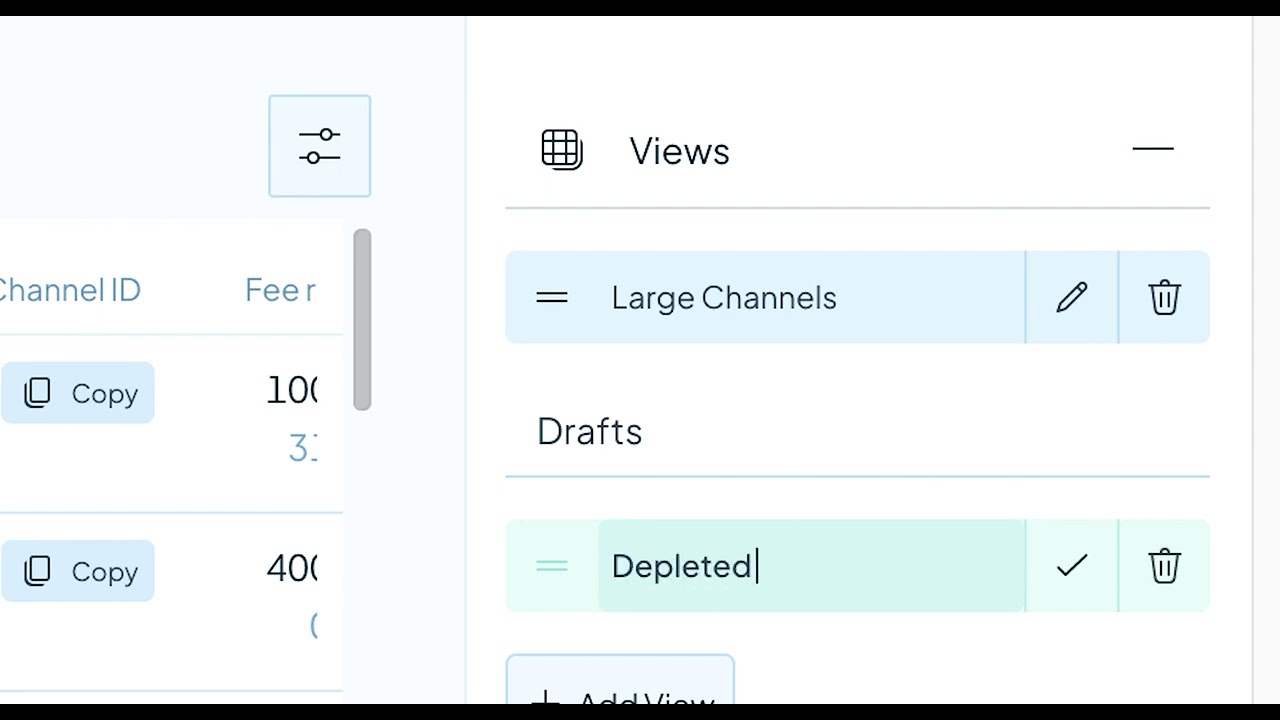
### How to create custom Channel Views
[](https://www.youtube.com/watch?v=5ZfgflfOFwQ)
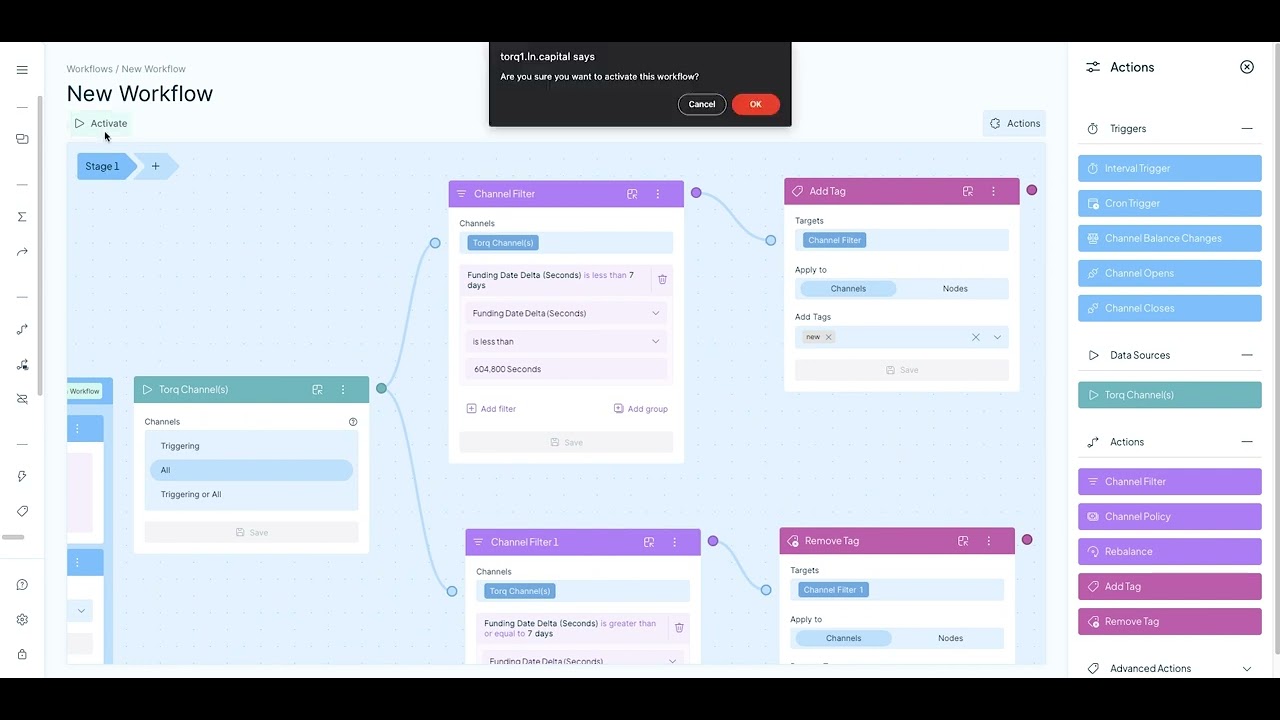
### How to use Automation Workflows
[](https://www.youtube.com/watch?v=Go4uJoMhwrE)
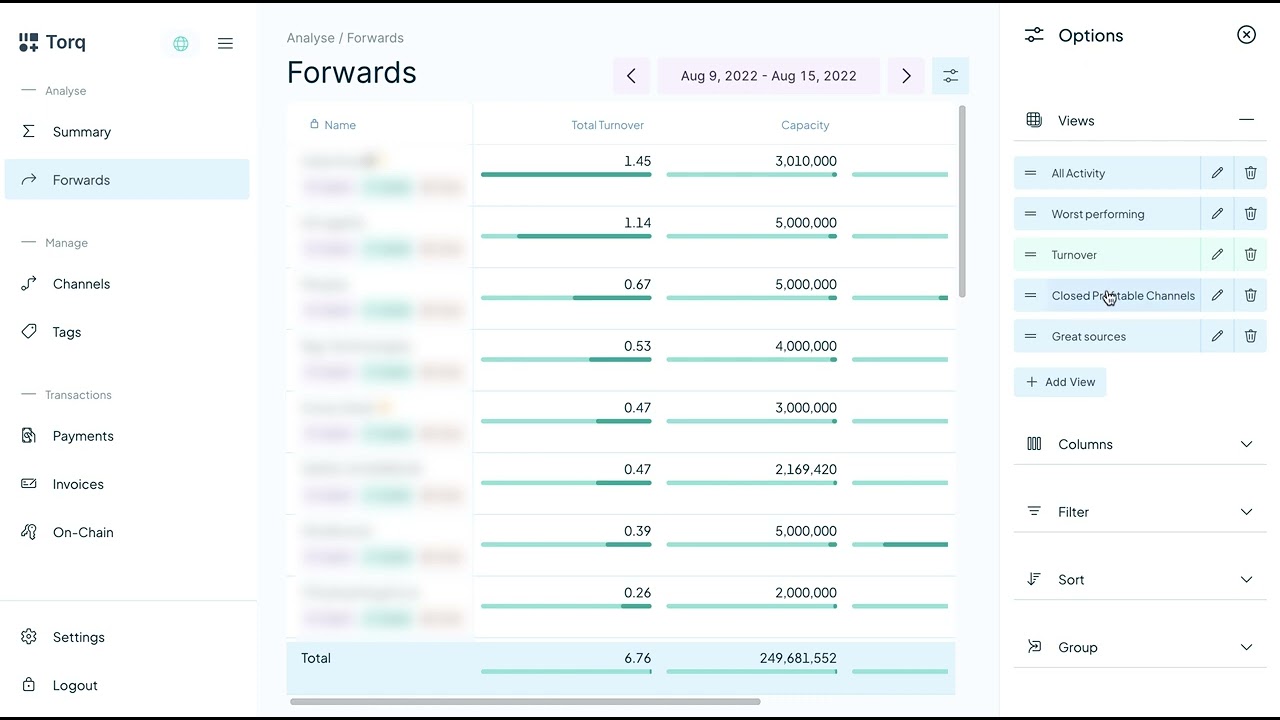
### How to use the Forwards Tab
[](https://www.youtube.com/watch?v=ZTetH8_jbgk)
## LND Permissions
Since Torq is built to manage your node, it needs most/all permissions to be fully functional. However, if you want to
be extra careful you can disable some permissions that are not strictly needed.
Torq does not for now need the ability to create new macaroon or stop the LND daemon,
lncli bakemacaroon \
invoices:read \
invoices:write \
onchain:read \
onchain:write \
offchain:read \
offchain:write \
address:read \
address:write \
message:read \
message:write \
peers:read \
peers:write \
info:read \
uri:/lnrpc.Lightning/UpdateChannelPolicy \
--save_to=torq.macaroon
Here is an example of a macaroon that can be used if you want to prevent all actions that sends funds from your node:
lncli bakemacaroon \
invoices:read \
invoices:write \
onchain:read \
offchain:read \
address:read \
address:write \
message:read \
message:write \
peers:read \
peers:write \
info:read \
uri:/lnrpc.Lightning/UpdateChannelPolicy \
--save_to=torq.macaroon
## CLN
We support CLN nodes (Except HTLC firewall). Make sure your CLN node is compatible with the version of Torq (See Compatibility).
You will have to have RUST active and also specify `--grpc-port` which should generate the appropriate mTLS certificates.
You need to provide these certificates once Torq is running (or as boot parameter or in the configuration file)
## Compatibility
Torq `v2.0.0` and up are compatible with `CLN v24.05.*` and `LND v0.18.2+`
Torq `v1.5.0` <-> `v1.6.1` are compatible with `CLN v23.11.*`
Torq `v1.2.0` <-> `v1.4.3` are compatible with `CLN v23.08.1+`
Torq `v0.22.1` <-> `v1.1.5` are all compatible with `CLN v23.05.*`
## Help and feedback
Join our [Telegram group](https://t.me/joinchat/V-Dks6zjBK4xZWY0) if you need help getting started.
Feel free to ping us in the telegram group if you have any feature request or feedback. We would also love to hear your ideas for features or any other feedback you might have.
================================================
FILE: SECURITY.md
================================================
# Security Policy
## Reporting a Vulnerability
If you believe you have found a security vulnerability in any GitHub-owned repository, please report it to us through coordinated disclosure.
**Please do not report security vulnerabilities through public GitHub issues, discussions, or pull requests.**
Instead, please send an email to max[@]ln.capital.
Please include as much of the information listed below as you can to help us better understand and resolve the issue:
* The type of issue (e.g., buffer overflow, SQL injection, or cross-site scripting)
* Full paths of source file(s) related to the manifestation of the issue
* The location of the affected source code (tag/branch/commit or direct URL)
* Any special configuration required to reproduce the issue
* Step-by-step instructions to reproduce the issue
* Proof-of-concept or exploit code (if possible)
* Impact of the issue, including how an attacker might exploit the issue
This information will help us triage your report more quickly.
================================================
FILE: docker/delete.sh
================================================
#!/usr/bin/env bash
# Check that the Docker daemon is running
if ! docker ps > /dev/null; then exit 1; fi
BASEDIR=$(dirname "$0")
read -p "Are you wish to delete Torq including data? (y/n)" -n 1 -r
echo # (optional) move to a new line
if [[ $REPLY =~ ^[Yy]$ ]]
then
docker-compose -f $BASEDIR/docker-compose.yml down -v
fi
================================================
FILE: docker/example-docker-compose-host-network.yml
================================================
version: "3.7"
services:
torq:
image: "lncapital/torq:latest"
restart: always
depends_on:
- "db"
command:
- --config
- "/home/torq/torq.conf"
- start
network_mode: "host"
volumes:
- <Path>:/home/torq/torq.conf
extra_hosts:
- "host.docker.internal:host-gateway"
db:
restart: always
image: "timescale/timescaledb:latest-pg14"
environment:
POSTGRES_PASSWORD: "runningtorq" # Must match db password set above
volumes:
- torq_db:/var/lib/postgresql/data
network_mode: "host"
volumes:
torq_db:
================================================
FILE: docker/example-docker-compose.yml
================================================
version: "3.7"
services:
torq:
image: "lncapital/torq:latest"
restart: always
depends_on:
- "db"
command:
- --config
- "/home/torq/torq.conf"
- start
ports:
- "<YourPort>:<YourPort>"
- "<YourGRPCPort>:<YourGRPCPort>"
volumes:
- <Path>:/home/torq/torq.conf
extra_hosts:
- "host.docker.internal:host-gateway"
db:
restart: always
image: "timescale/timescaledb:latest-pg14"
environment:
POSTGRES_PASSWORD: "runningtorq" # Must match db password set above
volumes:
- torq_db:/var/lib/postgresql/data
volumes:
torq_db:
================================================
FILE: docker/example-torq.conf
================================================
[cln]
# Host:Port of the CLN node
#url = "127.0.0.1:17272"
# Path on disk to CLN client certificate file (if you are running Torq in a container, make sure to mount the file)
#certificate-path = "~/.cln/client.pem"
# Path on disk to CLN client key file (if you are running Torq in a container, make sure to mount the file)
#key-path = "~/.cln/client-key.pem"
# Path on disk to CLN certificate authority file (if you are running Torq in a container, make sure to mount the file)
#ca-certificate-path = "~/.cln/ca.pem"
[lnd]
# Host:Port of the LND node
#url = "127.0.0.1:10009"
# Path on disk to LND Macaroon (if you are running Torq in a container, make sure to mount the file)
#macaroon-path = "~/.lnd/admin.macaroon"
# Path on disk to LND TLS file (if you are running Torq in a container, make sure to mount the file)
#tls-path = "~/.lnd/tls.cert"
[bitcoind]
# Bitcoind network (MainNet, TestNet, RegTest, SigNet, SimNet)
#network = "MainNet"
# Bitcoind RPC Host:Port
#url = "localhost:8332"
# Bitcoind RPC user
#user = "bitcoinrpc"
# Bitcoind RPC password
#password =
[db]
# Name of the database
#name = "torq"
# Name of the postgres user with access to the database
#user = "postgres"
# Password used to access the database
password = "runningtorq"
# Port of the database
#port = "5432"
# Host of the database
host = "<YourDatabaseHost>"
[torq]
# Password used to access the API and frontend
password = "<YourUIPassword>"
# Network interface to serve the HTTP API"
#network-interface = "0.0.0.0"
# Port to serve the HTTP API
port = "<YourPort>"
# When pprof path is set then pprof is loaded when Torq boots.
#pprof.path = "localhost:6060"
# When prometheus path is set then prometheus is loaded when Torq boots.
#prometheus.path = "localhost:7070"
# Specify different debug levels (panic|fatal|error|warn|info|debug|trace)
#debuglevel = "info"
# Alternative path for alternative vector service implementation.
#vector.url = "https://vector.ln.capital/"
# Path to auth cookie file
#cookie-path =
# Start the server without subscribing to node data
#no-sub = false
# Allows logging in without a password
#auto-login = false
[customize]
# Mempool custom URL (no trailing slash)
#mempool.url = "https://mempool.space"
# Electrum path (example: localhost:50001)
#electrum.path = "localhost:50001"
[otel]
# Type of OpenTelemetry exporter stdout/file/jaeger
exporter.type="stdout"
# Endpoint for jaeger
#exporter.endpoint=""
# Path for the exporter
#exporter.path="traces.txt"
# Sampler ratio default: 0.10 or 10%
sampler.fraction=0.0
================================================
FILE: docker/install.sh
================================================
#!/usr/bin/env bash
echo Configuring docker-compose and torq.conf files
eval CURRENT_DIRECTORY=`pwd`
printf "\n"
echo Please specify where you want to add the Torq help commands
read -p "Directory (default: ~/.torq): " TORQDIR
eval TORQDIR="${TORQDIR:=$HOME/.torq}"
echo $TORQDIR
mkdir -p $TORQDIR
cd $TORQDIR
eval TORQDIR=`pwd`
cd $CURRENT_DIRECTORY
printf "\n"
# Set web UI password
printf "\n"
stty -echo
read -p "Please set a web UI password: " UIPASSWORD
while [[ -z "$UIPASSWORD" ]]; do
printf "\n"
read -p "The password cannot be empty, please try again: " UIPASSWORD
done
stty echo
printf "\n"
# Set web UI port number
printf "\n"
echo Please choose a port number for the web UI.
echo NB! Umbrel users needs to use a different port than 8080. Try 8081.
read -p "Port number (default: 8080): " UI_PORT
eval UI_PORT="${UI_PORT:=8080}"
while [[ ! $UI_PORT =~ ^[0-9]+$ ]] || [[ $UI_PORT -lt 1 ]] || [[ $UI_PORT -gt 65535 ]]; do
read -p "Invalid port number. Please enter a valid port number from 1 through 65535: " UI_PORT
done
# Set gRPC port number
printf "\n"
echo Please choose a port number for the Torq gRPC.
read -p "Port number (default: 50051): " GRPC_PORT
eval GRPC_PORT="${GRPC_PORT:=50051}"
while [[ ! $GRPC_PORT =~ ^[0-9]+$ ]] || [[ $GRPC_PORT -lt 1 ]] || [[ $GRPC_PORT -gt 65535 ]]; do
read -p "Invalid port number. Please enter a valid port number from 1 through 65535: " GRPC_PORT
done
# Set network type
printf "\n"
echo "Only run with host network when your server has a firewall and doesn't automatically open all port to the internet."
echo "You don't want the database to be accessible from the internet!"
echo "You usually want host network when you have a firewall and access the GRPC via localhost or 127.0.0.1"
echo "In all other cases bridge is the better and safer choice"
read -p "Please choose network type host or bridge (default: bridge): " NETWORK
eval NETWORK="${NETWORK:=bridge}"
while [[ "$NETWORK" != "host" ]] && [[ "$NETWORK" != "bridge" ]]; do
printf "\n"
read -p "Please choose network type host or bridge (default: bridge): " NETWORK
eval NETWORK="${NETWORK:=bridge}"
done
printf "\n"
[ -f ${TORQDIR}/docker-compose.yml ] && rm ${TORQDIR}/docker-compose.yml
TORQ_CONFIG=${TORQDIR}/torq.conf
curl --location --silent --output "${TORQ_CONFIG}" https://raw.githubusercontent.com/lncapital/torq/main/docker/example-torq.conf
if [[ "$NETWORK" == "host" ]]; then
curl --location --silent --output "${TORQDIR}/docker-compose.yml" https://raw.githubusercontent.com/lncapital/torq/main/docker/example-docker-compose-host-network.yml
fi
if [[ "$NETWORK" == "bridge" ]]; then
curl --location --silent --output "${TORQDIR}/docker-compose.yml" https://raw.githubusercontent.com/lncapital/torq/main/docker/example-docker-compose.yml
fi
# https://stackoverflow.com/questions/16745988/sed-command-with-i-option-in-place-editing-works-fine-on-ubuntu-but-not-mac
#torq.conf setup
sed -i.bak "s|<Path>|$TORQ_CONFIG|g" $TORQDIR/docker-compose.yml && rm $TORQDIR/docker-compose.yml.bak
if [[ "$NETWORK" == "bridge" ]]; then
sed -i.bak "s/<YourDatabaseHost>/db/g" $TORQ_CONFIG && rm $TORQ_CONFIG.bak
sed -i.bak "s/<YourPort>/$UI_PORT/g" $TORQDIR/docker-compose.yml && rm $TORQDIR/docker-compose.yml.bak
sed -i.bak "s/<YourGRPCPort>/$GRPC_PORT/g" $TORQDIR/docker-compose.yml && rm $TORQDIR/docker-compose.yml.bak
fi
sed -i.bak "s/<YourUIPassword>/$UIPASSWORD/g" $TORQ_CONFIG && rm $TORQ_CONFIG.bak
sed -i.bak "s/<YourPort>/$UI_PORT/g" $TORQ_CONFIG && rm $TORQ_CONFIG.bak
sed -i.bak "s/<YourGRPCPort>/$GRPC_PORT/g" $TORQ_CONFIG && rm $TORQ_CONFIG.bak
if [[ "$NETWORK" == "host" ]]; then
sed -i.bak "s/<YourDatabaseHost>/localhost/g" $TORQ_CONFIG && rm $TORQ_CONFIG.bak
fi
echo 'Docker compose file (docker-compose.yml) created in '$TORQDIR
echo 'Torq configuration file (torq.conf) created in '$TORQDIR
printf "\n"
START_COMMAND='start-torq'
STOP_COMMAND='stop-torq'
UPDATE_COMMAND='update-torq'
DELETE_COMMAND='delete-torq'
curl --location --silent --output "${TORQDIR}/${START_COMMAND}" https://raw.githubusercontent.com/lncapital/torq/main/docker/start.sh
curl --location --silent --output "${TORQDIR}/${STOP_COMMAND}" https://raw.githubusercontent.com/lncapital/torq/main/docker/stop.sh
curl --location --silent --output "${TORQDIR}/${UPDATE_COMMAND}" https://raw.githubusercontent.com/lncapital/torq/main/docker/update.sh
curl --location --silent --output "${TORQDIR}/${DELETE_COMMAND}" https://raw.githubusercontent.com/lncapital/torq/main/docker/delete.sh
#start-torq setup
sed -i.bak "s/<YourPort>/$UI_PORT/g" $TORQDIR/${START_COMMAND} && rm $TORQDIR/start-torq.bak
sed -i.bak "s/<YourGRPCPort>/$GRPC_PORT/g" $TORQDIR/${START_COMMAND} && rm $TORQDIR/start-torq.bak
chmod +x $TORQDIR/$START_COMMAND
chmod +x $TORQDIR/$STOP_COMMAND
chmod +x $TORQDIR/$UPDATE_COMMAND
chmod +x $TORQDIR/$DELETE_COMMAND
printf "\n"
echo "We have added these scripts to ${TORQDIR}:"
echo "${START_COMMAND} (This command starts Torq)"
echo "${STOP_COMMAND} (This command stops Torq)"
echo "${UPDATE_COMMAND} (This command updates Torq)"
echo "${DELETE_COMMAND} (WARNING: This command deletes Torq _including_ all collected data!)"
printf "\n"
echo "Optional you can add these scripts to your PATH by running:"
echo "sudo ln -s ${TORQDIR}/* /usr/local/bin/"
printf "\n"
echo "Try it out now! Make sure the Docker daemon is running, and then start Torq with:"
echo "${TORQDIR}/${START_COMMAND}"
================================================
FILE: docker/nginx.conf
================================================
events {}
http {
server {
listen 132;
location /torq/ {
proxy_pass http://host.docker.internal:8080/;
}
}
}
================================================
FILE: docker/reverse-proxy-example.sh
================================================
docker run --name reverseproxy --mount type=bind,source=<absolutepath>/nginx.conf,target=/etc/nginx/nginx.conf,readonly -p 132:132 --rm nginx
================================================
FILE: docker/start.sh
================================================
#!/usr/bin/env bash
# Check that the Docker daemon is running
if ! docker ps > /dev/null; then exit 1; fi
BASEDIR=$(dirname "$0")
docker pull lncapital/torq
docker-compose -f $BASEDIR/docker-compose.yml up -d
echo Torq is starting, please wait
function timeout() { perl -e 'alarm shift; exec @ARGV' "$@"; }
timeout 300 bash -c 'while [[ "$(curl -s -o /dev/null -w ''%{http_code}'' localhost:<YourPort>)" != "200" ]]; do sleep 5; done' || false
echo Torq has started and is available on http://localhost:<YourPort>
if [ "$(uname)" == "Darwin" ]; then
open http://localhost:<YourPort>
fi
if [[ "$(uname)" != "Darwin" && x$DISPLAY != x ]]; then
xdg-open http://localhost:<YourPort>
fi
================================================
FILE: docker/stop.sh
================================================
#!/usr/bin/env bash
# Check that the Docker daemon is running
if ! docker ps > /dev/null; then exit 1; fi
BASEDIR=$(dirname "$0")
docker-compose -f $BASEDIR/docker-compose.yml down
================================================
FILE: docker/update.sh
================================================
#!/usr/bin/env bash
# Check that the Docker daemon is running
if ! docker ps > /dev/null; then exit 1; fi
BASEDIR=$(dirname "$0")
docker-compose -f $BASEDIR/docker-compose.yml down
docker pull lncapital/torq
docker-compose -f $BASEDIR/docker-compose.yml up -d
================================================
FILE: kubernetes/README.md
================================================

# Torq
Torq Kubernetes CRD files are work-in-progress example template files.
Files that require custom modifications are:
- bitcoin-core.yaml: \<rpc-auth\>
- cluster-issuer.yaml: \<Email-Address\>
- lnd-postgres-configmap.yaml: \<lnd-postgres-user\> and \<lnd-postgres-pass\>
- lnd.yaml: \<RPC-Password\>, \<RPC-User\>, \<lnd-postgres-user\> and \<lnd-postgres-pass\>
- torq-ingress.yaml: \<Public-URL\>
- torq-postgres-configmap.yaml: \<torq-user\> and \<torq-pass\>
- torq.yaml: \<torq-user\> and \<torq-pass\>
# Secret creation
`kubectl create configmap lnd-tls.cert --from-file=/path/to/lnd/tls.cert`
`kubectl create configmap lnd-admin.macaroon --from-file=/home/kobe/lnd/admin.macaroon`
# TODO
Convert more things to secrets.
## Help and feedback
Join our [Telegram group](https://t.me/joinchat/V-Dks6zjBK4xZWY0) if you need help getting started.
Feel free to ping us in the telegram group if you have any feature request or feedback. We would also love to hear your ideas for features or any other feedback you might have.
================================================
FILE: kubernetes/bitcoin-core-pvc.yaml
================================================
kind: PersistentVolumeClaim
apiVersion: v1
metadata:
name: bitcoin-core-pv-claim
spec:
storageClassName: default
accessModes:
- ReadWriteOnce
resources:
requests:
storage: 700Gi
================================================
FILE: kubernetes/bitcoin-core.yaml
================================================
apiVersion: apps/v1
kind: Deployment
metadata:
name: bitcoin-core-deployment
labels:
app: bitcoin-core-app
tier: bitcoin
spec:
replicas: 1
selector:
matchLabels:
app: bitcoin-core-app
template:
metadata:
labels:
app: bitcoin-core-app
tier: bitcoin
spec:
hostname: bitcoin-core-mainnet
volumes:
- name: bitcoin-core-pv-storage
persistentVolumeClaim:
claimName: bitcoin-core-pv-claim
containers:
- name: bitcoin-core
image: "ruimarinho/bitcoin-core:latest"
imagePullPolicy: IfNotPresent
resources:
requests:
memory: "10G"
args:
- -printtoconsole
- -rpcauth=<rpc-auth>
- -disablewallet=1
- -nopeerbloomfilters=1
- -txindex=1
- -rpcbind=0.0.0.0
- -rpcbind=bitcoin-core-mainnet
- -rpcport=8332
- -rpcallowip=0.0.0.0/0
- -server=1
- -maxmempool=100
- -peerbloomfilters=0
- -dbcache=3000
- -maxuploadtarget=1000
- -permitbaremultisig=0
- -zmqpubrawblock=tcp://0.0.0.0:28332
- -zmqpubrawtx=tcp://0.0.0.0:28333
volumeMounts:
- name: bitcoin-core-pv-storage
mountPath: "/home/bitcoin/.bitcoin"
---
apiVersion: v1
kind: Service
metadata:
name: bitcoin-core-service
labels:
tier: bitcoin
spec:
selector:
app: bitcoin-core-app
tier: bitcoin
ports:
- port: 28332
name: bitcoin-core-zmq-block
- port: 28333
name: bitcoin-core-zmq-tx
- port: 8332
name: bitcoin-core-rpc
================================================
FILE: kubernetes/cluster-issuer.yaml
================================================
apiVersion: cert-manager.io/v1
kind: ClusterIssuer
metadata:
name: letsencrypt
spec:
acme:
server: https://acme-v02.api.letsencrypt.org/directory
email: <Email-Address>
privateKeySecretRef:
name: letsencrypt
solvers:
- http01:
ingress:
class: nginx
podTemplate:
spec:
nodeSelector:
"kubernetes.io/os": linux
================================================
FILE: kubernetes/lnd-postgres-configmap.yaml
================================================
apiVersion: v1
kind: ConfigMap
metadata:
name: lnd-postgres-config
labels:
app: lnd-postgres
data:
POSTGRES_DB: "lndpostgresdb"
POSTGRES_USER: "<lnd-postgres-user>"
POSTGRES_PASSWORD: "<lnd-postgres-pass>"
PGDATA: "/var/lib/postgresql/data/pgdata"
================================================
FILE: kubernetes/lnd-postgres-pvc.yaml
================================================
kind: PersistentVolumeClaim
apiVersion: v1
metadata:
name: lnd-postgres-pv-claim
spec:
storageClassName: default
accessModes:
- ReadWriteOnce
resources:
requests:
storage: 10Gi
================================================
FILE: kubernetes/lnd-postgres.yaml
================================================
apiVersion: apps/v1
kind: Deployment
metadata:
name: lnd-postgres-deployment
spec:
replicas: 1
selector:
matchLabels:
app: lnd-postgres-app
template:
metadata:
labels:
app: lnd-postgres-app
spec:
containers:
- name: lnd-postgres
image: postgres:15
imagePullPolicy: "IfNotPresent"
ports:
- containerPort: 5432
envFrom:
- configMapRef:
name: lnd-postgres-config
volumeMounts:
- mountPath: /var/lib/postgresql/data
name: lndpostgresdb
volumes:
- name: lndpostgresdb
persistentVolumeClaim:
claimName: lnd-postgres-pv-claim
---
apiVersion: v1
kind: Service
metadata:
name: lnd-postgres-service
spec:
selector:
app: lnd-postgres-app
ports:
- port: 5432
================================================
FILE: kubernetes/lnd-pvc.yaml
================================================
kind: PersistentVolumeClaim
apiVersion: v1
metadata:
name: lnd-pv-claim
spec:
storageClassName: default
accessModes:
- ReadWriteOnce
resources:
requests:
storage: 10Gi
================================================
FILE: kubernetes/lnd.yaml
================================================
apiVersion: apps/v1
kind: Deployment
metadata:
name: lnd-deployment
labels:
app: lnd-app
tier: lnd
spec:
replicas: 1
selector:
matchLabels:
app: lnd-app
template:
metadata:
labels:
app: lnd-app
tier: lnd
spec:
volumes:
- name: lnd-pv-storage
persistentVolumeClaim:
claimName: lnd-pv-claim
containers:
- name: lnd
image: "lightninglabs/lnd:v0.16.0-beta"
imagePullPolicy: IfNotPresent
args:
- --bitcoin.active
- --bitcoin.mainnet
- --lnddir=/root/.lnd
- --bitcoin.node=bitcoind
- --tlsextradomain=lnd-service
- --rpclisten=0.0.0.0:10009
- --restlisten=0.0.0.0:8080
- --listen=0.0.0.0
- --bitcoind.rpchost=bitcoin-core-service
- --bitcoind.rpcpass=<RPC-Password>
- --bitcoind.rpcuser=<RPC-User>
- --bitcoind.zmqpubrawblock=tcp://bitcoin-core-service:28332
- --bitcoind.zmqpubrawtx=tcp://bitcoin-core-service:28333
- --db.backend=postgres
- --db.postgres.dsn=postgres://<lnd-postgres-user>:<lnd-postgres-pass>@lnd-postgres-service:5432/lndpostgresdb?sslmode=disable
- --wallet-unlock-password-file=/root/.lnd/wallet_password
volumeMounts:
- name: lnd-pv-storage
mountPath: "/root/.lnd"
---
apiVersion: v1
kind: Service
metadata:
name: lnd-service
labels:
tier: lnd
spec:
selector:
app: lnd-app
tier: lnd
ports:
- port: 10009
name: lnd-rpc-port
- port: 9735
name: lnd-peer-port
- port: 8080
name: lnd-http-port
================================================
FILE: kubernetes/torq-ingress.yaml
================================================
apiVersion: networking.k8s.io/v1
kind: Ingress
metadata:
name: torq-ingress
namespace: default
annotations:
cert-manager.io/cluster-issuer: letsencrypt
spec:
ingressClassName: nginx
tls:
- hosts:
- <Public-URL>
secretName: tls-secret
rules:
- host: <Public-URL>
http:
paths:
- path: /
pathType: Prefix
backend:
service:
name: torq-service
port:
number: 8080
================================================
FILE: kubernetes/torq-postgres-configmap.yaml
================================================
apiVersion: v1
kind: ConfigMap
metadata:
name: torq-timescaledb-config
labels:
app: torq-timescaledb
data:
POSTGRES_DB: "torqtimescaledb"
POSTGRES_USER: "<torq-user>"
POSTGRES_PASSWORD: "<torq-pass>"
PGDATA: "/var/lib/postgresql/data/pgdata"
================================================
FILE: kubernetes/torq-postgres-pvc.yaml
================================================
kind: PersistentVolumeClaim
apiVersion: v1
metadata:
name: torq-timescaledb-pv-claim
spec:
storageClassName: default
accessModes:
- ReadWriteOnce
resources:
requests:
storage: 100Gi
================================================
FILE: kubernetes/torq-postgres.yaml
================================================
apiVersion: apps/v1
kind: Deployment
metadata:
name: torq-timescaledb-deployment
spec:
replicas: 1
selector:
matchLabels:
app: torq-timescaledb-app
template:
metadata:
labels:
app: torq-timescaledb-app
spec:
containers:
- name: torq-timescaledb
image: timescale/timescaledb:latest-pg14
imagePullPolicy: "IfNotPresent"
resources:
requests:
memory: "10G"
ports:
- containerPort: 5432
envFrom:
- configMapRef:
name: torq-timescaledb-config
volumeMounts:
- mountPath: /var/lib/postgresql/data
name: torqtimescaledb
volumes:
- name: torqtimescaledb
persistentVolumeClaim:
claimName: torq-timescaledb-pv-claim
---
apiVersion: v1
kind: Service
metadata:
name: torq-timescaledb-service
spec:
selector:
app: torq-timescaledb-app
ports:
- port: 5432
================================================
FILE: kubernetes/torq.yaml
================================================
apiVersion: apps/v1
kind: Deployment
metadata:
name: torq-deployment
labels:
app: torq-app
tier: torq
spec:
replicas: 1
selector:
matchLabels:
app: torq-app
template:
metadata:
labels:
app: torq-app
tier: torq
spec:
securityContext:
runAsUser: 1000
fsGroup: 1000
volumes:
- name: macaroonvolume
configMap:
name: lnd-admin.macaroon
- name: tlsvolume
configMap:
name: lnd-tls.cert
containers:
- name: vector
image: "lncapital/torq:latest"
imagePullPolicy: IfNotPresent
args:
- --db.name=torqtimescaledb
- --db.host=torq-timescaledb-service
- --db.user=<torq-user>
- --db.password=<torq-pass>
- --lnd.url=lnd-service:10009
- --lnd.tls-path=/app/lnd/tls/tls.cert
- --lnd.macaroon-path=/app/lnd/macaroon/admin.macaroon
- start
volumeMounts:
- name: macaroonvolume
mountPath: /app/lnd/macaroon
- name: tlsvolume
mountPath: /app/lnd/tls
---
apiVersion: v1
kind: Service
metadata:
name: torq-service
labels:
tier: torq
spec:
type: ClusterIP
selector:
app: torq-app
tier: torq
ports:
- port: 8080
name: torq-http-port
gitextract_lzkbubux/
├── .editorconfig
├── .gitignore
├── README.md
├── SECURITY.md
├── docker/
│ ├── delete.sh
│ ├── example-docker-compose-host-network.yml
│ ├── example-docker-compose.yml
│ ├── example-torq.conf
│ ├── install.sh
│ ├── nginx.conf
│ ├── reverse-proxy-example.sh
│ ├── start.sh
│ ├── stop.sh
│ └── update.sh
└── kubernetes/
├── README.md
├── bitcoin-core-pvc.yaml
├── bitcoin-core.yaml
├── cluster-issuer.yaml
├── lnd-postgres-configmap.yaml
├── lnd-postgres-pvc.yaml
├── lnd-postgres.yaml
├── lnd-pvc.yaml
├── lnd.yaml
├── torq-ingress.yaml
├── torq-postgres-configmap.yaml
├── torq-postgres-pvc.yaml
├── torq-postgres.yaml
└── torq.yaml
Condensed preview — 28 files, each showing path, character count, and a content snippet. Download the .json file or copy for the full structured content (35K chars).
[
{
"path": ".editorconfig",
"chars": 555,
"preview": "# http://editorconfig.org\n\nroot = true\n\n[*]\ncharset = utf-8\nend_of_line = lf\ninsert_final_newline = true\ntrim_trailing_w"
},
{
"path": ".gitignore",
"chars": 16,
"preview": ".DS_Store\n.idea\n"
},
{
"path": "README.md",
"chars": 9776,
"preview": "\n\n# Torq\n\n\n\n# Torq\n\nTorq Kubernetes CRD files are work-in-progress example templa"
},
{
"path": "kubernetes/bitcoin-core-pvc.yaml",
"chars": 200,
"preview": "kind: PersistentVolumeClaim\napiVersion: v1\nmetadata:\n name: bitcoin-core-pv-claim\nspec:\n storageClassName: default\n a"
},
{
"path": "kubernetes/bitcoin-core.yaml",
"chars": 1720,
"preview": "apiVersion: apps/v1\nkind: Deployment\nmetadata:\n name: bitcoin-core-deployment\n labels:\n app: bitcoin-core-app\n t"
},
{
"path": "kubernetes/cluster-issuer.yaml",
"chars": 422,
"preview": "apiVersion: cert-manager.io/v1\nkind: ClusterIssuer\nmetadata:\n name: letsencrypt\nspec:\n acme:\n server: https://acme-"
},
{
"path": "kubernetes/lnd-postgres-configmap.yaml",
"chars": 264,
"preview": "apiVersion: v1\nkind: ConfigMap\nmetadata:\n name: lnd-postgres-config\n labels:\n app: lnd-postgres\ndata:\n POSTGRES_DB"
},
{
"path": "kubernetes/lnd-postgres-pvc.yaml",
"chars": 199,
"preview": "kind: PersistentVolumeClaim\napiVersion: v1\nmetadata:\n name: lnd-postgres-pv-claim\nspec:\n storageClassName: default\n a"
},
{
"path": "kubernetes/lnd-postgres.yaml",
"chars": 867,
"preview": "apiVersion: apps/v1\nkind: Deployment\nmetadata:\n name: lnd-postgres-deployment\nspec:\n replicas: 1\n selector:\n match"
},
{
"path": "kubernetes/lnd-pvc.yaml",
"chars": 190,
"preview": "kind: PersistentVolumeClaim\napiVersion: v1\nmetadata:\n name: lnd-pv-claim\nspec:\n storageClassName: default\n accessMode"
},
{
"path": "kubernetes/lnd.yaml",
"chars": 1722,
"preview": "apiVersion: apps/v1\nkind: Deployment\nmetadata:\n name: lnd-deployment\n labels:\n app: lnd-app\n tier: lnd\nspec:\n r"
},
{
"path": "kubernetes/torq-ingress.yaml",
"chars": 508,
"preview": "apiVersion: networking.k8s.io/v1\nkind: Ingress\nmetadata:\n name: torq-ingress\n namespace: default\n annotations:\n ce"
},
{
"path": "kubernetes/torq-postgres-configmap.yaml",
"chars": 258,
"preview": "apiVersion: v1\nkind: ConfigMap\nmetadata:\n name: torq-timescaledb-config\n labels:\n app: torq-timescaledb\ndata:\n POS"
},
{
"path": "kubernetes/torq-postgres-pvc.yaml",
"chars": 204,
"preview": "kind: PersistentVolumeClaim\napiVersion: v1\nmetadata:\n name: torq-timescaledb-pv-claim\nspec:\n storageClassName: default"
},
{
"path": "kubernetes/torq-postgres.yaml",
"chars": 996,
"preview": "apiVersion: apps/v1\nkind: Deployment\nmetadata:\n name: torq-timescaledb-deployment\nspec:\n replicas: 1\n selector:\n m"
},
{
"path": "kubernetes/torq.yaml",
"chars": 1389,
"preview": "apiVersion: apps/v1\nkind: Deployment\nmetadata:\n name: torq-deployment\n labels:\n app: torq-app\n tier: torq\nspec:\n"
}
]
About this extraction
This page contains the full source code of the lncapital/torq GitHub repository, extracted and formatted as plain text for AI agents and large language models (LLMs). The extraction includes 28 files (31.8 KB), approximately 9.8k tokens. Use this with OpenClaw, Claude, ChatGPT, Cursor, Windsurf, or any other AI tool that accepts text input. You can copy the full output to your clipboard or download it as a .txt file.
Extracted by GitExtract — free GitHub repo to text converter for AI. Built by Nikandr Surkov.