Repository: madewithfelt/flutter_layout_grid
Branch: main
Commit: e05d48cb919f
Files: 75
Total size: 410.3 KB
Directory structure:
gitextract_6dhq12ku/
├── .github/
│ └── workflows/
│ └── flutter-test.yml
├── .gitignore
├── .metadata
├── .vscode/
│ └── launch.json
├── CHANGELOG.md
├── LICENSE
├── README.md
├── analysis_options.yaml
├── example/
│ ├── .gitignore
│ ├── .metadata
│ ├── analysis_options.yaml
│ ├── lib/
│ │ ├── app_layout.dart
│ │ ├── basic.dart
│ │ ├── drag_and_drop_example.dart
│ │ ├── flutter_layout_grid_example.dart
│ │ ├── overlapping_items.dart
│ │ ├── periodic_table.dart
│ │ ├── periodic_table_data.json
│ │ ├── responsive_app_layout.dart
│ │ ├── scrabble.dart
│ │ ├── semantic_ordering.dart
│ │ └── support/
│ │ └── inner_shadow.dart
│ ├── linux/
│ │ ├── .gitignore
│ │ ├── CMakeLists.txt
│ │ ├── flutter/
│ │ │ ├── CMakeLists.txt
│ │ │ ├── generated_plugin_registrant.cc
│ │ │ ├── generated_plugin_registrant.h
│ │ │ └── generated_plugins.cmake
│ │ ├── main.cc
│ │ ├── my_application.cc
│ │ └── my_application.h
│ ├── macos/
│ │ ├── .gitignore
│ │ ├── Flutter/
│ │ │ ├── Flutter-Debug.xcconfig
│ │ │ └── Flutter-Release.xcconfig
│ │ ├── Podfile
│ │ ├── Runner/
│ │ │ ├── AppDelegate.swift
│ │ │ ├── Assets.xcassets/
│ │ │ │ └── AppIcon.appiconset/
│ │ │ │ └── Contents.json
│ │ │ ├── Base.lproj/
│ │ │ │ └── MainMenu.xib
│ │ │ ├── Configs/
│ │ │ │ ├── AppInfo.xcconfig
│ │ │ │ ├── Debug.xcconfig
│ │ │ │ ├── Release.xcconfig
│ │ │ │ └── Warnings.xcconfig
│ │ │ ├── DebugProfile.entitlements
│ │ │ ├── Info.plist
│ │ │ ├── MainFlutterWindow.swift
│ │ │ └── Release.entitlements
│ │ ├── Runner.xcodeproj/
│ │ │ ├── project.pbxproj
│ │ │ ├── project.xcworkspace/
│ │ │ │ ├── contents.xcworkspacedata
│ │ │ │ └── xcshareddata/
│ │ │ │ └── IDEWorkspaceChecks.plist
│ │ │ └── xcshareddata/
│ │ │ └── xcschemes/
│ │ │ └── Runner.xcscheme
│ │ └── Runner.xcworkspace/
│ │ ├── contents.xcworkspacedata
│ │ └── xcshareddata/
│ │ └── IDEWorkspaceChecks.plist
│ └── pubspec.yaml
├── lib/
│ ├── flutter_layout_grid.dart
│ └── src/
│ ├── foundation/
│ │ ├── box.dart
│ │ ├── collections.dart
│ │ └── placement.dart
│ ├── helpers.dart
│ ├── rendering/
│ │ ├── debug.dart
│ │ ├── layout_grid.dart
│ │ ├── placement.dart
│ │ └── track_size.dart
│ └── widgets/
│ ├── layout_grid.dart
│ └── placement.dart
├── pubspec.yaml
├── test/
│ ├── accessibility_test.dart
│ ├── areas_parsing_test.dart
│ ├── ensure_debug_flags_off_test.dart
│ ├── golden_test.dart
│ ├── grid_sizing_test.dart
│ ├── invalidation_test.dart
│ ├── placement_test.dart
│ ├── test_helpers.dart
│ └── track_size_test.dart
└── tool/
└── ci_test.sh
================================================
FILE CONTENTS
================================================
================================================
FILE: .github/workflows/flutter-test.yml
================================================
name: test
on:
push:
pull_request:
branches:
- main
schedule:
# Run the quality job at 4am every day
- cron: '0 4 * * *'
jobs:
test:
# This job will run on ubuntu virtual machine
runs-on: ubuntu-latest
steps:
- uses: actions/checkout@v1
# Setup the flutter environment.
- uses: subosito/flutter-action@v2
with:
channel: 'stable'
# Get flutter dependencies.
- run: flutter pub get
# Check for any formatting issues in the code.
- run: dart format --set-exit-if-changed .
# Statically analyze the Dart code for any errors.
- run: flutter analyze .
# Do the same for examples
- run: flutter analyze .
working-directory: ./example
# Run widget tests for our flutter project.
- run: flutter test
================================================
FILE: .gitignore
================================================
# Libraries shouldn't have their locks committed
pubspec.lock
# Miscellaneous
*.class
*.log
*.pyc
*.swp
.DS_Store
.atom/
.buildlog/
.history
.svn/
# IntelliJ related
*.iml
*.ipr
*.iws
.idea/
# The .vscode folder contains launch configuration and tasks you configure in
# VS Code which you may wish to be included in version control, so this line
# is commented out by default.
#.vscode/
# Flutter/Dart/Pub related
**/doc/api/
.dart_tool/
.flutter-plugins
.flutter-plugins-dependencies
**/generated_plugin_registrant.dart
.packages
.pub-cache/
.pub/
build/
flutter_*.png
linked_*.ds
unlinked.ds
unlinked_spec.ds
test/failures
# Android related
**/android/**/gradle-wrapper.jar
**/android/.gradle
**/android/captures/
**/android/gradlew
**/android/gradlew.bat
**/android/local.properties
**/android/**/GeneratedPluginRegistrant.java
# iOS/XCode related
**/ios/**/*.mode1v3
**/ios/**/*.mode2v3
**/ios/**/*.moved-aside
**/ios/**/*.pbxuser
**/ios/**/*.perspectivev3
**/ios/**/*sync/
**/ios/**/.sconsign.dblite
**/ios/**/.tags*
**/ios/**/.vagrant/
**/ios/**/DerivedData/
**/ios/**/Icon?
**/ios/**/Pods/
**/ios/**/.symlinks/
**/ios/**/profile
**/ios/**/xcuserdata
**/ios/.generated/
**/ios/Flutter/App.framework
**/ios/Flutter/Flutter.framework
**/ios/Flutter/Flutter.podspec
**/ios/Flutter/Generated.xcconfig
**/ios/Flutter/app.flx
**/ios/Flutter/app.zip
**/ios/Flutter/flutter_assets/
**/ios/Flutter/flutter_export_environment.sh
**/ios/ServiceDefinitions.json
**/ios/Runner/GeneratedPluginRegistrant.*
# macOS
**/macos/Flutter/GeneratedPluginRegistrant.swift
# Exceptions to above rules.
!**/ios/**/default.mode1v3
!**/ios/**/default.mode2v3
!**/ios/**/default.pbxuser
!**/ios/**/default.perspectivev3
!/packages/flutter_tools/test/data/dart_dependencies_test/**/.packages
.vs/
================================================
FILE: .metadata
================================================
# This file tracks properties of this Flutter project.
# Used by Flutter tool to assess capabilities and perform upgrades etc.
#
# This file should be version controlled and should not be manually edited.
version:
revision: e3742b6e410aa5e9ea34b60dfbdd9a923c5a1fe8
channel: master
project_type: library
================================================
FILE: .vscode/launch.json
================================================
{
// Use IntelliSense to learn about possible attributes.
// Hover to view descriptions of existing attributes.
// For more information, visit: https://go.microsoft.com/fwlink/?linkid=830387
"version": "0.2.0",
"configurations": [
{
"name": "Periodic Table",
"program": "example/lib/periodic_table.dart",
"type": "dart",
"request": "launch",
},
{
"name": "Periodic Table (Profile)",
"program": "example/lib/periodic_table.dart",
"type": "dart",
"flutterMode": "profile",
"request": "launch",
},
{
"name": "Piet",
"program": "example/lib/flutter_layout_grid.dart",
"type": "dart",
"request": "launch",
},
{
"name": "Basic",
"program": "example/lib/basic.dart",
"request": "launch",
"type": "dart"
},
{
"name": "Profile Basic",
"program": "example/lib/basic.dart",
"flutterMode": "profile",
"request": "launch",
"type": "dart"
}
]
}
================================================
FILE: CHANGELOG.md
================================================
## [2.0.8]
* Fix deprecated `withOpacity()` calls in example app to resolve CI build failures
## [2.0.7]
* Update tests to work with breaking `test` framework changes
## [2.0.6]
* Perform a pass through the latest analysis warnings
* Upgrade dependencies
## [2.0.5]
* Replace deprecated EnumProperty with DiagnosticsProperty
(https://github.com/shyndman/flutter_layout_grid/pull/95), courtesy of
[@Kristijan505](https://github.com/Kristijan505)
## [2.0.4]
* Fix https://github.com/shyndman/flutter_layout_grid/issues/91
## [2.0.3]
* Correct the lower bound of the Flutter dependency to reflect API usage
## [2.0.2]
* Replace the usage of the deprecated `hashValues` with `Object.hash`
## [2.0.1]
* Fix grid sizing when gaps are involved (thanks to
[@dsyrstad](https://github.com/dsyrstad))
## [2.0.0]
* Improve implicit track sizing behavior for multi-line text (thanks to
[@klondikedragon](https://github.com/klondikedragon))
* Upgrade flutter_lints to 2.0.0, and fix newly found issues
## [1.0.6]
* Remove outdated messaging from README. Flutter v1.14.0 is ancient at this
point.
## [1.0.5]
* Migrate project to use flutter_lints, courtesy of @domesticmouse
## [1.0.4]
* Emit a more helpful assertion message when an areas string's row or column
count doesn't match rowSizes.length or columnSizes.length
* Fix a couple analysis warnings
## [1.0.3]
* Format Dart files (seems like the formatter has changed recently)
## [1.0.2]
* Improve a class comment
## [1.0.1]
* Update README to point to latest version
## [1.0.0]
Although there's more I want to add, the library is solid enough. It's time to
mark this thing as 1.0.
## [1.0.0-nullsafety.6]
* Make RenderLayoutGrid.lastGridSizing a public field
## [1.0.0-nullsafety.5]
* Reorganize example project
## [1.0.0-nullsafety.4]
* Improve performance of periodic table example
## [1.0.0-nullsafety.3]
* Update Scrabble screenshot to follow game rules (middle square must be
occupied)
## [1.0.0-nullsafety.2]
* Add hashCode to TrackSize subclasses
## [1.0.0-nullsafety.1]
* Fix screenshots for pub.dev
## [1.0.0-nullsafety.0]
* Full support for null-safety
* Replacement of templateColumnSizes and templateRowSizes with columnSizes and
rowSizes
## [0.11.0]
* Tons of bug fixes in track sizing
* Documentation overhaul
* Performance improvements (should now lay out far less frequently)
* Helpers and extension methods for row/column sizing
* New Scrabble example
* More tests
Sorry, but I had to break semver with this release. Check out
`1.0.0-nullsafety.0` for the null-safe version.
## [0.10.5]
* Remove the use of extension methods
## [0.10.4]
* Massive overhaul in layout algorithm, fixing a number of serious issues
* Debug painting support, where tracks and gaps are drawn differently
* Child overflow indicators
* Debug printing, behind a flag
* Cool new periodic table example
Technically, some of these changes are breaking from an API perspective, but
I think that it's unlikely that people run into them. I originally wanted to
publish under a new minor version, but `pub publish` is giving me issues because
of my nullsafe prerelease.
## [0.10.3]
* Mention nullsafety release in pubspec
* Format code using latest formatter
* Fix a lint
## [0.10.2]
* Add support for negative row/column gaps (thanks @daohoangson!)
## [0.10.1]
* Graduate 0.10.1-dev.0 to the release version now that Flutter 1.17 is out
## [0.10.1-dev.0]
* Invalidate placement in more situations
## [0.10.0-dev.2]
* Correct Flutter version dependency in pubspec
## [0.10.0-dev.1]
* Make AutoPlacement class a little more enum-like, by adding a toString() that
resembles Dart enums and a static .values field
## [0.10.0-dev.0]
* Added support for Flutter v1.14.0+
## [0.9.4]
* Invalidate placement in more situations
## [0.9.3]
* Correct Flutter dependency in pubspec
## [0.9.2]
* Make AutoPlacement class a little more enum-like, by adding a toString() that
resembles Dart enums and a static .values field
## [0.9.1]
* Mention the prerelease version supporting Flutter v1.14.0+ in the README
## [0.9.0]
* Reverted support for Flutter v1.14.0+, because it won't be stable for awhile.
Flutter v1.14.0+ support is published as 0.10.0-dev.0
## [0.8.0]
* Added support for Flutter v1.14.0+
## [0.7.0]
* Add extension method support for grid item placement —
Widget.withGridPlacement
## [0.6.3]
* Fix broken badge links in README
## [0.6.2]
* Fix several bugs in the examples
* Add intrinsic-size computing functions. I don't know if they're right yet,
but it's a start.
## [0.6.1]
* Size grid minimally if an infinite constraint is provided
## [0.6.0]
* Supply grid items with loose constraints, not tight
## [0.5.3]
* README tweak
## [0.5.2]
* Add a license (MIT)
## [0.5.1]
* Dependency version fix
## [0.5.0]
* First version. See the README.
================================================
FILE: LICENSE
================================================
MIT License
Copyright (c) 2019 Scott Hyndman
Permission is hereby granted, free of charge, to any person obtaining a copy
of this software and associated documentation files (the "Software"), to deal
in the Software without restriction, including without limitation the rights
to use, copy, modify, merge, publish, distribute, sublicense, and/or sell
copies of the Software, and to permit persons to whom the Software is
furnished to do so, subject to the following conditions:
The above copyright notice and this permission notice shall be included in all
copies or substantial portions of the Software.
THE SOFTWARE IS PROVIDED "AS IS", WITHOUT WARRANTY OF ANY KIND, EXPRESS OR
IMPLIED, INCLUDING BUT NOT LIMITED TO THE WARRANTIES OF MERCHANTABILITY,
FITNESS FOR A PARTICULAR PURPOSE AND NONINFRINGEMENT. IN NO EVENT SHALL THE
AUTHORS OR COPYRIGHT HOLDERS BE LIABLE FOR ANY CLAIM, DAMAGES OR OTHER
LIABILITY, WHETHER IN AN ACTION OF CONTRACT, TORT OR OTHERWISE, ARISING FROM,
OUT OF OR IN CONNECTION WITH THE SOFTWARE OR THE USE OR OTHER DEALINGS IN THE
SOFTWARE.
================================================
FILE: README.md
================================================
# Flutter Layout Grid
[](https://pub.dev/packages/flutter_layout_grid)
[](https://github.com/shyndman/flutter_layout_grid/actions?query=workflow%3Atest)
A powerful grid layout system for Flutter, optimized for complex user interface
design.
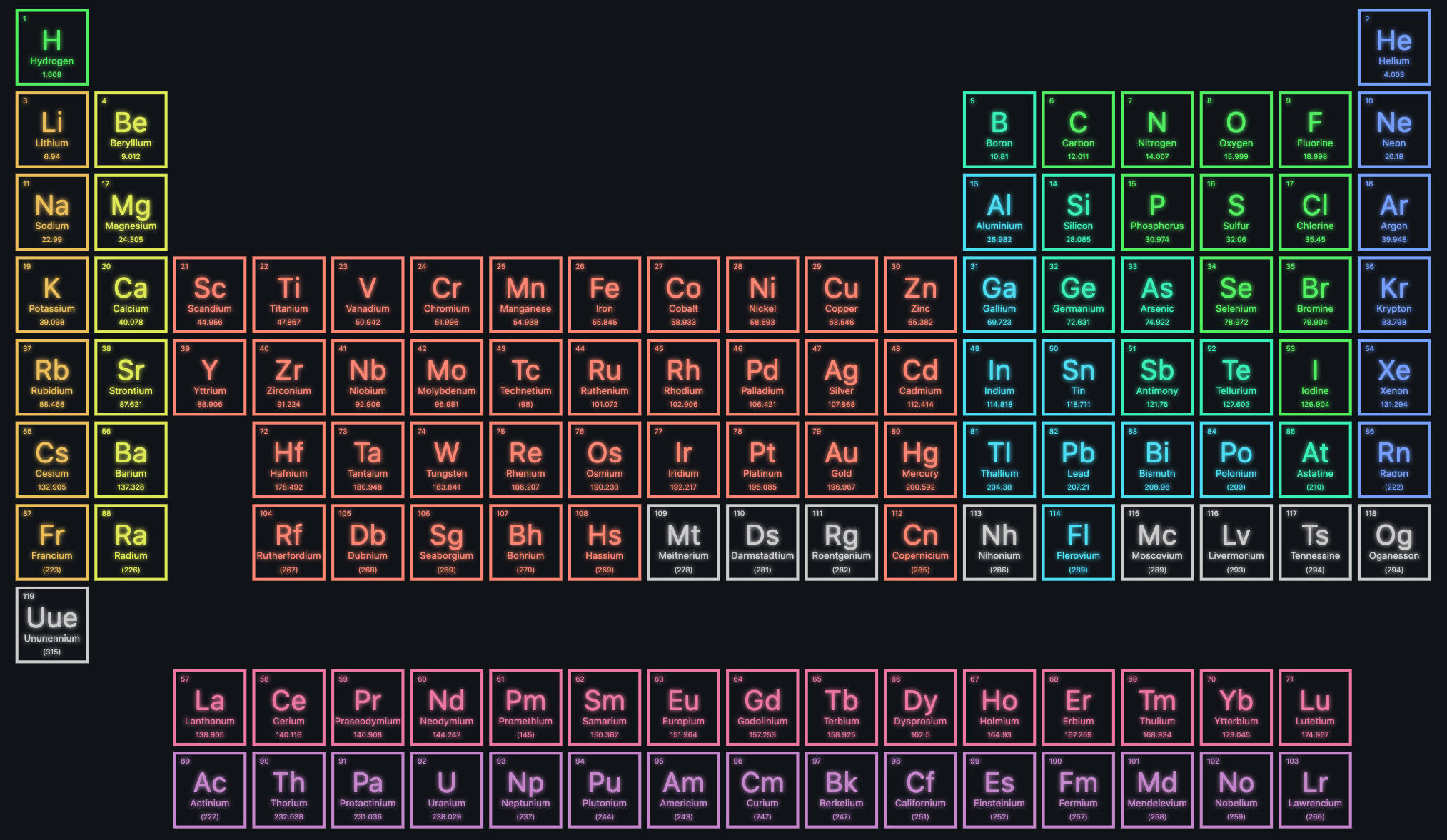
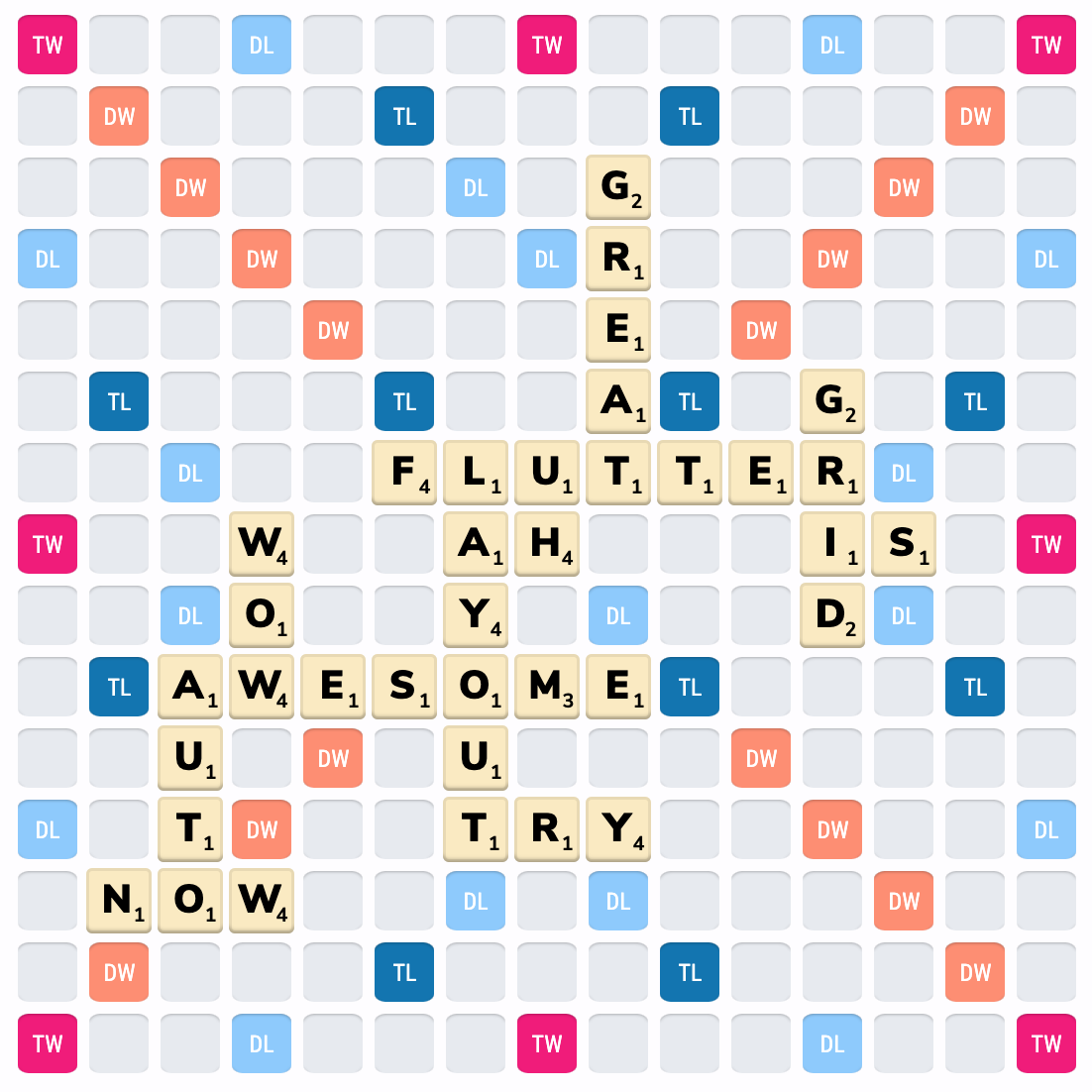 _Click images to see their code_
---
✨Featuring:✨
- 📐 Fixed, flexible, and content-sized rows and columns
([docs](#sizing-of-columns-and-rows))
- 👇 Precise control over placement of items, including the ability to span
rows, columns, and overlap items
([docs](#positioning-child-widgets-in-the-layoutgrid))
- 💬 Named grid areas for descriptive positioning of children
([docs](#naming-areas-of-the-grid))
- 🦾 A configurable automatic grid item placement algorithm, capable of sparse
and dense packing across rows and columns ([docs](#automatic-child-placement))
- 🔚 Right-to-left support, driven by ambient `Directionality` or configuration
- ♿ Accessibility considerations (**this is your responsibility** as a frontend
developer, so please read [docs](#accessibility-and-placement) and learn
related technologies)
- 🩳 Extension methods and helper functions for descriptive, and short, layout
code
- 🐛 Debugging aids, including widget property listings in
[DevTools](https://flutter.dev/docs/development/tools/devtools/overview),
Debug Painting, and visual indication of child overflow
Inspired by (and largely based on), the excellent [CSS Grid
Layout](https://developer.mozilla.org/en-US/docs/Web/CSS/CSS_Grid_Layout) spec.
## Getting Started
All the terminology used in this library is shared with the CSS Grid Layout
spec. If youʼre unfamiliar, I recommend taking a look at [MDNʼs glossary of grid
terms](https://developer.mozilla.org/en-US/docs/Web/CSS/CSS_Grid_Layout#Glossary_entries).
For inclusion in your pubspec, see
[pub.dev](https://pub.dev/packages/flutter_layout_grid/install), or copy
the code below:
```yaml
dependencies:
flutter_layout_grid: ^2.0.0
```
## Example
#### Visual:
_Click images to see their code_
---
✨Featuring:✨
- 📐 Fixed, flexible, and content-sized rows and columns
([docs](#sizing-of-columns-and-rows))
- 👇 Precise control over placement of items, including the ability to span
rows, columns, and overlap items
([docs](#positioning-child-widgets-in-the-layoutgrid))
- 💬 Named grid areas for descriptive positioning of children
([docs](#naming-areas-of-the-grid))
- 🦾 A configurable automatic grid item placement algorithm, capable of sparse
and dense packing across rows and columns ([docs](#automatic-child-placement))
- 🔚 Right-to-left support, driven by ambient `Directionality` or configuration
- ♿ Accessibility considerations (**this is your responsibility** as a frontend
developer, so please read [docs](#accessibility-and-placement) and learn
related technologies)
- 🩳 Extension methods and helper functions for descriptive, and short, layout
code
- 🐛 Debugging aids, including widget property listings in
[DevTools](https://flutter.dev/docs/development/tools/devtools/overview),
Debug Painting, and visual indication of child overflow
Inspired by (and largely based on), the excellent [CSS Grid
Layout](https://developer.mozilla.org/en-US/docs/Web/CSS/CSS_Grid_Layout) spec.
## Getting Started
All the terminology used in this library is shared with the CSS Grid Layout
spec. If youʼre unfamiliar, I recommend taking a look at [MDNʼs glossary of grid
terms](https://developer.mozilla.org/en-US/docs/Web/CSS/CSS_Grid_Layout#Glossary_entries).
For inclusion in your pubspec, see
[pub.dev](https://pub.dev/packages/flutter_layout_grid/install), or copy
the code below:
```yaml
dependencies:
flutter_layout_grid: ^2.0.0
```
## Example
#### Visual:
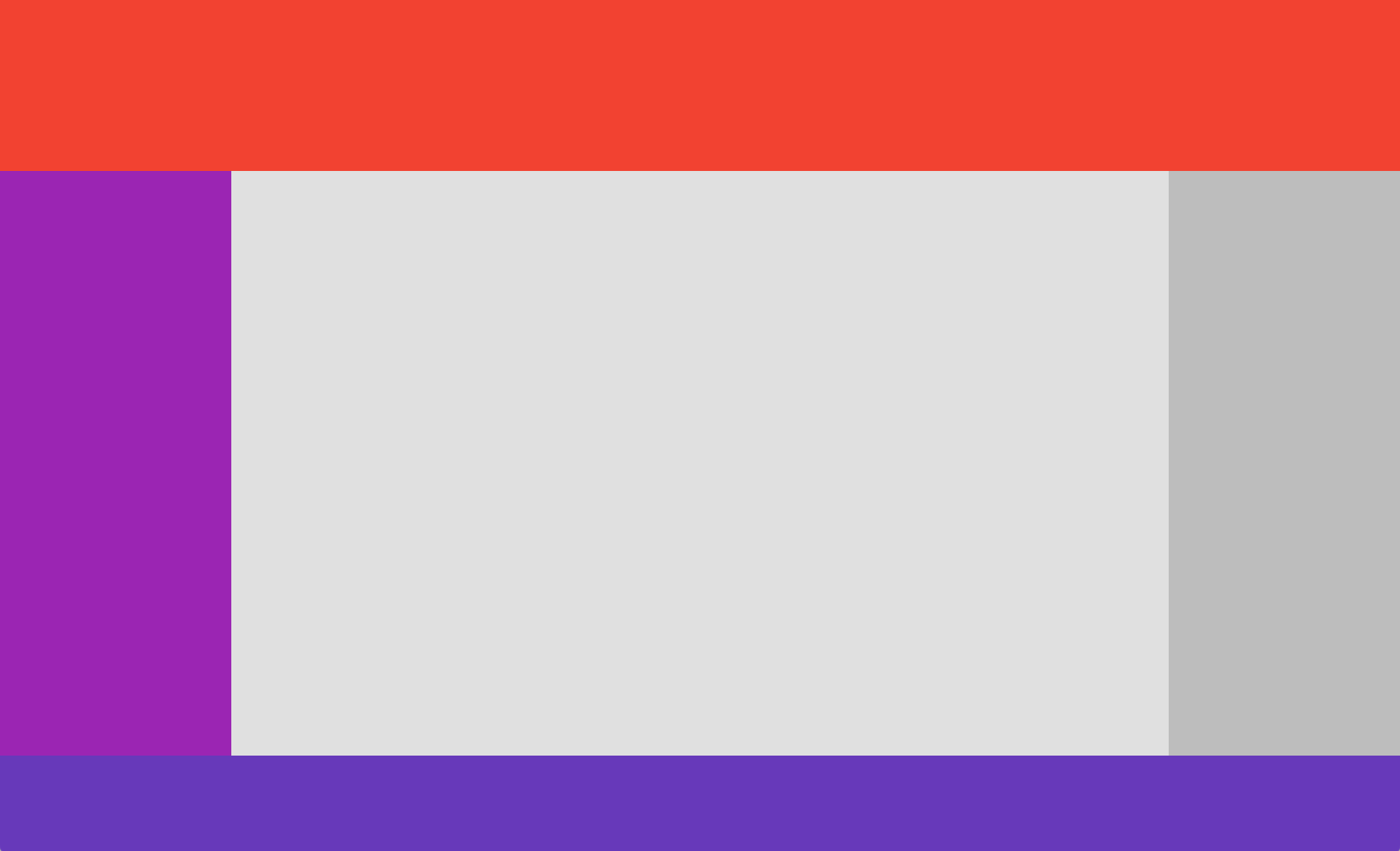 #### Code:
```dart
import 'package:flutter_layout_grid/flutter_layout_grid.dart';
class App extends StatelessWidget {
@override
Widget build(BuildContext context) {
return Container(
color: background,
child: LayoutGrid(
// ASCII-art named areas 🔥
areas: '''
header header header
nav content aside
nav content .
footer footer footer
''',
// Concise track sizing extension methods 🔥
columnSizes: [152.px, 1.fr, 152.px],
rowSizes: [
112.px,
auto,
1.fr,
64.px,
],
// Column and row gaps! 🔥
columnGap: 12,
rowGap: 12,
// Handy grid placement extension methods on Widget 🔥
children: [
Header().inGridArea('header'),
Navigation().inGridArea('nav'),
Content().inGridArea('content'),
Aside().inGridArea('aside'),
Footer().inGridArea('footer'),
],
),
);
}
}
```
This example is available at
[`example/app_layout.dart`](https://github.com/shyndman/flutter_layout_grid/tree/main/example/lib/app_layout.dart).
For a similar example that includes responsive behavior, check out
[`example/responsive_app_layout.dart`](https://github.com/shyndman/flutter_layout_grid/tree/main/example/lib/responsive_app_layout.dart).
## Sizing of Columns and Rows
The sizes of the gridʼs columns and rows are set using
`LayoutGrid.columnSizes` and `LayoutGrid.rowSizes`.
Hereʼs what a 4⨉3 grid might look like (4 columns, 3 rows):
```dart
LayoutGrid(
columnSizes: [4.5.fr, 100.px, auto, 1.fr],
rowSizes: [
auto,
100.px,
1.fr,
],
)
```
Each element of `columnSizes` and `rowSizes` represents the function used to
size a column or row (collectively known as **"track sizes"**).
There are currently three way to size rows and columns:
| Class Name | Description | Usage |
| --------------------------- | ------------------------------------------------------------------------------------------------------------------------------------------------ | -------------------------------------------------------- |
| `FixedTrackSize` | Occupies a specific number of pixels on an axis | `FixedTrackSize(64)`
#### Code:
```dart
import 'package:flutter_layout_grid/flutter_layout_grid.dart';
class App extends StatelessWidget {
@override
Widget build(BuildContext context) {
return Container(
color: background,
child: LayoutGrid(
// ASCII-art named areas 🔥
areas: '''
header header header
nav content aside
nav content .
footer footer footer
''',
// Concise track sizing extension methods 🔥
columnSizes: [152.px, 1.fr, 152.px],
rowSizes: [
112.px,
auto,
1.fr,
64.px,
],
// Column and row gaps! 🔥
columnGap: 12,
rowGap: 12,
// Handy grid placement extension methods on Widget 🔥
children: [
Header().inGridArea('header'),
Navigation().inGridArea('nav'),
Content().inGridArea('content'),
Aside().inGridArea('aside'),
Footer().inGridArea('footer'),
],
),
);
}
}
```
This example is available at
[`example/app_layout.dart`](https://github.com/shyndman/flutter_layout_grid/tree/main/example/lib/app_layout.dart).
For a similar example that includes responsive behavior, check out
[`example/responsive_app_layout.dart`](https://github.com/shyndman/flutter_layout_grid/tree/main/example/lib/responsive_app_layout.dart).
## Sizing of Columns and Rows
The sizes of the gridʼs columns and rows are set using
`LayoutGrid.columnSizes` and `LayoutGrid.rowSizes`.
Hereʼs what a 4⨉3 grid might look like (4 columns, 3 rows):
```dart
LayoutGrid(
columnSizes: [4.5.fr, 100.px, auto, 1.fr],
rowSizes: [
auto,
100.px,
1.fr,
],
)
```
Each element of `columnSizes` and `rowSizes` represents the function used to
size a column or row (collectively known as **"track sizes"**).
There are currently three way to size rows and columns:
| Class Name | Description | Usage |
| --------------------------- | ------------------------------------------------------------------------------------------------------------------------------------------------ | -------------------------------------------------------- |
| `FixedTrackSize` | Occupies a specific number of pixels on an axis | `FixedTrackSize(64)`
`fixed(64)`
`64.px` |
| `FlexibleSizeTrack` | Fills remaining space after the initial layout has completed | `FlexibleTrackSize(1.5)`
`flexible(1.5)`
`1.5.fr` |
| `IntrinsicContentTrackSize` | Sized to contain its itemsʼ contents. Will also expand to fill available space, once `FlexibleTrackSize` tracks have been given the opportunity. | `IntrinsicContentTrackSize()`
`intrinsic()`
`auto` |
Technically, you can also define your own, but probably shouldnʼt as the API
will likely be evolving as I tackle
([#25](https://github.com/shyndman/flutter_layout_grid/issues/25))
([`minmax()`](https://developer.mozilla.org/en-US/docs/Web/CSS/minmax)
support).
## Naming areas of the grid
A gridʼs rows and columns can be sliced into areas — rectangular regions
containing one or more grid cells. These areas can be named (_optionally_), and
used to place gridʼs children. The areas are named using an ASCII-art string
provided to the `areas` parameter.
```dart
LayoutGrid(
areas: '''
header header
nav content
footer footer
''',
// ...
)
```
> Note: We use the same format as CSSʼs
> [`grid-template-areas`](https://developer.mozilla.org/en-US/docs/Web/CSS/grid-template-areas),
> except we use a multiline string.
If an `areas` argument has been provided to a grid, you must specify the same
number of sizes using `columnSizes` and `rowSizes` elements. For the example
above:
```dart
LayoutGrid(
areas: '''
header header
nav content
footer footer
''',
// 2 columns, 3 rows, just like the areas string
columnSizes: [
auto, // contributes width to [nav, header, footer]
1.fr, // contributes width to [content, header, footer]
],
rowSizes: [
96.px, // contributes height to [header]
1.fr, // contributes height to [nav, content]
72.px, // contributes height to [footer]
],
children: [
// ...
],
)
```
Grid children can be assigned to named areas using the `NamedAreaGridPlacement`
widget. For more information, see [assigning the child to a named
area](#child-placement-in-named-areas).
## Positioning child widgets in the `LayoutGrid`
Once you have a grid, you have to tell its `children` which rows and columns
they should occupy. There are three ways of doing this:
- [Specifying row and column indexes](#child-placement-by-row-and-column-indexes)
- [Assigning the child to a named area](#child-placement-in-named-areas)
- [Using automatic placement](#automatic-child-placement)
### Child placement by row and column indexes
A gridʼs child can be instructed to occupy a specific set of columns and rows
by using the `GridPlacement` widget.
For example, letʼs say you had a 4⨉3 grid, and you wanted a widget to be
positioned from column 1–4 and row 0–2:
```dart
LayoutGrid(
columnSizes: [1.fr, 1.fr, 1.fr, 1.fr],
rowSizes: [
1.fr,
1.fr,
1.fr,
],
children: [
GridPlacement(
columnStart: 1,
columnSpan: 3,
rowStart: 0,
rowSpan: 2,
child: MyWidget(),
),
// Alternatively, an extension method on Widget is available
MyWidget().withGridPlacement(
columnStart: 1,
columnSpan: 3,
rowStart: 0,
rowSpan: 2,
),
],
)
```
`GridPlacement` also has a super power — all of its parameters are optional.
If, for example, you do not specify a `rowStart`, the [automatic placement
algorithm](#automatic-child-placement) will attempt to place the child in the
first vacant spot that it can find.
### Child placement in named areas
If your grid has [named areas](#naming-areas-of-the-grid) defined, you can
place children in those areas using the `NamedAreaGridPlacement` widget. For
example:
```dart
LayoutGrid(
areas: '''
red red blue
red red blue
. . blue
''',
// Note that the number of columns and rows matches the grid above (3x3)
columnSizes: [64.px, 64.px, 64.px],
rowSizes: [
64.px,
64.px,
64.px,
],
children: [
// Using NamedAreaGridPlacement constructor
NamedAreaGridPlacement(
areaName: 'red',
child: Container(color: Colors.red),
),
// Alternatively, an extension method on Widget is available
Container(color: Colors.red).inGridArea('red'),
],
)
```
**NOTE:** If a `NamedAreaGridPlacement` references a named area that doesnʼt
exist, it will not be displayed in the grid. This can be helpful when switching
between responsive layouts.
### Automatic child placement
Grid children can be placed into rows and columns automatically based on partial
or non-existent placement information.
The algorithm responsible for automatic placement has several modes, selected
through the `LayoutGrid.autoPlacement` parameter. The behavior of these modes
are identical to those supported by CSSʼs grid, described [described
here](https://developer.mozilla.org/en-US/docs/Web/CSS/CSS_Grid_Layout/Auto-placement_in_CSS_Grid_Layout).
#### When no placement information is provided
If a child is provided to the grid without being wrapped in a `GridPlacement` or
`NamedAreaGridPlacement`, it will be allotted a single cell (1⨉1), and placed
into the first vacant cell in the grid.
#### When partial placement information is provided
All of the `GridPlacement` widgetʼs parameters are optional. By specifying
additional positioning or spanning information with
`columnStart`/`columnSpan`/`rowStart`/`rowSpan` parameters, more
constraints are fed into the placement algorithm.
For example, if `columnStart` is provided, but not `rowStart`, the placement
algorithm will walk across the gridʼs rows until it finds a vacant area, in the
specified column, that accommodates the child.
[Read more about CSSʼs grid placement
algorithm](https://developer.mozilla.org/en-US/docs/Web/CSS/CSS_Grid_Layout/Auto-placement_in_CSS_Grid_Layout)
### Accessibility and Placement
Take note that the meaning you convey visually through placement may not be
clear when presented by assitive technologies, as Flutter defaults to exposing
information in source order.
In situations where your semantic (visual) ordering differs from ordering in the
source, the ordering can be configured via the `Semantics` widgetʼs
[`sortKey`](https://api.flutter.dev/flutter/semantics/SemanticsSortKey-class.html)
parameter.
For an example of this in practice, see
[example/semantic_ordering.dart](https://github.com/shyndman/flutter_layout_grid/tree/main/example/lib/semantic_ordering.dart).
Automatic semantic ordering is currently being explored in
[#50](https://github.com/shyndman/flutter_layout_grid/issues/50).
## Differences from CSS Grid Layout
Things in CSS Grid Layout that are not supported:
- Negative row/column starts/ends. In CSS, these values refer to positions
relative to the end of a gridʼs axis. Handy, but weʼre not there yet.
([#5](https://github.com/shyndman/flutter_layout_grid/issues/5))
- Any cells outside of the explicit grid. If an item is placed outside of the
area defined by your template rows/columns, we will throw an error. Support
for automatic addition of rows and columns to accommodate out of bound items
is being considered.
([#7](https://github.com/shyndman/flutter_layout_grid/issues/7))
- minmax(), percentages, aspect ratios track sizing
([#25](https://github.com/shyndman/flutter_layout_grid/issues/25))
Differences:
- In `flutter_layout_grid`, flexible tracks do not account for their contentʼs
base sizes as they do in CSS. Itʼs expensive to measure, and I opted for
speed.
- Flexible tracks whose flex factors sum to < 1
## Roadmap
- [x] Tests! (we now have a decent suite going)
- [x] Named template areas, for friendlier item placement
- [ ] Improved track sizing, including minimum/maximums and aspect ratios
- [ ] The ability to specify row and column gaps at specific line locations via
a delegate
- [ ] Implicit grid support (automatic growth along an axis as children are
added)
- [x] Performance improvements, as soon as I can get this profiler running(!!!)
================================================
FILE: analysis_options.yaml
================================================
include: package:flutter_lints/flutter.yaml
analyzer:
errors:
missing_required_param: error
unawaited_futures: warning
unused_import: error
unused_local_variable: warning
================================================
FILE: example/.gitignore
================================================
# Miscellaneous
*.class
*.log
*.pyc
*.swp
.DS_Store
.atom/
.buildlog/
.history
.svn/
# IntelliJ related
*.iml
*.ipr
*.iws
.idea/
# The .vscode folder contains launch configuration and tasks you configure in
# VS Code which you may wish to be included in version control, so this line
# is commented out by default.
#.vscode/
# Flutter/Dart/Pub related
**/doc/api/
**/ios/Flutter/.last_build_id
.dart_tool/
.flutter-plugins
.flutter-plugins-dependencies
.packages
.pub-cache/
.pub/
/build/
# Web related
lib/generated_plugin_registrant.dart
# Symbolication related
app.*.symbols
# Obfuscation related
app.*.map.json
# Android Studio will place build artifacts here
/android/app/debug
/android/app/profile
/android/app/release
================================================
FILE: example/.metadata
================================================
# This file tracks properties of this Flutter project.
# Used by Flutter tool to assess capabilities and perform upgrades etc.
#
# This file should be version controlled and should not be manually edited.
version:
revision: 097d3313d8e2c7f901932d63e537c1acefb87800
channel: stable
project_type: app
================================================
FILE: example/analysis_options.yaml
================================================
include: package:flutter_lints/flutter.yaml
================================================
FILE: example/lib/app_layout.dart
================================================
import 'package:flutter/material.dart';
import 'package:flutter_layout_grid/flutter_layout_grid.dart';
void main() {
runApp(const DesktopLayoutApp());
}
class DesktopLayoutApp extends StatelessWidget {
const DesktopLayoutApp({Key? key}) : super(key: key);
@override
Widget build(BuildContext context) {
return WidgetsApp(
color: Colors.white,
debugShowCheckedModeBanner: false,
builder: (context, child) {
return const DesktopLayout();
});
}
}
class DesktopLayout extends StatelessWidget {
const DesktopLayout({Key? key}) : super(key: key);
@override
Widget build(BuildContext context) {
return Container(
color: Colors.grey[400],
child: LayoutGrid(
areas: '''
header header header
nav content aside
nav content .
footer footer footer
''',
// A number of extension methods are provided for concise track sizing
columnSizes: [152.px, 1.fr, 152.px],
rowSizes: [
112.px,
auto,
1.fr,
64.px,
],
children: [
const Header().inGridArea('header'),
const Navigation().inGridArea('nav'),
const Content().inGridArea('content'),
const Aside().inGridArea('aside'),
const Footer().inGridArea('footer'),
],
),
);
}
}
class Header extends StatelessWidget {
const Header({Key? key}) : super(key: key);
@override
Widget build(BuildContext context) => Container(color: Colors.red);
}
class Navigation extends StatelessWidget {
const Navigation({Key? key}) : super(key: key);
@override
Widget build(BuildContext context) => Container(color: Colors.purple);
}
class Content extends StatelessWidget {
const Content({Key? key}) : super(key: key);
@override
Widget build(BuildContext context) => Container(color: Colors.grey[300]);
}
class Aside extends StatelessWidget {
const Aside({Key? key}) : super(key: key);
@override
Widget build(BuildContext context) =>
Container(color: Colors.grey[600], width: 184);
}
class Footer extends StatelessWidget {
const Footer({Key? key}) : super(key: key);
@override
Widget build(BuildContext context) => Container(color: Colors.deepPurple);
}
================================================
FILE: example/lib/basic.dart
================================================
import 'package:flutter/material.dart';
import 'package:flutter_layout_grid/flutter_layout_grid.dart';
void main() {
runApp(const MyApp());
}
class MyApp extends StatelessWidget {
const MyApp({Key? key}) : super(key: key);
@override
Widget build(BuildContext context) {
return MaterialApp(
title: 'Layout Grid Desktop Demo',
theme: ThemeData(
primarySwatch: Colors.blue,
),
home: Scaffold(
body: Container(
color: Colors.white,
child: const LayoutGridExample(),
),
),
);
}
}
class LayoutGridExample extends StatelessWidget {
const LayoutGridExample({Key? key}) : super(key: key);
@override
Widget build(BuildContext context) {
return SizedBox(
width: double.infinity,
height: double.infinity,
child: LayoutGrid(
columnGap: 12,
rowGap: 12,
columnSizes: [1.fr, 1.fr, 1.fr, 0.75.fr],
rowSizes: [
32.px,
32.px,
32.px,
],
children: [
GridPlacement(
rowStart: 0,
columnStart: 0,
columnSpan: 4,
child: Container(
color: Colors.blue,
padding: const EdgeInsets.all(8),
),
),
GridPlacement(
rowStart: 1,
columnStart: 0,
columnSpan: 3,
child: Container(
color: Colors.blue,
padding: const EdgeInsets.all(8),
),
),
GridPlacement(
rowStart: 1,
columnStart: 3,
child: Container(
color: Colors.blue,
padding: const EdgeInsets.all(8),
),
),
GridPlacement(
rowStart: 2,
columnStart: 0,
child: Container(
color: Colors.blue,
padding: const EdgeInsets.all(8),
),
),
GridPlacement(
rowStart: 2,
columnStart: 1,
child: Container(
color: Colors.blue,
padding: const EdgeInsets.all(8),
),
),
GridPlacement(
rowStart: 2,
columnStart: 2,
child: Container(
color: Colors.blue,
padding: const EdgeInsets.all(8),
),
),
GridPlacement(
rowStart: 2,
columnStart: 3,
child: Container(
color: Colors.blue,
padding: const EdgeInsets.all(8),
),
),
],
),
);
}
}
================================================
FILE: example/lib/drag_and_drop_example.dart
================================================
// ignore_for_file: use_key_in_widget_constructors
import 'package:flutter/material.dart';
import 'package:flutter_layout_grid/flutter_layout_grid.dart';
void main() {
runApp(DragAndDropApp());
}
const cellSize = 32.0;
const columnCount = 16;
const rowCount = 16;
class DragAndDropExample extends StatefulWidget {
@override
State createState() => _DragAndDropExampleState();
}
class _DragAndDropExampleState extends State {
/// The [Draggable] and [DragTarget] need to be associated with some type of
/// data (through their type argument, and `void` doesn't cut it). We keep it
/// simple and use a key, since we don't actually need to communicate anything
/// about the dragged data.
Key draggableKey = UniqueKey();
/// Current position of the [DraggableGridItem].
GridPosition draggablePosition = GridPosition(0, 0);
void gridItemMoved(GridPosition position) {
setState(() {
draggablePosition = position;
});
}
@override
Widget build(BuildContext context) {
return LayoutGrid(
columnGap: 0,
rowGap: 0,
columnSizes: repeat(columnCount, [cellSize.px]),
rowSizes: repeat(rowCount, [cellSize.px]),
children: [
// Fill the grid with a `DragTarget` per cell
for (int i = 0; i < columnCount; i++)
for (int j = 0; j < rowCount; j++)
Cell(
column: i,
row: j,
cellBecameOccupied: gridItemMoved,
).withGridPlacement(columnStart: i, rowStart: j),
// And a single Draggable, positioned according to the
// `draggablePosition` field.
DraggableGridItem(
key: draggableKey,
).withGridPlacement(
columnStart: draggablePosition.x,
rowStart: draggablePosition.y,
)
],
);
}
}
/// A square that can be dragged between grid cells.
class DraggableGridItem extends StatelessWidget {
const DraggableGridItem({
required Key key,
}) : super(key: key);
@override
Widget build(BuildContext context) {
final square = Container(
margin: const EdgeInsets.all(1),
decoration: BoxDecoration(
gradient: LinearGradient(
begin: Alignment.topCenter,
end: Alignment.bottomCenter,
colors: [Colors.blue[300]!, Colors.blue[700]!],
),
),
);
return Draggable(
data: key,
feedback: Opacity(
opacity: 0.6,
child: Transform.scale(
scale: 1.2,
// SizedBox is required here, because the feedback widget isn't bound
// by a cell and wants to be zero-sized.
child: SizedBox(
width: cellSize,
height: cellSize,
child: square,
),
),
),
// Fade a bit for style
childWhenDragging: Opacity(
opacity: 0.25,
child: square,
),
child: square,
);
}
}
/// Acts as a position that can be occupied by the [DraggableGridItem] widget.
class Cell extends StatefulWidget {
const Cell({
Key? key,
required this.column,
required this.row,
required this.cellBecameOccupied,
}) : super(key: key);
final int column;
final int row;
final DragTargetAccept cellBecameOccupied;
@override
State createState() => _CellState();
}
class _CellState extends State| {
bool isDragHovering = false;
@override
Widget build(BuildContext context) {
return DragTarget(
onAcceptWithDetails: (_) {
setState(() => isDragHovering = false);
widget.cellBecameOccupied(GridPosition(widget.column, widget.row));
},
onMove: (details) => setState(() => isDragHovering = true),
onLeave: (details) => setState(() => isDragHovering = false),
builder: (context, candidateData, rejectedData) {
return Container(
margin: const EdgeInsets.all(1),
decoration: BoxDecoration(
border: isDragHovering
? Border.all(
color: Colors.purple[400]!,
width: 2,
)
: Border.all(
color: Colors.grey[400]!,
),
),
);
},
);
}
}
class GridPosition {
GridPosition(this.x, this.y);
final int x;
final int y;
}
class DragAndDropApp extends StatelessWidget {
@override
Widget build(BuildContext context) {
return MaterialApp(
title: 'Drag and Drop Example',
theme: ThemeData(
primarySwatch: Colors.blue,
),
home: Scaffold(
body: Container(
color: Colors.white,
child: Center(
child: DragAndDropExample(),
),
),
),
);
}
}
================================================
FILE: example/lib/flutter_layout_grid_example.dart
================================================
import 'package:flutter/material.dart';
import 'package:flutter_layout_grid/flutter_layout_grid.dart';
void main() {
runApp(const PietNamedAreasApp());
}
const cellRed = Color(0xffc73232);
const cellMustard = Color(0xffd7aa22);
const cellGrey = Color(0xffcfd4e0);
const cellBlue = Color(0xff1553be);
const background = Color(0xff242830);
class PietPainting extends StatelessWidget {
const PietPainting({Key? key}) : super(key: key);
@override
Widget build(BuildContext context) {
return Container(
color: background,
child: LayoutGrid(
columnGap: 12,
rowGap: 12,
areas: '''
r R B B B
r R Y Y Y
y R Y Y Y
y R g b yy
''',
// A number of extension methods are provided for concise track sizing
columnSizes: [1.0.fr, 3.5.fr, 1.3.fr, 1.3.fr, 1.3.fr],
rowSizes: [
1.0.fr,
0.3.fr,
1.5.fr,
1.2.fr,
],
children: [
// Column 1
gridArea('r').containing(Container(color: cellRed)),
gridArea('y').containing(Container(color: cellMustard)),
// Column 2
gridArea('R').containing(Container(color: cellRed)),
// Column 3
gridArea('B').containing(Container(color: cellBlue)),
gridArea('Y').containing(Container(color: cellMustard)),
gridArea('g').containing(Container(color: cellGrey)),
// Column 4
gridArea('b').containing(Container(color: cellBlue)),
// Column 5
gridArea('yy').containing(Container(color: cellMustard)),
],
),
);
}
}
class PietNamedAreasApp extends StatelessWidget {
const PietNamedAreasApp({Key? key}) : super(key: key);
@override
Widget build(BuildContext context) {
return WidgetsApp(
title: 'Layout Grid Desktop Example',
debugShowCheckedModeBanner: false,
color: Colors.white,
builder: (context, child) => const PietPainting(),
);
}
}
================================================
FILE: example/lib/overlapping_items.dart
================================================
import 'package:flutter/material.dart';
import 'package:flutter_layout_grid/flutter_layout_grid.dart';
void main() {
runApp(const OverlappingItemsApp());
}
class OverlappingItemsApp extends StatelessWidget {
const OverlappingItemsApp({Key? key}) : super(key: key);
@override
Widget build(BuildContext context) {
return WidgetsApp(
color: Colors.white,
debugShowCheckedModeBanner: false,
builder: (context, child) {
return const OverlappingItems();
});
}
}
class OverlappingItems extends StatelessWidget {
const OverlappingItems({Key? key}) : super(key: key);
@override
Widget build(BuildContext context) {
return Padding(
padding: const EdgeInsets.all(32.0),
child: LayoutGrid(
columnSizes: repeat(7, [auto]),
rowSizes: repeat(7, [auto]),
children: [
// Children are drawn in order, making this the background.
ColoredBox(
color: Colors.grey[400]!,
margin: const EdgeInsets.all(24.0),
).withGridPlacement(
columnStart: 0,
columnSpan: 7,
rowStart: 0,
rowSpan: 7,
),
ColoredBox(color: Colors.blue[400]!).withGridPlacement(
columnStart: 0,
columnSpan: 3,
rowStart: 0,
rowSpan: 3,
),
ColoredBox(color: Colors.yellow[400]!).withGridPlacement(
columnStart: 2,
columnSpan: 3,
rowStart: 2,
rowSpan: 3,
),
ColoredBox(color: Colors.red[300]!).withGridPlacement(
columnStart: 4,
columnSpan: 3,
rowStart: 4,
rowSpan: 3,
),
],
),
);
}
}
class ColoredBox extends StatelessWidget {
const ColoredBox({
Key? key,
required this.color,
this.margin = EdgeInsets.zero,
}) : super(key: key);
final Color color;
final EdgeInsets margin;
@override
Widget build(BuildContext context) {
return Container(
margin: margin,
decoration: BoxDecoration(
color: color,
),
);
}
}
================================================
FILE: example/lib/periodic_table.dart
================================================
// periodic_table_json.json courtesy of
// https://github.com/Bowserinator/Periodic-Table-JSON
//
// Based on the work by Mike Golus
// https://www.csscodelab.com/html-css-only-periodic-table-of-elements/
import 'dart:convert';
import 'dart:math' as math;
import 'package:flutter/material.dart';
import 'package:flutter/services.dart';
import 'package:flutter_layout_grid/flutter_layout_grid.dart';
void main() {
runApp(const PeriodicTableApp());
}
class PeriodicTableApp extends StatelessWidget {
const PeriodicTableApp({Key? key}) : super(key: key);
@override
Widget build(BuildContext context) {
return DecoratedBox(
decoration: const BoxDecoration(
color: Color(0xff101318),
),
child: WidgetsApp(
title: 'Periodic Table',
color: Colors.white,
debugShowCheckedModeBanner: false,
builder: (_, __) {
return LayoutBuilder(builder: (_, constraints) {
_viewportSize = constraints.biggest;
// PeriodicTableWidget has many AtomicElementWidget widgets
// as part of its descendant widget tree, and they use global
// variable _viewportSize during build, so it's not safe to use
// const. If it were const, then this widget tree would only be
// constructed once and would not adapt as the viewport size
// changed.
// ignore: prefer_const_constructors
return SingleChildScrollView(child: PeriodicTableWidget());
});
},
),
);
}
}
class PeriodicTableWidget extends StatefulWidget {
const PeriodicTableWidget({Key? key}) : super(key: key);
@override
State createState() => _PeriodicTableWidgetState();
}
class _PeriodicTableWidgetState extends State {
late Future tableFuture;
@override
void initState() {
super.initState();
tableFuture = loadPeriodicTable();
}
@override
Widget build(BuildContext context) {
return Container(
padding: EdgeInsets.symmetric(horizontal: 1.5.vw, vertical: 1.vw),
child: FutureBuilder(
future: tableFuture,
builder: (_, AsyncSnapshot snapshot) {
return snapshot.hasData
? _buildGrid(snapshot.data!)
: const SizedBox();
},
),
);
}
Widget _buildGrid(PeriodicTable table) {
return LayoutGrid(
gridFit: GridFit.loose,
columnSizes: repeat(table.numColumns, [1.fr]),
rowSizes: repeat(table.numRows, [auto]),
columnGap: 0.4.vw,
rowGap: 0.4.vw,
children: [
for (final e in table.elements)
AspectRatio(
aspectRatio: 40.1 / 42.4,
child: AtomicElementWidget(
key: ValueKey(e.symbol),
element: e,
),
).withGridPlacement(columnStart: e.x, rowStart: e.y),
],
);
}
}
const categoryColorMapping = {
AtomicElementCategory.actinide: Color(0xffc686cc),
AtomicElementCategory.alkaliMetal: Color(0xffecbe59),
AtomicElementCategory.alkalineEarthMetal: Color(0xffdee955),
AtomicElementCategory.lanthanide: Color(0xffec77a3),
AtomicElementCategory.metalloid: Color(0xff3aefb6),
AtomicElementCategory.nobleGas: Color(0xff759fff),
AtomicElementCategory.otherNonmetal: Color(0xff52ee61),
AtomicElementCategory.postTransitionMetal: Color(0xff4cddf3),
AtomicElementCategory.transitionMetal: Color(0xfffd8572),
AtomicElementCategory.unknown: Color(0xffcccccc),
};
class AtomicElementWidget extends StatelessWidget {
const AtomicElementWidget({Key? key, required this.element})
: super(key: key);
final AtomicElement element;
@override
Widget build(BuildContext context) {
final elementColor = categoryColorMapping[element.category]!;
final elementTextStyle = TextStyle(
color: elementColor,
shadows: [
Shadow(color: elementColor, offset: Offset.zero, blurRadius: 0.3.vw),
],
);
return Container(
decoration: BoxDecoration(
border: Border.all(
width: 0.2.vw,
color: elementColor,
),
),
// Some viewport sizes give us slight overflows, which can be attributed
// to rounding errors. So we use a stack and allow overflow on the bottom
// edge.
child: Stack(
clipBehavior: Clip.hardEdge,
children: [
Positioned.fill(
bottom: null,
child: _buildElementDetails(elementTextStyle),
),
],
),
);
}
Column _buildElementDetails(TextStyle elementTextStyle) {
return Column(
crossAxisAlignment: CrossAxisAlignment.stretch,
children: [
Padding(
padding: EdgeInsets.fromLTRB(0.3.vw, 0.15.vw, 0, 0),
child: Text(
element.number.toString(),
style: elementTextStyle.copyWith(fontSize: 0.5.vw),
textAlign: TextAlign.left,
),
),
Text(
element.symbol,
style: elementTextStyle.copyWith(fontSize: 1.9.vw),
textAlign: TextAlign.center,
softWrap: false,
),
Text(
element.name,
style: elementTextStyle.copyWith(fontSize: 0.65.vw),
textAlign: TextAlign.center,
softWrap: false,
),
Padding(
padding: EdgeInsets.fromLTRB(0.0, 0.2.vw, 0.0, 0.3.vw),
child: Text(
element.formattedMass,
style: elementTextStyle.copyWith(fontSize: 0.5.vw),
textAlign: TextAlign.center,
),
),
],
);
}
}
Future loadPeriodicTable() async {
final elementsJson = const JsonCodec().decode(await rootBundle
.loadString('lib/periodic_table_data.json'))['elements'] as List;
return PeriodicTable(elementsJson
.cast>()
.map(AtomicElement.fromJson)
.toList());
}
class PeriodicTable {
PeriodicTable(this.elements) {
for (final e in elements) {
numColumns = math.max(e.x + 1, numColumns);
numRows = math.max(e.y + 1, numRows);
}
}
final List elements;
int numColumns = 0;
int numRows = 0;
}
class AtomicElement {
AtomicElement({
required this.name,
required this.symbol,
required this.number,
required this.category,
required this.atomicMass,
required this.stableIsotope,
required this.x,
required this.y,
});
final String name;
final String symbol;
final int number;
final AtomicElementCategory category;
final double atomicMass;
final bool stableIsotope;
final int x;
final int y;
String get formattedMass => stableIsotope
? atomicMass.toStringAsMaxFixed(3)
: '(${atomicMass.toStringAsFixed(0)})';
@override
String toString() => name;
static AtomicElement fromJson(Map elementJson) {
final atomicMass = elementJson['atomic_mass'] as num;
return AtomicElement(
name: elementJson['name'] as String,
symbol: elementJson['symbol'] as String,
number: elementJson['number'] as int,
category: _parseAtomicElementCategory(elementJson['category'] as String),
atomicMass: atomicMass.toDouble(),
stableIsotope: atomicMass is double,
x: (elementJson['xpos'] as int) - 1, // File is 1-based
y: (elementJson['ypos'] as int) - 1, // File is 1-based
);
}
}
enum AtomicElementCategory {
actinide,
alkaliMetal,
alkalineEarthMetal,
lanthanide,
metalloid,
nobleGas,
otherNonmetal,
postTransitionMetal,
transitionMetal,
unknown,
}
AtomicElementCategory _parseAtomicElementCategory(String category) {
switch (category) {
case 'actinide':
return AtomicElementCategory.actinide;
case 'alkali metal':
return AtomicElementCategory.alkaliMetal;
case 'alkaline earth metal':
return AtomicElementCategory.alkalineEarthMetal;
case 'diatomic nonmetal':
return AtomicElementCategory.otherNonmetal;
case 'lanthanide':
return AtomicElementCategory.lanthanide;
case 'metalloid':
return AtomicElementCategory.metalloid;
case 'noble gas':
return AtomicElementCategory.nobleGas;
case 'polyatomic nonmetal':
return AtomicElementCategory.otherNonmetal;
case 'post-transition metal':
return AtomicElementCategory.postTransitionMetal;
case 'transition metal':
return AtomicElementCategory.transitionMetal;
}
assert(category.startsWith('unknown'));
return AtomicElementCategory.unknown;
}
extension ListExt on List {
List operator *(int times) => generate(times).expand((e) => this).toList();
}
Size _viewportSize = Size.zero;
extension on num {
double get vw => _viewportSize.width * (this / 100.0);
}
extension on double {
/// Formats a double with a maximum precision of [maxFractionDigits]. Any
/// trailing zeroes will be trimmed from the returned string.
String toStringAsMaxFixed([int maxFractionDigits = 2]) {
return toStringAsFixed(maxFractionDigits).replaceAll(RegExp(r'\.?0+$'), '');
}
}
Iterable generate(int times) sync* {
for (int i = 0; i < times; i++) {
yield 0;
}
}
================================================
FILE: example/lib/periodic_table_data.json
================================================
{
"elements": [
{
"name": "Hydrogen",
"appearance": "colorless gas",
"atomic_mass": 1.008,
"boil": 20.271,
"category": "diatomic nonmetal",
"color": null,
"density": 0.08988,
"discovered_by": "Henry Cavendish",
"melt": 13.99,
"molar_heat": 28.836,
"named_by": "Antoine Lavoisier",
"number": 1,
"period": 1,
"phase": "Gas",
"source": "https://en.wikipedia.org/wiki/Hydrogen",
"spectral_img": "https://en.wikipedia.org/wiki/File:Hydrogen_Spectra.jpg",
"summary": "Hydrogen is a chemical element with chemical symbol H and atomic number 1. With an atomic weight of 1.00794 u, hydrogen is the lightest element on the periodic table. Its monatomic form (H) is the most abundant chemical substance in the Universe, constituting roughly 75% of all baryonic mass.",
"symbol": "H",
"xpos": 1,
"ypos": 1,
"shells": [
1
],
"electron_configuration": "1s1",
"electron_configuration_semantic": "1s1",
"electron_affinity": 72.769,
"electronegativity_pauling": 2.2,
"ionization_energies": [
1312
],
"cpk-hex": "ffffff"
},
{
"name": "Helium",
"appearance": "colorless gas, exhibiting a red-orange glow when placed in a high-voltage electric field",
"atomic_mass": 4.0026022,
"boil": 4.222,
"category": "noble gas",
"color": null,
"density": 0.1786,
"discovered_by": "Pierre Janssen",
"melt": 0.95,
"molar_heat": null,
"named_by": null,
"number": 2,
"period": 1,
"phase": "Gas",
"source": "https://en.wikipedia.org/wiki/Helium",
"spectral_img": "https://en.wikipedia.org/wiki/File:Helium_spectrum.jpg",
"summary": "Helium is a chemical element with symbol He and atomic number 2. It is a colorless, odorless, tasteless, non-toxic, inert, monatomic gas that heads the noble gas group in the periodic table. Its boiling and melting points are the lowest among all the elements.",
"symbol": "He",
"xpos": 18,
"ypos": 1,
"shells": [
2
],
"electron_configuration": "1s2",
"electron_configuration_semantic": "1s2",
"electron_affinity": -48,
"electronegativity_pauling": null,
"ionization_energies": [
2372.3,
5250.5
],
"cpk-hex": "d9ffff"
},
{
"name": "Lithium",
"appearance": "silvery-white",
"atomic_mass": 6.94,
"boil": 1603,
"category": "alkali metal",
"color": null,
"density": 0.534,
"discovered_by": "Johan August Arfwedson",
"melt": 453.65,
"molar_heat": 24.86,
"named_by": null,
"number": 3,
"period": 2,
"phase": "Solid",
"source": "https://en.wikipedia.org/wiki/Lithium",
"spectral_img": null,
"summary": "Lithium (from Greek:λίθος lithos, \"stone\") is a chemical element with the symbol Li and atomic number 3. It is a soft, silver-white metal belonging to the alkali metal group of chemical elements. Under standard conditions it is the lightest metal and the least dense solid element.",
"symbol": "Li",
"xpos": 1,
"ypos": 2,
"shells": [
2,
1
],
"electron_configuration": "1s2 2s1",
"electron_configuration_semantic": "[He] 2s1",
"electron_affinity": 59.6326,
"electronegativity_pauling": 0.98,
"ionization_energies": [
520.2,
7298.1,
11815
],
"cpk-hex": "cc80ff"
},
{
"name": "Beryllium",
"appearance": "white-gray metallic",
"atomic_mass": 9.01218315,
"boil": 2742,
"category": "alkaline earth metal",
"color": null,
"density": 1.85,
"discovered_by": "Louis Nicolas Vauquelin",
"melt": 1560,
"molar_heat": 16.443,
"named_by": null,
"number": 4,
"period": 2,
"phase": "Solid",
"source": "https://en.wikipedia.org/wiki/Beryllium",
"spectral_img": null,
"summary": "Beryllium is a chemical element with symbol Be and atomic number 4. It is created through stellar nucleosynthesis and is a relatively rare element in the universe. It is a divalent element which occurs naturally only in combination with other elements in minerals.",
"symbol": "Be",
"xpos": 2,
"ypos": 2,
"shells": [
2,
2
],
"electron_configuration": "1s2 2s2",
"electron_configuration_semantic": "[He] 2s2",
"electron_affinity": -48,
"electronegativity_pauling": 1.57,
"ionization_energies": [
899.5,
1757.1,
14848.7,
21006.6
],
"cpk-hex": "c2ff00"
},
{
"name": "Boron",
"appearance": "black-brown",
"atomic_mass": 10.81,
"boil": 4200,
"category": "metalloid",
"color": null,
"density": 2.08,
"discovered_by": "Joseph Louis Gay-Lussac",
"melt": 2349,
"molar_heat": 11.087,
"named_by": null,
"number": 5,
"period": 2,
"phase": "Solid",
"source": "https://en.wikipedia.org/wiki/Boron",
"spectral_img": null,
"summary": "Boron is a metalloid chemical element with symbol B and atomic number 5. Produced entirely by cosmic ray spallation and supernovae and not by stellar nucleosynthesis, it is a low-abundance element in both the Solar system and the Earth's crust. Boron is concentrated on Earth by the water-solubility of its more common naturally occurring compounds, the borate minerals.",
"symbol": "B",
"xpos": 13,
"ypos": 2,
"shells": [
2,
3
],
"electron_configuration": "1s2 2s2 2p1",
"electron_configuration_semantic": "[He] 2s2 2p1",
"electron_affinity": 26.989,
"electronegativity_pauling": 2.04,
"ionization_energies": [
800.6,
2427.1,
3659.7,
25025.8,
32826.7
],
"cpk-hex": "ffb5b5"
},
{
"name": "Carbon",
"appearance": null,
"atomic_mass": 12.011,
"boil": null,
"category": "polyatomic nonmetal",
"color": null,
"density": 1.821,
"discovered_by": "Ancient Egypt",
"melt": null,
"molar_heat": 8.517,
"named_by": null,
"number": 6,
"period": 2,
"phase": "Solid",
"source": "https://en.wikipedia.org/wiki/Carbon",
"spectral_img": "https://en.wikipedia.org/wiki/File:Carbon_Spectra.jpg",
"summary": "Carbon (from Latin:carbo \"coal\") is a chemical element with symbol C and atomic number 6. On the periodic table, it is the first (row 2) of six elements in column (group) 14, which have in common the composition of their outer electron shell. It is nonmetallic and tetravalent—making four electrons available to form covalent chemical bonds.",
"symbol": "C",
"xpos": 14,
"ypos": 2,
"shells": [
2,
4
],
"electron_configuration": "1s2 2s2 2p2",
"electron_configuration_semantic": "[He] 2s2 2p2",
"electron_affinity": 121.7763,
"electronegativity_pauling": 2.55,
"ionization_energies": [
1086.5,
2352.6,
4620.5,
6222.7,
37831,
47277
],
"cpk-hex": "909090"
},
{
"name": "Nitrogen",
"appearance": "colorless gas, liquid or solid",
"atomic_mass": 14.007,
"boil": 77.355,
"category": "diatomic nonmetal",
"color": null,
"density": 1.251,
"discovered_by": "Daniel Rutherford",
"melt": 63.15,
"molar_heat": null,
"named_by": "Jean-Antoine Chaptal",
"number": 7,
"period": 2,
"phase": "Gas",
"source": "https://en.wikipedia.org/wiki/Nitrogen",
"spectral_img": "https://en.wikipedia.org/wiki/File:Nitrogen_Spectra.jpg",
"summary": "Nitrogen is a chemical element with symbol N and atomic number 7. It is the lightest pnictogen and at room temperature, it is a transparent, odorless diatomic gas. Nitrogen is a common element in the universe, estimated at about seventh in total abundance in the Milky Way and the Solar System.",
"symbol": "N",
"xpos": 15,
"ypos": 2,
"shells": [
2,
5
],
"electron_configuration": "1s2 2s2 2p3",
"electron_configuration_semantic": "[He] 2s2 2p3",
"electron_affinity": -6.8,
"electronegativity_pauling": 3.04,
"ionization_energies": [
1402.3,
2856,
4578.1,
7475,
9444.9,
53266.6,
64360
],
"cpk-hex": "3050f8"
},
{
"name": "Oxygen",
"appearance": null,
"atomic_mass": 15.999,
"boil": 90.188,
"category": "diatomic nonmetal",
"color": null,
"density": 1.429,
"discovered_by": "Carl Wilhelm Scheele",
"melt": 54.36,
"molar_heat": null,
"named_by": "Antoine Lavoisier",
"number": 8,
"period": 2,
"phase": "Gas",
"source": "https://en.wikipedia.org/wiki/Oxygen",
"spectral_img": "https://en.wikipedia.org/wiki/File:Oxygen_spectre.jpg",
"summary": "Oxygen is a chemical element with symbol O and atomic number 8. It is a member of the chalcogen group on the periodic table and is a highly reactive nonmetal and oxidizing agent that readily forms compounds (notably oxides) with most elements. By mass, oxygen is the third-most abundant element in the universe, after hydrogen and helium.",
"symbol": "O",
"xpos": 16,
"ypos": 2,
"shells": [
2,
6
],
"electron_configuration": "1s2 2s2 2p4",
"electron_configuration_semantic": "[He] 2s2 2p4",
"electron_affinity": 140.976,
"electronegativity_pauling": 3.44,
"ionization_energies": [
1313.9,
3388.3,
5300.5,
7469.2,
10989.5,
13326.5,
71330,
84078
],
"cpk-hex": "ff0d0d"
},
{
"name": "Fluorine",
"appearance": null,
"atomic_mass": 18.9984031636,
"boil": 85.03,
"category": "diatomic nonmetal",
"color": null,
"density": 1.696,
"discovered_by": "André-Marie Ampère",
"melt": 53.48,
"molar_heat": null,
"named_by": "Humphry Davy",
"number": 9,
"period": 2,
"phase": "Gas",
"source": "https://en.wikipedia.org/wiki/Fluorine",
"spectral_img": null,
"summary": "Fluorine is a chemical element with symbol F and atomic number 9. It is the lightest halogen and exists as a highly toxic pale yellow diatomic gas at standard conditions. As the most electronegative element, it is extremely reactive:almost all other elements, including some noble gases, form compounds with fluorine.",
"symbol": "F",
"xpos": 17,
"ypos": 2,
"shells": [
2,
7
],
"electron_configuration": "1s2 2s2 2p5",
"electron_configuration_semantic": "[He] 2s2 2p5",
"electron_affinity": 328.1649,
"electronegativity_pauling": 3.98,
"ionization_energies": [
1681,
3374.2,
6050.4,
8407.7,
11022.7,
15164.1,
17868,
92038.1,
106434.3
],
"cpk-hex": "90e050"
},
{
"name": "Neon",
"appearance": "colorless gas exhibiting an orange-red glow when placed in a high voltage electric field",
"atomic_mass": 20.17976,
"boil": 27.104,
"category": "noble gas",
"color": null,
"density": 0.9002,
"discovered_by": "Morris Travers",
"melt": 24.56,
"molar_heat": null,
"named_by": null,
"number": 10,
"period": 2,
"phase": "Gas",
"source": "https://en.wikipedia.org/wiki/Neon",
"spectral_img": "https://en.wikipedia.org/wiki/File:Neon_spectra.jpg",
"summary": "Neon is a chemical element with symbol Ne and atomic number 10. It is in group 18 (noble gases) of the periodic table. Neon is a colorless, odorless, inert monatomic gas under standard conditions, with about two-thirds the density of air.",
"symbol": "Ne",
"xpos": 18,
"ypos": 2,
"shells": [
2,
8
],
"electron_configuration": "1s2 2s2 2p6",
"electron_configuration_semantic": "[He] 2s2 2p6",
"electron_affinity": -116,
"electronegativity_pauling": null,
"ionization_energies": [
2080.7,
3952.3,
6122,
9371,
12177,
15238,
19999,
23069.5,
115379.5,
131432
],
"cpk-hex": "b3e3f5"
},
{
"name": "Sodium",
"appearance": "silvery white metallic",
"atomic_mass": 22.989769282,
"boil": 1156.09,
"category": "alkali metal",
"color": null,
"density": 0.968,
"discovered_by": "Humphry Davy",
"melt": 370.944,
"molar_heat": 28.23,
"named_by": null,
"number": 11,
"period": 3,
"phase": "Solid",
"source": "https://en.wikipedia.org/wiki/Sodium",
"spectral_img": "https://en.wikipedia.org/wiki/File:Sodium_Spectra.jpg",
"summary": "Sodium /ˈsoʊdiəm/ is a chemical element with symbol Na (from Ancient Greek Νάτριο) and atomic number 11. It is a soft, silver-white, highly reactive metal. In the Periodic table it is in column 1 (alkali metals), and shares with the other six elements in that column that it has a single electron in its outer shell, which it readily donates, creating a positively charged atom - a cation.",
"symbol": "Na",
"xpos": 1,
"ypos": 3,
"shells": [
2,
8,
1
],
"electron_configuration": "1s2 2s2 2p6 3s1",
"electron_configuration_semantic": "[Ne] 3s1",
"electron_affinity": 52.867,
"electronegativity_pauling": 0.93,
"ionization_energies": [
495.8,
4562,
6910.3,
9543,
13354,
16613,
20117,
25496,
28932,
141362,
159076
],
"cpk-hex": "ab5cf2"
},
{
"name": "Magnesium",
"appearance": "shiny grey solid",
"atomic_mass": 24.305,
"boil": 1363,
"category": "alkaline earth metal",
"color": null,
"density": 1.738,
"discovered_by": "Joseph Black",
"melt": 923,
"molar_heat": 24.869,
"named_by": null,
"number": 12,
"period": 3,
"phase": "Solid",
"source": "https://en.wikipedia.org/wiki/Magnesium",
"spectral_img": "https://en.wikipedia.org/wiki/File:Magnesium_Spectra.jpg",
"summary": "Magnesium is a chemical element with symbol Mg and atomic number 12. It is a shiny gray solid which bears a close physical resemblance to the other five elements in the second column (Group 2, or alkaline earth metals) of the periodic table:they each have the same electron configuration in their outer electron shell producing a similar crystal structure. Magnesium is the ninth most abundant element in the universe.",
"symbol": "Mg",
"xpos": 2,
"ypos": 3,
"shells": [
2,
8,
2
],
"electron_configuration": "1s2 2s2 2p6 3s2",
"electron_configuration_semantic": "[Ne] 3s2",
"electron_affinity": -40,
"electronegativity_pauling": 1.31,
"ionization_energies": [
737.7,
1450.7,
7732.7,
10542.5,
13630,
18020,
21711,
25661,
31653,
35458,
169988,
189368
],
"cpk-hex": "8aff00"
},
{
"name": "Aluminium",
"appearance": "silvery gray metallic",
"atomic_mass": 26.98153857,
"boil": 2743,
"category": "post-transition metal",
"color": null,
"density": 2.7,
"discovered_by": null,
"melt": 933.47,
"molar_heat": 24.2,
"named_by": "Humphry Davy",
"number": 13,
"period": 3,
"phase": "Solid",
"source": "https://en.wikipedia.org/wiki/Aluminium",
"spectral_img": null,
"summary": "Aluminium (or aluminum; see different endings) is a chemical element in the boron group with symbol Al and atomic number 13. It is a silvery-white, soft, nonmagnetic, ductile metal. Aluminium is the third most abundant element (after oxygen and silicon), and the most abundant metal, in the Earth's crust.",
"symbol": "Al",
"xpos": 13,
"ypos": 3,
"shells": [
2,
8,
3
],
"electron_configuration": "1s2 2s2 2p6 3s2 3p1",
"electron_configuration_semantic": "[Ne] 3s2 3p1",
"electron_affinity": 41.762,
"electronegativity_pauling": 1.61,
"ionization_energies": [
577.5,
1816.7,
2744.8,
11577,
14842,
18379,
23326,
27465,
31853,
38473,
42647,
201266,
222316
],
"cpk-hex": "bfa6a6"
},
{
"name": "Silicon",
"appearance": "crystalline, reflective with bluish-tinged faces",
"atomic_mass": 28.085,
"boil": 3538,
"category": "metalloid",
"color": null,
"density": 2.329,
"discovered_by": "Jöns Jacob Berzelius",
"melt": 1687,
"molar_heat": 19.789,
"named_by": "Thomas Thomson (chemist)",
"number": 14,
"period": 3,
"phase": "Solid",
"source": "https://en.wikipedia.org/wiki/Silicon",
"spectral_img": "https://en.wikipedia.org/wiki/File:Silicon_Spectra.jpg",
"summary": "Silicon is a chemical element with symbol Si and atomic number 14. It is a tetravalent metalloid, more reactive than germanium, the metalloid directly below it in the table. Controversy about silicon's character dates to its discovery.",
"symbol": "Si",
"xpos": 14,
"ypos": 3,
"shells": [
2,
8,
4
],
"electron_configuration": "1s2 2s2 2p6 3s2 3p2",
"electron_configuration_semantic": "[Ne] 3s2 3p2",
"electron_affinity": 134.0684,
"electronegativity_pauling": 1.9,
"ionization_energies": [
786.5,
1577.1,
3231.6,
4355.5,
16091,
19805,
23780,
29287,
33878,
38726,
45962,
50502,
235196,
257923
],
"cpk-hex": "f0c8a0"
},
{
"name": "Phosphorus",
"appearance": "colourless, waxy white, yellow, scarlet, red, violet, black",
"atomic_mass": 30.9737619985,
"boil": null,
"category": "polyatomic nonmetal",
"color": null,
"density": 1.823,
"discovered_by": "Hennig Brand",
"melt": null,
"molar_heat": 23.824,
"named_by": null,
"number": 15,
"period": 3,
"phase": "Solid",
"source": "https://en.wikipedia.org/wiki/Phosphorus",
"spectral_img": null,
"summary": "Phosphorus is a chemical element with symbol P and atomic number 15. As an element, phosphorus exists in two major forms—white phosphorus and red phosphorus—but due to its high reactivity, phosphorus is never found as a free element on Earth. Instead phosphorus-containing minerals are almost always present in their maximally oxidised state, as inorganic phosphate rocks.",
"symbol": "P",
"xpos": 15,
"ypos": 3,
"shells": [
2,
8,
5
],
"electron_configuration": "1s2 2s2 2p6 3s2 3p3",
"electron_configuration_semantic": "[Ne] 3s2 3p3",
"electron_affinity": 72.037,
"electronegativity_pauling": 2.19,
"ionization_energies": [
1011.8,
1907,
2914.1,
4963.6,
6273.9,
21267,
25431,
29872,
35905,
40950,
46261,
54110,
59024,
271791,
296195
],
"cpk-hex": "ff8000"
},
{
"name": "Sulfur",
"appearance": "lemon yellow sintered microcrystals",
"atomic_mass": 32.06,
"boil": 717.8,
"category": "polyatomic nonmetal",
"color": null,
"density": 2.07,
"discovered_by": "Ancient china",
"melt": 388.36,
"molar_heat": 22.75,
"named_by": null,
"number": 16,
"period": 3,
"phase": "Solid",
"source": "https://en.wikipedia.org/wiki/Sulfur",
"spectral_img": "https://en.wikipedia.org/wiki/File:Sulfur_Spectrum.jpg",
"summary": "Sulfur or sulphur (see spelling differences) is a chemical element with symbol S and atomic number 16. It is an abundant, multivalent non-metal. Under normal conditions, sulfur atoms form cyclic octatomic molecules with chemical formula S8.",
"symbol": "S",
"xpos": 16,
"ypos": 3,
"shells": [
2,
8,
6
],
"electron_configuration": "1s2 2s2 2p6 3s2 3p4",
"electron_configuration_semantic": "[Ne] 3s2 3p4",
"electron_affinity": 200.4101,
"electronegativity_pauling": 2.58,
"ionization_energies": [
999.6,
2252,
3357,
4556,
7004.3,
8495.8,
27107,
31719,
36621,
43177,
48710,
54460,
62930,
68216,
311048,
337138
],
"cpk-hex": "ffff30"
},
{
"name": "Chlorine",
"appearance": "pale yellow-green gas",
"atomic_mass": 35.45,
"boil": 239.11,
"category": "diatomic nonmetal",
"color": null,
"density": 3.2,
"discovered_by": "Carl Wilhelm Scheele",
"melt": 171.6,
"molar_heat": null,
"named_by": null,
"number": 17,
"period": 3,
"phase": "Gas",
"source": "https://en.wikipedia.org/wiki/Chlorine",
"spectral_img": "https://en.wikipedia.org/wiki/File:Chlorine_spectrum_visible.png",
"summary": "Chlorine is a chemical element with symbol Cl and atomic number 17. It also has a relative atomic mass of 35.5. Chlorine is in the halogen group (17) and is the second lightest halogen following fluorine.",
"symbol": "Cl",
"xpos": 17,
"ypos": 3,
"shells": [
2,
8,
7
],
"electron_configuration": "1s2 2s2 2p6 3s2 3p5",
"electron_configuration_semantic": "[Ne] 3s2 3p5",
"electron_affinity": 348.575,
"electronegativity_pauling": 3.16,
"ionization_energies": [
1251.2,
2298,
3822,
5158.6,
6542,
9362,
11018,
33604,
38600,
43961,
51068,
57119,
63363,
72341,
78095,
352994,
380760
],
"cpk-hex": "1ff01f"
},
{
"name": "Argon",
"appearance": "colorless gas exhibiting a lilac/violet glow when placed in a high voltage electric field",
"atomic_mass": 39.9481,
"boil": 87.302,
"category": "noble gas",
"color": null,
"density": 1.784,
"discovered_by": "Lord Rayleigh",
"melt": 83.81,
"molar_heat": null,
"named_by": null,
"number": 18,
"period": 3,
"phase": "Gas",
"source": "https://en.wikipedia.org/wiki/Argon",
"spectral_img": "https://en.wikipedia.org/wiki/File:Argon_Spectrum.png",
"summary": "Argon is a chemical element with symbol Ar and atomic number 18. It is in group 18 of the periodic table and is a noble gas. Argon is the third most common gas in the Earth's atmosphere, at 0.934% (9,340 ppmv), making it over twice as abundant as the next most common atmospheric gas, water vapor (which averages about 4000 ppmv, but varies greatly), and 23 times as abundant as the next most common non-condensing atmospheric gas, carbon dioxide (400 ppmv), and more than 500 times as abundant as the next most common noble gas, neon (18 ppmv).",
"symbol": "Ar",
"xpos": 18,
"ypos": 3,
"shells": [
2,
8,
8
],
"electron_configuration": "1s2 2s2 2p6 3s2 3p6",
"electron_configuration_semantic": "[Ne] 3s2 3p6",
"electron_affinity": -96,
"electronegativity_pauling": null,
"ionization_energies": [
1520.6,
2665.8,
3931,
5771,
7238,
8781,
11995,
13842,
40760,
46186,
52002,
59653,
66199,
72918,
82473,
88576,
397605,
427066
],
"cpk-hex": "80d1e3"
},
{
"name": "Potassium",
"appearance": "silvery gray",
"atomic_mass": 39.09831,
"boil": 1032,
"category": "alkali metal",
"color": null,
"density": 0.862,
"discovered_by": "Humphry Davy",
"melt": 336.7,
"molar_heat": 29.6,
"named_by": null,
"number": 19,
"period": 4,
"phase": "Solid",
"source": "https://en.wikipedia.org/wiki/Potassium",
"spectral_img": "https://en.wikipedia.org/wiki/File:Potassium_Spectrum.jpg",
"summary": "Potassium is a chemical element with symbol K (derived from Neo-Latin, kalium) and atomic number 19. It was first isolated from potash, the ashes of plants, from which its name is derived. In the Periodic table, potassium is one of seven elements in column (group) 1 (alkali metals):they all have a single valence electron in their outer electron shell, which they readily give up to create an atom with a positive charge - a cation, and combine with anions to form salts.",
"symbol": "K",
"xpos": 1,
"ypos": 4,
"shells": [
2,
8,
8,
1
],
"electron_configuration": "1s2 2s2 2p6 3s2 3p6 4s1",
"electron_configuration_semantic": "[Ar] 4s1",
"electron_affinity": 48.383,
"electronegativity_pauling": 0.82,
"ionization_energies": [
418.8,
3052,
4420,
5877,
7975,
9590,
11343,
14944,
16963.7,
48610,
54490,
60730,
68950,
75900,
83080,
93400,
99710,
444880,
476063
],
"cpk-hex": "8f40d4"
},
{
"name": "Calcium",
"appearance": null,
"atomic_mass": 40.0784,
"boil": 1757,
"category": "alkaline earth metal",
"color": null,
"density": 1.55,
"discovered_by": "Humphry Davy",
"melt": 1115,
"molar_heat": 25.929,
"named_by": null,
"number": 20,
"period": 4,
"phase": "Solid",
"source": "https://en.wikipedia.org/wiki/Calcium",
"spectral_img": "https://en.wikipedia.org/wiki/File:Calcium_Spectrum.png",
"summary": "Calcium is a chemical element with symbol Ca and atomic number 20. Calcium is a soft gray alkaline earth metal, fifth-most-abundant element by mass in the Earth's crust. The ion Ca2+ is also the fifth-most-abundant dissolved ion in seawater by both molarity and mass, after sodium, chloride, magnesium, and sulfate.",
"symbol": "Ca",
"xpos": 2,
"ypos": 4,
"shells": [
2,
8,
8,
2
],
"electron_configuration": "1s2 2s2 2p6 3s2 3p6 4s2",
"electron_configuration_semantic": "[Ar] 4s2",
"electron_affinity": 2.37,
"electronegativity_pauling": 1,
"ionization_energies": [
589.8,
1145.4,
4912.4,
6491,
8153,
10496,
12270,
14206,
18191,
20385,
57110,
63410,
70110,
78890,
86310,
94000,
104900,
111711,
494850,
527762
],
"cpk-hex": "3dff00"
},
{
"name": "Scandium",
"appearance": "silvery white",
"atomic_mass": 44.9559085,
"boil": 3109,
"category": "transition metal",
"color": null,
"density": 2.985,
"discovered_by": "Lars Fredrik Nilson",
"melt": 1814,
"molar_heat": 25.52,
"named_by": null,
"number": 21,
"period": 4,
"phase": "Solid",
"source": "https://en.wikipedia.org/wiki/Scandium",
"spectral_img": null,
"summary": "Scandium is a chemical element with symbol Sc and atomic number 21. A silvery-white metallic d-block element, it has historically been sometimes classified as a rare earth element, together with yttrium and the lanthanoids. It was discovered in 1879 by spectral analysis of the minerals euxenite and gadolinite from Scandinavia.",
"symbol": "Sc",
"xpos": 3,
"ypos": 4,
"shells": [
2,
8,
9,
2
],
"electron_configuration": "1s2 2s2 2p6 3s2 3p6 4s2 3d1",
"electron_configuration_semantic": "[Ar] 3d1 4s2",
"electron_affinity": 18,
"electronegativity_pauling": 1.36,
"ionization_energies": [
633.1,
1235,
2388.6,
7090.6,
8843,
10679,
13310,
15250,
17370,
21726,
24102,
66320,
73010,
80160,
89490,
97400,
105600,
117000,
124270,
547530,
582163
],
"cpk-hex": "e6e6e6"
},
{
"name": "Titanium",
"appearance": "silvery grey-white metallic",
"atomic_mass": 47.8671,
"boil": 3560,
"category": "transition metal",
"color": null,
"density": 4.506,
"discovered_by": "William Gregor",
"melt": 1941,
"molar_heat": 25.06,
"named_by": "Martin Heinrich Klaproth",
"number": 22,
"period": 4,
"phase": "Solid",
"source": "https://en.wikipedia.org/wiki/Titanium",
"spectral_img": null,
"summary": "Titanium is a chemical element with symbol Ti and atomic number 22. It is a lustrous transition metal with a silver color, low density and high strength. It is highly resistant to corrosion in sea water, aqua regia and chlorine.",
"symbol": "Ti",
"xpos": 4,
"ypos": 4,
"shells": [
2,
8,
10,
2
],
"electron_configuration": "1s2 2s2 2p6 3s2 3p6 4s2 3d2",
"electron_configuration_semantic": "[Ar] 3d2 4s2",
"electron_affinity": 7.289,
"electronegativity_pauling": 1.54,
"ionization_energies": [
658.8,
1309.8,
2652.5,
4174.6,
9581,
11533,
13590,
16440,
18530,
20833,
25575,
28125,
76015,
83280,
90880,
100700,
109100,
117800,
129900,
137530,
602930,
639294
],
"cpk-hex": "bfc2c7"
},
{
"name": "Vanadium",
"appearance": "blue-silver-grey metal",
"atomic_mass": 50.94151,
"boil": 3680,
"category": "transition metal",
"color": null,
"density": 6,
"discovered_by": "Andrés Manuel del Río",
"melt": 2183,
"molar_heat": 24.89,
"named_by": "Isotopes of vanadium",
"number": 23,
"period": 4,
"phase": "Solid",
"source": "https://en.wikipedia.org/wiki/Vanadium",
"spectral_img": null,
"summary": "Vanadium is a chemical element with symbol V and atomic number 23. It is a hard, silvery grey, ductile and malleable transition metal. The element is found only in chemically combined form in nature, but once isolated artificially, the formation of an oxide layer stabilizes the free metal somewhat against further oxidation.",
"symbol": "V",
"xpos": 5,
"ypos": 4,
"shells": [
2,
8,
11,
2
],
"electron_configuration": "1s2 2s2 2p6 3s2 3p6 4s2 3d3",
"electron_configuration_semantic": "[Ar] 3d3 4s2",
"electron_affinity": 50.911,
"electronegativity_pauling": 1.63,
"ionization_energies": [
650.9,
1414,
2830,
4507,
6298.7,
12363,
14530,
16730,
19860,
22240,
24670,
29730,
32446,
86450,
94170,
102300,
112700,
121600,
130700,
143400,
151440,
661050,
699144
],
"cpk-hex": "a6a6ab"
},
{
"name": "Chromium",
"appearance": "silvery metallic",
"atomic_mass": 51.99616,
"boil": 2944,
"category": "transition metal",
"color": null,
"density": 7.19,
"discovered_by": "Louis Nicolas Vauquelin",
"melt": 2180,
"molar_heat": 23.35,
"named_by": null,
"number": 24,
"period": 4,
"phase": "Solid",
"source": "https://en.wikipedia.org/wiki/Chromium",
"spectral_img": null,
"summary": "Chromium is a chemical element with symbol Cr and atomic number 24. It is the first element in Group 6. It is a steely-gray, lustrous, hard and brittle metal which takes a high polish, resists tarnishing, and has a high melting point.",
"symbol": "Cr",
"xpos": 6,
"ypos": 4,
"shells": [
2,
8,
13,
1
],
"electron_configuration": "1s2 2s2 2p6 3s2 3p6 4s1 3d5",
"electron_configuration_semantic": "[Ar] 3d5 4s1",
"electron_affinity": 65.21,
"electronegativity_pauling": 1.66,
"ionization_energies": [
652.9,
1590.6,
2987,
4743,
6702,
8744.9,
15455,
17820,
20190,
23580,
26130,
28750,
34230,
37066,
97510,
105800,
114300,
125300,
134700,
144300,
157700,
166090,
721870,
761733
],
"cpk-hex": "8a99c7"
},
{
"name": "Manganese",
"appearance": "silvery metallic",
"atomic_mass": 54.9380443,
"boil": 2334,
"category": "transition metal",
"color": null,
"density": 7.21,
"discovered_by": "Torbern Olof Bergman",
"melt": 1519,
"molar_heat": 26.32,
"named_by": null,
"number": 25,
"period": 4,
"phase": "Solid",
"source": "https://en.wikipedia.org/wiki/Manganese",
"spectral_img": null,
"summary": "Manganese is a chemical element with symbol Mn and atomic number 25. It is not found as a free element in nature; it is often found in combination with iron, and in many minerals. Manganese is a metal with important industrial metal alloy uses, particularly in stainless steels.",
"symbol": "Mn",
"xpos": 7,
"ypos": 4,
"shells": [
2,
8,
13,
2
],
"electron_configuration": "1s2 2s2 2p6 3s2 3p6 4s2 3d5",
"electron_configuration_semantic": "[Ar] 3d5 4s2",
"electron_affinity": -50,
"electronegativity_pauling": 1.55,
"ionization_energies": [
717.3,
1509,
3248,
4940,
6990,
9220,
11500,
18770,
21400,
23960,
27590,
30330,
33150,
38880,
41987,
109480,
118100,
127100,
138600,
148500,
158600,
172500,
181380,
785450,
827067
],
"cpk-hex": "9c7ac7"
},
{
"name": "Iron",
"appearance": "lustrous metallic with a grayish tinge",
"atomic_mass": 55.8452,
"boil": 3134,
"category": "transition metal",
"color": null,
"density": 7.874,
"discovered_by": "5000 BC",
"melt": 1811,
"molar_heat": 25.1,
"named_by": null,
"number": 26,
"period": 4,
"phase": "Solid",
"source": "https://en.wikipedia.org/wiki/Iron",
"spectral_img": "https://en.wikipedia.org/wiki/File:Iron_Spectrum.jpg",
"summary": "Iron is a chemical element with symbol Fe (from Latin:ferrum) and atomic number 26. It is a metal in the first transition series. It is by mass the most common element on Earth, forming much of Earth's outer and inner core.",
"symbol": "Fe",
"xpos": 8,
"ypos": 4,
"shells": [
2,
8,
14,
2
],
"electron_configuration": "1s2 2s2 2p6 3s2 3p6 4s2 3d6",
"electron_configuration_semantic": "[Ar] 3d6 4s2",
"electron_affinity": 14.785,
"electronegativity_pauling": 1.83,
"ionization_energies": [
762.5,
1561.9,
2957,
5290,
7240,
9560,
12060,
14580,
22540,
25290,
28000,
31920,
34830,
37840,
44100,
47206,
122200,
131000,
140500,
152600,
163000,
173600,
188100,
195200,
851800,
895161
],
"cpk-hex": "e06633"
},
{
"name": "Cobalt",
"appearance": "hard lustrous gray metal",
"atomic_mass": 58.9331944,
"boil": 3200,
"category": "transition metal",
"color": "metallic gray",
"density": 8.9,
"discovered_by": "Georg Brandt",
"melt": 1768,
"molar_heat": 24.81,
"named_by": null,
"number": 27,
"period": 4,
"phase": "Solid",
"source": "https://en.wikipedia.org/wiki/Cobalt",
"spectral_img": null,
"summary": "Cobalt is a chemical element with symbol Co and atomic number 27. Like nickel, cobalt in the Earth's crust is found only in chemically combined form, save for small deposits found in alloys of natural meteoric iron. The free element, produced by reductive smelting, is a hard, lustrous, silver-gray metal.",
"symbol": "Co",
"xpos": 9,
"ypos": 4,
"shells": [
2,
8,
15,
2
],
"electron_configuration": "1s2 2s2 2p6 3s2 3p6 4s2 3d7",
"electron_configuration_semantic": "[Ar] 3d7 4s2",
"electron_affinity": 63.898,
"electronegativity_pauling": 1.88,
"ionization_energies": [
760.4,
1648,
3232,
4950,
7670,
9840,
12440,
15230,
17959,
26570,
29400,
32400,
36600,
39700,
42800,
49396,
52737,
134810,
145170,
154700,
167400,
178100,
189300,
204500,
214100,
920870,
966023
],
"cpk-hex": "f090a0"
},
{
"name": "Nickel",
"appearance": "lustrous, metallic, and silver with a gold tinge",
"atomic_mass": 58.69344,
"boil": 3003,
"category": "transition metal",
"color": null,
"density": 8.908,
"discovered_by": "Axel Fredrik Cronstedt",
"melt": 1728,
"molar_heat": 26.07,
"named_by": null,
"number": 28,
"period": 4,
"phase": "Solid",
"source": "https://en.wikipedia.org/wiki/Nickel",
"spectral_img": null,
"summary": "Nickel is a chemical element with symbol Ni and atomic number 28. It is a silvery-white lustrous metal with a slight golden tinge. Nickel belongs to the transition metals and is hard and ductile.",
"symbol": "Ni",
"xpos": 10,
"ypos": 4,
"shells": [
2,
8,
16,
2
],
"electron_configuration": "1s2 2s2 2p6 3s2 3p6 4s2 3d8",
"electron_configuration_semantic": "[Ar] 3d8 4s2",
"electron_affinity": 111.65,
"electronegativity_pauling": 1.91,
"ionization_energies": [
737.1,
1753,
3395,
5300,
7339,
10400,
12800,
15600,
18600,
21670,
30970,
34000,
37100,
41500,
44800,
48100,
55101,
58570,
148700,
159000,
169400,
182700,
194000,
205600,
221400,
231490,
992718,
1039668
],
"cpk-hex": "50d050"
},
{
"name": "Copper",
"appearance": "red-orange metallic luster",
"atomic_mass": 63.5463,
"boil": 2835,
"category": "transition metal",
"color": null,
"density": 8.96,
"discovered_by": "Middle East",
"melt": 1357.77,
"molar_heat": 24.44,
"named_by": null,
"number": 29,
"period": 4,
"phase": "Solid",
"source": "https://en.wikipedia.org/wiki/Copper",
"spectral_img": null,
"summary": "Copper is a chemical element with symbol Cu (from Latin:cuprum) and atomic number 29. It is a soft, malleable and ductile metal with very high thermal and electrical conductivity. A freshly exposed surface of pure copper has a reddish-orange color.",
"symbol": "Cu",
"xpos": 11,
"ypos": 4,
"shells": [
2,
8,
18,
1
],
"electron_configuration": "1s2 2s2 2p6 3s2 3p6 4s1 3d10",
"electron_configuration_semantic": "[Ar] 3d10 4s1",
"electron_affinity": 119.235,
"electronegativity_pauling": 1.9,
"ionization_energies": [
745.5,
1957.9,
3555,
5536,
7700,
9900,
13400,
16000,
19200,
22400,
25600,
35600,
38700,
42000,
46700,
50200,
53700,
61100,
64702,
163700,
174100,
184900,
198800,
210500,
222700,
239100,
249660,
1067358,
1116105
],
"cpk-hex": "c88033"
},
{
"name": "Zinc",
"appearance": "silver-gray",
"atomic_mass": 65.382,
"boil": 1180,
"category": "transition metal",
"color": null,
"density": 7.14,
"discovered_by": "India",
"melt": 692.68,
"molar_heat": 25.47,
"named_by": null,
"number": 30,
"period": 4,
"phase": "Solid",
"source": "https://en.wikipedia.org/wiki/Zinc",
"spectral_img": null,
"summary": "Zinc, in commerce also spelter, is a chemical element with symbol Zn and atomic number 30. It is the first element of group 12 of the periodic table. In some respects zinc is chemically similar to magnesium:its ion is of similar size and its only common oxidation state is +2.",
"symbol": "Zn",
"xpos": 12,
"ypos": 4,
"shells": [
2,
8,
18,
2
],
"electron_configuration": "1s2 2s2 2p6 3s2 3p6 4s2 3d10",
"electron_configuration_semantic": "[Ar] 3d10 4s2",
"electron_affinity": -58,
"electronegativity_pauling": 1.65,
"ionization_energies": [
906.4,
1733.3,
3833,
5731,
7970,
10400,
12900,
16800,
19600,
23000,
26400,
29990,
40490,
43800,
47300,
52300,
55900,
59700,
67300,
71200,
179100
],
"cpk-hex": "7d80b0"
},
{
"name": "Gallium",
"appearance": "silver-white",
"atomic_mass": 69.7231,
"boil": 2673,
"category": "post-transition metal",
"color": null,
"density": 5.91,
"discovered_by": "Lecoq de Boisbaudran",
"melt": 302.9146,
"molar_heat": 25.86,
"named_by": null,
"number": 31,
"period": 4,
"phase": "Solid",
"source": "https://en.wikipedia.org/wiki/Gallium",
"spectral_img": null,
"summary": "Gallium is a chemical element with symbol Ga and atomic number 31. Elemental gallium does not occur in free form in nature, but as the gallium(III) compounds that are in trace amounts in zinc ores and in bauxite. Gallium is a soft, silvery metal, and elemental gallium is a brittle solid at low temperatures, and melts at 29.76 °C (85.57 °F) (slightly above room temperature).",
"symbol": "Ga",
"xpos": 13,
"ypos": 4,
"shells": [
2,
8,
18,
3
],
"electron_configuration": "1s2 2s2 2p6 3s2 3p6 4s2 3d10 4p1",
"electron_configuration_semantic": "[Ar] 3d10 4s2 4p1",
"electron_affinity": 41,
"electronegativity_pauling": 1.81,
"ionization_energies": [
578.8,
1979.3,
2963,
6180
],
"cpk-hex": "c28f8f"
},
{
"name": "Germanium",
"appearance": "grayish-white",
"atomic_mass": 72.6308,
"boil": 3106,
"category": "metalloid",
"color": null,
"density": 5.323,
"discovered_by": "Clemens Winkler",
"melt": 1211.4,
"molar_heat": 23.222,
"named_by": null,
"number": 32,
"period": 4,
"phase": "Solid",
"source": "https://en.wikipedia.org/wiki/Germanium",
"spectral_img": null,
"summary": "Germanium is a chemical element with symbol Ge and atomic number 32. It is a lustrous, hard, grayish-white metalloid in the carbon group, chemically similar to its group neighbors tin and silicon. Purified germanium is a semiconductor, with an appearance most similar to elemental silicon.",
"symbol": "Ge",
"xpos": 14,
"ypos": 4,
"shells": [
2,
8,
18,
4
],
"electron_configuration": "1s2 2s2 2p6 3s2 3p6 4s2 3d10 4p2",
"electron_configuration_semantic": "[Ar] 3d10 4s2 4p2",
"electron_affinity": 118.9352,
"electronegativity_pauling": 2.01,
"ionization_energies": [
762,
1537.5,
3302.1,
4411,
9020
],
"cpk-hex": "668f8f"
},
{
"name": "Arsenic",
"appearance": "metallic grey",
"atomic_mass": 74.9215956,
"boil": null,
"category": "metalloid",
"color": null,
"density": 5.727,
"discovered_by": "Bronze Age",
"melt": null,
"molar_heat": 24.64,
"named_by": null,
"number": 33,
"period": 4,
"phase": "Solid",
"source": "https://en.wikipedia.org/wiki/Arsenic",
"spectral_img": null,
"summary": "Arsenic is a chemical element with symbol As and atomic number 33. Arsenic occurs in many minerals, usually in conjunction with sulfur and metals, and also as a pure elemental crystal. Arsenic is a metalloid.",
"symbol": "As",
"xpos": 15,
"ypos": 4,
"shells": [
2,
8,
18,
5
],
"electron_configuration": "1s2 2s2 2p6 3s2 3p6 4s2 3d10 4p3",
"electron_configuration_semantic": "[Ar] 3d10 4s2 4p3",
"electron_affinity": 77.65,
"electronegativity_pauling": 2.18,
"ionization_energies": [
947,
1798,
2735,
4837,
6043,
12310
],
"cpk-hex": "bd80e3"
},
{
"name": "Selenium",
"appearance": "black, red, and gray (not pictured) allotropes",
"atomic_mass": 78.9718,
"boil": 958,
"category": "polyatomic nonmetal",
"color": null,
"density": 4.81,
"discovered_by": "Jöns Jakob Berzelius",
"melt": 494,
"molar_heat": 25.363,
"named_by": null,
"number": 34,
"period": 4,
"phase": "Solid",
"source": "https://en.wikipedia.org/wiki/Selenium",
"spectral_img": null,
"summary": "Selenium is a chemical element with symbol Se and atomic number 34. It is a nonmetal with properties that are intermediate between those of its periodic table column-adjacent chalcogen elements sulfur and tellurium. It rarely occurs in its elemental state in nature, or as pure ore compounds.",
"symbol": "Se",
"xpos": 16,
"ypos": 4,
"shells": [
2,
8,
18,
6
],
"electron_configuration": "1s2 2s2 2p6 3s2 3p6 4s2 3d10 4p4",
"electron_configuration_semantic": "[Ar] 3d10 4s2 4p4",
"electron_affinity": 194.9587,
"electronegativity_pauling": 2.55,
"ionization_energies": [
941,
2045,
2973.7,
4144,
6590,
7880,
14990
],
"cpk-hex": "ffa100"
},
{
"name": "Bromine",
"appearance": null,
"atomic_mass": 79.904,
"boil": 332,
"category": "diatomic nonmetal",
"color": null,
"density": 3.1028,
"discovered_by": "Antoine Jérôme Balard",
"melt": 265.8,
"molar_heat": null,
"named_by": null,
"number": 35,
"period": 4,
"phase": "Liquid",
"source": "https://en.wikipedia.org/wiki/Bromine",
"spectral_img": null,
"summary": "Bromine (from Ancient Greek:βρῶμος, brómos, meaning \"stench\") is a chemical element with symbol Br, and atomic number 35. It is a halogen. The element was isolated independently by two chemists, Carl Jacob Löwig and Antoine Jerome Balard, in 1825–1826.",
"symbol": "Br",
"xpos": 17,
"ypos": 4,
"shells": [
2,
8,
18,
7
],
"electron_configuration": "1s2 2s2 2p6 3s2 3p6 4s2 3d10 4p5",
"electron_configuration_semantic": "[Ar] 3d10 4s2 4p5",
"electron_affinity": 324.537,
"electronegativity_pauling": 2.96,
"ionization_energies": [
1139.9,
2103,
3470,
4560,
5760,
8550,
9940,
18600
],
"cpk-hex": "a62929"
},
{
"name": "Krypton",
"appearance": "colorless gas, exhibiting a whitish glow in a high electric field",
"atomic_mass": 83.7982,
"boil": 119.93,
"category": "noble gas",
"color": null,
"density": 3.749,
"discovered_by": "William Ramsay",
"melt": 115.78,
"molar_heat": null,
"named_by": null,
"number": 36,
"period": 4,
"phase": "Gas",
"source": "https://en.wikipedia.org/wiki/Krypton",
"spectral_img": "https://en.wikipedia.org/wiki/File:Krypton_Spectrum.jpg",
"summary": "Krypton (from Greek:κρυπτός kryptos \"the hidden one\") is a chemical element with symbol Kr and atomic number 36. It is a member of group 18 (noble gases) elements. A colorless, odorless, tasteless noble gas, krypton occurs in trace amounts in the atmosphere, is isolated by fractionally distilling liquefied air, and is often used with other rare gases in fluorescent lamps.",
"symbol": "Kr",
"xpos": 18,
"ypos": 4,
"shells": [
2,
8,
18,
8
],
"electron_configuration": "1s2 2s2 2p6 3s2 3p6 4s2 3d10 4p6",
"electron_configuration_semantic": "[Ar] 3d10 4s2 4p6",
"electron_affinity": -96,
"electronegativity_pauling": 3,
"ionization_energies": [
1350.8,
2350.4,
3565,
5070,
6240,
7570,
10710,
12138,
22274,
25880,
29700,
33800,
37700,
43100,
47500,
52200,
57100,
61800,
75800,
80400,
85300,
90400,
96300,
101400,
111100,
116290,
282500,
296200,
311400,
326200
],
"cpk-hex": "5cb8d1"
},
{
"name": "Rubidium",
"appearance": "grey white",
"atomic_mass": 85.46783,
"boil": 961,
"category": "alkali metal",
"color": null,
"density": 1.532,
"discovered_by": "Robert Bunsen",
"melt": 312.45,
"molar_heat": 31.06,
"named_by": null,
"number": 37,
"period": 5,
"phase": "Solid",
"source": "https://en.wikipedia.org/wiki/Rubidium",
"spectral_img": null,
"summary": "Rubidium is a chemical element with symbol Rb and atomic number 37. Rubidium is a soft, silvery-white metallic element of the alkali metal group, with an atomic mass of 85.4678. Elemental rubidium is highly reactive, with properties similar to those of other alkali metals, such as very rapid oxidation in air.",
"symbol": "Rb",
"xpos": 1,
"ypos": 5,
"shells": [
2,
8,
18,
8,
1
],
"electron_configuration": "1s2 2s2 2p6 3s2 3p6 4s2 3d10 4p6 5s1",
"electron_configuration_semantic": "[Kr] 5s1",
"electron_affinity": 46.884,
"electronegativity_pauling": 0.82,
"ionization_energies": [
403,
2633,
3860,
5080,
6850,
8140,
9570,
13120,
14500,
26740
],
"cpk-hex": "702eb0"
},
{
"name": "Strontium",
"appearance": null,
"atomic_mass": 87.621,
"boil": 1650,
"category": "alkaline earth metal",
"color": null,
"density": 2.64,
"discovered_by": "William Cruickshank (chemist)",
"melt": 1050,
"molar_heat": 26.4,
"named_by": null,
"number": 38,
"period": 5,
"phase": "Solid",
"source": "https://en.wikipedia.org/wiki/Strontium",
"spectral_img": null,
"summary": "Strontium is a chemical element with symbol Sr and atomic number 38. An alkaline earth metal, strontium is a soft silver-white or yellowish metallic element that is highly reactive chemically. The metal turns yellow when it is exposed to air.",
"symbol": "Sr",
"xpos": 2,
"ypos": 5,
"shells": [
2,
8,
18,
8,
2
],
"electron_configuration": "1s2 2s2 2p6 3s2 3p6 4s2 3d10 4p6 5s2",
"electron_configuration_semantic": "[Kr] 5s2",
"electron_affinity": 5.023,
"electronegativity_pauling": 0.95,
"ionization_energies": [
549.5,
1064.2,
4138,
5500,
6910,
8760,
10230,
11800,
15600,
17100,
31270
],
"cpk-hex": "00ff00"
},
{
"name": "Yttrium",
"appearance": "silvery white",
"atomic_mass": 88.905842,
"boil": 3203,
"category": "transition metal",
"color": null,
"density": 4.472,
"discovered_by": "Johan Gadolin",
"melt": 1799,
"molar_heat": 26.53,
"named_by": null,
"number": 39,
"period": 5,
"phase": "Solid",
"source": "https://en.wikipedia.org/wiki/Yttrium",
"spectral_img": null,
"summary": "Yttrium is a chemical element with symbol Y and atomic number 39. It is a silvery-metallic transition metal chemically similar to the lanthanides and it has often been classified as a \"rare earth element\". Yttrium is almost always found combined with the lanthanides in rare earth minerals and is never found in nature as a free element.",
"symbol": "Y",
"xpos": 3,
"ypos": 5,
"shells": [
2,
8,
18,
9,
2
],
"electron_configuration": "1s2 2s2 2p6 3s2 3p6 4s2 3d10 4p6 5s2 4d1",
"electron_configuration_semantic": "[Kr] 4d1 5s2",
"electron_affinity": 29.6,
"electronegativity_pauling": 1.22,
"ionization_energies": [
600,
1180,
1980,
5847,
7430,
8970,
11190,
12450,
14110,
18400,
19900,
36090
],
"cpk-hex": "94ffff"
},
{
"name": "Zirconium",
"appearance": "silvery white",
"atomic_mass": 91.2242,
"boil": 4650,
"category": "transition metal",
"color": null,
"density": 6.52,
"discovered_by": "Martin Heinrich Klaproth",
"melt": 2128,
"molar_heat": 25.36,
"named_by": null,
"number": 40,
"period": 5,
"phase": "Solid",
"source": "https://en.wikipedia.org/wiki/Zirconium",
"spectral_img": null,
"summary": "Zirconium is a chemical element with symbol Zr and atomic number 40. The name of zirconium is taken from the name of the mineral zircon, the most important source of zirconium. The word zircon comes from the Persian word zargun زرگون, meaning \"gold-colored\".",
"symbol": "Zr",
"xpos": 4,
"ypos": 5,
"shells": [
2,
8,
18,
10,
2
],
"electron_configuration": "1s2 2s2 2p6 3s2 3p6 4s2 3d10 4p6 5s2 4d2",
"electron_configuration_semantic": "[Kr] 4d2 5s2",
"electron_affinity": 41.806,
"electronegativity_pauling": 1.33,
"ionization_energies": [
640.1,
1270,
2218,
3313,
7752,
9500
],
"cpk-hex": "94e0e0"
},
{
"name": "Niobium",
"appearance": "gray metallic, bluish when oxidized",
"atomic_mass": 92.906372,
"boil": 5017,
"category": "transition metal",
"color": null,
"density": 8.57,
"discovered_by": "Charles Hatchett",
"melt": 2750,
"molar_heat": 24.6,
"named_by": null,
"number": 41,
"period": 5,
"phase": "Solid",
"source": "https://en.wikipedia.org/wiki/Niobium",
"spectral_img": null,
"summary": "Niobium, formerly columbium, is a chemical element with symbol Nb (formerly Cb) and atomic number 41. It is a soft, grey, ductile transition metal, which is often found in the pyrochlore mineral, the main commercial source for niobium, and columbite. The name comes from Greek mythology:Niobe, daughter of Tantalus since it is so similar to tantalum.",
"symbol": "Nb",
"xpos": 5,
"ypos": 5,
"shells": [
2,
8,
18,
12,
1
],
"electron_configuration": "1s2 2s2 2p6 3s2 3p6 4s2 3d10 4p6 5s1 4d4",
"electron_configuration_semantic": "[Kr] 4d4 5s1",
"electron_affinity": 88.516,
"electronegativity_pauling": 1.6,
"ionization_energies": [
652.1,
1380,
2416,
3700,
4877,
9847,
12100
],
"cpk-hex": "73c2c9"
},
{
"name": "Molybdenum",
"appearance": "gray metallic",
"atomic_mass": 95.951,
"boil": 4912,
"category": "transition metal",
"color": null,
"density": 10.28,
"discovered_by": "Carl Wilhelm Scheele",
"melt": 2896,
"molar_heat": 24.06,
"named_by": null,
"number": 42,
"period": 5,
"phase": "Solid",
"source": "https://en.wikipedia.org/wiki/Molybdenum",
"spectral_img": null,
"summary": "Molybdenum is a chemical element with symbol Mo and atomic number 42. The name is from Neo-Latin molybdaenum, from Ancient Greek Μόλυβδος molybdos, meaning lead, since its ores were confused with lead ores. Molybdenum minerals have been known throughout history, but the element was discovered (in the sense of differentiating it as a new entity from the mineral salts of other metals) in 1778 by Carl Wilhelm Scheele.",
"symbol": "Mo",
"xpos": 6,
"ypos": 5,
"shells": [
2,
8,
18,
13,
1
],
"electron_configuration": "1s2 2s2 2p6 3s2 3p6 4s2 3d10 4p6 5s1 4d5",
"electron_configuration_semantic": "[Kr] 4d5 5s1",
"electron_affinity": 72.1,
"electronegativity_pauling": 2.16,
"ionization_energies": [
684.3,
1560,
2618,
4480,
5257,
6640.8,
12125,
13860,
15835,
17980,
20190,
22219,
26930,
29196,
52490,
55000,
61400,
67700,
74000,
80400,
87000,
93400,
98420,
104400,
121900,
127700,
133800,
139800,
148100,
154500
],
"cpk-hex": "54b5b5"
},
{
"name": "Technetium",
"appearance": "shiny gray metal",
"atomic_mass": 98,
"boil": 4538,
"category": "transition metal",
"color": null,
"density": 11,
"discovered_by": "Emilio Segrè",
"melt": 2430,
"molar_heat": 24.27,
"named_by": null,
"number": 43,
"period": 5,
"phase": "Solid",
"source": "https://en.wikipedia.org/wiki/Technetium",
"spectral_img": null,
"summary": "Technetium (/tɛkˈniːʃiəm/) is a chemical element with symbol Tc and atomic number 43. It is the element with the lowest atomic number in the periodic table that has no stable isotopes:every form of it is radioactive. Nearly all technetium is produced synthetically, and only minute amounts are found in nature.",
"symbol": "Tc",
"xpos": 7,
"ypos": 5,
"shells": [
2,
8,
18,
13,
2
],
"electron_configuration": "1s2 2s2 2p6 3s2 3p6 4s2 3d10 4p6 5s2 4d5",
"electron_configuration_semantic": "[Kr] 4d5 5s2",
"electron_affinity": 53,
"electronegativity_pauling": 1.9,
"ionization_energies": [
702,
1470,
2850
],
"cpk-hex": "3b9e9e"
},
{
"name": "Ruthenium",
"appearance": "silvery white metallic",
"atomic_mass": 101.072,
"boil": 4423,
"category": "transition metal",
"color": null,
"density": 12.45,
"discovered_by": "Karl Ernst Claus",
"melt": 2607,
"molar_heat": 24.06,
"named_by": null,
"number": 44,
"period": 5,
"phase": "Solid",
"source": "https://en.wikipedia.org/wiki/Ruthenium",
"spectral_img": null,
"summary": "Ruthenium is a chemical element with symbol Ru and atomic number 44. It is a rare transition metal belonging to the platinum group of the periodic table. Like the other metals of the platinum group, ruthenium is inert to most other chemicals.",
"symbol": "Ru",
"xpos": 8,
"ypos": 5,
"shells": [
2,
8,
18,
15,
1
],
"electron_configuration": "1s2 2s2 2p6 3s2 3p6 4s2 3d10 4p6 5s1 4d7",
"electron_configuration_semantic": "[Kr] 4d7 5s1",
"electron_affinity": 100.96,
"electronegativity_pauling": 2.2,
"ionization_energies": [
710.2,
1620,
2747
],
"cpk-hex": "248f8f"
},
{
"name": "Rhodium",
"appearance": "silvery white metallic",
"atomic_mass": 102.905502,
"boil": 3968,
"category": "transition metal",
"color": null,
"density": 12.41,
"discovered_by": "William Hyde Wollaston",
"melt": 2237,
"molar_heat": 24.98,
"named_by": null,
"number": 45,
"period": 5,
"phase": "Solid",
"source": "https://en.wikipedia.org/wiki/Rhodium",
"spectral_img": null,
"summary": "Rhodium is a chemical element with symbol Rh and atomic number 45. It is a rare, silvery-white, hard, and chemically inert transition metal. It is a member of the platinum group.",
"symbol": "Rh",
"xpos": 9,
"ypos": 5,
"shells": [
2,
8,
18,
16,
1
],
"electron_configuration": "1s2 2s2 2p6 3s2 3p6 4s2 3d10 4p6 5s1 4d8",
"electron_configuration_semantic": "[Kr] 4d8 5s1",
"electron_affinity": 110.27,
"electronegativity_pauling": 2.28,
"ionization_energies": [
719.7,
1740,
2997
],
"cpk-hex": "0a7d8c"
},
{
"name": "Palladium",
"appearance": "silvery white",
"atomic_mass": 106.421,
"boil": 3236,
"category": "transition metal",
"color": null,
"density": 12.023,
"discovered_by": "William Hyde Wollaston",
"melt": 1828.05,
"molar_heat": 25.98,
"named_by": null,
"number": 46,
"period": 5,
"phase": "Solid",
"source": "https://en.wikipedia.org/wiki/Palladium",
"spectral_img": null,
"summary": "Palladium is a chemical element with symbol Pd and atomic number 46. It is a rare and lustrous silvery-white metal discovered in 1803 by William Hyde Wollaston. He named it after the asteroid Pallas, which was itself named after the epithet of the Greek goddess Athena, acquired by her when she slew Pallas.",
"symbol": "Pd",
"xpos": 10,
"ypos": 5,
"shells": [
2,
8,
18,
18
],
"electron_configuration": "1s2 2s2 2p6 3s2 3p6 4s2 3d10 4p6 4d10",
"electron_configuration_semantic": "[Kr] 4d10",
"electron_affinity": 54.24,
"electronegativity_pauling": 2.2,
"ionization_energies": [
804.4,
1870,
3177
],
"cpk-hex": "006985"
},
{
"name": "Silver",
"appearance": "lustrous white metal",
"atomic_mass": 107.86822,
"boil": 2435,
"category": "transition metal",
"color": null,
"density": 10.49,
"discovered_by": "unknown, before 5000 BC",
"melt": 1234.93,
"molar_heat": 25.35,
"named_by": null,
"number": 47,
"period": 5,
"phase": "Solid",
"source": "https://en.wikipedia.org/wiki/Silver",
"spectral_img": null,
"summary": "Silver is a chemical element with symbol Ag (Greek:άργυρος árguros, Latin:argentum, both from the Indo-European root *h₂erǵ- for \"grey\" or \"shining\") and atomic number 47. A soft, white, lustrous transition metal, it possesses the highest electrical conductivity, thermal conductivity and reflectivity of any metal. The metal occurs naturally in its pure, free form (native silver), as an alloy with gold and other metals, and in minerals such as argentite and chlorargyrite.",
"symbol": "Ag",
"xpos": 11,
"ypos": 5,
"shells": [
2,
8,
18,
18,
1
],
"electron_configuration": "1s2 2s2 2p6 3s2 3p6 4s2 3d10 4p6 5s1 4d10",
"electron_configuration_semantic": "[Kr] 4d10 5s1",
"electron_affinity": 125.862,
"electronegativity_pauling": 1.93,
"ionization_energies": [
731,
2070,
3361
],
"cpk-hex": "c0c0c0"
},
{
"name": "Cadmium",
"appearance": "silvery bluish-gray metallic",
"atomic_mass": 112.4144,
"boil": 1040,
"category": "transition metal",
"color": null,
"density": 8.65,
"discovered_by": "Karl Samuel Leberecht Hermann",
"melt": 594.22,
"molar_heat": 26.02,
"named_by": "Isotopes of cadmium",
"number": 48,
"period": 5,
"phase": "Solid",
"source": "https://en.wikipedia.org/wiki/Cadmium",
"spectral_img": null,
"summary": "Cadmium is a chemical element with symbol Cd and atomic number 48. This soft, bluish-white metal is chemically similar to the two other stable metals in group 12, zinc and mercury. Like zinc, it prefers oxidation state +2 in most of its compounds and like mercury it shows a low melting point compared to transition metals.",
"symbol": "Cd",
"xpos": 12,
"ypos": 5,
"shells": [
2,
8,
18,
18,
2
],
"electron_configuration": "1s2 2s2 2p6 3s2 3p6 4s2 3d10 4p6 5s2 4d10",
"electron_configuration_semantic": "[Kr] 4d10 5s2",
"electron_affinity": -68,
"electronegativity_pauling": 1.69,
"ionization_energies": [
867.8,
1631.4,
3616
],
"cpk-hex": "ffd98f"
},
{
"name": "Indium",
"appearance": "silvery lustrous gray",
"atomic_mass": 114.8181,
"boil": 2345,
"category": "post-transition metal",
"color": null,
"density": 7.31,
"discovered_by": "Ferdinand Reich",
"melt": 429.7485,
"molar_heat": 26.74,
"named_by": null,
"number": 49,
"period": 5,
"phase": "Solid",
"source": "https://en.wikipedia.org/wiki/Indium",
"spectral_img": null,
"summary": "Indium is a chemical element with symbol In and atomic number 49. It is a post-transition metallic element that is rare in Earth's crust. The metal is very soft, malleable and easily fusible, with a melting point higher than sodium, but lower than lithium or tin.",
"symbol": "In",
"xpos": 13,
"ypos": 5,
"shells": [
2,
8,
18,
18,
3
],
"electron_configuration": "1s2 2s2 2p6 3s2 3p6 4s2 3d10 4p6 5s2 4d10 5p1",
"electron_configuration_semantic": "[Kr] 4d10 5s2 5p1",
"electron_affinity": 37.043,
"electronegativity_pauling": 1.78,
"ionization_energies": [
558.3,
1820.7,
2704,
5210
],
"cpk-hex": "a67573"
},
{
"name": "Tin",
"appearance": "silvery-white (beta, β) or gray (alpha, α)",
"atomic_mass": 118.7107,
"boil": 2875,
"category": "post-transition metal",
"color": null,
"density": 7.365,
"discovered_by": "unknown, before 3500 BC",
"melt": 505.08,
"molar_heat": 27.112,
"named_by": null,
"number": 50,
"period": 5,
"phase": "Solid",
"source": "https://en.wikipedia.org/wiki/Tin",
"spectral_img": null,
"summary": "Tin is a chemical element with the symbol Sn (for Latin:stannum) and atomic number 50. It is a main group metal in group 14 of the periodic table. Tin shows a chemical similarity to both neighboring group-14 elements, germanium and lead, and has two possible oxidation states, +2 and the slightly more stable +4.",
"symbol": "Sn",
"xpos": 14,
"ypos": 5,
"shells": [
2,
8,
18,
18,
4
],
"electron_configuration": "1s2 2s2 2p6 3s2 3p6 4s2 3d10 4p6 5s2 4d10 5p2",
"electron_configuration_semantic": "[Kr] 4d10 5s2 5p2",
"electron_affinity": 107.2984,
"electronegativity_pauling": 1.96,
"ionization_energies": [
708.6,
1411.8,
2943,
3930.3,
7456
],
"cpk-hex": "668080"
},
{
"name": "Antimony",
"appearance": "silvery lustrous gray",
"atomic_mass": 121.7601,
"boil": 1908,
"category": "metalloid",
"color": null,
"density": 6.697,
"discovered_by": "unknown, before 3000 BC",
"melt": 903.78,
"molar_heat": 25.23,
"named_by": null,
"number": 51,
"period": 5,
"phase": "Solid",
"source": "https://en.wikipedia.org/wiki/Antimony",
"spectral_img": null,
"summary": "Antimony is a chemical element with symbol Sb (from Latin:stibium) and atomic number 51. A lustrous gray metalloid, it is found in nature mainly as the sulfide mineral stibnite (Sb2S3). Antimony compounds have been known since ancient times and were used for cosmetics; metallic antimony was also known, but it was erroneously identified as lead upon its discovery.",
"symbol": "Sb",
"xpos": 15,
"ypos": 5,
"shells": [
2,
8,
18,
18,
5
],
"electron_configuration": "1s2 2s2 2p6 3s2 3p6 4s2 3d10 4p6 5s2 4d10 5p3",
"electron_configuration_semantic": "[Kr] 4d10 5s2 5p3",
"electron_affinity": 101.059,
"electronegativity_pauling": 2.05,
"ionization_energies": [
834,
1594.9,
2440,
4260,
5400,
10400
],
"cpk-hex": "9e63b5"
},
{
"name": "Tellurium",
"appearance": null,
"atomic_mass": 127.603,
"boil": 1261,
"category": "metalloid",
"color": null,
"density": 6.24,
"discovered_by": "Franz-Joseph Müller von Reichenstein",
"melt": 722.66,
"molar_heat": 25.73,
"named_by": null,
"number": 52,
"period": 5,
"phase": "Solid",
"source": "https://en.wikipedia.org/wiki/Tellurium",
"spectral_img": null,
"summary": "Tellurium is a chemical element with symbol Te and atomic number 52. It is a brittle, mildly toxic, rare, silver-white metalloid. Tellurium is chemically related to selenium and sulfur.",
"symbol": "Te",
"xpos": 16,
"ypos": 5,
"shells": [
2,
8,
18,
18,
6
],
"electron_configuration": "1s2 2s2 2p6 3s2 3p6 4s2 3d10 4p6 5s2 4d10 5p4",
"electron_configuration_semantic": "[Kr] 4d10 5s2 5p4",
"electron_affinity": 190.161,
"electronegativity_pauling": 2.1,
"ionization_energies": [
869.3,
1790,
2698,
3610,
5668,
6820,
13200
],
"cpk-hex": "d47a00"
},
{
"name": "Iodine",
"appearance": "lustrous metallic gray, violet as a gas",
"atomic_mass": 126.904473,
"boil": 457.4,
"category": "diatomic nonmetal",
"color": null,
"density": 4.933,
"discovered_by": "Bernard Courtois",
"melt": 386.85,
"molar_heat": null,
"named_by": null,
"number": 53,
"period": 5,
"phase": "Solid",
"source": "https://en.wikipedia.org/wiki/Iodine",
"spectral_img": null,
"summary": "Iodine is a chemical element with symbol I and atomic number 53. The name is from Greek ἰοειδής ioeidēs, meaning violet or purple, due to the color of iodine vapor. Iodine and its compounds are primarily used in nutrition, and industrially in the production of acetic acid and certain polymers.",
"symbol": "I",
"xpos": 17,
"ypos": 5,
"shells": [
2,
8,
18,
18,
7
],
"electron_configuration": "1s2 2s2 2p6 3s2 3p6 4s2 3d10 4p6 5s2 4d10 5p5",
"electron_configuration_semantic": "[Kr] 4d10 5s2 5p5",
"electron_affinity": 295.1531,
"electronegativity_pauling": 2.66,
"ionization_energies": [
1008.4,
1845.9,
3180
],
"cpk-hex": "940094"
},
{
"name": "Xenon",
"appearance": "colorless gas, exhibiting a blue glow when placed in a high voltage electric field",
"atomic_mass": 131.2936,
"boil": 165.051,
"category": "noble gas",
"color": null,
"density": 5.894,
"discovered_by": "William Ramsay",
"melt": 161.4,
"molar_heat": null,
"named_by": null,
"number": 54,
"period": 5,
"phase": "Gas",
"source": "https://en.wikipedia.org/wiki/Xenon",
"spectral_img": "https://en.wikipedia.org/wiki/File:Xenon_Spectrum.jpg",
"summary": "Xenon is a chemical element with symbol Xe and atomic number 54. It is a colorless, dense, odorless noble gas, that occurs in the Earth's atmosphere in trace amounts. Although generally unreactive, xenon can undergo a few chemical reactions such as the formation of xenon hexafluoroplatinate, the first noble gas compound to be synthesized.",
"symbol": "Xe",
"xpos": 18,
"ypos": 5,
"shells": [
2,
8,
18,
18,
8
],
"electron_configuration": "1s2 2s2 2p6 3s2 3p6 4s2 3d10 4p6 5s2 4d10 5p6",
"electron_configuration_semantic": "[Kr] 4d10 5s2 5p6",
"electron_affinity": -77,
"electronegativity_pauling": 2.6,
"ionization_energies": [
1170.4,
2046.4,
3099.4
],
"cpk-hex": "429eb0"
},
{
"name": "Cesium",
"appearance": "silvery gold",
"atomic_mass": 132.905451966,
"boil": 944,
"category": "alkali metal",
"color": null,
"density": 1.93,
"discovered_by": "Robert Bunsen",
"melt": 301.7,
"molar_heat": 32.21,
"named_by": null,
"number": 55,
"period": 6,
"phase": "Solid",
"source": "https://en.wikipedia.org/wiki/Cesium",
"spectral_img": null,
"summary": "Caesium or cesium is a chemical element with symbol Cs and atomic number 55. It is a soft, silvery-gold alkali metal with a melting point of 28 °C (82 °F), which makes it one of only five elemental metals that are liquid at or near room temperature. Caesium is an alkali metal and has physical and chemical properties similar to those of rubidium and potassium.",
"symbol": "Cs",
"xpos": 1,
"ypos": 6,
"shells": [
2,
8,
18,
18,
8,
1
],
"electron_configuration": "1s2 2s2 2p6 3s2 3p6 4s2 3d10 4p6 5s2 4d10 5p6 6s1",
"electron_configuration_semantic": "[Xe] 6s1",
"electron_affinity": 45.505,
"electronegativity_pauling": 0.79,
"ionization_energies": [
375.7,
2234.3,
3400
],
"cpk-hex": "57178f"
},
{
"name": "Barium",
"appearance": null,
"atomic_mass": 137.3277,
"boil": 2118,
"category": "alkaline earth metal",
"color": null,
"density": 3.51,
"discovered_by": "Carl Wilhelm Scheele",
"melt": 1000,
"molar_heat": 28.07,
"named_by": null,
"number": 56,
"period": 6,
"phase": "Solid",
"source": "https://en.wikipedia.org/wiki/Barium",
"spectral_img": null,
"summary": "Barium is a chemical element with symbol Ba and atomic number 56. It is the fifth element in Group 2, a soft silvery metallic alkaline earth metal. Because of its high chemical reactivity barium is never found in nature as a free element.",
"symbol": "Ba",
"xpos": 2,
"ypos": 6,
"shells": [
2,
8,
18,
18,
8,
2
],
"electron_configuration": "1s2 2s2 2p6 3s2 3p6 4s2 3d10 4p6 5s2 4d10 5p6 6s2",
"electron_configuration_semantic": "[Xe] 6s2",
"electron_affinity": 13.954,
"electronegativity_pauling": 0.89,
"ionization_energies": [
502.9,
965.2,
3600
],
"cpk-hex": "00c900"
},
{
"name": "Lanthanum",
"appearance": "silvery white",
"atomic_mass": 138.905477,
"boil": 3737,
"category": "lanthanide",
"color": null,
"density": 6.162,
"discovered_by": "Carl Gustaf Mosander",
"melt": 1193,
"molar_heat": 27.11,
"named_by": null,
"number": 57,
"period": 6,
"phase": "Solid",
"source": "https://en.wikipedia.org/wiki/Lanthanum",
"spectral_img": null,
"summary": "Lanthanum is a soft, ductile, silvery-white metallic chemical element with symbol La and atomic number 57. It tarnishes rapidly when exposed to air and is soft enough to be cut with a knife. It gave its name to the lanthanide series, a group of 15 similar elements between lanthanum and lutetium in the periodic table:it is also sometimes considered the first element of the 6th-period transition metals.",
"symbol": "La",
"xpos": 3,
"ypos": 9,
"shells": [
2,
8,
18,
18,
9,
2
],
"electron_configuration": "1s2 2s2 2p6 3s2 3p6 4s2 3d10 4p6 5s2 4d10 5p6 6s2 5d1",
"electron_configuration_semantic": "[Xe] 5d16s2",
"electron_affinity": 53,
"electronegativity_pauling": 1.1,
"ionization_energies": [
538.1,
1067,
1850.3,
4819,
5940
],
"cpk-hex": "70d4ff"
},
{
"name": "Cerium",
"appearance": "silvery white",
"atomic_mass": 140.1161,
"boil": 3716,
"category": "lanthanide",
"color": null,
"density": 6.77,
"discovered_by": "Martin Heinrich Klaproth",
"melt": 1068,
"molar_heat": 26.94,
"named_by": null,
"number": 58,
"period": 6,
"phase": "Solid",
"source": "https://en.wikipedia.org/wiki/Cerium",
"spectral_img": null,
"summary": "Cerium is a chemical element with symbol Ce and atomic number 58. It is a soft, silvery, ductile metal which easily oxidizes in air. Cerium was named after the dwarf planet Ceres (itself named after the Roman goddess of agriculture).",
"symbol": "Ce",
"xpos": 4,
"ypos": 9,
"shells": [
2,
8,
18,
19,
9,
2
],
"electron_configuration": "1s2 2s2 2p6 3s2 3p6 4s2 3d10 4p6 5s2 4d10 5p6 6s2 5d1 4f1",
"electron_configuration_semantic": "[Xe] 4f1 5d1 6s2",
"electron_affinity": 55,
"electronegativity_pauling": 1.12,
"ionization_energies": [
534.4,
1050,
1949,
3547,
6325,
7490
],
"cpk-hex": "ffffc7"
},
{
"name": "Praseodymium",
"appearance": "grayish white",
"atomic_mass": 140.907662,
"boil": 3403,
"category": "lanthanide",
"color": null,
"density": 6.77,
"discovered_by": "Carl Auer von Welsbach",
"melt": 1208,
"molar_heat": 27.2,
"named_by": null,
"number": 59,
"period": 6,
"phase": "Solid",
"source": "https://en.wikipedia.org/wiki/Praseodymium",
"spectral_img": null,
"summary": "Praseodymium is a chemical element with symbol Pr and atomic number 59. Praseodymium is a soft, silvery, malleable and ductile metal in the lanthanide group. It is valued for its magnetic, electrical, chemical, and optical properties.",
"symbol": "Pr",
"xpos": 5,
"ypos": 9,
"shells": [
2,
8,
18,
21,
8,
2
],
"electron_configuration": "1s2 2s2 2p6 3s2 3p6 4s2 3d10 4p6 5s2 4d10 5p6 6s2 4f3",
"electron_configuration_semantic": "[Xe] 4f3 6s2",
"electron_affinity": 93,
"electronegativity_pauling": 1.13,
"ionization_energies": [
527,
1020,
2086,
3761,
5551
],
"cpk-hex": "d9ffc7"
},
{
"name": "Neodymium",
"appearance": "silvery white",
"atomic_mass": 144.2423,
"boil": 3347,
"category": "lanthanide",
"color": null,
"density": 7.01,
"discovered_by": "Carl Auer von Welsbach",
"melt": 1297,
"molar_heat": 27.45,
"named_by": null,
"number": 60,
"period": 6,
"phase": "Solid",
"source": "https://en.wikipedia.org/wiki/Neodymium",
"spectral_img": null,
"summary": "Neodymium is a chemical element with symbol Nd and atomic number 60. It is a soft silvery metal that tarnishes in air. Neodymium was discovered in 1885 by the Austrian chemist Carl Auer von Welsbach.",
"symbol": "Nd",
"xpos": 6,
"ypos": 9,
"shells": [
2,
8,
18,
22,
8,
2
],
"electron_configuration": "1s2 2s2 2p6 3s2 3p6 4s2 3d10 4p6 5s2 4d10 5p6 6s2 4f4",
"electron_configuration_semantic": "[Xe] 4f4 6s2",
"electron_affinity": 184.87,
"electronegativity_pauling": 1.14,
"ionization_energies": [
533.1,
1040,
2130,
3900
],
"cpk-hex": "c7ffc7"
},
{
"name": "Promethium",
"appearance": "metallic",
"atomic_mass": 145,
"boil": 3273,
"category": "lanthanide",
"color": null,
"density": 7.26,
"discovered_by": "Chien Shiung Wu",
"melt": 1315,
"molar_heat": null,
"named_by": "Isotopes of promethium",
"number": 61,
"period": 6,
"phase": "Solid",
"source": "https://en.wikipedia.org/wiki/Promethium",
"spectral_img": null,
"summary": "Promethium, originally prometheum, is a chemical element with the symbol Pm and atomic number 61. All of its isotopes are radioactive; it is one of only two such elements that are followed in the periodic table by elements with stable forms, a distinction shared with technetium. Chemically, promethium is a lanthanide, which forms salts when combined with other elements.",
"symbol": "Pm",
"xpos": 7,
"ypos": 9,
"shells": [
2,
8,
18,
23,
8,
2
],
"electron_configuration": "1s2 2s2 2p6 3s2 3p6 4s2 3d10 4p6 5s2 4d10 5p6 6s2 4f5",
"electron_configuration_semantic": "[Xe] 4f5 6s2",
"electron_affinity": 12.45,
"electronegativity_pauling": 1.13,
"ionization_energies": [
540,
1050,
2150,
3970
],
"cpk-hex": "a3ffc7"
},
{
"name": "Samarium",
"appearance": "silvery white",
"atomic_mass": 150.362,
"boil": 2173,
"category": "lanthanide",
"color": null,
"density": 7.52,
"discovered_by": "Lecoq de Boisbaudran",
"melt": 1345,
"molar_heat": 29.54,
"named_by": null,
"number": 62,
"period": 6,
"phase": "Solid",
"source": "https://en.wikipedia.org/wiki/Samarium",
"spectral_img": null,
"summary": "Samarium is a chemical element with symbol Sm and atomic number 62. It is a moderately hard silvery metal that readily oxidizes in air. Being a typical member of the lanthanide series, samarium usually assumes the oxidation state +3.",
"symbol": "Sm",
"xpos": 8,
"ypos": 9,
"shells": [
2,
8,
18,
24,
8,
2
],
"electron_configuration": "1s2 2s2 2p6 3s2 3p6 4s2 3d10 4p6 5s2 4d10 5p6 6s2 4f6",
"electron_configuration_semantic": "[Xe] 4f6 6s2",
"electron_affinity": 15.63,
"electronegativity_pauling": 1.17,
"ionization_energies": [
544.5,
1070,
2260,
3990
],
"cpk-hex": "8fffc7"
},
{
"name": "Europium",
"appearance": null,
"atomic_mass": 151.9641,
"boil": 1802,
"category": "lanthanide",
"color": null,
"density": 5.264,
"discovered_by": "Eugène-Anatole Demarçay",
"melt": 1099,
"molar_heat": 27.66,
"named_by": null,
"number": 63,
"period": 6,
"phase": "Solid",
"source": "https://en.wikipedia.org/wiki/Europium",
"spectral_img": null,
"summary": "Europium is a chemical element with symbol Eu and atomic number 63. It was isolated in 1901 and is named after the continent of Europe. It is a moderately hard, silvery metal which readily oxidizes in air and water.",
"symbol": "Eu",
"xpos": 9,
"ypos": 9,
"shells": [
2,
8,
18,
25,
8,
2
],
"electron_configuration": "1s2 2s2 2p6 3s2 3p6 4s2 3d10 4p6 5s2 4d10 5p6 6s2 4f7",
"electron_configuration_semantic": "[Xe] 4f7 6s2",
"electron_affinity": 11.2,
"electronegativity_pauling": 1.2,
"ionization_energies": [
547.1,
1085,
2404,
4120
],
"cpk-hex": "61ffc7"
},
{
"name": "Gadolinium",
"appearance": "silvery white",
"atomic_mass": 157.253,
"boil": 3273,
"category": "lanthanide",
"color": null,
"density": 7.9,
"discovered_by": "Jean Charles Galissard de Marignac",
"melt": 1585,
"molar_heat": 37.03,
"named_by": null,
"number": 64,
"period": 6,
"phase": "Solid",
"source": "https://en.wikipedia.org/wiki/Gadolinium",
"spectral_img": null,
"summary": "Gadolinium is a chemical element with symbol Gd and atomic number 64. It is a silvery-white, malleable and ductile rare-earth metal. It is found in nature only in combined (salt) form.",
"symbol": "Gd",
"xpos": 10,
"ypos": 9,
"shells": [
2,
8,
18,
25,
9,
2
],
"electron_configuration": "1s2 2s2 2p6 3s2 3p6 4s2 3d10 4p6 5s2 4d10 5p6 6s2 4f7 5d1",
"electron_configuration_semantic": "[Xe] 4f7 5d1 6s2",
"electron_affinity": 13.22,
"electronegativity_pauling": 1.2,
"ionization_energies": [
593.4,
1170,
1990,
4250
],
"cpk-hex": "45ffc7"
},
{
"name": "Terbium",
"appearance": "silvery white",
"atomic_mass": 158.925352,
"boil": 3396,
"category": "lanthanide",
"color": null,
"density": 8.23,
"discovered_by": "Carl Gustaf Mosander",
"melt": 1629,
"molar_heat": 28.91,
"named_by": null,
"number": 65,
"period": 6,
"phase": "Solid",
"source": "https://en.wikipedia.org/wiki/Terbium",
"spectral_img": null,
"summary": "Terbium is a chemical element with symbol Tb and atomic number 65. It is a silvery-white rare earth metal that is malleable, ductile and soft enough to be cut with a knife. Terbium is never found in nature as a free element, but it is contained in many minerals, including cerite, gadolinite, monazite, xenotime and euxenite.",
"symbol": "Tb",
"xpos": 11,
"ypos": 9,
"shells": [
2,
8,
18,
27,
8,
2
],
"electron_configuration": "1s2 2s2 2p6 3s2 3p6 4s2 3d10 4p6 5s2 4d10 5p6 6s2 4f9",
"electron_configuration_semantic": "[Xe] 4f9 6s2",
"electron_affinity": 112.4,
"electronegativity_pauling": 1.1,
"ionization_energies": [
565.8,
1110,
2114,
3839
],
"cpk-hex": "30ffc7"
},
{
"name": "Dysprosium",
"appearance": "silvery white",
"atomic_mass": 162.5001,
"boil": 2840,
"category": "lanthanide",
"color": null,
"density": 8.54,
"discovered_by": "Lecoq de Boisbaudran",
"melt": 1680,
"molar_heat": 27.7,
"named_by": null,
"number": 66,
"period": 6,
"phase": "Solid",
"source": "https://en.wikipedia.org/wiki/Dysprosium",
"spectral_img": null,
"summary": "Dysprosium is a chemical element with the symbol Dy and atomic number 66. It is a rare earth element with a metallic silver luster. Dysprosium is never found in nature as a free element, though it is found in various minerals, such as xenotime.",
"symbol": "Dy",
"xpos": 12,
"ypos": 9,
"shells": [
2,
8,
18,
28,
8,
2
],
"electron_configuration": "1s2 2s2 2p6 3s2 3p6 4s2 3d10 4p6 5s2 4d10 5p6 6s2 4f10",
"electron_configuration_semantic": "[Xe] 4f10 6s2",
"electron_affinity": 33.96,
"electronegativity_pauling": 1.22,
"ionization_energies": [
573,
1130,
2200,
3990
],
"cpk-hex": "1fffc7"
},
{
"name": "Holmium",
"appearance": "silvery white",
"atomic_mass": 164.930332,
"boil": 2873,
"category": "lanthanide",
"color": null,
"density": 8.79,
"discovered_by": "Marc Delafontaine",
"melt": 1734,
"molar_heat": 27.15,
"named_by": null,
"number": 67,
"period": 6,
"phase": "Solid",
"source": "https://en.wikipedia.org/wiki/Holmium",
"spectral_img": null,
"summary": "Holmium is a chemical element with symbol Ho and atomic number 67. Part of the lanthanide series, holmium is a rare earth element. Holmium was discovered by Swedish chemist Per Theodor Cleve.",
"symbol": "Ho",
"xpos": 13,
"ypos": 9,
"shells": [
2,
8,
18,
29,
8,
2
],
"electron_configuration": "1s2 2s2 2p6 3s2 3p6 4s2 3d10 4p6 5s2 4d10 5p6 6s2 4f11",
"electron_configuration_semantic": "[Xe] 4f11 6s2",
"electron_affinity": 32.61,
"electronegativity_pauling": 1.23,
"ionization_energies": [
581,
1140,
2204,
4100
],
"cpk-hex": "00ff9c"
},
{
"name": "Erbium",
"appearance": "silvery white",
"atomic_mass": 167.2593,
"boil": 3141,
"category": "lanthanide",
"color": null,
"density": 9.066,
"discovered_by": "Carl Gustaf Mosander",
"melt": 1802,
"molar_heat": 28.12,
"named_by": null,
"number": 68,
"period": 6,
"phase": "Solid",
"source": "https://en.wikipedia.org/wiki/Erbium",
"spectral_img": null,
"summary": "Erbium is a chemical element in the lanthanide series, with symbol Er and atomic number 68. A silvery-white solid metal when artificially isolated, natural erbium is always found in chemical combination with other elements on Earth. As such, it is a rare earth element which is associated with several other rare elements in the mineral gadolinite from Ytterby in Sweden, where yttrium, ytterbium, and terbium were discovered.",
"symbol": "Er",
"xpos": 14,
"ypos": 9,
"shells": [
2,
8,
18,
30,
8,
2
],
"electron_configuration": "1s2 2s2 2p6 3s2 3p6 4s2 3d10 4p6 5s2 4d10 5p6 6s2 4f12",
"electron_configuration_semantic": "[Xe] 4f12 6s2",
"electron_affinity": 30.1,
"electronegativity_pauling": 1.24,
"ionization_energies": [
589.3,
1150,
2194,
4120
],
"cpk-hex": "00e675"
},
{
"name": "Thulium",
"appearance": "silvery gray",
"atomic_mass": 168.934222,
"boil": 2223,
"category": "lanthanide",
"color": null,
"density": 9.32,
"discovered_by": "Per Teodor Cleve",
"melt": 1818,
"molar_heat": 27.03,
"named_by": null,
"number": 69,
"period": 6,
"phase": "Solid",
"source": "https://en.wikipedia.org/wiki/Thulium",
"spectral_img": null,
"summary": "Thulium is a chemical element with symbol Tm and atomic number 69. It is the thirteenth and antepenultimate (third-last) element in the lanthanide series. Like the other lanthanides, the most common oxidation state is +3, seen in its oxide, halides and other compounds.",
"symbol": "Tm",
"xpos": 15,
"ypos": 9,
"shells": [
2,
8,
18,
31,
8,
2
],
"electron_configuration": "1s2 2s2 2p6 3s2 3p6 4s2 3d10 4p6 5s2 4d10 5p6 6s2 4f13",
"electron_configuration_semantic": "[Xe] 4f13 6s2",
"electron_affinity": 99,
"electronegativity_pauling": 1.25,
"ionization_energies": [
596.7,
1160,
2285,
4120
],
"cpk-hex": "00d452"
},
{
"name": "Ytterbium",
"appearance": null,
"atomic_mass": 173.0451,
"boil": 1469,
"category": "lanthanide",
"color": null,
"density": 6.9,
"discovered_by": "Jean Charles Galissard de Marignac",
"melt": 1097,
"molar_heat": 26.74,
"named_by": null,
"number": 70,
"period": 6,
"phase": "Solid",
"source": "https://en.wikipedia.org/wiki/Ytterbium",
"spectral_img": null,
"summary": "Ytterbium is a chemical element with symbol Yb and atomic number 70. It is the fourteenth and penultimate element in the lanthanide series, which is the basis of the relative stability of its +2 oxidation state. However, like the other lanthanides, its most common oxidation state is +3, seen in its oxide, halides and other compounds.",
"symbol": "Yb",
"xpos": 16,
"ypos": 9,
"shells": [
2,
8,
18,
32,
8,
2
],
"electron_configuration": "1s2 2s2 2p6 3s2 3p6 4s2 3d10 4p6 5s2 4d10 5p6 6s2 4f14",
"electron_configuration_semantic": "[Xe] 4f14 6s2",
"electron_affinity": -1.93,
"electronegativity_pauling": 1.1,
"ionization_energies": [
603.4,
1174.8,
2417,
4203
],
"cpk-hex": "00bf38"
},
{
"name": "Lutetium",
"appearance": "silvery white",
"atomic_mass": 174.96681,
"boil": 3675,
"category": "lanthanide",
"color": null,
"density": 9.841,
"discovered_by": "Georges Urbain",
"melt": 1925,
"molar_heat": 26.86,
"named_by": null,
"number": 71,
"period": 6,
"phase": "Solid",
"source": "https://en.wikipedia.org/wiki/Lutetium",
"spectral_img": null,
"summary": "Lutetium is a chemical element with symbol Lu and atomic number 71. It is a silvery white metal, which resists corrosion in dry, but not in moist air. It is considered the first element of the 6th-period transition metals and the last element in the lanthanide series, and is traditionally counted among the rare earths.",
"symbol": "Lu",
"xpos": 17,
"ypos": 9,
"shells": [
2,
8,
18,
32,
9,
2
],
"electron_configuration": "1s2 2s2 2p6 3s2 3p6 4s2 3d10 4p6 5s2 4d10 5p6 6s2 4f14 5d1",
"electron_configuration_semantic": "[Xe] 4f14 5d1 6s2",
"electron_affinity": 33.4,
"electronegativity_pauling": 1.27,
"ionization_energies": [
523.5,
1340,
2022.3,
4370,
6445
],
"cpk-hex": "00ab24"
},
{
"name": "Hafnium",
"appearance": "steel gray",
"atomic_mass": 178.492,
"boil": 4876,
"category": "transition metal",
"color": null,
"density": 13.31,
"discovered_by": "Dirk Coster",
"melt": 2506,
"molar_heat": 25.73,
"named_by": null,
"number": 72,
"period": 6,
"phase": "Solid",
"source": "https://en.wikipedia.org/wiki/Hafnium",
"spectral_img": "https://en.wikipedia.org/wiki/File:Hafnium_spectrum_visible.png",
"summary": "Hafnium is a chemical element with symbol Hf and atomic number 72. A lustrous, silvery gray, tetravalent transition metal, hafnium chemically resembles zirconium and is found in zirconium minerals. Its existence was predicted by Dmitri Mendeleev in 1869, though it was not identified until 1923, making it the penultimate stable element to be discovered (rhenium was identified two years later).",
"symbol": "Hf",
"xpos": 4,
"ypos": 6,
"shells": [
2,
8,
18,
32,
10,
2
],
"electron_configuration": "1s2 2s2 2p6 3s2 3p6 4s2 3d10 4p6 5s2 4d10 5p6 6s2 4f14 5d2",
"electron_configuration_semantic": "[Xe] 4f14 5d2 6s2",
"electron_affinity": 17.18,
"electronegativity_pauling": 1.3,
"ionization_energies": [
658.5,
1440,
2250,
3216
],
"cpk-hex": "4dc2ff"
},
{
"name": "Tantalum",
"appearance": "gray blue",
"atomic_mass": 180.947882,
"boil": 5731,
"category": "transition metal",
"color": null,
"density": 16.69,
"discovered_by": "Anders Gustaf Ekeberg",
"melt": 3290,
"molar_heat": 25.36,
"named_by": null,
"number": 73,
"period": 6,
"phase": "Solid",
"source": "https://en.wikipedia.org/wiki/Tantalum",
"spectral_img": "https://en.wikipedia.org/wiki/File:Tantalum_spectrum_visible.png",
"summary": "Tantalum is a chemical element with symbol Ta and atomic number 73. Previously known as tantalium, its name comes from Tantalus, an antihero from Greek mythology. Tantalum is a rare, hard, blue-gray, lustrous transition metal that is highly corrosion-resistant.",
"symbol": "Ta",
"xpos": 5,
"ypos": 6,
"shells": [
2,
8,
18,
32,
11,
2
],
"electron_configuration": "1s2 2s2 2p6 3s2 3p6 4s2 3d10 4p6 5s2 4d10 5p6 6s2 4f14 5d3",
"electron_configuration_semantic": "[Xe] 4f14 5d3 6s2",
"electron_affinity": 31,
"electronegativity_pauling": 1.5,
"ionization_energies": [
761,
1500
],
"cpk-hex": "4da6ff"
},
{
"name": "Tungsten",
"appearance": "grayish white, lustrous",
"atomic_mass": 183.841,
"boil": 6203,
"category": "transition metal",
"color": null,
"density": 19.25,
"discovered_by": "Carl Wilhelm Scheele",
"melt": 3695,
"molar_heat": 24.27,
"named_by": null,
"number": 74,
"period": 6,
"phase": "Solid",
"source": "https://en.wikipedia.org/wiki/Tungsten",
"spectral_img": null,
"summary": "Tungsten, also known as wolfram, is a chemical element with symbol W and atomic number 74. The word tungsten comes from the Swedish language tung sten, which directly translates to heavy stone. Its name in Swedish is volfram, however, in order to distinguish it from scheelite, which in Swedish is alternatively named tungsten.",
"symbol": "W",
"xpos": 6,
"ypos": 6,
"shells": [
2,
8,
18,
32,
12,
2
],
"electron_configuration": "1s2 2s2 2p6 3s2 3p6 4s2 3d10 4p6 5s2 4d10 5p6 6s2 4f14 5d4",
"electron_configuration_semantic": "[Xe] 4f14 5d4 6s2",
"electron_affinity": 78.76,
"electronegativity_pauling": 2.36,
"ionization_energies": [
770,
1700
],
"cpk-hex": "2194d6"
},
{
"name": "Rhenium",
"appearance": "silvery-grayish",
"atomic_mass": 186.2071,
"boil": 5869,
"category": "transition metal",
"color": null,
"density": 21.02,
"discovered_by": "Masataka Ogawa",
"melt": 3459,
"molar_heat": 25.48,
"named_by": "Walter Noddack",
"number": 75,
"period": 6,
"phase": "Solid",
"source": "https://en.wikipedia.org/wiki/Rhenium",
"spectral_img": null,
"summary": "Rhenium is a chemical element with symbol Re and atomic number 75. It is a silvery-white, heavy, third-row transition metal in group 7 of the periodic table. With an estimated average concentration of 1 part per billion (ppb), rhenium is one of the rarest elements in the Earth's crust.",
"symbol": "Re",
"xpos": 7,
"ypos": 6,
"shells": [
2,
8,
18,
32,
13,
2
],
"electron_configuration": "1s2 2s2 2p6 3s2 3p6 4s2 3d10 4p6 5s2 4d10 5p6 6s2 4f14 5d5",
"electron_configuration_semantic": "[Xe] 4f14 5d5 6s2",
"electron_affinity": 5.8273,
"electronegativity_pauling": 1.9,
"ionization_energies": [
760,
1260,
2510,
3640
],
"cpk-hex": "267dab"
},
{
"name": "Osmium",
"appearance": "silvery, blue cast",
"atomic_mass": 190.233,
"boil": 5285,
"category": "transition metal",
"color": null,
"density": 22.59,
"discovered_by": "Smithson Tennant",
"melt": 3306,
"molar_heat": 24.7,
"named_by": null,
"number": 76,
"period": 6,
"phase": "Solid",
"source": "https://en.wikipedia.org/wiki/Osmium",
"spectral_img": null,
"summary": "Osmium (from Greek osme (ὀσμή) meaning \"smell\") is a chemical element with symbol Os and atomic number 76. It is a hard, brittle, bluish-white transition metal in the platinum group that is found as a trace element in alloys, mostly in platinum ores. Osmium is the densest naturally occurring element, with a density of 22.59 g/cm3.",
"symbol": "Os",
"xpos": 8,
"ypos": 6,
"shells": [
2,
8,
18,
32,
14,
2
],
"electron_configuration": "1s2 2s2 2p6 3s2 3p6 4s2 3d10 4p6 5s2 4d10 5p6 6s2 4f14 5d6",
"electron_configuration_semantic": "[Xe] 4f14 5d6 6s2",
"electron_affinity": 103.99,
"electronegativity_pauling": 2.2,
"ionization_energies": [
840,
1600
],
"cpk-hex": "266696"
},
{
"name": "Iridium",
"appearance": "silvery white",
"atomic_mass": 192.2173,
"boil": 4403,
"category": "transition metal",
"color": null,
"density": 22.56,
"discovered_by": "Smithson Tennant",
"melt": 2719,
"molar_heat": 25.1,
"named_by": null,
"number": 77,
"period": 6,
"phase": "Solid",
"source": "https://en.wikipedia.org/wiki/Iridium",
"spectral_img": null,
"summary": "Iridium is a chemical element with symbol Ir and atomic number 77. A very hard, brittle, silvery-white transition metal of the platinum group, iridium is generally credited with being the second densest element (after osmium) based on measured density, although calculations involving the space lattices of the elements show that iridium is denser. It is also the most corrosion-resistant metal, even at temperatures as high as 2000 °C. Although only certain molten salts and halogens are corrosive to solid iridium, finely divided iridium dust is much more reactive and can be flammable.",
"symbol": "Ir",
"xpos": 9,
"ypos": 6,
"shells": [
2,
8,
18,
32,
15,
2
],
"electron_configuration": "1s2 2s2 2p6 3s2 3p6 4s2 3d10 4p6 5s2 4d10 5p6 6s2 4f14 5d7",
"electron_configuration_semantic": "[Xe] 4f14 5d7 6s2",
"electron_affinity": 150.94,
"electronegativity_pauling": 2.2,
"ionization_energies": [
880,
1600
],
"cpk-hex": "175487"
},
{
"name": "Platinum",
"appearance": "silvery white",
"atomic_mass": 195.0849,
"boil": 4098,
"category": "transition metal",
"color": null,
"density": 21.45,
"discovered_by": "Antonio de Ulloa",
"melt": 2041.4,
"molar_heat": 25.86,
"named_by": null,
"number": 78,
"period": 6,
"phase": "Solid",
"source": "https://en.wikipedia.org/wiki/Platinum",
"spectral_img": null,
"summary": "Platinum is a chemical element with symbol Pt and atomic number 78. It is a dense, malleable, ductile, highly unreactive, precious, gray-white transition metal. Its name is derived from the Spanish term platina, which is literally translated into \"little silver\".",
"symbol": "Pt",
"xpos": 10,
"ypos": 6,
"shells": [
2,
8,
18,
32,
17,
1
],
"electron_configuration": "1s2 2s2 2p6 3s2 3p6 4s2 3d10 4p6 5s2 4d10 5p6 6s1 4f14 5d9",
"electron_configuration_semantic": "[Xe] 4f14 5d9 6s1",
"electron_affinity": 205.041,
"electronegativity_pauling": 2.28,
"ionization_energies": [
870,
1791
],
"cpk-hex": "d0d0e0"
},
{
"name": "Gold",
"appearance": "metallic yellow",
"atomic_mass": 196.9665695,
"boil": 3243,
"category": "transition metal",
"color": null,
"density": 19.3,
"discovered_by": "Middle East",
"melt": 1337.33,
"molar_heat": 25.418,
"named_by": null,
"number": 79,
"period": 6,
"phase": "Solid",
"source": "https://en.wikipedia.org/wiki/Gold",
"spectral_img": null,
"summary": "Gold is a chemical element with symbol Au (from Latin:aurum) and atomic number 79. In its purest form, it is a bright, slightly reddish yellow, dense, soft, malleable and ductile metal. Chemically, gold is a transition metal and a group 11 element.",
"symbol": "Au",
"xpos": 11,
"ypos": 6,
"shells": [
2,
8,
18,
32,
18,
1
],
"electron_configuration": "1s2 2s2 2p6 3s2 3p6 4s2 3d10 4p6 5s2 4d10 5p6 6s1 4f14 5d10",
"electron_configuration_semantic": "[Xe] 4f14 5d10 6s1",
"electron_affinity": 222.747,
"electronegativity_pauling": 2.54,
"ionization_energies": [
890.1,
1980
],
"cpk-hex": "ffd123"
},
{
"name": "Mercury",
"appearance": "silvery",
"atomic_mass": 200.5923,
"boil": 629.88,
"category": "transition metal",
"color": null,
"density": 13.534,
"discovered_by": "unknown, before 2000 BCE",
"melt": 234.321,
"molar_heat": 27.983,
"named_by": null,
"number": 80,
"period": 6,
"phase": "Liquid",
"source": "https://en.wikipedia.org/wiki/Mercury (Element)",
"spectral_img": null,
"summary": "Mercury is a chemical element with symbol Hg and atomic number 80. It is commonly known as quicksilver and was formerly named hydrargyrum (/haɪˈdrɑːrdʒərəm/). A heavy, silvery d-block element, mercury is the only metallic element that is liquid at standard conditions for temperature and pressure; the only other element that is liquid under these conditions is bromine, though metals such as caesium, gallium, and rubidium melt just above room temperature.",
"symbol": "Hg",
"xpos": 12,
"ypos": 6,
"shells": [
2,
8,
18,
32,
18,
2
],
"electron_configuration": "1s2 2s2 2p6 3s2 3p6 4s2 3d10 4p6 5s2 4d10 5p6 6s2 4f14 5d10",
"electron_configuration_semantic": "[Xe] 4f14 5d10 6s2",
"electron_affinity": -48,
"electronegativity_pauling": 2,
"ionization_energies": [
1007.1,
1810,
3300
],
"cpk-hex": "b8b8d0"
},
{
"name": "Thallium",
"appearance": "silvery white",
"atomic_mass": 204.38,
"boil": 1746,
"category": "post-transition metal",
"color": null,
"density": 11.85,
"discovered_by": "William Crookes",
"melt": 577,
"molar_heat": 26.32,
"named_by": null,
"number": 81,
"period": 6,
"phase": "Solid",
"source": "https://en.wikipedia.org/wiki/Thallium",
"spectral_img": null,
"summary": "Thallium is a chemical element with symbol Tl and atomic number 81. This soft gray post-transition metal is not found free in nature. When isolated, it resembles tin, but discolors when exposed to air.",
"symbol": "Tl",
"xpos": 13,
"ypos": 6,
"shells": [
2,
8,
18,
32,
18,
3
],
"electron_configuration": "1s2 2s2 2p6 3s2 3p6 4s2 3d10 4p6 5s2 4d10 5p6 6s2 4f14 5d10 6p1",
"electron_configuration_semantic": "[Xe] 4f14 5d10 6s2 6p1",
"electron_affinity": 36.4,
"electronegativity_pauling": 1.62,
"ionization_energies": [
589.4,
1971,
2878
],
"cpk-hex": "a6544d"
},
{
"name": "Lead",
"appearance": "metallic gray",
"atomic_mass": 207.21,
"boil": 2022,
"category": "post-transition metal",
"color": null,
"density": 11.34,
"discovered_by": "Middle East",
"melt": 600.61,
"molar_heat": 26.65,
"named_by": null,
"number": 82,
"period": 6,
"phase": "Solid",
"source": "https://en.wikipedia.org/wiki/Lead_(element)",
"spectral_img": null,
"summary": "Lead (/lɛd/) is a chemical element in the carbon group with symbol Pb (from Latin:plumbum) and atomic number 82. Lead is a soft, malleable and heavy post-transition metal. Metallic lead has a bluish-white color after being freshly cut, but it soon tarnishes to a dull grayish color when exposed to air.",
"symbol": "Pb",
"xpos": 14,
"ypos": 6,
"shells": [
2,
8,
18,
32,
18,
4
],
"electron_configuration": "1s2 2s2 2p6 3s2 3p6 4s2 3d10 4p6 5s2 4d10 5p6 6s2 4f14 5d10 6p2",
"electron_configuration_semantic": "[Xe] 4f14 5d10 6s2 6p2",
"electron_affinity": 34.4204,
"electronegativity_pauling": 1.87,
"ionization_energies": [
715.6,
1450.5,
3081.5,
4083,
6640
],
"cpk-hex": "575961"
},
{
"name": "Bismuth",
"appearance": "lustrous silver",
"atomic_mass": 208.980401,
"boil": 1837,
"category": "post-transition metal",
"color": null,
"density": 9.78,
"discovered_by": "Claude François Geoffroy",
"melt": 544.7,
"molar_heat": 25.52,
"named_by": null,
"number": 83,
"period": 6,
"phase": "Solid",
"source": "https://en.wikipedia.org/wiki/Bismuth",
"spectral_img": null,
"summary": "Bismuth is a chemical element with symbol Bi and atomic number 83. Bismuth, a pentavalent post-transition metal, chemically resembles arsenic and antimony. Elemental bismuth may occur naturally, although its sulfide and oxide form important commercial ores.",
"symbol": "Bi",
"xpos": 15,
"ypos": 6,
"shells": [
2,
8,
18,
32,
18,
5
],
"electron_configuration": "1s2 2s2 2p6 3s2 3p6 4s2 3d10 4p6 5s2 4d10 5p6 6s2 4f14 5d10 6p3",
"electron_configuration_semantic": "[Xe] 4f14 5d10 6s2 6p3",
"electron_affinity": 90.924,
"electronegativity_pauling": 2.02,
"ionization_energies": [
703,
1610,
2466,
4370,
5400,
8520
],
"cpk-hex": "9e4fb5"
},
{
"name": "Polonium",
"appearance": "silvery",
"atomic_mass": 209,
"boil": 1235,
"category": "post-transition metal",
"color": null,
"density": 9.196,
"discovered_by": "Pierre Curie",
"melt": 527,
"molar_heat": 26.4,
"named_by": null,
"number": 84,
"period": 6,
"phase": "Solid",
"source": "https://en.wikipedia.org/wiki/Polonium",
"spectral_img": null,
"summary": "Polonium is a chemical element with symbol Po and atomic number 84, discovered in 1898 by Marie Curie and Pierre Curie. A rare and highly radioactive element with no stable isotopes, polonium is chemically similar to bismuth and tellurium, and it occurs in uranium ores. Applications of polonium are few.",
"symbol": "Po",
"xpos": 16,
"ypos": 6,
"shells": [
2,
8,
18,
32,
18,
6
],
"electron_configuration": "1s2 2s2 2p6 3s2 3p6 4s2 3d10 4p6 5s2 4d10 5p6 6s2 4f14 5d10 6p4",
"electron_configuration_semantic": "[Xe] 4f14 5d10 6s2 6p4",
"electron_affinity": 136,
"electronegativity_pauling": 2,
"ionization_energies": [
812.1
],
"cpk-hex": "ab5c00"
},
{
"name": "Astatine",
"appearance": "unknown, probably metallic",
"atomic_mass": 210,
"boil": 610,
"category": "metalloid",
"color": null,
"density": 6.35,
"discovered_by": "Dale R. Corson",
"melt": 575,
"molar_heat": null,
"named_by": null,
"number": 85,
"period": 6,
"phase": "Solid",
"source": "https://en.wikipedia.org/wiki/Astatine",
"spectral_img": null,
"summary": "Astatine is a very rare radioactive chemical element with the chemical symbol At and atomic number 85. It occurs on Earth as the decay product of various heavier elements. All its isotopes are short-lived; the most stable is astatine-210, with a half-life of 8.1 hours.",
"symbol": "At",
"xpos": 17,
"ypos": 6,
"shells": [
2,
8,
18,
32,
18,
7
],
"electron_configuration": "1s2 2s2 2p6 3s2 3p6 4s2 3d10 4p6 5s2 4d10 5p6 6s2 4f14 5d10 6p5",
"electron_configuration_semantic": "[Xe] 4f14 5d10 6s2 6p5",
"electron_affinity": 233,
"electronegativity_pauling": 2.2,
"ionization_energies": [
899.003
],
"cpk-hex": "754f45"
},
{
"name": "Radon",
"appearance": "colorless gas, occasionally glows green or red in discharge tubes",
"atomic_mass": 222,
"boil": 211.5,
"category": "noble gas",
"color": null,
"density": 9.73,
"discovered_by": "Friedrich Ernst Dorn",
"melt": 202,
"molar_heat": null,
"named_by": null,
"number": 86,
"period": 6,
"phase": "Gas",
"source": "https://en.wikipedia.org/wiki/Radon",
"spectral_img": "https://en.wikipedia.org/wiki/File:Radon_spectrum.png",
"summary": "Radon is a chemical element with symbol Rn and atomic number 86. It is a radioactive, colorless, odorless, tasteless noble gas, occurring naturally as a decay product of radium. Its most stable isotope, 222Rn, has a half-life of 3.8 days.",
"symbol": "Rn",
"xpos": 18,
"ypos": 6,
"shells": [
2,
8,
18,
32,
18,
8
],
"electron_configuration": "1s2 2s2 2p6 3s2 3p6 4s2 3d10 4p6 5s2 4d10 5p6 6s2 4f14 5d10 6p6",
"electron_configuration_semantic": "[Xe] 4f14 5d10 6s2 6p6",
"electron_affinity": -68,
"electronegativity_pauling": 2.2,
"ionization_energies": [
1037
],
"cpk-hex": "428296"
},
{
"name": "Francium",
"appearance": null,
"atomic_mass": 223,
"boil": 950,
"category": "alkali metal",
"color": null,
"density": 1.87,
"discovered_by": "Marguerite Perey",
"melt": 300,
"molar_heat": null,
"named_by": null,
"number": 87,
"period": 7,
"phase": "Solid",
"source": "https://en.wikipedia.org/wiki/Francium",
"spectral_img": null,
"summary": "Francium is a chemical element with symbol Fr and atomic number 87. It used to be known as eka-caesium and actinium K. It is the second-least electronegative element, behind only caesium. Francium is a highly radioactive metal that decays into astatine, radium, and radon.",
"symbol": "Fr",
"xpos": 1,
"ypos": 7,
"shells": [
2,
8,
18,
32,
18,
8,
1
],
"electron_configuration": "1s2 2s2 2p6 3s2 3p6 4s2 3d10 4p6 5s2 4d10 5p6 6s2 4f14 5d10 6p6 7s1",
"electron_configuration_semantic": "[Rn] 7s1",
"electron_affinity": 46.89,
"electronegativity_pauling": 0.79,
"ionization_energies": [
380
],
"cpk-hex": "420066"
},
{
"name": "Radium",
"appearance": "silvery white metallic",
"atomic_mass": 226,
"boil": 2010,
"category": "alkaline earth metal",
"color": null,
"density": 5.5,
"discovered_by": "Pierre Curie",
"melt": 1233,
"molar_heat": null,
"named_by": null,
"number": 88,
"period": 7,
"phase": "Solid",
"source": "https://en.wikipedia.org/wiki/Radium",
"spectral_img": null,
"summary": "Radium is a chemical element with symbol Ra and atomic number 88. It is the sixth element in group 2 of the periodic table, also known as the alkaline earth metals. Pure radium is almost colorless, but it readily combines with nitrogen (rather than oxygen) on exposure to air, forming a black surface layer of radium nitride (Ra3N2).",
"symbol": "Ra",
"xpos": 2,
"ypos": 7,
"shells": [
2,
8,
18,
32,
18,
8,
2
],
"electron_configuration": "1s2 2s2 2p6 3s2 3p6 4s2 3d10 4p6 5s2 4d10 5p6 6s2 4f14 5d10 6p6 7s2",
"electron_configuration_semantic": "[Rn] 7s2",
"electron_affinity": 9.6485,
"electronegativity_pauling": 0.9,
"ionization_energies": [
509.3,
979
],
"cpk-hex": "007d00"
},
{
"name": "Actinium",
"appearance": null,
"atomic_mass": 227,
"boil": 3500,
"category": "actinide",
"color": null,
"density": 10,
"discovered_by": "Friedrich Oskar Giesel",
"melt": 1500,
"molar_heat": 27.2,
"named_by": null,
"number": 89,
"period": 7,
"phase": "Solid",
"source": "https://en.wikipedia.org/wiki/Actinium",
"spectral_img": null,
"summary": "Actinium is a radioactive chemical element with symbol Ac (not to be confused with the abbreviation for an acetyl group) and atomic number 89, which was discovered in 1899. It was the first non-primordial radioactive element to be isolated. Polonium, radium and radon were observed before actinium, but they were not isolated until 1902.",
"symbol": "Ac",
"xpos": 3,
"ypos": 10,
"shells": [
2,
8,
18,
32,
18,
9,
2
],
"electron_configuration": "1s2 2s2 2p6 3s2 3p6 4s2 3d10 4p6 5s2 4d10 5p6 6s2 4f14 5d10 6p6 7s2 6d1",
"electron_configuration_semantic": "[Rn] 6d1 7s2",
"electron_affinity": 33.77,
"electronegativity_pauling": 1.1,
"ionization_energies": [
499,
1170
],
"cpk-hex": "70abfa"
},
{
"name": "Thorium",
"appearance": "silvery, often with black tarnish",
"atomic_mass": 232.03774,
"boil": 5061,
"category": "actinide",
"color": null,
"density": 11.724,
"discovered_by": "Jöns Jakob Berzelius",
"melt": 2023,
"molar_heat": 26.23,
"named_by": null,
"number": 90,
"period": 7,
"phase": "Solid",
"source": "https://en.wikipedia.org/wiki/Thorium",
"spectral_img": null,
"summary": "Thorium is a chemical element with symbol Th and atomic number 90. A radioactive actinide metal, thorium is one of only two significantly radioactive elements that still occur naturally in large quantities as a primordial element (the other being uranium). It was discovered in 1828 by the Norwegian Reverend and amateur mineralogist Morten Thrane Esmark and identified by the Swedish chemist Jöns Jakob Berzelius, who named it after Thor, the Norse god of thunder.",
"symbol": "Th",
"xpos": 4,
"ypos": 10,
"shells": [
2,
8,
18,
32,
18,
10,
2
],
"electron_configuration": "1s2 2s2 2p6 3s2 3p6 4s2 3d10 4p6 5s2 4d10 5p6 6s2 4f14 5d10 6p6 7s2 6d2",
"electron_configuration_semantic": "[Rn] 6d2 7s2",
"electron_affinity": 112.72,
"electronegativity_pauling": 1.3,
"ionization_energies": [
587,
1110,
1930,
2780
],
"cpk-hex": "00baff"
},
{
"name": "Protactinium",
"appearance": "bright, silvery metallic luster",
"atomic_mass": 231.035882,
"boil": 4300,
"category": "actinide",
"color": null,
"density": 15.37,
"discovered_by": "William Crookes",
"melt": 1841,
"molar_heat": null,
"named_by": "Otto Hahn",
"number": 91,
"period": 7,
"phase": "Solid",
"source": "https://en.wikipedia.org/wiki/Protactinium",
"spectral_img": null,
"summary": "Protactinium is a chemical element with symbol Pa and atomic number 91. It is a dense, silvery-gray metal which readily reacts with oxygen, water vapor and inorganic acids. It forms various chemical compounds where protactinium is usually present in the oxidation state +5, but can also assume +4 and even +2 or +3 states.",
"symbol": "Pa",
"xpos": 5,
"ypos": 10,
"shells": [
2,
8,
18,
32,
20,
9,
2
],
"electron_configuration": "1s2 2s2 2p6 3s2 3p6 4s2 3d10 4p6 5s2 4d10 5p6 6s2 4f14 5d10 6p6 7s2 5f2 6d1",
"electron_configuration_semantic": "[Rn] 5f2 6d1 7s2",
"electron_affinity": 53.03,
"electronegativity_pauling": 1.5,
"ionization_energies": [
568
],
"cpk-hex": "00a1ff"
},
{
"name": "Uranium",
"appearance": null,
"atomic_mass": 238.028913,
"boil": 4404,
"category": "actinide",
"color": null,
"density": 19.1,
"discovered_by": "Martin Heinrich Klaproth",
"melt": 1405.3,
"molar_heat": 27.665,
"named_by": null,
"number": 92,
"period": 7,
"phase": "Solid",
"source": "https://en.wikipedia.org/wiki/Uranium",
"spectral_img": null,
"summary": "Uranium is a chemical element with symbol U and atomic number 92. It is a silvery-white metal in the actinide series of the periodic table. A uranium atom has 92 protons and 92 electrons, of which 6 are valence electrons.",
"symbol": "U",
"xpos": 6,
"ypos": 10,
"shells": [
2,
8,
18,
32,
21,
9,
2
],
"electron_configuration": "1s2 2s2 2p6 3s2 3p6 4s2 3d10 4p6 5s2 4d10 5p6 6s2 4f14 5d10 6p6 7s2 5f3 6d1",
"electron_configuration_semantic": "[Rn] 5f3 6d1 7s2",
"electron_affinity": 50.94,
"electronegativity_pauling": 1.38,
"ionization_energies": [
597.6,
1420
],
"cpk-hex": "008fff"
},
{
"name": "Neptunium",
"appearance": "silvery metallic",
"atomic_mass": 237,
"boil": 4447,
"category": "actinide",
"color": null,
"density": 20.45,
"discovered_by": "Edwin McMillan",
"melt": 912,
"molar_heat": 29.46,
"named_by": null,
"number": 93,
"period": 7,
"phase": "Solid",
"source": "https://en.wikipedia.org/wiki/Neptunium",
"spectral_img": null,
"summary": "Neptunium is a chemical element with symbol Np and atomic number 93. A radioactive actinide metal, neptunium is the first transuranic element. Its position in the periodic table just after uranium, named after the planet Uranus, led to it being named after Neptune, the next planet beyond Uranus.",
"symbol": "Np",
"xpos": 7,
"ypos": 10,
"shells": [
2,
8,
18,
32,
22,
9,
2
],
"electron_configuration": "1s2 2s2 2p6 3s2 3p6 4s2 3d10 4p6 5s2 4d10 5p6 6s2 4f14 5d10 6p6 7s2 5f4 6d1",
"electron_configuration_semantic": "[Rn] 5f4 6d1 7s2",
"electron_affinity": 45.85,
"electronegativity_pauling": 1.36,
"ionization_energies": [
604.5
],
"cpk-hex": "0080ff"
},
{
"name": "Plutonium",
"appearance": "silvery white, tarnishing to dark gray in air",
"atomic_mass": 244,
"boil": 3505,
"category": "actinide",
"color": null,
"density": 19.816,
"discovered_by": "Glenn T. Seaborg",
"melt": 912.5,
"molar_heat": 35.5,
"named_by": null,
"number": 94,
"period": 7,
"phase": "Solid",
"source": "https://en.wikipedia.org/wiki/Plutonium",
"spectral_img": null,
"summary": "Plutonium is a transuranic radioactive chemical element with symbol Pu and atomic number 94. It is an actinide metal of silvery-gray appearance that tarnishes when exposed to air, and forms a dull coating when oxidized. The element normally exhibits six allotropes and four oxidation states.",
"symbol": "Pu",
"xpos": 8,
"ypos": 10,
"shells": [
2,
8,
18,
32,
24,
8,
2
],
"electron_configuration": "1s2 2s2 2p6 3s2 3p6 4s2 3d10 4p6 5s2 4d10 5p6 6s2 4f14 5d10 6p6 7s2 5f6",
"electron_configuration_semantic": "[Rn] 5f6 7s2",
"electron_affinity": -48.33,
"electronegativity_pauling": 1.28,
"ionization_energies": [
584.7
],
"cpk-hex": "006bff"
},
{
"name": "Americium",
"appearance": "silvery white",
"atomic_mass": 243,
"boil": 2880,
"category": "actinide",
"color": null,
"density": 12,
"discovered_by": "Glenn T. Seaborg",
"melt": 1449,
"molar_heat": 62.7,
"named_by": null,
"number": 95,
"period": 7,
"phase": "Solid",
"source": "https://en.wikipedia.org/wiki/Americium",
"spectral_img": "https://en.wikipedia.org/wiki/File:Americium_spectrum_visible.png",
"summary": "Americium is a radioactive transuranic chemical element with symbol Am and atomic number 95. This member of the actinide series is located in the periodic table under the lanthanide element europium, and thus by analogy was named after the Americas. Americium was first produced in 1944 by the group of Glenn T.Seaborg from Berkeley, California, at the metallurgical laboratory of University of Chicago.",
"symbol": "Am",
"xpos": 9,
"ypos": 10,
"shells": [
2,
8,
18,
32,
25,
8,
2
],
"electron_configuration": "1s2 2s2 2p6 3s2 3p6 4s2 3d10 4p6 5s2 4d10 5p6 6s2 4f14 5d10 6p6 7s2 5f7",
"electron_configuration_semantic": "[Rn] 5f7 7s2",
"electron_affinity": 9.93,
"electronegativity_pauling": 1.13,
"ionization_energies": [
578
],
"cpk-hex": "545cf2"
},
{
"name": "Curium",
"appearance": "silvery metallic, glows purple in the dark",
"atomic_mass": 247,
"boil": 3383,
"category": "actinide",
"color": null,
"density": 13.51,
"discovered_by": "Glenn T. Seaborg",
"melt": 1613,
"molar_heat": null,
"named_by": null,
"number": 96,
"period": 7,
"phase": "Solid",
"source": "https://en.wikipedia.org/wiki/Curium",
"spectral_img": null,
"summary": "Curium is a transuranic radioactive chemical element with symbol Cm and atomic number 96. This element of the actinide series was named after Marie and Pierre Curie – both were known for their research on radioactivity. Curium was first intentionally produced and identified in July 1944 by the group of Glenn T. Seaborg at the University of California, Berkeley.",
"symbol": "Cm",
"xpos": 10,
"ypos": 10,
"shells": [
2,
8,
18,
32,
25,
9,
2
],
"electron_configuration": "1s2 2s2 2p6 3s2 3p6 4s2 3d10 4p6 5s2 4d10 5p6 6s2 4f14 5d10 6p6 7s2 5f7 6d1",
"electron_configuration_semantic": "[Rn] 5f7 6d1 7s2",
"electron_affinity": 27.17,
"electronegativity_pauling": 1.28,
"ionization_energies": [
581
],
"cpk-hex": "785ce3"
},
{
"name": "Berkelium",
"appearance": "silvery",
"atomic_mass": 247,
"boil": 2900,
"category": "actinide",
"color": null,
"density": 14.78,
"discovered_by": "Lawrence Berkeley National Laboratory",
"melt": 1259,
"molar_heat": null,
"named_by": null,
"number": 97,
"period": 7,
"phase": "Solid",
"source": "https://en.wikipedia.org/wiki/Berkelium",
"spectral_img": null,
"summary": "Berkelium is a transuranic radioactive chemical element with symbol Bk and atomic number 97. It is a member of the actinide and transuranium element series. It is named after the city of Berkeley, California, the location of the University of California Radiation Laboratory where it was discovered in December 1949.",
"symbol": "Bk",
"xpos": 11,
"ypos": 10,
"shells": [
2,
8,
18,
32,
27,
8,
2
],
"electron_configuration": "1s2 2s2 2p6 3s2 3p6 4s2 3d10 4p6 5s2 4d10 5p6 6s2 4f14 5d10 6p6 7s2 5f9",
"electron_configuration_semantic": "[Rn] 5f9 7s2",
"electron_affinity": -165.24,
"electronegativity_pauling": 1.3,
"ionization_energies": [
601
],
"cpk-hex": "8a4fe3"
},
{
"name": "Californium",
"appearance": "silvery",
"atomic_mass": 251,
"boil": 1743,
"category": "actinide",
"color": null,
"density": 15.1,
"discovered_by": "Lawrence Berkeley National Laboratory",
"melt": 1173,
"molar_heat": null,
"named_by": null,
"number": 98,
"period": 7,
"phase": "Solid",
"source": "https://en.wikipedia.org/wiki/Californium",
"spectral_img": null,
"summary": "Californium is a radioactive metallic chemical element with symbol Cf and atomic number 98. The element was first made in 1950 at the University of California Radiation Laboratory in Berkeley, by bombarding curium with alpha particles (helium-4 ions). It is an actinide element, the sixth transuranium element to be synthesized, and has the second-highest atomic mass of all the elements that have been produced in amounts large enough to see with the unaided eye (after einsteinium).",
"symbol": "Cf",
"xpos": 12,
"ypos": 10,
"shells": [
2,
8,
18,
32,
28,
8,
2
],
"electron_configuration": "1s2 2s2 2p6 3s2 3p6 4s2 3d10 4p6 5s2 4d10 5p6 6s2 4f14 5d10 6p6 7s2 5f10",
"electron_configuration_semantic": "[Rn] 5f10 7s2",
"electron_affinity": -97.31,
"electronegativity_pauling": 1.3,
"ionization_energies": [
608
],
"cpk-hex": "a136d4"
},
{
"name": "Einsteinium",
"appearance": "silver-colored",
"atomic_mass": 252,
"boil": 1269,
"category": "actinide",
"color": null,
"density": 8.84,
"discovered_by": "Lawrence Berkeley National Laboratory",
"melt": 1133,
"molar_heat": null,
"named_by": null,
"number": 99,
"period": 7,
"phase": "Solid",
"source": "https://en.wikipedia.org/wiki/Einsteinium",
"spectral_img": null,
"summary": "Einsteinium is a synthetic element with symbol Es and atomic number 99. It is the seventh transuranic element, and an actinide. Einsteinium was discovered as a component of the debris of the first hydrogen bomb explosion in 1952, and named after Albert Einstein.",
"symbol": "Es",
"xpos": 13,
"ypos": 10,
"shells": [
2,
8,
18,
32,
29,
8,
2
],
"electron_configuration": "1s2 2s2 2p6 3s2 3p6 4s2 3d10 4p6 5s2 4d10 5p6 6s2 4f14 5d10 6p6 7s2 5f11",
"electron_configuration_semantic": "[Rn] 5f11 7s2",
"electron_affinity": -28.6,
"electronegativity_pauling": 1.3,
"ionization_energies": [
619
],
"cpk-hex": "b31fd4"
},
{
"name": "Fermium",
"appearance": null,
"atomic_mass": 257,
"boil": null,
"category": "actinide",
"color": null,
"density": null,
"discovered_by": "Lawrence Berkeley National Laboratory",
"melt": 1800,
"molar_heat": null,
"named_by": null,
"number": 100,
"period": 7,
"phase": "Solid",
"source": "https://en.wikipedia.org/wiki/Fermium",
"spectral_img": null,
"summary": "Fermium is a synthetic element with symbol Fm and atomic number 100. It is a member of the actinide series. It is the heaviest element that can be formed by neutron bombardment of lighter elements, and hence the last element that can be prepared in macroscopic quantities, although pure fermium metal has not yet been prepared.",
"symbol": "Fm",
"xpos": 14,
"ypos": 10,
"shells": [
2,
8,
18,
32,
30,
8,
2
],
"electron_configuration": "1s2 2s2 2p6 3s2 3p6 4s2 3d10 4p6 5s2 4d10 5p6 6s2 4f14 5d10 6p6 7s2 5f12",
"electron_configuration_semantic": "[Rn] 5f12 7s2",
"electron_affinity": 33.96,
"electronegativity_pauling": 1.3,
"ionization_energies": [
627
],
"cpk-hex": "b31fba"
},
{
"name": "Mendelevium",
"appearance": null,
"atomic_mass": 258,
"boil": null,
"category": "actinide",
"color": null,
"density": null,
"discovered_by": "Lawrence Berkeley National Laboratory",
"melt": 1100,
"molar_heat": null,
"named_by": null,
"number": 101,
"period": 7,
"phase": "Solid",
"source": "https://en.wikipedia.org/wiki/Mendelevium",
"spectral_img": null,
"summary": "Mendelevium is a synthetic element with chemical symbol Md (formerly Mv) and atomic number 101. A metallic radioactive transuranic element in the actinide series, it is the first element that currently cannot be produced in macroscopic quantities through neutron bombardment of lighter elements. It is the antepenultimate actinide and the ninth transuranic element.",
"symbol": "Md",
"xpos": 15,
"ypos": 10,
"shells": [
2,
8,
18,
32,
31,
8,
2
],
"electron_configuration": "1s2 2s2 2p6 3s2 3p6 4s2 3d10 4p6 5s2 4d10 5p6 6s2 4f14 5d10 6p6 7s2 5f13",
"electron_configuration_semantic": "[Rn] 5f13 7s2",
"electron_affinity": 93.91,
"electronegativity_pauling": 1.3,
"ionization_energies": [
635
],
"cpk-hex": "b30da6"
},
{
"name": "Nobelium",
"appearance": null,
"atomic_mass": 259,
"boil": null,
"category": "actinide",
"color": null,
"density": null,
"discovered_by": "Joint Institute for Nuclear Research",
"melt": 1100,
"molar_heat": null,
"named_by": null,
"number": 102,
"period": 7,
"phase": "Solid",
"source": "https://en.wikipedia.org/wiki/Nobelium",
"spectral_img": null,
"summary": "Nobelium is a synthetic chemical element with symbol No and atomic number 102. It is named in honor of Alfred Nobel, the inventor of dynamite and benefactor of science. A radioactive metal, it is the tenth transuranic element and is the penultimate member of the actinide series.",
"symbol": "No",
"xpos": 16,
"ypos": 10,
"shells": [
2,
8,
18,
32,
32,
8,
2
],
"electron_configuration": "1s2 2s2 2p6 3s2 3p6 4s2 3d10 4p6 5s2 4d10 5p6 6s2 4f14 5d10 6p6 7s2 5f14",
"electron_configuration_semantic": "[Rn] 5f14 7s2",
"electron_affinity": -223.22,
"electronegativity_pauling": 1.3,
"ionization_energies": [
642
],
"cpk-hex": "bd0d87"
},
{
"name": "Lawrencium",
"appearance": null,
"atomic_mass": 266,
"boil": null,
"category": "actinide",
"color": null,
"density": null,
"discovered_by": "Lawrence Berkeley National Laboratory",
"melt": 1900,
"molar_heat": null,
"named_by": null,
"number": 103,
"period": 7,
"phase": "Solid",
"source": "https://en.wikipedia.org/wiki/Lawrencium",
"spectral_img": null,
"summary": "Lawrencium is a synthetic chemical element with chemical symbol Lr (formerly Lw) and atomic number 103. It is named in honor of Ernest Lawrence, inventor of the cyclotron, a device that was used to discover many artificial radioactive elements. A radioactive metal, lawrencium is the eleventh transuranic element and is also the final member of the actinide series.",
"symbol": "Lr",
"xpos": 17,
"ypos": 10,
"shells": [
2,
8,
18,
32,
32,
8,
3
],
"electron_configuration": "1s2 2s2 2p6 3s2 3p6 4s2 3d10 4p6 5s2 4d10 5p6 6s2 4f14 5d10 6p6 7s2 5f14 7p1",
"electron_configuration_semantic": "[Rn] 5f14 7s2 7p1",
"electron_affinity": -30.04,
"electronegativity_pauling": 1.3,
"ionization_energies": [
470
],
"cpk-hex": "c70066"
},
{
"name": "Rutherfordium",
"appearance": null,
"atomic_mass": 267,
"boil": 5800,
"category": "transition metal",
"color": null,
"density": 23.2,
"discovered_by": "Joint Institute for Nuclear Research",
"melt": 2400,
"molar_heat": null,
"named_by": null,
"number": 104,
"period": 7,
"phase": "Solid",
"source": "https://en.wikipedia.org/wiki/Rutherfordium",
"spectral_img": null,
"summary": "Rutherfordium is a chemical element with symbol Rf and atomic number 104, named in honor of physicist Ernest Rutherford. It is a synthetic element (an element that can be created in a laboratory but is not found in nature) and radioactive; the most stable known isotope, 267Rf, has a half-life of approximately 1.3 hours. In the periodic table of the elements, it is a d - block element and the second of the fourth - row transition elements.",
"symbol": "Rf",
"xpos": 4,
"ypos": 7,
"shells": [
2,
8,
18,
32,
32,
10,
2
],
"electron_configuration": "1s2 2s2 2p6 3s2 3p6 4s2 3d10 4p6 5s2 4d10 5p6 6s2 4f14 5d10 6p6 7s2 5f14 6d2",
"electron_configuration_semantic": "[Rn] 5f14 6d2 7s2",
"electron_affinity": null,
"electronegativity_pauling": null,
"ionization_energies": [
580
],
"cpk-hex": "cc0059"
},
{
"name": "Dubnium",
"appearance": null,
"atomic_mass": 268,
"boil": null,
"category": "transition metal",
"color": null,
"density": 29.3,
"discovered_by": "Joint Institute for Nuclear Research",
"melt": null,
"molar_heat": null,
"named_by": null,
"number": 105,
"period": 7,
"phase": "Solid",
"source": "https://en.wikipedia.org/wiki/Dubnium",
"spectral_img": null,
"summary": "Dubnium is a chemical element with symbol Db and atomic number 105. It is named after the town of Dubna in Russia (north of Moscow), where it was first produced. It is a synthetic element (an element that can be created in a laboratory but is not found in nature) and radioactive; the most stable known isotope, dubnium-268, has a half-life of approximately 28 hours.",
"symbol": "Db",
"xpos": 5,
"ypos": 7,
"shells": [
2,
8,
18,
32,
32,
11,
2
],
"electron_configuration": "1s2 2s2 2p6 3s2 3p6 4s2 3d10 4p6 5s2 4d10 5p6 6s2 4f14 5d10 6p6 7s2 5f14 6d3",
"electron_configuration_semantic": "*[Rn] 5f14 6d3 7s2",
"electron_affinity": null,
"electronegativity_pauling": null,
"ionization_energies": [],
"cpk-hex": "d1004f"
},
{
"name": "Seaborgium",
"appearance": null,
"atomic_mass": 269,
"boil": null,
"category": "transition metal",
"color": null,
"density": 35,
"discovered_by": "Lawrence Berkeley National Laboratory",
"melt": null,
"molar_heat": null,
"named_by": null,
"number": 106,
"period": 7,
"phase": "Solid",
"source": "https://en.wikipedia.org/wiki/Seaborgium",
"spectral_img": null,
"summary": "Seaborgium is a synthetic element with symbol Sg and atomic number 106. Its most stable isotope 271Sg has a half-life of 1.9 minutes. A more recently discovered isotope 269Sg has a potentially slightly longer half-life (ca.",
"symbol": "Sg",
"xpos": 6,
"ypos": 7,
"shells": [
2,
8,
18,
32,
32,
12,
2
],
"electron_configuration": "1s2 2s2 2p6 3s2 3p6 4s2 3d10 4p6 5s2 4d10 5p6 6s2 4f14 5d10 6p6 7s2 5f14 6d4",
"electron_configuration_semantic": "*[Rn] 5f14 6d4 7s2",
"electron_affinity": null,
"electronegativity_pauling": null,
"ionization_energies": [],
"cpk-hex": "d90045"
},
{
"name": "Bohrium",
"appearance": null,
"atomic_mass": 270,
"boil": null,
"category": "transition metal",
"color": null,
"density": 37.1,
"discovered_by": "Gesellschaft für Schwerionenforschung",
"melt": null,
"molar_heat": null,
"named_by": null,
"number": 107,
"period": 7,
"phase": "Solid",
"source": "https://en.wikipedia.org/wiki/Bohrium",
"spectral_img": null,
"summary": "Bohrium is a chemical element with symbol Bh and atomic number 107. It is named after Danish physicist Niels Bohr. It is a synthetic element (an element that can be created in a laboratory but is not found in nature) and radioactive; the most stable known isotope, 270Bh, has a half-life of approximately 61 seconds.",
"symbol": "Bh",
"xpos": 7,
"ypos": 7,
"shells": [
2,
8,
18,
32,
32,
13,
2
],
"electron_configuration": "1s2 2s2 2p6 3s2 3p6 4s2 3d10 4p6 5s2 4d10 5p6 6s2 4f14 5d10 6p6 7s2 5f14 6d5",
"electron_configuration_semantic": "*[Rn] 5f14 6d5 7s2",
"electron_affinity": null,
"electronegativity_pauling": null,
"ionization_energies": [],
"cpk-hex": "e00038"
},
{
"name": "Hassium",
"appearance": null,
"atomic_mass": 269,
"boil": null,
"category": "transition metal",
"color": null,
"density": 40.7,
"discovered_by": "Gesellschaft für Schwerionenforschung",
"melt": 126,
"molar_heat": null,
"named_by": null,
"number": 108,
"period": 7,
"phase": "Solid",
"source": "https://en.wikipedia.org/wiki/Hassium",
"spectral_img": null,
"summary": "Hassium is a chemical element with symbol Hs and atomic number 108, named after the German state of Hesse. It is a synthetic element (an element that can be created in a laboratory but is not found in nature) and radioactive; the most stable known isotope, 269Hs, has a half-life of approximately 9.7 seconds, although an unconfirmed metastable state, 277mHs, may have a longer half-life of about 130 seconds. More than 100 atoms of hassium have been synthesized to date.",
"symbol": "Hs",
"xpos": 8,
"ypos": 7,
"shells": [
2,
8,
18,
32,
32,
14,
2
],
"electron_configuration": "1s2 2s2 2p6 3s2 3p6 4s2 3d10 4p6 5s2 4d10 5p6 6s2 4f14 5d10 6p6 7s2 5f14 6d6",
"electron_configuration_semantic": "*[Rn] 5f14 6d6 7s2",
"electron_affinity": null,
"electronegativity_pauling": null,
"ionization_energies": [],
"cpk-hex": "e6002e"
},
{
"name": "Meitnerium",
"appearance": null,
"atomic_mass": 278,
"boil": null,
"category": "unknown, probably transition metal",
"color": null,
"density": 37.4,
"discovered_by": "Gesellschaft für Schwerionenforschung",
"melt": null,
"molar_heat": null,
"named_by": null,
"number": 109,
"period": 7,
"phase": "Solid",
"source": "https://en.wikipedia.org/wiki/Meitnerium",
"spectral_img": null,
"summary": "Meitnerium is a chemical element with symbol Mt and atomic number 109. It is an extremely radioactive synthetic element (an element not found in nature that can be created in a laboratory). The most stable known isotope, meitnerium-278, has a half-life of 7.6 seconds.",
"symbol": "Mt",
"xpos": 9,
"ypos": 7,
"shells": [
2,
8,
18,
32,
32,
15,
2
],
"electron_configuration": "1s2 2s2 2p6 3s2 3p6 4s2 3d10 4p6 5s2 4d10 5p6 6s2 4f14 5d10 6p6 7s2 5f14 6d7",
"electron_configuration_semantic": "*[Rn] 5f14 6d7 7s2",
"electron_affinity": null,
"electronegativity_pauling": null,
"ionization_energies": [],
"cpk-hex": "eb0026"
},
{
"name": "Darmstadtium",
"appearance": null,
"atomic_mass": 281,
"boil": null,
"category": "unknown, probably transition metal",
"color": null,
"density": 34.8,
"discovered_by": "Gesellschaft für Schwerionenforschung",
"melt": null,
"molar_heat": null,
"named_by": null,
"number": 110,
"period": 7,
"phase": "Solid",
"source": "https://en.wikipedia.org/wiki/Darmstadtium",
"spectral_img": null,
"summary": "Darmstadtium is a chemical element with symbol Ds and atomic number 110. It is an extremely radioactive synthetic element. The most stable known isotope, darmstadtium-281, has a half-life of approximately 10 seconds.",
"symbol": "Ds",
"xpos": 10,
"ypos": 7,
"shells": [
2,
8,
18,
32,
32,
16,
2
],
"electron_configuration": "1s2 2s2 2p6 3s2 3p6 4s2 3d10 4p6 5s2 4d10 5p6 6s2 4f14 5d10 6p6 7s2 5f14 6d8",
"electron_configuration_semantic": "*[Rn] 5f14 6d9 7s1",
"electron_affinity": null,
"electronegativity_pauling": null,
"ionization_energies": [],
"cpk-hex": null
},
{
"name": "Roentgenium",
"appearance": null,
"atomic_mass": 282,
"boil": null,
"category": "unknown, probably transition metal",
"color": null,
"density": 28.7,
"discovered_by": "Gesellschaft für Schwerionenforschung",
"melt": null,
"molar_heat": null,
"named_by": null,
"number": 111,
"period": 7,
"phase": "Solid",
"source": "https://en.wikipedia.org/wiki/Roentgenium",
"spectral_img": null,
"summary": "Roentgenium is a chemical element with symbol Rg and atomic number 111. It is an extremely radioactive synthetic element (an element that can be created in a laboratory but is not found in nature); the most stable known isotope, roentgenium-282, has a half-life of 2.1 minutes. Roentgenium was first created in 1994 by the GSI Helmholtz Centre for Heavy Ion Research near Darmstadt, Germany.",
"symbol": "Rg",
"xpos": 11,
"ypos": 7,
"shells": [
2,
8,
18,
32,
32,
17,
2
],
"electron_configuration": "1s2 2s2 2p6 3s2 3p6 4s2 3d10 4p6 5s2 4d10 5p6 6s2 4f14 5d10 6p6 7s2 5f14 6d9",
"electron_configuration_semantic": "*[Rn] 5f14 6d10 7s1",
"electron_affinity": 151,
"electronegativity_pauling": null,
"ionization_energies": [],
"cpk-hex": null
},
{
"name": "Copernicium",
"appearance": null,
"atomic_mass": 285,
"boil": 3570,
"category": "transition metal",
"color": null,
"density": 23.7,
"discovered_by": "Gesellschaft für Schwerionenforschung",
"melt": null,
"molar_heat": null,
"named_by": null,
"number": 112,
"period": 7,
"phase": "Gas",
"source": "https://en.wikipedia.org/wiki/Copernicium",
"spectral_img": null,
"summary": "Copernicium is a chemical element with symbol Cn and atomic number 112. It is an extremely radioactive synthetic element that can only be created in a laboratory. The most stable known isotope, copernicium-285, has a half-life of approximately 29 seconds, but it is possible that this copernicium isotope may have a nuclear isomer with a longer half-life, 8.9 min.",
"symbol": "Cn",
"xpos": 12,
"ypos": 7,
"shells": [
2,
8,
18,
32,
32,
18,
2
],
"electron_configuration": "1s2 2s2 2p6 3s2 3p6 4s2 3d10 4p6 5s2 4d10 5p6 6s2 4f14 5d10 6p6 7s2 5f14 6d10",
"electron_configuration_semantic": "*[Rn] 5f14 6d10 7s2",
"electron_affinity": null,
"electronegativity_pauling": null,
"ionization_energies": [],
"cpk-hex": null
},
{
"name": "Nihonium",
"appearance": null,
"atomic_mass": 286,
"boil": 1430,
"category": "unknown, probably transition metal",
"color": null,
"density": 16,
"discovered_by": "RIKEN",
"melt": 700,
"molar_heat": null,
"named_by": null,
"number": 113,
"period": 7,
"phase": "Solid",
"source": "https://en.wikipedia.org/wiki/Ununtrium",
"spectral_img": null,
"summary": "Nihonium is a chemical element with atomic number 113. It has a symbol Nh. It is a synthetic element (an element that can be created in a laboratory but is not found in nature) and is extremely radioactive; its most stable known isotope, nihonium-286, has a half-life of 20 seconds.",
"symbol": "Nh",
"xpos": 13,
"ypos": 7,
"shells": [
2,
8,
18,
32,
32,
18,
3
],
"electron_configuration": "1s2 2s2 2p6 3s2 3p6 4s2 3d10 4p6 5s2 4d10 5p6 6s2 4f14 5d10 6p6 7s2 5f14 6d10 7p1",
"electron_configuration_semantic": "*[Rn] 5f14 6d10 7s2 7p1",
"electron_affinity": 66.6,
"electronegativity_pauling": null,
"ionization_energies": [],
"cpk-hex": null
},
{
"name": "Flerovium",
"appearance": null,
"atomic_mass": 289,
"boil": 420,
"category": "post-transition metal",
"color": null,
"density": 14,
"discovered_by": "Joint Institute for Nuclear Research",
"melt": 340,
"molar_heat": null,
"named_by": null,
"number": 114,
"period": 7,
"phase": "Solid",
"source": "https://en.wikipedia.org/wiki/Flerovium",
"spectral_img": null,
"summary": "Flerovium is a superheavy artificial chemical element with symbol Fl and atomic number 114. It is an extremely radioactive synthetic element. The element is named after the Flerov Laboratory of Nuclear Reactions of the Joint Institute for Nuclear Research in Dubna, Russia, where the element was discovered in 1998.",
"symbol": "Fl",
"xpos": 14,
"ypos": 7,
"shells": [
2,
8,
18,
32,
32,
18,
4
],
"electron_configuration": "1s2 2s2 2p6 3s2 3p6 4s2 3d10 4p6 5s2 4d10 5p6 6s2 4f14 5d10 6p6 7s2 5f14 6d10 7p2",
"electron_configuration_semantic": "*[Rn] 5f14 6d10 7s2 7p2",
"electron_affinity": null,
"electronegativity_pauling": null,
"ionization_energies": [],
"cpk-hex": null
},
{
"name": "Moscovium",
"appearance": null,
"atomic_mass": 289,
"boil": 1400,
"category": "unknown, probably post-transition metal",
"color": null,
"density": 13.5,
"discovered_by": "Joint Institute for Nuclear Research",
"melt": 670,
"molar_heat": null,
"named_by": null,
"number": 115,
"period": 7,
"phase": "Solid",
"source": "https://en.wikipedia.org/wiki/Ununpentium",
"spectral_img": null,
"summary": "Moscovium is the name of a synthetic superheavy element in the periodic table that has the symbol Mc and has the atomic number 115. It is an extremely radioactive element; its most stable known isotope, moscovium-289, has a half-life of only 220 milliseconds. It is also known as eka-bismuth or simply element 115.",
"symbol": "Mc",
"xpos": 15,
"ypos": 7,
"shells": [
2,
8,
18,
32,
32,
18,
5
],
"electron_configuration": "1s2 2s2 2p6 3s2 3p6 4s2 3d10 4p6 5s2 4d10 5p6 6s2 4f14 5d10 6p6 7s2 5f14 6d10 7p3",
"electron_configuration_semantic": "*[Rn] 5f14 6d10 7s2 7p3",
"electron_affinity": 35.3,
"electronegativity_pauling": null,
"ionization_energies": [],
"cpk-hex": null
},
{
"name": "Livermorium",
"appearance": null,
"atomic_mass": 293,
"boil": 1085,
"category": "unknown, probably post-transition metal",
"color": null,
"density": 12.9,
"discovered_by": "Joint Institute for Nuclear Research",
"melt": 709,
"molar_heat": null,
"named_by": null,
"number": 116,
"period": 7,
"phase": "Solid",
"source": "https://en.wikipedia.org/wiki/Livermorium",
"spectral_img": null,
"summary": "Livermorium is a synthetic superheavy element with symbol Lv and atomic number 116. It is an extremely radioactive element that has only been created in the laboratory and has not been observed in nature. The element is named after the Lawrence Livermore National Laboratory in the United States, which collaborated with the Joint Institute for Nuclear Research in Dubna, Russia to discover livermorium in 2000.",
"symbol": "Lv",
"xpos": 16,
"ypos": 7,
"shells": [
2,
8,
18,
32,
32,
18,
6
],
"electron_configuration": "1s2 2s2 2p6 3s2 3p6 4s2 3d10 4p6 5s2 4d10 5p6 6s2 4f14 5d10 6p6 7s2 5f14 6d10 7p4",
"electron_configuration_semantic": "*[Rn] 5f14 6d10 7s2 7p4",
"electron_affinity": 74.9,
"electronegativity_pauling": null,
"ionization_energies": [],
"cpk-hex": null
},
{
"name": "Tennessine",
"appearance": null,
"atomic_mass": 294,
"boil": 883,
"category": "unknown, probably metalloid",
"color": null,
"density": 7.17,
"discovered_by": "Joint Institute for Nuclear Research",
"melt": 723,
"molar_heat": null,
"named_by": null,
"number": 117,
"period": 7,
"phase": "Solid",
"source": "https://en.wikipedia.org/wiki/Tennessine",
"spectral_img": null,
"summary": "Tennessine is a superheavy artificial chemical element with an atomic number of 117 and a symbol of Ts. Also known as eka-astatine or element 117, it is the second-heaviest known element and penultimate element of the 7th period of the periodic table. As of 2016, fifteen tennessine atoms have been observed:six when it was first synthesized in 2010, seven in 2012, and two in 2014.",
"symbol": "Ts",
"xpos": 17,
"ypos": 7,
"shells": [
2,
8,
18,
32,
32,
18,
7
],
"electron_configuration": "1s2 2s2 2p6 3s2 3p6 4s2 3d10 4p6 5s2 4d10 5p6 6s2 4f14 5d10 6p6 7s2 5f14 6d10 7p5",
"electron_configuration_semantic": "*[Rn] 5f14 6d10 7s2 7p5",
"electron_affinity": 165.9,
"electronegativity_pauling": null,
"ionization_energies": [],
"cpk-hex": null
},
{
"name": "Oganesson",
"appearance": null,
"atomic_mass": 294,
"boil": 350,
"category": "unknown, predicted to be noble gas",
"color": null,
"density": 4.95,
"discovered_by": "Joint Institute for Nuclear Research",
"melt": null,
"molar_heat": null,
"named_by": null,
"number": 118,
"period": 7,
"phase": "Solid",
"source": "https://en.wikipedia.org/wiki/Oganesson",
"spectral_img": null,
"summary": "Oganesson is IUPAC's name for the transactinide element with the atomic number 118 and element symbol Og. It is also known as eka-radon or element 118, and on the periodic table of the elements it is a p-block element and the last one of the 7th period. Oganesson is currently the only synthetic member of group 18.",
"symbol": "Og",
"xpos": 18,
"ypos": 7,
"shells": [
2,
8,
18,
32,
32,
18,
8
],
"electron_configuration": "1s2 2s2 2p6 3s2 3p6 4s2 3d10 4p6 5s2 4d10 5p6 6s2 4f14 5d10 6p6 7s2 5f14 6d10 7p6",
"electron_configuration_semantic": "*[Rn] 5f14 6d10 7s2 7p6",
"electron_affinity": 5.40318,
"electronegativity_pauling": null,
"ionization_energies": [],
"cpk-hex": null
},
{
"name": "Ununennium",
"appearance": null,
"atomic_mass": 315,
"boil": 630,
"category": "unknown, but predicted to be an alkali metal",
"color": null,
"density": 3,
"discovered_by": "GSI Helmholtz Centre for Heavy Ion Research",
"melt": null,
"molar_heat": null,
"named_by": null,
"number": 119,
"period": 8,
"phase": "Solid",
"source": "https://en.wikipedia.org/wiki/Ununennium",
"spectral_img": null,
"summary": "Ununennium, also known as eka-francium or simply element 119, is the hypothetical chemical element with symbol Uue and atomic number 119. Ununennium and Uue are the temporary systematic IUPAC name and symbol respectively, until a permanent name is decided upon. In the periodic table of the elements, it is expected to be an s-block element, an alkali metal, and the first element in the eighth period.",
"symbol": "Uue",
"xpos": 1,
"ypos": 8,
"shells": [
2,
8,
18,
32,
32,
18,
8,
1
],
"electron_configuration": "1s2 2s2 2p6 3s2 3p6 4s2 3d10 4p6 5s2 4d10 5p6 6s2 4f14 5d10 6p6 7s2 5f14 6d10 7p6 8s1",
"electron_configuration_semantic": "*[Uuo] 8s1",
"electron_affinity": 63.87,
"electronegativity_pauling": null,
"ionization_energies": [],
"cpk-hex": null
}
]
}
================================================
FILE: example/lib/responsive_app_layout.dart
================================================
import 'package:flutter/material.dart';
import 'package:flutter_layout_grid/flutter_layout_grid.dart';
void main() {
runApp(const ResponsiveLayoutApp());
}
class ResponsiveLayoutApp extends StatelessWidget {
const ResponsiveLayoutApp({Key? key}) : super(key: key);
@override
Widget build(BuildContext context) {
return WidgetsApp(
color: Colors.white,
builder: (context, child) {
return LayoutBuilder(builder: (_, constraints) {
return ResponsiveLayout(viewportWidth: constraints.maxWidth);
});
});
}
}
class ResponsiveLayout extends StatelessWidget {
const ResponsiveLayout({
Key? key,
required this.viewportWidth,
}) : super(key: key);
final double viewportWidth;
GridConfiguration computeGridConfig() {
if (viewportWidth > 700) {
// Desktop
return GridConfiguration(
areas: '''
header header header
nav content sidebar
nav content ad
footer footer footer
''',
columnSizes: [186.px, 1.fr, 186.px],
rowSizes: [
144.px,
auto,
1.fr,
112.px,
],
);
} else if (viewportWidth > 500) {
// Larger mobile
return GridConfiguration(
areas: '''
header header
nav nav
sidebar content
ad footer
''',
columnSizes: [1.fr, 3.fr],
rowSizes: [
104.px,
96.px,
1.fr,
72.px,
],
);
} else {
// Small mobile
return GridConfiguration(
areas: '''
header
nav
content
sidebar
ad
footer
''',
columnSizes: [1.fr],
rowSizes: [
96.px,
72.px,
1.fr,
72.px,
auto,
54.px,
],
);
}
}
@override
Widget build(BuildContext context) {
final gridConfig = computeGridConfig();
return Container(
color: Colors.grey[400],
child: LayoutGrid(
areas: gridConfig.areas,
// A number of extension methods are provided for concise track sizing
columnSizes: gridConfig.columnSizes,
rowSizes: gridConfig.rowSizes,
children: [
const Header().inGridArea('header'),
const Navigation().inGridArea('nav'),
const Content().inGridArea('content'),
const Sidebar().inGridArea('sidebar'),
const Footer().inGridArea('footer'),
const Ad().inGridArea('ad'),
],
),
);
}
}
class GridConfiguration {
final String areas;
final List columnSizes;
final List rowSizes;
GridConfiguration(
{required this.areas, required this.columnSizes, required this.rowSizes});
}
class Header extends StatelessWidget {
const Header({Key? key}) : super(key: key);
@override
Widget build(BuildContext context) => Container(color: Colors.red);
}
class Navigation extends StatelessWidget {
const Navigation({Key? key}) : super(key: key);
@override
Widget build(BuildContext context) => Container(color: Colors.purple);
}
class Content extends StatelessWidget {
const Content({Key? key}) : super(key: key);
@override
Widget build(BuildContext context) => Container(color: Colors.grey[300]);
}
class Sidebar extends StatelessWidget {
const Sidebar({Key? key}) : super(key: key);
@override
Widget build(BuildContext context) =>
Container(color: Colors.grey[600], width: 184);
}
class Footer extends StatelessWidget {
const Footer({Key? key}) : super(key: key);
@override
Widget build(BuildContext context) => Container(color: Colors.deepPurple);
}
class Ad extends StatelessWidget {
const Ad({Key? key}) : super(key: key);
@override
Widget build(BuildContext context) => Container(color: Colors.deepOrange);
}
================================================
FILE: example/lib/scrabble.dart
================================================
import 'dart:convert';
import 'package:flutter/material.dart';
import 'package:flutter_layout_grid/flutter_layout_grid.dart';
import 'package:google_fonts/google_fonts.dart';
import 'support/inner_shadow.dart';
void main() {
runApp(const ScrabbleApp());
}
class ScrabbleApp extends StatelessWidget {
const ScrabbleApp({Key? key}) : super(key: key);
@override
Widget build(BuildContext context) {
return WidgetsApp(
title: 'Layout Grid Scrabble Example',
debugShowCheckedModeBanner: false,
color: Colors.white,
builder: (context, child) => Container(
color: const Color(0xfffefdff),
child: Center(
child: ScrabbleBoard(
tiles: getTiles(),
),
),
),
);
}
}
List getTiles() {
const tileLayout = '''
. . . . . . . . . . . . . . .
. . . . . . . . . . . . . . .
. . . . . . . . G . . . . . .
. . . . . . . . R . . . . . .
. . . . . . . . E . . . . . .
. . . . . . . . A . . G . . .
. . . . . F L U T T E R . . .
. . . W . . A H . . . I S . .
. . . O . . Y . . . . D . . .
. . A W E S O M E . . . . . .
. . U . . . U . . . . . . . .
. . T . . . T R Y . . . . . .
. N O W . . . . . . . . . . .
. . . . . . . . . . . . . . .
. . . . . . . . . . . . . . .
''';
return parseTiles(tileLayout).toList();
}
const trackCount = 15;
const doubleLetterCount = 24;
const doubleWordCount = 16;
const tripleLetterCount = 12;
const tripleWordCount = 8;
const tileCount = trackCount * trackCount; // star
class ScrabbleBoard extends StatelessWidget {
const ScrabbleBoard({
Key? key,
required this.tiles,
}) : super(key: key);
final List tiles;
@override
Widget build(BuildContext context) {
return LayoutGrid(
areas: '''
tw0 . . dl0 . . . tw1 . . . dl1 . . tw2
. dw0 . . . tl0 . . . tl1 . . . dw1 .
. . dw2 . . . dl2 . dl3 . . . dw3 . .
dl4 . . dw4 . . . dl5 . . . dw5 . . dl6
. . . . dw6 . . . . . dw7 . . . .
. tl2 . . . tl3 . . . tl4 . . . tl5 .
. . dl7 . . . dl8 . dl9 . . . dla . .
tw3 . . dlb . . . ★ . . . dlc . . tw4
. . dld . . . dle . dlf . . . dlg . .
. tl6 . . . tl7 . . . tl8 . . . tl9 .
. . . . dw8 . . . . . dw9 . . . .
dlh . . dwa . . . dli . . . dwb . . dlj
. . dwc . . . dlk . dll . . . dwd . .
. dwe . . . tla . . . tlb . . . dwf .
tw5 . . dlm . . . tw6 . . . dln . . tw7
''',
// A number of extension methods are provided for concise track sizing
columnSizes: repeat(trackCount, [36.px]),
rowSizes: repeat(trackCount, [36.px]),
children: [
// First, square bases
for (int i = 0; i < trackCount; i++)
for (int j = 0; j < trackCount; j++)
const StandardSquare()
.withGridPlacement(columnStart: i, rowStart: j),
// Then put bonuses on top
const StartingSquare().inGridArea('★'),
for (int i = 0; i < doubleLetterCount; i++)
const DoubleLetterSquare().inGridArea('dl${i.toRadixString(36)}'),
for (int i = 0; i < doubleWordCount; i++)
const DoubleWordSquare().inGridArea('dw${i.toRadixString(36)}'),
for (int i = 0; i < tripleLetterCount; i++)
const TripleLetterSquare().inGridArea('tl${i.toRadixString(36)}'),
for (int i = 0; i < tripleWordCount; i++)
const TripleWordSquare().inGridArea('tw${i.toRadixString(36)}'),
// Then place tiles on top of those
for (final tile in tiles)
LetterTile(letter: tile.letter).withGridPlacement(
columnStart: tile.col,
rowStart: tile.row,
),
],
);
}
}
const orangeSquareBackground = Color(0xfffd8e73);
const magentaSquareBackground = Color(0xfff01c7a);
const lightBlueSquareBackground = Color(0xff8ecafc);
const darkBlueSquareBackground = Color(0xff1375b0);
class LetterTile extends StatelessWidget {
LetterTile({Key? key, required String letter})
: letter = letter.toUpperCase(),
super(key: key);
final String letter;
double get lockupRightPadding {
switch (letter) {
case 'M':
return 1.5;
case 'G':
return 3;
default:
return 1;
}
}
double get pointsRightPadding {
switch (letter) {
case 'G':
return 0;
case 'A':
case 'M':
return 1;
case 'T':
return 3;
default:
return 2;
}
}
@override
Widget build(BuildContext context) {
return Padding(
padding: const EdgeInsets.all(1.5),
child: SizedBox.expand(
child: InnerShadow(
offset: const Offset(0, -1.5),
blurX: 0.8,
blurY: 1,
color: Colors.black.withAlpha(64), // Changed from withOpacity(.25)
child: _buildTileContents(),
),
),
);
}
DecoratedBox _buildTileContents() {
return DecoratedBox(
decoration: BoxDecoration(
color: const Color(0xfffaeac2),
border: Border.all(
color: Colors.black.withAlpha(18),
width: 1.5,
),
borderRadius: BorderRadius.circular(3),
),
child: Padding(
padding: EdgeInsets.only(
right: lockupRightPadding + 0.3,
bottom: 0.8,
),
child: Stack(
alignment: Alignment.center,
children: [
_buildLetterLabel(),
_buildPointLabel(),
],
),
),
);
}
Text _buildLetterLabel() {
return Text(
letter,
style: GoogleFonts.nunitoSans(
color: Colors.black,
fontSize: 20,
fontWeight: FontWeight.w900,
),
);
}
Positioned _buildPointLabel() {
return Positioned(
right: pointsRightPadding,
bottom: 1,
child: Text(
'${letterPointMapping[letter]}',
style: GoogleFonts.nunitoSans(
color: Colors.black,
fontSize: 10,
fontWeight: FontWeight.w700,
),
),
);
}
}
class StartingSquare extends Square {
const StartingSquare({Key? key})
: super(
key: key,
label: '★',
color: orangeSquareBackground,
edgeInsetsOverride: const EdgeInsets.only(left: 0.2, bottom: 0.5),
labelFontSizeOverride: 14,
);
}
class DoubleLetterSquare extends Square {
const DoubleLetterSquare({Key? key})
: super(
key: key,
label: 'DL',
color: lightBlueSquareBackground,
);
}
class DoubleWordSquare extends Square {
const DoubleWordSquare({Key? key})
: super(
key: key,
label: 'DW',
color: orangeSquareBackground,
);
}
class TripleLetterSquare extends Square {
const TripleLetterSquare({Key? key})
: super(
key: key,
label: 'TL',
color: darkBlueSquareBackground,
);
}
class TripleWordSquare extends Square {
const TripleWordSquare({Key? key})
: super(
key: key,
label: 'TW',
color: magentaSquareBackground,
);
}
class StandardSquare extends Square {
const StandardSquare({Key? key})
: super(
key: key,
color: const Color(0xffe7eaef),
);
}
class Square extends StatelessWidget {
const Square({
Key? key,
required this.color,
this.label,
this.labelFontSizeOverride,
this.edgeInsetsOverride,
}) : super(key: key);
final Color color;
final String? label;
final double? labelFontSizeOverride;
final EdgeInsets? edgeInsetsOverride;
@override
Widget build(BuildContext context) {
return Padding(
padding: const EdgeInsets.all(3.0),
child: InnerShadow(
offset: const Offset(0, 0.5),
blurX: 0.8,
blurY: 0.7,
color: Colors.black.withAlpha(64), // Changed from withOpacity(.25)
child: SizedBox.expand(
child: DecoratedBox(
decoration: BoxDecoration(
color: color,
borderRadius: const BorderRadius.all(Radius.elliptical(6, 4)),
),
child: _buildLabel(context),
),
),
),
);
}
Widget _buildLabel(BuildContext context) {
final label = this.label;
if (label == null) return const SizedBox();
return Center(
child: Padding(
padding:
edgeInsetsOverride ?? const EdgeInsets.only(top: 1.0, left: 0.5),
child: Text(
label,
style: GoogleFonts.robotoCondensed(
fontWeight: FontWeight.w500,
fontSize: labelFontSizeOverride ?? 12,
letterSpacing: 0,
),
),
),
);
}
}
class TileInfo {
TileInfo(this.letter, this.col, this.row)
: points = letterPointMapping[letter]!;
final String letter;
final int col;
final int row;
final int points;
@override
String toString() => '$letter@($col, $row)=$points';
}
const letterPointMapping = {
'A': 1,
'B': 3,
'C': 3,
'D': 2,
'E': 1,
'F': 4,
'G': 2,
'H': 4,
'I': 1,
'J': 8,
'K': 5,
'L': 1,
'M': 3,
'N': 1,
'O': 1,
'P': 3,
'Q': 10,
'R': 1,
'S': 1,
'T': 1,
'U': 1,
'V': 4,
'W': 4,
'X': 8,
'Y': 4,
'Z': 10,
};
Iterable parseTiles(String tileLayout) sync* {
final rows = LineSplitter.split(tileLayout)
.map((row) => row.trim())
.where((row) => row.isNotEmpty)
.toList();
for (int i = 0; i < rows.length; i++) {
final row = rows[i];
final columns = row.split(RegExp(r'\s+'));
for (int j = 0; j < columns.length; j++) {
final cell = columns[j];
if (cell == '.') continue;
yield TileInfo(cell, j, i);
}
}
}
================================================
FILE: example/lib/semantic_ordering.dart
================================================
import 'package:flutter/material.dart';
import 'package:flutter/semantics.dart';
import 'package:flutter_layout_grid/flutter_layout_grid.dart';
void main() {
runApp(const SemanticOrderingApp());
}
class SemanticOrderingApp extends StatelessWidget {
const SemanticOrderingApp({Key? key}) : super(key: key);
@override
Widget build(BuildContext context) {
return WidgetsApp(
color: Colors.white,
builder: (_, __) => const SemanticOrdering(),
);
}
}
class SemanticOrdering extends StatelessWidget {
const SemanticOrdering({Key? key}) : super(key: key);
@override
Widget build(BuildContext context) {
return Semantics(
// We need to wrap the entire grid in a Semantics widget, with
// `explicitChildNodes: true`, in order for sorting to work properly.
explicitChildNodes: true,
child: LayoutGrid(
areas: '''
header
content
footer
''',
columnSizes: const [auto],
rowSizes: const [
auto,
auto,
auto,
],
children: [
// Using the Semantics widget and its sortKey tells screenreaders to
// announce the children in the order you specify, regardless of their
// ordering in source code (which is the default).
//
// In this example, you wouldn't want Footer() to be announced by the
// screenreader first, would you? sortKey fixes that.
Semantics(sortKey: const OrdinalSortKey(3), child: const Footer())
.inGridArea('footer'),
Semantics(sortKey: const OrdinalSortKey(1), child: const Header())
.inGridArea('header'),
Semantics(sortKey: const OrdinalSortKey(2), child: const Content())
.inGridArea('content'),
],
),
);
}
}
class Header extends StatelessWidget {
const Header({Key? key}) : super(key: key);
@override
Widget build(BuildContext context) => Container(
color: Colors.red,
child: const Text('Header'),
);
}
class Content extends StatelessWidget {
const Content({Key? key}) : super(key: key);
@override
Widget build(BuildContext context) => Container(
color: Colors.grey[300],
child: const Text('Content'),
);
}
class Footer extends StatelessWidget {
const Footer({Key? key}) : super(key: key);
@override
Widget build(BuildContext context) => Container(
color: Colors.deepPurple,
child: const Text('Footer'),
);
}
================================================
FILE: example/lib/support/inner_shadow.dart
================================================
// Source:
// https://github.com/luigi-rosso/flutter-inner-shadow/blob/master/lib/inner_shadow.dart,
// written by one of the creators of Rive (https://rive.app) (which you should
// check out, because it's very cool)
import 'dart:ui';
import 'package:flutter/material.dart';
import 'package:flutter/rendering.dart';
class InnerShadow extends SingleChildRenderObjectWidget {
const InnerShadow({
Key? key,
required this.color,
required this.blurX,
required this.blurY,
required this.offset,
required Widget child,
}) : super(key: key, child: child);
final Color color;
final double blurX;
final double blurY;
final Offset offset;
@override
RenderInnerShadow createRenderObject(BuildContext context) {
return RenderInnerShadow(
color: color,
blurX: blurX,
blurY: blurY,
offset: offset,
);
}
@override
void updateRenderObject(
BuildContext context, RenderInnerShadow renderObject) {
renderObject
..color = color
..blurX = blurX
..blurY = blurY
..offset = offset;
}
}
class RenderInnerShadow extends RenderProxyBox {
RenderInnerShadow({
RenderBox? child,
required Color color,
required double blurX,
required double blurY,
required Offset offset,
}) : _color = color,
_blurX = blurX,
_blurY = blurY,
_offset = offset,
super(child);
@override
bool get alwaysNeedsCompositing => child != null;
Color _color;
double _blurX;
double _blurY;
Offset _offset;
Color get color => _color;
set color(Color value) {
if (_color == value) return;
_color = value;
markNeedsPaint();
}
double get blurX => _blurX;
set blurX(double value) {
if (_blurX == value) return;
_blurX = value;
markNeedsPaint();
}
double get blurY => _blurY;
set blurY(double value) {
if (_blurY == value) return;
_blurY = value;
markNeedsPaint();
}
Offset get offset => _offset;
set offset(Offset value) {
if (_offset == value) return;
_offset = value;
markNeedsPaint();
}
@override
void paint(PaintingContext context, Offset offset) {
final child = this.child;
if (child != null) {
final layerPaint = Paint()..color = Colors.white;
context.canvas.saveLayer(offset & size, layerPaint);
context.paintChild(child, offset);
final shadowPaint = Paint()
..blendMode = BlendMode.srcATop
..imageFilter = ImageFilter.blur(sigmaX: blurX, sigmaY: blurY)
..colorFilter = ColorFilter.mode(color, BlendMode.srcIn);
context.canvas.saveLayer(offset & size, shadowPaint);
// Invert the alpha to compute inner part.
final invertPaint = Paint()
..colorFilter = const ColorFilter.matrix(
[1, 0, 0, 0, 0, 0, 1, 0, 0, 0, 0, 0, 1, 0, 0, 0, 0, 0, -1, 255]);
context.canvas.saveLayer(offset & size, invertPaint);
context.canvas.translate(_offset.dx, _offset.dy);
context.paintChild(child, offset);
context.canvas.restore();
context.canvas.restore();
context.canvas.restore();
}
}
@override
void visitChildrenForSemantics(RenderObjectVisitor visitor) {
final child = this.child;
if (child != null) visitor(child);
}
}
================================================
FILE: example/linux/.gitignore
================================================
flutter/ephemeral
================================================
FILE: example/linux/CMakeLists.txt
================================================
# Project-level configuration.
cmake_minimum_required(VERSION 3.10)
project(runner LANGUAGES CXX)
# The name of the executable created for the application. Change this to change
# the on-disk name of your application.
set(BINARY_NAME "example")
# The unique GTK application identifier for this application. See:
# https://wiki.gnome.org/HowDoI/ChooseApplicationID
set(APPLICATION_ID "com.example.example")
# Explicitly opt in to modern CMake behaviors to avoid warnings with recent
# versions of CMake.
cmake_policy(SET CMP0063 NEW)
# Load bundled libraries from the lib/ directory relative to the binary.
set(CMAKE_INSTALL_RPATH "$ORIGIN/lib")
# Root filesystem for cross-building.
if(FLUTTER_TARGET_PLATFORM_SYSROOT)
set(CMAKE_SYSROOT ${FLUTTER_TARGET_PLATFORM_SYSROOT})
set(CMAKE_FIND_ROOT_PATH ${CMAKE_SYSROOT})
set(CMAKE_FIND_ROOT_PATH_MODE_PROGRAM NEVER)
set(CMAKE_FIND_ROOT_PATH_MODE_PACKAGE ONLY)
set(CMAKE_FIND_ROOT_PATH_MODE_LIBRARY ONLY)
set(CMAKE_FIND_ROOT_PATH_MODE_INCLUDE ONLY)
endif()
# Define build configuration options.
if(NOT CMAKE_BUILD_TYPE AND NOT CMAKE_CONFIGURATION_TYPES)
set(CMAKE_BUILD_TYPE "Debug" CACHE
STRING "Flutter build mode" FORCE)
set_property(CACHE CMAKE_BUILD_TYPE PROPERTY STRINGS
"Debug" "Profile" "Release")
endif()
# Compilation settings that should be applied to most targets.
#
# Be cautious about adding new options here, as plugins use this function by
# default. In most cases, you should add new options to specific targets instead
# of modifying this function.
function(APPLY_STANDARD_SETTINGS TARGET)
target_compile_features(${TARGET} PUBLIC cxx_std_14)
target_compile_options(${TARGET} PRIVATE -Wall -Werror)
target_compile_options(${TARGET} PRIVATE "$<$>:-O3>")
target_compile_definitions(${TARGET} PRIVATE "$<$>:NDEBUG>")
endfunction()
# Flutter library and tool build rules.
set(FLUTTER_MANAGED_DIR "${CMAKE_CURRENT_SOURCE_DIR}/flutter")
add_subdirectory(${FLUTTER_MANAGED_DIR})
# System-level dependencies.
find_package(PkgConfig REQUIRED)
pkg_check_modules(GTK REQUIRED IMPORTED_TARGET gtk+-3.0)
add_definitions(-DAPPLICATION_ID="${APPLICATION_ID}")
# Define the application target. To change its name, change BINARY_NAME above,
# not the value here, or `flutter run` will no longer work.
#
# Any new source files that you add to the application should be added here.
add_executable(${BINARY_NAME}
"main.cc"
"my_application.cc"
"${FLUTTER_MANAGED_DIR}/generated_plugin_registrant.cc"
)
# Apply the standard set of build settings. This can be removed for applications
# that need different build settings.
apply_standard_settings(${BINARY_NAME})
# Add dependency libraries. Add any application-specific dependencies here.
target_link_libraries(${BINARY_NAME} PRIVATE flutter)
target_link_libraries(${BINARY_NAME} PRIVATE PkgConfig::GTK)
# Run the Flutter tool portions of the build. This must not be removed.
add_dependencies(${BINARY_NAME} flutter_assemble)
# Only the install-generated bundle's copy of the executable will launch
# correctly, since the resources must in the right relative locations. To avoid
# people trying to run the unbundled copy, put it in a subdirectory instead of
# the default top-level location.
set_target_properties(${BINARY_NAME}
PROPERTIES
RUNTIME_OUTPUT_DIRECTORY "${CMAKE_BINARY_DIR}/intermediates_do_not_run"
)
# Generated plugin build rules, which manage building the plugins and adding
# them to the application.
include(flutter/generated_plugins.cmake)
# === Installation ===
# By default, "installing" just makes a relocatable bundle in the build
# directory.
set(BUILD_BUNDLE_DIR "${PROJECT_BINARY_DIR}/bundle")
if(CMAKE_INSTALL_PREFIX_INITIALIZED_TO_DEFAULT)
set(CMAKE_INSTALL_PREFIX "${BUILD_BUNDLE_DIR}" CACHE PATH "..." FORCE)
endif()
# Start with a clean build bundle directory every time.
install(CODE "
file(REMOVE_RECURSE \"${BUILD_BUNDLE_DIR}/\")
" COMPONENT Runtime)
set(INSTALL_BUNDLE_DATA_DIR "${CMAKE_INSTALL_PREFIX}/data")
set(INSTALL_BUNDLE_LIB_DIR "${CMAKE_INSTALL_PREFIX}/lib")
install(TARGETS ${BINARY_NAME} RUNTIME DESTINATION "${CMAKE_INSTALL_PREFIX}"
COMPONENT Runtime)
install(FILES "${FLUTTER_ICU_DATA_FILE}" DESTINATION "${INSTALL_BUNDLE_DATA_DIR}"
COMPONENT Runtime)
install(FILES "${FLUTTER_LIBRARY}" DESTINATION "${INSTALL_BUNDLE_LIB_DIR}"
COMPONENT Runtime)
foreach(bundled_library ${PLUGIN_BUNDLED_LIBRARIES})
install(FILES "${bundled_library}"
DESTINATION "${INSTALL_BUNDLE_LIB_DIR}"
COMPONENT Runtime)
endforeach(bundled_library)
# Fully re-copy the assets directory on each build to avoid having stale files
# from a previous install.
set(FLUTTER_ASSET_DIR_NAME "flutter_assets")
install(CODE "
file(REMOVE_RECURSE \"${INSTALL_BUNDLE_DATA_DIR}/${FLUTTER_ASSET_DIR_NAME}\")
" COMPONENT Runtime)
install(DIRECTORY "${PROJECT_BUILD_DIR}/${FLUTTER_ASSET_DIR_NAME}"
DESTINATION "${INSTALL_BUNDLE_DATA_DIR}" COMPONENT Runtime)
# Install the AOT library on non-Debug builds only.
if(NOT CMAKE_BUILD_TYPE MATCHES "Debug")
install(FILES "${AOT_LIBRARY}" DESTINATION "${INSTALL_BUNDLE_LIB_DIR}"
COMPONENT Runtime)
endif()
================================================
FILE: example/linux/flutter/CMakeLists.txt
================================================
# This file controls Flutter-level build steps. It should not be edited.
cmake_minimum_required(VERSION 3.10)
set(EPHEMERAL_DIR "${CMAKE_CURRENT_SOURCE_DIR}/ephemeral")
# Configuration provided via flutter tool.
include(${EPHEMERAL_DIR}/generated_config.cmake)
# TODO: Move the rest of this into files in ephemeral. See
# https://github.com/flutter/flutter/issues/57146.
# Serves the same purpose as list(TRANSFORM ... PREPEND ...),
# which isn't available in 3.10.
function(list_prepend LIST_NAME PREFIX)
set(NEW_LIST "")
foreach(element ${${LIST_NAME}})
list(APPEND NEW_LIST "${PREFIX}${element}")
endforeach(element)
set(${LIST_NAME} "${NEW_LIST}" PARENT_SCOPE)
endfunction()
# === Flutter Library ===
# System-level dependencies.
find_package(PkgConfig REQUIRED)
pkg_check_modules(GTK REQUIRED IMPORTED_TARGET gtk+-3.0)
pkg_check_modules(GLIB REQUIRED IMPORTED_TARGET glib-2.0)
pkg_check_modules(GIO REQUIRED IMPORTED_TARGET gio-2.0)
set(FLUTTER_LIBRARY "${EPHEMERAL_DIR}/libflutter_linux_gtk.so")
# Published to parent scope for install step.
set(FLUTTER_LIBRARY ${FLUTTER_LIBRARY} PARENT_SCOPE)
set(FLUTTER_ICU_DATA_FILE "${EPHEMERAL_DIR}/icudtl.dat" PARENT_SCOPE)
set(PROJECT_BUILD_DIR "${PROJECT_DIR}/build/" PARENT_SCOPE)
set(AOT_LIBRARY "${PROJECT_DIR}/build/lib/libapp.so" PARENT_SCOPE)
list(APPEND FLUTTER_LIBRARY_HEADERS
"fl_basic_message_channel.h"
"fl_binary_codec.h"
"fl_binary_messenger.h"
"fl_dart_project.h"
"fl_engine.h"
"fl_json_message_codec.h"
"fl_json_method_codec.h"
"fl_message_codec.h"
"fl_method_call.h"
"fl_method_channel.h"
"fl_method_codec.h"
"fl_method_response.h"
"fl_plugin_registrar.h"
"fl_plugin_registry.h"
"fl_standard_message_codec.h"
"fl_standard_method_codec.h"
"fl_string_codec.h"
"fl_value.h"
"fl_view.h"
"flutter_linux.h"
)
list_prepend(FLUTTER_LIBRARY_HEADERS "${EPHEMERAL_DIR}/flutter_linux/")
add_library(flutter INTERFACE)
target_include_directories(flutter INTERFACE
"${EPHEMERAL_DIR}"
)
target_link_libraries(flutter INTERFACE "${FLUTTER_LIBRARY}")
target_link_libraries(flutter INTERFACE
PkgConfig::GTK
PkgConfig::GLIB
PkgConfig::GIO
)
add_dependencies(flutter flutter_assemble)
# === Flutter tool backend ===
# _phony_ is a non-existent file to force this command to run every time,
# since currently there's no way to get a full input/output list from the
# flutter tool.
add_custom_command(
OUTPUT ${FLUTTER_LIBRARY} ${FLUTTER_LIBRARY_HEADERS}
${CMAKE_CURRENT_BINARY_DIR}/_phony_
COMMAND ${CMAKE_COMMAND} -E env
${FLUTTER_TOOL_ENVIRONMENT}
"${FLUTTER_ROOT}/packages/flutter_tools/bin/tool_backend.sh"
${FLUTTER_TARGET_PLATFORM} ${CMAKE_BUILD_TYPE}
VERBATIM
)
add_custom_target(flutter_assemble DEPENDS
"${FLUTTER_LIBRARY}"
${FLUTTER_LIBRARY_HEADERS}
)
================================================
FILE: example/linux/flutter/generated_plugin_registrant.cc
================================================
//
// Generated file. Do not edit.
//
// clang-format off
#include "generated_plugin_registrant.h"
void fl_register_plugins(FlPluginRegistry* registry) {
}
================================================
FILE: example/linux/flutter/generated_plugin_registrant.h
================================================
//
// Generated file. Do not edit.
//
// clang-format off
#ifndef GENERATED_PLUGIN_REGISTRANT_
#define GENERATED_PLUGIN_REGISTRANT_
#include
// Registers Flutter plugins.
void fl_register_plugins(FlPluginRegistry* registry);
#endif // GENERATED_PLUGIN_REGISTRANT_
================================================
FILE: example/linux/flutter/generated_plugins.cmake
================================================
#
# Generated file, do not edit.
#
list(APPEND FLUTTER_PLUGIN_LIST
)
list(APPEND FLUTTER_FFI_PLUGIN_LIST
)
set(PLUGIN_BUNDLED_LIBRARIES)
foreach(plugin ${FLUTTER_PLUGIN_LIST})
add_subdirectory(flutter/ephemeral/.plugin_symlinks/${plugin}/linux plugins/${plugin})
target_link_libraries(${BINARY_NAME} PRIVATE ${plugin}_plugin)
list(APPEND PLUGIN_BUNDLED_LIBRARIES $)
list(APPEND PLUGIN_BUNDLED_LIBRARIES ${${plugin}_bundled_libraries})
endforeach(plugin)
foreach(ffi_plugin ${FLUTTER_FFI_PLUGIN_LIST})
add_subdirectory(flutter/ephemeral/.plugin_symlinks/${ffi_plugin}/linux plugins/${ffi_plugin})
list(APPEND PLUGIN_BUNDLED_LIBRARIES ${${ffi_plugin}_bundled_libraries})
endforeach(ffi_plugin)
================================================
FILE: example/linux/main.cc
================================================
#include "my_application.h"
int main(int argc, char** argv) {
g_autoptr(MyApplication) app = my_application_new();
return g_application_run(G_APPLICATION(app), argc, argv);
}
================================================
FILE: example/linux/my_application.cc
================================================
#include "my_application.h"
#include
#ifdef GDK_WINDOWING_X11
#include
#endif
#include "flutter/generated_plugin_registrant.h"
struct _MyApplication {
GtkApplication parent_instance;
char** dart_entrypoint_arguments;
};
G_DEFINE_TYPE(MyApplication, my_application, GTK_TYPE_APPLICATION)
// Implements GApplication::activate.
static void my_application_activate(GApplication* application) {
MyApplication* self = MY_APPLICATION(application);
GtkWindow* window =
GTK_WINDOW(gtk_application_window_new(GTK_APPLICATION(application)));
// Use a header bar when running in GNOME as this is the common style used
// by applications and is the setup most users will be using (e.g. Ubuntu
// desktop).
// If running on X and not using GNOME then just use a traditional title bar
// in case the window manager does more exotic layout, e.g. tiling.
// If running on Wayland assume the header bar will work (may need changing
// if future cases occur).
gboolean use_header_bar = TRUE;
#ifdef GDK_WINDOWING_X11
GdkScreen* screen = gtk_window_get_screen(window);
if (GDK_IS_X11_SCREEN(screen)) {
const gchar* wm_name = gdk_x11_screen_get_window_manager_name(screen);
if (g_strcmp0(wm_name, "GNOME Shell") != 0) {
use_header_bar = FALSE;
}
}
#endif
if (use_header_bar) {
GtkHeaderBar* header_bar = GTK_HEADER_BAR(gtk_header_bar_new());
gtk_widget_show(GTK_WIDGET(header_bar));
gtk_header_bar_set_title(header_bar, "example");
gtk_header_bar_set_show_close_button(header_bar, TRUE);
gtk_window_set_titlebar(window, GTK_WIDGET(header_bar));
} else {
gtk_window_set_title(window, "example");
}
gtk_window_set_default_size(window, 1280, 720);
gtk_widget_show(GTK_WIDGET(window));
g_autoptr(FlDartProject) project = fl_dart_project_new();
fl_dart_project_set_dart_entrypoint_arguments(project, self->dart_entrypoint_arguments);
FlView* view = fl_view_new(project);
gtk_widget_show(GTK_WIDGET(view));
gtk_container_add(GTK_CONTAINER(window), GTK_WIDGET(view));
fl_register_plugins(FL_PLUGIN_REGISTRY(view));
gtk_widget_grab_focus(GTK_WIDGET(view));
}
// Implements GApplication::local_command_line.
static gboolean my_application_local_command_line(GApplication* application, gchar*** arguments, int* exit_status) {
MyApplication* self = MY_APPLICATION(application);
// Strip out the first argument as it is the binary name.
self->dart_entrypoint_arguments = g_strdupv(*arguments + 1);
g_autoptr(GError) error = nullptr;
if (!g_application_register(application, nullptr, &error)) {
g_warning("Failed to register: %s", error->message);
*exit_status = 1;
return TRUE;
}
g_application_activate(application);
*exit_status = 0;
return TRUE;
}
// Implements GObject::dispose.
static void my_application_dispose(GObject* object) {
MyApplication* self = MY_APPLICATION(object);
g_clear_pointer(&self->dart_entrypoint_arguments, g_strfreev);
G_OBJECT_CLASS(my_application_parent_class)->dispose(object);
}
static void my_application_class_init(MyApplicationClass* klass) {
G_APPLICATION_CLASS(klass)->activate = my_application_activate;
G_APPLICATION_CLASS(klass)->local_command_line = my_application_local_command_line;
G_OBJECT_CLASS(klass)->dispose = my_application_dispose;
}
static void my_application_init(MyApplication* self) {}
MyApplication* my_application_new() {
return MY_APPLICATION(g_object_new(my_application_get_type(),
"application-id", APPLICATION_ID,
"flags", G_APPLICATION_NON_UNIQUE,
nullptr));
}
================================================
FILE: example/linux/my_application.h
================================================
#ifndef FLUTTER_MY_APPLICATION_H_
#define FLUTTER_MY_APPLICATION_H_
#include
G_DECLARE_FINAL_TYPE(MyApplication, my_application, MY, APPLICATION,
GtkApplication)
/**
* my_application_new:
*
* Creates a new Flutter-based application.
*
* Returns: a new #MyApplication.
*/
MyApplication* my_application_new();
#endif // FLUTTER_MY_APPLICATION_H_
================================================
FILE: example/macos/.gitignore
================================================
# Flutter-related
**/Flutter/ephemeral/
**/Pods/
# Xcode-related
**/dgph
**/xcuserdata/
================================================
FILE: example/macos/Flutter/Flutter-Debug.xcconfig
================================================
#include? "Pods/Target Support Files/Pods-Runner/Pods-Runner.debug.xcconfig"
#include "ephemeral/Flutter-Generated.xcconfig"
================================================
FILE: example/macos/Flutter/Flutter-Release.xcconfig
================================================
#include? "Pods/Target Support Files/Pods-Runner/Pods-Runner.release.xcconfig"
#include "ephemeral/Flutter-Generated.xcconfig"
================================================
FILE: example/macos/Podfile
================================================
platform :osx, '10.11'
# CocoaPods analytics sends network stats synchronously affecting flutter build latency.
ENV['COCOAPODS_DISABLE_STATS'] = 'true'
project 'Runner', {
'Debug' => :debug,
'Profile' => :release,
'Release' => :release,
}
def flutter_root
generated_xcode_build_settings_path = File.expand_path(File.join('..', 'Flutter', 'ephemeral', 'Flutter-Generated.xcconfig'), __FILE__)
unless File.exist?(generated_xcode_build_settings_path)
raise "#{generated_xcode_build_settings_path} must exist. If you're running pod install manually, make sure \"flutter pub get\" is executed first"
end
File.foreach(generated_xcode_build_settings_path) do |line|
matches = line.match(/FLUTTER_ROOT\=(.*)/)
return matches[1].strip if matches
end
raise "FLUTTER_ROOT not found in #{generated_xcode_build_settings_path}. Try deleting Flutter-Generated.xcconfig, then run \"flutter pub get\""
end
require File.expand_path(File.join('packages', 'flutter_tools', 'bin', 'podhelper'), flutter_root)
flutter_macos_podfile_setup
target 'Runner' do
use_frameworks!
use_modular_headers!
flutter_install_all_macos_pods File.dirname(File.realpath(__FILE__))
end
post_install do |installer|
installer.pods_project.targets.each do |target|
flutter_additional_macos_build_settings(target)
end
end
================================================
FILE: example/macos/Runner/AppDelegate.swift
================================================
import Cocoa
import FlutterMacOS
@NSApplicationMain
class AppDelegate: FlutterAppDelegate {
override func applicationShouldTerminateAfterLastWindowClosed(_ sender: NSApplication) -> Bool {
return true
}
}
================================================
FILE: example/macos/Runner/Assets.xcassets/AppIcon.appiconset/Contents.json
================================================
{
"images" : [
{
"size" : "16x16",
"idiom" : "mac",
"filename" : "app_icon_16.png",
"scale" : "1x"
},
{
"size" : "16x16",
"idiom" : "mac",
"filename" : "app_icon_32.png",
"scale" : "2x"
},
{
"size" : "32x32",
"idiom" : "mac",
"filename" : "app_icon_32.png",
"scale" : "1x"
},
{
"size" : "32x32",
"idiom" : "mac",
"filename" : "app_icon_64.png",
"scale" : "2x"
},
{
"size" : "128x128",
"idiom" : "mac",
"filename" : "app_icon_128.png",
"scale" : "1x"
},
{
"size" : "128x128",
"idiom" : "mac",
"filename" : "app_icon_256.png",
"scale" : "2x"
},
{
"size" : "256x256",
"idiom" : "mac",
"filename" : "app_icon_256.png",
"scale" : "1x"
},
{
"size" : "256x256",
"idiom" : "mac",
"filename" : "app_icon_512.png",
"scale" : "2x"
},
{
"size" : "512x512",
"idiom" : "mac",
"filename" : "app_icon_512.png",
"scale" : "1x"
},
{
"size" : "512x512",
"idiom" : "mac",
"filename" : "app_icon_1024.png",
"scale" : "2x"
}
],
"info" : {
"version" : 1,
"author" : "xcode"
}
}
================================================
FILE: example/macos/Runner/Base.lproj/MainMenu.xib
================================================
================================================
FILE: example/macos/Runner/Configs/AppInfo.xcconfig
================================================
// Application-level settings for the Runner target.
//
// This may be replaced with something auto-generated from metadata (e.g., pubspec.yaml) in the
// future. If not, the values below would default to using the project name when this becomes a
// 'flutter create' template.
// The application's name. By default this is also the title of the Flutter window.
PRODUCT_NAME = Flutter Layout Grid
// The application's bundle identifier
PRODUCT_BUNDLE_IDENTIFIER = com.example.flutterLayoutGrid
// The copyright displayed in application information
PRODUCT_COPYRIGHT = Copyright © 2021 com.example. All rights reserved.
================================================
FILE: example/macos/Runner/Configs/Debug.xcconfig
================================================
#include "../../Flutter/Flutter-Debug.xcconfig"
#include "Warnings.xcconfig"
================================================
FILE: example/macos/Runner/Configs/Release.xcconfig
================================================
#include "../../Flutter/Flutter-Release.xcconfig"
#include "Warnings.xcconfig"
================================================
FILE: example/macos/Runner/Configs/Warnings.xcconfig
================================================
WARNING_CFLAGS = -Wall -Wconditional-uninitialized -Wnullable-to-nonnull-conversion -Wmissing-method-return-type -Woverlength-strings
GCC_WARN_UNDECLARED_SELECTOR = YES
CLANG_UNDEFINED_BEHAVIOR_SANITIZER_NULLABILITY = YES
CLANG_WARN_UNGUARDED_AVAILABILITY = YES_AGGRESSIVE
CLANG_WARN__DUPLICATE_METHOD_MATCH = YES
CLANG_WARN_PRAGMA_PACK = YES
CLANG_WARN_STRICT_PROTOTYPES = YES
CLANG_WARN_COMMA = YES
GCC_WARN_STRICT_SELECTOR_MATCH = YES
CLANG_WARN_OBJC_REPEATED_USE_OF_WEAK = YES
CLANG_WARN_OBJC_IMPLICIT_RETAIN_SELF = YES
GCC_WARN_SHADOW = YES
CLANG_WARN_UNREACHABLE_CODE = YES
================================================
FILE: example/macos/Runner/DebugProfile.entitlements
================================================
com.apple.security.app-sandbox
com.apple.security.cs.allow-jit
com.apple.security.network.client
com.apple.security.network.server
================================================
FILE: example/macos/Runner/Info.plist
================================================
CFBundleDevelopmentRegion
$(DEVELOPMENT_LANGUAGE)
CFBundleExecutable
$(EXECUTABLE_NAME)
CFBundleIconFile
CFBundleIdentifier
$(PRODUCT_BUNDLE_IDENTIFIER)
CFBundleInfoDictionaryVersion
6.0
CFBundleName
$(PRODUCT_NAME)
CFBundlePackageType
APPL
CFBundleShortVersionString
$(FLUTTER_BUILD_NAME)
CFBundleVersion
$(FLUTTER_BUILD_NUMBER)
LSMinimumSystemVersion
$(MACOSX_DEPLOYMENT_TARGET)
NSHumanReadableCopyright
$(PRODUCT_COPYRIGHT)
NSMainNibFile
MainMenu
NSPrincipalClass
NSApplication
================================================
FILE: example/macos/Runner/MainFlutterWindow.swift
================================================
import Cocoa
import FlutterMacOS
class MainFlutterWindow: NSWindow {
override func awakeFromNib() {
let flutterViewController = FlutterViewController.init()
let windowFrame = self.frame
self.contentViewController = flutterViewController
self.setFrame(windowFrame, display: true)
RegisterGeneratedPlugins(registry: flutterViewController)
super.awakeFromNib()
}
}
================================================
FILE: example/macos/Runner/Release.entitlements
================================================
com.apple.security.app-sandbox
================================================
FILE: example/macos/Runner.xcodeproj/project.pbxproj
================================================
// !$*UTF8*$!
{
archiveVersion = 1;
classes = {
};
objectVersion = 51;
objects = {
/* Begin PBXAggregateTarget section */
33CC111A2044C6BA0003C045 /* Flutter Assemble */ = {
isa = PBXAggregateTarget;
buildConfigurationList = 33CC111B2044C6BA0003C045 /* Build configuration list for PBXAggregateTarget "Flutter Assemble" */;
buildPhases = (
33CC111E2044C6BF0003C045 /* ShellScript */,
);
dependencies = (
);
name = "Flutter Assemble";
productName = FLX;
};
/* End PBXAggregateTarget section */
/* Begin PBXBuildFile section */
335BBD1B22A9A15E00E9071D /* GeneratedPluginRegistrant.swift in Sources */ = {isa = PBXBuildFile; fileRef = 335BBD1A22A9A15E00E9071D /* GeneratedPluginRegistrant.swift */; };
33CC10F12044A3C60003C045 /* AppDelegate.swift in Sources */ = {isa = PBXBuildFile; fileRef = 33CC10F02044A3C60003C045 /* AppDelegate.swift */; };
33CC10F32044A3C60003C045 /* Assets.xcassets in Resources */ = {isa = PBXBuildFile; fileRef = 33CC10F22044A3C60003C045 /* Assets.xcassets */; };
33CC10F62044A3C60003C045 /* MainMenu.xib in Resources */ = {isa = PBXBuildFile; fileRef = 33CC10F42044A3C60003C045 /* MainMenu.xib */; };
33CC11132044BFA00003C045 /* MainFlutterWindow.swift in Sources */ = {isa = PBXBuildFile; fileRef = 33CC11122044BFA00003C045 /* MainFlutterWindow.swift */; };
8815B0F3A29FC1385CF756F4 /* Pods_Runner.framework in Frameworks */ = {isa = PBXBuildFile; fileRef = 6E8F5A4D8780AB8D8C762C95 /* Pods_Runner.framework */; };
/* End PBXBuildFile section */
/* Begin PBXContainerItemProxy section */
33CC111F2044C79F0003C045 /* PBXContainerItemProxy */ = {
isa = PBXContainerItemProxy;
containerPortal = 33CC10E52044A3C60003C045 /* Project object */;
proxyType = 1;
remoteGlobalIDString = 33CC111A2044C6BA0003C045;
remoteInfo = FLX;
};
/* End PBXContainerItemProxy section */
/* Begin PBXCopyFilesBuildPhase section */
33CC110E2044A8840003C045 /* Bundle Framework */ = {
isa = PBXCopyFilesBuildPhase;
buildActionMask = 2147483647;
dstPath = "";
dstSubfolderSpec = 10;
files = (
);
name = "Bundle Framework";
runOnlyForDeploymentPostprocessing = 0;
};
/* End PBXCopyFilesBuildPhase section */
/* Begin PBXFileReference section */
0563EE70CEF5E33F3580B358 /* Pods-Runner.debug.xcconfig */ = {isa = PBXFileReference; includeInIndex = 1; lastKnownFileType = text.xcconfig; name = "Pods-Runner.debug.xcconfig"; path = "Target Support Files/Pods-Runner/Pods-Runner.debug.xcconfig"; sourceTree = ""; };
333000ED22D3DE5D00554162 /* Warnings.xcconfig */ = {isa = PBXFileReference; lastKnownFileType = text.xcconfig; path = Warnings.xcconfig; sourceTree = ""; };
335BBD1A22A9A15E00E9071D /* GeneratedPluginRegistrant.swift */ = {isa = PBXFileReference; fileEncoding = 4; lastKnownFileType = sourcecode.swift; path = GeneratedPluginRegistrant.swift; sourceTree = ""; };
33CC10ED2044A3C60003C045 /* Flutter Layout Grid.app */ = {isa = PBXFileReference; explicitFileType = wrapper.application; includeInIndex = 0; path = "Flutter Layout Grid.app"; sourceTree = BUILT_PRODUCTS_DIR; };
33CC10F02044A3C60003C045 /* AppDelegate.swift */ = {isa = PBXFileReference; lastKnownFileType = sourcecode.swift; path = AppDelegate.swift; sourceTree = ""; };
33CC10F22044A3C60003C045 /* Assets.xcassets */ = {isa = PBXFileReference; lastKnownFileType = folder.assetcatalog; name = Assets.xcassets; path = Runner/Assets.xcassets; sourceTree = ""; };
33CC10F52044A3C60003C045 /* Base */ = {isa = PBXFileReference; lastKnownFileType = file.xib; name = Base; path = Base.lproj/MainMenu.xib; sourceTree = ""; };
33CC10F72044A3C60003C045 /* Info.plist */ = {isa = PBXFileReference; lastKnownFileType = text.plist.xml; name = Info.plist; path = Runner/Info.plist; sourceTree = ""; };
33CC11122044BFA00003C045 /* MainFlutterWindow.swift */ = {isa = PBXFileReference; lastKnownFileType = sourcecode.swift; path = MainFlutterWindow.swift; sourceTree = ""; };
33CEB47222A05771004F2AC0 /* Flutter-Debug.xcconfig */ = {isa = PBXFileReference; lastKnownFileType = text.xcconfig; path = "Flutter-Debug.xcconfig"; sourceTree = ""; };
33CEB47422A05771004F2AC0 /* Flutter-Release.xcconfig */ = {isa = PBXFileReference; lastKnownFileType = text.xcconfig; path = "Flutter-Release.xcconfig"; sourceTree = ""; };
33CEB47722A0578A004F2AC0 /* Flutter-Generated.xcconfig */ = {isa = PBXFileReference; lastKnownFileType = text.xcconfig; name = "Flutter-Generated.xcconfig"; path = "ephemeral/Flutter-Generated.xcconfig"; sourceTree = ""; };
33E51913231747F40026EE4D /* DebugProfile.entitlements */ = {isa = PBXFileReference; lastKnownFileType = text.plist.entitlements; path = DebugProfile.entitlements; sourceTree = ""; };
33E51914231749380026EE4D /* Release.entitlements */ = {isa = PBXFileReference; fileEncoding = 4; lastKnownFileType = text.plist.entitlements; path = Release.entitlements; sourceTree = ""; };
33E5194F232828860026EE4D /* AppInfo.xcconfig */ = {isa = PBXFileReference; lastKnownFileType = text.xcconfig; path = AppInfo.xcconfig; sourceTree = ""; };
6E8F5A4D8780AB8D8C762C95 /* Pods_Runner.framework */ = {isa = PBXFileReference; explicitFileType = wrapper.framework; includeInIndex = 0; path = Pods_Runner.framework; sourceTree = BUILT_PRODUCTS_DIR; };
7378D2C7C138E8A5D707CC48 /* Pods-Runner.profile.xcconfig */ = {isa = PBXFileReference; includeInIndex = 1; lastKnownFileType = text.xcconfig; name = "Pods-Runner.profile.xcconfig"; path = "Target Support Files/Pods-Runner/Pods-Runner.profile.xcconfig"; sourceTree = ""; };
7AFA3C8E1D35360C0083082E /* Release.xcconfig */ = {isa = PBXFileReference; lastKnownFileType = text.xcconfig; path = Release.xcconfig; sourceTree = ""; };
9740EEB21CF90195004384FC /* Debug.xcconfig */ = {isa = PBXFileReference; fileEncoding = 4; lastKnownFileType = text.xcconfig; path = Debug.xcconfig; sourceTree = ""; };
A30B91E86958AF5E12DDACF8 /* Pods-Runner.release.xcconfig */ = {isa = PBXFileReference; includeInIndex = 1; lastKnownFileType = text.xcconfig; name = "Pods-Runner.release.xcconfig"; path = "Target Support Files/Pods-Runner/Pods-Runner.release.xcconfig"; sourceTree = ""; };
/* End PBXFileReference section */
/* Begin PBXFrameworksBuildPhase section */
33CC10EA2044A3C60003C045 /* Frameworks */ = {
isa = PBXFrameworksBuildPhase;
buildActionMask = 2147483647;
files = (
8815B0F3A29FC1385CF756F4 /* Pods_Runner.framework in Frameworks */,
);
runOnlyForDeploymentPostprocessing = 0;
};
/* End PBXFrameworksBuildPhase section */
/* Begin PBXGroup section */
04D0F362C8AC0DB9FD3754B1 /* Pods */ = {
isa = PBXGroup;
children = (
0563EE70CEF5E33F3580B358 /* Pods-Runner.debug.xcconfig */,
A30B91E86958AF5E12DDACF8 /* Pods-Runner.release.xcconfig */,
7378D2C7C138E8A5D707CC48 /* Pods-Runner.profile.xcconfig */,
);
name = Pods;
path = Pods;
sourceTree = "";
};
33BA886A226E78AF003329D5 /* Configs */ = {
isa = PBXGroup;
children = (
33E5194F232828860026EE4D /* AppInfo.xcconfig */,
9740EEB21CF90195004384FC /* Debug.xcconfig */,
7AFA3C8E1D35360C0083082E /* Release.xcconfig */,
333000ED22D3DE5D00554162 /* Warnings.xcconfig */,
);
path = Configs;
sourceTree = "";
};
33CC10E42044A3C60003C045 = {
isa = PBXGroup;
children = (
33FAB671232836740065AC1E /* Runner */,
33CEB47122A05771004F2AC0 /* Flutter */,
33CC10EE2044A3C60003C045 /* Products */,
D73912EC22F37F3D000D13A0 /* Frameworks */,
04D0F362C8AC0DB9FD3754B1 /* Pods */,
);
sourceTree = "";
};
33CC10EE2044A3C60003C045 /* Products */ = {
isa = PBXGroup;
children = (
33CC10ED2044A3C60003C045 /* Flutter Layout Grid.app */,
);
name = Products;
sourceTree = "";
};
33CC11242044D66E0003C045 /* Resources */ = {
isa = PBXGroup;
children = (
33CC10F22044A3C60003C045 /* Assets.xcassets */,
33CC10F42044A3C60003C045 /* MainMenu.xib */,
33CC10F72044A3C60003C045 /* Info.plist */,
);
name = Resources;
path = ..;
sourceTree = "";
};
33CEB47122A05771004F2AC0 /* Flutter */ = {
isa = PBXGroup;
children = (
335BBD1A22A9A15E00E9071D /* GeneratedPluginRegistrant.swift */,
33CEB47222A05771004F2AC0 /* Flutter-Debug.xcconfig */,
33CEB47422A05771004F2AC0 /* Flutter-Release.xcconfig */,
33CEB47722A0578A004F2AC0 /* Flutter-Generated.xcconfig */,
);
path = Flutter;
sourceTree = "";
};
33FAB671232836740065AC1E /* Runner */ = {
isa = PBXGroup;
children = (
33CC10F02044A3C60003C045 /* AppDelegate.swift */,
33CC11122044BFA00003C045 /* MainFlutterWindow.swift */,
33E51913231747F40026EE4D /* DebugProfile.entitlements */,
33E51914231749380026EE4D /* Release.entitlements */,
33CC11242044D66E0003C045 /* Resources */,
33BA886A226E78AF003329D5 /* Configs */,
);
path = Runner;
sourceTree = "";
};
D73912EC22F37F3D000D13A0 /* Frameworks */ = {
isa = PBXGroup;
children = (
6E8F5A4D8780AB8D8C762C95 /* Pods_Runner.framework */,
);
name = Frameworks;
sourceTree = "";
};
/* End PBXGroup section */
/* Begin PBXNativeTarget section */
33CC10EC2044A3C60003C045 /* Runner */ = {
isa = PBXNativeTarget;
buildConfigurationList = 33CC10FB2044A3C60003C045 /* Build configuration list for PBXNativeTarget "Runner" */;
buildPhases = (
7EDA30E94B48E8D49E624B8D /* [CP] Check Pods Manifest.lock */,
33CC10E92044A3C60003C045 /* Sources */,
33CC10EA2044A3C60003C045 /* Frameworks */,
33CC10EB2044A3C60003C045 /* Resources */,
33CC110E2044A8840003C045 /* Bundle Framework */,
3399D490228B24CF009A79C7 /* ShellScript */,
8B019104F9D609ED877E544F /* [CP] Embed Pods Frameworks */,
);
buildRules = (
);
dependencies = (
33CC11202044C79F0003C045 /* PBXTargetDependency */,
);
name = Runner;
productName = Runner;
productReference = 33CC10ED2044A3C60003C045 /* Flutter Layout Grid.app */;
productType = "com.apple.product-type.application";
};
/* End PBXNativeTarget section */
/* Begin PBXProject section */
33CC10E52044A3C60003C045 /* Project object */ = {
isa = PBXProject;
attributes = {
LastSwiftUpdateCheck = 0920;
LastUpgradeCheck = 0930;
ORGANIZATIONNAME = "Google LLC";
TargetAttributes = {
33CC10EC2044A3C60003C045 = {
CreatedOnToolsVersion = 9.2;
LastSwiftMigration = 1100;
ProvisioningStyle = Automatic;
SystemCapabilities = {
com.apple.Sandbox = {
enabled = 1;
};
};
};
33CC111A2044C6BA0003C045 = {
CreatedOnToolsVersion = 9.2;
ProvisioningStyle = Manual;
};
};
};
buildConfigurationList = 33CC10E82044A3C60003C045 /* Build configuration list for PBXProject "Runner" */;
compatibilityVersion = "Xcode 8.0";
developmentRegion = en;
hasScannedForEncodings = 0;
knownRegions = (
en,
Base,
);
mainGroup = 33CC10E42044A3C60003C045;
productRefGroup = 33CC10EE2044A3C60003C045 /* Products */;
projectDirPath = "";
projectRoot = "";
targets = (
33CC10EC2044A3C60003C045 /* Runner */,
33CC111A2044C6BA0003C045 /* Flutter Assemble */,
);
};
/* End PBXProject section */
/* Begin PBXResourcesBuildPhase section */
33CC10EB2044A3C60003C045 /* Resources */ = {
isa = PBXResourcesBuildPhase;
buildActionMask = 2147483647;
files = (
33CC10F32044A3C60003C045 /* Assets.xcassets in Resources */,
33CC10F62044A3C60003C045 /* MainMenu.xib in Resources */,
);
runOnlyForDeploymentPostprocessing = 0;
};
/* End PBXResourcesBuildPhase section */
/* Begin PBXShellScriptBuildPhase section */
3399D490228B24CF009A79C7 /* ShellScript */ = {
isa = PBXShellScriptBuildPhase;
buildActionMask = 2147483647;
files = (
);
inputFileListPaths = (
);
inputPaths = (
);
outputFileListPaths = (
);
outputPaths = (
);
runOnlyForDeploymentPostprocessing = 0;
shellPath = /bin/sh;
shellScript = "echo \"$PRODUCT_NAME.app\" > \"$PROJECT_DIR\"/Flutter/ephemeral/.app_filename && \"$FLUTTER_ROOT\"/packages/flutter_tools/bin/macos_assemble.sh embed\n";
};
33CC111E2044C6BF0003C045 /* ShellScript */ = {
isa = PBXShellScriptBuildPhase;
buildActionMask = 2147483647;
files = (
);
inputFileListPaths = (
Flutter/ephemeral/FlutterInputs.xcfilelist,
);
inputPaths = (
Flutter/ephemeral/tripwire,
);
outputFileListPaths = (
Flutter/ephemeral/FlutterOutputs.xcfilelist,
);
outputPaths = (
);
runOnlyForDeploymentPostprocessing = 0;
shellPath = /bin/sh;
shellScript = "\"$FLUTTER_ROOT\"/packages/flutter_tools/bin/macos_assemble.sh\ntouch Flutter/ephemeral/tripwire\n";
};
7EDA30E94B48E8D49E624B8D /* [CP] Check Pods Manifest.lock */ = {
isa = PBXShellScriptBuildPhase;
buildActionMask = 2147483647;
files = (
);
inputFileListPaths = (
);
inputPaths = (
"${PODS_PODFILE_DIR_PATH}/Podfile.lock",
"${PODS_ROOT}/Manifest.lock",
);
name = "[CP] Check Pods Manifest.lock";
outputFileListPaths = (
);
outputPaths = (
"$(DERIVED_FILE_DIR)/Pods-Runner-checkManifestLockResult.txt",
);
runOnlyForDeploymentPostprocessing = 0;
shellPath = /bin/sh;
shellScript = "diff \"${PODS_PODFILE_DIR_PATH}/Podfile.lock\" \"${PODS_ROOT}/Manifest.lock\" > /dev/null\nif [ $? != 0 ] ; then\n # print error to STDERR\n echo \"error: The sandbox is not in sync with the Podfile.lock. Run 'pod install' or update your CocoaPods installation.\" >&2\n exit 1\nfi\n# This output is used by Xcode 'outputs' to avoid re-running this script phase.\necho \"SUCCESS\" > \"${SCRIPT_OUTPUT_FILE_0}\"\n";
showEnvVarsInLog = 0;
};
8B019104F9D609ED877E544F /* [CP] Embed Pods Frameworks */ = {
isa = PBXShellScriptBuildPhase;
buildActionMask = 2147483647;
files = (
);
inputPaths = (
"${PODS_ROOT}/Target Support Files/Pods-Runner/Pods-Runner-frameworks.sh",
"${BUILT_PRODUCTS_DIR}/path_provider_macos/path_provider_macos.framework",
);
name = "[CP] Embed Pods Frameworks";
outputPaths = (
"${TARGET_BUILD_DIR}/${FRAMEWORKS_FOLDER_PATH}/path_provider_macos.framework",
);
runOnlyForDeploymentPostprocessing = 0;
shellPath = /bin/sh;
shellScript = "\"${PODS_ROOT}/Target Support Files/Pods-Runner/Pods-Runner-frameworks.sh\"\n";
showEnvVarsInLog = 0;
};
/* End PBXShellScriptBuildPhase section */
/* Begin PBXSourcesBuildPhase section */
33CC10E92044A3C60003C045 /* Sources */ = {
isa = PBXSourcesBuildPhase;
buildActionMask = 2147483647;
files = (
33CC11132044BFA00003C045 /* MainFlutterWindow.swift in Sources */,
33CC10F12044A3C60003C045 /* AppDelegate.swift in Sources */,
335BBD1B22A9A15E00E9071D /* GeneratedPluginRegistrant.swift in Sources */,
);
runOnlyForDeploymentPostprocessing = 0;
};
/* End PBXSourcesBuildPhase section */
/* Begin PBXTargetDependency section */
33CC11202044C79F0003C045 /* PBXTargetDependency */ = {
isa = PBXTargetDependency;
target = 33CC111A2044C6BA0003C045 /* Flutter Assemble */;
targetProxy = 33CC111F2044C79F0003C045 /* PBXContainerItemProxy */;
};
/* End PBXTargetDependency section */
/* Begin PBXVariantGroup section */
33CC10F42044A3C60003C045 /* MainMenu.xib */ = {
isa = PBXVariantGroup;
children = (
33CC10F52044A3C60003C045 /* Base */,
);
name = MainMenu.xib;
path = Runner;
sourceTree = "";
};
/* End PBXVariantGroup section */
/* Begin XCBuildConfiguration section */
338D0CE9231458BD00FA5F75 /* Profile */ = {
isa = XCBuildConfiguration;
baseConfigurationReference = 7AFA3C8E1D35360C0083082E /* Release.xcconfig */;
buildSettings = {
ALWAYS_SEARCH_USER_PATHS = NO;
CLANG_ANALYZER_NONNULL = YES;
CLANG_ANALYZER_NUMBER_OBJECT_CONVERSION = YES_AGGRESSIVE;
CLANG_CXX_LANGUAGE_STANDARD = "gnu++14";
CLANG_CXX_LIBRARY = "libc++";
CLANG_ENABLE_MODULES = YES;
CLANG_ENABLE_OBJC_ARC = YES;
CLANG_WARN_BLOCK_CAPTURE_AUTORELEASING = YES;
CLANG_WARN_BOOL_CONVERSION = YES;
CLANG_WARN_CONSTANT_CONVERSION = YES;
CLANG_WARN_DEPRECATED_OBJC_IMPLEMENTATIONS = YES;
CLANG_WARN_DIRECT_OBJC_ISA_USAGE = YES_ERROR;
CLANG_WARN_DOCUMENTATION_COMMENTS = YES;
CLANG_WARN_EMPTY_BODY = YES;
CLANG_WARN_ENUM_CONVERSION = YES;
CLANG_WARN_INFINITE_RECURSION = YES;
CLANG_WARN_INT_CONVERSION = YES;
CLANG_WARN_NON_LITERAL_NULL_CONVERSION = YES;
CLANG_WARN_OBJC_LITERAL_CONVERSION = YES;
CLANG_WARN_OBJC_ROOT_CLASS = YES_ERROR;
CLANG_WARN_RANGE_LOOP_ANALYSIS = YES;
CLANG_WARN_SUSPICIOUS_MOVE = YES;
CODE_SIGN_IDENTITY = "-";
COPY_PHASE_STRIP = NO;
DEBUG_INFORMATION_FORMAT = "dwarf-with-dsym";
ENABLE_NS_ASSERTIONS = NO;
ENABLE_STRICT_OBJC_MSGSEND = YES;
GCC_C_LANGUAGE_STANDARD = gnu11;
GCC_NO_COMMON_BLOCKS = YES;
GCC_WARN_64_TO_32_BIT_CONVERSION = YES;
GCC_WARN_ABOUT_RETURN_TYPE = YES_ERROR;
GCC_WARN_UNINITIALIZED_AUTOS = YES_AGGRESSIVE;
GCC_WARN_UNUSED_FUNCTION = YES;
GCC_WARN_UNUSED_VARIABLE = YES;
MACOSX_DEPLOYMENT_TARGET = 10.11;
MTL_ENABLE_DEBUG_INFO = NO;
SDKROOT = macosx;
SWIFT_COMPILATION_MODE = wholemodule;
SWIFT_OPTIMIZATION_LEVEL = "-O";
};
name = Profile;
};
338D0CEA231458BD00FA5F75 /* Profile */ = {
isa = XCBuildConfiguration;
baseConfigurationReference = 33E5194F232828860026EE4D /* AppInfo.xcconfig */;
buildSettings = {
ASSETCATALOG_COMPILER_APPICON_NAME = AppIcon;
CLANG_ENABLE_MODULES = YES;
CODE_SIGN_ENTITLEMENTS = Runner/DebugProfile.entitlements;
CODE_SIGN_STYLE = Automatic;
COMBINE_HIDPI_IMAGES = YES;
FRAMEWORK_SEARCH_PATHS = (
"$(inherited)",
"$(PROJECT_DIR)/Flutter/ephemeral",
);
INFOPLIST_FILE = Runner/Info.plist;
LD_RUNPATH_SEARCH_PATHS = (
"$(inherited)",
"@executable_path/../Frameworks",
);
PRODUCT_BUNDLE_IDENTIFIER = com.example.flutterLayoutGrid;
PROVISIONING_PROFILE_SPECIFIER = "";
SWIFT_VERSION = 5.0;
};
name = Profile;
};
338D0CEB231458BD00FA5F75 /* Profile */ = {
isa = XCBuildConfiguration;
buildSettings = {
CODE_SIGN_STYLE = Manual;
PRODUCT_NAME = "$(TARGET_NAME)";
};
name = Profile;
};
33CC10F92044A3C60003C045 /* Debug */ = {
isa = XCBuildConfiguration;
baseConfigurationReference = 9740EEB21CF90195004384FC /* Debug.xcconfig */;
buildSettings = {
ALWAYS_SEARCH_USER_PATHS = NO;
CLANG_ANALYZER_NONNULL = YES;
CLANG_ANALYZER_NUMBER_OBJECT_CONVERSION = YES_AGGRESSIVE;
CLANG_CXX_LANGUAGE_STANDARD = "gnu++14";
CLANG_CXX_LIBRARY = "libc++";
CLANG_ENABLE_MODULES = YES;
CLANG_ENABLE_OBJC_ARC = YES;
CLANG_WARN_BLOCK_CAPTURE_AUTORELEASING = YES;
CLANG_WARN_BOOL_CONVERSION = YES;
CLANG_WARN_CONSTANT_CONVERSION = YES;
CLANG_WARN_DEPRECATED_OBJC_IMPLEMENTATIONS = YES;
CLANG_WARN_DIRECT_OBJC_ISA_USAGE = YES_ERROR;
CLANG_WARN_DOCUMENTATION_COMMENTS = YES;
CLANG_WARN_EMPTY_BODY = YES;
CLANG_WARN_ENUM_CONVERSION = YES;
CLANG_WARN_INFINITE_RECURSION = YES;
CLANG_WARN_INT_CONVERSION = YES;
CLANG_WARN_NON_LITERAL_NULL_CONVERSION = YES;
CLANG_WARN_OBJC_LITERAL_CONVERSION = YES;
CLANG_WARN_OBJC_ROOT_CLASS = YES_ERROR;
CLANG_WARN_RANGE_LOOP_ANALYSIS = YES;
CLANG_WARN_SUSPICIOUS_MOVE = YES;
CODE_SIGN_IDENTITY = "-";
COPY_PHASE_STRIP = NO;
DEBUG_INFORMATION_FORMAT = dwarf;
ENABLE_STRICT_OBJC_MSGSEND = YES;
ENABLE_TESTABILITY = YES;
GCC_C_LANGUAGE_STANDARD = gnu11;
GCC_DYNAMIC_NO_PIC = NO;
GCC_NO_COMMON_BLOCKS = YES;
GCC_OPTIMIZATION_LEVEL = 0;
GCC_PREPROCESSOR_DEFINITIONS = (
"DEBUG=1",
"$(inherited)",
);
GCC_WARN_64_TO_32_BIT_CONVERSION = YES;
GCC_WARN_ABOUT_RETURN_TYPE = YES_ERROR;
GCC_WARN_UNINITIALIZED_AUTOS = YES_AGGRESSIVE;
GCC_WARN_UNUSED_FUNCTION = YES;
GCC_WARN_UNUSED_VARIABLE = YES;
MACOSX_DEPLOYMENT_TARGET = 10.11;
MTL_ENABLE_DEBUG_INFO = YES;
ONLY_ACTIVE_ARCH = YES;
SDKROOT = macosx;
SWIFT_ACTIVE_COMPILATION_CONDITIONS = DEBUG;
SWIFT_OPTIMIZATION_LEVEL = "-Onone";
};
name = Debug;
};
33CC10FA2044A3C60003C045 /* Release */ = {
isa = XCBuildConfiguration;
baseConfigurationReference = 7AFA3C8E1D35360C0083082E /* Release.xcconfig */;
buildSettings = {
ALWAYS_SEARCH_USER_PATHS = NO;
CLANG_ANALYZER_NONNULL = YES;
CLANG_ANALYZER_NUMBER_OBJECT_CONVERSION = YES_AGGRESSIVE;
CLANG_CXX_LANGUAGE_STANDARD = "gnu++14";
CLANG_CXX_LIBRARY = "libc++";
CLANG_ENABLE_MODULES = YES;
CLANG_ENABLE_OBJC_ARC = YES;
CLANG_WARN_BLOCK_CAPTURE_AUTORELEASING = YES;
CLANG_WARN_BOOL_CONVERSION = YES;
CLANG_WARN_CONSTANT_CONVERSION = YES;
CLANG_WARN_DEPRECATED_OBJC_IMPLEMENTATIONS = YES;
CLANG_WARN_DIRECT_OBJC_ISA_USAGE = YES_ERROR;
CLANG_WARN_DOCUMENTATION_COMMENTS = YES;
CLANG_WARN_EMPTY_BODY = YES;
CLANG_WARN_ENUM_CONVERSION = YES;
CLANG_WARN_INFINITE_RECURSION = YES;
CLANG_WARN_INT_CONVERSION = YES;
CLANG_WARN_NON_LITERAL_NULL_CONVERSION = YES;
CLANG_WARN_OBJC_LITERAL_CONVERSION = YES;
CLANG_WARN_OBJC_ROOT_CLASS = YES_ERROR;
CLANG_WARN_RANGE_LOOP_ANALYSIS = YES;
CLANG_WARN_SUSPICIOUS_MOVE = YES;
CODE_SIGN_IDENTITY = "-";
COPY_PHASE_STRIP = NO;
DEBUG_INFORMATION_FORMAT = "dwarf-with-dsym";
ENABLE_NS_ASSERTIONS = NO;
ENABLE_STRICT_OBJC_MSGSEND = YES;
GCC_C_LANGUAGE_STANDARD = gnu11;
GCC_NO_COMMON_BLOCKS = YES;
GCC_WARN_64_TO_32_BIT_CONVERSION = YES;
GCC_WARN_ABOUT_RETURN_TYPE = YES_ERROR;
GCC_WARN_UNINITIALIZED_AUTOS = YES_AGGRESSIVE;
GCC_WARN_UNUSED_FUNCTION = YES;
GCC_WARN_UNUSED_VARIABLE = YES;
MACOSX_DEPLOYMENT_TARGET = 10.11;
MTL_ENABLE_DEBUG_INFO = NO;
SDKROOT = macosx;
SWIFT_COMPILATION_MODE = wholemodule;
SWIFT_OPTIMIZATION_LEVEL = "-O";
};
name = Release;
};
33CC10FC2044A3C60003C045 /* Debug */ = {
isa = XCBuildConfiguration;
baseConfigurationReference = 33E5194F232828860026EE4D /* AppInfo.xcconfig */;
buildSettings = {
ASSETCATALOG_COMPILER_APPICON_NAME = AppIcon;
CLANG_ENABLE_MODULES = YES;
CODE_SIGN_ENTITLEMENTS = Runner/DebugProfile.entitlements;
CODE_SIGN_STYLE = Automatic;
COMBINE_HIDPI_IMAGES = YES;
FRAMEWORK_SEARCH_PATHS = (
"$(inherited)",
"$(PROJECT_DIR)/Flutter/ephemeral",
);
INFOPLIST_FILE = Runner/Info.plist;
LD_RUNPATH_SEARCH_PATHS = (
"$(inherited)",
"@executable_path/../Frameworks",
);
PRODUCT_BUNDLE_IDENTIFIER = com.example.flutterLayoutGrid;
PROVISIONING_PROFILE_SPECIFIER = "";
SWIFT_OPTIMIZATION_LEVEL = "-Onone";
SWIFT_VERSION = 5.0;
};
name = Debug;
};
33CC10FD2044A3C60003C045 /* Release */ = {
isa = XCBuildConfiguration;
baseConfigurationReference = 33E5194F232828860026EE4D /* AppInfo.xcconfig */;
buildSettings = {
ASSETCATALOG_COMPILER_APPICON_NAME = AppIcon;
CLANG_ENABLE_MODULES = YES;
CODE_SIGN_ENTITLEMENTS = Runner/Release.entitlements;
CODE_SIGN_STYLE = Automatic;
COMBINE_HIDPI_IMAGES = YES;
FRAMEWORK_SEARCH_PATHS = (
"$(inherited)",
"$(PROJECT_DIR)/Flutter/ephemeral",
);
INFOPLIST_FILE = Runner/Info.plist;
LD_RUNPATH_SEARCH_PATHS = (
"$(inherited)",
"@executable_path/../Frameworks",
);
PRODUCT_BUNDLE_IDENTIFIER = com.example.flutterLayoutGrid;
PROVISIONING_PROFILE_SPECIFIER = "";
SWIFT_VERSION = 5.0;
};
name = Release;
};
33CC111C2044C6BA0003C045 /* Debug */ = {
isa = XCBuildConfiguration;
buildSettings = {
CODE_SIGN_STYLE = Manual;
PRODUCT_NAME = "$(TARGET_NAME)";
};
name = Debug;
};
33CC111D2044C6BA0003C045 /* Release */ = {
isa = XCBuildConfiguration;
buildSettings = {
CODE_SIGN_STYLE = Automatic;
PRODUCT_NAME = "$(TARGET_NAME)";
};
name = Release;
};
/* End XCBuildConfiguration section */
/* Begin XCConfigurationList section */
33CC10E82044A3C60003C045 /* Build configuration list for PBXProject "Runner" */ = {
isa = XCConfigurationList;
buildConfigurations = (
33CC10F92044A3C60003C045 /* Debug */,
33CC10FA2044A3C60003C045 /* Release */,
338D0CE9231458BD00FA5F75 /* Profile */,
);
defaultConfigurationIsVisible = 0;
defaultConfigurationName = Release;
};
33CC10FB2044A3C60003C045 /* Build configuration list for PBXNativeTarget "Runner" */ = {
isa = XCConfigurationList;
buildConfigurations = (
33CC10FC2044A3C60003C045 /* Debug */,
33CC10FD2044A3C60003C045 /* Release */,
338D0CEA231458BD00FA5F75 /* Profile */,
);
defaultConfigurationIsVisible = 0;
defaultConfigurationName = Release;
};
33CC111B2044C6BA0003C045 /* Build configuration list for PBXAggregateTarget "Flutter Assemble" */ = {
isa = XCConfigurationList;
buildConfigurations = (
33CC111C2044C6BA0003C045 /* Debug */,
33CC111D2044C6BA0003C045 /* Release */,
338D0CEB231458BD00FA5F75 /* Profile */,
);
defaultConfigurationIsVisible = 0;
defaultConfigurationName = Release;
};
/* End XCConfigurationList section */
};
rootObject = 33CC10E52044A3C60003C045 /* Project object */;
}
================================================
FILE: example/macos/Runner.xcodeproj/project.xcworkspace/contents.xcworkspacedata
================================================
================================================
FILE: example/macos/Runner.xcodeproj/project.xcworkspace/xcshareddata/IDEWorkspaceChecks.plist
================================================
IDEDidComputeMac32BitWarning
================================================
FILE: example/macos/Runner.xcodeproj/xcshareddata/xcschemes/Runner.xcscheme
================================================
================================================
FILE: example/macos/Runner.xcworkspace/contents.xcworkspacedata
================================================
================================================
FILE: example/macos/Runner.xcworkspace/xcshareddata/IDEWorkspaceChecks.plist
================================================
IDEDidComputeMac32BitWarning
================================================
FILE: example/pubspec.yaml
================================================
name: flutter_layout_grid_examples
description: Examples for flutter_layout_grid.
private: true
environment:
sdk: ">=2.14.0 <4.0.0"
dependencies:
flutter:
sdk: flutter
flutter_layout_grid:
path: ../
google_fonts: ^6.2.1
dev_dependencies:
flutter_lints: ^3.0.0
flutter:
assets:
- lib/periodic_table_data.json
================================================
FILE: lib/flutter_layout_grid.dart
================================================
library flutter_layout_grid;
export 'src/foundation/placement.dart' show GridArea;
export 'src/helpers.dart';
export 'src/rendering/track_size.dart' hide trackSizeListsEqual;
export 'src/widgets/layout_grid.dart';
export 'src/widgets/placement.dart';
================================================
FILE: lib/src/foundation/box.dart
================================================
import 'package:flutter/rendering.dart';
import 'package:flutter_layout_grid/src/widgets/layout_grid.dart';
extension LayoutGridExtensionsForBoxConstraints on BoxConstraints {
/// Returns a new [BoxConstraints] with unbounded (infinite) maximums.
BoxConstraints get unbound =>
copyWith(maxWidth: double.infinity, maxHeight: double.infinity);
/// Returns a new [BoxConstraints] tightening or loosening the receiver as
/// specified by [gridFit].
BoxConstraints constraintsForGridFit(GridFit gridFit) {
switch (gridFit) {
case GridFit.expand:
final upperBound = biggest;
return BoxConstraints.tightForFinite(
width: upperBound.width,
height: upperBound.height,
);
case GridFit.loose:
return loosen();
case GridFit.passthrough:
return this;
}
}
}
================================================
FILE: lib/src/foundation/collections.dart
================================================
extension IterableExt on Iterable {
/// Returns a new iterable based on this one with all duplicates removed. The
/// first occurrence of each element with a duplicate will be retained.
Iterable removeDuplicates() =>
_WhereBuilderIterable(this, _removeDuplicatesPredicate);
}
/// Removes duplicate elements from a collection. The type `T` should implement
/// [Object.hashCode] and [Object.==], if value-based comparison is desired.
///
/// Can be provided as a predicate to [List.removeWhere], [Set.removeWhere],
/// and others.
bool Function(T) _removeDuplicatesPredicate() {
final seen = {};
return seen.add;
}
/// Sums the elements of [numbers], and returns the result.
T sum(Iterable numbers) {
return numbers.fold(zeroForType(), (acc, number) => (acc + number) as T);
}
/// Returns an iterable of [number]'s cumulative sums.
///
/// ```
/// cumulativeSum([1, 2, 3]) // 0, 1, 3, 6
/// cumulativeSum([2.0, 4.0, 6.0]) // 0.0, 2.0, 6.0, 12.0
/// ```
Iterable cumulativeSum(
Iterable numbers, {
bool includeLast = true,
}) sync* {
T current = zeroForType();
for (final i in numbers) {
yield current;
current = (current + i) as T;
}
if (includeLast) yield current;
}
/// Returns the representation of `0` for a [num] type `T`.
T zeroForType() => (T == int ? 0 : 0.0) as T;
/// A filtering iterable, that invokes the provided predicate builder every time
/// an iterator is requested. This allows predicates to hold state.
class _WhereBuilderIterable extends Iterable {
final Iterable _iterable;
final _ElementPredicate Function() _predicateBuilder;
_WhereBuilderIterable(this._iterable, this._predicateBuilder);
@override
Iterator get iterator =>
_WhereIterator(_iterable.iterator, _predicateBuilder());
}
class _WhereIterator extends Iterator {
final Iterator _iterator;
final _ElementPredicate _f;
_WhereIterator(this._iterator, this._f);
@override
bool moveNext() {
while (_iterator.moveNext()) {
if (_f(_iterator.current)) {
return true;
}
}
return false;
}
@override
E get current => _iterator.current;
}
typedef _ElementPredicate = bool Function(E element);
================================================
FILE: lib/src/foundation/placement.dart
================================================
// ignore_for_file: unnecessary_this
import 'dart:convert';
import 'dart:math';
import 'package:flutter/foundation.dart';
import 'package:flutter/painting.dart';
import 'package:quiver/core.dart';
/// Represents a rectangular region on the grid.
@immutable
class GridArea {
const GridArea({
this.name,
required this.columnStart,
required this.columnEnd,
required this.rowStart,
required this.rowEnd,
});
const GridArea.withSpans({
this.name,
required this.columnStart,
required int columnSpan,
required this.rowStart,
required int rowSpan,
}) : this.columnEnd = columnStart + columnSpan,
this.rowEnd = rowStart + rowSpan;
final String? name;
final int columnStart;
final int rowStart;
/// The end column, exclusive
final int columnEnd;
int get columnSpan => columnEnd - columnStart;
/// The end row, exclusive
final int rowEnd;
int get rowSpan => rowEnd - rowStart;
int startForAxis(Axis axis) =>
axis == Axis.horizontal ? columnStart : rowStart;
int endForAxis(Axis axis) => axis == Axis.horizontal ? columnEnd : rowEnd;
int spanForAxis(Axis axis) => endForAxis(axis) - startForAxis(axis);
@override
int get hashCode =>
hashObjects([name, columnStart, columnEnd, rowStart, rowEnd]);
@override
bool operator ==(Object other) {
if (other.runtimeType != runtimeType) return false;
if (identical(other, this)) return true;
return other is GridArea &&
other.name == name &&
other.columnStart == columnStart &&
other.columnEnd == columnEnd &&
other.rowStart == rowStart &&
other.rowEnd == rowEnd;
}
@override
String toString() {
return 'GridArea('
'${(name != null ? 'name=$name, ' : '')}'
'columnSpan=[$columnStart–$columnEnd], rowSpan=[$rowStart–$rowEnd])';
}
}
/// Describes the named areas of a grid for [LayoutGrid.areas].
///
/// Named areas can be used for the placement of grid items, via
/// [NamedAreaGridPlacement].
///
/// Use [parseNamedAreasSpec] to produce one of these objects based on a string
/// formatted similarly to CSS's `grid-template-areas`.
/// ``
class NamedGridAreas {
NamedGridAreas({
required this.columnCount,
required this.rowCount,
required Map areas,
}) : _areas = areas;
final int columnCount;
final int rowCount;
final Map _areas;
/// The number of named areas
int get length => _areas.length;
/// The [GridArea] named [areaName], or `null` if it does not exist
GridArea? operator [](String? areaName) => _areas[areaName!];
}
/// Parses a set of strings into a description of the grid's named areas.
///
/// The format of [namedAreasSpec] is similar to the format supplied to CSS Grid
/// Layout's `grid-template-areas` property:
/// https://developer.mozilla.org/en-US/docs/Web/CSS/grid-template-areas
///
/// The only difference is that it is a multiline string. Rows must be separated
/// by newlines.
///
/// Example input:
///
/// ```dart
/// parseNamedAreasSpec('''
/// head head,
/// nav main,
/// nav foot,
/// ''');
/// ```
///
NamedGridAreas parseNamedAreasSpec(String namedAreasSpec) {
final gridAreaBuilders = {};
int? columnCount;
final rowSpecs = LineSplitter.split(namedAreasSpec)
.map((line) => line.trim())
.where((line) => line.isNotEmpty)
.toList();
for (int currentRow = 0; currentRow < rowSpecs.length; currentRow++) {
final rowSpec = rowSpecs[currentRow];
final cellSpecs = rowSpec.split(_tokenSeparatorPattern);
if (columnCount == null) {
columnCount = cellSpecs.length;
} else if (columnCount != cellSpecs.length) {
throw ArgumentError(
'Row ($currentRow) has the wrong number of area names, '
'expected=$columnCount found=${cellSpecs.length}');
}
for (int currentColumn = 0;
currentColumn < cellSpecs.length;
currentColumn++) {
final token = cellSpecs[currentColumn];
if (_isNamedCellToken(token)) {
final builder =
gridAreaBuilders.putIfAbsent(token, () => _GridAreaBuilder(token));
builder.addCell(currentColumn, currentRow);
} else if (!_isNullCellToken(token)) {
throw ArgumentError('Invalid area name, name=$token\n'
r'Must be in /^[a-zA-Z][\w\d-_]*$/');
}
}
}
return NamedGridAreas(
columnCount: columnCount!,
rowCount: rowSpecs.length,
areas: gridAreaBuilders.map(
(name, builder) => MapEntry(name, builder.build()),
),
);
}
final _tokenSeparatorPattern = RegExp(r'\s+');
final _nullCellPattern = RegExp(r'^\.$');
bool _isNullCellToken(String token) => _nullCellPattern.hasMatch(token);
final _namedCellPattern = RegExp(r'^[^\.\s]+$');
bool _isNamedCellToken(String token) => _namedCellPattern.hasMatch(token);
/// Determines the region of a [GridArea] by adding individual (column, row)
/// pairs.
class _GridAreaBuilder {
_GridAreaBuilder(this.areaName);
final String areaName;
int? _minColumn;
int? _maxColumn;
int? _minRow;
int? _maxRow;
/// When a new column or row is introduced to the area when adding a cell,
/// there will be a number of cells that require filling in order for the area
/// to become a complete rectangle. This keeps track of that count. If
/// non-zero, the [build] method will throw.
int _missingCells = 0;
void addCell(int column, int row) {
if (_minColumn == null) {
_minColumn = _maxColumn = column;
_missingCells++;
} else if (_ensureColumnInRange(column)) {
_missingCells += _addedColumnCount(column) * (_maxRow! - _minRow! + 1);
_minColumn = min(_minColumn!, column);
_maxColumn = max(_maxColumn!, column);
} else {
throw ArgumentError(
'Area disjoint, column=$column row=$row name=$areaName');
}
if (_minRow == null) {
_minRow = _maxRow = row;
} else if (_ensureRowInRange(row)) {
_missingCells += _addedRowCount(row) * (_maxColumn! - _minColumn! + 1);
_minRow = min(_minRow!, row);
_maxRow = max(_maxRow!, row);
} else {
throw ArgumentError(
'Area disjoint, column=$column row=$row name=$areaName');
}
_missingCells--;
}
bool _ensureColumnInRange(int column) => _addedColumnCount(column) <= 1;
int _addedColumnCount(int column) {
return column <= _minColumn!
? _minColumn! - column
: column >= _maxColumn!
? column - _maxColumn!
: 0;
}
bool _ensureRowInRange(int row) => _addedRowCount(row) <= 1;
int _addedRowCount(int row) {
return row <= _minRow!
? _minRow! - row
: row >= _maxRow!
? row - _maxRow!
: 0;
}
GridArea build() {
if (_missingCells != 0) {
throw ArgumentError('Missing cells from grid area template. '
'Areas must be rectangular. name=$areaName');
}
return GridArea(
name: areaName,
columnStart: _minColumn!,
columnEnd: _maxColumn! + 1,
rowStart: _minRow!,
rowEnd: _maxRow! + 1,
);
}
}
================================================
FILE: lib/src/helpers.dart
================================================
import 'package:flutter/widgets.dart';
import 'rendering/track_size.dart';
import 'widgets/placement.dart';
/// An [IntrinsicContentTrackSize], mirroring CSS's name for the track sizing
/// function.
const auto = IntrinsicContentTrackSize();
/// Returns a track size that is sized based on its contents.
IntrinsicContentTrackSize intrinsic({String? debugLabel}) =>
IntrinsicContentTrackSize(debugLabel: debugLabel);
/// Returns a new track size that is exactly [sizeInPx] wide.
FixedTrackSize fixed(double sizeInPx, {String? debugLabel}) =>
FixedTrackSize(sizeInPx, debugLabel: debugLabel);
/// Returns a new track size that expands to fill available space.
FlexibleTrackSize flex(double flexFactor, {String? debugLabel}) =>
FlexibleTrackSize(flexFactor, debugLabel: debugLabel);
/// Defines a set of extension methods on [num] for creating tracks
extension TrackUnitsNumExtension on num {
FixedTrackSize get px => fixed(toDouble());
FlexibleTrackSize get fr => flex(toDouble());
}
/// Returns this list repeated [times] times.
///
/// repeat(2, [fixed(100), fixed(200)])
/// // [fixed(100), fixed(200), fixed(100), fixed(200)]
///
List repeat(int times, List tracks) =>
_repeat(times, tracks).toList();
Iterable _repeat(int times, Iterable source) sync* {
for (int i = 0; i < times; i++) {
yield* source;
}
}
/// Convenience function for pretty grid definitions, ala:
///
/// LayoutGrid(
/// areas: '''
/// pink pink .
/// pink pink red
/// orange yellow red
/// ''',
/// columnSizes: [fixed(100), fixed(100), fixed(100)],
/// rowSizes: [
/// fixed(100),
/// fixed(100),
/// fixed(100),
/// ],
/// children: [
/// //!!!
/// gridArea('pink').containing(Container(color: Colors.pink)),
/// gridArea('red').containing(Container(color: Colors.red)),
/// gridArea('orange').containing(Container(color: Colors.orange)),
/// gridArea('yellow').containing(Container(color: Colors.yellow)),
/// ],
/// )
///
NamedAreaGridPlacementBuilder gridArea(String name) {
return NamedAreaGridPlacementBuilder._(name);
}
/// Dumb little helper class for slightly cleaner grid child placement
@immutable
class NamedAreaGridPlacementBuilder {
const NamedAreaGridPlacementBuilder._(this.name);
final String name;
NamedAreaGridPlacement containing(Widget child) {
return NamedAreaGridPlacement(
areaName: name,
child: child,
);
}
}
================================================
FILE: lib/src/rendering/debug.dart
================================================
import 'package:flutter/widgets.dart';
import 'layout_grid.dart';
/// If `true`, track sizing will be logged to the console via Flutter's
/// [debugPrint] function.
bool debugPrintGridLayout = false;
/// If `true`, unplaced children will be logged to the console via Flutter's
/// [debugPrint] function.
bool debugPrintUnplacedChildren = false;
String debugTrackIndicesString(Iterable tracks,
{bool trackPrefix = false}) {
final trackIndices = debugPrettyIndices(tracks.map((t) => t.index));
return tracks.isEmpty
? trackIndices
: tracks.length == 1
? 'track $trackIndices'
: 'tracks $trackIndices';
}
String debugPrettyIndices(Iterable indices) {
return indices.isEmpty
? '(none)'
: indices.length > 1
? '[${indices.join(',')}]'
: '${indices.first}';
}
================================================
FILE: lib/src/rendering/layout_grid.dart
================================================
// ignore_for_file: unnecessary_this
import 'dart:math' as math;
import 'package:collection/collection.dart';
import 'package:flutter/foundation.dart';
import 'package:flutter/rendering.dart';
import 'package:quiver/iterables.dart';
import '../foundation/box.dart';
import '../foundation/collections.dart';
import '../foundation/placement.dart';
import '../widgets/layout_grid.dart';
import 'debug.dart';
import 'placement.dart';
import 'track_size.dart';
/// Parent data for use with [RenderLayoutGrid].
class GridParentData extends ContainerBoxParentData {
GridParentData({
this.columnStart,
this.columnSpan = 1,
this.rowStart,
this.rowSpan = 1,
this.debugLabel,
});
/// If `null`, the item is auto-placed.
int? columnStart;
int? columnSpan;
/// If `null`, the item is auto-placed.
int? rowStart;
int? rowSpan;
String? _areaName;
String? debugLabel;
String? get areaName => _areaName;
set areaName(String? value) {
if (value == _areaName) {
return;
}
_areaName = value;
columnStart = rowStart = null;
// If an area name has been specified, we mark the data as needing area
// resolution, and null out all fields.
if (value != null) {
columnSpan = rowSpan = null;
} else {
// If no area name has been specified, we reset the data to base state.
// These values are likely to be overwritten momentarily.
columnSpan = rowSpan = 1;
}
}
int? startForAxis(Axis axis) =>
axis == Axis.horizontal ? columnStart : rowStart;
int? spanForAxis(Axis axis) => //
axis == Axis.horizontal ? columnSpan : rowSpan;
GridArea get area {
assert(isDefinitelyPlaced);
return GridArea(
name: areaName,
columnStart: columnStart!,
columnEnd: columnStart! + columnSpan!,
rowStart: rowStart!,
rowEnd: rowStart! + rowSpan!,
);
}
set area(GridArea? value) {
// If null, clear out all track starts/spans
if (value == null) {
columnStart = columnSpan = rowStart = rowSpan = null;
}
// Otherwise set the specifics
else {
columnStart = value.columnStart;
columnSpan = value.columnSpan;
rowStart = value.rowStart;
rowSpan = value.rowSpan;
}
}
/// `true` if the item is placed in the grid, whether definitely or through
/// the auto-flow algorithm.
bool get isPlaced => !isNotPlaced;
/// `true` if the item is not placed in the grid at all (probably because
/// it references a named area that does not exist).
bool get isNotPlaced =>
columnStart == null &&
columnSpan == null &&
rowStart == null &&
rowSpan == null;
/// `true` if the item has definite placement in the grid.
bool get isDefinitelyPlaced => columnStart != null && rowStart != null;
/// `true` if the item is definitely placed on the provided axis.
bool isDefinitelyPlacedOnAxis(Axis axis) =>
axis == Axis.horizontal ? columnStart != null : rowStart != null;
@override
String toString() {
final List values = [
if (areaName != null) 'areaName=$areaName',
if (columnStart != null) 'columnStart=$columnStart',
if (columnSpan != null) 'columnSpan=$columnSpan',
if (rowStart != null) 'rowStart=$rowStart',
if (rowSpan != null) 'rowSpan=$rowSpan',
if (debugLabel != null) 'debugLabel=$debugLabel',
];
values.add(super.toString());
return values.join('; ');
}
}
/// Implements the grid layout algorithm.
///
/// The layout algorithm is a rough approximation of the one described in
/// https://drafts.csswg.org/css-grid/#algo-track-sizing, adapted for Flutter.
///
/// See [performLayout] for the details.
class RenderLayoutGrid extends RenderBox
with
ContainerRenderObjectMixin,
RenderBoxContainerDefaultsMixin,
DebugOverflowIndicatorMixin {
/// Creates a layout grid render object.
RenderLayoutGrid({
AutoPlacement autoPlacement = AutoPlacement.rowSparse,
GridFit gridFit = GridFit.expand,
List? children,
double columnGap = 0,
double rowGap = 0,
String? areasSpec,
required List columnSizes,
required List rowSizes,
required TextDirection textDirection,
}) : _autoPlacementMode = autoPlacement,
_gridFit = gridFit,
_columnSizes = columnSizes,
_rowSizes = rowSizes,
_areasSpec = areasSpec,
_areas = areasSpec != null ? parseNamedAreasSpec(areasSpec) : null,
_columnGap = columnGap,
_rowGap = rowGap,
_textDirection = textDirection {
addAll(children);
}
@visibleForTesting
bool needsPlacement = true;
late PlacementGrid _placementGrid;
/// The row and column sizing information calculated during the previous
/// grid layout pass.
late GridSizingInfo lastGridSizing;
/// The union of children contained in this grid. Only set during debug
/// builds.
late Rect _debugChildRect;
/// Controls how the auto-placement algorithm works, specifying exactly how
/// auto-placed items get flowed into the grid.
AutoPlacement get autoPlacement => _autoPlacementMode;
AutoPlacement _autoPlacementMode;
set autoPlacement(AutoPlacement value) {
if (_autoPlacementMode == value) return;
_autoPlacementMode = value;
markNeedsPlacement();
markNeedsLayout();
}
/// Determines the constraints available to the grid layout algorithm.
GridFit get gridFit => _gridFit;
GridFit _gridFit;
set gridFit(GridFit value) {
if (_gridFit == value) return;
_gridFit = value;
// Placement is not required
markNeedsLayout();
}
/// The string representation of [areas].
String? get areasSpec => _areasSpec;
String? _areasSpec;
set areasSpec(String? value) {
if (_areasSpec == value) return;
_areasSpec = value;
areas = value != null ? parseNamedAreasSpec(value) : null;
}
/// Named areas that can be used for placement.
NamedGridAreas? get areas => _areas;
NamedGridAreas? _areas;
set areas(NamedGridAreas? value) {
if (_areas == value) return;
_areas = value;
markNeedsPlacement();
markNeedsLayout();
}
/// Defines the sizing functions of the grid's columns.
List get columnSizes => _columnSizes;
List _columnSizes;
set columnSizes(List value) {
if (trackSizeListsEqual(_columnSizes, value)) return;
// No placement required if the number of columns is the same
if (value.length != _columnSizes.length) markNeedsPlacement();
markNeedsLayout();
_columnSizes = value;
}
/// Defines the sizing functions of the grid's rows.
List get rowSizes => _rowSizes;
List _rowSizes;
set rowSizes(List value) {
if (trackSizeListsEqual(_rowSizes, value)) return;
// No placement required if the number of rows is the same
if (value.length != _rowSizes.length) markNeedsPlacement();
markNeedsLayout();
_rowSizes = value;
}
/// The space between column tracks
double get columnGap => _columnGap;
double _columnGap;
set columnGap(double value) {
if (_columnGap == value) return;
_columnGap = value;
markNeedsLayout();
}
/// The space between row tracks
double get rowGap => _rowGap;
double _rowGap;
set rowGap(double value) {
if (_rowGap == value) return;
_rowGap = value;
markNeedsLayout();
}
/// The text direction with which to resolve column ordering.
TextDirection get textDirection => _textDirection;
TextDirection _textDirection;
set textDirection(TextDirection value) {
if (_textDirection == value) return;
_textDirection = value;
markNeedsLayout();
}
@override
void setupParentData(RenderBox child) {
if (child.parentData is! GridParentData) {
child.parentData = GridParentData();
}
}
@override
double computeMinIntrinsicWidth(double height) =>
_computeIntrinsicSize(BoxConstraints.tightFor(height: height))
.minWidthOfTracks;
@override
double computeMaxIntrinsicWidth(double height) =>
_computeIntrinsicSize(BoxConstraints(maxHeight: height)).maxTracksWidth;
@override
double computeMinIntrinsicHeight(double width) =>
_computeIntrinsicSize(BoxConstraints.tightFor(width: width))
.minHeightOfTracks;
@override
double computeMaxIntrinsicHeight(double width) =>
_computeIntrinsicSize(BoxConstraints(maxWidth: width)).maxTracksHeight;
// TODO(https://github.com/shyndman/flutter_layout_grid/issues/1):
// This implementation is not likely to be correct. Revisit once Flutter's
// sizing rules are better understood.
GridSizingInfo _computeIntrinsicSize(BoxConstraints constraints) =>
computeGridSize(constraints);
@override
double? computeDistanceToActualBaseline(TextBaseline baseline) {
return defaultComputeDistanceToHighestActualBaseline(baseline);
}
List getChildrenInTrack(TrackType trackType, int trackIndex) {
return _placementGrid
.getCellsInTrack(trackIndex, trackType)
.expand((cell) => cell.occupants)
.removeDuplicates()
.toList(growable: false);
}
@override
void performLayout() {
if (debugPrintGridLayout) {
debugPrint('Starting grid layout for constraints $constraints, '
'child constraints ${constraints.constraintsForGridFit(gridFit)}');
}
// Size the grid
final gridSizing = lastGridSizing = computeGridSize(constraints);
this.size = gridSizing.gridSize!;
if (debugPrintGridLayout) {
debugPrint('Determined track sizes:');
for (var c = 0; c < gridSizing.columnTracks.length; c++) {
final columnWidth = gridSizing
.sizeForArea(GridArea(
columnStart: c,
columnEnd: c + 1,
rowStart: 0,
rowEnd: 1,
))
.width;
debugPrint(' column $c: $columnWidth');
}
for (var r = 0; r < gridSizing.rowTracks.length; r++) {
final rowHeight = gridSizing
.sizeForArea(GridArea(
columnStart: 0,
columnEnd: 1,
rowStart: r,
rowEnd: r + 1,
))
.height;
debugPrint(' row $r: $rowHeight');
}
debugPrint('Finished track sizing');
}
bool shouldComputeChildRect = false;
assert(() {
_debugChildRect = Rect.zero;
shouldComputeChildRect = true;
return true;
}());
// Position and lay out the grid items
var child = firstChild;
while (child != null) {
final parentData = child.parentData as GridParentData;
if (parentData.isPlaced) {
final area = _placementGrid.itemAreas[child]!;
final areaRect =
gridSizing.offsetForArea(area) & gridSizing.sizeForArea(area);
parentData.offset = areaRect.topLeft;
child.layout(
BoxConstraints.loose(areaRect.size),
// Note that we do not use the parentUsesSize argument, as we already
// ask for intrinsics sizes from every child that we care about, and
// that has the same effect of registering the grid for relayout
// whenever those children change.
//
// Unless, that is, we're in a debug mode. Then we do so that we can
// compute overflow.
parentUsesSize: shouldComputeChildRect,
);
if (shouldComputeChildRect) {
_debugChildRect =
_debugChildRect.expandToInclude(areaRect.topLeft & child.size);
}
} else if (debugPrintUnplacedChildren) {
debugPrint('Area "${parentData.areaName}" not found. \n'
'$child will not be rendered. ($parentData)');
}
child = parentData.nextSibling;
}
}
@override
@visibleForTesting
Size computeDryLayout(BoxConstraints constraints) {
return computeGridSize(constraints).gridSize!;
}
@visibleForTesting
GridSizingInfo computeGridSize(
BoxConstraints gridConstraints, {
BoxConstraints? childConstraints,
}) {
childConstraints ??= gridConstraints.constraintsForGridFit(gridFit);
// Distribute grid items into cells
performItemPlacement();
// Ready an object that contains our sizing information
final gridSizing = GridSizingInfo.fromTrackSizeFunctions(
columnSizeFunctions: _columnSizes,
rowSizeFunctions: _rowSizes,
textDirection: textDirection,
columnGap: columnGap,
rowGap: rowGap,
);
// Determine the size of the column tracks
_performTrackSizing(
TrackType.column,
gridSizing,
constraints: childConstraints,
);
// Determine the size of the row tracks
_performTrackSizing(
TrackType.row,
gridSizing,
constraints: childConstraints,
);
// Stretch intrinsics
_stretchIntrinsicTracks(TrackType.column, gridSizing,
constraints: childConstraints);
_stretchIntrinsicTracks(TrackType.row, gridSizing,
constraints: childConstraints);
// Constrain the size of the grid to whatever the parent provides. This
// may overflow children.
gridSizing.gridSize =
gridConstraints.constrain(gridSizing.internalGridSize);
return gridSizing;
}
/// Determines where each grid item is positioned in the grid, using the
/// auto-placement algorithm if necessary.
void performItemPlacement() {
if (needsPlacement) {
needsPlacement = false;
_placementGrid = computeItemPlacement(this);
}
}
List _performTrackSizing(
TrackType typeBeingSized,
GridSizingInfo gridSizing, {
BoxConstraints? constraints,
}) {
final tracks = _performTrackSizingInternal(typeBeingSized, gridSizing,
constraints: constraints);
gridSizing.markTrackTypeSized(typeBeingSized);
return tracks;
}
/// A rough approximation of
/// https://drafts.csswg.org/css-grid/#algo-track-sizing. There are a bunch of
/// steps left out because our model is simpler.
List _performTrackSizingInternal(
TrackType typeBeingSized,
GridSizingInfo gridSizing, {
BoxConstraints? constraints,
}) {
final sizingAxis = measurementAxisForTrackType(typeBeingSized);
final intrinsicTracks = [];
final flexibleTracks = [];
final tracks = gridSizing.tracksForType(typeBeingSized);
final bounds = constraintBoundsForType(constraints, typeBeingSized);
final totalGapAlongAxis =
gridSizing.unitGapAlongAxis(sizingAxis) * (tracks.length - 1);
final initialFreeSpace =
bounds.max.isFinite ? bounds.max - totalGapAlongAxis : 0.0;
final isAxisUpperBound = bounds.max.isFinite;
if (debugPrintGridLayout) {
debugPrint('${typeBeingSized.name.toUpperCase()} tracks with a '
'maximum free space of $initialFreeSpace, '
'isAxisUpperBound=$isAxisUpperBound');
}
// 1. Initialize track sizes
for (int i = 0; i < tracks.length; i++) {
final track = tracks[i];
if (track.sizeFunction
.isFixedForConstraints(typeBeingSized, constraints!)) {
// Fixed, definite
final fixedSize =
track.sizeFunction.minIntrinsicSize(typeBeingSized, []);
track.baseSize = track.growthLimit = fixedSize;
} else if (track.sizeFunction.isFlexible) {
// Flexible sizing
track.baseSize = track.growthLimit = 0;
flexibleTracks.add(track);
} else {
// Intrinsic sizing
track.baseSize = 0;
track.growthLimit = double.infinity; // Set in next step
intrinsicTracks.add(track);
}
track.growthLimit = math.max(track.growthLimit, track.baseSize);
}
// 2. Resolve intrinsic track sizes
_resolveIntrinsicTrackSizes(typeBeingSized, sizingAxis, tracks,
intrinsicTracks, gridSizing, constraints);
// 3. Grow all tracks from their baseSize up to their growthLimit value
// until freeSpace is exhausted.
var axisMinSize = totalGapAlongAxis, axisMaxSize = totalGapAlongAxis;
for (final track in tracks) {
assert(!track.isInfinite);
axisMinSize += track.baseSize;
axisMaxSize += track.growthLimit;
}
double freeSpace = initialFreeSpace - axisMinSize;
gridSizing.setMinMaxTrackSizesForAxis(axisMinSize, axisMaxSize, sizingAxis);
if (debugPrintGridLayout) {
debugPrint('min-max: ${MinMax(axisMinSize, axisMaxSize)}');
debugPrint('free space: $freeSpace');
}
// We're already overflowing
if (isAxisUpperBound && freeSpace < 0) {
if (debugPrintGridLayout) debugPrint('Overflowing by $freeSpace');
return tracks;
}
if (isAxisUpperBound && axisMaxSize > axisMinSize) {
if (debugPrintGridLayout) {
debugPrint('Can grow within free space');
}
freeSpace =
_distributeFreeSpace(freeSpace, tracks, [], _IntrinsicDimension.min);
if (debugPrintGridLayout) {
debugPrint(' Finished distribution. Free space is now $freeSpace');
}
} else {
for (final track in tracks) {
freeSpace -= track.growthLimit - track.baseSize;
track.baseSize = track.growthLimit;
}
}
// 4. Size flexible tracks to fill remaining space, if any
if (flexibleTracks.isEmpty || freeSpace <= 0) {
return tracks;
}
// TODO(shyndman): This is not to spec. Flexible rows should have a minimum
// size of their content's minimum contribution. We may add this as soon
// as we have the notion of distinct minimum and maximum track size
// functions, but requires some consideration because of the expense to
// compute.
// https://drafts.csswg.org/css-grid/#valdef-grid-template-columns-flex
final flexFraction =
_findFlexFactorUnitSize(tracks, flexibleTracks, initialFreeSpace);
for (final track in flexibleTracks) {
track.baseSize = flexFraction * track.sizeFunction.flex!;
freeSpace -= track.baseSize;
axisMinSize += track.baseSize;
axisMaxSize += track.baseSize;
}
gridSizing.setMinMaxTrackSizesForAxis(axisMinSize, axisMaxSize, sizingAxis);
return tracks;
}
void _resolveIntrinsicTrackSizes(
TrackType type,
Axis sizingAxis,
List tracks,
List intrinsicTracks,
GridSizingInfo gridSizing,
BoxConstraints? constraints,
) {
if (intrinsicTracks.isNotEmpty && debugPrintGridLayout) {
debugPrint('Resolving intrinsic ${type.name} '
'${type == TrackType.column ? 'widths' : 'heights'} '
'[${debugTrackIndicesString(intrinsicTracks)}]');
}
final itemsInIntrinsicTracks = intrinsicTracks
.expand((t) => getChildrenInTrack(type, t.index))
.removeDuplicates();
final itemsBySpan = groupBy(itemsInIntrinsicTracks, (RenderObject item) {
return _placementGrid.itemAreas[item as RenderBox]!
.spanForAxis(sizingAxis);
});
final sortedSpans = itemsBySpan.keys.toList()..sort();
// Iterate over the spans we find in our items list, in ascending order.
for (int span in sortedSpans) {
final spanItems = itemsBySpan[span]!;
// TODO(shyndman): This is unnecessary work. We should be able to
// construct what we need above.
final spanItemsByTrack = groupBy(
spanItems,
(item) => _placementGrid.itemAreas[item]!.startForAxis(sizingAxis),
);
// Size all spans containing at least one intrinsic track and zero
// flexible tracks.
for (final i in spanItemsByTrack.keys) {
final spannedTracks = tracks.getRange(i, i + span);
final spanItemsInTrack = spanItemsByTrack[i];
final intrinsicTrack =
spannedTracks.firstWhereOrNull((t) => t.sizeFunction.isIntrinsic);
// We don't size flexible tracks until later
if (intrinsicTrack == null ||
spannedTracks.any((t) => t.sizeFunction.isFlexible)) {
continue;
}
final crossAxis = flipAxis(sizingAxis);
final crossAxisSizeForItem = gridSizing.isAxisSized(crossAxis)
? (RenderBox item) {
return gridSizing.sizeForAreaOnAxis(
_placementGrid.itemAreas[item]!, crossAxis);
}
: (RenderBox _) => double.infinity;
// Calculate the min-size of the spanned items, and distribute the
// additional space to the spanned tracks' base sizes.
final minSpanSize = intrinsicTrack.sizeFunction.minIntrinsicSize(
type, spanItemsInTrack!,
crossAxisSizeForItem: crossAxisSizeForItem);
if (debugPrintGridLayout) {
debugPrint(' min size of '
'${debugTrackIndicesString(spannedTracks, trackPrefix: true)} '
'= $minSpanSize');
}
_distributeCalculatedSpaceToSpannedTracks(
minSpanSize, type, spannedTracks, _IntrinsicDimension.min);
// Calculate the max-size of the spanned items, and distribute the
// additional space to the spanned tracks' growth limits.
final maxSpanSize = intrinsicTrack.sizeFunction.maxIntrinsicSize(
type, spanItemsInTrack,
crossAxisSizeForItem: crossAxisSizeForItem);
_distributeCalculatedSpaceToSpannedTracks(
maxSpanSize, type, spannedTracks, _IntrinsicDimension.max);
if (debugPrintGridLayout) {
debugPrint(' max size of '
'${debugTrackIndicesString(spannedTracks, trackPrefix: true)} '
'= $maxSpanSize');
}
}
}
// The time for infinite growth limits is over!
for (final track in intrinsicTracks) {
if (track.isInfinite) track.growthLimit = track.baseSize;
if (debugPrintGridLayout) {
debugPrint(' update track ${track.index} = '
'${track.toPrettySizeString()}');
}
}
}
/// Distributes free space among [spannedTracks]
void _distributeCalculatedSpaceToSpannedTracks(
double calculatedSpace,
TrackType type,
Iterable spannedTracks,
_IntrinsicDimension dimension,
) {
// Subtract calculated dimensions of the tracks
double freeSpace = calculatedSpace;
for (final track in spannedTracks) {
freeSpace -= dimension == _IntrinsicDimension.min
? track.baseSize
: track.isInfinite
? track.baseSize
: track.growthLimit;
}
// If there's no free space to distribute, freeze the tracks and we're done
if (freeSpace <= 0) {
for (final track in spannedTracks) {
if (track.isInfinite) {
track.growthLimit = track.baseSize;
}
}
return;
}
// Filter to the intrinsicly sized tracks in the span
final intrinsicTracks = spannedTracks
.where((track) => track.sizeFunction.isIntrinsic)
.toList(growable: false);
// Now distribute the free space between them
if (intrinsicTracks.isNotEmpty) {
_distributeFreeSpace(
freeSpace, intrinsicTracks, intrinsicTracks, dimension);
}
}
double _distributeFreeSpace(
double freeSpace,
List tracks,
List growableAboveMaxTracks,
_IntrinsicDimension dimension,
) {
assert(freeSpace >= 0);
if (debugPrintGridLayout) {
debugPrint(' distributing $freeSpace across '
'${debugTrackIndicesString(tracks)} on '
'${dimension.name}');
}
// Grab a mutable copy of our tracks
tracks = tracks.toList();
void distribute(
List tracks,
double Function(GridTrack, double) getShareForTrack,
) {
final trackCount = tracks.length;
for (int i = 0; i < trackCount; i++) {
final track = tracks[i];
final availableShare = freeSpace / (trackCount - i);
final shareForTrack = getShareForTrack(track, availableShare);
assert(shareForTrack >= 0.0, 'Never shrink a track');
track.sizeDuringDistribution += shareForTrack;
freeSpace -= shareForTrack;
}
}
// Setup a size that will be used for distribution calculations, and
// assigned back to the sizes when we complete.
for (final track in tracks) {
track.sizeDuringDistribution = dimension == _IntrinsicDimension.min
? track.baseSize
: track.isInfinite
? track.baseSize
: track.growthLimit;
}
tracks.sort(_sortByGrowthPotential);
// Distribute the free space between tracks
distribute(tracks, (track, availableShare) {
return track.isInfinite
? availableShare
// Grow up until limit
: math.min(
availableShare,
track.growthLimit - track.sizeDuringDistribution,
);
});
// If we still have space leftover, let's unfreeze and grow some more
// (ignoring limit)
if (freeSpace > 0 && growableAboveMaxTracks.isNotEmpty) {
distribute(
growableAboveMaxTracks, (track, availableShare) => availableShare);
}
// Assign back the calculated sizes
for (final track in tracks) {
if (dimension == _IntrinsicDimension.min) {
track.baseSize = math.max(track.baseSize, track.sizeDuringDistribution);
} else {
track.growthLimit = track.isInfinite
? track.sizeDuringDistribution
: math.max(track.growthLimit, track.sizeDuringDistribution);
}
}
return freeSpace;
}
double _findFlexFactorUnitSize(
List tracks,
List flexibleTracks,
double freeSpace,
) {
double flexSum = 0;
for (final track in tracks) {
if (!track.sizeFunction.isFlexible) {
freeSpace -= track.baseSize;
} else {
flexSum += track.sizeFunction.flex!;
}
}
assert(flexSum > 0);
// TODO(shyndman): This is not to spec. We need to consider track base sizes
// (when measuring the content minimum) that are bigger than what the flex
// would provide.
return freeSpace / flexSum;
}
/// TODO(shyndman): Feels like this could be rolled into
/// [_distributeFreeSpace].
void _stretchIntrinsicTracks(
TrackType type,
GridSizingInfo gridSizing, {
required BoxConstraints constraints,
}) {
final minimumGridSize = constraintBoundsForType(constraints, type).min;
final freeSpace = minimumGridSize -
gridSizing.totalBaseSizeOfTracksForType(type) -
gridSizing.totalGapForType(type);
if (freeSpace <= 0) return;
final tracks = gridSizing.tracksForType(type);
final intrinsicTracks = tracks.where((t) => t.sizeFunction.isIntrinsic);
if (intrinsicTracks.isEmpty) return;
final shareForTrack = freeSpace / intrinsicTracks.length;
for (final track in intrinsicTracks) {
track.baseSize += shareForTrack;
}
gridSizing.invalidateTrackStartsForType(type);
}
@override
void adoptChild(RenderObject child) {
super.adoptChild(child);
markNeedsPlacementIfRequired(child);
}
@override
void dropChild(RenderObject child) {
super.dropChild(child);
markNeedsPlacementIfRequired(child);
}
/// Determines whether [child] may represent a change in grid item
/// positioning, and if so, ensures that we will regenerate the placement grid
/// on next layout.
void markNeedsPlacementIfRequired(RenderObject child) {
if (needsPlacement) return;
final parentData = child.parentData as GridParentData?;
if (parentData != null && !parentData.isDefinitelyPlaced) {
markNeedsPlacement();
}
}
void markNeedsPlacement() => needsPlacement = true;
@override
bool hitTestChildren(BoxHitTestResult result, {required Offset position}) {
return defaultHitTestChildren(result, position: position);
}
@override
void visitChildrenForSemantics(visitor) {
var child = firstChild;
while (child != null) {
final GridParentData childParentData = child.parentData as GridParentData;
if (childParentData.isPlaced) {
visitor(child);
}
child = childParentData.nextSibling;
}
}
@override
void paint(PaintingContext context, Offset offset) {
visitChildrenForSemantics((child) {
final childParentData = child.parentData as GridParentData;
context.paintChild(child, childParentData.offset + offset);
});
assert(() {
final gridRect = Offset.zero & size;
// We massage the child rect a bit to make sure that we aren't marking
// overflows when they're very minor.
//
// The reason this isn't a boolean response is because tiny overflows are
// common, which is fine, but when one of the edges is overflowing by
// a meaningful amount, both edges will frequently show the indicator.
final childRect =
_childRectForOverflowComparison(gridRect, _debugChildRect);
paintOverflowIndicator(context, offset, gridRect, childRect);
return true;
}());
}
@override
void debugPaintSize(PaintingContext context, Offset offset) {
assert(() {
super.debugPaintSize(context, offset);
final gapPaint = Paint()..color = const Color(0x90909090);
final cellEdgePaint = Paint()
..style = PaintingStyle.stroke
..strokeWidth = 1.0
..color = const Color(0x90909090);
var gapPath = Path()..addRect(offset & size);
for (int c = 0; c < _columnSizes.length; c++) {
for (int r = 0; r < _rowSizes.length; r++) {
final cellRect = lastGridSizing.rectForArea(GridArea(
columnStart: c,
columnEnd: c + 1,
rowStart: r,
rowEnd: r + 1,
));
gapPath = Path.combine(
PathOperation.difference,
gapPath,
Path()..addRect(cellRect.deflate(0.1)),
);
}
}
final drawGaps = _columnGap != 0 || _rowGap != 0;
context.canvas.drawPath(gapPath, drawGaps ? gapPaint : cellEdgePaint);
return true;
}());
}
}
MinMax constraintBoundsForType(
BoxConstraints? constraints, TrackType type) {
return type == TrackType.column
? MinMax(constraints!.minWidth, constraints.maxWidth)
: MinMax(constraints!.minHeight, constraints.maxHeight);
}
enum _IntrinsicDimension { min, max }
class GridTrack {
GridTrack(this.index, this.sizeFunction);
final int index;
final TrackSize sizeFunction;
double _baseSize = 0;
double _growthLimit = 0;
double sizeDuringDistribution = 0;
double get baseSize => _baseSize;
set baseSize(double value) {
_baseSize = value;
_increaseGrowthLimitIfNecessary();
}
double get growthLimit => _growthLimit;
set growthLimit(double value) {
_growthLimit = value;
_increaseGrowthLimitIfNecessary();
}
bool get isInfinite => _growthLimit == double.infinity;
void _increaseGrowthLimitIfNecessary() {
if (_growthLimit != double.infinity && _growthLimit < _baseSize) {
_growthLimit = _baseSize;
}
}
@override
String toString() {
return 'GridTrack(baseSize=$baseSize, growthLimit=$growthLimit, sizeFunction=$sizeFunction)';
}
String toPrettySizeString() {
return _baseSize == _growthLimit
? _baseSize.toStringAsFixed(1)
: '${_baseSize.toStringAsFixed(1)}->${_growthLimit.toStringAsFixed(1)}';
}
}
UnmodifiableListView _sizesToTracks(Iterable sizes) =>
UnmodifiableListView(
enumerate(sizes)
.map((s) => GridTrack(s.index, s.value))
.toList(growable: false),
);
class GridSizingInfo {
GridSizingInfo({
required List columnTracks,
required List rowTracks,
required this.columnGap,
required this.rowGap,
required this.textDirection,
}) : columnTracks = UnmodifiableListView(columnTracks),
rowTracks = UnmodifiableListView(rowTracks);
GridSizingInfo.fromTrackSizeFunctions({
required List columnSizeFunctions,
required List rowSizeFunctions,
required TextDirection textDirection,
double columnGap = 0,
double rowGap = 0,
}) : this(
columnTracks: _sizesToTracks(columnSizeFunctions),
rowTracks: _sizesToTracks(rowSizeFunctions),
textDirection: textDirection,
columnGap: columnGap,
rowGap: rowGap,
);
Size? gridSize;
final double columnGap;
final double rowGap;
final UnmodifiableListView columnTracks;
final UnmodifiableListView rowTracks;
final TextDirection textDirection;
List? _ltrColumnStarts;
List? get columnStartsWithoutGaps {
return _ltrColumnStarts ??= cumulativeSum(
columnTracks.map((t) => t.baseSize),
includeLast: false,
).toList(growable: false);
}
List? _rowStarts;
List? get rowStartsWithoutGaps {
return _rowStarts ??= cumulativeSum(
rowTracks.map((t) => t.baseSize),
includeLast: false,
).toList(growable: false);
}
double minWidthOfTracks = 0.0;
double minHeightOfTracks = 0.0;
double maxTracksWidth = 0.0;
double maxTracksHeight = 0.0;
bool hasColumnSizing = false;
bool hasRowSizing = false;
/// The size occupied by the grid's tracks and gaps, without considering the
/// constraints applied to the grid itself.
Size get internalGridSize {
final gridWidth = sum(columnTracks.map((t) => t.baseSize)) +
columnGap * (columnTracks.length - 1);
final gridHeight =
sum(rowTracks.map((t) => t.baseSize)) + rowGap * (rowTracks.length - 1);
return Size(gridWidth, gridHeight);
}
Offset offsetForArea(GridArea area) {
return Offset(
textDirection == TextDirection.ltr
? columnStartsWithoutGaps![area.columnStart] +
columnGap * area.columnStart
: gridSize!.width -
columnStartsWithoutGaps![area.columnStart] -
sizeForAreaOnAxis(area, Axis.horizontal) -
columnGap * area.columnStart,
rowStartsWithoutGaps![area.rowStart] + rowGap * area.rowStart);
}
Size sizeForArea(GridArea area) {
return Size(
sizeForAreaOnAxis(area, Axis.horizontal),
sizeForAreaOnAxis(area, Axis.vertical),
);
}
Rect rectForArea(GridArea area) {
return offsetForArea(area) & sizeForArea(area);
}
void markTrackTypeSized(TrackType type) {
if (type == TrackType.column) {
hasColumnSizing = true;
} else {
hasRowSizing = true;
}
}
MinMax minMaxTrackSizesForAxis(Axis axis) {
return axis == Axis.horizontal
? MinMax(minWidthOfTracks, maxTracksWidth)
: MinMax(minHeightOfTracks, maxTracksHeight);
}
List baseSizesForType(TrackType type) =>
tracksForType(type).map((t) => t.baseSize).toList();
double totalBaseSizeOfTracksForType(TrackType type) =>
sum(baseSizesForType(type));
void setMinMaxTrackSizesForAxis(double min, double max, Axis axis) {
if (axis == Axis.horizontal) {
minWidthOfTracks = min;
maxTracksWidth = max;
} else {
minHeightOfTracks = min;
maxTracksHeight = max;
}
}
double unitGapAlongAxis(Axis axis) =>
axis == Axis.horizontal ? columnGap : rowGap;
double unitGapForType(TrackType type) =>
unitGapAlongAxis(measurementAxisForTrackType(type));
double totalGapForType(TrackType type) =>
(tracksForType(type).length - 1) * unitGapForType(type);
bool isAxisSized(Axis sizingAxis) =>
sizingAxis == Axis.horizontal ? hasColumnSizing : hasRowSizing;
List tracksForType(TrackType type) =>
type == TrackType.column ? columnTracks : rowTracks;
List tracksAlongAxis(Axis sizingAxis) =>
sizingAxis == Axis.horizontal ? columnTracks : rowTracks;
double sizeForAreaOnAxis(GridArea area, Axis axis) {
assert(isAxisSized(axis));
// TODO(shyndman): Support row/col gaps
final trackBaseSizes = tracksAlongAxis(axis)
.getRange(area.startForAxis(axis), area.endForAxis(axis))
.map((t) => t.baseSize);
final gapSize = (area.spanForAxis(axis) - 1) * unitGapAlongAxis(axis);
return math.max(0, sum(trackBaseSizes) + gapSize);
}
void invalidateTrackStartsForType(TrackType type) {
if (type == TrackType.column) {
_ltrColumnStarts = null;
} else {
_rowStarts = null;
}
}
}
int _sortByGrowthPotential(GridTrack a, GridTrack b) {
if (a.isInfinite != b.isInfinite) return a.isInfinite ? -1 : 1;
return (a.growthLimit - a.baseSize).compareTo(b.growthLimit - b.baseSize);
}
Rect _childRectForOverflowComparison(Rect gridRect, Rect childRect) {
return Rect.fromLTRB(
gridRect.left - childRect.left < precisionErrorTolerance
? gridRect.left
: childRect.left,
gridRect.top - childRect.top < precisionErrorTolerance
? gridRect.top
: childRect.top,
childRect.right - gridRect.right < precisionErrorTolerance
? gridRect.right
: childRect.right,
childRect.bottom - gridRect.bottom < precisionErrorTolerance
? gridRect.bottom
: childRect.bottom,
);
}
class MinMax {
const MinMax(this.min, this.max);
final T min;
final T max;
@override
String toString() {
return '${min.toStringAsFixed(1)}->${max.toStringAsFixed(1)}'
'${min == max ? ' (same)' : ''}';
}
}
================================================
FILE: lib/src/rendering/placement.dart
================================================
import 'package:flutter/foundation.dart';
import 'package:flutter/rendering.dart';
import 'package:quiver/iterables.dart';
import '../foundation/placement.dart';
import '../widgets/layout_grid.dart';
import '../widgets/placement.dart';
import 'layout_grid.dart';
import 'track_size.dart';
/// Implementation of the auto-placement algorithm, described here:
/// https://drafts.csswg.org/css-grid/#auto-placement-algo
PlacementGrid computeItemPlacement(RenderLayoutGrid grid) {
final autoPlacement = grid.autoPlacement;
final occupancy = PlacementGrid(grid: grid);
final growthAxis = autoPlacement.trackType == TrackType.row
? Axis.vertical
: Axis.horizontal;
final fixedAxis = flipAxis(growthAxis);
final fullyPlacedChildren = [];
final flowAxisPlacedChildren = [];
final toPlaceChildren = [];
// 0. Bucket children into lists based on their placement priority:
//
// definitely on 2 axes > definitely on 1 axis > rest
//
RenderBox? child = grid.firstChild;
while (child != null) {
final childParentData = child.parentData as GridParentData;
if (childParentData.areaName != null) {
_resolveChildNamedArea(childParentData, grid);
}
if (childParentData.isDefinitelyPlaced) {
fullyPlacedChildren.add(child);
} else if (childParentData.isDefinitelyPlacedOnAxis(growthAxis)) {
flowAxisPlacedChildren.add(child);
} else if (childParentData.isPlaced) {
toPlaceChildren.add(child);
}
child = childParentData.nextSibling;
}
// 1. Occupy cells with definitely placed items (have both columns and rows
// specified)
for (final child in fullyPlacedChildren) {
final childParentData = child.parentData as GridParentData;
occupancy.addItemToArea(child, childParentData.area);
}
// 2. Iterate over the children definitely placed on the flow axis, finding
// them spots
for (final child in flowAxisPlacedChildren) {
final childParentData = child.parentData as GridParentData;
final cursor = occupancy.createCursor(autoPlacement)
..fixToAxisIndex(childParentData.startForAxis(growthAxis), growthAxis);
final area = cursor.moveToNextEmptyArea(
childParentData.columnSpan, childParentData.rowSpan);
occupancy.addItemToArea(child, area);
}
// 3. Distribute the rest of the children, using a cursor appropriate for the
// auto-flow mode.
final autoFlowCursor = occupancy.createCursor(autoPlacement);
for (final child in toPlaceChildren) {
final childParentData = child.parentData as GridParentData;
if (childParentData.isDefinitelyPlacedOnAxis(fixedAxis)) {
autoFlowCursor.fixToAxisIndex(
childParentData.startForAxis(fixedAxis), growthAxis);
} else {
autoFlowCursor.unfixFromTrack();
}
final area = autoFlowCursor.moveToNextEmptyArea(
childParentData.columnSpan, childParentData.rowSpan);
occupancy.addItemToArea(child, area);
}
return occupancy;
}
/// Resolves [childParentData]'s area to a concrete set of track starts and
/// spans.
void _resolveChildNamedArea(
GridParentData childParentData,
RenderLayoutGrid grid,
) {
childParentData.area =
grid.areas != null ? grid.areas![childParentData.areaName] : null;
}
/// Used to determine unoccupied space by the auto-placement algorithm.
///
/// TODO(shyndman): This would be much more space efficient for sparse or large
/// grids by using range sets or a segment tree, but that's an exercise for
/// another day. Improving space complexity is also a must-have for implicit
/// grid tracks.
///
/// Update: Looks like Chromium uses doubly linked lists to store this
/// information.
class PlacementGrid {
PlacementGrid({
required this.grid,
}) : explicitColumnCount = grid.columnSizes.length,
explicitRowCount = grid.rowSizes.length {
_cells = List.generate(
explicitColumnCount * explicitRowCount, (i) => GridCell(this, i));
}
final RenderLayoutGrid grid;
final int explicitColumnCount;
final int explicitRowCount;
Map itemAreas = {};
late List _cells;
GridCell getCellAt(int column, int row) =>
_cells[row * explicitColumnCount + column];
Iterable getCellsInTrack(
int trackIndex,
TrackType trackType,
) sync* {
final trackMainAxis = mainAxisForTrackType(trackType);
final firstCellIndex = trackMainAxis == Axis.vertical
? trackIndex
: trackIndex * explicitColumnCount;
final cell = _cells.length > firstCellIndex ? _cells[firstCellIndex] : null;
if (cell != null) {
yield* [cell].followedBy(cell.nextCellsAlongAxis(trackMainAxis));
}
}
Iterable getCellsInArea(GridArea area) sync* {
for (int x = area.columnStart; x < area.columnEnd; x++) {
for (int y = area.rowStart; y < area.rowEnd; y++) {
yield getCellAt(x, y);
}
}
}
/// Returns `true` if the specified [area] is vacant.
bool checkIsVacant(GridArea area) =>
getCellsInArea(area).every((c) => c.isVacant);
/// Creates a cursor that for traversing the grid to find vacancy.
PlacementGridCursor createCursor(AutoPlacement autoPlacementMode) =>
PlacementGridCursor(this, autoPlacementMode: autoPlacementMode);
void addItemToArea(RenderBox item, GridArea area) {
if (area.columnEnd > explicitColumnCount) {
throw FlutterError.fromParts([
ErrorSummary('GridPlacement.columnEnd cannot exceed column count\n'),
grid.toDiagnosticsNode(name: 'grid'),
item.toDiagnosticsNode(name: 'gridItem'),
]);
}
if (area.rowEnd > explicitRowCount) {
throw FlutterError.fromParts([
ErrorSummary('GridPlacement.rowEnd cannot exceed row count\n'),
grid.toDiagnosticsNode(name: 'grid'),
item.toDiagnosticsNode(name: 'gridItem'),
]);
}
for (final cell in getCellsInArea(area)) {
cell.occupants.add(item);
}
itemAreas[item] = area;
}
@override
String toString() {
final cap = '┼${'-' * (explicitColumnCount * 2 - 1)}┼';
final rows = partition(
_cells.map((c) => c.isOccupied ? c.debugLabel ?? 'x' : ' '),
explicitColumnCount)
.map((row) => row.join(','));
return '$cap\n|${rows.join('|\n|')}|\n$cap';
}
}
/// Navigates the grid in order to find empty spots.
class PlacementGridCursor {
PlacementGridCursor(
this.grid, {
this.autoPlacementMode,
});
final PlacementGrid grid;
final AutoPlacement? autoPlacementMode;
Axis get autoPlacementTraversalAxis =>
autoPlacementMode!.trackType == TrackType.row
? Axis.horizontal
: Axis.vertical;
/// The column under the cursor
int? currentColumn = -1;
/// The row under the cursor
int? currentRow = -1;
/// The current position of the cursor on the specified axis.
int? currentIndexOnAxis(Axis? axis) =>
axis == Axis.horizontal ? currentColumn : currentRow;
/// Sets the current position of the cursor on the specified axis.
void setCurrentIndexOnAxis(int? index, Axis? axis) {
if (axis == Axis.vertical) {
currentRow = index;
} else {
currentColumn = index;
}
}
int getAxisLength(Axis axis) => axis == Axis.horizontal
? grid.explicitColumnCount
: grid.explicitRowCount;
/// The index of the track that we're currently searching for space.
int? fixedTrackIndex;
/// horizontal for column, vertical for row
Axis? fixedAxis;
/// `true` if this cursor is fixed to traversing a single track
bool get isFixedToTrack => fixedAxis != null;
/// `true` if this cursor is fixed to an axis, but requires a
/// [moveToNextEmptyArea] to be positioned correctly
bool get requiresMoveToFixedAxisIndex =>
isFixedToTrack && currentIndexOnAxis(fixedAxis) != fixedTrackIndex;
void fixToAxisIndex(int? index, Axis axis) {
fixedTrackIndex = index;
fixedAxis = axis;
}
void unfixFromTrack() {
fixedTrackIndex = null;
fixedAxis = null;
}
GridArea moveToNextEmptyArea(int? columnSpan, int? rowSpan) {
Iterable Function(int?, int?) moveFn;
if (isFixedToTrack) {
moveFn = _moveFixedToNext;
} else {
// If we're packing dense, reset the cursor positioning
if (autoPlacementMode!.packing == AutoPlacementPacking.dense) {
currentColumn = -1;
currentRow = -1;
}
moveFn = _moveAutoToNext;
}
return moveFn(columnSpan, rowSpan).firstWhere(grid.checkIsVacant);
}
Iterable _moveFixedToNext(int? columnSpan, int? rowSpan) sync* {
final traversalAxis = flipAxis(fixedAxis!);
traversalAxisIndex() => currentIndexOnAxis(traversalAxis);
if (requiresMoveToFixedAxisIndex) {
if (currentColumn == -1 && currentRow == -1) {
setCurrentIndexOnAxis(0, traversalAxis);
} else {
final fixedAxisIndex = currentIndexOnAxis(fixedAxis)!;
if (fixedTrackIndex! < fixedAxisIndex) {
setCurrentIndexOnAxis(traversalAxisIndex()! + 1, traversalAxis);
}
}
setCurrentIndexOnAxis(fixedTrackIndex, fixedAxis);
yield _currentAreaForSpans(columnSpan!, rowSpan!);
}
while (true) {
setCurrentIndexOnAxis(traversalAxisIndex()! + 1, traversalAxis);
yield _currentAreaForSpans(columnSpan!, rowSpan!);
}
}
Iterable _moveAutoToNext(int? columnSpan, int? rowSpan) sync* {
// The axis we will attempt to fill before moving to the next index on the
// growth axis.
final fixedAxis = autoPlacementTraversalAxis;
fixedAxisIndex() => currentIndexOnAxis(fixedAxis);
// The direction of growth of the grid.
final growthAxis = flipAxis(autoPlacementTraversalAxis);
growthAxisIndex() => currentIndexOnAxis(growthAxis);
// Auto-placement flow
while (true) {
if (currentColumn == -1 && currentRow == -1) {
currentColumn = currentRow = 0;
} else if (fixedAxisIndex()! + 1 == getAxisLength(fixedAxis)) {
setCurrentIndexOnAxis(0, fixedAxis);
setCurrentIndexOnAxis(growthAxisIndex()! + 1, growthAxis);
} else {
setCurrentIndexOnAxis(fixedAxisIndex()! + 1, fixedAxis);
}
yield _currentAreaForSpans(columnSpan!, rowSpan!);
}
}
GridArea _currentAreaForSpans(int columnSpan, int rowSpan) {
return GridArea.withSpans(
columnStart: currentColumn!,
columnSpan: columnSpan,
rowStart: currentRow!,
rowSpan: rowSpan,
);
}
}
@immutable
class GridCell {
GridCell(this.grid, this.index);
final PlacementGrid grid;
final int index;
final occupants = {};
int get column => index % grid.explicitColumnCount;
int get row => index ~/ grid.explicitColumnCount;
bool get isOccupied => occupants.isNotEmpty;
bool get isVacant => !isOccupied;
String? get debugLabel => occupants.isNotEmpty
? (occupants.first.parentData as GridParentData).debugLabel
: null;
Iterable nextCellsAlongAxis(Axis axis) sync* {
final next = axis == Axis.horizontal ? nextInRow : nextInColumn;
if (next != null) {
yield next;
yield* next.nextCellsAlongAxis(axis);
}
}
/// The cell next to this one in the row, or `null` if none.
GridCell? get nextInRow {
final column = (index + 1) % grid.explicitColumnCount;
return column == 0 ? null : grid._cells[index + 1];
}
/// The cell below this one in the column, or `null` if none.
GridCell? get nextInColumn {
final i = index + grid.explicitColumnCount;
return i >= grid._cells.length ? null : grid._cells[i];
}
@override
String toString() {
return 'GridCell($column, $row, isOccupied=$isOccupied)';
}
}
================================================
FILE: lib/src/rendering/track_size.dart
================================================
import 'package:flutter/foundation.dart';
import 'package:flutter/rendering.dart';
import 'package:quiver/iterables.dart';
/// Passed to [TrackSize] functions to indicate the type of track whose
/// cross-axis is being measured.
enum TrackType {
column,
row,
}
/// Returns the direction of cell layout for the provided [type].
Axis mainAxisForTrackType(TrackType type) =>
type == TrackType.column ? Axis.vertical : Axis.horizontal;
/// Returns the axis measured by a [TrackSize] associated with a particular
/// [TrackType].
Axis measurementAxisForTrackType(TrackType type) {
return type == TrackType.column ? Axis.horizontal : Axis.vertical;
}
/// Base class to describe the width (for columns) or height (for rows) of a
/// track in a [RenderLayoutGrid].
///
/// To size a track to a specific number of pixels, use a [FixedTrackSize]. This
/// is the cheapest way to size a track.
///
/// Another algorithm that is relatively cheap include [FlexibleTrackSize],
/// which distributes the space equally among the flexible tracks.
@immutable
abstract class TrackSize with Diagnosticable {
/// Abstract const constructor. This constructor enables subclasses to provide
/// const constructors so that they can be used in const expressions.
const TrackSize({this.debugLabel});
/// A label that is included in debug output
final String? debugLabel;
/// Returns whether this size can resolve to a fixed value provided the
/// grid's box constraints.
bool isFixedForConstraints(TrackType type, BoxConstraints gridConstraints) {
return false;
}
/// Returns whether this sizing function requires measurement of a track's
/// items to resolve its size.
bool get isIntrinsic {
return false;
}
/// Returns whether this sizing function consumes space left over from the
/// initial sizing of the grid.
bool get isFlexible {
return false;
}
/// The smallest width (for columns) or height (for rows) that a track can
/// have.
///
/// The [type] argument indicates whether this track represents a row or
/// a column.
///
/// The [items] argument is an iterable that provides all the items in the
/// grid for this track. Walking the items is by definition O(N), so
/// algorithms that do that should be considered expensive.
///
/// The [measurementAxisMaxSize] argument is the `maxWidth` or `maxHeight` of
/// the incoming constraints for grid, and might be infinite.
///
/// The [crossAxisSizeForItem] will be provided to assist in calculations if
/// the cross axis sizing is known.
double minIntrinsicSize(
TrackType type,
Iterable items, {
double Function(RenderBox)? crossAxisSizeForItem,
});
/// The ideal cross axis size of this track. This must be equal to or greater
/// than the [minIntrinsicSize] for the same [type]. The track might be bigger
/// than this size, e.g. if the track is flexible or if the grid's size ends
/// up being forced to be bigger than the sum of all the maxIntrinsicSize
/// values.
///
/// The [type] argument indicates whether this track represents a row or a
/// column. If vertical, this function returns a width. If horizontal, a
/// height.
///
/// The [items] argument is an iterable that provides all the items in the
/// grid for this track. Walking the items is by definition O(N), so
/// algorithms that do that should be considered expensive.
///
/// The [measurementAxisMaxSize] argument is the `maxWidth` (for column
/// tracks) or `maxHeight` (for row tracks) of the incoming constraints for
/// the grid, and might be infinite.
///
/// The [crossAxisSizeForItem] will be provided to assist in calculations if
/// the cross axis sizing is known.
double maxIntrinsicSize(
TrackType type,
Iterable items, {
required double Function(RenderBox) crossAxisSizeForItem,
});
/// The flex factor to apply to the track if there is any room left over when
/// laying out the grid. The remaining space is distributed to any tracks
/// with flex in proportion to their flex value (higher values get more
/// space).
double? get flex => null;
/// Helper function for determining the minimum intrinsic size of an item
/// along the vertical or horizontal axis.
@protected
double _itemMinIntrinsicSizeOnAxis(
RenderBox item, Axis axis, double crossAxisSize) {
return axis == Axis.horizontal
? item.getMinIntrinsicWidth(crossAxisSize)
: item.getMinIntrinsicHeight(crossAxisSize);
}
/// Helper function for determining the maximum intrinsic size of an item
/// along the vertical or horizontal axis.
@protected
double _itemMaxIntrinsicSizeOnAxis(
RenderBox item, Axis axis, double crossAxisSize) {
return axis == Axis.horizontal
? item.getMaxIntrinsicWidth(crossAxisSize)
: item.getMaxIntrinsicHeight(crossAxisSize);
}
@override
void debugFillProperties(DiagnosticPropertiesBuilder properties) {
super.debugFillProperties(properties);
if (debugLabel != null) {
properties.add(StringProperty('debugLabel', debugLabel));
}
}
}
/// Sizes the track to a specific number of pixels.
///
/// This is the cheapest way to size a track.
class FixedTrackSize extends TrackSize {
const FixedTrackSize(this.sizeInPx, {String? debugLabel})
: super(debugLabel: debugLabel);
/// The size (width for columns, height for rows) the track should occupy
/// in logical pixels.
final double sizeInPx;
@override
bool isFixedForConstraints(TrackType type, BoxConstraints gridConstraints) {
return true;
}
@override
double minIntrinsicSize(
TrackType type,
Iterable items, {
double Function(RenderBox)? crossAxisSizeForItem,
}) {
return sizeInPx;
}
@override
double maxIntrinsicSize(
TrackType type,
Iterable items, {
required double Function(RenderBox) crossAxisSizeForItem,
}) {
return sizeInPx;
}
@override
int get hashCode => Object.hash(sizeInPx, debugLabel);
@override
bool operator ==(Object other) {
if (identical(this, other)) return true;
if (other.runtimeType != runtimeType) return false;
return other is FixedTrackSize && other.sizeInPx == sizeInPx;
}
@override
void debugFillProperties(DiagnosticPropertiesBuilder properties) {
super.debugFillProperties(properties);
properties.add(DoubleProperty('sizeInPx', sizeInPx));
}
}
/// Sizes the track by taking a part of the remaining space once all the other
/// tracks have been laid out on the same axis.
///
/// For example, if two columns have a [FlexibleTrackSize] with the same
/// [flexFactor], then half the space will go to one and half the space will go
/// to the other.
///
/// This is a cheap way to size a track.
class FlexibleTrackSize extends TrackSize {
/// Creates a track size based on a fraction of the grid's leftover space.
///
/// The [flexFactor] argument must not be null.
const FlexibleTrackSize(this.flexFactor, {String? debugLabel})
: assert(flexFactor > 0),
super(debugLabel: debugLabel);
/// The flex factor to use for this track
///
/// The amount of space the track can occupy on the track's cross axis is
/// determined by dividing the free space (after placing the inflexible
/// children) according to the flex factors of the flexible children.
final double flexFactor;
@override
bool get isFlexible {
return true;
}
@override
double minIntrinsicSize(
TrackType type,
Iterable items, {
double Function(RenderBox)? crossAxisSizeForItem,
}) {
return 0;
}
@override
double maxIntrinsicSize(
TrackType type,
Iterable items, {
required double Function(RenderBox) crossAxisSizeForItem,
}) {
return 0;
}
@override
double get flex => flexFactor;
@override
void debugFillProperties(DiagnosticPropertiesBuilder properties) {
super.debugFillProperties(properties);
properties.add(DoubleProperty('flex', flex));
}
@override
int get hashCode => Object.hash(flex, debugLabel);
@override
bool operator ==(Object other) {
if (identical(this, other)) return true;
if (other.runtimeType != runtimeType) return false;
return other is FlexibleTrackSize && other.flex == flex;
}
}
/// Sizes the track according to the intrinsic dimensions of all its cells.
///
/// This is a very expensive way to size a column.
class IntrinsicContentTrackSize extends TrackSize {
const IntrinsicContentTrackSize({String? debugLabel})
: super(debugLabel: debugLabel);
@override
bool get isIntrinsic {
return true;
}
@override
double minIntrinsicSize(
TrackType type,
Iterable items, {
double Function(RenderBox)? crossAxisSizeForItem,
}) {
crossAxisSizeForItem ??= (_) => double.infinity;
final minContentContributions = items.map(
(item) => _itemMinIntrinsicSizeOnAxis(
item,
measurementAxisForTrackType(type),
crossAxisSizeForItem!(item),
),
);
return max(
minContentContributions,
)!;
}
@override
double maxIntrinsicSize(
TrackType type,
Iterable items, {
required double Function(RenderBox) crossAxisSizeForItem,
}) {
final maxContentContributions = items.map(
(item) => _itemMaxIntrinsicSizeOnAxis(
item,
measurementAxisForTrackType(type),
crossAxisSizeForItem(item),
),
);
return max(maxContentContributions)!;
}
@override
int get hashCode => debugLabel.hashCode;
@override
bool operator ==(Object other) {
if (identical(this, other)) return true;
return other.runtimeType == runtimeType;
}
}
bool trackSizeListsEqual(List a, List b) {
if (identical(a, b)) return true;
return a.length == b.length &&
zip([a, b]).every((pair) => pair[0] == pair[1]);
}
================================================
FILE: lib/src/widgets/layout_grid.dart
================================================
// ignore_for_file: deprecated_member_use_from_same_package, unnecessary_this
import 'package:flutter/foundation.dart';
import 'package:flutter/rendering.dart';
import 'package:flutter/widgets.dart';
import '../foundation/placement.dart';
import '../rendering/layout_grid.dart';
import '../rendering/track_size.dart';
import 'placement.dart';
/// Controls how the auto-placement algorithm works, specifying exactly how
/// auto-placed items get flowed into the grid.
class AutoPlacement {
/// Items are placed by filling each row in turn, adding new rows as
/// necessary. If neither row nor column is provided, row is assumed.
static const rowSparse =
AutoPlacement._(TrackType.row, AutoPlacementPacking.sparse);
/// Items are placed by filling each row in turn, attempting to fill in holes
/// earlier in the grid, if smaller items come up later, adding rows as
/// necessary. This may cause items to appear out-of-order, when doing so
/// would fill in holes left by larger items.
static const rowDense =
AutoPlacement._(TrackType.row, AutoPlacementPacking.dense);
/// Items are placed by filling each column in turn, adding new columns as
/// necessary.
static const columnSparse =
AutoPlacement._(TrackType.column, AutoPlacementPacking.sparse);
/// Items are placed by filling each column in turn, attempting to fill in
/// holes earlier in the grid, if smaller items come up later, adding columns
/// as necessary. This may cause items to appear out-of-order, when doing so
/// would fill in holes left by larger items.
static const columnDense =
AutoPlacement._(TrackType.column, AutoPlacementPacking.dense);
const AutoPlacement._(this.trackType, this.packing);
final TrackType trackType;
final AutoPlacementPacking packing;
@override
String toString() {
switch (this) {
case rowSparse:
return 'AutoPlacement.rowSparse';
case rowDense:
return 'AutoPlacement.rowDense';
case columnSparse:
return 'AutoPlacement.columnSparse';
case columnDense:
return 'AutoPlacement.columnDense';
}
throw StateError('toString() called on unknown AutoPlacement');
}
/// The list of all available AutoPlacement values
static const List values = [
rowSparse,
rowDense,
columnSparse,
columnDense,
];
}
/// Determines the constraints available to the grid layout algorithm.
enum GridFit {
/// The constraints passed to the grid from its parent are tightened to the
/// biggest size allowed. For example, if the grid has loose constraints with
/// a width in the range 10 to 100 and a height in the range 0 to 600, then
/// the children will be instructed to fill the entire 100×600 size.
///
/// If the constraints passed to the grid are unbounded on a dimension, the
/// children will be allowed to maximize their sizes on that axis (column
/// taking preference).
expand,
/// The constraints passed to the grid from its parent are loosened. For
/// example, if the grid has constraints that force it to 350x600, then this
/// would allow the children of the grid to collectively have a width between
/// zero and 350 and a height from zero to 600.
loose,
/// The constraints passed to the grid from its parent are interpreted as-is.
passthrough,
}
/// Lays out its children using a approximation of the CSS Grid Layout
/// algorithm, as described here:
///
/// https://drafts.csswg.org/css-grid/
///
/// If a grid item falls outside of the area defined by the template tracks, an
/// [FlutterError] will be thrown during layout.
class LayoutGrid extends MultiChildRenderObjectWidget {
LayoutGrid({
Key? key,
this.autoPlacement = AutoPlacement.rowSparse,
this.gridFit = GridFit.expand,
this.areas,
required this.columnSizes,
required this.rowSizes,
double? rowGap,
double? columnGap,
this.textDirection,
List children = const [],
}) : this.rowGap = rowGap ?? 0,
this.columnGap = columnGap ?? 0,
super(key: key, children: children) {
assert(columnSizes.isNotEmpty);
assert(rowSizes.isNotEmpty);
assert(() {
if (areas == null) return true;
final parsedAreas = parseNamedAreasSpec(areas!);
assert(parsedAreas.columnCount == columnSizes.length,
'areas.columnCount != columnSizes.length');
assert(parsedAreas.rowCount == rowSizes.length,
'areas.rowCount != rowSizes.length');
return true;
}(), 'areas ');
}
/// Controls how the auto-placement algorithm works, specifying exactly how
/// auto-placed items get flowed into the grid.
final AutoPlacement autoPlacement;
/// Determines the constraints available to the grid layout algorithm.
final GridFit gridFit;
/// Defines named areas of the grid for placement of grid items by name.
///
/// This string is similar to `grid-template-areas` in CSS, as described in
/// https://developer.mozilla.org/en-US/docs/Web/CSS/grid-template-areas,
/// but unlike CSS is a single multiline string.
///
/// Can be `null`, meaning that any grid item placed by name will not appear
/// in the grid.
///
/// Example:
///
/// ```dart
/// LayoutGrid(
/// areas: '''
/// header header header
/// nav content aside
/// nav content .
/// footer footer footer
/// ''',
/// )
/// ```
///
final String? areas;
/// Defines the track sizing functions of the grid's columns.
final List columnSizes;
/// Defines the track sizing functions of the grid's rows.
final List rowSizes;
/// Space between column tracks
final double columnGap;
/// Space between row tracks
final double rowGap;
/// The text direction used to resolve column ordering.
///
/// Defaults to the ambient [Directionality].
final TextDirection? textDirection;
@override
RenderLayoutGrid createRenderObject(BuildContext context) {
return RenderLayoutGrid(
autoPlacement: autoPlacement,
gridFit: gridFit,
areasSpec: areas,
columnSizes: columnSizes,
rowSizes: rowSizes,
columnGap: columnGap,
rowGap: rowGap,
textDirection: textDirection ?? Directionality.of(context),
);
}
@override
void updateRenderObject(BuildContext context, RenderLayoutGrid renderObject) {
renderObject
..autoPlacement = autoPlacement
..gridFit = gridFit
..areasSpec = areas
..columnSizes = columnSizes
..rowSizes = rowSizes
..columnGap = columnGap
..rowGap = rowGap
..textDirection = textDirection ?? Directionality.of(context);
}
@override
void debugFillProperties(DiagnosticPropertiesBuilder properties) {
super.debugFillProperties(properties);
properties.add(IterableProperty(
'columnSizes',
columnSizes,
));
properties.add(IterableProperty(
'rowSizes',
rowSizes,
));
properties.add(DiagnosticsProperty('autoPlacement', autoPlacement));
properties.add(DiagnosticsProperty('gridFit', gridFit));
properties.add(DoubleProperty('columnGap', columnGap));
properties.add(DoubleProperty('rowGap', rowGap));
if (textDirection != null) {
properties.add(DiagnosticsProperty('textDirection', textDirection));
}
}
}
================================================
FILE: lib/src/widgets/placement.dart
================================================
import 'package:flutter/foundation.dart';
import 'package:flutter/widgets.dart';
import '../rendering/layout_grid.dart';
import 'layout_grid.dart';
/// Packing strategies used by the auto-placement algorithm.
enum AutoPlacementPacking {
/// The placement algorithm only ever moves “forward” in the grid when placing
/// items, never backtracking to fill holes. This ensures that all of the
/// auto-placed items appear “in order”, even if this leaves holes that could
/// have been filled by later items.
sparse,
/// The auto-placement algorithm uses a “dense” packing algorithm, which
/// attempts to fill in holes earlier in the grid if smaller items come up
/// later. This may cause items to appear out-of-order, when doing so would
/// fill in holes left by larger items.
dense,
}
/// A widget that controls where a child of a [LayoutGrid] is placed. If a grid
/// item is not wrapped by a [GridPlacement], it will be placed in the first
/// available space, spanning one row and one column.
class GridPlacement extends ParentDataWidget {
const GridPlacement({
Key? key,
required Widget child,
this.columnStart,
this.columnSpan = 1,
this.rowStart,
this.rowSpan = 1,
}) : super(key: key, child: child);
/// If `null`, the child will be auto-placed.
final int? columnStart;
/// The number of columns spanned by the child. Defaults to `1`.
final int columnSpan;
/// If `null`, the child will be auto-placed.
final int? rowStart;
/// The number of rows spanned by the child. Defaults to `1`.
final int rowSpan;
@override
void applyParentData(RenderObject renderObject) {
assert(renderObject.parentData is GridParentData);
final parentData = renderObject.parentData as GridParentData;
bool needsLayout = false;
// TODO(shyndman): I don't like that we clear out a field that another
// placement widget uses. We should probably enter a mode specific to this
// placement widget, and have the ParentData figure out its internal state.
if (parentData.areaName != null) {
parentData.areaName = null;
needsLayout = true;
}
if (parentData.columnStart != columnStart) {
parentData.columnStart = columnStart;
needsLayout = true;
}
if (parentData.columnSpan != columnSpan) {
parentData.columnSpan = columnSpan;
needsLayout = true;
}
if (parentData.rowStart != rowStart) {
parentData.rowStart = rowStart;
needsLayout = true;
}
if (parentData.rowSpan != rowSpan) {
parentData.rowSpan = rowSpan;
needsLayout = true;
}
if (needsLayout) {
final targetParent = renderObject.parent;
if (targetParent is RenderLayoutGrid) targetParent.markNeedsPlacement();
if (targetParent is RenderObject) targetParent.markNeedsLayout();
}
}
@override
void debugFillProperties(DiagnosticPropertiesBuilder properties) {
super.debugFillProperties(properties);
if (columnStart != null) {
properties.add(IntProperty('columnStart', columnStart));
} else {
properties.add(StringProperty('columnStart', 'auto'));
}
properties.add(IntProperty('columnSpan', columnSpan));
if (rowStart != null) {
properties.add(IntProperty('rowStart', rowStart));
} else {
properties.add(StringProperty('rowStart', 'auto'));
}
properties.add(IntProperty('rowSpan', rowSpan));
}
@override
Type get debugTypicalAncestorWidgetClass => LayoutGrid;
}
/// Grid placement based on the name of an area provided to the grid via
/// [LayoutGrid.areas].
///
/// If [areaName] does not exist in the grid's [LayoutGrid.areas], the
/// child of this widget is not shown.
class NamedAreaGridPlacement extends ParentDataWidget {
const NamedAreaGridPlacement({
Key? key,
required this.areaName,
required Widget child,
}) : super(key: key, child: child);
final String areaName;
@override
void applyParentData(RenderObject renderObject) {
assert(renderObject.parentData is GridParentData);
final parentData = renderObject.parentData as GridParentData;
if (parentData.areaName != areaName) {
parentData.areaName = areaName;
final targetParent = renderObject.parent;
if (targetParent is RenderLayoutGrid) targetParent.markNeedsPlacement();
if (targetParent is RenderObject) targetParent.markNeedsLayout();
}
}
@override
void debugFillProperties(DiagnosticPropertiesBuilder properties) {
super.debugFillProperties(properties);
properties.add(StringProperty('areaName', areaName));
}
@override
Type get debugTypicalAncestorWidgetClass => LayoutGrid;
}
/// Extension methods for terse placement syntax
extension GridPlacementExtensions on Widget {
NamedAreaGridPlacement inGridArea(String areaName, {Key? key}) {
return NamedAreaGridPlacement(
key: key,
areaName: areaName,
child: this,
);
}
GridPlacement withGridPlacement({
Key? key,
int? columnStart,
int columnSpan = 1,
int? rowStart,
int rowSpan = 1,
}) {
return GridPlacement(
key: key,
columnStart: columnStart,
columnSpan: columnSpan,
rowStart: rowStart,
rowSpan: rowSpan,
child: this,
);
}
}
================================================
FILE: pubspec.yaml
================================================
name: flutter_layout_grid
description: A powerful grid layout system for Flutter, optimized for complex
user interface design.
version: 2.0.8
homepage: https://github.com/shyndman/flutter_layout_grid
environment:
flutter: '>=1.25.0'
sdk: '>=2.15.0 <4.0.0'
dependencies:
flutter:
sdk: flutter
collection: ^1.15.0
quiver: ^3.0.0
dev_dependencies:
flutter_lints: ^3.0.0
flutter_test:
sdk: flutter
================================================
FILE: test/accessibility_test.dart
================================================
// ignore_for_file: prefer_const_literals_to_create_immutables, prefer_const_constructors
import 'package:flutter/material.dart';
import 'package:flutter/rendering.dart';
import 'package:flutter_layout_grid/flutter_layout_grid.dart';
import 'package:flutter_test/flutter_test.dart';
import 'test_helpers.dart';
void main() {
group('accessibility', () {
testWidgets('presents children in source order', (tester) async {
final gridSemantics = await _pumpAndReturnSemantics(
tester,
LayoutGrid(
columnSizes: [auto],
rowSizes: repeat(5, [auto]),
children: [
Text('this'),
Text('is'),
Text('in'),
Text('source'),
Text('order'),
],
),
);
final gridChildLabels = gridSemantics
.debugListChildrenInOrder(DebugSemanticsDumpOrder.traversalOrder)
.map((node) => node.label);
expect(
gridChildLabels,
['this', 'is', 'in', 'source', 'order'],
);
});
testWidgets('respects ordering provided by Semantics.sortKey',
(tester) async {
final gridSemantics = await _pumpAndReturnSemantics(
tester,
LayoutGrid(
columnSizes: [auto],
rowSizes: repeat(5, [auto]),
children: [
Semantics(
sortKey: OrdinalSortKey(1),
child: Text('this'),
),
Semantics(
sortKey: OrdinalSortKey(3),
child: Text('isn\'t'),
),
Semantics(
sortKey: OrdinalSortKey(2),
child: Text('in'),
),
Semantics(
sortKey: OrdinalSortKey(4),
child: Text('source'),
),
Semantics(
sortKey: OrdinalSortKey(0),
child: Text('order'),
),
],
),
);
final gridChildLabels = gridSemantics
.debugListChildrenInOrder(DebugSemanticsDumpOrder.traversalOrder)
.map((node) => node.label);
expect(
gridChildLabels,
['order', 'this', 'in', 'isn\'t', 'source'],
);
});
});
}
Future _pumpAndReturnSemantics(
WidgetTester tester, LayoutGrid grid) async {
await tester.pumpWidget(wrapInMinimalApp(
Semantics(
explicitChildNodes: true,
child: grid,
),
));
return tester.getSemantics(find.byType(LayoutGrid));
}
================================================
FILE: test/areas_parsing_test.dart
================================================
// ignore_for_file: prefer_const_constructors
import 'package:flutter_layout_grid/src/foundation/placement.dart';
import 'package:flutter_test/flutter_test.dart';
void main() {
group('template area parsing', () {
test('produces correctly named GridAreas', () {
final areas = parseNamedAreasSpec('''
logo nav nav nav
bar main main main
bar main main main
bar main main main
footer footer footer footer
''');
expect(areas.length, 5);
expect(
areas['logo'],
GridArea(
name: 'logo',
columnStart: 0,
columnEnd: 1,
rowStart: 0,
rowEnd: 1,
),
);
expect(
areas['nav'],
GridArea(
name: 'nav',
columnStart: 1,
columnEnd: 4,
rowStart: 0,
rowEnd: 1,
),
);
expect(
areas['bar'],
GridArea(
name: 'bar',
columnStart: 0,
columnEnd: 1,
rowStart: 1,
rowEnd: 4,
),
);
expect(
areas['main'],
GridArea(
name: 'main',
columnStart: 1,
columnEnd: 4,
rowStart: 1,
rowEnd: 4,
),
);
expect(
areas['footer'],
GridArea(
name: 'footer',
columnStart: 0,
columnEnd: 4,
rowStart: 4,
rowEnd: 5,
),
);
});
test('throws with disjoint area', () {
expect(
() => parseNamedAreasSpec('a . . a'),
throwsA(isInstanceOf()),
);
});
test('throws with incomplete area rectangles', () {
expect(
() => parseNamedAreasSpec('''
a . . .
a a . .
a a . .
'''),
throwsArgumentError,
);
});
test('throws with varying column counts', () {
expect(
() => parseNamedAreasSpec('''
a . . .
a . . . .
a . . .
'''),
throwsArgumentError,
);
});
test("throws when periods (unnamed cells) aren't spaced", () {
expect(
() => parseNamedAreasSpec('''
.. . .
'''),
throwsArgumentError,
);
});
});
}
================================================
FILE: test/ensure_debug_flags_off_test.dart
================================================
import 'package:flutter_layout_grid/src/rendering/debug.dart';
import 'package:flutter_test/flutter_test.dart';
// A bunch of sanity checks to make sure we don't release anything with debug
// features turned on.
void main() {
test('Ensure that debug printing is turned off', () {
expect(debugPrintGridLayout, false);
});
test('Ensure that debug overflow printing is turned off', () {
expect(debugPrintUnplacedChildren, false);
});
}
================================================
FILE: test/golden_test.dart
================================================
// ignore_for_file: prefer_const_constructors, use_key_in_widget_constructors
import 'package:flutter/material.dart';
import 'package:flutter_layout_grid/flutter_layout_grid.dart';
import 'package:flutter_test/flutter_test.dart';
void main() {
testWidgets('Piet screenshot test', (tester) async {
await tester.pumpWidget(PietApp());
await expectLater(
find.byType(PietApp),
matchesGoldenFile('goldens/piet.png'),
);
});
}
const cellRed = Color(0xffc73232);
const cellMustard = Color(0xffd7aa22);
const cellGrey = Color(0xffcfd4e0);
const cellBlue = Color(0xff1553be);
const background = Color(0xff242830);
class PietApp extends StatelessWidget {
@override
Widget build(BuildContext context) {
return WidgetsApp(
title: 'Layout Grid Desktop Example',
debugShowCheckedModeBanner: false,
color: Colors.white,
builder: (context, child) => PietPainting(),
);
}
}
class PietPainting extends StatelessWidget {
@override
Widget build(BuildContext context) {
return Container(
color: background,
child: LayoutGrid(
columnGap: 12,
rowGap: 12,
columnSizes: [1.fr, 3.5.fr, 1.3.fr, 1.3.fr, 1.3.fr],
rowSizes: [
1.fr,
0.3.fr,
1.5.fr,
1.2.fr,
],
children: [
// Column 1
Container(color: cellRed).withGridPlacement(
columnStart: 0,
rowStart: 0,
rowSpan: 2,
),
Container(color: cellMustard).withGridPlacement(
columnStart: 0,
rowStart: 2,
rowSpan: 2,
),
// Column 2
Container(color: cellRed).withGridPlacement(
columnStart: 1,
rowStart: 0,
rowSpan: 4,
),
// Column 3
Container(color: cellBlue).withGridPlacement(
columnStart: 2,
columnSpan: 3,
rowStart: 0,
),
Container(color: cellMustard).withGridPlacement(
columnStart: 2,
columnSpan: 3,
rowStart: 1,
rowSpan: 2,
),
Container(color: cellGrey).withGridPlacement(
columnStart: 2,
rowStart: 3,
),
// Column 4
Container(color: cellBlue).withGridPlacement(
columnStart: 3,
rowStart: 3,
),
// Column 5
Container(color: cellMustard).withGridPlacement(
columnStart: 4,
rowStart: 3,
),
],
),
);
}
}
================================================
FILE: test/grid_sizing_test.dart
================================================
// ignore_for_file: prefer_const_constructors, prefer_const_literals_to_create_immutables
import 'package:flutter/material.dart';
import 'package:flutter/widgets.dart';
import 'package:flutter_layout_grid/flutter_layout_grid.dart';
import 'package:flutter_layout_grid/src/rendering/layout_grid.dart';
import 'package:flutter_test/flutter_test.dart';
import 'test_helpers.dart';
void main() {
group('Grid fit', () {
testWidgets('GridFit.loose sizes only as much as it needs to',
(tester) async {
await tester.pumpWidget(_gridFitHarness(
constraints: BoxConstraints.loose(Size(200, 200)),
// This grid wants to size to be 100x100, but its parent dictates
// otherwise
child: LayoutGrid(
gridFit: GridFit.loose,
columnSizes: [fixed(100)],
rowSizes: [fixed(100)],
children: [],
),
));
expect(findGridSizing(tester).gridSize, Size(100, 100));
});
testWidgets('GridFit.loose respects minimum constraints', (tester) async {
await tester.pumpWidget(_gridFitHarness(
constraints: BoxConstraints(minWidth: 200, minHeight: 200),
// This grid wants to size to be 100x100, but its parent dictates
// otherwise
child: LayoutGrid(
gridFit: GridFit.loose,
columnSizes: [fixed(100)],
rowSizes: [fixed(100)],
children: [],
),
));
final sizing = findGridSizing(tester);
expect(sizing.gridSize, Size(200, 200));
expect(sizing.baseSizesForType(TrackType.column), [100]);
expect(sizing.baseSizesForType(TrackType.row), [100]);
});
testWidgets('GridFit.expand with bounded constraints sizes to maximum',
(tester) async {
await tester.pumpWidget(_gridFitHarness(
constraints: BoxConstraints.tightFor(width: 400, height: 400),
child: LayoutGrid(
gridFit: GridFit.expand,
columnSizes: [intrinsic()],
rowSizes: [intrinsic()],
children: [],
),
));
expect(findGridSizing(tester).gridSize, Size(400, 400));
});
});
group('Overflowing children', () {
testWidgets('do not overflow the grid', (tester) async {
await tester.pumpWidget(_gridFitHarness(
constraints: BoxConstraints.tightFor(width: 400, height: 400),
child: LayoutGrid(
gridFit: GridFit.expand,
columnSizes: [fixed(800)],
rowSizes: [fixed(800)],
children: [Container()],
),
));
tester.takeException(); // Ignore overflow exception
expect(findGridSizing(tester).gridSize, Size(400, 400));
});
testWidgets('are reported to the user', (tester) async {
await tester.pumpWidget(_gridFitHarness(
constraints: BoxConstraints.tightFor(width: 400, height: 400),
child: LayoutGrid(
gridFit: GridFit.expand,
columnSizes: [fixed(800)],
rowSizes: [fixed(800)],
children: [Container()],
),
));
// Ignore overflow exception
final dynamic exception = tester.takeException();
expect(exception, isFlutterError);
expect(exception.diagnostics.first.level, DiagnosticLevel.summary);
expect(
exception.diagnostics.first.toString(),
startsWith('A RenderLayoutGrid overflowed by '),
);
});
});
group('Intrinsic grid sizing', () {
testWidgets('Computes fixed intrinsic sizes', (tester) async {
final grid = LayoutGrid(
columnSizes: [FixedTrackSize(10)],
rowSizes: [FixedTrackSize(10)],
textDirection: TextDirection.ltr,
);
await tester.pumpWidget(grid);
final renderObject =
tester.firstRenderObject(find.byType(LayoutGrid));
expect(renderObject.getMinIntrinsicWidth(double.infinity), 10);
expect(renderObject.getMinIntrinsicHeight(double.infinity), 10);
expect(renderObject.getMaxIntrinsicWidth(double.infinity), 10);
expect(renderObject.getMaxIntrinsicHeight(double.infinity), 10);
});
testWidgets('Computes intrinsic sizes with nested grid and rowGaps',
(tester) async {
final grid = LayoutGrid(
areas: '''
parentRow1
''',
textDirection: TextDirection.ltr,
columnSizes: [10.px],
rowSizes: [auto],
children: [
LayoutGrid(
areas: '''
nestedRow1
nestedRow2
nestedRow3
''',
textDirection: TextDirection.ltr,
columnSizes: [1.fr],
rowSizes: [auto, auto, auto],
rowGap: 10,
children: [
Container(height: 5).inGridArea('nestedRow1'),
Container(height: 7).inGridArea('nestedRow2'),
Container(height: 9).inGridArea('nestedRow3'),
],
).inGridArea('parentRow1'),
],
);
await tester.pumpWidget(grid);
final renderObject =
tester.firstRenderObject(find.byType(LayoutGrid));
expect(renderObject.getMinIntrinsicWidth(double.infinity), 10);
// Height should be row sizes 21 (5+7+9) + 20 (2 gaps of 10) = 41
expect(renderObject.getMinIntrinsicHeight(double.infinity), 41);
expect(renderObject.getMaxIntrinsicWidth(double.infinity), 10);
expect(renderObject.getMaxIntrinsicHeight(double.infinity), 41);
});
});
group('computeDryLayout', () {
testWidgets('computes the same size that layout does', (tester) async {
final testConstraints = BoxConstraints.tightFor(width: 400, height: 400);
await tester.pumpWidget(_gridFitHarness(
constraints: testConstraints,
child: LayoutGrid(
gridFit: GridFit.expand,
columnSizes: [1.fr],
rowSizes: [1.fr],
children: [],
),
));
final renderGrid =
tester.renderObject(find.byType(LayoutGrid));
expect(
renderGrid.lastGridSizing.gridSize,
renderGrid.computeDryLayout(testConstraints),
);
});
testWidgets('does not call layout() in children', (tester) async {
final testConstraints = BoxConstraints.tightFor(width: 400, height: 400);
// This will layout the child once
await tester.pumpWidget(_gridFitHarness(
constraints: testConstraints,
child: LayoutGrid(
gridFit: GridFit.expand,
columnSizes: [auto],
rowSizes: [auto],
children: [TestLayoutCountingWidget()],
),
));
final renderGrid =
tester.renderObject(find.byType(LayoutGrid));
final renderGridItem =
tester.renderObject(
find.byType(TestLayoutCountingWidget));
// Ensure the child has been laid out once, then reset the count
expect(renderGridItem.layoutCount, 1);
renderGridItem.resetCount();
renderGrid.computeDryLayout(testConstraints);
expect(renderGridItem.layoutCount, 0);
});
});
}
Widget _gridFitHarness({
BoxConstraints? constraints,
required Widget child,
}) {
if (constraints != null) {
child = ConstrainedBox(constraints: constraints, child: child);
}
return wrapInMinimalApp(UnconstrainedBox(child: child));
}
================================================
FILE: test/invalidation_test.dart
================================================
import 'package:flutter/widgets.dart';
import 'package:flutter_layout_grid/flutter_layout_grid.dart';
import 'package:flutter_layout_grid/src/rendering/layout_grid.dart';
import 'package:flutter_test/flutter_test.dart';
import 'test_helpers.dart';
const initialColumnSizes = [FixedTrackSize(10)];
const initialRowSizes = [FixedTrackSize(10)];
void main() {
group('grid invalidation', () {
testWidgets('# of columns change', (tester) async {
final renderGrid = await _setupInvalidationTest(tester);
// We expect that placement is not required, because we allowed the
// engine to go through a full layout pass.
expect(renderGrid.needsPlacement, false);
await tester.pumpWidget(
_testGrid(
columnSizes: [10.px, 10.px], // NOTE we added a column
rowSizes: initialRowSizes,
),
// NOTE Only build, do not layout
phase: EnginePhase.build,
);
expect(renderGrid.needsPlacement, true);
expect(renderGrid.debugNeedsLayout, true);
});
testWidgets('columns change sizing function (same # of cols)',
(tester) async {
final renderGrid = await _setupInvalidationTest(tester);
// We pump again, with the same number of columns, but different functions
await tester.pumpWidget(
_testGrid(
columnSizes: [100.px], // Was 10.px
rowSizes: initialRowSizes,
),
// NOTE Only build, do not layout
phase: EnginePhase.build,
);
expect(renderGrid.needsPlacement, false);
expect(renderGrid.debugNeedsLayout, true);
});
testWidgets('# of rows change', (tester) async {
final renderGrid = await _setupInvalidationTest(tester);
// We expect that placement is not required, because we allowed the
// engine to go through a full layout pass.
expect(renderGrid.needsPlacement, false);
await tester.pumpWidget(
_testGrid(
columnSizes: initialColumnSizes,
rowSizes: [10.px, 10.px], // NOTE we added a row
),
// NOTE Only build, do not layout
phase: EnginePhase.build,
);
expect(renderGrid.needsPlacement, true);
expect(renderGrid.debugNeedsLayout, true);
});
testWidgets('rows change sizing function (same # of rows)', (tester) async {
final renderGrid = await _setupInvalidationTest(tester);
// We pump again, with the same number of rows, but different functions
await tester.pumpWidget(
_testGrid(
columnSizes: initialColumnSizes,
rowSizes: [100.px], // Was 10.px
),
// NOTE Only build, do not layout
phase: EnginePhase.build,
);
expect(renderGrid.needsPlacement, false);
expect(renderGrid.debugNeedsLayout, true);
});
testWidgets('areas change', (tester) async {
final renderGrid = await _setupInvalidationTest(tester, areas: 'a');
// We expect that placement is not required, because we allowed the
// engine to go through a full layout pass.
expect(renderGrid.needsPlacement, false);
await tester.pumpWidget(
_testGrid(
areas: 'b',
columnSizes: initialColumnSizes,
rowSizes: initialRowSizes,
),
// NOTE Only build, do not layout
phase: EnginePhase.build,
);
expect(renderGrid.needsPlacement, true);
expect(renderGrid.debugNeedsLayout, true);
});
testWidgets('identical areas/rows/columns', (tester) async {
final renderGrid = await _setupInvalidationTest(tester, areas: 'a');
// We pump again, with the same number of columns, but different functions
await tester.pumpWidget(
_testGrid(
areas: 'a',
columnSizes: initialColumnSizes,
rowSizes: initialRowSizes,
),
// NOTE Only build, do not layout
phase: EnginePhase.build,
);
expect(renderGrid.needsPlacement, false);
expect(renderGrid.debugNeedsLayout, false);
});
});
}
/// Pumps an initial grid with one 10px column and row
Future _setupInvalidationTest(
WidgetTester tester, {
String? areas,
}) async {
await tester.pumpWidget(
_testGrid(
areas: areas,
columnSizes: initialColumnSizes,
rowSizes: initialRowSizes,
),
);
return tester.firstRenderObject(find.byType(LayoutGrid));
}
Widget _testGrid({
String? areas,
required List columnSizes,
required List rowSizes,
}) {
return wrapInMinimalApp(
LayoutGrid(
areas: areas,
columnSizes: columnSizes,
rowSizes: rowSizes,
),
);
}
================================================
FILE: test/placement_test.dart
================================================
// ignore_for_file: prefer_const_constructors
import 'package:flutter/material.dart';
import 'package:flutter_layout_grid/flutter_layout_grid.dart';
import 'package:flutter_layout_grid/src/rendering/layout_grid.dart';
import 'package:flutter_test/flutter_test.dart';
import 'test_helpers.dart';
void main() {
group('NameAreaGridPlacement', () {
testWidgets('positions items correctly', (tester) async {
final keyA = ValueKey('a'),
keyB = ValueKey('b'),
keyC = ValueKey('c'),
keyD = ValueKey('d');
await sizeGridWithChildren(
tester,
areas: '''
a a a .
a a a d
b . . d
c c c c
''',
columnSizes: [fixed(10), fixed(10), fixed(10), fixed(10)],
rowSizes: [
fixed(10),
fixed(10),
fixed(10),
fixed(10),
],
children: [
Container(key: keyA).inGridArea('a'),
Container(key: keyB).inGridArea('b'),
Container(key: keyC).inGridArea('c'),
Container(key: keyD).inGridArea('d'),
],
);
expect(definiteAreaByKey(tester, keyA), [0, 3, 0, 2]);
expect(definiteAreaByKey(tester, keyB), [0, 1, 2, 1]);
expect(definiteAreaByKey(tester, keyC), [0, 4, 3, 1]);
expect(definiteAreaByKey(tester, keyD), [3, 1, 1, 2]);
});
testWidgets(
'is not placed when its area is not defined by LayoutGrid.areas',
(tester) async {
final keyA = ValueKey('a');
final keyNotInGrid = ValueKey('not-in-grid');
await sizeGridWithChildren(
tester,
areas: 'a',
columnSizes: [fixed(10)],
rowSizes: [
fixed(10),
],
children: [
Container(key: keyA).inGridArea('a'),
Container(key: keyNotInGrid).inGridArea('not-in-grid'),
],
);
// Just to be safe, we check the placed child
expect(definiteAreaByKey(tester, keyA), [0, 1, 0, 1]);
// Then check the child whose area is not defined
final notInGridParentData = parentDataByKey(tester, keyNotInGrid)!;
expect(notInGridParentData.isNotPlaced, true);
});
testWidgets('is not placed when LayoutGrid.areas is null', (tester) async {
final keyNotInGrid = ValueKey('not-in-grid');
await sizeGridWithChildren(
tester,
columnSizes: [fixed(10)],
rowSizes: [
fixed(10),
],
children: [
Container(key: keyNotInGrid).inGridArea('not-in-grid'),
],
);
// Then check the child whose area is not defined
final notInGridParentData = parentDataByKey(tester, keyNotInGrid)!;
expect(notInGridParentData.isNotPlaced, true);
});
});
}
/// Returned value is [colStart, colSpan, rowStart, rowSpan]
List definiteAreaByKey(WidgetTester tester, Key key) {
final parentData = parentDataByKey(tester, key)!;
final area = parentData.area;
return [
area.columnStart,
area.columnSpan,
area.rowStart,
area.rowSpan,
];
}
GridParentData? parentDataByKey(WidgetTester tester, Key key) {
return tester.firstRenderObject(find.byKey(key)).parentData
as GridParentData?;
}
RenderBox gridItem({
int? columnStart,
int columnSpan = 1,
int? rowStart,
int rowSpan = 1,
String? debugLabel,
}) {
return TestRenderBox()
..parentData = GridParentData(
columnStart: columnStart,
columnSpan: columnSpan,
rowStart: rowStart,
rowSpan: rowSpan,
debugLabel: debugLabel,
);
}
class TestRenderBox extends RenderBox {}
================================================
FILE: test/test_helpers.dart
================================================
// ignore_for_file: prefer_const_constructors, use_key_in_widget_constructors
import 'package:flutter/material.dart';
import 'package:flutter_layout_grid/flutter_layout_grid.dart';
import 'package:flutter_layout_grid/src/rendering/layout_grid.dart';
import 'package:flutter_test/flutter_test.dart';
final testConstraints = BoxConstraints.loose(Size(800, 600));
/// Sizes a grid that does not require the Flutter framework (ie, no children)
/// or widget pumping.
GridSizingInfo sizeEmptyGrid({
GridFit gridFit = GridFit.passthrough,
required List columnSizes,
required List rowSizes,
BoxConstraints? constraints,
}) {
final renderGrid = RenderLayoutGrid(
gridFit: gridFit,
columnSizes: columnSizes,
rowSizes: rowSizes,
textDirection: TextDirection.ltr,
);
return renderGrid.computeGridSize(constraints ?? testConstraints);
}
Future sizeGridWithChildren(
WidgetTester tester, {
GridFit gridFit = GridFit.passthrough,
String? areas,
required List columnSizes,
required List rowSizes,
required List children,
BoxConstraints? constraints,
}) async {
await tester.pumpWidget(
wrapInMinimalApp(
ConstrainedBox(
constraints: constraints ?? testConstraints,
child: LayoutGrid(
gridFit: gridFit,
areas: areas,
columnSizes: columnSizes,
rowSizes: rowSizes,
children: children,
),
),
),
);
return findGridSizing(tester);
}
GridSizingInfo findGridSizing(WidgetTester tester) {
final renderGrid =
tester.renderObject(find.byType(LayoutGrid));
return renderGrid.lastGridSizing;
}
Widget wrapInMinimalApp(Widget child) {
return WidgetsApp(
color: Colors.white,
builder: (context, _) => child,
);
}
/// A widget whose [RenderObject] counts how many times it has been laid out.
class TestLayoutCountingWidget extends LeafRenderObjectWidget {
@override
RenderObject createRenderObject(BuildContext context) =>
RenderTestLayoutCountingWidget();
}
class RenderTestLayoutCountingWidget extends RenderBox {
int layoutCount = 0;
void resetCount() => layoutCount = 0;
@override
void performLayout() {
layoutCount++;
size = constraints.biggest;
}
}
================================================
FILE: test/track_size_test.dart
================================================
import 'package:flutter/material.dart';
import 'package:flutter_layout_grid/flutter_layout_grid.dart';
import 'package:flutter_test/flutter_test.dart';
import 'test_helpers.dart';
void main() {
group('fixed track sizes', () {
test('are correctly sized', () {
final gridSize = sizeEmptyGrid(
columnSizes: [fixed(40), fixed(80)],
rowSizes: [fixed(20), fixed(30)],
);
expect(
gridSize.baseSizesForType(TrackType.column),
[40, 80],
);
expect(
gridSize.baseSizesForType(TrackType.row),
[20, 30],
);
});
test('do not expand to fill remaining space', () {
final gridSize = sizeEmptyGrid(
gridFit: GridFit.expand,
columnSizes: [fixed(40), fixed(80)],
rowSizes: [fixed(20), fixed(30)],
);
expect(
gridSize.baseSizesForType(TrackType.column),
[40, 80],
);
expect(
gridSize.baseSizesForType(TrackType.row),
[20, 30],
);
});
});
group('flexible track sizes', () {
test('fill remaining space', () {
final gridSize = sizeEmptyGrid(
columnSizes: [fixed(100), flex(1)],
rowSizes: [fixed(100), flex(1)],
);
expect(
gridSize.baseSizesForType(TrackType.column),
[100, 700],
);
expect(
gridSize.baseSizesForType(TrackType.row),
[100, 500],
);
});
test('share space according to their factor (same factor)', () {
final gridSize = sizeEmptyGrid(
columnSizes: [fixed(100), flex(1), flex(1)],
rowSizes: [fixed(100), flex(1), flex(1)],
);
expect(
gridSize.baseSizesForType(TrackType.column),
[100, 350, 350],
);
expect(
gridSize.baseSizesForType(TrackType.row),
[100, 250, 250],
);
});
test('share space according to their factor (varying factors)', () {
final gridSize = sizeEmptyGrid(
columnSizes: [fixed(100), flex(1), flex(3)],
rowSizes: [fixed(100), flex(7), flex(1)],
);
expect(
gridSize.baseSizesForType(TrackType.column),
[100, 700 / 4, 3 * 700 / 4],
);
expect(
gridSize.baseSizesForType(TrackType.row),
[100, 7 * 500 / 8, 500 / 8],
);
});
test('occupy no space if none available', () {
final gridSize = sizeEmptyGrid(
columnSizes: [fixed(800), flex(1)],
rowSizes: [fixed(100)],
constraints: testConstraints,
);
expect(
gridSize.baseSizesForType(TrackType.column),
[800, 0],
);
expect(
gridSize.baseSizesForType(TrackType.row),
[100],
);
});
});
group('intrinsic track sizes', () {
test('stretch to fill the constraint\'s remaining space', () {
final gridSize = sizeEmptyGrid(
gridFit: GridFit.expand,
columnSizes: [fixed(100), intrinsic(), fixed(100)],
rowSizes: [fixed(100), intrinsic(), fixed(100)],
);
expect(
gridSize.baseSizesForType(TrackType.column),
[100, 600, 100],
);
expect(
gridSize.baseSizesForType(TrackType.row),
[100, 400, 100],
);
});
test('share while stretching to fill remaining space', () {
final gridSize = sizeEmptyGrid(
gridFit: GridFit.expand,
columnSizes: [intrinsic(), intrinsic(), intrinsic(), intrinsic()],
rowSizes: [intrinsic(), intrinsic(), intrinsic(), intrinsic()],
);
expect(
gridSize.baseSizesForType(TrackType.column),
[200, 200, 200, 200],
);
expect(
gridSize.baseSizesForType(TrackType.row),
[150, 150, 150, 150],
);
});
test('do not stretch if a flexible track is involved', () {
final gridSize = sizeEmptyGrid(
columnSizes: [flex(1), intrinsic()],
rowSizes: [flex(1), intrinsic()],
);
expect(
gridSize.baseSizesForType(TrackType.column),
[800, 0],
);
expect(
gridSize.baseSizesForType(TrackType.row),
[600, 0],
);
});
testWidgets('sizes to content minimums, then shares what\'s left',
(tester) async {
final gridSize = await sizeGridWithChildren(
tester,
gridFit: GridFit.expand,
columnSizes: [intrinsic(), intrinsic()],
rowSizes: [intrinsic(), intrinsic()],
children: [
constrainedBox(100, 400)
.withGridPlacement(columnStart: 0, rowStart: 0),
constrainedBox(200, 100)
.withGridPlacement(columnStart: 1, rowStart: 1),
],
);
expect(
gridSize.baseSizesForType(TrackType.column),
[100 + 250, 200 + 250],
);
expect(
gridSize.baseSizesForType(TrackType.row),
[400 + 50, 100 + 50],
);
});
});
}
ConstrainedBox constrainedBox(
double minW,
double minH, [
double? maxW,
double? maxH,
]) {
maxW ??= minW;
maxH ??= minH;
return ConstrainedBox(
constraints: BoxConstraints(
minWidth: minW,
maxWidth: maxW,
minHeight: minH,
maxHeight: maxH,
),
);
}
================================================
FILE: tool/ci_test.sh
================================================
#!/bin/bash
set -o errexit
set -o nounset
set -o xtrace
flutter packages get
flutter analyze
flutter test --coverage --coverage-path coverage/lcov.info
# Upload coverage results to codecov.io
# bash <(curl -s https://codecov.io/bash) -c -F $PACKAGE
| |