[
  {
    "path": ".gitignore",
    "content": "/talkieai-server/.env\n/talkieai-uniapp/package-lock.json\n/talkieai-uniapp/node_modules/\n"
  },
  {
    "path": "LICENSE",
    "content": "                    GNU GENERAL PUBLIC LICENSE\n                       Version 3, 29 June 2007\n\n Copyright (C) 2007 Free Software Foundation, Inc. <https://fsf.org/>\n Everyone is permitted to copy and distribute verbatim copies\n of this license document, but changing it is not allowed.\n\n                            Preamble\n\n  The GNU General Public License is a free, copyleft license for\nsoftware and other kinds of works.\n\n  The licenses for most software and other practical works are designed\nto take away your freedom to share and change the works.  By contrast,\nthe GNU General Public License is intended to guarantee your freedom to\nshare and change all versions of a program--to make sure it remains free\nsoftware for all its users.  We, the Free Software Foundation, use the\nGNU General Public License for most of our software; it applies also to\nany other work released this way by its authors.  You can apply it to\nyour programs, too.\n\n  When we speak of free software, we are referring to freedom, not\nprice.  Our General Public Licenses are designed to make sure that you\nhave the freedom to distribute copies of free software (and charge for\nthem if you wish), that you receive source code or can get it if you\nwant it, that you can change the software or use pieces of it in new\nfree programs, and that you know you can do these things.\n\n  To protect your rights, we need to prevent others from denying you\nthese rights or asking you to surrender the rights.  Therefore, you have\ncertain responsibilities if you distribute copies of the software, or if\nyou modify it: responsibilities to respect the freedom of others.\n\n  For example, if you distribute copies of such a program, whether\ngratis or for a fee, you must pass on to the recipients the same\nfreedoms that you received.  You must make sure that they, too, receive\nor can get the source code.  And you must show them these terms so they\nknow their rights.\n\n  Developers that use the GNU GPL protect your rights with two steps:\n(1) assert copyright on the software, and (2) offer you this License\ngiving you legal permission to copy, distribute and/or modify it.\n\n  For the developers' and authors' protection, the GPL clearly explains\nthat there is no warranty for this free software.  For both users' and\nauthors' sake, the GPL requires that modified versions be marked as\nchanged, so that their problems will not be attributed erroneously to\nauthors of previous versions.\n\n  Some devices are designed to deny users access to install or run\nmodified versions of the software inside them, although the manufacturer\ncan do so.  This is fundamentally incompatible with the aim of\nprotecting users' freedom to change the software.  The systematic\npattern of such abuse occurs in the area of products for individuals to\nuse, which is precisely where it is most unacceptable.  Therefore, we\nhave designed this version of the GPL to prohibit the practice for those\nproducts.  If such problems arise substantially in other domains, we\nstand ready to extend this provision to those domains in future versions\nof the GPL, as needed to protect the freedom of users.\n\n  Finally, every program is threatened constantly by software patents.\nStates should not allow patents to restrict development and use of\nsoftware on general-purpose computers, but in those that do, we wish to\navoid the special danger that patents applied to a free program could\nmake it effectively proprietary.  To prevent this, the GPL assures that\npatents cannot be used to render the program non-free.\n\n  The precise terms and conditions for copying, distribution and\nmodification follow.\n\n                       TERMS AND CONDITIONS\n\n  0. Definitions.\n\n  \"This License\" refers to version 3 of the GNU General Public License.\n\n  \"Copyright\" also means copyright-like laws that apply to other kinds of\nworks, such as semiconductor masks.\n\n  \"The Program\" refers to any copyrightable work licensed under this\nLicense.  Each licensee is addressed as \"you\".  \"Licensees\" and\n\"recipients\" may be individuals or organizations.\n\n  To \"modify\" a work means to copy from or adapt all or part of the work\nin a fashion requiring copyright permission, other than the making of an\nexact copy.  The resulting work is called a \"modified version\" of the\nearlier work or a work \"based on\" the earlier work.\n\n  A \"covered work\" means either the unmodified Program or a work based\non the Program.\n\n  To \"propagate\" a work means to do anything with it that, without\npermission, would make you directly or secondarily liable for\ninfringement under applicable copyright law, except executing it on a\ncomputer or modifying a private copy.  Propagation includes copying,\ndistribution (with or without modification), making available to the\npublic, and in some countries other activities as well.\n\n  To \"convey\" a work means any kind of propagation that enables other\nparties to make or receive copies.  Mere interaction with a user through\na computer network, with no transfer of a copy, is not conveying.\n\n  An interactive user interface displays \"Appropriate Legal Notices\"\nto the extent that it includes a convenient and prominently visible\nfeature that (1) displays an appropriate copyright notice, and (2)\ntells the user that there is no warranty for the work (except to the\nextent that warranties are provided), that licensees may convey the\nwork under this License, and how to view a copy of this License.  If\nthe interface presents a list of user commands or options, such as a\nmenu, a prominent item in the list meets this criterion.\n\n  1. Source Code.\n\n  The \"source code\" for a work means the preferred form of the work\nfor making modifications to it.  \"Object code\" means any non-source\nform of a work.\n\n  A \"Standard Interface\" means an interface that either is an official\nstandard defined by a recognized standards body, or, in the case of\ninterfaces specified for a particular programming language, one that\nis widely used among developers working in that language.\n\n  The \"System Libraries\" of an executable work include anything, other\nthan the work as a whole, that (a) is included in the normal form of\npackaging a Major Component, but which is not part of that Major\nComponent, and (b) serves only to enable use of the work with that\nMajor Component, or to implement a Standard Interface for which an\nimplementation is available to the public in source code form.  A\n\"Major Component\", in this context, means a major essential component\n(kernel, window system, and so on) of the specific operating system\n(if any) on which the executable work runs, or a compiler used to\nproduce the work, or an object code interpreter used to run it.\n\n  The \"Corresponding Source\" for a work in object code form means all\nthe source code needed to generate, install, and (for an executable\nwork) run the object code and to modify the work, including scripts to\ncontrol those activities.  However, it does not include the work's\nSystem Libraries, or general-purpose tools or generally available free\nprograms which are used unmodified in performing those activities but\nwhich are not part of the work.  For example, Corresponding Source\nincludes interface definition files associated with source files for\nthe work, and the source code for shared libraries and dynamically\nlinked subprograms that the work is specifically designed to require,\nsuch as by intimate data communication or control flow between those\nsubprograms and other parts of the work.\n\n  The Corresponding Source need not include anything that users\ncan regenerate automatically from other parts of the Corresponding\nSource.\n\n  The Corresponding Source for a work in source code form is that\nsame work.\n\n  2. Basic Permissions.\n\n  All rights granted under this License are granted for the term of\ncopyright on the Program, and are irrevocable provided the stated\nconditions are met.  This License explicitly affirms your unlimited\npermission to run the unmodified Program.  The output from running a\ncovered work is covered by this License only if the output, given its\ncontent, constitutes a covered work.  This License acknowledges your\nrights of fair use or other equivalent, as provided by copyright law.\n\n  You may make, run and propagate covered works that you do not\nconvey, without conditions so long as your license otherwise remains\nin force.  You may convey covered works to others for the sole purpose\nof having them make modifications exclusively for you, or provide you\nwith facilities for running those works, provided that you comply with\nthe terms of this License in conveying all material for which you do\nnot control copyright.  Those thus making or running the covered works\nfor you must do so exclusively on your behalf, under your direction\nand control, on terms that prohibit them from making any copies of\nyour copyrighted material outside their relationship with you.\n\n  Conveying under any other circumstances is permitted solely under\nthe conditions stated below.  Sublicensing is not allowed; section 10\nmakes it unnecessary.\n\n  3. Protecting Users' Legal Rights From Anti-Circumvention Law.\n\n  No covered work shall be deemed part of an effective technological\nmeasure under any applicable law fulfilling obligations under article\n11 of the WIPO copyright treaty adopted on 20 December 1996, or\nsimilar laws prohibiting or restricting circumvention of such\nmeasures.\n\n  When you convey a covered work, you waive any legal power to forbid\ncircumvention of technological measures to the extent such circumvention\nis effected by exercising rights under this License with respect to\nthe covered work, and you disclaim any intention to limit operation or\nmodification of the work as a means of enforcing, against the work's\nusers, your or third parties' legal rights to forbid circumvention of\ntechnological measures.\n\n  4. Conveying Verbatim Copies.\n\n  You may convey verbatim copies of the Program's source code as you\nreceive it, in any medium, provided that you conspicuously and\nappropriately publish on each copy an appropriate copyright notice;\nkeep intact all notices stating that this License and any\nnon-permissive terms added in accord with section 7 apply to the code;\nkeep intact all notices of the absence of any warranty; and give all\nrecipients a copy of this License along with the Program.\n\n  You may charge any price or no price for each copy that you convey,\nand you may offer support or warranty protection for a fee.\n\n  5. Conveying Modified Source Versions.\n\n  You may convey a work based on the Program, or the modifications to\nproduce it from the Program, in the form of source code under the\nterms of section 4, provided that you also meet all of these conditions:\n\n    a) The work must carry prominent notices stating that you modified\n    it, and giving a relevant date.\n\n    b) The work must carry prominent notices stating that it is\n    released under this License and any conditions added under section\n    7.  This requirement modifies the requirement in section 4 to\n    \"keep intact all notices\".\n\n    c) You must license the entire work, as a whole, under this\n    License to anyone who comes into possession of a copy.  This\n    License will therefore apply, along with any applicable section 7\n    additional terms, to the whole of the work, and all its parts,\n    regardless of how they are packaged.  This License gives no\n    permission to license the work in any other way, but it does not\n    invalidate such permission if you have separately received it.\n\n    d) If the work has interactive user interfaces, each must display\n    Appropriate Legal Notices; however, if the Program has interactive\n    interfaces that do not display Appropriate Legal Notices, your\n    work need not make them do so.\n\n  A compilation of a covered work with other separate and independent\nworks, which are not by their nature extensions of the covered work,\nand which are not combined with it such as to form a larger program,\nin or on a volume of a storage or distribution medium, is called an\n\"aggregate\" if the compilation and its resulting copyright are not\nused to limit the access or legal rights of the compilation's users\nbeyond what the individual works permit.  Inclusion of a covered work\nin an aggregate does not cause this License to apply to the other\nparts of the aggregate.\n\n  6. Conveying Non-Source Forms.\n\n  You may convey a covered work in object code form under the terms\nof sections 4 and 5, provided that you also convey the\nmachine-readable Corresponding Source under the terms of this License,\nin one of these ways:\n\n    a) Convey the object code in, or embodied in, a physical product\n    (including a physical distribution medium), accompanied by the\n    Corresponding Source fixed on a durable physical medium\n    customarily used for software interchange.\n\n    b) Convey the object code in, or embodied in, a physical product\n    (including a physical distribution medium), accompanied by a\n    written offer, valid for at least three years and valid for as\n    long as you offer spare parts or customer support for that product\n    model, to give anyone who possesses the object code either (1) a\n    copy of the Corresponding Source for all the software in the\n    product that is covered by this License, on a durable physical\n    medium customarily used for software interchange, for a price no\n    more than your reasonable cost of physically performing this\n    conveying of source, or (2) access to copy the\n    Corresponding Source from a network server at no charge.\n\n    c) Convey individual copies of the object code with a copy of the\n    written offer to provide the Corresponding Source.  This\n    alternative is allowed only occasionally and noncommercially, and\n    only if you received the object code with such an offer, in accord\n    with subsection 6b.\n\n    d) Convey the object code by offering access from a designated\n    place (gratis or for a charge), and offer equivalent access to the\n    Corresponding Source in the same way through the same place at no\n    further charge.  You need not require recipients to copy the\n    Corresponding Source along with the object code.  If the place to\n    copy the object code is a network server, the Corresponding Source\n    may be on a different server (operated by you or a third party)\n    that supports equivalent copying facilities, provided you maintain\n    clear directions next to the object code saying where to find the\n    Corresponding Source.  Regardless of what server hosts the\n    Corresponding Source, you remain obligated to ensure that it is\n    available for as long as needed to satisfy these requirements.\n\n    e) Convey the object code using peer-to-peer transmission, provided\n    you inform other peers where the object code and Corresponding\n    Source of the work are being offered to the general public at no\n    charge under subsection 6d.\n\n  A separable portion of the object code, whose source code is excluded\nfrom the Corresponding Source as a System Library, need not be\nincluded in conveying the object code work.\n\n  A \"User Product\" is either (1) a \"consumer product\", which means any\ntangible personal property which is normally used for personal, family,\nor household purposes, or (2) anything designed or sold for incorporation\ninto a dwelling.  In determining whether a product is a consumer product,\ndoubtful cases shall be resolved in favor of coverage.  For a particular\nproduct received by a particular user, \"normally used\" refers to a\ntypical or common use of that class of product, regardless of the status\nof the particular user or of the way in which the particular user\nactually uses, or expects or is expected to use, the product.  A product\nis a consumer product regardless of whether the product has substantial\ncommercial, industrial or non-consumer uses, unless such uses represent\nthe only significant mode of use of the product.\n\n  \"Installation Information\" for a User Product means any methods,\nprocedures, authorization keys, or other information required to install\nand execute modified versions of a covered work in that User Product from\na modified version of its Corresponding Source.  The information must\nsuffice to ensure that the continued functioning of the modified object\ncode is in no case prevented or interfered with solely because\nmodification has been made.\n\n  If you convey an object code work under this section in, or with, or\nspecifically for use in, a User Product, and the conveying occurs as\npart of a transaction in which the right of possession and use of the\nUser Product is transferred to the recipient in perpetuity or for a\nfixed term (regardless of how the transaction is characterized), the\nCorresponding Source conveyed under this section must be accompanied\nby the Installation Information.  But this requirement does not apply\nif neither you nor any third party retains the ability to install\nmodified object code on the User Product (for example, the work has\nbeen installed in ROM).\n\n  The requirement to provide Installation Information does not include a\nrequirement to continue to provide support service, warranty, or updates\nfor a work that has been modified or installed by the recipient, or for\nthe User Product in which it has been modified or installed.  Access to a\nnetwork may be denied when the modification itself materially and\nadversely affects the operation of the network or violates the rules and\nprotocols for communication across the network.\n\n  Corresponding Source conveyed, and Installation Information provided,\nin accord with this section must be in a format that is publicly\ndocumented (and with an implementation available to the public in\nsource code form), and must require no special password or key for\nunpacking, reading or copying.\n\n  7. Additional Terms.\n\n  \"Additional permissions\" are terms that supplement the terms of this\nLicense by making exceptions from one or more of its conditions.\nAdditional permissions that are applicable to the entire Program shall\nbe treated as though they were included in this License, to the extent\nthat they are valid under applicable law.  If additional permissions\napply only to part of the Program, that part may be used separately\nunder those permissions, but the entire Program remains governed by\nthis License without regard to the additional permissions.\n\n  When you convey a copy of a covered work, you may at your option\nremove any additional permissions from that copy, or from any part of\nit.  (Additional permissions may be written to require their own\nremoval in certain cases when you modify the work.)  You may place\nadditional permissions on material, added by you to a covered work,\nfor which you have or can give appropriate copyright permission.\n\n  Notwithstanding any other provision of this License, for material you\nadd to a covered work, you may (if authorized by the copyright holders of\nthat material) supplement the terms of this License with terms:\n\n    a) Disclaiming warranty or limiting liability differently from the\n    terms of sections 15 and 16 of this License; or\n\n    b) Requiring preservation of specified reasonable legal notices or\n    author attributions in that material or in the Appropriate Legal\n    Notices displayed by works containing it; or\n\n    c) Prohibiting misrepresentation of the origin of that material, or\n    requiring that modified versions of such material be marked in\n    reasonable ways as different from the original version; or\n\n    d) Limiting the use for publicity purposes of names of licensors or\n    authors of the material; or\n\n    e) Declining to grant rights under trademark law for use of some\n    trade names, trademarks, or service marks; or\n\n    f) Requiring indemnification of licensors and authors of that\n    material by anyone who conveys the material (or modified versions of\n    it) with contractual assumptions of liability to the recipient, for\n    any liability that these contractual assumptions directly impose on\n    those licensors and authors.\n\n  All other non-permissive additional terms are considered \"further\nrestrictions\" within the meaning of section 10.  If the Program as you\nreceived it, or any part of it, contains a notice stating that it is\ngoverned by this License along with a term that is a further\nrestriction, you may remove that term.  If a license document contains\na further restriction but permits relicensing or conveying under this\nLicense, you may add to a covered work material governed by the terms\nof that license document, provided that the further restriction does\nnot survive such relicensing or conveying.\n\n  If you add terms to a covered work in accord with this section, you\nmust place, in the relevant source files, a statement of the\nadditional terms that apply to those files, or a notice indicating\nwhere to find the applicable terms.\n\n  Additional terms, permissive or non-permissive, may be stated in the\nform of a separately written license, or stated as exceptions;\nthe above requirements apply either way.\n\n  8. Termination.\n\n  You may not propagate or modify a covered work except as expressly\nprovided under this License.  Any attempt otherwise to propagate or\nmodify it is void, and will automatically terminate your rights under\nthis License (including any patent licenses granted under the third\nparagraph of section 11).\n\n  However, if you cease all violation of this License, then your\nlicense from a particular copyright holder is reinstated (a)\nprovisionally, unless and until the copyright holder explicitly and\nfinally terminates your license, and (b) permanently, if the copyright\nholder fails to notify you of the violation by some reasonable means\nprior to 60 days after the cessation.\n\n  Moreover, your license from a particular copyright holder is\nreinstated permanently if the copyright holder notifies you of the\nviolation by some reasonable means, this is the first time you have\nreceived notice of violation of this License (for any work) from that\ncopyright holder, and you cure the violation prior to 30 days after\nyour receipt of the notice.\n\n  Termination of your rights under this section does not terminate the\nlicenses of parties who have received copies or rights from you under\nthis License.  If your rights have been terminated and not permanently\nreinstated, you do not qualify to receive new licenses for the same\nmaterial under section 10.\n\n  9. Acceptance Not Required for Having Copies.\n\n  You are not required to accept this License in order to receive or\nrun a copy of the Program.  Ancillary propagation of a covered work\noccurring solely as a consequence of using peer-to-peer transmission\nto receive a copy likewise does not require acceptance.  However,\nnothing other than this License grants you permission to propagate or\nmodify any covered work.  These actions infringe copyright if you do\nnot accept this License.  Therefore, by modifying or propagating a\ncovered work, you indicate your acceptance of this License to do so.\n\n  10. Automatic Licensing of Downstream Recipients.\n\n  Each time you convey a covered work, the recipient automatically\nreceives a license from the original licensors, to run, modify and\npropagate that work, subject to this License.  You are not responsible\nfor enforcing compliance by third parties with this License.\n\n  An \"entity transaction\" is a transaction transferring control of an\norganization, or substantially all assets of one, or subdividing an\norganization, or merging organizations.  If propagation of a covered\nwork results from an entity transaction, each party to that\ntransaction who receives a copy of the work also receives whatever\nlicenses to the work the party's predecessor in interest had or could\ngive under the previous paragraph, plus a right to possession of the\nCorresponding Source of the work from the predecessor in interest, if\nthe predecessor has it or can get it with reasonable efforts.\n\n  You may not impose any further restrictions on the exercise of the\nrights granted or affirmed under this License.  For example, you may\nnot impose a license fee, royalty, or other charge for exercise of\nrights granted under this License, and you may not initiate litigation\n(including a cross-claim or counterclaim in a lawsuit) alleging that\nany patent claim is infringed by making, using, selling, offering for\nsale, or importing the Program or any portion of it.\n\n  11. Patents.\n\n  A \"contributor\" is a copyright holder who authorizes use under this\nLicense of the Program or a work on which the Program is based.  The\nwork thus licensed is called the contributor's \"contributor version\".\n\n  A contributor's \"essential patent claims\" are all patent claims\nowned or controlled by the contributor, whether already acquired or\nhereafter acquired, that would be infringed by some manner, permitted\nby this License, of making, using, or selling its contributor version,\nbut do not include claims that would be infringed only as a\nconsequence of further modification of the contributor version.  For\npurposes of this definition, \"control\" includes the right to grant\npatent sublicenses in a manner consistent with the requirements of\nthis License.\n\n  Each contributor grants you a non-exclusive, worldwide, royalty-free\npatent license under the contributor's essential patent claims, to\nmake, use, sell, offer for sale, import and otherwise run, modify and\npropagate the contents of its contributor version.\n\n  In the following three paragraphs, a \"patent license\" is any express\nagreement or commitment, however denominated, not to enforce a patent\n(such as an express permission to practice a patent or covenant not to\nsue for patent infringement).  To \"grant\" such a patent license to a\nparty means to make such an agreement or commitment not to enforce a\npatent against the party.\n\n  If you convey a covered work, knowingly relying on a patent license,\nand the Corresponding Source of the work is not available for anyone\nto copy, free of charge and under the terms of this License, through a\npublicly available network server or other readily accessible means,\nthen you must either (1) cause the Corresponding Source to be so\navailable, or (2) arrange to deprive yourself of the benefit of the\npatent license for this particular work, or (3) arrange, in a manner\nconsistent with the requirements of this License, to extend the patent\nlicense to downstream recipients.  \"Knowingly relying\" means you have\nactual knowledge that, but for the patent license, your conveying the\ncovered work in a country, or your recipient's use of the covered work\nin a country, would infringe one or more identifiable patents in that\ncountry that you have reason to believe are valid.\n\n  If, pursuant to or in connection with a single transaction or\narrangement, you convey, or propagate by procuring conveyance of, a\ncovered work, and grant a patent license to some of the parties\nreceiving the covered work authorizing them to use, propagate, modify\nor convey a specific copy of the covered work, then the patent license\nyou grant is automatically extended to all recipients of the covered\nwork and works based on it.\n\n  A patent license is \"discriminatory\" if it does not include within\nthe scope of its coverage, prohibits the exercise of, or is\nconditioned on the non-exercise of one or more of the rights that are\nspecifically granted under this License.  You may not convey a covered\nwork if you are a party to an arrangement with a third party that is\nin the business of distributing software, under which you make payment\nto the third party based on the extent of your activity of conveying\nthe work, and under which the third party grants, to any of the\nparties who would receive the covered work from you, a discriminatory\npatent license (a) in connection with copies of the covered work\nconveyed by you (or copies made from those copies), or (b) primarily\nfor and in connection with specific products or compilations that\ncontain the covered work, unless you entered into that arrangement,\nor that patent license was granted, prior to 28 March 2007.\n\n  Nothing in this License shall be construed as excluding or limiting\nany implied license or other defenses to infringement that may\notherwise be available to you under applicable patent law.\n\n  12. No Surrender of Others' Freedom.\n\n  If conditions are imposed on you (whether by court order, agreement or\notherwise) that contradict the conditions of this License, they do not\nexcuse you from the conditions of this License.  If you cannot convey a\ncovered work so as to satisfy simultaneously your obligations under this\nLicense and any other pertinent obligations, then as a consequence you may\nnot convey it at all.  For example, if you agree to terms that obligate you\nto collect a royalty for further conveying from those to whom you convey\nthe Program, the only way you could satisfy both those terms and this\nLicense would be to refrain entirely from conveying the Program.\n\n  13. Use with the GNU Affero General Public License.\n\n  Notwithstanding any other provision of this License, you have\npermission to link or combine any covered work with a work licensed\nunder version 3 of the GNU Affero General Public License into a single\ncombined work, and to convey the resulting work.  The terms of this\nLicense will continue to apply to the part which is the covered work,\nbut the special requirements of the GNU Affero General Public License,\nsection 13, concerning interaction through a network will apply to the\ncombination as such.\n\n  14. Revised Versions of this License.\n\n  The Free Software Foundation may publish revised and/or new versions of\nthe GNU General Public License from time to time.  Such new versions will\nbe similar in spirit to the present version, but may differ in detail to\naddress new problems or concerns.\n\n  Each version is given a distinguishing version number.  If the\nProgram specifies that a certain numbered version of the GNU General\nPublic License \"or any later version\" applies to it, you have the\noption of following the terms and conditions either of that numbered\nversion or of any later version published by the Free Software\nFoundation.  If the Program does not specify a version number of the\nGNU General Public License, you may choose any version ever published\nby the Free Software Foundation.\n\n  If the Program specifies that a proxy can decide which future\nversions of the GNU General Public License can be used, that proxy's\npublic statement of acceptance of a version permanently authorizes you\nto choose that version for the Program.\n\n  Later license versions may give you additional or different\npermissions.  However, no additional obligations are imposed on any\nauthor or copyright holder as a result of your choosing to follow a\nlater version.\n\n  15. Disclaimer of Warranty.\n\n  THERE IS NO WARRANTY FOR THE PROGRAM, TO THE EXTENT PERMITTED BY\nAPPLICABLE LAW.  EXCEPT WHEN OTHERWISE STATED IN WRITING THE COPYRIGHT\nHOLDERS AND/OR OTHER PARTIES PROVIDE THE PROGRAM \"AS IS\" WITHOUT WARRANTY\nOF ANY KIND, EITHER EXPRESSED OR IMPLIED, INCLUDING, BUT NOT LIMITED TO,\nTHE IMPLIED WARRANTIES OF MERCHANTABILITY AND FITNESS FOR A PARTICULAR\nPURPOSE.  THE ENTIRE RISK AS TO THE QUALITY AND PERFORMANCE OF THE PROGRAM\nIS WITH YOU.  SHOULD THE PROGRAM PROVE DEFECTIVE, YOU ASSUME THE COST OF\nALL NECESSARY SERVICING, REPAIR OR CORRECTION.\n\n  16. Limitation of Liability.\n\n  IN NO EVENT UNLESS REQUIRED BY APPLICABLE LAW OR AGREED TO IN WRITING\nWILL ANY COPYRIGHT HOLDER, OR ANY OTHER PARTY WHO MODIFIES AND/OR CONVEYS\nTHE PROGRAM AS PERMITTED ABOVE, BE LIABLE TO YOU FOR DAMAGES, INCLUDING ANY\nGENERAL, SPECIAL, INCIDENTAL OR CONSEQUENTIAL DAMAGES ARISING OUT OF THE\nUSE OR INABILITY TO USE THE PROGRAM (INCLUDING BUT NOT LIMITED TO LOSS OF\nDATA OR DATA BEING RENDERED INACCURATE OR LOSSES SUSTAINED BY YOU OR THIRD\nPARTIES OR A FAILURE OF THE PROGRAM TO OPERATE WITH ANY OTHER PROGRAMS),\nEVEN IF SUCH HOLDER OR OTHER PARTY HAS BEEN ADVISED OF THE POSSIBILITY OF\nSUCH DAMAGES.\n\n  17. Interpretation of Sections 15 and 16.\n\n  If the disclaimer of warranty and limitation of liability provided\nabove cannot be given local legal effect according to their terms,\nreviewing courts shall apply local law that most closely approximates\nan absolute waiver of all civil liability in connection with the\nProgram, unless a warranty or assumption of liability accompanies a\ncopy of the Program in return for a fee.\n\n                     END OF TERMS AND CONDITIONS\n\n            How to Apply These Terms to Your New Programs\n\n  If you develop a new program, and you want it to be of the greatest\npossible use to the public, the best way to achieve this is to make it\nfree software which everyone can redistribute and change under these terms.\n\n  To do so, attach the following notices to the program.  It is safest\nto attach them to the start of each source file to most effectively\nstate the exclusion of warranty; and each file should have at least\nthe \"copyright\" line and a pointer to where the full notice is found.\n\n    <one line to give the program's name and a brief idea of what it does.>\n    Copyright (C) <year>  <name of author>\n\n    This program is free software: you can redistribute it and/or modify\n    it under the terms of the GNU General Public License as published by\n    the Free Software Foundation, either version 3 of the License, or\n    (at your option) any later version.\n\n    This program is distributed in the hope that it will be useful,\n    but WITHOUT ANY WARRANTY; without even the implied warranty of\n    MERCHANTABILITY or FITNESS FOR A PARTICULAR PURPOSE.  See the\n    GNU General Public License for more details.\n\n    You should have received a copy of the GNU General Public License\n    along with this program.  If not, see <https://www.gnu.org/licenses/>.\n\nAlso add information on how to contact you by electronic and paper mail.\n\n  If the program does terminal interaction, make it output a short\nnotice like this when it starts in an interactive mode:\n\n    <program>  Copyright (C) <year>  <name of author>\n    This program comes with ABSOLUTELY NO WARRANTY; for details type `show w'.\n    This is free software, and you are welcome to redistribute it\n    under certain conditions; type `show c' for details.\n\nThe hypothetical commands `show w' and `show c' should show the appropriate\nparts of the General Public License.  Of course, your program's commands\nmight be different; for a GUI interface, you would use an \"about box\".\n\n  You should also get your employer (if you work as a programmer) or school,\nif any, to sign a \"copyright disclaimer\" for the program, if necessary.\nFor more information on this, and how to apply and follow the GNU GPL, see\n<https://www.gnu.org/licenses/>.\n\n  The GNU General Public License does not permit incorporating your program\ninto proprietary programs.  If your program is a subroutine library, you\nmay consider it more useful to permit linking proprietary applications with\nthe library.  If this is what you want to do, use the GNU Lesser General\nPublic License instead of this License.  But first, please read\n<https://www.gnu.org/licenses/why-not-lgpl.html>.\n"
  },
  {
    "path": "README.md",
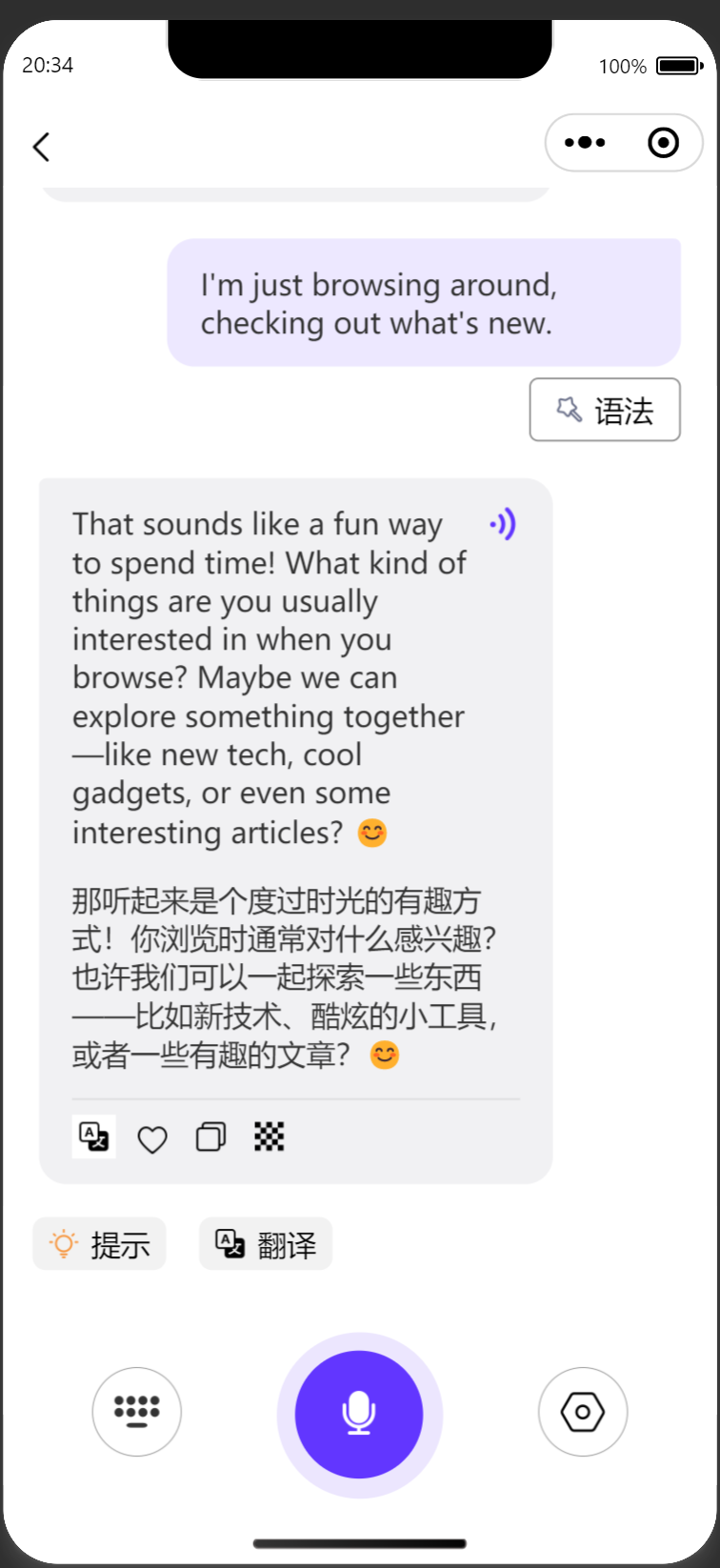
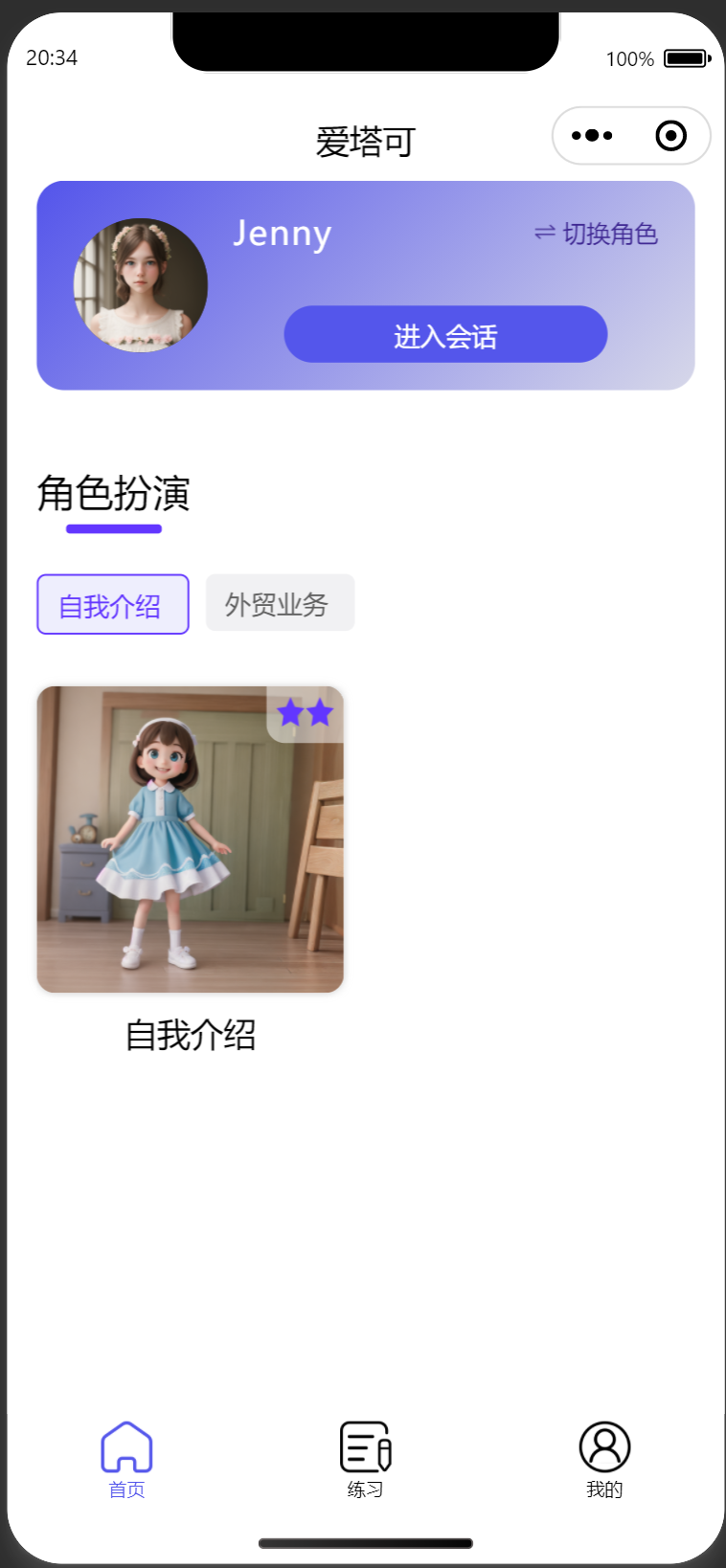
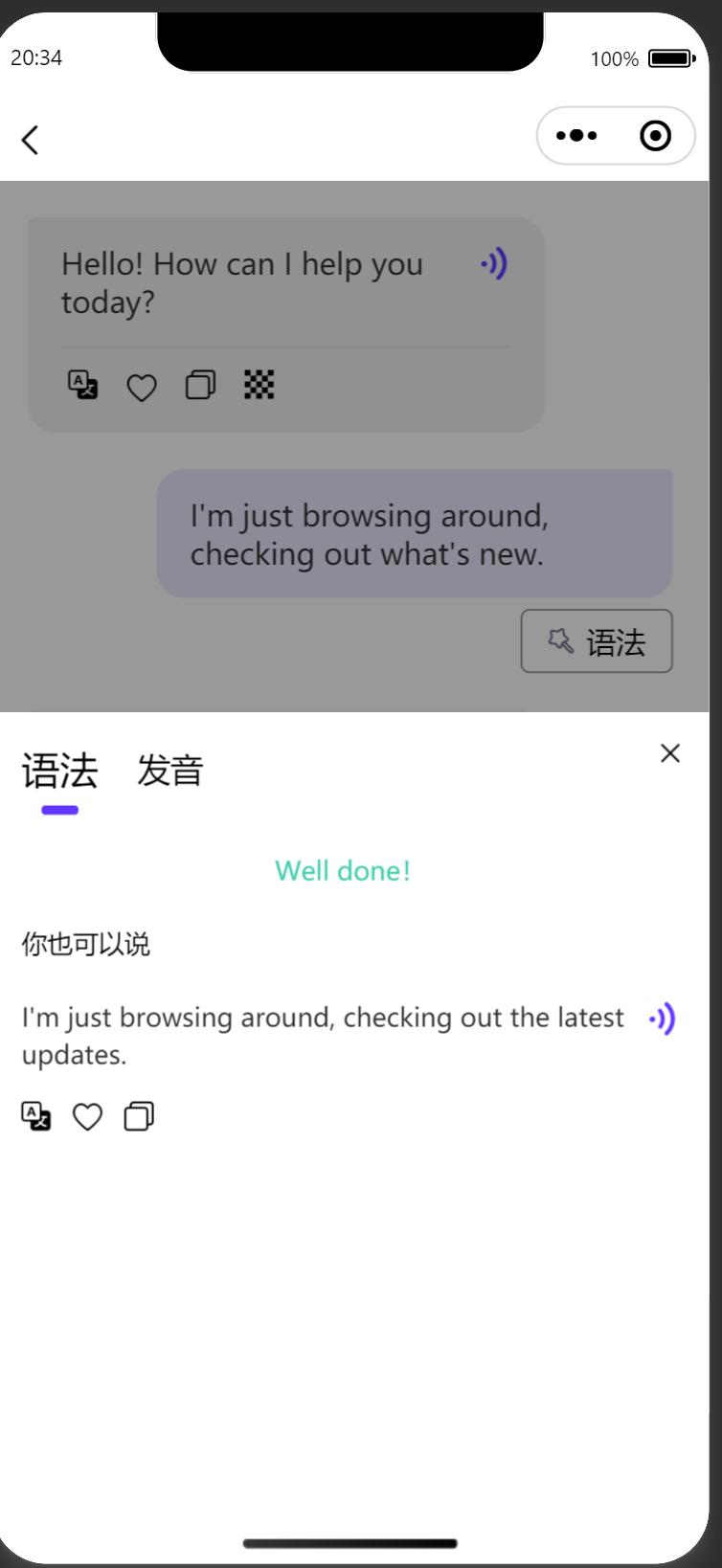
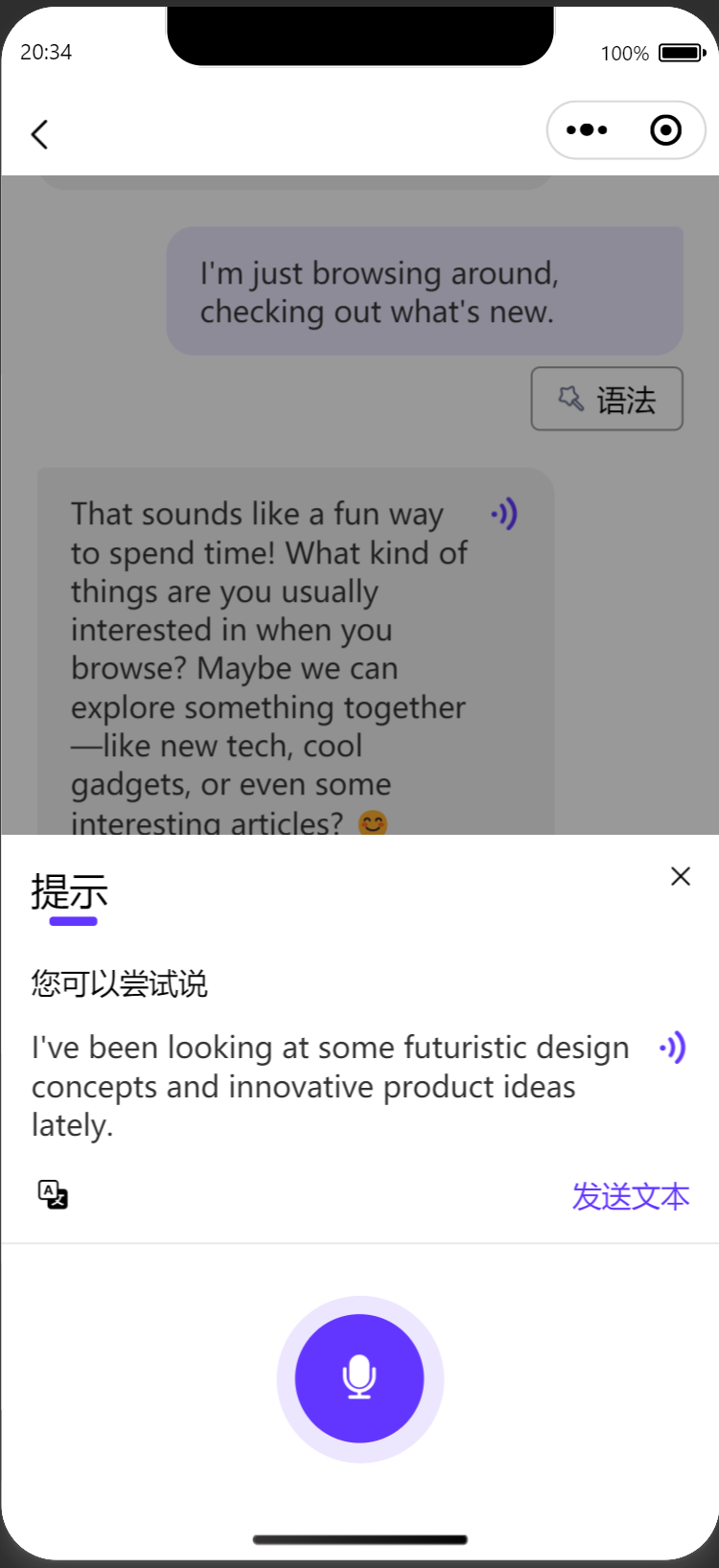
    "content": "# TalkieAI\n\n## 简介\n[TalkieAI](https://github.com/maioria/chatgpt-talkieai) 是一个基于AI的外语学习应用，可通过语音进行聊天，语法分析，翻译。\nAI可以基于CHAT-GPT, 国内可以配置chat-gpt代理或者使用[智谱开放平台](https://open.bigmodel.cn/)\n\n## 微信小程序\n![](https://aitake.oss-cn-wulanchabu.aliyuncs.com/9dcce2ab0be473a09e3c4ce28e5d7d05ca848ead92981c14fd1d7601eb7be0f8.jpg)  \n\n## 后端\n- 使用python语言开发，开发使用的版本为3.11，web框架为fastAPI，数据层框架为SQLAlchemy，语音使用azure。\n## 前端\n- 前端使用uniapp开发，基于vue3，可发布到网页与小程序与APP\n\n## 项目示例图\n![](https://aitake.oss-cn-wulanchabu.aliyuncs.com/c79b6648bea061d2813773075ba3349807dcaea90c9699c5cef9cfa6b894e9ad.png)\n![](https://aitake.oss-cn-wulanchabu.aliyuncs.com/e7a3ad173b55dad7682d843ce1e7a424ef321bf03ac100c81ff07519b05352d0.png)\n![](https://aitake.oss-cn-wulanchabu.aliyuncs.com/6a7d7ff41c5f366b43084a41e7268dcdbc32b65fd0dd976b5ec368ac28dca3cf.png)\n![](https://aitake.oss-cn-wulanchabu.aliyuncs.com/70d6feeb534e9aa9748d51c8c10acc06bb00224f8a40d96a002dc434977d1524.png)\n## 本地启动\n```bash\n# 数据库，创建一个空的数据库，.env文件配置好数据库后启动服务，服务会自动生成相应的表，并且加载默认数据\n# 1.克隆本仓库；\ngit clone git@github.com:maioria/chatgpt-talkieai.git\ncd talkieai-server\n# 2.安装依赖；\npip3 install -r requirements.txt\n# 3. 启动服务（需要新建.env文件并设置变量，参考.env.default）\nnohup uvicorn app.main:app --host 0.0.0.0 --port 8097 &\n#前端使用HBuilder直接web或者小程序运行\n\n# 1. 安装依赖(前端只用了俩个依赖fingerprintjs2 与 recorder)\nnpm install\n```\n\n## nginx配置(Web)\n```bash\n# uniapp可以直接跨域请求服务端地址，也可通过nginx来配置反向代理\nserver {\n        listen       80;\n        listen       [::]:80;\n        server_name  {server_name};\n        rewrite ^(.*) https://$server_name$1 permanent;\n      }\n\nserver {\n        listen       443 ssl http2;\n        listen       [::]:443 ssl http2;\n        server_name  {server_name};\n        root         {前端编译完后的路径};\n        ssl_certificate \"{crt}\";\n        ssl_certificate_key \"{key}\";\n        ssl_session_cache shared:SSL:1m;\n        ssl_session_timeout  10m;\n        ssl_ciphers HIGH:!aNULL:!MD5;\n        ssl_prefer_server_ciphers on;\n\n        # Load configuration files for the default server block.\n        location ^~ /api/ {\n           proxy_pass http://localhost:8000/api/;\n           proxy_set_header Host $http_host;\n           proxy_connect_timeout 15s;\n           proxy_send_timeout 300s;\n           proxy_read_timeout 300s;\n           proxy_set_header X-Real-IP $remote_addr;\n           proxy_set_header X-Forwarded-For $proxy_add_x_forwarded_for;\n        }\n        location / {\n           try_files $uri $uri/ /index.html;\n        }\n    }\n```\n\n## 贡献\n如果您有任何建议或意见，欢迎提出 [Issues](https://github.com/maioria/chatgpt-talkieai/issues) 或 [ Pull Request](https://github.com/maioria/chatgpt-talkieai/pulls)。\n"

  },
  {
    "path": "talkieai-server/app/__init__.py",
    "content": ""
  },
  {
    "path": "talkieai-server/app/ai/__init__.py",
    "content": "from app.config import Config\nfrom app.ai.impl.zhipu_ai import ZhipuAIComponent\nfrom app.ai.impl.chat_gpt_ai import ChatGPTAI\nif Config.AI_SERVER=='CHAT_GPT':\n    chat_ai = ChatGPTAI(api_key=Config.CHAT_GPT_KEY, base_url=Config.CHAT_GPT_PROXY, model=Config.CHAT_GPT_MODEL)\nelif Config.AI_SERVER=='ZHIPU':\n    chat_ai = ZhipuAIComponent(api_key=Config.ZHIPU_AI_API_KEY, model=Config.ZHIPU_AI_MODEL)\nelse:\n    raise Exception('AI_SERVER配置错误，只能配置为CHAT_GPT或ZHIPU')"
  },
  {
    "path": "talkieai-server/app/ai/impl/__init__.py",
    "content": ""
  },
  {
    "path": "talkieai-server/app/ai/impl/chat_gpt_ai.py",
    "content": "from typing import List, Dict\nimport json\nfrom dataclasses import dataclass\nfrom app.ai.interfaces import *\nfrom app.ai.models import *\nfrom app.core.logging import logging\n\n\nclass ChatGPTAI(ChatAI):\n    \"\"\"本地直接调用openai的接口\"\"\"\n\n    def __init__(self, api_key: str, base_url: str = None, model: str = None):\n        from openai import OpenAI\n\n        self.api_key = api_key\n        self.client = OpenAI(api_key=api_key)\n        self.model = model\n        if base_url:\n            self.client.base_url = base_url\n\n    def invoke_greet(self, params: GreetParams) -> str:\n        messages = [\n            {\"role\": \"system\", \"content\": f\"你需要使用标识为 {params.language} 的语言来打个招呼，10字左右.\"}\n        ]\n\n        invoke_dto = MessageInvokeDTO(messages=messages)\n        return self._original_invoke_chat(invoke_dto)\n\n    def topic_invoke_greet(self, params: TopicGreetParams) -> str:\n        messages = [\n            {\n                \"role\": \"system\",\n                \"content\": f\"场景：{params.prompt}. 现在你需要使用标识为 {params.language} 的语言来打个招呼，20字左右.\",\n            }\n        ]\n\n        invoke_dto = MessageInvokeDTO(messages=messages)\n        return self._original_invoke_chat(invoke_dto)\n\n    def invoke_message(self, dto: MessageParams) -> AIMessageResult:\n        \"\"\"与AI自由聊天\"\"\"\n        language = dto.language\n        system_message = (\n            'The reply must be json, and format of json is {\"message\":\"result of message\",\"message_style\":\"must be one of the options '\n            + f\"{json.dumps(dto.styles, ensure_ascii=False)}\"\n            + '\"}, '\n            + f\"The 'message_style'  within the square brackets . \"\n            + f\"I want you to act as an {language} speaking partner and improver, your name is {dto.name}. \"\n            + f\"No matter what language I speak to you, you need to reply me in {language}. \"\n            + f\"I hope you will ask me a question from time to time in your reply \"\n        )\n\n        messages = [{\"role\": \"system\", \"content\": system_message}]\n        for message in dto.messages:\n            messages.append(message)\n        resp = self._original_invoke_chat_json(MessageInvokeDTO(messages=messages))\n        result = AIMessageResult(\n            message=resp[\"message\"], message_style=resp[\"message_style\"]\n        )\n        return result\n\n    def topic_invoke_message(self, dto: AITopicMessageParams) -> AITopicMessageResult:\n        \"\"\"与AI自由聊天\"\"\"\n        language = dto.language\n        system_message = (\n            f\"Topic:{dto.prompt}.Please chat with me in this topic. If this conversation can be concluded or if the user wishes to end it, please return topic_completed=true.\"\n            + 'The reply must be json, and format of json is {\"message\":\"result of message\",\"topic_completed\":\"Whether this topic has been completd.\",\"message_style\":\"must be one of the options '\n            + f\"{json.dumps(dto.styles, ensure_ascii=False)}\"\n            + '\"}, '\n            + f\"The 'message_style'  within the square brackets . \"\n            + f\"I want you to act as an {language} speaking partner and improver, your name is {dto.name}. \"\n            + f\"No matter what language I speak to you, you need to reply me in {language}. \"\n            + f\"I hope you will ask me a question from time to time in your reply \"\n        )\n\n        messages = [{\"role\": \"system\", \"content\": system_message}]\n        for message in dto.messages:\n            messages.append(message)\n        resp = self._original_invoke_chat_json(MessageInvokeDTO(messages=messages))\n        message_style = None\n        # resp是否有message_style\n        if \"message_style\" in resp:\n            message_style = resp[\"message_style\"]\n\n        completed = False\n        # resp是否有topic_completed\n        if \"topic_completed\" in resp:\n            completed = resp[\"topic_completed\"] == \"true\"\n        result = AITopicMessageResult(\n            message=resp[\"message\"], message_style=message_style, completed=completed\n        )\n        return result\n\n    def topic_invoke_complete(\n        self, dto: AITopicCompleteParams\n    ) -> AITopicCompleteResult:\n        \"\"\"场景 结束\"\"\"\n        system_content = \"下面是一场对话\\n\"\n        for message in dto.messages:\n            if message.role.lower() == \"system\":\n                system_content = system_content + f\"AI: {message.content}\\n\"\n            elif message.role.lower() == \"account\":\n                system_content = system_content + f\"用户: {message.content}\\n\"\n\n        system_content = system_content + \"下面是用户对话中需要实现的目标\\n\"  \n        for target in dto.targets:\n            system_content = system_content + f\"{target}\\n\"     \n\n        system_content = (\n            system_content\n           + \"现在你需要计算出 <用户:> 所说的所有话中使用了多少单词数量（仅需要数字结果，重复单词不需要计算），对应后面的目标实现了多少个（仅需要数字结果），对用户的表达给出评分（满分100分，仅需要数字结果），还要给出300字以内的建议（包含中文讲解与英文示例），返回结果只需要有json格式,使用单词量放在words字段，目标实现数量放在targets字段，评分放在score字段，建议放在suggestion字段，不需要再额外的任何信息，记住，只需要统计<用户:>下的内容\\n\"\n        )\n        json_result = self._original_invoke_chat_json(\n            MessageInvokeDTO(messages=[{\"role\": \"system\", \"content\": system_content}])\n        )\n        # 组装成AITopicCompleteResult返回\n        return AITopicCompleteResult(\n            targets=json_result[\"targets\"],\n            score=json_result[\"score\"],\n            words=json_result[\"words\"],\n            suggestion=json_result[\"suggestion\"],\n        )\n\n\n    def invoke_translate(self, dto: TranslateParams) -> str:\n        \"\"\"翻译\"\"\"\n        system_message = f\"下面是段文本：'{dto.content}'   仅输出翻译成 {dto.target_language} 后的内容\"\n        invoke_dto = MessageInvokeDTO(\n            messages=[{\"role\": \"system\", \"content\": system_message}]\n        )\n        resp = self._original_invoke_chat(invoke_dto)\n        return resp\n\n    def invoke_grammar_analysis(\n        self, params: GrammarAnalysisParams\n    ) -> AIGrammarAnalysisResult:\n        messages = [\n            {\n                \"role\": \"user\",\n                \"content\": f\"检查内容是否存在语法错误(不需要检查符号的使用)，如果存在就用中文返回这段内容中的语法错误，再提供一句推荐示例，要求数据格式为json，无任何转义字符，可直接被程序正常序列化，语法是否错误放在属性isCorrect中，错误原因放在errorReason中，修正后的正确示例放在correctContent中，推荐示例放在better中，正确示例与推荐示例的语言要使用{params.language},错误原因使用中文. 提供内容是:{params.content}\",\n            }\n        ]\n        invoke_dto = MessageInvokeDTO(messages=messages)\n        result_data = self._original_invoke_chat(invoke_dto)\n        result_json = json.loads(result_data)\n        return AIGrammarAnalysisResult(\n            is_correct=result_json[\"isCorrect\"],\n            error_reason=result_json[\"errorReason\"],\n            correct_content=result_json[\"correctContent\"],\n            better=result_json[\"better\"],\n        )\n\n    def invoke_prompt_sentence(self, params: PromptSentenceParams) -> str:\n        \"\"\" \"\"\"\n        logging.info(f\"request_params:{params}\")\n        system_content = \"下面是一场对话\\n\"\n        for message in reversed(params.messages):\n            if message[\"role\"].lower() == \"user\":\n                system_content = system_content + f\"用户: {message['content']}\\n\"\n            else:\n                system_content = system_content + f\"AI: {message['content']}\\n\"\n        system_content = (\n            system_content\n            + \"现在你需要做为一个用户来回答下一句话，不可以有提供帮助与提问问题的意思，语言使用\"\n            + params.language\n            + \", 直接输出内容前面不可以加 User:\"\n        )\n        invoke_dto = MessageInvokeDTO(\n            messages=[{\"role\": \"user\", \"content\": system_content}]\n        )\n        resp = self._original_invoke_chat(invoke_dto)\n        return resp\n\n    def invoke_word_detail(self, params: WordDetailParams) -> AIWordDetailResult:\n        logging.info(f\"request_dto:{params}\")\n        messages = [\n            {\n                \"role\": \"user\",\n                \"content\": f'提供一个单词，只需要简洁快速的用中文返回这个单词的音标与翻译，要求数据格式为json，音标放在属性phonetic中，音标的前后要加上\"/\"，翻译放在translation中， 这个单词是\"{params.word}\"',\n            }\n        ]\n        invoke_dto = MessageInvokeDTO(messages=messages)\n        result_data = self._original_invoke_chat(invoke_dto)\n        result_json = json.loads(result_data)\n        return AIWordDetailResult(\n            phonetic=result_json[\"phonetic\"], translation=result_json[\"translation\"]\n        )\n\n    def _original_invoke_chat_json(self, dto: MessageInvokeDTO):\n        logging.info(f\"request_dto:{dto}\")\n        resp = self.client.chat.completions.create(\n            model=self.model,\n            temperature=dto.temperature,\n            messages=dto.messages,\n            max_tokens=dto.max_tokens,\n            response_format={\"type\": \"json_object\"},\n        )\n        logging.info(f\"response:{resp}\")\n        result = resp.choices[0].message.content\n        return json.loads(result)\n\n    def _original_invoke_chat(self, dto: MessageInvokeDTO):\n        logging.info(f\"dto:{dto}\")\n        resp = self.client.chat.completions.create(\n            model=self.model,\n            temperature=dto.temperature,\n            messages=dto.messages,\n            max_tokens=dto.max_tokens,\n        )\n        logging.info(f\"response:{resp}\")\n        result = resp.choices[0].message.content\n        # 去掉俩边的 “” ''\n        result = result.strip('\"')\n        result = result.strip(\"'\")\n        # 去掉json的转义字符\n        result = result.replace('\\\\\"', '\"').replace(\"\\\\n\", \"\\n\").replace(\"\\\\\", \"\")\n        return result\n"
  },
  {
    "path": "talkieai-server/app/ai/impl/zhipu_ai.py",
    "content": "from typing import List, Dict\nimport json\nfrom pydantic import BaseModel\n\nfrom app.ai.interfaces import *\nfrom app.ai.models import *\nfrom app.core.language import *\nfrom app.core.logging import logging\n\n\nclass ZhipuInvokeDTO(BaseModel):\n    messages: List[Dict]\n    model: str\n    temperature: int = 0.1\n\n\nclass ZhipuAIComponent(ChatAI):\n    def __init__(self, api_key: str, model: str):\n        from zhipuai import ZhipuAI\n\n        self.client = ZhipuAI(api_key=api_key)\n        self.model = model\n\n    def invoke_greet(self, params: GreetParams) -> str:\n        messages = [\n            {\"role\": \"user\", \"content\": f\"你需要使用标识为 {params.language} 的语言来打个招呼，10字左右.\"}\n        ]\n\n        invoke_dto = MessageInvokeDTO(messages=messages)\n        return self._original_invoke_chat(invoke_dto)\n\n    def topic_invoke_greet(self, params: TopicGreetParams) -> str:\n        messages = [\n            {\n                \"role\": \"user\",\n                \"content\": f\"场景：{params.prompt}. 现在你需要打个招呼，20字左右.记住语言必须使用使用 {get_language_label_by_value(params.language)}，不可以使用其他语言 \",\n            }\n        ]\n\n        invoke_dto = MessageInvokeDTO(messages=messages)\n        return self._original_invoke_chat(invoke_dto)\n\n    def invoke_message(self, dto: MessageParams) -> AIMessageResult:\n        \"\"\"与AI自由聊天\"\"\"\n        language = dto.language\n        system_message = (\n            'The reply must be json, and format of json is {\"message\":\"result of message\",\"message_style\":\"must be one of the options '\n            + f\"{json.dumps(dto.styles, ensure_ascii=False)}\"\n            + '\"}, '\n            + f\"The 'message_style'  within the square brackets . \"\n            + f\"I want you to act as an {language} speaking partner and improver, your name is {dto.name}. \"\n            + f\"No matter what language I speak to you, you need to reply me in {language}. \"\n            + f\"I hope you will ask me a question from time to time in your reply \"\n        )\n\n        messages = [{\"role\": \"system\", \"content\": system_message}]\n        for message in dto.messages:\n            messages.append(message)\n        resp = self._original_invoke_chat(MessageInvokeDTO(messages=messages))\n        # 检查resp是否是json格式，如果不json格式，就返回错误\n        try:\n            resp = json.loads(resp)\n            result = AIMessageResult(\n                message=resp[\"message\"], message_style=resp[\"message_style\"]\n            )\n        except Exception as e:\n            logging.warn(f\"resp不是json格式:{resp},request_params:{system_message}\")\n            result = AIMessageResult(message=resp, message_style=None)\n\n        return result\n\n    def topic_invoke_message(self, dto: AITopicMessageParams) -> AITopicMessageResult:\n        \"\"\"与AI自由聊天\"\"\"\n        language = dto.language\n        system_message = (\n            f\"Topic:{dto.prompt}.Please chat with me in this topic. If this conversation can be concluded or if the user wishes to end it, please return topic_completed=true.\"\n            + 'The reply must be json, and format of json is {\"message\":\"result of message\",\"topic_completed\":\"Whether this topic has been completd.\",\"message_style\":\"must be one of the options '\n            + f\"{json.dumps(dto.styles, ensure_ascii=False)}\"\n            + '\"}, '\n            + f\"The 'message_style'  within the square brackets . \"\n            + f\"I want you to act as an {language} speaking partner and improver, your name is {dto.name}. \"\n            + f\"No matter what language I speak to you, you need to reply me in {language}. \"\n            + f\"I hope you will ask me a question from time to time in your reply \"\n        )\n\n        messages = [{\"role\": \"system\", \"content\": system_message}]\n        for message in dto.messages:\n            messages.append(message)\n\n        resp = self._original_invoke_chat(MessageInvokeDTO(messages=messages))\n        # 检查resp是否是json格式，如果不json格式，就返回错误\n        try:\n            resp = json.loads(resp)\n            message_style = None\n            # resp是否有message_style\n            if \"message_style\" in resp:\n                message_style = resp[\"message_style\"]\n\n            completed = False\n            # resp是否有topic_completed\n            if \"topic_completed\" in resp:\n                completed = resp[\"topic_completed\"] == \"true\"\n            result = AITopicMessageResult(\n                message=resp[\"message\"],\n                message_style=message_style,\n                completed=completed,\n            )\n        except Exception as e:\n            logging.warn(f\"resp不是json格式:{resp},request_params:{system_message}\")\n            result = AITopicMessageResult(\n                message=resp, completed=False, message_style=None\n            )\n\n        return result\n\n    def topic_invoke_complete(\n        self, dto: AITopicCompleteParams\n    ) -> AITopicCompleteResult:\n        \"\"\"场景 结束\"\"\"\n        system_content = \"下面是一场对话\\n\"\n        for message in dto.messages:\n            if message.role.lower() == \"system\":\n                system_content = system_content + f\"AI: {message.content}\\n\"\n            elif message.role.lower() == \"account\":\n                system_content = system_content + f\"用户: {message.content}\\n\"\n\n        system_content = system_content + \"下面是用户对话中需要实现的目标\\n\"\n        for target in dto.targets:\n            system_content = system_content + f\"{target}\\n\"\n\n        system_content = (\n            system_content\n            + \"现在你需要计算出 <用户:> 所说的所有话中使用了多少单词数量（仅需要数字结果，重复单词不需要计算），对应后面的目标实现了多少个（仅需要数字结果），对用户的表达给出评分（满分100分，仅需要数字结果），还要给出300字以内的建议（包含中文讲解与英文示例），返回结果只需要有json格式,使用单词量放在words字段，目标实现数量放在targets字段，评分放在score字段，建议放在suggestion字段，不需要再额外的任何信息，记住，只需要统计<用户:>下的内容\\n\"\n        )\n        json_result = self._original_invoke_chat_json(\n            MessageInvokeDTO(messages=[{\"role\": \"user\", \"content\": system_content}])\n        )\n        # 组装成AITopicCompleteResult返回\n        return AITopicCompleteResult(\n            targets=json_result[\"targets\"],\n            score=json_result[\"score\"],\n            words=json_result[\"words\"],\n            suggestion=json_result[\"suggestion\"],\n        )\n\n    def invoke_translate(self, dto: TranslateParams) -> str:\n        \"\"\"翻译\"\"\"\n        system_message = f\"下面是段文本：'{dto.content}'   仅输出翻译成 {dto.target_language} 后的内容，不可以有其他介绍内容\"\n        invoke_dto = MessageInvokeDTO(\n            messages=[{\"role\": \"user\", \"content\": system_message}]\n        )\n        resp = self._original_invoke_chat(invoke_dto)\n        return resp\n\n    def invoke_grammar_analysis(\n        self, params: GrammarAnalysisParams\n    ) -> AIGrammarAnalysisResult:\n        messages = [\n            {\n                \"role\": \"user\",\n                \"content\": f\"检查内容是否存在语法错误(不需要检查符号的使用)，如果存在就用中文返回这段内容中的语法错误，再提供一句推荐示例，要求数据格式为json，无任何转义字符，可直接被程序正常序列化，语法是否错误放在属性isCorrect中，错误原因放在errorReason中，修正后的正确示例放在correctContent中，推荐示例放在better中，正确示例与推荐示例的语言要使用{params.language},错误原因使用中文. 提供内容是:{params.content}\",\n            }\n        ]\n        invoke_dto = MessageInvokeDTO(messages=messages)\n        result_json = self._original_invoke_chat_json(invoke_dto)\n        return AIGrammarAnalysisResult(\n            is_correct=result_json[\"isCorrect\"],\n            error_reason=result_json[\"errorReason\"],\n            correct_content=result_json[\"correctContent\"],\n            better=result_json[\"better\"],\n        )\n\n    def invoke_prompt_sentence(self, params: PromptSentenceParams) -> str:\n        \"\"\" \"\"\"\n        logging.info(f\"request_params:{params}\")\n        system_content = \"下面是一场对话\\n\"\n        for message in reversed(params.messages):\n            if message[\"role\"].lower() == \"user\":\n                system_content = system_content + f\"用户: {message['content']}\\n\"\n            else:\n                system_content = system_content + f\"AI: {message['content']}\\n\"\n        system_content = (\n            system_content\n            + \"现在你需要做为一个用户来回答下一句话，不可以有提供帮助与提问问题的意思，返回内容不得包含 用户: 等其他介绍字眼，语言使用\"\n            + params.language\n        )\n        invoke_dto = MessageInvokeDTO(\n            messages=[{\"role\": \"user\", \"content\": system_content}]\n        )\n        resp = self._original_invoke_chat(invoke_dto)\n        return resp\n\n    def invoke_word_detail(self, params: WordDetailParams) -> AIWordDetailResult:\n        logging.info(f\"request_dto:{params}\")\n        messages = [\n            {\n                \"role\": \"user\",\n                \"content\": f'提供一个单词，只需要简洁快速的用中文返回这个单词的音标与翻译，要求数据格式为json，音标放在属性phonetic中，音标的前后要加上\"/\"，翻译放在translation中， 这个单词是\"{params.word}\"',\n            }\n        ]\n        invoke_dto = MessageInvokeDTO(messages=messages)\n        result_json = self._original_invoke_chat_json(invoke_dto)\n        return AIWordDetailResult(\n            phonetic=result_json[\"phonetic\"], translation=result_json[\"translation\"]\n        )\n\n    def _original_invoke_chat(self, dto: MessageInvokeDTO):\n        logging.info(f\"request_params:{dto.__dict__}\")\n        # invoke_dto = ZhipuInvokeDTO(messages=dto.messages, model=self.model)\n        resp = self.client.chat.completions.create(\n            model=self.model, messages=dto.messages, stream=False\n        )\n        logging.info(f\"response:{resp}\")\n\n        result = resp.choices[0].message.content\n        # 去掉俩边的 “”\n        result = result.strip('\"')\n        # 去掉json的转义字符\n        result = result.replace('\\\\\"', '\"').replace(\"\\\\n\", \"\\n\").replace(\"\\\\\", \"\")\n        return result\n\n    def _original_invoke_chat_json(self, dto: MessageInvokeDTO):\n        logging.info(f\"request_params:{dto.__dict__}\")\n        invoke_dto = ZhipuInvokeDTO(messages=dto.messages, model=self.model)\n        resp = self.client.chat.completions.create(**invoke_dto.__dict__)\n        logging.info(f\"response:{resp}\")\n\n        result = resp.choices[0].message.content\n        # 如果格式为类似markdown的 ```json\\n{}\\n```，就去掉前后的 ```json\\n 与 \\n```\n        if result.startswith(\"```json\\n\") and result.endswith(\"\\n```\"):\n            result = result.replace(\"```json\\n\", \"\").replace(\"\\n```\", \"\")\n        # 去掉俩边的 “”\n        result = result.strip('\"')\n        # 去掉json的转义字符\n        result = result.replace('\\\\\"', '\"').replace(\"\\\\n\", \"\\n\").replace(\"\\\\\", \"\")\n        return json.loads(result)\n"
  },
  {
    "path": "talkieai-server/app/ai/interfaces.py",
    "content": "from app.ai.models import *\nfrom abc import ABC, abstractmethod\nfrom typing import List, Dict\nfrom abc import ABC, abstractmethod\nfrom dataclasses import dataclass\nfrom app.ai.models import *\n\n\n@dataclass\nclass MessageInvokeDTO:\n    messages: List[Dict]\n    temperature: float = 0.5\n    max_tokens: int = 300\n\n\n@dataclass\nclass FunctionInvokeDTO:\n    function: Dict\n    messages: List[Dict]\n    temperature: float = 0.5\n    max_tokens: int = 300\n\n\nclass ChatAI(ABC):\n    @abstractmethod\n    def invoke_message(self, dto: MessageParams) -> AIMessageResult:\n        \"\"\"聊天\"\"\"\n        pass\n\n    @abstractmethod\n    def invoke_translate(self, dto: TranslateParams) -> str:\n        \"\"\"翻译\"\"\"\n        pass\n\n    @abstractmethod\n    def invoke_greet(self, dto: GreetParams) -> str:\n        \"\"\"打招呼\"\"\"\n        pass\n\n    @abstractmethod\n    def invoke_grammar_analysis(\n        self, dto: GrammarAnalysisParams\n    ) -> AIGrammarAnalysisResult:\n        \"\"\"语法分析\"\"\"\n        pass\n\n    @abstractmethod\n    def invoke_prompt_sentence(self, dto: PromptSentenceParams) -> str:\n        \"\"\"为用户提示句子\"\"\"\n        pass\n\n    @abstractmethod\n    def invoke_word_detail(self, dto: WordDetailParams) -> AIWordDetailResult:\n        \"\"\"单词详情\"\"\"\n        pass\n\n    @abstractmethod\n    def topic_invoke_greet(self, dto: TopicGreetParams) -> str:\n        \"\"\"场景 打招呼\"\"\"\n        pass\n\n    @abstractmethod\n    def topic_invoke_message(self, dto: AITopicMessageParams) -> AITopicMessageResult:\n        \"\"\"场景 聊天\"\"\"\n        pass\n\n    @abstractmethod\n    def topic_invoke_complete(self, dto: AITopicCompleteParams) -> AITopicCompleteResult:\n        \"\"\"场景 结束\"\"\"\n        pass\n"
  },
  {
    "path": "talkieai-server/app/ai/models.py",
    "content": "from typing import List, Dict\nfrom dataclasses import dataclass, field\n\n\n@dataclass\nclass MessageItemParams:\n    role: str\n    content: str\n\n@dataclass\nclass MessageParams:\n    language: str\n    name: str\n    messages: List[Dict]\n    styles: List[str]\n    temperature: float = 0.5\n    max_tokens: int = 300\n\n\n@dataclass\nclass AITopicMessageParams:\n    language: str\n    speech_role_name: str\n    prompt: str\n    name: str\n    messages: List[Dict] = field(default_factory=list)\n    styles: List[str] = field(default_factory=list)\n    temperature: float = 0.5\n    max_tokens: int = 300\n\n\n@dataclass\nclass AITopicCompleteParams:\n    language: str\n    targets: List[str] = field(default_factory=list)\n    messages: List[MessageItemParams] = field(default_factory=list)\n\n@dataclass\nclass AITopicCompleteResult:\n    targets: str\n    score: str \n    words: int \n    suggestion: str \n\n@dataclass\nclass AIMessageResult:\n    message: str\n    message_style: str | None\n\n\n@dataclass\nclass AITopicMessageResult:\n    message: str\n    message_style: str | None\n    completed: bool\n\n\n@dataclass\nclass TranslateParams:\n    target_language: str\n    content: str\n\n\n@dataclass\nclass GreetParams:\n    language: str\n\n\n@dataclass\nclass GrammarAnalysisParams:\n    language: str\n    content: str\n\n\n@dataclass\nclass AIGrammarAnalysisResult:\n    is_correct: bool\n    error_reason: str\n    correct_content: str\n    better: str\n\n\n@dataclass\nclass PromptSentenceParams:\n    language: str\n    messages: List[Dict]\n\n\n@dataclass\nclass WordDetailParams:\n    word: str\n\n\n@dataclass\nclass AIWordDetailResult:\n    phonetic: str\n    translation: str\n\n\n@dataclass\nclass TopicGreetParams:\n    language: str\n    prompt: str"
  },
  {
    "path": "talkieai-server/app/api/__init__.py",
    "content": ""
  },
  {
    "path": "talkieai-server/app/api/account_routes.py",
    "content": "from fastapi import APIRouter, Depends, Request\nfrom sqlalchemy.orm import Session\nfrom app.core import get_current_account\nfrom app.db import get_db\nfrom app.models.account_models import *\nfrom app.models.response import ApiResponse\nfrom app.services.account_service import AccountService\nfrom app.services.chat_service import ChatService\n\nrouter = APIRouter()\n\n\n@router.post(\"/account/visitor-login\", name=\"Visitor login\")\ndef visitor_login(\n    request: Request, dto: VisitorLoginDTO, db: Session = Depends(get_db)\n):\n    \"\"\"用户访客登录，一个IP只能有一个访客，如果ip已经生成了访客\"\"\"\n    client_host = request.client.host\n\n    # client_host 不能为空\n    if not client_host:\n        return ApiResponse(code=\"400\", status=\"FAILED\", message=\"client_host 不能为空\")\n    # dto.fingerprint 不能为空\n    if not dto.fingerprint:\n        return ApiResponse(code=\"400\", status=\"FAILED\", message=\"dto.fingerprint 不能为空\")\n\n    user_agent = request.headers[\"User-Agent\"]\n    account_service = AccountService(db)\n    return ApiResponse(\n        data=account_service.visitor_login(dto.fingerprint, client_host, user_agent)\n    )\n\n\n@router.get(\"/account/info\", name=\"Get User info\")\ndef get_account_info(\n    db: Session = Depends(get_db), account_id: str = Depends(get_current_account)\n):\n    \"\"\"获取用户信息\"\"\"\n    account_service = AccountService(db)\n    return ApiResponse(data=account_service.get_account_info(account_id))\n\n\n@router.post(\"/account/settings\")\ndef account_settings_api(\n    dto: AccountSettingsDTO,\n    db: Session = Depends(get_db),\n    account_id: str = Depends(get_current_account),\n):\n    \"\"\"用户保存设置\"\"\"\n    account_service = AccountService(db)\n    return ApiResponse(data=account_service.save_settings(dto, account_id))\n\n@router.get('/account/settings')\ndef get_account_settings_api(\n    db: Session = Depends(get_db),\n    account_id: str = Depends(get_current_account),\n):\n    \"\"\"获取用户设置\"\"\"\n    account_service = AccountService(db)\n    return ApiResponse(data=account_service.get_settings(account_id))\n\n\n@router.post(\"/account/role\", name=\"Update User role\")\ndef update_role(\n    dto: UpdateRoleDTO,\n    db: Session = Depends(get_db),\n    account_id: str = Depends(get_current_account),\n):\n    \"\"\"选择角色\"\"\"\n    account_service = AccountService(db)\n    return ApiResponse(data=account_service.update_role_setting(dto, account_id))\n\n\n@router.get(\"/account/role\", name=\"Get User role\")\ndef get_account_role(\n    db: Session = Depends(get_db), account_id: str = Depends(get_current_account)\n):\n    \"\"\"获取选择的角色\"\"\"\n    account_service = AccountService(db)\n    return ApiResponse(data=account_service.get_role_setting(account_id))\n\n@router.get(\"/account/collect\")\ndef get_account_collect_api(\n    type: str,\n    message_id: str = None,\n    content: str = None,\n    db: Session = Depends(get_db),\n    account_id: str = Depends(get_current_account),\n):\n    \"\"\"获取用户收藏状态\"\"\"\n    account_service = AccountService(db)\n    return ApiResponse(\n        data=account_service.get_collect(\n            CollectDTO(type=type, message_id=message_id, content=content), account_id\n        )\n    )\n\n\n@router.post(\"/account/collect\")\ndef account_collect_api(\n    dto: CollectDTO,\n    db: Session = Depends(get_db),\n    account_id: str = Depends(get_current_account),\n):\n    \"\"\"用户保存单词与句子的接口\"\"\"\n    account_service = AccountService(db)\n    return ApiResponse(data=account_service.collect(dto, account_id))\n\n\n@router.delete(\"/account/collect\")\ndef account_collect_api(\n    dto: CollectDTO,\n    db: Session = Depends(get_db),\n    account_id: str = Depends(get_current_account),\n):\n    \"\"\"取消用户保存的单词或者句子\"\"\"\n    account_service = AccountService(db)\n    return ApiResponse(data=account_service.cancel_collect(dto, account_id))\n\n\n@router.get(\"/account/collects\")\ndef get_account_collects_api(\n    type: str,\n    page: int = 1,\n    page_size: int = 10,\n    db: Session = Depends(get_db),\n    account_id: str = Depends(get_current_account),\n):\n    \"\"\"获取用户收藏的列表信息，包含分页效果\"\"\"\n    account_service = AccountService(db)\n    return ApiResponse(\n        data=account_service.get_collects(type, page, page_size, account_id)\n    )"
  },
  {
    "path": "talkieai-server/app/api/message_routes.py",
    "content": "from fastapi import APIRouter, Depends, Response\n\nfrom sqlalchemy.orm import Session\nfrom app.core import get_current_account\nfrom app.core.utils import *\nfrom app.db import get_db\nfrom app.models.account_models import *\nfrom app.models.chat_models import *\nfrom app.models.response import ApiResponse\nfrom app.services.account_service import AccountService\nfrom app.services.chat_service import ChatService\n\nrouter = APIRouter()\n\n\n@router.post(\"/messages/{message_id}/practice\")\ndef message_practice_api(\n    message_id: str,\n    dto: MessagePracticeDTO,\n    db: Session = Depends(get_db),\n    account_id: str = Depends(get_current_account),\n):\n    \"\"\"发送消息\"\"\"\n    chat_service = ChatService(db)\n    return ApiResponse(\n        data=chat_service.message_practice(message_id, dto, account_id)\n    )\n\n\n@router.post(\"/messages/{message_id}/translate\")\ndef translate_api(\n    message_id: str,\n    db: Session = Depends(get_db),\n    account_id: str = Depends(get_current_account),\n):\n    \"\"\"翻译成用户的源语言\"\"\"\n    chat_service = ChatService(db)\n    return ApiResponse(data=chat_service.translate_message(message_id, account_id))\n\n\n@router.get(\"/message/speech\")\ndef speech_api(\n    message_id: str,\n    db: Session = Depends(get_db),\n    account_id: str = Depends(get_current_account),\n):\n    \"\"\"消息转语音\"\"\"\n    chat_service = ChatService(db)\n    speech_result = chat_service.message_speech(message_id, account_id)\n    \"\"\"获取文件\"\"\"\n    file_path = voice_file_get_path(speech_result[\"file\"])\n    # 判断文件是否存在\n    with open(file_path, \"rb\") as file:\n        contents = file.read()\n        headers = {\n            \"Content-Type\": \"audio/wav\",\n            \"Content-Disposition\": \"attachment\",\n            \"filename\": speech_result[\"file\"],\n        }\n        return Response(\n            content=contents, media_type=\"application/octet-stream\", headers=headers\n        )\n\n\n@router.post(\"/message/translate-source-language\")\ndef translate_source_language(\n    dto: TranslateTextDTO,\n    db: Session = Depends(get_db),\n    account_id: str = Depends(get_current_account),\n):\n    \"\"\"翻译成用户本身的语言\"\"\"\n    chat_service = ChatService(db)\n    return ApiResponse(data=chat_service.translate_source_language(dto, account_id))\n\n\n@router.post(\"/message/translate-setting-language\")\ndef translate_setting_language(\n    dto: TranslateTextDTO,\n    db: Session = Depends(get_db),\n    account_id: str = Depends(get_current_account),\n):\n    \"\"\"翻译成用户学习的语言\"\"\"\n    chat_service = ChatService(db)\n    return ApiResponse(data=chat_service.translate_setting_language(dto, account_id))\n\n\n@router.get(\"/message/speech-content\")\ndef speech_content_api(\n    content: str,\n    session_id: str = None,\n    speech_role_name: str = None,\n    speech_role_style: str = None,\n    db: Session = Depends(get_db),\n    account_id: str = Depends(get_current_account),\n):\n    \"\"\"消息转语音\"\"\"\n    chat_service = ChatService(db)\n    speech_result = chat_service.message_speech_content(\n        TransformContentSpeechDTO(\n            content=content, speech_role_name=speech_role_name, speech_role_style=speech_role_style, session_id=session_id\n        ),\n        account_id,\n    )\n    \"\"\"获取文件\"\"\"\n    file_path = voice_file_get_path(speech_result[\"file\"])\n    # 判断文件是否存在\n    with open(file_path, \"rb\") as file:\n        contents = file.read()\n        headers = {\n            \"Content-Type\": \"audio/wav\",\n            \"Content-Disposition\": \"attachment\",\n            \"filename\": speech_result[\"file\"],\n        }\n        return Response(\n            content=contents, media_type=\"application/octet-stream\", headers=headers\n        )\n\n\n@router.post(\"/message/grammar\")\ndef grammar_api(\n    dto: GrammarDTO,\n    db: Session = Depends(get_db),\n    account_id: str = Depends(get_current_account),\n):\n    \"\"\"分析语法错误\"\"\"\n    chat_service = ChatService(db)\n    return ApiResponse(data=chat_service.grammar_analysis(dto, account_id))\n\n\n# 进行发音评估\n@router.post(\"/message/pronunciation\")\ndef pronunciation_api(\n    dto: PronunciationDTO,\n    db: Session = Depends(get_db),\n    account_id: str = Depends(get_current_account),\n):\n    \"\"\"进行发单评估\"\"\"\n    chat_service = ChatService(db)\n    return ApiResponse(data=chat_service.pronunciation(dto, account_id))\n\n\n# 进行音素级别的发音评估\n\n\n# 获取单词的音标与翻译\n@router.post(\"/message/word/detail\")\ndef get_word_api(\n    dto: WordDetailDTO,\n    db: Session = Depends(get_db),\n    account_id: str = Depends(get_current_account),\n):\n    \"\"\"获取单词的音标与翻译\"\"\"\n    chat_service = ChatService(db)\n    return ApiResponse(data=chat_service.get_word(dto, account_id))\n\n\n# 单词练习\n@router.post(\"/message/word/practice\")\ndef word_practice_api(\n    dto: WordPracticeDTO,\n    db: Session = Depends(get_db),\n    account_id: str = Depends(get_current_account),\n):\n    \"\"\"单词练习\"\"\"\n    chat_service = ChatService(db)\n    return ApiResponse(data=chat_service.word_practice(dto, account_id))\n\n\n# 帮助用户生成提示句\n@router.post(\"/message/prompt\")\ndef prompt_api(\n    dto: PromptDTO,\n    db: Session = Depends(get_db),\n    account_id: str = Depends(get_current_account),\n):\n    \"\"\"帮助用户生成提示句\"\"\"\n    chat_service = ChatService(db)\n    return ApiResponse(data=chat_service.prompt_sentence(dto, account_id))\n"
  },
  {
    "path": "talkieai-server/app/api/session_routes.py",
    "content": "from fastapi import APIRouter, Depends, Response\n\nfrom sqlalchemy.orm import Session\nfrom app.core import get_current_account\nfrom app.core.utils import *\nfrom app.db import get_db\nfrom app.models.account_models import *\nfrom app.models.response import ApiResponse\nfrom app.services.account_service import AccountService\nfrom app.services.chat_service import ChatService\n\nrouter = APIRouter()\n\n\n@router.get(\"/sessions/default\")\ndef get_default_session(\n    db: Session = Depends(get_db), account_id: str = Depends(get_current_account)\n):\n    \"\"\"获取默认会话\"\"\"\n    chat_service = ChatService(db)\n    return ApiResponse(data=chat_service.get_default_session(account_id))\n\n\n@router.get(\"/sessions/{session_id}\")\ndef get_session(\n    session_id: str,\n    db: Session = Depends(get_db),\n    account_id: str = Depends(get_current_account),\n):\n    \"\"\"获取会话详情\"\"\"\n    chat_service = ChatService(db)\n    return ApiResponse(data=chat_service.get_session(session_id, account_id))\n\n\n@router.post(\"/sessions/{session_id}/voice-translate\")\ndef voice_upload_api(\n    session_id: str,\n    dto: VoiceTranslateDTO,\n    db: Session = Depends(get_db),\n    account_id: str = Depends(get_current_account),\n):\n    \"\"\"语音解析成文字\"\"\"\n    chat_service = ChatService(db)\n    return ApiResponse(data=chat_service.transform_text(session_id, dto, account_id))\n\n\n# 获取ai的第一句问候语\n@router.get(\"/sessions/{session_id}/greeting\")\ndef get_session_greeting(\n    session_id: str,\n    db: Session = Depends(get_db),\n    account_id: str = Depends(get_current_account),\n):\n    \"\"\"获取会话消息\"\"\"\n    chat_service = ChatService(db)\n    return ApiResponse(data=chat_service.get_session_greeting(session_id, account_id))\n\n\n@router.post(\"/sessions/{session_id}/chat\")\ndef chat_api(\n    session_id: str,\n    dto: ChatDTO,\n    db: Session = Depends(get_db),\n    account_id: str = Depends(get_current_account),\n):\n    \"\"\"发送消息\"\"\"\n    chat_service = ChatService(db)\n    return ApiResponse(\n        data=chat_service.send_session_message(session_id, dto, account_id)\n    )\n\n# 删除最近俩次的对话\n@router.delete(\"/sessions/{session_id}/messages/latest\")\ndef delete_latest_session_messages(\n    session_id: str,\n    db: Session = Depends(get_db),\n    account_id: str = Depends(get_current_account),\n):\n    \"\"\"删除最近一次的对话\"\"\"\n    chat_service = ChatService(db)\n    return ApiResponse(\n        data=chat_service.delete_latest_session_messages(session_id, account_id)\n    )\n\n# 删除session下所有的对话\n@router.delete(\"/sessions/{session_id}/messages\")\ndef delete_all_session_messages(\n    session_id: str,\n    db: Session = Depends(get_db),\n    account_id: str = Depends(get_current_account),\n):\n    \"\"\"删除最近一次的对话\"\"\"\n    chat_service = ChatService(db)\n    return ApiResponse(\n        data=chat_service.delete_all_session_messages(session_id, account_id)\n    )"
  },
  {
    "path": "talkieai-server/app/api/sys_routes.py",
    "content": "import os\nfrom fastapi import APIRouter, Depends, Request, UploadFile, File, Response\nfrom sqlalchemy.orm import Session\nfrom app.core import get_current_account\nfrom app.db import get_db\nfrom app.models.sys_models import *\nfrom app.models.response import ApiResponse\nfrom app.services.sys_service import SysService\nfrom app.config import Config\nfrom app.core.utils import *\n\nrouter = APIRouter()\n\n@router.get(\"/languages/example\")\ndef get_settings_languages_example(\n    language: str,\n    db: Session = Depends(get_db),\n    account_id: str = Depends(get_current_account),\n):\n    \"\"\"获取支持的语言\"\"\"\n    sys_service = SysService(db)\n    return ApiResponse(\n        data=sys_service.get_settings_languages_example(language, account_id)\n    )    \n    \n# 获取语言下支持的角色\n@router.get(\"/sys/roles\")\ndef get_settings_roles(\n    locale: str,\n    db: Session = Depends(get_db),\n    account_id: str = Depends(get_current_account),\n):\n    \"\"\"获取支持的角色\"\"\"\n    sys_service = SysService(db)\n    return ApiResponse(data=sys_service.get_settings_roles(locale, account_id))\n\n\n@router.get(\"/sys/languages\")\ndef get_settings_languages(\n    db: Session = Depends(get_db), account_id: str = Depends(get_current_account)\n):\n    \"\"\"获取支持的语言\"\"\"\n    sys_service = SysService(db)\n    return ApiResponse(data=sys_service.get_settings_languages(account_id))    \n\n\n@router.post(\"/voices/upload\")\ndef voice_upload_api(\n    db: Session = Depends(get_db),\n    file: UploadFile = File(...),\n    account_id: str = Depends(get_current_account),\n):\n    \"\"\"上传语音文件\"\"\"\n    sys_service = SysService(db)\n    return ApiResponse(data=sys_service.voice_upload(file, account_id))\n\n\n@router.get(\"/voices/{file_name}\")\ndef get_file(file_name: str, response: Response):\n    \"\"\"获取文件\"\"\"\n    file_path = voice_file_get_path(file_name)\n    # 判断文件是否存在\n    if os.path.isfile(file_path):\n        with open(file_path, \"rb\") as file:\n            contents = file.read()\n            response.headers[\"Content-Type\"] = \"application/octet-stream\"\n            response.headers[\n                \"Content-Disposition\"\n            ] = f\"attachment; filename={os.path.basename(file_path)}\"\n            return Response(content=contents, media_type=\"application/octet-stream\")\n    else:\n        return {\"error\": f\"File {file_name} not found.\"}\n\n@router.post(\"/sys/feedback\")\ndef add_feedback(\n    dto: FeedbackDTO,\n    db: Session = Depends(get_db),\n    account_id: str = Depends(get_current_account),\n):\n    \"\"\"用户反馈\"\"\"\n    sys_service = SysService(db)\n    sys_service.add_feedback(dto, account_id)\n    return ApiResponse(data=\"SUCCESS\")"
  },
  {
    "path": "talkieai-server/app/api/topics_route.py",
    "content": "from fastapi import APIRouter, Depends, Response\nfrom sqlalchemy.orm import Session\n\nfrom app.core import get_current_account\nfrom app.db import get_db\nfrom app.models.topic_models import *\nfrom app.models.response import ApiResponse\nfrom app.core.logging import logging\nfrom app.services.topic_service import TopicService\n\nrouter = APIRouter()\n\n\n# 用户创建自定义话题\n@router.post(\"/topics/custom\", name=\"Create custom topic\")\ndef create_custom_topic(\n    topic: TopicCreateDTO,\n    db: Session = Depends(get_db),\n    account_id: str = Depends(get_current_account),\n):\n    \"\"\"用户创建自定义话题\"\"\"\n    topic_service = TopicService(db)\n    return ApiResponse(data=topic_service.create_custom_topic(topic, account_id))\n\n\n# 获取用户创建的自定义话题\n@router.get(\"/topics/custom\", name=\"Get custom topic\")\ndef get_custom_topic(\n    db: Session = Depends(get_db),\n    account_id: str = Depends(get_current_account),\n):\n    \"\"\"获取用户创建的自定义话题\"\"\"\n    topic_service = TopicService(db)\n    return ApiResponse(data=topic_service.get_custom_topic(account_id))\n\n# 获取所有话题组与话题\n@router.get(\"/topics\", name=\"Get all chat topic group\")\ndef get_all_chat_topics(\n    type: str,\n    db: Session = Depends(get_db),\n    account_id: str = Depends(get_current_account),\n):\n    \"\"\"获取所有话题组与话题\"\"\"\n    topic_service = TopicService(db)\n    return ApiResponse(data=topic_service.get_all_topics(type, account_id))\n\n\n# 获取自定义话题的示例\n@router.get(\"/topics/random\", name=\"Get custom topic example\")\ndef get_custom_topic_example(\n    db: Session = Depends(get_db),\n    account_id: str = Depends(get_current_account),\n):\n    \"\"\"获取自定义话题的示例\"\"\"\n    topic_service = TopicService(db)\n    return ApiResponse(data=topic_service.get_custom_topic_example(account_id))\n\n\n# 获取话题详情\n@router.get(\"/topics/{topic_id}\", name=\"Get topic detail\")\ndef get_topic_detail(\n    topic_id: str,\n    db: Session = Depends(get_db),\n    account_id: str = Depends(get_current_account),\n):\n    \"\"\"获取话题详情\"\"\"\n    topic_service = TopicService(db)\n    return ApiResponse(data=topic_service.get_topic_detail(topic_id, account_id))\n\n\n# 获取话题历史记录，topic_id做为可选参数，为空时查询所有历史记录\n@router.get(\"/topics/{topic_id}/history\", name=\"Get chat topic history\")\ndef get_chat_topic_history(\n    topic_id: str,\n    db: Session = Depends(get_db),\n    account_id: str = Depends(get_current_account),\n):\n    \"\"\"获取话题历史记录，topic_id做为可选参数，为空时查询所有历史记录\"\"\"\n    topic_service = TopicService(db)\n    return ApiResponse(data=topic_service.get_topic_history(topic_id, account_id))\n\n\n# 获取话题短语记录\n@router.get(\"/topics/{topic_id}/phrases\", name=\"Get chat topic phrases\")\ndef get_chat_topic_phrases(\n    topic_id: str,\n    db: Session = Depends(get_db),\n    account_id: str = Depends(get_current_account),\n):\n    \"\"\"获取话题短语记录\"\"\"\n    topic_service = TopicService(db)\n    return ApiResponse(data=topic_service.get_topic_phrases(topic_id, account_id))\n\n\n# 基于主题创建一个session\n@router.post(\"/topics/{topic_id}/session\", name=\"Create chat topic session\")\ndef create_chat_topic_session(\n    topic_id: str,\n    db: Session = Depends(get_db),\n    account_id: str = Depends(get_current_account),\n):\n    \"\"\"基于主题创建一个session\"\"\"\n    topic_service = TopicService(db)\n    return ApiResponse(data=topic_service.create_topic_session(topic_id, account_id))\n\n\n# 结束当前会话并进行评分\n@router.post(\"/topics/sessions/{session_id}/complete\", name=\"Compete Session\")\ndef complete_session(\n    session_id: str,\n    db: Session = Depends(get_db),\n    account_id: str = Depends(get_current_account),\n):\n    \"\"\"结束话题下的session\"\"\"\n    topic_service = TopicService(db)\n    return ApiResponse(\n        data=topic_service.complete_topic_session(session_id, account_id)\n    )\n\n\n# 删除当前会话\n@router.delete(\"/topics/{topic_id}/session/{session_id}\", name=\"Delete Session\")\ndef delete_session(\n    topic_id: str,\n    session_id: str,\n    db: Session = Depends(get_db),\n    account_id: str = Depends(get_current_account),\n):\n    \"\"\"删除话题下的session\"\"\"\n    topic_service = TopicService(db)\n    return ApiResponse(\n        data=topic_service.delete_topic_session(topic_id, session_id, account_id)\n    )\n\n\n# 获取话题下的session结果\n@router.get(\n    \"/topics/{topic_id}/session/{session_id}/completion\", name=\"Get Session Result\"\n)\ndef get_session_result(\n    topic_id: str,\n    session_id: str,\n    db: Session = Depends(get_db),\n    account_id: str = Depends(get_current_account),\n):\n    \"\"\"获取话题下的session结果\"\"\"\n    topic_service = TopicService(db)\n    return ApiResponse(\n        data=topic_service.get_session_result(topic_id, session_id, account_id)\n    )\n"
  },
  {
    "path": "talkieai-server/app/config.py",
    "content": "import os\nfrom dotenv import load_dotenv\n\nload_dotenv()\n\n\nclass Config:\n    DEFAULT_SOURCE_LANGUAGE = 'zh-CN'\n    DEFAULT_TARGET_LANGUAGE = 'en-US'\n    AI_NAME = os.getenv('AI_NAME')\n    # 数据库连接信息，需要判断不能为空\n    SQLALCHEMY_DATABASE_URL: str = os.getenv('DATABASE_URL')\n\n    # 文件上传路径\n    TEMP_SAVE_FILE_PATH = os.getenv('TEMP_SAVE_FILE_PATH')\n\n    # 微软语音\n    AZURE_KEY = os.getenv('AZURE_KEY')\n\n    # AI\n    AI_SERVER = os.getenv('AI_SERVER')\n    # ChatGPT Key\n    CHAT_GPT_PROXY = os.getenv('CHAT_GPT_PROXY')\n    CHAT_GPT_KEY = os.getenv('CHAT_GPT_KEY')\n    CHAT_GPT_MODEL = os.getenv('CHAT_GPT_MODEL')\n    # 智谱AI配置\n    ZHIPU_AI_API_KEY = os.getenv('ZHIPU_AI_API_KEY')\n    ZHIPU_AI_MODEL = os.getenv('ZHIPU_AI_MODEL')\n\n    # WeChat\n    WECHAT_APP_ID = os.getenv('WECHAT_APP_ID')\n    WECHAT_APP_SECRET = os.getenv('WECHAT_APP_SECRET')\n    WE_CHAT_SERVER_URL = os.getenv('WE_CHAT_SERVER_URL')\n  \n    # 是否开启SQL语句打印\n    SQL_ECHO: bool = os.getenv('SQL_ECHO').lower() == 'true'\n\n    # JWT配置\n    TOKEN_SECRET = os.getenv('TOKEN_SECRET')\n    ALGORITHM = 'HS256'\n    DECODED_TOKEN_USER_KEY = \"sub\"\n    DECODED_TOKEN_IAT_KEY = \"iat\"\n    TOKEN_EXPIRE_TIME = int(os.getenv(\"TOKEN_EXPIRE_TIME\"))\n\n    # API前缀\n    API_PREFIX = os.getenv('API_PREFIX', '/api')"
  },
  {
    "path": "talkieai-server/app/core/__init__.py",
    "content": "from fastapi import Header\n\nfrom app.config import Config\nfrom app.core.auth import Auth\n\nauth = Auth(Config.TOKEN_SECRET, Config.ALGORITHM, Config.DECODED_TOKEN_IAT_KEY, Config.TOKEN_EXPIRE_TIME,\n            Config.DECODED_TOKEN_USER_KEY)\n\n\ndef get_current_account(x_token: str = Header(None), x_token_query: str = None):\n    if x_token_query:\n        return auth.get_current_account(x_token_query)\n    return auth.get_current_account(x_token)\n"
  },
  {
    "path": "talkieai-server/app/core/auth.py",
    "content": "import time\nimport jwt\nfrom fastapi import HTTPException\n\n\n\nclass Auth:\n    def __init__(self, token_secret: str, algorithm: str, decoded_token_iat_key: str, expire_time: int,\n                 decoded_token_user_key: str):\n        self.token_secret = token_secret\n        self.algorithm = algorithm\n        self.expire_time = expire_time\n        self.decoded_token_iat_key = decoded_token_iat_key\n        self.decoded_token_user_key = decoded_token_user_key\n\n    def init_token(self, name: str, id: str) -> str:\n        return jwt.encode({\n            'sub': id,\n            'iat': int(time.time()),\n            'name': name\n        }, self.token_secret, algorithm=self.algorithm)\n\n    def get_current_account(self, x_token: str) -> str:\n        \"\"\"Get user info from x_token\"\"\"\n        if not x_token:\n            raise HTTPException(status_code=401, detail=\"X-Token header is missing\")\n        try:\n            decoded_token = jwt.decode(x_token, self.token_secret, algorithms=[self.algorithm])\n        except jwt.PyJWTError:\n            print(jwt.PyJWTError)\n            raise HTTPException(status_code=401, detail=\"Invalid token\")\n        # Check Whether the token expired\n        iat = decoded_token.get(self.decoded_token_iat_key)\n        \"\"\"Check whether the token is expired\"\"\"\n        delta = int((time.time() - iat) / 60)\n        if delta > self.expire_time:\n            raise HTTPException(status_code=401, detail=\"Token has expired\")\n        account_id = decoded_token.get(self.decoded_token_user_key)\n        if not account_id:\n            raise HTTPException(status_code=401, detail=\"User not found in token\")\n        return account_id\n\n\n\n"
  },
  {
    "path": "talkieai-server/app/core/azure_voice.py",
    "content": "import json\n\nimport azure.cognitiveservices.speech as speechsdk\n\nfrom app.config import Config\nfrom app.core.logging import logging\nfrom app.core.language import *\n\nkey = Config.AZURE_KEY\nregion = \"eastasia\"\n\nspeech_config = speechsdk.SpeechConfig(subscription=key, region=region)\n\nspeech_synthesizer = speechsdk.SpeechSynthesizer(\n    speech_config=speech_config, audio_config=None\n)\n\ndef speech_default(content: str, output_path_str: str, language: str, voice_name: str|None = None):\n    \"\"\"默认语音合成  还是用不了，因为每次还要实例化 speech_synthesizer\"\"\"\n    speech_config.speech_recognition_language = language\n    speech_config.speech_synthesis_language = language\n    # 如果voice_name是空，则设置对应语言的默认角色\n    if not voice_name:\n        voice_name = get_azure_language_default_role(language)\n    speech_config.speech_synthesis_voice_name = voice_name\n    speech_synthesis_result = speech_synthesizer.speak_text_async(content).get()\n    audio_data_stream = speechsdk.AudioDataStream(speech_synthesis_result)\n\n    if (\n        speech_synthesis_result.reason\n        == speechsdk.ResultReason.SynthesizingAudioCompleted\n    ):\n        audio_data_stream.save_to_wav_file(output_path_str)\n    elif (\n        speech_synthesis_result.reason\n        == speechsdk.ResultReason.Canceled\n    ):\n        cancellation_details = speech_synthesis_result.cancellation_details\n        logging.error(\n            \"Speech synthesis canceled: {}\".format(cancellation_details.reason)\n        )\n        if cancellation_details.reason == speechsdk.CancellationReason.Error:\n            if cancellation_details.error_details:\n                logging.error(\n                    \"Error details: {}\".format(cancellation_details.error_details)\n                )\n                logging.error(\n                    \"Did you set the speech resource key and region values?\"\n                )\n        raise Exception(\"语音合成失败\")\n    else:\n        logging.error(\n            \"Speech synthesis failed: {}\".format(speech_synthesis_result.reason)\n        )\n        raise Exception(\"语音合成失败\")\n\ndef speech_by_ssml(\n    content: str,\n    output_path_str: str,\n    voice_name: str,\n    speech_rate: str,\n    feel: str,\n    targetLang: str,\n):\n    \"\"\"可定制的文本转语音\"\"\"\n    # 如果voice_name是空，则设置对应语言的默认角色\n    if not voice_name:\n        voice_name = get_azure_language_default_role(targetLang)\n    ssml = f\"\"\"\n    <speak version=\"1.0\"  xmlns:mstts=\"https://www.w3.org/2001/mstts\" xmlns=\"https://www.w3.org/2001/10/synthesis\" xml:lang=\"{targetLang}\">\n      <voice name=\"{voice_name}\">\n        <prosody rate=\"{speech_rate}\">\n          <mstts:express-as style=\"{feel}\" styledegree=\"1.5\">\n            {content}\n          </mstts:express-as>\n        </prosody>\n      </voice>\n    </speak>\n    \"\"\"\n    logging.info(ssml)\n    speech_synthesis_result = speech_synthesizer.start_speaking_ssml_async(\n        ssml\n    ).get()  # Get the audio data stream\n    audio_data_stream = speechsdk.AudioDataStream(speech_synthesis_result)\n\n    if (\n        speech_synthesis_result.reason\n        == speechsdk.ResultReason.SynthesizingAudioStarted\n    ):\n        logging.info(\"init 1\")\n        audio_data_stream.save_to_wav_file(output_path_str)\n        logging.info(\"init 2\")\n    else:\n        logging.error(\n            \"Speech synthesis failed: {}\".format(speech_synthesis_result.reason)\n        )\n        if speech_synthesis_result.reason == speechsdk.ResultReason.Canceled:\n            cancellation_details = speech_synthesis_result.cancellation_details\n            logging.error(\n                \"Speech synthesis canceled: {}\".format(cancellation_details.reason)\n            )\n            if cancellation_details.reason == speechsdk.CancellationReason.Error:\n                if cancellation_details.error_details:\n                    logging.error(\n                        \"Error details: {}\".format(cancellation_details.error_details)\n                    )\n                    logging.error(\n                        \"Did you set the speech resource key and region values?\"\n                    )\n        raise Exception(\"语音合成失败\")\n\n\ndef speech_pronunciation(content: str, speech_path: str, language: str = \"en-US\"):\n    \"\"\"发音评估\"\"\"\n    audio_config = speechsdk.audio.AudioConfig(filename=speech_path)\n    speech_config.speech_recognition_language = language\n    speech_recognizer = speechsdk.SpeechRecognizer(\n        speech_config=speech_config, audio_config=audio_config\n    )\n    # \"{\\\"referenceText\\\":\\\"good morning\\\",\\\"gradingSystem\\\":\\\"HundredMark\\\",\\\"granularity\\\":\\\"Phoneme\\\",\\\"EnableMiscue\\\":true}\" 通过dict生成json\n    json_param = {\n        \"referenceText\": content,\n        \"gradingSystem\": \"HundredMark\",\n        \"granularity\": \"Word\",\n        \"EnableMiscue\": True,\n    }\n    pronunciation_assessment_config = speechsdk.PronunciationAssessmentConfig(\n        json_string=json.dumps(json_param)\n    )\n\n    pronunciation_assessment_config.apply_to(speech_recognizer)\n\n    speech_recognition_result = speech_recognizer.recognize_once()\n    pronunciation_assessment_result = speechsdk.PronunciationAssessmentResult(\n        speech_recognition_result\n    )\n    result = {\n        \"accuracy_score\": pronunciation_assessment_result.accuracy_score,\n        \"fluency_score\": pronunciation_assessment_result.fluency_score,\n        \"completeness_score\": pronunciation_assessment_result.completeness_score,\n        \"pronunciation_score\": pronunciation_assessment_result.pronunciation_score,\n    }\n    original_words = pronunciation_assessment_result.words\n    result_words = []\n    # 循环words，获取每个单词的发音评估结果\n    for word in original_words:\n        result_words.append(\n            {\n                \"word\": word.word,\n                \"accuracy_score\": word.accuracy_score,\n                \"error_type\": word.error_type,\n            }\n        )\n    result[\"words\"] = result_words\n    return result\n\n\n# 单词发单评估，可以精确到每一个音素\ndef word_speech_pronunciation(word: str, speech_path: str, language: str = \"en-US\"):\n    audio_config = speechsdk.audio.AudioConfig(filename=speech_path)\n    speech_config.speech_recognition_language = language\n    speech_recognizer = speechsdk.SpeechRecognizer(\n        speech_config=speech_config, audio_config=audio_config\n    )\n    # \"{\\\"referenceText\\\":\\\"good morning\\\",\\\"gradingSystem\\\":\\\"HundredMark\\\",\\\"granularity\\\":\\\"Phoneme\\\",\\\"EnableMiscue\\\":true}\" 通过dict生成json\n    json_param = {\n        \"referenceText\": word,\n        \"gradingSystem\": \"HundredMark\",\n        \"granularity\": \"Phoneme\",\n        \"EnableMiscue\": True,\n        \"phonemeAlphabet\": \"IPA\",\n    }\n    pronunciation_assessment_config = speechsdk.PronunciationAssessmentConfig(\n        json_string=json.dumps(json_param)\n    )\n\n    pronunciation_assessment_config.apply_to(speech_recognizer)\n\n    speech_recognition_result = speech_recognizer.recognize_once()\n    pronunciation_assessment_result = speechsdk.PronunciationAssessmentResult(\n        speech_recognition_result\n    )\n    result = {\n        \"accuracy_score\": pronunciation_assessment_result.accuracy_score,\n        \"fluency_score\": pronunciation_assessment_result.fluency_score,\n        \"completeness_score\": pronunciation_assessment_result.completeness_score,\n        \"pronunciation_score\": pronunciation_assessment_result.pronunciation_score,\n    }\n    original_words = pronunciation_assessment_result.words\n    result_words = []\n    # 循环words，获取每个单词的发音评估结果\n    for word in original_words:\n\n        # 获取音素评估结果\n        phonemes = word.phonemes\n        phonemes_list = []\n        for phoneme in phonemes:\n            phonemes_list.append(\n                {\n                    \"phoneme\": phoneme.phoneme,\n                    \"accuracy_score\": phoneme.accuracy_score\n                }\n            )\n\n        result_words.append(\n            {\n                \"word\": word.word,\n                \"accuracy_score\": word.accuracy_score,\n                \"error_type\": word.error_type,\n                \"phonemes\": phonemes_list,\n            }\n        )\n    result[\"words\"] = result_words\n    return result\n\n\n# 语音转文字\ndef speech_translate_text(speech_path: str, language: str) -> str:\n    # languages = [\"zh-CN\", \"en-US\"]\n    languages = []\n    # 如果languages已经包含了language，就不需要再添加了,不包含需要添加，并且放在第一位\n    if language not in languages:\n        languages.insert(0, language)\n    auto_detect_source_language_config = (\n        speechsdk.languageconfig.AutoDetectSourceLanguageConfig(languages=languages)\n    )\n    audio_config = speechsdk.audio.AudioConfig(filename=speech_path)\n\n    speech_recognizer = speechsdk.SpeechRecognizer(\n        speech_config=speech_config,\n        auto_detect_source_language_config=auto_detect_source_language_config,\n        audio_config=audio_config,\n    )\n    speech_recognition_result = speech_recognizer.recognize_once_async().get()\n    if speech_recognition_result.reason == speechsdk.ResultReason.RecognizedSpeech:\n        print(\"Recognized: {}\".format(speech_recognition_result.text))\n        return speech_recognition_result.text\n    elif speech_recognition_result.reason == speechsdk.ResultReason.NoMatch:\n        print(\n            \"No speech could be recognized: {}\".format(\n                speech_recognition_result.no_match_details\n            )\n        )\n    elif speech_recognition_result.reason == speechsdk.ResultReason.Canceled:\n        cancellation_details = speech_recognition_result.cancellation_details\n        print(\"Speech Recognition canceled: {}\".format(cancellation_details.reason))\n        if cancellation_details.reason == speechsdk.CancellationReason.Error:\n            print(\"Error details: {}\".format(cancellation_details.error_details))\n            print(\"Did you set the speech resource key and region values?\")\n\n\n# 获取支持的语音列表，组装成对象数组进行返回\ndef get_voice_list():\n    \"\"\"通过synthesizer.getVoicesAsync()方法来获取所有支持的语音列表\"\"\"\n    speech_synthesizer = speechsdk.SpeechSynthesizer(speech_config=speech_config)\n    voice_list = speech_synthesizer.get_voices_async().get()\n    # 迭代list，组装成对象数组进行返回\n    voice_vo_list = []\n    for voice in voice_list.voices:\n        voice_vo_list.append(\n            {\n                \"gender\": voice.gender.value,\n                \"locale\": voice.locale,\n                \"local_name\": voice.local_name,\n                \"name\": voice.name,\n                \"short_name\": voice.short_name,\n                \"voice_type\": {\n                    \"name\": voice.voice_type.name,\n                    \"value\": voice.voice_type.value,\n                },\n                \"style_list\": voice.style_list,\n            }\n        )\n    return voice_vo_list\n\n\n# 获取支持的语音列表，组装成对象数组进行返回\ndef get_voice_list():\n    \"\"\"通过synthesizer.getVoicesAsync()方法来获取所有支持的语音列表\"\"\"\n    speech_synthesizer = speechsdk.SpeechSynthesizer(speech_config=speech_config)\n    voice_list = speech_synthesizer.get_voices_async().get()\n    # 迭代list，组装成对象数组进行返回\n    voice_vo_list = []\n    for voice in voice_list.voices:\n        voice_vo_list.append(\n            {\n                \"gender\": voice.gender.value,\n                \"locale\": voice.locale,\n                \"local_name\": voice.local_name,\n                \"name\": voice.name,\n                \"short_name\": voice.short_name,\n                \"voice_type\": {\n                    \"name\": voice.voice_type.name,\n                    \"value\": voice.voice_type.value,\n                },\n                \"style_list\": voice.style_list,\n            }\n        )\n    return voice_vo_list\n\nvoice_vo_list = get_voice_list()\n# 获取azure语音配置，并且按 locale 分组\nazure_voice_configs = voice_vo_list\n\nazure_voice_configs_group = {}\nfor azure_voice_config in azure_voice_configs:\n    if azure_voice_config[\"locale\"] not in azure_voice_configs_group:\n        azure_voice_configs_group[azure_voice_config[\"locale\"]] = []\n    azure_voice_configs_group[azure_voice_config[\"locale\"]].append(azure_voice_config)\n\ndef get_azure_voice_role_by_short_name(short_name: str):\n    \"\"\"根据short_name获取语音配置\"\"\"\n    local = short_name.rsplit('-', 1)[0]\n    azure_voice_configs = azure_voice_configs_group[local]\n    # 迭代azure_voice_configs，找到item中short_name与settings.speech_role_name相同的item，取local_name\n    result = None\n    for item in azure_voice_configs:\n        if item[\"short_name\"] == short_name:\n            return item\n    # 抛出异常\n    raise Exception(\"未找到对应的语音配置\")    "
  },
  {
    "path": "talkieai-server/app/core/db_cache.py",
    "content": ""
  },
  {
    "path": "talkieai-server/app/core/exceptions.py",
    "content": "# 用户资源访问受限exception\nclass UserAccessDeniedException(Exception):\n    pass\n\n\n# 用户密码不正确\nclass UserPasswordIncorrectException(Exception):\n    pass\n\n\n# 参数不正确\nclass ParameterIncorrectException(Exception):\n    pass\n"
  },
  {
    "path": "talkieai-server/app/core/language.py",
    "content": "import json\nfrom app.core.logging import logging\n\nlanguage_data = []\n\nazure_data = {}\nwith open(\"data/azure.json\", \"r\") as f:\n    azure_data = json.load(f)\n\nazure_style_label_data = []\nwith open(\"data/azure_style_label.json\", \"r\") as f:\n    azure_style_label_data = json.load(f) \n\nazure_style_label_map = {}\nfor item in azure_style_label_data:\n    azure_style_label_map[item[\"value\"]] = item[\"label\"]   \n\nsys_language_data = {}\nwith open(\"data/sys_language.json\", \"r\") as f:\n    sys_language_data = json.load(f)\n\ndef get_label_by_language(language: str) -> str:\n    \"\"\"根据语言获取对应的label\"\"\"\n    for item in sys_language_data:\n        if item[\"value\"] == language:\n            return item[\"label\"]\n    raise Exception(\"没有找到对应的语言:{language}\")\n\ndef get_azure_style_label(style: str):\n    \"\"\"根据style获取对应的label\"\"\"\n    # 检查azure_style_label_map是否包含style\n    if style in azure_style_label_map:\n        return azure_style_label_map[style]\n    logging.warning(f\"没有找到对应的style:{style}\")\n    return \"\"\n\ndef get_azure_language_default_role(language: str):\n    \"\"\"根据语言获取默认的角色\"\"\"\n    for item in sys_language_data:\n        if item[\"value\"] == language:\n            return item[\"default_voice_role_name\"]\n    raise Exception(f\"没有找到对应的语言:{language}\")\n\ndef get_role_info_by_short_name(short_name: str):\n    \"\"\"根据short_name获取角色信息\"\"\"\n    for item in sys_language_data:\n        if item[\"short_name\"] == short_name:\n            return item\n    raise Exception(f\"没有找到对应的角色:{short_name}\")\n\n"
  },
  {
    "path": "talkieai-server/app/core/logging.py",
    "content": "import logging\n\nlogging.basicConfig(level=logging.INFO, format='%(asctime)s - %(name)s - %(levelname)s - %(message)s')\n"
  },
  {
    "path": "talkieai-server/app/core/utils.py",
    "content": "import hashlib\nimport os\nimport shutil\nimport string\nimport time\nfrom datetime import datetime, timedelta\nfrom uuid import UUID\nimport random\n\nimport jwt\nfrom fastapi import UploadFile\n\nfrom app.config import Config\n\n\ndef short_uuid() -> str:\n    \"\"\"64-bit characters reduced to 8-bit characters.\n    link https://blog.csdn.net/dqchouyang/article/details/70230863\n    \"\"\"\n    uuidChars = (\"a\", \"b\", \"c\", \"d\", \"e\", \"f\",\n                 \"g\", \"h\", \"i\", \"j\", \"k\", \"l\", \"m\", \"n\", \"o\", \"p\", \"q\", \"r\", \"s\",\n                 \"t\", \"u\", \"v\", \"w\", \"x\", \"y\", \"z\", \"0\", \"1\", \"2\", \"3\", \"4\", \"5\",\n                 \"6\", \"7\", \"8\", \"9\", \"A\", \"B\", \"C\", \"D\", \"E\", \"F\", \"G\", \"H\", \"I\",\n                 \"J\", \"K\", \"L\", \"M\", \"N\", \"O\", \"P\", \"Q\", \"R\", \"S\", \"T\", \"U\", \"V\",\n                 \"W\", \"X\", \"Y\", \"Z\")\n    uuid = str(uuid4()).replace('-', '')\n    result = ''\n    for i in range(0, 8):\n        sub = uuid[i * 4: i * 4 + 4]\n        x = int(sub, 16)\n        result += uuidChars[x % 0x3E]\n    return result\n\n\ndef uuid4():\n    \"\"\"Generate a random UUID.\"\"\"\n    return UUID(bytes=os.urandom(16), version=4)\n\n\ndef digest_password(password: str):\n    \"\"\"Sha256 digest password\"\"\"\n    return hashlib.sha256(password.encode('utf-8')).hexdigest()\n\n\ndef generate_code():\n    \"\"\"Generate a 4 random letter verification code\"\"\"\n    code = ''.join(random.sample(string.digits, 6))\n    return code\n\n\n# 日期转换成 年-月-日 时:分:秒\ndef date_to_str(date):\n    return date.strftime(\"%Y-%m-%d %H:%M:%S\")\n\n\ndef day_to_str(date):\n    return date.strftime(\"%Y-%m-%d 00:00:00\")\n\n\ndef friendly_time(dt):\n    \"\"\"\n    将日期时间字符串转换为友好的时间差表达方式。\n\n    参数：\n    dt -- 日期时间字符串，格式为YYYY-MM-DD HH:MM:SS\n\n    返回值：\n    友好的时间差表达方式，例如：1分钟前、1小时前、1天前等等。\n    \"\"\"\n    now = datetime.now()\n    then = datetime.strptime(dt, '%Y-%m-%d %H:%M:%S')\n    diff = now - then\n\n    if diff < timedelta(seconds=60):\n        return '刚刚'\n    elif diff < timedelta(minutes=1):\n        return f'{diff.seconds}秒前'\n    elif diff < timedelta(hours=1):\n        return f'{diff.seconds // 60}分钟前'\n    elif diff < timedelta(days=1):\n        return f'{diff.seconds // 3600}小时前'\n    elif diff < timedelta(days=30):\n        return f'{diff.days}天前'\n    elif diff < timedelta(days=365):\n        return f'{diff.days // 30}个月前'\n    else:\n        return f'{diff.days // 365}年前'\n\n\ndef save_file(upload_file: UploadFile) -> str:\n    # 获取upload_file文件后缀名\n    file_ext = get_file_ext(upload_file.filename)\n\n    filename = f'{short_uuid()}{file_ext}'\n    file_path = f'{Config.TEMP_SAVE_FILE_PATH}/{filename}'\n    if not os.path.exists(Config.TEMP_SAVE_FILE_PATH):\n        os.makedirs(Config.TEMP_SAVE_FILE_PATH)\n    with open(file_path, 'wb') as buffer:\n        shutil.copyfileobj(upload_file.file, buffer)\n    return filename\n\n# def save_voice_file(upload_file: UploadFile) -> str:\n#     # 获取upload_file文件后缀名\n#     file_ext = get_file_ext(upload_file.filename)\n\n#     filename = f'{short_uuid()}{file_ext}'\n#     file_path = voice_file_get_path(filename)\n#     if not os.path.exists(Config.TEMP_SAVE_FILE_PATH):\n#         os.makedirs(Config.TEMP_SAVE_FILE_PATH)\n#     with open(file_path, 'wb') as buffer:\n#         shutil.copyfileobj(upload_file.file, buffer)\n#     return filename\n\n\ndef file_get_path(filename: str) -> str:\n    return f'{Config.TEMP_SAVE_FILE_PATH}/{filename}'\n\n# 获取文件的后缀名\ndef get_file_ext(filename: str) -> str:\n    return os.path.splitext(filename)[1]    \n\n# 获取年月日 yyyymmdd格式\ndef get_date_str():\n    return time.strftime(\"%Y%m%d\", time.localtime())\n\n\ndef save_image_file(upload_file: UploadFile) -> str:\n    # 获取upload_file文件后缀名 \n    file_ext = get_file_ext(upload_file.filename)\n    filename = f'{short_uuid()}{file_ext}'\n\n    file_full_path = image_file_get_path(filename)\n\n    # 检查文件的目录是否存在，如果不存在就创建\n    if not os.path.exists(os.path.dirname(file_full_path)):\n        os.makedirs(os.path.dirname(file_full_path))\n\n    with open(file_full_path, \"wb\") as buffer:\n        shutil.copyfileobj(upload_file.file, buffer)\n    return filename\n\n\ndef save_voice_file(upload_file: UploadFile, prefix='') -> str:\n    # 获取upload_file文件后缀名 \n    file_ext = get_file_ext(upload_file.filename)\n    filename = f'{prefix}_{short_uuid()}{file_ext}'\n\n    file_full_path = voice_file_get_path(filename)\n\n    # 检查文件的目录是否存在，如果不存在就创建\n    if not os.path.exists(os.path.dirname(file_full_path)):\n        os.makedirs(os.path.dirname(file_full_path))\n\n    with open(file_full_path, \"wb\") as buffer:\n        shutil.copyfileobj(upload_file.file, buffer)\n    return filename\n\ndef voice_file_get_path(filename: str) -> str:\n    result = f\"{Config.TEMP_SAVE_FILE_PATH}/voices/{filename}\"\n    # 检查full_file_name文件的所属目录是否存在，不存在则创建新的目录\n    if not os.path.exists(os.path.dirname(result)):\n        os.makedirs(os.path.dirname(result))    \n    return result    \n\n\ndef image_file_get_path(filename: str) -> str:\n    return f\"{Config.TEMP_SAVE_FILE_PATH}/images/{filename}\"\n\n\n# 获取文件的后缀名\ndef get_file_ext(filename: str) -> str:\n    return os.path.splitext(filename)[1]\n"
  },
  {
    "path": "talkieai-server/app/db/__init__.py",
    "content": "from sqlalchemy import create_engine, event\nfrom sqlalchemy.ext.declarative import declarative_base\nfrom sqlalchemy.orm import sessionmaker\nfrom app.config import Config\nfrom sqlalchemy.exc import DisconnectionError\n\n\ndef checkout_listener(dbapi_con, con_record, con_proxy):\n    try:\n        try:\n            dbapi_con.ping(False)\n        except TypeError:\n            dbapi_con.ping()\n    except dbapi_con.OperationalError as exc:\n        if exc.args[0] in (2006, 2013, 2014, 2045, 2055):\n            raise DisconnectionError()\n        else:\n            raise\n\n\n# 创建数据库连接, SQLALCHEMY_DATABASE_URL不能为空\nif not Config.SQLALCHEMY_DATABASE_URL:\n    raise Exception('SQLALCHEMY_DATABASE_URL不能为空')\nengine = create_engine(Config.SQLALCHEMY_DATABASE_URL, echo=Config.SQL_ECHO, pool_pre_ping=True, pool_size=100, pool_recycle=360)\nevent.listen(engine, 'checkout', checkout_listener)\nSessionLocal = sessionmaker(autocommit=False, autoflush=False, bind=engine)\n\n# 创建基类\nBase = declarative_base()\n\n\n# 数据库会话\ndef get_db():\n    db = SessionLocal()\n    try:\n        yield db\n    finally:\n        db.close()\n\n"
  },
  {
    "path": "talkieai-server/app/db/account_entities.py",
    "content": "import datetime\n\nfrom sqlalchemy import Column, String, DateTime, Integer, Index, Text\nfrom app.db import Base, engine\n\n\nclass AccountEntity(Base):\n    \"\"\"访客表\"\"\"\n\n    __tablename__ = \"account\"\n\n    id = Column(\"id\", String(80), primary_key=True)\n    client_host = Column(\"client_host\", String(50), nullable=False)\n    user_agent = Column(\"user_agent\", String(512), nullable=True)\n    fingerprint = Column(\"fingerprint\", String(64), nullable=True)\n    status = Column(\"status\", String(50), default=\"ACTIVE\")\n    create_time = Column(\"create_time\", DateTime, default=datetime.datetime.now)\n    update_time = Column(\"update_time\", DateTime, default=datetime.datetime.now)\n\nclass AccountSettingsEntity(Base):\n    \"\"\"用户设置表\"\"\"\n\n    __tablename__ = \"account_settings\"\n\n    id = Column(\"id\", Integer, primary_key=True, autoincrement=True)\n    account_id = Column(\"account_id\", String(80), nullable=False)\n    source_language = Column(\"source_language\", String(80), nullable=False)\n    target_language = Column(\"target_language\", String(80), nullable=False)\n    speech_role_name = Column(\"speech_role_name\", String(80), nullable=True)\n    auto_playing_voice = Column(\"auto_playing_voice\", Integer, default=1)\n    playing_voice_speed = Column(\"playing_voice_speed\", String(50), default='1.0')\n    auto_text_shadow = Column(\"auto_text_shadow\", Integer, default=1)\n    auto_pronunciation = Column(\"auto_pronunciation\", Integer, default=1)\n    create_time = Column(\"create_time\", DateTime, default=datetime.datetime.now)\n    update_time = Column(\"update_time\", DateTime, default=datetime.datetime.now)   \n\n\nclass AccountCollectEntity(Base):\n    \"\"\"用户收藏表\"\"\"\n\n    __tablename__ = \"account_collect\"\n    id = Column(\"id\", Integer, primary_key=True, autoincrement=True)\n    message_id = Column(\"message_id\", String(80), nullable=True)\n    account_id = Column(\"account_id\", String(80), nullable=False)\n    type = Column(\"type\", String(80), nullable=False)\n    content = Column(\"content\", String(2500), nullable=True)\n    translation = Column(\"translation\", String(2500), nullable=True)\n    deleted = Column(\"deleted\", Integer, default=\"0\")\n    create_time = Column(\"create_time\", DateTime, default=datetime.datetime.now)\n    update_time = Column(\"update_time\", DateTime, default=datetime.datetime.now)\n    \n# 数据库未创建表的话自动创建表\nBase.metadata.create_all(engine)"
  },
  {
    "path": "talkieai-server/app/db/chat_entities.py",
    "content": "import datetime\n\nfrom sqlalchemy import Column, String, DateTime, Integer, Index, Text\nfrom app.db import Base, engine\n\nclass MessageSessionEntity(Base):\n    \"\"\"消息会话表\"\"\"\n\n    __tablename__ = \"message_session\"\n\n    id = Column(\"id\", String(80), primary_key=True)\n    account_id = Column(\"account_id\", String(80), nullable=False)\n    # CHAT TOPIC\n    type = Column(\"type\", String(50), nullable=False, default=\"CHAT\")\n    message_count = Column(\"message_count\", Integer, default=\"0\")\n    is_default = Column(\"is_default\", Integer, default=\"0\")\n    completed = Column(\"completed\", Integer, default=\"0\")\n    deleted = Column(\"deleted\", Integer, default=\"0\")\n    create_time = Column(\"create_time\", DateTime, default=datetime.datetime.now)\n    update_time = Column(\"update_time\", DateTime, default=datetime.datetime.now)\n\n\nclass MessageEntity(Base):\n    \"\"\"消息表\"\"\"\n\n    __tablename__ = \"message\"\n\n    id = Column(\"id\", String(80), primary_key=True)\n    session_id = Column(\"session_id\", String(80), nullable=False)\n    account_id = Column(\"account_id\", String(80), nullable=False)\n    sender = Column(\"sender\", String(80), nullable=False)\n    receiver = Column(\"receiver\", String(80), nullable=False)\n    type = Column(\"type\", String(50), nullable=False)\n    content = Column(\"content\", String(2500), nullable=False)\n    style = Column(\"style\", String(80), nullable=True)\n    length = Column(\"length\", Integer, nullable=False)\n    file_name = Column(\"file_name\", String(80), nullable=True)\n    create_time = Column(\"create_time\", DateTime, default=datetime.datetime.now)\n    deleted = Column(\"deleted\", Integer, default=\"0\")\n    # 设置一个自增的sequence 排序使用\n    sequence = Column(\"sequence\", Integer, nullable=False)\n    # session_id需要加索引\n    Index(\"idx_session_id\", \"session_id\")\n    # account_id需要加索引\n    Index(\"idx_account_id\", \"account_id\")\n    # sequence 需要加索引\n    Index(\"idx_sequence\", \"sequence\")\n\nclass MessageTranslateEntity(Base):\n    \"\"\"用户翻译记录表, 使用自增id\"\"\"\n\n    __tablename__ = \"message_translate\"\n    id = Column(\"id\", Integer, primary_key=True, autoincrement=True)\n    session_id = Column(\"session_id\", String(80), nullable=False)\n    message_id = Column(\"message_id\", String(80), nullable=False)\n    account_id = Column(\"account_id\", String(80), nullable=False)\n    source_language = Column(\"source_language\", String(80), nullable=False)\n    target_language = Column(\"target_language\", String(80), nullable=False)\n    source_text = Column(\"source_text\", String(512), nullable=False)\n    target_text = Column(\"target_text\", String(512), nullable=False)\n    create_time = Column(\"create_time\", DateTime, default=datetime.datetime.now)\n\nclass MessageGrammarEntity(Base):\n    \"\"\"用户语法与语音分析表，结果使用json保存\"\"\"\n\n    __tablename__ = \"message_grammar\"\n    id = Column(\"id\", Integer, primary_key=True, autoincrement=True)\n    session_id = Column(\"session_id\", String(80), nullable=False)\n    message_id = Column(\"message_id\", String(80), nullable=False)\n    file_name = Column(\"file_name\", String(80), nullable=True)\n    account_id = Column(\"account_id\", String(80), nullable=False)\n    # GRAMMAR PRONUNCIATION\n    type = Column(\"type\", String(80), nullable=False)\n    result = Column(\"result\", Text, nullable=False)\n    create_time = Column(\"create_time\", DateTime, default=datetime.datetime.now)\n\n# 数据库未创建表的话自动创建表\nBase.metadata.create_all(engine)"
  },
  {
    "path": "talkieai-server/app/db/sys_entities.py",
    "content": "import datetime\n\nfrom sqlalchemy import Column, String, DateTime, Integer, Index, Text\nfrom app.db import Base, engine\n\n\nclass SettingsLanguageEntity(Base):\n    \"\"\"会话语言配置表\"\"\"\n\n    __tablename__ = \"settings_language\"\n\n    id = Column(\"id\", String(80), primary_key=True)\n    language = Column(\"language\", String(80), nullable=False)\n    full_language = Column(\"full_language\", String(80), nullable=False)\n    label = Column(\"label\", String(80), nullable=False)\n    full_label = Column(\"full_label\", String(80), nullable=False)\n    description = Column(\"description\", String(250), nullable=True)\n    sequence = Column(\"sequence\", Integer, default=\"1\")\n    create_time = Column(\"create_time\", DateTime, default=datetime.datetime.now)\n    update_time = Column(\"update_time\", DateTime, default=datetime.datetime.now)\n\n\nclass SettingsLanguageExampleEntity(Base):\n    \"\"\"会话示例配置表\"\"\"\n\n    __tablename__ = \"settings_language_example\"\n\n    id = Column(\"id\", String(80), primary_key=True)\n    language = Column(\"language\", String(80), nullable=False)\n    example = Column(\"example\", String(250), nullable=True)\n    create_time = Column(\"create_time\", DateTime, default=datetime.datetime.now)\n    update_time = Column(\"update_time\", DateTime, default=datetime.datetime.now)\n\n\n#  会话角色配置表\nclass SettingsRoleEntity(Base):\n    \"\"\"会话角色配置表\"\"\"\n\n    __tablename__ = \"settings_role\"\n\n    id = Column(\"id\", Integer, primary_key=True, autoincrement=True)\n    locale = Column(\"locale\", String(80), nullable=False)\n    local_name = Column(\"local_name\", String(80), nullable=False)\n    name = Column(\"name\", String(255), nullable=False)\n    short_name = Column(\"short_name\", String(80), nullable=False)\n    gender = Column(\"gender\", Integer, nullable=False, default=1)\n    # 头像地址\n    avatar = Column(\"avatar\", String(350), nullable=True)\n    # 试听音频地址\n    audio = Column(\"audio\", String(350), nullable=True)\n    styles = Column(\"styles\", String(350), nullable=True)\n    status = Column(\"status\", String(80), nullable=False, default=\"ACTIVE\")\n    # 排序\n    sequence = Column(\"sequence\", Integer, nullable=False, default=0)\n    # 创建时间\n    create_time = Column(\n        \"create_time\", DateTime, nullable=False, default=datetime.datetime.now\n    )\n    # 更新时间\n    update_time = Column(\n        \"update_time\", DateTime, nullable=False, default=datetime.datetime.now\n    )\n    deleted = Column(\"deleted\", Integer, nullable=False, default=0)\n\n\n\nclass FileDetail(Base):\n    \"\"\"文件表\"\"\"\n\n    __tablename__ = \"file_detail\"\n\n    id = Column(\"id\", String(80), primary_key=True)\n    file_path = Column(\"file_path\", String(150), nullable=False)\n    module = Column(\"module\", String(80), nullable=True)\n    module_id = Column(\"module_id\", String(80), nullable=True)\n    file_name = Column(\"file_name\", String(150), nullable=True)\n    file_ext = Column(\"file_ext\", String(20), nullable=True)\n    deleted = Column(\"deleted\", Integer, default=\"0\")\n    created_by = Column(\"created_by\", String(80), nullable=False)\n    create_time = Column(\"create_time\", DateTime, default=datetime.datetime.now)\n\n\nclass SysCacheEntity(Base):\n    \"\"\"系统缓存表\"\"\"\n\n    __tablename__ = \"sys_cache\"\n    id = Column(\"id\", Integer, primary_key=True, autoincrement=True)\n    key = Column(\"key\", String(80), nullable=False)\n    value = Column(\"value\", String(512), nullable=False)\n    create_time = Column(\"create_time\", DateTime, default=datetime.datetime.now)\n    update_time = Column(\"update_time\", DateTime, default=datetime.datetime.now)\n\n\nclass FeedbackEntity(Base):\n    \"\"\"用户反馈表\"\"\"\n\n    __tablename__ = \"sys_feedback\"\n\n    id = Column(\"id\", Integer, autoincrement=True, primary_key=True)\n    account_id = Column(\"account_id\", String(80), nullable=False)\n    content = Column(\"content\", String(2500), nullable=False)\n    contact = Column(\"contact\", String(250), nullable=False)\n    create_time = Column(\"create_time\", DateTime, default=datetime.datetime.now)\n\n\nclass SysDictTypeEntity(Base):\n    \"\"\"系统字典类型表\"\"\"\n\n    __tablename__ = \"sys_dict_type\"\n\n    id = Column(\"id\", Integer, autoincrement=True, primary_key=True)\n    dict_type = Column(\"dict_type\", String(80), nullable=False)\n    dict_name = Column(\"dict_name\", String(80), nullable=False)\n    status = Column(\"status\", String(80), nullable=False)\n    create_time = Column(\"create_time\", DateTime, default=datetime.datetime.now)\n    update_time = Column(\"update_time\", DateTime, default=datetime.datetime.now)\n\n\nclass SysDictDataEntity(Base):\n    \"\"\"系统字典数据表\"\"\"\n\n    __tablename__ = \"sys_dict_data\"\n\n    id = Column(\"id\", Integer, autoincrement=True, primary_key=True)\n    dict_type = Column(\"dict_type\", String(80), nullable=False)\n    dict_label = Column(\"dict_label\", String(80), nullable=False)\n    dict_value = Column(\"dict_value\", String(80), nullable=False)\n    status = Column(\"status\", String(80), nullable=False, default=\"1\")\n    create_time = Column(\"create_time\", DateTime, default=datetime.datetime.now)\n    update_time = Column(\"update_time\", DateTime, default=datetime.datetime.now)\n\n\n# 数据库未创建表的话自动创建表\nBase.metadata.create_all(engine)\n"
  },
  {
    "path": "talkieai-server/app/db/topic_entities.py",
    "content": "import datetime\n\nfrom sqlalchemy import Column, String, DateTime, Integer, Index, Text\nfrom app.db import Base, engine\n\n\n# 聊天话题组表\nclass TopicGroupEntity(Base):\n    \"\"\"聊天话题组表\"\"\"\n\n    __tablename__ = \"topic_group\"\n\n    id = Column(\"id\", String(80), primary_key=True)\n    # ROLE_PLAY CHAT_TOPIC\n    type = Column(\"type\", String(80), nullable=False)\n    name = Column(\"name\", String(80), nullable=False)\n    description = Column(\"description\", String(80), nullable=False)\n    status = Column(\"status\", String(80), nullable=False, default=\"ACTIVE\")\n    sequence = Column(\"sequence\", Integer, nullable=False, default=1)\n    created_by = Column(\"created_by\", String(80), nullable=False)\n    create_time = Column(\"create_time\", DateTime, default=datetime.datetime.now)\n    update_time = Column(\"update_time\", DateTime, default=datetime.datetime.now)\n\n\nclass TopicEntity(Base):\n    \"\"\"聊天话题表\"\"\"\n\n    __tablename__ = \"topic\"\n\n    id = Column(\"id\", String(80), primary_key=True)\n    # 所属组\n    group_id = Column(\"group_id\", String(80), nullable=False)\n    language = Column(\"language\", String(80), nullable=False)\n    name = Column(\"name\", String(80), nullable=False)\n    level = Column(\"level\", Integer, nullable=False)\n    # 所属角色\n    role_short_name = Column(\"role_short_name\", String(80), nullable=False)\n    # 角色语音默认速度\n    role_speech_rate = Column(\"speech_rate\", String(80), nullable=False, default=\"1\")\n    topic_bot_name = Column(\"topic_bot_name\", String(580), nullable=False)\n    topic_user_name = Column(\"topic_user_name\", String(580), nullable=False)\n    prompt = Column(\"prompt\", String(2500), nullable=False)\n    description = Column(\"description\", String(580), nullable=False)\n    status = Column(\"status\", String(80), nullable=False, default=\"ACTIVE\")\n    sequence = Column(\"sequence\", Integer, nullable=False, default=1)\n    image_url = Column(\"image_url\", String(500), nullable=True)\n    created_by = Column(\"created_by\", String(80), nullable=False)\n    create_time = Column(\"create_time\", DateTime, default=datetime.datetime.now)\n    update_time = Column(\"update_time\", DateTime, default=datetime.datetime.now)\n\n    # created_by 增加搜索索引\n    created_by_index = Index(\"created_by_index\", created_by)\n    # group_id 增加搜索索引\n    group_id_index = Index(\"group_id_index\", group_id)\n\nclass TopicSessionRelation(Base):\n    \"\"\"话题与session关系表\"\"\"\n\n    __tablename__ = \"topic_session_relation\"\n\n    id = Column(\"id\", Integer, primary_key=True, autoincrement=True)\n    # 所属话题\n    topic_id = Column(\"topic_id\", String(80), nullable=False)\n    # 所属session_id\n    session_id = Column(\"session_id\", String(80), nullable=False)\n    account_id = Column(\"account_id\", String(80), nullable=False)\n    # 创建时间\n    create_time = Column(\"create_time\", DateTime, default=datetime.datetime.now)\n    # 更新时间\n    update_time = Column(\"update_time\", DateTime, default=datetime.datetime.now)\n\n    # topic_id 增加搜索索引\n    topic_id_index = Index(\"topic_id_index\", topic_id)\n    # session_id 增加搜索索引\n    session_id_index = Index(\"session_id_index\", session_id)    \n\nclass AccountTopicEntity(Base):\n    \"\"\" 用户创建的话题表 \"\"\"\n    \n    __tablename__ = \"account_topic\"\n\n    id = Column(\"id\", String(80), primary_key=True)\n    language = Column(\"language\", String(80), nullable=False)\n    ai_role = Column(\"ai_role\", String(280), nullable=False)\n    my_role = Column(\"my_role\", String(280), nullable=False)\n    topic = Column(\"topic\", String(2500), nullable=False)\n    account_id = Column(\"account_id\", String(80), nullable=False)\n    created_by = Column(\"created_by\", String(80), nullable=False)\n    create_time = Column(\"create_time\", DateTime, default=datetime.datetime.now)\n    sequence = Column(\"sequence\", Integer, nullable=False, default=1)\n\n\n# 话题目标表\nclass TopicTargetEntity(Base):\n    \"\"\"话题目标表\"\"\"\n\n    __tablename__ = \"topic_target\"\n\n    id = Column(\"id\", Integer, primary_key=True, autoincrement=True)\n    # 所属话题\n    topic_id = Column(\"topic_id\", String(80), nullable=False)\n    # 目标类型 MAIN TRIAL\n    type = Column(\"type\", String(80), nullable=False)\n    # 目标描述\n    description = Column(\"description\", String(500), nullable=False)\n    # 目标描述的翻译\n    description_translation = Column(\"description_translation\", String(500), nullable=True)\n    # 目标状态\n    status = Column(\"status\", String(80), nullable=False, default=\"ACTIVE\")\n    sequence = Column(\"sequence\", Integer, nullable=False, default=1)\n    created_by = Column(\"created_by\", String(80), nullable=False)\n    create_time = Column(\"create_time\", DateTime, default=datetime.datetime.now)\n    update_time = Column(\"update_time\", DateTime, default=datetime.datetime.now)\n\n    # topic_id 增加搜索索引\n    topic_id_index = Index(\"topic_id_index\", topic_id)\n\n# 话题短语\nclass TopicPhraseEntity(Base):\n    \"\"\"话题短语\"\"\"\n\n    __tablename__ = \"topic_phrase\"\n\n    id = Column(\"id\", Integer, primary_key=True, autoincrement=True)\n    # 所属话题\n    topic_id = Column(\"topic_id\", String(80), nullable=False)\n    # 短语\n    phrase = Column(\"phrase\", String(500), nullable=False)\n    # 短语翻译\n    phrase_translation = Column(\"phrase_translation\", String(500), nullable=True)\n    # 短语类型\n    type = Column(\"type\", String(80), nullable=False)\n    # 短语状态\n    status = Column(\"status\", String(80), nullable=False, default=\"ACTIVE\")\n    sequence = Column(\"sequence\", Integer, nullable=False, default=1)\n    created_by = Column(\"created_by\", String(80), nullable=False)\n    create_time = Column(\"create_time\", DateTime, default=datetime.datetime.now)\n    update_time = Column(\"update_time\", DateTime, default=datetime.datetime.now)\n\n    # topic_id 增加搜索索引\n    topic_id_index = Index(\"topic_id_index\", topic_id)\n\n\n\nclass TopicHistoryEntity(Base):\n    \"\"\"话题历史记录表\"\"\"\n\n    __tablename__ = \"topic_history\"\n\n    id = Column(\"id\", Integer, primary_key=True, autoincrement=True)\n    account_id = Column(\"account_id\", String(80), nullable=False)\n    # 所属话题\n    topic_id = Column(\"topic_id\", String(80), nullable=False)\n    # 话题类型\n    topic_type = Column(\"topic_type\", String(80), nullable=False)\n    # 话题名\n    topic_name = Column(\"topic_name\", String(80), nullable=False)\n    # 主目标数量\n    main_target_count = Column(\"main_target_count\", Integer, nullable=False, default=0)\n    # 试验目标数量\n    trial_target_count = Column(\n        \"trial_target_count\", Integer, nullable=False, default=0\n    )\n    main_target_completed_count = Column(\n        \"main_target_completed_count\", Integer, nullable=False, default=0\n    )\n    trial_target_completed_count = Column(\n        \"trial_target_completed_count\", Integer, nullable=False, default=0\n    )\n    # 完成度\n    completion = Column(\"completion\", Integer, nullable=False, default=0)\n    # 语音评分\n    audio_score = Column(\"audio_score\", Integer, nullable=True, default=0)\n    # 内容评分\n    content_score = Column(\"content_score\", Integer, nullable=True, default=0)\n    # 建议\n    suggestion = Column(\"suggestion\", String(2080), nullable=True)\n    word_count = Column(\"word_count\", Integer, nullable=True, default=0)\n    # 所属session_id\n    session_id = Column(\"session_id\", String(80), nullable=False)\n    completed = Column(\"completed\", String(80), nullable=False, default=\"0\")\n    status = Column(\"status\", String(80), nullable=False, default=\"ACTIVE\")\n    # 创建时间\n    create_time = Column(\"create_time\", DateTime, default=datetime.datetime.now)\n\n\n# 数据库未创建表的话自动创建表\nBase.metadata.create_all(engine)\n"
  },
  {
    "path": "talkieai-server/app/main.py",
    "content": "from fastapi import FastAPI\nfrom starlette.middleware.cors import CORSMiddleware\nfrom starlette.responses import JSONResponse\n\nfrom app.config import Config\nfrom app.core.exceptions import UserAccessDeniedException\nfrom app.core.logging import logging\nfrom app.models.response import ApiResponse\n\nfrom app.api.sys_routes import router as sys_routes\nfrom app.api.account_routes import router as account_routes\nfrom app.api.message_routes import router as message_routes\nfrom app.api.session_routes import router as session_routes\nfrom app.api.topics_route import router as topic_routes\n\napp = FastAPI()\n\n# Enables CORS\napp.add_middleware(\n    CORSMiddleware,\n    allow_origins=[\"*\"],\n    allow_credentials=True,\n    allow_methods=[\"*\"],\n    allow_headers=[\"*\"],\n)\n\napp.include_router(account_routes, prefix=f\"{Config.API_PREFIX}/v1\")\napp.include_router(topic_routes, prefix=f\"{Config.API_PREFIX}/v1\")\napp.include_router(sys_routes, prefix=f\"{Config.API_PREFIX}/v1\")\napp.include_router(session_routes, prefix=f\"{Config.API_PREFIX}/v1\")\napp.include_router(message_routes, prefix=f\"{Config.API_PREFIX}/v1\")\n\n\n@app.exception_handler(Exception)\nasync def conflict_error_handler(_, exc: Exception):\n    \"\"\"全局异常处理\"\"\"\n    logging.error(exc)\n    # 返回状态码仍为200，exc的错误信息放到ApiResponse中以json格式方式返回并且可以跨域访问\n    return JSONResponse(\n        headers={\n            \"Access-Control-Allow-Origin\": \"*\",\n            \"Access-Control-Allow-Methods\": \"*\",\n            \"Access-Control-Allow-Headers\": \"*\",\n        },\n        content=ApiResponse(code=\"500\", status=\"FAILED\", message=str(exc)).__dict__,\n    )\n\n\n# UserAccessDeniedException异常处理状态码为403\n@app.exception_handler(UserAccessDeniedException)\nasync def user_access_denied_error_handler(_, exc: UserAccessDeniedException):\n    \"\"\"全局异常处理\"\"\"\n    logging.error(exc)\n    # 返回状态码仍为200，exc的错误信息放到ApiResponse中以json格式方式返回并且可以跨域访问\n    return JSONResponse(\n        headers={\n            \"Access-Control-Allow-Origin\": \"*\",\n            \"Access-Control-Allow-Methods\": \"*\",\n            \"Access-Control-Allow-Headers\": \"*\",\n        },\n        content=ApiResponse(code=\"403\", status=\"FAILED\", message=str(exc)).__dict__,\n    )\n"
  },
  {
    "path": "talkieai-server/app/models/__init__.py",
    "content": ""
  },
  {
    "path": "talkieai-server/app/models/account_models.py",
    "content": "from enum import Enum\nfrom typing import List, Dict\n\nfrom pydantic import BaseModel, constr\n\n\nclass MessageType(Enum):\n    \"\"\"消息类型\"\"\"\n\n    ACCOUNT = \"ACCOUNT\"\n    SYSTEM = \"SYSTEM\"\n\n\nclass WechatLoginDTO(BaseModel):\n    code: str = None\n    state: str = None\n\n\nclass VisitorLoginDTO(BaseModel):\n    fingerprint: constr(min_length=15)\n\n\nclass ChatDTO(BaseModel):\n    \"\"\"聊天\"\"\"\n\n    message: str | None = None\n    file_name: str | None = None\n\n\nclass MessagePracticeDTO(BaseModel):\n    \"\"\"句子练习\"\"\"\n\n    file_name: str = None\n\n\nclass TransformSpeechDTO(BaseModel):\n    \"\"\"消息转语音\"\"\"\n\n    message_id: constr(min_length=5)\n\n\nclass VoiceTranslateDTO(BaseModel):\n    \"\"\"语音转文字\"\"\"\n\n    file_name: constr(min_length=1)\n\n\nclass TranslateDTO(BaseModel):\n    \"\"\"翻译\"\"\"\n\n    message_id: constr(min_length=1)\n\n\nclass TranslateTextDTO(BaseModel):\n    \"\"\"翻译\"\"\"\n\n    text: constr(min_length=1)\n    session_id: str = None\n\n\nclass GrammarDTO(BaseModel):\n    \"\"\"分析英文的语法错误\"\"\"\n\n    message_id: constr(min_length=1)\n\n\nclass WordDetailDTO(BaseModel):\n    \"\"\"单词详情\"\"\"\n\n    word: constr(min_length=1)\n\n\nclass WordPracticeDTO(BaseModel):\n    \"\"\"单词练习\"\"\"\n\n    session_id: str = None\n    word: constr(min_length=1)\n    file_name: constr(min_length=1)\n\n\nclass CollectDTO(BaseModel):\n    \"\"\"收藏单词或者句子\"\"\"\n\n    type: constr(min_length=1)\n    message_id: str = None\n    content: str = None\n\n\nclass PromptDTO(BaseModel):\n    \"\"\"帮助用户生成提示句\"\"\"\n\n    session_id: constr(min_length=1)\n\n\nclass AccountSettingsDTO(BaseModel):\n    auto_playing_voice: bool = True\n    playing_voice_speed: str = \"1.0\"\n    auto_text_shadow: bool = True\n    auto_pronunciation: bool = True\n\n\nclass CreateSessionDTO(BaseModel):\n    role_name: str\n\n\nclass UpdateRoleDTO(BaseModel):\n    language: str\n    role_name: str\n    style: str = None\n    avatar: str\n    local_name: str\n\n\nclass UpdateLanguageDTO(BaseModel):\n    language: constr(min_length=1)\n\n\nclass AccountSettingsDTO(BaseModel):\n    target_language: str | None = None\n    speech_role_name: str | None = None\n    auto_playing_voice: int = 1\n    playing_voice_speed: str = \"1.0\"\n    auto_text_shadow: int = 1\n    auto_pronunciation: int = 1\n"
  },
  {
    "path": "talkieai-server/app/models/chat_models.py",
    "content": "from enum import Enum\nfrom typing import List, Dict\n\nfrom pydantic import BaseModel, constr\n\n\nclass MessageType(Enum):\n    \"\"\"消息类型\"\"\"\n\n    ACCOUNT = \"ACCOUNT\"\n    SYSTEM = \"SYSTEM\"\n    # 智谱AI的第一句提示词\n    PROMPT = \"PROMPT\"\n\n\nclass CreateTalkSessionDTO(BaseModel):\n    language: str\n    short_name: str\n    style: str = \"\"\n\n\nclass CreateSessionDTO(BaseModel):\n    topic_id: str\n\n\nclass ChatDTO(BaseModel):\n    \"\"\"聊天\"\"\"\n\n    message: str = None\n    file_name: str = None\n\n\nclass MessagePracticeDTO(BaseModel):\n    \"\"\"句子练习\"\"\"\n\n    file_name: str = None\n\n\nclass TransformSpeechDTO(BaseModel):\n    \"\"\"消息转语音\"\"\"\n\n    message_id: constr(min_length=5)\n\n\nclass VoiceTranslateDTO(BaseModel):\n    \"\"\"语音转文字\"\"\"\n\n    file_name: constr(min_length=1)\n\n\nclass TranslateDTO(BaseModel):\n    \"\"\"翻译\"\"\"\n\n    message_id: constr(min_length=1)\n\n\nclass TranslateTextDTO(BaseModel):\n    \"\"\"翻译\"\"\"\n\n    text: constr(min_length=1)\n\n\nclass TransformContentSpeechDTO(BaseModel):\n    \"\"\"内容转语音\"\"\"\n\n    session_id: str | None = None\n    content: constr(max_length=500)\n    speech_role_name: str | None = None\n    speech_role_style: str | None = None\n    speech_style: str = \"\"\n    speech_rate: str = \"1.0\"\n\n\nclass GrammarDTO(BaseModel):\n    \"\"\"分析英文的语法错误\"\"\"\n\n    message_id: constr(min_length=1)\n\n\nclass PronunciationDTO(BaseModel):\n    \"\"\"语音评估\"\"\"\n    message_id: constr(min_length=1)\n\n\nclass WordDetailDTO(BaseModel):\n    \"\"\"单词详情\"\"\"\n\n    language: str = \"en-US\"\n    session_id: str = None\n    word: constr(min_length=1)\n\n\nclass WordPracticeDTO(BaseModel):\n    \"\"\"单词练习\"\"\"\n\n    session_id: str = None\n    word: constr(min_length=1)\n    file_name: constr(min_length=1)\n\n\nclass PromptDTO(BaseModel):\n    \"\"\"帮助用户生成提示句\"\"\"\n\n    session_id: constr(min_length=1)\n"
  },
  {
    "path": "talkieai-server/app/models/response.py",
    "content": "class ApiResponse:\n    def __init__(self, code: str = '200', status: str = 'SUCCESS', data=None, message: str = 'success'):\n        self.code = code\n        self.status = status\n        self.data = data\n        self.message = message\n"
  },
  {
    "path": "talkieai-server/app/models/sys_models.py",
    "content": "from enum import Enum\nfrom typing import List, Dict\n\nfrom pydantic import BaseModel, constr\n\nclass UpdateLanguageDTO(BaseModel):\n    language: constr(min_length=1)\n\n\nclass FeedbackDTO(BaseModel):\n    content: constr(min_length=1)\n    contact: str = None"
  },
  {
    "path": "talkieai-server/app/models/topic_models.py",
    "content": "from enum import Enum\nfrom typing import List, Dict\n\nfrom pydantic import BaseModel, constr\n\n\nclass CreateSessionDTO(BaseModel):\n    topic_id: str\n\nclass TopicCreateDTO(BaseModel):\n    ai_role: str\n    my_role: str\n    topic: str"
  },
  {
    "path": "talkieai-server/app/services/__init__.py",
    "content": "from app.services.sys_service import SysService\nfrom app.services.account_service import AccountService\nfrom app.services.chat_service import ChatService\nfrom app.services.topic_service import TopicService\nfrom app.db import SessionLocal\n\n\n\n# 检查初始化数据\ndb = SessionLocal()\nsys_service = SysService(db)\naccount_service = AccountService(db)\ntopic_service = TopicService(db)\nchat_service = ChatService(db)\ndb.close()"
  },
  {
    "path": "talkieai-server/app/services/account_service.py",
    "content": "import json\nimport os\nimport re\nimport datetime\n\nfrom sqlalchemy.orm import Session\n\nfrom app.config import Config\nfrom app.core import auth, azure_voice\nfrom app.core.azure_voice import *\nfrom app.core.exceptions import UserAccessDeniedException\nfrom app.core.utils import *\nfrom app.db.sys_entities import *\nfrom app.db.account_entities import *\nfrom app.db.chat_entities import *\nfrom app.models.account_models import *\nfrom app.core.logging import logging\nfrom app.ai import chat_ai\nfrom app.ai.models import *\nfrom app.core.logging import logging\nfrom app.core.language import *\nfrom app.core.language import *\n\n\nMESSAGE_SYSTEM = \"SYSTEM\"\n\nclass AccountService:\n    def __init__(self, db: Session):\n        self.db = db\n\n    def visitor_login(self, fingerprint: str, client_host: str, user_agent: str = None):\n        \"\"\"先检查此ip下是否有用户，如果有，直接返回ip下的用户，如果没有，就生成新的访客\"\"\"\n        visitor = (\n            self.db.query(AccountEntity).filter_by(fingerprint=fingerprint).first()\n        )\n        if not visitor:\n            visitor = AccountEntity(\n                id=f\"visitor_{short_uuid()}\",\n                fingerprint=fingerprint,\n                client_host=client_host,\n                user_agent=user_agent,\n            )\n            self.db.add(visitor)\n            self.db.commit()\n\n        self.__check_and_init_default_settings(visitor.id)\n        return auth.init_token(visitor.id, visitor.id)\n\n    def collect(self, dto: CollectDTO, account_id: str):\n        \"\"\"用户收藏，根据类型保存到AccountCollectEntity，保存前先做检查，如果已经存在，则不需要再进行保存\"\"\"\n\n        # 先检查是否已经存在，如果已经存在，就不需要再进行保存\n        if dto.message_id:\n            collect = (\n                self.db.query(AccountCollectEntity)\n                .filter_by(account_id=account_id, message_id=dto.message_id)\n                .first()\n            )\n        else:\n            collect = (\n                self.db.query(AccountCollectEntity)\n                .filter_by(account_id=account_id, type=dto.type, content=dto.content)\n                .first()\n            )\n\n        if collect:\n            if collect.deleted == 1:\n                collect.deleted = 0\n                collect.update_time = datetime.datetime.now()\n\n            self.db.commit()\n            return\n\n        # 查询出session\n        if dto.message_id:\n            message = (\n                self.db.query(MessageEntity)\n                .filter_by(id=dto.message_id, account_id=account_id)\n                .first()\n            )\n            content = message.content\n        else:\n            content = dto.content\n\n        # 获得翻译\n        source_language = self.get_account_source_language(account_id)\n        translation = chat_ai.invoke_translate(\n            TranslateParams(target_language=source_language, content=content)\n        )\n\n        # 如果没有任何符号且只有单独一个单词，则type为WORD，否则为 SENTENCE\n        if re.match(r\"^[a-zA-Z]+$\", content) and len(content.split(\" \")) == 1:\n            type = \"WORD\"\n        else:\n            type = \"SENTENCE\"\n\n        account_collect = AccountCollectEntity(\n            account_id=account_id,\n            type=type,\n            message_id=dto.message_id,\n            content=content,\n            translation=translation,\n        )\n        self.db.add(account_collect)\n\n        self.db.commit()\n        return\n\n    def get_account_info(self, account_id: str):\n        \"\"\"获取用户的今日聊天次数与总次数返回\"\"\"\n        # 如果是访客，就返回访客的信息\n        if account_id.startswith(\"visitor_\"):\n            account = self.db.query(AccountEntity).filter_by(id=account_id).first()\n        else:\n            # 不再支持account\n            raise Exception(\"不再支持account\")\n        if not account:\n            raise Exception(\"User not found\")\n        result = {\n            \"account_id\": account_id,\n            \"today_chat_count\": self.get_user_current_day_system_message_count(\n                account_id\n            ),\n            \"total_chat_count\": self.get_user_system_message_count(account_id),\n        }\n        account_settings = (\n            self.db.query(AccountSettingsEntity)\n            .filter_by(account_id=account_id)\n            .first()\n        )\n        target_language = account_settings.target_language\n        result[\"target_language\"] = target_language\n        result[\"target_language_label\"] = get_label_by_language(target_language)\n        return result\n\n    def get_collect(self, dto: CollectDTO, account_id: str):\n        \"\"\"获取用户是否已经收藏的数据\"\"\"\n        if dto.message_id:\n            collect = (\n                self.db.query(AccountCollectEntity)\n                .filter_by(account_id=account_id, message_id=dto.message_id)\n                .first()\n            )\n        else:\n            collect = (\n                self.db.query(AccountCollectEntity)\n                .filter_by(account_id=account_id, type=dto.type, content=dto.content)\n                .first()\n            )\n        if collect and collect.deleted == 0:\n            return {\"is_collect\": True}\n        else:\n            return {\"is_collect\": False}\n\n    def cancel_collect(self, dto: CollectDTO, account_id: str):\n        \"\"\"取消收藏\"\"\"\n        if dto.message_id:\n            collect = (\n                self.db.query(AccountCollectEntity)\n                .filter_by(account_id=account_id, message_id=dto.message_id)\n                .first()\n            )\n        else:\n            collect = (\n                self.db.query(AccountCollectEntity)\n                .filter_by(account_id=account_id, type=dto.type, content=dto.content)\n                .first()\n            )\n        if collect:\n            collect.deleted = 1\n            collect.update_time = datetime.datetime.now()\n            self.db.commit()\n        return\n\n    def get_collects(self, type: str, page: int, page_size: int, account_id: str):\n        \"\"\"获取用户收藏的列表信息\"\"\"\n        query = (\n            self.db.query(AccountCollectEntity)\n            .filter_by(account_id=account_id, type=type, deleted=0)\n            .order_by(AccountCollectEntity.create_time.desc())\n        )\n        collects = query.offset((page - 1) * page_size).limit(page_size).all()\n        # 获取总数\n        total = query.count()\n        result = []\n        for collect in collects:\n            result.append(\n                {\n                    \"id\": collect.id,\n                    \"type\": collect.type,\n                    \"content\": collect.content,\n                    \"translation\": collect.translation,\n                    \"message_id\": collect.message_id,\n                    \"create_time\": date_to_str(collect.create_time),\n                }\n            )\n        return {\"total\": total, \"list\": result}\n\n    def get_settings(self, account_id: str):\n        \"\"\"获取AccountSettingsEntity中key 为 auto_playing_voice, playing_voice_speed, auto_text_shadow, auto_pronunciation的配置\"\"\"\n        settings = (\n            self.db.query(AccountSettingsEntity)\n            .filter(AccountSettingsEntity.account_id == account_id)\n            .first()\n        )\n        # 设置 vo dict，里面的值与settings中的值一致\n        vo = {\n            \"auto_playing_voice\": settings.auto_playing_voice,\n            \"playing_voice_speed\": settings.playing_voice_speed,\n            \"auto_text_shadow\": settings.auto_text_shadow,\n            \"auto_pronunciation\": settings.auto_pronunciation,\n            \"speech_role_name\": settings.speech_role_name,\n            \"target_language\": settings.target_language,\n        }\n\n        # 如果存在 speech_role_name，则从azure_voice_configs_group获取对应值，取local_name\n        if settings.speech_role_name:\n            voice_role_config = get_azure_voice_role_by_short_name(\n                settings.speech_role_name\n            )\n            vo[\"speech_role_name_label\"] = voice_role_config[\"local_name\"]\n        return vo\n\n    def save_settings(self, dto: AccountSettingsDTO, account_id: str):\n        \"\"\"保存用户设置\"\"\"\n        account_settings = (\n            self.db.query(AccountSettingsEntity)\n            .filter_by(account_id=account_id)\n            .first()\n        )\n        if dto.auto_playing_voice is not None:\n            account_settings.auto_playing_voice = dto.auto_playing_voice\n        if dto.playing_voice_speed is not None:\n            account_settings.playing_voice_speed = dto.playing_voice_speed\n        if dto.auto_text_shadow is not None:\n            account_settings.auto_text_shadow = dto.auto_text_shadow\n        if dto.auto_pronunciation is not None:\n            account_settings.auto_pronunciation = dto.auto_pronunciation\n        if dto.speech_role_name is not None:\n            account_settings.speech_role_name = dto.speech_role_name\n        if dto.target_language is not None:\n            if dto.target_language != account_settings.target_language:\n                # 获取语言对应的语音角色\n                speech_role_name = get_azure_language_default_role(\n                    dto.target_language\n                )\n                account_settings.speech_role_name = speech_role_name\n            account_settings.target_language = dto.target_language\n        self.db.commit()\n\n\n    def update_role_setting(self, dto: UpdateRoleDTO, account_id: str):\n        \"\"\"选择角色\"\"\"\n        # 先删除 account_settings 中的数据\n        account_settings_entity = (\n            self.db.query(AccountSettingsEntity)\n            .filter_by(account_id=account_id)\n            .first()\n        )\n        # dto 转json格式保存\n        account_settings_entity.role_setting = json.dumps(dto.model_dump())\n        self.db.commit()\n        return {\n            \"account_id\": account_id,\n            \"role_name\": dto.role_name,\n            \"role_style\": dto.style,\n        }\n\n    def get_role_setting(self, account_id: str):\n        \"\"\"获取用户当前设置的角色\"\"\"\n        # 先删除 account_settings 中的数据\n        account_settings_entity = (\n            self.db.query(AccountSettingsEntity)\n            .filter_by(account_id=account_id)\n            .first()\n        )\n        role_setting = get_azure_voice_role_by_short_name(account_settings_entity.speech_role_name)\n        # 补充头像，根据性别补充头像\n        if role_setting['gender'] == 1:\n            role_setting['role_image'] = 'http://qiniu.prejade.com/1597936949107363840/talkie/images/en-US_JennyNeural.png'\n        else:\n            role_setting['role_image'] = 'http://qiniu.prejade.com/1597936949107363840/talkie/images/en-US_Guy.png'    \n        return {\n            \"role_setting\": role_setting\n        }\n           \n\n    def get_account_source_language(self, account_id: str):\n        \"\"\"获取用户的学习语言\"\"\"\n        settings = (\n            self.db.query(AccountSettingsEntity)\n            .filter_by(account_id=account_id)\n            .first()\n        )\n        if settings:\n            return settings.source_language\n        else:\n            return Config.DEFAULT_SOURCE_LANGUAGE\n\n    def get_account_target_language(self, account_id: str):\n        \"\"\"获取用户的目标语言\"\"\"\n        settings = (\n            self.db.query(AccountSettingsEntity)\n            .filter_by(account_id=account_id)\n            .first()\n        )\n        if settings:\n            return settings.target_language\n        else:\n            return Config.DEFAULT_TARGET_LANGUAGE\n\n    def get_user_current_day_system_message_count(self, account_id: str):\n        \"\"\"获取用户当天系统消息次数\"\"\"\n        # 获取当天0点的时间进行筛选\n        today = day_to_str(datetime.datetime.now())\n        return (\n            self.db.query(MessageEntity)\n            .filter_by(account_id=account_id, type=MessageType.SYSTEM.value)\n            .filter(MessageEntity.create_time >= today)\n            .count()\n        )\n\n    def get_user_system_message_count(self, account_id: str):\n        \"\"\"获取用户当天系统消息次数\"\"\"\n        return (\n            self.db.query(MessageEntity)\n            .filter_by(account_id=account_id, type=MessageType.SYSTEM.value)\n            .count()\n        )\n\n    def __check_and_init_default_settings(self, account_id: str):\n        \"\"\"检查并初始化用户的默认设置\"\"\"\n        # 先检查是否已经存在，如果已经存在，就不需要再进行保存\n        settings = (\n            self.db.query(AccountSettingsEntity)\n            .filter_by(account_id=account_id)\n            .first()\n        )\n        if not settings:\n            speech_role_name = get_azure_language_default_role(\n                Config.DEFAULT_TARGET_LANGUAGE\n            )\n            settings = AccountSettingsEntity(\n                account_id=account_id,\n                target_language=Config.DEFAULT_TARGET_LANGUAGE,\n                source_language=Config.DEFAULT_SOURCE_LANGUAGE,\n                speech_role_name=speech_role_name,\n            )\n            self.db.add(settings)\n            self.db.commit()\n"
  },
  {
    "path": "talkieai-server/app/services/chat_service.py",
    "content": "from sqlalchemy.orm import Session\n\nfrom app.core.utils import *\nfrom app.db.account_entities import *\nfrom app.db.chat_entities import *\nfrom app.db.sys_entities import *\nfrom app.db.topic_entities import *\nfrom app.models.account_models import *\nfrom app.models.chat_models import *\nfrom app.services.account_service import AccountService\nfrom app.services.topic_service import TopicService\n\nfrom app.ai.models import *\nfrom app.ai import chat_ai\nfrom app.core.azure_voice import *\nfrom app.core.exceptions import *\n\nMESSAGE_SYSTEM = \"SYSTEM\"\n\n# 读取data下 language_demo_map.json 生成对应字典\nlanguage_demo_map = {}\nwith open(\"data/language_demo_map.json\", \"r\") as f:\n    language_demo_map = json.load(f)\n\n\nclass ChatService:\n    \"\"\"聊天核心类，会调用account_service与topic_service, 反向不可以引用\"\"\"\n\n    def __init__(self, db: Session):\n        self.db = db\n        self.account_service = AccountService(db)\n        self.topic_service = TopicService(db)\n\n    def get_settings_languages_example(self, language: str, account_id: str):\n        \"\"\"获取语言下的示例\"\"\"\n        # 获取语言下的示例\n        # 语言没有国家  所以去掉后面的国家后缀\n        language = language.split(\"-\")[0]\n        return language_demo_map[language]\n\n    def get_default_session(self, account_id: str):\n        \"\"\"获取用户的默认会话, 如果没有默认会话，就创建一个\"\"\"\n        session = (\n            self.db.query(MessageSessionEntity)\n            .filter_by(\n                account_id=account_id,\n                is_default=1,\n            )\n            .order_by(MessageSessionEntity.create_time.desc())\n            .first()\n        )\n        if not session:\n            # 为用户创建一个默认的session\n            return self.create_session(\n                account_id,\n            )\n        return self.__convert_session_model(session)\n\n    def get_session(self, session_id: str, account_id: str):\n        \"\"\"获取会话详情\"\"\"\n        session = self.__get_and_check_session(session_id, account_id)\n        result = self.__convert_session_model(session)\n\n        # 获取会话下的消息\n        result[\"messages\"] = self.get_session_messages(session_id, account_id, 1, 100)\n        return result\n\n    def get_session_greeting(self, session_id: str, account_id: str):\n        \"\"\"需要会话没有任何消息时，需要返回的问候语\"\"\"\n\n        # 检查session是否存在\n        session = self.__get_and_check_session(session_id, account_id)\n\n        # 检查会话下是否已经有了消息\n        self.__check_has_messages(session_id, account_id)\n\n        # 区分自由聊天与话题聊天\n        if session.type == \"CHAT\":\n            language = self.account_service.get_account_target_language(account_id)\n            result = chat_ai.invoke_greet(GreetParams(language=language))\n        elif session.type == \"TOPIC\":\n            topic_greet_params = self.topic_service.get_topic_greet_params(session.id)\n            result = chat_ai.topic_invoke_greet(topic_greet_params)\n\n        sequence = self.__get_message_sequence() \n\n        add_message = self.__add_system_message(session_id, account_id, result, \"\", sequence + 1)\n        self.db.add(add_message)\n        self.db.commit()\n        self.db.flush()\n        self.__refresh_session_message_count(session_id)\n        return self.initMessageResult(add_message)\n\n    def send_session_message(self, session_id: str, dto: ChatDTO, account_id: str):\n        \"\"\"发送消息\"\"\"\n        # 如果有file_name却没有message，需要解析出message\n        if not dto.file_name and not dto.message:\n            raise Exception(\"Message or file_name is required\")\n        \n        session = self.__get_and_check_session(session_id, account_id)\n\n        account_settins = (\n            self.db.query(AccountSettingsEntity)\n            .filter_by(account_id=account_id)\n            .first()\n        )\n        target_language = account_settins.target_language\n        if dto.message:\n            send_message_content = dto.message\n        else:\n            send_message_content = speech_translate_text(\n                voice_file_get_path(dto.file_name), target_language\n            )\n\n        # 获取前面的sequence\n        sequence = self.__get_message_sequence()\n\n        add_account_message = self.__add_account_message(\n            account_id, session_id, send_message_content, sequence + 1, dto.file_name\n        )\n\n        send_message_id = add_account_message.id\n        message_history = (\n            self.db.query(MessageEntity)\n            .filter(MessageEntity.session_id == session_id)\n            .order_by(MessageEntity.create_time.desc())\n            .slice(0, 5)\n            .all()\n        )\n        messages = []\n        for message in reversed(message_history):\n            if message.type == MessageType.SYSTEM.value:\n                messages.append({\"role\": \"assistant\", \"content\": message.content})\n            else:\n                messages.append({\"role\": \"user\", \"content\": message.content})\n        \n        # 补充上用户新加的这个\n        messages.append({\"role\": \"user\", \"content\": send_message_content})\n\n        completed = False\n        if session.type == 'CHAT':\n            speech_role_name = account_settins.speech_role_name\n            styles = []\n            if speech_role_name:\n                voice_role_config = get_azure_voice_role_by_short_name(speech_role_name)\n                styles = voice_role_config[\"style_list\"]\n            message_params = MessageParams(\n                language=target_language, name=Config.AI_NAME, messages=messages, styles=styles\n            )\n            invoke_result = chat_ai.invoke_message(message_params)\n        elif session.type == 'TOPIC':\n            topic_message_params = self.topic_service.get_topic_message_params(session.id)\n            topic_message_params.messages = messages\n            invoke_result = chat_ai.topic_invoke_message(topic_message_params)\n            completed = invoke_result.completed\n\n        add_system_message = self.__add_system_message(\n            session_id,\n            account_id,\n            invoke_result.message,\n            invoke_result.message_style,\n            sequence + 2,\n        )\n        self.db.add(add_account_message)\n        self.db.add(add_system_message)\n        self.db.commit()\n        self.db.flush()\n        self.__refresh_session_message_count(session_id)\n        return {\n            \"data\": invoke_result.message,\n            \"id\": add_system_message.id,\n            \"session_id\": session_id,\n            \"send_message_id\": send_message_id,\n            \"send_message_content\": send_message_content,\n            \"create_time\": date_to_str(add_system_message.create_time),\n            \"completed\": completed,\n        }\n\n    def message_practice(\n        self, message_id: str, dto: MessagePracticeDTO, account_id: str\n    ):\n        \"\"\"用户发送过的消息进行练习\"\"\"\n        message = self.db.query(MessageEntity).filter_by(id=message_id).first()\n        if not message:\n            raise Exception(\"Message not found\")\n        target_language = self.account_service.get_account_target_language(account_id)\n        return word_speech_pronunciation(\n            message.content, voice_file_get_path(dto.file_name), target_language\n        )\n\n    def get_word(self, dto: WordDetailDTO, account_id: str):\n        \"\"\"通过AI获取单词的音标与翻译\"\"\"\n        # 先查询数据库中是否有数据，如果有数据就直接返回\n        word = self.db.query(SysCacheEntity).filter_by(key=f\"word_{dto.word}\").first()\n        if word:\n            return json.loads(word.value)\n        invoke_result = chat_ai.invoke_word_detail(WordDetailParams(word=dto.word))\n        result = invoke_result.__dict__\n        result[\"original\"] = dto.word\n        # result 转换成字符串进行保存\n        sys_cache = SysCacheEntity(key=f\"word_{dto.word}\", value=json.dumps(result))\n        self.db.add(sys_cache)\n        self.db.commit()\n        return result\n\n    def grammar_analysis(self, dto: GrammarDTO, account_id: str):\n        message = self.db.query(MessageEntity).filter_by(id=dto.message_id).first()\n        # 检查AccountGrammarEntity是否已经存在数据，如果存在就直接返回已经保存的数据\n        message_grammar = (\n            self.db.query(MessageGrammarEntity)\n            .filter_by(\n                message_id=dto.message_id, file_name=message.file_name, type=\"GRAMMAR\"\n            )\n            .first()\n        )\n        if message_grammar:\n            return json.loads(message_grammar.result)\n\n        content = message.content\n        target_language = self.account_service.get_account_target_language(account_id)\n        result = chat_ai.invoke_grammar_analysis(\n            GrammarAnalysisParams(language=target_language, content=content)\n        ).__dict__\n        result[\"original\"] = content\n        # result是json格式的字符串，把result 解析成json返回\n        # 结果以字符串方式保存到数据库中\n        message_grammar = MessageGrammarEntity(\n            account_id=account_id,\n            session_id=message.session_id,\n            message_id=dto.message_id,\n            file_name=message.file_name,\n            type=\"GRAMMAR\",\n            result=json.dumps(result),\n        )\n        self.db.add(message_grammar)\n        self.db.commit()\n        return result\n\n    def word_practice(self, dto: WordPracticeDTO, account_id: str):\n        \"\"\"单词发音练习\"\"\"\n        target_language = self.account_service.get_account_target_language(account_id)\n        return word_speech_pronunciation(\n            dto.word, voice_file_get_path(dto.file_name), language=target_language\n        )\n\n    def pronunciation(self, dto: PronunciationDTO, account_id: str):\n        \"\"\"发单评估\"\"\"\n        # 先根据message_id查询出message\n        message = self.db.query(MessageEntity).filter_by(id=dto.message_id).first()\n        if not message:\n            raise UserAccessDeniedException(\"message不存在\")\n        file_name = message.file_name\n        if not file_name:\n            raise UserAccessDeniedException(\"message中没有语音文件\")\n\n        # 检查AccountGrammarEntity是否已经存在数据，如果存在就直接返回已经保存的数据\n        grammar = (\n            self.db.query(MessageGrammarEntity)\n            .filter_by(\n                message_id=dto.message_id,\n                file_name=message.file_name,\n                type=\"PRONUNCIATION\",\n            )\n            .first()\n        )\n        if grammar:\n            return json.loads(grammar.result)\n\n        file_full_path = voice_file_get_path(file_name)\n        # 检查文件是否存在\n        if not os.path.exists(file_full_path):\n            raise UserAccessDeniedException(\"语音文件不存在\")\n        target_language = self.account_service.get_account_target_language(account_id)\n        # 进行评分\n        try:\n            session = (\n                self.db.query(MessageSessionEntity)\n                .filter_by(id=message.session_id)\n                .first()\n            )\n            pronunciation_result = word_speech_pronunciation(\n                message.content, file_full_path, language=target_language\n            )\n            logging.info(\"end\")\n        except Exception as e:\n            # 输出错误信息\n            logging.exception(\n                f\"file_full_path:{file_full_path}\\n content:{message.content}\", e\n            )\n            raise UserAccessDeniedException(\"语音评估失败\")\n        # 结果以字符串方式保存到数据库中\n        message_grammar = MessageGrammarEntity(\n            account_id=account_id,\n            session_id=message.session_id,\n            message_id=dto.message_id,\n            file_name=message.file_name,\n            type=\"PRONUNCIATION\",\n            result=json.dumps(pronunciation_result),\n        )\n        self.db.add(message_grammar)\n        self.db.commit()\n        return pronunciation_result\n\n    def message_speech_content(self, dto: TransformContentSpeechDTO, account_id: str):\n        \"\"\"如果file表中已经存在文件的保存，则直接返回，如果不存在，生成一份并保存\"\"\"\n        # 根据convert_language与speech_role_name，speech_rate,speech_style来生成唯一标识,用于生成缓存的key\n        # 获取用户语言\n        account_settings = (\n            self.db.query(AccountSettingsEntity)\n            .filter_by(account_id=account_id)\n            .first()\n        )\n        target_language = account_settings.target_language\n        set_speech_role_name = None\n        set_speech_role_style = \"\"\n        if dto.speech_role_name:\n            set_speech_role_name = dto.speech_role_name\n            if dto.speech_role_style:\n                set_speech_role_style = dto.speech_role_style\n        elif account_settings.speech_role_name:\n            set_speech_role_name = account_settings.speech_role_name\n\n        set_speech_rate = \"1.0\"\n        if dto.speech_rate:\n            set_speech_rate = dto.speech_rate\n        elif account_settings.speech_role_speed:\n            set_speech_rate = account_settings.speech_role_speed\n\n        content_md5 = hashlib.md5(dto.content.encode(\"utf-8\")).hexdigest()\n        key = f\"content_{set_speech_role_name}_{set_speech_role_style}_{set_speech_rate}_{content_md5}\"\n        file_module = \"SPEECH_CONTENT_VOICE\"\n        # 对key进行md5加密\n        file_detail = (\n            self.db.query(FileDetail)\n            .filter_by(module=file_module, module_id=key, deleted=0)\n            .first()\n        )\n        if file_detail:\n            # 检查文件是否存在，只有文件存在情况下才进行返回\n            if os.path.exists(voice_file_get_path(file_detail.file_name)):\n                return {\"file\": file_detail.file_name}\n            else:\n                # 如果文件不存在，就删除数据库中的记录，重新生成\n                file_detail.deleted = 1\n                self.db.commit()\n\n        # 调用speech组件，将speech_content转换成语音文件\n        filename = f\"{key}.wav\"\n        full_file_name = voice_file_get_path(filename)\n\n        if set_speech_rate != \"1.0\" or set_speech_role_style:\n            speech_by_ssml(\n                dto.content,\n                full_file_name,\n                voice_name=set_speech_role_name,\n                speech_rate=set_speech_rate,\n                feel=set_speech_role_style,\n                targetLang=target_language,\n            )\n        else:\n            speech_default(\n                dto.content, full_file_name, target_language, set_speech_role_name\n            )\n\n        file_detail = FileDetail(\n            id=short_uuid(),\n            file_path=filename,\n            module=file_module,\n            file_name=filename,\n            module_id=key,\n            file_ext=\"wav\",\n            created_by=account_id,\n        )\n        self.db.add(file_detail)\n        self.db.commit()\n        self.db.flush()\n        return {\"file\": file_detail.file_name}\n\n    def message_speech(self, message_id: str, account_id: str):\n        \"\"\"文字转语音\"\"\"\n        # 如果没有，就生成一个\n        message = self.db.query(MessageEntity).filter_by(id=message_id).first()\n\n        # 获取用户的语音配置\n        account_settings = (\n            self.db.query(AccountSettingsEntity)\n            .filter_by(account_id=account_id)\n            .first()\n        )\n        target_language = account_settings.target_language\n        voice_name = account_settings.speech_role_name\n        speech_speed = account_settings.playing_voice_speed\n        filename = f\"message_{message.id}_{voice_name}_{speech_speed}.wav\"\n        full_file_name = voice_file_get_path(filename)\n        voice_role_style = \"\"\n        if message.style:\n            voice_role_style = message.style\n        speech_by_ssml(\n            message.content,\n            full_file_name,\n            voice_name=voice_name,\n            speech_rate=speech_speed,\n            feel=voice_role_style,\n            targetLang=target_language,\n        )\n\n        file_detail = FileDetail(\n            id=short_uuid(),\n            file_path=filename,\n            module=\"SPEECH_VOICE\",\n            file_name=filename,\n            module_id=message_id,\n            file_ext=\"wav\",\n            created_by=account_id,\n        )\n        self.db.add(file_detail)\n        message.file_name = filename\n        self.db.commit()\n        return {\"file\": file_detail.file_name}\n\n    def create_session(self, account_id: str):\n        \"\"\"为用户创建新的session，并且设置成默认的session\"\"\"\n        session = MessageSessionEntity(\n            id=f\"session_{short_uuid()}\", account_id=account_id, is_default=1\n        )\n        self.db.add(session)\n        self.db.commit()\n        return self.__convert_session_model(session)\n\n    def get_session_messages(\n        self, session_id: str, account_id: str, page: int, page_size: int\n    ):\n        query = (\n            self.db.query(MessageEntity)\n            .filter_by(session_id=session_id, account_id=account_id, deleted=0)\n            .filter(\n                MessageEntity.type.in_(\n                    [MessageType.ACCOUNT.value, MessageType.SYSTEM.value]\n                )\n            )\n        )\n        messages = (\n            query.order_by(MessageEntity.sequence.desc())\n            .offset((page - 1) * page_size)\n            .limit(page_size)\n            .all()\n        )\n        # 获取总数\n        total = query.count()\n        result = []\n        for message in reversed(messages):\n            result.append(self.initMessageResult(message))\n\n        # 如果是我的消息，则检查是否进行过语音分析，如果进行过就加载分析结果\n        self.initOwnerMessagePronunciation(result)\n        return {\"total\": total, \"list\": result}\n\n    def prompt_sentence(self, dto: PromptDTO, account_id: str):\n        \"\"\"提示用户下一句话\"\"\"\n        # 查询出session中最后5条消息\n        messageEntities = (\n            self.db.query(MessageEntity)\n            .filter_by(session_id=dto.session_id)\n            .order_by(MessageEntity.create_time.desc())\n            .limit(5)\n            .all()\n        )\n        messages = []\n        for message in messageEntities:\n            messages.append(self.initMessageResult(message))\n\n        target_language = self.account_service.get_account_target_language(account_id)\n        return chat_ai.invoke_prompt_sentence(\n            PromptSentenceParams(language=target_language, messages=messages)\n        )\n\n    def delete_all_session_messages(self, session_id: str, account_id: str):\n        \"\"\"把所有的消息都调整为deleted=1\"\"\"\n        messages = (\n            self.db.query(MessageEntity)\n            .filter_by(session_id=session_id, account_id=account_id, deleted=0)\n            .all()\n        )\n        for message in messages:\n            message.deleted = 1\n        self.db.commit()\n        return True\n\n    def transform_text(self, session_id: str, dto: VoiceTranslateDTO, account_id: str):\n        \"\"\"语音解析成文字\"\"\"\n\n        result = speech_translate_text(\n            voice_file_get_path(dto.file_name),\n            self.account_service.get_account_target_language(account_id),\n        )\n        return result\n\n    def delete_latest_session_messages(self, session_id: str, account_id: str):\n        \"\"\"查出最近的一条type为ACCOUNT的数据，并且把create_time之后的数据全部调整为deleted=1，删除成功后需要返回所有删除成功的message的id\"\"\"\n        message = (\n            self.db.query(MessageEntity)\n            .filter_by(\n                session_id=session_id,\n                account_id=account_id,\n                type=MessageType.ACCOUNT.value,\n                deleted=0,\n            )\n            .order_by(MessageEntity.create_time.desc())\n            .first()\n        )\n        if message:\n            # 获取所有需要删除的数据\n            messages = (\n                self.db.query(MessageEntity)\n                .filter_by(session_id=session_id, deleted=0)\n                .filter(MessageEntity.create_time >= message.create_time)\n                .all()\n            )\n            for message in messages:\n                message.deleted = 1\n            self.db.commit()\n            return [message.id for message in messages]\n        return []\n\n    def initOwnerMessagePronunciation(self, result):\n        # 过滤出所有role为USER的id列表，然后根据id列表获取所有的message_pronunciation，再组装到item中，不存在则组装None\n        user_message_ids = [item[\"id\"] for item in result if item[\"role\"] == \"USER\"]\n        message_pronunciations = (\n            self.db.query(MessageGrammarEntity)\n            .filter(\n                MessageGrammarEntity.message_id.in_(user_message_ids),\n                MessageGrammarEntity.type == \"PRONUNCIATION\",\n            )\n            .all()\n        )\n        for item in result:\n            if item[\"role\"] == \"USER\":\n                item[\"pronunciation\"] = None\n                for message_pronunciation in message_pronunciations:\n                    if message_pronunciation.message_id == item[\"id\"]:\n                        item[\"pronunciation\"] = json.loads(message_pronunciation.result)\n                        break\n\n    def translate_source_language(self, dto: TranslateTextDTO, account_id: str):\n        \"\"\"翻译成源语言\"\"\"\n        source_language = self.account_service.get_account_source_language(account_id)\n        result = self.translate_language(dto.text, source_language)\n        return result\n\n    def translate_setting_language(self, dto: TranslateTextDTO, account_id: str):\n        \"\"\"翻译成目标语言，也就是用户学习的语言\"\"\"\n        # 获取用户配置language\n        account_settings = (\n            self.db.query(AccountSettingsEntity)\n            .filter_by(account_id=account_id)\n            .first()\n        )\n        result = self.translate_language(dto.text, account_settings.target_language)\n        return result\n\n    def translate_language(self, content: str, language: str):\n        \"\"\"翻译成参数中配置的语言\"\"\"\n        result = chat_ai.invoke_translate(\n            TranslateParams(target_language=language, content=content)\n        )\n        return result\n\n    def translate_message(self, message_id: str, account_id: str):\n        # 检查是否已经生成了对应翻译，生成的话直接返回\n        message_translate = (\n            self.db.query(MessageTranslateEntity)\n            .filter_by(message_id=message_id)\n            .first()\n        )\n        if message_translate:\n            return message_translate.target_text\n\n        message = self.db.query(MessageEntity).filter_by(id=message_id).first()\n        content = message.content\n        source_language = self.account_service.get_account_source_language(account_id)\n        target_language = self.account_service.get_account_target_language(account_id)\n        result = self.translate_source_language(\n            TranslateTextDTO(text=content), account_id\n        )\n\n        account_translate = MessageTranslateEntity(\n            account_id=account_id,\n            session_id=message.session_id,\n            message_id=message_id,\n            target_language=target_language,\n            source_language=source_language,\n            source_text=content,\n            target_text=result,\n        )\n        self.db.add(account_translate)\n        self.db.commit()\n        return result\n\n    def initMessageResult(self, message: MessageEntity):\n        return {\n            \"role\": \"ASSISTANT\" if message.type == MessageType.SYSTEM.value else \"USER\",\n            \"content\": message.content,\n            \"file_name\": message.file_name,\n            \"id\": message.id,\n            \"create_time\": date_to_str(message.create_time),\n            \"session_id\": message.session_id,\n        }\n\n    def __convert_session_model(self, session: MessageSessionEntity):\n        return {\n            \"id\": session.id,\n            \"type\": session.type,\n            \"message_count\": session.message_count,\n            \"create_time\": date_to_str(session.create_time),\n            \"friendly_time\": friendly_time(date_to_str(session.create_time)),\n        }\n\n    def __add_account_message(\n        self, account_id: str, session_id: str, content: str, sequence: int, file_name: str = None\n    ):\n        \"\"\"添加用户消息\"\"\"\n        message = MessageEntity(\n            id=short_uuid(),\n            account_id=account_id,\n            sender=account_id,\n            session_id=session_id,\n            receiver=MESSAGE_SYSTEM,\n            type=MessageType.ACCOUNT.value,\n            content=content,\n            file_name=file_name,\n            length=len(content),\n            sequence=sequence,\n        )\n        return message\n\n    def __add_system_message(\n        self, session_id, account_id: str, content: str, style: str, sequence: int\n    ) -> MessageEntity:\n        \"\"\"添加系统消息\"\"\"\n        add_message = MessageEntity(\n            id=short_uuid(),\n            account_id=account_id,\n            sender=MESSAGE_SYSTEM,\n            session_id=session_id,\n            receiver=account_id,\n            type=MessageType.SYSTEM.value,\n            content=content,\n            style=style,\n            length=len(content),\n            sequence=sequence,\n        )\n        return add_message\n\n    def __refresh_session_message_count(self, session_id: str):\n        \"\"\"刷新session的消息数量, 需要排除deleted为1的数据\"\"\"\n        count = (\n            self.db.query(MessageEntity)\n            .filter(MessageEntity.session_id == session_id, MessageEntity.deleted == 0)\n            .count()\n        )\n        self.db.query(MessageSessionEntity).filter(\n            MessageSessionEntity.id == session_id\n        ).update({\"message_count\": count})\n        self.db.commit()\n        self.db.flush()\n\n    def __get_and_check_session(\n        self, session_id: str, account_id: str\n    ) -> MessageSessionEntity:\n        \"\"\"检查会话是否存在\"\"\"\n        session = (\n            self.db.query(MessageSessionEntity)\n            .filter_by(id=session_id, account_id=account_id)\n            .first()\n        )\n        if not session:\n            raise Exception(\"Session not found\")\n        return session\n\n    def __check_has_messages(self, session_id: str, account_id: str):\n        \"\"\"检查会话下是否已经有了消息\"\"\"\n        messages = (\n            self.db.query(MessageEntity)\n            .filter_by(session_id=session_id, account_id=account_id, deleted=0)\n            .order_by(MessageEntity.create_time.desc())\n            .slice(0, 1)\n            .all()\n        )\n        if len(messages) == 1:\n            raise Exception(\"Session has messages\")\n        \n    def __get_message_sequence(self):\n        \"\"\"获取当前最大的sequence\"\"\"\n        sequence = (\n            self.db.query(MessageEntity)\n            .filter_by(deleted=0)\n            .order_by(MessageEntity.sequence.desc())\n            .first()\n        )\n        if sequence:\n            return sequence.sequence\n        return 0    \n"
  },
  {
    "path": "talkieai-server/app/services/sys_service.py",
    "content": "import json\nimport os\nfrom pydub import AudioSegment\nfrom sqlalchemy.orm import Session\nfrom app.core.utils import *\nfrom app.core.exceptions import *\nfrom app.core.utils import *\nfrom app.db.account_entities import *\nfrom app.db.sys_entities import *\nfrom app.core.logging import logging\nfrom app.models.sys_models import *\nfrom app.core.language import *\n\n# 读取data下 language_demo_map.json 生成对应字典\nLANGUAGE_DICT_KEY = \"learn_language\"\nlanguage_demo_map = {}\nwith open(\"data/language_demo_map.json\", \"r\") as f:\n    language_demo_map = json.load(f)\n\n\nclass SysService:\n    def __init__(self, db: Session):\n        self.db = db\n        # 查出所有系统配置的语言，并且生成默认角色与语气的信息\n        self._check_and_init_default_learn_languages()\n\n    def get_settings_roles(self, locale: str, account_id: str):\n        \"\"\"根据语言获取语言下所有支持的角色\"\"\"\n        roles = (\n            self.db.query(SettingsRoleEntity)\n            .filter_by(locale=locale, deleted=0)\n            .order_by(SettingsRoleEntity.name.asc())\n            .all()\n        )\n\n        result = []\n        for role in roles:\n            # 通过roles批量获取所有的style，并且在迭代中进行组装\n            styles = json.loads(role.styles)\n            # 转换成value、label格式\n            styles_data = []\n            for style in styles:\n                if style:\n                    styles_data.append(\n                        {\"value\": style, \"label\": get_azure_style_label(style)}\n                    )\n                else:\n                    styles_data.append({\"value\": \"\", \"label\": \"\"})\n            result.append(\n                {\n                    \"id\": role.id,\n                    \"name\": role.name,\n                    \"locale\": role.locale,\n                    \"local_name\": role.local_name,\n                    \"short_name\": role.short_name,\n                    \"avatar\": role.avatar,\n                    \"audio\": role.audio,\n                    \"speech_content\": \"\",\n                    \"gender\": role.gender,\n                    \"styles\": styles_data,\n                }\n            )\n        return result\n\n    def get_settings_languages_example(self, language: str, account_id: str):\n        \"\"\"获取语言下的示例\"\"\"\n        # 获取语言下的示例\n        # 语言没有国家  所以去掉后面的国家后缀\n        language = language.split(\"-\")[0]\n        languages = (\n            self.db.query(SettingsLanguageExampleEntity)\n            .filter_by(language=language)\n            .first()\n        )\n        return languages.example\n\n    def get_settings_languages(self, account_id: str):\n        \"\"\"获取用户支持的所有语种\"\"\"\n        # sys_dict_data 获取  dict_type 为 learn_language 的数据\n        sys_dict_data_entities = (\n            self.db.query(SysDictDataEntity)\n            .filter(SysDictDataEntity.dict_type == LANGUAGE_DICT_KEY)\n            .all()\n        )\n        # 取出dict_label 与 dict_value 返回\n        result = []\n        for sys_dict_data_entity in sys_dict_data_entities:\n            result.append(\n                {\n                    \"label\": sys_dict_data_entity.dict_label,\n                    \"value\": sys_dict_data_entity.dict_value,\n                }\n            )\n        return result\n\n    def get_settings_languages_example(self, language: str, account_id: str):\n        \"\"\"获取语言下的示例\"\"\"\n        # 获取语言下的示例\n        # 语言没有国家  所以去掉后面的国家后缀\n        language = language.split(\"-\")[0]\n        return language_demo_map[language]\n\n    def voice_upload(self, file: UploadFile, account_id: str):\n        \"\"\"用户上传语音文件\"\"\"\n        file_name = save_voice_file(file, account_id)\n        # 如果上传的是mp3格式(暂时只有android手机只能用mp3格式), 就转换成wav返回, 为了后续azure服务解析音频(mp3会解析失败), 因为chat接口本身比较慢，所以在这里进行转换\n        if file.filename.endswith(\".mp3\"):\n            mp3_file_path = file_get_path(file_name)\n            wav_file_name = file_name.replace(\".mp3\", \".wav\")\n            wav_file_path = file_get_path(wav_file_name)\n            sound = AudioSegment.from_mp3(mp3_file_path)\n            sound.export(wav_file_path, format=\"wav\")\n            # mp3文件需要删除\n            os.remove(mp3_file_path)\n            file_name = wav_file_name\n        return {\"file\": file_name}\n\n    def add_feedback(self, dto: FeedbackDTO, account_id: str):\n        add_feedback = FeedbackEntity(\n            account_id=account_id, content=dto.content, contact=dto.contact\n        )\n        self.db.add(add_feedback)\n        self.db.commit()\n        self.db.refresh(add_feedback)\n\n    def _check_and_init_default_learn_languages(self):\n        # 查出所有系统配置的语言\n        sys_dict_data_entities = (\n            self.db.query(SysDictDataEntity)\n            .filter(SysDictDataEntity.dict_type == LANGUAGE_DICT_KEY)\n            .all()\n        )\n        # sys_dict_data_entities 为空的话加载默认的语言\n        if sys_dict_data_entities:\n            return\n\n        # 加载 data下 sys_language.json文件，生成初始值\n        with open(\"data/sys_language.json\", \"r\") as f:\n            sys_language = json.load(f)\n        # 保存到数据库中\n        for language in sys_language:\n            add_language = SysDictDataEntity(\n                dict_type=LANGUAGE_DICT_KEY,\n                dict_label=language[\"label\"],\n                dict_value=language[\"value\"],\n            )\n            self.db.add(add_language)\n            # 继续检查角色的配置\n            self._check_and_init_default_roles(add_language.dict_value)\n        self.db.commit()\n\n    def _check_and_init_default_roles(self, locale: str):\n        \"\"\"检查是否初始化了数据，如果未初始化，从azure获取所有的角色，并且保存到数据库中\"\"\"\n        # 查出所有系统配置的角色\n        roles = (\n            self.db.query(SettingsRoleEntity).filter_by(locale=locale, deleted=0).all()\n        )\n        if roles:\n            return\n        \n        roles = [role for role in azure_data if role[\"locale\"] == locale]\n        # 保存到数据库中\n        for role in roles:\n            add_role = SettingsRoleEntity(\n                name=role[\"name\"],\n                locale=role[\"locale\"],\n                local_name=role[\"local_name\"],\n                short_name=role[\"short_name\"],\n                gender=role[\"gender\"],\n                styles=json.dumps(role[\"style_list\"]),\n            )\n            self.db.add(add_role)\n\n        self.db.commit()\n"
  },
  {
    "path": "talkieai-server/app/services/topic_service.py",
    "content": "import json\n\nfrom sqlalchemy.orm import Session\nfrom app.core.utils import *\nfrom app.models.topic_models import *\nfrom app.db.topic_entities import *\nfrom app.db.chat_entities import *\nfrom app.db.account_entities import *\nfrom app.ai.models import *\nfrom app.core.logging import logging\nfrom app.ai import chat_ai\nfrom app.core.azure_voice import *\nfrom app.models.chat_models import *\n\n\nclass TopicService:\n    def __init__(self, db: Session):\n        self.db = db\n        self.__check_and_init_topics()\n\n    def get_topic_greet_params(self, session_id: str) -> TopicGreetParams:\n        \"\"\"获取话题的prompt\"\"\"\n        # 根据关联关系取到topic_id\n        topic_session_relation = (\n            self.db.query(TopicSessionRelation).filter_by(session_id=session_id).first()\n        )\n        topic_entity = (\n            self.db.query(TopicEntity)\n            .filter(TopicEntity.id == topic_session_relation.topic_id)\n            .first()\n        )\n        topic_greet_params = TopicGreetParams(\n            language=topic_entity.language,\n            prompt=topic_entity.prompt,\n        )\n        return topic_greet_params\n\n    def get_topic_message_params(self, session_id: str) -> AITopicMessageParams:\n        \"\"\"获取话题的prompt\"\"\"\n        # 根据关联关系取到topic_id\n        topic_session_relation = (\n            self.db.query(TopicSessionRelation).filter_by(session_id=session_id).first()\n        )\n        topic_entity = (\n            self.db.query(TopicEntity)\n            .filter(TopicEntity.id == topic_session_relation.topic_id)\n            .first()\n        )\n        styles = []\n        if topic_entity.role_short_name:\n            voice_role_config = get_azure_voice_role_by_short_name(\n                topic_entity.role_short_name\n            )\n            styles = voice_role_config[\"style_list\"]\n\n        topic_message_params = AITopicMessageParams(\n            name=topic_entity.topic_bot_name,\n            language=topic_entity.language,\n            prompt=topic_entity.prompt,\n            speech_role_name=topic_entity.role_short_name,\n            styles=styles,\n        )\n        return topic_message_params\n\n    def get_all_topics(self, type: str, account_id: str):\n        \"\"\"获取所有话题组与话题\"\"\"\n\n        # 获取用户配置，通过用户配置获取language\n        account_settins = (\n            self.db.query(AccountSettingsEntity)\n            .filter(AccountSettingsEntity.account_id == account_id)\n            .first()\n        )\n        # 如果用户没有配置，则使用默认的en-US\n        if account_settins is None:\n            language = \"en-US\"\n        else:\n            language = account_settins.target_language\n            if language == \"en-GB\":\n                language = \"en-US\"\n\n        result = []\n        topic_group_entities = (\n            self.db.query(TopicGroupEntity)\n            .filter(\n                TopicGroupEntity.type == type,\n                TopicEntity.language == language,\n            )\n            .order_by(TopicGroupEntity.sequence.desc())\n            .all()\n        )\n        # 迭代话题组，获取话题组下的话题\n        for topic_group_entity in topic_group_entities:\n            topic_entities = (\n                self.db.query(TopicEntity)\n                .filter(TopicEntity.group_id == topic_group_entity.id)\n                .order_by(TopicEntity.sequence.desc())\n                .all()\n            )\n\n            # 批量查询话题是否已经完成的状态，在后续迭代中补充此属性\n            topic_ids = []\n            for topic_entity in topic_entities:\n                topic_ids.append(topic_entity.id)\n            topic_history_entities = (\n                self.db.query(TopicHistoryEntity)\n                .filter(TopicHistoryEntity.topic_id.in_(topic_ids))\n                .filter(TopicHistoryEntity.account_id == account_id)\n                .filter(TopicHistoryEntity.completed == \"1\")\n                .all()\n            )\n            topic_history_map = {}\n            for topic_history_entity in topic_history_entities:\n                topic_history_map[topic_history_entity.topic_id] = topic_history_entity\n\n            # 迭代话题数据进行补充\n            topics = []\n            for topic_entitity in topic_entities:\n                topic = {\n                    \"id\": topic_entitity.id,\n                    \"name\": topic_entitity.name,\n                    \"description\": topic_entitity.description,\n                    \"prompt\": topic_entitity.prompt,\n                    \"level\": topic_entitity.level,\n                    \"image_url\": topic_entitity.image_url,\n                }\n\n                # 补充是否已经完成的状态\n                if topic_entitity.id in topic_history_map:\n                    topic[\"completed\"] = topic_history_map[topic_entitity.id].completed\n                else:\n                    topic[\"completed\"] = \"0\"\n\n                topics.append(topic)\n            group = {\n                \"id\": topic_group_entity.id,\n                \"name\": topic_group_entity.name,\n                \"topics\": topics,\n            }\n            result.append(group)\n        return result\n\n    def get_topic_detail(self, topic_id: str, account_id: str):\n        \"\"\"获取话题详情\"\"\"\n        topic_entity = (\n            self.db.query(TopicEntity).filter(TopicEntity.id == topic_id).first()\n        )\n        # 获取话题目标\n        topic_target_entities = (\n            self.db.query(TopicTargetEntity)\n            .filter(TopicTargetEntity.topic_id == topic_id)\n            .order_by(TopicTargetEntity.type)\n            .all()\n        )\n        # 迭代话题目标数据进行补充\n        # TopicTargetEntity按 type为 MAIN TRIAL 的不同值进行组装\n        main_targets = []\n        trial_targets = []\n        for topic_target_entity in topic_target_entities:\n            target = {\n                \"id\": topic_target_entity.id,\n                \"type\": topic_target_entity.type,\n                \"description\": topic_target_entity.description,\n            }\n            if topic_target_entity.type == \"MAIN\":\n                main_targets.append(target)\n            elif topic_target_entity.type == \"TRIAL\":\n                trial_targets.append(target)\n\n        result = {\n            \"id\": topic_entity.id,\n            \"name\": topic_entity.name,\n            \"description\": topic_entity.description,\n            \"prompt\": topic_entity.prompt,\n            \"image_url\": topic_entity.image_url,\n            \"main_targets\": main_targets,\n            \"trial_targets\": trial_targets,\n        }\n        return result\n\n    def create_topic_session(self, topic_id: str, account_id: str):\n        \"\"\"基于主题创建一个会话\"\"\"\n        # 获取Topic详情\n        topic_entity = (\n            self.db.query(TopicEntity).filter(TopicEntity.id == topic_id).first()\n        )\n\n        # 创建session\n        session = MessageSessionEntity(\n            id=f\"session_{short_uuid()}\",\n            account_id=account_id,\n            type=\"TOPIC\",\n        )\n        self.db.add(session)\n\n        # 创建session与topic的关系\n        session_topic_relation = TopicSessionRelation(\n            session_id=session.id,\n            topic_id=topic_id,\n            account_id=account_id,\n        )\n        self.db.add(session_topic_relation)\n\n        # 保存话题历史记录\n        topic_entity = (\n            self.db.query(TopicEntity).filter(TopicEntity.id == topic_id).first()\n        )\n        topic_history_entity = TopicHistoryEntity(\n            account_id=account_id,\n            topic_id=topic_id,\n            topic_type=\"TOPIC\",\n            topic_name=topic_entity.name,\n            completion=0,\n            session_id=session.id,\n        )\n        self.db.add(topic_history_entity)\n\n        self.db.commit()\n        return {\"id\": session.id}\n\n    def complete_topic_session(self, session_id: str, account_id: str):\n        \"\"\"结束话题下的session\"\"\"\n        # 获取话题与session数据\n        topic_session_relation = (\n            self.db.query(TopicSessionRelation).filter_by(session_id=session_id).first()\n        )\n        topic_id = topic_session_relation.topic_id\n        topic_entity = (\n            self.db.query(TopicEntity).filter(TopicEntity.id == topic_id).first()\n        )\n        session_entity = (\n            self.db.query(MessageSessionEntity)\n            .filter(MessageSessionEntity.id == session_id)\n            .first()\n        )\n        # 取出所有的聊天内容，通过AI进行完成度与评分计算，并计算出所使用的单词数量\n        message_entities = (\n            self.db.query(MessageEntity)\n            .filter(MessageEntity.session_id == session_id)\n            .order_by(MessageEntity.create_time.asc())\n            .all()\n        )\n        messages = []\n        for message in message_entities:\n            if message.type == MessageType.SYSTEM.value:\n                messages.append(MessageItemParams(role='assistant', content=message.content))\n            else:\n                messages.append(MessageItemParams(role='user', content=message.content))\n\n        # 计算完成度，取出topic下所有的target\n        topic_target_entities = (\n            self.db.query(TopicTargetEntity)\n            .filter(TopicTargetEntity.topic_id == topic_id)\n            .all()\n        )\n        targets = []\n        for target in topic_target_entities:\n            targets.append(target.description)\n        invoke_result = chat_ai.topic_invoke_complete(\n            AITopicCompleteParams(\n                language=topic_entity.language, messages=messages, targets=targets\n            )\n        )\n        # 获取history 并进行记录\n        topic_history_entity = (\n            self.db.query(TopicHistoryEntity)\n            .filter(TopicHistoryEntity.session_id == session_id)\n            .first()\n        )\n        topic_history_entity.completion = invoke_result.targets\n        topic_history_entity.content_score = invoke_result.score\n        topic_history_entity.word_count = invoke_result.words\n        topic_history_entity.suggestion = invoke_result.suggestion\n        topic_history_entity.completed = \"1\"\n\n        session_entity.completed = \"1\"\n        self.db.commit()\n\n    def delete_topic_session(self, topic_id: str, session_id: str, account_id: str):\n        \"\"\"把话题下的history的status设置为DELETED\"\"\"\n        topic_history_entity = (\n            self.db.query(TopicHistoryEntity)\n            .filter(TopicHistoryEntity.session_id == session_id)\n            .first()\n        )\n        topic_history_entity.status = \"DELETED\"\n        self.db.commit()\n\n    def get_custom_topic_example(self, account_id: str):\n        \"\"\"获取随机话题\"\"\"\n        return {\"my_role\": \"Jack\", \"ai_role\": \"小厨师\", \"topic\": \"关于厨房的那些事儿\"}\n\n    def create_custom_topic(self, dto: TopicCreateDTO, account_id: str):\n        \"\"\"用户创建自己的话题\"\"\"\n        # 获取用户的语言配置信息\n        account_settins = (\n            self.db.query(AccountSettingsEntity)\n            .filter(AccountSettingsEntity.account_id == account_id)\n            .first()\n        )\n        language = account_settins.target_language\n        if language == \"en-GB\":\n            language = \"en-US\"\n        account_topic = AccountTopicEntity(\n            id=f\"account_topic_{short_uuid()}\",\n            account_id=account_id,\n            language=language,\n            ai_role=dto.ai_role,\n            my_role=dto.my_role,\n            topic=dto.topic,\n        )\n        return account_topic.id\n\n    def get_custom_topic(self, account_id: str):\n        \"\"\"获取用户创建的自定义话题\"\"\"\n        account_topics = (\n            self.db.query(AccountTopicEntity)\n            .filter(AccountTopicEntity.account_id == account_id)\n            .all()\n        )\n        result = []\n        for account_topic in account_topics:\n            result.append(\n                {\n                    \"id\": account_topic.id,\n                    \"ai_role\": account_topic.ai_role,\n                    \"my_role\": account_topic.my_role,\n                    \"topic\": account_topic.topic,\n                }\n            )\n        return result\n\n    def get_session_result(self, topic_id: str, session_id: str, account_id: str):\n        \"\"\"获取主题聊天下的结果\"\"\"\n        topic_history_entity = (\n            self.db.query(TopicHistoryEntity)\n            .filter(TopicHistoryEntity.session_id == session_id)\n            .first()\n        )\n        return {\n            \"topic_name\": topic_history_entity.topic_name,\n            \"main_target_count\": topic_history_entity.main_target_count,\n            \"trial_target_count\": topic_history_entity.trial_target_count,\n            \"main_target_completed_count\": topic_history_entity.main_target_completed_count,\n            \"trial_target_completed_count\": topic_history_entity.trial_target_completed_count,\n            \"completion\": topic_history_entity.completion,\n            \"audio_score\": topic_history_entity.audio_score,\n            \"content_score\": topic_history_entity.content_score,\n            \"suggestion\": topic_history_entity.suggestion,\n            \"word_count\": topic_history_entity.word_count,\n        }\n\n    def get_topic_history(self, topic_id: str, account_id: str):\n        \"\"\"获取话题历史记录，topic_id做为可选参数，为空时查询所有历史记录\"\"\"\n        result = []\n        if topic_id is None:\n            topic_history_entities = (\n                self.db.query(TopicHistoryEntity)\n                .filter(\n                    TopicHistoryEntity.account_id == account_id,\n                    TopicHistoryEntity.status == \"ACTIVE\",\n                )\n                .order_by(TopicHistoryEntity.create_time.desc())\n                .all()\n            )\n        else:\n            topic_history_entities = (\n                self.db.query(TopicHistoryEntity)\n                .filter(TopicHistoryEntity.account_id == account_id)\n                .filter(\n                    TopicHistoryEntity.topic_id == topic_id,\n                    TopicHistoryEntity.status == \"ACTIVE\",\n                )\n                .order_by(TopicHistoryEntity.create_time.desc())\n                .all()\n            )\n\n        # 查出来所有历史记录涉及的Topic, 后面迭代进行补充\n        topic_ids = []\n        for topic_history_entity in topic_history_entities:\n            topic_ids.append(topic_history_entity.topic_id)\n        topic_entities = (\n            self.db.query(TopicEntity).filter(TopicEntity.id.in_(topic_ids)).all()\n        )\n        # 迭代话题历史记录数据进行补充\n        for topic_history_entity in topic_history_entities:\n            topic_id = topic_history_entity.topic_id\n            # 通过topic_entities取出对应的topic\n            topic_entity = next(filter(lambda x: x.id == topic_id, topic_entities))\n            create_time_str = date_to_str(topic_history_entity.create_time)\n            history = {\n                \"id\": topic_history_entity.id,\n                \"topic_id\": topic_history_entity.topic_id,\n                \"topic_type\": topic_history_entity.topic_type,\n                \"topic_name\": topic_history_entity.topic_name,\n                \"completion\": topic_history_entity.completion,\n                \"session_id\": topic_history_entity.session_id,\n                \"create_time\": create_time_str,\n                \"create_time_friendly\": friendly_time(create_time_str),\n                \"completed\": topic_history_entity.completed,\n                \"topic\": {\n                    \"id\": topic_entity.id,\n                    \"topic\": topic_entity.name,\n                    \"description\": topic_entity.description,\n                    \"prompt\": topic_entity.prompt,\n                    \"image_url\": topic_entity.image_url,\n                },\n            }\n            result.append(history)\n\n        return result\n\n    def get_topic_phrases(self, topic_id: str, account_id: str):\n        \"\"\"获取话题短语记录\"\"\"\n        result = []\n        topic_phrase_entities = (\n            self.db.query(TopicPhraseEntity)\n            .filter(TopicPhraseEntity.topic_id == topic_id)\n            .order_by(TopicPhraseEntity.sequence)\n            .all()\n        )\n        for topic_phrase_entity in topic_phrase_entities:\n            phrase = {\n                \"id\": topic_phrase_entity.id,\n                \"phrase\": topic_phrase_entity.phrase,\n                \"phrase_translation\": topic_phrase_entity.phrase_translation,\n                \"type\": topic_phrase_entity.type,\n                \"sequence\": topic_phrase_entity.sequence,\n            }\n            result.append(phrase)\n        return result\n\n    def __check_and_init_topics(self):\n        \"\"\"检查与生成默认的 topics\"\"\"\n        # 检查topic_group是否有数据\n        topic_group_entities = self.db.query(TopicGroupEntity).all()\n        if len(topic_group_entities) != 0:\n            return\n\n        # 根据配置文件生成默认数据\n        with open(\"data/default_topic_data.json\", \"r\") as f:\n            topic_data = json.load(f)\n\n        default_account = \"system_init\"\n        for topic_group in topic_data[\"groups\"]:\n            topic_group_entity = TopicGroupEntity(\n                id=topic_group[\"id\"],\n                type=topic_group[\"type\"],\n                name=topic_group[\"name\"],\n                sequence=topic_group[\"sequence\"],\n                description=topic_group[\"description\"],\n                created_by=default_account,\n            )\n            self.db.add(topic_group_entity)\n\n            for topic in topic_group[\"topics\"]:\n                topic_entity = TopicEntity(\n                    id=topic[\"id\"],\n                    group_id=topic_group_entity.id,\n                    name=topic[\"name\"],\n                    description=topic[\"description\"],\n                    level=topic[\"level\"],\n                    image_url=topic[\"image_url\"],\n                    language=topic[\"language\"],\n                    role_short_name=topic[\"role_short_name\"],\n                    role_speech_rate=topic[\"role_speech_rate\"],\n                    sequence=topic[\"sequence\"],\n                    topic_user_name=topic[\"topic_user_name\"],\n                    topic_bot_name=topic[\"topic_bot_name\"],\n                    prompt=topic[\"prompt\"],\n                    created_by=default_account,\n                )\n                self.db.add(topic_entity)\n                for target in topic[\"targets\"]:\n                    topic_target_entity = TopicTargetEntity(\n                        topic_id=topic_entity.id,\n                        type=target[\"type\"],\n                        description=target[\"description\"],\n                        sequence=target[\"sequence\"],\n                        description_translation=target[\"description_translation\"],\n                        created_by=default_account,\n                    )\n                    self.db.add(topic_target_entity)\n\n                for phrase in topic[\"phrases\"]:\n                    topic_phrase_entity = TopicPhraseEntity(\n                        topic_id=topic_entity.id,\n                        phrase=phrase[\"phrase\"],\n                        phrase_translation=phrase[\"phrase_translation\"],\n                        type=phrase[\"type\"],\n                        sequence=phrase[\"sequence\"],\n                        created_by=default_account,\n                    )\n                    self.db.add(topic_phrase_entity)\n        self.db.commit()\n"
  },
  {
    "path": "talkieai-server/data/azure.json",
    "content": "[{\n\t\"gender\": 1,\n\t\"locale\": \"af-ZA\",\n\t\"local_name\": \"Adri\",\n\t\"name\": \"Microsoft Server Speech Text to Speech Voice (af-ZA, AdriNeural)\",\n\t\"short_name\": \"af-ZA-AdriNeural\",\n\t\"voice_type\": {\n\t\t\"name\": \"OnlineNeural\",\n\t\t\"value\": 1\n\t},\n\t\"style_list\": [\"\"]\n}, {\n\t\"gender\": 2,\n\t\"locale\": \"af-ZA\",\n\t\"local_name\": \"Willem\",\n\t\"name\": \"Microsoft Server Speech Text to Speech Voice (af-ZA, WillemNeural)\",\n\t\"short_name\": \"af-ZA-WillemNeural\",\n\t\"voice_type\": {\n\t\t\"name\": \"OnlineNeural\",\n\t\t\"value\": 1\n\t},\n\t\"style_list\": [\"\"]\n}, {\n\t\"gender\": 1,\n\t\"locale\": \"am-ET\",\n\t\"local_name\": \"መቅደስ\",\n\t\"name\": \"Microsoft Server Speech Text to Speech Voice (am-ET, MekdesNeural)\",\n\t\"short_name\": \"am-ET-MekdesNeural\",\n\t\"voice_type\": {\n\t\t\"name\": \"OnlineNeural\",\n\t\t\"value\": 1\n\t},\n\t\"style_list\": [\"\"]\n}, {\n\t\"gender\": 2,\n\t\"locale\": \"am-ET\",\n\t\"local_name\": \"አምሀ\",\n\t\"name\": \"Microsoft Server Speech Text to Speech Voice (am-ET, AmehaNeural)\",\n\t\"short_name\": \"am-ET-AmehaNeural\",\n\t\"voice_type\": {\n\t\t\"name\": \"OnlineNeural\",\n\t\t\"value\": 1\n\t},\n\t\"style_list\": [\"\"]\n}, {\n\t\"gender\": 1,\n\t\"locale\": \"ar-AE\",\n\t\"local_name\": \"فاطمة\",\n\t\"name\": \"Microsoft Server Speech Text to Speech Voice (ar-AE, FatimaNeural)\",\n\t\"short_name\": \"ar-AE-FatimaNeural\",\n\t\"voice_type\": {\n\t\t\"name\": \"OnlineNeural\",\n\t\t\"value\": 1\n\t},\n\t\"style_list\": [\"\"]\n}, {\n\t\"gender\": 2,\n\t\"locale\": \"ar-AE\",\n\t\"local_name\": \"حمدان\",\n\t\"name\": \"Microsoft Server Speech Text to Speech Voice (ar-AE, HamdanNeural)\",\n\t\"short_name\": \"ar-AE-HamdanNeural\",\n\t\"voice_type\": {\n\t\t\"name\": \"OnlineNeural\",\n\t\t\"value\": 1\n\t},\n\t\"style_list\": [\"\"]\n}, {\n\t\"gender\": 1,\n\t\"locale\": \"ar-BH\",\n\t\"local_name\": \"ليلى\",\n\t\"name\": \"Microsoft Server Speech Text to Speech Voice (ar-BH, LailaNeural)\",\n\t\"short_name\": \"ar-BH-LailaNeural\",\n\t\"voice_type\": {\n\t\t\"name\": \"OnlineNeural\",\n\t\t\"value\": 1\n\t},\n\t\"style_list\": [\"\"]\n}, {\n\t\"gender\": 2,\n\t\"locale\": \"ar-BH\",\n\t\"local_name\": \"علي\",\n\t\"name\": \"Microsoft Server Speech Text to Speech Voice (ar-BH, AliNeural)\",\n\t\"short_name\": \"ar-BH-AliNeural\",\n\t\"voice_type\": {\n\t\t\"name\": \"OnlineNeural\",\n\t\t\"value\": 1\n\t},\n\t\"style_list\": [\"\"]\n}, {\n\t\"gender\": 1,\n\t\"locale\": \"ar-DZ\",\n\t\"local_name\": \"أمينة\",\n\t\"name\": \"Microsoft Server Speech Text to Speech Voice (ar-DZ, AminaNeural)\",\n\t\"short_name\": \"ar-DZ-AminaNeural\",\n\t\"voice_type\": {\n\t\t\"name\": \"OnlineNeural\",\n\t\t\"value\": 1\n\t},\n\t\"style_list\": [\"\"]\n}, {\n\t\"gender\": 2,\n\t\"locale\": \"ar-DZ\",\n\t\"local_name\": \"إسماعيل\",\n\t\"name\": \"Microsoft Server Speech Text to Speech Voice (ar-DZ, IsmaelNeural)\",\n\t\"short_name\": \"ar-DZ-IsmaelNeural\",\n\t\"voice_type\": {\n\t\t\"name\": \"OnlineNeural\",\n\t\t\"value\": 1\n\t},\n\t\"style_list\": [\"\"]\n}, {\n\t\"gender\": 1,\n\t\"locale\": \"ar-EG\",\n\t\"local_name\": \"سلمى\",\n\t\"name\": \"Microsoft Server Speech Text to Speech Voice (ar-EG, SalmaNeural)\",\n\t\"short_name\": \"ar-EG-SalmaNeural\",\n\t\"voice_type\": {\n\t\t\"name\": \"OnlineNeural\",\n\t\t\"value\": 1\n\t},\n\t\"style_list\": [\"\"]\n}, {\n\t\"gender\": 2,\n\t\"locale\": \"ar-EG\",\n\t\"local_name\": \"شاكر\",\n\t\"name\": \"Microsoft Server Speech Text to Speech Voice (ar-EG, ShakirNeural)\",\n\t\"short_name\": \"ar-EG-ShakirNeural\",\n\t\"voice_type\": {\n\t\t\"name\": \"OnlineNeural\",\n\t\t\"value\": 1\n\t},\n\t\"style_list\": [\"\"]\n}, {\n\t\"gender\": 1,\n\t\"locale\": \"ar-IQ\",\n\t\"local_name\": \"رنا\",\n\t\"name\": \"Microsoft Server Speech Text to Speech Voice (ar-IQ, RanaNeural)\",\n\t\"short_name\": \"ar-IQ-RanaNeural\",\n\t\"voice_type\": {\n\t\t\"name\": \"OnlineNeural\",\n\t\t\"value\": 1\n\t},\n\t\"style_list\": [\"\"]\n}, {\n\t\"gender\": 2,\n\t\"locale\": \"ar-IQ\",\n\t\"local_name\": \"باسل\",\n\t\"name\": \"Microsoft Server Speech Text to Speech Voice (ar-IQ, BasselNeural)\",\n\t\"short_name\": \"ar-IQ-BasselNeural\",\n\t\"voice_type\": {\n\t\t\"name\": \"OnlineNeural\",\n\t\t\"value\": 1\n\t},\n\t\"style_list\": [\"\"]\n}, {\n\t\"gender\": 1,\n\t\"locale\": \"ar-JO\",\n\t\"local_name\": \"سناء\",\n\t\"name\": \"Microsoft Server Speech Text to Speech Voice (ar-JO, SanaNeural)\",\n\t\"short_name\": \"ar-JO-SanaNeural\",\n\t\"voice_type\": {\n\t\t\"name\": \"OnlineNeural\",\n\t\t\"value\": 1\n\t},\n\t\"style_list\": [\"\"]\n}, {\n\t\"gender\": 2,\n\t\"locale\": \"ar-JO\",\n\t\"local_name\": \"تيم\",\n\t\"name\": \"Microsoft Server Speech Text to Speech Voice (ar-JO, TaimNeural)\",\n\t\"short_name\": \"ar-JO-TaimNeural\",\n\t\"voice_type\": {\n\t\t\"name\": \"OnlineNeural\",\n\t\t\"value\": 1\n\t},\n\t\"style_list\": [\"\"]\n}, {\n\t\"gender\": 1,\n\t\"locale\": \"ar-KW\",\n\t\"local_name\": \"نورا\",\n\t\"name\": \"Microsoft Server Speech Text to Speech Voice (ar-KW, NouraNeural)\",\n\t\"short_name\": \"ar-KW-NouraNeural\",\n\t\"voice_type\": {\n\t\t\"name\": \"OnlineNeural\",\n\t\t\"value\": 1\n\t},\n\t\"style_list\": [\"\"]\n}, {\n\t\"gender\": 2,\n\t\"locale\": \"ar-KW\",\n\t\"local_name\": \"فهد\",\n\t\"name\": \"Microsoft Server Speech Text to Speech Voice (ar-KW, FahedNeural)\",\n\t\"short_name\": \"ar-KW-FahedNeural\",\n\t\"voice_type\": {\n\t\t\"name\": \"OnlineNeural\",\n\t\t\"value\": 1\n\t},\n\t\"style_list\": [\"\"]\n}, {\n\t\"gender\": 1,\n\t\"locale\": \"ar-LB\",\n\t\"local_name\": \"ليلى\",\n\t\"name\": \"Microsoft Server Speech Text to Speech Voice (ar-LB, LaylaNeural)\",\n\t\"short_name\": \"ar-LB-LaylaNeural\",\n\t\"voice_type\": {\n\t\t\"name\": \"OnlineNeural\",\n\t\t\"value\": 1\n\t},\n\t\"style_list\": [\"\"]\n}, {\n\t\"gender\": 2,\n\t\"locale\": \"ar-LB\",\n\t\"local_name\": \"رامي\",\n\t\"name\": \"Microsoft Server Speech Text to Speech Voice (ar-LB, RamiNeural)\",\n\t\"short_name\": \"ar-LB-RamiNeural\",\n\t\"voice_type\": {\n\t\t\"name\": \"OnlineNeural\",\n\t\t\"value\": 1\n\t},\n\t\"style_list\": [\"\"]\n}, {\n\t\"gender\": 1,\n\t\"locale\": \"ar-LY\",\n\t\"local_name\": \"إيمان\",\n\t\"name\": \"Microsoft Server Speech Text to Speech Voice (ar-LY, ImanNeural)\",\n\t\"short_name\": \"ar-LY-ImanNeural\",\n\t\"voice_type\": {\n\t\t\"name\": \"OnlineNeural\",\n\t\t\"value\": 1\n\t},\n\t\"style_list\": [\"\"]\n}, {\n\t\"gender\": 2,\n\t\"locale\": \"ar-LY\",\n\t\"local_name\": \"أحمد\",\n\t\"name\": \"Microsoft Server Speech Text to Speech Voice (ar-LY, OmarNeural)\",\n\t\"short_name\": \"ar-LY-OmarNeural\",\n\t\"voice_type\": {\n\t\t\"name\": \"OnlineNeural\",\n\t\t\"value\": 1\n\t},\n\t\"style_list\": [\"\"]\n}, {\n\t\"gender\": 1,\n\t\"locale\": \"ar-MA\",\n\t\"local_name\": \"منى\",\n\t\"name\": \"Microsoft Server Speech Text to Speech Voice (ar-MA, MounaNeural)\",\n\t\"short_name\": \"ar-MA-MounaNeural\",\n\t\"voice_type\": {\n\t\t\"name\": \"OnlineNeural\",\n\t\t\"value\": 1\n\t},\n\t\"style_list\": [\"\"]\n}, {\n\t\"gender\": 2,\n\t\"locale\": \"ar-MA\",\n\t\"local_name\": \"جمال\",\n\t\"name\": \"Microsoft Server Speech Text to Speech Voice (ar-MA, JamalNeural)\",\n\t\"short_name\": \"ar-MA-JamalNeural\",\n\t\"voice_type\": {\n\t\t\"name\": \"OnlineNeural\",\n\t\t\"value\": 1\n\t},\n\t\"style_list\": [\"\"]\n}, {\n\t\"gender\": 1,\n\t\"locale\": \"ar-OM\",\n\t\"local_name\": \"عائشة\",\n\t\"name\": \"Microsoft Server Speech Text to Speech Voice (ar-OM, AyshaNeural)\",\n\t\"short_name\": \"ar-OM-AyshaNeural\",\n\t\"voice_type\": {\n\t\t\"name\": \"OnlineNeural\",\n\t\t\"value\": 1\n\t},\n\t\"style_list\": [\"\"]\n}, {\n\t\"gender\": 2,\n\t\"locale\": \"ar-OM\",\n\t\"local_name\": \"عبدالله\",\n\t\"name\": \"Microsoft Server Speech Text to Speech Voice (ar-OM, AbdullahNeural)\",\n\t\"short_name\": \"ar-OM-AbdullahNeural\",\n\t\"voice_type\": {\n\t\t\"name\": \"OnlineNeural\",\n\t\t\"value\": 1\n\t},\n\t\"style_list\": [\"\"]\n}, {\n\t\"gender\": 1,\n\t\"locale\": \"ar-QA\",\n\t\"local_name\": \"أمل\",\n\t\"name\": \"Microsoft Server Speech Text to Speech Voice (ar-QA, AmalNeural)\",\n\t\"short_name\": \"ar-QA-AmalNeural\",\n\t\"voice_type\": {\n\t\t\"name\": \"OnlineNeural\",\n\t\t\"value\": 1\n\t},\n\t\"style_list\": [\"\"]\n}, {\n\t\"gender\": 2,\n\t\"locale\": \"ar-QA\",\n\t\"local_name\": \"معاذ\",\n\t\"name\": \"Microsoft Server Speech Text to Speech Voice (ar-QA, MoazNeural)\",\n\t\"short_name\": \"ar-QA-MoazNeural\",\n\t\"voice_type\": {\n\t\t\"name\": \"OnlineNeural\",\n\t\t\"value\": 1\n\t},\n\t\"style_list\": [\"\"]\n}, {\n\t\"gender\": 1,\n\t\"locale\": \"ar-SA\",\n\t\"local_name\": \"زارية\",\n\t\"name\": \"Microsoft Server Speech Text to Speech Voice (ar-SA, ZariyahNeural)\",\n\t\"short_name\": \"ar-SA-ZariyahNeural\",\n\t\"voice_type\": {\n\t\t\"name\": \"OnlineNeural\",\n\t\t\"value\": 1\n\t},\n\t\"style_list\": [\"\"]\n}, {\n\t\"gender\": 2,\n\t\"locale\": \"ar-SA\",\n\t\"local_name\": \"حامد\",\n\t\"name\": \"Microsoft Server Speech Text to Speech Voice (ar-SA, HamedNeural)\",\n\t\"short_name\": \"ar-SA-HamedNeural\",\n\t\"voice_type\": {\n\t\t\"name\": \"OnlineNeural\",\n\t\t\"value\": 1\n\t},\n\t\"style_list\": [\"\"]\n}, {\n\t\"gender\": 1,\n\t\"locale\": \"ar-SY\",\n\t\"local_name\": \"أماني\",\n\t\"name\": \"Microsoft Server Speech Text to Speech Voice (ar-SY, AmanyNeural)\",\n\t\"short_name\": \"ar-SY-AmanyNeural\",\n\t\"voice_type\": {\n\t\t\"name\": \"OnlineNeural\",\n\t\t\"value\": 1\n\t},\n\t\"style_list\": [\"\"]\n}, {\n\t\"gender\": 2,\n\t\"locale\": \"ar-SY\",\n\t\"local_name\": \"ليث\",\n\t\"name\": \"Microsoft Server Speech Text to Speech Voice (ar-SY, LaithNeural)\",\n\t\"short_name\": \"ar-SY-LaithNeural\",\n\t\"voice_type\": {\n\t\t\"name\": \"OnlineNeural\",\n\t\t\"value\": 1\n\t},\n\t\"style_list\": [\"\"]\n}, {\n\t\"gender\": 1,\n\t\"locale\": \"ar-TN\",\n\t\"local_name\": \"ريم\",\n\t\"name\": \"Microsoft Server Speech Text to Speech Voice (ar-TN, ReemNeural)\",\n\t\"short_name\": \"ar-TN-ReemNeural\",\n\t\"voice_type\": {\n\t\t\"name\": \"OnlineNeural\",\n\t\t\"value\": 1\n\t},\n\t\"style_list\": [\"\"]\n}, {\n\t\"gender\": 2,\n\t\"locale\": \"ar-TN\",\n\t\"local_name\": \"هادي\",\n\t\"name\": \"Microsoft Server Speech Text to Speech Voice (ar-TN, HediNeural)\",\n\t\"short_name\": \"ar-TN-HediNeural\",\n\t\"voice_type\": {\n\t\t\"name\": \"OnlineNeural\",\n\t\t\"value\": 1\n\t},\n\t\"style_list\": [\"\"]\n}, {\n\t\"gender\": 1,\n\t\"locale\": \"ar-YE\",\n\t\"local_name\": \"مريم\",\n\t\"name\": \"Microsoft Server Speech Text to Speech Voice (ar-YE, MaryamNeural)\",\n\t\"short_name\": \"ar-YE-MaryamNeural\",\n\t\"voice_type\": {\n\t\t\"name\": \"OnlineNeural\",\n\t\t\"value\": 1\n\t},\n\t\"style_list\": [\"\"]\n}, {\n\t\"gender\": 2,\n\t\"locale\": \"ar-YE\",\n\t\"local_name\": \"صالح\",\n\t\"name\": \"Microsoft Server Speech Text to Speech Voice (ar-YE, SalehNeural)\",\n\t\"short_name\": \"ar-YE-SalehNeural\",\n\t\"voice_type\": {\n\t\t\"name\": \"OnlineNeural\",\n\t\t\"value\": 1\n\t},\n\t\"style_list\": [\"\"]\n}, {\n\t\"gender\": 1,\n\t\"locale\": \"az-AZ\",\n\t\"local_name\": \"Banu\",\n\t\"name\": \"Microsoft Server Speech Text to Speech Voice (az-AZ, BanuNeural)\",\n\t\"short_name\": \"az-AZ-BanuNeural\",\n\t\"voice_type\": {\n\t\t\"name\": \"OnlineNeural\",\n\t\t\"value\": 1\n\t},\n\t\"style_list\": [\"\"]\n}, {\n\t\"gender\": 2,\n\t\"locale\": \"az-AZ\",\n\t\"local_name\": \"Babək\",\n\t\"name\": \"Microsoft Server Speech Text to Speech Voice (az-AZ, BabekNeural)\",\n\t\"short_name\": \"az-AZ-BabekNeural\",\n\t\"voice_type\": {\n\t\t\"name\": \"OnlineNeural\",\n\t\t\"value\": 1\n\t},\n\t\"style_list\": [\"\"]\n}, {\n\t\"gender\": 1,\n\t\"locale\": \"bg-BG\",\n\t\"local_name\": \"Калина\",\n\t\"name\": \"Microsoft Server Speech Text to Speech Voice (bg-BG, KalinaNeural)\",\n\t\"short_name\": \"bg-BG-KalinaNeural\",\n\t\"voice_type\": {\n\t\t\"name\": \"OnlineNeural\",\n\t\t\"value\": 1\n\t},\n\t\"style_list\": [\"\"]\n}, {\n\t\"gender\": 2,\n\t\"locale\": \"bg-BG\",\n\t\"local_name\": \"Борислав\",\n\t\"name\": \"Microsoft Server Speech Text to Speech Voice (bg-BG, BorislavNeural)\",\n\t\"short_name\": \"bg-BG-BorislavNeural\",\n\t\"voice_type\": {\n\t\t\"name\": \"OnlineNeural\",\n\t\t\"value\": 1\n\t},\n\t\"style_list\": [\"\"]\n}, {\n\t\"gender\": 1,\n\t\"locale\": \"bn-BD\",\n\t\"local_name\": \"নবনীতা\",\n\t\"name\": \"Microsoft Server Speech Text to Speech Voice (bn-BD, NabanitaNeural)\",\n\t\"short_name\": \"bn-BD-NabanitaNeural\",\n\t\"voice_type\": {\n\t\t\"name\": \"OnlineNeural\",\n\t\t\"value\": 1\n\t},\n\t\"style_list\": [\"\"]\n}, {\n\t\"gender\": 2,\n\t\"locale\": \"bn-BD\",\n\t\"local_name\": \"প্রদ্বীপ\",\n\t\"name\": \"Microsoft Server Speech Text to Speech Voice (bn-BD, PradeepNeural)\",\n\t\"short_name\": \"bn-BD-PradeepNeural\",\n\t\"voice_type\": {\n\t\t\"name\": \"OnlineNeural\",\n\t\t\"value\": 1\n\t},\n\t\"style_list\": [\"\"]\n}, {\n\t\"gender\": 1,\n\t\"locale\": \"bn-IN\",\n\t\"local_name\": \"তানিশা\",\n\t\"name\": \"Microsoft Server Speech Text to Speech Voice (bn-IN, TanishaaNeural)\",\n\t\"short_name\": \"bn-IN-TanishaaNeural\",\n\t\"voice_type\": {\n\t\t\"name\": \"OnlineNeural\",\n\t\t\"value\": 1\n\t},\n\t\"style_list\": [\"\"]\n}, {\n\t\"gender\": 2,\n\t\"locale\": \"bn-IN\",\n\t\"local_name\": \"ভাস্কর\",\n\t\"name\": \"Microsoft Server Speech Text to Speech Voice (bn-IN, BashkarNeural)\",\n\t\"short_name\": \"bn-IN-BashkarNeural\",\n\t\"voice_type\": {\n\t\t\"name\": \"OnlineNeural\",\n\t\t\"value\": 1\n\t},\n\t\"style_list\": [\"\"]\n}, {\n\t\"gender\": 1,\n\t\"locale\": \"bs-BA\",\n\t\"local_name\": \"Vesna\",\n\t\"name\": \"Microsoft Server Speech Text to Speech Voice (bs-BA, VesnaNeural)\",\n\t\"short_name\": \"bs-BA-VesnaNeural\",\n\t\"voice_type\": {\n\t\t\"name\": \"OnlineNeural\",\n\t\t\"value\": 1\n\t},\n\t\"style_list\": [\"\"]\n}, {\n\t\"gender\": 2,\n\t\"locale\": \"bs-BA\",\n\t\"local_name\": \"Goran\",\n\t\"name\": \"Microsoft Server Speech Text to Speech Voice (bs-BA, GoranNeural)\",\n\t\"short_name\": \"bs-BA-GoranNeural\",\n\t\"voice_type\": {\n\t\t\"name\": \"OnlineNeural\",\n\t\t\"value\": 1\n\t},\n\t\"style_list\": [\"\"]\n}, {\n\t\"gender\": 1,\n\t\"locale\": \"ca-ES\",\n\t\"local_name\": \"Joana\",\n\t\"name\": \"Microsoft Server Speech Text to Speech Voice (ca-ES, JoanaNeural)\",\n\t\"short_name\": \"ca-ES-JoanaNeural\",\n\t\"voice_type\": {\n\t\t\"name\": \"OnlineNeural\",\n\t\t\"value\": 1\n\t},\n\t\"style_list\": [\"\"]\n}, {\n\t\"gender\": 2,\n\t\"locale\": \"ca-ES\",\n\t\"local_name\": \"Enric\",\n\t\"name\": \"Microsoft Server Speech Text to Speech Voice (ca-ES, EnricNeural)\",\n\t\"short_name\": \"ca-ES-EnricNeural\",\n\t\"voice_type\": {\n\t\t\"name\": \"OnlineNeural\",\n\t\t\"value\": 1\n\t},\n\t\"style_list\": [\"\"]\n}, {\n\t\"gender\": 1,\n\t\"locale\": \"ca-ES\",\n\t\"local_name\": \"Alba\",\n\t\"name\": \"Microsoft Server Speech Text to Speech Voice (ca-ES, AlbaNeural)\",\n\t\"short_name\": \"ca-ES-AlbaNeural\",\n\t\"voice_type\": {\n\t\t\"name\": \"OnlineNeural\",\n\t\t\"value\": 1\n\t},\n\t\"style_list\": [\"\"]\n}, {\n\t\"gender\": 1,\n\t\"locale\": \"cs-CZ\",\n\t\"local_name\": \"Vlasta\",\n\t\"name\": \"Microsoft Server Speech Text to Speech Voice (cs-CZ, VlastaNeural)\",\n\t\"short_name\": \"cs-CZ-VlastaNeural\",\n\t\"voice_type\": {\n\t\t\"name\": \"OnlineNeural\",\n\t\t\"value\": 1\n\t},\n\t\"style_list\": [\"\"]\n}, {\n\t\"gender\": 2,\n\t\"locale\": \"cs-CZ\",\n\t\"local_name\": \"Antonín\",\n\t\"name\": \"Microsoft Server Speech Text to Speech Voice (cs-CZ, AntoninNeural)\",\n\t\"short_name\": \"cs-CZ-AntoninNeural\",\n\t\"voice_type\": {\n\t\t\"name\": \"OnlineNeural\",\n\t\t\"value\": 1\n\t},\n\t\"style_list\": [\"\"]\n}, {\n\t\"gender\": 1,\n\t\"locale\": \"cy-GB\",\n\t\"local_name\": \"Nia\",\n\t\"name\": \"Microsoft Server Speech Text to Speech Voice (cy-GB, NiaNeural)\",\n\t\"short_name\": \"cy-GB-NiaNeural\",\n\t\"voice_type\": {\n\t\t\"name\": \"OnlineNeural\",\n\t\t\"value\": 1\n\t},\n\t\"style_list\": [\"\"]\n}, {\n\t\"gender\": 2,\n\t\"locale\": \"cy-GB\",\n\t\"local_name\": \"Aled\",\n\t\"name\": \"Microsoft Server Speech Text to Speech Voice (cy-GB, AledNeural)\",\n\t\"short_name\": \"cy-GB-AledNeural\",\n\t\"voice_type\": {\n\t\t\"name\": \"OnlineNeural\",\n\t\t\"value\": 1\n\t},\n\t\"style_list\": [\"\"]\n}, {\n\t\"gender\": 1,\n\t\"locale\": \"da-DK\",\n\t\"local_name\": \"Christel\",\n\t\"name\": \"Microsoft Server Speech Text to Speech Voice (da-DK, ChristelNeural)\",\n\t\"short_name\": \"da-DK-ChristelNeural\",\n\t\"voice_type\": {\n\t\t\"name\": \"OnlineNeural\",\n\t\t\"value\": 1\n\t},\n\t\"style_list\": [\"\"]\n}, {\n\t\"gender\": 2,\n\t\"locale\": \"da-DK\",\n\t\"local_name\": \"Jeppe\",\n\t\"name\": \"Microsoft Server Speech Text to Speech Voice (da-DK, JeppeNeural)\",\n\t\"short_name\": \"da-DK-JeppeNeural\",\n\t\"voice_type\": {\n\t\t\"name\": \"OnlineNeural\",\n\t\t\"value\": 1\n\t},\n\t\"style_list\": [\"\"]\n}, {\n\t\"gender\": 1,\n\t\"locale\": \"de-AT\",\n\t\"local_name\": \"Ingrid\",\n\t\"name\": \"Microsoft Server Speech Text to Speech Voice (de-AT, IngridNeural)\",\n\t\"short_name\": \"de-AT-IngridNeural\",\n\t\"voice_type\": {\n\t\t\"name\": \"OnlineNeural\",\n\t\t\"value\": 1\n\t},\n\t\"style_list\": [\"\"]\n}, {\n\t\"gender\": 2,\n\t\"locale\": \"de-AT\",\n\t\"local_name\": \"Jonas\",\n\t\"name\": \"Microsoft Server Speech Text to Speech Voice (de-AT, JonasNeural)\",\n\t\"short_name\": \"de-AT-JonasNeural\",\n\t\"voice_type\": {\n\t\t\"name\": \"OnlineNeural\",\n\t\t\"value\": 1\n\t},\n\t\"style_list\": [\"\"]\n}, {\n\t\"gender\": 1,\n\t\"locale\": \"de-CH\",\n\t\"local_name\": \"Leni\",\n\t\"name\": \"Microsoft Server Speech Text to Speech Voice (de-CH, LeniNeural)\",\n\t\"short_name\": \"de-CH-LeniNeural\",\n\t\"voice_type\": {\n\t\t\"name\": \"OnlineNeural\",\n\t\t\"value\": 1\n\t},\n\t\"style_list\": [\"\"]\n}, {\n\t\"gender\": 2,\n\t\"locale\": \"de-CH\",\n\t\"local_name\": \"Jan\",\n\t\"name\": \"Microsoft Server Speech Text to Speech Voice (de-CH, JanNeural)\",\n\t\"short_name\": \"de-CH-JanNeural\",\n\t\"voice_type\": {\n\t\t\"name\": \"OnlineNeural\",\n\t\t\"value\": 1\n\t},\n\t\"style_list\": [\"\"]\n}, {\n\t\"gender\": 1,\n\t\"locale\": \"de-DE\",\n\t\"local_name\": \"Katja\",\n\t\"name\": \"Microsoft Server Speech Text to Speech Voice (de-DE, KatjaNeural)\",\n\t\"short_name\": \"de-DE-KatjaNeural\",\n\t\"voice_type\": {\n\t\t\"name\": \"OnlineNeural\",\n\t\t\"value\": 1\n\t},\n\t\"style_list\": [\"\"]\n}, {\n\t\"gender\": 2,\n\t\"locale\": \"de-DE\",\n\t\"local_name\": \"Conrad\",\n\t\"name\": \"Microsoft Server Speech Text to Speech Voice (de-DE, ConradNeural)\",\n\t\"short_name\": \"de-DE-ConradNeural\",\n\t\"voice_type\": {\n\t\t\"name\": \"OnlineNeural\",\n\t\t\"value\": 1\n\t},\n\t\"style_list\": [\"cheerful\"]\n}, {\n\t\"gender\": 1,\n\t\"locale\": \"de-DE\",\n\t\"local_name\": \"Amala\",\n\t\"name\": \"Microsoft Server Speech Text to Speech Voice (de-DE, AmalaNeural)\",\n\t\"short_name\": \"de-DE-AmalaNeural\",\n\t\"voice_type\": {\n\t\t\"name\": \"OnlineNeural\",\n\t\t\"value\": 1\n\t},\n\t\"style_list\": [\"\"]\n}, {\n\t\"gender\": 2,\n\t\"locale\": \"de-DE\",\n\t\"local_name\": \"Bernd\",\n\t\"name\": \"Microsoft Server Speech Text to Speech Voice (de-DE, BerndNeural)\",\n\t\"short_name\": \"de-DE-BerndNeural\",\n\t\"voice_type\": {\n\t\t\"name\": \"OnlineNeural\",\n\t\t\"value\": 1\n\t},\n\t\"style_list\": [\"\"]\n}, {\n\t\"gender\": 2,\n\t\"locale\": \"de-DE\",\n\t\"local_name\": \"Christoph\",\n\t\"name\": \"Microsoft Server Speech Text to Speech Voice (de-DE, ChristophNeural)\",\n\t\"short_name\": \"de-DE-ChristophNeural\",\n\t\"voice_type\": {\n\t\t\"name\": \"OnlineNeural\",\n\t\t\"value\": 1\n\t},\n\t\"style_list\": [\"\"]\n}, {\n\t\"gender\": 1,\n\t\"locale\": \"de-DE\",\n\t\"local_name\": \"Elke\",\n\t\"name\": \"Microsoft Server Speech Text to Speech Voice (de-DE, ElkeNeural)\",\n\t\"short_name\": \"de-DE-ElkeNeural\",\n\t\"voice_type\": {\n\t\t\"name\": \"OnlineNeural\",\n\t\t\"value\": 1\n\t},\n\t\"style_list\": [\"\"]\n}, {\n\t\"gender\": 1,\n\t\"locale\": \"de-DE\",\n\t\"local_name\": \"Gisela\",\n\t\"name\": \"Microsoft Server Speech Text to Speech Voice (de-DE, GiselaNeural)\",\n\t\"short_name\": \"de-DE-GiselaNeural\",\n\t\"voice_type\": {\n\t\t\"name\": \"OnlineNeural\",\n\t\t\"value\": 1\n\t},\n\t\"style_list\": [\"\"]\n}, {\n\t\"gender\": 2,\n\t\"locale\": \"de-DE\",\n\t\"local_name\": \"Kasper\",\n\t\"name\": \"Microsoft Server Speech Text to Speech Voice (de-DE, KasperNeural)\",\n\t\"short_name\": \"de-DE-KasperNeural\",\n\t\"voice_type\": {\n\t\t\"name\": \"OnlineNeural\",\n\t\t\"value\": 1\n\t},\n\t\"style_list\": [\"\"]\n}, {\n\t\"gender\": 2,\n\t\"locale\": \"de-DE\",\n\t\"local_name\": \"Killian\",\n\t\"name\": \"Microsoft Server Speech Text to Speech Voice (de-DE, KillianNeural)\",\n\t\"short_name\": \"de-DE-KillianNeural\",\n\t\"voice_type\": {\n\t\t\"name\": \"OnlineNeural\",\n\t\t\"value\": 1\n\t},\n\t\"style_list\": [\"\"]\n}, {\n\t\"gender\": 1,\n\t\"locale\": \"de-DE\",\n\t\"local_name\": \"Klarissa\",\n\t\"name\": \"Microsoft Server Speech Text to Speech Voice (de-DE, KlarissaNeural)\",\n\t\"short_name\": \"de-DE-KlarissaNeural\",\n\t\"voice_type\": {\n\t\t\"name\": \"OnlineNeural\",\n\t\t\"value\": 1\n\t},\n\t\"style_list\": [\"\"]\n}, {\n\t\"gender\": 2,\n\t\"locale\": \"de-DE\",\n\t\"local_name\": \"Klaus\",\n\t\"name\": \"Microsoft Server Speech Text to Speech Voice (de-DE, KlausNeural)\",\n\t\"short_name\": \"de-DE-KlausNeural\",\n\t\"voice_type\": {\n\t\t\"name\": \"OnlineNeural\",\n\t\t\"value\": 1\n\t},\n\t\"style_list\": [\"\"]\n}, {\n\t\"gender\": 1,\n\t\"locale\": \"de-DE\",\n\t\"local_name\": \"Louisa\",\n\t\"name\": \"Microsoft Server Speech Text to Speech Voice (de-DE, LouisaNeural)\",\n\t\"short_name\": \"de-DE-LouisaNeural\",\n\t\"voice_type\": {\n\t\t\"name\": \"OnlineNeural\",\n\t\t\"value\": 1\n\t},\n\t\"style_list\": [\"\"]\n}, {\n\t\"gender\": 1,\n\t\"locale\": \"de-DE\",\n\t\"local_name\": \"Maja\",\n\t\"name\": \"Microsoft Server Speech Text to Speech Voice (de-DE, MajaNeural)\",\n\t\"short_name\": \"de-DE-MajaNeural\",\n\t\"voice_type\": {\n\t\t\"name\": \"OnlineNeural\",\n\t\t\"value\": 1\n\t},\n\t\"style_list\": [\"\"]\n}, {\n\t\"gender\": 2,\n\t\"locale\": \"de-DE\",\n\t\"local_name\": \"Ralf\",\n\t\"name\": \"Microsoft Server Speech Text to Speech Voice (de-DE, RalfNeural)\",\n\t\"short_name\": \"de-DE-RalfNeural\",\n\t\"voice_type\": {\n\t\t\"name\": \"OnlineNeural\",\n\t\t\"value\": 1\n\t},\n\t\"style_list\": [\"\"]\n}, {\n\t\"gender\": 1,\n\t\"locale\": \"de-DE\",\n\t\"local_name\": \"Tanja\",\n\t\"name\": \"Microsoft Server Speech Text to Speech Voice (de-DE, TanjaNeural)\",\n\t\"short_name\": \"de-DE-TanjaNeural\",\n\t\"voice_type\": {\n\t\t\"name\": \"OnlineNeural\",\n\t\t\"value\": 1\n\t},\n\t\"style_list\": [\"\"]\n}, {\n\t\"gender\": 1,\n\t\"locale\": \"el-GR\",\n\t\"local_name\": \"Αθηνά\",\n\t\"name\": \"Microsoft Server Speech Text to Speech Voice (el-GR, AthinaNeural)\",\n\t\"short_name\": \"el-GR-AthinaNeural\",\n\t\"voice_type\": {\n\t\t\"name\": \"OnlineNeural\",\n\t\t\"value\": 1\n\t},\n\t\"style_list\": [\"\"]\n}, {\n\t\"gender\": 2,\n\t\"locale\": \"el-GR\",\n\t\"local_name\": \"Νέστορας\",\n\t\"name\": \"Microsoft Server Speech Text to Speech Voice (el-GR, NestorasNeural)\",\n\t\"short_name\": \"el-GR-NestorasNeural\",\n\t\"voice_type\": {\n\t\t\"name\": \"OnlineNeural\",\n\t\t\"value\": 1\n\t},\n\t\"style_list\": [\"\"]\n}, {\n\t\"gender\": 1,\n\t\"locale\": \"en-AU\",\n\t\"local_name\": \"Natasha\",\n\t\"name\": \"Microsoft Server Speech Text to Speech Voice (en-AU, NatashaNeural)\",\n\t\"short_name\": \"en-AU-NatashaNeural\",\n\t\"voice_type\": {\n\t\t\"name\": \"OnlineNeural\",\n\t\t\"value\": 1\n\t},\n\t\"style_list\": [\"\"]\n}, {\n\t\"gender\": 2,\n\t\"locale\": \"en-AU\",\n\t\"local_name\": \"William\",\n\t\"name\": \"Microsoft Server Speech Text to Speech Voice (en-AU, WilliamNeural)\",\n\t\"short_name\": \"en-AU-WilliamNeural\",\n\t\"voice_type\": {\n\t\t\"name\": \"OnlineNeural\",\n\t\t\"value\": 1\n\t},\n\t\"style_list\": [\"\"]\n}, {\n\t\"gender\": 1,\n\t\"locale\": \"en-AU\",\n\t\"local_name\": \"Annette\",\n\t\"name\": \"Microsoft Server Speech Text to Speech Voice (en-AU, AnnetteNeural)\",\n\t\"short_name\": \"en-AU-AnnetteNeural\",\n\t\"voice_type\": {\n\t\t\"name\": \"OnlineNeural\",\n\t\t\"value\": 1\n\t},\n\t\"style_list\": [\"\"]\n}, {\n\t\"gender\": 1,\n\t\"locale\": \"en-AU\",\n\t\"local_name\": \"Carly\",\n\t\"name\": \"Microsoft Server Speech Text to Speech Voice (en-AU, CarlyNeural)\",\n\t\"short_name\": \"en-AU-CarlyNeural\",\n\t\"voice_type\": {\n\t\t\"name\": \"OnlineNeural\",\n\t\t\"value\": 1\n\t},\n\t\"style_list\": [\"\"]\n}, {\n\t\"gender\": 2,\n\t\"locale\": \"en-AU\",\n\t\"local_name\": \"Darren\",\n\t\"name\": \"Microsoft Server Speech Text to Speech Voice (en-AU, DarrenNeural)\",\n\t\"short_name\": \"en-AU-DarrenNeural\",\n\t\"voice_type\": {\n\t\t\"name\": \"OnlineNeural\",\n\t\t\"value\": 1\n\t},\n\t\"style_list\": [\"\"]\n}, {\n\t\"gender\": 2,\n\t\"locale\": \"en-AU\",\n\t\"local_name\": \"Duncan\",\n\t\"name\": \"Microsoft Server Speech Text to Speech Voice (en-AU, DuncanNeural)\",\n\t\"short_name\": \"en-AU-DuncanNeural\",\n\t\"voice_type\": {\n\t\t\"name\": \"OnlineNeural\",\n\t\t\"value\": 1\n\t},\n\t\"style_list\": [\"\"]\n}, {\n\t\"gender\": 1,\n\t\"locale\": \"en-AU\",\n\t\"local_name\": \"Elsie\",\n\t\"name\": \"Microsoft Server Speech Text to Speech Voice (en-AU, ElsieNeural)\",\n\t\"short_name\": \"en-AU-ElsieNeural\",\n\t\"voice_type\": {\n\t\t\"name\": \"OnlineNeural\",\n\t\t\"value\": 1\n\t},\n\t\"style_list\": [\"\"]\n}, {\n\t\"gender\": 1,\n\t\"locale\": \"en-AU\",\n\t\"local_name\": \"Freya\",\n\t\"name\": \"Microsoft Server Speech Text to Speech Voice (en-AU, FreyaNeural)\",\n\t\"short_name\": \"en-AU-FreyaNeural\",\n\t\"voice_type\": {\n\t\t\"name\": \"OnlineNeural\",\n\t\t\"value\": 1\n\t},\n\t\"style_list\": [\"\"]\n}, {\n\t\"gender\": 1,\n\t\"locale\": \"en-AU\",\n\t\"local_name\": \"Joanne\",\n\t\"name\": \"Microsoft Server Speech Text to Speech Voice (en-AU, JoanneNeural)\",\n\t\"short_name\": \"en-AU-JoanneNeural\",\n\t\"voice_type\": {\n\t\t\"name\": \"OnlineNeural\",\n\t\t\"value\": 1\n\t},\n\t\"style_list\": [\"\"]\n}, {\n\t\"gender\": 2,\n\t\"locale\": \"en-AU\",\n\t\"local_name\": \"Ken\",\n\t\"name\": \"Microsoft Server Speech Text to Speech Voice (en-AU, KenNeural)\",\n\t\"short_name\": \"en-AU-KenNeural\",\n\t\"voice_type\": {\n\t\t\"name\": \"OnlineNeural\",\n\t\t\"value\": 1\n\t},\n\t\"style_list\": [\"\"]\n}, {\n\t\"gender\": 1,\n\t\"locale\": \"en-AU\",\n\t\"local_name\": \"Kim\",\n\t\"name\": \"Microsoft Server Speech Text to Speech Voice (en-AU, KimNeural)\",\n\t\"short_name\": \"en-AU-KimNeural\",\n\t\"voice_type\": {\n\t\t\"name\": \"OnlineNeural\",\n\t\t\"value\": 1\n\t},\n\t\"style_list\": [\"\"]\n}, {\n\t\"gender\": 2,\n\t\"locale\": \"en-AU\",\n\t\"local_name\": \"Neil\",\n\t\"name\": \"Microsoft Server Speech Text to Speech Voice (en-AU, NeilNeural)\",\n\t\"short_name\": \"en-AU-NeilNeural\",\n\t\"voice_type\": {\n\t\t\"name\": \"OnlineNeural\",\n\t\t\"value\": 1\n\t},\n\t\"style_list\": [\"\"]\n}, {\n\t\"gender\": 2,\n\t\"locale\": \"en-AU\",\n\t\"local_name\": \"Tim\",\n\t\"name\": \"Microsoft Server Speech Text to Speech Voice (en-AU, TimNeural)\",\n\t\"short_name\": \"en-AU-TimNeural\",\n\t\"voice_type\": {\n\t\t\"name\": \"OnlineNeural\",\n\t\t\"value\": 1\n\t},\n\t\"style_list\": [\"\"]\n}, {\n\t\"gender\": 1,\n\t\"locale\": \"en-AU\",\n\t\"local_name\": \"Tina\",\n\t\"name\": \"Microsoft Server Speech Text to Speech Voice (en-AU, TinaNeural)\",\n\t\"short_name\": \"en-AU-TinaNeural\",\n\t\"voice_type\": {\n\t\t\"name\": \"OnlineNeural\",\n\t\t\"value\": 1\n\t},\n\t\"style_list\": [\"\"]\n}, {\n\t\"gender\": 1,\n\t\"locale\": \"en-CA\",\n\t\"local_name\": \"Clara\",\n\t\"name\": \"Microsoft Server Speech Text to Speech Voice (en-CA, ClaraNeural)\",\n\t\"short_name\": \"en-CA-ClaraNeural\",\n\t\"voice_type\": {\n\t\t\"name\": \"OnlineNeural\",\n\t\t\"value\": 1\n\t},\n\t\"style_list\": [\"\"]\n}, {\n\t\"gender\": 2,\n\t\"locale\": \"en-CA\",\n\t\"local_name\": \"Liam\",\n\t\"name\": \"Microsoft Server Speech Text to Speech Voice (en-CA, LiamNeural)\",\n\t\"short_name\": \"en-CA-LiamNeural\",\n\t\"voice_type\": {\n\t\t\"name\": \"OnlineNeural\",\n\t\t\"value\": 1\n\t},\n\t\"style_list\": [\"\"]\n}, {\n\t\"gender\": 1,\n\t\"locale\": \"en-GB\",\n\t\"local_name\": \"Sonia\",\n\t\"name\": \"Microsoft Server Speech Text to Speech Voice (en-GB, SoniaNeural)\",\n\t\"short_name\": \"en-GB-SoniaNeural\",\n\t\"voice_type\": {\n\t\t\"name\": \"OnlineNeural\",\n\t\t\"value\": 1\n\t},\n\t\"style_list\": [\"cheerful\", \"sad\"]\n}, {\n\t\"gender\": 2,\n\t\"locale\": \"en-GB\",\n\t\"local_name\": \"Ryan\",\n\t\"name\": \"Microsoft Server Speech Text to Speech Voice (en-GB, RyanNeural)\",\n\t\"short_name\": \"en-GB-RyanNeural\",\n\t\"voice_type\": {\n\t\t\"name\": \"OnlineNeural\",\n\t\t\"value\": 1\n\t},\n\t\"style_list\": [\"cheerful\", \"chat\"]\n}, {\n\t\"gender\": 1,\n\t\"locale\": \"en-GB\",\n\t\"local_name\": \"Libby\",\n\t\"name\": \"Microsoft Server Speech Text to Speech Voice (en-GB, LibbyNeural)\",\n\t\"short_name\": \"en-GB-LibbyNeural\",\n\t\"voice_type\": {\n\t\t\"name\": \"OnlineNeural\",\n\t\t\"value\": 1\n\t},\n\t\"style_list\": [\"\"]\n}, {\n\t\"gender\": 1,\n\t\"locale\": \"en-GB\",\n\t\"local_name\": \"Abbi\",\n\t\"name\": \"Microsoft Server Speech Text to Speech Voice (en-GB, AbbiNeural)\",\n\t\"short_name\": \"en-GB-AbbiNeural\",\n\t\"voice_type\": {\n\t\t\"name\": \"OnlineNeural\",\n\t\t\"value\": 1\n\t},\n\t\"style_list\": [\"\"]\n}, {\n\t\"gender\": 2,\n\t\"locale\": \"en-GB\",\n\t\"local_name\": \"Alfie\",\n\t\"name\": \"Microsoft Server Speech Text to Speech Voice (en-GB, AlfieNeural)\",\n\t\"short_name\": \"en-GB-AlfieNeural\",\n\t\"voice_type\": {\n\t\t\"name\": \"OnlineNeural\",\n\t\t\"value\": 1\n\t},\n\t\"style_list\": [\"\"]\n}, {\n\t\"gender\": 1,\n\t\"locale\": \"en-GB\",\n\t\"local_name\": \"Bella\",\n\t\"name\": \"Microsoft Server Speech Text to Speech Voice (en-GB, BellaNeural)\",\n\t\"short_name\": \"en-GB-BellaNeural\",\n\t\"voice_type\": {\n\t\t\"name\": \"OnlineNeural\",\n\t\t\"value\": 1\n\t},\n\t\"style_list\": [\"\"]\n}, {\n\t\"gender\": 2,\n\t\"locale\": \"en-GB\",\n\t\"local_name\": \"Elliot\",\n\t\"name\": \"Microsoft Server Speech Text to Speech Voice (en-GB, ElliotNeural)\",\n\t\"short_name\": \"en-GB-ElliotNeural\",\n\t\"voice_type\": {\n\t\t\"name\": \"OnlineNeural\",\n\t\t\"value\": 1\n\t},\n\t\"style_list\": [\"\"]\n}, {\n\t\"gender\": 2,\n\t\"locale\": \"en-GB\",\n\t\"local_name\": \"Ethan\",\n\t\"name\": \"Microsoft Server Speech Text to Speech Voice (en-GB, EthanNeural)\",\n\t\"short_name\": \"en-GB-EthanNeural\",\n\t\"voice_type\": {\n\t\t\"name\": \"OnlineNeural\",\n\t\t\"value\": 1\n\t},\n\t\"style_list\": [\"\"]\n}, {\n\t\"gender\": 1,\n\t\"locale\": \"en-GB\",\n\t\"local_name\": \"Hollie\",\n\t\"name\": \"Microsoft Server Speech Text to Speech Voice (en-GB, HollieNeural)\",\n\t\"short_name\": \"en-GB-HollieNeural\",\n\t\"voice_type\": {\n\t\t\"name\": \"OnlineNeural\",\n\t\t\"value\": 1\n\t},\n\t\"style_list\": [\"\"]\n}, {\n\t\"gender\": 1,\n\t\"locale\": \"en-GB\",\n\t\"local_name\": \"Maisie\",\n\t\"name\": \"Microsoft Server Speech Text to Speech Voice (en-GB, MaisieNeural)\",\n\t\"short_name\": \"en-GB-MaisieNeural\",\n\t\"voice_type\": {\n\t\t\"name\": \"OnlineNeural\",\n\t\t\"value\": 1\n\t},\n\t\"style_list\": [\"\"]\n}, {\n\t\"gender\": 2,\n\t\"locale\": \"en-GB\",\n\t\"local_name\": \"Noah\",\n\t\"name\": \"Microsoft Server Speech Text to Speech Voice (en-GB, NoahNeural)\",\n\t\"short_name\": \"en-GB-NoahNeural\",\n\t\"voice_type\": {\n\t\t\"name\": \"OnlineNeural\",\n\t\t\"value\": 1\n\t},\n\t\"style_list\": [\"\"]\n}, {\n\t\"gender\": 2,\n\t\"locale\": \"en-GB\",\n\t\"local_name\": \"Oliver\",\n\t\"name\": \"Microsoft Server Speech Text to Speech Voice (en-GB, OliverNeural)\",\n\t\"short_name\": \"en-GB-OliverNeural\",\n\t\"voice_type\": {\n\t\t\"name\": \"OnlineNeural\",\n\t\t\"value\": 1\n\t},\n\t\"style_list\": [\"\"]\n}, {\n\t\"gender\": 1,\n\t\"locale\": \"en-GB\",\n\t\"local_name\": \"Olivia\",\n\t\"name\": \"Microsoft Server Speech Text to Speech Voice (en-GB, OliviaNeural)\",\n\t\"short_name\": \"en-GB-OliviaNeural\",\n\t\"voice_type\": {\n\t\t\"name\": \"OnlineNeural\",\n\t\t\"value\": 1\n\t},\n\t\"style_list\": [\"\"]\n}, {\n\t\"gender\": 2,\n\t\"locale\": \"en-GB\",\n\t\"local_name\": \"Thomas\",\n\t\"name\": \"Microsoft Server Speech Text to Speech Voice (en-GB, ThomasNeural)\",\n\t\"short_name\": \"en-GB-ThomasNeural\",\n\t\"voice_type\": {\n\t\t\"name\": \"OnlineNeural\",\n\t\t\"value\": 1\n\t},\n\t\"style_list\": [\"\"]\n}, {\n\t\"gender\": 1,\n\t\"locale\": \"en-GB\",\n\t\"local_name\": \"Mia\",\n\t\"name\": \"Microsoft Server Speech Text to Speech Voice (en-GB, MiaNeural)\",\n\t\"short_name\": \"en-GB-MiaNeural\",\n\t\"voice_type\": {\n\t\t\"name\": \"OnlineNeural\",\n\t\t\"value\": 1\n\t},\n\t\"style_list\": [\"\"]\n}, {\n\t\"gender\": 1,\n\t\"locale\": \"en-HK\",\n\t\"local_name\": \"Yan\",\n\t\"name\": \"Microsoft Server Speech Text to Speech Voice (en-HK, YanNeural)\",\n\t\"short_name\": \"en-HK-YanNeural\",\n\t\"voice_type\": {\n\t\t\"name\": \"OnlineNeural\",\n\t\t\"value\": 1\n\t},\n\t\"style_list\": [\"\"]\n}, {\n\t\"gender\": 2,\n\t\"locale\": \"en-HK\",\n\t\"local_name\": \"Sam\",\n\t\"name\": \"Microsoft Server Speech Text to Speech Voice (en-HK, SamNeural)\",\n\t\"short_name\": \"en-HK-SamNeural\",\n\t\"voice_type\": {\n\t\t\"name\": \"OnlineNeural\",\n\t\t\"value\": 1\n\t},\n\t\"style_list\": [\"\"]\n}, {\n\t\"gender\": 1,\n\t\"locale\": \"en-IE\",\n\t\"local_name\": \"Emily\",\n\t\"name\": \"Microsoft Server Speech Text to Speech Voice (en-IE, EmilyNeural)\",\n\t\"short_name\": \"en-IE-EmilyNeural\",\n\t\"voice_type\": {\n\t\t\"name\": \"OnlineNeural\",\n\t\t\"value\": 1\n\t},\n\t\"style_list\": [\"\"]\n}, {\n\t\"gender\": 2,\n\t\"locale\": \"en-IE\",\n\t\"local_name\": \"Connor\",\n\t\"name\": \"Microsoft Server Speech Text to Speech Voice (en-IE, ConnorNeural)\",\n\t\"short_name\": \"en-IE-ConnorNeural\",\n\t\"voice_type\": {\n\t\t\"name\": \"OnlineNeural\",\n\t\t\"value\": 1\n\t},\n\t\"style_list\": [\"\"]\n}, {\n\t\"gender\": 1,\n\t\"locale\": \"en-IN\",\n\t\"local_name\": \"Neerja\",\n\t\"name\": \"Microsoft Server Speech Text to Speech Voice (en-IN, NeerjaNeural)\",\n\t\"short_name\": \"en-IN-NeerjaNeural\",\n\t\"voice_type\": {\n\t\t\"name\": \"OnlineNeural\",\n\t\t\"value\": 1\n\t},\n\t\"style_list\": [\"\"]\n}, {\n\t\"gender\": 2,\n\t\"locale\": \"en-IN\",\n\t\"local_name\": \"Prabhat\",\n\t\"name\": \"Microsoft Server Speech Text to Speech Voice (en-IN, PrabhatNeural)\",\n\t\"short_name\": \"en-IN-PrabhatNeural\",\n\t\"voice_type\": {\n\t\t\"name\": \"OnlineNeural\",\n\t\t\"value\": 1\n\t},\n\t\"style_list\": [\"\"]\n}, {\n\t\"gender\": 1,\n\t\"locale\": \"en-KE\",\n\t\"local_name\": \"Asilia\",\n\t\"name\": \"Microsoft Server Speech Text to Speech Voice (en-KE, AsiliaNeural)\",\n\t\"short_name\": \"en-KE-AsiliaNeural\",\n\t\"voice_type\": {\n\t\t\"name\": \"OnlineNeural\",\n\t\t\"value\": 1\n\t},\n\t\"style_list\": [\"\"]\n}, {\n\t\"gender\": 2,\n\t\"locale\": \"en-KE\",\n\t\"local_name\": \"Chilemba\",\n\t\"name\": \"Microsoft Server Speech Text to Speech Voice (en-KE, ChilembaNeural)\",\n\t\"short_name\": \"en-KE-ChilembaNeural\",\n\t\"voice_type\": {\n\t\t\"name\": \"OnlineNeural\",\n\t\t\"value\": 1\n\t},\n\t\"style_list\": [\"\"]\n}, {\n\t\"gender\": 1,\n\t\"locale\": \"en-NG\",\n\t\"local_name\": \"Ezinne\",\n\t\"name\": \"Microsoft Server Speech Text to Speech Voice (en-NG, EzinneNeural)\",\n\t\"short_name\": \"en-NG-EzinneNeural\",\n\t\"voice_type\": {\n\t\t\"name\": \"OnlineNeural\",\n\t\t\"value\": 1\n\t},\n\t\"style_list\": [\"\"]\n}, {\n\t\"gender\": 2,\n\t\"locale\": \"en-NG\",\n\t\"local_name\": \"Abeo\",\n\t\"name\": \"Microsoft Server Speech Text to Speech Voice (en-NG, AbeoNeural)\",\n\t\"short_name\": \"en-NG-AbeoNeural\",\n\t\"voice_type\": {\n\t\t\"name\": \"OnlineNeural\",\n\t\t\"value\": 1\n\t},\n\t\"style_list\": [\"\"]\n}, {\n\t\"gender\": 1,\n\t\"locale\": \"en-NZ\",\n\t\"local_name\": \"Molly\",\n\t\"name\": \"Microsoft Server Speech Text to Speech Voice (en-NZ, MollyNeural)\",\n\t\"short_name\": \"en-NZ-MollyNeural\",\n\t\"voice_type\": {\n\t\t\"name\": \"OnlineNeural\",\n\t\t\"value\": 1\n\t},\n\t\"style_list\": [\"\"]\n}, {\n\t\"gender\": 2,\n\t\"locale\": \"en-NZ\",\n\t\"local_name\": \"Mitchell\",\n\t\"name\": \"Microsoft Server Speech Text to Speech Voice (en-NZ, MitchellNeural)\",\n\t\"short_name\": \"en-NZ-MitchellNeural\",\n\t\"voice_type\": {\n\t\t\"name\": \"OnlineNeural\",\n\t\t\"value\": 1\n\t},\n\t\"style_list\": [\"\"]\n}, {\n\t\"gender\": 1,\n\t\"locale\": \"en-PH\",\n\t\"local_name\": \"Rosa\",\n\t\"name\": \"Microsoft Server Speech Text to Speech Voice (en-PH, RosaNeural)\",\n\t\"short_name\": \"en-PH-RosaNeural\",\n\t\"voice_type\": {\n\t\t\"name\": \"OnlineNeural\",\n\t\t\"value\": 1\n\t},\n\t\"style_list\": [\"\"]\n}, {\n\t\"gender\": 2,\n\t\"locale\": \"en-PH\",\n\t\"local_name\": \"James\",\n\t\"name\": \"Microsoft Server Speech Text to Speech Voice (en-PH, JamesNeural)\",\n\t\"short_name\": \"en-PH-JamesNeural\",\n\t\"voice_type\": {\n\t\t\"name\": \"OnlineNeural\",\n\t\t\"value\": 1\n\t},\n\t\"style_list\": [\"\"]\n}, {\n\t\"gender\": 1,\n\t\"locale\": \"en-SG\",\n\t\"local_name\": \"Luna\",\n\t\"name\": \"Microsoft Server Speech Text to Speech Voice (en-SG, LunaNeural)\",\n\t\"short_name\": \"en-SG-LunaNeural\",\n\t\"voice_type\": {\n\t\t\"name\": \"OnlineNeural\",\n\t\t\"value\": 1\n\t},\n\t\"style_list\": [\"\"]\n}, {\n\t\"gender\": 2,\n\t\"locale\": \"en-SG\",\n\t\"local_name\": \"Wayne\",\n\t\"name\": \"Microsoft Server Speech Text to Speech Voice (en-SG, WayneNeural)\",\n\t\"short_name\": \"en-SG-WayneNeural\",\n\t\"voice_type\": {\n\t\t\"name\": \"OnlineNeural\",\n\t\t\"value\": 1\n\t},\n\t\"style_list\": [\"\"]\n}, {\n\t\"gender\": 1,\n\t\"locale\": \"en-TZ\",\n\t\"local_name\": \"Imani\",\n\t\"name\": \"Microsoft Server Speech Text to Speech Voice (en-TZ, ImaniNeural)\",\n\t\"short_name\": \"en-TZ-ImaniNeural\",\n\t\"voice_type\": {\n\t\t\"name\": \"OnlineNeural\",\n\t\t\"value\": 1\n\t},\n\t\"style_list\": [\"\"]\n}, {\n\t\"gender\": 2,\n\t\"locale\": \"en-TZ\",\n\t\"local_name\": \"Elimu\",\n\t\"name\": \"Microsoft Server Speech Text to Speech Voice (en-TZ, ElimuNeural)\",\n\t\"short_name\": \"en-TZ-ElimuNeural\",\n\t\"voice_type\": {\n\t\t\"name\": \"OnlineNeural\",\n\t\t\"value\": 1\n\t},\n\t\"style_list\": [\"\"]\n}, {\n\t\"gender\": 1,\n\t\"locale\": \"en-US\",\n\t\"local_name\": \"Jenny Multilingual\",\n\t\"name\": \"Microsoft Server Speech Text to Speech Voice (en-US, JennyMultilingualNeural)\",\n\t\"short_name\": \"en-US-JennyMultilingualNeural\",\n\t\"voice_type\": {\n\t\t\"name\": \"OnlineNeural\",\n\t\t\"value\": 1\n\t},\n\t\"style_list\": [\"\"]\n}, {\n\t\"gender\": 1,\n\t\"locale\": \"en-US\",\n\t\"local_name\": \"Jenny\",\n\t\"name\": \"Microsoft Server Speech Text to Speech Voice (en-US, JennyNeural)\",\n\t\"short_name\": \"en-US-JennyNeural\",\n\t\"voice_type\": {\n\t\t\"name\": \"OnlineNeural\",\n\t\t\"value\": 1\n\t},\n\t\"style_list\": [\"assistant\", \"chat\", \"customerservice\", \"newscast\", \"angry\", \"cheerful\", \"sad\", \"excited\",\n\t\t\"friendly\", \"terrified\", \"shouting\", \"unfriendly\", \"whispering\", \"hopeful\"\n\t]\n}, {\n\t\"gender\": 2,\n\t\"locale\": \"en-US\",\n\t\"local_name\": \"Guy\",\n\t\"name\": \"Microsoft Server Speech Text to Speech Voice (en-US, GuyNeural)\",\n\t\"short_name\": \"en-US-GuyNeural\",\n\t\"voice_type\": {\n\t\t\"name\": \"OnlineNeural\",\n\t\t\"value\": 1\n\t},\n\t\"style_list\": [\"newscast\", \"angry\", \"cheerful\", \"sad\", \"excited\", \"friendly\", \"terrified\", \"shouting\",\n\t\t\"unfriendly\", \"whispering\", \"hopeful\"\n\t]\n}, {\n\t\"gender\": 1,\n\t\"locale\": \"en-US\",\n\t\"local_name\": \"Aria\",\n\t\"name\": \"Microsoft Server Speech Text to Speech Voice (en-US, AriaNeural)\",\n\t\"short_name\": \"en-US-AriaNeural\",\n\t\"voice_type\": {\n\t\t\"name\": \"OnlineNeural\",\n\t\t\"value\": 1\n\t},\n\t\"style_list\": [\"chat\", \"customerservice\", \"narration-professional\", \"newscast-casual\", \"newscast-formal\",\n\t\t\"cheerful\", \"empathetic\", \"angry\", \"sad\", \"excited\", \"friendly\", \"terrified\", \"shouting\",\n\t\t\"unfriendly\", \"whispering\", \"hopeful\"\n\t]\n}, {\n\t\"gender\": 2,\n\t\"locale\": \"en-US\",\n\t\"local_name\": \"Davis\",\n\t\"name\": \"Microsoft Server Speech Text to Speech Voice (en-US, DavisNeural)\",\n\t\"short_name\": \"en-US-DavisNeural\",\n\t\"voice_type\": {\n\t\t\"name\": \"OnlineNeural\",\n\t\t\"value\": 1\n\t},\n\t\"style_list\": [\"chat\", \"angry\", \"cheerful\", \"excited\", \"friendly\", \"hopeful\", \"sad\", \"shouting\",\n\t\t\"terrified\", \"unfriendly\", \"whispering\"\n\t]\n}, {\n\t\"gender\": 1,\n\t\"locale\": \"en-US\",\n\t\"local_name\": \"Amber\",\n\t\"name\": \"Microsoft Server Speech Text to Speech Voice (en-US, AmberNeural)\",\n\t\"short_name\": \"en-US-AmberNeural\",\n\t\"voice_type\": {\n\t\t\"name\": \"OnlineNeural\",\n\t\t\"value\": 1\n\t},\n\t\"style_list\": [\"\"]\n}, {\n\t\"gender\": 1,\n\t\"locale\": \"en-US\",\n\t\"local_name\": \"Ana\",\n\t\"name\": \"Microsoft Server Speech Text to Speech Voice (en-US, AnaNeural)\",\n\t\"short_name\": \"en-US-AnaNeural\",\n\t\"voice_type\": {\n\t\t\"name\": \"OnlineNeural\",\n\t\t\"value\": 1\n\t},\n\t\"style_list\": [\"\"]\n}, {\n\t\"gender\": 1,\n\t\"locale\": \"en-US\",\n\t\"local_name\": \"Ashley\",\n\t\"name\": \"Microsoft Server Speech Text to Speech Voice (en-US, AshleyNeural)\",\n\t\"short_name\": \"en-US-AshleyNeural\",\n\t\"voice_type\": {\n\t\t\"name\": \"OnlineNeural\",\n\t\t\"value\": 1\n\t},\n\t\"style_list\": [\"\"]\n}, {\n\t\"gender\": 2,\n\t\"locale\": \"en-US\",\n\t\"local_name\": \"Brandon\",\n\t\"name\": \"Microsoft Server Speech Text to Speech Voice (en-US, BrandonNeural)\",\n\t\"short_name\": \"en-US-BrandonNeural\",\n\t\"voice_type\": {\n\t\t\"name\": \"OnlineNeural\",\n\t\t\"value\": 1\n\t},\n\t\"style_list\": [\"\"]\n}, {\n\t\"gender\": 2,\n\t\"locale\": \"en-US\",\n\t\"local_name\": \"Christopher\",\n\t\"name\": \"Microsoft Server Speech Text to Speech Voice (en-US, ChristopherNeural)\",\n\t\"short_name\": \"en-US-ChristopherNeural\",\n\t\"voice_type\": {\n\t\t\"name\": \"OnlineNeural\",\n\t\t\"value\": 1\n\t},\n\t\"style_list\": [\"\"]\n}, {\n\t\"gender\": 1,\n\t\"locale\": \"en-US\",\n\t\"local_name\": \"Cora\",\n\t\"name\": \"Microsoft Server Speech Text to Speech Voice (en-US, CoraNeural)\",\n\t\"short_name\": \"en-US-CoraNeural\",\n\t\"voice_type\": {\n\t\t\"name\": \"OnlineNeural\",\n\t\t\"value\": 1\n\t},\n\t\"style_list\": [\"\"]\n}, {\n\t\"gender\": 1,\n\t\"locale\": \"en-US\",\n\t\"local_name\": \"Elizabeth\",\n\t\"name\": \"Microsoft Server Speech Text to Speech Voice (en-US, ElizabethNeural)\",\n\t\"short_name\": \"en-US-ElizabethNeural\",\n\t\"voice_type\": {\n\t\t\"name\": \"OnlineNeural\",\n\t\t\"value\": 1\n\t},\n\t\"style_list\": [\"\"]\n}, {\n\t\"gender\": 2,\n\t\"locale\": \"en-US\",\n\t\"local_name\": \"Eric\",\n\t\"name\": \"Microsoft Server Speech Text to Speech Voice (en-US, EricNeural)\",\n\t\"short_name\": \"en-US-EricNeural\",\n\t\"voice_type\": {\n\t\t\"name\": \"OnlineNeural\",\n\t\t\"value\": 1\n\t},\n\t\"style_list\": [\"\"]\n}, {\n\t\"gender\": 2,\n\t\"locale\": \"en-US\",\n\t\"local_name\": \"Jacob\",\n\t\"name\": \"Microsoft Server Speech Text to Speech Voice (en-US, JacobNeural)\",\n\t\"short_name\": \"en-US-JacobNeural\",\n\t\"voice_type\": {\n\t\t\"name\": \"OnlineNeural\",\n\t\t\"value\": 1\n\t},\n\t\"style_list\": [\"\"]\n}, {\n\t\"gender\": 1,\n\t\"locale\": \"en-US\",\n\t\"local_name\": \"Jane\",\n\t\"name\": \"Microsoft Server Speech Text to Speech Voice (en-US, JaneNeural)\",\n\t\"short_name\": \"en-US-JaneNeural\",\n\t\"voice_type\": {\n\t\t\"name\": \"OnlineNeural\",\n\t\t\"value\": 1\n\t},\n\t\"style_list\": [\"angry\", \"cheerful\", \"excited\", \"friendly\", \"hopeful\", \"sad\", \"shouting\", \"terrified\",\n\t\t\"unfriendly\", \"whispering\"\n\t]\n}, {\n\t\"gender\": 2,\n\t\"locale\": \"en-US\",\n\t\"local_name\": \"Jason\",\n\t\"name\": \"Microsoft Server Speech Text to Speech Voice (en-US, JasonNeural)\",\n\t\"short_name\": \"en-US-JasonNeural\",\n\t\"voice_type\": {\n\t\t\"name\": \"OnlineNeural\",\n\t\t\"value\": 1\n\t},\n\t\"style_list\": [\"angry\", \"cheerful\", \"excited\", \"friendly\", \"hopeful\", \"sad\", \"shouting\", \"terrified\",\n\t\t\"unfriendly\", \"whispering\"\n\t]\n}, {\n\t\"gender\": 1,\n\t\"locale\": \"en-US\",\n\t\"local_name\": \"Michelle\",\n\t\"name\": \"Microsoft Server Speech Text to Speech Voice (en-US, MichelleNeural)\",\n\t\"short_name\": \"en-US-MichelleNeural\",\n\t\"voice_type\": {\n\t\t\"name\": \"OnlineNeural\",\n\t\t\"value\": 1\n\t},\n\t\"style_list\": [\"\"]\n}, {\n\t\"gender\": 1,\n\t\"locale\": \"en-US\",\n\t\"local_name\": \"Monica\",\n\t\"name\": \"Microsoft Server Speech Text to Speech Voice (en-US, MonicaNeural)\",\n\t\"short_name\": \"en-US-MonicaNeural\",\n\t\"voice_type\": {\n\t\t\"name\": \"OnlineNeural\",\n\t\t\"value\": 1\n\t},\n\t\"style_list\": [\"\"]\n}, {\n\t\"gender\": 1,\n\t\"locale\": \"en-US\",\n\t\"local_name\": \"Nancy\",\n\t\"name\": \"Microsoft Server Speech Text to Speech Voice (en-US, NancyNeural)\",\n\t\"short_name\": \"en-US-NancyNeural\",\n\t\"voice_type\": {\n\t\t\"name\": \"OnlineNeural\",\n\t\t\"value\": 1\n\t},\n\t\"style_list\": [\"angry\", \"cheerful\", \"excited\", \"friendly\", \"hopeful\", \"sad\", \"shouting\", \"terrified\",\n\t\t\"unfriendly\", \"whispering\"\n\t]\n}, {\n\t\"gender\": 2,\n\t\"locale\": \"en-US\",\n\t\"local_name\": \"Roger\",\n\t\"name\": \"Microsoft Server Speech Text to Speech Voice (en-US, RogerNeural)\",\n\t\"short_name\": \"en-US-RogerNeural\",\n\t\"voice_type\": {\n\t\t\"name\": \"OnlineNeural\",\n\t\t\"value\": 1\n\t},\n\t\"style_list\": [\"\"]\n}, {\n\t\"gender\": 1,\n\t\"locale\": \"en-US\",\n\t\"local_name\": \"Sara\",\n\t\"name\": \"Microsoft Server Speech Text to Speech Voice (en-US, SaraNeural)\",\n\t\"short_name\": \"en-US-SaraNeural\",\n\t\"voice_type\": {\n\t\t\"name\": \"OnlineNeural\",\n\t\t\"value\": 1\n\t},\n\t\"style_list\": [\"angry\", \"cheerful\", \"excited\", \"friendly\", \"hopeful\", \"sad\", \"shouting\", \"terrified\",\n\t\t\"unfriendly\", \"whispering\"\n\t]\n}, {\n\t\"gender\": 2,\n\t\"locale\": \"en-US\",\n\t\"local_name\": \"Steffan\",\n\t\"name\": \"Microsoft Server Speech Text to Speech Voice (en-US, SteffanNeural)\",\n\t\"short_name\": \"en-US-SteffanNeural\",\n\t\"voice_type\": {\n\t\t\"name\": \"OnlineNeural\",\n\t\t\"value\": 1\n\t},\n\t\"style_list\": [\"\"]\n}, {\n\t\"gender\": 2,\n\t\"locale\": \"en-US\",\n\t\"local_name\": \"Tony\",\n\t\"name\": \"Microsoft Server Speech Text to Speech Voice (en-US, TonyNeural)\",\n\t\"short_name\": \"en-US-TonyNeural\",\n\t\"voice_type\": {\n\t\t\"name\": \"OnlineNeural\",\n\t\t\"value\": 1\n\t},\n\t\"style_list\": [\"angry\", \"cheerful\", \"excited\", \"friendly\", \"hopeful\", \"sad\", \"shouting\", \"terrified\",\n\t\t\"unfriendly\", \"whispering\"\n\t]\n}, {\n\t\"gender\": 2,\n\t\"locale\": \"en-US\",\n\t\"local_name\": \"AIGenerate1\",\n\t\"name\": \"Microsoft Server Speech Text to Speech Voice (en-US, AIGenerate1Neural)\",\n\t\"short_name\": \"en-US-AIGenerate1Neural\",\n\t\"voice_type\": {\n\t\t\"name\": \"OnlineNeural\",\n\t\t\"value\": 1\n\t},\n\t\"style_list\": [\"\"]\n}, {\n\t\"gender\": 1,\n\t\"locale\": \"en-US\",\n\t\"local_name\": \"AIGenerate2\",\n\t\"name\": \"Microsoft Server Speech Text to Speech Voice (en-US, AIGenerate2Neural)\",\n\t\"short_name\": \"en-US-AIGenerate2Neural\",\n\t\"voice_type\": {\n\t\t\"name\": \"OnlineNeural\",\n\t\t\"value\": 1\n\t},\n\t\"style_list\": [\"\"]\n}, {\n\t\"gender\": 1,\n\t\"locale\": \"en-US\",\n\t\"local_name\": \"Blue\",\n\t\"name\": \"Microsoft Server Speech Text to Speech Voice (en-US, BlueNeural)\",\n\t\"short_name\": \"en-US-BlueNeural\",\n\t\"voice_type\": {\n\t\t\"name\": \"OnlineNeural\",\n\t\t\"value\": 1\n\t},\n\t\"style_list\": [\"\"]\n}, {\n\t\"gender\": 1,\n\t\"locale\": \"en-ZA\",\n\t\"local_name\": \"Leah\",\n\t\"name\": \"Microsoft Server Speech Text to Speech Voice (en-ZA, LeahNeural)\",\n\t\"short_name\": \"en-ZA-LeahNeural\",\n\t\"voice_type\": {\n\t\t\"name\": \"OnlineNeural\",\n\t\t\"value\": 1\n\t},\n\t\"style_list\": [\"\"]\n}, {\n\t\"gender\": 2,\n\t\"locale\": \"en-ZA\",\n\t\"local_name\": \"Luke\",\n\t\"name\": \"Microsoft Server Speech Text to Speech Voice (en-ZA, LukeNeural)\",\n\t\"short_name\": \"en-ZA-LukeNeural\",\n\t\"voice_type\": {\n\t\t\"name\": \"OnlineNeural\",\n\t\t\"value\": 1\n\t},\n\t\"style_list\": [\"\"]\n}, {\n\t\"gender\": 1,\n\t\"locale\": \"es-AR\",\n\t\"local_name\": \"Elena\",\n\t\"name\": \"Microsoft Server Speech Text to Speech Voice (es-AR, ElenaNeural)\",\n\t\"short_name\": \"es-AR-ElenaNeural\",\n\t\"voice_type\": {\n\t\t\"name\": \"OnlineNeural\",\n\t\t\"value\": 1\n\t},\n\t\"style_list\": [\"\"]\n}, {\n\t\"gender\": 2,\n\t\"locale\": \"es-AR\",\n\t\"local_name\": \"Tomas\",\n\t\"name\": \"Microsoft Server Speech Text to Speech Voice (es-AR, TomasNeural)\",\n\t\"short_name\": \"es-AR-TomasNeural\",\n\t\"voice_type\": {\n\t\t\"name\": \"OnlineNeural\",\n\t\t\"value\": 1\n\t},\n\t\"style_list\": [\"\"]\n}, {\n\t\"gender\": 1,\n\t\"locale\": \"es-BO\",\n\t\"local_name\": \"Sofia\",\n\t\"name\": \"Microsoft Server Speech Text to Speech Voice (es-BO, SofiaNeural)\",\n\t\"short_name\": \"es-BO-SofiaNeural\",\n\t\"voice_type\": {\n\t\t\"name\": \"OnlineNeural\",\n\t\t\"value\": 1\n\t},\n\t\"style_list\": [\"\"]\n}, {\n\t\"gender\": 2,\n\t\"locale\": \"es-BO\",\n\t\"local_name\": \"Marcelo\",\n\t\"name\": \"Microsoft Server Speech Text to Speech Voice (es-BO, MarceloNeural)\",\n\t\"short_name\": \"es-BO-MarceloNeural\",\n\t\"voice_type\": {\n\t\t\"name\": \"OnlineNeural\",\n\t\t\"value\": 1\n\t},\n\t\"style_list\": [\"\"]\n}, {\n\t\"gender\": 1,\n\t\"locale\": \"es-CL\",\n\t\"local_name\": \"Catalina\",\n\t\"name\": \"Microsoft Server Speech Text to Speech Voice (es-CL, CatalinaNeural)\",\n\t\"short_name\": \"es-CL-CatalinaNeural\",\n\t\"voice_type\": {\n\t\t\"name\": \"OnlineNeural\",\n\t\t\"value\": 1\n\t},\n\t\"style_list\": [\"\"]\n}, {\n\t\"gender\": 2,\n\t\"locale\": \"es-CL\",\n\t\"local_name\": \"Lorenzo\",\n\t\"name\": \"Microsoft Server Speech Text to Speech Voice (es-CL, LorenzoNeural)\",\n\t\"short_name\": \"es-CL-LorenzoNeural\",\n\t\"voice_type\": {\n\t\t\"name\": \"OnlineNeural\",\n\t\t\"value\": 1\n\t},\n\t\"style_list\": [\"\"]\n}, {\n\t\"gender\": 1,\n\t\"locale\": \"es-CO\",\n\t\"local_name\": \"Salome\",\n\t\"name\": \"Microsoft Server Speech Text to Speech Voice (es-CO, SalomeNeural)\",\n\t\"short_name\": \"es-CO-SalomeNeural\",\n\t\"voice_type\": {\n\t\t\"name\": \"OnlineNeural\",\n\t\t\"value\": 1\n\t},\n\t\"style_list\": [\"\"]\n}, {\n\t\"gender\": 2,\n\t\"locale\": \"es-CO\",\n\t\"local_name\": \"Gonzalo\",\n\t\"name\": \"Microsoft Server Speech Text to Speech Voice (es-CO, GonzaloNeural)\",\n\t\"short_name\": \"es-CO-GonzaloNeural\",\n\t\"voice_type\": {\n\t\t\"name\": \"OnlineNeural\",\n\t\t\"value\": 1\n\t},\n\t\"style_list\": [\"\"]\n}, {\n\t\"gender\": 1,\n\t\"locale\": \"es-CR\",\n\t\"local_name\": \"María\",\n\t\"name\": \"Microsoft Server Speech Text to Speech Voice (es-CR, MariaNeural)\",\n\t\"short_name\": \"es-CR-MariaNeural\",\n\t\"voice_type\": {\n\t\t\"name\": \"OnlineNeural\",\n\t\t\"value\": 1\n\t},\n\t\"style_list\": [\"\"]\n}, {\n\t\"gender\": 2,\n\t\"locale\": \"es-CR\",\n\t\"local_name\": \"Juan\",\n\t\"name\": \"Microsoft Server Speech Text to Speech Voice (es-CR, JuanNeural)\",\n\t\"short_name\": \"es-CR-JuanNeural\",\n\t\"voice_type\": {\n\t\t\"name\": \"OnlineNeural\",\n\t\t\"value\": 1\n\t},\n\t\"style_list\": [\"\"]\n}, {\n\t\"gender\": 1,\n\t\"locale\": \"es-CU\",\n\t\"local_name\": \"Belkys\",\n\t\"name\": \"Microsoft Server Speech Text to Speech Voice (es-CU, BelkysNeural)\",\n\t\"short_name\": \"es-CU-BelkysNeural\",\n\t\"voice_type\": {\n\t\t\"name\": \"OnlineNeural\",\n\t\t\"value\": 1\n\t},\n\t\"style_list\": [\"\"]\n}, {\n\t\"gender\": 2,\n\t\"locale\": \"es-CU\",\n\t\"local_name\": \"Manuel\",\n\t\"name\": \"Microsoft Server Speech Text to Speech Voice (es-CU, ManuelNeural)\",\n\t\"short_name\": \"es-CU-ManuelNeural\",\n\t\"voice_type\": {\n\t\t\"name\": \"OnlineNeural\",\n\t\t\"value\": 1\n\t},\n\t\"style_list\": [\"\"]\n}, {\n\t\"gender\": 1,\n\t\"locale\": \"es-DO\",\n\t\"local_name\": \"Ramona\",\n\t\"name\": \"Microsoft Server Speech Text to Speech Voice (es-DO, RamonaNeural)\",\n\t\"short_name\": \"es-DO-RamonaNeural\",\n\t\"voice_type\": {\n\t\t\"name\": \"OnlineNeural\",\n\t\t\"value\": 1\n\t},\n\t\"style_list\": [\"\"]\n}, {\n\t\"gender\": 2,\n\t\"locale\": \"es-DO\",\n\t\"local_name\": \"Emilio\",\n\t\"name\": \"Microsoft Server Speech Text to Speech Voice (es-DO, EmilioNeural)\",\n\t\"short_name\": \"es-DO-EmilioNeural\",\n\t\"voice_type\": {\n\t\t\"name\": \"OnlineNeural\",\n\t\t\"value\": 1\n\t},\n\t\"style_list\": [\"\"]\n}, {\n\t\"gender\": 1,\n\t\"locale\": \"es-EC\",\n\t\"local_name\": \"Andrea\",\n\t\"name\": \"Microsoft Server Speech Text to Speech Voice (es-EC, AndreaNeural)\",\n\t\"short_name\": \"es-EC-AndreaNeural\",\n\t\"voice_type\": {\n\t\t\"name\": \"OnlineNeural\",\n\t\t\"value\": 1\n\t},\n\t\"style_list\": [\"\"]\n}, {\n\t\"gender\": 2,\n\t\"locale\": \"es-EC\",\n\t\"local_name\": \"Luis\",\n\t\"name\": \"Microsoft Server Speech Text to Speech Voice (es-EC, LuisNeural)\",\n\t\"short_name\": \"es-EC-LuisNeural\",\n\t\"voice_type\": {\n\t\t\"name\": \"OnlineNeural\",\n\t\t\"value\": 1\n\t},\n\t\"style_list\": [\"\"]\n}, {\n\t\"gender\": 1,\n\t\"locale\": \"es-ES\",\n\t\"local_name\": \"Elvira\",\n\t\"name\": \"Microsoft Server Speech Text to Speech Voice (es-ES, ElviraNeural)\",\n\t\"short_name\": \"es-ES-ElviraNeural\",\n\t\"voice_type\": {\n\t\t\"name\": \"OnlineNeural\",\n\t\t\"value\": 1\n\t},\n\t\"style_list\": [\"\"]\n}, {\n\t\"gender\": 2,\n\t\"locale\": \"es-ES\",\n\t\"local_name\": \"Álvaro\",\n\t\"name\": \"Microsoft Server Speech Text to Speech Voice (es-ES, AlvaroNeural)\",\n\t\"short_name\": \"es-ES-AlvaroNeural\",\n\t\"voice_type\": {\n\t\t\"name\": \"OnlineNeural\",\n\t\t\"value\": 1\n\t},\n\t\"style_list\": [\"\"]\n}, {\n\t\"gender\": 1,\n\t\"locale\": \"es-ES\",\n\t\"local_name\": \"Abril\",\n\t\"name\": \"Microsoft Server Speech Text to Speech Voice (es-ES, AbrilNeural)\",\n\t\"short_name\": \"es-ES-AbrilNeural\",\n\t\"voice_type\": {\n\t\t\"name\": \"OnlineNeural\",\n\t\t\"value\": 1\n\t},\n\t\"style_list\": [\"\"]\n}, {\n\t\"gender\": 2,\n\t\"locale\": \"es-ES\",\n\t\"local_name\": \"Arnau\",\n\t\"name\": \"Microsoft Server Speech Text to Speech Voice (es-ES, ArnauNeural)\",\n\t\"short_name\": \"es-ES-ArnauNeural\",\n\t\"voice_type\": {\n\t\t\"name\": \"OnlineNeural\",\n\t\t\"value\": 1\n\t},\n\t\"style_list\": [\"\"]\n}, {\n\t\"gender\": 2,\n\t\"locale\": \"es-ES\",\n\t\"local_name\": \"Dario\",\n\t\"name\": \"Microsoft Server Speech Text to Speech Voice (es-ES, DarioNeural)\",\n\t\"short_name\": \"es-ES-DarioNeural\",\n\t\"voice_type\": {\n\t\t\"name\": \"OnlineNeural\",\n\t\t\"value\": 1\n\t},\n\t\"style_list\": [\"\"]\n}, {\n\t\"gender\": 2,\n\t\"locale\": \"es-ES\",\n\t\"local_name\": \"Elias\",\n\t\"name\": \"Microsoft Server Speech Text to Speech Voice (es-ES, EliasNeural)\",\n\t\"short_name\": \"es-ES-EliasNeural\",\n\t\"voice_type\": {\n\t\t\"name\": \"OnlineNeural\",\n\t\t\"value\": 1\n\t},\n\t\"style_list\": [\"\"]\n}, {\n\t\"gender\": 1,\n\t\"locale\": \"es-ES\",\n\t\"local_name\": \"Estrella\",\n\t\"name\": \"Microsoft Server Speech Text to Speech Voice (es-ES, EstrellaNeural)\",\n\t\"short_name\": \"es-ES-EstrellaNeural\",\n\t\"voice_type\": {\n\t\t\"name\": \"OnlineNeural\",\n\t\t\"value\": 1\n\t},\n\t\"style_list\": [\"\"]\n}, {\n\t\"gender\": 1,\n\t\"locale\": \"es-ES\",\n\t\"local_name\": \"Irene\",\n\t\"name\": \"Microsoft Server Speech Text to Speech Voice (es-ES, IreneNeural)\",\n\t\"short_name\": \"es-ES-IreneNeural\",\n\t\"voice_type\": {\n\t\t\"name\": \"OnlineNeural\",\n\t\t\"value\": 1\n\t},\n\t\"style_list\": [\"\"]\n}, {\n\t\"gender\": 1,\n\t\"locale\": \"es-ES\",\n\t\"local_name\": \"Laia\",\n\t\"name\": \"Microsoft Server Speech Text to Speech Voice (es-ES, LaiaNeural)\",\n\t\"short_name\": \"es-ES-LaiaNeural\",\n\t\"voice_type\": {\n\t\t\"name\": \"OnlineNeural\",\n\t\t\"value\": 1\n\t},\n\t\"style_list\": [\"\"]\n}, {\n\t\"gender\": 1,\n\t\"locale\": \"es-ES\",\n\t\"local_name\": \"Lia\",\n\t\"name\": \"Microsoft Server Speech Text to Speech Voice (es-ES, LiaNeural)\",\n\t\"short_name\": \"es-ES-LiaNeural\",\n\t\"voice_type\": {\n\t\t\"name\": \"OnlineNeural\",\n\t\t\"value\": 1\n\t},\n\t\"style_list\": [\"\"]\n}, {\n\t\"gender\": 2,\n\t\"locale\": \"es-ES\",\n\t\"local_name\": \"Nil\",\n\t\"name\": \"Microsoft Server Speech Text to Speech Voice (es-ES, NilNeural)\",\n\t\"short_name\": \"es-ES-NilNeural\",\n\t\"voice_type\": {\n\t\t\"name\": \"OnlineNeural\",\n\t\t\"value\": 1\n\t},\n\t\"style_list\": [\"\"]\n}, {\n\t\"gender\": 2,\n\t\"locale\": \"es-ES\",\n\t\"local_name\": \"Saul\",\n\t\"name\": \"Microsoft Server Speech Text to Speech Voice (es-ES, SaulNeural)\",\n\t\"short_name\": \"es-ES-SaulNeural\",\n\t\"voice_type\": {\n\t\t\"name\": \"OnlineNeural\",\n\t\t\"value\": 1\n\t},\n\t\"style_list\": [\"\"]\n}, {\n\t\"gender\": 2,\n\t\"locale\": \"es-ES\",\n\t\"local_name\": \"Teo\",\n\t\"name\": \"Microsoft Server Speech Text to Speech Voice (es-ES, TeoNeural)\",\n\t\"short_name\": \"es-ES-TeoNeural\",\n\t\"voice_type\": {\n\t\t\"name\": \"OnlineNeural\",\n\t\t\"value\": 1\n\t},\n\t\"style_list\": [\"\"]\n}, {\n\t\"gender\": 1,\n\t\"locale\": \"es-ES\",\n\t\"local_name\": \"Triana\",\n\t\"name\": \"Microsoft Server Speech Text to Speech Voice (es-ES, TrianaNeural)\",\n\t\"short_name\": \"es-ES-TrianaNeural\",\n\t\"voice_type\": {\n\t\t\"name\": \"OnlineNeural\",\n\t\t\"value\": 1\n\t},\n\t\"style_list\": [\"\"]\n}, {\n\t\"gender\": 1,\n\t\"locale\": \"es-ES\",\n\t\"local_name\": \"Vera\",\n\t\"name\": \"Microsoft Server Speech Text to Speech Voice (es-ES, VeraNeural)\",\n\t\"short_name\": \"es-ES-VeraNeural\",\n\t\"voice_type\": {\n\t\t\"name\": \"OnlineNeural\",\n\t\t\"value\": 1\n\t},\n\t\"style_list\": [\"\"]\n}, {\n\t\"gender\": 1,\n\t\"locale\": \"es-GQ\",\n\t\"local_name\": \"Teresa\",\n\t\"name\": \"Microsoft Server Speech Text to Speech Voice (es-GQ, TeresaNeural)\",\n\t\"short_name\": \"es-GQ-TeresaNeural\",\n\t\"voice_type\": {\n\t\t\"name\": \"OnlineNeural\",\n\t\t\"value\": 1\n\t},\n\t\"style_list\": [\"\"]\n}, {\n\t\"gender\": 2,\n\t\"locale\": \"es-GQ\",\n\t\"local_name\": \"Javier\",\n\t\"name\": \"Microsoft Server Speech Text to Speech Voice (es-GQ, JavierNeural)\",\n\t\"short_name\": \"es-GQ-JavierNeural\",\n\t\"voice_type\": {\n\t\t\"name\": \"OnlineNeural\",\n\t\t\"value\": 1\n\t},\n\t\"style_list\": [\"\"]\n}, {\n\t\"gender\": 1,\n\t\"locale\": \"es-GT\",\n\t\"local_name\": \"Marta\",\n\t\"name\": \"Microsoft Server Speech Text to Speech Voice (es-GT, MartaNeural)\",\n\t\"short_name\": \"es-GT-MartaNeural\",\n\t\"voice_type\": {\n\t\t\"name\": \"OnlineNeural\",\n\t\t\"value\": 1\n\t},\n\t\"style_list\": [\"\"]\n}, {\n\t\"gender\": 2,\n\t\"locale\": \"es-GT\",\n\t\"local_name\": \"Andrés\",\n\t\"name\": \"Microsoft Server Speech Text to Speech Voice (es-GT, AndresNeural)\",\n\t\"short_name\": \"es-GT-AndresNeural\",\n\t\"voice_type\": {\n\t\t\"name\": \"OnlineNeural\",\n\t\t\"value\": 1\n\t},\n\t\"style_list\": [\"\"]\n}, {\n\t\"gender\": 1,\n\t\"locale\": \"es-HN\",\n\t\"local_name\": \"Karla\",\n\t\"name\": \"Microsoft Server Speech Text to Speech Voice (es-HN, KarlaNeural)\",\n\t\"short_name\": \"es-HN-KarlaNeural\",\n\t\"voice_type\": {\n\t\t\"name\": \"OnlineNeural\",\n\t\t\"value\": 1\n\t},\n\t\"style_list\": [\"\"]\n}, {\n\t\"gender\": 2,\n\t\"locale\": \"es-HN\",\n\t\"local_name\": \"Carlos\",\n\t\"name\": \"Microsoft Server Speech Text to Speech Voice (es-HN, CarlosNeural)\",\n\t\"short_name\": \"es-HN-CarlosNeural\",\n\t\"voice_type\": {\n\t\t\"name\": \"OnlineNeural\",\n\t\t\"value\": 1\n\t},\n\t\"style_list\": [\"\"]\n}, {\n\t\"gender\": 1,\n\t\"locale\": \"es-MX\",\n\t\"local_name\": \"Dalia\",\n\t\"name\": \"Microsoft Server Speech Text to Speech Voice (es-MX, DaliaNeural)\",\n\t\"short_name\": \"es-MX-DaliaNeural\",\n\t\"voice_type\": {\n\t\t\"name\": \"OnlineNeural\",\n\t\t\"value\": 1\n\t},\n\t\"style_list\": [\"\"]\n}, {\n\t\"gender\": 2,\n\t\"locale\": \"es-MX\",\n\t\"local_name\": \"Jorge\",\n\t\"name\": \"Microsoft Server Speech Text to Speech Voice (es-MX, JorgeNeural)\",\n\t\"short_name\": \"es-MX-JorgeNeural\",\n\t\"voice_type\": {\n\t\t\"name\": \"OnlineNeural\",\n\t\t\"value\": 1\n\t},\n\t\"style_list\": [\"cheerful\", \"chat\"]\n}, {\n\t\"gender\": 1,\n\t\"locale\": \"es-MX\",\n\t\"local_name\": \"Beatriz\",\n\t\"name\": \"Microsoft Server Speech Text to Speech Voice (es-MX, BeatrizNeural)\",\n\t\"short_name\": \"es-MX-BeatrizNeural\",\n\t\"voice_type\": {\n\t\t\"name\": \"OnlineNeural\",\n\t\t\"value\": 1\n\t},\n\t\"style_list\": [\"\"]\n}, {\n\t\"gender\": 1,\n\t\"locale\": \"es-MX\",\n\t\"local_name\": \"Candela\",\n\t\"name\": \"Microsoft Server Speech Text to Speech Voice (es-MX, CandelaNeural)\",\n\t\"short_name\": \"es-MX-CandelaNeural\",\n\t\"voice_type\": {\n\t\t\"name\": \"OnlineNeural\",\n\t\t\"value\": 1\n\t},\n\t\"style_list\": [\"\"]\n}, {\n\t\"gender\": 1,\n\t\"locale\": \"es-MX\",\n\t\"local_name\": \"Carlota\",\n\t\"name\": \"Microsoft Server Speech Text to Speech Voice (es-MX, CarlotaNeural)\",\n\t\"short_name\": \"es-MX-CarlotaNeural\",\n\t\"voice_type\": {\n\t\t\"name\": \"OnlineNeural\",\n\t\t\"value\": 1\n\t},\n\t\"style_list\": [\"\"]\n}, {\n\t\"gender\": 2,\n\t\"locale\": \"es-MX\",\n\t\"local_name\": \"Cecilio\",\n\t\"name\": \"Microsoft Server Speech Text to Speech Voice (es-MX, CecilioNeural)\",\n\t\"short_name\": \"es-MX-CecilioNeural\",\n\t\"voice_type\": {\n\t\t\"name\": \"OnlineNeural\",\n\t\t\"value\": 1\n\t},\n\t\"style_list\": [\"\"]\n}, {\n\t\"gender\": 2,\n\t\"locale\": \"es-MX\",\n\t\"local_name\": \"Gerardo\",\n\t\"name\": \"Microsoft Server Speech Text to Speech Voice (es-MX, GerardoNeural)\",\n\t\"short_name\": \"es-MX-GerardoNeural\",\n\t\"voice_type\": {\n\t\t\"name\": \"OnlineNeural\",\n\t\t\"value\": 1\n\t},\n\t\"style_list\": [\"\"]\n}, {\n\t\"gender\": 1,\n\t\"locale\": \"es-MX\",\n\t\"local_name\": \"Larissa\",\n\t\"name\": \"Microsoft Server Speech Text to Speech Voice (es-MX, LarissaNeural)\",\n\t\"short_name\": \"es-MX-LarissaNeural\",\n\t\"voice_type\": {\n\t\t\"name\": \"OnlineNeural\",\n\t\t\"value\": 1\n\t},\n\t\"style_list\": [\"\"]\n}, {\n\t\"gender\": 2,\n\t\"locale\": \"es-MX\",\n\t\"local_name\": \"Liberto\",\n\t\"name\": \"Microsoft Server Speech Text to Speech Voice (es-MX, LibertoNeural)\",\n\t\"short_name\": \"es-MX-LibertoNeural\",\n\t\"voice_type\": {\n\t\t\"name\": \"OnlineNeural\",\n\t\t\"value\": 1\n\t},\n\t\"style_list\": [\"\"]\n}, {\n\t\"gender\": 2,\n\t\"locale\": \"es-MX\",\n\t\"local_name\": \"Luciano\",\n\t\"name\": \"Microsoft Server Speech Text to Speech Voice (es-MX, LucianoNeural)\",\n\t\"short_name\": \"es-MX-LucianoNeural\",\n\t\"voice_type\": {\n\t\t\"name\": \"OnlineNeural\",\n\t\t\"value\": 1\n\t},\n\t\"style_list\": [\"\"]\n}, {\n\t\"gender\": 1,\n\t\"locale\": \"es-MX\",\n\t\"local_name\": \"Marina\",\n\t\"name\": \"Microsoft Server Speech Text to Speech Voice (es-MX, MarinaNeural)\",\n\t\"short_name\": \"es-MX-MarinaNeural\",\n\t\"voice_type\": {\n\t\t\"name\": \"OnlineNeural\",\n\t\t\"value\": 1\n\t},\n\t\"style_list\": [\"\"]\n}, {\n\t\"gender\": 1,\n\t\"locale\": \"es-MX\",\n\t\"local_name\": \"Nuria\",\n\t\"name\": \"Microsoft Server Speech Text to Speech Voice (es-MX, NuriaNeural)\",\n\t\"short_name\": \"es-MX-NuriaNeural\",\n\t\"voice_type\": {\n\t\t\"name\": \"OnlineNeural\",\n\t\t\"value\": 1\n\t},\n\t\"style_list\": [\"\"]\n}, {\n\t\"gender\": 2,\n\t\"locale\": \"es-MX\",\n\t\"local_name\": \"Pelayo\",\n\t\"name\": \"Microsoft Server Speech Text to Speech Voice (es-MX, PelayoNeural)\",\n\t\"short_name\": \"es-MX-PelayoNeural\",\n\t\"voice_type\": {\n\t\t\"name\": \"OnlineNeural\",\n\t\t\"value\": 1\n\t},\n\t\"style_list\": [\"\"]\n}, {\n\t\"gender\": 1,\n\t\"locale\": \"es-MX\",\n\t\"local_name\": \"Renata\",\n\t\"name\": \"Microsoft Server Speech Text to Speech Voice (es-MX, RenataNeural)\",\n\t\"short_name\": \"es-MX-RenataNeural\",\n\t\"voice_type\": {\n\t\t\"name\": \"OnlineNeural\",\n\t\t\"value\": 1\n\t},\n\t\"style_list\": [\"\"]\n}, {\n\t\"gender\": 2,\n\t\"locale\": \"es-MX\",\n\t\"local_name\": \"Yago\",\n\t\"name\": \"Microsoft Server Speech Text to Speech Voice (es-MX, YagoNeural)\",\n\t\"short_name\": \"es-MX-YagoNeural\",\n\t\"voice_type\": {\n\t\t\"name\": \"OnlineNeural\",\n\t\t\"value\": 1\n\t},\n\t\"style_list\": [\"\"]\n}, {\n\t\"gender\": 1,\n\t\"locale\": \"es-NI\",\n\t\"local_name\": \"Yolanda\",\n\t\"name\": \"Microsoft Server Speech Text to Speech Voice (es-NI, YolandaNeural)\",\n\t\"short_name\": \"es-NI-YolandaNeural\",\n\t\"voice_type\": {\n\t\t\"name\": \"OnlineNeural\",\n\t\t\"value\": 1\n\t},\n\t\"style_list\": [\"\"]\n}, {\n\t\"gender\": 2,\n\t\"locale\": \"es-NI\",\n\t\"local_name\": \"Federico\",\n\t\"name\": \"Microsoft Server Speech Text to Speech Voice (es-NI, FedericoNeural)\",\n\t\"short_name\": \"es-NI-FedericoNeural\",\n\t\"voice_type\": {\n\t\t\"name\": \"OnlineNeural\",\n\t\t\"value\": 1\n\t},\n\t\"style_list\": [\"\"]\n}, {\n\t\"gender\": 1,\n\t\"locale\": \"es-PA\",\n\t\"local_name\": \"Margarita\",\n\t\"name\": \"Microsoft Server Speech Text to Speech Voice (es-PA, MargaritaNeural)\",\n\t\"short_name\": \"es-PA-MargaritaNeural\",\n\t\"voice_type\": {\n\t\t\"name\": \"OnlineNeural\",\n\t\t\"value\": 1\n\t},\n\t\"style_list\": [\"\"]\n}, {\n\t\"gender\": 2,\n\t\"locale\": \"es-PA\",\n\t\"local_name\": \"Roberto\",\n\t\"name\": \"Microsoft Server Speech Text to Speech Voice (es-PA, RobertoNeural)\",\n\t\"short_name\": \"es-PA-RobertoNeural\",\n\t\"voice_type\": {\n\t\t\"name\": \"OnlineNeural\",\n\t\t\"value\": 1\n\t},\n\t\"style_list\": [\"\"]\n}, {\n\t\"gender\": 1,\n\t\"locale\": \"es-PE\",\n\t\"local_name\": \"Camila\",\n\t\"name\": \"Microsoft Server Speech Text to Speech Voice (es-PE, CamilaNeural)\",\n\t\"short_name\": \"es-PE-CamilaNeural\",\n\t\"voice_type\": {\n\t\t\"name\": \"OnlineNeural\",\n\t\t\"value\": 1\n\t},\n\t\"style_list\": [\"\"]\n}, {\n\t\"gender\": 2,\n\t\"locale\": \"es-PE\",\n\t\"local_name\": \"Alex\",\n\t\"name\": \"Microsoft Server Speech Text to Speech Voice (es-PE, AlexNeural)\",\n\t\"short_name\": \"es-PE-AlexNeural\",\n\t\"voice_type\": {\n\t\t\"name\": \"OnlineNeural\",\n\t\t\"value\": 1\n\t},\n\t\"style_list\": [\"\"]\n}, {\n\t\"gender\": 1,\n\t\"locale\": \"es-PR\",\n\t\"local_name\": \"Karina\",\n\t\"name\": \"Microsoft Server Speech Text to Speech Voice (es-PR, KarinaNeural)\",\n\t\"short_name\": \"es-PR-KarinaNeural\",\n\t\"voice_type\": {\n\t\t\"name\": \"OnlineNeural\",\n\t\t\"value\": 1\n\t},\n\t\"style_list\": [\"\"]\n}, {\n\t\"gender\": 2,\n\t\"locale\": \"es-PR\",\n\t\"local_name\": \"Víctor\",\n\t\"name\": \"Microsoft Server Speech Text to Speech Voice (es-PR, VictorNeural)\",\n\t\"short_name\": \"es-PR-VictorNeural\",\n\t\"voice_type\": {\n\t\t\"name\": \"OnlineNeural\",\n\t\t\"value\": 1\n\t},\n\t\"style_list\": [\"\"]\n}, {\n\t\"gender\": 1,\n\t\"locale\": \"es-PY\",\n\t\"local_name\": \"Tania\",\n\t\"name\": \"Microsoft Server Speech Text to Speech Voice (es-PY, TaniaNeural)\",\n\t\"short_name\": \"es-PY-TaniaNeural\",\n\t\"voice_type\": {\n\t\t\"name\": \"OnlineNeural\",\n\t\t\"value\": 1\n\t},\n\t\"style_list\": [\"\"]\n}, {\n\t\"gender\": 2,\n\t\"locale\": \"es-PY\",\n\t\"local_name\": \"Mario\",\n\t\"name\": \"Microsoft Server Speech Text to Speech Voice (es-PY, MarioNeural)\",\n\t\"short_name\": \"es-PY-MarioNeural\",\n\t\"voice_type\": {\n\t\t\"name\": \"OnlineNeural\",\n\t\t\"value\": 1\n\t},\n\t\"style_list\": [\"\"]\n}, {\n\t\"gender\": 1,\n\t\"locale\": \"es-SV\",\n\t\"local_name\": \"Lorena\",\n\t\"name\": \"Microsoft Server Speech Text to Speech Voice (es-SV, LorenaNeural)\",\n\t\"short_name\": \"es-SV-LorenaNeural\",\n\t\"voice_type\": {\n\t\t\"name\": \"OnlineNeural\",\n\t\t\"value\": 1\n\t},\n\t\"style_list\": [\"\"]\n}, {\n\t\"gender\": 2,\n\t\"locale\": \"es-SV\",\n\t\"local_name\": \"Rodrigo\",\n\t\"name\": \"Microsoft Server Speech Text to Speech Voice (es-SV, RodrigoNeural)\",\n\t\"short_name\": \"es-SV-RodrigoNeural\",\n\t\"voice_type\": {\n\t\t\"name\": \"OnlineNeural\",\n\t\t\"value\": 1\n\t},\n\t\"style_list\": [\"\"]\n}, {\n\t\"gender\": 1,\n\t\"locale\": \"es-US\",\n\t\"local_name\": \"Paloma\",\n\t\"name\": \"Microsoft Server Speech Text to Speech Voice (es-US, PalomaNeural)\",\n\t\"short_name\": \"es-US-PalomaNeural\",\n\t\"voice_type\": {\n\t\t\"name\": \"OnlineNeural\",\n\t\t\"value\": 1\n\t},\n\t\"style_list\": [\"\"]\n}, {\n\t\"gender\": 2,\n\t\"locale\": \"es-US\",\n\t\"local_name\": \"Alonso\",\n\t\"name\": \"Microsoft Server Speech Text to Speech Voice (es-US, AlonsoNeural)\",\n\t\"short_name\": \"es-US-AlonsoNeural\",\n\t\"voice_type\": {\n\t\t\"name\": \"OnlineNeural\",\n\t\t\"value\": 1\n\t},\n\t\"style_list\": [\"\"]\n}, {\n\t\"gender\": 1,\n\t\"locale\": \"es-UY\",\n\t\"local_name\": \"Valentina\",\n\t\"name\": \"Microsoft Server Speech Text to Speech Voice (es-UY, ValentinaNeural)\",\n\t\"short_name\": \"es-UY-ValentinaNeural\",\n\t\"voice_type\": {\n\t\t\"name\": \"OnlineNeural\",\n\t\t\"value\": 1\n\t},\n\t\"style_list\": [\"\"]\n}, {\n\t\"gender\": 2,\n\t\"locale\": \"es-UY\",\n\t\"local_name\": \"Mateo\",\n\t\"name\": \"Microsoft Server Speech Text to Speech Voice (es-UY, MateoNeural)\",\n\t\"short_name\": \"es-UY-MateoNeural\",\n\t\"voice_type\": {\n\t\t\"name\": \"OnlineNeural\",\n\t\t\"value\": 1\n\t},\n\t\"style_list\": [\"\"]\n}, {\n\t\"gender\": 1,\n\t\"locale\": \"es-VE\",\n\t\"local_name\": \"Paola\",\n\t\"name\": \"Microsoft Server Speech Text to Speech Voice (es-VE, PaolaNeural)\",\n\t\"short_name\": \"es-VE-PaolaNeural\",\n\t\"voice_type\": {\n\t\t\"name\": \"OnlineNeural\",\n\t\t\"value\": 1\n\t},\n\t\"style_list\": [\"\"]\n}, {\n\t\"gender\": 2,\n\t\"locale\": \"es-VE\",\n\t\"local_name\": \"Sebastián\",\n\t\"name\": \"Microsoft Server Speech Text to Speech Voice (es-VE, SebastianNeural)\",\n\t\"short_name\": \"es-VE-SebastianNeural\",\n\t\"voice_type\": {\n\t\t\"name\": \"OnlineNeural\",\n\t\t\"value\": 1\n\t},\n\t\"style_list\": [\"\"]\n}, {\n\t\"gender\": 1,\n\t\"locale\": \"et-EE\",\n\t\"local_name\": \"Anu\",\n\t\"name\": \"Microsoft Server Speech Text to Speech Voice (et-EE, AnuNeural)\",\n\t\"short_name\": \"et-EE-AnuNeural\",\n\t\"voice_type\": {\n\t\t\"name\": \"OnlineNeural\",\n\t\t\"value\": 1\n\t},\n\t\"style_list\": [\"\"]\n}, {\n\t\"gender\": 2,\n\t\"locale\": \"et-EE\",\n\t\"local_name\": \"Kert\",\n\t\"name\": \"Microsoft Server Speech Text to Speech Voice (et-EE, KertNeural)\",\n\t\"short_name\": \"et-EE-KertNeural\",\n\t\"voice_type\": {\n\t\t\"name\": \"OnlineNeural\",\n\t\t\"value\": 1\n\t},\n\t\"style_list\": [\"\"]\n}, {\n\t\"gender\": 1,\n\t\"locale\": \"eu-ES\",\n\t\"local_name\": \"Ainhoa\",\n\t\"name\": \"Microsoft Server Speech Text to Speech Voice (eu-ES, AinhoaNeural)\",\n\t\"short_name\": \"eu-ES-AinhoaNeural\",\n\t\"voice_type\": {\n\t\t\"name\": \"OnlineNeural\",\n\t\t\"value\": 1\n\t},\n\t\"style_list\": [\"\"]\n}, {\n\t\"gender\": 2,\n\t\"locale\": \"eu-ES\",\n\t\"local_name\": \"Ander\",\n\t\"name\": \"Microsoft Server Speech Text to Speech Voice (eu-ES, AnderNeural)\",\n\t\"short_name\": \"eu-ES-AnderNeural\",\n\t\"voice_type\": {\n\t\t\"name\": \"OnlineNeural\",\n\t\t\"value\": 1\n\t},\n\t\"style_list\": [\"\"]\n}, {\n\t\"gender\": 1,\n\t\"locale\": \"fa-IR\",\n\t\"local_name\": \"دلارا\",\n\t\"name\": \"Microsoft Server Speech Text to Speech Voice (fa-IR, DilaraNeural)\",\n\t\"short_name\": \"fa-IR-DilaraNeural\",\n\t\"voice_type\": {\n\t\t\"name\": \"OnlineNeural\",\n\t\t\"value\": 1\n\t},\n\t\"style_list\": [\"\"]\n}, {\n\t\"gender\": 2,\n\t\"locale\": \"fa-IR\",\n\t\"local_name\": \"فرید\",\n\t\"name\": \"Microsoft Server Speech Text to Speech Voice (fa-IR, FaridNeural)\",\n\t\"short_name\": \"fa-IR-FaridNeural\",\n\t\"voice_type\": {\n\t\t\"name\": \"OnlineNeural\",\n\t\t\"value\": 1\n\t},\n\t\"style_list\": [\"\"]\n}, {\n\t\"gender\": 1,\n\t\"locale\": \"fi-FI\",\n\t\"local_name\": \"Selma\",\n\t\"name\": \"Microsoft Server Speech Text to Speech Voice (fi-FI, SelmaNeural)\",\n\t\"short_name\": \"fi-FI-SelmaNeural\",\n\t\"voice_type\": {\n\t\t\"name\": \"OnlineNeural\",\n\t\t\"value\": 1\n\t},\n\t\"style_list\": [\"\"]\n}, {\n\t\"gender\": 2,\n\t\"locale\": \"fi-FI\",\n\t\"local_name\": \"Harri\",\n\t\"name\": \"Microsoft Server Speech Text to Speech Voice (fi-FI, HarriNeural)\",\n\t\"short_name\": \"fi-FI-HarriNeural\",\n\t\"voice_type\": {\n\t\t\"name\": \"OnlineNeural\",\n\t\t\"value\": 1\n\t},\n\t\"style_list\": [\"\"]\n}, {\n\t\"gender\": 1,\n\t\"locale\": \"fi-FI\",\n\t\"local_name\": \"Noora\",\n\t\"name\": \"Microsoft Server Speech Text to Speech Voice (fi-FI, NooraNeural)\",\n\t\"short_name\": \"fi-FI-NooraNeural\",\n\t\"voice_type\": {\n\t\t\"name\": \"OnlineNeural\",\n\t\t\"value\": 1\n\t},\n\t\"style_list\": [\"\"]\n}, {\n\t\"gender\": 1,\n\t\"locale\": \"fil-PH\",\n\t\"local_name\": \"Blessica\",\n\t\"name\": \"Microsoft Server Speech Text to Speech Voice (fil-PH, BlessicaNeural)\",\n\t\"short_name\": \"fil-PH-BlessicaNeural\",\n\t\"voice_type\": {\n\t\t\"name\": \"OnlineNeural\",\n\t\t\"value\": 1\n\t},\n\t\"style_list\": [\"\"]\n}, {\n\t\"gender\": 2,\n\t\"locale\": \"fil-PH\",\n\t\"local_name\": \"Angelo\",\n\t\"name\": \"Microsoft Server Speech Text to Speech Voice (fil-PH, AngeloNeural)\",\n\t\"short_name\": \"fil-PH-AngeloNeural\",\n\t\"voice_type\": {\n\t\t\"name\": \"OnlineNeural\",\n\t\t\"value\": 1\n\t},\n\t\"style_list\": [\"\"]\n}, {\n\t\"gender\": 1,\n\t\"locale\": \"fr-BE\",\n\t\"local_name\": \"Charline\",\n\t\"name\": \"Microsoft Server Speech Text to Speech Voice (fr-BE, CharlineNeural)\",\n\t\"short_name\": \"fr-BE-CharlineNeural\",\n\t\"voice_type\": {\n\t\t\"name\": \"OnlineNeural\",\n\t\t\"value\": 1\n\t},\n\t\"style_list\": [\"\"]\n}, {\n\t\"gender\": 2,\n\t\"locale\": \"fr-BE\",\n\t\"local_name\": \"Gerard\",\n\t\"name\": \"Microsoft Server Speech Text to Speech Voice (fr-BE, GerardNeural)\",\n\t\"short_name\": \"fr-BE-GerardNeural\",\n\t\"voice_type\": {\n\t\t\"name\": \"OnlineNeural\",\n\t\t\"value\": 1\n\t},\n\t\"style_list\": [\"\"]\n}, {\n\t\"gender\": 1,\n\t\"locale\": \"fr-CA\",\n\t\"local_name\": \"Sylvie\",\n\t\"name\": \"Microsoft Server Speech Text to Speech Voice (fr-CA, SylvieNeural)\",\n\t\"short_name\": \"fr-CA-SylvieNeural\",\n\t\"voice_type\": {\n\t\t\"name\": \"OnlineNeural\",\n\t\t\"value\": 1\n\t},\n\t\"style_list\": [\"\"]\n}, {\n\t\"gender\": 2,\n\t\"locale\": \"fr-CA\",\n\t\"local_name\": \"Jean\",\n\t\"name\": \"Microsoft Server Speech Text to Speech Voice (fr-CA, JeanNeural)\",\n\t\"short_name\": \"fr-CA-JeanNeural\",\n\t\"voice_type\": {\n\t\t\"name\": \"OnlineNeural\",\n\t\t\"value\": 1\n\t},\n\t\"style_list\": [\"\"]\n}, {\n\t\"gender\": 2,\n\t\"locale\": \"fr-CA\",\n\t\"local_name\": \"Antoine\",\n\t\"name\": \"Microsoft Server Speech Text to Speech Voice (fr-CA, AntoineNeural)\",\n\t\"short_name\": \"fr-CA-AntoineNeural\",\n\t\"voice_type\": {\n\t\t\"name\": \"OnlineNeural\",\n\t\t\"value\": 1\n\t},\n\t\"style_list\": [\"\"]\n}, {\n\t\"gender\": 1,\n\t\"locale\": \"fr-CH\",\n\t\"local_name\": \"Ariane\",\n\t\"name\": \"Microsoft Server Speech Text to Speech Voice (fr-CH, ArianeNeural)\",\n\t\"short_name\": \"fr-CH-ArianeNeural\",\n\t\"voice_type\": {\n\t\t\"name\": \"OnlineNeural\",\n\t\t\"value\": 1\n\t},\n\t\"style_list\": [\"\"]\n}, {\n\t\"gender\": 2,\n\t\"locale\": \"fr-CH\",\n\t\"local_name\": \"Fabrice\",\n\t\"name\": \"Microsoft Server Speech Text to Speech Voice (fr-CH, FabriceNeural)\",\n\t\"short_name\": \"fr-CH-FabriceNeural\",\n\t\"voice_type\": {\n\t\t\"name\": \"OnlineNeural\",\n\t\t\"value\": 1\n\t},\n\t\"style_list\": [\"\"]\n}, {\n\t\"gender\": 1,\n\t\"locale\": \"fr-FR\",\n\t\"local_name\": \"Denise\",\n\t\"name\": \"Microsoft Server Speech Text to Speech Voice (fr-FR, DeniseNeural)\",\n\t\"short_name\": \"fr-FR-DeniseNeural\",\n\t\"voice_type\": {\n\t\t\"name\": \"OnlineNeural\",\n\t\t\"value\": 1\n\t},\n\t\"style_list\": [\"cheerful\", \"sad\"]\n}, {\n\t\"gender\": 2,\n\t\"locale\": \"fr-FR\",\n\t\"local_name\": \"Henri\",\n\t\"name\": \"Microsoft Server Speech Text to Speech Voice (fr-FR, HenriNeural)\",\n\t\"short_name\": \"fr-FR-HenriNeural\",\n\t\"voice_type\": {\n\t\t\"name\": \"OnlineNeural\",\n\t\t\"value\": 1\n\t},\n\t\"style_list\": [\"cheerful\", \"sad\"]\n}, {\n\t\"gender\": 2,\n\t\"locale\": \"fr-FR\",\n\t\"local_name\": \"Alain\",\n\t\"name\": \"Microsoft Server Speech Text to Speech Voice (fr-FR, AlainNeural)\",\n\t\"short_name\": \"fr-FR-AlainNeural\",\n\t\"voice_type\": {\n\t\t\"name\": \"OnlineNeural\",\n\t\t\"value\": 1\n\t},\n\t\"style_list\": [\"\"]\n}, {\n\t\"gender\": 1,\n\t\"locale\": \"fr-FR\",\n\t\"local_name\": \"Brigitte\",\n\t\"name\": \"Microsoft Server Speech Text to Speech Voice (fr-FR, BrigitteNeural)\",\n\t\"short_name\": \"fr-FR-BrigitteNeural\",\n\t\"voice_type\": {\n\t\t\"name\": \"OnlineNeural\",\n\t\t\"value\": 1\n\t},\n\t\"style_list\": [\"\"]\n}, {\n\t\"gender\": 1,\n\t\"locale\": \"fr-FR\",\n\t\"local_name\": \"Celeste\",\n\t\"name\": \"Microsoft Server Speech Text to Speech Voice (fr-FR, CelesteNeural)\",\n\t\"short_name\": \"fr-FR-CelesteNeural\",\n\t\"voice_type\": {\n\t\t\"name\": \"OnlineNeural\",\n\t\t\"value\": 1\n\t},\n\t\"style_list\": [\"\"]\n}, {\n\t\"gender\": 2,\n\t\"locale\": \"fr-FR\",\n\t\"local_name\": \"Claude\",\n\t\"name\": \"Microsoft Server Speech Text to Speech Voice (fr-FR, ClaudeNeural)\",\n\t\"short_name\": \"fr-FR-ClaudeNeural\",\n\t\"voice_type\": {\n\t\t\"name\": \"OnlineNeural\",\n\t\t\"value\": 1\n\t},\n\t\"style_list\": [\"\"]\n}, {\n\t\"gender\": 1,\n\t\"locale\": \"fr-FR\",\n\t\"local_name\": \"Coralie\",\n\t\"name\": \"Microsoft Server Speech Text to Speech Voice (fr-FR, CoralieNeural)\",\n\t\"short_name\": \"fr-FR-CoralieNeural\",\n\t\"voice_type\": {\n\t\t\"name\": \"OnlineNeural\",\n\t\t\"value\": 1\n\t},\n\t\"style_list\": [\"\"]\n}, {\n\t\"gender\": 1,\n\t\"locale\": \"fr-FR\",\n\t\"local_name\": \"Eloise\",\n\t\"name\": \"Microsoft Server Speech Text to Speech Voice (fr-FR, EloiseNeural)\",\n\t\"short_name\": \"fr-FR-EloiseNeural\",\n\t\"voice_type\": {\n\t\t\"name\": \"OnlineNeural\",\n\t\t\"value\": 1\n\t},\n\t\"style_list\": [\"\"]\n}, {\n\t\"gender\": 1,\n\t\"locale\": \"fr-FR\",\n\t\"local_name\": \"Jacqueline\",\n\t\"name\": \"Microsoft Server Speech Text to Speech Voice (fr-FR, JacquelineNeural)\",\n\t\"short_name\": \"fr-FR-JacquelineNeural\",\n\t\"voice_type\": {\n\t\t\"name\": \"OnlineNeural\",\n\t\t\"value\": 1\n\t},\n\t\"style_list\": [\"\"]\n}, {\n\t\"gender\": 2,\n\t\"locale\": \"fr-FR\",\n\t\"local_name\": \"Jerome\",\n\t\"name\": \"Microsoft Server Speech Text to Speech Voice (fr-FR, JeromeNeural)\",\n\t\"short_name\": \"fr-FR-JeromeNeural\",\n\t\"voice_type\": {\n\t\t\"name\": \"OnlineNeural\",\n\t\t\"value\": 1\n\t},\n\t\"style_list\": [\"\"]\n}, {\n\t\"gender\": 1,\n\t\"locale\": \"fr-FR\",\n\t\"local_name\": \"Josephine\",\n\t\"name\": \"Microsoft Server Speech Text to Speech Voice (fr-FR, JosephineNeural)\",\n\t\"short_name\": \"fr-FR-JosephineNeural\",\n\t\"voice_type\": {\n\t\t\"name\": \"OnlineNeural\",\n\t\t\"value\": 1\n\t},\n\t\"style_list\": [\"\"]\n}, {\n\t\"gender\": 2,\n\t\"locale\": \"fr-FR\",\n\t\"local_name\": \"Maurice\",\n\t\"name\": \"Microsoft Server Speech Text to Speech Voice (fr-FR, MauriceNeural)\",\n\t\"short_name\": \"fr-FR-MauriceNeural\",\n\t\"voice_type\": {\n\t\t\"name\": \"OnlineNeural\",\n\t\t\"value\": 1\n\t},\n\t\"style_list\": [\"\"]\n}, {\n\t\"gender\": 2,\n\t\"locale\": \"fr-FR\",\n\t\"local_name\": \"Yves\",\n\t\"name\": \"Microsoft Server Speech Text to Speech Voice (fr-FR, YvesNeural)\",\n\t\"short_name\": \"fr-FR-YvesNeural\",\n\t\"voice_type\": {\n\t\t\"name\": \"OnlineNeural\",\n\t\t\"value\": 1\n\t},\n\t\"style_list\": [\"\"]\n}, {\n\t\"gender\": 1,\n\t\"locale\": \"fr-FR\",\n\t\"local_name\": \"Yvette\",\n\t\"name\": \"Microsoft Server Speech Text to Speech Voice (fr-FR, YvetteNeural)\",\n\t\"short_name\": \"fr-FR-YvetteNeural\",\n\t\"voice_type\": {\n\t\t\"name\": \"OnlineNeural\",\n\t\t\"value\": 1\n\t},\n\t\"style_list\": [\"\"]\n}, {\n\t\"gender\": 1,\n\t\"locale\": \"ga-IE\",\n\t\"local_name\": \"Orla\",\n\t\"name\": \"Microsoft Server Speech Text to Speech Voice (ga-IE, OrlaNeural)\",\n\t\"short_name\": \"ga-IE-OrlaNeural\",\n\t\"voice_type\": {\n\t\t\"name\": \"OnlineNeural\",\n\t\t\"value\": 1\n\t},\n\t\"style_list\": [\"\"]\n}, {\n\t\"gender\": 2,\n\t\"locale\": \"ga-IE\",\n\t\"local_name\": \"Colm\",\n\t\"name\": \"Microsoft Server Speech Text to Speech Voice (ga-IE, ColmNeural)\",\n\t\"short_name\": \"ga-IE-ColmNeural\",\n\t\"voice_type\": {\n\t\t\"name\": \"OnlineNeural\",\n\t\t\"value\": 1\n\t},\n\t\"style_list\": [\"\"]\n}, {\n\t\"gender\": 1,\n\t\"locale\": \"gl-ES\",\n\t\"local_name\": \"Sabela\",\n\t\"name\": \"Microsoft Server Speech Text to Speech Voice (gl-ES, SabelaNeural)\",\n\t\"short_name\": \"gl-ES-SabelaNeural\",\n\t\"voice_type\": {\n\t\t\"name\": \"OnlineNeural\",\n\t\t\"value\": 1\n\t},\n\t\"style_list\": [\"\"]\n}, {\n\t\"gender\": 2,\n\t\"locale\": \"gl-ES\",\n\t\"local_name\": \"Roi\",\n\t\"name\": \"Microsoft Server Speech Text to Speech Voice (gl-ES, RoiNeural)\",\n\t\"short_name\": \"gl-ES-RoiNeural\",\n\t\"voice_type\": {\n\t\t\"name\": \"OnlineNeural\",\n\t\t\"value\": 1\n\t},\n\t\"style_list\": [\"\"]\n}, {\n\t\"gender\": 1,\n\t\"locale\": \"gu-IN\",\n\t\"local_name\": \"ધ્વની\",\n\t\"name\": \"Microsoft Server Speech Text to Speech Voice (gu-IN, DhwaniNeural)\",\n\t\"short_name\": \"gu-IN-DhwaniNeural\",\n\t\"voice_type\": {\n\t\t\"name\": \"OnlineNeural\",\n\t\t\"value\": 1\n\t},\n\t\"style_list\": [\"\"]\n}, {\n\t\"gender\": 2,\n\t\"locale\": \"gu-IN\",\n\t\"local_name\": \"નિરંજન\",\n\t\"name\": \"Microsoft Server Speech Text to Speech Voice (gu-IN, NiranjanNeural)\",\n\t\"short_name\": \"gu-IN-NiranjanNeural\",\n\t\"voice_type\": {\n\t\t\"name\": \"OnlineNeural\",\n\t\t\"value\": 1\n\t},\n\t\"style_list\": [\"\"]\n}, {\n\t\"gender\": 1,\n\t\"locale\": \"he-IL\",\n\t\"local_name\": \"הילה\",\n\t\"name\": \"Microsoft Server Speech Text to Speech Voice (he-IL, HilaNeural)\",\n\t\"short_name\": \"he-IL-HilaNeural\",\n\t\"voice_type\": {\n\t\t\"name\": \"OnlineNeural\",\n\t\t\"value\": 1\n\t},\n\t\"style_list\": [\"\"]\n}, {\n\t\"gender\": 2,\n\t\"locale\": \"he-IL\",\n\t\"local_name\": \"אברי\",\n\t\"name\": \"Microsoft Server Speech Text to Speech Voice (he-IL, AvriNeural)\",\n\t\"short_name\": \"he-IL-AvriNeural\",\n\t\"voice_type\": {\n\t\t\"name\": \"OnlineNeural\",\n\t\t\"value\": 1\n\t},\n\t\"style_list\": [\"\"]\n}, {\n\t\"gender\": 1,\n\t\"locale\": \"hi-IN\",\n\t\"local_name\": \"स्वरा\",\n\t\"name\": \"Microsoft Server Speech Text to Speech Voice (hi-IN, SwaraNeural)\",\n\t\"short_name\": \"hi-IN-SwaraNeural\",\n\t\"voice_type\": {\n\t\t\"name\": \"OnlineNeural\",\n\t\t\"value\": 1\n\t},\n\t\"style_list\": [\"\"]\n}, {\n\t\"gender\": 2,\n\t\"locale\": \"hi-IN\",\n\t\"local_name\": \"मधुर\",\n\t\"name\": \"Microsoft Server Speech Text to Speech Voice (hi-IN, MadhurNeural)\",\n\t\"short_name\": \"hi-IN-MadhurNeural\",\n\t\"voice_type\": {\n\t\t\"name\": \"OnlineNeural\",\n\t\t\"value\": 1\n\t},\n\t\"style_list\": [\"\"]\n}, {\n\t\"gender\": 1,\n\t\"locale\": \"hr-HR\",\n\t\"local_name\": \"Gabrijela\",\n\t\"name\": \"Microsoft Server Speech Text to Speech Voice (hr-HR, GabrijelaNeural)\",\n\t\"short_name\": \"hr-HR-GabrijelaNeural\",\n\t\"voice_type\": {\n\t\t\"name\": \"OnlineNeural\",\n\t\t\"value\": 1\n\t},\n\t\"style_list\": [\"\"]\n}, {\n\t\"gender\": 2,\n\t\"locale\": \"hr-HR\",\n\t\"local_name\": \"Srećko\",\n\t\"name\": \"Microsoft Server Speech Text to Speech Voice (hr-HR, SreckoNeural)\",\n\t\"short_name\": \"hr-HR-SreckoNeural\",\n\t\"voice_type\": {\n\t\t\"name\": \"OnlineNeural\",\n\t\t\"value\": 1\n\t},\n\t\"style_list\": [\"\"]\n}, {\n\t\"gender\": 1,\n\t\"locale\": \"hu-HU\",\n\t\"local_name\": \"Noémi\",\n\t\"name\": \"Microsoft Server Speech Text to Speech Voice (hu-HU, NoemiNeural)\",\n\t\"short_name\": \"hu-HU-NoemiNeural\",\n\t\"voice_type\": {\n\t\t\"name\": \"OnlineNeural\",\n\t\t\"value\": 1\n\t},\n\t\"style_list\": [\"\"]\n}, {\n\t\"gender\": 2,\n\t\"locale\": \"hu-HU\",\n\t\"local_name\": \"Tamás\",\n\t\"name\": \"Microsoft Server Speech Text to Speech Voice (hu-HU, TamasNeural)\",\n\t\"short_name\": \"hu-HU-TamasNeural\",\n\t\"voice_type\": {\n\t\t\"name\": \"OnlineNeural\",\n\t\t\"value\": 1\n\t},\n\t\"style_list\": [\"\"]\n}, {\n\t\"gender\": 1,\n\t\"locale\": \"hy-AM\",\n\t\"local_name\": \"Անահիտ\",\n\t\"name\": \"Microsoft Server Speech Text to Speech Voice (hy-AM, AnahitNeural)\",\n\t\"short_name\": \"hy-AM-AnahitNeural\",\n\t\"voice_type\": {\n\t\t\"name\": \"OnlineNeural\",\n\t\t\"value\": 1\n\t},\n\t\"style_list\": [\"\"]\n}, {\n\t\"gender\": 2,\n\t\"locale\": \"hy-AM\",\n\t\"local_name\": \"Հայկ\",\n\t\"name\": \"Microsoft Server Speech Text to Speech Voice (hy-AM, HaykNeural)\",\n\t\"short_name\": \"hy-AM-HaykNeural\",\n\t\"voice_type\": {\n\t\t\"name\": \"OnlineNeural\",\n\t\t\"value\": 1\n\t},\n\t\"style_list\": [\"\"]\n}, {\n\t\"gender\": 1,\n\t\"locale\": \"id-ID\",\n\t\"local_name\": \"Gadis\",\n\t\"name\": \"Microsoft Server Speech Text to Speech Voice (id-ID, GadisNeural)\",\n\t\"short_name\": \"id-ID-GadisNeural\",\n\t\"voice_type\": {\n\t\t\"name\": \"OnlineNeural\",\n\t\t\"value\": 1\n\t},\n\t\"style_list\": [\"\"]\n}, {\n\t\"gender\": 2,\n\t\"locale\": \"id-ID\",\n\t\"local_name\": \"Ardi\",\n\t\"name\": \"Microsoft Server Speech Text to Speech Voice (id-ID, ArdiNeural)\",\n\t\"short_name\": \"id-ID-ArdiNeural\",\n\t\"voice_type\": {\n\t\t\"name\": \"OnlineNeural\",\n\t\t\"value\": 1\n\t},\n\t\"style_list\": [\"\"]\n}, {\n\t\"gender\": 1,\n\t\"locale\": \"is-IS\",\n\t\"local_name\": \"Guðrún\",\n\t\"name\": \"Microsoft Server Speech Text to Speech Voice (is-IS, GudrunNeural)\",\n\t\"short_name\": \"is-IS-GudrunNeural\",\n\t\"voice_type\": {\n\t\t\"name\": \"OnlineNeural\",\n\t\t\"value\": 1\n\t},\n\t\"style_list\": [\"\"]\n}, {\n\t\"gender\": 2,\n\t\"locale\": \"is-IS\",\n\t\"local_name\": \"Gunnar\",\n\t\"name\": \"Microsoft Server Speech Text to Speech Voice (is-IS, GunnarNeural)\",\n\t\"short_name\": \"is-IS-GunnarNeural\",\n\t\"voice_type\": {\n\t\t\"name\": \"OnlineNeural\",\n\t\t\"value\": 1\n\t},\n\t\"style_list\": [\"\"]\n}, {\n\t\"gender\": 1,\n\t\"locale\": \"it-IT\",\n\t\"local_name\": \"Elsa\",\n\t\"name\": \"Microsoft Server Speech Text to Speech Voice (it-IT, ElsaNeural)\",\n\t\"short_name\": \"it-IT-ElsaNeural\",\n\t\"voice_type\": {\n\t\t\"name\": \"OnlineNeural\",\n\t\t\"value\": 1\n\t},\n\t\"style_list\": [\"\"]\n}, {\n\t\"gender\": 1,\n\t\"locale\": \"it-IT\",\n\t\"local_name\": \"Isabella\",\n\t\"name\": \"Microsoft Server Speech Text to Speech Voice (it-IT, IsabellaNeural)\",\n\t\"short_name\": \"it-IT-IsabellaNeural\",\n\t\"voice_type\": {\n\t\t\"name\": \"OnlineNeural\",\n\t\t\"value\": 1\n\t},\n\t\"style_list\": [\"cheerful\", \"chat\"]\n}, {\n\t\"gender\": 2,\n\t\"locale\": \"it-IT\",\n\t\"local_name\": \"Diego\",\n\t\"name\": \"Microsoft Server Speech Text to Speech Voice (it-IT, DiegoNeural)\",\n\t\"short_name\": \"it-IT-DiegoNeural\",\n\t\"voice_type\": {\n\t\t\"name\": \"OnlineNeural\",\n\t\t\"value\": 1\n\t},\n\t\"style_list\": [\"\"]\n}, {\n\t\"gender\": 2,\n\t\"locale\": \"it-IT\",\n\t\"local_name\": \"Benigno\",\n\t\"name\": \"Microsoft Server Speech Text to Speech Voice (it-IT, BenignoNeural)\",\n\t\"short_name\": \"it-IT-BenignoNeural\",\n\t\"voice_type\": {\n\t\t\"name\": \"OnlineNeural\",\n\t\t\"value\": 1\n\t},\n\t\"style_list\": [\"\"]\n}, {\n\t\"gender\": 2,\n\t\"locale\": \"it-IT\",\n\t\"local_name\": \"Calimero\",\n\t\"name\": \"Microsoft Server Speech Text to Speech Voice (it-IT, CalimeroNeural)\",\n\t\"short_name\": \"it-IT-CalimeroNeural\",\n\t\"voice_type\": {\n\t\t\"name\": \"OnlineNeural\",\n\t\t\"value\": 1\n\t},\n\t\"style_list\": [\"\"]\n}, {\n\t\"gender\": 2,\n\t\"locale\": \"it-IT\",\n\t\"local_name\": \"Cataldo\",\n\t\"name\": \"Microsoft Server Speech Text to Speech Voice (it-IT, CataldoNeural)\",\n\t\"short_name\": \"it-IT-CataldoNeural\",\n\t\"voice_type\": {\n\t\t\"name\": \"OnlineNeural\",\n\t\t\"value\": 1\n\t},\n\t\"style_list\": [\"\"]\n}, {\n\t\"gender\": 1,\n\t\"locale\": \"it-IT\",\n\t\"local_name\": \"Fabiola\",\n\t\"name\": \"Microsoft Server Speech Text to Speech Voice (it-IT, FabiolaNeural)\",\n\t\"short_name\": \"it-IT-FabiolaNeural\",\n\t\"voice_type\": {\n\t\t\"name\": \"OnlineNeural\",\n\t\t\"value\": 1\n\t},\n\t\"style_list\": [\"\"]\n}, {\n\t\"gender\": 1,\n\t\"locale\": \"it-IT\",\n\t\"local_name\": \"Fiamma\",\n\t\"name\": \"Microsoft Server Speech Text to Speech Voice (it-IT, FiammaNeural)\",\n\t\"short_name\": \"it-IT-FiammaNeural\",\n\t\"voice_type\": {\n\t\t\"name\": \"OnlineNeural\",\n\t\t\"value\": 1\n\t},\n\t\"style_list\": [\"\"]\n}, {\n\t\"gender\": 2,\n\t\"locale\": \"it-IT\",\n\t\"local_name\": \"Gianni\",\n\t\"name\": \"Microsoft Server Speech Text to Speech Voice (it-IT, GianniNeural)\",\n\t\"short_name\": \"it-IT-GianniNeural\",\n\t\"voice_type\": {\n\t\t\"name\": \"OnlineNeural\",\n\t\t\"value\": 1\n\t},\n\t\"style_list\": [\"\"]\n}, {\n\t\"gender\": 1,\n\t\"locale\": \"it-IT\",\n\t\"local_name\": \"Imelda\",\n\t\"name\": \"Microsoft Server Speech Text to Speech Voice (it-IT, ImeldaNeural)\",\n\t\"short_name\": \"it-IT-ImeldaNeural\",\n\t\"voice_type\": {\n\t\t\"name\": \"OnlineNeural\",\n\t\t\"value\": 1\n\t},\n\t\"style_list\": [\"\"]\n}, {\n\t\"gender\": 1,\n\t\"locale\": \"it-IT\",\n\t\"local_name\": \"Irma\",\n\t\"name\": \"Microsoft Server Speech Text to Speech Voice (it-IT, IrmaNeural)\",\n\t\"short_name\": \"it-IT-IrmaNeural\",\n\t\"voice_type\": {\n\t\t\"name\": \"OnlineNeural\",\n\t\t\"value\": 1\n\t},\n\t\"style_list\": [\"\"]\n}, {\n\t\"gender\": 2,\n\t\"locale\": \"it-IT\",\n\t\"local_name\": \"Lisandro\",\n\t\"name\": \"Microsoft Server Speech Text to Speech Voice (it-IT, LisandroNeural)\",\n\t\"short_name\": \"it-IT-LisandroNeural\",\n\t\"voice_type\": {\n\t\t\"name\": \"OnlineNeural\",\n\t\t\"value\": 1\n\t},\n\t\"style_list\": [\"\"]\n}, {\n\t\"gender\": 1,\n\t\"locale\": \"it-IT\",\n\t\"local_name\": \"Palmira\",\n\t\"name\": \"Microsoft Server Speech Text to Speech Voice (it-IT, PalmiraNeural)\",\n\t\"short_name\": \"it-IT-PalmiraNeural\",\n\t\"voice_type\": {\n\t\t\"name\": \"OnlineNeural\",\n\t\t\"value\": 1\n\t},\n\t\"style_list\": [\"\"]\n}, {\n\t\"gender\": 1,\n\t\"locale\": \"it-IT\",\n\t\"local_name\": \"Pierina\",\n\t\"name\": \"Microsoft Server Speech Text to Speech Voice (it-IT, PierinaNeural)\",\n\t\"short_name\": \"it-IT-PierinaNeural\",\n\t\"voice_type\": {\n\t\t\"name\": \"OnlineNeural\",\n\t\t\"value\": 1\n\t},\n\t\"style_list\": [\"\"]\n}, {\n\t\"gender\": 2,\n\t\"locale\": \"it-IT\",\n\t\"local_name\": \"Rinaldo\",\n\t\"name\": \"Microsoft Server Speech Text to Speech Voice (it-IT, RinaldoNeural)\",\n\t\"short_name\": \"it-IT-RinaldoNeural\",\n\t\"voice_type\": {\n\t\t\"name\": \"OnlineNeural\",\n\t\t\"value\": 1\n\t},\n\t\"style_list\": [\"\"]\n}, {\n\t\"gender\": 1,\n\t\"locale\": \"ja-JP\",\n\t\"local_name\": \"七海\",\n\t\"name\": \"Microsoft Server Speech Text to Speech Voice (ja-JP, NanamiNeural)\",\n\t\"short_name\": \"ja-JP-NanamiNeural\",\n\t\"voice_type\": {\n\t\t\"name\": \"OnlineNeural\",\n\t\t\"value\": 1\n\t},\n\t\"style_list\": [\"chat\", \"customerservice\", \"cheerful\"]\n}, {\n\t\"gender\": 2,\n\t\"locale\": \"ja-JP\",\n\t\"local_name\": \"圭太\",\n\t\"name\": \"Microsoft Server Speech Text to Speech Voice (ja-JP, KeitaNeural)\",\n\t\"short_name\": \"ja-JP-KeitaNeural\",\n\t\"voice_type\": {\n\t\t\"name\": \"OnlineNeural\",\n\t\t\"value\": 1\n\t},\n\t\"style_list\": [\"\"]\n}, {\n\t\"gender\": 1,\n\t\"locale\": \"ja-JP\",\n\t\"local_name\": \"碧衣\",\n\t\"name\": \"Microsoft Server Speech Text to Speech Voice (ja-JP, AoiNeural)\",\n\t\"short_name\": \"ja-JP-AoiNeural\",\n\t\"voice_type\": {\n\t\t\"name\": \"OnlineNeural\",\n\t\t\"value\": 1\n\t},\n\t\"style_list\": [\"\"]\n}, {\n\t\"gender\": 2,\n\t\"locale\": \"ja-JP\",\n\t\"local_name\": \"大智\",\n\t\"name\": \"Microsoft Server Speech Text to Speech Voice (ja-JP, DaichiNeural)\",\n\t\"short_name\": \"ja-JP-DaichiNeural\",\n\t\"voice_type\": {\n\t\t\"name\": \"OnlineNeural\",\n\t\t\"value\": 1\n\t},\n\t\"style_list\": [\"\"]\n}, {\n\t\"gender\": 1,\n\t\"locale\": \"ja-JP\",\n\t\"local_name\": \"真夕\",\n\t\"name\": \"Microsoft Server Speech Text to Speech Voice (ja-JP, MayuNeural)\",\n\t\"short_name\": \"ja-JP-MayuNeural\",\n\t\"voice_type\": {\n\t\t\"name\": \"OnlineNeural\",\n\t\t\"value\": 1\n\t},\n\t\"style_list\": [\"\"]\n}, {\n\t\"gender\": 2,\n\t\"locale\": \"ja-JP\",\n\t\"local_name\": \"直紀\",\n\t\"name\": \"Microsoft Server Speech Text to Speech Voice (ja-JP, NaokiNeural)\",\n\t\"short_name\": \"ja-JP-NaokiNeural\",\n\t\"voice_type\": {\n\t\t\"name\": \"OnlineNeural\",\n\t\t\"value\": 1\n\t},\n\t\"style_list\": [\"\"]\n}, {\n\t\"gender\": 1,\n\t\"locale\": \"ja-JP\",\n\t\"local_name\": \"志織\",\n\t\"name\": \"Microsoft Server Speech Text to Speech Voice (ja-JP, ShioriNeural)\",\n\t\"short_name\": \"ja-JP-ShioriNeural\",\n\t\"voice_type\": {\n\t\t\"name\": \"OnlineNeural\",\n\t\t\"value\": 1\n\t},\n\t\"style_list\": [\"\"]\n}, {\n\t\"gender\": 1,\n\t\"locale\": \"jv-ID\",\n\t\"local_name\": \"Siti\",\n\t\"name\": \"Microsoft Server Speech Text to Speech Voice (jv-ID, SitiNeural)\",\n\t\"short_name\": \"jv-ID-SitiNeural\",\n\t\"voice_type\": {\n\t\t\"name\": \"OnlineNeural\",\n\t\t\"value\": 1\n\t},\n\t\"style_list\": [\"\"]\n}, {\n\t\"gender\": 2,\n\t\"locale\": \"jv-ID\",\n\t\"local_name\": \"Dimas\",\n\t\"name\": \"Microsoft Server Speech Text to Speech Voice (jv-ID, DimasNeural)\",\n\t\"short_name\": \"jv-ID-DimasNeural\",\n\t\"voice_type\": {\n\t\t\"name\": \"OnlineNeural\",\n\t\t\"value\": 1\n\t},\n\t\"style_list\": [\"\"]\n}, {\n\t\"gender\": 1,\n\t\"locale\": \"ka-GE\",\n\t\"local_name\": \"ეკა\",\n\t\"name\": \"Microsoft Server Speech Text to Speech Voice (ka-GE, EkaNeural)\",\n\t\"short_name\": \"ka-GE-EkaNeural\",\n\t\"voice_type\": {\n\t\t\"name\": \"OnlineNeural\",\n\t\t\"value\": 1\n\t},\n\t\"style_list\": [\"\"]\n}, {\n\t\"gender\": 2,\n\t\"locale\": \"ka-GE\",\n\t\"local_name\": \"გიორგი\",\n\t\"name\": \"Microsoft Server Speech Text to Speech Voice (ka-GE, GiorgiNeural)\",\n\t\"short_name\": \"ka-GE-GiorgiNeural\",\n\t\"voice_type\": {\n\t\t\"name\": \"OnlineNeural\",\n\t\t\"value\": 1\n\t},\n\t\"style_list\": [\"\"]\n}, {\n\t\"gender\": 1,\n\t\"locale\": \"kk-KZ\",\n\t\"local_name\": \"Айгүл\",\n\t\"name\": \"Microsoft Server Speech Text to Speech Voice (kk-KZ, AigulNeural)\",\n\t\"short_name\": \"kk-KZ-AigulNeural\",\n\t\"voice_type\": {\n\t\t\"name\": \"OnlineNeural\",\n\t\t\"value\": 1\n\t},\n\t\"style_list\": [\"\"]\n}, {\n\t\"gender\": 2,\n\t\"locale\": \"kk-KZ\",\n\t\"local_name\": \"Дәулет\",\n\t\"name\": \"Microsoft Server Speech Text to Speech Voice (kk-KZ, DauletNeural)\",\n\t\"short_name\": \"kk-KZ-DauletNeural\",\n\t\"voice_type\": {\n\t\t\"name\": \"OnlineNeural\",\n\t\t\"value\": 1\n\t},\n\t\"style_list\": [\"\"]\n}, {\n\t\"gender\": 1,\n\t\"locale\": \"km-KH\",\n\t\"local_name\": \"ស្រីមុំ\",\n\t\"name\": \"Microsoft Server Speech Text to Speech Voice (km-KH, SreymomNeural)\",\n\t\"short_name\": \"km-KH-SreymomNeural\",\n\t\"voice_type\": {\n\t\t\"name\": \"OnlineNeural\",\n\t\t\"value\": 1\n\t},\n\t\"style_list\": [\"\"]\n}, {\n\t\"gender\": 2,\n\t\"locale\": \"km-KH\",\n\t\"local_name\": \"ពិសិដ្ឋ\",\n\t\"name\": \"Microsoft Server Speech Text to Speech Voice (km-KH, PisethNeural)\",\n\t\"short_name\": \"km-KH-PisethNeural\",\n\t\"voice_type\": {\n\t\t\"name\": \"OnlineNeural\",\n\t\t\"value\": 1\n\t},\n\t\"style_list\": [\"\"]\n}, {\n\t\"gender\": 1,\n\t\"locale\": \"kn-IN\",\n\t\"local_name\": \"ಸಪ್ನಾ\",\n\t\"name\": \"Microsoft Server Speech Text to Speech Voice (kn-IN, SapnaNeural)\",\n\t\"short_name\": \"kn-IN-SapnaNeural\",\n\t\"voice_type\": {\n\t\t\"name\": \"OnlineNeural\",\n\t\t\"value\": 1\n\t},\n\t\"style_list\": [\"\"]\n}, {\n\t\"gender\": 2,\n\t\"locale\": \"kn-IN\",\n\t\"local_name\": \"ಗಗನ್\",\n\t\"name\": \"Microsoft Server Speech Text to Speech Voice (kn-IN, GaganNeural)\",\n\t\"short_name\": \"kn-IN-GaganNeural\",\n\t\"voice_type\": {\n\t\t\"name\": \"OnlineNeural\",\n\t\t\"value\": 1\n\t},\n\t\"style_list\": [\"\"]\n}, {\n\t\"gender\": 1,\n\t\"locale\": \"ko-KR\",\n\t\"local_name\": \"선히\",\n\t\"name\": \"Microsoft Server Speech Text to Speech Voice (ko-KR, SunHiNeural)\",\n\t\"short_name\": \"ko-KR-SunHiNeural\",\n\t\"voice_type\": {\n\t\t\"name\": \"OnlineNeural\",\n\t\t\"value\": 1\n\t},\n\t\"style_list\": [\"\"]\n}, {\n\t\"gender\": 2,\n\t\"locale\": \"ko-KR\",\n\t\"local_name\": \"인준\",\n\t\"name\": \"Microsoft Server Speech Text to Speech Voice (ko-KR, InJoonNeural)\",\n\t\"short_name\": \"ko-KR-InJoonNeural\",\n\t\"voice_type\": {\n\t\t\"name\": \"OnlineNeural\",\n\t\t\"value\": 1\n\t},\n\t\"style_list\": [\"\"]\n}, {\n\t\"gender\": 2,\n\t\"locale\": \"ko-KR\",\n\t\"local_name\": \"봉진\",\n\t\"name\": \"Microsoft Server Speech Text to Speech Voice (ko-KR, BongJinNeural)\",\n\t\"short_name\": \"ko-KR-BongJinNeural\",\n\t\"voice_type\": {\n\t\t\"name\": \"OnlineNeural\",\n\t\t\"value\": 1\n\t},\n\t\"style_list\": [\"\"]\n}, {\n\t\"gender\": 2,\n\t\"locale\": \"ko-KR\",\n\t\"local_name\": \"국민\",\n\t\"name\": \"Microsoft Server Speech Text to Speech Voice (ko-KR, GookMinNeural)\",\n\t\"short_name\": \"ko-KR-GookMinNeural\",\n\t\"voice_type\": {\n\t\t\"name\": \"OnlineNeural\",\n\t\t\"value\": 1\n\t},\n\t\"style_list\": [\"\"]\n}, {\n\t\"gender\": 1,\n\t\"locale\": \"ko-KR\",\n\t\"local_name\": \"지민\",\n\t\"name\": \"Microsoft Server Speech Text to Speech Voice (ko-KR, JiMinNeural)\",\n\t\"short_name\": \"ko-KR-JiMinNeural\",\n\t\"voice_type\": {\n\t\t\"name\": \"OnlineNeural\",\n\t\t\"value\": 1\n\t},\n\t\"style_list\": [\"\"]\n}, {\n\t\"gender\": 1,\n\t\"locale\": \"ko-KR\",\n\t\"local_name\": \"서현\",\n\t\"name\": \"Microsoft Server Speech Text to Speech Voice (ko-KR, SeoHyeonNeural)\",\n\t\"short_name\": \"ko-KR-SeoHyeonNeural\",\n\t\"voice_type\": {\n\t\t\"name\": \"OnlineNeural\",\n\t\t\"value\": 1\n\t},\n\t\"style_list\": [\"\"]\n}, {\n\t\"gender\": 1,\n\t\"locale\": \"ko-KR\",\n\t\"local_name\": \"순복\",\n\t\"name\": \"Microsoft Server Speech Text to Speech Voice (ko-KR, SoonBokNeural)\",\n\t\"short_name\": \"ko-KR-SoonBokNeural\",\n\t\"voice_type\": {\n\t\t\"name\": \"OnlineNeural\",\n\t\t\"value\": 1\n\t},\n\t\"style_list\": [\"\"]\n}, {\n\t\"gender\": 1,\n\t\"locale\": \"ko-KR\",\n\t\"local_name\": \"유진\",\n\t\"name\": \"Microsoft Server Speech Text to Speech Voice (ko-KR, YuJinNeural)\",\n\t\"short_name\": \"ko-KR-YuJinNeural\",\n\t\"voice_type\": {\n\t\t\"name\": \"OnlineNeural\",\n\t\t\"value\": 1\n\t},\n\t\"style_list\": [\"\"]\n}, {\n\t\"gender\": 1,\n\t\"locale\": \"lo-LA\",\n\t\"local_name\": \"ແກ້ວມະນີ\",\n\t\"name\": \"Microsoft Server Speech Text to Speech Voice (lo-LA, KeomanyNeural)\",\n\t\"short_name\": \"lo-LA-KeomanyNeural\",\n\t\"voice_type\": {\n\t\t\"name\": \"OnlineNeural\",\n\t\t\"value\": 1\n\t},\n\t\"style_list\": [\"\"]\n}, {\n\t\"gender\": 2,\n\t\"locale\": \"lo-LA\",\n\t\"local_name\": \"ຈັນທະວົງ\",\n\t\"name\": \"Microsoft Server Speech Text to Speech Voice (lo-LA, ChanthavongNeural)\",\n\t\"short_name\": \"lo-LA-ChanthavongNeural\",\n\t\"voice_type\": {\n\t\t\"name\": \"OnlineNeural\",\n\t\t\"value\": 1\n\t},\n\t\"style_list\": [\"\"]\n}, {\n\t\"gender\": 1,\n\t\"locale\": \"lt-LT\",\n\t\"local_name\": \"Ona\",\n\t\"name\": \"Microsoft Server Speech Text to Speech Voice (lt-LT, OnaNeural)\",\n\t\"short_name\": \"lt-LT-OnaNeural\",\n\t\"voice_type\": {\n\t\t\"name\": \"OnlineNeural\",\n\t\t\"value\": 1\n\t},\n\t\"style_list\": [\"\"]\n}, {\n\t\"gender\": 2,\n\t\"locale\": \"lt-LT\",\n\t\"local_name\": \"Leonas\",\n\t\"name\": \"Microsoft Server Speech Text to Speech Voice (lt-LT, LeonasNeural)\",\n\t\"short_name\": \"lt-LT-LeonasNeural\",\n\t\"voice_type\": {\n\t\t\"name\": \"OnlineNeural\",\n\t\t\"value\": 1\n\t},\n\t\"style_list\": [\"\"]\n}, {\n\t\"gender\": 1,\n\t\"locale\": \"lv-LV\",\n\t\"local_name\": \"Everita\",\n\t\"name\": \"Microsoft Server Speech Text to Speech Voice (lv-LV, EveritaNeural)\",\n\t\"short_name\": \"lv-LV-EveritaNeural\",\n\t\"voice_type\": {\n\t\t\"name\": \"OnlineNeural\",\n\t\t\"value\": 1\n\t},\n\t\"style_list\": [\"\"]\n}, {\n\t\"gender\": 2,\n\t\"locale\": \"lv-LV\",\n\t\"local_name\": \"Nils\",\n\t\"name\": \"Microsoft Server Speech Text to Speech Voice (lv-LV, NilsNeural)\",\n\t\"short_name\": \"lv-LV-NilsNeural\",\n\t\"voice_type\": {\n\t\t\"name\": \"OnlineNeural\",\n\t\t\"value\": 1\n\t},\n\t\"style_list\": [\"\"]\n}, {\n\t\"gender\": 1,\n\t\"locale\": \"mk-MK\",\n\t\"local_name\": \"Марија\",\n\t\"name\": \"Microsoft Server Speech Text to Speech Voice (mk-MK, MarijaNeural)\",\n\t\"short_name\": \"mk-MK-MarijaNeural\",\n\t\"voice_type\": {\n\t\t\"name\": \"OnlineNeural\",\n\t\t\"value\": 1\n\t},\n\t\"style_list\": [\"\"]\n}, {\n\t\"gender\": 2,\n\t\"locale\": \"mk-MK\",\n\t\"local_name\": \"Александар\",\n\t\"name\": \"Microsoft Server Speech Text to Speech Voice (mk-MK, AleksandarNeural)\",\n\t\"short_name\": \"mk-MK-AleksandarNeural\",\n\t\"voice_type\": {\n\t\t\"name\": \"OnlineNeural\",\n\t\t\"value\": 1\n\t},\n\t\"style_list\": [\"\"]\n}, {\n\t\"gender\": 1,\n\t\"locale\": \"ml-IN\",\n\t\"local_name\": \"ശോഭന\",\n\t\"name\": \"Microsoft Server Speech Text to Speech Voice (ml-IN, SobhanaNeural)\",\n\t\"short_name\": \"ml-IN-SobhanaNeural\",\n\t\"voice_type\": {\n\t\t\"name\": \"OnlineNeural\",\n\t\t\"value\": 1\n\t},\n\t\"style_list\": [\"\"]\n}, {\n\t\"gender\": 2,\n\t\"locale\": \"ml-IN\",\n\t\"local_name\": \"മിഥുൻ\",\n\t\"name\": \"Microsoft Server Speech Text to Speech Voice (ml-IN, MidhunNeural)\",\n\t\"short_name\": \"ml-IN-MidhunNeural\",\n\t\"voice_type\": {\n\t\t\"name\": \"OnlineNeural\",\n\t\t\"value\": 1\n\t},\n\t\"style_list\": [\"\"]\n}, {\n\t\"gender\": 1,\n\t\"locale\": \"mn-MN\",\n\t\"local_name\": \"Есүй\",\n\t\"name\": \"Microsoft Server Speech Text to Speech Voice (mn-MN, YesuiNeural)\",\n\t\"short_name\": \"mn-MN-YesuiNeural\",\n\t\"voice_type\": {\n\t\t\"name\": \"OnlineNeural\",\n\t\t\"value\": 1\n\t},\n\t\"style_list\": [\"\"]\n}, {\n\t\"gender\": 2,\n\t\"locale\": \"mn-MN\",\n\t\"local_name\": \"Батаа\",\n\t\"name\": \"Microsoft Server Speech Text to Speech Voice (mn-MN, BataaNeural)\",\n\t\"short_name\": \"mn-MN-BataaNeural\",\n\t\"voice_type\": {\n\t\t\"name\": \"OnlineNeural\",\n\t\t\"value\": 1\n\t},\n\t\"style_list\": [\"\"]\n}, {\n\t\"gender\": 1,\n\t\"locale\": \"mr-IN\",\n\t\"local_name\": \"आरोही\",\n\t\"name\": \"Microsoft Server Speech Text to Speech Voice (mr-IN, AarohiNeural)\",\n\t\"short_name\": \"mr-IN-AarohiNeural\",\n\t\"voice_type\": {\n\t\t\"name\": \"OnlineNeural\",\n\t\t\"value\": 1\n\t},\n\t\"style_list\": [\"\"]\n}, {\n\t\"gender\": 2,\n\t\"locale\": \"mr-IN\",\n\t\"local_name\": \"मनोहर\",\n\t\"name\": \"Microsoft Server Speech Text to Speech Voice (mr-IN, ManoharNeural)\",\n\t\"short_name\": \"mr-IN-ManoharNeural\",\n\t\"voice_type\": {\n\t\t\"name\": \"OnlineNeural\",\n\t\t\"value\": 1\n\t},\n\t\"style_list\": [\"\"]\n}, {\n\t\"gender\": 1,\n\t\"locale\": \"ms-MY\",\n\t\"local_name\": \"Yasmin\",\n\t\"name\": \"Microsoft Server Speech Text to Speech Voice (ms-MY, YasminNeural)\",\n\t\"short_name\": \"ms-MY-YasminNeural\",\n\t\"voice_type\": {\n\t\t\"name\": \"OnlineNeural\",\n\t\t\"value\": 1\n\t},\n\t\"style_list\": [\"\"]\n}, {\n\t\"gender\": 2,\n\t\"locale\": \"ms-MY\",\n\t\"local_name\": \"Osman\",\n\t\"name\": \"Microsoft Server Speech Text to Speech Voice (ms-MY, OsmanNeural)\",\n\t\"short_name\": \"ms-MY-OsmanNeural\",\n\t\"voice_type\": {\n\t\t\"name\": \"OnlineNeural\",\n\t\t\"value\": 1\n\t},\n\t\"style_list\": [\"\"]\n}, {\n\t\"gender\": 1,\n\t\"locale\": \"mt-MT\",\n\t\"local_name\": \"Grace\",\n\t\"name\": \"Microsoft Server Speech Text to Speech Voice (mt-MT, GraceNeural)\",\n\t\"short_name\": \"mt-MT-GraceNeural\",\n\t\"voice_type\": {\n\t\t\"name\": \"OnlineNeural\",\n\t\t\"value\": 1\n\t},\n\t\"style_list\": [\"\"]\n}, {\n\t\"gender\": 2,\n\t\"locale\": \"mt-MT\",\n\t\"local_name\": \"Joseph\",\n\t\"name\": \"Microsoft Server Speech Text to Speech Voice (mt-MT, JosephNeural)\",\n\t\"short_name\": \"mt-MT-JosephNeural\",\n\t\"voice_type\": {\n\t\t\"name\": \"OnlineNeural\",\n\t\t\"value\": 1\n\t},\n\t\"style_list\": [\"\"]\n}, {\n\t\"gender\": 1,\n\t\"locale\": \"my-MM\",\n\t\"local_name\": \"နီလာ\",\n\t\"name\": \"Microsoft Server Speech Text to Speech Voice (my-MM, NilarNeural)\",\n\t\"short_name\": \"my-MM-NilarNeural\",\n\t\"voice_type\": {\n\t\t\"name\": \"OnlineNeural\",\n\t\t\"value\": 1\n\t},\n\t\"style_list\": [\"\"]\n}, {\n\t\"gender\": 2,\n\t\"locale\": \"my-MM\",\n\t\"local_name\": \"သီဟ\",\n\t\"name\": \"Microsoft Server Speech Text to Speech Voice (my-MM, ThihaNeural)\",\n\t\"short_name\": \"my-MM-ThihaNeural\",\n\t\"voice_type\": {\n\t\t\"name\": \"OnlineNeural\",\n\t\t\"value\": 1\n\t},\n\t\"style_list\": [\"\"]\n}, {\n\t\"gender\": 1,\n\t\"locale\": \"nb-NO\",\n\t\"local_name\": \"Pernille\",\n\t\"name\": \"Microsoft Server Speech Text to Speech Voice (nb-NO, PernilleNeural)\",\n\t\"short_name\": \"nb-NO-PernilleNeural\",\n\t\"voice_type\": {\n\t\t\"name\": \"OnlineNeural\",\n\t\t\"value\": 1\n\t},\n\t\"style_list\": [\"\"]\n}, {\n\t\"gender\": 2,\n\t\"locale\": \"nb-NO\",\n\t\"local_name\": \"Finn\",\n\t\"name\": \"Microsoft Server Speech Text to Speech Voice (nb-NO, FinnNeural)\",\n\t\"short_name\": \"nb-NO-FinnNeural\",\n\t\"voice_type\": {\n\t\t\"name\": \"OnlineNeural\",\n\t\t\"value\": 1\n\t},\n\t\"style_list\": [\"\"]\n}, {\n\t\"gender\": 1,\n\t\"locale\": \"nb-NO\",\n\t\"local_name\": \"Iselin\",\n\t\"name\": \"Microsoft Server Speech Text to Speech Voice (nb-NO, IselinNeural)\",\n\t\"short_name\": \"nb-NO-IselinNeural\",\n\t\"voice_type\": {\n\t\t\"name\": \"OnlineNeural\",\n\t\t\"value\": 1\n\t},\n\t\"style_list\": [\"\"]\n}, {\n\t\"gender\": 1,\n\t\"locale\": \"ne-NP\",\n\t\"local_name\": \"हेमकला\",\n\t\"name\": \"Microsoft Server Speech Text to Speech Voice (ne-NP, HemkalaNeural)\",\n\t\"short_name\": \"ne-NP-HemkalaNeural\",\n\t\"voice_type\": {\n\t\t\"name\": \"OnlineNeural\",\n\t\t\"value\": 1\n\t},\n\t\"style_list\": [\"\"]\n}, {\n\t\"gender\": 2,\n\t\"locale\": \"ne-NP\",\n\t\"local_name\": \"सागर\",\n\t\"name\": \"Microsoft Server Speech Text to Speech Voice (ne-NP, SagarNeural)\",\n\t\"short_name\": \"ne-NP-SagarNeural\",\n\t\"voice_type\": {\n\t\t\"name\": \"OnlineNeural\",\n\t\t\"value\": 1\n\t},\n\t\"style_list\": [\"\"]\n}, {\n\t\"gender\": 1,\n\t\"locale\": \"nl-BE\",\n\t\"local_name\": \"Dena\",\n\t\"name\": \"Microsoft Server Speech Text to Speech Voice (nl-BE, DenaNeural)\",\n\t\"short_name\": \"nl-BE-DenaNeural\",\n\t\"voice_type\": {\n\t\t\"name\": \"OnlineNeural\",\n\t\t\"value\": 1\n\t},\n\t\"style_list\": [\"\"]\n}, {\n\t\"gender\": 2,\n\t\"locale\": \"nl-BE\",\n\t\"local_name\": \"Arnaud\",\n\t\"name\": \"Microsoft Server Speech Text to Speech Voice (nl-BE, ArnaudNeural)\",\n\t\"short_name\": \"nl-BE-ArnaudNeural\",\n\t\"voice_type\": {\n\t\t\"name\": \"OnlineNeural\",\n\t\t\"value\": 1\n\t},\n\t\"style_list\": [\"\"]\n}, {\n\t\"gender\": 1,\n\t\"locale\": \"nl-NL\",\n\t\"local_name\": \"Fenna\",\n\t\"name\": \"Microsoft Server Speech Text to Speech Voice (nl-NL, FennaNeural)\",\n\t\"short_name\": \"nl-NL-FennaNeural\",\n\t\"voice_type\": {\n\t\t\"name\": \"OnlineNeural\",\n\t\t\"value\": 1\n\t},\n\t\"style_list\": [\"\"]\n}, {\n\t\"gender\": 2,\n\t\"locale\": \"nl-NL\",\n\t\"local_name\": \"Maarten\",\n\t\"name\": \"Microsoft Server Speech Text to Speech Voice (nl-NL, MaartenNeural)\",\n\t\"short_name\": \"nl-NL-MaartenNeural\",\n\t\"voice_type\": {\n\t\t\"name\": \"OnlineNeural\",\n\t\t\"value\": 1\n\t},\n\t\"style_list\": [\"\"]\n}, {\n\t\"gender\": 1,\n\t\"locale\": \"nl-NL\",\n\t\"local_name\": \"Colette\",\n\t\"name\": \"Microsoft Server Speech Text to Speech Voice (nl-NL, ColetteNeural)\",\n\t\"short_name\": \"nl-NL-ColetteNeural\",\n\t\"voice_type\": {\n\t\t\"name\": \"OnlineNeural\",\n\t\t\"value\": 1\n\t},\n\t\"style_list\": [\"\"]\n}, {\n\t\"gender\": 1,\n\t\"locale\": \"pl-PL\",\n\t\"local_name\": \"Agnieszka\",\n\t\"name\": \"Microsoft Server Speech Text to Speech Voice (pl-PL, AgnieszkaNeural)\",\n\t\"short_name\": \"pl-PL-AgnieszkaNeural\",\n\t\"voice_type\": {\n\t\t\"name\": \"OnlineNeural\",\n\t\t\"value\": 1\n\t},\n\t\"style_list\": [\"\"]\n}, {\n\t\"gender\": 2,\n\t\"locale\": \"pl-PL\",\n\t\"local_name\": \"Marek\",\n\t\"name\": \"Microsoft Server Speech Text to Speech Voice (pl-PL, MarekNeural)\",\n\t\"short_name\": \"pl-PL-MarekNeural\",\n\t\"voice_type\": {\n\t\t\"name\": \"OnlineNeural\",\n\t\t\"value\": 1\n\t},\n\t\"style_list\": [\"\"]\n}, {\n\t\"gender\": 1,\n\t\"locale\": \"pl-PL\",\n\t\"local_name\": \"Zofia\",\n\t\"name\": \"Microsoft Server Speech Text to Speech Voice (pl-PL, ZofiaNeural)\",\n\t\"short_name\": \"pl-PL-ZofiaNeural\",\n\t\"voice_type\": {\n\t\t\"name\": \"OnlineNeural\",\n\t\t\"value\": 1\n\t},\n\t\"style_list\": [\"\"]\n}, {\n\t\"gender\": 1,\n\t\"locale\": \"ps-AF\",\n\t\"local_name\": \"لطيفه\",\n\t\"name\": \"Microsoft Server Speech Text to Speech Voice (ps-AF, LatifaNeural)\",\n\t\"short_name\": \"ps-AF-LatifaNeural\",\n\t\"voice_type\": {\n\t\t\"name\": \"OnlineNeural\",\n\t\t\"value\": 1\n\t},\n\t\"style_list\": [\"\"]\n}, {\n\t\"gender\": 2,\n\t\"locale\": \"ps-AF\",\n\t\"local_name\": \" ګل نواز\",\n\t\"name\": \"Microsoft Server Speech Text to Speech Voice (ps-AF, GulNawazNeural)\",\n\t\"short_name\": \"ps-AF-GulNawazNeural\",\n\t\"voice_type\": {\n\t\t\"name\": \"OnlineNeural\",\n\t\t\"value\": 1\n\t},\n\t\"style_list\": [\"\"]\n}, {\n\t\"gender\": 1,\n\t\"locale\": \"pt-BR\",\n\t\"local_name\": \"Francisca\",\n\t\"name\": \"Microsoft Server Speech Text to Speech Voice (pt-BR, FranciscaNeural)\",\n\t\"short_name\": \"pt-BR-FranciscaNeural\",\n\t\"voice_type\": {\n\t\t\"name\": \"OnlineNeural\",\n\t\t\"value\": 1\n\t},\n\t\"style_list\": [\"calm\"]\n}, {\n\t\"gender\": 2,\n\t\"locale\": \"pt-BR\",\n\t\"local_name\": \"Antônio\",\n\t\"name\": \"Microsoft Server Speech Text to Speech Voice (pt-BR, AntonioNeural)\",\n\t\"short_name\": \"pt-BR-AntonioNeural\",\n\t\"voice_type\": {\n\t\t\"name\": \"OnlineNeural\",\n\t\t\"value\": 1\n\t},\n\t\"style_list\": [\"\"]\n}, {\n\t\"gender\": 1,\n\t\"locale\": \"pt-BR\",\n\t\"local_name\": \"Brenda\",\n\t\"name\": \"Microsoft Server Speech Text to Speech Voice (pt-BR, BrendaNeural)\",\n\t\"short_name\": \"pt-BR-BrendaNeural\",\n\t\"voice_type\": {\n\t\t\"name\": \"OnlineNeural\",\n\t\t\"value\": 1\n\t},\n\t\"style_list\": [\"\"]\n}, {\n\t\"gender\": 2,\n\t\"locale\": \"pt-BR\",\n\t\"local_name\": \"Donato\",\n\t\"name\": \"Microsoft Server Speech Text to Speech Voice (pt-BR, DonatoNeural)\",\n\t\"short_name\": \"pt-BR-DonatoNeural\",\n\t\"voice_type\": {\n\t\t\"name\": \"OnlineNeural\",\n\t\t\"value\": 1\n\t},\n\t\"style_list\": [\"\"]\n}, {\n\t\"gender\": 1,\n\t\"locale\": \"pt-BR\",\n\t\"local_name\": \"Elza\",\n\t\"name\": \"Microsoft Server Speech Text to Speech Voice (pt-BR, ElzaNeural)\",\n\t\"short_name\": \"pt-BR-ElzaNeural\",\n\t\"voice_type\": {\n\t\t\"name\": \"OnlineNeural\",\n\t\t\"value\": 1\n\t},\n\t\"style_list\": [\"\"]\n}, {\n\t\"gender\": 2,\n\t\"locale\": \"pt-BR\",\n\t\"local_name\": \"Fabio\",\n\t\"name\": \"Microsoft Server Speech Text to Speech Voice (pt-BR, FabioNeural)\",\n\t\"short_name\": \"pt-BR-FabioNeural\",\n\t\"voice_type\": {\n\t\t\"name\": \"OnlineNeural\",\n\t\t\"value\": 1\n\t},\n\t\"style_list\": [\"\"]\n}, {\n\t\"gender\": 1,\n\t\"locale\": \"pt-BR\",\n\t\"local_name\": \"Giovanna\",\n\t\"name\": \"Microsoft Server Speech Text to Speech Voice (pt-BR, GiovannaNeural)\",\n\t\"short_name\": \"pt-BR-GiovannaNeural\",\n\t\"voice_type\": {\n\t\t\"name\": \"OnlineNeural\",\n\t\t\"value\": 1\n\t},\n\t\"style_list\": [\"\"]\n}, {\n\t\"gender\": 2,\n\t\"locale\": \"pt-BR\",\n\t\"local_name\": \"Humberto\",\n\t\"name\": \"Microsoft Server Speech Text to Speech Voice (pt-BR, HumbertoNeural)\",\n\t\"short_name\": \"pt-BR-HumbertoNeural\",\n\t\"voice_type\": {\n\t\t\"name\": \"OnlineNeural\",\n\t\t\"value\": 1\n\t},\n\t\"style_list\": [\"\"]\n}, {\n\t\"gender\": 2,\n\t\"locale\": \"pt-BR\",\n\t\"local_name\": \"Julio\",\n\t\"name\": \"Microsoft Server Speech Text to Speech Voice (pt-BR, JulioNeural)\",\n\t\"short_name\": \"pt-BR-JulioNeural\",\n\t\"voice_type\": {\n\t\t\"name\": \"OnlineNeural\",\n\t\t\"value\": 1\n\t},\n\t\"style_list\": [\"\"]\n}, {\n\t\"gender\": 1,\n\t\"locale\": \"pt-BR\",\n\t\"local_name\": \"Leila\",\n\t\"name\": \"Microsoft Server Speech Text to Speech Voice (pt-BR, LeilaNeural)\",\n\t\"short_name\": \"pt-BR-LeilaNeural\",\n\t\"voice_type\": {\n\t\t\"name\": \"OnlineNeural\",\n\t\t\"value\": 1\n\t},\n\t\"style_list\": [\"\"]\n}, {\n\t\"gender\": 1,\n\t\"locale\": \"pt-BR\",\n\t\"local_name\": \"Leticia\",\n\t\"name\": \"Microsoft Server Speech Text to Speech Voice (pt-BR, LeticiaNeural)\",\n\t\"short_name\": \"pt-BR-LeticiaNeural\",\n\t\"voice_type\": {\n\t\t\"name\": \"OnlineNeural\",\n\t\t\"value\": 1\n\t},\n\t\"style_list\": [\"\"]\n}, {\n\t\"gender\": 1,\n\t\"locale\": \"pt-BR\",\n\t\"local_name\": \"Manuela\",\n\t\"name\": \"Microsoft Server Speech Text to Speech Voice (pt-BR, ManuelaNeural)\",\n\t\"short_name\": \"pt-BR-ManuelaNeural\",\n\t\"voice_type\": {\n\t\t\"name\": \"OnlineNeural\",\n\t\t\"value\": 1\n\t},\n\t\"style_list\": [\"\"]\n}, {\n\t\"gender\": 2,\n\t\"locale\": \"pt-BR\",\n\t\"local_name\": \"Nicolau\",\n\t\"name\": \"Microsoft Server Speech Text to Speech Voice (pt-BR, NicolauNeural)\",\n\t\"short_name\": \"pt-BR-NicolauNeural\",\n\t\"voice_type\": {\n\t\t\"name\": \"OnlineNeural\",\n\t\t\"value\": 1\n\t},\n\t\"style_list\": [\"\"]\n}, {\n\t\"gender\": 2,\n\t\"locale\": \"pt-BR\",\n\t\"local_name\": \"Valerio\",\n\t\"name\": \"Microsoft Server Speech Text to Speech Voice (pt-BR, ValerioNeural)\",\n\t\"short_name\": \"pt-BR-ValerioNeural\",\n\t\"voice_type\": {\n\t\t\"name\": \"OnlineNeural\",\n\t\t\"value\": 1\n\t},\n\t\"style_list\": [\"\"]\n}, {\n\t\"gender\": 1,\n\t\"locale\": \"pt-BR\",\n\t\"local_name\": \"Yara\",\n\t\"name\": \"Microsoft Server Speech Text to Speech Voice (pt-BR, YaraNeural)\",\n\t\"short_name\": \"pt-BR-YaraNeural\",\n\t\"voice_type\": {\n\t\t\"name\": \"OnlineNeural\",\n\t\t\"value\": 1\n\t},\n\t\"style_list\": [\"\"]\n}, {\n\t\"gender\": 1,\n\t\"locale\": \"pt-PT\",\n\t\"local_name\": \"Raquel\",\n\t\"name\": \"Microsoft Server Speech Text to Speech Voice (pt-PT, RaquelNeural)\",\n\t\"short_name\": \"pt-PT-RaquelNeural\",\n\t\"voice_type\": {\n\t\t\"name\": \"OnlineNeural\",\n\t\t\"value\": 1\n\t},\n\t\"style_list\": [\"\"]\n}, {\n\t\"gender\": 2,\n\t\"locale\": \"pt-PT\",\n\t\"local_name\": \"Duarte\",\n\t\"name\": \"Microsoft Server Speech Text to Speech Voice (pt-PT, DuarteNeural)\",\n\t\"short_name\": \"pt-PT-DuarteNeural\",\n\t\"voice_type\": {\n\t\t\"name\": \"OnlineNeural\",\n\t\t\"value\": 1\n\t},\n\t\"style_list\": [\"\"]\n}, {\n\t\"gender\": 1,\n\t\"locale\": \"pt-PT\",\n\t\"local_name\": \"Fernanda\",\n\t\"name\": \"Microsoft Server Speech Text to Speech Voice (pt-PT, FernandaNeural)\",\n\t\"short_name\": \"pt-PT-FernandaNeural\",\n\t\"voice_type\": {\n\t\t\"name\": \"OnlineNeural\",\n\t\t\"value\": 1\n\t},\n\t\"style_list\": [\"\"]\n}, {\n\t\"gender\": 1,\n\t\"locale\": \"ro-RO\",\n\t\"local_name\": \"Alina\",\n\t\"name\": \"Microsoft Server Speech Text to Speech Voice (ro-RO, AlinaNeural)\",\n\t\"short_name\": \"ro-RO-AlinaNeural\",\n\t\"voice_type\": {\n\t\t\"name\": \"OnlineNeural\",\n\t\t\"value\": 1\n\t},\n\t\"style_list\": [\"\"]\n}, {\n\t\"gender\": 2,\n\t\"locale\": \"ro-RO\",\n\t\"local_name\": \"Emil\",\n\t\"name\": \"Microsoft Server Speech Text to Speech Voice (ro-RO, EmilNeural)\",\n\t\"short_name\": \"ro-RO-EmilNeural\",\n\t\"voice_type\": {\n\t\t\"name\": \"OnlineNeural\",\n\t\t\"value\": 1\n\t},\n\t\"style_list\": [\"\"]\n}, {\n\t\"gender\": 1,\n\t\"locale\": \"ru-RU\",\n\t\"local_name\": \"Светлана\",\n\t\"name\": \"Microsoft Server Speech Text to Speech Voice (ru-RU, SvetlanaNeural)\",\n\t\"short_name\": \"ru-RU-SvetlanaNeural\",\n\t\"voice_type\": {\n\t\t\"name\": \"OnlineNeural\",\n\t\t\"value\": 1\n\t},\n\t\"style_list\": [\"\"]\n}, {\n\t\"gender\": 2,\n\t\"locale\": \"ru-RU\",\n\t\"local_name\": \"Дмитрий\",\n\t\"name\": \"Microsoft Server Speech Text to Speech Voice (ru-RU, DmitryNeural)\",\n\t\"short_name\": \"ru-RU-DmitryNeural\",\n\t\"voice_type\": {\n\t\t\"name\": \"OnlineNeural\",\n\t\t\"value\": 1\n\t},\n\t\"style_list\": [\"\"]\n}, {\n\t\"gender\": 1,\n\t\"locale\": \"ru-RU\",\n\t\"local_name\": \"Дария\",\n\t\"name\": \"Microsoft Server Speech Text to Speech Voice (ru-RU, DariyaNeural)\",\n\t\"short_name\": \"ru-RU-DariyaNeural\",\n\t\"voice_type\": {\n\t\t\"name\": \"OnlineNeural\",\n\t\t\"value\": 1\n\t},\n\t\"style_list\": [\"\"]\n}, {\n\t\"gender\": 1,\n\t\"locale\": \"si-LK\",\n\t\"local_name\": \"තිළිණි\",\n\t\"name\": \"Microsoft Server Speech Text to Speech Voice (si-LK, ThiliniNeural)\",\n\t\"short_name\": \"si-LK-ThiliniNeural\",\n\t\"voice_type\": {\n\t\t\"name\": \"OnlineNeural\",\n\t\t\"value\": 1\n\t},\n\t\"style_list\": [\"\"]\n}, {\n\t\"gender\": 2,\n\t\"locale\": \"si-LK\",\n\t\"local_name\": \"සමීර\",\n\t\"name\": \"Microsoft Server Speech Text to Speech Voice (si-LK, SameeraNeural)\",\n\t\"short_name\": \"si-LK-SameeraNeural\",\n\t\"voice_type\": {\n\t\t\"name\": \"OnlineNeural\",\n\t\t\"value\": 1\n\t},\n\t\"style_list\": [\"\"]\n}, {\n\t\"gender\": 1,\n\t\"locale\": \"sk-SK\",\n\t\"local_name\": \"Viktória\",\n\t\"name\": \"Microsoft Server Speech Text to Speech Voice (sk-SK, ViktoriaNeural)\",\n\t\"short_name\": \"sk-SK-ViktoriaNeural\",\n\t\"voice_type\": {\n\t\t\"name\": \"OnlineNeural\",\n\t\t\"value\": 1\n\t},\n\t\"style_list\": [\"\"]\n}, {\n\t\"gender\": 2,\n\t\"locale\": \"sk-SK\",\n\t\"local_name\": \"Lukáš\",\n\t\"name\": \"Microsoft Server Speech Text to Speech Voice (sk-SK, LukasNeural)\",\n\t\"short_name\": \"sk-SK-LukasNeural\",\n\t\"voice_type\": {\n\t\t\"name\": \"OnlineNeural\",\n\t\t\"value\": 1\n\t},\n\t\"style_list\": [\"\"]\n}, {\n\t\"gender\": 1,\n\t\"locale\": \"sl-SI\",\n\t\"local_name\": \"Petra\",\n\t\"name\": \"Microsoft Server Speech Text to Speech Voice (sl-SI, PetraNeural)\",\n\t\"short_name\": \"sl-SI-PetraNeural\",\n\t\"voice_type\": {\n\t\t\"name\": \"OnlineNeural\",\n\t\t\"value\": 1\n\t},\n\t\"style_list\": [\"\"]\n}, {\n\t\"gender\": 2,\n\t\"locale\": \"sl-SI\",\n\t\"local_name\": \"Rok\",\n\t\"name\": \"Microsoft Server Speech Text to Speech Voice (sl-SI, RokNeural)\",\n\t\"short_name\": \"sl-SI-RokNeural\",\n\t\"voice_type\": {\n\t\t\"name\": \"OnlineNeural\",\n\t\t\"value\": 1\n\t},\n\t\"style_list\": [\"\"]\n}, {\n\t\"gender\": 1,\n\t\"locale\": \"so-SO\",\n\t\"local_name\": \"Ubax\",\n\t\"name\": \"Microsoft Server Speech Text to Speech Voice (so-SO, UbaxNeural)\",\n\t\"short_name\": \"so-SO-UbaxNeural\",\n\t\"voice_type\": {\n\t\t\"name\": \"OnlineNeural\",\n\t\t\"value\": 1\n\t},\n\t\"style_list\": [\"\"]\n}, {\n\t\"gender\": 2,\n\t\"locale\": \"so-SO\",\n\t\"local_name\": \"Muuse\",\n\t\"name\": \"Microsoft Server Speech Text to Speech Voice (so-SO, MuuseNeural)\",\n\t\"short_name\": \"so-SO-MuuseNeural\",\n\t\"voice_type\": {\n\t\t\"name\": \"OnlineNeural\",\n\t\t\"value\": 1\n\t},\n\t\"style_list\": [\"\"]\n}, {\n\t\"gender\": 1,\n\t\"locale\": \"sq-AL\",\n\t\"local_name\": \"Anila\",\n\t\"name\": \"Microsoft Server Speech Text to Speech Voice (sq-AL, AnilaNeural)\",\n\t\"short_name\": \"sq-AL-AnilaNeural\",\n\t\"voice_type\": {\n\t\t\"name\": \"OnlineNeural\",\n\t\t\"value\": 1\n\t},\n\t\"style_list\": [\"\"]\n}, {\n\t\"gender\": 2,\n\t\"locale\": \"sq-AL\",\n\t\"local_name\": \"Ilir\",\n\t\"name\": \"Microsoft Server Speech Text to Speech Voice (sq-AL, IlirNeural)\",\n\t\"short_name\": \"sq-AL-IlirNeural\",\n\t\"voice_type\": {\n\t\t\"name\": \"OnlineNeural\",\n\t\t\"value\": 1\n\t},\n\t\"style_list\": [\"\"]\n}, {\n\t\"gender\": 2,\n\t\"locale\": \"sr-Latn-RS\",\n\t\"local_name\": \"Nicholas\",\n\t\"name\": \"Microsoft Server Speech Text to Speech Voice (sr-Latn-RS, NicholasNeural)\",\n\t\"short_name\": \"sr-Latn-RS-NicholasNeural\",\n\t\"voice_type\": {\n\t\t\"name\": \"OnlineNeural\",\n\t\t\"value\": 1\n\t},\n\t\"style_list\": [\"\"]\n}, {\n\t\"gender\": 1,\n\t\"locale\": \"sr-Latn-RS\",\n\t\"local_name\": \"Sophie\",\n\t\"name\": \"Microsoft Server Speech Text to Speech Voice (sr-Latn-RS, SophieNeural)\",\n\t\"short_name\": \"sr-Latn-RS-SophieNeural\",\n\t\"voice_type\": {\n\t\t\"name\": \"OnlineNeural\",\n\t\t\"value\": 1\n\t},\n\t\"style_list\": [\"\"]\n}, {\n\t\"gender\": 1,\n\t\"locale\": \"sr-RS\",\n\t\"local_name\": \"Софија\",\n\t\"name\": \"Microsoft Server Speech Text to Speech Voice (sr-RS, SophieNeural)\",\n\t\"short_name\": \"sr-RS-SophieNeural\",\n\t\"voice_type\": {\n\t\t\"name\": \"OnlineNeural\",\n\t\t\"value\": 1\n\t},\n\t\"style_list\": [\"\"]\n}, {\n\t\"gender\": 2,\n\t\"locale\": \"sr-RS\",\n\t\"local_name\": \"Никола\",\n\t\"name\": \"Microsoft Server Speech Text to Speech Voice (sr-RS, NicholasNeural)\",\n\t\"short_name\": \"sr-RS-NicholasNeural\",\n\t\"voice_type\": {\n\t\t\"name\": \"OnlineNeural\",\n\t\t\"value\": 1\n\t},\n\t\"style_list\": [\"\"]\n}, {\n\t\"gender\": 1,\n\t\"locale\": \"su-ID\",\n\t\"local_name\": \"Tuti\",\n\t\"name\": \"Microsoft Server Speech Text to Speech Voice (su-ID, TutiNeural)\",\n\t\"short_name\": \"su-ID-TutiNeural\",\n\t\"voice_type\": {\n\t\t\"name\": \"OnlineNeural\",\n\t\t\"value\": 1\n\t},\n\t\"style_list\": [\"\"]\n}, {\n\t\"gender\": 2,\n\t\"locale\": \"su-ID\",\n\t\"local_name\": \"Jajang\",\n\t\"name\": \"Microsoft Server Speech Text to Speech Voice (su-ID, JajangNeural)\",\n\t\"short_name\": \"su-ID-JajangNeural\",\n\t\"voice_type\": {\n\t\t\"name\": \"OnlineNeural\",\n\t\t\"value\": 1\n\t},\n\t\"style_list\": [\"\"]\n}, {\n\t\"gender\": 1,\n\t\"locale\": \"sv-SE\",\n\t\"local_name\": \"Sofie\",\n\t\"name\": \"Microsoft Server Speech Text to Speech Voice (sv-SE, SofieNeural)\",\n\t\"short_name\": \"sv-SE-SofieNeural\",\n\t\"voice_type\": {\n\t\t\"name\": \"OnlineNeural\",\n\t\t\"value\": 1\n\t},\n\t\"style_list\": [\"\"]\n}, {\n\t\"gender\": 2,\n\t\"locale\": \"sv-SE\",\n\t\"local_name\": \"Mattias\",\n\t\"name\": \"Microsoft Server Speech Text to Speech Voice (sv-SE, MattiasNeural)\",\n\t\"short_name\": \"sv-SE-MattiasNeural\",\n\t\"voice_type\": {\n\t\t\"name\": \"OnlineNeural\",\n\t\t\"value\": 1\n\t},\n\t\"style_list\": [\"\"]\n}, {\n\t\"gender\": 1,\n\t\"locale\": \"sv-SE\",\n\t\"local_name\": \"Hillevi\",\n\t\"name\": \"Microsoft Server Speech Text to Speech Voice (sv-SE, HilleviNeural)\",\n\t\"short_name\": \"sv-SE-HilleviNeural\",\n\t\"voice_type\": {\n\t\t\"name\": \"OnlineNeural\",\n\t\t\"value\": 1\n\t},\n\t\"style_list\": [\"\"]\n}, {\n\t\"gender\": 1,\n\t\"locale\": \"sw-KE\",\n\t\"local_name\": \"Zuri\",\n\t\"name\": \"Microsoft Server Speech Text to Speech Voice (sw-KE, ZuriNeural)\",\n\t\"short_name\": \"sw-KE-ZuriNeural\",\n\t\"voice_type\": {\n\t\t\"name\": \"OnlineNeural\",\n\t\t\"value\": 1\n\t},\n\t\"style_list\": [\"\"]\n}, {\n\t\"gender\": 2,\n\t\"locale\": \"sw-KE\",\n\t\"local_name\": \"Rafiki\",\n\t\"name\": \"Microsoft Server Speech Text to Speech Voice (sw-KE, RafikiNeural)\",\n\t\"short_name\": \"sw-KE-RafikiNeural\",\n\t\"voice_type\": {\n\t\t\"name\": \"OnlineNeural\",\n\t\t\"value\": 1\n\t},\n\t\"style_list\": [\"\"]\n}, {\n\t\"gender\": 1,\n\t\"locale\": \"sw-TZ\",\n\t\"local_name\": \"Rehema\",\n\t\"name\": \"Microsoft Server Speech Text to Speech Voice (sw-TZ, RehemaNeural)\",\n\t\"short_name\": \"sw-TZ-RehemaNeural\",\n\t\"voice_type\": {\n\t\t\"name\": \"OnlineNeural\",\n\t\t\"value\": 1\n\t},\n\t\"style_list\": [\"\"]\n}, {\n\t\"gender\": 2,\n\t\"locale\": \"sw-TZ\",\n\t\"local_name\": \"Daudi\",\n\t\"name\": \"Microsoft Server Speech Text to Speech Voice (sw-TZ, DaudiNeural)\",\n\t\"short_name\": \"sw-TZ-DaudiNeural\",\n\t\"voice_type\": {\n\t\t\"name\": \"OnlineNeural\",\n\t\t\"value\": 1\n\t},\n\t\"style_list\": [\"\"]\n}, {\n\t\"gender\": 1,\n\t\"locale\": \"ta-IN\",\n\t\"local_name\": \"பல்லவி\",\n\t\"name\": \"Microsoft Server Speech Text to Speech Voice (ta-IN, PallaviNeural)\",\n\t\"short_name\": \"ta-IN-PallaviNeural\",\n\t\"voice_type\": {\n\t\t\"name\": \"OnlineNeural\",\n\t\t\"value\": 1\n\t},\n\t\"style_list\": [\"\"]\n}, {\n\t\"gender\": 2,\n\t\"locale\": \"ta-IN\",\n\t\"local_name\": \"வள்ளுவர்\",\n\t\"name\": \"Microsoft Server Speech Text to Speech Voice (ta-IN, ValluvarNeural)\",\n\t\"short_name\": \"ta-IN-ValluvarNeural\",\n\t\"voice_type\": {\n\t\t\"name\": \"OnlineNeural\",\n\t\t\"value\": 1\n\t},\n\t\"style_list\": [\"\"]\n}, {\n\t\"gender\": 1,\n\t\"locale\": \"ta-LK\",\n\t\"local_name\": \"சரண்யா\",\n\t\"name\": \"Microsoft Server Speech Text to Speech Voice (ta-LK, SaranyaNeural)\",\n\t\"short_name\": \"ta-LK-SaranyaNeural\",\n\t\"voice_type\": {\n\t\t\"name\": \"OnlineNeural\",\n\t\t\"value\": 1\n\t},\n\t\"style_list\": [\"\"]\n}, {\n\t\"gender\": 2,\n\t\"locale\": \"ta-LK\",\n\t\"local_name\": \"குமார்\",\n\t\"name\": \"Microsoft Server Speech Text to Speech Voice (ta-LK, KumarNeural)\",\n\t\"short_name\": \"ta-LK-KumarNeural\",\n\t\"voice_type\": {\n\t\t\"name\": \"OnlineNeural\",\n\t\t\"value\": 1\n\t},\n\t\"style_list\": [\"\"]\n}, {\n\t\"gender\": 1,\n\t\"locale\": \"ta-MY\",\n\t\"local_name\": \"கனி\",\n\t\"name\": \"Microsoft Server Speech Text to Speech Voice (ta-MY, KaniNeural)\",\n\t\"short_name\": \"ta-MY-KaniNeural\",\n\t\"voice_type\": {\n\t\t\"name\": \"OnlineNeural\",\n\t\t\"value\": 1\n\t},\n\t\"style_list\": [\"\"]\n}, {\n\t\"gender\": 2,\n\t\"locale\": \"ta-MY\",\n\t\"local_name\": \"சூர்யா\",\n\t\"name\": \"Microsoft Server Speech Text to Speech Voice (ta-MY, SuryaNeural)\",\n\t\"short_name\": \"ta-MY-SuryaNeural\",\n\t\"voice_type\": {\n\t\t\"name\": \"OnlineNeural\",\n\t\t\"value\": 1\n\t},\n\t\"style_list\": [\"\"]\n}, {\n\t\"gender\": 1,\n\t\"locale\": \"ta-SG\",\n\t\"local_name\": \"வெண்பா\",\n\t\"name\": \"Microsoft Server Speech Text to Speech Voice (ta-SG, VenbaNeural)\",\n\t\"short_name\": \"ta-SG-VenbaNeural\",\n\t\"voice_type\": {\n\t\t\"name\": \"OnlineNeural\",\n\t\t\"value\": 1\n\t},\n\t\"style_list\": [\"\"]\n}, {\n\t\"gender\": 2,\n\t\"locale\": \"ta-SG\",\n\t\"local_name\": \"அன்பு\",\n\t\"name\": \"Microsoft Server Speech Text to Speech Voice (ta-SG, AnbuNeural)\",\n\t\"short_name\": \"ta-SG-AnbuNeural\",\n\t\"voice_type\": {\n\t\t\"name\": \"OnlineNeural\",\n\t\t\"value\": 1\n\t},\n\t\"style_list\": [\"\"]\n}, {\n\t\"gender\": 1,\n\t\"locale\": \"te-IN\",\n\t\"local_name\": \"శ్రుతి\",\n\t\"name\": \"Microsoft Server Speech Text to Speech Voice (te-IN, ShrutiNeural)\",\n\t\"short_name\": \"te-IN-ShrutiNeural\",\n\t\"voice_type\": {\n\t\t\"name\": \"OnlineNeural\",\n\t\t\"value\": 1\n\t},\n\t\"style_list\": [\"\"]\n}, {\n\t\"gender\": 2,\n\t\"locale\": \"te-IN\",\n\t\"local_name\": \"మోహన్\",\n\t\"name\": \"Microsoft Server Speech Text to Speech Voice (te-IN, MohanNeural)\",\n\t\"short_name\": \"te-IN-MohanNeural\",\n\t\"voice_type\": {\n\t\t\"name\": \"OnlineNeural\",\n\t\t\"value\": 1\n\t},\n\t\"style_list\": [\"\"]\n}, {\n\t\"gender\": 1,\n\t\"locale\": \"th-TH\",\n\t\"local_name\": \"เปรมวดี\",\n\t\"name\": \"Microsoft Server Speech Text to Speech Voice (th-TH, PremwadeeNeural)\",\n\t\"short_name\": \"th-TH-PremwadeeNeural\",\n\t\"voice_type\": {\n\t\t\"name\": \"OnlineNeural\",\n\t\t\"value\": 1\n\t},\n\t\"style_list\": [\"\"]\n}, {\n\t\"gender\": 2,\n\t\"locale\": \"th-TH\",\n\t\"local_name\": \"นิวัฒน์\",\n\t\"name\": \"Microsoft Server Speech Text to Speech Voice (th-TH, NiwatNeural)\",\n\t\"short_name\": \"th-TH-NiwatNeural\",\n\t\"voice_type\": {\n\t\t\"name\": \"OnlineNeural\",\n\t\t\"value\": 1\n\t},\n\t\"style_list\": [\"\"]\n}, {\n\t\"gender\": 1,\n\t\"locale\": \"th-TH\",\n\t\"local_name\": \"อัจฉรา\",\n\t\"name\": \"Microsoft Server Speech Text to Speech Voice (th-TH, AcharaNeural)\",\n\t\"short_name\": \"th-TH-AcharaNeural\",\n\t\"voice_type\": {\n\t\t\"name\": \"OnlineNeural\",\n\t\t\"value\": 1\n\t},\n\t\"style_list\": [\"\"]\n}, {\n\t\"gender\": 1,\n\t\"locale\": \"tr-TR\",\n\t\"local_name\": \"Emel\",\n\t\"name\": \"Microsoft Server Speech Text to Speech Voice (tr-TR, EmelNeural)\",\n\t\"short_name\": \"tr-TR-EmelNeural\",\n\t\"voice_type\": {\n\t\t\"name\": \"OnlineNeural\",\n\t\t\"value\": 1\n\t},\n\t\"style_list\": [\"\"]\n}, {\n\t\"gender\": 2,\n\t\"locale\": \"tr-TR\",\n\t\"local_name\": \"Ahmet\",\n\t\"name\": \"Microsoft Server Speech Text to Speech Voice (tr-TR, AhmetNeural)\",\n\t\"short_name\": \"tr-TR-AhmetNeural\",\n\t\"voice_type\": {\n\t\t\"name\": \"OnlineNeural\",\n\t\t\"value\": 1\n\t},\n\t\"style_list\": [\"\"]\n}, {\n\t\"gender\": 1,\n\t\"locale\": \"uk-UA\",\n\t\"local_name\": \"Поліна\",\n\t\"name\": \"Microsoft Server Speech Text to Speech Voice (uk-UA, PolinaNeural)\",\n\t\"short_name\": \"uk-UA-PolinaNeural\",\n\t\"voice_type\": {\n\t\t\"name\": \"OnlineNeural\",\n\t\t\"value\": 1\n\t},\n\t\"style_list\": [\"\"]\n}, {\n\t\"gender\": 2,\n\t\"locale\": \"uk-UA\",\n\t\"local_name\": \"Остап\",\n\t\"name\": \"Microsoft Server Speech Text to Speech Voice (uk-UA, OstapNeural)\",\n\t\"short_name\": \"uk-UA-OstapNeural\",\n\t\"voice_type\": {\n\t\t\"name\": \"OnlineNeural\",\n\t\t\"value\": 1\n\t},\n\t\"style_list\": [\"\"]\n}, {\n\t\"gender\": 1,\n\t\"locale\": \"ur-IN\",\n\t\"local_name\": \"گل\",\n\t\"name\": \"Microsoft Server Speech Text to Speech Voice (ur-IN, GulNeural)\",\n\t\"short_name\": \"ur-IN-GulNeural\",\n\t\"voice_type\": {\n\t\t\"name\": \"OnlineNeural\",\n\t\t\"value\": 1\n\t},\n\t\"style_list\": [\"\"]\n}, {\n\t\"gender\": 2,\n\t\"locale\": \"ur-IN\",\n\t\"local_name\": \"سلمان\",\n\t\"name\": \"Microsoft Server Speech Text to Speech Voice (ur-IN, SalmanNeural)\",\n\t\"short_name\": \"ur-IN-SalmanNeural\",\n\t\"voice_type\": {\n\t\t\"name\": \"OnlineNeural\",\n\t\t\"value\": 1\n\t},\n\t\"style_list\": [\"\"]\n}, {\n\t\"gender\": 1,\n\t\"locale\": \"ur-PK\",\n\t\"local_name\": \"عظمیٰ\",\n\t\"name\": \"Microsoft Server Speech Text to Speech Voice (ur-PK, UzmaNeural)\",\n\t\"short_name\": \"ur-PK-UzmaNeural\",\n\t\"voice_type\": {\n\t\t\"name\": \"OnlineNeural\",\n\t\t\"value\": 1\n\t},\n\t\"style_list\": [\"\"]\n}, {\n\t\"gender\": 2,\n\t\"locale\": \"ur-PK\",\n\t\"local_name\": \"اسد\",\n\t\"name\": \"Microsoft Server Speech Text to Speech Voice (ur-PK, AsadNeural)\",\n\t\"short_name\": \"ur-PK-AsadNeural\",\n\t\"voice_type\": {\n\t\t\"name\": \"OnlineNeural\",\n\t\t\"value\": 1\n\t},\n\t\"style_list\": [\"\"]\n}, {\n\t\"gender\": 1,\n\t\"locale\": \"uz-UZ\",\n\t\"local_name\": \"Madina\",\n\t\"name\": \"Microsoft Server Speech Text to Speech Voice (uz-UZ, MadinaNeural)\",\n\t\"short_name\": \"uz-UZ-MadinaNeural\",\n\t\"voice_type\": {\n\t\t\"name\": \"OnlineNeural\",\n\t\t\"value\": 1\n\t},\n\t\"style_list\": [\"\"]\n}, {\n\t\"gender\": 2,\n\t\"locale\": \"uz-UZ\",\n\t\"local_name\": \"Sardor\",\n\t\"name\": \"Microsoft Server Speech Text to Speech Voice (uz-UZ, SardorNeural)\",\n\t\"short_name\": \"uz-UZ-SardorNeural\",\n\t\"voice_type\": {\n\t\t\"name\": \"OnlineNeural\",\n\t\t\"value\": 1\n\t},\n\t\"style_list\": [\"\"]\n}, {\n\t\"gender\": 1,\n\t\"locale\": \"vi-VN\",\n\t\"local_name\": \"Hoài My\",\n\t\"name\": \"Microsoft Server Speech Text to Speech Voice (vi-VN, HoaiMyNeural)\",\n\t\"short_name\": \"vi-VN-HoaiMyNeural\",\n\t\"voice_type\": {\n\t\t\"name\": \"OnlineNeural\",\n\t\t\"value\": 1\n\t},\n\t\"style_list\": [\"\"]\n}, {\n\t\"gender\": 2,\n\t\"locale\": \"vi-VN\",\n\t\"local_name\": \"Nam Minh\",\n\t\"name\": \"Microsoft Server Speech Text to Speech Voice (vi-VN, NamMinhNeural)\",\n\t\"short_name\": \"vi-VN-NamMinhNeural\",\n\t\"voice_type\": {\n\t\t\"name\": \"OnlineNeural\",\n\t\t\"value\": 1\n\t},\n\t\"style_list\": [\"\"]\n}, {\n\t\"gender\": 1,\n\t\"locale\": \"wuu-CN\",\n\t\"local_name\": \"晓彤\",\n\t\"name\": \"Microsoft Server Speech Text to Speech Voice (wuu-CN, XiaotongNeural)\",\n\t\"short_name\": \"wuu-CN-XiaotongNeural\",\n\t\"voice_type\": {\n\t\t\"name\": \"OnlineNeural\",\n\t\t\"value\": 1\n\t},\n\t\"style_list\": [\"\"]\n}, {\n\t\"gender\": 2,\n\t\"locale\": \"wuu-CN\",\n\t\"local_name\": \"云哲\",\n\t\"name\": \"Microsoft Server Speech Text to Speech Voice (wuu-CN, YunzheNeural)\",\n\t\"short_name\": \"wuu-CN-YunzheNeural\",\n\t\"voice_type\": {\n\t\t\"name\": \"OnlineNeural\",\n\t\t\"value\": 1\n\t},\n\t\"style_list\": [\"\"]\n}, {\n\t\"gender\": 1,\n\t\"locale\": \"yue-CN\",\n\t\"local_name\": \"晓敏\",\n\t\"name\": \"Microsoft Server Speech Text to Speech Voice (yue-CN, XiaoMinNeural)\",\n\t\"short_name\": \"yue-CN-XiaoMinNeural\",\n\t\"voice_type\": {\n\t\t\"name\": \"OnlineNeural\",\n\t\t\"value\": 1\n\t},\n\t\"style_list\": [\"\"]\n}, {\n\t\"gender\": 2,\n\t\"locale\": \"yue-CN\",\n\t\"local_name\": \"云松\",\n\t\"name\": \"Microsoft Server Speech Text to Speech Voice (yue-CN, YunSongNeural)\",\n\t\"short_name\": \"yue-CN-YunSongNeural\",\n\t\"voice_type\": {\n\t\t\"name\": \"OnlineNeural\",\n\t\t\"value\": 1\n\t},\n\t\"style_list\": [\"\"]\n}, {\n\t\"gender\": 1,\n\t\"locale\": \"zh-CN\",\n\t\"local_name\": \"晓晓\",\n\t\"name\": \"Microsoft Server Speech Text to Speech Voice (zh-CN, XiaoxiaoNeural)\",\n\t\"short_name\": \"zh-CN-XiaoxiaoNeural\",\n\t\"voice_type\": {\n\t\t\"name\": \"OnlineNeural\",\n\t\t\"value\": 1\n\t},\n\t\"style_list\": [\"assistant\", \"chat\", \"customerservice\", \"newscast\", \"affectionate\", \"angry\", \"calm\",\n\t\t\"cheerful\", \"disgruntled\", \"fearful\", \"gentle\", \"lyrical\", \"sad\", \"serious\", \"poetry-reading\",\n\t\t\"friendly\"\n\t]\n}, {\n\t\"gender\": 2,\n\t\"locale\": \"zh-CN\",\n\t\"local_name\": \"云希\",\n\t\"name\": \"Microsoft Server Speech Text to Speech Voice (zh-CN, YunxiNeural)\",\n\t\"short_name\": \"zh-CN-YunxiNeural\",\n\t\"voice_type\": {\n\t\t\"name\": \"OnlineNeural\",\n\t\t\"value\": 1\n\t},\n\t\"style_list\": [\"narration-relaxed\", \"embarrassed\", \"fearful\", \"cheerful\", \"disgruntled\", \"serious\", \"angry\",\n\t\t\"sad\", \"depressed\", \"chat\", \"assistant\", \"newscast\"\n\t]\n}, {\n\t\"gender\": 2,\n\t\"locale\": \"zh-CN\",\n\t\"local_name\": \"云健\",\n\t\"name\": \"Microsoft Server Speech Text to Speech Voice (zh-CN, YunjianNeural)\",\n\t\"short_name\": \"zh-CN-YunjianNeural\",\n\t\"voice_type\": {\n\t\t\"name\": \"OnlineNeural\",\n\t\t\"value\": 1\n\t},\n\t\"style_list\": [\"narration-relaxed\", \"sports-commentary\", \"sports-commentary-excited\"]\n}, {\n\t\"gender\": 1,\n\t\"locale\": \"zh-CN\",\n\t\"local_name\": \"晓伊\",\n\t\"name\": \"Microsoft Server Speech Text to Speech Voice (zh-CN, XiaoyiNeural)\",\n\t\"short_name\": \"zh-CN-XiaoyiNeural\",\n\t\"voice_type\": {\n\t\t\"name\": \"OnlineNeural\",\n\t\t\"value\": 1\n\t},\n\t\"style_list\": [\"angry\", \"disgruntled\", \"affectionate\", \"cheerful\", \"fearful\", \"sad\", \"embarrassed\",\n\t\t\"serious\", \"gentle\"\n\t]\n}, {\n\t\"gender\": 2,\n\t\"locale\": \"zh-CN\",\n\t\"local_name\": \"云扬\",\n\t\"name\": \"Microsoft Server Speech Text to Speech Voice (zh-CN, YunyangNeural)\",\n\t\"short_name\": \"zh-CN-YunyangNeural\",\n\t\"voice_type\": {\n\t\t\"name\": \"OnlineNeural\",\n\t\t\"value\": 1\n\t},\n\t\"style_list\": [\"customerservice\", \"narration-professional\", \"newscast-casual\"]\n}, {\n\t\"gender\": 1,\n\t\"locale\": \"zh-CN\",\n\t\"local_name\": \"晓辰\",\n\t\"name\": \"Microsoft Server Speech Text to Speech Voice (zh-CN, XiaochenNeural)\",\n\t\"short_name\": \"zh-CN-XiaochenNeural\",\n\t\"voice_type\": {\n\t\t\"name\": \"OnlineNeural\",\n\t\t\"value\": 1\n\t},\n\t\"style_list\": [\"\"]\n}, {\n\t\"gender\": 1,\n\t\"locale\": \"zh-CN\",\n\t\"local_name\": \"晓涵\",\n\t\"name\": \"Microsoft Server Speech Text to Speech Voice (zh-CN, XiaohanNeural)\",\n\t\"short_name\": \"zh-CN-XiaohanNeural\",\n\t\"voice_type\": {\n\t\t\"name\": \"OnlineNeural\",\n\t\t\"value\": 1\n\t},\n\t\"style_list\": [\"calm\", \"fearful\", \"cheerful\", \"disgruntled\", \"serious\", \"angry\", \"sad\", \"gentle\",\n\t\t\"affectionate\", \"embarrassed\"\n\t]\n}, {\n\t\"gender\": 1,\n\t\"locale\": \"zh-CN\",\n\t\"local_name\": \"晓梦\",\n\t\"name\": \"Microsoft Server Speech Text to Speech Voice (zh-CN, XiaomengNeural)\",\n\t\"short_name\": \"zh-CN-XiaomengNeural\",\n\t\"voice_type\": {\n\t\t\"name\": \"OnlineNeural\",\n\t\t\"value\": 1\n\t},\n\t\"style_list\": [\"chat\"]\n}, {\n\t\"gender\": 1,\n\t\"locale\": \"zh-CN\",\n\t\"local_name\": \"晓墨\",\n\t\"name\": \"Microsoft Server Speech Text to Speech Voice (zh-CN, XiaomoNeural)\",\n\t\"short_name\": \"zh-CN-XiaomoNeural\",\n\t\"voice_type\": {\n\t\t\"name\": \"OnlineNeural\",\n\t\t\"value\": 1\n\t},\n\t\"style_list\": [\"embarrassed\", \"calm\", \"fearful\", \"cheerful\", \"disgruntled\", \"serious\", \"angry\", \"sad\",\n\t\t\"depressed\", \"affectionate\", \"gentle\", \"envious\"\n\t]\n}, {\n\t\"gender\": 1,\n\t\"locale\": \"zh-CN\",\n\t\"local_name\": \"晓秋\",\n\t\"name\": \"Microsoft Server Speech Text to Speech Voice (zh-CN, XiaoqiuNeural)\",\n\t\"short_name\": \"zh-CN-XiaoqiuNeural\",\n\t\"voice_type\": {\n\t\t\"name\": \"OnlineNeural\",\n\t\t\"value\": 1\n\t},\n\t\"style_list\": [\"\"]\n}, {\n\t\"gender\": 1,\n\t\"locale\": \"zh-CN\",\n\t\"local_name\": \"晓睿\",\n\t\"name\": \"Microsoft Server Speech Text to Speech Voice (zh-CN, XiaoruiNeural)\",\n\t\"short_name\": \"zh-CN-XiaoruiNeural\",\n\t\"voice_type\": {\n\t\t\"name\": \"OnlineNeural\",\n\t\t\"value\": 1\n\t},\n\t\"style_list\": [\"calm\", \"fearful\", \"angry\", \"sad\"]\n}, {\n\t\"gender\": 1,\n\t\"locale\": \"zh-CN\",\n\t\"local_name\": \"晓双\",\n\t\"name\": \"Microsoft Server Speech Text to Speech Voice (zh-CN, XiaoshuangNeural)\",\n\t\"short_name\": \"zh-CN-XiaoshuangNeural\",\n\t\"voice_type\": {\n\t\t\"name\": \"OnlineNeural\",\n\t\t\"value\": 1\n\t},\n\t\"style_list\": [\"chat\"]\n}, {\n\t\"gender\": 1,\n\t\"locale\": \"zh-CN\",\n\t\"local_name\": \"晓萱\",\n\t\"name\": \"Microsoft Server Speech Text to Speech Voice (zh-CN, XiaoxuanNeural)\",\n\t\"short_name\": \"zh-CN-XiaoxuanNeural\",\n\t\"voice_type\": {\n\t\t\"name\": \"OnlineNeural\",\n\t\t\"value\": 1\n\t},\n\t\"style_list\": [\"calm\", \"fearful\", \"cheerful\", \"disgruntled\", \"serious\", \"angry\", \"gentle\", \"depressed\"]\n}, {\n\t\"gender\": 1,\n\t\"locale\": \"zh-CN\",\n\t\"local_name\": \"晓颜\",\n\t\"name\": \"Microsoft Server Speech Text to Speech Voice (zh-CN, XiaoyanNeural)\",\n\t\"short_name\": \"zh-CN-XiaoyanNeural\",\n\t\"voice_type\": {\n\t\t\"name\": \"OnlineNeural\",\n\t\t\"value\": 1\n\t},\n\t\"style_list\": [\"\"]\n}, {\n\t\"gender\": 1,\n\t\"locale\": \"zh-CN\",\n\t\"local_name\": \"晓悠\",\n\t\"name\": \"Microsoft Server Speech Text to Speech Voice (zh-CN, XiaoyouNeural)\",\n\t\"short_name\": \"zh-CN-XiaoyouNeural\",\n\t\"voice_type\": {\n\t\t\"name\": \"OnlineNeural\",\n\t\t\"value\": 1\n\t},\n\t\"style_list\": [\"\"]\n}, {\n\t\"gender\": 1,\n\t\"locale\": \"zh-CN\",\n\t\"local_name\": \"晓甄\",\n\t\"name\": \"Microsoft Server Speech Text to Speech Voice (zh-CN, XiaozhenNeural)\",\n\t\"short_name\": \"zh-CN-XiaozhenNeural\",\n\t\"voice_type\": {\n\t\t\"name\": \"OnlineNeural\",\n\t\t\"value\": 1\n\t},\n\t\"style_list\": [\"angry\", \"disgruntled\", \"cheerful\", \"fearful\", \"sad\", \"serious\"]\n}, {\n\t\"gender\": 2,\n\t\"locale\": \"zh-CN\",\n\t\"local_name\": \"云枫\",\n\t\"name\": \"Microsoft Server Speech Text to Speech Voice (zh-CN, YunfengNeural)\",\n\t\"short_name\": \"zh-CN-YunfengNeural\",\n\t\"voice_type\": {\n\t\t\"name\": \"OnlineNeural\",\n\t\t\"value\": 1\n\t},\n\t\"style_list\": [\"angry\", \"disgruntled\", \"cheerful\", \"fearful\", \"sad\", \"serious\", \"depressed\"]\n}, {\n\t\"gender\": 2,\n\t\"locale\": \"zh-CN\",\n\t\"local_name\": \"云皓\",\n\t\"name\": \"Microsoft Server Speech Text to Speech Voice (zh-CN, YunhaoNeural)\",\n\t\"short_name\": \"zh-CN-YunhaoNeural\",\n\t\"voice_type\": {\n\t\t\"name\": \"OnlineNeural\",\n\t\t\"value\": 1\n\t},\n\t\"style_list\": [\"advertisement-upbeat\"]\n}, {\n\t\"gender\": 2,\n\t\"locale\": \"zh-CN\",\n\t\"local_name\": \"云夏\",\n\t\"name\": \"Microsoft Server Speech Text to Speech Voice (zh-CN, YunxiaNeural)\",\n\t\"short_name\": \"zh-CN-YunxiaNeural\",\n\t\"voice_type\": {\n\t\t\"name\": \"OnlineNeural\",\n\t\t\"value\": 1\n\t},\n\t\"style_list\": [\"calm\", \"fearful\", \"cheerful\", \"angry\", \"sad\"]\n}, {\n\t\"gender\": 2,\n\t\"locale\": \"zh-CN\",\n\t\"local_name\": \"云野\",\n\t\"name\": \"Microsoft Server Speech Text to Speech Voice (zh-CN, YunyeNeural)\",\n\t\"short_name\": \"zh-CN-YunyeNeural\",\n\t\"voice_type\": {\n\t\t\"name\": \"OnlineNeural\",\n\t\t\"value\": 1\n\t},\n\t\"style_list\": [\"embarrassed\", \"calm\", \"fearful\", \"cheerful\", \"disgruntled\", \"serious\", \"angry\", \"sad\"]\n}, {\n\t\"gender\": 2,\n\t\"locale\": \"zh-CN\",\n\t\"local_name\": \"云泽\",\n\t\"name\": \"Microsoft Server Speech Text to Speech Voice (zh-CN, YunzeNeural)\",\n\t\"short_name\": \"zh-CN-YunzeNeural\",\n\t\"voice_type\": {\n\t\t\"name\": \"OnlineNeural\",\n\t\t\"value\": 1\n\t},\n\t\"style_list\": [\"calm\", \"fearful\", \"cheerful\", \"disgruntled\", \"serious\", \"angry\", \"sad\", \"depressed\",\n\t\t\"documentary-narration\"\n\t]\n}, {\n\t\"gender\": 2,\n\t\"locale\": \"zh-CN-henan\",\n\t\"local_name\": \"云登\",\n\t\"name\": \"Microsoft Server Speech Text to Speech Voice (zh-CN-henan, YundengNeural)\",\n\t\"short_name\": \"zh-CN-henan-YundengNeural\",\n\t\"voice_type\": {\n\t\t\"name\": \"OnlineNeural\",\n\t\t\"value\": 1\n\t},\n\t\"style_list\": [\"\"]\n}, {\n\t\"gender\": 1,\n\t\"locale\": \"zh-CN-liaoning\",\n\t\"local_name\": \"晓北\",\n\t\"name\": \"Microsoft Server Speech Text to Speech Voice (zh-CN-liaoning, XiaobeiNeural)\",\n\t\"short_name\": \"zh-CN-liaoning-XiaobeiNeural\",\n\t\"voice_type\": {\n\t\t\"name\": \"OnlineNeural\",\n\t\t\"value\": 1\n\t},\n\t\"style_list\": [\"\"]\n}, {\n\t\"gender\": 1,\n\t\"locale\": \"zh-CN-shaanxi\",\n\t\"local_name\": \"晓妮\",\n\t\"name\": \"Microsoft Server Speech Text to Speech Voice (zh-CN-shaanxi, XiaoniNeural)\",\n\t\"short_name\": \"zh-CN-shaanxi-XiaoniNeural\",\n\t\"voice_type\": {\n\t\t\"name\": \"OnlineNeural\",\n\t\t\"value\": 1\n\t},\n\t\"style_list\": [\"\"]\n}, {\n\t\"gender\": 2,\n\t\"locale\": \"zh-CN-shandong\",\n\t\"local_name\": \"云翔\",\n\t\"name\": \"Microsoft Server Speech Text to Speech Voice (zh-CN-shandong, YunxiangNeural)\",\n\t\"short_name\": \"zh-CN-shandong-YunxiangNeural\",\n\t\"voice_type\": {\n\t\t\"name\": \"OnlineNeural\",\n\t\t\"value\": 1\n\t},\n\t\"style_list\": [\"\"]\n}, {\n\t\"gender\": 2,\n\t\"locale\": \"zh-CN-sichuan\",\n\t\"local_name\": \"云希\",\n\t\"name\": \"Microsoft Server Speech Text to Speech Voice (zh-CN-sichuan, YunxiNeural)\",\n\t\"short_name\": \"zh-CN-sichuan-YunxiNeural\",\n\t\"voice_type\": {\n\t\t\"name\": \"OnlineNeural\",\n\t\t\"value\": 1\n\t},\n\t\"style_list\": [\"\"]\n}, {\n\t\"gender\": 1,\n\t\"locale\": \"zh-HK\",\n\t\"local_name\": \"曉曼\",\n\t\"name\": \"Microsoft Server Speech Text to Speech Voice (zh-HK, HiuMaanNeural)\",\n\t\"short_name\": \"zh-HK-HiuMaanNeural\",\n\t\"voice_type\": {\n\t\t\"name\": \"OnlineNeural\",\n\t\t\"value\": 1\n\t},\n\t\"style_list\": [\"\"]\n}, {\n\t\"gender\": 2,\n\t\"locale\": \"zh-HK\",\n\t\"local_name\": \"雲龍\",\n\t\"name\": \"Microsoft Server Speech Text to Speech Voice (zh-HK, WanLungNeural)\",\n\t\"short_name\": \"zh-HK-WanLungNeural\",\n\t\"voice_type\": {\n\t\t\"name\": \"OnlineNeural\",\n\t\t\"value\": 1\n\t},\n\t\"style_list\": [\"\"]\n}, {\n\t\"gender\": 1,\n\t\"locale\": \"zh-HK\",\n\t\"local_name\": \"曉佳\",\n\t\"name\": \"Microsoft Server Speech Text to Speech Voice (zh-HK, HiuGaaiNeural)\",\n\t\"short_name\": \"zh-HK-HiuGaaiNeural\",\n\t\"voice_type\": {\n\t\t\"name\": \"OnlineNeural\",\n\t\t\"value\": 1\n\t},\n\t\"style_list\": [\"\"]\n}, {\n\t\"gender\": 1,\n\t\"locale\": \"zh-TW\",\n\t\"local_name\": \"曉臻\",\n\t\"name\": \"Microsoft Server Speech Text to Speech Voice (zh-TW, HsiaoChenNeural)\",\n\t\"short_name\": \"zh-TW-HsiaoChenNeural\",\n\t\"voice_type\": {\n\t\t\"name\": \"OnlineNeural\",\n\t\t\"value\": 1\n\t},\n\t\"style_list\": [\"\"]\n}, {\n\t\"gender\": 2,\n\t\"locale\": \"zh-TW\",\n\t\"local_name\": \"雲哲\",\n\t\"name\": \"Microsoft Server Speech Text to Speech Voice (zh-TW, YunJheNeural)\",\n\t\"short_name\": \"zh-TW-YunJheNeural\",\n\t\"voice_type\": {\n\t\t\"name\": \"OnlineNeural\",\n\t\t\"value\": 1\n\t},\n\t\"style_list\": [\"\"]\n}, {\n\t\"gender\": 1,\n\t\"locale\": \"zh-TW\",\n\t\"local_name\": \"曉雨\",\n\t\"name\": \"Microsoft Server Speech Text to Speech Voice (zh-TW, HsiaoYuNeural)\",\n\t\"short_name\": \"zh-TW-HsiaoYuNeural\",\n\t\"voice_type\": {\n\t\t\"name\": \"OnlineNeural\",\n\t\t\"value\": 1\n\t},\n\t\"style_list\": [\"\"]\n}, {\n\t\"gender\": 1,\n\t\"locale\": \"zu-ZA\",\n\t\"local_name\": \"Thando\",\n\t\"name\": \"Microsoft Server Speech Text to Speech Voice (zu-ZA, ThandoNeural)\",\n\t\"short_name\": \"zu-ZA-ThandoNeural\",\n\t\"voice_type\": {\n\t\t\"name\": \"OnlineNeural\",\n\t\t\"value\": 1\n\t},\n\t\"style_list\": [\"\"]\n}, {\n\t\"gender\": 2,\n\t\"locale\": \"zu-ZA\",\n\t\"local_name\": \"Themba\",\n\t\"name\": \"Microsoft Server Speech Text to Speech Voice (zu-ZA, ThembaNeural)\",\n\t\"short_name\": \"zu-ZA-ThembaNeural\",\n\t\"voice_type\": {\n\t\t\"name\": \"OnlineNeural\",\n\t\t\"value\": 1\n\t},\n\t\"style_list\": [\"\"]\n}]"
  },
  {
    "path": "talkieai-server/data/azure_style_label.json",
    "content": "[\n  { \"value\": \"chat\", \"label\": \"聊天\" },\n  { \"value\": \"customerservice\", \"label\": \"服务\" },\n  { \"value\": \"narration-professional\", \"label\": \"专业\" },\n  { \"value\": \"newscast-casual\", \"label\": \"随意\" },\n  { \"value\": \"newscast-formal\", \"label\": \"正式\" },\n  { \"value\": \"cheerful\", \"label\": \"愉快\" },\n  { \"value\": \"empathetic\", \"label\": \"同情\" },\n  { \"value\": \"angry\", \"label\": \"生气\" },\n  { \"value\": \"sad\", \"label\": \"悲伤\" },\n  { \"value\": \"excited\", \"label\": \"兴奋\" },\n  { \"value\": \"friendly\", \"label\": \"友好\" },\n  { \"value\": \"terrified\", \"label\": \"害怕\" },\n  { \"value\": \"shouting\", \"label\": \"喊叫\" },\n  { \"value\": \"unfriendly\", \"label\": \"不友好\" },\n  { \"value\": \"whispering\", \"label\": \"低语\" },\n  { \"value\": \"hopeful\", \"label\": \"希望\" },\n  { \"value\": \"calm\", \"label\": \"平静\" },\n  { \"value\": \"fearful\", \"label\": \"害怕\" },\n  { \"value\": \"disgruntled\", \"label\": \"不满\" },\n  { \"value\": \"serious\", \"label\": \"认真\" },\n  { \"value\": \"gentle\", \"label\": \"温和\" },\n  { \"value\": \"affectionate\", \"label\": \"深情\" },\n  { \"value\": \"embarrassed\", \"label\": \"尴尬\" },\n  { \"value\": \"depressed\", \"label\": \"沮丧\" },\n  { \"value\": \"envious\", \"label\": \"嫉妒\" },\n  { \"value\": \"assistant\", \"label\": \"助手\" },\n  { \"value\": \"newscast\", \"label\": \"播报\" },\n  { \"value\": \"lyrical\", \"label\": \"抒情\" },\n  { \"value\": \"poetry-reading\", \"label\": \"朗诵\" },\n  { \"value\": \"advertisement-upbeat\", \"label\": \"广告\" },\n  { \"value\": \"narration-relaxed\", \"label\": \"叙述\" },\n  { \"value\": \"sports-commentary\", \"label\": \"体育评论\" },\n  { \"value\": \"sports-commentary-excited\", \"label\": \"体育评论\" },\n  { \"value\": \"documentary-narration\", \"label\": \"纪录片\" }\n]\n"
  },
  {
    "path": "talkieai-server/data/default_topic_data.json",
    "content": "{\n  \"groups\": [\n    {\n      \"id\": \"group_1\",\n      \"name\": \"自我介绍\",\n      \"type\": \"ROLE_PLAY\",\n      \"description\": \"做一个基本的自我介绍吧\",\n      \"sequence\": 10,\n      \"topics\": [\n        {\n          \"id\": \"topic_1\",\n          \"language\": \"en-US\",\n          \"name\": \"自我介绍\",\n          \"level\": 2,\n          \"role_short_name\": \"en-US-JaneNeural\",\n          \"role_speech_rate\": \"1.0\",\n          \"topic_user_name\": \"Jack\",\n          \"topic_bot_name\": \"Jane\",\n          \"prompt\": \"你是用户的一位很好的朋友，现在开始引导用户来做一次简单的自我介绍吧，一步步的引导用户来介绍姓名、地址、爱好、身边朋友\",\n          \"description\": \"做一个基本的自我介绍吧\",\n          \"image_url\": \"https://qiniu.prejade.com/1597936949107363840/aitake/images/be8d50e5-17ba-4941-8960-af3ee9be6711.png\",\n          \"sequence\": 1,\n          \"phrases\":[\n            {\"phrase\":\"Hello, my name is Jack\", \"phrase_translation\":\"你好，我的名子叫Jack\", \"type\":\"PHRASE\", \"sequence\": 1}\n          ],\n          \"targets\": [\n            {\n              \"type\": \"MAIN\",\n              \"description\": \"自我介绍并进行轻松随意的交谈\",\n              \"description_translation\": \"\",\n              \"sequence\": 100\n            },\n            {\n              \"type\": \"TRIAL\",\n              \"description\": \"问新朋友俩个关于他/她自己的问题\",\n              \"description_translation\": \"\",\n              \"sequence\": 3\n            },\n            {\n              \"type\": \"TRIAL\",\n              \"description\": \"展开聊聊你的家乡和工作\",\n              \"description_translation\": \"\",\n              \"sequence\": 2\n            },\n            {\n              \"type\": \"TRIAL\",\n              \"description\": \"展开聊聊你的家乡和工作\",\n              \"description_translation\": \"\",\n              \"sequence\": 1\n            }\n          ]\n        }\n      ]\n    },\n    {\n      \"id\": \"group_2\",\n      \"name\": \"外贸业务\",\n      \"type\": \"ROLE_PLAY\",\n      \"description\": \"外贸业务的交流\",\n      \"sequence\": 1,\n      \"topics\": [\n        {\n          \"id\": \"group_2_topic_1\",\n          \"language\": \"en-US\",\n          \"name\": \"外贸介绍\",\n          \"level\": 4,\n          \"role_short_name\": \"en-US-JaneNeural\",\n          \"role_speech_rate\": \"1.0\",\n          \"topic_user_name\": \"Jack\",\n          \"topic_bot_name\": \"Jane\",\n          \"prompt\": \"你是用户的一位外贸客户，现在开始引导用户来做一次简单的外贸介绍吧，一步步的引导用户来介绍产品、效果、使用方式\",\n          \"description\": \"做一个基本的自我介绍吧\",\n          \"image_url\": \"https://qiniu.prejade.com/1597936949107363840/aitake/images/be8d50e5-17ba-4941-8960-af3ee9be6711.png\",\n          \"sequence\": 1,\n          \"phrases\":[\n            {\"phrase\":\"Hello, my name is Jack\", \"phrase_translation\":\"你好，我的名子叫Jack\", \"type\":\"PHRASE\", \"sequence\": 1}\n          ],\n          \"targets\": [\n            {\n              \"type\": \"MAIN\",\n              \"description\": \"自我介绍并进行轻松随意的交谈\",\n              \"description_translation\": \"\",\n              \"sequence\": 100\n            },\n            {\n              \"type\": \"TRIAL\",\n              \"description\": \"讲清楚自己的产品\",\n              \"description_translation\": \"\",\n              \"sequence\": 3\n            },\n            {\n              \"type\": \"TRIAL\",\n              \"description\": \"讲清楚产品的使用方式\",\n              \"description_translation\": \"\",\n              \"sequence\": 2\n            }\n          ]\n        }\n      ]\n    }\n  ]\n}\n"
  },
  {
    "path": "talkieai-server/data/language_demo_map.json",
    "content": "{\n  \"en\": \"Hello, welcome to Talkie. We hope you have a good learning experience.\",\n  \"ga\": \"Dia duit, fáilte chuig talkie, tá súil agam go mbeidh taithí foghlama maith agaibh.\",\n  \"fr\": \"Bonjour, bienvenue sur TalkieAI. Nous espérons que vous passerez une bonne expérience d'apprentissage.\",\n  \"ja\": \"こんにちは、TalkieAIをご利用いただきありがとうございます。良い学習体験をお楽しみください。\",\n  \"ko\": \"안녕하세요, TalkieAI를 사용해 주셔서 감사합니다. 좋은 학습 경험을 가지시길 바랍니다.\",\n  \"es\": \"Hola, bienvenido/a a TalkieAI. Espero que tengas una buena experiencia de aprendizaje.\",\n  \"bn\": \"নমস্কার, TalkieAI ব্যবহারে স্বাগতম। আমি আশা করি আপনি একটি ভাল শিক্ষার অভিজ্ঞতা অর্জন করতে পারবেন।\",\n  \"cs\": \"Dobrý den, vítejte v aplikaci TalkieAI. Doufáme, že budete mít dobrý zážitek při učení.\",\n  \"ca\": \"Hola, benvingut a TalkieAI. Esperem que tinguis una bona experiència d'aprenentatge.\",\n  \"bg\": \"Здравейте, добре дошли в TalkieAI. Надявам се да имате приятно учебно изживяване.\",\n  \"da\": \"Hej, velkommen til at bruge TalkieAI. Vi håber, at du får en god læringsoplevelse.\",\n  \"hr\": \"Dobar dan, dobrodošli na TalkieAI. Nadamo se da ćete imati dobro iskustvo u učenju.\",\n  \"nl\": \"Hallo, welkom bij TalkieAI. We hopen dat je een goede leerervaring hebt.\",\n  \"el\": \"Γεια σας, καλωσορίσατε στο TalkieAI, ελπίζουμε να έχετε μια καλή εμπειρία μάθησης.\",\n  \"he\": \"שלום, ברוכים הבאים לשימוש ב-TalkieAI, מקווים שתהיה לך חווית למידה טובה.\",\n  \"fi\": \"Hei, tervetuloa käyttämään talkiea, toivottavasti sinulla on hyvä oppimiskokemus.\",\n  \"de\": \"Hallo, willkommen bei Talkie. Ich hoffe, Sie haben eine gute Lernerfahrung.\",\n  \"hi\": \"नमस्ते, टॉकी का स्वागत करते हैं। हमें आशा है कि आपको एक अच्छा सीखने का अनुभव मिलेगा।\",\n  \"hu\": \"Szia, üdvözöllek a TalkieAI-n. Reméljük, hogy jó tanulási élményben lesz részed.\",\n  \"id\": \"Halo, selamat datang di TalkieAI. Kami harap Anda memiliki pengalaman belajar yang baik.\",\n  \"it\": \"Ciao, benvenuto/a su TalkieAI. Spero che tu abbia una buona esperienza di apprendimento.\",\n  \"ms\": \"Halo, selamat datang ke TalkieAI. Kami harap anda akan mempunyai pengalaman pembelajaran yang baik.\",\n  \"nb\": \"Hei, velkommen til TalkieAI. Vi håper du har en god læringsopplevelse.\",\n  \"pl\": \"Cześć, witaj w TalkieAI. Mamy nadzieję, że będziesz miał/a dobrą przygodę z nauką.\",\n  \"pt\": \"Olá, bem-vindo ao TalkieAI. Espero que tenha uma boa experiência de aprendizagem.\",\n  \"ro\": \"Salut, bun venit la TalkieAI. Sper că vei avea o experiență plăcută de învățare.\",\n  \"ru\": \"Привет, добро пожаловать в TalkieAI. Желаем вам хорошего образовательного опыта.\",\n  \"sk\": \"Ahoj, vitajte v TalkieAI. Dúfame, že budete mať dobrý zážitok pri učení.\",\n  \"sl\": \"Pozdravljeni, dobrodošli na TalkieAI. Upamo, da boste imeli dobro izkušnjo pri učenju.\",\n  \"sv\": \"Hej, välkommen till TalkieAI. Vi hoppas att du får en bra lärandeupplevelse.\",\n  \"ta\": \"வணக்கம், தாக்கி என்ற இணையத்திற்கு வரவேற்கிறோம். நலமான கற்றல் அனுபவத்தை அடைய நமது ஆர்வம்.\",\n  \"te\": \"హలో, TalkieAI కు స్వాగతం. మీకు ఒక మంచి అభ్యాస అనుభవం కావాలని ఆశిస్తున్నాం.\",\n  \"th\": \"สวัสดีครับ ยินดีต้อนรับสู่ TalkieAI หวังว่าคุณจะมีประสบการณ์การเรียนรู้ที่ดี\",\n  \"tr\": \"Merhaba, TalkieAI'yi kullanmaya hoş geldiniz. Umarız iyi bir öğrenme deneyimi yaşarsınız.\",\n  \"uk\": \"Привіт, ласкаво просимо до TalkieAI. Бажаємо вам гарного досвіду навчання.\",\n  \"vi\": \"Xin chào, chào mừng bạn đến với TalkieAI. Hy vọng bạn có trải nghiệm học tập tốt.\",\n  \"zh\": \"你好，欢迎使用 TalkieAI。希望您有一个好的学习体验。\"\n}"
  },
  {
    "path": "talkieai-server/data/sys_language.json",
    "content": "[\n  { \"label\": \"英语（美国）\", \"value\": \"en-US\", \"default_voice_role_name\":\"en-US-JennyNeural\" },\n  { \"label\": \"英语（英国）\", \"value\": \"en-GB\", \"default_voice_role_name\":\"en-GB-SoniaNeural\" },\n  { \"label\": \"中文（普通话）\", \"value\": \"zh-CN\", \"default_voice_role_name\":\"zh-CN-XiaoxiaoNeural\" },\n  { \"label\": \"中文（粤语）\", \"value\": \"zh-HK\", \"default_voice_role_name\":\"\" },\n  { \"label\": \"德语\", \"value\": \"de-DE\", \"default_voice_role_name\":\"zh-HK-HiuMaanNeural\" },\n  { \"label\": \"日语\", \"value\": \"ja-JPR\", \"default_voice_role_name\":\"ja-JP-NanamiNeural\" },\n  { \"label\": \"韩语\", \"value\": \"ko-KR\", \"default_voice_role_name\":\"ko-KR-SunHiNeural\" },\n  { \"label\": \"俄语\", \"value\": \"ru-RU\", \"default_voice_role_name\":\"ru-RU-SvetlanaNeural\" },\n  { \"label\": \"法语\", \"value\": \"fr-FR\", \"default_voice_role_name\":\"fr-FR-DeniseNeural\" }\n]\n"
  },
  {
    "path": "talkieai-server/requirements.txt",
    "content": "uvicorn==0.20.0\nazure_storage==0.37.0\nfastapi==0.109.0\nopenai==1.9.0\npydantic==1.10.5\npydub==0.25.1\nPyJWT==2.8.0\npython-dotenv==1.0.1\nSQLAlchemy==2.0.10\nstarlette==0.36.1\nzhipuai==1.0.7\npymysql~=1.0.2\nazure-cognitiveservices-speech~=1.34.1\nrequests~=2.28.2\npython-multipart\n"
  },
  {
    "path": "talkieai-server/start.sh",
    "content": "nohup uvicorn app.main:app --host 0.0.0.0 --port 8097 &\n"
  },
  {
    "path": "talkieai-uniapp/index.html",
    "content": "<!DOCTYPE html>\n<html>\n  <head>\n    <meta charset=\"UTF-8\" />\n\t<meta charset=\"utf-8\">\n\t<meta http-equiv=\"X-UA-Compatible\" content=\"IE=edge\">\n\t<meta name=\"keywords\" content=\"英语学习, 英语聊天, 外语学习, 外语聊天, 英语AI聊天学习, 基于外语AI的聊天学习, 多语音AI聊天机器人, 以英语为主的AI聊天学习, AI聊天学习在多语言环境中的应用, 跨语言AI聊天机器人, 利用AI进行多语言交流的学习工具, 提升外语能力的AI聊天学习, AI助手提供的多语音聊天服务, 在线英语学习与AI聊天机器人结合的优势\"/>\n\t<meta name=\"description\" content=\"TalkieAI是一款创新的、具有专业性的语音聊天学习应用。它利用前沿的外语AI技术，提供多语言支持和个性化学习体验。通过与TalkieAI进行互动，用户可以实时与智能AI助手进行英语交流，并在真实对话中提升口语表达能力。无论是初学者还是高级学习者，TalkieAI都为用户提供了全面的学习内容，包括实用会话模拟、语音纠错和发音训练等功能。作为一款注重用户体验的学习工具，TalkieAI将帮助您轻松地突破语言障碍，自信地与世界各地的人们进行流利、自然的交流。\"/>\n    <meta property=\"og:title\" content=\"TalkieAI\">\n\t<title>TalkieAI</title>\n    <script>\n      var coverSupport = 'CSS' in window && typeof CSS.supports === 'function' && (CSS.supports('top: env(a)') ||\n        CSS.supports('top: constant(a)'))\n      document.write(\n        '<meta name=\"viewport\" content=\"width=device-width, user-scalable=no, initial-scale=1.0, maximum-scale=1.0, minimum-scale=1.0' +\n        (coverSupport ? ', viewport-fit=cover' : '') + '\" />')\n    </script>\n    <link rel=\"icon\" type=\"image/x-icon\" href=\"/favicon.png\">\n    <!--preload-links-->\n    <!--app-context-->\n  </head>\n  <body>\n    <div id=\"app\"><!--app-html--></div>\n    <script type=\"module\" src=\"/src/main.ts\"></script>\n  </body>\n</html>\n"
  },
  {
    "path": "talkieai-uniapp/package.json",
    "content": "{\n  \"name\": \"uni-preset-vue\",\n  \"version\": \"0.0.0\",\n  \"scripts\": {\n    \"dev:app\": \"uni -p app\",\n    \"dev:app-android\": \"uni -p app-android\",\n    \"dev:app-ios\": \"uni -p app-ios\",\n    \"dev:custom\": \"uni -p\",\n    \"dev:h5\": \"uni\",\n    \"dev:h5:ssr\": \"uni --ssr\",\n    \"dev:mp-alipay\": \"uni -p mp-alipay\",\n    \"dev:mp-baidu\": \"uni -p mp-baidu\",\n    \"dev:mp-jd\": \"uni -p mp-jd\",\n    \"dev:mp-kuaishou\": \"uni -p mp-kuaishou\",\n    \"dev:mp-lark\": \"uni -p mp-lark\",\n    \"dev:mp-qq\": \"uni -p mp-qq\",\n    \"dev:mp-toutiao\": \"uni -p mp-toutiao\",\n    \"dev:mp-weixin\": \"uni -p mp-weixin\",\n    \"dev:quickapp-webview\": \"uni -p quickapp-webview\",\n    \"dev:quickapp-webview-huawei\": \"uni -p quickapp-webview-huawei\",\n    \"dev:quickapp-webview-union\": \"uni -p quickapp-webview-union\",\n    \"build:app\": \"uni build -p app\",\n    \"build:app-android\": \"uni build -p app-android\",\n    \"build:app-ios\": \"uni build -p app-ios\",\n    \"build:custom\": \"uni build -p\",\n    \"build:h5\": \"uni build\",\n    \"build:h5:ssr\": \"uni build --ssr\",\n    \"build:mp-alipay\": \"uni build -p mp-alipay\",\n    \"build:mp-baidu\": \"uni build -p mp-baidu\",\n    \"build:mp-jd\": \"uni build -p mp-jd\",\n    \"build:mp-kuaishou\": \"uni build -p mp-kuaishou\",\n    \"build:mp-lark\": \"uni build -p mp-lark\",\n    \"build:mp-qq\": \"uni build -p mp-qq\",\n    \"build:mp-toutiao\": \"uni build -p mp-toutiao\",\n    \"build:mp-weixin\": \"uni build -p mp-weixin\",\n    \"build:quickapp-webview\": \"uni build -p quickapp-webview\",\n    \"build:quickapp-webview-huawei\": \"uni build -p quickapp-webview-huawei\",\n    \"build:quickapp-webview-union\": \"uni build -p quickapp-webview-union\",\n    \"type-check\": \"vue-tsc --noEmit\"\n  },\n  \"dependencies\": {\n    \"@dcloudio/uni-app\": \"3.0.0-alpha-3070720230316001\",\n    \"@dcloudio/uni-app-plus\": \"3.0.0-alpha-3070720230316001\",\n    \"@dcloudio/uni-components\": \"3.0.0-alpha-3070720230316001\",\n    \"@dcloudio/uni-h5\": \"3.0.0-alpha-3070720230316001\",\n    \"@dcloudio/uni-mp-alipay\": \"3.0.0-alpha-3070720230316001\",\n    \"@dcloudio/uni-mp-baidu\": \"3.0.0-alpha-3070720230316001\",\n    \"@dcloudio/uni-mp-jd\": \"3.0.0-alpha-3070720230316001\",\n    \"@dcloudio/uni-mp-kuaishou\": \"3.0.0-alpha-3070720230316001\",\n    \"@dcloudio/uni-mp-lark\": \"3.0.0-alpha-3070720230316001\",\n    \"@dcloudio/uni-mp-qq\": \"3.0.0-alpha-3070720230316001\",\n    \"@dcloudio/uni-mp-toutiao\": \"3.0.0-alpha-3070720230316001\",\n    \"@dcloudio/uni-mp-weixin\": \"3.0.0-alpha-3070720230316001\",\n    \"@dcloudio/uni-quickapp-webview\": \"3.0.0-alpha-3070720230316001\",\n    \"axios\": \"^0.21.4\",\n    \"fingerprintjs2\": \"^2.1.4\",\n    \"js-cookie\": \"^2.2.1\",\n    \"less\": \"^4.1.3\",\n    \"less-loader\": \"^11.1.2\",\n    \"query-string\": \"^8.1.0\",\n    \"recorder-core\": \"1.2.23070100\",\n    \"sass\": \"^1.62.1\",\n    \"sass-loader\": \"^13.3.1\",\n    \"uview-ui\": \"^1.8.8\",\n    \"vue\": \"^3.2.45\",\n    \"vue-i18n\": \"^9.1.9\"\n  },\n  \"devDependencies\": {\n    \"@dcloudio/types\": \"^3.3.2\",\n    \"@dcloudio/uni-automator\": \"3.0.0-alpha-3070720230316001\",\n    \"@dcloudio/uni-cli-shared\": \"3.0.0-alpha-3070720230316001\",\n    \"@dcloudio/uni-stacktracey\": \"3.0.0-alpha-3070720230316001\",\n    \"@dcloudio/vite-plugin-uni\": \"3.0.0-alpha-3070720230316001\",\n    \"@vue/tsconfig\": \"^0.1.3\",\n    \"typescript\": \"^4.9.4\",\n    \"vite\": \"4.0.4\",\n    \"vue-tsc\": \"^1.0.24\"\n  }\n}\n"
  },
  {
    "path": "talkieai-uniapp/src/App.vue",
    "content": "<script setup lang=\"ts\">\nimport { ref } from \"vue\";\nimport { onLaunch, onShow, onHide } from \"@dcloudio/uni-app\";\nconst xToken = ref<string | null>(null);\nconst StatusBar = ref<number>(0);\nconst CustomBar = ref<number>(0);\nconst Custom = ref<any>(null);\nonLaunch(() => {});\nonShow(() => {});\nonHide(() => {});\n</script>\n<style></style>\n"
  },
  {
    "path": "talkieai-uniapp/src/api/account.ts",
    "content": "import request from \"@/axios/api\";\nexport default {\n  visitorLogin: (data: any) => {\n    return request(\"/account/visitor-login\", \"POST\", data, true);\n  },\n  accountInfoGet: () => {\n    return request(\"/account/info\", \"GET\");\n  },\n  setSettings: (data: any) => {\n    return request(\"/account/settings\", \"POST\", data);\n  },\n  getSettings: () => {\n    return request(\"/account/settings\", \"GET\");\n  },\n  setRole: (data: any) => {\n    return request(\"/account/role\", \"POST\", data);\n  },\n  getRole: () => {\n    return request(\"/account/role\", \"GET\", null);\n  },\n  setLearningLanguage: (data: any) => {\n    return request(\"/account/language\", \"POST\", data);\n  },\n  getLearningLanguage: () => {\n    return request(\"/account/language\", \"GET\", null);\n  },\n  collectGet: (data: any) => {\n    return request(\"/account/collect\", \"GET\", data, false);\n  },\n  collect: (data: any) => {\n    return request(\"/account/collect\", \"POST\", data, false);\n  },\n  cancelCollect: (data: any) => {\n    return request(\"/account/collect\", \"DELETE\", data, false);\n  },\n  collectsGet: (data: any) => {\n    return request(\"/account/collects\", \"GET\", data, false);\n  }\n};\n"
  },
  {
    "path": "talkieai-uniapp/src/api/chat.ts",
    "content": "import request from \"@/axios/api\";\nexport default {\n  sessionCreate: (data: any) => {\n    return request(\"/sessions\", \"POST\", data, true);\n  },\n  sessionDefaultGet: (data: any) => {\n    return request(\"/sessions/default\", \"GET\", data, true);\n  },\n  sessionDetailsGet: (data: any) => {\n    return request(\"/sessions/\" + data.sessionId, \"GET\", data, true);\n  },\n  sessionInitGreeting: (sessionId: string) => {\n    return request(\"/sessions/\" + sessionId + \"/greeting\", \"GET\", {}, false);\n  },\n  sessionChatInvoke: (data: any) => {\n    return request(`/sessions/${data.sessionId}/chat`, \"POST\", data, false);\n  },\n  transformText: (data: any) => {\n    return request(\n      `/sessions/${data.sessionId}/voice-translate`,\n      \"POST\",\n      data,\n      false\n    );\n  },\n  messagesLatestDelete: (sessionId: string) => {\n    return request(\n      `/sessions/${sessionId}/messages/latest`,\n      \"DELETE\",\n      null,\n      false\n    );\n  },\n  messagesAllDelete: (sessionId: string) => {\n    return request(`/sessions/${sessionId}/messages`, \"DELETE\", null, false);\n  },\n  translateInvoke: (data: any) => {\n    return request(\n      `/messages/${data.message_id}/translate`,\n      \"POST\",\n      data,\n      false\n    );\n  },\n  messagePractice: (data: any) => {\n    return request(\n      `/messages/${data.message_id}/practice`,\n      \"POST\",\n      data,\n      false\n    );\n  },\n  speechContent: (data: any) => {\n    return request(\"/message/speech-content\", \"POST\", data, false);\n  },\n  speechDemo: (data: any) => {\n    return request(\"/message/speech-demo\", \"POST\", data, false);\n  },\n  grammarInvoke: (data: any) => {\n    return request(\"/message/grammar\", \"POST\", data, false);\n  },\n  pronunciationInvoke: (data: any) => {\n    return request(\"/message/pronunciation\", \"POST\", data, false);\n  },\n  translateSettingLanguage: (data: any) => {\n    return request(\"/message/translate-setting-language\", \"POST\", data, false);\n  },\n  translateSourceLanguage: (data: any) => {\n    return request(\"/message/translate-source-language\", \"POST\", data, false);\n  },\n  transferSpeech: (data: any) => {\n    return request(\"/message/speech\", \"POST\", data, false);\n  },\n  wordDetail: (data: any) => {\n    return request(\"/message/word/detail\", \"POST\", data, false);\n  },\n  wordPractice: (data: any) => {\n    return request(\"/message/word/practice\", \"POST\", data, false);\n  },\n  promptInvoke: (data: any) => {\n    return request(\"/message/prompt\", \"POST\", data, false);\n  },\n  languageExampleGet: (data?: any) => {\n    return request(\"/languages/example\", \"GET\", data, false);\n  },\n  rolesGet: (data?: any) => {\n    return request(\"/roles\", \"GET\", data, false);\n  },\n};\n"
  },
  {
    "path": "talkieai-uniapp/src/api/sys.ts",
    "content": "import request from \"@/axios/api\";\nexport default {\n  feedbackAdd: (data: any) => {\n    return request(\"/sys/feedback\", \"POST\", data, false);\n  },\n  getLanguages: () => {\n    return request(\"/sys/languages\", \"GET\", null);\n  },\n  getRoles: (data: any) => {\n    return request(\"/sys/roles\", \"GET\", data);\n  },\n  setLearningLanguage: (data: any) => {\n    return request(\"/sys/language\", \"POST\", data);\n  },\n  settingsPost: (data: any) => {\n    return request(\"/sys/settings\", \"POST\", data);\n  },\n  settingsGet: () => {\n    return request(\"/sys/settings\", \"GET\");\n  },\n};\n"
  },
  {
    "path": "talkieai-uniapp/src/api/topic.ts",
    "content": "import request from \"@/axios/api\";\nexport default {\n  getTopicData: (params: any) => {\n    return request(\"/topics\", \"GET\", params, false);\n  },\n  getTopicDetail: (id: string) => {\n    return request(`/topics/${id}`, \"GET\", null, false);\n  },\n  getTopicHistory: (id: string) => {\n    return request(`/topics/${id}/history`, \"GET\", null, false);\n  },\n  createSession: (data: any) => {\n    return request(`/topics/${data.topic_id}/session`, \"POST\", data, true);\n  },\n  completeTopic: (data: any) => {\n    return request(`/topics/sessions/${data.session_id}/complete`, \"POST\", data, true);\n  },\n  getTopicCompletation: (data: any) => {\n    return request(`/topics/${data.topic_id}/session/${data.session_id}/completion`, \"GET\", null, false);\n  },\n  getPhrase: (data: any) => {\n    return request(`/topics/${data.topic_id}/phrases`, \"GET\", null, false);\n  },\n  deleteTopicHistory: (data: any) => {\n    return request(`/topics/${data.topic_id}/session/${data.session_id}`, \"DELETE\", null, false);\n  }\n};\n"
  },
  {
    "path": "talkieai-uniapp/src/axios/api.ts",
    "content": "import __config from \"@/config/env\";\n\nconst request = (\n  url: string,\n  method?:\n    | \"OPTIONS\"\n    | \"GET\"\n    | \"HEAD\"\n    | \"POST\"\n    | \"PUT\"\n    | \"DELETE\"\n    | \"TRACE\"\n    | \"CONNECT\",\n  data?: any,\n  showLoading?: boolean\n): Promise<any> => {\n  let _url = __config.basePath + url;\n  return new Promise((resolve, reject) => {\n    if (showLoading) {\n      uni.showLoading();\n    }\n    uni.request({\n      url: _url,\n      method: method,\n      data: data,\n      header: {\n        \"Content-Type\": \"application/json\",\n        \"X-Token\": uni.getStorageSync(\"x-token\")\n          ? uni.getStorageSync(\"x-token\")\n          : \"\",\n      },\n      success(res) {\n        if (res.statusCode == 200) {\n          resolve(res.data);\n        } else if (res.statusCode == 401) {\n          uni.showToast({\n            title: \"登录过期，重新登录\",\n            icon: \"none\",\n            duration: 2000,\n          });\n          uni.removeStorageSync(\"x-token\");\n          uni.navigateTo({\n            url: \"/pages/login/index\",\n          });\n        } else {\n          reject(res.data);\n        }\n      },\n      fail(error) {\n        console.error(error);\n        reject(error);\n      },\n      complete(res) {\n        // 判断是否在loading中\n        if (showLoading) {\n          uni?.hideLoading();\n        }\n      },\n    });\n  });\n};\nexport default request;\n"
  },
  {
    "path": "talkieai-uniapp/src/axios/axiosServer.ts",
    "content": "// import axios from \"./axiosService\";\n// import qs from \"query-string\";\n\n// export const PostJson = (url: string, params: any) => {\n//   return axios.post(url, params);\n// };\n\n// export const GetUrl = (url: string, params: any = {}) => {\n//   return axios.get(`${url}?${qs.stringify(params)}`, params);\n// };\n"
  },
  {
    "path": "talkieai-uniapp/src/axios/axiosService.ts",
    "content": "// import axios from \"axios\";\n// import Cookies from \"js-cookie\";\n// axios.interceptors.request.use(\n//   function (config) {\n//     // 在发送请求之前做些什么\n//     let configCp = { ...config };\n//     const token = Cookies.get(\"token\");\n//     const authHeader = {\n//       Authorization: `${token}`,\n//       headers: {\n//         \"Content-Type\": \"application/json\",\n//       },\n//     };\n//     configCp.headers = {\n//       ...configCp.headers,\n//       ...authHeader,\n//     } as any;\n//     return configCp;\n//   },\n//   function (error) {\n//     // 对请求错误做些什么\n//     return Promise.reject(error);\n//   }\n// );\n\n// // 添加响应拦截器\n// axios.interceptors.response.use(\n//   function (response) {\n//     // 2xx 范围内的状态码都会触发该函数。\n//     // 对响应数据做点什么\n//     console.log(\"response\", response);\n//     if (response.status == 200) {\n//       if (response.data.code === 401) {\n//         Cookies.remove(\"token\");\n//         window.location.href = \"./login\";\n//         // Toast.show(response.data.message || \"Server Internal Error\");\n//       } else if (response.data.code !== 200) {\n//         // Toast.show(response.data.message || \"Server Internal Error\");\n//       }\n//     } else if (response.status == 200) {\n//       // Toast.show(\"Server Internal Error\");\n//     } else if (response.status != 200) {\n//       // Toast.show(\"Server Internal Error\");\n//     }\n//     return response;\n//   },\n//   function (response) {\n//     // 超出 2xx 范围的状态码都会触发该函数。\n//     // 对响应错误做点什么\n//     if (response.status == 200 && response.data.code !== 200) {\n//       // Toast.show(response.data.message || \"Server Internal Error\");\n//     } else if (response.status != 200) {\n//       // Toast.show(\"Server Internal Error\");\n//     }\n//     return response;\n//   }\n// );\n\n// export default axios;\n"
  },
  {
    "path": "talkieai-uniapp/src/components/AudioPlayer.vue",
    "content": "<template>\n  <view @tap=\"handleSpeech\" class=\"speech-container\" :title=\"speechLoading\">\n    <view class=\"playing-ico\">\n      <LoadingRound v-if=\"transformFileLoading\"></LoadingRound>\n      <template v-else>\n        <image v-if=\"speechLoading\" class=\"icon message-playing-icon play-ico\" style=\"width: 36rpx;height:36rpx;\"\n          :class=\"{ reverse: direction && direction == 'right' }\" src=\"/static/voice_playing.gif\" mode=\"heightFix\">\n        </image>\n        <image v-else class=\"icon message-playing-icon playing-ico\" style=\"width: 36rpx;height:36rpx;\"\n          :class=\"{ reverse: direction && direction == 'right' }\" src=\"/static/voice_play.png\" mode=\"heightFix\"></image>\n      </template>\n    </view>\n  </view>\n</template>\n<script setup lang=\"ts\">\n/**\n * @description: 语音播放组件\n */\nimport { ref, onMounted, inject } from \"vue\";\nimport LoadingRound from \"@/components/LoadingRound.vue\";\nimport { nextTick } from \"vue\";\nimport utils from \"@/utils/utils\";\n\nimport audioPlayer from \"./audioPlayerExecuter\"; // 导入共享对象\nimport __config from \"@/config/env\";\n\nconst props = defineProps<{\n  messageId?: string | null;\n  fileName?: string | null;\n  content?: string | null;\n  direction?: \"right\" | \"left\";\n  autoPlay?: Boolean;\n  speechRoleName?: string | null;\n  speechRoleStyle?: string | null;\n  sessionId?: string | null;\n}>();\n\nconst transformFileLoading = ref(false);\nconst speechLoading = ref(false);\nconst speechUrl = ref(\"\");\n\nonMounted(() => {\n  if (props.autoPlay) {\n    handleSpeech();\n  }\n});\n\nconst handleSpeech = async () => {\n  let audioUrl = '';\n  if (props.fileName) {   // 语音文件直接播放\n    audioUrl = utils.getVoiceFileUrl(props.fileName);\n  } else {\n    if (props.messageId) {   // 聊天信息转换成语音文件再播放\n      transformFileLoading.value = true;\n      audioUrl = `${__config.basePath}/message/speech?message_id=${props.messageId}`;\n    } else if (props.content) {  // 内容转换成语音后播放\n      transformFileLoading.value = true;\n      audioUrl = `${__config.basePath}/message/speech-content?content=${props.content}`;\n      if (props.speechRoleName) {\n        audioUrl += `&speech_role_name=${props.speechRoleName}`;\n      }\n      if (props.speechRoleStyle) {\n        audioUrl += `&speech_role_style=${props.speechRoleStyle}`;\n      }\n      if (props.sessionId) {\n        audioUrl += `&session_id=${props.sessionId}`;\n      }\n    }\n    if (uni.getStorageSync(\"x-token\")) {\n      audioUrl += `&x_token_query=${uni.getStorageSync(\"x-token\")}`;\n    }\n  }\n  console.log(audioUrl)\n  audioPlayer.playAudio({\n    audioUrl: audioUrl,\n    listener: {\n      playing: () => {\n        transformFileLoading.value = false;\n        speechLoading.value = true;\n      },\n      success: () => {\n        transformFileLoading.value = false;\n        speechLoading.value = false;\n      },\n      error: () => {\n        transformFileLoading.value = false;\n        speechLoading.value = false;\n      },\n    },\n  });\n  return;\n};\n\n/**\n * 用于显露到外面的方法，用于外部调用播放\n */\nconst autoPlayAudio = () => {\n  nextTick(() => {\n    handleSpeech();\n  });\n};\n\ndefineExpose({\n  autoPlayAudio,\n});\n</script>\n\n<style lang=\"less\" scoped>\n.speech-container {\n  display: flex;\n  align-items: center;\n\n  .playing-ico {\n    display: flex;\n    align-items: center;\n\n    .icon {\n      width: 32rpx;\n      height: 32rpx;\n\n      &.reverse {\n        transform: rotateY(180deg);\n      }\n    }\n  }\n}\n</style>\n"
  },
  {
    "path": "talkieai-uniapp/src/components/Checkbox.vue",
    "content": "<template>\n  <view class=\"checkbox-box\" @tap=\"checkIt\">\n    <image :class=\"isCheck ? 'checkbox-box-ico' : 'checkbox-box-ico un-checkbox-box-ico'\n      \" src=\"../static/check.png\" />\n    <image :class=\"!isCheck ? 'checkbox-box-ico' : 'checkbox-box-ico un-checkbox-box-ico'\n      \" src=\"../static/un_check.png\" />\n  </view>\n</template>\n\n<script setup lang=\"ts\">\nimport { ref, watch, defineEmits, onMounted } from \"vue\";\ninterface Props {\n  [date: string]: any;\n  checked?: boolean;\n}\n\nconst props = defineProps<Props>();\nconst title = ref(\"Hello\");\nconst isCheck = ref(false);\nsetTimeout(() => {\n  title.value = \"首页\";\n}, 3000);\n\nconst emit = defineEmits<{\n  (event: \"input\", value: boolean): void;\n}>();\n\nconst checkIt = (e: any) => {\n  e.stopPropagation();\n  isCheck.value = !isCheck.value;\n  emit(\"input\", isCheck.value);\n};\n\nwatch(\n  () => props.checked,\n  (newVal) => {\n    console.log(\"props.checked\", props.checked);\n    isCheck.value = !!props.checked;\n  }\n);\n\nonMounted(() => {\n  console.log(\"props.checked\", props.checked);\n  isCheck.value = !!props.checked;\n});\n</script>\n\n<style lang=\"less\">\n.checkbox-box {\n  width: 76rpx;\n  height: 40rpx;\n  position: relative;\n\n  .checkbox-box-ico {\n    width: 76rpx;\n    height: 40rpx;\n    position: absolute;\n    top: 0;\n    left: 0;\n    transition: all 0.5 linear;\n  }\n\n  .un-checkbox-box-ico {\n    width: 0;\n    opacity: 0;\n  }\n}\n</style>\n"
  },
  {
    "path": "talkieai-uniapp/src/components/Collect.vue",
    "content": "<template>\n    <view class=\"collect-icon-box\">\n        <LoadingRound v-show=\"collectLoading\"></LoadingRound>\n        <image @tap=\"handleCollect\" v-show=\"!collectLoading && !collected\" class=\"collect-icon\"\n            src=\"/static/icon_collect.png\"></image>\n        <image @tap=\"handleCancel\" v-show=\"!collectLoading && collected\" class=\"collect-icon\"\n            src=\"/static/icon_collect_actived.png\">\n        </image>\n    </view>\n</template>\n  \n<script setup lang=\"ts\">\nimport { ref, onMounted } from 'vue';\nimport accountRequest from '@/api/account';\nimport LoadingRound from \"@/components/LoadingRound.vue\";\nconst app = getApp();\n\nconst props = defineProps<{\n    type: String,\n    messageId?: String,\n    content?: String,\n}>();\n\n\nconst collected = ref(false);\nconst collectLoading = ref(false);\n\nconst requestParams = {\n    type: props.type,\n    message_id: props.messageId ? props.messageId : '',\n    content: props.content ? props.content : '',\n};\n\nonMounted(() => {\n    if (!props.messageId && !props.content) {\n        console.warn(`Collect组件需要传入messageId或content,当前传入的参数为${JSON.stringify(props)}`)\n        return;\n    }\n\n    accountRequest.collectGet(requestParams).then((data) => {\n        collected.value = data.data.is_collect;\n    });\n});\n\nconst handleCollect = () => {\n    if (collectLoading.value) {\n        return;\n    }\n\n    collectLoading.value = true;\n    accountRequest.collect(requestParams).then(() => {\n        collected.value = true;\n        collectLoading.value = false;\n    });\n};\n\nconst handleCancel = () => {\n    if (collectLoading.value) {\n        return;\n    }\n\n    collectLoading.value = true;\n    accountRequest.cancelCollect(requestParams).then(() => {\n        collected.value = false;\n        collectLoading.value = false;\n    });\n};\n</script>\n  \n<style scoped lang=\"less\">\n.collect-icon-box {\n    width: 32rpx;\n    height: 30rpx;\n\n    .collect-icon {\n        width: 32rpx;\n        height: 30rpx;\n    }\n}\n</style>"
  },
  {
    "path": "talkieai-uniapp/src/components/CommonHeader.vue",
    "content": "<template>\n  <view class=\"common-header\"\n    :style=\"{ height: CustomBar + 'px', backgroundColor: (backgroundColor ? backgroundColor : 'inhert') }\">\n    <view class=\"common-header-content\" :style=\"style\">\n      <view class=\"left\">\n        <slot name=\"left\">\n          <view class=\"left-icon-box\" @tap=\"handleBack\">\n            <image v-if=\"leftIcon\" class=\"back-icon\" src=\"/static/icon_header_back.png\"></image>\n          </view>\n        </slot>\n      </view>\n      <view class=\"content\">\n        <slot name=\"content\"></slot>\n      </view>\n      <view class=\"right\">\n        <!-- 小程序会有遮挡情况，不要使用 -->\n        <slot name=\"right\"></slot>\n      </view>\n    </view>\n  </view>\n</template>\n<script setup lang=\"ts\">\nimport {\n  ref,\n  defineProps,\n  getCurrentInstance,\n  computed,\n  onMounted,\n  inject,\n} from \"vue\";\ninterface Props {\n  leftIcon?: boolean;\n  backFn?: () => void;\n  backgroundColor?: string;\n}\n\nconst CustomBar: any =\n  getCurrentInstance()?.appContext.config.globalProperties.CustomBar;\nconst StatusBar: any =\n  getCurrentInstance()?.appContext.config.globalProperties.StatusBar;\nconst props = defineProps<Props>();\nconst style = computed(\n  () => `height:${CustomBar}px;padding-top:${StatusBar}px;`\n);\nconst handleBack = () => {\n  if (props.backFn) {\n    props.backFn();\n  } else {\n    uni.navigateBack({\n      delta: 1,\n    });\n  }\n};\n</script>\n<style lang=\"less\" scoped>\n.common-header {\n  top: 0;\n  position: relative;\n\n  .common-header-content {\n    position: fixed;\n    width: 100%;\n    display: flex;\n    padding: 0 32rpx;\n    align-items: center;\n    box-sizing: border-box;\n    z-index: 100;\n    background-color: inherit;\n\n    .left {\n      flex: 1;\n      height: 100%;\n      display: flex;\n      justify-content: left;\n      align-items: center;\n\n      .left-icon-box {\n        width: 48rpx;\n        height: 48rpx;\n        display: flex;\n        justify-content: left;\n        align-items: center;\n      }\n\n      .back-icon {\n        width: 18rpx;\n        height: 32rpx;\n      }\n    }\n\n    .content {\n      font-size: 36rpx;\n      line-height: 50rpx;\n      flex: 2;\n      height: 100%;\n      display: flex;\n      justify-content: center;\n      align-items: center;\n    }\n\n    .right {\n      flex: 1;\n      height: 100%;\n      display: flex;\n      justify-content: left;\n      align-items: center;\n      // 元素居右\n      justify-content: flex-end;\n    }\n  }\n}\n</style>\n"
  },
  {
    "path": "talkieai-uniapp/src/components/FunctionalText.vue",
    "content": "<template>\n  <view class=\"functional-text-container\" @tap=\"handleSpaceClick\">\n    <view class=\"text-box\">\n      <!-- 点击后可再次点击查看单词详情 -->\n      <view\n        v-if=\"wordClickable\"\n        v-show=\"!clickAbleWord\"\n        @tap.stop=\"handleWordClick\"\n        class=\"text-content\"\n        :class=\"{ 'text-shadow': textShadow }\"\n      >\n        <text>\n          {{ text }}\n        </text>\n      </view>\n      <view v-else class=\"text-content\">\n        <text>{{ text }}</text>\n      </view>\n\n      <view v-if=\"wordClickable && clickAbleWord && text\">\n        <view\n          v-for=\"(word, index) in text.split(' ')\"\n          :key=\"index\"\n          @tap.stop=\"handleAnalysis(word)\"\n          class=\"clickable-word\"\n        >\n          <text class=\"word-text\">\n            {{ word }}\n          </text>\n        </view>\n      </view>\n      <!-- 语音播放 -->\n      <AudioPlayer\n        class=\"audio-player-container\"\n        ref=\"audioPlayRef\"\n        :autoPlay=\"autoPlay\"\n        :sessionId=\"sessionId\"\n        :messageId=\"messageId\"\n        :fileName=\"fileName\"\n        :content=\"text\"\n      />\n    </view>\n    <!-- 文本翻译 -->\n    <view v-if=\"translateShow || translateLoading\" class=\"translate-box\">\n      <view v-show=\"!translateLoading\" class=\"translate-content\">\n        <text>{{ translateText }}</text>\n      </view>\n      <view class=\"translate-loading\" v-show=\"translateLoading\">\n        <LoadingRound />\n      </view>\n    </view>\n\n    <!-- 单词详情弹出框 -->\n    <WordAnalysisPopup ref=\"wordAnalysisPopup\" />\n  </view>\n</template>\n<script setup lang=\"ts\">\nimport { ref, watch, onMounted, toRefs, nextTick } from \"vue\";\nimport AudioPlayer from \"./AudioPlayer.vue\";\nimport WordAnalysisPopup from \"./WordAnalysisPopup.vue\";\nimport { defineProps } from \"vue\";\nimport chatRequest from \"@/api/chat\";\nimport LoadingRound from \"@/components/LoadingRound.vue\";\n\n// 增加translateShow boolean类型，默认为false\nconst props = defineProps<{\n  text?: string | null;\n  textShadow?: Boolean;\n  sessionId?: string | null;\n  messageId?: string | null;\n  fileName?: string | null;\n  wordClickable?: Boolean;\n  translateShow?: Boolean;\n  autoPlay?: Boolean;\n}>();\n\nconst translateLoading = ref(false);\nconst translateText = ref(\"\");\nconst clickAbleWord = ref(false);\nconst wordAnalysisPopup = ref(null);\nconst audioPlayRef = ref(null);\n\nonMounted(() => {});\n\nwatch(\n  () => props.translateShow,\n  (newVal, oldVal) => {\n    if (newVal && !translateText.value) {\n      initTranslateData();\n    }\n  },\n  { deep: true }\n);\nconst initTranslateData = () => {\n  if (translateText.value) {\n    return;\n  }\n  translateLoading.value = true;\n  if (props.messageId) {\n    chatRequest\n      .translateInvoke({\n        message_id: props.messageId,\n      })\n      .then((data) => {\n        translateText.value = data.data;\n      })\n      .catch((e) => {\n        translateText.value = \"翻译出错\";\n      })\n      .finally(() => {\n        translateLoading.value = false;\n      });\n  } else {\n    chatRequest\n      .translateSourceLanguage({\n        text: props.text,\n      })\n      .then((data) => {\n        translateText.value = data.data;\n      })\n      .catch((e) => {\n        translateText.value = \"翻译出错\";\n      })\n      .finally(() => {\n        translateLoading.value = false;\n      });\n  }\n};\n\nconst handleSpaceClick = () => {\n  clickAbleWord.value = false;\n};\n\nconst handleWordClick = () => {\n  if (props.textShadow) {\n    // 模糊情况下不能点击查看单词详情\n    return;\n  }\n  clickAbleWord.value = true;\n};\n\nconst handleAnalysis = (word: string) => {\n  // ref.wordAnalysisPopup.open(word);\n  // 需要先去掉单词首尾的符号\n  const reg = /[^a-zA-Z]/g;\n  word = word.replace(reg, \"\");\n  nextTick(() => {\n    setTimeout(() => {\n      wordAnalysisPopup.value.open(word);\n    }, 100);\n  });\n};\n\nconst autoPlayAudio = () => {\n  nextTick(() => {\n    audioPlayRef.value.autoPlayAudio();\n  });\n};\n\ndefineExpose({\n  initTranslateData,\n  autoPlayAudio,\n});\n</script>\n<style lang=\"less\" scoped>\n.functional-text-container {\n  width: 100%;\n  color: #333;\n  display: flex;\n  flex-direction: column;\n\n  .text-box {\n    display: flex;\n    justify-content: space-between;\n\n    .text-shadow {\n      filter: blur(5px);\n    }\n\n    .text-content {\n      flex: 1;\n    }\n\n    .clickable-word {\n      display: inline-block;\n      cursor: pointer;\n      border-radius: 4px;\n      margin-right: 4px;\n      word-break: break-word;\n      word-wrap: break-word;\n      box-sizing: border-box;\n      white-space: pre-wrap;\n      text-align: center;\n\n      .word-text {\n        background-color: #d5d9e0;\n      }\n\n      &:hover .word-text {\n        background-color: #c0d3db;\n      }\n    }\n\n    .audio-player-container {\n      margin-left: 8rpx;\n      height: 22px;\n      display: flex;\n      align-items: center;\n    }\n  }\n\n  .translate-box {\n    margin-top: 32rpx;\n  }\n}\n</style>\n"
  },
  {
    "path": "talkieai-uniapp/src/components/GithubLink.vue",
    "content": "<template>\n    <img class=\"github-link\" @tap=\"redirectToGithub\" target=\"_blank\" style=\"height: 32rpx; width: 32rpx;\"\n        src=\"/static/github/github-mark.png\" alt=\"GitHub Logo\" />\n</template>\n<script setup lang=\"ts\">\nconst redirectToGithub = () => {\n    const redirectUrl = 'https://github.com/maioria/chatgpt-talkieai/issues';\n    // h5\n    // #ifdef H5\n    window.open(redirectUrl);\n    // #endif\n}\n</script>\n<style lang=\"scss\" scoped>\n.github-link {\n    // bottom: 130rpx;\n    // padding-bottom: calc(env(safe-area-inset-bottom) / 2);\n    // position: fixed;\n    // width: 100%;\n    display: flex;\n    justify-content: center;\n\n    .github-logo {\n        margin-left: 14rpx;\n    }\n}\n</style>"
  },
  {
    "path": "talkieai-uniapp/src/components/Loading.vue",
    "content": "<template>\n  <view class=\"loading-box\">\n    <view class=\"loading-box-content\">\n      <view class=\"loading-box-item loading-box-item0\"></view>\n      <view class=\"loading-box-item loading-box-item1\"></view>\n      <view class=\"loading-box-item loading-box-item2\"></view>\n    </view>\n  </view>\n</template>\n\n<style lang=\"less\" scoped>\n.loading-box {\n  position: relative;\n  padding: 12px 24px;\n  width: 80px;\n  background: #f1f1f1;\n  border-radius: 4px;\n  overflow: hidden;\n  box-sizing: border-box;\n  .loading-box-content {\n    display: flex;\n    width: 32px;\n    flex: 1;\n  }\n  .loading-box-item {\n    display: block;\n    width: 8px;\n    height: 8px;\n    background: #999;\n    border-radius: 6px;\n    margin-right: 4px;\n    animation: bounce 1s infinite;\n  }\n  .loading-box-item1 {\n    animation-delay: 0.2s;\n  }\n  .loading-box-item2 {\n    animation-delay: 0.4s;\n    margin-right: 0;\n  }\n}\n\n@keyframes bounce {\n  0% {\n    display: none;\n    opacity: 0.2;\n  }\n  50% {\n    display: block;\n    opacity: 1;\n  }\n  100% {\n    display: none;\n    opacity: 0.2;\n  }\n}\n</style>\n"
  },
  {
    "path": "talkieai-uniapp/src/components/LoadingRound.vue",
    "content": "<template>\n  <view class=\"loading-round\" :style=\"containerStyle\">\n    <image class=\"loading-round-img\" src=\"/static/loading.png\"></image>\n  </view>\n</template>\n<script setup lang=\"ts\">\nimport {\n  ref,\n  defineProps,\n  computed\n} from 'vue';\ninterface Props {\n  minHeight?: number;\n}\nconst props = defineProps<Props>();\nconst containerStyle = computed(\n  () => {\n    if (props.minHeight) {\n      return `min-height:${props.minHeight}rpx;`\n    }\n    return '';\n  }\n);\n</script>\n<style lang=\"less\" scoped>\n.loading-round {\n  display: flex;\n  align-items: center;\n  justify-content: center;\n\n  .loading-round-img {\n    width: 16px;\n    height: 16px;\n    animation: running 0.6s infinite;\n  }\n}\n\n@keyframes running {\n  0% {\n    transform: rotate(40deg);\n  }\n\n  33% {\n    transform: rotate(150deg);\n  }\n\n  67% {\n    transform: rotate(230deg);\n  }\n\n  100% {\n    transform: rotate(360deg);\n  }\n}\n</style>\n"
  },
  {
    "path": "talkieai-uniapp/src/components/Rare2.vue",
    "content": "<template>\n  <view class=\"progress_box\" :style=\"{ 'background-color': pageBg }\">\n    <!-- #ifdef MP-ALIPAY -->\n    <canvas\n      :id=\"id\"\n      :style=\"{ width: width + 'px', height: width / 1 + 'px' }\"\n      disable-scroll=\"true\"\n      @touchstart=\"touchStart\"\n      @touchmove=\"touchMove\"\n      @touchend=\"touchEnd\"\n    ></canvas>\n    <!-- #endif -->\n    <!-- #ifndef MP-ALIPAY -->\n    <canvas\n      :canvas-id=\"id\"\n      :style=\"{ width: width + 'px', height: width / 1 + 'px' }\"\n      disable-scroll=\"true\"\n      @touchstart=\"touchStart\"\n      @touchmove=\"touchMove\"\n      @touchend=\"touchEnd\"\n    ></canvas>\n    <!-- #endif -->\n    <slot></slot>\n  </view>\n</template>\n\n<script>\nexport default {\n  name: \"Seekbar\",\n  props: {\n    id: {\n      default: \"canvas\",\n    },\n    width: {\n      default: 220, //宽度\n    },\n    processVal: {\n      default: 0, //默认进度值\n    },\n    max: {\n      default: 100, //最大值\n    },\n    step: {\n      default: 1, //步进值\n    },\n    startDeg: {\n      default: 0, //开始弧度0\n    },\n    endDeg: {\n      default: 2, //结束弧度2\n    },\n    innerLineWidth: {\n      default: 1, //内弧宽度\n    },\n    innerColor: {\n      default: \"#49CEB0\", //内弧颜色\n    },\n    innerLineDash: {\n      default: false, // //内弧是否为虚线 Number类型,虚线的宽度\n    },\n    border: {\n      default: 10, //外弧线宽\n    },\n    process: {\n      default: 8, //进度圆弧宽度\n    },\n    colorSatrt: {\n      default: \"#C4C4C4\", //外弧背景色，string || []\n    },\n    colorEnd: {\n      default: () => [\"#49CEB0\", \"#49CEB0\"], //进度背景色 string || []\n    },\n    isCounterClockWise: {\n      default: false, //是否为逆时针方向\n    },\n    sliderSize: {\n      default: 0, //滑块大小\n    },\n    indoorCircleSize: {\n      default: 0, //滑块内部圆大小\n    },\n    sliderColor: {\n      default: \"#FFFFFF\", //滑块颜色\n    },\n    indoorCircleColor: {\n      default: \"#87ae3f\", //滑块内圆颜色\n    },\n    isShowSlider: {\n      default: true, //是否显示滑块\n    },\n    lock: {\n      default: false, //是否可以拖动,默认锁住，不可拖动\n    },\n    isShowText: {\n      default: true, //是否显示文字\n    },\n    pageBg: {\n      default: \"\", //背景色\n    },\n  },\n  data() {\n    return {\n      val: 0,\n      center: this.width / 2,\n      radius: this.width / 2 - 30,\n      residueDeg: 2 - this.startDeg,\n      animate: null,\n      isDown: false, //判断手指是否在滑块上\n      \n      // 微信小程序会报navigator 为 undifined 错误\n      // isMobile: /Android|webOS|iPhone|iPod|BlackBerry/i.test(\n      //   navigator.userAgent\n      // ), //设备类型判断\n      p: {},\n    };\n  },\n  mounted() {\n    this.val = this.processVal;\n    this.draw(this.val);\n  },\n  watch: {\n    processVal(newVal) {\n      this.val = newVal;\n      this.draw(newVal);\n    },\n    max(newVal) {\n      this.max = newVal;\n      this.draw(this.val);\n    },\n    lock(newVal) {\n      this.lock = newVal;\n      this.draw(this.val);\n    },\n  },\n  methods: {\n    //绘图\n    draw(value) {\n      //获取canvas对象\n      const ctx = uni.createCanvasContext(this.id, this);\n      ctx.setLineCap(\"round\");\n\n      //清除画布\n      ctx.clearRect(0, 0, this.width, this.width);\n      ctx.save();\n\n      let startDeg = this.isCounterClockWise\n        ? Math.PI * (2 - this.startDeg)\n        : Math.PI * this.startDeg;\n      let endDeg = this.isCounterClockWise\n        ? Math.PI * (2 - this.endDeg)\n        : Math.PI * this.endDeg;\n\n      // 绘制内层圆弧\n      let innerThemeColor =\n        typeof this.innerColor == \"string\"\n          ? this.innerColor\n          : this.setLinearGradient(this.innerColor, ctx);\n      ctx.beginPath();\n      this.innerLineDash &&\n        ctx.setLineDash([this.innerLineDash, this.innerLineDash], 1);\n      ctx.setLineWidth(this.innerLineWidth);\n      ctx.setStrokeStyle(innerThemeColor);\n      ctx.arc(\n        this.center,\n        this.center,\n        this.radius - 30,\n        startDeg,\n        endDeg,\n        this.isCounterClockWise\n      ); // 绘制内层圆弧\n      //   ctx.stroke();\n\n      // // 绘制外侧圆弧\n      ctx.beginPath();\n      this.innerLineDash && ctx.setLineDash([1, 0], 1);\n      ctx.setLineWidth(this.border);\n      ctx.setStrokeStyle(this.colorSatrt);\n      ctx.arc(\n        this.center,\n        this.center,\n        this.radius,\n        startDeg,\n        endDeg,\n        this.isCounterClockWise\n      ); // 绘制外侧圆弧\n      ctx.stroke();\n\n      let Deg = this.valToDeg(value);\n\n      // // 绘制可变圆弧\n      let themeColor =\n        typeof this.colorEnd == \"string\"\n          ? this.colorEnd\n          : this.setLinearGradient(this.colorEnd, ctx);\n      ctx.beginPath();\n      ctx.setLineWidth(this.process);\n      ctx.setStrokeStyle(themeColor);\n      ctx.arc(\n        this.center,\n        this.center,\n        this.radius,\n        startDeg,\n        Deg,\n        this.isCounterClockWise\n      ); // 可变圆弧\n      ctx.stroke();\n\n      // 文字\n      ctx.font = `${this.center / 2}px`;\n      ctx.setFontSize(36);\n      ctx.setFillStyle(themeColor);\n      ctx.setTextAlign(\"center\");\n      ctx.setTextBaseline(\"middle\");\n      this.isShowText && ctx.fillText(this.val, this.center, this.center);\n\n      ctx.draw();\n    },\n\n    //将值转化为弧度\n    valToDeg(v) {\n      let range = this.endDeg - this.startDeg;\n      let val = (range / this.max) * v;\n      if (this.isCounterClockWise && val != 0) val = 2 - val;\n      let startDeg = this.isCounterClockWise\n        ? 2 - this.startDeg\n        : this.startDeg;\n      return (startDeg + val) * Math.PI;\n    },\n\n    //设置渐变色\n    setLinearGradient(color, ctx) {\n      const grad = ctx.createLinearGradient(0, 0, 0, this.width);\n      color.forEach((e, i) => {\n        if (i == 0) {\n          grad.addColorStop(0, e);\n        } else if (i == color.length - 1) {\n          grad.addColorStop(1, e);\n        } else {\n          grad.addColorStop((1 / color.length) * (i + 1), e);\n        }\n      });\n      return grad;\n    },\n\n    // 弧度转化为对应坐标值\n    DegToXY(deg) {\n      let d = 2 * Math.PI - deg;\n      return this.respotchangeXY({\n        x: this.radius * Math.cos(d),\n        y: this.radius * Math.sin(d),\n      });\n    },\n\n    //中心坐标转化为canvas坐标\n    respotchangeXY(point) {\n      const spotchangeX = (i) => {\n        return i + this.center;\n      };\n      const spotchangeY = (i) => {\n        return this.center - i;\n      };\n      return {\n        x: spotchangeX(point.x),\n        y: spotchangeY(point.y),\n      };\n    },\n\n    //节流函数\n    throttle(func) {\n      let previous = 0;\n      return function () {\n        let now = Date.now();\n        let context = this;\n        let args = arguments;\n        if (now - previous > 10) {\n          func.apply(context, args);\n          previous = now;\n        }\n      };\n    },\n\n    //canvas坐标转化为中心坐标\n    spotchangeXY(point) {\n      const spotchangeX = (i) => {\n        return i - this.center;\n      };\n      const spotchangeY = (i) => {\n        return this.center - i;\n      };\n      return {\n        x: spotchangeX(point.x),\n        y: spotchangeY(point.y),\n      };\n    },\n\n    // 将坐标点转化为弧度\n    XYToDeg(lx, ly) {\n      let adeg = Math.atan(ly / lx);\n      let deg;\n      if (lx >= 0 && ly >= 0) {\n        deg = adeg;\n      }\n      if (lx <= 0 && ly >= 0) {\n        deg = adeg + Math.PI;\n      }\n      if (lx <= 0 && ly <= 0) {\n        deg = adeg + Math.PI;\n      }\n      if (lx > 0 && ly < 0) {\n        deg = adeg + Math.PI * 2;\n      }\n      return deg;\n    },\n\n    //滑动开始\n    touchStart(e) {\n      if (this.lock) {\n        return false;\n      }\n      const touches = e.mp.changedTouches[0] || e.changedTouches[0];\n\n      let range = 10;\n      let X = touches.x;\n      let Y = touches.y;\n      let P = this.P;\n\n      let minX = P.x - this.sliderSize - range;\n      let maxX = P.x + this.sliderSize + range;\n      let minY = P.y - this.sliderSize - range;\n      let maxY = P.y + this.sliderSize + range;\n      if (minX < X && X < maxX && minY < Y && Y < maxY) {\n        //判断是否按在在滑块上\n        this.isDown = true;\n      } else {\n        this.isDown = false;\n      }\n    },\n\n    //滑动\n    touchMove(e) {\n      if (!this.isDown) return;\n      const touches = e.mp.changedTouches[0] || e.changedTouches[0];\n\n      let evpoint = {};\n      evpoint.x = touches.x;\n      evpoint.y = touches.y;\n      let point = this.spotchangeXY(evpoint);\n      let deg = this.XYToDeg(point.x, point.y);\n      deg = this.isCounterClockWise ? deg : Math.PI * 2 - deg;\n      const radian = deg / Math.PI;\n      let vals =\n        ((radian -\n          (radian > this.startDeg ? this.startDeg : -this.residueDeg)) /\n          (this.endDeg - this.startDeg)) *\n        this.max;\n\n      if (vals > 100 || vals < 0) return;\n      if (vals >= this.max) vals = this.max;\n      if (vals <= 0) vals = 0;\n      if (Math.abs(vals - this.val) > 10) return;\n      this.animate = requestAnimationFrame(this.draw.bind(this, vals));\n      if (this.val != Math.round(vals)) {\n        this.val = Math.round(vals);\n        this.$emit(\"change\", this.val);\n      }\n    },\n\n    //滑动结束\n    touchEnd(e) {\n      const _this = this;\n      this.$emit(\"mouseUp\", this.val);\n      cancelAnimationFrame(_this.animate);\n      this.isDown = false;\n    },\n  },\n};\n</script>\n\n<style scoped></style>\n"
  },
  {
    "path": "talkieai-uniapp/src/components/Rate.vue",
    "content": "<template>\n  <view class=\"rate-container\">\n    <view v-if=\"rate && rate > 0\">\n      <SeekBar :width=\"140\" :processVal=\"rate\"></SeekBar>\n    </view>\n  </view>\n</template>\n<script setup lang=\"ts\">\nimport { ref, onMounted } from \"vue\";\nimport SeekBar from \"./Rare2.vue\";\n\nconst props = defineProps<{\n  rate: number;\n}>();\n\nonMounted(() => {});\n</script>\n<style scoped lang=\"less\">\n.rate-container {\n  width: 100%;\n  height: 100%;\n  display: flex;\n  justify-content: center;\n  align-items: center;\n}\n.rate-box {\n  width: 300rpx;\n  height: 300rpx;\n  background: #333;\n  padding: 20rpx;\n  border-radius: 200rpx;\n  box-sizing: border-box;\n}\n.rate-small-box {\n  width: 260rpx;\n  height: 260rpx;\n  background: #eee;\n  border-radius: 130rpx;\n  box-sizing: border-box;\n}\n</style>\n"
  },
  {
    "path": "talkieai-uniapp/src/components/Speech.vue",
    "content": "<template>\n  <view class=\"speech-container\">\n    <!-- 未开始录音 -->\n    <view v-if=\"!recorder.start && !recorder.completed\" class=\"recorder-box\">\n      <slot name=\"leftMenu\">\n        <view></view>\n      </slot>\n      <view @tap=\"handleSpeech\" class=\"recorder-btn-box\">\n        <view class=\"voice-circle\">\n          <image class=\"voice-icon\" src=\"/static/icon_voice.png\"></image>\n        </view>\n      </view>\n      <slot name=\"rightMenu\">\n        <view></view>\n      </slot>\n    </view>\n\n    <!-- 开始录音 -->\n    <view v-if=\"recorder.start\" @tap=\"handleSpeechEnd\" class=\"recordering-box\">\n      <view class=\"outter-circle animated\"></view>\n      <view class=\"recordering-circle\">\n        <view class=\"recordering-square\"></view>\n      </view>\n    </view>\n\n    <!-- 录音结束 -->\n    <view v-if=\"recorder.completed\" class=\"recorder-completed-box\">\n      <view @tap=\"handleTrash\" class=\"trash-btn-box\">\n        <image class=\"trash-btn\" src=\"/static/icon_trash.png\"></image>\n      </view>\n      <view @tap=\"handlePlaySpeech\" class=\"play-btn-box\">\n        <image\n          v-if=\"!voicePlaying\"\n          class=\"play-btn\"\n          src=\"/static/icon_menu_play.png\"\n        >\n        </image>\n        <image\n          v-else=\"voicePlaying\"\n          class=\"play-btn\"\n          style=\"width: 100%; height: 100%\"\n          src=\"/static/menu_voice_playing.gif\"\n        ></image>\n      </view>\n      <view @tap=\"handleSend\" class=\"send-btn-box\">\n        <LoadingRound v-if=\"recorder.processing\"></LoadingRound>\n        <image\n          v-if=\"!recorder.processing\"\n          class=\"send-btn\"\n          src=\"/static/icon_send.png\"\n        ></image>\n      </view>\n    </view>\n  </view>\n</template>\n<script setup lang=\"ts\">\nimport { ref, defineEmits, getCurrentInstance } from \"vue\";\nimport LoadingRound from \"@/components/LoadingRound.vue\";\nimport speech from \"./speechExecuter\";\n// import audioPlayer from \"@/components/audioPlayerExecuter\";\nimport audioPlayer from \"./audioPlayerExecuter\"; // 导入共享对象\nimport utils from \"@/utils/utils\";\n\nconst emit = defineEmits();\n\nconst $bus: any = getCurrentInstance()?.appContext.config.globalProperties.$bus;\nconst recorder = ref({\n  start: false,\n  processing: false,\n  completed: false,\n  voiceFileName: null,\n});\nconst voicePlaying = ref(false);\n\n/**\n * 开始录音\n */\nconst handleSpeech = () => {\n  if (recorder.value.start) {\n    speech.handleEndVoice();\n    return;\n  }\n\n  audioPlayer.stopAudio();\n  recorder.value.start = true;\n  recorder.value.completed = false;\n  speech.handleVoiceStart({\n    processing: () => {\n      recorder.value.processing = true;\n    },\n    success: ({ voiceFileName }) => {\n      recorder.value.voiceFileName = voiceFileName;\n      recorder.value.processing = false;\n      recorder.value.start = false;\n      recorder.value.completed = true;\n    },\n    interval: (interval: any) => {\n      recorder.value.remainingTime = interval;\n    },\n    cancel: () => {\n      recorder.value.processing = false;\n      recorder.value.start = false;\n    },\n    error: (err: any) => {\n      recorder.value.processing = false;\n      recorder.value.start = false;\n    },\n  });\n};\n\n/**\n * 结束录音\n */\nconst handleSpeechEnd = () => {\n  speech.handleEndVoice();\n};\n\n/**\n * 删除录音\n */\nconst handleTrash = () => {\n  recorder.value.completed = false;\n};\n\n/**\n * 播放录音\n */\nconst handlePlaySpeech = () => {\n  if (!recorder.value.voiceFileName) {\n    console.error(\"没有语音文件\");\n    return;\n  }\n  audioPlayer.playAudio({\n    audioUrl: utils.getVoiceFileUrl(recorder.value.voiceFileName),\n    listener: {\n      playing: () => {\n        voicePlaying.value = true;\n      },\n      success: () => {\n        voicePlaying.value = false;\n        console.log(voicePlaying.value);\n      },\n      error: () => {\n        voicePlaying.value = false;\n      },\n    },\n  });\n};\n\n/**\n * 发送语音\n */\nconst handleSend = () => {\n  if (!recorder.value.voiceFileName) {\n    console.error(\"没有语音文件\");\n    return;\n  }\n  emit(\"success\", {\n    fileName: recorder.value.voiceFileName,\n  });\n  recorder.value.completed = false;\n};\n</script>\n<style lang=\"scss\" scoped>\n.speech-container {\n  min-height: 125rpx;\n  height: 236rpx;\n}\n\n.recorder-btn-box,\n.play-btn-box {\n  margin: 0 100rpx;\n}\n\n.recorder-completed-box,\n.recorder-box {\n  padding: 24rpx 90rpx 0 90rpx;\n  display: flex;\n  // gap: 100rpx;\n  box-sizing: border-box;\n  width: 100%;\n  align-items: center;\n  justify-content: center;\n}\n\n.recorder-completed-box {\n  .recorder-btn-box {\n    width: 176rpx;\n    height: 176rpx;\n    background-color: rgba(236, 230, 254, 1);\n    border-radius: 87px;\n    padding: 20rpx;\n    box-sizing: border-box;\n  }\n\n  .trash-btn-box {\n    min-width: 96rpx;\n    height: 96rpx;\n    border-radius: 48rpx;\n    display: flex;\n    align-items: center;\n    justify-content: center;\n    background-color: #d3d3d3;\n\n    .trash-btn {\n      width: 32rpx;\n      height: 32rpx;\n    }\n  }\n\n  .play-btn-box {\n    min-width: 136rpx;\n    height: 136rpx;\n    border-radius: 88rpx;\n    display: flex;\n    align-items: center;\n    justify-content: center;\n    background-color: rgba(98, 54, 255, 1);\n\n    .play-btn {\n      width: 32rpx;\n      height: 48rpx;\n    }\n  }\n\n  .send-btn-box {\n    min-width: 96rpx;\n    height: 96rpx;\n    border-radius: 48rpx;\n    display: flex;\n    align-items: center;\n    justify-content: center;\n    background-color: rgba(98, 54, 255, 1);\n\n    &.translating {\n      background-color: rgba(211, 211, 211, 1);\n    }\n\n    .send-btn {\n      width: 32rpx;\n      height: 32rpx;\n    }\n  }\n}\n\n.recorder-completed-box {\n  padding: 40rpx 20rpx 0 20rpx;\n}\n\n.recorder-box {\n  .keybord-icon,\n  .input-type-switch-btn {\n    width: 96rpx;\n    height: 96rpx;\n\n    &.up {\n      transform: rotate(180deg);\n    }\n  }\n\n  .recorder-btn-box {\n    width: 176rpx;\n    height: 176rpx;\n    background-color: rgba(236, 230, 254, 1);\n    border-radius: 87px;\n    padding: 20rpx;\n    box-sizing: border-box;\n\n    .voice-circle {\n      width: 136rpx;\n      height: 136rpx;\n      background-color: rgba(98, 54, 255, 1);\n      border-radius: 70px;\n      padding: 44rpx 50rpx 44rpx 50rpx;\n      box-sizing: border-box;\n\n      .voice-icon {\n        width: 36rpx;\n        height: 48rpx;\n      }\n    }\n  }\n}\n\n.recordering-box {\n  display: flex;\n  position: relative;\n  padding: 24rpx 90rpx 0 90rpx;\n  justify-content: center;\n  align-items: center;\n\n  .outter-circle.animated {\n    width: 176rpx;\n    height: 176rpx;\n    background-color: rgba(251, 107, 107, 0.28);\n    position: relative;\n    border-radius: 50%;\n    animation: scale-40df7b08 2s infinite;\n\n    @keyframes scale-40df7b08 {\n      0% {\n        transform: scale(1);\n        opacity: 1;\n      }\n\n      50% {\n        transform: scale(0.8);\n        opacity: 0.9;\n      }\n\n      to {\n        transform: scale(1);\n        opacity: 1;\n      }\n    }\n  }\n\n  .recordering-circle {\n    position: absolute;\n    background-color: rgba(251, 107, 107, 1);\n    border-radius: 70px;\n    padding: 44rpx 44rpx 44rpx 44rpx;\n    box-sizing: border-box;\n\n    .recordering-square {\n      position: relative;\n      background-color: rgba(255, 255, 255, 1);\n      border-radius: 6px;\n      width: 48rpx;\n      height: 48rpx;\n      box-sizing: border-box;\n    }\n  }\n}\n</style>\n"
  },
  {
    "path": "talkieai-uniapp/src/components/WordAnalysisPopup.vue",
    "content": "<template>\n    <uni-popup ref=\"wordAnalysisPopup\" type=\"bottom\" :background-color=\"popupBackgoundColor\">\n        <view class=\"word-analysis-container\">\n            <view class=\"close-icon-box\">\n                <image @tap=\"handleClose\" class=\"close-icon\" src=\"/static/icon_close.png\"></image>\n            </view>\n            <LoadingRound v-if=\"wordDetailLoading\" :min-height=\"200\"></LoadingRound>\n            <view v-else-if=\"wordPhoneticSymbol\" class=\"content\">\n                <view class=\"word-box row-bc\">\n                    <text class=\"word-text\">{{ word }}</text>\n                    <Collect type=\"WORD\" :content=\"word\" />\n                </view>\n                <view class=\"pronunciation-box row-sc\">\n                    <text class=\"pronunciation-text\">{{ wordPhoneticSymbol }}</text>\n                    <AudioPlayer class=\"pronunciation-play-icon\" :content=\"word\" />\n                </view>\n                <view class=\"translation-box row-bc\">\n                    <text class=\"translatetion-text\">{{ wordExplain }}</text>\n                </view>\n            </view>\n        </view>\n    </uni-popup>\n</template>\n\n<script setup lang=\"ts\">\nimport { ref, onMounted } from 'vue';\nimport AudioPlayer from '@/components/AudioPlayer.vue';\nimport LoadingRound from \"@/components/LoadingRound.vue\";\nimport chatRequest from '@/api/chat';\nimport Collect from '@/components/Collect.vue';\nconst app = getApp();\n\nconst word = ref('');\nconst wordAnalysisPopup = ref(null);\nconst wordPhoneticSymbol = ref(null);\nconst wordExplain = ref(null);\nconst wordDetailLoading = ref(false);\nconst popupBackgoundColor = ref(\"\");\n\nonMounted(() => {\n    // 如果是微信息小程序，背景色要设置成#fff\n    if (process.env.VUE_APP_PLATFORM === \"mp-weixin\") {\n        popupBackgoundColor.value = \"#fff\";\n    }\n});\n\nconst handleClose = () => {\n    wordAnalysisPopup.value.close();\n    wordPhoneticSymbol.value = null;\n    wordExplain.value = null;\n};\n\nconst open = (wordText: string) => {\n    word.value = wordText;\n    wordDetailLoading.value = true;\n    chatRequest.wordDetail({ word: wordText }).then((res) => {\n        wordPhoneticSymbol.value = res.data.phonetic;\n        wordExplain.value = res.data.translation;\n        wordDetailLoading.value = false;\n    });\n    wordAnalysisPopup.value.open();\n};\n\ndefineExpose({\n    open,\n    handleClose\n});\n</script>\n\n<style lang=\"less\" scoped>\n@import url('@/less/global.less');\n\n.word-analysis-container {\n    background-color: #FFF;\n    padding: 32rpx 32rpx 32rpx 32rpx;\n    border-radius: 30rpx 30rpx 0 0;\n    position: relative;\n\n    .close-icon {\n        position: absolute;\n        top: 32rpx;\n        right: 32rpx;\n        width: 20rpx;\n        height: 20rpx;\n    }\n\n    .content {\n        margin-top: 16rpx;\n        padding-top: 32rpx;\n        background-color: #FFF;\n\n        .word-box {\n            margin-top: 16rpx;\n\n            .word-text {\n                font-size: 48rpx;\n                word-break: break-all;\n                color: #333;\n                font-weight: 700;\n            }\n        }\n\n        .pronunciation-box {\n            margin-top: 16rpx;\n\n            .pronunciation-text {\n                font-weight: 700;\n                color: #999;\n            }\n\n            .pronunciation-play-icon {\n                margin-left: 16rpx;\n            }\n        }\n\n        .translation-box {\n            margin-top: 16rpx;\n        }\n    }\n}\n</style>"
  },
  {
    "path": "talkieai-uniapp/src/components/audioPlayerExecuter.ts",
    "content": "import __config from \"@/config/env\";\nimport { ref } from \"vue\";\n\ninterface Listener {\n  playing?: () => void;\n  success?: () => void;\n  error?: () => void;\n}\n\nclass AudioPlayer {\n  private audioContext: any = null;\n  constructor() {}\n\n  /**\n   * 录音的时候使用，录音前要先关闭所有音频播放\n   */\n  stopAudio() {\n\t  if (this.audioContext) {\n\t\t  this.audioContext.stop();\n\t  }\n  }\n\n  playAudio({ audioUrl, listener }: { audioUrl: string; listener: Listener }) {\n    let audioSrc = audioUrl;\n    if (this.audioContext) {\n    }\n    if (this.audioContext) {\n      const oldSrc = this.audioContext.src;\n      this.audioContext.stop();\n      if (oldSrc === audioSrc) {\n        this.audioContext = null;\n        return;\n      }\n    }\n\n    let innerAudioContext = this.createInnerAudioContext(audioUrl, listener);\n    this.audioContext = innerAudioContext;\n    innerAudioContext.play(); // 播放\n  }\n\n  createInnerAudioContext(src: string, listener: Listener) {\n    let innerAudioContext: any = null;\n    // #ifdef MP-WEIXIN\n    innerAudioContext = wx.createInnerAudioContext({\n      useWebAudioImplement: true,\n    });\n    // #endif\n\n    // #ifndef MP-WEIXIN\n    innerAudioContext = uni.createInnerAudioContext();\n    // #endif\n\n    innerAudioContext.src = src;\n\n    innerAudioContext.onPlay(() => {\n      if (listener.playing) {\n        listener.playing();\n      }\n    });\n    innerAudioContext.onStop(() => {\n      if (listener.success) {\n        listener.success();\n      }\n      innerAudioContext.destory && innerAudioContext.destory();\n      this.audioContext = null;\n    });\n    innerAudioContext.onEnded(() => {\n      if (listener.success) {\n        listener.success();\n      }\n      innerAudioContext.destory && innerAudioContext.destory();\n      this.audioContext = null;\n    });\n    innerAudioContext.onError((res: any) => {\n      if (listener.error) {\n        listener.error();\n      }\n    });\n    return innerAudioContext;\n  }\n}\n\nconst audioPlayer = new AudioPlayer();\n// export default audioPlayer;\nexport default audioPlayer;\n"
  },
  {
    "path": "talkieai-uniapp/src/components/speechExecuter.ts",
    "content": "import __config from \"@/config/env\";\n\n// #ifdef H5\nimport Recorder from \"recorder-core\";\nimport \"recorder-core/src/engine/wav\";\n// #endif\n\n/**\n * 录音后自动上传文件，成功后回调文件名\n */\n\nconst MAXIMUM_RECORDING_TIME = 60;\n\nclass Speech {\n  private recorder = {\n    start: false,\n    processing: false,\n    remainingTime: 0,\n    rec: null as any | null,\n    wxRecorderManager: null,\n  };\n  private intervalId: any = null;\n  private listener = {\n    success: null as Function | null,\n    cancel: null as Function | null,\n    error: null as Function | null,\n    interval: null as Function | null,\n    processing: null as Function | null,\n  };\n\n  constructor() {\n    // ... Constructor logic ...\n  }\n\n  handleVoiceStart({\n    success,\n    cancel,\n    error,\n    interval,\n    processing,\n  }: {\n    success: Function;\n    cancel: Function;\n    error: Function;\n    interval: Function;\n    processing: Function;\n  }) {\n    let self = this;\n    self.listener.success = success;\n    self.listener.cancel = cancel;\n    self.listener.error = error;\n    self.listener.interval = interval;\n    self.listener.processing = processing;\n\n    // #ifndef H5\n    self.mpWeixinVoiceStart();\n    // #endif\n\n    // #ifdef H5\n    self.h5VoiceStart();\n    // #endif\n  }\n\n  mpWeixinVoiceStart() {\n    let self = this;\n    let recorderManager = uni.getRecorderManager();\n    console.log(recorderManager);\n    // 如果是andoird手机使用，则须要设置mp3格式，否则无法播放\n    let format = \"wav\";\n\n    // #ifdef APP-PLUS\n    if (uni.getSystemInfoSync().platform === \"android\") {\n      format = \"mp3\";\n    }\n    // #endif\n\n    self.recorder.wxRecorderManager = recorderManager;\n    recorderManager.start({\n      duration: MAXIMUM_RECORDING_TIME * 1000,\n      sampleRate: 44100,\n      encodeBitRate: 192000,\n      format: format,\n    });\n    console.log(\"speech start..\");\n    self.recorder.start = true;\n    self.recorder.remainingTime = MAXIMUM_RECORDING_TIME;\n    self.intervalId = setInterval(() => {\n      if (self.recorder.remainingTime === 0) {\n        self.handleEndVoice();\n      } else {\n        if (self.listener.interval) {\n          self.listener.interval(self.recorder.remainingTime);\n        }\n        self.recorder.remainingTime--;\n      }\n    }, 1000);\n\n    recorderManager.onStop((res: any) => {\n      console.log(\"speech on stop..\" + res.tempFilePath);\n      self.handleProcessWxEndVoice({\n        filePath: res.tempFilePath,\n      });\n    });\n  }\n\n  clearInterval() {\n    const self = this;\n    if (self.intervalId) {\n      clearInterval(self.intervalId);\n    }\n  }\n\n  h5VoiceStart() {\n    let self = this;\n    self.recorder.rec = Recorder({\n      type: \"wav\",\n      bitRate: 32,\n      sampleRate: 32000,\n    });\n    self.recorder.rec.open(\n      () => {\n        self.recorder.start = true;\n        self.recorder.rec.start();\n        self.recorder.remainingTime = MAXIMUM_RECORDING_TIME;\n        self.intervalId = setInterval(() => {\n          if (self.listener.interval) {\n            self.listener.interval(self.recorder.remainingTime);\n          }\n          if (self.recorder.remainingTime === 0) {\n            clearInterval(self.intervalId);\n            self.handleEndVoice();\n          } else {\n            self.recorder.remainingTime--;\n          }\n        }, 1000);\n      },\n      (msg: string, isUserNotAllow: any) => {\n        uni.showToast({\n          title: \"请开启录音权限\",\n          icon: \"none\",\n        });\n        if (self.listener.error) {\n          self.listener.error(msg);\n        }\n      }\n    );\n  }\n\n  handleCancleVoice() {\n    let self = this;\n    self.clearInterval();\n\n    // #ifndef H5\n    if (self.recorder.wxRecorderManager) {\n      self.recorder.wxRecorderManager.stop();\n      self.recorder.start = false;\n      self.recorder.processing = false;\n      self.recorder.wxRecorderManager = null;\n    }\n    // #endif\n\n    // #ifdef H5\n    if (self.recorder.rec) {\n      self.recorder.rec.stop(() => {\n        self.recorder.start = false;\n        self.recorder.processing = false;\n        self.recorder.rec = null;\n      });\n    }\n    // #endif\n\n    if (self.listener.cancel) {\n      self.listener.cancel();\n    }\n  }\n\n  handleEndVoice() {\n    let self = this;\n    self.clearInterval();\n\n    if (self.recorder.processing) {\n      return;\n    }\n\n    // #ifndef H5\n    console.log(\"speech trigger end..\");\n    self.handleWxEndVoice();\n    // #endif\n\n    // #ifdef H5\n    self.handleH5EndVoice();\n    // #endif\n  }\n\n  handleWxEndVoice() {\n    let self = this;\n    console.log(\"execute stop1\");\n    console.log(self.recorder);\n    self.recorder.wxRecorderManager.stop();\n    console.log(\"execute stop\");\n  }\n\n  handleProcessWxEndVoice({ filePath }: { filePath: string }) {\n    console.log(\"speech end...\");\n    let self = this;\n    if (self.listener.processing) {\n      self.listener.processing();\n    }\n\n    uni.uploadFile({\n      url: __config.basePath + \"/voice/upload\",\n      filePath: filePath,\n      header: {\n        \"X-Token\": uni.getStorageSync(\"x-token\"),\n      },\n      name: \"file\",\n      success: (res: any) => {\n        var resData = res;\n        self.handleUploadResult({\n          resData,\n        });\n      },\n      fail(e: any) {\n        console.error(e, \"失败原因\");\n        uni.showToast({\n          title: \"上传失败\",\n          icon: \"none\",\n        });\n        if (self.listener.error) {\n          self.listener.error(e);\n        }\n      },\n      complete: () => {\n        self.recorder.start = false;\n        self.recorder.processing = false;\n        self.recorder.rec = null;\n      },\n    });\n  }\n\n  handleH5EndVoice() {\n    let self = this;\n    if (self.listener.processing) {\n      self.listener.processing();\n    }\n\n    self.recorder.rec.stop(\n      (blob: any, duration: any) => {\n        self.recorder.processing = true;\n        var reader = new FileReader();\n        reader.addEventListener(\"load\", function () {}, false);\n        reader.readAsDataURL(blob);\n        let blobURL = window.URL.createObjectURL(blob);\n\n        uni.uploadFile({\n          file: blob,\n          header: {\n            \"X-Token\": uni.getStorageSync(\"x-token\"),\n          },\n          name: \"file\",\n          formData: {\n            file: blob,\n          },\n          url: __config.basePath + \"/voices/upload\",\n          success: (res) => {\n            var resData = res;\n            self.handleUploadResult({\n              resData,\n            });\n          },\n          fail(e) {\n            console.error(e, \"失败原因\");\n            uni.showToast({\n              title: \"上传失败\",\n              icon: \"none\",\n            });\n          },\n          complete: () => {\n            self.recorder.start = false;\n            self.recorder.processing = false;\n            self.recorder.rec = null;\n          },\n        });\n      },\n      function (s: any) {\n        if (self.listener.error) {\n          self.listener.error(s);\n        }\n        console.error(\"结束出错\");\n      },\n      true\n    );\n  }\n\n  handleUploadResult({ resData }: { resData: any }) {\n    const self = this;\n    if (resData.statusCode == 200) {\n      let resultJson = JSON.parse(resData.data);\n      if (resultJson.code != \"200\") {\n        uni.showToast({\n          title: resultJson.message,\n          icon: \"none\",\n        });\n        if (self.listener.error) {\n          self.listener.error(resultJson);\n        }\n        return;\n      }\n      let dataJson = resultJson.data;\n      if (self.listener.success) {\n        self.listener.success({\n          inputValue: dataJson.result,\n          voiceFileName: dataJson.file,\n        });\n      }\n    }\n  }\n}\n\nconst speech = new Speech();\nexport default speech;\n"
  },
  {
    "path": "talkieai-uniapp/src/config/env.ts",
    "content": "export default {\n  // basePath: \"http://192.168.0.102:8098/api/v1\"\n  basePath: \"http://localhost:8097/api/v1\"\n  // basePath: \"https://talkie.prejade.com/api/v1\"\n};\n"
  },
  {
    "path": "talkieai-uniapp/src/env.d.ts",
    "content": "/// <reference types=\"vite/client\" />\n\ndeclare module '*.vue' {\n  import { DefineComponent } from 'vue'\n  // eslint-disable-next-line @typescript-eslint/no-explicit-any, @typescript-eslint/ban-types\n  const component: DefineComponent<{}, {}, any>\n  export default component\n}\n"
  },
  {
    "path": "talkieai-uniapp/src/global/globalCount.hooks.ts",
    "content": "import { ref, onMounted } from \"vue\";\nimport chatRequest from \"@/api/chat\";\n// 全局状态，创建在模块作用域下\nconst globalUserInfo = ref(1);\nconst globalLoading = ref(false);\n\nexport function useUserInfo() {\n  // 局部状态，每个组件都会创建\n  const localCount = ref(1);\n  onMounted(() => {\n    globalLoading.value = true;\n    chatRequest.sessionDefaultGet({}).then((data) => {\n      globalUserInfo.value = data.data;\n    });\n    globalLoading.value = false;\n  });\n  return {\n    globalUserInfo,\n    globalLoading,\n    localCount,\n  };\n}\n"
  },
  {
    "path": "talkieai-uniapp/src/less/global.less",
    "content": "// 使用 * 的话 微信小程序会报错\n// [ WXSS 文件编译错误] ./pages/contact/index.wxss unexpected token *\n\nview {\n\tmargin: 0;\n\tpadding: 0;\n\t\n}\n\n@common-color:#6236FF;\n@common-bg-gray-color: #F5F5FE;\n\n.common-button{\n\twidth: 590rpx;\n\theight: 120rpx;\n\tbackground: @common-color;\n\tcolor:#fff;\n\tfont-size: 14px;\n\tborder-radius: 60rpx;\n\tdisplay: flex;\n\talign-items: center;\n\tjustify-content: center;\n\t\n}\n\nbutton:active{\n\topacity: .8;\n}\n\nview{\n\tbox-sizing: border-box;\n}\n\n.row-bc {\n\tdisplay: flex;\n    flex-direction: row;\n    justify-content: space-between;\n    align-items: center;\n}\n\n.row-sc {\n\tdisplay: flex;\n    flex-direction: row;\n    justify-content: flex-start;\n    align-items: center;\n}\n\n.common-button{\n\twidth: 590rpx;\n\theight: 120rpx;\n\tbackground: @common-color;\n\tcolor:#fff;\n\tfont-size: 14px;\n\tborder-radius: 60rpx;\n\tdisplay: flex;\n\talign-items: center;\n\tjustify-content: center;\n\t\n}\n\n.atk-btn-box {\n\tpadding: 28rpx 0;\n\tbackground: @common-color;\n\tdisplay: flex;\n\talign-items: center;\n\tjustify-content: center;\n\tfont-size: 18px;\n\tborder-radius: 60rpx;\n\tcolor:#fff;\n\t.atk-btn {\n\t\tletter-spacing: 4rpx;\n\t}\n\n\t&.gray {\n\t\tbackground: #999;\n\t}\n}\n.bottom-box {\n    margin: 32rpx;\n    width: calc(100vw - 64rpx);\n    position: fixed;\n    bottom: 0;\n    padding-bottom: calc(env(safe-area-inset-bottom) / 2);\n}\n\n.icon {\n\twidth: 32rpx;\n\theight: 32rpx;\n}"
  },
  {
    "path": "talkieai-uniapp/src/main.ts",
    "content": "import { createSSRApp } from \"vue\";\nimport App from \"./App.vue\";\nimport EventBus from \"@/utils/bus\";\n\nconst getHeight = (global: any) => {\n  uni.getSystemInfo({\n    success: (e) => {\n      global.StatusBar = e.statusBarHeight || 0;\n      // Platform-specific logic\n      if (e.platform === \"android\") {\n        global.CustomBar = global.StatusBar + 50;\n      } else {\n        global.CustomBar = global.StatusBar + 45;\n      }\n      // MP-WEIXIN specific logic\n      // #ifdef MP-WEIXIN\n      global.Custom = wx.getMenuButtonBoundingClientRect();\n      let customBar =\n        global.Custom.bottom + global.Custom.top - global.StatusBar + 4;\n      global.CustomBar = customBar;\n      // #endif\n      // MP-ALIPAY specific logic\n      // #ifdef MP-ALIPAY\n      const titleBarHeight = e.titleBarHeight || 0;\n      global.CustomBar = global.StatusBar + titleBarHeight;\n      // #endif\n    },\n  });\n};\nexport function createApp() {\n  const $bus = new EventBus();\n  const app = createSSRApp(App);\n  app.provide(\"$bus\", $bus);\n  app.config.globalProperties.$bus = $bus;\n  getHeight(app.config.globalProperties);\n  return {\n    app,\n  };\n}\n"
  },
  {
    "path": "talkieai-uniapp/src/manifest.json",
    "content": "{\n    \"name\" : \"talkie\",\n    \"appid\" : \"__UNI__1EE8DB0\",\n    \"description\" : \"\",\n    \"versionName\" : \"1.0.0\",\n    \"versionCode\" : \"100\",\n    \"transformPx\" : false,\n    /* 5+App特有相关 */\n    \"app-plus\" : {\n        \"usingComponents\" : true,\n        \"nvueStyleCompiler\" : \"uni-app\",\n        \"compilerVersion\" : 3,\n        \"splashscreen\" : {\n            \"alwaysShowBeforeRender\" : true,\n            \"waiting\" : true,\n            \"autoclose\" : true,\n            \"delay\" : 0\n        },\n        /* 模块配置 */\n        \"modules\" : {\n            \"Record\" : {}\n        },\n        /* 应用发布信息 */\n        \"distribute\" : {\n            /* android打包配置 */\n            \"android\" : {\n                \"permissions\" : [\n                    \"<uses-feature android:name=\\\"android.hardware.camera\\\"/>\",\n                    \"<uses-feature android:name=\\\"android.hardware.camera.autofocus\\\"/>\",\n                    \"<uses-permission android:name=\\\"android.permission.ACCESS_NETWORK_STATE\\\"/>\",\n                    \"<uses-permission android:name=\\\"android.permission.ACCESS_WIFI_STATE\\\"/>\",\n                    \"<uses-permission android:name=\\\"android.permission.CAMERA\\\"/>\",\n                    \"<uses-permission android:name=\\\"android.permission.CHANGE_NETWORK_STATE\\\"/>\",\n                    \"<uses-permission android:name=\\\"android.permission.CHANGE_WIFI_STATE\\\"/>\",\n                    \"<uses-permission android:name=\\\"android.permission.FLASHLIGHT\\\"/>\",\n                    \"<uses-permission android:name=\\\"android.permission.GET_ACCOUNTS\\\"/>\",\n                    \"<uses-permission android:name=\\\"android.permission.MOUNT_UNMOUNT_FILESYSTEMS\\\"/>\",\n                    \"<uses-permission android:name=\\\"android.permission.READ_LOGS\\\"/>\",\n                    \"<uses-permission android:name=\\\"android.permission.READ_PHONE_STATE\\\"/>\",\n                    \"<uses-permission android:name=\\\"android.permission.RECORD_AUDIO\\\"/>\",\n                    \"<uses-permission android:name=\\\"android.permission.VIBRATE\\\"/>\",\n                    \"<uses-permission android:name=\\\"android.permission.WAKE_LOCK\\\"/>\",\n                    \"<uses-permission android:name=\\\"android.permission.WRITE_SETTINGS\\\"/>\"\n                ],\n                \"minSdkVersion\" : 21\n            },\n            /* ios打包配置 */\n            \"ios\" : {\n                \"dSYMs\" : false\n            },\n            /* SDK配置 */\n            \"sdkConfigs\" : {\n                \"ad\" : {},\n                \"speech\" : {}\n            },\n            \"icons\" : {\n                \"android\" : {\n                    \"hdpi\" : \"unpackage/res/icons/72x72.png\",\n                    \"xhdpi\" : \"unpackage/res/icons/96x96.png\",\n                    \"xxhdpi\" : \"unpackage/res/icons/144x144.png\",\n                    \"xxxhdpi\" : \"unpackage/res/icons/192x192.png\"\n                },\n                \"ios\" : {\n                    \"appstore\" : \"unpackage/res/icons/1024x1024.png\",\n                    \"ipad\" : {\n                        \"app\" : \"unpackage/res/icons/76x76.png\",\n                        \"app@2x\" : \"unpackage/res/icons/152x152.png\",\n                        \"notification\" : \"unpackage/res/icons/20x20.png\",\n                        \"notification@2x\" : \"unpackage/res/icons/40x40.png\",\n                        \"proapp@2x\" : \"unpackage/res/icons/167x167.png\",\n                        \"settings\" : \"unpackage/res/icons/29x29.png\",\n                        \"settings@2x\" : \"unpackage/res/icons/58x58.png\",\n                        \"spotlight\" : \"unpackage/res/icons/40x40.png\",\n                        \"spotlight@2x\" : \"unpackage/res/icons/80x80.png\"\n                    },\n                    \"iphone\" : {\n                        \"app@2x\" : \"unpackage/res/icons/120x120.png\",\n                        \"app@3x\" : \"unpackage/res/icons/180x180.png\",\n                        \"notification@2x\" : \"unpackage/res/icons/40x40.png\",\n                        \"notification@3x\" : \"unpackage/res/icons/60x60.png\",\n                        \"settings@2x\" : \"unpackage/res/icons/58x58.png\",\n                        \"settings@3x\" : \"unpackage/res/icons/87x87.png\",\n                        \"spotlight@2x\" : \"unpackage/res/icons/80x80.png\",\n                        \"spotlight@3x\" : \"unpackage/res/icons/120x120.png\"\n                    }\n                }\n            }\n        }\n    },\n    \"quickapp\" : {},\n    \"mp-weixin\" : {\n        \"appid\" : \"wxd0d975d602551eb6\",\n        \"setting\" : {\n            \"urlCheck\" : false\n        },\n        \"requiredBackgroundModes\" : [ \"audio\", \"location\" ],\n        \"usingComponents\" : true\n    },\n    \"mp-alipay\" : {\n        \"usingComponents\" : true\n    },\n    \"mp-baidu\" : {\n        \"usingComponents\" : true\n    },\n    \"mp-toutiao\" : {\n        \"usingComponents\" : true\n    },\n    \"uniStatistics\" : {\n        \"enable\" : false\n    },\n    \"vueVersion\" : \"3\",\n    \"h5\" : {\n        \"template\" : \"index.html\",\n        \"title\" : \"TalkieAI\"\n    }\n}\n"
  },
  {
    "path": "talkieai-uniapp/src/models/chat.ts",
    "content": ""
  },
  {
    "path": "talkieai-uniapp/src/models/models.ts",
    "content": "export interface AccountInfo {\n  account_id: string;\n  today_chat_count: number;\n  total_chat_count: number;\n  target_language_label: string;\n}\n\nexport interface AccountSettings {\n  auto_playing_voice:number;\n  auto_text_shadow:number;\n  auto_pronunciation:number;\n  playing_voice_speed:string;\n  speech_role_name_label:string;\n  speech_role_name:string;\n  target_language:string;\n}\n\nexport interface Collect {\n  id?: string | null;\n  type: string;\n  content: string;\n  translation: string;\n  message_id?: string | null;\n  create_time?: string | null;\n}\nexport interface Message {\n  id?: string | null;\n  content?: string | null;\n  owner: boolean;\n  file_name?: string | null;\n  role: string | \"USER\" | \"ASSISTANT\";\n  session_id?: string | null;\n  auto_play?: boolean | null;\n  auto_hint?: boolean | null;\n  auto_pronunciation?: boolean | null;\n  pronunciation?: Pronunciation | null | undefined;\n}\n\nexport interface Phoneme {\n  phoneme: string;\n  accuracy_score: number;\n}\n\nexport interface Word {\n  word: string;\n  accuracy_score: number;\n  error_type: string;\n  phonemes: Phoneme[];\n}\n\nexport interface Pronunciation {\n  accuracy_score: number;\n  fluency_score: number;\n  completeness_score: number;\n  pronunciation_score: number;\n  words: Word[];\n}\n\nexport interface MessagePage {\n  list: Message[];\n  total: number;\n}\n\nexport interface Session {\n  id?: string;\n  type?: string;\n  messages: MessagePage;\n}\n\nexport interface Prompt {\n  text?: string;\n  translateShow?: boolean;\n}\n"
  },
  {
    "path": "talkieai-uniapp/src/models/sys.ts",
    "content": "export interface Language {\n    id?: string | null;\n    language?: string | null;\n    label: boolean;\n    description?: string | null;\n  }\n  \n  export interface Role {\n    id?: string | null;\n    short_name: string;\n    country: string;\n    gender: string;\n    avatar: string;\n    audio: string;\n    sequence: number;\n  }"
  },
  {
    "path": "talkieai-uniapp/src/pages/chat/components/CommonAudioPlayer.vue",
    "content": "<template></template>\n<script setup lang=\"ts\">\nimport { ref } from \"vue\";\n\nconst innerAudioContext = ref(null);\ninterface Listener {\n    playing?: () => void;\n    success?: () => void;\n    error?: () => void;\n}\n\nconst play = ({ audioUrl, listener }: { audioUrl: string; listener: Listener }) => {\n    if (innerAudioContext.value) {\n        const oldSrc = innerAudioContext.value.src;\n        innerAudioContext.value.stop();\n        innerAudioContext.value = null;\n        if (oldSrc === audioUrl) {\n            return;\n        }\n    }\n\n    let curInnerAudioContext = uni.createInnerAudioContext();\n    curInnerAudioContext.src = audioUrl;\n    curInnerAudioContext.autoplay = true;\n\n    curInnerAudioContext.onCanplay(() => {\n      console.log(\"onCanplay\");\n      curInnerAudioContext.play();\n    });\n\n    curInnerAudioContext.onPlay(() => {\n      console.log(\"play\");\n      if (listener.playing) {\n        listener.playing();\n      }\n    });\n    curInnerAudioContext.onStop(() => {\n      console.log(\"onStop\");\n      if (listener.success) {\n        listener.success();\n      }\n    });\n    curInnerAudioContext.onEnded(() => {\n      console.log(\"onEnded\");\n      if (listener.success) {\n        listener.success();\n      }\n    });\n    curInnerAudioContext.onError((res: any) => {\n      console.log(\"onError\");\n      if (listener.error) {\n        listener.error();\n      }\n    });\n\n    innerAudioContext.value = curInnerAudioContext;\n}\ndefineExpose({\n    play\n});\n</script>"
  },
  {
    "path": "talkieai-uniapp/src/pages/chat/components/MessageContent.vue",
    "content": "<template>\n  <view class=\"message-container\" :class=\"containerClass\">\n    <!-- loading -->\n    <view v-if=\"!message.content\" class=\"loading-box\">\n      <Loading />\n    </view>\n    <!-- 具体内容 -->\n    <view v-else class=\"message-box\">\n      <view class=\"message-text-box\" :class=\"{ 'own-text-box': message.owner }\">\n        <!-- AI消息 -->\n        <view v-if=\"!message.owner\" class=\"assistant-text-box\">\n          <FunctionalText ref=\"functionalTextRef\" :auto-play=\"message.auto_play || false\" :messageId=\"message.id\"\n            :wordClickable=\"true\" :text=\"message.content\" :fileName=\"message.file_name\" :translateShow=\"translateShow\"\n            :textShadow=\"textShadow\" />\n          <view class=\"divider\"></view>\n          <view class=\"action-container\">\n            <view class=\"btn-box\" :class=\"{ active: translateShow }\">\n              <image class=\"action-icon\" @tap=\"handleTranslateText\" src=\"/static/icon_translate.png\" />\n            </view>\n            <view class=\"btn-box collect-btn-box\">\n              <Collect type=\"MESSAGE\" :messageId=\"message.id || ''\" />\n            </view>\n            <view class=\"btn-box\">\n              <image class=\"action-icon\" @tap=\"handleCopyText\" src=\"/static/icon_copy_text.png\" />\n            </view>\n            <view class=\"btn-box\" :class=\"{ active: textShadow }\">\n              <image class=\"action-icon\" @tap=\"handleHint\" src=\"/static/icon_hint.png\" />\n            </view>\n          </view>\n        </view>\n\n        <!-- 用户消息 -->\n        <view v-else class=\"account-text-container\">\n          <view class=\"account-text-box\">\n\n            <!-- 展示语音分析结果 -->\n            <!-- <TextPronunciation v-if=\"message.pronunciation\" :content=\"message.content\" :pronunciation=\"message.pronunciation\" @wordClick=\"handleWordDetail\" />\n            \n            <view v-else>{{ message.content }}</view> -->\n            <view>{{ message.content }}</view>\n\n            <!-- 语音播放 -->\n            <view v-if=\"message.file_name\" class=\"speech-box\">\n              <AudioPlayer direction=\"right\" :fileName=\"message.file_name\" />\n            </view>\n          </view>\n        </view>\n      </view>\n\n      <!-- 语法 -->\n      <view v-if=\"message.owner\" class=\"grammar-outter-box\">\n        <LoadingRound v-if=\"grammarLoading\" class=\"grammar-box\" />\n        <view v-else-if=\"message.pronunciation\" class=\"grammar-box\" @tap=\"handleGrammar\">\n          <image class=\"grammar-icon\" src=\"/static/icon_grammar.png\" />\n          <text class=\"grammar-score\">{{ utils.removeDecimal(message.pronunciation.pronunciation_score) }}</text>\n        </view>\n        <view v-else class=\"grammar-box\" @tap=\"handleGrammar\">\n          <image class=\"grammar-icon\" src=\"/static/icon_grammar.png\" />\n          <text>语法</text>\n        </view>\n      </view>\n    </view>\n    <MessageGrammar ref=\"messageGrammarRef\" />\n  </view>\n</template>\n<script setup lang=\"ts\">\nimport { ref, computed, nextTick, onMounted } from \"vue\";\nimport FunctionalText from \"@/components/FunctionalText.vue\";\nimport AudioPlayer from \"@/components/AudioPlayer.vue\";\nimport MessageGrammar from \"./MessageGrammarPopup.vue\";\nimport Collect from \"@/components/Collect.vue\";\nimport type { Message, MessagePage, Session } from \"@/models/models\";\nimport Loading from \"@/components/Loading.vue\";\nimport LoadingRound from \"@/components/LoadingRound.vue\";\nimport chatRequest from \"@/api/chat\";\nimport utils from \"@/utils/utils\";\n\nconst functionalTextRef = ref(null);\nconst messageGrammarRef = ref(null);\nconst grammarLoading = ref(false);\nconst translateShow = ref(false);\nconst textShadow = ref(false);\n\nconst props = defineProps<{\n  message: Message;\n}>();\n\nonMounted(() => {\n  if (props.message.auto_hint && props.message.auto_hint === true) {\n    textShadow.value = true;\n  }\n  if (props.message.auto_pronunciation) {\n    autoPronunciation();\n  }\n});\n\nconst ownerMessage = computed(() => {\n  return props.message.owner;\n});\nconst containerClass = computed(() => {\n  const messagePosition = props.message.owner ? \"right\" : \"left\";\n  return `${messagePosition}-content`;\n});\n\nconst handleTranslateText = () => {\n  translateShow.value = !translateShow.value;\n};\n\nconst handleCopyText = () => {\n  uni.setClipboardData({\n    data: props.message.content,\n    success: () => {\n      uni.showToast({\n        title: \"复制成功\",\n        icon: \"none\",\n      });\n    },\n  });\n};\n\nconst handleHint = () => {\n  textShadow.value = !textShadow.value;\n};\n\nconst handleGrammar = () => {\n  let type = \"grammar\";\n  if (props.message.file_name) {\n    type = \"pronunciation\";\n  }\n  messageGrammarRef.value.open(\n    props.message.id,\n    props.message.content,\n    props.message.file_name,\n    props.message.session_id,\n    type\n  );\n};\n\n/**\n * 用于显露到外面的方法，用于外部调用播放\n */\nconst autoPlayAudio = () => {\n  nextTick(() => {\n    functionalTextRef.value.autoPlayAudio();\n  });\n};\n\nconst autoPronunciation = () => {\n  grammarLoading.value = true;\n  chatRequest\n    .pronunciationInvoke({ message_id: props.message.id })\n    .then((data) => {\n      // 更新message对象的pronunciation属性\n      props.message.pronunciation = data.data;\n      grammarLoading.value = false;\n    });\n};\n\n/**\n * 用于显露到外面的方法，用于外部调用模糊\n */\nconst autoHandleHint = () => {\n  handleHint();\n};\n\ndefineExpose({\n  autoPlayAudio,\n  autoHandleHint,\n  autoPronunciation,\n});\n</script>\n<style lang=\"less\" scoped>\n.speech-box {\n  display: flex;\n  align-items: center;\n  height: 22px;\n}\n\n.message-container {\n  display: flex;\n  flex-direction: column;\n\n  .message-box {\n    max-width: 80%;\n\n    .message-text-box {\n      padding: 28rpx 36rpx;\n      border-radius: 8rpx 30rpx 30rpx;\n      color: #333;\n      display: flex;\n      flex-direction: column;\n\n      &.own-text-box {\n        border-radius: 30rpx 8rpx 30rpx 30rpx;\n      }\n\n      .text-shadow {\n        filter: blur(5px);\n      }\n    }\n  }\n\n  .divider {\n    margin: 14px 0 8px;\n    width: 100%;\n    height: 1px;\n    background: rgba(0, 0, 0, 0.08);\n  }\n\n  &.right-content {\n    align-items: flex-end;\n\n    .message-text-box {\n      background-color: #ede8ff;\n    }\n\n    .account-text-container {\n      .account-text-box {\n        display: flex;\n        flex-direction: row-reverse;\n        gap: 16rpx;\n      }\n    }\n\n    .grammar-outter-box {\n      display: flex;\n      flex-direction: row-reverse;\n\n      .grammar-box {\n        margin-top: 12rpx;\n        display: flex;\n        border: #979797 1rpx solid;\n        padding: 12rpx 28rpx;\n        align-items: center;\n        border-radius: 10rpx;\n\n        .grammar-icon {\n          width: 28rpx;\n          height: 28rpx;\n          margin-right: 14rpx;\n        }\n\n        .grammar-score {\n          color: rgb(17, 165, 129);\n        }\n      }\n    }\n  }\n\n  &.left-content {\n    align-items: flex-start;\n\n    .message-text-box {\n      background-color: #f1f1f3;\n    }\n\n    .action-container {\n      display: flex;\n\n      .btn-box {\n        margin-left: 16rpx;\n        height: 48rpx;\n        width: 48rpx;\n        display: flex;\n        justify-content: center;\n        align-items: center;\n\n        &.active {\n          background-color: #fff;\n        }\n\n        &:first-child {\n          margin-left: 0;\n        }\n      }\n    }\n\n    .action-icon {\n      width: 32rpx;\n      height: 32rpx;\n    }\n  }\n}\n</style>\n"
  },
  {
    "path": "talkieai-uniapp/src/pages/chat/components/MessageGrammar.vue",
    "content": "<template>\n  <!-- 语法评估 -->\n  <view class=\"grammar-box\">\n    <loading-round v-if=\"grammarAnalysisLoading\" />\n    <view v-if=\"!grammarAnalysisLoading && grammarAnalysisResult\" class=\"grammar-content\">\n      <view v-if=\"grammarAnalysisResult.is_correct\" class=\"handclap-box\">\n        <view class=\"handclap-text\">Well done！</view>\n      </view>\n      <template v-else>\n        <view class=\"tips-box\">\n          <image class=\"grammar-icon-tips\" src=\"/static/icon_incorrect.png\"></image>\n          <view class=\"grammar-result-content red\">{{ grammarAnalysisResult.original }}</view>\n        </view>\n        <view class=\"line\"><!----></view>\n        <view class=\"tips-box\">\n          <image class=\"grammar-icon-tips\" src=\"/static/icon_correct.png\"></image>\n          <view class=\"grammar-result-content green\">\n            {{ grammarAnalysisResult.correct_content }}\n          </view>\n        </view>\n      </template>\n      <view v-if=\"grammarAnalysisResult.error_reason\" class=\"reason-box\">\n        <view class=\"error-tips sub-title\">\n          错误点\n        </view>\n        <view class=\"reason\">\n          {{ grammarAnalysisResult.error_reason }}\n        </view>\n      </view>\n      <view v-if=\"grammarAnalysisResult.better\" class=\"reason-box\">\n        <view class=\"\">\n          <view class=\"sub-title\">你也可以说</view>\n        </view>\n        <functional-text class=\"reason\" :text=\"grammarAnalysisResult.better\" :wordClickable=\"false\" :sessionId=\"sessionId\"\n          :translateShow=\"translateBetterContentShow\" />\n\n        <view class=\"action-box\">\n          <view class=\"translate-icon-box icon-box\">\n            <image class=\"translate-icon icon\" @tap=\"handleTranlate(grammarAnalysisResult.better)\"\n              src=\"/static/icon_translate.png\"></image>\n          </view>\n          <view class=\"collect-icon-box icon-box\">\n            <collect type=\"SENTENCE\" :content=\"grammarAnalysisResult.better\"></collect>\n          </view>\n          <view class=\"copy-icon-box icon-box\">\n            <image @tap=\"handleCopy(grammarAnalysisResult.better)\" class=\"copy-icon icon\"\n              src=\"/static/icon_copy_text.png\"></image>\n          </view>\n        </view>\n      </view>\n    </view>\n  </view>\n</template>\n<script setup lang=\"ts\">\nimport { ref, reactive, onMounted } from 'vue';\nimport FunctionalText from '@/components/FunctionalText.vue';\nimport LoadingRound from \"@/components/LoadingRound.vue\";\nimport Collect from '@/components/Collect.vue';\nimport chatRequest from '@/api/chat';\n\nconst props = defineProps<{\n  sessionId: string;\n  messageId: string;\n}>();\n\nconst grammarAnalysisLoading = ref(false);\nconst grammarAnalysisResult = ref(null);\nconst translateBetterContentShow = ref(false);\n\nonMounted(() => {\n\n});\n\nconst initData = () => {\n  console.log(props.sessionId)\n  if (grammarAnalysisResult.value) {\n    return;\n  }\n  grammarAnalysisLoading.value = true;\n  chatRequest.grammarInvoke({ message_id: props.messageId }).then((data) => {\n    grammarAnalysisLoading.value = false;\n    grammarAnalysisResult.value = data.data;\n  });\n};\n\nconst handleTranlate = (message: string) => {\n  translateBetterContentShow.value = !translateBetterContentShow.value;\n};\n\nconst handleCopy = (message: string) => {\n  uni.setClipboardData({\n    data: message,\n    success: () => uni.showToast({ title: '复制成功' }),\n    fail: () => uni.showToast({ title: '复制失败', icon: 'none' })\n  });\n};\n\ndefineExpose({\n  initData\n});\n</script>\n<style lang=\"scss\" scoped>\n.grammar-box {\n  padding-top: 12rpx;\n  padding-bottom: 350rpx;\n  min-height: 300rpx;\n\n  .grammar-content {\n    .handclap-box {\n      display: flex;\n      justify-content: center;\n      align-items: center;\n\n      .handclap-text {\n        font-size: 28rpx;\n        font-weight: 400;\n        color: #49CEB0;\n        line-height: 40rpx;\n      }\n    }\n  }\n\n  .action-box {\n    display: flex;\n    margin-top: 30rpx;\n\n    .icon-box {\n      margin-left: 24rpx;\n\n      &:first-child {\n        margin-left: 0;\n      }\n    }\n\n    .icon {\n      width: 32rpx;\n      height: 32rpx;\n    }\n  }\n\n  .tips-box {\n    margin-top: 24rpx;\n    display: flex;\n    align-items: center;\n\n    .grammar-icon-tips {\n      width: 24rpx;\n      height: 24rpx;\n      margin-right: 24rpx;\n    }\n\n    .grammar-result-content {\n      padding: 24rpx;\n      border-radius: 4rpx;\n      flex: 1;\n\n      &.red {\n        background-color: rgba(255, 243, 243, 1);\n      }\n\n      &.green {\n        background-color: rgba(230, 244, 240, 1);\n      }\n    }\n\n  }\n}\n\n.sub-title {\n  height: 40rpx;\n  font-size: 28rpx;\n  line-height: 40rpx;\n  padding: 40rpx 0;\n}\n\n.reason {\n  line-height: 40rpx;\n  font-size: 28rpx;\n  font-weight: 400;\n}\n\n.better-content-box {\n  display: flex;\n  gap: 24rpx;\n\n  .better-content-icon {\n    width: 32rpx;\n    height: 32rpx;\n  }\n}\n</style>"
  },
  {
    "path": "talkieai-uniapp/src/pages/chat/components/MessageGrammarPopup.vue",
    "content": "<template>\n    <uni-popup @change=\"handlePopupChange\" ref=\"grammarPopup\" type=\"bottom\" :background-color=\"popupBackgoundColor\">\n        <view class=\"message-grammat-container\">\n            <view @tap=\"handleClose\" class=\"close-icon-box\">\n                <image class=\"close-icon\" src=\"/static/icon_close.png\"></image>\n            </view>\n            <view v-if=\"wordDetailShow\" @tap=\"handleCloseWordDetail\" class=\"word-back-icon-box\">\n                <image class=\"icon\" src=\"/static/icon_header_back.png\"></image>\n            </view>\n            <view v-if=\"!wordDetailShow\" class=\"tab-box\">\n                <view @tap=\"handleActive('grammar')\" class=\"tab-item\" :class=\"{ 'active': activeView === 'grammar' }\">\n                    语法\n                </view>\n                <view @tap=\"handleActive('pronunciation')\" class=\"tab-item\"\n                    :class=\"{ 'active': activeView === 'pronunciation' }\">\n                    发音\n                </view>\n            </view>\n\n            <!-- 单个单词评分 -->\n            <WordDetail v-if=\"wordDetailShow\" ref=\"wordDetailRef\"></WordDetail>\n\n            <!-- 语法评估 -->\n            <MessageGrammar v-if=\"activeView === 'grammar' && !wordDetailShow\" class=\"grammar-box\" :message-id=\"messageId\"\n                :session-id=\"sessionId\" ref=\"messageGrammarRef\" />\n\n            <!-- 发音评估 -->\n            <MessagePronunciation v-if=\"activeView === 'pronunciation' && !wordDetailShow\" :message-id=\"messageId\"\n                :session-id=\"sessionId\" :message-content=\"messageContent\" :file-name=\"fileName\" @wordClick=\"handleWordClick\"\n                ref=\"messagePronunciationRef\"></MessagePronunciation>\n        </view>\n    </uni-popup>\n</template>\n<script setup lang=\"ts\">\nimport { ref, reactive, nextTick, onMounted } from 'vue';\nimport MessageGrammar from './MessageGrammar.vue';\nimport MessagePronunciation from './MessagePronunciation.vue';\nimport WordDetail from './WordDetail.vue';\nimport type { Word } from '@/models/models';\n\n\nconst grammarPopup = ref(null);\nconst sessionId = ref('');\nconst messageId = ref('');\nconst messageContent = ref('');\nconst fileName = ref('');\n\nconst activeView = ref('grammar');\nconst grammarAnalysisResult = ref(null);\nconst pronunciationResult = ref(null);\nconst wordDetailShow = ref(false);\nconst messageGrammarRef = ref(null);\nconst messagePronunciationRef = ref(null);\nconst wordDetailRef = ref(null);\nconst popupBackgoundColor = ref(\"\");\n\nonMounted(() => {\n    // 如果是微信息小程序，背景色要设置成#fff\n    if (process.env.VUE_APP_PLATFORM === \"mp-weixin\") {\n        popupBackgoundColor.value = \"#fff\";\n    }\n});\n\nconst handleCloseWordDetail = () => {\n    wordDetailShow.value = false;\n    initData();\n};\n\nconst handleWordDetail = (word: Word) => {\n    wordDetailShow.value = true;\n\n    nextTick(() => {\n        setTimeout(() => {\n            wordDetailRef.value.initData(word, sessionId.value);\n        }, 100);\n    });\n};\n\nconst handlePopupChange = ({ show, type }) => {\n\n};\n\nconst handleActive = (active: string) => {\n    activeView.value = active;\n    initData();\n};\n\nconst initData = () => {\n    // ref会加载不及时\n    setTimeout(() => {\n        if (activeView.value === 'pronunciation') {\n            nextTick(() => {\n                messagePronunciationRef.value.initData();\n            });\n        } else {\n            nextTick(() => {\n                messageGrammarRef.value.initData();\n            });\n        }\n    }, 100);\n};\n\nconst handleClose = () => {\n    grammarPopup.value.close();\n    activeView.value = 'grammar';\n    wordDetailShow.value = false;\n};\n\n\nconst open = (id: string, content: string, file: string, sessionIdVal: string, type: string|undefined) => {\n    messageId.value = id;\n    sessionId.value = sessionIdVal\n    messageContent.value = content;\n    fileName.value = file;\n    if (type && type==='pronunciation') {\n        activeView.value = 'pronunciation';\n    } else {\n        activeView.value = 'grammar';\n    }\n    grammarPopup.value.open();\n\n    nextTick(() => {\n        setTimeout(() => {\n            if (activeView.value === 'pronunciation') {\n                messagePronunciationRef.value.initData();\n            } else {\n                messageGrammarRef.value.initData();\n            }\n        }, 100);\n    });\n};\n\nconst handleWordClick = (word: Word) => {\n    handleWordDetail(word);\n};\n\ndefineExpose({\n    open,\n    handleClose\n});\n</script>\n<style lang=\"scss\" scoped>\n.message-grammat-container {\n    background-color: #FFF;\n    padding: 32rpx;\n    position: relative;\n\n    .close-icon-box {\n    position: absolute;\n    padding: 32rpx;\n    top: 0;\n    right: 0;\n    z-index: 99;\n    line-height: 20rpx;\n\n    .close-icon {\n      width: 20rpx;\n      height: 20rpx;\n    }\n  }\n\n    .tab-box {\n        display: flex;\n        align-items: center;\n        margin-bottom: 48rpx;\n\n        .tab-item {\n            margin-left: 42rpx;\n            position: relative;\n            display: flex;\n            justify-content: center;\n            height: 50rpx;\n            font-size: 36rpx;\n            font-weight: 400;\n            line-height: 50rpx;\n\n            &:first-child {\n                margin-left: 0;\n            }\n\n            &.active {\n                height: 59rpx;\n                font-size: 42rpx;\n                font-weight: 500;\n                color: #000000;\n                line-height: 59rpx;\n\n                &::after {\n                    position: absolute;\n                    content: \"\";\n                    background: #6236ff;\n                    width: 40rpx;\n                    height: 10rpx;\n                    border-radius: 5rpx;\n                    bottom: -20rpx;\n                }\n            }\n        }\n    }\n\n    .grammar-box {\n        padding-top: 12rpx;\n    }\n}\n\n.word-back-icon-box {\n    width: 18rpx;\n    height: 32rpx;\n\n    .icon {\n        width: 18rpx;\n        height: 32rpx;\n    }\n}\n</style>"
  },
  {
    "path": "talkieai-uniapp/src/pages/chat/components/MessagePronunciation.vue",
    "content": "<template>\n  <!-- 发音评估 -->\n  <view>\n    <view class=\"pronunciation-content\">\n      <loading-round v-if=\"pronunciationLoading\" />\n      <view v-if=\"pronunciationResult\">\n        <Rate :rate=\"utils.removeDecimal(pronunciationResult.pronunciation_score)\" />\n      </view>\n      <view v-if=\"pronunciationResult\" class=\"pronunciation-tips\"> 点击查看单词评分 </view>\n\n      <TextPronunciation v-if=\"pronunciationResult\" :content=\"messageContent\" :pronunciation=\"pronunciationResult\" @wordClick=\"handleWordDetail\" />\n\n      <view class=\"voice-box\">\n        <view class=\"ai-voice-box\">\n          <image class=\"voice-avatar\" :src=\"globalUserInfo.teacher_avatar || '/static/ai-robot.jpg'\"></image>\n          <audio-player :content=\"messageContent\" :sessionId=\"sessionId\"></audio-player>\n        </view>\n\n        <view v-if=\"fileName\" class=\"original-voice-box\">\n          <view class=\"my-voice-avatar-box\">\n            <text class=\"avatar-text\"> 我 </text>\n          </view>\n          <audio-player :fileName=\"practiceFileName || fileName\"></audio-player>\n        </view>\n      </view>\n    </view>\n    <view class=\"practice-box\">练习</view>\n    <speech @success=\"handleSuccess\"></speech>\n  </view>\n</template>\n<script setup lang=\"ts\">\nimport { ref, defineEmits } from \"vue\";\nimport AudioPlayer from \"@/components/AudioPlayer.vue\";\nimport LoadingRound from \"@/components/LoadingRound.vue\";\nimport Speech from \"@/components/Speech.vue\";\nimport Rate from \"@/components/Rate.vue\";\nimport TextPronunciation from \"./TextPronunciation.vue\";\nimport chatRequest from \"@/api/chat\";\nimport { useUserInfo } from \"@/global/globalCount.hooks\";\nimport utils from '@/utils/utils';\nimport type { Word } from '@/models/models';\n\nconst props = defineProps<{\n  messageId: string;\n  sessionId?: string;\n  messageContent: string;\n  fileName?: string;\n}>();\nconst { globalUserInfo, globalLoading } = useUserInfo();\nconst emit = defineEmits();\nconst pronunciationLoading = ref(false);\nconst pronunciationResult = ref(null);\nconst practiceFileName = ref(null);\n\nconst initData = () => {\n  if (pronunciationResult.value || !props.fileName) {\n    return;\n  }\n  pronunciationLoading.value = true;\n  chatRequest\n    .pronunciationInvoke({ message_id: props.messageId })\n    .then((data) => {\n      pronunciationResult.value = data.data;\n    }).finally(() => {\n      pronunciationLoading.value = false;\n      console.log(pronunciationLoading.value)\n    });\n};\n\nconst handleSuccess = (data: any) => {\n  pronunciationLoading.value = true;\n  pronunciationResult.value = null;\n  chatRequest\n    .messagePractice({ message_id: props.messageId, file_name: data.fileName })\n    .then((resp) => {\n      practiceFileName.value = data.fileName;\n      pronunciationResult.value = resp.data;\n    }).finally(() => {\n      pronunciationLoading.value = false;\n      console.log(pronunciationLoading.value)\n    });\n};\nconst handleWordDetail = (word: Word) => {\n  emit(\"wordClick\", word);\n};\ndefineExpose({\n  initData,\n});\n</script>\n<style lang=\"scss\" scoped>\n.pronunciation-content {\n  .pronunciation-tips {\n    background-color: #FBF7EB;\n    color: #917046;\n    border-radius: 30rpx;\n    margin-top: -20rpx;\n    padding: 8rpx 0 8rpx 32rpx;\n  }\n\n  .voice-box {\n    margin-top: 32rpx;\n    display: flex;\n    gap: 64rpx;\n    justify-content: center;\n\n    .ai-voice-box,\n    .original-voice-box {\n      display: flex;\n      justify-content: center;\n      align-items: center;\n      box-shadow: 0px 0px 8px 0px rgba(196, 196, 196, 1);\n      background-color: rgba(255, 255, 255, 1);\n      border-radius: 42px;\n      width: 146rpx;\n      padding: 6rpx 24rpx 6rpx 4rpx;\n      justify-content: space-between;\n    }\n\n    .voice-avatar {\n      width: 72rpx;\n      height: 72rpx;\n      border-radius: 72rpx;\n    }\n\n    .my-voice-avatar-box {\n      width: 72rpx;\n      height: 72rpx;\n      background: #6236ff;\n      border-radius: 36rpx;\n      display: flex;\n      justify-content: center;\n      align-items: center;\n\n      .avatar-text {\n        width: 38rpx;\n        height: 50rpx;\n        font-size: 36rpx;\n        color: #fff;\n      }\n    }\n  }\n}\n\n.practice-box {\n  width: 100%;\n  display: flex;\n  justify-content: center;\n  margin-top: 50rpx;\n  margin-bottom: 16rpx;\n}\n</style>\n"
  },
  {
    "path": "talkieai-uniapp/src/pages/chat/components/MessageSpeech.vue",
    "content": "<template>\n  <Speech @success=\"handleSuccess\" ref=\"speechRef\">\n      <template v-slot:leftMenu>\n          <slot name=\"leftMenu\">\n          </slot>\n      </template>\n      <template v-slot:rightMenu>\n          <slot name=\"rightMenu\">\n          </slot>\n      </template>\n  </Speech>\n</template>\n<script setup lang=\"ts\">\nimport { getCurrentInstance, defineEmits } from \"vue\";\nimport Speech from \"@/components/Speech.vue\";\n\nconst emit = defineEmits();\nconst $bus: any = getCurrentInstance()?.appContext.config.globalProperties.$bus;\n\n/**\n* {fileName}\n*/\nconst handleSuccess = (data: any) => {\n  const fileName = data.fileName;\n  emit(\"success\", data);\n  $bus.emit(\"SendMessage\", {\n      fileName: fileName\n  });\n};\n</script>"
  },
  {
    "path": "talkieai-uniapp/src/pages/chat/components/PhonemeBox.vue",
    "content": "<template>\n<view class=\"phoneme-box\">\n        <view class=\"phoneme-text\" v-for=\"(phoneme, index) in word.phonemes\" :key=\"index\" @tap=\"handlePhonemeDetail(phoneme)\"\n            :class=\"{ incorrect: phoneme.accuracy_score <= 60, good: phoneme.accuracy_score > 60 && phoneme.accuracy_score < 75 }\">\n            {{ phoneme.phoneme }}\n        </view>\n    </view>\n</template>\n<script setup lang=\"ts\">\nimport { ref, defineEmits } from \"vue\";\nimport type { Word,Phoneme } from '@/models/models';\n\nconst props = defineProps<{\n    word: Word;\n}>();\nconst emit = defineEmits();\n\nconst handlePhonemeDetail = (phoneme: Phoneme) => {\n    emit(\"phonemeClick\", phoneme);\n};\n</script>\n<style lang=\"less\" scoped>\n.phoneme-box {\n    display: flex;\n    font-size: 28rpx;\n    flex-wrap: wrap;\n\n    .phoneme-text {\n        margin-left: 12rpx;\n\n        &:first-child {\n            margin-left: 0;\n        }\n\n        &.incorrect {\n            color: #fc6262;\n        }\n\n        &.good {\n            color: rgb(135, 98, 43);\n        }\n    }\n}\n</style>"
  },
  {
    "path": "talkieai-uniapp/src/pages/chat/components/Prompt.vue",
    "content": "<template>\n    <view class=\"menu-container\">\n        <view @tap=\"handlePrompt\" class=\"menu-item\">\n            <image class=\"menu-icon\" src=\"/static/icon_prompt.png\"></image>\n            <view class=\"menu-text\">\n                提示\n            </view>\n        </view>\n        <view @tap=\"handleTranslate\" class=\"menu-item\">\n            <image class=\"menu-icon\" src=\"/static/icon_translate.png\"></image>\n            <view class=\"menu-text\">\n                翻译\n            </view>\n        </view>\n        <PromptPopup ref=\"promotPopupRef\"></PromptPopup>\n        <TranslationPopup ref=\"translationPopupRef\"></TranslationPopup>\n    </view>\n</template>\n<script setup lang=\"ts\">\nimport { ref } from 'vue';\nimport PromptPopup from './PromptPopup.vue';\nimport TranslationPopup from './TranslationPopup.vue';\n\nconst latestMessageId = ref<string>(''); // Set the appropriate default value\nconst promotPopupRef = ref(null);\nconst translationPopupRef = ref(null);\n\nconst props = defineProps<{\n    sessionId?: string;\n}>()\n\nconst handlePrompt = () => {\n    promotPopupRef.value.open(props.sessionId);\n};\n\nconst handleTranslate = () => {\n    translationPopupRef.value.open(props.sessionId);\n};\n</script>\n<style scoped lang=\"less\">\n.menu-container {\n    display: flex;\n    padding: 12rpx 32rpx;\n    background-color: #FFF;\n\n    .menu-item {\n        background-color: rgba(242, 242, 242, 1);\n        border-radius: 14rpx;\n        display: flex;\n        align-items: center;\n        padding: 9rpx 18rpx;\n\t\tmargin-left: 36rpx;\n\n\t\t&:first-child {\n\t\t  margin-left: 0;\t\n\t\t}\n\n        .menu-icon {\n            width: 32rpx;\n            height: 32rpx;\n        }\n\n        .menu-text {\n            margin-left: 14rpx;\n        }\n    }\n}\n</style>"
  },
  {
    "path": "talkieai-uniapp/src/pages/chat/components/PromptPopup.vue",
    "content": "<template>\n  <uni-popup class=\"popup-container\" ref=\"promotPopup\" type=\"bottom\" :background-color=\"popupBackgoundColor\">\n    <view class=\"promot-popup-container\">\n      <view @tap=\"handleClose\" class=\"close-icon-box\">\n        <image class=\"close-icon\" src=\"/static/icon_close.png\"></image>\n      </view>\n\n      <view class=\"title-box\">\n        <view class=\"title\"> 提示 </view>\n      </view>\n      <view class=\"sub-title-box\">\n        <view>您可以尝试说</view>\n      </view>\n\n      <!-- loading -->\n      <loading-round class=\"loading-box\" v-if=\"promptLoading\"></loading-round>\n\n      <!-- 提示内容 -->\n      <view v-for=\"prompt in promoptList\" :key=\"prompt.text\">\n        <view class=\"promot-box padding-left-right\">\n          <functional-text :session-id=\"sessionId\" :text=\"prompt.text\" :translate-show=\"prompt.translateShow\"\n            class=\"prompt-text-box\"></functional-text>\n          <view class=\"action-box\">\n            <view class=\"translate-icon-box left-box\" :class=\"{ 'active': prompt.translateShow }\">\n              <image @tap=\"handleTranslatePrompt(prompt)\" class=\"icon-tanslate\" src=\"/static/icon_translate.png\">\n              </image>\n            </view>\n            <view @tap=\"sendMessage(prompt)\" class=\"right-box\"> 发送文本 </view>\n          </view>\n        </view>\n        <view class=\"divide\"></view>\n      </view>\n\n      <view class=\"speech-box\">\n        <speech :sessionId=\"sessionId\" @success=\"handleSpeechSuccess\"></speech>\n      </view>\n    </view>\n  </uni-popup>\n</template>\n<script setup lang=\"ts\">\nimport { ref, getCurrentInstance, onMounted } from \"vue\";\nimport FunctionalText from \"@/components/FunctionalText.vue\";\nimport Speech from \"./MessageSpeech.vue\";\nimport chatRequest from \"@/api/chat\";\nimport LoadingRound from \"@/components/LoadingRound.vue\";\nimport type { Prompt } from \"@/models/models\";\n\nconst promotPopup = ref<any>(null);\nconst sessionId = ref<any>(null);\nconst promptLoading = ref<boolean>(true);\nconst promoptList = ref<Prompt[]>([]);\nconst $bus: any = getCurrentInstance()?.appContext.config.globalProperties.$bus;\nconst popupBackgoundColor = ref(\"\");\n\nonMounted(() => {\n  // 如果是微信息小程序，背景色要设置成#fff\n  if (process.env.VUE_APP_PLATFORM === \"mp-weixin\") {\n    popupBackgoundColor.value = \"#fff\";\n  }\n});\n\nconst handleClose = () => {\n  closePopup();\n};\n\nconst open = (sessionIdValue: string) => {\n  sessionId.value = sessionIdValue;\n  promotPopup.value.open();\n  promptLoading.value = true;\n  chatRequest\n    .promptInvoke({\n      session_id: sessionIdValue,\n    })\n    .then((data) => {\n      promoptList.value =[ {\n          text: data.data,\n          translateShow: false,\n        }];\n      // promoptList.value = data.data.map((item: string) => {\n      //   return {\n      //     text: item,\n      //     translateShow: false,\n      //   };\n      // });\n    }).finally(() => {\n      promptLoading.value = false;\n    })\n};\n\nconst handleTranslatePrompt = (prompt: Prompt) => {\n  prompt.translateShow = !prompt.translateShow;\n};\n\nconst sendMessage = (prompt: Prompt) => {\n  $bus.emit(\"SendMessage\", {\n    text: prompt.text,\n  });\n  closePopup();\n};\n\nconst handleSpeechSuccess = () => {\n  closePopup();\n};\n\nconst closePopup = () => {\n  console.log('closePopup')\n  sessionId.value = '';\n  promoptList.value = []\n  promotPopup.value.close();\n};\n\ndefineExpose({\n  open,\n});\n</script>\n<style lang=\"less\" scoped>\n.divide {\n  width: 750rpx;\n  height: 1rpx;\n  // border: 1rpx solid #E8E8E8;\n  background-color: #E8E8E8;\n  margin-top: 27rpx;\n}\n\n.speech-divide-box {\n  background-color: #FFF;\n  padding-top: 156rpx;\n\n  .speech-divide {\n    width: 100%;\n    height: 1rpx;\n    box-shadow: 0rpx 0rpx 4rpx 0rpx rgba(0, 0, 0, 0.5);\n    border: 1rpx solid #E5E5E5;\n    filter: blur(4px);\n  }\n}\n\n\n.padding-left-right {\n  padding: 0 32rpx;\n}\n\n.padding-bottom {\n  padding-bottom: 32rpx;\n}\n\n.speech-box {\n  background-color: #fff;\n  margin-top: 32rpx;\n}\n\n.promot-popup-container {\n  background-color: #fff;\n  position: relative;\n  border-radius: 30rpx 30rpx 0 0;\n\n  .close-icon-box {\n    position: absolute;\n    padding: 32rpx;\n    top: 0;\n    right: 0;\n    z-index: 99;\n    line-height: 20rpx;\n\n    .close-icon {\n      width: 20rpx;\n      height: 20rpx;\n    }\n  }\n\n  .title-box {\n    padding: 32rpx 32rpx 0 32rpx;\n    position: relative;\n\n    &::after {\n      position: absolute;\n      content: \"\";\n      background: #6236ff;\n      width: 50rpx;\n      height: 10rpx;\n      border-radius: 5rpx;\n      bottom: -12rpx;\n      left: 50rpx;\n    }\n\n    .title {\n      font-size: 42rpx;\n      font-weight: 500;\n    }\n  }\n\n  .sub-title-box {\n    margin-top: 50rpx;\n    padding: 0 32rpx 0 32rpx;\n  }\n\n  .sub-title {\n    font-size: 28rpx;\n  }\n\n  .prompt-text-box {\n    margin-top: 28rpx;\n    display: flex;\n  }\n\n  .action-box {\n    margin-top: 32rpx;\n    display: flex;\n    justify-items: center;\n    align-items: center;\n    justify-content: space-between;\n\n    .right-box {\n      color: #6236ff;\n    }\n  }\n\n  .translate-icon-box {\n    width: 32rpx;\n    height: 32rpx;\n    padding: 8rpx;\n    display: flex;\n    justify-content: center;\n    border-radius: 4rpx;\n\n    .icon-tanslate {\n      width: 32rpx;\n      height: 32rpx;\n    }\n\n    &.active {\n      background: #e8ebff;\n      color: #6236ff;\n    }\n\n  }\n\n  .icon-tanslate {\n    width: 32rpx;\n    height: 32rpx;\n  }\n}\n\n.loading-box {\n  min-height: 100rpx;\n  width: 100%;\n  display: flex;\n  justify-content: center;\n  align-items: center;\n}\n</style>\n"
  },
  {
    "path": "talkieai-uniapp/src/pages/chat/components/TextPronunciation.vue",
    "content": "<template>\n    <view class=\"word-box\">\n        <view class=\"word-text\" v-for=\"word in pronunciation.words\" :key=\"word.word\" @tap=\"handleWordDetail(word)\"\n            :class=\"{ incorrect: word.accuracy_score <= 60, good: word.accuracy_score > 60 && word.accuracy_score < 75 }\">\n            {{ word.word }}\n        </view>\n    </view>\n</template>\n<script setup lang=\"ts\">\nimport { ref, defineEmits } from \"vue\";\nimport type { Pronunciation, Word } from '@/models/models';\n\nconst props = defineProps<{\n    content: string,\n    pronunciation: Pronunciation;\n}>();\nconst emit = defineEmits();\n\nconst handleWordDetail = (word: Word) => {\n    console.log(word)\n    emit(\"wordClick\", word);\n};\n</script>\n<style lang=\"less\" scoped>\n.word-box {\n    display: flex;\n    font-size: 28rpx;\n    flex-wrap: wrap;\n\n    .word-text {\n        margin-left: 12rpx;\n\n        &:first-child {\n            margin-left: 0;\n        }\n\n        &.incorrect {\n            color: #fc6262;\n        }\n\n        &.good {\n            color: rgb(135, 98, 43);\n        }\n    }\n}\n</style>"
  },
  {
    "path": "talkieai-uniapp/src/pages/chat/components/TranslationPopup.vue",
    "content": "<template>\n  <uni-popup ref=\"translationPopup\" type=\"bottom\" :background-color=\"popupBackgoundColor\">\n    <view class=\"translation-container\">\n      <view @tap=\"handleClose\" class=\"close-icon-box\">\n        <image class=\"close-icon\" src=\"/static/icon_close.png\"></image>\n      </view>\n      <view class=\"content\">\n        <view class=\"title-box\">\n          <text class=\"title-text\"> 输入语句 </text>\n        </view>\n        <view class=\"textarea-box\">\n          <textarea v-model=\"inputText\" confirm-type=\"send\" class=\"textarea\" placeholder=\"例如：我喜欢音乐\"></textarea>\n          <view @tap.stop=\"handleTranslate\" class=\"translate-btn-box\" :class=\"{ active: inputHasText }\">\n            <view class=\"translate-btn\"> 翻译 </view>\n          </view>\n        </view>\n\n        <!-- 翻译loading -->\n        <view v-if=\"translating\" class=\"loading-box\">\n          <LoadingRound />\n        </view>\n        <!-- 翻译后的文本 -->\n        <view v-if=\"translationText && !translating\" class=\"translation-box\">\n          <text class=\"translation-text\">\n            {{ translationText }}\n          </text>\n          <AudioPlayer class=\"playing-box\" :content=\"translationText\" :session-id=\"sessionId\" />\n        </view>\n        <!-- 直接发送 -->\n        <view v-if=\"translationText && !translating\" class=\"send-box\">\n          <view class=\"send-btn-box\">\n            <view @tap=\"handleSend\" class=\"send-btn\"> 发送文本 </view>\n          </view>\n        </view>\n      </view>\n      <view class=\"speech-container\">\n        <Speech :sessionId=\"sessionId\" @success=\"handleSuccess\" />\n      </view>\n    </view>\n  </uni-popup>\n</template>\n<script setup lang=\"ts\">\nimport { ref, computed, getCurrentInstance, onMounted } from \"vue\";\nimport chatService from \"@/api/chat\";\nimport AudioPlayer from \"@/components/AudioPlayer.vue\";\nimport Speech from \"./MessageSpeech.vue\";\nimport LoadingRound from \"@/components/LoadingRound.vue\";\n\nconst $bus: any = getCurrentInstance()?.appContext.config.globalProperties.$bus;\nconst translationPopup = ref(null);\nconst inputText = ref(\"\");\nconst translating = ref(false);\nconst translationText = ref(\"\");\nconst sessionId = ref(\"\");\nconst popupBackgoundColor = ref(\"\");\n\nonMounted(() => {\n  // 如果是微信息小程序，背景色要设置成#fff\n  if (process.env.VUE_APP_PLATFORM === \"mp-weixin\") {\n    popupBackgoundColor.value = \"#fff\";\n  }\n});\n\n// 是否已经输入文本\nconst inputHasText = computed(() => {\n  return !!(inputText.value && inputText.value.trim());\n});\n\nconst handleTranslate = () => {\n  if (!inputHasText.value) {\n    uni.showToast({\n      title: \"请输入文本\",\n      icon: \"none\",\n    });\n    return;\n  }\n  translating.value = true;\n  chatService\n    .translateSettingLanguage({\n      text: inputText.value,\n      session_id: sessionId.value\n    })\n    .then((data) => {\n      translationText.value = data.data;\n      translating.value = false;\n    })\n    .catch(() => {\n      translating.value = false;\n    });\n};\n\nconst handleSend = () => {\n  if (!translationText.value) {\n    uni.showToast({\n      title: \"请输入文本并进行翻译\",\n      icon: \"none\",\n    });\n    return;\n  }\n  $bus.emit(\"SendMessage\", {\n    text: translationText.value,\n  });\n  handleClose();\n};\n\nconst handleSuccess = (data: any) => {\n  handleClose();\n};\n\nconst handleClose = () => {\n  translationPopup.value.close();\n  inputText.value = \"\";\n  translationText.value = \"\";\n  sessionId.value = \"\";\n};\n\nconst open = (sessionIdVal: string) => {\n  sessionId.value = sessionIdVal;\n  translationPopup.value.open();\n};\n\ndefineExpose({\n  open,\n  handleClose,\n});\n</script>\n<style lang=\"less\" scoped>\n@import url(\"../../../less/global.less\");\n\n.translation-container {\n  background-color: #fff;\n  padding: 32rpx 32rpx 32rpx 32rpx;\n  border-radius: 30rpx 30rpx 0px 0px;\n  position: relative;\n\n  .close-icon-box {\n    position: absolute;\n    padding: 32rpx;\n    top: 0;\n    right: 0;\n    z-index: 99;\n    line-height: 20rpx;\n\n    .close-icon {\n      width: 20rpx;\n      height: 20rpx;\n    }\n  }\n\n  .content {\n    margin-top: 16rpx;\n    background-color: #fff;\n\n    .title-box {\n      .title-text {\n        width: 174rpx;\n        height: 59rpx;\n        font-size: 42rpx;\n        font-weight: 500;\n        color: #000000;\n        line-height: 59rpx;\n        letter-spacing: 1px;\n      }\n    }\n\n    .textarea-box {\n      margin-top: 50rpx;\n      position: relative;\n\n      .textarea {\n        // 100%长度减去64rpx\n        width: calc(100% - 64rpx);\n        height: 350rpx;\n        border: 1rpx solid #979797;\n        padding: 28rpx;\n      }\n\n      .translate-btn-box {\n        z-index: 100;\n        position: absolute;\n        bottom: 20rpx;\n        right: 20rpx;\n        width: 114rpx;\n        height: 64rpx;\n        border-radius: 10rpx;\n        border: 1rpx solid #979797;\n        display: flex;\n        align-items: center;\n        justify-content: center;\n        color: #979797;\n\n        &.active {\n          border: 1rpx solid #6236ff;\n          color: #6236ff;\n        }\n\n        .translate-btn {\n          width: 58rpx;\n          height: 40rpx;\n          font-size: 28rpx;\n          font-weight: 400;\n          line-height: 40rpx;\n        }\n      }\n    }\n\n    .translation-box {\n      padding-top: 32rpx;\n      display: flex;\n      justify-content: flex-start;\n      align-items: center;\n\n      .translation-text {\n        font-size: 28rpx;\n        font-weight: 400;\n        color: #000000;\n        line-height: 40rpx;\n        letter-spacing: 1px;\n      }\n\n      .playing-box {\n        margin-left: 32rpx;\n        width: 32rpx;\n        height: 32rpx;\n      }\n    }\n  }\n}\n\n.send-box {\n  width: 100%;\n  display: flex;\n  justify-content: flex-end;\n  margin-top: 36rpx;\n\n  .send-btn-box {\n    .send-btn {\n      color: #6236ff;\n    }\n  }\n}\n\n.loading-box {\n  min-height: 100rpx;\n  width: 100%;\n  display: flex;\n  align-items: center;\n  justify-content: center;\n}\n\n.speech-container {\n  background-color: #fff;\n  margin-top: 32rpx;\n}\n</style>\n"
  },
  {
    "path": "talkieai-uniapp/src/pages/chat/components/WordDetail.vue",
    "content": "<template>\n    <view class=\"word-detail-container\">\n        <view>\n            <!-- 发单 -->\n            <LoadingRound v-if=\"practiceLoading\"></LoadingRound>\n            <template v-else-if=\"wordPronunciation\">\n                <Rate :rate=\"wordPronunciation.accuracy_score\" />\n                <view class=\"phoneme-box\">\n                    <PhonemeBox :word=\"wordPronunciation\" @phonemeClick=\"handlePhonemeClick\" />\n                    <audio-player v-if=\"practiceFile\" class=\"audio-player-box\" :file-name=\"practiceFile\"></audio-player>\n                </view>\n            </template>\n\n            <!-- 单词内容 -->\n            <LoadingRound v-if=\"wordDetailLoading\"></LoadingRound>\n            <template v-else-if=\"wordDetail\">\n                <view class=\"original-word-box\">\n                    <view class=\"left-box\">\n                        <view class=\"original-word-text\">{{ wordDetail.original }}</view>\n                        <audio-player class=\"audio-player-box\" :content=\"wordDetail.original\"\n                            :session-id=\"sessionId\"></audio-player>\n                    </view>\n                    <view class=\"right-box\">\n                        <Collect type=\"WORD\" :content=\"wordDetail.original\"></Collect>\n                    </view>\n                </view>\n                <view class=\"phonetic-box\">\n                    <view class=\"phonetic-text\">\n                        {{ wordDetail.phonetic }}\n                    </view>\n                </view>\n                <view class=\"translation-box\">\n                    {{ wordDetail.translation }}\n                </view>\n            </template>\n        </view>\n\n        <!-- 练习 -->\n        <view class=\"speech-tip-box\">\n            练习\n        </view>\n        <Speech @success=\"handleSuccess\"></Speech>\n    </view>\n</template>\n<script setup lang=\"ts\">\nimport { ref } from 'vue';\nimport chatRequest from '@/api/chat';\nimport AudioPlayer from '@/components/AudioPlayer.vue';\nimport LoadingRound from \"@/components/LoadingRound.vue\";\nimport Speech from '@/components/Speech.vue';\nimport Collect from '@/components/Collect.vue';\nimport Rate from '@/components/Rate.vue';\nimport PhonemeBox from './PhonemeBox.vue';\nimport type { Word, Phoneme } from '@/models/models';\n\nconst wordDetailLoading = ref(false);\nconst practiceLoading = ref(false);\nconst wordDetailAccuracyScore = ref(null);\nconst wordPronunciation = ref<Word>();\nconst wordDetail = ref(null);\nconst sessionId = ref('');\nconst practiceFile = ref(null);\n\nconst initData = (word: Word, sessionIdVal: string) => {\n    wordPronunciation.value = word;\n    wordDetail.value = null;\n    sessionId.value = sessionIdVal;\n    wordDetailLoading.value = true;\n    chatRequest.wordDetail({ word: word.word }).then((data) => {\n        const wordDetailData = data.data;\n        wordDetail.value = wordDetailData;\n        wordDetailLoading.value = false;\n    });\n}\n\nconst handleSuccess = (data: any) => {\n    if (!wordDetail.value) {\n        return;\n    }\n    wordDetailAccuracyScore.value = null;\n    practiceLoading.value = true;\n    practiceFile.value = null;\n    chatRequest.wordPractice({\n        word: wordDetail.value.original,\n        session_id: sessionId.value,\n        file_name: data.fileName\n    }).then((res) => {\n        const wordDetailData = res.data;\n        wordPronunciation.value = wordDetailData['words'][0];\n        practiceLoading.value = false;\n        practiceFile.value = data.fileName;\n    });\n}\n\nconst handlePhonemeClick = (phoneme: Phoneme) => {\n    console.log(phoneme)\n}\ndefineExpose({\n    initData\n});\n</script>\n<style lang=\"less\" scoped>\n.word-detail-container {\n    .scrore-box {\n        text-align: center;\n    }\n\n    .original-word-box {\n        display: flex;\n        justify-content: space-between;\n        align-items: center;\n\n        .left-box {\n            display: flex;\n            align-items: center;\n\n            .original-word-text {\n                font-size: 48rpx;\n                font-weight: 600;\n                line-height: 67rpx;\n                letter-spacing: 1px;\n            }\n\n            .audio-player-box {\n                margin-left: 32rpx;\n            }\n        }\n\n\n    }\n\n    .phonetic-box {\n        margin-top: 18rpx;\n\n        .phonetic-text {\n            font-size: 28rpx;\n            font-weight: 400;\n            color: #707070;\n            line-height: 40rpx;\n        }\n    }\n\n    .translation-box {\n        margin-top: 18rpx;\n    }\n\n    .speech-tip-box {\n        width: 100%;\n        display: flex;\n        justify-content: center;\n        margin-top: 50rpx;\n        margin-bottom: 16rpx;\n    }\n\n    .phoneme-box {\n        display: flex;\n        justify-content: center;\n        align-items: center;\n        font-size: 36rpx;\n\n        .audio-player-box {\n            margin-left: 12rpx;\n        }\n    }\n}\n</style>"
  },
  {
    "path": "talkieai-uniapp/src/pages/chat/index.vue",
    "content": "<template>\n  <view class=\"chat-box\">\n    <CommonHeader background-color=\"#fff\" :leftIcon='true' :back-fn=\"handleBackPage\" title=\"聊天\">\n      <template v-slot:content>\n        <view>{{ session.name }}</view>\n      </template>\n    </CommonHeader>\n\n    <!-- 聊天内容 -->\n    <view class=\"chat-container\">\n      <template v-for=\"(message, index) in messages\" :key=\"message.id\">\n        <view class=\"message-content-item\">\n          <message-content :auto-hint=\"messages.auto_text_shadow\" :auto-play=\"accountSetting.auto_playing_voice\"\n            :auto-pronunciation=\"accountSetting.auto_pronunciation\" :message=\"message\"\n            ref=\"messageListRef\"></message-content>\n        </view>\n      </template>\n    </view>\n\n    <!-- 底部操作栏 -->\n    <view class=\"chat-bottom-container\">\n      <!-- 键盘输入 -->\n      <view v-if=\"!inputTypeVoice\" class=\"input-bottom-container\" :style=\"'bottom:' + inputBottom + 'px;'\">\n        <view @tap=\"handleSwitchInputType\" class=\"voice-icon-box\">\n          <image class=\"voice-icon\" src=\"/static/icon_voice_fixed.png\"></image>\n        </view>\n        <view class=\"input-box\">\n          <input class=\"textarea\" @focus=\"inputFocus\" confirm-type=\"send\" @confirm=\"handleSendText\"\n            style=\"padding-left: 30rpx\" v-model=\"inputText\" @input=\"handleInput\" placeholder=\"在这里输入文字\" />\n        </view>\n        <view @tap=\"handleSendText\" class=\"send-icon-box\" :class=\"{ active: inputHasText }\">\n          <image class=\"send-icon\" src=\"/static/icon_send.png\"> </image>\n        </view>\n      </view>\n\n      <view v-if=\"inputTypeVoice\">\n        <!-- 提示 -->\n        <prompt :sessionId=\"session.id\" v-if=\"menuSwitchDown\"></prompt>\n\n        <!-- 语音输入 -->\n        <view class=\"speech-box\">\n          <Speech :session-id=\"session.id\">\n            <template v-slot:leftMenu>\n              <image @tap=\"handleSwitchInputType\" class=\"keybord-icon\" src=\"/static/icon_keybord.png\"></image>\n            </template>\n            <template v-slot:rightMenu>\n              <image @tap=\"handleSwitchMenu\" class=\"input-type-switch-btn\" src=\"/static/icon_settings.png\"></image>\n            </template>\n          </Speech>\n        </view>\n      </view>\n    </view>\n  </view>\n</template>\n\n<script setup lang=\"ts\">\nimport CommonHeader from \"@/components/CommonHeader.vue\";\nimport MessageContent from \"./components/MessageContent.vue\";\nimport Prompt from \"./components/Prompt.vue\";\nimport Speech from \"./components/MessageSpeech.vue\";\nimport { ref, computed, nextTick, onMounted, onBeforeUnmount, getCurrentInstance } from \"vue\";\nimport { onLoad, onShow } from \"@dcloudio/uni-app\";\nimport chatRequest from \"@/api/chat\";\nimport accountRequest from \"@/api/account\";\nimport topicRequest from \"@/api/topic\";\nimport type { Message, MessagePage, Session, AccountSettings } from \"@/models/models\";\n\nconst session = ref<Session>({\n  id: undefined,\n  type: undefined,\n  messages: { total: 0, list: [] } as MessagePage,\n});\nconst messages = ref<Message[]>([]);\nconst inputTypeVoice = ref(true);\nconst inputText = ref(\"\");\nconst menuSwitchDown = ref(true);\nconst inputBottom = ref(0)\n\nconst messageListRef = ref([]);\nconst accountSetting = ref<AccountSettings>({\n  auto_playing_voice: 0,\n  auto_text_shadow: 0,\n  auto_pronunciation: 0,\n  playing_voice_speed: '1.0',\n  speech_role_name_label: '',\n  speech_role_name: '',\n  target_language: '',\n})\n\nconst $bus: any = getCurrentInstance()?.appContext.config.globalProperties.$bus;\n\nconst inputFocus = (e: any) => {\n  inputBottom.value = e.detail.height;\n}\n\n// 是否已经输入文本\nconst inputHasText = computed(() => {\n  return !!(inputText.value && inputText.value.trim());\n});\n\nconst sendMessageHandler = (info: any) => {\n  if (!info.text) {\n    sendSpeech(info.fileName);\n  } else {\n    sendMessage(info.text, info.fileName);\n  }\n}\n\nonLoad((option: any) => {\n  initData(option.sessionId);\n  uni.setNavigationBarTitle({\n    title: 'TalkieAI'\n  });\n  console.log('Onload')\n  $bus.on(\"SendMessage\", sendMessageHandler);\n});\n\nonMounted(() => {\n});\n\nonBeforeUnmount(() => {\n  $bus.off(\"SendMessage\", sendMessageHandler);\n});\n\nonShow(() => {\n  // 获取用户配置\n  accountRequest.getSettings().then((data) => {\n    accountSetting.value = data.data;\n  });\n});\n\n/**\n * 如果用户输入回车，则发送消息\n */\nconst handleInput = (event: any) => {\n  console.log(event);\n  if (event.keyCode === 13) {\n    handleSendText();\n  }\n}\n\n/**\n * 发送文本\n */\nconst handleSendText = () => {\n  if (!inputHasText.value) {\n    return;\n  }\n  const inputTextValue = inputText.value;\n  inputText.value = \"\";\n  sendMessage(inputTextValue);\n};\n\n/**\n * 对提示、翻译的功能进行隐藏\\显示的切换\n */\nconst handleSwitchMenu = () => {\n  uni.navigateTo({\n    url: `/pages/chat/settings?sessionId=${session.value.id}`,\n  });\n  // menuSwitchDown.value = !menuSwitchDown.value;\n};\n\n/**\n * 发送语音消息\n */\nconst sendSpeech = (fileName: string) => {\n  const ownertTimestamp = new Date().getTime();\n  const ownMessage: any = {\n    id: ownertTimestamp,\n    content: null,\n    owner: true,\n    file_name: fileName,\n    role: \"USER\",\n    auto_hint: false,\n    auto_play: false,\n  };\n  messages.value.push(ownMessage);\n\n  scrollToBottom();\n\n  chatRequest.transformText({ file_name: fileName, sessionId: session.value.id })\n    .then(data => {\n      messages.value = messages.value.filter(\n        (item) => (item.id as any) !== ownertTimestamp\n      );\n      let text = data.data;\n      console.log(text);\n      sendMessage(text, fileName)\n    });\n}\n\n/**\n * 发送文字消息\n * @param message 消息内容\n * @param fileName 如果是语音发送, 则传入文件名\n */\nconst sendMessage = (message?: string, fileName?: string) => {\n  console.log('send file name');\n  const ownertTimestamp = new Date().getTime();\n  const ownMessage: any = {\n    id: ownertTimestamp,\n    session_id: session.value.id,\n    content: message,\n    owner: true,\n    file_name: fileName,\n    role: \"USER\",\n    auto_hint: false,\n    auto_play: false,\n    auto_pronunciation: false,\n  };\n  messages.value.push(ownMessage);\n  // 防止跟前面的timestamp一样\n  const timestamp = new Date().getTime() + 1;\n  const aiMessage: any = {\n    id: timestamp,\n    session_id: session.value.id,\n    content: null,\n    owner: false,\n    file_name: null,\n    role: \"ASSISTANT\",\n    auto_hint: false,\n    auto_play: false,\n    auto_pronunciation: false,\n  };\n  messages.value.push(aiMessage);\n  scrollToBottom();\n  chatRequest\n    .sessionChatInvoke({\n      sessionId: session.value.id,\n      message: message,\n      file_name: fileName,\n    })\n    .then((data) => {\n      data = data.data;\n      messages.value = messages.value.filter(\n        (item) => (item.id as any) !== timestamp && (item.id as any) !== ownertTimestamp\n      );\n\n      ownMessage.id = data.send_message_id;\n      ownMessage.auto_pronunciation = true;\n      messages.value.push({\n        ...ownMessage,\n      });\n\n      messages.value.push({\n        ...aiMessage,\n        id: data.id,\n        content: data.data,\n        auto_hint: accountSetting.value.auto_text_shadow == 1,\n        auto_play: accountSetting.value.auto_playing_voice == 1,\n      });\n\n      // AI消息自动播放与模糊\n      nextTick(() => {\n        scrollToBottom();\n      });\n    })\n    .catch((e) => {\n      // 为用户提示错误show toast\n      uni.showToast({\n        title: '发送失败..',\n        icon: \"none\",\n      });\n      console.error(e);\n      messages.value.pop();\n      messages.value.pop();\n    });\n};\n\n// 切换输入方式\nconst handleSwitchInputType = () => {\n  inputTypeVoice.value = !inputTypeVoice.value;\n};\n\n/**\n * 初始化聊天数据\n * @param sessionId\n */\nconst initData = (sessionId: string) => {\n  chatRequest.sessionDetailsGet({ sessionId }).then((res: any) => {\n    session.value = res.data;\n    // 如果没有任何历史消息，则请求后台生成第一条消息\n    if (session.value.messages.total === 0) {\n      const timestamp = new Date().getTime();\n      const aiMessage: any = {\n        id: timestamp,\n        session_id: session.value.id,\n        content: null,\n        owner: false,\n        file_name: null,\n        role: \"ASSISTANT\",\n        auto_hint: false,\n        auto_play: false,\n        auto_pronunciation: false,\n      };\n      messages.value.push(aiMessage);\n      chatRequest.sessionInitGreeting(sessionId).then((res: any) => {\n        messages.value.pop();\n        session.value.messages.list.push(res.data)\n        messages.value.push({\n          id: res.data.id,\n          session_id: res.data.session_id,\n          content: res.data.content,\n          role: res.data.role,\n          owner: res.data.role === \"USER\",\n          auto_hint: accountSetting.value.auto_text_shadow == 1,\n          auto_play: accountSetting.value.auto_playing_voice == 1,\n          auto_pronunciation: false,\n          pronunciation: null\n        });\n        // AI消息自动播放与模糊\n        nextTick(() => {\n          scrollToBottom();\n        });\n      })\n      return;\n    }\n\n    session.value.messages.list.forEach((item) => {\n      messages.value.push({\n        id: item.id,\n        session_id: item.session_id,\n        content: item.content,\n        role: item.role,\n        owner: item.role === \"USER\",\n        file_name: item.file_name,\n        auto_hint: false,\n        auto_play: false,\n        auto_pronunciation: false,\n        pronunciation: item.pronunciation\n      });\n    });\n    scrollToBottom();\n  });\n};\n\n/**\n * 回到主页面\n */\nconst handleBackPage = () => {\n  // 如果是话题的话，提示用户是否结束些次话题\n  if (session.value.type === 'TOPIC') {\n    uni.showModal({\n      title: '是否结束话题',\n      content: '是否结束并且评分话题',\n      success: (res) => {\n        if (res.confirm) {\n          completeTopic();\n        } else if (res.cancel) {\n          uni.navigateBack();\n        }\n      },\n    });\n  } else {\n    uni.navigateBack();\n  }\n};\n\nconst completeTopic = () => {\n  topicRequest.completeTopic({ session_id: session.value.id })\n    .then((res) => {\n      uni.navigateTo({\n        url: `/pages/topic/completion?sessionId=${session.value.id}&redirectType=index`\n      });\n    });\n}\n\n/**\n * 滚动到最底部\n */\nconst scrollToBottom = () => {\n  // 获取scroll-view实例\n  if (messages.value.length === 0) {\n    return;\n  }\n  // h5页面直接最原始的API\n  nextTick(() => {\n    uni.pageScrollTo({\n      scrollTop: 10000,\n      duration: 100,\n    });\n  });\n};\n</script>\n\n<style lang=\"less\" scoped>\n.chat-box {\n  display: flex;\n  flex-direction: column;\n  flex: 1;\n}\n\n.chat-container {\n  width: 90%;\n  height: 100%;\n  max-width: 900px;\n  margin: 0 auto;\n  box-sizing: border-box;\n  padding-bottom: 400rpx;\n\n  .message-content-item {\n    margin-top: 40rpx;\n  }\n}\n\n.chat-bottom-container {\n  background-color: #fff;\n  box-sizing: border-box;\n  width: 100%;\n  position: fixed;\n  margin: 0 auto;\n  bottom: 0;\n  padding-bottom: calc(env(safe-area-inset-bottom) / 2);\n\n  .input-bottom-container {\n    width: 100%;\n    height: 155rpx;\n    box-sizing: border-box;\n    padding: 50rpx 24rpx;\n    display: flex;\n    gap: 28rpx;\n    align-items: center;\n    box-shadow: 0rpx -2rpx 4rpx 0rpx #C4C4C4;\n\n    .voice-icon-box {\n      .voice-icon {\n        width: 36rpx;\n        height: 48rpx;\n      }\n    }\n\n    .send-icon-box {\n      width: 80rpx;\n      height: 80rpx;\n      background-color: #d3d3d3;\n      border-radius: 40rpx;\n      display: flex;\n      align-items: center;\n      justify-content: center;\n\n      &.active {\n        background-color: #6236ff;\n      }\n\n      .send-icon {\n        width: 32rpx;\n        height: 32rpx;\n      }\n    }\n\n    .input-box {\n      flex: 1;\n      height: 80rpx;\n\n      .textarea {\n        background-color: rgba(241, 241, 243, 1);\n        box-sizing: border-box;\n        border-radius: 40px;\n        height: 100%;\n      }\n    }\n  }\n\n  .speech-box {\n    padding-top: 32rpx;\n  }\n\n  .recorder-box {\n\n    .keybord-icon,\n    .input-type-switch-btn {\n      width: 96rpx;\n      height: 96rpx;\n\n      &.up {\n        transform: rotate(180deg);\n      }\n    }\n  }\n}\n</style>\n"
  },
  {
    "path": "talkieai-uniapp/src/pages/chat/settings.vue",
    "content": "<template>\n    <view>\n        <CommonHeader :leftIcon=\"true\" :back-fn=\"handleBackPage\" title=\"Talkie\">\n            <template v-slot:content>\n                <text>设置</text>\n            </template>\n        </CommonHeader>\n        <view class=\"mine-content\">\n            <view class=\"setting\">\n                <view class=\"setting-card\">\n                    <text class=\"setting-card-title\">AI角色</text>\n                    <text @click=\"goSwitchRole\">{{ settingInfo.speech_role_name_label || '默认角色' }}</text>\n                </view>\n                <view class=\"setting-card\">\n                    <text class=\"setting-card-title\">自动播放语音</text>\n                    <Checkbox @input=\"(check) => inputCheck('auto_playing_voice', check)\"\n                        :checked=\"settingInfo.auto_playing_voice === 1\" />\n                </view>\n                <view class=\"setting-card\">\n                    <text class=\"setting-card-title\">自动模糊文本</text>\n                    <Checkbox @input=\"(check) => inputCheck('auto_text_shadow', check)\"\n                        :checked=\"settingInfo.auto_text_shadow === 1\" />\n                </view>\n                <view class=\"setting-card\">\n                    <text class=\"setting-card-title\">自动语音评分</text>\n                    <Checkbox @input=\"(check) => inputCheck('auto_pronunciation', check)\"\n                        :checked=\"settingInfo.auto_pronunciation === 1\" />\n                </view>\n            </view>\n            <view class=\"setting-bot\">\n                <text class=\"setting-card-title\">语速</text>\n                <view class=\"tab-box\">\n                    <view :class=\"`tab-item ${settingInfo.playing_voice_speed == '0.5' ? 'tab-item-select' : ''}`\" @tap=\"selectTab('0.5')\">\n                        <text>慢速</text>\n                    </view>\n                    <view :class=\"`tab-item ${settingInfo.playing_voice_speed == '1.0' ? 'tab-item-select' : ''}`\" @tap=\"selectTab('1.0')\">\n                        <text>正常</text>\n                    </view>\n                    <view :class=\"`tab-item ${settingInfo.playing_voice_speed == '1.5' ? 'tab-item-select' : ''}`\" @tap=\"selectTab('1.5')\">\n                        <text>较快</text>\n                    </view>\n                </view>\n                <button @tap=\"deleteLatestMessages\" class=\"common-button setting-clear-latest\">\n                    清空上一次聊天记录\n                </button>\n                <button @tap=\"deleteAllMessages\" class=\"common-button setting-clear\">\n                    清空所有聊天记录\n                </button>\n            </view>\n        </view>\n    </view>\n</template>\n  \n<script setup lang=\"ts\">\nimport CommonHeader from \"@/components/CommonHeader.vue\";\nimport Checkbox from \"@/components/Checkbox.vue\";\nimport { ref } from \"vue\";\nimport { onShow } from \"@dcloudio/uni-app\";\nimport { onLoad } from \"@dcloudio/uni-app\";\nimport accountRequest from \"@/api/account\";\nimport chatRequest from \"@/api/chat\";\nconst settingInfo = ref<any>({});\nconst sessionId = ref<string>(\"\");\n// Todo 需要在设置值变化时调用后台进行更新，设置完后chat页面能实时获取更新数据\n\nonLoad((options: any) => {\n    uni.setNavigationBarTitle({\n\t\ttitle: 'Talkie'\n\t});\n    sessionId.value = options.sessionId;\n});\n\nonShow(() => {\n    accountRequest.getSettings().then((data) => {\n        if (data.code === \"200\") {\n            settingInfo.value = data.data;\n        }\n    });\n});\n\nconst goSwitchRole = () => {\n    uni.navigateTo({\n        url: \"/pages/index/switchRole\",\n    });\n};\n\n/**\n * 回到主页面\n */\nconst handleBackPage = () => {\n    uni.navigateBack({\n        delta: 1,\n    });\n};\n\nconst selectTab = (id: string) => {\n    settingInfo.value.playing_voice_speed = id;\n    accountRequest.setSettings({\n        'playing_voice_speed': id,\n    }).then((data) => {\n        console.log(data);\n        if (data.code === \"200\") {\n            console.log(\"设置成功\");\n        }\n    });\n};\n\nconst inputCheck = (type: string, check: boolean) => {\n    accountRequest.setSettings({\n        [type]: check ? 1 : 0,\n    }).then((data) => {\n        console.log(data);\n        if (data.code === \"200\") {\n            console.log(\"设置成功\");\n        }\n    });\n};\n\nconst deleteLatestMessages = () => {\n    uni.showModal({\n        title: \"提示\",\n        content: \"确定清空上一次聊天记录吗？\",\n        success: function (res) {\n            if (res.confirm) {\n                console.log(\"用户点击确定\");\n                chatRequest.messagesLatestDelete(sessionId.value).then((data) => {\n                    console.log(data);\n                    uni.showToast({\n                        title: \"清空成功\",\n                        icon: \"none\",\n                    });\n                    uni.navigateTo({\n                        url: `/pages/chat/index?sessionId=${sessionId.value}`,\n                    });\n                });\n            } else if (res.cancel) {\n                console.log(\"用户点击取消\");\n            }\n        },\n    });\n};\n\nconst deleteAllMessages = () => {\n    uni.showModal({\n        title: \"提示\",\n        content: \"确定清空聊天记录吗？\",\n        success: function (res) {\n            if (res.confirm) {\n                console.log(\"用户点击确定\");\n                chatRequest.messagesAllDelete(sessionId.value).then((data) => {\n                    console.log(data);\n                    uni.showToast({\n                        title: \"清空成功\",\n                        icon: \"none\",\n                    });\n                    uni.navigateTo({\n                        url: `/pages/chat/index?sessionId=${sessionId.value}`,\n                    });\n                });\n            } else if (res.cancel) {\n                console.log(\"用户点击取消\");\n            }\n        },\n    });\n};\n</script>\n<style scoped lang=\"less\">\n@import url('@/less/global.less');\n\n.common-switch {\n    .uni-switch-input {\n        border-color: #5d33f9;\n        background-color: #5d33f9;\n    }\n}\n\n.mine-content {\n    background: #fff;\n    min-height: calc(100vh - 100rpx);\n\n    .setting {\n        margin-top: 38rpx;\n\n        .setting-card {\n            background: #fff;\n            background-size: 16rpx 28rpx;\n            border-bottom: 1px solid #e8e8e8;\n            padding: 0 28rpx;\n            display: flex;\n            align-items: center;\n            justify-content: space-between;\n            padding: 50rpx 32rpx;\n\n            .setting-card-logo {\n                width: 28rpx;\n                height: 28rpx;\n                margin-right: 20rpx;\n            }\n\n            .setting-card-title {}\n        }\n    }\n\n    .setting-bot {\n        padding: 36rpx;\n        .setting-clear-latest {\n            width: 100%;\n            background: #F1F1F3;\n            border-radius: 30rpx;\n            color: #333;\n            font-size: 28rpx;\n            margin-top: 150rpx;\n        }\n\n        .setting-clear {\n            width: 100%;\n            background: #F1F1F3;\n            border-radius: 30rpx;\n            color: #333;\n            font-size: 28rpx;\n            margin-top: 20rpx;\n        }\n\n        .setting-clear::after {\n            border: none;\n        }\n    }\n\n    .tab-box {\n        width: 100%;\n        background: #F1F1F3;\n        border-radius: 30rpx;\n        display: flex;\n        flex: 1;\n        padding: 10rpx;\n        margin-top: 50rpx;\n\n        .tab-item {\n            display: block;\n            flex: 1;\n            text-align: center;\n            padding: 34rpx 0;\n            transition: .3s all linear;\n        }\n\n        .tab-item:active {\n            opacity: .9;\n        }\n\n        .tab-item-select {\n            background: #fff;\n            color: #333;\n            border-radius: 30rpx;\n        }\n    }\n}\n</style>\n  "
  },
  {
    "path": "talkieai-uniapp/src/pages/contact/index.vue",
    "content": "<template>\n\t<view>\n\t\t<CommonHeader :leftIcon='true' :back-fn=\"handleBackPage\" class=\"header\" title=\"Talkie\">\n\t\t\t<template v-slot:content>\n\t\t\t\t<text>联系我们</text>\n\t\t\t</template>\n\t\t</CommonHeader>\n\t\t<view class=\"contact\">\n\t\t\t<view class=\"contact-text\">\n\t\t\t\t<text>欢迎随时联系我们反馈产品体验</text>\n\t\t\t</view>\n\t\t\t<image class=\"contact-image\" src=\"/static/contact_us.jpeg\" />\n\t\t</view>\n\t</view>\n</template>\n<script setup lang=\"ts\">\nimport CommonHeader from \"@/components/CommonHeader.vue\";\nimport { ref, reactive, onMounted } from \"vue\";\n\nonMounted(() => {\n\tuni.setNavigationBarTitle({\n\t\ttitle: 'TalkieAI'\n\t});\n});\n/**\n * 回到主页面\n */\nconst handleBackPage = () => {\n\tuni.switchTab({\n\t\turl: \"/pages/my/index\",\n\t});\n};\n</script>\n<style scoped src=\"./less/index.less\" lang=\"less\"></style>\n"
  },
  {
    "path": "talkieai-uniapp/src/pages/contact/less/index.less",
    "content": "@import url('../../../less/global.less');\n.contact{\n\tdisplay: flex;\n\tpadding-top: 100rpx;\n\tjustify-content: center;\n\tflex-direction: column;\n\talign-items: center;\n\t.contact-text{\n\t\tfont-size: 28rpx;\n\t}\n\t.contact-image{\n\t\twidth: 600rpx;\n\t\theight: 1075rpx;\n\t\tmargin-top: 40rpx;\n\t}\n}"
  },
  {
    "path": "talkieai-uniapp/src/pages/feedback/index.vue",
    "content": "<template>\n\t<view>\n\t\t<CommonHeader :leftIcon=\"true\" :back-fn=\"handleBackPage\" class=\"header\" title=\"Talkie\">\n\t\t\t<template v-slot:content>\n\t\t\t\t<text>反馈</text>\n\t\t\t</template>\n\t\t</CommonHeader>\n\t\t<view class=\"feedback\">\n\t\t\t<view v-if=\"!pushStatus\" class=\"feedback-box\">\n\t\t\t\t<view class=\"feedback-textarea-box\">\n\t\t\t\t\t<textarea class=\"feedback-textarea\" v-model=\"content\" placeholder=\"反馈意见可以是使用过程中遇到的问题，也可以是产品改进意见\" />\n\t\t\t\t\t<!-- <textarea class=\"feedback-textarea\" v-model=\"content\" /> -->\n\t\t\t\t\t<!-- <view class=\"placeholder-style\" v-if=\"content.length==0\">反馈意见可以是使用过程中遇到的问题，也可以是产品改进意见</view> -->\n\t\t\t\t</view>\n\t\t\t\t<!-- <view class=\"feedback-input-box\">\n\t\t\t\t\t<input class=\"feedback-input\" v-model=\"contact\" placeholder=\"留下你的手机号或微信，方便我们沟通联系\" />\n\t\t\t\t</view> -->\n\t\t\t\t<view class=\"feedback-btn-box\">\n\t\t\t\t\t<button @tap=\"handleAddFeedback\" class=\"common-button feedback-btn\">提交反馈</button>\n\t\t\t\t</view>\n\t\t\t</view>\n\t\t\t<view v-else class=\"feedback-box\">\n\t\t\t\t<image class=\"feedback-ico\" src=\"/static/feedback_success.png\" />\n\t\t\t\t<view class=\"feedback-success\">\n\t\t\t\t\t<text>提交成功</text>\n\t\t\t\t</view>\n\t\t\t\t<view class=\"feedback-btn-box\">\n\t\t\t\t\t<button @tap=\"handleBackPage\" class=\"common-button feedback-btn return-btn\">返回</button>\n\t\t\t\t</view>\n\t\t\t</view>\n\t\t</view>\n\t</view>\n</template>\n\n\n<script setup lang=\"ts\">\nimport CommonHeader from \"@/components/CommonHeader.vue\";\nimport { ref, reactive, onMounted } from \"vue\";\nimport sysRequest from '@/api/sys';\n\nconst pushStatus = ref(false);\nconst content = ref('');\nconst contact = ref('user');\n\nonMounted(() => {\n\tuni.setNavigationBarTitle({\n\t\ttitle: 'TalkieAI'\n\t});\n});\n\nconst handleAddFeedback = () => {\n\t// content与contact都不能为空\n\tif (!content.value) {\n\t\t// 为用户提示不能为空\n\t\tuni.showToast({\n\t\t\ttitle: '内容不能为空',\n\t\t\ticon: 'none',\n\t\t\tduration: 2000\n\t\t});\n\t\treturn;\n\t}\n\tsysRequest.feedbackAdd({\n\t\tcontent: content.value,\n\t\tcontact: contact.value,\n\t}).then(() => {\n\t\tpushStatus.value = true;\n\t});\n}\n\n/**\n * 回到主页面\n */\nconst handleBackPage = () => {\n\tuni.switchTab({\n\t\turl: \"/pages/my/index\",\n\t});\n};\n</script>\n<style scoped src=\"./less/index.less\" lang=\"less\"></style>\n"
  },
  {
    "path": "talkieai-uniapp/src/pages/feedback/less/index.less",
    "content": "@import url(\"../../../less/global.less\");\n.feedback {\n  display: flex;\n  justify-content: center;\n  flex-direction: column;\n  align-items: center;\n  margin-top: 30rpx;\n  .feedback-box {\n    width: 100%;\n    display: flex;\n    justify-content: center;\n    flex-direction: column;\n    align-items: center;\n  }\n  .feedback-textarea-box {\n    padding: 0 32rpx;\n    border-bottom: 1rpx solid #e8e8e8;\n    width: 750rpx;\n\tposition: relative;\n    .feedback-textarea {\n      z-index: 99;\n      width: 100%;\n      font-size: 28rpx;\n      white-space: initial;\n      height: 360rpx;\n    }\n\t.placeholder-style {\n\t\tposition: absolute;\n\t\ttop: 0;\n    left: 32rpx;\n\t\tfont-size: 28rpx;\n\t\tfont-weight: 400;\n\t\tcolor: #707070;\n\t\tline-height: 40rpx;\n    white-space: pre-wrap;\n    word-break: break-all;\n    width: 686rpx;\n\t}\n  }\n  .feedback-input-box {\n    padding: 28rpx;\n    width: 100%;\n    font-size: 28rpx;\n\n    border-bottom: 1rpx solid #e8e8e8;\n    .feedback-input {\n      width: 100%;\n      white-space: initial;\n    }\n  }\n  .feedback-btn-box {\n    padding: 0 32rpx;\n    width: 100%;\n    .feedback-btn {\n      width: 100%;\n      border-radius: 30rpx;\n      height: 108rpx;\n      margin-top: 100rpx;\n      font-size: 36rpx;\n      font-weight: 500;\n      line-height: 50rpx;\n      letter-spacing: 1px;\n    }\n  }\n\n  .feedback-success {\n    text-align: center;\n    color: #6236ff;\n    font-size: 34rpx;\n    margin-top: 30rpx;\n  }\n\n  .feedback-box {\n    padding-top: 12rpx;\n    .feedback-ico {\n      margin-top: 100rpx;\n      width: 346rpx;\n      height: 234rpx;\n    }\n  }\n\n  .return-btn {\n    margin-top: 120rpx;\n  }\n}\n"
  },
  {
    "path": "talkieai-uniapp/src/pages/index/components/Topics.vue",
    "content": "<template>\n    <view class=\"topic-container\">\n        <view class=\"home-data\">\n            <view class=\"tab-box\">\n                <view :class=\"`tab ${activeType === 'ROLE_PLAY' ? 'tab-actice' : ''}`\" @click=\"selectType('ROLE_PLAY')\">角色扮演\n                </view>\n                <!-- <view :class=\"`tab ${activeType === 'CHAT_TOPIC' ? 'tab-actice' : ''}`\" @click=\"selectType('CHAT_TOPIC')\">\n                    话题畅聊\n                </view>\n                <view :class=\"`tab ${activeType === 'TOOLS' ? 'tab-actice' : ''}`\" @click=\"selectType('TOOLS')\">\n                    学习工具\n                </view> -->\n            </view>\n\n            <view class=\"type-box\">\n\n                <LoadingRound v-if=\"loading\" />\n\n                <view v-if=\"activeType == 'CHAT_TOPIC'\" class=\"free-topic-box\" @click=\"goAccountCreatePage\">\n                    <view class=\"free-topic-title\">\n                        自由畅聊\n                    </view>\n                    <view class=\"free-topic-description\">\n                        写下你想要的场景，让你的角色扮演更加自由\n                    </view>\n                </view>\n\n                <view class=\"group-box\">\n                    <view v-for=\"group in topicData\" :key=\"group.id\"\n                        :class=\"`group-item ${activeGroup == group.id ? 'active' : ''}`\" @click=\"handleActiveGroup(group)\">\n                        <view class=\"group-title\">{{ group.name }}</view>\n                    </view>\n                </view>\n\n                <view class=\"topic-box\">\n                    <view v-for=\"topic in topics\" :key=\"topic.id\" class=\"topic-item\" @click=\"goTopic(topic)\">\n                        <image v-if=\"topic.image_url\" class=\"topic-image\" :src=\"topic.image_url\" mode=\"aspectFill\" />\n\n                        <view class=\"topic-title\">{{ topic.name }}</view>\n\n                        <!-- 根据level属性来生成对应星星数量 -->\n                        <view class=\"level-box\">\n                            <image class=\"level-icon\" v-for=\"index in topic.level\"\n                                :key=\"'level_icon_' + topic.id + '_' + index\" src=\"/static/img/icons/star.png\" />\n                        </view>\n                        <!-- 用户是否已经完成此次话题 -->\n                        <view class=\"completed-box\" v-if=\"topic.completed === '1'\">\n                            <view class=\"completed-text\">\n                                已学习\n                            </view>\n                        </view>\n                    </view>\n                </view>\n            </view>\n        </view>\n    </view>\n</template>\n<script setup lang=\"ts\">\nimport LoadingRound from \"@/components/LoadingRound.vue\";\nimport topicRequest from \"@/api/topic\";\n\nimport { onMounted, ref } from \"vue\";\n\nconst loading = ref(false);\nconst topicData = ref(null);\nconst activeType = ref('ROLE_PLAY');\nconst activeGroup = ref(null);\nconst topics = ref([]);\n\nonMounted(() => {\n    uni.setNavigationBarTitle({\n        title: \"Talkie\",\n    });\n    selectType('ROLE_PLAY');\n});\n\nconst selectType = (type: string) => {\n    activeType.value = type;\n    loading.value = true;\n    topics.value = [];\n    topicRequest.getTopicData({ type }).then((res) => {\n        loading.value = false;\n        topicData.value = res.data\n        if (res.data && res.data.length > 0) {\n            handleActiveGroup(res.data[0]);\n        } else {\n            handleActiveGroup(null);\n        }\n    });\n};\n\nconst handleActiveGroup = (group: any | null) => {\n    if (group) {\n        activeGroup.value = group.id;\n        topics.value = group.topics;\n    } else {\n        activeGroup.value = null;\n        topics.value = [];\n    }\n};\n\nconst goTopic = (topic: any) => {\n    uni.navigateTo({\n        url: `/pages/topic/index?topicId=${topic.id}`,\n    });\n};\n\nconst goAccountCreatePage = () => {\n    uni.navigateTo({\n        url: `/pages/topic/topicCreate`,\n    });\n};\n</script>\n<style lang=\"scss\" scoped>\n.topic-container {\n    .tab-box {\n        display: flex;\n        padding: 32rpx 0;\n        align-items: center;\n\n        .tab {\n            margin-right: 44rpx;\n            font-size: 36rpx;\n            position: relative;\n            display: flex;\n            justify-content: center;\n            transition: 0.1s all linear;\n            height: 50rpx;\n            line-height: 50rpx;\n        }\n\n        .tab-actice {\n            font-size: 42rpx;\n            font-weight: 500;\n        }\n\n        .tab-actice::after {\n            position: absolute;\n            content: \"\";\n            background: #6236ff;\n            width: 100rpx;\n            height: 10rpx;\n            border-radius: 5rpx;\n            bottom: -20rpx;\n        }\n    }\n\n    .type-box {\n        .free-topic-box {\n            background-color: #f1f1f3;\n            border-radius: 32rpx;\n            padding: 32rpx;\n            margin-top: 28rpx;\n\n            .free-topic-title {\n                font-size: 36rpx;\n                font-weight: 500;\n            }\n\n            .free-topic-description {\n                font-size: 28rpx;\n                color: #999;\n                margin-top: 16rpx;\n            }\n        }\n\n        .group-box {\n            margin-top: 32rpx;\n            display: flex;\n            flex-direction: row;\n            gap: 18rpx;\n\n            .group-item {\n                width: 156rpx;\n                height: 60rpx;\n                border-radius: 10rpx;\n                background: #F1F1F3;\n                display: flex;\n                align-items: center;\n                justify-content: center;\n\n                &.active {\n                    color: #fff;\n                    background: rgba(84, 86, 235, 0.1);\n                    border: 2rpx solid #6236FF;\n\n                    .group-title {\n                        color: #6236FF;\n                    }\n                }\n\n                .group-title {\n                    width: 116rpx;\n                    font-size: 28rpx;\n                    font-weight: 400;\n                    color: #5E5E5E;\n                }\n            }\n        }\n\n        .topic-box {\n            display: flex;\n            flex-wrap: wrap;\n            margin-top: 54rpx;\n            gap: 40rpx;\n\n            .topic-item {\n                position: relative;\n\n                .topic-image {\n                    background-color: #f1f1f3;\n                    width: 323rpx;\n                    height: 323rpx;\n                    border-radius: 20rpx;\n                    background: #FFFFFF;\n                    box-shadow: 0rpx 0rpx 8rpx 0rpx rgba(160, 160, 160, 0.5);\n                    display: flex;\n                    align-items: center;\n                    justify-content: center;\n                    position: relative;\n                }\n\n                .topic-title {\n                    margin-top: 20rpx;\n                    width: 100%;\n                    text-align: center;\n                    color: #000;\n                    font-size: 36rpx;\n                }\n\n                .level-box {\n                    position: absolute;\n                    padding: 10rpx;\n                    top: 0;\n                    right: 0;\n                    background: rgba(255, 255, 255, 0.5);\n                    border-radius: 0rpx 21rpx 0rpx 20rpx;\n\n                    .level-icon {\n                        width: 32rpx;\n                        height: 32rpx;\n                    }\n                }\n\n                .completed-box {\n                    position: absolute;\n                    bottom: 86rpx;\n                    right: 16rpx;\n                    background: #F1F1F3;\n                    padding: 5rpx 10rpx;\n                    border-radius: 10rpx;\n\n                    .completed-text {\n                        color: #5E5E5E;\n                        font-size: 24rpx;\n                    }\n                }\n            }\n        }\n    }\n}\n</style>"
  },
  {
    "path": "talkieai-uniapp/src/pages/index/index.vue",
    "content": "<template>\n  <view>\n    <CommonHeader backgroundColor=\"#fff\">\n      <template v-slot:content>\n        <text>Talkie</text>\n      </template>\n    </CommonHeader>\n    <view class=\"content\">\n      <!-- 自由聊天 -->\n      <view class=\"index-page-card\">\n        <view class=\"index-header-box\">\n          <image v-if=\"settingRole\" :src=\"settingRole.role_image\" class=\"index-header-img\" />\n        </view>\n        <view class=\"intro-box\">\n          <view class=\"top-box\">\n            <view class=\"index-name\">\n              <text v-if=\"settingRole\" class=\"index-name-text\">{{ settingRole.local_name }}</text>\n            </view>\n            <view class=\"btn-box\">\n              <image src=\"/static/change.png\" class=\"index-change-btn-icon\" />\n              <view @tap=\"goSwitchRole\" class=\"index-change-btn\">切换角色</view>\n            </view>\n          </view>\n          <view class=\"intro-bottom-box\">\n            <view @tap=\"goChat\" class=\"index-btn\">进入会话</view>\n          </view>\n        </view>\n      </view>\n\n      <Topics class=\"topic-component\" />\n    </view>\n  </view>\n</template>\n\n<script setup lang=\"ts\">\nimport CommonHeader from \"@/components/CommonHeader.vue\";\nimport chatRequest from \"@/api/chat\";\nimport accountRequest from \"@/api/account\";\nimport Topics from \"./components/Topics.vue\";\nimport { onShow } from \"@dcloudio/uni-app\";\nimport { ref } from \"vue\";\n\nconst loading = ref(false);\nconst settingRole = ref(null);\n\nonShow(() => {\n  initData();\n});\nconst initData = () => {\n  loading.value = true;\n  accountRequest.getRole().then((data) => {\n    loading.value = false;\n    const role_setting = data.data.role_setting;\n    settingRole.value = role_setting\n  });\n};\n\nconst goSwitchRole = () => {\n  uni.navigateTo({\n    url: `/pages/index/switchRole`,\n  });\n};\n\nconst goChat = () => {\n  // 检查是否有这个用户下的默认session，没有则创建一个新的\n  chatRequest.sessionDefaultGet({}).then((data) => {\n    if (data.data) {\n      uni.navigateTo({\n        url: `/pages/chat/index?sessionId=${data.data.id}`,\n      });\n    } else {\n      chatRequest.sessionCreate({}).then((data) => {\n        // 创建好session后会在首页面自动获取这个数据\n        uni.navigateTo({\n          url: `/pages/chat/index?sessionId=${data.data.id}`,\n        });\n      });\n    }\n  });\n};\n</script>\n<style scoped lang=\"less\">\n@import url('@/less/global.less');\n\n.content {\n  margin: 0 32rpx;\n  display: flex;\n  flex-direction: column;\n  align-items: center;\n\n  .index-page-card {\n    margin: 0 36rpx;\n    width: 100%;\n    height: 220rpx;\n    background: linear-gradient(135deg, rgba(78, 79, 234, 0.97) 0%, rgba(213, 214, 232, 0.97) 100%);\n    border-radius: 30rpx;\n    padding: 30rpx 40rpx;\n    display: flex;\n\n    .index-header-box {\n      width: 142rpx;\n      height: 100%;\n      display: flex;\n      align-items: center;\n\n      .index-header-img {\n        width: 142rpx;\n        height: 142rpx;\n        border-radius: 71rpx;\n        background: #333;\n      }\n    }\n\n    .intro-box {\n      flex: 1;\n      height: 100%;\n      margin-left: 28rpx;\n      display: flex;\n      flex-direction: column;\n      justify-content: space-between;\n      align-items: center;\n\n      .top-box {\n        display: flex;\n        width: 100%;\n        justify-content: space-between;\n\n        .index-name {\n          color: #fff;\n          width: 140rpx;\n          overflow: hidden;\n          text-overflow: ellipsis;\n\n          .index-name-text {\n            font-size: 36rpx;\n            font-weight: 400;\n            color: #FFFFFF;\n            line-height: 50rpx;\n            letter-spacing: 1px;\n            // 不换行，超出部分隐藏\n            white-space: nowrap;\n          }\n        }\n\n        .btn-box {\n          display: flex;\n          align-items: center;\n\n          .index-change-btn-icon {\n            width: 22rpx;\n            height: 17rpx;\n          }\n\n          .index-change-btn {\n            margin-left: 8rpx;\n            color: #3E2792;\n            font-size: 26rpx;\n          }\n        }\n      }\n\n      .intro-bottom-box {\n        width: 340rpx;\n        background: #5456EB;\n        border-radius: 60rpx;\n        height: 60rpx;\n        display: flex;\n        justify-content: center;\n        align-items: center;\n\n        .index-btn {\n          font-size: 28rpx;\n          font-weight: 400;\n          color: #FFFFFF;\n        }\n      }\n    }\n  }\n\n  .topic-component {\n    width: 100%;\n    margin-top: 50rpx;\n  }\n}\n</style>"
  },
  {
    "path": "talkieai-uniapp/src/pages/index/switchRole.vue",
    "content": "<template>\n    <view class=\"container\">\n        <CommonHeader :left-icon=\"true\" style=\"background-color: none; color: #fff\" :back-fn=\"handleBackPage\" title=\"聊天\">\n            <template v-slot:left>\n                <image @tap=\"handleBackPage\" class=\"back-icon\" src=\"/static/icon_home.png\"></image>\n            </template>\n            <template v-slot:content>\n                <view>选择角色</view>\n            </template>\n        </CommonHeader>\n        <view class=\"content\">\n            <swiper class=\"swiper\" circular :indicator-dots=\"true\" :autoplay=\"false\" :interval=\"interval\"\n                :duration=\"duration\" @change=\"swiperChange\" :current=\"swiperCurrent\">\n                <swiper-item v-for=\"m in roles\" :key=\"m.id\" class=\"index-page-card-box\">\n                    <view class=\"index-page-card\">\n                        <view class=\"index-name\">\n                            <text class=\"index-name-text\">{{ m.local_name }}</text>\n                        </view>\n                        <view class=\"index-header-box\">\n                            <image v-if=\"m.avatar\" :src=\"m.avatar\" class=\"index-header-img\" />\n                            <image v-else-if=\"m.gender == '2'\"\n                                src=\"http://qiniu.prejade.com/1597936949107363840/talkie/images/en-US_Guy.png\"\n                                class=\"index-header-img\" />\n                            <image v-else\n                                src=\"https://qiniu.prejade.com/1597936949107363840/talkie/images/en-US_JennyNeural.png\"\n                                class=\"index-header-img\" />\n                        </view>\n                        <view class=\"style-box\">\n                            <view v-for=\"style in m.styles\" class=\"style-text-box\">\n                                <view class=\"style-text\" :title=\"style\">\n                                    {{ style.label || '默认' }}\n                                </view>\n                                <AudioPlayer :content=\"audioPlayerContent\" :speechRoleName=\"m.short_name\"\n                                    :speechRoleStyle=\"style.value\" />\n                            </view>\n                        </view>\n                    </view>\n                </swiper-item>\n            </swiper>\n            <button @tap=\"confirmUpdate\" class=\"common-button index-btn\">\n                确 认\n            </button>\n        </view>\n    </view>\n</template>\n  \n<script setup lang=\"ts\">\nimport CommonHeader from \"@/components/CommonHeader.vue\";\nimport AudioPlayer from \"@/components/AudioPlayer.vue\";\nimport { ref, onMounted, computed, nextTick } from \"vue\";\nimport type { Role } from \"@/models/chat\";\nimport chatRequest from \"@/api/chat\";\nimport accountRequest from \"@/api/account\";\nimport sysRequest from \"@/api/sys\";\nimport { onLoad, onShow } from \"@dcloudio/uni-app\";\n\nconst roles = ref<Role[]>([]);\nconst duration = ref<number>(500);\nconst interval = ref<number>(2000);\nconst selectIndex = ref<number>(0);\nconst audioPlayerContent = ref<string>(\"\");\nconst language = ref<string>(\"\");\n// 如果为init，则不能显示返回按钮\nconst redirectType = ref(null);\nconst swiperCurrent = ref<number>(0);\n\nonLoad((options: any) => {\n    uni.setNavigationBarTitle({\n\t\ttitle: 'Talkie'\n\t});\n    if (options.redirectType) {\n        redirectType.value = options.redirectType;\n    }\n});\n\nonShow(() => {\n    // 获取用户设置的语言，之后加载相应数据\n    accountRequest.getSettings().then((data) => {\n        language.value = data.data.target_language;\n        initAudioPlayerContent();\n        initRoles();\n    });\n});\n\nconst initAudioPlayerContent = () => {\n    chatRequest\n        .languageExampleGet({\n            language: language.value,\n        })\n        .then((data) => {\n            audioPlayerContent.value = data.data;\n        });\n};\nconst initRoles = () => {\n    sysRequest\n        .getRoles({\n            locale: language.value,\n        })\n        .then((data) => {\n            roles.value = data.data;\n            // 获取用户设置的speech_role_name，如果有，则设置为当前选中的角色\n            accountRequest.getSettings().then((data) => {\n                let speechRoleName = data.data.speech_role_name;\n                if (speechRoleName) {\n                    let index = roles.value.findIndex(\n                        (m) => m.short_name == speechRoleName\n                    );\n                    if (index > -1) {\n                        selectIndex.value = index;\n                    }\n                }\n                nextTick(() => {\n                    swiperCurrent.value = selectIndex.value;\n                });\n            });\n        });\n};\n\nconst swiperChange = (info: any) => {\n    selectIndex.value = info.detail.current;\n};\n// 创建会话\nconst confirmUpdate = () => {\n    let role = roles.value[selectIndex.value];\n    accountRequest.setSettings({\n        speech_role_name: role.short_name\n    }).then(data => {\n        // 提示成功，回退到上一页\n        uni.showToast({\n            title: \"切换成功\",\n            icon: \"none\",\n            duration: 2000,\n        });\n        uni.navigateBack();\n    });\n};\n/**\n * 回到主页面\n */\nconst handleBackPage = () => {\n    uni.switchTab({\n        url: \"/pages/index/index\",\n    });\n};\n</script>\n  \n<style scoped lang=\"less\">\n@import url(\"@/less/global.less\");\n\n.back-icon {\n    width: 48rpx;\n    height: 48rpx;\n}\n\n.container {\n    background: linear-gradient(135deg,\n            rgba(78, 79, 234, 0.97) 0%,\n            rgba(213, 214, 232, 0.97) 100%);\n    height: 100vh;\n}\n\n.content {\n    display: flex;\n    flex-direction: column;\n    align-items: center;\n\n    position: relative;\n    padding-top: 100rpx;\n\n    .index-page-card-box {\n        width: 100%;\n    }\n\n    .index-page-card {\n        margin: 0;\n        width: 100%;\n        display: flex;\n        align-items: center;\n        padding: 80rpx 44rpx;\n        flex-direction: column;\n        background: linear-gradient(135deg,\n                rgba(255, 255, 255, 0.1) 0%,\n                rgba(255, 255, 255, 0.2) 100%);\n        border-radius: 30rpx;\n\n        .index-header-box {\n            width: 380rpx;\n            height: 380rpx;\n            box-sizing: border-box;\n            border-radius: 190rpx;\n            background: rgba(95, 96, 235, 1);\n            padding: 20rpx;\n\n            .index-header-img {\n                width: 340rpx;\n                height: 340rpx;\n                border-radius: 170rpx;\n                background: #333;\n            }\n        }\n\n    }\n\n    .index-change-position-one {\n        position: absolute;\n        left: 0;\n        top: 200rpx;\n        width: 48rpx;\n        height: 724rpx;\n        background: linear-gradient(135deg,\n                rgba(255, 255, 255, 0.1) 0%,\n                rgba(255, 255, 255, 0.2) 100%);\n        border-radius: 0 30rpx 30rpx 0;\n    }\n\n    .index-change-position-two {\n        position: absolute;\n        right: 0;\n        top: 200rpx;\n        width: 48rpx;\n        height: 724rpx;\n        background: linear-gradient(135deg,\n                rgba(255, 255, 255, 0.1) 0%,\n                rgba(255, 255, 255, 0.2) 100%);\n        border-radius: 30rpx 0 0 30rpx;\n    }\n\n    .index-btn {\n        margin-top: 32rpx;\n    }\n\n    .uni-margin-wrap {\n        width: 690rpx;\n        width: 100%;\n    }\n\n    .swiper {\n        margin-top: 48rpx;\n        width: 590rpx;\n        height: 800rpx;\n    }\n\n    .swiper-item {\n        display: block;\n        width: 590rpx;\n        height: 800rpx;\n        text-align: center;\n    }\n\n    .swiper-list {\n        margin-top: 40rpx;\n        margin-bottom: 0;\n    }\n\n    .uni-common-mt {\n        margin-top: 60rpx;\n        position: relative;\n    }\n\n    .info {\n        position: absolute;\n        right: 20rpx;\n    }\n\n    .uni-padding-wrap {\n        width: 550rpx;\n        padding: 0 100rpx;\n    }\n\n    .index-name {\n        display: flex;\n        align-items: center;\n        color: #fff;\n        font-size: 30rpx;\n        top: 20rpx;\n        text-align: center;\n        display: flex;\n        justify-content: center;\n        align-items: center;\n        position: absolute;\n    }\n\n    .style-box {\n        display: flex;\n        flex-wrap: wrap;\n\n        .style-text-box {\n            display: flex;\n            padding: 5rpx 12rpx;\n            border: none;\n            margin-left: 10rpx;\n            margin-top: 10rpx;\n            background: #7879d4;\n            color: #adaded;\n            justify-content: center;\n            align-items: center;\n            border-radius: 6rpx;\n        }\n\n        .style-text {\n            font-size: 26rpx;\n            max-width: 5rem;\n            overflow: hidden;\n            text-overflow: ellipsis;\n            white-space: nowrap;\n        }\n    }\n}</style>\n  "
  },
  {
    "path": "talkieai-uniapp/src/pages/login/index.vue",
    "content": "<template>\n  <view class=\"container\">\n    <image class=\"logo\" src=\"/static/logo.png\"></image>\n    <text class=\"title\">\n      欢迎使用Talkie AI\n    </text>\n    <text class=\"sub-title\">\n      练习口语、写作的好帮手\n    </text>\n    <text class=\"visitor-login\" @tap=\"handleVisitorLogin()\">随便逛逛</text>\n  </view>\n</template>\n\n<script setup lang=\"ts\">\nimport { ref, onMounted } from 'vue';\nimport accountReqeust from '@/api/account';\nimport Fingerprint2 from 'fingerprintjs2';\n\nconst X_TOKEN = 'x-token';\nconst loginLoading = ref(false);\n\nonMounted(() => {\n  uni.setNavigationBarTitle({\n\t\ttitle: 'Talkie'\n\t});\n  // 是否有保存登录的token\n  let storageToken = uni.getStorageSync(X_TOKEN);\n  if (storageToken) {\n  loginSucessByToken(storageToken);\n  }\n});\n\nconst handleVisitorLogin = () => {\n  if (loginLoading.value) {\n    return;\n  }\n  // 获取设备指纹\n  loginLoading.value = true;\n  Fingerprint2.get((components) => {\n    const values = components.map(component => component.value);\n    const fingerprint = Fingerprint2.x64hash128(values.join(''), 31);\n\n    // 在这里可以将设备指纹发送到服务器进行处理\n    console.log('设备指纹:', fingerprint);\n\n    accountReqeust.visitorLogin({\n      fingerprint: fingerprint\n    })\n      .then(data => {\n        loginSuccess(data)\n      })\n      .finally(() => {\n        loginLoading.value = false;\n      });\n  });\n};\n\n/**\n * 用户登录请求结果处理\n */\nconst loginSuccess = (data: any) => {\n  if (data.code !== '200') {\n    uni.showToast({\n      title: data.message,\n      icon: 'none'\n    });\n    return;\n  }\n  let storageToken = data.data;\n  loginSucessByToken(storageToken);\n};\n\n/**\n * 通过用户token加载后续逻辑\n */\nconst loginSucessByToken = (storageToken: string) => {\n  uni.setStorageSync('x-token', storageToken);\n  uni.switchTab({\n    url: '/pages/index/index'\n  });\n};\n\n</script>\n<style scoped lang=\"less\">\n.container {\n  padding: 380rpx 48rpx 0 48rpx;\n  display: flex;\n  flex-direction: column;\n  justify-content: center;\n  align-items: center;\n\n  .logo {\n    width: 120rpx;\n    height: 120rpx;\n  }\n\n  .title {\n    margin-top: 60rpx;\n    width: 430rpx;\n    height: 67rpx;\n    font-size: 48rpx;\n    font-weight: 600;\n    color: #000000;\n    line-height: 67rpx;\n    letter-spacing: 1px;\n  }\n\n  .sub-title {\n    margin-top: 20rpx;\n    margin-bottom: 160rpx;\n    width: 390rpx;\n    height: 45rpx;\n    font-size: 32rpx;\n    color: #939193;\n    line-height: 45rpx;\n    letter-spacing: 1px;\n  }\n\n  .mp-weixin-login-btn-box {\n    width: 100%;\n    height: 90rpx;\n    border-radius: 60rpx;\n    background-color: #5456EB;\n    display: flex;\n    align-items: center;\n    justify-content: center;\n\n    .mp-weixin-login-btn {\n      color: #fff;\n      font-size: 32rpx;\n      font-weight: 400;\n      height: 45rpx;\n      line-height: 45rpx;\n    }\n  }\n\n  .visitor-login {\n    margin-top: 40rpx;\n    height: 45rpx;\n    font-size: 32rpx;\n    font-weight: 400;\n    color: #6236FF;\n    line-height: 45rpx;\n    letter-spacing: 1px;\n  }\n}\n</style>"
  },
  {
    "path": "talkieai-uniapp/src/pages/login/service.ts",
    "content": "import request from \"@/axios/api\";\nexport default {\n  wechatLogin: (data: any) => {\n\t\treturn request('/wechat/code-login', \"POST\", data, false);\n\t},\n\tvisitorLogin: (data: any) => {\n\t\treturn request('/visitor-login', \"POST\", data, false);\n\t}\n};\n"
  },
  {
    "path": "talkieai-uniapp/src/pages/my/index.vue",
    "content": "<template>\n\t<view class=\"my-container\">\n\t\t<CommonHeader class=\"header\" title=\"Talkie\">\n\t\t\t<template v-slot:content>\n\t\t\t\t<text>个人中心</text>\n\t\t\t</template>\n\t\t</CommonHeader>\n\t\t<view class=\"mine-content\">\n\t\t\t<!-- profile -->\n\t\t\t<view class=\"profile-box\">\n\t\t\t\t<view v-if=\"accountInfo.account_id.indexOf('visitor') === 0\" class=\"profile\" @tap=\"hangleLogin\">\n\t\t\t\t\t<image class=\"profile-avatar\" src=\"/static/default-account-avatar.png\" />\n\t\t\t\t\t<text class=\"profile-name\">请登录</text>\n\t\t\t\t</view>\n\t\t\t\t<view v-else class=\"profile\">\n\t\t\t\t\t<image class=\"profile-avatar\" src=\"/static/default-account-avatar.png\" />\n\t\t\t\t\t<text class=\"profile-name\">{{ accountInfo.account_id }}</text>\n\t\t\t\t</view>\n\t\t\t</view>\n\t\t\t<view class=\"mine-message-box\">\n\t\t\t\t<view class=\"mine-list-box\">\n\t\t\t\t\t<view class=\"mine-list-item\">\n\t\t\t\t\t\t<text class=\"mine-list-item-title\">今日次数</text>\n\t\t\t\t\t\t<view><text class=\"mine-list-item-num\">{{ accountInfo.today_chat_count }}</text></view>\n\t\t\t\t\t</view>\n\t\t\t\t\t<view class=\"mine-list-item\">\n\t\t\t\t\t\t<text class=\"mine-list-item-title mine-list-item-title-total\">总次数</text>\n\t\t\t\t\t\t<view><text class=\"mine-list-item-num\">{{ accountInfo.total_chat_count }}</text></view>\n\t\t\t\t\t</view>\n\t\t\t\t</view>\n\t\t\t</view>\n\t\t\t<view class=\"setting\">\n\t\t\t\t<!-- <view class=\"setting-card\" @tap=\"goSetting\">\n\t\t\t\t\t<image class=\"setting-card-logo\" src=\"/static/setting.png\" />\n\t\t\t\t\t<text class=\"setting-card-title\">设置</text>\n\t\t\t\t</view> -->\n\t\t\t\t<view class=\"setting-card\" @tap=\"goLearningLanguage\">\n\t\t\t\t\t<image class=\"setting-card-logo\" src=\"/static/setting.png\" />\n\t\t\t\t\t<text class=\"setting-card-title\">学习语言</text>\n\t\t\t\t\t<text class=\"setting-card-value\" style=\"margin-right: 50rpx;\">{{ accountInfo.target_language_label }}</text>\n\t\t\t\t</view>\n\t\t\t\t<view class=\"setting-card\" @tap=\"goFeedback\">\n\t\t\t\t\t<image class=\"setting-card-logo\" src=\"/static/feedback.png\" />\n\t\t\t\t\t<text class=\"setting-card-title\">反馈</text>\n\t\t\t\t</view>\n\t\t\t\t<view class=\"setting-card\" @tap=\"goContact\">\n\t\t\t\t\t<image class=\"setting-card-logo\" src=\"/static/concat.png\" />\n\t\t\t\t\t<text class=\"setting-card-title\">联系我们</text>\n\t\t\t\t</view>\n\t\t\t\t<view class=\"setting-card\" @tap=\"goGithub\">\n\t\t\t\t\t<image class=\"setting-card-logo\" src=\"/static/github/github-mark.png\" />\n\t\t\t\t\t<text class=\"setting-card-title\">Github</text>\n\t\t\t\t</view>\n\t\t\t\t<!-- 如果是小程序登录 -->\n\t\t\t\t<view v-if=\"accountInfo.account_id.indexOf('visitor') < 0\" class=\"logout-box\" @tap=\"hangleLogout\">\n\t\t\t\t\t<!-- <image class=\"setting-card-logo\" src=\"/static/default-account-avatar.png\" /> -->\n\t\t\t\t\t<text class=\"setting-card-title logout-text\">退出登录</text>\n\t\t\t\t</view>\n\t\t\t</view>\n\t\t</view>\n\t</view>\n</template>\n\n<script setup lang=\"ts\">\nimport CommonHeader from \"@/components/CommonHeader.vue\";\nimport { ref, reactive, onMounted } from \"vue\";\n\nimport accountRequest from '@/api/account';\nimport type { AccountInfo } from '@/models/models';\nimport {  onShow } from \"@dcloudio/uni-app\";\n\n\nconst accountInfo = ref<AccountInfo>({ account_id: '', today_chat_count: 0, total_chat_count: 0, target_language_label: '' });\n\nonMounted(() => {\n\tuni.setNavigationBarTitle({\n\t\ttitle: 'TalkieAI'\n\t});\n});\n\nonShow(() => {\n\taccountRequest.accountInfoGet().then((data) => {\n\t\taccountInfo.value = data.data;\n\t});\n});\n\nconst goContact = () => {\n\tuni.navigateTo({\n\t\turl: '/pages/contact/index'\n\t})\n}\n\nconst goGithub = () => {\n\tconst redirectUrl = 'https://github.com/maioria/chatgpt-talkieai/issues';\n\t// #ifdef H5\n\twindow.open(redirectUrl);\n\t// #endif\n\n\t// 非h5的情况提示用户访问 chatgpt-talkieai\n\t// #ifndef H5\n\tuni.showToast({\n\t\ttitle: '可通过github访问 chatgpt-talkieai',\n\t\ticon: 'none'\n\t})\n\t// #endif\n}\n\nconst hangleLogout = () => {\n\tuni.showModal({\n\t\ttitle: '提示',\n\t\tcontent: '确定退出登录吗？',\n\t\tconfirmColor: '#6236ff',\n\t\tsuccess: function (res) {\n\t\t\tif (res.confirm) {\n\t\t\t\tuni.removeStorageSync('x-token');\n\t\t\t\tuni.reLaunch({\n\t\t\t\t\turl: '/pages/login/index'\n\t\t\t\t})\n\t\t\t} else if (res.cancel) {\n\t\t\t\tconsole.log('用户点击取消');\n\t\t\t}\n\t\t}\n\t});\n}\n\nconst hangleLogin = () => {\n\tuni.removeStorageSync('x-token');\n\tuni.reLaunch({\n\t\turl: '/pages/login/index'\n\t})\n}\n\nconst goFeedback = () => {\n\tuni.navigateTo({\n\t\turl: '/pages/feedback/index'\n\t})\n}\n\nconst goLearningLanguage = () => {\n\tuni.navigateTo({\n\t\turl: '/pages/my/learnLanguage'\n\t});\n}\n</script>\n<style scoped lang=\"less\">\n@import url('@/less/global.less');\n\n.my-container {\n\tbackground: linear-gradient(180deg, #F5F5FE 0%, #FFFFFF 100%);\n}\n\n.mine-content {\n\tpadding-bottom: 48rpx;\n\n\t.profile-box {\n\t\theight: 176rpx;\n\t\tbackground: #FFFFFF;\n\t\tbox-shadow: 0rpx 0rpx 8rpx 0rpx rgba(196, 196, 196, 0.5);\n\t\tborder-radius: 30rpx;\n\t\tpadding: 28rpx;\n\t\tmargin: 32rpx;\n\n\t\t.profile {\n\t\t\tdisplay: flex;\n\t\t\talign-items: center;\n\n\t\t\t.profile-avatar {\n\t\t\t\twidth: 120rpx;\n\t\t\t\theight: 120rpx;\n\t\t\t\tborder-radius: 60rpx;\n\t\t\t}\n\n\t\t\t.profile-name {\n\t\t\t\tmargin-left: 40rpx;\n\t\t\t\theight: 40rpx;\n\t\t\t\tfont-size: 28rpx;\n\t\t\t\tfont-weight: 500;\n\t\t\t\tcolor: #000000;\n\t\t\t\tline-height: 40rpx;\n\t\t\t}\n\t\t}\n\n\t}\n\n\t.setting {\n\t\tmargin-top: 38rpx;\n\n\t\t.setting-card {\n\t\t\theight: 100rpx;\n\t\t\tbackground: url('@/static/right.png') no-repeat 706rpx center #fff;\n\t\t\tbackground-size: 16rpx 28rpx;\n\t\t\tpadding: 0 28rpx;\n\t\t\tdisplay: flex;\n\t\t\talign-items: center;\n\n\t\t\t.setting-card-logo {\n\t\t\t\twidth: 28rpx;\n\t\t\t\theight: 28rpx;\n\t\t\t\tmargin-right: 20rpx;\n\t\t\t}\n\n\t\t\t.setting-card-title {\n\t\t\t\tflex: 1;\n\t\t\t}\n\t\t}\n\n\t\t.setting-card:active {\n\t\t\tbackground-color: #ddd;\n\t\t}\n\t}\n\n\t.mine-message-box {\n\t\tpadding: 60rpx 60rpx 0;\n\n\t\t.logo {\n\t\t\twidth: 100%;\n\t\t\theight: 240rpx;\n\t\t}\n\n\t\t.mine-list-box {\n\t\t\tdisplay: flex;\n\t\t\tpadding-bottom: 40rpx;\n\n\t\t\t.mine-list-item {\n\t\t\t\tbackground: #fff;\n\t\t\t\theight: 220rpx;\n\t\t\t\tborder-radius: 30rpx;\n\t\t\t\twidth: 50%;\n\t\t\t\tpadding: 38rpx;\n\t\t\t}\n\n\t\t\t.mine-list-item:nth-child(2n) {\n\t\t\t\tmargin-left: 32rpx;\n\t\t\t}\n\n\t\t\t.mine-list-item-title {\n\t\t\t\tfont-size: 28rpx;\n\t\t\t\tcolor: #000;\n\t\t\t\tpadding-left: 24rpx;\n\t\t\t\tposition: relative;\n\n\t\t\t}\n\n\t\t\t.mine-list-item-title::after {\n\t\t\t\tposition: absolute;\n\t\t\t\tcontent: '';\n\t\t\t\twidth: 10rpx;\n\t\t\t\theight: 28rpx;\n\t\t\t\tborder-radius: 5rpx;\n\t\t\t\tleft: 0;\n\t\t\t\ttop: 4rpx;\n\t\t\t\tbackground: #6236FF;\n\t\t\t}\n\n\t\t\t.mine-list-item-title-total::after {\n\t\t\t\tbackground: #FF6B6B;\n\t\t\t}\n\n\t\t\t.mine-list-item-num {\n\t\t\t\tfont-size: 64rpx;\n\t\t\t\tcolor: #000;\n\t\t\t\tfont-weight: 500;\n\t\t\t}\n\t\t}\n\t}\n\n\t.subscribe-box {\n\t\tborder-radius: 30rpx;\n\t\tmargin: 0 32rpx;\n\t\theight: 200rpx;\n\t\tbackground: linear-gradient(180deg, #F6E6C5 0%, #EAC993 100%);\n\t\tbox-shadow: 0rpx 0rpx 8rpx 0rpx rgba(196, 196, 196, 0.5);\n\t\tborder-radius: 30rpx;\n\t\tpadding: 40rpx 32rpx;\n\n\t\t.title-box {\n\t\t\tdisplay: flex;\n\t\t\talign-items: center;\n\n\t\t\t.vip-icon-box {\n\t\t\t\tdisplay: flex;\n\t\t\t\talign-items: center;\n\n\t\t\t\t.vip-icon {\n\t\t\t\t\twidth: 80rpx;\n\t\t\t\t\theight: 53rpx;\n\t\t\t\t}\n\n\t\t\t\t.vip-text-icon {\n\t\t\t\t\tmargin-left: 20rpx;\n\t\t\t\t\twidth: 104rpx;\n\t\t\t\t\theight: 44rpx;\n\t\t\t\t}\n\t\t\t}\n\n\t\t\t.title {\n\t\t\t\tmargin-left: 36rpx;\n\t\t\t\tfont-size: 28rpx;\n\t\t\t\tcolor: #59370D;\n\t\t\t}\n\t\t}\n\n\t\t.btn-box {\n\t\t\tmargin-top: 24rpx;\n\t\t\twidth: 100%;\n\t\t\tdisplay: flex;\n\t\t\tjustify-content: center;\n\n\t\t\t.btn {\n\t\t\t\twidth: 360rpx;\n\t\t\t\theight: 60rpx;\n\t\t\t\tbackground: #59370D;\n\t\t\t\tborder-radius: 46rpx;\n\t\t\t\tdisplay: flex;\n\t\t\t\talign-items: center;\n\t\t\t\tjustify-content: center;\n\n\t\t\t\t.btn-text {\n\t\t\t\t\tfont-weight: 400;\n\t\t\t\t\tcolor: #fff;\n\t\t\t\t\tline-height: 40rpx;\n\t\t\t\t\theight: 40rpx;\n\t\t\t\t\tfont-size: 28rpx;\n\t\t\t\t}\n\t\t\t}\n\t\t}\n\n\t\t.vip-info-box {\n\t\t\tdisplay: flex;\n\t\t\talign-items: baseline;\n\t\t\tjustify-content: space-between;\n\n\t\t\t.btn-text {\n\t\t\t\theight: 40rpx;\n\t\t\t\tfont-size: 28rpx;\n\t\t\t\tfont-weight: 400;\n\t\t\t\tcolor: #000000;\n\t\t\t\tline-height: 40rpx;\n\t\t\t}\n\n\t\t\t.btn-box {\n\t\t\t\tpadding: 10rpx 0;\n\t\t\t\twidth: 138rpx;\n\t\t\t\tbackground: #59370D;\n\t\t\t\tborder-radius: 58rpx;\n\t\t\t\tcolor: #fff;\n\t\t\t\tdisplay: flex;\n\t\t\t\tjustify-items: center;\n\t\t\t\talign-items: center;\n\t\t\t}\n\t\t}\n\n\t\t.left-box {\n\t\t\tflex: 1;\n\n\t\t\t.subscribe-title {\n\t\t\t\tfont-size: 36rpx;\n\t\t\t}\n\n\t\t\t.subscribe-sub-title {\n\t\t\t\tmargin-top: 12rpx;\n\t\t\t\tfont-size: 24rpx;\n\t\t\t}\n\t\t}\n\n\t\t.right-box {\n\t\t\twidth: 80rpx;\n\t\t}\n\t}\n}\n\n.logout-box {\n\tdisplay: flex;\n\tjustify-content: center;\n\talign-items: center;\n\tbackground: #fff;\n\theight: 100rpx;\n\tpadding: 0 28rpx;\n}\n\n.logout-text {\n\tcolor: #707070;\n}\n</style>\n"
  },
  {
    "path": "talkieai-uniapp/src/pages/my/learnLanguage.vue",
    "content": "<template>\n    <view class=\"container\">\n        <CommonHeader :leftIcon=\"redirectType !== 'init'\" background-color=\"#F5F5FE\">\n            <template v-slot:content>\n                <text></text>\n            </template>\n        </CommonHeader>\n        <view class=\"learning-language-box\">\n            <view class=\"title\">\n                我想学...\n            </view>\n            <view class=\"content\">\n                <view v-for=\"language in languages\" class=\"language-item\" @click=\"selectLanguage(language)\">\n                    {{ language.label }}\n                </view>\n            </view>\n        </view>\n    </view>\n</template>\n\n<script setup lang=\"ts\">\nimport CommonHeader from \"@/components/CommonHeader.vue\";\nimport { ref, onMounted } from \"vue\";\nimport sysRequest from '@/api/sys';\nimport accountRequest from '@/api/account';\nimport { onLoad } from \"@dcloudio/uni-app\";\n\nconst languages = ref([]);\n\nonMounted(() => {\n    sysRequest.getLanguages().then((data) => {\n        languages.value = data.data;\n    });\n});\n\nconst selectLanguage = (language: any) => {\n    accountRequest.setSettings({ target_language: language.value }).then((data) => {\n        uni.navigateBack();\n    });\n};\n</script>\n\n<style scoped lang=\"less\">\n@import url('@/less/global.less');\n\n.container {\n    background-color: @common-bg-gray-color;\n\n    .learning-language-box {\n        margin: 0 48rpx;\n\n        .title {\n            background-color: @common-bg-gray-color;\n            font-size: 42rpx;\n            font-weight: 500;\n            width: 100%;\n            text-align: center;\n            margin: 48rpx 0;\n        }\n\n        .content {\n            .language-item {\n                margin-top: 32rpx;\n                border-radius: 20rpx;\n                padding: 48rpx 32rpx;\n                background-color: #fff;\n                text-align: center;\n                font-weight: 500;\n                font-size: 36rpx;\n            }\n        }\n    }\n\n    padding-bottom: 100rpx;\n}\n</style>"
  },
  {
    "path": "talkieai-uniapp/src/pages/my/less/index.less",
    "content": "\n.my-container {\n\tbackground: linear-gradient(180deg, #F5F5FE 0%, #FFFFFF 100%);\n}\n.header {\n}\n.mine-content {\n\tmin-height: calc(100vh - 100rpx);\n  .profile-box {\n\theight: 176rpx;\n\tbackground: #FFFFFF;\n\tbox-shadow: 0rpx 0rpx 8rpx 0rpx rgba(196,196,196,0.5);\n\tborder-radius: 30rpx;\n\tpadding: 28rpx;\n\tmargin: 32rpx;\n\t.profile {\n\t\tdisplay: flex;\n\t\talign-items: center;\n\t\t.profile-avatar {\n\t\t\twidth: 120rpx;\n\t\t\theight: 120rpx\n\t\t}\n\t\t.profile-name {\n\t\t\tmargin-left: 40rpx;\n\t\t\theight: 40rpx;\n\tfont-size: 28rpx;\n\tfont-weight: 500;\n\tcolor: #000000;\n\tline-height: 40rpx;\n\t\t}\n\t}\n\t\n  }\t\n  .setting{\n\tmargin-top: 38rpx;\n\t.setting-card{\n\t  background: #ddd;\n\t  height: 100rpx;\n\t  background: url('../../../static/right.png') no-repeat 706rpx center #fff;\n\t  background-size: 16rpx 28rpx;\n\t  padding: 0 28rpx;\n\t  display: flex;\n\t  align-items: center;\n\t  .setting-card-logo{\n\t\t  width: 28rpx;\n\t\t  height: 28rpx;\n\t\t  margin-right: 20rpx;\n\t  }\n\t  .setting-card-title{\n\t\t  \n\t  }\n\t}\n\t.setting-card:active{\n\t\tbackground-color: #ddd;\n\t}\n  }\n  .mine-message-box{\n\t  padding: 60rpx 60rpx 0;\n\t  .logo{\n\t\t  width: 100%;\n\t\t  height: 240rpx;\n\t  }\n\t  .mine-list-box{\n\t\t  display: flex;\n\t\t  padding-bottom: 40rpx;\n\t\t  .mine-list-item{\n\t\t\t  background: #fff;\n\t\t\t  height: 220rpx;\n\t\t\t  border-radius: 30rpx;\n\t\t\t  width: 50%;\n\t\t\t  padding: 38rpx;\n\t\t  }\n\t\t  .mine-list-item:nth-child(2n){\n\t\t\t  margin-left: 32rpx;\n\t\t  }\n\t\t  .mine-list-item-title{\n\t\t\t  font-size: 28rpx;\n\t\t\t  color:#000;\n\t\t\t  padding-left: 24rpx;\n\t\t\t  position: relative;\n\t\t\t\n\t\t  }\n\t\t  .mine-list-item-title::after{\n\t\t\t  position: absolute;\n\t\t\t  content: '';\n\t\t\t  width: 10rpx;\n\t\t\t  height: 28rpx;\n\t\t\t  border-radius: 5rpx;\n\t\t\t  left: 0;\n\t\t\t  top: 4rpx;\n\t\t\t  background: #6236FF;\n\t\t  }\n\t\t  .mine-list-item-title-total::after{\n\t\t\t  background: #FF6B6B;\n\t\t  }\n\t\t  .mine-list-item-num{\n\t\t\t  font-size: 64rpx;\n\t\t\t  color:#000;font-weight: 500;\n\t\t  }\n\t  }\n  }\n}\n.logout-box {\n\tdisplay: flex;\n\tjustify-content: center;\n\talign-items: center;\n\tbackground: #fff;\n\theight: 100rpx;\n\tpadding: 0 28rpx;\n}\n.logout-text {\n\tcolor: #707070;\n}"
  },
  {
    "path": "talkieai-uniapp/src/pages/practice/components/Single.vue",
    "content": "<template>\n  <view class=\"statement-container\">\n    <view class=\"chat-list-box\">\n      <view class=\"chat-list-left-box\">\n        <view class=\"chat-list-left-top\">\n          <text>{{ collect.content }}</text>\n        </view>\n        <view class=\"chat-list-left-bot\">\n          <text>{{ collect.translation }}</text>\n        </view>\n      </view>\n      <view class=\"chat-list-action-box\">\n        <AudioPlayer class=\"chat-list-action_playing btn-box\" :messageId=\"collect.message_id\"\n          :content=\"collect.content\" />\n        <image @tap=\"handleDelete\" class=\"chat-list-action btn-box\" src=\"/static/deleted.png\" mode=\"heightFix\" />\n      </view>\n    </view>\n  </view>\n</template>\n\n<script setup lang=\"ts\">\nimport { ref, onMounted, defineEmits } from \"vue\";\nimport { defineProps } from \"vue\";\nimport AudioPlayer from \"@/components/AudioPlayer.vue\";\nimport type { Collect } from \"@/models/models\";\nimport accountRequest from \"@/api/account\";\n\nconst emit = defineEmits();\n// 定义Collect类型为prop\nconst props = defineProps<{\n  collect: Collect;\n}>();\nconst handleDelete = () => {\n  // 调用提示用户是否删除\n  uni.showModal({\n    title: \"提示\",\n    content: \"是否删除该收藏\",\n    confirmColor: \"#6236ff\",\n    success: (res) => {\n      if (res.confirm) {\n        // 用户点击确定\n        accountRequest\n          .cancelCollect({\n            type: props.collect.type,\n            message_id: props.collect.message_id,\n            content: props.collect.content,\n          })\n          .then(() => {\n            // 需要父组件重新刷新数据\n            uni.showToast({\n              title: \"删除成功\",\n              icon: \"none\",\n            });\n            // 触发父组件的事件\n            emit(\"deleteCollect\", props.collect);\n          });\n      } else if (res.cancel) {\n        // 用户点击取消\n      }\n    },\n  });\n};\n</script>\n\n<style lang=\"less\">\n.statement-container {\n  padding: 32rpx;\n  border-bottom: 1px solid #e8e8e8;\n\n  .chat-list-left-bot {\n    font-size: 28rpx;\n    margin-top: 18rpx;\n    color: #707070;\n    line-height: 40rpx;\n  }\n}\n.chat-list-box {\n  display: flex;\n  justify-content: space-between;\n  // align-items: center;\n\n  .chat-list-left-bot {\n    font-size: 28rpx;\n    margin-top: 18rpx;\n    color: #707070;\n    line-height: 40rpx;\n  }\n\n  .chat-list-right-box {\n    padding-top: 10rpx;\n  }\n\n  .chat-list-action-box {\n    display: flex;\n\n    .btn-box {\n      margin-left: 32rpx;\n\n      &:first-child {\n        margin-left: 0;\n      }\n    }\n  }\n\n  .chat-list-action {\n    width: 28rpx;\n    height: 28rpx;\n    position: relative;\n    top: 2rpx;\n  }\n\n  .chat-list-action_playing {\n    height: 32rpx;\n    display: flex;\n    align-items: center;\n  }\n}\n</style>\n"
  },
  {
    "path": "talkieai-uniapp/src/pages/practice/components/Statement.vue",
    "content": "<template>\n  <view class=\"statement-container\">\n    <view class=\"chat-list-box\">\n      <view class=\"chat-list-left-box\">\n        <view class=\"chat-list-left-top\">\n          <text>{{ collect.content }}</text>\n        </view>\n      </view>\n      <view class=\"chat-list-action-box\">\n        <AudioPlayer class=\"chat-list-action_playing btn-box\" :messageId=\"collect.message_id\"\n          :content=\"collect.content\" />\n        <image v-if=\"!cannotCancel\" @tap=\"handleDelete\" class=\"chat-list-action btn-box\" src=\"/static/deleted.png\" mode=\"heightFix\" />\n      </view>\n    </view>\n    <view class=\"chat-list-left-bot\">\n      <text>{{ collect.translation }}</text>\n    </view>\n  </view>\n</template>\n\n<script setup lang=\"ts\">\nimport { ref, defineEmits, defineProps } from \"vue\";\nimport AudioPlayer from \"@/components/AudioPlayer.vue\";\nimport type { Collect } from \"@/models/models\";\nimport accountRequest from \"@/api/account\";\n\nconst emit = defineEmits();\n// 定义Collect类型为prop\nconst props = defineProps<{\n  collect: Collect;\n  cannotCancel?: boolean;\n}>();\n\nconst handleDelete = () => {\n  // 调用提示用户是否删除\n  uni.showModal({\n    title: \"提示\",\n    content: \"是否删除该收藏\",\n    confirmColor: \"#6236ff\",\n    success: (res) => {\n      if (res.confirm) {\n        // 用户点击确定\n        accountRequest\n          .cancelCollect({\n            type: props.collect.type,\n            message_id: props.collect.message_id,\n            content: props.collect.content,\n          })\n          .then(() => {\n            // 需要父组件重新刷新数据\n            uni.showToast({\n              title: \"删除成功\",\n              icon: \"none\",\n            });\n            // 触发父组件的事件\n            emit(\"deleteCollect\", props.collect);\n          });\n      } else if (res.cancel) {\n        // 用户点击取消\n      }\n    },\n  });\n};\n</script>\n\n<style lang=\"less\">\n.statement-container {\n  padding: 32rpx;\n  border-bottom: 1px solid #e8e8e8;\n\n  .chat-list-left-bot {\n    font-size: 28rpx;\n    margin-top: 18rpx;\n    color: #707070;\n    line-height: 40rpx;\n  }\n}\n\n.chat-list-box {\n  display: flex;\n  justify-content: space-between;\n  // align-items: center;\n\n  .chat-list-left-top {\n    font-size: 28rpx;\n    font-weight: 500;\n    color: #000000;\n    line-height: 40rpx;\n  }\n\n  .chat-list-left-box {\n    max-width: 85%;\n  }\n\n  .chat-list-right-box {\n    padding-top: 10rpx;\n  }\n\n  .chat-list-action-box {\n    display: flex;\n\n    .btn-box {\n      margin-left: 32rpx;\n\n      &:first-child {\n        margin-left: 0;\n      }\n    }\n  }\n\n  .chat-list-action {\n    width: 28rpx;\n    height: 28rpx;\n    position: relative;\n    top: 2rpx;\n  }\n\n  .chat-list-action_playing {\n    width: 22rpx;\n    height: 32rpx;\n    display: flex;\n    align-items: center;\n  }\n}\n</style>\n"
  },
  {
    "path": "talkieai-uniapp/src/pages/practice/index.vue",
    "content": "<template>\n  <view>\n    <CommonHeader title=\"Talkie\">\n      <template v-slot:content>\n        <text>练习</text>\n      </template>\n    </CommonHeader>\n    <view class=\"content\">\n      <view class=\"chat-tab-box\">\n        <view :class=\"`chat-tab ${tabNum === '1' ? 'chat-tab-actice' : ''}`\" @tap=\"tabChange('1')\">单词</view>\n        <view :class=\"`chat-tab ${tabNum === '2' ? 'chat-tab-actice' : ''}`\" @tap=\"tabChange('2')\">句子</view>\n      </view>\n      <view class=\"chat-tab-content\">\n        <scroll-view scroll-y=\"true\" id=\"chat-tab-content-one\"\n          :class=\"`chat-tab-content-one ${tabNum === '2' ? 'chat-tab-content-one_hidden' : ''}`\"\n          @scrolltolower=\"onScroll\">\n          <Single @deleteCollect=\"handleDeleteCollect\" v-for=\"word in wordList\" :collect=\"word\" />\n          <loading-round v-if=\"wordLoading\" />\n        </scroll-view>\n        <scroll-view scroll-y=\"true\" id=\"chat-tab-content-two\"\n          :class=\"`chat-tab-content-two ${tabNum === '1' ? 'chat-tab-content-two_hidden' : ''}`\"\n          @scrolltolower=\"onScroll\">\n          <Statement v-for=\"sentence in sentenceList\" :collect=\"sentence\" :cannotCancel=\"false\" />\n          <loading-round v-if=\"sentenceLoading\" />\n        </scroll-view>\n      </view>\n    </view>\n  </view>\n</template>\n\n<script setup lang=\"ts\">\nimport { ref, onMounted, nextTick } from \"vue\";\nimport { onShow } from \"@dcloudio/uni-app\";\n\nimport LoadingRound from \"@/components/LoadingRound.vue\";\nimport CommonHeader from \"@/components/CommonHeader.vue\";\nimport type { Collect } from \"@/models/models\";\nimport Single from \"./components/Single.vue\";\nimport Statement from \"./components/Statement.vue\";\nimport accountRequest from \"@/api/account\";\nconst wordList = ref<Collect[]>([]);\nconst sentenceList = ref<Collect[]>([]);\nconst tabNum = ref<string>(\"1\");\nconst wordPageSize = ref<number>(1);\nconst senPageSize = ref<number>(1);\nconst wordLoading = ref<boolean>(false);\nconst sentenceLoading = ref<boolean>(false);\n\nonMounted(() => {\n  uni.setNavigationBarTitle({\n    title: 'TalkieAI'\n  });\n});\n\nonShow(() => {\n  nextTick(() => {\n    initData();\n  });\n});\n\nconst handleDeleteCollect = (id: number) => {\n  initData();\n};\n\nconst initData = () => {\n  wordPageSize.value = 1;\n  senPageSize.value = 1;\n  wordList.value = [];\n  sentenceList.value = [];\n  getWord();\n  getSen();\n}\n\nconst refreshData = () => {\n  wordPageSize.value = 1;\n  senPageSize.value = 1;\n  getWord();\n  getSen();\n}\n\nconst getWord = () => {\n  if (wordLoading.value) return;\n  wordLoading.value = true;\n  let params = {\n    page: wordPageSize.value,\n    page_size: 10,\n    type: \"WORD\",\n  };\n  accountRequest.collectsGet(params).then((data) => {\n    wordList.value = wordList.value.concat(data.data.list);\n  });\n  wordLoading.value = false;\n};\n\nconst getSen = () => {\n  if (sentenceLoading.value) return;\n  sentenceLoading.value = true;\n  let params = {\n    page: senPageSize.value,\n    type: \"SENTENCE\",\n  };\n  accountRequest.collectsGet(params).then((data) => {\n    sentenceList.value = sentenceList.value.concat(data.data.list);\n  });\n  sentenceLoading.value = false;\n};\n\nconst tabChange = (type: \"1\" | \"2\") => {\n  tabNum.value = type;\n};\nconst onScroll = (event: any) => {\n  if (tabNum.value === \"1\") {\n    wordPageSize.value = wordPageSize.value + 1;\n    getWord();\n  } else {\n    senPageSize.value = senPageSize.value + 1;\n    getSen();\n  }\n};\n</script>\n\n<style lang=\"scss\">\n.content {\n  display: flex;\n  flex-direction: column;\n}\n\n.goods-carts {\n  /* #ifndef APP-NVUE */\n  display: flex;\n  /* #endif */\n  flex-direction: column;\n  position: fixed;\n  left: 0;\n  right: 0;\n  /* #ifdef H5 */\n  left: var(--window-left);\n  right: var(--window-right);\n  /* #endif */\n  bottom: 0;\n}\n\n.logo {\n  height: 200rpx;\n  width: 200rpx;\n  margin-top: 200rpx;\n  margin-left: auto;\n  margin-right: auto;\n  margin-bottom: 50rpx;\n}\n\n.text-area {\n  display: flex;\n  justify-content: center;\n}\n\n.title {\n  font-size: 36rpx;\n  color: #8f8f94;\n}\n\n.chat-tab-content {\n  overflow-x: hidden;\n}\n\n.chat-tab-content-one {\n  left: 0vw;\n  position: absolute;\n  width: 100vw;\n  transition: 0.3s all linear;\n  overflow-y: auto;\n  height: calc(100vh - 340rpx);\n}\n\n.chat-tab-content-one_hidden {\n  left: -100vw;\n}\n\n.chat-tab-content-two {\n  left: 0vw;\n  position: absolute;\n  width: 100vw;\n  transition: 0.3s all linear;\n  overflow-y: auto;\n  height: calc(100vh - 340rpx);\n}\n\n.chat-tab-content-two_hidden {\n  left: 100vw;\n}\n\n.chat-tab-box {\n  display: flex;\n  padding: 32rpx;\n  align-items: center;\n\n  .chat-tab {\n    margin-right: 44rpx;\n    font-size: 36rpx;\n    position: relative;\n    display: flex;\n    justify-content: center;\n    transition: 0.1s all linear;\n    height: 50rpx;\n    line-height: 50rpx;\n  }\n\n  .chat-tab-actice {\n    font-size: 42rpx;\n    font-weight: 500;\n  }\n\n  .chat-tab-actice::after {\n    position: absolute;\n    content: \"\";\n    background: #6236ff;\n    width: 40rpx;\n    height: 10rpx;\n    border-radius: 5rpx;\n    bottom: -20rpx;\n  }\n}\n</style>\n"
  },
  {
    "path": "talkieai-uniapp/src/pages/topic/completion.vue",
    "content": "<template>\n    <view class=\"container\">\n        <CommonHeader :leftIcon=\"true\" :backFn=\"handleBackFn\" backgroundColor=\"#F5F5FE\">\n            <template v-slot:content>\n                <text>完成情况</text>\n            </template>\n        </CommonHeader>\n        <view class=\"content\">\n            <template v-if=\"topicHistory\">\n                <view class=\"completion-title-box\">\n                    <image class=\"completion-icon\" src=\"/static/topic-result-pass.png\" mode=\"heightFix\" />\n                    <view class=\"completion-title\">已完成</view>\n                </view>\n                <view class=\"completion-container\">\n                    <view class=\"complete-item\">\n                        <view class=\"item-data\">\n                            {{ topicHistory.main_target_completed_count + topicHistory.trial_target_completed_count }}/{{\n                                topicHistory.main_target_count + topicHistory.trial_target_count }}\n                        </view>\n                        <view class=\"item-title\">已达成目标</view>\n                    </view>\n                    <view class=\"complete-item\">\n                        <view class=\"item-data\">{{ topicHistory.content_score }}%</view>\n                        <view class=\"item-title\">分数</view>\n                    </view>\n                    <view class=\"complete-item\">\n                        <view class=\"item-data\">{{ topicHistory.word_count }}</view>\n                        <view class=\"item-title\">已用单词数</view>\n                    </view>\n                </view>\n            </template>\n            <view v-if=\"topicHistory\" class=\"completion-suggestion-box\">\n                {{ topicHistory.suggestion }}\n            </view>\n            <!-- 聊天内容 -->\n            <view v-if=\"messageSession\" class=\"chat-container\">\n                <template v-for=\"(message, index) in messages\" :key=\"message.id\">\n                    <view class=\"message-content-item\">\n                        <message-content :auto-hint=\"false\" :auto-play=\"false\" :auto-pronunciation=\"false\"\n                            :message=\"message\" :message-session=\"messageSession\" ref=\"messageListRef\"></message-content>\n                    </view>\n                </template>\n            </view>\n            <!-- <view class=\"chat-bottom-container\">\n                <view @click=\"handleDownlodImage\">\n                    下载聊天记录\n                </view>\n                <view @click=\"handleInitVoice\">\n                    语音合成下载\n                </view>\n            </view> -->\n        </view>\n    </view>\n</template>\n<script setup lang=\"ts\">\nimport CommonHeader from \"@/components/CommonHeader.vue\";\nimport LoadingRound from \"@/components/LoadingRound.vue\";\nimport topicRequest from \"@/api/topic\";\nimport chatRequest from \"@/api/chat\";\nimport MessageContent from \"@/pages/chat/components/MessageContent.vue\";\nimport { ref } from \"vue\";\n\nimport { onLoad } from \"@dcloudio/uni-app\";\n\nimport type { Message, MessagePage, MessageSession, MessageSettings } from \"@/models/chat\";\n\nconst loading = ref(false);\nconst messageLoading = ref(false);\nconst topicHistory = ref(null);\nconst redirectType = ref(null);\nconst messageSession = ref<MessageSession>({\n    id: undefined,\n    speech_role_name: \"\",\n    avatar: \"\",\n    messages: { total: 0, list: [] } as MessagePage,\n    topic_id: \"\",\n});\nconst messages = ref<Message[]>([]);\n\n\nonLoad((props) => {\n    uni.setNavigationBarTitle({\n\t\ttitle: 'Talkie'\n\t});\n    if (props.redirectType) {\n        redirectType.value = props.redirectType;\n    }\n    initData(props.topicId, props.sessionId);\n});\n\nconst initData = (topicId: string, sessionId: string) => {\n    loading.value = true;\n    // 加载历史评分\n    topicRequest.getTopicCompletation({ topic_id: topicId, session_id: sessionId }).then((res) => {\n        loading.value = false;\n        topicHistory.value = res.data;\n    });\n    // 加载历史聊天记录\n    messageLoading.value = true;\n    chatRequest.sessionDetailsGet({ sessionId: sessionId }).then((res) => {\n        messageLoading.value = false;\n        messageSession.value = res.data;\n        messageSession.value.messages.list.forEach((item) => {\n            messages.value.push({\n                id: item.id,\n                session_id: item.session_id,\n                content: item.content,\n                role: item.role,\n                owner: item.role === \"USER\",\n                file_name: item.file_name,\n                auto_hint: false,\n                auto_play: false,\n                auto_pronunciation: false,\n                pronunciation: item.pronunciation\n            });\n        });\n    });\n\n};\n\nconst handleDownlodImage = () => {\n    //  开发中\n    uni.showToast({\n        title: \"开发中\",\n        icon: \"none\",\n    });\n};\nconst handleInitVoice = () => {\n    //  开发中\n    uni.showToast({\n        title: \"开发中\",\n        icon: \"none\",\n    });\n};\nconst handleBackFn = () => {\n    if (redirectType.value === \"index\") {\n        uni.switchTab({\n            url: \"/pages/index/index\",\n        });\n    } else {\n        uni.navigateBack();\n    }\n};\n</script>\n<style scoped lang=\"less\">\n@import url(\"@/less/global.less\");\n\n.content {\n    margin: 30rpx 30rpx 0 30rpx;\n\n    .completion-title-box {\n        width: 100;\n        padding: 32rpx 0;\n        display: flex;\n        flex-direction: column;\n        justify-content: center;\n        align-items: center;\n\n        .completion-icon {\n            width: 220rpx;\n            height: 220rpx;\n        }\n\n        .completion-title {\n            margin-top: 30rpx;\n            height: 67rpx;\n            font-size: 48rpx;\n            font-weight: 400;\n            color: #49CEB0;\n            line-height: 67rpx;\n            letter-spacing: 1px;\n        }\n    }\n\n    .completion-container {\n        padding: 0 50rpx;\n        margin-top: 16rpx;\n        display: flex;\n        justify-content: space-between;\n\n        .complete-item {\n            padding: 24rpx 0;\n            display: flex;\n            flex-direction: column;\n            align-items: center;\n            justify-content: center;\n\n            .item-data {\n                height: 90rpx;\n                font-size: 64rpx;\n                font-weight: 600;\n                color: #49CEB0;\n                line-height: 90rpx;\n            }\n\n            .item-title {\n                height: 40rpx;\n                font-size: 28rpx;\n                font-weight: 400;\n                color: #707070;\n                line-height: 40rpx;\n            }\n        }\n    }\n    .message-content-item {\n        margin-top: 30rpx;\n    }\n\n    .completion-suggestion-box {\n        margin-top: 48rpx;\n        font-size: 28rpx;\n        font-weight: 400;\n        color: #000000;\n        line-height: 50rpx;\n        text-indent: 2em;\n    }\n\n    .chat-container {\n        margin-top: 48rpx;\n        padding-bottom: 350rpx;\n    }\n\n    .chat-bottom-container {\n        background-color: #fff;\n        box-sizing: border-box;\n        width: 100%;\n        position: fixed;\n        margin: 0 auto;\n        bottom: 0;\n        padding-bottom: calc(env(safe-area-inset-bottom) / 2);\n        display: flex;\n        justify-content: space-around;\n    }\n}\n</style>"
  },
  {
    "path": "talkieai-uniapp/src/pages/topic/history.vue",
    "content": "<template>\n    <view class=\"container\">\n        <CommonHeader :leftIcon=\"true\" :back-fn=\"handleBackPage\" backgroundColor=\"#F5F5FE\">\n            <template v-slot:content>\n                <text>课程历史记录</text>\n            </template>\n        </CommonHeader>\n        <view class=\"content\">\n            <view class=\"history-list\">\n                <template v-if=\"historyArray.length > 0\">\n                    <view v-for=\"history in historyArray\" class=\"history-item\">\n                        <view class=\"history-content\">\n                            <view class=\"image-box\" @click=\"goDetail(history)\">\n                                <image class=\"topic-image\" :src=\"history.topic.image_url\" mode=\"aspectFill\" />\n                            </view>\n                            <view class=\"intro-box\" @click=\"goDetail(history)\">\n                                <view class=\"topic-name\">\n                                    {{ history.topic.topic }}\n                                </view>\n                                <view class=\"topic-time\">\n                                    {{ history.create_time }}\n                                </view>\n                                <view class=\"completed-box\">\n                                    <view class=\"completed-text-box\" :class=\"{ 'active': history.completed === '1' }\">\n                                        <view v-if=\"history.completed === '1'\" class=\"completed-text\">\n                                            已完成\n                                        </view>\n                                        <view v-else class=\"completed-text\">\n                                            未完成\n                                        </view>\n                                    </view>\n                                    <view class=\"completed-text-space\"></view>\n                                </view>\n                            </view>\n                            <view @click=\"handleDelete(history)\" class=\"delete-btn-box\">\n                                <image class=\"delete-btn\" src=\"/static/deleted.png\" mode=\"heightFix\" />\n                            </view>\n                        </view>\n                        <view class=\"line\"></view>\n                    </view>\n                </template>\n                <view v-else>\n                    暂时没有任何历史记录\n                </view>\n            </view>\n        </view>\n    </view>\n</template>\n\n<script setup lang=\"ts\">\nimport CommonHeader from \"@/components/CommonHeader.vue\";\nimport LoadingRound from \"@/components/LoadingRound.vue\";\nimport topicRequest from \"@/api/topic\";\nimport { ref } from \"vue\";\n\nimport { onLoad } from \"@dcloudio/uni-app\";\n\nconst topicId = ref('');\nconst loading = ref(false);\nconst historyArray = ref([]);\n\nonLoad((props) => {\n    uni.setNavigationBarTitle({\n\t\ttitle: 'Talkie'\n\t});\n    topicId.value = props.topicId;\n    initData(props.topicId);\n});\n\nconst initData = (topicId: string) => {\n    loading.value = true;\n    topicRequest.getTopicHistory(topicId).then((data) => {\n        loading.value = false;\n        historyArray.value = data.data;\n    });\n};\n\nconst handleBackPage = () => {\n    uni.navigateTo({\n        url: `/pages/topic/index?topicId=${topicId.value}`\n    });\n};\n\nconst goDetail = (history) => {\n    // 如果 completed为1 跳转到完成页面，否则跳转到聊天详情\n    if (history.completed == 1) {\n        uni.navigateTo({\n            url: `/pages/topic/completion?topicId=${topicId.value}&sessionId=${history.session_id}`\n        });\n    } else {\n        uni.navigateTo({\n            url: `/pages/chat/index?sessionId=${history.session_id}&backPage=topic&topicId=${topicId.value}`\n        });\n    }\n};\n\nconst handleDelete = (history) => {\n    uni.showModal({\n        title: \"提示\",\n        content: \"是否删除该历史记录\",\n        confirmColor: \"#6236ff\",\n        success: (res) => {\n            if (res.confirm) {\n                // 用户点击确定\n                const params = {\n                    topic_id: history.topic_id,\n                    session_id: history.session_id\n                };\n                topicRequest.deleteTopicHistory(params).then(() => {\n                    uni.showToast({\n                        title: \"删除成功\",\n                        icon: \"none\",\n                    });\n                    initData(topicId.value);\n                });\n            } else if (res.cancel) {\n                // 用户点击取消\n            }\n        },\n    });\n};\n</script>\n\n<style scoped lang=\"less\">\n@import url(\"@/less/global.less\");\n\n.container {\n    min-height: 100vh;\n\n    .content {\n        padding: 32rpx 0;\n\n        .history-item {\n            margin-top: 6rpx;\n\n            .history-content {\n                padding: 0 32rpx;\n                background-color: #fff;\n                display: flex;\n\n                .image-box {\n                    .topic-image {\n                        width: 140rpx;\n                        height: 140rpx;\n                        background: #FFFFFF;\n                        box-shadow: 0rpx 0rpx 8rpx 0rpx rgba(160, 160, 160, 0.5);\n                        border-radius: 20rpx;\n                    }\n                }\n\n                .intro-box {\n                    margin-left: 30rpx;\n                    flex: 1;\n\n                    .topic-name {\n                        font-size: 28rpx;\n                        font-weight: 500;\n                    }\n\n                    .topic-time {\n                        margin-top: 10rpx;\n                        font-size: 28rpx;\n                        color: #707070;\n                    }\n\n                    .completed-box {\n                        margin-top: 12rpx;\n                        display: flex;\n\n                        .completed-text-box {\n                            padding: 5rpx 10rpx;\n                            background: #F1F1F3;\n                            border-radius: 10rpx;\n                            color: #5E5E5E;\n                            font-size: 24rpx;\n\n                            &.active {\n                                background: rgba(84, 86, 235, 0.1);\n                                border: 2rpx solid #6236FF;\n                                color: #6236FF;\n                            }\n                        }\n\n                        .completed-text-space {\n                            flex: 1;\n                        }\n                    }\n                }\n\n                .delete-btn-box {\n                    .delete-btn {\n                        width: 32rpx;\n                        height: 32rpx;\n                    }\n                }\n            }\n\n            .line {\n                margin: 38rpx 0;\n                height: 1rpx;\n                border: 1rpx solid #E8E8E8;\n            }\n\n\n        }\n    }\n}\n</style>"
  },
  {
    "path": "talkieai-uniapp/src/pages/topic/index.vue",
    "content": "<template>\n    <view class=\"container\">\n        <CommonHeader :leftIcon=\"true\" :back-fn=\"handleBackPage\" backgroundColor=\"#F5F5FE\">\n            <template v-slot:content>\n                <text></text>\n            </template>\n        </CommonHeader>\n        <view class=\"content\">\n            <LoadingRound v-if=\"loading\" />\n            <view v-if=\"topicDetail\" class=\"topic-content\">\n                <view class=\"profile-box\">\n                    <image class=\"profile-image\" :src=\"topicDetail.image_url\" mode=\"aspectFill\" />\n                    <view class=\"name-box\">\n                        {{ topicDetail.name }}\n                        <image @click=\"goTopicHistory\" class=\"icon\" src=\"/static/img/icons/history-records.png\" />\n                    </view>\n                </view>\n\n                <view class=\"description-box\">\n                    <view class=\"description-title\">\n                        场景\n                    </view>\n                    <view class=\"description-content\">\n                        {{ topicDetail.description }}\n                    </view>\n                </view>\n\n                <!-- 目标 -->\n                <view class=\"main-target-box\">\n                    <view class=\"main-target-title\">\n                        目标\n                    </view>\n                    <view class=\"main-target-content\">\n                        <view v-for=\"main_target in topicDetail.main_targets\" :key=\"main_target.id\"\n                            class=\"main-target-item\">\n                            {{ main_target.description }}\n                        </view>\n                    </view>\n                </view>\n\n                <!-- 也试试 -->\n                <view v-if=\"topicDetail.trial_targets && topicDetail.trial_targets.length > 0\" class=\"main-target-box\">\n                    <view class=\"main-target-title\">\n                        也试试\n                    </view>\n                    <view class=\"main-target-content\">\n                        <view v-for=\"main_target in topicDetail.trial_targets\" :key=\"main_target.id\"\n                            class=\"main-target-item\">\n                            {{ main_target.description }}\n                        </view>\n                    </view>\n                </view>\n            </view>\n        </view>\n\n        <!-- 底部操作栏 -->\n        <view class=\"bottom-box\">\n            <view class=\"atk-btn-box gray\" @click=\"goTopicPurchase\">\n                <text class=\"atk-btn\">查看短语手册</text>\n            </view>\n            <view class=\"atk-btn-box start-btn-box\" @click=\"goChat\">\n                <text class=\"atk-btn\">开始</text>\n            </view>\n        </view>\n    </view>\n</template>\n<script setup lang=\"ts\">\nimport CommonHeader from \"@/components/CommonHeader.vue\";\nimport LoadingRound from \"@/components/LoadingRound.vue\";\nimport topicRequest from \"@/api/topic\";\nimport { ref } from \"vue\";\n\nimport { onLoad } from \"@dcloudio/uni-app\";\n\nconst loading = ref(false);\nconst topicDetail = ref(null);\n\n\nonLoad((props) => {\n    uni.setNavigationBarTitle({\n\t\ttitle: 'Talkie'\n\t});\n\n    getTopicDetail(props.topicId);\n\n});\n\nconst getTopicDetail = (topicId: string) => {\n    loading.value = true;\n    topicRequest.getTopicDetail(topicId).then((res) => {\n        loading.value = false;\n        topicDetail.value = res.data;\n    });\n};\n\nconst goTopicHistory = () => {\n    uni.navigateTo({\n        url: `/pages/topic/history?topicId=${topicDetail.value.id}`\n    });\n};\n\nconst goTopicPurchase = () => {\n    uni.navigateTo({\n        url: `/pages/topic/phrase?topicId=${topicDetail.value.id}`\n    });\n};\n\n/**\n * 先生成session信息，再根据session进行跳转\n */\nconst goChat = () => {\n    topicRequest.createSession({ topic_id: topicDetail.value.id }).then((res) => {\n        console.log(res.data.id)\n        uni.navigateTo({\n            url: `/pages/chat/index?sessionId=${res.data.id}`\n        });\n    });\n};\n\nconst handleBackPage = () => {\n    uni.switchTab({\n        url: '/pages/index/index'\n    });\n};\n\n</script>\n<style scoped lang=\"less\">\n@import url(\"@/less/global.less\");\n\n.container {\n    background-color: #F5F5FE;\n}\n\n.content {\n    margin: 0 32rpx;\n    padding-bottom: 330rpx;\n\n    .topic-content {\n        .profile-box {\n            display: flex;\n            flex-direction: column;\n            align-items: center;\n\n            .profile-image {\n                width: 320rpx;\n                height: 320rpx;\n                border-radius: 30rpx;\n            }\n\n            .name-box {\n                font-size: 36rpx;\n                font-weight: bold;\n                margin-top: 32rpx;\n            }\n        }\n\n        .description-box {\n            margin-top: 32rpx;\n\n            .description-title {\n                font-size: 36rpx;\n                color: #333;\n            }\n\n            .description-content {\n                margin-top: 16rpx;\n                font-size: 28rpx;\n                color: #666;\n            }\n        }\n\n        .main-target-box {\n            margin-top: 64rpx;\n\n            .main-target-title {\n                font-size: 36rpx;\n                color: #333;\n            }\n\n            .main-target-content {\n                margin-top: 16rpx;\n                padding: 16rpx 32rpx;\n                font-size: 28rpx;\n                color: #666;\n                background-color: #fff;\n                border-radius: 24rpx;\n\n                .main-target-item {\n                    // padding: 16rpx 32rpx;\n                    border-bottom: 1px solid #f1f1f3;\n                    line-height: 80rpx;\n                    height: 80rpx;\n                }\n            }\n        }\n    }\n}\n\n.bottom-box {\n    background-color: #F5F5FE;\n\n    .start-btn-box {\n        margin-top: 24rpx;\n    }\n}\n</style>"
  },
  {
    "path": "talkieai-uniapp/src/pages/topic/phrase.vue",
    "content": "<template>\n    <view class=\"container\">\n        <CommonHeader :leftIcon=\"true\" :back-fn=\"handleBackPage\" backgroundColor=\"#F5F5FE\">\n            <template v-slot:content>\n                <text>短语手册</text>\n            </template>\n        </CommonHeader>\n        <view class=\"content\">\n            <view class=\"my-phrase-box phrase-box\">\n                <view class=\"phrase-title\">\n                    我保存的短语\n                </view>\n                <view class=\"phrase-box\">\n                    <Statement @deleteCollect=\"handleDeleteCollect\" v-for=\"sentence in mySentenceList\"\n                        :collect=\"sentence\" />\n                </view>\n            </view>\n            <view class=\"topic-phrase-box phrase-box\">\n                <view class=\"phrase-title\">\n                    场景短语\n                </view>\n                <view class=\"phrase-box\">\n                    <Statement v-for=\"sentence in topicSentenceList\" :collect=\"sentence\" :cannotCancel=\"true\" />\n                </view>\n            </view>\n        </view>\n    </view>\n</template>\n\n<script setup lang=\"ts\">\nimport CommonHeader from \"@/components/CommonHeader.vue\";\nimport LoadingRound from \"@/components/LoadingRound.vue\";\nimport chatRequest from \"@/api/chat\";\nimport topicRequest from \"@/api/topic\";\nimport accountRequest from \"@/api/account\";\nimport { ref } from \"vue\";\nimport Statement from \"@/pages/practice/components/Statement.vue\";\n\nimport { onLoad } from \"@dcloudio/uni-app\";\n\nconst topicId = ref('');\nconst topicPhraseLoading = ref(false);\nconst myPhraseLoading = ref(false);\nconst topicPhrase = ref([]);\nconst myPhrase = ref([])\nconst mySentenceList = ref<Collect[]>([]);\nconst topicSentenceList = ref<Collect[]>([]);\nimport type { Collect } from \"@/models/index\";\n\nonLoad((props) => {\n    uni.setNavigationBarTitle({\n\t\ttitle: 'Talkie'\n\t});\n    topicId.value = props.topicId;\n    initData(props.topicId);\n});\n\nconst initData = (topicId: string) => {\n    getTopicPhrases({topic_id:topicId})\n    getSen();\n};\n\nconst getTopicPhrases = (params) => {\n    if (topicPhraseLoading.value) return;\n    topicPhraseLoading.value = true;\n    topicRequest.getPhrase(params).then((data) => {\n        topicPhraseLoading.value = false;\n        topicPhrase.value = data.data;\n        topicPhrase.value.forEach(item=>{\n            topicSentenceList.value.push({\n                content: item.phrase,\n                translation: item.phrase_translation,\n                message_id: null,\n                type: \"SENTENCE\",\n            })        \n        });\n    });\n\n};\n\nconst getTopicPhrase = () => {\n    if (topicPhraseLoading.value) return;\n    topicPhraseLoading.value = true;\n    topicRequest.getPhrase({ topic_id: topicId.value }).then((data) => {\n        topicPhraseLoading.value = false;\n        topicPhrase.value = data.data.list;\n        topicPhrase.value.forEach(item=>{\n            topicSentenceList.value.push({\n                content: item.content,\n                translation: item.translation,\n                message_id: null,\n                type: \"SENTENCE\",\n            })        \n        });\n    });\n\n};\n\nconst getSen = () => {\n    if (myPhraseLoading.value) return;\n    myPhraseLoading.value = true;\n    let params = {\n        page: 1,\n        type: \"SENTENCE\",\n    };\n    accountRequest.collectsGet(params).then((data) => {\n        mySentenceList.value = mySentenceList.value.concat(data.data.list);\n    });\n    myPhraseLoading.value = false;\n};\n\nconst handleDeleteCollect = () => {\n    getSen();\n};\n</script>\n<style lang=\"scss\" scoped>\n.content {\n    margin-top: 48rpx;\n\n    .phrase-box {\n        .phrase-title {\n            margin-left: 32rpx;\n            font-size: 36rpx;\n        }\n    }\n\n    .topic-phrase-box {\n        margin-top: 48rpx;\n    }\n}</style>"
  },
  {
    "path": "talkieai-uniapp/src/pages/topic/topicCreate.vue",
    "content": "<template>\n    <view class=\"container\">\n        <CommonHeader :leftIcon=\"true\" backgroundColor=\"#F5F5FE\">\n            <template v-slot:content>\n                <text></text>\n            </template>\n        </CommonHeader>\n        <view class=\"content\">\n            <view class=\"create-topic-container\">\n                <view class=\"title\">\n                    您想谈些什么？\n                </view>\n                <view class=\"random-btn-box\">\n                    <view @click=\"handleRandomTopic\" class=\"random-btn\">\n                        随机话题\n                    </view>\n                </view>\n                <view class=\"input-box\">\n                    <view class=\"input-item\">\n                        <view class=\"item-title\">\n                            我的角色\n                        </view>\n                        <input class=\"item-input\" :placeholder=\"randomInput.my_role\" />\n                    </view>\n                </view>\n                <view class=\"input-box\">\n                    <view class=\"input-item\">\n                        <view class=\"item-title\">\n                            AI的角色\n                        </view>\n                        <input class=\"item-input\" :placeholder=\"randomInput.ai_role\" />\n                    </view>\n                </view>\n                <view class=\"input-box\">\n                    <view class=\"input-item\">\n                        <view class=\"item-title\">\n                            情境\n                        </view>\n                        <input class=\"item-input\" :placeholder=\"randomInput.topic\" />\n                    </view>\n                </view>\n                <view class=\"btn-box\">\n                    <view class=\"btn\" @click=\"createTopic\">\n                        创建话题\n                    </view>\n                </view>\n            </view>\n            <view class=\"my-topic-container\">\n\n            </view>\n        </view>\n    </view>\n</template>\n<script setup lang=\"ts\">\nimport CommonHeader from \"@/components/CommonHeader.vue\";\nimport LoadingRound from \"@/components/LoadingRound.vue\";\nimport topicRequest from \"@/api/topic\";\nimport chatRequest from \"@/api/chat\";\nimport MessageContent from \"@/pages/chat/components/MessageContent.vue\";\nimport { ref } from \"vue\";\n\nimport { onLoad } from \"@dcloudio/uni-app\";\n\nimport type { Message, MessagePage, MessageSession, MessageSettings } from \"@/models/chat\";\n\ninterface TopicModel {\n    id: string;\n    my_role: string;\n    ai_role: string;\n    topic: string;\n}\n\ninterface CreateModel {\n    my_role: string;\n    ai_role: string;\n    topic: string;\n}\n\nconst randomInput = ref<CreateModel>({\n    my_role: \"\",\n    ai_role: \"\",\n    topic: \"\",\n});\n\nconst myTopics = ref<TopicModel[]>([]);\n\nonLoad(() => {\n    uni.setNavigationBarTitle({\n\t\ttitle: 'Talkie'\n\t});\n    initMyTopics();\n});\n\nconst initMyTopics = () => {\n    topicRequest.getMyTopics().then((res) => {\n        console.log(res.data);\n    });\n};\n\nconst handleRandomTopic = () => {\n    topicRequest.getTopicExample().then((res) => {\n        randomInput.value = res.data;\n    });\n};\n\nconst createTopic = () => {\n    const { my_role, ai_role, topic } = randomInput.value;\n    if (!my_role || !ai_role || !topic) {\n        uni.showToast({\n            title: \"请填写完整\",\n            icon: \"none\",\n        });\n        return;\n    }\n    topicRequest.createTopic({ my_role, ai_role, topic }).then((res) => {\n        const account_topic_id = res.data\n        uni.navigateTo({\n            url: `/pages/chat/index?accountTopicId=account_topic_id`,\n        });\n    });\n};\n</script>\n<style lang=\"scss\" scoped>\n.container {\n    .content {\n        margin-top: 48rpx;\n        padding: 0 32rpx;\n\n        .title {\n            font-size: 40rpx;\n            font-weight: 400;\n            color: #333333;\n            text-align: center;\n        }\n\n        .random-btn-box {\n            margin-top: 48rpx;\n            display: flex;\n            justify-content: flex-end;\n\n            .random-btn {\n                color: #333333;\n                font-size: 32rpx;\n            }\n        }\n\n        .input-box {\n            .input-item {\n                margin-top: 16rpx;\n\n                .item-title {\n                    font-size: 32rpx;\n                }\n\n                .item-input {\n                    padding: 16rpx;\n                    border-radius: 8rpx;\n                    border-bottom: 1px solid #E5E5E5;\n                    font-size: 32rpx;\n                    color: #333333;\n                }\n            }\n        }\n\n        .btn-box {\n            margin-top: 48rpx;\n            display: flex;\n            justify-content: center;\n\n            .btn {\n                width: 600rpx;\n                height: 100rpx;\n                background-color: #6236FF;\n                border-radius: 50rpx;\n                color: #fff;\n                font-size: 32rpx;\n                display: flex;\n                justify-content: center;\n                align-items: center;\n            }\n        }\n    }\n}\n</style>"
  },
  {
    "path": "talkieai-uniapp/src/pages.json",
    "content": "{\n  \"pages\": [\n    {\n      \"path\": \"pages/login/index\",\n      \"style\": {\n        \"navigationStyle\": \"custom\"\n      }\n    },\n    {\n      \"path\": \"pages/index/index\",\n      \"style\": {\n        \"navigationStyle\": \"custom\"\n      }\n    },\n    {\n      \"path\": \"pages/index/switchRole\",\n      \"style\": {\n        \"navigationStyle\": \"custom\"\n      }\n    },\n    {\n      \"path\": \"pages/chat/index\",\n      \"style\": {\n        \"navigationStyle\": \"custom\"\n      }\n    },\n    {\n      \"path\": \"pages/chat/settings\",\n      \"style\": {\n        \"navigationStyle\": \"custom\"\n      }\n    },\n    {\n      \"path\": \"pages/practice/index\",\n      \"style\": {\n        \"navigationStyle\": \"custom\"\n      }\n    },\n    {\n      \"path\": \"pages/my/index\",\n      \"style\": {\n        \"navigationStyle\": \"custom\"\n      }\n    },\n    {\n      \"path\":\"pages/my/learnLanguage\",\n      \"style\": {\n        \"navigationStyle\": \"custom\"\n      }\n    },\n    {\n      \"path\": \"pages/contact/index\",\n      \"style\": {\n        \"navigationStyle\": \"custom\"\n      }\n    },\n    {\n      \"path\": \"pages/feedback/index\",\n      \"style\": {\n        \"navigationStyle\": \"custom\"\n      }\n    },\n    {\n      \"path\": \"pages/topic/index\",\n      \"style\": {\n        \"navigationStyle\": \"custom\"\n      }\n    },\n    {\n      \"path\": \"pages/topic/history\",\n      \"style\": {\n        \"navigationStyle\": \"custom\"\n      }\n    },\n    {\n      \"path\": \"pages/topic/phrase\",\n      \"style\": {\n        \"navigationStyle\": \"custom\"\n      }\n    },\n    {\n      \"path\": \"pages/topic/completion\",\n      \"style\": {\n        \"navigationStyle\": \"custom\"\n      }\n    },\n    {\n      \"path\": \"pages/topic/topicCreate\",\n      \"style\": {\n        \"navigationStyle\": \"custom\"\n      }\n    }\n  ],\n  \"globalStyle\": {\n    \"navigationBarTextStyle\": \"black\",\n    \"navigationBarBackgroundColor\": \"#F8F8F8\",\n    \"backgroundColor\": \"#F8F8F8\"\n  },\n  \"tabBar\": {\n    \"color\": \"#000000\",\n    \"selectedColor\": \"#5456EB\",\n    \"borderStyle\": \"white\",\n    \"backgroundColor\": \"#ffffff\",\n    \"list\": [\n      {\n        \"pagePath\": \"pages/index/index\",\n        \"text\": \"首页\",\n        \"selectedIconPath\": \"static/home_select.png\",\n        \"iconPath\": \"static/home.png\"\n      },\n      {\n        \"pagePath\": \"pages/practice/index\",\n        \"text\": \"练习\",\n        \"selectedIconPath\": \"static/edit_select.png\",\n        \"iconPath\": \"static/edit.png\"\n      },\n      {\n        \"pagePath\": \"pages/my/index\",\n        \"text\": \"我的\",\n        \"selectedIconPath\": \"static/mine_select.png\",\n        \"iconPath\": \"static/mine.png\"\n      }\n    ]\n  }\n}\n"
  },
  {
    "path": "talkieai-uniapp/src/shime-uni.d.ts",
    "content": "export {}\n\ndeclare module \"vue\" {\n  type Hooks = App.AppInstance & Page.PageInstance;\n  interface ComponentCustomOptions extends Hooks {}\n}"
  },
  {
    "path": "talkieai-uniapp/src/uni.scss",
    "content": "/**\n * 这里是uni-app内置的常用样式变量\n *\n * uni-app 官方扩展插件及插件市场（https://ext.dcloud.net.cn）上很多三方插件均使用了这些样式变量\n * 如果你是插件开发者，建议你使用scss预处理，并在插件代码中直接使用这些变量（无需 import 这个文件），方便用户通过搭积木的方式开发整体风格一致的App\n *\n */\n\n/**\n * 如果你是App开发者（插件使用者），你可以通过修改这些变量来定制自己的插件主题，实现自定义主题功能\n *\n * 如果你的项目同样使用了scss预处理，你也可以直接在你的 scss 代码中使用如下变量，同时无需 import 这个文件\n */\n\n/* 颜色变量 */\n\n/* 行为相关颜色 */\n$uni-color-primary: #007aff;\n$uni-color-success: #4cd964;\n$uni-color-warning: #f0ad4e;\n$uni-color-error: #dd524d;\n\n/* 文字基本颜色 */\n$uni-text-color: #333; // 基本色\n$uni-text-color-inverse: #fff; // 反色\n$uni-text-color-grey: #999; // 辅助灰色，如加载更多的提示信息\n$uni-text-color-placeholder: #808080;\n$uni-text-color-disable: #c0c0c0;\n\n/* 背景颜色 */\n$uni-bg-color: #fff;\n$uni-bg-color-grey: #f8f8f8;\n$uni-bg-color-hover: #f1f1f1; // 点击状态颜色\n$uni-bg-color-mask: rgba(0, 0, 0, 0.4); // 遮罩颜色\n\n/* 边框颜色 */\n$uni-border-color: #c8c7cc;\n\n/* 尺寸变量 */\n\n/* 文字尺寸 */\n$uni-font-size-sm: 12px;\n$uni-font-size-base: 14px;\n$uni-font-size-lg: 16;\n\n/* 图片尺寸 */\n$uni-img-size-sm: 20px;\n$uni-img-size-base: 26px;\n$uni-img-size-lg: 40px;\n\n/* Border Radius */\n$uni-border-radius-sm: 2px;\n$uni-border-radius-base: 3px;\n$uni-border-radius-lg: 6px;\n$uni-border-radius-circle: 50%;\n\n/* 水平间距 */\n$uni-spacing-row-sm: 5px;\n$uni-spacing-row-base: 10px;\n$uni-spacing-row-lg: 15px;\n\n/* 垂直间距 */\n$uni-spacing-col-sm: 4px;\n$uni-spacing-col-base: 8px;\n$uni-spacing-col-lg: 12px;\n\n/* 透明度 */\n$uni-opacity-disabled: 0.3; // 组件禁用态的透明度\n\n/* 文章场景相关 */\n$uni-color-title: #2c405a; // 文章标题颜色\n$uni-font-size-title: 20px;\n$uni-color-subtitle: #555; // 二级标题颜色\n$uni-font-size-subtitle: 18px;\n$uni-color-paragraph: #3f536e; // 文章段落颜色\n$uni-font-size-paragraph: 15px;"
  },
  {
    "path": "talkieai-uniapp/src/uni_modules/uni-badge/changelog.md",
    "content": "## 1.2.2（2023-01-28）\n- 修复 运行/打包 控制台警告问题\n## 1.2.1（2022-09-05）\n- 修复 当 text 超过 max-num 时，badge 的宽度计算是根据 text 的长度计算，更改为 css 计算实际展示宽度，详见:[https://ask.dcloud.net.cn/question/150473](https://ask.dcloud.net.cn/question/150473)\n## 1.2.0（2021-11-19）\n- 优化 组件UI，并提供设计资源，详见:[https://uniapp.dcloud.io/component/uniui/resource](https://uniapp.dcloud.io/component/uniui/resource)\n- 文档迁移，详见:[https://uniapp.dcloud.io/component/uniui/uni-badge](https://uniapp.dcloud.io/component/uniui/uni-badge)\n## 1.1.7（2021-11-08）\n- 优化 升级ui\n- 修改 size 属性默认值调整为 small\n- 修改 type 属性，默认值调整为 error，info 替换 default\n## 1.1.6（2021-09-22）\n- 修复 在字节小程序上样式不生效的 bug\n## 1.1.5（2021-07-30）\n- 组件兼容 vue3，如何创建vue3项目，详见 [uni-app 项目支持 vue3 介绍](https://ask.dcloud.net.cn/article/37834)\n## 1.1.4（2021-07-29）\n- 修复 去掉 nvue 不支持css 的 align-self 属性，nvue 下不暂支持 absolute 属性\n## 1.1.3（2021-06-24）\n- 优化 示例项目\n## 1.1.1（2021-05-12）\n- 新增 组件示例地址\n## 1.1.0（2021-05-12）\n- 新增 uni-badge 的 absolute 属性，支持定位\n- 新增 uni-badge 的 offset 属性，支持定位偏移\n- 新增 uni-badge 的 is-dot 属性，支持仅显示有一个小点\n- 新增 uni-badge 的 max-num 属性，支持自定义封顶的数字值，超过 99 显示99+\n- 优化 uni-badge 属性 custom-style， 支持以对象形式自定义样式\n## 1.0.7（2021-05-07）\n- 修复 uni-badge 在 App 端，数字小于10时不是圆形的bug\n- 修复 uni-badge 在父元素不是 flex 布局时，宽度缩小的bug\n- 新增 uni-badge 属性 custom-style， 支持自定义样式\n## 1.0.6（2021-02-04）\n- 调整为uni_modules目录规范\n"
  },
  {
    "path": "talkieai-uniapp/src/uni_modules/uni-badge/components/uni-badge/uni-badge.vue",
    "content": "<template>\n\t<view class=\"uni-badge--x\">\n\t\t<slot />\n\t\t<text v-if=\"text\" :class=\"classNames\" :style=\"[positionStyle, customStyle, dotStyle]\"\n\t\t\tclass=\"uni-badge\" @click=\"onClick()\">{{displayValue}}</text>\n\t</view>\n</template>\n\n<script>\n\t/**\n\t * Badge 数字角标\n\t * @description 数字角标一般和其它控件（列表、9宫格等）配合使用，用于进行数量提示，默认为实心灰色背景\n\t * @tutorial https://ext.dcloud.net.cn/plugin?id=21\n\t * @property {String} text 角标内容\n\t * @property {String} size = [normal|small] 角标内容\n\t * @property {String} type = [info|primary|success|warning|error] 颜色类型\n\t * \t@value info 灰色\n\t * \t@value primary 蓝色\n\t * \t@value success 绿色\n\t * \t@value warning 黄色\n\t * \t@value error 红色\n\t * @property {String} inverted = [true|false] 是否无需背景颜色\n\t * @property {Number} maxNum 展示封顶的数字值，超过 99 显示 99+\n\t * @property {String} absolute = [rightTop|rightBottom|leftBottom|leftTop] 开启绝对定位, 角标将定位到其包裹的标签的四角上\n\t * \t@value rightTop 右上\n\t * \t@value rightBottom 右下\n\t * \t@value leftTop 左上\n\t * \t@value leftBottom 左下\n\t * @property {Array[number]} offset\t距定位角中心点的偏移量，只有存在 absolute 属性时有效，例如：[-10, -10] 表示向外偏移 10px，[10, 10] 表示向 absolute 指定的内偏移 10px\n\t * @property {String} isDot = [true|false] 是否显示为一个小点\n\t * @event {Function} click 点击 Badge 触发事件\n\t * @example <uni-badge text=\"1\"></uni-badge>\n\t */\n\n\texport default {\n\t\tname: 'UniBadge',\n\t\temits: ['click'],\n\t\tprops: {\n\t\t\ttype: {\n\t\t\t\ttype: String,\n\t\t\t\tdefault: 'error'\n\t\t\t},\n\t\t\tinverted: {\n\t\t\t\ttype: Boolean,\n\t\t\t\tdefault: false\n\t\t\t},\n\t\t\tisDot: {\n\t\t\t\ttype: Boolean,\n\t\t\t\tdefault: false\n\t\t\t},\n\t\t\tmaxNum: {\n\t\t\t\ttype: Number,\n\t\t\t\tdefault: 99\n\t\t\t},\n\t\t\tabsolute: {\n\t\t\t\ttype: String,\n\t\t\t\tdefault: ''\n\t\t\t},\n\t\t\toffset: {\n\t\t\t\ttype: Array,\n\t\t\t\tdefault () {\n\t\t\t\t\treturn [0, 0]\n\t\t\t\t}\n\t\t\t},\n\t\t\ttext: {\n\t\t\t\ttype: [String, Number],\n\t\t\t\tdefault: ''\n\t\t\t},\n\t\t\tsize: {\n\t\t\t\ttype: String,\n\t\t\t\tdefault: 'small'\n\t\t\t},\n\t\t\tcustomStyle: {\n\t\t\t\ttype: Object,\n\t\t\t\tdefault () {\n\t\t\t\t\treturn {}\n\t\t\t\t}\n\t\t\t}\n\t\t},\n\t\tdata() {\n\t\t\treturn {};\n\t\t},\n\t\tcomputed: {\n\t\t\twidth() {\n\t\t\t\treturn String(this.text).length * 8 + 12\n\t\t\t},\n\t\t\tclassNames() {\n\t\t\t\tconst {\n\t\t\t\t\tinverted,\n\t\t\t\t\ttype,\n\t\t\t\t\tsize,\n\t\t\t\t\tabsolute\n\t\t\t\t} = this\n\t\t\t\treturn [\n\t\t\t\t\tinverted ? 'uni-badge--' + type + '-inverted' : '',\n\t\t\t\t\t'uni-badge--' + type,\n\t\t\t\t\t'uni-badge--' + size,\n\t\t\t\t\tabsolute ? 'uni-badge--absolute' : ''\n\t\t\t\t].join(' ')\n\t\t\t},\n\t\t\tpositionStyle() {\n\t\t\t\tif (!this.absolute) return {}\n\t\t\t\tlet w = this.width / 2,\n\t\t\t\t\th = 10\n\t\t\t\tif (this.isDot) {\n\t\t\t\t\tw = 5\n\t\t\t\t\th = 5\n\t\t\t\t}\n\t\t\t\tconst x = `${- w  + this.offset[0]}px`\n\t\t\t\tconst y = `${- h + this.offset[1]}px`\n\n\t\t\t\tconst whiteList = {\n\t\t\t\t\trightTop: {\n\t\t\t\t\t\tright: x,\n\t\t\t\t\t\ttop: y\n\t\t\t\t\t},\n\t\t\t\t\trightBottom: {\n\t\t\t\t\t\tright: x,\n\t\t\t\t\t\tbottom: y\n\t\t\t\t\t},\n\t\t\t\t\tleftBottom: {\n\t\t\t\t\t\tleft: x,\n\t\t\t\t\t\tbottom: y\n\t\t\t\t\t},\n\t\t\t\t\tleftTop: {\n\t\t\t\t\t\tleft: x,\n\t\t\t\t\t\ttop: y\n\t\t\t\t\t}\n\t\t\t\t}\n\t\t\t\tconst match = whiteList[this.absolute]\n\t\t\t\treturn match ? match : whiteList['rightTop']\n\t\t\t},\n\t\t\tdotStyle() {\n\t\t\t\tif (!this.isDot) return {}\n\t\t\t\treturn {\n\t\t\t\t\twidth: '10px',\n\t\t\t\t\tminWidth: '0',\n\t\t\t\t\theight: '10px',\n\t\t\t\t\tpadding: '0',\n\t\t\t\t\tborderRadius: '10px'\n\t\t\t\t}\n\t\t\t},\n\t\t\tdisplayValue() {\n\t\t\t\tconst {\n\t\t\t\t\tisDot,\n\t\t\t\t\ttext,\n\t\t\t\t\tmaxNum\n\t\t\t\t} = this\n\t\t\t\treturn isDot ? '' : (Number(text) > maxNum ? `${maxNum}+` : text)\n\t\t\t}\n\t\t},\n\t\tmethods: {\n\t\t\tonClick() {\n\t\t\t\tthis.$emit('click');\n\t\t\t}\n\t\t}\n\t};\n</script>\n\n<style lang=\"scss\" >\n\t$uni-primary: #2979ff !default;\n\t$uni-success: #4cd964 !default;\n\t$uni-warning: #f0ad4e !default;\n\t$uni-error: #dd524d !default;\n\t$uni-info: #909399 !default;\n\n\n\t$bage-size: 12px;\n\t$bage-small: scale(0.8);\n\n\t.uni-badge--x {\n\t\t/* #ifdef APP-NVUE */\n\t\t// align-self: flex-start;\n\t\t/* #endif */\n\t\t/* #ifndef APP-NVUE */\n\t\tdisplay: inline-block;\n\t\t/* #endif */\n\t\tposition: relative;\n\t}\n\n\t.uni-badge--absolute {\n\t\tposition: absolute;\n\t}\n\n\t.uni-badge--small {\n\t\ttransform: $bage-small;\n\t\ttransform-origin: center center;\n\t}\n\n\t.uni-badge {\n\t\t/* #ifndef APP-NVUE */\n\t\tdisplay: flex;\n\t\toverflow: hidden;\n\t\tbox-sizing: border-box;\n\t\tfont-feature-settings: \"tnum\";\n\t\tmin-width: 20px;\n\t\t/* #endif */\n\t\tjustify-content: center;\n\t\tflex-direction: row;\n\t\theight: 20px;\n\t\tpadding: 0 4px;\n\t\tline-height: 18px;\n\t\tcolor: #fff;\n\t\tborder-radius: 100px;\n\t\tbackground-color: $uni-info;\n\t\tbackground-color: transparent;\n\t\tborder: 1px solid #fff;\n\t\ttext-align: center;\n\t\tfont-family: 'Helvetica Neue', Helvetica, sans-serif;\n\t\tfont-size: $bage-size;\n\t\t/* #ifdef H5 */\n\t\tz-index: 999;\n\t\tcursor: pointer;\n\t\t/* #endif */\n\n\t\t&--info {\n\t\t\tcolor: #fff;\n\t\t\tbackground-color: $uni-info;\n\t\t}\n\n\t\t&--primary {\n\t\t\tbackground-color: $uni-primary;\n\t\t}\n\n\t\t&--success {\n\t\t\tbackground-color: $uni-success;\n\t\t}\n\n\t\t&--warning {\n\t\t\tbackground-color: $uni-warning;\n\t\t}\n\n\t\t&--error {\n\t\t\tbackground-color: $uni-error;\n\t\t}\n\n\t\t&--inverted {\n\t\t\tpadding: 0 5px 0 0;\n\t\t\tcolor: $uni-info;\n\t\t}\n\n\t\t&--info-inverted {\n\t\t\tcolor: $uni-info;\n\t\t\tbackground-color: transparent;\n\t\t}\n\n\t\t&--primary-inverted {\n\t\t\tcolor: $uni-primary;\n\t\t\tbackground-color: transparent;\n\t\t}\n\n\t\t&--success-inverted {\n\t\t\tcolor: $uni-success;\n\t\t\tbackground-color: transparent;\n\t\t}\n\n\t\t&--warning-inverted {\n\t\t\tcolor: $uni-warning;\n\t\t\tbackground-color: transparent;\n\t\t}\n\n\t\t&--error-inverted {\n\t\t\tcolor: $uni-error;\n\t\t\tbackground-color: transparent;\n\t\t}\n\n\t}\n</style>\n"
  },
  {
    "path": "talkieai-uniapp/src/uni_modules/uni-badge/package.json",
    "content": "{\n  \"id\": \"uni-badge\",\n  \"displayName\": \"uni-badge 数字角标\",\n  \"version\": \"1.2.2\",\n  \"description\": \"数字角标（徽章）组件，在元素周围展示消息提醒，一般用于列表、九宫格、按钮等地方。\",\n  \"keywords\": [\n    \"\",\n    \"badge\",\n    \"uni-ui\",\n    \"uniui\",\n    \"数字角标\",\n    \"徽章\"\n],\n  \"repository\": \"https://github.com/dcloudio/uni-ui\",\n  \"engines\": {\n    \"HBuilderX\": \"\"\n  },\n  \"directories\": {\n    \"example\": \"../../temps/example_temps\"\n  },\n\"dcloudext\": {\n    \"sale\": {\n      \"regular\": {\n        \"price\": \"0.00\"\n      },\n      \"sourcecode\": {\n        \"price\": \"0.00\"\n      }\n    },\n    \"contact\": {\n      \"qq\": \"\"\n    },\n    \"declaration\": {\n      \"ads\": \"无\",\n      \"data\": \"无\",\n      \"permissions\": \"无\"\n    },\n    \"npmurl\": \"https://www.npmjs.com/package/@dcloudio/uni-ui\",\n    \"type\": \"component-vue\"\n  },\n  \"uni_modules\": {\n    \"dependencies\": [\"uni-scss\"],\n    \"encrypt\": [],\n    \"platforms\": {\n      \"cloud\": {\n        \"tcb\": \"y\",\n        \"aliyun\": \"y\"\n      },\n      \"client\": {\n        \"App\": {\n          \"app-vue\": \"y\",\n          \"app-nvue\": \"y\"\n        },\n        \"H5-mobile\": {\n          \"Safari\": \"y\",\n          \"Android Browser\": \"y\",\n          \"微信浏览器(Android)\": \"y\",\n          \"QQ浏览器(Android)\": \"y\"\n        },\n        \"H5-pc\": {\n          \"Chrome\": \"y\",\n          \"IE\": \"y\",\n          \"Edge\": \"y\",\n          \"Firefox\": \"y\",\n          \"Safari\": \"y\"\n        },\n        \"小程序\": {\n          \"微信\": \"y\",\n          \"阿里\": \"y\",\n          \"百度\": \"y\",\n          \"字节跳动\": \"y\",\n          \"QQ\": \"y\"\n        },\n        \"快应用\": {\n          \"华为\": \"y\",\n          \"联盟\": \"y\"\n        },\n        \"Vue\": {\n            \"vue2\": \"y\",\n            \"vue3\": \"y\"\n        }\n      }\n    }\n  }\n}"
  },
  {
    "path": "talkieai-uniapp/src/uni_modules/uni-badge/readme.md",
    "content": "## Badge 数字角标\n> **组件名：uni-badge**\n> 代码块： `uBadge`\n\n数字角标一般和其它控件（列表、9宫格等）配合使用，用于进行数量提示，默认为实心灰色背景，\n\n### [查看文档](https://uniapp.dcloud.io/component/uniui/uni-badge)\n#### 如使用过程中有任何问题，或者您对uni-ui有一些好的建议，欢迎加入 uni-ui 交流群：871950839 \n\n\n"
  },
  {
    "path": "talkieai-uniapp/src/uni_modules/uni-calendar/changelog.md",
    "content": "## 1.4.10（2023-04-10）\n- 修复 某些情况 monthSwitch 未触发的Bug\n## 1.4.9（2023-02-02）\n- 修复 某些情况切换月份错误的Bug\n## 1.4.8（2023-01-30）\n- 修复 某些情况切换月份错误的Bug [详情](https://ask.dcloud.net.cn/question/161964)\n## 1.4.7（2022-09-16）\n- 优化 支持使用 uni-scss 控制主题色\n## 1.4.6（2022-09-08）\n- 修复 表头年月切换，导致改变当前日期为选择月1号，且未触发change事件的Bug\n## 1.4.5（2022-02-25）\n- 修复 条件编译 nvue 不支持的 css 样式的Bug\n## 1.4.4（2022-02-25）\n- 修复 条件编译 nvue 不支持的 css 样式的Bug\n## 1.4.3（2021-09-22）\n- 修复 startDate、 endDate 属性失效的Bug\n## 1.4.2（2021-08-24）\n- 新增 支持国际化\n## 1.4.1（2021-08-05）\n- 修复 弹出层被 tabbar 遮盖的Bug\n## 1.4.0（2021-07-30）\n- 组件兼容 vue3，如何创建vue3项目，详见 [uni-app 项目支持 vue3 介绍](https://ask.dcloud.net.cn/article/37834)\n## 1.3.16（2021-05-12）\n- 新增 组件示例地址\n## 1.3.15（2021-02-04）\n- 调整为uni_modules目录规范\n"
  },
  {
    "path": "talkieai-uniapp/src/uni_modules/uni-calendar/components/uni-calendar/calendar.js",
    "content": "/**\n* @1900-2100区间内的公历、农历互转\n* @charset UTF-8\n* @github  https://github.com/jjonline/calendar.js\n* @Author  Jea杨(JJonline@JJonline.Cn)\n* @Time    2014-7-21\n* @Time    2016-8-13 Fixed 2033hex、Attribution Annals\n* @Time    2016-9-25 Fixed lunar LeapMonth Param Bug\n* @Time    2017-7-24 Fixed use getTerm Func Param Error.use solar year,NOT lunar year\n* @Version 1.0.3\n* @公历转农历：calendar.solar2lunar(1987,11,01); //[you can ignore params of prefix 0]\n* @农历转公历：calendar.lunar2solar(1987,09,10); //[you can ignore params of prefix 0]\n*/\n/* eslint-disable */\nvar calendar = {\n\n  /**\n      * 农历1900-2100的润大小信息表\n      * @Array Of Property\n      * @return Hex\n      */\n  lunarInfo: [0x04bd8, 0x04ae0, 0x0a570, 0x054d5, 0x0d260, 0x0d950, 0x16554, 0x056a0, 0x09ad0, 0x055d2, // 1900-1909\n    0x04ae0, 0x0a5b6, 0x0a4d0, 0x0d250, 0x1d255, 0x0b540, 0x0d6a0, 0x0ada2, 0x095b0, 0x14977, // 1910-1919\n    0x04970, 0x0a4b0, 0x0b4b5, 0x06a50, 0x06d40, 0x1ab54, 0x02b60, 0x09570, 0x052f2, 0x04970, // 1920-1929\n    0x06566, 0x0d4a0, 0x0ea50, 0x06e95, 0x05ad0, 0x02b60, 0x186e3, 0x092e0, 0x1c8d7, 0x0c950, // 1930-1939\n    0x0d4a0, 0x1d8a6, 0x0b550, 0x056a0, 0x1a5b4, 0x025d0, 0x092d0, 0x0d2b2, 0x0a950, 0x0b557, // 1940-1949\n    0x06ca0, 0x0b550, 0x15355, 0x04da0, 0x0a5b0, 0x14573, 0x052b0, 0x0a9a8, 0x0e950, 0x06aa0, // 1950-1959\n    0x0aea6, 0x0ab50, 0x04b60, 0x0aae4, 0x0a570, 0x05260, 0x0f263, 0x0d950, 0x05b57, 0x056a0, // 1960-1969\n    0x096d0, 0x04dd5, 0x04ad0, 0x0a4d0, 0x0d4d4, 0x0d250, 0x0d558, 0x0b540, 0x0b6a0, 0x195a6, // 1970-1979\n    0x095b0, 0x049b0, 0x0a974, 0x0a4b0, 0x0b27a, 0x06a50, 0x06d40, 0x0af46, 0x0ab60, 0x09570, // 1980-1989\n    0x04af5, 0x04970, 0x064b0, 0x074a3, 0x0ea50, 0x06b58, 0x05ac0, 0x0ab60, 0x096d5, 0x092e0, // 1990-1999\n    0x0c960, 0x0d954, 0x0d4a0, 0x0da50, 0x07552, 0x056a0, 0x0abb7, 0x025d0, 0x092d0, 0x0cab5, // 2000-2009\n    0x0a950, 0x0b4a0, 0x0baa4, 0x0ad50, 0x055d9, 0x04ba0, 0x0a5b0, 0x15176, 0x052b0, 0x0a930, // 2010-2019\n    0x07954, 0x06aa0, 0x0ad50, 0x05b52, 0x04b60, 0x0a6e6, 0x0a4e0, 0x0d260, 0x0ea65, 0x0d530, // 2020-2029\n    0x05aa0, 0x076a3, 0x096d0, 0x04afb, 0x04ad0, 0x0a4d0, 0x1d0b6, 0x0d250, 0x0d520, 0x0dd45, // 2030-2039\n    0x0b5a0, 0x056d0, 0x055b2, 0x049b0, 0x0a577, 0x0a4b0, 0x0aa50, 0x1b255, 0x06d20, 0x0ada0, // 2040-2049\n    /** Add By JJonline@JJonline.Cn**/\n    0x14b63, 0x09370, 0x049f8, 0x04970, 0x064b0, 0x168a6, 0x0ea50, 0x06b20, 0x1a6c4, 0x0aae0, // 2050-2059\n    0x0a2e0, 0x0d2e3, 0x0c960, 0x0d557, 0x0d4a0, 0x0da50, 0x05d55, 0x056a0, 0x0a6d0, 0x055d4, // 2060-2069\n    0x052d0, 0x0a9b8, 0x0a950, 0x0b4a0, 0x0b6a6, 0x0ad50, 0x055a0, 0x0aba4, 0x0a5b0, 0x052b0, // 2070-2079\n    0x0b273, 0x06930, 0x07337, 0x06aa0, 0x0ad50, 0x14b55, 0x04b60, 0x0a570, 0x054e4, 0x0d160, // 2080-2089\n    0x0e968, 0x0d520, 0x0daa0, 0x16aa6, 0x056d0, 0x04ae0, 0x0a9d4, 0x0a2d0, 0x0d150, 0x0f252, // 2090-2099\n    0x0d520], // 2100\n\n  /**\n      * 公历每个月份的天数普通表\n      * @Array Of Property\n      * @return Number\n      */\n  solarMonth: [31, 28, 31, 30, 31, 30, 31, 31, 30, 31, 30, 31],\n\n  /**\n      * 天干地支之天干速查表\n      * @Array Of Property trans[\"甲\",\"乙\",\"丙\",\"丁\",\"戊\",\"己\",\"庚\",\"辛\",\"壬\",\"癸\"]\n      * @return Cn string\n      */\n  Gan: ['\\u7532', '\\u4e59', '\\u4e19', '\\u4e01', '\\u620a', '\\u5df1', '\\u5e9a', '\\u8f9b', '\\u58ec', '\\u7678'],\n\n  /**\n      * 天干地支之地支速查表\n      * @Array Of Property\n      * @trans[\"子\",\"丑\",\"寅\",\"卯\",\"辰\",\"巳\",\"午\",\"未\",\"申\",\"酉\",\"戌\",\"亥\"]\n      * @return Cn string\n      */\n  Zhi: ['\\u5b50', '\\u4e11', '\\u5bc5', '\\u536f', '\\u8fb0', '\\u5df3', '\\u5348', '\\u672a', '\\u7533', '\\u9149', '\\u620c', '\\u4ea5'],\n\n  /**\n      * 天干地支之地支速查表<=>生肖\n      * @Array Of Property\n      * @trans[\"鼠\",\"牛\",\"虎\",\"兔\",\"龙\",\"蛇\",\"马\",\"羊\",\"猴\",\"鸡\",\"狗\",\"猪\"]\n      * @return Cn string\n      */\n  Animals: ['\\u9f20', '\\u725b', '\\u864e', '\\u5154', '\\u9f99', '\\u86c7', '\\u9a6c', '\\u7f8a', '\\u7334', '\\u9e21', '\\u72d7', '\\u732a'],\n\n  /**\n      * 24节气速查表\n      * @Array Of Property\n      * @trans[\"小寒\",\"大寒\",\"立春\",\"雨水\",\"惊蛰\",\"春分\",\"清明\",\"谷雨\",\"立夏\",\"小满\",\"芒种\",\"夏至\",\"小暑\",\"大暑\",\"立秋\",\"处暑\",\"白露\",\"秋分\",\"寒露\",\"霜降\",\"立冬\",\"小雪\",\"大雪\",\"冬至\"]\n      * @return Cn string\n      */\n  solarTerm: ['\\u5c0f\\u5bd2', '\\u5927\\u5bd2', '\\u7acb\\u6625', '\\u96e8\\u6c34', '\\u60ca\\u86f0', '\\u6625\\u5206', '\\u6e05\\u660e', '\\u8c37\\u96e8', '\\u7acb\\u590f', '\\u5c0f\\u6ee1', '\\u8292\\u79cd', '\\u590f\\u81f3', '\\u5c0f\\u6691', '\\u5927\\u6691', '\\u7acb\\u79cb', '\\u5904\\u6691', '\\u767d\\u9732', '\\u79cb\\u5206', '\\u5bd2\\u9732', '\\u971c\\u964d', '\\u7acb\\u51ac', '\\u5c0f\\u96ea', '\\u5927\\u96ea', '\\u51ac\\u81f3'],\n\n  /**\n      * 1900-2100各年的24节气日期速查表\n      * @Array Of Property\n      * @return 0x string For splice\n      */\n  sTermInfo: ['9778397bd097c36b0b6fc9274c91aa', '97b6b97bd19801ec9210c965cc920e', '97bcf97c3598082c95f8c965cc920f',\n    '97bd0b06bdb0722c965ce1cfcc920f', 'b027097bd097c36b0b6fc9274c91aa', '97b6b97bd19801ec9210c965cc920e',\n    '97bcf97c359801ec95f8c965cc920f', '97bd0b06bdb0722c965ce1cfcc920f', 'b027097bd097c36b0b6fc9274c91aa',\n    '97b6b97bd19801ec9210c965cc920e', '97bcf97c359801ec95f8c965cc920f', '97bd0b06bdb0722c965ce1cfcc920f',\n    'b027097bd097c36b0b6fc9274c91aa', '9778397bd19801ec9210c965cc920e', '97b6b97bd19801ec95f8c965cc920f',\n    '97bd09801d98082c95f8e1cfcc920f', '97bd097bd097c36b0b6fc9210c8dc2', '9778397bd197c36c9210c9274c91aa',\n    '97b6b97bd19801ec95f8c965cc920e', '97bd09801d98082c95f8e1cfcc920f', '97bd097bd097c36b0b6fc9210c8dc2',\n    '9778397bd097c36c9210c9274c91aa', '97b6b97bd19801ec95f8c965cc920e', '97bcf97c3598082c95f8e1cfcc920f',\n    '97bd097bd097c36b0b6fc9210c8dc2', '9778397bd097c36c9210c9274c91aa', '97b6b97bd19801ec9210c965cc920e',\n    '97bcf97c3598082c95f8c965cc920f', '97bd097bd097c35b0b6fc920fb0722', '9778397bd097c36b0b6fc9274c91aa',\n    '97b6b97bd19801ec9210c965cc920e', '97bcf97c3598082c95f8c965cc920f', '97bd097bd097c35b0b6fc920fb0722',\n    '9778397bd097c36b0b6fc9274c91aa', '97b6b97bd19801ec9210c965cc920e', '97bcf97c359801ec95f8c965cc920f',\n    '97bd097bd097c35b0b6fc920fb0722', '9778397bd097c36b0b6fc9274c91aa', '97b6b97bd19801ec9210c965cc920e',\n    '97bcf97c359801ec95f8c965cc920f', '97bd097bd097c35b0b6fc920fb0722', '9778397bd097c36b0b6fc9274c91aa',\n    '97b6b97bd19801ec9210c965cc920e', '97bcf97c359801ec95f8c965cc920f', '97bd097bd07f595b0b6fc920fb0722',\n    '9778397bd097c36b0b6fc9210c8dc2', '9778397bd19801ec9210c9274c920e', '97b6b97bd19801ec95f8c965cc920f',\n    '97bd07f5307f595b0b0bc920fb0722', '7f0e397bd097c36b0b6fc9210c8dc2', '9778397bd097c36c9210c9274c920e',\n    '97b6b97bd19801ec95f8c965cc920f', '97bd07f5307f595b0b0bc920fb0722', '7f0e397bd097c36b0b6fc9210c8dc2',\n    '9778397bd097c36c9210c9274c91aa', '97b6b97bd19801ec9210c965cc920e', '97bd07f1487f595b0b0bc920fb0722',\n    '7f0e397bd097c36b0b6fc9210c8dc2', '9778397bd097c36b0b6fc9274c91aa', '97b6b97bd19801ec9210c965cc920e',\n    '97bcf7f1487f595b0b0bb0b6fb0722', '7f0e397bd097c35b0b6fc920fb0722', '9778397bd097c36b0b6fc9274c91aa',\n    '97b6b97bd19801ec9210c965cc920e', '97bcf7f1487f595b0b0bb0b6fb0722', '7f0e397bd097c35b0b6fc920fb0722',\n    '9778397bd097c36b0b6fc9274c91aa', '97b6b97bd19801ec9210c965cc920e', '97bcf7f1487f531b0b0bb0b6fb0722',\n    '7f0e397bd097c35b0b6fc920fb0722', '9778397bd097c36b0b6fc9274c91aa', '97b6b97bd19801ec9210c965cc920e',\n    '97bcf7f1487f531b0b0bb0b6fb0722', '7f0e397bd07f595b0b6fc920fb0722', '9778397bd097c36b0b6fc9274c91aa',\n    '97b6b97bd19801ec9210c9274c920e', '97bcf7f0e47f531b0b0bb0b6fb0722', '7f0e397bd07f595b0b0bc920fb0722',\n    '9778397bd097c36b0b6fc9210c91aa', '97b6b97bd197c36c9210c9274c920e', '97bcf7f0e47f531b0b0bb0b6fb0722',\n    '7f0e397bd07f595b0b0bc920fb0722', '9778397bd097c36b0b6fc9210c8dc2', '9778397bd097c36c9210c9274c920e',\n    '97b6b7f0e47f531b0723b0b6fb0722', '7f0e37f5307f595b0b0bc920fb0722', '7f0e397bd097c36b0b6fc9210c8dc2',\n    '9778397bd097c36b0b70c9274c91aa', '97b6b7f0e47f531b0723b0b6fb0721', '7f0e37f1487f595b0b0bb0b6fb0722',\n    '7f0e397bd097c35b0b6fc9210c8dc2', '9778397bd097c36b0b6fc9274c91aa', '97b6b7f0e47f531b0723b0b6fb0721',\n    '7f0e27f1487f595b0b0bb0b6fb0722', '7f0e397bd097c35b0b6fc920fb0722', '9778397bd097c36b0b6fc9274c91aa',\n    '97b6b7f0e47f531b0723b0b6fb0721', '7f0e27f1487f531b0b0bb0b6fb0722', '7f0e397bd097c35b0b6fc920fb0722',\n    '9778397bd097c36b0b6fc9274c91aa', '97b6b7f0e47f531b0723b0b6fb0721', '7f0e27f1487f531b0b0bb0b6fb0722',\n    '7f0e397bd097c35b0b6fc920fb0722', '9778397bd097c36b0b6fc9274c91aa', '97b6b7f0e47f531b0723b0b6fb0721',\n    '7f0e27f1487f531b0b0bb0b6fb0722', '7f0e397bd07f595b0b0bc920fb0722', '9778397bd097c36b0b6fc9274c91aa',\n    '97b6b7f0e47f531b0723b0787b0721', '7f0e27f0e47f531b0b0bb0b6fb0722', '7f0e397bd07f595b0b0bc920fb0722',\n    '9778397bd097c36b0b6fc9210c91aa', '97b6b7f0e47f149b0723b0787b0721', '7f0e27f0e47f531b0723b0b6fb0722',\n    '7f0e397bd07f595b0b0bc920fb0722', '9778397bd097c36b0b6fc9210c8dc2', '977837f0e37f149b0723b0787b0721',\n    '7f07e7f0e47f531b0723b0b6fb0722', '7f0e37f5307f595b0b0bc920fb0722', '7f0e397bd097c35b0b6fc9210c8dc2',\n    '977837f0e37f14998082b0787b0721', '7f07e7f0e47f531b0723b0b6fb0721', '7f0e37f1487f595b0b0bb0b6fb0722',\n    '7f0e397bd097c35b0b6fc9210c8dc2', '977837f0e37f14998082b0787b06bd', '7f07e7f0e47f531b0723b0b6fb0721',\n    '7f0e27f1487f531b0b0bb0b6fb0722', '7f0e397bd097c35b0b6fc920fb0722', '977837f0e37f14998082b0787b06bd',\n    '7f07e7f0e47f531b0723b0b6fb0721', '7f0e27f1487f531b0b0bb0b6fb0722', '7f0e397bd097c35b0b6fc920fb0722',\n    '977837f0e37f14998082b0787b06bd', '7f07e7f0e47f531b0723b0b6fb0721', '7f0e27f1487f531b0b0bb0b6fb0722',\n    '7f0e397bd07f595b0b0bc920fb0722', '977837f0e37f14998082b0787b06bd', '7f07e7f0e47f531b0723b0b6fb0721',\n    '7f0e27f1487f531b0b0bb0b6fb0722', '7f0e397bd07f595b0b0bc920fb0722', '977837f0e37f14998082b0787b06bd',\n    '7f07e7f0e47f149b0723b0787b0721', '7f0e27f0e47f531b0b0bb0b6fb0722', '7f0e397bd07f595b0b0bc920fb0722',\n    '977837f0e37f14998082b0723b06bd', '7f07e7f0e37f149b0723b0787b0721', '7f0e27f0e47f531b0723b0b6fb0722',\n    '7f0e397bd07f595b0b0bc920fb0722', '977837f0e37f14898082b0723b02d5', '7ec967f0e37f14998082b0787b0721',\n    '7f07e7f0e47f531b0723b0b6fb0722', '7f0e37f1487f595b0b0bb0b6fb0722', '7f0e37f0e37f14898082b0723b02d5',\n    '7ec967f0e37f14998082b0787b0721', '7f07e7f0e47f531b0723b0b6fb0722', '7f0e37f1487f531b0b0bb0b6fb0722',\n    '7f0e37f0e37f14898082b0723b02d5', '7ec967f0e37f14998082b0787b06bd', '7f07e7f0e47f531b0723b0b6fb0721',\n    '7f0e37f1487f531b0b0bb0b6fb0722', '7f0e37f0e37f14898082b072297c35', '7ec967f0e37f14998082b0787b06bd',\n    '7f07e7f0e47f531b0723b0b6fb0721', '7f0e27f1487f531b0b0bb0b6fb0722', '7f0e37f0e37f14898082b072297c35',\n    '7ec967f0e37f14998082b0787b06bd', '7f07e7f0e47f531b0723b0b6fb0721', '7f0e27f1487f531b0b0bb0b6fb0722',\n    '7f0e37f0e366aa89801eb072297c35', '7ec967f0e37f14998082b0787b06bd', '7f07e7f0e47f149b0723b0787b0721',\n    '7f0e27f1487f531b0b0bb0b6fb0722', '7f0e37f0e366aa89801eb072297c35', '7ec967f0e37f14998082b0723b06bd',\n    '7f07e7f0e47f149b0723b0787b0721', '7f0e27f0e47f531b0723b0b6fb0722', '7f0e37f0e366aa89801eb072297c35',\n    '7ec967f0e37f14998082b0723b06bd', '7f07e7f0e37f14998083b0787b0721', '7f0e27f0e47f531b0723b0b6fb0722',\n    '7f0e37f0e366aa89801eb072297c35', '7ec967f0e37f14898082b0723b02d5', '7f07e7f0e37f14998082b0787b0721',\n    '7f07e7f0e47f531b0723b0b6fb0722', '7f0e36665b66aa89801e9808297c35', '665f67f0e37f14898082b0723b02d5',\n    '7ec967f0e37f14998082b0787b0721', '7f07e7f0e47f531b0723b0b6fb0722', '7f0e36665b66a449801e9808297c35',\n    '665f67f0e37f14898082b0723b02d5', '7ec967f0e37f14998082b0787b06bd', '7f07e7f0e47f531b0723b0b6fb0721',\n    '7f0e36665b66a449801e9808297c35', '665f67f0e37f14898082b072297c35', '7ec967f0e37f14998082b0787b06bd',\n    '7f07e7f0e47f531b0723b0b6fb0721', '7f0e26665b66a449801e9808297c35', '665f67f0e37f1489801eb072297c35',\n    '7ec967f0e37f14998082b0787b06bd', '7f07e7f0e47f531b0723b0b6fb0721', '7f0e27f1487f531b0b0bb0b6fb0722'],\n\n  /**\n      * 数字转中文速查表\n      * @Array Of Property\n      * @trans ['日','一','二','三','四','五','六','七','八','九','十']\n      * @return Cn string\n      */\n  nStr1: ['\\u65e5', '\\u4e00', '\\u4e8c', '\\u4e09', '\\u56db', '\\u4e94', '\\u516d', '\\u4e03', '\\u516b', '\\u4e5d', '\\u5341'],\n\n  /**\n      * 日期转农历称呼速查表\n      * @Array Of Property\n      * @trans ['初','十','廿','卅']\n      * @return Cn string\n      */\n  nStr2: ['\\u521d', '\\u5341', '\\u5eff', '\\u5345'],\n\n  /**\n      * 月份转农历称呼速查表\n      * @Array Of Property\n      * @trans ['正','一','二','三','四','五','六','七','八','九','十','冬','腊']\n      * @return Cn string\n      */\n  nStr3: ['\\u6b63', '\\u4e8c', '\\u4e09', '\\u56db', '\\u4e94', '\\u516d', '\\u4e03', '\\u516b', '\\u4e5d', '\\u5341', '\\u51ac', '\\u814a'],\n\n  /**\n      * 返回农历y年一整年的总天数\n      * @param lunar Year\n      * @return Number\n      * @eg:var count = calendar.lYearDays(1987) ;//count=387\n      */\n  lYearDays: function (y) {\n    var i; var sum = 348\n    for (i = 0x8000; i > 0x8; i >>= 1) { sum += (this.lunarInfo[y - 1900] & i) ? 1 : 0 }\n    return (sum + this.leapDays(y))\n  },\n\n  /**\n      * 返回农历y年闰月是哪个月；若y年没有闰月 则返回0\n      * @param lunar Year\n      * @return Number (0-12)\n      * @eg:var leapMonth = calendar.leapMonth(1987) ;//leapMonth=6\n      */\n  leapMonth: function (y) { // 闰字编码 \\u95f0\n    return (this.lunarInfo[y - 1900] & 0xf)\n  },\n\n  /**\n      * 返回农历y年闰月的天数 若该年没有闰月则返回0\n      * @param lunar Year\n      * @return Number (0、29、30)\n      * @eg:var leapMonthDay = calendar.leapDays(1987) ;//leapMonthDay=29\n      */\n  leapDays: function (y) {\n    if (this.leapMonth(y)) {\n      return ((this.lunarInfo[y - 1900] & 0x10000) ? 30 : 29)\n    }\n    return (0)\n  },\n\n  /**\n      * 返回农历y年m月（非闰月）的总天数，计算m为闰月时的天数请使用leapDays方法\n      * @param lunar Year\n      * @return Number (-1、29、30)\n      * @eg:var MonthDay = calendar.monthDays(1987,9) ;//MonthDay=29\n      */\n  monthDays: function (y, m) {\n    if (m > 12 || m < 1) { return -1 }// 月份参数从1至12，参数错误返回-1\n    return ((this.lunarInfo[y - 1900] & (0x10000 >> m)) ? 30 : 29)\n  },\n\n  /**\n      * 返回公历(!)y年m月的天数\n      * @param solar Year\n      * @return Number (-1、28、29、30、31)\n      * @eg:var solarMonthDay = calendar.leapDays(1987) ;//solarMonthDay=30\n      */\n  solarDays: function (y, m) {\n    if (m > 12 || m < 1) { return -1 } // 若参数错误 返回-1\n    var ms = m - 1\n    if (ms == 1) { // 2月份的闰平规律测算后确认返回28或29\n      return (((y % 4 == 0) && (y % 100 != 0) || (y % 400 == 0)) ? 29 : 28)\n    } else {\n      return (this.solarMonth[ms])\n    }\n  },\n\n  /**\n     * 农历年份转换为干支纪年\n     * @param  lYear 农历年的年份数\n     * @return Cn string\n     */\n  toGanZhiYear: function (lYear) {\n    var ganKey = (lYear - 3) % 10\n    var zhiKey = (lYear - 3) % 12\n    if (ganKey == 0) ganKey = 10// 如果余数为0则为最后一个天干\n    if (zhiKey == 0) zhiKey = 12// 如果余数为0则为最后一个地支\n    return this.Gan[ganKey - 1] + this.Zhi[zhiKey - 1]\n  },\n\n  /**\n     * 公历月、日判断所属星座\n     * @param  cMonth [description]\n     * @param  cDay [description]\n     * @return Cn string\n     */\n  toAstro: function (cMonth, cDay) {\n    var s = '\\u9b54\\u7faf\\u6c34\\u74f6\\u53cc\\u9c7c\\u767d\\u7f8a\\u91d1\\u725b\\u53cc\\u5b50\\u5de8\\u87f9\\u72ee\\u5b50\\u5904\\u5973\\u5929\\u79e4\\u5929\\u874e\\u5c04\\u624b\\u9b54\\u7faf'\n    var arr = [20, 19, 21, 21, 21, 22, 23, 23, 23, 23, 22, 22]\n    return s.substr(cMonth * 2 - (cDay < arr[cMonth - 1] ? 2 : 0), 2) + '\\u5ea7'// 座\n  },\n\n  /**\n      * 传入offset偏移量返回干支\n      * @param offset 相对甲子的偏移量\n      * @return Cn string\n      */\n  toGanZhi: function (offset) {\n    return this.Gan[offset % 10] + this.Zhi[offset % 12]\n  },\n\n  /**\n      * 传入公历(!)y年获得该年第n个节气的公历日期\n      * @param y公历年(1900-2100)；n二十四节气中的第几个节气(1~24)；从n=1(小寒)算起\n      * @return day Number\n      * @eg:var _24 = calendar.getTerm(1987,3) ;//_24=4;意即1987年2月4日立春\n      */\n  getTerm: function (y, n) {\n    if (y < 1900 || y > 2100) { return -1 }\n    if (n < 1 || n > 24) { return -1 }\n    var _table = this.sTermInfo[y - 1900]\n    var _info = [\n      parseInt('0x' + _table.substr(0, 5)).toString(),\n      parseInt('0x' + _table.substr(5, 5)).toString(),\n      parseInt('0x' + _table.substr(10, 5)).toString(),\n      parseInt('0x' + _table.substr(15, 5)).toString(),\n      parseInt('0x' + _table.substr(20, 5)).toString(),\n      parseInt('0x' + _table.substr(25, 5)).toString()\n    ]\n    var _calday = [\n      _info[0].substr(0, 1),\n      _info[0].substr(1, 2),\n      _info[0].substr(3, 1),\n      _info[0].substr(4, 2),\n\n      _info[1].substr(0, 1),\n      _info[1].substr(1, 2),\n      _info[1].substr(3, 1),\n      _info[1].substr(4, 2),\n\n      _info[2].substr(0, 1),\n      _info[2].substr(1, 2),\n      _info[2].substr(3, 1),\n      _info[2].substr(4, 2),\n\n      _info[3].substr(0, 1),\n      _info[3].substr(1, 2),\n      _info[3].substr(3, 1),\n      _info[3].substr(4, 2),\n\n      _info[4].substr(0, 1),\n      _info[4].substr(1, 2),\n      _info[4].substr(3, 1),\n      _info[4].substr(4, 2),\n\n      _info[5].substr(0, 1),\n      _info[5].substr(1, 2),\n      _info[5].substr(3, 1),\n      _info[5].substr(4, 2)\n    ]\n    return parseInt(_calday[n - 1])\n  },\n\n  /**\n      * 传入农历数字月份返回汉语通俗表示法\n      * @param lunar month\n      * @return Cn string\n      * @eg:var cnMonth = calendar.toChinaMonth(12) ;//cnMonth='腊月'\n      */\n  toChinaMonth: function (m) { // 月 => \\u6708\n    if (m > 12 || m < 1) { return -1 } // 若参数错误 返回-1\n    var s = this.nStr3[m - 1]\n    s += '\\u6708'// 加上月字\n    return s\n  },\n\n  /**\n      * 传入农历日期数字返回汉字表示法\n      * @param lunar day\n      * @return Cn string\n      * @eg:var cnDay = calendar.toChinaDay(21) ;//cnMonth='廿一'\n      */\n  toChinaDay: function (d) { // 日 => \\u65e5\n    var s\n    switch (d) {\n      case 10:\n        s = '\\u521d\\u5341'; break\n      case 20:\n        s = '\\u4e8c\\u5341'; break\n        break\n      case 30:\n        s = '\\u4e09\\u5341'; break\n        break\n      default :\n        s = this.nStr2[Math.floor(d / 10)]\n        s += this.nStr1[d % 10]\n    }\n    return (s)\n  },\n\n  /**\n      * 年份转生肖[!仅能大致转换] => 精确划分生肖分界线是“立春”\n      * @param y year\n      * @return Cn string\n      * @eg:var animal = calendar.getAnimal(1987) ;//animal='兔'\n      */\n  getAnimal: function (y) {\n    return this.Animals[(y - 4) % 12]\n  },\n\n  /**\n      * 传入阳历年月日获得详细的公历、农历object信息 <=>JSON\n      * @param y  solar year\n      * @param m  solar month\n      * @param d  solar day\n      * @return JSON object\n      * @eg:console.log(calendar.solar2lunar(1987,11,01));\n      */\n  solar2lunar: function (y, m, d) { // 参数区间1900.1.31~2100.12.31\n    // 年份限定、上限\n    if (y < 1900 || y > 2100) {\n      return -1// undefined转换为数字变为NaN\n    }\n    // 公历传参最下限\n    if (y == 1900 && m == 1 && d < 31) {\n      return -1\n    }\n    // 未传参  获得当天\n    if (!y) {\n      var objDate = new Date()\n    } else {\n      var objDate = new Date(y, parseInt(m) - 1, d)\n    }\n    var i; var leap = 0; var temp = 0\n    // 修正ymd参数\n    var y = objDate.getFullYear()\n    var m = objDate.getMonth() + 1\n    var d = objDate.getDate()\n    var offset = (Date.UTC(objDate.getFullYear(), objDate.getMonth(), objDate.getDate()) - Date.UTC(1900, 0, 31)) / 86400000\n    for (i = 1900; i < 2101 && offset > 0; i++) {\n      temp = this.lYearDays(i)\n      offset -= temp\n    }\n    if (offset < 0) {\n      offset += temp; i--\n    }\n\n    // 是否今天\n    var isTodayObj = new Date()\n    var isToday = false\n    if (isTodayObj.getFullYear() == y && isTodayObj.getMonth() + 1 == m && isTodayObj.getDate() == d) {\n      isToday = true\n    }\n    // 星期几\n    var nWeek = objDate.getDay()\n    var cWeek = this.nStr1[nWeek]\n    // 数字表示周几顺应天朝周一开始的惯例\n    if (nWeek == 0) {\n      nWeek = 7\n    }\n    // 农历年\n    var year = i\n    var leap = this.leapMonth(i) // 闰哪个月\n    var isLeap = false\n\n    // 效验闰月\n    for (i = 1; i < 13 && offset > 0; i++) {\n      // 闰月\n      if (leap > 0 && i == (leap + 1) && isLeap == false) {\n        --i\n        isLeap = true; temp = this.leapDays(year) // 计算农历闰月天数\n      } else {\n        temp = this.monthDays(year, i)// 计算农历普通月天数\n      }\n      // 解除闰月\n      if (isLeap == true && i == (leap + 1)) { isLeap = false }\n      offset -= temp\n    }\n    // 闰月导致数组下标重叠取反\n    if (offset == 0 && leap > 0 && i == leap + 1) {\n      if (isLeap) {\n        isLeap = false\n      } else {\n        isLeap = true; --i\n      }\n    }\n    if (offset < 0) {\n      offset += temp; --i\n    }\n    // 农历月\n    var month = i\n    // 农历日\n    var day = offset + 1\n    // 天干地支处理\n    var sm = m - 1\n    var gzY = this.toGanZhiYear(year)\n\n    // 当月的两个节气\n    // bugfix-2017-7-24 11:03:38 use lunar Year Param `y` Not `year`\n    var firstNode = this.getTerm(y, (m * 2 - 1))// 返回当月「节」为几日开始\n    var secondNode = this.getTerm(y, (m * 2))// 返回当月「节」为几日开始\n\n    // 依据12节气修正干支月\n    var gzM = this.toGanZhi((y - 1900) * 12 + m + 11)\n    if (d >= firstNode) {\n      gzM = this.toGanZhi((y - 1900) * 12 + m + 12)\n    }\n\n    // 传入的日期的节气与否\n    var isTerm = false\n    var Term = null\n    if (firstNode == d) {\n      isTerm = true\n      Term = this.solarTerm[m * 2 - 2]\n    }\n    if (secondNode == d) {\n      isTerm = true\n      Term = this.solarTerm[m * 2 - 1]\n    }\n    // 日柱 当月一日与 1900/1/1 相差天数\n    var dayCyclical = Date.UTC(y, sm, 1, 0, 0, 0, 0) / 86400000 + 25567 + 10\n    var gzD = this.toGanZhi(dayCyclical + d - 1)\n    // 该日期所属的星座\n    var astro = this.toAstro(m, d)\n\n    return { 'lYear': year, 'lMonth': month, 'lDay': day, 'Animal': this.getAnimal(year), 'IMonthCn': (isLeap ? '\\u95f0' : '') + this.toChinaMonth(month), 'IDayCn': this.toChinaDay(day), 'cYear': y, 'cMonth': m, 'cDay': d, 'gzYear': gzY, 'gzMonth': gzM, 'gzDay': gzD, 'isToday': isToday, 'isLeap': isLeap, 'nWeek': nWeek, 'ncWeek': '\\u661f\\u671f' + cWeek, 'isTerm': isTerm, 'Term': Term, 'astro': astro }\n  },\n\n  /**\n      * 传入农历年月日以及传入的月份是否闰月获得详细的公历、农历object信息 <=>JSON\n      * @param y  lunar year\n      * @param m  lunar month\n      * @param d  lunar day\n      * @param isLeapMonth  lunar month is leap or not.[如果是农历闰月第四个参数赋值true即可]\n      * @return JSON object\n      * @eg:console.log(calendar.lunar2solar(1987,9,10));\n      */\n  lunar2solar: function (y, m, d, isLeapMonth) { // 参数区间1900.1.31~2100.12.1\n    var isLeapMonth = !!isLeapMonth\n    var leapOffset = 0\n    var leapMonth = this.leapMonth(y)\n    var leapDay = this.leapDays(y)\n    if (isLeapMonth && (leapMonth != m)) { return -1 }// 传参要求计算该闰月公历 但该年得出的闰月与传参的月份并不同\n    if (y == 2100 && m == 12 && d > 1 || y == 1900 && m == 1 && d < 31) { return -1 }// 超出了最大极限值\n    var day = this.monthDays(y, m)\n    var _day = day\n    // bugFix 2016-9-25\n    // if month is leap, _day use leapDays method\n    if (isLeapMonth) {\n      _day = this.leapDays(y, m)\n    }\n    if (y < 1900 || y > 2100 || d > _day) { return -1 }// 参数合法性效验\n\n    // 计算农历的时间差\n    var offset = 0\n    for (var i = 1900; i < y; i++) {\n      offset += this.lYearDays(i)\n    }\n    var leap = 0; var isAdd = false\n    for (var i = 1; i < m; i++) {\n      leap = this.leapMonth(y)\n      if (!isAdd) { // 处理闰月\n        if (leap <= i && leap > 0) {\n          offset += this.leapDays(y); isAdd = true\n        }\n      }\n      offset += this.monthDays(y, i)\n    }\n    // 转换闰月农历 需补充该年闰月的前一个月的时差\n    if (isLeapMonth) { offset += day }\n    // 1900年农历正月一日的公历时间为1900年1月30日0时0分0秒(该时间也是本农历的最开始起始点)\n    var stmap = Date.UTC(1900, 1, 30, 0, 0, 0)\n    var calObj = new Date((offset + d - 31) * 86400000 + stmap)\n    var cY = calObj.getUTCFullYear()\n    var cM = calObj.getUTCMonth() + 1\n    var cD = calObj.getUTCDate()\n\n    return this.solar2lunar(cY, cM, cD)\n  }\n}\n\nexport default calendar\n"
  },
  {
    "path": "talkieai-uniapp/src/uni_modules/uni-calendar/components/uni-calendar/i18n/en.json",
    "content": "{\n\t\"uni-calender.ok\": \"ok\",\n\t\"uni-calender.cancel\": \"cancel\",\n\t\"uni-calender.today\": \"today\",\n\t\"uni-calender.MON\": \"MON\",\n\t\"uni-calender.TUE\": \"TUE\",\n\t\"uni-calender.WED\": \"WED\",\n\t\"uni-calender.THU\": \"THU\",\n\t\"uni-calender.FRI\": \"FRI\",\n\t\"uni-calender.SAT\": \"SAT\",\n\t\"uni-calender.SUN\": \"SUN\"\n}\n"
  },
  {
    "path": "talkieai-uniapp/src/uni_modules/uni-calendar/components/uni-calendar/i18n/index.js",
    "content": "import en from './en.json'\nimport zhHans from './zh-Hans.json'\nimport zhHant from './zh-Hant.json'\nexport default {\n\ten,\n\t'zh-Hans': zhHans,\n\t'zh-Hant': zhHant\n}\n"
  },
  {
    "path": "talkieai-uniapp/src/uni_modules/uni-calendar/components/uni-calendar/i18n/zh-Hans.json",
    "content": "{\n\t\"uni-calender.ok\": \"确定\",\n\t\"uni-calender.cancel\": \"取消\",\n\t\"uni-calender.today\": \"今日\",\n\t\"uni-calender.SUN\": \"日\",\n\t\"uni-calender.MON\": \"一\",\n\t\"uni-calender.TUE\": \"二\",\n\t\"uni-calender.WED\": \"三\",\n\t\"uni-calender.THU\": \"四\",\n\t\"uni-calender.FRI\": \"五\",\n\t\"uni-calender.SAT\": \"六\"\n}\n"
  },
  {
    "path": "talkieai-uniapp/src/uni_modules/uni-calendar/components/uni-calendar/i18n/zh-Hant.json",
    "content": "{\n\t\"uni-calender.ok\": \"確定\",\n\t\"uni-calender.cancel\": \"取消\",\n\t\"uni-calender.today\": \"今日\",\n\t\"uni-calender.SUN\": \"日\",\n\t\"uni-calender.MON\": \"一\",\n\t\"uni-calender.TUE\": \"二\",\n\t\"uni-calender.WED\": \"三\",\n\t\"uni-calender.THU\": \"四\",\n\t\"uni-calender.FRI\": \"五\",\n\t\"uni-calender.SAT\": \"六\"\n}\n"
  },
  {
    "path": "talkieai-uniapp/src/uni_modules/uni-calendar/components/uni-calendar/uni-calendar-item.vue",
    "content": "<template>\n\t<view class=\"uni-calendar-item__weeks-box\" :class=\"{\n\t\t'uni-calendar-item--disable':weeks.disable,\n\t\t'uni-calendar-item--isDay':calendar.fullDate === weeks.fullDate && weeks.isDay,\n\t\t'uni-calendar-item--checked':(calendar.fullDate === weeks.fullDate && !weeks.isDay) ,\n\t\t'uni-calendar-item--before-checked':weeks.beforeMultiple,\n\t\t'uni-calendar-item--multiple': weeks.multiple,\n\t\t'uni-calendar-item--after-checked':weeks.afterMultiple,\n\t\t}\"\n\t @click=\"choiceDate(weeks)\">\n\t\t<view class=\"uni-calendar-item__weeks-box-item\">\n\t\t\t<text v-if=\"selected&&weeks.extraInfo\" class=\"uni-calendar-item__weeks-box-circle\"></text>\n\t\t\t<text class=\"uni-calendar-item__weeks-box-text\" :class=\"{\n\t\t\t\t'uni-calendar-item--isDay-text': weeks.isDay,\n\t\t\t\t'uni-calendar-item--isDay':calendar.fullDate === weeks.fullDate && weeks.isDay,\n\t\t\t\t'uni-calendar-item--checked':calendar.fullDate === weeks.fullDate && !weeks.isDay,\n\t\t\t\t'uni-calendar-item--before-checked':weeks.beforeMultiple,\n\t\t\t\t'uni-calendar-item--multiple': weeks.multiple,\n\t\t\t\t'uni-calendar-item--after-checked':weeks.afterMultiple,\n\t\t\t\t'uni-calendar-item--disable':weeks.disable,\n\t\t\t\t}\">{{weeks.date}}</text>\n\t\t\t<text v-if=\"!lunar&&!weeks.extraInfo && weeks.isDay\" class=\"uni-calendar-item__weeks-lunar-text\" :class=\"{\n\t\t\t\t'uni-calendar-item--isDay-text':weeks.isDay,\n\t\t\t\t'uni-calendar-item--isDay':calendar.fullDate === weeks.fullDate && weeks.isDay,\n\t\t\t\t'uni-calendar-item--checked':calendar.fullDate === weeks.fullDate && !weeks.isDay,\n\t\t\t\t'uni-calendar-item--before-checked':weeks.beforeMultiple,\n\t\t\t\t'uni-calendar-item--multiple': weeks.multiple,\n\t\t\t\t'uni-calendar-item--after-checked':weeks.afterMultiple,\n\t\t\t\t}\">{{todayText}}</text>\n\t\t\t<text v-if=\"lunar&&!weeks.extraInfo\" class=\"uni-calendar-item__weeks-lunar-text\" :class=\"{\n\t\t\t\t'uni-calendar-item--isDay-text':weeks.isDay,\n\t\t\t\t'uni-calendar-item--isDay':calendar.fullDate === weeks.fullDate && weeks.isDay,\n\t\t\t\t'uni-calendar-item--checked':calendar.fullDate === weeks.fullDate && !weeks.isDay,\n\t\t\t\t'uni-calendar-item--before-checked':weeks.beforeMultiple,\n\t\t\t\t'uni-calendar-item--multiple': weeks.multiple,\n\t\t\t\t'uni-calendar-item--after-checked':weeks.afterMultiple,\n\t\t\t\t'uni-calendar-item--disable':weeks.disable,\n\t\t\t\t}\">{{weeks.isDay ? todayText : (weeks.lunar.IDayCn === '初一'?weeks.lunar.IMonthCn:weeks.lunar.IDayCn)}}</text>\n\t\t\t<text v-if=\"weeks.extraInfo&&weeks.extraInfo.info\" class=\"uni-calendar-item__weeks-lunar-text\" :class=\"{\n\t\t\t\t'uni-calendar-item--extra':weeks.extraInfo.info,\n\t\t\t\t'uni-calendar-item--isDay-text':weeks.isDay,\n\t\t\t\t'uni-calendar-item--isDay':calendar.fullDate === weeks.fullDate && weeks.isDay,\n\t\t\t\t'uni-calendar-item--checked':calendar.fullDate === weeks.fullDate && !weeks.isDay,\n\t\t\t\t'uni-calendar-item--before-checked':weeks.beforeMultiple,\n\t\t\t\t'uni-calendar-item--multiple': weeks.multiple,\n\t\t\t\t'uni-calendar-item--after-checked':weeks.afterMultiple,\n\t\t\t\t'uni-calendar-item--disable':weeks.disable,\n\t\t\t\t}\">{{weeks.extraInfo.info}}</text>\n\t\t</view>\n\t</view>\n</template>\n\n<script>\n\timport { initVueI18n } from '@dcloudio/uni-i18n'\n\timport i18nMessages from './i18n/index.js'\n\tconst {\tt\t} = initVueI18n(i18nMessages)\n\n\texport default {\n\t\temits:['change'],\n\t\tprops: {\n\t\t\tweeks: {\n\t\t\t\ttype: Object,\n\t\t\t\tdefault () {\n\t\t\t\t\treturn {}\n\t\t\t\t}\n\t\t\t},\n\t\t\tcalendar: {\n\t\t\t\ttype: Object,\n\t\t\t\tdefault: () => {\n\t\t\t\t\treturn {}\n\t\t\t\t}\n\t\t\t},\n\t\t\tselected: {\n\t\t\t\ttype: Array,\n\t\t\t\tdefault: () => {\n\t\t\t\t\treturn []\n\t\t\t\t}\n\t\t\t},\n\t\t\tlunar: {\n\t\t\t\ttype: Boolean,\n\t\t\t\tdefault: false\n\t\t\t}\n\t\t},\n\t\tcomputed: {\n\t\t\ttodayText() {\n\t\t\t\treturn t(\"uni-calender.today\")\n\t\t\t},\n\t\t},\n\t\tmethods: {\n\t\t\tchoiceDate(weeks) {\n\t\t\t\tthis.$emit('change', weeks)\n\t\t\t}\n\t\t}\n\t}\n</script>\n\n<style lang=\"scss\" scoped>\n\t$uni-font-size-base:14px;\n\t$uni-text-color:#333;\n\t$uni-font-size-sm:12px;\n\t$uni-color-error: #e43d33;\n\t$uni-opacity-disabled: 0.3;\n\t$uni-text-color-disable:#c0c0c0;\n\t$uni-primary: #2979ff !default;\n\t.uni-calendar-item__weeks-box {\n\t\tflex: 1;\n\t\t/* #ifndef APP-NVUE */\n\t\tdisplay: flex;\n\t\t/* #endif */\n\t\tflex-direction: column;\n\t\tjustify-content: center;\n\t\talign-items: center;\n\t}\n\n\t.uni-calendar-item__weeks-box-text {\n\t\tfont-size: $uni-font-size-base;\n\t\tcolor: $uni-text-color;\n\t}\n\n\t.uni-calendar-item__weeks-lunar-text {\n\t\tfont-size: $uni-font-size-sm;\n\t\tcolor: $uni-text-color;\n\t}\n\n\t.uni-calendar-item__weeks-box-item {\n\t\tposition: relative;\n\t\t/* #ifndef APP-NVUE */\n\t\tdisplay: flex;\n\t\t/* #endif */\n\t\tflex-direction: column;\n\t\tjustify-content: center;\n\t\talign-items: center;\n\t\twidth: 100rpx;\n\t\theight: 100rpx;\n\t}\n\n\t.uni-calendar-item__weeks-box-circle {\n\t\tposition: absolute;\n\t\ttop: 5px;\n\t\tright: 5px;\n\t\twidth: 8px;\n\t\theight: 8px;\n\t\tborder-radius: 8px;\n\t\tbackground-color: $uni-color-error;\n\n\t}\n\n\t.uni-calendar-item--disable {\n\t\tbackground-color: rgba(249, 249, 249, $uni-opacity-disabled);\n\t\tcolor: $uni-text-color-disable;\n\t}\n\n\t.uni-calendar-item--isDay-text {\n\t\tcolor: $uni-primary;\n\t}\n\n\t.uni-calendar-item--isDay {\n\t\tbackground-color: $uni-primary;\n\t\topacity: 0.8;\n\t\tcolor: #fff;\n\t}\n\n\t.uni-calendar-item--extra {\n\t\tcolor: $uni-color-error;\n\t\topacity: 0.8;\n\t}\n\n\t.uni-calendar-item--checked {\n\t\tbackground-color: $uni-primary;\n\t\tcolor: #fff;\n\t\topacity: 0.8;\n\t}\n\n\t.uni-calendar-item--multiple {\n\t\tbackground-color: $uni-primary;\n\t\tcolor: #fff;\n\t\topacity: 0.8;\n\t}\n\t.uni-calendar-item--before-checked {\n\t\tbackground-color: #ff5a5f;\n\t\tcolor: #fff;\n\t}\n\t.uni-calendar-item--after-checked {\n\t\tbackground-color: #ff5a5f;\n\t\tcolor: #fff;\n\t}\n</style>\n"
  },
  {
    "path": "talkieai-uniapp/src/uni_modules/uni-calendar/components/uni-calendar/uni-calendar.vue",
    "content": "<template>\n\t<view class=\"uni-calendar\">\n\t\t<view v-if=\"!insert&&show\" class=\"uni-calendar__mask\" :class=\"{'uni-calendar--mask-show':aniMaskShow}\" @click=\"clean\"></view>\n\t\t<view v-if=\"insert || show\" class=\"uni-calendar__content\" :class=\"{'uni-calendar--fixed':!insert,'uni-calendar--ani-show':aniMaskShow}\">\n\t\t\t<view v-if=\"!insert\" class=\"uni-calendar__header uni-calendar--fixed-top\">\n\t\t\t\t<view class=\"uni-calendar__header-btn-box\" @click=\"close\">\n\t\t\t\t\t<text class=\"uni-calendar__header-text uni-calendar--fixed-width\">{{cancelText}}</text>\n\t\t\t\t</view>\n\t\t\t\t<view class=\"uni-calendar__header-btn-box\" @click=\"confirm\">\n\t\t\t\t\t<text class=\"uni-calendar__header-text uni-calendar--fixed-width\">{{okText}}</text>\n\t\t\t\t</view>\n\t\t\t</view>\n\t\t\t<view class=\"uni-calendar__header\">\n\t\t\t\t<view class=\"uni-calendar__header-btn-box\" @click.stop=\"pre\">\n\t\t\t\t\t<view class=\"uni-calendar__header-btn uni-calendar--left\"></view>\n\t\t\t\t</view>\n\t\t\t\t<picker mode=\"date\" :value=\"date\" fields=\"month\" @change=\"bindDateChange\">\n\t\t\t\t\t<text class=\"uni-calendar__header-text\">{{ (nowDate.year||'') +' / '+( nowDate.month||'')}}</text>\n\t\t\t\t</picker>\n\t\t\t\t<view class=\"uni-calendar__header-btn-box\" @click.stop=\"next\">\n\t\t\t\t\t<view class=\"uni-calendar__header-btn uni-calendar--right\"></view>\n\t\t\t\t</view>\n\t\t\t\t<text class=\"uni-calendar__backtoday\" @click=\"backToday\">{{todayText}}</text>\n\n\t\t\t</view>\n\t\t\t<view class=\"uni-calendar__box\">\n\t\t\t\t<view v-if=\"showMonth\" class=\"uni-calendar__box-bg\">\n\t\t\t\t\t<text class=\"uni-calendar__box-bg-text\">{{nowDate.month}}</text>\n\t\t\t\t</view>\n\t\t\t\t<view class=\"uni-calendar__weeks\">\n\t\t\t\t\t<view class=\"uni-calendar__weeks-day\">\n\t\t\t\t\t\t<text class=\"uni-calendar__weeks-day-text\">{{SUNText}}</text>\n\t\t\t\t\t</view>\n\t\t\t\t\t<view class=\"uni-calendar__weeks-day\">\n\t\t\t\t\t\t<text class=\"uni-calendar__weeks-day-text\">{{monText}}</text>\n\t\t\t\t\t</view>\n\t\t\t\t\t<view class=\"uni-calendar__weeks-day\">\n\t\t\t\t\t\t<text class=\"uni-calendar__weeks-day-text\">{{TUEText}}</text>\n\t\t\t\t\t</view>\n\t\t\t\t\t<view class=\"uni-calendar__weeks-day\">\n\t\t\t\t\t\t<text class=\"uni-calendar__weeks-day-text\">{{WEDText}}</text>\n\t\t\t\t\t</view>\n\t\t\t\t\t<view class=\"uni-calendar__weeks-day\">\n\t\t\t\t\t\t<text class=\"uni-calendar__weeks-day-text\">{{THUText}}</text>\n\t\t\t\t\t</view>\n\t\t\t\t\t<view class=\"uni-calendar__weeks-day\">\n\t\t\t\t\t\t<text class=\"uni-calendar__weeks-day-text\">{{FRIText}}</text>\n\t\t\t\t\t</view>\n\t\t\t\t\t<view class=\"uni-calendar__weeks-day\">\n\t\t\t\t\t\t<text class=\"uni-calendar__weeks-day-text\">{{SATText}}</text>\n\t\t\t\t\t</view>\n\t\t\t\t</view>\n\t\t\t\t<view class=\"uni-calendar__weeks\" v-for=\"(item,weekIndex) in weeks\" :key=\"weekIndex\">\n\t\t\t\t\t<view class=\"uni-calendar__weeks-item\" v-for=\"(weeks,weeksIndex) in item\" :key=\"weeksIndex\">\n\t\t\t\t\t\t<calendar-item class=\"uni-calendar-item--hook\" :weeks=\"weeks\" :calendar=\"calendar\" :selected=\"selected\" :lunar=\"lunar\" @change=\"choiceDate\"></calendar-item>\n\t\t\t\t\t</view>\n\t\t\t\t</view>\n\t\t\t</view>\n\t\t</view>\n\t</view>\n</template>\n\n<script>\n\timport Calendar from './util.js';\n\timport CalendarItem from './uni-calendar-item.vue'\n\n\timport { initVueI18n } from '@dcloudio/uni-i18n'\n\timport i18nMessages from './i18n/index.js'\n\tconst {\tt\t} = initVueI18n(i18nMessages)\n\n\t/**\n\t * Calendar 日历\n\t * @description 日历组件可以查看日期，选择任意范围内的日期，打点操作。常用场景如：酒店日期预订、火车机票选择购买日期、上下班打卡等\n\t * @tutorial https://ext.dcloud.net.cn/plugin?id=56\n\t * @property {String} date 自定义当前时间，默认为今天\n\t * @property {Boolean} lunar 显示农历\n\t * @property {String} startDate 日期选择范围-开始日期\n\t * @property {String} endDate 日期选择范围-结束日期\n\t * @property {Boolean} range 范围选择\n\t * @property {Boolean} insert = [true|false] 插入模式,默认为false\n\t * \t@value true 弹窗模式\n\t * \t@value false 插入模式\n\t * @property {Boolean} clearDate = [true|false] 弹窗模式是否清空上次选择内容\n\t * @property {Array} selected 打点，期待格式[{date: '2019-06-27', info: '签到', data: { custom: '自定义信息', name: '自定义消息头',xxx:xxx... }}]\n\t * @property {Boolean} showMonth 是否选择月份为背景\n\t * @event {Function} change 日期改变，`insert :ture` 时生效\n\t * @event {Function} confirm 确认选择`insert :false` 时生效\n\t * @event {Function} monthSwitch 切换月份时触发\n\t * @example <uni-calendar :insert=\"true\":lunar=\"true\" :start-date=\"'2019-3-2'\":end-date=\"'2019-5-20'\"@change=\"change\" />\n\t */\n\texport default {\n\t\tcomponents: {\n\t\t\tCalendarItem\n\t\t},\n\t\temits:['close','confirm','change','monthSwitch'],\n\t\tprops: {\n\t\t\tdate: {\n\t\t\t\ttype: String,\n\t\t\t\tdefault: ''\n\t\t\t},\n\t\t\tselected: {\n\t\t\t\ttype: Array,\n\t\t\t\tdefault () {\n\t\t\t\t\treturn []\n\t\t\t\t}\n\t\t\t},\n\t\t\tlunar: {\n\t\t\t\ttype: Boolean,\n\t\t\t\tdefault: false\n\t\t\t},\n\t\t\tstartDate: {\n\t\t\t\ttype: String,\n\t\t\t\tdefault: ''\n\t\t\t},\n\t\t\tendDate: {\n\t\t\t\ttype: String,\n\t\t\t\tdefault: ''\n\t\t\t},\n\t\t\trange: {\n\t\t\t\ttype: Boolean,\n\t\t\t\tdefault: false\n\t\t\t},\n\t\t\tinsert: {\n\t\t\t\ttype: Boolean,\n\t\t\t\tdefault: true\n\t\t\t},\n\t\t\tshowMonth: {\n\t\t\t\ttype: Boolean,\n\t\t\t\tdefault: true\n\t\t\t},\n\t\t\tclearDate: {\n\t\t\t\ttype: Boolean,\n\t\t\t\tdefault: true\n\t\t\t}\n\t\t},\n\t\tdata() {\n\t\t\treturn {\n\t\t\t\tshow: false,\n\t\t\t\tweeks: [],\n\t\t\t\tcalendar: {},\n\t\t\t\tnowDate: '',\n\t\t\t\taniMaskShow: false\n\t\t\t}\n\t\t},\n\t\tcomputed:{\n\t\t\t/**\n\t\t\t * for i18n\n\t\t\t */\n\n\t\t\tokText() {\n\t\t\t\treturn t(\"uni-calender.ok\")\n\t\t\t},\n\t\t\tcancelText() {\n\t\t\t\treturn t(\"uni-calender.cancel\")\n\t\t\t},\n\t\t\ttodayText() {\n\t\t\t\treturn t(\"uni-calender.today\")\n\t\t\t},\n\t\t\tmonText() {\n\t\t\t\treturn t(\"uni-calender.MON\")\n\t\t\t},\n\t\t\tTUEText() {\n\t\t\t\treturn t(\"uni-calender.TUE\")\n\t\t\t},\n\t\t\tWEDText() {\n\t\t\t\treturn t(\"uni-calender.WED\")\n\t\t\t},\n\t\t\tTHUText() {\n\t\t\t\treturn t(\"uni-calender.THU\")\n\t\t\t},\n\t\t\tFRIText() {\n\t\t\t\treturn t(\"uni-calender.FRI\")\n\t\t\t},\n\t\t\tSATText() {\n\t\t\t\treturn t(\"uni-calender.SAT\")\n\t\t\t},\n\t\t\tSUNText() {\n\t\t\t\treturn t(\"uni-calender.SUN\")\n\t\t\t},\n\t\t},\n\t\twatch: {\n\t\t\tdate(newVal) {\n\t\t\t\t// this.cale.setDate(newVal)\n\t\t\t\tthis.init(newVal)\n\t\t\t},\n\t\t\tstartDate(val){\n\t\t\t\tthis.cale.resetSatrtDate(val)\n\t\t\t\tthis.cale.setDate(this.nowDate.fullDate)\n\t\t\t\tthis.weeks = this.cale.weeks\n\t\t\t},\n\t\t\tendDate(val){\n\t\t\t\tthis.cale.resetEndDate(val)\n\t\t\t\tthis.cale.setDate(this.nowDate.fullDate)\n\t\t\t\tthis.weeks = this.cale.weeks\n\t\t\t},\n\t\t\tselected(newVal) {\n\t\t\t\tthis.cale.setSelectInfo(this.nowDate.fullDate, newVal)\n\t\t\t\tthis.weeks = this.cale.weeks\n\t\t\t}\n\t\t},\n\t\tcreated() {\n\t\t\tthis.cale = new Calendar({\n\t\t\t\tselected: this.selected,\n\t\t\t\tstartDate: this.startDate,\n\t\t\t\tendDate: this.endDate,\n\t\t\t\trange: this.range,\n\t\t\t})\n\t\t\tthis.init(this.date)\n\t\t},\n\t\tmethods: {\n\t\t\t// 取消穿透\n\t\t\tclean() {},\n\t\t\tbindDateChange(e) {\n\t\t\t\tconst value = e.detail.value + '-1'\n\t\t\t\tthis.setDate(value)\n\n\t\t\t\tconst { year,month } = this.cale.getDate(value)\n        this.$emit('monthSwitch', {\n            year,\n            month\n        })\n\t\t\t},\n\t\t\t/**\n\t\t\t * 初始化日期显示\n\t\t\t * @param {Object} date\n\t\t\t */\n\t\t\tinit(date) {\n\t\t\t\tthis.cale.setDate(date)\n\t\t\t\tthis.weeks = this.cale.weeks\n\t\t\t\tthis.nowDate = this.calendar = this.cale.getInfo(date)\n\t\t\t},\n\t\t\t/**\n\t\t\t * 打开日历弹窗\n\t\t\t */\n\t\t\topen() {\n\t\t\t\t// 弹窗模式并且清理数据\n\t\t\t\tif (this.clearDate && !this.insert) {\n\t\t\t\t\tthis.cale.cleanMultipleStatus()\n\t\t\t\t\t// this.cale.setDate(this.date)\n\t\t\t\t\tthis.init(this.date)\n\t\t\t\t}\n\t\t\t\tthis.show = true\n\t\t\t\tthis.$nextTick(() => {\n\t\t\t\t\tsetTimeout(() => {\n\t\t\t\t\t\tthis.aniMaskShow = true\n\t\t\t\t\t}, 50)\n\t\t\t\t})\n\t\t\t},\n\t\t\t/**\n\t\t\t * 关闭日历弹窗\n\t\t\t */\n\t\t\tclose() {\n\t\t\t\tthis.aniMaskShow = false\n\t\t\t\tthis.$nextTick(() => {\n\t\t\t\t\tsetTimeout(() => {\n\t\t\t\t\t\tthis.show = false\n\t\t\t\t\t\tthis.$emit('close')\n\t\t\t\t\t}, 300)\n\t\t\t\t})\n\t\t\t},\n\t\t\t/**\n\t\t\t * 确认按钮\n\t\t\t */\n\t\t\tconfirm() {\n\t\t\t\tthis.setEmit('confirm')\n\t\t\t\tthis.close()\n\t\t\t},\n\t\t\t/**\n\t\t\t * 变化触发\n\t\t\t */\n\t\t\tchange() {\n\t\t\t\tif (!this.insert) return\n\t\t\t\tthis.setEmit('change')\n\t\t\t},\n\t\t\t/**\n\t\t\t * 选择月份触发\n\t\t\t */\n\t\t\tmonthSwitch() {\n\t\t\t\tlet {\n\t\t\t\t\tyear,\n\t\t\t\t\tmonth\n\t\t\t\t} = this.nowDate\n\t\t\t\tthis.$emit('monthSwitch', {\n\t\t\t\t\tyear,\n\t\t\t\t\tmonth: Number(month)\n\t\t\t\t})\n\t\t\t},\n\t\t\t/**\n\t\t\t * 派发事件\n\t\t\t * @param {Object} name\n\t\t\t */\n\t\t\tsetEmit(name) {\n\t\t\t\tlet {\n\t\t\t\t\tyear,\n\t\t\t\t\tmonth,\n\t\t\t\t\tdate,\n\t\t\t\t\tfullDate,\n\t\t\t\t\tlunar,\n\t\t\t\t\textraInfo\n\t\t\t\t} = this.calendar\n\t\t\t\tthis.$emit(name, {\n\t\t\t\t\trange: this.cale.multipleStatus,\n\t\t\t\t\tyear,\n\t\t\t\t\tmonth,\n\t\t\t\t\tdate,\n\t\t\t\t\tfulldate: fullDate,\n\t\t\t\t\tlunar,\n\t\t\t\t\textraInfo: extraInfo || {}\n\t\t\t\t})\n\t\t\t},\n\t\t\t/**\n\t\t\t * 选择天触发\n\t\t\t * @param {Object} weeks\n\t\t\t */\n\t\t\tchoiceDate(weeks) {\n\t\t\t\tif (weeks.disable) return\n\t\t\t\tthis.calendar = weeks\n\t\t\t\t// 设置多选\n\t\t\t\tthis.cale.setMultiple(this.calendar.fullDate)\n\t\t\t\tthis.weeks = this.cale.weeks\n\t\t\t\tthis.change()\n\t\t\t},\n\t\t\t/**\n\t\t\t * 回到今天\n\t\t\t */\n\t\t\tbackToday() {\n\t\t\t\tconst nowYearMonth = `${this.nowDate.year}-${this.nowDate.month}`\n\t\t\t\tconst date = this.cale.getDate(new Date())\n        const todayYearMonth = `${date.year}-${date.month}`\n\n        if(nowYearMonth !== todayYearMonth) {\n          this.monthSwitch()\n        }\n\n\t\t\t\tthis.init(date.fullDate)\n\t\t\t\tthis.change()\n\t\t\t},\n\t\t\t/**\n\t\t\t * 上个月\n\t\t\t */\n\t\t\tpre() {\n\t\t\t\tconst preDate = this.cale.getDate(this.nowDate.fullDate, -1, 'month').fullDate\n\t\t\t\tthis.setDate(preDate)\n\t\t\t\tthis.monthSwitch()\n\n\t\t\t},\n\t\t\t/**\n\t\t\t * 下个月\n\t\t\t */\n\t\t\tnext() {\n\t\t\t\tconst nextDate = this.cale.getDate(this.nowDate.fullDate, +1, 'month').fullDate\n\t\t\t\tthis.setDate(nextDate)\n\t\t\t\tthis.monthSwitch()\n\t\t\t},\n\t\t\t/**\n\t\t\t * 设置日期\n\t\t\t * @param {Object} date\n\t\t\t */\n\t\t\tsetDate(date) {\n\t\t\t\tthis.cale.setDate(date)\n\t\t\t\tthis.weeks = this.cale.weeks\n\t\t\t\tthis.nowDate = this.cale.getInfo(date)\n\t\t\t}\n\t\t}\n\t}\n</script>\n\n<style lang=\"scss\" scoped>\n\t$uni-bg-color-mask: rgba($color: #000000, $alpha: 0.4);\n\t$uni-border-color: #EDEDED;\n\t$uni-text-color: #333;\n\t$uni-bg-color-hover:#f1f1f1;\n\t$uni-font-size-base:14px;\n\t$uni-text-color-placeholder: #808080;\n\t$uni-color-subtitle: #555555;\n\t$uni-text-color-grey:#999;\n\t.uni-calendar {\n\t\t/* #ifndef APP-NVUE */\n\t\tdisplay: flex;\n\t\t/* #endif */\n\t\tflex-direction: column;\n\t}\n\n\t.uni-calendar__mask {\n\t\tposition: fixed;\n\t\tbottom: 0;\n\t\ttop: 0;\n\t\tleft: 0;\n\t\tright: 0;\n\t\tbackground-color: $uni-bg-color-mask;\n\t\ttransition-property: opacity;\n\t\ttransition-duration: 0.3s;\n\t\topacity: 0;\n\t\t/* #ifndef APP-NVUE */\n\t\tz-index: 99;\n\t\t/* #endif */\n\t}\n\n\t.uni-calendar--mask-show {\n\t\topacity: 1\n\t}\n\n\t.uni-calendar--fixed {\n\t\tposition: fixed;\n\t\t/* #ifdef APP-NVUE */\n\t\tbottom: 0;\n\t\t/* #endif */\n\t\tleft: 0;\n\t\tright: 0;\n\t\ttransition-property: transform;\n\t\ttransition-duration: 0.3s;\n\t\ttransform: translateY(460px);\n\t\t/* #ifndef APP-NVUE */\n\t\tbottom: calc(var(--window-bottom));\n\t\tz-index: 99;\n\t\t/* #endif */\n\t}\n\n\t.uni-calendar--ani-show {\n\t\ttransform: translateY(0);\n\t}\n\n\t.uni-calendar__content {\n\t\tbackground-color: #fff;\n\t}\n\n\t.uni-calendar__header {\n\t\tposition: relative;\n\t\t/* #ifndef APP-NVUE */\n\t\tdisplay: flex;\n\t\t/* #endif */\n\t\tflex-direction: row;\n\t\tjustify-content: center;\n\t\talign-items: center;\n\t\theight: 50px;\n\t\tborder-bottom-color: $uni-border-color;\n\t\tborder-bottom-style: solid;\n\t\tborder-bottom-width: 1px;\n\t}\n\n\t.uni-calendar--fixed-top {\n\t\t/* #ifndef APP-NVUE */\n\t\tdisplay: flex;\n\t\t/* #endif */\n\t\tflex-direction: row;\n\t\tjustify-content: space-between;\n\t\tborder-top-color: $uni-border-color;\n\t\tborder-top-style: solid;\n\t\tborder-top-width: 1px;\n\t}\n\n\t.uni-calendar--fixed-width {\n\t\twidth: 50px;\n\t}\n\n\t.uni-calendar__backtoday {\n\t\tposition: absolute;\n\t\tright: 0;\n\t\ttop: 25rpx;\n\t\tpadding: 0 5px;\n\t\tpadding-left: 10px;\n\t\theight: 25px;\n\t\tline-height: 25px;\n\t\tfont-size: 12px;\n\t\tborder-top-left-radius: 25px;\n\t\tborder-bottom-left-radius: 25px;\n\t\tcolor: $uni-text-color;\n\t\tbackground-color: $uni-bg-color-hover;\n\t}\n\n\t.uni-calendar__header-text {\n\t\ttext-align: center;\n\t\twidth: 100px;\n\t\tfont-size: $uni-font-size-base;\n\t\tcolor: $uni-text-color;\n\t}\n\n\t.uni-calendar__header-btn-box {\n\t\t/* #ifndef APP-NVUE */\n\t\tdisplay: flex;\n\t\t/* #endif */\n\t\tflex-direction: row;\n\t\talign-items: center;\n\t\tjustify-content: center;\n\t\twidth: 50px;\n\t\theight: 50px;\n\t}\n\n\t.uni-calendar__header-btn {\n\t\twidth: 10px;\n\t\theight: 10px;\n\t\tborder-left-color: $uni-text-color-placeholder;\n\t\tborder-left-style: solid;\n\t\tborder-left-width: 2px;\n\t\tborder-top-color: $uni-color-subtitle;\n\t\tborder-top-style: solid;\n\t\tborder-top-width: 2px;\n\t}\n\n\t.uni-calendar--left {\n\t\ttransform: rotate(-45deg);\n\t}\n\n\t.uni-calendar--right {\n\t\ttransform: rotate(135deg);\n\t}\n\n\n\t.uni-calendar__weeks {\n\t\tposition: relative;\n\t\t/* #ifndef APP-NVUE */\n\t\tdisplay: flex;\n\t\t/* #endif */\n\t\tflex-direction: row;\n\t}\n\n\t.uni-calendar__weeks-item {\n\t\tflex: 1;\n\t}\n\n\t.uni-calendar__weeks-day {\n\t\tflex: 1;\n\t\t/* #ifndef APP-NVUE */\n\t\tdisplay: flex;\n\t\t/* #endif */\n\t\tflex-direction: column;\n\t\tjustify-content: center;\n\t\talign-items: center;\n\t\theight: 45px;\n\t\tborder-bottom-color: #F5F5F5;\n\t\tborder-bottom-style: solid;\n\t\tborder-bottom-width: 1px;\n\t}\n\n\t.uni-calendar__weeks-day-text {\n\t\tfont-size: 14px;\n\t}\n\n\t.uni-calendar__box {\n\t\tposition: relative;\n\t}\n\n\t.uni-calendar__box-bg {\n\t\t/* #ifndef APP-NVUE */\n\t\tdisplay: flex;\n\t\t/* #endif */\n\t\tjustify-content: center;\n\t\talign-items: center;\n\t\tposition: absolute;\n\t\ttop: 0;\n\t\tleft: 0;\n\t\tright: 0;\n\t\tbottom: 0;\n\t}\n\n\t.uni-calendar__box-bg-text {\n\t\tfont-size: 200px;\n\t\tfont-weight: bold;\n\t\tcolor: $uni-text-color-grey;\n\t\topacity: 0.1;\n\t\ttext-align: center;\n\t\t/* #ifndef APP-NVUE */\n\t\tline-height: 1;\n\t\t/* #endif */\n\t}\n</style>\n"
  },
  {
    "path": "talkieai-uniapp/src/uni_modules/uni-calendar/components/uni-calendar/util.js",
    "content": "import CALENDAR from './calendar.js'\n\nclass Calendar {\n\tconstructor({\n\t\tdate,\n\t\tselected,\n\t\tstartDate,\n\t\tendDate,\n\t\trange\n\t} = {}) {\n\t\t// 当前日期\n\t\tthis.date = this.getDate(new Date()) // 当前初入日期\n\t\t// 打点信息\n\t\tthis.selected = selected || [];\n\t\t// 范围开始\n\t\tthis.startDate = startDate\n\t\t// 范围结束\n\t\tthis.endDate = endDate\n\t\tthis.range = range\n\t\t// 多选状态\n\t\tthis.cleanMultipleStatus()\n\t\t// 每周日期\n\t\tthis.weeks = {}\n\t\t// this._getWeek(this.date.fullDate)\n\t}\n\t/**\n\t * 设置日期\n\t * @param {Object} date\n\t */\n\tsetDate(date) {\n\t\tthis.selectDate = this.getDate(date)\n\t\tthis._getWeek(this.selectDate.fullDate)\n\t}\n\n\t/**\n\t * 清理多选状态\n\t */\n\tcleanMultipleStatus() {\n\t\tthis.multipleStatus = {\n\t\t\tbefore: '',\n\t\t\tafter: '',\n\t\t\tdata: []\n\t\t}\n\t}\n\n\t/**\n\t * 重置开始日期\n\t */\n\tresetSatrtDate(startDate) {\n\t\t// 范围开始\n\t\tthis.startDate = startDate\n\n\t}\n\n\t/**\n\t * 重置结束日期\n\t */\n\tresetEndDate(endDate) {\n\t\t// 范围结束\n\t\tthis.endDate = endDate\n\t}\n\n\t/**\n\t * 获取任意时间\n\t */\n\tgetDate(date, AddDayCount = 0, str = 'day') {\n\t\tif (!date) {\n\t\t\tdate = new Date()\n\t\t}\n\t\tif (typeof date !== 'object') {\n\t\t\tdate = date.replace(/-/g, '/')\n\t\t}\n\t\tconst dd = new Date(date)\n\t\tswitch (str) {\n\t\t\tcase 'day':\n\t\t\t\tdd.setDate(dd.getDate() + AddDayCount) // 获取AddDayCount天后的日期\n\t\t\t\tbreak\n\t\t\tcase 'month':\n\t\t\t\tif (dd.getDate() === 31 && AddDayCount>0) {\n\t\t\t\t\tdd.setDate(dd.getDate() + AddDayCount)\n\t\t\t\t} else {\n\t\t\t\t\tconst preMonth = dd.getMonth()\n\t\t\t\t\tdd.setMonth(preMonth + AddDayCount) // 获取AddDayCount天后的日期\n\t\t\t\t\tconst nextMonth = dd.getMonth()\n\t\t\t\t\t// 处理 pre 切换月份目标月份为2月没有当前日(30 31) 切换错误问题\n\t\t\t\t\tif(AddDayCount<0 && preMonth!==0 && nextMonth-preMonth>AddDayCount){\n\t\t\t\t\t\tdd.setMonth(nextMonth+(nextMonth-preMonth+AddDayCount))\n\t\t\t\t\t}\n\t\t\t\t\t// 处理 next 切换月份目标月份为2月没有当前日(30 31) 切换错误问题\n\t\t\t\t\tif(AddDayCount>0 && nextMonth-preMonth>AddDayCount){\n\t\t\t\t\t\tdd.setMonth(nextMonth-(nextMonth-preMonth-AddDayCount))\n\t\t\t\t\t}\n\t\t\t\t}\n\t\t\t\tbreak\n\t\t\tcase 'year':\n\t\t\t\tdd.setFullYear(dd.getFullYear() + AddDayCount) // 获取AddDayCount天后的日期\n\t\t\t\tbreak\n\t\t}\n\t\tconst y = dd.getFullYear()\n\t\tconst m = dd.getMonth() + 1 < 10 ? '0' + (dd.getMonth() + 1) : dd.getMonth() + 1 // 获取当前月份的日期，不足10补0\n\t\tconst d = dd.getDate() < 10 ? '0' + dd.getDate() : dd.getDate() // 获取当前几号，不足10补0\n\t\treturn {\n\t\t\tfullDate: y + '-' + m + '-' + d,\n\t\t\tyear: y,\n\t\t\tmonth: m,\n\t\t\tdate: d,\n\t\t\tday: dd.getDay()\n\t\t}\n\t}\n\n\n\t/**\n\t * 获取上月剩余天数\n\t */\n\t_getLastMonthDays(firstDay, full) {\n\t\tlet dateArr = []\n\t\tfor (let i = firstDay; i > 0; i--) {\n\t\t\tconst beforeDate = new Date(full.year, full.month - 1, -i + 1).getDate()\n\t\t\tdateArr.push({\n\t\t\t\tdate: beforeDate,\n\t\t\t\tmonth: full.month - 1,\n\t\t\t\tlunar: this.getlunar(full.year, full.month - 1, beforeDate),\n\t\t\t\tdisable: true\n\t\t\t})\n\t\t}\n\t\treturn dateArr\n\t}\n\t/**\n\t * 获取本月天数\n\t */\n\t_currentMonthDys(dateData, full) {\n\t\tlet dateArr = []\n\t\tlet fullDate = this.date.fullDate\n\t\tfor (let i = 1; i <= dateData; i++) {\n\t\t\tlet nowDate = full.year + '-' + (full.month < 10 ?\n\t\t\t\tfull.month : full.month) + '-' + (i < 10 ?\n\t\t\t\t'0' + i : i)\n\t\t\t// 是否今天\n\t\t\tlet isDay = fullDate === nowDate\n\t\t\t// 获取打点信息\n\t\t\tlet info = this.selected && this.selected.find((item) => {\n\t\t\t\tif (this.dateEqual(nowDate, item.date)) {\n\t\t\t\t\treturn item\n\t\t\t\t}\n\t\t\t})\n\n\t\t\t// 日期禁用\n\t\t\tlet disableBefore = true\n\t\t\tlet disableAfter = true\n\t\t\tif (this.startDate) {\n\t\t\t\t// let dateCompBefore = this.dateCompare(this.startDate, fullDate)\n\t\t\t\t// disableBefore = this.dateCompare(dateCompBefore ? this.startDate : fullDate, nowDate)\n\t\t\t\tdisableBefore = this.dateCompare(this.startDate, nowDate)\n\t\t\t}\n\n\t\t\tif (this.endDate) {\n\t\t\t\t// let dateCompAfter = this.dateCompare(fullDate, this.endDate)\n\t\t\t\t// disableAfter = this.dateCompare(nowDate, dateCompAfter ? this.endDate : fullDate)\n\t\t\t\tdisableAfter = this.dateCompare(nowDate, this.endDate)\n\t\t\t}\n\t\t\tlet multiples = this.multipleStatus.data\n\t\t\tlet checked = false\n\t\t\tlet multiplesStatus = -1\n\t\t\tif (this.range) {\n\t\t\t\tif (multiples) {\n\t\t\t\t\tmultiplesStatus = multiples.findIndex((item) => {\n\t\t\t\t\t\treturn this.dateEqual(item, nowDate)\n\t\t\t\t\t})\n\t\t\t\t}\n\t\t\t\tif (multiplesStatus !== -1) {\n\t\t\t\t\tchecked = true\n\t\t\t\t}\n\t\t\t}\n\t\t\tlet data = {\n\t\t\t\tfullDate: nowDate,\n\t\t\t\tyear: full.year,\n\t\t\t\tdate: i,\n\t\t\t\tmultiple: this.range ? checked : false,\n\t\t\t\tbeforeMultiple: this.dateEqual(this.multipleStatus.before, nowDate),\n\t\t\t\tafterMultiple: this.dateEqual(this.multipleStatus.after, nowDate),\n\t\t\t\tmonth: full.month,\n\t\t\t\tlunar: this.getlunar(full.year, full.month, i),\n\t\t\t\tdisable: !(disableBefore && disableAfter),\n\t\t\t\tisDay\n\t\t\t}\n\t\t\tif (info) {\n\t\t\t\tdata.extraInfo = info\n\t\t\t}\n\n\t\t\tdateArr.push(data)\n\t\t}\n\t\treturn dateArr\n\t}\n\t/**\n\t * 获取下月天数\n\t */\n\t_getNextMonthDays(surplus, full) {\n\t\tlet dateArr = []\n\t\tfor (let i = 1; i < surplus + 1; i++) {\n\t\t\tdateArr.push({\n\t\t\t\tdate: i,\n\t\t\t\tmonth: Number(full.month) + 1,\n\t\t\t\tlunar: this.getlunar(full.year, Number(full.month) + 1, i),\n\t\t\t\tdisable: true\n\t\t\t})\n\t\t}\n\t\treturn dateArr\n\t}\n\n\t/**\n\t * 获取当前日期详情\n\t * @param {Object} date\n\t */\n\tgetInfo(date) {\n\t\tif (!date) {\n\t\t\tdate = new Date()\n\t\t}\n\t\tconst dateInfo = this.canlender.find(item => item.fullDate === this.getDate(date).fullDate)\n\t\treturn dateInfo\n\t}\n\n\t/**\n\t * 比较时间大小\n\t */\n\tdateCompare(startDate, endDate) {\n\t\t// 计算截止时间\n\t\tstartDate = new Date(startDate.replace('-', '/').replace('-', '/'))\n\t\t// 计算详细项的截止时间\n\t\tendDate = new Date(endDate.replace('-', '/').replace('-', '/'))\n\t\tif (startDate <= endDate) {\n\t\t\treturn true\n\t\t} else {\n\t\t\treturn false\n\t\t}\n\t}\n\n\t/**\n\t * 比较时间是否相等\n\t */\n\tdateEqual(before, after) {\n\t\t// 计算截止时间\n\t\tbefore = new Date(before.replace('-', '/').replace('-', '/'))\n\t\t// 计算详细项的截止时间\n\t\tafter = new Date(after.replace('-', '/').replace('-', '/'))\n\t\tif (before.getTime() - after.getTime() === 0) {\n\t\t\treturn true\n\t\t} else {\n\t\t\treturn false\n\t\t}\n\t}\n\n\n\t/**\n\t * 获取日期范围内所有日期\n\t * @param {Object} begin\n\t * @param {Object} end\n\t */\n\tgeDateAll(begin, end) {\n\t\tvar arr = []\n\t\tvar ab = begin.split('-')\n\t\tvar ae = end.split('-')\n\t\tvar db = new Date()\n\t\tdb.setFullYear(ab[0], ab[1] - 1, ab[2])\n\t\tvar de = new Date()\n\t\tde.setFullYear(ae[0], ae[1] - 1, ae[2])\n\t\tvar unixDb = db.getTime() - 24 * 60 * 60 * 1000\n\t\tvar unixDe = de.getTime() - 24 * 60 * 60 * 1000\n\t\tfor (var k = unixDb; k <= unixDe;) {\n\t\t\tk = k + 24 * 60 * 60 * 1000\n\t\t\tarr.push(this.getDate(new Date(parseInt(k))).fullDate)\n\t\t}\n\t\treturn arr\n\t}\n\t/**\n\t * 计算阴历日期显示\n\t */\n\tgetlunar(year, month, date) {\n\t\treturn CALENDAR.solar2lunar(year, month, date)\n\t}\n\t/**\n\t * 设置打点\n\t */\n\tsetSelectInfo(data, value) {\n\t\tthis.selected = value\n\t\tthis._getWeek(data)\n\t}\n\n\t/**\n\t *  获取多选状态\n\t */\n\tsetMultiple(fullDate) {\n\t\tlet {\n\t\t\tbefore,\n\t\t\tafter\n\t\t} = this.multipleStatus\n\n\t\tif (!this.range) return\n\t\tif (before && after) {\n\t\t\tthis.multipleStatus.before = ''\n\t\t\tthis.multipleStatus.after = ''\n\t\t\tthis.multipleStatus.data = []\n\t\t} else {\n\t\t\tif (!before) {\n\t\t\t\tthis.multipleStatus.before = fullDate\n\t\t\t} else {\n\t\t\t\tthis.multipleStatus.after = fullDate\n\t\t\t\tif (this.dateCompare(this.multipleStatus.before, this.multipleStatus.after)) {\n\t\t\t\t\tthis.multipleStatus.data = this.geDateAll(this.multipleStatus.before, this.multipleStatus.after);\n\t\t\t\t} else {\n\t\t\t\t\tthis.multipleStatus.data = this.geDateAll(this.multipleStatus.after, this.multipleStatus.before);\n\t\t\t\t}\n\t\t\t}\n\t\t}\n\t\tthis._getWeek(fullDate)\n\t}\n\n\t/**\n\t * 获取每周数据\n\t * @param {Object} dateData\n\t */\n\t_getWeek(dateData) {\n\t\tconst {\n\t\t\tyear,\n\t\t\tmonth\n\t\t} = this.getDate(dateData)\n\t\tlet firstDay = new Date(year, month - 1, 1).getDay()\n\t\tlet currentDay = new Date(year, month, 0).getDate()\n\t\tlet dates = {\n\t\t\tlastMonthDays: this._getLastMonthDays(firstDay, this.getDate(dateData)), // 上个月末尾几天\n\t\t\tcurrentMonthDys: this._currentMonthDys(currentDay, this.getDate(dateData)), // 本月天数\n\t\t\tnextMonthDays: [], // 下个月开始几天\n\t\t\tweeks: []\n\t\t}\n\t\tlet canlender = []\n\t\tconst surplus = 42 - (dates.lastMonthDays.length + dates.currentMonthDys.length)\n\t\tdates.nextMonthDays = this._getNextMonthDays(surplus, this.getDate(dateData))\n\t\tcanlender = canlender.concat(dates.lastMonthDays, dates.currentMonthDys, dates.nextMonthDays)\n\t\tlet weeks = {}\n\t\t// 拼接数组  上个月开始几天 + 本月天数+ 下个月开始几天\n\t\tfor (let i = 0; i < canlender.length; i++) {\n\t\t\tif (i % 7 === 0) {\n\t\t\t\tweeks[parseInt(i / 7)] = new Array(7)\n\t\t\t}\n\t\t\tweeks[parseInt(i / 7)][i % 7] = canlender[i]\n\t\t}\n\t\tthis.canlender = canlender\n\t\tthis.weeks = weeks\n\t}\n\n\t//静态方法\n\t// static init(date) {\n\t// \tif (!this.instance) {\n\t// \t\tthis.instance = new Calendar(date);\n\t// \t}\n\t// \treturn this.instance;\n\t// }\n}\n\n\nexport default Calendar\n"
  },
  {
    "path": "talkieai-uniapp/src/uni_modules/uni-calendar/package.json",
    "content": "{\n  \"id\": \"uni-calendar\",\n  \"displayName\": \"uni-calendar 日历\",\n  \"version\": \"1.4.10\",\n  \"description\": \"日历组件\",\n  \"keywords\": [\n    \"uni-ui\",\n    \"uniui\",\n    \"日历\",\n    \"\",\n    \"打卡\",\n    \"日历选择\"\n],\n  \"repository\": \"https://github.com/dcloudio/uni-ui\",\n  \"engines\": {\n    \"HBuilderX\": \"\"\n  },\n  \"directories\": {\n    \"example\": \"../../temps/example_temps\"\n  },\n\"dcloudext\": {\n    \"sale\": {\n      \"regular\": {\n        \"price\": \"0.00\"\n      },\n      \"sourcecode\": {\n        \"price\": \"0.00\"\n      }\n    },\n    \"contact\": {\n      \"qq\": \"\"\n    },\n    \"declaration\": {\n      \"ads\": \"无\",\n      \"data\": \"无\",\n      \"permissions\": \"无\"\n    },\n    \"npmurl\": \"https://www.npmjs.com/package/@dcloudio/uni-ui\",\n    \"type\": \"component-vue\"\n  },\n  \"uni_modules\": {\n    \"dependencies\": [],\n    \"encrypt\": [],\n    \"platforms\": {\n      \"cloud\": {\n        \"tcb\": \"y\",\n        \"aliyun\": \"y\"\n      },\n      \"client\": {\n        \"App\": {\n          \"app-vue\": \"y\",\n          \"app-nvue\": \"y\"\n        },\n        \"H5-mobile\": {\n          \"Safari\": \"y\",\n          \"Android Browser\": \"y\",\n          \"微信浏览器(Android)\": \"y\",\n          \"QQ浏览器(Android)\": \"y\"\n        },\n        \"H5-pc\": {\n          \"Chrome\": \"y\",\n          \"IE\": \"y\",\n          \"Edge\": \"y\",\n          \"Firefox\": \"y\",\n          \"Safari\": \"y\"\n        },\n        \"小程序\": {\n          \"微信\": \"y\",\n          \"阿里\": \"y\",\n          \"百度\": \"y\",\n          \"字节跳动\": \"y\",\n          \"QQ\": \"y\"\n        },\n        \"快应用\": {\n          \"华为\": \"u\",\n          \"联盟\": \"u\"\n        },\n        \"Vue\": {\n            \"vue2\": \"y\",\n            \"vue3\": \"y\"\n        }\n      }\n    }\n  }\n}"
  },
  {
    "path": "talkieai-uniapp/src/uni_modules/uni-calendar/readme.md",
    "content": "\n\n## Calendar 日历\n> **组件名：uni-calendar**\n> 代码块： `uCalendar`\n\n\n日历组件\n\n> **注意事项**\n> 为了避免错误使用，给大家带来不好的开发体验，请在使用组件前仔细阅读下面的注意事项，可以帮你避免一些错误。\n> - 本组件农历转换使用的js是 [@1900-2100区间内的公历、农历互转](https://github.com/jjonline/calendar.js)  \n> - 仅支持自定义组件模式\n> - `date`属性传入的应该是一个 String ，如： 2019-06-27 ，而不是 new Date()\n> - 通过 `insert` 属性来确定当前的事件是 @change 还是 @confirm 。理应合并为一个事件，但是为了区分模式，现使用两个事件，这里需要注意\n> - 弹窗模式下无法阻止后面的元素滚动，如有需要阻止，请在弹窗弹出后，手动设置滚动元素为不可滚动\n\n\n### 安装方式\n\n本组件符合[easycom](https://uniapp.dcloud.io/collocation/pages?id=easycom)规范，`HBuilderX 2.5.5`起，只需将本组件导入项目，在页面`template`中即可直接使用，无需在页面中`import`和注册`components`。\n\n如需通过`npm`方式使用`uni-ui`组件，另见文档：[https://ext.dcloud.net.cn/plugin?id=55](https://ext.dcloud.net.cn/plugin?id=55)\n\n### 基本用法\n\n在 ``template`` 中使用组件\n\n```html\n<view>\n\t<uni-calendar \n\t:insert=\"true\"\n\t:lunar=\"true\" \n\t:start-date=\"'2019-3-2'\"\n\t:end-date=\"'2019-5-20'\"\n\t@change=\"change\"\n\t />\n</view>\n```\n\n### 通过方法打开日历\n\n需要设置 `insert` 为 `false`\n\n```html\n<view>\n\t<uni-calendar \n\tref=\"calendar\"\n\t:insert=\"false\"\n\t@confirm=\"confirm\"\n\t />\n\t <button @click=\"open\">打开日历</button>\n</view>\n```\n\n```javascript\n\nexport default {\n\tdata() {\n\t\treturn {};\n\t},\n\tmethods: {\n\t\topen(){\n\t\t\tthis.$refs.calendar.open();\n\t\t},\n\t\tconfirm(e) {\n\t\t\tconsole.log(e);\n\t\t}\n\t}\n};\n\n```\n\n\n## API\n\n### Calendar Props\n\n|  属性名\t|    类型\t| 默认值| 说明\t\t\t\t\t\t\t\t\t\t\t\t\t\t\t\t\t\t\t\t\t\t\t\t\t\t\t\t\t|\n| -\t| -\t| - | - |\n| date\t\t| String\t|-\t\t| 自定义当前时间，默认为今天\t\t\t\t\t\t\t\t\t\t\t\t\t\t\t\t\t\t\t\t\t\t\t|\n| lunar\t\t| Boolean\t| false\t| 显示农历\t\t\t\t\t\t\t\t\t\t\t\t\t\t\t\t\t\t\t\t\t\t\t\t\t\t\t\t|\n| startDate\t| String\t|-\t\t| 日期选择范围-开始日期\t\t\t\t\t\t\t\t\t\t\t\t\t\t\t\t\t\t\t\t\t\t\t\t\t|\n| endDate\t| String\t|-\t\t| 日期选择范围-结束日期\t\t\t\t\t\t\t\t\t\t\t\t\t\t\t\t\t\t\t\t\t\t\t\t\t|\n| range\t\t| Boolean\t| false\t| 范围选择\t\t\t\t\t\t\t\t\t\t\t\t\t\t\t\t\t\t\t\t\t\t\t\t\t\t\t\t|\n| insert\t| Boolean\t| false\t| 插入模式,可选值，ture：插入模式；false：弹窗模式；默认为插入模式\t\t\t\t\t\t\t\t\t\t\t\t\t\t|\n|clearDate\t|Boolean\t|true\t|弹窗模式是否清空上次选择内容\t|\n| selected\t| Array\t\t|-\t\t| 打点，期待格式[{date: '2019-06-27', info: '签到', data: { custom: '自定义信息', name: '自定义消息头',xxx:xxx... }}]\t|\n|showMonth\t| Boolean\t| true\t| 是否显示月份为背景\t\t\t\t\t\t\t\t\t\t\t\t\t\t\t\t\t\t\t\t\t\t\t\t\t|\n\n### Calendar Events\n\n|  事件名\t\t| 说明\t\t\t\t\t\t\t\t|返回值|\n| -\t|\t-\t| -\t|\n| open\t| 弹出日历组件，`insert :false` 时生效|- \t|\n\n\n\n\n\n## 组件示例\n\n点击查看：[https://hellouniapp.dcloud.net.cn/pages/extUI/calendar/calendar](https://hellouniapp.dcloud.net.cn/pages/extUI/calendar/calendar)\n"
  },
  {
    "path": "talkieai-uniapp/src/uni_modules/uni-card/changelog.md",
    "content": "## 1.3.1（2021-12-20）\n- 修复 在vue页面下略缩图显示不正常的bug\n## 1.3.0（2021-11-19）\n- 重构插槽的用法 ，header 替换为 title \n- 新增 actions 插槽\n- 新增 cover 封面图属性和插槽\n- 新增 padding 内容默认内边距离\n- 新增 margin 卡片默认外边距离\n- 新增 spacing 卡片默认内边距\n- 新增 shadow 卡片阴影属性\n- 取消 mode 属性，可使用组合插槽代替\n- 取消 note 属性 ，使用actions插槽代替\n- 优化 组件UI，并提供设计资源，详见:[https://uniapp.dcloud.io/component/uniui/resource](https://uniapp.dcloud.io/component/uniui/resource)\n- 文档迁移，详见:[https://uniapp.dcloud.io/component/uniui/uni-card](https://uniapp.dcloud.io/component/uniui/uni-card)\n## 1.2.1（2021-07-30）\n- 优化 vue3下事件警告的问题\n## 1.2.0（2021-07-13）\n- 组件兼容 vue3，如何创建vue3项目详见 [uni-app 项目支持 vue3 介绍](https://ask.dcloud.net.cn/article/37834)\n## 1.1.8（2021-07-01）\n- 优化 图文卡片无图片加载时，提供占位图标\n- 新增 header 插槽，自定义卡片头部（ 图文卡片 mode=\"style\" 时，不支持）\n- 修复 thumbnail 不存在仍然占位的 bug\n## 1.1.7（2021-05-12）\n- 新增 组件示例地址\n## 1.1.6（2021-02-04）\n- 调整为uni_modules目录规范\n"
  },
  {
    "path": "talkieai-uniapp/src/uni_modules/uni-card/components/uni-card/uni-card.vue",
    "content": "<template>\n\t<view class=\"uni-card\" :class=\"{ 'uni-card--full': isFull, 'uni-card--shadow': isShadow,'uni-card--border':border}\"\n\t\t:style=\"{'margin':isFull?0:margin,'padding':spacing,'box-shadow':isShadow?shadow:''}\">\n\t\t<!-- 封面 -->\n\t\t<slot name=\"cover\">\n\t\t\t<view v-if=\"cover\" class=\"uni-card__cover\">\n\t\t\t\t<image class=\"uni-card__cover-image\" mode=\"widthFix\" @click=\"onClick('cover')\" :src=\"cover\"></image>\n\t\t\t</view>\n\t\t</slot>\n\t\t<slot name=\"title\">\n\t\t\t<view v-if=\"title || extra\" class=\"uni-card__header\">\n\t\t\t\t<!-- 卡片标题 -->\n\t\t\t\t<view class=\"uni-card__header-box\" @click=\"onClick('title')\">\n\t\t\t\t\t<view v-if=\"thumbnail\" class=\"uni-card__header-avatar\">\n\t\t\t\t\t\t<image class=\"uni-card__header-avatar-image\" :src=\"thumbnail\" mode=\"aspectFit\" />\n\t\t\t\t\t</view>\n\t\t\t\t\t<view class=\"uni-card__header-content\">\n\t\t\t\t\t\t<text class=\"uni-card__header-content-title uni-ellipsis\">{{ title }}</text>\n\t\t\t\t\t\t<text v-if=\"title&&subTitle\"\n\t\t\t\t\t\t\tclass=\"uni-card__header-content-subtitle uni-ellipsis\">{{ subTitle }}</text>\n\t\t\t\t\t</view>\n\t\t\t\t</view>\n\t\t\t\t<view class=\"uni-card__header-extra\" @click=\"onClick('extra')\">\n\t\t\t\t\t<text class=\"uni-card__header-extra-text\">{{ extra }}</text>\n\t\t\t\t</view>\n\t\t\t</view>\n\t\t</slot>\n\t\t<!-- 卡片内容 -->\n\t\t<view class=\"uni-card__content\" :style=\"{padding:padding}\" @click=\"onClick('content')\">\n\t\t\t<slot></slot>\n\t\t</view>\n\t\t<view class=\"uni-card__actions\" @click=\"onClick('actions')\">\n\t\t\t<slot name=\"actions\"></slot>\n\t\t</view>\n\t</view>\n</template>\n\n<script>\n\t/**\n\t * Card 卡片\n\t * @description 卡片视图组件\n\t * @tutorial https://ext.dcloud.net.cn/plugin?id=22\n\t * @property {String} title 标题文字\n\t * @property {String} subTitle 副标题\n\t * @property {Number} padding 内容内边距\n\t * @property {Number} margin 卡片外边距\n\t * @property {Number} spacing 卡片内边距\n\t * @property {String} extra 标题额外信息\n\t * @property {String} cover 封面图（本地路径需要引入）\n\t * @property {String} thumbnail 标题左侧缩略图\n\t * @property {Boolean} is-full = [true | false] 卡片内容是否通栏，为 true 时将去除padding值\n\t * @property {Boolean} is-shadow = [true | false] 卡片内容是否开启阴影\n\t * @property {String} shadow 卡片阴影\n\t * @property {Boolean} border 卡片边框\n\t * @event {Function} click 点击 Card 触发事件\n\t */\n\texport default {\n\t\tname: 'UniCard',\n\t\temits: ['click'],\n\t\tprops: {\n\t\t\ttitle: {\n\t\t\t\ttype: String,\n\t\t\t\tdefault: ''\n\t\t\t},\n\t\t\tsubTitle: {\n\t\t\t\ttype: String,\n\t\t\t\tdefault: ''\n\t\t\t},\n\t\t\tpadding: {\n\t\t\t\ttype: String,\n\t\t\t\tdefault: '10px'\n\t\t\t},\n\t\t\tmargin: {\n\t\t\t\ttype: String,\n\t\t\t\tdefault: '15px'\n\t\t\t},\n\t\t\tspacing: {\n\t\t\t\ttype: String,\n\t\t\t\tdefault: '0 10px'\n\t\t\t},\n\t\t\textra: {\n\t\t\t\ttype: String,\n\t\t\t\tdefault: ''\n\t\t\t},\n\t\t\tcover: {\n\t\t\t\ttype: String,\n\t\t\t\tdefault: ''\n\t\t\t},\n\t\t\tthumbnail: {\n\t\t\t\ttype: String,\n\t\t\t\tdefault: ''\n\t\t\t},\n\t\t\tisFull: {\n\t\t\t\t// 内容区域是否通栏\n\t\t\t\ttype: Boolean,\n\t\t\t\tdefault: false\n\t\t\t},\n\t\t\tisShadow: {\n\t\t\t\t// 是否开启阴影\n\t\t\t\ttype: Boolean,\n\t\t\t\tdefault: true\n\t\t\t},\n\t\t\tshadow: {\n\t\t\t\ttype: String,\n\t\t\t\tdefault: '0px 0px 3px 1px rgba(0, 0, 0, 0.08)'\n\t\t\t},\n\t\t\tborder: {\n\t\t\t\ttype: Boolean,\n\t\t\t\tdefault: true\n\t\t\t}\n\t\t},\n\t\tmethods: {\n\t\t\tonClick(type) {\n\t\t\t\tthis.$emit('click', type)\n\t\t\t}\n\t\t}\n\t}\n</script>\n\n<style lang=\"scss\">\n\t$uni-border-3: #EBEEF5 !default;\n\t$uni-shadow-base:0 0px 6px 1px rgba($color: #a5a5a5, $alpha: 0.2) !default;\n\t$uni-main-color: #3a3a3a !default;\n\t$uni-base-color: #6a6a6a !default;\n\t$uni-secondary-color: #909399 !default;\n\t$uni-spacing-sm: 8px !default;\n\t$uni-border-color:$uni-border-3;\n\t$uni-shadow: $uni-shadow-base;\n\t$uni-card-title: 15px;\n\t$uni-cart-title-color:$uni-main-color;\n\t$uni-card-subtitle: 12px;\n\t$uni-cart-subtitle-color:$uni-secondary-color;\n\t$uni-card-spacing: 10px;\n\t$uni-card-content-color: $uni-base-color;\n\n\t.uni-card {\n\t\tmargin: $uni-card-spacing;\n\t\tpadding: 0 $uni-spacing-sm;\n\t\tborder-radius: 4px;\n\t\toverflow: hidden;\n\t\tfont-family: Helvetica Neue, Helvetica, PingFang SC, Hiragino Sans GB, Microsoft YaHei, SimSun, sans-serif;\n\t\tbackground-color: #fff;\n\t\tflex: 1;\n\n\t\t.uni-card__cover {\n\t\t\tposition: relative;\n\t\t\tmargin-top: $uni-card-spacing;\n\t\t\tflex-direction: row;\n\t\t\toverflow: hidden;\n\t\t\tborder-radius: 4px;\n\t\t\t.uni-card__cover-image {\n\t\t\t\tflex: 1;\n\t\t\t\t// width: 100%;\n\t\t\t\t/* #ifndef APP-PLUS */\n\t\t\t\tvertical-align: middle;\n\t\t\t\t/* #endif */\n\t\t\t}\n\t\t}\n\n\t\t.uni-card__header {\n\t\t\tdisplay: flex;\n\t\t\tborder-bottom: 1px $uni-border-color solid;\n\t\t\tflex-direction: row;\n\t\t\talign-items: center;\n\t\t\tpadding: $uni-card-spacing;\n\t\t\toverflow: hidden;\n\n\t\t\t.uni-card__header-box {\n\t\t\t\t/* #ifndef APP-NVUE */\n\t\t\t\tdisplay: flex;\n\t\t\t\t/* #endif */\n\t\t\t\tflex: 1;\n\t\t\t\tflex-direction: row;\n\t\t\t\talign-items: center;\n\t\t\t\toverflow: hidden;\n\t\t\t}\n\n\t\t\t.uni-card__header-avatar {\n\t\t\t\twidth: 40px;\n\t\t\t\theight: 40px;\n\t\t\t\toverflow: hidden;\n\t\t\t\tborder-radius: 5px;\n\t\t\t\tmargin-right: $uni-card-spacing;\n\t\t\t\t.uni-card__header-avatar-image {\n\t\t\t\t\tflex: 1;\n\t\t\t\t\twidth: 40px;\n\t\t\t\t\theight: 40px;\n\t\t\t\t}\n\t\t\t}\n\n\t\t\t.uni-card__header-content {\n\t\t\t\t/* #ifndef APP-NVUE */\n\t\t\t\tdisplay: flex;\n\t\t\t\t/* #endif */\n\t\t\t\tflex-direction: column;\n\t\t\t\tjustify-content: center;\n\t\t\t\tflex: 1;\n\t\t\t\t// height: 40px;\n\t\t\t\toverflow: hidden;\n\n\t\t\t\t.uni-card__header-content-title {\n\t\t\t\t\tfont-size: $uni-card-title;\n\t\t\t\t\tcolor: $uni-cart-title-color;\n\t\t\t\t\t// line-height: 22px;\n\t\t\t\t}\n\n\t\t\t\t.uni-card__header-content-subtitle {\n\t\t\t\t\tfont-size: $uni-card-subtitle;\n\t\t\t\t\tmargin-top: 5px;\n\t\t\t\t\tcolor: $uni-cart-subtitle-color;\n\t\t\t\t}\n\t\t\t}\n\n\t\t\t.uni-card__header-extra {\n\t\t\t\tline-height: 12px;\n\n\t\t\t\t.uni-card__header-extra-text {\n\t\t\t\t\tfont-size: 12px;\n\t\t\t\t\tcolor: $uni-cart-subtitle-color;\n\t\t\t\t}\n\t\t\t}\n\t\t}\n\n\t\t.uni-card__content {\n\t\t\tpadding: $uni-card-spacing;\n\t\t\tfont-size: 14px;\n\t\t\tcolor: $uni-card-content-color;\n\t\t\tline-height: 22px;\n\t\t}\n\n\t\t.uni-card__actions {\n\t\t\tfont-size: 12px;\n\t\t}\n\t}\n\n\t.uni-card--border {\n\t\tborder: 1px solid $uni-border-color;\n\t}\n\n\t.uni-card--shadow {\n\t\tposition: relative;\n\t\t/* #ifndef APP-NVUE */\n\t\tbox-shadow: $uni-shadow;\n\t\t/* #endif */\n\t}\n\n\t.uni-card--full {\n\t\tmargin: 0;\n\t\tborder-left-width: 0;\n\t\tborder-left-width: 0;\n\t\tborder-radius: 0;\n\t}\n\n\t/* #ifndef APP-NVUE */\n\t.uni-card--full:after {\n\t\tborder-radius: 0;\n\t}\n\n\t/* #endif */\n\t.uni-ellipsis {\n\t\t/* #ifndef APP-NVUE */\n\t\toverflow: hidden;\n\t\twhite-space: nowrap;\n\t\ttext-overflow: ellipsis;\n\t\t/* #endif */\n\t\t/* #ifdef APP-NVUE */\n\t\tlines: 1;\n\t\t/* #endif */\n\t}\n</style>\n"
  },
  {
    "path": "talkieai-uniapp/src/uni_modules/uni-card/package.json",
    "content": "{\n  \"id\": \"uni-card\",\n  \"displayName\": \"uni-card 卡片\",\n  \"version\": \"1.3.1\",\n  \"description\": \"Card 组件，提供常见的卡片样式。\",\n  \"keywords\": [\n    \"uni-ui\",\n    \"uniui\",\n    \"card\",\n    \"\",\n    \"卡片\"\n],\n  \"repository\": \"https://github.com/dcloudio/uni-ui\",\n  \"engines\": {\n    \"HBuilderX\": \"\"\n  },\n  \"directories\": {\n    \"example\": \"../../temps/example_temps\"\n  },\n  \"dcloudext\": {\n    \"category\": [\n      \"前端组件\",\n      \"通用组件\"\n    ],\n    \"sale\": {\n      \"regular\": {\n        \"price\": \"0.00\"\n      },\n      \"sourcecode\": {\n        \"price\": \"0.00\"\n      }\n    },\n    \"contact\": {\n      \"qq\": \"\"\n    },\n    \"declaration\": {\n      \"ads\": \"无\",\n      \"data\": \"无\",\n      \"permissions\": \"无\"\n    },\n    \"npmurl\": \"https://www.npmjs.com/package/@dcloudio/uni-ui\"\n  },\n  \"uni_modules\": {\n    \"dependencies\": [\n\t\t\t\"uni-icons\",\n\t\t\t\"uni-scss\"\n\t\t],\n    \"encrypt\": [],\n    \"platforms\": {\n      \"cloud\": {\n        \"tcb\": \"y\",\n        \"aliyun\": \"y\"\n      },\n      \"client\": {\n        \"App\": {\n          \"app-vue\": \"y\",\n          \"app-nvue\": \"y\"\n        },\n        \"H5-mobile\": {\n          \"Safari\": \"y\",\n          \"Android Browser\": \"y\",\n          \"微信浏览器(Android)\": \"y\",\n          \"QQ浏览器(Android)\": \"y\"\n        },\n        \"H5-pc\": {\n          \"Chrome\": \"y\",\n          \"IE\": \"y\",\n          \"Edge\": \"y\",\n          \"Firefox\": \"y\",\n          \"Safari\": \"y\"\n        },\n        \"小程序\": {\n          \"微信\": \"y\",\n          \"阿里\": \"y\",\n          \"百度\": \"y\",\n          \"字节跳动\": \"y\",\n          \"QQ\": \"y\"\n        },\n        \"快应用\": {\n          \"华为\": \"u\",\n          \"联盟\": \"u\"\n        },\n        \"Vue\": {\n            \"vue2\": \"y\",\n            \"vue3\": \"y\"\n        }\n      }\n    }\n  }\n}\n"
  },
  {
    "path": "talkieai-uniapp/src/uni_modules/uni-card/readme.md",
    "content": "\n\n## Card 卡片\n> **组件名：uni-card**\n> 代码块： `uCard`\n\n卡片视图组件。\n\n### [查看文档](https://uniapp.dcloud.io/component/uniui/uni-card)\n#### 如使用过程中有任何问题，或者您对uni-ui有一些好的建议，欢迎加入 uni-ui 交流群：871950839 \n\n\n"
  },
  {
    "path": "talkieai-uniapp/src/uni_modules/uni-collapse/changelog.md",
    "content": "## 1.4.3（2022-01-25）\n- 修复 初始化的时候 ，open 属性失效的bug\n## 1.4.2（2022-01-21）\n- 修复 微信小程序resize后组件收起的bug\n## 1.4.1（2021-11-22）\n- 修复 vue3中个别scss变量无法找到的问题\n## 1.4.0（2021-11-19）\n- 优化 组件UI，并提供设计资源，详见:[https://uniapp.dcloud.io/component/uniui/resource](https://uniapp.dcloud.io/component/uniui/resource)\n- 文档迁移，详见:[https://uniapp.dcloud.io/component/uniui/uni-collapse](https://uniapp.dcloud.io/component/uniui/uni-collapse)\n## 1.3.3（2021-08-17）\n- 优化 show-arrow 属性默认为true\n## 1.3.2（2021-08-17）\n- 新增 show-arrow 属性，控制是否显示右侧箭头\n## 1.3.1（2021-07-30）\n- 优化 vue3下小程序事件警告的问题\n## 1.3.0（2021-07-30）\n- 组件兼容 vue3，如何创建vue3项目，详见 [uni-app 项目支持 vue3 介绍](https://ask.dcloud.net.cn/article/37834)\n## 1.2.2（2021-07-21）\n- 修复 由1.2.0版本引起的 change 事件返回 undefined 的Bug\n## 1.2.1（2021-07-21）\n- 优化 组件示例\n## 1.2.0（2021-07-21）\n- 新增 组件折叠动画\n- 新增 value\\v-model 属性 ，动态修改面板折叠状态\n- 新增 title 插槽 ，可定义面板标题\n- 新增 border 属性 ，显示隐藏面板内容分隔线\n- 新增 title-border 属性 ，显示隐藏面板标题分隔线\n- 修复 resize 方法失效的Bug\n- 修复 change 事件返回参数不正确的Bug\n- 优化 H5、App 平台自动更具内容更新高度，无需调用 reszie() 方法\n## 1.1.7（2021-05-12）\n- 新增 组件示例地址\n## 1.1.6（2021-02-05）\n- 优化 组件引用关系，通过uni_modules引用组件\n## 1.1.5（2021-02-05）\n- 调整为uni_modules目录规范"
  },
  {
    "path": "talkieai-uniapp/src/uni_modules/uni-collapse/components/uni-collapse/uni-collapse.vue",
    "content": "<template>\n\t<view class=\"uni-collapse\">\n\t\t<slot />\n\t</view>\n</template>\n<script>\n\t/**\n\t * Collapse 折叠面板\n\t * @description 展示可以折叠 / 展开的内容区域\n\t * @tutorial https://ext.dcloud.net.cn/plugin?id=23\n\t * @property {String|Array} value 当前激活面板改变时触发(如果是手风琴模式，参数类型为string，否则为array)\n\t * @property {Boolean} accordion = [true|false] 是否开启手风琴效果是否开启手风琴效果\n\t * @event {Function} change 切换面板时触发，如果是手风琴模式，返回类型为string，否则为array\n\t */\n\texport default {\n\t\tname: 'uniCollapse',\n\t\temits:['change','activeItem','input','update:modelValue'],\n\t\tprops: {\n\t\t\tvalue: {\n\t\t\t\ttype: [String, Array],\n\t\t\t\tdefault: ''\n\t\t\t},\n\t\t\tmodelValue: {\n\t\t\t\ttype: [String, Array],\n\t\t\t\tdefault: ''\n\t\t\t},\n\t\t\taccordion: {\n\t\t\t\t// 是否开启手风琴效果\n\t\t\t\ttype: [Boolean, String],\n\t\t\t\tdefault: false\n\t\t\t},\n\t\t},\n\t\tdata() {\n\t\t\treturn {}\n\t\t},\n\t\tcomputed: {\n\t\t\t// TODO 兼容 vue2 和 vue3\n\t\t\tdataValue() {\n\t\t\t\tlet value = (typeof this.value === 'string' && this.value === '') ||\n\t\t\t\t\t(Array.isArray(this.value) && this.value.length === 0)\n\t\t\t\tlet modelValue = (typeof this.modelValue === 'string' && this.modelValue === '') ||\n\t\t\t\t\t(Array.isArray(this.modelValue) && this.modelValue.length === 0)\n\t\t\t\tif (value) {\n\t\t\t\t\treturn this.modelValue\n\t\t\t\t}\n\t\t\t\tif (modelValue) {\n\t\t\t\t\treturn this.value\n\t\t\t\t}\n\n\t\t\t\treturn this.value\n\t\t\t}\n\t\t},\n\t\twatch: {\n\t\t\tdataValue(val) {\n\t\t\t\tthis.setOpen(val)\n\t\t\t}\n\t\t},\n\t\tcreated() {\n\t\t\tthis.childrens = []\n\t\t\tthis.names = []\n\t\t},\n\t\tmounted() {\n\t\t\tthis.$nextTick(()=>{\n\t\t\t\tthis.setOpen(this.dataValue)\n\t\t\t})\n\t\t},\n\t\tmethods: {\n\t\t\tsetOpen(val) {\n\t\t\t\tlet str = typeof val === 'string'\n\t\t\t\tlet arr = Array.isArray(val)\n\t\t\t\tthis.childrens.forEach((vm, index) => {\n\t\t\t\t\tif (str) {\n\t\t\t\t\t\tif (val === vm.nameSync) {\n\t\t\t\t\t\t\tif (!this.accordion) {\n\t\t\t\t\t\t\t\tconsole.warn('accordion 属性为 false ,v-model 类型应该为 array')\n\t\t\t\t\t\t\t\treturn\n\t\t\t\t\t\t\t}\n\t\t\t\t\t\t\tvm.isOpen = true\n\t\t\t\t\t\t}\n\t\t\t\t\t}\n\t\t\t\t\tif (arr) {\n\t\t\t\t\t\tval.forEach(v => {\n\t\t\t\t\t\t\tif (v === vm.nameSync) {\n\t\t\t\t\t\t\t\tif (this.accordion) {\n\t\t\t\t\t\t\t\t\tconsole.warn('accordion 属性为 true ,v-model 类型应该为 string')\n\t\t\t\t\t\t\t\t\treturn\n\t\t\t\t\t\t\t\t}\n\t\t\t\t\t\t\t\tvm.isOpen = true\n\t\t\t\t\t\t\t}\n\t\t\t\t\t\t})\n\t\t\t\t\t}\n\t\t\t\t})\n\t\t\t\tthis.emit(val)\n\t\t\t},\n\t\t\tsetAccordion(self) {\n\t\t\t\tif (!this.accordion) return\n\t\t\t\tthis.childrens.forEach((vm, index) => {\n\t\t\t\t\tif (self !== vm) {\n\t\t\t\t\t\tvm.isOpen = false\n\t\t\t\t\t}\n\t\t\t\t})\n\t\t\t},\n\t\t\tresize() {\n\t\t\t\tthis.childrens.forEach((vm, index) => {\n\t\t\t\t\t// #ifndef APP-NVUE\n\t\t\t\t\tvm.getCollapseHeight()\n\t\t\t\t\t// #endif\n\t\t\t\t\t// #ifdef APP-NVUE\n\t\t\t\t\tvm.getNvueHwight()\n\t\t\t\t\t// #endif\n\t\t\t\t})\n\t\t\t},\n\t\t\tonChange(isOpen, self) {\n\t\t\t\tlet activeItem = []\n\n\t\t\t\tif (this.accordion) {\n\t\t\t\t\tactiveItem = isOpen ? self.nameSync : ''\n\t\t\t\t} else {\n\t\t\t\t\tthis.childrens.forEach((vm, index) => {\n\t\t\t\t\t\tif (vm.isOpen) {\n\t\t\t\t\t\t\tactiveItem.push(vm.nameSync)\n\t\t\t\t\t\t}\n\t\t\t\t\t})\n\t\t\t\t}\n\t\t\t\tthis.$emit('change', activeItem)\n\t\t\t\tthis.emit(activeItem)\n\t\t\t},\n\t\t\temit(val){\n\t\t\t\tthis.$emit('input', val)\n\t\t\t\tthis.$emit('update:modelValue', val)\n\t\t\t}\n\t\t}\n\t}\n</script>\n<style lang=\"scss\" >\n\t.uni-collapse {\n\t\t/* #ifndef APP-NVUE */\n\t\twidth: 100%;\n\t\tdisplay: flex;\n\t\t/* #endif */\n\t\t/* #ifdef APP-NVUE */\n\t\tflex: 1;\n\t\t/* #endif */\n\t\tflex-direction: column;\n\t\tbackground-color: #fff;\n\t}\n</style>\n"
  },
  {
    "path": "talkieai-uniapp/src/uni_modules/uni-collapse/components/uni-collapse-item/uni-collapse-item.vue",
    "content": "<template>\n\t<view class=\"uni-collapse-item\">\n\t\t<!-- onClick(!isOpen) -->\n\t\t<view @click=\"onClick(!isOpen)\" class=\"uni-collapse-item__title\"\n\t\t\t:class=\"{'is-open':isOpen &&titleBorder === 'auto' ,'uni-collapse-item-border':titleBorder !== 'none'}\">\n\t\t\t<view class=\"uni-collapse-item__title-wrap\">\n\t\t\t\t<slot name=\"title\">\n\t\t\t\t\t<view class=\"uni-collapse-item__title-box\" :class=\"{'is-disabled':disabled}\">\n\t\t\t\t\t\t<image v-if=\"thumb\" :src=\"thumb\" class=\"uni-collapse-item__title-img\" />\n\t\t\t\t\t\t<text class=\"uni-collapse-item__title-text\">{{ title }}</text>\n\t\t\t\t\t</view>\n\t\t\t\t</slot>\n\t\t\t</view>\n\t\t\t<view v-if=\"showArrow\"\n\t\t\t\t:class=\"{ 'uni-collapse-item__title-arrow-active': isOpen, 'uni-collapse-item--animation': showAnimation === true }\"\n\t\t\t\tclass=\"uni-collapse-item__title-arrow\">\n\t\t\t\t<uni-icons :color=\"disabled?'#ddd':'#bbb'\" size=\"14\" type=\"bottom\" />\n\t\t\t</view>\n\t\t</view>\n\t\t<view class=\"uni-collapse-item__wrap\" :class=\"{'is--transition':showAnimation}\"\n\t\t\t:style=\"{height: (isOpen?height:0) +'px'}\">\n\t\t\t<view :id=\"elId\" ref=\"collapse--hook\" class=\"uni-collapse-item__wrap-content\"\n\t\t\t\t:class=\"{open:isheight,'uni-collapse-item--border':border&&isOpen}\">\n\t\t\t\t<slot></slot>\n\t\t\t</view>\n\t\t</view>\n\n\t</view>\n</template>\n\n<script>\n\t// #ifdef APP-NVUE\n\tconst dom = weex.requireModule('dom')\n\t// #endif\n\t/**\n\t * CollapseItem 折叠面板子组件\n\t * @description 折叠面板子组件\n\t * @property {String} title 标题文字\n\t * @property {String} thumb 标题左侧缩略图\n\t * @property {String} name 唯一标志符\n\t * @property {Boolean} open = [true|false] 是否展开组件\n\t * @property {Boolean} titleBorder = [true|false] 是否显示标题分隔线\n\t * @property {Boolean} border = [true|false] 是否显示分隔线\n\t * @property {Boolean} disabled = [true|false] 是否展开面板\n\t * @property {Boolean} showAnimation = [true|false] 开启动画\n\t * @property {Boolean} showArrow = [true|false] 是否显示右侧箭头\n\t */\n\texport default {\n\t\tname: 'uniCollapseItem',\n\t\tprops: {\n\t\t\t// 列表标题\n\t\t\ttitle: {\n\t\t\t\ttype: String,\n\t\t\t\tdefault: ''\n\t\t\t},\n\t\t\tname: {\n\t\t\t\ttype: [Number, String],\n\t\t\t\tdefault: ''\n\t\t\t},\n\t\t\t// 是否禁用\n\t\t\tdisabled: {\n\t\t\t\ttype: Boolean,\n\t\t\t\tdefault: false\n\t\t\t},\n\t\t\t// #ifdef APP-PLUS\n\t\t\t// 是否显示动画,app 端默认不开启动画，卡顿严重\n\t\t\tshowAnimation: {\n\t\t\t\ttype: Boolean,\n\t\t\t\tdefault: false\n\t\t\t},\n\t\t\t// #endif\n\t\t\t// #ifndef APP-PLUS\n\t\t\t// 是否显示动画\n\t\t\tshowAnimation: {\n\t\t\t\ttype: Boolean,\n\t\t\t\tdefault: true\n\t\t\t},\n\t\t\t// #endif\n\t\t\t// 是否展开\n\t\t\topen: {\n\t\t\t\ttype: Boolean,\n\t\t\t\tdefault: false\n\t\t\t},\n\t\t\t// 缩略图\n\t\t\tthumb: {\n\t\t\t\ttype: String,\n\t\t\t\tdefault: ''\n\t\t\t},\n\t\t\t// 标题分隔线显示类型\n\t\t\ttitleBorder: {\n\t\t\t\ttype: String,\n\t\t\t\tdefault: 'auto'\n\t\t\t},\n\t\t\tborder: {\n\t\t\t\ttype: Boolean,\n\t\t\t\tdefault: true\n\t\t\t},\n\t\t\tshowArrow: {\n\t\t\t\ttype: Boolean,\n\t\t\t\tdefault: true\n\t\t\t}\n\t\t},\n\t\tdata() {\n\t\t\t// TODO 随机生生元素ID，解决百度小程序获取同一个元素位置信息的bug\n\t\t\tconst elId = `Uni_${Math.ceil(Math.random() * 10e5).toString(36)}`\n\t\t\treturn {\n\t\t\t\tisOpen: false,\n\t\t\t\tisheight: null,\n\t\t\t\theight: 0,\n\t\t\t\telId,\n\t\t\t\tnameSync: 0\n\t\t\t}\n\t\t},\n\t\twatch: {\n\t\t\topen(val) {\n\t\t\t\tthis.isOpen = val\n\t\t\t\tthis.onClick(val, 'init')\n\t\t\t}\n\t\t},\n\t\tupdated(e) {\n\t\t\tthis.$nextTick(() => {\n\t\t\t\tthis.init(true)\n\t\t\t})\n\t\t},\n\t\tcreated() {\n\t\t\tthis.collapse = this.getCollapse()\n\t\t\tthis.oldHeight = 0\n\t\t\tthis.onClick(this.open, 'init')\n\t\t},\n\t\t// #ifndef VUE3\n\t\t// TODO vue2\n\t\tdestroyed() {\n\t\t\tif (this.__isUnmounted) return\n\t\t\tthis.uninstall()\n\t\t},\n\t\t// #endif\n\t\t// #ifdef VUE3\n\t\t// TODO vue3\n\t\tunmounted() {\n\t\t\tthis.__isUnmounted = true\n\t\t\tthis.uninstall()\n\t\t},\n\t\t// #endif\n\t\tmounted() {\n\t\t\tif (!this.collapse) return\n\t\t\tif (this.name !== '') {\n\t\t\t\tthis.nameSync = this.name\n\t\t\t} else {\n\t\t\t\tthis.nameSync = this.collapse.childrens.length + ''\n\t\t\t}\n\t\t\tif (this.collapse.names.indexOf(this.nameSync) === -1) {\n\t\t\t\tthis.collapse.names.push(this.nameSync)\n\t\t\t} else {\n\t\t\t\tconsole.warn(`name 值 ${this.nameSync} 重复`);\n\t\t\t}\n\t\t\tif (this.collapse.childrens.indexOf(this) === -1) {\n\t\t\t\tthis.collapse.childrens.push(this)\n\t\t\t}\n\t\t\tthis.init()\n\t\t},\n\t\tmethods: {\n\t\t\tinit(type) {\n\t\t\t\t// #ifndef APP-NVUE\n\t\t\t\tthis.getCollapseHeight(type)\n\t\t\t\t// #endif\n\t\t\t\t// #ifdef APP-NVUE\n\t\t\t\tthis.getNvueHwight(type)\n\t\t\t\t// #endif\n\t\t\t},\n\t\t\tuninstall() {\n\t\t\t\tif (this.collapse) {\n\t\t\t\t\tthis.collapse.childrens.forEach((item, index) => {\n\t\t\t\t\t\tif (item === this) {\n\t\t\t\t\t\t\tthis.collapse.childrens.splice(index, 1)\n\t\t\t\t\t\t}\n\t\t\t\t\t})\n\t\t\t\t\tthis.collapse.names.forEach((item, index) => {\n\t\t\t\t\t\tif (item === this.nameSync) {\n\t\t\t\t\t\t\tthis.collapse.names.splice(index, 1)\n\t\t\t\t\t\t}\n\t\t\t\t\t})\n\t\t\t\t}\n\t\t\t},\n\t\t\tonClick(isOpen, type) {\n\t\t\t\tif (this.disabled) return\n\t\t\t\tthis.isOpen = isOpen\n\t\t\t\tif (this.isOpen && this.collapse) {\n\t\t\t\t\tthis.collapse.setAccordion(this)\n\t\t\t\t}\n\t\t\t\tif (type !== 'init') {\n\t\t\t\t\tthis.collapse.onChange(isOpen, this)\n\t\t\t\t}\n\t\t\t},\n\t\t\tgetCollapseHeight(type, index = 0) {\n\t\t\t\tconst views = uni.createSelectorQuery().in(this)\n\t\t\t\tviews\n\t\t\t\t\t.select(`#${this.elId}`)\n\t\t\t\t\t.fields({\n\t\t\t\t\t\tsize: true\n\t\t\t\t\t}, data => {\n\t\t\t\t\t\t// TODO 百度中可能获取不到节点信息 ，需要循环获取\n\t\t\t\t\t\tif (index >= 10) return\n\t\t\t\t\t\tif (!data) {\n\t\t\t\t\t\t\tindex++\n\t\t\t\t\t\t\tthis.getCollapseHeight(false, index)\n\t\t\t\t\t\t\treturn\n\t\t\t\t\t\t}\n\t\t\t\t\t\t// #ifdef APP-NVUE\n\t\t\t\t\t\tthis.height = data.height + 1\n\t\t\t\t\t\t// #endif\n\t\t\t\t\t\t// #ifndef APP-NVUE\n\t\t\t\t\t\tthis.height = data.height\n\t\t\t\t\t\t// #endif\n\t\t\t\t\t\tthis.isheight = true\n\t\t\t\t\t\tif (type) return\n\t\t\t\t\t\tthis.onClick(this.isOpen, 'init')\n\t\t\t\t\t})\n\t\t\t\t\t.exec()\n\t\t\t},\n\t\t\tgetNvueHwight(type) {\n\t\t\t\tconst result = dom.getComponentRect(this.$refs['collapse--hook'], option => {\n\t\t\t\t\tif (option && option.result && option.size) {\n\t\t\t\t\t\t// #ifdef APP-NVUE\n\t\t\t\t\t\tthis.height = option.size.height + 1\n\t\t\t\t\t\t// #endif\n\t\t\t\t\t\t// #ifndef APP-NVUE\n\t\t\t\t\t\tthis.height = option.size.height\n\t\t\t\t\t\t// #endif\n\t\t\t\t\t\tthis.isheight = true\n\t\t\t\t\t\tif (type) return\n\t\t\t\t\t\tthis.onClick(this.open, 'init')\n\t\t\t\t\t}\n\t\t\t\t})\n\t\t\t},\n\t\t\t/**\n\t\t\t * 获取父元素实例\n\t\t\t */\n\t\t\tgetCollapse(name = 'uniCollapse') {\n\t\t\t\tlet parent = this.$parent;\n\t\t\t\tlet parentName = parent.$options.name;\n\t\t\t\twhile (parentName !== name) {\n\t\t\t\t\tparent = parent.$parent;\n\t\t\t\t\tif (!parent) return false;\n\t\t\t\t\tparentName = parent.$options.name;\n\t\t\t\t}\n\t\t\t\treturn parent;\n\t\t\t}\n\t\t}\n\t}\n</script>\n\n<style lang=\"scss\">\n\t.uni-collapse-item {\n\t\t/* #ifndef APP-NVUE */\n\t\tbox-sizing: border-box;\n\n\t\t/* #endif */\n\t\t&__title {\n\t\t\t/* #ifndef APP-NVUE */\n\t\t\tdisplay: flex;\n\t\t\twidth: 100%;\n\t\t\tbox-sizing: border-box;\n\t\t\t/* #endif */\n\t\t\tflex-direction: row;\n\t\t\talign-items: center;\n\t\t\ttransition: border-bottom-color .3s;\n\n\t\t\t// transition-property: border-bottom-color;\n\t\t\t// transition-duration: 5s;\n\t\t\t&-wrap {\n\t\t\t\twidth: 100%;\n\t\t\t\tflex: 1;\n\n\t\t\t}\n\n\t\t\t&-box {\n\t\t\t\tpadding: 0 15px;\n\t\t\t\t/* #ifndef APP-NVUE */\n\t\t\t\tdisplay: flex;\n\t\t\t\twidth: 100%;\n\t\t\t\tbox-sizing: border-box;\n\t\t\t\t/* #endif */\n\t\t\t\tflex-direction: row;\n\t\t\t\tjustify-content: space-between;\n\t\t\t\talign-items: center;\n\t\t\t\theight: 48px;\n\t\t\t\tline-height: 48px;\n\t\t\t\tbackground-color: #fff;\n\t\t\t\tcolor: #303133;\n\t\t\t\tfont-size: 13px;\n\t\t\t\tfont-weight: 500;\n\t\t\t\t/* #ifdef H5 */\n\t\t\t\tcursor: pointer;\n\t\t\t\toutline: none;\n\n\t\t\t\t/* #endif */\n\t\t\t\t&.is-disabled {\n\t\t\t\t\t.uni-collapse-item__title-text {\n\t\t\t\t\t\tcolor: #999;\n\t\t\t\t\t}\n\t\t\t\t}\n\n\t\t\t}\n\n\t\t\t&.uni-collapse-item-border {\n\t\t\t\tborder-bottom: 1px solid #ebeef5;\n\t\t\t}\n\n\t\t\t&.is-open {\n\t\t\t\tborder-bottom-color: transparent;\n\t\t\t}\n\n\t\t\t&-img {\n\t\t\t\theight: 22px;\n\t\t\t\twidth: 22px;\n\t\t\t\tmargin-right: 10px;\n\t\t\t}\n\n\t\t\t&-text {\n\t\t\t\tflex: 1;\n\t\t\t\tfont-size: 14px;\n\t\t\t\t/* #ifndef APP-NVUE */\n\t\t\t\twhite-space: nowrap;\n\t\t\t\tcolor: inherit;\n\t\t\t\t/* #endif */\n\t\t\t\t/* #ifdef APP-NVUE */\n\t\t\t\tlines: 1;\n\t\t\t\t/* #endif */\n\t\t\t\toverflow: hidden;\n\t\t\t\ttext-overflow: ellipsis;\n\t\t\t}\n\n\t\t\t&-arrow {\n\t\t\t\t/* #ifndef APP-NVUE */\n\t\t\t\tdisplay: flex;\n\t\t\t\tbox-sizing: border-box;\n\t\t\t\t/* #endif */\n\t\t\t\talign-items: center;\n\t\t\t\tjustify-content: center;\n\t\t\t\twidth: 20px;\n\t\t\t\theight: 20px;\n\t\t\t\tmargin-right: 10px;\n\t\t\t\ttransform: rotate(0deg);\n\n\t\t\t\t&-active {\n\t\t\t\t\ttransform: rotate(-180deg);\n\t\t\t\t}\n\t\t\t}\n\n\n\t\t}\n\n\t\t&__wrap {\n\t\t\t/* #ifndef APP-NVUE */\n\t\t\twill-change: height;\n\t\t\tbox-sizing: border-box;\n\t\t\t/* #endif */\n\t\t\tbackground-color: #fff;\n\t\t\toverflow: hidden;\n\t\t\tposition: relative;\n\t\t\theight: 0;\n\n\t\t\t&.is--transition {\n\t\t\t\t// transition: all 0.3s;\n\t\t\t\ttransition-property: height, border-bottom-width;\n\t\t\t\ttransition-duration: 0.3s;\n\t\t\t\t/* #ifndef APP-NVUE */\n\t\t\t\twill-change: height;\n\t\t\t\t/* #endif */\n\t\t\t}\n\n\n\n\t\t\t&-content {\n\t\t\t\tposition: absolute;\n\t\t\t\tfont-size: 13px;\n\t\t\t\tcolor: #303133;\n\t\t\t\t// transition: height 0.3s;\n\t\t\t\tborder-bottom-color: transparent;\n\t\t\t\tborder-bottom-style: solid;\n\t\t\t\tborder-bottom-width: 0;\n\n\t\t\t\t&.uni-collapse-item--border {\n\t\t\t\t\tborder-bottom-width: 1px;\n\t\t\t\t\tborder-bottom-color: red;\n\t\t\t\t\tborder-bottom-color: #ebeef5;\n\t\t\t\t}\n\n\t\t\t\t&.open {\n\t\t\t\t\tposition: relative;\n\t\t\t\t}\n\t\t\t}\n\t\t}\n\n\t\t&--animation {\n\t\t\ttransition-property: transform;\n\t\t\ttransition-duration: 0.3s;\n\t\t\ttransition-timing-function: ease;\n\t\t}\n\n\t}\n</style>\n"
  },
  {
    "path": "talkieai-uniapp/src/uni_modules/uni-collapse/package.json",
    "content": "{\n  \"id\": \"uni-collapse\",\n  \"displayName\": \"uni-collapse 折叠面板\",\n  \"version\": \"1.4.3\",\n  \"description\": \"Collapse 组件，可以折叠 / 展开的内容区域。\",\n  \"keywords\": [\n    \"uni-ui\",\n    \"折叠\",\n    \"折叠面板\",\n    \"手风琴\"\n],\n  \"repository\": \"https://github.com/dcloudio/uni-ui\",\n  \"engines\": {\n    \"HBuilderX\": \"\"\n  },\n  \"directories\": {\n    \"example\": \"../../temps/example_temps\"\n  },\n  \"dcloudext\": {\n    \"category\": [\n      \"前端组件\",\n      \"通用组件\"\n    ],\n    \"sale\": {\n      \"regular\": {\n        \"price\": \"0.00\"\n      },\n      \"sourcecode\": {\n        \"price\": \"0.00\"\n      }\n    },\n    \"contact\": {\n      \"qq\": \"\"\n    },\n    \"declaration\": {\n      \"ads\": \"无\",\n      \"data\": \"无\",\n      \"permissions\": \"无\"\n    },\n    \"npmurl\": \"https://www.npmjs.com/package/@dcloudio/uni-ui\"\n  },\n  \"uni_modules\": {\n    \"dependencies\": [\n\t\t\t\"uni-scss\",\n      \"uni-icons\"\n    ],\n    \"encrypt\": [],\n    \"platforms\": {\n      \"cloud\": {\n        \"tcb\": \"y\",\n        \"aliyun\": \"y\"\n      },\n      \"client\": {\n        \"App\": {\n          \"app-vue\": \"y\",\n          \"app-nvue\": \"y\"\n        },\n        \"H5-mobile\": {\n          \"Safari\": \"y\",\n          \"Android Browser\": \"y\",\n          \"微信浏览器(Android)\": \"y\",\n          \"QQ浏览器(Android)\": \"y\"\n        },\n        \"H5-pc\": {\n          \"Chrome\": \"y\",\n          \"IE\": \"y\",\n          \"Edge\": \"y\",\n          \"Firefox\": \"y\",\n          \"Safari\": \"y\"\n        },\n        \"小程序\": {\n          \"微信\": \"y\",\n          \"阿里\": \"y\",\n          \"百度\": \"y\",\n          \"字节跳动\": \"y\",\n          \"QQ\": \"y\"\n        },\n        \"快应用\": {\n          \"华为\": \"u\",\n          \"联盟\": \"u\"\n        },\n        \"Vue\": {\n            \"vue2\": \"y\",\n            \"vue3\": \"y\"\n        }\n      }\n    }\n  }\n}\n"
  },
  {
    "path": "talkieai-uniapp/src/uni_modules/uni-collapse/readme.md",
    "content": "\n\n## Collapse 折叠面板\n> **组件名：uni-collapse**\n> 代码块： `uCollapse`\n> 关联组件：`uni-collapse-item`、`uni-icons`。\n\n\n折叠面板用来折叠/显示过长的内容或者是列表。通常是在多内容分类项使用，折叠不重要的内容，显示重要内容。点击可以展开折叠部分。\n\n### [查看文档](https://uniapp.dcloud.io/component/uniui/uni-collapse)\n#### 如使用过程中有任何问题，或者您对uni-ui有一些好的建议，欢迎加入 uni-ui 交流群：871950839 "
  },
  {
    "path": "talkieai-uniapp/src/uni_modules/uni-combox/changelog.md",
    "content": "## 1.0.1（2021-11-23）\n- 优化 label、label-width 属性\n## 1.0.0（2021-11-19）\n- 优化 组件UI，并提供设计资源，详见:[https://uniapp.dcloud.io/component/uniui/resource](https://uniapp.dcloud.io/component/uniui/resource)\n- 文档迁移，详见:[https://uniapp.dcloud.io/component/uniui/uni-combox](https://uniapp.dcloud.io/component/uniui/uni-combox)\n## 0.1.0（2021-07-30）\n- 组件兼容 vue3，如何创建vue3项目，详见 [uni-app 项目支持 vue3 介绍](https://ask.dcloud.net.cn/article/37834)\n## 0.0.6（2021-05-12）\n- 新增 组件示例地址\n## 0.0.5（2021-04-21）\n- 优化 添加依赖 uni-icons, 导入后自动下载依赖\n## 0.0.4（2021-02-05）\n- 优化 组件引用关系，通过uni_modules引用组件\n## 0.0.3（2021-02-04）\n- 调整为uni_modules目录规范\n"
  },
  {
    "path": "talkieai-uniapp/src/uni_modules/uni-combox/components/uni-combox/uni-combox.vue",
    "content": "<template>\n\t<view class=\"uni-combox\" :class=\"border ? '' : 'uni-combox__no-border'\">\n\t\t<view v-if=\"label\" class=\"uni-combox__label\" :style=\"labelStyle\">\n\t\t\t<text>{{label}}</text>\n\t\t</view>\n\t\t<view class=\"uni-combox__input-box\">\n\t\t\t<input class=\"uni-combox__input\" type=\"text\" :placeholder=\"placeholder\" \n\t\t\tplaceholder-class=\"uni-combox__input-plac\" v-model=\"inputVal\" @input=\"onInput\" @focus=\"onFocus\" \n@blur=\"onBlur\" />\n\t\t\t<uni-icons :type=\"showSelector? 'top' : 'bottom'\" size=\"14\" color=\"#999\" @click=\"toggleSelector\">\n\t\t\t</uni-icons>\n\t\t</view>\n\t\t<view class=\"uni-combox__selector\" v-if=\"showSelector\">\n\t\t\t<view class=\"uni-popper__arrow\"></view>\n\t\t\t<scroll-view scroll-y=\"true\" class=\"uni-combox__selector-scroll\">\n\t\t\t\t<view class=\"uni-combox__selector-empty\" v-if=\"filterCandidatesLength === 0\">\n\t\t\t\t\t<text>{{emptyTips}}</text>\n\t\t\t\t</view>\n\t\t\t\t<view class=\"uni-combox__selector-item\" v-for=\"(item,index) in filterCandidates\" :key=\"index\" \n\t\t\t\t@click=\"onSelectorClick(index)\">\n\t\t\t\t\t<text>{{item}}</text>\n\t\t\t\t</view>\n\t\t\t</scroll-view>\n\t\t</view>\n\t</view>\n</template>\n\n<script>\n\t/**\n\t * Combox 组合输入框\n\t * @description 组合输入框一般用于既可以输入也可以选择的场景\n\t * @tutorial https://ext.dcloud.net.cn/plugin?id=1261\n\t * @property {String} label 左侧文字\n\t * @property {String} labelWidth 左侧内容宽度\n\t * @property {String} placeholder 输入框占位符\n\t * @property {Array} candidates 候选项列表\n\t * @property {String} emptyTips 筛选结果为空时显示的文字\n\t * @property {String} value 组合框的值\n\t */\n\texport default {\n\t\tname: 'uniCombox',\n\t\temits: ['input', 'update:modelValue'],\n\t\tprops: {\n\t\t\tborder: {\n\t\t\t\ttype: Boolean,\n\t\t\t\tdefault: true\n\t\t\t},\n\t\t\tlabel: {\n\t\t\t\ttype: String,\n\t\t\t\tdefault: ''\n\t\t\t},\n\t\t\tlabelWidth: {\n\t\t\t\ttype: String,\n\t\t\t\tdefault: 'auto'\n\t\t\t},\n\t\t\tplaceholder: {\n\t\t\t\ttype: String,\n\t\t\t\tdefault: ''\n\t\t\t},\n\t\t\tcandidates: {\n\t\t\t\ttype: Array,\n\t\t\t\tdefault () {\n\t\t\t\t\treturn []\n\t\t\t\t}\n\t\t\t},\n\t\t\temptyTips: {\n\t\t\t\ttype: String,\n\t\t\t\tdefault: '无匹配项'\n\t\t\t},\n\t\t\t// #ifndef VUE3\n\t\t\tvalue: {\n\t\t\t\ttype: [String, Number],\n\t\t\t\tdefault: ''\n\t\t\t},\n\t\t\t// #endif\n\t\t\t// #ifdef VUE3\n\t\t\tmodelValue: {\n\t\t\t\ttype: [String, Number],\n\t\t\t\tdefault: ''\n\t\t\t},\n\t\t\t// #endif\n\t\t},\n\t\tdata() {\n\t\t\treturn {\n\t\t\t\tshowSelector: false,\n\t\t\t\tinputVal: ''\n\t\t\t}\n\t\t},\n\t\tcomputed: {\n\t\t\tlabelStyle() {\n\t\t\t\tif (this.labelWidth === 'auto') {\n\t\t\t\t\treturn \"\"\n\t\t\t\t}\n\t\t\t\treturn `width: ${this.labelWidth}`\n\t\t\t},\n\t\t\tfilterCandidates() {\n\t\t\t\treturn this.candidates.filter((item) => {\n\t\t\t\t\treturn item.toString().indexOf(this.inputVal) > -1\n\t\t\t\t})\n\t\t\t},\n\t\t\tfilterCandidatesLength() {\n\t\t\t\treturn this.filterCandidates.length\n\t\t\t}\n\t\t},\n\t\twatch: {\n\t\t\t// #ifndef VUE3\n\t\t\tvalue: {\n\t\t\t\thandler(newVal) {\n\t\t\t\t\tthis.inputVal = newVal\n\t\t\t\t},\n\t\t\t\timmediate: true\n\t\t\t},\n\t\t\t// #endif\n\t\t\t// #ifdef VUE3\n\t\t\tmodelValue: {\n\t\t\t\thandler(newVal) {\n\t\t\t\t\tthis.inputVal = newVal\n\t\t\t\t},\n\t\t\t\timmediate: true\n\t\t\t},\n\t\t\t// #endif\n\t\t},\n\t\tmethods: {\n\t\t\ttoggleSelector() {\n\t\t\t\tthis.showSelector = !this.showSelector\n\t\t\t},\n\t\t\tonFocus() {\n\t\t\t\tthis.showSelector = true\n\t\t\t},\n\t\t\tonBlur() {\n\t\t\t\tsetTimeout(() => {\n\t\t\t\t\tthis.showSelector = false\n\t\t\t\t}, 153)\n\t\t\t},\n\t\t\tonSelectorClick(index) {\n\t\t\t\tthis.inputVal = this.filterCandidates[index]\n\t\t\t\tthis.showSelector = false\n\t\t\t\tthis.$emit('input', this.inputVal)\n\t\t\t\tthis.$emit('update:modelValue', this.inputVal)\n\t\t\t},\n\t\t\tonInput() {\n\t\t\t\tsetTimeout(() => {\n\t\t\t\t\tthis.$emit('input', this.inputVal)\n\t\t\t\t\tthis.$emit('update:modelValue', this.inputVal)\n\t\t\t\t})\n\t\t\t}\n\t\t}\n\t}\n</script>\n\n<style lang=\"scss\" scoped>\n\t.uni-combox {\n\t\tfont-size: 14px;\n\t\tborder: 1px solid #DCDFE6;\n\t\tborder-radius: 4px;\n\t\tpadding: 6px 10px;\n\t\tposition: relative;\n\t\t/* #ifndef APP-NVUE */\n\t\tdisplay: flex;\n\t\t/* #endif */\n\t\t// height: 40px;\n\t\tflex-direction: row;\n\t\talign-items: center;\n\t\t// border-bottom: solid 1px #DDDDDD;\n\t}\n\n\t.uni-combox__label {\n\t\tfont-size: 16px;\n\t\tline-height: 22px;\n\t\tpadding-right: 10px;\n\t\tcolor: #999999;\n\t}\n\n\t.uni-combox__input-box {\n\t\tposition: relative;\n\t\t/* #ifndef APP-NVUE */\n\t\tdisplay: flex;\n\t\t/* #endif */\n\t\tflex: 1;\n\t\tflex-direction: row;\n\t\talign-items: center;\n\t}\n\n\t.uni-combox__input {\n\t\tflex: 1;\n\t\tfont-size: 14px;\n\t\theight: 22px;\n\t\tline-height: 22px;\n\t}\n\n\t.uni-combox__input-plac {\n\t\tfont-size: 14px;\n\t\tcolor: #999;\n\t}\n\n\t.uni-combox__selector {\n\t\t/* #ifndef APP-NVUE */\n\t\tbox-sizing: border-box;\n\t\t/* #endif */\n\t\tposition: absolute;\n\t\ttop: calc(100% + 12px);\n\t\tleft: 0;\n\t\twidth: 100%;\n\t\tbackground-color: #FFFFFF;\n\t\tborder: 1px solid #EBEEF5;\n\t\tborder-radius: 6px;\n\t\tbox-shadow: 0 2px 12px 0 rgba(0, 0, 0, 0.1);\n\t\tz-index: 2;\n\t\tpadding: 4px 0;\n\t}\n\n\t.uni-combox__selector-scroll {\n\t\t/* #ifndef APP-NVUE */\n\t\tmax-height: 200px;\n\t\tbox-sizing: border-box;\n\t\t/* #endif */\n\t}\n\n\t.uni-combox__selector-empty,\n\t.uni-combox__selector-item {\n\t\t/* #ifndef APP-NVUE */\n\t\tdisplay: flex;\n\t\tcursor: pointer;\n\t\t/* #endif */\n\t\tline-height: 36px;\n\t\tfont-size: 14px;\n\t\ttext-align: center;\n\t\t// border-bottom: solid 1px #DDDDDD;\n\t\tpadding: 0px 10px;\n\t}\n\n\t.uni-combox__selector-item:hover {\n\t\tbackground-color: #f9f9f9;\n\t}\n\n\t.uni-combox__selector-empty:last-child,\n\t.uni-combox__selector-item:last-child {\n\t\t/* #ifndef APP-NVUE */\n\t\tborder-bottom: none;\n\t\t/* #endif */\n\t}\n\n\t// picker 弹出层通用的指示小三角\n\t.uni-popper__arrow,\n\t.uni-popper__arrow::after {\n\t\tposition: absolute;\n\t\tdisplay: block;\n\t\twidth: 0;\n\t\theight: 0;\n\t\tborder-color: transparent;\n\t\tborder-style: solid;\n\t\tborder-width: 6px;\n\t}\n\n\t.uni-popper__arrow {\n\t\tfilter: drop-shadow(0 2px 12px rgba(0, 0, 0, 0.03));\n\t\ttop: -6px;\n\t\tleft: 10%;\n\t\tmargin-right: 3px;\n\t\tborder-top-width: 0;\n\t\tborder-bottom-color: #EBEEF5;\n\t}\n\n\t.uni-popper__arrow::after {\n\t\tcontent: \" \";\n\t\ttop: 1px;\n\t\tmargin-left: -6px;\n\t\tborder-top-width: 0;\n\t\tborder-bottom-color: #fff;\n\t}\n\n\t.uni-combox__no-border {\n\t\tborder: none;\n\t}\n</style>\n"
  },
  {
    "path": "talkieai-uniapp/src/uni_modules/uni-combox/package.json",
    "content": "{\n  \"id\": \"uni-combox\",\n  \"displayName\": \"uni-combox 组合框\",\n  \"version\": \"1.0.1\",\n  \"description\": \"可以选择也可以输入的表单项 \",\n  \"keywords\": [\n    \"uni-ui\",\n    \"uniui\",\n    \"combox\",\n    \"组合框\",\n    \"select\"\n],\n  \"repository\": \"https://github.com/dcloudio/uni-ui\",\n  \"engines\": {\n    \"HBuilderX\": \"\"\n  },\n  \"directories\": {\n    \"example\": \"../../temps/example_temps\"\n  },\n  \"dcloudext\": {\n    \"category\": [\n      \"前端组件\",\n      \"通用组件\"\n    ],\n    \"sale\": {\n      \"regular\": {\n        \"price\": \"0.00\"\n      },\n      \"sourcecode\": {\n        \"price\": \"0.00\"\n      }\n    },\n    \"contact\": {\n      \"qq\": \"\"\n    },\n    \"declaration\": {\n      \"ads\": \"无\",\n      \"data\": \"无\",\n      \"permissions\": \"无\"\n    },\n    \"npmurl\": \"https://www.npmjs.com/package/@dcloudio/uni-ui\"\n  },\n  \"uni_modules\": {\n    \"dependencies\": [\n\t\t\t\"uni-scss\",\n\t\t\t\"uni-icons\"\n\t\t],\n    \"encrypt\": [],\n    \"platforms\": {\n      \"cloud\": {\n        \"tcb\": \"y\",\n        \"aliyun\": \"y\"\n      },\n      \"client\": {\n        \"App\": {\n          \"app-vue\": \"y\",\n          \"app-nvue\": \"n\"\n        },\n        \"H5-mobile\": {\n          \"Safari\": \"y\",\n          \"Android Browser\": \"y\",\n          \"微信浏览器(Android)\": \"y\",\n          \"QQ浏览器(Android)\": \"y\"\n        },\n        \"H5-pc\": {\n          \"Chrome\": \"y\",\n          \"IE\": \"y\",\n          \"Edge\": \"y\",\n          \"Firefox\": \"y\",\n          \"Safari\": \"y\"\n        },\n        \"小程序\": {\n          \"微信\": \"y\",\n          \"阿里\": \"y\",\n          \"百度\": \"y\",\n          \"字节跳动\": \"y\",\n          \"QQ\": \"y\"\n        },\n        \"快应用\": {\n          \"华为\": \"u\",\n          \"联盟\": \"u\"\n        },\n        \"Vue\": {\n            \"vue2\": \"y\",\n            \"vue3\": \"y\"\n        }\n      }\n    }\n  }\n}"
  },
  {
    "path": "talkieai-uniapp/src/uni_modules/uni-combox/readme.md",
    "content": "\n\n## Combox 组合框\n> **组件名：uni-combox**\n> 代码块： `uCombox`\n\n\n组合框组件。\n\n### [查看文档](https://uniapp.dcloud.io/component/uniui/uni-combox)\n#### 如使用过程中有任何问题，或者您对uni-ui有一些好的建议，欢迎加入 uni-ui 交流群：871950839 "
  },
  {
    "path": "talkieai-uniapp/src/uni_modules/uni-countdown/changelog.md",
    "content": "## 1.2.2（2022-01-19）\n- 修复 在微信小程序中样式不生效的bug\n## 1.2.1（2022-01-18）\n- 新增 update 方法 ，在动态更新时间后，刷新组件\n## 1.2.0（2021-11-19）\n- 优化 组件UI，并提供设计资源，详见:[https://uniapp.dcloud.io/component/uniui/resource](https://uniapp.dcloud.io/component/uniui/resource)\n- 文档迁移，详见:[https://uniapp.dcloud.io/component/uniui/uni-countdown](https://uniapp.dcloud.io/component/uniui/uni-countdown)\n## 1.1.3（2021-10-18）\n- 重构\n- 新增 font-size 支持自定义字体大小\n## 1.1.2（2021-08-24）\n- 新增 支持国际化\n## 1.1.1（2021-07-30）\n- 优化 vue3下小程序事件警告的问题\n## 1.1.0（2021-07-30）\n- 组件兼容 vue3，如何创建vue3项目，详见 [uni-app 项目支持 vue3 介绍](https://ask.dcloud.net.cn/article/37834)\n## 1.0.5（2021-06-18）\n- 修复 uni-countdown 重复赋值跳两秒的 bug\n## 1.0.4（2021-05-12）\n- 新增 组件示例地址\n## 1.0.3（2021-05-08）\n- 修复 uni-countdown 不能控制倒计时的 bug\n## 1.0.2（2021-02-04）\n- 调整为uni_modules目录规范\n"
  },
  {
    "path": "talkieai-uniapp/src/uni_modules/uni-countdown/components/uni-countdown/i18n/en.json",
    "content": "{\n\t\"uni-countdown.day\": \"day\",\n\t\"uni-countdown.h\": \"h\",\n\t\"uni-countdown.m\": \"m\",\n\t\"uni-countdown.s\": \"s\"\n}\n"
  },
  {
    "path": "talkieai-uniapp/src/uni_modules/uni-countdown/components/uni-countdown/i18n/index.js",
    "content": "import en from './en.json'\nimport zhHans from './zh-Hans.json'\nimport zhHant from './zh-Hant.json'\nexport default {\n\ten,\n\t'zh-Hans': zhHans,\n\t'zh-Hant': zhHant\n}\n"
  },
  {
    "path": "talkieai-uniapp/src/uni_modules/uni-countdown/components/uni-countdown/i18n/zh-Hans.json",
    "content": "{\n\t\"uni-countdown.day\": \"天\",\n\t\"uni-countdown.h\": \"时\",\n\t\"uni-countdown.m\": \"分\",\n\t\"uni-countdown.s\": \"秒\"\n}\n"
  },
  {
    "path": "talkieai-uniapp/src/uni_modules/uni-countdown/components/uni-countdown/i18n/zh-Hant.json",
    "content": "{\n\t\"uni-countdown.day\": \"天\",\n\t\"uni-countdown.h\": \"時\",\n\t\"uni-countdown.m\": \"分\",\n\t\"uni-countdown.s\": \"秒\"\n}\n"
  },
  {
    "path": "talkieai-uniapp/src/uni_modules/uni-countdown/components/uni-countdown/uni-countdown.vue",
    "content": "<template>\n\t<view class=\"uni-countdown\">\n\t\t<text v-if=\"showDay\" :style=\"[timeStyle]\" class=\"uni-countdown__number\">{{ d }}</text>\n\t\t<text v-if=\"showDay\" :style=\"[splitorStyle]\" class=\"uni-countdown__splitor\">{{dayText}}</text>\n\t\t<text :style=\"[timeStyle]\" class=\"uni-countdown__number\">{{ h }}</text>\n\t\t<text :style=\"[splitorStyle]\" class=\"uni-countdown__splitor\">{{ showColon ? ':' : hourText }}</text>\n\t\t<text :style=\"[timeStyle]\" class=\"uni-countdown__number\">{{ i }}</text>\n\t\t<text :style=\"[splitorStyle]\" class=\"uni-countdown__splitor\">{{ showColon ? ':' : minuteText }}</text>\n\t\t<text :style=\"[timeStyle]\" class=\"uni-countdown__number\">{{ s }}</text>\n\t\t<text v-if=\"!showColon\" :style=\"[splitorStyle]\" class=\"uni-countdown__splitor\">{{secondText}}</text>\n\t</view>\n</template>\n<script>\n\timport {\n\t\tinitVueI18n\n\t} from '@dcloudio/uni-i18n'\n\timport messages from './i18n/index.js'\n\tconst {\n\t\tt\n\t} = initVueI18n(messages)\n\t/**\n\t * Countdown 倒计时\n\t * @description 倒计时组件\n\t * @tutorial https://ext.dcloud.net.cn/plugin?id=25\n\t * @property {String} backgroundColor 背景色\n\t * @property {String} color 文字颜色\n\t * @property {Number} day 天数\n\t * @property {Number} hour 小时\n\t * @property {Number} minute 分钟\n\t * @property {Number} second 秒\n\t * @property {Number} timestamp 时间戳\n\t * @property {Boolean} showDay = [true|false] 是否显示天数\n\t * @property {Boolean} show-colon = [true|false] 是否以冒号为分隔符\n\t * @property {String} splitorColor 分割符号颜色\n\t * @event {Function} timeup 倒计时时间到触发事件\n\t * @example <uni-countdown :day=\"1\" :hour=\"1\" :minute=\"12\" :second=\"40\"></uni-countdown>\n\t */\n\texport default {\n\t\tname: 'UniCountdown',\n\t\temits: ['timeup'],\n\t\tprops: {\n\t\t\tshowDay: {\n\t\t\t\ttype: Boolean,\n\t\t\t\tdefault: true\n\t\t\t},\n\t\t\tshowColon: {\n\t\t\t\ttype: Boolean,\n\t\t\t\tdefault: true\n\t\t\t},\n\t\t\tstart: {\n\t\t\t\ttype: Boolean,\n\t\t\t\tdefault: true\n\t\t\t},\n\t\t\tbackgroundColor: {\n\t\t\t\ttype: String,\n\t\t\t\tdefault: ''\n\t\t\t},\n\t\t\tcolor: {\n\t\t\t\ttype: String,\n\t\t\t\tdefault: '#333'\n\t\t\t},\n\t\t\tfontSize: {\n\t\t\t\ttype: Number,\n\t\t\t\tdefault: 14\n\t\t\t},\n\t\t\tsplitorColor: {\n\t\t\t\ttype: String,\n\t\t\t\tdefault: '#333'\n\t\t\t},\n\t\t\tday: {\n\t\t\t\ttype: Number,\n\t\t\t\tdefault: 0\n\t\t\t},\n\t\t\thour: {\n\t\t\t\ttype: Number,\n\t\t\t\tdefault: 0\n\t\t\t},\n\t\t\tminute: {\n\t\t\t\ttype: Number,\n\t\t\t\tdefault: 0\n\t\t\t},\n\t\t\tsecond: {\n\t\t\t\ttype: Number,\n\t\t\t\tdefault: 0\n\t\t\t},\n\t\t\ttimestamp: {\n\t\t\t\ttype: Number,\n\t\t\t\tdefault: 0\n\t\t\t}\n\t\t},\n\t\tdata() {\n\t\t\treturn {\n\t\t\t\ttimer: null,\n\t\t\t\tsyncFlag: false,\n\t\t\t\td: '00',\n\t\t\t\th: '00',\n\t\t\t\ti: '00',\n\t\t\t\ts: '00',\n\t\t\t\tleftTime: 0,\n\t\t\t\tseconds: 0\n\t\t\t}\n\t\t},\n\t\tcomputed: {\n\t\t\tdayText() {\n\t\t\t\treturn t(\"uni-countdown.day\")\n\t\t\t},\n\t\t\thourText(val) {\n\t\t\t\treturn t(\"uni-countdown.h\")\n\t\t\t},\n\t\t\tminuteText(val) {\n\t\t\t\treturn t(\"uni-countdown.m\")\n\t\t\t},\n\t\t\tsecondText(val) {\n\t\t\t\treturn t(\"uni-countdown.s\")\n\t\t\t},\n\t\t\ttimeStyle() {\n\t\t\t\tconst {\n\t\t\t\t\tcolor,\n\t\t\t\t\tbackgroundColor,\n\t\t\t\t\tfontSize\n\t\t\t\t} = this\n\t\t\t\treturn {\n\t\t\t\t\tcolor,\n\t\t\t\t\tbackgroundColor,\n\t\t\t\t\tfontSize: `${fontSize}px`,\n\t\t\t\t\twidth: `${fontSize * 22 / 14}px`, // 按字体大小为 14px 时的比例缩放\n \t\t\t\t\tlineHeight: `${fontSize * 20 / 14}px`,\n\t\t\t\t\tborderRadius: `${fontSize * 3 / 14}px`,\n\t\t\t\t}\n\t\t\t},\n\t\t\tsplitorStyle() {\n\t\t\t\tconst { splitorColor, fontSize, backgroundColor } = this\n\t\t\t\treturn {\n\t\t\t\t\tcolor: splitorColor,\n\t\t\t\t\tfontSize: `${fontSize * 12 / 14}px`,\n\t\t\t\t\tmargin: backgroundColor ? `${fontSize * 4 / 14}px` : ''\n\t\t\t\t}\n\t\t\t}\n\t\t},\n\t\twatch: {\n\t\t\tday(val) {\n\t\t\t\tthis.changeFlag()\n\t\t\t},\n\t\t\thour(val) {\n\t\t\t\tthis.changeFlag()\n\t\t\t},\n\t\t\tminute(val) {\n\t\t\t\tthis.changeFlag()\n\t\t\t},\n\t\t\tsecond(val) {\n\t\t\t\tthis.changeFlag()\n\t\t\t},\n\t\t\tstart: {\n\t\t\t\timmediate: true,\n\t\t\t\thandler(newVal, oldVal) {\n\t\t\t\t\tif (newVal) {\n\t\t\t\t\t\tthis.startData();\n\t\t\t\t\t} else {\n\t\t\t\t\t\tif (!oldVal) return\n\t\t\t\t\t\tclearInterval(this.timer)\n\t\t\t\t\t}\n\t\t\t\t}\n\n\t\t\t}\n\t\t},\n\t\tcreated: function(e) {\n\t\t\tthis.seconds = this.toSeconds(this.timestamp, this.day, this.hour, this.minute, this.second)\n\t\t\tthis.countDown()\n\t\t},\n\t\t// #ifndef VUE3\n\t\tdestroyed() {\n\t\t\tclearInterval(this.timer)\n\t\t},\n\t\t// #endif\n\t\t// #ifdef VUE3\n\t\tunmounted() {\n\t\t\tclearInterval(this.timer)\n\t\t},\n\t\t// #endif\n\t\tmethods: {\n\t\t\ttoSeconds(timestamp, day, hours, minutes, seconds) {\n\t\t\t\tif (timestamp) {\n\t\t\t\t\treturn timestamp - parseInt(new Date().getTime() / 1000, 10)\n\t\t\t\t}\n\t\t\t\treturn day * 60 * 60 * 24 + hours * 60 * 60 + minutes * 60 + seconds\n\t\t\t},\n\t\t\ttimeUp() {\n\t\t\t\tclearInterval(this.timer)\n\t\t\t\tthis.$emit('timeup')\n\t\t\t},\n\t\t\tcountDown() {\n\t\t\t\tlet seconds = this.seconds\n\t\t\t\tlet [day, hour, minute, second] = [0, 0, 0, 0]\n\t\t\t\tif (seconds > 0) {\n\t\t\t\t\tday = Math.floor(seconds / (60 * 60 * 24))\n\t\t\t\t\thour = Math.floor(seconds / (60 * 60)) - (day * 24)\n\t\t\t\t\tminute = Math.floor(seconds / 60) - (day * 24 * 60) - (hour * 60)\n\t\t\t\t\tsecond = Math.floor(seconds) - (day * 24 * 60 * 60) - (hour * 60 * 60) - (minute * 60)\n\t\t\t\t} else {\n\t\t\t\t\tthis.timeUp()\n\t\t\t\t}\n\t\t\t\tif (day < 10) {\n\t\t\t\t\tday = '0' + day\n\t\t\t\t}\n\t\t\t\tif (hour < 10) {\n\t\t\t\t\thour = '0' + hour\n\t\t\t\t}\n\t\t\t\tif (minute < 10) {\n\t\t\t\t\tminute = '0' + minute\n\t\t\t\t}\n\t\t\t\tif (second < 10) {\n\t\t\t\t\tsecond = '0' + second\n\t\t\t\t}\n\t\t\t\tthis.d = day\n\t\t\t\tthis.h = hour\n\t\t\t\tthis.i = minute\n\t\t\t\tthis.s = second\n\t\t\t},\n\t\t\tstartData() {\n\t\t\t\tthis.seconds = this.toSeconds(this.timestamp, this.day, this.hour, this.minute, this.second)\n\t\t\t\tif (this.seconds <= 0) {\n\t\t\t\t\tthis.seconds = this.toSeconds(0, 0, 0, 0, 0)\n\t\t\t\t\tthis.countDown()\n\t\t\t\t\treturn\n\t\t\t\t}\n\t\t\t\tclearInterval(this.timer)\n\t\t\t\tthis.countDown()\n\t\t\t\tthis.timer = setInterval(() => {\n\t\t\t\t\tthis.seconds--\n\t\t\t\t\tif (this.seconds < 0) {\n\t\t\t\t\t\tthis.timeUp()\n\t\t\t\t\t\treturn\n\t\t\t\t\t}\n\t\t\t\t\tthis.countDown()\n\t\t\t\t}, 1000)\n\t\t\t},\n\t\t\tupdate(){\n\t\t\t\tthis.startData();\n\t\t\t},\n\t\t\tchangeFlag() {\n\t\t\t\tif (!this.syncFlag) {\n\t\t\t\t\tthis.seconds = this.toSeconds(this.timestamp, this.day, this.hour, this.minute, this.second)\n\t\t\t\t\tthis.startData();\n\t\t\t\t\tthis.syncFlag = true;\n\t\t\t\t}\n\t\t\t}\n\t\t}\n\t}\n</script>\n<style lang=\"scss\" scoped>\n\t$font-size: 14px;\n\n\t.uni-countdown {\n\t\tdisplay: flex;\n\t\tflex-direction: row;\n\t\tjustify-content: flex-start;\n\t\talign-items: center;\n\n\t\t&__splitor {\n\t\t\tmargin: 0 2px;\n\t\t\tfont-size: $font-size;\n\t\t\tcolor: #333;\n\t\t}\n\n\t\t&__number {\n\t\t\tborder-radius: 3px;\n\t\t\ttext-align: center;\n\t\t\tfont-size: $font-size;\n\t\t}\n\t}\n</style>\n"
  },
  {
    "path": "talkieai-uniapp/src/uni_modules/uni-countdown/package.json",
    "content": "{\n  \"id\": \"uni-countdown\",\n  \"displayName\": \"uni-countdown 倒计时\",\n  \"version\": \"1.2.2\",\n  \"description\": \"CountDown 倒计时组件\",\n  \"keywords\": [\n    \"uni-ui\",\n    \"uniui\",\n    \"countdown\",\n    \"倒计时\"\n],\n  \"repository\": \"https://github.com/dcloudio/uni-ui\",\n  \"engines\": {\n    \"HBuilderX\": \"\"\n  },\n  \"directories\": {\n    \"example\": \"../../temps/example_temps\"\n  },\n  \"dcloudext\": {\n    \"category\": [\n      \"前端组件\",\n      \"通用组件\"\n    ],\n    \"sale\": {\n      \"regular\": {\n        \"price\": \"0.00\"\n      },\n      \"sourcecode\": {\n        \"price\": \"0.00\"\n      }\n    },\n    \"contact\": {\n      \"qq\": \"\"\n    },\n    \"declaration\": {\n      \"ads\": \"无\",\n      \"data\": \"无\",\n      \"permissions\": \"无\"\n    },\n    \"npmurl\": \"https://www.npmjs.com/package/@dcloudio/uni-ui\"\n  },\n  \"uni_modules\": {\n    \"dependencies\": [\"uni-scss\"],\n    \"encrypt\": [],\n    \"platforms\": {\n      \"cloud\": {\n        \"tcb\": \"y\",\n        \"aliyun\": \"y\"\n      },\n      \"client\": {\n        \"App\": {\n          \"app-vue\": \"y\",\n          \"app-nvue\": \"y\"\n        },\n        \"H5-mobile\": {\n          \"Safari\": \"y\",\n          \"Android Browser\": \"y\",\n          \"微信浏览器(Android)\": \"y\",\n          \"QQ浏览器(Android)\": \"y\"\n        },\n        \"H5-pc\": {\n          \"Chrome\": \"y\",\n          \"IE\": \"y\",\n          \"Edge\": \"y\",\n          \"Firefox\": \"y\",\n          \"Safari\": \"y\"\n        },\n        \"小程序\": {\n          \"微信\": \"y\",\n          \"阿里\": \"y\",\n          \"百度\": \"y\",\n          \"字节跳动\": \"y\",\n          \"QQ\": \"y\"\n        },\n        \"快应用\": {\n          \"华为\": \"u\",\n          \"联盟\": \"u\"\n        },\n        \"Vue\": {\n            \"vue2\": \"y\",\n            \"vue3\": \"y\"\n        }\n      }\n    }\n  }\n}"
  },
  {
    "path": "talkieai-uniapp/src/uni_modules/uni-countdown/readme.md",
    "content": "\n\n## CountDown 倒计时\n> **组件名：uni-countdown**\n> 代码块： `uCountDown`\n\n倒计时组件。\n\n### [查看文档](https://uniapp.dcloud.io/component/uniui/uni-countdown)\n#### 如使用过程中有任何问题，或者您对uni-ui有一些好的建议，欢迎加入 uni-ui 交流群：871950839 "
  },
  {
    "path": "talkieai-uniapp/src/uni_modules/uni-data-checkbox/changelog.md",
    "content": "## 1.0.3（2022-09-16）\n- 可以使用 uni-scss 控制主题色\n## 1.0.2（2022-06-30）\n- 优化 在 uni-forms 中的依赖注入方式\n## 1.0.1（2022-02-07）\n- 修复 multiple 为 true 时，v-model 的值为 null 报错的 bug\n## 1.0.0（2021-11-19）\n- 优化 组件UI，并提供设计资源，详见:[https://uniapp.dcloud.io/component/uniui/resource](https://uniapp.dcloud.io/component/uniui/resource)\n- 文档迁移，详见:[https://uniapp.dcloud.io/component/uniui/uni-data-checkbox](https://uniapp.dcloud.io/component/uniui/uni-data-checkbox)\n## 0.2.5（2021-08-23）\n- 修复 在uni-forms中 modelValue 中不存在当前字段，当前字段必填写也不参与校验的问题\n## 0.2.4（2021-08-17）\n- 修复 单选 list 模式下 ，icon 为 left 时，选中图标不显示的问题\n## 0.2.3（2021-08-11）\n- 修复 在 uni-forms 中重置表单，错误信息无法清除的问题\n## 0.2.2（2021-07-30）\n- 优化 在uni-forms组件，与label不对齐的问题\n## 0.2.1（2021-07-27）\n- 修复 单选默认值为0不能选中的Bug\n## 0.2.0（2021-07-13）\n- 组件兼容 vue3，如何创建vue3项目，详见 [uni-app 项目支持 vue3 介绍](https://ask.dcloud.net.cn/article/37834)\n## 0.1.11（2021-07-06）\n- 优化 删除无用日志\n## 0.1.10（2021-07-05）\n- 修复 由 0.1.9 引起的非 nvue 端图标不显示的问题\n## 0.1.9（2021-07-05）\n- 修复 nvue 黑框样式问题\n## 0.1.8（2021-06-28）\n- 修复 selectedTextColor 属性不生效的Bug\n## 0.1.7（2021-06-02）\n- 新增 map 属性，可以方便映射text/value属性\n## 0.1.6（2021-05-26）\n- 修复 不关联服务空间的情况下组件报错的Bug\n## 0.1.5（2021-05-12）\n- 新增 组件示例地址\n## 0.1.4（2021-04-09）\n- 修复 nvue 下无法选中的问题\n## 0.1.3（2021-03-22）\n- 新增 disabled属性\n## 0.1.2（2021-02-24）\n- 优化 默认颜色显示\n## 0.1.1（2021-02-24）\n- 新增 支持nvue\n## 0.1.0（2021-02-18）\n- “暂无数据”显示居中\n"
  },
  {
    "path": "talkieai-uniapp/src/uni_modules/uni-data-checkbox/components/uni-data-checkbox/uni-data-checkbox.vue",
    "content": "<template>\n\t<view class=\"uni-data-checklist\" :style=\"{'margin-top':isTop+'px'}\">\n\t\t<template v-if=\"!isLocal\">\n\t\t\t<view class=\"uni-data-loading\">\n\t\t\t\t<uni-load-more v-if=\"!mixinDatacomErrorMessage\" status=\"loading\" iconType=\"snow\" :iconSize=\"18\" :content-text=\"contentText\"></uni-load-more>\n\t\t\t\t<text v-else>{{mixinDatacomErrorMessage}}</text>\n\t\t\t</view>\n\t\t</template>\n\t\t<template v-else>\n\t\t\t<checkbox-group v-if=\"multiple\" class=\"checklist-group\" :class=\"{'is-list':mode==='list' || wrap}\" @change=\"chagne\">\n\t\t\t\t<label class=\"checklist-box\" :class=\"['is--'+mode,item.selected?'is-checked':'',(disabled || !!item.disabled)?'is-disable':'',index!==0&&mode==='list'?'is-list-border':'']\"\n\t\t\t\t :style=\"item.styleBackgroud\" v-for=\"(item,index) in dataList\" :key=\"index\">\n\t\t\t\t\t<checkbox class=\"hidden\" hidden :disabled=\"disabled || !!item.disabled\" :value=\"item[map.value]+''\" :checked=\"item.selected\" />\n\t\t\t\t\t<view v-if=\"(mode !=='tag' && mode !== 'list') || ( mode === 'list' && icon === 'left')\" class=\"checkbox__inner\"  :style=\"item.styleIcon\">\n\t\t\t\t\t\t<view class=\"checkbox__inner-icon\"></view>\n\t\t\t\t\t</view>\n\t\t\t\t\t<view class=\"checklist-content\" :class=\"{'list-content':mode === 'list' && icon ==='left'}\">\n\t\t\t\t\t\t<text class=\"checklist-text\" :style=\"item.styleIconText\">{{item[map.text]}}</text>\n\t\t\t\t\t\t<view v-if=\"mode === 'list' && icon === 'right'\" class=\"checkobx__list\" :style=\"item.styleBackgroud\"></view>\n\t\t\t\t\t</view>\n\t\t\t\t</label>\n\t\t\t</checkbox-group>\n\t\t\t<radio-group v-else class=\"checklist-group\" :class=\"{'is-list':mode==='list','is-wrap':wrap}\" @change=\"chagne\">\n\t\t\t\t<!-- -->\n\t\t\t\t<label class=\"checklist-box\" :class=\"['is--'+mode,item.selected?'is-checked':'',(disabled || !!item.disabled)?'is-disable':'',index!==0&&mode==='list'?'is-list-border':'']\"\n\t\t\t\t :style=\"item.styleBackgroud\" v-for=\"(item,index) in dataList\" :key=\"index\">\n\t\t\t\t\t<radio class=\"hidden\" hidden :disabled=\"disabled || item.disabled\" :value=\"item[map.value]+''\" :checked=\"item.selected\" />\n\t\t\t\t\t<view v-if=\"(mode !=='tag' && mode !== 'list') || ( mode === 'list' && icon === 'left')\" class=\"radio__inner\"\n\t\t\t\t\t :style=\"item.styleBackgroud\">\n\t\t\t\t\t\t<view class=\"radio__inner-icon\" :style=\"item.styleIcon\"></view>\n\t\t\t\t\t</view>\n\t\t\t\t\t<view class=\"checklist-content\" :class=\"{'list-content':mode === 'list' && icon ==='left'}\">\n\t\t\t\t\t\t<text class=\"checklist-text\" :style=\"item.styleIconText\">{{item[map.text]}}</text>\n\t\t\t\t\t\t<view v-if=\"mode === 'list' && icon === 'right'\" :style=\"item.styleRightIcon\" class=\"checkobx__list\"></view>\n\t\t\t\t\t</view>\n\t\t\t\t</label>\n\t\t\t</radio-group>\n\t\t</template>\n\t</view>\n</template>\n\n<script>\n\t/**\n\t * DataChecklist 数据选择器\n\t * @description 通过数据渲染 checkbox 和 radio\n\t * @tutorial https://ext.dcloud.net.cn/plugin?id=xxx\n\t * @property {String} mode = [default| list | button | tag] 显示模式\n\t * @value default  \t默认横排模式\n\t * @value list\t\t列表模式\n\t * @value button\t按钮模式\n\t * @value tag \t\t标签模式\n\t * @property {Boolean} multiple = [true|false] 是否多选\n\t * @property {Array|String|Number} value 默认值\n\t * @property {Array} localdata 本地数据 ，格式 [{text:'',value:''}]\n\t * @property {Number|String} min 最小选择个数 ，multiple为true时生效\n\t * @property {Number|String} max 最大选择个数 ，multiple为true时生效\n\t * @property {Boolean} wrap 是否换行显示\n\t * @property {String} icon = [left|right]  list 列表模式下icon显示位置\n\t * @property {Boolean} selectedColor 选中颜色\n\t * @property {Boolean} emptyText 没有数据时显示的文字 ，本地数据无效\n\t * @property {Boolean} selectedTextColor 选中文本颜色，如不填写则自动显示\n\t * @property {Object} map 字段映射， 默认 map={text:'text',value:'value'}\n\t * @value left 左侧显示\n\t * @value right 右侧显示\n\t * @event {Function} change  选中发生变化触发\n\t */\n\n\texport default {\n\t\tname: 'uniDataChecklist',\n\t\tmixins: [uniCloud.mixinDatacom || {}],\n\t\temits:['input','update:modelValue','change'],\n\t\tprops: {\n\t\t\tmode: {\n\t\t\t\ttype: String,\n\t\t\t\tdefault: 'default'\n\t\t\t},\n\n\t\t\tmultiple: {\n\t\t\t\ttype: Boolean,\n\t\t\t\tdefault: false\n\t\t\t},\n\t\t\tvalue: {\n\t\t\t\ttype: [Array, String, Number],\n\t\t\t\tdefault () {\n\t\t\t\t\treturn ''\n\t\t\t\t}\n\t\t\t},\n\t\t\t// TODO vue3\n\t\t\tmodelValue: {\n\t\t\t\ttype: [Array, String, Number],\n\t\t\t\tdefault() {\n\t\t\t\t\treturn '';\n\t\t\t\t}\n\t\t\t},\n\t\t\tlocaldata: {\n\t\t\t\ttype: Array,\n\t\t\t\tdefault () {\n\t\t\t\t\treturn []\n\t\t\t\t}\n\t\t\t},\n\t\t\tmin: {\n\t\t\t\ttype: [Number, String],\n\t\t\t\tdefault: ''\n\t\t\t},\n\t\t\tmax: {\n\t\t\t\ttype: [Number, String],\n\t\t\t\tdefault: ''\n\t\t\t},\n\t\t\twrap: {\n\t\t\t\ttype: Boolean,\n\t\t\t\tdefault: false\n\t\t\t},\n\t\t\ticon: {\n\t\t\t\ttype: String,\n\t\t\t\tdefault: 'left'\n\t\t\t},\n\t\t\tselectedColor: {\n\t\t\t\ttype: String,\n\t\t\t\tdefault: ''\n\t\t\t},\n\t\t\tselectedTextColor: {\n\t\t\t\ttype: String,\n\t\t\t\tdefault: ''\n\t\t\t},\n\t\t\temptyText:{\n\t\t\t\ttype: String,\n\t\t\t\tdefault: '暂无数据'\n\t\t\t},\n\t\t\tdisabled:{\n\t\t\t\ttype: Boolean,\n\t\t\t\tdefault: false\n\t\t\t},\n\t\t\tmap:{\n\t\t\t\ttype: Object,\n\t\t\t\tdefault(){\n\t\t\t\t\treturn {\n\t\t\t\t\t\ttext:'text',\n\t\t\t\t\t\tvalue:'value'\n\t\t\t\t\t}\n\t\t\t\t}\n\t\t\t}\n\t\t},\n\t\twatch: {\n\t\t\tlocaldata: {\n\t\t\t\thandler(newVal) {\n\t\t\t\t\tthis.range = newVal\n\t\t\t\t\tthis.dataList = this.getDataList(this.getSelectedValue(newVal))\n\t\t\t\t},\n\t\t\t\tdeep: true\n\t\t\t},\n\t\t\tmixinDatacomResData(newVal) {\n\t\t\t\tthis.range = newVal\n\t\t\t\tthis.dataList = this.getDataList(this.getSelectedValue(newVal))\n\t\t\t},\n\t\t\tvalue(newVal) {\n\t\t\t\tthis.dataList = this.getDataList(newVal)\n\t\t\t\t// fix by mehaotian is_reset 在 uni-forms 中定义\n\t\t\t\t// if(!this.is_reset){\n\t\t\t\t// \tthis.is_reset = false\n\t\t\t\t// \tthis.formItem && this.formItem.setValue(newVal)\n\t\t\t\t// }\n\t\t\t},\n\t\t\tmodelValue(newVal) {\n\t\t\t\tthis.dataList = this.getDataList(newVal);\n\t\t\t\t// if(!this.is_reset){\n\t\t\t\t// \tthis.is_reset = false\n\t\t\t\t// \tthis.formItem && this.formItem.setValue(newVal)\n\t\t\t\t// }\n\t\t\t}\n\t\t},\n\t\tdata() {\n\t\t\treturn {\n\t\t\t\tdataList: [],\n\t\t\t\trange: [],\n\t\t\t\tcontentText: {\n\t\t\t\t\tcontentdown: '查看更多',\n\t\t\t\t\tcontentrefresh: '加载中',\n\t\t\t\t\tcontentnomore: '没有更多'\n\t\t\t\t},\n\t\t\t\tisLocal:true,\n\t\t\t\tstyles: {\n\t\t\t\t\tselectedColor: '#2979ff',\n\t\t\t\t\tselectedTextColor: '#666',\n\t\t\t\t},\n\t\t\t\tisTop:0\n\t\t\t};\n\t\t},\n\t\tcomputed:{\n\t\t\tdataValue(){\n\t\t\t\tif(this.value === '')return this.modelValue\n\t\t\t\tif(this.modelValue === '') return this.value\n\t\t\t\treturn this.value\n\t\t\t}\n\t\t},\n\t\tcreated() {\n\t\t\t// this.form = this.getForm('uniForms')\n\t\t\t// this.formItem = this.getForm('uniFormsItem')\n\t\t\t// this.formItem && this.formItem.setValue(this.value)\n\n\t\t\t// if (this.formItem) {\n\t\t\t// \tthis.isTop = 6\n\t\t\t// \tif (this.formItem.name) {\n\t\t\t// \t\t// 如果存在name添加默认值,否则formData 中不存在这个字段不校验\n\t\t\t// \t\tif(!this.is_reset){\n\t\t\t// \t\t\tthis.is_reset = false\n\t\t\t// \t\t\tthis.formItem.setValue(this.dataValue)\n\t\t\t// \t\t}\n\t\t\t// \t\tthis.rename = this.formItem.name\n\t\t\t// \t\tthis.form.inputChildrens.push(this)\n\t\t\t// \t}\n\t\t\t// }\n\n\t\t\tif (this.localdata && this.localdata.length !== 0) {\n\t\t\t\tthis.isLocal = true\n\t\t\t\tthis.range = this.localdata\n\t\t\t\tthis.dataList = this.getDataList(this.getSelectedValue(this.range))\n\t\t\t} else {\n\t\t\t\tif (this.collection) {\n\t\t\t\t\tthis.isLocal = false\n\t\t\t\t\tthis.loadData()\n\t\t\t\t}\n\t\t\t}\n\t\t},\n\t\tmethods: {\n\t\t\tloadData() {\n\t\t\t\tthis.mixinDatacomGet().then(res=>{\n\t\t\t\t\tthis.mixinDatacomResData = res.result.data\n\t\t\t\t\tif(this.mixinDatacomResData.length === 0){\n\t\t\t\t\t\tthis.isLocal = false\n\t\t\t\t\t\tthis.mixinDatacomErrorMessage = this.emptyText\n\t\t\t\t\t}else{\n\t\t\t\t\t\tthis.isLocal = true\n\t\t\t\t\t}\n\t\t\t\t}).catch(err=>{\n\t\t\t\t\tthis.mixinDatacomErrorMessage = err.message\n\t\t\t\t})\n\t\t\t},\n\t\t\t/**\n\t\t\t * 获取父元素实例\n\t\t\t */\n\t\t\tgetForm(name = 'uniForms') {\n\t\t\t\tlet parent = this.$parent;\n\t\t\t\tlet parentName = parent.$options.name;\n\t\t\t\twhile (parentName !== name) {\n\t\t\t\t\tparent = parent.$parent;\n\t\t\t\t\tif (!parent) return false\n\t\t\t\t\tparentName = parent.$options.name;\n\t\t\t\t}\n\t\t\t\treturn parent;\n\t\t\t},\n\t\t\tchagne(e) {\n\t\t\t\tconst values = e.detail.value\n\n\t\t\t\tlet detail = {\n\t\t\t\t\tvalue: [],\n\t\t\t\t\tdata: []\n\t\t\t\t}\n\n\t\t\t\tif (this.multiple) {\n\t\t\t\t\tthis.range.forEach(item => {\n\n\t\t\t\t\t\tif (values.includes(item[this.map.value] + '')) {\n\t\t\t\t\t\t\tdetail.value.push(item[this.map.value])\n\t\t\t\t\t\t\tdetail.data.push(item)\n\t\t\t\t\t\t}\n\t\t\t\t\t})\n\t\t\t\t} else {\n\t\t\t\t\tconst range = this.range.find(item => (item[this.map.value] + '') === values)\n\t\t\t\t\tif (range) {\n\t\t\t\t\t\tdetail = {\n\t\t\t\t\t\t\tvalue: range[this.map.value],\n\t\t\t\t\t\t\tdata: range\n\t\t\t\t\t\t}\n\t\t\t\t\t}\n\t\t\t\t}\n\t\t\t\t// this.formItem && this.formItem.setValue(detail.value)\n\t\t\t\t// TODO 兼容 vue2\n\t\t\t\tthis.$emit('input', detail.value);\n\t\t\t\t// // TOTO 兼容 vue3\n\t\t\t\tthis.$emit('update:modelValue', detail.value);\n\t\t\t\tthis.$emit('change', {\n\t\t\t\t\tdetail\n\t\t\t\t})\n\t\t\t\tif (this.multiple) {\n\t\t\t\t\t// 如果 v-model 没有绑定 ，则走内部逻辑\n\t\t\t\t\t// if (this.value.length === 0) {\n\t\t\t\t\tthis.dataList = this.getDataList(detail.value, true)\n\t\t\t\t\t// }\n\t\t\t\t} else {\n\t\t\t\t\tthis.dataList = this.getDataList(detail.value)\n\t\t\t\t}\n\t\t\t},\n\n\t\t\t/**\n\t\t\t * 获取渲染的新数组\n\t\t\t * @param {Object} value 选中内容\n\t\t\t */\n\t\t\tgetDataList(value) {\n\t\t\t\t// 解除引用关系，破坏原引用关系，避免污染源数据\n\t\t\t\tlet dataList = JSON.parse(JSON.stringify(this.range))\n\t\t\t\tlet list = []\n\t\t\t\tif (this.multiple) {\n\t\t\t\t\tif (!Array.isArray(value)) {\n\t\t\t\t\t\tvalue = []\n\t\t\t\t\t}\n\t\t\t\t}\n\t\t\t\tdataList.forEach((item, index) => {\n\t\t\t\t\titem.disabled = item.disable || item.disabled || false\n\t\t\t\t\tif (this.multiple) {\n\t\t\t\t\t\tif (value.length > 0) {\n\t\t\t\t\t\t\tlet have = value.find(val => val === item[this.map.value])\n\t\t\t\t\t\t\titem.selected = have !== undefined\n\t\t\t\t\t\t} else {\n\t\t\t\t\t\t\titem.selected = false\n\t\t\t\t\t\t}\n\t\t\t\t\t} else {\n\t\t\t\t\t\titem.selected = value === item[this.map.value]\n\t\t\t\t\t}\n\n\t\t\t\t\tlist.push(item)\n\t\t\t\t})\n\t\t\t\treturn this.setRange(list)\n\t\t\t},\n\t\t\t/**\n\t\t\t * 处理最大最小值\n\t\t\t * @param {Object} list\n\t\t\t */\n\t\t\tsetRange(list) {\n\t\t\t\tlet selectList = list.filter(item => item.selected)\n\t\t\t\tlet min = Number(this.min) || 0\n\t\t\t\tlet max = Number(this.max) || ''\n\t\t\t\tlist.forEach((item, index) => {\n\t\t\t\t\tif (this.multiple) {\n\t\t\t\t\t\tif (selectList.length <= min) {\n\t\t\t\t\t\t\tlet have = selectList.find(val => val[this.map.value] === item[this.map.value])\n\t\t\t\t\t\t\tif (have !== undefined) {\n\t\t\t\t\t\t\t\titem.disabled = true\n\t\t\t\t\t\t\t}\n\t\t\t\t\t\t}\n\n\t\t\t\t\t\tif (selectList.length >= max && max !== '') {\n\t\t\t\t\t\t\tlet have = selectList.find(val => val[this.map.value] === item[this.map.value])\n\t\t\t\t\t\t\tif (have === undefined) {\n\t\t\t\t\t\t\t\titem.disabled = true\n\t\t\t\t\t\t\t}\n\t\t\t\t\t\t}\n\t\t\t\t\t}\n\t\t\t\t\tthis.setStyles(item, index)\n\t\t\t\t\tlist[index] = item\n\t\t\t\t})\n\t\t\t\treturn list\n\t\t\t},\n\t\t\t/**\n\t\t\t * 设置 class\n\t\t\t * @param {Object} item\n\t\t\t * @param {Object} index\n\t\t\t */\n\t\t\tsetStyles(item, index) {\n\t\t\t\t//  设置自定义样式\n\t\t\t\titem.styleBackgroud = this.setStyleBackgroud(item)\n\t\t\t\titem.styleIcon = this.setStyleIcon(item)\n\t\t\t\titem.styleIconText = this.setStyleIconText(item)\n\t\t\t\titem.styleRightIcon = this.setStyleRightIcon(item)\n\t\t\t},\n\n\t\t\t/**\n\t\t\t * 获取选中值\n\t\t\t * @param {Object} range\n\t\t\t */\n\t\t\tgetSelectedValue(range) {\n\t\t\t\tif (!this.multiple) return this.dataValue\n\t\t\t\tlet selectedArr = []\n\t\t\t\trange.forEach((item) => {\n\t\t\t\t\tif (item.selected) {\n\t\t\t\t\t\tselectedArr.push(item[this.map.value])\n\t\t\t\t\t}\n\t\t\t\t})\n\t\t\t\treturn this.dataValue.length > 0 ? this.dataValue : selectedArr\n\t\t\t},\n\n\t\t\t/**\n\t\t\t * 设置背景样式\n\t\t\t */\n\t\t\tsetStyleBackgroud(item) {\n\t\t\t\tlet styles = {}\n\t\t\t\tlet selectedColor = this.selectedColor?this.selectedColor:'#2979ff'\n\t\t\t\tif (this.selectedColor) {\n\t\t\t\t\tif (this.mode !== 'list') {\n\t\t\t\t\t\tstyles['border-color'] = item.selected?selectedColor:'#DCDFE6'\n\t\t\t\t\t}\n\t\t\t\t\tif (this.mode === 'tag') {\n\t\t\t\t\t\tstyles['background-color'] = item.selected? selectedColor:'#f5f5f5'\n\t\t\t\t\t}\n\t\t\t\t}\n\t\t\t\tlet classles = ''\n\t\t\t\tfor (let i in styles) {\n\t\t\t\t\tclassles += `${i}:${styles[i]};`\n\t\t\t\t}\n\t\t\t\treturn classles\n\t\t\t},\n\t\t\tsetStyleIcon(item) {\n\t\t\t\tlet styles = {}\n\t\t\t\tlet classles = ''\n\t\t\t\tif (this.selectedColor) {\n\t\t\t\t\tlet selectedColor = this.selectedColor?this.selectedColor:'#2979ff'\n\t\t\t\t\tstyles['background-color'] = item.selected?selectedColor:'#fff'\n\t\t\t\t\tstyles['border-color'] = item.selected?selectedColor:'#DCDFE6'\n\t\t\t\t\t\n\t\t\t\t\tif(!item.selected && item.disabled){\n\t\t\t\t\t\tstyles['background-color'] = '#F2F6FC'\n\t\t\t\t\t\tstyles['border-color'] = item.selected?selectedColor:'#DCDFE6'\n\t\t\t\t\t}\n\t\t\t\t}\n\t\t\t\tfor (let i in styles) {\n\t\t\t\t\tclassles += `${i}:${styles[i]};`\n\t\t\t\t}\n\t\t\t\treturn classles\n\t\t\t},\n\t\t\tsetStyleIconText(item) {\n\t\t\t\tlet styles = {}\n\t\t\t\tlet classles = ''\n\t\t\t\tif (this.selectedColor) {\n\t\t\t\t\tlet selectedColor = this.selectedColor?this.selectedColor:'#2979ff'\n\t\t\t\t\tif (this.mode === 'tag') {\n\t\t\t\t\t\tstyles.color = item.selected?(this.selectedTextColor?this.selectedTextColor:'#fff'):'#666'\n\t\t\t\t\t} else {\n\t\t\t\t\t\tstyles.color = item.selected?(this.selectedTextColor?this.selectedTextColor:selectedColor):'#666'\n\t\t\t\t\t}\n\t\t\t\t\tif(!item.selected && item.disabled){\n\t\t\t\t\t\tstyles.color = '#999'\n\t\t\t\t\t}\n\t\t\t\t}\n\t\t\t\tfor (let i in styles) {\n\t\t\t\t\tclassles += `${i}:${styles[i]};`\n\t\t\t\t}\n\t\t\t\treturn classles\n\t\t\t},\n\t\t\tsetStyleRightIcon(item) {\n\t\t\t\tlet styles = {}\n\t\t\t\tlet classles = ''\n\t\t\t\tif (this.mode === 'list') {\n\t\t\t\t\tstyles['border-color'] = item.selected?this.styles.selectedColor:'#DCDFE6'\n\t\t\t\t}\n\t\t\t\tfor (let i in styles) {\n\t\t\t\t\tclassles += `${i}:${styles[i]};`\n\t\t\t\t}\n\n\t\t\t\treturn classles\n\t\t\t}\n\t\t}\n\t}\n</script>\n\n<style lang=\"scss\">\n\t$uni-primary: #2979ff !default;\n\t$border-color: #DCDFE6;\n\t$disable:0.4;\n\n\t@mixin flex {\n\t\t/* #ifndef APP-NVUE */\n\t\tdisplay: flex;\n\t\t/* #endif */\n\t}\n\n\t.uni-data-loading {\n\t\t@include flex;\n\t\tflex-direction: row;\n\t\tjustify-content: center;\n\t\talign-items: center;\n\t\theight: 36px;\n\t\tpadding-left: 10px;\n\t\tcolor: #999;\n\t}\n\n\t.uni-data-checklist {\n\t\tposition: relative;\n\t\tz-index: 0;\n\t\tflex: 1;\n\t\t// 多选样式\n\t\t.checklist-group {\n\t\t\t@include flex;\n\t\t\tflex-direction: row;\n\t\t\tflex-wrap: wrap;\n\n\t\t\t&.is-list {\n\t\t\t\tflex-direction: column;\n\t\t\t}\n\n\t\t\t.checklist-box {\n\t\t\t\t@include flex;\n\t\t\t\tflex-direction: row;\n\t\t\t\talign-items: center;\n\t\t\t\tposition: relative;\n\t\t\t\tmargin: 5px 0;\n\t\t\t\tmargin-right: 25px;\n\n\t\t\t\t.hidden {\n\t\t\t\t\tposition: absolute;\n\t\t\t\t\topacity: 0;\n\t\t\t\t}\n\n\t\t\t\t// 文字样式\n\t\t\t\t.checklist-content {\n\t\t\t\t\t@include flex;\n\t\t\t\t\tflex: 1;\n\t\t\t\t\tflex-direction: row;\n\t\t\t\t\talign-items: center;\n\t\t\t\t\tjustify-content: space-between;\n\t\t\t\t\t.checklist-text {\n\t\t\t\t\t\tfont-size: 14px;\n\t\t\t\t\t\tcolor: #666;\n\t\t\t\t\t\tmargin-left: 5px;\n\t\t\t\t\t\tline-height: 14px;\n\t\t\t\t\t}\n\n\t\t\t\t\t.checkobx__list {\n\t\t\t\t\t\tborder-right-width: 1px;\n\t\t\t\t\t\tborder-right-color: #007aff;\n\t\t\t\t\t\tborder-right-style: solid;\n\t\t\t\t\t\tborder-bottom-width:1px;\n\t\t\t\t\t\tborder-bottom-color: #007aff;\n\t\t\t\t\t\tborder-bottom-style: solid;\n\t\t\t\t\t\theight: 12px;\n\t\t\t\t\t\twidth: 6px;\n\t\t\t\t\t\tleft: -5px;\n\t\t\t\t\t\ttransform-origin: center;\n\t\t\t\t\t\ttransform: rotate(45deg);\n\t\t\t\t\t\topacity: 0;\n\t\t\t\t\t}\n\t\t\t\t}\n\n\t\t\t\t// 多选样式\n\t\t\t\t.checkbox__inner {\n\t\t\t\t\t/* #ifndef APP-NVUE */\n\t\t\t\t\tflex-shrink: 0;\n\t\t\t\t\tbox-sizing: border-box;\n\t\t\t\t\t/* #endif */\n\t\t\t\t\tposition: relative;\n\t\t\t\t\twidth: 16px;\n\t\t\t\t\theight: 16px;\n\t\t\t\t\tborder: 1px solid $border-color;\n\t\t\t\t\tborder-radius: 4px;\n\t\t\t\t\tbackground-color: #fff;\n\t\t\t\t\tz-index: 1;\n\t\t\t\t\t.checkbox__inner-icon {\n\t\t\t\t\t\tposition: absolute;\n\t\t\t\t\t\t/* #ifdef APP-NVUE */\n\t\t\t\t\t\ttop: 2px;\n\t\t\t\t\t\t/* #endif */\n\t\t\t\t\t\t/* #ifndef APP-NVUE */\n\t\t\t\t\t\ttop: 1px;\n\t\t\t\t\t\t/* #endif */\n\t\t\t\t\t\tleft: 5px;\n\t\t\t\t\t\theight: 8px;\n\t\t\t\t\t\twidth: 4px;\n\t\t\t\t\t\tborder-right-width: 1px;\n\t\t\t\t\t\tborder-right-color: #fff;\n\t\t\t\t\t\tborder-right-style: solid;\n\t\t\t\t\t\tborder-bottom-width:1px ;\n\t\t\t\t\t\tborder-bottom-color: #fff;\n\t\t\t\t\t\tborder-bottom-style: solid;\n\t\t\t\t\t\topacity: 0;\n\t\t\t\t\t\ttransform-origin: center;\n\t\t\t\t\t\ttransform: rotate(40deg);\n\t\t\t\t\t}\n\t\t\t\t}\n\n\t\t\t\t// 单选样式\n\t\t\t\t.radio__inner {\n\t\t\t\t\t@include flex;\n\t\t\t\t\t/* #ifndef APP-NVUE */\n\t\t\t\t\tflex-shrink: 0;\n\t\t\t\t\tbox-sizing: border-box;\n\t\t\t\t\t/* #endif */\n\t\t\t\t\tjustify-content: center;\n\t\t\t\t\talign-items: center;\n\t\t\t\t\tposition: relative;\n\t\t\t\t\twidth: 16px;\n\t\t\t\t\theight: 16px;\n\t\t\t\t\tborder: 1px solid $border-color;\n\t\t\t\t\tborder-radius: 16px;\n\t\t\t\t\tbackground-color: #fff;\n\t\t\t\t\tz-index: 1;\n\n\t\t\t\t\t.radio__inner-icon {\n\t\t\t\t\t\twidth: 8px;\n\t\t\t\t\t\theight: 8px;\n\t\t\t\t\t\tborder-radius: 10px;\n\t\t\t\t\t\topacity: 0;\n\t\t\t\t\t}\n\t\t\t\t}\n\n\t\t\t\t// 默认样式\n\t\t\t\t&.is--default {\n\n\t\t\t\t\t// 禁用\n\t\t\t\t\t&.is-disable {\n\t\t\t\t\t\t/* #ifdef H5 */\n\t\t\t\t\t\tcursor: not-allowed;\n\t\t\t\t\t\t/* #endif */\n\t\t\t\t\t\t.checkbox__inner {\n\t\t\t\t\t\t\tbackground-color: #F2F6FC;\n\t\t\t\t\t\t\tborder-color: $border-color;\n\t\t\t\t\t\t\t/* #ifdef H5 */\n\t\t\t\t\t\t\tcursor: not-allowed;\n\t\t\t\t\t\t\t/* #endif */\n\t\t\t\t\t\t}\n\n\t\t\t\t\t\t.radio__inner {\n\t\t\t\t\t\t\tbackground-color: #F2F6FC;\n\t\t\t\t\t\t\tborder-color: $border-color;\n\t\t\t\t\t\t}\n\t\t\t\t\t\t.checklist-text {\n\t\t\t\t\t\t\tcolor: #999;\n\t\t\t\t\t\t}\n\t\t\t\t\t}\n\n\t\t\t\t\t// 选中\n\t\t\t\t\t&.is-checked {\n\t\t\t\t\t\t.checkbox__inner {\n\t\t\t\t\t\t\tborder-color: $uni-primary;\n\t\t\t\t\t\t\tbackground-color: $uni-primary;\n\n\t\t\t\t\t\t\t.checkbox__inner-icon {\n\t\t\t\t\t\t\t\topacity: 1;\n\t\t\t\t\t\t\t\ttransform: rotate(45deg);\n\t\t\t\t\t\t\t}\n\t\t\t\t\t\t}\n\t\t\t\t\t\t.radio__inner {\n\t\t\t\t\t\t\tborder-color: $uni-primary;\n\t\t\t\t\t\t\t.radio__inner-icon {\n\t\t\t\t\t\t\t\topacity: 1;\n\t\t\t\t\t\t\t\tbackground-color: $uni-primary;\n\t\t\t\t\t\t\t}\n\t\t\t\t\t\t}\n\t\t\t\t\t\t.checklist-text {\n\t\t\t\t\t\t\tcolor: $uni-primary;\n\t\t\t\t\t\t}\n\t\t\t\t\t\t// 选中禁用\n\t\t\t\t\t\t&.is-disable {\n\t\t\t\t\t\t\t.checkbox__inner {\n\t\t\t\t\t\t\t\topacity: $disable;\n\t\t\t\t\t\t\t}\n\n\t\t\t\t\t\t\t.checklist-text {\n\t\t\t\t\t\t\t\topacity: $disable;\n\t\t\t\t\t\t\t}\n\t\t\t\t\t\t\t.radio__inner {\n\t\t\t\t\t\t\t\topacity: $disable;\n\t\t\t\t\t\t\t}\n\t\t\t\t\t\t}\n\t\t\t\t\t}\n\t\t\t\t}\n\n\t\t\t\t// 按钮样式\n\t\t\t\t&.is--button {\n\t\t\t\t\tmargin-right: 10px;\n\t\t\t\t\tpadding: 5px 10px;\n\t\t\t\t\tborder: 1px $border-color solid;\n\t\t\t\t\tborder-radius: 3px;\n\t\t\t\t\ttransition: border-color 0.2s;\n\n\t\t\t\t\t// 禁用\n\t\t\t\t\t&.is-disable {\n\t\t\t\t\t\t/* #ifdef H5 */\n\t\t\t\t\t\tcursor: not-allowed;\n\t\t\t\t\t\t/* #endif */\n\t\t\t\t\t\tborder: 1px #eee solid;\n\t\t\t\t\t\topacity: $disable;\n\t\t\t\t\t\t.checkbox__inner {\n\t\t\t\t\t\t\tbackground-color: #F2F6FC;\n\t\t\t\t\t\t\tborder-color: $border-color;\n\t\t\t\t\t\t\t/* #ifdef H5 */\n\t\t\t\t\t\t\tcursor: not-allowed;\n\t\t\t\t\t\t\t/* #endif */\n\t\t\t\t\t\t}\n\t\t\t\t\t\t.radio__inner {\n\t\t\t\t\t\t\tbackground-color: #F2F6FC;\n\t\t\t\t\t\t\tborder-color: $border-color;\n\t\t\t\t\t\t\t/* #ifdef H5 */\n\t\t\t\t\t\t\tcursor: not-allowed;\n\t\t\t\t\t\t\t/* #endif */\n\t\t\t\t\t\t}\n\t\t\t\t\t\t.checklist-text {\n\t\t\t\t\t\t\tcolor: #999;\n\t\t\t\t\t\t}\n\t\t\t\t\t}\n\n\t\t\t\t\t&.is-checked {\n\t\t\t\t\t\tborder-color: $uni-primary;\n\t\t\t\t\t\t.checkbox__inner {\n\t\t\t\t\t\t\tborder-color: $uni-primary;\n\t\t\t\t\t\t\tbackground-color: $uni-primary;\n\t\t\t\t\t\t\t.checkbox__inner-icon {\n\t\t\t\t\t\t\t\topacity: 1;\n\t\t\t\t\t\t\t\ttransform: rotate(45deg);\n\t\t\t\t\t\t\t}\n\t\t\t\t\t\t}\n\n\t\t\t\t\t\t.radio__inner {\n\t\t\t\t\t\t\tborder-color: $uni-primary;\n\n\t\t\t\t\t\t\t.radio__inner-icon {\n\t\t\t\t\t\t\t\topacity: 1;\n\t\t\t\t\t\t\t\tbackground-color: $uni-primary;\n\t\t\t\t\t\t\t}\n\t\t\t\t\t\t}\n\n\t\t\t\t\t\t.checklist-text {\n\t\t\t\t\t\t\tcolor: $uni-primary;\n\t\t\t\t\t\t}\n\n\t\t\t\t\t\t// 选中禁用\n\t\t\t\t\t\t&.is-disable {\n\t\t\t\t\t\t\topacity: $disable;\n\t\t\t\t\t\t}\n\t\t\t\t\t}\n\t\t\t\t}\n\n\t\t\t\t// 标签样式\n\t\t\t\t&.is--tag {\n\t\t\t\t\tmargin-right: 10px;\n\t\t\t\t\tpadding: 5px 10px;\n\t\t\t\t\tborder: 1px $border-color solid;\n\t\t\t\t\tborder-radius: 3px;\n\t\t\t\t\tbackground-color: #f5f5f5;\n\n\t\t\t\t\t.checklist-text {\n\t\t\t\t\t\tmargin: 0;\n\t\t\t\t\t\tcolor: #666;\n\t\t\t\t\t}\n\n\t\t\t\t\t// 禁用\n\t\t\t\t\t&.is-disable {\n\t\t\t\t\t\t/* #ifdef H5 */\n\t\t\t\t\t\tcursor: not-allowed;\n\t\t\t\t\t\t/* #endif */\n\t\t\t\t\t\topacity: $disable;\n\t\t\t\t\t}\n\n\t\t\t\t\t&.is-checked {\n\t\t\t\t\t\tbackground-color: $uni-primary;\n\t\t\t\t\t\tborder-color: $uni-primary;\n\n\t\t\t\t\t\t.checklist-text {\n\t\t\t\t\t\t\tcolor: #fff;\n\t\t\t\t\t\t}\n\t\t\t\t\t}\n\t\t\t\t}\n\t\t\t\t// 列表样式\n\t\t\t\t&.is--list {\n\t\t\t\t\t/* #ifndef APP-NVUE */\n\t\t\t\t\tdisplay: flex;\n\t\t\t\t\t/* #endif */\n\t\t\t\t\tpadding: 10px 15px;\n\t\t\t\t\tpadding-left: 0;\n\t\t\t\t\tmargin: 0;\n\n\t\t\t\t\t&.is-list-border {\n\t\t\t\t\t\tborder-top: 1px #eee solid;\n\t\t\t\t\t}\n\n\t\t\t\t\t// 禁用\n\t\t\t\t\t&.is-disable {\n\t\t\t\t\t\t/* #ifdef H5 */\n\t\t\t\t\t\tcursor: not-allowed;\n\t\t\t\t\t\t/* #endif */\n\t\t\t\t\t\t.checkbox__inner {\n\t\t\t\t\t\t\tbackground-color: #F2F6FC;\n\t\t\t\t\t\t\tborder-color: $border-color;\n\t\t\t\t\t\t\t/* #ifdef H5 */\n\t\t\t\t\t\t\tcursor: not-allowed;\n\t\t\t\t\t\t\t/* #endif */\n\t\t\t\t\t\t}\n\t\t\t\t\t\t.checklist-text {\n\t\t\t\t\t\t\tcolor: #999;\n\t\t\t\t\t\t}\n\t\t\t\t\t}\n\n\t\t\t\t\t&.is-checked {\n\t\t\t\t\t\t.checkbox__inner {\n\t\t\t\t\t\t\tborder-color: $uni-primary;\n\t\t\t\t\t\t\tbackground-color: $uni-primary;\n\n\t\t\t\t\t\t\t.checkbox__inner-icon {\n\t\t\t\t\t\t\t\topacity: 1;\n\t\t\t\t\t\t\t\ttransform: rotate(45deg);\n\t\t\t\t\t\t\t}\n\t\t\t\t\t\t}\n\t\t\t\t\t\t.radio__inner {\n\t\t\t\t\t\t\t.radio__inner-icon {\n\t\t\t\t\t\t\t\topacity: 1;\n\t\t\t\t\t\t\t}\n\t\t\t\t\t\t}\n\t\t\t\t\t\t.checklist-text {\n\t\t\t\t\t\t\tcolor: $uni-primary;\n\t\t\t\t\t\t}\n\n\t\t\t\t\t\t.checklist-content {\n\t\t\t\t\t\t\t.checkobx__list {\n\t\t\t\t\t\t\t\topacity: 1;\n\t\t\t\t\t\t\t\tborder-color: $uni-primary;\n\t\t\t\t\t\t\t}\n\t\t\t\t\t\t}\n\n\t\t\t\t\t\t// 选中禁用\n\t\t\t\t\t\t&.is-disable {\n\t\t\t\t\t\t\t.checkbox__inner {\n\t\t\t\t\t\t\t\topacity: $disable;\n\t\t\t\t\t\t\t}\n\n\t\t\t\t\t\t\t.checklist-text {\n\t\t\t\t\t\t\t\topacity: $disable;\n\t\t\t\t\t\t\t}\n\t\t\t\t\t\t}\n\t\t\t\t\t}\n\t\t\t\t}\n\t\t\t}\n\t\t}\n\t}\n</style>\n"
  },
  {
    "path": "talkieai-uniapp/src/uni_modules/uni-data-checkbox/package.json",
    "content": "{\n  \"id\": \"uni-data-checkbox\",\n  \"displayName\": \"uni-data-checkbox 数据选择器\",\n  \"version\": \"1.0.3\",\n  \"description\": \"通过数据驱动的单选框和复选框\",\n  \"keywords\": [\n    \"uni-ui\",\n    \"checkbox\",\n    \"单选\",\n    \"多选\",\n    \"单选多选\"\n],\n  \"repository\": \"https://github.com/dcloudio/uni-ui\",\n  \"engines\": {\n    \"HBuilderX\": \"^3.1.1\"\n  },\n  \"directories\": {\n    \"example\": \"../../temps/example_temps\"\n  },\n\"dcloudext\": {\n    \"sale\": {\n      \"regular\": {\n        \"price\": \"0.00\"\n      },\n      \"sourcecode\": {\n        \"price\": \"0.00\"\n      }\n    },\n    \"contact\": {\n      \"qq\": \"\"\n    },\n    \"declaration\": {\n      \"ads\": \"无\",\n      \"data\": \"无\",\n      \"permissions\": \"无\"\n    },\n    \"npmurl\": \"https://www.npmjs.com/package/@dcloudio/uni-ui\",\n    \"type\": \"component-vue\"\n  },\n  \"uni_modules\": {\n    \"dependencies\": [\"uni-load-more\",\"uni-scss\"],\n    \"encrypt\": [],\n    \"platforms\": {\n      \"cloud\": {\n        \"tcb\": \"y\",\n        \"aliyun\": \"y\"\n      },\n      \"client\": {\n        \"App\": {\n          \"app-vue\": \"y\",\n          \"app-nvue\": \"y\"\n        },\n        \"H5-mobile\": {\n          \"Safari\": \"y\",\n          \"Android Browser\": \"y\",\n          \"微信浏览器(Android)\": \"y\",\n          \"QQ浏览器(Android)\": \"y\"\n        },\n        \"H5-pc\": {\n          \"Chrome\": \"y\",\n          \"IE\": \"y\",\n          \"Edge\": \"y\",\n          \"Firefox\": \"y\",\n          \"Safari\": \"y\"\n        },\n        \"小程序\": {\n          \"微信\": \"y\",\n          \"阿里\": \"y\",\n          \"百度\": \"y\",\n          \"字节跳动\": \"y\",\n          \"QQ\": \"y\"\n        },\n        \"快应用\": {\n          \"华为\": \"u\",\n          \"联盟\": \"u\"\n        },\n        \"Vue\": {\n            \"vue2\": \"y\",\n            \"vue3\": \"y\"\n        }\n      }\n    }\n  }\n}\n"
  },
  {
    "path": "talkieai-uniapp/src/uni_modules/uni-data-checkbox/readme.md",
    "content": "\n\n## DataCheckbox 数据驱动的单选复选框\n> **组件名：uni-data-checkbox**\n> 代码块： `uDataCheckbox`\n\n\n本组件是基于uni-app基础组件checkbox的封装。本组件要解决问题包括：\n\n1. 数据绑定型组件：给本组件绑定一个data，会自动渲染一组候选内容。再以往，开发者需要编写不少代码实现类似功能\n2. 自动的表单校验：组件绑定了data，且符合[uni-forms](https://ext.dcloud.net.cn/plugin?id=2773)组件的表单校验规范，搭配使用会自动实现表单校验\n3. 本组件合并了单选多选\n4. 本组件有若干风格选择，如普通的单选多选框、并列button风格、tag风格。开发者可以快速选择需要的风格。但作为一个封装组件，样式代码虽然不用自己写了，却会牺牲一定的样式自定义性\n\n在uniCloud开发中，`DB Schema`中配置了enum枚举等类型后，在web控制台的[自动生成表单](https://uniapp.dcloud.io/uniCloud/schema?id=autocode)功能中，会自动生成``uni-data-checkbox``组件并绑定好data\n\n### [查看文档](https://uniapp.dcloud.io/component/uniui/uni-data-checkbox)\n#### 如使用过程中有任何问题，或者您对uni-ui有一些好的建议，欢迎加入 uni-ui 交流群：871950839 "
  },
  {
    "path": "talkieai-uniapp/src/uni_modules/uni-data-picker/changelog.md",
    "content": "## 1.1.2（2023-04-11）\n- 修复 更改 modelValue 报错的 bug\n- 修复 v-for 未使用 key 值控制台 warning\n## 1.1.1（2023-02-21）\n- 修复代码合并时引发 value 属性为空时不渲染数据的问题\n## 1.1.0（2023-02-15）\n- 修复 localdata 不支持动态更新的bug\n## 1.0.9（2023-02-15）\n- 修复 localdata 不支持动态更新的bug\n## 1.0.8（2022-09-16）\n- 可以使用 uni-scss 控制主题色\n## 1.0.7（2022-07-06）\n- 优化 pc端图标位置不正确的问题\n## 1.0.6（2022-07-05）\n- 优化 显示样式\n## 1.0.5（2022-07-04）\n- 修复 uni-data-picker 在 uni-forms-item 中宽度不正确的bug\n## 1.0.4（2022-04-19）\n- 修复 字节小程序 本地数据无法选择下一级的Bug\n## 1.0.3（2022-02-25）\n- 修复 nvue 不支持的 v-show 的 bug\n## 1.0.2（2022-02-25）\n- 修复 条件编译 nvue 不支持的 css 样式\n## 1.0.1（2021-11-23）\n- 修复 由上个版本引发的map、v-model等属性不生效的bug\n## 1.0.0（2021-11-19）\n- 优化 组件 UI，并提供设计资源，详见:[https://uniapp.dcloud.io/component/uniui/resource](https://uniapp.dcloud.io/component/uniui/resource)\n- 文档迁移，详见:[https://uniapp.dcloud.io/component/uniui/uni-data-picker](https://uniapp.dcloud.io/component/uniui/uni-data-picker)\n## 0.4.9（2021-10-28）\n- 修复 VUE2 v-model 概率无效的 bug\n## 0.4.8（2021-10-27）\n- 修复 v-model 概率无效的 bug\n## 0.4.7（2021-10-25）\n- 新增 属性 spaceInfo 服务空间配置 HBuilderX 3.2.11+\n- 修复 树型 uniCloud 数据类型为 int 时报错的 bug\n## 0.4.6（2021-10-19）\n- 修复 非 VUE3 v-model 为 0 时无法选中的 bug\n## 0.4.5（2021-09-26）\n- 新增 清除已选项的功能（通过 clearIcon 属性配置是否显示按钮），同时提供 clear 方法以供调用，二者等效\n- 修复 readonly 为 true 时报错的 bug\n## 0.4.4（2021-09-26）\n- 修复 上一版本造成的 map 属性失效的 bug\n- 新增 ellipsis 属性，支持配置 tab 选项长度过长时是否自动省略\n## 0.4.3（2021-09-24）\n- 修复 某些情况下级联未触发的 bug\n## 0.4.2（2021-09-23）\n- 新增 提供 show 和 hide 方法，开发者可以通过 ref 调用\n- 新增 选项内容过长自动添加省略号\n## 0.4.1（2021-09-15）\n- 新增 map 属性 字段映射，将 text/value 映射到数据中的其他字段\n## 0.4.0（2021-07-13）\n- 组件兼容 vue3，如何创建 vue3 项目，详见 [uni-app 项目支持 vue3 介绍](https://ask.dcloud.net.cn/article/37834)\n## 0.3.5（2021-06-04）\n- 修复 无法加载云端数据的问题\n## 0.3.4（2021-05-28）\n- 修复 v-model 无效问题\n- 修复 loaddata 为空数据组时加载时间过长问题\n- 修复 上个版本引出的本地数据无法选择带有 children 的 2 级节点\n## 0.3.3（2021-05-12）\n- 新增 组件示例地址\n## 0.3.2（2021-04-22）\n- 修复 非树形数据有 where 属性查询报错的问题\n## 0.3.1（2021-04-15）\n- 修复 本地数据概率无法回显时问题\n## 0.3.0（2021-04-07）\n- 新增 支持云端非树形表结构数据\n- 修复 根节点 parent_field 字段等于 null 时选择界面错乱问题\n## 0.2.0（2021-03-15）\n- 修复 nodeclick、popupopened、popupclosed 事件无法触发的问题\n## 0.1.9（2021-03-09）\n- 修复 微信小程序某些情况下无法选择的问题\n## 0.1.8（2021-02-05）\n- 优化 部分样式在 nvue 上的兼容表现\n## 0.1.7（2021-02-05）\n- 调整为 uni_modules 目录规范\n"
  },
  {
    "path": "talkieai-uniapp/src/uni_modules/uni-data-picker/components/uni-data-picker/keypress.js",
    "content": "// #ifdef H5\nexport default {\n  name: 'Keypress',\n  props: {\n    disable: {\n      type: Boolean,\n      default: false\n    }\n  },\n  mounted () {\n    const keyNames = {\n      esc: ['Esc', 'Escape'],\n      tab: 'Tab',\n      enter: 'Enter',\n      space: [' ', 'Spacebar'],\n      up: ['Up', 'ArrowUp'],\n      left: ['Left', 'ArrowLeft'],\n      right: ['Right', 'ArrowRight'],\n      down: ['Down', 'ArrowDown'],\n      delete: ['Backspace', 'Delete', 'Del']\n    }\n    const listener = ($event) => {\n      if (this.disable) {\n        return\n      }\n      const keyName = Object.keys(keyNames).find(key => {\n        const keyName = $event.key\n        const value = keyNames[key]\n        return value === keyName || (Array.isArray(value) && value.includes(keyName))\n      })\n      if (keyName) {\n        // 避免和其他按键事件冲突\n        setTimeout(() => {\n          this.$emit(keyName, {})\n        }, 0)\n      }\n    }\n    document.addEventListener('keyup', listener)\n    this.$once('hook:beforeDestroy', () => {\n      document.removeEventListener('keyup', listener)\n    })\n  },\n\trender: () => {}\n}\n// #endif\n"
  },
  {
    "path": "talkieai-uniapp/src/uni_modules/uni-data-picker/components/uni-data-picker/uni-data-picker.vue",
    "content": "<template>\n  <view class=\"uni-data-tree\">\n    <view class=\"uni-data-tree-input\" @click=\"handleInput\">\n      <slot :options=\"options\" :data=\"inputSelected\" :error=\"errorMessage\">\n        <view class=\"input-value\" :class=\"{'input-value-border': border}\">\n          <text v-if=\"errorMessage\" class=\"selected-area error-text\">{{errorMessage}}</text>\n          <view v-else-if=\"loading && !isOpened\" class=\"selected-area\">\n            <uni-load-more class=\"load-more\" :contentText=\"loadMore\" status=\"loading\"></uni-load-more>\n          </view>\n          <scroll-view v-else-if=\"inputSelected.length\" class=\"selected-area\" scroll-x=\"true\">\n            <view class=\"selected-list\">\n              <view class=\"selected-item\" v-for=\"(item,index) in inputSelected\" :key=\"index\">\n                <text class=\"text-color\">{{item.text}}</text><text v-if=\"index<inputSelected.length-1\"\n                  class=\"input-split-line\">{{split}}</text>\n              </view>\n            </view>\n          </scroll-view>\n          <text v-else class=\"selected-area placeholder\">{{placeholder}}</text>\n          <view v-if=\"clearIcon && !readonly && inputSelected.length\" class=\"icon-clear\" @click.stop=\"clear\">\n            <uni-icons type=\"clear\" color=\"#c0c4cc\" size=\"24\"></uni-icons>\n          </view>\n          <view class=\"arrow-area\" v-if=\"(!clearIcon || !inputSelected.length) && !readonly \">\n            <view class=\"input-arrow\"></view>\n          </view>\n        </view>\n      </slot>\n    </view>\n    <view class=\"uni-data-tree-cover\" v-if=\"isOpened\" @click=\"handleClose\"></view>\n    <view class=\"uni-data-tree-dialog\" v-if=\"isOpened\">\n      <view class=\"uni-popper__arrow\"></view>\n      <view class=\"dialog-caption\">\n        <view class=\"title-area\">\n          <text class=\"dialog-title\">{{popupTitle}}</text>\n        </view>\n        <view class=\"dialog-close\" @click=\"handleClose\">\n          <view class=\"dialog-close-plus\" data-id=\"close\"></view>\n          <view class=\"dialog-close-plus dialog-close-rotate\" data-id=\"close\"></view>\n        </view>\n      </view>\n      <data-picker-view class=\"picker-view\" ref=\"pickerView\" v-model=\"dataValue\" :localdata=\"localdata\"\n        :preload=\"preload\" :collection=\"collection\" :field=\"field\" :orderby=\"orderby\" :where=\"where\"\n        :step-searh=\"stepSearh\" :self-field=\"selfField\" :parent-field=\"parentField\" :managed-mode=\"true\" :map=\"map\"\n        :ellipsis=\"ellipsis\" @change=\"onchange\" @datachange=\"ondatachange\" @nodeclick=\"onnodeclick\">\n      </data-picker-view>\n    </view>\n  </view>\n</template>\n\n<script>\n  import dataPicker from \"../uni-data-pickerview/uni-data-picker.js\"\n  import DataPickerView from \"../uni-data-pickerview/uni-data-pickerview.vue\"\n\n  /**\n   * DataPicker 级联选择\n   * @description 支持单列、和多列级联选择。列数没有限制，如果屏幕显示不全，顶部tab区域会左右滚动。\n   * @tutorial https://ext.dcloud.net.cn/plugin?id=3796\n   * @property {String} popup-title 弹出窗口标题\n   * @property {Array} localdata 本地数据，参考\n   * @property {Boolean} border = [true|false] 是否有边框\n   * @property {Boolean} readonly = [true|false] 是否仅读\n   * @property {Boolean} preload = [true|false] 是否预加载数据\n   * @value true 开启预加载数据，点击弹出窗口后显示已加载数据\n   * @value false 关闭预加载数据，点击弹出窗口后开始加载数据\n   * @property {Boolean} step-searh = [true|false] 是否分布查询\n   * @value true 启用分布查询，仅查询当前选中节点\n   * @value false 关闭分布查询，一次查询出所有数据\n   * @property {String|DBFieldString} self-field 分布查询当前字段名称\n   * @property {String|DBFieldString} parent-field 分布查询父字段名称\n   * @property {String|DBCollectionString} collection 表名\n   * @property {String|DBFieldString} field 查询字段，多个字段用 `,` 分割\n   * @property {String} orderby 排序字段及正序倒叙设置\n   * @property {String|JQLString} where 查询条件\n   * @event {Function} popupshow 弹出的选择窗口打开时触发此事件\n   * @event {Function} popuphide 弹出的选择窗口关闭时触发此事件\n   */\n  export default {\n    name: 'UniDataPicker',\n    emits: ['popupopened', 'popupclosed', 'nodeclick', 'input', 'change', 'update:modelValue','inputclick'],\n    mixins: [dataPicker],\n    components: {\n      DataPickerView\n    },\n    props: {\n      options: {\n        type: [Object, Array],\n        default () {\n          return {}\n        }\n      },\n      popupTitle: {\n        type: String,\n        default: '请选择'\n      },\n      placeholder: {\n        type: String,\n        default: '请选择'\n      },\n      heightMobile: {\n        type: String,\n        default: ''\n      },\n      readonly: {\n        type: Boolean,\n        default: false\n      },\n      clearIcon: {\n        type: Boolean,\n        default: true\n      },\n      border: {\n        type: Boolean,\n        default: true\n      },\n      split: {\n        type: String,\n        default: '/'\n      },\n      ellipsis: {\n        type: Boolean,\n        default: true\n      }\n    },\n    data() {\n      return {\n        isOpened: false,\n        inputSelected: []\n      }\n    },\n    created() {\n      this.$nextTick(() => {\n        this.load();\n      })\n    },\n    watch: {\n\t\t\tlocaldata: {\n\t\t\t\thandler() {\n\t\t\t\t\tthis.load()\n\t\t\t\t},\n        deep: true\n\t\t\t},\n    },\n    methods: {\n      clear() {\n        this._dispatchEvent([]);\n      },\n      onPropsChange() {\n        this._treeData = [];\n        this.selectedIndex = 0;\n\n        this.load();\n      },\n      load() {\n        if (this.readonly) {\n          this._processReadonly(this.localdata, this.dataValue);\n          return;\n        }\n\n        // 回显本地数据\n        if (this.isLocalData) {\n          this.loadData();\n          this.inputSelected = this.selected.slice(0);\n        } else if (this.isCloudDataList || this.isCloudDataTree) { // 回显 Cloud 数据\n          this.loading = true;\n          this.getCloudDataValue().then((res) => {\n            this.loading = false;\n            this.inputSelected = res;\n          }).catch((err) => {\n            this.loading = false;\n            this.errorMessage = err;\n          })\n        }\n      },\n      show() {\n        this.isOpened = true\n        setTimeout(() => {\n          this.$refs.pickerView.updateData({\n            treeData: this._treeData,\n            selected: this.selected,\n            selectedIndex: this.selectedIndex\n          })\n        }, 200)\n        this.$emit('popupopened')\n      },\n      hide() {\n        this.isOpened = false\n        this.$emit('popupclosed')\n      },\n      handleInput() {\n        if (this.readonly) {\n\t\t\t\t\tthis.$emit('inputclick')\n          return\n        }\n        this.show()\n      },\n      handleClose(e) {\n        this.hide()\n      },\n      onnodeclick(e) {\n        this.$emit('nodeclick', e)\n      },\n      ondatachange(e) {\n        this._treeData = this.$refs.pickerView._treeData\n      },\n      onchange(e) {\n        this.hide()\n        this.$nextTick(() => {\n          this.inputSelected = e;\n        })\n        this._dispatchEvent(e)\n      },\n      _processReadonly(dataList, value) {\n        var isTree = dataList.findIndex((item) => {\n          return item.children\n        })\n        if (isTree > -1) {\n          let inputValue\n          if (Array.isArray(value)) {\n            inputValue = value[value.length - 1]\n            if (typeof inputValue === 'object' && inputValue.value) {\n              inputValue = inputValue.value\n            }\n          } else {\n            inputValue = value\n          }\n          this.inputSelected = this._findNodePath(inputValue, this.localdata)\n          return\n        }\n\n        if (!this.hasValue) {\n          this.inputSelected = []\n          return\n        }\n\n        let result = []\n        for (let i = 0; i < value.length; i++) {\n          var val = value[i]\n          var item = dataList.find((v) => {\n            return v.value == val\n          })\n          if (item) {\n            result.push(item)\n          }\n        }\n        if (result.length) {\n          this.inputSelected = result\n        }\n      },\n      _filterForArray(data, valueArray) {\n        var result = []\n        for (let i = 0; i < valueArray.length; i++) {\n          var value = valueArray[i]\n          var found = data.find((item) => {\n            return item.value == value\n          })\n          if (found) {\n            result.push(found)\n          }\n        }\n        return result\n      },\n      _dispatchEvent(selected) {\n        let item = {}\n        if (selected.length) {\n          var value = new Array(selected.length)\n          for (var i = 0; i < selected.length; i++) {\n            value[i] = selected[i].value\n          }\n          item = selected[selected.length - 1]\n        } else {\n          item.value = ''\n        }\n        if (this.formItem) {\n          this.formItem.setValue(item.value)\n        }\n\n        this.$emit('input', item.value)\n        this.$emit('update:modelValue', item.value)\n        this.$emit('change', {\n          detail: {\n            value: selected\n          }\n        })\n      }\n    }\n  }\n</script>\n\n<style>\n  .uni-data-tree {\n    flex: 1;\n    position: relative;\n    font-size: 14px;\n  }\n\n  .error-text {\n    color: #DD524D;\n  }\n\n  .input-value {\n    /* #ifndef APP-NVUE */\n    display: flex;\n    /* #endif */\n    flex-direction: row;\n    align-items: center;\n    flex-wrap: nowrap;\n    font-size: 14px;\n    /* line-height: 35px; */\n    padding: 0 10px;\n    padding-right: 5px;\n    overflow: hidden;\n    height: 35px;\n    /* #ifndef APP-NVUE */\n    box-sizing: border-box;\n    /* #endif */\n  }\n\n  .input-value-border {\n    border: 1px solid #e5e5e5;\n    border-radius: 5px;\n  }\n\n  .selected-area {\n    flex: 1;\n    overflow: hidden;\n    /* #ifndef APP-NVUE */\n    display: flex;\n    /* #endif */\n    flex-direction: row;\n  }\n\n  .load-more {\n    /* #ifndef APP-NVUE */\n    margin-right: auto;\n    /* #endif */\n    /* #ifdef APP-NVUE */\n    width: 40px;\n    /* #endif */\n  }\n\n  .selected-list {\n    /* #ifndef APP-NVUE */\n    display: flex;\n    /* #endif */\n    flex-direction: row;\n    flex-wrap: nowrap;\n    /* padding: 0 5px; */\n  }\n\n  .selected-item {\n    flex-direction: row;\n    /* padding: 0 1px; */\n    /* #ifndef APP-NVUE */\n    white-space: nowrap;\n    /* #endif */\n  }\n\n  .text-color {\n    color: #333;\n  }\n\n  .placeholder {\n    color: grey;\n    font-size: 12px;\n  }\n\n  .input-split-line {\n    opacity: .5;\n  }\n\n  .arrow-area {\n    position: relative;\n    width: 20px;\n    /* #ifndef APP-NVUE */\n    margin-bottom: 5px;\n    margin-left: auto;\n    display: flex;\n    /* #endif */\n    justify-content: center;\n    transform: rotate(-45deg);\n    transform-origin: center;\n  }\n\n  .input-arrow {\n    width: 7px;\n    height: 7px;\n    border-left: 1px solid #999;\n    border-bottom: 1px solid #999;\n  }\n\n  .uni-data-tree-cover {\n    position: fixed;\n    left: 0;\n    top: 0;\n    right: 0;\n    bottom: 0;\n    background-color: rgba(0, 0, 0, .4);\n    /* #ifndef APP-NVUE */\n    display: flex;\n    /* #endif */\n    flex-direction: column;\n    z-index: 100;\n  }\n\n  .uni-data-tree-dialog {\n    position: fixed;\n    left: 0;\n    /* #ifndef APP-NVUE */\n    top: 20%;\n    /* #endif */\n    /* #ifdef APP-NVUE */\n    top: 200px;\n    /* #endif */\n    right: 0;\n    bottom: 0;\n    background-color: #FFFFFF;\n    border-top-left-radius: 10px;\n    border-top-right-radius: 10px;\n    /* #ifndef APP-NVUE */\n    display: flex;\n    /* #endif */\n    flex-direction: column;\n    z-index: 102;\n    overflow: hidden;\n    /* #ifdef APP-NVUE */\n    width: 750rpx;\n    /* #endif */\n  }\n\n  .dialog-caption {\n    position: relative;\n    /* #ifndef APP-NVUE */\n    display: flex;\n    /* #endif */\n    flex-direction: row;\n    /* border-bottom: 1px solid #f0f0f0; */\n  }\n\n  .title-area {\n    /* #ifndef APP-NVUE */\n    display: flex;\n    /* #endif */\n    align-items: center;\n    /* #ifndef APP-NVUE */\n    margin: auto;\n    /* #endif */\n    padding: 0 10px;\n  }\n\n  .dialog-title {\n    /* font-weight: bold; */\n    line-height: 44px;\n  }\n\n  .dialog-close {\n    position: absolute;\n    top: 0;\n    right: 0;\n    bottom: 0;\n    /* #ifndef APP-NVUE */\n    display: flex;\n    /* #endif */\n    flex-direction: row;\n    align-items: center;\n    padding: 0 15px;\n  }\n\n  .dialog-close-plus {\n    width: 16px;\n    height: 2px;\n    background-color: #666;\n    border-radius: 2px;\n    transform: rotate(45deg);\n  }\n\n  .dialog-close-rotate {\n    position: absolute;\n    transform: rotate(-45deg);\n  }\n\n  .picker-view {\n    flex: 1;\n    overflow: hidden;\n  }\n\n  .icon-clear {\n    display: flex;\n    align-items: center;\n  }\n\n  /* #ifdef H5 */\n  @media all and (min-width: 768px) {\n    .uni-data-tree-cover {\n      background-color: transparent;\n    }\n\n    .uni-data-tree-dialog {\n      position: absolute;\n      top: 55px;\n      height: auto;\n      min-height: 400px;\n      max-height: 50vh;\n      background-color: #fff;\n      border: 1px solid #EBEEF5;\n      box-shadow: 0 2px 12px 0 rgba(0, 0, 0, 0.1);\n      border-radius: 4px;\n      overflow: unset;\n    }\n\n    .dialog-caption {\n      display: none;\n    }\n\n    .icon-clear {\n      /* margin-right: 5px; */\n    }\n  }\n\n  /* #endif */\n\n  /* picker 弹出层通用的指示小三角, todo：扩展至上下左右方向定位 */\n  /* #ifndef APP-NVUE */\n  .uni-popper__arrow,\n  .uni-popper__arrow::after {\n    position: absolute;\n    display: block;\n    width: 0;\n    height: 0;\n    border-color: transparent;\n    border-style: solid;\n    border-width: 6px;\n  }\n\n  .uni-popper__arrow {\n    filter: drop-shadow(0 2px 12px rgba(0, 0, 0, 0.03));\n    top: -6px;\n    left: 10%;\n    margin-right: 3px;\n    border-top-width: 0;\n    border-bottom-color: #EBEEF5;\n  }\n\n  .uni-popper__arrow::after {\n    content: \" \";\n    top: 1px;\n    margin-left: -6px;\n    border-top-width: 0;\n    border-bottom-color: #fff;\n  }\n\n  /* #endif */\n</style>\n"
  },
  {
    "path": "talkieai-uniapp/src/uni_modules/uni-data-picker/components/uni-data-pickerview/uni-data-picker.js",
    "content": "export default {\n  props: {\n    localdata: {\n      type: [Array, Object],\n      default () {\n        return []\n      }\n    },\n    spaceInfo: {\n      type: Object,\n      default () {\n        return {}\n      }\n    },\n    collection: {\n      type: String,\n      default: ''\n    },\n    action: {\n      type: String,\n      default: ''\n    },\n    field: {\n      type: String,\n      default: ''\n    },\n    orderby: {\n      type: String,\n      default: ''\n    },\n    where: {\n      type: [String, Object],\n      default: ''\n    },\n    pageData: {\n      type: String,\n      default: 'add'\n    },\n    pageCurrent: {\n      type: Number,\n      default: 1\n    },\n    pageSize: {\n      type: Number,\n      default: 500\n    },\n    getcount: {\n      type: [Boolean, String],\n      default: false\n    },\n    getone: {\n      type: [Boolean, String],\n      default: false\n    },\n    gettree: {\n      type: [Boolean, String],\n      default: false\n    },\n    manual: {\n      type: Boolean,\n      default: false\n    },\n    value: {\n      type: [Array, String, Number],\n      default () {\n        return []\n      }\n    },\n    modelValue: {\n      type: [Array, String, Number],\n      default () {\n        return []\n      }\n    },\n    preload: {\n      type: Boolean,\n      default: false\n    },\n    stepSearh: {\n      type: Boolean,\n      default: true\n    },\n    selfField: {\n      type: String,\n      default: ''\n    },\n    parentField: {\n      type: String,\n      default: ''\n    },\n    multiple: {\n      type: Boolean,\n      default: false\n    },\n    map: {\n      type: Object,\n      default () {\n        return {\n          text: \"text\",\n          value: \"value\"\n        }\n      }\n    }\n  },\n  data() {\n    return {\n      loading: false,\n      errorMessage: '',\n      loadMore: {\n        contentdown: '',\n        contentrefresh: '',\n        contentnomore: ''\n      },\n      dataList: [],\n      selected: [],\n      selectedIndex: 0,\n      page: {\n        current: this.pageCurrent,\n        size: this.pageSize,\n        count: 0\n      }\n    }\n  },\n  computed: {\n    isLocalData() {\n      return !this.collection.length;\n    },\n    isCloudData() {\n      return this.collection.length > 0;\n    },\n    isCloudDataList() {\n      return (this.isCloudData && (!this.parentField && !this.selfField));\n    },\n    isCloudDataTree() {\n      return (this.isCloudData && this.parentField && this.selfField);\n    },\n    dataValue() {\n      let isModelValue = Array.isArray(this.modelValue) ? (this.modelValue.length > 0) : (this.modelValue !== null ||\n        this.modelValue !== undefined);\n      return isModelValue ? this.modelValue : this.value;\n    },\n    hasValue() {\n      if (typeof this.dataValue === 'number') {\n        return true\n      }\n      return (this.dataValue != null) && (this.dataValue.length > 0)\n    }\n  },\n  created() {\n    this.$watch(() => {\n      var al = [];\n      ['pageCurrent',\n        'pageSize',\n        'spaceInfo',\n        'value',\n        'modelValue',\n        'localdata',\n        'collection',\n        'action',\n        'field',\n        'orderby',\n        'where',\n        'getont',\n        'getcount',\n        'gettree'\n      ].forEach(key => {\n        al.push(this[key])\n      });\n      return al\n    }, (newValue, oldValue) => {\n      let needReset = false\n      for (let i = 2; i < newValue.length; i++) {\n        if (newValue[i] != oldValue[i]) {\n          needReset = true\n          break\n        }\n      }\n      if (newValue[0] != oldValue[0]) {\n        this.page.current = this.pageCurrent\n      }\n      this.page.size = this.pageSize\n\n      this.onPropsChange()\n    })\n    this._treeData = []\n  },\n  methods: {\n    onPropsChange() {\n      this._treeData = [];\n    },\n\n    // 填充 pickview 数据\n    async loadData() {\n      if (this.isLocalData) {\n        this.loadLocalData();\n      } else if (this.isCloudDataList) {\n        this.loadCloudDataList();\n      } else if (this.isCloudDataTree) {\n        this.loadCloudDataTree();\n      }\n    },\n\n    // 加载本地数据\n    async loadLocalData() {\n      this._treeData = [];\n      this._extractTree(this.localdata, this._treeData);\n\n      let inputValue = this.dataValue;\n      if (inputValue === undefined) {\n        return;\n      }\n\n      if (Array.isArray(inputValue)) {\n        inputValue = inputValue[inputValue.length - 1];\n        if (typeof inputValue === 'object' && inputValue[this.map.value]) {\n          inputValue = inputValue[this.map.value];\n        }\n      }\n\n      this.selected = this._findNodePath(inputValue, this.localdata);\n    },\n\n    // 加载 Cloud 数据 (单列)\n    async loadCloudDataList() {\n      if (this.loading) {\n        return;\n      }\n      this.loading = true;\n\n      try {\n        let response = await this.getCommand();\n        let responseData = response.result.data;\n\n        this._treeData = responseData;\n\n        this._updateBindData();\n        this._updateSelected();\n\n        this.onDataChange();\n      } catch (e) {\n        this.errorMessage = e;\n      } finally {\n        this.loading = false;\n      }\n    },\n\n    // 加载 Cloud 数据 (树形)\n    async loadCloudDataTree() {\n      if (this.loading) {\n        return;\n      }\n      this.loading = true;\n\n      try {\n        let commandOptions = {\n          field: this._cloudDataPostField(),\n          where: this._cloudDataTreeWhere()\n        };\n        if (this.gettree) {\n          commandOptions.startwith = `${this.selfField}=='${this.dataValue}'`;\n        }\n\n        let response = await this.getCommand(commandOptions);\n        let responseData = response.result.data;\n\n        this._treeData = responseData;\n        this._updateBindData();\n        this._updateSelected();\n\n        this.onDataChange();\n      } catch (e) {\n        this.errorMessage = e;\n      } finally {\n        this.loading = false;\n      }\n    },\n\n    // 加载 Cloud 数据 (节点)\n    async loadCloudDataNode(callback) {\n      if (this.loading) {\n        return;\n      }\n      this.loading = true;\n\n      try {\n        let commandOptions = {\n          field: this._cloudDataPostField(),\n          where: this._cloudDataNodeWhere()\n        };\n\n        let response = await this.getCommand(commandOptions);\n        let responseData = response.result.data;\n\n        callback(responseData);\n      } catch (e) {\n        this.errorMessage = e;\n      } finally {\n        this.loading = false;\n      }\n    },\n\n    // 回显 Cloud 数据\n    getCloudDataValue() {\n      if (this.isCloudDataList) {\n        return this.getCloudDataListValue();\n      }\n\n      if (this.isCloudDataTree) {\n        return this.getCloudDataTreeValue();\n      }\n    },\n\n    // 回显 Cloud 数据 (单列)\n    getCloudDataListValue() {\n      // 根据 field's as value标识匹配 where 条件\n      let where = [];\n      let whereField = this._getForeignKeyByField();\n      if (whereField) {\n        where.push(`${whereField} == '${this.dataValue}'`)\n      }\n\n      where = where.join(' || ');\n\n      if (this.where) {\n        where = `(${this.where}) && (${where})`\n      }\n\n      return this.getCommand({\n        field: this._cloudDataPostField(),\n        where\n      }).then((res) => {\n        this.selected = res.result.data;\n        return res.result.data;\n      });\n    },\n\n    // 回显 Cloud 数据 (树形)\n    getCloudDataTreeValue() {\n      return this.getCommand({\n        field: this._cloudDataPostField(),\n        getTreePath: {\n          startWith: `${this.selfField}=='${this.dataValue}'`\n        }\n      }).then((res) => {\n        let treePath = [];\n        this._extractTreePath(res.result.data, treePath);\n        this.selected = treePath;\n        return treePath;\n      });\n    },\n\n    getCommand(options = {}) {\n      /* eslint-disable no-undef */\n      let db = uniCloud.database(this.spaceInfo)\n\n      const action = options.action || this.action\n      if (action) {\n        db = db.action(action)\n      }\n\n      const collection = options.collection || this.collection\n      db = db.collection(collection)\n\n      const where = options.where || this.where\n      if (!(!where || !Object.keys(where).length)) {\n        db = db.where(where)\n      }\n\n      const field = options.field || this.field\n      if (field) {\n        db = db.field(field)\n      }\n\n      const orderby = options.orderby || this.orderby\n      if (orderby) {\n        db = db.orderBy(orderby)\n      }\n\n      const current = options.pageCurrent !== undefined ? options.pageCurrent : this.page.current\n      const size = options.pageSize !== undefined ? options.pageSize : this.page.size\n      const getCount = options.getcount !== undefined ? options.getcount : this.getcount\n      const getTree = options.gettree !== undefined ? options.gettree : this.gettree\n\n      const getOptions = {\n        getCount,\n        getTree\n      }\n      if (options.getTreePath) {\n        getOptions.getTreePath = options.getTreePath\n      }\n\n      db = db.skip(size * (current - 1)).limit(size).get(getOptions)\n\n      return db\n    },\n\n    _cloudDataPostField() {\n      let fields = [this.field];\n      if (this.parentField) {\n        fields.push(`${this.parentField} as parent_value`);\n      }\n      return fields.join(',');\n    },\n\n    _cloudDataTreeWhere() {\n      let result = []\n      let selected = this.selected\n      let parentField = this.parentField\n      if (parentField) {\n        result.push(`${parentField} == null || ${parentField} == \"\"`)\n      }\n      if (selected.length) {\n        for (var i = 0; i < selected.length - 1; i++) {\n          result.push(`${parentField} == '${selected[i].value}'`)\n        }\n      }\n\n      let where = []\n      if (this.where) {\n        where.push(`(${this.where})`)\n      }\n\n      if (result.length) {\n        where.push(`(${result.join(' || ')})`)\n      }\n\n      return where.join(' && ')\n    },\n\n    _cloudDataNodeWhere() {\n      let where = []\n      let selected = this.selected;\n      if (selected.length) {\n        where.push(`${this.parentField} == '${selected[selected.length - 1].value}'`);\n      }\n\n      where = where.join(' || ');\n\n      if (this.where) {\n        return `(${this.where}) && (${where})`\n      }\n\n      return where\n    },\n\n    _getWhereByForeignKey() {\n      let result = []\n      let whereField = this._getForeignKeyByField();\n      if (whereField) {\n        result.push(`${whereField} == '${this.dataValue}'`)\n      }\n\n      if (this.where) {\n        return `(${this.where}) && (${result.join(' || ')})`\n      }\n\n      return result.join(' || ')\n    },\n\n    _getForeignKeyByField() {\n      let fields = this.field.split(',');\n      let whereField = null;\n      for (let i = 0; i < fields.length; i++) {\n        const items = fields[i].split('as');\n        if (items.length < 2) {\n          continue;\n        }\n        if (items[1].trim() === 'value') {\n          whereField = items[0].trim();\n          break;\n        }\n      }\n      return whereField;\n    },\n\n    _updateBindData(node) {\n      const {\n        dataList,\n        hasNodes\n      } = this._filterData(this._treeData, this.selected)\n\n      let isleaf = this._stepSearh === false && !hasNodes\n\n      if (node) {\n        node.isleaf = isleaf\n      }\n\n      this.dataList = dataList\n      this.selectedIndex = dataList.length - 1\n\n      if (!isleaf && this.selected.length < dataList.length) {\n        this.selected.push({\n          value: null,\n          text: \"请选择\"\n        })\n      }\n\n      return {\n        isleaf,\n        hasNodes\n      }\n    },\n\n    _updateSelected() {\n      let dl = this.dataList\n      let sl = this.selected\n      let textField = this.map.text\n      let valueField = this.map.value\n      for (let i = 0; i < sl.length; i++) {\n        let value = sl[i].value\n        let dl2 = dl[i]\n        for (let j = 0; j < dl2.length; j++) {\n          let item2 = dl2[j]\n          if (item2[valueField] === value) {\n            sl[i].text = item2[textField]\n            break\n          }\n        }\n      }\n    },\n\n    _filterData(data, paths) {\n      let dataList = []\n      let hasNodes = true\n\n      dataList.push(data.filter((item) => {\n        return (item.parent_value === null || item.parent_value === undefined || item.parent_value === '')\n      }))\n      for (let i = 0; i < paths.length; i++) {\n        let value = paths[i].value\n        let nodes = data.filter((item) => {\n          return item.parent_value === value\n        })\n\n        if (nodes.length) {\n          dataList.push(nodes)\n        } else {\n          hasNodes = false\n        }\n      }\n\n      return {\n        dataList,\n        hasNodes\n      }\n    },\n\n    _extractTree(nodes, result, parent_value) {\n      let list = result || []\n      let valueField = this.map.value\n      for (let i = 0; i < nodes.length; i++) {\n        let node = nodes[i]\n\n        let child = {}\n        for (let key in node) {\n          if (key !== 'children') {\n            child[key] = node[key]\n          }\n        }\n        if (parent_value !== null && parent_value !== undefined && parent_value !== '') {\n          child.parent_value = parent_value\n        }\n        result.push(child)\n\n        let children = node.children\n        if (children) {\n          this._extractTree(children, result, node[valueField])\n        }\n      }\n    },\n\n    _extractTreePath(nodes, result) {\n      let list = result || []\n      for (let i = 0; i < nodes.length; i++) {\n        let node = nodes[i]\n\n        let child = {}\n        for (let key in node) {\n          if (key !== 'children') {\n            child[key] = node[key]\n          }\n        }\n        result.push(child)\n\n        let children = node.children\n        if (children) {\n          this._extractTreePath(children, result)\n        }\n      }\n    },\n\n    _findNodePath(key, nodes, path = []) {\n      let textField = this.map.text\n      let valueField = this.map.value\n      for (let i = 0; i < nodes.length; i++) {\n        let node = nodes[i]\n        let children = node.children\n        let text = node[textField]\n        let value = node[valueField]\n\n        path.push({\n          value,\n          text\n        })\n\n        if (value === key) {\n          return path\n        }\n\n        if (children) {\n          const p = this._findNodePath(key, children, path)\n          if (p.length) {\n            return p\n          }\n        }\n\n        path.pop()\n      }\n      return []\n    }\n  }\n}\n"
  },
  {
    "path": "talkieai-uniapp/src/uni_modules/uni-data-picker/components/uni-data-pickerview/uni-data-pickerview.vue",
    "content": "<template>\n  <view class=\"uni-data-pickerview\">\n    <scroll-view v-if=\"!isCloudDataList\" class=\"selected-area\" scroll-x=\"true\">\n      <view class=\"selected-list\">\n          <view \n            class=\"selected-item\"\n            v-for=\"(item,index) in selected\"\n            :key=\"index\"\n            :class=\"{\n              'selected-item-active':index == selectedIndex\n            }\"\n            @click=\"handleSelect(index)\"\n          >\n            <text>{{item.text || ''}}</text>\n          </view>\n      </view>\n    </scroll-view>\n    <view class=\"tab-c\">\n      <scroll-view class=\"list\" :scroll-y=\"true\">\n        <view class=\"item\" :class=\"{'is-disabled': !!item.disable}\" v-for=\"(item, j) in dataList[selectedIndex]\" :key=\"j\"\n          @click=\"handleNodeClick(item, selectedIndex, j)\">\n          <text class=\"item-text\">{{item[map.text]}}</text>\n          <view class=\"check\" v-if=\"selected.length > selectedIndex && item[map.value] == selected[selectedIndex].value\"></view>\n        </view>\n      </scroll-view>\n\n      <view class=\"loading-cover\" v-if=\"loading\">\n        <uni-load-more class=\"load-more\" :contentText=\"loadMore\" status=\"loading\"></uni-load-more>\n      </view>\n      <view class=\"error-message\" v-if=\"errorMessage\">\n        <text class=\"error-text\">{{errorMessage}}</text>\n      </view>\n    </view>\n  </view>\n</template>\n\n<script>\n  import dataPicker from \"./uni-data-picker.js\"\n\n  /**\n   * DataPickerview\n   * @description uni-data-pickerview\n   * @tutorial https://ext.dcloud.net.cn/plugin?id=3796\n   * @property {Array} localdata 本地数据，参考\n   * @property {Boolean} step-searh = [true|false] 是否分布查询\n   * @value true 启用分布查询，仅查询当前选中节点\n   * @value false 关闭分布查询，一次查询出所有数据\n   * @property {String|DBFieldString} self-field 分布查询当前字段名称\n   * @property {String|DBFieldString} parent-field 分布查询父字段名称\n   * @property {String|DBCollectionString} collection 表名\n   * @property {String|DBFieldString} field 查询字段，多个字段用 `,` 分割\n   * @property {String} orderby 排序字段及正序倒叙设置\n   * @property {String|JQLString} where 查询条件\n   */\n  export default {\n    name: 'UniDataPickerView',\n    emits: ['nodeclick', 'change', 'datachange', 'update:modelValue'],\n    mixins: [dataPicker],\n    props: {\n      managedMode: {\n        type: Boolean,\n        default: false\n      },\n      ellipsis: {\n        type: Boolean,\n        default: true\n      }\n    },\n    created() {\n      if (!this.managedMode) {\n        this.$nextTick(() => {\n          this.loadData();\n        })\n      }\n    },\n    methods: {\n      onPropsChange() {\n        this._treeData = [];\n        this.selectedIndex = 0;\n        this.$nextTick(() => {\n          this.loadData();\n        })\n      },\n      handleSelect(index) {\n        this.selectedIndex = index;\n      },\n      handleNodeClick(item, i, j) {\n        if (item.disable) {\n          return;\n        }\n\n        const node = this.dataList[i][j];\n        const text = node[this.map.text];\n        const value = node[this.map.value];\n\n        if (i < this.selected.length - 1) {\n          this.selected.splice(i, this.selected.length - i)\n          this.selected.push({\n            text,\n            value\n          })\n        } else if (i === this.selected.length - 1) {\n          this.selected.splice(i, 1, {\n            text,\n            value\n          })\n        }\n\n        if (node.isleaf) {\n          this.onSelectedChange(node, node.isleaf)\n          return\n        }\n\n        const {\n          isleaf,\n          hasNodes\n        } = this._updateBindData()\n\n        // 本地数据\n        if (this.isLocalData) {\n          this.onSelectedChange(node, (!hasNodes || isleaf))\n        } else if (this.isCloudDataList) { // Cloud 数据 (单列)\n          this.onSelectedChange(node, true)\n        } else if (this.isCloudDataTree) { // Cloud 数据 (树形)\n          if (isleaf) {\n            this.onSelectedChange(node, node.isleaf)\n          } else if (!hasNodes) { // 请求一次服务器以确定是否为叶子节点\n            this.loadCloudDataNode((data) => {\n              if (!data.length) {\n                node.isleaf = true\n              } else {\n                this._treeData.push(...data)\n                this._updateBindData(node)\n              }\n              this.onSelectedChange(node, node.isleaf)\n            })\n          }\n        }\n      },\n      updateData(data) {\n        this._treeData = data.treeData\n        this.selected = data.selected\n        if (!this._treeData.length) {\n          this.loadData()\n        } else {\n          //this.selected = data.selected\n          this._updateBindData()\n        }\n      },\n      onDataChange() {\n        this.$emit('datachange');\n      },\n      onSelectedChange(node, isleaf) {\n        if (isleaf) {\n          this._dispatchEvent()\n        }\n\n        if (node) {\n          this.$emit('nodeclick', node)\n        }\n      },\n      _dispatchEvent() {\n        this.$emit('change', this.selected.slice(0))\n      }\n    }\n  }\n</script>\n\n<style lang=\"scss\">\n\t$uni-primary: #007aff !default;\n\n\t.uni-data-pickerview {\n\t\tflex: 1;\n\t\t/* #ifndef APP-NVUE */\n\t\tdisplay: flex;\n\t\t/* #endif */\n\t\tflex-direction: column;\n\t\toverflow: hidden;\n\t\theight: 100%;\n\t}\n\n  .error-text {\n    color: #DD524D;\n  }\n\n  .loading-cover {\n    position: absolute;\n    left: 0;\n    top: 0;\n    right: 0;\n    bottom: 0;\n    background-color: rgba(255, 255, 255, .5);\n    /* #ifndef APP-NVUE */\n    display: flex;\n    /* #endif */\n    flex-direction: column;\n    align-items: center;\n    z-index: 1001;\n  }\n\n  .load-more {\n    /* #ifndef APP-NVUE */\n    margin: auto;\n    /* #endif */\n  }\n\n  .error-message {\n    background-color: #fff;\n    position: absolute;\n    left: 0;\n    top: 0;\n    right: 0;\n    bottom: 0;\n    padding: 15px;\n    opacity: .9;\n    z-index: 102;\n  }\n\n  /* #ifdef APP-NVUE */\n  .selected-area {\n    width: 750rpx;\n  }\n  /* #endif */\n\n  .selected-list {\n    /* #ifndef APP-NVUE */\n    display: flex;\n    flex-wrap: nowrap;\n    /* #endif */\n    flex-direction: row;\n    padding: 0 5px;\n    border-bottom: 1px solid #f8f8f8;\n  }\n\n  .selected-item {\n    margin-left: 10px;\n    margin-right: 10px;\n    padding: 12px 0;\n    text-align: center;\n    /* #ifndef APP-NVUE */\n    white-space: nowrap;\n    /* #endif */\n  }\n\n  .selected-item-text-overflow {\n    width: 168px;\n    /* fix nvue */\n    overflow: hidden;\n    /* #ifndef APP-NVUE */\n    width: 6em;\n    white-space: nowrap;\n    text-overflow: ellipsis;\n    -o-text-overflow: ellipsis;\n    /* #endif */\n  }\n\n\t.selected-item-active {\n\t\tborder-bottom: 2px solid $uni-primary;\n\t}\n\n\t.selected-item-text {\n\t\tcolor: $uni-primary;\n\t}\n\n  .tab-c {\n    position: relative;\n    flex: 1;\n    /* #ifndef APP-NVUE */\n    display: flex;\n    /* #endif */\n    flex-direction: row;\n    overflow: hidden;\n  }\n\n  .list {\n    flex: 1;\n  }\n\n  .item {\n    padding: 12px 15px;\n    /* border-bottom: 1px solid #f0f0f0; */\n    /* #ifndef APP-NVUE */\n    display: flex;\n    /* #endif */\n    flex-direction: row;\n    justify-content: space-between;\n  }\n\n  .is-disabled {\n    opacity: .5;\n  }\n\n  .item-text {\n    /* flex: 1; */\n    color: #333333;\n  }\n\n  .item-text-overflow {\n    width: 280px;\n    /* fix nvue */\n    overflow: hidden;\n    /* #ifndef APP-NVUE */\n    width: 20em;\n    white-space: nowrap;\n    text-overflow: ellipsis;\n    -o-text-overflow: ellipsis;\n    /* #endif */\n  }\n\n\t.check {\n\t\tmargin-right: 5px;\n\t\tborder: 2px solid $uni-primary;\n\t\tborder-left: 0;\n\t\tborder-top: 0;\n\t\theight: 12px;\n\t\twidth: 6px;\n\t\ttransform-origin: center;\n\t\t/* #ifndef APP-NVUE */\n\t\ttransition: all 0.3s;\n\t\t/* #endif */\n\t\ttransform: rotate(45deg);\n\t}\n</style>\n"
  },
  {
    "path": "talkieai-uniapp/src/uni_modules/uni-data-picker/package.json",
    "content": "{\n  \"id\": \"uni-data-picker\",\n  \"displayName\": \"uni-data-picker 数据驱动的picker选择器\",\n  \"version\": \"1.1.2\",\n  \"description\": \"单列、多列级联选择器，常用于省市区城市选择、公司部门选择、多级分类等场景\",\n  \"keywords\": [\n    \"uni-ui\",\n    \"uniui\",\n    \"picker\",\n    \"级联\",\n    \"省市区\",\n    \"\"\n],\n  \"repository\": \"https://github.com/dcloudio/uni-ui\",\n  \"engines\": {\n    \"HBuilderX\": \"\"\n  },\n  \"directories\": {\n    \"example\": \"../../temps/example_temps\"\n  },\n\"dcloudext\": {\n    \"sale\": {\n      \"regular\": {\n        \"price\": \"0.00\"\n      },\n      \"sourcecode\": {\n        \"price\": \"0.00\"\n      }\n    },\n    \"contact\": {\n      \"qq\": \"\"\n    },\n    \"declaration\": {\n      \"ads\": \"无\",\n      \"data\": \"无\",\n      \"permissions\": \"无\"\n    },\n    \"npmurl\": \"https://www.npmjs.com/package/@dcloudio/uni-ui\",\n    \"type\": \"component-vue\"\n  },\n  \"uni_modules\": {\n    \"dependencies\": [\n      \"uni-load-more\",\n\t\t\t\"uni-icons\",\n\t\t\t\"uni-scss\"\n    ],\n    \"encrypt\": [],\n    \"platforms\": {\n      \"cloud\": {\n        \"tcb\": \"y\",\n        \"aliyun\": \"y\"\n      },\n      \"client\": {\n        \"App\": {\n          \"app-vue\": \"y\",\n          \"app-nvue\": \"u\"\n        },\n        \"H5-mobile\": {\n          \"Safari\": \"y\",\n          \"Android Browser\": \"y\",\n          \"微信浏览器(Android)\": \"y\",\n          \"QQ浏览器(Android)\": \"y\"\n        },\n        \"H5-pc\": {\n          \"Chrome\": \"y\",\n          \"IE\": \"y\",\n          \"Edge\": \"y\",\n          \"Firefox\": \"y\",\n          \"Safari\": \"y\"\n        },\n        \"小程序\": {\n          \"微信\": \"y\",\n          \"阿里\": \"y\",\n          \"百度\": \"y\",\n          \"字节跳动\": \"y\",\n        \"QQ\": \"y\",\n        \"京东\": \"u\"\n        },\n        \"快应用\": {\n          \"华为\": \"u\",\n          \"联盟\": \"u\"\n        },\n        \"Vue\": {\n            \"vue2\": \"y\",\n            \"vue3\": \"y\"\n        }\n      }\n    }\n  }\n}"
  },
  {
    "path": "talkieai-uniapp/src/uni_modules/uni-data-picker/readme.md",
    "content": "## DataPicker 级联选择\n> **组件名：uni-data-picker**\n> 代码块： `uDataPicker`\n> 关联组件：`uni-data-pickerview`、`uni-load-more`。\n\n\n`<uni-data-picker>` 是一个选择类[datacom组件](https://uniapp.dcloud.net.cn/component/datacom)。\n\n支持单列、和多列级联选择。列数没有限制，如果屏幕显示不全，顶部tab区域会左右滚动。\n\n候选数据支持一次性加载完毕，也支持懒加载，比如示例图中，选择了“北京”后，动态加载北京的区县数据。\n\n`<uni-data-picker>` 组件尤其适用于地址选择、分类选择等选择类。\n\n`<uni-data-picker>` 支持本地数据、云端静态数据(json)，uniCloud云数据库数据。\n\n`<uni-data-picker>` 可以通过JQL直连uniCloud云数据库，配套[DB Schema](https://uniapp.dcloud.net.cn/uniCloud/schema)，可在schema2code中自动生成前端页面，还支持服务器端校验。\n\n在uniCloud数据表中新建表“uni-id-address”和“opendb-city-china”，这2个表的schema自带foreignKey关联。在“uni-id-address”表的表结构页面使用schema2code生成前端页面，会自动生成地址管理的维护页面，自动从“opendb-city-china”表包含的中国所有省市区信息里选择地址。\n\n### [查看文档](https://uniapp.dcloud.io/component/uniui/uni-data-picker)\n#### 如使用过程中有任何问题，或者您对uni-ui有一些好的建议，欢迎加入 uni-ui 交流群：871950839 "
  },
  {
    "path": "talkieai-uniapp/src/uni_modules/uni-data-select/changelog.md",
    "content": "## 1.0.6（2023-04-12）\n- 修复 微信小程序点击时会改变背景颜色的 bug\n## 1.0.5（2023-02-03）\n- 修复 禁用时会显示清空按钮\n## 1.0.4（2023-02-02）\n- 优化 查询条件短期内多次变更只查询最后一次变更后的结果\n- 调整 内部缓存键名调整为 uni-data-select-lastSelectedValue\n## 1.0.3（2023-01-16）\n- 修复 不关联服务空间报错的问题\n## 1.0.2（2023-01-14）\n- 新增  属性 `format` 可用于格式化显示选项内容\n## 1.0.1（2022-12-06）\n- 修复  当where变化时，数据不会自动更新的问题\n## 0.1.9（2022-09-05）\n- 修复 微信小程序下拉框出现后选择会点击到蒙板后面的输入框\n## 0.1.8（2022-08-29）\n- 修复 点击的位置不准确\n## 0.1.7（2022-08-12）\n- 新增 支持 disabled 属性\n## 0.1.6（2022-07-06）\n- 修复 pc端宽度异常的bug\n## 0.1.5\n- 修复 pc端宽度异常的bug\n## 0.1.4（2022-07-05）\n- 优化 显示样式\n## 0.1.3（2022-06-02）\n- 修复 localdata 赋值不生效的 bug\n- 新增 支持  uni.scss 修改颜色\n- 新增 支持选项禁用（数据选项设置 disabled: true 即禁用）\n## 0.1.2（2022-05-08）\n- 修复 当 value 为 0 时选择不生效的 bug\n## 0.1.1（2022-05-07）\n- 新增 记住上次的选项（仅 collection 存在时有效）\n## 0.1.0（2022-04-22）\n- 初始化\n"
  },
  {
    "path": "talkieai-uniapp/src/uni_modules/uni-data-select/components/uni-data-select/uni-data-select.vue",
    "content": "<template>\n\t<view class=\"uni-stat__select\">\n\t\t<span v-if=\"label\" class=\"uni-label-text hide-on-phone\">{{label + '：'}}</span>\n\t\t<view class=\"uni-stat-box\" :class=\"{'uni-stat__actived': current}\">\n\t\t\t<view class=\"uni-select\" :class=\"{'uni-select--disabled':disabled}\">\n\t\t\t\t<view class=\"uni-select__input-box\" @click=\"toggleSelector\">\n\t\t\t\t\t<view v-if=\"current\" class=\"uni-select__input-text\">{{current}}</view>\n\t\t\t\t\t<view v-else class=\"uni-select__input-text uni-select__input-placeholder\">{{typePlaceholder}}</view>\n\t\t\t\t\t<view v-if=\"current && clear && !disabled\" @click.stop=\"clearVal\" >\n\t\t\t\t\t\t<uni-icons type=\"clear\" color=\"#c0c4cc\" size=\"24\"/>\n\t\t\t\t\t</view>\n\t\t\t\t\t<view v-else>\n\t\t\t\t\t\t<uni-icons :type=\"showSelector? 'top' : 'bottom'\" size=\"14\" color=\"#999\" />\n\t\t\t\t\t</view>\n\t\t\t\t</view>\n\t\t\t\t<view class=\"uni-select--mask\" v-if=\"showSelector\" @click=\"toggleSelector\" />\n\t\t\t\t<view class=\"uni-select__selector\" v-if=\"showSelector\">\n\t\t\t\t\t<view class=\"uni-popper__arrow\"></view>\n\t\t\t\t\t<scroll-view scroll-y=\"true\" class=\"uni-select__selector-scroll\">\n\t\t\t\t\t\t<view class=\"uni-select__selector-empty\" v-if=\"mixinDatacomResData.length === 0\">\n\t\t\t\t\t\t\t<text>{{emptyTips}}</text>\n\t\t\t\t\t\t</view>\n\t\t\t\t\t\t<view v-else class=\"uni-select__selector-item\" v-for=\"(item,index) in mixinDatacomResData\" :key=\"index\"\n\t\t\t\t\t\t\t@click=\"change(item)\">\n\t\t\t\t\t\t\t<text :class=\"{'uni-select__selector__disabled': item.disable}\">{{formatItemName(item)}}</text>\n\t\t\t\t\t\t</view>\n\t\t\t\t\t</scroll-view>\n\t\t\t\t</view>\n\t\t\t</view>\n\t\t</view>\n\t</view>\n</template>\n\n<script>\n\t/**\n\t * DataChecklist 数据选择器\n\t * @description 通过数据渲染的下拉框组件\n\t * @tutorial https://uniapp.dcloud.io/component/uniui/uni-data-select\n\t * @property {String} value 默认值\n\t * @property {Array} localdata 本地数据 ，格式 [{text:'',value:''}]\n\t * @property {Boolean} clear 是否可以清空已选项\n\t * @property {Boolean} emptyText 没有数据时显示的文字 ，本地数据无效\n\t * @property {String} label 左侧标题\n\t * @property {String} placeholder 输入框的提示文字\n\t * @property {Boolean} disabled 是否禁用\n\t * @event {Function} change  选中发生变化触发\n\t */\n\n\texport default {\n\t\tname: \"uni-data-select\",\n\t\tmixins: [uniCloud.mixinDatacom || {}],\n\t\tprops: {\n\t\t\tlocaldata: {\n\t\t\t\ttype: Array,\n\t\t\t\tdefault () {\n\t\t\t\t\treturn []\n\t\t\t\t}\n\t\t\t},\n\t\t\tvalue: {\n\t\t\t\ttype: [String, Number],\n\t\t\t\tdefault: ''\n\t\t\t},\n\t\t\tmodelValue: {\n\t\t\t\ttype: [String, Number],\n\t\t\t\tdefault: ''\n\t\t\t},\n\t\t\tlabel: {\n\t\t\t\ttype: String,\n\t\t\t\tdefault: ''\n\t\t\t},\n\t\t\tplaceholder: {\n\t\t\t\ttype: String,\n\t\t\t\tdefault: '请选择'\n\t\t\t},\n\t\t\temptyTips: {\n\t\t\t\ttype: String,\n\t\t\t\tdefault: '无选项'\n\t\t\t},\n\t\t\tclear: {\n\t\t\t\ttype: Boolean,\n\t\t\t\tdefault: true\n\t\t\t},\n\t\t\tdefItem: {\n\t\t\t\ttype: Number,\n\t\t\t\tdefault: 0\n\t\t\t},\n\t\t\tdisabled: {\n\t\t\t\ttype: Boolean,\n\t\t\t\tdefault: false\n\t\t\t},\n\t\t\t// 格式化输出 用法 field=\"_id as value, version as text, uni_platform as label\" format=\"{label} - {text}\"\n\t\t\tformat: {\n\t\t\t\ttype: String,\n\t\t\t\tdefault: ''\n\t\t\t},\n\t\t},\n\t\tdata() {\n\t\t\treturn {\n\t\t\t\tshowSelector: false,\n\t\t\t\tcurrent: '',\n\t\t\t\tmixinDatacomResData: [],\n\t\t\t\tapps: [],\n\t\t\t\tchannels: [],\n\t\t\t\tcacheKey: \"uni-data-select-lastSelectedValue\",\n\t\t\t};\n\t\t},\n\t\tcreated() {\n\t\t\tthis.debounceGet = this.debounce(() => {\n\t\t\t\tthis.query();\n\t\t\t}, 300);\n\t\t\tif (this.collection && !this.localdata.length) {\n\t\t\t\tthis.debounceGet();\n\t\t\t}\n\t\t},\n\t\tcomputed: {\n\t\t\ttypePlaceholder() {\n\t\t\t\tconst text = {\n\t\t\t\t\t'opendb-stat-app-versions': '版本',\n\t\t\t\t\t'opendb-app-channels': '渠道',\n\t\t\t\t\t'opendb-app-list': '应用'\n\t\t\t\t}\n\t\t\t\tconst common = this.placeholder\n\t\t\t\tconst placeholder = text[this.collection]\n\t\t\t\treturn placeholder ?\n\t\t\t\t\tcommon + placeholder :\n\t\t\t\t\tcommon\n\t\t\t},\n\t\t\tvalueCom(){\n\t\t\t\t// #ifdef VUE3\n\t\t\t\treturn this.modelValue;\n\t\t\t\t// #endif\n\t\t\t\t// #ifndef VUE3\n\t\t\t\treturn this.value;\n\t\t\t\t// #endif\n\t\t\t}\n\t\t},\n\t\twatch: {\n\t\t\tlocaldata: {\n\t\t\t\timmediate: true,\n\t\t\t\thandler(val, old) {\n\t\t\t\t\tif (Array.isArray(val) && old !== val) {\n\t\t\t\t\t\tthis.mixinDatacomResData = val\n\t\t\t\t\t}\n\t\t\t\t}\n\t\t\t},\n\t\t\tvalueCom(val, old) {\n\t\t\t\tthis.initDefVal()\n\t\t\t},\n\t\t\tmixinDatacomResData: {\n\t\t\t\timmediate: true,\n\t\t\t\thandler(val) {\n\t\t\t\t\tif (val.length) {\n\t\t\t\t\t\tthis.initDefVal()\n\t\t\t\t\t}\n\t\t\t\t}\n\t\t\t}\n\t\t},\n\t\tmethods: {\n\t\t\tdebounce(fn, time = 100){\n\t\t\t\tlet timer = null\n\t\t\t\treturn function(...args) {\n\t\t\t\t\tif (timer) clearTimeout(timer)\n\t\t\t\t\ttimer = setTimeout(() => {\n\t\t\t\t\t\tfn.apply(this, args)\n\t\t\t\t\t}, time)\n\t\t\t\t}\n\t\t\t},\n\t\t\t// 执行数据库查询\n\t\t\tquery(){\n\t\t\t\tthis.mixinDatacomEasyGet();\n\t\t\t},\n\t\t\t// 监听查询条件变更事件\n\t\t\tonMixinDatacomPropsChange(){\n\t\t\t\tif (this.collection) {\n\t\t\t\t\tthis.debounceGet();\n\t\t\t\t}\n\t\t\t},\n\t\t\tinitDefVal() {\n\t\t\t\tlet defValue = ''\n\t\t\t\tif ((this.valueCom || this.valueCom === 0) && !this.isDisabled(this.valueCom)) {\n\t\t\t\t\tdefValue = this.valueCom\n\t\t\t\t} else {\n\t\t\t\t\tlet strogeValue\n\t\t\t\t\tif (this.collection) {\n\t\t\t\t\t\tstrogeValue = this.getCache()\n\t\t\t\t\t}\n\t\t\t\t\tif (strogeValue || strogeValue === 0) {\n\t\t\t\t\t\tdefValue = strogeValue\n\t\t\t\t\t} else {\n\t\t\t\t\t\tlet defItem = ''\n\t\t\t\t\t\tif (this.defItem > 0 && this.defItem <= this.mixinDatacomResData.length) {\n\t\t\t\t\t\t\tdefItem = this.mixinDatacomResData[this.defItem - 1].value\n\t\t\t\t\t\t}\n\t\t\t\t\t\tdefValue = defItem\n\t\t\t\t\t}\n          if (defValue || defValue === 0) {\n\t\t\t\t\t  this.emit(defValue)\n          }\n\t\t\t\t}\n\t\t\t\tconst def = this.mixinDatacomResData.find(item => item.value === defValue)\n\t\t\t\tthis.current = def ? this.formatItemName(def) : ''\n\t\t\t},\n\n\t\t\t/**\n\t\t\t * @param {[String, Number]} value\n\t\t\t * 判断用户给的 value 是否同时为禁用状态\n\t\t\t */\n\t\t\tisDisabled(value) {\n\t\t\t\tlet isDisabled = false;\n\n\t\t\t\tthis.mixinDatacomResData.forEach(item => {\n\t\t\t\t\tif (item.value === value) {\n\t\t\t\t\t\tisDisabled = item.disable\n\t\t\t\t\t}\n\t\t\t\t})\n\n\t\t\t\treturn isDisabled;\n\t\t\t},\n\n\t\t\tclearVal() {\n\t\t\t\tthis.emit('')\n\t\t\t\tif (this.collection) {\n\t\t\t\t\tthis.removeCache()\n\t\t\t\t}\n\t\t\t},\n\t\t\tchange(item) {\n\t\t\t\tif (!item.disable) {\n\t\t\t\t\tthis.showSelector = false\n\t\t\t\t\tthis.current = this.formatItemName(item)\n\t\t\t\t\tthis.emit(item.value)\n\t\t\t\t}\n\t\t\t},\n\t\t\temit(val) {\n\t\t\t\tthis.$emit('input', val)\n\t\t\t\tthis.$emit('update:modelValue', val)\n\t\t\t\tthis.$emit('change', val)\n\t\t\t\tif (this.collection) {\n\t\t\t\t\tthis.setCache(val);\n\t\t\t\t}\n\t\t\t},\n\t\t\ttoggleSelector() {\n\t\t\t\tif (this.disabled) {\n\t\t\t\t\treturn\n\t\t\t\t}\n\n\t\t\t\tthis.showSelector = !this.showSelector\n\t\t\t},\n\t\t\tformatItemName(item) {\n\t\t\t\tlet {\n\t\t\t\t\ttext,\n\t\t\t\t\tvalue,\n\t\t\t\t\tchannel_code\n\t\t\t\t} = item\n\t\t\t\tchannel_code = channel_code ? `(${channel_code})` : ''\n\n\t\t\t\tif (this.format) {\n\t\t\t\t\t// 格式化输出\n\t\t\t\t\tlet str = \"\";\n\t\t\t\t\tstr = this.format;\n\t\t\t\t\tfor (let key in item) {\n\t\t\t\t\t\tstr = str.replace(new RegExp(`{${key}}`,\"g\"),item[key]);\n\t\t\t\t\t}\n\t\t\t\t\treturn str;\n\t\t\t\t} else {\n\t\t\t\t\treturn this.collection.indexOf('app-list') > 0 ?\n\t\t\t\t\t\t`${text}(${value})` :\n\t\t\t\t\t\t(\n\t\t\t\t\t\t\ttext ?\n\t\t\t\t\t\t\ttext :\n\t\t\t\t\t\t\t`未命名${channel_code}`\n\t\t\t\t\t\t)\n\t\t\t\t}\n\t\t\t},\n\t\t\t// 获取当前加载的数据\n\t\t\tgetLoadData(){\n\t\t\t\treturn this.mixinDatacomResData;\n\t\t\t},\n\t\t\t// 获取当前缓存key\n\t\t\tgetCurrentCacheKey(){\n\t\t\t\treturn this.collection;\n\t\t\t},\n\t\t\t// 获取缓存\n\t\t\tgetCache(name=this.getCurrentCacheKey()){\n\t\t\t\tlet cacheData = uni.getStorageSync(this.cacheKey) || {};\n\t\t\t\treturn cacheData[name];\n\t\t\t},\n\t\t\t// 设置缓存\n\t\t\tsetCache(value, name=this.getCurrentCacheKey()){\n\t\t\t\tlet cacheData = uni.getStorageSync(this.cacheKey) || {};\n\t\t\t\tcacheData[name] = value;\n\t\t\t\tuni.setStorageSync(this.cacheKey, cacheData);\n\t\t\t},\n\t\t\t// 删除缓存\n\t\t\tremoveCache(name=this.getCurrentCacheKey()){\n\t\t\t\tlet cacheData = uni.getStorageSync(this.cacheKey) || {};\n\t\t\t\tdelete cacheData[name];\n\t\t\t\tuni.setStorageSync(this.cacheKey, cacheData);\n\t\t\t},\n\t\t}\n\t}\n</script>\n\n<style lang=\"scss\">\n\t$uni-base-color: #6a6a6a !default;\n\t$uni-main-color: #333 !default;\n\t$uni-secondary-color: #909399 !default;\n\t$uni-border-3: #e5e5e5;\n\n\n\t/* #ifndef APP-NVUE */\n\t@media screen and (max-width: 500px) {\n\t\t.hide-on-phone {\n\t\t\tdisplay: none;\n\t\t}\n\t}\n\n\t/* #endif */\n\t.uni-stat__select {\n\t\tdisplay: flex;\n\t\talign-items: center;\n\t\t// padding: 15px;\n\t\t/* #ifdef H5 */\n\t\tcursor: pointer;\n\t\t/* #endif */\n\t\twidth: 100%;\n\t\tflex: 1;\n\t\tbox-sizing: border-box;\n\t}\n\n\t.uni-stat-box {\n\t\twidth: 100%;\n\t\tflex: 1;\n\t}\n\n\t.uni-stat__actived {\n\t\twidth: 100%;\n\t\tflex: 1;\n\t\t// outline: 1px solid #2979ff;\n\t}\n\n\t.uni-label-text {\n\t\tfont-size: 14px;\n\t\tfont-weight: bold;\n\t\tcolor: $uni-base-color;\n\t\tmargin: auto 0;\n\t\tmargin-right: 5px;\n\t}\n\n\t.uni-select {\n\t\tfont-size: 14px;\n\t\tborder: 1px solid $uni-border-3;\n\t\tbox-sizing: border-box;\n\t\tborder-radius: 4px;\n\t\tpadding: 0 5px;\n\t\tpadding-left: 10px;\n\t\tposition: relative;\n\t\t/* #ifndef APP-NVUE */\n\t\tdisplay: flex;\n\t\tuser-select: none;\n\t\t/* #endif */\n\t\tflex-direction: row;\n\t\talign-items: center;\n\t\tborder-bottom: solid 1px $uni-border-3;\n\t\twidth: 100%;\n\t\tflex: 1;\n\t\theight: 35px;\n\n\t\t&--disabled {\n\t\t\tbackground-color: #f5f7fa;\n\t\t\tcursor: not-allowed;\n\t\t}\n\t}\n\n\t.uni-select__label {\n\t\tfont-size: 16px;\n\t\t// line-height: 22px;\n\t\theight: 35px;\n\t\tpadding-right: 10px;\n\t\tcolor: $uni-secondary-color;\n\t}\n\n\t.uni-select__input-box {\n\t\theight: 35px;\n\t\tposition: relative;\n\t\t/* #ifndef APP-NVUE */\n\t\tdisplay: flex;\n\t\t/* #endif */\n\t\tflex: 1;\n\t\tflex-direction: row;\n\t\talign-items: center;\n\t}\n\n\t.uni-select__input {\n\t\tflex: 1;\n\t\tfont-size: 14px;\n\t\theight: 22px;\n\t\tline-height: 22px;\n\t}\n\n\t.uni-select__input-plac {\n\t\tfont-size: 14px;\n\t\tcolor: $uni-secondary-color;\n\t}\n\n\t.uni-select__selector {\n\t\t/* #ifndef APP-NVUE */\n\t\tbox-sizing: border-box;\n\t\t/* #endif */\n\t\tposition: absolute;\n\t\ttop: calc(100% + 12px);\n\t\tleft: 0;\n\t\twidth: 100%;\n\t\tbackground-color: #FFFFFF;\n\t\tborder: 1px solid #EBEEF5;\n\t\tborder-radius: 6px;\n\t\tbox-shadow: 0 2px 12px 0 rgba(0, 0, 0, 0.1);\n\t\tz-index: 3;\n\t\tpadding: 4px 0;\n\t}\n\n\t.uni-select__selector-scroll {\n\t\t/* #ifndef APP-NVUE */\n\t\tmax-height: 200px;\n\t\tbox-sizing: border-box;\n\t\t/* #endif */\n\t}\n\n\t/* #ifdef H5 */\n\t@media (min-width: 768px) {\n\t\t.uni-select__selector-scroll {\n\t\t\tmax-height: 600px;\n\t\t}\n\t}\n\t/* #endif */\n\n\t.uni-select__selector-empty,\n\t.uni-select__selector-item {\n\t\t/* #ifndef APP-NVUE */\n\t\tdisplay: flex;\n\t\tcursor: pointer;\n\t\t/* #endif */\n\t\tline-height: 35px;\n\t\tfont-size: 14px;\n\t\ttext-align: center;\n\t\t/* border-bottom: solid 1px $uni-border-3; */\n\t\tpadding: 0px 10px;\n\t}\n\n\t.uni-select__selector-item:hover {\n\t\tbackground-color: #f9f9f9;\n\t}\n\n\t.uni-select__selector-empty:last-child,\n\t.uni-select__selector-item:last-child {\n\t\t/* #ifndef APP-NVUE */\n\t\tborder-bottom: none;\n\t\t/* #endif */\n\t}\n\n\t.uni-select__selector__disabled {\n\t\topacity: 0.4;\n\t\tcursor: default;\n\t}\n\n\t/* picker 弹出层通用的指示小三角 */\n\t.uni-popper__arrow,\n\t.uni-popper__arrow::after {\n\t\tposition: absolute;\n\t\tdisplay: block;\n\t\twidth: 0;\n\t\theight: 0;\n\t\tborder-color: transparent;\n\t\tborder-style: solid;\n\t\tborder-width: 6px;\n\t}\n\n\t.uni-popper__arrow {\n\t\tfilter: drop-shadow(0 2px 12px rgba(0, 0, 0, 0.03));\n\t\ttop: -6px;\n\t\tleft: 10%;\n\t\tmargin-right: 3px;\n\t\tborder-top-width: 0;\n\t\tborder-bottom-color: #EBEEF5;\n\t}\n\n\t.uni-popper__arrow::after {\n\t\tcontent: \" \";\n\t\ttop: 1px;\n\t\tmargin-left: -6px;\n\t\tborder-top-width: 0;\n\t\tborder-bottom-color: #fff;\n\t}\n\n\t.uni-select__input-text {\n\t\t// width: 280px;\n\t\twidth: 100%;\n\t\tcolor: $uni-main-color;\n\t\twhite-space: nowrap;\n\t\ttext-overflow: ellipsis;\n\t\t-o-text-overflow: ellipsis;\n\t\toverflow: hidden;\n\t}\n\n\t.uni-select__input-placeholder {\n\t\tcolor: $uni-base-color;\n\t\tfont-size: 12px;\n\t}\n\n\t.uni-select--mask {\n\t\tposition: fixed;\n\t\ttop: 0;\n\t\tbottom: 0;\n\t\tright: 0;\n\t\tleft: 0;\n\t\tz-index: 2;\n\t}\n</style>\n"
  },
  {
    "path": "talkieai-uniapp/src/uni_modules/uni-data-select/package.json",
    "content": "{\n  \"id\": \"uni-data-select\",\n  \"displayName\": \"uni-data-select 下拉框选择器\",\n  \"version\": \"1.0.6\",\n  \"description\": \"通过数据驱动的下拉框选择器\",\n  \"keywords\": [\n    \"uni-ui\",\n    \"select\",\n    \"uni-data-select\",\n    \"下拉框\",\n    \"下拉选\"\n],\n  \"repository\": \"https://github.com/dcloudio/uni-ui\",\n  \"engines\": {\n    \"HBuilderX\": \"^3.1.1\"\n  },\n  \"directories\": {\n    \"example\": \"../../temps/example_temps\"\n  },\n\"dcloudext\": {\n    \"sale\": {\n      \"regular\": {\n        \"price\": \"0.00\"\n      },\n      \"sourcecode\": {\n        \"price\": \"0.00\"\n      }\n    },\n    \"contact\": {\n      \"qq\": \"\"\n    },\n    \"declaration\": {\n      \"ads\": \"无\",\n      \"data\": \"无\",\n      \"permissions\": \"无\"\n    },\n    \"npmurl\": \"https://www.npmjs.com/package/@dcloudio/uni-ui\",\n    \"type\": \"component-vue\"\n  },\n  \"uni_modules\": {\n    \"dependencies\": [\"uni-load-more\"],\n    \"encrypt\": [],\n    \"platforms\": {\n      \"cloud\": {\n        \"tcb\": \"y\",\n        \"aliyun\": \"y\"\n      },\n      \"client\": {\n        \"App\": {\n          \"app-vue\": \"u\",\n          \"app-nvue\": \"n\"\n        },\n        \"H5-mobile\": {\n          \"Safari\": \"y\",\n          \"Android Browser\": \"y\",\n          \"微信浏览器(Android)\": \"y\",\n          \"QQ浏览器(Android)\": \"y\"\n        },\n        \"H5-pc\": {\n          \"Chrome\": \"y\",\n          \"IE\": \"y\",\n          \"Edge\": \"y\",\n          \"Firefox\": \"y\",\n          \"Safari\": \"y\"\n        },\n        \"小程序\": {\n          \"微信\": \"y\",\n          \"阿里\": \"u\",\n          \"百度\": \"u\",\n          \"字节跳动\": \"u\",\n        \"QQ\": \"u\",\n        \"京东\": \"u\"\n        },\n        \"快应用\": {\n          \"华为\": \"u\",\n          \"联盟\": \"u\"\n        },\n        \"Vue\": {\n            \"vue2\": \"y\",\n            \"vue3\": \"y\"\n        }\n      }\n    }\n  }\n}\n"
  },
  {
    "path": "talkieai-uniapp/src/uni_modules/uni-data-select/readme.md",
    "content": "## DataSelect 下拉框选择器\n> **组件名：uni-data-select**\n> 代码块： `uDataSelect`\n\n当选项过多时，使用下拉菜单展示并选择内容\n\n### [查看文档](https://uniapp.dcloud.io/component/uniui/uni-data-select)\n#### 如使用过程中有任何问题，或者您对uni-ui有一些好的建议，欢迎加入 uni-ui 交流群：871950839 \n"
  },
  {
    "path": "talkieai-uniapp/src/uni_modules/uni-dateformat/changelog.md",
    "content": "## 1.0.0（2021-11-19）\n- 优化 组件UI，并提供设计资源，详见:[https://uniapp.dcloud.io/component/uniui/resource](https://uniapp.dcloud.io/component/uniui/resource)\n- 文档迁移，详见:[https://uniapp.dcloud.io/component/uniui/uni-dateformat](https://uniapp.dcloud.io/component/uniui/uni-dateformat)\n## 0.0.5（2021-07-08）\n- 调整 默认时间不再是当前时间，而是显示'-'字符\n## 0.0.4（2021-05-12）\n- 新增 组件示例地址\n## 0.0.3（2021-02-04）\n- 调整为uni_modules目录规范\n- 修复 iOS 平台日期格式化出错的问题\n"
  },
  {
    "path": "talkieai-uniapp/src/uni_modules/uni-dateformat/components/uni-dateformat/date-format.js",
    "content": "// yyyy-MM-dd hh:mm:ss.SSS 所有支持的类型\nfunction pad(str, length = 2) {\n\tstr += ''\n\twhile (str.length < length) {\n\t\tstr = '0' + str\n\t}\n\treturn str.slice(-length)\n}\n\nconst parser = {\n\tyyyy: (dateObj) => {\n\t\treturn pad(dateObj.year, 4)\n\t},\n\tyy: (dateObj) => {\n\t\treturn pad(dateObj.year)\n\t},\n\tMM: (dateObj) => {\n\t\treturn pad(dateObj.month)\n\t},\n\tM: (dateObj) => {\n\t\treturn dateObj.month\n\t},\n\tdd: (dateObj) => {\n\t\treturn pad(dateObj.day)\n\t},\n\td: (dateObj) => {\n\t\treturn dateObj.day\n\t},\n\thh: (dateObj) => {\n\t\treturn pad(dateObj.hour)\n\t},\n\th: (dateObj) => {\n\t\treturn dateObj.hour\n\t},\n\tmm: (dateObj) => {\n\t\treturn pad(dateObj.minute)\n\t},\n\tm: (dateObj) => {\n\t\treturn dateObj.minute\n\t},\n\tss: (dateObj) => {\n\t\treturn pad(dateObj.second)\n\t},\n\ts: (dateObj) => {\n\t\treturn dateObj.second\n\t},\n\tSSS: (dateObj) => {\n\t\treturn pad(dateObj.millisecond, 3)\n\t},\n\tS: (dateObj) => {\n\t\treturn dateObj.millisecond\n\t},\n}\n\n// 这都n年了iOS依然不认识2020-12-12，需要转换为2020/12/12\nfunction getDate(time) {\n\tif (time instanceof Date) {\n\t\treturn time\n\t}\n\tswitch (typeof time) {\n\t\tcase 'string':\n\t\t\t{\n\t\t\t\t// 2020-12-12T12:12:12.000Z、2020-12-12T12:12:12.000\n\t\t\t\tif (time.indexOf('T') > -1) {\n\t\t\t\t\treturn new Date(time)\n\t\t\t\t}\n\t\t\t\treturn new Date(time.replace(/-/g, '/'))\n\t\t\t}\n\t\tdefault:\n\t\t\treturn new Date(time)\n\t}\n}\n\nexport function formatDate(date, format = 'yyyy/MM/dd hh:mm:ss') {\n\tif (!date && date !== 0) {\n\t\treturn ''\n\t}\n\tdate = getDate(date)\n\tconst dateObj = {\n\t\tyear: date.getFullYear(),\n\t\tmonth: date.getMonth() + 1,\n\t\tday: date.getDate(),\n\t\thour: date.getHours(),\n\t\tminute: date.getMinutes(),\n\t\tsecond: date.getSeconds(),\n\t\tmillisecond: date.getMilliseconds()\n\t}\n\tconst tokenRegExp = /yyyy|yy|MM|M|dd|d|hh|h|mm|m|ss|s|SSS|SS|S/\n\tlet flag = true\n\tlet result = format\n\twhile (flag) {\n\t\tflag = false\n\t\tresult = result.replace(tokenRegExp, function(matched) {\n\t\t\tflag = true\n\t\t\treturn parser[matched](dateObj)\n\t\t})\n\t}\n\treturn result\n}\n\nexport function friendlyDate(time, {\n\tlocale = 'zh',\n\tthreshold = [60000, 3600000],\n\tformat = 'yyyy/MM/dd hh:mm:ss'\n}) {\n\tif (time === '-') {\n\t\treturn time\n\t}\n\tif (!time && time !== 0) {\n\t\treturn ''\n\t}\n\tconst localeText = {\n\t\tzh: {\n\t\t\tyear: '年',\n\t\t\tmonth: '月',\n\t\t\tday: '天',\n\t\t\thour: '小时',\n\t\t\tminute: '分钟',\n\t\t\tsecond: '秒',\n\t\t\tago: '前',\n\t\t\tlater: '后',\n\t\t\tjustNow: '刚刚',\n\t\t\tsoon: '马上',\n\t\t\ttemplate: '{num}{unit}{suffix}'\n\t\t},\n\t\ten: {\n\t\t\tyear: 'year',\n\t\t\tmonth: 'month',\n\t\t\tday: 'day',\n\t\t\thour: 'hour',\n\t\t\tminute: 'minute',\n\t\t\tsecond: 'second',\n\t\t\tago: 'ago',\n\t\t\tlater: 'later',\n\t\t\tjustNow: 'just now',\n\t\t\tsoon: 'soon',\n\t\t\ttemplate: '{num} {unit} {suffix}'\n\t\t}\n\t}\n\tconst text = localeText[locale] || localeText.zh\n\tlet date = getDate(time)\n\tlet ms = date.getTime() - Date.now()\n\tlet absMs = Math.abs(ms)\n\tif (absMs < threshold[0]) {\n\t\treturn ms < 0 ? text.justNow : text.soon\n\t}\n\tif (absMs >= threshold[1]) {\n\t\treturn formatDate(date, format)\n\t}\n\tlet num\n\tlet unit\n\tlet suffix = text.later\n\tif (ms < 0) {\n\t\tsuffix = text.ago\n\t\tms = -ms\n\t}\n\tconst seconds = Math.floor((ms) / 1000)\n\tconst minutes = Math.floor(seconds / 60)\n\tconst hours = Math.floor(minutes / 60)\n\tconst days = Math.floor(hours / 24)\n\tconst months = Math.floor(days / 30)\n\tconst years = Math.floor(months / 12)\n\tswitch (true) {\n\t\tcase years > 0:\n\t\t\tnum = years\n\t\t\tunit = text.year\n\t\t\tbreak\n\t\tcase months > 0:\n\t\t\tnum = months\n\t\t\tunit = text.month\n\t\t\tbreak\n\t\tcase days > 0:\n\t\t\tnum = days\n\t\t\tunit = text.day\n\t\t\tbreak\n\t\tcase hours > 0:\n\t\t\tnum = hours\n\t\t\tunit = text.hour\n\t\t\tbreak\n\t\tcase minutes > 0:\n\t\t\tnum = minutes\n\t\t\tunit = text.minute\n\t\t\tbreak\n\t\tdefault:\n\t\t\tnum = seconds\n\t\t\tunit = text.second\n\t\t\tbreak\n\t}\n\n\tif (locale === 'en') {\n\t\tif (num === 1) {\n\t\t\tnum = 'a'\n\t\t} else {\n\t\t\tunit += 's'\n\t\t}\n\t}\n\n\treturn text.template.replace(/{\\s*num\\s*}/g, num + '').replace(/{\\s*unit\\s*}/g, unit).replace(/{\\s*suffix\\s*}/g,\n\t\tsuffix)\n}\n"
  },
  {
    "path": "talkieai-uniapp/src/uni_modules/uni-dateformat/components/uni-dateformat/uni-dateformat.vue",
    "content": "<template>\n\t<text>{{dateShow}}</text>\n</template>\n\n<script>\n\timport {friendlyDate} from './date-format.js'\n\t/**\n\t * Dateformat 日期格式化\n\t * @description 日期格式化组件\n\t * @tutorial https://ext.dcloud.net.cn/plugin?id=3279\n\t * @property {Object|String|Number} date 日期对象/日期字符串/时间戳\n\t * @property {String} locale 格式化使用的语言\n\t * \t@value zh 中文\n\t * \t@value en 英文\n\t * @property {Array} threshold 应用不同类型格式化的阈值\n\t * @property {String} format 输出日期字符串时的格式\n\t */\n\texport default {\n\t\tname: 'uniDateformat',\n\t\tprops: {\n\t\t\tdate: {\n\t\t\t\ttype: [Object, String, Number],\n\t\t\t\tdefault () {\n\t\t\t\t\treturn '-'\n\t\t\t\t}\n\t\t\t},\n\t\t\tlocale: {\n\t\t\t\ttype: String,\n\t\t\t\tdefault: 'zh',\n\t\t\t},\n\t\t\tthreshold: {\n\t\t\t\ttype: Array,\n\t\t\t\tdefault () {\n\t\t\t\t\treturn [0, 0]\n\t\t\t\t}\n\t\t\t},\n\t\t\tformat: {\n\t\t\t\ttype: String,\n\t\t\t\tdefault: 'yyyy/MM/dd hh:mm:ss'\n\t\t\t},\n\t\t\t// refreshRate使用不当可能导致性能问题，谨慎使用\n\t\t\trefreshRate: {\n\t\t\t\ttype: [Number, String],\n\t\t\t\tdefault: 0\n\t\t\t}\n\t\t},\n\t\tdata() {\n\t\t\treturn {\n\t\t\t\trefreshMark: 0\n\t\t\t}\n\t\t},\n\t\tcomputed: {\n\t\t\tdateShow() {\n\t\t\t\tthis.refreshMark\n\t\t\t\treturn friendlyDate(this.date, {\n\t\t\t\t\tlocale: this.locale,\n\t\t\t\t\tthreshold: this.threshold,\n\t\t\t\t\tformat: this.format\n\t\t\t\t})\n\t\t\t}\n\t\t},\n\t\twatch: {\n\t\t\trefreshRate: {\n\t\t\t\thandler() {\n\t\t\t\t\tthis.setAutoRefresh()\n\t\t\t\t},\n\t\t\t\timmediate: true\n\t\t\t}\n\t\t},\n\t\tmethods: {\n\t\t\trefresh() {\n\t\t\t\tthis.refreshMark++\n\t\t\t},\n\t\t\tsetAutoRefresh() {\n\t\t\t\tclearInterval(this.refreshInterval)\n\t\t\t\tif (this.refreshRate) {\n\t\t\t\t\tthis.refreshInterval = setInterval(() => {\n\t\t\t\t\t\tthis.refresh()\n\t\t\t\t\t}, parseInt(this.refreshRate))\n\t\t\t\t}\n\t\t\t}\n\t\t}\n\t}\n</script>\n\n<style>\n\n</style>\n"
  },
  {
    "path": "talkieai-uniapp/src/uni_modules/uni-dateformat/package.json",
    "content": "{\n  \"id\": \"uni-dateformat\",\n  \"displayName\": \"uni-dateformat 日期格式化\",\n  \"version\": \"1.0.0\",\n  \"description\": \"日期格式化组件，可以将日期格式化为1分钟前、刚刚等形式\",\n  \"keywords\": [\n    \"uni-ui\",\n    \"uniui\",\n    \"日期格式化\",\n    \"时间格式化\",\n    \"格式化时间\",\n    \"\"\n],\n  \"repository\": \"https://github.com/dcloudio/uni-ui\",\n  \"engines\": {\n    \"HBuilderX\": \"\"\n  },\n  \"directories\": {\n    \"example\": \"../../temps/example_temps\"\n  },\n  \"dcloudext\": {\n    \"category\": [\n      \"前端组件\",\n      \"通用组件\"\n    ],\n    \"sale\": {\n      \"regular\": {\n        \"price\": \"0.00\"\n      },\n      \"sourcecode\": {\n        \"price\": \"0.00\"\n      }\n    },\n    \"contact\": {\n      \"qq\": \"\"\n    },\n    \"declaration\": {\n      \"ads\": \"无\",\n      \"data\": \"无\",\n      \"permissions\": \"无\"\n    },\n    \"npmurl\": \"https://www.npmjs.com/package/@dcloudio/uni-ui\"\n  },\n  \"uni_modules\": {\n    \"dependencies\": [\"uni-scss\"],\n    \"encrypt\": [],\n    \"platforms\": {\n      \"cloud\": {\n        \"tcb\": \"y\",\n        \"aliyun\": \"y\"\n      },\n      \"client\": {\n        \"App\": {\n          \"app-vue\": \"y\",\n          \"app-nvue\": \"y\"\n        },\n        \"H5-mobile\": {\n          \"Safari\": \"y\",\n          \"Android Browser\": \"y\",\n          \"微信浏览器(Android)\": \"y\",\n          \"QQ浏览器(Android)\": \"y\"\n        },\n        \"H5-pc\": {\n          \"Chrome\": \"y\",\n          \"IE\": \"y\",\n          \"Edge\": \"y\",\n          \"Firefox\": \"y\",\n          \"Safari\": \"y\"\n        },\n        \"小程序\": {\n          \"微信\": \"y\",\n          \"阿里\": \"y\",\n          \"百度\": \"y\",\n          \"字节跳动\": \"y\",\n          \"QQ\": \"y\"\n        },\n        \"快应用\": {\n          \"华为\": \"y\",\n          \"联盟\": \"y\"\n        },\n        \"Vue\": {\n            \"vue2\": \"y\",\n            \"vue3\": \"y\"\n        }\n      }\n    }\n  }\n}"
  },
  {
    "path": "talkieai-uniapp/src/uni_modules/uni-dateformat/readme.md",
    "content": "\n\n### DateFormat 日期格式化\n> **组件名：uni-dateformat**\n> 代码块： `uDateformat`\n\n\n日期格式化组件。\n\n### [查看文档](https://uniapp.dcloud.io/component/uniui/uni-dateformat)\n#### 如使用过程中有任何问题，或者您对uni-ui有一些好的建议，欢迎加入 uni-ui 交流群：871950839 "
  },
  {
    "path": "talkieai-uniapp/src/uni_modules/uni-datetime-picker/changelog.md",
    "content": "## 2.2.24（2023-06-02）\n- 修复 部分情况修改时间，开始、结束时间显示异常的Bug [详情](https://ask.dcloud.net.cn/question/171146)\n- 优化 当前月可以选择上月、下月的日期\n## 2.2.23（2023-05-02）\n- 修复 部分情况修改时间，开始时间未更新 [详情](https://github.com/dcloudio/uni-ui/issues/737)\n- 修复 部分平台及设备第一次点击无法显示弹框\n- 修复 ios 日期格式未补零显示及使用异常 [详情](https://ask.dcloud.net.cn/question/162979)\n## 2.2.22（2023-03-30）\n- 修复 日历 picker 修改年月后，自动选中当月1日 [详情](https://ask.dcloud.net.cn/question/165937)\n- 修复 小程序端 低版本 ios NaN [详情](https://ask.dcloud.net.cn/question/162979)\n## 2.2.21（2023-02-20）\n- 修复 firefox 浏览器显示区域点击无法拉起日历弹框的Bug [详情](https://ask.dcloud.net.cn/question/163362)\n## 2.2.20（2023-02-17）\n- 优化 值为空依然选中当天问题\n- 优化 提供 default-value 属性支持配置选择器打开时默认显示的时间\n- 优化 非范围选择未选择日期时间，点击确认按钮选中当前日期时间\n- 优化 字节小程序日期时间范围选择，底部日期换行问题\n## 2.2.19（2023-02-09）\n- 修复 2.2.18 引起范围选择配置 end 选择无效的Bug [详情](https://github.com/dcloudio/uni-ui/issues/686)\n## 2.2.18（2023-02-08）\n- 修复 移动端范围选择change事件触发异常的Bug [详情](https://github.com/dcloudio/uni-ui/issues/684)\n- 优化 PC端输入日期格式错误时返回当前日期时间\n- 优化 PC端输入日期时间超出 start、end 限制的Bug\n- 优化 移动端日期时间范围用法时间展示不完整问题\n## 2.2.17（2023-02-04）\n- 修复 小程序端绑定 Date 类型报错的Bug [详情](https://github.com/dcloudio/uni-ui/issues/679)\n- 修复 vue3 time-picker 无法显示绑定时分秒的Bug\n## 2.2.16（2023-02-02）\n- 修复 字节小程序报错的Bug\n## 2.2.15（2023-02-02）\n- 修复 某些情况切换月份错误的Bug\n## 2.2.14（2023-01-30）\n- 修复 某些情况切换月份错误的Bug [详情](https://ask.dcloud.net.cn/question/162033)\n## 2.2.13（2023-01-10）\n- 修复 多次加载组件造成内存占用的Bug\n## 2.2.12（2022-12-01）\n- 修复 vue3 下 i18n 国际化初始值不正确的Bug\n## 2.2.11（2022-09-19）\n- 修复 支付宝小程序样式错乱的Bug [详情](https://github.com/dcloudio/uni-app/issues/3861)\n## 2.2.10（2022-09-19）\n- 修复 反向选择日期范围，日期显示异常的Bug [详情](https://ask.dcloud.net.cn/question/153401?item_id=212892&rf=false)\n## 2.2.9（2022-09-16）\n- 可以使用 uni-scss 控制主题色\n## 2.2.8（2022-09-08）\n- 修复 close事件无效的Bug\n## 2.2.7（2022-09-05）\n- 修复 移动端 maskClick 无效的Bug [详情](https://ask.dcloud.net.cn/question/140824)\n## 2.2.6（2022-06-30）\n- 优化 组件样式，调整了组件图标大小、高度、颜色等，与uni-ui风格保持一致\n## 2.2.5（2022-06-24）\n- 修复 日历顶部年月及底部确认未国际化的Bug\n## 2.2.4（2022-03-31）\n- 修复 Vue3 下动态赋值,单选类型未响应的Bug\n## 2.2.3（2022-03-28）\n- 修复 Vue3 下动态赋值未响应的Bug\n## 2.2.2（2021-12-10）\n- 修复 clear-icon 属性在小程序平台不生效的Bug\n## 2.2.1（2021-12-10）\n- 修复 日期范围选在小程序平台，必须多点击一次才能取消选中状态的Bug\n## 2.2.0（2021-11-19）\n- 优化 组件UI，并提供设计资源 [详情](https://uniapp.dcloud.io/component/uniui/resource)\n- 文档迁移 [https://uniapp.dcloud.io/component/uniui/uni-datetime-picker](https://uniapp.dcloud.io/component/uniui/uni-datetime-picker)\n## 2.1.5（2021-11-09）\n- 新增 提供组件设计资源，组件样式调整\n## 2.1.4（2021-09-10）\n- 修复 hide-second 在移动端的Bug\n- 修复 单选赋默认值时，赋值日期未高亮的Bug\n- 修复 赋默认值时，移动端未正确显示时间的Bug\n## 2.1.3（2021-09-09）\n- 新增 hide-second 属性，支持只使用时分，隐藏秒\n## 2.1.2（2021-09-03）\n- 优化 取消选中时（范围选）直接开始下一次选择, 避免多点一次\n- 优化 移动端支持清除按钮，同时支持通过 ref 调用组件的 clear 方法\n- 优化 调整字号大小，美化日历界面\n- 修复 因国际化导致的 placeholder 失效的Bug\n## 2.1.1（2021-08-24）\n- 新增 支持国际化\n- 优化 范围选择器在 pc 端过宽的问题\n## 2.1.0（2021-08-09）\n- 新增 适配 vue3\n## 2.0.19（2021-08-09）\n- 新增 支持作为 uni-forms 子组件相关功能\n- 修复 在 uni-forms 中使用时，选择时间报 NAN 错误的Bug\n## 2.0.18（2021-08-05）\n- 修复 type 属性动态赋值无效的Bug\n- 修复 ‘确认’按钮被 tabbar 遮盖 bug\n- 修复 组件未赋值时范围选左、右日历相同的Bug\n## 2.0.17（2021-08-04）\n- 修复 范围选未正确显示当前值的Bug\n- 修复 h5 平台（移动端）报错 'cale' of undefined 的Bug\n## 2.0.16（2021-07-21）\n- 新增 return-type 属性支持返回 date 日期对象\n## 2.0.15（2021-07-14）\n- 修复 单选日期类型，初始赋值后不在当前日历的Bug\n- 新增 clearIcon 属性，显示框的清空按钮可配置显示隐藏（仅 pc 有效）\n- 优化 移动端移除显示框的清空按钮，无实际用途\n## 2.0.14（2021-07-14）\n- 修复 组件赋值为空，界面未更新的Bug\n- 修复 start 和 end 不能动态赋值的Bug\n- 修复 范围选类型，用户选择后再次选择右侧日历（结束日期）显示不正确的Bug\n## 2.0.13（2021-07-08）\n- 修复 范围选择不能动态赋值的Bug\n## 2.0.12（2021-07-08）\n- 修复 范围选择的初始时间在一个月内时，造成无法选择的bug\n## 2.0.11（2021-07-08）\n- 优化 弹出层在超出视窗边缘定位不准确的问题\n## 2.0.10（2021-07-08）\n- 修复 范围起始点样式的背景色与今日样式的字体前景色融合，导致日期字体看不清的Bug\n- 优化 弹出层在超出视窗边缘被遮盖的问题\n## 2.0.9（2021-07-07）\n- 新增 maskClick 事件\n- 修复 特殊情况日历 rpx 布局错误的Bug，rpx -> px\n- 修复 范围选择时清空返回值不合理的bug，['', ''] -> []\n## 2.0.8（2021-07-07）\n- 新增 日期时间显示框支持插槽\n## 2.0.7（2021-07-01）\n- 优化 添加 uni-icons 依赖\n## 2.0.6（2021-05-22）\n- 修复 图标在小程序上不显示的Bug\n- 优化 重命名引用组件，避免潜在组件命名冲突\n## 2.0.5（2021-05-20）\n- 优化 代码目录扁平化\n## 2.0.4（2021-05-12）\n- 新增 组件示例地址\n## 2.0.3（2021-05-10）\n- 修复 ios 下不识别 '-' 日期格式的Bug\n- 优化 pc 下弹出层添加边框和阴影\n## 2.0.2（2021-05-08）\n- 修复 在 admin 中获取弹出层定位错误的bug\n## 2.0.1（2021-05-08）\n- 修复 type 属性向下兼容，默认值从 date 变更为 datetime\n## 2.0.0（2021-04-30）\n- 支持日历形式的日期+时间的范围选择\n > 注意：此版本不向后兼容，不再支持单独时间选择（type=time）及相关的 hide-second 属性（时间选可使用内置组件 picker）\n## 1.0.6（2021-03-18）\n- 新增 hide-second 属性，时间支持仅选择时、分\n- 修复 选择跟显示的日期不一样的Bug\n- 修复 chang事件触发2次的Bug\n- 修复 分、秒 end 范围错误的Bug\n- 优化 更好的 nvue 适配\n"
  },
  {
    "path": "talkieai-uniapp/src/uni_modules/uni-datetime-picker/components/uni-datetime-picker/calendar-item.vue",
    "content": "<template>\n\t<view class=\"uni-calendar-item__weeks-box\" :class=\"{\n\t\t'uni-calendar-item--disable':weeks.disable,\n\t\t'uni-calendar-item--before-checked-x':weeks.beforeMultiple,\n\t\t'uni-calendar-item--multiple': weeks.multiple,\n\t\t'uni-calendar-item--after-checked-x':weeks.afterMultiple,\n\t\t}\" @click=\"choiceDate(weeks)\" @mouseenter=\"handleMousemove(weeks)\">\n\t\t<view class=\"uni-calendar-item__weeks-box-item\" :class=\"{\n\t\t\t\t'uni-calendar-item--checked':calendar.fullDate === weeks.fullDate && (calendar.userChecked || !checkHover),\n\t\t\t\t'uni-calendar-item--checked-range-text': checkHover,\n\t\t\t\t'uni-calendar-item--before-checked':weeks.beforeMultiple,\n\t\t\t\t'uni-calendar-item--multiple': weeks.multiple,\n\t\t\t\t'uni-calendar-item--after-checked':weeks.afterMultiple,\n\t\t\t\t'uni-calendar-item--disable':weeks.disable,\n\t\t\t\t}\">\n\t\t\t<text v-if=\"selected && weeks.extraInfo\" class=\"uni-calendar-item__weeks-box-circle\"></text>\n\t\t\t<text class=\"uni-calendar-item__weeks-box-text uni-calendar-item__weeks-box-text-disable uni-calendar-item--checked-text\">{{weeks.date}}</text>\n\t\t</view>\n\t\t<view :class=\"{'uni-calendar-item--today': weeks.isToday}\"></view>\n\t</view>\n</template>\n\n<script>\n\texport default {\n\t\tprops: {\n\t\t\tweeks: {\n\t\t\t\ttype: Object,\n\t\t\t\tdefault () {\n\t\t\t\t\treturn {}\n\t\t\t\t}\n\t\t\t},\n\t\t\tcalendar: {\n\t\t\t\ttype: Object,\n\t\t\t\tdefault: () => {\n\t\t\t\t\treturn {}\n\t\t\t\t}\n\t\t\t},\n\t\t\tselected: {\n\t\t\t\ttype: Array,\n\t\t\t\tdefault: () => {\n\t\t\t\t\treturn []\n\t\t\t\t}\n\t\t\t},\n\t\t\tcheckHover: {\n\t\t\t\ttype: Boolean,\n\t\t\t\tdefault: false\n\t\t\t}\n\t\t},\n\t\tmethods: {\n\t\t\tchoiceDate(weeks) {\n\t\t\t\tthis.$emit('change', weeks)\n\t\t\t},\n\t\t\thandleMousemove(weeks) {\n\t\t\t\tthis.$emit('handleMouse', weeks)\n\t\t\t}\n\t\t}\n\t}\n</script>\n\n<style lang=\"scss\" >\n\t$uni-primary: #007aff !default;\n\n\t.uni-calendar-item__weeks-box {\n\t\tflex: 1;\n\t\t/* #ifndef APP-NVUE */\n\t\tdisplay: flex;\n\t\t/* #endif */\n\t\tflex-direction: column;\n\t\tjustify-content: center;\n\t\talign-items: center;\n\t\tmargin: 1px 0;\n\t\tposition: relative;\n\t}\n\n\t.uni-calendar-item__weeks-box-text {\n\t\tfont-size: 14px;\n\t\t// font-family: Lato-Bold, Lato;\n\t\tfont-weight: bold;\n\t\tcolor: darken($color: $uni-primary, $amount: 40%);\n\t}\n\n\t.uni-calendar-item__weeks-box-item {\n\t\tposition: relative;\n\t\t/* #ifndef APP-NVUE */\n\t\tdisplay: flex;\n\t\t/* #endif */\n\t\tflex-direction: column;\n\t\tjustify-content: center;\n\t\talign-items: center;\n\t\twidth: 40px;\n\t\theight: 40px;\n\t\t/* #ifdef H5 */\n\t\tcursor: pointer;\n\t\t/* #endif */\n\t}\n\n\n\t.uni-calendar-item__weeks-box-circle {\n\t\tposition: absolute;\n\t\ttop: 5px;\n\t\tright: 5px;\n\t\twidth: 8px;\n\t\theight: 8px;\n\t\tborder-radius: 8px;\n\t\tbackground-color: #dd524d;\n\n\t}\n\n\t.uni-calendar-item__weeks-box .uni-calendar-item--disable {\n\t\tcursor: default;\n\t}\n\n\t.uni-calendar-item--disable .uni-calendar-item__weeks-box-text-disable {\n\t\tcolor: #D1D1D1;\n\t}\n\n\t.uni-calendar-item--today {\n\t\tposition: absolute;\n\t\ttop: 10px;\n\t\tright: 17%;\n\t\tbackground-color: #dd524d;\n\t\twidth:6px;\n\t\theight: 6px;\n\t\tborder-radius: 50%;\n\t}\n\n\t.uni-calendar-item--extra {\n\t\tcolor: #dd524d;\n\t\topacity: 0.8;\n\t}\n\n\t.uni-calendar-item__weeks-box .uni-calendar-item--checked {\n\t\tbackground-color: $uni-primary;\n\t\tborder-radius: 50%;\n\t\tbox-sizing: border-box;\n\t\tborder: 3px solid #fff;\n\t}\n\n\t.uni-calendar-item--checked .uni-calendar-item--checked-text {\n\t\tcolor: #fff;\n\t}\n\n\t.uni-calendar-item--multiple .uni-calendar-item--checked-range-text {\n\t\tcolor: #333;\n\t}\n\n\t.uni-calendar-item--multiple {\n\t\tbackground-color:  #F6F7FC;\n\t\t// color: #fff;\n\t}\n\n\t.uni-calendar-item--multiple .uni-calendar-item--before-checked,\n\t.uni-calendar-item--multiple .uni-calendar-item--after-checked {\n\t\tbackground-color: $uni-primary;\n\t\tborder-radius: 50%;\n\t\tbox-sizing: border-box;\n\t\tborder: 3px solid #F6F7FC;\n\t}\n\n\t.uni-calendar-item--before-checked .uni-calendar-item--checked-text,\n\t.uni-calendar-item--after-checked .uni-calendar-item--checked-text {\n\t\tcolor: #fff;\n\t}\n\n\t.uni-calendar-item--before-checked-x {\n\t\tborder-top-left-radius: 50px;\n\t\tborder-bottom-left-radius: 50px;\n\t\tbox-sizing: border-box;\n\t\tbackground-color: #F6F7FC;\n\t}\n\n\t.uni-calendar-item--after-checked-x {\n\t\tborder-top-right-radius: 50px;\n\t\tborder-bottom-right-radius: 50px;\n\t\tbackground-color: #F6F7FC;\n\t}\n</style>\n"
  },
  {
    "path": "talkieai-uniapp/src/uni_modules/uni-datetime-picker/components/uni-datetime-picker/calendar.vue",
    "content": "<template>\n\t<view class=\"uni-calendar\" @mouseleave=\"leaveCale\">\n\n\t\t<view v-if=\"!insert && show\" class=\"uni-calendar__mask\" :class=\"{'uni-calendar--mask-show':aniMaskShow}\"\n\t\t\t@click=\"maskClick\"></view>\n\n\t\t<view v-if=\"insert || show\" class=\"uni-calendar__content\"\n\t\t\t:class=\"{'uni-calendar--fixed':!insert,'uni-calendar--ani-show':aniMaskShow, 'uni-calendar__content-mobile': aniMaskShow}\">\n\t\t\t<view class=\"uni-calendar__header\" :class=\"{'uni-calendar__header-mobile' :!insert}\">\n\n\t\t\t\t<view class=\"uni-calendar__header-btn-box\" @click.stop=\"changeMonth('pre')\">\n\t\t\t\t\t<view class=\"uni-calendar__header-btn uni-calendar--left\"></view>\n\t\t\t\t</view>\n\n\t\t\t\t<picker mode=\"date\" :value=\"date\" fields=\"month\" @change=\"bindDateChange\">\n\t\t\t\t\t<text\n\t\t\t\t\t\tclass=\"uni-calendar__header-text\">{{ (nowDate.year||'') + yearText + ( nowDate.month||'') + monthText}}</text>\n\t\t\t\t</picker>\n\n\t\t\t\t<view class=\"uni-calendar__header-btn-box\" @click.stop=\"changeMonth('next')\">\n\t\t\t\t\t<view class=\"uni-calendar__header-btn uni-calendar--right\"></view>\n\t\t\t\t</view>\n\n\t\t\t\t<view v-if=\"!insert\" class=\"dialog-close\" @click=\"close\">\n\t\t\t\t\t<view class=\"dialog-close-plus\" data-id=\"close\"></view>\n\t\t\t\t\t<view class=\"dialog-close-plus dialog-close-rotate\" data-id=\"close\"></view>\n\t\t\t\t</view>\n\t\t\t</view>\n\t\t\t<view class=\"uni-calendar__box\">\n\n\t\t\t\t<view v-if=\"showMonth\" class=\"uni-calendar__box-bg\">\n\t\t\t\t\t<text class=\"uni-calendar__box-bg-text\">{{nowDate.month}}</text>\n\t\t\t\t</view>\n\n\t\t\t\t<view class=\"uni-calendar__weeks\" style=\"padding-bottom: 7px;\">\n\t\t\t\t\t<view class=\"uni-calendar__weeks-day\">\n\t\t\t\t\t\t<text class=\"uni-calendar__weeks-day-text\">{{SUNText}}</text>\n\t\t\t\t\t</view>\n\t\t\t\t\t<view class=\"uni-calendar__weeks-day\">\n\t\t\t\t\t\t<text class=\"uni-calendar__weeks-day-text\">{{MONText}}</text>\n\t\t\t\t\t</view>\n\t\t\t\t\t<view class=\"uni-calendar__weeks-day\">\n\t\t\t\t\t\t<text class=\"uni-calendar__weeks-day-text\">{{TUEText}}</text>\n\t\t\t\t\t</view>\n\t\t\t\t\t<view class=\"uni-calendar__weeks-day\">\n\t\t\t\t\t\t<text class=\"uni-calendar__weeks-day-text\">{{WEDText}}</text>\n\t\t\t\t\t</view>\n\t\t\t\t\t<view class=\"uni-calendar__weeks-day\">\n\t\t\t\t\t\t<text class=\"uni-calendar__weeks-day-text\">{{THUText}}</text>\n\t\t\t\t\t</view>\n\t\t\t\t\t<view class=\"uni-calendar__weeks-day\">\n\t\t\t\t\t\t<text class=\"uni-calendar__weeks-day-text\">{{FRIText}}</text>\n\t\t\t\t\t</view>\n\t\t\t\t\t<view class=\"uni-calendar__weeks-day\">\n\t\t\t\t\t\t<text class=\"uni-calendar__weeks-day-text\">{{SATText}}</text>\n\t\t\t\t\t</view>\n\t\t\t\t</view>\n\n\t\t\t\t<view class=\"uni-calendar__weeks\" v-for=\"(item,weekIndex) in weeks\" :key=\"weekIndex\">\n\t\t\t\t\t<view class=\"uni-calendar__weeks-item\" v-for=\"(weeks,weeksIndex) in item\" :key=\"weeksIndex\">\n\t\t\t\t\t\t<calendar-item class=\"uni-calendar-item--hook\" :weeks=\"weeks\" :calendar=\"calendar\"\n\t\t\t\t\t\t\t:selected=\"selected\" :checkHover=\"range\" @change=\"choiceDate\"\n\t\t\t\t\t\t\t@handleMouse=\"handleMouse\">\n\t\t\t\t\t\t</calendar-item>\n\t\t\t\t\t</view>\n\t\t\t\t</view>\n\t\t\t</view>\n\n\t\t\t<view v-if=\"!insert && !range && hasTime\" class=\"uni-date-changed uni-calendar--fixed-top\"\n\t\t\t\tstyle=\"padding: 0 80px;\">\n\t\t\t\t<view class=\"uni-date-changed--time-date\">{{tempSingleDate ? tempSingleDate : selectDateText}}</view>\n\t\t\t\t<time-picker type=\"time\" :start=\"timepickerStartTime\" :end=\"timepickerEndTime\" v-model=\"time\"\n\t\t\t\t\t:disabled=\"!tempSingleDate\" :border=\"false\" :hide-second=\"hideSecond\" class=\"time-picker-style\">\n\t\t\t\t</time-picker>\n\t\t\t</view>\n\n\t\t\t<view v-if=\"!insert && range && hasTime\" class=\"uni-date-changed uni-calendar--fixed-top\">\n\t\t\t\t<view class=\"uni-date-changed--time-start\">\n\t\t\t\t\t<view class=\"uni-date-changed--time-date\">{{tempRange.before ? tempRange.before : startDateText}}\n\t\t\t\t\t</view>\n\t\t\t\t\t<time-picker type=\"time\" :start=\"timepickerStartTime\" v-model=\"timeRange.startTime\" :border=\"false\"\n\t\t\t\t\t\t:hide-second=\"hideSecond\" :disabled=\"!tempRange.before\" class=\"time-picker-style\">\n\t\t\t\t\t</time-picker>\n\t\t\t\t</view>\n\t\t\t\t<view style=\"line-height: 50px;\">\n\t\t\t\t\t<uni-icons type=\"arrowthinright\" color=\"#999\"></uni-icons>\n\t\t\t\t</view>\n\t\t\t\t<view class=\"uni-date-changed--time-end\">\n\t\t\t\t\t<view class=\"uni-date-changed--time-date\">{{tempRange.after ? tempRange.after : endDateText}}</view>\n\t\t\t\t\t<time-picker type=\"time\" :end=\"timepickerEndTime\" v-model=\"timeRange.endTime\" :border=\"false\"\n\t\t\t\t\t\t:hide-second=\"hideSecond\" :disabled=\"!tempRange.after\" class=\"time-picker-style\">\n\t\t\t\t\t</time-picker>\n\t\t\t\t</view>\n\t\t\t</view>\n\n\t\t\t<view v-if=\"!insert\" class=\"uni-date-changed uni-date-btn--ok\">\n\t\t\t\t<view class=\"uni-datetime-picker--btn\" @click=\"confirm\">{{confirmText}}</view>\n\t\t\t</view>\n\t\t</view>\n\t</view>\n</template>\n\n<script>\n\timport { Calendar, getDate, getTime } from './util.js';\n\timport calendarItem from './calendar-item.vue'\n\timport timePicker from './time-picker.vue'\n\n\timport { initVueI18n } from '@dcloudio/uni-i18n'\n\timport i18nMessages from './i18n/index.js'\n\tconst { t } = initVueI18n(i18nMessages)\n\n\t/**\n\t * Calendar 日历\n\t * @description 日历组件可以查看日期，选择任意范围内的日期，打点操作。常用场景如：酒店日期预订、火车机票选择购买日期、上下班打卡等\n\t * @tutorial https://ext.dcloud.net.cn/plugin?id=56\n\t * @property {String} date 自定义当前时间，默认为今天\n\t * @property {String} startDate 日期选择范围-开始日期\n\t * @property {String} endDate 日期选择范围-结束日期\n\t * @property {Boolean} range 范围选择\n\t * @property {Boolean} insert = [true|false] 插入模式,默认为false\n\t * \t@value true 弹窗模式\n\t * \t@value false 插入模式\n\t * @property {Boolean} clearDate = [true|false] 弹窗模式是否清空上次选择内容\n\t * @property {Array} selected 打点，期待格式[{date: '2019-06-27', info: '签到', data: { custom: '自定义信息', name: '自定义消息头',xxx:xxx... }}]\n\t * @property {Boolean} showMonth 是否选择月份为背景\n\t * @property {[String} defaultValue 选择器打开时默认显示的时间\n\t * @event {Function} change 日期改变，`insert :ture` 时生效\n\t * @event {Function} confirm 确认选择`insert :false` 时生效\n\t * @event {Function} monthSwitch 切换月份时触发\n\t * @example <uni-calendar :insert=\"true\" :start-date=\"'2019-3-2'\":end-date=\"'2019-5-20'\"@change=\"change\" />\n\t */\n\texport default {\n\t\tcomponents: {\n\t\t\tcalendarItem,\n\t\t\ttimePicker\n\t\t},\n\t\tprops: {\n\t\t\tdate: {\n\t\t\t\ttype: String,\n\t\t\t\tdefault: ''\n\t\t\t},\n\t\t\tdefTime: {\n\t\t\t\ttype: [String, Object],\n\t\t\t\tdefault: ''\n\t\t\t},\n\t\t\tselectableTimes: {\n\t\t\t\ttype: [Object],\n\t\t\t\tdefault () {\n\t\t\t\t\treturn {}\n\t\t\t\t}\n\t\t\t},\n\t\t\tselected: {\n\t\t\t\ttype: Array,\n\t\t\t\tdefault () {\n\t\t\t\t\treturn []\n\t\t\t\t}\n\t\t\t},\n\t\t\tstartDate: {\n\t\t\t\ttype: String,\n\t\t\t\tdefault: ''\n\t\t\t},\n\t\t\tendDate: {\n\t\t\t\ttype: String,\n\t\t\t\tdefault: ''\n\t\t\t},\n      startPlaceholder: {\n        type: String,\n\t\t\t\tdefault: ''\n\t\t\t},\n\t\t\tendPlaceholder: {\n\t\t\t\ttype: String,\n\t\t\t\tdefault: ''\n\t\t\t},\n\t\t\trange: {\n\t\t\t\ttype: Boolean,\n\t\t\t\tdefault: false\n\t\t\t},\n\t\t\thasTime: {\n\t\t\t\ttype: Boolean,\n\t\t\t\tdefault: false\n\t\t\t},\n\t\t\tinsert: {\n\t\t\t\ttype: Boolean,\n\t\t\t\tdefault: true\n\t\t\t},\n\t\t\tshowMonth: {\n\t\t\t\ttype: Boolean,\n\t\t\t\tdefault: true\n\t\t\t},\n\t\t\tclearDate: {\n\t\t\t\ttype: Boolean,\n\t\t\t\tdefault: true\n\t\t\t},\n\t\t\tcheckHover: {\n\t\t\t\ttype: Boolean,\n\t\t\t\tdefault: true\n\t\t\t},\n\t\t\thideSecond: {\n\t\t\t\ttype: [Boolean],\n\t\t\t\tdefault: false\n\t\t\t},\n\t\t\tpleStatus: {\n\t\t\t\ttype: Object,\n\t\t\t\tdefault () {\n\t\t\t\t\treturn {\n\t\t\t\t\t\tbefore: '',\n\t\t\t\t\t\tafter: '',\n\t\t\t\t\t\tdata: [],\n\t\t\t\t\t\tfulldate: ''\n\t\t\t\t\t}\n\t\t\t\t}\n\t\t\t},\n      defaultValue: {\n        type: [String, Object, Array],\n        default: ''\n      }\n\t\t},\n\t\tdata() {\n\t\t\treturn {\n\t\t\t\tshow: false,\n\t\t\t\tweeks: [],\n\t\t\t\tcalendar: {},\n\t\t\t\tnowDate: {},\n\t\t\t\taniMaskShow: false,\n\t\t\t\tfirstEnter: true,\n\t\t\t\ttime: '',\n\t\t\t\ttimeRange: {\n\t\t\t\t\tstartTime: '',\n\t\t\t\t\tendTime: ''\n\t\t\t\t},\n\t\t\t\ttempSingleDate: '',\n\t\t\t\ttempRange: {\n\t\t\t\t\tbefore: '',\n\t\t\t\t\tafter: ''\n\t\t\t\t}\n\t\t\t}\n\t\t},\n\t\twatch: {\n\t\t\tdate: {\n\t\t\t\timmediate: true,\n\t\t\t\thandler(newVal) {\n\t\t\t\t\tif (!this.range) {\n\t\t\t\t\t\tthis.tempSingleDate = newVal\n\t\t\t\t\t\tsetTimeout(() => {\n\t\t\t\t\t\t\tthis.init(newVal)\n\t\t\t\t\t\t}, 100)\n\t\t\t\t\t}\n\t\t\t\t}\n\t\t\t},\n\t\t\tdefTime: {\n\t\t\t\timmediate: true,\n\t\t\t\thandler(newVal) {\n\t\t\t\t\tif (!this.range) {\n\t\t\t\t\t\tthis.time = newVal\n\t\t\t\t\t} else {\n\t\t\t\t\t\tthis.timeRange.startTime = newVal.start\n\t\t\t\t\t\tthis.timeRange.endTime = newVal.end\n\t\t\t\t\t}\n\t\t\t\t}\n\t\t\t},\n\t\t\tstartDate(val) {\n\t\t\t\t// 字节小程序 watch 早于 created\n\t\t\t\tif(!this.cale){\n\t\t\t\t\treturn\n\t\t\t\t}\n\t\t\t\tthis.cale.setStartDate(val)\n\t\t\t\tthis.cale.setDate(this.nowDate.fullDate)\n\t\t\t\tthis.weeks = this.cale.weeks\n\t\t\t},\n\t\t\tendDate(val) {\n\t\t\t\t// 字节小程序 watch 早于 created\n\t\t\t\tif(!this.cale){\n\t\t\t\t\treturn\n\t\t\t\t}\n\t\t\t\tthis.cale.setEndDate(val)\n\t\t\t\tthis.cale.setDate(this.nowDate.fullDate)\n\t\t\t\tthis.weeks = this.cale.weeks\n\t\t\t},\n\t\t\tselected(newVal) {\n\t\t\t\t// 字节小程序 watch 早于 created\n\t\t\t\tif(!this.cale){\n\t\t\t\t\treturn\n\t\t\t\t}\n\t\t\t\tthis.cale.setSelectInfo(this.nowDate.fullDate, newVal)\n\t\t\t\tthis.weeks = this.cale.weeks\n\t\t\t},\n\t\t\tpleStatus: {\n\t\t\t\timmediate: true,\n\t\t\t\thandler(newVal) {\n\t\t\t\t\tconst {\n\t\t\t\t\t\tbefore,\n\t\t\t\t\t\tafter,\n\t\t\t\t\t\tfulldate,\n\t\t\t\t\t\twhich\n\t\t\t\t\t} = newVal\n\t\t\t\t\tthis.tempRange.before = before\n\t\t\t\t\tthis.tempRange.after = after\n\t\t\t\t\tsetTimeout(() => {\n\t\t\t\t\t\tif (fulldate) {\n\t\t\t\t\t\t\tthis.cale.setHoverMultiple(fulldate)\n\t\t\t\t\t\t\tif (before && after) {\n\t\t\t\t\t\t\t\tthis.cale.lastHover = true\n\t\t\t\t\t\t\t\tif (this.rangeWithinMonth(after, before)) return\n\t\t\t\t\t\t\t\tthis.setDate(before)\n\t\t\t\t\t\t\t} else {\n\t\t\t\t\t\t\t\tthis.cale.setMultiple(fulldate)\n\t\t\t\t\t\t\t\tthis.setDate(this.nowDate.fullDate)\n\t\t\t\t\t\t\t\tthis.calendar.fullDate = ''\n\t\t\t\t\t\t\t\tthis.cale.lastHover = false\n\t\t\t\t\t\t\t}\n\t\t\t\t\t\t} else {\n              // 字节小程序 watch 早于 created\n              if(!this.cale){\n                return\n              }\n\n\t\t\t\t\t\t\tthis.cale.setDefaultMultiple(before, after)\n\t\t\t\t\t\t\tif (which === 'left' && before) {\n\t\t\t\t\t\t\t\tthis.setDate(before)\n\t\t\t\t\t\t\t\tthis.weeks = this.cale.weeks\n\t\t\t\t\t\t\t} else if(after) {\n\t\t\t\t\t\t\t\tthis.setDate(after)\n\t\t\t\t\t\t\t\tthis.weeks = this.cale.weeks\n\t\t\t\t\t\t\t}\n\t\t\t\t\t\t\tthis.cale.lastHover = true\n\t\t\t\t\t\t}\n\t\t\t\t\t}, 16)\n\t\t\t\t}\n\t\t\t}\n\t\t},\n\t\tcomputed: {\n\t\t\ttimepickerStartTime() {\n\t\t\t\tconst activeDate = this.range ? this.tempRange.before : this.calendar.fullDate\n\t\t\t\treturn activeDate === this.startDate ? this.selectableTimes.start : ''\n\t\t\t},\n\t\t\ttimepickerEndTime() {\n\t\t\t\tconst activeDate = this.range ? this.tempRange.after : this.calendar.fullDate\n\t\t\t\treturn activeDate === this.endDate ? this.selectableTimes.end : ''\n\t\t\t},\n\t\t\t/**\n\t\t\t * for i18n\n\t\t\t */\n\t\t\tselectDateText() {\n\t\t\t\treturn t(\"uni-datetime-picker.selectDate\")\n\t\t\t},\n\t\t\tstartDateText() {\n\t\t\t\treturn this.startPlaceholder || t(\"uni-datetime-picker.startDate\")\n\t\t\t},\n\t\t\tendDateText() {\n\t\t\t\treturn this.endPlaceholder || t(\"uni-datetime-picker.endDate\")\n\t\t\t},\n\t\t\tokText() {\n\t\t\t\treturn t(\"uni-datetime-picker.ok\")\n\t\t\t},\n\t\t\tyearText() {\n\t\t\t\treturn t(\"uni-datetime-picker.year\")\n\t\t\t},\n\t\t\tmonthText() {\n\t\t\t\treturn t(\"uni-datetime-picker.month\")\n\t\t\t},\n\t\t\tMONText() {\n\t\t\t\treturn t(\"uni-calender.MON\")\n\t\t\t},\n\t\t\tTUEText() {\n\t\t\t\treturn t(\"uni-calender.TUE\")\n\t\t\t},\n\t\t\tWEDText() {\n\t\t\t\treturn t(\"uni-calender.WED\")\n\t\t\t},\n\t\t\tTHUText() {\n\t\t\t\treturn t(\"uni-calender.THU\")\n\t\t\t},\n\t\t\tFRIText() {\n\t\t\t\treturn t(\"uni-calender.FRI\")\n\t\t\t},\n\t\t\tSATText() {\n\t\t\t\treturn t(\"uni-calender.SAT\")\n\t\t\t},\n\t\t\tSUNText() {\n\t\t\t\treturn t(\"uni-calender.SUN\")\n\t\t\t},\n\t\t\tconfirmText() {\n\t\t\t\treturn t(\"uni-calender.confirm\")\n\t\t\t},\n\t\t},\n\t\tcreated() {\n\t\t\t// 获取日历方法实例\n\t\t\tthis.cale = new Calendar({\n\t\t\t\tselected: this.selected,\n\t\t\t\tstartDate: this.startDate,\n\t\t\t\tendDate: this.endDate,\n\t\t\t\trange: this.range,\n\t\t\t})\n\t\t\t// 选中某一天\n\t\t\tthis.init(this.date)\n\t\t},\n\t\tmethods: {\n\t\t\tleaveCale() {\n\t\t\t\tthis.firstEnter = true\n\t\t\t},\n\t\t\thandleMouse(weeks) {\n\t\t\t\tif (weeks.disable) return\n\t\t\t\tif (this.cale.lastHover) return\n\t\t\t\tlet {\n\t\t\t\t\tbefore,\n\t\t\t\t\tafter\n\t\t\t\t} = this.cale.multipleStatus\n\t\t\t\tif (!before) return\n\t\t\t\tthis.calendar = weeks\n\t\t\t\t// 设置范围选\n\t\t\t\tthis.cale.setHoverMultiple(this.calendar.fullDate)\n\t\t\t\tthis.weeks = this.cale.weeks\n\t\t\t\t// hover时，进入一个日历，更新另一个\n\t\t\t\tif (this.firstEnter) {\n\t\t\t\t\tthis.$emit('firstEnterCale', this.cale.multipleStatus)\n\t\t\t\t\tthis.firstEnter = false\n\t\t\t\t}\n\t\t\t},\n\t\t\trangeWithinMonth(A, B) {\n\t\t\t\tconst [yearA, monthA] = A.split('-')\n\t\t\t\tconst [yearB, monthB] = B.split('-')\n\t\t\t\treturn yearA === yearB && monthA === monthB\n\t\t\t},\n\t\t\t// 蒙版点击事件\n\t\t\tmaskClick() {\n        this.close()\n\t\t\t\tthis.$emit('maskClose')\n\t\t\t},\n\n\t\t\tclearCalender() {\n\t\t\t\tif (this.range) {\n\t\t\t\t\tthis.timeRange.startTime = ''\n\t\t\t\t\tthis.timeRange.endTime = ''\n\t\t\t\t\tthis.tempRange.before = ''\n\t\t\t\t\tthis.tempRange.after = ''\n\t\t\t\t\tthis.cale.multipleStatus.before = ''\n\t\t\t\t\tthis.cale.multipleStatus.after = ''\n\t\t\t\t\tthis.cale.multipleStatus.data = []\n\t\t\t\t\tthis.cale.lastHover = false\n\t\t\t\t} else {\n\t\t\t\t\tthis.time = ''\n\t\t\t\t\tthis.tempSingleDate = ''\n\t\t\t\t}\n\t\t\t\tthis.calendar.fullDate = ''\n\t\t\t\tthis.setDate(new Date())\n\t\t\t},\n\n\t\t\tbindDateChange(e) {\n\t\t\t\tconst value = e.detail.value + '-1'\n\t\t\t\tthis.setDate(value)\n\t\t\t},\n\t\t\t/**\n\t\t\t * 初始化日期显示\n\t\t\t * @param {Object} date\n\t\t\t */\n\t\t\tinit(date) {\n        // 字节小程序 watch 早于 created\n\t\t\t\tif(!this.cale){\n\t\t\t\t\treturn\n\t\t\t\t}\n\t\t\t\tthis.cale.setDate(date || new Date())\n\t\t\t\tthis.weeks = this.cale.weeks\n\t\t\t\tthis.nowDate = this.cale.getInfo(date)\n        this.calendar = {...this.nowDate}\n        if(!date){\n          // 优化date为空默认不选中今天\n          this.calendar.fullDate = ''\n          if(this.defaultValue && !this.range){\n            // 暂时只支持移动端非范围选择\n            const defaultDate = new Date(this.defaultValue)\n            const fullDate = getDate(defaultDate)\n            const year = defaultDate.getFullYear()\n            const month = defaultDate.getMonth()+1\n            const date = defaultDate.getDate()\n            const day = defaultDate.getDay()\n            this.calendar = {\n              fullDate,\n              year,\n              month,\n              date,\n              day\n            },\n            this.tempSingleDate = fullDate\n            this.time = getTime(defaultDate, this.hideSecond)\n          }\n        }\n\t\t\t},\n\t\t\t/**\n\t\t\t * 打开日历弹窗\n\t\t\t */\n\t\t\topen() {\n\t\t\t\t// 弹窗模式并且清理数据\n\t\t\t\tif (this.clearDate && !this.insert) {\n\t\t\t\t\tthis.cale.cleanMultipleStatus()\n\t\t\t\t\tthis.init(this.date)\n\t\t\t\t}\n\t\t\t\tthis.show = true\n\t\t\t\tthis.$nextTick(() => {\n\t\t\t\t\tsetTimeout(() => {\n\t\t\t\t\t\tthis.aniMaskShow = true\n\t\t\t\t\t}, 50)\n\t\t\t\t})\n\t\t\t},\n\t\t\t/**\n\t\t\t * 关闭日历弹窗\n\t\t\t */\n\t\t\tclose() {\n\t\t\t\tthis.aniMaskShow = false\n\t\t\t\tthis.$nextTick(() => {\n\t\t\t\t\tsetTimeout(() => {\n\t\t\t\t\t\tthis.show = false\n\t\t\t\t\t\tthis.$emit('close')\n\t\t\t\t\t}, 300)\n\t\t\t\t})\n\t\t\t},\n\t\t\t/**\n\t\t\t * 确认按钮\n\t\t\t */\n\t\t\tconfirm() {\n\t\t\t\tthis.setEmit('confirm')\n\t\t\t\tthis.close()\n\t\t\t},\n\t\t\t/**\n\t\t\t * 变化触发\n\t\t\t */\n\t\t\tchange() {\n\t\t\t\tif (!this.insert) return\n\t\t\t\tthis.setEmit('change')\n\t\t\t},\n\t\t\t/**\n\t\t\t * 选择月份触发\n\t\t\t */\n\t\t\tmonthSwitch() {\n\t\t\t\tlet {\n\t\t\t\t\tyear,\n\t\t\t\t\tmonth\n\t\t\t\t} = this.nowDate\n\t\t\t\tthis.$emit('monthSwitch', {\n\t\t\t\t\tyear,\n\t\t\t\t\tmonth: Number(month)\n\t\t\t\t})\n\t\t\t},\n\t\t\t/**\n\t\t\t * 派发事件\n\t\t\t * @param {Object} name\n\t\t\t */\n\t\t\tsetEmit(name) {\n        if(!this.range){\n\t\t\t\t\tif(!this.calendar.fullDate){\n\t\t\t\t\t  this.calendar = this.cale.getInfo(new Date())\n\t\t\t\t\t  this.tempSingleDate = this.calendar.fullDate\n\t\t\t\t\t}\n\t\t\t\t\tif(this.hasTime && !this.time) {\n\t\t\t\t\t  this.time = getTime(new Date(), this.hideSecond)\n\t\t\t\t\t}\n\t\t\t\t}\n\t\t\t\tlet {\n\t\t\t\t\tyear,\n\t\t\t\t\tmonth,\n\t\t\t\t\tdate,\n\t\t\t\t\tfullDate,\n\t\t\t\t\textraInfo\n\t\t\t\t} = this.calendar\n\t\t\t\tthis.$emit(name, {\n\t\t\t\t\trange: this.cale.multipleStatus,\n\t\t\t\t\tyear,\n\t\t\t\t\tmonth,\n\t\t\t\t\tdate,\n\t\t\t\t\ttime: this.time,\n\t\t\t\t\ttimeRange: this.timeRange,\n\t\t\t\t\tfulldate: fullDate,\n\t\t\t\t\textraInfo: extraInfo || {}\n\t\t\t\t})\n\t\t\t},\n\t\t\t/**\n\t\t\t * 选择天触发\n\t\t\t * @param {Object} weeks\n\t\t\t */\n\t\t\tchoiceDate(weeks) {\n\t\t\t\tif (weeks.disable) return\n\t\t\t\tthis.calendar = weeks\n\t\t\t\tthis.calendar.userChecked = true\n\t\t\t\t// 设置多选\n\t\t\t\tthis.cale.setMultiple(this.calendar.fullDate, true)\n\t\t\t\tthis.weeks = this.cale.weeks\n\t\t\t\tthis.tempSingleDate = this.calendar.fullDate\n\t\t\t\tconst beforeDate = new Date(this.cale.multipleStatus.before).getTime()\n\t\t\t\tconst afterDate = new Date(this.cale.multipleStatus.after).getTime()\n        // 如果先选择结束日期，后选择开始日期，需要交换\n\t\t\t\tif (beforeDate > afterDate && afterDate) {\n\t\t\t\t\tthis.tempRange.before = this.cale.multipleStatus.after\n\t\t\t\t\tthis.tempRange.after = this.cale.multipleStatus.before\n\t\t\t\t} else {\n\t\t\t\t\tthis.tempRange.before = this.cale.multipleStatus.before\n\t\t\t\t\tthis.tempRange.after = this.cale.multipleStatus.after\n\t\t\t\t}\n\t\t\t\tthis.change()\n\t\t\t},\n      changeMonth(type) {\n        let newDate\n        if(type === 'pre') {\n          newDate = this.cale.getPreMonthObj(this.nowDate.fullDate).fullDate\n        } else if(type === 'next') {\n          newDate = this.cale.getNextMonthObj(this.nowDate.fullDate).fullDate\n        }\n\n        this.setDate(newDate)\n\t\t\t\tthis.monthSwitch()\n      },\n\t\t\t/**\n\t\t\t * 设置日期\n\t\t\t * @param {Object} date\n\t\t\t */\n\t\t\tsetDate(date) {\n\t\t\t\tthis.cale.setDate(date)\n\t\t\t\tthis.weeks = this.cale.weeks\n\t\t\t\tthis.nowDate = this.cale.getInfo(date)\n\t\t\t}\n\t\t}\n\t}\n</script>\n\n<style lang=\"scss\" >\n\t$uni-primary: #007aff !default;\n\n\t.uni-calendar {\n\t\t/* #ifndef APP-NVUE */\n\t\tdisplay: flex;\n\t\t/* #endif */\n\t\tflex-direction: column;\n\t}\n\n\t.uni-calendar__mask {\n\t\tposition: fixed;\n\t\tbottom: 0;\n\t\ttop: 0;\n\t\tleft: 0;\n\t\tright: 0;\n\t\tbackground-color: rgba(0, 0, 0, 0.4);\n\t\ttransition-property: opacity;\n\t\ttransition-duration: 0.3s;\n\t\topacity: 0;\n\t\t/* #ifndef APP-NVUE */\n\t\tz-index: 99;\n\t\t/* #endif */\n\t}\n\n\t.uni-calendar--mask-show {\n\t\topacity: 1\n\t}\n\n\t.uni-calendar--fixed {\n\t\tposition: fixed;\n\t\tbottom: calc(var(--window-bottom));\n\t\tleft: 0;\n\t\tright: 0;\n\t\ttransition-property: transform;\n\t\ttransition-duration: 0.3s;\n\t\ttransform: translateY(460px);\n\t\t/* #ifndef APP-NVUE */\n\t\tz-index: 99;\n\t\t/* #endif */\n\t}\n\n\t.uni-calendar--ani-show {\n\t\ttransform: translateY(0);\n\t}\n\n\t.uni-calendar__content {\n\t\tbackground-color: #fff;\n\t}\n\n\t.uni-calendar__content-mobile {\n\t\tborder-top-left-radius: 10px;\n\t\tborder-top-right-radius: 10px;\n\t\tbox-shadow: 0px 0px 5px 3px rgba(0, 0, 0, 0.1);\n\t}\n\n\t.uni-calendar__header {\n\t\tposition: relative;\n\t\t/* #ifndef APP-NVUE */\n\t\tdisplay: flex;\n\t\t/* #endif */\n\t\tflex-direction: row;\n\t\tjustify-content: center;\n\t\talign-items: center;\n\t\theight: 50px;\n\t}\n\n\t.uni-calendar__header-mobile {\n\t\tpadding: 10px;\n\t\tpadding-bottom: 0;\n\t}\n\n\t.uni-calendar--fixed-top {\n\t\t/* #ifndef APP-NVUE */\n\t\tdisplay: flex;\n\t\t/* #endif */\n\t\tflex-direction: row;\n\t\tjustify-content: space-between;\n\t\tborder-top-color: rgba(0, 0, 0, 0.4);\n\t\tborder-top-style: solid;\n\t\tborder-top-width: 1px;\n\t}\n\n\t.uni-calendar--fixed-width {\n\t\twidth: 50px;\n\t}\n\n\t.uni-calendar__backtoday {\n\t\tposition: absolute;\n\t\tright: 0;\n\t\ttop: 25rpx;\n\t\tpadding: 0 5px;\n\t\tpadding-left: 10px;\n\t\theight: 25px;\n\t\tline-height: 25px;\n\t\tfont-size: 12px;\n\t\tborder-top-left-radius: 25px;\n\t\tborder-bottom-left-radius: 25px;\n\t\tcolor: #fff;\n\t\tbackground-color: #f1f1f1;\n\t}\n\n\t.uni-calendar__header-text {\n\t\ttext-align: center;\n\t\twidth: 100px;\n\t\tfont-size: 15px;\n\t\tcolor: #666;\n\t}\n\n\t.uni-calendar__button-text {\n\t\ttext-align: center;\n\t\twidth: 100px;\n\t\tfont-size: 14px;\n\t\tcolor: $uni-primary;\n\t\t/* #ifndef APP-NVUE */\n\t\tletter-spacing: 3px;\n\t\t/* #endif */\n\t}\n\n\t.uni-calendar__header-btn-box {\n\t\t/* #ifndef APP-NVUE */\n\t\tdisplay: flex;\n\t\t/* #endif */\n\t\tflex-direction: row;\n\t\talign-items: center;\n\t\tjustify-content: center;\n\t\twidth: 50px;\n\t\theight: 50px;\n\t}\n\n\t.uni-calendar__header-btn {\n\t\twidth: 9px;\n\t\theight: 9px;\n\t\tborder-left-color: #808080;\n\t\tborder-left-style: solid;\n\t\tborder-left-width: 1px;\n\t\tborder-top-color: #555555;\n\t\tborder-top-style: solid;\n\t\tborder-top-width: 1px;\n\t}\n\n\t.uni-calendar--left {\n\t\ttransform: rotate(-45deg);\n\t}\n\n\t.uni-calendar--right {\n\t\ttransform: rotate(135deg);\n\t}\n\n\n\t.uni-calendar__weeks {\n\t\tposition: relative;\n\t\t/* #ifndef APP-NVUE */\n\t\tdisplay: flex;\n\t\t/* #endif */\n\t\tflex-direction: row;\n\t}\n\n\t.uni-calendar__weeks-item {\n\t\tflex: 1;\n\t}\n\n\t.uni-calendar__weeks-day {\n\t\tflex: 1;\n\t\t/* #ifndef APP-NVUE */\n\t\tdisplay: flex;\n\t\t/* #endif */\n\t\tflex-direction: column;\n\t\tjustify-content: center;\n\t\talign-items: center;\n\t\theight: 40px;\n\t\tborder-bottom-color: #F5F5F5;\n\t\tborder-bottom-style: solid;\n\t\tborder-bottom-width: 1px;\n\t}\n\n\t.uni-calendar__weeks-day-text {\n\t\tfont-size: 12px;\n\t\tcolor: #B2B2B2;\n\t}\n\n\t.uni-calendar__box {\n\t\tposition: relative;\n\t\t// padding: 0 10px;\n\t\tpadding-bottom: 7px;\n\t}\n\n\t.uni-calendar__box-bg {\n\t\t/* #ifndef APP-NVUE */\n\t\tdisplay: flex;\n\t\t/* #endif */\n\t\tjustify-content: center;\n\t\talign-items: center;\n\t\tposition: absolute;\n\t\ttop: 0;\n\t\tleft: 0;\n\t\tright: 0;\n\t\tbottom: 0;\n\t}\n\n\t.uni-calendar__box-bg-text {\n\t\tfont-size: 200px;\n\t\tfont-weight: bold;\n\t\tcolor: #999;\n\t\topacity: 0.1;\n\t\ttext-align: center;\n\t\t/* #ifndef APP-NVUE */\n\t\tline-height: 1;\n\t\t/* #endif */\n\t}\n\n\t.uni-date-changed {\n\t\tpadding: 0 10px;\n\t\t// line-height: 50px;\n\t\ttext-align: center;\n\t\tcolor: #333;\n\t\tborder-top-color: #DCDCDC;\n\t\t;\n\t\tborder-top-style: solid;\n\t\tborder-top-width: 1px;\n\t\tflex: 1;\n\t}\n\n\t.uni-date-btn--ok {\n\t\tpadding: 20px 15px;\n\t}\n\n\t.uni-date-changed--time-start {\n\t\t/* #ifndef APP-NVUE */\n\t\tdisplay: flex;\n\t\t/* #endif */\n\t\talign-items: center;\n\t}\n\n\t.uni-date-changed--time-end {\n\t\t/* #ifndef APP-NVUE */\n    display: flex;\n\t\t/* #endif */\n\t\talign-items: center;\n\t}\n\n\t.uni-date-changed--time-date {\n    color: #999;\n\t\tline-height: 50px;\n    /* #ifdef MP-TOUTIAO */\n    font-size: 16px;\n    /* #endif */\n\t\tmargin-right: 5px;\n\t\t// opacity: 0.6;\n\t}\n\n\t.time-picker-style {\n\t\t// width: 62px;\n\t\t/* #ifndef APP-NVUE */\n\t\tdisplay: flex;\n\t\t/* #endif */\n\t\tjustify-content: center;\n\t\talign-items: center\n\t}\n\n\t.mr-10 {\n\t\tmargin-right: 10px;\n\t}\n\n\t.dialog-close {\n\t\tposition: absolute;\n\t\ttop: 0;\n\t\tright: 0;\n\t\tbottom: 0;\n\t\t/* #ifndef APP-NVUE */\n\t\tdisplay: flex;\n\t\t/* #endif */\n\t\tflex-direction: row;\n\t\talign-items: center;\n\t\tpadding: 0 25px;\n\t\tmargin-top: 10px;\n\t}\n\n\t.dialog-close-plus {\n\t\twidth: 16px;\n\t\theight: 2px;\n\t\tbackground-color: #737987;\n\t\tborder-radius: 2px;\n\t\ttransform: rotate(45deg);\n\t}\n\n\t.dialog-close-rotate {\n\t\tposition: absolute;\n\t\ttransform: rotate(-45deg);\n\t}\n\n\t.uni-datetime-picker--btn {\n\t\tborder-radius: 100px;\n\t\theight: 40px;\n\t\tline-height: 40px;\n\t\tbackground-color: $uni-primary;\n\t\tcolor: #fff;\n\t\tfont-size: 16px;\n\t\tletter-spacing: 2px;\n\t}\n\n\t/* #ifndef APP-NVUE */\n\t.uni-datetime-picker--btn:active {\n\t\topacity: 0.7;\n\t}\n\t/* #endif */\n</style>\n"
  },
  {
    "path": "talkieai-uniapp/src/uni_modules/uni-datetime-picker/components/uni-datetime-picker/i18n/en.json",
    "content": "{\n\t\"uni-datetime-picker.selectDate\": \"select date\",\n\t\"uni-datetime-picker.selectTime\": \"select time\",\n\t\"uni-datetime-picker.selectDateTime\": \"select date and time\",\n\t\"uni-datetime-picker.startDate\": \"start date\",\n\t\"uni-datetime-picker.endDate\": \"end date\",\n\t\"uni-datetime-picker.startTime\": \"start time\",\n\t\"uni-datetime-picker.endTime\": \"end time\",\n\t\"uni-datetime-picker.ok\": \"ok\",\n\t\"uni-datetime-picker.clear\": \"clear\",\n\t\"uni-datetime-picker.cancel\": \"cancel\",\n\t\"uni-datetime-picker.year\": \"-\",\n\t\"uni-datetime-picker.month\": \"\",\n\t\"uni-calender.MON\": \"MON\",\n\t\"uni-calender.TUE\": \"TUE\",\n\t\"uni-calender.WED\": \"WED\",\n\t\"uni-calender.THU\": \"THU\",\n\t\"uni-calender.FRI\": \"FRI\",\n\t\"uni-calender.SAT\": \"SAT\",\n\t\"uni-calender.SUN\": \"SUN\",\n\t\"uni-calender.confirm\": \"confirm\"\n}\n"
  },
  {
    "path": "talkieai-uniapp/src/uni_modules/uni-datetime-picker/components/uni-datetime-picker/i18n/index.js",
    "content": "import en from './en.json'\nimport zhHans from './zh-Hans.json'\nimport zhHant from './zh-Hant.json'\nexport default {\n\ten,\n\t'zh-Hans': zhHans,\n\t'zh-Hant': zhHant\n}\n"
  },
  {
    "path": "talkieai-uniapp/src/uni_modules/uni-datetime-picker/components/uni-datetime-picker/i18n/zh-Hans.json",
    "content": "{\n\t\"uni-datetime-picker.selectDate\": \"选择日期\",\n\t\"uni-datetime-picker.selectTime\": \"选择时间\",\n\t\"uni-datetime-picker.selectDateTime\": \"选择日期时间\",\n\t\"uni-datetime-picker.startDate\": \"开始日期\",\n\t\"uni-datetime-picker.endDate\": \"结束日期\",\n\t\"uni-datetime-picker.startTime\": \"开始时间\",\n\t\"uni-datetime-picker.endTime\": \"结束时间\",\n\t\"uni-datetime-picker.ok\": \"确定\",\n\t\"uni-datetime-picker.clear\": \"清除\",\n\t\"uni-datetime-picker.cancel\": \"取消\",\n\t\"uni-datetime-picker.year\": \"年\",\n\t\"uni-datetime-picker.month\": \"月\",\n\t\"uni-calender.SUN\": \"日\",\n\t\"uni-calender.MON\": \"一\",\n\t\"uni-calender.TUE\": \"二\",\n\t\"uni-calender.WED\": \"三\",\n\t\"uni-calender.THU\": \"四\",\n\t\"uni-calender.FRI\": \"五\",\n\t\"uni-calender.SAT\": \"六\",\n\t\"uni-calender.confirm\": \"确认\"\n}"
  },
  {
    "path": "talkieai-uniapp/src/uni_modules/uni-datetime-picker/components/uni-datetime-picker/i18n/zh-Hant.json",
    "content": "{\n  \"uni-datetime-picker.selectDate\": \"選擇日期\",\n  \"uni-datetime-picker.selectTime\": \"選擇時間\",\n  \"uni-datetime-picker.selectDateTime\": \"選擇日期時間\",\n  \"uni-datetime-picker.startDate\": \"開始日期\",\n  \"uni-datetime-picker.endDate\": \"結束日期\",\n  \"uni-datetime-picker.startTime\": \"開始时间\",\n  \"uni-datetime-picker.endTime\": \"結束时间\",\n  \"uni-datetime-picker.ok\": \"確定\",\n  \"uni-datetime-picker.clear\": \"清除\",\n  \"uni-datetime-picker.cancel\": \"取消\",\n  \"uni-datetime-picker.year\": \"年\",\n  \"uni-datetime-picker.month\": \"月\",\n  \"uni-calender.SUN\": \"日\",\n  \"uni-calender.MON\": \"一\",\n  \"uni-calender.TUE\": \"二\",\n  \"uni-calender.WED\": \"三\",\n  \"uni-calender.THU\": \"四\",\n  \"uni-calender.FRI\": \"五\",\n  \"uni-calender.SAT\": \"六\",\n  \"uni-calender.confirm\": \"確認\"\n}"
  },
  {
    "path": "talkieai-uniapp/src/uni_modules/uni-datetime-picker/components/uni-datetime-picker/time-picker.vue",
    "content": "<template>\n\t<view class=\"uni-datetime-picker\">\n\t\t<view @click=\"initTimePicker\">\n\t\t\t<slot>\n\t\t\t\t<view class=\"uni-datetime-picker-timebox-pointer\"\n\t\t\t\t\t:class=\"{'uni-datetime-picker-disabled': disabled, 'uni-datetime-picker-timebox': border}\">\n\t\t\t\t\t<text class=\"uni-datetime-picker-text\">{{time}}</text>\n\t\t\t\t\t<view v-if=\"!time\" class=\"uni-datetime-picker-time\">\n\t\t\t\t\t\t<text class=\"uni-datetime-picker-text\">{{selectTimeText}}</text>\n\t\t\t\t\t</view>\n\t\t\t\t</view>\n\t\t\t</slot>\n\t\t</view>\n\t\t<view v-if=\"visible\" id=\"mask\" class=\"uni-datetime-picker-mask\" @click=\"tiggerTimePicker\"></view>\n\t\t<view v-if=\"visible\" class=\"uni-datetime-picker-popup\" :class=\"[dateShow && timeShow ? '' : 'fix-nvue-height']\"\n\t\t\t:style=\"fixNvueBug\">\n\t\t\t<view class=\"uni-title\">\n\t\t\t\t<text class=\"uni-datetime-picker-text\">{{selectTimeText}}</text>\n\t\t\t</view>\n\t\t\t<view v-if=\"dateShow\" class=\"uni-datetime-picker__container-box\">\n\t\t\t\t<picker-view class=\"uni-datetime-picker-view\" :indicator-style=\"indicatorStyle\" :value=\"ymd\"\n\t\t\t\t\t@change=\"bindDateChange\">\n\t\t\t\t\t<picker-view-column>\n\t\t\t\t\t\t<view class=\"uni-datetime-picker-item\" v-for=\"(item,index) in years\" :key=\"index\">\n\t\t\t\t\t\t\t<text class=\"uni-datetime-picker-item\">{{lessThanTen(item)}}</text>\n\t\t\t\t\t\t</view>\n\t\t\t\t\t</picker-view-column>\n\t\t\t\t\t<picker-view-column>\n\t\t\t\t\t\t<view class=\"uni-datetime-picker-item\" v-for=\"(item,index) in months\" :key=\"index\">\n\t\t\t\t\t\t\t<text class=\"uni-datetime-picker-item\">{{lessThanTen(item)}}</text>\n\t\t\t\t\t\t</view>\n\t\t\t\t\t</picker-view-column>\n\t\t\t\t\t<picker-view-column>\n\t\t\t\t\t\t<view class=\"uni-datetime-picker-item\" v-for=\"(item,index) in days\" :key=\"index\">\n\t\t\t\t\t\t\t<text class=\"uni-datetime-picker-item\">{{lessThanTen(item)}}</text>\n\t\t\t\t\t\t</view>\n\t\t\t\t\t</picker-view-column>\n\t\t\t\t</picker-view>\n\t\t\t\t<!-- 兼容 nvue 不支持伪类 -->\n\t\t\t\t<text class=\"uni-datetime-picker-sign sign-left\">-</text>\n\t\t\t\t<text class=\"uni-datetime-picker-sign sign-right\">-</text>\n\t\t\t</view>\n\t\t\t<view v-if=\"timeShow\" class=\"uni-datetime-picker__container-box\">\n\t\t\t\t<picker-view class=\"uni-datetime-picker-view\" :class=\"[hideSecond ? 'time-hide-second' : '']\"\n\t\t\t\t\t:indicator-style=\"indicatorStyle\" :value=\"hms\" @change=\"bindTimeChange\">\n\t\t\t\t\t<picker-view-column>\n\t\t\t\t\t\t<view class=\"uni-datetime-picker-item\" v-for=\"(item,index) in hours\" :key=\"index\">\n\t\t\t\t\t\t\t<text class=\"uni-datetime-picker-item\">{{lessThanTen(item)}}</text>\n\t\t\t\t\t\t</view>\n\t\t\t\t\t</picker-view-column>\n\t\t\t\t\t<picker-view-column>\n\t\t\t\t\t\t<view class=\"uni-datetime-picker-item\" v-for=\"(item,index) in minutes\" :key=\"index\">\n\t\t\t\t\t\t\t<text class=\"uni-datetime-picker-item\">{{lessThanTen(item)}}</text>\n\t\t\t\t\t\t</view>\n\t\t\t\t\t</picker-view-column>\n\t\t\t\t\t<picker-view-column v-if=\"!hideSecond\">\n\t\t\t\t\t\t<view class=\"uni-datetime-picker-item\" v-for=\"(item,index) in seconds\" :key=\"index\">\n\t\t\t\t\t\t\t<text class=\"uni-datetime-picker-item\">{{lessThanTen(item)}}</text>\n\t\t\t\t\t\t</view>\n\t\t\t\t\t</picker-view-column>\n\t\t\t\t</picker-view>\n\t\t\t\t<!-- 兼容 nvue 不支持伪类 -->\n\t\t\t\t<text class=\"uni-datetime-picker-sign\" :class=\"[hideSecond ? 'sign-center' : 'sign-left']\">:</text>\n\t\t\t\t<text v-if=\"!hideSecond\" class=\"uni-datetime-picker-sign sign-right\">:</text>\n\t\t\t</view>\n\t\t\t<view class=\"uni-datetime-picker-btn\">\n\t\t\t\t<view @click=\"clearTime\">\n\t\t\t\t\t<text class=\"uni-datetime-picker-btn-text\">{{clearText}}</text>\n\t\t\t\t</view>\n\t\t\t\t<view class=\"uni-datetime-picker-btn-group\">\n\t\t\t\t\t<view class=\"uni-datetime-picker-cancel\" @click=\"tiggerTimePicker\">\n\t\t\t\t\t\t<text class=\"uni-datetime-picker-btn-text\">{{cancelText}}</text>\n\t\t\t\t\t</view>\n\t\t\t\t\t<view @click=\"setTime\">\n\t\t\t\t\t\t<text class=\"uni-datetime-picker-btn-text\">{{okText}}</text>\n\t\t\t\t\t</view>\n\t\t\t\t</view>\n\t\t\t</view>\n\t\t</view>\n\t</view>\n</template>\n\n<script>\n\timport { initVueI18n } from '@dcloudio/uni-i18n'\n\timport i18nMessages from './i18n/index.js'\n\tconst {\tt\t} = initVueI18n(i18nMessages)\n  import { fixIosDateFormat } from './util'\n\n\t/**\n\t * DatetimePicker 时间选择器\n\t * @description 可以同时选择日期和时间的选择器\n\t * @tutorial https://ext.dcloud.net.cn/plugin?id=xxx\n\t * @property {String} type = [datetime | date | time] 显示模式\n\t * @property {Boolean} multiple = [true|false] 是否多选\n\t * @property {String|Number} value 默认值\n\t * @property {String|Number} start 起始日期或时间\n\t * @property {String|Number} end 起始日期或时间\n\t * @property {String} return-type = [timestamp | string]\n\t * @event {Function} change  选中发生变化触发\n\t */\n\n\texport default {\n\t\tname: 'UniDatetimePicker',\n\t\tdata() {\n\t\t\treturn {\n\t\t\t\tindicatorStyle: `height: 50px;`,\n\t\t\t\tvisible: false,\n\t\t\t\tfixNvueBug: {},\n\t\t\t\tdateShow: true,\n\t\t\t\ttimeShow: true,\n\t\t\t\ttitle: '日期和时间',\n\t\t\t\t// 输入框当前时间\n\t\t\t\ttime: '',\n\t\t\t\t// 当前的年月日时分秒\n\t\t\t\tyear: 1920,\n\t\t\t\tmonth: 0,\n\t\t\t\tday: 0,\n\t\t\t\thour: 0,\n\t\t\t\tminute: 0,\n\t\t\t\tsecond: 0,\n\t\t\t\t// 起始时间\n\t\t\t\tstartYear: 1920,\n\t\t\t\tstartMonth: 1,\n\t\t\t\tstartDay: 1,\n\t\t\t\tstartHour: 0,\n\t\t\t\tstartMinute: 0,\n\t\t\t\tstartSecond: 0,\n\t\t\t\t// 结束时间\n\t\t\t\tendYear: 2120,\n\t\t\t\tendMonth: 12,\n\t\t\t\tendDay: 31,\n\t\t\t\tendHour: 23,\n\t\t\t\tendMinute: 59,\n\t\t\t\tendSecond: 59,\n\t\t\t}\n\t\t},\n\t\tprops: {\n\t\t\ttype: {\n\t\t\t\ttype: String,\n\t\t\t\tdefault: 'datetime'\n\t\t\t},\n\t\t\tvalue: {\n\t\t\t\ttype: [String, Number],\n\t\t\t\tdefault: ''\n\t\t\t},\n\t\t\tmodelValue: {\n\t\t\t\ttype: [String, Number],\n\t\t\t\tdefault: ''\n\t\t\t},\n\t\t\tstart: {\n\t\t\t\ttype: [Number, String],\n\t\t\t\tdefault: ''\n\t\t\t},\n\t\t\tend: {\n\t\t\t\ttype: [Number, String],\n\t\t\t\tdefault: ''\n\t\t\t},\n\t\t\treturnType: {\n\t\t\t\ttype: String,\n\t\t\t\tdefault: 'string'\n\t\t\t},\n\t\t\tdisabled: {\n\t\t\t\ttype: [Boolean, String],\n\t\t\t\tdefault: false\n\t\t\t},\n\t\t\tborder: {\n\t\t\t\ttype: [Boolean, String],\n\t\t\t\tdefault: true\n\t\t\t},\n\t\t\thideSecond: {\n\t\t\t\ttype: [Boolean, String],\n\t\t\t\tdefault: false\n\t\t\t}\n\t\t},\n\t\twatch: {\n\t\t\t// #ifndef VUE3\n\t\t\tvalue: {\n\t\t\t\thandler(newVal) {\n          if (newVal) {\n            this.parseValue(fixIosDateFormat(newVal))\n\t\t\t\t\t\tthis.initTime(false)\n\t\t\t\t\t} else {\n            this.time = ''\n\t\t\t\t\t\tthis.parseValue(Date.now())\n\t\t\t\t\t}\n\t\t\t\t},\n\t\t\t\timmediate: true\n\t\t\t},\n\t\t\t// #endif\n\t\t\t// #ifdef VUE3\n\t\t\tmodelValue: {\n        handler(newVal) {\n          if (newVal) {\n\t\t\t\t\t\tthis.parseValue(fixIosDateFormat(newVal))\n\t\t\t\t\t\tthis.initTime(false)\n\t\t\t\t\t} else {\n\t\t\t\t\t\tthis.time = ''\n\t\t\t\t\t\tthis.parseValue(Date.now())\n\t\t\t\t\t}\n\t\t\t\t},\n\t\t\t\timmediate: true\n\t\t\t},\n\t\t\t// #endif\n\t\t\ttype: {\n\t\t\t\thandler(newValue) {\n\t\t\t\t\tif (newValue === 'date') {\n\t\t\t\t\t\tthis.dateShow = true\n\t\t\t\t\t\tthis.timeShow = false\n\t\t\t\t\t\tthis.title = '日期'\n\t\t\t\t\t} else if (newValue === 'time') {\n\t\t\t\t\t\tthis.dateShow = false\n\t\t\t\t\t\tthis.timeShow = true\n\t\t\t\t\t\tthis.title = '时间'\n\t\t\t\t\t} else {\n\t\t\t\t\t\tthis.dateShow = true\n\t\t\t\t\t\tthis.timeShow = true\n\t\t\t\t\t\tthis.title = '日期和时间'\n\t\t\t\t\t}\n\t\t\t\t},\n\t\t\t\timmediate: true\n\t\t\t},\n\t\t\tstart: {\n\t\t\t\thandler(newVal) {\n\t\t\t\t\tthis.parseDatetimeRange(fixIosDateFormat(newVal), 'start')\n\t\t\t\t},\n\t\t\t\timmediate: true\n\t\t\t},\n\t\t\tend: {\n\t\t\t\thandler(newVal) {\n\t\t\t\t\tthis.parseDatetimeRange(fixIosDateFormat(newVal), 'end')\n\t\t\t\t},\n\t\t\t\timmediate: true\n\t\t\t},\n\n\t\t\t// 月、日、时、分、秒可选范围变化后，检查当前值是否在范围内，不在则当前值重置为可选范围第一项\n\t\t\tmonths(newVal) {\n\t\t\t\tthis.checkValue('month', this.month, newVal)\n\t\t\t},\n\t\t\tdays(newVal) {\n\t\t\t\tthis.checkValue('day', this.day, newVal)\n\t\t\t},\n\t\t\thours(newVal) {\n\t\t\t\tthis.checkValue('hour', this.hour, newVal)\n\t\t\t},\n\t\t\tminutes(newVal) {\n\t\t\t\tthis.checkValue('minute', this.minute, newVal)\n\t\t\t},\n\t\t\tseconds(newVal) {\n\t\t\t\tthis.checkValue('second', this.second, newVal)\n\t\t\t}\n\t\t},\n\t\tcomputed: {\n\t\t\t// 当前年、月、日、时、分、秒选择范围\n\t\t\tyears() {\n\t\t\t\treturn this.getCurrentRange('year')\n\t\t\t},\n\n\t\t\tmonths() {\n\t\t\t\treturn this.getCurrentRange('month')\n\t\t\t},\n\n\t\t\tdays() {\n\t\t\t\treturn this.getCurrentRange('day')\n\t\t\t},\n\n\t\t\thours() {\n\t\t\t\treturn this.getCurrentRange('hour')\n\t\t\t},\n\n\t\t\tminutes() {\n\t\t\t\treturn this.getCurrentRange('minute')\n\t\t\t},\n\n\t\t\tseconds() {\n\t\t\t\treturn this.getCurrentRange('second')\n\t\t\t},\n\n\t\t\t// picker 当前值数组\n\t\t\tymd() {\n\t\t\t\treturn [this.year - this.minYear, this.month - this.minMonth, this.day - this.minDay]\n\t\t\t},\n\t\t\thms() {\n\t\t\t\treturn [this.hour - this.minHour, this.minute - this.minMinute, this.second - this.minSecond]\n\t\t\t},\n\n\t\t\t// 当前 date 是 start\n\t\t\tcurrentDateIsStart() {\n\t\t\t\treturn this.year === this.startYear && this.month === this.startMonth && this.day === this.startDay\n\t\t\t},\n\n\t\t\t// 当前 date 是 end\n\t\t\tcurrentDateIsEnd() {\n\t\t\t\treturn this.year === this.endYear && this.month === this.endMonth && this.day === this.endDay\n\t\t\t},\n\n\t\t\t// 当前年、月、日、时、分、秒的最小值和最大值\n\t\t\tminYear() {\n\t\t\t\treturn this.startYear\n\t\t\t},\n\t\t\tmaxYear() {\n\t\t\t\treturn this.endYear\n\t\t\t},\n\t\t\tminMonth() {\n\t\t\t\tif (this.year === this.startYear) {\n\t\t\t\t\treturn this.startMonth\n\t\t\t\t} else {\n\t\t\t\t\treturn 1\n\t\t\t\t}\n\t\t\t},\n\t\t\tmaxMonth() {\n\t\t\t\tif (this.year === this.endYear) {\n\t\t\t\t\treturn this.endMonth\n\t\t\t\t} else {\n\t\t\t\t\treturn 12\n\t\t\t\t}\n\t\t\t},\n\t\t\tminDay() {\n\t\t\t\tif (this.year === this.startYear && this.month === this.startMonth) {\n\t\t\t\t\treturn this.startDay\n\t\t\t\t} else {\n\t\t\t\t\treturn 1\n\t\t\t\t}\n\t\t\t},\n\t\t\tmaxDay() {\n\t\t\t\tif (this.year === this.endYear && this.month === this.endMonth) {\n\t\t\t\t\treturn this.endDay\n\t\t\t\t} else {\n\t\t\t\t\treturn this.daysInMonth(this.year, this.month)\n\t\t\t\t}\n\t\t\t},\n\t\t\tminHour() {\n\t\t\t\tif (this.type === 'datetime') {\n\t\t\t\t\tif (this.currentDateIsStart) {\n\t\t\t\t\t\treturn this.startHour\n\t\t\t\t\t} else {\n\t\t\t\t\t\treturn 0\n\t\t\t\t\t}\n\t\t\t\t}\n\t\t\t\tif (this.type === 'time') {\n\t\t\t\t\treturn this.startHour\n\t\t\t\t}\n\t\t\t},\n\t\t\tmaxHour() {\n\t\t\t\tif (this.type === 'datetime') {\n\t\t\t\t\tif (this.currentDateIsEnd) {\n\t\t\t\t\t\treturn this.endHour\n\t\t\t\t\t} else {\n\t\t\t\t\t\treturn 23\n\t\t\t\t\t}\n\t\t\t\t}\n\t\t\t\tif (this.type === 'time') {\n\t\t\t\t\treturn this.endHour\n\t\t\t\t}\n\t\t\t},\n\t\t\tminMinute() {\n\t\t\t\tif (this.type === 'datetime') {\n\t\t\t\t\tif (this.currentDateIsStart && this.hour === this.startHour) {\n\t\t\t\t\t\treturn this.startMinute\n\t\t\t\t\t} else {\n\t\t\t\t\t\treturn 0\n\t\t\t\t\t}\n\t\t\t\t}\n\t\t\t\tif (this.type === 'time') {\n\t\t\t\t\tif (this.hour === this.startHour) {\n\t\t\t\t\t\treturn this.startMinute\n\t\t\t\t\t} else {\n\t\t\t\t\t\treturn 0\n\t\t\t\t\t}\n\t\t\t\t}\n\t\t\t},\n\t\t\tmaxMinute() {\n\t\t\t\tif (this.type === 'datetime') {\n\t\t\t\t\tif (this.currentDateIsEnd && this.hour === this.endHour) {\n\t\t\t\t\t\treturn this.endMinute\n\t\t\t\t\t} else {\n\t\t\t\t\t\treturn 59\n\t\t\t\t\t}\n\t\t\t\t}\n\t\t\t\tif (this.type === 'time') {\n\t\t\t\t\tif (this.hour === this.endHour) {\n\t\t\t\t\t\treturn this.endMinute\n\t\t\t\t\t} else {\n\t\t\t\t\t\treturn 59\n\t\t\t\t\t}\n\t\t\t\t}\n\t\t\t},\n\t\t\tminSecond() {\n\t\t\t\tif (this.type === 'datetime') {\n\t\t\t\t\tif (this.currentDateIsStart && this.hour === this.startHour && this.minute === this.startMinute) {\n\t\t\t\t\t\treturn this.startSecond\n\t\t\t\t\t} else {\n\t\t\t\t\t\treturn 0\n\t\t\t\t\t}\n\t\t\t\t}\n\t\t\t\tif (this.type === 'time') {\n\t\t\t\t\tif (this.hour === this.startHour && this.minute === this.startMinute) {\n\t\t\t\t\t\treturn this.startSecond\n\t\t\t\t\t} else {\n\t\t\t\t\t\treturn 0\n\t\t\t\t\t}\n\t\t\t\t}\n\t\t\t},\n\t\t\tmaxSecond() {\n\t\t\t\tif (this.type === 'datetime') {\n\t\t\t\t\tif (this.currentDateIsEnd && this.hour === this.endHour && this.minute === this.endMinute) {\n\t\t\t\t\t\treturn this.endSecond\n\t\t\t\t\t} else {\n\t\t\t\t\t\treturn 59\n\t\t\t\t\t}\n\t\t\t\t}\n\t\t\t\tif (this.type === 'time') {\n\t\t\t\t\tif (this.hour === this.endHour && this.minute === this.endMinute) {\n\t\t\t\t\t\treturn this.endSecond\n\t\t\t\t\t} else {\n\t\t\t\t\t\treturn 59\n\t\t\t\t\t}\n\t\t\t\t}\n\t\t\t},\n\n\t\t\t/**\n\t\t\t * for i18n\n\t\t\t */\n\t\t\tselectTimeText() {\n\t\t\t\treturn t(\"uni-datetime-picker.selectTime\")\n\t\t\t},\n\t\t\tokText() {\n\t\t\t\treturn t(\"uni-datetime-picker.ok\")\n\t\t\t},\n\t\t\tclearText() {\n\t\t\t\treturn t(\"uni-datetime-picker.clear\")\n\t\t\t},\n\t\t\tcancelText() {\n\t\t\t\treturn t(\"uni-datetime-picker.cancel\")\n\t\t\t}\n\t\t},\n\n\t\tmounted() {\n\t\t\t// #ifdef APP-NVUE\n\t\t\tconst res = uni.getSystemInfoSync();\n\t\t\tthis.fixNvueBug = {\n\t\t\t\ttop: res.windowHeight / 2,\n\t\t\t\tleft: res.windowWidth / 2\n\t\t\t}\n\t\t\t// #endif\n\t\t},\n\n\t\tmethods: {\n\t\t\t/**\n\t\t\t * @param {Object} item\n\t\t\t * 小于 10 在前面加个 0\n\t\t\t */\n\n\t\t\tlessThanTen(item) {\n\t\t\t\treturn item < 10 ? '0' + item : item\n\t\t\t},\n\n\t\t\t/**\n\t\t\t * 解析时分秒字符串，例如：00:00:00\n\t\t\t * @param {String} timeString\n\t\t\t */\n\t\t\tparseTimeType(timeString) {\n\t\t\t\tif (timeString) {\n\t\t\t\t\tlet timeArr = timeString.split(':')\n\t\t\t\t\tthis.hour = Number(timeArr[0])\n\t\t\t\t\tthis.minute = Number(timeArr[1])\n\t\t\t\t\tthis.second = Number(timeArr[2])\n\t\t\t\t}\n\t\t\t},\n\n\t\t\t/**\n\t\t\t * 解析选择器初始值，类型可以是字符串、时间戳，例如：2000-10-02、'08:30:00'、 1610695109000\n\t\t\t * @param {String | Number} datetime\n\t\t\t */\n\t\t\tinitPickerValue(datetime) {\n\t\t\t\tlet defaultValue = null\n\t\t\t\tif (datetime) {\n\t\t\t\t\tdefaultValue = this.compareValueWithStartAndEnd(datetime, this.start, this.end)\n\t\t\t\t} else {\n\t\t\t\t\tdefaultValue = Date.now()\n\t\t\t\t\tdefaultValue = this.compareValueWithStartAndEnd(defaultValue, this.start, this.end)\n\t\t\t\t}\n\t\t\t\tthis.parseValue(defaultValue)\n\t\t\t},\n\n\t\t\t/**\n\t\t\t * 初始值规则：\n\t\t\t * - 用户设置初始值 value\n\t\t\t * \t- 设置了起始时间 start、终止时间 end，并 start < value < end，初始值为 value， 否则初始值为 start\n\t\t\t * \t- 只设置了起始时间 start，并 start < value，初始值为 value，否则初始值为 start\n\t\t\t * \t- 只设置了终止时间 end，并 value < end，初始值为 value，否则初始值为 end\n\t\t\t * \t- 无起始终止时间，则初始值为 value\n\t\t\t * - 无初始值 value，则初始值为当前本地时间 Date.now()\n\t\t\t * @param {Object} value\n\t\t\t * @param {Object} dateBase\n\t\t\t */\n\t\t\tcompareValueWithStartAndEnd(value, start, end) {\n\t\t\t\tlet winner = null\n\t\t\t\tvalue = this.superTimeStamp(value)\n\t\t\t\tstart = this.superTimeStamp(start)\n\t\t\t\tend = this.superTimeStamp(end)\n\n\t\t\t\tif (start && end) {\n\t\t\t\t\tif (value < start) {\n\t\t\t\t\t\twinner = new Date(start)\n\t\t\t\t\t} else if (value > end) {\n\t\t\t\t\t\twinner = new Date(end)\n\t\t\t\t\t} else {\n\t\t\t\t\t\twinner = new Date(value)\n\t\t\t\t\t}\n\t\t\t\t} else if (start && !end) {\n\t\t\t\t\twinner = start <= value ? new Date(value) : new Date(start)\n\t\t\t\t} else if (!start && end) {\n\t\t\t\t\twinner = value <= end ? new Date(value) : new Date(end)\n\t\t\t\t} else {\n\t\t\t\t\twinner = new Date(value)\n\t\t\t\t}\n\n\t\t\t\treturn winner\n\t\t\t},\n\n\t\t\t/**\n\t\t\t * 转换为可比较的时间戳，接受日期、时分秒、时间戳\n\t\t\t * @param {Object} value\n\t\t\t */\n\t\t\tsuperTimeStamp(value) {\n\t\t\t\tlet dateBase = ''\n\t\t\t\tif (this.type === 'time' && value && typeof value === 'string') {\n\t\t\t\t\tconst now = new Date()\n\t\t\t\t\tconst year = now.getFullYear()\n\t\t\t\t\tconst month = now.getMonth() + 1\n\t\t\t\t\tconst day = now.getDate()\n\t\t\t\t\tdateBase = year + '/' + month + '/' + day + ' '\n\t\t\t\t}\n\t\t\t\tif (Number(value)) {\n\t\t\t\t\tvalue = parseInt(value)\n\t\t\t\t\tdateBase = 0\n\t\t\t\t}\n\t\t\t\treturn this.createTimeStamp(dateBase + value)\n\t\t\t},\n\n\t\t\t/**\n\t\t\t * 解析默认值 value，字符串、时间戳\n\t\t\t * @param {Object} defaultTime\n\t\t\t */\n\t\t\tparseValue(value) {\n\t\t\t\tif (!value) {\n\t\t\t\t\treturn\n\t\t\t\t}\n\t\t\t\tif (this.type === 'time' && typeof value === \"string\") {\n\t\t\t\t\tthis.parseTimeType(value)\n\t\t\t\t} else {\n\t\t\t\t\tlet defaultDate = null\n\t\t\t\t\tdefaultDate = new Date(value)\n\t\t\t\t\tif (this.type !== 'time') {\n\t\t\t\t\t\tthis.year = defaultDate.getFullYear()\n\t\t\t\t\t\tthis.month = defaultDate.getMonth() + 1\n\t\t\t\t\t\tthis.day = defaultDate.getDate()\n\t\t\t\t\t}\n\t\t\t\t\tif (this.type !== 'date') {\n\t\t\t\t\t\tthis.hour = defaultDate.getHours()\n\t\t\t\t\t\tthis.minute = defaultDate.getMinutes()\n\t\t\t\t\t\tthis.second = defaultDate.getSeconds()\n\t\t\t\t\t}\n\t\t\t\t}\n\t\t\t\tif (this.hideSecond) {\n\t\t\t\t\tthis.second = 0\n\t\t\t\t}\n\t\t\t},\n\n\t\t\t/**\n\t\t\t * 解析可选择时间范围 start、end，年月日字符串、时间戳\n\t\t\t * @param {Object} defaultTime\n\t\t\t */\n\t\t\tparseDatetimeRange(point, pointType) {\n\t\t\t\t// 时间为空，则重置为初始值\n\t\t\t\tif (!point) {\n\t\t\t\t\tif (pointType === 'start') {\n\t\t\t\t\t\tthis.startYear = 1920\n\t\t\t\t\t\tthis.startMonth = 1\n\t\t\t\t\t\tthis.startDay = 1\n\t\t\t\t\t\tthis.startHour = 0\n\t\t\t\t\t\tthis.startMinute = 0\n\t\t\t\t\t\tthis.startSecond = 0\n\t\t\t\t\t}\n\t\t\t\t\tif (pointType === 'end') {\n\t\t\t\t\t\tthis.endYear = 2120\n\t\t\t\t\t\tthis.endMonth = 12\n\t\t\t\t\t\tthis.endDay = 31\n\t\t\t\t\t\tthis.endHour = 23\n\t\t\t\t\t\tthis.endMinute = 59\n\t\t\t\t\t\tthis.endSecond = 59\n\t\t\t\t\t}\n\t\t\t\t\treturn\n\t\t\t\t}\n\t\t\t\tif (this.type === 'time') {\n\t\t\t\t\tconst pointArr = point.split(':')\n\t\t\t\t\tthis[pointType + 'Hour'] = Number(pointArr[0])\n\t\t\t\t\tthis[pointType + 'Minute'] = Number(pointArr[1])\n\t\t\t\t\tthis[pointType + 'Second'] = Number(pointArr[2])\n\t\t\t\t} else {\n\t\t\t\t\tif (!point) {\n\t\t\t\t\t\tpointType === 'start' ? this.startYear = this.year - 60 : this.endYear = this.year + 60\n\t\t\t\t\t\treturn\n\t\t\t\t\t}\n\t\t\t\t\tif (Number(point)) {\n\t\t\t\t\t\tpoint = parseInt(point)\n\t\t\t\t\t}\n\t\t\t\t\t// datetime 的 end 没有时分秒, 则不限制\n\t\t\t\t\tconst hasTime = /[0-9]:[0-9]/\n\t\t\t\t\tif (this.type === 'datetime' && pointType === 'end' && typeof point === 'string' && !hasTime.test(\n\t\t\t\t\t\t\tpoint)) {\n\t\t\t\t\t\tpoint = point + ' 23:59:59'\n\t\t\t\t\t}\n\t\t\t\t\tconst pointDate = new Date(point)\n\t\t\t\t\tthis[pointType + 'Year'] = pointDate.getFullYear()\n\t\t\t\t\tthis[pointType + 'Month'] = pointDate.getMonth() + 1\n\t\t\t\t\tthis[pointType + 'Day'] = pointDate.getDate()\n\t\t\t\t\tif (this.type === 'datetime') {\n\t\t\t\t\t\tthis[pointType + 'Hour'] = pointDate.getHours()\n\t\t\t\t\t\tthis[pointType + 'Minute'] = pointDate.getMinutes()\n\t\t\t\t\t\tthis[pointType + 'Second'] = pointDate.getSeconds()\n\t\t\t\t\t}\n\t\t\t\t}\n\t\t\t},\n\n\t\t\t// 获取 年、月、日、时、分、秒 当前可选范围\n\t\t\tgetCurrentRange(value) {\n\t\t\t\tconst range = []\n\t\t\t\tfor (let i = this['min' + this.capitalize(value)]; i <= this['max' + this.capitalize(value)]; i++) {\n\t\t\t\t\trange.push(i)\n\t\t\t\t}\n\t\t\t\treturn range\n\t\t\t},\n\n\t\t\t// 字符串首字母大写\n\t\t\tcapitalize(str) {\n\t\t\t\treturn str.charAt(0).toUpperCase() + str.slice(1)\n\t\t\t},\n\n\t\t\t// 检查当前值是否在范围内，不在则当前值重置为可选范围第一项\n\t\t\tcheckValue(name, value, values) {\n\t\t\t\tif (values.indexOf(value) === -1) {\n\t\t\t\t\tthis[name] = values[0]\n\t\t\t\t}\n\t\t\t},\n\n\t\t\t// 每个月的实际天数\n\t\t\tdaysInMonth(year, month) { // Use 1 for January, 2 for February, etc.\n\t\t\t\treturn new Date(year, month, 0).getDate();\n\t\t\t},\n\n\t\t\t//兼容 iOS、safari 日期格式\n\t\t\tfixIosDateFormat(value) {\n\t\t\t\tif (typeof value === 'string') {\n\t\t\t\t\tvalue = value.replace(/-/g, '/')\n\t\t\t\t}\n\t\t\t\treturn value\n\t\t\t},\n\n\t\t\t/**\n\t\t\t * 生成时间戳\n\t\t\t * @param {Object} time\n\t\t\t */\n\t\t\tcreateTimeStamp(time) {\n\t\t\t\tif (!time) return\n\t\t\t\tif (typeof time === \"number\") {\n\t\t\t\t\treturn time\n\t\t\t\t} else {\n\t\t\t\t\ttime = time.replace(/-/g, '/')\n\t\t\t\t\tif (this.type === 'date') {\n\t\t\t\t\t\ttime = time + ' ' + '00:00:00'\n\t\t\t\t\t}\n\t\t\t\t\treturn Date.parse(time)\n\t\t\t\t}\n\t\t\t},\n\n\t\t\t/**\n\t\t\t * 生成日期或时间的字符串\n\t\t\t */\n\t\t\tcreateDomSting() {\n\t\t\t\tconst yymmdd = this.year +\n\t\t\t\t\t'-' +\n\t\t\t\t\tthis.lessThanTen(this.month) +\n\t\t\t\t\t'-' +\n\t\t\t\t\tthis.lessThanTen(this.day)\n\n\t\t\t\tlet hhmmss = this.lessThanTen(this.hour) +\n\t\t\t\t\t':' +\n\t\t\t\t\tthis.lessThanTen(this.minute)\n\n\t\t\t\tif (!this.hideSecond) {\n\t\t\t\t\thhmmss = hhmmss + ':' + this.lessThanTen(this.second)\n\t\t\t\t}\n\n\t\t\t\tif (this.type === 'date') {\n\t\t\t\t\treturn yymmdd\n\t\t\t\t} else if (this.type === 'time') {\n\t\t\t\t\treturn hhmmss\n\t\t\t\t} else {\n\t\t\t\t\treturn yymmdd + ' ' + hhmmss\n\t\t\t\t}\n\t\t\t},\n\n\t\t\t/**\n\t\t\t * 初始化返回值，并抛出 change 事件\n\t\t\t */\n\t\t\tinitTime(emit = true) {\n\t\t\t\tthis.time = this.createDomSting()\n\t\t\t\tif (!emit) return\n\t\t\t\tif (this.returnType === 'timestamp' && this.type !== 'time') {\n\t\t\t\t\tthis.$emit('change', this.createTimeStamp(this.time))\n\t\t\t\t\tthis.$emit('input', this.createTimeStamp(this.time))\n\t\t\t\t\tthis.$emit('update:modelValue', this.createTimeStamp(this.time))\n\t\t\t\t} else {\n\t\t\t\t\tthis.$emit('change', this.time)\n\t\t\t\t\tthis.$emit('input', this.time)\n\t\t\t\t\tthis.$emit('update:modelValue', this.time)\n\t\t\t\t}\n\t\t\t},\n\n\t\t\t/**\n\t\t\t * 用户选择日期或时间更新 data\n\t\t\t * @param {Object} e\n\t\t\t */\n\t\t\tbindDateChange(e) {\n\t\t\t\tconst val = e.detail.value\n\t\t\t\tthis.year = this.years[val[0]]\n\t\t\t\tthis.month = this.months[val[1]]\n\t\t\t\tthis.day = this.days[val[2]]\n\t\t\t},\n\t\t\tbindTimeChange(e) {\n\t\t\t\tconst val = e.detail.value\n\t\t\t\tthis.hour = this.hours[val[0]]\n\t\t\t\tthis.minute = this.minutes[val[1]]\n\t\t\t\tthis.second = this.seconds[val[2]]\n\t\t\t},\n\n\t\t\t/**\n\t\t\t * 初始化弹出层\n\t\t\t */\n\t\t\tinitTimePicker() {\n\t\t\t\tif (this.disabled) return\n\t\t\t\tconst value = fixIosDateFormat(this.time)\n\t\t\t\tthis.initPickerValue(value)\n\t\t\t\tthis.visible = !this.visible\n\t\t\t},\n\n\t\t\t/**\n\t\t\t * 触发或关闭弹框\n\t\t\t */\n\t\t\ttiggerTimePicker(e) {\n\t\t\t\tthis.visible = !this.visible\n\t\t\t},\n\n\t\t\t/**\n\t\t\t * 用户点击“清空”按钮，清空当前值\n\t\t\t */\n\t\t\tclearTime() {\n\t\t\t\tthis.time = ''\n\t\t\t\tthis.$emit('change', this.time)\n\t\t\t\tthis.$emit('input', this.time)\n\t\t\t\tthis.$emit('update:modelValue', this.time)\n\t\t\t\tthis.tiggerTimePicker()\n\t\t\t},\n\n\t\t\t/**\n\t\t\t * 用户点击“确定”按钮\n\t\t\t */\n\t\t\tsetTime() {\n\t\t\t\tthis.initTime()\n\t\t\t\tthis.tiggerTimePicker()\n\t\t\t}\n\t\t}\n\t}\n</script>\n\n<style lang=\"scss\">\n\t$uni-primary: #007aff !default;\n\n\t.uni-datetime-picker {\n\t\t/* #ifndef APP-NVUE */\n\t\t/* width: 100%; */\n\t\t/* #endif */\n\t}\n\n\t.uni-datetime-picker-view {\n\t\theight: 130px;\n\t\twidth: 270px;\n\t\t/* #ifndef APP-NVUE */\n\t\tcursor: pointer;\n\t\t/* #endif */\n\t}\n\n\t.uni-datetime-picker-item {\n\t\theight: 50px;\n\t\tline-height: 50px;\n\t\ttext-align: center;\n\t\tfont-size: 14px;\n\t}\n\n\t.uni-datetime-picker-btn {\n\t\tmargin-top: 60px;\n\t\t/* #ifndef APP-NVUE */\n\t\tdisplay: flex;\n\t\tcursor: pointer;\n\t\t/* #endif */\n\t\tflex-direction: row;\n\t\tjustify-content: space-between;\n\t}\n\n\t.uni-datetime-picker-btn-text {\n\t\tfont-size: 14px;\n\t\tcolor: $uni-primary;\n\t}\n\n\t.uni-datetime-picker-btn-group {\n\t\t/* #ifndef APP-NVUE */\n\t\tdisplay: flex;\n\t\t/* #endif */\n\t\tflex-direction: row;\n\t}\n\n\t.uni-datetime-picker-cancel {\n\t\tmargin-right: 30px;\n\t}\n\n\t.uni-datetime-picker-mask {\n\t\tposition: fixed;\n\t\tbottom: 0px;\n\t\ttop: 0px;\n\t\tleft: 0px;\n\t\tright: 0px;\n\t\tbackground-color: rgba(0, 0, 0, 0.4);\n\t\ttransition-duration: 0.3s;\n\t\tz-index: 998;\n\t}\n\n\t.uni-datetime-picker-popup {\n\t\tborder-radius: 8px;\n\t\tpadding: 30px;\n\t\twidth: 270px;\n\t\t/* #ifdef APP-NVUE */\n\t\theight: 500px;\n\t\t/* #endif */\n\t\t/* #ifdef APP-NVUE */\n\t\twidth: 330px;\n\t\t/* #endif */\n\t\tbackground-color: #fff;\n\t\tposition: fixed;\n\t\ttop: 50%;\n\t\tleft: 50%;\n\t\ttransform: translate(-50%, -50%);\n\t\ttransition-duration: 0.3s;\n\t\tz-index: 999;\n\t}\n\n\t.fix-nvue-height {\n\t\t/* #ifdef APP-NVUE */\n\t\theight: 330px;\n\t\t/* #endif */\n\t}\n\n\t.uni-datetime-picker-time {\n\t\tcolor: grey;\n\t}\n\n\t.uni-datetime-picker-column {\n\t\theight: 50px;\n\t}\n\n\t.uni-datetime-picker-timebox {\n\n\t\tborder: 1px solid #E5E5E5;\n\t\tborder-radius: 5px;\n\t\tpadding: 7px 10px;\n\t\t/* #ifndef APP-NVUE */\n\t\tbox-sizing: border-box;\n\t\tcursor: pointer;\n\t\t/* #endif */\n\t}\n\n\t.uni-datetime-picker-timebox-pointer {\n\t\t/* #ifndef APP-NVUE */\n\t\tcursor: pointer;\n\t\t/* #endif */\n\t}\n\n\n\t.uni-datetime-picker-disabled {\n\t\topacity: 0.4;\n\t\t/* #ifdef H5 */\n\t\tcursor: not-allowed !important;\n\t\t/* #endif */\n\t}\n\n\t.uni-datetime-picker-text {\n\t\tfont-size: 14px;\n\t\tline-height: 50px\n\t}\n\n\t.uni-datetime-picker-sign {\n\t\tposition: absolute;\n\t\ttop: 53px;\n\t\t/* 减掉 10px 的元素高度，兼容nvue */\n\t\tcolor: #999;\n\t\t/* #ifdef APP-NVUE */\n\t\tfont-size: 16px;\n\t\t/* #endif */\n\t}\n\n\t.sign-left {\n\t\tleft: 86px;\n\t}\n\n\t.sign-right {\n\t\tright: 86px;\n\t}\n\n\t.sign-center {\n\t\tleft: 135px;\n\t}\n\n\t.uni-datetime-picker__container-box {\n\t\tposition: relative;\n\t\tdisplay: flex;\n\t\talign-items: center;\n\t\tjustify-content: center;\n\t\tmargin-top: 40px;\n\t}\n\n\t.time-hide-second {\n\t\twidth: 180px;\n\t}\n</style>\n"
  },
  {
    "path": "talkieai-uniapp/src/uni_modules/uni-datetime-picker/components/uni-datetime-picker/uni-datetime-picker.vue",
    "content": "<template>\n\t<view class=\"uni-date\">\n\t\t<view class=\"uni-date-editor\" @click=\"show\">\n\t\t\t<slot>\n\t\t\t\t<view\n          class=\"uni-date-editor--x\"\n          :class=\"{'uni-date-editor--x__disabled': disabled,'uni-date-x--border': border}\"\n        >\n\t\t\t\t\t<view v-if=\"!isRange\" class=\"uni-date-x uni-date-single\">\n\t\t\t\t\t\t<uni-icons class=\"icon-calendar\" type=\"calendar\" color=\"#c0c4cc\" size=\"22\"></uni-icons>\n\t\t\t\t\t\t<view class=\"uni-date__x-input\">{{ displayValue || singlePlaceholderText }}</view>\n\t\t\t\t\t</view>\n\n\t\t\t\t\t<view v-else class=\"uni-date-x uni-date-range\">\n            <uni-icons class=\"icon-calendar\" type=\"calendar\" color=\"#c0c4cc\" size=\"22\"></uni-icons>\n            <view class=\"uni-date__x-input text-center\">{{ displayRangeValue.startDate || startPlaceholderText }}</view>\n\n            <view class=\"range-separator\">{{rangeSeparator}}</view>\n\n            <view class=\"uni-date__x-input text-center\">{{ displayRangeValue.endDate || endPlaceholderText }}</view>\n\t\t\t\t\t</view>\n\n\t\t\t\t\t<view v-if=\"showClearIcon\" class=\"uni-date__icon-clear\" @click.stop=\"clear\">\n\t\t\t\t\t\t<uni-icons type=\"clear\" color=\"#c0c4cc\" size=\"22\"></uni-icons>\n\t\t\t\t\t</view>\n\t\t\t\t</view>\n\t\t\t</slot>\n\t\t</view>\n\n\t\t<view v-show=\"pickerVisible\" class=\"uni-date-mask--pc\" @click=\"close\"></view>\n\n\t\t<view v-if=\"!isPhone\" v-show=\"pickerVisible\" ref=\"datePicker\" class=\"uni-date-picker__container\">\n\t\t\t<view v-if=\"!isRange\" class=\"uni-date-single--x\" :style=\"pickerPositionStyle\">\n\t\t\t\t<view class=\"uni-popper__arrow\"></view>\n\n\t\t\t\t<view v-if=\"hasTime\" class=\"uni-date-changed popup-x-header\">\n\t\t\t\t\t<input class=\"uni-date__input text-center\" type=\"text\" v-model=\"inputDate\"\n\t\t\t\t\t\t:placeholder=\"selectDateText\" />\n\n\t\t\t\t\t<time-picker type=\"time\" v-model=\"pickerTime\" :border=\"false\" :disabled=\"!inputDate\"\n\t\t\t\t\t\t:start=\"timepickerStartTime\" :end=\"timepickerEndTime\" :hideSecond=\"hideSecond\" style=\"width: 100%;\">\n\t\t\t\t\t\t<input class=\"uni-date__input text-center\" type=\"text\" v-model=\"pickerTime\" :placeholder=\"selectTimeText\"\n\t\t\t\t\t\t\t:disabled=\"!inputDate\" />\n\t\t\t\t\t</time-picker>\n\t\t\t\t</view>\n\n\t\t\t\t<Calendar ref=\"pcSingle\" :showMonth=\"false\" :start-date=\"calendarRange.startDate\"\n\t\t\t\t\t:end-date=\"calendarRange.endDate\" :date=\"calendarDate\" @change=\"singleChange\"\n          :default-value=\"defaultValue\"\n\t\t\t\t\tstyle=\"padding: 0 8px;\" />\n\n\t\t\t\t<view v-if=\"hasTime\" class=\"popup-x-footer\">\n\t\t\t\t\t<text class=\"confirm-text\" @click=\"confirmSingleChange\">{{okText}}</text>\n\t\t\t\t</view>\n\t\t\t</view>\n\n\t\t\t<view v-else class=\"uni-date-range--x\" :style=\"pickerPositionStyle\">\n\t\t\t\t<view class=\"uni-popper__arrow\"></view>\n\t\t\t\t<view v-if=\"hasTime\" class=\"popup-x-header uni-date-changed\">\n\t\t\t\t\t<view class=\"popup-x-header--datetime\">\n            <input class=\"uni-date__input uni-date-range__input\" type=\"text\" v-model=\"tempRange.startDate\"\n            :placeholder=\"startDateText\" />\n\n\t\t\t\t\t\t<time-picker type=\"time\" v-model=\"tempRange.startTime\" :start=\"timepickerStartTime\" :border=\"false\"\n            :disabled=\"!tempRange.startDate\" :hideSecond=\"hideSecond\">\n            <input class=\"uni-date__input uni-date-range__input\" type=\"text\"\n            v-model=\"tempRange.startTime\" :placeholder=\"startTimeText\"\n            :disabled=\"!tempRange.startDate\" />\n          </time-picker>\n        </view>\n\n        <uni-icons type=\"arrowthinright\" color=\"#999\" style=\"line-height: 40px;\"></uni-icons>\n\n\t\t\t\t\t<view class=\"popup-x-header--datetime\">\n\t\t\t\t\t\t<input class=\"uni-date__input uni-date-range__input\" type=\"text\" v-model=\"tempRange.endDate\"\n\t\t\t\t\t\t\t:placeholder=\"endDateText\" />\n\n\t\t\t\t\t\t<time-picker type=\"time\" v-model=\"tempRange.endTime\" :end=\"timepickerEndTime\" :border=\"false\"\n\t\t\t\t\t\t\t:disabled=\"!tempRange.endDate\" :hideSecond=\"hideSecond\">\n\t\t\t\t\t\t\t<input class=\"uni-date__input uni-date-range__input\" type=\"text\" v-model=\"tempRange.endTime\"\n\t\t\t\t\t\t\t\t:placeholder=\"endTimeText\" :disabled=\"!tempRange.endDate\" />\n\t\t\t\t\t\t</time-picker>\n\t\t\t\t\t</view>\n\t\t\t\t</view>\n\n\t\t\t\t<view class=\"popup-x-body\">\n\t\t\t\t\t<Calendar ref=\"left\" :showMonth=\"false\" :start-date=\"calendarRange.startDate\"\n            :end-date=\"calendarRange.endDate\" :range=\"true\" :pleStatus=\"endMultipleStatus\"\n            @change=\"leftChange\" @firstEnterCale=\"updateRightCale\" style=\"padding: 0 8px;\" />\n\t\t\t\t\t<Calendar ref=\"right\" :showMonth=\"false\" :start-date=\"calendarRange.startDate\"\n\t\t\t\t\t\t:end-date=\"calendarRange.endDate\" :range=\"true\" @change=\"rightChange\"\n\t\t\t\t\t\t:pleStatus=\"startMultipleStatus\" @firstEnterCale=\"updateLeftCale\"\n\t\t\t\t\t\tstyle=\"padding: 0 8px;border-left: 1px solid #F1F1F1;\" />\n\t\t\t\t</view>\n\n\t\t\t\t<view v-if=\"hasTime\" class=\"popup-x-footer\">\n\t\t\t\t\t<text @click=\"clear\">{{clearText}}</text>\n\t\t\t\t\t<text class=\"confirm-text\" @click=\"confirmRangeChange\">{{okText}}</text>\n\t\t\t\t</view>\n\t\t\t</view>\n\t\t</view>\n\n\t\t<Calendar v-if=\"isPhone\" ref=\"mobile\" :clearDate=\"false\" :date=\"calendarDate\" :defTime=\"mobileCalendarTime\"\n\t\t\t:start-date=\"calendarRange.startDate\" :end-date=\"calendarRange.endDate\" :selectableTimes=\"mobSelectableTime\"\n      :startPlaceholder=\"startPlaceholder\" :endPlaceholder=\"endPlaceholder\"\n      :default-value=\"defaultValue\"\n\t\t\t:pleStatus=\"endMultipleStatus\" :showMonth=\"false\" :range=\"isRange\" :hasTime=\"hasTime\" :insert=\"false\"\n\t\t\t:hideSecond=\"hideSecond\" @confirm=\"mobileChange\" @maskClose=\"close\" />\n\t</view>\n</template>\n<script>\n\t/**\n\t * DatetimePicker 时间选择器\n\t * @description 同时支持 PC 和移动端使用日历选择日期和日期范围\n\t * @tutorial https://ext.dcloud.net.cn/plugin?id=3962\n\t * @property {String} type 选择器类型\n\t * @property {String|Number|Array|Date} value 绑定值\n\t * @property {String} placeholder 单选择时的占位内容\n\t * @property {String} start 起始时间\n\t * @property {String} end 终止时间\n\t * @property {String} start-placeholder 范围选择时开始日期的占位内容\n\t * @property {String} end-placeholder 范围选择时结束日期的占位内容\n\t * @property {String} range-separator 选择范围时的分隔符\n\t * @property {Boolean} border = [true|false] 是否有边框\n\t * @property {Boolean} disabled = [true|false] 是否禁用\n\t * @property {Boolean} clearIcon = [true|false] 是否显示清除按钮（仅PC端适用）\n\t * @property {[String} defaultValue 选择器打开时默认显示的时间\n\t * @event {Function} change 确定日期时触发的事件\n\t * @event {Function} maskClick 点击遮罩层触发的事件\n\t * @event {Function} show 打开弹出层\n\t * @event {Function} close 关闭弹出层\n\t * @event {Function} clear 清除上次选中的状态和值\n\t **/\n\timport Calendar from './calendar.vue'\n\timport TimePicker from './time-picker.vue'\n\timport { initVueI18n } from '@dcloudio/uni-i18n'\n\timport i18nMessages from './i18n/index.js'\n  import { getDateTime, getDate, getTime, getDefaultSecond, dateCompare, checkDate, fixIosDateFormat } from './util'\n\n\texport default {\n\t\tname: 'UniDatetimePicker',\n\t\toptions: {\n\t\t\tvirtualHost: true\n\t\t},\n\t\tcomponents: {\n\t\t\tCalendar,\n\t\t\tTimePicker\n\t\t},\n\t\tdata() {\n\t\t\treturn {\n\t\t\t\tisRange: false,\n\t\t\t\thasTime: false,\n\t\t\t\tdisplayValue: '',\n\t\t\t\tinputDate: '',\n\t\t\t\tcalendarDate: '',\n\t\t\t\tpickerTime: '',\n\t\t\t\tcalendarRange: {\n\t\t\t\t\tstartDate: '',\n\t\t\t\t\tstartTime: '',\n\t\t\t\t\tendDate: '',\n\t\t\t\t\tendTime: ''\n\t\t\t\t},\n\t\t\t\tdisplayRangeValue: {\n\t\t\t\t\tstartDate: '',\n\t\t\t\t\tendDate: '',\n\t\t\t\t},\n\t\t\t\ttempRange: {\n\t\t\t\t\tstartDate: '',\n\t\t\t\t\tstartTime: '',\n\t\t\t\t\tendDate: '',\n\t\t\t\t\tendTime: ''\n\t\t\t\t},\n\t\t\t\t// 左右日历同步数据\n\t\t\t\tstartMultipleStatus: {\n\t\t\t\t\tbefore: '',\n\t\t\t\t\tafter: '',\n\t\t\t\t\tdata: [],\n\t\t\t\t\tfulldate: ''\n\t\t\t\t},\n\t\t\t\tendMultipleStatus: {\n\t\t\t\t\tbefore: '',\n\t\t\t\t\tafter: '',\n\t\t\t\t\tdata: [],\n\t\t\t\t\tfulldate: ''\n\t\t\t\t},\n\t\t\t\tpickerVisible: false,\n\t\t\t\tpickerPositionStyle: null,\n\t\t\t\tisEmitValue: false,\n\t\t\t\tisPhone: false,\n\t\t\t\tisFirstShow: true,\n        i18nT: () => {}\n\t\t\t}\n\t\t},\n\t\tprops: {\n\t\t\ttype: {\n\t\t\t\ttype: String,\n\t\t\t\tdefault: 'datetime'\n\t\t\t},\n\t\t\tvalue: {\n\t\t\t\ttype: [String, Number, Array, Date],\n\t\t\t\tdefault: ''\n\t\t\t},\n\t\t\tmodelValue: {\n\t\t\t\ttype: [String, Number, Array, Date],\n\t\t\t\tdefault: ''\n\t\t\t},\n\t\t\tstart: {\n\t\t\t\ttype: [Number, String],\n\t\t\t\tdefault: ''\n\t\t\t},\n\t\t\tend: {\n\t\t\t\ttype: [Number, String],\n\t\t\t\tdefault: ''\n\t\t\t},\n\t\t\treturnType: {\n\t\t\t\ttype: String,\n\t\t\t\tdefault: 'string'\n\t\t\t},\n\t\t\tplaceholder: {\n\t\t\t\ttype: String,\n\t\t\t\tdefault: ''\n\t\t\t},\n\t\t\tstartPlaceholder: {\n        type: String,\n\t\t\t\tdefault: ''\n\t\t\t},\n\t\t\tendPlaceholder: {\n\t\t\t\ttype: String,\n\t\t\t\tdefault: ''\n\t\t\t},\n\t\t\trangeSeparator: {\n\t\t\t\ttype: String,\n\t\t\t\tdefault: '-'\n\t\t\t},\n\t\t\tborder: {\n\t\t\t\ttype: [Boolean],\n\t\t\t\tdefault: true\n\t\t\t},\n\t\t\tdisabled: {\n\t\t\t\ttype: [Boolean],\n\t\t\t\tdefault: false\n\t\t\t},\n\t\t\tclearIcon: {\n\t\t\t\ttype: [Boolean],\n\t\t\t\tdefault: true\n\t\t\t},\n\t\t\thideSecond: {\n\t\t\t\ttype: [Boolean],\n\t\t\t\tdefault: false\n\t\t\t},\n      defaultValue: {\n        type: [String, Object, Array],\n        default: ''\n      }\n\t\t},\n\t\twatch: {\n\t\t\ttype: {\n\t\t\t\timmediate: true,\n\t\t\t\thandler(newVal) {\n          this.hasTime = newVal.indexOf('time') !== -1\n\t\t\t\t\tthis.isRange = newVal.indexOf('range') !== -1\n\t\t\t\t}\n\t\t\t},\n\t\t\t// #ifndef VUE3\n\t\t\tvalue: {\n\t\t\t\timmediate: true,\n\t\t\t\thandler(newVal) {\n\t\t\t\t\tif (this.isEmitValue) {\n\t\t\t\t\t\tthis.isEmitValue = false\n\t\t\t\t\t\treturn\n\t\t\t\t\t}\n\t\t\t\t\tthis.initPicker(newVal)\n\t\t\t\t}\n\t\t\t},\n\t\t\t// #endif\n\t\t\t// #ifdef VUE3\n\t\t\tmodelValue: {\n\t\t\t\timmediate: true,\n\t\t\t\thandler(newVal) {\n\t\t\t\t\tif (this.isEmitValue) {\n\t\t\t\t\t\tthis.isEmitValue = false\n\t\t\t\t\t\treturn\n\t\t\t\t\t}\n\t\t\t\t\tthis.initPicker(newVal)\n\t\t\t\t}\n\t\t\t},\n\t\t\t// #endif\n\t\t\tstart: {\n\t\t\t\timmediate: true,\n\t\t\t\thandler(newVal) {\n\t\t\t\t\tif (!newVal) return\n\t\t\t\t\tthis.calendarRange.startDate = getDate(newVal)\n\t\t\t\t\tif (this.hasTime) {\n\t\t\t\t\t\tthis.calendarRange.startTime = getTime(newVal)\n\t\t\t\t\t}\n\t\t\t\t}\n\t\t\t},\n\t\t\tend: {\n\t\t\t\timmediate: true,\n\t\t\t\thandler(newVal) {\n\t\t\t\t\tif (!newVal) return\n\t\t\t\t\tthis.calendarRange.endDate = getDate(newVal)\n\t\t\t\t\tif (this.hasTime) {\n\t\t\t\t\t\tthis.calendarRange.endTime = getTime(newVal, this.hideSecond)\n\t\t\t\t\t}\n\t\t\t\t}\n\t\t\t},\n\t\t},\n\t\tcomputed: {\n\t\t\ttimepickerStartTime() {\n\t\t\t\tconst activeDate = this.isRange ? this.tempRange.startDate : this.inputDate\n\t\t\t\treturn activeDate === this.calendarRange.startDate ? this.calendarRange.startTime : ''\n\t\t\t},\n\t\t\ttimepickerEndTime() {\n\t\t\t\tconst activeDate = this.isRange ? this.tempRange.endDate : this.inputDate\n\t\t\t\treturn activeDate === this.calendarRange.endDate ? this.calendarRange.endTime : ''\n\t\t\t},\n\t\t\tmobileCalendarTime() {\n\t\t\t\tconst timeRange = {\n\t\t\t\t\tstart: this.tempRange.startTime,\n\t\t\t\t\tend: this.tempRange.endTime\n\t\t\t\t}\n\t\t\t\treturn this.isRange ? timeRange : this.pickerTime\n\t\t\t},\n\t\t\tmobSelectableTime() {\n\t\t\t\treturn {\n\t\t\t\t\tstart: this.calendarRange.startTime,\n\t\t\t\t\tend: this.calendarRange.endTime\n\t\t\t\t}\n\t\t\t},\n\t\t\tdatePopupWidth() {\n\t\t\t\t// todo\n\t\t\t\treturn this.isRange ? 653 : 301\n\t\t\t},\n\n\t\t\t/**\n\t\t\t * for i18n\n\t\t\t */\n\t\t\tsinglePlaceholderText() {\n\t\t\t\treturn this.placeholder || (this.type === 'date' ? this.selectDateText : this.selectDateTimeText)\n\t\t\t},\n\t\t\tstartPlaceholderText() {\n\t\t\t\treturn this.startPlaceholder || this.startDateText\n\t\t\t},\n\t\t\tendPlaceholderText() {\n\t\t\t\treturn this.endPlaceholder || this.endDateText\n\t\t\t},\n\t\t\tselectDateText() {\n\t\t\t\treturn this.i18nT(\"uni-datetime-picker.selectDate\")\n\t\t\t},\n      selectDateTimeText() {\n        return this.i18nT(\"uni-datetime-picker.selectDateTime\")\n      },\n\t\t\tselectTimeText() {\n\t\t\t\treturn this.i18nT(\"uni-datetime-picker.selectTime\")\n\t\t\t},\n\t\t\tstartDateText() {\n\t\t\t\treturn this.startPlaceholder || this.i18nT(\"uni-datetime-picker.startDate\")\n\t\t\t},\n\t\t\tstartTimeText() {\n\t\t\t\treturn this.i18nT(\"uni-datetime-picker.startTime\")\n\t\t\t},\n\t\t\tendDateText() {\n\t\t\t\treturn this.endPlaceholder || this.i18nT(\"uni-datetime-picker.endDate\")\n\t\t\t},\n\t\t\tendTimeText() {\n\t\t\t\treturn this.i18nT(\"uni-datetime-picker.endTime\")\n\t\t\t},\n\t\t\tokText() {\n\t\t\t\treturn this.i18nT(\"uni-datetime-picker.ok\")\n\t\t\t},\n\t\t\tclearText() {\n\t\t\t\treturn this.i18nT(\"uni-datetime-picker.clear\")\n\t\t\t},\n\t\t\tshowClearIcon() {\n\t\t\t\treturn this.clearIcon && !this.disabled && (this.displayValue || (this.displayRangeValue.startDate && this.displayRangeValue.endDate))\n\t\t\t}\n\t\t},\n\t\tcreated() {\n\t\t\tthis.initI18nT()\n      this.platform()\n\t\t},\n\t\tmethods: {\n      initI18nT() {\n        const vueI18n = initVueI18n(i18nMessages)\n        this.i18nT = vueI18n.t\n      },\n\t\t\tinitPicker(newVal) {\n\t\t\t\tif ((!newVal && !this.defaultValue) || Array.isArray(newVal) && !newVal.length) {\n\t\t\t\t\tthis.$nextTick(() => {\n\t\t\t\t\t\tthis.clear(false)\n\t\t\t\t\t})\n\t\t\t\t\treturn\n\t\t\t\t}\n\n\t\t\t\tif (!Array.isArray(newVal) && !this.isRange) {\n          if(newVal){\n            this.displayValue = this.inputDate = this.calendarDate = getDate(newVal)\n            if (this.hasTime) {\n              this.pickerTime = getTime(newVal, this.hideSecond)\n              this.displayValue = `${this.displayValue} ${this.pickerTime}`\n            }\n          }else if(this.defaultValue){\n            this.inputDate = this.calendarDate = getDate(this.defaultValue)\n            if(this.hasTime){\n              this.pickerTime = getTime(this.defaultValue, this.hideSecond)\n            }\n          }\n\t\t\t\t} else {\n\t\t\t\t\tconst [before, after] = newVal\n\t\t\t\t\tif (!before && !after) return\n          const beforeDate = getDate(before)\n          const beforeTime = getTime(before, this.hideSecond)\n\n          const afterDate = getDate(after)\n          const afterTime = getTime(after, this.hideSecond)\n\t\t\t\t\tconst startDate = beforeDate\n\t\t\t\t\tconst endDate = afterDate\n\t\t\t\t\tthis.displayRangeValue.startDate = this.tempRange.startDate = startDate\n\t\t\t\t\tthis.displayRangeValue.endDate = this.tempRange.endDate = endDate\n\n\t\t\t\t\tif (this.hasTime) {\n\t\t\t\t\t\tthis.displayRangeValue.startDate = `${beforeDate} ${beforeTime}`\n\t\t\t\t\t\tthis.displayRangeValue.endDate = `${afterDate} ${afterTime}`\n\t\t\t\t\t\tthis.tempRange.startTime = beforeTime\n\t\t\t\t\t\tthis.tempRange.endTime = afterTime\n\t\t\t\t\t}\n\t\t\t\t\tconst defaultRange = {\n\t\t\t\t\t\tbefore: beforeDate,\n\t\t\t\t\t\tafter: afterDate\n\t\t\t\t\t}\n\t\t\t\t\tthis.startMultipleStatus = Object.assign({}, this.startMultipleStatus, defaultRange, {\n\t\t\t\t\t\twhich: 'right'\n\t\t\t\t\t})\n\t\t\t\t\tthis.endMultipleStatus = Object.assign({}, this.endMultipleStatus, defaultRange, {\n\t\t\t\t\t\twhich: 'left'\n\t\t\t\t\t})\n\t\t\t\t}\n\t\t\t},\n\t\t\tupdateLeftCale(e) {\n\t\t\t\tconst left = this.$refs.left\n\t\t\t\t// 设置范围选\n\t\t\t\tleft.cale.setHoverMultiple(e.after)\n\t\t\t\tleft.setDate(this.$refs.left.nowDate.fullDate)\n\t\t\t},\n\t\t\tupdateRightCale(e) {\n\t\t\t\tconst right = this.$refs.right\n\t\t\t\t// 设置范围选\n\t\t\t\tright.cale.setHoverMultiple(e.after)\n\t\t\t\tright.setDate(this.$refs.right.nowDate.fullDate)\n\t\t\t},\n\t\t\tplatform() {\n        if(typeof navigator !== \"undefined\"){\n          this.isPhone = navigator.userAgent.toLowerCase().indexOf('mobile') !== -1\n          return\n        }\n\t\t\t\tconst { windowWidth } = uni.getSystemInfoSync()\n\t\t\t\tthis.isPhone = windowWidth <= 500\n\t\t\t\tthis.windowWidth = windowWidth\n\t\t\t},\n\t\t\tshow() {\n\t\t\t\tif (this.disabled) {\n\t\t\t\t\treturn\n\t\t\t\t}\n\t\t\t\tthis.platform()\n\t\t\t\tif (this.isPhone) {\n\t\t\t\t\tsetTimeout(() => {\n            this.$refs.mobile.open()\n          }, 0);\n\t\t\t\t\treturn\n\t\t\t\t}\n\t\t\t\tthis.pickerPositionStyle = {\n\t\t\t\t\ttop: '10px'\n\t\t\t\t}\n\t\t\t\tconst dateEditor = uni.createSelectorQuery().in(this).select(\".uni-date-editor\")\n\t\t\t\tdateEditor.boundingClientRect(rect => {\n\t\t\t\t\tif (this.windowWidth - rect.left < this.datePopupWidth) {\n\t\t\t\t\t\tthis.pickerPositionStyle.right = 0\n\t\t\t\t\t}\n\t\t\t\t}).exec()\n\t\t\t\tsetTimeout(() => {\n\t\t\t\t\tthis.pickerVisible = !this.pickerVisible\n\t\t\t\t\tif (!this.isPhone && this.isRange && this.isFirstShow) {\n\t\t\t\t\t\tthis.isFirstShow = false\n\t\t\t\t\t\tconst {\n\t\t\t\t\t\t\tstartDate,\n\t\t\t\t\t\t\tendDate\n\t\t\t\t\t\t} = this.calendarRange\n\t\t\t\t\t\tif (startDate && endDate) {\n\t\t\t\t\t\t\tif (this.diffDate(startDate, endDate) < 30) {\n\t\t\t\t\t\t\t\tthis.$refs.right.changeMonth('pre')\n\t\t\t\t\t\t\t}\n\t\t\t\t\t\t} else {\n\t\t\t\t\t\t\tthis.$refs.right.changeMonth('next')\n\t\t\t\t\t\t\tthis.$refs.right.cale.lastHover = false\n\t\t\t\t\t\t}\n\t\t\t\t\t}\n\n\t\t\t\t}, 50)\n\t\t\t},\n\t\t\tclose() {\n\t\t\t\tsetTimeout(() => {\n\t\t\t\t\tthis.pickerVisible = false\n\t\t\t\t\tthis.$emit('maskClick', this.value)\n\t\t\t\t\tthis.$refs.mobile && this.$refs.mobile.close()\n\t\t\t\t}, 20)\n\t\t\t},\n\t\t\tsetEmit(value) {\n\t\t\t\tif (this.returnType === \"timestamp\" || this.returnType === \"date\") {\n\t\t\t\t\tif (!Array.isArray(value)) {\n\t\t\t\t\t\tif (!this.hasTime) {\n\t\t\t\t\t\t\tvalue = value + ' ' + '00:00:00'\n\t\t\t\t\t\t}\n\t\t\t\t\t\tvalue = this.createTimestamp(value)\n\t\t\t\t\t\tif (this.returnType === \"date\") {\n\t\t\t\t\t\t\tvalue = new Date(value)\n\t\t\t\t\t\t}\n\t\t\t\t\t} else {\n\t\t\t\t\t\tif (!this.hasTime) {\n\t\t\t\t\t\t\tvalue[0] = value[0] + ' ' + '00:00:00'\n\t\t\t\t\t\t\tvalue[1] = value[1] + ' ' + '00:00:00'\n\t\t\t\t\t\t}\n\t\t\t\t\t\tvalue[0] = this.createTimestamp(value[0])\n\t\t\t\t\t\tvalue[1] = this.createTimestamp(value[1])\n\t\t\t\t\t\tif (this.returnType === \"date\") {\n\t\t\t\t\t\t\tvalue[0] = new Date(value[0])\n\t\t\t\t\t\t\tvalue[1] = new Date(value[1])\n\t\t\t\t\t\t}\n\t\t\t\t\t}\n\t\t\t\t}\n\n\t\t\t\tthis.$emit('update:modelValue', value)\n\t\t\t\tthis.$emit('input', value)\n\t\t\t\tthis.$emit('change', value)\n\t\t\t\tthis.isEmitValue = true\n\t\t\t},\n\t\t\tcreateTimestamp(date) {\n\t\t\t\tdate = fixIosDateFormat(date)\n\t\t\t\treturn Date.parse(new Date(date))\n\t\t\t},\n\t\t\tsingleChange(e) {\n\t\t\t\tthis.calendarDate = this.inputDate = e.fulldate\n\t\t\t\tif (this.hasTime) return\n\t\t\t\tthis.confirmSingleChange()\n\t\t\t},\n\t\t\tconfirmSingleChange() {\n        if(!checkDate(this.inputDate)){\n\t\t\t\t\tconst now = new Date()\n          this.calendarDate = this.inputDate = getDate(now)\n\t\t\t\t\tthis.pickerTime = getTime(now, this.hideSecond)\n        }\n\n        let startLaterInputDate = false\n        let startDate, startTime\n        if(this.start) {\n          let startString = this.start\n          if(typeof this.start === 'number'){\n            startString = getDateTime(this.start, this.hideSecond)\n          }\n          [startDate, startTime] = startString.split(' ')\n          if(this.start && !dateCompare(startDate, this.inputDate)) {\n            startLaterInputDate = true\n            this.inputDate = startDate\n          }\n        }\n\n        let endEarlierInputDate = false\n        let endDate, endTime\n        if(this.end) {\n          let endString = this.end\n          if(typeof this.end === 'number'){\n            endString = getDateTime(this.end, this.hideSecond)\n          }\n          [endDate, endTime] = endString.split(' ')\n          if(this.end && !dateCompare(this.inputDate, endDate)) {\n            endEarlierInputDate = true\n            this.inputDate = endDate\n          }\n        }\n\t\t\t\tif (this.hasTime) {\n          if(startLaterInputDate){\n            this.pickerTime = startTime || getDefaultSecond(this.hideSecond)\n          }\n          if(endEarlierInputDate){\n            this.pickerTime = endTime || getDefaultSecond(this.hideSecond)\n          }\n          if(!this.pickerTime){\n            this.pickerTime = getTime(Date.now(), this.hideSecond)\n          }\n\t\t\t\t\tthis.displayValue = `${this.inputDate} ${this.pickerTime}`\n\t\t\t\t} else {\n          this.displayValue = this.inputDate\n\t\t\t\t}\n\t\t\t\tthis.setEmit(this.displayValue)\n\t\t\t\tthis.pickerVisible = false\n\t\t\t},\n\t\t\tleftChange(e) {\n\t\t\t\tconst {\n\t\t\t\t\tbefore,\n\t\t\t\t\tafter\n\t\t\t\t} = e.range\n\t\t\t\tthis.rangeChange(before, after)\n\t\t\t\tconst obj = {\n\t\t\t\t\tbefore: e.range.before,\n\t\t\t\t\tafter: e.range.after,\n\t\t\t\t\tdata: e.range.data,\n\t\t\t\t\tfulldate: e.fulldate\n\t\t\t\t}\n\t\t\t\tthis.startMultipleStatus = Object.assign({}, this.startMultipleStatus, obj)\n\t\t\t},\n\t\t\trightChange(e) {\n\t\t\t\tconst {\n\t\t\t\t\tbefore,\n\t\t\t\t\tafter\n\t\t\t\t} = e.range\n\t\t\t\tthis.rangeChange(before, after)\n\t\t\t\tconst obj = {\n\t\t\t\t\tbefore: e.range.before,\n\t\t\t\t\tafter: e.range.after,\n\t\t\t\t\tdata: e.range.data,\n\t\t\t\t\tfulldate: e.fulldate\n\t\t\t\t}\n\t\t\t\tthis.endMultipleStatus = Object.assign({}, this.endMultipleStatus, obj)\n\t\t\t},\n\t\t\tmobileChange(e) {\n\t\t\t\tif (this.isRange) {\n\t\t\t\t\tconst {before, after} = e.range\n\n          if(!before || !after){\n            return\n          }\n\n\t\t\t\t\tthis.handleStartAndEnd(before, after, true)\n\t\t\t\t\tif (this.hasTime) {\n\t\t\t\t\t\tconst {\n\t\t\t\t\t\t\tstartTime,\n\t\t\t\t\t\t\tendTime\n\t\t\t\t\t\t} = e.timeRange\n\t\t\t\t\t\tthis.tempRange.startTime = startTime\n\t\t\t\t\t\tthis.tempRange.endTime = endTime\n\t\t\t\t\t}\n\t\t\t\t\tthis.confirmRangeChange()\n\t\t\t\t} else {\n\t\t\t\t\tif (this.hasTime) {\n\t\t\t\t\t\tthis.displayValue = e.fulldate + ' ' + e.time\n\t\t\t\t\t} else {\n\t\t\t\t\t\tthis.displayValue = e.fulldate\n\t\t\t\t\t}\n\t\t\t\t\tthis.setEmit(this.displayValue)\n\t\t\t\t}\n\t\t\t\tthis.$refs.mobile.close()\n\t\t\t},\n\t\t\trangeChange(before, after) {\n\t\t\t\tif (!(before && after)) return\n\t\t\t\tthis.handleStartAndEnd(before, after, true)\n\t\t\t\tif (this.hasTime) return\n\t\t\t\tthis.confirmRangeChange()\n\t\t\t},\n\t\t\tconfirmRangeChange() {\n\t\t\t\tif (!this.tempRange.startDate || !this.tempRange.endDate) {\n\t\t\t\t\tthis.pickerVisible = false\n\t\t\t\t\treturn\n\t\t\t\t}\n        if(!checkDate(this.tempRange.startDate)){\n          this.tempRange.startDate = getDate(Date.now())\n        }\n        if(!checkDate(this.tempRange.endDate)){\n          this.tempRange.endDate = getDate(Date.now())\n        }\n\n\t\t\t\tlet start, end\n\n        let startDateLaterRangeStartDate = false\n        let startDateLaterRangeEndDate = false\n        let startDate, startTime\n        if(this.start) {\n          let startString = this.start\n          if(typeof this.start === 'number'){\n            startString = getDateTime(this.start, this.hideSecond)\n          }\n          [startDate,startTime] = startString.split(' ')\n          if(this.start && !dateCompare(this.start, this.tempRange.startDate)) {\n            startDateLaterRangeStartDate = true\n            this.tempRange.startDate = startDate\n          }\n          if(this.start && !dateCompare(this.start, this.tempRange.endDate)) {\n            startDateLaterRangeEndDate = true\n            this.tempRange.endDate = startDate\n          }\n        }\n        let endDateEarlierRangeStartDate = false\n        let endDateEarlierRangeEndDate = false\n        let endDate, endTime\n        if(this.end) {\n          let endString = this.end\n          if(typeof this.end === 'number'){\n            endString = getDateTime(this.end, this.hideSecond)\n          }\n          [endDate,endTime] = endString.split(' ')\n\n          if(this.end && !dateCompare(this.tempRange.startDate, this.end)) {\n            endDateEarlierRangeStartDate = true\n            this.tempRange.startDate = endDate\n          }\n          if(this.end && !dateCompare(this.tempRange.endDate, this.end)) {\n            endDateEarlierRangeEndDate = true\n            this.tempRange.endDate = endDate\n          }\n        }\n\t\t\t\tif (!this.hasTime) {\n          start = this.displayRangeValue.startDate = this.tempRange.startDate\n\t\t\t\t\tend = this.displayRangeValue.endDate = this.tempRange.endDate\n\t\t\t\t} else {\n          if(startDateLaterRangeStartDate){\n            this.tempRange.startTime = startTime || getDefaultSecond(this.hideSecond)\n          }else if(endDateEarlierRangeStartDate){\n            this.tempRange.startTime = endTime || getDefaultSecond(this.hideSecond)\n          }\n          if(!this.tempRange.startTime){\n            this.tempRange.startTime = getTime(Date.now(), this.hideSecond)\n          }\n\n          if(startDateLaterRangeEndDate){\n            this.tempRange.endTime = startTime || getDefaultSecond(this.hideSecond)\n          }else if(endDateEarlierRangeEndDate){\n            this.tempRange.endTime = endTime || getDefaultSecond(this.hideSecond)\n          }\n          if(!this.tempRange.endTime){\n            this.tempRange.endTime = getTime(Date.now(), this.hideSecond)\n          }\n\t\t\t\t\tstart = this.displayRangeValue.startDate = `${this.tempRange.startDate} ${this.tempRange.startTime}`\n\t\t\t\t\tend = this.displayRangeValue.endDate = `${this.tempRange.endDate} ${this.tempRange.endTime}`\n\t\t\t\t}\n        if(!dateCompare(start,end)){\n          [start, end] = [end, start]\n        }\n\t\t\t\tthis.displayRangeValue.startDate = start\n\t\t\t\tthis.displayRangeValue.endDate = end\n\t\t\t\tconst displayRange = [start, end]\n\t\t\t\tthis.setEmit(displayRange)\n\t\t\t\tthis.pickerVisible = false\n\t\t\t},\n\t\t\thandleStartAndEnd(before, after, temp = false) {\n\t\t\t\tif (!(before && after)) return\n\n\t\t\t\tconst type = temp ? 'tempRange' : 'range'\n        const isStartEarlierEnd = dateCompare(before, after)\n        this[type].startDate = isStartEarlierEnd ? before : after\n        this[type].endDate = isStartEarlierEnd ? after : before\n    },\n\t\t\t/**\n\t\t\t * 比较时间大小\n\t\t\t */\n\t\t\tdateCompare(startDate, endDate) {\n\t\t\t\t// 计算截止时间\n\t\t\t\tstartDate = new Date(startDate.replace('-', '/').replace('-', '/'))\n\t\t\t\t// 计算详细项的截止时间\n\t\t\t\tendDate = new Date(endDate.replace('-', '/').replace('-', '/'))\n\t\t\t\treturn startDate <= endDate\n\t\t\t},\n\n\t\t\t/**\n\t\t\t * 比较时间差\n\t\t\t */\n\t\t\tdiffDate(startDate, endDate) {\n\t\t\t\t// 计算截止时间\n\t\t\t\tstartDate = new Date(startDate.replace('-', '/').replace('-', '/'))\n\t\t\t\t// 计算详细项的截止时间\n\t\t\t\tendDate = new Date(endDate.replace('-', '/').replace('-', '/'))\n\t\t\t\tconst diff = (endDate - startDate) / (24 * 60 * 60 * 1000)\n\t\t\t\treturn Math.abs(diff)\n\t\t\t},\n\n\t\t\tclear(needEmit = true) {\n\t\t\t\tif (!this.isRange) {\n\t\t\t\t\tthis.displayValue = ''\n\t\t\t\t\tthis.inputDate = ''\n\t\t\t\t\tthis.pickerTime = ''\n\t\t\t\t\tif (this.isPhone) {\n\t\t\t\t\t\tthis.$refs.mobile && this.$refs.mobile.clearCalender()\n\t\t\t\t\t} else {\n\t\t\t\t\t\tthis.$refs.pcSingle && this.$refs.pcSingle.clearCalender()\n\t\t\t\t\t}\n\t\t\t\t\tif (needEmit) {\n\t\t\t\t\t\tthis.$emit('change', '')\n\t\t\t\t\t\tthis.$emit('input', '')\n\t\t\t\t\t\tthis.$emit('update:modelValue', '')\n\t\t\t\t\t}\n\t\t\t\t} else {\n\t\t\t\t\tthis.displayRangeValue.startDate = ''\n\t\t\t\t\tthis.displayRangeValue.endDate = ''\n\t\t\t\t\tthis.tempRange.startDate = ''\n\t\t\t\t\tthis.tempRange.startTime = ''\n\t\t\t\t\tthis.tempRange.endDate = ''\n\t\t\t\t\tthis.tempRange.endTime = ''\n\t\t\t\t\tif (this.isPhone) {\n\t\t\t\t\t\tthis.$refs.mobile && this.$refs.mobile.clearCalender()\n\t\t\t\t\t} else {\n\t\t\t\t\t\tthis.$refs.left && this.$refs.left.clearCalender()\n\t\t\t\t\t\tthis.$refs.right && this.$refs.right.clearCalender()\n\t\t\t\t\t\tthis.$refs.right && this.$refs.right.changeMonth('next')\n\t\t\t\t\t}\n\t\t\t\t\tif (needEmit) {\n\t\t\t\t\t\tthis.$emit('change', [])\n\t\t\t\t\t\tthis.$emit('input', [])\n\t\t\t\t\t\tthis.$emit('update:modelValue', [])\n\t\t\t\t\t}\n\t\t\t\t}\n\t\t\t}\n\t\t}\n\t}\n</script>\n\n<style lang=\"scss\">\n\t$uni-primary: #007aff !default;\n\n\t.uni-date {\n\t\twidth: 100%;\n\t\tflex: 1;\n\t}\n\t.uni-date-x {\n\t\tdisplay: flex;\n\t\tflex-direction: row;\n\t\talign-items: center;\n\t\tjustify-content: center;\n\t\tborder-radius: 4px;\n\t\tbackground-color: #fff;\n\t\tcolor: #666;\n\t\tfont-size: 14px;\n\t\tflex: 1;\n\n    .icon-calendar{\n      padding-left: 3px;\n    }\n    .range-separator{\n      height: 35px;\n      /* #ifndef MP */\n      padding: 0 2px;\n      /* #endif */\n\t\t\tline-height: 35px;\n    }\n\t}\n\n\t.uni-date-x--border {\n\t\tbox-sizing: border-box;\n\t\tborder-radius: 4px;\n\t\tborder: 1px solid #e5e5e5;\n\t}\n\n\t.uni-date-editor--x {\n\t\tdisplay: flex;\n\t\talign-items: center;\n\t\tposition: relative;\n\t}\n\n\t.uni-date-editor--x .uni-date__icon-clear {\n\t\tpadding-right: 3px;\n\t\tdisplay: flex;\n\t\talign-items: center;\n\t\t/* #ifdef H5 */\n\t\tcursor: pointer;\n\t\t/* #endif */\n\t}\n\n\t.uni-date__x-input {\n\t\twidth: auto;\n\t\theight: 35px;\n    /* #ifndef MP */\n    padding-left: 5px;\n    /* #endif */\n\t\tposition: relative;\n\t\tflex: 1;\n\t\tline-height: 35px;\n\t\tfont-size: 14px;\n\t\toverflow: hidden;\n\t}\n\n\t.text-center {\n\t\ttext-align: center;\n\t}\n\n\t.uni-date__input {\n\t\theight: 40px;\n\t\twidth: 100%;\n\t\tline-height: 40px;\n\t\tfont-size: 14px;\n\t}\n\n\t.uni-date-range__input {\n\t\ttext-align: center;\n\t\tmax-width: 142px;\n\t}\n\n\t.uni-date-picker__container {\n\t\tposition: relative;\n\t}\n\n\t.uni-date-mask--pc {\n\t\tposition: fixed;\n\t\tbottom: 0px;\n\t\ttop: 0px;\n\t\tleft: 0px;\n\t\tright: 0px;\n\t\tbackground-color: rgba(0, 0, 0, 0);\n\t\ttransition-duration: 0.3s;\n\t\tz-index: 996;\n\t}\n\n\t.uni-date-single--x {\n\t\tbackground-color: #fff;\n\t\tposition: absolute;\n\t\ttop: 0;\n\t\tz-index: 999;\n\t\tborder: 1px solid #EBEEF5;\n\t\tbox-shadow: 0 2px 12px 0 rgba(0, 0, 0, 0.1);\n\t\tborder-radius: 4px;\n\t}\n\n\t.uni-date-range--x {\n\t\tbackground-color: #fff;\n\t\tposition: absolute;\n\t\ttop: 0;\n\t\tz-index: 999;\n\t\tborder: 1px solid #EBEEF5;\n\t\tbox-shadow: 0 2px 12px 0 rgba(0, 0, 0, 0.1);\n\t\tborder-radius: 4px;\n\t}\n\n\t.uni-date-editor--x__disabled {\n\t\topacity: 0.4;\n\t\tcursor: default;\n\t}\n\n\t.uni-date-editor--logo {\n\t\twidth: 16px;\n\t\theight: 16px;\n\t\tvertical-align: middle;\n\t}\n\n\t/* 添加时间 */\n\t.popup-x-header {\n\t\t/* #ifndef APP-NVUE */\n\t\tdisplay: flex;\n\t\t/* #endif */\n\t\tflex-direction: row;\n\t}\n\n\t.popup-x-header--datetime {\n\t\t/* #ifndef APP-NVUE */\n\t\tdisplay: flex;\n\t\t/* #endif */\n\t\tflex-direction: row;\n\t\tflex: 1;\n\t}\n\n\t.popup-x-body {\n\t\tdisplay: flex;\n\t}\n\n\t.popup-x-footer {\n\t\tpadding: 0 15px;\n\t\tborder-top-color: #F1F1F1;\n\t\tborder-top-style: solid;\n\t\tborder-top-width: 1px;\n\t\tline-height: 40px;\n\t\ttext-align: right;\n\t\tcolor: #666;\n\t}\n\n\t.popup-x-footer text:hover {\n\t\tcolor: $uni-primary;\n\t\tcursor: pointer;\n\t\topacity: 0.8;\n\t}\n\n\t.popup-x-footer .confirm-text {\n\t\tmargin-left: 20px;\n\t\tcolor: $uni-primary;\n\t}\n\n\t.uni-date-changed {\n\t\ttext-align: center;\n\t\tcolor: #333;\n\t\tborder-bottom-color: #F1F1F1;\n\t\tborder-bottom-style: solid;\n\t\tborder-bottom-width: 1px;\n\t}\n\n\t.uni-date-changed--time text {\n\t\theight: 50px;\n\t\tline-height: 50px;\n\t}\n\n\t.uni-date-changed .uni-date-changed--time {\n\t\tflex: 1;\n\t}\n\n\t.uni-date-changed--time-date {\n\t\tcolor: #333;\n\t\topacity: 0.6;\n\t}\n\n\t.mr-50 {\n\t\tmargin-right: 50px;\n\t}\n\n\t/* picker 弹出层通用的指示小三角, todo：扩展至上下左右方向定位 */\n\t.uni-popper__arrow,\n\t.uni-popper__arrow::after {\n\t\tposition: absolute;\n\t\tdisplay: block;\n\t\twidth: 0;\n\t\theight: 0;\n\t\tborder: 6px solid transparent;\n\t\tborder-top-width: 0;\n\t}\n\n\t.uni-popper__arrow {\n\t\tfilter: drop-shadow(0 2px 12px rgba(0, 0, 0, 0.03));\n\t\ttop: -6px;\n\t\tleft: 10%;\n\t\tmargin-right: 3px;\n\t\tborder-bottom-color: #EBEEF5;\n\t}\n\n\t.uni-popper__arrow::after {\n\t\tcontent: \" \";\n\t\ttop: 1px;\n\t\tmargin-left: -6px;\n\t\tborder-bottom-color: #fff;\n\t}\n</style>\n"
  },
  {
    "path": "talkieai-uniapp/src/uni_modules/uni-datetime-picker/components/uni-datetime-picker/util.js",
    "content": "class Calendar {\n\tconstructor({\n\t\tselected,\n\t\tstartDate,\n\t\tendDate,\n\t\trange,\n\t} = {}) {\n\t\t// 当前日期\n\t\tthis.date = this.getDateObj(new Date()) // 当前初入日期\n\t\t// 打点信息\n\t\tthis.selected = selected || [];\n\t\t// 起始时间\n\t\tthis.startDate = startDate\n\t\t// 终止时间\n\t\tthis.endDate = endDate\n    // 是否范围选择\n\t\tthis.range = range\n\t\t// 多选状态\n\t\tthis.cleanMultipleStatus()\n\t\t// 每周日期\n\t\tthis.weeks = {}\n\t\tthis.lastHover = false\n\t}\n\t/**\n\t * 设置日期\n\t * @param {Object} date\n\t */\n\tsetDate(date) {\n\t\tconst selectDate = this.getDateObj(date)\n\t\tthis.getWeeks(selectDate.fullDate)\n\t}\n\n\t/**\n\t * 清理多选状态\n\t */\n\tcleanMultipleStatus() {\n\t\tthis.multipleStatus = {\n\t\t\tbefore: '',\n\t\t\tafter: '',\n\t\t\tdata: []\n\t\t}\n\t}\n\n\tsetStartDate(startDate) {\n\t\tthis.startDate = startDate\n\t}\n\n\tsetEndDate(endDate) {\n\t\tthis.endDate = endDate\n\t}\n\n  getPreMonthObj(date){\n    date = fixIosDateFormat(date)\n    date = new Date(date)\n\n    const oldMonth = date.getMonth()\n    date.setMonth(oldMonth - 1)\n    const newMonth = date.getMonth()\n    if(oldMonth !== 0 && newMonth - oldMonth === 0){\n      date.setMonth(newMonth - 1)\n    }\n    return this.getDateObj(date)\n  }\n  getNextMonthObj(date){\n    date = fixIosDateFormat(date)\n    date = new Date(date)\n\n    const oldMonth = date.getMonth()\n    date.setMonth(oldMonth + 1)\n    const newMonth = date.getMonth()\n    if(newMonth - oldMonth > 1){\n      date.setMonth(newMonth - 1)\n    }\n    return this.getDateObj(date)\n  }\n\n\t/**\n\t * 获取指定格式Date对象\n\t */\n\tgetDateObj(date) {\n    date = fixIosDateFormat(date)\n    date = new Date(date)\n\n\t\treturn {\n\t\t\tfullDate: getDate(date),\n      year: date.getFullYear(),\n      month: addZero(date.getMonth() + 1),\n      date: addZero(date.getDate()),\n      day: date.getDay()\n\t\t}\n\t}\n\n\t/**\n\t * 获取上一个月日期集合\n\t */\n\tgetPreMonthDays(amount, dateObj) {\n\t\tconst result = []\n\t\tfor (let i = amount - 1; i >= 0; i--) {\n      const month = dateObj.month > 1 ? dateObj.month -1 : 12\n\t\t\tconst year = month === 12 ? dateObj.year - 1 : dateObj.year\n\t\t\tconst date = new Date(year,month,-i).getDate()\n\t\t\tconst fullDate = `${year}-${addZero(month)}-${addZero(date)}`\n\t\t\tlet multiples = this.multipleStatus.data\n\t\t\tlet multiplesStatus = -1\n\t\t\tif (this.range && multiples) {\n\t\t\t  multiplesStatus = multiples.findIndex((item) => {\n\t\t\t    return this.dateEqual(item, fullDate)\n\t\t\t  })\n\t\t\t}\n\t\t\tconst checked = multiplesStatus !== -1\n\t\t\t// 获取打点信息\n\t\t\tconst extraInfo = this.selected && this.selected.find((item) => {\n\t\t\t\tif (this.dateEqual(fullDate, item.date)) {\n\t\t\t\t\treturn item\n\t\t\t\t}\n\t\t\t})\n\t\t\tresult.push({\n\t\t\t\tfullDate,\n\t\t\t\tyear,\n\t\t\t\tmonth,\n\t\t\t\tdate,\n\t\t\t\tmultiple: this.range ? checked : false,\n\t\t\t\tbeforeMultiple: this.isLogicBefore(fullDate, this.multipleStatus.before, this.multipleStatus.after),\n\t\t\t\tafterMultiple: this.isLogicAfter(fullDate, this.multipleStatus.before, this.multipleStatus.after),\n\t\t\t\tdisable: (this.startDate && !dateCompare(this.startDate, fullDate)) || (this.endDate && !dateCompare(fullDate,this.endDate)),\n\t\t\t\tisToday: fullDate === this.date.fullDate,\n\t\t\t\tuserChecked: false,\n\t\t\t\textraInfo\n\t\t\t})\n\t\t}\n\t\treturn result\n\t}\n\t/**\n\t * 获取本月日期集合\n\t */\n\tgetCurrentMonthDays(amount, dateObj) {\n\t\tconst result = []\n\t\tconst fullDate = this.date.fullDate\n\t\tfor (let i = 1; i <= amount; i++) {\n\t\t\tconst currentDate = `${dateObj.year}-${dateObj.month}-${addZero(i)}`\n\t\t\tconst isToday = fullDate === currentDate\n\t\t\t// 获取打点信息\n\t\t\tconst extraInfo = this.selected && this.selected.find((item) => {\n\t\t\t\tif (this.dateEqual(currentDate, item.date)) {\n\t\t\t\t\treturn item\n\t\t\t\t}\n\t\t\t})\n\n\t\t\t// 日期禁用\n\t\t\tlet disableBefore = true\n\t\t\tlet disableAfter = true\n\t\t\tif (this.startDate) {\n\t\t\t\tdisableBefore = dateCompare(this.startDate, currentDate)\n\t\t\t}\n\n\t\t\tif (this.endDate) {\n\t\t\t\tdisableAfter = dateCompare(currentDate, this.endDate)\n\t\t\t}\n\n\t\t\tlet multiples = this.multipleStatus.data\n\t\t\tlet multiplesStatus = -1\n\t\t\tif (this.range && multiples) {\n        multiplesStatus = multiples.findIndex((item) => {\n          return this.dateEqual(item, currentDate)\n        })\n\t\t\t}\n      const checked = multiplesStatus !== -1\n\n\t\t\tresult.push({\n\t\t\t\tfullDate: currentDate,\n\t\t\t\tyear: dateObj.year,\n\t\t\t\tmonth: dateObj.month,\n\t\t\t\tdate: i,\n\t\t\t\tmultiple: this.range ? checked : false,\n\t\t\t\tbeforeMultiple: this.isLogicBefore(currentDate, this.multipleStatus.before, this.multipleStatus.after),\n\t\t\t\tafterMultiple: this.isLogicAfter(currentDate, this.multipleStatus.before, this.multipleStatus.after),\n\t\t\t\tdisable: (this.startDate && !dateCompare(this.startDate, currentDate)) || (this.endDate && !dateCompare(currentDate,this.endDate)),\n\t\t\t\tisToday,\n\t\t\t\tuserChecked: false,\n        extraInfo\n\t\t\t})\n\t\t}\n\t\treturn result\n\t}\n\t/**\n\t * 获取下一个月日期集合\n\t */\n\t_getNextMonthDays(amount, dateObj) {\n\t\tconst result = []\n    const month = dateObj.month + 1\n\t\tfor (let i = 1; i <= amount; i++) {\n\t\t\tconst month = dateObj.month === 12 ? 1 : dateObj.month*1 + 1\n\t\t\tconst year = month === 1 ? dateObj.year + 1 : dateObj.year\n\t\t\tconst fullDate = `${year}-${addZero(month)}-${addZero(i)}`\n\t\t\tlet multiples = this.multipleStatus.data\n\t\t\tlet multiplesStatus = -1\n\t\t\tif (this.range && multiples) {\n\t\t\t  multiplesStatus = multiples.findIndex((item) => {\n\t\t\t    return this.dateEqual(item, fullDate)\n\t\t\t  })\n\t\t\t}\n\t\t\tconst checked = multiplesStatus !== -1\n\t\t\t// 获取打点信息\n\t\t\tconst extraInfo = this.selected && this.selected.find((item) => {\n\t\t\t\tif (this.dateEqual(fullDate, item.date)) {\n\t\t\t\t\treturn item\n\t\t\t\t}\n\t\t\t})\n\t\t\tresult.push({\n\t\t\t\tfullDate,\n\t\t\t\tyear,\n\t\t\t\tdate: i,\n\t\t\t\tmonth,\n\t\t\t\tmultiple: this.range ? checked : false,\n\t\t\t\tbeforeMultiple: this.isLogicBefore(fullDate, this.multipleStatus.before, this.multipleStatus.after),\n\t\t\t\tafterMultiple: this.isLogicAfter(fullDate, this.multipleStatus.before, this.multipleStatus.after),\n\t\t\t\tdisable: (this.startDate && !dateCompare(this.startDate, fullDate)) || (this.endDate && !dateCompare(fullDate,this.endDate)),\n\t\t\t\tisToday: fullDate === this.date.fullDate,\n\t\t\t\tuserChecked: false,\n\t\t\t\textraInfo\n\t\t\t})\n\t\t}\n\t\treturn result\n\t}\n\n\t/**\n\t * 获取当前日期详情\n\t * @param {Object} date\n\t */\n\tgetInfo(date) {\n\t\tif (!date) {\n\t\t\tdate = new Date()\n\t\t}\n\n\t\treturn this.calendar.find(item => item.fullDate === this.getDateObj(date).fullDate)\n\t}\n\n\t/**\n\t * 比较时间是否相等\n\t */\n\tdateEqual(before, after) {\n\t\tbefore = new Date(fixIosDateFormat(before))\n\t\tafter = new Date(fixIosDateFormat(after))\n\t\treturn before.valueOf() === after.valueOf()\n\t}\n\n\t/**\n\t *  比较真实起始日期\n\t */\n\n\tisLogicBefore(currentDate, before, after) {\n\t\tlet logicBefore = before\n\t\tif (before && after) {\n\t\t\tlogicBefore = dateCompare(before, after) ? before : after\n\t\t}\n\t\treturn this.dateEqual(logicBefore, currentDate)\n\t}\n\n\tisLogicAfter(currentDate, before, after) {\n\t\tlet logicAfter = after\n\t\tif (before && after) {\n\t\t\tlogicAfter = dateCompare(before, after) ? after : before\n\t\t}\n\t\treturn this.dateEqual(logicAfter, currentDate)\n\t}\n\n\t/**\n\t * 获取日期范围内所有日期\n\t * @param {Object} begin\n\t * @param {Object} end\n\t */\n\tgeDateAll(begin, end) {\n\t\tvar arr = []\n\t\tvar ab = begin.split('-')\n\t\tvar ae = end.split('-')\n\t\tvar db = new Date()\n\t\tdb.setFullYear(ab[0], ab[1] - 1, ab[2])\n\t\tvar de = new Date()\n\t\tde.setFullYear(ae[0], ae[1] - 1, ae[2])\n\t\tvar unixDb = db.getTime() - 24 * 60 * 60 * 1000\n\t\tvar unixDe = de.getTime() - 24 * 60 * 60 * 1000\n\t\tfor (var k = unixDb; k <= unixDe;) {\n\t\t\tk = k + 24 * 60 * 60 * 1000\n\t\t\tarr.push(this.getDateObj(new Date(parseInt(k))).fullDate)\n\t\t}\n\t\treturn arr\n\t}\n\n\t/**\n\t *  获取多选状态\n\t */\n\tsetMultiple(fullDate) {\n    if (!this.range) return\n\n\t\tlet {\n\t\t\tbefore,\n\t\t\tafter\n\t\t} = this.multipleStatus\n\t\tif (before && after) {\n\t\t\tif (!this.lastHover) {\n\t\t\t\tthis.lastHover = true\n\t\t\t\treturn\n\t\t\t}\n\t\t\tthis.multipleStatus.before = fullDate\n\t\t\tthis.multipleStatus.after = ''\n\t\t\tthis.multipleStatus.data = []\n\t\t\tthis.multipleStatus.fulldate = ''\n\t\t\tthis.lastHover = false\n\t\t} else {\n\t\t\tif (!before) {\n\t\t\t\tthis.multipleStatus.before = fullDate\n\t\t\t\tthis.lastHover = false\n\t\t\t} else {\n\t\t\t\tthis.multipleStatus.after = fullDate\n\t\t\t\tif (dateCompare(this.multipleStatus.before, this.multipleStatus.after)) {\n\t\t\t\t\tthis.multipleStatus.data = this.geDateAll(this.multipleStatus.before, this.multipleStatus\n\t\t\t\t\t\t.after);\n\t\t\t\t} else {\n\t\t\t\t\tthis.multipleStatus.data = this.geDateAll(this.multipleStatus.after, this.multipleStatus\n\t\t\t\t\t\t.before);\n\t\t\t\t}\n\t\t\t\tthis.lastHover = true\n\t\t\t}\n\t\t}\n\t\tthis.getWeeks(fullDate)\n\t}\n\n\t/**\n\t *  鼠标 hover 更新多选状态\n\t */\n\tsetHoverMultiple(fullDate) {\n    if (!this.range || this.lastHover) return\n\n\t\tconst { before } = this.multipleStatus\n\n\t\tif (!before) {\n\t\t\tthis.multipleStatus.before = fullDate\n\t\t} else {\n\t\t\tthis.multipleStatus.after = fullDate\n\t\t\tif (dateCompare(this.multipleStatus.before, this.multipleStatus.after)) {\n\t\t\t\tthis.multipleStatus.data = this.geDateAll(this.multipleStatus.before, this.multipleStatus.after);\n\t\t\t} else {\n\t\t\t\tthis.multipleStatus.data = this.geDateAll(this.multipleStatus.after, this.multipleStatus.before);\n\t\t\t}\n\t\t}\n\t\tthis.getWeeks(fullDate)\n\t}\n\n\t/**\n\t * 更新默认值多选状态\n\t */\n\tsetDefaultMultiple(before, after) {\n\t\tthis.multipleStatus.before = before\n\t\tthis.multipleStatus.after = after\n\t\tif (before && after) {\n\t\t\tif (dateCompare(before, after)) {\n\t\t\t\tthis.multipleStatus.data = this.geDateAll(before, after);\n\t\t\t\tthis.getWeeks(after)\n\t\t\t} else {\n\t\t\t\tthis.multipleStatus.data = this.geDateAll(after, before);\n\t\t\t\tthis.getWeeks(before)\n\t\t\t}\n\t\t}\n\t}\n\n\t/**\n\t * 获取每周数据\n\t * @param {Object} dateData\n\t */\n\tgetWeeks(dateData) {\n\t\tconst {\n\t\t\tyear,\n\t\t\tmonth,\n\t\t} = this.getDateObj(dateData)\n\n\t\tconst preMonthDayAmount = new Date(year, month - 1, 1).getDay()\n    const preMonthDays = this.getPreMonthDays(preMonthDayAmount, this.getDateObj(dateData))\n\n\t\tconst currentMonthDayAmount = new Date(year, month, 0).getDate()\n    const currentMonthDays = this.getCurrentMonthDays(currentMonthDayAmount, this.getDateObj(dateData))\n\n    const nextMonthDayAmount = 42 - preMonthDayAmount - currentMonthDayAmount\n    const nextMonthDays = this._getNextMonthDays(nextMonthDayAmount, this.getDateObj(dateData))\n\n\t\tconst calendarDays = [...preMonthDays, ...currentMonthDays, ...nextMonthDays]\n\n\t\tconst weeks = new Array(6)\n\t\tfor (let i = 0; i < calendarDays.length; i++) {\n      const index = Math.floor(i / 7)\n      if(!weeks[index]){\n        weeks[index] = new Array(7)\n      }\n\t\t\tweeks[index][i % 7] = calendarDays[i]\n\t\t}\n\n\t\tthis.calendar = calendarDays\n\t\tthis.weeks = weeks\n\t}\n}\n\nfunction getDateTime(date, hideSecond){\n  return `${getDate(date)} ${getTime(date, hideSecond)}`\n}\n\nfunction getDate(date) {\n  date = fixIosDateFormat(date)\n  date = new Date(date)\n  const year = date.getFullYear()\n  const month = date.getMonth()+1\n  const day = date.getDate()\n  return `${year}-${addZero(month)}-${addZero(day)}`\n}\n\nfunction getTime(date, hideSecond){\n  date = fixIosDateFormat(date)\n  date = new Date(date)\n  const hour = date.getHours()\n  const minute = date.getMinutes()\n  const second = date.getSeconds()\n  return hideSecond ? `${addZero(hour)}:${addZero(minute)}` : `${addZero(hour)}:${addZero(minute)}:${addZero(second)}`\n}\n\nfunction addZero(num) {\n  if(num < 10){\n    num = `0${num}`\n  }\n  return num\n}\n\nfunction getDefaultSecond(hideSecond) {\n  return hideSecond ? '00:00' : '00:00:00'\n}\n\nfunction dateCompare(startDate, endDate) {\n  startDate = new Date(fixIosDateFormat(startDate))\n  endDate = new Date(fixIosDateFormat(endDate))\n  return startDate <= endDate\n}\n\nfunction checkDate(date){\n  const dateReg = /((19|20)\\d{2})(-|\\/)\\d{1,2}(-|\\/)\\d{1,2}/g\n  return date.match(dateReg)\n}\n\nconst dateTimeReg = /^\\d{4}-(0?[1-9]|1[012])-(0?[1-9]|[12][0-9]|3[01])( [0-5]?[0-9]:[0-5]?[0-9]:[0-5]?[0-9])?$/\nfunction fixIosDateFormat(value) {\n  if (typeof value === 'string' && dateTimeReg.test(value)) {\n    value = value.replace(/-/g, '/')\n  }\n  return value\n}\n\nexport {Calendar, getDateTime, getDate, getTime, addZero, getDefaultSecond, dateCompare, checkDate, fixIosDateFormat}"
  },
  {
    "path": "talkieai-uniapp/src/uni_modules/uni-datetime-picker/package.json",
    "content": "{\n  \"id\": \"uni-datetime-picker\",\n  \"displayName\": \"uni-datetime-picker 日期选择器\",\n  \"version\": \"2.2.24\",\n  \"description\": \"uni-datetime-picker 日期时间选择器，支持日历，支持范围选择\",\n  \"keywords\": [\n    \"uni-datetime-picker\",\n    \"uni-ui\",\n    \"uniui\",\n    \"日期时间选择器\",\n    \"日期时间\"\n],\n  \"repository\": \"https://github.com/dcloudio/uni-ui\",\n  \"engines\": {\n    \"HBuilderX\": \"\"\n  },\n  \"directories\": {\n    \"example\": \"../../temps/example_temps\"\n  },\n\"dcloudext\": {\n    \"sale\": {\n      \"regular\": {\n        \"price\": \"0.00\"\n      },\n      \"sourcecode\": {\n        \"price\": \"0.00\"\n      }\n    },\n    \"contact\": {\n      \"qq\": \"\"\n    },\n    \"declaration\": {\n      \"ads\": \"无\",\n      \"data\": \"无\",\n      \"permissions\": \"无\"\n    },\n    \"npmurl\": \"https://www.npmjs.com/package/@dcloudio/uni-ui\",\n    \"type\": \"component-vue\"\n  },\n  \"uni_modules\": {\n    \"dependencies\": [\n\t\t\t\"uni-scss\",\n\t\t\t\"uni-icons\"\n\t\t],\n    \"encrypt\": [],\n    \"platforms\": {\n      \"cloud\": {\n        \"tcb\": \"y\",\n        \"aliyun\": \"y\"\n      },\n      \"client\": {\n        \"App\": {\n          \"app-vue\": \"y\",\n          \"app-nvue\": \"n\"\n        },\n        \"H5-mobile\": {\n          \"Safari\": \"y\",\n          \"Android Browser\": \"y\",\n          \"微信浏览器(Android)\": \"y\",\n          \"QQ浏览器(Android)\": \"y\"\n        },\n        \"H5-pc\": {\n          \"Chrome\": \"y\",\n          \"IE\": \"y\",\n          \"Edge\": \"y\",\n          \"Firefox\": \"y\",\n          \"Safari\": \"y\"\n        },\n        \"小程序\": {\n          \"微信\": \"y\",\n          \"阿里\": \"y\",\n          \"百度\": \"y\",\n          \"字节跳动\": \"y\",\n          \"QQ\": \"y\"\n        },\n        \"快应用\": {\n          \"华为\": \"u\",\n          \"联盟\": \"u\"\n        },\n        \"Vue\": {\n            \"vue2\": \"y\",\n            \"vue3\": \"y\"\n        }\n      }\n    }\n  }\n}\n"
  },
  {
    "path": "talkieai-uniapp/src/uni_modules/uni-datetime-picker/readme.md",
    "content": "\n\n> `重要通知：组件升级更新 2.0.0 后，支持日期+时间范围选择，组件 ui 将使用日历选择日期，ui 变化较大，同时支持 PC 和 移动端。此版本不向后兼容，不再支持单独的时间选择（type=time）及相关的 hide-second 属性（时间选可使用内置组件 picker）。若仍需使用旧版本，可在插件市场下载*非uni_modules版本*，旧版本将不再维护`\n\n## DatetimePicker 时间选择器\n\n> **组件名：uni-datetime-picker**\n> 代码块： `uDatetimePicker`\n\n\n该组件的优势是，支持**时间戳**输入和输出（起始时间、终止时间也支持时间戳），可**同时选择**日期和时间。\n\n若只是需要单独选择日期和时间，不需要时间戳输入和输出，可使用原生的 picker 组件。\n\n**_点击 picker 默认值规则：_**\n\n- 若设置初始值 value, 会显示在 picker 显示框中\n- 若无初始值 value，则初始值 value 为当前本地时间 Date.now()， 但不会显示在 picker 显示框中\n\n### [查看文档](https://uniapp.dcloud.io/component/uniui/uni-datetime-picker)\n#### 如使用过程中有任何问题，或者您对uni-ui有一些好的建议，欢迎加入 uni-ui 交流群：871950839 "
  },
  {
    "path": "talkieai-uniapp/src/uni_modules/uni-drawer/changelog.md",
    "content": "## 1.2.1（2021-11-22）\n- 修复 vue3中个别scss变量无法找到的问题\n## 1.2.0（2021-11-19）\n- 优化 组件UI，并提供设计资源，详见:[https://uniapp.dcloud.io/component/uniui/resource](https://uniapp.dcloud.io/component/uniui/resource)\n- 文档迁移，详见:[https://uniapp.dcloud.io/component/uniui/uni-drawer](https://uniapp.dcloud.io/component/uniui/uni-drawer)\n## 1.1.1（2021-07-30）\n- 优化 vue3下事件警告的问题\n## 1.1.0（2021-07-13）\n- 组件兼容 vue3，如何创建vue3项目，详见 [uni-app 项目支持 vue3 介绍](https://ask.dcloud.net.cn/article/37834)\n## 1.0.7（2021-05-12）\n- 新增 组件示例地址\n## 1.0.6（2021-02-04）\n- 调整为uni_modules目录规范\n"
  },
  {
    "path": "talkieai-uniapp/src/uni_modules/uni-drawer/components/uni-drawer/keypress.js",
    "content": "// #ifdef H5\nexport default {\n  name: 'Keypress',\n  props: {\n    disable: {\n      type: Boolean,\n      default: false\n    }\n  },\n  mounted () {\n    const keyNames = {\n      esc: ['Esc', 'Escape'],\n      tab: 'Tab',\n      enter: 'Enter',\n      space: [' ', 'Spacebar'],\n      up: ['Up', 'ArrowUp'],\n      left: ['Left', 'ArrowLeft'],\n      right: ['Right', 'ArrowRight'],\n      down: ['Down', 'ArrowDown'],\n      delete: ['Backspace', 'Delete', 'Del']\n    }\n    const listener = ($event) => {\n      if (this.disable) {\n        return\n      }\n      const keyName = Object.keys(keyNames).find(key => {\n        const keyName = $event.key\n        const value = keyNames[key]\n        return value === keyName || (Array.isArray(value) && value.includes(keyName))\n      })\n      if (keyName) {\n        // 避免和其他按键事件冲突\n        setTimeout(() => {\n          this.$emit(keyName, {})\n        }, 0)\n      }\n    }\n    document.addEventListener('keyup', listener)\n    // this.$once('hook:beforeDestroy', () => {\n    //   document.removeEventListener('keyup', listener)\n    // })\n  },\n\trender: () => {}\n}\n// #endif\n"
  },
  {
    "path": "talkieai-uniapp/src/uni_modules/uni-drawer/components/uni-drawer/uni-drawer.vue",
    "content": "<template>\n\t<view v-if=\"visibleSync\" :class=\"{ 'uni-drawer--visible': showDrawer }\" class=\"uni-drawer\" @touchmove.stop.prevent=\"clear\">\n\t\t<view class=\"uni-drawer__mask\" :class=\"{ 'uni-drawer__mask--visible': showDrawer && mask }\" @tap=\"close('mask')\" />\n\t\t<view class=\"uni-drawer__content\" :class=\"{'uni-drawer--right': rightMode,'uni-drawer--left': !rightMode, 'uni-drawer__content--visible': showDrawer}\" :style=\"{width:drawerWidth+'px'}\">\n\t\t\t<slot />\n\t\t</view>\n\t\t<!-- #ifdef H5 -->\n\t\t<keypress @esc=\"close('mask')\" />\n\t\t<!-- #endif -->\n\t</view>\n</template>\n\n<script>\n\t// #ifdef H5\n\timport keypress from './keypress.js'\n\t// #endif\n\t/**\n\t * Drawer 抽屉\n\t * @description 抽屉侧滑菜单\n\t * @tutorial https://ext.dcloud.net.cn/plugin?id=26\n\t * @property {Boolean} mask = [true | false] 是否显示遮罩\n\t * @property {Boolean} maskClick = [true | false] 点击遮罩是否关闭\n\t * @property {Boolean} mode = [left | right] Drawer 滑出位置\n\t * \t@value left 从左侧滑出\n\t * \t@value right 从右侧侧滑出\n\t * @property {Number} width 抽屉的宽度 ，仅 vue 页面生效\n\t * @event {Function} close 组件关闭时触发事件\n\t */\n\texport default {\n\t\tname: 'UniDrawer',\n\t\tcomponents: {\n\t\t\t// #ifdef H5\n\t\t\tkeypress\n\t\t\t// #endif\n\t\t},\n\t\temits:['change'],\n\t\tprops: {\n\t\t\t/**\n\t\t\t * 显示模式（左、右），只在初始化生效\n\t\t\t */\n\t\t\tmode: {\n\t\t\t\ttype: String,\n\t\t\t\tdefault: ''\n\t\t\t},\n\t\t\t/**\n\t\t\t * 蒙层显示状态\n\t\t\t */\n\t\t\tmask: {\n\t\t\t\ttype: Boolean,\n\t\t\t\tdefault: true\n\t\t\t},\n\t\t\t/**\n\t\t\t * 遮罩是否可点击关闭\n\t\t\t */\n\t\t\tmaskClick:{\n\t\t\t\ttype: Boolean,\n\t\t\t\tdefault: true\n\t\t\t},\n\t\t\t/**\n\t\t\t * 抽屉宽度\n\t\t\t */\n\t\t\twidth: {\n\t\t\t\ttype: Number,\n\t\t\t\tdefault: 220\n\t\t\t}\n\t\t},\n\t\tdata() {\n\t\t\treturn {\n\t\t\t\tvisibleSync: false,\n\t\t\t\tshowDrawer: false,\n\t\t\t\trightMode: false,\n\t\t\t\twatchTimer: null,\n\t\t\t\tdrawerWidth: 220\n\t\t\t}\n\t\t},\n\t\tcreated() {\n\t\t\t// #ifndef APP-NVUE\n\t\t\tthis.drawerWidth = this.width\n\t\t\t// #endif\n\t\t\tthis.rightMode = this.mode === 'right'\n\t\t},\n\t\tmethods: {\n\t\t\tclear(){},\n\t\t\tclose(type) {\n\t\t\t\t// fixed by mehaotian 抽屉尚未完全关闭或遮罩禁止点击时不触发以下逻辑\n\t\t\t\tif((type === 'mask' && !this.maskClick) || !this.visibleSync) return\n\t\t\t\tthis._change('showDrawer', 'visibleSync', false)\n\t\t\t},\n\t\t\topen() {\n\t\t\t\t// fixed by mehaotian 处理重复点击打开的事件\n\t\t\t\tif(this.visibleSync) return\n\t\t\t\tthis._change('visibleSync', 'showDrawer', true)\n\t\t\t},\n\t\t\t_change(param1, param2, status) {\n\t\t\t\tthis[param1] = status\n\t\t\t\tif (this.watchTimer) {\n\t\t\t\t\tclearTimeout(this.watchTimer)\n\t\t\t\t}\n\t\t\t\tthis.watchTimer = setTimeout(() => {\n\t\t\t\t\tthis[param2] = status\n\t\t\t\t\tthis.$emit('change',status)\n\t\t\t\t}, status ? 50 : 300)\n\t\t\t}\n\t\t}\n\t}\n</script>\n\n<style lang=\"scss\" scoped>\n\t$uni-mask: rgba($color: #000000, $alpha: 0.4) ;\n\t// 抽屉宽度\n\t$drawer-width: 220px;\n\n\t.uni-drawer {\n\t\t/* #ifndef APP-NVUE */\n\t\tdisplay: block;\n\t\t/* #endif */\n\t\tposition: fixed;\n\t\ttop: 0;\n\t\tleft: 0;\n\t\tright: 0;\n\t\tbottom: 0;\n\t\toverflow: hidden;\n\t\tz-index: 999;\n\t}\n\n\t.uni-drawer__content {\n\t\t/* #ifndef APP-NVUE */\n\t\tdisplay: block;\n\t\t/* #endif */\n\t\tposition: absolute;\n\t\ttop: 0;\n\t\twidth: $drawer-width;\n\t\tbottom: 0;\n\t\tbackground-color: $uni-bg-color;\n\t\ttransition: transform 0.3s ease;\n\t}\n\n\t.uni-drawer--left {\n\t\tleft: 0;\n\t\t/* #ifdef APP-NVUE */\n\t\ttransform: translateX(-$drawer-width);\n\t\t/* #endif */\n\t\t/* #ifndef APP-NVUE */\n\t\ttransform: translateX(-100%);\n\t\t/* #endif */\n\t}\n\n\t.uni-drawer--right {\n\t\tright: 0;\n\t\t/* #ifdef APP-NVUE */\n\t\ttransform: translateX($drawer-width);\n\t\t/* #endif */\n\t\t/* #ifndef APP-NVUE */\n\t\ttransform: translateX(100%);\n\t\t/* #endif */\n\t}\n\n\t.uni-drawer__content--visible {\n\t\ttransform: translateX(0px);\n\t}\n\n\n\t.uni-drawer__mask {\n\t\t/* #ifndef APP-NVUE */\n\t\tdisplay: block;\n\t\t/* #endif */\n\t\topacity: 0;\n\t\tposition: absolute;\n\t\ttop: 0;\n\t\tleft: 0;\n\t\tbottom: 0;\n\t\tright: 0;\n\t\tbackground-color: $uni-mask;\n\t\ttransition: opacity 0.3s;\n\t}\n\n\t.uni-drawer__mask--visible {\n\t\t/* #ifndef APP-NVUE */\n\t\tdisplay: block;\n\t\t/* #endif */\n\t\topacity: 1;\n\t}\n</style>\n"
  },
  {
    "path": "talkieai-uniapp/src/uni_modules/uni-drawer/package.json",
    "content": "{\n  \"id\": \"uni-drawer\",\n  \"displayName\": \"uni-drawer 抽屉\",\n  \"version\": \"1.2.1\",\n  \"description\": \"抽屉式导航，用于展示侧滑菜单，侧滑导航。\",\n  \"keywords\": [\n    \"uni-ui\",\n    \"uniui\",\n    \"drawer\",\n    \"抽屉\",\n    \"侧滑导航\"\n],\n  \"repository\": \"https://github.com/dcloudio/uni-ui\",\n  \"engines\": {\n    \"HBuilderX\": \"\"\n  },\n  \"directories\": {\n    \"example\": \"../../temps/example_temps\"\n  },\n  \"dcloudext\": {\n    \"category\": [\n      \"前端组件\",\n      \"通用组件\"\n    ],\n    \"sale\": {\n      \"regular\": {\n        \"price\": \"0.00\"\n      },\n      \"sourcecode\": {\n        \"price\": \"0.00\"\n      }\n    },\n    \"contact\": {\n      \"qq\": \"\"\n    },\n    \"declaration\": {\n      \"ads\": \"无\",\n      \"data\": \"无\",\n      \"permissions\": \"无\"\n    },\n    \"npmurl\": \"https://www.npmjs.com/package/@dcloudio/uni-ui\"\n  },\n  \"uni_modules\": {\n    \"dependencies\": [\"uni-scss\"],\n    \"encrypt\": [],\n    \"platforms\": {\n      \"cloud\": {\n        \"tcb\": \"y\",\n        \"aliyun\": \"y\"\n      },\n      \"client\": {\n        \"App\": {\n          \"app-vue\": \"y\",\n          \"app-nvue\": \"y\"\n        },\n        \"H5-mobile\": {\n          \"Safari\": \"y\",\n          \"Android Browser\": \"y\",\n          \"微信浏览器(Android)\": \"y\",\n          \"QQ浏览器(Android)\": \"y\"\n        },\n        \"H5-pc\": {\n          \"Chrome\": \"y\",\n          \"IE\": \"y\",\n          \"Edge\": \"y\",\n          \"Firefox\": \"y\",\n          \"Safari\": \"y\"\n        },\n        \"小程序\": {\n          \"微信\": \"y\",\n          \"阿里\": \"y\",\n          \"百度\": \"y\",\n          \"字节跳动\": \"y\",\n          \"QQ\": \"y\"\n        },\n        \"快应用\": {\n          \"华为\": \"u\",\n          \"联盟\": \"u\"\n        },\n        \"Vue\": {\n            \"vue2\": \"y\",\n            \"vue3\": \"y\"\n        }\n      }\n    }\n  }\n}"
  },
  {
    "path": "talkieai-uniapp/src/uni_modules/uni-drawer/readme.md",
    "content": "\n\n## Drawer 抽屉\n> **组件名：uni-drawer**\n> 代码块： `uDrawer`\n\n抽屉侧滑菜单。\n\n### [查看文档](https://uniapp.dcloud.io/component/uniui/uni-drawer)\n#### 如使用过程中有任何问题，或者您对uni-ui有一些好的建议，欢迎加入 uni-ui 交流群：871950839 "
  },
  {
    "path": "talkieai-uniapp/src/uni_modules/uni-easyinput/changelog.md",
    "content": "## 1.1.9（2023-04-11）\n- 修复 vue3 下 keyboardheightchange 事件报错的bug\n## 1.1.8（2023-03-29）\n- 优化 trim 属性默认值\n## 1.1.7（2023-03-29）\n- 新增 cursor-spacing 属性\n## 1.1.6（2023-01-28）\n- 新增 keyboardheightchange 事件，可监听键盘高度变化\n## 1.1.5（2022-11-29）\n- 优化 主题样式\n## 1.1.4（2022-10-27）\n- 修复 props 中背景颜色无默认值的bug\n## 1.1.0（2022-06-30）\n\n- 新增 在 uni-forms 1.4.0 中使用可以在 blur 时校验内容\n- 新增 clear 事件，点击右侧叉号图标触发\n- 新增 change 事件 ，仅在输入框失去焦点或用户按下回车时触发\n- 优化 组件样式，组件获取焦点时高亮显示，图标颜色调整等\n\n## 1.0.5（2022-06-07）\n\n- 优化 clearable 显示策略\n\n## 1.0.4（2022-06-07）\n\n- 优化 clearable 显示策略\n\n## 1.0.3（2022-05-20）\n\n- 修复 关闭图标某些情况下无法取消的 bug\n\n## 1.0.2（2022-04-12）\n\n- 修复 默认值不生效的 bug\n\n## 1.0.1（2022-04-02）\n\n- 修复 value 不能为 0 的 bug\n\n## 1.0.0（2021-11-19）\n\n- 优化 组件 UI，并提供设计资源，详见:[https://uniapp.dcloud.io/component/uniui/resource](https://uniapp.dcloud.io/component/uniui/resource)\n- 文档迁移，详见:[https://uniapp.dcloud.io/component/uniui/uni-easyinput](https://uniapp.dcloud.io/component/uniui/uni-easyinput)\n\n## 0.1.4（2021-08-20）\n\n- 修复 在 uni-forms 的动态表单中默认值校验不通过的 bug\n\n## 0.1.3（2021-08-11）\n\n- 修复 在 uni-forms 中重置表单，错误信息无法清除的问题\n\n## 0.1.2（2021-07-30）\n\n- 优化 vue3 下事件警告的问题\n\n## 0.1.1\n\n- 优化 errorMessage 属性支持 Boolean 类型\n\n## 0.1.0（2021-07-13）\n\n- 组件兼容 vue3，如何创建 vue3 项目，详见 [uni-app 项目支持 vue3 介绍](https://ask.dcloud.net.cn/article/37834)\n\n## 0.0.16（2021-06-29）\n\n- 修复 confirmType 属性（仅 type=\"text\" 生效）导致多行文本框无法换行的 bug\n\n## 0.0.15（2021-06-21）\n\n- 修复 passwordIcon 属性拼写错误的 bug\n\n## 0.0.14（2021-06-18）\n\n- 新增 passwordIcon 属性，当 type=password 时是否显示小眼睛图标\n- 修复 confirmType 属性不生效的问题\n\n## 0.0.13（2021-06-04）\n\n- 修复 disabled 状态可清出内容的 bug\n\n## 0.0.12（2021-05-12）\n\n- 新增 组件示例地址\n\n## 0.0.11（2021-05-07）\n\n- 修复 input-border 属性不生效的问题\n\n## 0.0.10（2021-04-30）\n\n- 修复 ios 遮挡文字、显示一半的问题\n\n## 0.0.9（2021-02-05）\n\n- 调整为 uni_modules 目录规范\n- 优化 兼容 nvue 页面\n"
  },
  {
    "path": "talkieai-uniapp/src/uni_modules/uni-easyinput/components/uni-easyinput/common.js",
    "content": "/**\n * @desc 函数防抖\n * @param func 目标函数\n * @param wait 延迟执行毫秒数\n * @param immediate true - 立即执行， false - 延迟执行\n */\nexport const debounce = function(func, wait = 1000, immediate = true) {\n\tlet timer;\n\tconsole.log(1);\n\treturn function() {\n\t\tconsole.log(123);\n\t\tlet context = this,\n\t\t\targs = arguments;\n\t\tif (timer) clearTimeout(timer);\n\t\tif (immediate) {\n\t\t\tlet callNow = !timer;\n\t\t\ttimer = setTimeout(() => {\n\t\t\t\ttimer = null;\n\t\t\t}, wait);\n\t\t\tif (callNow) func.apply(context, args);\n\t\t} else {\n\t\t\ttimer = setTimeout(() => {\n\t\t\t\tfunc.apply(context, args);\n\t\t\t}, wait)\n\t\t}\n\t}\n}\n/**\n * @desc 函数节流\n * @param func 函数\n * @param wait 延迟执行毫秒数\n * @param type 1 使用表时间戳，在时间段开始的时候触发 2 使用表定时器，在时间段结束的时候触发\n */\nexport const throttle = (func, wait = 1000, type = 1) => {\n\tlet previous = 0;\n\tlet timeout;\n\treturn function() {\n\t\tlet context = this;\n\t\tlet args = arguments;\n\t\tif (type === 1) {\n\t\t\tlet now = Date.now();\n\n\t\t\tif (now - previous > wait) {\n\t\t\t\tfunc.apply(context, args);\n\t\t\t\tprevious = now;\n\t\t\t}\n\t\t} else if (type === 2) {\n\t\t\tif (!timeout) {\n\t\t\t\ttimeout = setTimeout(() => {\n\t\t\t\t\ttimeout = null;\n\t\t\t\t\tfunc.apply(context, args)\n\t\t\t\t}, wait)\n\t\t\t}\n\t\t}\n\t}\n}\n"
  },
  {
    "path": "talkieai-uniapp/src/uni_modules/uni-easyinput/components/uni-easyinput/uni-easyinput.vue",
    "content": "<template>\n\t<view class=\"uni-easyinput\" :class=\"{ 'uni-easyinput-error': msg }\" :style=\"boxStyle\">\n\t\t<view class=\"uni-easyinput__content\" :class=\"inputContentClass\" :style=\"inputContentStyle\">\n\t\t\t<uni-icons v-if=\"prefixIcon\" class=\"content-clear-icon\" :type=\"prefixIcon\" color=\"#c0c4cc\" @click=\"onClickIcon('prefix')\" size=\"22\"></uni-icons>\n\t\t\t<textarea\n\t\t\t\tv-if=\"type === 'textarea'\"\n\t\t\t\tclass=\"uni-easyinput__content-textarea\"\n\t\t\t\t:class=\"{ 'input-padding': inputBorder }\"\n\t\t\t\t:name=\"name\"\n\t\t\t\t:value=\"val\"\n\t\t\t\t:placeholder=\"placeholder\"\n\t\t\t\t:placeholderStyle=\"placeholderStyle\"\n\t\t\t\t:disabled=\"disabled\"\n\t\t\t\tplaceholder-class=\"uni-easyinput__placeholder-class\"\n\t\t\t\t:maxlength=\"inputMaxlength\"\n\t\t\t\t:focus=\"focused\"\n\t\t\t\t:autoHeight=\"autoHeight\"\n\t\t\t\t:cursor-spacing=\"cursorSpacing\"\n\t\t\t\t@input=\"onInput\"\n\t\t\t\t@blur=\"_Blur\"\n\t\t\t\t@focus=\"_Focus\"\n\t\t\t\t@confirm=\"onConfirm\"\n        @keyboardheightchange=\"onkeyboardheightchange\"\n\t\t\t></textarea>\n\t\t\t<input\n\t\t\t\tv-else\n\t\t\t\t:type=\"type === 'password' ? 'text' : type\"\n\t\t\t\tclass=\"uni-easyinput__content-input\"\n\t\t\t\t:style=\"inputStyle\"\n\t\t\t\t:name=\"name\"\n\t\t\t\t:value=\"val\"\n\t\t\t\t:password=\"!showPassword && type === 'password'\"\n\t\t\t\t:placeholder=\"placeholder\"\n\t\t\t\t:placeholderStyle=\"placeholderStyle\"\n\t\t\t\tplaceholder-class=\"uni-easyinput__placeholder-class\"\n\t\t\t\t:disabled=\"disabled\"\n\t\t\t\t:maxlength=\"inputMaxlength\"\n\t\t\t\t:focus=\"focused\"\n\t\t\t\t:confirmType=\"confirmType\"\n\t\t\t\t:cursor-spacing=\"cursorSpacing\"\n\t\t\t\t@focus=\"_Focus\"\n\t\t\t\t@blur=\"_Blur\"\n\t\t\t\t@input=\"onInput\"\n\t\t\t\t@confirm=\"onConfirm\"\n        @keyboardheightchange=\"onkeyboardheightchange\"\n\t\t\t/>\n\t\t\t<template v-if=\"type === 'password' && passwordIcon\">\n\t\t\t\t<!-- 开启密码时显示小眼睛 -->\n\t\t\t\t<uni-icons\n\t\t\t\t\tv-if=\"isVal\"\n\t\t\t\t\tclass=\"content-clear-icon\"\n\t\t\t\t\t:class=\"{ 'is-textarea-icon': type === 'textarea' }\"\n\t\t\t\t\t:type=\"showPassword ? 'eye-slash-filled' : 'eye-filled'\"\n\t\t\t\t\t:size=\"22\"\n\t\t\t\t\t:color=\"focusShow ? primaryColor : '#c0c4cc'\"\n\t\t\t\t\t@click=\"onEyes\"\n\t\t\t\t></uni-icons>\n\t\t\t</template>\n\t\t\t<template v-else-if=\"suffixIcon\">\n\t\t\t\t<uni-icons v-if=\"suffixIcon\" class=\"content-clear-icon\" :type=\"suffixIcon\" color=\"#c0c4cc\" @click=\"onClickIcon('suffix')\" size=\"22\"></uni-icons>\n\t\t\t</template>\n\t\t\t<template v-else>\n\t\t\t\t<uni-icons\n\t\t\t\t\tv-if=\"clearable && isVal && !disabled && type !== 'textarea'\"\n\t\t\t\t\tclass=\"content-clear-icon\"\n\t\t\t\t\t:class=\"{ 'is-textarea-icon': type === 'textarea' }\"\n\t\t\t\t\ttype=\"clear\"\n\t\t\t\t\t:size=\"clearSize\"\n\t\t\t\t\t:color=\"msg ? '#dd524d' : focusShow ? primaryColor : '#c0c4cc'\"\n\t\t\t\t\t@click=\"onClear\"\n\t\t\t\t></uni-icons>\n\t\t\t</template>\n\t\t\t<slot name=\"right\"></slot>\n\t\t</view>\n\t</view>\n</template>\n\n<script>\n/**\n * Easyinput 输入框\n * @description 此组件可以实现表单的输入与校验，包括 \"text\" 和 \"textarea\" 类型。\n * @tutorial https://ext.dcloud.net.cn/plugin?id=3455\n * @property {String}\tvalue\t输入内容\n * @property {String }\ttype\t输入框的类型（默认text） password/text/textarea/..\n * \t@value text\t\t\t文本输入键盘\n * \t@value textarea\t多行文本输入键盘\n * \t@value password\t密码输入键盘\n * \t@value number\t\t数字输入键盘，注意iOS上app-vue弹出的数字键盘并非9宫格方式\n * \t@value idcard\t\t身份证输入键盘，信、支付宝、百度、QQ小程序\n * \t@value digit\t\t带小数点的数字键盘\t，App的nvue页面、微信、支付宝、百度、头条、QQ小程序支持\n * @property {Boolean}\tclearable\t是否显示右侧清空内容的图标控件，点击可清空输入框内容（默认true）\n * @property {Boolean}\tautoHeight\t是否自动增高输入区域，type为textarea时有效（默认true）\n * @property {String }\tplaceholder\t输入框的提示文字\n * @property {String }\tplaceholderStyle\tplaceholder的样式(内联样式，字符串)，如\"color: #ddd\"\n * @property {Boolean}\tfocus\t是否自动获得焦点（默认false）\n * @property {Boolean}\tdisabled\t是否禁用（默认false）\n * @property {Number }\tmaxlength\t最大输入长度，设置为 -1 的时候不限制最大长度（默认140）\n * @property {String }\tconfirmType\t设置键盘右下角按钮的文字，仅在type=\"text\"时生效（默认done）\n * @property {Number }\tclearSize\t清除图标的大小，单位px（默认15）\n * @property {String}\tprefixIcon\t输入框头部图标\n * @property {String}\tsuffixIcon\t输入框尾部图标\n * @property {String}\tprimaryColor\t设置主题色（默认#2979ff）\n * @property {Boolean}\ttrim\t是否自动去除两端的空格\n * @property {Boolean}\tcursorSpacing\t指定光标与键盘的距离，单位 px\n * @value both\t去除两端空格\n * @value left\t去除左侧空格\n * @value right\t去除右侧空格\n * @value start\t去除左侧空格\n * @value end\t\t去除右侧空格\n * @value all\t\t去除全部空格\n * @value none\t不去除空格\n * @property {Boolean}\tinputBorder\t是否显示input输入框的边框（默认true）\n * @property {Boolean}\tpasswordIcon\ttype=password时是否显示小眼睛图标\n * @property {Object}\tstyles\t自定义颜色\n * @event {Function}\tinput\t输入框内容发生变化时触发\n * @event {Function}\tfocus\t输入框获得焦点时触发\n * @event {Function}\tblur\t输入框失去焦点时触发\n * @event {Function}\tconfirm\t点击完成按钮时触发\n * @event {Function}\ticonClick\t点击图标时触发\n * @example <uni-easyinput v-model=\"mobile\"></uni-easyinput>\n */\nfunction obj2strClass(obj) {\n\tlet classess = '';\n\tfor (let key in obj) {\n\t\tconst val = obj[key];\n\t\tif (val) {\n\t\t\tclassess += `${key} `;\n\t\t}\n\t}\n\treturn classess;\n}\n\nfunction obj2strStyle(obj) {\n\tlet style = '';\n\tfor (let key in obj) {\n\t\tconst val = obj[key];\n\t\tstyle += `${key}:${val};`;\n\t}\n\treturn style;\n}\nexport default {\n\tname: 'uni-easyinput',\n\temits: ['click', 'iconClick', 'update:modelValue', 'input', 'focus', 'blur', 'confirm', 'clear', 'eyes', 'change', 'keyboardheightchange'],\n\tmodel: {\n\t\tprop: 'modelValue',\n\t\tevent: 'update:modelValue'\n\t},\n\toptions: {\n\t\tvirtualHost: true\n\t},\n\tinject: {\n\t\tform: {\n\t\t\tfrom: 'uniForm',\n\t\t\tdefault: null\n\t\t},\n\t\tformItem: {\n\t\t\tfrom: 'uniFormItem',\n\t\t\tdefault: null\n\t\t}\n\t},\n\tprops: {\n\t\tname: String,\n\t\tvalue: [Number, String],\n\t\tmodelValue: [Number, String],\n\t\ttype: {\n\t\t\ttype: String,\n\t\t\tdefault: 'text'\n\t\t},\n\t\tclearable: {\n\t\t\ttype: Boolean,\n\t\t\tdefault: true\n\t\t},\n\t\tautoHeight: {\n\t\t\ttype: Boolean,\n\t\t\tdefault: false\n\t\t},\n\t\tplaceholder: {\n\t\t\ttype: String,\n\t\t\tdefault: ' '\n\t\t},\n\t\tplaceholderStyle: String,\n\t\tfocus: {\n\t\t\ttype: Boolean,\n\t\t\tdefault: false\n\t\t},\n\t\tdisabled: {\n\t\t\ttype: Boolean,\n\t\t\tdefault: false\n\t\t},\n\t\tmaxlength: {\n\t\t\ttype: [Number, String],\n\t\t\tdefault: 140\n\t\t},\n\t\tconfirmType: {\n\t\t\ttype: String,\n\t\t\tdefault: 'done'\n\t\t},\n\t\tclearSize: {\n\t\t\ttype: [Number, String],\n\t\t\tdefault: 24\n\t\t},\n\t\tinputBorder: {\n\t\t\ttype: Boolean,\n\t\t\tdefault: true\n\t\t},\n\t\tprefixIcon: {\n\t\t\ttype: String,\n\t\t\tdefault: ''\n\t\t},\n\t\tsuffixIcon: {\n\t\t\ttype: String,\n\t\t\tdefault: ''\n\t\t},\n\t\ttrim: {\n\t\t\ttype: [Boolean, String],\n\t\t\tdefault: false\n\t\t},\n\t\tcursorSpacing: {\n\t\t\ttype: Number,\n\t\t\tdefault: 0\n\t\t},\n\t\tpasswordIcon: {\n\t\t\ttype: Boolean,\n\t\t\tdefault: true\n\t\t},\n\t\tprimaryColor: {\n\t\t\ttype: String,\n\t\t\tdefault: '#2979ff'\n\t\t},\n\t\tstyles: {\n\t\t\ttype: Object,\n\t\t\tdefault() {\n\t\t\t\treturn {\n\t\t\t\t\tcolor: '#333',\n\t\t\t\t\tbackgroundColor: '#fff',\n\t\t\t\t\tdisableColor: '#F7F6F6',\n\t\t\t\t\tborderColor: '#e5e5e5'\n\t\t\t\t};\n\t\t\t}\n\t\t},\n\t\terrorMessage: {\n\t\t\ttype: [String, Boolean],\n\t\t\tdefault: ''\n\t\t}\n\t},\n\tdata() {\n\t\treturn {\n\t\t\tfocused: false,\n\t\t\tval: '',\n\t\t\tshowMsg: '',\n\t\t\tborder: false,\n\t\t\tisFirstBorder: false,\n\t\t\tshowClearIcon: false,\n\t\t\tshowPassword: false,\n\t\t\tfocusShow: false,\n\t\t\tlocalMsg: '',\n\t\t\tisEnter: false // 用于判断当前是否是使用回车操作\n\t\t};\n\t},\n\tcomputed: {\n\t\t// 输入框内是否有值\n\t\tisVal() {\n\t\t\tconst val = this.val;\n\t\t\t// fixed by mehaotian 处理值为0的情况，字符串0不在处理范围\n\t\t\tif (val || val === 0) {\n\t\t\t\treturn true;\n\t\t\t}\n\t\t\treturn false;\n\t\t},\n\n\t\tmsg() {\n\t\t\t// console.log('computed', this.form, this.formItem);\n\t\t\t// if (this.form) {\n\t\t\t// \treturn this.errorMessage || this.formItem.errMsg;\n\t\t\t// }\n\t\t\t// TODO 处理头条 formItem 中 errMsg 不更新的问题\n\t\t\treturn this.localMsg || this.errorMessage;\n\t\t},\n\t\t// 因为uniapp的input组件的maxlength组件必须要数值，这里转为数值，用户可以传入字符串数值\n\t\tinputMaxlength() {\n\t\t\treturn Number(this.maxlength);\n\t\t},\n\n\t\t// 处理外层样式的style\n\t\tboxStyle() {\n\t\t\treturn `color:${this.inputBorder && this.msg ? '#e43d33' : this.styles.color};`;\n\t\t},\n\t\t// input 内容的类和样式处理\n\t\tinputContentClass() {\n\t\t\treturn obj2strClass({\n\t\t\t\t'is-input-border': this.inputBorder,\n\t\t\t\t'is-input-error-border': this.inputBorder && this.msg,\n\t\t\t\t'is-textarea': this.type === 'textarea',\n\t\t\t\t'is-disabled': this.disabled,\n\t\t\t\t'is-focused': this.focusShow\n\t\t\t});\n\t\t},\n\t\tinputContentStyle() {\n\t\t\tconst focusColor = this.focusShow ? this.primaryColor : this.styles.borderColor;\n\t\t\tconst borderColor = this.inputBorder && this.msg ? '#dd524d' : focusColor;\n\t\t\treturn obj2strStyle({\n\t\t\t\t'border-color': borderColor || '#e5e5e5',\n\t\t\t\t'background-color': this.disabled ? this.styles.disableColor : this.styles.backgroundColor\n\t\t\t});\n\t\t},\n\t\t// input右侧样式\n\t\tinputStyle() {\n\t\t\tconst paddingRight = this.type === 'password' || this.clearable || this.prefixIcon ? '' : '10px';\n\t\t\treturn obj2strStyle({\n\t\t\t\t'padding-right': paddingRight,\n\t\t\t\t'padding-left': this.prefixIcon ? '' : '10px'\n\t\t\t});\n\t\t}\n\t},\n\twatch: {\n\t\tvalue(newVal) {\n\t\t\tthis.val = newVal;\n\t\t},\n\t\tmodelValue(newVal) {\n\t\t\tthis.val = newVal;\n\t\t},\n\t\tfocus(newVal) {\n\t\t\tthis.$nextTick(() => {\n\t\t\t\tthis.focused = this.focus;\n\t\t\t\tthis.focusShow = this.focus;\n\t\t\t});\n\t\t}\n\t},\n\tcreated() {\n\t\tthis.init();\n\t\t// TODO 处理头条vue3 computed 不监听 inject 更改的问题（formItem.errMsg）\n\t\tif (this.form && this.formItem) {\n\t\t\tthis.$watch('formItem.errMsg', newVal => {\n\t\t\t\tthis.localMsg = newVal;\n\t\t\t});\n\t\t}\n\t},\n\tmounted() {\n\t\tthis.$nextTick(() => {\n\t\t\tthis.focused = this.focus;\n\t\t\tthis.focusShow = this.focus;\n\t\t});\n\t},\n\tmethods: {\n\t\t/**\n\t\t * 初始化变量值\n\t\t */\n\t\tinit() {\n\t\t\tif (this.value || this.value === 0) {\n\t\t\t\tthis.val = this.value;\n\t\t\t} else if (this.modelValue || this.modelValue === 0 || this.modelValue === '') {\n\t\t\t\tthis.val = this.modelValue;\n\t\t\t} else {\n\t\t\t\tthis.val = null;\n\t\t\t}\n\t\t},\n\n\t\t/**\n\t\t * 点击图标时触发\n\t\t * @param {Object} type\n\t\t */\n\t\tonClickIcon(type) {\n\t\t\tthis.$emit('iconClick', type);\n\t\t},\n\n\t\t/**\n\t\t * 显示隐藏内容，密码框时生效\n\t\t */\n\t\tonEyes() {\n\t\t\tthis.showPassword = !this.showPassword;\n\t\t\tthis.$emit('eyes', this.showPassword);\n\t\t},\n\n\t\t/**\n\t\t * 输入时触发\n\t\t * @param {Object} event\n\t\t */\n\t\tonInput(event) {\n\t\t\tlet value = event.detail.value;\n\t\t\t// 判断是否去除空格\n\t\t\tif (this.trim) {\n\t\t\t\tif (typeof this.trim === 'boolean' && this.trim) {\n\t\t\t\t\tvalue = this.trimStr(value);\n\t\t\t\t}\n\t\t\t\tif (typeof this.trim === 'string') {\n\t\t\t\t\tvalue = this.trimStr(value, this.trim);\n\t\t\t\t}\n\t\t\t}\n\t\t\tif (this.errMsg) this.errMsg = '';\n\t\t\tthis.val = value;\n\t\t\t// TODO 兼容 vue2\n\t\t\tthis.$emit('input', value);\n\t\t\t// TODO　兼容　vue3\n\t\t\tthis.$emit('update:modelValue', value);\n\t\t},\n\n\t\t/**\n\t\t * 外部调用方法\n\t\t * 获取焦点时触发\n\t\t * @param {Object} event\n\t\t */\n\t\tonFocus() {\n\t\t\tthis.$nextTick(() => {\n\t\t\t\tthis.focused = true;\n\t\t\t});\n\t\t\tthis.$emit('focus', null);\n\t\t},\n\n\t\t_Focus(event) {\n\t\t\tthis.focusShow = true;\n\t\t\tthis.$emit('focus', event);\n\t\t},\n\n\t\t/**\n\t\t * 外部调用方法\n\t\t * 失去焦点时触发\n\t\t * @param {Object} event\n\t\t */\n\t\tonBlur() {\n\t\t\tthis.focused = false;\n\t\t\tthis.$emit('focus', null);\n\t\t},\n\t\t_Blur(event) {\n\t\t\tlet value = event.detail.value;\n\t\t\tthis.focusShow = false;\n\t\t\tthis.$emit('blur', event);\n\t\t\t// 根据类型返回值，在event中获取的值理论上讲都是string\n\t\t\tif (this.isEnter === false) {\n\t\t\t\tthis.$emit('change', this.val);\n\t\t\t}\n\t\t\t// 失去焦点时参与表单校验\n\t\t\tif (this.form && this.formItem) {\n\t\t\t\tconst { validateTrigger } = this.form;\n\t\t\t\tif (validateTrigger === 'blur') {\n\t\t\t\t\tthis.formItem.onFieldChange();\n\t\t\t\t}\n\t\t\t}\n\t\t},\n\n\t\t/**\n\t\t * 按下键盘的发送键\n\t\t * @param {Object} e\n\t\t */\n\t\tonConfirm(e) {\n\t\t\tthis.$emit('confirm', this.val);\n\t\t\tthis.isEnter = true;\n\t\t\tthis.$emit('change', this.val);\n\t\t\tthis.$nextTick(() => {\n\t\t\t\tthis.isEnter = false;\n\t\t\t});\n\t\t},\n\n\t\t/**\n\t\t * 清理内容\n\t\t * @param {Object} event\n\t\t */\n\t\tonClear(event) {\n\t\t\tthis.val = '';\n\t\t\t// TODO 兼容 vue2\n\t\t\tthis.$emit('input', '');\n\t\t\t// TODO 兼容 vue2\n\t\t\t// TODO　兼容　vue3\n\t\t\tthis.$emit('update:modelValue', '');\n\t\t\t// 点击叉号触发\n\t\t\tthis.$emit('clear');\n\t\t},\n\n    /**\n     * 键盘高度发生变化的时候触发此事件\n     * 兼容性：微信小程序2.7.0+、App 3.1.0+\n     * @param {Object} event\n     */\n    onkeyboardheightchange(event) {\n      this.$emit(\"keyboardheightchange\",event);\n    },\n\n\t\t/**\n\t\t * 去除空格\n\t\t */\n\t\ttrimStr(str, pos = 'both') {\n\t\t\tif (pos === 'both') {\n\t\t\t\treturn str.trim();\n\t\t\t} else if (pos === 'left') {\n\t\t\t\treturn str.trimLeft();\n\t\t\t} else if (pos === 'right') {\n\t\t\t\treturn str.trimRight();\n\t\t\t} else if (pos === 'start') {\n\t\t\t\treturn str.trimStart();\n\t\t\t} else if (pos === 'end') {\n\t\t\t\treturn str.trimEnd();\n\t\t\t} else if (pos === 'all') {\n\t\t\t\treturn str.replace(/\\s+/g, '');\n\t\t\t} else if (pos === 'none') {\n\t\t\t\treturn str;\n\t\t\t}\n\t\t\treturn str;\n\t\t}\n\t}\n};\n</script>\n\n<style lang=\"scss\">\n$uni-error: #e43d33;\n$uni-border-1: #dcdfe6 !default;\n\n.uni-easyinput {\n\t/* #ifndef APP-NVUE */\n\twidth: 100%;\n\t/* #endif */\n\tflex: 1;\n\tposition: relative;\n\ttext-align: left;\n\tcolor: #333;\n\tfont-size: 14px;\n}\n\n.uni-easyinput__content {\n\tflex: 1;\n\t/* #ifndef APP-NVUE */\n\twidth: 100%;\n\tdisplay: flex;\n\tbox-sizing: border-box;\n\t// min-height: 36px;\n\t/* #endif */\n\tflex-direction: row;\n\talign-items: center;\n\t// 处理border动画刚开始显示黑色的问题\n\tborder-color: #fff;\n\ttransition-property: border-color;\n\ttransition-duration: 0.3s;\n}\n\n.uni-easyinput__content-input {\n\t/* #ifndef APP-NVUE */\n\twidth: auto;\n\t/* #endif */\n\tposition: relative;\n\toverflow: hidden;\n\tflex: 1;\n\tline-height: 1;\n\tfont-size: 14px;\n\theight: 35px;\n\t// min-height: 36px;\n}\n\n.uni-easyinput__placeholder-class {\n\tcolor: #999;\n\tfont-size: 12px;\n\t// font-weight: 200;\n}\n\n.is-textarea {\n\talign-items: flex-start;\n}\n\n.is-textarea-icon {\n\tmargin-top: 5px;\n}\n\n.uni-easyinput__content-textarea {\n\tposition: relative;\n\toverflow: hidden;\n\tflex: 1;\n\tline-height: 1.5;\n\tfont-size: 14px;\n\tmargin: 6px;\n\tmargin-left: 0;\n\theight: 80px;\n\tmin-height: 80px;\n\t/* #ifndef APP-NVUE */\n\tmin-height: 80px;\n\twidth: auto;\n\t/* #endif */\n}\n\n.input-padding {\n\tpadding-left: 10px;\n}\n\n.content-clear-icon {\n\tpadding: 0 5px;\n}\n\n.label-icon {\n\tmargin-right: 5px;\n\tmargin-top: -1px;\n}\n\n// 显示边框\n.is-input-border {\n\t/* #ifndef APP-NVUE */\n\tdisplay: flex;\n\tbox-sizing: border-box;\n\t/* #endif */\n\tflex-direction: row;\n\talign-items: center;\n\tborder: 1px solid $uni-border-1;\n\tborder-radius: 4px;\n\t/* #ifdef MP-ALIPAY */\n\toverflow: hidden;\n\t/* #endif */\n}\n\n.uni-error-message {\n\tposition: absolute;\n\tbottom: -17px;\n\tleft: 0;\n\tline-height: 12px;\n\tcolor: $uni-error;\n\tfont-size: 12px;\n\ttext-align: left;\n}\n\n.uni-error-msg--boeder {\n\tposition: relative;\n\tbottom: 0;\n\tline-height: 22px;\n}\n\n.is-input-error-border {\n\tborder-color: $uni-error;\n\n\t.uni-easyinput__placeholder-class {\n\t\tcolor: mix(#fff, $uni-error, 50%);\n\t}\n}\n\n.uni-easyinput--border {\n\tmargin-bottom: 0;\n\tpadding: 10px 15px;\n\t// padding-bottom: 0;\n\tborder-top: 1px #eee solid;\n}\n\n.uni-easyinput-error {\n\tpadding-bottom: 0;\n}\n\n.is-first-border {\n\t/* #ifndef APP-NVUE */\n\tborder: none;\n\t/* #endif */\n\t/* #ifdef APP-NVUE */\n\tborder-width: 0;\n\t/* #endif */\n}\n\n.is-disabled {\n\tbackground-color: #f7f6f6;\n\tcolor: #d5d5d5;\n\n\t.uni-easyinput__placeholder-class {\n\t\tcolor: #d5d5d5;\n\t\tfont-size: 12px;\n\t}\n}\n</style>\n"
  },
  {
    "path": "talkieai-uniapp/src/uni_modules/uni-easyinput/package.json",
    "content": "{\n  \"id\": \"uni-easyinput\",\n  \"displayName\": \"uni-easyinput 增强输入框\",\n  \"version\": \"1.1.9\",\n  \"description\": \"Easyinput 组件是对原生input组件的增强\",\n  \"keywords\": [\n    \"uni-ui\",\n    \"uniui\",\n    \"input\",\n    \"uni-easyinput\",\n    \"输入框\"\n],\n  \"repository\": \"https://github.com/dcloudio/uni-ui\",\n  \"engines\": {\n    \"HBuilderX\": \"\"\n  },\n  \"directories\": {\n    \"example\": \"../../temps/example_temps\"\n  },\n\"dcloudext\": {\n    \"sale\": {\n      \"regular\": {\n        \"price\": \"0.00\"\n      },\n      \"sourcecode\": {\n        \"price\": \"0.00\"\n      }\n    },\n    \"contact\": {\n      \"qq\": \"\"\n    },\n    \"declaration\": {\n      \"ads\": \"无\",\n      \"data\": \"无\",\n      \"permissions\": \"无\"\n    },\n    \"npmurl\": \"https://www.npmjs.com/package/@dcloudio/uni-ui\",\n    \"type\": \"component-vue\"\n  },\n  \"uni_modules\": {\n    \"dependencies\": [\n\t\t\t\"uni-scss\",\n      \"uni-icons\"\n    ],\n    \"encrypt\": [],\n    \"platforms\": {\n      \"cloud\": {\n        \"tcb\": \"y\",\n        \"aliyun\": \"y\"\n      },\n      \"client\": {\n        \"App\": {\n          \"app-vue\": \"y\",\n          \"app-nvue\": \"y\"\n        },\n        \"H5-mobile\": {\n          \"Safari\": \"y\",\n          \"Android Browser\": \"y\",\n          \"微信浏览器(Android)\": \"y\",\n          \"QQ浏览器(Android)\": \"y\"\n        },\n        \"H5-pc\": {\n          \"Chrome\": \"y\",\n          \"IE\": \"y\",\n          \"Edge\": \"y\",\n          \"Firefox\": \"y\",\n          \"Safari\": \"y\"\n        },\n        \"小程序\": {\n          \"微信\": \"y\",\n          \"阿里\": \"y\",\n          \"百度\": \"y\",\n          \"字节跳动\": \"y\",\n          \"QQ\": \"y\"\n        },\n        \"快应用\": {\n          \"华为\": \"u\",\n          \"联盟\": \"u\"\n        },\n        \"Vue\": {\n            \"vue2\": \"y\",\n            \"vue3\": \"y\"\n        }\n      }\n    }\n  }\n}"
  },
  {
    "path": "talkieai-uniapp/src/uni_modules/uni-easyinput/readme.md",
    "content": "\n\n### Easyinput 增强输入框\n> **组件名：uni-easyinput**\n> 代码块： `uEasyinput`\n\n\neasyinput 组件是对原生input组件的增强 ，是专门为配合表单组件[uni-forms](https://ext.dcloud.net.cn/plugin?id=2773)而设计的，easyinput 内置了边框，图标等，同时包含 input 所有功能\n\n### [查看文档](https://uniapp.dcloud.io/component/uniui/uni-easyinput)\n#### 如使用过程中有任何问题，或者您对uni-ui有一些好的建议，欢迎加入 uni-ui 交流群：871950839 "
  },
  {
    "path": "talkieai-uniapp/src/uni_modules/uni-fab/changelog.md",
    "content": "## 1.2.5（2023-03-29）\n- 新增 pattern.icon 属性，可自定义图标\n## 1.2.4（2022-09-07）\n小程序端由于 style 使用了对象导致报错，[详情](https://ask.dcloud.net.cn/question/152790?item_id=211778&rf=false)\n## 1.2.3（2022-09-05）\n- 修复 nvue 环境下，具有 tabBar 时，fab 组件下部位置无法正常获取 --window-bottom 的bug，详见：[https://ask.dcloud.net.cn/question/110638?notification_id=826310](https://ask.dcloud.net.cn/question/110638?notification_id=826310)\n## 1.2.2（2021-12-29）\n- 更新 组件依赖\n## 1.2.1（2021-11-19）\n- 修复 阴影颜色不正确的bug\n## 1.2.0（2021-11-19）\n- 优化 组件UI，并提供设计资源，详见:[https://uniapp.dcloud.io/component/uniui/resource](https://uniapp.dcloud.io/component/uniui/resource)\n- 文档迁移，详见:[https://uniapp.dcloud.io/component/uniui/uni-fab](https://uniapp.dcloud.io/component/uniui/uni-fab)\n## 1.1.1（2021-11-09） \n- 新增 提供组件设计资源，组件样式调整\n## 1.1.0（2021-07-30）\n- 组件兼容 vue3，如何创建vue3项目，详见 [uni-app 项目支持 vue3 介绍](https://ask.dcloud.net.cn/article/37834)\n## 1.0.7（2021-05-12）\n- 新增 组件示例地址\n## 1.0.6（2021-02-05）\n- 调整为uni_modules目录规范\n- 优化 按钮背景色调整\n- 优化 兼容pc端\n"
  },
  {
    "path": "talkieai-uniapp/src/uni_modules/uni-fab/components/uni-fab/uni-fab.vue",
    "content": "<template>\n\t<view class=\"uni-cursor-point\">\n\t\t<view v-if=\"popMenu && (leftBottom||rightBottom||leftTop||rightTop) && content.length > 0\" :class=\"{\n        'uni-fab--leftBottom': leftBottom,\n        'uni-fab--rightBottom': rightBottom,\n        'uni-fab--leftTop': leftTop,\n        'uni-fab--rightTop': rightTop\n      }\" class=\"uni-fab\"\n\t\t\t\t:style=\"nvueBottom\"\n\t\t\t>\n\t\t\t<view :class=\"{\n          'uni-fab__content--left': horizontal === 'left',\n          'uni-fab__content--right': horizontal === 'right',\n          'uni-fab__content--flexDirection': direction === 'vertical',\n          'uni-fab__content--flexDirectionStart': flexDirectionStart,\n          'uni-fab__content--flexDirectionEnd': flexDirectionEnd,\n\t\t  'uni-fab__content--other-platform': !isAndroidNvue\n        }\" :style=\"{ width: boxWidth, height: boxHeight, backgroundColor: styles.backgroundColor }\"\n\t\t\t\tclass=\"uni-fab__content\" elevation=\"5\">\n\t\t\t\t<view v-if=\"flexDirectionStart || horizontalLeft\" class=\"uni-fab__item uni-fab__item--first\" />\n\t\t\t\t<view v-for=\"(item, index) in content\" :key=\"index\" :class=\"{ 'uni-fab__item--active': isShow }\"\n\t\t\t\t\tclass=\"uni-fab__item\" @click=\"_onItemClick(index, item)\">\n\t\t\t\t\t<image :src=\"item.active ? item.selectedIconPath : item.iconPath\" class=\"uni-fab__item-image\"\n\t\t\t\t\t\tmode=\"aspectFit\" />\n\t\t\t\t\t<text class=\"uni-fab__item-text\"\n\t\t\t\t\t\t:style=\"{ color: item.active ? styles.selectedColor : styles.color }\">{{ item.text }}</text>\n\t\t\t\t</view>\n\t\t\t\t<view v-if=\"flexDirectionEnd || horizontalRight\" class=\"uni-fab__item uni-fab__item--first\" />\n\t\t\t</view>\n\t\t</view>\n\t\t<view :class=\"{\n\t\t  'uni-fab__circle--leftBottom': leftBottom,\n\t\t  'uni-fab__circle--rightBottom': rightBottom,\n\t\t  'uni-fab__circle--leftTop': leftTop,\n\t\t  'uni-fab__circle--rightTop': rightTop,\n\t\t  'uni-fab__content--other-platform': !isAndroidNvue\n\t\t}\" class=\"uni-fab__circle uni-fab__plus\" :style=\"{ 'background-color': styles.buttonColor, 'bottom': nvueBottom }\" @click=\"_onClick\">\n\t\t\t<uni-icons class=\"fab-circle-icon\" :type=\"styles.icon\" :color=\"styles.iconColor\" size=\"32\"\n\t\t\t\t:class=\"{'uni-fab__plus--active': isShow && content.length > 0}\"></uni-icons>\n\t\t\t<!-- <view class=\"fab-circle-v\"  :class=\"{'uni-fab__plus--active': isShow && content.length > 0}\"></view>\n\t\t\t<view class=\"fab-circle-h\" :class=\"{'uni-fab__plus--active': isShow  && content.length > 0}\"></view> -->\n\t\t</view>\n\t</view>\n</template>\n\n<script>\n\tlet platform = 'other'\n\t// #ifdef APP-NVUE\n\tplatform = uni.getSystemInfoSync().platform\n\t// #endif\n\n\t/**\n\t * Fab 悬浮按钮\n\t * @description 点击可展开一个图形按钮菜单\n\t * @tutorial https://ext.dcloud.net.cn/plugin?id=144\n\t * @property {Object} pattern 可选样式配置项\n\t * @property {Object} horizontal = [left | right] 水平对齐方式\n\t * \t@value left 左对齐\n\t * \t@value right 右对齐\n\t * @property {Object} vertical = [bottom | top] 垂直对齐方式\n\t * \t@value bottom 下对齐\n\t * \t@value top 上对齐\n\t * @property {Object} direction = [horizontal | vertical] 展开菜单显示方式\n\t * \t@value horizontal 水平显示\n\t * \t@value vertical 垂直显示\n\t * @property {Array} content 展开菜单内容配置项\n\t * @property {Boolean} popMenu 是否使用弹出菜单\n\t * @event {Function} trigger 展开菜单点击事件，返回点击信息\n\t * @event {Function} fabClick 悬浮按钮点击事件\n\t */\n\texport default {\n\t\tname: 'UniFab',\n\t\temits: ['fabClick', 'trigger'],\n\t\tprops: {\n\t\t\tpattern: {\n\t\t\t\ttype: Object,\n\t\t\t\tdefault () {\n\t\t\t\t\treturn {}\n\t\t\t\t}\n\t\t\t},\n\t\t\thorizontal: {\n\t\t\t\ttype: String,\n\t\t\t\tdefault: 'left'\n\t\t\t},\n\t\t\tvertical: {\n\t\t\t\ttype: String,\n\t\t\t\tdefault: 'bottom'\n\t\t\t},\n\t\t\tdirection: {\n\t\t\t\ttype: String,\n\t\t\t\tdefault: 'horizontal'\n\t\t\t},\n\t\t\tcontent: {\n\t\t\t\ttype: Array,\n\t\t\t\tdefault () {\n\t\t\t\t\treturn []\n\t\t\t\t}\n\t\t\t},\n\t\t\tshow: {\n\t\t\t\ttype: Boolean,\n\t\t\t\tdefault: false\n\t\t\t},\n\t\t\tpopMenu: {\n\t\t\t\ttype: Boolean,\n\t\t\t\tdefault: true\n\t\t\t}\n\t\t},\n\t\tdata() {\n\t\t\treturn {\n\t\t\t\tfabShow: false,\n\t\t\t\tisShow: false,\n\t\t\t\tisAndroidNvue: platform === 'android',\n\t\t\t\tstyles: {\n\t\t\t\t\tcolor: '#3c3e49',\n\t\t\t\t\tselectedColor: '#007AFF',\n\t\t\t\t\tbackgroundColor: '#fff',\n\t\t\t\t\tbuttonColor: '#007AFF',\n\t\t\t\t\ticonColor: '#fff',\n\t\t\t\t\ticon: 'plusempty'\n\t\t\t\t}\n\t\t\t}\n\t\t},\n\t\tcomputed: {\n\t\t\tcontentWidth(e) {\n\t\t\t\treturn (this.content.length + 1) * 55 + 15 + 'px'\n\t\t\t},\n\t\t\tcontentWidthMin() {\n\t\t\t\treturn '55px'\n\t\t\t},\n\t\t\t// 动态计算宽度\n\t\t\tboxWidth() {\n\t\t\t\treturn this.getPosition(3, 'horizontal')\n\t\t\t},\n\t\t\t// 动态计算高度\n\t\t\tboxHeight() {\n\t\t\t\treturn this.getPosition(3, 'vertical')\n\t\t\t},\n\t\t\t// 计算左下位置\n\t\t\tleftBottom() {\n\t\t\t\treturn this.getPosition(0, 'left', 'bottom')\n\t\t\t},\n\t\t\t// 计算右下位置\n\t\t\trightBottom() {\n\t\t\t\treturn this.getPosition(0, 'right', 'bottom')\n\t\t\t},\n\t\t\t// 计算左上位置\n\t\t\tleftTop() {\n\t\t\t\treturn this.getPosition(0, 'left', 'top')\n\t\t\t},\n\t\t\trightTop() {\n\t\t\t\treturn this.getPosition(0, 'right', 'top')\n\t\t\t},\n\t\t\tflexDirectionStart() {\n\t\t\t\treturn this.getPosition(1, 'vertical', 'top')\n\t\t\t},\n\t\t\tflexDirectionEnd() {\n\t\t\t\treturn this.getPosition(1, 'vertical', 'bottom')\n\t\t\t},\n\t\t\thorizontalLeft() {\n\t\t\t\treturn this.getPosition(2, 'horizontal', 'left')\n\t\t\t},\n\t\t\thorizontalRight() {\n\t\t\t\treturn this.getPosition(2, 'horizontal', 'right')\n\t\t\t},\n\t\t\t// 计算 nvue bottom\n\t\t\tnvueBottom() {\n\t\t\t\tconst safeBottom = uni.getSystemInfoSync().windowBottom;\n\t\t\t\t// #ifdef APP-NVUE\n\t\t\t\treturn 30 + safeBottom\n\t\t\t\t// #endif\n\t\t\t\t// #ifndef APP-NVUE\n\t\t\t\treturn 30\n\t\t\t\t// #endif\n\t\t\t}\n\t\t},\n\t\twatch: {\n\t\t\tpattern: {\n\t\t\t\thandler(val, oldVal) {\n\t\t\t\t\tthis.styles = Object.assign({}, this.styles, val)\n\t\t\t\t},\n\t\t\t\tdeep: true\n\t\t\t}\n\t\t},\n\t\tcreated() {\n\t\t\tthis.isShow = this.show\n\t\t\tif (this.top === 0) {\n\t\t\t\tthis.fabShow = true\n\t\t\t}\n\t\t\t// 初始化样式\n\t\t\tthis.styles = Object.assign({}, this.styles, this.pattern)\n\t\t},\n\t\tmethods: {\n\t\t\t_onClick() {\n\t\t\t\tthis.$emit('fabClick')\n\t\t\t\tif (!this.popMenu) {\n\t\t\t\t\treturn\n\t\t\t\t}\n\t\t\t\tthis.isShow = !this.isShow\n\t\t\t},\n\t\t\topen() {\n\t\t\t\tthis.isShow = true\n\t\t\t},\n\t\t\tclose() {\n\t\t\t\tthis.isShow = false\n\t\t\t},\n\t\t\t/**\n\t\t\t * 按钮点击事件\n\t\t\t */\n\t\t\t_onItemClick(index, item) {\n\t\t\t\tif (!this.isShow) {\n\t\t\t\t\treturn\n\t\t\t\t}\n\t\t\t\tthis.$emit('trigger', {\n\t\t\t\t\tindex,\n\t\t\t\t\titem\n\t\t\t\t})\n\t\t\t},\n\t\t\t/**\n\t\t\t * 获取 位置信息\n\t\t\t */\n\t\t\tgetPosition(types, paramA, paramB) {\n\t\t\t\tif (types === 0) {\n\t\t\t\t\treturn this.horizontal === paramA && this.vertical === paramB\n\t\t\t\t} else if (types === 1) {\n\t\t\t\t\treturn this.direction === paramA && this.vertical === paramB\n\t\t\t\t} else if (types === 2) {\n\t\t\t\t\treturn this.direction === paramA && this.horizontal === paramB\n\t\t\t\t} else {\n\t\t\t\t\treturn this.isShow && this.direction === paramA ? this.contentWidth : this.contentWidthMin\n\t\t\t\t}\n\t\t\t}\n\t\t}\n\t}\n</script>\n\n<style lang=\"scss\" >\n\t$uni-shadow-base:0 1px 5px 2px rgba($color: #000000, $alpha: 0.3) !default;\n\n\t.uni-fab {\n\t\tposition: fixed;\n\t\t/* #ifndef APP-NVUE */\n\t\tdisplay: flex;\n\t\t/* #endif */\n\t\tjustify-content: center;\n\t\talign-items: center;\n\t\tz-index: 10;\n\t\tborder-radius: 45px;\n\t\tbox-shadow: $uni-shadow-base;\n\t}\n\n\t.uni-cursor-point {\n\t\t/* #ifdef H5 */\n\t\tcursor: pointer;\n\t\t/* #endif */\n\t}\n\n\t.uni-fab--active {\n\t\topacity: 1;\n\t}\n\n\t.uni-fab--leftBottom {\n\t\tleft: 15px;\n\t\tbottom: 30px;\n\t\t/* #ifdef H5 */\n\t\tleft: calc(15px + var(--window-left));\n\t\tbottom: calc(30px + var(--window-bottom));\n\t\t/* #endif */\n\t\t// padding: 10px;\n\t}\n\n\t.uni-fab--leftTop {\n\t\tleft: 15px;\n\t\ttop: 30px;\n\t\t/* #ifdef H5 */\n\t\tleft: calc(15px + var(--window-left));\n\t\ttop: calc(30px + var(--window-top));\n\t\t/* #endif */\n\t\t// padding: 10px;\n\t}\n\n\t.uni-fab--rightBottom {\n\t\tright: 15px;\n\t\tbottom: 30px;\n\t\t/* #ifdef H5 */\n\t\tright: calc(15px + var(--window-right));\n\t\tbottom: calc(30px + var(--window-bottom));\n\t\t/* #endif */\n\t\t// padding: 10px;\n\t}\n\n\t.uni-fab--rightTop {\n\t\tright: 15px;\n\t\ttop: 30px;\n\t\t/* #ifdef H5 */\n\t\tright: calc(15px + var(--window-right));\n\t\ttop: calc(30px + var(--window-top));\n\t\t/* #endif */\n\t\t// padding: 10px;\n\t}\n\n\t.uni-fab__circle {\n\t\tposition: fixed;\n\t\t/* #ifndef APP-NVUE */\n\t\tdisplay: flex;\n\t\t/* #endif */\n\t\tjustify-content: center;\n\t\talign-items: center;\n\t\twidth: 55px;\n\t\theight: 55px;\n\t\tbackground-color: #3c3e49;\n\t\tborder-radius: 45px;\n\t\tz-index: 11;\n\t\t// box-shadow: $uni-shadow-base;\n\t}\n\n\t.uni-fab__circle--leftBottom {\n\t\tleft: 15px;\n\t\tbottom: 30px;\n\t\t/* #ifdef H5 */\n\t\tleft: calc(15px + var(--window-left));\n\t\tbottom: calc(30px + var(--window-bottom));\n\t\t/* #endif */\n\t}\n\n\t.uni-fab__circle--leftTop {\n\t\tleft: 15px;\n\t\ttop: 30px;\n\t\t/* #ifdef H5 */\n\t\tleft: calc(15px + var(--window-left));\n\t\ttop: calc(30px + var(--window-top));\n\t\t/* #endif */\n\t}\n\n\t.uni-fab__circle--rightBottom {\n\t\tright: 15px;\n\t\tbottom: 30px;\n\t\t/* #ifdef H5 */\n\t\tright: calc(15px + var(--window-right));\n\t\tbottom: calc(30px + var(--window-bottom));\n\t\t/* #endif */\n\t}\n\n\t.uni-fab__circle--rightTop {\n\t\tright: 15px;\n\t\ttop: 30px;\n\t\t/* #ifdef H5 */\n\t\tright: calc(15px + var(--window-right));\n\t\ttop: calc(30px + var(--window-top));\n\t\t/* #endif */\n\t}\n\n\t.uni-fab__circle--left {\n\t\tleft: 0;\n\t}\n\n\t.uni-fab__circle--right {\n\t\tright: 0;\n\t}\n\n\t.uni-fab__circle--top {\n\t\ttop: 0;\n\t}\n\n\t.uni-fab__circle--bottom {\n\t\tbottom: 0;\n\t}\n\n\t.uni-fab__plus {\n\t\tfont-weight: bold;\n\t}\n\n\t// .fab-circle-v {\n\t// \tposition: absolute;\n\t// \twidth: 2px;\n\t// \theight: 24px;\n\t// \tleft: 0;\n\t// \ttop: 0;\n\t// \tright: 0;\n\t// \tbottom: 0;\n\t// \t/* #ifndef APP-NVUE */\n\t// \tmargin: auto;\n\t// \t/* #endif */\n\t// \tbackground-color: white;\n\t// \ttransform: rotate(0deg);\n\t// \ttransition: transform 0.3s;\n\t// }\n\n\t// .fab-circle-h {\n\t// \tposition: absolute;\n\t// \twidth: 24px;\n\t// \theight: 2px;\n\t// \tleft: 0;\n\t// \ttop: 0;\n\t// \tright: 0;\n\t// \tbottom: 0;\n\t// \t/* #ifndef APP-NVUE */\n\t// \tmargin: auto;\n\t// \t/* #endif */\n\t// \tbackground-color: white;\n\t// \ttransform: rotate(0deg);\n\t// \ttransition: transform 0.3s;\n\t// }\n\n\t.fab-circle-icon {\n\t\ttransform: rotate(0deg);\n\t\ttransition: transform 0.3s;\n\t\tfont-weight: 200;\n\t}\n\n\t.uni-fab__plus--active {\n\t\ttransform: rotate(135deg);\n\t}\n\n\t.uni-fab__content {\n\t\t/* #ifndef APP-NVUE */\n\t\tbox-sizing: border-box;\n\t\tdisplay: flex;\n\t\t/* #endif */\n\t\tflex-direction: row;\n\t\tborder-radius: 55px;\n\t\toverflow: hidden;\n\t\ttransition-property: width, height;\n\t\ttransition-duration: 0.2s;\n\t\twidth: 55px;\n\t\tborder-color: #DDDDDD;\n\t\tborder-width: 1rpx;\n\t\tborder-style: solid;\n\t}\n\n\t.uni-fab__content--other-platform {\n\t\tborder-width: 0px;\n\t\tbox-shadow: $uni-shadow-base;\n\t}\n\n\t.uni-fab__content--left {\n\t\tjustify-content: flex-start;\n\t}\n\n\t.uni-fab__content--right {\n\t\tjustify-content: flex-end;\n\t}\n\n\t.uni-fab__content--flexDirection {\n\t\tflex-direction: column;\n\t\tjustify-content: flex-end;\n\t}\n\n\t.uni-fab__content--flexDirectionStart {\n\t\tflex-direction: column;\n\t\tjustify-content: flex-start;\n\t}\n\n\t.uni-fab__content--flexDirectionEnd {\n\t\tflex-direction: column;\n\t\tjustify-content: flex-end;\n\t}\n\n\t.uni-fab__item {\n\t\t/* #ifndef APP-NVUE */\n\t\tdisplay: flex;\n\t\t/* #endif */\n\t\tflex-direction: column;\n\t\tjustify-content: center;\n\t\talign-items: center;\n\t\twidth: 55px;\n\t\theight: 55px;\n\t\topacity: 0;\n\t\ttransition: opacity 0.2s;\n\t}\n\n\t.uni-fab__item--active {\n\t\topacity: 1;\n\t}\n\n\t.uni-fab__item-image {\n\t\twidth: 20px;\n\t\theight: 20px;\n\t\tmargin-bottom: 4px;\n\t}\n\n\t.uni-fab__item-text {\n\t\tcolor: #FFFFFF;\n\t\tfont-size: 12px;\n\t\tline-height: 12px;\n\t\tmargin-top: 2px;\n\t}\n\n\t.uni-fab__item--first {\n\t\twidth: 55px;\n\t}\n</style>\n"
  },
  {
    "path": "talkieai-uniapp/src/uni_modules/uni-fab/package.json",
    "content": "{\n  \"id\": \"uni-fab\",\n  \"displayName\": \"uni-fab 悬浮按钮\",\n  \"version\": \"1.2.5\",\n  \"description\": \"悬浮按钮 fab button ，点击可展开一个图标按钮菜单。\",\n  \"keywords\": [\n    \"uni-ui\",\n    \"uniui\",\n    \"按钮\",\n    \"悬浮按钮\",\n    \"fab\"\n],\n  \"repository\": \"https://github.com/dcloudio/uni-ui\",\n  \"engines\": {\n    \"HBuilderX\": \"\"\n  },\n  \"directories\": {\n    \"example\": \"../../temps/example_temps\"\n  },\n\"dcloudext\": {\n    \"sale\": {\n      \"regular\": {\n        \"price\": \"0.00\"\n      },\n      \"sourcecode\": {\n        \"price\": \"0.00\"\n      }\n    },\n    \"contact\": {\n      \"qq\": \"\"\n    },\n    \"declaration\": {\n      \"ads\": \"无\",\n      \"data\": \"无\",\n      \"permissions\": \"无\"\n    },\n    \"npmurl\": \"https://www.npmjs.com/package/@dcloudio/uni-ui\",\n    \"type\": \"component-vue\"\n  },\n  \"uni_modules\": {\n    \"dependencies\": [\"uni-scss\",\"uni-icons\"],\n    \"encrypt\": [],\n    \"platforms\": {\n      \"cloud\": {\n        \"tcb\": \"y\",\n        \"aliyun\": \"y\"\n      },\n      \"client\": {\n        \"App\": {\n          \"app-vue\": \"y\",\n          \"app-nvue\": \"y\"\n        },\n        \"H5-mobile\": {\n          \"Safari\": \"y\",\n          \"Android Browser\": \"y\",\n          \"微信浏览器(Android)\": \"y\",\n          \"QQ浏览器(Android)\": \"y\"\n        },\n        \"H5-pc\": {\n          \"Chrome\": \"y\",\n          \"IE\": \"y\",\n          \"Edge\": \"y\",\n          \"Firefox\": \"y\",\n          \"Safari\": \"y\"\n        },\n        \"小程序\": {\n          \"微信\": \"y\",\n          \"阿里\": \"y\",\n          \"百度\": \"y\",\n          \"字节跳动\": \"y\",\n          \"QQ\": \"y\"\n        },\n        \"快应用\": {\n          \"华为\": \"u\",\n          \"联盟\": \"u\"\n        },\n        \"Vue\": {\n            \"vue2\": \"y\",\n            \"vue3\": \"y\"\n        }\n      }\n    }\n  }\n}\n"
  },
  {
    "path": "talkieai-uniapp/src/uni_modules/uni-fab/readme.md",
    "content": "## Fab 悬浮按钮\n> **组件名：uni-fab**\n> 代码块： `uFab`\n\n\n点击可展开一个图形按钮菜单\n\n### [查看文档](https://uniapp.dcloud.io/component/uniui/uni-fab)\n#### 如使用过程中有任何问题，或者您对uni-ui有一些好的建议，欢迎加入 uni-ui 交流群：871950839 "
  },
  {
    "path": "talkieai-uniapp/src/uni_modules/uni-fav/changelog.md",
    "content": "## 1.2.1（2022-05-30）\n- 新增 stat 属性 ，是否开启uni统计功能\n## 1.2.0（2021-11-19）\n- 优化 组件UI，并提供设计资源，详见:[https://uniapp.dcloud.io/component/uniui/resource](https://uniapp.dcloud.io/component/uniui/resource)\n- 文档迁移，详见:[https://uniapp.dcloud.io/component/uniui/uni-fav](https://uniapp.dcloud.io/component/uniui/uni-fav)\n## 1.1.1（2021-08-24）\n- 新增 支持国际化\n## 1.1.0（2021-07-13）\n- 组件兼容 vue3，如何创建vue3项目，详见 [uni-app 项目支持 vue3 介绍](https://ask.dcloud.net.cn/article/37834)\n## 1.0.6（2021-05-12）\n- 新增 组件示例地址\n## 1.0.5（2021-04-21）\n- 优化 添加依赖 uni-icons, 导入后自动下载依赖\n## 1.0.4（2021-02-05）\n- 优化 组件引用关系，通过uni_modules引用组件\n## 1.0.3（2021-02-05）\n- 优化 组件引用关系，通过uni_modules引用组件\n## 1.0.2（2021-02-05）\n- 调整为uni_modules目录规范\n"
  },
  {
    "path": "talkieai-uniapp/src/uni_modules/uni-fav/components/uni-fav/i18n/en.json",
    "content": "{\n\t\"uni-fav.collect\": \"collect\",\n\t\"uni-fav.collected\": \"collected\"\n}\n"
  },
  {
    "path": "talkieai-uniapp/src/uni_modules/uni-fav/components/uni-fav/i18n/index.js",
    "content": "import en from './en.json'\nimport zhHans from './zh-Hans.json'\nimport zhHant from './zh-Hant.json'\nexport default {\n\ten,\n\t'zh-Hans': zhHans,\n\t'zh-Hant': zhHant\n}\n"
  },
  {
    "path": "talkieai-uniapp/src/uni_modules/uni-fav/components/uni-fav/i18n/zh-Hans.json",
    "content": "{\n\t\"uni-fav.collect\": \"收藏\",\n\t\"uni-fav.collected\": \"已收藏\"\n}\n"
  },
  {
    "path": "talkieai-uniapp/src/uni_modules/uni-fav/components/uni-fav/i18n/zh-Hant.json",
    "content": "{\n\t\"uni-fav.collect\": \"收藏\",\n\t\"uni-fav.collected\": \"已收藏\"\n}\n"
  },
  {
    "path": "talkieai-uniapp/src/uni_modules/uni-fav/components/uni-fav/uni-fav.vue",
    "content": "<template>\n\t<view :class=\"[circle === true || circle === 'true' ? 'uni-fav--circle' : '']\" :style=\"[{ backgroundColor: checked ? bgColorChecked : bgColor }]\"\n\t @click=\"onClick\" class=\"uni-fav\">\n\t\t<!-- #ifdef MP-ALIPAY -->\n\t\t<view class=\"uni-fav-star\" v-if=\"!checked && (star === true || star === 'true')\">\n\t\t\t<uni-icons :color=\"fgColor\" :style=\"{color: checked ? fgColorChecked : fgColor}\" size=\"14\" type=\"star-filled\" />\n\t\t</view>\n\t\t<!-- #endif -->\n\t\t<!-- #ifndef MP-ALIPAY -->\n\t\t<uni-icons :color=\"fgColor\" :style=\"{color: checked ? fgColorChecked : fgColor}\" class=\"uni-fav-star\" size=\"14\" type=\"star-filled\"\n\t\t v-if=\"!checked && (star === true || star === 'true')\" />\n\t\t<!-- #endif -->\n\t\t<text :style=\"{color: checked ? fgColorChecked : fgColor}\" class=\"uni-fav-text\">{{ checked ? contentFav : contentDefault }}</text>\n\t</view>\n</template>\n\n<script>\n\n\t/**\n\t * Fav 收藏按钮\n\t * @description 用于收藏功能，可点击切换选中、不选中的状态\n\t * @tutorial https://ext.dcloud.net.cn/plugin?id=864\n\t * @property {Boolean} star = [true|false] 按钮是否带星星\n\t * @property {String} bgColor 未收藏时的背景色\n\t * @property {String} bgColorChecked 已收藏时的背景色\n\t * @property {String} fgColor 未收藏时的文字颜色\n\t * @property {String} fgColorChecked 已收藏时的文字颜色\n\t * @property {Boolean} circle = [true|false] 是否为圆角\n\t * @property {Boolean} checked = [true|false] 是否为已收藏\n\t * @property {Object} contentText = [true|false] 收藏按钮文字\n\t * @property {Boolean} stat 是否开启统计功能\n\t * @event {Function} click 点击 fav按钮触发事件\n\t * @example <uni-fav :checked=\"true\"/>\n\t */\n\n\timport {\n\t\tinitVueI18n\n\t} from '@dcloudio/uni-i18n'\n\timport messages from './i18n/index.js'\n\tconst {\tt\t} = initVueI18n(messages)\n\n\texport default {\n\t\tname: \"UniFav\",\n\t\t// TODO 兼容 vue3，需要注册事件\n\t\temits: ['click'],\n\t\tprops: {\n\t\t\tstar: {\n\t\t\t\ttype: [Boolean, String],\n\t\t\t\tdefault: true\n\t\t\t},\n\t\t\tbgColor: {\n\t\t\t\ttype: String,\n\t\t\t\tdefault: \"#eeeeee\"\n\t\t\t},\n\t\t\tfgColor: {\n\t\t\t\ttype: String,\n\t\t\t\tdefault: \"#666666\"\n\t\t\t},\n\t\t\tbgColorChecked: {\n\t\t\t\ttype: String,\n\t\t\t\tdefault: \"#007aff\"\n\t\t\t},\n\t\t\tfgColorChecked: {\n\t\t\t\ttype: String,\n\t\t\t\tdefault: \"#FFFFFF\"\n\t\t\t},\n\t\t\tcircle: {\n\t\t\t\ttype: [Boolean, String],\n\t\t\t\tdefault: false\n\t\t\t},\n\t\t\tchecked: {\n\t\t\t\ttype: Boolean,\n\t\t\t\tdefault: false\n\t\t\t},\n\t\t\tcontentText: {\n\t\t\t\ttype: Object,\n\t\t\t\tdefault () {\n\t\t\t\t\treturn {\n\t\t\t\t\t\tcontentDefault: \"\",\n\t\t\t\t\t\tcontentFav: \"\"\n\t\t\t\t\t};\n\t\t\t\t}\n\t\t\t},\n\t\t\tstat:{\n\t\t\t\ttype: Boolean,\n\t\t\t\tdefault: false\n\t\t\t}\n\t\t},\n\t\tcomputed: {\n\t\t\tcontentDefault() {\n\t\t\t\treturn this.contentText.contentDefault || t(\"uni-fav.collect\")\n\t\t\t},\n\t\t\tcontentFav() {\n\t\t\t\treturn this.contentText.contentFav || t(\"uni-fav.collected\")\n\t\t\t},\n\t\t},\n\t\twatch: {\n\t\t\tchecked() {\n\t\t\t\tif (uni.report && this.stat) {\n\t\t\t\t\tif (this.checked) {\n\t\t\t\t\t\tuni.report(\"收藏\", \"收藏\");\n\t\t\t\t\t} else {\n\t\t\t\t\t\tuni.report(\"取消收藏\", \"取消收藏\");\n\t\t\t\t\t}\n\t\t\t\t}\n\t\t\t}\n\t\t},\n\t\tmethods: {\n\t\t\tonClick() {\n\t\t\t\tthis.$emit(\"click\");\n\t\t\t}\n\t\t}\n\t};\n</script>\n\n<style lang=\"scss\" >\n\t$fav-height: 25px;\n\n\t.uni-fav {\n\t\t/* #ifndef APP-NVUE */\n\t\tdisplay: flex;\n\t\t/* #endif */\n\t\tflex-direction: row;\n\t\talign-items: center;\n\t\tjustify-content: center;\n\t\twidth: 60px;\n\t\theight: $fav-height;\n\t\tline-height: $fav-height;\n\t\ttext-align: center;\n\t\tborder-radius: 3px;\n\t\t/* #ifdef H5 */\n\t\tcursor: pointer;\n\t\t/* #endif */\n\t}\n\n\t.uni-fav--circle {\n\t\tborder-radius: 30px;\n\t}\n\n\t.uni-fav-star {\n\t\t/* #ifndef APP-NVUE */\n\t\tdisplay: flex;\n\t\t/* #endif */\n\t\theight: $fav-height;\n\t\tline-height: 24px;\n\t\tmargin-right: 3px;\n\t\talign-items: center;\n\t\tjustify-content: center;\n\t}\n\n\t.uni-fav-text {\n\t\t/* #ifndef APP-NVUE */\n\t\tdisplay: flex;\n\t\t/* #endif */\n\t\theight: $fav-height;\n\t\tline-height: $fav-height;\n\t\talign-items: center;\n\t\tjustify-content: center;\n\t\tfont-size: 12px;\n\t}\n</style>\n"
  },
  {
    "path": "talkieai-uniapp/src/uni_modules/uni-fav/package.json",
    "content": "{\n  \"id\": \"uni-fav\",\n  \"displayName\": \"uni-fav 收藏按钮\",\n  \"version\": \"1.2.1\",\n  \"description\": \" Fav 收藏组件，可自定义颜色、大小。\",\n  \"keywords\": [\n    \"fav\",\n    \"uni-ui\",\n    \"uniui\",\n    \"收藏\"\n],\n  \"repository\": \"https://github.com/dcloudio/uni-ui\",\n  \"engines\": {\n    \"HBuilderX\": \"\"\n  },\n  \"directories\": {\n    \"example\": \"../../temps/example_temps\"\n  },\n  \"dcloudext\": {\n    \"category\": [\n      \"前端组件\",\n      \"通用组件\"\n    ],\n    \"sale\": {\n      \"regular\": {\n        \"price\": \"0.00\"\n      },\n      \"sourcecode\": {\n        \"price\": \"0.00\"\n      }\n    },\n    \"contact\": {\n      \"qq\": \"\"\n    },\n    \"declaration\": {\n      \"ads\": \"无\",\n      \"data\": \"无\",\n      \"permissions\": \"无\"\n    },\n    \"npmurl\": \"https://www.npmjs.com/package/@dcloudio/uni-ui\"\n  },\n  \"uni_modules\": {\n    \"dependencies\": [\n\t\t\t\"uni-scss\",\n\t\t\t\"uni-icons\"\n\t\t],\n    \"encrypt\": [],\n    \"platforms\": {\n      \"cloud\": {\n        \"tcb\": \"y\",\n        \"aliyun\": \"y\"\n      },\n      \"client\": {\n        \"App\": {\n          \"app-vue\": \"y\",\n          \"app-nvue\": \"y\"\n        },\n        \"H5-mobile\": {\n          \"Safari\": \"y\",\n          \"Android Browser\": \"y\",\n          \"微信浏览器(Android)\": \"y\",\n          \"QQ浏览器(Android)\": \"y\"\n        },\n        \"H5-pc\": {\n          \"Chrome\": \"y\",\n          \"IE\": \"y\",\n          \"Edge\": \"y\",\n          \"Firefox\": \"y\",\n          \"Safari\": \"y\"\n        },\n        \"小程序\": {\n          \"微信\": \"y\",\n          \"阿里\": \"y\",\n          \"百度\": \"y\",\n          \"字节跳动\": \"y\",\n          \"QQ\": \"y\"\n        },\n        \"快应用\": {\n          \"华为\": \"u\",\n          \"联盟\": \"u\"\n        },\n        \"Vue\": {\n            \"vue2\": \"y\",\n            \"vue3\": \"y\"\n        }\n      }\n    }\n  }\n}\n"
  },
  {
    "path": "talkieai-uniapp/src/uni_modules/uni-fav/readme.md",
    "content": "\n\n## Fav 收藏按钮\n> **组件名：uni-fav**\n> 代码块： `uFav`\n\n用于收藏功能，可点击切换选中、不选中的状态。\n\n### [查看文档](https://uniapp.dcloud.io/component/uniui/uni-fav)\n#### 如使用过程中有任何问题，或者您对uni-ui有一些好的建议，欢迎加入 uni-ui 交流群：871950839 "
  },
  {
    "path": "talkieai-uniapp/src/uni_modules/uni-file-picker/changelog.md",
    "content": "## 1.0.4（2023-03-29）\n- 修复 手动上传删除一个文件后不能再上传的bug\n## 1.0.3（2022-12-19）\n- 新增 sourceType 属性, 可以自定义图片和视频选择的来源\n## 1.0.2（2022-07-04）\n- 修复 在uni-forms下样式不生效的bug\n## 1.0.1（2021-11-23）\n- 修复 参数为对象的情况下，url在某些情况显示错误的bug\n## 1.0.0（2021-11-19）\n- 优化 组件UI，并提供设计资源，详见:[https://uniapp.dcloud.io/component/uniui/resource](https://uniapp.dcloud.io/component/uniui/resource)\n- 文档迁移，详见:[https://uniapp.dcloud.io/component/uniui/uni-file-picker](https://uniapp.dcloud.io/component/uniui/uni-file-picker)\n## 0.2.16（2021-11-08）\n- 修复 传入空对象 ，显示错误的Bug\n## 0.2.15（2021-08-30）\n- 修复 return-type=\"object\" 时且存在v-model时，无法删除文件的Bug\n## 0.2.14（2021-08-23）\n- 新增 参数中返回 fileID 字段\n## 0.2.13（2021-08-23）\n- 修复 腾讯云传入fileID 不能回显的bug\n- 修复 选择图片后，不能放大的问题\n## 0.2.12（2021-08-17）\n- 修复 由于 0.2.11 版本引起的不能回显图片的Bug\n## 0.2.11（2021-08-16）\n- 新增 clearFiles(index) 方法，可以手动删除指定文件\n- 修复 v-model 值设为 null 报错的Bug\n## 0.2.10（2021-08-13）\n- 修复 return-type=\"object\" 时，无法删除文件的Bug\n## 0.2.9（2021-08-03）\n- 修复 auto-upload 属性失效的Bug\n## 0.2.8（2021-07-31）\n- 修复 fileExtname属性不指定值报错的Bug\n## 0.2.7（2021-07-31）\n- 修复 在某种场景下图片不回显的Bug\n## 0.2.6（2021-07-30）\n- 修复 return-type为object下，返回值不正确的Bug\n## 0.2.5（2021-07-30）\n- 修复（重要） H5 平台下如果和uni-forms组件一同使用导致页面卡死的问题\n## 0.2.3（2021-07-28）\n- 优化 调整示例代码\n## 0.2.2（2021-07-27）\n- 修复 vue3 下赋值错误的Bug\n- 优化 h5平台下上传文件导致页面卡死的问题\n## 0.2.0（2021-07-13）\n- 组件兼容 vue3，如何创建vue3项目，详见 [uni-app 项目支持 vue3 介绍](https://ask.dcloud.net.cn/article/37834)\n## 0.1.1（2021-07-02）\n- 修复 sourceType 缺少默认值导致 ios 无法选择文件\n## 0.1.0（2021-06-30）\n- 优化 解耦与uniCloud的强绑定关系 ，如不绑定服务空间，默认autoUpload为false且不可更改\n## 0.0.11（2021-06-30）\n- 修复 由 0.0.10 版本引发的 returnType 属性失效的问题\n## 0.0.10（2021-06-29）\n- 优化 文件上传后进度条消失时机\n## 0.0.9（2021-06-29）\n- 修复 在uni-forms 中，删除文件 ，获取的值不对的Bug\n## 0.0.8（2021-06-15）\n- 修复 删除文件时无法触发 v-model 的Bug\n## 0.0.7（2021-05-12）\n- 新增 组件示例地址\n## 0.0.6（2021-04-09）\n- 修复 选择的文件非 file-extname 字段指定的扩展名报错的Bug\n## 0.0.5（2021-04-09）\n- 优化 更新组件示例\n## 0.0.4（2021-04-09）\n- 优化 file-extname 字段支持字符串写法，多个扩展名需要用逗号分隔\n## 0.0.3（2021-02-05）\n- 调整为uni_modules目录规范\n- 修复 微信小程序不指定 fileExtname 属性选择失败的Bug\n"
  },
  {
    "path": "talkieai-uniapp/src/uni_modules/uni-file-picker/components/uni-file-picker/choose-and-upload-file.js",
    "content": "'use strict';\n\nconst ERR_MSG_OK = 'chooseAndUploadFile:ok';\nconst ERR_MSG_FAIL = 'chooseAndUploadFile:fail';\n\nfunction chooseImage(opts) {\n\tconst {\n\t\tcount,\n\t\tsizeType = ['original', 'compressed'],\n\t\tsourceType,\n\t\textension\n\t} = opts\n\treturn new Promise((resolve, reject) => {\n\t\tuni.chooseImage({\n\t\t\tcount,\n\t\t\tsizeType,\n\t\t\tsourceType,\n\t\t\textension,\n\t\t\tsuccess(res) {\n\t\t\t\tresolve(normalizeChooseAndUploadFileRes(res, 'image'));\n\t\t\t},\n\t\t\tfail(res) {\n\t\t\t\treject({\n\t\t\t\t\terrMsg: res.errMsg.replace('chooseImage:fail', ERR_MSG_FAIL),\n\t\t\t\t});\n\t\t\t},\n\t\t});\n\t});\n}\n\nfunction chooseVideo(opts) {\n\tconst {\n\t\tcamera,\n\t\tcompressed,\n\t\tmaxDuration,\n\t\tsourceType,\n\t\textension\n\t} = opts;\n\treturn new Promise((resolve, reject) => {\n\t\tuni.chooseVideo({\n\t\t\tcamera,\n\t\t\tcompressed,\n\t\t\tmaxDuration,\n\t\t\tsourceType,\n\t\t\textension,\n\t\t\tsuccess(res) {\n\t\t\t\tconst {\n\t\t\t\t\ttempFilePath,\n\t\t\t\t\tduration,\n\t\t\t\t\tsize,\n\t\t\t\t\theight,\n\t\t\t\t\twidth\n\t\t\t\t} = res;\n\t\t\t\tresolve(normalizeChooseAndUploadFileRes({\n\t\t\t\t\terrMsg: 'chooseVideo:ok',\n\t\t\t\t\ttempFilePaths: [tempFilePath],\n\t\t\t\t\ttempFiles: [\n\t\t\t\t\t{\n\t\t\t\t\t\tname: (res.tempFile && res.tempFile.name) || '',\n\t\t\t\t\t\tpath: tempFilePath,\n\t\t\t\t\t\tsize,\n\t\t\t\t\t\ttype: (res.tempFile && res.tempFile.type) || '',\n\t\t\t\t\t\twidth,\n\t\t\t\t\t\theight,\n\t\t\t\t\t\tduration,\n\t\t\t\t\t\tfileType: 'video',\n\t\t\t\t\t\tcloudPath: '',\n\t\t\t\t\t}, ],\n\t\t\t\t}, 'video'));\n\t\t\t},\n\t\t\tfail(res) {\n\t\t\t\treject({\n\t\t\t\t\terrMsg: res.errMsg.replace('chooseVideo:fail', ERR_MSG_FAIL),\n\t\t\t\t});\n\t\t\t},\n\t\t});\n\t});\n}\n\nfunction chooseAll(opts) {\n\tconst {\n\t\tcount,\n\t\textension\n\t} = opts;\n\treturn new Promise((resolve, reject) => {\n\t\tlet chooseFile = uni.chooseFile;\n\t\tif (typeof wx !== 'undefined' &&\n\t\t\ttypeof wx.chooseMessageFile === 'function') {\n\t\t\tchooseFile = wx.chooseMessageFile;\n\t\t}\n\t\tif (typeof chooseFile !== 'function') {\n\t\t\treturn reject({\n\t\t\t\terrMsg: ERR_MSG_FAIL + ' 请指定 type 类型，该平台仅支持选择 image 或 video。',\n\t\t\t});\n\t\t}\n\t\tchooseFile({\n\t\t\ttype: 'all',\n\t\t\tcount,\n\t\t\textension,\n\t\t\tsuccess(res) {\n\t\t\t\tresolve(normalizeChooseAndUploadFileRes(res));\n\t\t\t},\n\t\t\tfail(res) {\n\t\t\t\treject({\n\t\t\t\t\terrMsg: res.errMsg.replace('chooseFile:fail', ERR_MSG_FAIL),\n\t\t\t\t});\n\t\t\t},\n\t\t});\n\t});\n}\n\nfunction normalizeChooseAndUploadFileRes(res, fileType) {\n\tres.tempFiles.forEach((item, index) => {\n\t\tif (!item.name) {\n\t\t\titem.name = item.path.substring(item.path.lastIndexOf('/') + 1);\n\t\t}\n\t\tif (fileType) {\n\t\t\titem.fileType = fileType;\n\t\t}\n\t\titem.cloudPath =\n\t\t\tDate.now() + '_' + index + item.name.substring(item.name.lastIndexOf('.'));\n\t});\n\tif (!res.tempFilePaths) {\n\t\tres.tempFilePaths = res.tempFiles.map((file) => file.path);\n\t}\n\treturn res;\n}\n\nfunction uploadCloudFiles(files, max = 5, onUploadProgress) {\n\tfiles = JSON.parse(JSON.stringify(files))\n\tconst len = files.length\n\tlet count = 0\n\tlet self = this\n\treturn new Promise(resolve => {\n\t\twhile (count < max) {\n\t\t\tnext()\n\t\t}\n\n\t\tfunction next() {\n\t\t\tlet cur = count++\n\t\t\tif (cur >= len) {\n\t\t\t\t!files.find(item => !item.url && !item.errMsg) && resolve(files)\n\t\t\t\treturn\n\t\t\t}\n\t\t\tconst fileItem = files[cur]\n\t\t\tconst index = self.files.findIndex(v => v.uuid === fileItem.uuid)\n\t\t\tfileItem.url = ''\n\t\t\tdelete fileItem.errMsg\n\n\t\t\tuniCloud\n\t\t\t\t.uploadFile({\n\t\t\t\t\tfilePath: fileItem.path,\n\t\t\t\t\tcloudPath: fileItem.cloudPath,\n\t\t\t\t\tfileType: fileItem.fileType,\n\t\t\t\t\tonUploadProgress: res => {\n\t\t\t\t\t\tres.index = index\n\t\t\t\t\t\tonUploadProgress && onUploadProgress(res)\n\t\t\t\t\t}\n\t\t\t\t})\n\t\t\t\t.then(res => {\n\t\t\t\t\tfileItem.url = res.fileID\n\t\t\t\t\tfileItem.index = index\n\t\t\t\t\tif (cur < len) {\n\t\t\t\t\t\tnext()\n\t\t\t\t\t}\n\t\t\t\t})\n\t\t\t\t.catch(res => {\n\t\t\t\t\tfileItem.errMsg = res.errMsg || res.message\n\t\t\t\t\tfileItem.index = index\n\t\t\t\t\tif (cur < len) {\n\t\t\t\t\t\tnext()\n\t\t\t\t\t}\n\t\t\t\t})\n\t\t}\n\t})\n}\n\n\n\n\n\nfunction uploadFiles(choosePromise, {\n\tonChooseFile,\n\tonUploadProgress\n}) {\n\treturn choosePromise\n\t\t.then((res) => {\n\t\t\tif (onChooseFile) {\n\t\t\t\tconst customChooseRes = onChooseFile(res);\n\t\t\t\tif (typeof customChooseRes !== 'undefined') {\n\t\t\t\t\treturn Promise.resolve(customChooseRes).then((chooseRes) => typeof chooseRes === 'undefined' ?\n\t\t\t\t\t\tres : chooseRes);\n\t\t\t\t}\n\t\t\t}\n\t\t\treturn res;\n\t\t})\n\t\t.then((res) => {\n\t\t\tif (res === false) {\n\t\t\t\treturn {\n\t\t\t\t\terrMsg: ERR_MSG_OK,\n\t\t\t\t\ttempFilePaths: [],\n\t\t\t\t\ttempFiles: [],\n\t\t\t\t};\n\t\t\t}\n\t\t\treturn res\n\t\t})\n}\n\nfunction chooseAndUploadFile(opts = {\n\ttype: 'all'\n}) {\n\tif (opts.type === 'image') {\n\t\treturn uploadFiles(chooseImage(opts), opts);\n\t}\n\telse if (opts.type === 'video') {\n\t\treturn uploadFiles(chooseVideo(opts), opts);\n\t}\n\treturn uploadFiles(chooseAll(opts), opts);\n}\n\nexport {\n\tchooseAndUploadFile,\n\tuploadCloudFiles\n};\n"
  },
  {
    "path": "talkieai-uniapp/src/uni_modules/uni-file-picker/components/uni-file-picker/uni-file-picker.vue",
    "content": "<template>\n\t<view class=\"uni-file-picker\">\n\t\t<view v-if=\"title\" class=\"uni-file-picker__header\">\n\t\t\t<text class=\"file-title\">{{ title }}</text>\n\t\t\t<text class=\"file-count\">{{ filesList.length }}/{{ limitLength }}</text>\n\t\t</view>\n\t\t<upload-image v-if=\"fileMediatype === 'image' && showType === 'grid'\" :readonly=\"readonly\"\n\t\t\t:image-styles=\"imageStyles\" :files-list=\"filesList\" :limit=\"limitLength\" :disablePreview=\"disablePreview\"\n\t\t\t:delIcon=\"delIcon\" @uploadFiles=\"uploadFiles\" @choose=\"choose\" @delFile=\"delFile\">\n\t\t\t<slot>\n\t\t\t\t<view class=\"is-add\">\n\t\t\t\t\t<view class=\"icon-add\"></view>\n\t\t\t\t\t<view class=\"icon-add rotate\"></view>\n\t\t\t\t</view>\n\t\t\t</slot>\n\t\t</upload-image>\n\t\t<upload-file v-if=\"fileMediatype !== 'image' || showType !== 'grid'\" :readonly=\"readonly\"\n\t\t\t:list-styles=\"listStyles\" :files-list=\"filesList\" :showType=\"showType\" :delIcon=\"delIcon\"\n\t\t\t@uploadFiles=\"uploadFiles\" @choose=\"choose\" @delFile=\"delFile\">\n\t\t\t<slot><button type=\"primary\" size=\"mini\">选择文件</button></slot>\n\t\t</upload-file>\n\t</view>\n</template>\n\n<script>\n\timport {\n\t\tchooseAndUploadFile,\n\t\tuploadCloudFiles\n\t} from './choose-and-upload-file.js'\n\timport {\n\t\tget_file_ext,\n\t\tget_extname,\n\t\tget_files_and_is_max,\n\t\tget_file_info,\n\t\tget_file_data\n\t} from './utils.js'\n\timport uploadImage from './upload-image.vue'\n\timport uploadFile from './upload-file.vue'\n\tlet fileInput = null\n\t/**\n\t * FilePicker 文件选择上传\n\t * @description 文件选择上传组件，可以选择图片、视频等任意文件并上传到当前绑定的服务空间\n\t * @tutorial https://ext.dcloud.net.cn/plugin?id=4079\n\t * @property {Object|Array}\tvalue\t组件数据，通常用来回显 ,类型由return-type属性决定\n\t * @property {Boolean}\tdisabled = [true|false]\t组件禁用\n\t * \t@value true \t禁用\n\t * \t@value false \t取消禁用\n\t * @property {Boolean}\treadonly = [true|false]\t组件只读，不可选择，不显示进度，不显示删除按钮\n\t * \t@value true \t只读\n\t * \t@value false \t取消只读\n\t * @property {String}\treturn-type = [array|object]\t限制 value 格式，当为 object 时 ，组件只能单选，且会覆盖\n\t * \t@value array\t规定 value 属性的类型为数组\n\t * \t@value object\t规定 value 属性的类型为对象\n\t * @property {Boolean}\tdisable-preview = [true|false]\t禁用图片预览，仅 mode:grid 时生效\n\t * \t@value true \t禁用图片预览\n\t * \t@value false \t取消禁用图片预览\n\t * @property {Boolean}\tdel-icon = [true|false]\t是否显示删除按钮\n\t * \t@value true \t显示删除按钮\n\t * \t@value false \t不显示删除按钮\n\t * @property {Boolean}\tauto-upload = [true|false]\t是否自动上传，值为true则只触发@select,可自行上传\n\t * \t@value true \t自动上传\n\t * \t@value false \t取消自动上传\n\t * @property {Number|String}\tlimit\t最大选择个数 ，h5 会自动忽略多选的部分\n\t * @property {String}\ttitle\t组件标题，右侧显示上传计数\n\t * @property {String}\tmode = [list|grid]\t选择文件后的文件列表样式\n\t * \t@value list \t列表显示\n\t * \t@value grid \t宫格显示\n\t * @property {String}\tfile-mediatype = [image|video|all]\t选择文件类型\n\t * \t@value image\t只选择图片\n\t * \t@value video\t只选择视频\n\t * \t@value all\t\t选择所有文件\n\t * @property {Array}\tfile-extname\t选择文件后缀，根据 file-mediatype 属性而不同\n\t * @property {Object}\tlist-style\tmode:list 时的样式\n\t * @property {Object}\timage-styles\t选择文件后缀，根据 file-mediatype 属性而不同\n\t * @event {Function} select \t选择文件后触发\n\t * @event {Function} progress 文件上传时触发\n\t * @event {Function} success \t上传成功触发\n\t * @event {Function} fail \t\t上传失败触发\n\t * @event {Function} delete \t文件从列表移除时触发\n\t */\n\texport default {\n\t\tname: 'uniFilePicker',\n\t\tcomponents: {\n\t\t\tuploadImage,\n\t\t\tuploadFile\n\t\t},\n\t\toptions: {\n\t\t\tvirtualHost: true\n\t\t},\n\t\temits: ['select', 'success', 'fail', 'progress', 'delete', 'update:modelValue', 'input'],\n\t\tprops: {\n\t\t\t// #ifdef VUE3\n\t\t\tmodelValue: {\n\t\t\t\ttype: [Array, Object],\n\t\t\t\tdefault () {\n\t\t\t\t\treturn []\n\t\t\t\t}\n\t\t\t},\n\t\t\t// #endif\n\n\t\t\t// #ifndef VUE3\n\t\t\tvalue: {\n\t\t\t\ttype: [Array, Object],\n\t\t\t\tdefault () {\n\t\t\t\t\treturn []\n\t\t\t\t}\n\t\t\t},\n\t\t\t// #endif\n\n\t\t\tdisabled: {\n\t\t\t\ttype: Boolean,\n\t\t\t\tdefault: false\n\t\t\t},\n\t\t\tdisablePreview: {\n\t\t\t\ttype: Boolean,\n\t\t\t\tdefault: false\n\t\t\t},\n\t\t\tdelIcon: {\n\t\t\t\ttype: Boolean,\n\t\t\t\tdefault: true\n\t\t\t},\n\t\t\t// 自动上传\n\t\t\tautoUpload: {\n\t\t\t\ttype: Boolean,\n\t\t\t\tdefault: true\n\t\t\t},\n\t\t\t// 最大选择个数 ，h5只能限制单选或是多选\n\t\t\tlimit: {\n\t\t\t\ttype: [Number, String],\n\t\t\t\tdefault: 9\n\t\t\t},\n\t\t\t// 列表样式 grid | list | list-card\n\t\t\tmode: {\n\t\t\t\ttype: String,\n\t\t\t\tdefault: 'grid'\n\t\t\t},\n\t\t\t// 选择文件类型  image/video/all\n\t\t\tfileMediatype: {\n\t\t\t\ttype: String,\n\t\t\t\tdefault: 'image'\n\t\t\t},\n\t\t\t// 文件类型筛选\n\t\t\tfileExtname: {\n\t\t\t\ttype: [Array, String],\n\t\t\t\tdefault () {\n\t\t\t\t\treturn []\n\t\t\t\t}\n\t\t\t},\n\t\t\ttitle: {\n\t\t\t\ttype: String,\n\t\t\t\tdefault: ''\n\t\t\t},\n\t\t\tlistStyles: {\n\t\t\t\ttype: Object,\n\t\t\t\tdefault () {\n\t\t\t\t\treturn {\n\t\t\t\t\t\t// 是否显示边框\n\t\t\t\t\t\tborder: true,\n\t\t\t\t\t\t// 是否显示分隔线\n\t\t\t\t\t\tdividline: true,\n\t\t\t\t\t\t// 线条样式\n\t\t\t\t\t\tborderStyle: {}\n\t\t\t\t\t}\n\t\t\t\t}\n\t\t\t},\n\t\t\timageStyles: {\n\t\t\t\ttype: Object,\n\t\t\t\tdefault () {\n\t\t\t\t\treturn {\n\t\t\t\t\t\twidth: 'auto',\n\t\t\t\t\t\theight: 'auto'\n\t\t\t\t\t}\n\t\t\t\t}\n\t\t\t},\n\t\t\treadonly: {\n\t\t\t\ttype: Boolean,\n\t\t\t\tdefault: false\n\t\t\t},\n\t\t\treturnType: {\n\t\t\t\ttype: String,\n\t\t\t\tdefault: 'array'\n\t\t\t},\n\t\t\tsizeType: {\n\t\t\t\ttype: Array,\n\t\t\t\tdefault () {\n\t\t\t\t\treturn ['original', 'compressed']\n\t\t\t\t}\n\t\t\t},\n\t\t\tsourceType: {\n\t\t\t\ttype: Array,\n\t\t\t\tdefault () {\n\t\t\t\t\treturn  ['album', 'camera']\n\t\t\t\t}\n\t\t\t}\n\t\t},\n\t\tdata() {\n\t\t\treturn {\n\t\t\t\tfiles: [],\n\t\t\t\tlocalValue: []\n\t\t\t}\n\t\t},\n\t\twatch: {\n\t\t\t// #ifndef VUE3\n\t\t\tvalue: {\n\t\t\t\thandler(newVal, oldVal) {\n\t\t\t\t\tthis.setValue(newVal, oldVal)\n\t\t\t\t},\n\t\t\t\timmediate: true\n\t\t\t},\n\t\t\t// #endif\n\t\t\t// #ifdef VUE3\n\t\t\tmodelValue: {\n\t\t\t\thandler(newVal, oldVal) {\n\t\t\t\t\tthis.setValue(newVal, oldVal)\n\t\t\t\t},\n\t\t\t\timmediate: true\n\t\t\t},\n\t\t\t// #endif\n\t\t},\n\t\tcomputed: {\n\t\t\tfilesList() {\n\t\t\t\tlet files = []\n\t\t\t\tthis.files.forEach(v => {\n\t\t\t\t\tfiles.push(v)\n\t\t\t\t})\n\t\t\t\treturn files\n\t\t\t},\n\t\t\tshowType() {\n\t\t\t\tif (this.fileMediatype === 'image') {\n\t\t\t\t\treturn this.mode\n\t\t\t\t}\n\t\t\t\treturn 'list'\n\t\t\t},\n\t\t\tlimitLength() {\n\t\t\t\tif (this.returnType === 'object') {\n\t\t\t\t\treturn 1\n\t\t\t\t}\n\t\t\t\tif (!this.limit) {\n\t\t\t\t\treturn 1\n\t\t\t\t}\n\t\t\t\tif (this.limit >= 9) {\n\t\t\t\t\treturn 9\n\t\t\t\t}\n\t\t\t\treturn this.limit\n\t\t\t}\n\t\t},\n\t\tcreated() {\n\t\t\t// TODO 兼容不开通服务空间的情况\n\t\t\tif (!(uniCloud.config && uniCloud.config.provider)) {\n\t\t\t\tthis.noSpace = true\n\t\t\t\tuniCloud.chooseAndUploadFile = chooseAndUploadFile\n\t\t\t}\n\t\t\tthis.form = this.getForm('uniForms')\n\t\t\tthis.formItem = this.getForm('uniFormsItem')\n\t\t\tif (this.form && this.formItem) {\n\t\t\t\tif (this.formItem.name) {\n\t\t\t\t\tthis.rename = this.formItem.name\n\t\t\t\t\tthis.form.inputChildrens.push(this)\n\t\t\t\t}\n\t\t\t}\n\t\t},\n\t\tmethods: {\n\t\t\t/**\n\t\t\t * 公开用户使用，清空文件\n\t\t\t * @param {Object} index\n\t\t\t */\n\t\t\tclearFiles(index) {\n\t\t\t\tif (index !== 0 && !index) {\n\t\t\t\t\tthis.files = []\n\t\t\t\t\tthis.$nextTick(() => {\n\t\t\t\t\t\tthis.setEmit()\n\t\t\t\t\t})\n\t\t\t\t} else {\n\t\t\t\t\tthis.files.splice(index, 1)\n\t\t\t\t}\n\t\t\t\tthis.$nextTick(() => {\n\t\t\t\t\tthis.setEmit()\n\t\t\t\t})\n\t\t\t},\n\t\t\t/**\n\t\t\t * 公开用户使用，继续上传\n\t\t\t */\n\t\t\tupload() {\n\t\t\t\tlet files = []\n\t\t\t\tthis.files.forEach((v, index) => {\n\t\t\t\t\tif (v.status === 'ready' || v.status === 'error') {\n\t\t\t\t\t\tfiles.push(Object.assign({}, v))\n\t\t\t\t\t}\n\t\t\t\t})\n\t\t\t\treturn this.uploadFiles(files)\n\t\t\t},\n\t\t\tasync setValue(newVal, oldVal) {\n\t\t\t\tconst newData =  async (v) => {\n\t\t\t\t\tconst reg = /cloud:\\/\\/([\\w.]+\\/?)\\S*/\n\t\t\t\t\tlet url = ''\n\t\t\t\t\tif(v.fileID){\n\t\t\t\t\t\turl = v.fileID\n\t\t\t\t\t}else{\n\t\t\t\t\t\turl = v.url\n\t\t\t\t\t}\n\t\t\t\t\tif (reg.test(url)) {\n\t\t\t\t\t\tv.fileID = url\n\t\t\t\t\t\tv.url = await this.getTempFileURL(url)\n\t\t\t\t\t}\n\t\t\t\t\tif(v.url) v.path = v.url\n\t\t\t\t\treturn v\n\t\t\t\t}\n\t\t\t\tif (this.returnType === 'object') {\n\t\t\t\t\tif (newVal) {\n\t\t\t\t\t\tawait newData(newVal)\n\t\t\t\t\t} else {\n\t\t\t\t\t\tnewVal = {}\n\t\t\t\t\t}\n\t\t\t\t} else {\n\t\t\t\t\tif (!newVal) newVal = []\n\t\t\t\t\tfor(let i =0 ;i < newVal.length ;i++){\n\t\t\t\t\t\tlet v = newVal[i]\n\t\t\t\t\t\tawait newData(v)\n\t\t\t\t\t}\n\t\t\t\t}\n\t\t\t\tthis.localValue = newVal\n\t\t\t\tif (this.form && this.formItem &&!this.is_reset) {\n\t\t\t\t\tthis.is_reset = false\n\t\t\t\t\tthis.formItem.setValue(this.localValue)\n\t\t\t\t}\n\t\t\t\tlet filesData = Object.keys(newVal).length > 0 ? newVal : [];\n\t\t\t\tthis.files = [].concat(filesData)\n\t\t\t},\n\n\t\t\t/**\n\t\t\t * 选择文件\n\t\t\t */\n\t\t\tchoose() {\n\n\t\t\t\tif (this.disabled) return\n\t\t\t\tif (this.files.length >= Number(this.limitLength) && this.showType !== 'grid' && this.returnType ===\n\t\t\t\t\t'array') {\n\t\t\t\t\tuni.showToast({\n\t\t\t\t\t\ttitle: `您最多选择 ${this.limitLength} 个文件`,\n\t\t\t\t\t\ticon: 'none'\n\t\t\t\t\t})\n\t\t\t\t\treturn\n\t\t\t\t}\n\t\t\t\tthis.chooseFiles()\n\t\t\t},\n\n\t\t\t/**\n\t\t\t * 选择文件并上传\n\t\t\t */\n\t\t\tchooseFiles() {\n\t\t\t\tconst _extname = get_extname(this.fileExtname)\n\t\t\t\t// 获取后缀\n\t\t\t\tuniCloud\n\t\t\t\t\t.chooseAndUploadFile({\n\t\t\t\t\t\ttype: this.fileMediatype,\n\t\t\t\t\t\tcompressed: false,\n\t\t\t\t\t\tsizeType: this.sizeType,\n\t\t\t\t\t\tsourceType: this.sourceType,\n\t\t\t\t\t\t// TODO 如果为空，video 有问题\n\t\t\t\t\t\textension: _extname.length > 0 ? _extname : undefined,\n\t\t\t\t\t\tcount: this.limitLength - this.files.length, //默认9\n\t\t\t\t\t\tonChooseFile: this.chooseFileCallback,\n\t\t\t\t\t\tonUploadProgress: progressEvent => {\n\t\t\t\t\t\t\tthis.setProgress(progressEvent, progressEvent.index)\n\t\t\t\t\t\t}\n\t\t\t\t\t})\n\t\t\t\t\t.then(result => {\n\t\t\t\t\t\tthis.setSuccessAndError(result.tempFiles)\n\t\t\t\t\t})\n\t\t\t\t\t.catch(err => {\n\t\t\t\t\t\tconsole.log('选择失败', err)\n\t\t\t\t\t})\n\t\t\t},\n\n\t\t\t/**\n\t\t\t * 选择文件回调\n\t\t\t * @param {Object} res\n\t\t\t */\n\t\t\tasync chooseFileCallback(res) {\n\t\t\t\tconst _extname = get_extname(this.fileExtname)\n\t\t\t\tconst is_one = (Number(this.limitLength) === 1 &&\n\t\t\t\t\t\tthis.disablePreview &&\n\t\t\t\t\t\t!this.disabled) ||\n\t\t\t\t\tthis.returnType === 'object'\n\t\t\t\t// 如果这有一个文件 ，需要清空本地缓存数据\n\t\t\t\tif (is_one) {\n\t\t\t\t\tthis.files = []\n\t\t\t\t}\n\n\t\t\t\tlet {\n\t\t\t\t\tfilePaths,\n\t\t\t\t\tfiles\n\t\t\t\t} = get_files_and_is_max(res, _extname)\n\t\t\t\tif (!(_extname && _extname.length > 0)) {\n\t\t\t\t\tfilePaths = res.tempFilePaths\n\t\t\t\t\tfiles = res.tempFiles\n\t\t\t\t}\n\n\t\t\t\tlet currentData = []\n\t\t\t\tfor (let i = 0; i < files.length; i++) {\n\t\t\t\t\tif (this.limitLength - this.files.length <= 0) break\n\t\t\t\t\tfiles[i].uuid = Date.now()\n\t\t\t\t\tlet filedata = await get_file_data(files[i], this.fileMediatype)\n\t\t\t\t\tfiledata.progress = 0\n\t\t\t\t\tfiledata.status = 'ready'\n\t\t\t\t\tthis.files.push(filedata)\n\t\t\t\t\tcurrentData.push({\n\t\t\t\t\t\t...filedata,\n\t\t\t\t\t\tfile: files[i]\n\t\t\t\t\t})\n\t\t\t\t}\n\t\t\t\tthis.$emit('select', {\n\t\t\t\t\ttempFiles: currentData,\n\t\t\t\t\ttempFilePaths: filePaths\n\t\t\t\t})\n\t\t\t\tres.tempFiles = files\n\t\t\t\t// 停止自动上传\n\t\t\t\tif (!this.autoUpload || this.noSpace) {\n\t\t\t\t\tres.tempFiles = []\n\t\t\t\t}\n\t\t\t},\n\n\t\t\t/**\n\t\t\t * 批传\n\t\t\t * @param {Object} e\n\t\t\t */\n\t\t\tuploadFiles(files) {\n\t\t\t\tfiles = [].concat(files)\n\t\t\t\treturn uploadCloudFiles.call(this, files, 5, res => {\n\t\t\t\t\t\tthis.setProgress(res, res.index, true)\n\t\t\t\t\t})\n\t\t\t\t\t.then(result => {\n\t\t\t\t\t\tthis.setSuccessAndError(result)\n\t\t\t\t\t\treturn result;\n\t\t\t\t\t})\n\t\t\t\t\t.catch(err => {\n\t\t\t\t\t\tconsole.log(err)\n\t\t\t\t\t})\n\t\t\t},\n\n\t\t\t/**\n\t\t\t * 成功或失败\n\t\t\t */\n\t\t\tasync setSuccessAndError(res, fn) {\n\t\t\t\tlet successData = []\n\t\t\t\tlet errorData = []\n\t\t\t\tlet tempFilePath = []\n\t\t\t\tlet errorTempFilePath = []\n\t\t\t\tfor (let i = 0; i < res.length; i++) {\n\t\t\t\t\tconst item = res[i]\n\t\t\t\t\tconst index = item.uuid ? this.files.findIndex(p => p.uuid === item.uuid) : item.index\n\n\t\t\t\t\tif (index === -1 || !this.files) break\n\t\t\t\t\tif (item.errMsg === 'request:fail') {\n\t\t\t\t\t\tthis.files[index].url = item.path\n\t\t\t\t\t\tthis.files[index].status = 'error'\n\t\t\t\t\t\tthis.files[index].errMsg = item.errMsg\n\t\t\t\t\t\t// this.files[index].progress = -1\n\t\t\t\t\t\terrorData.push(this.files[index])\n\t\t\t\t\t\terrorTempFilePath.push(this.files[index].url)\n\t\t\t\t\t} else {\n\t\t\t\t\t\tthis.files[index].errMsg = ''\n\t\t\t\t\t\tthis.files[index].fileID = item.url\n\t\t\t\t\t\tconst reg = /cloud:\\/\\/([\\w.]+\\/?)\\S*/\n\t\t\t\t\t\tif (reg.test(item.url)) {\n\t\t\t\t\t\t\tthis.files[index].url = await this.getTempFileURL(item.url)\n\t\t\t\t\t\t}else{\n\t\t\t\t\t\t\tthis.files[index].url = item.url\n\t\t\t\t\t\t}\n\n\t\t\t\t\t\tthis.files[index].status = 'success'\n\t\t\t\t\t\tthis.files[index].progress += 1\n\t\t\t\t\t\tsuccessData.push(this.files[index])\n\t\t\t\t\t\ttempFilePath.push(this.files[index].fileID)\n\t\t\t\t\t}\n\t\t\t\t}\n\n\t\t\t\tif (successData.length > 0) {\n\t\t\t\t\tthis.setEmit()\n\t\t\t\t\t// 状态改变返回\n\t\t\t\t\tthis.$emit('success', {\n\t\t\t\t\t\ttempFiles: this.backObject(successData),\n\t\t\t\t\t\ttempFilePaths: tempFilePath\n\t\t\t\t\t})\n\t\t\t\t}\n\n\t\t\t\tif (errorData.length > 0) {\n\t\t\t\t\tthis.$emit('fail', {\n\t\t\t\t\t\ttempFiles: this.backObject(errorData),\n\t\t\t\t\t\ttempFilePaths: errorTempFilePath\n\t\t\t\t\t})\n\t\t\t\t}\n\t\t\t},\n\n\t\t\t/**\n\t\t\t * 获取进度\n\t\t\t * @param {Object} progressEvent\n\t\t\t * @param {Object} index\n\t\t\t * @param {Object} type\n\t\t\t */\n\t\t\tsetProgress(progressEvent, index, type) {\n\t\t\t\tconst fileLenth = this.files.length\n\t\t\t\tconst percentNum = (index / fileLenth) * 100\n\t\t\t\tconst percentCompleted = Math.round((progressEvent.loaded * 100) / progressEvent.total)\n\t\t\t\tlet idx = index\n\t\t\t\tif (!type) {\n\t\t\t\t\tidx = this.files.findIndex(p => p.uuid === progressEvent.tempFile.uuid)\n\t\t\t\t}\n\t\t\t\tif (idx === -1 || !this.files[idx]) return\n\t\t\t\t// fix by mehaotian 100 就会消失，-1 是为了让进度条消失\n\t\t\t\tthis.files[idx].progress = percentCompleted - 1\n\t\t\t\t// 上传中\n\t\t\t\tthis.$emit('progress', {\n\t\t\t\t\tindex: idx,\n\t\t\t\t\tprogress: parseInt(percentCompleted),\n\t\t\t\t\ttempFile: this.files[idx]\n\t\t\t\t})\n\t\t\t},\n\n\t\t\t/**\n\t\t\t * 删除文件\n\t\t\t * @param {Object} index\n\t\t\t */\n\t\t\tdelFile(index) {\n\t\t\t\tthis.$emit('delete', {\n\t\t\t\t\ttempFile: this.files[index],\n\t\t\t\t\ttempFilePath: this.files[index].url\n\t\t\t\t})\n\t\t\t\tthis.files.splice(index, 1)\n\t\t\t\tthis.$nextTick(() => {\n\t\t\t\t\tthis.setEmit()\n\t\t\t\t})\n\t\t\t},\n\n\t\t\t/**\n\t\t\t * 获取文件名和后缀\n\t\t\t * @param {Object} name\n\t\t\t */\n\t\t\tgetFileExt(name) {\n\t\t\t\tconst last_len = name.lastIndexOf('.')\n\t\t\t\tconst len = name.length\n\t\t\t\treturn {\n\t\t\t\t\tname: name.substring(0, last_len),\n\t\t\t\t\text: name.substring(last_len + 1, len)\n\t\t\t\t}\n\t\t\t},\n\n\t\t\t/**\n\t\t\t * 处理返回事件\n\t\t\t */\n\t\t\tsetEmit() {\n\t\t\t\tlet data = []\n\t\t\t\tif (this.returnType === 'object') {\n\t\t\t\t\tdata = this.backObject(this.files)[0]\n\t\t\t\t\tthis.localValue = data?data:null\n\t\t\t\t} else {\n\t\t\t\t\tdata = this.backObject(this.files)\n\t\t\t\t\tif (!this.localValue) {\n\t\t\t\t\t\tthis.localValue = []\n\t\t\t\t\t}\n\t\t\t\t\tthis.localValue = [...data]\n\t\t\t\t}\n\t\t\t\t// #ifdef VUE3\n\t\t\t\tthis.$emit('update:modelValue', this.localValue)\n\t\t\t\t// #endif\n\t\t\t\t// #ifndef VUE3\n\t\t\t\tthis.$emit('input', this.localValue)\n\t\t\t\t// #endif\n\t\t\t},\n\n\t\t\t/**\n\t\t\t * 处理返回参数\n\t\t\t * @param {Object} files\n\t\t\t */\n\t\t\tbackObject(files) {\n\t\t\t\tlet newFilesData = []\n\t\t\t\tfiles.forEach(v => {\n\t\t\t\t\tnewFilesData.push({\n\t\t\t\t\t\textname: v.extname,\n\t\t\t\t\t\tfileType: v.fileType,\n\t\t\t\t\t\timage: v.image,\n\t\t\t\t\t\tname: v.name,\n\t\t\t\t\t\tpath: v.path,\n\t\t\t\t\t\tsize: v.size,\n\t\t\t\t\t\tfileID:v.fileID,\n\t\t\t\t\t\turl: v.url,\n\t\t\t\t\t\t// 修改删除一个文件后不能再上传的bug, #694\n            uuid: v.uuid,\n            status: v.status,\n            cloudPath: v.cloudPath\n\t\t\t\t\t})\n\t\t\t\t})\n\t\t\t\treturn newFilesData\n\t\t\t},\n\t\t\tasync getTempFileURL(fileList) {\n\t\t\t\tfileList = {\n\t\t\t\t\tfileList: [].concat(fileList)\n\t\t\t\t}\n\t\t\t\tconst urls = await uniCloud.getTempFileURL(fileList)\n\t\t\t\treturn urls.fileList[0].tempFileURL || ''\n\t\t\t},\n\t\t\t/**\n\t\t\t * 获取父元素实例\n\t\t\t */\n\t\t\tgetForm(name = 'uniForms') {\n\t\t\t\tlet parent = this.$parent;\n\t\t\t\tlet parentName = parent.$options.name;\n\t\t\t\twhile (parentName !== name) {\n\t\t\t\t\tparent = parent.$parent;\n\t\t\t\t\tif (!parent) return false;\n\t\t\t\t\tparentName = parent.$options.name;\n\t\t\t\t}\n\t\t\t\treturn parent;\n\t\t\t}\n\t\t}\n\t}\n</script>\n\n<style>\n\t.uni-file-picker {\n\t\t/* #ifndef APP-NVUE */\n\t\tbox-sizing: border-box;\n\t\toverflow: hidden;\n\t\twidth: 100%;\n\t\t/* #endif */\n\t\tflex: 1;\n\t}\n\n\t.uni-file-picker__header {\n\t\tpadding-top: 5px;\n\t\tpadding-bottom: 10px;\n\t\t/* #ifndef APP-NVUE */\n\t\tdisplay: flex;\n\t\t/* #endif */\n\t\tjustify-content: space-between;\n\t}\n\n\t.file-title {\n\t\tfont-size: 14px;\n\t\tcolor: #333;\n\t}\n\n\t.file-count {\n\t\tfont-size: 14px;\n\t\tcolor: #999;\n\t}\n\n\t.is-add {\n\t\t/* #ifndef APP-NVUE */\n\t\tdisplay: flex;\n\t\t/* #endif */\n\t\talign-items: center;\n\t\tjustify-content: center;\n\t}\n\n\t.icon-add {\n\t\twidth: 50px;\n\t\theight: 5px;\n\t\tbackground-color: #f1f1f1;\n\t\tborder-radius: 2px;\n\t}\n\n\t.rotate {\n\t\tposition: absolute;\n\t\ttransform: rotate(90deg);\n\t}\n</style>\n"
  },
  {
    "path": "talkieai-uniapp/src/uni_modules/uni-file-picker/components/uni-file-picker/upload-file.vue",
    "content": "<template>\n\t<view class=\"uni-file-picker__files\">\n\t\t<view v-if=\"!readonly\" class=\"files-button\" @click=\"choose\">\n\t\t\t<slot></slot>\n\t\t</view>\n\t\t<!-- :class=\"{'is-text-box':showType === 'list'}\" -->\n\t\t<view v-if=\"list.length > 0\" class=\"uni-file-picker__lists is-text-box\" :style=\"borderStyle\">\n\t\t\t<!-- ,'is-list-card':showType === 'list-card' -->\n\n\t\t\t<view class=\"uni-file-picker__lists-box\" v-for=\"(item ,index) in list\" :key=\"index\" :class=\"{\n\t\t\t\t'files-border':index !== 0 && styles.dividline}\"\n\t\t\t :style=\"index !== 0 && styles.dividline &&borderLineStyle\">\n\t\t\t\t<view class=\"uni-file-picker__item\">\n\t\t\t\t\t<!-- :class=\"{'is-text-image':showType === 'list'}\" -->\n\t\t\t\t\t<!-- \t<view class=\"files__image is-text-image\">\n\t\t\t\t\t\t<image class=\"header-image\" :src=\"item.logo\" mode=\"aspectFit\"></image>\n\t\t\t\t\t</view> -->\n\t\t\t\t\t<view class=\"files__name\">{{item.name}}</view>\n\t\t\t\t\t<view v-if=\"delIcon&&!readonly\" class=\"icon-del-box icon-files\" @click=\"delFile(index)\">\n\t\t\t\t\t\t<view class=\"icon-del icon-files\"></view>\n\t\t\t\t\t\t<view class=\"icon-del rotate\"></view>\n\t\t\t\t\t</view>\n\t\t\t\t</view>\n\t\t\t\t<view v-if=\"(item.progress && item.progress !== 100) ||item.progress===0 \" class=\"file-picker__progress\">\n\t\t\t\t\t<progress class=\"file-picker__progress-item\" :percent=\"item.progress === -1?0:item.progress\" stroke-width=\"4\"\n\t\t\t\t\t :backgroundColor=\"item.errMsg?'#ff5a5f':'#EBEBEB'\" />\n\t\t\t\t</view>\n\t\t\t\t<view v-if=\"item.status === 'error'\" class=\"file-picker__mask\" @click.stop=\"uploadFiles(item,index)\">\n\t\t\t\t\t点击重试\n\t\t\t\t</view>\n\t\t\t</view>\n\n\t\t</view>\n\t</view>\n</template>\n\n<script>\n\texport default {\n\t\tname: \"uploadFile\",\n\t\temits:['uploadFiles','choose','delFile'],\n\t\tprops: {\n\t\t\tfilesList: {\n\t\t\t\ttype: Array,\n\t\t\t\tdefault () {\n\t\t\t\t\treturn []\n\t\t\t\t}\n\t\t\t},\n\t\t\tdelIcon: {\n\t\t\t\ttype: Boolean,\n\t\t\t\tdefault: true\n\t\t\t},\n\t\t\tlimit: {\n\t\t\t\ttype: [Number, String],\n\t\t\t\tdefault: 9\n\t\t\t},\n\t\t\tshowType: {\n\t\t\t\ttype: String,\n\t\t\t\tdefault: ''\n\t\t\t},\n\t\t\tlistStyles: {\n\t\t\t\ttype: Object,\n\t\t\t\tdefault () {\n\t\t\t\t\treturn {\n\t\t\t\t\t\t// 是否显示边框\n\t\t\t\t\t\tborder: true,\n\t\t\t\t\t\t// 是否显示分隔线\n\t\t\t\t\t\tdividline: true,\n\t\t\t\t\t\t// 线条样式\n\t\t\t\t\t\tborderStyle: {}\n\t\t\t\t\t}\n\t\t\t\t}\n\t\t\t},\n\t\t\treadonly:{\n\t\t\t\ttype:Boolean,\n\t\t\t\tdefault:false\n\t\t\t}\n\t\t},\n\t\tcomputed: {\n\t\t\tlist() {\n\t\t\t\tlet files = []\n\t\t\t\tthis.filesList.forEach(v => {\n\t\t\t\t\tfiles.push(v)\n\t\t\t\t})\n\t\t\t\treturn files\n\t\t\t},\n\t\t\tstyles() {\n\t\t\t\tlet styles = {\n\t\t\t\t\tborder: true,\n\t\t\t\t\tdividline: true,\n\t\t\t\t\t'border-style': {}\n\t\t\t\t}\n\t\t\t\treturn Object.assign(styles, this.listStyles)\n\t\t\t},\n\t\t\tborderStyle() {\n\t\t\t\tlet {\n\t\t\t\t\tborderStyle,\n\t\t\t\t\tborder\n\t\t\t\t} = this.styles\n\t\t\t\tlet obj = {}\n\t\t\t\tif (!border) {\n\t\t\t\t\tobj.border = 'none'\n\t\t\t\t} else {\n\t\t\t\t\tlet width = (borderStyle && borderStyle.width) || 1\n\t\t\t\t\twidth = this.value2px(width)\n\t\t\t\t\tlet radius = (borderStyle && borderStyle.radius) || 5\n\t\t\t\t\tradius = this.value2px(radius)\n\t\t\t\t\tobj = {\n\t\t\t\t\t\t'border-width': width,\n\t\t\t\t\t\t'border-style': (borderStyle && borderStyle.style) || 'solid',\n\t\t\t\t\t\t'border-color': (borderStyle && borderStyle.color) || '#eee',\n\t\t\t\t\t\t'border-radius': radius\n\t\t\t\t\t}\n\t\t\t\t}\n\t\t\t\tlet classles = ''\n\t\t\t\tfor (let i in obj) {\n\t\t\t\t\tclassles += `${i}:${obj[i]};`\n\t\t\t\t}\n\t\t\t\treturn classles\n\t\t\t},\n\t\t\tborderLineStyle() {\n\t\t\t\tlet obj = {}\n\t\t\t\tlet {\n\t\t\t\t\tborderStyle\n\t\t\t\t} = this.styles\n\t\t\t\tif (borderStyle && borderStyle.color) {\n\t\t\t\t\tobj['border-color'] = borderStyle.color\n\t\t\t\t}\n\t\t\t\tif (borderStyle && borderStyle.width) {\n\t\t\t\t\tlet width = borderStyle && borderStyle.width || 1\n\t\t\t\t\tlet style = borderStyle && borderStyle.style || 0\n\t\t\t\t\tif (typeof width === 'number') {\n\t\t\t\t\t\twidth += 'px'\n\t\t\t\t\t} else {\n\t\t\t\t\t\twidth = width.indexOf('px') ? width : width + 'px'\n\t\t\t\t\t}\n\t\t\t\t\tobj['border-width'] = width\n\n\t\t\t\t\tif (typeof style === 'number') {\n\t\t\t\t\t\tstyle += 'px'\n\t\t\t\t\t} else {\n\t\t\t\t\t\tstyle = style.indexOf('px') ? style : style + 'px'\n\t\t\t\t\t}\n\t\t\t\t\tobj['border-top-style'] = style\n\t\t\t\t}\n\t\t\t\tlet classles = ''\n\t\t\t\tfor (let i in obj) {\n\t\t\t\t\tclassles += `${i}:${obj[i]};`\n\t\t\t\t}\n\t\t\t\treturn classles\n\t\t\t}\n\t\t},\n\n\t\tmethods: {\n\t\t\tuploadFiles(item, index) {\n\t\t\t\tthis.$emit(\"uploadFiles\", {\n\t\t\t\t\titem,\n\t\t\t\t\tindex\n\t\t\t\t})\n\t\t\t},\n\t\t\tchoose() {\n\t\t\t\tthis.$emit(\"choose\")\n\t\t\t},\n\t\t\tdelFile(index) {\n\t\t\t\tthis.$emit('delFile', index)\n\t\t\t},\n\t\t\tvalue2px(value) {\n\t\t\t\tif (typeof value === 'number') {\n\t\t\t\t\tvalue += 'px'\n\t\t\t\t} else {\n\t\t\t\t\tvalue = value.indexOf('px') !== -1 ? value : value + 'px'\n\t\t\t\t}\n\t\t\t\treturn value\n\t\t\t}\n\t\t}\n\t}\n</script>\n\n<style lang=\"scss\">\n\t.uni-file-picker__files {\n\t\t/* #ifndef APP-NVUE */\n\t\tdisplay: flex;\n\t\t/* #endif */\n\t\tflex-direction: column;\n\t\tjustify-content: flex-start;\n\t}\n\n\t.files-button {\n\t\t// border: 1px red solid;\n\t}\n\n\t.uni-file-picker__lists {\n\t\tposition: relative;\n\t\tmargin-top: 5px;\n\t\toverflow: hidden;\n\t}\n\n\t.file-picker__mask {\n\t\t/* #ifndef APP-NVUE */\n\t\tdisplay: flex;\n\t\t/* #endif */\n\t\tjustify-content: center;\n\t\talign-items: center;\n\t\tposition: absolute;\n\t\tright: 0;\n\t\ttop: 0;\n\t\tbottom: 0;\n\t\tleft: 0;\n\t\tcolor: #fff;\n\t\tfont-size: 14px;\n\t\tbackground-color: rgba(0, 0, 0, 0.4);\n\t}\n\n\t.uni-file-picker__lists-box {\n\t\tposition: relative;\n\t}\n\n\t.uni-file-picker__item {\n\t\t/* #ifndef APP-NVUE */\n\t\tdisplay: flex;\n\t\t/* #endif */\n\t\talign-items: center;\n\t\tpadding: 8px 10px;\n\t\tpadding-right: 5px;\n\t\tpadding-left: 10px;\n\t}\n\n\t.files-border {\n\t\tborder-top: 1px #eee solid;\n\t}\n\n\t.files__name {\n\t\tflex: 1;\n\t\tfont-size: 14px;\n\t\tcolor: #666;\n\t\tmargin-right: 25px;\n\t\t/* #ifndef APP-NVUE */\n\t\tword-break: break-all;\n\t\tword-wrap: break-word;\n\t\t/* #endif */\n\t}\n\n\t.icon-files {\n\t\t/* #ifndef APP-NVUE */\n\t\tposition: static;\n\t\tbackground-color: initial;\n\t\t/* #endif */\n\t}\n\n\t// .icon-files .icon-del {\n\t// \tbackground-color: #333;\n\t// \twidth: 12px;\n\t// \theight: 1px;\n\t// }\n\n\n\t.is-list-card {\n\t\tborder: 1px #eee solid;\n\t\tmargin-bottom: 5px;\n\t\tborder-radius: 5px;\n\t\tbox-shadow: 0 0 2px 0px rgba(0, 0, 0, 0.1);\n\t\tpadding: 5px;\n\t}\n\n\t.files__image {\n\t\twidth: 40px;\n\t\theight: 40px;\n\t\tmargin-right: 10px;\n\t}\n\n\t.header-image {\n\t\twidth: 100%;\n\t\theight: 100%;\n\t}\n\n\t.is-text-box {\n\t\tborder: 1px #eee solid;\n\t\tborder-radius: 5px;\n\t}\n\n\t.is-text-image {\n\t\twidth: 25px;\n\t\theight: 25px;\n\t\tmargin-left: 5px;\n\t}\n\n\t.rotate {\n\t\tposition: absolute;\n\t\ttransform: rotate(90deg);\n\t}\n\n\t.icon-del-box {\n\t\t/* #ifndef APP-NVUE */\n\t\tdisplay: flex;\n\t\tmargin: auto 0;\n\t\t/* #endif */\n\t\talign-items: center;\n\t\tjustify-content: center;\n\t\tposition: absolute;\n\t\ttop: 0px;\n\t\tbottom: 0;\n\t\tright: 5px;\n\t\theight: 26px;\n\t\twidth: 26px;\n\t\t// border-radius: 50%;\n\t\t// background-color: rgba(0, 0, 0, 0.5);\n\t\tz-index: 2;\n\t\ttransform: rotate(-45deg);\n\t}\n\n\t.icon-del {\n\t\twidth: 15px;\n\t\theight: 1px;\n\t\tbackground-color: #333;\n\t\t// border-radius: 1px;\n\t}\n\n\t/* #ifdef H5 */\n\t@media all and (min-width: 768px) {\n\t\t.uni-file-picker__files {\n\t\t\tmax-width: 375px;\n\t\t}\n\t}\n\n\t/* #endif */\n</style>\n"
  },
  {
    "path": "talkieai-uniapp/src/uni_modules/uni-file-picker/components/uni-file-picker/upload-image.vue",
    "content": "<template>\n\t<view class=\"uni-file-picker__container\">\n\t\t<view class=\"file-picker__box\" v-for=\"(item,index) in filesList\" :key=\"index\" :style=\"boxStyle\">\n\t\t\t<view class=\"file-picker__box-content\" :style=\"borderStyle\">\n\t\t\t\t<image class=\"file-image\" :src=\"item.url\" mode=\"aspectFill\" @click.stop=\"prviewImage(item,index)\"></image>\n\t\t\t\t<view v-if=\"delIcon && !readonly\" class=\"icon-del-box\" @click.stop=\"delFile(index)\">\n\t\t\t\t\t<view class=\"icon-del\"></view>\n\t\t\t\t\t<view class=\"icon-del rotate\"></view>\n\t\t\t\t</view>\n\t\t\t\t<view v-if=\"(item.progress && item.progress !== 100) ||item.progress===0 \" class=\"file-picker__progress\">\n\t\t\t\t\t<progress class=\"file-picker__progress-item\" :percent=\"item.progress === -1?0:item.progress\" stroke-width=\"4\"\n\t\t\t\t\t :backgroundColor=\"item.errMsg?'#ff5a5f':'#EBEBEB'\" />\n\t\t\t\t</view>\n\t\t\t\t<view v-if=\"item.errMsg\" class=\"file-picker__mask\" @click.stop=\"uploadFiles(item,index)\">\n\t\t\t\t\t点击重试\n\t\t\t\t</view>\n\t\t\t</view>\n\t\t</view>\n\t\t<view v-if=\"filesList.length < limit && !readonly\" class=\"file-picker__box\" :style=\"boxStyle\">\n\t\t\t<view class=\"file-picker__box-content is-add\" :style=\"borderStyle\" @click=\"choose\">\n\t\t\t\t<slot>\n\t\t\t\t\t<view class=\"icon-add\"></view>\n\t\t\t\t\t<view class=\"icon-add rotate\"></view>\n\t\t\t\t</slot>\n\t\t\t</view>\n\t\t</view>\n\t</view>\n</template>\n\n<script>\n\texport default {\n\t\tname: \"uploadImage\",\n\t\temits:['uploadFiles','choose','delFile'],\n\t\tprops: {\n\t\t\tfilesList: {\n\t\t\t\ttype: Array,\n\t\t\t\tdefault () {\n\t\t\t\t\treturn []\n\t\t\t\t}\n\t\t\t},\n\t\t\tdisabled:{\n\t\t\t\ttype: Boolean,\n\t\t\t\tdefault: false\n\t\t\t},\n\t\t\tdisablePreview: {\n\t\t\t\ttype: Boolean,\n\t\t\t\tdefault: false\n\t\t\t},\n\t\t\tlimit: {\n\t\t\t\ttype: [Number, String],\n\t\t\t\tdefault: 9\n\t\t\t},\n\t\t\timageStyles: {\n\t\t\t\ttype: Object,\n\t\t\t\tdefault () {\n\t\t\t\t\treturn {\n\t\t\t\t\t\twidth: 'auto',\n\t\t\t\t\t\theight: 'auto',\n\t\t\t\t\t\tborder: {}\n\t\t\t\t\t}\n\t\t\t\t}\n\t\t\t},\n\t\t\tdelIcon: {\n\t\t\t\ttype: Boolean,\n\t\t\t\tdefault: true\n\t\t\t},\n\t\t\treadonly:{\n\t\t\t\ttype:Boolean,\n\t\t\t\tdefault:false\n\t\t\t}\n\t\t},\n\t\tcomputed: {\n\t\t\tstyles() {\n\t\t\t\tlet styles = {\n\t\t\t\t\twidth: 'auto',\n\t\t\t\t\theight: 'auto',\n\t\t\t\t\tborder: {}\n\t\t\t\t}\n\t\t\t\treturn Object.assign(styles, this.imageStyles)\n\t\t\t},\n\t\t\tboxStyle() {\n\t\t\t\tconst {\n\t\t\t\t\twidth = 'auto',\n\t\t\t\t\t\theight = 'auto'\n\t\t\t\t} = this.styles\n\t\t\t\tlet obj = {}\n\t\t\t\tif (height === 'auto') {\n\t\t\t\t\tif (width !== 'auto') {\n\t\t\t\t\t\tobj.height = this.value2px(width)\n\t\t\t\t\t\tobj['padding-top'] = 0\n\t\t\t\t\t} else {\n\t\t\t\t\t\tobj.height = 0\n\t\t\t\t\t}\n\t\t\t\t} else {\n\t\t\t\t\tobj.height = this.value2px(height)\n\t\t\t\t\tobj['padding-top'] = 0\n\t\t\t\t}\n\n\t\t\t\tif (width === 'auto') {\n\t\t\t\t\tif (height !== 'auto') {\n\t\t\t\t\t\tobj.width = this.value2px(height)\n\t\t\t\t\t} else {\n\t\t\t\t\t\tobj.width = '33.3%'\n\t\t\t\t\t}\n\t\t\t\t} else {\n\t\t\t\t\tobj.width = this.value2px(width)\n\t\t\t\t}\n\n\t\t\t\tlet classles = ''\n\t\t\t\tfor(let i in obj){\n\t\t\t\t\tclassles+= `${i}:${obj[i]};`\n\t\t\t\t}\n\t\t\t\treturn classles\n\t\t\t},\n\t\t\tborderStyle() {\n\t\t\t\tlet {\n\t\t\t\t\tborder\n\t\t\t\t} = this.styles\n\t\t\t\tlet obj = {}\n\t\t\t\tconst widthDefaultValue = 1\n\t\t\t\tconst radiusDefaultValue = 3\n\t\t\t\tif (typeof border === 'boolean') {\n\t\t\t\t\tobj.border = border ? '1px #eee solid' : 'none'\n\t\t\t\t} else {\n\t\t\t\t\tlet width = (border && border.width) || widthDefaultValue\n\t\t\t\t\twidth = this.value2px(width)\n\t\t\t\t\tlet radius = (border && border.radius) || radiusDefaultValue\n\t\t\t\t\tradius = this.value2px(radius)\n\t\t\t\t\tobj = {\n\t\t\t\t\t\t'border-width': width,\n\t\t\t\t\t\t'border-style': (border && border.style) || 'solid',\n\t\t\t\t\t\t'border-color': (border && border.color) || '#eee',\n\t\t\t\t\t\t'border-radius': radius\n\t\t\t\t\t}\n\t\t\t\t}\n\t\t\t\tlet classles = ''\n\t\t\t\tfor(let i in obj){\n\t\t\t\t\tclassles+= `${i}:${obj[i]};`\n\t\t\t\t}\n\t\t\t\treturn classles\n\t\t\t}\n\t\t},\n\t\tmethods: {\n\t\t\tuploadFiles(item, index) {\n\t\t\t\tthis.$emit(\"uploadFiles\", item)\n\t\t\t},\n\t\t\tchoose() {\n\t\t\t\tthis.$emit(\"choose\")\n\t\t\t},\n\t\t\tdelFile(index) {\n\t\t\t\tthis.$emit('delFile', index)\n\t\t\t},\n\t\t\tprviewImage(img, index) {\n\t\t\t\tlet urls = []\n\t\t\t\tif(Number(this.limit) === 1&&this.disablePreview&&!this.disabled){\n\t\t\t\t\tthis.$emit(\"choose\")\n\t\t\t\t}\n\t\t\t\tif(this.disablePreview) return\n\t\t\t\tthis.filesList.forEach(i => {\n\t\t\t\t\turls.push(i.url)\n\t\t\t\t})\n\n\t\t\t\tuni.previewImage({\n\t\t\t\t\turls: urls,\n\t\t\t\t\tcurrent: index\n\t\t\t\t});\n\t\t\t},\n\t\t\tvalue2px(value) {\n\t\t\t\tif (typeof value === 'number') {\n\t\t\t\t\tvalue += 'px'\n\t\t\t\t} else {\n\t\t\t\t\tif (value.indexOf('%') === -1) {\n\t\t\t\t\t\tvalue = value.indexOf('px') !== -1 ? value : value + 'px'\n\t\t\t\t\t}\n\t\t\t\t}\n\t\t\t\treturn value\n\t\t\t}\n\t\t}\n\t}\n</script>\n\n<style lang=\"scss\">\n\t.uni-file-picker__container {\n\t\t/* #ifndef APP-NVUE */\n\t\tdisplay: flex;\n\t\tbox-sizing: border-box;\n\t\t/* #endif */\n\t\tflex-wrap: wrap;\n\t\tmargin: -5px;\n\t}\n\n\t.file-picker__box {\n\t\tposition: relative;\n\t\t// flex: 0 0 33.3%;\n\t\twidth: 33.3%;\n\t\theight: 0;\n\t\tpadding-top: 33.33%;\n\t\t/* #ifndef APP-NVUE */\n\t\tbox-sizing: border-box;\n\t\t/* #endif */\n\t}\n\n\t.file-picker__box-content {\n\t\tposition: absolute;\n\t\ttop: 0;\n\t\tright: 0;\n\t\tbottom: 0;\n\t\tleft: 0;\n\t\tmargin: 5px;\n\t\tborder: 1px #eee solid;\n\t\tborder-radius: 5px;\n\t\toverflow: hidden;\n\t}\n\n\t.file-picker__progress {\n\t\tposition: absolute;\n\t\tbottom: 0;\n\t\tleft: 0;\n\t\tright: 0;\n\t\t/* border: 1px red solid; */\n\t\tz-index: 2;\n\t}\n\n\t.file-picker__progress-item {\n\t\twidth: 100%;\n\t}\n\n\t.file-picker__mask {\n\t\t/* #ifndef APP-NVUE */\n\t\tdisplay: flex;\n\t\t/* #endif */\n\t\tjustify-content: center;\n\t\talign-items: center;\n\t\tposition: absolute;\n\t\tright: 0;\n\t\ttop: 0;\n\t\tbottom: 0;\n\t\tleft: 0;\n\t\tcolor: #fff;\n\t\tfont-size: 12px;\n\t\tbackground-color: rgba(0, 0, 0, 0.4);\n\t}\n\n\t.file-image {\n\t\twidth: 100%;\n\t\theight: 100%;\n\t}\n\n\t.is-add {\n\t\t/* #ifndef APP-NVUE */\n\t\tdisplay: flex;\n\t\t/* #endif */\n\t\talign-items: center;\n\t\tjustify-content: center;\n\t}\n\n\t.icon-add {\n\t\twidth: 50px;\n\t\theight: 5px;\n\t\tbackground-color: #f1f1f1;\n\t\tborder-radius: 2px;\n\t}\n\n\t.rotate {\n\t\tposition: absolute;\n\t\ttransform: rotate(90deg);\n\t}\n\n\t.icon-del-box {\n\t\t/* #ifndef APP-NVUE */\n\t\tdisplay: flex;\n\t\t/* #endif */\n\t\talign-items: center;\n\t\tjustify-content: center;\n\t\tposition: absolute;\n\t\ttop: 3px;\n\t\tright: 3px;\n\t\theight: 26px;\n\t\twidth: 26px;\n\t\tborder-radius: 50%;\n\t\tbackground-color: rgba(0, 0, 0, 0.5);\n\t\tz-index: 2;\n\t\ttransform: rotate(-45deg);\n\t}\n\n\t.icon-del {\n\t\twidth: 15px;\n\t\theight: 2px;\n\t\tbackground-color: #fff;\n\t\tborder-radius: 2px;\n\t}\n</style>\n"
  },
  {
    "path": "talkieai-uniapp/src/uni_modules/uni-file-picker/components/uni-file-picker/utils.js",
    "content": "/**\n * 获取文件名和后缀\n * @param {String} name\n */\nexport const get_file_ext = (name) => {\n\tconst last_len = name.lastIndexOf('.')\n\tconst len = name.length\n\treturn {\n\t\tname: name.substring(0, last_len),\n\t\text: name.substring(last_len + 1, len)\n\t}\n}\n\n/**\n * 获取扩展名\n * @param {Array} fileExtname\n */\nexport const get_extname = (fileExtname) => {\n\tif (!Array.isArray(fileExtname)) {\n\t\tlet extname = fileExtname.replace(/(\\[|\\])/g, '')\n\t\treturn extname.split(',')\n\t} else {\n\t\treturn fileExtname\n\t}\n\treturn []\n}\n\n/**\n * 获取文件和检测是否可选\n */\nexport const get_files_and_is_max = (res, _extname) => {\n\tlet filePaths = []\n\tlet files = []\n\tif(!_extname || _extname.length === 0){\n\t\treturn {\n\t\t\tfilePaths,\n\t\t\tfiles\n\t\t}\n\t}\n\tres.tempFiles.forEach(v => {\n\t\tlet fileFullName = get_file_ext(v.name)\n\t\tconst extname = fileFullName.ext.toLowerCase()\n\t\tif (_extname.indexOf(extname) !== -1) {\n\t\t\tfiles.push(v)\n\t\t\tfilePaths.push(v.path)\n\t\t}\n\t})\n\tif (files.length !== res.tempFiles.length) {\n\t\tuni.showToast({\n\t\t\ttitle: `当前选择了${res.tempFiles.length}个文件 ，${res.tempFiles.length - files.length} 个文件格式不正确`,\n\t\t\ticon: 'none',\n\t\t\tduration: 5000\n\t\t})\n\t}\n\n\treturn {\n\t\tfilePaths,\n\t\tfiles\n\t}\n}\n\n\n/**\n * 获取图片信息\n * @param {Object} filepath\n */\nexport const get_file_info = (filepath) => {\n\treturn new Promise((resolve, reject) => {\n\t\tuni.getImageInfo({\n\t\t\tsrc: filepath,\n\t\t\tsuccess(res) {\n\t\t\t\tresolve(res)\n\t\t\t},\n\t\t\tfail(err) {\n\t\t\t\treject(err)\n\t\t\t}\n\t\t})\n\t})\n}\n/**\n * 获取封装数据\n */\nexport const get_file_data = async (files, type = 'image') => {\n\t// 最终需要上传数据库的数据\n\tlet fileFullName = get_file_ext(files.name)\n\tconst extname = fileFullName.ext.toLowerCase()\n\tlet filedata = {\n\t\tname: files.name,\n\t\tuuid: files.uuid,\n\t\textname: extname || '',\n\t\tcloudPath: files.cloudPath,\n\t\tfileType: files.fileType,\n\t\turl: files.path || files.path,\n\t\tsize: files.size, //单位是字节\n\t\timage: {},\n\t\tpath: files.path,\n\t\tvideo: {}\n\t}\n\tif (type === 'image') {\n\t\tconst imageinfo = await get_file_info(files.path)\n\t\tdelete filedata.video\n\t\tfiledata.image.width = imageinfo.width\n\t\tfiledata.image.height = imageinfo.height\n\t\tfiledata.image.location = imageinfo.path\n\t} else {\n\t\tdelete filedata.image\n\t}\n\treturn filedata\n}\n"
  },
  {
    "path": "talkieai-uniapp/src/uni_modules/uni-file-picker/package.json",
    "content": "{\n  \"id\": \"uni-file-picker\",\n  \"displayName\": \"uni-file-picker 文件选择上传\",\n  \"version\": \"1.0.4\",\n  \"description\": \"文件选择上传组件，可以选择图片、视频等任意文件并上传到当前绑定的服务空间\",\n  \"keywords\": [\n    \"uni-ui\",\n    \"uniui\",\n    \"图片上传\",\n    \"文件上传\"\n],\n  \"repository\": \"https://github.com/dcloudio/uni-ui\",\n  \"engines\": {\n    \"HBuilderX\": \"\"\n  },\n  \"directories\": {\n    \"example\": \"../../temps/example_temps\"\n  },\n\"dcloudext\": {\n    \"sale\": {\n      \"regular\": {\n        \"price\": \"0.00\"\n      },\n      \"sourcecode\": {\n        \"price\": \"0.00\"\n      }\n    },\n    \"contact\": {\n      \"qq\": \"\"\n    },\n    \"declaration\": {\n      \"ads\": \"无\",\n      \"data\": \"无\",\n      \"permissions\": \"无\"\n    },\n    \"npmurl\": \"https://www.npmjs.com/package/@dcloudio/uni-ui\",\n    \"type\": \"component-vue\"\n  },\n  \"uni_modules\": {\n    \"dependencies\": [\"uni-scss\"],\n    \"encrypt\": [],\n    \"platforms\": {\n      \"cloud\": {\n        \"tcb\": \"y\",\n        \"aliyun\": \"y\"\n      },\n      \"client\": {\n        \"App\": {\n          \"app-vue\": \"y\",\n          \"app-nvue\": \"n\"\n        },\n        \"H5-mobile\": {\n          \"Safari\": \"y\",\n          \"Android Browser\": \"y\",\n          \"微信浏览器(Android)\": \"y\",\n          \"QQ浏览器(Android)\": \"y\"\n        },\n        \"H5-pc\": {\n          \"Chrome\": \"y\",\n          \"IE\": \"y\",\n          \"Edge\": \"y\",\n          \"Firefox\": \"y\",\n          \"Safari\": \"y\"\n        },\n        \"小程序\": {\n          \"微信\": \"y\",\n          \"阿里\": \"y\",\n          \"百度\": \"y\",\n          \"字节跳动\": \"y\",\n          \"QQ\": \"y\"\n        },\n        \"快应用\": {\n          \"华为\": \"u\",\n          \"联盟\": \"u\"\n        },\n        \"Vue\": {\n            \"vue2\": \"y\",\n            \"vue3\": \"y\"\n        }\n      }\n    }\n  }\n}\n"
  },
  {
    "path": "talkieai-uniapp/src/uni_modules/uni-file-picker/readme.md",
    "content": "\n## FilePicker 文件选择上传\n\n> **组件名：uni-file-picker**\n>  代码块： `uFilePicker`\n\n\n文件选择上传组件，可以选择图片、视频等任意文件并上传到当前绑定的服务空间\n\n### [查看文档](https://uniapp.dcloud.io/component/uniui/uni-file-picker)\n#### 如使用过程中有任何问题，或者您对uni-ui有一些好的建议，欢迎加入 uni-ui 交流群：871950839 "
  },
  {
    "path": "talkieai-uniapp/src/uni_modules/uni-forms/changelog.md",
    "content": "## 1.4.9（2023-02-10）\n- 修复 required 参数无法动态绑定\n## 1.4.8（2022-08-23）\n- 优化 根据 rules 自动添加 required 的问题\n## 1.4.7（2022-08-22）\n- 修复 item 未设置 require 属性，rules 设置 require 后，星号也显示的 bug，详见：[https://ask.dcloud.net.cn/question/151540](https://ask.dcloud.net.cn/question/151540)\n## 1.4.6（2022-07-13）\n- 修复 model 需要校验的值没有声明对应字段时，导致第一次不触发校验的bug\n## 1.4.5（2022-07-05）\n- 新增 更多表单示例\n- 优化 子表单组件过期提示的问题\n- 优化 子表单组件uni-datetime-picker、uni-data-select、uni-data-picker的显示样式\n## 1.4.4（2022-07-04）\n- 更新 删除组件日志\n## 1.4.3（2022-07-04）\n- 修复 由 1.4.0 引发的 label 插槽不生效的bug\n## 1.4.2（2022-07-04）\n- 修复 子组件找不到 setValue 报错的bug\n## 1.4.1（2022-07-04）\n- 修复 uni-data-picker 在 uni-forms-item 中报错的bug\n- 修复 uni-data-picker 在 uni-forms-item 中宽度不正确的bug\n## 1.4.0（2022-06-30）\n- 【重要】组件逻辑重构，部分用法用旧版本不兼容，请注意兼容问题\n- 【重要】组件使用 Provide/Inject 方式注入依赖，提供了自定义表单组件调用 uni-forms 校验表单的能力\n- 新增 model 属性，等同于原 value/modelValue 属性，旧属性即将废弃\n- 新增 validateTrigger 属性的 blur 值，仅 uni-easyinput 生效\n- 新增 onFieldChange 方法，可以对子表单进行校验，可替代binddata方法\n- 新增 子表单的 setRules 方法，配合自定义校验函数使用\n- 新增 uni-forms-item 的 setRules 方法，配置动态表单使用可动态更新校验规则\n- 优化 动态表单校验方式，废弃拼接name的方式\n## 1.3.3（2022-06-22）\n- 修复 表单校验顺序无序问题\n## 1.3.2（2021-12-09）\n-\n## 1.3.1（2021-11-19）\n- 修复 label 插槽不生效的bug\n## 1.3.0（2021-11-19）\n- 优化 组件UI，并提供设计资源，详见:[https://uniapp.dcloud.io/component/uniui/resource](https://uniapp.dcloud.io/component/uniui/resource)\n- 文档迁移，详见:[https://uniapp.dcloud.io/component/uniui/uni-forms](https://uniapp.dcloud.io/component/uniui/uni-forms)\n## 1.2.7（2021-08-13）\n- 修复 没有添加校验规则的字段依然报错的Bug\n## 1.2.6（2021-08-11）\n- 修复 重置表单错误信息无法清除的问题\n## 1.2.5（2021-08-11）\n- 优化 组件文档\n## 1.2.4（2021-08-11）\n- 修复 表单验证只生效一次的问题\n## 1.2.3（2021-07-30）\n- 优化 vue3下事件警告的问题\n## 1.2.2（2021-07-26）\n- 修复 vue2 下条件编译导致destroyed生命周期失效的Bug\n- 修复 1.2.1 引起的示例在小程序平台报错的Bug\n## 1.2.1（2021-07-22）\n- 修复 动态校验表单，默认值为空的情况下校验失效的Bug\n- 修复 不指定name属性时，运行报错的Bug\n- 优化 label默认宽度从65调整至70，使required为true且四字时不换行\n- 优化 组件示例，新增动态校验示例代码\n- 优化 组件文档，使用方式更清晰\n## 1.2.0（2021-07-13）\n- 组件兼容 vue3，如何创建vue3项目，详见 [uni-app 项目支持 vue3 介绍](https://ask.dcloud.net.cn/article/37834)\n## 1.1.2（2021-06-25）\n- 修复 pattern 属性在微信小程序平台无效的问题\n## 1.1.1（2021-06-22）\n- 修复 validate-trigger属性为submit且err-show-type属性为toast时不能弹出的Bug\n## 1.1.0（2021-06-22）\n- 修复 只写setRules方法而导致校验不生效的Bug\n- 修复 由上个办法引发的错误提示文字错位的Bug\n## 1.0.48（2021-06-21）\n- 修复 不设置 label 属性 ，无法设置label插槽的问题\n## 1.0.47（2021-06-21）\n- 修复 不设置label属性，label-width属性不生效的bug\n- 修复 setRules 方法与rules属性冲突的问题\n## 1.0.46（2021-06-04）\n- 修复 动态删减数据导致报错的问题\n## 1.0.45（2021-06-04）\n- 新增 modelValue 属性 ，value 即将废弃\n## 1.0.44（2021-06-02）\n- 新增 uni-forms-item 可以设置单独的 rules\n- 新增 validate 事件增加 keepitem 参数，可以选择那些字段不过滤\n- 优化 submit 事件重命名为 validate\n## 1.0.43（2021-05-12）\n- 新增 组件示例地址\n## 1.0.42（2021-04-30）\n- 修复 自定义检验器失效的问题\n## 1.0.41（2021-03-05）\n- 更新 校验器\n- 修复 表单规则设置类型为 number 的情况下，值为0校验失败的Bug\n## 1.0.40（2021-03-04）\n- 修复 动态显示uni-forms-item的情况下，submit 方法获取值错误的Bug\n## 1.0.39（2021-02-05）\n- 调整为uni_modules目录规范\n- 修复 校验器传入 int 等类型 ，返回String类型的Bug\n"
  },
  {
    "path": "talkieai-uniapp/src/uni_modules/uni-forms/components/uni-forms/uni-forms.vue",
    "content": "<template>\n\t<view class=\"uni-forms\">\n\t\t<form>\n\t\t\t<slot></slot>\n\t\t</form>\n\t</view>\n</template>\n\n<script>\n\timport Validator from './validate.js';\n\timport {\n\t\tdeepCopy,\n\t\tgetValue,\n\t\tisRequiredField,\n\t\tsetDataValue,\n\t\tgetDataValue,\n\t\trealName,\n\t\tisRealName,\n\t\trawData,\n\t\tisEqual\n\t} from './utils.js'\n\n\t// #ifndef VUE3\n\t// 后续会慢慢废弃这个方法\n\timport Vue from 'vue';\n\tVue.prototype.binddata = function(name, value, formName) {\n\t\tif (formName) {\n\t\t\tthis.$refs[formName].setValue(name, value);\n\t\t} else {\n\t\t\tlet formVm;\n\t\t\tfor (let i in this.$refs) {\n\t\t\t\tconst vm = this.$refs[i];\n\t\t\t\tif (vm && vm.$options && vm.$options.name === 'uniForms') {\n\t\t\t\t\tformVm = vm;\n\t\t\t\t\tbreak;\n\t\t\t\t}\n\t\t\t}\n\t\t\tif (!formVm) return console.error('当前 uni-froms 组件缺少 ref 属性');\n\t\t\tformVm.setValue(name, value);\n\t\t}\n\t};\n\t// #endif\n\t/**\n\t * Forms 表单\n\t * @description 由输入框、选择器、单选框、多选框等控件组成，用以收集、校验、提交数据\n\t * @tutorial https://ext.dcloud.net.cn/plugin?id=2773\n\t * @property {Object} rules\t表单校验规则\n\t * @property {String} validateTrigger = [bind|submit|blur]\t校验触发器方式 默认 submit\n\t * @value bind\t\t发生变化时触发\n\t * @value submit\t提交时触发\n\t * @value blur\t  失去焦点时触发\n\t * @property {String} labelPosition = [top|left]\tlabel 位置 默认 left\n\t * @value top\t\t顶部显示 label\n\t * @value left\t左侧显示 label\n\t * @property {String} labelWidth\tlabel 宽度，默认 65px\n\t * @property {String} labelAlign = [left|center|right]\tlabel 居中方式  默认 left\n\t * @value left\t\tlabel 左侧显示\n\t * @value center\tlabel 居中\n\t * @value right\t\tlabel 右侧对齐\n\t * @property {String} errShowType = [undertext|toast|modal]\t校验错误信息提示方式\n\t * @value undertext\t错误信息在底部显示\n\t * @value toast\t\t\t错误信息toast显示\n\t * @value modal\t\t\t错误信息modal显示\n\t * @event {Function} submit\t提交时触发\n\t * @event {Function} validate\t校验结果发生变化触发\n\t */\n\texport default {\n\t\tname: 'uniForms',\n\t\temits: ['validate', 'submit'],\n\t\toptions: {\n\t\t\tvirtualHost: true\n\t\t},\n\t\tprops: {\n\t\t\t// 即将弃用\n\t\t\tvalue: {\n\t\t\t\ttype: Object,\n\t\t\t\tdefault () {\n\t\t\t\t\treturn null;\n\t\t\t\t}\n\t\t\t},\n\t\t\t// vue3 替换 value 属性\n\t\t\tmodelValue: {\n\t\t\t\ttype: Object,\n\t\t\t\tdefault () {\n\t\t\t\t\treturn null;\n\t\t\t\t}\n\t\t\t},\n\t\t\t// 1.4.0 开始将不支持 v-model ，且废弃 value 和 modelValue\n\t\t\tmodel: {\n\t\t\t\ttype: Object,\n\t\t\t\tdefault () {\n\t\t\t\t\treturn null;\n\t\t\t\t}\n\t\t\t},\n\t\t\t// 表单校验规则\n\t\t\trules: {\n\t\t\t\ttype: Object,\n\t\t\t\tdefault () {\n\t\t\t\t\treturn {};\n\t\t\t\t}\n\t\t\t},\n\t\t\t//校验错误信息提示方式 默认 undertext 取值 [undertext|toast|modal]\n\t\t\terrShowType: {\n\t\t\t\ttype: String,\n\t\t\t\tdefault: 'undertext'\n\t\t\t},\n\t\t\t// 校验触发器方式 默认 bind 取值 [bind|submit]\n\t\t\tvalidateTrigger: {\n\t\t\t\ttype: String,\n\t\t\t\tdefault: 'submit'\n\t\t\t},\n\t\t\t// label 位置，默认 left 取值  top/left\n\t\t\tlabelPosition: {\n\t\t\t\ttype: String,\n\t\t\t\tdefault: 'left'\n\t\t\t},\n\t\t\t// label 宽度\n\t\t\tlabelWidth: {\n\t\t\t\ttype: [String, Number],\n\t\t\t\tdefault: ''\n\t\t\t},\n\t\t\t// label 居中方式，默认 left 取值 left/center/right\n\t\t\tlabelAlign: {\n\t\t\t\ttype: String,\n\t\t\t\tdefault: 'left'\n\t\t\t},\n\t\t\tborder: {\n\t\t\t\ttype: Boolean,\n\t\t\t\tdefault: false\n\t\t\t}\n\t\t},\n\t\tprovide() {\n\t\t\treturn {\n\t\t\t\tuniForm: this\n\t\t\t}\n\t\t},\n\t\tdata() {\n\t\t\treturn {\n\t\t\t\t// 表单本地值的记录，不应该与传如的值进行关联\n\t\t\t\tformData: {},\n\t\t\t\tformRules: {}\n\t\t\t};\n\t\t},\n\t\tcomputed: {\n\t\t\t// 计算数据源变化的\n\t\t\tlocalData() {\n\t\t\t\tconst localVal = this.model || this.modelValue || this.value\n\t\t\t\tif (localVal) {\n\t\t\t\t\treturn deepCopy(localVal)\n\t\t\t\t}\n\t\t\t\treturn {}\n\t\t\t}\n\t\t},\n\t\twatch: {\n\t\t\t// 监听数据变化 ,暂时不使用，需要单独赋值\n\t\t\t// localData: {},\n\t\t\t// 监听规则变化\n\t\t\trules: {\n\t\t\t\thandler: function(val, oldVal) {\n\t\t\t\t\tthis.setRules(val)\n\t\t\t\t},\n\t\t\t\tdeep: true,\n\t\t\t\timmediate: true\n\t\t\t}\n\t\t},\n\t\tcreated() {\n\t\t\t// #ifdef VUE3\n\t\t\tlet getbinddata = getApp().$vm.$.appContext.config.globalProperties.binddata\n\t\t\tif (!getbinddata) {\n\t\t\t\tgetApp().$vm.$.appContext.config.globalProperties.binddata = function(name, value, formName) {\n\t\t\t\t\tif (formName) {\n\t\t\t\t\t\tthis.$refs[formName].setValue(name, value);\n\t\t\t\t\t} else {\n\t\t\t\t\t\tlet formVm;\n\t\t\t\t\t\tfor (let i in this.$refs) {\n\t\t\t\t\t\t\tconst vm = this.$refs[i];\n\t\t\t\t\t\t\tif (vm && vm.$options && vm.$options.name === 'uniForms') {\n\t\t\t\t\t\t\t\tformVm = vm;\n\t\t\t\t\t\t\t\tbreak;\n\t\t\t\t\t\t\t}\n\t\t\t\t\t\t}\n\t\t\t\t\t\tif (!formVm) return console.error('当前 uni-froms 组件缺少 ref 属性');\n\t\t\t\t\t\tformVm.setValue(name, value);\n\t\t\t\t\t}\n\t\t\t\t}\n\t\t\t}\n\t\t\t// #endif\n\n\t\t\t// 子组件实例数组\n\t\t\tthis.childrens = []\n\t\t\t// TODO 兼容旧版 uni-data-picker ,新版本中无效，只是避免报错\n\t\t\tthis.inputChildrens = []\n\t\t\tthis.setRules(this.rules)\n\t\t},\n\t\tmethods: {\n\t\t\t/**\n\t\t\t * 外部调用方法\n\t\t\t * 设置规则 ，主要用于小程序自定义检验规则\n\t\t\t * @param {Array} rules 规则源数据\n\t\t\t */\n\t\t\tsetRules(rules) {\n\t\t\t\t// TODO 有可能子组件合并规则的时机比这个要早，所以需要合并对象 ，而不是直接赋值，可能会被覆盖\n\t\t\t\tthis.formRules = Object.assign({}, this.formRules, rules)\n\t\t\t\t// 初始化校验函数\n\t\t\t\tthis.validator = new Validator(rules);\n\t\t\t},\n\n\t\t\t/**\n\t\t\t * 外部调用方法\n\t\t\t * 设置数据，用于设置表单数据，公开给用户使用 ， 不支持在动态表单中使用\n\t\t\t * @param {Object} key\n\t\t\t * @param {Object} value\n\t\t\t */\n\t\t\tsetValue(key, value) {\n\t\t\t\tlet example = this.childrens.find(child => child.name === key);\n\t\t\t\tif (!example) return null;\n\t\t\t\tthis.formData[key] = getValue(key, value, (this.formRules[key] && this.formRules[key].rules) || [])\n\t\t\t\treturn example.onFieldChange(this.formData[key]);\n\t\t\t},\n\n\t\t\t/**\n\t\t\t * 外部调用方法\n\t\t\t * 手动提交校验表单\n\t\t\t * 对整个表单进行校验的方法，参数为一个回调函数。\n\t\t\t * @param {Array} keepitem 保留不参与校验的字段\n\t\t\t * @param {type} callback 方法回调\n\t\t\t */\n\t\t\tvalidate(keepitem, callback) {\n\t\t\t\treturn this.checkAll(this.formData, keepitem, callback);\n\t\t\t},\n\n\t\t\t/**\n\t\t\t * 外部调用方法\n\t\t\t * 部分表单校验\n\t\t\t * @param {Array|String} props 需要校验的字段\n\t\t\t * @param {Function} 回调函数\n\t\t\t */\n\t\t\tvalidateField(props = [], callback) {\n\t\t\t\tprops = [].concat(props);\n\t\t\t\tlet invalidFields = {};\n\t\t\t\tthis.childrens.forEach(item => {\n\t\t\t\t\tconst name = realName(item.name)\n\t\t\t\t\tif (props.indexOf(name) !== -1) {\n\t\t\t\t\t\tinvalidFields = Object.assign({}, invalidFields, {\n\t\t\t\t\t\t\t[name]: this.formData[name]\n\t\t\t\t\t\t});\n\t\t\t\t\t}\n\t\t\t\t});\n\t\t\t\treturn this.checkAll(invalidFields, [], callback);\n\t\t\t},\n\n\t\t\t/**\n\t\t\t * 外部调用方法\n\t\t\t * 移除表单项的校验结果。传入待移除的表单项的 prop 属性或者 prop 组成的数组，如不传则移除整个表单的校验结果\n\t\t\t * @param {Array|String} props 需要移除校验的字段 ，不填为所有\n\t\t\t */\n\t\t\tclearValidate(props = []) {\n\t\t\t\tprops = [].concat(props);\n\t\t\t\tthis.childrens.forEach(item => {\n\t\t\t\t\tif (props.length === 0) {\n\t\t\t\t\t\titem.errMsg = '';\n\t\t\t\t\t} else {\n\t\t\t\t\t\tconst name = realName(item.name)\n\t\t\t\t\t\tif (props.indexOf(name) !== -1) {\n\t\t\t\t\t\t\titem.errMsg = '';\n\t\t\t\t\t\t}\n\t\t\t\t\t}\n\t\t\t\t});\n\t\t\t},\n\n\t\t\t/**\n\t\t\t * 外部调用方法 ，即将废弃\n\t\t\t * 手动提交校验表单\n\t\t\t * 对整个表单进行校验的方法，参数为一个回调函数。\n\t\t\t * @param {Array} keepitem 保留不参与校验的字段\n\t\t\t * @param {type} callback 方法回调\n\t\t\t */\n\t\t\tsubmit(keepitem, callback, type) {\n\t\t\t\tfor (let i in this.dataValue) {\n\t\t\t\t\tconst itemData = this.childrens.find(v => v.name === i);\n\t\t\t\t\tif (itemData) {\n\t\t\t\t\t\tif (this.formData[i] === undefined) {\n\t\t\t\t\t\t\tthis.formData[i] = this._getValue(i, this.dataValue[i]);\n\t\t\t\t\t\t}\n\t\t\t\t\t}\n\t\t\t\t}\n\n\t\t\t\tif (!type) {\n\t\t\t\t\tconsole.warn('submit 方法即将废弃，请使用validate方法代替！');\n\t\t\t\t}\n\n\t\t\t\treturn this.checkAll(this.formData, keepitem, callback, 'submit');\n\t\t\t},\n\n\t\t\t// 校验所有\n\t\t\tasync checkAll(invalidFields, keepitem, callback, type) {\n\t\t\t\t// 不存在校验规则 ，则停止校验流程\n\t\t\t\tif (!this.validator) return\n\t\t\t\tlet childrens = []\n\t\t\t\t// 处理参与校验的item实例\n\t\t\t\tfor (let i in invalidFields) {\n\t\t\t\t\tconst item = this.childrens.find(v => realName(v.name) === i)\n\t\t\t\t\tif (item) {\n\t\t\t\t\t\tchildrens.push(item)\n\t\t\t\t\t}\n\t\t\t\t}\n\n\t\t\t\t// 如果validate第一个参数是funciont ,那就走回调\n\t\t\t\tif (!callback && typeof keepitem === 'function') {\n\t\t\t\t\tcallback = keepitem;\n\t\t\t\t}\n\n\t\t\t\tlet promise;\n\t\t\t\t// 如果不存在回调，那么使用 Promise 方式返回\n\t\t\t\tif (!callback && typeof callback !== 'function' && Promise) {\n\t\t\t\t\tpromise = new Promise((resolve, reject) => {\n\t\t\t\t\t\tcallback = function(valid, invalidFields) {\n\t\t\t\t\t\t\t!valid ? resolve(invalidFields) : reject(valid);\n\t\t\t\t\t\t};\n\t\t\t\t\t});\n\t\t\t\t}\n\n\t\t\t\tlet results = [];\n\t\t\t\t// 避免引用错乱 ，建议拷贝对象处理\n\t\t\t\tlet tempFormData = JSON.parse(JSON.stringify(invalidFields))\n\t\t\t\t// 所有子组件参与校验,使用 for 可以使用  awiat\n\t\t\t\tfor (let i in childrens) {\n\t\t\t\t\tconst child = childrens[i]\n\t\t\t\t\tlet name = realName(child.name);\n\t\t\t\t\tconst result = await child.onFieldChange(tempFormData[name]);\n\t\t\t\t\tif (result) {\n\t\t\t\t\t\tresults.push(result);\n\t\t\t\t\t\t// toast ,modal 只需要执行第一次就可以\n\t\t\t\t\t\tif (this.errShowType === 'toast' || this.errShowType === 'modal') break;\n\t\t\t\t\t}\n\t\t\t\t}\n\n\n\t\t\t\tif (Array.isArray(results)) {\n\t\t\t\t\tif (results.length === 0) results = null;\n\t\t\t\t}\n\t\t\t\tif (Array.isArray(keepitem)) {\n\t\t\t\t\tkeepitem.forEach(v => {\n\t\t\t\t\t\tlet vName = realName(v);\n\t\t\t\t\t\tlet value = getDataValue(v, this.localData)\n\t\t\t\t\t\tif (value !== undefined) {\n\t\t\t\t\t\t\ttempFormData[vName] = value\n\t\t\t\t\t\t}\n\t\t\t\t\t});\n\t\t\t\t}\n\n\t\t\t\t// TODO submit 即将废弃\n\t\t\t\tif (type === 'submit') {\n\t\t\t\t\tthis.$emit('submit', {\n\t\t\t\t\t\tdetail: {\n\t\t\t\t\t\t\tvalue: tempFormData,\n\t\t\t\t\t\t\terrors: results\n\t\t\t\t\t\t}\n\t\t\t\t\t});\n\t\t\t\t} else {\n\t\t\t\t\tthis.$emit('validate', results);\n\t\t\t\t}\n\n\t\t\t\t// const resetFormData = rawData(tempFormData, this.localData, this.name)\n\t\t\t\tlet resetFormData = {}\n\t\t\t\tresetFormData = rawData(tempFormData, this.name)\n\t\t\t\tcallback && typeof callback === 'function' && callback(results, resetFormData);\n\n\t\t\t\tif (promise && callback) {\n\t\t\t\t\treturn promise;\n\t\t\t\t} else {\n\t\t\t\t\treturn null;\n\t\t\t\t}\n\n\t\t\t},\n\n\t\t\t/**\n\t\t\t * 返回validate事件\n\t\t\t * @param {Object} result\n\t\t\t */\n\t\t\tvalidateCheck(result) {\n\t\t\t\tthis.$emit('validate', result);\n\t\t\t},\n\t\t\t_getValue: getValue,\n\t\t\t_isRequiredField: isRequiredField,\n\t\t\t_setDataValue: setDataValue,\n\t\t\t_getDataValue: getDataValue,\n\t\t\t_realName: realName,\n\t\t\t_isRealName: isRealName,\n\t\t\t_isEqual: isEqual\n\t\t}\n\t};\n</script>\n\n<style lang=\"scss\">\n\t.uni-forms {}\n</style>\n"
  },
  {
    "path": "talkieai-uniapp/src/uni_modules/uni-forms/components/uni-forms/utils.js",
    "content": "/**\n * 简单处理对象拷贝\n * @param {Obejct} 被拷贝对象\n * @@return {Object} 拷贝对象\n */\nexport const deepCopy = (val) => {\n\treturn JSON.parse(JSON.stringify(val))\n}\n/**\n * 过滤数字类型\n * @param {String} format 数字类型\n * @@return {Boolean} 返回是否为数字类型\n */\nexport const typeFilter = (format) => {\n\treturn format === 'int' || format === 'double' || format === 'number' || format === 'timestamp';\n}\n\n/**\n * 把 value 转换成指定的类型，用于处理初始值，原因是初始值需要入库不能为 undefined\n * @param {String} key 字段名\n * @param {any} value 字段值\n * @param {Object} rules 表单校验规则\n */\nexport const getValue = (key, value, rules) => {\n\tconst isRuleNumType = rules.find(val => val.format && typeFilter(val.format));\n\tconst isRuleBoolType = rules.find(val => (val.format && val.format === 'boolean') || val.format === 'bool');\n\t// 输入类型为 number\n\tif (!!isRuleNumType) {\n\t\tif (!value && value !== 0) {\n\t\t\tvalue = null\n\t\t} else {\n\t\t\tvalue = isNumber(Number(value)) ? Number(value) : value\n\t\t}\n\t}\n\n\t// 输入类型为 boolean\n\tif (!!isRuleBoolType) {\n\t\tvalue = isBoolean(value) ? value : false\n\t}\n\n\treturn value;\n}\n\n/**\n * 获取表单数据\n * @param {String|Array} name 真实名称，需要使用 realName 获取\n * @param {Object} data 原始数据\n * @param {any} value  需要设置的值\n */\nexport const setDataValue = (field, formdata, value) => {\n\tformdata[field] = value\n\treturn value || ''\n}\n\n/**\n * 获取表单数据\n * @param {String|Array} field 真实名称，需要使用 realName 获取\n * @param {Object} data 原始数据\n */\nexport const getDataValue = (field, data) => {\n\treturn objGet(data, field)\n}\n\n/**\n * 获取表单类型\n * @param {String|Array} field 真实名称，需要使用 realName 获取\n */\nexport const getDataValueType = (field, data) => {\n\tconst value = getDataValue(field, data)\n\treturn {\n\t\ttype: type(value),\n\t\tvalue\n\t}\n}\n\n/**\n * 获取表单可用的真实name\n * @param {String|Array} name 表单name\n * @@return {String} 表单可用的真实name\n */\nexport const realName = (name, data = {}) => {\n\tconst base_name = _basePath(name)\n\tif (typeof base_name === 'object' && Array.isArray(base_name) && base_name.length > 1) {\n\t\tconst realname = base_name.reduce((a, b) => a += `#${b}`, '_formdata_')\n\t\treturn realname\n\t}\n\treturn base_name[0] || name\n}\n\n/**\n * 判断是否表单可用的真实name\n * @param {String|Array} name 表单name\n * @@return {String} 表单可用的真实name\n */\nexport const isRealName = (name) => {\n\tconst reg = /^_formdata_#*/\n\treturn reg.test(name)\n}\n\n/**\n * 获取表单数据的原始格式\n * @@return {Object|Array} object 需要解析的数据\n */\nexport const rawData = (object = {}, name) => {\n\tlet newData = JSON.parse(JSON.stringify(object))\n\tlet formData = {}\n\tfor(let i in newData){\n\t\tlet path = name2arr(i)\n\t\tobjSet(formData,path,newData[i])\n\t}\n\treturn formData\n}\n\n/**\n * 真实name还原为 array\n * @param {*} name \n */\nexport const name2arr = (name) => {\n\tlet field = name.replace('_formdata_#', '')\n\tfield = field.split('#').map(v => (isNumber(v) ? Number(v) : v))\n\treturn field\n}\n\n/**\n * 对象中设置值\n * @param {Object|Array} object 源数据\n * @param {String| Array} path 'a.b.c' 或 ['a',0,'b','c']\n * @param {String} value 需要设置的值\n */\nexport const objSet = (object, path, value) => {\n\tif (typeof object !== 'object') return object;\n\t_basePath(path).reduce((o, k, i, _) => {\n\t\tif (i === _.length - 1) { \n\t\t\t// 若遍历结束直接赋值\n\t\t\to[k] = value\n\t\t\treturn null\n\t\t} else if (k in o) { \n\t\t\t// 若存在对应路径，则返回找到的对象，进行下一次遍历\n\t\t\treturn o[k]\n\t\t} else { \n\t\t\t// 若不存在对应路径，则创建对应对象，若下一路径是数字，新对象赋值为空数组，否则赋值为空对象\n\t\t\to[k] = /^[0-9]{1,}$/.test(_[i + 1]) ? [] : {}\n\t\t\treturn o[k]\n\t\t}\n\t}, object)\n\t// 返回object\n\treturn object;\n}\n\n// 处理 path， path有三种形式：'a[0].b.c'、'a.0.b.c' 和 ['a','0','b','c']，需要统一处理成数组，便于后续使用\nfunction _basePath(path) {\n\t// 若是数组，则直接返回\n\tif (Array.isArray(path)) return path\n\t// 若有 '[',']'，则替换成将 '[' 替换成 '.',去掉 ']'\n\treturn path.replace(/\\[/g, '.').replace(/\\]/g, '').split('.')\n}\n\n/**\n * 从对象中获取值\n * @param {Object|Array} object 源数据\n * @param {String| Array} path 'a.b.c' 或 ['a',0,'b','c']\n * @param {String} defaultVal 如果无法从调用链中获取值的默认值\n */\nexport const objGet = (object, path, defaultVal = 'undefined') => {\n\t// 先将path处理成统一格式\n\tlet newPath = _basePath(path)\n\t// 递归处理，返回最后结果\n\tlet val = newPath.reduce((o, k) => {\n\t\treturn (o || {})[k]\n\t}, object);\n\treturn !val || val !== undefined ? val : defaultVal\n}\n\n\n/**\n * 是否为 number 类型 \n * @param {any} num 需要判断的值\n * @return {Boolean} 是否为 number\n */\nexport const isNumber = (num) => {\n\treturn !isNaN(Number(num))\n}\n\n/**\n * 是否为 boolean 类型 \n * @param {any} bool 需要判断的值\n * @return {Boolean} 是否为 boolean\n */\nexport const isBoolean = (bool) => {\n\treturn (typeof bool === 'boolean')\n}\n/**\n * 是否有必填字段\n * @param {Object} rules 规则\n * @return {Boolean} 是否有必填字段\n */\nexport const isRequiredField = (rules) => {\n\tlet isNoField = false;\n\tfor (let i = 0; i < rules.length; i++) {\n\t\tconst ruleData = rules[i];\n\t\tif (ruleData.required) {\n\t\t\tisNoField = true;\n\t\t\tbreak;\n\t\t}\n\t}\n\treturn isNoField;\n}\n\n\n/**\n * 获取数据类型\n * @param {Any} obj 需要获取数据类型的值\n */\nexport const type = (obj) => {\n\tvar class2type = {};\n\n\t// 生成class2type映射\n\t\"Boolean Number String Function Array Date RegExp Object Error\".split(\" \").map(function(item, index) {\n\t\tclass2type[\"[object \" + item + \"]\"] = item.toLowerCase();\n\t})\n\tif (obj == null) {\n\t\treturn obj + \"\";\n\t}\n\treturn typeof obj === \"object\" || typeof obj === \"function\" ?\n\t\tclass2type[Object.prototype.toString.call(obj)] || \"object\" :\n\t\ttypeof obj;\n}\n\n/**\n * 判断两个值是否相等\n * @param {any} a 值  \n * @param {any} b 值  \n * @return {Boolean} 是否相等\n */\nexport const isEqual = (a, b) => {\n\t//如果a和b本来就全等\n\tif (a === b) {\n\t\t//判断是否为0和-0\n\t\treturn a !== 0 || 1 / a === 1 / b;\n\t}\n\t//判断是否为null和undefined\n\tif (a == null || b == null) {\n\t\treturn a === b;\n\t}\n\t//接下来判断a和b的数据类型\n\tvar classNameA = toString.call(a),\n\t\tclassNameB = toString.call(b);\n\t//如果数据类型不相等，则返回false\n\tif (classNameA !== classNameB) {\n\t\treturn false;\n\t}\n\t//如果数据类型相等，再根据不同数据类型分别判断\n\tswitch (classNameA) {\n\t\tcase '[object RegExp]':\n\t\tcase '[object String]':\n\t\t\t//进行字符串转换比较\n\t\t\treturn '' + a === '' + b;\n\t\tcase '[object Number]':\n\t\t\t//进行数字转换比较,判断是否为NaN\n\t\t\tif (+a !== +a) {\n\t\t\t\treturn +b !== +b;\n\t\t\t}\n\t\t\t//判断是否为0或-0\n\t\t\treturn +a === 0 ? 1 / +a === 1 / b : +a === +b;\n\t\tcase '[object Date]':\n\t\tcase '[object Boolean]':\n\t\t\treturn +a === +b;\n\t}\n\t//如果是对象类型\n\tif (classNameA == '[object Object]') {\n\t\t//获取a和b的属性长度\n\t\tvar propsA = Object.getOwnPropertyNames(a),\n\t\t\tpropsB = Object.getOwnPropertyNames(b);\n\t\tif (propsA.length != propsB.length) {\n\t\t\treturn false;\n\t\t}\n\t\tfor (var i = 0; i < propsA.length; i++) {\n\t\t\tvar propName = propsA[i];\n\t\t\t//如果对应属性对应值不相等，则返回false\n\t\t\tif (a[propName] !== b[propName]) {\n\t\t\t\treturn false;\n\t\t\t}\n\t\t}\n\t\treturn true;\n\t}\n\t//如果是数组类型\n\tif (classNameA == '[object Array]') {\n\t\tif (a.toString() == b.toString()) {\n\t\t\treturn true;\n\t\t}\n\t\treturn false;\n\t}\n}\n"
  },
  {
    "path": "talkieai-uniapp/src/uni_modules/uni-forms/components/uni-forms/validate.js",
    "content": "var pattern = {\n\temail: /^\\S+?@\\S+?\\.\\S+?$/,\n\tidcard: /^[1-9]\\d{5}(18|19|([23]\\d))\\d{2}((0[1-9])|(10|11|12))(([0-2][1-9])|10|20|30|31)\\d{3}[0-9Xx]$/,\n\turl: new RegExp(\n\t\t\"^(?!mailto:)(?:(?:http|https|ftp)://|//)(?:\\\\S+(?::\\\\S*)?@)?(?:(?:(?:[1-9]\\\\d?|1\\\\d\\\\d|2[01]\\\\d|22[0-3])(?:\\\\.(?:1?\\\\d{1,2}|2[0-4]\\\\d|25[0-5])){2}(?:\\\\.(?:[0-9]\\\\d?|1\\\\d\\\\d|2[0-4]\\\\d|25[0-4]))|(?:(?:[a-z\\\\u00a1-\\\\uffff0-9]+-*)*[a-z\\\\u00a1-\\\\uffff0-9]+)(?:\\\\.(?:[a-z\\\\u00a1-\\\\uffff0-9]+-*)*[a-z\\\\u00a1-\\\\uffff0-9]+)*(?:\\\\.(?:[a-z\\\\u00a1-\\\\uffff]{2,})))|localhost)(?::\\\\d{2,5})?(?:(/|\\\\?|#)[^\\\\s]*)?$\",\n\t\t'i')\n};\n\nconst FORMAT_MAPPING = {\n\t\"int\": 'integer',\n\t\"bool\": 'boolean',\n\t\"double\": 'number',\n\t\"long\": 'number',\n\t\"password\": 'string'\n\t// \"fileurls\": 'array'\n}\n\nfunction formatMessage(args, resources = '') {\n\tvar defaultMessage = ['label']\n\tdefaultMessage.forEach((item) => {\n\t\tif (args[item] === undefined) {\n\t\t\targs[item] = ''\n\t\t}\n\t})\n\n\tlet str = resources\n\tfor (let key in args) {\n\t\tlet reg = new RegExp('{' + key + '}')\n\t\tstr = str.replace(reg, args[key])\n\t}\n\treturn str\n}\n\nfunction isEmptyValue(value, type) {\n\tif (value === undefined || value === null) {\n\t\treturn true;\n\t}\n\n\tif (typeof value === 'string' && !value) {\n\t\treturn true;\n\t}\n\n\tif (Array.isArray(value) && !value.length) {\n\t\treturn true;\n\t}\n\n\tif (type === 'object' && !Object.keys(value).length) {\n\t\treturn true;\n\t}\n\n\treturn false;\n}\n\nconst types = {\n\tinteger(value) {\n\t\treturn types.number(value) && parseInt(value, 10) === value;\n\t},\n\tstring(value) {\n\t\treturn typeof value === 'string';\n\t},\n\tnumber(value) {\n\t\tif (isNaN(value)) {\n\t\t\treturn false;\n\t\t}\n\t\treturn typeof value === 'number';\n\t},\n\t\"boolean\": function(value) {\n\t\treturn typeof value === 'boolean';\n\t},\n\t\"float\": function(value) {\n\t\treturn types.number(value) && !types.integer(value);\n\t},\n\tarray(value) {\n\t\treturn Array.isArray(value);\n\t},\n\tobject(value) {\n\t\treturn typeof value === 'object' && !types.array(value);\n\t},\n\tdate(value) {\n\t\treturn value instanceof Date;\n\t},\n\ttimestamp(value) {\n\t\tif (!this.integer(value) || Math.abs(value).toString().length > 16) {\n\t\t\treturn false\n\t\t}\n\t\treturn true;\n\t},\n\tfile(value) {\n\t\treturn typeof value.url === 'string';\n\t},\n\temail(value) {\n\t\treturn typeof value === 'string' && !!value.match(pattern.email) && value.length < 255;\n\t},\n\turl(value) {\n\t\treturn typeof value === 'string' && !!value.match(pattern.url);\n\t},\n\tpattern(reg, value) {\n\t\ttry {\n\t\t\treturn new RegExp(reg).test(value);\n\t\t} catch (e) {\n\t\t\treturn false;\n\t\t}\n\t},\n\tmethod(value) {\n\t\treturn typeof value === 'function';\n\t},\n\tidcard(value) {\n\t\treturn typeof value === 'string' && !!value.match(pattern.idcard);\n\t},\n\t'url-https'(value) {\n\t\treturn this.url(value) && value.startsWith('https://');\n\t},\n\t'url-scheme'(value) {\n\t\treturn value.startsWith('://');\n\t},\n\t'url-web'(value) {\n\t\treturn false;\n\t}\n}\n\nclass RuleValidator {\n\n\tconstructor(message) {\n\t\tthis._message = message\n\t}\n\n\tasync validateRule(fieldKey, fieldValue, value, data, allData) {\n\t\tvar result = null\n\n\t\tlet rules = fieldValue.rules\n\n\t\tlet hasRequired = rules.findIndex((item) => {\n\t\t\treturn item.required\n\t\t})\n\t\tif (hasRequired < 0) {\n\t\t\tif (value === null || value === undefined) {\n\t\t\t\treturn result\n\t\t\t}\n\t\t\tif (typeof value === 'string' && !value.length) {\n\t\t\t\treturn result\n\t\t\t}\n\t\t}\n\n\t\tvar message = this._message\n\n\t\tif (rules === undefined) {\n\t\t\treturn message['default']\n\t\t}\n\n\t\tfor (var i = 0; i < rules.length; i++) {\n\t\t\tlet rule = rules[i]\n\t\t\tlet vt = this._getValidateType(rule)\n\n\t\t\tObject.assign(rule, {\n\t\t\t\tlabel: fieldValue.label || `[\"${fieldKey}\"]`\n\t\t\t})\n\n\t\t\tif (RuleValidatorHelper[vt]) {\n\t\t\t\tresult = RuleValidatorHelper[vt](rule, value, message)\n\t\t\t\tif (result != null) {\n\t\t\t\t\tbreak\n\t\t\t\t}\n\t\t\t}\n\n\t\t\tif (rule.validateExpr) {\n\t\t\t\tlet now = Date.now()\n\t\t\t\tlet resultExpr = rule.validateExpr(value, allData, now)\n\t\t\t\tif (resultExpr === false) {\n\t\t\t\t\tresult = this._getMessage(rule, rule.errorMessage || this._message['default'])\n\t\t\t\t\tbreak\n\t\t\t\t}\n\t\t\t}\n\n\t\t\tif (rule.validateFunction) {\n\t\t\t\tresult = await this.validateFunction(rule, value, data, allData, vt)\n\t\t\t\tif (result !== null) {\n\t\t\t\t\tbreak\n\t\t\t\t}\n\t\t\t}\n\t\t}\n\n\t\tif (result !== null) {\n\t\t\tresult = message.TAG + result\n\t\t}\n\n\t\treturn result\n\t}\n\n\tasync validateFunction(rule, value, data, allData, vt) {\n\t\tlet result = null\n\t\ttry {\n\t\t\tlet callbackMessage = null\n\t\t\tconst res = await rule.validateFunction(rule, value, allData || data, (message) => {\n\t\t\t\tcallbackMessage = message\n\t\t\t})\n\t\t\tif (callbackMessage || (typeof res === 'string' && res) || res === false) {\n\t\t\t\tresult = this._getMessage(rule, callbackMessage || res, vt)\n\t\t\t}\n\t\t} catch (e) {\n\t\t\tresult = this._getMessage(rule, e.message, vt)\n\t\t}\n\t\treturn result\n\t}\n\n\t_getMessage(rule, message, vt) {\n\t\treturn formatMessage(rule, message || rule.errorMessage || this._message[vt] || message['default'])\n\t}\n\n\t_getValidateType(rule) {\n\t\tvar result = ''\n\t\tif (rule.required) {\n\t\t\tresult = 'required'\n\t\t} else if (rule.format) {\n\t\t\tresult = 'format'\n\t\t} else if (rule.arrayType) {\n\t\t\tresult = 'arrayTypeFormat'\n\t\t} else if (rule.range) {\n\t\t\tresult = 'range'\n\t\t} else if (rule.maximum !== undefined || rule.minimum !== undefined) {\n\t\t\tresult = 'rangeNumber'\n\t\t} else if (rule.maxLength !== undefined || rule.minLength !== undefined) {\n\t\t\tresult = 'rangeLength'\n\t\t} else if (rule.pattern) {\n\t\t\tresult = 'pattern'\n\t\t} else if (rule.validateFunction) {\n\t\t\tresult = 'validateFunction'\n\t\t}\n\t\treturn result\n\t}\n}\n\nconst RuleValidatorHelper = {\n\trequired(rule, value, message) {\n\t\tif (rule.required && isEmptyValue(value, rule.format || typeof value)) {\n\t\t\treturn formatMessage(rule, rule.errorMessage || message.required);\n\t\t}\n\n\t\treturn null\n\t},\n\n\trange(rule, value, message) {\n\t\tconst {\n\t\t\trange,\n\t\t\terrorMessage\n\t\t} = rule;\n\n\t\tlet list = new Array(range.length);\n\t\tfor (let i = 0; i < range.length; i++) {\n\t\t\tconst item = range[i];\n\t\t\tif (types.object(item) && item.value !== undefined) {\n\t\t\t\tlist[i] = item.value;\n\t\t\t} else {\n\t\t\t\tlist[i] = item;\n\t\t\t}\n\t\t}\n\n\t\tlet result = false\n\t\tif (Array.isArray(value)) {\n\t\t\tresult = (new Set(value.concat(list)).size === list.length);\n\t\t} else {\n\t\t\tif (list.indexOf(value) > -1) {\n\t\t\t\tresult = true;\n\t\t\t}\n\t\t}\n\n\t\tif (!result) {\n\t\t\treturn formatMessage(rule, errorMessage || message['enum']);\n\t\t}\n\n\t\treturn null\n\t},\n\n\trangeNumber(rule, value, message) {\n\t\tif (!types.number(value)) {\n\t\t\treturn formatMessage(rule, rule.errorMessage || message.pattern.mismatch);\n\t\t}\n\n\t\tlet {\n\t\t\tminimum,\n\t\t\tmaximum,\n\t\t\texclusiveMinimum,\n\t\t\texclusiveMaximum\n\t\t} = rule;\n\t\tlet min = exclusiveMinimum ? value <= minimum : value < minimum;\n\t\tlet max = exclusiveMaximum ? value >= maximum : value > maximum;\n\n\t\tif (minimum !== undefined && min) {\n\t\t\treturn formatMessage(rule, rule.errorMessage || message['number'][exclusiveMinimum ?\n\t\t\t\t'exclusiveMinimum' : 'minimum'\n\t\t\t])\n\t\t} else if (maximum !== undefined && max) {\n\t\t\treturn formatMessage(rule, rule.errorMessage || message['number'][exclusiveMaximum ?\n\t\t\t\t'exclusiveMaximum' : 'maximum'\n\t\t\t])\n\t\t} else if (minimum !== undefined && maximum !== undefined && (min || max)) {\n\t\t\treturn formatMessage(rule, rule.errorMessage || message['number'].range)\n\t\t}\n\n\t\treturn null\n\t},\n\n\trangeLength(rule, value, message) {\n\t\tif (!types.string(value) && !types.array(value)) {\n\t\t\treturn formatMessage(rule, rule.errorMessage || message.pattern.mismatch);\n\t\t}\n\n\t\tlet min = rule.minLength;\n\t\tlet max = rule.maxLength;\n\t\tlet val = value.length;\n\n\t\tif (min !== undefined && val < min) {\n\t\t\treturn formatMessage(rule, rule.errorMessage || message['length'].minLength)\n\t\t} else if (max !== undefined && val > max) {\n\t\t\treturn formatMessage(rule, rule.errorMessage || message['length'].maxLength)\n\t\t} else if (min !== undefined && max !== undefined && (val < min || val > max)) {\n\t\t\treturn formatMessage(rule, rule.errorMessage || message['length'].range)\n\t\t}\n\n\t\treturn null\n\t},\n\n\tpattern(rule, value, message) {\n\t\tif (!types['pattern'](rule.pattern, value)) {\n\t\t\treturn formatMessage(rule, rule.errorMessage || message.pattern.mismatch);\n\t\t}\n\n\t\treturn null\n\t},\n\n\tformat(rule, value, message) {\n\t\tvar customTypes = Object.keys(types);\n\t\tvar format = FORMAT_MAPPING[rule.format] ? FORMAT_MAPPING[rule.format] : (rule.format || rule.arrayType);\n\n\t\tif (customTypes.indexOf(format) > -1) {\n\t\t\tif (!types[format](value)) {\n\t\t\t\treturn formatMessage(rule, rule.errorMessage || message.typeError);\n\t\t\t}\n\t\t}\n\n\t\treturn null\n\t},\n\n\tarrayTypeFormat(rule, value, message) {\n\t\tif (!Array.isArray(value)) {\n\t\t\treturn formatMessage(rule, rule.errorMessage || message.typeError);\n\t\t}\n\n\t\tfor (let i = 0; i < value.length; i++) {\n\t\t\tconst element = value[i];\n\t\t\tlet formatResult = this.format(rule, element, message)\n\t\t\tif (formatResult !== null) {\n\t\t\t\treturn formatResult\n\t\t\t}\n\t\t}\n\n\t\treturn null\n\t}\n}\n\nclass SchemaValidator extends RuleValidator {\n\n\tconstructor(schema, options) {\n\t\tsuper(SchemaValidator.message);\n\n\t\tthis._schema = schema\n\t\tthis._options = options || null\n\t}\n\n\tupdateSchema(schema) {\n\t\tthis._schema = schema\n\t}\n\n\tasync validate(data, allData) {\n\t\tlet result = this._checkFieldInSchema(data)\n\t\tif (!result) {\n\t\t\tresult = await this.invokeValidate(data, false, allData)\n\t\t}\n\t\treturn result.length ? result[0] : null\n\t}\n\n\tasync validateAll(data, allData) {\n\t\tlet result = this._checkFieldInSchema(data)\n\t\tif (!result) {\n\t\t\tresult = await this.invokeValidate(data, true, allData)\n\t\t}\n\t\treturn result\n\t}\n\n\tasync validateUpdate(data, allData) {\n\t\tlet result = this._checkFieldInSchema(data)\n\t\tif (!result) {\n\t\t\tresult = await this.invokeValidateUpdate(data, false, allData)\n\t\t}\n\t\treturn result.length ? result[0] : null\n\t}\n\n\tasync invokeValidate(data, all, allData) {\n\t\tlet result = []\n\t\tlet schema = this._schema\n\t\tfor (let key in schema) {\n\t\t\tlet value = schema[key]\n\t\t\tlet errorMessage = await this.validateRule(key, value, data[key], data, allData)\n\t\t\tif (errorMessage != null) {\n\t\t\t\tresult.push({\n\t\t\t\t\tkey,\n\t\t\t\t\terrorMessage\n\t\t\t\t})\n\t\t\t\tif (!all) break\n\t\t\t}\n\t\t}\n\t\treturn result\n\t}\n\n\tasync invokeValidateUpdate(data, all, allData) {\n\t\tlet result = []\n\t\tfor (let key in data) {\n\t\t\tlet errorMessage = await this.validateRule(key, this._schema[key], data[key], data, allData)\n\t\t\tif (errorMessage != null) {\n\t\t\t\tresult.push({\n\t\t\t\t\tkey,\n\t\t\t\t\terrorMessage\n\t\t\t\t})\n\t\t\t\tif (!all) break\n\t\t\t}\n\t\t}\n\t\treturn result\n\t}\n\n\t_checkFieldInSchema(data) {\n\t\tvar keys = Object.keys(data)\n\t\tvar keys2 = Object.keys(this._schema)\n\t\tif (new Set(keys.concat(keys2)).size === keys2.length) {\n\t\t\treturn ''\n\t\t}\n\n\t\tvar noExistFields = keys.filter((key) => {\n\t\t\treturn keys2.indexOf(key) < 0;\n\t\t})\n\t\tvar errorMessage = formatMessage({\n\t\t\tfield: JSON.stringify(noExistFields)\n\t\t}, SchemaValidator.message.TAG + SchemaValidator.message['defaultInvalid'])\n\t\treturn [{\n\t\t\tkey: 'invalid',\n\t\t\terrorMessage\n\t\t}]\n\t}\n}\n\nfunction Message() {\n\treturn {\n\t\tTAG: \"\",\n\t\tdefault: '验证错误',\n\t\tdefaultInvalid: '提交的字段{field}在数据库中并不存在',\n\t\tvalidateFunction: '验证无效',\n\t\trequired: '{label}必填',\n\t\t'enum': '{label}超出范围',\n\t\ttimestamp: '{label}格式无效',\n\t\twhitespace: '{label}不能为空',\n\t\ttypeError: '{label}类型无效',\n\t\tdate: {\n\t\t\tformat: '{label}日期{value}格式无效',\n\t\t\tparse: '{label}日期无法解析,{value}无效',\n\t\t\tinvalid: '{label}日期{value}无效'\n\t\t},\n\t\tlength: {\n\t\t\tminLength: '{label}长度不能少于{minLength}',\n\t\t\tmaxLength: '{label}长度不能超过{maxLength}',\n\t\t\trange: '{label}必须介于{minLength}和{maxLength}之间'\n\t\t},\n\t\tnumber: {\n\t\t\tminimum: '{label}不能小于{minimum}',\n\t\t\tmaximum: '{label}不能大于{maximum}',\n\t\t\texclusiveMinimum: '{label}不能小于等于{minimum}',\n\t\t\texclusiveMaximum: '{label}不能大于等于{maximum}',\n\t\t\trange: '{label}必须介于{minimum}and{maximum}之间'\n\t\t},\n\t\tpattern: {\n\t\t\tmismatch: '{label}格式不匹配'\n\t\t}\n\t};\n}\n\n\nSchemaValidator.message = new Message();\n\nexport default SchemaValidator\n"
  },
  {
    "path": "talkieai-uniapp/src/uni_modules/uni-forms/components/uni-forms-item/uni-forms-item.vue",
    "content": "<template>\n\t<view class=\"uni-forms-item\"\n\t\t:class=\"['is-direction-' + localLabelPos ,border?'uni-forms-item--border':'' ,border && isFirstBorder?'is-first-border':'']\">\n\t\t<slot name=\"label\">\n\t\t\t<view class=\"uni-forms-item__label\" :class=\"{'no-label':!label && !required}\"\n\t\t\t\t:style=\"{width:localLabelWidth,justifyContent: localLabelAlign}\">\n\t\t\t\t<text v-if=\"required\" class=\"is-required\">*</text>\n\t\t\t\t<text>{{label}}</text>\n\t\t\t</view>\n\t\t</slot>\n\t\t<!-- #ifndef APP-NVUE -->\n\t\t<view class=\"uni-forms-item__content\">\n\t\t\t<slot></slot>\n\t\t\t<view class=\"uni-forms-item__error\" :class=\"{'msg--active':msg}\">\n\t\t\t\t<text>{{msg}}</text>\n\t\t\t</view>\n\t\t</view>\n\t\t<!-- #endif -->\n\t\t<!-- #ifdef APP-NVUE -->\n\t\t<view class=\"uni-forms-item__nuve-content\">\n\t\t\t<view class=\"uni-forms-item__content\">\n\t\t\t\t<slot></slot>\n\t\t\t</view>\n\t\t\t<view class=\"uni-forms-item__error\" :class=\"{'msg--active':msg}\">\n\t\t\t\t<text class=\"error-text\">{{msg}}</text>\n\t\t\t</view>\n\t\t</view>\n\t\t<!-- #endif -->\n\t</view>\n</template>\n\n<script>\n\t/**\n\t * uni-fomrs-item 表单子组件\n\t * @description uni-fomrs-item 表单子组件，提供了基础布局已经校验能力\n\t * @tutorial https://ext.dcloud.net.cn/plugin?id=2773\n\t * @property {Boolean} required 是否必填，左边显示红色\"*\"号\n\t * @property {String } \tlabel \t\t\t\t输入框左边的文字提示\n\t * @property {Number } \tlabelWidth \t\t\tlabel的宽度，单位px（默认65）\n\t * @property {String } \tlabelAlign = [left|center|right] label的文字对齐方式（默认left）\n\t * \t@value left\t\tlabel 左侧显示\n\t * \t@value center\tlabel 居中\n\t * \t@value right\tlabel 右侧对齐\n\t * @property {String } \terrorMessage \t\t显示的错误提示内容，如果为空字符串或者false，则不显示错误信息\n\t * @property {String } \tname \t\t\t\t表单域的属性名，在使用校验规则时必填\n\t * @property {String } \tleftIcon \t\t\t【1.4.0废弃】label左边的图标，限 uni-ui 的图标名称\n\t * @property {String } \ticonColor \t\t【1.4.0废弃】左边通过icon配置的图标的颜色（默认#606266）\n\t * @property {String} validateTrigger = [bind|submit|blur]\t【1.4.0废弃】校验触发器方式 默认 submit\n\t * \t@value bind \t发生变化时触发\n\t * \t@value submit 提交时触发\n\t * \t@value blur \t失去焦点触发\n\t * @property {String } \tlabelPosition = [top|left] 【1.4.0废弃】label的文字的位置（默认left）\n\t * \t@value top\t顶部显示 label\n\t * \t@value left\t左侧显示 label\n\t */\n\n\texport default {\n\t\tname: 'uniFormsItem',\n\t\toptions: {\n\t\t\tvirtualHost: true\n\t\t},\n\t\tprovide() {\n\t\t\treturn {\n\t\t\t\tuniFormItem: this\n\t\t\t}\n\t\t},\n\t\tinject: {\n\t\t\tform: {\n\t\t\t\tfrom: 'uniForm',\n\t\t\t\tdefault: null\n\t\t\t},\n\t\t},\n\t\tprops: {\n\t\t\t// 表单校验规则\n\t\t\trules: {\n\t\t\t\ttype: Array,\n\t\t\t\tdefault () {\n\t\t\t\t\treturn null;\n\t\t\t\t}\n\t\t\t},\n\t\t\t// 表单域的属性名，在使用校验规则时必填\n\t\t\tname: {\n\t\t\t\ttype: [String, Array],\n\t\t\t\tdefault: ''\n\t\t\t},\n\t\t\trequired: {\n\t\t\t\ttype: Boolean,\n\t\t\t\tdefault: false\n\t\t\t},\n\t\t\tlabel: {\n\t\t\t\ttype: String,\n\t\t\t\tdefault: ''\n\t\t\t},\n\t\t\t// label的宽度 ，默认 80\n\t\t\tlabelWidth: {\n\t\t\t\ttype: [String, Number],\n\t\t\t\tdefault: ''\n\t\t\t},\n\t\t\t// label 居中方式，默认 left 取值 left/center/right\n\t\t\tlabelAlign: {\n\t\t\t\ttype: String,\n\t\t\t\tdefault: ''\n\t\t\t},\n\t\t\t// 强制显示错误信息\n\t\t\terrorMessage: {\n\t\t\t\ttype: [String, Boolean],\n\t\t\t\tdefault: ''\n\t\t\t},\n\t\t\t// 1.4.0 弃用，统一使用 form 的校验时机\n\t\t\t// validateTrigger: {\n\t\t\t// \ttype: String,\n\t\t\t// \tdefault: ''\n\t\t\t// },\n\t\t\t// 1.4.0 弃用，统一使用 form 的label 位置\n\t\t\t// labelPosition: {\n\t\t\t// \ttype: String,\n\t\t\t// \tdefault: ''\n\t\t\t// },\n\t\t\t// 1.4.0 以下属性已经废弃，请使用  #label 插槽代替\n\t\t\tleftIcon: String,\n\t\t\ticonColor: {\n\t\t\t\ttype: String,\n\t\t\t\tdefault: '#606266'\n\t\t\t},\n\t\t},\n\t\tdata() {\n\t\t\treturn {\n\t\t\t\terrMsg: '',\n\t\t\t\tuserRules: null,\n\t\t\t\tlocalLabelAlign: 'left',\n\t\t\t\tlocalLabelWidth: '65px',\n\t\t\t\tlocalLabelPos: 'left',\n\t\t\t\tborder: false,\n\t\t\t\tisFirstBorder: false,\n\t\t\t};\n\t\t},\n\t\tcomputed: {\n\t\t\t// 处理错误信息\n\t\t\tmsg() {\n\t\t\t\treturn this.errorMessage || this.errMsg;\n\t\t\t}\n\t\t},\n\t\twatch: {\n\t\t\t// 规则发生变化通知子组件更新\n\t\t\t'form.formRules'(val) {\n\t\t\t\t// TODO 处理头条vue3 watch不生效的问题\n\t\t\t\t// #ifndef MP-TOUTIAO\n\t\t\t\tthis.init()\n\t\t\t\t// #endif\n\t\t\t},\n\t\t\t'form.labelWidth'(val) {\n\t\t\t\t// 宽度\n\t\t\t\tthis.localLabelWidth = this._labelWidthUnit(val)\n\n\t\t\t},\n\t\t\t'form.labelPosition'(val) {\n\t\t\t\t// 标签位置\n\t\t\t\tthis.localLabelPos = this._labelPosition()\n\t\t\t},\n\t\t\t'form.labelAlign'(val) {\n\n\t\t\t}\n\t\t},\n\t\tcreated() {\n\t\t\tthis.init(true)\n\t\t\tif (this.name && this.form) {\n\t\t\t\t// TODO 处理头条vue3 watch不生效的问题\n\t\t\t\t// #ifdef MP-TOUTIAO\n\t\t\t\tthis.$watch('form.formRules', () => {\n\t\t\t\t\tthis.init()\n\t\t\t\t})\n\t\t\t\t// #endif\n\n\t\t\t\t// 监听变化\n\t\t\t\tthis.$watch(\n\t\t\t\t\t() => {\n\t\t\t\t\t\tconst val = this.form._getDataValue(this.name, this.form.localData)\n\t\t\t\t\t\treturn val\n\t\t\t\t\t},\n\t\t\t\t\t(value, oldVal) => {\n\t\t\t\t\t\tconst isEqual = this.form._isEqual(value, oldVal)\n\t\t\t\t\t\t// 简单判断前后值的变化，只有发生变化才会发生校验\n\t\t\t\t\t\t// TODO  如果 oldVal = undefined ，那么大概率是源数据里没有值导致 ，这个情况不哦校验 ,可能不严谨 ，需要在做观察\n\t\t\t\t\t\t// fix by mehaotian 暂时取消 && oldVal !== undefined ，如果formData 中不存在，可能会不校验\n\t\t\t\t\t\tif (!isEqual) {\n\t\t\t\t\t\t\tconst val = this.itemSetValue(value)\n\t\t\t\t\t\t\tthis.onFieldChange(val, false)\n\t\t\t\t\t\t}\n\t\t\t\t\t}, {\n\t\t\t\t\t\timmediate: false\n\t\t\t\t\t}\n\t\t\t\t);\n\t\t\t}\n\n\t\t},\n\t\t// #ifndef VUE3\n\t\tdestroyed() {\n\t\t\tif (this.__isUnmounted) return\n\t\t\tthis.unInit()\n\t\t},\n\t\t// #endif\n\t\t// #ifdef VUE3\n\t\tunmounted() {\n\t\t\tthis.__isUnmounted = true\n\t\t\tthis.unInit()\n\t\t},\n\t\t// #endif\n\t\tmethods: {\n\t\t\t/**\n\t\t\t * 外部调用方法\n\t\t\t * 设置规则 ，主要用于小程序自定义检验规则\n\t\t\t * @param {Array} rules 规则源数据\n\t\t\t */\n\t\t\tsetRules(rules = null) {\n\t\t\t\tthis.userRules = rules\n\t\t\t\tthis.init(false)\n\t\t\t},\n\t\t\t// 兼容老版本表单组件\n\t\t\tsetValue() {\n\t\t\t\t// console.log('setValue 方法已经弃用，请使用最新版本的 uni-forms 表单组件以及其他关联组件。');\n\t\t\t},\n\t\t\t/**\n\t\t\t * 外部调用方法\n\t\t\t * 校验数据\n\t\t\t * @param {any} value 需要校验的数据\n\t\t\t * @param {boolean} 是否立即校验\n\t\t\t * @return {Array|null} 校验内容\n\t\t\t */\n\t\t\tasync onFieldChange(value, formtrigger = true) {\n\t\t\t\tconst {\n\t\t\t\t\tformData,\n\t\t\t\t\tlocalData,\n\t\t\t\t\terrShowType,\n\t\t\t\t\tvalidateCheck,\n\t\t\t\t\tvalidateTrigger,\n\t\t\t\t\t_isRequiredField,\n\t\t\t\t\t_realName\n\t\t\t\t} = this.form\n\t\t\t\tconst name = _realName(this.name)\n\t\t\t\tif (!value) {\n\t\t\t\t\tvalue = this.form.formData[name]\n\t\t\t\t}\n\t\t\t\t// fixd by mehaotian 不在校验前清空信息，解决闪屏的问题\n\t\t\t\t// this.errMsg = '';\n\n\t\t\t\t// fix by mehaotian 解决没有检验规则的情况下，抛出错误的问题\n\t\t\t\tconst ruleLen = this.itemRules.rules && this.itemRules.rules.length\n\t\t\t\tif (!this.validator || !ruleLen || ruleLen === 0) return;\n\n\t\t\t\t// 检验时机\n\t\t\t\t// let trigger = this.isTrigger(this.itemRules.validateTrigger, this.validateTrigger, validateTrigger);\n\t\t\t\tconst isRequiredField = _isRequiredField(this.itemRules.rules || []);\n\t\t\t\tlet result = null;\n\t\t\t\t// 只有等于 bind 时 ，才能开启时实校验\n\t\t\t\tif (validateTrigger === 'bind' || formtrigger) {\n\t\t\t\t\t// 校验当前表单项\n\t\t\t\t\tresult = await this.validator.validateUpdate({\n\t\t\t\t\t\t\t[name]: value\n\t\t\t\t\t\t},\n\t\t\t\t\t\tformData\n\t\t\t\t\t);\n\n\t\t\t\t\t// 判断是否必填,非必填，不填不校验，填写才校验 ,暂时只处理 undefined  和空的情况\n\t\t\t\t\tif (!isRequiredField && (value === undefined || value === '')) {\n\t\t\t\t\t\tresult = null;\n\t\t\t\t\t}\n\n\t\t\t\t\t// 判断错误信息显示类型\n\t\t\t\t\tif (result && result.errorMessage) {\n\t\t\t\t\t\tif (errShowType === 'undertext') {\n\t\t\t\t\t\t\t// 获取错误信息\n\t\t\t\t\t\t\tthis.errMsg = !result ? '' : result.errorMessage;\n\t\t\t\t\t\t}\n\t\t\t\t\t\tif (errShowType === 'toast') {\n\t\t\t\t\t\t\tuni.showToast({\n\t\t\t\t\t\t\t\ttitle: result.errorMessage || '校验错误',\n\t\t\t\t\t\t\t\ticon: 'none'\n\t\t\t\t\t\t\t});\n\t\t\t\t\t\t}\n\t\t\t\t\t\tif (errShowType === 'modal') {\n\t\t\t\t\t\t\tuni.showModal({\n\t\t\t\t\t\t\t\ttitle: '提示',\n\t\t\t\t\t\t\t\tcontent: result.errorMessage || '校验错误'\n\t\t\t\t\t\t\t});\n\t\t\t\t\t\t}\n\t\t\t\t\t} else {\n\t\t\t\t\t\tthis.errMsg = ''\n\t\t\t\t\t}\n\t\t\t\t\t// 通知 form 组件更新事件\n\t\t\t\t\tvalidateCheck(result ? result : null)\n\t\t\t\t} else {\n\t\t\t\t\tthis.errMsg = ''\n\t\t\t\t}\n\t\t\t\treturn result ? result : null;\n\t\t\t},\n\t\t\t/**\n\t\t\t * 初始组件数据\n\t\t\t */\n\t\t\tinit(type = false) {\n\t\t\t\tconst {\n\t\t\t\t\tvalidator,\n\t\t\t\t\tformRules,\n\t\t\t\t\tchildrens,\n\t\t\t\t\tformData,\n\t\t\t\t\tlocalData,\n\t\t\t\t\t_realName,\n\t\t\t\t\tlabelWidth,\n\t\t\t\t\t_getDataValue,\n\t\t\t\t\t_setDataValue\n\t\t\t\t} = this.form || {}\n\t\t\t\t// 对齐方式\n\t\t\t\tthis.localLabelAlign = this._justifyContent()\n\t\t\t\t// 宽度\n\t\t\t\tthis.localLabelWidth = this._labelWidthUnit(labelWidth)\n\t\t\t\t// 标签位置\n\t\t\t\tthis.localLabelPos = this._labelPosition()\n\t\t\t\t// 将需要校验的子组件加入form 队列\n\t\t\t\tthis.form && type && childrens.push(this)\n\n\t\t\t\tif (!validator || !formRules) return\n\t\t\t\t// 判断第一个 item\n\t\t\t\tif (!this.form.isFirstBorder) {\n\t\t\t\t\tthis.form.isFirstBorder = true;\n\t\t\t\t\tthis.isFirstBorder = true;\n\t\t\t\t}\n\n\t\t\t\t// 判断 group 里的第一个 item\n\t\t\t\tif (this.group) {\n\t\t\t\t\tif (!this.group.isFirstBorder) {\n\t\t\t\t\t\tthis.group.isFirstBorder = true;\n\t\t\t\t\t\tthis.isFirstBorder = true;\n\t\t\t\t\t}\n\t\t\t\t}\n\t\t\t\tthis.border = this.form.border;\n\t\t\t\t// 获取子域的真实名称\n\t\t\t\tconst name = _realName(this.name)\n\t\t\t\tconst itemRule = this.userRules || this.rules\n\t\t\t\tif (typeof formRules === 'object' && itemRule) {\n\t\t\t\t\t// 子规则替换父规则\n\t\t\t\t\tformRules[name] = {\n\t\t\t\t\t\trules: itemRule\n\t\t\t\t\t}\n\t\t\t\t\tvalidator.updateSchema(formRules);\n\t\t\t\t}\n\t\t\t\t// 注册校验规则\n\t\t\t\tconst itemRules = formRules[name] || {}\n\t\t\t\tthis.itemRules = itemRules\n\t\t\t\t// 注册校验函数\n\t\t\t\tthis.validator = validator\n\t\t\t\t// 默认值赋予\n\t\t\t\tthis.itemSetValue(_getDataValue(this.name, localData))\n\t\t\t},\n\t\t\tunInit() {\n\t\t\t\tif (this.form) {\n\t\t\t\t\tconst {\n\t\t\t\t\t\tchildrens,\n\t\t\t\t\t\tformData,\n\t\t\t\t\t\t_realName\n\t\t\t\t\t} = this.form\n\t\t\t\t\tchildrens.forEach((item, index) => {\n\t\t\t\t\t\tif (item === this) {\n\t\t\t\t\t\t\tthis.form.childrens.splice(index, 1)\n\t\t\t\t\t\t\tdelete formData[_realName(item.name)]\n\t\t\t\t\t\t}\n\t\t\t\t\t})\n\t\t\t\t}\n\t\t\t},\n\t\t\t// 设置item 的值\n\t\t\titemSetValue(value) {\n\t\t\t\tconst name = this.form._realName(this.name)\n\t\t\t\tconst rules = this.itemRules.rules || []\n\t\t\t\tconst val = this.form._getValue(name, value, rules)\n\t\t\t\tthis.form._setDataValue(name, this.form.formData, val)\n\t\t\t\treturn val\n\t\t\t},\n\n\t\t\t/**\n\t\t\t * 移除该表单项的校验结果\n\t\t\t */\n\t\t\tclearValidate() {\n\t\t\t\tthis.errMsg = '';\n\t\t\t},\n\n\t\t\t// 是否显示星号\n\t\t\t_isRequired() {\n\t\t\t\t// TODO 不根据规则显示 星号，考虑后续兼容\n\t\t\t\t// if (this.form) {\n\t\t\t\t// \tif (this.form._isRequiredField(this.itemRules.rules || []) && this.required) {\n\t\t\t\t// \t\treturn true\n\t\t\t\t// \t}\n\t\t\t\t// \treturn false\n\t\t\t\t// }\n\t\t\t\treturn this.required\n\t\t\t},\n\n\t\t\t// 处理对齐方式\n\t\t\t_justifyContent() {\n\t\t\t\tif (this.form) {\n\t\t\t\t\tconst {\n\t\t\t\t\t\tlabelAlign\n\t\t\t\t\t} = this.form\n\t\t\t\t\tlet labelAli = this.labelAlign ? this.labelAlign : labelAlign;\n\t\t\t\t\tif (labelAli === 'left') return 'flex-start';\n\t\t\t\t\tif (labelAli === 'center') return 'center';\n\t\t\t\t\tif (labelAli === 'right') return 'flex-end';\n\t\t\t\t}\n\t\t\t\treturn 'flex-start';\n\t\t\t},\n\t\t\t// 处理 label宽度单位 ,继承父元素的值\n\t\t\t_labelWidthUnit(labelWidth) {\n\n\t\t\t\t// if (this.form) {\n\t\t\t\t// \tconst {\n\t\t\t\t// \t\tlabelWidth\n\t\t\t\t// \t} = this.form\n\t\t\t\treturn this.num2px(this.labelWidth ? this.labelWidth : (labelWidth || (this.label ? 65 : 'auto')))\n\t\t\t\t// }\n\t\t\t\t// return '65px'\n\t\t\t},\n\t\t\t// 处理 label 位置\n\t\t\t_labelPosition() {\n\t\t\t\tif (this.form) return this.form.labelPosition || 'left'\n\t\t\t\treturn 'left'\n\n\t\t\t},\n\n\t\t\t/**\n\t\t\t * 触发时机\n\t\t\t * @param {Object} rule 当前规则内时机\n\t\t\t * @param {Object} itemRlue 当前组件时机\n\t\t\t * @param {Object} parentRule 父组件时机\n\t\t\t */\n\t\t\tisTrigger(rule, itemRlue, parentRule) {\n\t\t\t\t//  bind  submit\n\t\t\t\tif (rule === 'submit' || !rule) {\n\t\t\t\t\tif (rule === undefined) {\n\t\t\t\t\t\tif (itemRlue !== 'bind') {\n\t\t\t\t\t\t\tif (!itemRlue) {\n\t\t\t\t\t\t\t\treturn parentRule === '' ? 'bind' : 'submit';\n\t\t\t\t\t\t\t}\n\t\t\t\t\t\t\treturn 'submit';\n\t\t\t\t\t\t}\n\t\t\t\t\t\treturn 'bind';\n\t\t\t\t\t}\n\t\t\t\t\treturn 'submit';\n\t\t\t\t}\n\t\t\t\treturn 'bind';\n\t\t\t},\n\t\t\tnum2px(num) {\n\t\t\t\tif (typeof num === 'number') {\n\t\t\t\t\treturn `${num}px`\n\t\t\t\t}\n\t\t\t\treturn num\n\t\t\t}\n\t\t}\n\t};\n</script>\n\n<style lang=\"scss\">\n\t.uni-forms-item {\n\t\tposition: relative;\n\t\tdisplay: flex;\n\t\t/* #ifdef APP-NVUE */\n\t\t// 在 nvue 中，使用 margin-bottom error 信息会被隐藏\n\t\tpadding-bottom: 22px;\n\t\t/* #endif */\n\t\t/* #ifndef APP-NVUE */\n\t\tmargin-bottom: 22px;\n\t\t/* #endif */\n\t\tflex-direction: row;\n\n\t\t&__label {\n\t\t\tdisplay: flex;\n\t\t\tflex-direction: row;\n\t\t\talign-items: center;\n\t\t\ttext-align: left;\n\t\t\tfont-size: 14px;\n\t\t\tcolor: #606266;\n\t\t\theight: 36px;\n\t\t\tpadding: 0 12px 0 0;\n\t\t\t/* #ifndef APP-NVUE */\n\t\t\tvertical-align: middle;\n\t\t\tflex-shrink: 0;\n\t\t\t/* #endif */\n\n\t\t\t/* #ifndef APP-NVUE */\n\t\t\tbox-sizing: border-box;\n\n\t\t\t/* #endif */\n\t\t\t&.no-label {\n\t\t\t\tpadding: 0;\n\t\t\t}\n\t\t}\n\n\t\t&__content {\n\t\t\t/* #ifndef MP-TOUTIAO */\n\t\t\t// display: flex;\n\t\t\t// align-items: center;\n\t\t\t/* #endif */\n\t\t\tposition: relative;\n\t\t\tfont-size: 14px;\n\t\t\tflex: 1;\n\t\t\t/* #ifndef APP-NVUE */\n\t\t\tbox-sizing: border-box;\n\t\t\t/* #endif */\n\t\t\tflex-direction: row;\n\n\t\t\t/* #ifndef APP || H5 || MP-WEIXIN || APP-NVUE */\n\t\t\t// TODO 因为小程序平台会多一层标签节点 ，所以需要在多余节点继承当前样式\n\t\t\t&>uni-easyinput,\n\t\t\t&>uni-data-picker {\n\t\t\t\twidth: 100%;\n\t\t\t}\n\n\t\t\t/* #endif */\n\n\t\t}\n\n\t\t& .uni-forms-item__nuve-content {\n\t\t\tdisplay: flex;\n\t\t\tflex-direction: column;\n\t\t\tflex: 1;\n\t\t}\n\n\t\t&__error {\n\t\t\tcolor: #f56c6c;\n\t\t\tfont-size: 12px;\n\t\t\tline-height: 1;\n\t\t\tpadding-top: 4px;\n\t\t\tposition: absolute;\n\t\t\t/* #ifndef APP-NVUE */\n\t\t\ttop: 100%;\n\t\t\tleft: 0;\n\t\t\ttransition: transform 0.3s;\n\t\t\ttransform: translateY(-100%);\n\t\t\t/* #endif */\n\t\t\t/* #ifdef APP-NVUE */\n\t\t\tbottom: 5px;\n\t\t\t/* #endif */\n\n\t\t\topacity: 0;\n\n\t\t\t.error-text {\n\t\t\t\t// 只有 nvue 下这个样式才生效\n\t\t\t\tcolor: #f56c6c;\n\t\t\t\tfont-size: 12px;\n\t\t\t}\n\n\t\t\t&.msg--active {\n\t\t\t\topacity: 1;\n\t\t\t\ttransform: translateY(0%);\n\t\t\t}\n\t\t}\n\n\t\t// 位置修饰样式\n\t\t&.is-direction-left {\n\t\t\tflex-direction: row;\n\t\t}\n\n\t\t&.is-direction-top {\n\t\t\tflex-direction: column;\n\n\t\t\t.uni-forms-item__label {\n\t\t\t\tpadding: 0 0 8px;\n\t\t\t\tline-height: 1.5715;\n\t\t\t\ttext-align: left;\n\t\t\t\t/* #ifndef APP-NVUE */\n\t\t\t\twhite-space: initial;\n\t\t\t\t/* #endif */\n\t\t\t}\n\t\t}\n\n\t\t.is-required {\n\t\t\t// color: $uni-color-error;\n\t\t\tcolor: #dd524d;\n\t\t\tfont-weight: bold;\n\t\t}\n\t}\n\n\n\t.uni-forms-item--border {\n\t\tmargin-bottom: 0;\n\t\tpadding: 10px 0;\n\t\t// padding-bottom: 0;\n\t\tborder-top: 1px #eee solid;\n\n\t\t/* #ifndef APP-NVUE */\n\t\t.uni-forms-item__content {\n\t\t\tflex-direction: column;\n\t\t\tjustify-content: flex-start;\n\t\t\talign-items: flex-start;\n\n\t\t\t.uni-forms-item__error {\n\t\t\t\tposition: relative;\n\t\t\t\ttop: 5px;\n\t\t\t\tleft: 0;\n\t\t\t\tpadding-top: 0;\n\t\t\t}\n\t\t}\n\n\t\t/* #endif */\n\n\t\t/* #ifdef APP-NVUE */\n\t\tdisplay: flex;\n\t\tflex-direction: column;\n\n\t\t.uni-forms-item__error {\n\t\t\tposition: relative;\n\t\t\ttop: 0px;\n\t\t\tleft: 0;\n\t\t\tpadding-top: 0;\n\t\t\tmargin-top: 5px;\n\t\t}\n\n\t\t/* #endif */\n\n\t}\n\n\t.is-first-border {\n\t\t/* #ifndef APP-NVUE */\n\t\tborder: none;\n\t\t/* #endif */\n\t\t/* #ifdef APP-NVUE */\n\t\tborder-width: 0;\n\t\t/* #endif */\n\t}\n</style>\n"
  },
  {
    "path": "talkieai-uniapp/src/uni_modules/uni-forms/package.json",
    "content": "{\n  \"id\": \"uni-forms\",\n  \"displayName\": \"uni-forms 表单\",\n  \"version\": \"1.4.9\",\n  \"description\": \"由输入框、选择器、单选框、多选框等控件组成，用以收集、校验、提交数据\",\n  \"keywords\": [\n    \"uni-ui\",\n    \"表单\",\n    \"校验\",\n    \"表单校验\",\n    \"表单验证\"\n],\n  \"repository\": \"https://github.com/dcloudio/uni-ui\",\n  \"engines\": {\n    \"HBuilderX\": \"\"\n  },\n  \"directories\": {\n    \"example\": \"../../temps/example_temps\"\n  },\n\"dcloudext\": {\n    \"sale\": {\n      \"regular\": {\n        \"price\": \"0.00\"\n      },\n      \"sourcecode\": {\n        \"price\": \"0.00\"\n      }\n    },\n    \"contact\": {\n      \"qq\": \"\"\n    },\n    \"declaration\": {\n      \"ads\": \"无\",\n      \"data\": \"无\",\n      \"permissions\": \"无\"\n    },\n    \"npmurl\": \"https://www.npmjs.com/package/@dcloudio/uni-ui\",\n    \"type\": \"component-vue\"\n  },\n  \"uni_modules\": {\n    \"dependencies\": [\n\t\t\t\"uni-scss\",\n      \"uni-icons\"\n    ],\n    \"encrypt\": [],\n    \"platforms\": {\n      \"cloud\": {\n        \"tcb\": \"y\",\n        \"aliyun\": \"y\"\n      },\n      \"client\": {\n        \"App\": {\n          \"app-vue\": \"y\",\n          \"app-nvue\": \"y\"\n        },\n        \"H5-mobile\": {\n          \"Safari\": \"y\",\n          \"Android Browser\": \"y\",\n          \"微信浏览器(Android)\": \"y\",\n          \"QQ浏览器(Android)\": \"y\"\n        },\n        \"H5-pc\": {\n          \"Chrome\": \"y\",\n          \"IE\": \"y\",\n          \"Edge\": \"y\",\n          \"Firefox\": \"y\",\n          \"Safari\": \"y\"\n        },\n        \"小程序\": {\n          \"微信\": \"y\",\n          \"阿里\": \"y\",\n          \"百度\": \"y\",\n          \"字节跳动\": \"y\",\n        \"QQ\": \"y\",\n        \"京东\": \"u\"\n        },\n        \"快应用\": {\n          \"华为\": \"u\",\n          \"联盟\": \"u\"\n        },\n        \"Vue\": {\n            \"vue2\": \"y\",\n            \"vue3\": \"y\"\n        }\n      }\n    }\n  }\n}\n"
  },
  {
    "path": "talkieai-uniapp/src/uni_modules/uni-forms/readme.md",
    "content": "\n\n## Forms 表单\n\n> **组件名：uni-forms**\n> 代码块： `uForms`、`uni-forms-item`\n> 关联组件：`uni-forms-item`、`uni-easyinput`、`uni-data-checkbox`、`uni-group`。\n\n\nuni-app的内置组件已经有了 `<form>`组件，用于提交表单内容。\n\n然而几乎每个表单都需要做表单验证，为了方便做表单验证，减少重复开发，`uni ui` 又基于 `<form>`组件封装了 `<uni-forms>`组件，内置了表单验证功能。\n\n`<uni-forms>` 提供了 `rules`属性来描述校验规则、`<uni-forms-item>`子组件来包裹具体的表单项，以及给原生或三方组件提供了 `binddata()` 来设置表单值。\n\n每个要校验的表单项，不管input还是checkbox，都必须放在`<uni-forms-item>`组件中，且一个`<uni-forms-item>`组件只能放置一个表单项。\n\n`<uni-forms-item>`组件内部预留了显示error message的区域，默认是在表单项的底部。\n\n另外，`<uni-forms>`组件下面的各个表单项，可以通过`<uni-group>`包裹为不同的分组。同一`<uni-group>`下的不同表单项目将聚拢在一起，同其他group保持垂直间距。`<uni-group>`仅影响视觉效果。\n\n### [查看文档](https://uniapp.dcloud.io/component/uniui/uni-forms)\n#### 如使用过程中有任何问题，或者您对uni-ui有一些好的建议，欢迎加入 uni-ui 交流群：871950839 "
  },
  {
    "path": "talkieai-uniapp/src/uni_modules/uni-goods-nav/changelog.md",
    "content": "## 1.2.1（2022-05-30）\n- 新增 stat属性，是否开启uni统计功能\n## 1.2.0（2021-11-19）\n- 优化 组件UI，并提供设计资源，详见:[https://uniapp.dcloud.io/component/uniui/resource](https://uniapp.dcloud.io/component/uniui/resource)\n- 文档迁移，详见:[https://uniapp.dcloud.io/component/uniui/uni-goods-nav](https://uniapp.dcloud.io/component/uniui/uni-goods-nav)\n## 1.1.1（2021-08-24）\n- 新增 支持国际化\n## 1.1.0（2021-07-13）\n- 组件兼容 vue3，如何创建vue3项目，详见 [uni-app 项目支持 vue3 介绍](https://ask.dcloud.net.cn/article/37834)\n## 1.0.7（2021-05-12）\n- 新增 组件示例地址\n## 1.0.6（2021-04-21）\n- 优化 添加依赖 uni-icons, 导入后自动下载依赖\n## 1.0.5（2021-02-05）\n- 优化 组件引用关系，通过uni_modules引用组件\n\n## 1.0.4（2021-02-05）\n- 调整为uni_modules目录规范\n"
  },
  {
    "path": "talkieai-uniapp/src/uni_modules/uni-goods-nav/components/uni-goods-nav/i18n/en.json",
    "content": "{\n\t\"uni-goods-nav.options.shop\": \"shop\",\n\t\"uni-goods-nav.options.cart\": \"cart\",\n\t\"uni-goods-nav.buttonGroup.addToCart\": \"add to cart\",\n\t\"uni-goods-nav.buttonGroup.buyNow\": \"buy now\"\n}\n"
  },
  {
    "path": "talkieai-uniapp/src/uni_modules/uni-goods-nav/components/uni-goods-nav/i18n/index.js",
    "content": "import en from './en.json'\nimport zhHans from './zh-Hans.json'\nimport zhHant from './zh-Hant.json'\nexport default {\n\ten,\n\t'zh-Hans': zhHans,\n\t'zh-Hant': zhHant\n}\n"
  },
  {
    "path": "talkieai-uniapp/src/uni_modules/uni-goods-nav/components/uni-goods-nav/i18n/zh-Hans.json",
    "content": "{\n\t\"uni-goods-nav.options.shop\": \"店铺\",\n\t\"uni-goods-nav.options.cart\": \"购物车\",\n\t\"uni-goods-nav.buttonGroup.addToCart\": \"加入购物车\",\n\t\"uni-goods-nav.buttonGroup.buyNow\": \"立即购买\"\n}\n"
  },
  {
    "path": "talkieai-uniapp/src/uni_modules/uni-goods-nav/components/uni-goods-nav/i18n/zh-Hant.json",
    "content": "{\n\t\"uni-goods-nav.options.shop\": \"店鋪\",\n\t\"uni-goods-nav.options.cart\": \"購物車\",\n\t\"uni-goods-nav.buttonGroup.addToCart\": \"加入購物車\",\n\t\"uni-goods-nav.buttonGroup.buyNow\": \"立即購買\"\n}\n"
  },
  {
    "path": "talkieai-uniapp/src/uni_modules/uni-goods-nav/components/uni-goods-nav/uni-goods-nav.vue",
    "content": "<template>\n\t<view class=\"uni-goods-nav\">\n\t\t<!-- 底部占位 -->\n\t\t<view class=\"uni-tab__seat\" />\n\t\t<view class=\"uni-tab__cart-box flex\">\n\t\t\t<view class=\"flex uni-tab__cart-sub-left\">\n\t\t\t\t<view v-for=\"(item,index) in options\" :key=\"index\" class=\"flex uni-tab__cart-button-left uni-tab__shop-cart\" @click=\"onClick(index,item)\">\n\t\t\t\t\t<view class=\"uni-tab__icon\">\n\t\t\t\t\t\t<uni-icons :type=\"item.icon\" size=\"20\" color=\"#646566\"></uni-icons>\n\t\t\t\t\t\t<!-- <image class=\"image\" :src=\"item.icon\" mode=\"widthFix\" /> -->\n\t\t\t\t\t</view>\n\t\t\t\t\t<text class=\"uni-tab__text\">{{ item.text }}</text>\n\t\t\t\t\t<view class=\"flex uni-tab__dot-box\">\n\t\t\t\t\t\t<text v-if=\"item.info\" :class=\"{ 'uni-tab__dots': item.info > 9 }\" class=\"uni-tab__dot \" :style=\"{'backgroundColor':item.infoBackgroundColor?item.infoBackgroundColor:'#ff0000',\n\t\t\t\t\t\tcolor:item.infoColor?item.infoColor:'#fff'\n\t\t\t\t\t\t}\">{{ item.info }}</text>\n\t\t\t\t\t</view>\n\t\t\t\t</view>\n\t\t\t</view>\n\t\t\t<view :class=\"{'uni-tab__right':fill}\" class=\"flex uni-tab__cart-sub-right \">\n\t\t\t\t<view v-for=\"(item,index) in buttonGroup\" :key=\"index\" :style=\"{background:item.backgroundColor,color:item.color}\"\n\t\t\t\t class=\"flex uni-tab__cart-button-right\" @click=\"buttonClick(index,item)\"><text :style=\"{color:item.color}\" class=\"uni-tab__cart-button-right-text\">{{ item.text }}</text></view>\n\t\t\t</view>\n\t\t</view>\n\t</view>\n</template>\n\n<script>\n\timport {\n\tinitVueI18n\n\t} from '@dcloudio/uni-i18n'\n\timport messages from './i18n/index.js'\n\tconst {\tt\t} = initVueI18n(messages)\n\t/**\n\t * GoodsNav 商品导航\n\t * @description 商品加入购物车、立即购买等\n\t * @tutorial https://ext.dcloud.net.cn/plugin?id=865\n\t * @property {Array} options 组件参数\n\t * @property {Array} buttonGroup 组件按钮组参数\n\t * @property {Boolean} fill = [true | false] 组件按钮组参数\n\t * @property {Boolean} stat 是否开启统计功能\n\t * @event {Function} click 左侧点击事件\n\t * @event {Function} buttonClick 右侧按钮组点击事件\n\t * @example <uni-goods-nav :fill=\"true\"  options=\"\" buttonGroup=\"buttonGroup\"  @click=\"\" @buttonClick=\"\" />\n\t */\n\texport default {\n\t\tname: 'UniGoodsNav',\n\t\temits:['click','buttonClick'],\n\t\tprops: {\n\t\t\toptions: {\n\t\t\t\ttype: Array,\n\t\t\t\tdefault () {\n\t\t\t\t\treturn [{\n\t\t\t\t\t\ticon: 'shop',\n\t\t\t\t\t\ttext: t(\"uni-goods-nav.options.shop\"),\n\t\t\t\t\t}, {\n\t\t\t\t\t\ticon: 'cart',\n\t\t\t\t\t\ttext: t(\"uni-goods-nav.options.cart\")\n\t\t\t\t\t}]\n\t\t\t\t}\n\t\t\t},\n\t\t\tbuttonGroup: {\n\t\t\t\ttype: Array,\n\t\t\t\tdefault () {\n\t\t\t\t\treturn [{\n\t\t\t\t\t\t\ttext: t(\"uni-goods-nav.buttonGroup.addToCart\"),\n\t\t\t\t\t\t\tbackgroundColor: 'linear-gradient(90deg, #FFCD1E, #FF8A18)',\n\t\t\t\t\t\t\tcolor: '#fff'\n\t\t\t\t\t\t},\n\t\t\t\t\t\t{\n\t\t\t\t\t\t\ttext: t(\"uni-goods-nav.buttonGroup.buyNow\"),\n\t\t\t\t\t\t\tbackgroundColor: 'linear-gradient(90deg, #FE6035, #EF1224)',\n\t\t\t\t\t\t\tcolor: '#fff'\n\t\t\t\t\t\t}\n\t\t\t\t\t]\n\t\t\t\t}\n\t\t\t},\n\t\t\tfill: {\n\t\t\t\ttype: Boolean,\n\t\t\t\tdefault: false\n\t\t\t},\n\t\t\tstat:{\n\t\t\t\ttype: Boolean,\n\t\t\t\tdefault: false\n\t\t\t}\n\t\t},\n\t\tmethods: {\n\t\t\tonClick(index, item) {\n\t\t\t\tthis.$emit('click', {\n\t\t\t\t\tindex,\n\t\t\t\t\tcontent: item,\n\t\t\t\t})\n\t\t\t},\n\t\t\tbuttonClick(index, item) {\n\t\t\t\tif (uni.report && this.stat) {\n\t\t\t\t\tuni.report(item.text, item.text)\n\t\t\t\t}\n\t\t\t\tthis.$emit('buttonClick', {\n\t\t\t\t\tindex,\n\t\t\t\t\tcontent: item\n\t\t\t\t})\n\t\t\t}\n\t\t}\n\t}\n</script>\n\n<style lang=\"scss\" >\n\t.flex {\n\t\t/* #ifndef APP-NVUE */\n\t\tdisplay: flex;\n\t\t/* #endif */\n\t\tflex-direction: row;\n\t}\n\n\t.uni-goods-nav {\n\t\t/* #ifndef APP-NVUE */\n\t\tdisplay: flex;\n\t\t/* #endif */\n\t\tflex: 1;\n\t\tflex-direction: row;\n\t}\n\n\t.uni-tab__cart-box {\n\t\tflex: 1;\n\t\theight: 50px;\n\t\tbackground-color: #fff;\n\t\tz-index: 900;\n\t}\n\n\t.uni-tab__cart-sub-left {\n\t\tpadding: 0 5px;\n\t}\n\n\t.uni-tab__cart-sub-right {\n\t\tflex: 1;\n\t}\n\n\t.uni-tab__right {\n\t\tmargin: 5px 0;\n\t\tmargin-right: 10px;\n\t\tborder-radius: 100px;\n\t\toverflow: hidden;\n\t}\n\n\t.uni-tab__cart-button-left {\n\t\t/* #ifndef APP-NVUE */\n\t\tdisplay: flex;\n\t\t/* #endif */\n\t\t// flex: 1;\n\t\tposition: relative;\n\t\tjustify-content: center;\n\t\talign-items: center;\n\t\tflex-direction: column;\n\t\tmargin: 0 10px;\n\t\t/* #ifdef H5 */\n\t\tcursor: pointer;\n\t\t/* #endif */\n\t}\n\n\t.uni-tab__icon {\n\t\twidth: 18px;\n\t\theight: 18px;\n\t}\n\n\t.image {\n\t\twidth: 18px;\n\t\theight: 18px;\n\t}\n\n\t.uni-tab__text {\n\t\tmargin-top: 3px;\n\t\tfont-size: 12px;\n\t\tcolor: #646566;\n\t}\n\n\t.uni-tab__cart-button-right {\n\t\t/* #ifndef APP-NVUE */\n\t\tdisplay: flex;\n\t\tflex-direction: column;\n\t\t/* #endif */\n\t\tflex: 1;\n\t\tjustify-content: center;\n\t\talign-items: center;\n\t\t/* #ifdef H5 */\n\t\tcursor: pointer;\n\t\t/* #endif */\n\t}\n\n\t.uni-tab__cart-button-right-text {\n\t\tfont-size: 14px;\n\t\tcolor: #fff;\n\t}\n\n\t.uni-tab__cart-button-right:active {\n\t\topacity: 0.7;\n\t}\n\n\t.uni-tab__dot-box {\n\t\t/* #ifndef APP-NVUE */\n\t\tdisplay: flex;\n\t\tflex-direction: column;\n\t\t/* #endif */\n\t\tposition: absolute;\n\t\tright: -2px;\n\t\ttop: 2px;\n\t\tjustify-content: center;\n\t\talign-items: center;\n\t\t// width: 0;\n\t\t// height: 0;\n\t}\n\n\t.uni-tab__dot {\n\t\t// width: 30rpx;\n\t\t// height: 30rpx;\n\t\tpadding: 0 4px;\n\t\tline-height: 15px;\n\t\tcolor: #ffffff;\n\t\ttext-align: center;\n\t\tfont-size: 12px;\n\t\tbackground-color: #ff0000;\n\t\tborder-radius: 15px;\n\t}\n\n\t.uni-tab__dots {\n\t\tpadding: 0 4px;\n\t\t// width: auto;\n\t\tborder-radius: 15px;\n\t}\n</style>\n"
  },
  {
    "path": "talkieai-uniapp/src/uni_modules/uni-goods-nav/package.json",
    "content": "{\n  \"id\": \"uni-goods-nav\",\n  \"displayName\": \"uni-goods-nav 商品导航\",\n  \"version\": \"1.2.1\",\n  \"description\": \"商品导航组件主要用于电商类应用底部导航，可自定义加入购物车，购买等操作\",\n  \"keywords\": [\n    \"uni-ui\",\n    \"uniui\",\n    \"商品导航\"\n],\n  \"repository\": \"https://github.com/dcloudio/uni-ui\",\n  \"engines\": {\n    \"HBuilderX\": \"\"\n  },\n  \"directories\": {\n    \"example\": \"../../temps/example_temps\"\n  },\n  \"dcloudext\": {\n    \"category\": [\n      \"前端组件\",\n      \"通用组件\"\n    ],\n    \"sale\": {\n      \"regular\": {\n        \"price\": \"0.00\"\n      },\n      \"sourcecode\": {\n        \"price\": \"0.00\"\n      }\n    },\n    \"contact\": {\n      \"qq\": \"\"\n    },\n    \"declaration\": {\n      \"ads\": \"无\",\n      \"data\": \"无\",\n      \"permissions\": \"无\"\n    },\n    \"npmurl\": \"https://www.npmjs.com/package/@dcloudio/uni-ui\"\n  },\n  \"uni_modules\": {\n    \"dependencies\": [\n\t\t\t\"uni-scss\",\n\t\t\t\"uni-icons\"\n\t\t],\n    \"encrypt\": [],\n    \"platforms\": {\n      \"cloud\": {\n        \"tcb\": \"y\",\n        \"aliyun\": \"y\"\n      },\n      \"client\": {\n        \"App\": {\n          \"app-vue\": \"y\",\n          \"app-nvue\": \"y\"\n        },\n        \"H5-mobile\": {\n          \"Safari\": \"y\",\n          \"Android Browser\": \"y\",\n          \"微信浏览器(Android)\": \"y\",\n          \"QQ浏览器(Android)\": \"y\"\n        },\n        \"H5-pc\": {\n          \"Chrome\": \"y\",\n          \"IE\": \"y\",\n          \"Edge\": \"y\",\n          \"Firefox\": \"y\",\n          \"Safari\": \"y\"\n        },\n        \"小程序\": {\n          \"微信\": \"y\",\n          \"阿里\": \"y\",\n          \"百度\": \"y\",\n          \"字节跳动\": \"y\",\n          \"QQ\": \"y\"\n        },\n        \"快应用\": {\n          \"华为\": \"u\",\n          \"联盟\": \"u\"\n        },\n        \"Vue\": {\n            \"vue2\": \"y\",\n            \"vue3\": \"y\"\n        }\n      }\n    }\n  }\n}\n"
  },
  {
    "path": "talkieai-uniapp/src/uni_modules/uni-goods-nav/readme.md",
    "content": "\n\n## GoodsNav 商品导航\n> **组件名：uni-goods-nav**\n> 代码块： `uGoodsNav`\n\n商品加入购物车，立即购买等。\n\n### [查看文档](https://uniapp.dcloud.io/component/uniui/uni-goods-nav)\n#### 如使用过程中有任何问题，或者您对uni-ui有一些好的建议，欢迎加入 uni-ui 交流群：871950839 "
  },
  {
    "path": "talkieai-uniapp/src/uni_modules/uni-grid/changelog.md",
    "content": "## 1.4.0（2021-11-19）\n- 优化 组件UI，并提供设计资源，详见:[https://uniapp.dcloud.io/component/uniui/resource](https://uniapp.dcloud.io/component/uniui/resource)\n- 文档迁移，详见:[https://uniapp.dcloud.io/component/uniui/uni-grid](https://uniapp.dcloud.io/component/uniui/uni-grid)\n## 1.3.2（2021-11-09） \n- 新增 提供组件设计资源，组件样式调整\n## 1.3.1（2021-07-30）\n- 优化 vue3下事件警告的问题\n## 1.3.0（2021-07-13）\n- 组件兼容 vue3，如何创建vue3项目，详见 [uni-app 项目支持 vue3 介绍](https://ask.dcloud.net.cn/article/37834)\n## 1.2.4（2021-05-12）\n- 新增 组件示例地址\n## 1.2.3（2021-02-05）\n- 调整为uni_modules目录规范\n"
  },
  {
    "path": "talkieai-uniapp/src/uni_modules/uni-grid/components/uni-grid/uni-grid.vue",
    "content": "<template>\n\t<view class=\"uni-grid-wrap\">\n\t\t<view :id=\"elId\" ref=\"uni-grid\" class=\"uni-grid\" :class=\"{ 'uni-grid--border': showBorder }\" :style=\"{ 'border-left-color':borderColor}\">\n\t\t\t<slot />\n\t\t</view>\n\t</view>\n</template>\n\n<script>\n\t// #ifdef APP-NVUE\n\tconst dom = uni.requireNativePlugin('dom');\n\t// #endif\n\n\t/**\n\t * Grid 宫格\n\t * @description 宫格组件\n\t * @tutorial https://ext.dcloud.net.cn/plugin?id=27\n\t * @property {Number} column 每列显示个数\n\t * @property {String} borderColor 边框颜色\n\t * @property {Boolean} showBorder 是否显示边框\n\t * @property {Boolean} square 是否方形显示\n\t * @property {Boolean} Boolean 点击背景是否高亮\n\t * @event {Function} change 点击 grid 触发，e={detail:{index:0}}，index 为当前点击 gird 下标\n\t */\n\texport default {\n\t\tname: 'UniGrid',\n\t\temits:['change'],\n\t\tprops: {\n\t\t\t// 每列显示个数\n\t\t\tcolumn: {\n\t\t\t\ttype: Number,\n\t\t\t\tdefault: 3\n\t\t\t},\n\t\t\t// 是否显示边框\n\t\t\tshowBorder: {\n\t\t\t\ttype: Boolean,\n\t\t\t\tdefault: true\n\t\t\t},\n\t\t\t// 边框颜色\n\t\t\tborderColor: {\n\t\t\t\ttype: String,\n\t\t\t\tdefault: '#D2D2D2'\n\t\t\t},\n\t\t\t// 是否正方形显示,默认为 true\n\t\t\tsquare: {\n\t\t\t\ttype: Boolean,\n\t\t\t\tdefault: true\n\t\t\t},\n\t\t\thighlight: {\n\t\t\t\ttype: Boolean,\n\t\t\t\tdefault: true\n\t\t\t}\n\t\t},\n\t\tprovide() {\n\t\t\treturn {\n\t\t\t\tgrid: this\n\t\t\t}\n\t\t},\n\t\tdata() {\n\t\t\tconst elId = `Uni_${Math.ceil(Math.random() * 10e5).toString(36)}`\n\t\t\treturn {\n\t\t\t\telId,\n\t\t\t\twidth: 0\n\t\t\t}\n\t\t},\n\t\tcreated() {\n\t\t\tthis.children = []\n\t\t},\n\t\tmounted() {\n\t\t\tthis.$nextTick(()=>{\n\t\t\t\tthis.init()\n\t\t\t})\n\t\t},\n\t\tmethods: {\n\t\t\tinit() {\n\t\t\t\tsetTimeout(() => {\n\t\t\t\t\tthis._getSize((width) => {\n\t\t\t\t\t\tthis.children.forEach((item, index) => {\n\t\t\t\t\t\t\titem.width = width\n\t\t\t\t\t\t})\n\t\t\t\t\t})\n\t\t\t\t}, 50)\n\t\t\t},\n\t\t\tchange(e) {\n\t\t\t\tthis.$emit('change', e)\n\t\t\t},\n\t\t\t_getSize(fn) {\n\t\t\t\t// #ifndef APP-NVUE\n\t\t\t\tuni.createSelectorQuery()\n\t\t\t\t\t.in(this)\n\t\t\t\t\t.select(`#${this.elId}`)\n\t\t\t\t\t.boundingClientRect()\n\t\t\t\t\t.exec(ret => {\n\t\t\t\t\t\tthis.width = parseInt((ret[0].width - 1) / this.column) + 'px'\n\t\t\t\t\t\tfn(this.width)\n\t\t\t\t\t})\n\t\t\t\t// #endif\n\t\t\t\t// #ifdef APP-NVUE\n\t\t\t\tdom.getComponentRect(this.$refs['uni-grid'], (ret) => {\n\t\t\t\t\tthis.width = parseInt((ret.size.width - 1) / this.column) + 'px'\n\t\t\t\t\tfn(this.width)\n\t\t\t\t})\n\t\t\t\t// #endif\n\t\t\t}\n\t\t}\n\t}\n</script>\n\n<style lang=\"scss\" scoped>\n\t.uni-grid-wrap {\n\t\t/* #ifndef APP-NVUE */\n\t\tdisplay: flex;\n\t\t/* #endif */\n\t\tflex: 1;\n\t\tflex-direction: column;\n\t\t/* #ifdef H5 */\n\t\twidth: 100%;\n\t\t/* #endif */\n\t}\n\n\t.uni-grid {\n\t\t/* #ifndef APP-NVUE */\n\t\tdisplay: flex;\n\t\t/* #endif */\n\t\t// flex: 1;\n\t\tflex-direction: row;\n\t\tflex-wrap: wrap;\n\t}\n\n\t.uni-grid--border {\n\t\tposition: relative;\n\t\t/* #ifdef APP-NVUE */\n\t\tborder-left-color: #D2D2D2;\n\t\tborder-left-style: solid;\n\t\tborder-left-width: 0.5px;\n\t\t/* #endif */\n\t\t/* #ifndef APP-NVUE */\n\t\tz-index: 1;\n\t\tborder-left: 1px #D2D2D2 solid;\n\t\t/* #endif */\n\t}\n</style>\n"
  },
  {
    "path": "talkieai-uniapp/src/uni_modules/uni-grid/components/uni-grid-item/uni-grid-item.vue",
    "content": "<template>\n\t<view v-if=\"width\" :style=\"'width:'+width+';'+(square?'height:'+width:'')\" class=\"uni-grid-item\">\n\t\t<view :class=\"{ 'uni-grid-item--border': showBorder,  'uni-grid-item--border-top': showBorder && index < column, 'uni-highlight': highlight }\"\n\t\t :style=\"{'border-right-color': borderColor ,'border-bottom-color': borderColor ,'border-top-color': borderColor }\"\n\t\t class=\"uni-grid-item__box\" @click=\"_onClick\">\n\t\t\t<slot />\n\t\t</view>\n\t</view>\n</template>\n\n<script>\n\t/**\n\t * GridItem 宫格\n\t * @description 宫格组件\n\t * @tutorial https://ext.dcloud.net.cn/plugin?id=27\n\t * @property {Number} index 子组件的唯一标识 ，点击gird会返回当前的标识\n\t */\n\texport default {\n\t\tname: 'UniGridItem',\n\t\tinject: ['grid'],\n\t\tprops: {\n\t\t\tindex: {\n\t\t\t\ttype: Number,\n\t\t\t\tdefault: 0\n\t\t\t}\n\t\t},\n\t\tdata() {\n\t\t\treturn {\n\t\t\t\tcolumn: 0,\n\t\t\t\tshowBorder: true,\n\t\t\t\tsquare: true,\n\t\t\t\thighlight: true,\n\t\t\t\tleft: 0,\n\t\t\t\ttop: 0,\n\t\t\t\topenNum: 2,\n\t\t\t\twidth: 0,\n\t\t\t\tborderColor: '#e5e5e5'\n\t\t\t}\n\t\t},\n\t\tcreated() {\n\t\t\tthis.column = this.grid.column\n\t\t\tthis.showBorder = this.grid.showBorder\n\t\t\tthis.square = this.grid.square\n\t\t\tthis.highlight = this.grid.highlight\n\t\t\tthis.top = this.hor === 0 ? this.grid.hor : this.hor\n\t\t\tthis.left = this.ver === 0 ? this.grid.ver : this.ver\n\t\t\tthis.borderColor = this.grid.borderColor\n\t\t\tthis.grid.children.push(this)\n\t\t\t// this.grid.init()\n\t\t\tthis.width = this.grid.width\n\t\t},\n\t\tbeforeDestroy() {\n\t\t\tthis.grid.children.forEach((item, index) => {\n\t\t\t\tif (item === this) {\n\t\t\t\t\tthis.grid.children.splice(index, 1)\n\t\t\t\t}\n\t\t\t})\n\t\t},\n\t\tmethods: {\n\t\t\t_onClick() {\n\t\t\t\tthis.grid.change({\n\t\t\t\t\tdetail: {\n\t\t\t\t\t\tindex: this.index\n\t\t\t\t\t}\n\t\t\t\t})\n\t\t\t}\n\t\t}\n\t}\n</script>\n\n<style lang=\"scss\" scoped>\n\t.uni-grid-item {\n\t\t/* #ifndef APP-NVUE */\n\t\theight: 100%;\n\t\tdisplay: flex;\n\t\t/* #endif */\n\t\t/* #ifdef H5 */\n\t\tcursor: pointer;\n\t\t/* #endif */\n\t}\n\n\t.uni-grid-item__box {\n\t\t/* #ifndef APP-NVUE */\n\t\tdisplay: flex;\n\t\twidth: 100%;\n\t\t/* #endif */\n\t\tposition: relative;\n\t\tflex: 1;\n\t\tflex-direction: column;\n\t\t// justify-content: center;\n\t\t// align-items: center;\n\t}\n\n\t.uni-grid-item--border {\n\t\tposition: relative;\n\t\t/* #ifdef APP-NVUE */\n\t\tborder-bottom-color: #D2D2D2;\n\t\tborder-bottom-style: solid;\n\t\tborder-bottom-width: 0.5px;\n\t\tborder-right-color: #D2D2D2;\n\t\tborder-right-style: solid;\n\t\tborder-right-width: 0.5px;\n\t\t/* #endif */\n\t\t/* #ifndef APP-NVUE */\n\t\tz-index: 0;\n\t\tborder-bottom: 1px #D2D2D2 solid;\n\t\tborder-right: 1px #D2D2D2 solid;\n\t\t/* #endif */\n\t}\n\t.uni-grid-item--border-top {\n\t\tposition: relative;\n\t\t/* #ifdef APP-NVUE */\n\t\tborder-top-color: #D2D2D2;\n\t\tborder-top-style: solid;\n\t\tborder-top-width: 0.5px;\n\t\t/* #endif */\n\t\t/* #ifndef APP-NVUE */\n\t\tborder-top: 1px #D2D2D2 solid;\n\t\tz-index: 0;\n\t\t/* #endif */\n\t}\n\n\n\t.uni-highlight:active {\n\t\tbackground-color: #f1f1f1;\n\t}\n</style>\n"
  },
  {
    "path": "talkieai-uniapp/src/uni_modules/uni-grid/package.json",
    "content": "{\n  \"id\": \"uni-grid\",\n  \"displayName\": \"uni-grid 宫格\",\n  \"version\": \"1.4.0\",\n  \"description\": \"Grid 宫格组件，提供移动端常见的宫格布局，如九宫格。\",\n  \"keywords\": [\n    \"uni-ui\",\n    \"uniui\",\n    \"九宫格\",\n    \"表格\"\n],\n  \"repository\": \"https://github.com/dcloudio/uni-ui\",\n  \"engines\": {\n    \"HBuilderX\": \"\"\n  },\n  \"directories\": {\n    \"example\": \"../../temps/example_temps\"\n  },\n  \"dcloudext\": {\n    \"category\": [\n      \"前端组件\",\n      \"通用组件\"\n    ],\n    \"sale\": {\n      \"regular\": {\n        \"price\": \"0.00\"\n      },\n      \"sourcecode\": {\n        \"price\": \"0.00\"\n      }\n    },\n    \"contact\": {\n      \"qq\": \"\"\n    },\n    \"declaration\": {\n      \"ads\": \"无\",\n      \"data\": \"无\",\n      \"permissions\": \"无\"\n    },\n    \"npmurl\": \"https://www.npmjs.com/package/@dcloudio/uni-ui\"\n  },\n  \"uni_modules\": {\n    \"dependencies\": [\"uni-scss\",\"uni-icons\"],\n    \"encrypt\": [],\n    \"platforms\": {\n      \"cloud\": {\n        \"tcb\": \"y\",\n        \"aliyun\": \"y\"\n      },\n      \"client\": {\n        \"App\": {\n          \"app-vue\": \"y\",\n          \"app-nvue\": \"y\"\n        },\n        \"H5-mobile\": {\n          \"Safari\": \"y\",\n          \"Android Browser\": \"y\",\n          \"微信浏览器(Android)\": \"y\",\n          \"QQ浏览器(Android)\": \"y\"\n        },\n        \"H5-pc\": {\n          \"Chrome\": \"y\",\n          \"IE\": \"y\",\n          \"Edge\": \"y\",\n          \"Firefox\": \"y\",\n          \"Safari\": \"y\"\n        },\n        \"小程序\": {\n          \"微信\": \"y\",\n          \"阿里\": \"y\",\n          \"百度\": \"y\",\n          \"字节跳动\": \"y\",\n          \"QQ\": \"y\"\n        },\n        \"快应用\": {\n          \"华为\": \"u\",\n          \"联盟\": \"u\"\n        },\n        \"Vue\": {\n            \"vue2\": \"y\",\n            \"vue3\": \"y\"\n        }\n      }\n    }\n  }\n}\n"
  },
  {
    "path": "talkieai-uniapp/src/uni_modules/uni-grid/readme.md",
    "content": "\n\n## Grid 宫格\n> **组件名：uni-grid**\n> 代码块： `uGrid`\n\n\n宫格组件。\n\n### [查看文档](https://uniapp.dcloud.io/component/uniui/uni-grid)\n#### 如使用过程中有任何问题，或者您对uni-ui有一些好的建议，欢迎加入 uni-ui 交流群：871950839 "
  },
  {
    "path": "talkieai-uniapp/src/uni_modules/uni-group/changelog.md",
    "content": "## 1.2.2（2022-05-30）\n- 新增 stat属性，是否开启uni统计功能\n## 1.2.1（2021-11-22）\n- 修复 vue3中某些scss变量无法找到的问题\n## 1.2.0（2021-11-19）\n- 优化 组件UI，并提供设计资源，详见:[https://uniapp.dcloud.io/component/uniui/resource](https://uniapp.dcloud.io/component/uniui/resource)\n- 文档迁移，详见:[https://uniapp.dcloud.io/component/uniui/uni-group](https://uniapp.dcloud.io/component/uniui/uni-group)\n## 1.1.7（2021-11-08）\n## 1.1.0（2021-07-30）\n- 组件兼容 vue3，如何创建vue3项目，详见 [uni-app 项目支持 vue3 介绍](https://ask.dcloud.net.cn/article/37834)\n- 优化 组件文档\n## 1.0.3（2021-05-12）\n- 新增 组件示例地址\n## 1.0.2（2021-02-05）\n- 调整为uni_modules目录规范\n- 优化 兼容 nvue 页面\n"
  },
  {
    "path": "talkieai-uniapp/src/uni_modules/uni-group/components/uni-group/uni-group.vue",
    "content": "<template>\n\t<view class=\"uni-group\" :class=\"['uni-group--'+mode ,margin?'group-margin':'']\" :style=\"{marginTop: `${top}px` }\">\n\t\t<slot name=\"title\">\n\t\t\t<view v-if=\"title\" class=\"uni-group__title\" :style=\"{'padding-left':border?'30px':'15px'}\">\n\t\t\t\t<text class=\"uni-group__title-text\">{{ title }}</text>\n\t\t\t</view>\n\t\t</slot>\n\t\t<view class=\"uni-group__content\" :class=\"{'group-conent-padding':border}\">\n\t\t\t<slot />\n\t\t</view>\n\t</view>\n</template>\n\n<script>\n\t/**\n\t * Group 分组\n\t * @description 表单字段分组\n\t * @tutorial https://ext.dcloud.net.cn/plugin?id=3281\n\t * @property {String} title 主标题\n\t * @property {Number} top 分组间隔\n\t * @property {Number} mode 模式\n\t */\n\texport default {\n\t\tname: 'uniGroup',\n\t\temits:['click'],\n\t\tprops: {\n\t\t\ttitle: {\n\t\t\t\ttype: String,\n\t\t\t\tdefault: ''\n\t\t\t},\n\t\t\ttop: {\n\t\t\t\ttype: [Number, String],\n\t\t\t\tdefault: 10\n\t\t\t},\n\t\t\tmode: {\n\t\t\t\ttype: String,\n\t\t\t\tdefault: 'default'\n\t\t\t},\n\t\t\tstat:{\n\t\t\t\ttype: Boolean,\n\t\t\t\tdefault: false\n\t\t\t}\n\t\t},\n\t\tdata() {\n\t\t\treturn {\n\t\t\t\tmargin: false,\n\t\t\t\tborder: false\n\t\t\t}\n\t\t},\n\t\twatch: {\n\t\t\ttitle(newVal) {\n\t\t\t\tif (uni.report && this.stat && newVal !== '') {\n\t\t\t\t\tuni.report('title', newVal)\n\t\t\t\t}\n\t\t\t}\n\t\t},\n\t\tcreated() {\n\t\t\tthis.form = this.getForm()\n\t\t\tif (this.form) {\n\t\t\t\tthis.margin = true\n\t\t\t\tthis.border = this.form.border\n\t\t\t}\n\t\t},\n\t\tmethods: {\n\t\t\t/**\n\t\t\t * 获取父元素实例\n\t\t\t */\n\t\t\tgetForm() {\n\t\t\t\tlet parent = this.$parent;\n\t\t\t\tlet parentName = parent.$options.name;\n\t\t\t\twhile (parentName !== 'uniForms') {\n\t\t\t\t\tparent = parent.$parent;\n\t\t\t\t\tif (!parent) return false\n\t\t\t\t\tparentName = parent.$options.name;\n\t\t\t\t}\n\t\t\t\treturn parent;\n\t\t\t},\n\t\t\tonClick() {\n\t\t\t\tthis.$emit('click')\n\t\t\t}\n\t\t}\n\t}\n</script>\n<style lang=\"scss\" >\n\t.uni-group {\n\t\tbackground: #fff;\n\t\tmargin-top: 10px;\n\t\t// border: 1px red solid;\n\t}\n\n\t.group-margin {\n\t\t// margin: 0 -15px;\n\t}\n\n\t.uni-group__title {\n\t\t/* #ifndef APP-NVUE */\n\t\tdisplay: flex;\n\t\t/* #endif */\n\t\tflex-direction: row;\n\t\talign-items: center;\n\t\tpadding-left: 15px;\n\t\theight: 40px;\n\t\tbackground-color: #eee;\n\t\tfont-weight: normal;\n\t\tcolor: #666;\n\t}\n\n\t.uni-group__content {\n\t\tpadding: 15px;\n\t\t// padding-bottom: 5px;\n\t\t// background-color: #FFF;\n\t}\n\n\t.group-conent-padding {\n\t\tpadding: 0 15px;\n\t}\n\n\t.uni-group__title-text {\n\t\tfont-size: 14px;\n\t\tcolor: #666;\n\t}\n\n\t.distraction {\n\t\tflex-direction: row;\n\t\talign-items: center;\n\t}\n\n\t.uni-group--card {\n\t\tmargin: 10px;\n\t\tborder-radius: 5px;\n\t\toverflow: hidden;\n\t\tbox-shadow: 0 0 5px 1px rgba($color: #000000, $alpha: 0.08);\n\t}\n</style>\n"
  },
  {
    "path": "talkieai-uniapp/src/uni_modules/uni-group/package.json",
    "content": "{\n  \"id\": \"uni-group\",\n  \"displayName\": \"uni-group 分组\",\n  \"version\": \"1.2.2\",\n  \"description\": \"分组组件可用于将组件用于分组，添加间隔，以产生明显的区块\",\n  \"keywords\": [\n    \"uni-ui\",\n    \"uniui\",\n    \"group\",\n    \"分组\",\n    \"\"\n],\n  \"repository\": \"https://github.com/dcloudio/uni-ui\",\n  \"engines\": {\n    \"HBuilderX\": \"\"\n  },\n  \"directories\": {\n    \"example\": \"../../temps/example_temps\"\n  },\n  \"dcloudext\": {\n    \"category\": [\n      \"前端组件\",\n      \"通用组件\"\n    ],\n    \"sale\": {\n      \"regular\": {\n        \"price\": \"0.00\"\n      },\n      \"sourcecode\": {\n        \"price\": \"0.00\"\n      }\n    },\n    \"contact\": {\n      \"qq\": \"\"\n    },\n    \"declaration\": {\n      \"ads\": \"无\",\n      \"data\": \"无\",\n      \"permissions\": \"无\"\n    },\n    \"npmurl\": \"https://www.npmjs.com/package/@dcloudio/uni-ui\"\n  },\n  \"uni_modules\": {\n    \"dependencies\": [\"uni-scss\"],\n    \"encrypt\": [],\n    \"platforms\": {\n      \"cloud\": {\n        \"tcb\": \"y\",\n        \"aliyun\": \"y\"\n      },\n      \"client\": {\n        \"App\": {\n          \"app-vue\": \"y\",\n          \"app-nvue\": \"y\"\n        },\n        \"H5-mobile\": {\n          \"Safari\": \"y\",\n          \"Android Browser\": \"y\",\n          \"微信浏览器(Android)\": \"y\",\n          \"QQ浏览器(Android)\": \"y\"\n        },\n        \"H5-pc\": {\n          \"Chrome\": \"y\",\n          \"IE\": \"y\",\n          \"Edge\": \"y\",\n          \"Firefox\": \"y\",\n          \"Safari\": \"y\"\n        },\n        \"小程序\": {\n          \"微信\": \"y\",\n          \"阿里\": \"y\",\n          \"百度\": \"y\",\n          \"字节跳动\": \"y\",\n          \"QQ\": \"y\"\n        },\n        \"快应用\": {\n          \"华为\": \"u\",\n          \"联盟\": \"u\"\n        },\n        \"Vue\": {\n            \"vue2\": \"y\",\n            \"vue3\": \"y\"\n        }\n      }\n    }\n  }\n}"
  },
  {
    "path": "talkieai-uniapp/src/uni_modules/uni-group/readme.md",
    "content": "\n## Group 分组\n> **组件名：uni-group**\n> 代码块： `uGroup`\n\n分组组件可用于将组件分组，添加间隔，以产生明显的区块。\n\n### [查看文档](https://uniapp.dcloud.io/component/uniui/uni-group)\n#### 如使用过程中有任何问题，或者您对uni-ui有一些好的建议，欢迎加入 uni-ui 交流群：871950839 "
  },
  {
    "path": "talkieai-uniapp/src/uni_modules/uni-icons/changelog.md",
    "content": "## 1.3.5（2022-01-24）\n- 优化 size 属性可以传入不带单位的字符串数值\n## 1.3.4（2022-01-24）\n- 优化 size 支持其他单位\n## 1.3.3（2022-01-17）\n- 修复 nvue 有些图标不显示的bug，兼容老版本图标\n## 1.3.2（2021-12-01）\n- 优化 示例可复制图标名称\n## 1.3.1（2021-11-23）\n- 优化 兼容旧组件 type 值\n## 1.3.0（2021-11-19）\n- 新增 更多图标\n- 优化 自定义图标使用方式\n- 优化 组件UI，并提供设计资源，详见:[https://uniapp.dcloud.io/component/uniui/resource](https://uniapp.dcloud.io/component/uniui/resource)\n- 文档迁移，详见:[https://uniapp.dcloud.io/component/uniui/uni-icons](https://uniapp.dcloud.io/component/uniui/uni-icons)\n## 1.1.7（2021-11-08）\n## 1.2.0（2021-07-30）\n- 组件兼容 vue3，如何创建vue3项目，详见 [uni-app 项目支持 vue3 介绍](https://ask.dcloud.net.cn/article/37834)\n## 1.1.5（2021-05-12）\n- 新增 组件示例地址\n## 1.1.4（2021-02-05）\n- 调整为uni_modules目录规范\n"
  },
  {
    "path": "talkieai-uniapp/src/uni_modules/uni-icons/components/uni-icons/icons.js",
    "content": "export default {\n  \"id\": \"2852637\",\n  \"name\": \"uniui图标库\",\n  \"font_family\": \"uniicons\",\n  \"css_prefix_text\": \"uniui-\",\n  \"description\": \"\",\n  \"glyphs\": [\n    {\n      \"icon_id\": \"25027049\",\n      \"name\": \"yanse\",\n      \"font_class\": \"color\",\n      \"unicode\": \"e6cf\",\n      \"unicode_decimal\": 59087\n    },\n    {\n      \"icon_id\": \"25027048\",\n      \"name\": \"wallet\",\n      \"font_class\": \"wallet\",\n      \"unicode\": \"e6b1\",\n      \"unicode_decimal\": 59057\n    },\n    {\n      \"icon_id\": \"25015720\",\n      \"name\": \"settings-filled\",\n      \"font_class\": \"settings-filled\",\n      \"unicode\": \"e6ce\",\n      \"unicode_decimal\": 59086\n    },\n    {\n      \"icon_id\": \"25015434\",\n      \"name\": \"shimingrenzheng-filled\",\n      \"font_class\": \"auth-filled\",\n      \"unicode\": \"e6cc\",\n      \"unicode_decimal\": 59084\n    },\n    {\n      \"icon_id\": \"24934246\",\n      \"name\": \"shop-filled\",\n      \"font_class\": \"shop-filled\",\n      \"unicode\": \"e6cd\",\n      \"unicode_decimal\": 59085\n    },\n    {\n      \"icon_id\": \"24934159\",\n      \"name\": \"staff-filled-01\",\n      \"font_class\": \"staff-filled\",\n      \"unicode\": \"e6cb\",\n      \"unicode_decimal\": 59083\n    },\n    {\n      \"icon_id\": \"24932461\",\n      \"name\": \"VIP-filled\",\n      \"font_class\": \"vip-filled\",\n      \"unicode\": \"e6c6\",\n      \"unicode_decimal\": 59078\n    },\n    {\n      \"icon_id\": \"24932462\",\n      \"name\": \"plus_circle_fill\",\n      \"font_class\": \"plus-filled\",\n      \"unicode\": \"e6c7\",\n      \"unicode_decimal\": 59079\n    },\n    {\n      \"icon_id\": \"24932463\",\n      \"name\": \"folder_add-filled\",\n      \"font_class\": \"folder-add-filled\",\n      \"unicode\": \"e6c8\",\n      \"unicode_decimal\": 59080\n    },\n    {\n      \"icon_id\": \"24932464\",\n      \"name\": \"yanse-filled\",\n      \"font_class\": \"color-filled\",\n      \"unicode\": \"e6c9\",\n      \"unicode_decimal\": 59081\n    },\n    {\n      \"icon_id\": \"24932465\",\n      \"name\": \"tune-filled\",\n      \"font_class\": \"tune-filled\",\n      \"unicode\": \"e6ca\",\n      \"unicode_decimal\": 59082\n    },\n    {\n      \"icon_id\": \"24932455\",\n      \"name\": \"a-rilidaka-filled\",\n      \"font_class\": \"calendar-filled\",\n      \"unicode\": \"e6c0\",\n      \"unicode_decimal\": 59072\n    },\n    {\n      \"icon_id\": \"24932456\",\n      \"name\": \"notification-filled\",\n      \"font_class\": \"notification-filled\",\n      \"unicode\": \"e6c1\",\n      \"unicode_decimal\": 59073\n    },\n    {\n      \"icon_id\": \"24932457\",\n      \"name\": \"wallet-filled\",\n      \"font_class\": \"wallet-filled\",\n      \"unicode\": \"e6c2\",\n      \"unicode_decimal\": 59074\n    },\n    {\n      \"icon_id\": \"24932458\",\n      \"name\": \"paihangbang-filled\",\n      \"font_class\": \"medal-filled\",\n      \"unicode\": \"e6c3\",\n      \"unicode_decimal\": 59075\n    },\n    {\n      \"icon_id\": \"24932459\",\n      \"name\": \"gift-filled\",\n      \"font_class\": \"gift-filled\",\n      \"unicode\": \"e6c4\",\n      \"unicode_decimal\": 59076\n    },\n    {\n      \"icon_id\": \"24932460\",\n      \"name\": \"fire-filled\",\n      \"font_class\": \"fire-filled\",\n      \"unicode\": \"e6c5\",\n      \"unicode_decimal\": 59077\n    },\n    {\n      \"icon_id\": \"24928001\",\n      \"name\": \"refreshempty\",\n      \"font_class\": \"refreshempty\",\n      \"unicode\": \"e6bf\",\n      \"unicode_decimal\": 59071\n    },\n    {\n      \"icon_id\": \"24926853\",\n      \"name\": \"location-ellipse\",\n      \"font_class\": \"location-filled\",\n      \"unicode\": \"e6af\",\n      \"unicode_decimal\": 59055\n    },\n    {\n      \"icon_id\": \"24926735\",\n      \"name\": \"person-filled\",\n      \"font_class\": \"person-filled\",\n      \"unicode\": \"e69d\",\n      \"unicode_decimal\": 59037\n    },\n    {\n      \"icon_id\": \"24926703\",\n      \"name\": \"personadd-filled\",\n      \"font_class\": \"personadd-filled\",\n      \"unicode\": \"e698\",\n      \"unicode_decimal\": 59032\n    },\n    {\n      \"icon_id\": \"24923351\",\n      \"name\": \"back\",\n      \"font_class\": \"back\",\n      \"unicode\": \"e6b9\",\n      \"unicode_decimal\": 59065\n    },\n    {\n      \"icon_id\": \"24923352\",\n      \"name\": \"forward\",\n      \"font_class\": \"forward\",\n      \"unicode\": \"e6ba\",\n      \"unicode_decimal\": 59066\n    },\n    {\n      \"icon_id\": \"24923353\",\n      \"name\": \"arrowthinright\",\n      \"font_class\": \"arrow-right\",\n      \"unicode\": \"e6bb\",\n      \"unicode_decimal\": 59067\n    },\n\t\t{\n\t\t  \"icon_id\": \"24923353\",\n\t\t  \"name\": \"arrowthinright\",\n\t\t  \"font_class\": \"arrowthinright\",\n\t\t  \"unicode\": \"e6bb\",\n\t\t  \"unicode_decimal\": 59067\n\t\t},\n    {\n      \"icon_id\": \"24923354\",\n      \"name\": \"arrowthinleft\",\n      \"font_class\": \"arrow-left\",\n      \"unicode\": \"e6bc\",\n      \"unicode_decimal\": 59068\n    },\n\t\t{\n\t\t  \"icon_id\": \"24923354\",\n\t\t  \"name\": \"arrowthinleft\",\n\t\t  \"font_class\": \"arrowthinleft\",\n\t\t  \"unicode\": \"e6bc\",\n\t\t  \"unicode_decimal\": 59068\n\t\t},\n    {\n      \"icon_id\": \"24923355\",\n      \"name\": \"arrowthinup\",\n      \"font_class\": \"arrow-up\",\n      \"unicode\": \"e6bd\",\n      \"unicode_decimal\": 59069\n    },\n\t\t{\n\t\t  \"icon_id\": \"24923355\",\n\t\t  \"name\": \"arrowthinup\",\n\t\t  \"font_class\": \"arrowthinup\",\n\t\t  \"unicode\": \"e6bd\",\n\t\t  \"unicode_decimal\": 59069\n\t\t},\n    {\n      \"icon_id\": \"24923356\",\n      \"name\": \"arrowthindown\",\n      \"font_class\": \"arrow-down\",\n      \"unicode\": \"e6be\",\n      \"unicode_decimal\": 59070\n    },{\n      \"icon_id\": \"24923356\",\n      \"name\": \"arrowthindown\",\n      \"font_class\": \"arrowthindown\",\n      \"unicode\": \"e6be\",\n      \"unicode_decimal\": 59070\n    },\n    {\n      \"icon_id\": \"24923349\",\n      \"name\": \"arrowdown\",\n      \"font_class\": \"bottom\",\n      \"unicode\": \"e6b8\",\n      \"unicode_decimal\": 59064\n    },{\n      \"icon_id\": \"24923349\",\n      \"name\": \"arrowdown\",\n      \"font_class\": \"arrowdown\",\n      \"unicode\": \"e6b8\",\n      \"unicode_decimal\": 59064\n    },\n    {\n      \"icon_id\": \"24923346\",\n      \"name\": \"arrowright\",\n      \"font_class\": \"right\",\n      \"unicode\": \"e6b5\",\n      \"unicode_decimal\": 59061\n    },\n\t\t{\n\t\t  \"icon_id\": \"24923346\",\n\t\t  \"name\": \"arrowright\",\n\t\t  \"font_class\": \"arrowright\",\n\t\t  \"unicode\": \"e6b5\",\n\t\t  \"unicode_decimal\": 59061\n\t\t},\n    {\n      \"icon_id\": \"24923347\",\n      \"name\": \"arrowup\",\n      \"font_class\": \"top\",\n      \"unicode\": \"e6b6\",\n      \"unicode_decimal\": 59062\n    },\n\t\t{\n\t\t  \"icon_id\": \"24923347\",\n\t\t  \"name\": \"arrowup\",\n\t\t  \"font_class\": \"arrowup\",\n\t\t  \"unicode\": \"e6b6\",\n\t\t  \"unicode_decimal\": 59062\n\t\t},\n    {\n      \"icon_id\": \"24923348\",\n      \"name\": \"arrowleft\",\n      \"font_class\": \"left\",\n      \"unicode\": \"e6b7\",\n      \"unicode_decimal\": 59063\n    },\n\t\t{\n\t\t  \"icon_id\": \"24923348\",\n\t\t  \"name\": \"arrowleft\",\n\t\t  \"font_class\": \"arrowleft\",\n\t\t  \"unicode\": \"e6b7\",\n\t\t  \"unicode_decimal\": 59063\n\t\t},\n    {\n      \"icon_id\": \"24923334\",\n      \"name\": \"eye\",\n      \"font_class\": \"eye\",\n      \"unicode\": \"e651\",\n      \"unicode_decimal\": 58961\n    },\n    {\n      \"icon_id\": \"24923335\",\n      \"name\": \"eye-filled\",\n      \"font_class\": \"eye-filled\",\n      \"unicode\": \"e66a\",\n      \"unicode_decimal\": 58986\n    },\n    {\n      \"icon_id\": \"24923336\",\n      \"name\": \"eye-slash\",\n      \"font_class\": \"eye-slash\",\n      \"unicode\": \"e6b3\",\n      \"unicode_decimal\": 59059\n    },\n    {\n      \"icon_id\": \"24923337\",\n      \"name\": \"eye-slash-filled\",\n      \"font_class\": \"eye-slash-filled\",\n      \"unicode\": \"e6b4\",\n      \"unicode_decimal\": 59060\n    },\n    {\n      \"icon_id\": \"24923305\",\n      \"name\": \"info-filled\",\n      \"font_class\": \"info-filled\",\n      \"unicode\": \"e649\",\n      \"unicode_decimal\": 58953\n    },\n    {\n      \"icon_id\": \"24923299\",\n      \"name\": \"reload-01\",\n      \"font_class\": \"reload\",\n      \"unicode\": \"e6b2\",\n      \"unicode_decimal\": 59058\n    },\n    {\n      \"icon_id\": \"24923195\",\n      \"name\": \"mic_slash_fill\",\n      \"font_class\": \"micoff-filled\",\n      \"unicode\": \"e6b0\",\n      \"unicode_decimal\": 59056\n    },\n    {\n      \"icon_id\": \"24923165\",\n      \"name\": \"map-pin-ellipse\",\n      \"font_class\": \"map-pin-ellipse\",\n      \"unicode\": \"e6ac\",\n      \"unicode_decimal\": 59052\n    },\n    {\n      \"icon_id\": \"24923166\",\n      \"name\": \"map-pin\",\n      \"font_class\": \"map-pin\",\n      \"unicode\": \"e6ad\",\n      \"unicode_decimal\": 59053\n    },\n    {\n      \"icon_id\": \"24923167\",\n      \"name\": \"location\",\n      \"font_class\": \"location\",\n      \"unicode\": \"e6ae\",\n      \"unicode_decimal\": 59054\n    },\n    {\n      \"icon_id\": \"24923064\",\n      \"name\": \"starhalf\",\n      \"font_class\": \"starhalf\",\n      \"unicode\": \"e683\",\n      \"unicode_decimal\": 59011\n    },\n    {\n      \"icon_id\": \"24923065\",\n      \"name\": \"star\",\n      \"font_class\": \"star\",\n      \"unicode\": \"e688\",\n      \"unicode_decimal\": 59016\n    },\n    {\n      \"icon_id\": \"24923066\",\n      \"name\": \"star-filled\",\n      \"font_class\": \"star-filled\",\n      \"unicode\": \"e68f\",\n      \"unicode_decimal\": 59023\n    },\n    {\n      \"icon_id\": \"24899646\",\n      \"name\": \"a-rilidaka\",\n      \"font_class\": \"calendar\",\n      \"unicode\": \"e6a0\",\n      \"unicode_decimal\": 59040\n    },\n    {\n      \"icon_id\": \"24899647\",\n      \"name\": \"fire\",\n      \"font_class\": \"fire\",\n      \"unicode\": \"e6a1\",\n      \"unicode_decimal\": 59041\n    },\n    {\n      \"icon_id\": \"24899648\",\n      \"name\": \"paihangbang\",\n      \"font_class\": \"medal\",\n      \"unicode\": \"e6a2\",\n      \"unicode_decimal\": 59042\n    },\n    {\n      \"icon_id\": \"24899649\",\n      \"name\": \"font\",\n      \"font_class\": \"font\",\n      \"unicode\": \"e6a3\",\n      \"unicode_decimal\": 59043\n    },\n    {\n      \"icon_id\": \"24899650\",\n      \"name\": \"gift\",\n      \"font_class\": \"gift\",\n      \"unicode\": \"e6a4\",\n      \"unicode_decimal\": 59044\n    },\n    {\n      \"icon_id\": \"24899651\",\n      \"name\": \"link\",\n      \"font_class\": \"link\",\n      \"unicode\": \"e6a5\",\n      \"unicode_decimal\": 59045\n    },\n    {\n      \"icon_id\": \"24899652\",\n      \"name\": \"notification\",\n      \"font_class\": \"notification\",\n      \"unicode\": \"e6a6\",\n      \"unicode_decimal\": 59046\n    },\n    {\n      \"icon_id\": \"24899653\",\n      \"name\": \"staff\",\n      \"font_class\": \"staff\",\n      \"unicode\": \"e6a7\",\n      \"unicode_decimal\": 59047\n    },\n    {\n      \"icon_id\": \"24899654\",\n      \"name\": \"VIP\",\n      \"font_class\": \"vip\",\n      \"unicode\": \"e6a8\",\n      \"unicode_decimal\": 59048\n    },\n    {\n      \"icon_id\": \"24899655\",\n      \"name\": \"folder_add\",\n      \"font_class\": \"folder-add\",\n      \"unicode\": \"e6a9\",\n      \"unicode_decimal\": 59049\n    },\n    {\n      \"icon_id\": \"24899656\",\n      \"name\": \"tune\",\n      \"font_class\": \"tune\",\n      \"unicode\": \"e6aa\",\n      \"unicode_decimal\": 59050\n    },\n    {\n      \"icon_id\": \"24899657\",\n      \"name\": \"shimingrenzheng\",\n      \"font_class\": \"auth\",\n      \"unicode\": \"e6ab\",\n      \"unicode_decimal\": 59051\n    },\n    {\n      \"icon_id\": \"24899565\",\n      \"name\": \"person\",\n      \"font_class\": \"person\",\n      \"unicode\": \"e699\",\n      \"unicode_decimal\": 59033\n    },\n    {\n      \"icon_id\": \"24899566\",\n      \"name\": \"email-filled\",\n      \"font_class\": \"email-filled\",\n      \"unicode\": \"e69a\",\n      \"unicode_decimal\": 59034\n    },\n    {\n      \"icon_id\": \"24899567\",\n      \"name\": \"phone-filled\",\n      \"font_class\": \"phone-filled\",\n      \"unicode\": \"e69b\",\n      \"unicode_decimal\": 59035\n    },\n    {\n      \"icon_id\": \"24899568\",\n      \"name\": \"phone\",\n      \"font_class\": \"phone\",\n      \"unicode\": \"e69c\",\n      \"unicode_decimal\": 59036\n    },\n    {\n      \"icon_id\": \"24899570\",\n      \"name\": \"email\",\n      \"font_class\": \"email\",\n      \"unicode\": \"e69e\",\n      \"unicode_decimal\": 59038\n    },\n    {\n      \"icon_id\": \"24899571\",\n      \"name\": \"personadd\",\n      \"font_class\": \"personadd\",\n      \"unicode\": \"e69f\",\n      \"unicode_decimal\": 59039\n    },\n    {\n      \"icon_id\": \"24899558\",\n      \"name\": \"chatboxes-filled\",\n      \"font_class\": \"chatboxes-filled\",\n      \"unicode\": \"e692\",\n      \"unicode_decimal\": 59026\n    },\n    {\n      \"icon_id\": \"24899559\",\n      \"name\": \"contact\",\n      \"font_class\": \"contact\",\n      \"unicode\": \"e693\",\n      \"unicode_decimal\": 59027\n    },\n    {\n      \"icon_id\": \"24899560\",\n      \"name\": \"chatbubble-filled\",\n      \"font_class\": \"chatbubble-filled\",\n      \"unicode\": \"e694\",\n      \"unicode_decimal\": 59028\n    },\n    {\n      \"icon_id\": \"24899561\",\n      \"name\": \"contact-filled\",\n      \"font_class\": \"contact-filled\",\n      \"unicode\": \"e695\",\n      \"unicode_decimal\": 59029\n    },\n    {\n      \"icon_id\": \"24899562\",\n      \"name\": \"chatboxes\",\n      \"font_class\": \"chatboxes\",\n      \"unicode\": \"e696\",\n      \"unicode_decimal\": 59030\n    },\n    {\n      \"icon_id\": \"24899563\",\n      \"name\": \"chatbubble\",\n      \"font_class\": \"chatbubble\",\n      \"unicode\": \"e697\",\n      \"unicode_decimal\": 59031\n    },\n    {\n      \"icon_id\": \"24881290\",\n      \"name\": \"upload-filled\",\n      \"font_class\": \"upload-filled\",\n      \"unicode\": \"e68e\",\n      \"unicode_decimal\": 59022\n    },\n    {\n      \"icon_id\": \"24881292\",\n      \"name\": \"upload\",\n      \"font_class\": \"upload\",\n      \"unicode\": \"e690\",\n      \"unicode_decimal\": 59024\n    },\n    {\n      \"icon_id\": \"24881293\",\n      \"name\": \"weixin\",\n      \"font_class\": \"weixin\",\n      \"unicode\": \"e691\",\n      \"unicode_decimal\": 59025\n    },\n    {\n      \"icon_id\": \"24881274\",\n      \"name\": \"compose\",\n      \"font_class\": \"compose\",\n      \"unicode\": \"e67f\",\n      \"unicode_decimal\": 59007\n    },\n    {\n      \"icon_id\": \"24881275\",\n      \"name\": \"qq\",\n      \"font_class\": \"qq\",\n      \"unicode\": \"e680\",\n      \"unicode_decimal\": 59008\n    },\n    {\n      \"icon_id\": \"24881276\",\n      \"name\": \"download-filled\",\n      \"font_class\": \"download-filled\",\n      \"unicode\": \"e681\",\n      \"unicode_decimal\": 59009\n    },\n    {\n      \"icon_id\": \"24881277\",\n      \"name\": \"pengyouquan\",\n      \"font_class\": \"pyq\",\n      \"unicode\": \"e682\",\n      \"unicode_decimal\": 59010\n    },\n    {\n      \"icon_id\": \"24881279\",\n      \"name\": \"sound\",\n      \"font_class\": \"sound\",\n      \"unicode\": \"e684\",\n      \"unicode_decimal\": 59012\n    },\n    {\n      \"icon_id\": \"24881280\",\n      \"name\": \"trash-filled\",\n      \"font_class\": \"trash-filled\",\n      \"unicode\": \"e685\",\n      \"unicode_decimal\": 59013\n    },\n    {\n      \"icon_id\": \"24881281\",\n      \"name\": \"sound-filled\",\n      \"font_class\": \"sound-filled\",\n      \"unicode\": \"e686\",\n      \"unicode_decimal\": 59014\n    },\n    {\n      \"icon_id\": \"24881282\",\n      \"name\": \"trash\",\n      \"font_class\": \"trash\",\n      \"unicode\": \"e687\",\n      \"unicode_decimal\": 59015\n    },\n    {\n      \"icon_id\": \"24881284\",\n      \"name\": \"videocam-filled\",\n      \"font_class\": \"videocam-filled\",\n      \"unicode\": \"e689\",\n      \"unicode_decimal\": 59017\n    },\n    {\n      \"icon_id\": \"24881285\",\n      \"name\": \"spinner-cycle\",\n      \"font_class\": \"spinner-cycle\",\n      \"unicode\": \"e68a\",\n      \"unicode_decimal\": 59018\n    },\n    {\n      \"icon_id\": \"24881286\",\n      \"name\": \"weibo\",\n      \"font_class\": \"weibo\",\n      \"unicode\": \"e68b\",\n      \"unicode_decimal\": 59019\n    },\n    {\n      \"icon_id\": \"24881288\",\n      \"name\": \"videocam\",\n      \"font_class\": \"videocam\",\n      \"unicode\": \"e68c\",\n      \"unicode_decimal\": 59020\n    },\n    {\n      \"icon_id\": \"24881289\",\n      \"name\": \"download\",\n      \"font_class\": \"download\",\n      \"unicode\": \"e68d\",\n      \"unicode_decimal\": 59021\n    },\n    {\n      \"icon_id\": \"24879601\",\n      \"name\": \"help\",\n      \"font_class\": \"help\",\n      \"unicode\": \"e679\",\n      \"unicode_decimal\": 59001\n    },\n    {\n      \"icon_id\": \"24879602\",\n      \"name\": \"navigate-filled\",\n      \"font_class\": \"navigate-filled\",\n      \"unicode\": \"e67a\",\n      \"unicode_decimal\": 59002\n    },\n    {\n      \"icon_id\": \"24879603\",\n      \"name\": \"plusempty\",\n      \"font_class\": \"plusempty\",\n      \"unicode\": \"e67b\",\n      \"unicode_decimal\": 59003\n    },\n    {\n      \"icon_id\": \"24879604\",\n      \"name\": \"smallcircle\",\n      \"font_class\": \"smallcircle\",\n      \"unicode\": \"e67c\",\n      \"unicode_decimal\": 59004\n    },\n    {\n      \"icon_id\": \"24879605\",\n      \"name\": \"minus-filled\",\n      \"font_class\": \"minus-filled\",\n      \"unicode\": \"e67d\",\n      \"unicode_decimal\": 59005\n    },\n    {\n      \"icon_id\": \"24879606\",\n      \"name\": \"micoff\",\n      \"font_class\": \"micoff\",\n      \"unicode\": \"e67e\",\n      \"unicode_decimal\": 59006\n    },\n    {\n      \"icon_id\": \"24879588\",\n      \"name\": \"closeempty\",\n      \"font_class\": \"closeempty\",\n      \"unicode\": \"e66c\",\n      \"unicode_decimal\": 58988\n    },\n    {\n      \"icon_id\": \"24879589\",\n      \"name\": \"clear\",\n      \"font_class\": \"clear\",\n      \"unicode\": \"e66d\",\n      \"unicode_decimal\": 58989\n    },\n    {\n      \"icon_id\": \"24879590\",\n      \"name\": \"navigate\",\n      \"font_class\": \"navigate\",\n      \"unicode\": \"e66e\",\n      \"unicode_decimal\": 58990\n    },\n    {\n      \"icon_id\": \"24879591\",\n      \"name\": \"minus\",\n      \"font_class\": \"minus\",\n      \"unicode\": \"e66f\",\n      \"unicode_decimal\": 58991\n    },\n    {\n      \"icon_id\": \"24879592\",\n      \"name\": \"image\",\n      \"font_class\": \"image\",\n      \"unicode\": \"e670\",\n      \"unicode_decimal\": 58992\n    },\n    {\n      \"icon_id\": \"24879593\",\n      \"name\": \"mic\",\n      \"font_class\": \"mic\",\n      \"unicode\": \"e671\",\n      \"unicode_decimal\": 58993\n    },\n    {\n      \"icon_id\": \"24879594\",\n      \"name\": \"paperplane\",\n      \"font_class\": \"paperplane\",\n      \"unicode\": \"e672\",\n      \"unicode_decimal\": 58994\n    },\n    {\n      \"icon_id\": \"24879595\",\n      \"name\": \"close\",\n      \"font_class\": \"close\",\n      \"unicode\": \"e673\",\n      \"unicode_decimal\": 58995\n    },\n    {\n      \"icon_id\": \"24879596\",\n      \"name\": \"help-filled\",\n      \"font_class\": \"help-filled\",\n      \"unicode\": \"e674\",\n      \"unicode_decimal\": 58996\n    },\n    {\n      \"icon_id\": \"24879597\",\n      \"name\": \"plus-filled\",\n      \"font_class\": \"paperplane-filled\",\n      \"unicode\": \"e675\",\n      \"unicode_decimal\": 58997\n    },\n    {\n      \"icon_id\": \"24879598\",\n      \"name\": \"plus\",\n      \"font_class\": \"plus\",\n      \"unicode\": \"e676\",\n      \"unicode_decimal\": 58998\n    },\n    {\n      \"icon_id\": \"24879599\",\n      \"name\": \"mic-filled\",\n      \"font_class\": \"mic-filled\",\n      \"unicode\": \"e677\",\n      \"unicode_decimal\": 58999\n    },\n    {\n      \"icon_id\": \"24879600\",\n      \"name\": \"image-filled\",\n      \"font_class\": \"image-filled\",\n      \"unicode\": \"e678\",\n      \"unicode_decimal\": 59000\n    },\n    {\n      \"icon_id\": \"24855900\",\n      \"name\": \"locked-filled\",\n      \"font_class\": \"locked-filled\",\n      \"unicode\": \"e668\",\n      \"unicode_decimal\": 58984\n    },\n    {\n      \"icon_id\": \"24855901\",\n      \"name\": \"info\",\n      \"font_class\": \"info\",\n      \"unicode\": \"e669\",\n      \"unicode_decimal\": 58985\n    },\n    {\n      \"icon_id\": \"24855903\",\n      \"name\": \"locked\",\n      \"font_class\": \"locked\",\n      \"unicode\": \"e66b\",\n      \"unicode_decimal\": 58987\n    },\n    {\n      \"icon_id\": \"24855884\",\n      \"name\": \"camera-filled\",\n      \"font_class\": \"camera-filled\",\n      \"unicode\": \"e658\",\n      \"unicode_decimal\": 58968\n    },\n    {\n      \"icon_id\": \"24855885\",\n      \"name\": \"chat-filled\",\n      \"font_class\": \"chat-filled\",\n      \"unicode\": \"e659\",\n      \"unicode_decimal\": 58969\n    },\n    {\n      \"icon_id\": \"24855886\",\n      \"name\": \"camera\",\n      \"font_class\": \"camera\",\n      \"unicode\": \"e65a\",\n      \"unicode_decimal\": 58970\n    },\n    {\n      \"icon_id\": \"24855887\",\n      \"name\": \"circle\",\n      \"font_class\": \"circle\",\n      \"unicode\": \"e65b\",\n      \"unicode_decimal\": 58971\n    },\n    {\n      \"icon_id\": \"24855888\",\n      \"name\": \"checkmarkempty\",\n      \"font_class\": \"checkmarkempty\",\n      \"unicode\": \"e65c\",\n      \"unicode_decimal\": 58972\n    },\n    {\n      \"icon_id\": \"24855889\",\n      \"name\": \"chat\",\n      \"font_class\": \"chat\",\n      \"unicode\": \"e65d\",\n      \"unicode_decimal\": 58973\n    },\n    {\n      \"icon_id\": \"24855890\",\n      \"name\": \"circle-filled\",\n      \"font_class\": \"circle-filled\",\n      \"unicode\": \"e65e\",\n      \"unicode_decimal\": 58974\n    },\n    {\n      \"icon_id\": \"24855891\",\n      \"name\": \"flag\",\n      \"font_class\": \"flag\",\n      \"unicode\": \"e65f\",\n      \"unicode_decimal\": 58975\n    },\n    {\n      \"icon_id\": \"24855892\",\n      \"name\": \"flag-filled\",\n      \"font_class\": \"flag-filled\",\n      \"unicode\": \"e660\",\n      \"unicode_decimal\": 58976\n    },\n    {\n      \"icon_id\": \"24855893\",\n      \"name\": \"gear-filled\",\n      \"font_class\": \"gear-filled\",\n      \"unicode\": \"e661\",\n      \"unicode_decimal\": 58977\n    },\n    {\n      \"icon_id\": \"24855894\",\n      \"name\": \"home\",\n      \"font_class\": \"home\",\n      \"unicode\": \"e662\",\n      \"unicode_decimal\": 58978\n    },\n    {\n      \"icon_id\": \"24855895\",\n      \"name\": \"home-filled\",\n      \"font_class\": \"home-filled\",\n      \"unicode\": \"e663\",\n      \"unicode_decimal\": 58979\n    },\n    {\n      \"icon_id\": \"24855896\",\n      \"name\": \"gear\",\n      \"font_class\": \"gear\",\n      \"unicode\": \"e664\",\n      \"unicode_decimal\": 58980\n    },\n    {\n      \"icon_id\": \"24855897\",\n      \"name\": \"smallcircle-filled\",\n      \"font_class\": \"smallcircle-filled\",\n      \"unicode\": \"e665\",\n      \"unicode_decimal\": 58981\n    },\n    {\n      \"icon_id\": \"24855898\",\n      \"name\": \"map-filled\",\n      \"font_class\": \"map-filled\",\n      \"unicode\": \"e666\",\n      \"unicode_decimal\": 58982\n    },\n    {\n      \"icon_id\": \"24855899\",\n      \"name\": \"map\",\n      \"font_class\": \"map\",\n      \"unicode\": \"e667\",\n      \"unicode_decimal\": 58983\n    },\n    {\n      \"icon_id\": \"24855825\",\n      \"name\": \"refresh-filled\",\n      \"font_class\": \"refresh-filled\",\n      \"unicode\": \"e656\",\n      \"unicode_decimal\": 58966\n    },\n    {\n      \"icon_id\": \"24855826\",\n      \"name\": \"refresh\",\n      \"font_class\": \"refresh\",\n      \"unicode\": \"e657\",\n      \"unicode_decimal\": 58967\n    },\n    {\n      \"icon_id\": \"24855808\",\n      \"name\": \"cloud-upload\",\n      \"font_class\": \"cloud-upload\",\n      \"unicode\": \"e645\",\n      \"unicode_decimal\": 58949\n    },\n    {\n      \"icon_id\": \"24855809\",\n      \"name\": \"cloud-download-filled\",\n      \"font_class\": \"cloud-download-filled\",\n      \"unicode\": \"e646\",\n      \"unicode_decimal\": 58950\n    },\n    {\n      \"icon_id\": \"24855810\",\n      \"name\": \"cloud-download\",\n      \"font_class\": \"cloud-download\",\n      \"unicode\": \"e647\",\n      \"unicode_decimal\": 58951\n    },\n    {\n      \"icon_id\": \"24855811\",\n      \"name\": \"cloud-upload-filled\",\n      \"font_class\": \"cloud-upload-filled\",\n      \"unicode\": \"e648\",\n      \"unicode_decimal\": 58952\n    },\n    {\n      \"icon_id\": \"24855813\",\n      \"name\": \"redo\",\n      \"font_class\": \"redo\",\n      \"unicode\": \"e64a\",\n      \"unicode_decimal\": 58954\n    },\n    {\n      \"icon_id\": \"24855814\",\n      \"name\": \"images-filled\",\n      \"font_class\": \"images-filled\",\n      \"unicode\": \"e64b\",\n      \"unicode_decimal\": 58955\n    },\n    {\n      \"icon_id\": \"24855815\",\n      \"name\": \"undo-filled\",\n      \"font_class\": \"undo-filled\",\n      \"unicode\": \"e64c\",\n      \"unicode_decimal\": 58956\n    },\n    {\n      \"icon_id\": \"24855816\",\n      \"name\": \"more\",\n      \"font_class\": \"more\",\n      \"unicode\": \"e64d\",\n      \"unicode_decimal\": 58957\n    },\n    {\n      \"icon_id\": \"24855817\",\n      \"name\": \"more-filled\",\n      \"font_class\": \"more-filled\",\n      \"unicode\": \"e64e\",\n      \"unicode_decimal\": 58958\n    },\n    {\n      \"icon_id\": \"24855818\",\n      \"name\": \"undo\",\n      \"font_class\": \"undo\",\n      \"unicode\": \"e64f\",\n      \"unicode_decimal\": 58959\n    },\n    {\n      \"icon_id\": \"24855819\",\n      \"name\": \"images\",\n      \"font_class\": \"images\",\n      \"unicode\": \"e650\",\n      \"unicode_decimal\": 58960\n    },\n    {\n      \"icon_id\": \"24855821\",\n      \"name\": \"paperclip\",\n      \"font_class\": \"paperclip\",\n      \"unicode\": \"e652\",\n      \"unicode_decimal\": 58962\n    },\n    {\n      \"icon_id\": \"24855822\",\n      \"name\": \"settings\",\n      \"font_class\": \"settings\",\n      \"unicode\": \"e653\",\n      \"unicode_decimal\": 58963\n    },\n    {\n      \"icon_id\": \"24855823\",\n      \"name\": \"search\",\n      \"font_class\": \"search\",\n      \"unicode\": \"e654\",\n      \"unicode_decimal\": 58964\n    },\n    {\n      \"icon_id\": \"24855824\",\n      \"name\": \"redo-filled\",\n      \"font_class\": \"redo-filled\",\n      \"unicode\": \"e655\",\n      \"unicode_decimal\": 58965\n    },\n    {\n      \"icon_id\": \"24841702\",\n      \"name\": \"list\",\n      \"font_class\": \"list\",\n      \"unicode\": \"e644\",\n      \"unicode_decimal\": 58948\n    },\n    {\n      \"icon_id\": \"24841489\",\n      \"name\": \"mail-open-filled\",\n      \"font_class\": \"mail-open-filled\",\n      \"unicode\": \"e63a\",\n      \"unicode_decimal\": 58938\n    },\n    {\n      \"icon_id\": \"24841491\",\n      \"name\": \"hand-thumbsdown-filled\",\n      \"font_class\": \"hand-down-filled\",\n      \"unicode\": \"e63c\",\n      \"unicode_decimal\": 58940\n    },\n    {\n      \"icon_id\": \"24841492\",\n      \"name\": \"hand-thumbsdown\",\n      \"font_class\": \"hand-down\",\n      \"unicode\": \"e63d\",\n      \"unicode_decimal\": 58941\n    },\n    {\n      \"icon_id\": \"24841493\",\n      \"name\": \"hand-thumbsup-filled\",\n      \"font_class\": \"hand-up-filled\",\n      \"unicode\": \"e63e\",\n      \"unicode_decimal\": 58942\n    },\n    {\n      \"icon_id\": \"24841494\",\n      \"name\": \"hand-thumbsup\",\n      \"font_class\": \"hand-up\",\n      \"unicode\": \"e63f\",\n      \"unicode_decimal\": 58943\n    },\n    {\n      \"icon_id\": \"24841496\",\n      \"name\": \"heart-filled\",\n      \"font_class\": \"heart-filled\",\n      \"unicode\": \"e641\",\n      \"unicode_decimal\": 58945\n    },\n    {\n      \"icon_id\": \"24841498\",\n      \"name\": \"mail-open\",\n      \"font_class\": \"mail-open\",\n      \"unicode\": \"e643\",\n      \"unicode_decimal\": 58947\n    },\n    {\n      \"icon_id\": \"24841488\",\n      \"name\": \"heart\",\n      \"font_class\": \"heart\",\n      \"unicode\": \"e639\",\n      \"unicode_decimal\": 58937\n    },\n    {\n      \"icon_id\": \"24839963\",\n      \"name\": \"loop\",\n      \"font_class\": \"loop\",\n      \"unicode\": \"e633\",\n      \"unicode_decimal\": 58931\n    },\n    {\n      \"icon_id\": \"24839866\",\n      \"name\": \"pulldown\",\n      \"font_class\": \"pulldown\",\n      \"unicode\": \"e632\",\n      \"unicode_decimal\": 58930\n    },\n    {\n      \"icon_id\": \"24813798\",\n      \"name\": \"scan\",\n      \"font_class\": \"scan\",\n      \"unicode\": \"e62a\",\n      \"unicode_decimal\": 58922\n    },\n    {\n      \"icon_id\": \"24813786\",\n      \"name\": \"bars\",\n      \"font_class\": \"bars\",\n      \"unicode\": \"e627\",\n      \"unicode_decimal\": 58919\n    },\n    {\n      \"icon_id\": \"24813788\",\n      \"name\": \"cart-filled\",\n      \"font_class\": \"cart-filled\",\n      \"unicode\": \"e629\",\n      \"unicode_decimal\": 58921\n    },\n    {\n      \"icon_id\": \"24813790\",\n      \"name\": \"checkbox\",\n      \"font_class\": \"checkbox\",\n      \"unicode\": \"e62b\",\n      \"unicode_decimal\": 58923\n    },\n    {\n      \"icon_id\": \"24813791\",\n      \"name\": \"checkbox-filled\",\n      \"font_class\": \"checkbox-filled\",\n      \"unicode\": \"e62c\",\n      \"unicode_decimal\": 58924\n    },\n    {\n      \"icon_id\": \"24813794\",\n      \"name\": \"shop\",\n      \"font_class\": \"shop\",\n      \"unicode\": \"e62f\",\n      \"unicode_decimal\": 58927\n    },\n    {\n      \"icon_id\": \"24813795\",\n      \"name\": \"headphones\",\n      \"font_class\": \"headphones\",\n      \"unicode\": \"e630\",\n      \"unicode_decimal\": 58928\n    },\n    {\n      \"icon_id\": \"24813796\",\n      \"name\": \"cart\",\n      \"font_class\": \"cart\",\n      \"unicode\": \"e631\",\n      \"unicode_decimal\": 58929\n    }\n  ]\n}\n"
  },
  {
    "path": "talkieai-uniapp/src/uni_modules/uni-icons/components/uni-icons/uni-icons.vue",
    "content": "<template>\n\t<!-- #ifdef APP-NVUE -->\n\t<text :style=\"{ color: color, 'font-size': iconSize }\" class=\"uni-icons\" @click=\"_onClick\">{{unicode}}</text>\n\t<!-- #endif -->\n\t<!-- #ifndef APP-NVUE -->\n\t<text :style=\"{ color: color, 'font-size': iconSize }\" class=\"uni-icons\" :class=\"['uniui-'+type,customPrefix,customPrefix?type:'']\" @click=\"_onClick\"></text>\n\t<!-- #endif -->\n</template>\n\n<script>\n\timport icons from './icons.js';\n\tconst getVal = (val) => {\n\t\tconst reg = /^[0-9]*$/g\n\t\treturn (typeof val === 'number' ||　reg.test(val) )? val + 'px' : val;\n\t} \n\t// #ifdef APP-NVUE\n\tvar domModule = weex.requireModule('dom');\n\timport iconUrl from './uniicons.ttf'\n\tdomModule.addRule('fontFace', {\n\t\t'fontFamily': \"uniicons\",\n\t\t'src': \"url('\"+iconUrl+\"')\"\n\t});\n\t// #endif\n\n\t/**\n\t * Icons 图标\n\t * @description 用于展示 icons 图标\n\t * @tutorial https://ext.dcloud.net.cn/plugin?id=28\n\t * @property {Number} size 图标大小\n\t * @property {String} type 图标图案，参考示例\n\t * @property {String} color 图标颜色\n\t * @property {String} customPrefix 自定义图标\n\t * @event {Function} click 点击 Icon 触发事件\n\t */\n\texport default {\n\t\tname: 'UniIcons',\n\t\temits:['click'],\n\t\tprops: {\n\t\t\ttype: {\n\t\t\t\ttype: String,\n\t\t\t\tdefault: ''\n\t\t\t},\n\t\t\tcolor: {\n\t\t\t\ttype: String,\n\t\t\t\tdefault: '#333333'\n\t\t\t},\n\t\t\tsize: {\n\t\t\t\ttype: [Number, String],\n\t\t\t\tdefault: 16\n\t\t\t},\n\t\t\tcustomPrefix:{\n\t\t\t\ttype: String,\n\t\t\t\tdefault: ''\n\t\t\t}\n\t\t},\n\t\tdata() {\n\t\t\treturn {\n\t\t\t\ticons: icons.glyphs\n\t\t\t}\n\t\t},\n\t\tcomputed:{\n\t\t\tunicode(){\n\t\t\t\tlet code = this.icons.find(v=>v.font_class === this.type)\n\t\t\t\tif(code){\n\t\t\t\t\treturn unescape(`%u${code.unicode}`)\n\t\t\t\t}\n\t\t\t\treturn ''\n\t\t\t},\n\t\t\ticonSize(){\n\t\t\t\treturn getVal(this.size)\n\t\t\t}\n\t\t},\n\t\tmethods: {\n\t\t\t_onClick() {\n\t\t\t\tthis.$emit('click')\n\t\t\t}\n\t\t}\n\t}\n</script>\n\n<style lang=\"scss\">\n\t/* #ifndef APP-NVUE */\n\t@import './uniicons.css';\n\t@font-face {\n\t\tfont-family: uniicons;\n\t\tsrc: url('./uniicons.ttf') format('truetype');\n\t}\n\n\t/* #endif */\n\t.uni-icons {\n\t\tfont-family: uniicons;\n\t\ttext-decoration: none;\n\t\ttext-align: center;\n\t}\n\n</style>\n"
  },
  {
    "path": "talkieai-uniapp/src/uni_modules/uni-icons/components/uni-icons/uniicons.css",
    "content": ".uniui-color:before {\n  content: \"\\e6cf\";\n}\n\n.uniui-wallet:before {\n  content: \"\\e6b1\";\n}\n\n.uniui-settings-filled:before {\n  content: \"\\e6ce\";\n}\n\n.uniui-auth-filled:before {\n  content: \"\\e6cc\";\n}\n\n.uniui-shop-filled:before {\n  content: \"\\e6cd\";\n}\n\n.uniui-staff-filled:before {\n  content: \"\\e6cb\";\n}\n\n.uniui-vip-filled:before {\n  content: \"\\e6c6\";\n}\n\n.uniui-plus-filled:before {\n  content: \"\\e6c7\";\n}\n\n.uniui-folder-add-filled:before {\n  content: \"\\e6c8\";\n}\n\n.uniui-color-filled:before {\n  content: \"\\e6c9\";\n}\n\n.uniui-tune-filled:before {\n  content: \"\\e6ca\";\n}\n\n.uniui-calendar-filled:before {\n  content: \"\\e6c0\";\n}\n\n.uniui-notification-filled:before {\n  content: \"\\e6c1\";\n}\n\n.uniui-wallet-filled:before {\n  content: \"\\e6c2\";\n}\n\n.uniui-medal-filled:before {\n  content: \"\\e6c3\";\n}\n\n.uniui-gift-filled:before {\n  content: \"\\e6c4\";\n}\n\n.uniui-fire-filled:before {\n  content: \"\\e6c5\";\n}\n\n.uniui-refreshempty:before {\n  content: \"\\e6bf\";\n}\n\n.uniui-location-filled:before {\n  content: \"\\e6af\";\n}\n\n.uniui-person-filled:before {\n  content: \"\\e69d\";\n}\n\n.uniui-personadd-filled:before {\n  content: \"\\e698\";\n}\n\n.uniui-back:before {\n  content: \"\\e6b9\";\n}\n\n.uniui-forward:before {\n  content: \"\\e6ba\";\n}\n\n.uniui-arrow-right:before {\n  content: \"\\e6bb\";\n}\n\n.uniui-arrowthinright:before {\n  content: \"\\e6bb\";\n}\n\n.uniui-arrow-left:before {\n  content: \"\\e6bc\";\n}\n\n.uniui-arrowthinleft:before {\n  content: \"\\e6bc\";\n}\n\n.uniui-arrow-up:before {\n  content: \"\\e6bd\";\n}\n\n.uniui-arrowthinup:before {\n  content: \"\\e6bd\";\n}\n\n.uniui-arrow-down:before {\n  content: \"\\e6be\";\n}\n\n.uniui-arrowthindown:before {\n  content: \"\\e6be\";\n}\n\n.uniui-bottom:before {\n  content: \"\\e6b8\";\n}\n\n.uniui-arrowdown:before {\n  content: \"\\e6b8\";\n}\n\n.uniui-right:before {\n  content: \"\\e6b5\";\n}\n\n.uniui-arrowright:before {\n  content: \"\\e6b5\";\n}\n\n.uniui-top:before {\n  content: \"\\e6b6\";\n}\n\n.uniui-arrowup:before {\n  content: \"\\e6b6\";\n}\n\n.uniui-left:before {\n  content: \"\\e6b7\";\n}\n\n.uniui-arrowleft:before {\n  content: \"\\e6b7\";\n}\n\n.uniui-eye:before {\n  content: \"\\e651\";\n}\n\n.uniui-eye-filled:before {\n  content: \"\\e66a\";\n}\n\n.uniui-eye-slash:before {\n  content: \"\\e6b3\";\n}\n\n.uniui-eye-slash-filled:before {\n  content: \"\\e6b4\";\n}\n\n.uniui-info-filled:before {\n  content: \"\\e649\";\n}\n\n.uniui-reload:before {\n  content: \"\\e6b2\";\n}\n\n.uniui-micoff-filled:before {\n  content: \"\\e6b0\";\n}\n\n.uniui-map-pin-ellipse:before {\n  content: \"\\e6ac\";\n}\n\n.uniui-map-pin:before {\n  content: \"\\e6ad\";\n}\n\n.uniui-location:before {\n  content: \"\\e6ae\";\n}\n\n.uniui-starhalf:before {\n  content: \"\\e683\";\n}\n\n.uniui-star:before {\n  content: \"\\e688\";\n}\n\n.uniui-star-filled:before {\n  content: \"\\e68f\";\n}\n\n.uniui-calendar:before {\n  content: \"\\e6a0\";\n}\n\n.uniui-fire:before {\n  content: \"\\e6a1\";\n}\n\n.uniui-medal:before {\n  content: \"\\e6a2\";\n}\n\n.uniui-font:before {\n  content: \"\\e6a3\";\n}\n\n.uniui-gift:before {\n  content: \"\\e6a4\";\n}\n\n.uniui-link:before {\n  content: \"\\e6a5\";\n}\n\n.uniui-notification:before {\n  content: \"\\e6a6\";\n}\n\n.uniui-staff:before {\n  content: \"\\e6a7\";\n}\n\n.uniui-vip:before {\n  content: \"\\e6a8\";\n}\n\n.uniui-folder-add:before {\n  content: \"\\e6a9\";\n}\n\n.uniui-tune:before {\n  content: \"\\e6aa\";\n}\n\n.uniui-auth:before {\n  content: \"\\e6ab\";\n}\n\n.uniui-person:before {\n  content: \"\\e699\";\n}\n\n.uniui-email-filled:before {\n  content: \"\\e69a\";\n}\n\n.uniui-phone-filled:before {\n  content: \"\\e69b\";\n}\n\n.uniui-phone:before {\n  content: \"\\e69c\";\n}\n\n.uniui-email:before {\n  content: \"\\e69e\";\n}\n\n.uniui-personadd:before {\n  content: \"\\e69f\";\n}\n\n.uniui-chatboxes-filled:before {\n  content: \"\\e692\";\n}\n\n.uniui-contact:before {\n  content: \"\\e693\";\n}\n\n.uniui-chatbubble-filled:before {\n  content: \"\\e694\";\n}\n\n.uniui-contact-filled:before {\n  content: \"\\e695\";\n}\n\n.uniui-chatboxes:before {\n  content: \"\\e696\";\n}\n\n.uniui-chatbubble:before {\n  content: \"\\e697\";\n}\n\n.uniui-upload-filled:before {\n  content: \"\\e68e\";\n}\n\n.uniui-upload:before {\n  content: \"\\e690\";\n}\n\n.uniui-weixin:before {\n  content: \"\\e691\";\n}\n\n.uniui-compose:before {\n  content: \"\\e67f\";\n}\n\n.uniui-qq:before {\n  content: \"\\e680\";\n}\n\n.uniui-download-filled:before {\n  content: \"\\e681\";\n}\n\n.uniui-pyq:before {\n  content: \"\\e682\";\n}\n\n.uniui-sound:before {\n  content: \"\\e684\";\n}\n\n.uniui-trash-filled:before {\n  content: \"\\e685\";\n}\n\n.uniui-sound-filled:before {\n  content: \"\\e686\";\n}\n\n.uniui-trash:before {\n  content: \"\\e687\";\n}\n\n.uniui-videocam-filled:before {\n  content: \"\\e689\";\n}\n\n.uniui-spinner-cycle:before {\n  content: \"\\e68a\";\n}\n\n.uniui-weibo:before {\n  content: \"\\e68b\";\n}\n\n.uniui-videocam:before {\n  content: \"\\e68c\";\n}\n\n.uniui-download:before {\n  content: \"\\e68d\";\n}\n\n.uniui-help:before {\n  content: \"\\e679\";\n}\n\n.uniui-navigate-filled:before {\n  content: \"\\e67a\";\n}\n\n.uniui-plusempty:before {\n  content: \"\\e67b\";\n}\n\n.uniui-smallcircle:before {\n  content: \"\\e67c\";\n}\n\n.uniui-minus-filled:before {\n  content: \"\\e67d\";\n}\n\n.uniui-micoff:before {\n  content: \"\\e67e\";\n}\n\n.uniui-closeempty:before {\n  content: \"\\e66c\";\n}\n\n.uniui-clear:before {\n  content: \"\\e66d\";\n}\n\n.uniui-navigate:before {\n  content: \"\\e66e\";\n}\n\n.uniui-minus:before {\n  content: \"\\e66f\";\n}\n\n.uniui-image:before {\n  content: \"\\e670\";\n}\n\n.uniui-mic:before {\n  content: \"\\e671\";\n}\n\n.uniui-paperplane:before {\n  content: \"\\e672\";\n}\n\n.uniui-close:before {\n  content: \"\\e673\";\n}\n\n.uniui-help-filled:before {\n  content: \"\\e674\";\n}\n\n.uniui-paperplane-filled:before {\n  content: \"\\e675\";\n}\n\n.uniui-plus:before {\n  content: \"\\e676\";\n}\n\n.uniui-mic-filled:before {\n  content: \"\\e677\";\n}\n\n.uniui-image-filled:before {\n  content: \"\\e678\";\n}\n\n.uniui-locked-filled:before {\n  content: \"\\e668\";\n}\n\n.uniui-info:before {\n  content: \"\\e669\";\n}\n\n.uniui-locked:before {\n  content: \"\\e66b\";\n}\n\n.uniui-camera-filled:before {\n  content: \"\\e658\";\n}\n\n.uniui-chat-filled:before {\n  content: \"\\e659\";\n}\n\n.uniui-camera:before {\n  content: \"\\e65a\";\n}\n\n.uniui-circle:before {\n  content: \"\\e65b\";\n}\n\n.uniui-checkmarkempty:before {\n  content: \"\\e65c\";\n}\n\n.uniui-chat:before {\n  content: \"\\e65d\";\n}\n\n.uniui-circle-filled:before {\n  content: \"\\e65e\";\n}\n\n.uniui-flag:before {\n  content: \"\\e65f\";\n}\n\n.uniui-flag-filled:before {\n  content: \"\\e660\";\n}\n\n.uniui-gear-filled:before {\n  content: \"\\e661\";\n}\n\n.uniui-home:before {\n  content: \"\\e662\";\n}\n\n.uniui-home-filled:before {\n  content: \"\\e663\";\n}\n\n.uniui-gear:before {\n  content: \"\\e664\";\n}\n\n.uniui-smallcircle-filled:before {\n  content: \"\\e665\";\n}\n\n.uniui-map-filled:before {\n  content: \"\\e666\";\n}\n\n.uniui-map:before {\n  content: \"\\e667\";\n}\n\n.uniui-refresh-filled:before {\n  content: \"\\e656\";\n}\n\n.uniui-refresh:before {\n  content: \"\\e657\";\n}\n\n.uniui-cloud-upload:before {\n  content: \"\\e645\";\n}\n\n.uniui-cloud-download-filled:before {\n  content: \"\\e646\";\n}\n\n.uniui-cloud-download:before {\n  content: \"\\e647\";\n}\n\n.uniui-cloud-upload-filled:before {\n  content: \"\\e648\";\n}\n\n.uniui-redo:before {\n  content: \"\\e64a\";\n}\n\n.uniui-images-filled:before {\n  content: \"\\e64b\";\n}\n\n.uniui-undo-filled:before {\n  content: \"\\e64c\";\n}\n\n.uniui-more:before {\n  content: \"\\e64d\";\n}\n\n.uniui-more-filled:before {\n  content: \"\\e64e\";\n}\n\n.uniui-undo:before {\n  content: \"\\e64f\";\n}\n\n.uniui-images:before {\n  content: \"\\e650\";\n}\n\n.uniui-paperclip:before {\n  content: \"\\e652\";\n}\n\n.uniui-settings:before {\n  content: \"\\e653\";\n}\n\n.uniui-search:before {\n  content: \"\\e654\";\n}\n\n.uniui-redo-filled:before {\n  content: \"\\e655\";\n}\n\n.uniui-list:before {\n  content: \"\\e644\";\n}\n\n.uniui-mail-open-filled:before {\n  content: \"\\e63a\";\n}\n\n.uniui-hand-down-filled:before {\n  content: \"\\e63c\";\n}\n\n.uniui-hand-down:before {\n  content: \"\\e63d\";\n}\n\n.uniui-hand-up-filled:before {\n  content: \"\\e63e\";\n}\n\n.uniui-hand-up:before {\n  content: \"\\e63f\";\n}\n\n.uniui-heart-filled:before {\n  content: \"\\e641\";\n}\n\n.uniui-mail-open:before {\n  content: \"\\e643\";\n}\n\n.uniui-heart:before {\n  content: \"\\e639\";\n}\n\n.uniui-loop:before {\n  content: \"\\e633\";\n}\n\n.uniui-pulldown:before {\n  content: \"\\e632\";\n}\n\n.uniui-scan:before {\n  content: \"\\e62a\";\n}\n\n.uniui-bars:before {\n  content: \"\\e627\";\n}\n\n.uniui-cart-filled:before {\n  content: \"\\e629\";\n}\n\n.uniui-checkbox:before {\n  content: \"\\e62b\";\n}\n\n.uniui-checkbox-filled:before {\n  content: \"\\e62c\";\n}\n\n.uniui-shop:before {\n  content: \"\\e62f\";\n}\n\n.uniui-headphones:before {\n  content: \"\\e630\";\n}\n\n.uniui-cart:before {\n  content: \"\\e631\";\n}\n"
  },
  {
    "path": "talkieai-uniapp/src/uni_modules/uni-icons/package.json",
    "content": "{\n  \"id\": \"uni-icons\",\n  \"displayName\": \"uni-icons 图标\",\n  \"version\": \"1.3.5\",\n  \"description\": \"图标组件，用于展示移动端常见的图标，可自定义颜色、大小。\",\n  \"keywords\": [\n    \"uni-ui\",\n    \"uniui\",\n    \"icon\",\n    \"图标\"\n],\n  \"repository\": \"https://github.com/dcloudio/uni-ui\",\n  \"engines\": {\n    \"HBuilderX\": \"^3.2.14\"\n  },\n  \"directories\": {\n    \"example\": \"../../temps/example_temps\"\n  },\n  \"dcloudext\": {\n    \"category\": [\n      \"前端组件\",\n      \"通用组件\"\n    ],\n    \"sale\": {\n      \"regular\": {\n        \"price\": \"0.00\"\n      },\n      \"sourcecode\": {\n        \"price\": \"0.00\"\n      }\n    },\n    \"contact\": {\n      \"qq\": \"\"\n    },\n    \"declaration\": {\n      \"ads\": \"无\",\n      \"data\": \"无\",\n      \"permissions\": \"无\"\n    },\n    \"npmurl\": \"https://www.npmjs.com/package/@dcloudio/uni-ui\"\n  },\n  \"uni_modules\": {\n    \"dependencies\": [\"uni-scss\"],\n    \"encrypt\": [],\n    \"platforms\": {\n      \"cloud\": {\n        \"tcb\": \"y\",\n        \"aliyun\": \"y\"\n      },\n      \"client\": {\n        \"App\": {\n          \"app-vue\": \"y\",\n          \"app-nvue\": \"y\"\n        },\n        \"H5-mobile\": {\n          \"Safari\": \"y\",\n          \"Android Browser\": \"y\",\n          \"微信浏览器(Android)\": \"y\",\n          \"QQ浏览器(Android)\": \"y\"\n        },\n        \"H5-pc\": {\n          \"Chrome\": \"y\",\n          \"IE\": \"y\",\n          \"Edge\": \"y\",\n          \"Firefox\": \"y\",\n          \"Safari\": \"y\"\n        },\n        \"小程序\": {\n          \"微信\": \"y\",\n          \"阿里\": \"y\",\n          \"百度\": \"y\",\n          \"字节跳动\": \"y\",\n          \"QQ\": \"y\"\n        },\n        \"快应用\": {\n          \"华为\": \"u\",\n          \"联盟\": \"u\"\n        },\n        \"Vue\": {\n            \"vue2\": \"y\",\n            \"vue3\": \"y\"\n        }\n      }\n    }\n  }\n}"
  },
  {
    "path": "talkieai-uniapp/src/uni_modules/uni-icons/readme.md",
    "content": "## Icons 图标\n> **组件名：uni-icons**\n> 代码块： `uIcons`\n\n用于展示 icons 图标 。\n\n### [查看文档](https://uniapp.dcloud.io/component/uniui/uni-icons)\n#### 如使用过程中有任何问题，或者您对uni-ui有一些好的建议，欢迎加入 uni-ui 交流群：871950839 \n"
  },
  {
    "path": "talkieai-uniapp/src/uni_modules/uni-indexed-list/changelog.md",
    "content": "## 1.2.1（2021-11-22）\n- 修复 vue3中某些scss变量无法找到的问题\n## 1.2.0（2021-11-19）\n- 优化 组件UI，并提供设计资源，详见:[https://uniapp.dcloud.io/component/uniui/resource](https://uniapp.dcloud.io/component/uniui/resource)\n- 文档迁移，详见:[https://uniapp.dcloud.io/component/uniui/uni-indexed-list](https://uniapp.dcloud.io/component/uniui/uni-indexed-list)\n## 1.1.0（2021-07-30）\n- 组件兼容 vue3，如何创建vue3项目，详见 [uni-app 项目支持 vue3 介绍](https://ask.dcloud.net.cn/article/37834)\n## 1.0.11（2021-05-12）\n- 新增 组件示例地址\n## 1.0.10（2021-04-21）\n- 优化 添加依赖 uni-icons, 导入后自动下载依赖\n## 1.0.9（2021-02-05）\n- 优化 组件引用关系，通过uni_modules引用组件\n\n## 1.0.8（2021-02-05）\n- 调整为uni_modules目录规范\n- 新增 支持 PC 端\n"
  },
  {
    "path": "talkieai-uniapp/src/uni_modules/uni-indexed-list/components/uni-indexed-list/uni-indexed-list-item.vue",
    "content": "<template>\n\t<view>\n\t\t<view v-if=\"loaded || list.itemIndex < 15\" class=\"uni-indexed-list__title-wrapper\">\n\t\t\t<text v-if=\"list.items && list.items.length > 0\" class=\"uni-indexed-list__title\">{{ list.key }}</text>\n\t\t</view>\n\t\t<view v-if=\"(loaded || list.itemIndex < 15) && list.items && list.items.length > 0\" class=\"uni-indexed-list__list\">\n\t\t\t<view v-for=\"(item, index) in list.items\" :key=\"index\" class=\"uni-indexed-list__item\" hover-class=\"uni-indexed-list__item--hover\">\n\t\t\t\t<view class=\"uni-indexed-list__item-container\" @click=\"onClick(idx, index)\">\n\t\t\t\t\t<view class=\"uni-indexed-list__item-border\" :class=\"{'uni-indexed-list__item-border--last':index===list.items.length-1}\">\n\t\t\t\t\t\t<view v-if=\"showSelect\" style=\"margin-right: 20rpx;\">\n\t\t\t\t\t\t\t<uni-icons :type=\"item.checked ? 'checkbox-filled' : 'circle'\" :color=\"item.checked ? '#007aff' : '#C0C0C0'\" size=\"24\" />\n\t\t\t\t\t\t</view>\n\t\t\t\t\t\t<text class=\"uni-indexed-list__item-content\">{{ item.name }}</text>\n\t\t\t\t\t</view>\n\t\t\t\t</view>\n\t\t\t</view>\n\t\t</view>\n\t</view>\n</template>\n\n<script>\n\texport default {\n\t\tname: 'UniIndexedList',\n\t\temits:['itemClick'],\n\t\tprops: {\n\t\t\tloaded: {\n\t\t\t\ttype: Boolean,\n\t\t\t\tdefault: false\n\t\t\t},\n\t\t\tidx: {\n\t\t\t\ttype: Number,\n\t\t\t\tdefault: 0\n\t\t\t},\n\t\t\tlist: {\n\t\t\t\ttype: Object,\n\t\t\t\tdefault () {\n\t\t\t\t\treturn {}\n\t\t\t\t}\n\t\t\t},\n\t\t\tshowSelect: {\n\t\t\t\ttype: Boolean,\n\t\t\t\tdefault: false\n\t\t\t}\n\t\t},\n\t\tmethods: {\n\t\t\tonClick(idx, index) {\n\t\t\t\tthis.$emit(\"itemClick\", {\n\t\t\t\t\tidx,\n\t\t\t\t\tindex\n\t\t\t\t})\n\t\t\t}\n\t\t}\n\t}\n</script>\n\n<style lang=\"scss\" scoped>\n\t.uni-indexed-list__list {\n\t\tbackground-color: $uni-bg-color;\n\t\t/* #ifndef APP-NVUE */\n\t\tdisplay: flex;\n\t\t/* #endif */\n\t\tflex-direction: column;\n\t\tborder-top-style: solid;\n\t\tborder-top-width: 1px;\n\t\tborder-top-color: #DEDEDE;\n\t}\n\n\t.uni-indexed-list__item {\n\t\tfont-size: 14px;\n\t\t/* #ifndef APP-NVUE */\n\t\tdisplay: flex;\n\t\t/* #endif */\n\t\tflex: 1;\n\t\tflex-direction: row;\n\t\tjustify-content: space-between;\n\t\talign-items: center;\n\t}\n\n\t.uni-indexed-list__item-container {\n\t\tpadding-left: 15px;\n\t\tflex: 1;\n\t\tposition: relative;\n\t\t/* #ifndef APP-NVUE */\n\t\tdisplay: flex;\n\t\tbox-sizing: border-box;\n\t\t/* #endif */\n\t\tflex-direction: row;\n\t\tjustify-content: space-between;\n\t\talign-items: center;\n\t\t/* #ifdef H5 */\n\t\tcursor: pointer;\n\t\t/* #endif */\n\t}\n\n\t.uni-indexed-list__item-border {\n\t\tflex: 1;\n\t\tposition: relative;\n\t\t/* #ifndef APP-NVUE */\n\t\tdisplay: flex;\n\t\tbox-sizing: border-box;\n\t\t/* #endif */\n\t\tflex-direction: row;\n\t\tjustify-content: space-between;\n\t\talign-items: center;\n\t\theight: 50px;\n\t\tpadding: 25px;\n\t\tpadding-left: 0;\n\t\tborder-bottom-style: solid;\n\t\tborder-bottom-width: 1px;\n\t\tborder-bottom-color:  #DEDEDE;\n\t}\n\n\t.uni-indexed-list__item-border--last {\n\t\tborder-bottom-width: 0px;\n\t}\n\n\t.uni-indexed-list__item-content {\n\t\tflex: 1;\n\t\tfont-size: 14px;\n\t\tcolor: #191919;\n\t}\n\n\t.uni-indexed-list {\n\t\t/* #ifndef APP-NVUE */\n\t\tdisplay: flex;\n\t\t/* #endif */\n\t\tflex-direction: row;\n\t}\n\n\t.uni-indexed-list__title-wrapper {\n\t\t/* #ifndef APP-NVUE */\n\t\tdisplay: flex;\n\t\twidth: 100%;\n\t\t/* #endif */\n\t\tbackground-color: #f7f7f7;\n\t}\n\n\t.uni-indexed-list__title {\n\t\tpadding: 6px 12px;\n\t\tline-height: 24px;\n\t\tfont-size: 16px;\n\t\tfont-weight: 500;\n\t}\n</style>\n"
  },
  {
    "path": "talkieai-uniapp/src/uni_modules/uni-indexed-list/components/uni-indexed-list/uni-indexed-list.vue",
    "content": "<template>\n\t<view class=\"uni-indexed-list\" ref=\"list\" id=\"list\">\n\t\t<!-- #ifdef APP-NVUE -->\n\t\t<list class=\"uni-indexed-list__scroll\" scrollable=\"true\" show-scrollbar=\"false\">\n\t\t\t<cell v-for=\"(list, idx) in lists\" :key=\"idx\" :ref=\"'uni-indexed-list-' + idx\">\n\t\t\t\t<!-- #endif -->\n\t\t\t\t<!-- #ifndef APP-NVUE -->\n\t\t\t\t<scroll-view :scroll-into-view=\"scrollViewId\" class=\"uni-indexed-list__scroll\" scroll-y>\n\t\t\t\t\t<view v-for=\"(list, idx) in lists\" :key=\"idx\" :id=\"'uni-indexed-list-' + idx\">\n\t\t\t\t\t\t<!-- #endif -->\n\t\t\t\t\t\t<indexed-list-item :list=\"list\" :loaded=\"loaded\" :idx=\"idx\" :showSelect=\"showSelect\"\n\t\t\t\t\t\t\t@itemClick=\"onClick\"></indexed-list-item>\n\t\t\t\t\t\t<!-- #ifndef APP-NVUE -->\n\t\t\t\t\t</view>\n\t\t\t\t</scroll-view>\n\t\t\t\t<!-- #endif -->\n\t\t\t\t<!-- #ifdef APP-NVUE -->\n\t\t\t</cell>\n\t\t</list>\n\t\t<!-- #endif -->\n\t\t<view class=\"uni-indexed-list__menu\" @touchstart=\"touchStart\" @touchmove.stop.prevent=\"touchMove\"\n\t\t\t@touchend=\"touchEnd\" @mousedown.stop=\"mousedown\" @mousemove.stop.prevent=\"mousemove\"\n\t\t\t@mouseleave.stop=\"mouseleave\">\n\t\t\t<view v-for=\"(list, key) in lists\" :key=\"key\" class=\"uni-indexed-list__menu-item\"\n\t\t\t\t:class=\"touchmoveIndex == key ? 'uni-indexed-list__menu--active' : ''\">\n\t\t\t\t<text class=\"uni-indexed-list__menu-text\"\n\t\t\t\t\t:class=\"touchmoveIndex == key ? 'uni-indexed-list__menu-text--active' : ''\">{{ list.key }}</text>\n\t\t\t</view>\n\t\t</view>\n\t\t<view v-if=\"touchmove\" class=\"uni-indexed-list__alert-wrapper\">\n\t\t\t<text class=\"uni-indexed-list__alert\">{{ lists[touchmoveIndex].key }}</text>\n\t\t</view>\n\t</view>\n</template>\n<script>\n\timport indexedListItem from './uni-indexed-list-item.vue'\n\t// #ifdef APP-NVUE\n\tconst dom = weex.requireModule('dom');\n\t// #endif\n\t// #ifdef APP-PLUS\n\tfunction throttle(func, delay) {\n\t\tvar prev = Date.now();\n\t\treturn function() {\n\t\t\tvar context = this;\n\t\t\tvar args = arguments;\n\t\t\tvar now = Date.now();\n\t\t\tif (now - prev >= delay) {\n\t\t\t\tfunc.apply(context, args);\n\t\t\t\tprev = Date.now();\n\t\t\t}\n\t\t}\n\t}\n\n\tfunction touchMove(e) {\n\t\tlet pageY = e.touches[0].pageY\n\t\tlet index = Math.floor((pageY - this.winOffsetY) / this.itemHeight)\n\t\tif (this.touchmoveIndex === index) {\n\t\t\treturn false\n\t\t}\n\t\tlet item = this.lists[index]\n\t\tif (item) {\n\t\t\t// #ifndef APP-NVUE\n\t\t\tthis.scrollViewId = 'uni-indexed-list-' + index\n\t\t\tthis.touchmoveIndex = index\n\t\t\t// #endif\n\t\t\t// #ifdef APP-NVUE\n\t\t\tdom.scrollToElement(this.$refs['uni-indexed-list-' + index][0], {\n\t\t\t\tanimated: false\n\t\t\t})\n\t\t\tthis.touchmoveIndex = index\n\t\t\t// #endif\n\t\t}\n\t}\n\tconst throttleTouchMove = throttle(touchMove, 40)\n\t// #endif\n\n\t/**\n\t * IndexedList 索引列表\n\t * @description 用于展示索引列表\n\t * @tutorial https://ext.dcloud.net.cn/plugin?id=375\n\t * @property {Boolean} showSelect = [true|false] 展示模式\n\t * \t@value true 展示模式\n\t * \t@value false 选择模式\n\t * @property {Object} options 索引列表需要的数据对象\n\t * @event {Function} click 点击列表事件 ，返回当前选择项的事件对象\n\t * @example <uni-indexed-list options=\"\" showSelect=\"false\" @click=\"\"></uni-indexed-list>\n\t */\n\texport default {\n\t\tname: 'UniIndexedList',\n\t\tcomponents: {\n\t\t\tindexedListItem\n\t\t},\n\t\temits: ['click'],\n\t\tprops: {\n\t\t\toptions: {\n\t\t\t\ttype: Array,\n\t\t\t\tdefault () {\n\t\t\t\t\treturn []\n\t\t\t\t}\n\t\t\t},\n\t\t\tshowSelect: {\n\t\t\t\ttype: Boolean,\n\t\t\t\tdefault: false\n\t\t\t}\n\t\t},\n\t\tdata() {\n\t\t\treturn {\n\t\t\t\tlists: [],\n\t\t\t\twinHeight: 0,\n\t\t\t\titemHeight: 0,\n\t\t\t\twinOffsetY: 0,\n\t\t\t\ttouchmove: false,\n\t\t\t\ttouchmoveIndex: -1,\n\t\t\t\tscrollViewId: '',\n\t\t\t\ttouchmovable: true,\n\t\t\t\tloaded: false,\n\t\t\t\tisPC: false\n\t\t\t}\n\t\t},\n\t\twatch: {\n\t\t\toptions: {\n\t\t\t\thandler: function() {\n\t\t\t\t\tthis.setList()\n\t\t\t\t},\n\t\t\t\tdeep: true\n\t\t\t}\n\t\t},\n\t\tmounted() {\n\t\t\t// #ifdef H5\n\t\t\tthis.isPC = this.IsPC()\n\t\t\t// #endif\n\t\t\tsetTimeout(() => {\n\t\t\t\tthis.setList()\n\t\t\t}, 50)\n\t\t\tsetTimeout(() => {\n\t\t\t\tthis.loaded = true\n\t\t\t}, 300);\n\t\t},\n\t\tmethods: {\n\t\t\tsetList() {\n\t\t\t\tlet index = 0;\n\t\t\t\tthis.lists = []\n\t\t\t\tthis.options.forEach((value, index) => {\n\t\t\t\t\tif (value.data.length === 0) {\n\t\t\t\t\t\treturn\n\t\t\t\t\t}\n\t\t\t\t\tlet indexBefore = index\n\t\t\t\t\tlet items = value.data.map(item => {\n\t\t\t\t\t\tlet obj = {}\n\t\t\t\t\t\tobj['key'] = value.letter\n\t\t\t\t\t\tobj['name'] = item\n\t\t\t\t\t\tobj['itemIndex'] = index\n\t\t\t\t\t\tindex++\n\t\t\t\t\t\tobj.checked = item.checked ? item.checked : false\n\t\t\t\t\t\treturn obj\n\t\t\t\t\t})\n\t\t\t\t\tthis.lists.push({\n\t\t\t\t\t\ttitle: value.letter,\n\t\t\t\t\t\tkey: value.letter,\n\t\t\t\t\t\titems: items,\n\t\t\t\t\t\titemIndex: indexBefore\n\t\t\t\t\t})\n\t\t\t\t})\n\t\t\t\t// #ifndef APP-NVUE\n\t\t\t\tuni.createSelectorQuery()\n\t\t\t\t\t.in(this)\n\t\t\t\t\t.select('#list')\n\t\t\t\t\t.boundingClientRect()\n\t\t\t\t\t.exec(ret => {\n\t\t\t\t\t\tthis.winOffsetY = ret[0].top\n\t\t\t\t\t\tthis.winHeight = ret[0].height\n\t\t\t\t\t\tthis.itemHeight = this.winHeight / this.lists.length\n\t\t\t\t\t})\n\t\t\t\t// #endif\n\t\t\t\t// #ifdef APP-NVUE\n\t\t\t\tdom.getComponentRect(this.$refs['list'], (res) => {\n\t\t\t\t\tthis.winOffsetY = res.size.top\n\t\t\t\t\tthis.winHeight = res.size.height\n\t\t\t\t\tthis.itemHeight = this.winHeight / this.lists.length\n\t\t\t\t})\n\t\t\t\t// #endif\n\t\t\t},\n\t\t\ttouchStart(e) {\n\t\t\t\tthis.touchmove = true\n\t\t\t\tlet pageY = this.isPC ? e.pageY : e.touches[0].pageY\n\t\t\t\tlet index = Math.floor((pageY - this.winOffsetY) / this.itemHeight)\n\t\t\t\tlet item = this.lists[index]\n\t\t\t\tif (item) {\n\t\t\t\t\tthis.scrollViewId = 'uni-indexed-list-' + index\n\t\t\t\t\tthis.touchmoveIndex = index\n\t\t\t\t\t// #ifdef APP-NVUE\n\t\t\t\t\tdom.scrollToElement(this.$refs['uni-indexed-list-' + index][0], {\n\t\t\t\t\t\tanimated: false\n\t\t\t\t\t})\n\t\t\t\t\t// #endif\n\t\t\t\t}\n\t\t\t},\n\t\t\ttouchMove(e) {\n\t\t\t\t// #ifndef APP-PLUS\n\t\t\t\tlet pageY = this.isPC ? e.pageY : e.touches[0].pageY\n\t\t\t\tlet index = Math.floor((pageY - this.winOffsetY) / this.itemHeight)\n\t\t\t\tif (this.touchmoveIndex === index) {\n\t\t\t\t\treturn false\n\t\t\t\t}\n\t\t\t\tlet item = this.lists[index]\n\t\t\t\tif (item) {\n\t\t\t\t\tthis.scrollViewId = 'uni-indexed-list-' + index\n\t\t\t\t\tthis.touchmoveIndex = index\n\t\t\t\t}\n\t\t\t\t// #endif\n\t\t\t\t// #ifdef APP-PLUS\n\t\t\t\tthrottleTouchMove.call(this, e)\n\t\t\t\t// #endif\n\t\t\t},\n\t\t\ttouchEnd() {\n\t\t\t\tthis.touchmove = false\n\t\t\t\t// this.touchmoveIndex = -1\n\t\t\t},\n\n\t\t\t/**\n\t\t\t * 兼容 PC @tian\n\t\t\t */\n\n\t\t\tmousedown(e) {\n\t\t\t\tif (!this.isPC) return\n\t\t\t\tthis.touchStart(e)\n\t\t\t},\n\t\t\tmousemove(e) {\n\t\t\t\tif (!this.isPC) return\n\t\t\t\tthis.touchMove(e)\n\t\t\t},\n\t\t\tmouseleave(e) {\n\t\t\t\tif (!this.isPC) return\n\t\t\t\tthis.touchEnd(e)\n\t\t\t},\n\n\t\t\t// #ifdef H5\n\t\t\tIsPC() {\n\t\t\t\tvar userAgentInfo = navigator.userAgent;\n\t\t\t\tvar Agents = [\"Android\", \"iPhone\", \"SymbianOS\", \"Windows Phone\", \"iPad\", \"iPod\"];\n\t\t\t\tvar flag = true;\n\t\t\t\tfor (let v = 0; v < Agents.length - 1; v++) {\n\t\t\t\t\tif (userAgentInfo.indexOf(Agents[v]) > 0) {\n\t\t\t\t\t\tflag = false;\n\t\t\t\t\t\tbreak;\n\t\t\t\t\t}\n\t\t\t\t}\n\t\t\t\treturn flag;\n\t\t\t},\n\t\t\t// #endif\n\n\n\t\t\tonClick(e) {\n\t\t\t\tlet {\n\t\t\t\t\tidx,\n\t\t\t\t\tindex\n\t\t\t\t} = e\n\t\t\t\tlet obj = {}\n\t\t\t\tfor (let key in this.lists[idx].items[index]) {\n\t\t\t\t\tobj[key] = this.lists[idx].items[index][key]\n\t\t\t\t}\n\t\t\t\tlet select = []\n\t\t\t\tif (this.showSelect) {\n\t\t\t\t\tthis.lists[idx].items[index].checked = !this.lists[idx].items[index].checked\n\t\t\t\t\tthis.lists.forEach((value, idx) => {\n\t\t\t\t\t\tvalue.items.forEach((item, index) => {\n\t\t\t\t\t\t\tif (item.checked) {\n\t\t\t\t\t\t\t\tlet obj = {}\n\t\t\t\t\t\t\t\tfor (let key in this.lists[idx].items[index]) {\n\t\t\t\t\t\t\t\t\tobj[key] = this.lists[idx].items[index][key]\n\t\t\t\t\t\t\t\t}\n\t\t\t\t\t\t\t\tselect.push(obj)\n\t\t\t\t\t\t\t}\n\t\t\t\t\t\t})\n\t\t\t\t\t})\n\t\t\t\t}\n\t\t\t\tthis.$emit('click', {\n\t\t\t\t\titem: obj,\n\t\t\t\t\tselect: select\n\t\t\t\t})\n\t\t\t}\n\t\t}\n\t}\n</script>\n<style lang=\"scss\" scoped>\n\t.uni-indexed-list {\n\t\tposition: absolute;\n\t\tleft: 0;\n\t\ttop: 0;\n\t\tright: 0;\n\t\tbottom: 0;\n\t\t/* #ifndef APP-NVUE */\n\t\tdisplay: flex;\n\t\t/* #endif */\n\t\tflex-direction: row;\n\t}\n\n\t.uni-indexed-list__scroll {\n\t\tflex: 1;\n\t}\n\n\t.uni-indexed-list__menu {\n\t\twidth: 24px;\n\t\t/* #ifndef APP-NVUE */\n\t\tdisplay: flex;\n\t\t/* #endif */\n\t\tflex-direction: column;\n\t}\n\n\t.uni-indexed-list__menu-item {\n\t\t/* #ifndef APP-NVUE */\n\t\tdisplay: flex;\n\t\t/* #endif */\n\t\tflex: 1;\n\t\talign-items: center;\n\t\tjustify-content: center;\n\t\t/* #ifdef H5 */\n\t\tcursor: pointer;\n\t\t/* #endif */\n\t}\n\n\t.uni-indexed-list__menu-text {\n\t\tfont-size: 12px;\n\t\ttext-align: center;\n\t\tcolor: #aaa;\n\t}\n\n\t.uni-indexed-list__menu--active {\n\t\t// background-color: rgb(200, 200, 200);\n\t}\n\n\t.uni-indexed-list__menu--active {}\n\n\t.uni-indexed-list__menu-text--active {\n\t\tborder-radius: 16px;\n\t\twidth: 16px;\n\t\theight: 16px;\n\t\tline-height: 16px;\n\t\tbackground-color: #007aff;\n\t\tcolor: #fff;\n\t}\n\n\t.uni-indexed-list__alert-wrapper {\n\t\tposition: absolute;\n\t\tleft: 0;\n\t\ttop: 0;\n\t\tright: 0;\n\t\tbottom: 0;\n\t\t/* #ifndef APP-NVUE */\n\t\tdisplay: flex;\n\t\t/* #endif */\n\t\tflex-direction: row;\n\t\talign-items: center;\n\t\tjustify-content: center;\n\t}\n\n\t.uni-indexed-list__alert {\n\t\twidth: 80px;\n\t\theight: 80px;\n\t\tborder-radius: 80px;\n\t\ttext-align: center;\n\t\tline-height: 80px;\n\t\tfont-size: 35px;\n\t\tcolor: #fff;\n\t\tbackground-color: rgba(0, 0, 0, 0.5);\n\t}\n</style>\n"
  },
  {
    "path": "talkieai-uniapp/src/uni_modules/uni-indexed-list/package.json",
    "content": "{\n  \"id\": \"uni-indexed-list\",\n  \"displayName\": \"uni-indexed-list 索引列表\",\n  \"version\": \"1.2.1\",\n  \"description\": \"索引列表组件，右侧带索引的列表，方便快速定位到具体内容，通常用于城市/机场选择等场景\",\n  \"keywords\": [\n    \"uni-ui\",\n    \"索引列表\",\n    \"索引\",\n    \"列表\"\n],\n  \"repository\": \"https://github.com/dcloudio/uni-ui\",\n  \"engines\": {\n    \"HBuilderX\": \"\"\n  },\n  \"directories\": {\n    \"example\": \"../../temps/example_temps\"\n  },\n  \"dcloudext\": {\n    \"category\": [\n      \"前端组件\",\n      \"通用组件\"\n    ],\n    \"sale\": {\n      \"regular\": {\n        \"price\": \"0.00\"\n      },\n      \"sourcecode\": {\n        \"price\": \"0.00\"\n      }\n    },\n    \"contact\": {\n      \"qq\": \"\"\n    },\n    \"declaration\": {\n      \"ads\": \"无\",\n      \"data\": \"无\",\n      \"permissions\": \"无\"\n    },\n    \"npmurl\": \"https://www.npmjs.com/package/@dcloudio/uni-ui\"\n  },\n  \"uni_modules\": {\n    \"dependencies\": [\n\t\t\t\"uni-scss\",\n\t\t\t\"uni-icons\"\n\t\t],\n    \"encrypt\": [],\n    \"platforms\": {\n      \"cloud\": {\n        \"tcb\": \"y\",\n        \"aliyun\": \"y\"\n      },\n      \"client\": {\n        \"App\": {\n          \"app-vue\": \"y\",\n          \"app-nvue\": \"y\"\n        },\n        \"H5-mobile\": {\n          \"Safari\": \"y\",\n          \"Android Browser\": \"y\",\n          \"微信浏览器(Android)\": \"y\",\n          \"QQ浏览器(Android)\": \"y\"\n        },\n        \"H5-pc\": {\n          \"Chrome\": \"y\",\n          \"IE\": \"y\",\n          \"Edge\": \"y\",\n          \"Firefox\": \"y\",\n          \"Safari\": \"y\"\n        },\n        \"小程序\": {\n          \"微信\": \"y\",\n          \"阿里\": \"y\",\n          \"百度\": \"y\",\n          \"字节跳动\": \"y\",\n          \"QQ\": \"y\"\n        },\n        \"快应用\": {\n          \"华为\": \"u\",\n          \"联盟\": \"u\"\n        },\n        \"Vue\": {\n            \"vue2\": \"y\",\n            \"vue3\": \"y\"\n        }\n      }\n    }\n  }\n}\n"
  },
  {
    "path": "talkieai-uniapp/src/uni_modules/uni-indexed-list/readme.md",
    "content": "\n\n## IndexedList 索引列表\n> **组件名：uni-indexed-list**\n> 代码块： `uIndexedList`\n\n\n用于展示索引列表。\n\n### [查看文档](https://uniapp.dcloud.io/component/uniui/uni-indexed-list)\n#### 如使用过程中有任何问题，或者您对uni-ui有一些好的建议，欢迎加入 uni-ui 交流群：871950839 \n"
  },
  {
    "path": "talkieai-uniapp/src/uni_modules/uni-link/changelog.md",
    "content": "## 1.0.0（2021-11-19）\n- 优化 组件UI，并提供设计资源，详见:[https://uniapp.dcloud.io/component/uniui/resource](https://uniapp.dcloud.io/component/uniui/resource)\n- 文档迁移，详见:[https://uniapp.dcloud.io/component/uniui/uni-link](https://uniapp.dcloud.io/component/uniui/uni-link)\n## 1.1.7（2021-11-08）\n## 0.0.7（2021-09-03）\n- 修复 在 nvue 下不显示的 bug\n## 0.0.6（2021-07-30）\n- 新增 支持自定义插槽\n## 0.0.5（2021-06-21）\n- 新增 download 属性，H5平台下载文件名\n## 0.0.4（2021-05-12）\n- 新增 组件示例地址\n## 0.0.3（2021-03-09）\n- 新增 href 属性支持 tel:|mailto:\n\n## 0.0.2（2021-02-05）\n- 调整为uni_modules目录规范\n"
  },
  {
    "path": "talkieai-uniapp/src/uni_modules/uni-link/components/uni-link/uni-link.vue",
    "content": "<template>\n\t<a v-if=\"isShowA\" class=\"uni-link\" :href=\"href\"\n\t\t:class=\"{'uni-link--withline':showUnderLine===true||showUnderLine==='true'}\"\n\t\t:style=\"{color,fontSize:fontSize+'px'}\" :download=\"download\">\n\t\t<slot>{{text}}</slot>\n\t</a>\n\t<!-- #ifndef APP-NVUE -->\n\t<text v-else class=\"uni-link\" :class=\"{'uni-link--withline':showUnderLine===true||showUnderLine==='true'}\"\n\t\t:style=\"{color,fontSize:fontSize+'px'}\" @click=\"openURL\">\n\t\t<slot>{{text}}</slot>\n\t</text>\n\t<!-- #endif -->\n\t<!-- #ifdef APP-NVUE -->\n\t<text v-else class=\"uni-link\" :class=\"{'uni-link--withline':showUnderLine===true||showUnderLine==='true'}\"\n\t\t:style=\"{color,fontSize:fontSize+'px'}\" @click=\"openURL\">\n\t\t{{text}}\n\t</text>\n\t<!-- #endif -->\n</template>\n\n<script>\n\t/**\n\t * Link 外部网页超链接组件\n\t * @description uni-link是一个外部网页超链接组件，在小程序内复制url，在app内打开外部浏览器，在h5端打开新网页\n\t * @tutorial https://ext.dcloud.net.cn/plugin?id=1182\n\t * @property {String} href 点击后打开的外部网页url\n\t * @property {String} text 显示的文字\n\t * @property {String} downlaod H5平台下载文件名\n\t * @property {Boolean} showUnderLine 是否显示下划线\n\t * @property {String} copyTips 在小程序端复制链接时显示的提示语\n\t * @property {String} color 链接文字颜色\n\t * @property {String} fontSize 链接文字大小\n\t * @example * <uni-link href=\"https://ext.dcloud.net.cn\" text=\"https://ext.dcloud.net.cn\"></uni-link>\n\t */\n\texport default {\n\t\tname: 'uniLink',\n\t\tprops: {\n\t\t\thref: {\n\t\t\t\ttype: String,\n\t\t\t\tdefault: ''\n\t\t\t},\n\t\t\ttext: {\n\t\t\t\ttype: String,\n\t\t\t\tdefault: ''\n\t\t\t},\n\t\t\tdownload: {\n\t\t\t\ttype: String,\n\t\t\t\tdefault: ''\n\t\t\t},\n\t\t\tshowUnderLine: {\n\t\t\t\ttype: [Boolean, String],\n\t\t\t\tdefault: true\n\t\t\t},\n\t\t\tcopyTips: {\n\t\t\t\ttype: String,\n\t\t\t\tdefault: '已自动复制网址，请在手机浏览器里粘贴该网址'\n\t\t\t},\n\t\t\tcolor: {\n\t\t\t\ttype: String,\n\t\t\t\tdefault: '#999999'\n\t\t\t},\n\t\t\tfontSize: {\n\t\t\t\ttype: [Number, String],\n\t\t\t\tdefault: 14\n\t\t\t}\n\t\t},\n\t\tcomputed: {\n\t\t\tisShowA() {\n\t\t\t\t// #ifdef H5\n\t\t\t\tthis._isH5 = true;\n\t\t\t\t// #endif\n\t\t\t\tif ((this.isMail() || this.isTel()) && this._isH5 === true) {\n\t\t\t\t\treturn true;\n\t\t\t\t}\n\t\t\t\treturn false;\n\t\t\t}\n\t\t},\n\t\tcreated() {\n\t\t\tthis._isH5 = null;\n\t\t},\n\t\tmethods: {\n\t\t\tisMail() {\n\t\t\t\treturn this.href.startsWith('mailto:');\n\t\t\t},\n\t\t\tisTel() {\n\t\t\t\treturn this.href.startsWith('tel:');\n\t\t\t},\n\t\t\topenURL() {\n\t\t\t\t// #ifdef APP-PLUS\n\t\t\t\tif (this.isTel()) {\n\t\t\t\t\tthis.makePhoneCall(this.href.replace('tel:', ''));\n\t\t\t\t} else {\n\t\t\t\t\tplus.runtime.openURL(this.href);\n\t\t\t\t}\n\t\t\t\t// #endif\n\t\t\t\t// #ifdef H5\n\t\t\t\twindow.open(this.href)\n\t\t\t\t// #endif\n\t\t\t\t// #ifdef MP\n\t\t\t\tuni.setClipboardData({\n\t\t\t\t\tdata: this.href\n\t\t\t\t});\n\t\t\t\tuni.showModal({\n\t\t\t\t\tcontent: this.copyTips,\n\t\t\t\t\tshowCancel: false\n\t\t\t\t});\n\t\t\t\t// #endif\n\t\t\t},\n\t\t\tmakePhoneCall(phoneNumber) {\n\t\t\t\tuni.makePhoneCall({\n\t\t\t\t\tphoneNumber\n\t\t\t\t})\n\t\t\t}\n\t\t}\n\t}\n</script>\n\n<style>\n\t/* #ifndef APP-NVUE */\n\t.uni-link {\n\t\tcursor: pointer;\n\t}\n\n\t/* #endif */\n\t.uni-link--withline {\n\t\ttext-decoration: underline;\n\t}\n</style>\n"
  },
  {
    "path": "talkieai-uniapp/src/uni_modules/uni-link/package.json",
    "content": "{\n  \"id\": \"uni-link\",\n  \"displayName\": \"uni-link 超链接\",\n  \"version\": \"1.0.0\",\n  \"description\": \"uni-link是一个外部网页超链接组件，在小程序内复制url，在app内打开外部浏览器，在h5端打\",\n  \"keywords\": [\n    \"uni-ui\",\n    \"uniui\",\n    \"link\",\n    \"超链接\",\n    \"\"\n],\n  \"repository\": \"https://github.com/dcloudio/uni-ui\",\n  \"engines\": {\n    \"HBuilderX\": \"\"\n  },\n  \"directories\": {\n    \"example\": \"../../temps/example_temps\"\n  },\n  \"dcloudext\": {\n    \"category\": [\n      \"前端组件\",\n      \"通用组件\"\n    ],\n    \"sale\": {\n      \"regular\": {\n        \"price\": \"0.00\"\n      },\n      \"sourcecode\": {\n        \"price\": \"0.00\"\n      }\n    },\n    \"contact\": {\n      \"qq\": \"\"\n    },\n    \"declaration\": {\n      \"ads\": \"无\",\n      \"data\": \"无\",\n      \"permissions\": \"无\"\n    },\n    \"npmurl\": \"https://www.npmjs.com/package/@dcloudio/uni-ui\"\n  },\n  \"uni_modules\": {\n    \"dependencies\": [\"uni-scss\"],\n    \"encrypt\": [],\n    \"platforms\": {\n      \"cloud\": {\n        \"tcb\": \"y\",\n        \"aliyun\": \"y\"\n      },\n      \"client\": {\n        \"App\": {\n          \"app-vue\": \"y\",\n          \"app-nvue\": \"y\"\n        },\n        \"H5-mobile\": {\n          \"Safari\": \"y\",\n          \"Android Browser\": \"y\",\n          \"微信浏览器(Android)\": \"y\",\n          \"QQ浏览器(Android)\": \"y\"\n        },\n        \"H5-pc\": {\n          \"Chrome\": \"y\",\n          \"IE\": \"y\",\n          \"Edge\": \"y\",\n          \"Firefox\": \"y\",\n          \"Safari\": \"y\"\n        },\n        \"小程序\": {\n          \"微信\": \"y\",\n          \"阿里\": \"y\",\n          \"百度\": \"y\",\n          \"字节跳动\": \"y\",\n          \"QQ\": \"y\"\n        },\n        \"快应用\": {\n          \"华为\": \"y\",\n          \"联盟\": \"y\"\n        },\n        \"Vue\": {\n            \"vue2\": \"y\",\n            \"vue3\": \"y\"\n        }\n      }\n    }\n  }\n}"
  },
  {
    "path": "talkieai-uniapp/src/uni_modules/uni-link/readme.md",
    "content": "\n\n## Link 链接\n> **组件名：uni-link**\n> 代码块： `uLink`\n\n\nuni-link是一个外部网页超链接组件，在小程序内复制url，在app内打开外部浏览器，在h5端打开新网页。\n\n### [查看文档](https://uniapp.dcloud.io/component/uniui/uni-link)\n#### 如使用过程中有任何问题，或者您对uni-ui有一些好的建议，欢迎加入 uni-ui 交流群：871950839 "
  },
  {
    "path": "talkieai-uniapp/src/uni_modules/uni-list/changelog.md",
    "content": "## 1.2.14（2023-04-14）\n- 优化 uni-list-chat 具名插槽`header` 非app端套一层元素，方便使用时通过外层元素定位实现样式修改\n## 1.2.13（2023-03-03）\n- uni-list-chat 新增 支持具名插槽`header`\n## 1.2.12（2023-02-01）\n- 新增 列表图标新增 customPrefix 属性 ，用法 [详见](https://uniapp.dcloud.net.cn/component/uniui/uni-icons.html#icons-props)\n## 1.2.11（2023-01-31）\n- 修复 无反馈效果呈现的bug\n## 1.2.9（2022-11-22）\n- 修复 uni-list-chat 在vue3下跳转报错的bug\n## 1.2.8（2022-11-21）\n- 修复 uni-list-chat avatar属性 值为本地路径时错误的问题\n## 1.2.7（2022-11-21）\n- 修复 uni-list-chat avatar属性 在腾讯云版uniCloud下错误的问题\n## 1.2.6（2022-11-18）\n- 修复 uni-list-chat note属性 支持：“草稿”字样功能 文本少1位的问题\n## 1.2.5（2022-11-15）\n- 修复 uni-list-item 的 customStyle 属性 padding值在 H5端 无效的bug\n## 1.2.4（2022-11-15）\n- 修复 uni-list-item 的 customStyle 属性 padding值在nvue（vue2）下无效的bug\n## 1.2.3（2022-11-14）\n- uni-list-chat 新增 avatar 支持 fileId\n## 1.2.2（2022-11-11）\n- uni-list 新增属性 render-reverse 详情参考：[https://uniapp.dcloud.net.cn/component/list.html](https://uniapp.dcloud.net.cn/component/list.html)\n- uni-list-chat note属性 支持：“草稿”字样 加红显示 详情参考uni-im：[https://ext.dcloud.net.cn/plugin?name=uni-im](https://ext.dcloud.net.cn/plugin?name=uni-im)\n- uni-list-item 新增属性 customStyle 支持设置padding、backgroundColor\n## 1.2.1（2022-03-30）\n- 删除无用文件\n## 1.2.0（2021-11-23）\n- 优化 组件UI，并提供设计资源，详见:[https://uniapp.dcloud.io/component/uniui/resource](https://uniapp.dcloud.io/component/uniui/resource)\n- 文档迁移，详见:[https://uniapp.dcloud.io/component/uniui/uni-list](https://uniapp.dcloud.io/component/uniui/uni-list)\n## 1.1.3（2021-08-30）\n- 修复 在vue3中to属性在发行应用的时候报错的bug\n## 1.1.2（2021-07-30）\n- 优化 vue3下事件警告的问题\n## 1.1.1（2021-07-21）\n- 修复 与其他组件嵌套使用时，点击失效的Bug\n## 1.1.0（2021-07-13）\n- 组件兼容 vue3，如何创建vue3项目，详见 [uni-app 项目支持 vue3 介绍](https://ask.dcloud.net.cn/article/37834)\n## 1.0.17（2021-05-12）\n- 新增 组件示例地址\n## 1.0.16（2021-02-05）\n- 优化 组件引用关系，通过uni_modules引用组件\n## 1.0.15（2021-02-05）\n- 调整为uni_modules目录规范\n- 修复 uni-list-chat 角标显示不正常的问题\n"
  },
  {
    "path": "talkieai-uniapp/src/uni_modules/uni-list/components/uni-list/uni-list.vue",
    "content": "<template>\n\t<!-- #ifndef APP-NVUE -->\n\t<view class=\"uni-list uni-border-top-bottom\">\n\t\t<view v-if=\"border\" class=\"uni-list--border-top\"></view>\n\t\t<slot />\n\t\t<view v-if=\"border\" class=\"uni-list--border-bottom\"></view>\n\t</view>\n\t<!-- #endif -->\n\t<!-- #ifdef APP-NVUE -->\n\t<list :bounce=\"false\" :scrollable=\"true\" show-scrollbar :render-reverse=\"renderReverse\" @scroll=\"scroll\" class=\"uni-list\" :class=\"{ 'uni-list--border': border }\" :enableBackToTop=\"enableBackToTop\"\n\t\tloadmoreoffset=\"15\">\n\t\t<slot />\n\t</list>\n\t<!-- #endif -->\n</template>\n\n<script>\n\t/**\n\t * List 列表\n\t * @description 列表组件\n\t * @tutorial https://ext.dcloud.net.cn/plugin?id=24\n\t * @property {String} \tborder = [true|false] \t\t标题\n\t */\n\texport default {\n\t\tname: 'uniList',\n\t\t'mp-weixin': {\n\t\t\toptions: {\n\t\t\t\tmultipleSlots: false\n\t\t\t}\n\t\t},\n\t\tprops: {\n\t\t\tstackFromEnd:{\n\t\t\t\ttype: Boolean,\n\t\t\t\tdefault:false\n\t\t\t},\n\t\t\tenableBackToTop: {\n\t\t\t\ttype: [Boolean, String],\n\t\t\t\tdefault: false\n\t\t\t},\n\t\t\tscrollY: {\n\t\t\t\ttype: [Boolean, String],\n\t\t\t\tdefault: false\n\t\t\t},\n\t\t\tborder: {\n\t\t\t\ttype: Boolean,\n\t\t\t\tdefault: true\n\t\t\t},\n\t\t\trenderReverse:{\n\t\t\t\ttype: Boolean,\n\t\t\t\tdefault: false\n\t\t\t}\n\t\t},\n\t\t// provide() {\n\t\t// \treturn {\n\t\t// \t\tlist: this\n\t\t// \t};\n\t\t// },\n\t\tcreated() {\n\t\t\tthis.firstChildAppend = false;\n\t\t},\n\t\tmethods: {\n\t\t\tloadMore(e) {\n\t\t\t\tthis.$emit('scrolltolower');\n\t\t\t},\n\t\t\tscroll(e) {\n\t\t\t\tthis.$emit('scroll', e);\n\t\t\t}\n\t\t}\n\t};\n</script>\n<style lang=\"scss\">\n\t$uni-bg-color:#ffffff;\n\t$uni-border-color:#e5e5e5;\n\n\t.uni-list {\n\t\t/* #ifndef APP-NVUE */\n\t\tdisplay: flex;\n\t\t/* #endif */\n\t\tbackground-color: $uni-bg-color;\n\t\tposition: relative;\n\t\tflex-direction: column;\n\t}\n\n\t.uni-list--border {\n\t\tposition: relative;\n\t\t/* #ifdef APP-NVUE */\n\t\tborder-top-color: $uni-border-color;\n\t\tborder-top-style: solid;\n\t\tborder-top-width: 0.5px;\n\t\tborder-bottom-color: $uni-border-color;\n\t\tborder-bottom-style: solid;\n\t\tborder-bottom-width: 0.5px;\n\t\t/* #endif */\n\t\tz-index: -1;\n\t}\n\n\t/* #ifndef APP-NVUE */\n\n\t.uni-list--border-top {\n\t\tposition: absolute;\n\t\ttop: 0;\n\t\tright: 0;\n\t\tleft: 0;\n\t\theight: 1px;\n\t\t-webkit-transform: scaleY(0.5);\n\t\ttransform: scaleY(0.5);\n\t\tbackground-color: $uni-border-color;\n\t\tz-index: 1;\n\t}\n\n\t.uni-list--border-bottom {\n\t\tposition: absolute;\n\t\tbottom: 0;\n\t\tright: 0;\n\t\tleft: 0;\n\t\theight: 1px;\n\t\t-webkit-transform: scaleY(0.5);\n\t\ttransform: scaleY(0.5);\n\t\tbackground-color: $uni-border-color;\n\t}\n\n\t/* #endif */\n</style>\n"
  },
  {
    "path": "talkieai-uniapp/src/uni_modules/uni-list/components/uni-list/uni-refresh.vue",
    "content": "<template>\n    <!-- #ifdef APP-NVUE -->\n    <refresh :display=\"display\" @refresh=\"onrefresh\" @pullingdown=\"onpullingdown\">\n        <slot />\n    </refresh>\n    <!-- #endif -->\n    <!-- #ifndef APP-NVUE -->\n    <view ref=\"uni-refresh\" class=\"uni-refresh\" v-show=\"isShow\">\n        <slot />\n    </view>\n    <!-- #endif -->\n</template>\n\n<script>\n    export default {\n        name: 'UniRefresh',\n        props: {\n            display: {\n                type: [String],\n                default: \"hide\"\n            }\n        },\n        data() {\n            return {\n                pulling: false\n            }\n        },\n        computed: {\n            isShow() {\n                if (this.display === \"show\" || this.pulling === true) {\n                    return true;\n                }\n                return false;\n            }\n        },\n        created() {},\n        methods: {\n            onchange(value) {\n                this.pulling = value;\n            },\n            onrefresh(e) {\n                this.$emit(\"refresh\", e);\n            },\n            onpullingdown(e) {\n                // #ifdef APP-NVUE\n                this.$emit(\"pullingdown\", e);\n                // #endif\n                // #ifndef APP-NVUE\n                var detail = {\n                    viewHeight: 90,\n                    pullingDistance: e.height\n                }\n                this.$emit(\"pullingdown\", detail);\n                // #endif\n            }\n        }\n    }\n</script>\n\n<style>\n    .uni-refresh {\n        height: 0;\n        overflow: hidden;\n    }\n</style>\n"
  },
  {
    "path": "talkieai-uniapp/src/uni_modules/uni-list/components/uni-list/uni-refresh.wxs",
    "content": "var pullDown = {\n    threshold: 95,\n    maxHeight: 200,\n    callRefresh: 'onrefresh',\n    callPullingDown: 'onpullingdown',\n    refreshSelector: '.uni-refresh'\n};\n\nfunction ready(newValue, oldValue, ownerInstance, instance) {\n    var state = instance.getState()\n    state.canPullDown = newValue;\n    // console.log(newValue);\n}\n\nfunction touchStart(e, instance) {\n    var state = instance.getState();\n    state.refreshInstance = instance.selectComponent(pullDown.refreshSelector);\n    state.canPullDown = (state.refreshInstance != null && state.refreshInstance != undefined);\n    if (!state.canPullDown) {\n        return\n    }\n\n    // console.log(\"touchStart\");\n\n    state.height = 0;\n    state.touchStartY = e.touches[0].pageY || e.changedTouches[0].pageY;\n    state.refreshInstance.setStyle({\n        'height': 0\n    });\n    state.refreshInstance.callMethod(\"onchange\", true);\n}\n\nfunction touchMove(e, ownerInstance) {\n    var instance = e.instance;\n    var state = instance.getState();\n    if (!state.canPullDown) {\n        return\n    }\n\n    var oldHeight = state.height;\n    var endY = e.touches[0].pageY || e.changedTouches[0].pageY;\n    var height = endY - state.touchStartY;\n    if (height > pullDown.maxHeight) {\n        return;\n    }\n\n    var refreshInstance = state.refreshInstance;\n    refreshInstance.setStyle({\n        'height': height + 'px'\n    });\n\n    height = height < pullDown.maxHeight ? height : pullDown.maxHeight;\n    state.height = height;\n    refreshInstance.callMethod(pullDown.callPullingDown, {\n        height: height\n    });\n}\n\nfunction touchEnd(e, ownerInstance) {\n    var state = e.instance.getState();\n    if (!state.canPullDown) {\n        return\n    }\n\n    state.refreshInstance.callMethod(\"onchange\", false);\n\n    var refreshInstance = state.refreshInstance;\n    if (state.height > pullDown.threshold) {\n        refreshInstance.callMethod(pullDown.callRefresh);\n        return;\n    }\n\n    refreshInstance.setStyle({\n        'height': 0\n    });\n}\n\nfunction propObserver(newValue, oldValue, instance) {\n    pullDown = newValue;\n}\n\nmodule.exports = {\n    touchmove: touchMove,\n    touchstart: touchStart,\n    touchend: touchEnd,\n    propObserver: propObserver\n}\n"
  },
  {
    "path": "talkieai-uniapp/src/uni_modules/uni-list/components/uni-list-ad/uni-list-ad.vue",
    "content": "<template>\n\t<!-- #ifdef APP-NVUE -->\n\t<cell>\n\t\t<!-- #endif -->\n\t\t<view class=\"uni-list-ad\">\n\t\t\t<view v-if=\"borderShow\" :class=\"{'uni-list--border':border,'uni-list-item--first':isFirstChild}\"></view>\n\t\t\t<ad style=\"width: 200px;height: 300px;border-width: 1px;border-color: red;border-style: solid;\" adpid=\"1111111111\"\n\t\t\t unit-id=\"\" appid=\"\" apid=\"\" type=\"feed\" @error=\"aderror\" @close=\"closeAd\"></ad>\n\t\t</view>\n\t\t<!-- #ifdef APP-NVUE -->\n\t</cell>\n\t<!-- #endif -->\n\n</template>\n\n<script>\n\t// #ifdef APP-NVUE\n\tconst dom = uni.requireNativePlugin('dom');\n\t// #endif\n\texport default {\n\t\tname: 'UniListAd',\n\t\tprops: {\n\t\t\ttitle: {\n\t\t\t\ttype: String,\n\t\t\t\tdefault: '',\n\n\t\t\t}\n\t\t},\n\t\t// inject: ['list'],\n\t\tdata() {\n\t\t\treturn {\n\t\t\t\tisFirstChild: false,\n\t\t\t\tborder: false,\n\t\t\t\tborderShow: true,\n\t\t\t}\n\t\t},\n\n\t\tmounted() {\n\t\t\tthis.list = this.getForm()\n\t\t\tif (this.list) {\n\t\t\t\tif (!this.list.firstChildAppend) {\n\t\t\t\t\tthis.list.firstChildAppend = true\n\t\t\t\t\tthis.isFirstChild = true\n\t\t\t\t}\n\t\t\t\tthis.border = this.list.border\n\t\t\t}\n\t\t},\n\t\tmethods: {\n\t\t\t/**\n\t\t\t * 获取父元素实例\n\t\t\t */\n\t\t\tgetForm(name = 'uniList') {\n\t\t\t\tlet parent = this.$parent;\n\t\t\t\tlet parentName = parent.$options.name;\n\t\t\t\twhile (parentName !== name) {\n\t\t\t\t\tparent = parent.$parent;\n\t\t\t\t\tif (!parent) return false\n\t\t\t\t\tparentName = parent.$options.name;\n\t\t\t\t}\n\t\t\t\treturn parent;\n\t\t\t},\n\t\t\taderror(e) {\n\t\t\t\tconsole.log(\"aderror: \" + JSON.stringify(e.detail));\n\t\t\t},\n\t\t\tcloseAd(e) {\n\t\t\t\tthis.borderShow = false\n\t\t\t}\n\t\t}\n\t}\n</script>\n\n<style lang=\"scss\" >\n\t.uni-list-ad {\n\t\tposition: relative;\n\t\tborder: 1px red solid;\n\t}\n\n\t.uni-list--border {\n\t\tposition: relative;\n\t\tpadding-bottom: 1px;\n\t\t/* #ifdef APP-PLUS */\n\t\tborder-top-color: $uni-border-color;\n\t\tborder-top-style: solid;\n\t\tborder-top-width: 0.5px;\n\t\t/* #endif */\n\t\tmargin-left: $uni-spacing-row-lg;\n\t}\n\n\t/* #ifndef APP-NVUE */\n\t.uni-list--border:after {\n\t\tposition: absolute;\n\t\ttop: 0;\n\t\tright: 0;\n\t\tleft: 0;\n\t\theight: 1px;\n\t\tcontent: '';\n\t\t-webkit-transform: scaleY(.5);\n\t\ttransform: scaleY(.5);\n\t\tbackground-color: $uni-border-color;\n\t}\n\n\t.uni-list-item--first:after {\n\t\theight: 0px;\n\t}\n\n\t/* #endif */\n</style>\n"
  },
  {
    "path": "talkieai-uniapp/src/uni_modules/uni-list/components/uni-list-chat/uni-list-chat.scss",
    "content": "/**\n * 这里是 uni-list 组件内置的常用样式变量\n * 如果需要覆盖样式，这里提供了基本的组件样式变量，您可以尝试修改这里的变量，去完成样式替换，而不用去修改源码\n *\n */\n\n// 背景色\n$background-color : #fff;\n// 分割线颜色\n$divide-line-color : #e5e5e5;\n\n// 默认头像大小，如需要修改此值，注意同步修改 js 中的值 const avatarWidth = xx ，目前只支持方形头像\n// nvue 页面不支持修改头像大小\n$avatar-width : 45px ;\n\n// 头像边框\n$avatar-border-radius: 5px;\n$avatar-border-color: #eee;\n$avatar-border-width: 1px;\n\n// 标题文字样式\n$title-size : 16px;\n$title-color : #3b4144;\n$title-weight : normal;\n\n// 描述文字样式\n$note-size : 12px;\n$note-color : #999;\n$note-weight : normal;\n\n// 右侧额外内容默认样式\n$right-text-size : 12px;\n$right-text-color : #999;\n$right-text-weight : normal;\n\n// 角标样式\n// nvue 页面不支持修改圆点位置以及大小\n// 角标在左侧时，角标的位置，默认为 0 ，负数左/下移动，正数右/上移动\n$badge-left: 0px;\n$badge-top: 0px;\n\n// 显示圆点时，圆点大小\n$dot-width: 10px;\n$dot-height: 10px;\n\n// 显示角标时，角标大小和字体大小\n$badge-size : 18px;\n$badge-font : 12px;\n// 显示角标时，角标前景色\n$badge-color : #fff;\n// 显示角标时，角标背景色\n$badge-background-color : #ff5a5f;\n// 显示角标时，角标左右间距\n$badge-space : 6px;\n\n// 状态样式\n// 选中颜色\n$hover : #f5f5f5;\n"
  },
  {
    "path": "talkieai-uniapp/src/uni_modules/uni-list/components/uni-list-chat/uni-list-chat.vue",
    "content": "<template>\n\t<!-- #ifdef APP-NVUE -->\n\t<cell>\n\t\t<!-- #endif -->\n\t\t<view :hover-class=\"!clickable && !link ? '' : 'uni-list-chat--hover'\" class=\"uni-list-chat\" @click.stop=\"onClick\">\n\t\t\t<view :class=\"{ 'uni-list--border': border, 'uni-list-chat--first': isFirstChild }\"></view>\n\t\t\t<view class=\"uni-list-chat__container\">\n\t\t\t\t<view class=\"uni-list-chat__header-warp\">\n\t\t\t\t\t<view v-if=\"avatarCircle || avatarList.length === 0\" class=\"uni-list-chat__header\" :class=\"{ 'header--circle': avatarCircle }\">\n\t\t\t\t\t\t<image class=\"uni-list-chat__header-image\" :class=\"{ 'header--circle': avatarCircle }\" :src=\"avatarUrl\" mode=\"aspectFill\"></image>\n\t\t\t\t\t</view>\n\t\t\t\t\t<!-- 头像组 -->\n\t\t\t\t\t<view v-else class=\"uni-list-chat__header\">\n\t\t\t\t\t\t<view v-for=\"(item, index) in avatarList\" :key=\"index\" class=\"uni-list-chat__header-box\" :class=\"computedAvatar\"\n\t\t\t\t\t\t :style=\"{ width: imageWidth + 'px', height: imageWidth + 'px' }\">\n\t\t\t\t\t\t\t<image class=\"uni-list-chat__header-image\" :style=\"{ width: imageWidth + 'px', height: imageWidth + 'px' }\" :src=\"item.url\"\n\t\t\t\t\t\t\t mode=\"aspectFill\"></image>\n\t\t\t\t\t\t</view>\n\t\t\t\t\t</view>\n\t\t\t\t</view>\n\t\t\t\t<!-- #ifndef APP -->\n\t\t\t\t<view class=\"slot-header\">\n\t\t\t\t<!-- #endif -->\n\t\t\t\t\t<slot name=\"header\"></slot>\n\t\t\t\t<!-- #ifndef APP -->\n\t\t\t\t</view>\n\t\t\t\t<!-- #endif -->\n\t\t\t\t<view v-if=\"badgeText && badgePositon === 'left'\" class=\"uni-list-chat__badge uni-list-chat__badge-pos\" :class=\"[isSingle]\">\n\t\t\t\t\t<text class=\"uni-list-chat__badge-text\">{{ badgeText === 'dot' ? '' : badgeText }}</text>\n\t\t\t\t</view>\n\t\t\t\t<view class=\"uni-list-chat__content\">\n\t\t\t\t\t<view class=\"uni-list-chat__content-main\">\n\t\t\t\t\t\t<text class=\"uni-list-chat__content-title uni-ellipsis\">{{ title }}</text>\n\t\t\t\t\t\t<view style=\"flex-direction: row;\">\n\t\t\t\t\t\t\t<text class=\"draft\" v-if=\"isDraft\">[草稿]</text>\n\t\t\t\t\t\t\t<text class=\"uni-list-chat__content-note uni-ellipsis\">{{isDraft?note.slice(14):note}}</text>\n\t\t\t\t\t\t</view>\n\t\t\t\t\t</view>\n\t\t\t\t\t<view class=\"uni-list-chat__content-extra\">\n\t\t\t\t\t\t<slot>\n\t\t\t\t\t\t\t<text class=\"uni-list-chat__content-extra-text\">{{ time }}</text>\n\t\t\t\t\t\t\t<view v-if=\"badgeText && badgePositon === 'right'\" class=\"uni-list-chat__badge\" :class=\"[isSingle, badgePositon === 'right' ? 'uni-list-chat--right' : '']\">\n\t\t\t\t\t\t\t\t<text class=\"uni-list-chat__badge-text\">{{ badgeText === 'dot' ? '' : badgeText }}</text>\n\t\t\t\t\t\t\t</view>\n\t\t\t\t\t\t</slot>\n\t\t\t\t\t</view>\n\t\t\t\t</view>\n\t\t\t</view>\n\t\t</view>\n\t\t<!-- #ifdef APP-NVUE -->\n\t</cell>\n\t<!-- #endif -->\n</template>\n\n<script>\n\t// 头像大小\n\tconst avatarWidth = 45;\n\n\t/**\n\t * ListChat 聊天列表\n\t * @description 聊天列表,用于创建聊天类列表\n\t * @tutorial https://ext.dcloud.net.cn/plugin?id=24\n\t * @property {String} \ttitle \t\t\t\t\t\t\t标题\n\t * @property {String} \tnote \t\t\t\t\t\t\t描述\n\t * @property {Boolean} \tclickable = [true|false] \t\t是否开启点击反馈，默认为false\n\t * @property {String} \tbadgeText\t\t\t\t\t\t数字角标内容\n\t * @property {String}  \tbadgePositon = [left|right]\t\t角标位置，默认为 right\n\t * @property {String} \tlink = [false｜navigateTo|redirectTo|reLaunch|switchTab] 是否展示右侧箭头并开启点击反馈，默认为false\n\t *  @value false\t \t不开启\n\t *  @value navigateTo \t同 uni.navigateTo()\n\t * \t@value redirectTo \t同 uni.redirectTo()\n\t * \t@value reLaunch   \t同 uni.reLaunch()\n\t * \t@value switchTab  \t同 uni.switchTab()\n\t * @property {String | PageURIString} \tto  \t\t\t跳转目标页面\n\t * @property {String} \ttime\t\t\t\t\t\t\t右侧时间显示\n\t * @property {Boolean} \tavatarCircle = [true|false]\t\t是否显示圆形头像，默认为false\n\t * @property {String} \tavatar\t\t\t\t\t\t\t头像地址，avatarCircle 不填时生效\n\t * @property {Array} \tavatarList \t\t\t\t\t\t头像组，格式为 [{url:''}]\n\t * @event {Function} \tclick \t\t\t\t\t\t\t点击 uniListChat 触发事件\n\t */\n\texport default {\n\t\tname: 'UniListChat',\n\t\temits:['click'],\n\t\tprops: {\n\t\t\ttitle: {\n\t\t\t\ttype: String,\n\t\t\t\tdefault: ''\n\t\t\t},\n\t\t\tnote: {\n\t\t\t\ttype: String,\n\t\t\t\tdefault: ''\n\t\t\t},\n\t\t\tclickable: {\n\t\t\t\ttype: Boolean,\n\t\t\t\tdefault: false\n\t\t\t},\n\t\t\tlink: {\n\t\t\t\ttype: [Boolean, String],\n\t\t\t\tdefault: false\n\t\t\t},\n\t\t\tto: {\n\t\t\t\ttype: String,\n\t\t\t\tdefault: ''\n\t\t\t},\n\t\t\tbadgeText: {\n\t\t\t\ttype: [String, Number],\n\t\t\t\tdefault: ''\n\t\t\t},\n\t\t\tbadgePositon: {\n\t\t\t\ttype: String,\n\t\t\t\tdefault: 'right'\n\t\t\t},\n\t\t\ttime: {\n\t\t\t\ttype: String,\n\t\t\t\tdefault: ''\n\t\t\t},\n\t\t\tavatarCircle: {\n\t\t\t\ttype: Boolean,\n\t\t\t\tdefault: false\n\t\t\t},\n\t\t\tavatar: {\n\t\t\t\ttype: String,\n\t\t\t\tdefault: ''\n\t\t\t},\n\t\t\tavatarList: {\n\t\t\t\ttype: Array,\n\t\t\t\tdefault () {\n\t\t\t\t\treturn [];\n\t\t\t\t}\n\t\t\t}\n\t\t},\n\t\t// inject: ['list'],\n\t\tcomputed: {\n\t\t\tisDraft(){\n\t\t\t\treturn this.note.slice(0,14) == '[uni-im-draft]'\n\t\t\t},\n\t\t\tisSingle() {\n\t\t\t\tif (this.badgeText === 'dot') {\n\t\t\t\t\treturn 'uni-badge--dot';\n\t\t\t\t} else {\n\t\t\t\t\tconst badgeText = this.badgeText.toString();\n\t\t\t\t\tif (badgeText.length > 1) {\n\t\t\t\t\t\treturn 'uni-badge--complex';\n\t\t\t\t\t} else {\n\t\t\t\t\t\treturn 'uni-badge--single';\n\t\t\t\t\t}\n\t\t\t\t}\n\t\t\t},\n\t\t\tcomputedAvatar() {\n\t\t\t\tif (this.avatarList.length > 4) {\n\t\t\t\t\tthis.imageWidth = avatarWidth * 0.31;\n\t\t\t\t\treturn 'avatarItem--3';\n\t\t\t\t} else if (this.avatarList.length > 1) {\n\t\t\t\t\tthis.imageWidth = avatarWidth * 0.47;\n\t\t\t\t\treturn 'avatarItem--2';\n\t\t\t\t} else {\n\t\t\t\t\tthis.imageWidth = avatarWidth;\n\t\t\t\t\treturn 'avatarItem--1';\n\t\t\t\t}\n\t\t\t}\n\t\t},\n\t\twatch: {\n\t\t\tavatar:{\n\t\t\t\thandler(avatar) {\n\t\t\t\t\tif(avatar.substr(0,8) == 'cloud://'){\n\t\t\t\t\t\tuniCloud.getTempFileURL({\n\t\t\t\t\t\t\tfileList: [avatar]\n\t\t\t\t\t\t}).then(res=>{\n\t\t\t\t\t\t\t// console.log(res);\n\t\t\t\t\t\t\t// 兼容uniCloud私有化部署\n\t\t\t\t\t\t\tlet fileList = res.fileList || res.result.fileList\n\t\t\t\t\t\t\tthis.avatarUrl = fileList[0].tempFileURL\n\t\t\t\t\t\t})\n\t\t\t\t\t}else{\n\t\t\t\t\t\tthis.avatarUrl = avatar\n\t\t\t\t\t}\n\t\t\t\t},\n\t\t\t\timmediate: true\n\t\t\t}\n\t\t},\n\t\tdata() {\n\t\t\treturn {\n\t\t\t\tisFirstChild: false,\n\t\t\t\tborder: true,\n\t\t\t\t// avatarList: 3,\n\t\t\t\timageWidth: 50,\n\t\t\t\tavatarUrl:''\n\t\t\t};\n\t\t},\n\t\tmounted() {\n\t\t\tthis.list = this.getForm()\n\t\t\tif (this.list) {\n\t\t\t\tif (!this.list.firstChildAppend) {\n\t\t\t\t\tthis.list.firstChildAppend = true;\n\t\t\t\t\tthis.isFirstChild = true;\n\t\t\t\t}\n\t\t\t\tthis.border = this.list.border;\n\t\t\t}\n\t\t},\n\t\tmethods: {\n\t\t\t/**\n\t\t\t * 获取父元素实例\n\t\t\t */\n\t\t\tgetForm(name = 'uniList') {\n\t\t\t\tlet parent = this.$parent;\n\t\t\t\tlet parentName = parent.$options.name;\n\t\t\t\twhile (parentName !== name) {\n\t\t\t\t\tparent = parent.$parent;\n\t\t\t\t\tif (!parent) return false\n\t\t\t\t\tparentName = parent.$options.name;\n\t\t\t\t}\n\t\t\t\treturn parent;\n\t\t\t},\n\t\t\tonClick() {\n\t\t\t\tif (this.to !== '') {\n\t\t\t\t\tthis.openPage();\n\t\t\t\t\treturn;\n\t\t\t\t}\n\n\t\t\t\tif (this.clickable || this.link) {\n\t\t\t\t\tthis.$emit('click', {\n\t\t\t\t\t\tdata: {}\n\t\t\t\t\t});\n\t\t\t\t}\n\t\t\t},\n\t\t\topenPage() {\n\t\t\t\tif (['navigateTo', 'redirectTo', 'reLaunch', 'switchTab'].indexOf(this.link) !== -1) {\n\t\t\t\t\tthis.pageApi(this.link);\n\t\t\t\t} else {\n\t\t\t\t\tthis.pageApi('navigateTo');\n\t\t\t\t}\n\t\t\t},\n\t\t\tpageApi(api) {\n\t\t\t\tlet callback = {\n\t\t\t\t\turl: this.to,\n\t\t\t\t\tsuccess: res => {\n\t\t\t\t\t\tthis.$emit('click', {\n\t\t\t\t\t\t\tdata: res\n\t\t\t\t\t\t});\n\t\t\t\t\t},\n\t\t\t\t\tfail: err => {\n\t\t\t\t\t\tthis.$emit('click', {\n\t\t\t\t\t\t\tdata: err\n\t\t\t\t\t\t});\n\t\t\t\t\t}\n\t\t\t\t}\n\t\t\t\tswitch (api) {\n\t\t\t\t\tcase 'navigateTo':\n\t\t\t\t\t\tuni.navigateTo(callback)\n\t\t\t\t\t\tbreak\n\t\t\t\t\tcase 'redirectTo':\n\t\t\t\t\t\tuni.redirectTo(callback)\n\t\t\t\t\t\tbreak\n\t\t\t\t\tcase 'reLaunch':\n\t\t\t\t\t\tuni.reLaunch(callback)\n\t\t\t\t\t\tbreak\n\t\t\t\t\tcase 'switchTab':\n\t\t\t\t\t\tuni.switchTab(callback)\n\t\t\t\t\t\tbreak\n\t\t\t\t\tdefault:\n\t\t\t\t\tuni.navigateTo(callback)\n\t\t\t\t}\n\t\t\t}\n\t\t}\n\t};\n</script>\n\n<style lang=\"scss\" >\n\t$uni-font-size-lg:16px;\n\t$uni-spacing-row-sm: 5px;\n\t$uni-spacing-row-base: 10px;\n\t$uni-spacing-row-lg: 15px;\n\t$background-color: #fff;\n\t$divide-line-color: #e5e5e5;\n\t$avatar-width: 45px;\n\t$avatar-border-radius: 5px;\n\t$avatar-border-color: #eee;\n\t$avatar-border-width: 1px;\n\t$title-size: 16px;\n\t$title-color: #3b4144;\n\t$title-weight: normal;\n\t$note-size: 12px;\n\t$note-color: #999;\n\t$note-weight: normal;\n\t$right-text-size: 12px;\n\t$right-text-color: #999;\n\t$right-text-weight: normal;\n\t$badge-left: 0px;\n\t$badge-top: 0px;\n\t$dot-width: 10px;\n\t$dot-height: 10px;\n\t$badge-size: 18px;\n\t$badge-font: 12px;\n\t$badge-color: #fff;\n\t$badge-background-color: #ff5a5f;\n\t$badge-space: 6px;\n\t$hover: #f5f5f5;\n\n\t.uni-list-chat {\n\t\tfont-size: $uni-font-size-lg;\n\t\tposition: relative;\n\t\tflex-direction: column;\n\t\tjustify-content: space-between;\n\t\tbackground-color: $background-color;\n\t}\n\n\t// .uni-list-chat--disabled {\n\t// \topacity: 0.3;\n\t// }\n\n\t.uni-list-chat--hover {\n\t\tbackground-color: $hover;\n\t}\n\n\t.uni-list--border {\n\t\tposition: relative;\n\t\tmargin-left: $uni-spacing-row-lg;\n\t\t/* #ifdef APP-PLUS */\n\t\tborder-top-color: $divide-line-color;\n\t\tborder-top-style: solid;\n\t\tborder-top-width: 0.5px;\n\t\t/* #endif */\n\t}\n\n\t/* #ifndef APP-NVUE */\n\t.uni-list--border:after {\n\t\tposition: absolute;\n\t\ttop: 0;\n\t\tright: 0;\n\t\tleft: 0;\n\t\theight: 1px;\n\t\tcontent: '';\n\t\t-webkit-transform: scaleY(0.5);\n\t\ttransform: scaleY(0.5);\n\t\tbackground-color: $divide-line-color;\n\t}\n\n\t.uni-list-item--first:after {\n\t\theight: 0px;\n\t}\n\n\t/* #endif */\n\n\t.uni-list-chat--first {\n\t\tborder-top-width: 0px;\n\t}\n\n\t.uni-ellipsis {\n\t\t/* #ifndef APP-NVUE */\n\t\toverflow: hidden;\n\t\twhite-space: nowrap;\n\t\ttext-overflow: ellipsis;\n\t\t/* #endif */\n\t\t/* #ifdef APP-NVUE */\n\t\tlines: 1;\n\t\t/* #endif */\n\t}\n\n\t.uni-ellipsis-2 {\n\t\t/* #ifndef APP-NVUE */\n\t\toverflow: hidden;\n\t\ttext-overflow: ellipsis;\n\t\tdisplay: -webkit-box;\n\t\t-webkit-line-clamp: 2;\n\t\t-webkit-box-orient: vertical;\n\t\t/* #endif */\n\n\t\t/* #ifdef APP-NVUE */\n\t\tlines: 2;\n\t\t/* #endif */\n\t}\n\n\t.uni-list-chat__container {\n\t\tposition: relative;\n\t\t/* #ifndef APP-NVUE */\n\t\tdisplay: flex;\n\t\t/* #endif */\n\t\tflex-direction: row;\n\t\tflex: 1;\n\t\tpadding: $uni-spacing-row-base $uni-spacing-row-lg;\n\t\tposition: relative;\n\t\toverflow: hidden;\n\t}\n\n\t.uni-list-chat__header-warp {\n\t\tposition: relative;\n\t}\n\n\t.uni-list-chat__header {\n\t\t/* #ifndef APP-NVUE */\n\t\tdisplay: flex;\n\t\talign-content: center;\n\t\t/* #endif */\n\t\tflex-direction: row;\n\t\tjustify-content: center;\n\t\talign-items: center;\n\t\tflex-wrap: wrap-reverse;\n\t\t/* #ifdef APP-NVUE */\n\t\twidth: 50px;\n\t\theight: 50px;\n\t\t/* #endif */\n\t\t/* #ifndef APP-NVUE */\n\t\twidth: $avatar-width;\n\t\theight: $avatar-width;\n\t\t/* #endif */\n\n\t\tborder-radius: $avatar-border-radius;\n\t\tborder-color: $avatar-border-color;\n\t\tborder-width: $avatar-border-width;\n\t\tborder-style: solid;\n\t\toverflow: hidden;\n\t}\n\n\t.uni-list-chat__header-box {\n\t\t/* #ifndef APP-PLUS */\n\t\tbox-sizing: border-box;\n\t\tdisplay: flex;\n\t\twidth: $avatar-width;\n\t\theight: $avatar-width;\n\t\t/* #endif */\n\t\t/* #ifdef APP-NVUE */\n\t\twidth: 50px;\n\t\theight: 50px;\n\t\t/* #endif */\n\t\toverflow: hidden;\n\t\tborder-radius: 2px;\n\t}\n\n\t.uni-list-chat__header-image {\n\t\tmargin: 1px;\n\t\t/* #ifdef APP-NVUE */\n\t\twidth: 50px;\n\t\theight: 50px;\n\t\t/* #endif */\n\t\t/* #ifndef APP-NVUE */\n\t\twidth: $avatar-width;\n\t\theight: $avatar-width;\n\t\t/* #endif */\n\t}\n\n\t/* #ifndef APP-NVUE */\n\t.uni-list-chat__header-image {\n\t\tdisplay: block;\n\t\twidth: 100%;\n\t\theight: 100%;\n\t}\n\n\t.avatarItem--1 {\n\t\twidth: 100%;\n\t\theight: 100%;\n\t}\n\n\t.avatarItem--2 {\n\t\twidth: 47%;\n\t\theight: 47%;\n\t}\n\n\t.avatarItem--3 {\n\t\twidth: 32%;\n\t\theight: 32%;\n\t}\n\n\t/* #endif */\n\t.header--circle {\n\t\tborder-radius: 50%;\n\t}\n\n\t.uni-list-chat__content {\n\t\t/* #ifndef APP-NVUE */\n\t\tdisplay: flex;\n\t\t/* #endif */\n\t\tflex-direction: row;\n\t\tflex: 1;\n\t\toverflow: hidden;\n\t\tpadding: 2px 0;\n\t}\n\n\t.uni-list-chat__content-main {\n\t\t/* #ifndef APP-NVUE */\n\t\tdisplay: flex;\n\t\t/* #endif */\n\t\tflex-direction: column;\n\t\tjustify-content: space-between;\n\t\tpadding-left: $uni-spacing-row-base;\n\t\tflex: 1;\n\t\toverflow: hidden;\n\t}\n\n\t.uni-list-chat__content-title {\n\t\tfont-size: $title-size;\n\t\tcolor: $title-color;\n\t\tfont-weight: $title-weight;\n\t\toverflow: hidden;\n\t}\n\n\t.draft ,.uni-list-chat__content-note {\n\t\tmargin-top: 3px;\n\t\tcolor: $note-color;\n\t\tfont-size: $note-size;\n\t\tfont-weight: $title-weight;\n\t\toverflow: hidden;\n\t}\n\t.draft{\n\t\tcolor: #eb3a41;\n\t\t/* #ifndef APP-NVUE */\n\t\tflex-shrink: 0;\n\t\t/* #endif */\n\t\tpadding-right: 3px;\n\t}\n\n\t.uni-list-chat__content-extra {\n\t\t/* #ifndef APP-NVUE */\n\t\tflex-shrink: 0;\n\t\tdisplay: flex;\n\t\t/* #endif */\n\t\tflex-direction: column;\n\t\tjustify-content: space-between;\n\t\talign-items: flex-end;\n\t\tmargin-left: 5px;\n\t}\n\n\t.uni-list-chat__content-extra-text {\n\t\tcolor: $right-text-color;\n\t\tfont-size: $right-text-size;\n\t\tfont-weight: $right-text-weight;\n\t\toverflow: hidden;\n\t}\n\n\t.uni-list-chat__badge-pos {\n\t\tposition: absolute;\n\t\t/* #ifdef APP-NVUE */\n\t\tleft: 55px;\n\t\ttop: 3px;\n\t\t/* #endif */\n\t\t/* #ifndef APP-NVUE */\n\t\tleft: calc(#{$avatar-width} + 10px - #{$badge-space} + #{$badge-left});\n\t\ttop: calc(#{$uni-spacing-row-base}/ 2 + 1px + #{$badge-top});\n\t\t/* #endif */\n\t}\n\n\t.uni-list-chat__badge {\n\t\t/* #ifndef APP-NVUE */\n\t\tdisplay: flex;\n\t\t/* #endif */\n\t\tjustify-content: center;\n\t\talign-items: center;\n\t\tborder-radius: 100px;\n\t\tbackground-color: $badge-background-color;\n\t}\n\n\t.uni-list-chat__badge-text {\n\t\tcolor: $badge-color;\n\t\tfont-size: $badge-font;\n\t}\n\n\t.uni-badge--single {\n\t\t/* #ifndef APP-NVUE */\n\t\t// left: calc(#{$avatar-width} + 7px + #{$badge-left});\n\t\t/* #endif */\n\t\twidth: $badge-size;\n\t\theight: $badge-size;\n\t}\n\n\t.uni-badge--complex {\n\t\t/* #ifdef APP-NVUE */\n\t\tleft: 50px;\n\t\t/* #endif */\n\t\t/* #ifndef APP-NVUE */\n\t\twidth: auto;\n\t\t/* #endif */\n\t\theight: $badge-size;\n\t\tpadding: 0 $badge-space;\n\t}\n\n\t.uni-badge--dot {\n\t\t/* #ifdef APP-NVUE */\n\t\tleft: 60px;\n\t\ttop: 6px;\n\t\t/* #endif */\n\t\t/* #ifndef APP-NVUE */\n\t\tleft: calc(#{$avatar-width} + 15px - #{$dot-width}/ 2 + 1px + #{$badge-left});\n\t\t/* #endif */\n\t\twidth: $dot-width;\n\t\theight: $dot-height;\n\t\tpadding: 0;\n\t}\n\n\t.uni-list-chat--right {\n\t\t/* #ifdef APP-NVUE */\n\t\tleft: 0;\n\t\t/* #endif */\n\t}\n</style>\n"
  },
  {
    "path": "talkieai-uniapp/src/uni_modules/uni-list/components/uni-list-item/uni-list-item.vue",
    "content": "<template>\n\t<!-- #ifdef APP-NVUE -->\n\t<cell :keep-scroll-position=\"keepScrollPosition\">\n\t\t<!-- #endif -->\n\t\t<view :class=\"{ 'uni-list-item--disabled': disabled }\" :style=\"{'background-color':customStyle.backgroundColor}\"\n\t\t\t:hover-class=\"(!clickable && !link) || disabled || showSwitch ? '' : 'uni-list-item--hover'\"\n\t\t\tclass=\"uni-list-item\" @click=\"onClick\">\n\t\t\t<view v-if=\"!isFirstChild\" class=\"border--left\" :class=\"{ 'uni-list--border': border }\"></view>\n\t\t\t<view class=\"uni-list-item__container\"\n\t\t\t\t:class=\"{ 'container--right': showArrow || link, 'flex--direction': direction === 'column'}\"\n\t\t\t\t:style=\"{paddingTop:padding.top,paddingLeft:padding.left,paddingRight:padding.right,paddingBottom:padding.bottom}\">\n\t\t\t\t<slot name=\"header\">\n\t\t\t\t\t<view class=\"uni-list-item__header\">\n\t\t\t\t\t\t<view v-if=\"thumb\" class=\"uni-list-item__icon\">\n\t\t\t\t\t\t\t<image :src=\"thumb\" class=\"uni-list-item__icon-img\" :class=\"['uni-list--' + thumbSize]\" />\n\t\t\t\t\t\t</view>\n\t\t\t\t\t\t<view v-else-if=\"showExtraIcon\" class=\"uni-list-item__icon\">\n\t\t\t\t\t\t\t<uni-icons :customPrefix=\"extraIcon.customPrefix\" :color=\"extraIcon.color\" :size=\"extraIcon.size\" :type=\"extraIcon.type\" />\n\t\t\t\t\t\t</view>\n\t\t\t\t\t</view>\n\t\t\t\t</slot>\n\t\t\t\t<slot name=\"body\">\n\t\t\t\t\t<view class=\"uni-list-item__content\"\n\t\t\t\t\t\t:class=\"{ 'uni-list-item__content--center': thumb || showExtraIcon || showBadge || showSwitch }\">\n\t\t\t\t\t\t<text v-if=\"title\" class=\"uni-list-item__content-title\"\n\t\t\t\t\t\t\t:class=\"[ellipsis !== 0 && ellipsis <= 2 ? 'uni-ellipsis-' + ellipsis : '']\">{{ title }}</text>\n\t\t\t\t\t\t<text v-if=\"note\" class=\"uni-list-item__content-note\">{{ note }}</text>\n\t\t\t\t\t</view>\n\t\t\t\t</slot>\n\t\t\t\t<slot name=\"footer\">\n\t\t\t\t\t<view v-if=\"rightText || showBadge || showSwitch\" class=\"uni-list-item__extra\"\n\t\t\t\t\t\t:class=\"{ 'flex--justify': direction === 'column' }\">\n\t\t\t\t\t\t<text v-if=\"rightText\" class=\"uni-list-item__extra-text\">{{ rightText }}</text>\n\t\t\t\t\t\t<uni-badge v-if=\"showBadge\" :type=\"badgeType\" :text=\"badgeText\" :custom-style=\"badgeStyle\" />\n\t\t\t\t\t\t<switch v-if=\"showSwitch\" :disabled=\"disabled\" :checked=\"switchChecked\"\n\t\t\t\t\t\t\t@change=\"onSwitchChange\" />\n\t\t\t\t\t</view>\n\t\t\t\t</slot>\n\t\t\t</view>\n\t\t\t<uni-icons v-if=\"showArrow || link\" :size=\"16\" class=\"uni-icon-wrapper\" color=\"#bbb\" type=\"arrowright\" />\n\t\t</view>\n\t\t<!-- #ifdef APP-NVUE -->\n\t</cell>\n\t<!-- #endif -->\n</template>\n\n<script>\n\t/**\n\t * ListItem 列表子组件\n\t * @description 列表子组件\n\t * @tutorial https://ext.dcloud.net.cn/plugin?id=24\n\t * @property {String} \ttitle \t\t\t\t\t\t\t标题\n\t * @property {String} \tnote \t\t\t\t\t\t\t描述\n\t * @property {String} \tthumb \t\t\t\t\t\t\t左侧缩略图，若thumb有值，则不会显示扩展图标\n\t * @property {String}  \tthumbSize = [lg|base|sm]\t\t略缩图大小\n\t * \t@value \t lg\t\t\t大图\n\t * \t@value \t base\t\t一般\n\t * \t@value \t sm\t\t\t小图\n\t * @property {String} \tbadgeText\t\t\t\t\t\t数字角标内容\n\t * @property {String} \tbadgeType \t\t\t\t\t\t数字角标类型，参考[uni-icons](https://ext.dcloud.net.cn/plugin?id=21)\n\t * @property {Object}   badgeStyle           数字角标样式\n\t * @property {String} \trightText \t\t\t\t\t\t右侧文字内容\n\t * @property {Boolean} \tdisabled = [true|false]\t\t\t是否禁用\n\t * @property {Boolean} \tclickable = [true|false] \t\t是否开启点击反馈\n\t * @property {String} \tlink = [navigateTo|redirectTo|reLaunch|switchTab] 是否展示右侧箭头并开启点击反馈\n\t *  @value \tnavigateTo \t同 uni.navigateTo()\n\t * \t@value redirectTo \t同 uni.redirectTo()\n\t * \t@value reLaunch   \t同 uni.reLaunch()\n\t * \t@value switchTab  \t同 uni.switchTab()\n\t * @property {String | PageURIString} \tto  \t\t\t跳转目标页面\n\t * @property {Boolean} \tshowBadge = [true|false] \t\t是否显示数字角标\n\t * @property {Boolean} \tshowSwitch = [true|false] \t\t是否显示Switch\n\t * @property {Boolean} \tswitchChecked = [true|false] \tSwitch是否被选中\n\t * @property {Boolean} \tshowExtraIcon = [true|false] \t左侧是否显示扩展图标\n\t * @property {Object} \textraIcon \t\t\t\t\t\t扩展图标参数，格式为 {color: '#4cd964',size: '22',type: 'spinner'}\n\t * @property {String} \tdirection = [row|column]\t\t排版方向\n\t * @value row \t\t\t水平排列\n\t * @value column \t\t垂直排列\n\t * @event {Function} \tclick \t\t\t\t\t\t\t点击 uniListItem 触发事件\n\t * @event {Function} \tswitchChange \t\t\t\t\t点击切换 Switch 时触发\n\t */\n\texport default {\n\t\tname: 'UniListItem',\n\t\temits: ['click', 'switchChange'],\n\t\tprops: {\n\t\t\tdirection: {\n\t\t\t\ttype: String,\n\t\t\t\tdefault: 'row'\n\t\t\t},\n\t\t\ttitle: {\n\t\t\t\ttype: String,\n\t\t\t\tdefault: ''\n\t\t\t},\n\t\t\tnote: {\n\t\t\t\ttype: String,\n\t\t\t\tdefault: ''\n\t\t\t},\n\t\t\tellipsis: {\n\t\t\t\ttype: [Number, String],\n\t\t\t\tdefault: 0\n\t\t\t},\n\t\t\tdisabled: {\n\t\t\t\ttype: [Boolean, String],\n\t\t\t\tdefault: false\n\t\t\t},\n\t\t\tclickable: {\n\t\t\t\ttype: Boolean,\n\t\t\t\tdefault: false\n\t\t\t},\n\t\t\tshowArrow: {\n\t\t\t\ttype: [Boolean, String],\n\t\t\t\tdefault: false\n\t\t\t},\n\t\t\tlink: {\n\t\t\t\ttype: [Boolean, String],\n\t\t\t\tdefault: false\n\t\t\t},\n\t\t\tto: {\n\t\t\t\ttype: String,\n\t\t\t\tdefault: ''\n\t\t\t},\n\t\t\tshowBadge: {\n\t\t\t\ttype: [Boolean, String],\n\t\t\t\tdefault: false\n\t\t\t},\n\t\t\tshowSwitch: {\n\t\t\t\ttype: [Boolean, String],\n\t\t\t\tdefault: false\n\t\t\t},\n\t\t\tswitchChecked: {\n\t\t\t\ttype: [Boolean, String],\n\t\t\t\tdefault: false\n\t\t\t},\n\t\t\tbadgeText: {\n\t\t\t\ttype: String,\n\t\t\t\tdefault: ''\n\t\t\t},\n\t\t\tbadgeType: {\n\t\t\t\ttype: String,\n\t\t\t\tdefault: 'success'\n\t\t\t},\n\t\t\tbadgeStyle: {\n\t\t\t\ttype: Object,\n\t\t\t\tdefault () {\n\t\t\t\t\treturn {}\n\t\t\t\t}\n\t\t\t},\n\t\t\trightText: {\n\t\t\t\ttype: String,\n\t\t\t\tdefault: ''\n\t\t\t},\n\t\t\tthumb: {\n\t\t\t\ttype: String,\n\t\t\t\tdefault: ''\n\t\t\t},\n\t\t\tthumbSize: {\n\t\t\t\ttype: String,\n\t\t\t\tdefault: 'base'\n\t\t\t},\n\t\t\tshowExtraIcon: {\n\t\t\t\ttype: [Boolean, String],\n\t\t\t\tdefault: false\n\t\t\t},\n\t\t\textraIcon: {\n\t\t\t\ttype: Object,\n\t\t\t\tdefault () {\n\t\t\t\t\treturn {\n\t\t\t\t\t\ttype: '',\n\t\t\t\t\t\tcolor: '#000000',\n\t\t\t\t\t\tsize: 20,\n\t\t\t\t\t\tcustomPrefix: ''\n\t\t\t\t\t};\n\t\t\t\t}\n\t\t\t},\n\t\t\tborder: {\n\t\t\t\ttype: Boolean,\n\t\t\t\tdefault: true\n\t\t\t},\n\t\t\tcustomStyle: {\n\t\t\t\ttype: Object,\n\t\t\t\tdefault () {\n\t\t\t\t\treturn {\n\t\t\t\t\t\tpadding: '',\n\t\t\t\t\t\tbackgroundColor: '#FFFFFF'\n\t\t\t\t\t}\n\t\t\t\t}\n\t\t\t},\n\t\t\tkeepScrollPosition: {\n\t\t\t\ttype: Boolean,\n\t\t\t\tdefault: false\n\t\t\t}\n\t\t},\n\t\twatch: {\n\t\t\t'customStyle.padding': {\n\t\t\t\thandler(padding) {\n\t\t\t\t\tif(typeof padding == 'number'){\n\t\t\t\t\t\tpadding += ''\n\t\t\t\t\t}\n\t\t\t\t\tlet paddingArr = padding.split(' ')\n\t\t\t\t\tif (paddingArr.length === 1) {\n\t\t\t\t\t\tconst allPadding = paddingArr[0]\n\t\t\t\t\t\tthis.padding = {\n\t\t\t\t\t\t\t\"top\": allPadding,\n\t\t\t\t\t\t\t\"right\": allPadding,\n\t\t\t\t\t\t\t\"bottom\": allPadding,\n\t\t\t\t\t\t\t\"left\": allPadding\n\t\t\t\t\t\t}\n\t\t\t\t\t} else if (paddingArr.length === 2) {\n\t\t\t\t\t\tconst [verticalPadding, horizontalPadding] = paddingArr;\n\t\t\t\t\t\tthis.padding = {\n\t\t\t\t\t\t\t\"top\": verticalPadding,\n\t\t\t\t\t\t\t\"right\": horizontalPadding,\n\t\t\t\t\t\t\t\"bottom\": verticalPadding,\n\t\t\t\t\t\t\t\"left\": horizontalPadding\n\t\t\t\t\t\t}\n\t\t\t\t\t} else if (paddingArr.length === 4) {\n\t\t\t\t\t\t\tconst [topPadding, rightPadding, bottomPadding, leftPadding] = paddingArr;\n\t\t\t\t\t\t\tthis.padding = {\n\t\t\t\t\t\t\t\t\"top\": topPadding,\n\t\t\t\t\t\t\t\t\"right\": rightPadding,\n\t\t\t\t\t\t\t\t\"bottom\": bottomPadding,\n\t\t\t\t\t\t\t\t\"left\": leftPadding\n\t\t\t\t\t\t\t}\n\t\t\t\t\t}\n\t\t\t\t},\n\t\t\t\timmediate: true\n\t\t\t}\n\t\t},\n\t\t// inject: ['list'],\n\t\tdata() {\n\t\t\treturn {\n\t\t\t\tisFirstChild: false,\n\t\t\t\tpadding: {\n\t\t\t\t\ttop: \"\",\n\t\t\t\t\tright: \"\",\n\t\t\t\t\tbottom: \"\",\n\t\t\t\t\tleft: \"\"\n\t\t\t\t}\n\t\t\t};\n\t\t},\n\t\tmounted() {\n\t\t\tthis.list = this.getForm()\n\t\t\t// 判断是否存在 uni-list 组件\n\t\t\tif (this.list) {\n\t\t\t\tif (!this.list.firstChildAppend) {\n\t\t\t\t\tthis.list.firstChildAppend = true;\n\t\t\t\t\tthis.isFirstChild = true;\n\t\t\t\t}\n\t\t\t}\n\t\t},\n\t\tmethods: {\n\t\t\t/**\n\t\t\t * 获取父元素实例\n\t\t\t */\n\t\t\tgetForm(name = 'uniList') {\n\t\t\t\tlet parent = this.$parent;\n\t\t\t\tlet parentName = parent.$options.name;\n\t\t\t\twhile (parentName !== name) {\n\t\t\t\t\tparent = parent.$parent;\n\t\t\t\t\tif (!parent) return false\n\t\t\t\t\tparentName = parent.$options.name;\n\t\t\t\t}\n\t\t\t\treturn parent;\n\t\t\t},\n\t\t\tonClick() {\n\t\t\t\tif (this.to !== '') {\n\t\t\t\t\tthis.openPage();\n\t\t\t\t\treturn;\n\t\t\t\t}\n\t\t\t\tif (this.clickable || this.link) {\n\t\t\t\t\tthis.$emit('click', {\n\t\t\t\t\t\tdata: {}\n\t\t\t\t\t});\n\t\t\t\t}\n\t\t\t},\n\t\t\tonSwitchChange(e) {\n\t\t\t\tthis.$emit('switchChange', e.detail);\n\t\t\t},\n\t\t\topenPage() {\n\t\t\t\tif (['navigateTo', 'redirectTo', 'reLaunch', 'switchTab'].indexOf(this.link) !== -1) {\n\t\t\t\t\tthis.pageApi(this.link);\n\t\t\t\t} else {\n\t\t\t\t\tthis.pageApi('navigateTo');\n\t\t\t\t}\n\t\t\t},\n\t\t\tpageApi(api) {\n\t\t\t\tlet callback = {\n\t\t\t\t\turl: this.to,\n\t\t\t\t\tsuccess: res => {\n\t\t\t\t\t\tthis.$emit('click', {\n\t\t\t\t\t\t\tdata: res\n\t\t\t\t\t\t});\n\t\t\t\t\t},\n\t\t\t\t\tfail: err => {\n\t\t\t\t\t\tthis.$emit('click', {\n\t\t\t\t\t\t\tdata: err\n\t\t\t\t\t\t});\n\t\t\t\t\t}\n\t\t\t\t}\n\t\t\t\tswitch (api) {\n\t\t\t\t\tcase 'navigateTo':\n\t\t\t\t\t\tuni.navigateTo(callback)\n\t\t\t\t\t\tbreak\n\t\t\t\t\tcase 'redirectTo':\n\t\t\t\t\t\tuni.redirectTo(callback)\n\t\t\t\t\t\tbreak\n\t\t\t\t\tcase 'reLaunch':\n\t\t\t\t\t\tuni.reLaunch(callback)\n\t\t\t\t\t\tbreak\n\t\t\t\t\tcase 'switchTab':\n\t\t\t\t\t\tuni.switchTab(callback)\n\t\t\t\t\t\tbreak\n\t\t\t\t\tdefault:\n\t\t\t\t\t\tuni.navigateTo(callback)\n\t\t\t\t}\n\t\t\t}\n\t\t}\n\t};\n</script>\n\n<style lang=\"scss\">\n\t$uni-font-size-sm:12px;\n\t$uni-font-size-base:14px;\n\t$uni-font-size-lg:16px;\n\t$uni-spacing-col-lg: 12px;\n\t$uni-spacing-row-lg: 15px;\n\t$uni-img-size-sm:20px;\n\t$uni-img-size-base:26px;\n\t$uni-img-size-lg:40px;\n\t$uni-border-color:#e5e5e5;\n\t$uni-bg-color-hover:#f1f1f1;\n\t$uni-text-color-grey:#999;\n\t$list-item-pd: $uni-spacing-col-lg $uni-spacing-row-lg;\n\n\t.uni-list-item {\n\t\t/* #ifndef APP-NVUE */\n\t\tdisplay: flex;\n\t\t/* #endif */\n\t\tfont-size: $uni-font-size-lg;\n\t\tposition: relative;\n\t\tjustify-content: space-between;\n\t\talign-items: center;\n\t\tbackground-color: #fff;\n\t\tflex-direction: row;\n\t\t/* #ifdef H5 */\n\t\tcursor: pointer;\n\t\t/* #endif */\n\t}\n\n\t.uni-list-item--disabled {\n\t\topacity: 0.3;\n\t}\n\n\t.uni-list-item--hover {\n\t\tbackground-color: $uni-bg-color-hover !important;\n\t}\n\n\t.uni-list-item__container {\n\t\tposition: relative;\n\t\t/* #ifndef APP-NVUE */\n\t\tdisplay: flex;\n\t\t/* #endif */\n\t\tflex-direction: row;\n\t\tpadding: $list-item-pd;\n\t\tpadding-left: $uni-spacing-row-lg;\n\t\tflex: 1;\n\t\toverflow: hidden;\n\t\t// align-items: center;\n\t}\n\n\t.container--right {\n\t\tpadding-right: 0;\n\t}\n\n\t// .border--left {\n\t// \tmargin-left: $uni-spacing-row-lg;\n\t// }\n\t.uni-list--border {\n\t\tposition: absolute;\n\t\ttop: 0;\n\t\tright: 0;\n\t\tleft: 0;\n\t\t/* #ifdef APP-NVUE */\n\t\tborder-top-color: $uni-border-color;\n\t\tborder-top-style: solid;\n\t\tborder-top-width: 0.5px;\n\t\t/* #endif */\n\t}\n\n\t/* #ifndef APP-NVUE */\n\t.uni-list--border:after {\n\t\tposition: absolute;\n\t\ttop: 0;\n\t\tright: 0;\n\t\tleft: 0;\n\t\theight: 1px;\n\t\tcontent: '';\n\t\t-webkit-transform: scaleY(0.5);\n\t\ttransform: scaleY(0.5);\n\t\tbackground-color: $uni-border-color;\n\t}\n\n\t/* #endif */\n\t.uni-list-item__content {\n\t\t/* #ifndef APP-NVUE */\n\t\tdisplay: flex;\n\t\t/* #endif */\n\t\tpadding-right: 8px;\n\t\tflex: 1;\n\t\tcolor: #3b4144;\n\t\t// overflow: hidden;\n\t\tflex-direction: column;\n\t\tjustify-content: space-between;\n\t\toverflow: hidden;\n\t}\n\n\t.uni-list-item__content--center {\n\t\tjustify-content: center;\n\t}\n\n\t.uni-list-item__content-title {\n\t\tfont-size: $uni-font-size-base;\n\t\tcolor: #3b4144;\n\t\toverflow: hidden;\n\t}\n\n\t.uni-list-item__content-note {\n\t\tmargin-top: 6rpx;\n\t\tcolor: $uni-text-color-grey;\n\t\tfont-size: $uni-font-size-sm;\n\t\toverflow: hidden;\n\t}\n\n\t.uni-list-item__extra {\n\t\t// width: 25%;\n\t\t/* #ifndef APP-NVUE */\n\t\tdisplay: flex;\n\t\t/* #endif */\n\t\tflex-direction: row;\n\t\tjustify-content: flex-end;\n\t\talign-items: center;\n\t}\n\n\t.uni-list-item__header {\n\t\t/* #ifndef APP-NVUE */\n\t\tdisplay: flex;\n\t\t/* #endif */\n\t\tflex-direction: row;\n\t\talign-items: center;\n\t}\n\n\t.uni-list-item__icon {\n\t\tmargin-right: 18rpx;\n\t\tflex-direction: row;\n\t\tjustify-content: center;\n\t\talign-items: center;\n\t}\n\n\t.uni-list-item__icon-img {\n\t\t/* #ifndef APP-NVUE */\n\t\tdisplay: block;\n\t\t/* #endif */\n\t\theight: $uni-img-size-base;\n\t\twidth: $uni-img-size-base;\n\t\tmargin-right: 10px;\n\t}\n\n\t.uni-icon-wrapper {\n\t\t/* #ifndef APP-NVUE */\n\t\tdisplay: flex;\n\t\t/* #endif */\n\t\talign-items: center;\n\t\tpadding: 0 10px;\n\t}\n\n\t.flex--direction {\n\t\tflex-direction: column;\n\t\t/* #ifndef APP-NVUE */\n\t\talign-items: initial;\n\t\t/* #endif */\n\t}\n\n\t.flex--justify {\n\t\t/* #ifndef APP-NVUE */\n\t\tjustify-content: initial;\n\t\t/* #endif */\n\t}\n\n\t.uni-list--lg {\n\t\theight: $uni-img-size-lg;\n\t\twidth: $uni-img-size-lg;\n\t}\n\n\t.uni-list--base {\n\t\theight: $uni-img-size-base;\n\t\twidth: $uni-img-size-base;\n\t}\n\n\t.uni-list--sm {\n\t\theight: $uni-img-size-sm;\n\t\twidth: $uni-img-size-sm;\n\t}\n\n\t.uni-list-item__extra-text {\n\t\tcolor: $uni-text-color-grey;\n\t\tfont-size: $uni-font-size-sm;\n\t}\n\n\t.uni-ellipsis-1 {\n\t\t/* #ifndef APP-NVUE */\n\t\toverflow: hidden;\n\t\twhite-space: nowrap;\n\t\ttext-overflow: ellipsis;\n\t\t/* #endif */\n\t\t/* #ifdef APP-NVUE */\n\t\tlines: 1;\n\t\ttext-overflow: ellipsis;\n\t\t/* #endif */\n\t}\n\n\t.uni-ellipsis-2 {\n\t\t/* #ifndef APP-NVUE */\n\t\toverflow: hidden;\n\t\ttext-overflow: ellipsis;\n\t\tdisplay: -webkit-box;\n\t\t-webkit-line-clamp: 2;\n\t\t-webkit-box-orient: vertical;\n\t\t/* #endif */\n\t\t/* #ifdef APP-NVUE */\n\t\tlines: 2;\n\t\ttext-overflow: ellipsis;\n\t\t/* #endif */\n\t}\n</style>"
  },
  {
    "path": "talkieai-uniapp/src/uni_modules/uni-list/package.json",
    "content": "{\n  \"id\": \"uni-list\",\n  \"displayName\": \"uni-list 列表\",\n  \"version\": \"1.2.14\",\n  \"description\": \"List 组件 ，帮助使用者快速构建列表。\",\n  \"keywords\": [\n    \"\",\n    \"uni-ui\",\n    \"uniui\",\n    \"列表\",\n    \"\",\n    \"list\"\n],\n  \"repository\": \"https://github.com/dcloudio/uni-ui\",\n  \"engines\": {\n    \"HBuilderX\": \"\"\n  },\n  \"directories\": {\n    \"example\": \"../../temps/example_temps\"\n  },\n\"dcloudext\": {\n    \"sale\": {\n      \"regular\": {\n        \"price\": \"0.00\"\n      },\n      \"sourcecode\": {\n        \"price\": \"0.00\"\n      }\n    },\n    \"contact\": {\n      \"qq\": \"\"\n    },\n    \"declaration\": {\n      \"ads\": \"无\",\n      \"data\": \"无\",\n      \"permissions\": \"无\"\n    },\n    \"npmurl\": \"https://www.npmjs.com/package/@dcloudio/uni-ui\",\n    \"type\": \"component-vue\"\n  },\n  \"uni_modules\": {\n    \"dependencies\": [\n      \"uni-badge\",\n      \"uni-icons\"\n    ],\n    \"encrypt\": [],\n    \"platforms\": {\n      \"cloud\": {\n        \"tcb\": \"y\",\n        \"aliyun\": \"y\"\n      },\n      \"client\": {\n        \"App\": {\n          \"app-vue\": \"y\",\n          \"app-nvue\": \"y\"\n        },\n        \"H5-mobile\": {\n          \"Safari\": \"y\",\n          \"Android Browser\": \"y\",\n          \"微信浏览器(Android)\": \"y\",\n          \"QQ浏览器(Android)\": \"y\"\n        },\n        \"H5-pc\": {\n          \"Chrome\": \"y\",\n          \"IE\": \"y\",\n          \"Edge\": \"y\",\n          \"Firefox\": \"y\",\n          \"Safari\": \"y\"\n        },\n        \"小程序\": {\n          \"微信\": \"y\",\n          \"阿里\": \"y\",\n          \"百度\": \"y\",\n          \"字节跳动\": \"y\",\n          \"QQ\": \"y\"\n        },\n        \"快应用\": {\n          \"华为\": \"u\",\n          \"联盟\": \"u\"\n        },\n        \"Vue\": {\n            \"vue2\": \"y\",\n            \"vue3\": \"y\"\n        }\n      }\n    }\n  }\n}"
  },
  {
    "path": "talkieai-uniapp/src/uni_modules/uni-list/readme.md",
    "content": "## List 列表\n> **组件名：uni-list**\n> 代码块： `uList`、`uListItem`\n> 关联组件：`uni-list-item`、`uni-badge`、`uni-icons`、`uni-list-chat`、`uni-list-ad`\n\n\nList 列表组件，包含基本列表样式、可扩展插槽机制、长列表性能优化、多端兼容。\n\n在vue页面里，它默认使用页面级滚动。在app-nvue页面里，它默认使用原生list组件滚动。这样的长列表，在滚动出屏幕外后，系统会回收不可见区域的渲染内存资源，不会造成滚动越长手机越卡的问题。\n\nuni-list组件是父容器，里面的核心是uni-list-item子组件，它代表列表中的一个可重复行，子组件可以无限循环。\n\nuni-list-item有很多风格，uni-list-item组件通过内置的属性，满足一些常用的场景。当内置属性不满足需求时，可以通过扩展插槽来自定义列表内容。\n\n内置属性可以覆盖的场景包括：导航列表、设置列表、小图标列表、通信录列表、聊天记录列表。\n\n涉及很多大图或丰富内容的列表，比如类今日头条的新闻列表、类淘宝的电商列表，需要通过扩展插槽实现。\n\n下文均有样例给出。\n\nuni-list不包含下拉刷新和上拉翻页。上拉翻页另见组件：[uni-load-more](https://ext.dcloud.net.cn/plugin?id=29)\n\n\n### 安装方式\n\n本组件符合[easycom](https://uniapp.dcloud.io/collocation/pages?id=easycom)规范，`HBuilderX 2.5.5`起，只需将本组件导入项目，在页面`template`中即可直接使用，无需在页面中`import`和注册`components`。\n\n如需通过`npm`方式使用`uni-ui`组件，另见文档：[https://ext.dcloud.net.cn/plugin?id=55](https://ext.dcloud.net.cn/plugin?id=55)\n\n> **注意事项**\n> 为了避免错误使用，给大家带来不好的开发体验，请在使用组件前仔细阅读下面的注意事项，可以帮你避免一些错误。\n> - 组件需要依赖 `sass` 插件 ，请自行手动安装\n> - 组件内部依赖 `'uni-icons'` 、`uni-badge` 组件\n> - `uni-list` 和 `uni-list-item` 需要配套使用，暂不支持单独使用 `uni-list-item`\n> - 只有开启点击反馈后，会有点击选中效果\n> - 使用插槽时，可以完全自定义内容\n> - note 、rightText 属性暂时没做限制，不支持文字溢出隐藏，使用时应该控制长度显示或通过默认插槽自行扩展\n> - 支付宝小程序平台需要在支付宝小程序开发者工具里开启 component2 编译模式，开启方式： 详情 --> 项目配置 --> 启用 component2 编译\n> - 如果需要修改 `switch`、`badge` 样式，请使用插槽自定义\n> - 在 `HBuilderX` 低版本中，可能会出现组件显示 `undefined` 的问题，请升级最新的 `HBuilderX` 或者 `cli`\n> - 如使用过程中有任何问题，或者您对uni-ui有一些好的建议，欢迎加入 uni-ui 交流群：871950839\n \n\n### 基本用法 \n\n- 设置 `title` 属性，可以显示列表标题\n- 设置 `disabled` 属性，可以禁用当前项\n\n```html\n<uni-list>\n\t<uni-list-item  title=\"列表文字\" ></uni-list-item>\n\t<uni-list-item :disabled=\"true\" title=\"列表禁用状态\" ></uni-list-item>\n</uni-list>\n\t\t\t \n```\n\n### 多行内容显示\n\n- 设置 `note` 属性 ，可以在第二行显示描述文本信息\n\n```html\n<uni-list>\n\t<uni-list-item title=\"列表文字\" note=\"列表描述信息\"></uni-list-item>\n\t<uni-list-item :disabled=\"true\" title=\"列表文字\" note=\"列表禁用状态\"></uni-list-item>\n</uni-list>\n\n```\n\n### 右侧显示角标、switch\n\n- 设置 `show-badge` 属性 ，可以显示角标内容\n- 设置 `show-switch` 属性，可以显示 switch 开关\n\n```html\n<uni-list>\n\t<uni-list-item  title=\"列表右侧显示角标\" :show-badge=\"true\" badge-text=\"12\" ></uni-list-item>\n\t<uni-list-item title=\"列表右侧显示 switch\"  :show-switch=\"true\"  @switchChange=\"switchChange\" ></uni-list-item>\n</uni-list>\n\n```\n\n### 左侧显示略缩图、图标  \n\n- 设置 `thumb` 属性 ，可以在列表左侧显示略缩图\n- 设置 `show-extra-icon` 属性，并指定 `extra-icon` 可以在左侧显示图标\n\n```html\n <uni-list>\n \t<uni-list-item title=\"列表左侧带略缩图\" note=\"列表描述信息\" thumb=\"https://vkceyugu.cdn.bspapp.com/VKCEYUGU-dc-site/460d46d0-4fcc-11eb-8ff1-d5dcf8779628.png\"\n \t thumb-size=\"lg\" rightText=\"右侧文字\"></uni-list-item>\n \t<uni-list-item :show-extra-icon=\"true\" :extra-icon=\"extraIcon1\" title=\"列表左侧带扩展图标\" ></uni-list-item>\n</uni-list>\n```\n\n### 开启点击反馈和右侧箭头\n- 设置 `clickable` 为 `true` ，则表示这是一个可点击的列表，会默认给一个点击效果，并可以监听 `click` 事件\n- 设置 `link` 属性，会自动开启点击反馈，并给列表右侧添加一个箭头\n- 设置 `to` 属性，可以跳转页面，`link` 的值表示跳转方式，如果不指定，默认为 `navigateTo`\n\n```html\n\n<uni-list>\n\t<uni-list-item title=\"开启点击反馈\" clickable  @click=\"onClick\" ></uni-list-item>\n\t<uni-list-item title=\"默认 navigateTo 方式跳转页面\" link to=\"/pages/vue/index/index\" @click=\"onClick($event,1)\" ></uni-list-item>\n\t<uni-list-item title=\"reLaunch 方式跳转页面\" link=\"reLaunch\" to=\"/pages/vue/index/index\" @click=\"onClick($event,1)\" ></uni-list-item>\n</uni-list>\n\n```\n\n\n### 聊天列表示例\n- 设置 `clickable` 为 `true` ，则表示这是一个可点击的列表，会默认给一个点击效果，并可以监听 `click` 事件\n- 设置 `link` 属性，会自动开启点击反馈，`link` 的值表示跳转方式，如果不指定，默认为 `navigateTo`\n- 设置 `to` 属性，可以跳转页面\n- `time` 属性，通常会设置成时间显示，但是这个属性不仅仅可以设置时间，你可以传入任何文本，注意文本长度可能会影响显示\n- `avatar` 和 `avatarList` 属性同时只会有一个生效，同时设置的话，`avatarList` 属性的长度大于1 ，`avatar` 属性将失效\n- 可以通过默认插槽自定义列表右侧内容\n\n```html\n\n<uni-list>\n\t<uni-list :border=\"true\">\n\t\t<!-- 显示圆形头像 -->\n\t\t<uni-list-chat :avatar-circle=\"true\" title=\"uni-app\" avatar=\"https://vkceyugu.cdn.bspapp.com/VKCEYUGU-dc-site/460d46d0-4fcc-11eb-8ff1-d5dcf8779628.png\" note=\"您收到一条新的消息\" time=\"2020-02-02 20:20\" ></uni-list-chat>\n\t\t<!-- 右侧带角标 -->\n\t\t<uni-list-chat title=\"uni-app\" avatar=\"https://vkceyugu.cdn.bspapp.com/VKCEYUGU-dc-site/460d46d0-4fcc-11eb-8ff1-d5dcf8779628.png\" note=\"您收到一条新的消息\" time=\"2020-02-02 20:20\" badge-text=\"12\" :badge-style=\"{backgroundColor:'#FF80AB'}\"></uni-list-chat>\n\t\t<!-- 头像显示圆点 -->\n\t\t<uni-list-chat title=\"uni-app\" avatar=\"https://vkceyugu.cdn.bspapp.com/VKCEYUGU-dc-site/460d46d0-4fcc-11eb-8ff1-d5dcf8779628.png\" note=\"您收到一条新的消息\" time=\"2020-02-02 20:20\" badge-positon=\"left\" badge-text=\"dot\"></uni-list-chat>\n\t\t<!-- 头像显示角标 -->\n\t\t<uni-list-chat title=\"uni-app\" avatar=\"https://vkceyugu.cdn.bspapp.com/VKCEYUGU-dc-site/460d46d0-4fcc-11eb-8ff1-d5dcf8779628.png\" note=\"您收到一条新的消息\" time=\"2020-02-02 20:20\" badge-positon=\"left\" badge-text=\"99\"></uni-list-chat>\n\t\t<!-- 显示多头像 -->\n\t\t<uni-list-chat title=\"uni-app\" :avatar-list=\"avatarList\" note=\"您收到一条新的消息\" time=\"2020-02-02 20:20\" badge-positon=\"left\" badge-text=\"dot\"></uni-list-chat>\n\t\t<!-- 自定义右侧内容 -->\n\t\t<uni-list-chat title=\"uni-app\" :avatar-list=\"avatarList\" note=\"您收到一条新的消息\" time=\"2020-02-02 20:20\" badge-positon=\"left\" badge-text=\"dot\">\n\t\t\t<view class=\"chat-custom-right\">\n\t\t\t\t<text class=\"chat-custom-text\">刚刚</text>\n\t\t\t\t<!-- 需要使用 uni-icons 请自行引入 -->\n\t\t\t\t<uni-icons type=\"star-filled\" color=\"#999\" size=\"18\"></uni-icons>\n\t\t\t</view>\n\t\t</uni-list-chat>\n\t</uni-list>\n</uni-list>\n\n```\n\n```javascript\n\nexport default {\n\tcomponents: {},\n\tdata() {\n\t\treturn {\n\t\t\tavatarList: [{\n\t\t\t\turl: 'https://vkceyugu.cdn.bspapp.com/VKCEYUGU-dc-site/460d46d0-4fcc-11eb-8ff1-d5dcf8779628.png'\n\t\t\t}, {\n\t\t\t\turl: 'https://vkceyugu.cdn.bspapp.com/VKCEYUGU-dc-site/460d46d0-4fcc-11eb-8ff1-d5dcf8779628.png'\n\t\t\t}, {\n\t\t\t\turl: 'https://vkceyugu.cdn.bspapp.com/VKCEYUGU-dc-site/460d46d0-4fcc-11eb-8ff1-d5dcf8779628.png'\n\t\t\t}]\n\t\t}\n\t}\n}\n\n```\n\n\n```css\n\n.chat-custom-right {\n\tflex: 1;\n\t/* #ifndef APP-NVUE */\n\tdisplay: flex;\n\t/* #endif */\n\tflex-direction: column;\n\tjustify-content: space-between;\n\talign-items: flex-end;\n}\n\n.chat-custom-text {\n\tfont-size: 12px;\n\tcolor: #999;\n}\n\n```\n\n## API\n\n### List Props\n\n属性名\t\t\t|类型\t\t|默认值\t\t|\t说明\t\t\t\t\t\t\t\t\t\t\t\t\t\t\t\t\t\t\t\t\t\t\t\t\t\n:-:\t\t\t\t|:-:\t\t|:-:\t\t|\t:-:\t\nborder\t\t\t|Boolean\t|true\t\t|\t是否显示边框\n\n\n### ListItem Props\n\n属性名\t\t\t|类型\t\t|默认值\t\t|\t说明\t\t\t\t\t\t\t\t\t\t\t\t\t\t\t\t\t\t\t\t\t\n:-:\t\t\t\t|:-:\t\t|:-:\t\t|\t:-:\t\ntitle\t\t\t|String\t\t|-\t\t\t|\t标题\nnote\t\t\t|String\t\t|-\t\t\t|\t描述\nellipsis\t\t|Number\t\t|0\t\t\t|\ttitle 是否溢出隐藏，可选值，0:默认;  1:显示一行;\t2:显示两行;【nvue 暂不支持】\nthumb\t\t\t|String\t\t|-\t\t\t|\t左侧缩略图，若thumb有值，则不会显示扩展图标\nthumbSize\t\t|String \t|medium \t|\t略缩图尺寸，可选值，lg:大图;  medium:一般;\tsm:小图;\nshowBadge\t\t|Boolean\t|false\t\t|\t是否显示数字角标\t\nbadgeText\t\t|String\t\t|-\t\t\t|\t数字角标内容\nbadgeType\t\t|String\t\t|-\t\t\t|\t数字角标类型，参考[uni-icons](https://ext.dcloud.net.cn/plugin?id=21)\t\nbadgeStyle  |Object   |-      | 数字角标样式，使用uni-badge的custom-style参数\nrightText\t\t|String\t\t|-\t\t\t|\t右侧文字内容\ndisabled\t\t|Boolean\t|false\t\t|\t是否禁用\t\nshowArrow \t\t|Boolean\t|true\t\t|\t是否显示箭头图标\t\t\t\nlink\t\t\t|String \t|navigateTo\t|\t新页面跳转方式，可选值见下表\nto\t\t\t\t|String\t\t|-\t\t\t|\t新页面跳转地址，如填写此属性，click 会返回页面是否跳转成功\t\t\t\nclickable\t\t|Boolean\t|false\t\t|\t是否开启点击反馈\nshowSwitch\t    |Boolean\t|false\t\t|\t是否显示Switch\t\t\t\t\t\t\t\t\t\t\t\t\t\t\t\t\t\t\t\nswitchChecked\t|Boolean\t|false\t\t|\tSwitch是否被选中\t\t\t\t\t\t\t\t\t\t\t\t\t\t\t\t\t\t\t\nshowExtraIcon   |Boolean\t|false\t\t|\t左侧是否显示扩展图标\t\t\t\t\t\t\t\t\t\t\t\t\t\t\t\t\t\t\nextraIcon\t\t|Object\t\t|-\t\t\t|\t扩展图标参数，格式为 ``{color: '#4cd964',size: '22',type: 'spinner'}``，参考 [uni-icons](https://ext.dcloud.net.cn/plugin?id=28)\t\ndirection\t\t| String\t|row\t\t|\t排版方向，可选值，row:水平排列;  column:垂直排列; 3个插槽是水平排还是垂直排，也受此属性控制\n\n\n#### Link Options\n\n属性名\t\t\t\t|\t说明\n:-:\t\t\t\t\t|\t:-:\nnavigateTo \t| \t同 uni.navigateTo()\nredirectTo \t|\t同 uni.reLaunch()\nreLaunch\t\t|\t同 uni.reLaunch()\nswitchTab  \t|\t同 uni.switchTab()\n\n### ListItem Events\n\n事件称名\t\t\t|说明\t\t\t\t\t\t\t\t\t|返回参数\t\t\t\n:-:\t\t\t\t|:-:\t\t\t\t\t\t\t\t\t|:-:\t\t\t\t\nclick\t\t\t|点击 uniListItem 触发事件，需开启点击反馈\t|-\t\t\t\t\t\nswitchChange\t|点击切换 Switch 时触发，需显示 switch\t\t|e={value:checked}\t\n\n\n\n### ListItem Slots\n\n名称\t \t|\t说明\t\t\t\t\t\n:-:\t\t|\t:-:\t\t\t\t\t\t\nheader\t|\t左/上内容插槽，可完全自定义默认显示\nbody\t|\t中间内容插槽，可完全自定义中间内容\t\t\t\t\nfooter\t|\t右/下内容插槽，可完全自定义右侧内容\t\t\n\n\n> **通过插槽扩展**\n> 需要注意的是当使用插槽时，内置样式将会失效，只保留排版样式，此时的样式需要开发者自己实现\n> 如果\t`uni-list-item` 组件内置属性样式无法满足需求，可以使用插槽来自定义uni-list-item里的内容。\n> uni-list-item提供了3个可扩展的插槽：`header`、`body`、`footer`\n> - 当 `direction` 属性为 `row` 时表示水平排列，此时 `header` 表示列表的左边部分，`body` 表示列表的中间部分，`footer` 表示列表的右边部分\n> - 当 `direction` 属性为 `column` 时表示垂直排列，此时 `header` 表示列表的上边部分，`body` 表示列表的中间部分，`footer` 表示列表的下边部分\n> 开发者可以只用1个插槽，也可以3个一起使用。在插槽中可自主编写view标签，实现自己所需的效果。\n\n\t\n**示例**\n\n```html\n<uni-list>\n\t<uni-list-item title=\"自定义右侧插槽\" note=\"列表描述信息\" link>\n\t\t<template slot=\"header\">\n\t\t\t<image class=\"slot-image\" src=\"/static/logo.png\" mode=\"widthFix\"></image>\n\t\t</template>\n\t</uni-list-item>\n\t<uni-list-item>\n\t\t<!-- 自定义 header -->\n\t\t<view slot=\"header\" class=\"slot-box\"><image class=\"slot-image\" src=\"/static/logo.png\" mode=\"widthFix\"></image></view>\n\t\t<!-- 自定义 body -->\n\t\t<text slot=\"body\" class=\"slot-box slot-text\">自定义插槽</text>\n\t\t<!-- 自定义 footer-->\n\t\t<template slot=\"footer\">\n\t\t\t<image class=\"slot-image\" src=\"/static/logo.png\" mode=\"widthFix\"></image>\n\t\t</template>\n\t</uni-list-item>\n</uni-list>\n```\n\n\n\n\n\n### ListItemChat Props\n\n属性名\t\t\t|类型\t\t|默认值\t\t|\t说明\t\t\t\t\t\t\t\t\t\t\t\t\t\t\t\t\t\t\n:-:\t\t\t\t|:-:\t\t|:-:\t\t|\t:-:\t\ntitle \t\t\t|String\t\t|-\t\t\t|\t标题\nnote \t\t\t|String\t\t|-\t\t\t|\t描述\nclickable\t\t|Boolean\t|false\t\t|\t是否开启点击反馈\nbadgeText\t\t|String\t\t|-\t\t\t|\t数字角标内容，设置为 `dot` 将显示圆点\nbadgePositon \t|String\t\t|right\t\t|\t角标位置\nlink\t\t\t|String \t|navigateTo\t|\t是否展示右侧箭头并开启点击反馈，可选值见下表\nclickable\t\t|Boolean\t|false\t\t|\t是否开启点击反馈\nto\t\t\t\t|String\t\t|-\t\t\t|\t跳转页面地址，如填写此属性，click 会返回页面是否跳转成功\t\ntime\t\t\t|String \t|-\t\t\t|\t右侧时间显示\navatarCircle \t|Boolean \t|false\t\t|\t是否显示圆形头像\navatar\t\t\t|String \t|-\t\t\t|\t头像地址，avatarCircle 不填时生效\navatarList \t\t|Array\t \t|-\t\t\t|\t头像组，格式为 [{url:''}]\n\n#### Link Options\n\n属性名\t\t|\t说明\n:-:\t\t\t|\t:-:\nnavigateTo \t| \t同 uni.navigateTo()\nredirectTo \t|\t同 uni.reLaunch()\nreLaunch\t|\t同 uni.reLaunch()\nswitchTab  \t|\t同 uni.switchTab()\n\n### ListItemChat Slots\n\n名称\t \t|\t说明\t\t\t\t\t\n:-\t\t|\t:-\t\t\t\t\t\t\ndefault\t|\t自定义列表右侧内容（包括时间和角标显示）\n\n### ListItemChat Events\n事件称名\t\t\t|\t说明\t\t\t\t\t\t|\t返回参数\t\t\t\n:-:\t\t\t\t|\t:-:\t\t\t\t\t\t|\t:-:\t\n@click\t\t\t|\t点击 uniListChat 触发事件\t|\t{data:{}}\t，如有 to 属性，会返回页面跳转信息\t\n\n\n\n\n\n\n## 基于uni-list扩展的页面模板\n\n通过扩展插槽，可实现多种常见样式的列表\n\n**新闻列表类**\n\n1. 云端一体混合布局：[https://ext.dcloud.net.cn/plugin?id=2546](https://ext.dcloud.net.cn/plugin?id=2546)\n2. 云端一体垂直布局，大图模式：[https://ext.dcloud.net.cn/plugin?id=2583](https://ext.dcloud.net.cn/plugin?id=2583)\n3. 云端一体垂直布局，多行图文混排：[https://ext.dcloud.net.cn/plugin?id=2584](https://ext.dcloud.net.cn/plugin?id=2584)\n4. 云端一体垂直布局，多图模式：[https://ext.dcloud.net.cn/plugin?id=2585](https://ext.dcloud.net.cn/plugin?id=2585)\n5. 云端一体水平布局，左图右文：[https://ext.dcloud.net.cn/plugin?id=2586](https://ext.dcloud.net.cn/plugin?id=2586)\n6. 云端一体水平布局，左文右图：[https://ext.dcloud.net.cn/plugin?id=2587](https://ext.dcloud.net.cn/plugin?id=2587)\n7. 云端一体垂直布局，无图模式，主标题+副标题：[https://ext.dcloud.net.cn/plugin?id=2588](https://ext.dcloud.net.cn/plugin?id=2588)\n\n**商品列表类**\n\n1. 云端一体列表/宫格视图互切：[https://ext.dcloud.net.cn/plugin?id=2651](https://ext.dcloud.net.cn/plugin?id=2651)\n2. 云端一体列表（宫格模式）：[https://ext.dcloud.net.cn/plugin?id=2671](https://ext.dcloud.net.cn/plugin?id=2671)\n3. 云端一体列表（列表模式）：[https://ext.dcloud.net.cn/plugin?id=2672](https://ext.dcloud.net.cn/plugin?id=2672)\n\n## 组件示例\n\n点击查看：[https://hellouniapp.dcloud.net.cn/pages/extUI/list/list](https://hellouniapp.dcloud.net.cn/pages/extUI/list/list)"
  },
  {
    "path": "talkieai-uniapp/src/uni_modules/uni-load-more/changelog.md",
    "content": "## 1.3.3（2022-01-20）\n- 新增 showText属性 ，是否显示文本\n## 1.3.2（2022-01-19）\n- 修复 nvue 平台下不显示文本的bug\n## 1.3.1（2022-01-19）\n- 修复 微信小程序平台样式选择器报警告的问题\n## 1.3.0（2021-11-19）\n- 优化 组件UI，并提供设计资源，详见:[https://uniapp.dcloud.io/component/uniui/resource](https://uniapp.dcloud.io/component/uniui/resource)\n- 文档迁移，详见:[https://uniapp.dcloud.io/component/uniui/uni-load-more](https://uniapp.dcloud.io/component/uniui/uni-load-more)\n## 1.2.1（2021-08-24）\n- 新增 支持国际化\n## 1.2.0（2021-07-30）\n- 组件兼容 vue3，如何创建vue3项目，详见 [uni-app 项目支持 vue3 介绍](https://ask.dcloud.net.cn/article/37834)\n## 1.1.8（2021-05-12）\n- 新增 组件示例地址\n## 1.1.7（2021-03-30）\n- 修复 uni-load-more 在首页使用时，h5 平台报 'uni is not defined' 的 bug\n## 1.1.6（2021-02-05）\n- 调整为uni_modules目录规范\n"
  },
  {
    "path": "talkieai-uniapp/src/uni_modules/uni-load-more/components/uni-load-more/i18n/en.json",
    "content": "{\n\t\"uni-load-more.contentdown\": \"Pull up to show more\",\n\t\"uni-load-more.contentrefresh\": \"loading...\",\n\t\"uni-load-more.contentnomore\": \"No more data\"\n}\n"
  },
  {
    "path": "talkieai-uniapp/src/uni_modules/uni-load-more/components/uni-load-more/i18n/index.js",
    "content": "import en from './en.json'\nimport zhHans from './zh-Hans.json'\nimport zhHant from './zh-Hant.json'\nexport default {\n\ten,\n\t'zh-Hans': zhHans,\n\t'zh-Hant': zhHant\n}\n"
  },
  {
    "path": "talkieai-uniapp/src/uni_modules/uni-load-more/components/uni-load-more/i18n/zh-Hans.json",
    "content": "{\n\t\"uni-load-more.contentdown\": \"上拉显示更多\",\n\t\"uni-load-more.contentrefresh\": \"正在加载...\",\n\t\"uni-load-more.contentnomore\": \"没有更多数据了\"\n}\n"
  },
  {
    "path": "talkieai-uniapp/src/uni_modules/uni-load-more/components/uni-load-more/i18n/zh-Hant.json",
    "content": "{\n\t\"uni-load-more.contentdown\": \"上拉顯示更多\",\n\t\"uni-load-more.contentrefresh\": \"正在加載...\",\n\t\"uni-load-more.contentnomore\": \"沒有更多數據了\"\n}\n"
  },
  {
    "path": "talkieai-uniapp/src/uni_modules/uni-load-more/components/uni-load-more/uni-load-more.vue",
    "content": "<template>\n\t<view class=\"uni-load-more\" @click=\"onClick\">\n\t\t<!-- #ifdef APP-NVUE -->\n\t\t<loading-indicator v-if=\"!webviewHide && status === 'loading' && showIcon\"\n\t\t\t:style=\"{color: color,width:iconSize+'px',height:iconSize+'px'}\" :animating=\"true\"\n\t\t\tclass=\"uni-load-more__img uni-load-more__img--nvue\"></loading-indicator>\n\t\t<!-- #endif -->\n\t\t<!-- #ifdef H5 -->\n\t\t<svg width=\"24\" height=\"24\" viewBox=\"25 25 50 50\"\n\t\t\tv-if=\"!webviewHide && (iconType==='circle' || iconType==='auto' && platform === 'android') && status === 'loading' && showIcon\"\n\t\t\t:style=\"{width:iconSize+'px',height:iconSize+'px'}\"\n\t\t\tclass=\"uni-load-more__img uni-load-more__img--android-H5\">\n\t\t\t<circle cx=\"50\" cy=\"50\" r=\"20\" fill=\"none\" :style=\"{color:color}\" :stroke-width=\"3\"></circle>\n\t\t</svg>\n\t\t<!-- #endif -->\n\t\t<!-- #ifndef APP-NVUE || H5 -->\n\t\t<view\n\t\t\tv-if=\"!webviewHide && (iconType==='circle' || iconType==='auto' && platform === 'android') && status === 'loading' && showIcon\"\n\t\t\t:style=\"{width:iconSize+'px',height:iconSize+'px'}\"\n\t\t\tclass=\"uni-load-more__img uni-load-more__img--android-MP\">\n\t\t\t<view class=\"uni-load-more__img-icon\" :style=\"{borderTopColor:color,borderTopWidth:iconSize/12}\"></view>\n\t\t\t<view class=\"uni-load-more__img-icon\" :style=\"{borderTopColor:color,borderTopWidth:iconSize/12}\"></view>\n\t\t\t<view class=\"uni-load-more__img-icon\" :style=\"{borderTopColor:color,borderTopWidth:iconSize/12}\"></view>\n\t\t</view>\n\t\t<!-- #endif -->\n\t\t<!-- #ifndef APP-NVUE -->\n\t\t<view v-else-if=\"!webviewHide && status === 'loading' && showIcon\"\n\t\t\t:style=\"{width:iconSize+'px',height:iconSize+'px'}\" class=\"uni-load-more__img uni-load-more__img--ios-H5\">\n\t\t\t<image :src=\"imgBase64\" mode=\"widthFix\"></image>\n\t\t</view>\n\t\t<!-- #endif -->\n\t\t<text v-if=\"showText\" class=\"uni-load-more__text\"\n\t\t\t:style=\"{color: color}\">{{ status === 'more' ? contentdownText : status === 'loading' ? contentrefreshText : contentnomoreText }}</text>\n\t</view>\n</template>\n\n<script>\n\tlet platform\n\tsetTimeout(() => {\n\t\tplatform = uni.getSystemInfoSync().platform\n\t}, 16)\n\n\timport {\n\t\tinitVueI18n\n\t} from '@dcloudio/uni-i18n'\n\timport messages from './i18n/index.js'\n\tconst {\n\t\tt\n\t} = initVueI18n(messages)\n\n\t/**\n\t * LoadMore 加载更多\n\t * @description 用于列表中，做滚动加载使用，展示 loading 的各种状态\n\t * @tutorial https://ext.dcloud.net.cn/plugin?id=29\n\t * @property {String} status = [more|loading|noMore] loading 的状态\n\t * \t@value more loading前\n\t * \t@value loading loading中\n\t * \t@value noMore 没有更多了\n\t * @property {Number} iconSize 指定图标大小\n\t * @property {Boolean} iconSize = [true|false] 是否显示 loading 图标\n\t * @property {String} iconType = [snow|circle|auto] 指定图标样式\n\t * \t@value snow ios雪花加载样式\n\t * \t@value circle 安卓唤醒加载样式\n\t * \t@value auto 根据平台自动选择加载样式\n\t * @property {String} color 图标和文字颜色\n\t * @property {Object} contentText 各状态文字说明，值为：{contentdown: \"上拉显示更多\",contentrefresh: \"正在加载...\",contentnomore: \"没有更多数据了\"}\n\t * @event {Function} clickLoadMore 点击加载更多时触发\n\t */\n\texport default {\n\t\tname: 'UniLoadMore',\n\t\temits: ['clickLoadMore'],\n\t\tprops: {\n\t\t\tstatus: {\n\t\t\t\t// 上拉的状态：more-loading前；loading-loading中；noMore-没有更多了\n\t\t\t\ttype: String,\n\t\t\t\tdefault: 'more'\n\t\t\t},\n\t\t\tshowIcon: {\n\t\t\t\ttype: Boolean,\n\t\t\t\tdefault: true\n\t\t\t},\n\t\t\ticonType: {\n\t\t\t\ttype: String,\n\t\t\t\tdefault: 'auto'\n\t\t\t},\n\t\t\ticonSize: {\n\t\t\t\ttype: Number,\n\t\t\t\tdefault: 24\n\t\t\t},\n\t\t\tcolor: {\n\t\t\t\ttype: String,\n\t\t\t\tdefault: '#777777'\n\t\t\t},\n\t\t\tcontentText: {\n\t\t\t\ttype: Object,\n\t\t\t\tdefault () {\n\t\t\t\t\treturn {\n\t\t\t\t\t\tcontentdown: '',\n\t\t\t\t\t\tcontentrefresh: '',\n\t\t\t\t\t\tcontentnomore: ''\n\t\t\t\t\t}\n\t\t\t\t}\n\t\t\t},\n\t\t\tshowText: {\n\t\t\t\ttype: Boolean,\n\t\t\t\tdefault: true\n\t\t\t}\n\t\t},\n\t\tdata() {\n\t\t\treturn {\n\t\t\t\twebviewHide: false,\n\t\t\t\tplatform: platform,\n\t\t\t\timgBase64: 'data:image/png;base64,iVBORw0KGgoAAAANSUhEUgAAAEAAAABACAYAAACqaXHeAAAAGXRFWHRTb2Z0d2FyZQBBZG9iZSBJbWFnZVJlYWR5ccllPAAAAyJpVFh0WE1MOmNvbS5hZG9iZS54bXAAAAAAADw/eHBhY2tldCBiZWdpbj0i77u/IiBpZD0iVzVNME1wQ2VoaUh6cmVTek5UY3prYzlkIj8+IDx4OnhtcG1ldGEgeG1sbnM6eD0iYWRvYmU6bnM6bWV0YS8iIHg6eG1wdGs9IkFkb2JlIFhNUCBDb3JlIDUuMy1jMDExIDY2LjE0NTY2MSwgMjAxMi8wMi8wNi0xNDo1NjoyNyAgICAgICAgIj4gPHJkZjpSREYgeG1sbnM6cmRmPSJodHRwOi8vd3d3LnczLm9yZy8xOTk5LzAyLzIyLXJkZi1zeW50YXgtbnMjIj4gPHJkZjpEZXNjcmlwdGlvbiByZGY6YWJvdXQ9IiIgeG1sbnM6eG1wPSJodHRwOi8vbnMuYWRvYmUuY29tL3hhcC8xLjAvIiB4bWxuczp4bXBNTT0iaHR0cDovL25zLmFkb2JlLmNvbS94YXAvMS4wL21tLyIgeG1sbnM6c3RSZWY9Imh0dHA6Ly9ucy5hZG9iZS5jb20veGFwLzEuMC9zVHlwZS9SZXNvdXJjZVJlZiMiIHhtcDpDcmVhdG9yVG9vbD0iQWRvYmUgUGhvdG9zaG9wIENTNiAoV2luZG93cykiIHhtcE1NOkluc3RhbmNlSUQ9InhtcC5paWQ6QzlBMzU3OTlEOUM0MTFFOUI0NTZDNERBQURBQzI4RkUiIHhtcE1NOkRvY3VtZW50SUQ9InhtcC5kaWQ6QzlBMzU3OUFEOUM0MTFFOUI0NTZDNERBQURBQzI4RkUiPiA8eG1wTU06RGVyaXZlZEZyb20gc3RSZWY6aW5zdGFuY2VJRD0ieG1wLmlpZDpDOUEzNTc5N0Q5QzQxMUU5QjQ1NkM0REFBREFDMjhGRSIgc3RSZWY6ZG9jdW1lbnRJRD0ieG1wLmRpZDpDOUEzNTc5OEQ5QzQxMUU5QjQ1NkM0REFBREFDMjhGRSIvPiA8L3JkZjpEZXNjcmlwdGlvbj4gPC9yZGY6UkRGPiA8L3g6eG1wbWV0YT4gPD94cGFja2V0IGVuZD0iciI/Pt+ALSwAAA6CSURBVHja1FsLkFZVHb98LM+F5bHL8khA1iSeiyQBCRM+YGqKUnnJTDLGI0BGZlKDIU2MMglUiDApEZvSsZnQtBRJtKwQNKQMFYeRDR10WOLd8ljYXdh+v8v5fR3Od+797t1dnOnO/Ofce77z+J//+b/P+ZqtXbs2sJ9MJhNUV1cHJ06cCJo3bx7EPc2aNcvpy7pWrVoF+/fvDyoqKoI2bdoE9fX1F7TjN8a+EXBn/fkfvw942Tf+wYMHg9mzZwfjxo0LDhw4EPa1x2MbFw/fOGfPng1qa2tzcCkILsLDydq2bRsunpOTMM7TD/W/tZDZhPdeKD+yGxHhdu3aBV27dg3OnDlzMVANMheLAO3btw8KCwuDmpoaX5OxbgUIMEq7K8IcPnw4KCsrC/r37x8cP378/4cAXAB3vqSkJMuiDhTkw+XcuXNhOWbMmKBly5YhUT8xArhyFvP0BfwRsAuwxJZJsm/nzp2DTp06he/OU+cZ64K6o0ePBkOHDg2GDx8e6gEbJ5Q/NHNuAJQ1hgBeHUDlR7nVTkY8rQAvAi4z34vR/mPs1FoRsaCgIJThI0eOBC1atEiFGGV+5MiRoS45efJkqFjJFXV1dQuA012m2WcwTw98fy6CqBdsaiIO4CScrGPHjvk4odhavPquRtFWXEC25VgkREKOCh/qDSq+vn37htzD/mZTOmOc5U7zKzBPEedygWshcDyWvs30igAbU+6oyMgJBCFhwQE0fccxN60Ay9iebbjoDh06hMowjQxT4fXq1SskArmHZpkArvixp/kWzHdMeArExSJEaiXIjjRjRJ4DaAGWpibLzXN3Fm1vA5teBgh3j1Rv3bp1YgKwPdmf2p9zcyNYYgPKMfY0T5f5nNYdw158nJ8QawW4CLKwiOBSEgO/hok2eBydR+3dYH+PLxA5J8Vv0KBBwenTp0P2JWAx6+yFEBfs8lMY+y0SWMBNI9E4ThKi58VKTg3FQZS1RQF1cz27eC0QHMu+3E0SkUowjhVt5VdaWhp07949ZHv2Qd1EjDXM2cla1M0nl3GxAs3J9yREzyTdFVKVFOaE9qRA8GM0WebRuo9JGZKA7Mv2SeS/Z8+eoQ9BArMfFrLGo6jvxbhHbJZnKX2Rzz1O7QhJJ9Cs2ZMaWIyq/zhdeqPNfIoHd58clIQD+JSXl4dKlyIAuBdVXZwFVWKspSSoxE++h8x4k3uCnEhE4I5KwRiFWGOU0QWKiCYLbdoRMRKAu2kQ9vkfLU6dOhX06NEjlH+yMRZSinnuyWnYosVcji8CEA/6Cg2JF+IIUBqnGKUTCNwtwBN4f89RiK1R96DEgO2o0NDmtEdvVFdVVYV+P3UAPUEs6GFwV3PHmXkD4vh74iDFJysVI/MlaQhwKeBNTLYX5VuA8T4/gZxA4MRGFxDB6R7OmYPfyykGRJbyie+XnGYnQIC/coH9+vULiYrxrkL9ZA9+0ykaHIfEpM7ge8TiJ2CsHYwyMfafAF1yCGBHYIbCVDjDjKt7BeB51D+LgQa6OkG7IDYEEtvQ7lnXLKLtLdLuJBpE4gPUXcW2+PkZwOex+4cGDhwYDBkyRL7/HFcEwUGPo/8uWRUpYnfxGHco8HkewLHLyYmAawAPuIFZxhOpDfJQ8gbUv41yORAptMWBNr6oqMhWird5+u+iHmBb2nhjDV7HWBNQTgK8y11l5NetWzc5ULscAtSj7nbNI0skhWeUZCc0W4nyH/jO4Vz0u1IeYhbk4AiwM6tjxIWByHsoZ9qcIBPJd/y+DwPfBESOmCa/QF3WiZHucLlEDpNxcNhmheEOPgdQNx6/VZFQzFZ5TN08AHXQt2Ii3EdyFuUsPtTcGPhW5iMiCNELvz+Gdn9huG4HUJaW/w3g0wxV0XaG7arG2WeKiUWYM4Y7GO5ezshTARbbWGw/DvXkpp/ivVvE0JVoMxN4rpGzJMhE5Pl+xlATsDIqikP9F9D2z3h9nOksEUFhK+qO4rcPkoalMQ/HqJLIyb3F3JdjrCcw1yZ8joyJLR5gCo54etlag7qIoeNh1N1BRYj3DTFJ0elotxPlVzkGuYAmL0VSJVGAJA41c4Z6A3BzTLfn0HYwYKEI6CUAMzZEWvLsIcQOo1AmmyyM72nHJCfYsogflGV6jEk9vyQZXSuq6w4c16NsGcGZbwOPr+H1RkOk2LEzjNepxQkihHSCQ4ynAYNRx2zMKV92CQMWqj8J0BRE8EShxRFN6YrfCRhC0x3r/Zm4IbQCcmJoV0kMamllccR6FjHqUC5F2R/wS2dcymOlfAKOS4KmzQb5cpNC2MC7JhVn5wjXoJ44rYhLh8n0eXOCorJxa7POjbSlCGVczr34/RsAmrcvo9s+wGp3tzVhntxiXiJ4nvEYb4FJkf0O8HocAePmLvCxnL0AORraVekJk6TYjDabRVXfRE2lCN1h6ZQRN1+InUbsCpKwoBZHh0dODN9JBCUffItXxEavTQkUtnfTVAplCWL3JISz29h4NjotnuSsQKJCk8dF+kJR6RARjrqFVmfPnj3ZbK8cIJ0msd6jgHPGtfVTQ8VLmlvh4mct9sobRmPic0DyDQQnx/NlfYUgyz59+oScsH379pAwXABD32nTpoUHIToESeI5mnbE/UqDdyLcafEBf2MCqgC7NwxIbMREJQ0g4D4sfJwnD+AmRrII05cfMWJE+L1169bQr+fip06dGp4oJ83lmYd5wj/EmMa4TaHivo4EeCguYZBnkB5g2aWA69OIEnUHOaGysjIYMGBAMGnSpODYsWPZwCpFmm4lNq+4gSLQA7jcX8DwtjEyRC8wjabnXEx9kfWnTJkSJkAo90xpJVV+FmcVNeYAF5zWngS4C4O91MBxmAv8blLEpbjI5sz9MTdAhcgkCT1RO8mZkAjfiYpTEvStAS53Uw1vAiUGgZ3GpuQEYvoiBqlIan7kSDHnTwJQFNiPu0+5VxCVYhcZIjNrdXUDdp+Eq5AZ3Gkg8QAyVZRZIk4Tl4QAbF9cXJxNYZMAtAokgs4BrNxEpCtteXg7DDTMDKYNSuQdKsnJBek7HxewvxaosWxLYXtw+cJp18217wql4aKCfBNoEu0O5VU+PhctJ0YeXD4C6JQpyrlpSLTojpGGGN5YwNziChdIZLk4lvLcFJ9jMX3QdiImY9bmGQU+TRUL5CHITTRlgF8D9ouD1MfmLoEPl5xokIumZ2cfgMpHt47IW9N64Hsh7wQYYjyIugWuF5fCqYncXRd5vPMWyizzvhi/32+nvG0dZc9vR6fZOu0md5e+uC408FvKSIOZwXlGvxPv95izA2Vtvg1xKFWARI+vMX66HUhpQQb643uW1bSjuTWyw2SBvDrBvjFic1eGGlz5esq3ko9uSIlBRqPuFcCv8F4WIcN12nVaBd0SaYwI6PDDImR11JkqgHcPmQssjxIn6bUshygDFJUTxPMpHk+jfjPgupgdnYV2R/g7xSjtpah8RJBewhwf0gGK6XI92u4wXFEU40afJ4DN4h5LcAd+40HI3JgJecuT0c062W0i2hQJUTcxan3/CMW1PF2K6bbA+Daz4xRs1D3Br1Cm0OihKCqizW78/nXAF/G5TXrEcVzaNMH6CyMswqsAHqDyDLEyou8lwOXnKF8DjI6KjV3KzMBiXkDH8ij/H214J5A596ekrZ3F0zXlWeL7+P5eUrNo3/QwC15uxthuzidy7DzKRwEDaAViiDgKbTbz7CJnzo0bN7pIfIiid8SuPwn25o3QCmpnyjlZkyxPP8EomCJzrGb7GJMx7tNsq4MT2xMUYaiErZOluTzKsnz3gwCeCZyVRZJfYplNEokEjwrPtxlxjeYAk+F1F74VAzPxQRNYYdtpOUvWs8J1sGhBJMNsb7igN8plJs1eSmLIhLKE4rvaCX27gOhLpLOsIzJ7qn/i+wZzcvSOZ23/du8TZjwV8zHIXoP4R3ifBxiFz1dcVpa3aPntPE+c6TmIWE9EtcMmAcPdWAhYhAXxcLOQi9L1WhD1Sc8p1d2oL7XGiRKp8F4A2i8K/nfI+y/gsTDJ/YC/8+AD5Uh04KHiGl+cIFPnBDDrPMjwRGkLXyxO4VGbfQWnDH2v0bVWE3C9QOXlepbgjEfIJQI6XDG3z5ahD9cw2pS78ipB85wyScNTvsVzlzzhL8/jRrnmVjfFJK/m3m4nj9vbgQTguT8XZTjsm672R5uJKEaQmBI/c58gyus8ZDagLpEVSJBIyHp4jn++xqPV71OgQgJYEWOtZ/haxRtKmWOBu8xdBLftWltsY84zE6WIEy/eIOWL+BaayMx+KHtL7EAkqdNDLiEXmEMUHniedtJqg9HmZtfvt26vNi0BdG3Ft3g8ZOf7PAu59TxtzivLNIekyi+wD1i8CuUiD9FXAa8C+/xS3JPmZnomyc7H+fb4/Se0bk41Fel621r4cgVxbq91V4jVqwB7HTe2M7jgB+QWHavZkDRPmZcASoZEmBx6i75bGjPcMdL4/VKGFAGWZkGzPG0XAbdL9A81G5LOmUnC9hHKJeO7dcUMjblSl12867ElFTtaGl20xvvLGPdVz/8TVuU7y0x1PG7vtNg24oz9Uo/Z412++VFWI7Fcog9tu9Lm6gvRmIPv9x1xmQAu6RDkXtbOtlGEmpgD5Nvnyc0dcv0EE6cfdi1HmhMf9wDF3k3gtRvEedhxjpgfqPb9PU9iEJHnyOUA7bQUXh6kq/D7l2iTjWv7XOD530BDr8jIrus+srXjt4MzumJMHuTsBa63YKE1+RR5lBjEikCCnWKWiHdzOgKO+nRIBAF88za/IFmJ3eMZov4CYxGBabcpGL8EYx+SeMXJeRwHNsV/h+vdxeuhEpN3ZyNY78Gm2fknJxVGhyjixPiQvVkNzT1elD9Py/aTAL64Hb9vcYmC9zfdXdT/C1LeGbg4rnBaAihDFJH12W5ulfNCNe/xTsP3bp8ikzJs5BF+5PNfAQYAPaseTdsEcaYAAAAASUVORK5CYII='\n\t\t\t}\n\t\t},\n\t\tcomputed: {\n\t\t\ticonSnowWidth() {\n\t\t\t\treturn (Math.floor(this.iconSize / 24) || 1) * 2\n\t\t\t},\n\t\t\tcontentdownText() {\n\t\t\t\treturn this.contentText.contentdown || t(\"uni-load-more.contentdown\")\n\t\t\t},\n\t\t\tcontentrefreshText() {\n\t\t\t\treturn this.contentText.contentrefresh || t(\"uni-load-more.contentrefresh\")\n\t\t\t},\n\t\t\tcontentnomoreText() {\n\t\t\t\treturn this.contentText.contentnomore || t(\"uni-load-more.contentnomore\")\n\t\t\t}\n\t\t},\n\t\tmounted() {\n\t\t\t// #ifdef APP-PLUS\n\t\t\tvar pages = getCurrentPages();\n\t\t\tvar page = pages[pages.length - 1];\n\t\t\tvar currentWebview = page.$getAppWebview();\n\t\t\tcurrentWebview.addEventListener('hide', () => {\n\t\t\t\tthis.webviewHide = true\n\t\t\t})\n\t\t\tcurrentWebview.addEventListener('show', () => {\n\t\t\t\tthis.webviewHide = false\n\t\t\t})\n\t\t\t// #endif\n\t\t},\n\t\tmethods: {\n\t\t\tonClick() {\n\t\t\t\tthis.$emit('clickLoadMore', {\n\t\t\t\t\tdetail: {\n\t\t\t\t\t\tstatus: this.status,\n\t\t\t\t\t}\n\t\t\t\t})\n\t\t\t}\n\t\t}\n\t}\n</script>\n\n<style lang=\"scss\" >\n\t.uni-load-more {\n\t\t/* #ifndef APP-NVUE */\n\t\tdisplay: flex;\n\t\t/* #endif */\n\t\tflex-direction: row;\n\t\theight: 40px;\n\t\talign-items: center;\n\t\tjustify-content: center;\n\t}\n\n\t.uni-load-more__text {\n\t\tfont-size: 14px;\n\t\tmargin-left: 8px;\n\t}\n\n\t.uni-load-more__img {\n\t\twidth: 24px;\n\t\theight: 24px;\n\t\t// margin-right: 8px;\n\t}\n\n\t.uni-load-more__img--nvue {\n\t\tcolor: #666666;\n\t}\n\n\t.uni-load-more__img--android,\n\t.uni-load-more__img--ios {\n\t\twidth: 24px;\n\t\theight: 24px;\n\t\ttransform: rotate(0deg);\n\t}\n\n\t/* #ifndef APP-NVUE */\n\t.uni-load-more__img--android {\n\t\tanimation: loading-ios 1s 0s linear infinite;\n\t}\n\n\t@keyframes loading-android {\n\t\t0% {\n\t\t\ttransform: rotate(0deg);\n\t\t}\n\n\t\t100% {\n\t\t\ttransform: rotate(360deg);\n\t\t}\n\t}\n\n\t.uni-load-more__img--ios-H5 {\n\t\tposition: relative;\n\t\tanimation: loading-ios-H5 1s 0s step-end infinite;\n\t}\n\n\t.uni-load-more__img--ios-H5 image {\n\t\tposition: absolute;\n\t\twidth: 100%;\n\t\theight: 100%;\n\t\tleft: 0;\n\t\ttop: 0;\n\t}\n\n\t@keyframes loading-ios-H5 {\n\t\t0% {\n\t\t\ttransform: rotate(0deg);\n\t\t}\n\n\t\t8% {\n\t\t\ttransform: rotate(30deg);\n\t\t}\n\n\t\t16% {\n\t\t\ttransform: rotate(60deg);\n\t\t}\n\n\t\t24% {\n\t\t\ttransform: rotate(90deg);\n\t\t}\n\n\t\t32% {\n\t\t\ttransform: rotate(120deg);\n\t\t}\n\n\t\t40% {\n\t\t\ttransform: rotate(150deg);\n\t\t}\n\n\t\t48% {\n\t\t\ttransform: rotate(180deg);\n\t\t}\n\n\t\t56% {\n\t\t\ttransform: rotate(210deg);\n\t\t}\n\n\t\t64% {\n\t\t\ttransform: rotate(240deg);\n\t\t}\n\n\t\t73% {\n\t\t\ttransform: rotate(270deg);\n\t\t}\n\n\t\t82% {\n\t\t\ttransform: rotate(300deg);\n\t\t}\n\n\t\t91% {\n\t\t\ttransform: rotate(330deg);\n\t\t}\n\n\t\t100% {\n\t\t\ttransform: rotate(360deg);\n\t\t}\n\t}\n\n\t/* #endif */\n\n\t/* #ifdef H5 */\n\t.uni-load-more__img--android-H5 {\n\t\tanimation: loading-android-H5-rotate 2s linear infinite;\n\t\ttransform-origin: center center;\n\t}\n\n\t.uni-load-more__img--android-H5 circle {\n\t\tdisplay: inline-block;\n\t\tanimation: loading-android-H5-dash 1.5s ease-in-out infinite;\n\t\tstroke: currentColor;\n\t\tstroke-linecap: round;\n\t}\n\n\t@keyframes loading-android-H5-rotate {\n\t\t0% {\n\t\t\ttransform: rotate(0deg);\n\t\t}\n\n\t\t100% {\n\t\t\ttransform: rotate(360deg);\n\t\t}\n\t}\n\n\t@keyframes loading-android-H5-dash {\n\t\t0% {\n\t\t\tstroke-dasharray: 1, 200;\n\t\t\tstroke-dashoffset: 0;\n\t\t}\n\n\t\t50% {\n\t\t\tstroke-dasharray: 90, 150;\n\t\t\tstroke-dashoffset: -40;\n\t\t}\n\n\t\t100% {\n\t\t\tstroke-dasharray: 90, 150;\n\t\t\tstroke-dashoffset: -120;\n\t\t}\n\t}\n\n\t/* #endif */\n\n\t/* #ifndef APP-NVUE || H5 */\n\t.uni-load-more__img--android-MP {\n\t\tposition: relative;\n\t\twidth: 24px;\n\t\theight: 24px;\n\t\ttransform: rotate(0deg);\n\t\tanimation: loading-ios 1s 0s ease infinite;\n\t}\n\n\t.uni-load-more__img--android-MP .uni-load-more__img-icon {\n\t\tposition: absolute;\n\t\tbox-sizing: border-box;\n\t\twidth: 100%;\n\t\theight: 100%;\n\t\tborder-radius: 50%;\n\t\tborder: solid 2px transparent;\n\t\tborder-top: solid 2px #777777;\n\t\ttransform-origin: center;\n\t}\n\n\t.uni-load-more__img--android-MP .uni-load-more__img-icon:nth-child(1) {\n\t\tanimation: loading-android-MP-1 1s 0s linear infinite;\n\t}\n\n\t.uni-load-more__img--android-MP .uni-load-more__img-icon:nth-child(2) {\n\t\tanimation: loading-android-MP-2 1s 0s linear infinite;\n\t}\n\n\t.uni-load-more__img--android-MP .uni-load-more__img-icon:nth-child(3) {\n\t\tanimation: loading-android-MP-3 1s 0s linear infinite;\n\t}\n\n\t@keyframes loading-android {\n\t\t0% {\n\t\t\ttransform: rotate(0deg);\n\t\t}\n\n\t\t100% {\n\t\t\ttransform: rotate(360deg);\n\t\t}\n\t}\n\n\t@keyframes loading-android-MP-1 {\n\t\t0% {\n\t\t\ttransform: rotate(0deg);\n\t\t}\n\n\t\t50% {\n\t\t\ttransform: rotate(90deg);\n\t\t}\n\n\t\t100% {\n\t\t\ttransform: rotate(360deg);\n\t\t}\n\t}\n\n\t@keyframes loading-android-MP-2 {\n\t\t0% {\n\t\t\ttransform: rotate(0deg);\n\t\t}\n\n\t\t50% {\n\t\t\ttransform: rotate(180deg);\n\t\t}\n\n\t\t100% {\n\t\t\ttransform: rotate(360deg);\n\t\t}\n\t}\n\n\t@keyframes loading-android-MP-3 {\n\t\t0% {\n\t\t\ttransform: rotate(0deg);\n\t\t}\n\n\t\t50% {\n\t\t\ttransform: rotate(270deg);\n\t\t}\n\n\t\t100% {\n\t\t\ttransform: rotate(360deg);\n\t\t}\n\t}\n\n\t/* #endif */\n</style>\n"
  },
  {
    "path": "talkieai-uniapp/src/uni_modules/uni-load-more/package.json",
    "content": "{\n  \"id\": \"uni-load-more\",\n  \"displayName\": \"uni-load-more 加载更多\",\n  \"version\": \"1.3.3\",\n  \"description\": \"LoadMore 组件，常用在列表里面，做滚动加载使用。\",\n  \"keywords\": [\n    \"uni-ui\",\n    \"uniui\",\n    \"加载更多\",\n    \"load-more\"\n],\n  \"repository\": \"https://github.com/dcloudio/uni-ui\",\n  \"engines\": {\n    \"HBuilderX\": \"\"\n  },\n  \"directories\": {\n    \"example\": \"../../temps/example_temps\"\n  },\n  \"dcloudext\": {\n    \"category\": [\n      \"前端组件\",\n      \"通用组件\"\n    ],\n    \"sale\": {\n      \"regular\": {\n        \"price\": \"0.00\"\n      },\n      \"sourcecode\": {\n        \"price\": \"0.00\"\n      }\n    },\n    \"contact\": {\n      \"qq\": \"\"\n    },\n    \"declaration\": {\n      \"ads\": \"无\",\n      \"data\": \"无\",\n      \"permissions\": \"无\"\n    },\n    \"npmurl\": \"https://www.npmjs.com/package/@dcloudio/uni-ui\"\n  },\n  \"uni_modules\": {\n    \"dependencies\": [\"uni-scss\"],\n    \"encrypt\": [],\n    \"platforms\": {\n      \"cloud\": {\n        \"tcb\": \"y\",\n        \"aliyun\": \"y\"\n      },\n      \"client\": {\n        \"App\": {\n          \"app-vue\": \"y\",\n          \"app-nvue\": \"y\"\n        },\n        \"H5-mobile\": {\n          \"Safari\": \"y\",\n          \"Android Browser\": \"y\",\n          \"微信浏览器(Android)\": \"y\",\n          \"QQ浏览器(Android)\": \"y\"\n        },\n        \"H5-pc\": {\n          \"Chrome\": \"y\",\n          \"IE\": \"y\",\n          \"Edge\": \"y\",\n          \"Firefox\": \"y\",\n          \"Safari\": \"y\"\n        },\n        \"小程序\": {\n          \"微信\": \"y\",\n          \"阿里\": \"y\",\n          \"百度\": \"y\",\n          \"字节跳动\": \"y\",\n          \"QQ\": \"y\"\n        },\n        \"快应用\": {\n          \"华为\": \"u\",\n          \"联盟\": \"u\"\n        },\n        \"Vue\": {\n            \"vue2\": \"y\",\n            \"vue3\": \"y\"\n        }\n      }\n    }\n  }\n}"
  },
  {
    "path": "talkieai-uniapp/src/uni_modules/uni-load-more/readme.md",
    "content": "\n\n### LoadMore 加载更多\n> **组件名：uni-load-more**\n> 代码块： `uLoadMore`\n\n\n用于列表中，做滚动加载使用，展示 loading 的各种状态。\n\n\n### [查看文档](https://uniapp.dcloud.io/component/uniui/uni-load-more)\n#### 如使用过程中有任何问题，或者您对uni-ui有一些好的建议，欢迎加入 uni-ui 交流群：871950839 \n\n\n"
  },
  {
    "path": "talkieai-uniapp/src/uni_modules/uni-nav-bar/changelog.md",
    "content": "## 1.3.11（2023-03-29）\n- 修复 自定义状态栏高度闪动BUG\n## 1.3.10（2023-03-29）\n- 修复 暗黑模式下边线颜色错误的bug\n## 1.3.9（2022-10-13）\n- 修复 条件编译错误的bug\n## 1.3.8（2022-10-12）\n- 修复 nvue 环境 fixed 为 true 的情况下，无法置顶的 bug\n## 1.3.7（2022-08-11）\n- 修复 nvue 环境下 fixed 为 true 的情况下，无法置顶的 bug\n## 1.3.6（2022-06-30）\n- 修复 组件示例中插槽用法无法显示内容的bug\n## 1.3.5（2022-05-24）\n- 新增 stat 属性 ，可开启统计title 上报 ，仅使用了title 属性且项目开启了uni统计生效\n## 1.3.4（2022-01-24）\n- 更新 组件示例\n## 1.3.3（2022-01-24）\n- 新增 left-width/right-width属性 ，可修改左右两侧的宽度\n## 1.3.2（2022-01-18）\n- 修复 在vue下，标题不垂直居中的bug\n## 1.3.1（2022-01-18）\n- 修复 height 属性类型错误\n## 1.3.0（2022-01-18）\n- 新增 height 属性,可修改组件高度\n- 新增 dark 属性可可开启暗黑模式\n- 优化 标题字数过多显示省略号\n- 优化 插槽，插入内容可完全覆盖\n## 1.2.1（2022-01-10）\n- 修复 color 属性不生效的bug\n## 1.2.0（2021-11-19）\n- 优化 组件UI，并提供设计资源，详见:[https://uniapp.dcloud.io/component/uniui/resource](https://uniapp.dcloud.io/component/uniui/resource)\n- 文档迁移，详见:[https://uniapp.dcloud.io/component/uniui/uni-nav-bar](https://uniapp.dcloud.io/component/uniui/uni-nav-bar)\n## 1.1.0（2021-07-30）\n- 组件兼容 vue3，如何创建vue3项目，详见 [uni-app 项目支持 vue3 介绍](https://ask.dcloud.net.cn/article/37834)\n## 1.0.11（2021-05-12）\n- 新增 组件示例地址\n## 1.0.10（2021-04-30）\n- 修复 在nvue下fixed为true，宽度不能撑满的Bug\n## 1.0.9（2021-04-21）\n- 优化 添加依赖 uni-icons, 导入后自动下载依赖\n## 1.0.8（2021-04-14）\n- uni-ui 修复 uni-nav-bar 当 fixed 属性为 true 时铺不满屏幕的 bug\n\n## 1.0.7（2021-02-25）\n- 修复 easycom 下，找不到 uni-status-bar 的bug\n\n## 1.0.6（2021-02-05）\n- 优化 组件引用关系，通过uni_modules引用组件\n\n## 1.0.5（2021-02-05）\n- 调整为uni_modules目录规范\n"
  },
  {
    "path": "talkieai-uniapp/src/uni_modules/uni-nav-bar/components/uni-nav-bar/uni-nav-bar.vue",
    "content": "<template>\n\t<view class=\"uni-navbar\" :class=\"{'uni-dark':dark, 'uni-nvue-fixed': fixed}\">\n\t\t<view class=\"uni-navbar__content\" :class=\"{ 'uni-navbar--fixed': fixed, 'uni-navbar--shadow': shadow, 'uni-navbar--border': border }\"\n\t\t\t:style=\"{ 'background-color': themeBgColor, 'border-bottom-color':themeColor }\" >\n\t\t\t<status-bar v-if=\"statusBar\" />\n\t\t\t<view :style=\"{ color: themeColor,backgroundColor: themeBgColor ,height:navbarHeight}\"\n\t\t\t\tclass=\"uni-navbar__header\">\n\t\t\t\t<view @tap=\"onClickLeft\" class=\"uni-navbar__header-btns uni-navbar__header-btns-left\"\n\t\t\t\t\t:style=\"{width:leftIconWidth}\">\n\t\t\t\t\t<slot name=\"left\">\n\t\t\t\t\t\t<view class=\"uni-navbar__content_view\" v-if=\"leftIcon.length > 0\">\n\t\t\t\t\t\t\t<uni-icons :color=\"themeColor\" :type=\"leftIcon\" size=\"20\" />\n\t\t\t\t\t\t</view>\n\t\t\t\t\t\t<view :class=\"{ 'uni-navbar-btn-icon-left': !leftIcon.length > 0 }\" class=\"uni-navbar-btn-text\"\n\t\t\t\t\t\t\tv-if=\"leftText.length\">\n\t\t\t\t\t\t\t<text :style=\"{ color: themeColor, fontSize: '12px' }\">{{ leftText }}</text>\n\t\t\t\t\t\t</view>\n\t\t\t\t\t</slot>\n\t\t\t\t</view>\n\t\t\t\t<view class=\"uni-navbar__header-container \" @tap=\"onClickTitle\">\n\t\t\t\t\t<slot>\n\t\t\t\t\t\t<view class=\"uni-navbar__header-container-inner\" v-if=\"title.length>0\">\n\t\t\t\t\t\t\t<text class=\"uni-nav-bar-text uni-ellipsis-1\"\n\t\t\t\t\t\t\t\t:style=\"{color: themeColor }\">{{ title }}</text>\n\t\t\t\t\t\t</view>\n\t\t\t\t\t</slot>\n\t\t\t\t</view>\n\t\t\t\t<view @click=\"onClickRight\" class=\"uni-navbar__header-btns uni-navbar__header-btns-right\"\n\t\t\t\t\t:style=\"{width:rightIconWidth}\">\n\t\t\t\t\t<slot name=\"right\">\n\t\t\t\t\t\t<view v-if=\"rightIcon.length\">\n\t\t\t\t\t\t\t<uni-icons :color=\"themeColor\" :type=\"rightIcon\" size=\"22\" />\n\t\t\t\t\t\t</view>\n\t\t\t\t\t\t<view class=\"uni-navbar-btn-text\" v-if=\"rightText.length && !rightIcon.length\">\n\t\t\t\t\t\t\t<text class=\"uni-nav-bar-right-text\" :style=\"{ color: themeColor}\">{{ rightText }}</text>\n\t\t\t\t\t\t</view>\n\t\t\t\t\t</slot>\n\t\t\t\t</view>\n\t\t\t</view>\n\t\t</view>\n\t\t<!-- #ifndef APP-NVUE -->\n\t\t<view class=\"uni-navbar__placeholder\" v-if=\"fixed\">\n\t\t\t<status-bar v-if=\"statusBar\" />\n\t\t\t<view class=\"uni-navbar__placeholder-view\" :style=\"{ height:navbarHeight}\" />\n\t\t</view>\n\t\t<!-- #endif -->\n\t</view>\n</template>\n\n<script>\n\timport statusBar from \"./uni-status-bar.vue\";\n\tconst getVal = (val) => typeof val === 'number' ? val + 'px' : val;\n\n\t/**\n\t * \n\t * \n\t * NavBar 自定义导航栏\n\t * @description 导航栏组件，主要用于头部导航\n\t * @tutorial https://ext.dcloud.net.cn/plugin?id=52\n\t * @property {Boolean} dark 开启黑暗模式\n\t * @property {String} title 标题文字\n\t * @property {String} leftText 左侧按钮文本\n\t * @property {String} rightText 右侧按钮文本\n\t * @property {String} leftIcon 左侧按钮图标（图标类型参考 [Icon 图标](http://ext.dcloud.net.cn/plugin?id=28) type 属性）\n\t * @property {String} rightIcon 右侧按钮图标（图标类型参考 [Icon 图标](http://ext.dcloud.net.cn/plugin?id=28) type 属性）\n\t * @property {String} color 图标和文字颜色\n\t * @property {String} backgroundColor 导航栏背景颜色\n\t * @property {Boolean} fixed = [true|false] 是否固定顶部\n\t * @property {Boolean} statusBar = [true|false] 是否包含状态栏\n\t * @property {Boolean} shadow = [true|false] 导航栏下是否有阴影\n\t * @property {Boolean} stat 是否开启统计标题上报\n\t * @event {Function} clickLeft 左侧按钮点击时触发\n\t * @event {Function} clickRight 右侧按钮点击时触发\n\t * @event {Function} clickTitle 中间标题点击时触发\n\t */\n\texport default {\n\t\tname: \"UniNavBar\",\n\t\tcomponents: {\n\t\t\tstatusBar\n\t\t},\n\t\temits: ['clickLeft', 'clickRight', 'clickTitle'],\n\t\tprops: {\n\t\t\tdark: {\n\t\t\t\ttype: Boolean,\n\t\t\t\tdefault: false\n\t\t\t},\n\t\t\ttitle: {\n\t\t\t\ttype: String,\n\t\t\t\tdefault: \"\"\n\t\t\t},\n\t\t\tleftText: {\n\t\t\t\ttype: String,\n\t\t\t\tdefault: \"\"\n\t\t\t},\n\t\t\trightText: {\n\t\t\t\ttype: String,\n\t\t\t\tdefault: \"\"\n\t\t\t},\n\t\t\tleftIcon: {\n\t\t\t\ttype: String,\n\t\t\t\tdefault: \"\"\n\t\t\t},\n\t\t\trightIcon: {\n\t\t\t\ttype: String,\n\t\t\t\tdefault: \"\"\n\t\t\t},\n\t\t\tfixed: {\n\t\t\t\ttype: [Boolean, String],\n\t\t\t\tdefault: false\n\t\t\t},\n\t\t\tcolor: {\n\t\t\t\ttype: String,\n\t\t\t\tdefault: \"\"\n\t\t\t},\n\t\t\tbackgroundColor: {\n\t\t\t\ttype: String,\n\t\t\t\tdefault: \"\"\n\t\t\t},\n\t\t\tstatusBar: {\n\t\t\t\ttype: [Boolean, String],\n\t\t\t\tdefault: false\n\t\t\t},\n\t\t\tshadow: {\n\t\t\t\ttype: [Boolean, String],\n\t\t\t\tdefault: false\n\t\t\t},\n\t\t\tborder: {\n\t\t\t\ttype: [Boolean, String],\n\t\t\t\tdefault: true\n\t\t\t},\n\t\t\theight: {\n\t\t\t\ttype: [Number, String],\n\t\t\t\tdefault: 44\n\t\t\t},\n\t\t\tleftWidth: {\n\t\t\t\ttype: [Number, String],\n\t\t\t\tdefault: 60\n\t\t\t},\n\t\t\trightWidth: {\n\t\t\t\ttype: [Number, String],\n\t\t\t\tdefault: 60\n\t\t\t},\n\t\t\tstat: {\n\t\t\t\ttype: [Boolean, String],\n\t\t\t\tdefault: ''\n\t\t\t}\n\t\t},\n\t\tcomputed: {\n\t\t\tthemeBgColor() {\n\t\t\t\tif (this.dark) {\n\t\t\t\t\t// 默认值\n\t\t\t\t\tif (this.backgroundColor) {\n\t\t\t\t\t\treturn this.backgroundColor\n\t\t\t\t\t} else {\n\t\t\t\t\t\treturn this.dark ? '#333' : '#FFF'\n\t\t\t\t\t}\n\t\t\t\t}\n\t\t\t\treturn this.backgroundColor || '#FFF'\n\t\t\t},\n\t\t\tthemeColor() {\n\t\t\t\tif (this.dark) {\n\t\t\t\t\t// 默认值\n\t\t\t\t\tif (this.color) {\n\t\t\t\t\t\treturn this.color\n\t\t\t\t\t} else {\n\t\t\t\t\t\treturn this.dark ? '#fff' : '#333'\n\t\t\t\t\t}\n\t\t\t\t}\n\t\t\t\treturn this.color || '#333'\n\t\t\t},\n\t\t\tnavbarHeight() {\n\t\t\t\treturn getVal(this.height)\n\t\t\t},\n\t\t\tleftIconWidth() {\n\t\t\t\treturn getVal(this.leftWidth)\n\t\t\t},\n\t\t\trightIconWidth() {\n\t\t\t\treturn getVal(this.rightWidth)\n\t\t\t}\n\t\t},\n\t\tmounted() {\n\t\t\tif (uni.report && this.stat && this.title !== '') {\n\t\t\t\tuni.report('title', this.title)\n\t\t\t}\n\t\t},\n\t\tmethods: {\n\t\t\tonClickLeft() {\n\t\t\t\tthis.$emit(\"clickLeft\");\n\t\t\t},\n\t\t\tonClickRight() {\n\t\t\t\tthis.$emit(\"clickRight\");\n\t\t\t},\n\t\t\tonClickTitle() {\n\t\t\t\tthis.$emit(\"clickTitle\");\n\t\t\t}\n\t\t}\n\t};\n</script>\n\n<style lang=\"scss\" scoped>\n\t$nav-height: 44px;\n\n\t.uni-nvue-fixed {\n\t\t/* #ifdef APP-NVUE */\n\t\tposition: sticky;\n\t\t/* #endif */\n\t}\n\t.uni-navbar {\n\t\t// box-sizing: border-box;\n\t}\n\n\t.uni-nav-bar-text {\n\t\t/* #ifdef APP-PLUS */\n\t\tfont-size: 34rpx;\n\t\t/* #endif */\n\t\t/* #ifndef APP-PLUS */\n\t\tfont-size: 14px;\n\t\t/* #endif */\n\t}\n\n\t.uni-nav-bar-right-text {\n\t\tfont-size: 12px;\n\t}\n\n\t.uni-navbar__content {\n\t\tposition: relative;\n\t\t// background-color: #fff;\n\t\t// box-sizing: border-box;\n\t\tbackground-color: transparent;\n\t}\n\n\t.uni-navbar__content_view {\n\t\t// box-sizing: border-box;\n\t}\n\n\t.uni-navbar-btn-text {\n\t\t/* #ifndef APP-NVUE */\n\t\tdisplay: flex;\n\t\t/* #endif */\n\t\tflex-direction: column;\n\t\tjustify-content: flex-start;\n\t\talign-items: center;\n\t\tline-height: 12px;\n\t}\n\n\t.uni-navbar__header {\n\t\t/* #ifndef APP-NVUE */\n\t\tdisplay: flex;\n\t\t/* #endif */\n\t\tpadding: 0 10px;\n\t\tflex-direction: row;\n\t\theight: $nav-height;\n\t\tfont-size: 12px;\n\t}\n\n\t.uni-navbar__header-btns {\n\t\t/* #ifndef APP-NVUE */\n\t\toverflow: hidden;\n\t\tdisplay: flex;\n\t\t/* #endif */\n\t\tflex-wrap: nowrap;\n\t\tflex-direction: row;\n\t\twidth: 120rpx;\n\t\t// padding: 0 6px;\n\t\tjustify-content: center;\n\t\talign-items: center;\n\t\t/* #ifdef H5 */\n\t\tcursor: pointer;\n\t\t/* #endif */\n\t}\n\n\t.uni-navbar__header-btns-left {\n\t\t/* #ifndef APP-NVUE */\n\t\tdisplay: flex;\n\t\t/* #endif */\n\t\twidth: 120rpx;\n\t\tjustify-content: flex-start;\n\t\talign-items: center;\n\t}\n\n\t.uni-navbar__header-btns-right {\n\t\t/* #ifndef APP-NVUE */\n\t\tdisplay: flex;\n\t\t/* #endif */\n\t\tflex-direction: row;\n\t\t// width: 150rpx;\n\t\t// padding-right: 30rpx;\n\t\tjustify-content: flex-end;\n\t\talign-items: center;\n\t}\n\n\t.uni-navbar__header-container {\n\t\t/* #ifndef APP-NVUE */\n\t\tdisplay: flex;\n\t\t/* #endif */\n\t\tflex: 1;\n\t\tpadding: 0 10px;\n\t\toverflow: hidden;\n\t}\n\n\t.uni-navbar__header-container-inner {\n\t\t/* #ifndef APP-NVUE */\n\t\tdisplay: flex;\n\t\t/* #endif */\n\t\tflex: 1;\n\t\tflex-direction: row;\n\t\talign-items: center;\n\t\tjustify-content: center;\n\t\tfont-size: 12px;\n\t\toverflow: hidden;\n\t\t// box-sizing: border-box;\n\t}\n\n\n\t.uni-navbar__placeholder-view {\n\t\theight: $nav-height;\n\t}\n\n\t.uni-navbar--fixed {\n\t\tposition: fixed;\n\t\tz-index: 998;\n\t\t/* #ifdef H5 */\n\t\tleft: var(--window-left);\n\t\tright: var(--window-right);\n\t\t/* #endif */\n\t\t/* #ifndef H5 */\n\t\tleft: 0;\n\t\tright: 0;\n\t\t/* #endif */\n\n\t}\n\n\t.uni-navbar--shadow {\n\t\tbox-shadow: 0 1px 6px #ccc;\n\t}\n\n\t.uni-navbar--border {\n\t\tborder-bottom-width: 1rpx;\n\t\tborder-bottom-style: solid;\n\t\tborder-bottom-color: #eee;\n\t}\n\n\t.uni-ellipsis-1 {\n\t\toverflow: hidden;\n\t\t/* #ifndef APP-NVUE */\n\t\twhite-space: nowrap;\n\t\ttext-overflow: ellipsis;\n\t\t/* #endif */\n\t\t/* #ifdef APP-NVUE */\n\t\tlines: 1;\n\t\ttext-overflow: ellipsis;\n\t\t/* #endif */\n\t}\n\n\t// 暗主题配置\n\t.uni-dark {}\n</style>\n"
  },
  {
    "path": "talkieai-uniapp/src/uni_modules/uni-nav-bar/components/uni-nav-bar/uni-status-bar.vue",
    "content": "<template>\n\t<view :style=\"{ height: statusBarHeight }\" class=\"uni-status-bar\">\n\t\t<slot />\n\t</view>\n</template>\n\n<script>\n\texport default {\n\t\tname: 'UniStatusBar',\n\t\tdata() {\n\t\t\treturn {\n\t\t\t\tstatusBarHeight: uni.getSystemInfoSync().statusBarHeight + 'px'\n\t\t\t}\n\t\t}\n\t}\n</script>\n\n<style lang=\"scss\" >\n\t.uni-status-bar {\n\t\t// width: 750rpx;\n\t\theight: 20px;\n\t\t// height: var(--status-bar-height);\n\t}\n</style>\n"
  },
  {
    "path": "talkieai-uniapp/src/uni_modules/uni-nav-bar/package.json",
    "content": "{\n  \"id\": \"uni-nav-bar\",\n  \"displayName\": \"uni-nav-bar 自定义导航栏\",\n  \"version\": \"1.3.11\",\n  \"description\": \"自定义导航栏组件，主要用于头部导航。\",\n  \"keywords\": [\n    \"uni-ui\",\n    \"导航\",\n    \"导航栏\",\n    \"自定义导航栏\"\n],\n  \"repository\": \"https://github.com/dcloudio/uni-ui\",\n  \"engines\": {\n    \"HBuilderX\": \"\"\n  },\n  \"directories\": {\n    \"example\": \"../../temps/example_temps\"\n  },\n\"dcloudext\": {\n    \"sale\": {\n      \"regular\": {\n        \"price\": \"0.00\"\n      },\n      \"sourcecode\": {\n        \"price\": \"0.00\"\n      }\n    },\n    \"contact\": {\n      \"qq\": \"\"\n    },\n    \"declaration\": {\n      \"ads\": \"无\",\n      \"data\": \"无\",\n      \"permissions\": \"无\"\n    },\n    \"npmurl\": \"https://www.npmjs.com/package/@dcloudio/uni-ui\",\n    \"type\": \"component-vue\"\n  },\n  \"uni_modules\": {\n    \"dependencies\": [\n\t\t\t\"uni-scss\",\n\t\t\t\"uni-icons\"\n\t\t],\n    \"encrypt\": [],\n    \"platforms\": {\n      \"cloud\": {\n        \"tcb\": \"y\",\n        \"aliyun\": \"y\"\n      },\n      \"client\": {\n        \"App\": {\n          \"app-vue\": \"y\",\n          \"app-nvue\": \"y\"\n        },\n        \"H5-mobile\": {\n          \"Safari\": \"y\",\n          \"Android Browser\": \"y\",\n          \"微信浏览器(Android)\": \"y\",\n          \"QQ浏览器(Android)\": \"y\"\n        },\n        \"H5-pc\": {\n          \"Chrome\": \"y\",\n          \"IE\": \"y\",\n          \"Edge\": \"y\",\n          \"Firefox\": \"y\",\n          \"Safari\": \"y\"\n        },\n        \"小程序\": {\n          \"微信\": \"y\",\n          \"阿里\": \"y\",\n          \"百度\": \"y\",\n          \"字节跳动\": \"y\",\n          \"QQ\": \"y\"\n        },\n        \"快应用\": {\n          \"华为\": \"u\",\n          \"联盟\": \"u\"\n        },\n        \"Vue\": {\n            \"vue2\": \"y\",\n            \"vue3\": \"y\"\n        }\n      }\n    }\n  }\n}"
  },
  {
    "path": "talkieai-uniapp/src/uni_modules/uni-nav-bar/readme.md",
    "content": "\n\n## NavBar 导航栏\n> **组件名：uni-nav-bar**\n> 代码块： `uNavBar`\n\n导航栏组件，主要用于头部导航。\n\n### [查看文档](https://uniapp.dcloud.io/component/uniui/uni-nav-bar)\n#### 如使用过程中有任何问题，或者您对uni-ui有一些好的建议，欢迎加入 uni-ui 交流群：871950839 \n\n\n\n\n\n"
  },
  {
    "path": "talkieai-uniapp/src/uni_modules/uni-notice-bar/changelog.md",
    "content": "## 1.2.1（2022-09-05）\n- 新增 属性 fontSize，可修改文字大小。\n## 1.2.0（2021-11-19）\n- 优化 组件UI，并提供设计资源，详见:[https://uniapp.dcloud.io/component/uniui/resource](https://uniapp.dcloud.io/component/uniui/resource)\n- 文档迁移，详见:[https://uniapp.dcloud.io/component/uniui/uni-notice-bar](https://uniapp.dcloud.io/component/uniui/uni-notice-bar)\n## 1.1.1（2021-11-09） \n- 新增 提供组件设计资源，组件样式调整\n## 1.1.0（2021-07-30）\n- 组件兼容 vue3，如何创建vue3项目，详见 [uni-app 项目支持 vue3 介绍](https://ask.dcloud.net.cn/article/37834)\n## 1.0.9（2021-05-12）\n- 新增 组件示例地址\n## 1.0.8（2021-04-21）\n- 优化 添加依赖 uni-icons, 导入后自动下载依赖\n## 1.0.7（2021-02-05）\n- 优化 组件引用关系，通过uni_modules引用组件\n\n## 1.0.6（2021-02-05）\n- 调整为uni_modules目录规范\n"
  },
  {
    "path": "talkieai-uniapp/src/uni_modules/uni-notice-bar/components/uni-notice-bar/uni-notice-bar.vue",
    "content": "<template>\n\t<view v-if=\"show\" class=\"uni-noticebar\" :style=\"{ backgroundColor }\" @click=\"onClick\">\n\t\t<uni-icons v-if=\"showIcon === true || showIcon === 'true'\" class=\"uni-noticebar-icon\" type=\"sound\"\n\t\t\t:color=\"color\" :size=\"fontSize * 1.5\" />\n\t\t<view ref=\"textBox\" class=\"uni-noticebar__content-wrapper\"\n\t\t\t:class=\"{\n\t\t\t\t'uni-noticebar__content-wrapper--scrollable': scrollable,\n\t\t\t\t'uni-noticebar__content-wrapper--single': !scrollable && (single || moreText)\n\t\t\t}\"\n\t\t\t:style=\"{ height: scrollable ? fontSize * 1.5 + 'px' : 'auto' }\"\n\t\t>\n\t\t\t<view :id=\"elIdBox\" class=\"uni-noticebar__content\"\n\t\t\t\t:class=\"{\n\t\t\t\t\t'uni-noticebar__content--scrollable': scrollable,\n\t\t\t\t\t'uni-noticebar__content--single': !scrollable && (single || moreText)\n\t\t\t\t}\"\n\t\t\t>\n\t\t\t\t<text :id=\"elId\" ref=\"animationEle\" class=\"uni-noticebar__content-text\" \n\t\t\t\t\t:class=\"{\n\t\t\t\t\t\t'uni-noticebar__content-text--scrollable': scrollable,\n\t\t\t\t\t\t'uni-noticebar__content-text--single': !scrollable && (single || showGetMore)\n\t\t\t\t\t}\" \n\t\t\t\t\t:style=\"{\n\t\t\t\t\t\tcolor: color,\n\t\t\t\t\t\tfontSize: fontSize + 'px',\n\t\t\t\t\t\tlineHeight: fontSize * 1.5 + 'px',\n\t\t\t\t\t\twidth: wrapWidth + 'px',\n\t\t\t\t\t\t'animationDuration': animationDuration,\n\t\t\t\t\t\t'-webkit-animationDuration': animationDuration,\n\t\t\t\t\t\tanimationPlayState: webviewHide ? 'paused' : animationPlayState,\n\t\t\t\t\t\t'-webkit-animationPlayState': webviewHide ? 'paused' : animationPlayState,\n\t\t\t\t\t\tanimationDelay: animationDelay,\n\t\t\t\t\t\t'-webkit-animationDelay': animationDelay\n\t\t\t\t\t}\"\n\t\t\t\t>{{text}}</text>\n\t\t\t</view>\n\t\t</view>\n\t\t<view v-if=\"isShowGetMore\" class=\"uni-noticebar__more uni-cursor-point\"\n\t\t\t@click=\"clickMore\">\n\t\t\t<text v-if=\"moreText.length > 0\" :style=\"{ color: moreColor, fontSize: fontSize + 'px' }\">{{ moreText }}</text>\n\t\t\t<uni-icons v-else type=\"right\" :color=\"moreColor\" :size=\"fontSize * 1.1\" />\n\t\t</view>\n\t\t<view class=\"uni-noticebar-close uni-cursor-point\" v-if=\"isShowClose\">\n\t\t\t<uni-icons type=\"closeempty\" :color=\"color\" :size=\"fontSize * 1.1\" @click=\"close\" />\n\t\t</view>\n\t</view>\n</template>\n\n<script>\n\t// #ifdef APP-NVUE\n\tconst dom = weex.requireModule('dom');\n\tconst animation = weex.requireModule('animation');\n\t// #endif\n\n\t/**\n\t * NoticeBar 自定义导航栏\n\t * @description 通告栏组件\n\t * @tutorial https://ext.dcloud.net.cn/plugin?id=30\n\t * @property {Number} speed 文字滚动的速度，默认100px/秒\n\t * @property {String} text 显示文字\n\t * @property {String} backgroundColor 背景颜色\n\t * @property {String} color 文字颜色\n\t * @property {String} moreColor 查看更多文字的颜色\n\t * @property {String} moreText 设置“查看更多”的文本\n\t * @property {Boolean} single = [true|false] 是否单行\n\t * @property {Boolean} scrollable = [true|false] 是否滚动，为true时，NoticeBar为单行\n\t * @property {Boolean} showIcon = [true|false] 是否显示左侧喇叭图标\n\t * @property {Boolean} showClose = [true|false] 是否显示左侧关闭按钮\n\t * @property {Boolean} showGetMore = [true|false] 是否显示右侧查看更多图标，为true时，NoticeBar为单行\n\t * @event {Function} click 点击 NoticeBar 触发事件\n\t * @event {Function} close 关闭 NoticeBar 触发事件\n\t * @event {Function} getmore 点击”查看更多“时触发事件\n\t */\n\n\texport default {\n\t\tname: 'UniNoticeBar',\n\t\temits: ['click', 'getmore', 'close'],\n\t\tprops: {\n\t\t\ttext: {\n\t\t\t\ttype: String,\n\t\t\t\tdefault: ''\n\t\t\t},\n\t\t\tmoreText: {\n\t\t\t\ttype: String,\n\t\t\t\tdefault: ''\n\t\t\t},\n\t\t\tbackgroundColor: {\n\t\t\t\ttype: String,\n\t\t\t\tdefault: '#FFF9EA'\n\t\t\t},\n\t\t\tspeed: {\n\t\t\t\t// 默认1s滚动100px\n\t\t\t\ttype: Number,\n\t\t\t\tdefault: 100\n\t\t\t},\n\t\t\tcolor: {\n\t\t\t\ttype: String,\n\t\t\t\tdefault: '#FF9A43'\n\t\t\t},\n\t\t\tfontSize: {\n\t\t\t\ttype: Number,\n\t\t\t\tdefault: 14\n\t\t\t},\n\t\t\tmoreColor: {\n\t\t\t\ttype: String,\n\t\t\t\tdefault: '#FF9A43'\n\t\t\t},\n\t\t\tsingle: {\n\t\t\t\t// 是否单行\n\t\t\t\ttype: [Boolean, String],\n\t\t\t\tdefault: false\n\t\t\t},\n\t\t\tscrollable: {\n\t\t\t\t// 是否滚动，添加后控制单行效果取消\n\t\t\t\ttype: [Boolean, String],\n\t\t\t\tdefault: false\n\t\t\t},\n\t\t\tshowIcon: {\n\t\t\t\t// 是否显示左侧icon\n\t\t\t\ttype: [Boolean, String],\n\t\t\t\tdefault: false\n\t\t\t},\n\t\t\tshowGetMore: {\n\t\t\t\t// 是否显示右侧查看更多\n\t\t\t\ttype: [Boolean, String],\n\t\t\t\tdefault: false\n\t\t\t},\n\t\t\tshowClose: {\n\t\t\t\t// 是否显示左侧关闭按钮\n\t\t\t\ttype: [Boolean, String],\n\t\t\t\tdefault: false\n\t\t\t}\n\t\t},\n\t\tdata() {\n\t\t\tconst elId = `Uni_${Math.ceil(Math.random() * 10e5).toString(36)}`\n\t\t\tconst elIdBox = `Uni_${Math.ceil(Math.random() * 10e5).toString(36)}`\n\t\t\treturn {\n\t\t\t\ttextWidth: 0,\n\t\t\t\tboxWidth: 0,\n\t\t\t\twrapWidth: '',\n\t\t\t\twebviewHide: false,\n\t\t\t\t// #ifdef APP-NVUE\n\t\t\t\tstopAnimation: false,\n\t\t\t\t// #endif\n\t\t\t\telId: elId,\n\t\t\t\telIdBox: elIdBox,\n\t\t\t\tshow: true,\n\t\t\t\tanimationDuration: 'none',\n\t\t\t\tanimationPlayState: 'paused',\n\t\t\t\tanimationDelay: '0s'\n\t\t\t}\n\t\t},\n\t\tcomputed: {\n\t\t\tisShowGetMore() {\n\t\t\t\treturn this.showGetMore === true || this.showGetMore === 'true'\n\t\t\t},\n\t\t\tisShowClose() {\n\t\t\t\treturn (this.showClose === true || this.showClose === 'true') \n\t\t\t\t\t&& (this.showGetMore === false || this.showGetMore === 'false')\n\t\t\t}\n\t\t},\n\t\tmounted() {\n\t\t\t// #ifdef APP-PLUS\n\t\t\tvar pages = getCurrentPages();\n\t\t\tvar page = pages[pages.length - 1];\n\t\t\tvar currentWebview = page.$getAppWebview();\n\t\t\tcurrentWebview.addEventListener('hide', () => {\n\t\t\t\tthis.webviewHide = true\n\t\t\t})\n\t\t\tcurrentWebview.addEventListener('show', () => {\n\t\t\t\tthis.webviewHide = false\n\t\t\t})\n\t\t\t// #endif\n\t\t\tthis.$nextTick(() => {\n\t\t\t\tthis.initSize()\n\t\t\t})\n\t\t},\n\t\t// #ifdef APP-NVUE\n\t\tbeforeDestroy() {\n\t\t\tthis.stopAnimation = true\n\t\t},\n\t\t// #endif\n\t\tmethods: {\n\t\t\tinitSize() {\n\t\t\t\tif (this.scrollable) {\n\t\t\t\t\t// #ifndef APP-NVUE\n\t\t\t\t\tlet query = [],\n\t\t\t\t\t\tboxWidth = 0,\n\t\t\t\t\t\ttextWidth = 0;\n\t\t\t\t\tlet textQuery = new Promise((resolve, reject) => {\n\t\t\t\t\t\tuni.createSelectorQuery()\n\t\t\t\t\t\t\t// #ifndef MP-ALIPAY\n\t\t\t\t\t\t\t.in(this)\n\t\t\t\t\t\t\t// #endif\n\t\t\t\t\t\t\t.select(`#${this.elId}`)\n\t\t\t\t\t\t\t.boundingClientRect()\n\t\t\t\t\t\t\t.exec(ret => {\n\t\t\t\t\t\t\t\tthis.textWidth = ret[0].width\n\t\t\t\t\t\t\t\tresolve()\n\t\t\t\t\t\t\t})\n\t\t\t\t\t})\n\t\t\t\t\tlet boxQuery = new Promise((resolve, reject) => {\n\t\t\t\t\t\tuni.createSelectorQuery()\n\t\t\t\t\t\t\t// #ifndef MP-ALIPAY\n\t\t\t\t\t\t\t.in(this)\n\t\t\t\t\t\t\t// #endif\n\t\t\t\t\t\t\t.select(`#${this.elIdBox}`)\n\t\t\t\t\t\t\t.boundingClientRect()\n\t\t\t\t\t\t\t.exec(ret => {\n\t\t\t\t\t\t\t\tthis.boxWidth = ret[0].width\n\t\t\t\t\t\t\t\tresolve()\n\t\t\t\t\t\t\t})\n\t\t\t\t\t})\n\t\t\t\t\tquery.push(textQuery)\n\t\t\t\t\tquery.push(boxQuery)\n\t\t\t\t\tPromise.all(query).then(() => {\n\t\t\t\t\t\tthis.animationDuration = `${this.textWidth / this.speed}s`\n\t\t\t\t\t\tthis.animationDelay = `-${this.boxWidth / this.speed}s`\n\t\t\t\t\t\tsetTimeout(() => {\n\t\t\t\t\t\t\tthis.animationPlayState = 'running'\n\t\t\t\t\t\t}, 1000)\n\t\t\t\t\t})\n\t\t\t\t\t// #endif\n\t\t\t\t\t// #ifdef APP-NVUE\n\t\t\t\t\tdom.getComponentRect(this.$refs['animationEle'], (res) => {\n\t\t\t\t\t\tlet winWidth = uni.getSystemInfoSync().windowWidth\n\t\t\t\t\t\tthis.textWidth = res.size.width\n\t\t\t\t\t\tanimation.transition(this.$refs['animationEle'], {\n\t\t\t\t\t\t\tstyles: {\n\t\t\t\t\t\t\t\ttransform: `translateX(-${winWidth}px)`\n\t\t\t\t\t\t\t},\n\t\t\t\t\t\t\tduration: 0,\n\t\t\t\t\t\t\ttimingFunction: 'linear',\n\t\t\t\t\t\t\tdelay: 0\n\t\t\t\t\t\t}, () => {\n\t\t\t\t\t\t\tif (!this.stopAnimation) {\n\t\t\t\t\t\t\t\tanimation.transition(this.$refs['animationEle'], {\n\t\t\t\t\t\t\t\t\tstyles: {\n\t\t\t\t\t\t\t\t\t\ttransform: `translateX(-${this.textWidth}px)`\n\t\t\t\t\t\t\t\t\t},\n\t\t\t\t\t\t\t\t\ttimingFunction: 'linear',\n\t\t\t\t\t\t\t\t\tduration: (this.textWidth - winWidth) / this.speed * 1000,\n\t\t\t\t\t\t\t\t\tdelay: 1000\n\t\t\t\t\t\t\t\t}, () => {\n\t\t\t\t\t\t\t\t\tif (!this.stopAnimation) {\n\t\t\t\t\t\t\t\t\t\tthis.loopAnimation()\n\t\t\t\t\t\t\t\t\t}\n\t\t\t\t\t\t\t\t});\n\t\t\t\t\t\t\t}\n\t\t\t\t\t\t});\n\t\t\t\t\t})\n\t\t\t\t\t// #endif\n\t\t\t\t}\n\t\t\t\t// #ifdef APP-NVUE\n\t\t\t\tif (!this.scrollable && (this.single || this.moreText)) {\n\t\t\t\t\tdom.getComponentRect(this.$refs['textBox'], (res) => {\n\t\t\t\t\t\tthis.wrapWidth = res.size.width\n\t\t\t\t\t})\n\t\t\t\t}\n\t\t\t\t// #endif\n\t\t\t},\n\t\t\tloopAnimation() {\n\t\t\t\t// #ifdef APP-NVUE\n\t\t\t\tanimation.transition(this.$refs['animationEle'], {\n\t\t\t\t\tstyles: {\n\t\t\t\t\t\ttransform: `translateX(0px)`\n\t\t\t\t\t},\n\t\t\t\t\tduration: 0\n\t\t\t\t}, () => {\n\t\t\t\t\tif (!this.stopAnimation) {\n\t\t\t\t\t\tanimation.transition(this.$refs['animationEle'], {\n\t\t\t\t\t\t\tstyles: {\n\t\t\t\t\t\t\t\ttransform: `translateX(-${this.textWidth}px)`\n\t\t\t\t\t\t\t},\n\t\t\t\t\t\t\tduration: this.textWidth / this.speed * 1000,\n\t\t\t\t\t\t\ttimingFunction: 'linear',\n\t\t\t\t\t\t\tdelay: 0\n\t\t\t\t\t\t}, () => {\n\t\t\t\t\t\t\tif (!this.stopAnimation) {\n\t\t\t\t\t\t\t\tthis.loopAnimation()\n\t\t\t\t\t\t\t}\n\t\t\t\t\t\t});\n\t\t\t\t\t}\n\t\t\t\t});\n\t\t\t\t// #endif\n\t\t\t},\n\t\t\tclickMore() {\n\t\t\t\tthis.$emit('getmore')\n\t\t\t},\n\t\t\tclose() {\n\t\t\t\tthis.show = false;\n\t\t\t\tthis.$emit('close')\n\t\t\t},\n\t\t\tonClick() {\n\t\t\t\tthis.$emit('click')\n\t\t\t}\n\t\t}\n\t}\n</script>\n\n<style lang=\"scss\" scoped>\n\t.uni-noticebar {\n\t\t/* #ifndef APP-NVUE */\n\t\tdisplay: flex;\n\t\twidth: 100%;\n\t\tbox-sizing: border-box;\n\t\t/* #endif */\n\t\tflex-direction: row;\n\t\talign-items: center;\n\t\tpadding: 10px 12px;\n\t\tmargin-bottom: 10px;\n\t}\n\n\t.uni-cursor-point {\n\t\t/* #ifdef H5 */\n\t\tcursor: pointer;\n\t\t/* #endif */\n\t}\n\n\t.uni-noticebar-close {\n\t\tmargin-left: 8px;\n\t\tmargin-right: 5px;\n\t}\n\n\t.uni-noticebar-icon {\n\t\tmargin-right: 5px;\n\t}\n\n\t.uni-noticebar__content-wrapper {\n\t\tflex: 1;\n\t\tflex-direction: column;\n\t\toverflow: hidden;\n\t}\n\n\t.uni-noticebar__content-wrapper--single {\n\t\t/* #ifndef APP-NVUE */\n\t\tline-height: 18px;\n\t\t/* #endif */\n\t}\n\n\t.uni-noticebar__content-wrapper--single,\n\t.uni-noticebar__content-wrapper--scrollable {\n\t\tflex-direction: row;\n\t}\n\n\t/* #ifndef APP-NVUE */\n\t.uni-noticebar__content-wrapper--scrollable {\n\t\tposition: relative;\n\t}\n\n\t/* #endif */\n\n\t.uni-noticebar__content--scrollable {\n\t\t/* #ifdef APP-NVUE */\n\t\tflex: 0;\n\t\t/* #endif */\n\t\t/* #ifndef APP-NVUE */\n\t\tflex: 1;\n\t\tdisplay: block;\n\t\toverflow: hidden;\n\t\t/* #endif */\n\t}\n\n\t.uni-noticebar__content--single {\n\t\t/* #ifndef APP-NVUE */\n\t\tdisplay: flex;\n\t\tflex: none;\n\t\twidth: 100%;\n\t\tjustify-content: center;\n\t\t/* #endif */\n\t}\n\n\t.uni-noticebar__content-text {\n\t\tfont-size: 14px;\n\t\tline-height: 18px;\n\t\t/* #ifndef APP-NVUE */\n\t\tword-break: break-all;\n\t\t/* #endif */\n\t}\n\n\t.uni-noticebar__content-text--single {\n\t\t/* #ifdef APP-NVUE */\n\t\tlines: 1;\n\t\t/* #endif */\n\t\t/* #ifndef APP-NVUE */\n\t\tdisplay: block;\n\t\twidth: 100%;\n\t\twhite-space: nowrap;\n\t\t/* #endif */\n\t\toverflow: hidden;\n\t\ttext-overflow: ellipsis;\n\t}\n\n\t.uni-noticebar__content-text--scrollable {\n\t\t/* #ifdef APP-NVUE */\n\t\tlines: 1;\n\t\tpadding-left: 750rpx;\n\t\t/* #endif */\n\t\t/* #ifndef APP-NVUE */\n\t\tposition: absolute;\n\t\tdisplay: block;\n\t\theight: 18px;\n\t\tline-height: 18px;\n\t\twhite-space: nowrap;\n\t\tpadding-left: 100%;\n\t\tanimation: notice 10s 0s linear infinite both;\n\t\tanimation-play-state: paused;\n\t\t/* #endif */\n\t}\n\n\t.uni-noticebar__more {\n\t\t/* #ifndef APP-NVUE */\n\t\tdisplay: inline-flex;\n\t\t/* #endif */\n\t\tflex-direction: row;\n\t\tflex-wrap: nowrap;\n\t\talign-items: center;\n\t\tpadding-left: 5px;\n\t}\n\n\t@keyframes notice {\n\t\t100% {\n\t\t\ttransform: translate3d(-100%, 0, 0);\n\t\t}\n\t}\n</style>\n"
  },
  {
    "path": "talkieai-uniapp/src/uni_modules/uni-notice-bar/package.json",
    "content": "{\n  \"id\": \"uni-notice-bar\",\n  \"displayName\": \"uni-notice-bar 通告栏\",\n  \"version\": \"1.2.1\",\n  \"description\": \"NoticeBar 通告栏组件，常用于展示公告信息，可设为滚动公告\",\n  \"keywords\": [\n    \"uni-ui\",\n    \"uniui\",\n    \"通告栏\",\n    \"公告\",\n    \"跑马灯\"\n],\n  \"repository\": \"https://github.com/dcloudio/uni-ui\",\n  \"engines\": {\n    \"HBuilderX\": \"\"\n  },\n  \"directories\": {\n    \"example\": \"../../temps/example_temps\"\n  },\n\"dcloudext\": {\n    \"sale\": {\n      \"regular\": {\n        \"price\": \"0.00\"\n      },\n      \"sourcecode\": {\n        \"price\": \"0.00\"\n      }\n    },\n    \"contact\": {\n      \"qq\": \"\"\n    },\n    \"declaration\": {\n      \"ads\": \"无\",\n      \"data\": \"无\",\n      \"permissions\": \"无\"\n    },\n    \"npmurl\": \"https://www.npmjs.com/package/@dcloudio/uni-ui\",\n    \"type\": \"component-vue\"\n  },\n  \"uni_modules\": {\n    \"dependencies\": [\n\t\t\t\"uni-scss\",\n\t\t\t\"uni-icons\"\n\t\t],\n    \"encrypt\": [],\n    \"platforms\": {\n      \"cloud\": {\n        \"tcb\": \"y\",\n        \"aliyun\": \"y\"\n      },\n      \"client\": {\n        \"App\": {\n          \"app-vue\": \"y\",\n          \"app-nvue\": \"y\"\n        },\n        \"H5-mobile\": {\n          \"Safari\": \"y\",\n          \"Android Browser\": \"y\",\n          \"微信浏览器(Android)\": \"y\",\n          \"QQ浏览器(Android)\": \"y\"\n        },\n        \"H5-pc\": {\n          \"Chrome\": \"y\",\n          \"IE\": \"y\",\n          \"Edge\": \"y\",\n          \"Firefox\": \"y\",\n          \"Safari\": \"y\"\n        },\n        \"小程序\": {\n          \"微信\": \"y\",\n          \"阿里\": \"y\",\n          \"百度\": \"y\",\n          \"字节跳动\": \"y\",\n          \"QQ\": \"y\"\n        },\n        \"快应用\": {\n          \"华为\": \"u\",\n          \"联盟\": \"u\"\n        },\n        \"Vue\": {\n            \"vue2\": \"y\",\n            \"vue3\": \"y\"\n        }\n      }\n    }\n  }\n}\n"
  },
  {
    "path": "talkieai-uniapp/src/uni_modules/uni-notice-bar/readme.md",
    "content": "\n\n## NoticeBar 通告栏\n> **组件名：uni-notice-bar**\n> 代码块： `uNoticeBar`\n\n\n通告栏组件 。\n\n### [查看文档](https://uniapp.dcloud.io/component/uniui/uni-notice-bar)\n#### 如使用过程中有任何问题，或者您对uni-ui有一些好的建议，欢迎加入 uni-ui 交流群：871950839 \n\n\n"
  },
  {
    "path": "talkieai-uniapp/src/uni_modules/uni-number-box/changelog.md",
    "content": "## 1.2.3（2023-05-23）\n更新示例工程\n## 1.2.2（2023-05-08）\n- 修复 change 事件执行顺序错误的问题\n## 1.2.1（2021-11-22）\n- 修复 vue3中某些scss变量无法找到的问题\n## 1.2.0（2021-11-19）\n- 优化 组件UI，并提供设计资源，详见:[https://uniapp.dcloud.io/component/uniui/resource](https://uniapp.dcloud.io/component/uniui/resource)\n- 文档迁移，详见:[https://uniapp.dcloud.io/component/uniui/uni-number-box](https://uniapp.dcloud.io/component/uniui/uni-number-box)\n## 1.1.2（2021-11-09） \n- 新增 提供组件设计资源，组件样式调整\n## 1.1.1（2021-07-30）\n- 优化 vue3下事件警告的问题\n## 1.1.0（2021-07-13）\n- 组件兼容 vue3，如何创建vue3项目，详见 [uni-app 项目支持 vue3 介绍](https://ask.dcloud.net.cn/article/37834)\n## 1.0.7（2021-05-12）\n- 新增 组件示例地址\n## 1.0.6（2021-04-20）\n- 修复 uni-number-box 浮点数运算不精确的 bug\n- 修复 uni-number-box change 事件触发不正确的 bug\n- 新增 uni-number-box v-model 双向绑定\n## 1.0.5（2021-02-05）\n- 调整为uni_modules目录规范\n\n## 1.0.7（2021-02-05）\n- 调整为uni_modules目录规范\n- 新增 支持 v-model\n- 新增 支持 focus、blur 事件\n- 新增 支持 PC 端\n"
  },
  {
    "path": "talkieai-uniapp/src/uni_modules/uni-number-box/components/uni-number-box/uni-number-box.vue",
    "content": "<template>\n\t<view class=\"uni-numbox\">\n\t\t<view @click=\"_calcValue('minus')\" class=\"uni-numbox__minus uni-numbox-btns\" :style=\"{background}\">\n\t\t\t<text class=\"uni-numbox--text\" :class=\"{ 'uni-numbox--disabled': inputValue <= min || disabled }\" :style=\"{color}\">-</text>\n\t\t</view>\n\t\t<input :disabled=\"disabled\" @focus=\"_onFocus\" @blur=\"_onBlur\" class=\"uni-numbox__value\" type=\"number\"\n\t\t\tv-model=\"inputValue\" :style=\"{background, color}\" />\n\t\t<view @click=\"_calcValue('plus')\" class=\"uni-numbox__plus uni-numbox-btns\" :style=\"{background}\">\n\t\t\t<text class=\"uni-numbox--text\" :class=\"{ 'uni-numbox--disabled': inputValue >= max || disabled }\" :style=\"{color}\">+</text>\n\t\t</view>\n\t</view>\n</template>\n<script>\n\t/**\n\t * NumberBox 数字输入框\n\t * @description 带加减按钮的数字输入框\n\t * @tutorial https://ext.dcloud.net.cn/plugin?id=31\n\t * @property {Number} value 输入框当前值\n\t * @property {Number} min 最小值\n\t * @property {Number} max 最大值\n\t * @property {Number} step 每次点击改变的间隔大小\n\t * @property {String} background 背景色\n\t * @property {String} color 字体颜色（前景色）\n\t * @property {Boolean} disabled = [true|false] 是否为禁用状态\n\t * @event {Function} change 输入框值改变时触发的事件，参数为输入框当前的 value\n\t * @event {Function} focus 输入框聚焦时触发的事件，参数为 event 对象\n\t * @event {Function} blur 输入框失焦时触发的事件，参数为 event 对象\n\t */\n\n\texport default {\n\t\tname: \"UniNumberBox\",\n\t\temits: ['change', 'input', 'update:modelValue', 'blur', 'focus'],\n\t\tprops: {\n\t\t\tvalue: {\n\t\t\t\ttype: [Number, String],\n\t\t\t\tdefault: 1\n\t\t\t},\n\t\t\tmodelValue: {\n\t\t\t\ttype: [Number, String],\n\t\t\t\tdefault: 1\n\t\t\t},\n\t\t\tmin: {\n\t\t\t\ttype: Number,\n\t\t\t\tdefault: 0\n\t\t\t},\n\t\t\tmax: {\n\t\t\t\ttype: Number,\n\t\t\t\tdefault: 100\n\t\t\t},\n\t\t\tstep: {\n\t\t\t\ttype: Number,\n\t\t\t\tdefault: 1\n\t\t\t},\n\t\t\tbackground: {\n\t\t\t\ttype: String,\n\t\t\t\tdefault: '#f5f5f5'\n\t\t\t},\n\t\t\tcolor: {\n\t\t\t\ttype: String,\n\t\t\t\tdefault: '#333'\n\t\t\t},\n\t\t\tdisabled: {\n\t\t\t\ttype: Boolean,\n\t\t\t\tdefault: false\n\t\t\t}\n\t\t},\n\t\tdata() {\n\t\t\treturn {\n\t\t\t\tinputValue: 0\n\t\t\t};\n\t\t},\n\t\twatch: {\n\t\t\tvalue(val) {\n\t\t\t\tthis.inputValue = +val;\n\t\t\t},\n\t\t\tmodelValue(val) {\n\t\t\t\tthis.inputValue = +val;\n\t\t\t}\n\t\t},\n\t\tcreated() {\n\t\t\tif (this.value === 1) {\n\t\t\t\tthis.inputValue = +this.modelValue;\n\t\t\t}\n\t\t\tif (this.modelValue === 1) {\n\t\t\t\tthis.inputValue = +this.value;\n\t\t\t}\n\t\t},\n\t\tmethods: {\n\t\t\t_calcValue(type) {\n\t\t\t\tif (this.disabled) {\n\t\t\t\t\treturn;\n\t\t\t\t}\n\t\t\t\tconst scale = this._getDecimalScale();\n\t\t\t\tlet value = this.inputValue * scale;\n\t\t\t\tlet step = this.step * scale;\n\t\t\t\tif (type === \"minus\") {\n\t\t\t\t\tvalue -= step;\n\t\t\t\t\tif (value < (this.min * scale)) {\n\t\t\t\t\t\treturn;\n\t\t\t\t\t}\n\t\t\t\t\tif (value > (this.max * scale)) {\n\t\t\t\t\t\tvalue = this.max * scale\n\t\t\t\t\t}\n\t\t\t\t}\n\n\t\t\t\tif (type === \"plus\") {\n\t\t\t\t\tvalue += step;\n\t\t\t\t\tif (value > (this.max * scale)) {\n\t\t\t\t\t\treturn;\n\t\t\t\t\t}\n\t\t\t\t\tif (value < (this.min * scale)) {\n\t\t\t\t\t\tvalue = this.min * scale\n\t\t\t\t\t}\n\t\t\t\t}\n\n\t\t\t\tthis.inputValue = (value / scale).toFixed(String(scale).length - 1);\n\t\t\t\t// TODO vue2 兼容\n\t\t\t\tthis.$emit(\"input\", +this.inputValue);\n\t\t\t\t// TODO vue3 兼容\n\t\t\t\tthis.$emit(\"update:modelValue\", +this.inputValue);\n\t\t\t\tthis.$emit(\"change\", +this.inputValue);\n\t\t\t},\n\t\t\t_getDecimalScale() {\n\n\t\t\t\tlet scale = 1;\n\t\t\t\t// 浮点型\n\t\t\t\tif (~~this.step !== this.step) {\n\t\t\t\t\tscale = Math.pow(10, String(this.step).split(\".\")[1].length);\n\t\t\t\t}\n\t\t\t\treturn scale;\n\t\t\t},\n\t\t\t_onBlur(event) {\n\t\t\t\tthis.$emit('blur', event)\n\t\t\t\tlet value = event.detail.value;\n\t\t\t\tif (isNaN(value)) {\n\t\t\t\t\tthis.inputValue = this.min;\n\t\t\t\t\treturn;\n\t\t\t\t}\n\t\t\t\tvalue = +value;\n\t\t\t\tif (value > this.max) {\n\t\t\t\t\tvalue = this.max;\n\t\t\t\t} else if (value < this.min) {\n\t\t\t\t\tvalue = this.min;\n\t\t\t\t}\n\t\t\t\tconst scale = this._getDecimalScale();\n\t\t\t\tthis.inputValue = value.toFixed(String(scale).length - 1);\n\t\t\t\tthis.$emit(\"input\", +this.inputValue);\n\t\t\t\tthis.$emit(\"update:modelValue\", +this.inputValue);\n\t\t\t\tthis.$emit(\"change\", +this.inputValue);\n\t\t\t},\n\t\t\t_onFocus(event) {\n\t\t\t\tthis.$emit('focus', event)\n\t\t\t}\n\t\t}\n\t};\n</script>\n<style lang=\"scss\" >\n\t$box-height: 26px;\n\t$bg: #f5f5f5;\n\t$br: 2px;\n\t$color: #333;\n\n\t.uni-numbox {\n\t\t/* #ifndef APP-NVUE */\n\t\tdisplay: flex;\n\t\t/* #endif */\n\t\tflex-direction: row;\n\t}\n\n\t.uni-numbox-btns {\n\t\t/* #ifndef APP-NVUE */\n\t\tdisplay: flex;\n\t\t/* #endif */\n\t\tflex-direction: row;\n\t\talign-items: center;\n\t\tjustify-content: center;\n\t\tpadding: 0 8px;\n\t\tbackground-color: $bg;\n\t\t/* #ifdef H5 */\n\t\tcursor: pointer;\n\t\t/* #endif */\n\t}\n\n\t.uni-numbox__value {\n\t\tmargin: 0 2px;\n\t\tbackground-color: $bg;\n\t\twidth: 40px;\n\t\theight: $box-height;\n\t\ttext-align: center;\n\t\tfont-size: 14px;\n\t\tborder-left-width: 0;\n\t\tborder-right-width: 0;\n\t\tcolor: $color;\n\t}\n\n\t.uni-numbox__minus {\n\t\tborder-top-left-radius: $br;\n\t\tborder-bottom-left-radius: $br;\n\t}\n\n\t.uni-numbox__plus {\n\t\tborder-top-right-radius: $br;\n\t\tborder-bottom-right-radius: $br;\n\t}\n\n\t.uni-numbox--text {\n\t\t// fix nvue\n\t\tline-height: 20px;\n\n\t\tfont-size: 20px;\n\t\tfont-weight: 300;\n\t\tcolor: $color;\n\t}\n\n\t.uni-numbox .uni-numbox--disabled {\n\t\tcolor: #c0c0c0 !important;\n\t\t/* #ifdef H5 */\n\t\tcursor: not-allowed;\n\t\t/* #endif */\n\t}\n</style>\n"
  },
  {
    "path": "talkieai-uniapp/src/uni_modules/uni-number-box/package.json",
    "content": "{\n  \"id\": \"uni-number-box\",\n  \"displayName\": \"uni-number-box 数字输入框\",\n  \"version\": \"1.2.3\",\n  \"description\": \"NumberBox 带加减按钮的数字输入框组件，用户可以控制每次点击增加的数值，支持小数。\",\n  \"keywords\": [\n    \"uni-ui\",\n    \"uniui\",\n    \"数字输入框\"\n],\n  \"repository\": \"https://github.com/dcloudio/uni-ui\",\n  \"engines\": {\n    \"HBuilderX\": \"\"\n  },\n  \"directories\": {\n    \"example\": \"../../temps/example_temps\"\n  },\n\"dcloudext\": {\n    \"sale\": {\n      \"regular\": {\n        \"price\": \"0.00\"\n      },\n      \"sourcecode\": {\n        \"price\": \"0.00\"\n      }\n    },\n    \"contact\": {\n      \"qq\": \"\"\n    },\n    \"declaration\": {\n      \"ads\": \"无\",\n      \"data\": \"无\",\n      \"permissions\": \"无\"\n    },\n    \"npmurl\": \"https://www.npmjs.com/package/@dcloudio/uni-ui\",\n    \"type\": \"component-vue\"\n  },\n  \"uni_modules\": {\n    \"dependencies\": [\"uni-scss\"],\n    \"encrypt\": [],\n    \"platforms\": {\n      \"cloud\": {\n        \"tcb\": \"y\",\n        \"aliyun\": \"y\"\n      },\n      \"client\": {\n        \"App\": {\n          \"app-vue\": \"y\",\n          \"app-nvue\": \"y\"\n        },\n        \"H5-mobile\": {\n          \"Safari\": \"y\",\n          \"Android Browser\": \"y\",\n          \"微信浏览器(Android)\": \"y\",\n          \"QQ浏览器(Android)\": \"y\"\n        },\n        \"H5-pc\": {\n          \"Chrome\": \"y\",\n          \"IE\": \"y\",\n          \"Edge\": \"y\",\n          \"Firefox\": \"y\",\n          \"Safari\": \"y\"\n        },\n        \"小程序\": {\n          \"微信\": \"y\",\n          \"阿里\": \"y\",\n          \"百度\": \"y\",\n          \"字节跳动\": \"y\",\n          \"QQ\": \"y\"\n        },\n        \"快应用\": {\n          \"华为\": \"u\",\n          \"联盟\": \"u\"\n        },\n        \"Vue\": {\n            \"vue2\": \"y\",\n            \"vue3\": \"y\"\n        }\n      }\n    }\n  }\n}"
  },
  {
    "path": "talkieai-uniapp/src/uni_modules/uni-number-box/readme.md",
    "content": "\n\n## NumberBox 数字输入框\n> **组件名：uni-number-box**\n> 代码块： `uNumberBox`\n\n\n带加减按钮的数字输入框。\n\n### [查看文档](https://uniapp.dcloud.io/component/uniui/uni-number-box)\n#### 如使用过程中有任何问题，或者您对uni-ui有一些好的建议，欢迎加入 uni-ui 交流群：871950839 \n\n\n"
  },
  {
    "path": "talkieai-uniapp/src/uni_modules/uni-pagination/changelog.md",
    "content": "## 1.2.4（2022-09-19）\n- 修复，未对主题色设置默认色，导致未引入 uni-scss 变量文件报错。\n- 修复，未对移动端当前页文字做主题色适配。\n## 1.2.3（2022-09-15）\n- 修复未使用 uni-scss 主题色的 bug。\n## 1.2.2（2022-07-06）\n- 修复 es 语言 i18n 错误\n## 1.2.1（2021-11-22）\n- 修复 vue3中某些scss变量无法找到的问题\n## 1.2.0（2021-11-19）\n- 优化 组件UI，并提供设计资源，详见:[https://uniapp.dcloud.io/component/uniui/resource](https://uniapp.dcloud.io/component/uniui/resource)\n- 文档迁移，详见:[https://uniapp.dcloud.io/component/uniui/uni-pagination](https://uniapp.dcloud.io/component/uniui/uni-pagination)\n## 1.1.2（2021-10-08）\n- 修复 current 、value 属性未监听，导致高亮样式失效的 bug\n## 1.1.1（2021-08-20）\n- 新增 支持国际化\n## 1.1.0（2021-07-30）\n- 组件兼容 vue3，如何创建vue3项目，详见 [uni-app 项目支持 vue3 介绍](https://ask.dcloud.net.cn/article/37834)\n## 1.0.7（2021-05-12）\n- 新增 组件示例地址\n## 1.0.6（2021-04-12）\n- 新增 PC 和 移动端适配不同的 ui \n## 1.0.5（2021-02-05）\n- 优化 组件引用关系，通过uni_modules引用组件\n\n## 1.0.4（2021-02-05）\n- 调整为uni_modules目录规范\n"
  },
  {
    "path": "talkieai-uniapp/src/uni_modules/uni-pagination/components/uni-pagination/i18n/en.json",
    "content": "{\n\t\"uni-pagination.prevText\": \"prev\",\n\t\"uni-pagination.nextText\": \"next\",\n\t\"uni-pagination.piecePerPage\": \"piece/page\"\n}\n"
  },
  {
    "path": "talkieai-uniapp/src/uni_modules/uni-pagination/components/uni-pagination/i18n/es.json",
    "content": "{\n\t\"uni-pagination.prevText\": \"anterior\",\n\t\"uni-pagination.nextText\": \"prxima\",\n\t\"uni-pagination.piecePerPage\": \"Artculo/Pgina\"\n}\n"
  },
  {
    "path": "talkieai-uniapp/src/uni_modules/uni-pagination/components/uni-pagination/i18n/fr.json",
    "content": "{\n\t\"uni-pagination.prevText\": \"précédente\",\n\t\"uni-pagination.nextText\": \"suivante\",\n\t\"uni-pagination.piecePerPage\": \"Articles/Pages\"\n}\n"
  },
  {
    "path": "talkieai-uniapp/src/uni_modules/uni-pagination/components/uni-pagination/i18n/index.js",
    "content": "import en from './en.json'\nimport es from './es.json'\nimport fr from './fr.json'\nimport zhHans from './zh-Hans.json'\nimport zhHant from './zh-Hant.json'\nexport default {\n\ten,\n\tes,\n\tfr,\n\t'zh-Hans': zhHans,\n\t'zh-Hant': zhHant\n}\n"
  },
  {
    "path": "talkieai-uniapp/src/uni_modules/uni-pagination/components/uni-pagination/i18n/zh-Hans.json",
    "content": "{\n\t\"uni-pagination.prevText\": \"上一页\",\n\t\"uni-pagination.nextText\": \"下一页\",\n\t\"uni-pagination.piecePerPage\": \"条/页\"\n}\n"
  },
  {
    "path": "talkieai-uniapp/src/uni_modules/uni-pagination/components/uni-pagination/i18n/zh-Hant.json",
    "content": "{\n\t\"uni-pagination.prevText\": \"上一頁\",\n\t\"uni-pagination.nextText\": \"下一頁\",\n\t\"uni-pagination.piecePerPage\": \"條/頁\"\n}\n"
  },
  {
    "path": "talkieai-uniapp/src/uni_modules/uni-pagination/components/uni-pagination/uni-pagination.vue",
    "content": "<template>\n\t<view class=\"uni-pagination\">\n\t\t<!-- #ifndef MP -->\n\t\t<picker v-if=\"showPageSize === true || showPageSize === 'true'\" class=\"select-picker\" mode=\"selector\"\n\t\t\t:value=\"pageSizeIndex\" :range=\"pageSizeRange\" @change=\"pickerChange\" @cancel=\"pickerClick\"\n\t\t\t@click.native=\"pickerClick\">\n\t\t\t<button type=\"default\" size=\"mini\" :plain=\"true\">\n\t\t\t\t<text>{{pageSizeRange[pageSizeIndex]}} {{piecePerPage}}</text>\n\t\t\t\t<uni-icons class=\"select-picker-icon\" type=\"arrowdown\" size=\"12\" color=\"#999\"></uni-icons>\n\t\t\t</button>\n\t\t</picker>\n\t\t<!-- #endif -->\n\t\t<!-- #ifndef APP-NVUE -->\n\t\t<view class=\"uni-pagination__total is-phone-hide\">共 {{ total }} 条</view>\n\t\t<!-- #endif -->\n\t\t<view class=\"uni-pagination__btn\"\n\t\t\t:class=\"currentIndex === 1 ? 'uni-pagination--disabled' : 'uni-pagination--enabled'\"\n\t\t\t:hover-class=\"currentIndex === 1 ? '' : 'uni-pagination--hover'\" :hover-start-time=\"20\"\n\t\t\t:hover-stay-time=\"70\" @click=\"clickLeft\">\n\t\t\t<template v-if=\"showIcon === true || showIcon === 'true'\">\n\t\t\t\t<uni-icons color=\"#666\" size=\"16\" type=\"left\" />\n\t\t\t</template>\n\t\t\t<template v-else>\n\t\t\t\t<text class=\"uni-pagination__child-btn\">{{ prevPageText }}</text>\n\t\t\t</template>\n\t\t</view>\n\t\t<view class=\"uni-pagination__num uni-pagination__num-flex-none\">\n\t\t\t<view class=\"uni-pagination__num-current\">\n\t\t\t\t<text class=\"uni-pagination__num-current-text is-pc-hide current-index-text\">{{ currentIndex }}</text>\n\t\t\t\t<text class=\"uni-pagination__num-current-text is-pc-hide\">/{{ maxPage || 0 }}</text>\n\t\t\t\t<!-- #ifndef APP-NVUE -->\n\t\t\t\t<view v-for=\"(item, index) in paper\" :key=\"index\" :class=\"{ 'page--active': item === currentIndex }\"\n\t\t\t\t\tclass=\"uni-pagination__num-tag tag--active is-phone-hide\" @click.top=\"selectPage(item, index)\">\n\t\t\t\t\t<text>{{ item }}</text>\n\t\t\t\t</view>\n\t\t\t\t<!-- #endif -->\n\n\t\t\t</view>\n\t\t</view>\n\t\t<view class=\"uni-pagination__btn\"\n\t\t\t:class=\"currentIndex >= maxPage ? 'uni-pagination--disabled' : 'uni-pagination--enabled'\"\n\t\t\t:hover-class=\"currentIndex === maxPage ? '' : 'uni-pagination--hover'\" :hover-start-time=\"20\"\n\t\t\t:hover-stay-time=\"70\" @click=\"clickRight\">\n\t\t\t<template v-if=\"showIcon === true || showIcon === 'true'\">\n\t\t\t\t<uni-icons color=\"#666\" size=\"16\" type=\"right\" />\n\t\t\t</template>\n\t\t\t<template v-else>\n\t\t\t\t<text class=\"uni-pagination__child-btn\">{{ nextPageText }}</text>\n\t\t\t</template>\n\t\t</view>\n\t</view>\n</template>\n\n<script>\n\t/**\n\t * Pagination 分页器\n\t * @description 分页器组件，用于展示页码、请求数据等\n\t * @tutorial https://ext.dcloud.net.cn/plugin?id=32\n\t * @property {String} prevText 左侧按钮文字\n\t * @property {String} nextText 右侧按钮文字\n\t * @property {String} piecePerPageText 条/页文字\n\t * @property {Number} current 当前页\n\t * @property {Number} total 数据总量\n\t * @property {Number} pageSize 每页数据量\n\t * @property {Boolean} showIcon = [true|false] 是否以 icon 形式展示按钮\n\t * @property {Boolean} showPageSize = [true|false] 是否展示每页条数\n\t * @property {Array} pageSizeRange = [20, 50, 100, 500] 每页条数选框\n\t * @event {Function} change 点击页码按钮时触发 ,e={type,current} current为当前页，type值为：next/prev，表示点击的是上一页还是下一个\n\t * * @event {Function} pageSizeChange 当前每页条数改变时触发 ,e={pageSize} pageSize 为当前所选的每页条数\n\t */\n\n\timport {\n\t\tinitVueI18n\n\t} from '@dcloudio/uni-i18n'\n\timport messages from './i18n/index.js'\n\tconst {\n\t\tt\n\t} = initVueI18n(messages)\n\texport default {\n\t\tname: 'UniPagination',\n\t\temits: ['update:modelValue', 'input', 'change', 'pageSizeChange'],\n\t\tprops: {\n\t\t\tvalue: {\n\t\t\t\ttype: [Number, String],\n\t\t\t\tdefault: 1\n\t\t\t},\n\t\t\tmodelValue: {\n\t\t\t\ttype: [Number, String],\n\t\t\t\tdefault: 1\n\t\t\t},\n\t\t\tprevText: {\n\t\t\t\ttype: String,\n\t\t\t},\n\t\t\tnextText: {\n\t\t\t\ttype: String,\n\t\t\t},\n\t\t\tpiecePerPageText: {\n\t\t\t\ttype: String\n\t\t\t},\n\t\t\tcurrent: {\n\t\t\t\ttype: [Number, String],\n\t\t\t\tdefault: 1\n\t\t\t},\n\t\t\ttotal: {\n\t\t\t\t// 数据总量\n\t\t\t\ttype: [Number, String],\n\t\t\t\tdefault: 0\n\t\t\t},\n\t\t\tpageSize: {\n\t\t\t\t// 每页数据量\n\t\t\t\ttype: [Number, String],\n\t\t\t\tdefault: 10\n\t\t\t},\n\t\t\tshowIcon: {\n\t\t\t\t// 是否以 icon 形式展示按钮\n\t\t\t\ttype: [Boolean, String],\n\t\t\t\tdefault: false\n\t\t\t},\n\t\t\tshowPageSize: {\n\t\t\t\t// 是否以 icon 形式展示按钮\n\t\t\t\ttype: [Boolean, String],\n\t\t\t\tdefault: false\n\t\t\t},\n\t\t\tpagerCount: {\n\t\t\t\ttype: Number,\n\t\t\t\tdefault: 7\n\t\t\t},\n\t\t\tpageSizeRange: {\n\t\t\t\ttype: Array,\n\t\t\t\tdefault: () => [20, 50, 100, 500]\n\t\t\t}\n\t\t},\n\t\tdata() {\n\t\t\treturn {\n\t\t\t\tpageSizeIndex: 0,\n\t\t\t\tcurrentIndex: 1,\n\t\t\t\tpaperData: [],\n\t\t\t\tpickerShow: false\n\t\t\t}\n\t\t},\n\t\tcomputed: {\n\t\t\tpiecePerPage() {\n\t\t\t\treturn this.piecePerPageText || t('uni-pagination.piecePerPage')\n\t\t\t},\n\t\t\tprevPageText() {\n\t\t\t\treturn this.prevText || t('uni-pagination.prevText')\n\t\t\t},\n\t\t\tnextPageText() {\n\t\t\t\treturn this.nextText || t('uni-pagination.nextText')\n\t\t\t},\n\t\t\tmaxPage() {\n\t\t\t\tlet maxPage = 1\n\t\t\t\tlet total = Number(this.total)\n\t\t\t\tlet pageSize = Number(this.pageSize)\n\t\t\t\tif (total && pageSize) {\n\t\t\t\t\tmaxPage = Math.ceil(total / pageSize)\n\t\t\t\t}\n\t\t\t\treturn maxPage\n\t\t\t},\n\t\t\tpaper() {\n\t\t\t\tconst num = this.currentIndex\n\t\t\t\t// TODO 最大页数\n\t\t\t\tconst pagerCount = this.pagerCount\n\t\t\t\t// const total = 181\n\t\t\t\tconst total = this.total\n\t\t\t\tconst pageSize = this.pageSize\n\t\t\t\tlet totalArr = []\n\t\t\t\tlet showPagerArr = []\n\t\t\t\tlet pagerNum = Math.ceil(total / pageSize)\n\t\t\t\tfor (let i = 0; i < pagerNum; i++) {\n\t\t\t\t\ttotalArr.push(i + 1)\n\t\t\t\t}\n\t\t\t\tshowPagerArr.push(1)\n\t\t\t\tconst totalNum = totalArr[totalArr.length - (pagerCount + 1) / 2]\n\t\t\t\ttotalArr.forEach((item, index) => {\n\t\t\t\t\tif ((pagerCount + 1) / 2 >= num) {\n\t\t\t\t\t\tif (item < pagerCount + 1 && item > 1) {\n\t\t\t\t\t\t\tshowPagerArr.push(item)\n\t\t\t\t\t\t}\n\t\t\t\t\t} else if (num + 2 <= totalNum) {\n\t\t\t\t\t\tif (item > num - (pagerCount + 1) / 2 && item < num + (pagerCount + 1) / 2) {\n\t\t\t\t\t\t\tshowPagerArr.push(item)\n\t\t\t\t\t\t}\n\t\t\t\t\t} else {\n\t\t\t\t\t\tif ((item > num - (pagerCount + 1) / 2 || pagerNum - pagerCount < item) && item < totalArr[\n\t\t\t\t\t\t\t\ttotalArr.length - 1]) {\n\t\t\t\t\t\t\tshowPagerArr.push(item)\n\t\t\t\t\t\t}\n\t\t\t\t\t}\n\t\t\t\t})\n\t\t\t\tif (pagerNum > pagerCount) {\n\t\t\t\t\tif ((pagerCount + 1) / 2 >= num) {\n\t\t\t\t\t\tshowPagerArr[showPagerArr.length - 1] = '...'\n\t\t\t\t\t} else if (num + 2 <= totalNum) {\n\t\t\t\t\t\tshowPagerArr[1] = '...'\n\t\t\t\t\t\tshowPagerArr[showPagerArr.length - 1] = '...'\n\t\t\t\t\t} else {\n\t\t\t\t\t\tshowPagerArr[1] = '...'\n\t\t\t\t\t}\n\t\t\t\t\tshowPagerArr.push(totalArr[totalArr.length - 1])\n\t\t\t\t} else {\n\t\t\t\t\tif ((pagerCount + 1) / 2 >= num) {} else if (num + 2 <= totalNum) {} else {\n\t\t\t\t\t\tshowPagerArr.shift()\n\t\t\t\t\t\tshowPagerArr.push(totalArr[totalArr.length - 1])\n\t\t\t\t\t}\n\t\t\t\t}\n\n\t\t\t\treturn showPagerArr\n\t\t\t}\n\t\t},\n\t\twatch: {\n\t\t\tcurrent: {\n\t\t\t\timmediate: true,\n\t\t\t\thandler(val, old) {\n\t\t\t\t\tif (val < 1) {\n\t\t\t\t\t\tthis.currentIndex = 1\n\t\t\t\t\t} else {\n\t\t\t\t\t\tthis.currentIndex = val\n\t\t\t\t\t}\n\t\t\t\t}\n\t\t\t},\n\t\t\tvalue: {\n\t\t\t\timmediate: true,\n\t\t\t\thandler(val) {\n\t\t\t\t\tif (Number(this.current) !== 1) return\n\t\t\t\t\tif (val < 1) {\n\t\t\t\t\t\tthis.currentIndex = 1\n\t\t\t\t\t} else {\n\t\t\t\t\t\tthis.currentIndex = val\n\t\t\t\t\t}\n\t\t\t\t}\n\t\t\t},\n\t\t\tpageSizeIndex(val) {\n\t\t\t\tthis.$emit('pageSizeChange', this.pageSizeRange[val])\n\t\t\t}\n\t\t},\n\t\tmethods: {\n\t\t\tpickerChange(e) {\n\t\t\t\tthis.pageSizeIndex = e.detail.value\n\t\t\t\tthis.pickerClick()\n\t\t\t},\n\t\t\tpickerClick() {\n\t\t\t\t// #ifdef H5\n\t\t\t\tconst body = document.querySelector('body')\n\t\t\t\tif (!body) return\n\n\t\t\t\tconst className = 'uni-pagination-picker-show'\n\t\t\t\tthis.pickerShow = !this.pickerShow\n\n\t\t\t\tif (this.pickerShow) {\n\t\t\t\t\tbody.classList.add(className)\n\t\t\t\t} else {\n\t\t\t\t\tsetTimeout(() => body.classList.remove(className), 300)\n\t\t\t\t}\n\t\t\t\t// #endif\n\t\t\t},\n\t\t\t// 选择标签\n\t\t\tselectPage(e, index) {\n\t\t\t\tif (parseInt(e)) {\n\t\t\t\t\tthis.currentIndex = e\n\t\t\t\t\tthis.change('current')\n\t\t\t\t} else {\n\t\t\t\t\tlet pagerNum = Math.ceil(this.total / this.pageSize)\n\t\t\t\t\t// let pagerNum = Math.ceil(181 / this.pageSize)\n\t\t\t\t\t// 上一页\n\t\t\t\t\tif (index <= 1) {\n\t\t\t\t\t\tif (this.currentIndex - 5 > 1) {\n\t\t\t\t\t\t\tthis.currentIndex -= 5\n\t\t\t\t\t\t} else {\n\t\t\t\t\t\t\tthis.currentIndex = 1\n\t\t\t\t\t\t}\n\t\t\t\t\t\treturn\n\t\t\t\t\t}\n\t\t\t\t\t// 下一页\n\t\t\t\t\tif (index >= 6) {\n\t\t\t\t\t\tif (this.currentIndex + 5 > pagerNum) {\n\t\t\t\t\t\t\tthis.currentIndex = pagerNum\n\t\t\t\t\t\t} else {\n\t\t\t\t\t\t\tthis.currentIndex += 5\n\t\t\t\t\t\t}\n\t\t\t\t\t\treturn\n\t\t\t\t\t}\n\t\t\t\t}\n\t\t\t},\n\t\t\tclickLeft() {\n\t\t\t\tif (Number(this.currentIndex) === 1) {\n\t\t\t\t\treturn\n\t\t\t\t}\n\t\t\t\tthis.currentIndex -= 1\n\t\t\t\tthis.change('prev')\n\t\t\t},\n\t\t\tclickRight() {\n\t\t\t\tif (Number(this.currentIndex) >= this.maxPage) {\n\t\t\t\t\treturn\n\t\t\t\t}\n\t\t\t\tthis.currentIndex += 1\n\t\t\t\tthis.change('next')\n\t\t\t},\n\t\t\tchange(e) {\n\t\t\t\tthis.$emit('input', this.currentIndex)\n\t\t\t\tthis.$emit('update:modelValue', this.currentIndex)\n\t\t\t\tthis.$emit('change', {\n\t\t\t\t\ttype: e,\n\t\t\t\t\tcurrent: this.currentIndex\n\t\t\t\t})\n\t\t\t}\n\t\t}\n\t}\n</script>\n\n<style lang=\"scss\" scoped>\n\t$uni-primary: #2979ff !default;\n\t.uni-pagination {\n\t\t/* #ifndef APP-NVUE */\n\t\tdisplay: flex;\n\t\t/* #endif */\n\t\tposition: relative;\n\t\toverflow: hidden;\n\t\tflex-direction: row;\n\t\tjustify-content: center;\n\t\talign-items: center;\n\t}\n\n\t.uni-pagination__total {\n\t\tfont-size: 14px;\n\t\tcolor: #999;\n\t\tmargin-right: 15px;\n\t}\n\n\t.uni-pagination__btn {\n\t\t/* #ifndef APP-NVUE */\n\t\tdisplay: flex;\n\t\tcursor: pointer;\n\t\t/* #endif */\n\t\tpadding: 0 8px;\n\t\tline-height: 30px;\n\t\tfont-size: 12px;\n\t\tposition: relative;\n\t\tbackground-color: #F0F0F0;\n\t\tflex-direction: row;\n\t\tjustify-content: center;\n\t\talign-items: center;\n\t\ttext-align: center;\n\t\tborder-radius: 5px;\n\t\t// border-width: 1px;\n\t\t// border-style: solid;\n\t\t// border-color: $uni-border-color;\n\t}\n\n\t.uni-pagination__child-btn {\n\t\t/* #ifndef APP-NVUE */\n\t\tdisplay: flex;\n\t\t/* #endif */\n\t\tfont-size: 12px;\n\t\tposition: relative;\n\t\tflex-direction: row;\n\t\tjustify-content: center;\n\t\talign-items: center;\n\t\ttext-align: center;\n\t\tcolor: #666;\n\t\tfont-size: 12px;\n\t}\n\n\t.uni-pagination__num {\n\t\t/* #ifndef APP-NVUE */\n\t\tdisplay: flex;\n\t\t/* #endif */\n\t\tflex: 1;\n\t\tflex-direction: row;\n\t\tjustify-content: center;\n\t\talign-items: center;\n\t\theight: 30px;\n\t\tline-height: 30px;\n\t\tfont-size: 12px;\n\t\tcolor: #666;\n\t\tmargin: 0 5px;\n\t}\n\n\t.uni-pagination__num-tag {\n\t\t/* #ifdef H5 */\n\t\tcursor: pointer;\n\t\tmin-width: 30px;\n\t\t/* #endif */\n\t\tmargin: 0 5px;\n\t\theight: 30px;\n\t\ttext-align: center;\n\t\tline-height: 30px;\n\t\t// border: 1px red solid;\n\t\tcolor: #999;\n\t\tborder-radius: 4px;\n\t\t// border-width: 1px;\n\t\t// border-style: solid;\n\t\t// border-color: $uni-border-color;\n\t}\n\n\t.uni-pagination__num-current {\n\t\t/* #ifndef APP-NVUE */\n\t\tdisplay: flex;\n\t\t/* #endif */\n\t\tflex-direction: row;\n\t}\n\n\t.uni-pagination__num-current-text {\n\t\tfont-size: 15px;\n\t}\n\n\t.current-index-text{\n\t\tcolor: $uni-primary;\n\t}\n\n\t.uni-pagination--enabled {\n\t\tcolor: #333333;\n\t\topacity: 1;\n\t}\n\n\t.uni-pagination--disabled {\n\t\topacity: 0.5;\n\t\t/* #ifdef H5 */\n\t\tcursor: default;\n\t\t/* #endif */\n\t}\n\n\t.uni-pagination--hover {\n\t\tcolor: rgba(0, 0, 0, 0.6);\n\t\tbackground-color: #eee;\n\t}\n\n\t.tag--active:hover {\n\t\tcolor: $uni-primary;\n\t}\n\n\t.page--active {\n\t\tcolor: #fff;\n\t\tbackground-color: $uni-primary;\n\t}\n\n\t.page--active:hover {\n\t\tcolor: #fff;\n\t}\n\n\t/* #ifndef APP-NVUE */\n\t.is-pc-hide {\n\t\tdisplay: block;\n\t}\n\n\t.is-phone-hide {\n\t\tdisplay: none;\n\t}\n\n\t@media screen and (min-width: 450px) {\n\t\t.is-pc-hide {\n\t\t\tdisplay: none;\n\t\t}\n\n\t\t.is-phone-hide {\n\t\t\tdisplay: block;\n\t\t}\n\n\t\t.uni-pagination__num-flex-none {\n\t\t\tflex: none;\n\t\t}\n\t}\n\n\t/* #endif */\n</style>\n"
  },
  {
    "path": "talkieai-uniapp/src/uni_modules/uni-pagination/package.json",
    "content": "{\n  \"id\": \"uni-pagination\",\n  \"displayName\": \"uni-pagination 分页器\",\n  \"version\": \"1.2.4\",\n  \"description\": \"Pagination 分页器组件，用于展示页码、请求数据等。\",\n  \"keywords\": [\n    \"uni-ui\",\n    \"uniui\",\n    \"分页器\",\n    \"页码\"\n],\n  \"repository\": \"https://github.com/dcloudio/uni-ui\",\n  \"engines\": {\n    \"HBuilderX\": \"\"\n  },\n  \"directories\": {\n    \"example\": \"../../temps/example_temps\"\n  },\n\"dcloudext\": {\n    \"sale\": {\n      \"regular\": {\n        \"price\": \"0.00\"\n      },\n      \"sourcecode\": {\n        \"price\": \"0.00\"\n      }\n    },\n    \"contact\": {\n      \"qq\": \"\"\n    },\n    \"declaration\": {\n      \"ads\": \"无\",\n      \"data\": \"无\",\n      \"permissions\": \"无\"\n    },\n    \"npmurl\": \"https://www.npmjs.com/package/@dcloudio/uni-ui\",\n    \"type\": \"component-vue\"\n  },\n  \"uni_modules\": {\n    \"dependencies\": [\"uni-scss\",\"uni-icons\"],\n    \"encrypt\": [],\n    \"platforms\": {\n      \"cloud\": {\n        \"tcb\": \"y\",\n        \"aliyun\": \"y\"\n      },\n      \"client\": {\n        \"App\": {\n          \"app-vue\": \"y\",\n          \"app-nvue\": \"y\"\n        },\n        \"H5-mobile\": {\n          \"Safari\": \"y\",\n          \"Android Browser\": \"y\",\n          \"微信浏览器(Android)\": \"y\",\n          \"QQ浏览器(Android)\": \"y\"\n        },\n        \"H5-pc\": {\n          \"Chrome\": \"y\",\n          \"IE\": \"y\",\n          \"Edge\": \"y\",\n          \"Firefox\": \"y\",\n          \"Safari\": \"y\"\n        },\n        \"小程序\": {\n          \"微信\": \"y\",\n          \"阿里\": \"y\",\n          \"百度\": \"y\",\n          \"字节跳动\": \"y\",\n          \"QQ\": \"y\"\n        },\n        \"快应用\": {\n          \"华为\": \"u\",\n          \"联盟\": \"u\"\n        },\n        \"Vue\": {\n            \"vue2\": \"y\",\n            \"vue3\": \"y\"\n        }\n      }\n    }\n  }\n}"
  },
  {
    "path": "talkieai-uniapp/src/uni_modules/uni-pagination/readme.md",
    "content": "\n\n## Pagination 分页器\n> **组件名：uni-pagination**\n> 代码块： `uPagination`\n\n\n分页器组件，用于展示页码、请求数据等。\n\n### [查看文档](https://uniapp.dcloud.io/component/uniui/uni-pagination)\n#### 如使用过程中有任何问题，或者您对uni-ui有一些好的建议，欢迎加入 uni-ui 交流群：871950839 \n"
  },
  {
    "path": "talkieai-uniapp/src/uni_modules/uni-popup/changelog.md",
    "content": "## 1.8.3（2023-04-17）\n- 修复 uni-popup 重复打开时的 bug\n## 1.8.2（2023-02-02）\n- uni-popup-dialog 组件新增 inputType 属性\n## 1.8.1（2022-12-01）\n- 修复 nvue 下 v-show 报错\n## 1.8.0（2022-11-29）\n- 优化 主题样式\n## 1.7.9（2022-04-02）\n- 修复 弹出层内部无法滚动的bug\n## 1.7.8（2022-03-28）\n- 修复 小程序中高度错误的bug\n## 1.7.7（2022-03-17）\n- 修复 快速调用open出现问题的Bug\n## 1.7.6（2022-02-14）\n- 修复 safeArea 属性不能设置为false的bug\n## 1.7.5（2022-01-19）\n- 修复 isMaskClick 失效的bug\n## 1.7.4（2022-01-19）\n- 新增 cancelText \\ confirmText 属性 ，可自定义文本\n- 新增 maskBackgroundColor 属性 ，可以修改蒙版颜色\n- 优化 maskClick属性 更新为 isMaskClick ，解决微信小程序警告的问题\n## 1.7.3（2022-01-13）\n- 修复 设置 safeArea 属性不生效的bug\n## 1.7.2（2021-11-26）\n- 优化 组件示例\n## 1.7.1（2021-11-26）\n- 修复 vuedoc 文字错误\n## 1.7.0（2021-11-19）\n- 优化 组件UI，并提供设计资源，详见:[https://uniapp.dcloud.io/component/uniui/resource](https://uniapp.dcloud.io/component/uniui/resource)\n- 文档迁移，详见:[https://uniapp.dcloud.io/component/uniui/uni-popup](https://uniapp.dcloud.io/component/uniui/uni-popup)\n## 1.6.2（2021-08-24）\n- 新增 支持国际化\n## 1.6.1（2021-07-30）\n- 优化 vue3下事件警告的问题\n## 1.6.0（2021-07-13）\n- 组件兼容 vue3，如何创建vue3项目，详见 [uni-app 项目支持 vue3 介绍](https://ask.dcloud.net.cn/article/37834)\n## 1.5.0（2021-06-23）\n- 新增 mask-click 遮罩层点击事件\n## 1.4.5（2021-06-22）\n- 修复 nvue 平台中间弹出后，点击内容，再点击遮罩无法关闭的Bug\n## 1.4.4（2021-06-18）\n- 修复 H5平台中间弹出后，点击内容，再点击遮罩无法关闭的Bug\n## 1.4.3（2021-06-08）\n- 修复 错误的 watch 字段\n- 修复 safeArea 属性不生效的问题\n- 修复 点击内容，再点击遮罩无法关闭的Bug\n## 1.4.2（2021-05-12）\n- 新增 组件示例地址\n## 1.4.1（2021-04-29）\n- 修复 组件内放置 input 、textarea 组件，无法聚焦的问题\n## 1.4.0 （2021-04-29）\n- 新增 type 属性的 left\\right 值，支持左右弹出\n- 新增 open(String:type) 方法参数 ，可以省略 type 属性 ，直接传入类型打开指定弹窗\n- 新增 backgroundColor 属性，可定义主窗口背景色,默认不显示背景色\n- 新增 safeArea 属性，是否适配底部安全区\n- 修复 App\\h5\\微信小程序底部安全区占位不对的Bug\n- 修复 App 端弹出等待的Bug\n- 优化 提升低配设备性能，优化动画卡顿问题\n- 优化 更简单的组件自定义方式\n## 1.2.9（2021-02-05）\n- 优化 组件引用关系，通过uni_modules引用组件\n## 1.2.8（2021-02-05）\n- 调整为uni_modules目录规范\n## 1.2.7（2021-02-05）\n- 调整为uni_modules目录规范\n- 新增 支持 PC 端\n- 新增 uni-popup-message 、uni-popup-dialog扩展组件支持 PC 端\n"
  },
  {
    "path": "talkieai-uniapp/src/uni_modules/uni-popup/components/uni-popup/i18n/en.json",
    "content": "{\n\t\"uni-popup.cancel\": \"cancel\",\n\t\"uni-popup.ok\": \"ok\",\n\t\"uni-popup.placeholder\": \"pleace enter\",\n\t\"uni-popup.title\": \"Hint\",\n\t\"uni-popup.shareTitle\": \"Share to\"\n}\n"
  },
  {
    "path": "talkieai-uniapp/src/uni_modules/uni-popup/components/uni-popup/i18n/index.js",
    "content": "import en from './en.json'\nimport zhHans from './zh-Hans.json'\nimport zhHant from './zh-Hant.json'\nexport default {\n\ten,\n\t'zh-Hans': zhHans,\n\t'zh-Hant': zhHant\n}\n"
  },
  {
    "path": "talkieai-uniapp/src/uni_modules/uni-popup/components/uni-popup/i18n/zh-Hans.json",
    "content": "{\n\t\"uni-popup.cancel\": \"取消\",\n\t\"uni-popup.ok\": \"确定\",\n\t\"uni-popup.placeholder\": \"请输入\",\n\t\t\"uni-popup.title\": \"提示\",\n\t\t\"uni-popup.shareTitle\": \"分享到\"\n}\n"
  },
  {
    "path": "talkieai-uniapp/src/uni_modules/uni-popup/components/uni-popup/i18n/zh-Hant.json",
    "content": "{\n\t\"uni-popup.cancel\": \"取消\",\n\t\"uni-popup.ok\": \"確定\",\n\t\"uni-popup.placeholder\": \"請輸入\",\n\t\"uni-popup.title\": \"提示\",\n\t\"uni-popup.shareTitle\": \"分享到\"\n}\n"
  },
  {
    "path": "talkieai-uniapp/src/uni_modules/uni-popup/components/uni-popup/keypress.js",
    "content": "// #ifdef H5\nexport default {\n  name: 'Keypress',\n  props: {\n    disable: {\n      type: Boolean,\n      default: false\n    }\n  },\n  mounted () {\n    const keyNames = {\n      esc: ['Esc', 'Escape'],\n      tab: 'Tab',\n      enter: 'Enter',\n      space: [' ', 'Spacebar'],\n      up: ['Up', 'ArrowUp'],\n      left: ['Left', 'ArrowLeft'],\n      right: ['Right', 'ArrowRight'],\n      down: ['Down', 'ArrowDown'],\n      delete: ['Backspace', 'Delete', 'Del']\n    }\n    const listener = ($event) => {\n      if (this.disable) {\n        return\n      }\n      const keyName = Object.keys(keyNames).find(key => {\n        const keyName = $event.key\n        const value = keyNames[key]\n        return value === keyName || (Array.isArray(value) && value.includes(keyName))\n      })\n      if (keyName) {\n        // 避免和其他按键事件冲突\n        setTimeout(() => {\n          this.$emit(keyName, {})\n        }, 0)\n      }\n    }\n    document.addEventListener('keyup', listener)\n    // this.$once('hook:beforeDestroy', () => {\n    //   document.removeEventListener('keyup', listener)\n    // })\n  },\n\trender: () => {}\n}\n// #endif\n"
  },
  {
    "path": "talkieai-uniapp/src/uni_modules/uni-popup/components/uni-popup/popup.js",
    "content": "\nexport default {\n\tdata() {\n\t\treturn {\n\t\t\t\n\t\t}\n\t},\n\tcreated(){\n\t\tthis.popup = this.getParent()\n\t},\n\tmethods:{\n\t\t/**\n\t\t * 获取父元素实例\n\t\t */\n\t\tgetParent(name = 'uniPopup') {\n\t\t\tlet parent = this.$parent;\n\t\t\tlet parentName = parent.$options.name;\n\t\t\twhile (parentName !== name) {\n\t\t\t\tparent = parent.$parent;\n\t\t\t\tif (!parent) return false\n\t\t\t\tparentName = parent.$options.name;\n\t\t\t}\n\t\t\treturn parent;\n\t\t},\n\t}\n}\n"
  },
  {
    "path": "talkieai-uniapp/src/uni_modules/uni-popup/components/uni-popup/uni-popup.vue",
    "content": "<template>\n\t<view v-if=\"showPopup\" class=\"uni-popup\" :class=\"[popupstyle, isDesktop ? 'fixforpc-z-index' : '']\">\n\t\t<view @touchstart=\"touchstart\">\n\t\t\t<uni-transition key=\"1\" v-if=\"maskShow\" name=\"mask\" mode-class=\"fade\" :styles=\"maskClass\"\n\t\t\t\t:duration=\"duration\" :show=\"showTrans\" @click=\"onTap\" />\n\t\t\t<uni-transition key=\"2\" :mode-class=\"ani\" name=\"content\" :styles=\"transClass\" :duration=\"duration\"\n\t\t\t\t:show=\"showTrans\" @click=\"onTap\">\n\t\t\t\t<view class=\"uni-popup__wrapper\" :style=\"{ backgroundColor: bg }\" :class=\"[popupstyle]\" @click=\"clear\">\n\t\t\t\t\t<slot />\n\t\t\t\t</view>\n\t\t\t</uni-transition>\n\t\t</view>\n\t\t<!-- #ifdef H5 -->\n\t\t<keypress v-if=\"maskShow\" @esc=\"onTap\" />\n\t\t<!-- #endif -->\n\t</view>\n</template>\n\n<script>\n\t// #ifdef H5\n\timport keypress from './keypress.js'\n\t// #endif\n\n\t/**\n\t * PopUp 弹出层\n\t * @description 弹出层组件，为了解决遮罩弹层的问题\n\t * @tutorial https://ext.dcloud.net.cn/plugin?id=329\n\t * @property {String} type = [top|center|bottom|left|right|message|dialog|share] 弹出方式\n\t * \t@value top 顶部弹出\n\t * \t@value center 中间弹出\n\t * \t@value bottom 底部弹出\n\t * \t@value left\t\t左侧弹出\n\t * \t@value right  右侧弹出\n\t * \t@value message 消息提示\n\t * \t@value dialog 对话框\n\t * \t@value share 底部分享示例\n\t * @property {Boolean} animation = [true|false] 是否开启动画\n\t * @property {Boolean} maskClick = [true|false] 蒙版点击是否关闭弹窗(废弃)\n\t * @property {Boolean} isMaskClick = [true|false] 蒙版点击是否关闭弹窗\n\t * @property {String}  backgroundColor 主窗口背景色\n\t * @property {String}  maskBackgroundColor 蒙版颜色\n\t * @property {Boolean} safeArea\t\t   是否适配底部安全区\n\t * @event {Function} change 打开关闭弹窗触发，e={show: false}\n\t * @event {Function} maskClick 点击遮罩触发\n\t */\n\n\texport default {\n\t\tname: 'uniPopup',\n\t\tcomponents: {\n\t\t\t// #ifdef H5\n\t\t\tkeypress\n\t\t\t// #endif\n\t\t},\n\t\temits: ['change', 'maskClick'],\n\t\tprops: {\n\t\t\t// 开启动画\n\t\t\tanimation: {\n\t\t\t\ttype: Boolean,\n\t\t\t\tdefault: true\n\t\t\t},\n\t\t\t// 弹出层类型，可选值，top: 顶部弹出层；bottom：底部弹出层；center：全屏弹出层\n\t\t\t// message: 消息提示 ; dialog : 对话框\n\t\t\ttype: {\n\t\t\t\ttype: String,\n\t\t\t\tdefault: 'center'\n\t\t\t},\n\t\t\t// maskClick\n\t\t\tisMaskClick: {\n\t\t\t\ttype: Boolean,\n\t\t\t\tdefault: null\n\t\t\t},\n\t\t\t// TODO 2 个版本后废弃属性 ，使用 isMaskClick\n\t\t\tmaskClick: {\n\t\t\t\ttype: Boolean,\n\t\t\t\tdefault: null\n\t\t\t},\n\t\t\tbackgroundColor: {\n\t\t\t\ttype: String,\n\t\t\t\tdefault: 'none'\n\t\t\t},\n\t\t\tsafeArea: {\n\t\t\t\ttype: Boolean,\n\t\t\t\tdefault: true\n\t\t\t},\n\t\t\tmaskBackgroundColor: {\n\t\t\t\ttype: String,\n\t\t\t\tdefault: 'rgba(0, 0, 0, 0.4)'\n\t\t\t},\n\t\t},\n\n\t\twatch: {\n\t\t\t/**\n\t\t\t * 监听type类型\n\t\t\t */\n\t\t\ttype: {\n\t\t\t\thandler: function(type) {\n\t\t\t\t\tif (!this.config[type]) return\n\t\t\t\t\tthis[this.config[type]](true)\n\t\t\t\t},\n\t\t\t\timmediate: true\n\t\t\t},\n\t\t\tisDesktop: {\n\t\t\t\thandler: function(newVal) {\n\t\t\t\t\tif (!this.config[newVal]) return\n\t\t\t\t\tthis[this.config[this.type]](true)\n\t\t\t\t},\n\t\t\t\timmediate: true\n\t\t\t},\n\t\t\t/**\n\t\t\t * 监听遮罩是否可点击\n\t\t\t * @param {Object} val\n\t\t\t */\n\t\t\tmaskClick: {\n\t\t\t\thandler: function(val) {\n\t\t\t\t\tthis.mkclick = val\n\t\t\t\t},\n\t\t\t\timmediate: true\n\t\t\t},\n\t\t\tisMaskClick: {\n\t\t\t\thandler: function(val) {\n\t\t\t\t\tthis.mkclick = val\n\t\t\t\t},\n\t\t\t\timmediate: true\n\t\t\t},\n\t\t\t// H5 下禁止底部滚动\n\t\t\tshowPopup(show) {\n\t\t\t\t// #ifdef H5\n\t\t\t\t// fix by mehaotian 处理 h5 滚动穿透的问题\n\t\t\t\tdocument.getElementsByTagName('body')[0].style.overflow = show ? 'hidden' : 'visible'\n\t\t\t\t// #endif\n\t\t\t}\n\t\t},\n\t\tdata() {\n\t\t\treturn {\n\t\t\t\tduration: 300,\n\t\t\t\tani: [],\n\t\t\t\tshowPopup: false,\n\t\t\t\tshowTrans: false,\n\t\t\t\tpopupWidth: 0,\n\t\t\t\tpopupHeight: 0,\n\t\t\t\tconfig: {\n\t\t\t\t\ttop: 'top',\n\t\t\t\t\tbottom: 'bottom',\n\t\t\t\t\tcenter: 'center',\n\t\t\t\t\tleft: 'left',\n\t\t\t\t\tright: 'right',\n\t\t\t\t\tmessage: 'top',\n\t\t\t\t\tdialog: 'center',\n\t\t\t\t\tshare: 'bottom'\n\t\t\t\t},\n\t\t\t\tmaskClass: {\n\t\t\t\t\tposition: 'fixed',\n\t\t\t\t\tbottom: 0,\n\t\t\t\t\ttop: 0,\n\t\t\t\t\tleft: 0,\n\t\t\t\t\tright: 0,\n\t\t\t\t\tbackgroundColor: 'rgba(0, 0, 0, 0.4)'\n\t\t\t\t},\n\t\t\t\ttransClass: {\n\t\t\t\t\tposition: 'fixed',\n\t\t\t\t\tleft: 0,\n\t\t\t\t\tright: 0\n\t\t\t\t},\n\t\t\t\tmaskShow: true,\n\t\t\t\tmkclick: true,\n\t\t\t\tpopupstyle: this.isDesktop ? 'fixforpc-top' : 'top'\n\t\t\t}\n\t\t},\n\t\tcomputed: {\n\t\t\tisDesktop() {\n\t\t\t\treturn this.popupWidth >= 500 && this.popupHeight >= 500\n\t\t\t},\n\t\t\tbg() {\n\t\t\t\tif (this.backgroundColor === '' || this.backgroundColor === 'none') {\n\t\t\t\t\treturn 'transparent'\n\t\t\t\t}\n\t\t\t\treturn this.backgroundColor\n\t\t\t}\n\t\t},\n\t\tmounted() {\n\t\t\tconst fixSize = () => {\n\t\t\t\tconst {\n\t\t\t\t\twindowWidth,\n\t\t\t\t\twindowHeight,\n\t\t\t\t\twindowTop,\n\t\t\t\t\tsafeArea,\n\t\t\t\t\tscreenHeight,\n\t\t\t\t\tsafeAreaInsets\n\t\t\t\t} = uni.getSystemInfoSync()\n\t\t\t\tthis.popupWidth = windowWidth\n\t\t\t\tthis.popupHeight = windowHeight + (windowTop || 0)\n\t\t\t\t// TODO fix by mehaotian 是否适配底部安全区 ,目前微信ios 、和 app ios 计算有差异，需要框架修复\n\t\t\t\tif (safeArea && this.safeArea) {\n\t\t\t\t\t// #ifdef MP-WEIXIN\n\t\t\t\t\tthis.safeAreaInsets = screenHeight - safeArea.bottom\n\t\t\t\t\t// #endif\n\t\t\t\t\t// #ifndef MP-WEIXIN\n\t\t\t\t\tthis.safeAreaInsets = safeAreaInsets.bottom\n\t\t\t\t\t// #endif\n\t\t\t\t} else {\n\t\t\t\t\tthis.safeAreaInsets = 0\n\t\t\t\t}\n\t\t\t}\n\t\t\tfixSize()\n\t\t\t// #ifdef H5\n\t\t\t// window.addEventListener('resize', fixSize)\n\t\t\t// this.$once('hook:beforeDestroy', () => {\n\t\t\t// \twindow.removeEventListener('resize', fixSize)\n\t\t\t// })\n\t\t\t// #endif\n\t\t},\n\t\t// #ifndef VUE3\n\t\t// TODO vue2\n\t\tdestroyed() {\n\t\t\tthis.setH5Visible()\n\t\t},\n\t\t// #endif\n\t\t// #ifdef VUE3\n\t\t// TODO vue3\n\t\tunmounted() {\n\t\t\tthis.setH5Visible()\n\t\t},\n\t\t// #endif\n\t\tcreated() {\n\t\t\t// this.mkclick =  this.isMaskClick || this.maskClick\n\t\t\tif (this.isMaskClick === null && this.maskClick === null) {\n\t\t\t\tthis.mkclick = true\n\t\t\t} else {\n\t\t\t\tthis.mkclick = this.isMaskClick !== null ? this.isMaskClick : this.maskClick\n\t\t\t}\n\t\t\tif (this.animation) {\n\t\t\t\tthis.duration = 300\n\t\t\t} else {\n\t\t\t\tthis.duration = 0\n\t\t\t}\n\t\t\t// TODO 处理 message 组件生命周期异常的问题\n\t\t\tthis.messageChild = null\n\t\t\t// TODO 解决头条冒泡的问题\n\t\t\tthis.clearPropagation = false\n\t\t\tthis.maskClass.backgroundColor = this.maskBackgroundColor\n\t\t},\n\t\tmethods: {\n\t\t\tsetH5Visible() {\n\t\t\t\t// #ifdef H5\n\t\t\t\t// fix by mehaotian 处理 h5 滚动穿透的问题\n\t\t\t\tdocument.getElementsByTagName('body')[0].style.overflow = 'visible'\n\t\t\t\t// #endif\n\t\t\t},\n\t\t\t/**\n\t\t\t * 公用方法，不显示遮罩层\n\t\t\t */\n\t\t\tcloseMask() {\n\t\t\t\tthis.maskShow = false\n\t\t\t},\n\t\t\t/**\n\t\t\t * 公用方法，遮罩层禁止点击\n\t\t\t */\n\t\t\tdisableMask() {\n\t\t\t\tthis.mkclick = false\n\t\t\t},\n\t\t\t// TODO nvue 取消冒泡\n\t\t\tclear(e) {\n\t\t\t\t// #ifndef APP-NVUE\n\t\t\t\te.stopPropagation()\n\t\t\t\t// #endif\n\t\t\t\tthis.clearPropagation = true\n\t\t\t},\n\n\t\t\topen(direction) {\n\t\t\t\t// fix by mehaotian 处理快速打开关闭的情况\n\t\t\t\tif (this.showPopup) {\n\t\t\t\t\treturn\n\t\t\t\t}\n\t\t\t\tlet innerType = ['top', 'center', 'bottom', 'left', 'right', 'message', 'dialog', 'share']\n\t\t\t\tif (!(direction && innerType.indexOf(direction) !== -1)) {\n\t\t\t\t\tdirection = this.type\n\t\t\t\t}\n\t\t\t\tif (!this.config[direction]) {\n\t\t\t\t\tconsole.error('缺少类型：', direction)\n\t\t\t\t\treturn\n\t\t\t\t}\n\t\t\t\tthis[this.config[direction]]()\n\t\t\t\tthis.$emit('change', {\n\t\t\t\t\tshow: true,\n\t\t\t\t\ttype: direction\n\t\t\t\t})\n\t\t\t},\n\t\t\tclose(type) {\n\t\t\t\tthis.showTrans = false\n\t\t\t\tthis.$emit('change', {\n\t\t\t\t\tshow: false,\n\t\t\t\t\ttype: this.type\n\t\t\t\t})\n\t\t\t\tclearTimeout(this.timer)\n\t\t\t\t// // 自定义关闭事件\n\t\t\t\t// this.customOpen && this.customClose()\n\t\t\t\tthis.timer = setTimeout(() => {\n\t\t\t\t\tthis.showPopup = false\n\t\t\t\t}, 300)\n\t\t\t},\n\t\t\t// TODO 处理冒泡事件，头条的冒泡事件有问题 ，先这样兼容\n\t\t\ttouchstart() {\n\t\t\t\tthis.clearPropagation = false\n\t\t\t},\n\n\t\t\tonTap() {\n\t\t\t\tif (this.clearPropagation) {\n\t\t\t\t\t// fix by mehaotian 兼容 nvue\n\t\t\t\t\tthis.clearPropagation = false\n\t\t\t\t\treturn\n\t\t\t\t}\n\t\t\t\tthis.$emit('maskClick')\n\t\t\t\tif (!this.mkclick) return\n\t\t\t\tthis.close()\n\t\t\t},\n\t\t\t/**\n\t\t\t * 顶部弹出样式处理\n\t\t\t */\n\t\t\ttop(type) {\n\t\t\t\tthis.popupstyle = this.isDesktop ? 'fixforpc-top' : 'top'\n\t\t\t\tthis.ani = ['slide-top']\n\t\t\t\tthis.transClass = {\n\t\t\t\t\tposition: 'fixed',\n\t\t\t\t\tleft: 0,\n\t\t\t\t\tright: 0,\n\t\t\t\t\tbackgroundColor: this.bg\n\t\t\t\t}\n\t\t\t\t// TODO 兼容 type 属性 ，后续会废弃\n\t\t\t\tif (type) return\n\t\t\t\tthis.showPopup = true\n\t\t\t\tthis.showTrans = true\n\t\t\t\tthis.$nextTick(() => {\n\t\t\t\t\tif (this.messageChild && this.type === 'message') {\n\t\t\t\t\t\tthis.messageChild.timerClose()\n\t\t\t\t\t}\n\t\t\t\t})\n\t\t\t},\n\t\t\t/**\n\t\t\t * 底部弹出样式处理\n\t\t\t */\n\t\t\tbottom(type) {\n\t\t\t\tthis.popupstyle = 'bottom'\n\t\t\t\tthis.ani = ['slide-bottom']\n\t\t\t\tthis.transClass = {\n\t\t\t\t\tposition: 'fixed',\n\t\t\t\t\tleft: 0,\n\t\t\t\t\tright: 0,\n\t\t\t\t\tbottom: 0,\n\t\t\t\t\tpaddingBottom: this.safeAreaInsets + 'px',\n\t\t\t\t\tbackgroundColor: this.bg\n\t\t\t\t}\n\t\t\t\t// TODO 兼容 type 属性 ，后续会废弃\n\t\t\t\tif (type) return\n\t\t\t\tthis.showPopup = true\n\t\t\t\tthis.showTrans = true\n\t\t\t},\n\t\t\t/**\n\t\t\t * 中间弹出样式处理\n\t\t\t */\n\t\t\tcenter(type) {\n\t\t\t\tthis.popupstyle = 'center'\n\t\t\t\tthis.ani = ['zoom-out', 'fade']\n\t\t\t\tthis.transClass = {\n\t\t\t\t\tposition: 'fixed',\n\t\t\t\t\t/* #ifndef APP-NVUE */\n\t\t\t\t\tdisplay: 'flex',\n\t\t\t\t\tflexDirection: 'column',\n\t\t\t\t\t/* #endif */\n\t\t\t\t\tbottom: 0,\n\t\t\t\t\tleft: 0,\n\t\t\t\t\tright: 0,\n\t\t\t\t\ttop: 0,\n\t\t\t\t\tjustifyContent: 'center',\n\t\t\t\t\talignItems: 'center'\n\t\t\t\t}\n\t\t\t\t// TODO 兼容 type 属性 ，后续会废弃\n\t\t\t\tif (type) return\n\t\t\t\tthis.showPopup = true\n\t\t\t\tthis.showTrans = true\n\t\t\t},\n\t\t\tleft(type) {\n\t\t\t\tthis.popupstyle = 'left'\n\t\t\t\tthis.ani = ['slide-left']\n\t\t\t\tthis.transClass = {\n\t\t\t\t\tposition: 'fixed',\n\t\t\t\t\tleft: 0,\n\t\t\t\t\tbottom: 0,\n\t\t\t\t\ttop: 0,\n\t\t\t\t\tbackgroundColor: this.bg,\n\t\t\t\t\t/* #ifndef APP-NVUE */\n\t\t\t\t\tdisplay: 'flex',\n\t\t\t\t\tflexDirection: 'column'\n\t\t\t\t\t/* #endif */\n\t\t\t\t}\n\t\t\t\t// TODO 兼容 type 属性 ，后续会废弃\n\t\t\t\tif (type) return\n\t\t\t\tthis.showPopup = true\n\t\t\t\tthis.showTrans = true\n\t\t\t},\n\t\t\tright(type) {\n\t\t\t\tthis.popupstyle = 'right'\n\t\t\t\tthis.ani = ['slide-right']\n\t\t\t\tthis.transClass = {\n\t\t\t\t\tposition: 'fixed',\n\t\t\t\t\tbottom: 0,\n\t\t\t\t\tright: 0,\n\t\t\t\t\ttop: 0,\n\t\t\t\t\tbackgroundColor: this.bg,\n\t\t\t\t\t/* #ifndef APP-NVUE */\n\t\t\t\t\tdisplay: 'flex',\n\t\t\t\t\tflexDirection: 'column'\n\t\t\t\t\t/* #endif */\n\t\t\t\t}\n\t\t\t\t// TODO 兼容 type 属性 ，后续会废弃\n\t\t\t\tif (type) return\n\t\t\t\tthis.showPopup = true\n\t\t\t\tthis.showTrans = true\n\t\t\t}\n\t\t}\n\t}\n</script>\n<style lang=\"scss\">\n\t.uni-popup {\n\t\tposition: fixed;\n\t\t/* #ifndef APP-NVUE */\n\t\tz-index: 99;\n\n\t\t/* #endif */\n\t\t&.top,\n\t\t&.left,\n\t\t&.right {\n\t\t\t/* #ifdef H5 */\n\t\t\ttop: var(--window-top);\n\t\t\t/* #endif */\n\t\t\t/* #ifndef H5 */\n\t\t\ttop: 0;\n\t\t\t/* #endif */\n\t\t}\n\n\t\t.uni-popup__wrapper {\n\t\t\t/* #ifndef APP-NVUE */\n\t\t\tdisplay: block;\n\t\t\t/* #endif */\n\t\t\tposition: relative;\n\n\t\t\t/* iphonex 等安全区设置，底部安全区适配 */\n\t\t\t/* #ifndef APP-NVUE */\n\t\t\t// padding-bottom: constant(safe-area-inset-bottom);\n\t\t\t// padding-bottom: env(safe-area-inset-bottom);\n\t\t\t/* #endif */\n\t\t\t&.left,\n\t\t\t&.right {\n\t\t\t\t/* #ifdef H5 */\n\t\t\t\tpadding-top: var(--window-top);\n\t\t\t\t/* #endif */\n\t\t\t\t/* #ifndef H5 */\n\t\t\t\tpadding-top: 0;\n\t\t\t\t/* #endif */\n\t\t\t\tflex: 1;\n\t\t\t}\n\t\t}\n\t}\n\n\t.fixforpc-z-index {\n\t\t/* #ifndef APP-NVUE */\n\t\tz-index: 999;\n\t\t/* #endif */\n\t}\n\n\t.fixforpc-top {\n\t\ttop: 0;\n\t}\n</style>\n"
  },
  {
    "path": "talkieai-uniapp/src/uni_modules/uni-popup/components/uni-popup-dialog/keypress.js",
    "content": "// #ifdef H5\nexport default {\n  name: 'Keypress',\n  props: {\n    disable: {\n      type: Boolean,\n      default: false\n    }\n  },\n  mounted () {\n    const keyNames = {\n      esc: ['Esc', 'Escape'],\n      tab: 'Tab',\n      enter: 'Enter',\n      space: [' ', 'Spacebar'],\n      up: ['Up', 'ArrowUp'],\n      left: ['Left', 'ArrowLeft'],\n      right: ['Right', 'ArrowRight'],\n      down: ['Down', 'ArrowDown'],\n      delete: ['Backspace', 'Delete', 'Del']\n    }\n    const listener = ($event) => {\n      if (this.disable) {\n        return\n      }\n      const keyName = Object.keys(keyNames).find(key => {\n        const keyName = $event.key\n        const value = keyNames[key]\n        return value === keyName || (Array.isArray(value) && value.includes(keyName))\n      })\n      if (keyName) {\n        // 避免和其他按键事件冲突\n        setTimeout(() => {\n          this.$emit(keyName, {})\n        }, 0)\n      }\n    }\n    document.addEventListener('keyup', listener)\n    this.$once('hook:beforeDestroy', () => {\n      document.removeEventListener('keyup', listener)\n    })\n  },\n\trender: () => {}\n}\n// #endif\n"
  },
  {
    "path": "talkieai-uniapp/src/uni_modules/uni-popup/components/uni-popup-dialog/uni-popup-dialog.vue",
    "content": "<template>\n\t<view class=\"uni-popup-dialog\">\n\t\t<view class=\"uni-dialog-title\">\n\t\t\t<text class=\"uni-dialog-title-text\" :class=\"['uni-popup__'+dialogType]\">{{titleText}}</text>\n\t\t</view>\n\t\t<view v-if=\"mode === 'base'\" class=\"uni-dialog-content\">\n\t\t\t<slot>\n\t\t\t\t<text class=\"uni-dialog-content-text\">{{content}}</text>\n\t\t\t</slot>\n\t\t</view>\n\t\t<view v-else class=\"uni-dialog-content\">\n\t\t\t<slot>\n\t\t\t\t<input class=\"uni-dialog-input\" v-model=\"val\" :type=\"inputType\" :placeholder=\"placeholderText\" :focus=\"focus\" >\n\t\t\t</slot>\n\t\t</view>\n\t\t<view class=\"uni-dialog-button-group\">\n\t\t\t<view class=\"uni-dialog-button\" @click=\"closeDialog\">\n\t\t\t\t<text class=\"uni-dialog-button-text\">{{closeText}}</text>\n\t\t\t</view>\n\t\t\t<view class=\"uni-dialog-button uni-border-left\" @click=\"onOk\">\n\t\t\t\t<text class=\"uni-dialog-button-text uni-button-color\">{{okText}}</text>\n\t\t\t</view>\n\t\t</view>\n\n\t</view>\n</template>\n\n<script>\n\timport popup from '../uni-popup/popup.js'\n\timport {\n\tinitVueI18n\n\t} from '@dcloudio/uni-i18n'\n\timport messages from '../uni-popup/i18n/index.js'\n\tconst {\tt } = initVueI18n(messages)\n\t/**\n\t * PopUp 弹出层-对话框样式\n\t * @description 弹出层-对话框样式\n\t * @tutorial https://ext.dcloud.net.cn/plugin?id=329\n\t * @property {String} value input 模式下的默认值\n\t * @property {String} placeholder input 模式下输入提示\n\t * @property {String} type = [success|warning|info|error] 主题样式\n\t *  @value success 成功\n\t * \t@value warning 提示\n\t * \t@value info 消息\n\t * \t@value error 错误\n\t * @property {String} mode = [base|input] 模式、\n\t * \t@value base 基础对话框\n\t * \t@value input 可输入对话框\n\t * @property {String} content 对话框内容\n\t * @property {Boolean} beforeClose 是否拦截取消事件\n\t * @event {Function} confirm 点击确认按钮触发\n\t * @event {Function} close 点击取消按钮触发\n\t */\n\n\texport default {\n\t\tname: \"uniPopupDialog\",\n\t\tmixins: [popup],\n\t\temits:['confirm','close'],\n\t\tprops: {\n\t\t\tinputType:{\n\t\t\t\ttype: String,\n\t\t\t\tdefault: 'text'\n\t\t\t},\n\t\t\tvalue: {\n\t\t\t\ttype: [String, Number],\n\t\t\t\tdefault: ''\n\t\t\t},\n\t\t\tplaceholder: {\n\t\t\t\ttype: [String, Number],\n\t\t\t\tdefault: ''\n\t\t\t},\n\t\t\ttype: {\n\t\t\t\ttype: String,\n\t\t\t\tdefault: 'error'\n\t\t\t},\n\t\t\tmode: {\n\t\t\t\ttype: String,\n\t\t\t\tdefault: 'base'\n\t\t\t},\n\t\t\ttitle: {\n\t\t\t\ttype: String,\n\t\t\t\tdefault: ''\n\t\t\t},\n\t\t\tcontent: {\n\t\t\t\ttype: String,\n\t\t\t\tdefault: ''\n\t\t\t},\n\t\t\tbeforeClose: {\n\t\t\t\ttype: Boolean,\n\t\t\t\tdefault: false\n\t\t\t},\n\t\t\tcancelText:{\n\t\t\t\ttype: String,\n\t\t\t\tdefault: ''\n\t\t\t},\n\t\t\tconfirmText:{\n\t\t\t\ttype: String,\n\t\t\t\tdefault: ''\n\t\t\t}\n\t\t},\n\t\tdata() {\n\t\t\treturn {\n\t\t\t\tdialogType: 'error',\n\t\t\t\tfocus: false,\n\t\t\t\tval: \"\"\n\t\t\t}\n\t\t},\n\t\tcomputed: {\n\t\t\tokText() {\n\t\t\t\treturn this.confirmText || t(\"uni-popup.ok\")\n\t\t\t},\n\t\t\tcloseText() {\n\t\t\t\treturn this.cancelText || t(\"uni-popup.cancel\")\n\t\t\t},\n\t\t\tplaceholderText() {\n\t\t\t\treturn this.placeholder || t(\"uni-popup.placeholder\")\n\t\t\t},\n\t\t\ttitleText() {\n\t\t\t\treturn this.title || t(\"uni-popup.title\")\n\t\t\t}\n\t\t},\n\t\twatch: {\n\t\t\ttype(val) {\n\t\t\t\tthis.dialogType = val\n\t\t\t},\n\t\t\tmode(val) {\n\t\t\t\tif (val === 'input') {\n\t\t\t\t\tthis.dialogType = 'info'\n\t\t\t\t}\n\t\t\t},\n\t\t\tvalue(val) {\n\t\t\t\tthis.val = val\n\t\t\t}\n\t\t},\n\t\tcreated() {\n\t\t\t// 对话框遮罩不可点击\n\t\t\tthis.popup.disableMask()\n\t\t\t// this.popup.closeMask()\n\t\t\tif (this.mode === 'input') {\n\t\t\t\tthis.dialogType = 'info'\n\t\t\t\tthis.val = this.value\n\t\t\t} else {\n\t\t\t\tthis.dialogType = this.type\n\t\t\t}\n\t\t},\n\t\tmounted() {\n\t\t\tthis.focus = true\n\t\t},\n\t\tmethods: {\n\t\t\t/**\n\t\t\t * 点击确认按钮\n\t\t\t */\n\t\t\tonOk() {\n\t\t\t\tif (this.mode === 'input'){\n\t\t\t\t\tthis.$emit('confirm', this.val)\n\t\t\t\t}else{\n\t\t\t\t\tthis.$emit('confirm')\n\t\t\t\t}\n\t\t\t\tif(this.beforeClose) return\n\t\t\t\tthis.popup.close()\n\t\t\t},\n\t\t\t/**\n\t\t\t * 点击取消按钮\n\t\t\t */\n\t\t\tcloseDialog() {\n\t\t\t\tthis.$emit('close')\n\t\t\t\tif(this.beforeClose) return\n\t\t\t\tthis.popup.close()\n\t\t\t},\n\t\t\tclose(){\n\t\t\t\tthis.popup.close()\n\t\t\t}\n\t\t}\n\t}\n</script>\n\n<style lang=\"scss\" >\n\t.uni-popup-dialog {\n\t\twidth: 300px;\n\t\tborder-radius: 11px;\n\t\tbackground-color: #fff;\n\t}\n\n\t.uni-dialog-title {\n\t\t/* #ifndef APP-NVUE */\n\t\tdisplay: flex;\n\t\t/* #endif */\n\t\tflex-direction: row;\n\t\tjustify-content: center;\n\t\tpadding-top: 25px;\n\t}\n\n\t.uni-dialog-title-text {\n\t\tfont-size: 16px;\n\t\tfont-weight: 500;\n\t}\n\n\t.uni-dialog-content {\n\t\t/* #ifndef APP-NVUE */\n\t\tdisplay: flex;\n\t\t/* #endif */\n\t\tflex-direction: row;\n\t\tjustify-content: center;\n\t\talign-items: center;\n\t\tpadding: 20px;\n\t}\n\n\t.uni-dialog-content-text {\n\t\tfont-size: 14px;\n\t\tcolor: #6C6C6C;\n\t}\n\n\t.uni-dialog-button-group {\n\t\t/* #ifndef APP-NVUE */\n\t\tdisplay: flex;\n\t\t/* #endif */\n\t\tflex-direction: row;\n\t\tborder-top-color: #f5f5f5;\n\t\tborder-top-style: solid;\n\t\tborder-top-width: 1px;\n\t}\n\n\t.uni-dialog-button {\n\t\t/* #ifndef APP-NVUE */\n\t\tdisplay: flex;\n\t\t/* #endif */\n\n\t\tflex: 1;\n\t\tflex-direction: row;\n\t\tjustify-content: center;\n\t\talign-items: center;\n\t\theight: 45px;\n\t}\n\n\t.uni-border-left {\n\t\tborder-left-color: #f0f0f0;\n\t\tborder-left-style: solid;\n\t\tborder-left-width: 1px;\n\t}\n\n\t.uni-dialog-button-text {\n\t\tfont-size: 16px;\n\t\tcolor: #333;\n\t}\n\n\t.uni-button-color {\n\t\tcolor: #007aff;\n\t}\n\n\t.uni-dialog-input {\n\t\tflex: 1;\n\t\tfont-size: 14px;\n\t\tborder: 1px #eee solid;\n\t\theight: 40px;\n\t\tpadding: 0 10px;\n\t\tborder-radius: 5px;\n\t\tcolor: #555;\n\t}\n\n\t.uni-popup__success {\n\t\tcolor: #4cd964;\n\t}\n\n\t.uni-popup__warn {\n\t\tcolor: #f0ad4e;\n\t}\n\n\t.uni-popup__error {\n\t\tcolor: #dd524d;\n\t}\n\n\t.uni-popup__info {\n\t\tcolor: #909399;\n\t}\n</style>\n"
  },
  {
    "path": "talkieai-uniapp/src/uni_modules/uni-popup/components/uni-popup-message/uni-popup-message.vue",
    "content": "<template>\n\t<view class=\"uni-popup-message\">\n\t\t<view class=\"uni-popup-message__box fixforpc-width\" :class=\"'uni-popup__'+type\">\n\t\t\t<slot>\n\t\t\t\t<text class=\"uni-popup-message-text\" :class=\"'uni-popup__'+type+'-text'\">{{message}}</text>\n\t\t\t</slot>\n\t\t</view>\n\t</view>\n</template>\n\n<script>\n\timport popup from '../uni-popup/popup.js'\n\t/**\n\t * PopUp 弹出层-消息提示\n\t * @description 弹出层-消息提示\n\t * @tutorial https://ext.dcloud.net.cn/plugin?id=329\n\t * @property {String} type = [success|warning|info|error] 主题样式\n\t *  @value success 成功\n\t * \t@value warning 提示\n\t * \t@value info 消息\n\t * \t@value error 错误\n\t * @property {String} message 消息提示文字\n\t * @property {String} duration 显示时间，设置为 0 则不会自动关闭\n\t */\n\n\texport default {\n\t\tname: 'uniPopupMessage',\n\t\tmixins:[popup],\n\t\tprops: {\n\t\t\t/**\n\t\t\t * 主题 success/warning/info/error\t  默认 success\n\t\t\t */\n\t\t\ttype: {\n\t\t\t\ttype: String,\n\t\t\t\tdefault: 'success'\n\t\t\t},\n\t\t\t/**\n\t\t\t * 消息文字\n\t\t\t */\n\t\t\tmessage: {\n\t\t\t\ttype: String,\n\t\t\t\tdefault: ''\n\t\t\t},\n\t\t\t/**\n\t\t\t * 显示时间，设置为 0 则不会自动关闭\n\t\t\t */\n\t\t\tduration: {\n\t\t\t\ttype: Number,\n\t\t\t\tdefault: 3000\n\t\t\t},\n\t\t\tmaskShow:{\n\t\t\t\ttype:Boolean,\n\t\t\t\tdefault:false\n\t\t\t}\n\t\t},\n\t\tdata() {\n\t\t\treturn {}\n\t\t},\n\t\tcreated() {\n\t\t\tthis.popup.maskShow = this.maskShow\n\t\t\tthis.popup.messageChild = this\n\t\t},\n\t\tmethods: {\n\t\t\ttimerClose(){\n\t\t\t\tif(this.duration === 0) return\n\t\t\t\tclearTimeout(this.timer) \n\t\t\t\tthis.timer = setTimeout(()=>{\n\t\t\t\t\tthis.popup.close()\n\t\t\t\t},this.duration)\n\t\t\t}\n\t\t}\n\t}\n</script>\n<style lang=\"scss\" >\n\t.uni-popup-message {\n\t\t/* #ifndef APP-NVUE */\n\t\tdisplay: flex;\n\t\t/* #endif */\n\t\tflex-direction: row;\n\t\tjustify-content: center;\n\t}\n\n\t.uni-popup-message__box {\n\t\tbackground-color: #e1f3d8;\n\t\tpadding: 10px 15px;\n\t\tborder-color: #eee;\n\t\tborder-style: solid;\n\t\tborder-width: 1px;\n\t\tflex: 1;\n\t}\n\n\t@media screen and (min-width: 500px) {\n\t\t.fixforpc-width {\n\t\t\tmargin-top: 20px;\n\t\t\tborder-radius: 4px;\n\t\t\tflex: none;\n\t\t\tmin-width: 380px;\n\t\t\t/* #ifndef APP-NVUE */\n\t\t\tmax-width: 50%;\n\t\t\t/* #endif */\n\t\t\t/* #ifdef APP-NVUE */\n\t\t\tmax-width: 500px;\n\t\t\t/* #endif */\n\t\t}\n\t}\n\n\t.uni-popup-message-text {\n\t\tfont-size: 14px;\n\t\tpadding: 0;\n\t}\n\n\t.uni-popup__success {\n\t\tbackground-color: #e1f3d8;\n\t}\n\n\t.uni-popup__success-text {\n\t\tcolor: #67C23A;\n\t}\n\n\t.uni-popup__warn {\n\t\tbackground-color: #faecd8;\n\t}\n\n\t.uni-popup__warn-text {\n\t\tcolor: #E6A23C;\n\t}\n\n\t.uni-popup__error {\n\t\tbackground-color: #fde2e2;\n\t}\n\n\t.uni-popup__error-text {\n\t\tcolor: #F56C6C;\n\t}\n\n\t.uni-popup__info {\n\t\tbackground-color: #F2F6FC;\n\t}\n\n\t.uni-popup__info-text {\n\t\tcolor: #909399;\n\t}\n</style>\n"
  },
  {
    "path": "talkieai-uniapp/src/uni_modules/uni-popup/components/uni-popup-share/uni-popup-share.vue",
    "content": "<template>\n\t<view class=\"uni-popup-share\">\n\t\t<view class=\"uni-share-title\"><text class=\"uni-share-title-text\">{{shareTitleText}}</text></view>\n\t\t<view class=\"uni-share-content\">\n\t\t\t<view class=\"uni-share-content-box\">\n\t\t\t\t<view class=\"uni-share-content-item\" v-for=\"(item,index) in bottomData\" :key=\"index\" @click.stop=\"select(item,index)\">\n\t\t\t\t\t<image class=\"uni-share-image\" :src=\"item.icon\" mode=\"aspectFill\"></image>\n\t\t\t\t\t<text class=\"uni-share-text\">{{item.text}}</text>\n\t\t\t\t</view>\n\n\t\t\t</view>\n\t\t</view>\n\t\t<view class=\"uni-share-button-box\">\n\t\t\t<button class=\"uni-share-button\" @click=\"close\">{{cancelText}}</button>\n\t\t</view>\n\t</view>\n</template>\n\n<script>\n\timport popup from '../uni-popup/popup.js'\n\timport {\n\tinitVueI18n\n\t} from '@dcloudio/uni-i18n'\n\timport messages from '../uni-popup/i18n/index.js'\n\tconst {\tt\t} = initVueI18n(messages)\n\texport default {\n\t\tname: 'UniPopupShare',\n\t\tmixins:[popup],\n\t\temits:['select'],\n\t\tprops: {\n\t\t\ttitle: {\n\t\t\t\ttype: String,\n\t\t\t\tdefault: ''\n\t\t\t},\n\t\t\tbeforeClose: {\n\t\t\t\ttype: Boolean,\n\t\t\t\tdefault: false\n\t\t\t}\n\t\t},\n\t\tdata() {\n\t\t\treturn {\n\t\t\t\tbottomData: [{\n\t\t\t\t\t\ttext: '微信',\n\t\t\t\t\t\ticon: 'https://vkceyugu.cdn.bspapp.com/VKCEYUGU-dc-site/c2b17470-50be-11eb-b680-7980c8a877b8.png',\n\t\t\t\t\t\tname: 'wx'\n\t\t\t\t\t},\n\t\t\t\t\t{\n\t\t\t\t\t\ttext: '支付宝',\n\t\t\t\t\t\ticon: 'https://vkceyugu.cdn.bspapp.com/VKCEYUGU-dc-site/d684ae40-50be-11eb-8ff1-d5dcf8779628.png',\n\t\t\t\t\t\tname: 'wx'\n\t\t\t\t\t},\n\t\t\t\t\t{\n\t\t\t\t\t\ttext: 'QQ',\n\t\t\t\t\t\ticon: 'https://vkceyugu.cdn.bspapp.com/VKCEYUGU-dc-site/e7a79520-50be-11eb-b997-9918a5dda011.png',\n\t\t\t\t\t\tname: 'qq'\n\t\t\t\t\t},\n\t\t\t\t\t{\n\t\t\t\t\t\ttext: '新浪',\n\t\t\t\t\t\ticon: 'https://vkceyugu.cdn.bspapp.com/VKCEYUGU-dc-site/0dacdbe0-50bf-11eb-8ff1-d5dcf8779628.png',\n\t\t\t\t\t\tname: 'sina'\n\t\t\t\t\t},\n\t\t\t\t\t// {\n\t\t\t\t\t// \ttext: '百度',\n\t\t\t\t\t// \ticon: 'https://vkceyugu.cdn.bspapp.com/VKCEYUGU-dc-site/1ec6e920-50bf-11eb-8a36-ebb87efcf8c0.png',\n\t\t\t\t\t// \tname: 'copy'\n\t\t\t\t\t// },\n\t\t\t\t\t// {\n\t\t\t\t\t// \ttext: '其他',\n\t\t\t\t\t// \ticon: 'https://vkceyugu.cdn.bspapp.com/VKCEYUGU-dc-site/2e0fdfe0-50bf-11eb-b997-9918a5dda011.png',\n\t\t\t\t\t// \tname: 'more'\n\t\t\t\t\t// }\n\t\t\t\t]\n\t\t\t}\n\t\t},\n\t\tcreated() {},\n\t\tcomputed: {\n\t\t\tcancelText() {\n\t\t\t\treturn t(\"uni-popup.cancel\")\n\t\t\t},\n\t\tshareTitleText() {\n\t\t\t\treturn this.title || t(\"uni-popup.shareTitle\")\n\t\t\t}\n\t\t},\n\t\tmethods: {\n\t\t\t/**\n\t\t\t * 选择内容\n\t\t\t */\n\t\t\tselect(item, index) {\n\t\t\t\tthis.$emit('select', {\n\t\t\t\t\titem,\n\t\t\t\t\tindex\n\t\t\t\t})\n\t\t\t\tthis.close()\n\n\t\t\t},\n\t\t\t/**\n\t\t\t * 关闭窗口\n\t\t\t */\n\t\t\tclose() {\n\t\t\t\tif(this.beforeClose) return\n\t\t\t\tthis.popup.close()\n\t\t\t}\n\t\t}\n\t}\n</script>\n<style lang=\"scss\" >\n\t.uni-popup-share {\n\t\tbackground-color: #fff;\n\t\tborder-top-left-radius: 11px;\n\t\tborder-top-right-radius: 11px;\n\t}\n\t.uni-share-title {\n\t\t/* #ifndef APP-NVUE */\n\t\tdisplay: flex;\n\t\t/* #endif */\n\t\tflex-direction: row;\n\t\talign-items: center;\n\t\tjustify-content: center;\n\t\theight: 40px;\n\t}\n\t.uni-share-title-text {\n\t\tfont-size: 14px;\n\t\tcolor: #666;\n\t}\n\t.uni-share-content {\n\t\t/* #ifndef APP-NVUE */\n\t\tdisplay: flex;\n\t\t/* #endif */\n\t\tflex-direction: row;\n\t\tjustify-content: center;\n\t\tpadding-top: 10px;\n\t}\n\n\t.uni-share-content-box {\n\t\t/* #ifndef APP-NVUE */\n\t\tdisplay: flex;\n\t\t/* #endif */\n\t\tflex-direction: row;\n\t\tflex-wrap: wrap;\n\t\twidth: 360px;\n\t}\n\n\t.uni-share-content-item {\n\t\twidth: 90px;\n\t\t/* #ifndef APP-NVUE */\n\t\tdisplay: flex;\n\t\t/* #endif */\n\t\tflex-direction: column;\n\t\tjustify-content: center;\n\t\tpadding: 10px 0;\n\t\talign-items: center;\n\t}\n\n\t.uni-share-content-item:active {\n\t\tbackground-color: #f5f5f5;\n\t}\n\n\t.uni-share-image {\n\t\twidth: 30px;\n\t\theight: 30px;\n\t}\n\n\t.uni-share-text {\n\t\tmargin-top: 10px;\n\t\tfont-size: 14px;\n\t\tcolor: #3B4144;\n\t}\n\n\t.uni-share-button-box {\n\t\t/* #ifndef APP-NVUE */\n\t\tdisplay: flex;\n\t\t/* #endif */\n\t\tflex-direction: row;\n\t\tpadding: 10px 15px;\n\t}\n\n\t.uni-share-button {\n\t\tflex: 1;\n\t\tborder-radius: 50px;\n\t\tcolor: #666;\n\t\tfont-size: 16px;\n\t}\n\n\t.uni-share-button::after {\n\t\tborder-radius: 50px;\n\t}\n</style>\n"
  },
  {
    "path": "talkieai-uniapp/src/uni_modules/uni-popup/package.json",
    "content": "{\n\t\"id\": \"uni-popup\",\n\t\"displayName\": \"uni-popup 弹出层\",\n\t\"version\": \"1.8.3\",\n\t\"description\": \" Popup 组件，提供常用的弹层\",\n\t\"keywords\": [\n        \"uni-ui\",\n        \"弹出层\",\n        \"弹窗\",\n        \"popup\",\n        \"弹框\"\n    ],\n\t\"repository\": \"https://github.com/dcloudio/uni-ui\",\n\t\"engines\": {\n\t\t\"HBuilderX\": \"\"\n\t},\n\t\"directories\": {\n\t\t\"example\": \"../../temps/example_temps\"\n\t},\n    \"dcloudext\": {\n        \"sale\": {\n\t\t\t\"regular\": {\n\t\t\t\t\"price\": \"0.00\"\n\t\t\t},\n\t\t\t\"sourcecode\": {\n\t\t\t\t\"price\": \"0.00\"\n\t\t\t}\n\t\t},\n\t\t\"contact\": {\n\t\t\t\"qq\": \"\"\n\t\t},\n\t\t\"declaration\": {\n\t\t\t\"ads\": \"无\",\n\t\t\t\"data\": \"无\",\n\t\t\t\"permissions\": \"无\"\n\t\t},\n        \"npmurl\": \"https://www.npmjs.com/package/@dcloudio/uni-ui\",\n        \"type\": \"component-vue\"\n\t},\n\t\"uni_modules\": {\n\t\t\"dependencies\": [\n\t\t\t\"uni-scss\",\n\t\t\t\"uni-transition\"\n\t\t],\n\t\t\"encrypt\": [],\n\t\t\"platforms\": {\n\t\t\t\"cloud\": {\n\t\t\t\t\"tcb\": \"y\",\n\t\t\t\t\"aliyun\": \"y\"\n\t\t\t},\n\t\t\t\"client\": {\n\t\t\t\t\"App\": {\n\t\t\t\t\t\"app-vue\": \"y\",\n\t\t\t\t\t\"app-nvue\": \"y\"\n\t\t\t\t},\n\t\t\t\t\"H5-mobile\": {\n\t\t\t\t\t\"Safari\": \"y\",\n\t\t\t\t\t\"Android Browser\": \"y\",\n\t\t\t\t\t\"微信浏览器(Android)\": \"y\",\n\t\t\t\t\t\"QQ浏览器(Android)\": \"y\"\n\t\t\t\t},\n\t\t\t\t\"H5-pc\": {\n\t\t\t\t\t\"Chrome\": \"y\",\n\t\t\t\t\t\"IE\": \"y\",\n\t\t\t\t\t\"Edge\": \"y\",\n\t\t\t\t\t\"Firefox\": \"y\",\n\t\t\t\t\t\"Safari\": \"y\"\n\t\t\t\t},\n\t\t\t\t\"小程序\": {\n\t\t\t\t\t\"微信\": \"y\",\n\t\t\t\t\t\"阿里\": \"y\",\n\t\t\t\t\t\"百度\": \"y\",\n\t\t\t\t\t\"字节跳动\": \"y\",\n\t\t\t\t\t\"QQ\": \"y\"\n\t\t\t\t},\n\t\t\t\t\"快应用\": {\n\t\t\t\t\t\"华为\": \"u\",\n\t\t\t\t\t\"联盟\": \"u\"\n                },\n                \"Vue\": {\n                    \"vue2\": \"y\",\n                    \"vue3\": \"y\"\n                }\n\t\t\t}\n\t\t}\n\t}\n}\n"
  },
  {
    "path": "talkieai-uniapp/src/uni_modules/uni-popup/readme.md",
    "content": "\n\n## Popup 弹出层\n> **组件名：uni-popup**\n> 代码块： `uPopup`\n> 关联组件：`uni-transition`\n\n\n弹出层组件，在应用中弹出一个消息提示窗口、提示框等\n\n### [查看文档](https://uniapp.dcloud.io/component/uniui/uni-popup)\n#### 如使用过程中有任何问题，或者您对uni-ui有一些好的建议，欢迎加入 uni-ui 交流群：871950839 \n\n\n\n\n\n"
  },
  {
    "path": "talkieai-uniapp/src/uni_modules/uni-rate/changelog.md",
    "content": "## 1.3.1（2022-02-25）\n- 修复 条件判断 `NaN` 错误的 bug\n## 1.3.0（2021-11-19）\n- 优化 组件UI，并提供设计资源，详见:[https://uniapp.dcloud.io/component/uniui/resource](https://uniapp.dcloud.io/component/uniui/resource)\n- 文档迁移，详见:[https://uniapp.dcloud.io/component/uniui/uni-rate](https://uniapp.dcloud.io/component/uniui/uni-rate)\n## 1.2.2（2021-09-10）\n- 优化 默认值修改为 0 颗星\n## 1.2.1（2021-07-30）\n- 优化 vue3下事件警告的问题\n## 1.2.0（2021-07-13）\n- 组件兼容 vue3，如何创建vue3项目，详见 [uni-app 项目支持 vue3 介绍](https://ask.dcloud.net.cn/article/37834)\n## 1.1.2（2021-05-12）\n- 新增 组件示例地址\n## 1.1.1（2021-04-21）\n- 修复 布局变化后 uni-rate  星星计算不准确的 bug\n- 优化 添加依赖 uni-icons, 导入 uni-rate 自动下载依赖\n## 1.1.0（2021-04-16）\n- 修复 uni-rate 属性 margin 值为 string 组件失效的 bug\n\n## 1.0.9（2021-02-05）\n- 优化 组件引用关系，通过uni_modules引用组件\n\n## 1.0.8（2021-02-05）\n- 调整为uni_modules目录规范\n- 支持 pc 端\n"
  },
  {
    "path": "talkieai-uniapp/src/uni_modules/uni-rate/components/uni-rate/uni-rate.vue",
    "content": "<template>\n\t<view>\n\t\t<view ref=\"uni-rate\" class=\"uni-rate\">\n\t\t\t<view class=\"uni-rate__icon\" :class=\"{'uni-cursor-not-allowed': disabled}\"\n\t\t\t\t:style=\"{ 'margin-right': marginNumber + 'px' }\" v-for=\"(star, index) in stars\" :key=\"index\"\n\t\t\t\t@touchstart.stop=\"touchstart\" @touchmove.stop=\"touchmove\" @mousedown.stop=\"mousedown\"\n\t\t\t\t@mousemove.stop=\"mousemove\" @mouseleave=\"mouseleave\">\n\t\t\t\t<uni-icons :color=\"color\" :size=\"size\" :type=\"isFill ? 'star-filled' : 'star'\" />\n\t\t\t\t<!-- #ifdef APP-NVUE -->\n\t\t\t\t<view :style=\"{ width: star.activeWitch.replace('%','')*size/100+'px'}\" class=\"uni-rate__icon-on\">\n\t\t\t\t\t<uni-icons style=\"text-align: left;\" :color=\"disabled?'#ccc':activeColor\" :size=\"size\"\n\t\t\t\t\t\ttype=\"star-filled\" />\n\t\t\t\t</view>\n\t\t\t\t<!-- #endif -->\n\t\t\t\t<!-- #ifndef APP-NVUE -->\n\t\t\t\t<view :style=\"{ width: star.activeWitch}\" class=\"uni-rate__icon-on\">\n\t\t\t\t\t<uni-icons :color=\"disabled?disabledColor:activeColor\" :size=\"size\" type=\"star-filled\" />\n\t\t\t\t</view>\n\t\t\t\t<!-- #endif -->\n\t\t\t</view>\n\t\t</view>\n\t</view>\n</template>\n\n<script>\n\t// #ifdef APP-NVUE\n\tconst dom = uni.requireNativePlugin('dom');\n\t// #endif\n\t/**\n\t * Rate 评分\n\t * @description 评分组件\n\t * @tutorial https://ext.dcloud.net.cn/plugin?id=33\n\t * @property {Boolean} \tisFill = [true|false] \t\t星星的类型，是否为实心类型, 默认为实心\n\t * @property {String} \tcolor \t\t\t\t\t\t未选中状态的星星颜色，默认为 \"#ececec\"\n\t * @property {String} \tactiveColor \t\t\t\t选中状态的星星颜色，默认为 \"#ffca3e\"\n\t * @property {String} \tdisabledColor \t\t\t\t禁用状态的星星颜色，默认为 \"#c0c0c0\"\n\t * @property {Number} \tsize \t\t\t\t\t\t星星的大小\n\t * @property {Number} \tvalue/v-model \t\t\t\t当前评分\n\t * @property {Number} \tmax \t\t\t\t\t\t最大评分评分数量，目前一分一颗星\n\t * @property {Number} \tmargin \t\t\t\t\t\t星星的间距，单位 px\n\t * @property {Boolean} \tdisabled = [true|false] \t是否为禁用状态，默认为 false\n\t * @property {Boolean} \treadonly = [true|false] \t是否为只读状态，默认为 false\n\t * @property {Boolean} \tallowHalf = [true|false] \t是否实现半星，默认为 false\n\t * @property {Boolean} \ttouchable = [true|false] \t是否支持滑动手势，默认为 true\n\t * @event {Function} change \t\t\t\t\t\tuniRate 的 value 改变时触发事件，e={value:Number}\n\t */\n\n\texport default {\n\t\tname: \"UniRate\",\n\t\tprops: {\n\t\t\tisFill: {\n\t\t\t\t// 星星的类型，是否镂空\n\t\t\t\ttype: [Boolean, String],\n\t\t\t\tdefault: true\n\t\t\t},\n\t\t\tcolor: {\n\t\t\t\t// 星星未选中的颜色\n\t\t\t\ttype: String,\n\t\t\t\tdefault: \"#ececec\"\n\t\t\t},\n\t\t\tactiveColor: {\n\t\t\t\t// 星星选中状态颜色\n\t\t\t\ttype: String,\n\t\t\t\tdefault: \"#ffca3e\"\n\t\t\t},\n\t\t\tdisabledColor: {\n\t\t\t\t// 星星禁用状态颜色\n\t\t\t\ttype: String,\n\t\t\t\tdefault: \"#c0c0c0\"\n\t\t\t},\n\t\t\tsize: {\n\t\t\t\t// 星星的大小\n\t\t\t\ttype: [Number, String],\n\t\t\t\tdefault: 24\n\t\t\t},\n\t\t\tvalue: {\n\t\t\t\t// 当前评分\n\t\t\t\ttype: [Number, String],\n\t\t\t\tdefault: 0\n\t\t\t},\n\t\t\tmodelValue: {\n\t\t\t\t// 当前评分\n\t\t\t\ttype: [Number, String],\n\t\t\t\tdefault: 0\n\t\t\t},\n\t\t\tmax: {\n\t\t\t\t// 最大评分\n\t\t\t\ttype: [Number, String],\n\t\t\t\tdefault: 5\n\t\t\t},\n\t\t\tmargin: {\n\t\t\t\t// 星星的间距\n\t\t\t\ttype: [Number, String],\n\t\t\t\tdefault: 0\n\t\t\t},\n\t\t\tdisabled: {\n\t\t\t\t// 是否可点击\n\t\t\t\ttype: [Boolean, String],\n\t\t\t\tdefault: false\n\t\t\t},\n\t\t\treadonly: {\n\t\t\t\t// 是否只读\n\t\t\t\ttype: [Boolean, String],\n\t\t\t\tdefault: false\n\t\t\t},\n\t\t\tallowHalf: {\n\t\t\t\t// 是否显示半星\n\t\t\t\ttype: [Boolean, String],\n\t\t\t\tdefault: false\n\t\t\t},\n\t\t\ttouchable: {\n\t\t\t\t// 是否支持滑动手势\n\t\t\t\ttype: [Boolean, String],\n\t\t\t\tdefault: true\n\t\t\t}\n\t\t},\n\t\tdata() {\n\t\t\treturn {\n\t\t\t\tvalueSync: \"\",\n\t\t\t\tuserMouseFristMove: true,\n\t\t\t\tuserRated: false,\n\t\t\t\tuserLastRate: 1\n\t\t\t};\n\t\t},\n\t\twatch: {\n\t\t\tvalue(newVal) {\n\t\t\t\tthis.valueSync = Number(newVal);\n\t\t\t},\n\t\t\tmodelValue(newVal) {\n\t\t\t\tthis.valueSync = Number(newVal);\n\t\t\t},\n\t\t},\n\t\tcomputed: {\n\t\t\tstars() {\n\t\t\t\tconst value = this.valueSync ? this.valueSync : 0;\n\t\t\t\tconst starList = [];\n\t\t\t\tconst floorValue = Math.floor(value);\n\t\t\t\tconst ceilValue = Math.ceil(value);\n\t\t\t\tfor (let i = 0; i < this.max; i++) {\n\t\t\t\t\tif (floorValue > i) {\n\t\t\t\t\t\tstarList.push({\n\t\t\t\t\t\t\tactiveWitch: \"100%\"\n\t\t\t\t\t\t});\n\t\t\t\t\t} else if (ceilValue - 1 === i) {\n\t\t\t\t\t\tstarList.push({\n\t\t\t\t\t\t\tactiveWitch: (value - floorValue) * 100 + \"%\"\n\t\t\t\t\t\t});\n\t\t\t\t\t} else {\n\t\t\t\t\t\tstarList.push({\n\t\t\t\t\t\t\tactiveWitch: \"0\"\n\t\t\t\t\t\t});\n\t\t\t\t\t}\n\t\t\t\t}\n\t\t\t\treturn starList;\n\t\t\t},\n\n\t\t\tmarginNumber() {\n\t\t\t\treturn Number(this.margin)\n\t\t\t}\n\t\t},\n\t\tcreated() {\n\t\t\tthis.valueSync = Number(this.value || this.modelValue);\n\t\t\tthis._rateBoxLeft = 0\n\t\t\tthis._oldValue = null\n\t\t},\n\t\tmounted() {\n\t\t\tsetTimeout(() => {\n\t\t\t\tthis._getSize()\n\t\t\t}, 100)\n\t\t\t// #ifdef H5\n\t\t\tthis.PC = this.IsPC()\n\t\t\t// #endif\n\t\t},\n\t\tmethods: {\n\t\t\ttouchstart(e) {\n\t\t\t\t// #ifdef H5\n\t\t\t\tif (this.IsPC()) return\n\t\t\t\t// #endif\n\t\t\t\tif (this.readonly || this.disabled) return\n\t\t\t\tconst {\n\t\t\t\t\tclientX,\n\t\t\t\t\tscreenX\n\t\t\t\t} = e.changedTouches[0]\n\t\t\t\t// TODO 做一下兼容，只有 Nvue 下才有 screenX，其他平台式 clientX\n\t\t\t\tthis._getRateCount(clientX || screenX)\n\t\t\t},\n\t\t\ttouchmove(e) {\n\t\t\t\t// #ifdef H5\n\t\t\t\tif (this.IsPC()) return\n\t\t\t\t// #endif\n\t\t\t\tif (this.readonly || this.disabled || !this.touchable) return\n\t\t\t\tconst {\n\t\t\t\t\tclientX,\n\t\t\t\t\tscreenX\n\t\t\t\t} = e.changedTouches[0]\n\t\t\t\tthis._getRateCount(clientX || screenX)\n\t\t\t},\n\n\t\t\t/**\n\t\t\t * 兼容 PC @tian\n\t\t\t */\n\n\t\t\tmousedown(e) {\n\t\t\t\t// #ifdef H5\n\t\t\t\tif (!this.IsPC()) return\n\t\t\t\tif (this.readonly || this.disabled) return\n\t\t\t\tconst {\n\t\t\t\t\tclientX,\n\t\t\t\t} = e\n\t\t\t\tthis.userLastRate = this.valueSync\n\t\t\t\tthis._getRateCount(clientX)\n\t\t\t\tthis.userRated = true\n\t\t\t\t// #endif\n\t\t\t},\n\t\t\tmousemove(e) {\n\t\t\t\t// #ifdef H5\n\t\t\t\tif (!this.IsPC()) return\n\t\t\t\tif (this.userRated) return\n\t\t\t\tif (this.userMouseFristMove) {\n\t\t\t\t\tconsole.log('---mousemove----', this.valueSync);\n\t\t\t\t\tthis.userLastRate = this.valueSync\n\t\t\t\t\tthis.userMouseFristMove = false\n\t\t\t\t}\n\t\t\t\tif (this.readonly || this.disabled || !this.touchable) return\n\t\t\t\tconst {\n\t\t\t\t\tclientX,\n\t\t\t\t} = e\n\t\t\t\tthis._getRateCount(clientX)\n\t\t\t\t// #endif\n\t\t\t},\n\t\t\tmouseleave(e) {\n\t\t\t\t// #ifdef H5\n\t\t\t\tif (!this.IsPC()) return\n\t\t\t\tif (this.readonly || this.disabled || !this.touchable) return\n\t\t\t\tif (this.userRated) {\n\t\t\t\t\tthis.userRated = false\n\t\t\t\t\treturn\n\t\t\t\t}\n\t\t\t\tthis.valueSync = this.userLastRate\n\t\t\t\t// #endif\n\t\t\t},\n\t\t\t// #ifdef H5\n\t\t\tIsPC() {\n\t\t\t\tvar userAgentInfo = navigator.userAgent;\n\t\t\t\tvar Agents = [\"Android\", \"iPhone\", \"SymbianOS\", \"Windows Phone\", \"iPad\", \"iPod\"];\n\t\t\t\tvar flag = true;\n\t\t\t\tfor (let v = 0; v < Agents.length - 1; v++) {\n\t\t\t\t\tif (userAgentInfo.indexOf(Agents[v]) > 0) {\n\t\t\t\t\t\tflag = false;\n\t\t\t\t\t\tbreak;\n\t\t\t\t\t}\n\t\t\t\t}\n\t\t\t\treturn flag;\n\t\t\t},\n\t\t\t// #endif\n\n\t\t\t/**\n\t\t\t * 获取星星个数\n\t\t\t */\n\t\t\t_getRateCount(clientX) {\n\t\t\t\tthis._getSize()\n\t\t\t\tconst size = Number(this.size)\n\t\t\t\tif (isNaN(size)) {\n\t\t\t\t\treturn new Error('size 属性只能设置为数字')\n\t\t\t\t}\n\t\t\t\tconst rateMoveRange = clientX - this._rateBoxLeft\n\t\t\t\tlet index = parseInt(rateMoveRange / (size + this.marginNumber))\n\t\t\t\tindex = index < 0 ? 0 : index;\n\t\t\t\tindex = index > this.max ? this.max : index;\n\t\t\t\tconst range = parseInt(rateMoveRange - (size + this.marginNumber) * index);\n\t\t\t\tlet value = 0;\n\t\t\t\tif (this._oldValue === index && !this.PC) return;\n\t\t\t\tthis._oldValue = index;\n\t\t\t\tif (this.allowHalf) {\n\t\t\t\t\tif (range > (size / 2)) {\n\t\t\t\t\t\tvalue = index + 1\n\t\t\t\t\t} else {\n\t\t\t\t\t\tvalue = index + 0.5\n\t\t\t\t\t}\n\t\t\t\t} else {\n\t\t\t\t\tvalue = index + 1\n\t\t\t\t}\n\n\t\t\t\tvalue = Math.max(0.5, Math.min(value, this.max))\n\t\t\t\tthis.valueSync = value\n\t\t\t\tthis._onChange()\n\t\t\t},\n\n\t\t\t/**\n\t\t\t * 触发动态修改\n\t\t\t */\n\t\t\t_onChange() {\n\n\t\t\t\tthis.$emit(\"input\", this.valueSync);\n\t\t\t\tthis.$emit(\"update:modelValue\", this.valueSync);\n\t\t\t\tthis.$emit(\"change\", {\n\t\t\t\t\tvalue: this.valueSync\n\t\t\t\t});\n\t\t\t},\n\t\t\t/**\n\t\t\t * 获取星星距离屏幕左侧距离\n\t\t\t */\n\t\t\t_getSize() {\n\t\t\t\t// #ifndef APP-NVUE\n\t\t\t\tuni.createSelectorQuery()\n\t\t\t\t\t.in(this)\n\t\t\t\t\t.select('.uni-rate')\n\t\t\t\t\t.boundingClientRect()\n\t\t\t\t\t.exec(ret => {\n\t\t\t\t\t\tif (ret) {\n\t\t\t\t\t\t\tthis._rateBoxLeft = ret[0].left\n\t\t\t\t\t\t}\n\t\t\t\t\t})\n\t\t\t\t// #endif\n\t\t\t\t// #ifdef APP-NVUE\n\t\t\t\tdom.getComponentRect(this.$refs['uni-rate'], (ret) => {\n\t\t\t\t\tconst size = ret.size\n\t\t\t\t\tif (size) {\n\t\t\t\t\t\tthis._rateBoxLeft = size.left\n\t\t\t\t\t}\n\t\t\t\t})\n\t\t\t\t// #endif\n\t\t\t}\n\t\t}\n\t};\n</script>\n\n<style lang=\"scss\">\n\t.uni-rate {\n\t\t/* #ifndef APP-NVUE */\n\t\tdisplay: flex;\n\t\t/* #endif */\n\t\tline-height: 1;\n\t\tfont-size: 0;\n\t\tflex-direction: row;\n\t\t/* #ifdef H5 */\n\t\tcursor: pointer;\n\t\t/* #endif */\n\t}\n\n\t.uni-rate__icon {\n\t\tposition: relative;\n\t\tline-height: 1;\n\t\tfont-size: 0;\n\t}\n\n\t.uni-rate__icon-on {\n\t\toverflow: hidden;\n\t\tposition: absolute;\n\t\ttop: 0;\n\t\tleft: 0;\n\t\tline-height: 1;\n\t\ttext-align: left;\n\t}\n\n\t.uni-cursor-not-allowed {\n\t\t/* #ifdef H5 */\n\t\tcursor: not-allowed !important;\n\t\t/* #endif */\n\t}\n</style>\n"
  },
  {
    "path": "talkieai-uniapp/src/uni_modules/uni-rate/package.json",
    "content": "{\n  \"id\": \"uni-rate\",\n  \"displayName\": \"uni-rate 评分\",\n  \"version\": \"1.3.1\",\n  \"description\": \"Rate 评分组件，可自定义评分星星图标的大小、间隔、评分数。\",\n  \"keywords\": [\n    \"uni-ui\",\n    \"uniui\",\n    \"评分\"\n],\n  \"repository\": \"https://github.com/dcloudio/uni-ui\",\n  \"engines\": {\n    \"HBuilderX\": \"\"\n  },\n  \"directories\": {\n    \"example\": \"../../temps/example_temps\"\n  },\n  \"dcloudext\": {\n    \"category\": [\n      \"前端组件\",\n      \"通用组件\"\n    ],\n    \"sale\": {\n      \"regular\": {\n        \"price\": \"0.00\"\n      },\n      \"sourcecode\": {\n        \"price\": \"0.00\"\n      }\n    },\n    \"contact\": {\n      \"qq\": \"\"\n    },\n    \"declaration\": {\n      \"ads\": \"无\",\n      \"data\": \"无\",\n      \"permissions\": \"无\"\n    },\n    \"npmurl\": \"https://www.npmjs.com/package/@dcloudio/uni-ui\"\n  },\n  \"uni_modules\": {\n    \"dependencies\": [\n\t\t\t\"uni-scss\",\n\t\t\t\"uni-icons\"\n\t\t],\n    \"encrypt\": [],\n    \"platforms\": {\n      \"cloud\": {\n        \"tcb\": \"y\",\n        \"aliyun\": \"y\"\n      },\n      \"client\": {\n        \"App\": {\n          \"app-vue\": \"y\",\n          \"app-nvue\": \"y\"\n        },\n        \"H5-mobile\": {\n          \"Safari\": \"y\",\n          \"Android Browser\": \"y\",\n          \"微信浏览器(Android)\": \"y\",\n          \"QQ浏览器(Android)\": \"y\"\n        },\n        \"H5-pc\": {\n          \"Chrome\": \"y\",\n          \"IE\": \"y\",\n          \"Edge\": \"y\",\n          \"Firefox\": \"y\",\n          \"Safari\": \"y\"\n        },\n        \"小程序\": {\n          \"微信\": \"y\",\n          \"阿里\": \"y\",\n          \"百度\": \"y\",\n          \"字节跳动\": \"y\",\n          \"QQ\": \"y\"\n        },\n        \"快应用\": {\n          \"华为\": \"u\",\n          \"联盟\": \"u\"\n        },\n        \"Vue\": {\n            \"vue2\": \"y\",\n            \"vue3\": \"y\"\n        }\n      }\n    }\n  }\n}\n"
  },
  {
    "path": "talkieai-uniapp/src/uni_modules/uni-rate/readme.md",
    "content": "\n\n## Rate 评分\n> **组件名：uni-rate**\n> 代码块： `uRate`\n> 关联组件：`uni-icons`\n\n\n评分组件，多用于购买商品后，对商品进行评价等场景\n\n### [查看文档](https://uniapp.dcloud.io/component/uniui/uni-rate)\n#### 如使用过程中有任何问题，或者您对uni-ui有一些好的建议，欢迎加入 uni-ui 交流群：871950839 "
  },
  {
    "path": "talkieai-uniapp/src/uni_modules/uni-row/changelog.md",
    "content": "## 1.0.0（2021-11-19）\n- 优化 组件UI，并提供设计资源，详见:[https://uniapp.dcloud.io/component/uniui/resource](https://uniapp.dcloud.io/component/uniui/resource)\n- 文档迁移，详见:[https://uniapp.dcloud.io/component/uniui/uni-row](https://uniapp.dcloud.io/component/uniui/uni-row)\n## 0.1.0（2021-07-13）\n- 组件兼容 vue3，如何创建vue3项目，详见 [uni-app 项目支持 vue3 介绍](https://ask.dcloud.net.cn/article/37834)\n## 0.0.4（2021-05-12）\n- 新增 组件示例地址\n## 0.0.3（2021-02-05）\n- 调整为uni_modules目录规范\n- 新增uni-row组件\n"
  },
  {
    "path": "talkieai-uniapp/src/uni_modules/uni-row/components/uni-col/uni-col.vue",
    "content": "<template>\n\t<!-- #ifndef APP-NVUE -->\n\t<view :class=\"['uni-col', sizeClass, pointClassList]\" :style=\"{\n\t\tpaddingLeft:`${Number(gutter)}rpx`,\n\t\tpaddingRight:`${Number(gutter)}rpx`,\n\t}\">\n\t\t<slot></slot>\n\t</view>\n\t<!-- #endif -->\n\t<!-- #ifdef APP-NVUE -->\n\t<!-- 在nvue上，类名样式不生效，换为style -->\n\t<!-- 设置right正值失效，设置 left 负值 -->\n\t<view :class=\"['uni-col']\" :style=\"{\n\t\tpaddingLeft:`${Number(gutter)}rpx`,\n\t\tpaddingRight:`${Number(gutter)}rpx`,\n\t\twidth:`${nvueWidth}rpx`,\n\t\tposition:'relative',\n\t\tmarginLeft:`${marginLeft}rpx`,\n\t\tleft:`${right === 0 ? left : -right}rpx`\n\t}\">\n\t\t<slot></slot>\n\t</view>\n\t<!-- #endif -->\n</template>\n\n<script>\n\t/**\n\t * Col\t布局-列\n\t * @description\t搭配uni-row使用，构建布局。\n\t * @tutorial\thttps://ext.dcloud.net.cn/plugin?id=3958\n\t *\n\t * @property\t{span} type = Number 栅格占据的列数\n\t * \t\t\t\t\t\t默认 24\n\t * @property\t{offset} type = Number 栅格左侧的间隔格数\n\t * @property\t{push} type = Number 栅格向右移动格数\n\t * @property\t{pull} type = Number 栅格向左移动格数\n\t * @property\t{xs} type = [Number, Object] <768px 响应式栅格数或者栅格属性对象\n\t * \t\t\t\t\t\t@description\tNumber时表示在此屏幕宽度下，栅格占据的列数。Object时可配置多个描述{span: 4, offset: 4}\n\t * @property\t{sm} type = [Number, Object] ≥768px 响应式栅格数或者栅格属性对象\n\t * \t\t\t\t\t\t@description\tNumber时表示在此屏幕宽度下，栅格占据的列数。Object时可配置多个描述{span: 4, offset: 4}\n\t * @property\t{md} type = [Number, Object] ≥992px 响应式栅格数或者栅格属性对象\n\t * \t\t\t\t\t\t@description\tNumber时表示在此屏幕宽度下，栅格占据的列数。Object时可配置多个描述{span: 4, offset: 4}\n\t * @property\t{lg} type = [Number, Object] ≥1200px 响应式栅格数或者栅格属性对象\n\t * \t\t\t\t\t\t@description\tNumber时表示在此屏幕宽度下，栅格占据的列数。Object时可配置多个描述{span: 4, offset: 4}\n\t * @property\t{xl} type = [Number, Object] ≥1920px 响应式栅格数或者栅格属性对象\n\t * \t\t\t\t\t\t@description\tNumber时表示在此屏幕宽度下，栅格占据的列数。Object时可配置多个描述{span: 4, offset: 4}\n\t */\n\tconst ComponentClass = 'uni-col';\n\n\t// -1 默认值，因为在微信小程序端只给Number会有默认值0\n\texport default {\n\t\tname: 'uniCol',\n\t\t// #ifdef MP-WEIXIN\n\t\toptions: {\n\t\t\tvirtualHost: true // 在微信小程序中将组件节点渲染为虚拟节点，更加接近Vue组件的表现\n\t\t},\n\t\t// #endif\n\t\tprops: {\n\t\t\tspan: {\n\t\t\t\ttype: Number,\n\t\t\t\tdefault: 24\n\t\t\t},\n\t\t\toffset: {\n\t\t\t\ttype: Number,\n\t\t\t\tdefault: -1\n\t\t\t},\n\t\t\tpull: {\n\t\t\t\ttype: Number,\n\t\t\t\tdefault: -1\n\t\t\t},\n\t\t\tpush: {\n\t\t\t\ttype: Number,\n\t\t\t\tdefault: -1\n\t\t\t},\n\t\t\txs: [Number, Object],\n\t\t\tsm: [Number, Object],\n\t\t\tmd: [Number, Object],\n\t\t\tlg: [Number, Object],\n\t\t\txl: [Number, Object]\n\t\t},\n\t\tdata() {\n\t\t\treturn {\n\t\t\t\tgutter: 0,\n\t\t\t\tsizeClass: '',\n\t\t\t\tparentWidth: 0,\n\t\t\t\tnvueWidth: 0,\n\t\t\t\tmarginLeft: 0,\n\t\t\t\tright: 0,\n\t\t\t\tleft: 0\n\t\t\t}\n\t\t},\n\t\tcreated() {\n\t\t\t// 字节小程序中，在computed中读取$parent为undefined\n\t\t\tlet parent = this.$parent;\n\n\t\t\twhile (parent && parent.$options.componentName !== 'uniRow') {\n\t\t\t\tparent = parent.$parent;\n\t\t\t}\n\n\t\t\tthis.updateGutter(parent.gutter)\n\t\t\tparent.$watch('gutter', (gutter) => {\n\t\t\t\tthis.updateGutter(gutter)\n\t\t\t})\n\n\t\t\t// #ifdef APP-NVUE\n\t\t\tthis.updateNvueWidth(parent.width)\n\t\t\tparent.$watch('width', (width) => {\n\t\t\t\tthis.updateNvueWidth(width)\n\t\t\t})\n\t\t\t// #endif\n\t\t},\n\t\tcomputed: {\n\t\t\tsizeList() {\n\t\t\t\tlet {\n\t\t\t\t\tspan,\n\t\t\t\t\toffset,\n\t\t\t\t\tpull,\n\t\t\t\t\tpush\n\t\t\t\t} = this;\n\n\t\t\t\treturn {\n\t\t\t\t\tspan,\n\t\t\t\t\toffset,\n\t\t\t\t\tpull,\n\t\t\t\t\tpush\n\t\t\t\t}\n\t\t\t},\n\t\t\t// #ifndef APP-NVUE\n\t\t\tpointClassList() {\n\t\t\t\tlet classList = [];\n\n\t\t\t\t['xs', 'sm', 'md', 'lg', 'xl'].forEach(point => {\n\t\t\t\t\tconst props = this[point];\n\t\t\t\t\tif (typeof props === 'number') {\n\t\t\t\t\t\tclassList.push(`${ComponentClass}-${point}-${props}`)\n\t\t\t\t\t} else if (typeof props === 'object' && props) {\n\t\t\t\t\t\tObject.keys(props).forEach(pointProp => {\n\t\t\t\t\t\t\tclassList.push(\n\t\t\t\t\t\t\t\tpointProp === 'span' ?\n\t\t\t\t\t\t\t\t`${ComponentClass}-${point}-${props[pointProp]}` :\n\t\t\t\t\t\t\t\t`${ComponentClass}-${point}-${pointProp}-${props[pointProp]}`\n\t\t\t\t\t\t\t)\n\t\t\t\t\t\t})\n\t\t\t\t\t}\n\t\t\t\t});\n\n\t\t\t\t// 支付宝小程序使用 :class=[ ['a','b'] ]，渲染错误\n\t\t\t\treturn classList.join(' ');\n\t\t\t}\n\t\t\t// #endif\n\t\t},\n\t\tmethods: {\n\t\t\tupdateGutter(parentGutter) {\n\t\t\t\tparentGutter = Number(parentGutter);\n\t\t\t\tif (!isNaN(parentGutter)) {\n\t\t\t\t\tthis.gutter = parentGutter / 2\n\t\t\t\t}\n\t\t\t},\n\t\t\t// #ifdef APP-NVUE\n\t\t\tupdateNvueWidth(width) {\n\t\t\t\t// 用于在nvue端，span，offset，pull，push的计算\n\t\t\t\tthis.parentWidth = width;\n\t\t\t\t['span', 'offset', 'pull', 'push'].forEach(size => {\n\t\t\t\t\tconst curSize = this[size];\n\t\t\t\t\tif ((curSize || curSize === 0) && curSize !== -1) {\n\t\t\t\t\t\tlet RPX = 1 / 24 * curSize * width\n\t\t\t\t\t\tRPX = Number(RPX);\n\t\t\t\t\t\tswitch (size) {\n\t\t\t\t\t\t\tcase 'span':\n\t\t\t\t\t\t\t\tthis.nvueWidth = RPX\n\t\t\t\t\t\t\t\tbreak;\n\t\t\t\t\t\t\tcase 'offset':\n\t\t\t\t\t\t\t\tthis.marginLeft = RPX\n\t\t\t\t\t\t\t\tbreak;\n\t\t\t\t\t\t\tcase 'pull':\n\t\t\t\t\t\t\t\tthis.right = RPX\n\t\t\t\t\t\t\t\tbreak;\n\t\t\t\t\t\t\tcase 'push':\n\t\t\t\t\t\t\t\tthis.left = RPX\n\t\t\t\t\t\t\t\tbreak;\n\t\t\t\t\t\t}\n\t\t\t\t\t}\n\t\t\t\t});\n\t\t\t}\n\t\t\t// #endif\n\t\t},\n\t\twatch: {\n\t\t\tsizeList: {\n\t\t\t\timmediate: true,\n\t\t\t\thandler(newVal) {\n\t\t\t\t\t// #ifndef APP-NVUE\n\t\t\t\t\tlet classList = [];\n\t\t\t\t\tfor (let size in newVal) {\n\t\t\t\t\t\tconst curSize = newVal[size];\n\t\t\t\t\t\tif ((curSize || curSize === 0) && curSize !== -1) {\n\t\t\t\t\t\t\tclassList.push(\n\t\t\t\t\t\t\t\tsize === 'span' ?\n\t\t\t\t\t\t\t\t`${ComponentClass}-${curSize}` :\n\t\t\t\t\t\t\t\t`${ComponentClass}-${size}-${curSize}`\n\t\t\t\t\t\t\t)\n\t\t\t\t\t\t}\n\t\t\t\t\t}\n\t\t\t\t\t// 支付宝小程序使用 :class=[ ['a','b'] ]，渲染错误\n\t\t\t\t\tthis.sizeClass = classList.join(' ');\n\t\t\t\t\t// #endif\n\t\t\t\t\t// #ifdef APP-NVUE\n\t\t\t\t\tthis.updateNvueWidth(this.parentWidth);\n\t\t\t\t\t// #endif\n\t\t\t\t}\n\t\t\t}\n\t\t}\n\t}\n</script>\n\n<style lang='scss' scoped>\n\t/* breakpoints */\n\t$--sm: 768px !default;\n\t$--md: 992px !default;\n\t$--lg: 1200px !default;\n\t$--xl: 1920px !default;\n\n\t$breakpoints: ('xs' : (max-width: $--sm - 1),\n\t'sm' : (min-width: $--sm),\n\t'md' : (min-width: $--md),\n\t'lg' : (min-width: $--lg),\n\t'xl' : (min-width: $--xl));\n\n\t$layout-namespace: \".uni-\";\n\t$col: $layout-namespace+\"col\";\n\n\t@function getSize($size) {\n\t\t/* TODO 1/24 * $size * 100 * 1%; 使用计算后的值，为了解决 vue3 控制台报错 */\n\t\t@return 0.04166666666 * $size * 100 * 1%;\n\t}\n\n\t@mixin res($key, $map:$breakpoints) {\n\t\t@if map-has-key($map, $key) {\n\t\t\t@media screen and #{inspect(map-get($map,$key))} {\n\t\t\t\t@content;\n\t\t\t}\n\t\t}\n\n\t\t@else {\n\t\t\t@warn \"Undeinfed point: `#{$key}`\";\n\t\t}\n\t}\n\n\t/* #ifndef APP-NVUE */\n\t#{$col} {\n\t\tfloat: left;\n\t\tbox-sizing: border-box;\n\t}\n\n\t#{$col}-0 {\n\t\t/* #ifdef APP-NVUE */\n\t\twidth: 0;\n\t\theight: 0;\n\t\tmargin-top: 0;\n\t\tmargin-right: 0;\n\t\tmargin-bottom: 0;\n\t\tmargin-left: 0;\n\t\t/* #endif */\n\t\t/* #ifndef APP-NVUE */\n\t\tdisplay: none;\n\t\t/* #endif */\n\t}\n\n\t@for $i from 0 through 24 {\n\t\t#{$col}-#{$i} {\n\t\t\twidth: getSize($i);\n\t\t}\n\n\t\t#{$col}-offset-#{$i} {\n\t\t\tmargin-left: getSize($i);\n\t\t}\n\n\t\t#{$col}-pull-#{$i} {\n\t\t\tposition: relative;\n\t\t\tright: getSize($i);\n\t\t}\n\n\t\t#{$col}-push-#{$i} {\n\t\t\tposition: relative;\n\t\t\tleft: getSize($i);\n\t\t}\n\t}\n\n\t@each $point in map-keys($breakpoints) {\n\t\t@include res($point) {\n\t\t\t#{$col}-#{$point}-0 {\n\t\t\t\tdisplay: none;\n\t\t\t}\n\n\t\t\t@for $i from 0 through 24 {\n\t\t\t\t#{$col}-#{$point}-#{$i} {\n\t\t\t\t\twidth: getSize($i);\n\t\t\t\t}\n\n\t\t\t\t#{$col}-#{$point}-offset-#{$i} {\n\t\t\t\t\tmargin-left: getSize($i);\n\t\t\t\t}\n\n\t\t\t\t#{$col}-#{$point}-pull-#{$i} {\n\t\t\t\t\tposition: relative;\n\t\t\t\t\tright: getSize($i);\n\t\t\t\t}\n\n\t\t\t\t#{$col}-#{$point}-push-#{$i} {\n\t\t\t\t\tposition: relative;\n\t\t\t\t\tleft: getSize($i);\n\t\t\t\t}\n\t\t\t}\n\t\t}\n\t}\n\n\t/* #endif */\n</style>\n"
  },
  {
    "path": "talkieai-uniapp/src/uni_modules/uni-row/components/uni-row/uni-row.vue",
    "content": "<template>\n\t<view :class=\"[ 'uni-row', typeClass , justifyClass, alignClass, ]\" :style=\"{\n\t\tmarginLeft:`${Number(marginValue)}rpx`,\n\t\tmarginRight:`${Number(marginValue)}rpx`,\n\t}\">\n\t\t<slot></slot>\n\t</view>\n</template>\n\n<script>\n\tconst ComponentClass = 'uni-row';\n\tconst modifierSeparator = '--';\n\t/**\n\t * Row\t布局-行\n\t * @description\t流式栅格系统，随着屏幕或视口分为 24 份，可以迅速简便地创建布局。\n\t * @tutorial\thttps://ext.dcloud.net.cn/plugin?id=3958\n\t *\n\t * @property\t{gutter} type = Number 栅格间隔\n\t * @property\t{justify} type = String flex 布局下的水平排列方式\n\t * \t\t\t\t\t\t可选\tstart/end/center/space-around/space-between\tstart\n\t * \t\t\t\t\t\t默认值\tstart\n\t * @property\t{align} type = String flex 布局下的垂直排列方式\n\t * \t\t\t\t\t\t可选\ttop/middle/bottom\n\t * \t\t\t\t\t\t默认值\ttop\n\t * @property\t{width} type = String|Number nvue下需要自行配置宽度用于计算\n\t * \t\t\t\t\t\t默认值 750\n\t */\n\n\n\texport default {\n\t\tname: 'uniRow',\n\t\tcomponentName: 'uniRow',\n\t\t// #ifdef MP-WEIXIN\n\t\toptions: {\n\t\t\tvirtualHost: true // 在微信小程序中将组件节点渲染为虚拟节点，更加接近Vue组件的表现，可使用flex布局\n\t\t},\n\t\t// #endif\n\t\tprops: {\n\t\t\ttype: String,\n\t\t\tgutter: Number,\n\t\t\tjustify: {\n\t\t\t\ttype: String,\n\t\t\t\tdefault: 'start'\n\t\t\t},\n\t\t\talign: {\n\t\t\t\ttype: String,\n\t\t\t\tdefault: 'top'\n\t\t\t},\n\t\t\t// nvue如果使用span等属性，需要配置宽度\n\t\t\twidth: {\n\t\t\t\ttype: [String, Number],\n\t\t\t\tdefault: 750\n\t\t\t}\n\t\t},\n\t\tcreated() {\n\t\t\t// #ifdef APP-NVUE\n\t\t\tthis.type = 'flex';\n\t\t\t// #endif\n\t\t},\n\t\tcomputed: {\n\t\t\tmarginValue() {\n\t\t\t\t// #ifndef APP-NVUE\n\t\t\t\tif (this.gutter) {\n\t\t\t\t\treturn -(this.gutter / 2);\n\t\t\t\t}\n\t\t\t\t// #endif\n\t\t\t\treturn 0;\n\t\t\t},\n\t\t\ttypeClass() {\n\t\t\t\treturn this.type === 'flex' ? `${ComponentClass + modifierSeparator}flex` : '';\n\t\t\t},\n\t\t\tjustifyClass() {\n\t\t\t\treturn this.justify !== 'start' ? `${ComponentClass + modifierSeparator}flex-justify-${this.justify}` : ''\n\t\t\t},\n\t\t\talignClass() {\n\t\t\t\treturn this.align !== 'top' ? `${ComponentClass + modifierSeparator}flex-align-${this.align}` : ''\n\t\t\t}\n\t\t}\n\t};\n</script>\n\n<style lang=\"scss\">\n\t$layout-namespace: \".uni-\";\n\t$row:$layout-namespace+\"row\";\n\t$modifier-separator: \"--\";\n\n\t@mixin utils-clearfix {\n\t\t$selector: &;\n\n\t\t@at-root {\n\n\t\t\t/* #ifndef APP-NVUE */\n\t\t\t#{$selector}::before,\n\t\t\t#{$selector}::after {\n\t\t\t\tdisplay: table;\n\t\t\t\tcontent: \"\";\n\t\t\t}\n\n\t\t\t#{$selector}::after {\n\t\t\t\tclear: both;\n\t\t\t}\n\n\t\t\t/* #endif */\n\t\t}\n\n\t}\n\n\t@mixin utils-flex ($direction: row) {\n\t\t/* #ifndef APP-NVUE */\n\t\tdisplay: flex;\n\t\t/* #endif */\n\t\tflex-direction: $direction;\n\t}\n\n\t@mixin set-flex($state) {\n\t\t@at-root &-#{$state} {\n\t\t\t@content\n\t\t}\n\t}\n\n\t#{$row} {\n\t\tposition: relative;\n\t\tflex-direction: row;\n\n\t\t/* #ifdef APP-NVUE */\n\t\tflex: 1;\n\t\t/* #endif */\n\n\t\t/* #ifndef APP-NVUE */\n\t\tbox-sizing: border-box;\n\t\t/* #endif */\n\n\t\t// 非nvue使用float布局\n\t\t@include utils-clearfix;\n\n\t\t// 在QQ、字节、百度小程序平台，编译后使用shadow dom，不可使用flex布局，使用float\n\t\t@at-root {\n\n\t\t\t/* #ifndef MP-QQ || MP-TOUTIAO || MP-BAIDU */\n\t\t\t&#{$modifier-separator}flex {\n\t\t\t\t@include utils-flex;\n\t\t\t\tflex-wrap: wrap;\n\t\t\t\tflex: 1;\n\n\t\t\t\t&:before,\n\t\t\t\t&:after {\n\t\t\t\t\t/* #ifndef APP-NVUE */\n\t\t\t\t\tdisplay: none;\n\t\t\t\t\t/* #endif */\n\t\t\t\t}\n\n\t\t\t\t@include set-flex(justify-center) {\n\t\t\t\t\tjustify-content: center;\n\t\t\t\t}\n\n\t\t\t\t@include set-flex(justify-end) {\n\t\t\t\t\tjustify-content: flex-end;\n\t\t\t\t}\n\n\t\t\t\t@include set-flex(justify-space-between) {\n\t\t\t\t\tjustify-content: space-between;\n\t\t\t\t}\n\n\t\t\t\t@include set-flex(justify-space-around) {\n\t\t\t\t\tjustify-content: space-around;\n\t\t\t\t}\n\n\t\t\t\t@include set-flex(align-middle) {\n\t\t\t\t\talign-items: center;\n\t\t\t\t}\n\n\t\t\t\t@include set-flex(align-bottom) {\n\t\t\t\t\talign-items: flex-end;\n\t\t\t\t}\n\t\t\t}\n\n\t\t\t/* #endif */\n\t\t}\n\n\t}\n\n\t// 字节、QQ配置后不生效\n\t// 此处用法无法使用scoped\n\t/* #ifdef MP-WEIXIN || MP-TOUTIAO || MP-QQ */\n\t:host {\n\t\tdisplay: block;\n\t}\n\n\t/* #endif */\n</style>\n"
  },
  {
    "path": "talkieai-uniapp/src/uni_modules/uni-row/package.json",
    "content": "{\n  \"id\": \"uni-row\",\n  \"displayName\": \"uni-row 布局-行\",\n  \"version\": \"1.0.0\",\n  \"description\": \"流式栅格系统，随着屏幕或视口分为 24 份，可以迅速简便地创建布局。\",\n  \"keywords\": [\n    \"uni-ui\",\n    \"uniui\",\n    \"栅格\",\n    \"布局\",\n    \"layout\"\n],\n  \"repository\": \"https://github.com/dcloudio/uni-ui\",\n  \"engines\": {\n    \"HBuilderX\": \"\"\n  },\n  \"directories\": {\n    \"example\": \"../../temps/example_temps\"\n  },\n  \"dcloudext\": {\n    \"category\": [\n      \"前端组件\",\n      \"通用组件\"\n    ],\n    \"sale\": {\n      \"regular\": {\n        \"price\": \"0.00\"\n      },\n      \"sourcecode\": {\n        \"price\": \"0.00\"\n      }\n    },\n    \"contact\": {\n      \"qq\": \"\"\n    },\n    \"declaration\": {\n      \"ads\": \"无\",\n      \"data\": \"无\",\n      \"permissions\": \"无\"\n    },\n    \"npmurl\": \"https://www.npmjs.com/package/@dcloudio/uni-ui\"\n  },\n  \"uni_modules\": {\n    \"dependencies\": [\"uni-scss\"],\n    \"encrypt\": [],\n    \"platforms\": {\n      \"cloud\": {\n        \"tcb\": \"y\",\n        \"aliyun\": \"y\"\n      },\n      \"client\": {\n        \"App\": {\n          \"app-vue\": \"y\",\n          \"app-nvue\": \"y\"\n        },\n        \"H5-mobile\": {\n          \"Safari\": \"y\",\n          \"Android Browser\": \"y\",\n          \"微信浏览器(Android)\": \"y\",\n          \"QQ浏览器(Android)\": \"y\"\n        },\n        \"H5-pc\": {\n          \"Chrome\": \"y\",\n          \"IE\": \"y\",\n          \"Edge\": \"y\",\n          \"Firefox\": \"y\",\n          \"Safari\": \"y\"\n        },\n        \"小程序\": {\n          \"微信\": \"y\",\n          \"阿里\": \"y\",\n          \"百度\": \"y\",\n          \"字节跳动\": \"y\",\n          \"QQ\": \"y\"\n        },\n        \"快应用\": {\n          \"华为\": \"u\",\n          \"联盟\": \"u\"\n        },\n        \"Vue\": {\n            \"vue2\": \"y\",\n            \"vue3\": \"u\"\n        }\n      }\n    }\n  }\n}"
  },
  {
    "path": "talkieai-uniapp/src/uni_modules/uni-row/readme.md",
    "content": "## Layout 布局\n\n> **组件名 uni-row、uni-col**\n> 代码块： `uRow`、`uCol`\n\n\n流式栅格系统，随着屏幕或视口分为 24 份，可以迅速简便地创建布局。\n\n### [查看文档](https://uniapp.dcloud.io/component/uniui/uni-row)\n#### 如使用过程中有任何问题，或者您对uni-ui有一些好的建议，欢迎加入 uni-ui 交流群：871950839 "
  },
  {
    "path": "talkieai-uniapp/src/uni_modules/uni-scss/changelog.md",
    "content": "## 1.0.3（2022-01-21）\n- 优化 组件示例\n## 1.0.2（2021-11-22）\n- 修复 / 符号在 vue 不同版本兼容问题引起的报错问题\n## 1.0.1（2021-11-22）\n- 修复 vue3中scss语法兼容问题\n## 1.0.0（2021-11-18）\n- init\n"
  },
  {
    "path": "talkieai-uniapp/src/uni_modules/uni-scss/index.scss",
    "content": "@import './styles/index.scss';\n"
  },
  {
    "path": "talkieai-uniapp/src/uni_modules/uni-scss/package.json",
    "content": "{\n  \"id\": \"uni-scss\",\n  \"displayName\": \"uni-scss 辅助样式\",\n  \"version\": \"1.0.3\",\n  \"description\": \"uni-sass是uni-ui提供的一套全局样式 ，通过一些简单的类名和sass变量，实现简单的页面布局操作，比如颜色、边距、圆角等。\",\n  \"keywords\": [\n    \"uni-scss\",\n    \"uni-ui\",\n    \"辅助样式\"\n],\n  \"repository\": \"https://github.com/dcloudio/uni-ui\",\n  \"engines\": {\n    \"HBuilderX\": \"^3.1.0\"\n  },\n  \"dcloudext\": {\n    \"category\": [\n        \"JS SDK\",\n        \"通用 SDK\"\n    ],\n    \"sale\": {\n      \"regular\": {\n        \"price\": \"0.00\"\n      },\n      \"sourcecode\": {\n        \"price\": \"0.00\"\n      }\n    },\n    \"contact\": {\n      \"qq\": \"\"\n    },\n    \"declaration\": {\n      \"ads\": \"无\",\n      \"data\": \"无\",\n      \"permissions\": \"无\"\n    },\n    \"npmurl\": \"https://www.npmjs.com/package/@dcloudio/uni-ui\"\n  },\n  \"uni_modules\": {\n    \"dependencies\": [],\n    \"encrypt\": [],\n    \"platforms\": {\n      \"cloud\": {\n        \"tcb\": \"y\",\n        \"aliyun\": \"y\"\n      },\n      \"client\": {\n        \"App\": {\n          \"app-vue\": \"y\",\n          \"app-nvue\": \"u\"\n        },\n        \"H5-mobile\": {\n          \"Safari\": \"y\",\n          \"Android Browser\": \"y\",\n          \"微信浏览器(Android)\": \"y\",\n          \"QQ浏览器(Android)\": \"y\"\n        },\n        \"H5-pc\": {\n          \"Chrome\": \"y\",\n          \"IE\": \"y\",\n          \"Edge\": \"y\",\n          \"Firefox\": \"y\",\n          \"Safari\": \"y\"\n        },\n        \"小程序\": {\n          \"微信\": \"y\",\n          \"阿里\": \"y\",\n          \"百度\": \"y\",\n          \"字节跳动\": \"y\",\n          \"QQ\": \"y\"\n        },\n        \"快应用\": {\n          \"华为\": \"n\",\n          \"联盟\": \"n\"\n        },\n        \"Vue\": {\n            \"vue2\": \"y\",\n            \"vue3\": \"y\"\n        }\n      }\n    }\n  }\n}\n"
  },
  {
    "path": "talkieai-uniapp/src/uni_modules/uni-scss/readme.md",
    "content": "`uni-sass` 是 `uni-ui`提供的一套全局样式 ，通过一些简单的类名和`sass`变量，实现简单的页面布局操作，比如颜色、边距、圆角等。\n\n### [查看文档](https://uniapp.dcloud.io/component/uniui/uni-sass)\n#### 如使用过程中有任何问题，或者您对uni-ui有一些好的建议，欢迎加入 uni-ui 交流群：871950839 "
  },
  {
    "path": "talkieai-uniapp/src/uni_modules/uni-scss/styles/index.scss",
    "content": "@import './setting/_variables.scss';\n@import './setting/_border.scss';\n@import './setting/_color.scss';\n@import './setting/_space.scss';\n@import './setting/_radius.scss';\n@import './setting/_text.scss';\n@import './setting/_styles.scss';\n"
  },
  {
    "path": "talkieai-uniapp/src/uni_modules/uni-scss/styles/setting/_border.scss",
    "content": ".uni-border {\n\tborder: 1px $uni-border-1 solid;\n}"
  },
  {
    "path": "talkieai-uniapp/src/uni_modules/uni-scss/styles/setting/_color.scss",
    "content": "\n// TODO 暂时不需要 class ，需要用户使用变量实现 ，如果使用类名其实并不推荐\n// @mixin get-styles($k,$c) {\n// \t@if $k == size or $k == weight{\n// \t\tfont-#{$k}:#{$c}\n// \t}@else{\n// \t\t#{$k}:#{$c}\n// \t}\n// }\n$uni-ui-color:(\n\t// 主色\n\tprimary: $uni-primary,\n\tprimary-disable: $uni-primary-disable,\n\tprimary-light: $uni-primary-light,\n\t// 辅助色\n\tsuccess: $uni-success,\n\tsuccess-disable: $uni-success-disable,\n\tsuccess-light: $uni-success-light,\n\twarning: $uni-warning,\n\twarning-disable: $uni-warning-disable,\n\twarning-light: $uni-warning-light,\n\terror: $uni-error,\n\terror-disable: $uni-error-disable,\n\terror-light: $uni-error-light,\n\tinfo: $uni-info,\n\tinfo-disable: $uni-info-disable,\n\tinfo-light: $uni-info-light,\n\t// 中性色\n\tmain-color: $uni-main-color,\n\tbase-color: $uni-base-color,\n\tsecondary-color: $uni-secondary-color,\n\textra-color: $uni-extra-color,\n\t// 背景色\n\tbg-color: $uni-bg-color,\n\t// 边框颜色\n\tborder-1: $uni-border-1,\n\tborder-2: $uni-border-2,\n\tborder-3: $uni-border-3,\n\tborder-4: $uni-border-4,\n\t// 黑色\n\tblack:$uni-black,\n\t// 白色\n\twhite:$uni-white,\n\t// 透明\n\ttransparent:$uni-transparent\n) !default;\n@each $key, $child in $uni-ui-color {\n\t.uni-#{\"\" + $key} {\n\t\tcolor: $child;\n\t}\n\t.uni-#{\"\" + $key}-bg {\n\t\tbackground-color: $child;\n\t}\n}\n.uni-shadow-sm {\n\tbox-shadow: $uni-shadow-sm;\n}\n.uni-shadow-base {\n\tbox-shadow: $uni-shadow-base;\n}\n.uni-shadow-lg {\n\tbox-shadow: $uni-shadow-lg;\n}\n.uni-mask {\n\tbackground-color:$uni-mask;\n}\n"
  },
  {
    "path": "talkieai-uniapp/src/uni_modules/uni-scss/styles/setting/_radius.scss",
    "content": "@mixin radius($r,$d:null ,$important: false){\n  $radius-value:map-get($uni-radius, $r) if($important, !important, null);\n  // Key exists within the $uni-radius variable\n  @if (map-has-key($uni-radius, $r) and  $d){\n\t\t@if $d == t {\n\t\t\t\tborder-top-left-radius:$radius-value;\n\t\t\t\tborder-top-right-radius:$radius-value;\n\t\t}@else if $d == r {\n\t\t\t\tborder-top-right-radius:$radius-value;\n\t\t\t\tborder-bottom-right-radius:$radius-value;\n\t\t}@else if $d == b {\n\t\t\t\tborder-bottom-left-radius:$radius-value;\n\t\t\t\tborder-bottom-right-radius:$radius-value;\n\t\t}@else if $d == l {\n\t\t\t\tborder-top-left-radius:$radius-value;\n\t\t\t\tborder-bottom-left-radius:$radius-value;\n\t\t}@else if $d == tl {\n\t\t\t\tborder-top-left-radius:$radius-value;\n\t\t}@else if $d == tr {\n\t\t\t\tborder-top-right-radius:$radius-value;\n\t\t}@else if $d == br {\n\t\t\t\tborder-bottom-right-radius:$radius-value;\n\t\t}@else if $d == bl {\n\t\t\t\tborder-bottom-left-radius:$radius-value;\n\t\t}\n  }@else{\n\t\tborder-radius:$radius-value;\n  }\n}\n\n@each $key, $child in $uni-radius {\n\t@if($key){\n\t\t.uni-radius-#{\"\" + $key} {\n\t\t\t\t@include radius($key)\n\t\t}\n\t}@else{\n\t\t.uni-radius {\n\t\t\t\t@include radius($key)\n\t\t}\n\t}\n}\n\n@each $direction in t, r, b, l,tl, tr, br, bl {\n\t@each $key, $child in $uni-radius {\n\t\t@if($key){\n\t\t\t.uni-radius-#{\"\" + $direction}-#{\"\" + $key} {\n\t\t\t\t@include radius($key,$direction,false)\n\t\t\t}\n\t\t}@else{\n\t\t\t.uni-radius-#{$direction} {\n\t\t\t\t@include radius($key,$direction,false)\n\t\t\t}\n\t\t}\n\t}\n}\n"
  },
  {
    "path": "talkieai-uniapp/src/uni_modules/uni-scss/styles/setting/_space.scss",
    "content": "\n@mixin fn($space,$direction,$size,$n) {\n\t@if $n {\n\t\t#{$space}-#{$direction}: #{$size*$uni-space-root}px\n\t} @else {\n\t\t #{$space}-#{$direction}: #{-$size*$uni-space-root}px\n\t}\n}\n@mixin get-styles($direction,$i,$space,$n){\n\t@if $direction == t {\n\t\t@include fn($space, top,$i,$n);\n\t} \n\t@if $direction == r {\n\t\t@include fn($space, right,$i,$n);\n\t} \n\t@if $direction == b {\n\t\t@include fn($space, bottom,$i,$n);\n\t} \n\t@if $direction == l {\n\t @include fn($space, left,$i,$n);\n\t} \n\t@if $direction == x {\n\t\t@include fn($space, left,$i,$n);\n\t\t@include fn($space, right,$i,$n);\n\t} \n\t@if $direction == y {\n\t\t@include fn($space, top,$i,$n);\n\t\t@include fn($space, bottom,$i,$n);\n\t} \n\t@if $direction == a {\n\t\t@if $n {\n\t\t\t#{$space}:#{$i*$uni-space-root}px;\n\t\t} @else {\n\t\t\t#{$space}:#{-$i*$uni-space-root}px;\n\t\t}\n\t} \n}\n\n@each $orientation in m,p {\n\t$space: margin;\n\t@if $orientation == m {\n\t\t$space: margin;\n\t} @else {\n\t\t$space: padding;\n\t}\n\t@for $i from 0 through 16 {\n\t\t@each $direction in t, r, b, l, x, y, a {\n\t\t\t.uni-#{$orientation}#{$direction}-#{$i} { \n\t\t\t\t@include  get-styles($direction,$i,$space,true);\n\t\t\t} \n\t\t\t.uni-#{$orientation}#{$direction}-n#{$i} { \n\t\t\t\t@include  get-styles($direction,$i,$space,false);\n\t\t\t}\n\t\t}\n\t}\n}"
  },
  {
    "path": "talkieai-uniapp/src/uni_modules/uni-scss/styles/setting/_styles.scss",
    "content": "/* #ifndef APP-NVUE */\n\n$-color-white:#fff;\n$-color-black:#000;\n@mixin base-style($color) {\n\tcolor: #fff;\n\tbackground-color: $color;\n\tborder-color: mix($-color-black, $color, 8%);\n\t&:not([hover-class]):active {\n\t\tbackground: mix($-color-black, $color, 10%);\n\t\tborder-color: mix($-color-black, $color, 20%);\n\t\tcolor: $-color-white;\n\t\toutline: none;\n\t}\n}\n@mixin is-color($color) {\n\t@include base-style($color);\n\t&[loading] {\n\t\t@include base-style($color);\n\t\t&::before {\n\t\t\tmargin-right:5px;\n\t\t}\n\t}\n\t&[disabled] {\n\t  &,\n\t\t&[loading],\n\t  &:not([hover-class]):active {\n\t    color: $-color-white;\n\t\t\tborder-color: mix(darken($color,10%), $-color-white);\n\t    background-color: mix($color, $-color-white);\n\t  }\n\t}\n\n}\n@mixin base-plain-style($color) {\n\tcolor:$color;\n\tbackground-color: mix($-color-white, $color, 90%);\n\tborder-color: mix($-color-white, $color, 70%);\n\t&:not([hover-class]):active {\n\t  background: mix($-color-white, $color, 80%);\n\t  color: $color;\n\t  outline: none;\n\t\tborder-color: mix($-color-white, $color, 50%);\n\t}\n}\n@mixin is-plain($color){\n\t&[plain] {\n\t\t@include base-plain-style($color);\n\t\t&[loading] {\n\t\t\t@include base-plain-style($color);\n\t\t\t&::before {\n\t\t\t\tmargin-right:5px;\n\t\t\t}\n\t\t}\n\t\t&[disabled] {\n\t\t  &,\n\t\t  &:active {\n\t\t    color: mix($-color-white, $color, 40%);\n\t\t    background-color: mix($-color-white, $color, 90%);\n\t\t\t\tborder-color: mix($-color-white, $color, 80%);\n\t\t  }\n\t\t}\n\t}\n}\n\n\n.uni-btn {\n\tmargin: 5px;\n\tcolor: #393939;\n\tborder:1px solid #ccc;\n\tfont-size: 16px;\n\tfont-weight: 200;\n\tbackground-color: #F9F9F9;\n\t// TODO 暂时处理边框隐藏一边的问题\n\toverflow: visible;\n\t&::after{\n\t\tborder: none;\n\t}\n\n\t&:not([type]),&[type=default] {\n\t\tcolor: #999;\n\t\t&[loading] {\n\t\t\tbackground: none;\n\t\t\t&::before {\n\t\t\t\tmargin-right:5px;\n\t\t\t}\n\t\t}\n\n\n\n\t\t&[disabled]{\n\t\t\tcolor: mix($-color-white, #999, 60%);\n\t\t  &,\n\t\t\t&[loading],\n\t\t  &:active {\n\t\t\t\tcolor: mix($-color-white, #999, 60%);\n\t\t    background-color: mix($-color-white,$-color-black , 98%);\n\t\t\t\tborder-color: mix($-color-white,  #999, 85%);\n\t\t  }\n\t\t}\n\n\t\t&[plain] {\n\t\t\tcolor: #999;\n\t\t\tbackground: none;\n\t\t\tborder-color: $uni-border-1;\n\t\t\t&:not([hover-class]):active {\n\t\t\t\tbackground: none;\n\t\t\t  color: mix($-color-white, $-color-black, 80%);\n\t\t\t\tborder-color: mix($-color-white, $-color-black, 90%);\n\t\t\t  outline: none;\n\t\t\t}\n\t\t\t&[disabled]{\n\t\t\t  &,\n\t\t\t\t&[loading],\n\t\t\t  &:active {\n\t\t\t    background: none;\n\t\t\t\t\tcolor: mix($-color-white, #999, 60%);\n\t\t\t\t\tborder-color: mix($-color-white,  #999, 85%);\n\t\t\t  }\n\t\t\t}\n\t\t}\n\t}\n\n\t&:not([hover-class]):active {\n\t  color: mix($-color-white, $-color-black, 50%);\n\t}\n\n\t&[size=mini] {\n\t\tfont-size: 16px;\n\t\tfont-weight: 200;\n\t\tborder-radius: 8px;\n\t}\n\n\n\n\t&.uni-btn-small {\n\t\tfont-size: 14px;\n\t}\n\t&.uni-btn-mini {\n\t\tfont-size: 12px;\n\t}\n\n\t&.uni-btn-radius {\n\t\tborder-radius: 999px;\n\t}\n\t&[type=primary] {\n\t\t@include is-color($uni-primary);\n\t\t@include is-plain($uni-primary)\n\t}\n\t&[type=success] {\n\t\t@include is-color($uni-success);\n\t\t@include is-plain($uni-success)\n\t}\n\t&[type=error] {\n\t\t@include is-color($uni-error);\n\t\t@include is-plain($uni-error)\n\t}\n\t&[type=warning] {\n\t\t@include is-color($uni-warning);\n\t\t@include is-plain($uni-warning)\n\t}\n\t&[type=info] {\n\t\t@include is-color($uni-info);\n\t\t@include is-plain($uni-info)\n\t}\n}\n/* #endif */\n"
  },
  {
    "path": "talkieai-uniapp/src/uni_modules/uni-scss/styles/setting/_text.scss",
    "content": "@mixin get-styles($k,$c) {\n\t@if $k == size or $k == weight{\n\t\tfont-#{$k}:#{$c}\n\t}@else{\n\t\t#{$k}:#{$c}\n\t}\n}\n\n@each $key, $child in $uni-headings {\n\t/* #ifndef APP-NVUE */\n\t.uni-#{$key} {\n\t\t@each $k, $c in $child {\n\t\t\t@include get-styles($k,$c)\n\t\t}\n\t}\n\t/* #endif */\n\t/* #ifdef APP-NVUE */\n\t.container .uni-#{$key} {\n\t\t@each $k, $c in $child {\n\t\t\t@include get-styles($k,$c)\n\t\t}\n\t}\n\t/* #endif */\n}\n"
  },
  {
    "path": "talkieai-uniapp/src/uni_modules/uni-scss/styles/setting/_variables.scss",
    "content": "// @use \"sass:math\";\n@import  '../tools/functions.scss';\n// 间距基础倍数\n$uni-space-root: 2 !default;\n// 边框半径默认值\n$uni-radius-root:5px !default;\n$uni-radius: () !default;\n// 边框半径断点\n$uni-radius: map-deep-merge(\n  (\n    0: 0,\n\t\t// TODO 当前版本暂时不支持 sm 属性\n    // 'sm': math.div($uni-radius-root, 2),\n    null: $uni-radius-root,\n    'lg': $uni-radius-root * 2,\n    'xl': $uni-radius-root * 6,\n    'pill': 9999px,\n    'circle': 50%\n  ),\n  $uni-radius\n);\n// 字体家族\n$body-font-family: 'Roboto', sans-serif !default;\n// 文本\n$heading-font-family: $body-font-family !default;\n$uni-headings: () !default;\n$letterSpacing: -0.01562em;\n$uni-headings: map-deep-merge(\n  (\n    'h1': (\n      size: 32px,\n\t\t\tweight: 300,\n\t\t\tline-height: 50px,\n\t\t\t// letter-spacing:-0.01562em\n    ),\n    'h2': (\n      size: 28px,\n      weight: 300,\n      line-height: 40px,\n      // letter-spacing: -0.00833em\n    ),\n    'h3': (\n      size: 24px,\n      weight: 400,\n      line-height: 32px,\n      // letter-spacing: normal\n    ),\n    'h4': (\n      size: 20px,\n      weight: 400,\n      line-height: 30px,\n      // letter-spacing: 0.00735em\n    ),\n    'h5': (\n      size: 16px,\n      weight: 400,\n      line-height: 24px,\n      // letter-spacing: normal\n    ),\n    'h6': (\n      size: 14px,\n      weight: 500,\n      line-height: 18px,\n      // letter-spacing: 0.0125em\n    ),\n    'subtitle': (\n      size: 12px,\n      weight: 400,\n      line-height: 20px,\n      // letter-spacing: 0.00937em\n    ),\n    'body': (\n      font-size: 14px,\n\t\t\tfont-weight: 400,\n\t\t\tline-height: 22px,\n\t\t\t// letter-spacing: 0.03125em\n    ),\n    'caption': (\n      'size': 12px,\n      'weight': 400,\n      'line-height': 20px,\n      // 'letter-spacing': 0.03333em,\n      // 'text-transform': false\n    )\n  ),\n  $uni-headings\n);\n\n\n\n// 主色\n$uni-primary: #2979ff !default;\n$uni-primary-disable:lighten($uni-primary,20%) !default;\n$uni-primary-light: lighten($uni-primary,25%) !default;\n\n// 辅助色\n// 除了主色外的场景色，需要在不同的场景中使用（例如危险色表示危险的操作）。\n$uni-success: #18bc37 !default;\n$uni-success-disable:lighten($uni-success,20%) !default;\n$uni-success-light: lighten($uni-success,25%) !default;\n\n$uni-warning: #f3a73f !default;\n$uni-warning-disable:lighten($uni-warning,20%) !default;\n$uni-warning-light: lighten($uni-warning,25%) !default;\n\n$uni-error: #e43d33 !default;\n$uni-error-disable:lighten($uni-error,20%) !default;\n$uni-error-light: lighten($uni-error,25%) !default;\n\n$uni-info: #8f939c !default;\n$uni-info-disable:lighten($uni-info,20%) !default;\n$uni-info-light: lighten($uni-info,25%) !default;\n\n// 中性色\n// 中性色用于文本、背景和边框颜色。通过运用不同的中性色，来表现层次结构。\n$uni-main-color: #3a3a3a !default; \t\t\t// 主要文字\n$uni-base-color: #6a6a6a !default;\t\t\t// 常规文字\n$uni-secondary-color: #909399 !default;\t// 次要文字\n$uni-extra-color: #c7c7c7 !default;\t\t\t// 辅助说明\n\n// 边框颜色\n$uni-border-1: #F0F0F0 !default;\n$uni-border-2: #EDEDED !default;\n$uni-border-3: #DCDCDC !default;\n$uni-border-4: #B9B9B9 !default;\n\n// 常规色\n$uni-black: #000000 !default;\n$uni-white: #ffffff !default;\n$uni-transparent: rgba($color: #000000, $alpha: 0) !default;\n\n// 背景色\n$uni-bg-color: #f7f7f7 !default;\n\n/* 水平间距 */\n$uni-spacing-sm: 8px !default;\n$uni-spacing-base: 15px !default;\n$uni-spacing-lg: 30px !default;\n\n// 阴影\n$uni-shadow-sm:0 0 5px rgba($color: #d8d8d8, $alpha: 0.5) !default;\n$uni-shadow-base:0 1px 8px 1px rgba($color: #a5a5a5, $alpha: 0.2) !default;\n$uni-shadow-lg:0px 1px 10px 2px rgba($color: #a5a4a4, $alpha: 0.5) !default;\n\n// 蒙版\n$uni-mask: rgba($color: #000000, $alpha: 0.4) !default;\n"
  },
  {
    "path": "talkieai-uniapp/src/uni_modules/uni-scss/styles/tools/functions.scss",
    "content": "// 合并 map\n@function map-deep-merge($parent-map, $child-map){\n\t$result: $parent-map;\n\t@each $key, $child in $child-map {\n\t\t$parent-has-key: map-has-key($result, $key);\n\t\t$parent-value: map-get($result, $key);\n\t\t$parent-type: type-of($parent-value);\n\t\t$child-type: type-of($child);\n\t\t$parent-is-map: $parent-type == map;\n\t\t$child-is-map: $child-type == map;\n\t\t\t\n\t\t@if (not $parent-has-key) or ($parent-type != $child-type) or (not ($parent-is-map and $child-is-map)){\n\t\t\t$result: map-merge($result, ( $key: $child ));\n\t\t}@else {\n\t\t\t$result: map-merge($result, ( $key: map-deep-merge($parent-value, $child) ));\n\t\t}\n\t}\n\t@return $result;\n};\n"
  },
  {
    "path": "talkieai-uniapp/src/uni_modules/uni-scss/theme.scss",
    "content": "// 间距基础倍数\n$uni-space-root: 2;\n// 边框半径默认值\n$uni-radius-root:5px;\n// 主色\n$uni-primary: #2979ff;\n// 辅助色\n$uni-success: #4cd964;\n// 警告色\n$uni-warning: #f0ad4e;\n// 错误色\n$uni-error: #dd524d;\n// 描述色\n$uni-info: #909399;\n// 中性色\n$uni-main-color: #303133;\n$uni-base-color: #606266;\n$uni-secondary-color: #909399;\n$uni-extra-color: #C0C4CC;\n// 背景色\n$uni-bg-color: #f5f5f5;\n// 边框颜色\n$uni-border-1: #DCDFE6;\n$uni-border-2: #E4E7ED;\n$uni-border-3: #EBEEF5;\n$uni-border-4: #F2F6FC;\n\n// 常规色\n$uni-black: #000000;\n$uni-white: #ffffff;\n$uni-transparent: rgba($color: #000000, $alpha: 0);\n"
  },
  {
    "path": "talkieai-uniapp/src/uni_modules/uni-scss/variables.scss",
    "content": "@import './styles/setting/_variables.scss';\n// 间距基础倍数\n$uni-space-root: 2;\n// 边框半径默认值\n$uni-radius-root:5px;\n\n// 主色\n$uni-primary: #2979ff;\n$uni-primary-disable:mix(#fff,$uni-primary,50%);\n$uni-primary-light: mix(#fff,$uni-primary,80%);\n\n// 辅助色\n// 除了主色外的场景色，需要在不同的场景中使用（例如危险色表示危险的操作）。\n$uni-success: #18bc37;\n$uni-success-disable:mix(#fff,$uni-success,50%);\n$uni-success-light: mix(#fff,$uni-success,80%);\n\n$uni-warning: #f3a73f;\n$uni-warning-disable:mix(#fff,$uni-warning,50%);\n$uni-warning-light: mix(#fff,$uni-warning,80%);\n\n$uni-error: #e43d33;\n$uni-error-disable:mix(#fff,$uni-error,50%);\n$uni-error-light: mix(#fff,$uni-error,80%);\n\n$uni-info: #8f939c;\n$uni-info-disable:mix(#fff,$uni-info,50%);\n$uni-info-light: mix(#fff,$uni-info,80%);\n\n// 中性色\n// 中性色用于文本、背景和边框颜色。通过运用不同的中性色，来表现层次结构。\n$uni-main-color: #3a3a3a; \t\t\t// 主要文字\n$uni-base-color: #6a6a6a;\t\t\t// 常规文字\n$uni-secondary-color: #909399;\t// 次要文字\n$uni-extra-color: #c7c7c7;\t\t\t// 辅助说明\n\n// 边框颜色\n$uni-border-1: #F0F0F0;\n$uni-border-2: #EDEDED;\n$uni-border-3: #DCDCDC;\n$uni-border-4: #B9B9B9;\n\n// 常规色\n$uni-black: #000000;\n$uni-white: #ffffff;\n$uni-transparent: rgba($color: #000000, $alpha: 0);\n\n// 背景色\n$uni-bg-color: #f7f7f7;\n\n/* 水平间距 */\n$uni-spacing-sm: 8px;\n$uni-spacing-base: 15px;\n$uni-spacing-lg: 30px;\n\n// 阴影\n$uni-shadow-sm:0 0 5px rgba($color: #d8d8d8, $alpha: 0.5);\n$uni-shadow-base:0 1px 8px 1px rgba($color: #a5a5a5, $alpha: 0.2);\n$uni-shadow-lg:0px 1px 10px 2px rgba($color: #a5a4a4, $alpha: 0.5);\n\n// 蒙版\n$uni-mask: rgba($color: #000000, $alpha: 0.4);\n"
  },
  {
    "path": "talkieai-uniapp/src/uni_modules/uni-search-bar/changelog.md",
    "content": "## 1.2.4（2023-05-09）\n- 修复 i18n 国际化不正确的 Bug\n## 1.2.3（2022-05-24）\n- 新增 readonly 属性，组件只读\n## 1.2.2（2022-05-06）\n- 修复  vue3 input 事件不生效的bug\n## 1.2.1（2022-05-06）\n- 修复 多余代码导致的bug\n## 1.2.0（2021-11-19）\n- 优化 组件UI，并提供设计资源，详见:[https://uniapp.dcloud.io/component/uniui/resource](https://uniapp.dcloud.io/component/uniui/resource)\n- 文档迁移，详见:[https://uniapp.dcloud.io/component/uniui/uni-search-bar](https://uniapp.dcloud.io/component/uniui/uni-search-bar)\n## 1.1.2（2021-08-30）\n- 修复 value 属性与 modelValue 属性不兼容的Bug\n## 1.1.1（2021-08-24）\n- 新增 支持国际化\n## 1.1.0（2021-07-30）\n- 组件兼容 vue3，如何创建vue3项目，详见 [uni-app 项目支持 vue3 介绍](https://ask.dcloud.net.cn/article/37834)\n## 1.0.9（2021-05-12）\n- 新增 项目示例地址\n## 1.0.8（2021-04-21）\n- 优化 添加依赖 uni-icons, 导入后自动下载依赖\n## 1.0.7（2021-04-15）\n- uni-ui 新增 uni-search-bar 的 focus 事件\n\n## 1.0.6（2021-02-05）\n- 优化 组件引用关系，通过uni_modules引用组件\n\n## 1.0.5（2021-02-05）\n- 调整为uni_modules目录规范\n- 新增 支持双向绑定\n- 更改 input 事件的返回值，e={value:Number} --> e=value\n- 新增 支持图标插槽\n- 新增 支持 clear、blur 事件\n- 新增 支持 focus 属性\n- 去掉组件背景色\n"
  },
  {
    "path": "talkieai-uniapp/src/uni_modules/uni-search-bar/components/uni-search-bar/i18n/en.json",
    "content": "{\n\t\"uni-search-bar.cancel\": \"cancel\",\n\t\"uni-search-bar.placeholder\": \"Search enter content\"\n}"
  },
  {
    "path": "talkieai-uniapp/src/uni_modules/uni-search-bar/components/uni-search-bar/i18n/index.js",
    "content": "import en from './en.json'\nimport zhHans from './zh-Hans.json'\nimport zhHant from './zh-Hant.json'\nexport default {\n\ten,\n\t'zh-Hans': zhHans,\n\t'zh-Hant': zhHant\n}\n"
  },
  {
    "path": "talkieai-uniapp/src/uni_modules/uni-search-bar/components/uni-search-bar/i18n/zh-Hans.json",
    "content": "{\n\t\"uni-search-bar.cancel\": \"取消\",\n\t\"uni-search-bar.placeholder\": \"请输入搜索内容\"\n}\n"
  },
  {
    "path": "talkieai-uniapp/src/uni_modules/uni-search-bar/components/uni-search-bar/i18n/zh-Hant.json",
    "content": "{\n\t\"uni-search-bar.cancel\": \"取消\",\n\t\"uni-search-bar.placeholder\": \"請輸入搜索內容\"\n}\n"
  },
  {
    "path": "talkieai-uniapp/src/uni_modules/uni-search-bar/components/uni-search-bar/uni-search-bar.vue",
    "content": "<template>\n\t<view class=\"uni-searchbar\">\n\t\t<view :style=\"{borderRadius:radius+'px',backgroundColor: bgColor}\" class=\"uni-searchbar__box\"\n\t\t\t@click=\"searchClick\">\n\t\t\t<view class=\"uni-searchbar__box-icon-search\">\n\t\t\t\t<slot name=\"searchIcon\">\n\t\t\t\t\t<uni-icons color=\"#c0c4cc\" size=\"18\" type=\"search\" />\n\t\t\t\t</slot>\n\t\t\t</view>\n\t\t\t<input v-if=\"show || searchVal\" :focus=\"showSync\" :disabled=\"readonly\" :placeholder=\"placeholderText\" :maxlength=\"maxlength\"\n\t\t\t\tclass=\"uni-searchbar__box-search-input\" confirm-type=\"search\" type=\"text\" v-model=\"searchVal\"\n\t\t\t\t@confirm=\"confirm\" @blur=\"blur\" @focus=\"emitFocus\" />\n\t\t\t<text v-else class=\"uni-searchbar__text-placeholder\">{{ placeholder }}</text>\n\t\t\t<view v-if=\"show && (clearButton==='always'||clearButton==='auto'&&searchVal!=='') &&!readonly\"\n\t\t\t\tclass=\"uni-searchbar__box-icon-clear\" @click=\"clear\">\n\t\t\t\t<slot name=\"clearIcon\">\n\t\t\t\t\t<uni-icons color=\"#c0c4cc\" size=\"20\" type=\"clear\" />\n\t\t\t\t</slot>\n\t\t\t</view>\n\t\t</view>\n\t\t<text @click=\"cancel\" class=\"uni-searchbar__cancel\"\n\t\t\tv-if=\"cancelButton ==='always' || show && cancelButton ==='auto'\">{{cancelTextI18n}}</text>\n\t</view>\n</template>\n\n<script>\n\timport {\n\t\tinitVueI18n\n\t} from '@dcloudio/uni-i18n'\n\timport messages from './i18n/index.js'\n\tconst {\n\t\tt\n\t} = initVueI18n(messages)\n\n\t/**\n\t * SearchBar 搜索栏\n\t * @description 搜索栏组件，通常用于搜索商品、文章等\n\t * @tutorial https://ext.dcloud.net.cn/plugin?id=866\n\t * @property {Number} radius 搜索栏圆角\n\t * @property {Number} maxlength 输入最大长度\n\t * @property {String} placeholder 搜索栏Placeholder\n\t * @property {String} clearButton = [always|auto|none] 是否显示清除按钮\n\t * \t@value always 一直显示\n\t * \t@value auto 输入框不为空时显示\n\t * \t@value none 一直不显示\n\t * @property {String} cancelButton = [always|auto|none] 是否显示取消按钮\n\t * \t@value always 一直显示\n\t * \t@value auto 输入框不为空时显示\n\t * \t@value none 一直不显示\n\t * @property {String} cancelText 取消按钮的文字\n\t * @property {String} bgColor 输入框背景颜色\n\t * @property {Boolean} focus 是否自动聚焦\n\t * @property {Boolean} readonly 组件只读，不能有任何操作，只做展示\n\t * @event {Function} confirm uniSearchBar 的输入框 confirm 事件，返回参数为uniSearchBar的value，e={value:Number}\n\t * @event {Function} input uniSearchBar 的 value 改变时触发事件，返回参数为uniSearchBar的value，e=value\n\t * @event {Function} cancel 点击取消按钮时触发事件，返回参数为uniSearchBar的value，e={value:Number}\n\t * @event {Function} clear 点击清除按钮时触发事件，返回参数为uniSearchBar的value，e={value:Number}\n\t * @event {Function} blur input失去焦点时触发事件，返回参数为uniSearchBar的value，e={value:Number}\n\t */\n\n\texport default {\n\t\tname: \"UniSearchBar\",\n\t\temits: ['input', 'update:modelValue', 'clear', 'cancel', 'confirm', 'blur', 'focus'],\n\t\tprops: {\n\t\t\tplaceholder: {\n\t\t\t\ttype: String,\n\t\t\t\tdefault: \"\"\n\t\t\t},\n\t\t\tradius: {\n\t\t\t\ttype: [Number, String],\n\t\t\t\tdefault: 5\n\t\t\t},\n\t\t\tclearButton: {\n\t\t\t\ttype: String,\n\t\t\t\tdefault: \"auto\"\n\t\t\t},\n\t\t\tcancelButton: {\n\t\t\t\ttype: String,\n\t\t\t\tdefault: \"auto\"\n\t\t\t},\n\t\t\tcancelText: {\n\t\t\t\ttype: String,\n\t\t\t\tdefault: \"\"\n\t\t\t},\n\t\t\tbgColor: {\n\t\t\t\ttype: String,\n\t\t\t\tdefault: \"#F8F8F8\"\n\t\t\t},\n\t\t\tmaxlength: {\n\t\t\t\ttype: [Number, String],\n\t\t\t\tdefault: 100\n\t\t\t},\n\t\t\tvalue: {\n\t\t\t\ttype: [Number, String],\n\t\t\t\tdefault: \"\"\n\t\t\t},\n\t\t\tmodelValue: {\n\t\t\t\ttype: [Number, String],\n\t\t\t\tdefault: \"\"\n\t\t\t},\n\t\t\tfocus: {\n\t\t\t\ttype: Boolean,\n\t\t\t\tdefault: false\n\t\t\t},\n\t\t\treadonly: {\n\t\t\t\ttype: Boolean,\n\t\t\t\tdefault: false\n\t\t\t}\n\t\t},\n\t\tdata() {\n\t\t\treturn {\n\t\t\t\tshow: false,\n\t\t\t\tshowSync: false,\n\t\t\t\tsearchVal: ''\n\t\t\t}\n\t\t},\n\t\tcomputed: {\n\t\t\tcancelTextI18n() {\n\t\t\t\treturn this.cancelText || t(\"uni-search-bar.cancel\")\n\t\t\t},\n\t\t\tplaceholderText() {\n\t\t\t\treturn this.placeholder || t(\"uni-search-bar.placeholder\")\n\t\t\t}\n\t\t},\n\t\twatch: {\n\t\t\t// #ifndef VUE3\n\t\t\tvalue: {\n\t\t\t\timmediate: true,\n\t\t\t\thandler(newVal) {\n\t\t\t\t\tthis.searchVal = newVal\n\t\t\t\t\tif (newVal) {\n\t\t\t\t\t\tthis.show = true\n\t\t\t\t\t}\n\t\t\t\t}\n\t\t\t},\n\t\t\t// #endif\n\t\t\t// #ifdef VUE3\n\t\t\tmodelValue: {\n\t\t\t\timmediate: true,\n\t\t\t\thandler(newVal) {\n\t\t\t\t\tthis.searchVal = newVal\n\t\t\t\t\tif (newVal) {\n\t\t\t\t\t\tthis.show = true\n\t\t\t\t\t}\n\t\t\t\t}\n\t\t\t},\n\t\t\t// #endif\n\t\t\tfocus: {\n\t\t\t\timmediate: true,\n\t\t\t\thandler(newVal) {\n\t\t\t\t\tif (newVal) {\n\t\t\t\t\t\tif(this.readonly) return\n\t\t\t\t\t\tthis.show = true;\n\t\t\t\t\t\tthis.$nextTick(() => {\n\t\t\t\t\t\t\tthis.showSync = true\n\t\t\t\t\t\t})\n\t\t\t\t\t}\n\t\t\t\t}\n\t\t\t},\n\t\t\tsearchVal(newVal, oldVal) {\n\t\t\t\tthis.$emit(\"input\", newVal)\n\t\t\t\t// #ifdef VUE3\n\t\t\t\tthis.$emit(\"update:modelValue\", newVal)\n\t\t\t\t// #endif\n\t\t\t}\n\t\t},\n\t\tmethods: {\n\t\t\tsearchClick() {\n\t\t\t\tif(this.readonly) return\n\t\t\t\tif (this.show) {\n\t\t\t\t\treturn\n\t\t\t\t}\n\t\t\t\tthis.show = true;\n\t\t\t\tthis.$nextTick(() => {\n\t\t\t\t\tthis.showSync = true\n\t\t\t\t})\n\t\t\t},\n\t\t\tclear() {\n\t\t\t\tthis.$emit(\"clear\", {\n\t\t\t\t\tvalue: this.searchVal\n\t\t\t\t})\n\t\t\t\tthis.searchVal = \"\"\n\t\t\t},\n\t\t\tcancel() {\n\t\t\t\tif(this.readonly) return\n\t\t\t\tthis.$emit(\"cancel\", {\n\t\t\t\t\tvalue: this.searchVal\n\t\t\t\t});\n\t\t\t\tthis.searchVal = \"\"\n\t\t\t\tthis.show = false\n\t\t\t\tthis.showSync = false\n\t\t\t\t// #ifndef APP-PLUS\n\t\t\t\tuni.hideKeyboard()\n\t\t\t\t// #endif\n\t\t\t\t// #ifdef APP-PLUS\n\t\t\t\tplus.key.hideSoftKeybord()\n\t\t\t\t// #endif\n\t\t\t},\n\t\t\tconfirm() {\n\t\t\t\t// #ifndef APP-PLUS\n\t\t\t\tuni.hideKeyboard();\n\t\t\t\t// #endif\n\t\t\t\t// #ifdef APP-PLUS\n\t\t\t\tplus.key.hideSoftKeybord()\n\t\t\t\t// #endif\n\t\t\t\tthis.$emit(\"confirm\", {\n\t\t\t\t\tvalue: this.searchVal\n\t\t\t\t})\n\t\t\t},\n\t\t\tblur() {\n\t\t\t\t// #ifndef APP-PLUS\n\t\t\t\tuni.hideKeyboard();\n\t\t\t\t// #endif\n\t\t\t\t// #ifdef APP-PLUS\n\t\t\t\tplus.key.hideSoftKeybord()\n\t\t\t\t// #endif\n\t\t\t\tthis.$emit(\"blur\", {\n\t\t\t\t\tvalue: this.searchVal\n\t\t\t\t})\n\t\t\t},\n\t\t\temitFocus(e) {\n\t\t\t\tthis.$emit(\"focus\", e.detail)\n\t\t\t}\n\t\t}\n\t};\n</script>\n\n<style lang=\"scss\">\n\t$uni-searchbar-height: 36px;\n\n\t.uni-searchbar {\n\t\t/* #ifndef APP-NVUE */\n\t\tdisplay: flex;\n\t\t/* #endif */\n\t\tflex-direction: row;\n\t\tposition: relative;\n\t\tpadding: 10px;\n\t\t// background-color: #fff;\n\t}\n\n\t.uni-searchbar__box {\n\t\t/* #ifndef APP-NVUE */\n\t\tdisplay: flex;\n\t\tbox-sizing: border-box;\n\t\t/* #endif */\n\t\toverflow: hidden;\n\t\tposition: relative;\n\t\tflex: 1;\n\t\tjustify-content: center;\n\t\tflex-direction: row;\n\t\talign-items: center;\n\t\theight: $uni-searchbar-height;\n\t\tpadding: 5px 8px 5px 0px;\n\t}\n\n\t.uni-searchbar__box-icon-search {\n\t\t/* #ifndef APP-NVUE */\n\t\tdisplay: flex;\n\t\t/* #endif */\n\t\tflex-direction: row;\n\t\t// width: 32px;\n\t\tpadding: 0 8px;\n\t\tjustify-content: center;\n\t\talign-items: center;\n\t\tcolor: #B3B3B3;\n\t}\n\n\t.uni-searchbar__box-search-input {\n\t\tflex: 1;\n\t\tfont-size: 14px;\n\t\tcolor: #333;\n\t}\n\n\t.uni-searchbar__box-icon-clear {\n\t\talign-items: center;\n\t\tline-height: 24px;\n\t\tpadding-left: 8px;\n\t\t/* #ifdef H5 */\n\t\tcursor: pointer;\n\t\t/* #endif */\n\t}\n\n\t.uni-searchbar__text-placeholder {\n\t\tfont-size: 14px;\n\t\tcolor: #B3B3B3;\n\t\tmargin-left: 5px;\n\t}\n\n\t.uni-searchbar__cancel {\n\t\tpadding-left: 10px;\n\t\tline-height: $uni-searchbar-height;\n\t\tfont-size: 14px;\n\t\tcolor: #333333;\n\t\t/* #ifdef H5 */\n\t\tcursor: pointer;\n\t\t/* #endif */\n\t}\n</style>\n"
  },
  {
    "path": "talkieai-uniapp/src/uni_modules/uni-search-bar/package.json",
    "content": "{\n  \"id\": \"uni-search-bar\",\n  \"displayName\": \"uni-search-bar 搜索栏\",\n  \"version\": \"1.2.4\",\n  \"description\": \"搜索栏组件，通常用于搜索商品、文章等\",\n  \"keywords\": [\n    \"uni-ui\",\n    \"uniui\",\n    \"搜索框\",\n    \"搜索栏\"\n],\n  \"repository\": \"https://github.com/dcloudio/uni-ui\",\n  \"engines\": {\n    \"HBuilderX\": \"\"\n  },\n  \"directories\": {\n    \"example\": \"../../temps/example_temps\"\n  },\n\"dcloudext\": {\n    \"sale\": {\n      \"regular\": {\n        \"price\": \"0.00\"\n      },\n      \"sourcecode\": {\n        \"price\": \"0.00\"\n      }\n    },\n    \"contact\": {\n      \"qq\": \"\"\n    },\n    \"declaration\": {\n      \"ads\": \"无\",\n      \"data\": \"无\",\n      \"permissions\": \"无\"\n    },\n    \"npmurl\": \"https://www.npmjs.com/package/@dcloudio/uni-ui\",\n    \"type\": \"component-vue\"\n  },\n  \"uni_modules\": {\n    \"dependencies\": [\n\t\t\t\"uni-scss\",\n\t\t\t\"uni-icons\"\n\t\t],\n    \"encrypt\": [],\n    \"platforms\": {\n      \"cloud\": {\n        \"tcb\": \"y\",\n        \"aliyun\": \"y\"\n      },\n      \"client\": {\n        \"App\": {\n          \"app-vue\": \"y\",\n          \"app-nvue\": \"y\"\n        },\n        \"H5-mobile\": {\n          \"Safari\": \"y\",\n          \"Android Browser\": \"y\",\n          \"微信浏览器(Android)\": \"y\",\n          \"QQ浏览器(Android)\": \"y\"\n        },\n        \"H5-pc\": {\n          \"Chrome\": \"y\",\n          \"IE\": \"y\",\n          \"Edge\": \"y\",\n          \"Firefox\": \"y\",\n          \"Safari\": \"y\"\n        },\n        \"小程序\": {\n          \"微信\": \"y\",\n          \"阿里\": \"y\",\n          \"百度\": \"y\",\n          \"字节跳动\": \"y\",\n          \"QQ\": \"y\"\n        },\n        \"快应用\": {\n          \"华为\": \"u\",\n          \"联盟\": \"u\"\n        },\n        \"Vue\": {\n            \"vue2\": \"y\",\n            \"vue3\": \"y\"\n        }\n      }\n    }\n  }\n}"
  },
  {
    "path": "talkieai-uniapp/src/uni_modules/uni-search-bar/readme.md",
    "content": "\n\n## SearchBar 搜索栏\n\n> **组件名：uni-search-bar**\n> 代码块： `uSearchBar`\n\n\n搜索栏组件\n\n### [查看文档](https://uniapp.dcloud.io/component/uniui/uni-search-bar)\n#### 如使用过程中有任何问题，或者您对uni-ui有一些好的建议，欢迎加入 uni-ui 交流群：871950839 \n\n\n"
  },
  {
    "path": "talkieai-uniapp/src/uni_modules/uni-section/changelog.md",
    "content": "## 0.0.1（2022-07-22）\n- 初始化\n"
  },
  {
    "path": "talkieai-uniapp/src/uni_modules/uni-section/components/uni-section/uni-section.vue",
    "content": "<template>\n\t<view class=\"uni-section\">\n\t\t<view class=\"uni-section-header\" @click=\"onClick\">\n\t\t\t\t<view class=\"uni-section-header__decoration\" v-if=\"type\" :class=\"type\" />\n        <slot v-else name=\"decoration\"></slot>\n\n        <view class=\"uni-section-header__content\">\n          <text :style=\"{'font-size':titleFontSize,'color':titleColor}\" class=\"uni-section__content-title\" :class=\"{'distraction':!subTitle}\">{{ title }}</text>\n          <text v-if=\"subTitle\" :style=\"{'font-size':subTitleFontSize,'color':subTitleColor}\" class=\"uni-section-header__content-sub\">{{ subTitle }}</text>\n        </view>\n\n        <view class=\"uni-section-header__slot-right\">\n          <slot name=\"right\"></slot>\n        </view>\n\t\t</view>\n\n\t\t<view class=\"uni-section-content\" :style=\"{padding: _padding}\">\n\t\t\t<slot />\n\t\t</view>\n\t</view>\n</template>\n\n<script>\n\n\t/**\n\t * Section 标题栏\n\t * @description 标题栏\n\t * @property {String} type = [line|circle|square] 标题装饰类型\n\t * \t@value line 竖线\n\t * \t@value circle 圆形\n\t * \t@value square 正方形\n\t * @property {String} title 主标题\n\t * @property {String} titleFontSize 主标题字体大小\n\t * @property {String} titleColor 主标题字体颜色\n\t * @property {String} subTitle 副标题\n\t * @property {String} subTitleFontSize 副标题字体大小\n\t * @property {String} subTitleColor 副标题字体颜色\n\t * @property {String} padding 默认插槽 padding\n\t */\n\n\texport default {\n\t\tname: 'UniSection',\n    emits:['click'],\n\t\tprops: {\n\t\t\ttype: {\n\t\t\t\ttype: String,\n\t\t\t\tdefault: ''\n\t\t\t},\n\t\t\ttitle: {\n\t\t\t\ttype: String,\n\t\t\t\trequired: true,\n\t\t\t\tdefault: ''\n\t\t\t},\n      titleFontSize: {\n        type: String,\n        default: '14px'\n      },\n\t\t\ttitleColor:{\n\t\t\t\ttype: String,\n\t\t\t\tdefault: '#333'\n\t\t\t},\n\t\t\tsubTitle: {\n\t\t\t\ttype: String,\n\t\t\t\tdefault: ''\n\t\t\t},\n      subTitleFontSize: {\n        type: String,\n        default: '12px'\n      },\n      subTitleColor: {\n        type: String,\n        default: '#999'\n      },\n\t\t\tpadding: {\n\t\t\t\ttype: [Boolean, String],\n\t\t\t\tdefault: false\n\t\t\t}\n\t\t},\n    computed:{\n      _padding(){\n        if(typeof this.padding === 'string'){\n          return this.padding\n        }\n\n        return this.padding?'10px':''\n      }\n    },\n\t\twatch: {\n\t\t\ttitle(newVal) {\n\t\t\t\tif (uni.report && newVal !== '') {\n\t\t\t\t\tuni.report('title', newVal)\n\t\t\t\t}\n\t\t\t}\n\t\t},\n    methods: {\n\t\t\tonClick() {\n\t\t\t\tthis.$emit('click')\n\t\t\t}\n\t\t}\n\t}\n</script>\n<style lang=\"scss\" >\n\t$uni-primary: #2979ff !default;\n\n\t.uni-section {\n\t\tbackground-color: #fff;\n    .uni-section-header {\n      position: relative;\n      /* #ifndef APP-NVUE */\n      display: flex;\n      /* #endif */\n      flex-direction: row;\n      align-items: center;\n      padding: 12px 10px;\n      font-weight: normal;\n\n      &__decoration{\n        margin-right: 6px;\n        background-color: $uni-primary;\n        &.line {\n          width: 4px;\n          height: 12px;\n          border-radius: 10px;\n        }\n\n        &.circle {\n          width: 8px;\n          height: 8px;\n          border-top-right-radius: 50px;\n          border-top-left-radius: 50px;\n          border-bottom-left-radius: 50px;\n          border-bottom-right-radius: 50px;\n        }\n\n        &.square {\n          width: 8px;\n          height: 8px;\n        }\n      }\n\n      &__content {\n        /* #ifndef APP-NVUE */\n        display: flex;\n        /* #endif */\n        flex-direction: column;\n        flex: 1;\n        color: #333;\n\n        .distraction {\n          flex-direction: row;\n          align-items: center;\n        }\n        &-sub {\n          margin-top: 2px;\n        }\n      }\n\n      &__slot-right{\n        font-size: 14px;\n      }\n    }\n\n    .uni-section-content{\n      font-size: 14px;\n    }\n\t}\n</style>\n"
  },
  {
    "path": "talkieai-uniapp/src/uni_modules/uni-section/package.json",
    "content": "{\n  \"id\": \"uni-section\",\n  \"displayName\": \"uni-section 标题栏\",\n  \"version\": \"0.0.1\",\n  \"description\": \"标题栏组件\",\n  \"keywords\": [\n    \"uni-ui\",\n    \"uniui\",\n    \"标题栏\"\n],\n  \"repository\": \"https://github.com/dcloudio/uni-ui\",\n  \"engines\": {\n    \"HBuilderX\": \"\"\n  },\n  \"directories\": {\n    \"example\": \"../../temps/example_temps\"\n  },\n  \"dcloudext\": {\n    \"category\": [\n      \"前端组件\",\n      \"通用组件\"\n    ],\n    \"sale\": {\n      \"regular\": {\n        \"price\": \"0.00\"\n      },\n      \"sourcecode\": {\n        \"price\": \"0.00\"\n      }\n    },\n    \"contact\": {\n      \"qq\": \"\"\n    },\n    \"declaration\": {\n      \"ads\": \"无\",\n      \"data\": \"无\",\n      \"permissions\": \"无\"\n    },\n    \"npmurl\": \"https://www.npmjs.com/package/@dcloudio/uni-ui\"\n  },\n  \"uni_modules\": {\n    \"dependencies\": [\n      \"uni-scss\"\n    ],\n    \"encrypt\": [],\n    \"platforms\": {\n      \"cloud\": {\n        \"tcb\": \"y\",\n        \"aliyun\": \"y\"\n      },\n      \"client\": {\n        \"App\": {\n          \"app-vue\": \"y\",\n          \"app-nvue\": \"y\"\n        },\n        \"H5-mobile\": {\n          \"Safari\": \"y\",\n          \"Android Browser\": \"y\",\n          \"微信浏览器(Android)\": \"y\",\n          \"QQ浏览器(Android)\": \"y\"\n        },\n        \"H5-pc\": {\n          \"Chrome\": \"y\",\n          \"IE\": \"y\",\n          \"Edge\": \"y\",\n          \"Firefox\": \"y\",\n          \"Safari\": \"y\"\n        },\n        \"小程序\": {\n          \"微信\": \"y\",\n          \"阿里\": \"y\",\n          \"百度\": \"y\",\n          \"字节跳动\": \"y\",\n          \"QQ\": \"y\"\n        },\n        \"快应用\": {\n          \"华为\": \"u\",\n          \"联盟\": \"u\"\n        },\n        \"Vue\": {\n            \"vue2\": \"y\",\n            \"vue3\": \"y\"\n        }\n      }\n    }\n  }\n}"
  },
  {
    "path": "talkieai-uniapp/src/uni_modules/uni-section/readme.md",
    "content": "## Section 标题栏\n> **组件名：uni-section**\n> 代码块： `uSection`\n\nuni-section 组件主要用于文章、列表详情等标题展示\n\n### [查看文档](https://uniapp.dcloud.io/component/uniui/uni-section)\n#### 如使用过程中有任何问题，或者您对uni-ui有一些好的建议，欢迎加入 uni-ui 交流群：871950839\n"
  },
  {
    "path": "talkieai-uniapp/src/uni_modules/uni-segmented-control/changelog.md",
    "content": "## 1.2.0（2021-11-19）\n- 优化 组件UI，并提供设计资源，详见:[https://uniapp.dcloud.io/component/uniui/resource](https://uniapp.dcloud.io/component/uniui/resource)\n- 文档迁移，详见:[https://uniapp.dcloud.io/component/uniui/uni-segmented-control](https://uniapp.dcloud.io/component/uniui/uni-segmented-control)\n## 1.1.0（2021-07-30）\n- 组件兼容 vue3，如何创建vue3项目，详见 [uni-app 项目支持 vue3 介绍](https://ask.dcloud.net.cn/article/37834)\n## 1.0.5（2021-05-12）\n- 新增 项目示例地址\n## 1.0.4（2021-02-05）\n- 调整为uni_modules目录规范\n"
  },
  {
    "path": "talkieai-uniapp/src/uni_modules/uni-segmented-control/components/uni-segmented-control/uni-segmented-control.vue",
    "content": "<template>\n\t<view :class=\"[styleType === 'text'?'segmented-control--text' : 'segmented-control--button' ]\"\n\t\t:style=\"{ borderColor: styleType === 'text' ? '' : activeColor }\" class=\"segmented-control\">\n\t\t<view v-for=\"(item, index) in values\" :class=\"[ styleType === 'text' ? '': 'segmented-control__item--button',\n\t\tindex === currentIndex&&styleType === 'button' ? 'segmented-control__item--button--active': '',\n\t\tindex === 0&&styleType === 'button' ? 'segmented-control__item--button--first': '',\n\t\t\tindex === values.length - 1&&styleType === 'button' ? 'segmented-control__item--button--last': '' ]\" :key=\"index\"\n\t\t\t:style=\"{ backgroundColor: index === currentIndex && styleType === 'button' ? activeColor : '',borderColor: index === currentIndex&&styleType === 'text'||styleType === 'button'?activeColor:'transparent' }\"\n\t\t\tclass=\"segmented-control__item\" @click=\"_onClick(index)\">\n\t\t\t<view>\n\t\t\t\t<text :style=\"{color:\n\t\t\t\t    index === currentIndex\n\t\t\t\t      ? styleType === 'text'\n\t\t\t\t        ? activeColor\n\t\t\t\t        : '#fff'\n\t\t\t\t      : styleType === 'text'\n\t\t\t\t        ? '#000'\n\t\t\t\t        : activeColor}\" class=\"segmented-control__text\" :class=\"styleType === 'text' && index === currentIndex ? 'segmented-control__item--text': ''\">{{ item }}</text>\n\t\t\t</view>\n\n\t\t</view>\n\t</view>\n</template>\n\n<script>\n\t/**\n\t * SegmentedControl 分段器\n\t * @description 用作不同视图的显示\n\t * @tutorial https://ext.dcloud.net.cn/plugin?id=54\n\t * @property {Number} current 当前选中的tab索引值，从0计数\n\t * @property {String} styleType = [button|text] 分段器样式类型\n\t * \t@value button 按钮类型\n\t * \t@value text 文字类型\n\t * @property {String} activeColor 选中的标签背景色与边框颜色\n\t * @property {Array} values 选项数组\n\t * @event {Function} clickItem 组件触发点击事件时触发，e={currentIndex}\n\t */\n\n\texport default {\n\t\tname: 'UniSegmentedControl',\n\t\temits: ['clickItem'],\n\t\tprops: {\n\t\t\tcurrent: {\n\t\t\t\ttype: Number,\n\t\t\t\tdefault: 0\n\t\t\t},\n\t\t\tvalues: {\n\t\t\t\ttype: Array,\n\t\t\t\tdefault () {\n\t\t\t\t\treturn []\n\t\t\t\t}\n\t\t\t},\n\t\t\tactiveColor: {\n\t\t\t\ttype: String,\n\t\t\t\tdefault: '#2979FF'\n\t\t\t},\n\t\t\tstyleType: {\n\t\t\t\ttype: String,\n\t\t\t\tdefault: 'button'\n\t\t\t}\n\t\t},\n\t\tdata() {\n\t\t\treturn {\n\t\t\t\tcurrentIndex: 0\n\t\t\t}\n\t\t},\n\t\twatch: {\n\t\t\tcurrent(val) {\n\t\t\t\tif (val !== this.currentIndex) {\n\t\t\t\t\tthis.currentIndex = val\n\t\t\t\t}\n\t\t\t}\n\t\t},\n\t\tcreated() {\n\t\t\tthis.currentIndex = this.current\n\t\t},\n\t\tmethods: {\n\t\t\t_onClick(index) {\n\t\t\t\tif (this.currentIndex !== index) {\n\t\t\t\t\tthis.currentIndex = index\n\t\t\t\t\tthis.$emit('clickItem', {\n\t\t\t\t\t\tcurrentIndex: index\n\t\t\t\t\t})\n\t\t\t\t}\n\t\t\t}\n\t\t}\n\t}\n</script>\n\n<style lang=\"scss\" scoped>\n\t.segmented-control {\n\t\t/* #ifndef APP-NVUE */\n\t\tdisplay: flex;\n\t\tbox-sizing: border-box;\n\t\t/* #endif */\n\t\tflex-direction: row;\n\t\theight: 36px;\n\t\toverflow: hidden;\n\t\t/* #ifdef H5 */\n\t\tcursor: pointer;\n\t\t/* #endif */\n\t}\n\n\t.segmented-control__item {\n\t\t/* #ifndef APP-NVUE */\n\t\tdisplay: inline-flex;\n\t\tbox-sizing: border-box;\n\t\t/* #endif */\n\t\tposition: relative;\n\t\tflex: 1;\n\t\tjustify-content: center;\n\t\talign-items: center;\n\t}\n\n\t.segmented-control__item--button {\n\t\tborder-style: solid;\n\t\tborder-top-width: 1px;\n\t\tborder-bottom-width: 1px;\n\t\tborder-right-width: 1px;\n\t\tborder-left-width: 0;\n\t}\n\n\t.segmented-control__item--button--first {\n\t\tborder-left-width: 1px;\n\t\tborder-top-left-radius: 5px;\n\t\tborder-bottom-left-radius: 5px;\n\t}\n\n\t.segmented-control__item--button--last {\n\t\tborder-top-right-radius: 5px;\n\t\tborder-bottom-right-radius: 5px;\n\t}\n\n\t.segmented-control__item--text {\n\t\tborder-bottom-style: solid;\n\t\tborder-bottom-width: 2px;\n\t\tpadding: 6px 0;\n\t}\n\n\t.segmented-control__text {\n\t\tfont-size: 14px;\n\t\tline-height: 20px;\n\t\ttext-align: center;\n\t}\n</style>\n"
  },
  {
    "path": "talkieai-uniapp/src/uni_modules/uni-segmented-control/package.json",
    "content": "{\n  \"id\": \"uni-segmented-control\",\n  \"displayName\": \"uni-segmented-control 分段器\",\n  \"version\": \"1.2.0\",\n  \"description\": \"分段器由至少 2 个分段控件组成，用作不同视图的显示\",\n  \"keywords\": [\n    \"uni-ui\",\n    \"uniui\",\n    \"分段器\",\n    \"segement\",\n    \"顶部选择\"\n],\n  \"repository\": \"https://github.com/dcloudio/uni-ui\",\n  \"engines\": {\n    \"HBuilderX\": \"\"\n  },\n  \"directories\": {\n    \"example\": \"../../temps/example_temps\"\n  },\n  \"dcloudext\": {\n    \"category\": [\n      \"前端组件\",\n      \"通用组件\"\n    ],\n    \"sale\": {\n      \"regular\": {\n        \"price\": \"0.00\"\n      },\n      \"sourcecode\": {\n        \"price\": \"0.00\"\n      }\n    },\n    \"contact\": {\n      \"qq\": \"\"\n    },\n    \"declaration\": {\n      \"ads\": \"无\",\n      \"data\": \"无\",\n      \"permissions\": \"无\"\n    },\n    \"npmurl\": \"https://www.npmjs.com/package/@dcloudio/uni-ui\"\n  },\n  \"uni_modules\": {\n    \"dependencies\": [\"uni-scss\"],\n    \"encrypt\": [],\n    \"platforms\": {\n      \"cloud\": {\n        \"tcb\": \"y\",\n        \"aliyun\": \"y\"\n      },\n      \"client\": {\n        \"App\": {\n          \"app-vue\": \"y\",\n          \"app-nvue\": \"y\"\n        },\n        \"H5-mobile\": {\n          \"Safari\": \"y\",\n          \"Android Browser\": \"y\",\n          \"微信浏览器(Android)\": \"y\",\n          \"QQ浏览器(Android)\": \"y\"\n        },\n        \"H5-pc\": {\n          \"Chrome\": \"y\",\n          \"IE\": \"y\",\n          \"Edge\": \"y\",\n          \"Firefox\": \"y\",\n          \"Safari\": \"y\"\n        },\n        \"小程序\": {\n          \"微信\": \"y\",\n          \"阿里\": \"y\",\n          \"百度\": \"y\",\n          \"字节跳动\": \"y\",\n          \"QQ\": \"y\"\n        },\n        \"快应用\": {\n          \"华为\": \"u\",\n          \"联盟\": \"u\"\n        },\n        \"Vue\": {\n            \"vue2\": \"y\",\n            \"vue3\": \"y\"\n        }\n      }\n    }\n  }\n}"
  },
  {
    "path": "talkieai-uniapp/src/uni_modules/uni-segmented-control/readme.md",
    "content": "\n\n## SegmentedControl 分段器\n> **组件名：uni-segmented-control**\n> 代码块： `uSegmentedControl`\n\n\n用作不同视图的显示\n\n### [查看文档](https://uniapp.dcloud.io/component/uniui/uni-segmented-control)\n#### 如使用过程中有任何问题，或者您对uni-ui有一些好的建议，欢迎加入 uni-ui 交流群：871950839 \n\n\n"
  },
  {
    "path": "talkieai-uniapp/src/uni_modules/uni-steps/changelog.md",
    "content": "## 1.1.1（2021-11-22）\n- 修复 vue3中某些scss变量无法找到的问题\n## 1.1.0（2021-11-19）\n- 优化 组件UI，并提供设计资源，详见:[https://uniapp.dcloud.io/component/uniui/resource](https://uniapp.dcloud.io/component/uniui/resource)\n- 文档迁移，详见:[https://uniapp.dcloud.io/component/uniui/uni-steps](https://uniapp.dcloud.io/component/uniui/uni-steps)\n## 1.0.8（2021-05-12）\n- 新增 项目示例地址\n## 1.0.7（2021-05-06）\n- 修复 uni-steps 横向布局时，多行文字高度不合理的 bug\n## 1.0.6（2021-04-21）\n- 优化 添加依赖 uni-icons, 导入后自动下载依赖\n## 1.0.5（2021-02-05）\n- 优化 组件引用关系，通过uni_modules引用组件\n\n## 1.0.4（2021-02-05）\n- 调整为uni_modules目录规范\n"
  },
  {
    "path": "talkieai-uniapp/src/uni_modules/uni-steps/components/uni-steps/uni-steps.vue",
    "content": "<template>\n\t<view class=\"uni-steps\">\n\t\t<view :class=\"[direction==='column'?'uni-steps__column':'uni-steps__row']\">\n\t\t\t<view :class=\"[direction==='column'?'uni-steps__column-text-container':'uni-steps__row-text-container']\">\n\t\t\t\t<view v-for=\"(item,index) in options\" :key=\"index\"\n\t\t\t\t\t:class=\"[direction==='column'?'uni-steps__column-text':'uni-steps__row-text']\">\n\t\t\t\t\t<text :style=\"{color:index === active?activeColor:deactiveColor}\"\n\t\t\t\t\t\t:class=\"[direction==='column'?'uni-steps__column-title':'uni-steps__row-title']\">{{item.title}}</text>\n\t\t\t\t\t<text :style=\"{color: deactiveColor}\"\n\t\t\t\t\t\t:class=\"[direction==='column'?'uni-steps__column-desc':'uni-steps__row-desc']\">{{item.desc}}</text>\n\t\t\t\t</view>\n\t\t\t</view>\n\t\t\t<view :class=\"[direction==='column'?'uni-steps__column-container':'uni-steps__row-container']\">\n\t\t\t\t<view :class=\"[direction==='column'?'uni-steps__column-line-item':'uni-steps__row-line-item']\"\n\t\t\t\t\tv-for=\"(item,index) in options\" :key=\"index\">\n\t\t\t\t\t<view\n\t\t\t\t\t\t:class=\"[direction==='column'?'uni-steps__column-line':'uni-steps__row-line',direction==='column'?'uni-steps__column-line--before':'uni-steps__row-line--before']\"\n\t\t\t\t\t\t:style=\"{backgroundColor:index<=active&&index!==0?activeColor:index===0?'transparent':deactiveColor}\">\n\t\t\t\t\t</view>\n\t\t\t\t\t<view :class=\"[direction==='column'?'uni-steps__column-check':'uni-steps__row-check']\"\n\t\t\t\t\t\tv-if=\"index === active\">\n\t\t\t\t\t\t<uni-icons :color=\"activeColor\" :type=\"activeIcon\" size=\"14\"></uni-icons>\n\t\t\t\t\t</view>\n\t\t\t\t\t<view v-else :class=\"[direction==='column'?'uni-steps__column-circle':'uni-steps__row-circle']\"\n\t\t\t\t\t\t:style=\"{backgroundColor:index<active?activeColor:deactiveColor}\"></view>\n\t\t\t\t\t<view\n\t\t\t\t\t\t:class=\"[direction==='column'?'uni-steps__column-line':'uni-steps__row-line',direction==='column'?'uni-steps__column-line--after':'uni-steps__row-line--after']\"\n\t\t\t\t\t\t:style=\"{backgroundColor:index<active&&index!==options.length-1?activeColor:index===options.length-1?'transparent':deactiveColor}\">\n\t\t\t\t\t</view>\n\t\t\t\t</view>\n\t\t\t</view>\n\t\t</view>\n\t</view>\n</template>\n\n<script>\n\t/**\n\t * Steps 步骤条\n\t * @description 评分组件\n\t * @tutorial https://ext.dcloud.net.cn/plugin?id=34\n\t * @property {Number} active 当前步骤\n\t * @property {String} direction = [row|column] 当前步骤\n\t * \t@value row 横向\n\t * \t@value column 纵向\n\t * @property {String} activeColor 选中状态的颜色\n\t * @property {Array} options 数据源，格式为：[{title:'xxx',desc:'xxx'},{title:'xxx',desc:'xxx'}]\n\t */\n\n\texport default {\n\t\tname: 'UniSteps',\n\t\tprops: {\n\t\t\tdirection: {\n\t\t\t\t// 排列方向 row column\n\t\t\t\ttype: String,\n\t\t\t\tdefault: 'row'\n\t\t\t},\n\t\t\tactiveColor: {\n\t\t\t\t// 激活状态颜色\n\t\t\t\ttype: String,\n\t\t\t\tdefault: '#2979FF'\n\t\t\t},\n\t\t\tdeactiveColor: {\n\t\t\t\t// 未激活状态颜色\n\t\t\t\ttype: String,\n\t\t\t\tdefault: '#B7BDC6'\n\t\t\t},\n\t\t\tactive: {\n\t\t\t\t// 当前步骤\n\t\t\t\ttype: Number,\n\t\t\t\tdefault: 0\n\t\t\t},\n\t\t\tactiveIcon: {\n\t\t\t\t// 当前步骤\n\t\t\t\ttype: String,\n\t\t\t\tdefault: 'checkbox-filled'\n\t\t\t},\n\t\t\toptions: {\n\t\t\t\ttype: Array,\n\t\t\t\tdefault () {\n\t\t\t\t\treturn []\n\t\t\t\t}\n\t\t\t} // 数据\n\t\t},\n\t\tdata() {\n\t\t\treturn {}\n\t\t}\n\t}\n</script>\n\n<style lang=\"scss\">\n\t$uni-primary: #2979ff !default;\n\t$uni-border-color:#EDEDED;\n\t.uni-steps {\n\t\t/* #ifndef APP-NVUE */\n\t\tdisplay: flex;\n\t\twidth: 100%;\n\t\t/* #endif */\n\t\t/* #ifdef APP-NVUE */\n\t\tflex: 1;\n\t\t/* #endif */\n\t\tflex-direction: column;\n\t}\n\n\t.uni-steps__row {\n\t\t/* #ifndef APP-NVUE */\n\t\tdisplay: flex;\n\t\t/* #endif */\n\t\tflex-direction: column;\n\t}\n\n\t.uni-steps__column {\n\t\t/* #ifndef APP-NVUE */\n\t\tdisplay: flex;\n\t\t/* #endif */\n\t\tflex-direction: row-reverse;\n\t}\n\n\t.uni-steps__row-text-container {\n\t\t/* #ifndef APP-NVUE */\n\t\tdisplay: flex;\n\t\t/* #endif */\n\t\tflex-direction: row;\n\t\talign-items: flex-end;\n\t\tmargin-bottom: 8px;\n\t}\n\n\t.uni-steps__column-text-container {\n\t\t/* #ifndef APP-NVUE */\n\t\tdisplay: flex;\n\t\t/* #endif */\n\t\tflex-direction: column;\n\t\tflex: 1;\n\t}\n\n\t.uni-steps__row-text {\n\t\t/* #ifndef APP-NVUE */\n\t\tdisplay: inline-flex;\n\t\t/* #endif */\n\t\tflex: 1;\n\t\tflex-direction: column;\n\t}\n\n\t.uni-steps__column-text {\n\t\tpadding: 6px 0px;\n\t\tborder-bottom-style: solid;\n\t\tborder-bottom-width: 1px;\n\t\tborder-bottom-color: $uni-border-color;\n\t\t/* #ifndef APP-NVUE */\n\t\tdisplay: flex;\n\t\t/* #endif */\n\t\tflex-direction: column;\n\t}\n\n\t.uni-steps__row-title {\n\t\tfont-size: 14px;\n\t\tline-height: 16px;\n\t\ttext-align: center;\n\t}\n\n\t.uni-steps__column-title {\n\t\tfont-size: 14px;\n\t\ttext-align: left;\n\t\tline-height: 18px;\n\t}\n\n\t.uni-steps__row-desc {\n\t\tfont-size: 12px;\n\t\tline-height: 14px;\n\t\ttext-align: center;\n\t}\n\n\t.uni-steps__column-desc {\n\t\tfont-size: 12px;\n\t\ttext-align: left;\n\t\tline-height: 18px;\n\t}\n\n\t.uni-steps__row-container {\n\t\t/* #ifndef APP-NVUE */\n\t\tdisplay: flex;\n\t\t/* #endif */\n\t\tflex-direction: row;\n\t}\n\n\t.uni-steps__column-container {\n\t\t/* #ifndef APP-NVUE */\n\t\tdisplay: inline-flex;\n\t\t/* #endif */\n\t\twidth: 30px;\n\t\tflex-direction: column;\n\t}\n\n\t.uni-steps__row-line-item {\n\t\t/* #ifndef APP-NVUE */\n\t\tdisplay: inline-flex;\n\t\t/* #endif */\n\t\tflex-direction: row;\n\t\tflex: 1;\n\t\theight: 14px;\n\t\tline-height: 14px;\n\t\talign-items: center;\n\t\tjustify-content: center;\n\t}\n\n\t.uni-steps__column-line-item {\n\t\t/* #ifndef APP-NVUE */\n\t\tdisplay: flex;\n\t\t/* #endif */\n\t\tflex-direction: column;\n\t\tflex: 1;\n\t\talign-items: center;\n\t\tjustify-content: center;\n\t}\n\n\t.uni-steps__row-line {\n\t\tflex: 1;\n\t\theight: 1px;\n\t\tbackground-color: #B7BDC6;\n\t}\n\n\t.uni-steps__column-line {\n\t\twidth: 1px;\n\t\tbackground-color: #B7BDC6;\n\t}\n\n\t.uni-steps__row-line--after {\n\t\ttransform: translateX(1px);\n\t}\n\n\t.uni-steps__column-line--after {\n\t\tflex: 1;\n\t\ttransform: translate(0px, 1px);\n\t}\n\n\t.uni-steps__row-line--before {\n\t\ttransform: translateX(-1px);\n\t}\n\n\t.uni-steps__column-line--before {\n\t\theight: 6px;\n\t\ttransform: translate(0px, -13px);\n\t}\n\n\t.uni-steps__row-circle {\n\t\twidth: 5px;\n\t\theight: 5px;\n\t\tborder-radius: 50%;\n\t\tbackground-color: #B7BDC6;\n\t\tmargin: 0px 3px;\n\t}\n\n\t.uni-steps__column-circle {\n\t\twidth: 5px;\n\t\theight: 5px;\n\t\tborder-radius: 50%;\n\t\tbackground-color: #B7BDC6;\n\t\tmargin: 4px 0px 5px 0px;\n\t}\n\n\t.uni-steps__row-check {\n\t\tmargin: 0px 6px;\n\t}\n\n\t.uni-steps__column-check {\n\t\theight: 14px;\n\t\tline-height: 14px;\n\t\tmargin: 2px 0px;\n\t}\n</style>\n"
  },
  {
    "path": "talkieai-uniapp/src/uni_modules/uni-steps/package.json",
    "content": "{\n  \"id\": \"uni-steps\",\n  \"displayName\": \"uni-steps 步骤条\",\n  \"version\": \"1.1.1\",\n  \"description\": \"步骤条组件，提供横向和纵向两种布局格式。\",\n  \"keywords\": [\n    \"uni-ui\",\n    \"uniui\",\n    \"步骤条\",\n    \"时间轴\"\n],\n  \"repository\": \"https://github.com/dcloudio/uni-ui\",\n  \"engines\": {\n    \"HBuilderX\": \"\"\n  },\n  \"directories\": {\n    \"example\": \"../../temps/example_temps\"\n  },\n  \"dcloudext\": {\n    \"category\": [\n      \"前端组件\",\n      \"通用组件\"\n    ],\n    \"sale\": {\n      \"regular\": {\n        \"price\": \"0.00\"\n      },\n      \"sourcecode\": {\n        \"price\": \"0.00\"\n      }\n    },\n    \"contact\": {\n      \"qq\": \"\"\n    },\n    \"declaration\": {\n      \"ads\": \"无\",\n      \"data\": \"无\",\n      \"permissions\": \"无\"\n    },\n    \"npmurl\": \"https://www.npmjs.com/package/@dcloudio/uni-ui\"\n  },\n  \"uni_modules\": {\n    \"dependencies\": [\n\t\t\t\"uni-scss\",\n\t\t\t\"uni-icons\"\n\t\t],\n    \"encrypt\": [],\n    \"platforms\": {\n      \"cloud\": {\n        \"tcb\": \"y\",\n        \"aliyun\": \"y\"\n      },\n      \"client\": {\n        \"App\": {\n          \"app-vue\": \"y\",\n          \"app-nvue\": \"y\"\n        },\n        \"H5-mobile\": {\n          \"Safari\": \"y\",\n          \"Android Browser\": \"y\",\n          \"微信浏览器(Android)\": \"y\",\n          \"QQ浏览器(Android)\": \"y\"\n        },\n        \"H5-pc\": {\n          \"Chrome\": \"y\",\n          \"IE\": \"y\",\n          \"Edge\": \"y\",\n          \"Firefox\": \"y\",\n          \"Safari\": \"y\"\n        },\n        \"小程序\": {\n          \"微信\": \"y\",\n          \"阿里\": \"y\",\n          \"百度\": \"y\",\n          \"字节跳动\": \"y\",\n          \"QQ\": \"y\"\n        },\n        \"快应用\": {\n          \"华为\": \"u\",\n          \"联盟\": \"u\"\n        },\n        \"Vue\": {\n            \"vue2\": \"y\",\n            \"vue3\": \"y\"\n        }\n      }\n    }\n  }\n}"
  },
  {
    "path": "talkieai-uniapp/src/uni_modules/uni-steps/readme.md",
    "content": "\n\n## Steps 步骤条\n> **组件名：uni-steps**\n> 代码块： `uSteps`\n\n\n步骤条，常用于显示进度\n\n### [查看文档](https://uniapp.dcloud.io/component/uniui/uni-steps)\n#### 如使用过程中有任何问题，或者您对uni-ui有一些好的建议，欢迎加入 uni-ui 交流群：871950839 \n\n\n"
  },
  {
    "path": "talkieai-uniapp/src/uni_modules/uni-swipe-action/changelog.md",
    "content": "## 1.3.8（2023-04-13）\n- 修复`uni-swipe-action`和`uni-swipe-action-item`不同时使用导致 closeOther 方法报错的 bug\n## 1.3.7（2022-06-06）\n- 修复 vue3 下使用组件不能正常运行的Bug\n## 1.3.6（2022-05-31）\n- 修复 h5端点击click触发两次的Bug\n## 1.3.5（2022-05-23）\n- 修复 isPC 找不到的Bug\n## 1.3.4（2022-05-19）\n-  修复 在 nvue 下 disabled 失效的bug\n## 1.3.3（2022-03-31）\n- 修复 按钮字体大小不能设置的bug\n## 1.3.2（2022-03-16）\n- 修复 h5和app端下报el错误的bug\n## 1.3.1（2022-03-07）\n- 修复 HBuilderX 1.4.X 版本中，h5和app端下报错的bug\n## 1.3.0（2021-11-19）\n- 优化 组件UI，并提供设计资源，详见:[https://uniapp.dcloud.io/component/uniui/resource](https://uniapp.dcloud.io/component/uniui/resource)\n- 文档迁移，详见:[https://uniapp.dcloud.io/component/uniui/uni-swipe-action](https://uniapp.dcloud.io/component/uniui/uni-swipe-action)\n## 1.2.4（2021-08-20）\n- 优化 close-all 方法\n## 1.2.3（2021-08-20）\n- 新增 close-all 方法，关闭所有已打开的组件\n## 1.2.2（2021-08-17）\n- 新增 resize() 方法，在非微信小程序、h5、app-vue端出现不能滑动的问题的时候，重置组件\n- 修复 app 端偶尔出现类似 Page[x][-x,xx;-x,xx,x,x-x] 的问题 \n- 优化 微信小程序、h5、app-vue 滑动逻辑，避免出现动态新增组件后不能滑动的问题\n## 1.2.1（2021-07-30）\n- 组件兼容 vue3，如何创建vue3项目，详见 [uni-app 项目支持 vue3 介绍](https://ask.dcloud.net.cn/article/37834)\n- 修复 跨页面修改组件数据 ，导致不能滑动的问题\n## 1.1.10（2021-06-17）\n- 修复 按钮点击执行两次的bug\n## 1.1.9（2021-05-12）\n- 新增 项目示例地址\n## 1.1.8（2021-03-26）\n- 修复 微信小程序 nv_navigator is not defined 报错的bug\n## 1.1.7（2021-02-05）\n- 调整为uni_modules目录规范\n- 新增 左侧滑动\n- 新增 插槽使用方式\n- 新增 threshold 属性，可以控制滑动缺省值\n- 优化 长列表滚动性能\n- 修复 滚动页面时触发组件滑动的Bug\n"
  },
  {
    "path": "talkieai-uniapp/src/uni_modules/uni-swipe-action/components/uni-swipe-action/uni-swipe-action.vue",
    "content": "<template>\n\t<view>\n\t\t<slot></slot>\n\t</view>\n</template>\n\n<script>\n\t/**\n\t * SwipeAction 滑动操作\n\t * @description 通过滑动触发选项的容器\n\t * @tutorial https://ext.dcloud.net.cn/plugin?id=181\n\t */\n\texport default {\n\t\tname:\"uniSwipeAction\",\n\t\tdata() {\n\t\t\treturn {};\n\t\t},\n\t\tcreated() {\n\t\t\tthis.children = [];\n\t\t},\n\t\tmethods: {\n\t\t\t// 公开给用户使用，重制组件样式\n\t\t\tresize(){\n\t\t\t\t// wxs 会自己计算组件大小，所以无需执行下面代码\n\t\t\t\t// #ifndef APP-VUE || H5 || MP-WEIXIN\n\t\t\t\tthis.children.forEach(vm=>{\n\t\t\t\t\tvm.init()\n\t\t\t\t})\n\t\t\t\t// #endif\n\t\t\t},\n\t\t\t// 公开给用户使用，关闭全部 已经打开的组件\n\t\t\tcloseAll(){\n\t\t\t\tthis.children.forEach(vm=>{\n\t\t\t\t\t// #ifdef APP-VUE || H5 || MP-WEIXIN\n\t\t\t\t\tvm.is_show = 'none'\n\t\t\t\t\t// #endif\n\n\t\t\t\t\t// #ifndef APP-VUE || H5 || MP-WEIXIN\n\t\t\t\t\tvm.close()\n\t\t\t\t\t// #endif\n\t\t\t\t})\n\t\t\t},\n\t\t\tcloseOther(vm) {\n\t\t\t\tif (this.openItem && this.openItem !== vm) {\n\t\t\t\t\t// #ifdef APP-VUE || H5 || MP-WEIXIN\n\t\t\t\t\tthis.openItem.is_show = 'none'\n\t\t\t\t\t// #endif\n\n\t\t\t\t\t// #ifndef APP-VUE || H5 || MP-WEIXIN\n\t\t\t\t\tthis.openItem.close()\n\t\t\t\t\t// #endif\n\t\t\t\t}\n\t\t\t\t// 记录上一个打开的 swipe-action-item ,用于 auto-close\n\t\t\t\tthis.openItem = vm\n\t\t\t}\n\t\t}\n\t};\n</script>\n\n<style></style>\n"
  },
  {
    "path": "talkieai-uniapp/src/uni_modules/uni-swipe-action/components/uni-swipe-action-item/bindingx.js",
    "content": "let bindIngXMixins = {}\n\n// #ifdef APP-NVUE\nconst BindingX = uni.requireNativePlugin('bindingx');\nconst dom = uni.requireNativePlugin('dom');\nconst animation = uni.requireNativePlugin('animation');\n\nbindIngXMixins = {\n\tdata() {\n\t\treturn {}\n\t},\n\n\twatch: {\n\t\tshow(newVal) {\n\t\t\tif (this.autoClose) return\n\t\t\tif (this.stop) return\n\t\t\tthis.stop = true\n\t\t\tif (newVal) {\n\t\t\t\tthis.open(newVal)\n\t\t\t} else {\n\t\t\t\tthis.close()\n\t\t\t}\n\t\t},\n\t\tleftOptions() {\n\t\t\tthis.getSelectorQuery()\n\t\t\tthis.init()\n\t\t},\n\t\trightOptions(newVal) {\n\t\t\tthis.init()\n\t\t}\n\t},\n\tcreated() {\n\t\tthis.swipeaction = this.getSwipeAction()\n\t\tif (this.swipeaction && Array.isArray(this.swipeaction.children)) {\n\t\t\tthis.swipeaction.children.push(this)\n\t\t}\n\t},\n\tmounted() {\n\t\tthis.box = this.getEl(this.$refs['selector-box--hock'])\n\t\tthis.selector = this.getEl(this.$refs['selector-content--hock']);\n\t\tthis.leftButton = this.getEl(this.$refs['selector-left-button--hock']);\n\t\tthis.rightButton = this.getEl(this.$refs['selector-right-button--hock']);\n\t\tthis.init()\n\t},\n\t// beforeDestroy() {\n\t// \tthis.swipeaction.children.forEach((item, index) => {\n\t// \t\tif (item === this) {\n\t// \t\t\tthis.swipeaction.children.splice(index, 1)\n\t// \t\t}\n\t// \t})\n\t// },\n\tmethods: {\n\t\tinit() {\n\t\t\tthis.$nextTick(() => {\n\t\t\t\tthis.x = 0\n\t\t\t\tthis.button = {\n\t\t\t\t\tshow: false\n\t\t\t\t}\n\t\t\t\tsetTimeout(() => {\n\t\t\t\t\tthis.getSelectorQuery()\n\t\t\t\t}, 200)\n\t\t\t})\n\t\t},\n\t\tonClick(index, item, position) {\n\t\t\tthis.$emit('click', {\n\t\t\t\tcontent: item,\n\t\t\t\tindex,\n\t\t\t\tposition\n\t\t\t})\n\t\t},\n\t\ttouchstart(e) {\n\t\t\t// fix by mehaotian 禁止滑动\n\t\t\tif (this.disabled) return\n\t\t\t// 每次只触发一次，避免多次监听造成闪烁\n\t\t\tif (this.stop) return\n\t\t\tthis.stop = true\n\t\t\tif (this.autoClose && this.swipeaction) {\n\t\t\t\tthis.swipeaction.closeOther(this)\n\t\t\t}\n\n\t\t\tconst leftWidth = this.button.left.width\n\t\t\tconst rightWidth = this.button.right.width\n\t\t\tlet expression = this.range(this.x, -rightWidth, leftWidth)\n\t\t\tlet leftExpression = this.range(this.x - leftWidth, -leftWidth, 0)\n\t\t\tlet rightExpression = this.range(this.x + rightWidth, 0, rightWidth)\n\n\t\t\tthis.eventpan = BindingX.bind({\n\t\t\t\tanchor: this.box,\n\t\t\t\teventType: 'pan',\n\t\t\t\tprops: [{\n\t\t\t\t\telement: this.selector,\n\t\t\t\t\tproperty: 'transform.translateX',\n\t\t\t\t\texpression\n\t\t\t\t}, {\n\t\t\t\t\telement: this.leftButton,\n\t\t\t\t\tproperty: 'transform.translateX',\n\t\t\t\t\texpression: leftExpression\n\t\t\t\t}, {\n\t\t\t\t\telement: this.rightButton,\n\t\t\t\t\tproperty: 'transform.translateX',\n\t\t\t\t\texpression: rightExpression\n\t\t\t\t}, ]\n\t\t\t}, (e) => {\n\t\t\t\t// nope\n\t\t\t\tif (e.state === 'end') {\n\t\t\t\t\tthis.x = e.deltaX + this.x;\n\t\t\t\t\tthis.isclick = true\n\t\t\t\t\tthis.bindTiming(e.deltaX)\n\t\t\t\t}\n\t\t\t});\n\t\t},\n\t\ttouchend(e) {\n\t\t\tif (this.isopen !== 'none' && !this.isclick) {\n\t\t\t\tthis.open('none')\n\t\t\t}\n\t\t},\n\t\tbindTiming(x) {\n\t\t\tconst left = this.x\n\t\t\tconst leftWidth = this.button.left.width\n\t\t\tconst rightWidth = this.button.right.width\n\t\t\tconst threshold = this.threshold\n\t\t\tif (!this.isopen || this.isopen === 'none') {\n\t\t\t\tif (left > threshold) {\n\t\t\t\t\tthis.open('left')\n\t\t\t\t} else if (left < -threshold) {\n\t\t\t\t\tthis.open('right')\n\t\t\t\t} else {\n\t\t\t\t\tthis.open('none')\n\t\t\t\t}\n\t\t\t} else {\n\t\t\t\tif ((x > -leftWidth && x < 0) || x > rightWidth) {\n\t\t\t\t\tif ((x > -threshold && x < 0) || (x - rightWidth > threshold)) {\n\t\t\t\t\t\tthis.open('left')\n\t\t\t\t\t} else {\n\t\t\t\t\t\tthis.open('none')\n\t\t\t\t\t}\n\t\t\t\t} else {\n\t\t\t\t\tif ((x < threshold && x > 0) || (x + leftWidth < -threshold)) {\n\t\t\t\t\t\tthis.open('right')\n\t\t\t\t\t} else {\n\t\t\t\t\t\tthis.open('none')\n\t\t\t\t\t}\n\t\t\t\t}\n\t\t\t}\n\t\t},\n\n\t\t/**\n\t\t * 移动范围\n\t\t * @param {Object} num\n\t\t * @param {Object} mix\n\t\t * @param {Object} max\n\t\t */\n\t\trange(num, mix, max) {\n\t\t\treturn `min(max(x+${num}, ${mix}), ${max})`\n\t\t},\n\n\t\t/**\n\t\t * 开启swipe\n\t\t */\n\t\topen(type) {\n\t\t\tthis.animation(type)\n\t\t},\n\n\t\t/**\n\t\t * 关闭swipe\n\t\t */\n\t\tclose() {\n\t\t\tthis.animation('none')\n\t\t},\n\n\t\t/**\n\t\t * 开启关闭动画\n\t\t * @param {Object} type\n\t\t */\n\t\tanimation(type) {\n\t\t\tconst time = 300\n\t\t\tconst leftWidth = this.button.left.width\n\t\t\tconst rightWidth = this.button.right.width\n\t\t\tif (this.eventpan && this.eventpan.token) {\n\t\t\t\tBindingX.unbind({\n\t\t\t\t\ttoken: this.eventpan.token,\n\t\t\t\t\teventType: 'pan'\n\t\t\t\t})\n\t\t\t}\n\n\t\t\tswitch (type) {\n\t\t\t\tcase 'left':\n\t\t\t\t\tPromise.all([\n\t\t\t\t\t\tthis.move(this.selector, leftWidth),\n\t\t\t\t\t\tthis.move(this.leftButton, 0),\n\t\t\t\t\t\tthis.move(this.rightButton, rightWidth * 2)\n\t\t\t\t\t]).then(() => {\n\t\t\t\t\t\tthis.setEmit(leftWidth, type)\n\t\t\t\t\t})\n\t\t\t\t\tbreak\n\t\t\t\tcase 'right':\n\t\t\t\t\tPromise.all([\n\t\t\t\t\t\tthis.move(this.selector, -rightWidth),\n\t\t\t\t\t\tthis.move(this.leftButton, -leftWidth * 2),\n\t\t\t\t\t\tthis.move(this.rightButton, 0)\n\t\t\t\t\t]).then(() => {\n\t\t\t\t\t\tthis.setEmit(-rightWidth, type)\n\t\t\t\t\t})\n\t\t\t\t\tbreak\n\t\t\t\tdefault:\n\t\t\t\t\tPromise.all([\n\t\t\t\t\t\tthis.move(this.selector, 0),\n\t\t\t\t\t\tthis.move(this.leftButton, -leftWidth),\n\t\t\t\t\t\tthis.move(this.rightButton, rightWidth)\n\t\t\t\t\t]).then(() => {\n\t\t\t\t\t\tthis.setEmit(0, type)\n\t\t\t\t\t})\n\n\t\t\t}\n\t\t},\n\t\tsetEmit(x, type) {\n\t\t\tconst leftWidth = this.button.left.width\n\t\t\tconst rightWidth = this.button.right.width\n\t\t\tthis.isopen = this.isopen || 'none'\n\t\t\tthis.stop = false\n\t\t\tthis.isclick = false\n\t\t\t// 只有状态不一致才会返回结果\n\t\t\tif (this.isopen !== type && this.x !== x) {\n\t\t\t\tif (type === 'left' && leftWidth > 0) {\n\t\t\t\t\tthis.$emit('change', 'left')\n\t\t\t\t}\n\t\t\t\tif (type === 'right' && rightWidth > 0) {\n\t\t\t\t\tthis.$emit('change', 'right')\n\t\t\t\t}\n\t\t\t\tif (type === 'none') {\n\t\t\t\t\tthis.$emit('change', 'none')\n\t\t\t\t}\n\t\t\t}\n\t\t\tthis.x = x\n\t\t\tthis.isopen = type\n\t\t},\n\t\tmove(ref, value) {\n\t\t\treturn new Promise((resolve, reject) => {\n\t\t\t\tanimation.transition(ref, {\n\t\t\t\t\tstyles: {\n\t\t\t\t\t\ttransform: `translateX(${value})`,\n\t\t\t\t\t},\n\t\t\t\t\tduration: 150, //ms\n\t\t\t\t\ttimingFunction: 'linear',\n\t\t\t\t\tneedLayout: false,\n\t\t\t\t\tdelay: 0 //ms\n\t\t\t\t}, function(res) {\n\t\t\t\t\tresolve(res)\n\t\t\t\t})\n\t\t\t})\n\n\t\t},\n\n\t\t/**\n\t\t * 获取ref\n\t\t * @param {Object} el\n\t\t */\n\t\tgetEl(el) {\n\t\t\treturn el.ref\n\t\t},\n\t\t/**\n\t\t * 获取节点信息\n\t\t */\n\t\tgetSelectorQuery() {\n\t\t\tPromise.all([\n\t\t\t\tthis.getDom('left'),\n\t\t\t\tthis.getDom('right'),\n\t\t\t]).then((data) => {\n\t\t\t\tlet show = 'none'\n\t\t\t\tif (this.autoClose) {\n\t\t\t\t\tshow = 'none'\n\t\t\t\t} else {\n\t\t\t\t\tshow = this.show\n\t\t\t\t}\n\n\t\t\t\tif (show === 'none') {\n\t\t\t\t\t// this.close()\n\t\t\t\t} else {\n\t\t\t\t\tthis.open(show)\n\t\t\t\t}\n\n\t\t\t})\n\n\t\t},\n\t\tgetDom(str) {\n\t\t\treturn new Promise((resolve, reject) => {\n\t\t\t\tdom.getComponentRect(this.$refs[`selector-${str}-button--hock`], (data) => {\n\t\t\t\t\tif (data) {\n\t\t\t\t\t\tthis.button[str] = data.size\n\t\t\t\t\t\tresolve(data)\n\t\t\t\t\t} else {\n\t\t\t\t\t\treject()\n\t\t\t\t\t}\n\t\t\t\t})\n\t\t\t})\n\t\t}\n\t}\n}\n\n// #endif\n\nexport default bindIngXMixins\n"
  },
  {
    "path": "talkieai-uniapp/src/uni_modules/uni-swipe-action/components/uni-swipe-action-item/isPC.js",
    "content": "export function isPC() {\n\tvar userAgentInfo = navigator.userAgent;\n\tvar Agents = [\"Android\", \"iPhone\", \"SymbianOS\", \"Windows Phone\", \"iPad\", \"iPod\"];\n\tvar flag = true;\n\tfor (let v = 0; v < Agents.length - 1; v++) {\n\t\tif (userAgentInfo.indexOf(Agents[v]) > 0) {\n\t\t\tflag = false;\n\t\t\tbreak;\n\t\t}\n\t}\n\treturn flag;\n}\n"
  },
  {
    "path": "talkieai-uniapp/src/uni_modules/uni-swipe-action/components/uni-swipe-action-item/mpalipay.js",
    "content": "export default {\n\tdata() {\n\t\treturn {\n\t\t\tx: 0,\n\t\t\ttransition: false,\n\t\t\twidth: 0,\n\t\t\tviewWidth: 0,\n\t\t\tswipeShow: 0\n\t\t}\n\t},\n\twatch: {\n\t\tshow(newVal) {\n\t\t\tif (this.autoClose) return\n\t\t\tif (newVal && newVal !== 'none') {\n\t\t\t\tthis.transition = true\n\t\t\t\tthis.open(newVal)\n\t\t\t} else {\n\t\t\t\tthis.close()\n\t\t\t}\n\t\t}\n\t},\n\tcreated() {\n\t\tthis.swipeaction = this.getSwipeAction()\n\t\tif (this.swipeaction && Array.isArray(this.swipeaction.children)) {\n\t\t\tthis.swipeaction.children.push(this)\n\t\t}\n\t},\n\tmounted() {\n\t\tthis.isopen = false\n\t\tsetTimeout(() => {\n\t\t\tthis.getQuerySelect()\n\t\t}, 50)\n\t},\n\tmethods: {\n\t\tappTouchStart(e) {\n\t\t\tconst {\n\t\t\t\tclientX\n\t\t\t} = e.changedTouches[0]\n\t\t\tthis.clientX = clientX\n\t\t\tthis.timestamp = new Date().getTime()\n\t\t},\n\t\tappTouchEnd(e, index, item, position) {\n\t\t\tconst {\n\t\t\t\tclientX\n\t\t\t} = e.changedTouches[0]\n\t\t\t// fixed by xxxx 模拟点击事件，解决 ios 13 点击区域错位的问题\n\t\t\tlet diff = Math.abs(this.clientX - clientX)\n\t\t\tlet time = (new Date().getTime()) - this.timestamp\n\t\t\tif (diff < 40 && time < 300) {\n\t\t\t\tthis.$emit('click', {\n\t\t\t\t\tcontent: item,\n\t\t\t\t\tindex,\n\t\t\t\t\tposition\n\t\t\t\t})\n\t\t\t}\n\t\t},\n\t\t/**\n\t\t * 移动触发\n\t\t * @param {Object} e\n\t\t */\n\t\tonChange(e) {\n\t\t\tthis.moveX = e.detail.x\n\t\t\tthis.isclose = false\n\t\t},\n\t\ttouchstart(e) {\n\t\t\tthis.transition = false\n\t\t\tthis.isclose = true\n\t\t\tif (this.autoClose && this.swipeaction) {\n\t\t\t\tthis.swipeaction.closeOther(this)\n\t\t\t}\n\t\t},\n\t\ttouchmove(e) {},\n\t\ttouchend(e) {\n\t\t\t// 0的位置什么都不执行\n\t\t\tif (this.isclose && this.isopen === 'none') return\n\t\t\tif (this.isclose && this.isopen !== 'none') {\n\t\t\t\tthis.transition = true\n\t\t\t\tthis.close()\n\t\t\t} else {\n\t\t\t\tthis.move(this.moveX + this.leftWidth)\n\t\t\t}\n\t\t},\n\n\t\t/**\n\t\t * 移动\n\t\t * @param {Object} moveX\n\t\t */\n\t\tmove(moveX) {\n\t\t\t// 打开关闭的处理逻辑不太一样\n\t\t\tthis.transition = true\n\t\t\t// 未打开状态\n\t\t\tif (!this.isopen || this.isopen === 'none') {\n\t\t\t\tif (moveX > this.threshold) {\n\t\t\t\t\tthis.open('left')\n\t\t\t\t} else if (moveX < -this.threshold) {\n\t\t\t\t\tthis.open('right')\n\t\t\t\t} else {\n\t\t\t\t\tthis.close()\n\t\t\t\t}\n\t\t\t} else {\n\t\t\t\tif (moveX < 0 && moveX < this.rightWidth) {\n\t\t\t\t\tconst rightX = this.rightWidth + moveX\n\t\t\t\t\tif (rightX < this.threshold) {\n\t\t\t\t\t\tthis.open('right')\n\t\t\t\t\t} else {\n\t\t\t\t\t\tthis.close()\n\t\t\t\t\t}\n\t\t\t\t} else if (moveX > 0 && moveX < this.leftWidth) {\n\t\t\t\t\tconst leftX = this.leftWidth - moveX\n\t\t\t\t\tif (leftX < this.threshold) {\n\t\t\t\t\t\tthis.open('left')\n\t\t\t\t\t} else {\n\t\t\t\t\t\tthis.close()\n\t\t\t\t\t}\n\t\t\t\t}\n\n\t\t\t}\n\n\t\t},\n\n\t\t/**\n\t\t * 打开\n\t\t */\n\t\topen(type) {\n\t\t\tthis.x = this.moveX\n\t\t\tthis.animation(type)\n\t\t},\n\n\t\t/**\n\t\t * 关闭\n\t\t */\n\t\tclose() {\n\t\t\tthis.x = this.moveX\n\t\t\t// TODO 解决 x 值不更新的问题，所以会多触发一次 nextTick ，待优化\n\t\t\tthis.$nextTick(() => {\n\t\t\t\tthis.x = -this.leftWidth\n\t\t\t\tif (this.isopen !== 'none') {\n\t\t\t\t\tthis.$emit('change', 'none')\n\t\t\t\t}\n\t\t\t\tthis.isopen = 'none'\n\t\t\t})\n\t\t},\n\n\t\t/**\n\t\t * 执行结束动画\n\t\t * @param {Object} type\n\t\t */\n\t\tanimation(type) {\n\t\t\tthis.$nextTick(() => {\n\t\t\t\tif (type === 'left') {\n\t\t\t\t\tthis.x = 0\n\t\t\t\t} else {\n\t\t\t\t\tthis.x = -this.rightWidth - this.leftWidth\n\t\t\t\t}\n\n\t\t\t\tif (this.isopen !== type) {\n\t\t\t\t\tthis.$emit('change', type)\n\t\t\t\t}\n\t\t\t\tthis.isopen = type\n\t\t\t})\n\n\t\t},\n\t\tgetSlide(x) {},\n\t\tgetQuerySelect() {\n\t\t\tconst query = uni.createSelectorQuery().in(this);\n\t\t\tquery.selectAll('.movable-view--hock').boundingClientRect(data => {\n\t\t\t\tthis.leftWidth = data[1].width\n\t\t\t\tthis.rightWidth = data[2].width\n\t\t\t\tthis.width = data[0].width\n\t\t\t\tthis.viewWidth = this.width + this.rightWidth + this.leftWidth\n\t\t\t\tif (this.leftWidth === 0) {\n\t\t\t\t\t// TODO 疑似bug ,初始化的时候如果x 是0，会导致移动位置错误，所以让元素超出一点\n\t\t\t\t\tthis.x = -0.1\n\t\t\t\t} else {\n\t\t\t\t\tthis.x = -this.leftWidth\n\t\t\t\t}\n\t\t\t\tthis.moveX = this.x\n\t\t\t\tthis.$nextTick(() => {\n\t\t\t\t\tthis.swipeShow = 1\n\t\t\t\t})\n\n\t\t\t\tif (!this.buttonWidth) {\n\t\t\t\t\tthis.disabledView = true\n\t\t\t\t}\n\n\t\t\t\tif (this.autoClose) return\n\t\t\t\tif (this.show !== 'none') {\n\t\t\t\t\tthis.transition = true\n\t\t\t\t\tthis.open(this.shows)\n\t\t\t\t}\n\t\t\t}).exec();\n\n\t\t}\n\t}\n}\n"
  },
  {
    "path": "talkieai-uniapp/src/uni_modules/uni-swipe-action/components/uni-swipe-action-item/mpother.js",
    "content": "let otherMixins = {}\n\n// #ifndef APP-PLUS|| MP-WEIXIN  ||  H5\nconst MIN_DISTANCE = 10;\notherMixins = {\n\tdata() {\n\t\t// TODO 随机生生元素ID，解决百度小程序获取同一个元素位置信息的bug\n\t\tconst elClass = `Uni_${Math.ceil(Math.random() * 10e5).toString(36)}`\n\t\treturn {\n\t\t\tuniShow: false,\n\t\t\tleft: 0,\n\t\t\tbuttonShow: 'none',\n\t\t\tani: false,\n\t\t\tmoveLeft: '',\n\t\t\telClass\n\t\t}\n\t},\n\twatch: {\n\t\tshow(newVal) {\n\t\t\tif (this.autoClose) return\n\t\t\tthis.openState(newVal)\n\t\t},\n\t\tleft() {\n\t\t\tthis.moveLeft = `translateX(${this.left}px)`\n\t\t},\n\t\tbuttonShow(newVal) {\n\t\t\tif (this.autoClose) return\n\t\t\tthis.openState(newVal)\n\t\t},\n\t\tleftOptions() {\n\t\t\tthis.init()\n\t\t},\n\t\trightOptions() {\n\t\t\tthis.init()\n\t\t}\n\t},\n\tmounted() {\n\t\tthis.swipeaction = this.getSwipeAction()\n\t\tif (this.swipeaction && Array.isArray(this.swipeaction.children)) {\n\t\t\tthis.swipeaction.children.push(this)\n\t\t}\n\t\tthis.init()\n\t},\n\tmethods: {\n\t\tinit() {\n\t\t\tclearTimeout(this.timer)\n\t\t\tthis.timer = setTimeout(() => {\n\t\t\t\tthis.getSelectorQuery()\n\t\t\t}, 100)\n\t\t\t// 移动距离\n\t\t\tthis.left = 0\n\t\t\tthis.x = 0\n\t\t},\n\n\t\tcloseSwipe(e) {\n\t\t\tif (this.autoClose && this.swipeaction) {\n\t\t\t\tthis.swipeaction.closeOther(this)\n\t\t\t}\n\t\t},\n\t\tappTouchStart(e) {\n\t\t\tconst {\n\t\t\t\tclientX\n\t\t\t} = e.changedTouches[0]\n\t\t\tthis.clientX = clientX\n\t\t\tthis.timestamp = new Date().getTime()\n\t\t},\n\t\tappTouchEnd(e, index, item, position) {\n\t\t\tconst {\n\t\t\t\tclientX\n\t\t\t} = e.changedTouches[0]\n\t\t\t// fixed by xxxx 模拟点击事件，解决 ios 13 点击区域错位的问题\n\t\t\tlet diff = Math.abs(this.clientX - clientX)\n\t\t\tlet time = (new Date().getTime()) - this.timestamp\n\t\t\tif (diff < 40 && time < 300) {\n\t\t\t\tthis.$emit('click', {\n\t\t\t\t\tcontent: item,\n\t\t\t\t\tindex,\n\t\t\t\t\tposition\n\t\t\t\t})\n\t\t\t}\n\t\t},\n\t\ttouchstart(e) {\n\t\t\tif (this.disabled) return\n\t\t\tthis.ani = false\n\t\t\tthis.x = this.left || 0\n\t\t\tthis.stopTouchStart(e)\n\t\t\tthis.autoClose && this.closeSwipe()\n\t\t},\n\t\ttouchmove(e) {\n\t\t\tif (this.disabled) return\n\t\t\t// 是否可以滑动页面\n\t\t\tthis.stopTouchMove(e);\n\t\t\tif (this.direction !== 'horizontal') {\n\t\t\t\treturn;\n\t\t\t}\n\t\t\tthis.move(this.x + this.deltaX)\n\t\t\treturn false\n\t\t},\n\t\ttouchend() {\n\t\t\tif (this.disabled) return\n\t\t\tthis.moveDirection(this.left)\n\t\t},\n\t\t/**\n\t\t * 设置移动距离\n\t\t * @param {Object} value\n\t\t */\n\t\tmove(value) {\n\t\t\tvalue = value || 0\n\t\t\tconst leftWidth = this.leftWidth\n\t\t\tconst rightWidth = this.rightWidth\n\t\t\t// 获取可滑动范围\n\t\t\tthis.left = this.range(value, -rightWidth, leftWidth);\n\t\t},\n\n\t\t/**\n\t\t * 获取范围\n\t\t * @param {Object} num\n\t\t * @param {Object} min\n\t\t * @param {Object} max\n\t\t */\n\t\trange(num, min, max) {\n\t\t\treturn Math.min(Math.max(num, min), max);\n\t\t},\n\t\t/**\n\t\t * 移动方向判断\n\t\t * @param {Object} left\n\t\t * @param {Object} value\n\t\t */\n\t\tmoveDirection(left) {\n\t\t\tconst threshold = this.threshold\n\t\t\tconst isopen = this.isopen || 'none'\n\t\t\tconst leftWidth = this.leftWidth\n\t\t\tconst rightWidth = this.rightWidth\n\t\t\tif (this.deltaX === 0) {\n\t\t\t\tthis.openState('none')\n\t\t\t\treturn\n\t\t\t}\n\t\t\tif ((isopen === 'none' && rightWidth > 0 && -left > threshold) || (isopen !== 'none' && rightWidth >\n\t\t\t\t\t0 && rightWidth +\n\t\t\t\t\tleft < threshold)) {\n\t\t\t\t// right\n\t\t\t\tthis.openState('right')\n\t\t\t} else if ((isopen === 'none' && leftWidth > 0 && left > threshold) || (isopen !== 'none' && leftWidth >\n\t\t\t\t\t0 &&\n\t\t\t\t\tleftWidth - left < threshold)) {\n\t\t\t\t// left\n\t\t\t\tthis.openState('left')\n\t\t\t} else {\n\t\t\t\t// default\n\t\t\t\tthis.openState('none')\n\t\t\t}\n\t\t},\n\n\t\t/**\n\t\t * 开启状态\n\t\t * @param {Boolean} type\n\t\t */\n\t\topenState(type) {\n\t\t\tconst leftWidth = this.leftWidth\n\t\t\tconst rightWidth = this.rightWidth\n\t\t\tlet left = ''\n\t\t\tthis.isopen = this.isopen ? this.isopen : 'none'\n\t\t\tswitch (type) {\n\t\t\t\tcase \"left\":\n\t\t\t\t\tleft = leftWidth\n\t\t\t\t\tbreak\n\t\t\t\tcase \"right\":\n\t\t\t\t\tleft = -rightWidth\n\t\t\t\t\tbreak\n\t\t\t\tdefault:\n\t\t\t\t\tleft = 0\n\t\t\t}\n\n\n\t\t\tif (this.isopen !== type) {\n\t\t\t\tthis.throttle = true\n\t\t\t\tthis.$emit('change', type)\n\t\t\t}\n\n\t\t\tthis.isopen = type\n\t\t\t// 添加动画类\n\t\t\tthis.ani = true\n\t\t\tthis.$nextTick(() => {\n\t\t\t\tthis.move(left)\n\t\t\t})\n\t\t\t// 设置最终移动位置,理论上只要进入到这个函数，肯定是要打开的\n\t\t},\n\t\tclose() {\n\t\t\tthis.openState('none')\n\t\t},\n\t\tgetDirection(x, y) {\n\t\t\tif (x > y && x > MIN_DISTANCE) {\n\t\t\t\treturn 'horizontal';\n\t\t\t}\n\t\t\tif (y > x && y > MIN_DISTANCE) {\n\t\t\t\treturn 'vertical';\n\t\t\t}\n\t\t\treturn '';\n\t\t},\n\n\t\t/**\n\t\t * 重置滑动状态\n\t\t * @param {Object} event\n\t\t */\n\t\tresetTouchStatus() {\n\t\t\tthis.direction = '';\n\t\t\tthis.deltaX = 0;\n\t\t\tthis.deltaY = 0;\n\t\t\tthis.offsetX = 0;\n\t\t\tthis.offsetY = 0;\n\t\t},\n\n\t\t/**\n\t\t * 设置滑动开始位置\n\t\t * @param {Object} event\n\t\t */\n\t\tstopTouchStart(event) {\n\t\t\tthis.resetTouchStatus();\n\t\t\tconst touch = event.touches[0];\n\t\t\tthis.startX = touch.clientX;\n\t\t\tthis.startY = touch.clientY;\n\t\t},\n\n\t\t/**\n\t\t * 滑动中，是否禁止打开\n\t\t * @param {Object} event\n\t\t */\n\t\tstopTouchMove(event) {\n\t\t\tconst touch = event.touches[0];\n\t\t\tthis.deltaX = touch.clientX - this.startX;\n\t\t\tthis.deltaY = touch.clientY - this.startY;\n\t\t\tthis.offsetX = Math.abs(this.deltaX);\n\t\t\tthis.offsetY = Math.abs(this.deltaY);\n\t\t\tthis.direction = this.direction || this.getDirection(this.offsetX, this.offsetY);\n\t\t},\n\n\t\tgetSelectorQuery() {\n\t\t\tconst views = uni.createSelectorQuery().in(this)\n\t\t\tviews\n\t\t\t\t.selectAll('.' + this.elClass)\n\t\t\t\t.boundingClientRect(data => {\n\t\t\t\t\tif (data.length === 0) return\n\t\t\t\t\tlet show = 'none'\n\t\t\t\t\tif (this.autoClose) {\n\t\t\t\t\t\tshow = 'none'\n\t\t\t\t\t} else {\n\t\t\t\t\t\tshow = this.show\n\t\t\t\t\t}\n\t\t\t\t\tthis.leftWidth = data[0].width || 0\n\t\t\t\t\tthis.rightWidth = data[1].width || 0\n\t\t\t\t\tthis.buttonShow = show\n\t\t\t\t})\n\t\t\t\t.exec()\n\t\t}\n\t}\n}\n\n// #endif\n\nexport default otherMixins\n"
  },
  {
    "path": "talkieai-uniapp/src/uni_modules/uni-swipe-action/components/uni-swipe-action-item/mpwxs.js",
    "content": "let mpMixins = {}\nlet is_pc = null\n// #ifdef H5\nimport {\n\tisPC\n} from \"./isPC\"\nis_pc = isPC()\n// #endif\n// #ifdef APP-VUE|| MP-WEIXIN || H5\n\nmpMixins = {\n\tdata() {\n\t\treturn {\n\t\t\tis_show: 'none'\n\t\t}\n\t},\n\twatch: {\n\t\tshow(newVal) {\n\t\t\tthis.is_show = this.show\n\t\t}\n\t},\n\tcreated() {\n\t\tthis.swipeaction = this.getSwipeAction()\n\t\tif (this.swipeaction && Array.isArray(this.swipeaction.children)) {\n\t\t\tthis.swipeaction.children.push(this)\n\t\t}\n\t},\n\tmounted() {\n\t\tthis.is_show = this.show\n\t},\n\tmethods: {\n\t\t// wxs 中调用\n\t\tcloseSwipe(e) {\n\t\t\tif (this.autoClose && this.swipeaction) {\n\t\t\t\tthis.swipeaction.closeOther(this)\n\t\t\t}\n\t\t},\n\n\t\tchange(e) {\n\t\t\tthis.$emit('change', e.open)\n\t\t\tif (this.is_show !== e.open) {\n\t\t\t\tthis.is_show = e.open\n\t\t\t}\n\t\t},\n\n\t\tappTouchStart(e) {\n\t\t\tif (is_pc) return\n\t\t\tconst {\n\t\t\t\tclientX\n\t\t\t} = e.changedTouches[0]\n\t\t\tthis.clientX = clientX\n\t\t\tthis.timestamp = new Date().getTime()\n\t\t},\n\t\tappTouchEnd(e, index, item, position) {\n\t\t\tif (is_pc) return\n\t\t\tconst {\n\t\t\t\tclientX\n\t\t\t} = e.changedTouches[0]\n\t\t\t// fixed by xxxx 模拟点击事件，解决 ios 13 点击区域错位的问题\n\t\t\tlet diff = Math.abs(this.clientX - clientX)\n\t\t\tlet time = (new Date().getTime()) - this.timestamp\n\t\t\tif (diff < 40 && time < 300) {\n\t\t\t\tthis.$emit('click', {\n\t\t\t\t\tcontent: item,\n\t\t\t\t\tindex,\n\t\t\t\t\tposition\n\t\t\t\t})\n\t\t\t}\n\t\t},\n\t\tonClickForPC(index, item, position) {\n\t\t\tif (!is_pc) return\n\t\t\t// #ifdef H5\n\t\t\tthis.$emit('click', {\n\t\t\t\tcontent: item,\n\t\t\t\tindex,\n\t\t\t\tposition\n\t\t\t})\n\t\t\t// #endif\n\t\t}\n\t}\n}\n\n// #endif\nexport default mpMixins\n"
  },
  {
    "path": "talkieai-uniapp/src/uni_modules/uni-swipe-action/components/uni-swipe-action-item/render.js",
    "content": "const MIN_DISTANCE = 10;\nexport default {\n\tshowWatch(newVal, oldVal, ownerInstance, instance, self) {\n\t\tvar state = self.state\n\t\tvar $el = ownerInstance.$el || ownerInstance.$vm && ownerInstance.$vm.$el\n\t\tif (!$el) return\n\t\tthis.getDom(instance, ownerInstance, self)\n\t\tif (newVal && newVal !== 'none') {\n\t\t\tthis.openState(newVal, instance, ownerInstance, self)\n\t\t\treturn\n\t\t}\n\n\t\tif (state.left) {\n\t\t\tthis.openState('none', instance, ownerInstance, self)\n\t\t}\n\t\tthis.resetTouchStatus(instance, self)\n\t},\n\n\t/**\n\t * 开始触摸操作\n\t * @param {Object} e\n\t * @param {Object} ins\n\t */\n\ttouchstart(e, ownerInstance, self) {\n\t\tlet instance = e.instance;\n\t\tlet disabled = instance.getDataset().disabled\n\t\tlet state = self.state;\n\t\tthis.getDom(instance, ownerInstance, self)\n\t\t// fix by mehaotian, TODO 兼容 app-vue 获取dataset为字符串 , h5 获取 为 undefined 的问题,待框架修复\n\t\tdisabled = this.getDisabledType(disabled)\n\t\tif (disabled) return\n\t\t// 开始触摸时移除动画类\n\t\tinstance.requestAnimationFrame(function() {\n\t\t\tinstance.removeClass('ani');\n\t\t\townerInstance.callMethod('closeSwipe');\n\t\t})\n\n\t\t// 记录上次的位置\n\t\tstate.x = state.left || 0\n\t\t// 计算滑动开始位置\n\t\tthis.stopTouchStart(e, ownerInstance, self)\n\t},\n\n\t/**\n\t * 开始滑动操作\n\t * @param {Object} e\n\t * @param {Object} ownerInstance\n\t */\n\ttouchmove(e, ownerInstance, self) {\n\t\tlet instance = e.instance;\n\t\t// 删除之后已经那不到实例了\n\t\tif (!instance) return;\n\t\tlet disabled = instance.getDataset().disabled\n\t\tlet state = self.state\n\t\t// fix by mehaotian, TODO 兼容 app-vue 获取dataset为字符串 , h5 获取 为 undefined 的问题,待框架修复\n\t\tdisabled = this.getDisabledType(disabled)\n\t\tif (disabled) return\n\t\t// 是否可以滑动页面\n\t\tthis.stopTouchMove(e, self);\n\t\tif (state.direction !== 'horizontal') {\n\t\t\treturn;\n\t\t}\n\t\tif (e.preventDefault) {\n\t\t\t// 阻止页面滚动\n\t\t\te.preventDefault()\n\t\t}\n\t\tlet x = state.x + state.deltaX\n\t\tthis.move(x, instance, ownerInstance, self)\n\t},\n\n\t/**\n\t * 结束触摸操作\n\t * @param {Object} e\n\t * @param {Object} ownerInstance\n\t */\n\ttouchend(e, ownerInstance, self) {\n\t\tlet instance = e.instance;\n\t\tlet disabled = instance.getDataset().disabled\n\t\tlet state = self.state\n\t\t// fix by mehaotian, TODO 兼容 app-vue 获取dataset为字符串 , h5 获取 为 undefined 的问题,待框架修复\n\t\tdisabled = this.getDisabledType(disabled)\n\n\t\tif (disabled) return\n\t\t// 滑动过程中触摸结束,通过阙值判断是开启还是关闭\n\t\t// fixed by mehaotian 定时器解决点击按钮，touchend 触发比 click 事件时机早的问题 ，主要是 ios13\n\t\tthis.moveDirection(state.left, instance, ownerInstance, self)\n\n\t},\n\n\t/**\n\t * 设置移动距离\n\t * @param {Object} value\n\t * @param {Object} instance\n\t * @param {Object} ownerInstance\n\t */\n\tmove(value, instance, ownerInstance, self) {\n\t\tvalue = value || 0\n\t\tlet state = self.state\n\t\tlet leftWidth = state.leftWidth\n\t\tlet rightWidth = state.rightWidth\n\t\t// 获取可滑动范围\n\t\tstate.left = this.range(value, -rightWidth, leftWidth);\n\t\tinstance.requestAnimationFrame(function() {\n\t\t\tinstance.setStyle({\n\t\t\t\ttransform: 'translateX(' + state.left + 'px)',\n\t\t\t\t'-webkit-transform': 'translateX(' + state.left + 'px)'\n\t\t\t})\n\t\t})\n\n\t},\n\n\t/**\n\t * 获取元素信息\n\t * @param {Object} instance\n\t * @param {Object} ownerInstance\n\t */\n\tgetDom(instance, ownerInstance, self) {\n\t\tvar state = self.state\n\t\tvar $el = ownerInstance.$el || ownerInstance.$vm && ownerInstance.$vm.$el\n\t\tvar leftDom = $el.querySelector('.button-group--left')\n\t\tvar rightDom = $el.querySelector('.button-group--right')\n\n\t\tstate.leftWidth = leftDom.offsetWidth || 0\n\t\tstate.rightWidth = rightDom.offsetWidth || 0\n\t\tstate.threshold = instance.getDataset().threshold\n\t},\n\n\tgetDisabledType(value) {\n\t\treturn (typeof(value) === 'string' ? JSON.parse(value) : value) || false;\n\t},\n\n\t/**\n\t * 获取范围\n\t * @param {Object} num\n\t * @param {Object} min\n\t * @param {Object} max\n\t */\n\trange(num, min, max) {\n\t\treturn Math.min(Math.max(num, min), max);\n\t},\n\n\n\t/**\n\t * 移动方向判断\n\t * @param {Object} left\n\t * @param {Object} value\n\t * @param {Object} ownerInstance\n\t * @param {Object} ins\n\t */\n\tmoveDirection(left, ins, ownerInstance, self) {\n\t\tvar state = self.state\n\t\tvar threshold = state.threshold\n\t\tvar position = state.position\n\t\tvar isopen = state.isopen || 'none'\n\t\tvar leftWidth = state.leftWidth\n\t\tvar rightWidth = state.rightWidth\n\t\tif (state.deltaX === 0) {\n\t\t\tthis.openState('none', ins, ownerInstance, self)\n\t\t\treturn\n\t\t}\n\t\tif ((isopen === 'none' && rightWidth > 0 && -left > threshold) || (isopen !== 'none' && rightWidth > 0 &&\n\t\t\t\trightWidth +\n\t\t\t\tleft < threshold)) {\n\t\t\t// right\n\t\t\tthis.openState('right', ins, ownerInstance, self)\n\t\t} else if ((isopen === 'none' && leftWidth > 0 && left > threshold) || (isopen !== 'none' && leftWidth > 0 &&\n\t\t\t\tleftWidth - left < threshold)) {\n\t\t\t// left\n\t\t\tthis.openState('left', ins, ownerInstance, self)\n\t\t} else {\n\t\t\t// default\n\t\t\tthis.openState('none', ins, ownerInstance, self)\n\t\t}\n\t},\n\n\n\t/**\n\t * 开启状态\n\t * @param {Boolean} type\n\t * @param {Object} ins\n\t * @param {Object} ownerInstance\n\t */\n\topenState(type, ins, ownerInstance, self) {\n\t\tlet state = self.state\n\t\tlet leftWidth = state.leftWidth\n\t\tlet rightWidth = state.rightWidth\n\t\tlet left = ''\n\t\tstate.isopen = state.isopen ? state.isopen : 'none'\n\t\tswitch (type) {\n\t\t\tcase \"left\":\n\t\t\t\tleft = leftWidth\n\t\t\t\tbreak\n\t\t\tcase \"right\":\n\t\t\t\tleft = -rightWidth\n\t\t\t\tbreak\n\t\t\tdefault:\n\t\t\t\tleft = 0\n\t\t}\n\n\t\t// && !state.throttle\n\n\t\tif (state.isopen !== type) {\n\t\t\tstate.throttle = true\n\t\t\townerInstance.callMethod('change', {\n\t\t\t\topen: type\n\t\t\t})\n\n\t\t}\n\n\t\tstate.isopen = type\n\t\t// 添加动画类\n\t\tins.requestAnimationFrame(() => {\n\t\t\tins.addClass('ani');\n\t\t\tthis.move(left, ins, ownerInstance, self)\n\t\t})\n\t},\n\n\n\tgetDirection(x, y) {\n\t\tif (x > y && x > MIN_DISTANCE) {\n\t\t\treturn 'horizontal';\n\t\t}\n\t\tif (y > x && y > MIN_DISTANCE) {\n\t\t\treturn 'vertical';\n\t\t}\n\t\treturn '';\n\t},\n\n\t/**\n\t * 重置滑动状态\n\t * @param {Object} event\n\t */\n\tresetTouchStatus(instance, self) {\n\t\tlet state = self.state;\n\t\tstate.direction = '';\n\t\tstate.deltaX = 0;\n\t\tstate.deltaY = 0;\n\t\tstate.offsetX = 0;\n\t\tstate.offsetY = 0;\n\t},\n\n\t/**\n\t * 设置滑动开始位置\n\t * @param {Object} event\n\t */\n\tstopTouchStart(event, ownerInstance, self) {\n\t\tlet instance = event.instance;\n\t\tlet state = self.state\n\t\tthis.resetTouchStatus(instance, self);\n\t\tvar touch = event.touches[0];\n\t\tstate.startX = touch.clientX;\n\t\tstate.startY = touch.clientY;\n\t},\n\n\t/**\n\t * 滑动中，是否禁止打开\n\t * @param {Object} event\n\t */\n\tstopTouchMove(event, self) {\n\t\tlet instance = event.instance;\n\t\tlet state = self.state;\n\t\tlet touch = event.touches[0];\n\n\t\tstate.deltaX = touch.clientX - state.startX;\n\t\tstate.deltaY = touch.clientY - state.startY;\n\t\tstate.offsetY = Math.abs(state.deltaY);\n\t\tstate.offsetX = Math.abs(state.deltaX);\n\t\tstate.direction = state.direction || this.getDirection(state.offsetX, state.offsetY);\n\t}\n}\n"
  },
  {
    "path": "talkieai-uniapp/src/uni_modules/uni-swipe-action/components/uni-swipe-action-item/uni-swipe-action-item.vue",
    "content": "<template>\n\t<!-- 在微信小程序 app vue端 h5 使用wxs 实现-->\n\t<!-- #ifdef APP-VUE || MP-WEIXIN || H5 -->\n\t<view class=\"uni-swipe\">\n\t\t<!--  #ifdef MP-WEIXIN || VUE3 -->\n\t\t<view class=\"uni-swipe_box\" :change:prop=\"wxsswipe.showWatch\" :prop=\"is_show\" :data-threshold=\"threshold\"\n\t\t\t:data-disabled=\"disabled\" @touchstart=\"wxsswipe.touchstart\" @touchmove=\"wxsswipe.touchmove\"\n\t\t\t@touchend=\"wxsswipe.touchend\">\n\t\t\t<!-- #endif -->\n\t\t\t<!--  #ifndef MP-WEIXIN || VUE3 -->\n\t\t\t<view class=\"uni-swipe_box\" :change:prop=\"renderswipe.showWatch\" :prop=\"is_show\" :data-threshold=\"threshold\"\n\t\t\t\t:data-disabled=\"disabled+''\" @touchstart=\"renderswipe.touchstart\" @touchmove=\"renderswipe.touchmove\"\n\t\t\t\t@touchend=\"renderswipe.touchend\">\n\t\t\t\t<!-- #endif -->\n\t\t\t\t<!-- 在微信小程序 app vue端 h5 使用wxs 实现-->\n\t\t\t\t<view class=\"uni-swipe_button-group button-group--left\">\n\t\t\t\t\t<slot name=\"left\">\n\t\t\t\t\t\t<view v-for=\"(item,index) in leftOptions\" :key=\"index\" :style=\"{\n\t\t\t\t\t  backgroundColor: item.style && item.style.backgroundColor ? item.style.backgroundColor : '#C7C6CD'\n\t\t\t\t\t}\" class=\"uni-swipe_button button-hock\" @touchstart=\"appTouchStart\"\n\t\t\t\t\t\t\t@touchend=\"appTouchEnd($event,index,item,'left')\"\n\t\t\t\t\t\t\t@click.stop=\"onClickForPC(index,item,'left')\">\n\t\t\t\t\t\t\t<text class=\"uni-swipe_button-text\"\n\t\t\t\t\t\t\t\t:style=\"{color: item.style && item.style.color ? item.style.color : '#FFFFFF',fontSize: item.style && item.style.fontSize ? item.style.fontSize : '16px'}\">{{ item.text }}</text>\n\t\t\t\t\t\t</view>\n\t\t\t\t\t</slot>\n\t\t\t\t</view>\n\t\t\t\t<view class=\"uni-swipe_text--center\">\n\t\t\t\t\t<slot></slot>\n\t\t\t\t</view>\n\t\t\t\t<view class=\"uni-swipe_button-group button-group--right\">\n\t\t\t\t\t<slot name=\"right\">\n\t\t\t\t\t\t<view v-for=\"(item,index) in rightOptions\" :key=\"index\" :style=\"{\n\t\t\t\t\t  backgroundColor: item.style && item.style.backgroundColor ? item.style.backgroundColor : '#C7C6CD'\n\t\t\t\t\t}\" class=\"uni-swipe_button button-hock\" @touchstart=\"appTouchStart\"\n\t\t\t\t\t\t\t@touchend=\"appTouchEnd($event,index,item,'right')\"\n\t\t\t\t\t\t\t@click.stop=\"onClickForPC(index,item,'right')\"><text class=\"uni-swipe_button-text\"\n\t\t\t\t\t\t\t\t:style=\"{color: item.style && item.style.color ? item.style.color : '#FFFFFF',fontSize: item.style && item.style.fontSize ? item.style.fontSize : '16px'}\">{{ item.text }}</text>\n\t\t\t\t\t\t</view>\n\t\t\t\t\t</slot>\n\t\t\t\t</view>\n\t\t\t</view>\n\t\t</view>\n\t\t<!-- #endif -->\n\t\t<!-- app nvue端 使用 bindingx -->\n\t\t<!-- #ifdef APP-NVUE -->\n\t\t<view ref=\"selector-box--hock\" class=\"uni-swipe\" @horizontalpan=\"touchstart\" @touchend=\"touchend\">\n\t\t\t<view ref='selector-left-button--hock' class=\"uni-swipe_button-group button-group--left\">\n\t\t\t\t<slot name=\"left\">\n\t\t\t\t\t<view v-for=\"(item,index) in leftOptions\" :key=\"index\" :style=\"{\n\t\t\t\t  backgroundColor: item.style && item.style.backgroundColor ? item.style.backgroundColor : '#C7C6CD'\n\t\t\t\t}\" class=\"uni-swipe_button button-hock\" @click.stop=\"onClick(index,item,'left')\"><text\n\t\t\t\t\t\t\tclass=\"uni-swipe_button-text\"\n\t\t\t\t\t\t\t:style=\"{color: item.style && item.style.color ? item.style.color : '#FFFFFF', fontSize: item.style && item.style.fontSize ? item.style.fontSize : '16px'}\">{{ item.text }}</text>\n\t\t\t\t\t</view>\n\t\t\t\t</slot>\n\t\t\t</view>\n\t\t\t<view ref='selector-right-button--hock' class=\"uni-swipe_button-group button-group--right\">\n\t\t\t\t<slot name=\"right\">\n\t\t\t\t\t<view v-for=\"(item,index) in rightOptions\" :key=\"index\" :style=\"{\n\t\t\t\t  backgroundColor: item.style && item.style.backgroundColor ? item.style.backgroundColor : '#C7C6CD'\n\t\t\t\t}\" class=\"uni-swipe_button button-hock\" @click.stop=\"onClick(index,item,'right')\"><text\n\t\t\t\t\t\t\tclass=\"uni-swipe_button-text\"\n\t\t\t\t\t\t\t:style=\"{color: item.style && item.style.color ? item.style.color : '#FFFFFF',fontSize: item.style && item.style.fontSize ? item.style.fontSize : '16px'}\">{{ item.text }}</text>\n\t\t\t\t\t</view>\n\t\t\t\t</slot>\n\t\t\t</view>\n\t\t\t<view ref='selector-content--hock' class=\"uni-swipe_box\">\n\t\t\t\t<slot></slot>\n\t\t\t</view>\n\t\t</view>\n\t\t<!-- #endif -->\n\t\t<!-- 其他平台使用 js ，长列表性能可能会有影响-->\n\t\t<!-- #ifdef MP-ALIPAY || MP-BAIDU || MP-TOUTIAO || MP-QQ -->\n\t\t<view class=\"uni-swipe\">\n\t\t\t<view class=\"uni-swipe_box\" @touchstart=\"touchstart\" @touchmove=\"touchmove\" @touchend=\"touchend\"\n\t\t\t\t:style=\"{transform:moveLeft}\" :class=\"{ani:ani}\">\n\t\t\t\t<view class=\"uni-swipe_button-group button-group--left\" :class=\"[elClass]\">\n\t\t\t\t\t<slot name=\"left\">\n\t\t\t\t\t\t<view v-for=\"(item,index) in leftOptions\" :key=\"index\" :style=\"{\n\t\t\t\t\t  backgroundColor: item.style && item.style.backgroundColor ? item.style.backgroundColor : '#C7C6CD',\n\t\t\t\t\t  fontSize: item.style && item.style.fontSize ? item.style.fontSize : '16px'\n\t\t\t\t\t}\" class=\"uni-swipe_button button-hock\" @touchstart=\"appTouchStart\"\n\t\t\t\t\t\t\t@touchend=\"appTouchEnd($event,index,item,'left')\"><text class=\"uni-swipe_button-text\"\n\t\t\t\t\t\t\t\t:style=\"{color: item.style && item.style.color ? item.style.color : '#FFFFFF',}\">{{ item.text }}</text>\n\t\t\t\t\t\t</view>\n\t\t\t\t\t</slot>\n\t\t\t\t</view>\n\t\t\t\t<slot></slot>\n\t\t\t\t<view class=\"uni-swipe_button-group button-group--right\" :class=\"[elClass]\">\n\t\t\t\t\t<slot name=\"right\">\n\t\t\t\t\t\t<view v-for=\"(item,index) in rightOptions\" :key=\"index\" :style=\"{\n\t\t\t\t\t  backgroundColor: item.style && item.style.backgroundColor ? item.style.backgroundColor : '#C7C6CD',\n\t\t\t\t\t  fontSize: item.style && item.style.fontSize ? item.style.fontSize : '16px'\n\t\t\t\t\t}\" @touchstart=\"appTouchStart\" @touchend=\"appTouchEnd($event,index,item,'right')\"\n\t\t\t\t\t\t\tclass=\"uni-swipe_button button-hock\"><text class=\"uni-swipe_button-text\"\n\t\t\t\t\t\t\t\t:style=\"{color: item.style && item.style.color ? item.style.color : '#FFFFFF',}\">{{ item.text }}</text>\n\t\t\t\t\t\t</view>\n\t\t\t\t\t</slot>\n\t\t\t\t</view>\n\t\t\t</view>\n\t\t</view>\n\t\t<!-- #endif -->\n\n</template>\n<script src=\"./wx.wxs\" module=\"wxsswipe\" lang=\"wxs\"></script>\n\n<script module=\"renderswipe\" lang=\"renderjs\">\n\timport render from './render.js'\n\texport default {\n\t\tmounted(e, ins, owner) {\n\t\t\tthis.state = {}\n\t\t},\n\t\tmethods: {\n\t\t\tshowWatch(newVal, oldVal, ownerInstance, instance) {\n\t\t\t\trender.showWatch(newVal, oldVal, ownerInstance, instance, this)\n\t\t\t},\n\t\t\ttouchstart(e, ownerInstance) {\n\t\t\t\trender.touchstart(e, ownerInstance, this)\n\t\t\t},\n\t\t\ttouchmove(e, ownerInstance) {\n\t\t\t\trender.touchmove(e, ownerInstance, this)\n\t\t\t},\n\t\t\ttouchend(e, ownerInstance) {\n\t\t\t\trender.touchend(e, ownerInstance, this)\n\t\t\t}\n\t\t}\n\t}\n</script>\n<script>\n\timport mpwxs from './mpwxs'\n\timport bindingx from './bindingx.js'\n\timport mpother from './mpother'\n\n\t/**\n\t * SwipeActionItem 滑动操作子组件\n\t * @description 通过滑动触发选项的容器\n\t * @tutorial https://ext.dcloud.net.cn/plugin?id=181\n\t * @property {Boolean} show = [left|right｜none] \t开启关闭组件，auto-close = false 时生效\n\t * @property {Boolean} disabled = [true|false] \t\t是否禁止滑动\n\t * @property {Boolean} autoClose = [true|false] \t滑动打开当前组件，是否关闭其他组件\n\t * @property {Number}  threshold \t\t\t\t\t滑动缺省值\n\t * @property {Array} leftOptions \t\t\t\t\t左侧选项内容及样式\n\t * @property {Array} rgihtOptions \t\t\t\t\t右侧选项内容及样式\n\t * @event {Function} click \t\t\t\t\t\t\t点击选项按钮时触发事件，e = {content,index} ，content（点击内容）、index（下标)\n\t * @event {Function} change \t\t\t\t\t\t组件打开或关闭时触发，left\\right\\none\n\t */\n\n\texport default {\n\t\tmixins: [mpwxs, bindingx, mpother],\n\t\temits: ['click', 'change'],\n\t\tprops: {\n\t\t\t// 控制开关\n\t\t\tshow: {\n\t\t\t\ttype: String,\n\t\t\t\tdefault: 'none'\n\t\t\t},\n\n\t\t\t// 禁用\n\t\t\tdisabled: {\n\t\t\t\ttype: Boolean,\n\t\t\t\tdefault: false\n\t\t\t},\n\n\t\t\t// 是否自动关闭\n\t\t\tautoClose: {\n\t\t\t\ttype: Boolean,\n\t\t\t\tdefault: true\n\t\t\t},\n\n\t\t\t// 滑动缺省距离\n\t\t\tthreshold: {\n\t\t\t\ttype: Number,\n\t\t\t\tdefault: 20\n\t\t\t},\n\n\t\t\t// 左侧按钮内容\n\t\t\tleftOptions: {\n\t\t\t\ttype: Array,\n\t\t\t\tdefault () {\n\t\t\t\t\treturn []\n\t\t\t\t}\n\t\t\t},\n\n\t\t\t// 右侧按钮内容\n\t\t\trightOptions: {\n\t\t\t\ttype: Array,\n\t\t\t\tdefault () {\n\t\t\t\t\treturn []\n\t\t\t\t}\n\t\t\t}\n\n\t\t},\n\t\t// #ifndef VUE3\n\t\t// TODO vue2\n\t\tdestroyed() {\n\t\t\tif (this.__isUnmounted) return\n\t\t\tthis.uninstall()\n\t\t},\n\t\t// #endif\n\t\t// #ifdef VUE3\n\t\t// TODO vue3\n\t\tunmounted() {\n\t\t\tthis.__isUnmounted = true\n\t\t\tthis.uninstall()\n\t\t},\n\t\t// #endif\n\n\t\tmethods: {\n\t\t\tuninstall() {\n\t\t\t\tif (this.swipeaction) {\n\t\t\t\t\tthis.swipeaction.children.forEach((item, index) => {\n\t\t\t\t\t\tif (item === this) {\n\t\t\t\t\t\t\tthis.swipeaction.children.splice(index, 1)\n\t\t\t\t\t\t}\n\t\t\t\t\t})\n\t\t\t\t}\n\t\t\t},\n\t\t\t/**\n\t\t\t * 获取父元素实例\n\t\t\t */\n\t\t\tgetSwipeAction(name = 'uniSwipeAction') {\n\t\t\t\tlet parent = this.$parent;\n\t\t\t\tlet parentName = parent.$options.name;\n\t\t\t\twhile (parentName !== name) {\n\t\t\t\t\tparent = parent.$parent;\n\t\t\t\t\tif (!parent) return false;\n\t\t\t\t\tparentName = parent.$options.name;\n\t\t\t\t}\n\t\t\t\treturn parent;\n\t\t\t}\n\t\t}\n\t}\n</script>\n<style lang=\"scss\">\n\t.uni-swipe {\n\t\tposition: relative;\n\t\t/* #ifndef APP-NVUE */\n\t\toverflow: hidden;\n\t\t/* #endif */\n\t}\n\n\t.uni-swipe_box {\n\t\t/* #ifndef APP-NVUE */\n\t\tdisplay: flex;\n\t\tflex-shrink: 0;\n\t\t// touch-action: none;\n\t\t/* #endif */\n\t\tposition: relative;\n\t}\n\n\t.uni-swipe_content {\n\t\t// border: 1px red solid;\n\t}\n\n\t.uni-swipe_text--center {\n\t\twidth: 100%;\n\t\t/* #ifndef APP-NVUE */\n\t\tcursor: grab;\n\t\t/* #endif */\n\t}\n\n\t.uni-swipe_button-group {\n\t\t/* #ifndef APP-NVUE */\n\t\tbox-sizing: border-box;\n\t\tdisplay: flex;\n\t\t/* #endif */\n\t\tflex-direction: row;\n\t\tposition: absolute;\n\t\ttop: 0;\n\t\tbottom: 0;\n\t\t/* #ifdef H5 */\n\t\tcursor: pointer;\n\t\t/* #endif */\n\t}\n\n\t.button-group--left {\n\t\tleft: 0;\n\t\ttransform: translateX(-100%)\n\t}\n\n\t.button-group--right {\n\t\tright: 0;\n\t\ttransform: translateX(100%)\n\t}\n\n\t.uni-swipe_button {\n\t\t/* #ifdef APP-NVUE */\n\t\tflex: 1;\n\t\t/* #endif */\n\t\t/* #ifndef APP-NVUE */\n\t\tdisplay: flex;\n\t\t/* #endif */\n\t\tflex-direction: row;\n\t\tjustify-content: center;\n\t\talign-items: center;\n\t\tpadding: 0 20px;\n\t}\n\n\t.uni-swipe_button-text {\n\t\t/* #ifndef APP-NVUE */\n\t\tflex-shrink: 0;\n\t\t/* #endif */\n\t\tfont-size: 14px;\n\t}\n\n\t.ani {\n\t\ttransition-property: transform;\n\t\ttransition-duration: 0.3s;\n\t\ttransition-timing-function: cubic-bezier(0.165, 0.84, 0.44, 1);\n\t}\n\n\t/* #ifdef MP-ALIPAY */\n\t.movable-area {\n\t\t/* width: 100%; */\n\t\theight: 45px;\n\t}\n\n\t.movable-view {\n\t\tdisplay: flex;\n\t\t/* justify-content: center; */\n\t\tposition: relative;\n\t\tflex: 1;\n\t\theight: 45px;\n\t\tz-index: 2;\n\t}\n\n\t.movable-view-button {\n\t\tdisplay: flex;\n\t\tflex-shrink: 0;\n\t\tflex-direction: row;\n\t\theight: 100%;\n\t\tbackground: #C0C0C0;\n\t}\n\n\t/* .transition {\n\t\ttransition: all 0.3s;\n\t} */\n\n\t.movable-view-box {\n\t\tflex-shrink: 0;\n\t\theight: 100%;\n\t\tbackground-color: #fff;\n\t}\n\n\t/* #endif */\n</style>\n"
  },
  {
    "path": "talkieai-uniapp/src/uni_modules/uni-swipe-action/components/uni-swipe-action-item/wx.wxs",
    "content": "var MIN_DISTANCE = 10;\n\n/**\n * 判断当前是否为H5、app-vue\n */\nvar IS_HTML5 = false\nif (typeof window === 'object') IS_HTML5 = true\n\n/**\n * 监听页面内值的变化,主要用于动态开关swipe-action\n * @param {Object} newValue\n * @param {Object} oldValue\n * @param {Object} ownerInstance\n * @param {Object} instance\n */\nfunction showWatch(newVal, oldVal, ownerInstance, instance) {\n\tvar state = instance.getState()\n\tgetDom(instance, ownerInstance)\n\tif (newVal && newVal !== 'none') {\n\t\topenState(newVal, instance, ownerInstance)\n\t\treturn\n\t}\n\n\tif (state.left) {\n\t\topenState('none', instance, ownerInstance)\n\t}\n\tresetTouchStatus(instance)\n}\n\n/**\n * 开始触摸操作\n * @param {Object} e\n * @param {Object} ins\n */\nfunction touchstart(e, ownerInstance) {\n\tvar instance = e.instance;\n\tvar disabled = instance.getDataset().disabled\n\tvar state = instance.getState();\n\tgetDom(instance, ownerInstance)\n\t// fix by mehaotian, TODO 兼容 app-vue 获取dataset为字符串 , h5 获取 为 undefined 的问题,待框架修复\n\tdisabled = (typeof(disabled) === 'string' ? JSON.parse(disabled) : disabled) || false;\n\tif (disabled) return\n\t// 开始触摸时移除动画类\n\tinstance.requestAnimationFrame(function() {\n\t\tinstance.removeClass('ani');\n\t\townerInstance.callMethod('closeSwipe');\n\t})\n\n\t// 记录上次的位置\n\tstate.x = state.left || 0\n\t// 计算滑动开始位置\n\tstopTouchStart(e, ownerInstance)\n}\n\n/**\n * 开始滑动操作\n * @param {Object} e\n * @param {Object} ownerInstance\n */\nfunction touchmove(e, ownerInstance) {\n\tvar instance = e.instance;\n\tvar disabled = instance.getDataset().disabled\n\tvar state = instance.getState()\n\t// fix by mehaotian, TODO 兼容 app-vue 获取dataset为字符串 , h5 获取 为 undefined 的问题,待框架修复\n\tdisabled = (typeof(disabled) === 'string' ? JSON.parse(disabled) : disabled) || false;\n\tif (disabled) return\n\t// 是否可以滑动页面\n\tstopTouchMove(e);\n\tif (state.direction !== 'horizontal') {\n\t\treturn;\n\t}\n\n\tif (e.preventDefault) {\n\t\t// 阻止页面滚动\n\t\te.preventDefault()\n\t}\n\n\tmove(state.x + state.deltaX, instance, ownerInstance)\n}\n\n/**\n * 结束触摸操作\n * @param {Object} e\n * @param {Object} ownerInstance\n */\nfunction touchend(e, ownerInstance) {\n\tvar instance = e.instance;\n\tvar disabled = instance.getDataset().disabled\n\tvar state = instance.getState()\n\t// fix by mehaotian, TODO 兼容 app-vue 获取dataset为字符串 , h5 获取 为 undefined 的问题,待框架修复\n\tdisabled = (typeof(disabled) === 'string' ? JSON.parse(disabled) : disabled) || false;\n\n\tif (disabled) return\n\t// 滑动过程中触摸结束,通过阙值判断是开启还是关闭\n\t// fixed by mehaotian 定时器解决点击按钮，touchend 触发比 click 事件时机早的问题 ，主要是 ios13\n\tmoveDirection(state.left, instance, ownerInstance)\n\n}\n\n/**\n * 设置移动距离\n * @param {Object} value\n * @param {Object} instance\n * @param {Object} ownerInstance\n */\nfunction move(value, instance, ownerInstance) {\n\tvalue = value || 0\n\tvar state = instance.getState()\n\tvar leftWidth = state.leftWidth\n\tvar rightWidth = state.rightWidth\n\t// 获取可滑动范围\n\tstate.left = range(value, -rightWidth, leftWidth);\n\tinstance.requestAnimationFrame(function() {\n\t\tinstance.setStyle({\n\t\t\ttransform: 'translateX(' + state.left + 'px)',\n\t\t\t'-webkit-transform': 'translateX(' + state.left + 'px)'\n\t\t})\n\t})\n\n}\n\n/**\n * 获取元素信息\n * @param {Object} instance\n * @param {Object} ownerInstance\n */\nfunction getDom(instance, ownerInstance) {\n\tvar state = instance.getState()\n\tvar leftDom = ownerInstance.selectComponent('.button-group--left')\n\tvar rightDom = ownerInstance.selectComponent('.button-group--right')\n\tvar leftStyles = {\n\t\twidth: 0\n\t}\n\tvar rightStyles = {\n\t\twidth: 0\n\t}\n\tleftStyles = leftDom.getBoundingClientRect()\n\trightStyles = rightDom.getBoundingClientRect()\n\n\tstate.leftWidth = leftStyles.width || 0\n\tstate.rightWidth = rightStyles.width || 0\n\tstate.threshold = instance.getDataset().threshold\n}\n\n/**\n * 获取范围\n * @param {Object} num\n * @param {Object} min\n * @param {Object} max\n */\nfunction range(num, min, max) {\n\treturn Math.min(Math.max(num, min), max);\n}\n\n\n/**\n * 移动方向判断\n * @param {Object} left\n * @param {Object} value\n * @param {Object} ownerInstance\n * @param {Object} ins\n */\nfunction moveDirection(left, ins, ownerInstance) {\n\tvar state = ins.getState()\n\tvar threshold = state.threshold\n\tvar position = state.position\n\tvar isopen = state.isopen || 'none'\n\tvar leftWidth = state.leftWidth\n\tvar rightWidth = state.rightWidth\n\tif (state.deltaX === 0) {\n\t\topenState('none', ins, ownerInstance)\n\t\treturn\n\t}\n\tif ((isopen === 'none' && rightWidth > 0 && -left > threshold) || (isopen !== 'none' && rightWidth > 0 &&\n\t\t\trightWidth +\n\t\t\tleft < threshold)) {\n\t\t// right\n\t\topenState('right', ins, ownerInstance)\n\t} else if ((isopen === 'none' && leftWidth > 0 && left > threshold) || (isopen !== 'none' && leftWidth > 0 &&\n\t\t\tleftWidth - left < threshold)) {\n\t\t// left\n\t\topenState('left', ins, ownerInstance)\n\t} else {\n\t\t// default\n\t\topenState('none', ins, ownerInstance)\n\t}\n}\n\n\n/**\n * 开启状态\n * @param {Boolean} type\n * @param {Object} ins\n * @param {Object} ownerInstance\n */\nfunction openState(type, ins, ownerInstance) {\n\tvar state = ins.getState()\n\tvar leftWidth = state.leftWidth\n\tvar rightWidth = state.rightWidth\n\tvar left = ''\n\tstate.isopen = state.isopen ? state.isopen : 'none'\n\tswitch (type) {\n\t\tcase \"left\":\n\t\t\tleft = leftWidth\n\t\t\tbreak\n\t\tcase \"right\":\n\t\t\tleft = -rightWidth\n\t\t\tbreak\n\t\tdefault:\n\t\t\tleft = 0\n\t}\n\n\t// && !state.throttle\n\n\tif (state.isopen !== type) {\n\t\tstate.throttle = true\n\t\townerInstance.callMethod('change', {\n\t\t\topen: type\n\t\t})\n\n\t}\n\n\tstate.isopen = type\n\t// 添加动画类\n\tins.requestAnimationFrame(function() {\n\t\tins.addClass('ani');\n\t\tmove(left, ins, ownerInstance)\n\t})\n\t// 设置最终移动位置,理论上只要进入到这个函数，肯定是要打开的\n}\n\n\nfunction getDirection(x, y) {\n\tif (x > y && x > MIN_DISTANCE) {\n\t\treturn 'horizontal';\n\t}\n\tif (y > x && y > MIN_DISTANCE) {\n\t\treturn 'vertical';\n\t}\n\treturn '';\n}\n\n/**\n * 重置滑动状态\n * @param {Object} event\n */\nfunction resetTouchStatus(instance) {\n\tvar state = instance.getState();\n\tstate.direction = '';\n\tstate.deltaX = 0;\n\tstate.deltaY = 0;\n\tstate.offsetX = 0;\n\tstate.offsetY = 0;\n}\n\n/**\n * 设置滑动开始位置\n * @param {Object} event\n */\nfunction stopTouchStart(event) {\n\tvar instance = event.instance;\n\tvar state = instance.getState();\n\tresetTouchStatus(instance);\n\tvar touch = event.touches[0];\n\tif (IS_HTML5 && isPC()) {\n\t\ttouch = event;\n\t}\n\tstate.startX = touch.clientX;\n\tstate.startY = touch.clientY;\n}\n\n/**\n * 滑动中，是否禁止打开\n * @param {Object} event\n */\nfunction stopTouchMove(event) {\n\tvar instance = event.instance;\n\tvar state = instance.getState();\n\tvar touch = event.touches[0];\n\tif (IS_HTML5 && isPC()) {\n\t\ttouch = event;\n\t}\n\tstate.deltaX = touch.clientX - state.startX;\n\tstate.deltaY = touch.clientY - state.startY;\n\tstate.offsetY = Math.abs(state.deltaY);\n\tstate.offsetX = Math.abs(state.deltaX);\n\tstate.direction = state.direction || getDirection(state.offsetX, state.offsetY);\n}\n\nfunction isPC() {\n\tvar userAgentInfo = navigator.userAgent;\n\tvar Agents = [\"Android\", \"iPhone\", \"SymbianOS\", \"Windows Phone\", \"iPad\", \"iPod\"];\n\tvar flag = true;\n\tfor (var v = 0; v < Agents.length - 1; v++) {\n\t\tif (userAgentInfo.indexOf(Agents[v]) > 0) {\n\t\t\tflag = false;\n\t\t\tbreak;\n\t\t}\n\t}\n\treturn flag;\n}\n\nvar movable = false\n\nfunction mousedown(e, ins) {\n\tif (!IS_HTML5) return\n\tif (!isPC()) return\n\ttouchstart(e, ins)\n\tmovable = true\n}\n\nfunction mousemove(e, ins) {\n\tif (!IS_HTML5) return\n\tif (!isPC()) return\n\tif (!movable) return\n\ttouchmove(e, ins)\n}\n\nfunction mouseup(e, ins) {\n\tif (!IS_HTML5) return\n\tif (!isPC()) return\n\ttouchend(e, ins)\n\tmovable = false\n}\n\nfunction mouseleave(e, ins) {\n\tif (!IS_HTML5) return\n\tif (!isPC()) return\n\tmovable = false\n}\n\nmodule.exports = {\n\tshowWatch: showWatch,\n\ttouchstart: touchstart,\n\ttouchmove: touchmove,\n\ttouchend: touchend,\n\tmousedown: mousedown,\n\tmousemove: mousemove,\n\tmouseup: mouseup,\n\tmouseleave: mouseleave\n}\n"
  },
  {
    "path": "talkieai-uniapp/src/uni_modules/uni-swipe-action/package.json",
    "content": "{\n\t\"id\": \"uni-swipe-action\",\n\t\"displayName\": \"uni-swipe-action 滑动操作\",\n\t\"version\": \"1.3.8\",\n\t\"description\": \"SwipeAction 滑动操作操作组件\",\n\t\"keywords\": [\n        \"\",\n        \"uni-ui\",\n        \"uniui\",\n        \"滑动删除\",\n        \"侧滑删除\"\n    ],\n\t\"repository\": \"https://github.com/dcloudio/uni-ui\",\n\t\"engines\": {\n\t\t\"HBuilderX\": \"\"\n\t},\n\t\"directories\": {\n\t\t\"example\": \"../../temps/example_temps\"\n\t},\n    \"dcloudext\": {\n        \"sale\": {\n\t\t\t\"regular\": {\n\t\t\t\t\"price\": \"0.00\"\n\t\t\t},\n\t\t\t\"sourcecode\": {\n\t\t\t\t\"price\": \"0.00\"\n\t\t\t}\n\t\t},\n\t\t\"contact\": {\n\t\t\t\"qq\": \"\"\n\t\t},\n\t\t\"declaration\": {\n\t\t\t\"ads\": \"无\",\n\t\t\t\"data\": \"无\",\n\t\t\t\"permissions\": \"无\"\n\t\t},\n        \"npmurl\": \"https://www.npmjs.com/package/@dcloudio/uni-ui\",\n        \"type\": \"component-vue\"\n\t},\n\t\"uni_modules\": {\n\t\t\"dependencies\": [\"uni-scss\"],\n\t\t\"encrypt\": [],\n\t\t\"platforms\": {\n\t\t\t\"cloud\": {\n\t\t\t\t\"tcb\": \"y\",\n\t\t\t\t\"aliyun\": \"y\"\n\t\t\t},\n\t\t\t\"client\": {\n\t\t\t\t\"App\": {\n\t\t\t\t\t\"app-vue\": \"y\",\n\t\t\t\t\t\"app-nvue\": \"y\"\n\t\t\t\t},\n\t\t\t\t\"H5-mobile\": {\n\t\t\t\t\t\"Safari\": \"y\",\n\t\t\t\t\t\"Android Browser\": \"y\",\n\t\t\t\t\t\"微信浏览器(Android)\": \"y\",\n\t\t\t\t\t\"QQ浏览器(Android)\": \"y\"\n\t\t\t\t},\n\t\t\t\t\"H5-pc\": {\n\t\t\t\t\t\"Chrome\": \"y\",\n\t\t\t\t\t\"IE\": \"y\",\n\t\t\t\t\t\"Edge\": \"y\",\n\t\t\t\t\t\"Firefox\": \"y\",\n\t\t\t\t\t\"Safari\": \"y\"\n\t\t\t\t},\n\t\t\t\t\"小程序\": {\n\t\t\t\t\t\"微信\": \"y\",\n\t\t\t\t\t\"阿里\": \"y\",\n\t\t\t\t\t\"百度\": \"y\",\n\t\t\t\t\t\"字节跳动\": \"y\",\n\t\t\t\t\t\"QQ\": \"y\"\n\t\t\t\t},\n\t\t\t\t\"快应用\": {\n\t\t\t\t\t\"华为\": \"y\",\n\t\t\t\t\t\"联盟\": \"u\"\n\t\t\t\t},\n\t\t\t\t\"Vue\": {\n\t\t\t\t\t\"vue2\": \"y\",\n\t\t\t\t\t\"vue3\": \"y\"\n\t\t\t\t}\n\t\t\t}\n\t\t}\n\t}\n}\n"
  },
  {
    "path": "talkieai-uniapp/src/uni_modules/uni-swipe-action/readme.md",
    "content": "\n\n## SwipeAction 滑动操作\n> **组件名：uni-swipe-action**\n> 代码块： `uSwipeAction`、`uSwipeActionItem`\n\n\n通过滑动触发选项的容器\n\n### [查看文档](https://uniapp.dcloud.io/component/uniui/uni-swipe-action)\n#### 如使用过程中有任何问题，或者您对uni-ui有一些好的建议，欢迎加入 uni-ui 交流群：871950839 "
  },
  {
    "path": "talkieai-uniapp/src/uni_modules/uni-swiper-dot/changelog.md",
    "content": "## 1.2.0（2021-11-19）\n- 优化 组件UI，并提供设计资源，详见:[https://uniapp.dcloud.io/component/uniui/resource](https://uniapp.dcloud.io/component/uniui/resource)\n- 文档迁移，详见:[https://uniapp.dcloud.io/component/uniui/uni-swiper-dot](https://uniapp.dcloud.io/component/uniui/uni-swiper-dot)\n## 1.1.0（2021-07-30）\n- 组件兼容 vue3，如何创建vue3项目，详见 [uni-app 项目支持 vue3 介绍](https://ask.dcloud.net.cn/article/37834)\n## 1.0.6（2021-05-12）\n- 新增 示例地址\n- 修复 示例项目缺少组件的Bug\n## 1.0.5（2021-02-05）\n- 调整为uni_modules目录规范\n- 新增 clickItem 事件，支持指示点控制轮播\n- 新增 支持 pc 可用\n"
  },
  {
    "path": "talkieai-uniapp/src/uni_modules/uni-swiper-dot/components/uni-swiper-dot/uni-swiper-dot.vue",
    "content": "<template>\n\t<view class=\"uni-swiper__warp\">\n\t\t<slot />\n\t\t<view v-if=\"mode === 'default'\" :style=\"{'bottom':dots.bottom + 'px'}\" class=\"uni-swiper__dots-box\" key='default'>\n\t\t\t<view v-for=\"(item,index) in info\" @click=\"clickItem(index)\" :style=\"{\n        'width': (index === current? dots.width*2:dots.width ) + 'px','height':dots.width/2 +'px' ,'background-color':index !== current?dots.backgroundColor:dots.selectedBackgroundColor,'border-radius':'0px'}\"\n\t\t\t :key=\"index\" class=\"uni-swiper__dots-item uni-swiper__dots-bar\" />\n\t\t</view>\n\t\t<view v-if=\"mode === 'dot'\" :style=\"{'bottom':dots.bottom + 'px'}\" class=\"uni-swiper__dots-box\" key='dot'>\n\t\t\t<view v-for=\"(item,index) in info\" @click=\"clickItem(index)\" :style=\"{\n        'width': dots.width + 'px','height':dots.height +'px' ,'background-color':index !== current?dots.backgroundColor:dots.selectedBackgroundColor,'border':index !==current ? dots.border:dots.selectedBorder}\"\n\t\t\t :key=\"index\" class=\"uni-swiper__dots-item\" />\n\t\t</view>\n\t\t<view v-if=\"mode === 'round'\" :style=\"{'bottom':dots.bottom + 'px'}\" class=\"uni-swiper__dots-box\" key='round'>\n\t\t\t<view v-for=\"(item,index) in info\" @click=\"clickItem(index)\" :class=\"[index === current&&'uni-swiper__dots-long']\" :style=\"{\n\t\t    'width':(index === current? dots.width*3:dots.width ) + 'px','height':dots.height +'px' ,'background-color':index !== current?dots.backgroundColor:dots.selectedBackgroundColor,'border':index !==current ? dots.border:dots.selectedBorder}\"\n\t\t\t :key=\"index\" class=\"uni-swiper__dots-item \" />\n\t\t</view>\n\t\t<view v-if=\"mode === 'nav'\" key='nav' :style=\"{'background-color':dotsStyles.backgroundColor,'bottom':'0'}\" class=\"uni-swiper__dots-box uni-swiper__dots-nav\">\n\t\t\t<text :style=\"{'color':dotsStyles.color}\" class=\"uni-swiper__dots-nav-item\">{{ (current+1)+\"/\"+info.length +' ' +info[current][field] }}</text>\n\t\t</view>\n\t\t<view v-if=\"mode === 'indexes'\" key='indexes' :style=\"{'bottom':dots.bottom + 'px'}\" class=\"uni-swiper__dots-box\">\n\t\t\t<view v-for=\"(item,index) in info\" @click=\"clickItem(index)\" :style=\"{\n        'width':dots.width + 'px','height':dots.height +'px' ,'color':index === current?dots.selectedColor:dots.color,'background-color':index !== current?dots.backgroundColor:dots.selectedBackgroundColor,'border':index !==current ? dots.border:dots.selectedBorder}\"\n\t\t\t :key=\"index\" class=\"uni-swiper__dots-item uni-swiper__dots-indexes\"><text class=\"uni-swiper__dots-indexes-text\">{{ index+1 }}</text></view>\n\t\t</view>\n\t</view>\n</template>\n\n<script>\n\n\t/**\n\t * SwiperDod 轮播图指示点\n\t * @description 自定义轮播图指示点\n\t * @tutorial https://ext.dcloud.net.cn/plugin?id=284\n\t * @property {Number} current 当前指示点索引，必须是通过 `swiper` 的 `change` 事件获取到的 `e.detail.current`\n\t * @property {String} mode = [default|round|nav|indexes] 指示点的类型\n\t * \t@value defualt 默认指示点\n\t * \t@value round 圆形指示点\n\t * \t@value nav 条形指示点\n\t * \t@value indexes 索引指示点\n\t * @property {String} field mode 为 nav 时，显示的内容字段（mode = nav 时必填）\n\t * @property {String} info 轮播图的数据，通过数组长度决定指示点个数\n\t * @property {Object} dotsStyles 指示点样式\n\t * @event {Function} clickItem 组件触发点击事件时触发，e={currentIndex}\n\t */\n\n\texport default {\n\t\tname: 'UniSwiperDot',\n\t\temits:['clickItem'],\n\t\tprops: {\n\t\t\tinfo: {\n\t\t\t\ttype: Array,\n\t\t\t\tdefault () {\n\t\t\t\t\treturn []\n\t\t\t\t}\n\t\t\t},\n\t\t\tcurrent: {\n\t\t\t\ttype: Number,\n\t\t\t\tdefault: 0\n\t\t\t},\n\t\t\tdotsStyles: {\n\t\t\t\ttype: Object,\n\t\t\t\tdefault () {\n\t\t\t\t\treturn {}\n\t\t\t\t}\n\t\t\t},\n\t\t\t// 类型 ：default(默认) indexes long nav\n\t\t\tmode: {\n\t\t\t\ttype: String,\n\t\t\t\tdefault: 'default'\n\t\t\t},\n\t\t\t// 只在 nav 模式下生效，变量名称\n\t\t\tfield: {\n\t\t\t\ttype: String,\n\t\t\t\tdefault: ''\n\t\t\t}\n\t\t},\n\t\tdata() {\n\t\t\treturn {\n\t\t\t\tdots: {\n\t\t\t\t\twidth: 6,\n\t\t\t\t\theight: 6,\n\t\t\t\t\tbottom: 10,\n\t\t\t\t\tcolor: '#fff',\n\t\t\t\t\tbackgroundColor: 'rgba(0, 0, 0, .3)',\n\t\t\t\t\tborder: '1px rgba(0, 0, 0, .3) solid',\n\t\t\t\t\tselectedBackgroundColor: '#333',\n\t\t\t\t\tselectedBorder: '1px rgba(0, 0, 0, .9) solid'\n\t\t\t\t}\n\t\t\t}\n\t\t},\n\t\twatch: {\n\t\t\tdotsStyles(newVal) {\n\t\t\t\tthis.dots = Object.assign(this.dots, this.dotsStyles)\n\t\t\t},\n\t\t\tmode(newVal) {\n\t\t\t\tif (newVal === 'indexes') {\n\t\t\t\t\tthis.dots.width = 14\n\t\t\t\t\tthis.dots.height = 14\n\t\t\t\t} else {\n\t\t\t\t\tthis.dots.width = 6\n\t\t\t\t\tthis.dots.height = 6\n\t\t\t\t}\n\t\t\t}\n\n\t\t},\n\t\tcreated() {\n\t\t\tif (this.mode === 'indexes') {\n\t\t\t\tthis.dots.width = 12\n\t\t\t\tthis.dots.height = 12\n\t\t\t}\n\t\t\tthis.dots = Object.assign(this.dots, this.dotsStyles)\n\t\t},\n\t\tmethods: {\n\t\t\tclickItem(index) {\n\t\t\t\tthis.$emit('clickItem', index)\n\t\t\t}\n\t\t}\n\t}\n</script>\n\n<style lang=\"scss\" scoped>\n\t.uni-swiper__warp {\n\t\t/* #ifndef APP-NVUE */\n\t\tdisplay: flex;\n\t\t/* #endif */\n\t\tflex: 1;\n\t\tflex-direction: column;\n\t\tposition: relative;\n\t\toverflow: hidden;\n\t}\n\n\t.uni-swiper__dots-box {\n\t\tposition: absolute;\n\t\tbottom: 10px;\n\t\tleft: 0;\n\t\tright: 0;\n\t\t/* #ifndef APP-NVUE */\n\t\tdisplay: flex;\n\t\t/* #endif */\n\t\tflex: 1;\n\t\tflex-direction: row;\n\t\tjustify-content: center;\n\t\talign-items: center;\n\t}\n\n\t.uni-swiper__dots-item {\n\t\twidth: 8px;\n\t\tborder-radius: 100px;\n\t\tmargin-left: 6px;\n\t\tbackground-color: rgba(0, 0, 0, 0.4);\n\t\t/* #ifndef APP-NVUE */\n\t\tcursor: pointer;\n\t\t/* #endif */\n\t\t/* #ifdef H5 */\n\t\t// border-width: 5px 0;\n\t\t// border-style: solid;\n\t\t// border-color: transparent;\n\t\t// background-clip: padding-box;\n\t\t/* #endif */\n\t\t// transition: width 0.2s linear;  不要取消注释，不然会不能变色\n\t}\n\n\t.uni-swiper__dots-item:first-child {\n\t\tmargin: 0;\n\t}\n\n\t.uni-swiper__dots-default {\n\t\tborder-radius: 100px;\n\t}\n\n\t.uni-swiper__dots-long {\n\t\tborder-radius: 50px;\n\t}\n\n\t.uni-swiper__dots-bar {\n\t\tborder-radius: 50px;\n\t}\n\n\t.uni-swiper__dots-nav {\n\t\tbottom: 0px;\n\t\t// height: 26px;\n\t\tpadding: 8px 0;\n\t\t/* #ifndef APP-NVUE */\n\t\tdisplay: flex;\n\t\t/* #endif */\n\t\tflex: 1;\n\t\tflex-direction: row;\n\t\tjustify-content: flex-start;\n\t\talign-items: center;\n\t\tbackground-color: rgba(0, 0, 0, 0.2);\n\t}\n\n\t.uni-swiper__dots-nav-item {\n\t\t/* overflow: hidden;\n    text-overflow: ellipsis;\n    white-space: nowrap; */\n\t\tfont-size: 14px;\n\t\tcolor: #fff;\n\t\tmargin: 0 15px;\n\t}\n\n\t.uni-swiper__dots-indexes {\n\t\t/* #ifndef APP-NVUE */\n\t\tdisplay: flex;\n\t\t/* #endif */\n\t\t// flex: 1;\n\t\tjustify-content: center;\n\t\talign-items: center;\n\t}\n\n\t.uni-swiper__dots-indexes-text {\n\t\tcolor: #fff;\n\t\tfont-size: 12px;\n\t\tline-height: 14px;\n\t}\n</style>\n"
  },
  {
    "path": "talkieai-uniapp/src/uni_modules/uni-swiper-dot/package.json",
    "content": "{\n  \"id\": \"uni-swiper-dot\",\n  \"displayName\": \"uni-swiper-dot 轮播图指示点\",\n  \"version\": \"1.2.0\",\n  \"description\": \"自定义轮播图指示点组件\",\n  \"keywords\": [\n    \"uni-ui\",\n    \"uniui\",\n    \"轮播图指示点\",\n    \"dot\",\n    \"swiper\"\n],\n  \"repository\": \"https://github.com/dcloudio/uni-ui\",\n  \"engines\": {\n    \"HBuilderX\": \"\"\n  },\n  \"directories\": {\n    \"example\": \"../../temps/example_temps\"\n  },\n  \"dcloudext\": {\n    \"category\": [\n      \"前端组件\",\n      \"通用组件\"\n    ],\n    \"sale\": {\n      \"regular\": {\n        \"price\": \"0.00\"\n      },\n      \"sourcecode\": {\n        \"price\": \"0.00\"\n      }\n    },\n    \"contact\": {\n      \"qq\": \"\"\n    },\n    \"declaration\": {\n      \"ads\": \"无\",\n      \"data\": \"无\",\n      \"permissions\": \"无\"\n    },\n    \"npmurl\": \"https://www.npmjs.com/package/@dcloudio/uni-ui\"\n  },\n  \"uni_modules\": {\n    \"dependencies\": [\"uni-scss\"],\n    \"encrypt\": [],\n    \"platforms\": {\n      \"cloud\": {\n        \"tcb\": \"y\",\n        \"aliyun\": \"y\"\n      },\n      \"client\": {\n        \"App\": {\n          \"app-vue\": \"y\",\n          \"app-nvue\": \"y\"\n        },\n        \"H5-mobile\": {\n          \"Safari\": \"y\",\n          \"Android Browser\": \"y\",\n          \"微信浏览器(Android)\": \"y\",\n          \"QQ浏览器(Android)\": \"y\"\n        },\n        \"H5-pc\": {\n          \"Chrome\": \"y\",\n          \"IE\": \"y\",\n          \"Edge\": \"y\",\n          \"Firefox\": \"y\",\n          \"Safari\": \"y\"\n        },\n        \"小程序\": {\n          \"微信\": \"y\",\n          \"阿里\": \"y\",\n          \"百度\": \"y\",\n          \"字节跳动\": \"y\",\n          \"QQ\": \"y\"\n        },\n        \"快应用\": {\n          \"华为\": \"u\",\n          \"联盟\": \"u\"\n        },\n        \"Vue\": {\n            \"vue2\": \"y\",\n            \"vue3\": \"y\"\n        }\n      }\n    }\n  }\n}"
  },
  {
    "path": "talkieai-uniapp/src/uni_modules/uni-swiper-dot/readme.md",
    "content": "\n\n## SwiperDot 轮播图指示点\n> **组件名：uni-swiper-dot**\n> 代码块： `uSwiperDot`\n\n\n自定义轮播图指示点\n\n### [查看文档](https://uniapp.dcloud.io/component/uniui/uni-swiper-dot)\n#### 如使用过程中有任何问题，或者您对uni-ui有一些好的建议，欢迎加入 uni-ui 交流群：871950839 "
  },
  {
    "path": "talkieai-uniapp/src/uni_modules/uni-table/changelog.md",
    "content": "## 1.2.3（2023-03-28）\n- 修复 在vue3模式下可能会出现错误的问题\n## 1.2.2（2022-11-29）\n- 优化 主题样式\n## 1.2.1（2022-06-06）\n- 修复 微信小程序存在无使用组件的问题\n## 1.2.0（2021-11-19）\n- 优化 组件UI，并提供设计资源，详见:[https://uniapp.dcloud.io/component/uniui/resource](https://uniapp.dcloud.io/component/uniui/resource)\n- 文档迁移，详见:[https://uniapp.dcloud.io/component/uniui/uni-table](https://uniapp.dcloud.io/component/uniui/uni-table)\n## 1.1.0（2021-07-30）\n- 组件兼容 vue3，如何创建vue3项目，详见 [uni-app 项目支持 vue3 介绍](https://ask.dcloud.net.cn/article/37834)\n## 1.0.7（2021-07-08）\n- 新增 uni-th 支持 date 日期筛选范围\n## 1.0.6（2021-07-05）\n- 新增 uni-th 支持 range 筛选范围\n## 1.0.5（2021-06-28）\n- 新增 uni-th 筛选功能\n## 1.0.4（2021-05-12）\n- 新增 示例地址\n- 修复 示例项目缺少组件的Bug\n## 1.0.3（2021-04-16）\n- 新增 sortable 属性，是否开启单列排序\n- 优化 表格多选逻辑\n## 1.0.2（2021-03-22）\n- uni-tr 添加 disabled 属性，用于 type=selection 时，设置某行是否可由全选按钮控制\n## 1.0.1（2021-02-05）\n- 调整为uni_modules目录规范\n"
  },
  {
    "path": "talkieai-uniapp/src/uni_modules/uni-table/components/uni-table/uni-table.vue",
    "content": "<template>\n\t<view class=\"uni-table-scroll\" :class=\"{ 'table--border': border, 'border-none': !noData }\">\n\t\t<!-- #ifdef H5 -->\n\t\t<table class=\"uni-table\" border=\"0\" cellpadding=\"0\" cellspacing=\"0\" :class=\"{ 'table--stripe': stripe }\" :style=\"{ 'min-width': minWidth + 'px' }\">\n\t\t\t<slot></slot>\n\t\t\t<tr v-if=\"noData\" class=\"uni-table-loading\">\n\t\t\t\t<td class=\"uni-table-text\" :class=\"{ 'empty-border': border }\">{{ emptyText }}</td>\n\t\t\t</tr>\n\t\t\t<view v-if=\"loading\" class=\"uni-table-mask\" :class=\"{ 'empty-border': border }\"><div class=\"uni-table--loader\"></div></view>\n\t\t</table>\n\t\t<!-- #endif -->\n\t\t<!-- #ifndef H5 -->\n\t\t<view class=\"uni-table\" :style=\"{ 'min-width': minWidth + 'px' }\" :class=\"{ 'table--stripe': stripe }\">\n\t\t\t<slot></slot>\n\t\t\t<view v-if=\"noData\" class=\"uni-table-loading\">\n\t\t\t\t<view class=\"uni-table-text\" :class=\"{ 'empty-border': border }\">{{ emptyText }}</view>\n\t\t\t</view>\n\t\t\t<view v-if=\"loading\" class=\"uni-table-mask\" :class=\"{ 'empty-border': border }\"><div class=\"uni-table--loader\"></div></view>\n\t\t</view>\n\t\t<!-- #endif -->\n\t</view>\n</template>\n\n<script>\n/**\n * Table 表格\n * @description 用于展示多条结构类似的数据\n * @tutorial https://ext.dcloud.net.cn/plugin?id=3270\n * @property {Boolean} \tborder \t\t\t\t是否带有纵向边框\n * @property {Boolean} \tstripe \t\t\t\t是否显示斑马线\n * @property {Boolean} \ttype \t\t\t\t\t是否开启多选\n * @property {String} \temptyText \t\t\t空数据时显示的文本内容\n * @property {Boolean} \tloading \t\t\t显示加载中\n * @event {Function} \tselection-change \t开启多选时，当选择项发生变化时会触发该事件\n */\nexport default {\n\tname: 'uniTable',\n\toptions: {\n\t\tvirtualHost: true\n\t},\n\temits:['selection-change'],\n\tprops: {\n\t\tdata: {\n\t\t\ttype: Array,\n\t\t\tdefault() {\n\t\t\t\treturn []\n\t\t\t}\n\t\t},\n\t\t// 是否有竖线\n\t\tborder: {\n\t\t\ttype: Boolean,\n\t\t\tdefault: false\n\t\t},\n\t\t// 是否显示斑马线\n\t\tstripe: {\n\t\t\ttype: Boolean,\n\t\t\tdefault: false\n\t\t},\n\t\t// 多选\n\t\ttype: {\n\t\t\ttype: String,\n\t\t\tdefault: ''\n\t\t},\n\t\t// 没有更多数据\n\t\temptyText: {\n\t\t\ttype: String,\n\t\t\tdefault: '没有更多数据'\n\t\t},\n\t\tloading: {\n\t\t\ttype: Boolean,\n\t\t\tdefault: false\n\t\t},\n\t\trowKey: {\n\t\t\ttype: String,\n\t\t\tdefault: ''\n\t\t}\n\t},\n\tdata() {\n\t\treturn {\n\t\t\tnoData: true,\n\t\t\tminWidth: 0,\n\t\t\tmultiTableHeads: []\n\t\t}\n\t},\n\twatch: {\n\t\tloading(val) {},\n\t\tdata(newVal) {\n\t\t\tlet theadChildren = this.theadChildren\n\t\t\tlet rowspan = 1\n\t\t\tif (this.theadChildren) {\n\t\t\t\trowspan = this.theadChildren.rowspan\n\t\t\t}\n\t\t\t\n\t\t\t// this.trChildren.length - rowspan\n\t\t\tthis.noData = false\n\t\t\t// this.noData = newVal.length === 0 \n\t\t}\n\t},\n\tcreated() {\n\t\t// 定义tr的实例数组\n\t\tthis.trChildren = []\n\t\tthis.thChildren = []\n\t\tthis.theadChildren = null\n\t\tthis.backData = []\n\t\tthis.backIndexData = []\n\t},\n\n\tmethods: {\n\t\tisNodata() {\n\t\t\tlet theadChildren = this.theadChildren\n\t\t\tlet rowspan = 1\n\t\t\tif (this.theadChildren) {\n\t\t\t\trowspan = this.theadChildren.rowspan\n\t\t\t}\n\t\t\tthis.noData = this.trChildren.length - rowspan <= 0\n\t\t},\n\t\t/**\n\t\t * 选中所有\n\t\t */\n\t\tselectionAll() {\n\t\t\tlet startIndex = 1\n\t\t\tlet theadChildren = this.theadChildren\n\t\t\tif (!this.theadChildren) {\n\t\t\t\ttheadChildren = this.trChildren[0]\n\t\t\t} else {\n\t\t\t\tstartIndex = theadChildren.rowspan - 1\n\t\t\t}\n\t\t\tlet isHaveData = this.data && this.data.length > 0\n\t\t\ttheadChildren.checked = true\n\t\t\ttheadChildren.indeterminate = false\n\t\t\tthis.trChildren.forEach((item, index) => {\n\t\t\t\tif (!item.disabled) {\n\t\t\t\t\titem.checked = true\n\t\t\t\t\tif (isHaveData && item.keyValue) {\n\t\t\t\t\t\tconst row = this.data.find(v => v[this.rowKey] === item.keyValue)\n\t\t\t\t\t\tif (!this.backData.find(v => v[this.rowKey] === row[this.rowKey])) {\n\t\t\t\t\t\t\tthis.backData.push(row)\n\t\t\t\t\t\t}\n\t\t\t\t\t}\n\t\t\t\t\tif (index > (startIndex - 1) && this.backIndexData.indexOf(index - startIndex) === -1) {\n\t\t\t\t\t\tthis.backIndexData.push(index - startIndex)\n\t\t\t\t\t}\n\t\t\t\t}\n\t\t\t})\n\t\t\t// this.backData = JSON.parse(JSON.stringify(this.data))\n\t\t\tthis.$emit('selection-change', {\n\t\t\t\tdetail: {\n\t\t\t\t\tvalue: this.backData,\n\t\t\t\t\tindex: this.backIndexData\n\t\t\t\t}\n\t\t\t})\n\t\t},\n\t\t/**\n\t\t * 用于多选表格，切换某一行的选中状态，如果使用了第二个参数，则是设置这一行选中与否（selected 为 true 则选中）\n\t\t */\n\t\ttoggleRowSelection(row, selected) {\n\t\t\t// if (!this.theadChildren) return\n\t\t\trow = [].concat(row)\n\n\t\t\tthis.trChildren.forEach((item, index) => {\n\t\t\t\t// if (item.keyValue) {\n\n\t\t\t\tconst select = row.findIndex(v => {\n\t\t\t\t\t//\n\t\t\t\t\tif (typeof v === 'number') {\n\t\t\t\t\t\treturn v === index - 1\n\t\t\t\t\t} else {\n\t\t\t\t\t\treturn v[this.rowKey] === item.keyValue\n\t\t\t\t\t}\n\t\t\t\t})\n\t\t\t\tlet ischeck = item.checked\n\t\t\t\tif (select !== -1) {\n\t\t\t\t\tif (typeof selected === 'boolean') {\n\t\t\t\t\t\titem.checked = selected\n\t\t\t\t\t} else {\n\t\t\t\t\t\titem.checked = !item.checked\n\t\t\t\t\t}\n\t\t\t\t\tif (ischeck !== item.checked) {\n\t\t\t\t\t\tthis.check(item.rowData||item, item.checked, item.rowData?item.keyValue:null, true)\n\t\t\t\t\t}\n\t\t\t\t}\n\t\t\t\t// }\n\t\t\t})\n\t\t\tthis.$emit('selection-change', {\n\t\t\t\tdetail: {\n\t\t\t\t\tvalue: this.backData,\n\t\t\t\t\tindex:this.backIndexData\n\t\t\t\t}\n\t\t\t})\n\t\t},\n\n\t\t/**\n\t\t * 用于多选表格，清空用户的选择\n\t\t */\n\t\tclearSelection() {\n\t\t\tlet theadChildren = this.theadChildren\n\t\t\tif (!this.theadChildren) {\n\t\t\t\ttheadChildren = this.trChildren[0]\n\t\t\t}\n\t\t\t// if (!this.theadChildren) return\n\t\t\ttheadChildren.checked = false\n\t\t\ttheadChildren.indeterminate = false\n\t\t\tthis.trChildren.forEach(item => {\n\t\t\t\t// if (item.keyValue) {\n\t\t\t\t\titem.checked = false\n\t\t\t\t// }\n\t\t\t})\n\t\t\tthis.backData = []\n\t\t\tthis.backIndexData = []\n\t\t\tthis.$emit('selection-change', {\n\t\t\t\tdetail: {\n\t\t\t\t\tvalue: [],\n\t\t\t\t\tindex: []\n\t\t\t\t}\n\t\t\t})\n\t\t},\n\t\t/**\n\t\t * 用于多选表格，切换所有行的选中状态\n\t\t */\n\t\ttoggleAllSelection() {\n\t\t\tlet list = []\n\t\t\tlet startIndex = 1\n\t\t\tlet theadChildren = this.theadChildren\n\t\t\tif (!this.theadChildren) {\n\t\t\t\ttheadChildren = this.trChildren[0]\n\t\t\t} else {\n\t\t\t\tstartIndex = theadChildren.rowspan - 1\n\t\t\t}\n\t\t\tthis.trChildren.forEach((item, index) => {\n\t\t\t\tif (!item.disabled) {\n\t\t\t\t\tif (index > (startIndex - 1) ) {\n\t\t\t\t\t\tlist.push(index-startIndex)\n\t\t\t\t\t}\n\t\t\t\t}\n\t\t\t})\n\t\t\tthis.toggleRowSelection(list)\n\t\t},\n\n\t\t/**\n\t\t * 选中\\取消选中\n\t\t * @param {Object} child\n\t\t * @param {Object} check\n\t\t * @param {Object} rowValue\n\t\t */\n\t\tcheck(child, check, keyValue, emit) {\n\t\t\tlet theadChildren = this.theadChildren\n\t\t\tif (!this.theadChildren) {\n\t\t\t\ttheadChildren = this.trChildren[0]\n\t\t\t}\n\t\t\t\n\t\t\t\n\t\t\t\n\t\t\tlet childDomIndex = this.trChildren.findIndex((item, index) => child === item)\n\t\t\tif(childDomIndex < 0){\n\t\t\t\tchildDomIndex = this.data.findIndex(v=>v[this.rowKey] === keyValue) + 1\n\t\t\t}\n\t\t\tconst dataLen = this.trChildren.filter(v => !v.disabled && v.keyValue).length\n\t\t\tif (childDomIndex === 0) {\n\t\t\t\tcheck ? this.selectionAll() : this.clearSelection()\n\t\t\t\treturn\n\t\t\t}\n\n\t\t\tif (check) {\n\t\t\t\tif (keyValue) {\n\t\t\t\t\tthis.backData.push(child)\n\t\t\t\t}\n\t\t\t\tthis.backIndexData.push(childDomIndex - 1)\n\t\t\t} else {\n\t\t\t\tconst index = this.backData.findIndex(v => v[this.rowKey] === keyValue)\n\t\t\t\tconst idx = this.backIndexData.findIndex(item => item === childDomIndex - 1)\n\t\t\t\tif (keyValue) {\n\t\t\t\t\tthis.backData.splice(index, 1)\n\t\t\t\t}\n\t\t\t\tthis.backIndexData.splice(idx, 1)\n\t\t\t}\n\n\t\t\tconst domCheckAll = this.trChildren.find((item, index) => index > 0 && !item.checked && !item.disabled)\n\t\t\tif (!domCheckAll) {\n\t\t\t\ttheadChildren.indeterminate = false\n\t\t\t\ttheadChildren.checked = true\n\t\t\t} else {\n\t\t\t\ttheadChildren.indeterminate = true\n\t\t\t\ttheadChildren.checked = false\n\t\t\t}\n\n\t\t\tif (this.backIndexData.length === 0) {\n\t\t\t\ttheadChildren.indeterminate = false\n\t\t\t}\n\n\t\t\tif (!emit) {\n\t\t\t\tthis.$emit('selection-change', {\n\t\t\t\t\tdetail: {\n\t\t\t\t\t\tvalue: this.backData,\n\t\t\t\t\t\tindex: this.backIndexData\n\t\t\t\t\t}\n\t\t\t\t})\n\t\t\t}\n\t\t}\n\t}\n}\n</script>\n\n<style lang=\"scss\">\n$border-color: #ebeef5;\n\n.uni-table-scroll {\n\twidth: 100%;\n\t/* #ifndef APP-NVUE */\n\toverflow-x: auto;\n\t/* #endif */\n}\n\n.uni-table {\n\tposition: relative;\n\twidth: 100%;\n\tborder-radius: 5px;\n\t// box-shadow: 0px 0px 3px 1px rgba(0, 0, 0, 0.1);\n\tbackground-color: #fff;\n\t/* #ifndef APP-NVUE */\n\tbox-sizing: border-box;\n\tdisplay: table;\n\toverflow-x: auto;\n\t::v-deep .uni-table-tr:nth-child(n + 2) {\n\t\t&:hover {\n\t\t\tbackground-color: #f5f7fa;\n\t\t}\n\t}\n\t::v-deep .uni-table-thead {\n\t\t.uni-table-tr {\n\t\t\t// background-color: #f5f7fa;\n\t\t\t&:hover {\n\t\t\t\tbackground-color:#fafafa;\n\t\t\t}\n\t\t}\n\t}\n\t/* #endif */\n}\n\n.table--border {\n\tborder: 1px $border-color solid;\n\tborder-right: none;\n}\n\n.border-none {\n\t/* #ifndef APP-NVUE */\n\tborder-bottom: none;\n\t/* #endif */\n}\n\n.table--stripe {\n\t/* #ifndef APP-NVUE */\n\t::v-deep .uni-table-tr:nth-child(2n + 3) {\n\t\tbackground-color: #fafafa;\n\t}\n\t/* #endif */\n}\n\n/* 表格加载、无数据样式 */\n.uni-table-loading {\n\tposition: relative;\n\t/* #ifndef APP-NVUE */\n\tdisplay: table-row;\n\t/* #endif */\n\theight: 50px;\n\tline-height: 50px;\n\toverflow: hidden;\n\tbox-sizing: border-box;\n}\n.empty-border {\n\tborder-right: 1px $border-color solid;\n}\n.uni-table-text {\n\tposition: absolute;\n\tright: 0;\n\tleft: 0;\n\ttext-align: center;\n\tfont-size: 14px;\n\tcolor: #999;\n}\n\n.uni-table-mask {\n\tposition: absolute;\n\ttop: 0;\n\tbottom: 0;\n\tleft: 0;\n\tright: 0;\n\tbackground-color: rgba(255, 255, 255, 0.8);\n\tz-index: 99;\n\t/* #ifndef APP-NVUE */\n\tdisplay: flex;\n\tmargin: auto;\n\ttransition: all 0.5s;\n\t/* #endif */\n\tjustify-content: center;\n\talign-items: center;\n}\n\n.uni-table--loader {\n\twidth: 30px;\n\theight: 30px;\n\tborder: 2px solid #aaa;\n\t// border-bottom-color: transparent;\n\tborder-radius: 50%;\n\t/* #ifndef APP-NVUE */\n\tanimation: 2s uni-table--loader linear infinite;\n\t/* #endif */\n\tposition: relative;\n}\n\n@keyframes uni-table--loader {\n\t0% {\n\t\ttransform: rotate(360deg);\n\t}\n\n\t10% {\n\t\tborder-left-color: transparent;\n\t}\n\n\t20% {\n\t\tborder-bottom-color: transparent;\n\t}\n\n\t30% {\n\t\tborder-right-color: transparent;\n\t}\n\n\t40% {\n\t\tborder-top-color: transparent;\n\t}\n\n\t50% {\n\t\ttransform: rotate(0deg);\n\t}\n\n\t60% {\n\t\tborder-top-color: transparent;\n\t}\n\n\t70% {\n\t\tborder-left-color: transparent;\n\t}\n\n\t80% {\n\t\tborder-bottom-color: transparent;\n\t}\n\n\t90% {\n\t\tborder-right-color: transparent;\n\t}\n\n\t100% {\n\t\ttransform: rotate(-360deg);\n\t}\n}\n</style>\n"
  },
  {
    "path": "talkieai-uniapp/src/uni_modules/uni-table/components/uni-tbody/uni-tbody.vue",
    "content": "<template>\n\t<!-- #ifdef H5 -->\n\t<tbody>\n\t\t<slot></slot>\n\t</tbody>\n\t<!-- #endif -->\n\t<!-- #ifndef H5 -->\n\t<view><slot></slot></view>\n\t<!-- #endif -->\n</template>\n\n<script>\nexport default {\n\tname: 'uniBody',\n\toptions: {\n\t\tvirtualHost: true\n\t},\n\tdata() {\n\t\treturn {\n\t\t\t\n\t\t}\n\t},\n\tcreated() {},\n\tmethods: {}\n}\n</script>\n\n<style>\n</style>\n"
  },
  {
    "path": "talkieai-uniapp/src/uni_modules/uni-table/components/uni-td/uni-td.vue",
    "content": "<template>\n\t<!-- #ifdef H5 -->\n\t<td class=\"uni-table-td\" :rowspan=\"rowspan\" :colspan=\"colspan\" :class=\"{'table--border':border}\" :style=\"{width:width + 'px','text-align':align}\">\n\t\t<slot></slot>\n\t</td>\n\t<!-- #endif -->\n\t<!-- #ifndef H5 -->\n\t<!-- :class=\"{'table--border':border}\"  -->\n\t<view class=\"uni-table-td\" :class=\"{'table--border':border}\" :style=\"{width:width + 'px','text-align':align}\">\n\t\t<slot></slot>\n\t</view>\n\t<!-- #endif -->\n\t\n</template>\n\n<script>\n\t/**\n\t * Td 单元格\n\t * @description 表格中的标准单元格组件\n\t * @tutorial https://ext.dcloud.net.cn/plugin?id=3270\n\t * @property {Number} \talign = [left|center|right]\t单元格对齐方式\n\t */\n\texport default {\n\t\tname: 'uniTd',\n\t\toptions: {\n\t\t\tvirtualHost: true\n\t\t},\n\t\tprops: {\n\t\t\twidth: {\n\t\t\t\ttype: [String, Number],\n\t\t\t\tdefault: ''\n\t\t\t},\n\t\t\talign: {\n\t\t\t\ttype: String,\n\t\t\t\tdefault: 'left'\n\t\t\t},\n\t\t\trowspan: {\n\t\t\t\ttype: [Number,String],\n\t\t\t\tdefault: 1\n\t\t\t},\n\t\t\tcolspan: {\n\t\t\t\t\ttype: [Number,String],\n\t\t\t\tdefault: 1\n\t\t\t}\n\t\t},\n\t\tdata() {\n\t\t\treturn {\n\t\t\t\tborder: false\n\t\t\t};\n\t\t},\n\t\tcreated() {\n\t\t\tthis.root = this.getTable()\n\t\t\tthis.border = this.root.border\n\t\t},\n\t\tmethods: {\n\t\t\t/**\n\t\t\t * 获取父元素实例\n\t\t\t */\n\t\t\tgetTable() {\n\t\t\t\tlet parent = this.$parent;\n\t\t\t\tlet parentName = parent.$options.name;\n\t\t\t\twhile (parentName !== 'uniTable') {\n\t\t\t\t\tparent = parent.$parent;\n\t\t\t\t\tif (!parent) return false;\n\t\t\t\t\tparentName = parent.$options.name;\n\t\t\t\t}\n\t\t\t\treturn parent;\n\t\t\t},\n\t\t}\n\t}\n</script>\n\n<style lang=\"scss\">\n\t$border-color:#EBEEF5;\n\n\t.uni-table-td {\n\t\tdisplay: table-cell;\n\t\tpadding: 8px 10px;\n\t\tfont-size: 14px;\n\t\tborder-bottom: 1px $border-color solid;\n\t\tfont-weight: 400;\n\t\tcolor: #606266;\n\t\tline-height: 23px;\n\t\tbox-sizing: border-box;\n\t}\n\n\t.table--border {\n\t\tborder-right: 1px $border-color solid;\n\t}\n</style>\n"
  },
  {
    "path": "talkieai-uniapp/src/uni_modules/uni-table/components/uni-th/filter-dropdown.vue",
    "content": "<template>\n\t<view class=\"uni-filter-dropdown\">\n\t\t<view class=\"dropdown-btn\" @click=\"onDropdown\">\n\t\t\t<view class=\"icon-select\" :class=\"{active: canReset}\" v-if=\"isSelect || isRange\"></view>\n\t\t\t<view class=\"icon-search\" :class=\"{active: canReset}\" v-if=\"isSearch\">\n\t\t\t\t<view class=\"icon-search-0\"></view>\n\t\t\t\t<view class=\"icon-search-1\"></view>\n\t\t\t</view>\n\t\t\t<view class=\"icon-calendar\" :class=\"{active: canReset}\" v-if=\"isDate\">\n\t\t\t\t<view class=\"icon-calendar-0\"></view>\n\t\t\t\t<view class=\"icon-calendar-1\"></view>\n\t\t\t</view>\n\t\t</view>\n\t\t<view class=\"uni-dropdown-cover\" v-if=\"isOpened\" @click=\"handleClose\"></view>\n\t\t<view class=\"dropdown-popup dropdown-popup-right\" v-if=\"isOpened\" @click.stop>\n\t\t\t<!-- select-->\n\t\t\t<view v-if=\"isSelect\" class=\"list\">\n\t\t\t\t<label class=\"flex-r a-i-c list-item\" v-for=\"(item,index) in dataList\" :key=\"index\"\n\t\t\t\t\t@click=\"onItemClick($event, index)\">\n\t\t\t\t\t<check-box class=\"check\" :checked=\"item.checked\" />\n\t\t\t\t\t<view class=\"checklist-content\">\n\t\t\t\t\t\t<text class=\"checklist-text\" :style=\"item.styleIconText\">{{item[map.text]}}</text>\n\t\t\t\t\t</view>\n\t\t\t\t</label>\n\t\t\t</view>\n\t\t\t<view v-if=\"isSelect\" class=\"flex-r opera-area\">\n\t\t\t\t<view class=\"flex-f btn btn-default\" :class=\"{disable: !canReset}\" @click=\"handleSelectReset\">\n\t\t\t\t\t{{resource.reset}}</view>\n\t\t\t\t<view class=\"flex-f btn btn-submit\" @click=\"handleSelectSubmit\">{{resource.submit}}</view>\n\t\t\t</view>\n\t\t\t<!-- search -->\n\t\t\t<view v-if=\"isSearch\" class=\"search-area\">\n\t\t\t\t<input class=\"search-input\" v-model=\"filterValue\" />\n\t\t\t</view>\n\t\t\t<view v-if=\"isSearch\" class=\"flex-r opera-area\">\n\t\t\t\t<view class=\"flex-f btn btn-submit\" @click=\"handleSearchSubmit\">{{resource.search}}</view>\n\t\t\t\t<view class=\"flex-f btn btn-default\" :class=\"{disable: !canReset}\" @click=\"handleSearchReset\">\n\t\t\t\t\t{{resource.reset}}</view>\n\t\t\t</view>\n\t\t\t<!-- range -->\n\t\t\t<view v-if=\"isRange\">\n\t\t\t\t<view class=\"input-label\">{{resource.gt}}</view>\n\t\t\t\t<input class=\"input\" v-model=\"gtValue\" />\n\t\t\t\t<view class=\"input-label\">{{resource.lt}}</view>\n\t\t\t\t<input class=\"input\" v-model=\"ltValue\" />\n\t\t\t</view>\n\t\t\t<view v-if=\"isRange\" class=\"flex-r opera-area\">\n\t\t\t\t<view class=\"flex-f btn btn-default\" :class=\"{disable: !canReset}\" @click=\"handleRangeReset\">\n\t\t\t\t\t{{resource.reset}}</view>\n\t\t\t\t<view class=\"flex-f btn btn-submit\" @click=\"handleRangeSubmit\">{{resource.submit}}</view>\n\t\t\t</view>\n\t\t\t<!-- date -->\n\t\t\t<view v-if=\"isDate\">\n\t\t\t\t<uni-datetime-picker ref=\"datetimepicker\" :value=\"dateRange\" type=\"datetimerange\" return-type=\"timestamp\" @change=\"datetimechange\" @maskClick=\"timepickerclose\">\n\t\t\t\t\t<view></view>\n\t\t\t\t</uni-datetime-picker>\n\t\t\t</view>\n\t\t</view>\n\t</view>\n</template>\n\n<script>\n\timport checkBox from '../uni-tr/table-checkbox.vue'\n\n\tconst resource = {\n\t\t\"reset\": \"重置\",\n\t\t\"search\": \"搜索\",\n\t\t\"submit\": \"确定\",\n\t\t\"filter\": \"筛选\",\n\t\t\"gt\": \"大于等于\",\n\t\t\"lt\": \"小于等于\",\n\t\t\"date\": \"日期范围\"\n\t}\n\n\tconst DropdownType = {\n\t\tSelect: \"select\",\n\t\tSearch: \"search\",\n\t\tRange: \"range\",\n\t\tDate: \"date\",\n\t\tTimestamp: \"timestamp\"\n\t}\n\n\texport default {\n\t\tname: 'FilterDropdown',\n\t\temits:['change'],\n\t\tcomponents: {\n\t\t\tcheckBox\n\t\t},\n\t\toptions: {\n\t\t\tvirtualHost: true\n\t\t},\n\t\tprops: {\n\t\t\tfilterType: {\n\t\t\t\ttype: String,\n\t\t\t\tdefault: DropdownType.Select\n\t\t\t},\n\t\t\tfilterData: {\n\t\t\t\ttype: Array,\n\t\t\t\tdefault () {\n\t\t\t\t\treturn []\n\t\t\t\t}\n\t\t\t},\n\t\t\tmode: {\n\t\t\t\ttype: String,\n\t\t\t\tdefault: 'default'\n\t\t\t},\n\t\t\tmap: {\n\t\t\t\ttype: Object,\n\t\t\t\tdefault () {\n\t\t\t\t\treturn {\n\t\t\t\t\t\ttext: 'text',\n\t\t\t\t\t\tvalue: 'value'\n\t\t\t\t\t}\n\t\t\t\t}\n\t\t\t},\n\t\t\tfilterDefaultValue: {\n\t\t\t\ttype: [Array,String],\n\t\t\t\tdefault () {\n\t\t\t\t\treturn \"\"\n\t\t\t\t}\n\t\t\t}\n\t\t},\n\t\tcomputed: {\n\t\t\tcanReset() {\n\t\t\t\tif (this.isSearch) {\n\t\t\t\t\treturn this.filterValue.length > 0\n\t\t\t\t}\n\t\t\t\tif (this.isSelect) {\n\t\t\t\t\treturn this.checkedValues.length > 0\n\t\t\t\t}\n\t\t\t\tif (this.isRange) {\n\t\t\t\t\treturn (this.gtValue.length > 0 && this.ltValue.length > 0)\n\t\t\t\t}\n\t\t\t\tif (this.isDate) {\n\t\t\t\t\treturn this.dateSelect.length > 0\n\t\t\t\t}\n\t\t\t\treturn false\n\t\t\t},\n\t\t\tisSelect() {\n\t\t\t\treturn this.filterType === DropdownType.Select\n\t\t\t},\n\t\t\tisSearch() {\n\t\t\t\treturn this.filterType === DropdownType.Search\n\t\t\t},\n\t\t\tisRange() {\n\t\t\t\treturn this.filterType === DropdownType.Range\n\t\t\t},\n\t\t\tisDate() {\n\t\t\t\treturn (this.filterType === DropdownType.Date || this.filterType === DropdownType.Timestamp)\n\t\t\t}\n\t\t},\n\t\twatch: {\n\t\t\tfilterData(newVal) {\n\t\t\t\tthis._copyFilters()\n\t\t\t},\n\t\t\tindeterminate(newVal) {\n\t\t\t\tthis.isIndeterminate = newVal\n\t\t\t}\n\t\t},\n\t\tdata() {\n\t\t\treturn {\n\t\t\t\tresource,\n\t\t\t\tenabled: true,\n\t\t\t\tisOpened: false,\n\t\t\t\tdataList: [],\n\t\t\t\tfilterValue: this.filterDefaultValue,\n\t\t\t\tcheckedValues: [],\n\t\t\t\tgtValue: '',\n\t\t\t\tltValue: '',\n\t\t\t\tdateRange: [],\n\t\t\t\tdateSelect: []\n\t\t\t};\n\t\t},\n\t\tcreated() {\n\t\t\tthis._copyFilters()\n\t\t},\n\t\tmethods: {\n\t\t\t_copyFilters() {\n\t\t\t\tlet dl = JSON.parse(JSON.stringify(this.filterData))\n\t\t\t\tfor (let i = 0; i < dl.length; i++) {\n\t\t\t\t\tif (dl[i].checked === undefined) {\n\t\t\t\t\t\tdl[i].checked = false\n\t\t\t\t\t}\n\t\t\t\t}\n\t\t\t\tthis.dataList = dl\n\t\t\t},\n\t\t\topenPopup() {\n\t\t\t\tthis.isOpened = true\n\t\t\t\tif (this.isDate) {\n\t\t\t\t\tthis.$nextTick(() => {\n\t\t\t\t\t\tif (!this.dateRange.length) {\n\t\t\t\t\t\t\tthis.resetDate()\n\t\t\t\t\t\t}\n\t\t\t\t\t\tthis.$refs.datetimepicker.show()\n\t\t\t\t\t})\n\t\t\t\t}\n\t\t\t},\n\t\t\tclosePopup() {\n\t\t\t\tthis.isOpened = false\n\t\t\t},\n\t\t\thandleClose(e) {\n\t\t\t\tthis.closePopup()\n\t\t\t},\n\t\t\tresetDate() {\n\t\t\t\tlet date = new Date()\n\t\t\t\tlet dateText = date.toISOString().split('T')[0]\n\t\t\t\tthis.dateRange = [dateText + ' 0:00:00', dateText + ' 23:59:59']\n\t\t\t},\n\t\t\tonDropdown(e) {\n\t\t\t\tthis.openPopup()\n\t\t\t},\n\t\t\tonItemClick(e, index) {\n\t\t\t\tlet items = this.dataList\n\t\t\t\tlet listItem = items[index]\n\t\t\t\tif (listItem.checked === undefined) {\n\t\t\t\t\titems[index].checked = true\n\t\t\t\t} else {\n\t\t\t\t\titems[index].checked = !listItem.checked\n\t\t\t\t}\n\n\t\t\t\tlet checkvalues = []\n\t\t\t\tfor (let i = 0; i < items.length; i++) {\n\t\t\t\t\tconst item = items[i]\n\t\t\t\t\tif (item.checked) {\n\t\t\t\t\t\tcheckvalues.push(item.value)\n\t\t\t\t\t}\n\t\t\t\t}\n\t\t\t\tthis.checkedValues = checkvalues\n\t\t\t},\n\t\t\tdatetimechange(e) {\n\t\t\t\tthis.closePopup()\n\t\t\t\tthis.dateRange = e\n\t\t\t\tthis.dateSelect = e\n\t\t\t\tthis.$emit('change', {\n\t\t\t\t\tfilterType: this.filterType,\n\t\t\t\t\tfilter: e\n\t\t\t\t})\n\t\t\t},\n\t\t\ttimepickerclose(e) {\n\t\t\t\tthis.closePopup()\n\t\t\t},\n\t\t\thandleSelectSubmit() {\n\t\t\t\tthis.closePopup()\n\t\t\t\tthis.$emit('change', {\n\t\t\t\t\tfilterType: this.filterType,\n\t\t\t\t\tfilter: this.checkedValues\n\t\t\t\t})\n\t\t\t},\n\t\t\thandleSelectReset() {\n\t\t\t\tif (!this.canReset) {\n\t\t\t\t\treturn;\n\t\t\t\t}\n\t\t\t\tvar items = this.dataList\n\t\t\t\tfor (let i = 0; i < items.length; i++) {\n\t\t\t\t\tlet item = items[i]\n\t\t\t\t\tthis.$set(item, 'checked', false)\n\t\t\t\t}\n\t\t\t\tthis.checkedValues = []\n\t\t\t\tthis.handleSelectSubmit()\n\t\t\t},\n\t\t\thandleSearchSubmit() {\n\t\t\t\tthis.closePopup()\n\t\t\t\tthis.$emit('change', {\n\t\t\t\t\tfilterType: this.filterType,\n\t\t\t\t\tfilter: this.filterValue\n\t\t\t\t})\n\t\t\t},\n\t\t\thandleSearchReset() {\n\t\t\t\tif (!this.canReset) {\n\t\t\t\t\treturn;\n\t\t\t\t}\n\t\t\t\tthis.filterValue = ''\n\t\t\t\tthis.handleSearchSubmit()\n\t\t\t},\n\t\t\thandleRangeSubmit(isReset) {\n\t\t\t\tthis.closePopup()\n\t\t\t\tthis.$emit('change', {\n\t\t\t\t\tfilterType: this.filterType,\n\t\t\t\t\tfilter: isReset === true ? [] : [parseInt(this.gtValue), parseInt(this.ltValue)]\n\t\t\t\t})\n\t\t\t},\n\t\t\thandleRangeReset() {\n\t\t\t\tif (!this.canReset) {\n\t\t\t\t\treturn;\n\t\t\t\t}\n\t\t\t\tthis.gtValue = ''\n\t\t\t\tthis.ltValue = ''\n\t\t\t\tthis.handleRangeSubmit(true)\n\t\t\t}\n\t\t}\n\t}\n</script>\n\n<style lang=\"scss\">\n\t$uni-primary: #1890ff !default;\n\t\n\t.flex-r {\n\t\tdisplay: flex;\n\t\tflex-direction: row;\n\t}\n\n\t.flex-f {\n\t\tflex: 1;\n\t}\n\n\t.a-i-c {\n\t\talign-items: center;\n\t}\n\n\t.j-c-c {\n\t\tjustify-content: center;\n\t}\n\n\t.icon-select {\n\t\twidth: 14px;\n\t\theight: 16px;\n\t\tborder: solid 6px transparent;\n\t\tborder-top: solid 6px #ddd;\n\t\tborder-bottom: none;\n\t\tbackground-color: #ddd;\n\t\tbackground-clip: content-box;\n\t\tbox-sizing: border-box;\n\t}\n\n\t.icon-select.active {\n\t\tbackground-color: $uni-primary;\n\t\tborder-top-color: $uni-primary;\n\t}\n\n\t.icon-search {\n\t\twidth: 12px;\n\t\theight: 16px;\n\t\tposition: relative;\n\t}\n\n\t.icon-search-0 {\n\t\tborder: 2px solid #ddd;\n\t\tborder-radius: 8px;\n\t\twidth: 7px;\n\t\theight: 7px;\n\t}\n\n\t.icon-search-1 {\n\t\tposition: absolute;\n\t\ttop: 8px;\n\t\tright: 0;\n\t\twidth: 1px;\n\t\theight: 7px;\n\t\tbackground-color: #ddd;\n\t\ttransform: rotate(-45deg);\n\t}\n\n\t.icon-search.active .icon-search-0 {\n\t\tborder-color: $uni-primary;\n\t}\n\n\t.icon-search.active .icon-search-1 {\n\t\tbackground-color: $uni-primary;\n\t}\n\n\t.icon-calendar {\n\t\tcolor: #ddd;\n\t\twidth: 14px;\n\t\theight: 16px;\n\t}\n\n\t.icon-calendar-0 {\n\t\theight: 4px;\n\t\tmargin-top: 3px;\n\t\tmargin-bottom: 1px;\n\t\tbackground-color: #ddd;\n\t\tborder-radius: 2px 2px 1px 1px;\n\t\tposition: relative;\n\t}\n\t.icon-calendar-0:before, .icon-calendar-0:after {\n\t\tcontent: '';\n\t\tposition: absolute;\n\t\ttop: -3px;\n\t\twidth: 4px;\n\t\theight: 3px;\n\t\tborder-radius: 1px;\n\t\tbackground-color: #ddd;\n\t}\n\t.icon-calendar-0:before {\n\t\tleft: 2px;\n\t}\n\t.icon-calendar-0:after {\n\t\tright: 2px;\n\t}\n\n\t.icon-calendar-1 {\n\t\theight: 9px;\n\t\tbackground-color: #ddd;\n\t\tborder-radius: 1px 1px 2px 2px;\n\t}\n\n\t.icon-calendar.active {\n\t\tcolor: $uni-primary;\n\t}\n\n\t.icon-calendar.active .icon-calendar-0,\n\t.icon-calendar.active .icon-calendar-1,\n\t.icon-calendar.active .icon-calendar-0:before,\n\t.icon-calendar.active .icon-calendar-0:after {\n\t\tbackground-color: $uni-primary;\n\t}\n\n\t.uni-filter-dropdown {\n\t\tposition: relative;\n\t\tfont-weight: normal;\n\t}\n\n\t.dropdown-popup {\n\t\tposition: absolute;\n\t\ttop: 100%;\n\t\tbackground-color: #fff;\n\t\tbox-shadow: 0 3px 6px -4px #0000001f, 0 6px 16px #00000014, 0 9px 28px 8px #0000000d;\n\t\tmin-width: 150px;\n\t\tz-index: 1000;\n\t}\n\n\t.dropdown-popup-left {\n\t\tleft: 0;\n\t}\n\n\t.dropdown-popup-right {\n\t\tright: 0;\n\t}\n\n\t.uni-dropdown-cover {\n\t\tposition: fixed;\n\t\tleft: 0;\n\t\ttop: 0;\n\t\tright: 0;\n\t\tbottom: 0;\n\t\tbackground-color: transparent;\n\t\tz-index: 100;\n\t}\n\n\t.list {\n\t\tmargin-top: 5px;\n\t\tmargin-bottom: 5px;\n\t}\n\n\t.list-item {\n\t\tpadding: 5px 10px;\n\t\ttext-align: left;\n\t}\n\n\t.list-item:hover {\n\t\tbackground-color: #f0f0f0;\n\t}\n\n\t.check {\n\t\tmargin-right: 5px;\n\t}\n\n\t.search-area {\n\t\tpadding: 10px;\n\t}\n\n\t.search-input {\n\t\tfont-size: 12px;\n\t\tborder: 1px solid #f0f0f0;\n\t\tborder-radius: 3px;\n\t\tpadding: 2px 5px;\n\t\tmin-width: 150px;\n\t\ttext-align: left;\n\t}\n\n\t.input-label {\n\t\tmargin: 10px 10px 5px 10px;\n\t\ttext-align: left;\n\t}\n\n\t.input {\n\t\tfont-size: 12px;\n\t\tborder: 1px solid #f0f0f0;\n\t\tborder-radius: 3px;\n\t\tmargin: 10px;\n\t\tpadding: 2px 5px;\n\t\tmin-width: 150px;\n\t\ttext-align: left;\n\t}\n\n\t.opera-area {\n\t\tcursor: default;\n\t\tborder-top: 1px solid #ddd;\n\t\tpadding: 5px;\n\t}\n\n\t.opera-area .btn {\n\t\tfont-size: 12px;\n\t\tborder-radius: 3px;\n\t\tmargin: 5px;\n\t\tpadding: 4px 4px;\n\t}\n\n\t.btn-default {\n\t\tborder: 1px solid #ddd;\n\t}\n\n\t.btn-default.disable {\n\t\tborder-color: transparent;\n\t}\n\n\t.btn-submit {\n\t\tbackground-color: $uni-primary;\n\t\tcolor: #ffffff;\n\t}\n</style>\n"
  },
  {
    "path": "talkieai-uniapp/src/uni_modules/uni-table/components/uni-th/uni-th.vue",
    "content": "<template>\n\t<!-- #ifdef H5 -->\n\t<th :rowspan=\"rowspan\" :colspan=\"colspan\" class=\"uni-table-th\" :class=\"{ 'table--border': border }\" :style=\"{ width: customWidth + 'px', 'text-align': align }\">\n\t\t<view class=\"uni-table-th-row\">\n\t\t\t<view class=\"uni-table-th-content\" :style=\"{ 'justify-content': contentAlign }\" @click=\"sort\">\n\t\t\t\t<slot></slot>\n\t\t\t\t<view v-if=\"sortable\" class=\"arrow-box\">\n\t\t\t\t\t<text class=\"arrow up\" :class=\"{ active: ascending }\" @click.stop=\"ascendingFn\"></text>\n\t\t\t\t\t<text class=\"arrow down\" :class=\"{ active: descending }\" @click.stop=\"descendingFn\"></text>\n\t\t\t\t</view>\n\t\t\t</view>\n\t\t\t<dropdown v-if=\"filterType || filterData.length\" :filterDefaultValue=\"filterDefaultValue\" :filterData=\"filterData\" :filterType=\"filterType\" @change=\"ondropdown\"></dropdown>\n\t\t</view>\n\t</th>\n\t<!-- #endif -->\n\t<!-- #ifndef H5 -->\n\t<view class=\"uni-table-th\" :class=\"{ 'table--border': border }\" :style=\"{ width: customWidth + 'px', 'text-align': align }\"><slot></slot></view>\n\t<!-- #endif -->\n</template>\n\n<script>\n\t// #ifdef H5\n\timport dropdown from './filter-dropdown.vue'\n\t// #endif\n/**\n * Th 表头\n * @description 表格内的表头单元格组件\n * @tutorial https://ext.dcloud.net.cn/plugin?id=3270\n * @property {Number | String} \twidth \t单元格宽度（支持纯数字、携带单位px或rpx）\n * @property {Boolean} \tsortable \t\t\t\t\t是否启用排序\n * @property {Number} \talign = [left|center|right]\t单元格对齐方式\n * @value left   \t单元格文字左侧对齐\n * @value center\t单元格文字居中\n * @value right\t\t单元格文字右侧对齐\n * @property {Array}\tfilterData 筛选数据\n * @property {String}\tfilterType\t[search|select] 筛选类型\n * @value search\t关键字搜素\n * @value select\t条件选择\n * @event {Function} sort-change 排序触发事件\n */\nexport default {\n\tname: 'uniTh',\n\toptions: {\n\t\tvirtualHost: true\n\t},\n\tcomponents: {\n\t\t// #ifdef H5\n\t\tdropdown\n\t\t// #endif\n\t},\n\temits:['sort-change','filter-change'],\n\tprops: {\n\t\twidth: {\n\t\t\ttype: [String, Number],\n\t\t\tdefault: ''\n\t\t},\n\t\talign: {\n\t\t\ttype: String,\n\t\t\tdefault: 'left'\n\t\t},\n\t\trowspan: {\n\t\t\ttype: [Number, String],\n\t\t\tdefault: 1\n\t\t},\n\t\tcolspan: {\n\t\t\ttype: [Number, String],\n\t\t\tdefault: 1\n\t\t},\n\t\tsortable: {\n\t\t\ttype: Boolean,\n\t\t\tdefault: false\n\t\t},\n\t\tfilterType: {\n\t\t\ttype: String,\n\t\t\tdefault: \"\"\n\t\t},\n\t\tfilterData: {\n\t\t\ttype: Array,\n\t\t\tdefault () {\n\t\t\t\treturn []\n\t\t\t}\n\t\t},\n\t\tfilterDefaultValue: {\n\t\t\ttype: [Array,String],\n\t\t\tdefault () {\n\t\t\t\treturn \"\"\n\t\t\t}\n\t\t}\n\t},\n\tdata() {\n\t\treturn {\n\t\t\tborder: false,\n\t\t\tascending: false,\n\t\t\tdescending: false\n\t\t}\n\t},\n\tcomputed: {\n\t\t// 根据props中的width属性 自动匹配当前th的宽度(px)\n\t\tcustomWidth(){\n\t\t\tif(typeof this.width === 'number'){\n\t\t\t\treturn this.width\n\t\t\t} else if(typeof this.width === 'string') {\n\t\t\t\tlet regexHaveUnitPx = new RegExp(/^[1-9][0-9]*px$/g)\n\t\t\t\tlet regexHaveUnitRpx = new RegExp(/^[1-9][0-9]*rpx$/g)\n\t\t\t\tlet regexHaveNotUnit = new RegExp(/^[1-9][0-9]*$/g)\n\t\t\t\tif (this.width.match(regexHaveUnitPx) !== null) { // 携带了 px\n\t\t\t\t\treturn this.width.replace('px', '')\n\t\t\t\t} else if (this.width.match(regexHaveUnitRpx) !== null) { // 携带了 rpx\n\t\t\t\t\tlet numberRpx = Number(this.width.replace('rpx', ''))\n\t\t\t\t\tlet widthCoe = uni.getSystemInfoSync().screenWidth / 750\n\t\t\t\t\treturn Math.round(numberRpx * widthCoe)\n\t\t\t\t} else if (this.width.match(regexHaveNotUnit) !== null) { // 未携带 rpx或px 的纯数字 String\n\t\t\t\t\treturn this.width\n\t\t\t\t} else { // 不符合格式\n\t\t\t\t\treturn ''\n\t\t\t\t}\n\t\t\t} else {\n\t\t\t\treturn ''\n\t\t\t}\n\t\t},\n\t\tcontentAlign() {\n\t\t\tlet align = 'left'\n\t\t\tswitch (this.align) {\n\t\t\t\tcase 'left':\n\t\t\t\t\talign = 'flex-start'\n\t\t\t\t\tbreak\n\t\t\t\tcase 'center':\n\t\t\t\t\talign = 'center'\n\t\t\t\t\tbreak\n\t\t\t\tcase 'right':\n\t\t\t\t\talign = 'flex-end'\n\t\t\t\t\tbreak\n\t\t\t}\n\t\t\treturn align\n\t\t}\n\t},\n\tcreated() {\n\t\tthis.root = this.getTable('uniTable')\n\t\tthis.rootTr = this.getTable('uniTr')\n\t\tthis.rootTr.minWidthUpdate(this.customWidth ? this.customWidth : 140)\n\t\tthis.border = this.root.border\n\t\tthis.root.thChildren.push(this)\n\t},\n\tmethods: {\n\t\tsort() {\n\t\t\tif (!this.sortable) return\n\t\t\tthis.clearOther()\n\t\t\tif (!this.ascending && !this.descending) {\n\t\t\t\tthis.ascending = true\n\t\t\t\tthis.$emit('sort-change', { order: 'ascending' })\n\t\t\t\treturn\n\t\t\t}\n\t\t\tif (this.ascending && !this.descending) {\n\t\t\t\tthis.ascending = false\n\t\t\t\tthis.descending = true\n\t\t\t\tthis.$emit('sort-change', { order: 'descending' })\n\t\t\t\treturn\n\t\t\t}\n\n\t\t\tif (!this.ascending && this.descending) {\n\t\t\t\tthis.ascending = false\n\t\t\t\tthis.descending = false\n\t\t\t\tthis.$emit('sort-change', { order: null })\n\t\t\t}\n\t\t},\n\t\tascendingFn() {\n\t\t\tthis.clearOther()\n\t\t\tthis.ascending = !this.ascending\n\t\t\tthis.descending = false\n\t\t\tthis.$emit('sort-change', { order: this.ascending ? 'ascending' : null })\n\t\t},\n\t\tdescendingFn() {\n\t\t\tthis.clearOther()\n\t\t\tthis.descending = !this.descending\n\t\t\tthis.ascending = false\n\t\t\tthis.$emit('sort-change', { order: this.descending ? 'descending' : null })\n\t\t},\n\t\tclearOther() {\n\t\t\tthis.root.thChildren.map(item => {\n\t\t\t\tif (item !== this) {\n\t\t\t\t\titem.ascending = false\n\t\t\t\t\titem.descending = false\n\t\t\t\t}\n\t\t\t\treturn item\n\t\t\t})\n\t\t},\n\t\tondropdown(e) {\n\t\t\tthis.$emit(\"filter-change\", e)\n\t\t},\n\t\t/**\n\t\t * 获取父元素实例\n\t\t */\n\t\tgetTable(name) {\n\t\t\tlet parent = this.$parent\n\t\t\tlet parentName = parent.$options.name\n\t\t\twhile (parentName !== name) {\n\t\t\t\tparent = parent.$parent\n\t\t\t\tif (!parent) return false\n\t\t\t\tparentName = parent.$options.name\n\t\t\t}\n\t\t\treturn parent\n\t\t}\n\t}\n}\n</script>\n\n<style lang=\"scss\">\n$border-color: #ebeef5;\n$uni-primary: #007aff !default;\n\n.uni-table-th {\n\tpadding: 12px 10px;\n\t/* #ifndef APP-NVUE */\n\tdisplay: table-cell;\n\tbox-sizing: border-box;\n\t/* #endif */\n\tfont-size: 14px;\n\tfont-weight: bold;\n\tcolor: #909399;\n\tborder-bottom: 1px $border-color solid;\n}\n\n.uni-table-th-row {\n\t/* #ifndef APP-NVUE */\n\tdisplay: flex;\n\t/* #endif */\n\tflex-direction: row;\n}\n\n.table--border {\n\tborder-right: 1px $border-color solid;\n}\n.uni-table-th-content {\n\tdisplay: flex;\n\talign-items: center;\n\tflex: 1;\n}\n.arrow-box {\n}\n.arrow {\n\tdisplay: block;\n\tposition: relative;\n\twidth: 10px;\n\theight: 8px;\n\t// border: 1px red solid;\n\tleft: 5px;\n\toverflow: hidden;\n\tcursor: pointer;\n}\n.down {\n\ttop: 3px;\n\t::after {\n\t\tcontent: '';\n\t\twidth: 8px;\n\t\theight: 8px;\n\t\tposition: absolute;\n\t\tleft: 2px;\n\t\ttop: -5px;\n\t\ttransform: rotate(45deg);\n\t\tbackground-color: #ccc;\n\t}\n\t&.active {\n\t\t::after {\n\t\t\tbackground-color: $uni-primary;\n\t\t}\n\t}\n}\n.up {\n\t::after {\n\t\tcontent: '';\n\t\twidth: 8px;\n\t\theight: 8px;\n\t\tposition: absolute;\n\t\tleft: 2px;\n\t\ttop: 5px;\n\t\ttransform: rotate(45deg);\n\t\tbackground-color: #ccc;\n\t}\n\t&.active {\n\t\t::after {\n\t\t\tbackground-color: $uni-primary;\n\t\t}\n\t}\n}\n</style>\n"
  },
  {
    "path": "talkieai-uniapp/src/uni_modules/uni-table/components/uni-thead/uni-thead.vue",
    "content": "<template>\n\t<!-- #ifdef H5 -->\n\t<thead class=\"uni-table-thead\">\n\t\t<tr class=\"uni-table-tr\">\n\t\t\t<th :rowspan=\"rowspan\" colspan=\"1\" class=\"checkbox\" :class=\"{ 'tr-table--border': border }\">\n\t\t\t\t<table-checkbox :indeterminate=\"indeterminate\" :checked=\"checked\" @checkboxSelected=\"checkboxSelected\"></table-checkbox>\n\t\t\t</th>\n\t\t</tr>\n\t\t<slot></slot>\n\t</thead>\n\t<!-- #endif -->\n\t<!-- #ifndef H5 -->\n\t<view class=\"uni-table-thead\"><slot></slot></view>\n\t<!-- #endif -->\n</template>\n\n<script>\nimport tableCheckbox from '../uni-tr/table-checkbox.vue'\nexport default {\n\tname: 'uniThead',\n\tcomponents: {\n\t\ttableCheckbox\n\t},\n\toptions: {\n\t\tvirtualHost: true\n\t},\n\tdata() {\n\t\treturn {\n\t\t\tborder: false,\n\t\t\tselection: false,\n\t\t\trowspan: 1,\n\t\t\tindeterminate: false,\n\t\t\tchecked: false\n\t\t}\n\t},\n\tcreated() {\n\t\tthis.root = this.getTable()\n\t\t// #ifdef H5\n\t\tthis.root.theadChildren = this\n\t\t// #endif\n\t\tthis.border = this.root.border\n\t\tthis.selection = this.root.type\n\t},\n\tmethods: {\n\t\tinit(self) {\n\t\t\tthis.rowspan++\n\t\t},\n\t\tcheckboxSelected(e) {\n\t\t\tthis.indeterminate = false\n\t\t\tconst backIndexData = this.root.backIndexData\n\t\t\tconst data = this.root.trChildren.filter(v => !v.disabled && v.keyValue)\n\t\t\tif (backIndexData.length === data.length) {\n\t\t\t\tthis.checked = false\n\t\t\t\tthis.root.clearSelection()\n\t\t\t} else {\n\t\t\t\tthis.checked = true\n\t\t\t\tthis.root.selectionAll()\n\t\t\t}\n\t\t},\n\t\t/**\n\t\t * 获取父元素实例\n\t\t */\n\t\tgetTable(name = 'uniTable') {\n\t\t\tlet parent = this.$parent\n\t\t\tlet parentName = parent.$options.name\n\t\t\twhile (parentName !== name) {\n\t\t\t\tparent = parent.$parent\n\t\t\t\tif (!parent) return false\n\t\t\t\tparentName = parent.$options.name\n\t\t\t}\n\t\t\treturn parent\n\t\t}\n\t}\n}\n</script>\n\n<style lang=\"scss\">\n$border-color: #ebeef5;\n\n.uni-table-thead {\n\tdisplay: table-header-group;\n}\n\n.uni-table-tr {\n\t/* #ifndef APP-NVUE */\n\tdisplay: table-row;\n\ttransition: all 0.3s;\n\tbox-sizing: border-box;\n\t/* #endif */\n\tborder: 1px red solid;\n\tbackground-color: #fafafa;\n}\n\n.checkbox {\n\tpadding: 0 8px;\n\twidth: 26px;\n\tpadding-left: 12px;\n\t/* #ifndef APP-NVUE */\n\tdisplay: table-cell;\n\tvertical-align: middle;\n\t/* #endif */\n\tcolor: #333;\n\tfont-weight: 500;\n\tborder-bottom: 1px $border-color solid;\n\tfont-size: 14px;\n\t// text-align: center;\n}\n\n.tr-table--border {\n\tborder-right: 1px $border-color solid;\n}\n\n/* #ifndef APP-NVUE */\n.uni-table-tr {\n\t::v-deep .uni-table-th {\n\t\t&.table--border:last-child {\n\t\t\t// border-right: none;\n\t\t}\n\t}\n\n\t::v-deep .uni-table-td {\n\t\t&.table--border:last-child {\n\t\t\t// border-right: none;\n\t\t}\n\t}\n}\n\n/* #endif */\n</style>\n"
  },
  {
    "path": "talkieai-uniapp/src/uni_modules/uni-table/components/uni-tr/table-checkbox.vue",
    "content": "<template>\n\t<view class=\"uni-table-checkbox\" @click=\"selected\">\n\t\t<view v-if=\"!indeterminate\" class=\"checkbox__inner\" :class=\"{'is-checked':isChecked,'is-disable':isDisabled}\">\n\t\t\t<view class=\"checkbox__inner-icon\"></view>\n\t\t</view>\n\t\t<view v-else class=\"checkbox__inner checkbox--indeterminate\">\n\t\t\t<view class=\"checkbox__inner-icon\"></view>\n\t\t</view>\n\t</view>\n</template>\n\n<script>\n\texport default {\n\t\tname: 'TableCheckbox',\n\t\temits:['checkboxSelected'],\n\t\tprops: {\n\t\t\tindeterminate: {\n\t\t\t\ttype: Boolean,\n\t\t\t\tdefault: false\n\t\t\t},\n\t\t\tchecked: {\n\t\t\t\ttype: [Boolean,String],\n\t\t\t\tdefault: false\n\t\t\t},\n\t\t\tdisabled: {\n\t\t\t\ttype: Boolean,\n\t\t\t\tdefault: false\n\t\t\t},\n\t\t\tindex: {\n\t\t\t\ttype: Number,\n\t\t\t\tdefault: -1\n\t\t\t},\n\t\t\tcellData: {\n\t\t\t\ttype: Object,\n\t\t\t\tdefault () {\n\t\t\t\t\treturn {}\n\t\t\t\t}\n\t\t\t}\n\t\t},\n\t\twatch:{\n\t\t\tchecked(newVal){\n\t\t\t\tif(typeof this.checked === 'boolean'){\n\t\t\t\t\tthis.isChecked = newVal\n\t\t\t\t}else{\n\t\t\t\t\tthis.isChecked = true\n\t\t\t\t}\n\t\t\t},\n\t\t\tindeterminate(newVal){\n\t\t\t\tthis.isIndeterminate = newVal\n\t\t\t}\n\t\t},\n\t\tdata() {\n\t\t\treturn {\n\t\t\t\tisChecked: false,\n\t\t\t\tisDisabled: false,\n\t\t\t\tisIndeterminate:false\n\t\t\t}\n\t\t},\n\t\tcreated() {\n\t\t\tif(typeof this.checked === 'boolean'){\n\t\t\t\tthis.isChecked = this.checked\n\t\t\t}\n\t\t\tthis.isDisabled = this.disabled\n\t\t},\n\t\tmethods: {\n\t\t\tselected() {\n\t\t\t\tif (this.isDisabled) return\n\t\t\t\tthis.isIndeterminate = false\n\t\t\t\tthis.isChecked = !this.isChecked\n\t\t\t\tthis.$emit('checkboxSelected', {\n\t\t\t\t\tchecked: this.isChecked,\n\t\t\t\t\tdata: this.cellData\n\t\t\t\t})\n\t\t\t}\n\t\t}\n\t}\n</script>\n\n<style lang=\"scss\">\n\t$uni-primary: #007aff !default;\n\t$border-color: #DCDFE6;\n\t$disable:0.4;\n\n\t.uni-table-checkbox {\n\t\tdisplay: flex;\n\t\tflex-direction: row;\n\t\talign-items: center;\n\t\tjustify-content: center;\n\t\tposition: relative;\n\t\tmargin: 5px 0;\n\t\tcursor: pointer;\n\n\t\t// 多选样式\n\t\t.checkbox__inner {\n\t\t\t/* #ifndef APP-NVUE */\n\t\t\tflex-shrink: 0;\n\t\t\tbox-sizing: border-box;\n\t\t\t/* #endif */\n\t\t\tposition: relative;\n\t\t\twidth: 16px;\n\t\t\theight: 16px;\n\t\t\tborder: 1px solid $border-color;\n\t\t\tborder-radius: 2px;\n\t\t\tbackground-color: #fff;\n\t\t\tz-index: 1;\n\n\t\t\t.checkbox__inner-icon {\n\t\t\t\tposition: absolute;\n\t\t\t\t/* #ifdef APP-NVUE */\n\t\t\t\ttop: 2px;\n\t\t\t\t/* #endif */\n\t\t\t\t/* #ifndef APP-NVUE */\n\t\t\t\ttop: 2px;\n\t\t\t\t/* #endif */\n\t\t\t\tleft: 5px;\n\t\t\t\theight: 7px;\n\t\t\t\twidth: 3px;\n\t\t\t\tborder: 1px solid #fff;\n\t\t\t\tborder-left: 0;\n\t\t\t\tborder-top: 0;\n\t\t\t\topacity: 0;\n\t\t\t\ttransform-origin: center;\n\t\t\t\ttransform: rotate(45deg);\n\t\t\t\tbox-sizing: content-box;\n\t\t\t}\n\n\t\t\t&.checkbox--indeterminate {\n\t\t\t\tborder-color: $uni-primary;\n\t\t\t\tbackground-color: $uni-primary;\n\n\t\t\t\t.checkbox__inner-icon {\n\t\t\t\t\tposition: absolute;\n\t\t\t\t\topacity: 1;\n\t\t\t\t\ttransform: rotate(0deg);\n\t\t\t\t\theight: 2px;\n\t\t\t\t\ttop: 0;\n\t\t\t\t\tbottom: 0;\n\t\t\t\t\tmargin: auto;\n\t\t\t\t\tleft: 0px;\n\t\t\t\t\tright: 0px;\n\t\t\t\t\tbottom: 0;\n\t\t\t\t\twidth: auto;\n\t\t\t\t\tborder: none;\n\t\t\t\t\tborder-radius: 2px;\n\t\t\t\t\ttransform: scale(0.5);\n\t\t\t\t\tbackground-color: #fff;\n\t\t\t\t}\n\t\t\t}\n\t\t\t&:hover{\n\t\t\t\tborder-color: $uni-primary;\n\t\t\t}\n\t\t\t// 禁用\n\t\t\t&.is-disable {\n\t\t\t\t/* #ifdef H5 */\n\t\t\t\tcursor: not-allowed;\n\t\t\t\t/* #endif */\n\t\t\t\tbackground-color: #F2F6FC;\n\t\t\t\tborder-color: $border-color;\n\t\t\t}\n\n\t\t\t// 选中\n\t\t\t&.is-checked {\n\t\t\t\tborder-color: $uni-primary;\n\t\t\t\tbackground-color: $uni-primary;\n\n\t\t\t\t.checkbox__inner-icon {\n\t\t\t\t\topacity: 1;\n\t\t\t\t\ttransform: rotate(45deg);\n\t\t\t\t}\n\n\t\t\t\t// 选中禁用\n\t\t\t\t&.is-disable {\n\t\t\t\t\topacity: $disable;\n\t\t\t\t}\n\t\t\t}\n\t\t\t\n\t\t}\n\t}\n</style>\n"
  },
  {
    "path": "talkieai-uniapp/src/uni_modules/uni-table/components/uni-tr/uni-tr.vue",
    "content": "<template>\n\t<!-- #ifdef H5 -->\n\t<tr class=\"uni-table-tr\">\n\t\t<th v-if=\"selection === 'selection' && ishead\" class=\"checkbox\" :class=\"{ 'tr-table--border': border }\">\n\t\t\t<table-checkbox :checked=\"checked\" :indeterminate=\"indeterminate\" :disabled=\"disabled\" @checkboxSelected=\"checkboxSelected\"></table-checkbox>\n\t\t</th>\n\t\t<slot></slot>\n\t\t<!-- <uni-th class=\"th-fixed\">123</uni-th> -->\n\t</tr>\n\t<!-- #endif -->\n\t<!-- #ifndef H5 -->\n\t<view class=\"uni-table-tr\">\n\t\t<view v-if=\"selection === 'selection' \" class=\"checkbox\" :class=\"{ 'tr-table--border': border }\">\n\t\t\t<table-checkbox :checked=\"checked\" :indeterminate=\"indeterminate\" :disabled=\"disabled\" @checkboxSelected=\"checkboxSelected\"></table-checkbox>\n\t\t</view>\n\t\t<slot></slot>\n\t</view>\n\t<!-- #endif -->\n</template>\n\n<script>\n\timport tableCheckbox from './table-checkbox.vue'\n/**\n * Tr 表格行组件\n * @description 表格行组件 仅包含 th,td 组件\n * @tutorial https://ext.dcloud.net.cn/plugin?id=\n */\nexport default {\n\tname: 'uniTr',\n\tcomponents: { tableCheckbox },\n\tprops: {\n\t\tdisabled: {\n\t\t\ttype: Boolean,\n\t\t\tdefault: false\n\t\t},\n\t\tkeyValue: {\n\t\t\ttype: [String, Number],\n\t\t\tdefault: ''\n\t\t}\n\t},\n\toptions: {\n\t\tvirtualHost: true\n\t},\n\tdata() {\n\t\treturn {\n\t\t\tvalue: false,\n\t\t\tborder: false,\n\t\t\tselection: false,\n\t\t\twidthThArr: [],\n\t\t\tishead: true,\n\t\t\tchecked: false,\n\t\t\tindeterminate:false\n\t\t}\n\t},\n\tcreated() {\n\t\tthis.root = this.getTable()\n\t\tthis.head = this.getTable('uniThead')\n\t\tif (this.head) {\n\t\t\tthis.ishead = false\n\t\t\tthis.head.init(this)\n\t\t}\n\t\tthis.border = this.root.border\n\t\tthis.selection = this.root.type\n\t\tthis.root.trChildren.push(this)\n\t\tconst rowData = this.root.data.find(v => v[this.root.rowKey] === this.keyValue)\n\t\tif(rowData){\n\t\t\tthis.rowData = rowData\n\t\t}\n\t\tthis.root.isNodata()\n\t},\n\tmounted() {\n\t\tif (this.widthThArr.length > 0) {\n\t\t\tconst selectionWidth = this.selection === 'selection' ? 50 : 0\n\t\t\tthis.root.minWidth = this.widthThArr.reduce((a, b) => Number(a) + Number(b)) + selectionWidth\n\t\t}\n\t},\n\t// #ifndef VUE3\n\tdestroyed() {\n\t\tconst index = this.root.trChildren.findIndex(i => i === this)\n\t\tthis.root.trChildren.splice(index, 1)\n\t\tthis.root.isNodata()\n\t},\n\t// #endif\n\t// #ifdef VUE3\n\tunmounted() {\n\t\tconst index = this.root.trChildren.findIndex(i => i === this)\n\t\tthis.root.trChildren.splice(index, 1)\n\t\tthis.root.isNodata()\n\t},\n\t// #endif\n\tmethods: {\n\t\tminWidthUpdate(width) {\n\t\t\tthis.widthThArr.push(width)\n\t\t},\n\t\t// 选中\n\t\tcheckboxSelected(e) {\n\t\t\tlet rootData = this.root.data.find(v => v[this.root.rowKey] === this.keyValue)\n\t\t\tthis.checked = e.checked\n\t\t\tthis.root.check(rootData||this, e.checked,rootData? this.keyValue:null)\n\t\t},\n\t\tchange(e) {\n\t\t\tthis.root.trChildren.forEach(item => {\n\t\t\t\tif (item === this) {\n\t\t\t\t\tthis.root.check(this, e.detail.value.length > 0 ? true : false)\n\t\t\t\t}\n\t\t\t})\n\t\t},\n\t\t/**\n\t\t * 获取父元素实例\n\t\t */\n\t\tgetTable(name = 'uniTable') {\n\t\t\tlet parent = this.$parent\n\t\t\tlet parentName = parent.$options.name\n\t\t\twhile (parentName !== name) {\n\t\t\t\tparent = parent.$parent\n\t\t\t\tif (!parent) return false\n\t\t\t\tparentName = parent.$options.name\n\t\t\t}\n\t\t\treturn parent\n\t\t}\n\t}\n}\n</script>\n\n<style lang=\"scss\">\n$border-color: #ebeef5;\n\n.uni-table-tr {\n\t/* #ifndef APP-NVUE */\n\tdisplay: table-row;\n\ttransition: all 0.3s;\n\tbox-sizing: border-box;\n\t/* #endif */\n}\n\n.checkbox {\n\tpadding: 0 8px;\n\twidth: 26px;\n\tpadding-left: 12px;\n\t/* #ifndef APP-NVUE */\n\tdisplay: table-cell;\n\tvertical-align: middle;\n\t/* #endif */\n\tcolor: #333;\n\tfont-weight: 500;\n\tborder-bottom: 1px $border-color solid;\n\tfont-size: 14px;\n\t// text-align: center;\n}\n\n.tr-table--border {\n\tborder-right: 1px $border-color solid;\n}\n\n/* #ifndef APP-NVUE */\n.uni-table-tr {\n\t::v-deep .uni-table-th {\n\t\t&.table--border:last-child {\n\t\t\t// border-right: none;\n\t\t}\n\t}\n\n\t::v-deep .uni-table-td {\n\t\t&.table--border:last-child {\n\t\t\t// border-right: none;\n\t\t}\n\t}\n}\n\n/* #endif */\n</style>\n"
  },
  {
    "path": "talkieai-uniapp/src/uni_modules/uni-table/i18n/en.json",
    "content": "{\n\t\"filter-dropdown.reset\": \"Reset\",\n\t\"filter-dropdown.search\": \"Search\",\n\t\"filter-dropdown.submit\": \"Submit\",\n\t\"filter-dropdown.filter\": \"Filter\",\n\t\"filter-dropdown.gt\": \"Greater or equal to\",\n\t\"filter-dropdown.lt\": \"Less than or equal to\",\n\t\"filter-dropdown.date\": \"Date\"\n}\n"
  },
  {
    "path": "talkieai-uniapp/src/uni_modules/uni-table/i18n/es.json",
    "content": "{\n\t\"filter-dropdown.reset\": \"Reiniciar\",\n\t\"filter-dropdown.search\": \"Búsqueda\",\n\t\"filter-dropdown.submit\": \"Entregar\",\n\t\"filter-dropdown.filter\": \"Filtrar\",\n\t\"filter-dropdown.gt\": \"Mayor o igual a\",\n\t\"filter-dropdown.lt\": \"Menos que o igual a\",\n\t\"filter-dropdown.date\": \"Fecha\"\n}\n"
  },
  {
    "path": "talkieai-uniapp/src/uni_modules/uni-table/i18n/fr.json",
    "content": "{\n\t\"filter-dropdown.reset\": \"Réinitialiser\",\n\t\"filter-dropdown.search\": \"Chercher\",\n\t\"filter-dropdown.submit\": \"Soumettre\",\n\t\"filter-dropdown.filter\": \"Filtre\",\n\t\"filter-dropdown.gt\": \"Supérieur ou égal à\",\n\t\"filter-dropdown.lt\": \"Inférieur ou égal à\",\n\t\"filter-dropdown.date\": \"Date\"\n}\n"
  },
  {
    "path": "talkieai-uniapp/src/uni_modules/uni-table/i18n/index.js",
    "content": "import en from './en.json'\nimport es from './es.json'\nimport fr from './fr.json'\nimport zhHans from './zh-Hans.json'\nimport zhHant from './zh-Hant.json'\nexport default {\n\ten,\n\tes,\n\tfr,\n\t'zh-Hans': zhHans,\n\t'zh-Hant': zhHant\n}\n"
  },
  {
    "path": "talkieai-uniapp/src/uni_modules/uni-table/i18n/zh-Hans.json",
    "content": "{\n\t\"filter-dropdown.reset\": \"重置\",\n\t\"filter-dropdown.search\": \"搜索\",\n\t\"filter-dropdown.submit\": \"确定\",\n\t\"filter-dropdown.filter\": \"筛选\",\n\t\"filter-dropdown.gt\": \"大于等于\",\n\t\"filter-dropdown.lt\": \"小于等于\",\n\t\"filter-dropdown.date\": \"日期范围\"\n}\n"
  },
  {
    "path": "talkieai-uniapp/src/uni_modules/uni-table/i18n/zh-Hant.json",
    "content": "{\n\t\"filter-dropdown.reset\": \"重置\",\n\t\"filter-dropdown.search\": \"搜索\",\n\t\"filter-dropdown.submit\": \"確定\",\n\t\"filter-dropdown.filter\": \"篩選\",\n\t\"filter-dropdown.gt\": \"大於等於\",\n\t\"filter-dropdown.lt\": \"小於等於\",\n\t\"filter-dropdown.date\": \"日期範圍\"\n}\n"
  },
  {
    "path": "talkieai-uniapp/src/uni_modules/uni-table/package.json",
    "content": "{\n  \"id\": \"uni-table\",\n  \"displayName\": \"uni-table 表格\",\n  \"version\": \"1.2.3\",\n  \"description\": \"表格组件，多用于展示多条结构类似的数据，如\",\n  \"keywords\": [\n    \"uni-ui\",\n    \"uniui\",\n    \"table\",\n    \"表格\"\n],\n  \"repository\": \"https://github.com/dcloudio/uni-ui\",\n  \"engines\": {\n    \"HBuilderX\": \"\"\n  },\n  \"directories\": {\n    \"example\": \"../../temps/example_temps\"\n  },\n\"dcloudext\": {\n    \"sale\": {\n      \"regular\": {\n        \"price\": \"0.00\"\n      },\n      \"sourcecode\": {\n        \"price\": \"0.00\"\n      }\n    },\n    \"contact\": {\n      \"qq\": \"\"\n    },\n    \"declaration\": {\n      \"ads\": \"无\",\n      \"data\": \"无\",\n      \"permissions\": \"无\"\n    },\n    \"npmurl\": \"https://www.npmjs.com/package/@dcloudio/uni-ui\",\n    \"type\": \"component-vue\"\n  },\n  \"uni_modules\": {\n    \"dependencies\": [\"uni-scss\",\"uni-datetime-picker\"],\n    \"encrypt\": [],\n    \"platforms\": {\n      \"cloud\": {\n        \"tcb\": \"y\",\n        \"aliyun\": \"y\"\n      },\n      \"client\": {\n        \"App\": {\n          \"app-vue\": \"y\",\n          \"app-nvue\": \"n\"\n        },\n        \"H5-mobile\": {\n          \"Safari\": \"y\",\n          \"Android Browser\": \"y\",\n          \"微信浏览器(Android)\": \"y\",\n          \"QQ浏览器(Android)\": \"y\"\n        },\n        \"H5-pc\": {\n          \"Chrome\": \"y\",\n          \"IE\": \"y\",\n          \"Edge\": \"y\",\n          \"Firefox\": \"y\",\n          \"Safari\": \"y\"\n        },\n        \"小程序\": {\n          \"微信\": \"y\",\n          \"阿里\": \"y\",\n          \"百度\": \"y\",\n          \"字节跳动\": \"n\",\n          \"QQ\": \"y\"\n        },\n        \"快应用\": {\n          \"华为\": \"n\",\n          \"联盟\": \"n\"\n        },\n        \"Vue\": {\n            \"vue2\": \"y\",\n            \"vue3\": \"y\"\n        }\n      }\n    }\n  }\n}"
  },
  {
    "path": "talkieai-uniapp/src/uni_modules/uni-table/readme.md",
    "content": "\n\n## Table 表单\n> 组件名：``uni-table``，代码块： `uTable`。\n\n用于展示多条结构类似的数据\n\n### [查看文档](https://uniapp.dcloud.io/component/uniui/uni-table)\n#### 如使用过程中有任何问题，或者您对uni-ui有一些好的建议，欢迎加入 uni-ui 交流群：871950839 \n\n\n\n\n"
  },
  {
    "path": "talkieai-uniapp/src/uni_modules/uni-tag/changelog.md",
    "content": "## 2.1.0（2021-11-19）\n- 优化 组件UI，并提供设计资源，详见:[https://uniapp.dcloud.io/component/uniui/resource](https://uniapp.dcloud.io/component/uniui/resource)\n- 文档迁移，详见:[https://uniapp.dcloud.io/component/uniui/uni-tag](https://uniapp.dcloud.io/component/uniui/uni-tag)\n## 2.0.0（2021-11-09）\n- 新增 提供组件设计资源，组件样式调整\n- 移除 插槽\n- 移除 type 属性的 royal 选项\n## 1.1.1（2021-08-11）\n- type 不是 default 时，size 为 small 字体大小显示不正确\n## 1.1.0（2021-07-30）\n- 组件兼容 vue3，如何创建vue3项目，详见 [uni-app 项目支持 vue3 介绍](https://ask.dcloud.net.cn/article/37834)\n## 1.0.7（2021-06-18）\n- 修复 uni-tag 在字节跳动小程序上 css 类名编译错误的 bug\n## 1.0.6（2021-06-04）\n- 修复 未定义 sass 变量 \"$uni-color-royal\" 的bug\n## 1.0.5（2021-05-10）\n- 修复 royal 类型无效的bug\n- 修复 uni-tag 宽度不自适应的bug\n- 新增 uni-tag 支持属性 custom-style 自定义样式\n## 1.0.4（2021-02-05）\n- 调整为uni_modules目录规范\n"
  },
  {
    "path": "talkieai-uniapp/src/uni_modules/uni-tag/components/uni-tag/uni-tag.vue",
    "content": "<template>\n\t<text class=\"uni-tag\" v-if=\"text\" :class=\"classes\" :style=\"customStyle\" @click=\"onClick\">{{text}}</text>\n</template>\n\n<script>\n\t/**\n\t * Tag 标签\n\t * @description 用于展示1个或多个文字标签，可点击切换选中、不选中的状态\n\t * @tutorial https://ext.dcloud.net.cn/plugin?id=35\n\t * @property {String} text 标签内容\n\t * @property {String} size = [default|small|mini] 大小尺寸\n\t * \t@value default 正常\n\t * \t@value small 小尺寸\n\t * \t@value mini 迷你尺寸\n\t * @property {String} type = [default|primary|success｜warning｜error]  颜色类型\n\t * \t@value default 灰色\n\t * \t@value primary 蓝色\n\t * \t@value success 绿色\n\t * \t@value warning 黄色\n\t * \t@value error 红色\n\t * @property {Boolean} disabled = [true|false] 是否为禁用状态\n\t * @property {Boolean} inverted = [true|false] 是否无需背景颜色（空心标签）\n\t * @property {Boolean} circle = [true|false] 是否为圆角\n\t * @event {Function} click 点击 Tag 触发事件\n\t */\n\n\texport default {\n\t\tname: \"UniTag\",\n\t\temits: ['click'],\n\t\tprops: {\n\t\t\ttype: {\n\t\t\t\t// 标签类型default、primary、success、warning、error、royal\n\t\t\t\ttype: String,\n\t\t\t\tdefault: \"default\"\n\t\t\t},\n\t\t\tsize: {\n\t\t\t\t// 标签大小 normal, small\n\t\t\t\ttype: String,\n\t\t\t\tdefault: \"normal\"\n\t\t\t},\n\t\t\t// 标签内容\n\t\t\ttext: {\n\t\t\t\ttype: String,\n\t\t\t\tdefault: \"\"\n\t\t\t},\n\t\t\tdisabled: {\n\t\t\t\t// 是否为禁用状态\n\t\t\t\ttype: [Boolean, String],\n\t\t\t\tdefault: false\n\t\t\t},\n\t\t\tinverted: {\n\t\t\t\t// 是否为空心\n\t\t\t\ttype: [Boolean, String],\n\t\t\t\tdefault: false\n\t\t\t},\n\t\t\tcircle: {\n\t\t\t\t// 是否为圆角样式\n\t\t\t\ttype: [Boolean, String],\n\t\t\t\tdefault: false\n\t\t\t},\n\t\t\tmark: {\n\t\t\t\t// 是否为标记样式\n\t\t\t\ttype: [Boolean, String],\n\t\t\t\tdefault: false\n\t\t\t},\n\t\t\tcustomStyle: {\n\t\t\t\ttype: String,\n\t\t\t\tdefault: ''\n\t\t\t}\n\t\t},\n\t\tcomputed: {\n\t\t\tclasses() {\n\t\t\t\tconst {\n\t\t\t\t\ttype,\n\t\t\t\t\tdisabled,\n\t\t\t\t\tinverted,\n\t\t\t\t\tcircle,\n\t\t\t\t\tmark,\n\t\t\t\t\tsize,\n\t\t\t\t\tisTrue\n\t\t\t\t} = this\n\t\t\t\tconst classArr = [\n\t\t\t\t\t'uni-tag--' + type,\n\t\t\t\t\t'uni-tag--' + size,\n\t\t\t\t\tisTrue(disabled) ? 'uni-tag--disabled' : '',\n\t\t\t\t\tisTrue(inverted) ? 'uni-tag--' + type + '--inverted' : '',\n\t\t\t\t\tisTrue(circle) ? 'uni-tag--circle' : '',\n\t\t\t\t\tisTrue(mark) ? 'uni-tag--mark' : '',\n\t\t\t\t\t// type === 'default' ? 'uni-tag--default' : 'uni-tag-text',\n\t\t\t\t\tisTrue(inverted) ? 'uni-tag--inverted uni-tag-text--' + type : '',\n\t\t\t\t\tsize === 'small' ? 'uni-tag-text--small' : ''\n\t\t\t\t]\n\t\t\t\t// 返回类的字符串，兼容字节小程序\n\t\t\t\treturn classArr.join(' ')\n\t\t\t}\n\t\t},\n\t\tmethods: {\n\t\t\tisTrue(value) {\n\t\t\t\treturn value === true || value === 'true'\n\t\t\t},\n\t\t\tonClick() {\n\t\t\t\tif (this.isTrue(this.disabled)) return\n\t\t\t\tthis.$emit(\"click\");\n\t\t\t}\n\t\t}\n\t};\n</script>\n\n<style lang=\"scss\" scoped>\n\t$uni-primary: #2979ff !default;\n\t$uni-success: #18bc37 !default;\n\t$uni-warning: #f3a73f !default;\n\t$uni-error: #e43d33 !default;\n\t$uni-info: #8f939c !default;\n\n\n\t$tag-default-pd: 4px 7px;\n\t$tag-small-pd: 2px 5px;\n\t$tag-mini-pd: 1px 3px;\n\n\t.uni-tag {\n\t\tline-height: 14px;\n\t\tfont-size: 12px;\n\t\tfont-weight: 200;\n\t\tpadding: $tag-default-pd;\n\t\tcolor: #fff;\n\t\tborder-radius: 3px;\n\t\tbackground-color: $uni-info;\n\t\tborder-width: 1rpx;\n\t\tborder-style: solid;\n\t\tborder-color: $uni-info;\n\t\t/* #ifdef H5 */\n\t\tcursor: pointer;\n\t\t/* #endif */\n\n\t\t// size attr\n\t\t&--default {\n\t\t\tfont-size: 12px;\n\t\t}\n\n\t\t&--default--inverted {\n\t\t\tcolor: $uni-info;\n\t\t\tborder-color: $uni-info;\n\t\t}\n\n\t\t&--small {\n\t\t\tpadding: $tag-small-pd;\n\t\t\tfont-size: 12px;\n\t\t\tborder-radius: 2px;\n\t\t}\n\n\t\t&--mini {\n\t\t\tpadding: $tag-mini-pd;\n\t\t\tfont-size: 12px;\n\t\t\tborder-radius: 2px;\n\t\t}\n\n\t\t// type attr\n\t\t&--primary {\n\t\t\tbackground-color: $uni-primary;\n\t\t\tborder-color: $uni-primary;\n\t\t\tcolor: #fff;\n\t\t}\n\n\t\t&--success {\n\t\t\tcolor: #fff;\n\t\t\tbackground-color: $uni-success;\n\t\t\tborder-color: $uni-success;\n\t\t}\n\n\t\t&--warning {\n\t\t\tcolor: #fff;\n\t\t\tbackground-color: $uni-warning;\n\t\t\tborder-color: $uni-warning;\n\t\t}\n\n\t\t&--error {\n\t\t\tcolor: #fff;\n\t\t\tbackground-color: $uni-error;\n\t\t\tborder-color: $uni-error;\n\t\t}\n\n\t\t&--primary--inverted {\n\t\t\tcolor: $uni-primary;\n\t\t\tborder-color: $uni-primary;\n\t\t}\n\n\t\t&--success--inverted {\n\t\t\tcolor: $uni-success;\n\t\t\tborder-color: $uni-success;\n\t\t}\n\n\t\t&--warning--inverted {\n\t\t\tcolor: $uni-warning;\n\t\t\tborder-color: $uni-warning;\n\t\t}\n\n\t\t&--error--inverted {\n\t\t\tcolor: $uni-error;\n\t\t\tborder-color: $uni-error;\n\t\t}\n\n\t\t&--inverted {\n\t\t\tbackground-color: #fff;\n\t\t}\n\n\t\t// other attr\n\t\t&--circle {\n\t\t\tborder-radius: 15px !important;\n\t\t}\n\n\t\t&--mark {\n\t\t\tborder-top-left-radius: 0 !important;\n\t\t\tborder-bottom-left-radius: 0 !important;\n\t\t\tborder-top-right-radius: 15px !important;\n\t\t\tborder-bottom-right-radius: 15px !important;\n\t\t}\n\n\t\t&--disabled {\n\t\t\topacity: 0.5;\n\t\t\t/* #ifdef H5 */\n\t\t\tcursor: not-allowed;\n\t\t\t/* #endif */\n\t\t}\n\t}\n\n\n\t.uni-tag-text {\n\t\tcolor: #fff;\n\t\tfont-size: 14px;\n\n\t\t&--primary {\n\t\t\tcolor: $uni-primary;\n\t\t}\n\n\t\t&--success {\n\t\t\tcolor: $uni-success;\n\t\t}\n\n\t\t&--warning {\n\t\t\tcolor: $uni-warning;\n\t\t}\n\n\t\t&--error {\n\t\t\tcolor: $uni-error;\n\t\t}\n\n\t\t&--small {\n\t\t\tfont-size: 12px;\n\t\t}\n\t}\n</style>\n"
  },
  {
    "path": "talkieai-uniapp/src/uni_modules/uni-tag/package.json",
    "content": "{\n  \"id\": \"uni-tag\",\n  \"displayName\": \"uni-tag 标签\",\n  \"version\": \"2.1.0\",\n  \"description\": \"Tag 组件，用于展示1个或多个文字标签，可点击切换选中、不选中的状态。\",\n  \"keywords\": [\n    \"uni-ui\",\n    \"uniui\",\n    \"\",\n    \"tag\",\n    \"标签\"\n],\n  \"repository\": \"https://github.com/dcloudio/uni-ui\",\n  \"engines\": {\n    \"HBuilderX\": \"\"\n  },\n  \"directories\": {\n    \"example\": \"../../temps/example_temps\"\n  },\n  \"dcloudext\": {\n    \"category\": [\n      \"前端组件\",\n      \"通用组件\"\n    ],\n    \"sale\": {\n      \"regular\": {\n        \"price\": \"0.00\"\n      },\n      \"sourcecode\": {\n        \"price\": \"0.00\"\n      }\n    },\n    \"contact\": {\n      \"qq\": \"\"\n    },\n    \"declaration\": {\n      \"ads\": \"无\",\n      \"data\": \"无\",\n      \"permissions\": \"无\"\n    },\n    \"npmurl\": \"https://www.npmjs.com/package/@dcloudio/uni-ui\"\n  },\n  \"uni_modules\": {\n    \"dependencies\": [\"uni-scss\"],\n    \"encrypt\": [],\n    \"platforms\": {\n      \"cloud\": {\n        \"tcb\": \"y\",\n        \"aliyun\": \"y\"\n      },\n      \"client\": {\n        \"App\": {\n          \"app-vue\": \"y\",\n          \"app-nvue\": \"y\"\n        },\n        \"H5-mobile\": {\n          \"Safari\": \"y\",\n          \"Android Browser\": \"y\",\n          \"微信浏览器(Android)\": \"y\",\n          \"QQ浏览器(Android)\": \"y\"\n        },\n        \"H5-pc\": {\n          \"Chrome\": \"y\",\n          \"IE\": \"y\",\n          \"Edge\": \"y\",\n          \"Firefox\": \"y\",\n          \"Safari\": \"y\"\n        },\n        \"小程序\": {\n          \"微信\": \"y\",\n          \"阿里\": \"y\",\n          \"百度\": \"y\",\n          \"字节跳动\": \"y\",\n          \"QQ\": \"y\"\n        },\n        \"快应用\": {\n          \"华为\": \"u\",\n          \"联盟\": \"u\"\n        },\n        \"Vue\": {\n            \"vue2\": \"y\",\n            \"vue3\": \"y\"\n        }\n      }\n    }\n  }\n}"
  },
  {
    "path": "talkieai-uniapp/src/uni_modules/uni-tag/readme.md",
    "content": "\n\n## Tag 标签\n> **组件名：uni-tag**\n> 代码块： `uTag`\n\n\n用于展示1个或多个文字标签，可点击切换选中、不选中的状态 。\n\n### [查看文档](https://uniapp.dcloud.io/component/uniui/uni-tag)\n#### 如使用过程中有任何问题，或者您对uni-ui有一些好的建议，欢迎加入 uni-ui 交流群：871950839 \n\n\n"
  },
  {
    "path": "talkieai-uniapp/src/uni_modules/uni-title/changelog.md",
    "content": "## 1.1.1（2022-05-19）\n- 修改组件描述\n## 1.1.0（2021-11-19）\n- 优化 组件UI，并提供设计资源，详见:[https://uniapp.dcloud.io/component/uniui/resource](https://uniapp.dcloud.io/component/uniui/resource)\n- 文档迁移，详见:[https://uniapp.dcloud.io/component/uniui/uni-title](https://uniapp.dcloud.io/component/uniui/uni-title)\n## 1.0.2（2021-05-12）\n- 新增 示例地址\n- 修复 示例项目缺少组件的Bug\n## 1.0.1（2021-02-05）\n- 调整为uni_modules目录规范\n"
  },
  {
    "path": "talkieai-uniapp/src/uni_modules/uni-title/components/uni-title/uni-title.vue",
    "content": "<template>\n\t<view class=\"uni-title__box\" :style=\"{'align-items':textAlign}\">\n\t\t<text class=\"uni-title__base\" :class=\"['uni-'+type]\" :style=\"{'color':color}\">{{title}}</text>\n\t</view>\n</template>\n\n<script>\n\t/**\n\t * Title 标题\n\t * @description 标题，通常用于记录页面标题，使用当前组件，uni-app 如果开启统计，将会自动统计页面标题\n\t * @tutorial https://ext.dcloud.net.cn/plugin?id=1066\n\t * @property {String} type = [h1|h2|h3|h4|h5] 标题类型\n\t * \t@value h1 一级标题\n\t * \t@value h2 二级标题\n\t * \t@value h3 三级标题\n\t * \t@value h4 四级标题\n\t * \t@value h5 五级标题\n\t * @property {String} title 标题内容\n\t * @property {String} align = [left|center|right] 对齐方式\n\t * \t@value left 做对齐\n\t * \t@value center 居中对齐\n\t * \t@value right 右对齐\n\t * @property {String} color 字体颜色\n\t * @property {Boolean} stat = [true|false] 是否开启统计功能呢，如不填写type值，默认为开启，填写 type 属性，默认为关闭\n\t */\n\texport default {\n\t\tname:\"UniTitle\",\n\t\tprops: {\n\t\t\ttype: {\n\t\t\t\ttype: String,\n\t\t\t\tdefault: ''\n\t\t\t},\n\t\t\ttitle: {\n\t\t\t\ttype: String,\n\t\t\t\tdefault: ''\n\t\t\t},\n\t\t\talign: {\n\t\t\t\ttype: String,\n\t\t\t\tdefault: 'left'\n\t\t\t},\n\t\t\tcolor: {\n\t\t\t\ttype: String,\n\t\t\t\tdefault: '#333333'\n\t\t\t},\n\t\t\tstat: {\n\t\t\t\ttype: [Boolean, String],\n\t\t\t\tdefault: ''\n\t\t\t}\n\t\t},\n\t\tdata() {\n\t\t\treturn {\n\n\t\t\t};\n\t\t},\n\t\tcomputed: {\n\t\t\ttextAlign() {\n\t\t\t\tlet align = 'center';\n\t\t\t\tswitch (this.align) {\n\t\t\t\t\tcase 'left':\n\t\t\t\t\t\talign = 'flex-start'\n\t\t\t\t\t\tbreak;\n\t\t\t\t\tcase 'center':\n\t\t\t\t\t\talign = 'center'\n\t\t\t\t\t\tbreak;\n\t\t\t\t\tcase 'right':\n\t\t\t\t\t\talign = 'flex-end'\n\t\t\t\t\t\tbreak;\n\t\t\t\t}\n\t\t\t\treturn align\n\t\t\t}\n\t\t},\n\t\twatch: {\n\t\t\ttitle(newVal) {\n\t\t\t\tif (this.isOpenStat()) {\n\t\t\t\t\t// 上报数据\n\t\t\t\t\tif (uni.report) {\n\t\t\t\t\t\tuni.report('title', this.title)\n\t\t\t\t\t}\n\t\t\t\t}\n\t\t\t}\n\t\t},\n\t\tmounted() {\n\t\t\tif (this.isOpenStat()) {\n\t\t\t\t// 上报数据\n\t\t\t\tif (uni.report) {\n\t\t\t\t\tuni.report('title', this.title)\n\t\t\t\t}\n\t\t\t}\n\t\t},\n\t\tmethods: {\n\t\t\tisOpenStat() {\n\t\t\t\tif (this.stat === '') {\n\t\t\t\t\tthis.isStat = false\n\t\t\t\t}\n\t\t\t\tlet stat_type = (typeof(this.stat) === 'boolean' && this.stat) || (typeof(this.stat) === 'string' && this.stat !==\n\t\t\t\t\t'')\n\t\t\t\tif (this.type === \"\") {\n\t\t\t\t\tthis.isStat = true\n\t\t\t\t\tif (this.stat.toString() === 'false') {\n\t\t\t\t\t\tthis.isStat = false\n\t\t\t\t\t}\n\t\t\t\t}\n\n\t\t\t\tif (this.type !== '') {\n\t\t\t\t\tthis.isStat = true\n\t\t\t\t\tif (stat_type) {\n\t\t\t\t\t\tthis.isStat = true\n\t\t\t\t\t} else {\n\t\t\t\t\t\tthis.isStat = false\n\t\t\t\t\t}\n\t\t\t\t}\n\t\t\t\treturn this.isStat\n\t\t\t}\n\t\t}\n\t}\n</script>\n\n<style>\n\t/* .uni-title {\n\n\t} */\n\t.uni-title__box {\n\t\t/* #ifndef APP-NVUE */\n\t\tdisplay: flex;\n\t\t/* #endif */\n\t\tflex-direction: column;\n\t\talign-items: flex-start;\n\t\tjustify-content: center;\n\t\tpadding: 8px 0;\n\t\tflex: 1;\n\t}\n\n\t.uni-title__base {\n\t\tfont-size: 15px;\n\t\tcolor: #333;\n\t\tfont-weight: 500;\n\t}\n\n\t.uni-h1 {\n\t\tfont-size: 20px;\n\t\tcolor: #333;\n\t\tfont-weight: bold;\n\t}\n\n\t.uni-h2 {\n\t\tfont-size: 18px;\n\t\tcolor: #333;\n\t\tfont-weight: bold;\n\t}\n\n\t.uni-h3 {\n\t\tfont-size: 16px;\n\t\tcolor: #333;\n\t\tfont-weight: bold;\n\t\t/* font-weight: 400; */\n\t}\n\n\t.uni-h4 {\n\t\tfont-size: 14px;\n\t\tcolor: #333;\n\t\tfont-weight: bold;\n\t\t/* font-weight: 300; */\n\t}\n\n\t.uni-h5 {\n\t\tfont-size: 12px;\n\t\tcolor: #333;\n\t\tfont-weight: bold;\n\t\t/* font-weight: 200; */\n\t}\n</style>\n"
  },
  {
    "path": "talkieai-uniapp/src/uni_modules/uni-title/package.json",
    "content": "{\n  \"id\": \"uni-title\",\n  \"displayName\": \"uni-title 章节标题\",\n  \"version\": \"1.1.1\",\n  \"description\": \"章节标题，通常用于记录页面标题，使用当前组件，uni-app 如果开启统计，将会自动统计页面标题\",\n  \"keywords\": [\n    \"uni-ui\",\n    \"uniui\",\n    \"标题\",\n    \"章节\",\n    \"章节标题\",\n    \"\"\n],\n  \"repository\": \"https://github.com/dcloudio/uni-ui\",\n  \"engines\": {\n    \"HBuilderX\": \"\"\n  },\n  \"directories\": {\n    \"example\": \"../../temps/example_temps\"\n  },\n  \"dcloudext\": {\n    \"category\": [\n      \"前端组件\",\n      \"通用组件\"\n    ],\n    \"sale\": {\n      \"regular\": {\n        \"price\": \"0.00\"\n      },\n      \"sourcecode\": {\n        \"price\": \"0.00\"\n      }\n    },\n    \"contact\": {\n      \"qq\": \"\"\n    },\n    \"declaration\": {\n      \"ads\": \"无\",\n      \"data\": \"无\",\n      \"permissions\": \"无\"\n    },\n    \"npmurl\": \"https://www.npmjs.com/package/@dcloudio/uni-ui\"\n  },\n  \"uni_modules\": {\n    \"dependencies\": [\"uni-scss\"],\n    \"encrypt\": [],\n    \"platforms\": {\n      \"cloud\": {\n        \"tcb\": \"y\",\n        \"aliyun\": \"y\"\n      },\n      \"client\": {\n        \"App\": {\n          \"app-vue\": \"y\",\n          \"app-nvue\": \"y\"\n        },\n        \"H5-mobile\": {\n          \"Safari\": \"y\",\n          \"Android Browser\": \"y\",\n          \"微信浏览器(Android)\": \"y\",\n          \"QQ浏览器(Android)\": \"y\"\n        },\n        \"H5-pc\": {\n          \"Chrome\": \"y\",\n          \"IE\": \"y\",\n          \"Edge\": \"y\",\n          \"Firefox\": \"y\",\n          \"Safari\": \"y\"\n        },\n        \"小程序\": {\n          \"微信\": \"y\",\n          \"阿里\": \"y\",\n          \"百度\": \"y\",\n          \"字节跳动\": \"y\",\n          \"QQ\": \"y\"\n        },\n        \"快应用\": {\n          \"华为\": \"u\",\n          \"联盟\": \"u\"\n        },\n        \"Vue\": {\n            \"vue2\": \"y\",\n            \"vue3\": \"y\"\n        }\n      }\n    }\n  }\n}"
  },
  {
    "path": "talkieai-uniapp/src/uni_modules/uni-title/readme.md",
    "content": "\n\n## Title 标题\n> **组件名：uni-title**\n> 代码块： `uTitle`\n\n\n章节标题，通常用于记录页面标题，使用当前组件，uni-app 如果开启统计，将会自动统计页面标题 。\n\n### [查看文档](https://uniapp.dcloud.io/component/uniui/uni-title)\n#### 如使用过程中有任何问题，或者您对uni-ui有一些好的建议，欢迎加入 uni-ui 交流群：871950839 \n\n\n\n"
  },
  {
    "path": "talkieai-uniapp/src/uni_modules/uni-tooltip/changelog.md",
    "content": "## 0.2.1（2022-05-09）\n- 修复 content 为空时仍然弹出的bug\n## 0.2.0（2022-05-07）\n**注意：破坏性更新**\n- 更新 text 属性变更为 content\n- 更新 移除 width 属性\n## 0.1.1（2022-04-27）\n- 修复 组件根 text 嵌套组件 warning\n## 0.1.0（2022-04-21）\n- 初始化\n"
  },
  {
    "path": "talkieai-uniapp/src/uni_modules/uni-tooltip/components/uni-tooltip/uni-tooltip.vue",
    "content": "<template>\n\t<view class=\"uni-tooltip\">\n\t\t<slot></slot>\n\t\t<view v-if=\"content || $slots.content\" class=\"uni-tooltip-popup\">\n\t\t\t<slot name=\"content\">\n\t\t\t\t{{content}}\n\t\t\t</slot>\n\t\t</view>\n\t</view>\n</template>\n\n\n<script>\n\t/**\n\t * Tooltip 提示文字\n\t * @description 常用于展示鼠标 hover 时的提示信息。\n\t * @tutorial https://uniapp.dcloud.io/component/uniui/uni-tooltip\n\t * @property {String} content   弹出层显示的内容\n\t * @property {String}  placement出现位置, 目前只支持 left\n\t */\n\n\n\texport default {\n\t\tname: \"uni-tooltip\",\n\t\tdata() {\n\t\t\treturn {\n\n\t\t\t};\n\t\t},\n\t\tprops: {\n\t\t\tcontent: {\n\t\t\t\ttype: String,\n\t\t\t\tdefault: ''\n\t\t\t},\n\n\t\t\tplacement: {\n\t\t\t\ttype: String,\n\t\t\t\tdefault: 'bottom'\n\t\t\t},\n\t\t}\n\t}\n</script>\n\n<style>\n\t.uni-tooltip {\n\t\tposition: relative;\n\t\tcursor: pointer;\n\t}\n\n\t.uni-tooltip-popup {\n\t\tz-index: 1;\n\t\tdisplay: none;\n\t\tposition: absolute;\n\t\tleft: 0;\n\t\tbackground-color: #333;\n\t\tborder-radius: 8px;\n\t\tcolor: #fff;\n\t\tfont-size: 12px;\n\t\ttext-align: left;\n\t\tline-height: 16px;\n\t\tpadding: 12px;\n\t}\n\n\n\t.uni-tooltip:hover .uni-tooltip-popup {\n\t\tdisplay: block;\n\t}\n</style>\n"
  },
  {
    "path": "talkieai-uniapp/src/uni_modules/uni-tooltip/package.json",
    "content": "{\n  \"id\": \"uni-tooltip\",\n  \"displayName\": \"uni-tooltip\",\n  \"version\": \"0.2.1\",\n  \"description\": \"Tooltip 提示文字\",\n  \"keywords\": [\n    \"uni-tooltip\",\n    \"uni-ui\",\n    \"tooltip\",\n    \"tip\",\n    \"文字提示\"\n],\n  \"repository\": \"\",\n\"engines\": {\n  },\n  \"dcloudext\": {\n    \"category\": [\n        \"前端组件\",\n        \"通用组件\"\n    ],\n    \"sale\": {\n      \"regular\": {\n        \"price\": \"0.00\"\n      },\n      \"sourcecode\": {\n        \"price\": \"0.00\"\n      }\n    },\n    \"contact\": {\n      \"qq\": \"\"\n    },\n    \"declaration\": {\n      \"ads\": \"无 \",\n      \"data\": \"无\",\n      \"permissions\": \"无\"\n    },\n    \"npmurl\": \"\"\n  },\n  \"uni_modules\": {\n    \"dependencies\": [],\n    \"encrypt\": [],\n    \"platforms\": {\n      \"cloud\": {\n        \"tcb\": \"y\",\n        \"aliyun\": \"y\"\n      },\n      \"client\": {\n        \"Vue\": {\n          \"vue2\": \"y\",\n          \"vue3\": \"y\"\n        },\n        \"App\": {\n          \"app-vue\": \"y\",\n          \"app-nvue\": \"u\"\n        },\n        \"H5-mobile\": {\n          \"Safari\": \"y\",\n          \"Android Browser\": \"y\",\n          \"微信浏览器(Android)\": \"y\",\n          \"QQ浏览器(Android)\": \"y\"\n        },\n        \"H5-pc\": {\n          \"Chrome\": \"y\",\n          \"IE\": \"y\",\n          \"Edge\": \"y\",\n          \"Firefox\": \"y\",\n          \"Safari\": \"y\"\n        },\n        \"小程序\": {\n          \"微信\": \"y\",\n          \"阿里\": \"u\",\n          \"百度\": \"u\",\n          \"字节跳动\": \"u\",\n          \"QQ\": \"u\"\n        },\n        \"快应用\": {\n          \"华为\": \"u\",\n          \"联盟\": \"u\"\n        }\n      }\n    }\n  }\n}"
  },
  {
    "path": "talkieai-uniapp/src/uni_modules/uni-tooltip/readme.md",
    "content": "## Badge 数字角标\n> **组件名：uni-tooltip**\n> 代码块： `uTooltip`\n\n数字角标一般和其它控件（列表、9宫格等）配合使用，用于进行数量提示，默认为实心灰色背景，\n\n### [查看文档](https://uniapp.dcloud.io/component/uniui/uni-tooltip)\n#### 如使用过程中有任何问题，或者您对uni-ui有一些好的建议，欢迎加入 uni-ui 交流群：871950839 \n"
  },
  {
    "path": "talkieai-uniapp/src/uni_modules/uni-transition/changelog.md",
    "content": "## 1.3.2（2023-05-04）\n- 修复 NVUE 平台报错的问题\n## 1.3.1（2021-11-23）\n- 修复 init 方法初始化问题\n## 1.3.0（2021-11-19）\n- 优化 组件UI，并提供设计资源，详见:[https://uniapp.dcloud.io/component/uniui/resource](https://uniapp.dcloud.io/component/uniui/resource)\n- 文档迁移，详见:[https://uniapp.dcloud.io/component/uniui/uni-transition](https://uniapp.dcloud.io/component/uniui/uni-transition)\n## 1.2.1（2021-09-27）\n- 修复 init 方法不生效的 Bug\n## 1.2.0（2021-07-30）\n- 组件兼容 vue3，如何创建 vue3 项目，详见 [uni-app 项目支持 vue3 介绍](https://ask.dcloud.net.cn/article/37834)\n## 1.1.1（2021-05-12）\n- 新增 示例地址\n- 修复 示例项目缺少组件的 Bug\n## 1.1.0（2021-04-22）\n- 新增 通过方法自定义动画\n- 新增 custom-class 非 NVUE 平台支持自定义 class 定制样式\n- 优化 动画触发逻辑，使动画更流畅\n- 优化 支持单独的动画类型\n- 优化 文档示例\n## 1.0.2（2021-02-05）\n- 调整为 uni_modules 目录规范\n"
  },
  {
    "path": "talkieai-uniapp/src/uni_modules/uni-transition/components/uni-transition/createAnimation.js",
    "content": "// const defaultOption = {\n// \tduration: 300,\n// \ttimingFunction: 'linear',\n// \tdelay: 0,\n// \ttransformOrigin: '50% 50% 0'\n// }\n// #ifdef APP-NVUE\nconst nvueAnimation = uni.requireNativePlugin('animation')\n// #endif\nclass MPAnimation {\n\tconstructor(options, _this) {\n\t\tthis.options = options\n\t\t// 在iOS10+QQ小程序平台下，传给原生的对象一定是个普通对象而不是Proxy对象，否则会报parameter should be Object instead of ProxyObject的错误\n\t\tthis.animation = uni.createAnimation({\n\t\t\t...options\n\t\t})\n\t\tthis.currentStepAnimates = {}\n\t\tthis.next = 0\n\t\tthis.$ = _this\n\n\t}\n\n\t_nvuePushAnimates(type, args) {\n\t\tlet aniObj = this.currentStepAnimates[this.next]\n\t\tlet styles = {}\n\t\tif (!aniObj) {\n\t\t\tstyles = {\n\t\t\t\tstyles: {},\n\t\t\t\tconfig: {}\n\t\t\t}\n\t\t} else {\n\t\t\tstyles = aniObj\n\t\t}\n\t\tif (animateTypes1.includes(type)) {\n\t\t\tif (!styles.styles.transform) {\n\t\t\t\tstyles.styles.transform = ''\n\t\t\t}\n\t\t\tlet unit = ''\n\t\t\tif(type === 'rotate'){\n\t\t\t\tunit = 'deg'\n\t\t\t}\n\t\t\tstyles.styles.transform += `${type}(${args+unit}) `\n\t\t} else {\n\t\t\tstyles.styles[type] = `${args}`\n\t\t}\n\t\tthis.currentStepAnimates[this.next] = styles\n\t}\n\t_animateRun(styles = {}, config = {}) {\n\t\tlet ref = this.$.$refs['ani'].ref\n\t\tif (!ref) return\n\t\treturn new Promise((resolve, reject) => {\n\t\t\tnvueAnimation.transition(ref, {\n\t\t\t\tstyles,\n\t\t\t\t...config\n\t\t\t}, res => {\n\t\t\t\tresolve()\n\t\t\t})\n\t\t})\n\t}\n\n\t_nvueNextAnimate(animates, step = 0, fn) {\n\t\tlet obj = animates[step]\n\t\tif (obj) {\n\t\t\tlet {\n\t\t\t\tstyles,\n\t\t\t\tconfig\n\t\t\t} = obj\n\t\t\tthis._animateRun(styles, config).then(() => {\n\t\t\t\tstep += 1\n\t\t\t\tthis._nvueNextAnimate(animates, step, fn)\n\t\t\t})\n\t\t} else {\n\t\t\tthis.currentStepAnimates = {}\n\t\t\ttypeof fn === 'function' && fn()\n\t\t\tthis.isEnd = true\n\t\t}\n\t}\n\n\tstep(config = {}) {\n\t\t// #ifndef APP-NVUE\n\t\tthis.animation.step(config)\n\t\t// #endif\n\t\t// #ifdef APP-NVUE\n\t\tthis.currentStepAnimates[this.next].config = Object.assign({}, this.options, config)\n\t\tthis.currentStepAnimates[this.next].styles.transformOrigin = this.currentStepAnimates[this.next].config.transformOrigin\n\t\tthis.next++\n\t\t// #endif\n\t\treturn this\n\t}\n\n\trun(fn) {\n\t\t// #ifndef APP-NVUE\n\t\tthis.$.animationData = this.animation.export()\n\t\tthis.$.timer = setTimeout(() => {\n\t\t\ttypeof fn === 'function' && fn()\n\t\t}, this.$.durationTime)\n\t\t// #endif\n\t\t// #ifdef APP-NVUE\n\t\tthis.isEnd = false\n\t\tlet ref = this.$.$refs['ani'] && this.$.$refs['ani'].ref\n\t\tif(!ref) return\n\t\tthis._nvueNextAnimate(this.currentStepAnimates, 0, fn)\n\t\tthis.next = 0\n\t\t// #endif\n\t}\n}\n\n\nconst animateTypes1 = ['matrix', 'matrix3d', 'rotate', 'rotate3d', 'rotateX', 'rotateY', 'rotateZ', 'scale', 'scale3d',\n\t'scaleX', 'scaleY', 'scaleZ', 'skew', 'skewX', 'skewY', 'translate', 'translate3d', 'translateX', 'translateY',\n\t'translateZ'\n]\nconst animateTypes2 = ['opacity', 'backgroundColor']\nconst animateTypes3 = ['width', 'height', 'left', 'right', 'top', 'bottom']\nanimateTypes1.concat(animateTypes2, animateTypes3).forEach(type => {\n\tMPAnimation.prototype[type] = function(...args) {\n\t\t// #ifndef APP-NVUE\n\t\tthis.animation[type](...args)\n\t\t// #endif\n\t\t// #ifdef APP-NVUE\n\t\tthis._nvuePushAnimates(type, args)\n\t\t// #endif\n\t\treturn this\n\t}\n})\n\nexport function createAnimation(option, _this) {\n\tif(!_this) return\n\tclearTimeout(_this.timer)\n\treturn new MPAnimation(option, _this)\n}\n"
  },
  {
    "path": "talkieai-uniapp/src/uni_modules/uni-transition/components/uni-transition/uni-transition.vue",
    "content": "<template>\n  <!-- #ifndef APP-NVUE -->\n  <view v-show=\"isShow\" ref=\"ani\" :animation=\"animationData\" :class=\"customClass\" :style=\"transformStyles\" @click=\"onClick\"><slot></slot></view>\n  <!-- #endif -->\n  <!-- #ifdef APP-NVUE -->\n  <view v-if=\"isShow\" ref=\"ani\" :animation=\"animationData\" :class=\"customClass\" :style=\"transformStyles\" @click=\"onClick\"><slot></slot></view>\n  <!-- #endif -->\n</template>\n\n<script>\nimport { createAnimation } from './createAnimation'\n\n/**\n * Transition 过渡动画\n * @description 简单过渡动画组件\n * @tutorial https://ext.dcloud.net.cn/plugin?id=985\n * @property {Boolean} show = [false|true] 控制组件显示或隐藏\n * @property {Array|String} modeClass = [fade|slide-top|slide-right|slide-bottom|slide-left|zoom-in|zoom-out] 过渡动画类型\n *  @value fade 渐隐渐出过渡\n *  @value slide-top 由上至下过渡\n *  @value slide-right 由右至左过渡\n *  @value slide-bottom 由下至上过渡\n *  @value slide-left 由左至右过渡\n *  @value zoom-in 由小到大过渡\n *  @value zoom-out 由大到小过渡\n * @property {Number} duration 过渡动画持续时间\n * @property {Object} styles 组件样式，同 css 样式，注意带’-‘连接符的属性需要使用小驼峰写法如：`backgroundColor:red`\n */\nexport default {\n\tname: 'uniTransition',\n\temits:['click','change'],\n\tprops: {\n\t\tshow: {\n\t\t\ttype: Boolean,\n\t\t\tdefault: false\n\t\t},\n\t\tmodeClass: {\n\t\t\ttype: [Array, String],\n\t\t\tdefault() {\n\t\t\t\treturn 'fade'\n\t\t\t}\n\t\t},\n\t\tduration: {\n\t\t\ttype: Number,\n\t\t\tdefault: 300\n\t\t},\n\t\tstyles: {\n\t\t\ttype: Object,\n\t\t\tdefault() {\n\t\t\t\treturn {}\n\t\t\t}\n\t\t},\n\t\tcustomClass:{\n\t\t\ttype: String,\n\t\t\tdefault: ''\n\t\t},\n\t\tonceRender:{\n\t\t\ttype:Boolean,\n\t\t\tdefault:false\n\t\t},\n\t},\n\tdata() {\n\t\treturn {\n\t\t\tisShow: false,\n\t\t\ttransform: '',\n\t\t\topacity: 1,\n\t\t\tanimationData: {},\n\t\t\tdurationTime: 300,\n\t\t\tconfig: {}\n\t\t}\n\t},\n\twatch: {\n\t\tshow: {\n\t\t\thandler(newVal) {\n\t\t\t\tif (newVal) {\n\t\t\t\t\tthis.open()\n\t\t\t\t} else {\n\t\t\t\t\t// 避免上来就执行 close,导致动画错乱\n\t\t\t\t\tif (this.isShow) {\n\t\t\t\t\t\tthis.close()\n\t\t\t\t\t}\n\t\t\t\t}\n\t\t\t},\n\t\t\timmediate: true\n\t\t}\n\t},\n\tcomputed: {\n\t\t// 生成样式数据\n\t\tstylesObject() {\n\t\t\tlet styles = {\n\t\t\t\t...this.styles,\n\t\t\t\t'transition-duration': this.duration / 1000 + 's'\n\t\t\t}\n\t\t\tlet transform = ''\n\t\t\tfor (let i in styles) {\n\t\t\t\tlet line = this.toLine(i)\n\t\t\t\ttransform += line + ':' + styles[i] + ';'\n\t\t\t}\n\t\t\treturn transform\n\t\t},\n\t\t// 初始化动画条件\n\t\ttransformStyles() {\n\t\t\treturn 'transform:' + this.transform + ';' + 'opacity:' + this.opacity + ';' + this.stylesObject\n\t\t}\n\t},\n\tcreated() {\n\t\t// 动画默认配置\n\t\tthis.config = {\n\t\t\tduration: this.duration,\n\t\t\ttimingFunction: 'ease',\n\t\t\ttransformOrigin: '50% 50%',\n\t\t\tdelay: 0\n\t\t}\n\t\tthis.durationTime = this.duration\n\t},\n\tmethods: {\n\t\t/**\n\t\t *  ref 触发 初始化动画\n\t\t */\n\t\tinit(obj = {}) {\n\t\t\tif (obj.duration) {\n\t\t\t\tthis.durationTime = obj.duration\n\t\t\t}\n\t\t\tthis.animation = createAnimation(Object.assign(this.config, obj),this)\n\t\t},\n\t\t/**\n\t\t * 点击组件触发回调\n\t\t */\n\t\tonClick() {\n\t\t\tthis.$emit('click', {\n\t\t\t\tdetail: this.isShow\n\t\t\t})\n\t\t},\n\t\t/**\n\t\t * ref 触发 动画分组\n\t\t * @param {Object} obj\n\t\t */\n\t\tstep(obj, config = {}) {\n\t\t\tif (!this.animation) return\n\t\t\tfor (let i in obj) {\n\t\t\t\ttry {\n\t\t\t\t\tif(typeof obj[i] === 'object'){\n\t\t\t\t\t\tthis.animation[i](...obj[i])\n\t\t\t\t\t}else{\n\t\t\t\t\t\tthis.animation[i](obj[i])\n\t\t\t\t\t}\n\t\t\t\t} catch (e) {\n\t\t\t\t\tconsole.error(`方法 ${i} 不存在`)\n\t\t\t\t}\n\t\t\t}\n\t\t\tthis.animation.step(config)\n\t\t\treturn this\n\t\t},\n\t\t/**\n\t\t *  ref 触发 执行动画\n\t\t */\n\t\trun(fn) {\n\t\t\tif (!this.animation) return\n\t\t\tthis.animation.run(fn)\n\t\t},\n\t\t// 开始过度动画\n\t\topen() {\n\t\t\tclearTimeout(this.timer)\n\t\t\tthis.transform = ''\n\t\t\tthis.isShow = true\n\t\t\tlet { opacity, transform } = this.styleInit(false)\n\t\t\tif (typeof opacity !== 'undefined') {\n\t\t\t\tthis.opacity = opacity\n\t\t\t}\n\t\t\tthis.transform = transform\n\t\t\t// 确保动态样式已经生效后，执行动画，如果不加 nextTick ，会导致 wx 动画执行异常\n\t\t\tthis.$nextTick(() => {\n\t\t\t\t// TODO 定时器保证动画完全执行，目前有些问题，后面会取消定时器\n\t\t\t\tthis.timer = setTimeout(() => {\n\t\t\t\t\tthis.animation = createAnimation(this.config, this)\n\t\t\t\t\tthis.tranfromInit(false).step()\n\t\t\t\t\tthis.animation.run()\n\t\t\t\t\tthis.$emit('change', {\n\t\t\t\t\t\tdetail: this.isShow\n\t\t\t\t\t})\n\t\t\t\t}, 20)\n\t\t\t})\n\t\t},\n\t\t// 关闭过度动画\n\t\tclose(type) {\n\t\t\tif (!this.animation) return\n\t\t\tthis.tranfromInit(true)\n\t\t\t\t.step()\n\t\t\t\t.run(() => {\n\t\t\t\t\tthis.isShow = false\n\t\t\t\t\tthis.animationData = null\n\t\t\t\t\tthis.animation = null\n\t\t\t\t\tlet { opacity, transform } = this.styleInit(false)\n\t\t\t\t\tthis.opacity = opacity || 1\n\t\t\t\t\tthis.transform = transform\n\t\t\t\t\tthis.$emit('change', {\n\t\t\t\t\t\tdetail: this.isShow\n\t\t\t\t\t})\n\t\t\t\t})\n\t\t},\n\t\t// 处理动画开始前的默认样式\n\t\tstyleInit(type) {\n\t\t\tlet styles = {\n\t\t\t\ttransform: ''\n\t\t\t}\n\t\t\tlet buildStyle = (type, mode) => {\n\t\t\t\tif (mode === 'fade') {\n\t\t\t\t\tstyles.opacity = this.animationType(type)[mode]\n\t\t\t\t} else {\n\t\t\t\t\tstyles.transform += this.animationType(type)[mode] + ' '\n\t\t\t\t}\n\t\t\t}\n\t\t\tif (typeof this.modeClass === 'string') {\n\t\t\t\tbuildStyle(type, this.modeClass)\n\t\t\t} else {\n\t\t\t\tthis.modeClass.forEach(mode => {\n\t\t\t\t\tbuildStyle(type, mode)\n\t\t\t\t})\n\t\t\t}\n\t\t\treturn styles\n\t\t},\n\t\t// 处理内置组合动画\n\t\ttranfromInit(type) {\n\t\t\tlet buildTranfrom = (type, mode) => {\n\t\t\t\tlet aniNum = null\n\t\t\t\tif (mode === 'fade') {\n\t\t\t\t\taniNum = type ? 0 : 1\n\t\t\t\t} else {\n\t\t\t\t\taniNum = type ? '-100%' : '0'\n\t\t\t\t\tif (mode === 'zoom-in') {\n\t\t\t\t\t\taniNum = type ? 0.8 : 1\n\t\t\t\t\t}\n\t\t\t\t\tif (mode === 'zoom-out') {\n\t\t\t\t\t\taniNum = type ? 1.2 : 1\n\t\t\t\t\t}\n\t\t\t\t\tif (mode === 'slide-right') {\n\t\t\t\t\t\taniNum = type ? '100%' : '0'\n\t\t\t\t\t}\n\t\t\t\t\tif (mode === 'slide-bottom') {\n\t\t\t\t\t\taniNum = type ? '100%' : '0'\n\t\t\t\t\t}\n\t\t\t\t}\n\t\t\t\tthis.animation[this.animationMode()[mode]](aniNum)\n\t\t\t}\n\t\t\tif (typeof this.modeClass === 'string') {\n\t\t\t\tbuildTranfrom(type, this.modeClass)\n\t\t\t} else {\n\t\t\t\tthis.modeClass.forEach(mode => {\n\t\t\t\t\tbuildTranfrom(type, mode)\n\t\t\t\t})\n\t\t\t}\n\n\t\t\treturn this.animation\n\t\t},\n\t\tanimationType(type) {\n\t\t\treturn {\n\t\t\t\tfade: type ? 1 : 0,\n\t\t\t\t'slide-top': `translateY(${type ? '0' : '-100%'})`,\n\t\t\t\t'slide-right': `translateX(${type ? '0' : '100%'})`,\n\t\t\t\t'slide-bottom': `translateY(${type ? '0' : '100%'})`,\n\t\t\t\t'slide-left': `translateX(${type ? '0' : '-100%'})`,\n\t\t\t\t'zoom-in': `scaleX(${type ? 1 : 0.8}) scaleY(${type ? 1 : 0.8})`,\n\t\t\t\t'zoom-out': `scaleX(${type ? 1 : 1.2}) scaleY(${type ? 1 : 1.2})`\n\t\t\t}\n\t\t},\n\t\t// 内置动画类型与实际动画对应字典\n\t\tanimationMode() {\n\t\t\treturn {\n\t\t\t\tfade: 'opacity',\n\t\t\t\t'slide-top': 'translateY',\n\t\t\t\t'slide-right': 'translateX',\n\t\t\t\t'slide-bottom': 'translateY',\n\t\t\t\t'slide-left': 'translateX',\n\t\t\t\t'zoom-in': 'scale',\n\t\t\t\t'zoom-out': 'scale'\n\t\t\t}\n\t\t},\n\t\t// 驼峰转中横线\n\t\ttoLine(name) {\n\t\t\treturn name.replace(/([A-Z])/g, '-$1').toLowerCase()\n\t\t}\n\t}\n}\n</script>\n\n<style></style>\n"
  },
  {
    "path": "talkieai-uniapp/src/uni_modules/uni-transition/package.json",
    "content": "{\n  \"id\": \"uni-transition\",\n  \"displayName\": \"uni-transition 过渡动画\",\n  \"version\": \"1.3.2\",\n  \"description\": \"元素的简单过渡动画\",\n  \"keywords\": [\n    \"uni-ui\",\n    \"uniui\",\n    \"动画\",\n    \"过渡\",\n    \"过渡动画\"\n],\n  \"repository\": \"https://github.com/dcloudio/uni-ui\",\n  \"engines\": {\n    \"HBuilderX\": \"\"\n  },\n  \"directories\": {\n    \"example\": \"../../temps/example_temps\"\n  },\n\"dcloudext\": {\n    \"sale\": {\n      \"regular\": {\n        \"price\": \"0.00\"\n      },\n      \"sourcecode\": {\n        \"price\": \"0.00\"\n      }\n    },\n    \"contact\": {\n      \"qq\": \"\"\n    },\n    \"declaration\": {\n      \"ads\": \"无\",\n      \"data\": \"无\",\n      \"permissions\": \"无\"\n    },\n    \"npmurl\": \"https://www.npmjs.com/package/@dcloudio/uni-ui\",\n    \"type\": \"component-vue\"\n  },\n  \"uni_modules\": {\n    \"dependencies\": [\"uni-scss\"],\n    \"encrypt\": [],\n    \"platforms\": {\n      \"cloud\": {\n        \"tcb\": \"y\",\n        \"aliyun\": \"y\"\n      },\n      \"client\": {\n        \"App\": {\n          \"app-vue\": \"y\",\n          \"app-nvue\": \"y\"\n        },\n        \"H5-mobile\": {\n          \"Safari\": \"y\",\n          \"Android Browser\": \"y\",\n          \"微信浏览器(Android)\": \"y\",\n          \"QQ浏览器(Android)\": \"y\"\n        },\n        \"H5-pc\": {\n          \"Chrome\": \"y\",\n          \"IE\": \"y\",\n          \"Edge\": \"y\",\n          \"Firefox\": \"y\",\n          \"Safari\": \"y\"\n        },\n        \"小程序\": {\n          \"微信\": \"y\",\n          \"阿里\": \"y\",\n          \"百度\": \"y\",\n          \"字节跳动\": \"y\",\n          \"QQ\": \"y\"\n        },\n        \"快应用\": {\n          \"华为\": \"u\",\n          \"联盟\": \"u\"\n        },\n        \"Vue\": {\n            \"vue2\": \"y\",\n            \"vue3\": \"y\"\n        }\n      }\n    }\n  }\n}"
  },
  {
    "path": "talkieai-uniapp/src/uni_modules/uni-transition/readme.md",
    "content": "\n\n## Transition 过渡动画\n> **组件名：uni-transition**\n> 代码块： `uTransition`\n\n\n元素过渡动画\n\n### [查看文档](https://uniapp.dcloud.io/component/uniui/uni-transition)\n#### 如使用过程中有任何问题，或者您对uni-ui有一些好的建议，欢迎加入 uni-ui 交流群：871950839 "
  },
  {
    "path": "talkieai-uniapp/src/uni_modules/uni-ui/changelog.md",
    "content": "## 1.4.27（2023-04-23）\n- uni-calendar 修复 某些情况 monthSwitch 未触发的Bug\n- uni-calendar 修复 某些情况切换月份错误的Bug\n- uni-data-picker 修复 更改 modelValue 报错的 bug\n- uni-data-picker 修复 v-for 未使用 key 值控制台 warning\n- uni-data-picker 修复代码合并时引发 value 属性为空时不渲染数据的问题\n- uni-data-picker 修复 localdata 不支持动态更新的bug\n- uni-data-select 修复 微信小程序点击时会改变背景颜色的 bug\n- uni-data-select 修复 禁用时会显示清空按钮\n- uni-data-select 优化 查询条件短期内多次变更只查询最后一次变更后的结果\n- uni-data-select 调整 内部缓存键名调整为 uni-data-select-lastSelectedValue\n- uni-datetime-picker 修复 日历 picker 修改年月后，自动选中当月1日 [详情](https://ask.dcloud.net.cn/question/165937)\n- uni-datetime-picker 修复 小程序端 低版本 ios NaN [详情](https://ask.dcloud.net.cn/question/162979)\n- uni-datetime-picker 修复 firefox 浏览器显示区域点击无法拉起日历弹框的Bug [详情](https://ask.dcloud.net.cn/question/163362)\n- uni-datetime-picker 优化 值为空依然选中当天问题\n- uni-datetime-picker 优化 提供 default-value 属性支持配置选择器打开时默认显示的时间\n- uni-datetime-picker 优化 非范围选择未选择日期时间，点击确认按钮选中当前日期时间\n- uni-datetime-picker 优化 字节小程序日期时间范围选择，底部日期换行问题\n- uni-datetime-picker 修复 2.2.18 引起范围选择配置 end 选择无效的Bug [详情](https://github.com/dcloudio/uni-ui/issues/686)\n- uni-datetime-picker 修复 移动端范围选择change事件触发异常的Bug [详情](https://github.com/dcloudio/uni-ui/issues/684)\n- uni-datetime-picker 优化 PC端输入日期格式错误时返回当前日期时间\n- uni-datetime-picker 优化 PC端输入日期时间超出 start、end 限制的Bug\n- uni-datetime-picker 优化 移动端日期时间范围用法时间展示不完整问题\n- uni-datetime-picker 修复 小程序端绑定 Date 类型报错的Bug [详情](https://github.com/dcloudio/uni-ui/issues/679)\n- uni-datetime-picker 修复 vue3 time-picker 无法显示绑定时分秒的Bug\n- uni-datetime-picker 修复 字节小程序报错的Bug\n- uni-datetime-picker 修复 某些情况切换月份错误的Bug\n- uni-easyinput 修复 vue3 下 keyboardheightchange 事件报错的bug\n- uni-easyinput 优化 trim 属性默认值\n- uni-easyinput 新增 cursor-spacing 属性\n- uni-fab 新增 pattern.icon 属性，可自定义图标\n- uni-file-picker 修复 手动上传删除一个文件后不能再上传的bug\n- uni-forms 修复 required 参数无法动态绑定\n- uni-list 优化 uni-list-chat 具名插槽`header` 非app端套一层元素，方便使用时通过外层元素定位实现样式修改\n- uni-list uni-list-chat 新增 支持具名插槽`header`\n- uni-list 新增 列表图标新增 customPrefix 属性 ，用法 [详见](https://uniapp.dcloud.net.cn/component/uniui/uni-icons.html#icons-props)\n- uni-nav-bar 修复 自定义状态栏高度闪动BUG\n- uni-nav-bar 修复 暗黑模式下边线颜色错误的bug\n- uni-popup 修复 uni-popup 重复打开时的 bug\n- uni-popup uni-popup-dialog 组件新增 inputType 属性\n- uni-swipe-action 修复`uni-swipe-action`和`uni-swipe-action-item`不同时使用导致 closeOther 方法报错的 bug\n- uni-table 修复 在vue3模式下可能会出现错误的问题\n## 1.4.26（2023-01-31）\n- uni-badge 修复 运行/打包 控制台警告问题\n- uni-calendar 修复 某些情况切换月份错误问题\n- uni-data-select 修复 不关联服务空间报错的问题\n- uni-data-select 新增  属性 `format` 可用于格式化显示选项内容\n- uni-datetime-picker 修复 某些情况切换月份错误问题\n- uni-easyinput 新增 keyboardheightchange 事件，可监听键盘高度变化\n- uni-list 修复 无反馈效果呈现的bug\n## 1.4.25（2023-01-11）\n- uni-file-picker 新增 sourceType 属性, 可以自定义图片和视频选择的来源\n## 1.4.24（2023-01-11）\n- uni-data-select 修复  当where变化时，数据不会自动更新的问题\n- uni-datetime-picker 修复 多次加载组件造成内存占用的 bug\n- uni-datetime-picker 修复 vue3 下 i18n 国际化初始值不正确的 bug\n- uni-easyinput 修复 props 中背景颜色无默认值的bug\n- uni-list 修复 uni-list-chat 在vue3下跳转报错的bug\n- uni-list 修复 uni-list-chat avatar属性 值为本地路径时错误的问题\n- uni-list 修复 uni-list-chat avatar属性 在腾讯云版uniCloud下错误的问题\n- uni-list 修复 uni-list-chat note属性 支持：“草稿”字样功能 文本少1位的问题\n- uni-list 修复 uni-list-item 的 customStyle 属性 padding值在 H5端 无效的bug\n- uni-list 修复 uni-list-item 的 customStyle 属性 padding值在nvue（vue2）下无效的bug\n- uni-list uni-list-chat 新增 avatar 支持 fileId\n- uni-list uni-list 新增属性 render-reverse 详情参考：[https://uniapp.dcloud.net.cn/component/list.html](https://uniapp.dcloud.net.cn/component/list.html)\n- uni-list uni-list-chat note属性 支持：“草稿”字样 加红显示 详情参考uni-im：[https://ext.dcloud.net.cn/plugin?name=uni-im](https://ext.dcloud.net.cn/plugin?name=uni-im)\n- uni-list uni-list-item 新增属性 customStyle 支持设置padding、backgroundColor\n- uni-popup 修复 nvue 下 v-show 报错\n## 1.4.23（2022-10-25）\n- uni-datetime-picker 修复，支付宝小程序样式错乱，[详情](https://github.com/dcloudio/uni-app/issues/3861)\n\n- uni-nav-bar 修复 条件编译错误的bug\n- uni-nav-bar 修复 nvue 环境 fixed 为 true 的情况下，无法置顶的 bug\n## 1.4.22（2022-09-19）\n- 优化 部分组件适配 uni-scss 主题色\n- uni-badge 修复 当 text 超过 max-num 时，badge 的宽度计算是根据 text 的长度计算，更改为 css 计算实际展示宽度，详见:[https://ask.dcloud.net.cn/question/150473](https://ask.dcloud.net.cn/question/150473)\n- uni-calendar 修复 表头年月切换，导致改变当前日期为选择月1号，且未触发change事件\n- uni-data-select 修复 微信小程序下拉框出现后选择会点击到蒙板后面的输入框\n- uni-data-select 修复 点击的位置不准确\n- uni-data-select 新增 支持 disabled 属性\n- uni-datetime-picker 修复，反向选择日期范围，日期显示异常，[详情](https://ask.dcloud.net.cn/question/153401?item_id=212892&rf=false)\n- uni-datetime-picker 修复 close事件无效的 bug\n- uni-datetime-picker 修复 移动端 maskClick 无效的 bug，详见:[https://ask.dcloud.net.cn/question/140824?item_id=209458&rf=false](https://ask.dcloud.net.cn/question/140824?item_id=209458&rf=false)\n- uni-fab 修复 小程序端由于 style 使用了对象导致报错，[详情](https://ask.dcloud.net.cn/question/152790?item_id=211778&rf=false)\n- uni-fab 修复 nvue 环境下，具有 tabBar 时，fab 组件下部位置无法正常获取 --window-bottom 的bug，详见：[https://ask.dcloud.net.cn/question/110638?notification_id=826310](https://ask.dcloud.net.cn/question/110638?notification_id=826310)\n- uni-forms 优化 根据 rules 自动添加 required 的问题\n- uni-forms 修复 item 未设置 require 属性，rules 设置 require 后，星号也显示的 bug，详见：[https://ask.dcloud.net.cn/question/151540](https://ask.dcloud.net.cn/question/151540)\n- uni-nav-bar 修复 nvue 环境下 fixed 为 true 的情况下，无法置顶的 bug\n- uni-notice-bar 新增 属性 fontSize，可修改文字大小。\n- uni-pagination 修复，未对主题色设置默认色，导致未引入 uni-scss 变量文件报错。\n- uni-pagination 修复，未对移动端当前页文字做主题色适配。\n- uni-pagination 修复 es 语言 i18n 错误\n## 1.4.21（2022-09-19）\n- 修复，安装时未导入 uni-data-select 和 uni-tooltip 的问题。\n## 1.4.20（2022-07-25）\n- uni-section 新增组件\n- uni-forms 修复 model 需要校验的值没有声明对应字段时，导致第一次不触发校验的bug\n\n## 1.4.19（2022-07-07）\n- uni-data-picker 优化 pc端图标位置不正确的问题\n- uni-data-select 修复 pc端宽度异常的bug\n## 1.4.18（2022-07-06）\n- uni-forms 【重要】组件逻辑重构，部分用法旧版本不兼容，请注意兼容问题\n- uni-forms 【重要】组件使用 Provide/Inject 方式注入依赖，提供了自定义表单组件调用 uni-forms 校验表单的能力\n- uni-forms 新增 更多表单示例\n- uni-forms 新增 model 属性，等同于原 value/modelValue 属性，旧属性即将废弃\n- uni-forms 新增 validateTrigger 属性的 blur 值，仅 uni-easyinput 生效\n- uni-forms 新增 onFieldChange 方法，可以对子表单进行校验，可替代binddata方法\n- uni-forms 新增 子表单的 setRules 方法，配合自定义校验函数使用\n- uni-forms 新增 uni-forms-item 的 setRules 方法，配置动态表单使用可动态更新校验规则\n- uni-forms 修复 由 1.4.0 引发的 label 插槽不生效的bug\n- uni-forms 修复 子组件找不到 setValue 报错的bug\n- uni-forms 修复 uni-data-picker 在 uni-forms-item 中报错的bug\n- uni-forms 修复 uni-data-picker 在 uni-forms-item 中宽度不正确的bug\n- uni-forms 修复 表单校验顺序无序问题\n- uni-forms 优化 子表单组件uni-datetime-picker、uni-data-select、uni-data-picker的显示样式\n- uni-forms 优化 动态表单校验方式，废弃拼接name的方式\n- uni-breadcrumb 修复 微信小程序 separator 不显示问题\n- uni-data-checkbox 优化 在 uni-forms 中的依赖注入方式\n- uni-data-picker 修复 uni-data-picker 在 uni-forms-item 中宽度不正确的bug\n- uni-data-picker 优化 显示样式\n- uni-data-select 优化 显示样式\n- uni-datetime-picker 修复 日历顶部年月及底部确认未国际化 bug\n- uni-datetime-picker 优化 组件样式，调整了组件图标大小、高度、颜色等，与uni-ui风格保持一致\n- uni-easyinput 新增 在 uni-forms 1.4.0 中使用可以在 blur 时校验内容\n- uni-easyinput 新增 clear 事件，点击右侧叉号图标触发\n- uni-easyinput 新增 change 事件 ，仅在输入框失去焦点或用户按下回车时触发\n- uni-easyinput 优化 组件样式，组件获取焦点时高亮显示，图标颜色调整等\n- uni-easyinput 优化 clearable 显示策略\n- uni-file-picker 修复 在uni-forms下样式不生效的bug\n- uni-nav-bar 修复 组件示例中插槽用法无法显示内容的bug\n- uni-swipe-action 修复 vue3 下使用组件不能正常运行的Bug\n- uni-swipe-action 修复 h5端点击click触发两次的Bug\n- uni-table 修复 微信小程序存在无使用组件的问题\n## 1.4.17（2022-06-30）\n- 支持 ios 安全区\n## 1.4.16（2022-06-06）\n- uni-breadcrumb 新增 支持 uni.scss 修改颜色\n- uni-data-select 修复 localdata 赋值不生效的 bug\n- uni-data-select 新增 支持选项禁用（数据选项设置 disabled: true 即禁用）\n- uni-data-select 修复 当 value 为 0 时选择不生效的 bug\n- uni-easyinput 修复 关闭图标某些情况下无法取消的bug\n- uni-fav 新增 stat 属性 ，是否开启uni统计功能\n- uni-goods-nav 新增 stat属性，是否开启uni统计功能\n- uni-group 新增 stat属性，是否开启uni统计功能\n- uni-nav-bar 新增 stat 属性 ，可开启统计 title 上报 ，仅使用了title 属性且项目开启了uni统计生效\n- uni-search-bar 新增 readonly 属性，组件只读\n- uni-swipe-action 修复 isPC 找不到的Bug\n- uni-swipe-action  修复 在 nvue 下 disabled 失效的bug\n- uni-tooltip 修复 content 为空时仍然弹出的bug\n## 1.4.15（2022-05-07）\n- uni-data-picker 修复 字节小程序 本地数据无法选择下一级的Bug\n- uni-data-select 新增 记住上次的选项（仅 collection 存在时有效）\n- uni-search-bar 修复  vue3 input 事件不生效的bug\n- uni-search-bar 修复 多余代码导致的bug\n- uni-tooltip 更新 text 属性变更为 content\n- uni-tooltip 更新 移除 width 属性\n- uni-tooltip 修复 组件根 text 嵌套组件 warning\n## 1.4.14（2022-04-18）\n- uni-datetime-picker 修复 Vue3 下动态赋值,单选类型未响应的 bug\n- uni-easyinput 修复 默认值不生效的bug\n## 1.4.13（2022-04-02）\n- uni-calendar 修复 条件编译 nvue 不支持的 css 样式\n- uni-calendar 修复 startDate、 endDate 属性失效的 bug\n- uni-data-picker 修复 nvue 不支持的 v-show 的 bug\n- uni-data-picker 修复 条件编译 nvue 不支持的 css 样式\n- uni-datetime-picker 修复 Vue3 下动态赋值未响应的 bug\n- uni-easyinput 修复 value不能为0的bug\n- uni-popup 修复 弹出层内部无法滚动的bug\n- uni-popup 修复 小程序中高度错误的bug\n- uni-popup 修复 快速调用open出现问题的Bug\n- uni-rate 修复 条件判断 `NaN` 错误的 bug\n- uni-swipe-action 修复 按钮字体大小不能设置的bug\n- uni-swipe-action 修复 h5和app端下报el错误的bug\n- uni-swipe-action 修复 HBuilderX 1.4.X 版本中，h5和app端下报错的bug\n## 1.4.12（2022-02-19）\n- uni-collapse 修复 初始化的时候 ，open 属性失效的bug\n- uni-data-checkbox 修复 multiple 为 true 时，v-model 的值为 null 报错的 bug\n- uni-icons 优化 size 属性可以传入不带单位的字符串数值\n- uni-icons 优化 size 支持其他单位\n- uni-nav-bar 新增 left-width/right-width属性 ，可修改左右两侧的宽度\n- uni-popup 修复 safeArea 属性不能设置为false的bug\n## 1.4.11（2022-01-21）\n- uni-collapse 修复 微信小程序resize后组件收起的bug\n- uni-countdown 修复 在微信小程序中样式不生效的bug\n- uni-countdown 新增 update 方法 ，在动态更新时间后，刷新组件\n- uni-load-more 新增 showText属性 ，是否显示文本\n- uni-load-more 修复 nvue 平台下不显示文本的bug\n- uni-load-more 修复 微信小程序平台样式选择器报警告的问题\n- uni-nav-bar 修复 在vue下，标题不垂直居中的bug\n- uni-nav-bar 修复 height 属性类型错误\n- uni-nav-bar 新增 height 属性,可修改组件高度\n- uni-nav-bar 新增 dark 属性可可开启暗黑模式\n- uni-nav-bar 优化 标题字数过多显示省略号\n- uni-nav-bar 优化 插槽，插入内容可完全覆盖\n- uni-popup 修复 isMaskClick 失效的bug\n- uni-popup 新增 cancelText \\ confirmText 属性 ，可自定义文本\n- uni-popup 新增 maskBackgroundColor 属性 ，可以修改蒙版颜色\n- uni-popup 优化 maskClick属性 更新为 isMaskClick ，解决微信小程序警告的问题\n\n## 1.4.10（2022-01-17）\n- uni-card 修复 在vue页面下略缩图显示不正常的bug\n- uni-datetime-picker 修复 clear-icon 属性在小程序平台不生效的 bug\n- uni-datetime-picker 修复 日期范围选在小程序平台，必须多点击一次才能取消选中状态的 bug\n- uni-fab 更新 组件依赖\n-\n- uni-icons 修复 nvue 有些图标不显示的bug，兼容老版本图标\n- uni-icons 优化 示例可复制图标名称\n- uni-nav-bar 修复 color 属性不生效的bug\n- uni-popup 修复 设置 safeArea 属性不生效的bug\n- uni-popup 优化 组件示例\n- uni-popup 修复 vuedoc 文字错误\n## 1.4.9（2021-11-23）\n- uni-ui 修复 vue3中某些scss变量无法找到的问题\n- uni-combox 优化 label、label-width 属性\n- uni-data-picker 修复 由上个版本引发的map、v-model等属性不生效的bug\n- uni-file-picker 修复 参数为对象的情况下，url在某些情况显示错误的bug\n- uni-icons 优化 兼容旧组件 type 值\n- uni-list 修复 在vue3中to属性在发行应用的时候报错的bug\n- uni-scss 修复 vue3中scss语法兼容问题\n- uni-transition 修复 init 方法初始化问题\n## 1.4.8（2021-11-19）\n- uni-fab 修复 阴影颜色不正确的bug\n## 1.4.7（2021-11-19）\n- uni-ui 新增 支持国际化\n- uni-ui 优化 组件UI，并提供设计资源，详见:[https://uniapp.dcloud.io/component/uniui/resource](https://uniapp.dcloud.io/component/uniui/resource)\n- uni-ui 文档迁移，详见:[https://uniapp.dcloud.io/component/uniui/uni-ui](https://uniapp.dcloud.io/component/uniui/uni-ui)\n- uni-badge 修改 size 属性默认值调整为 small\n- uni-badge 修改 type 属性，默认值调整为 error，info 替换 default\n- uni-badge 修复 在字节小程序上样式不生效的 bug\n- uni-calendar 修复 弹出层被 tabbar 遮盖 bug\n- uni-card 重构插槽的用法 ，header 替换为 title\n- uni-card 新增 actions 插槽\n- uni-card 新增 cover 封面图属性和插槽\n- uni-card 新增 padding 内容默认内边距离\n- uni-card 新增 margin 卡片默认外边距离\n- uni-card 新增 spacing 卡片默认内边距\n- uni-card 新增 shadow 卡片阴影属性\n- uni-card 取消 mode 属性，可使用组合插槽代替\n- uni-card 取消 note 属性 ，使用actions插槽代替\n- uni-collapse 优化 show-arrow 属性默认为true\n- uni-collapse 新增 show-arrow 属性，控制是否显示右侧箭头\n- uni-countdown 新增 font-size 支持自定义字体大小\n- uni-data-checkbox 修复 在uni-forms中 modelValue 中不存在当前字段，当前字段必填写也不参与校验的问题\n- uni-data-checkbox 修复 单选 list 模式下 ，icon 为 left 时，选中图标不显示的问题\n- uni-data-checkbox 修复 在 uni-forms 中重置表单，错误信息无法清除的问题\n- uni-dateformat 优化 默认时间不再是当前时间，而是显示'-'字符\n- uni-datetime-picker 修复 hide-second 在移动端的 bug\n- uni-datetime-picker 修复 单选赋默认值时，赋值日期未高亮的 bug\n- uni-datetime-picker 修复 赋默认值时，移动端未正确显示时间的 bug\n- uni-datetime-picker 新增 hide-second 属性，支持只使用时分，隐藏秒\n- uni-datetime-picker 优化 取消选中时（范围选）直接开始下一次选择, 避免多点一次\n- uni-datetime-picker 优化 移动端支持清除按钮，同时支持通过 ref 调用组件的 clear 方法\n- uni-datetime-picker 优化 调整字号大小，美化日历界面\n- uni-datetime-picker 优化 范围选择器在 pc 端过宽的问题\n- uni-datetime-picker 新增 支持作为 uni-forms 子组件相关功能\n- uni-datetime-picker 修复 在 uni-forms 中使用时，选择时间报 NAN 错误的 bug\n- uni-datetime-picker 修复 type 属性动态赋值无效的 bug\n- uni-datetime-picker 修复 ‘确认’按钮被 tabbar 遮盖 bug\n- uni-datetime-picker 修复 组件未赋值时范围选左、右日历相同的 bug\n- uni-datetime-picker 修复 范围选未正确显示当前值的 bug\n- uni-datetime-picker 修复 h5 平台（移动端）报错 'cale' of undefined 的 bug\n- uni-easyinput 修复 在 uni-forms 的动态表单中默认值校验不通过的 bug\n- uni-easyinput 修复 在 uni-forms 中重置表单，错误信息无法清除的问题\n- uni-file-picker 新增 参数中返回 fileID 字段\n- uni-file-picker 修复 腾讯云传入fileID 不能回显的bug\n- uni-file-picker 修复 选择图片后，不能放大的问题\n- uni-file-picker 修复 由于 0.2.11 版本引起的不能回显图片的Bug\n- uni-file-picker 新增 clearFiles(index) 方法，可以手动删除指定文件\n- uni-file-picker 修复 v-model 值设为 null 报错的Bug\n- uni-file-picker 修复 return-type=\"object\" 时，无法删除文件的Bug\n- uni-file-picker 修复 auto-upload 属性失效的Bug\n- uni-forms 修复 label 插槽不生效的bug\n- uni-forms 修复 没有添加校验规则的字段依然报错的Bug\n- uni-forms 修复 重置表单错误信息无法清除的问题\n- uni-forms 修复 表单验证只生效一次的问题\n- uni-icons 新增 更多图标\n- uni-icons 优化 自定义图标使用方式\n- uni-link 修复 在 nvue 下不显示的 bug\n- uni-pagination 修复 current 、value 属性未监听，导致高亮样式失效的 bug\n- uni-rate 优化 默认值修改为 0 颗星\n- uni-search-bar 修复 value 属性与 modelValue 属性不兼容的Bug\n- uni-swipe-action 新增 close-all 方法，关闭所有已打开的组件\n- uni-swipe-action 新增 resize() 方法，在非微信小程序、h5、app-vue端出现不能滑动的问题的时候，重置组件\n- uni-swipe-action 修复 app 端偶尔出现类似 Page[x][-x,xx;-x,xx,x,x-x] 的问题\n- uni-swipe-action 优化 微信小程序、h5、app-vue 滑动逻辑，避免出现动态新增组件后不能滑动的问题\n- uni-tag 新增 提供组件设计资源，组件样式调整\n- uni-tag 移除 插槽\n- uni-tag 移除 type 属性的 royal 选项\n- uni-tag type 不是 default 时，size 为 small 字体大小显示不正确\n## 1.4.2（2021-08-20）\n- 新增 uni-ui 组件支持国际化 i18n\n- uni-collapse 优化 show-arrow 属性默认为true\n- uni-collapse 新增 show-arrow 属性，控制是否显示右侧箭头\n- uni-data-checkbox 修复 单选 list 模式下 ，icon 为 left 时，选中图标不显示的问题\n- uni-easyinput 修复 在 uni-forms 的动态表单中默认值校验不通过的 bug\n- uni-file-picker 修复 由于 0.2.11 版本引起的不能回显图片的Bug\n- uni-file-picker 新增 clearFiles(index) 方法，可以手动删除指定文件\n- uni-file-picker 修复 v-model 值设为 null 报错的Bug\n- uni-swipe-action 新增 close-all 方法，关闭所有已打开的组件\n- uni-swipe-action 新增 resize() 方法，在非微信小程序、h5、app-vue端出现不能滑动的问题的时候，重置组件\n- uni-swipe-action 修复 app 端偶尔出现类似 Page[x][-x,xx;-x,xx,x,x-x] 的问题\n- uni-swipe-action 优化 微信小程序、h5、app-vue 滑动逻辑，避免出现动态新增组件后不能滑动的问题\n## 1.4.0（2021-08-13）\n- uni-calendar 修复 弹出层被 tabbar 遮盖 bug\n- uni-data-checkbox 修复 在 uni-forms 中重置表单，错误信息无法清除的问题\n- uni-dateformat 调整 默认时间不再是当前时间，而是显示'-'字符\n- uni-datetime-picker 新增 适配 vue3\n- uni-datetime-picker 新增 支持作为 uni-forms 子组件相关功能\n- uni-datetime-picker 修复 在 uni-forms 中使用时，选择时间报 NAN 错误的 bug\n- uni-datetime-picker 修复 type 属性动态赋值无效的 bug\n- uni-datetime-picker 修复 ‘确认’按钮被 tabbar 遮盖 bug\n- uni-datetime-picker 修复 组件未赋值时范围选左、右日历相同的 bug\n- uni-datetime-picker 修复 范围选未正确显示当前值的 bug\n- uni-datetime-picker 修复 h5 平台（移动端）报错 'cale' of undefined 的 bug\n- uni-easyinput 修复 在 uni-forms 中重置表单，错误信息无法清除的问题\n- uni-file-picker 修复 return-type=\"object\" 时，无法删除文件的Bug\n- uni-file-picker 修复 auto-upload 属性失效的Bug\n- uni-forms 修复 没有添加校验规则的字段依然报错的Bug\n- uni-forms 修复 重置表单错误信息无法清除的问题\n- uni-forms 优化 组件文档\n- uni-forms 修复 表单验证只生效一次的问题\n- uni-tag type 不是 default 时，size 为 small 字体大小显示不正确\n## 1.3.9（2021-08-02）\n- uni-datetime-picker 新增 return-type 属性支持返回 date 日期对象\n- uni-file-picker 修复 fileExtname属性不指定值报错的Bug\n- uni-file-picker 修复 在某种场景下图片不回显的Bug\n- uni-link 支持自定义插槽\n## 1.3.8（2021-07-31）\n- uni-ui 组件兼容 vue3\n- uni-collapse 修复 由1.2.0版本引起的 change 事件返回 undefined 的Bug\n- uni-collapse 优化 组件示例\n- uni-collapse 新增 组件折叠动画\n- uni-collapse 新增 value\\v-model 属性 ，动态修改面板折叠状态\n- uni-collapse 新增 title 插槽 ，可定义面板标题\n- uni-collapse 新增 border 属性 ，显示隐藏面板内容分隔线\n- uni-collapse 新增 title-border 属性 ，显示隐藏面板标题分隔线\n- uni-collapse 修复 resize 方法失效的Bug\n- uni-collapse 修复 change 事件返回参数不正确的Bug\n- uni-collapse 优化 H5、App 平台自动更具内容更新高度，无需调用 reszie() 方法\n- uni-data-checkbox 优化 在uni-forms组件，与label不对齐的问题\n- uni-data-checkbox 修复 单选默认值为0不能选中的Bug\n- uni-easyinput 优化 errorMessage 属性支持 Boolean 类型\n- uni-file-picker 修复 return-type为object下，返回值不正确的Bug\n- uni-file-picker 修复（重要） H5 平台下如果和uni-forms组件一同使用导致页面卡死的问题\n- uni-file-picker 优化 h5平台下上传文件导致页面卡死的问题\n- uni-forms 修复 vue2 下条件编译导致destroyed生命周期失效的Bug\n- uni-forms 修复 1.2.1 引起的示例在小程序平台报错的Bug\n- uni-forms 修复 动态校验表单，默认值为空的情况下校验失效的Bug\n- uni-forms 修复 不指定name属性时，运行报错的Bug\n- uni-forms 优化 label默认宽度从65调整至70，使required为true且四字时不换行\n- uni-forms 优化 组件示例，新增动态校验示例代码\n- uni-forms 优化 组件文档，使用方式更清晰\n- uni-list 修复 与其他组件嵌套使用时，点击失效的Bug\n- uni-swipe-action 修复 跨页面修改组件数据 ，导致不能滑动的问题\n## 1.3.7（2021-07-16）\n- uni-ui 兼容 vue3，如何创建vue3项目，详见 [uni-app 项目支持 vue3 介绍](https://ask.dcloud.net.cn/article/37834)\n- uni-datetime-picker 修复 单选日期类型，初始赋值后不在当前日历的 bug\n- uni-datetime-picker 新增 clearIcon 属性，显示框的清空按钮可配置显示隐藏（仅 pc 有效）\n- uni-datetime-picker 优化 移动端移除显示框的清空按钮，无实际用途\n- uni-datetime-picker 修复 组件赋值为空，界面未更新的 bug\n- uni-datetime-picker 修复 start 和 end 不能动态赋值的 bug\n- uni-datetime-picker 修复 范围选类型，用户选择后再次选择右侧日历（结束日期）显示不正确的 bug\n## 1.3.6（2021-07-09）\n- uni-data-checkbox 优化 删除无用日志\n- uni-data-checkbox 修复 由 0.1.9 引起的非 nvue 端图标不显示的问题\n- uni-data-checkbox 修复 nvue 黑框样式问题\n- uni-datetime-picker 修复 范围选择不能动态赋值的 bug\n- uni-datetime-picker 修复 范围选择的初始时间在一个月内时，造成无法选择的bug\n- uni-datetime-picker 优化 弹出层在超出视窗边缘定位不准确的问题\n- uni-datetime-picker 修复 范围起始点样式的背景色与今日样式的字体前景色融合，导致日期字体看不清的 bug\n- uni-datetime-picker 优化 弹出层在超出视窗边缘被遮盖的问题\n- uni-datetime-picker 新增 maskClick 事件\n- uni-datetime-picker 修复 特殊情况日历 rpx 布局错误的 bug，rpx -> px\n- uni-datetime-picker 修复 范围选择时清空返回值不合理的bug，['', ''] -> []\n- uni-datetime-picker 新增 日期时间显示框支持插槽\n- uni-file-picker 修复 sourceType 缺少默认值导致 ios 无法选择文件\n- uni-file-picker 优化 解耦与uniCloud的强绑定关系 ，如不绑定服务空间，默认autoUpload为false且不可更改\n- uni-table 新增 uni-th 支持 date 日期筛选范围\n- uni-table 新增 uni-th 支持 range 筛选范围\n- uni-table 新增 uni-th 筛选功能\n## 1.3.5（2021-07-02）\n- uni-card 优化 图文卡片无图片加载时，提供占位图标\n- uni-card 新增 header 插槽，自定义卡片头部（ 图文卡片 mode=\"style\" 时，不支持）\n- uni-card 修复 thumbnail 不存在仍然占位的 bug\n- uni-data-checkbox 修复 selectedTextColor 属性不生效的Bug\n- uni-datetime-picker 优化 添加 uni-icons 依赖\n- uni-easyinput 修复 confirmType 属性（仅 type=\"text\" 生效）导致多行文本框无法换行的 bug\n- uni-file-picker 修复 由 0.0.10 版本引发的 returnType 属性失效的问题\n- uni-file-picker 优化 文件上传后进度条消失时机\n- uni-file-picker 修复 在uni-forms 中，删除文件 ，获取的值不对的Bug\n- uni-forms 修复 pattern 属性在微信小程序平台无效的问题\n## 1.3.4（2021-06-25）\n- uni-badge 优化 示例项目\n- uni-countdown 修复 uni-countdown 重复赋值跳两秒的 bug\n- uni-easyinput 修复 passwordIcon 属性拼写错误的 bug\n- uni-forms 修复 validate-trigger属性为submit且err-show-type属性为toast时不能弹出的Bug\n- uni-forms 修复 只写setRules方法而导致校验不生效的Bug\n- uni-forms 修复 由上个办法引发的错误提示文字错位的Bug\n- uni-forms 修复 不设置 label 属性 ，无法设置label插槽的问题\n- uni-forms 修复 不设置label属性，label-width属性不生效的bug\n- uni-forms 修复 setRules 方法与rules属性冲突的问题\n- uni-link 新增 download 属性，H5平台下载文件名\n- uni-popup 新增 mask-click 遮罩层点击事件\n- uni-popup 修复 nvue 平台中间弹出后，点击内容，再点击遮罩无法关闭的Bug\n- uni-tag 修复 uni-tag 在字节跳动小程序上 css 类名编译错误的 bug\n## 1.3.3（2021-06-18）\n- uni-easyinput 新增 passwordIcon 属性，当type=password时是否显示小眼睛图标\n- uni-easyinput 修复 confirmType 属性不生效的问题\n- uni-easyinput 修复 disabled 状态可清出内容的 bug\n- uni-file-picker 修复 删除文件时无法触发 v-model 的Bug\n- uni-popup 修复 H5平台中间弹出后，点击内容，再点击遮罩无法关闭的Bug\n- uni-popup 修复 错误的 watch 字段\n- uni-popup 修复 safeArea 属性不生效的问题\n- uni-popup 修复 点击内容，再点击遮罩无法关闭的Bug\n## 1.3.2（2021-06-04）\n- uni-data-checkbox 新增 map 属性，可以方便映射text/value属性\n- uni-data-checkbox 修复 不关联服务空间的情况下组件报错的Bug\n- uni-data-picker 修复 上个版本引出的本地数据无法选择带有children的2级节点\n- uni-forms 修复 动态删减数据导致报错的问题\n- uni-forms 新增 modelValue 属性 ，value 即将废弃\n- uni-forms 新增 uni-forms-item 可以设置单独的 rules\n- uni-forms 新增 validate 事件增加 keepitem 参数，可以选择那些字段不过滤\n- uni-forms 优化 submit 事件重命名为 validate\n- uni-data-picker 修复 无法加载云端数据的问题\n- uni-data-picker 修复 v-model无效问题\n- uni-data-picker 修复 loaddata 为空数据组时加载时间过长问题\n- uni-datetime-picker 修复 图标在小程序上不显示的 bug\n- uni-datetime-picker 优化 重命名引用组件，避免潜在组件命名冲突\n- uni-datetime-picker 优化 代码目录扁平化\n- uni-tag 修复 未定义 sass 变量 \"$uni-color-royal\" 的bug\n## 1.3.1（2021-05-14）\n- uni-badge 新增 uni-badge 的 absolute 属性，支持定位\n- uni-badge 新增 uni-badge 的 offset 属性，支持定位偏移\n- uni-badge 新增 uni-badge 的 is-dot 属性，支持仅显示有一个小点\n- uni-badge 新增 uni-badge 的 max-num 属性，支持自定义封顶的数字值，超过 99 显示99+\n- uni-badge 优化 uni-badge 属性 custom-style， 支持以对象形式自定义样式\n- uni-badge 修复 uni-badge 在 App 端，数字小于10时不是圆形的bug\n- uni-badge 修复 uni-badge 在父元素不是 flex 布局时，宽度缩小的bug\n- uni-badge 新增 uni-badge 属性 custom-style， 支持自定义样式\n- uni-datetime-picker 修复 ios 下不识别 '-' 日期格式的 bug\n- uni-datetime-picker 优化 pc 下弹出层添加边框和阴影\n- uni-datetime-picker 修复 在 admin 中获取弹出层定位错误的bug\n- uni-datetime-picker 修复 type 属性向下兼容，默认值从 date 变更为 datetime\n- uni-datetime-picker 支持日历形式的日期+时间的范围选择\n- uni-steps 修复 uni-steps 横向布局时，多行文字高度不合理的 bug\n- uni-countdown 修复 uni-countdown 不能控制倒计时的 bug\n- uni-tag 修复 royal 类型无效的bug\n- uni-tag 修复 uni-tag 宽度不自适应的bug\n- uni-tag 新增 uni-tag 支持属性 custom-style 自定义样式\n- uni-link 新增 href 属性支持 tel:|mailto:\n- uni-popup 修复 组件内放置 input 、textarea 组件，无法聚焦的问题\n- uni-popup 新增 type 属性的 left\\right 值，支持左右弹出\n- uni-popup 新增 open(String:type) 方法参数 ，可以省略 type 属性 ，直接传入类型打开指定弹窗\n- uni-popup 新增 backgroundColor 属性，可定义主窗口背景色,默认不显示背景色\n- uni-popup 新增 safeArea 属性，是否适配底部安全区\n- uni-popup 修复 App\\h5\\微信小程序底部安全区占位不对的Bug\n- uni-popup 修复 App 端弹出等待的Bug\n- uni-popup 优化 提升低配设备性能，优化动画卡顿问题\n- uni-popup 优化 更简单的组件自定义方式\n- uni-table 修复 示例项目缺少组件的Bug\n- uni-forms 修复 自定义检验器失效的问题\n- uni-title 修复 示例项目缺少组件的Bug\n- uni-transition 修复 示例项目缺少组件的Bug\n- uni-swiper-dot 修复 示例项目缺少组件的Bug\n- uni-ui 新增 组件示例地址\n## 1.3.0（2021-04-23）\n- uni-combox 优化 添加依赖 uni-icons, 导入后自动下载依赖\n- uni-data-picker 修复 非树形数据有 where 属性查询报错的问题\n- uni-fav 优化 添加依赖 uni-icons, 导入后自动下载依赖\n- uni-goods-nav 优化 添加依赖 uni-icons, 导入后自动下载依赖\n- uni-nav-bar 优化 添加依赖 uni-icons, 导入后自动下载依赖\n- uni-notice-bar 优化 添加依赖 uni-icons, 导入后自动下载依赖\n- uni-number-box 修复 uni-number-box 浮点数运算不精确的 bug\n- uni-number-box 修复 uni-number-box change 事件触发不正确的 bug\n- uni-number-box 新增 uni-number-box v-model 双向绑定\n- uni-rate 修复 布局变化后 uni-rate  星星计算不准确的 bug\n- uni-rate 优化 添加依赖 uni-icons, 导入 uni-rate 自动下载依赖\n- uni-search-bar 优化 添加依赖 uni-icons, 导入后自动下载依赖\n- uni-steps 优化 添加依赖 uni-icons, 导入后自动下载依赖\n- uni-transition 新增 通过方法自定义动画\n- uni-transition 新增 custom-class 非 NVUE 平台支持自定义 class 定制样式\n- uni-transition 优化 动画触发逻辑，使动画更流畅\n- uni-transition 优化 支持单独的动画类型\n- uni-transition 优化 文档示例\n## 1.2.13（2021-04-16）\n- uni-ui 新增 uni-data-picker 支持云端非树形表结构数据\n- uni-ui 修复 uni-data-checkbox nvue 下无法选中的问题\n- uni-ui 修复 uni-data-picker 根节点 parent_field 字段等于null时选择界面错乱问题\n- uni-ui 修复 uni-file-picker 选择的文件非 file-extname 字段指定的扩展名报错的Bug\n- uni-ui 修复 uni-swipe-action 报错 nv_navigator is not defined 的bug\n- uni-ui 修复 uni-load-more 在首页使用时，h5 平台报 'uni is not defined' 的 bug\n- uni-ui 优化 uni-file-picker file-extname 字段支持字符串写法，多个扩展名需要用逗号分隔\n- uni-ui 优化 uni-pagination PC 和 移动端适配不同的 ui\n- uni-ui 更新 uni-file-picker 组件示例\n- uni-ui 修复 uni-nav-bar 当 fixed 属性为 true 时铺不满屏幕的 bug\n- uni-ui 新增 uni-search-bar 的 focus 事件\n- uni-ui 修复 uni-rate 属性 margin 值为 string 组件失效的 bug\n- uni-data-picker 修复 本地数据概率无法回显时问题\n- uni-table 新增 sortable 属性，是否开启单列排序\n- uni-table 优化 表格多选逻辑\n## 1.2.12（2021-03-23）\n- uni-ui 新增 uni-datetime-picker 的 hide-second 属性、border 属性;\n- uni-ui 修复 uni-datetime-picker 选择跟显示的日期不一样的 bug，\n- uni-ui 修复 uni-datetime-picker change事件触发2次的 bug\n- uni-ui 修复 uni-datetime-picker 分、秒 end 范围错误的 bug\n- uni-ui 新增 uni-tr selectable 属性，用于 type=selection 时，设置某行是否可由全选按钮控制\n- uni-ui 新增 uni-data-checkbox 新增 disabled属性，支持nvue\n- uni-ui 优化 uni-data-checkbox  无选项时提示“暂无数据”\n- uni-ui 优化 uni-data-checkbox  默认颜色显示\n- uni-ui 新增 uni-link href 属性支持 tel:|mailto:\n- uni-ui 新增 uni-table 示例demo\n- uni-ui 修复 uni-data-picker 微信小程序某些情况下无法选择的问题，事件无法触发的问题\n- uni-ui 修复 uni-nav-bar easycom 下，找不到 uni-status-bar 的bug\n- uni-ui 修复 uni-easyinput 示例在 qq 小程序上的bug\n- uni-ui 修复 uni-forms 动态显示uni-forms-item的情况下，submit 方法获取值错误的Bug\n- uni-ui 调整 cli 项目 建议使用 easycom 方式引用组件，如使用按需引用，需手动维护组件内部引用\n\n## 1.2.11（2021-02-24）\n- 调整为uni_modules目录规范\n- uni-data-picker 新增  数据驱动的picker选择器\n- uni-file-picker 新增  文件选择上传\n- uni-row 新增 栅格系统\n- uni-data-checkbox 优化 支持 nvue\n- uni-forms 修复 偶发性获取表单值错误的Bug\n- uni-forms 修复 校验 uni-data-picker value 为 0 时，返回值错误的Bug\n- uni-forms 修复 uni-forms-item 组件隐藏时依然触发校验的bug\n- uni-forms 优化 实时校验\n- uni-forms 优化 兼容nvue页面\n- uni-easyinput 优化 兼容nvue页面\n- uni-group 优化 兼容nvue页面\n- uni-popup 优化 组件适配 PC\n- uni-fab 优化 适配 PC\n- uni-swiper-dot 优化 适配 PC\n- uni-rate 优化 适配 PC\n- uni-notice-bar 优化 适配 PC\n- uni-indexed-list 优化 适配 PC\n- uni-combox 优化 适配 PC\n- uni-transition 优化 适配 PC\n- uni-nav-bar 优化 适配 PC\n- uni-swipe-action 优化 适配 PC\n"
  },
  {
    "path": "talkieai-uniapp/src/uni_modules/uni-ui/components/uni-ui/uni-ui.vue",
    "content": "<template>\n\t<view>占位组件，请勿使用</view>\n</template>\n<script>\n</script>\n<style>\n</style>\n"
  },
  {
    "path": "talkieai-uniapp/src/uni_modules/uni-ui/package.json",
    "content": "{\n  \"id\": \"uni-ui\",\n  \"displayName\": \"uni-ui\",\n  \"version\": \"1.4.27\",\n  \"description\": \"uni-ui 是基于uni-app的、全端兼容的、高性能UI框架\",\n  \"keywords\": [\n    \"uni-ui\",\n    \"uniui\",\n    \"UI组件库\",\n    \"ui框架\",\n    \"ui库\"\n],\n  \"repository\": \"https://github.com/dcloudio/uni-ui\",\n  \"engines\": {\n    \"HBuilderX\": \"^3.2.10\"\n  },\n  \"directories\": {\n    \"example\": \"../../temps/example_temps\"\n  },\n  \"dcloudext\": {\n    \"sale\": {\n      \"regular\": {\n        \"price\": \"0.00\"\n      },\n      \"sourcecode\": {\n        \"price\": \"0.00\"\n      }\n    },\n    \"contact\": {\n      \"qq\": \"\"\n    },\n    \"declaration\": {\n      \"ads\": \"无\",\n      \"data\": \"无\",\n      \"permissions\": \"无\"\n    },\n    \"npmurl\": \"https://www.npmjs.com/package/@dcloudio/uni-ui\",\n    \"type\": \"component-vue\"\n  },\n  \"uni_modules\": {\n    \"dependencies\": [\n      \"uni-badge\",\n      \"uni-calendar\",\n      \"uni-card\",\n      \"uni-collapse\",\n      \"uni-combox\",\n      \"uni-countdown\",\n      \"uni-data-checkbox\",\n      \"uni-data-picker\",\n      \"uni-data-select\",\n      \"uni-dateformat\",\n      \"uni-datetime-picker\",\n      \"uni-drawer\",\n      \"uni-easyinput\",\n      \"uni-fab\",\n      \"uni-fav\",\n      \"uni-file-picker\",\n      \"uni-forms\",\n      \"uni-goods-nav\",\n      \"uni-grid\",\n      \"uni-group\",\n      \"uni-icons\",\n      \"uni-indexed-list\",\n      \"uni-link\",\n      \"uni-list\",\n      \"uni-load-more\",\n      \"uni-nav-bar\",\n      \"uni-notice-bar\",\n      \"uni-number-box\",\n      \"uni-pagination\",\n      \"uni-popup\",\n      \"uni-rate\",\n      \"uni-row\",\n      \"uni-search-bar\",\n      \"uni-section\",\n      \"uni-segmented-control\",\n      \"uni-steps\",\n      \"uni-swipe-action\",\n      \"uni-swiper-dot\",\n      \"uni-table\",\n      \"uni-tag\",\n      \"uni-title\",\n      \"uni-tooltip\",\n      \"uni-transition\"\n    ],\n    \"encrypt\": [],\n    \"platforms\": {\n      \"cloud\": {\n        \"tcb\": \"y\",\n        \"aliyun\": \"y\"\n      },\n      \"client\": {\n        \"App\": {\n          \"app-vue\": \"y\",\n          \"app-nvue\": \"y\"\n        },\n        \"H5-mobile\": {\n          \"Safari\": \"y\",\n          \"Android Browser\": \"y\",\n          \"微信浏览器(Android)\": \"y\",\n          \"QQ浏览器(Android)\": \"y\"\n        },\n        \"H5-pc\": {\n          \"Chrome\": \"y\",\n          \"IE\": \"y\",\n          \"Edge\": \"y\",\n          \"Firefox\": \"y\",\n          \"Safari\": \"y\"\n        },\n        \"小程序\": {\n          \"微信\": \"y\",\n          \"阿里\": \"y\",\n          \"百度\": \"y\",\n          \"字节跳动\": \"y\",\n          \"QQ\": \"y\",\n          \"京东\": \"u\"\n        },\n        \"快应用\": {\n          \"华为\": \"u\",\n          \"联盟\": \"u\"\n        },\n        \"Vue\": {\n          \"vue2\": \"y\",\n          \"vue3\": \"y\"\n        }\n      }\n    }\n  }\n}"
  },
  {
    "path": "talkieai-uniapp/src/uni_modules/uni-ui/readme.md",
    "content": "> 当前插件不包含示例页面 ,如需示例请在 HBuiderX 中新建 `hello uni-app > 扩展组件` 中查看\n> \n> 代码示例地址 ：[https://ext.dcloud.net.cn/plugin?id=4941](https://ext.dcloud.net.cn/plugin?id=4941)\n> \n> 组件演示地址：[https://hellouniapp.dcloud.net.cn](https://hellouniapp.dcloud.net.cn/pages/extUI/badge/badge)\n> \n> 组件文档地址：[https://uniapp.dcloud.io/component/uniui/uni-ui](https://uniapp.dcloud.io/component/uniui/uni-ui)\n\n# uni-ui 介绍\n\n## uni-ui产品特点\n\n### 1. 高性能\n\n目前为止，在小程序和混合app领域，暂时还没有比 `uni-ui` 更高性能的框架。\n- 自动差量更新数据\n\n虽然uni-app支持小程序自定义组件，所有小程序的ui库都可以用。但小程序自定义组件的ui库都需要使用setData手动更新数据，在大数据量时、或高频更新数据时，很容易产生性能问题。\n\n而 `uni-ui` 属于vue组件，uni-app引擎底层自动diff更新数据。当然其实插件市场里众多vue组件都具备这个特点。\n- 优化逻辑层和视图层通讯折损\n\n非H5，不管是小程序还是App，不管是app的webview渲染还是原生渲染，全都是逻辑层和视图层分离的。这里就有一个逻辑层和视图层通讯的折损问题。\n比如在视图层拖动一个可跟手的组件，由于通讯的损耗，用js监听很难做到实时跟手。\n\n这时就需要使用css动画以及平台底层提供的wxs、bindingx等技术。不过这些技术都比较复杂，所以 `uni-ui` 里做了封装，在需要跟手式操作的ui组件，比如swiperaction列表项左滑菜单，就在底层使用了这些技术，实现了高性能的交互体验\n- 背景停止\n\n很多ui组件是会一直动的，比如轮播图、跑马灯。即便这个窗体被新窗体挡住，它在背景层仍然在消耗着硬件资源。在Android的webview版本为chrome66以上，背景操作ui会引发很严重的性能问题，造成前台界面明显卡顿。\n\n而 `uni-ui` 的组件，会自动判断自己的显示状态，在组件不再可见时，不会再消耗硬件资源。\n\n### 2. 全端\n\n `uni-ui` 的组件都是多端自适应的，底层会抹平很多小程序平台的差异或bug。\n\n比如导航栏navbar组件，会自动处理不同端的状态栏。\n比如swiperaction组件，在app和微信小程序上会使用交互体验更好的wxs技术，但在不支持wxs的其他小程序端会使用js模拟类似效果。\n\n `uni-ui` 还支持nvue原生渲染，[详见](https://github.com/dcloudio/uni-ui/tree/nvue-uni-ui)\n\n未来 `uni-ui` 还会支持pc等大屏设备。\n\n### 3. 与uni统计自动集成实现免打点\n\nuni统计是优秀的多端统计平台，见[tongji.dcloud.net.cn](https://tongji.dcloud.net.cn)。\n\n除了一张报表看全端，它的另一个重要特点是免打点。\n比如使用 `uni-ui` 的navbar标题栏、收藏、购物车等组件，均可实现自动打点，统计页面标题等各种行为数据。\n当然你也可以关闭uni统计，这不是强制的。\n\n### 4. 主题扩展\n\n `uni-ui` 支持[uni.scss](https://uniapp.dcloud.io/collocation/uni-scss)，可以方便的切换App的风格。\n\nui是一种需求非常发散的产品，DCloud官方也无意用 `uni-ui` 压制第三方ui插件的空间，但官方有义务在性能和多端方面提供一个开源的标杆给大家。\n\n我们欢迎更多优秀的ui组件出现，也欢迎更多人贡献 `uni-ui` 的主题风格，满足更多用户的需求。\n\n\n## 快速开始\n\nuni-ui支持 HBuilderX直接新建项目模板、npm安装和单独导入个别组件等多种使用方式\n\n### 在HBuilderX 新建uni-app项目的模板中，选择uni-ui模板\n![HBuilderX内创建uni-ui项目](https://img.cdn.aliyun.dcloud.net.cn/uni-app/doc/create-uni-ui-project.jpg)\n\n由于uni-app独特的[easycom](https://uniapp.dcloud.io/collocation/pages?id=easycom)技术，可以免引用、注册，直接使用各种符合规则的vue组件。\n\n在代码区键入`u`，拉出各种内置或uni-ui的组件列表，选择其中一个，即可使用该组件。\n\n光标放在组件名称上，按F1，可以查阅组件的文档。\n\n![uni-ui代码块](https://img.cdn.aliyun.dcloud.net.cn/uni-app/doc/uni-ui-snippet.jpg)\n\n### 通过 uni_modules 单独安装组件\n如果你没有创建uni-ui项目模板，也可以在你的工程里，通过 uni_modules 单独安装需要的某个组件。下表为uni-ui的扩展组件清单，点击每个组件在详情页面可以导入组件到项目下，导入后直接使用即可，无需import和注册。\n\n|组件名|组件说明|\n|---|---|\n|uni-badge|[数字角标](https://ext.dcloud.net.cn/plugin?name=uni-badge)|\n|uni-calendar|[日历](https://ext.dcloud.net.cn/plugin?name=uni-calendar)|\n|uni-card|[卡片](https://ext.dcloud.net.cn/plugin?name=uni-card)|\n|uni-collapse|[折叠面板](https://ext.dcloud.net.cn/plugin?name=uni-collapse)|\n|uni-combox|[组合框](https://ext.dcloud.net.cn/plugin?name=uni-combox)|\n|uni-countdown|[倒计时](https://ext.dcloud.net.cn/plugin?name=uni-countdown)|\n|uni-data-checkbox|[数据选择器](https://ext.dcloud.net.cn/plugin?name=uni-data-checkbox)|\n|uni-data-picker|[数据驱动的picker选择器](https://ext.dcloud.net.cn/plugin?name=uni-data-picker)|\n|uni-dateformat|[日期格式化](https://ext.dcloud.net.cn/plugin?name=uni-dateformat)|\n|uni-datetime-picker|[日期选择器](https://ext.dcloud.net.cn/plugin?name=uni-datetime-picker)|\n|uni-drawer|[抽屉](https://ext.dcloud.net.cn/plugin?name=uni-drawer)|\n|uni-easyinput|[增强输入框](https://ext.dcloud.net.cn/plugin?name=uni-easyinput)|\n|uni-fab|[悬浮按钮](https://ext.dcloud.net.cn/plugin?name=uni-fab)|\n|uni-fav|[收藏按钮](https://ext.dcloud.net.cn/plugin?name=uni-fav)|\n|uni-file-picker|[文件选择上传](https://ext.dcloud.net.cn/plugin?name=uni-file-picker)|\n|uni-forms|[表单](https://ext.dcloud.net.cn/plugin?name=uni-forms)|\n|uni-goods-nav|[商品导航](https://ext.dcloud.net.cn/plugin?name=uni-goods-nav)|\n|uni-grid|[宫格](https://ext.dcloud.net.cn/plugin?name=uni-grid)|\n|uni-group|[分组](https://ext.dcloud.net.cn/plugin?name=uni-group)|\n|uni-icons|[图标](https://ext.dcloud.net.cn/plugin?name=uni-icons)|\n|uni-indexed-list|[索引列表](https://ext.dcloud.net.cn/plugin?name=uni-indexed-list)|\n|uni-link|[超链接](https://ext.dcloud.net.cn/plugin?name=uni-link)|\n|uni-list|[列表](https://ext.dcloud.net.cn/plugin?name=uni-list)|\n|uni-load-more|[加载更多](https://ext.dcloud.net.cn/plugin?name=uni-load-more)|\n|uni-nav-bar|[自定义导航栏](https://ext.dcloud.net.cn/plugin?name=uni-nav-bar)|\n|uni-notice-bar|[通告栏](https://ext.dcloud.net.cn/plugin?name=uni-notice-bar)|\n|uni-number-box|[数字输入框](https://ext.dcloud.net.cn/plugin?name=uni-number-box)|\n|uni-pagination|[分页器](https://ext.dcloud.net.cn/plugin?name=uni-pagination)|\n|uni-popup|[弹出层](https://ext.dcloud.net.cn/plugin?name=uni-popup)|\n|uni-rate|[评分](https://ext.dcloud.net.cn/plugin?name=uni-rate)|\n|uni-row|[布局-行](https://ext.dcloud.net.cn/plugin?name=uni-row)|\n|uni-search-bar|[搜索栏](https://ext.dcloud.net.cn/plugin?name=uni-search-bar)|\n|uni-segmented-control|[分段器](https://ext.dcloud.net.cn/plugin?name=uni-segmented-control)|\n|uni-steps|[步骤条](https://ext.dcloud.net.cn/plugin?name=uni-steps)|\n|uni-swipe-action|[滑动操作](https://ext.dcloud.net.cn/plugin?name=uni-swipe-action)|\n|uni-swiper-dot|[轮播图指示点](https://ext.dcloud.net.cn/plugin?name=uni-swiper-dot)|\n|uni-table|[表格](https://ext.dcloud.net.cn/plugin?name=uni-table)|\n|uni-tag|[标签](https://ext.dcloud.net.cn/plugin?name=uni-tag)|\n|uni-title|[章节标题](https://ext.dcloud.net.cn/plugin?name=uni-title)|\n|uni-transition|[过渡动画](https://ext.dcloud.net.cn/plugin?name=uni-transition)|\n\n\n使用 `uni_modules` 方式安装组件库，可以直接通过插件市场导入，通过右键菜单快速更新组件，不需要引用、注册，直接在页面中使用 `uni-ui` 组件。[点击安装 uni-ui 组件库](https://ext.dcloud.net.cn/plugin?id=55)\n\n**注意：下载最新的组件目前仅支持 uni_modules ,非 uni_modules 版本最高支持到组件的1.2.10版本**\n\n如不能升级到 `uni_modules` 版本，可以使用 `uni_modules` 安装好对应组件，将组件拷贝到对应目录。\n\n例如需更新 `uni-list`和`uni-badge` ,将 `uni_modules>uni-list>components`和`uni_modules>uni-badege>components`下所有目录拷贝到如下目录即可：\n\n\n**目录示例**\n\n```json\n┌─components              组件目录\n│  ├─uni-list             list 列表目录\n│  │  └─uni-list.vue      list 组件文件\n│  ├─uni-list-item        list-item 列表目录\n│  │  └─uni-list-item.vue list 组件文件\n│  ├─uni-badge         \t  badge 角标目录\n│  │  └─uni-badge.vue     badge 组件文件\n│  └─ //....              更多组件文件\n├─pages                   业务页面文件存放的目录\n│  ├─index\n│  │  └─index.vue         index示例页面\n├─main.js                 Vue初始化入口文件\n├─App.vue                 应用配置，用来配置App全局样式以及监听 应用生命周期\n├─manifest.json           配置应用名称、appid、logo、版本等打包信息，详见\n└─pages.json              配置页\n\n```\n\n### 通过  `uni_modules` 导入全部组件\n如果想一次把所有uni-ui组件导入到项目中，只需要导入一个 `uni-ui` 组件即可 [点击去导入](https://ext.dcloud.net.cn/plugin?id=55)。\n\n如果没有自动导入其他组件，可以在 uni-ui 组件目录上右键选择 `安装三方插件依赖` 即可。\n\n\n\n### npm安装 \n在 `vue-cli` 项目中可以使用 `npm` 安装 `uni-ui` 库 ，或者直接在 `HBuilderX` 项目中使用 `npm` 。\n\n> **注意**\n> cli 项目默认是不编译 `node_modules` 下的组件的，导致条件编译等功能失效 ，导致组件异常\n> 需要在根目录创建 `vue.config.js` 文件 ，增加 `@dcloudio/uni-ui` 包的编译即可正常\n> ```javascript\n> // vue.config.js\n> module.exports = {\n> \t\ttranspileDependencies:['@dcloudio/uni-ui']\n> }\n> ```\n\n\n\n**准备 sass**\n\n`vue-cli` 项目请先安装 sass 及 sass-loader，如在 HBuliderX 中使用，可跳过此步。\n\n- 安装 sass\n```\n npm i sass -D   或   yarn add sass -D  \n```\n\n- 安装 sass-loader\n```\nnpm i sass-loader@10.1.1 -D   或   yarn add sass-loader@10.1.1 -D\n```\n\n> 如果 `node` 版本小于 16 ，sass-loader 请使用低于 @11.0.0 的版本，[sass-loader@11.0.0 不支持 vue@2.6.12 ](https://stackoverflow.com/questions/66082397/typeerror-this-getoptions-is-not-a-function)\n> 如果 `node` 版本大于 16 ， `sass-loader` 建议使用 `v8.x` 版本\n\n**安装 uni-ui**\n\n```\nnpm i @dcloudio/uni-ui   或   yarn add @dcloudio/uni-ui\n```\n\n\n\n**配置easycom**\n\n使用 `npm` 安装好 `uni-ui` 之后，需要配置 `easycom` 规则，让 `npm` 安装的组件支持  `easycom`\n\n打开项目根目录下的 `pages.json` 并添加 `easycom` 节点：\n\n```javascript\n// pages.json\n{\n\t\"easycom\": {\n\t\t\"autoscan\": true,\n\t\t\"custom\": {\n\t\t\t// uni-ui 规则如下配置\n\t\t\t\"^uni-(.*)\": \"@dcloudio/uni-ui/lib/uni-$1/uni-$1.vue\"\n\t\t}\n\t},\n\t\n\t// 其他内容\n\tpages:[\n\t\t// ...\n\t]\n}\n\n```\n\n在 ``template`` 中使用组件： \n\n```html\n<uni-badge text=\"1\"></uni-badge>\n<uni-badge text=\"2\" type=\"success\" @click=\"bindClick\"></uni-badge>\n<uni-badge text=\"3\" type=\"primary\" :inverted=\"true\"></uni-badge>\n```\n\n **注意**\n - uni-ui 现在只推荐使用 `easycom` ，如自己引用组件，可能会出现组件找不到的问题\n - 使用 npm 安装的组件，默认情况下 babel-loader 会忽略所有 node_modules 中的文件 ，导致条件编译失效，需要通过配置 `vue.config.js` 解决：\n\t ```javascript\n\t // 在根目录创建 vue.config.js 文件，并配置如下\n\t module.exports = {\n\t\ttranspileDependencies: ['@dcloudio/uni-ui']\n\t }\n\t ```\n - uni-ui 是uni-app内置组件的扩展。注意与web开发不同，uni-ui不包括基础组件，它是基础组件的补充。web开发中有的开发者习惯用一个ui库完成所有开发，但在uni-app体系中，推荐开发者首先使用性能更高的基础组件，然后按需引入必要的扩展组件。\n - `uni-ui` 不支持使用 `Vue.use()` 的方式安装\n\n\n### 贡献代码\n在使用 `uni-ui` 中，如遇到无法解决的问题，请提 [Issues](https://github.com/dcloudio/uni-ui/issues) 给我们，假如您有更好的点子或更好的实现方式，也欢迎给我们提交 [PR](https://github.com/dcloudio/uni-ui/pulls)"
  },
  {
    "path": "talkieai-uniapp/src/utils/bus.ts",
    "content": "export default class EventBus {\n  constructor() {\n    (this as any).events = {};\n  }\n  emit(eventName: any, data: any) {\n    if ((this as any).events[eventName]) {\n      (this as any).events[eventName].forEach(function (fn: any) {\n        fn(data);\n      });\n    }\n  }\n  on(eventName: any, fn: any) {\n    (this as any).events[eventName] = (this as any).events[eventName] || [];\n    (this as any).events[eventName].push(fn);\n  }\n\n  off(eventName: any, fn: any) {\n    if ((this as any).events[eventName]) {\n      for (let i = 0; i < (this as any).events[eventName].length; i++) {\n        if ((this as any).events[eventName][i] === fn) {\n          (this as any).events[eventName].splice(i, 1);\n          break;\n        }\n      }\n    }\n  }\n}\n"
  },
  {
    "path": "talkieai-uniapp/src/utils/utils.ts",
    "content": "import __config from \"@/config/env\";\n\nexport default {\n  isWechat: () => {\n    const ua = navigator.userAgent.toLowerCase();\n    return ua.indexOf(\"micromessenger\") !== -1;\n  },\n  removeDecimal: (num: number) => {\n    return Math.floor(num);\n  },\n  getVoiceFileUrl: (fileName: string) => {\n    return `${__config.basePath}/voices/${fileName}`;\n  },\n};\n"
  },
  {
    "path": "talkieai-uniapp/tsconfig.json",
    "content": "{\n  \"extends\": \"@vue/tsconfig/tsconfig.json\",\n  \"compilerOptions\": {\n    \"sourceMap\": true,\n    \"baseUrl\": \".\",\n    \"paths\": {\n      \"@/*\": [\"./src/*\"]\n    },\n    \"lib\": [\"esnext\", \"dom\"],\n    \"types\": [\"@dcloudio/types\"]\n  },\n  \"include\": [\"src/**/*.ts\", \"src/**/*.d.ts\", \"src/**/*.tsx\", \"src/**/*.vue\"]\n}\n"
  },
  {
    "path": "talkieai-uniapp/vite.config.ts",
    "content": "import { defineConfig } from \"vite\";\nimport uni from \"@dcloudio/vite-plugin-uni\";\nconst target = \"https://crm.shoxfashion.com/api/cms-dashboard/\";\n// https://vitejs.dev/config/\nexport default defineConfig({\n  plugins: [uni()],\n  server: {\n    host: \"0.0.0.0\",\n    proxy: {\n      \"/api/cms-dashboard\": {\n        target,\n        rewrite: (path) => {\n          console.log(path);\n          return path.replace(\"/api/cms-dashboard\", \"/\");\n        },\n        changeOrigin: true,\n        secure: false,\n        xfwd: false,\n      },\n    },\n  },\n});\n"
  }
]