---
# psmux
**The real tmux for Windows.** Not a port, not a wrapper, not a workaround.
psmux is a **native Windows terminal multiplexer** built from the ground up in Rust. It uses Windows ConPTY directly, speaks the tmux command language, reads your `.tmux.conf`, and supports tmux themes. All without WSL, Cygwin, or MSYS2.
> 💡 **Tip:** psmux ships with `tmux` and `pmux` aliases. Just type `tmux` and it works!
👀 On Windows 👇

## Installation
### Using WinGet
```powershell
winget install psmux
```
### Using Cargo
```powershell
cargo install psmux
```
This installs `psmux`, `pmux`, and `tmux` binaries to your Cargo bin directory.
### Using Scoop
```powershell
scoop bucket add psmux https://github.com/psmux/scoop-psmux
scoop install psmux
```
### Using Chocolatey
```powershell
choco install psmux
```
### From GitHub Releases
Download the latest `.zip` from [GitHub Releases](https://github.com/psmux/psmux/releases) and add to your PATH.
### From Source
```powershell
git clone https://github.com/psmux/psmux.git
cd psmux
cargo build --release
```
Built binaries:
```text
target\release\psmux.exe
target\release\pmux.exe
target\release\tmux.exe
```
### Docker (build environment)
A ready-made Windows container with Rust + MSVC + SSH for building psmux:
```powershell
cd docker
docker build -t psmux-dev .
docker run -d --name psmux-dev -p 127.0.0.1:2222:22 -e ADMIN_PASSWORD=YourPass123! psmux-dev
ssh ContainerAdministrator@localhost -p 2222
```
See [docker/README.md](docker/README.md) for full details.
### Requirements
- Windows 10 or Windows 11
- **PowerShell 7+** (recommended) or cmd.exe
- Download PowerShell: `winget install --id Microsoft.PowerShell`
- Or visit: https://aka.ms/powershell
## Why psmux?
If you've used tmux on Linux/macOS and wished you had something like it on Windows, **this is it**. Split panes, multiple windows, session persistence, full mouse support, tmux themes, 83 commands, 140+ format variables, 53 vim copy-mode keys. Your existing `.tmux.conf` works. Full details: **[docs/features.md](docs/features.md)** · **[docs/compatibility.md](docs/compatibility.md)**
## Usage
Use `psmux`, `pmux`, or `tmux` — they're identical:
```powershell
psmux # Start a new session
psmux new-session -s work # Named session
psmux ls # List sessions
psmux attach -t work # Attach to a session
psmux --help # Show help
```
## Claude Code Agent Teams
psmux has first-class support for Claude Code agent teams. When Claude Code runs inside a psmux session, teammate agents automatically spawn in separate tmux panes instead of running in-process.
```powershell
psmux new-session -s work # Start a psmux session
claude # Run Claude Code — agent teams just work
```
No extra configuration needed. Full guide: **[docs/claude-code.md](docs/claude-code.md)**
## Documentation
| Topic | Description |
|-------|-------------|
| **[Features](docs/features.md)** | Full feature list — mouse, copy mode, layouts, format engine |
| **[Compatibility](docs/compatibility.md)** | tmux command/config compatibility matrix |
| **[Performance](docs/performance.md)** | Benchmarks and optimization details |
| **[Key Bindings](docs/keybindings.md)** | Default keys and customization |
| **[Scripting](docs/scripting.md)** | 83 commands, hooks, targets, pipe-pane |
| **[Configuration](docs/configuration.md)** | Config files, options, environment variables |
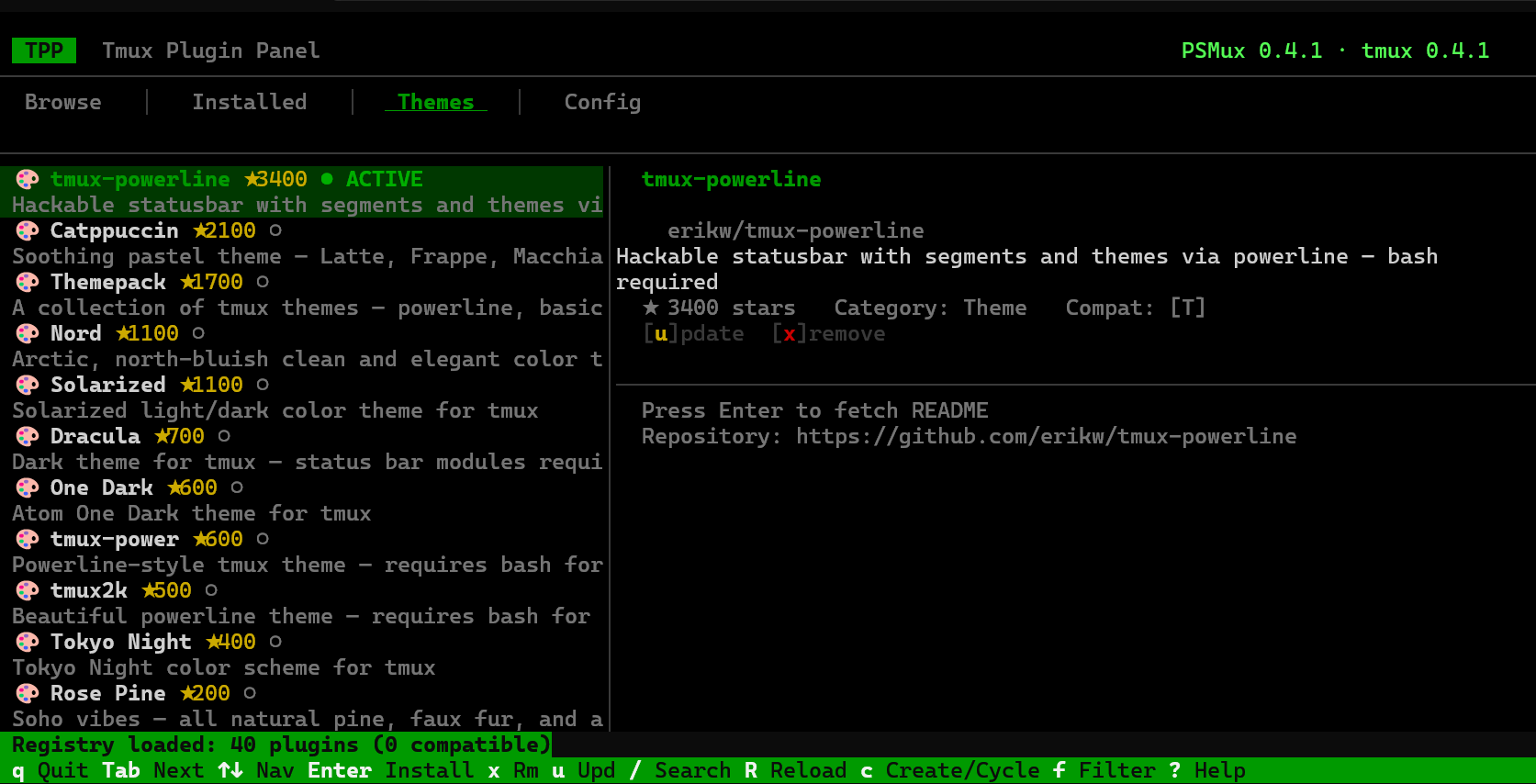
| **[Plugins & Themes](docs/plugins.md)** | Plugin ecosystem — Catppuccin, Dracula, Nord, and more |
| **[Mouse Over SSH](docs/mouse-ssh.md)** | SSH mouse support and Windows version requirements |
| **[Claude Code](docs/claude-code.md)** | Agent teams integration guide |
| **[FAQ](docs/faq.md)** | Common questions and answers |
## Related Projects
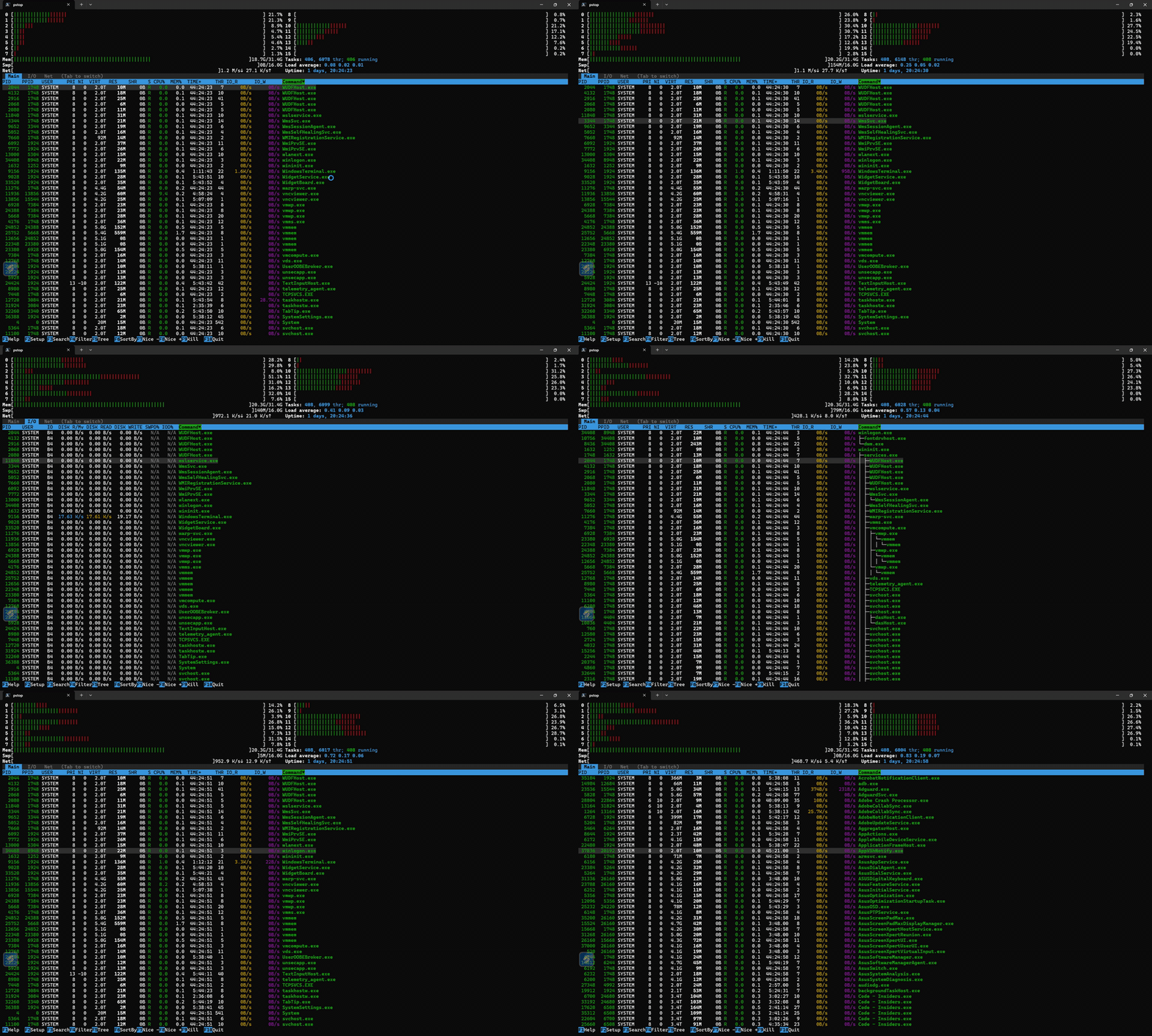
pstop htop for Windows — real-time system monitor with per-core CPU bars, tree view, 7 color schemes cargo install pstop
## License
MIT
## Contributing
Contributions welcome — bug reports, PRs, docs, and test scripts via [GitHub Issues](https://github.com/psmux/psmux/issues).
If psmux helps your Windows workflow, consider giving it a ⭐ on GitHub!
## Star History
[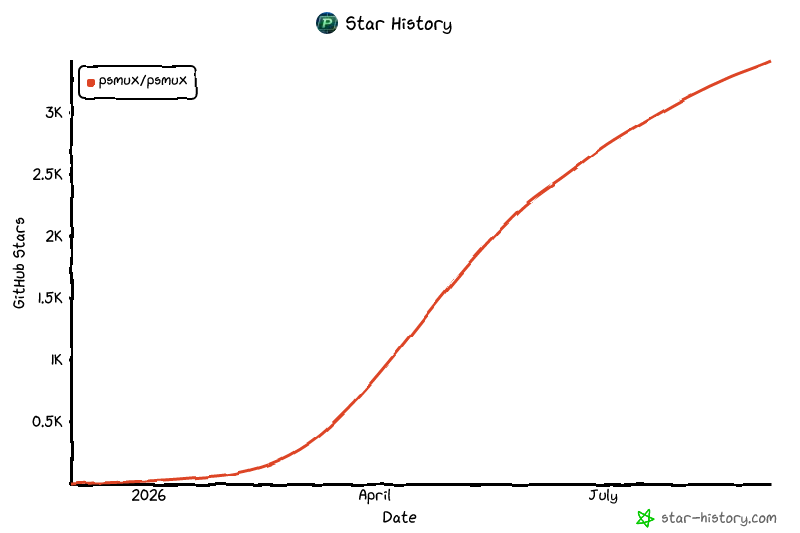](https://www.star-history.com/?repos=psmux%2Fpsmux&type=date&legend=top-left)
---
Made with ❤️ for PowerShell using Rust 🦀
================================================
FILE: choco-pkg/psmux.nuspec
================================================
psmux3.3.3psmux - Terminal Multiplexer for WindowsJoshJoshhttps://github.com/psmux/psmux/blob/master/LICENSEhttps://github.com/psmux/psmuxfalseTerminal multiplexer for Windows - tmux alternative for PowerShell and Windows Terminal. Includes psmux, pmux, and tmux commands.Terminal multiplexer for Windows (tmux alternative)https://github.com/psmux/psmux/releasesterminal multiplexer tmux powershell cli windows psmux pmuxhttps://github.com/psmux/psmuxhttps://github.com/psmux/psmux#readmehttps://github.com/psmux/psmux/issues
================================================
FILE: choco-pkg/tools/chocolateyinstall.ps1
================================================
$ErrorActionPreference = 'Stop'
$toolsDir = "$(Split-Path -Parent $MyInvocation.MyCommand.Definition)"
$url64 = 'https://github.com/psmux/psmux/releases/download/v3.3.3/psmux-v3.3.3-windows-x64.zip'
$packageArgs = @{
packageName = $env:ChocolateyPackageName
unzipLocation = $toolsDir
url64bit = $url64
checksum64 = 'E6FE103A776ED453647F82254445CBD4BA851E1A14BCBB959FDF858DE16CE5DD'
checksumType64 = 'sha256'
}
Install-ChocolateyZipPackage @packageArgs
$psmuxPath = Join-Path $toolsDir "psmux.exe"
$pmuxPath = Join-Path $toolsDir "pmux.exe"
$tmuxPath = Join-Path $toolsDir "tmux.exe"
Install-BinFile -Name "psmux" -Path $psmuxPath
Install-BinFile -Name "pmux" -Path $pmuxPath
Install-BinFile -Name "tmux" -Path $tmuxPath
================================================
FILE: choco-pkg/tools/chocolateyuninstall.ps1
================================================
Uninstall-BinFile -Name "psmux"
Uninstall-BinFile -Name "pmux"
Uninstall-BinFile -Name "tmux"
================================================
FILE: crates/portable-pty-psmux/.cargo-ok
================================================
{"v":1}
================================================
FILE: crates/portable-pty-psmux/.cargo_vcs_info.json
================================================
{
"git": {
"sha1": "d389cf717cdb7702c9a732d1d9bc0b6f08603b4a"
},
"path_in_vcs": ""
}
================================================
FILE: crates/portable-pty-psmux/Cargo.toml
================================================
# THIS FILE IS AUTOMATICALLY GENERATED BY CARGO
#
# When uploading crates to the registry Cargo will automatically
# "normalize" Cargo.toml files for maximal compatibility
# with all versions of Cargo and also rewrite `path` dependencies
# to registry (e.g., crates.io) dependencies.
#
# If you are reading this file be aware that the original Cargo.toml
# will likely look very different (and much more reasonable).
# See Cargo.toml.orig for the original contents.
[package]
edition = "2018"
name = "portable-pty-psmux"
version = "0.9.3"
authors = ["Wez Furlong"]
build = false
include = [
"src/**/*",
"LICENSE.md",
"README.md",
"Cargo.toml",
"examples/**/*",
]
autolib = false
autobins = false
autoexamples = false
autotests = false
autobenches = false
description = "Cross platform pty interface (psmux fork with ConPTY PASSTHROUGH_MODE + WIN32_INPUT_MODE + RESIZE_QUIRK patches)"
documentation = "https://docs.rs/portable-pty"
readme = false
license = "MIT"
repository = "https://github.com/psmux/portable-pty-patched"
resolver = "2"
[features]
default = []
serde_support = [
"serde",
"serde_derive",
]
[lib]
name = "portable_pty"
path = "src/lib.rs"
[[example]]
name = "bash"
path = "examples/bash.rs"
[[example]]
name = "narrow"
path = "examples/narrow.rs"
[[example]]
name = "whoami"
path = "examples/whoami.rs"
[[example]]
name = "whoami_async"
path = "examples/whoami_async.rs"
[dependencies.anyhow]
version = "1.0"
[dependencies.downcast-rs]
version = "2.0"
[dependencies.filedescriptor]
version = "0.8.3"
[dependencies.libc]
version = "0.2"
[dependencies.log]
version = "0.4"
[dependencies.nix]
version = "0.31"
features = [
"term",
"fs",
]
[dependencies.serde]
version = "1.0"
optional = true
[dependencies.serde_derive]
version = "1.0"
optional = true
[dependencies.serial2]
version = "0.2"
[dependencies.shell-words]
version = "1.1"
[dev-dependencies.futures]
version = "0.3"
[dev-dependencies.smol]
version = "2.0"
[target."cfg(windows)".dependencies.lazy_static]
version = "1.4"
[target."cfg(windows)".dependencies.shared_library]
version = "0.1"
[target."cfg(windows)".dependencies.winapi]
version = "0.3"
features = [
"winuser",
"consoleapi",
"handleapi",
"fileapi",
"namedpipeapi",
"synchapi",
"libloaderapi",
"winnt",
]
[target."cfg(windows)".dependencies.winreg]
version = "0.56"
================================================
FILE: crates/portable-pty-psmux/Cargo.toml.orig
================================================
# THIS FILE IS AUTOMATICALLY GENERATED BY CARGO
#
# When uploading crates to the registry Cargo will automatically
# "normalize" Cargo.toml files for maximal compatibility
# with all versions of Cargo and also rewrite `path` dependencies
# to registry (e.g., crates.io) dependencies.
#
# If you are reading this file be aware that the original Cargo.toml
# will likely look very different (and much more reasonable).
# See Cargo.toml.orig for the original contents.
[package]
edition = "2018"
name = "portable-pty-psmux"
version = "0.9.1"
authors = ["Wez Furlong"]
build = false
autolib = false
autobins = false
autoexamples = false
autotests = false
autobenches = false
description = "Cross platform pty interface (psmux fork with ConPTY PASSTHROUGH_MODE + WIN32_INPUT_MODE + RESIZE_QUIRK patches)"
documentation = "https://docs.rs/portable-pty"
readme = false
license = "MIT"
repository = "https://github.com/marlocarlo/portable-pty-patched"
include = ["src/**/*", "LICENSE.md", "README.md", "Cargo.toml", "examples/**/*"]
resolver = "2"
[lib]
name = "portable_pty"
path = "src/lib.rs"
[[example]]
name = "bash"
path = "examples/bash.rs"
[[example]]
name = "narrow"
path = "examples/narrow.rs"
[[example]]
name = "whoami"
path = "examples/whoami.rs"
[[example]]
name = "whoami_async"
path = "examples/whoami_async.rs"
[dependencies.anyhow]
version = "1.0"
[dependencies.downcast-rs]
version = "1.0"
[dependencies.filedescriptor]
version = "0.8.3"
[dependencies.libc]
version = "0.2"
[dependencies.log]
version = "0.4"
[dependencies.nix]
version = "0.28"
features = [
"term",
"fs",
]
[dependencies.serde]
version = "1.0"
optional = true
[dependencies.serde_derive]
version = "1.0"
optional = true
[dependencies.serial2]
version = "0.2"
[dependencies.shell-words]
version = "1.1"
[dev-dependencies.futures]
version = "0.3"
[dev-dependencies.smol]
version = "2.0"
[features]
default = []
serde_support = [
"serde",
"serde_derive",
]
[target."cfg(windows)".dependencies.bitflags]
version = "1.3"
[target."cfg(windows)".dependencies.lazy_static]
version = "1.4"
[target."cfg(windows)".dependencies.shared_library]
version = "0.1"
[target."cfg(windows)".dependencies.winapi]
version = "0.3"
features = [
"winuser",
"consoleapi",
"handleapi",
"fileapi",
"namedpipeapi",
"synchapi",
"libloaderapi",
"winnt",
]
[target."cfg(windows)".dependencies.winreg]
version = "0.10"
================================================
FILE: crates/portable-pty-psmux/LICENSE.md
================================================
MIT License
Copyright (c) 2018 Wez Furlong
Permission is hereby granted, free of charge, to any person obtaining a copy
of this software and associated documentation files (the "Software"), to deal
in the Software without restriction, including without limitation the rights
to use, copy, modify, merge, publish, distribute, sublicense, and/or sell
copies of the Software, and to permit persons to whom the Software is
furnished to do so, subject to the following conditions:
The above copyright notice and this permission notice shall be included in all
copies or substantial portions of the Software.
THE SOFTWARE IS PROVIDED "AS IS", WITHOUT WARRANTY OF ANY KIND, EXPRESS OR
IMPLIED, INCLUDING BUT NOT LIMITED TO THE WARRANTIES OF MERCHANTABILITY,
FITNESS FOR A PARTICULAR PURPOSE AND NONINFRINGEMENT. IN NO EVENT SHALL THE
AUTHORS OR COPYRIGHT HOLDERS BE LIABLE FOR ANY CLAIM, DAMAGES OR OTHER
LIABILITY, WHETHER IN AN ACTION OF CONTRACT, TORT OR OTHERWISE, ARISING FROM,
OUT OF OR IN CONNECTION WITH THE SOFTWARE OR THE USE OR OTHER DEALINGS IN THE
SOFTWARE.
================================================
FILE: crates/portable-pty-psmux/README.md
================================================
# portable-pty-patched
Patched version of [portable-pty](https://crates.io/crates/portable-pty) v0.9.0 (originally from [wez/wezterm](https://github.com/wez/wezterm)) with ConPTY flag support required by [psmux](https://github.com/psmux/psmux).
## Why this exists
`portable-pty` is not published as a standalone repo — it lives inside the wezterm monorepo, making a proper GitHub fork impractical (we'd be forking an entire terminal emulator project just for one file change).
The upstream crate does not pass modern ConPTY creation flags that psmux needs for correct terminal behavior on Windows 10/11.
## Patches (`src/win/psuedocon.rs`)
### New ConPTY flags
- **`PSEUDOCONSOLE_RESIZE_QUIRK`** (0x2) — fixes resize artifacts
- **`PSEUDOCONSOLE_WIN32_INPUT_MODE`** (0x4) — enables Win32 input mode for proper key handling
- **`PSEUDOCONSOLE_PASSTHROUGH_MODE`** (0x8) — relays VT sequences directly from child processes (Windows 11 22H2+ only), enabling cursor shape forwarding, DECSCUSR, etc.
### Build detection (`supports_passthrough_mode()`)
Uses `RtlGetVersion` to detect Windows build >= 22621 (Windows 11 22H2). On older builds, passthrough mode is skipped to avoid broken ConPTY output.
### Two-tier `PsuedoCon::new()`
1. Attempts `CreatePseudoConsole` with all flags including `PASSTHROUGH_MODE` on supported builds
2. Falls back to base flags (without passthrough) if the call fails or on older Windows
### Cargo.toml
Added `libloaderapi` and `winnt` features to `winapi` dependency for `GetModuleHandleW`/`GetProcAddress`/`RtlGetVersion`.
## Usage
In your `Cargo.toml`:
```toml
portable-pty = { git = "https://github.com/psmux/portable-pty-patched.git", branch = "main" }
```
## Keeping up to date
This is **not** a GitHub fork (upstream lives inside wezterm monorepo). To sync with a new upstream release:
1. Download the new version from [crates.io](https://crates.io/crates/portable-pty)
2. Re-apply the patches to `src/win/psuedocon.rs` and `Cargo.toml`
================================================
FILE: crates/portable-pty-psmux/examples/bash.rs
================================================
//! This example demonstrates how to spawn a Bash shell using the `portable_pty` crate.
//! based on pty/examples/whoami.rs
use portable_pty::{CommandBuilder, NativePtySystem, PtySize, PtySystem};
use std::io::{Read, Write};
use std::sync::mpsc::channel;
use std::thread;
fn main() {
let pty_system = NativePtySystem::default();
// Open the PTY with specified size.
let pair = pty_system
.openpty(PtySize {
rows: 24,
cols: 80,
pixel_width: 0,
pixel_height: 0,
})
.unwrap();
// Set up the command to launch Bash.
let cmd = CommandBuilder::new("bash");
let mut child = pair.slave.spawn_command(cmd).unwrap();
drop(pair.slave);
// Set up channels for reading and writing.
let (tx, rx) = channel::();
let mut reader = pair.master.try_clone_reader().unwrap();
let master_writer = pair.master.take_writer().unwrap();
// Thread to read from the PTY and send data to the main thread.
thread::spawn(move || {
let mut buffer = [0u8; 1024];
loop {
match reader.read(&mut buffer) {
Ok(0) => break, // EOF
Ok(n) => {
let output = String::from_utf8_lossy(&buffer[..n]);
println!("{}", output); // Print to stdout for visibility.
}
Err(e) => {
eprintln!("Error reading from PTY: {}", e);
break;
}
}
}
});
// Thread to write input into the PTY.
let tx_writer = thread::spawn(move || {
handle_input_stream(rx, master_writer);
});
println!("You can now type commands for Bash (type 'exit' to quit):");
// Main thread sends user input to the writer thread.
loop {
let mut input = String::new();
std::io::stdin().read_line(&mut input).unwrap();
if input.trim() == "exit" {
break;
}
tx.send(input).unwrap();
}
drop(tx);
tx_writer.join().unwrap();
println!("Waiting for Bash to exit...");
let status = child.wait().unwrap();
println!("Bash exited with status: {:?}", status);
}
fn handle_input_stream(rx: std::sync::mpsc::Receiver, mut writer: Box) {
for input in rx.iter() {
if writer.write_all(input.as_bytes()).is_err() {
eprintln!("Error writing to PTY");
break;
}
}
}
================================================
FILE: crates/portable-pty-psmux/examples/narrow.rs
================================================
//! Runs a command with a fixed terminal size.
//! This is used by wezterm's doc building automation to keep
//! the --help output within a reasonable width
use portable_pty::{CommandBuilder, NativePtySystem, PtySize, PtySystem};
use std::sync::mpsc::channel;
fn main() {
let pty_system = NativePtySystem::default();
let pair = pty_system
.openpty(PtySize {
rows: 24,
cols: 80,
pixel_width: 0,
pixel_height: 0,
})
.unwrap();
let mut args = std::env::args_os().skip(1);
let mut cmd = CommandBuilder::new(args.next().unwrap());
cmd.args(args);
let mut child = pair.slave.spawn_command(cmd).unwrap();
// Release any handles owned by the slave: we don't need it now
// that we've spawned the child.
drop(pair.slave);
// Read the output in another thread.
// This is important because it is easy to encounter a situation
// where read/write buffers fill and block either your process
// or the spawned process.
let (tx, rx) = channel();
let mut reader = pair.master.try_clone_reader().unwrap();
std::thread::spawn(move || {
// Consume the output from the child
let mut s = String::new();
reader.read_to_string(&mut s).unwrap();
tx.send(s).unwrap();
});
{
// Obtain the writer.
// When the writer is dropped, EOF will be sent to
// the program that was spawned.
// It is important to take the writer even if you don't
// send anything to its stdin so that EOF can be
// generated, otherwise you risk deadlocking yourself.
let mut writer = pair.master.take_writer().unwrap();
if cfg!(target_os = "macos") {
// macOS quirk: the child and reader must be started and
// allowed a brief grace period to run before we allow
// the writer to drop. Otherwise, the data we send to
// the kernel to trigger EOF is interleaved with the
// data read by the reader! WTF!?
// This appears to be a race condition for very short
// lived processes on macOS.
// I'd love to find a more deterministic solution to
// this than sleeping.
std::thread::sleep(std::time::Duration::from_millis(20));
}
// This example doesn't need to write anything, but if you
// want to send data to the child, you'd set `to_write` to
// that data and do it like this:
let to_write = "";
if !to_write.is_empty() {
// To avoid deadlock, wrt. reading and waiting, we send
// data to the stdin of the child in a different thread.
std::thread::spawn(move || {
writer.write_all(to_write.as_bytes()).unwrap();
});
}
}
// Wait for the child to complete
eprintln!("child status: {:?}", child.wait().unwrap());
// Take care to drop the master after our processes are
// done, as some platforms get unhappy if it is dropped
// sooner than that.
drop(pair.master);
// Now wait for the output to be read by our reader thread
let output = rx.recv().unwrap();
let output = output.replace("\r\n", "\n");
print!("{output}");
}
================================================
FILE: crates/portable-pty-psmux/examples/whoami.rs
================================================
//! This is a conceptually simple example that spawns the `whoami` program
//! to print your username. It is made more complex because there are multiple
//! pipes involved and it is easy to get blocked/deadlocked if care and attention
//! is not paid to those pipes!
use portable_pty::{CommandBuilder, NativePtySystem, PtySize, PtySystem};
use std::sync::mpsc::channel;
fn main() {
let pty_system = NativePtySystem::default();
let pair = pty_system
.openpty(PtySize {
rows: 24,
cols: 80,
pixel_width: 0,
pixel_height: 0,
})
.unwrap();
let cmd = CommandBuilder::new("whoami");
let mut child = pair.slave.spawn_command(cmd).unwrap();
// Release any handles owned by the slave: we don't need it now
// that we've spawned the child.
drop(pair.slave);
// Read the output in another thread.
// This is important because it is easy to encounter a situation
// where read/write buffers fill and block either your process
// or the spawned process.
let (tx, rx) = channel();
let mut reader = pair.master.try_clone_reader().unwrap();
std::thread::spawn(move || {
// Consume the output from the child
let mut s = String::new();
reader.read_to_string(&mut s).unwrap();
tx.send(s).unwrap();
});
{
// Obtain the writer.
// When the writer is dropped, EOF will be sent to
// the program that was spawned.
// It is important to take the writer even if you don't
// send anything to its stdin so that EOF can be
// generated, otherwise you risk deadlocking yourself.
let mut writer = pair.master.take_writer().unwrap();
if cfg!(target_os = "macos") {
// macOS quirk: the child and reader must be started and
// allowed a brief grace period to run before we allow
// the writer to drop. Otherwise, the data we send to
// the kernel to trigger EOF is interleaved with the
// data read by the reader! WTF!?
// This appears to be a race condition for very short
// lived processes on macOS.
// I'd love to find a more deterministic solution to
// this than sleeping.
std::thread::sleep(std::time::Duration::from_millis(20));
}
// This example doesn't need to write anything, but if you
// want to send data to the child, you'd set `to_write` to
// that data and do it like this:
let to_write = "";
if !to_write.is_empty() {
// To avoid deadlock, wrt. reading and waiting, we send
// data to the stdin of the child in a different thread.
std::thread::spawn(move || {
writer.write_all(to_write.as_bytes()).unwrap();
});
}
}
// Wait for the child to complete
println!("child status: {:?}", child.wait().unwrap());
// Take care to drop the master after our processes are
// done, as some platforms get unhappy if it is dropped
// sooner than that.
drop(pair.master);
// Now wait for the output to be read by our reader thread
let output = rx.recv().unwrap();
// We print with escapes escaped because the windows conpty
// implementation synthesizes title change escape sequences
// in the output stream and it can be confusing to see those
// printed out raw in another terminal.
print!("output: ");
for c in output.escape_debug() {
print!("{}", c);
}
}
================================================
FILE: crates/portable-pty-psmux/examples/whoami_async.rs
================================================
use anyhow::anyhow;
use futures::prelude::*;
use portable_pty::{native_pty_system, CommandBuilder, PtySize};
// This example shows how to use the `smol` crate to use portable_pty
// in an asynchronous application.
fn main() -> anyhow::Result<()> {
smol::block_on(async {
let pty_system = native_pty_system();
let pair = pty_system.openpty(PtySize {
rows: 24,
cols: 80,
pixel_width: 0,
pixel_height: 0,
})?;
let cmd = CommandBuilder::new("whoami");
// Move the slave to another thread to block and spawn a
// command.
// Note that this implicitly drops slave and closes out
// file handles which is important to avoid deadlock
// when waiting for the child process!
let slave = pair.slave;
let mut child = smol::unblock(move || slave.spawn_command(cmd)).await?;
{
// Obtain the writer.
// When the writer is dropped, EOF will be sent to
// the program that was spawned.
// It is important to take the writer even if you don't
// send anything to its stdin so that EOF can be
// generated, otherwise you risk deadlocking yourself.
let writer = pair.master.take_writer()?;
// Explicitly generate EOF
drop(writer);
}
println!(
"child status: {:?}",
smol::unblock(move || child
.wait()
.map_err(|e| anyhow!("waiting for child: {}", e)))
.await?
);
let reader = pair.master.try_clone_reader()?;
// Take care to drop the master after our processes are
// done, as some platforms get unhappy if it is dropped
// sooner than that.
drop(pair.master);
let mut lines = smol::io::BufReader::new(smol::Unblock::new(reader)).lines();
while let Some(line) = lines.next().await {
let line = line.map_err(|e| anyhow!("problem reading line: {}", e))?;
// We print with escapes escaped because the windows conpty
// implementation synthesizes title change escape sequences
// in the output stream and it can be confusing to see those
// printed out raw in another terminal.
print!("output: len={} ", line.len());
for c in line.escape_debug() {
print!("{}", c);
}
println!();
}
Ok(())
})
}
================================================
FILE: crates/portable-pty-psmux/src/cmdbuilder.rs
================================================
#[cfg(unix)]
use anyhow::Context;
#[cfg(feature = "serde_support")]
use serde_derive::*;
use std::collections::BTreeMap;
use std::ffi::{OsStr, OsString};
#[cfg(windows)]
use std::os::windows::ffi::OsStrExt;
#[cfg(unix)]
use std::path::Component;
use std::path::Path;
/// Used to deal with Windows having case-insensitive environment variables.
#[derive(Clone, Debug, PartialEq, PartialOrd)]
#[cfg_attr(feature = "serde_support", derive(Serialize, Deserialize))]
struct EnvEntry {
/// Whether or not this environment variable came from the base environment,
/// as opposed to having been explicitly set by the caller.
is_from_base_env: bool,
/// For case-insensitive platforms, the environment variable key in its preferred casing.
preferred_key: OsString,
/// The environment variable value.
value: OsString,
}
impl EnvEntry {
fn map_key(k: OsString) -> OsString {
if cfg!(windows) {
// Best-effort lowercase transformation of an os string
match k.to_str() {
Some(s) => s.to_lowercase().into(),
None => k,
}
} else {
k
}
}
}
#[cfg(unix)]
fn get_shell() -> String {
use nix::unistd::{access, AccessFlags};
use std::ffi::CStr;
use std::str;
let ent = unsafe { libc::getpwuid(libc::getuid()) };
if !ent.is_null() {
let shell = unsafe { CStr::from_ptr((*ent).pw_shell) };
match shell.to_str().map(str::to_owned) {
Err(err) => {
log::warn!(
"passwd database shell could not be \
represented as utf-8: {err:#}, \
falling back to /bin/sh"
);
}
Ok(shell) => {
if let Err(err) = access(Path::new(&shell), AccessFlags::X_OK) {
log::warn!(
"passwd database shell={shell:?} which is \
not executable ({err:#}), falling back to /bin/sh"
);
} else {
return shell;
}
}
}
}
"/bin/sh".into()
}
fn get_base_env() -> BTreeMap {
let mut env: BTreeMap = std::env::vars_os()
.map(|(key, value)| {
(
EnvEntry::map_key(key.clone()),
EnvEntry {
is_from_base_env: true,
preferred_key: key,
value,
},
)
})
.collect();
#[cfg(unix)]
{
let key = EnvEntry::map_key("SHELL".into());
// Only set the value of SHELL if it isn't already set
if !env.contains_key(&key) {
env.insert(
EnvEntry::map_key("SHELL".into()),
EnvEntry {
is_from_base_env: true,
preferred_key: "SHELL".into(),
value: get_shell().into(),
},
);
}
}
#[cfg(windows)]
{
use std::os::windows::ffi::OsStringExt;
use winapi::um::processenv::ExpandEnvironmentStringsW;
use winreg::enums::{RegType, HKEY_CURRENT_USER, HKEY_LOCAL_MACHINE};
use winreg::types::FromRegValue;
use winreg::{RegKey, RegValue};
fn reg_value_to_string(value: &RegValue) -> anyhow::Result {
match value.vtype {
RegType::REG_EXPAND_SZ => {
let src = unsafe {
std::slice::from_raw_parts(
value.bytes.as_ptr() as *const u16,
value.bytes.len() / 2,
)
};
let size =
unsafe { ExpandEnvironmentStringsW(src.as_ptr(), std::ptr::null_mut(), 0) };
let mut buf = vec![0u16; size as usize + 1];
unsafe {
ExpandEnvironmentStringsW(src.as_ptr(), buf.as_mut_ptr(), buf.len() as u32)
};
let mut buf = buf.as_slice();
while let Some(0) = buf.last() {
buf = &buf[0..buf.len() - 1];
}
Ok(OsString::from_wide(buf))
}
_ => Ok(OsString::from_reg_value(value)?),
}
}
if let Ok(sys_env) = RegKey::predef(HKEY_LOCAL_MACHINE)
.open_subkey("System\\CurrentControlSet\\Control\\Session Manager\\Environment")
{
for res in sys_env.enum_values() {
if let Ok((name, value)) = res {
if name.eq_ignore_ascii_case("username") {
continue;
}
if let Ok(value) = reg_value_to_string(&value) {
log::trace!("adding SYS env: {:?} {:?}", name, value);
env.insert(
EnvEntry::map_key(name.clone().into()),
EnvEntry {
is_from_base_env: true,
preferred_key: name.into(),
value,
},
);
}
}
}
}
if let Ok(sys_env) = RegKey::predef(HKEY_CURRENT_USER).open_subkey("Environment") {
for res in sys_env.enum_values() {
if let Ok((name, value)) = res {
if let Ok(value) = reg_value_to_string(&value) {
// Merge the system and user paths together
let value = if name.eq_ignore_ascii_case("path") {
match env.get(&EnvEntry::map_key(name.clone().into())) {
Some(entry) => {
let mut result = OsString::new();
result.push(&entry.value);
result.push(";");
result.push(&value);
result
}
None => value,
}
} else {
value
};
log::trace!("adding USER env: {:?} {:?}", name, value);
env.insert(
EnvEntry::map_key(name.clone().into()),
EnvEntry {
is_from_base_env: true,
preferred_key: name.into(),
value,
},
);
}
}
}
}
}
env
}
/// `CommandBuilder` is used to prepare a command to be spawned into a pty.
/// The interface is intentionally similar to that of `std::process::Command`.
#[derive(Clone, Debug, PartialEq)]
#[cfg_attr(feature = "serde_support", derive(Serialize, Deserialize))]
pub struct CommandBuilder {
args: Vec,
envs: BTreeMap,
cwd: Option,
#[cfg(unix)]
pub(crate) umask: Option,
controlling_tty: bool,
}
impl CommandBuilder {
/// Create a new builder instance with argv\[0\] set to the specified
/// program.
pub fn new>(program: S) -> Self {
Self {
args: vec![program.as_ref().to_owned()],
envs: get_base_env(),
cwd: None,
#[cfg(unix)]
umask: None,
controlling_tty: true,
}
}
/// Create a new builder instance from a pre-built argument vector
pub fn from_argv(args: Vec) -> Self {
Self {
args,
envs: get_base_env(),
cwd: None,
#[cfg(unix)]
umask: None,
controlling_tty: true,
}
}
/// Set whether we should set the pty as the controlling terminal.
/// The default is true, which is usually what you want, but you
/// may need to set this to false if you are crossing container
/// boundaries (eg: flatpak) to workaround issues like:
///
///
pub fn set_controlling_tty(&mut self, controlling_tty: bool) {
self.controlling_tty = controlling_tty;
}
pub fn get_controlling_tty(&self) -> bool {
self.controlling_tty
}
/// Create a new builder instance that will run some idea of a default
/// program. Such a builder will panic if `arg` is called on it.
pub fn new_default_prog() -> Self {
Self {
args: vec![],
envs: get_base_env(),
cwd: None,
#[cfg(unix)]
umask: None,
controlling_tty: true,
}
}
/// Returns true if this builder was created via `new_default_prog`
pub fn is_default_prog(&self) -> bool {
self.args.is_empty()
}
/// Append an argument to the current command line.
/// Will panic if called on a builder created via `new_default_prog`.
pub fn arg>(&mut self, arg: S) {
if self.is_default_prog() {
panic!("attempted to add args to a default_prog builder");
}
self.args.push(arg.as_ref().to_owned());
}
/// Append a sequence of arguments to the current command line
pub fn args(&mut self, args: I)
where
I: IntoIterator,
S: AsRef,
{
for arg in args {
self.arg(arg);
}
}
pub fn get_argv(&self) -> &Vec {
&self.args
}
pub fn get_argv_mut(&mut self) -> &mut Vec {
&mut self.args
}
/// Override the value of an environmental variable
pub fn env(&mut self, key: K, value: V)
where
K: AsRef,
V: AsRef,
{
let key: OsString = key.as_ref().into();
let value: OsString = value.as_ref().into();
self.envs.insert(
EnvEntry::map_key(key.clone()),
EnvEntry {
is_from_base_env: false,
preferred_key: key,
value: value,
},
);
}
pub fn env_remove(&mut self, key: K)
where
K: AsRef,
{
let key = key.as_ref().into();
self.envs.remove(&EnvEntry::map_key(key));
}
pub fn env_clear(&mut self) {
self.envs.clear();
}
pub fn get_env(&self, key: K) -> Option<&OsStr>
where
K: AsRef,
{
let key = key.as_ref().into();
self.envs.get(&EnvEntry::map_key(key)).map(
|EnvEntry {
is_from_base_env: _,
preferred_key: _,
value,
}| value.as_os_str(),
)
}
pub fn cwd(&mut self, dir: D)
where
D: AsRef,
{
self.cwd = Some(dir.as_ref().to_owned());
}
pub fn clear_cwd(&mut self) {
self.cwd.take();
}
pub fn get_cwd(&self) -> Option<&OsString> {
self.cwd.as_ref()
}
/// Iterate over the configured environment. Only includes environment
/// variables set by the caller via `env`, not variables set in the base
/// environment.
pub fn iter_extra_env_as_str(&self) -> impl Iterator {
self.envs.values().filter_map(
|EnvEntry {
is_from_base_env,
preferred_key,
value,
}| {
if *is_from_base_env {
None
} else {
let key = preferred_key.to_str()?;
let value = value.to_str()?;
Some((key, value))
}
},
)
}
pub fn iter_full_env_as_str(&self) -> impl Iterator {
self.envs.values().filter_map(
|EnvEntry {
preferred_key,
value,
..
}| {
let key = preferred_key.to_str()?;
let value = value.to_str()?;
Some((key, value))
},
)
}
/// Return the configured command and arguments as a single string,
/// quoted per the unix shell conventions.
pub fn as_unix_command_line(&self) -> anyhow::Result {
let mut strs = vec![];
for arg in &self.args {
let s = arg
.to_str()
.ok_or_else(|| anyhow::anyhow!("argument cannot be represented as utf8"))?;
strs.push(s);
}
Ok(shell_words::join(strs))
}
}
#[cfg(unix)]
impl CommandBuilder {
pub fn umask(&mut self, mask: Option) {
self.umask = mask;
}
fn resolve_path(&self) -> Option<&OsStr> {
self.get_env("PATH")
}
fn search_path(&self, exe: &OsStr, cwd: &OsStr) -> anyhow::Result {
use nix::unistd::{access, AccessFlags};
let exe_path: &Path = exe.as_ref();
if exe_path.is_relative() {
let cwd: &Path = cwd.as_ref();
let mut errors = vec![];
// If the requested executable is explicitly relative to cwd,
// then check only there.
if is_cwd_relative_path(exe_path) {
let abs_path = cwd.join(exe_path);
if abs_path.is_dir() {
anyhow::bail!(
"Unable to spawn {} because it is a directory",
abs_path.display()
);
} else if access(&abs_path, AccessFlags::X_OK).is_ok() {
return Ok(abs_path.into_os_string());
} else if access(&abs_path, AccessFlags::F_OK).is_ok() {
anyhow::bail!(
"Unable to spawn {} because it is not executable",
abs_path.display()
);
}
anyhow::bail!(
"Unable to spawn {} because it does not exist",
abs_path.display()
);
}
if let Some(path) = self.resolve_path() {
for path in std::env::split_paths(&path) {
let candidate = cwd.join(&path).join(&exe);
if candidate.is_dir() {
errors.push(format!("{} exists but is a directory", candidate.display()));
} else if access(&candidate, AccessFlags::X_OK).is_ok() {
return Ok(candidate.into_os_string());
} else if access(&candidate, AccessFlags::F_OK).is_ok() {
errors.push(format!(
"{} exists but is not executable",
candidate.display()
));
}
}
errors.push(format!("No viable candidates found in PATH {path:?}"));
} else {
errors.push("Unable to resolve the PATH".to_string());
}
anyhow::bail!(
"Unable to spawn {} because:\n{}",
exe_path.display(),
errors.join(".\n")
);
} else if exe_path.is_dir() {
anyhow::bail!(
"Unable to spawn {} because it is a directory",
exe_path.display()
);
} else {
if let Err(err) = access(exe_path, AccessFlags::X_OK) {
if access(exe_path, AccessFlags::F_OK).is_ok() {
anyhow::bail!(
"Unable to spawn {} because it is not executable ({err:#})",
exe_path.display()
);
} else {
anyhow::bail!(
"Unable to spawn {} because it doesn't exist on the filesystem ({err:#})",
exe_path.display()
);
}
}
Ok(exe.to_owned())
}
}
/// Convert the CommandBuilder to a `std::process::Command` instance.
pub(crate) fn as_command(&self) -> anyhow::Result {
use std::os::unix::process::CommandExt;
let home = self.get_home_dir()?;
let dir: &OsStr = self
.cwd
.as_ref()
.map(|dir| dir.as_os_str())
.filter(|dir| std::path::Path::new(dir).is_dir())
.unwrap_or(home.as_ref());
let shell = self.get_shell();
let mut cmd = if self.is_default_prog() {
let mut cmd = std::process::Command::new(&shell);
// Run the shell as a login shell by prefixing the shell's
// basename with `-` and setting that as argv0
let basename = shell.rsplit('/').next().unwrap_or(&shell);
cmd.arg0(&format!("-{}", basename));
cmd
} else {
let resolved = self.search_path(&self.args[0], dir)?;
let mut cmd = std::process::Command::new(&resolved);
cmd.arg0(&self.args[0]);
cmd.args(&self.args[1..]);
cmd
};
cmd.current_dir(dir);
cmd.env_clear();
cmd.env("SHELL", shell);
cmd.envs(self.envs.values().map(
|EnvEntry {
is_from_base_env: _,
preferred_key,
value,
}| (preferred_key.as_os_str(), value.as_os_str()),
));
Ok(cmd)
}
/// Determine which shell to run.
/// We take the contents of the $SHELL env var first, then
/// fall back to looking it up from the password database.
pub fn get_shell(&self) -> String {
use nix::unistd::{access, AccessFlags};
if let Some(shell) = self.get_env("SHELL").and_then(OsStr::to_str) {
match access(shell, AccessFlags::X_OK) {
Ok(()) => return shell.into(),
Err(err) => log::warn!(
"$SHELL -> {shell:?} which is \
not executable ({err:#}), falling back to password db lookup"
),
}
}
get_shell().into()
}
fn get_home_dir(&self) -> anyhow::Result {
if let Some(home_dir) = self.get_env("HOME").and_then(OsStr::to_str) {
return Ok(home_dir.into());
}
let ent = unsafe { libc::getpwuid(libc::getuid()) };
if ent.is_null() {
Ok("/".into())
} else {
use std::ffi::CStr;
use std::str;
let home = unsafe { CStr::from_ptr((*ent).pw_dir) };
home.to_str()
.map(str::to_owned)
.context("failed to resolve home dir")
}
}
}
#[cfg(windows)]
impl CommandBuilder {
fn search_path(&self, exe: &OsStr) -> OsString {
if let Some(path) = self.get_env("PATH") {
let extensions = self.get_env("PATHEXT").unwrap_or(OsStr::new(".EXE"));
for path in std::env::split_paths(&path) {
// Check for exactly the user's string in this path dir
let candidate = path.join(&exe);
if candidate.exists() {
return candidate.into_os_string();
}
// otherwise try tacking on some extensions.
// Note that this really replaces the extension in the
// user specified path, so this is potentially wrong.
for ext in std::env::split_paths(&extensions) {
// PATHEXT includes the leading `.`, but `with_extension`
// doesn't want that
let ext = ext.to_str().expect("PATHEXT entries must be utf8");
let path = path.join(&exe).with_extension(&ext[1..]);
if path.exists() {
return path.into_os_string();
}
}
}
}
exe.to_owned()
}
pub(crate) fn current_directory(&self) -> Option> {
let home: Option<&OsStr> = self
.get_env("USERPROFILE")
.filter(|path| Path::new(path).is_dir());
let cwd: Option<&OsStr> = self.cwd.as_deref().filter(|path| Path::new(path).is_dir());
let dir: Option<&OsStr> = cwd.or(home);
dir.map(|dir| {
let mut wide = vec![];
if Path::new(dir).is_relative() {
if let Ok(ccwd) = std::env::current_dir() {
wide.extend(ccwd.join(dir).as_os_str().encode_wide());
} else {
wide.extend(dir.encode_wide());
}
} else {
wide.extend(dir.encode_wide());
}
wide.push(0);
wide
})
}
/// Constructs an environment block for this spawn attempt.
/// Uses the current process environment as the base and then
/// adds/replaces the environment that was specified via the
/// `env` methods.
pub(crate) fn environment_block(&self) -> Vec {
// encode the environment as wide characters
let mut block = vec![];
for EnvEntry {
is_from_base_env: _,
preferred_key,
value,
} in self.envs.values()
{
block.extend(preferred_key.encode_wide());
block.push(b'=' as u16);
block.extend(value.encode_wide());
block.push(0);
}
// and a final terminator for CreateProcessW
block.push(0);
block
}
pub fn get_shell(&self) -> String {
let exe: OsString = self
.get_env("ComSpec")
.unwrap_or(OsStr::new("cmd.exe"))
.into();
exe.into_string()
.unwrap_or_else(|_| "%CompSpec%".to_string())
}
pub(crate) fn cmdline(&self) -> anyhow::Result<(Vec, Vec)> {
let mut cmdline = Vec::::new();
let exe: OsString = if self.is_default_prog() {
self.get_env("ComSpec")
.unwrap_or(OsStr::new("cmd.exe"))
.into()
} else {
self.search_path(&self.args[0])
};
Self::append_quoted(&exe, &mut cmdline);
// Ensure that we nul terminate the module name, otherwise we'll
// ask CreateProcessW to start something random!
let mut exe: Vec = exe.encode_wide().collect();
exe.push(0);
for arg in self.args.iter().skip(1) {
cmdline.push(' ' as u16);
anyhow::ensure!(
!arg.encode_wide().any(|c| c == 0),
"invalid encoding for command line argument {:?}",
arg
);
Self::append_quoted(arg, &mut cmdline);
}
// Ensure that the command line is nul terminated too!
cmdline.push(0);
Ok((exe, cmdline))
}
// Borrowed from https://github.com/hniksic/rust-subprocess/blob/873dfed165173e52907beb87118b2c0c05d8b8a1/src/popen.rs#L1117
// which in turn was translated from ArgvQuote at http://tinyurl.com/zmgtnls
fn append_quoted(arg: &OsStr, cmdline: &mut Vec) {
if !arg.is_empty()
&& !arg.encode_wide().any(|c| {
c == ' ' as u16
|| c == '\t' as u16
|| c == '\n' as u16
|| c == '\x0b' as u16
|| c == '\"' as u16
})
{
cmdline.extend(arg.encode_wide());
return;
}
cmdline.push('"' as u16);
let arg: Vec<_> = arg.encode_wide().collect();
let mut i = 0;
while i < arg.len() {
let mut num_backslashes = 0;
while i < arg.len() && arg[i] == '\\' as u16 {
i += 1;
num_backslashes += 1;
}
if i == arg.len() {
for _ in 0..num_backslashes * 2 {
cmdline.push('\\' as u16);
}
break;
} else if arg[i] == b'"' as u16 {
for _ in 0..num_backslashes * 2 + 1 {
cmdline.push('\\' as u16);
}
cmdline.push(arg[i]);
} else {
for _ in 0..num_backslashes {
cmdline.push('\\' as u16);
}
cmdline.push(arg[i]);
}
i += 1;
}
cmdline.push('"' as u16);
}
}
#[cfg(unix)]
/// Returns true if the path begins with `./` or `../`
fn is_cwd_relative_path>(p: P) -> bool {
matches!(
p.as_ref().components().next(),
Some(Component::CurDir | Component::ParentDir)
)
}
#[cfg(test)]
#[path = "../../../tests-rs/test_cmdbuilder.rs"]
mod tests;
================================================
FILE: crates/portable-pty-psmux/src/lib.rs
================================================
//! This crate provides a cross platform API for working with the
//! psuedo terminal (pty) interfaces provided by the system.
//! Unlike other crates in this space, this crate provides a set
//! of traits that allow selecting from different implementations
//! at runtime.
//! This crate is part of [wezterm](https://github.com/wezterm/wezterm).
//!
//! ```no_run
//! use portable_pty::{CommandBuilder, PtySize, native_pty_system, PtySystem};
//! use anyhow::Error;
//!
//! // Use the native pty implementation for the system
//! let pty_system = native_pty_system();
//!
//! // Create a new pty
//! let mut pair = pty_system.openpty(PtySize {
//! rows: 24,
//! cols: 80,
//! // Not all systems support pixel_width, pixel_height,
//! // but it is good practice to set it to something
//! // that matches the size of the selected font. That
//! // is more complex than can be shown here in this
//! // brief example though!
//! pixel_width: 0,
//! pixel_height: 0,
//! })?;
//!
//! // Spawn a shell into the pty
//! let cmd = CommandBuilder::new("bash");
//! let child = pair.slave.spawn_command(cmd)?;
//!
//! // Read and parse output from the pty with reader
//! let mut reader = pair.master.try_clone_reader()?;
//!
//! // Send data to the pty by writing to the master
//! writeln!(pair.master.take_writer()?, "ls -l\r\n")?;
//! # Ok::<(), Error>(())
//! ```
//!
use anyhow::Error;
use downcast_rs::{impl_downcast, Downcast};
#[cfg(unix)]
use libc;
#[cfg(feature = "serde_support")]
use serde_derive::*;
use std::io::Result as IoResult;
#[cfg(windows)]
use std::os::windows::prelude::{AsRawHandle, RawHandle};
pub mod cmdbuilder;
pub use cmdbuilder::CommandBuilder;
#[cfg(unix)]
pub mod unix;
#[cfg(windows)]
pub mod win;
pub mod serial;
/// Represents the size of the visible display area in the pty
#[derive(Debug, Clone, Copy, PartialEq, Eq)]
#[cfg_attr(feature = "serde_support", derive(Serialize, Deserialize))]
pub struct PtySize {
/// The number of lines of text
pub rows: u16,
/// The number of columns of text
pub cols: u16,
/// The width of a cell in pixels. Note that some systems never
/// fill this value and ignore it.
pub pixel_width: u16,
/// The height of a cell in pixels. Note that some systems never
/// fill this value and ignore it.
pub pixel_height: u16,
}
impl Default for PtySize {
fn default() -> Self {
PtySize {
rows: 24,
cols: 80,
pixel_width: 0,
pixel_height: 0,
}
}
}
/// Represents the master/control end of the pty
pub trait MasterPty: Downcast + Send {
/// Inform the kernel and thus the child process that the window resized.
/// It will update the winsize information maintained by the kernel,
/// and generate a signal for the child to notice and update its state.
fn resize(&self, size: PtySize) -> Result<(), Error>;
/// Retrieves the size of the pty as known by the kernel
fn get_size(&self) -> Result;
/// Obtain a readable handle; output from the slave(s) is readable
/// via this stream.
fn try_clone_reader(&self) -> Result, Error>;
/// Obtain a writable handle; writing to it will send data to the
/// slave end.
/// Dropping the writer will send EOF to the slave end.
/// It is invalid to take the writer more than once.
fn take_writer(&self) -> Result, Error>;
/// If applicable to the type of the tty, return the local process id
/// of the process group or session leader
#[cfg(unix)]
fn process_group_leader(&self) -> Option;
/// If get_termios() and process_group_leader() are both implemented and
/// return Some, then as_raw_fd() should return the same underlying fd
/// associated with the stream. This is to enable applications that
/// "know things" to query similar information for themselves.
#[cfg(unix)]
fn as_raw_fd(&self) -> Option;
#[cfg(unix)]
fn tty_name(&self) -> Option;
/// If applicable to the type of the tty, return the termios
/// associated with the stream
#[cfg(unix)]
fn get_termios(&self) -> Option {
None
}
}
impl_downcast!(MasterPty);
/// Represents a child process spawned into the pty.
/// This handle can be used to wait for or terminate that child process.
pub trait Child: std::fmt::Debug + ChildKiller + Downcast + Send {
/// Poll the child to see if it has completed.
/// Does not block.
/// Returns None if the child has not yet terminated,
/// else returns its exit status.
fn try_wait(&mut self) -> IoResult>;
/// Blocks execution until the child process has completed,
/// yielding its exit status.
fn wait(&mut self) -> IoResult;
/// Returns the process identifier of the child process,
/// if applicable
fn process_id(&self) -> Option;
/// Returns the process handle of the child process, if applicable.
/// Only available on Windows.
#[cfg(windows)]
fn as_raw_handle(&self) -> Option;
}
impl_downcast!(Child);
/// Represents the ability to signal a Child to terminate
pub trait ChildKiller: std::fmt::Debug + Downcast + Send {
/// Terminate the child process
fn kill(&mut self) -> IoResult<()>;
/// Clone an object that can be split out from the Child in order
/// to send it signals independently from a thread that may be
/// blocked in `.wait`.
fn clone_killer(&self) -> Box;
}
impl_downcast!(ChildKiller);
/// Represents the slave side of a pty.
/// Can be used to spawn processes into the pty.
pub trait SlavePty {
/// Spawns the command specified by the provided CommandBuilder
fn spawn_command(&self, cmd: CommandBuilder) -> Result, Error>;
}
/// Represents the exit status of a child process.
#[derive(Debug, Clone)]
pub struct ExitStatus {
code: u32,
signal: Option,
}
impl ExitStatus {
/// Construct an ExitStatus from a process return code
pub fn with_exit_code(code: u32) -> Self {
Self { code, signal: None }
}
/// Construct an ExitStatus from a signal name
pub fn with_signal(signal: &str) -> Self {
Self {
code: 1,
signal: Some(signal.to_string()),
}
}
/// Returns true if the status indicates successful completion
pub fn success(&self) -> bool {
match self.signal {
None => self.code == 0,
Some(_) => false,
}
}
/// Returns the exit code that this ExitStatus was constructed with
pub fn exit_code(&self) -> u32 {
self.code
}
/// Returns the signal if present that this ExitStatus was constructed with
pub fn signal(&self) -> Option<&str> {
self.signal.as_deref()
}
}
impl From for ExitStatus {
fn from(status: std::process::ExitStatus) -> ExitStatus {
#[cfg(unix)]
{
use std::os::unix::process::ExitStatusExt;
if let Some(signal) = status.signal() {
let signame = unsafe { libc::strsignal(signal) };
let signal = if signame.is_null() {
format!("Signal {}", signal)
} else {
let signame = unsafe { std::ffi::CStr::from_ptr(signame) };
signame.to_string_lossy().to_string()
};
return ExitStatus {
code: status.code().map(|c| c as u32).unwrap_or(1),
signal: Some(signal),
};
}
}
let code =
status
.code()
.map(|c| c as u32)
.unwrap_or_else(|| if status.success() { 0 } else { 1 });
ExitStatus { code, signal: None }
}
}
impl std::fmt::Display for ExitStatus {
fn fmt(&self, fmt: &mut std::fmt::Formatter) -> std::fmt::Result {
if self.success() {
write!(fmt, "Success")
} else {
match &self.signal {
Some(sig) => write!(fmt, "Terminated by {}", sig),
None => write!(fmt, "Exited with code {}", self.code),
}
}
}
}
pub struct PtyPair {
// slave is listed first so that it is dropped first.
// The drop order is stable and specified by rust rfc 1857
pub slave: Box,
pub master: Box,
}
/// The `PtySystem` trait allows an application to work with multiple
/// possible Pty implementations at runtime. This is important on
/// Windows systems which have a variety of implementations.
pub trait PtySystem: Downcast {
/// Create a new Pty instance with the window size set to the specified
/// dimensions. Returns a (master, slave) Pty pair. The master side
/// is used to drive the slave side.
fn openpty(&self, size: PtySize) -> anyhow::Result;
}
impl_downcast!(PtySystem);
impl Child for std::process::Child {
fn try_wait(&mut self) -> IoResult> {
std::process::Child::try_wait(self).map(|s| match s {
Some(s) => Some(s.into()),
None => None,
})
}
fn wait(&mut self) -> IoResult {
std::process::Child::wait(self).map(Into::into)
}
fn process_id(&self) -> Option {
Some(self.id())
}
#[cfg(windows)]
fn as_raw_handle(&self) -> Option {
Some(std::os::windows::io::AsRawHandle::as_raw_handle(self))
}
}
#[derive(Debug)]
struct ProcessSignaller {
pid: Option,
#[cfg(windows)]
handle: Option,
}
#[cfg(windows)]
impl ChildKiller for ProcessSignaller {
fn kill(&mut self) -> IoResult<()> {
if let Some(handle) = &self.handle {
unsafe {
if winapi::um::processthreadsapi::TerminateProcess(handle.as_raw_handle() as _, 127)
== 0
{
return Err(std::io::Error::last_os_error());
}
}
}
Ok(())
}
fn clone_killer(&self) -> Box {
Box::new(Self {
pid: self.pid,
handle: self.handle.as_ref().and_then(|h| h.try_clone().ok()),
})
}
}
#[cfg(unix)]
impl ChildKiller for ProcessSignaller {
fn kill(&mut self) -> IoResult<()> {
if let Some(pid) = self.pid {
let result = unsafe { libc::kill(pid as i32, libc::SIGHUP) };
if result != 0 {
return Err(std::io::Error::last_os_error());
}
}
Ok(())
}
fn clone_killer(&self) -> Box {
Box::new(Self { pid: self.pid })
}
}
impl ChildKiller for std::process::Child {
fn kill(&mut self) -> IoResult<()> {
#[cfg(unix)]
{
// On unix, we send the SIGHUP signal instead of trying to kill
// the process. The default behavior of a process receiving this
// signal is to be killed unless it configured a signal handler.
let result = unsafe { libc::kill(self.id() as i32, libc::SIGHUP) };
if result != 0 {
return Err(std::io::Error::last_os_error());
}
// We successfully delivered SIGHUP, but the semantics of Child::kill
// are that on success the process is dead or shortly about to
// terminate. Since SIGUP doesn't guarantee termination, we
// give the process a bit of a grace period to shutdown or do whatever
// it is doing in its signal handler befre we proceed with the
// full on kill.
for attempt in 0..5 {
if attempt > 0 {
std::thread::sleep(std::time::Duration::from_millis(50));
}
if let Ok(Some(_)) = self.try_wait() {
// It completed, so report success!
return Ok(());
}
}
// it's still alive after a grace period, so proceed with a kill
}
std::process::Child::kill(self)
}
#[cfg(windows)]
fn clone_killer(&self) -> Box {
struct RawDup(RawHandle);
impl AsRawHandle for RawDup {
fn as_raw_handle(&self) -> RawHandle {
self.0
}
}
Box::new(ProcessSignaller {
pid: self.process_id(),
handle: Child::as_raw_handle(self)
.as_ref()
.and_then(|h| filedescriptor::OwnedHandle::dup(&RawDup(*h)).ok()),
})
}
#[cfg(unix)]
fn clone_killer(&self) -> Box {
Box::new(ProcessSignaller {
pid: self.process_id(),
})
}
}
pub fn native_pty_system() -> Box {
Box::new(NativePtySystem::default())
}
#[cfg(unix)]
pub type NativePtySystem = unix::UnixPtySystem;
#[cfg(windows)]
pub type NativePtySystem = win::conpty::ConPtySystem;
================================================
FILE: crates/portable-pty-psmux/src/serial.rs
================================================
//! This module implements a serial port based tty.
//! This is a bit different from the other implementations in that
//! we cannot explicitly spawn a process into the serial connection,
//! so we can only use a `CommandBuilder::new_default_prog` with the
//! `openpty` method.
//! On most (all?) systems, attempting to open multiple instances of
//! the same serial port will fail.
use crate::{
Child, ChildKiller, CommandBuilder, ExitStatus, MasterPty, PtyPair, PtySize, PtySystem,
SlavePty,
};
use anyhow::{ensure, Context};
use filedescriptor::FileDescriptor;
use serial2::{CharSize, FlowControl, Parity, SerialPort, StopBits};
use std::cell::RefCell;
use std::ffi::{OsStr, OsString};
use std::io::{Read, Result as IoResult, Write};
#[cfg(unix)]
use std::path::PathBuf;
use std::sync::Arc;
use std::time::Duration;
type Handle = Arc;
pub struct SerialTty {
port: OsString,
baud: u32,
char_size: CharSize,
parity: Parity,
stop_bits: StopBits,
flow_control: FlowControl,
}
impl SerialTty {
pub fn new + ?Sized>(port: &T) -> Self {
Self {
port: port.as_ref().to_owned(),
baud: 9600,
char_size: CharSize::Bits8,
parity: Parity::None,
stop_bits: StopBits::One,
flow_control: FlowControl::XonXoff,
}
}
pub fn set_baud_rate(&mut self, baud: u32) {
self.baud = baud;
}
pub fn set_char_size(&mut self, char_size: CharSize) {
self.char_size = char_size;
}
pub fn set_parity(&mut self, parity: Parity) {
self.parity = parity;
}
pub fn set_stop_bits(&mut self, stop_bits: StopBits) {
self.stop_bits = stop_bits;
}
pub fn set_flow_control(&mut self, flow_control: FlowControl) {
self.flow_control = flow_control;
}
}
impl PtySystem for SerialTty {
fn openpty(&self, _size: PtySize) -> anyhow::Result {
let mut port = SerialPort::open(&self.port, self.baud)
.with_context(|| format!("openpty on serial port {:?}", self.port))?;
let mut settings = port.get_configuration()?;
settings.set_raw();
settings.set_baud_rate(self.baud)?;
settings.set_char_size(self.char_size);
settings.set_flow_control(self.flow_control);
settings.set_parity(self.parity);
settings.set_stop_bits(self.stop_bits);
log::debug!("serial settings: {:#?}", port.get_configuration());
port.set_configuration(&settings)?;
// The timeout needs to be rather short because, at least on Windows,
// a read with a long timeout will block a concurrent write from
// happening. In wezterm we tend to have a thread looping on read
// while writes happen occasionally from the gui thread, and if we
// make this timeout too long we can block the gui thread.
port.set_read_timeout(Duration::from_millis(50))?;
port.set_write_timeout(Duration::from_millis(50))?;
let port: Handle = Arc::new(port);
Ok(PtyPair {
slave: Box::new(Slave {
port: Arc::clone(&port),
}),
master: Box::new(Master {
port,
took_writer: RefCell::new(false),
}),
})
}
}
struct Slave {
port: Handle,
}
impl SlavePty for Slave {
fn spawn_command(&self, cmd: CommandBuilder) -> anyhow::Result> {
ensure!(
cmd.is_default_prog(),
"can only use default prog commands with serial tty implementations"
);
Ok(Box::new(SerialChild {
port: Arc::clone(&self.port),
}))
}
}
/// There isn't really a child process on the end of the serial connection,
/// so all of the Child trait impls are NOP
struct SerialChild {
port: Handle,
}
// An anemic impl of Debug to satisfy some indirect trait bounds
impl std::fmt::Debug for SerialChild {
fn fmt(&self, fmt: &mut std::fmt::Formatter) -> Result<(), std::fmt::Error> {
fmt.debug_struct("SerialChild").finish()
}
}
impl Child for SerialChild {
fn try_wait(&mut self) -> IoResult> {
Ok(None)
}
fn wait(&mut self) -> IoResult {
// There isn't really a child process to wait for,
// as the serial connection never really "dies",
// however, for something like a USB serial port,
// if it is unplugged then it logically is terminated.
// We read the CD (carrier detect) signal periodically
// to see if the device has gone away: we actually discard
// the CD value itself and just look for an error state.
// We could potentially also decide to call CD==false the
// same thing as the "child" completing.
loop {
std::thread::sleep(Duration::from_secs(5));
let port = &self.port;
if let Err(err) = port.read_cd() {
log::error!("Error reading carrier detect: {:#}", err);
return Ok(ExitStatus::with_exit_code(1));
}
}
}
fn process_id(&self) -> Option {
None
}
#[cfg(windows)]
fn as_raw_handle(&self) -> Option {
None
}
}
impl ChildKiller for SerialChild {
fn kill(&mut self) -> IoResult<()> {
Ok(())
}
fn clone_killer(&self) -> Box {
Box::new(SerialChildKiller)
}
}
#[derive(Debug)]
struct SerialChildKiller;
impl ChildKiller for SerialChildKiller {
fn kill(&mut self) -> IoResult<()> {
Ok(())
}
fn clone_killer(&self) -> Box {
Box::new(SerialChildKiller)
}
}
struct Master {
port: Handle,
took_writer: RefCell,
}
struct MasterWriter {
port: Handle,
}
impl Write for MasterWriter {
fn write(&mut self, buf: &[u8]) -> Result {
self.port.write(buf)
}
fn flush(&mut self) -> Result<(), std::io::Error> {
self.port.flush()
}
}
impl MasterPty for Master {
fn resize(&self, _size: PtySize) -> anyhow::Result<()> {
// Serial ports have no concept of size
Ok(())
}
fn get_size(&self) -> anyhow::Result {
// Serial ports have no concept of size
Ok(PtySize::default())
}
fn try_clone_reader(&self) -> anyhow::Result> {
// We rely on the fact that SystemPort implements the traits
// that expose the underlying file descriptor, and that direct
// reads from that return the raw data that we want
let fd = FileDescriptor::dup(&*self.port)?;
Ok(Box::new(Reader { fd }))
}
fn take_writer(&self) -> anyhow::Result> {
if *self.took_writer.borrow() {
anyhow::bail!("cannot take writer more than once");
}
*self.took_writer.borrow_mut() = true;
let port = Arc::clone(&self.port);
Ok(Box::new(MasterWriter { port }))
}
#[cfg(unix)]
fn process_group_leader(&self) -> Option {
// N/A: there is no local process
None
}
#[cfg(unix)]
fn as_raw_fd(&self) -> Option {
None
}
#[cfg(unix)]
fn tty_name(&self) -> Option {
None
}
}
struct Reader {
fd: FileDescriptor,
}
impl Read for Reader {
fn read(&mut self, buf: &mut [u8]) -> Result {
// On windows, this self.fd.read will block for up to the time we set
// as the timeout when we set up the port, but on unix it will
// never block.
loop {
#[cfg(unix)]
{
use filedescriptor::{poll, pollfd, AsRawSocketDescriptor, POLLIN};
// The serial crate puts the serial port in non-blocking mode,
// so we must explicitly poll for ourselves here to avoid a
// busy loop.
let mut poll_array = [pollfd {
fd: self.fd.as_socket_descriptor(),
events: POLLIN,
revents: 0,
}];
let _ = poll(&mut poll_array, None);
}
match self.fd.read(buf) {
Ok(0) => {
if cfg!(windows) {
// Read timeout with no data available yet;
// loop and try again.
continue;
}
return Err(std::io::Error::new(
std::io::ErrorKind::UnexpectedEof,
"EOF on serial port",
));
}
Ok(size) => {
return Ok(size);
}
Err(e) => {
if e.kind() == std::io::ErrorKind::WouldBlock {
continue;
}
log::error!("serial read error: {}", e);
return Err(e);
}
}
}
}
}
================================================
FILE: crates/portable-pty-psmux/src/unix.rs
================================================
//! Working with pseudo-terminals
use crate::{Child, CommandBuilder, MasterPty, PtyPair, PtySize, PtySystem, SlavePty};
use anyhow::{bail, Error};
use filedescriptor::FileDescriptor;
use libc::{self, winsize};
use std::cell::RefCell;
use std::ffi::OsStr;
use std::io::{Read, Write};
use std::os::fd::AsFd;
use std::os::unix::ffi::OsStrExt;
use std::os::unix::io::{AsRawFd, FromRawFd};
use std::os::unix::process::CommandExt;
use std::path::PathBuf;
use std::{io, mem, ptr};
pub use std::os::unix::io::RawFd;
#[derive(Default)]
pub struct UnixPtySystem {}
fn openpty(size: PtySize) -> anyhow::Result<(UnixMasterPty, UnixSlavePty)> {
let mut master: RawFd = -1;
let mut slave: RawFd = -1;
let mut size = winsize {
ws_row: size.rows,
ws_col: size.cols,
ws_xpixel: size.pixel_width,
ws_ypixel: size.pixel_height,
};
let result = unsafe {
// BSDish systems may require mut pointers to some args
#[allow(clippy::unnecessary_mut_passed)]
libc::openpty(
&mut master,
&mut slave,
ptr::null_mut(),
ptr::null_mut(),
&mut size,
)
};
if result != 0 {
bail!("failed to openpty: {:?}", io::Error::last_os_error());
}
let tty_name = tty_name(slave);
let master = UnixMasterPty {
fd: PtyFd(unsafe { FileDescriptor::from_raw_fd(master) }),
took_writer: RefCell::new(false),
tty_name,
};
let slave = UnixSlavePty {
fd: PtyFd(unsafe { FileDescriptor::from_raw_fd(slave) }),
};
// Ensure that these descriptors will get closed when we execute
// the child process. This is done after constructing the Pty
// instances so that we ensure that the Ptys get drop()'d if
// the cloexec() functions fail (unlikely!).
cloexec(master.fd.as_raw_fd())?;
cloexec(slave.fd.as_raw_fd())?;
Ok((master, slave))
}
impl PtySystem for UnixPtySystem {
fn openpty(&self, size: PtySize) -> anyhow::Result {
let (master, slave) = openpty(size)?;
Ok(PtyPair {
master: Box::new(master),
slave: Box::new(slave),
})
}
}
struct PtyFd(pub FileDescriptor);
impl std::ops::Deref for PtyFd {
type Target = FileDescriptor;
fn deref(&self) -> &FileDescriptor {
&self.0
}
}
impl std::ops::DerefMut for PtyFd {
fn deref_mut(&mut self) -> &mut FileDescriptor {
&mut self.0
}
}
impl Read for PtyFd {
fn read(&mut self, buf: &mut [u8]) -> Result {
match self.0.read(buf) {
Err(ref e) if e.raw_os_error() == Some(libc::EIO) => {
// EIO indicates that the slave pty has been closed.
// Treat this as EOF so that std::io::Read::read_to_string
// and similar functions gracefully terminate when they
// encounter this condition
Ok(0)
}
x => x,
}
}
}
fn tty_name(fd: RawFd) -> Option {
let mut buf = vec![0 as std::ffi::c_char; 128];
loop {
let res = unsafe { libc::ttyname_r(fd, buf.as_mut_ptr(), buf.len()) };
if res == libc::ERANGE {
if buf.len() > 64 * 1024 {
// on macOS, if the buf is "too big", ttyname_r can
// return ERANGE, even though that is supposed to
// indicate buf is "too small".
return None;
}
buf.resize(buf.len() * 2, 0 as std::ffi::c_char);
continue;
}
return if res == 0 {
let cstr = unsafe { std::ffi::CStr::from_ptr(buf.as_ptr()) };
let osstr = OsStr::from_bytes(cstr.to_bytes());
Some(PathBuf::from(osstr))
} else {
None
};
}
}
/// On Big Sur, Cocoa leaks various file descriptors to child processes,
/// so we need to make a pass through the open descriptors beyond just the
/// stdio descriptors and close them all out.
/// This is approximately equivalent to the darwin `posix_spawnattr_setflags`
/// option POSIX_SPAWN_CLOEXEC_DEFAULT which is used as a bit of a cheat
/// on macOS.
/// On Linux, gnome/mutter leak shell extension fds to wezterm too, so we
/// also need to make an effort to clean up the mess.
///
/// This function enumerates the open filedescriptors in the current process
/// and then will forcibly call close(2) on each open fd that is numbered
/// 3 or higher, effectively closing all descriptors except for the stdio
/// streams.
///
/// The implementation of this function relies on `/dev/fd` being available
/// to provide the list of open fds. Any errors in enumerating or closing
/// the fds are silently ignored.
pub fn close_random_fds() {
// FreeBSD, macOS and presumably other BSDish systems have /dev/fd as
// a directory listing the current fd numbers for the process.
//
// On Linux, /dev/fd is a symlink to /proc/self/fd
if let Ok(dir) = std::fs::read_dir("/dev/fd") {
let mut fds = vec![];
for entry in dir {
if let Some(num) = entry
.ok()
.map(|e| e.file_name())
.and_then(|s| s.into_string().ok())
.and_then(|n| n.parse::().ok())
{
if num > 2 {
fds.push(num);
}
}
}
for fd in fds {
unsafe {
libc::close(fd);
}
}
}
}
impl PtyFd {
fn resize(&self, size: PtySize) -> Result<(), Error> {
let ws_size = winsize {
ws_row: size.rows,
ws_col: size.cols,
ws_xpixel: size.pixel_width,
ws_ypixel: size.pixel_height,
};
if unsafe {
libc::ioctl(
self.0.as_raw_fd(),
libc::TIOCSWINSZ as _,
&ws_size as *const _,
)
} != 0
{
bail!(
"failed to ioctl(TIOCSWINSZ): {:?}",
io::Error::last_os_error()
);
}
Ok(())
}
fn get_size(&self) -> Result {
let mut size: winsize = unsafe { mem::zeroed() };
if unsafe {
libc::ioctl(
self.0.as_raw_fd(),
libc::TIOCGWINSZ as _,
&mut size as *mut _,
)
} != 0
{
bail!(
"failed to ioctl(TIOCGWINSZ): {:?}",
io::Error::last_os_error()
);
}
Ok(PtySize {
rows: size.ws_row,
cols: size.ws_col,
pixel_width: size.ws_xpixel,
pixel_height: size.ws_ypixel,
})
}
fn spawn_command(&self, builder: CommandBuilder) -> anyhow::Result {
let configured_umask = builder.umask;
let mut cmd = builder.as_command()?;
let controlling_tty = builder.get_controlling_tty();
unsafe {
cmd.stdin(self.as_stdio()?)
.stdout(self.as_stdio()?)
.stderr(self.as_stdio()?)
.pre_exec(move || {
// Clean up a few things before we exec the program
// Clear out any potentially problematic signal
// dispositions that we might have inherited
for signo in &[
libc::SIGCHLD,
libc::SIGHUP,
libc::SIGINT,
libc::SIGQUIT,
libc::SIGTERM,
libc::SIGALRM,
] {
libc::signal(*signo, libc::SIG_DFL);
}
let empty_set: libc::sigset_t = std::mem::zeroed();
libc::sigprocmask(libc::SIG_SETMASK, &empty_set, std::ptr::null_mut());
// Establish ourselves as a session leader.
if libc::setsid() == -1 {
return Err(io::Error::last_os_error());
}
// Clippy wants us to explicitly cast TIOCSCTTY using
// type::from(), but the size and potentially signedness
// are system dependent, which is why we're using `as _`.
// Suppress this lint for this section of code.
#[allow(clippy::cast_lossless)]
if controlling_tty {
// Set the pty as the controlling terminal.
// Failure to do this means that delivery of
// SIGWINCH won't happen when we resize the
// terminal, among other undesirable effects.
if libc::ioctl(0, libc::TIOCSCTTY as _, 0) == -1 {
return Err(io::Error::last_os_error());
}
}
close_random_fds();
if let Some(mask) = configured_umask {
libc::umask(mask);
}
Ok(())
})
};
let mut child = cmd.spawn()?;
// Ensure that we close out the slave fds that Child retains;
// they are not what we need (we need the master side to reference
// them) and won't work in the usual way anyway.
// In practice these are None, but it seems best to be move them
// out in case the behavior of Command changes in the future.
child.stdin.take();
child.stdout.take();
child.stderr.take();
Ok(child)
}
}
/// Represents the master end of a pty.
/// The file descriptor will be closed when the Pty is dropped.
struct UnixMasterPty {
fd: PtyFd,
took_writer: RefCell,
tty_name: Option,
}
/// Represents the slave end of a pty.
/// The file descriptor will be closed when the Pty is dropped.
struct UnixSlavePty {
fd: PtyFd,
}
/// Helper function to set the close-on-exec flag for a raw descriptor
fn cloexec(fd: RawFd) -> Result<(), Error> {
let flags = unsafe { libc::fcntl(fd, libc::F_GETFD) };
if flags == -1 {
bail!(
"fcntl to read flags failed: {:?}",
io::Error::last_os_error()
);
}
let result = unsafe { libc::fcntl(fd, libc::F_SETFD, flags | libc::FD_CLOEXEC) };
if result == -1 {
bail!(
"fcntl to set CLOEXEC failed: {:?}",
io::Error::last_os_error()
);
}
Ok(())
}
impl SlavePty for UnixSlavePty {
fn spawn_command(
&self,
builder: CommandBuilder,
) -> Result, Error> {
Ok(Box::new(self.fd.spawn_command(builder)?))
}
}
impl MasterPty for UnixMasterPty {
fn resize(&self, size: PtySize) -> Result<(), Error> {
self.fd.resize(size)
}
fn get_size(&self) -> Result {
self.fd.get_size()
}
fn try_clone_reader(&self) -> Result, Error> {
let fd = PtyFd(self.fd.try_clone()?);
Ok(Box::new(fd))
}
fn take_writer(&self) -> Result, Error> {
if *self.took_writer.borrow() {
anyhow::bail!("cannot take writer more than once");
}
*self.took_writer.borrow_mut() = true;
let fd = PtyFd(self.fd.try_clone()?);
Ok(Box::new(UnixMasterWriter { fd }))
}
fn as_raw_fd(&self) -> Option {
Some(self.fd.0.as_raw_fd())
}
fn tty_name(&self) -> Option {
self.tty_name.clone()
}
fn process_group_leader(&self) -> Option {
match unsafe { libc::tcgetpgrp(self.fd.0.as_raw_fd()) } {
pid if pid > 0 => Some(pid),
_ => None,
}
}
fn get_termios(&self) -> Option {
nix::sys::termios::tcgetattr(self.fd.0.as_fd()).ok()
}
}
/// Represents the master end of a pty.
/// EOT will be sent, and then the file descriptor will be closed when
/// the Pty is dropped.
struct UnixMasterWriter {
fd: PtyFd,
}
impl Drop for UnixMasterWriter {
fn drop(&mut self) {
let mut t: libc::termios = unsafe { std::mem::MaybeUninit::zeroed().assume_init() };
if unsafe { libc::tcgetattr(self.fd.0.as_raw_fd(), &mut t) } == 0 {
// EOF is only interpreted after a newline, so if it is set,
// we send a newline followed by EOF.
let eot = t.c_cc[libc::VEOF];
if eot != 0 {
let _ = self.fd.0.write_all(&[b'\n', eot]);
}
}
}
}
impl Write for UnixMasterWriter {
fn write(&mut self, buf: &[u8]) -> Result {
self.fd.write(buf)
}
fn flush(&mut self) -> Result<(), io::Error> {
self.fd.flush()
}
}
================================================
FILE: crates/portable-pty-psmux/src/win/conpty.rs
================================================
use crate::cmdbuilder::CommandBuilder;
use crate::win::psuedocon::PsuedoCon;
use crate::{Child, MasterPty, PtyPair, PtySize, PtySystem, SlavePty};
use anyhow::Error;
use filedescriptor::FileDescriptor;
use std::sync::{Arc, Mutex};
use winapi::um::wincon::COORD;
/// Create a pipe pair with an explicit buffer size.
///
/// Windows Terminal uses 128 KB pipe buffers for ConPTY I/O. The default
/// `CreatePipe(..., 0)` typically gets 4 KB, which forces more frequent
/// kernel transitions during high-throughput output (e.g. `cat large_file`).
/// Using 64 KB matches Windows Terminal's approach and reduces syscall
/// overhead for both input (mouse/keyboard) and output.
fn create_pipe_with_buffer(size: u32) -> anyhow::Result<(FileDescriptor, FileDescriptor)> {
use std::os::windows::io::FromRawHandle;
use std::ptr;
use winapi::shared::minwindef::TRUE;
use winapi::um::handleapi::INVALID_HANDLE_VALUE;
use winapi::um::minwinbase::SECURITY_ATTRIBUTES;
use winapi::um::namedpipeapi::CreatePipe;
use winapi::um::winnt::HANDLE;
let mut sa = SECURITY_ATTRIBUTES {
nLength: std::mem::size_of::() as u32,
lpSecurityDescriptor: ptr::null_mut(),
bInheritHandle: TRUE as _,
};
let mut read: HANDLE = INVALID_HANDLE_VALUE;
let mut write: HANDLE = INVALID_HANDLE_VALUE;
if unsafe { CreatePipe(&mut read, &mut write, &mut sa, size) } == 0 {
return Err(std::io::Error::last_os_error().into());
}
Ok(unsafe {(
FileDescriptor::from_raw_handle(read as _),
FileDescriptor::from_raw_handle(write as _),
)})
}
#[derive(Default)]
pub struct ConPtySystem {}
impl PtySystem for ConPtySystem {
fn openpty(&self, size: PtySize) -> anyhow::Result {
// Use 64KB pipe buffers (Windows Terminal uses 128KB).
// Default CreatePipe(..., 0) = ~4KB, causing frequent kernel round-trips.
const PIPE_BUF: u32 = 64 * 1024;
let (stdin_read, stdin_write) = create_pipe_with_buffer(PIPE_BUF)?;
let (stdout_read, stdout_write) = create_pipe_with_buffer(PIPE_BUF)?;
let con = PsuedoCon::new(
COORD {
X: size.cols as i16,
Y: size.rows as i16,
},
stdin_read,
stdout_write,
)?;
let master = ConPtyMasterPty {
inner: Arc::new(Mutex::new(Inner {
con,
readable: stdout_read,
writable: Some(stdin_write),
size,
})),
};
let slave = ConPtySlavePty {
inner: master.inner.clone(),
};
Ok(PtyPair {
master: Box::new(master),
slave: Box::new(slave),
})
}
}
struct Inner {
con: PsuedoCon,
readable: FileDescriptor,
writable: Option,
size: PtySize,
}
impl Inner {
pub fn resize(
&mut self,
num_rows: u16,
num_cols: u16,
pixel_width: u16,
pixel_height: u16,
) -> Result<(), Error> {
self.con.resize(COORD {
X: num_cols as i16,
Y: num_rows as i16,
})?;
self.size = PtySize {
rows: num_rows,
cols: num_cols,
pixel_width,
pixel_height,
};
Ok(())
}
}
#[derive(Clone)]
pub struct ConPtyMasterPty {
inner: Arc>,
}
pub struct ConPtySlavePty {
inner: Arc>,
}
impl MasterPty for ConPtyMasterPty {
fn resize(&self, size: PtySize) -> anyhow::Result<()> {
let mut inner = self.inner.lock().unwrap();
inner.resize(size.rows, size.cols, size.pixel_width, size.pixel_height)
}
fn get_size(&self) -> Result {
let inner = self.inner.lock().unwrap();
Ok(inner.size.clone())
}
fn try_clone_reader(&self) -> anyhow::Result> {
Ok(Box::new(self.inner.lock().unwrap().readable.try_clone()?))
}
fn take_writer(&self) -> anyhow::Result> {
Ok(Box::new(
self.inner
.lock()
.unwrap()
.writable
.take()
.ok_or_else(|| anyhow::anyhow!("writer already taken"))?,
))
}
}
impl SlavePty for ConPtySlavePty {
fn spawn_command(&self, cmd: CommandBuilder) -> anyhow::Result> {
let mut inner = self.inner.lock().unwrap();
match inner.con.spawn_command(cmd.clone()) {
Ok(child) => Ok(Box::new(child)),
Err(e) if inner.con.used_passthrough && is_invalid_parameter(&e) => {
// CreateProcessW rejected the ConPTY handle that was created
// with PSEUDOCONSOLE_PASSTHROUGH_MODE. Some Windows 11 builds
// (notably Insider/Canary builds like 26200) accept the flag
// during CreatePseudoConsole but later fail in CreateProcessW
// with ERROR_INVALID_PARAMETER (87).
//
// Recovery: recreate the ConPTY without passthrough mode and
// create fresh pipe pairs for the new pseudo-console.
log::warn!(
"CreateProcessW failed with ERROR_INVALID_PARAMETER while using \
ConPTY passthrough mode; retrying without passthrough"
);
const PIPE_BUF: u32 = 64 * 1024;
let (stdin_read, stdin_write) = create_pipe_with_buffer(PIPE_BUF)?;
let (stdout_read, stdout_write) = create_pipe_with_buffer(PIPE_BUF)?;
let new_con = PsuedoCon::new_without_passthrough(
COORD {
X: inner.size.cols as i16,
Y: inner.size.rows as i16,
},
stdin_read,
stdout_write,
)?;
// Replace the ConPTY and pipe endpoints inside Inner.
// At this point nobody has cloned the reader or taken the
// writer yet (pane.rs acquires them after spawn_command),
// so the old FileDescriptors are dropped cleanly.
inner.con = new_con;
inner.readable = stdout_read;
inner.writable = Some(stdin_write);
let child = inner.con.spawn_command(cmd)?;
Ok(Box::new(child))
}
Err(e) => Err(e),
}
}
}
/// Check if an error chain contains Windows ERROR_INVALID_PARAMETER (87).
/// The OS error number is locale-independent; the textual message varies
/// (e.g. "Falscher Parameter" in German).
fn is_invalid_parameter(e: &anyhow::Error) -> bool {
let msg = format!("{}", e);
msg.contains("os error 87")
}
================================================
FILE: crates/portable-pty-psmux/src/win/mod.rs
================================================
use crate::{Child, ChildKiller, ExitStatus};
use anyhow::Context as _;
use std::io::{Error as IoError, Result as IoResult};
use std::os::windows::io::{AsRawHandle, RawHandle};
use std::pin::Pin;
use std::sync::Mutex;
use std::task::{Context, Poll};
use winapi::shared::minwindef::DWORD;
use winapi::um::minwinbase::STILL_ACTIVE;
use winapi::um::processthreadsapi::*;
use winapi::um::synchapi::WaitForSingleObject;
use winapi::um::winbase::INFINITE;
pub mod conpty;
mod procthreadattr;
mod psuedocon;
use filedescriptor::OwnedHandle;
#[derive(Debug)]
pub struct WinChild {
proc: Mutex,
}
impl WinChild {
fn is_complete(&mut self) -> IoResult> {
let mut status: DWORD = 0;
let proc = self.proc.lock().unwrap().try_clone().unwrap();
let res = unsafe { GetExitCodeProcess(proc.as_raw_handle() as _, &mut status) };
if res != 0 {
if status == STILL_ACTIVE {
Ok(None)
} else {
Ok(Some(ExitStatus::with_exit_code(status)))
}
} else {
Ok(None)
}
}
fn do_kill(&mut self) -> IoResult<()> {
let proc = self.proc.lock().unwrap().try_clone().unwrap();
let res = unsafe { TerminateProcess(proc.as_raw_handle() as _, 1) };
let err = IoError::last_os_error();
if res != 0 {
Err(err)
} else {
Ok(())
}
}
}
impl ChildKiller for WinChild {
fn kill(&mut self) -> IoResult<()> {
self.do_kill().ok();
Ok(())
}
fn clone_killer(&self) -> Box {
let proc = self.proc.lock().unwrap().try_clone().unwrap();
Box::new(WinChildKiller { proc })
}
}
#[derive(Debug)]
pub struct WinChildKiller {
proc: OwnedHandle,
}
impl ChildKiller for WinChildKiller {
fn kill(&mut self) -> IoResult<()> {
let res = unsafe { TerminateProcess(self.proc.as_raw_handle() as _, 1) };
let err = IoError::last_os_error();
if res != 0 {
Err(err)
} else {
Ok(())
}
}
fn clone_killer(&self) -> Box {
let proc = self.proc.try_clone().unwrap();
Box::new(WinChildKiller { proc })
}
}
impl Child for WinChild {
fn try_wait(&mut self) -> IoResult> {
self.is_complete()
}
fn wait(&mut self) -> IoResult {
if let Ok(Some(status)) = self.try_wait() {
return Ok(status);
}
let proc = self.proc.lock().unwrap().try_clone().unwrap();
unsafe {
WaitForSingleObject(proc.as_raw_handle() as _, INFINITE);
}
let mut status: DWORD = 0;
let res = unsafe { GetExitCodeProcess(proc.as_raw_handle() as _, &mut status) };
if res != 0 {
Ok(ExitStatus::with_exit_code(status))
} else {
Err(IoError::last_os_error())
}
}
fn process_id(&self) -> Option {
let res = unsafe { GetProcessId(self.proc.lock().unwrap().as_raw_handle() as _) };
if res == 0 {
None
} else {
Some(res)
}
}
fn as_raw_handle(&self) -> Option {
let proc = self.proc.lock().unwrap();
Some(proc.as_raw_handle())
}
}
impl std::future::Future for WinChild {
type Output = anyhow::Result;
fn poll(mut self: Pin<&mut Self>, cx: &mut Context) -> Poll> {
match self.is_complete() {
Ok(Some(status)) => Poll::Ready(Ok(status)),
Err(err) => Poll::Ready(Err(err).context("Failed to retrieve process exit status")),
Ok(None) => {
struct PassRawHandleToWaiterThread(pub RawHandle);
unsafe impl Send for PassRawHandleToWaiterThread {}
let proc = self.proc.lock().unwrap().try_clone()?;
let handle = PassRawHandleToWaiterThread(proc.as_raw_handle());
let waker = cx.waker().clone();
std::thread::spawn(move || {
unsafe {
WaitForSingleObject(handle.0 as _, INFINITE);
}
waker.wake();
});
Poll::Pending
}
}
}
}
================================================
FILE: crates/portable-pty-psmux/src/win/procthreadattr.rs
================================================
use crate::win::psuedocon::HPCON;
use anyhow::{ensure, Error};
use std::io::Error as IoError;
use std::{mem, ptr};
use winapi::shared::minwindef::DWORD;
use winapi::um::processthreadsapi::*;
const PROC_THREAD_ATTRIBUTE_PSEUDOCONSOLE: usize = 0x00020016;
pub struct ProcThreadAttributeList {
data: Vec,
}
impl ProcThreadAttributeList {
pub fn with_capacity(num_attributes: DWORD) -> Result {
let mut bytes_required: usize = 0;
unsafe {
InitializeProcThreadAttributeList(
ptr::null_mut(),
num_attributes,
0,
&mut bytes_required,
)
};
let mut data = Vec::with_capacity(bytes_required);
// We have the right capacity, so force the vec to consider itself
// that length. The contents of those bytes will be maintained
// by the win32 apis used in this impl.
unsafe { data.set_len(bytes_required) };
let attr_ptr = data.as_mut_slice().as_mut_ptr() as *mut _;
let res = unsafe {
InitializeProcThreadAttributeList(attr_ptr, num_attributes, 0, &mut bytes_required)
};
ensure!(
res != 0,
"InitializeProcThreadAttributeList failed: {}",
IoError::last_os_error()
);
Ok(Self { data })
}
pub fn as_mut_ptr(&mut self) -> LPPROC_THREAD_ATTRIBUTE_LIST {
self.data.as_mut_slice().as_mut_ptr() as *mut _
}
pub fn set_pty(&mut self, con: HPCON) -> Result<(), Error> {
let res = unsafe {
UpdateProcThreadAttribute(
self.as_mut_ptr(),
0,
PROC_THREAD_ATTRIBUTE_PSEUDOCONSOLE,
con,
mem::size_of::(),
ptr::null_mut(),
ptr::null_mut(),
)
};
ensure!(
res != 0,
"UpdateProcThreadAttribute failed: {}",
IoError::last_os_error()
);
Ok(())
}
}
impl Drop for ProcThreadAttributeList {
fn drop(&mut self) {
unsafe { DeleteProcThreadAttributeList(self.as_mut_ptr()) };
}
}
================================================
FILE: crates/portable-pty-psmux/src/win/psuedocon.rs
================================================
use super::WinChild;
use crate::cmdbuilder::CommandBuilder;
use crate::win::procthreadattr::ProcThreadAttributeList;
use anyhow::{bail, ensure, Error};
use filedescriptor::{FileDescriptor, OwnedHandle};
use lazy_static::lazy_static;
use shared_library::shared_library;
use std::ffi::OsString;
use std::io::Error as IoError;
use std::os::windows::ffi::OsStringExt;
use std::os::windows::io::{AsRawHandle, FromRawHandle};
use std::path::Path;
use std::sync::Mutex;
use std::{mem, ptr};
use winapi::shared::minwindef::DWORD;
use winapi::shared::winerror::{HRESULT, S_OK};
use winapi::um::handleapi::*;
use winapi::um::processthreadsapi::*;
use winapi::um::winbase::{
CREATE_UNICODE_ENVIRONMENT, EXTENDED_STARTUPINFO_PRESENT, STARTUPINFOEXW,
};
use winapi::um::wincon::COORD;
use winapi::um::winnt::HANDLE;
pub type HPCON = HANDLE;
pub const PSUEDOCONSOLE_INHERIT_CURSOR: DWORD = 0x1;
pub const PSEUDOCONSOLE_RESIZE_QUIRK: DWORD = 0x2;
pub const PSEUDOCONSOLE_WIN32_INPUT_MODE: DWORD = 0x4;
pub const PSEUDOCONSOLE_PASSTHROUGH_MODE: DWORD = 0x8;
shared_library!(ConPtyFuncs,
pub fn CreatePseudoConsole(
size: COORD,
hInput: HANDLE,
hOutput: HANDLE,
flags: DWORD,
hpc: *mut HPCON
) -> HRESULT,
pub fn ResizePseudoConsole(hpc: HPCON, size: COORD) -> HRESULT,
pub fn ClosePseudoConsole(hpc: HPCON),
);
fn load_conpty() -> ConPtyFuncs {
// Always use the system kernel32.dll ConPTY implementation.
// Do NOT try to sideload conpty.dll — terminal emulators like WezTerm
// bundle their own conpty.dll + OpenConsole.exe, and the DLL search order
// can pick those up when psmux runs inside such a terminal. Using a
// foreign conpty.dll causes blank panes and broken I/O because the
// bundled OpenConsole.exe may not be compatible with our ConPTY flags
// (PASSTHROUGH_MODE, WIN32_INPUT_MODE, etc.).
ConPtyFuncs::open(Path::new("kernel32.dll")).expect(
"this system does not support conpty. Windows 10 October 2018 or newer is required",
)
}
lazy_static! {
static ref CONPTY: ConPtyFuncs = load_conpty();
}
pub struct PsuedoCon {
con: HPCON,
/// Whether this ConPTY was created with PSEUDOCONSOLE_PASSTHROUGH_MODE.
/// Used by the retry logic in ConPtySlavePty::spawn_command to decide
/// whether a fallback without passthrough is worth attempting.
pub used_passthrough: bool,
}
unsafe impl Send for PsuedoCon {}
unsafe impl Sync for PsuedoCon {}
impl Drop for PsuedoCon {
fn drop(&mut self) {
unsafe { (CONPTY.ClosePseudoConsole)(self.con) };
}
}
/// Returns true if the current Windows build supports ConPTY passthrough mode.
/// PSEUDOCONSOLE_PASSTHROUGH_MODE requires Windows 11 22H2 (build 22621+).
/// On older Windows versions, the flag may be silently accepted but produce
/// broken ConPTY output (no Win32 Console API translation).
///
/// Respects `PSMUX_NO_PASSTHROUGH=1` environment variable to let users
/// force-disable passthrough mode on builds where it causes CreateProcessW
/// to fail with ERROR_INVALID_PARAMETER (87).
fn supports_passthrough_mode() -> bool {
if std::env::var("PSMUX_NO_PASSTHROUGH")
.map(|v| v == "1" || v.eq_ignore_ascii_case("true"))
.unwrap_or(false)
{
log::info!("ConPTY passthrough mode disabled via PSMUX_NO_PASSTHROUGH");
return false;
}
let ver = unsafe {
let mut info: winapi::um::winnt::OSVERSIONINFOW = mem::zeroed();
info.dwOSVersionInfoSize = mem::size_of::() as u32;
// RtlGetVersion is used because GetVersionEx lies on Windows 10+
// unless the application has a compatibility manifest.
type RtlGetVersionFn = unsafe extern "system" fn(*mut winapi::um::winnt::OSVERSIONINFOW) -> i32;
let ntdll = winapi::um::libloaderapi::GetModuleHandleW(
['n' as u16, 't' as u16, 'd' as u16, 'l' as u16, 'l' as u16, '.' as u16,
'd' as u16, 'l' as u16, 'l' as u16, 0].as_ptr()
);
if ntdll.is_null() {
return false;
}
let func = winapi::um::libloaderapi::GetProcAddress(
ntdll,
b"RtlGetVersion\0".as_ptr() as *const i8,
);
if func.is_null() {
return false;
}
let rtl_get_version: RtlGetVersionFn = mem::transmute(func);
rtl_get_version(&mut info);
info
};
// Windows 11 22H2 = build 22621
ver.dwBuildNumber >= 22621
}
impl PsuedoCon {
pub fn new(size: COORD, input: FileDescriptor, output: FileDescriptor) -> Result {
let mut con: HPCON = INVALID_HANDLE_VALUE;
let base_flags = PSUEDOCONSOLE_INHERIT_CURSOR
| PSEUDOCONSOLE_RESIZE_QUIRK
| PSEUDOCONSOLE_WIN32_INPUT_MODE;
// Use PSEUDOCONSOLE_PASSTHROUGH_MODE on Windows 11 22H2+ to relay
// VT sequences (including DECSCUSR cursor shapes) from child processes
// directly through the output pipe. On older Windows, this flag is
// silently accepted but breaks Win32 Console API translation, so we
// only attempt it on known-good builds.
if supports_passthrough_mode() {
let result = unsafe {
(CONPTY.CreatePseudoConsole)(
size,
input.as_raw_handle() as _,
output.as_raw_handle() as _,
base_flags | PSEUDOCONSOLE_PASSTHROUGH_MODE,
&mut con,
)
};
if result == S_OK {
return Ok(Self { con, used_passthrough: true });
}
// If the API call failed despite being on a supported build,
// fall through to the standard path.
con = INVALID_HANDLE_VALUE;
}
let result = unsafe {
(CONPTY.CreatePseudoConsole)(
size,
input.as_raw_handle() as _,
output.as_raw_handle() as _,
base_flags,
&mut con,
)
};
ensure!(
result == S_OK,
"failed to create psuedo console: HRESULT {}",
result
);
Ok(Self { con, used_passthrough: false })
}
/// Create a ConPTY explicitly without passthrough mode, regardless of
/// Windows build version. Used by the retry logic when CreateProcessW
/// rejects the passthrough ConPTY handle.
pub fn new_without_passthrough(size: COORD, input: FileDescriptor, output: FileDescriptor) -> Result {
let mut con: HPCON = INVALID_HANDLE_VALUE;
let base_flags = PSUEDOCONSOLE_INHERIT_CURSOR
| PSEUDOCONSOLE_RESIZE_QUIRK
| PSEUDOCONSOLE_WIN32_INPUT_MODE;
let result = unsafe {
(CONPTY.CreatePseudoConsole)(
size,
input.as_raw_handle() as _,
output.as_raw_handle() as _,
base_flags,
&mut con,
)
};
ensure!(
result == S_OK,
"failed to create psuedo console (no passthrough): HRESULT {}",
result
);
Ok(Self { con, used_passthrough: false })
}
pub fn resize(&self, size: COORD) -> Result<(), Error> {
let result = unsafe { (CONPTY.ResizePseudoConsole)(self.con, size) };
ensure!(
result == S_OK,
"failed to resize console to {}x{}: HRESULT: {}",
size.X,
size.Y,
result
);
Ok(())
}
pub fn spawn_command(&self, cmd: CommandBuilder) -> anyhow::Result {
let mut si: STARTUPINFOEXW = unsafe { mem::zeroed() };
si.StartupInfo.cb = mem::size_of::() as u32;
// Note: we deliberately do NOT set STARTF_USESTDHANDLES with
// INVALID_HANDLE_VALUE for stdio. MSDN explicitly requires
// STARTF_USESTDHANDLES to be paired with bInheritHandles=TRUE,
// and we use bInheritHandles=FALSE below. Most Windows builds
// tolerate the combination silently (because INVALID_HANDLE_VALUE
// is a sentinel rather than a real handle), but newer/restricted
// configurations — Win 11 26200, Microsoft-account profiles with
// tighter token policies, certain WDAC/AppLocker rule sets — now
// enforce the contract strictly and reject the call with
// ERROR_INVALID_PARAMETER (87). See psmux issue #167.
//
// ConPTY routes stdio through the PROC_THREAD_ATTRIBUTE_PSEUDOCONSOLE
// attribute on the attribute list, so the child gets correct stdio
// regardless of dwFlags. bInheritHandles=FALSE prevents leaking
// any other inheritable handles.
let mut attrs = ProcThreadAttributeList::with_capacity(1)?;
attrs.set_pty(self.con)?;
si.lpAttributeList = attrs.as_mut_ptr();
let mut pi: PROCESS_INFORMATION = unsafe { mem::zeroed() };
let (mut exe, mut cmdline) = cmd.cmdline()?;
let cmd_os = OsString::from_wide(&cmdline);
let cwd = cmd.current_directory();
let res = unsafe {
CreateProcessW(
exe.as_mut_slice().as_mut_ptr(),
cmdline.as_mut_slice().as_mut_ptr(),
ptr::null_mut(),
ptr::null_mut(),
0,
EXTENDED_STARTUPINFO_PRESENT | CREATE_UNICODE_ENVIRONMENT,
cmd.environment_block().as_mut_slice().as_mut_ptr() as *mut _,
cwd.as_ref()
.map(|c| c.as_slice().as_ptr())
.unwrap_or(ptr::null()),
&mut si.StartupInfo,
&mut pi,
)
};
if res == 0 {
let err = IoError::last_os_error();
let msg = format!(
"CreateProcessW `{:?}` in cwd `{:?}` failed: {}",
cmd_os,
cwd.as_ref().map(|c| OsString::from_wide(c)),
err
);
log::error!("{}", msg);
bail!("{}", msg);
}
// Make sure we close out the thread handle so we don't leak it;
// we do this simply by making it owned
let _main_thread = unsafe { OwnedHandle::from_raw_handle(pi.hThread as _) };
let proc = unsafe { OwnedHandle::from_raw_handle(pi.hProcess as _) };
Ok(WinChild {
proc: Mutex::new(proc),
})
}
}
================================================
FILE: crates/vt100-psmux/.cargo-ok
================================================
{"v":1}
================================================
FILE: crates/vt100-psmux/.cargo_vcs_info.json
================================================
{
"git": {
"sha1": "e79e0d68ab3875f045bc3cc3120907a0e5b3bb0f"
},
"path_in_vcs": ""
}
================================================
FILE: crates/vt100-psmux/CHANGELOG.md
================================================
# Changelog
## [0.16.2] - 2025-07-11
### Fixed
* Fixed potential cursor out of bounds when using decrc after resizing. (#13)
## [0.16.1] - 2025-07-10
### Changed
* Reverted to the 2021 edition for now.
## [0.16.0] - 2025-07-08
### Added
* `Parser::process_cb`, which works the same as `Parser::process` except that
it calls callbacks during parsing when it finds a terminal escape which is
potentially useful but not something that affects the screen itself.
* Support for xterm window resize request escape codes, via the new callback
mechanism.
* Support for dim formatting. (Daniel Faust, #9)
* Support for CNL/CPL escape codes. (Danny Weinberg, #10)
* Support for OSC 52 (clipboard manipulation).
### Removed
* These methods on `Screen` have been removed in favor of the new callback
API described above:
* `title_formatted`
* `title_diff`
* `title`
* `icon_name`
* `bells_diff`
* `audible_bell_count`
* `visual_bell_count`
* `errors`
* Additionally, unhandled escape sequences no longer log to STDERR; they
instead call various callback methods which can be defined to log if
desired.
* `Cell` no longer implements `Default`.
* `Screen` no longer implements `vte::Perform`.
### Changed
* `Parser::set_size` and `Parser::set_scrollback` have been moved to methods
on `Screen`, and `Parser::screen_mut` was added to get a mutable reference
to the screen.
* `Cell::contents` now returns `&str` instead of `String`, eliminating an
allocation in many cases. (Chris Olszewski, #14)
### Fixed
* Fixed some issues with calculating scrollback offsets correctly in
`Grid::visible_rows`. (rezigned, #11)
## [0.15.2] - 2023-02-05
### Changed
* Bumped dependencies
## [0.15.1] - 2021-12-21
### Changed
* Removed a lot of unnecessary test data from the packaged crate, making
downloads faster
## [0.15.0] - 2021-12-15
### Added
* `Screen::errors` to track the number of parsing errors seen so far
### Fixed
* No longer generate spurious diffs in some cases where the cursor is past the
end of a row
* Fix restoring the cursor position when scrolled back
### Changed
* Various internal refactorings
## [0.14.0] - 2021-12-06
### Changed
* Unknown UTF-8 characters default to a width of 1, rather than 0 (except for
control characters, as mentioned below)
### Fixed
* Ignore C1 control characters rather than adding them to the cell data, since
they are non-printable
## [0.13.2] - 2021-12-05
### Changed
* Delay allocation of the alternate screen until it is used (saves a bit of
memory in basic cases)
## [0.13.1] - 2021-12-04
### Fixed
* Fixed various line wrapping state issues
* Fixed cursor positioning after writing zero width characters at the end of
the line
* Fixed `Screen::cursor_state_formatted` to draw the last character in a line
with the appropriate drawing attributes if it needs to redraw it
## [0.13.0] - 2021-11-17
### Added
* `Screen::alternate_screen` to determine if the alternate screen is in use
* `Screen::row_wrapped` to determine whether the row at the given index should
wrap its text
* `Screen::cursor_state_formatted` to set the cursor position and hidden state
(including internal state like the one-past-the-end state which isn't visible
in the return value of `cursor_position`)
### Fixed
* `Screen::rows_formatted` now outputs correct escape codes in some edge cases
at the beginning of a row when the previous row was wrapped
* VPA escape sequence can no longer position the cursor off the screen
## [0.12.0] - 2021-03-09
### Added
* `Screen::state_formatted` and `Screen::state_diff` convenience wrappers
### Fixed
* `Screen::attributes_formatted` now correctly resets previously set attributes
where necessary
### Removed
* Removed `Screen::attributes_diff`, since I can't actually think of any
situation where it does a thing that makes sense.
## [0.11.1] - 2021-03-07
### Changed
* Drop dependency on `enumset`
## [0.11.0] - 2021-03-07
### Added
* `Screen::attributes_formatted` and `Screen::attributes_diff` to retrieve the
current state of the drawing attributes as escape sequences
* `Screen::fgcolor`, `Screen::bgcolor`, `Screen::bold`, `Screen::italic`,
`Screen::underline`, and `Screen::inverse` to retrieve the current state of
the drawing attributes directly
## [0.10.0] - 2021-03-06
### Added
* Implementation of `std::io::Write` for `Parser`
## [0.9.0] - 2021-03-05
### Added
* `Screen::contents_between`, for returning the contents logically between two
given cells (for things like clipboard selection)
* Support SGR subparameters (so `\e[38:2:255:0:0m` behaves the same way as
`\e[38;2;255;0;0m`)
### Fixed
* Bump `enumset` to fix a dependency which fails to build
## [0.8.1] - 2020-02-09
### Changed
* Bumped `vte` dep to 0.6.
## [0.8.0] - 2019-12-07
### Removed
* Removed the unicode-normalization feature altogether - it turns out that it
still has a couple edge cases where it causes incorrect behavior, and fixing
those would be a lot more effort.
### Fixed
* Fix a couple more end-of-line/wrapping bugs, especially around cursor
positioning.
* Fix applying combining characters to wide characters.
* Ensure cells can't have contents with width zero (to avoid ambiguity). If an
empty cell gets a combining character applied to it, default that cell to a
(normal-width) space first.
## [0.7.0] - 2019-11-23
### Added
* New (default-on) cargo feature `unicode-normalization` which can be disabled
to disable normalizing cell contents to NFC - it's a pretty small edge case,
and the data tables required to support it are quite large, which affects
size-sensitive targets like wasm
## [0.6.3] - 2019-11-20
### Fixed
* Fix output of `contents_formatted` and `contents_diff` when the cursor
position ends at one past the end of a row.
* If the cursor position is one past the end of a row, any char, even a
combining char, needs to cause the cursor position to wrap.
## [0.6.2] - 2019-11-13
### Fixed
* Fix zero-width characters when the cursor is at the end of a row.
## [0.6.1] - 2019-11-13
### Added
* Add more debug logging for unhandled escape sequences.
### Changed
* Unhandled escape sequence warnings are now at the `debug` log level.
## [0.6.0] - 2019-11-13
### Added
* `Screen::input_mode_formatted` and `Screen::input_mode_diff` give escape
codes to set the current terminal input modes.
* `Screen::title_formatted` and `Screen::title_diff` give escape codes to set
the terminal window title.
* `Screen::bells_diff` gives escape codes to trigger any audible or visual
bells which have been seen since the previous state.
### Changed
* `Screen::contents_diff` no longer includes audible or visual bells (see
`Screen::bells_diff` instead).
## [0.5.1] - 2019-11-12
### Fixed
* `Screen::set_size` now actually resizes when requested (previously the
underlying storage was not being resized, leading to panics when writing
outside of the original screen).
## [0.5.0] - 2019-11-12
### Added
* Scrollback support.
* `Default` impl for `Parser` which creates an 80x24 terminal with no
scrollback.
### Removed
* `Parser::screen_mut` (and the `pub` `&mut self` methods on `Screen`). The few
things you can do to change the screen state directly are now exposed as
methods on `Parser` itself.
### Changed
* `Cell::contents` now returns a `String` instead of a `&str`.
* `Screen::check_audible_bell` and `Screen::check_visual_bell` have been
replaced with `Screen::audible_bell_count` and `Screen::visual_bell_count`.
You should keep track of the "since the last method call" state yourself
instead of having the screen track it for you.
### Fixed
* Lots of performance and output optimizations.
* Clearing a cell now sets all of that cell's attributes to the current
attribute set, since different terminals render different things for an empty
cell based on the attributes.
* `Screen::contents_diff` now includes audible and visual bells when
appropriate.
## [0.4.0] - 2019-11-08
### Removed
* `Screen::fgcolor`, `Screen::bgcolor`, `Screen::bold`, `Screen::italic`,
`Screen::underline`, `Screen::inverse`, and `Screen::alternate_screen`:
these are just implementation details that people shouldn't need to care
about.
### Fixed
* Fixed cursor movement when the cursor position is already outside of an
active scroll region.
## [0.3.2] - 2019-11-08
### Fixed
* Clearing cells now correctly sets the cell background color.
* Fixed a couple bugs in wide character handling in `contents_formatted` and
`contents_diff`.
* Fixed RI when the cursor is at the top of the screen (fixes scrolling up in
`less`, for instance).
* Fixed VPA incorrectly being clamped to the scroll region.
* Stop treating soft hyphen specially (as far as i can tell, no other terminals
do this, and i'm not sure why i thought it was necessary to begin with).
* `contents_formatted` now also resets attributes at the start, like
`contents_diff` does.
## [0.3.1] - 2019-11-06
### Fixed
* Make `contents_formatted` explicitly show the cursor when necessary, in case
the cursor was previously hidden.
## [0.3.0] - 2019-11-06
### Added
* `Screen::rows` which is like `Screen::contents` except that it returns the
data by row instead of all at once, and also allows you to restrict the
region returned to a subset of columns.
* `Screen::rows_formatted` which is like `Screen::rows`, but returns escape
sequences sufficient to draw the requested subset of each row.
* `Screen::contents_diff` and `Screen::rows_diff` which return escape sequences
sufficient to turn the visible state of one screen (or a subset of the screen
in the case of `rows_diff`) into another.
### Changed
* The screen is now exposed separately from the parser, and is cloneable.
* `contents_formatted` now returns `Vec` instead of `String`.
* `contents` and `contents_formatted` now only allow getting the contents of
the entire screen rather than a subset (but see the entry for `rows` and
`rows_formatted` above).
### Removed
* `Cell::new`, since there's not really any reason that this is useful for
someone to do from outside of the crate.
### Fixed
* `contents_formatted` now preserves the state of empty cells instead of
filling them with spaces.
* We now clear the row wrapping state when the number of columns in the
terminal is changed.
* `contents_formatted` now ensures that the cursor has the correct hidden state
and location.
* `contents_formatted` now clears the screen before starting to draw.
## [0.2.0] - 2019-11-04
### Changed
* Reimplemented in pure safe rust, with a much more accurate parser
* A bunch of minor API tweaks, some backwards-incompatible
## [0.1.2] - 2016-06-04
### Fixed
* Fix returning uninit memory in get_string_formatted/get_string_plaintext
* Handle emoji and zero width unicode characters properly
* Fix cursor positioning with regards to scroll regions and wrapping
* Fix parsing of (ignored) character set escapes
* Explicitly suppress status report escapes
## [0.1.1] - 2016-04-28
### Fixed
* Fix builds
## [0.1.0] - 2016-04-28
### Added
* Initial release
================================================
FILE: crates/vt100-psmux/Cargo.toml
================================================
# THIS FILE IS AUTOMATICALLY GENERATED BY CARGO
#
# When uploading crates to the registry Cargo will automatically
# "normalize" Cargo.toml files for maximal compatibility
# with all versions of Cargo and also rewrite `path` dependencies
# to registry (e.g., crates.io) dependencies.
#
# If you are reading this file be aware that the original Cargo.toml
# will likely look very different (and much more reasonable).
# See Cargo.toml.orig for the original contents.
[package]
edition = "2021"
rust-version = "1.70"
name = "vt100-psmux"
version = "0.16.6"
authors = ["Jesse Luehrs "]
build = false
include = [
"src/**/*",
"LICENSE",
"README.md",
"CHANGELOG.md",
]
autolib = false
autobins = false
autoexamples = false
autotests = false
autobenches = false
description = "Library for parsing terminal data (psmux fork with blink/hidden/strikethrough SGR + CSI cursor patches)"
homepage = "https://github.com/psmux/vt100-rust-patched"
readme = "README.md"
keywords = [
"terminal",
"vt100",
]
categories = [
"command-line-interface",
"encoding",
]
license = "MIT"
repository = "https://github.com/psmux/vt100-rust-patched"
[lib]
name = "vt100_psmux"
path = "src/lib.rs"
[dependencies.itoa]
version = "1.0.15"
[dependencies.unicode-width]
version = "0.2.1"
[dependencies.vte]
version = "0.15.0"
[dev-dependencies.nix]
version = "0.30.1"
features = ["term"]
[dev-dependencies.quickcheck]
version = "1.0"
[dev-dependencies.rand]
version = "0.10"
[dev-dependencies.serde]
version = "1.0.219"
features = ["derive"]
[dev-dependencies.serde_json]
version = "1.0.140"
[dev-dependencies.terminal_size]
version = "0.4.2"
================================================
FILE: crates/vt100-psmux/Cargo.toml.orig
================================================
[package]
name = "vt100-psmux"
version = "0.16.2"
authors = ["Jesse Luehrs "]
edition = "2021"
rust-version = "1.70"
description = "Library for parsing terminal data (psmux fork with blink/hidden/strikethrough SGR + CSI cursor patches)"
homepage = "https://github.com/marlocarlo/vt100-rust-patched"
repository = "https://github.com/marlocarlo/vt100-rust-patched"
readme = "README.md"
keywords = ["terminal", "vt100"]
categories = ["command-line-interface", "encoding"]
license = "MIT"
include = ["src/**/*", "LICENSE", "README.md", "CHANGELOG.md"]
[dependencies]
itoa = "1.0.15"
unicode-width = "0.2.1"
vte = "0.15.0"
[dev-dependencies]
nix = { version = "0.30.1", features = ["term"] }
quickcheck = "1.0"
rand = "0.9"
serde = { version = "1.0.219", features = ["derive"] }
serde_json = "1.0.140"
terminal_size = "0.4.2"
================================================
FILE: crates/vt100-psmux/LICENSE
================================================
The MIT License (MIT)
Copyright (c) 2016 Jesse Luehrs
Permission is hereby granted, free of charge, to any person obtaining a copy of
this software and associated documentation files (the "Software"), to deal in
the Software without restriction, including without limitation the rights to
use, copy, modify, merge, publish, distribute, sublicense, and/or sell copies
of the Software, and to permit persons to whom the Software is furnished to do
so, subject to the following conditions:
The above copyright notice and this permission notice shall be included in all
copies or substantial portions of the Software.
THE SOFTWARE IS PROVIDED "AS IS", WITHOUT WARRANTY OF ANY KIND, EXPRESS OR
IMPLIED, INCLUDING BUT NOT LIMITED TO THE WARRANTIES OF MERCHANTABILITY,
FITNESS FOR A PARTICULAR PURPOSE AND NONINFRINGEMENT. IN NO EVENT SHALL THE
AUTHORS OR COPYRIGHT HOLDERS BE LIABLE FOR ANY CLAIM, DAMAGES OR OTHER
LIABILITY, WHETHER IN AN ACTION OF CONTRACT, TORT OR OTHERWISE, ARISING FROM,
OUT OF OR IN CONNECTION WITH THE SOFTWARE OR THE USE OR OTHER DEALINGS IN THE
SOFTWARE.
================================================
FILE: crates/vt100-psmux/README.md
================================================
# vt100
This crate parses a terminal byte stream and provides an in-memory
representation of the rendered contents.
## Overview
This is essentially the terminal parser component of a graphical terminal
emulator pulled out into a separate crate. Although you can use this crate
to build a graphical terminal emulator, it also contains functionality
necessary for implementing terminal applications that want to run other
terminal applications - programs like `screen` or `tmux` for example.
## Synopsis
```rust
let mut parser = vt100::Parser::new(24, 80, 0);
let screen = parser.screen().clone();
parser.process(b"this text is \x1b[31mRED\x1b[m");
assert_eq!(
parser.screen().cell(0, 13).unwrap().fgcolor(),
vt100::Color::Idx(1),
);
let screen = parser.screen().clone();
parser.process(b"\x1b[3D\x1b[32mGREEN");
assert_eq!(
parser.screen().contents_formatted(),
&b"\x1b[?25h\x1b[m\x1b[H\x1b[Jthis text is \x1b[32mGREEN"[..],
);
assert_eq!(
parser.screen().contents_diff(&screen),
&b"\x1b[1;14H\x1b[32mGREEN"[..],
);
```
================================================
FILE: crates/vt100-psmux/src/attrs.rs
================================================
use crate::term::BufWrite as _;
/// Represents a foreground or background color for cells.
#[derive(Eq, PartialEq, Debug, Copy, Clone, Default)]
pub enum Color {
/// The default terminal color.
#[default]
Default,
/// An indexed terminal color.
Idx(u8),
/// An RGB terminal color. The parameters are (red, green, blue).
Rgb(u8, u8, u8),
}
const TEXT_MODE_INTENSITY: u8 = 0b0000_0011;
const TEXT_MODE_BOLD: u8 = 0b0000_0001;
const TEXT_MODE_DIM: u8 = 0b0000_0010;
const TEXT_MODE_ITALIC: u8 = 0b0000_0100;
const TEXT_MODE_UNDERLINE: u8 = 0b0000_1000;
const TEXT_MODE_INVERSE: u8 = 0b0001_0000;
const TEXT_MODE_BLINK: u8 = 0b0010_0000;
const TEXT_MODE_HIDDEN: u8 = 0b0100_0000;
const TEXT_MODE_STRIKETHROUGH: u8 = 0b1000_0000;
#[derive(Default, Clone, Copy, PartialEq, Eq, Debug)]
pub struct Attrs {
pub fgcolor: Color,
pub bgcolor: Color,
pub mode: u8,
}
impl Attrs {
pub fn bold(&self) -> bool {
self.mode & TEXT_MODE_BOLD != 0
}
pub fn dim(&self) -> bool {
self.mode & TEXT_MODE_DIM != 0
}
fn intensity(&self) -> u8 {
self.mode & TEXT_MODE_INTENSITY
}
pub fn set_bold(&mut self) {
self.mode &= !TEXT_MODE_INTENSITY;
self.mode |= TEXT_MODE_BOLD;
}
pub fn set_dim(&mut self) {
self.mode &= !TEXT_MODE_INTENSITY;
self.mode |= TEXT_MODE_DIM;
}
pub fn set_normal_intensity(&mut self) {
self.mode &= !TEXT_MODE_INTENSITY;
}
pub fn italic(&self) -> bool {
self.mode & TEXT_MODE_ITALIC != 0
}
pub fn set_italic(&mut self, italic: bool) {
if italic {
self.mode |= TEXT_MODE_ITALIC;
} else {
self.mode &= !TEXT_MODE_ITALIC;
}
}
pub fn underline(&self) -> bool {
self.mode & TEXT_MODE_UNDERLINE != 0
}
pub fn set_underline(&mut self, underline: bool) {
if underline {
self.mode |= TEXT_MODE_UNDERLINE;
} else {
self.mode &= !TEXT_MODE_UNDERLINE;
}
}
pub fn inverse(&self) -> bool {
self.mode & TEXT_MODE_INVERSE != 0
}
pub fn set_inverse(&mut self, inverse: bool) {
if inverse {
self.mode |= TEXT_MODE_INVERSE;
} else {
self.mode &= !TEXT_MODE_INVERSE;
}
}
pub fn blink(&self) -> bool {
self.mode & TEXT_MODE_BLINK != 0
}
pub fn set_blink(&mut self, blink: bool) {
if blink {
self.mode |= TEXT_MODE_BLINK;
} else {
self.mode &= !TEXT_MODE_BLINK;
}
}
pub fn hidden(&self) -> bool {
self.mode & TEXT_MODE_HIDDEN != 0
}
pub fn set_hidden(&mut self, hidden: bool) {
if hidden {
self.mode |= TEXT_MODE_HIDDEN;
} else {
self.mode &= !TEXT_MODE_HIDDEN;
}
}
pub fn strikethrough(&self) -> bool {
self.mode & TEXT_MODE_STRIKETHROUGH != 0
}
pub fn set_strikethrough(&mut self, strikethrough: bool) {
if strikethrough {
self.mode |= TEXT_MODE_STRIKETHROUGH;
} else {
self.mode &= !TEXT_MODE_STRIKETHROUGH;
}
}
pub fn write_escape_code_diff(
&self,
contents: &mut Vec,
other: &Self,
) {
if self != other && self == &Self::default() {
crate::term::ClearAttrs.write_buf(contents);
return;
}
let attrs = crate::term::Attrs::default();
let attrs = if self.fgcolor == other.fgcolor {
attrs
} else {
attrs.fgcolor(self.fgcolor)
};
let attrs = if self.bgcolor == other.bgcolor {
attrs
} else {
attrs.bgcolor(self.bgcolor)
};
let attrs = if self.intensity() == other.intensity() {
attrs
} else {
attrs.intensity(match self.intensity() {
0 => crate::term::Intensity::Normal,
TEXT_MODE_BOLD => crate::term::Intensity::Bold,
TEXT_MODE_DIM => crate::term::Intensity::Dim,
_ => unreachable!(),
})
};
let attrs = if self.italic() == other.italic() {
attrs
} else {
attrs.italic(self.italic())
};
let attrs = if self.underline() == other.underline() {
attrs
} else {
attrs.underline(self.underline())
};
let attrs = if self.inverse() == other.inverse() {
attrs
} else {
attrs.inverse(self.inverse())
};
let attrs = if self.blink() == other.blink() {
attrs
} else {
attrs.blink(self.blink())
};
let attrs = if self.hidden() == other.hidden() {
attrs
} else {
attrs.hidden(self.hidden())
};
let attrs = if self.strikethrough() == other.strikethrough() {
attrs
} else {
attrs.strikethrough(self.strikethrough())
};
attrs.write_buf(contents);
}
}
================================================
FILE: crates/vt100-psmux/src/callbacks.rs
================================================
/// This trait is used by the parser to handle extra escape sequences that
/// don't have an impact on the terminal screen directly.
pub trait Callbacks {
/// This callback is called when the terminal requests an audible bell
/// (typically with `^G`).
fn audible_bell(&mut self, _: &mut crate::Screen) {}
/// This callback is called when the terminal requests a visual bell
/// (typically with `\eg`).
fn visual_bell(&mut self, _: &mut crate::Screen) {}
/// This callback is called when the terminal requests a resize
/// (typically with `\e[8;;t`).
fn resize(&mut self, _: &mut crate::Screen, _request: (u16, u16)) {}
/// This callback is called when the terminal requests the window title
/// to be set (typically with `\e]1;\a`)
fn set_window_icon_name(
&mut self,
_: &mut crate::Screen,
_icon_name: &[u8],
) {
}
/// This callback is called when the terminal requests the window title
/// to be set (typically with `\e]2;\a`)
fn set_window_title(&mut self, _: &mut crate::Screen, _title: &[u8]) {}
/// This callback is called when the terminal requests data to be copied
/// to the system clipboard (typically with `\e]52;<ty>;<data>\a`). Note
/// that `data` will be encoded as base64.
fn copy_to_clipboard(
&mut self,
_: &mut crate::Screen,
_ty: &[u8],
_data: &[u8],
) {
}
/// This callback is called when the terminal requests data to be pasted
/// from the system clipboard (typically with `\e]52;<ty>;?\a`).
fn paste_from_clipboard(&mut self, _: &mut crate::Screen, _ty: &[u8]) {}
/// This callback is called when the terminal receives an escape sequence
/// which is otherwise not implemented.
fn unhandled_char(&mut self, _: &mut crate::Screen, _c: char) {}
/// This callback is called when the terminal receives a control
/// character which is otherwise not implemented.
fn unhandled_control(&mut self, _: &mut crate::Screen, _b: u8) {}
/// This callback is called when the terminal receives an escape sequence
/// which is otherwise not implemented.
fn unhandled_escape(
&mut self,
_: &mut crate::Screen,
_i1: Option<u8>,
_i2: Option<u8>,
_b: u8,
) {
}
/// This callback is called when the terminal receives a CSI sequence
/// (`\e[`) which is otherwise not implemented.
fn unhandled_csi(
&mut self,
_: &mut crate::Screen,
_i1: Option<u8>,
_i2: Option<u8>,
_params: &[&[u16]],
_c: char,
) {
}
/// This callback is called when the terminal receives a OSC sequence
/// (`\e]`) which is otherwise not implemented.
fn unhandled_osc(&mut self, _: &mut crate::Screen, _params: &[&[u8]]) {}
/// This callback is called when the terminal receives an OSC 9;4
/// (Windows Terminal progress indicator) sequence. State values:
/// 0 = hide, 1 = default, 2 = error, 3 = indeterminate, 4 = warning.
/// Progress is in 0..=100.
fn set_progress(
&mut self,
_: &mut crate::Screen,
_state: u8,
_progress: u8,
) {
}
}
impl Callbacks for () {}
================================================
FILE: crates/vt100-psmux/src/cell.rs
================================================
use unicode_width::UnicodeWidthChar as _;
// chosen to make the size of the cell struct 32 bytes
const CONTENT_BYTES: usize = 22;
const IS_WIDE: u8 = 0b1000_0000;
const IS_WIDE_CONTINUATION: u8 = 0b0100_0000;
const LEN_BITS: u8 = 0b0001_1111;
/// Represents a single terminal cell.
#[derive(Clone, Debug, Eq)]
pub struct Cell {
contents: [u8; CONTENT_BYTES],
len: u8,
attrs: crate::attrs::Attrs,
}
const _: () = assert!(std::mem::size_of::<Cell>() == 32);
impl PartialEq<Self> for Cell {
fn eq(&self, other: &Self) -> bool {
if self.len != other.len {
return false;
}
if self.attrs != other.attrs {
return false;
}
let len = self.len();
self.contents[..len] == other.contents[..len]
}
}
impl Cell {
pub(crate) fn new() -> Self {
Self {
contents: Default::default(),
len: 0,
attrs: crate::attrs::Attrs::default(),
}
}
fn len(&self) -> usize {
usize::from(self.len & LEN_BITS)
}
pub(crate) fn set(&mut self, c: char, a: crate::attrs::Attrs) {
self.len = 0;
self.append_char(0, c);
// strings in this context should always be an arbitrary character
// followed by zero or more zero-width characters, so we should only
// have to look at the first character
self.set_wide(c.width().unwrap_or(1) > 1);
self.attrs = a;
}
pub(crate) fn append(&mut self, c: char) {
let len = self.len();
if len >= CONTENT_BYTES - 4 {
return;
}
if len == 0 {
self.contents[0] = b' ';
self.len += 1;
}
// we already checked that we have space for another codepoint
self.append_char(self.len(), c);
}
// Writes bytes representing c at start
// Requires caller to verify start <= CODEPOINTS_IN_CELL * 4
fn append_char(&mut self, start: usize, c: char) {
c.encode_utf8(&mut self.contents[start..]);
self.len += u8::try_from(c.len_utf8()).unwrap();
}
pub(crate) fn clear(&mut self, attrs: crate::attrs::Attrs) {
self.len = 0;
self.attrs = attrs;
}
/// Returns the text contents of the cell.
///
/// Can include multiple unicode characters if combining characters are
/// used, but will contain at most one character with a non-zero character
/// width.
// Since contents has been constructed by appending chars encoded as UTF-8 it will be valid UTF-8
#[allow(clippy::missing_panics_doc)]
#[must_use]
pub fn contents(&self) -> &str {
std::str::from_utf8(&self.contents[..self.len()]).unwrap()
}
/// Returns whether the cell contains any text data.
#[must_use]
pub fn has_contents(&self) -> bool {
self.len() > 0
}
/// Returns whether the text data in the cell represents a wide character.
#[must_use]
pub fn is_wide(&self) -> bool {
self.len & IS_WIDE != 0
}
/// Returns whether the cell contains the second half of a wide character
/// (in other words, whether the previous cell in the row contains a wide
/// character)
#[must_use]
pub fn is_wide_continuation(&self) -> bool {
self.len & IS_WIDE_CONTINUATION != 0
}
fn set_wide(&mut self, wide: bool) {
if wide {
self.len |= IS_WIDE;
} else {
self.len &= !IS_WIDE;
}
}
pub(crate) fn set_wide_continuation(&mut self, wide: bool) {
if wide {
self.len |= IS_WIDE_CONTINUATION;
} else {
self.len &= !IS_WIDE_CONTINUATION;
}
}
pub(crate) fn attrs(&self) -> &crate::attrs::Attrs {
&self.attrs
}
/// Returns the foreground color of the cell.
#[must_use]
pub fn fgcolor(&self) -> crate::Color {
self.attrs.fgcolor
}
/// Returns the background color of the cell.
#[must_use]
pub fn bgcolor(&self) -> crate::Color {
self.attrs.bgcolor
}
/// Returns whether the cell should be rendered with the bold text
/// attribute.
#[must_use]
pub fn bold(&self) -> bool {
self.attrs.bold()
}
/// Returns whether the cell should be rendered with the dim text
/// attribute.
#[must_use]
pub fn dim(&self) -> bool {
self.attrs.dim()
}
/// Returns whether the cell should be rendered with the italic text
/// attribute.
#[must_use]
pub fn italic(&self) -> bool {
self.attrs.italic()
}
/// Returns whether the cell should be rendered with the underlined text
/// attribute.
#[must_use]
pub fn underline(&self) -> bool {
self.attrs.underline()
}
/// Returns whether the cell should be rendered with the inverse text
/// attribute.
#[must_use]
pub fn inverse(&self) -> bool {
self.attrs.inverse()
}
/// Returns whether the cell should be rendered with the blink text
/// attribute.
#[must_use]
pub fn blink(&self) -> bool {
self.attrs.blink()
}
/// Returns whether the cell should be rendered with the hidden/invisible
/// text attribute.
#[must_use]
pub fn hidden(&self) -> bool {
self.attrs.hidden()
}
/// Returns whether the cell should be rendered with the strikethrough
/// text attribute.
#[must_use]
pub fn strikethrough(&self) -> bool {
self.attrs.strikethrough()
}
}
================================================
FILE: crates/vt100-psmux/src/grid.rs
================================================
use crate::term::BufWrite as _;
#[derive(Clone, Debug)]
pub struct Grid {
size: Size,
pos: Pos,
saved_pos: Pos,
rows: Vec<crate::row::Row>,
scroll_top: u16,
scroll_bottom: u16,
origin_mode: bool,
saved_origin_mode: bool,
scrollback: std::collections::VecDeque<crate::row::Row>,
scrollback_len: usize,
scrollback_offset: usize,
}
impl Grid {
pub fn new(size: Size, scrollback_len: usize) -> Self {
Self {
size,
pos: Pos::default(),
saved_pos: Pos::default(),
rows: vec![],
scroll_top: 0,
scroll_bottom: size.rows - 1,
origin_mode: false,
saved_origin_mode: false,
scrollback: std::collections::VecDeque::new(),
scrollback_len,
scrollback_offset: 0,
}
}
pub fn allocate_rows(&mut self) {
if self.rows.is_empty() {
self.rows.extend(
std::iter::repeat_with(|| {
crate::row::Row::new(self.size.cols)
})
.take(usize::from(self.size.rows)),
);
}
}
fn new_row(&self) -> crate::row::Row {
crate::row::Row::new(self.size.cols)
}
pub fn clear(&mut self) {
self.pos = Pos::default();
self.saved_pos = Pos::default();
for row in self.drawing_rows_mut() {
row.clear(crate::attrs::Attrs::default());
}
self.scroll_top = 0;
self.scroll_bottom = self.size.rows - 1;
self.origin_mode = false;
self.saved_origin_mode = false;
}
pub fn size(&self) -> Size {
self.size
}
pub fn set_size(&mut self, size: Size) {
if size.cols != self.size.cols {
for row in &mut self.rows {
row.wrap(false);
}
}
if self.scroll_bottom == self.size.rows - 1 {
self.scroll_bottom = size.rows - 1;
}
self.size = size;
for row in &mut self.rows {
row.resize(size.cols, crate::Cell::new());
}
self.rows.resize(usize::from(size.rows), self.new_row());
if self.scroll_bottom >= size.rows {
self.scroll_bottom = size.rows - 1;
}
if self.scroll_bottom < self.scroll_top {
self.scroll_top = 0;
}
self.row_clamp_top(false);
self.row_clamp_bottom(false);
self.col_clamp();
if self.saved_pos.row > self.size.rows - 1 {
self.saved_pos.row = self.size.rows - 1;
}
if self.saved_pos.col > self.size.cols - 1 {
self.saved_pos.col = self.size.cols - 1;
}
}
pub fn pos(&self) -> Pos {
self.pos
}
pub fn set_pos(&mut self, mut pos: Pos) {
if self.origin_mode {
pos.row = pos.row.saturating_add(self.scroll_top);
}
self.pos = pos;
self.row_clamp_top(self.origin_mode);
self.row_clamp_bottom(self.origin_mode);
self.col_clamp();
}
pub fn save_cursor(&mut self) {
self.saved_pos = self.pos;
self.saved_origin_mode = self.origin_mode;
}
pub fn restore_cursor(&mut self) {
self.pos = self.saved_pos;
self.origin_mode = self.saved_origin_mode;
}
pub fn visible_rows(&self) -> impl Iterator<Item = &crate::row::Row> {
let scrollback_len = self.scrollback.len();
let rows_len = self.rows.len();
self.scrollback
.iter()
.skip(scrollback_len - self.scrollback_offset)
// when scrollback_offset > rows_len (e.g. rows = 3,
// scrollback_len = 10, offset = 9) the skip(10 - 9)
// will take 9 rows instead of 3. we need to set
// the upper bound to rows_len (e.g. 3)
.take(rows_len)
// same for rows_len - scrollback_offset (e.g. 3 - 9).
// it'll panic with overflow. we have to saturate the subtraction.
.chain(
self.rows
.iter()
.take(rows_len.saturating_sub(self.scrollback_offset)),
)
}
pub fn drawing_rows(&self) -> impl Iterator<Item = &crate::row::Row> {
self.rows.iter()
}
pub fn drawing_rows_mut(
&mut self,
) -> impl Iterator<Item = &mut crate::row::Row> {
self.rows.iter_mut()
}
pub fn visible_row(&self, row: u16) -> Option<&crate::row::Row> {
self.visible_rows().nth(usize::from(row))
}
pub fn drawing_row(&self, row: u16) -> Option<&crate::row::Row> {
self.drawing_rows().nth(usize::from(row))
}
pub fn drawing_row_mut(
&mut self,
row: u16,
) -> Option<&mut crate::row::Row> {
self.drawing_rows_mut().nth(usize::from(row))
}
pub fn current_row_mut(&mut self) -> &mut crate::row::Row {
self.drawing_row_mut(self.pos.row)
// we assume self.pos.row is always valid
.unwrap()
}
pub fn visible_cell(&self, pos: Pos) -> Option<&crate::Cell> {
self.visible_row(pos.row).and_then(|r| r.get(pos.col))
}
pub fn drawing_cell(&self, pos: Pos) -> Option<&crate::Cell> {
self.drawing_row(pos.row).and_then(|r| r.get(pos.col))
}
pub fn drawing_cell_mut(&mut self, pos: Pos) -> Option<&mut crate::Cell> {
self.drawing_row_mut(pos.row)
.and_then(|r| r.get_mut(pos.col))
}
pub fn scrollback_len(&self) -> usize {
self.scrollback_len
}
pub fn scrollback(&self) -> usize {
self.scrollback_offset
}
pub fn set_scrollback(&mut self, rows: usize) {
self.scrollback_offset = rows.min(self.scrollback.len());
}
/// Returns the number of rows currently held in the scrollback buffer
/// (distinct from `scrollback_len`, which is the configured maximum).
pub fn scrollback_filled(&self) -> usize {
self.scrollback.len()
}
/// Updates the scrollback buffer's maximum size. When `new_len` is
/// smaller than the current fill, the oldest rows are trimmed away.
pub fn set_scrollback_len(&mut self, new_len: usize) {
self.scrollback_len = new_len;
while self.scrollback.len() > self.scrollback_len {
self.scrollback.pop_front();
}
if self.scrollback_offset > self.scrollback.len() {
self.scrollback_offset = self.scrollback.len();
}
}
/// Append a row to the back of scrollback, evicting the oldest if
/// the cap is reached. Used by the alt-screen-to-scrollback copy
/// path (psmux issue #88). Honours `scrollback_len = 0` (no-op),
/// matching how the normal in-flow scrolling treats that case.
pub fn push_row_to_scrollback(&mut self, row: crate::row::Row) {
if self.scrollback_len == 0 {
return;
}
self.scrollback.push_back(row);
while self.scrollback.len() > self.scrollback_len {
self.scrollback.pop_front();
}
if self.scrollback_offset > 0 {
self.scrollback_offset =
self.scrollback.len().min(self.scrollback_offset + 1);
}
}
pub fn write_contents(&self, contents: &mut String) {
let mut wrapping = false;
for row in self.visible_rows() {
row.write_contents(contents, 0, self.size.cols, wrapping);
if !row.wrapped() {
contents.push('\n');
}
wrapping = row.wrapped();
}
while contents.ends_with('\n') {
contents.truncate(contents.len() - 1);
}
}
pub fn write_contents_formatted(
&self,
contents: &mut Vec<u8>,
) -> crate::attrs::Attrs {
crate::term::ClearAttrs.write_buf(contents);
crate::term::ClearScreen.write_buf(contents);
let mut prev_attrs = crate::attrs::Attrs::default();
let mut prev_pos = Pos::default();
let mut wrapping = false;
for (i, row) in self.visible_rows().enumerate() {
// we limit the number of cols to a u16 (see Size), so
// visible_rows() can never return more rows than will fit
let i = i.try_into().unwrap();
let (new_pos, new_attrs) = row.write_contents_formatted(
contents,
0,
self.size.cols,
i,
wrapping,
Some(prev_pos),
Some(prev_attrs),
);
prev_pos = new_pos;
prev_attrs = new_attrs;
wrapping = row.wrapped();
}
self.write_cursor_position_formatted(
contents,
Some(prev_pos),
Some(prev_attrs),
);
prev_attrs
}
pub fn write_contents_diff(
&self,
contents: &mut Vec<u8>,
prev: &Self,
mut prev_attrs: crate::attrs::Attrs,
) -> crate::attrs::Attrs {
let mut prev_pos = prev.pos;
let mut wrapping = false;
let mut prev_wrapping = false;
for (i, (row, prev_row)) in
self.visible_rows().zip(prev.visible_rows()).enumerate()
{
// we limit the number of cols to a u16 (see Size), so
// visible_rows() can never return more rows than will fit
let i = i.try_into().unwrap();
let (new_pos, new_attrs) = row.write_contents_diff(
contents,
prev_row,
0,
self.size.cols,
i,
wrapping,
prev_wrapping,
prev_pos,
prev_attrs,
);
prev_pos = new_pos;
prev_attrs = new_attrs;
wrapping = row.wrapped();
prev_wrapping = prev_row.wrapped();
}
self.write_cursor_position_formatted(
contents,
Some(prev_pos),
Some(prev_attrs),
);
prev_attrs
}
pub fn write_cursor_position_formatted(
&self,
contents: &mut Vec<u8>,
prev_pos: Option<Pos>,
prev_attrs: Option<crate::attrs::Attrs>,
) {
let prev_attrs = prev_attrs.unwrap_or_default();
// writing a character to the last column of a row doesn't wrap the
// cursor immediately - it waits until the next character is actually
// drawn. it is only possible for the cursor to have this kind of
// position after drawing a character though, so if we end in this
// position, we need to redraw the character at the end of the row.
if prev_pos != Some(self.pos) && self.pos.col >= self.size.cols {
let mut pos = Pos {
row: self.pos.row,
col: self.size.cols - 1,
};
if self
.drawing_cell(pos)
// we assume self.pos.row is always valid, and self.size.cols
// - 1 is always a valid column
.unwrap()
.is_wide_continuation()
{
pos.col = self.size.cols - 2;
}
let cell =
// we assume self.pos.row is always valid, and self.size.cols
// - 2 must be a valid column because self.size.cols - 1 is
// always valid and we just checked that the cell at
// self.size.cols - 1 is a wide continuation character, which
// means that the first half of the wide character must be
// before it
self.drawing_cell(pos).unwrap();
if cell.has_contents() {
if let Some(prev_pos) = prev_pos {
crate::term::MoveFromTo::new(prev_pos, pos)
.write_buf(contents);
} else {
crate::term::MoveTo::new(pos).write_buf(contents);
}
cell.attrs().write_escape_code_diff(contents, &prev_attrs);
contents.extend(cell.contents().as_bytes());
prev_attrs.write_escape_code_diff(contents, cell.attrs());
} else {
// if the cell doesn't have contents, we can't have gotten
// here by drawing a character in the last column. this means
// that as far as i'm aware, we have to have reached here from
// a newline when we were already after the end of an earlier
// row. in the case where we are already after the end of an
// earlier row, we can just write a few newlines, otherwise we
// also need to do the same as above to get ourselves to after
// the end of a row.
let mut found = false;
for i in (0..self.pos.row).rev() {
pos.row = i;
pos.col = self.size.cols - 1;
if self
.drawing_cell(pos)
// i is always less than self.pos.row, which we assume
// to be always valid, so it must also be valid.
// self.size.cols - 1 is always a valid col.
.unwrap()
.is_wide_continuation()
{
pos.col = self.size.cols - 2;
}
let cell = self
.drawing_cell(pos)
// i is always less than self.pos.row, which we assume
// to be always valid, so it must also be valid.
// self.size.cols - 2 is valid because self.size.cols
// - 1 is always valid, and col gets set to
// self.size.cols - 2 when the cell at self.size.cols
// - 1 is a wide continuation character, meaning that
// the first half of the wide character must be before
// it
.unwrap();
if cell.has_contents() {
if let Some(prev_pos) = prev_pos {
if prev_pos.row != i
|| prev_pos.col < self.size.cols
{
crate::term::MoveFromTo::new(prev_pos, pos)
.write_buf(contents);
cell.attrs().write_escape_code_diff(
contents,
&prev_attrs,
);
contents.extend(cell.contents().as_bytes());
prev_attrs.write_escape_code_diff(
contents,
cell.attrs(),
);
}
} else {
crate::term::MoveTo::new(pos).write_buf(contents);
cell.attrs().write_escape_code_diff(
contents,
&prev_attrs,
);
contents.extend(cell.contents().as_bytes());
prev_attrs.write_escape_code_diff(
contents,
cell.attrs(),
);
}
contents.extend(
"\n".repeat(usize::from(self.pos.row - i))
.as_bytes(),
);
found = true;
break;
}
}
// this can happen if you get the cursor off the end of a row,
// and then do something to clear the end of the current row
// without moving the cursor (IL, DL, ED, EL, etc). we know
// there can't be something in the last column because we
// would have caught that above, so it should be safe to
// overwrite it.
if !found {
pos = Pos {
row: self.pos.row,
col: self.size.cols - 1,
};
if let Some(prev_pos) = prev_pos {
crate::term::MoveFromTo::new(prev_pos, pos)
.write_buf(contents);
} else {
crate::term::MoveTo::new(pos).write_buf(contents);
}
contents.push(b' ');
// we know that the cell has no contents, but it still may
// have drawing attributes (background color, etc)
let end_cell = self
.drawing_cell(pos)
// we assume self.pos.row is always valid, and
// self.size.cols - 1 is always a valid column
.unwrap();
end_cell
.attrs()
.write_escape_code_diff(contents, &prev_attrs);
crate::term::SaveCursor.write_buf(contents);
crate::term::Backspace.write_buf(contents);
crate::term::EraseChar::new(1).write_buf(contents);
crate::term::RestoreCursor.write_buf(contents);
prev_attrs
.write_escape_code_diff(contents, end_cell.attrs());
}
}
} else if let Some(prev_pos) = prev_pos {
crate::term::MoveFromTo::new(prev_pos, self.pos)
.write_buf(contents);
} else {
crate::term::MoveTo::new(self.pos).write_buf(contents);
}
}
pub fn clear_scrollback(&mut self) {
self.scrollback.clear();
self.scrollback_offset = 0;
}
pub fn erase_all(&mut self, attrs: crate::attrs::Attrs) {
for row in self.drawing_rows_mut() {
row.clear(attrs);
}
}
pub fn erase_all_forward(&mut self, attrs: crate::attrs::Attrs) {
let pos = self.pos;
for row in self.drawing_rows_mut().skip(usize::from(pos.row) + 1) {
row.clear(attrs);
}
self.erase_row_forward(attrs);
}
pub fn erase_all_backward(&mut self, attrs: crate::attrs::Attrs) {
let pos = self.pos;
for row in self.drawing_rows_mut().take(usize::from(pos.row)) {
row.clear(attrs);
}
self.erase_row_backward(attrs);
}
pub fn erase_row(&mut self, attrs: crate::attrs::Attrs) {
self.current_row_mut().clear(attrs);
}
pub fn erase_row_forward(&mut self, attrs: crate::attrs::Attrs) {
let size = self.size;
let pos = self.pos;
let row = self.current_row_mut();
for col in pos.col..size.cols {
row.erase(col, attrs);
}
}
pub fn erase_row_backward(&mut self, attrs: crate::attrs::Attrs) {
let size = self.size;
let pos = self.pos;
let row = self.current_row_mut();
for col in 0..=pos.col.min(size.cols - 1) {
row.erase(col, attrs);
}
}
pub fn insert_cells(&mut self, count: u16) {
let size = self.size;
let pos = self.pos;
let wide = pos.col < size.cols
&& self
.drawing_cell(pos)
// we assume self.pos.row is always valid, and we know we are
// not off the end of a row because we just checked pos.col <
// size.cols
.unwrap()
.is_wide_continuation();
let row = self.current_row_mut();
for _ in 0..count {
if wide {
row.get_mut(pos.col).unwrap().set_wide_continuation(false);
}
row.insert(pos.col, crate::Cell::new());
if wide {
row.get_mut(pos.col).unwrap().set_wide_continuation(true);
}
}
row.truncate(size.cols);
}
pub fn delete_cells(&mut self, count: u16) {
let size = self.size;
let pos = self.pos;
let row = self.current_row_mut();
for _ in 0..(count.min(size.cols - pos.col)) {
row.remove(pos.col);
}
row.resize(size.cols, crate::Cell::new());
}
pub fn erase_cells(&mut self, count: u16, attrs: crate::attrs::Attrs) {
let size = self.size;
let pos = self.pos;
let row = self.current_row_mut();
for col in pos.col..((pos.col.saturating_add(count)).min(size.cols)) {
row.erase(col, attrs);
}
}
pub fn insert_lines(&mut self, count: u16) {
for _ in 0..count {
self.rows.remove(usize::from(self.scroll_bottom));
self.rows.insert(usize::from(self.pos.row), self.new_row());
// self.scroll_bottom is maintained to always be a valid row
self.rows[usize::from(self.scroll_bottom)].wrap(false);
}
}
pub fn delete_lines(&mut self, count: u16) {
for _ in 0..(count.min(self.size.rows - self.pos.row)) {
self.rows
.insert(usize::from(self.scroll_bottom) + 1, self.new_row());
self.rows.remove(usize::from(self.pos.row));
}
}
pub fn scroll_up(&mut self, count: u16) {
for _ in 0..(count.min(self.size.rows - self.scroll_top)) {
self.rows
.insert(usize::from(self.scroll_bottom) + 1, self.new_row());
let removed = self.rows.remove(usize::from(self.scroll_top));
if self.scrollback_len > 0 && !self.scroll_region_active() {
self.scrollback.push_back(removed);
while self.scrollback.len() > self.scrollback_len {
self.scrollback.pop_front();
}
if self.scrollback_offset > 0 {
self.scrollback_offset =
self.scrollback.len().min(self.scrollback_offset + 1);
}
}
}
}
pub fn scroll_down(&mut self, count: u16) {
for _ in 0..count {
self.rows.remove(usize::from(self.scroll_bottom));
self.rows
.insert(usize::from(self.scroll_top), self.new_row());
// self.scroll_bottom is maintained to always be a valid row
self.rows[usize::from(self.scroll_bottom)].wrap(false);
}
}
pub fn set_scroll_region(&mut self, top: u16, bottom: u16) {
let bottom = bottom.min(self.size().rows - 1);
if top < bottom {
self.scroll_top = top;
self.scroll_bottom = bottom;
} else {
self.scroll_top = 0;
self.scroll_bottom = self.size().rows - 1;
}
self.pos.row = self.scroll_top;
self.pos.col = 0;
}
fn in_scroll_region(&self) -> bool {
self.pos.row >= self.scroll_top && self.pos.row <= self.scroll_bottom
}
fn scroll_region_active(&self) -> bool {
self.scroll_top != 0 || self.scroll_bottom != self.size.rows - 1
}
pub fn set_origin_mode(&mut self, mode: bool) {
self.origin_mode = mode;
self.set_pos(Pos { row: 0, col: 0 });
}
pub fn row_inc_clamp(&mut self, count: u16) {
let in_scroll_region = self.in_scroll_region();
self.pos.row = self.pos.row.saturating_add(count);
self.row_clamp_bottom(in_scroll_region);
}
pub fn row_inc_scroll(&mut self, count: u16) -> u16 {
let in_scroll_region = self.in_scroll_region();
self.pos.row = self.pos.row.saturating_add(count);
let lines = self.row_clamp_bottom(in_scroll_region);
if in_scroll_region {
self.scroll_up(lines);
lines
} else {
0
}
}
pub fn row_dec_clamp(&mut self, count: u16) {
let in_scroll_region = self.in_scroll_region();
self.pos.row = self.pos.row.saturating_sub(count);
self.row_clamp_top(in_scroll_region);
}
pub fn row_dec_scroll(&mut self, count: u16) {
let in_scroll_region = self.in_scroll_region();
// need to account for clamping by both row_clamp_top and by
// saturating_sub
let extra_lines = count.saturating_sub(self.pos.row);
self.pos.row = self.pos.row.saturating_sub(count);
let lines = self.row_clamp_top(in_scroll_region);
self.scroll_down(lines + extra_lines);
}
pub fn row_set(&mut self, i: u16) {
self.pos.row = i;
self.row_clamp();
}
pub fn col_inc(&mut self, count: u16) {
self.pos.col = self.pos.col.saturating_add(count);
}
pub fn col_inc_clamp(&mut self, count: u16) {
self.pos.col = self.pos.col.saturating_add(count);
self.col_clamp();
}
pub fn col_dec(&mut self, count: u16) {
self.pos.col = self.pos.col.saturating_sub(count);
}
pub fn col_tab(&mut self) {
self.pos.col -= self.pos.col % 8;
self.pos.col += 8;
self.col_clamp();
}
pub fn col_set(&mut self, i: u16) {
self.pos.col = i;
self.col_clamp();
}
pub fn col_wrap(&mut self, width: u16, wrap: bool) {
if self.pos.col > self.size.cols - width {
let mut prev_pos = self.pos;
self.pos.col = 0;
let scrolled = self.row_inc_scroll(1);
prev_pos.row -= scrolled;
let new_pos = self.pos;
self.drawing_row_mut(prev_pos.row)
// we assume self.pos.row is always valid, and so prev_pos.row
// must be valid because it is always less than or equal to
// self.pos.row
.unwrap()
.wrap(wrap && prev_pos.row + 1 == new_pos.row);
}
}
fn row_clamp_top(&mut self, limit_to_scroll_region: bool) -> u16 {
if limit_to_scroll_region && self.pos.row < self.scroll_top {
let rows = self.scroll_top - self.pos.row;
self.pos.row = self.scroll_top;
rows
} else {
0
}
}
fn row_clamp_bottom(&mut self, limit_to_scroll_region: bool) -> u16 {
let bottom = if limit_to_scroll_region {
self.scroll_bottom
} else {
self.size.rows - 1
};
if self.pos.row > bottom {
let rows = self.pos.row - bottom;
self.pos.row = bottom;
rows
} else {
0
}
}
fn row_clamp(&mut self) {
if self.pos.row > self.size.rows - 1 {
self.pos.row = self.size.rows - 1;
}
}
fn col_clamp(&mut self) {
if self.pos.col > self.size.cols - 1 {
self.pos.col = self.size.cols - 1;
}
}
}
#[derive(Copy, Clone, Debug, Default, Eq, PartialEq)]
pub struct Size {
pub rows: u16,
pub cols: u16,
}
#[derive(Copy, Clone, Debug, Default, Eq, PartialEq)]
pub struct Pos {
pub row: u16,
pub col: u16,
}
================================================
FILE: crates/vt100-psmux/src/lib.rs
================================================
#![allow(dead_code)]
//! This crate parses a terminal byte stream and provides an in-memory
//! representation of the rendered contents.
//!
//! # Overview
//!
//! This is essentially the terminal parser component of a graphical terminal
//! emulator pulled out into a separate crate. Although you can use this crate
//! to build a graphical terminal emulator, it also contains functionality
//! necessary for implementing terminal applications that want to run other
//! terminal applications - programs like `screen` or `tmux` for example.
//!
//! # Synopsis
//!
//! ```
//! # use vt100_psmux as vt100;
//! let mut parser = vt100::Parser::new(24, 80, 0);
//!
//! let screen = parser.screen().clone();
//! parser.process(b"this text is \x1b[31mRED\x1b[m");
//! assert_eq!(
//! parser.screen().cell(0, 13).unwrap().fgcolor(),
//! vt100::Color::Idx(1),
//! );
//!
//! let screen = parser.screen().clone();
//! parser.process(b"\x1b[3D\x1b[32mGREEN");
//! assert_eq!(
//! parser.screen().contents_formatted(),
//! &b"\x1b[?25h\x1b[m\x1b[H\x1b[Jthis text is \x1b[32mGREEN"[..],
//! );
//! assert_eq!(
//! parser.screen().contents_diff(&screen),
//! &b"\x1b[1;14H\x1b[32mGREEN"[..],
//! );
//! ```
#![warn(missing_docs)]
#![warn(clippy::cargo)]
#![warn(clippy::pedantic)]
#![warn(clippy::nursery)]
#![warn(clippy::as_conversions)]
#![warn(clippy::get_unwrap)]
#![allow(clippy::cognitive_complexity)]
#![allow(clippy::missing_const_for_fn)]
#![allow(clippy::similar_names)]
#![allow(clippy::struct_excessive_bools)]
#![allow(clippy::too_many_arguments)]
#![allow(clippy::too_many_lines)]
#![allow(clippy::type_complexity)]
#[cfg(test)]
extern crate self as vt100;
mod attrs;
mod callbacks;
mod cell;
mod grid;
mod parser;
mod perform;
mod row;
mod screen;
mod term;
pub use attrs::Color;
pub use callbacks::Callbacks;
pub use cell::Cell;
pub use parser::Parser;
pub use screen::{MouseProtocolEncoding, MouseProtocolMode, Screen};
================================================
FILE: crates/vt100-psmux/src/parser.rs
================================================
/// A parser for terminal output which produces an in-memory representation of
/// the terminal contents.
pub struct Parser<CB: crate::callbacks::Callbacks = ()> {
parser: vte::Parser,
screen: crate::perform::WrappedScreen<CB>,
}
impl Parser {
/// Creates a new terminal parser of the given size and with the given
/// amount of scrollback.
#[must_use]
pub fn new(rows: u16, cols: u16, scrollback_len: usize) -> Self {
Self {
parser: vte::Parser::new(),
screen: crate::perform::WrappedScreen::new(
rows,
cols,
scrollback_len,
),
}
}
}
impl<CB: crate::callbacks::Callbacks> Parser<CB> {
/// Creates a new terminal parser of the given size and with the given
/// amount of scrollback. Terminal events will be reported via method
/// calls on the provided [`Callbacks`](crate::callbacks::Callbacks)
/// implementation.
pub fn new_with_callbacks(
rows: u16,
cols: u16,
scrollback_len: usize,
callbacks: CB,
) -> Self {
Self {
parser: vte::Parser::new(),
screen: crate::perform::WrappedScreen::new_with_callbacks(
rows,
cols,
scrollback_len,
callbacks,
),
}
}
/// Processes the contents of the given byte string, and updates the
/// in-memory terminal state.
pub fn process(&mut self, bytes: &[u8]) {
self.parser.advance(&mut self.screen, bytes);
}
/// Returns a reference to a [`Screen`](crate::Screen) object containing
/// the terminal state.
#[must_use]
pub fn screen(&self) -> &crate::Screen {
&self.screen.screen
}
/// Returns a mutable reference to a [`Screen`](crate::Screen) object
/// containing the terminal state.
#[must_use]
pub fn screen_mut(&mut self) -> &mut crate::Screen {
&mut self.screen.screen
}
/// Returns a reference to the [`Callbacks`](crate::callbacks::Callbacks)
/// state object passed into the constructor.
pub fn callbacks(&self) -> &CB {
&self.screen.callbacks
}
/// Returns a mutable reference to the
/// [`Callbacks`](crate::callbacks::Callbacks) state object passed into
/// the constructor.
pub fn callbacks_mut(&mut self) -> &mut CB {
&mut self.screen.callbacks
}
}
impl Default for Parser {
/// Returns a parser with dimensions 80x24 and no scrollback.
fn default() -> Self {
Self::new(24, 80, 0)
}
}
impl std::io::Write for Parser {
fn write(&mut self, buf: &[u8]) -> std::io::Result<usize> {
self.process(buf);
Ok(buf.len())
}
fn flush(&mut self) -> std::io::Result<()> {
Ok(())
}
}
================================================
FILE: crates/vt100-psmux/src/perform.rs
================================================
const BASE64: &[u8] =
b"ABCDEFGHIJKLMNOPQRSTUVWXYZabcdefghijklmnopqrstuvwxyz0123456789+/=";
const CLIPBOARD_SELECTOR: &[u8] = b"cpqs01234567";
pub struct WrappedScreen<CB: crate::callbacks::Callbacks = ()> {
pub screen: crate::screen::Screen,
pub callbacks: CB,
}
impl WrappedScreen<()> {
pub fn new(rows: u16, cols: u16, scrollback_len: usize) -> Self {
Self::new_with_callbacks(rows, cols, scrollback_len, ())
}
}
impl<CB: crate::callbacks::Callbacks> WrappedScreen<CB> {
pub fn new_with_callbacks(
rows: u16,
cols: u16,
scrollback_len: usize,
callbacks: CB,
) -> Self {
Self {
screen: crate::screen::Screen::new(
crate::grid::Size { rows, cols },
scrollback_len,
),
callbacks,
}
}
}
impl<CB: crate::callbacks::Callbacks> vte::Perform for WrappedScreen<CB> {
fn print(&mut self, c: char) {
if c == '\u{fffd}' || ('\u{80}'..'\u{a0}').contains(&c) {
self.callbacks.unhandled_char(&mut self.screen, c);
} else {
self.screen.text(c);
}
}
fn execute(&mut self, b: u8) {
match b {
7 => {
self.screen.audible_bell_count = self.screen.audible_bell_count.wrapping_add(1);
self.callbacks.audible_bell(&mut self.screen);
}
8 => self.screen.bs(),
9 => self.screen.tab(),
10 => self.screen.lf(),
11 => self.screen.vt(),
12 => self.screen.ff(),
13 => self.screen.cr(),
// we don't implement shift in/out alternate character sets, but
// it shouldn't count as an "error"
14 | 15 => {}
_ => self.callbacks.unhandled_control(&mut self.screen, b),
}
}
fn esc_dispatch(&mut self, intermediates: &[u8], _ignore: bool, b: u8) {
if let Some(i) = intermediates.first() {
self.callbacks.unhandled_escape(
&mut self.screen,
Some(*i),
intermediates.get(1).copied(),
b,
);
} else {
match b {
b'7' => self.screen.decsc(),
b'8' => self.screen.decrc(),
b'=' => self.screen.deckpam(),
b'>' => self.screen.deckpnm(),
b'M' => self.screen.ri(),
b'c' => self.screen.ris(),
b'g' => self.callbacks.visual_bell(&mut self.screen),
_ => {
self.callbacks.unhandled_escape(
&mut self.screen,
None,
None,
b,
);
}
}
}
}
fn csi_dispatch(
&mut self,
params: &vte::Params,
intermediates: &[u8],
_ignore: bool,
c: char,
) {
let unhandled = |screen: &mut crate::screen::Screen| {
self.callbacks.unhandled_csi(
screen,
intermediates.first().copied(),
intermediates.get(1).copied(),
¶ms.iter().collect::<Vec<_>>(),
c,
);
};
match intermediates.first() {
None => match c {
'@' => self.screen.ich(canonicalize_params_1(params, 1)),
'A' => self.screen.cuu(canonicalize_params_1(params, 1)),
'B' => self.screen.cud(canonicalize_params_1(params, 1)),
'C' => self.screen.cuf(canonicalize_params_1(params, 1)),
'D' => self.screen.cub(canonicalize_params_1(params, 1)),
'E' => self.screen.cnl(canonicalize_params_1(params, 1)),
'F' => self.screen.cpl(canonicalize_params_1(params, 1)),
'G' => self.screen.cha(canonicalize_params_1(params, 1)),
'H' | 'f' => self.screen.cup(canonicalize_params_2(params, 1, 1)),
'J' => self
.screen
.ed(canonicalize_params_1(params, 0), unhandled),
'K' => self
.screen
.el(canonicalize_params_1(params, 0), unhandled),
'L' => self.screen.il(canonicalize_params_1(params, 1)),
'M' => self.screen.dl(canonicalize_params_1(params, 1)),
'P' => self.screen.dch(canonicalize_params_1(params, 1)),
'S' => self.screen.su(canonicalize_params_1(params, 1)),
'T' => self.screen.sd(canonicalize_params_1(params, 1)),
'X' => self.screen.ech(canonicalize_params_1(params, 1)),
'd' => self.screen.vpa(canonicalize_params_1(params, 1)),
'm' => self.screen.sgr(params, unhandled),
'n' => {
// DSR (Device Status Report) — in passthrough mode the
// child sends this and expects a response. We ignore it
// at the parser level (the host must respond via the PTY
// writer if needed), but we must not call unhandled.
}
'r' => self.screen.decstbm(canonicalize_params_decstbm(
params,
self.screen.grid().size(),
)),
's' => self.screen.decsc(),
'u' => self.screen.decrc(),
't' => {
let mut params_iter = params.iter();
let op =
params_iter.next().and_then(|x| x.first().copied());
if op == Some(8) {
let (screen_rows, screen_cols) = self.screen.size();
let rows =
params_iter.next().map_or(screen_rows, |x| {
*x.first().unwrap_or(&screen_rows)
});
let cols =
params_iter.next().map_or(screen_cols, |x| {
*x.first().unwrap_or(&screen_cols)
});
self.callbacks.resize(&mut self.screen, (rows, cols));
} else {
self.callbacks.unhandled_csi(
&mut self.screen,
None,
None,
¶ms.iter().collect::<Vec<_>>(),
c,
);
}
}
_ => {
self.callbacks.unhandled_csi(
&mut self.screen,
None,
None,
¶ms.iter().collect::<Vec<_>>(),
c,
);
}
},
Some(b'?') => match c {
'J' => self
.screen
.decsed(canonicalize_params_1(params, 0), unhandled),
'K' => self
.screen
.decsel(canonicalize_params_1(params, 0), unhandled),
'h' => self.screen.decset(params, unhandled),
'l' => self.screen.decrst(params, unhandled),
_ => {
self.callbacks.unhandled_csi(
&mut self.screen,
Some(b'?'),
intermediates.get(1).copied(),
¶ms.iter().collect::<Vec<_>>(),
c,
);
}
},
Some(i) => {
self.callbacks.unhandled_csi(
&mut self.screen,
Some(*i),
intermediates.get(1).copied(),
¶ms.iter().collect::<Vec<_>>(),
c,
);
}
}
}
fn osc_dispatch(&mut self, params: &[&[u8]], _bel_terminated: bool) {
match params {
[b"0", s] => {
self.callbacks.set_window_icon_name(&mut self.screen, s);
self.callbacks.set_window_title(&mut self.screen, s);
self.screen.set_title(s);
}
[b"1", s] => {
self.callbacks.set_window_icon_name(&mut self.screen, s);
}
[b"2", s] => {
self.callbacks.set_window_title(&mut self.screen, s);
self.screen.set_title(s);
}
[b"7", uri] => {
self.screen.set_path(uri);
}
[b"9", b"4", state, progress] => {
// OSC 9;4 — Windows Terminal progress indicator.
// state: 0=hide, 1=default, 2=error, 3=indeterminate, 4=warning
// progress: 0..=100
let s = std::str::from_utf8(state)
.ok()
.and_then(|s| s.parse::<u8>().ok())
.unwrap_or(0);
let v = std::str::from_utf8(progress)
.ok()
.and_then(|s| s.parse::<u8>().ok())
.unwrap_or(0);
self.screen.set_progress(s, v);
self.callbacks.set_progress(&mut self.screen, s, v);
}
[b"9999", ..] => {
self.screen.squelch_cleared = true;
}
[b"52", ty, data] => {
match (
ty.iter().all(|c| CLIPBOARD_SELECTOR.contains(c)),
*data,
) {
(true, b"?") => {
self.callbacks
.paste_from_clipboard(&mut self.screen, ty);
}
(true, data)
if data.iter().all(|c| BASE64.contains(c)) =>
{
// Stage the payload on Screen so the psmux server
// can drain it and forward an OSC 52 to the host
// terminal. Unblocks tools like Claude Code's
// `/copy` running inside a pane (OSC 52 was being
// swallowed by the default no-op callbacks).
self.screen.set_clipboard(ty, data);
self.callbacks.copy_to_clipboard(
&mut self.screen,
ty,
data,
);
}
_ => {
self.callbacks
.unhandled_osc(&mut self.screen, params);
}
}
}
_ => {
self.callbacks.unhandled_osc(&mut self.screen, params);
}
}
}
}
fn canonicalize_params_1(params: &vte::Params, default: u16) -> u16 {
let first = params.iter().next().map_or(0, |x| *x.first().unwrap_or(&0));
if first == 0 {
default
} else {
first
}
}
fn canonicalize_params_2(
params: &vte::Params,
default1: u16,
default2: u16,
) -> (u16, u16) {
let mut iter = params.iter();
let first = iter.next().map_or(0, |x| *x.first().unwrap_or(&0));
let first = if first == 0 { default1 } else { first };
let second = iter.next().map_or(0, |x| *x.first().unwrap_or(&0));
let second = if second == 0 { default2 } else { second };
(first, second)
}
fn canonicalize_params_decstbm(
params: &vte::Params,
size: crate::grid::Size,
) -> (u16, u16) {
let mut iter = params.iter();
let top = iter.next().map_or(0, |x| *x.first().unwrap_or(&0));
let top = if top == 0 { 1 } else { top };
let bottom = iter.next().map_or(0, |x| *x.first().unwrap_or(&0));
let bottom = if bottom == 0 { size.rows } else { bottom };
(top, bottom)
}
================================================
FILE: crates/vt100-psmux/src/row.rs
================================================
use crate::term::BufWrite as _;
#[derive(Clone, Debug)]
pub struct Row {
cells: Vec<crate::Cell>,
wrapped: bool,
}
impl Row {
pub fn new(cols: u16) -> Self {
Self {
cells: vec![crate::Cell::new(); usize::from(cols)],
wrapped: false,
}
}
fn cols(&self) -> u16 {
self.cells
.len()
.try_into()
// we limit the number of cols to a u16 (see Size)
.unwrap()
}
pub fn clear(&mut self, attrs: crate::attrs::Attrs) {
for cell in &mut self.cells {
cell.clear(attrs);
}
self.wrapped = false;
}
/// True when every cell on this row holds no glyph. Used by the
/// alt-screen-to-scrollback copy path (issue #88) to skip the
/// trailing blank rows a TUI did not draw into.
pub fn is_blank(&self) -> bool {
!self.cells.iter().any(|c| c.has_contents())
}
fn cells(&self) -> impl Iterator<Item = &crate::Cell> {
self.cells.iter()
}
pub fn get(&self, col: u16) -> Option<&crate::Cell> {
self.cells.get(usize::from(col))
}
pub fn get_mut(&mut self, col: u16) -> Option<&mut crate::Cell> {
self.cells.get_mut(usize::from(col))
}
pub fn insert(&mut self, i: u16, cell: crate::Cell) {
self.cells.insert(usize::from(i), cell);
self.wrapped = false;
}
pub fn remove(&mut self, i: u16) {
self.clear_wide(i);
self.cells.remove(usize::from(i));
self.wrapped = false;
}
pub fn erase(&mut self, i: u16, attrs: crate::attrs::Attrs) {
let wide = self.cells[usize::from(i)].is_wide();
self.clear_wide(i);
self.cells[usize::from(i)].clear(attrs);
if i == self.cols() - if wide { 2 } else { 1 } {
self.wrapped = false;
}
}
pub fn truncate(&mut self, len: u16) {
self.cells.truncate(usize::from(len));
self.wrapped = false;
let last_cell = &mut self.cells[usize::from(len) - 1];
if last_cell.is_wide() {
last_cell.clear(*last_cell.attrs());
}
}
pub fn resize(&mut self, len: u16, cell: crate::Cell) {
self.cells.resize(usize::from(len), cell);
self.wrapped = false;
}
pub fn wrap(&mut self, wrap: bool) {
self.wrapped = wrap;
}
pub fn wrapped(&self) -> bool {
self.wrapped
}
pub fn clear_wide(&mut self, col: u16) {
let col_idx = usize::from(col);
if col_idx >= self.cells.len() {
return;
}
let cell = &self.cells[col_idx];
if cell.is_wide() {
let next = usize::from(col + 1);
if next < self.cells.len() {
let attrs = *self.cells[next].attrs();
self.cells[next].clear(attrs);
}
} else if cell.is_wide_continuation() {
if col > 0 {
let prev = usize::from(col - 1);
let attrs = *self.cells[prev].attrs();
self.cells[prev].clear(attrs);
}
}
}
pub fn write_contents(
&self,
contents: &mut String,
start: u16,
width: u16,
wrapping: bool,
) {
let mut prev_was_wide = false;
let mut prev_col = start;
for (col, cell) in self
.cells()
.enumerate()
.skip(usize::from(start))
.take(usize::from(width))
{
if prev_was_wide {
prev_was_wide = false;
continue;
}
prev_was_wide = cell.is_wide();
// we limit the number of cols to a u16 (see Size)
let col: u16 = col.try_into().unwrap();
if cell.has_contents() {
for _ in 0..(col - prev_col) {
contents.push(' ');
}
prev_col += col - prev_col;
contents.push_str(cell.contents());
prev_col += if cell.is_wide() { 2 } else { 1 };
}
}
if prev_col == start && wrapping {
contents.push('\n');
}
}
pub fn write_contents_formatted(
&self,
contents: &mut Vec<u8>,
start: u16,
width: u16,
row: u16,
wrapping: bool,
prev_pos: Option<crate::grid::Pos>,
prev_attrs: Option<crate::attrs::Attrs>,
) -> (crate::grid::Pos, crate::attrs::Attrs) {
let mut prev_was_wide = false;
let default_cell = crate::Cell::new();
let mut prev_pos = prev_pos.unwrap_or_else(|| {
if wrapping {
crate::grid::Pos {
row: row - 1,
col: self.cols(),
}
} else {
crate::grid::Pos { row, col: start }
}
});
let mut prev_attrs = prev_attrs.unwrap_or_default();
let first_cell = &self.cells[usize::from(start)];
if wrapping && first_cell == &default_cell {
let default_attrs = default_cell.attrs();
if &prev_attrs != default_attrs {
default_attrs.write_escape_code_diff(contents, &prev_attrs);
prev_attrs = *default_attrs;
}
contents.push(b' ');
crate::term::Backspace.write_buf(contents);
crate::term::EraseChar::new(1).write_buf(contents);
prev_pos = crate::grid::Pos { row, col: 0 };
}
let mut erase: Option<(u16, &crate::attrs::Attrs)> = None;
for (col, cell) in self
.cells()
.enumerate()
.skip(usize::from(start))
.take(usize::from(width))
{
if prev_was_wide {
prev_was_wide = false;
continue;
}
prev_was_wide = cell.is_wide();
// we limit the number of cols to a u16 (see Size)
let col: u16 = col.try_into().unwrap();
let pos = crate::grid::Pos { row, col };
if let Some((prev_col, attrs)) = erase {
if cell.has_contents() || cell.attrs() != attrs {
let new_pos = crate::grid::Pos { row, col: prev_col };
if wrapping
&& prev_pos.row + 1 == new_pos.row
&& prev_pos.col >= self.cols()
{
if new_pos.col > 0 {
contents.extend(
" ".repeat(usize::from(new_pos.col))
.as_bytes(),
);
} else {
contents.extend(b" ");
crate::term::Backspace.write_buf(contents);
}
} else {
crate::term::MoveFromTo::new(prev_pos, new_pos)
.write_buf(contents);
}
prev_pos = new_pos;
if &prev_attrs != attrs {
attrs.write_escape_code_diff(contents, &prev_attrs);
prev_attrs = *attrs;
}
crate::term::EraseChar::new(pos.col - prev_col)
.write_buf(contents);
erase = None;
}
}
if cell != &default_cell {
let attrs = cell.attrs();
if cell.has_contents() {
if pos != prev_pos {
if !wrapping
|| prev_pos.row + 1 != pos.row
|| prev_pos.col
< self.cols() - u16::from(cell.is_wide())
|| pos.col != 0
{
crate::term::MoveFromTo::new(prev_pos, pos)
.write_buf(contents);
}
prev_pos = pos;
}
if &prev_attrs != attrs {
attrs.write_escape_code_diff(contents, &prev_attrs);
prev_attrs = *attrs;
}
prev_pos.col += if cell.is_wide() { 2 } else { 1 };
let cell_contents = cell.contents();
contents.extend(cell_contents.as_bytes());
} else if erase.is_none() {
erase = Some((pos.col, attrs));
}
}
}
if let Some((prev_col, attrs)) = erase {
let new_pos = crate::grid::Pos { row, col: prev_col };
if wrapping
&& prev_pos.row + 1 == new_pos.row
&& prev_pos.col >= self.cols()
{
if new_pos.col > 0 {
contents.extend(
" ".repeat(usize::from(new_pos.col)).as_bytes(),
);
} else {
contents.extend(b" ");
crate::term::Backspace.write_buf(contents);
}
} else {
crate::term::MoveFromTo::new(prev_pos, new_pos)
.write_buf(contents);
}
prev_pos = new_pos;
if &prev_attrs != attrs {
attrs.write_escape_code_diff(contents, &prev_attrs);
prev_attrs = *attrs;
}
crate::term::ClearRowForward.write_buf(contents);
}
(prev_pos, prev_attrs)
}
// while it's true that most of the logic in this is identical to
// write_contents_formatted, i can't figure out how to break out the
// common parts without making things noticeably slower.
pub fn write_contents_diff(
&self,
contents: &mut Vec<u8>,
prev: &Self,
start: u16,
width: u16,
row: u16,
wrapping: bool,
prev_wrapping: bool,
mut prev_pos: crate::grid::Pos,
mut prev_attrs: crate::attrs::Attrs,
) -> (crate::grid::Pos, crate::attrs::Attrs) {
let mut prev_was_wide = false;
let first_cell = &self.cells[usize::from(start)];
let prev_first_cell = &prev.cells[usize::from(start)];
if wrapping
&& !prev_wrapping
&& first_cell == prev_first_cell
&& prev_pos.row + 1 == row
&& prev_pos.col
>= self.cols() - u16::from(prev_first_cell.is_wide())
{
let first_cell_attrs = first_cell.attrs();
if &prev_attrs != first_cell_attrs {
first_cell_attrs
.write_escape_code_diff(contents, &prev_attrs);
prev_attrs = *first_cell_attrs;
}
let mut cell_contents = prev_first_cell.contents();
let need_erase = if cell_contents.is_empty() {
cell_contents = " ";
true
} else {
false
};
contents.extend(cell_contents.as_bytes());
crate::term::Backspace.write_buf(contents);
if prev_first_cell.is_wide() {
crate::term::Backspace.write_buf(contents);
}
if need_erase {
crate::term::EraseChar::new(1).write_buf(contents);
}
prev_pos = crate::grid::Pos { row, col: 0 };
}
let mut erase: Option<(u16, &crate::attrs::Attrs)> = None;
for (col, (cell, prev_cell)) in self
.cells()
.zip(prev.cells())
.enumerate()
.skip(usize::from(start))
.take(usize::from(width))
{
if prev_was_wide {
prev_was_wide = false;
continue;
}
prev_was_wide = cell.is_wide();
// we limit the number of cols to a u16 (see Size)
let col: u16 = col.try_into().unwrap();
let pos = crate::grid::Pos { row, col };
if let Some((prev_col, attrs)) = erase {
if cell.has_contents() || cell.attrs() != attrs {
let new_pos = crate::grid::Pos { row, col: prev_col };
if wrapping
&& prev_pos.row + 1 == new_pos.row
&& prev_pos.col >= self.cols()
{
if new_pos.col > 0 {
contents.extend(
" ".repeat(usize::from(new_pos.col))
.as_bytes(),
);
} else {
contents.extend(b" ");
crate::term::Backspace.write_buf(contents);
}
} else {
crate::term::MoveFromTo::new(prev_pos, new_pos)
.write_buf(contents);
}
prev_pos = new_pos;
if &prev_attrs != attrs {
attrs.write_escape_code_diff(contents, &prev_attrs);
prev_attrs = *attrs;
}
crate::term::EraseChar::new(pos.col - prev_col)
.write_buf(contents);
erase = None;
}
}
if cell != prev_cell {
let attrs = cell.attrs();
if cell.has_contents() {
if pos != prev_pos {
if !wrapping
|| prev_pos.row + 1 != pos.row
|| prev_pos.col
< self.cols() - u16::from(cell.is_wide())
|| pos.col != 0
{
crate::term::MoveFromTo::new(prev_pos, pos)
.write_buf(contents);
}
prev_pos = pos;
}
if &prev_attrs != attrs {
attrs.write_escape_code_diff(contents, &prev_attrs);
prev_attrs = *attrs;
}
prev_pos.col += if cell.is_wide() { 2 } else { 1 };
contents.extend(cell.contents().as_bytes());
} else if erase.is_none() {
erase = Some((pos.col, attrs));
}
}
}
if let Some((prev_col, attrs)) = erase {
let new_pos = crate::grid::Pos { row, col: prev_col };
if wrapping
&& prev_pos.row + 1 == new_pos.row
&& prev_pos.col >= self.cols()
{
if new_pos.col > 0 {
contents.extend(
" ".repeat(usize::from(new_pos.col)).as_bytes(),
);
} else {
contents.extend(b" ");
crate::term::Backspace.write_buf(contents);
}
} else {
crate::term::MoveFromTo::new(prev_pos, new_pos)
.write_buf(contents);
}
prev_pos = new_pos;
if &prev_attrs != attrs {
attrs.write_escape_code_diff(contents, &prev_attrs);
prev_attrs = *attrs;
}
crate::term::ClearRowForward.write_buf(contents);
}
// if this row is going from wrapped to not wrapped, we need to erase
// and redraw the last character to break wrapping. if this row is
// wrapped, we need to redraw the last character without erasing it to
// position the cursor after the end of the line correctly so that
// drawing the next line can just start writing and be wrapped.
if (!self.wrapped && prev.wrapped) || (!prev.wrapped && self.wrapped)
{
let end_pos = if self.cells[usize::from(self.cols() - 1)]
.is_wide_continuation()
{
crate::grid::Pos {
row,
col: self.cols() - 2,
}
} else {
crate::grid::Pos {
row,
col: self.cols() - 1,
}
};
crate::term::MoveFromTo::new(prev_pos, end_pos)
.write_buf(contents);
prev_pos = end_pos;
if !self.wrapped {
crate::term::EraseChar::new(1).write_buf(contents);
}
let end_cell = &self.cells[usize::from(end_pos.col)];
if end_cell.has_contents() {
let attrs = end_cell.attrs();
if &prev_attrs != attrs {
attrs.write_escape_code_diff(contents, &prev_attrs);
prev_attrs = *attrs;
}
contents.extend(end_cell.contents().as_bytes());
prev_pos.col += if end_cell.is_wide() { 2 } else { 1 };
}
}
(prev_pos, prev_attrs)
}
}
================================================
FILE: crates/vt100-psmux/src/screen.rs
================================================
use crate::term::BufWrite as _;
use unicode_width::UnicodeWidthChar as _;
/// Parse an OSC 7 URI into a filesystem path.
/// Accepts `file://hostname/path`, `file:///path`, or a bare `/path`.
/// Percent-decodes the path component.
fn parse_osc7_uri(raw: &str) -> String {
let stripped = if let Some(rest) = raw.strip_prefix("file://") {
// Skip hostname: everything up to the next '/'
if let Some(slash) = rest.find('/') {
&rest[slash..]
} else {
rest
}
} else {
raw
};
percent_decode(stripped)
}
/// Minimal percent-decoding for OSC 7 paths (e.g. `%20` → ` `).
fn percent_decode(input: &str) -> String {
let mut out = String::with_capacity(input.len());
let bytes = input.as_bytes();
let mut i = 0;
while i < bytes.len() {
if bytes[i] == b'%' && i + 2 < bytes.len() {
if let (Some(hi), Some(lo)) = (
hex_val(bytes[i + 1]),
hex_val(bytes[i + 2]),
) {
out.push(char::from(hi << 4 | lo));
i += 3;
continue;
}
}
out.push(char::from(bytes[i]));
i += 1;
}
out
}
fn hex_val(b: u8) -> Option<u8> {
match b {
b'0'..=b'9' => Some(b - b'0'),
b'a'..=b'f' => Some(b - b'a' + 10),
b'A'..=b'F' => Some(b - b'A' + 10),
_ => None,
}
}
const MODE_APPLICATION_KEYPAD: u8 = 0b0000_0001;
const MODE_APPLICATION_CURSOR: u8 = 0b0000_0010;
const MODE_HIDE_CURSOR: u8 = 0b0000_0100;
const MODE_ALTERNATE_SCREEN: u8 = 0b0000_1000;
const MODE_BRACKETED_PASTE: u8 = 0b0001_0000;
/// The xterm mouse handling mode currently in use.
#[derive(Copy, Clone, Debug, Eq, PartialEq, Default)]
pub enum MouseProtocolMode {
/// Mouse handling is disabled.
#[default]
None,
/// Mouse button events should be reported on button press. Also known as
/// X10 mouse mode.
Press,
/// Mouse button events should be reported on button press and release.
/// Also known as VT200 mouse mode.
PressRelease,
// Highlight,
/// Mouse button events should be reported on button press and release, as
/// well as when the mouse moves between cells while a button is held
/// down.
ButtonMotion,
/// Mouse button events should be reported on button press and release,
/// and mouse motion events should be reported when the mouse moves
/// between cells regardless of whether a button is held down or not.
AnyMotion,
// DecLocator,
}
/// The encoding to use for the enabled [`MouseProtocolMode`].
#[derive(Copy, Clone, Debug, Eq, PartialEq, Default)]
pub enum MouseProtocolEncoding {
/// Default single-printable-byte encoding.
#[default]
Default,
/// UTF-8-based encoding.
Utf8,
/// SGR-like encoding.
Sgr,
// Urxvt,
}
/// Represents the overall terminal state.
#[derive(Clone, Debug)]
pub struct Screen {
grid: crate::grid::Grid,
alternate_grid: crate::grid::Grid,
attrs: crate::attrs::Attrs,
saved_attrs: crate::attrs::Attrs,
modes: u8,
mouse_protocol_mode: MouseProtocolMode,
mouse_protocol_encoding: MouseProtocolEncoding,
/// Window title set by the application via OSC 0 or OSC 2.
osc_title: String,
/// Path announced by the shell via OSC 7 (`\e]7;file://host/path\a`).
/// Used as a fallback for CWD when PEB walking fails (SSH, WSL).
osc7_path: Option<String>,
/// Progress indicator state set via OSC 9;4 (Windows Terminal progress).
/// Format: `Some((state, value))` where state ∈ {0=hide,1=default,2=error,
/// 3=indeterminate,4=warning} and value ∈ 0..=100. `None` until first set;
/// stays `Some` after that so a clear (state=0) is also forwarded.
osc94_progress: Option<(u8, u8)>,
/// Pending OSC 52 clipboard payload emitted by the child process inside
/// this pane. Format: `Some((selector_bytes, base64_payload))`. The
/// selector is the raw selector field from the OSC (e.g. `b"c"`,
/// `b"p"`, etc., or empty) and `base64_payload` is the still-encoded
/// data string. Consumed once via [`Screen::take_clipboard`]; the
/// psmux server drains this and stages it onto `App.clipboard_osc52`
/// so the client re-emits OSC 52 on its own stdout to reach the host
/// terminal (Windows Terminal, etc.).
osc52_clipboard: Option<(Vec<u8>, Vec<u8>)>,
/// Set to `true` when the screen is cleared (CSI 2J) while
/// `squelch_clear_pending` is active. The layout serialiser
/// checks this flag to know that `cls` has finished.
pub(crate) squelch_cleared: bool,
/// Set by the server before injecting `cd; cls`. When true,
/// the next CSI 2J (erase display mode 2) sets `squelch_cleared`.
pub(crate) squelch_clear_pending: bool,
/// Incremented each time the parser encounters a standalone BEL (0x07)
/// that is NOT an OSC/DCS/APC string terminator. Use `take_audible_bell()`
/// to consume the counter.
pub(crate) audible_bell_count: u32,
/// Controls how alternate-screen exits interact with main-grid
/// scrollback. Default `true` = legacy behaviour: alt-screen
/// content is ephemeral, vanishes on exit (matches xterm/tmux
/// default). When set `false`, the visible rows of the alt grid
/// are copied into main-grid scrollback at the moment of exit,
/// so a user running `capture-pane -S` or copy-mode page-up
/// after a TUI session sees what was on screen when the app left.
///
/// We keep the option name `alternate-screen` to match tmux, but
/// the Windows implementation differs: ConPTY emits its own
/// "clear + restore" sequences around 1049 toggles regardless of
/// whether we honour the toggle, so simply dropping 1049 (the
/// tmux approach) does not preserve content on this platform.
/// Copy-on-exit is the equivalent end-user behaviour.
pub(crate) allow_alternate_screen: bool,
}
impl Screen {
pub(crate) fn new(
size: crate::grid::Size,
scrollback_len: usize,
) -> Self {
let mut grid = crate::grid::Grid::new(size, scrollback_len);
grid.allocate_rows();
Self {
grid,
alternate_grid: crate::grid::Grid::new(size, 0),
attrs: crate::attrs::Attrs::default(),
saved_attrs: crate::attrs::Attrs::default(),
modes: 0,
mouse_protocol_mode: MouseProtocolMode::default(),
mouse_protocol_encoding: MouseProtocolEncoding::default(),
osc_title: String::new(),
osc7_path: None,
osc94_progress: None,
osc52_clipboard: None,
squelch_cleared: false,
squelch_clear_pending: false,
audible_bell_count: 0,
allow_alternate_screen: true,
}
}
/// Resizes the terminal.
pub fn set_size(&mut self, rows: u16, cols: u16) {
self.grid.set_size(crate::grid::Size { rows, cols });
self.alternate_grid
.set_size(crate::grid::Size { rows, cols });
}
/// Returns the current size of the terminal.
///
/// The return value will be (rows, cols).
#[must_use]
pub fn size(&self) -> (u16, u16) {
let size = self.grid().size();
(size.rows, size.cols)
}
/// Scrolls to the given position in the scrollback.
///
/// This position indicates the offset from the top of the screen, and
/// should be `0` to put the normal screen in view.
///
/// This affects the return values of methods called on the screen: for
/// instance, `screen.cell(0, 0)` will return the top left corner of the
/// screen after taking the scrollback offset into account.
///
/// The value given will be clamped to the actual size of the scrollback.
pub fn set_scrollback(&mut self, rows: usize) {
self.grid_mut().set_scrollback(rows);
}
/// Returns the number of rows currently held in main-grid
/// scrollback (the actual retained count, not the configured
/// maximum). Always reads the main grid, even while alt-screen
/// is active — `#{history_size}` and capture-pane-S are about
/// "what can the user scroll back to", and that lives on the
/// main grid regardless of which grid is currently rendering.
#[must_use]
pub fn scrollback_filled(&self) -> usize {
self.grid.scrollback_filled()
}
/// Updates the maximum scrollback buffer size for the main grid. Rows
/// in excess of the new limit are trimmed from the oldest end. The
/// alternate grid is intentionally left at zero scrollback (apps like
/// vim use the alternate screen and do not retain history).
pub fn set_scrollback_len(&mut self, new_len: usize) {
self.grid_mut().set_scrollback_len(new_len);
}
/// Returns the configured maximum size of the scrollback buffer.
#[must_use]
pub fn scrollback_len(&self) -> usize {
self.grid().scrollback_len()
}
/// Whether DEC private modes 47/1049 (alternate screen) are honoured.
#[must_use]
pub fn allow_alternate_screen(&self) -> bool {
self.allow_alternate_screen
}
/// Toggle whether alt-screen content is preserved into main-grid
/// scrollback when the alt screen exits. See the field comment.
/// If we are currently inside alt mode at the moment of toggling
/// off, also flush what's visible into scrollback right now —
/// otherwise a user who flipped the option on while a TUI is
/// already running would lose the current frame.
pub fn set_allow_alternate_screen(&mut self, allowed: bool) {
let was = self.allow_alternate_screen;
self.allow_alternate_screen = allowed;
if !allowed && was && self.mode(MODE_ALTERNATE_SCREEN) {
self.copy_alt_visible_to_main_scrollback();
}
}
/// Returns the current position in the scrollback.
///
/// This position indicates the offset from the top of the screen, and is
/// `0` when the normal screen is in view.
#[must_use]
pub fn scrollback(&self) -> usize {
self.grid().scrollback()
}
/// Returns the text contents of the terminal.
///
/// This will not include any formatting information, and will be in plain
/// text format.
#[must_use]
pub fn contents(&self) -> String {
let mut contents = String::new();
self.write_contents(&mut contents);
contents
}
fn write_contents(&self, contents: &mut String) {
self.grid().write_contents(contents);
}
/// Returns the text contents of the terminal by row, restricted to the
/// given subset of columns.
///
/// This will not include any formatting information, and will be in plain
/// text format.
///
/// Newlines will not be included.
pub fn rows(
&self,
start: u16,
width: u16,
) -> impl Iterator<Item = String> + '_ {
self.grid().visible_rows().map(move |row| {
let mut contents = String::new();
row.write_contents(&mut contents, start, width, false);
contents
})
}
/// Returns the text contents of the terminal logically between two cells.
/// This will include the remainder of the starting row after `start_col`,
/// followed by the entire contents of the rows between `start_row` and
/// `end_row`, followed by the beginning of the `end_row` up until
/// `end_col`. This is useful for things like determining the contents of
/// a clipboard selection.
#[must_use]
pub fn contents_between(
&self,
start_row: u16,
start_col: u16,
end_row: u16,
end_col: u16,
) -> String {
match start_row.cmp(&end_row) {
std::cmp::Ordering::Less => {
let (_, cols) = self.size();
let mut contents = String::new();
for (i, row) in self
.grid()
.visible_rows()
.enumerate()
.skip(usize::from(start_row))
.take(usize::from(end_row) - usize::from(start_row) + 1)
{
if i == usize::from(start_row) {
row.write_contents(
&mut contents,
start_col,
cols - start_col,
false,
);
if !row.wrapped() {
contents.push('\n');
}
} else if i == usize::from(end_row) {
row.write_contents(&mut contents, 0, end_col, false);
} else {
row.write_contents(&mut contents, 0, cols, false);
if !row.wrapped() {
contents.push('\n');
}
}
}
contents
}
std::cmp::Ordering::Equal => {
if start_col < end_col {
self.rows(start_col, end_col - start_col)
.nth(usize::from(start_row))
.unwrap_or_default()
} else {
String::new()
}
}
std::cmp::Ordering::Greater => String::new(),
}
}
/// Return escape codes sufficient to reproduce the entire contents of the
/// current terminal state. This is a convenience wrapper around
/// [`contents_formatted`](Self::contents_formatted) and
/// [`input_mode_formatted`](Self::input_mode_formatted).
#[must_use]
pub fn state_formatted(&self) -> Vec<u8> {
let mut contents = vec![];
self.write_contents_formatted(&mut contents);
self.write_input_mode_formatted(&mut contents);
contents
}
/// Return escape codes sufficient to turn the terminal state of the
/// screen `prev` into the current terminal state. This is a convenience
/// wrapper around [`contents_diff`](Self::contents_diff) and
/// [`input_mode_diff`](Self::input_mode_diff).
#[must_use]
pub fn state_diff(&self, prev: &Self) -> Vec<u8> {
let mut contents = vec![];
self.write_contents_diff(&mut contents, prev);
self.write_input_mode_diff(&mut contents, prev);
contents
}
/// Returns the formatted visible contents of the terminal.
///
/// Formatting information will be included inline as terminal escape
/// codes. The result will be suitable for feeding directly to a raw
/// terminal parser, and will result in the same visual output.
#[must_use]
pub fn contents_formatted(&self) -> Vec<u8> {
let mut contents = vec![];
self.write_contents_formatted(&mut contents);
contents
}
fn write_contents_formatted(&self, contents: &mut Vec<u8>) {
crate::term::HideCursor::new(self.hide_cursor()).write_buf(contents);
let prev_attrs = self.grid().write_contents_formatted(contents);
self.attrs.write_escape_code_diff(contents, &prev_attrs);
}
/// Returns the formatted visible contents of the terminal by row,
/// restricted to the given subset of columns.
///
/// Formatting information will be included inline as terminal escape
/// codes. The result will be suitable for feeding directly to a raw
/// terminal parser, and will result in the same visual output.
///
/// You are responsible for positioning the cursor before printing each
/// row, and the final cursor position after displaying each row is
/// unspecified.
// the unwraps in this method shouldn't be reachable
#[allow(clippy::missing_panics_doc)]
pub fn rows_formatted(
&self,
start: u16,
width: u16,
) -> impl Iterator<Item = Vec<u8>> + '_ {
let mut wrapping = false;
self.grid().visible_rows().enumerate().map(move |(i, row)| {
// number of rows in a grid is stored in a u16 (see Size), so
// visible_rows can never return enough rows to overflow here
let i = i.try_into().unwrap();
let mut contents = vec![];
row.write_contents_formatted(
&mut contents,
start,
width,
i,
wrapping,
None,
None,
);
if start == 0 && width == self.grid.size().cols {
wrapping = row.wrapped();
}
contents
})
}
/// Returns a terminal byte stream sufficient to turn the visible contents
/// of the screen described by `prev` into the visible contents of the
/// screen described by `self`.
///
/// The result of rendering `prev.contents_formatted()` followed by
/// `self.contents_diff(prev)` should be equivalent to the result of
/// rendering `self.contents_formatted()`. This is primarily useful when
/// you already have a terminal parser whose state is described by `prev`,
/// since the diff will likely require less memory and cause less
/// flickering than redrawing the entire screen contents.
#[must_use]
pub fn contents_diff(&self, prev: &Self) -> Vec<u8> {
let mut contents = vec![];
self.write_contents_diff(&mut contents, prev);
contents
}
fn write_contents_diff(&self, contents: &mut Vec<u8>, prev: &Self) {
if self.hide_cursor() != prev.hide_cursor() {
crate::term::HideCursor::new(self.hide_cursor())
.write_buf(contents);
}
let prev_attrs = self.grid().write_contents_diff(
contents,
prev.grid(),
prev.attrs,
);
self.attrs.write_escape_code_diff(contents, &prev_attrs);
}
/// Returns a sequence of terminal byte streams sufficient to turn the
/// visible contents of the subset of each row from `prev` (as described
/// by `start` and `width`) into the visible contents of the corresponding
/// row subset in `self`.
///
/// You are responsible for positioning the cursor before printing each
/// row, and the final cursor position after displaying each row is
/// unspecified.
// the unwraps in this method shouldn't be reachable
#[allow(clippy::missing_panics_doc)]
pub fn rows_diff<'a>(
&'a self,
prev: &'a Self,
start: u16,
width: u16,
) -> impl Iterator<Item = Vec<u8>> + 'a {
self.grid()
.visible_rows()
.zip(prev.grid().visible_rows())
.enumerate()
.map(move |(i, (row, prev_row))| {
// number of rows in a grid is stored in a u16 (see Size), so
// visible_rows can never return enough rows to overflow here
let i = i.try_into().unwrap();
let mut contents = vec![];
row.write_contents_diff(
&mut contents,
prev_row,
start,
width,
i,
false,
false,
crate::grid::Pos { row: i, col: start },
crate::attrs::Attrs::default(),
);
contents
})
}
/// Returns terminal escape sequences sufficient to set the current
/// terminal's input modes.
///
/// Supported modes are:
/// * application keypad
/// * application cursor
/// * bracketed paste
/// * xterm mouse support
#[must_use]
pub fn input_mode_formatted(&self) -> Vec<u8> {
let mut contents = vec![];
self.write_input_mode_formatted(&mut contents);
contents
}
fn write_input_mode_formatted(&self, contents: &mut Vec<u8>) {
crate::term::ApplicationKeypad::new(
self.mode(MODE_APPLICATION_KEYPAD),
)
.write_buf(contents);
crate::term::ApplicationCursor::new(
self.mode(MODE_APPLICATION_CURSOR),
)
.write_buf(contents);
crate::term::BracketedPaste::new(self.mode(MODE_BRACKETED_PASTE))
.write_buf(contents);
crate::term::MouseProtocolMode::new(
self.mouse_protocol_mode,
MouseProtocolMode::None,
)
.write_buf(contents);
crate::term::MouseProtocolEncoding::new(
self.mouse_protocol_encoding,
MouseProtocolEncoding::Default,
)
.write_buf(contents);
}
/// Returns terminal escape sequences sufficient to change the previous
/// terminal's input modes to the input modes enabled in the current
/// terminal.
#[must_use]
pub fn input_mode_diff(&self, prev: &Self) -> Vec<u8> {
let mut contents = vec![];
self.write_input_mode_diff(&mut contents, prev);
contents
}
fn write_input_mode_diff(&self, contents: &mut Vec<u8>, prev: &Self) {
if self.mode(MODE_APPLICATION_KEYPAD)
!= prev.mode(MODE_APPLICATION_KEYPAD)
{
crate::term::ApplicationKeypad::new(
self.mode(MODE_APPLICATION_KEYPAD),
)
.write_buf(contents);
}
if self.mode(MODE_APPLICATION_CURSOR)
!= prev.mode(MODE_APPLICATION_CURSOR)
{
crate::term::ApplicationCursor::new(
self.mode(MODE_APPLICATION_CURSOR),
)
.write_buf(contents);
}
if self.mode(MODE_BRACKETED_PASTE) != prev.mode(MODE_BRACKETED_PASTE)
{
crate::term::BracketedPaste::new(self.mode(MODE_BRACKETED_PASTE))
.write_buf(contents);
}
crate::term::MouseProtocolMode::new(
self.mouse_protocol_mode,
prev.mouse_protocol_mode,
)
.write_buf(contents);
crate::term::MouseProtocolEncoding::new(
self.mouse_protocol_encoding,
prev.mouse_protocol_encoding,
)
.write_buf(contents);
}
/// Returns terminal escape sequences sufficient to set the current
/// terminal's drawing attributes.
///
/// Supported drawing attributes are:
/// * fgcolor
/// * bgcolor
/// * bold
/// * dim
/// * italic
/// * underline
/// * inverse
///
/// This is not typically necessary, since
/// [`contents_formatted`](Self::contents_formatted) will leave
/// the current active drawing attributes in the correct state, but this
/// can be useful in the case of drawing additional things on top of a
/// terminal output, since you will need to restore the terminal state
/// without the terminal contents necessarily being the same.
#[must_use]
pub fn attributes_formatted(&self) -> Vec<u8> {
let mut contents = vec![];
self.write_attributes_formatted(&mut contents);
contents
}
fn write_attributes_formatted(&self, contents: &mut Vec<u8>) {
crate::term::ClearAttrs.write_buf(contents);
self.attrs.write_escape_code_diff(
contents,
&crate::attrs::Attrs::default(),
);
}
/// Returns the current cursor position of the terminal.
///
/// The return value will be (row, col).
#[must_use]
pub fn cursor_position(&self) -> (u16, u16) {
let pos = self.grid().pos();
(pos.row, pos.col)
}
/// Returns terminal escape sequences sufficient to set the current
/// cursor state of the terminal.
///
/// This is not typically necessary, since
/// [`contents_formatted`](Self::contents_formatted) will leave
/// the cursor in the correct state, but this can be useful in the case of
/// drawing additional things on top of a terminal output, since you will
/// need to restore the terminal state without the terminal contents
/// necessarily being the same.
///
/// Note that the bytes returned by this function may alter the active
/// drawing attributes, because it may require redrawing existing cells in
/// order to position the cursor correctly (for instance, in the case
/// where the cursor is past the end of a row). Therefore, you should
/// ensure to reset the active drawing attributes if necessary after
/// processing this data, for instance by using
/// [`attributes_formatted`](Self::attributes_formatted).
#[must_use]
pub fn cursor_state_formatted(&self) -> Vec<u8> {
let mut contents = vec![];
self.write_cursor_state_formatted(&mut contents);
contents
}
fn write_cursor_state_formatted(&self, contents: &mut Vec<u8>) {
crate::term::HideCursor::new(self.hide_cursor()).write_buf(contents);
self.grid()
.write_cursor_position_formatted(contents, None, None);
// we don't just call write_attributes_formatted here, because that
// would still be confusing - consider the case where the user sets
// their own unrelated drawing attributes (on a different parser
// instance) and then calls cursor_state_formatted. just documenting
// it and letting the user handle it on their own is more
// straightforward.
}
/// Returns the [`Cell`](crate::Cell) object at the given location in the
/// terminal, if it exists.
#[must_use]
pub fn cell(&self, row: u16, col: u16) -> Option<&crate::Cell> {
self.grid().visible_cell(crate::grid::Pos { row, col })
}
/// Returns whether the text in row `row` should wrap to the next line.
#[must_use]
pub fn row_wrapped(&self, row: u16) -> bool {
self.grid()
.visible_row(row)
.is_some_and(crate::row::Row::wrapped)
}
/// Returns whether the alternate screen is currently in use.
#[must_use]
pub fn alternate_screen(&self) -> bool {
self.mode(MODE_ALTERNATE_SCREEN)
}
/// Returns whether the terminal should be in application keypad mode.
#[must_use]
pub fn application_keypad(&self) -> bool {
self.mode(MODE_APPLICATION_KEYPAD)
}
/// Returns whether the terminal should be in application cursor mode.
#[must_use]
pub fn application_cursor(&self) -> bool {
self.mode(MODE_APPLICATION_CURSOR)
}
/// Returns whether the terminal should be in hide cursor mode.
#[must_use]
pub fn hide_cursor(&self) -> bool {
self.mode(MODE_HIDE_CURSOR)
}
/// Returns whether the terminal should be in bracketed paste mode.
#[must_use]
pub fn bracketed_paste(&self) -> bool {
self.mode(MODE_BRACKETED_PASTE)
}
/// Returns the currently active [`MouseProtocolMode`].
#[must_use]
pub fn mouse_protocol_mode(&self) -> MouseProtocolMode {
self.mouse_protocol_mode
}
/// Returns the currently active [`MouseProtocolEncoding`].
#[must_use]
pub fn mouse_protocol_encoding(&self) -> MouseProtocolEncoding {
self.mouse_protocol_encoding
}
/// Returns the window title set via OSC 0 or OSC 2.
#[must_use]
pub fn title(&self) -> &str {
&self.osc_title
}
/// Store a window title set via OSC 0 or OSC 2.
pub fn set_title(&mut self, raw: &[u8]) {
if let Ok(s) = std::str::from_utf8(raw) {
self.osc_title = s.to_string();
}
}
/// Returns the path announced by the shell via OSC 7, if any.
#[must_use]
pub fn path(&self) -> Option<&str> {
self.osc7_path.as_deref()
}
/// Store a path announced via OSC 7.
/// The raw URI is parsed: `file://host/path` → `/path`.
pub fn set_path(&mut self, raw: &[u8]) {
if let Ok(s) = std::str::from_utf8(raw) {
let path = parse_osc7_uri(s);
if !path.is_empty() {
self.osc7_path = Some(path);
}
}
}
/// Returns the most recent OSC 9;4 progress indicator state, if any.
/// `Some((state, value))` once an OSC 9;4 has been received, even when
/// state==0 (hide); `None` when none has ever been received. Consumers
/// (psmux server) forward this to the host terminal so tools like
/// GitHub Copilot CLI keep working inside a pane.
#[must_use]
pub fn progress(&self) -> Option<(u8, u8)> {
self.osc94_progress
}
/// Store an OSC 9;4 progress indicator. State is clamped to 0..=4 and
/// value to 0..=100 to match the Windows Terminal contract.
pub fn set_progress(&mut self, state: u8, value: u8) {
let s = state.min(4);
let v = value.min(100);
self.osc94_progress = Some((s, v));
}
/// Store an OSC 52 clipboard copy request emitted by the child.
/// `selector` is the raw selector field (e.g. `b"c"`), `data` is the
/// base64-encoded payload exactly as received. Later writes overwrite
/// earlier ones until [`Screen::take_clipboard`] consumes the slot.
pub fn set_clipboard(&mut self, selector: &[u8], data: &[u8]) {
self.osc52_clipboard = Some((selector.to_vec(), data.to_vec()));
}
/// Returns and clears any pending OSC 52 clipboard payload. Consume-once:
/// after a successful drain this returns `None` until the next OSC 52
/// arrives. Used by the psmux server to forward child-emitted clipboard
/// requests onto `App.clipboard_osc52`, which the client re-emits as an
/// OSC 52 sequence on its own stdout so the host terminal (Windows
/// Terminal, etc.) can perform the actual copy.
pub fn take_clipboard(&mut self) -> Option<(Vec<u8>, Vec<u8>)> {
self.osc52_clipboard.take()
}
/// Peek at the pending OSC 52 clipboard payload without consuming it.
/// Returns `None` if no copy request is currently staged.
#[must_use]
pub fn clipboard(&self) -> Option<(&[u8], &[u8])> {
self.osc52_clipboard
.as_ref()
.map(|(s, d)| (s.as_slice(), d.as_slice()))
}
/// Returns `true` if a screen clear (CSI 2J) was detected while
/// squelch was pending, signalling that `cls`/`clear` finished.
/// Calling this does NOT clear the flag; use [`take_squelch_cleared`]
/// for a consume-style check.
#[must_use]
pub fn squelch_cleared(&self) -> bool {
self.squelch_cleared
}
/// Returns `true` and resets the flag if screen clear was detected.
pub fn take_squelch_cleared(&mut self) -> bool {
let v = self.squelch_cleared;
self.squelch_cleared = false;
v
}
/// Returns `true` if one or more audible bells (standalone BEL, not OSC
/// terminators) were received since the last call. Resets the counter.
pub fn take_audible_bell(&mut self) -> bool {
let v = self.audible_bell_count;
self.audible_bell_count = 0;
v > 0
}
/// Arm the squelch detector: the next CSI 2J or CSI 3J will
/// set `squelch_cleared` to `true`.
pub fn set_squelch_clear_pending(&mut self, v: bool) {
self.squelch_clear_pending = v;
}
/// Internal: fire the squelch signal if armed.
fn check_squelch_signal(&mut self) {
if self.squelch_clear_pending {
self.squelch_cleared = true;
self.squelch_clear_pending = false;
}
}
/// Returns the currently active foreground color.
#[must_use]
pub fn fgcolor(&self) -> crate::Color {
self.attrs.fgcolor
}
/// Returns the currently active background color.
#[must_use]
pub fn bgcolor(&self) -> crate::Color {
self.attrs.bgcolor
}
/// Returns whether newly drawn text should be rendered with the bold text
/// attribute.
#[must_use]
pub fn bold(&self) -> bool {
self.attrs.bold()
}
/// Returns whether newly drawn text should be rendered with the dim text
/// attribute.
#[must_use]
pub fn dim(&self) -> bool {
self.attrs.dim()
}
/// Returns whether newly drawn text should be rendered with the italic
/// text attribute.
#[must_use]
pub fn italic(&self) -> bool {
self.attrs.italic()
}
/// Returns whether newly drawn text should be rendered with the
/// underlined text attribute.
#[must_use]
pub fn underline(&self) -> bool {
self.attrs.underline()
}
/// Returns whether newly drawn text should be rendered with the inverse
/// text attribute.
#[must_use]
pub fn inverse(&self) -> bool {
self.attrs.inverse()
}
pub(crate) fn grid(&self) -> &crate::grid::Grid {
if self.mode(MODE_ALTERNATE_SCREEN) {
&self.alternate_grid
} else {
&self.grid
}
}
fn grid_mut(&mut self) -> &mut crate::grid::Grid {
if self.mode(MODE_ALTERNATE_SCREEN) {
&mut self.alternate_grid
} else {
&mut self.grid
}
}
fn enter_alternate_grid(&mut self) {
self.grid_mut().set_scrollback(0);
self.set_mode(MODE_ALTERNATE_SCREEN);
self.alternate_grid.allocate_rows();
}
fn exit_alternate_grid(&mut self) {
// Issue #88: when the user has opted in via `alternate-screen
// off`, append the alt grid's currently-visible rows to the
// main grid's scrollback BEFORE flipping the mode. Done in
// this order so the rows are read off the alt grid (which is
// still selected by `grid()` while MODE_ALTERNATE_SCREEN is
// set) and pushed into the main grid's buffer. A no-op when
// the option is left at the default `on`.
if !self.allow_alternate_screen {
self.copy_alt_visible_to_main_scrollback();
}
self.clear_mode(MODE_ALTERNATE_SCREEN);
}
/// Append every non-blank visible row of the alt grid to the
/// main grid's scrollback. Trailing blank rows are skipped so a
/// TUI that didn't fill the screen does not leave a tail of empty
/// lines in scrollback. Cheap: O(rows × cols) per exit, with the
/// usual scrollback eviction rules applied by main grid's append.
fn copy_alt_visible_to_main_scrollback(&mut self) {
// Snapshot the alt grid's visible rows; we will hand them to
// the main grid afterwards.
let alt_rows: Vec<crate::row::Row> = self
.alternate_grid
.drawing_rows()
.cloned()
.collect();
// Trim trailing blank rows — they're just empty lines beneath
// the TUI's last drawn row and would clutter scrollback.
let last_nonblank = alt_rows
.iter()
.rposition(|r| !r.is_blank())
.map(|i| i + 1)
.unwrap_or(0);
for row in alt_rows.into_iter().take(last_nonblank) {
self.grid.push_row_to_scrollback(row);
}
}
fn save_cursor(&mut self) {
self.grid_mut().save_cursor();
self.saved_attrs = self.attrs;
}
fn restore_cursor(&mut self) {
self.grid_mut().restore_cursor();
self.attrs = self.saved_attrs;
}
fn set_mode(&mut self, mode: u8) {
self.modes |= mode;
}
fn clear_mode(&mut self, mode: u8) {
self.modes &= !mode;
}
fn mode(&self, mode: u8) -> bool {
self.modes & mode != 0
}
fn set_mouse_mode(&mut self, mode: MouseProtocolMode) {
self.mouse_protocol_mode = mode;
}
fn clear_mouse_mode(&mut self, mode: MouseProtocolMode) {
if self.mouse_protocol_mode == mode {
self.mouse_protocol_mode = MouseProtocolMode::default();
}
}
fn set_mouse_encoding(&mut self, encoding: MouseProtocolEncoding) {
self.mouse_protocol_encoding = encoding;
}
fn clear_mouse_encoding(&mut self, encoding: MouseProtocolEncoding) {
if self.mouse_protocol_encoding == encoding {
self.mouse_protocol_encoding = MouseProtocolEncoding::default();
}
}
}
impl Screen {
pub(crate) fn text(&mut self, c: char) {
let pos = self.grid().pos();
let size = self.grid().size();
let attrs = self.attrs;
let width = c.width();
if width.is_none() && (u32::from(c)) < 256 {
// don't even try to draw control characters
return;
}
let width = width
.unwrap_or(1)
.try_into()
// width() can only return 0, 1, or 2
.unwrap();
// it doesn't make any sense to wrap if the last column in a row
// didn't already have contents. don't try to handle the case where a
// character wraps because there was only one column left in the
// previous row - literally everything handles this case differently,
// and this is tmux behavior (and also the simplest). i'm open to
// reconsidering this behavior, but only with a really good reason
// (xterm handles this by introducing the concept of triple width
// cells, which i really don't want to do).
let mut wrap = false;
if pos.col > size.cols - width {
let last_cell = self
.grid()
.drawing_cell(crate::grid::Pos {
row: pos.row,
col: size.cols - 1,
})
// pos.row is valid, since it comes directly from
// self.grid().pos() which we assume to always have a valid
// row value. size.cols - 1 is also always a valid column.
.unwrap();
if last_cell.has_contents() || last_cell.is_wide_continuation() {
wrap = true;
}
}
self.grid_mut().col_wrap(width, wrap);
let pos = self.grid().pos();
if width == 0 {
if pos.col > 0 {
let mut prev_cell = self
.grid_mut()
.drawing_cell_mut(crate::grid::Pos {
row: pos.row,
col: pos.col - 1,
})
// pos.row is valid, since it comes directly from
// self.grid().pos() which we assume to always have a
// valid row value. pos.col - 1 is valid because we just
// checked for pos.col > 0.
.unwrap();
if prev_cell.is_wide_continuation() {
prev_cell = self
.grid_mut()
.drawing_cell_mut(crate::grid::Pos {
row: pos.row,
col: pos.col - 2,
})
// pos.row is valid, since it comes directly from
// self.grid().pos() which we assume to always have a
// valid row value. we know pos.col - 2 is valid
// because the cell at pos.col - 1 is a wide
// continuation character, which means there must be
// the first half of the wide character before it.
.unwrap();
}
prev_cell.append(c);
} else if pos.row > 0 {
let prev_row = self
.grid()
.drawing_row(pos.row - 1)
// pos.row is valid, since it comes directly from
// self.grid().pos() which we assume to always have a
// valid row value. pos.row - 1 is valid because we just
// checked for pos.row > 0.
.unwrap();
if prev_row.wrapped() {
let mut prev_cell = self
.grid_mut()
.drawing_cell_mut(crate::grid::Pos {
row: pos.row - 1,
col: size.cols - 1,
})
// pos.row is valid, since it comes directly from
// self.grid().pos() which we assume to always have a
// valid row value. pos.row - 1 is valid because we
// just checked for pos.row > 0. col of size.cols - 1
// is always valid.
.unwrap();
if prev_cell.is_wide_continuation() {
prev_cell = self
.grid_mut()
.drawing_cell_mut(crate::grid::Pos {
row: pos.row - 1,
col: size.cols - 2,
})
// pos.row is valid, since it comes directly from
// self.grid().pos() which we assume to always
// have a valid row value. pos.row - 1 is valid
// because we just checked for pos.row > 0. col of
// size.cols - 2 is valid because the cell at
// size.cols - 1 is a wide continuation character,
// so it must have the first half of the wide
// character before it.
.unwrap();
}
prev_cell.append(c);
}
}
} else {
// After a resize, cells may be in inconsistent states (e.g.
// a wide char at the last column without its continuation).
// Use safe accessors to avoid panics on out-of-bounds.
if let Some(cell_ref) = self.grid().drawing_cell(pos) {
if cell_ref.is_wide_continuation() {
if let Some(prev_cell) = self
.grid_mut()
.drawing_cell_mut(crate::grid::Pos {
row: pos.row,
col: pos.col - 1,
})
{
prev_cell.clear(attrs);
}
}
}
let is_wide_at_pos = self
.grid()
.drawing_cell(pos)
.map_or(false, |c| c.is_wide());
if is_wide_at_pos {
if let Some(next_cell) = self
.grid_mut()
.drawing_cell_mut(crate::grid::Pos {
row: pos.row,
col: pos.col + 1,
})
{
next_cell.set(' ', attrs);
}
}
if let Some(cell) = self
.grid_mut()
.drawing_cell_mut(pos)
{
cell.set(c, attrs);
} else {
return;
}
self.grid_mut().col_inc(1);
if width > 1 {
let pos = self.grid().pos();
let is_wide_here = self
.grid()
.drawing_cell(pos)
.map_or(false, |c| c.is_wide());
if is_wide_here {
let next_next_pos = crate::grid::Pos {
row: pos.row,
col: pos.col + 1,
};
if let Some(next_next_cell) = self
.grid_mut()
.drawing_cell_mut(next_next_pos)
{
next_next_cell.clear(attrs);
if next_next_pos.col == size.cols - 1 {
if let Some(row) = self.grid_mut()
.drawing_row_mut(pos.row)
{
row.wrap(false);
}
}
}
}
if let Some(next_cell) = self
.grid_mut()
.drawing_cell_mut(pos)
{
next_cell.clear(crate::attrs::Attrs::default());
next_cell.set_wide_continuation(true);
}
self.grid_mut().col_inc(1);
}
}
}
// control codes
pub(crate) fn bs(&mut self) {
self.grid_mut().col_dec(1);
}
pub(crate) fn tab(&mut self) {
self.grid_mut().col_tab();
}
pub(crate) fn lf(&mut self) {
self.grid_mut().row_inc_scroll(1);
}
pub(crate) fn vt(&mut self) {
self.lf();
}
pub(crate) fn ff(&mut self) {
self.lf();
}
pub(crate) fn cr(&mut self) {
self.grid_mut().col_set(0);
}
// escape codes
// ESC 7
pub(crate) fn decsc(&mut self) {
self.save_cursor();
}
// ESC 8
pub(crate) fn decrc(&mut self) {
self.restore_cursor();
}
// ESC =
pub(crate) fn deckpam(&mut self) {
self.set_mode(MODE_APPLICATION_KEYPAD);
}
// ESC >
pub(crate) fn deckpnm(&mut self) {
self.clear_mode(MODE_APPLICATION_KEYPAD);
}
// ESC M
pub(crate) fn ri(&mut self) {
self.grid_mut().row_dec_scroll(1);
}
// ESC c
pub(crate) fn ris(&mut self) {
*self = Self::new(self.grid.size(), self.grid.scrollback_len());
}
// csi codes
// CSI @
pub(crate) fn ich(&mut self, count: u16) {
self.grid_mut().insert_cells(count);
}
// CSI A
pub(crate) fn cuu(&mut self, offset: u16) {
self.grid_mut().row_dec_clamp(offset);
}
// CSI B
pub(crate) fn cud(&mut self, offset: u16) {
self.grid_mut().row_inc_clamp(offset);
}
// CSI C
pub(crate) fn cuf(&mut self, offset: u16) {
self.grid_mut().col_inc_clamp(offset);
}
// CSI D
pub(crate) fn cub(&mut self, offset: u16) {
self.grid_mut().col_dec(offset);
}
// CSI E
pub(crate) fn cnl(&mut self, offset: u16) {
self.grid_mut().col_set(0);
self.grid_mut().row_inc_clamp(offset);
}
// CSI F
pub(crate) fn cpl(&mut self, offset: u16) {
self.grid_mut().col_set(0);
self.grid_mut().row_dec_clamp(offset);
}
// CSI G
pub(crate) fn cha(&mut self, col: u16) {
self.grid_mut().col_set(col - 1);
}
// CSI H
pub(crate) fn cup(&mut self, (row, col): (u16, u16)) {
self.grid_mut().set_pos(crate::grid::Pos {
row: row - 1,
col: col - 1,
});
}
// CSI J
pub(crate) fn ed(
&mut self,
mode: u16,
mut unhandled: impl FnMut(&mut Self),
) {
let attrs = self.attrs;
match mode {
0 => self.grid_mut().erase_all_forward(attrs),
1 => self.grid_mut().erase_all_backward(attrs),
2 => {
self.grid_mut().erase_all(attrs);
self.check_squelch_signal();
}
3 => {
self.grid_mut().clear_scrollback();
self.check_squelch_signal();
}
_ => unhandled(self),
}
}
// CSI ? J
pub(crate) fn decsed(
&mut self,
mode: u16,
unhandled: impl FnMut(&mut Self),
) {
self.ed(mode, unhandled);
}
// CSI K
pub(crate) fn el(
&mut self,
mode: u16,
mut unhandled: impl FnMut(&mut Self),
) {
let attrs = self.attrs;
match mode {
0 => self.grid_mut().erase_row_forward(attrs),
1 => self.grid_mut().erase_row_backward(attrs),
2 => self.grid_mut().erase_row(attrs),
_ => unhandled(self),
}
}
// CSI ? K
pub(crate) fn decsel(
&mut self,
mode: u16,
unhandled: impl FnMut(&mut Self),
) {
self.el(mode, unhandled);
}
// CSI L
pub(crate) fn il(&mut self, count: u16) {
self.grid_mut().insert_lines(count);
}
// CSI M
pub(crate) fn dl(&mut self, count: u16) {
self.grid_mut().delete_lines(count);
}
// CSI P
pub(crate) fn dch(&mut self, count: u16) {
self.grid_mut().delete_cells(count);
}
// CSI S
pub(crate) fn su(&mut self, count: u16) {
self.grid_mut().scroll_up(count);
}
// CSI T
pub(crate) fn sd(&mut self, count: u16) {
self.grid_mut().scroll_down(count);
}
// CSI X
pub(crate) fn ech(&mut self, count: u16) {
let attrs = self.attrs;
self.grid_mut().erase_cells(count, attrs);
}
// CSI d
pub(crate) fn vpa(&mut self, row: u16) {
self.grid_mut().row_set(row - 1);
}
// CSI ? h
pub(crate) fn decset(
&mut self,
params: &vte::Params,
mut unhandled: impl FnMut(&mut Self),
) {
for param in params {
match param {
[1] => self.set_mode(MODE_APPLICATION_CURSOR),
[6] => self.grid_mut().set_origin_mode(true),
[9] => self.set_mouse_mode(MouseProtocolMode::Press),
[25] => self.clear_mode(MODE_HIDE_CURSOR),
[47] => self.enter_alternate_grid(),
[1000] => {
self.set_mouse_mode(MouseProtocolMode::PressRelease);
}
[1002] => {
self.set_mouse_mode(MouseProtocolMode::ButtonMotion);
}
[1003] => self.set_mouse_mode(MouseProtocolMode::AnyMotion),
[1005] => {
self.set_mouse_encoding(MouseProtocolEncoding::Utf8);
}
[1006] => {
self.set_mouse_encoding(MouseProtocolEncoding::Sgr);
}
[1049] => {
self.decsc();
self.alternate_grid.clear();
self.enter_alternate_grid();
}
[2004] => self.set_mode(MODE_BRACKETED_PASTE),
_ => unhandled(self),
}
}
}
// CSI ? l
pub(crate) fn decrst(
&mut self,
params: &vte::Params,
mut unhandled: impl FnMut(&mut Self),
) {
for param in params {
match param {
[1] => self.clear_mode(MODE_APPLICATION_CURSOR),
[6] => self.grid_mut().set_origin_mode(false),
[9] => self.clear_mouse_mode(MouseProtocolMode::Press),
[25] => self.set_mode(MODE_HIDE_CURSOR),
[47] => {
self.exit_alternate_grid();
}
[1000] => {
self.clear_mouse_mode(MouseProtocolMode::PressRelease);
}
[1002] => {
self.clear_mouse_mode(MouseProtocolMode::ButtonMotion);
}
[1003] => {
self.clear_mouse_mode(MouseProtocolMode::AnyMotion);
}
[1005] => {
self.clear_mouse_encoding(MouseProtocolEncoding::Utf8);
}
[1006] => {
self.clear_mouse_encoding(MouseProtocolEncoding::Sgr);
}
[1049] => {
self.exit_alternate_grid();
self.decrc();
}
[2004] => self.clear_mode(MODE_BRACKETED_PASTE),
_ => unhandled(self),
}
}
}
// CSI m
pub(crate) fn sgr(
&mut self,
params: &vte::Params,
mut unhandled: impl FnMut(&mut Self),
) {
// XXX really i want to just be able to pass in a default Params
// instance with a 0 in it, but vte doesn't allow creating new Params
// instances
if params.is_empty() {
self.attrs = crate::attrs::Attrs::default();
return;
}
let mut iter = params.iter();
macro_rules! next_param {
() => {
match iter.next() {
Some(n) => n,
_ => return,
}
};
}
macro_rules! to_u8 {
($n:expr) => {
if let Some(n) = u16_to_u8($n) {
n
} else {
return;
}
};
}
macro_rules! next_param_u8 {
() => {
if let &[n] = next_param!() {
to_u8!(n)
} else {
return;
}
};
}
loop {
match next_param!() {
[0] => self.attrs = crate::attrs::Attrs::default(),
[1] => self.attrs.set_bold(),
[2] => self.attrs.set_dim(),
[3] => self.attrs.set_italic(true),
[4] => self.attrs.set_underline(true),
[5] | [6] => self.attrs.set_blink(true),
[7] => self.attrs.set_inverse(true),
[8] => self.attrs.set_hidden(true),
[9] => self.attrs.set_strikethrough(true),
[22] => self.attrs.set_normal_intensity(),
[23] => self.attrs.set_italic(false),
[24] => self.attrs.set_underline(false),
[25] => self.attrs.set_blink(false),
[27] => self.attrs.set_inverse(false),
[28] => self.attrs.set_hidden(false),
[29] => self.attrs.set_strikethrough(false),
[n] if (30..=37).contains(n) => {
self.attrs.fgcolor = crate::Color::Idx(to_u8!(*n) - 30);
}
[38, 2, r, g, b] => {
self.attrs.fgcolor =
crate::Color::Rgb(to_u8!(*r), to_u8!(*g), to_u8!(*b));
}
[38, 5, i] => {
self.attrs.fgcolor = crate::Color::Idx(to_u8!(*i));
}
[38] => match next_param!() {
[2] => {
let r = next_param_u8!();
let g = next_param_u8!();
let b = next_param_u8!();
self.attrs.fgcolor = crate::Color::Rgb(r, g, b);
}
[5] => {
self.attrs.fgcolor =
crate::Color::Idx(next_param_u8!());
}
_ => {
unhandled(self);
return;
}
},
[39] => {
self.attrs.fgcolor = crate::Color::Default;
}
[n] if (40..=47).contains(n) => {
self.attrs.bgcolor = crate::Color::Idx(to_u8!(*n) - 40);
}
[48, 2, r, g, b] => {
self.attrs.bgcolor =
crate::Color::Rgb(to_u8!(*r), to_u8!(*g), to_u8!(*b));
}
[48, 5, i] => {
self.attrs.bgcolor = crate::Color::Idx(to_u8!(*i));
}
[48] => match next_param!() {
[2] => {
let r = next_param_u8!();
let g = next_param_u8!();
let b = next_param_u8!();
self.attrs.bgcolor = crate::Color::Rgb(r, g, b);
}
[5] => {
self.attrs.bgcolor =
crate::Color::Idx(next_param_u8!());
}
_ => {
unhandled(self);
return;
}
},
[49] => {
self.attrs.bgcolor = crate::Color::Default;
}
[n] if (90..=97).contains(n) => {
self.attrs.fgcolor = crate::Color::Idx(to_u8!(*n) - 82);
}
[n] if (100..=107).contains(n) => {
self.attrs.bgcolor = crate::Color::Idx(to_u8!(*n) - 92);
}
_ => unhandled(self),
}
}
}
// CSI r
pub(crate) fn decstbm(&mut self, (top, bottom): (u16, u16)) {
self.grid_mut().set_scroll_region(top - 1, bottom - 1);
}
}
fn u16_to_u8(i: u16) -> Option<u8> {
if i > u16::from(u8::MAX) {
None
} else {
// safe because we just ensured that the value fits in a u8
Some(i.try_into().unwrap())
}
}
#[cfg(test)]
#[path = "../../../tests-rs/test_vt100_screen.rs"]
mod tests;
#[cfg(test)]
#[path = "../../../tests-rs/test_issue155_sgr_attrs.rs"]
mod test_issue155_sgr_attrs;
================================================
FILE: crates/vt100-psmux/src/term.rs
================================================
// TODO: read all of this from terminfo
pub trait BufWrite {
fn write_buf(&self, buf: &mut Vec<u8>);
}
#[derive(Default, Debug)]
#[must_use = "this struct does nothing unless you call write_buf"]
pub struct ClearScreen;
impl BufWrite for ClearScreen {
fn write_buf(&self, buf: &mut Vec<u8>) {
buf.extend_from_slice(b"\x1b[H\x1b[J");
}
}
#[derive(Default, Debug)]
#[must_use = "this struct does nothing unless you call write_buf"]
pub struct ClearRowForward;
impl BufWrite for ClearRowForward {
fn write_buf(&self, buf: &mut Vec<u8>) {
buf.extend_from_slice(b"\x1b[K");
}
}
#[derive(Default, Debug)]
#[must_use = "this struct does nothing unless you call write_buf"]
pub struct Crlf;
impl BufWrite for Crlf {
fn write_buf(&self, buf: &mut Vec<u8>) {
buf.extend_from_slice(b"\r\n");
}
}
#[derive(Default, Debug)]
#[must_use = "this struct does nothing unless you call write_buf"]
pub struct Backspace;
impl BufWrite for Backspace {
fn write_buf(&self, buf: &mut Vec<u8>) {
buf.extend_from_slice(b"\x08");
}
}
#[derive(Default, Debug)]
#[must_use = "this struct does nothing unless you call write_buf"]
pub struct SaveCursor;
impl BufWrite for SaveCursor {
fn write_buf(&self, buf: &mut Vec<u8>) {
buf.extend_from_slice(b"\x1b7");
}
}
#[derive(Default, Debug)]
#[must_use = "this struct does nothing unless you call write_buf"]
pub struct RestoreCursor;
impl BufWrite for RestoreCursor {
fn write_buf(&self, buf: &mut Vec<u8>) {
buf.extend_from_slice(b"\x1b8");
}
}
#[derive(Default, Debug)]
#[must_use = "this struct does nothing unless you call write_buf"]
pub struct MoveTo {
row: u16,
col: u16,
}
impl MoveTo {
pub fn new(pos: crate::grid::Pos) -> Self {
Self {
row: pos.row,
col: pos.col,
}
}
}
impl BufWrite for MoveTo {
fn write_buf(&self, buf: &mut Vec<u8>) {
if self.row == 0 && self.col == 0 {
buf.extend_from_slice(b"\x1b[H");
} else {
buf.extend_from_slice(b"\x1b[");
extend_itoa(buf, self.row + 1);
buf.push(b';');
extend_itoa(buf, self.col + 1);
buf.push(b'H');
}
}
}
#[derive(Default, Debug)]
#[must_use = "this struct does nothing unless you call write_buf"]
pub struct ClearAttrs;
impl BufWrite for ClearAttrs {
fn write_buf(&self, buf: &mut Vec<u8>) {
buf.extend_from_slice(b"\x1b[m");
}
}
#[derive(Debug, Clone, Copy)]
pub enum Intensity {
Normal,
Bold,
Dim,
}
#[derive(Default, Debug)]
#[must_use = "this struct does nothing unless you call write_buf"]
pub struct Attrs {
fgcolor: Option<crate::Color>,
bgcolor: Option<crate::Color>,
intensity: Option<Intensity>,
italic: Option<bool>,
underline: Option<bool>,
inverse: Option<bool>,
blink: Option<bool>,
hidden: Option<bool>,
strikethrough: Option<bool>,
}
impl Attrs {
pub fn fgcolor(mut self, fgcolor: crate::Color) -> Self {
self.fgcolor = Some(fgcolor);
self
}
pub fn bgcolor(mut self, bgcolor: crate::Color) -> Self {
self.bgcolor = Some(bgcolor);
self
}
pub fn intensity(mut self, intensity: Intensity) -> Self {
self.intensity = Some(intensity);
self
}
pub fn italic(mut self, italic: bool) -> Self {
self.italic = Some(italic);
self
}
pub fn underline(mut self, underline: bool) -> Self {
self.underline = Some(underline);
self
}
pub fn inverse(mut self, inverse: bool) -> Self {
self.inverse = Some(inverse);
self
}
pub fn blink(mut self, blink: bool) -> Self {
self.blink = Some(blink);
self
}
pub fn hidden(mut self, hidden: bool) -> Self {
self.hidden = Some(hidden);
self
}
pub fn strikethrough(mut self, strikethrough: bool) -> Self {
self.strikethrough = Some(strikethrough);
self
}
}
impl BufWrite for Attrs {
#[allow(unused_assignments)]
#[allow(clippy::branches_sharing_code)]
fn write_buf(&self, buf: &mut Vec<u8>) {
if self.fgcolor.is_none()
&& self.bgcolor.is_none()
&& self.intensity.is_none()
&& self.italic.is_none()
&& self.underline.is_none()
&& self.inverse.is_none()
&& self.blink.is_none()
&& self.hidden.is_none()
&& self.strikethrough.is_none()
{
return;
}
buf.extend_from_slice(b"\x1b[");
let mut first = true;
macro_rules! write_param {
($i:expr) => {{
if first {
first = false;
} else {
buf.push(b';');
}
extend_itoa(buf, $i);
}};
}
if let Some(fgcolor) = self.fgcolor {
match fgcolor {
crate::Color::Default => {
write_param!(39);
}
crate::Color::Idx(i) => {
if i < 8 {
write_param!(i + 30);
} else if i < 16 {
write_param!(i + 82);
} else {
write_param!(38);
write_param!(5);
write_param!(i);
}
}
crate::Color::Rgb(r, g, b) => {
write_param!(38);
write_param!(2);
write_param!(r);
write_param!(g);
write_param!(b);
}
}
}
if let Some(bgcolor) = self.bgcolor {
match bgcolor {
crate::Color::Default => {
write_param!(49);
}
crate::Color::Idx(i) => {
if i < 8 {
write_param!(i + 40);
} else if i < 16 {
write_param!(i + 92);
} else {
write_param!(48);
write_param!(5);
write_param!(i);
}
}
crate::Color::Rgb(r, g, b) => {
write_param!(48);
write_param!(2);
write_param!(r);
write_param!(g);
write_param!(b);
}
}
}
if let Some(intensity) = self.intensity {
match intensity {
Intensity::Normal => write_param!(22),
Intensity::Bold => write_param!(1),
Intensity::Dim => write_param!(2),
}
}
if let Some(italic) = self.italic {
if italic {
write_param!(3);
} else {
write_param!(23);
}
}
if let Some(underline) = self.underline {
if underline {
write_param!(4);
} else {
write_param!(24);
}
}
if let Some(inverse) = self.inverse {
if inverse {
write_param!(7);
} else {
write_param!(27);
}
}
if let Some(blink) = self.blink {
if blink {
write_param!(5);
} else {
write_param!(25);
}
}
if let Some(hidden) = self.hidden {
if hidden {
write_param!(8);
} else {
write_param!(28);
}
}
if let Some(strikethrough) = self.strikethrough {
if strikethrough {
write_param!(9);
} else {
write_param!(29);
}
}
buf.push(b'm');
}
}
#[derive(Debug)]
#[must_use = "this struct does nothing unless you call write_buf"]
pub struct MoveRight {
count: u16,
}
impl MoveRight {
pub fn new(count: u16) -> Self {
Self { count }
}
}
impl Default for MoveRight {
fn default() -> Self {
Self { count: 1 }
}
}
impl BufWrite for MoveRight {
fn write_buf(&self, buf: &mut Vec<u8>) {
match self.count {
0 => {}
1 => buf.extend_from_slice(b"\x1b[C"),
n => {
buf.extend_from_slice(b"\x1b[");
extend_itoa(buf, n);
buf.push(b'C');
}
}
}
}
#[derive(Debug)]
#[must_use = "this struct does nothing unless you call write_buf"]
pub struct EraseChar {
count: u16,
}
impl EraseChar {
pub fn new(count: u16) -> Self {
Self { count }
}
}
impl Default for EraseChar {
fn default() -> Self {
Self { count: 1 }
}
}
impl BufWrite for EraseChar {
fn write_buf(&self, buf: &mut Vec<u8>) {
match self.count {
0 => {}
1 => buf.extend_from_slice(b"\x1b[X"),
n => {
buf.extend_from_slice(b"\x1b[");
extend_itoa(buf, n);
buf.push(b'X');
}
}
}
}
#[derive(Default, Debug)]
#[must_use = "this struct does nothing unless you call write_buf"]
pub struct HideCursor {
state: bool,
}
impl HideCursor {
pub fn new(state: bool) -> Self {
Self { state }
}
}
impl BufWrite for HideCursor {
fn write_buf(&self, buf: &mut Vec<u8>) {
if self.state {
buf.extend_from_slice(b"\x1b[?25l");
} else {
buf.extend_from_slice(b"\x1b[?25h");
}
}
}
#[derive(Debug)]
#[must_use = "this struct does nothing unless you call write_buf"]
pub struct MoveFromTo {
from: crate::grid::Pos,
to: crate::grid::Pos,
}
impl MoveFromTo {
pub fn new(from: crate::grid::Pos, to: crate::grid::Pos) -> Self {
Self { from, to }
}
}
impl BufWrite for MoveFromTo {
fn write_buf(&self, buf: &mut Vec<u8>) {
if self.to.row == self.from.row + 1 && self.to.col == 0 {
crate::term::Crlf.write_buf(buf);
} else if self.from.row == self.to.row && self.from.col < self.to.col
{
crate::term::MoveRight::new(self.to.col - self.from.col)
.write_buf(buf);
} else if self.to != self.from {
crate::term::MoveTo::new(self.to).write_buf(buf);
}
}
}
#[derive(Default, Debug)]
#[must_use = "this struct does nothing unless you call write_buf"]
pub struct ApplicationKeypad {
state: bool,
}
impl ApplicationKeypad {
pub fn new(state: bool) -> Self {
Self { state }
}
}
impl BufWrite for ApplicationKeypad {
fn write_buf(&self, buf: &mut Vec<u8>) {
if self.state {
buf.extend_from_slice(b"\x1b=");
} else {
buf.extend_from_slice(b"\x1b>");
}
}
}
#[derive(Default, Debug)]
#[must_use = "this struct does nothing unless you call write_buf"]
pub struct ApplicationCursor {
state: bool,
}
impl ApplicationCursor {
pub fn new(state: bool) -> Self {
Self { state }
}
}
impl BufWrite for ApplicationCursor {
fn write_buf(&self, buf: &mut Vec<u8>) {
if self.state {
buf.extend_from_slice(b"\x1b[?1h");
} else {
buf.extend_from_slice(b"\x1b[?1l");
}
}
}
#[derive(Default, Debug)]
#[must_use = "this struct does nothing unless you call write_buf"]
pub struct BracketedPaste {
state: bool,
}
impl BracketedPaste {
pub fn new(state: bool) -> Self {
Self { state }
}
}
impl BufWrite for BracketedPaste {
fn write_buf(&self, buf: &mut Vec<u8>) {
if self.state {
buf.extend_from_slice(b"\x1b[?2004h");
} else {
buf.extend_from_slice(b"\x1b[?2004l");
}
}
}
#[derive(Default, Debug)]
#[must_use = "this struct does nothing unless you call write_buf"]
pub struct MouseProtocolMode {
mode: crate::MouseProtocolMode,
prev: crate::MouseProtocolMode,
}
impl MouseProtocolMode {
pub fn new(
mode: crate::MouseProtocolMode,
prev: crate::MouseProtocolMode,
) -> Self {
Self { mode, prev }
}
}
impl BufWrite for MouseProtocolMode {
fn write_buf(&self, buf: &mut Vec<u8>) {
if self.mode == self.prev {
return;
}
match self.mode {
crate::MouseProtocolMode::None => match self.prev {
crate::MouseProtocolMode::None => {}
crate::MouseProtocolMode::Press => {
buf.extend_from_slice(b"\x1b[?9l");
}
crate::MouseProtocolMode::PressRelease => {
buf.extend_from_slice(b"\x1b[?1000l");
}
crate::MouseProtocolMode::ButtonMotion => {
buf.extend_from_slice(b"\x1b[?1002l");
}
crate::MouseProtocolMode::AnyMotion => {
buf.extend_from_slice(b"\x1b[?1003l");
}
},
crate::MouseProtocolMode::Press => {
buf.extend_from_slice(b"\x1b[?9h");
}
crate::MouseProtocolMode::PressRelease => {
buf.extend_from_slice(b"\x1b[?1000h");
}
crate::MouseProtocolMode::ButtonMotion => {
buf.extend_from_slice(b"\x1b[?1002h");
}
crate::MouseProtocolMode::AnyMotion => {
buf.extend_from_slice(b"\x1b[?1003h");
}
}
}
}
#[derive(Default, Debug)]
#[must_use = "this struct does nothing unless you call write_buf"]
pub struct MouseProtocolEncoding {
encoding: crate::MouseProtocolEncoding,
prev: crate::MouseProtocolEncoding,
}
impl MouseProtocolEncoding {
pub fn new(
encoding: crate::MouseProtocolEncoding,
prev: crate::MouseProtocolEncoding,
) -> Self {
Self { encoding, prev }
}
}
impl BufWrite for MouseProtocolEncoding {
fn write_buf(&self, buf: &mut Vec<u8>) {
if self.encoding == self.prev {
return;
}
match self.encoding {
crate::MouseProtocolEncoding::Default => match self.prev {
crate::MouseProtocolEncoding::Default => {}
crate::MouseProtocolEncoding::Utf8 => {
buf.extend_from_slice(b"\x1b[?1005l");
}
crate::MouseProtocolEncoding::Sgr => {
buf.extend_from_slice(b"\x1b[?1006l");
}
},
crate::MouseProtocolEncoding::Utf8 => {
buf.extend_from_slice(b"\x1b[?1005h");
}
crate::MouseProtocolEncoding::Sgr => {
buf.extend_from_slice(b"\x1b[?1006h");
}
}
}
}
fn extend_itoa<I: itoa::Integer>(buf: &mut Vec<u8>, i: I) {
let mut itoa_buf = itoa::Buffer::new();
buf.extend_from_slice(itoa_buf.format(i).as_bytes());
}
================================================
FILE: docker/Dockerfile
================================================
# escape=`
# psmux build environment: Windows + Rust (MSVC) + OpenSSH (key-only auth)
#
# Build: docker build -t psmux-dev .
# Run: pwsh -File docker\Run-PsmuxDev.ps1
# SSH: (printed by Run-PsmuxDev.ps1 after container starts)
#
FROM mcr.microsoft.com/powershell:windowsservercore-ltsc2022
# NOTE: We keep the default cmd shell for RUN steps and invoke pwsh explicitly.
# Using SHELL ["pwsh",...] breaks Hyper-V isolated builds on Win11 25H2 hosts.
ENV VS_INSTALL_PATH="C:\BuildTools"
ENV RUSTUP_HOME="C:\rustup"
ENV CARGO_HOME="C:\cargo"
ENV PATH="C:\cargo\bin;C:\OpenSSH;C:\git\cmd;C:\Windows\System32;C:\Windows;C:\Program Files\PowerShell\latest;${PATH}"
# Create directories and copy all scripts first
RUN mkdir C:\Tools && mkdir C:\Profile && mkdir "C:\Users\ContainerAdministrator\Documents\PowerShell"
COPY Tools\ C:\Tools\
COPY Profile\ C:\Users\ContainerAdministrator\Documents\PowerShell\
# Single combined install step: Rust + VS Build Tools + OpenSSH + Git + cleanup
# (Combined to avoid Docker layer commit failures from VS Build Tools long paths)
RUN pwsh -NoLogo -NoProfile -ExecutionPolicy Bypass -File C:\Tools\InstallAll.ps1
EXPOSE 2222
CMD ["pwsh", "-NoLogo", "-NoProfile", "-ExecutionPolicy", "Bypass", "-File", "C:\\Tools\\StartContainer.ps1"]
================================================
FILE: docker/Profile/Microsoft.PowerShell_profile.ps1
================================================
$ErrorActionPreference = "Continue"
# Ensure Cargo bin is on PATH
if ($env:CARGO_HOME -and (Test-Path "$env:CARGO_HOME\bin")) {
if ($env:PATH -notlike "*$env:CARGO_HOME\bin*") {
$env:PATH = "$env:CARGO_HOME\bin;$env:PATH"
}
}
# Ensure git is on PATH
if (Test-Path "C:\git\cmd") {
if ($env:PATH -notlike "*C:\git\cmd*") {
$env:PATH = "C:\git\cmd;$env:PATH"
}
}
# Auto-load VS dev environment (cl.exe, link.exe) if not already loaded
if (-not $env:VSCMD_VER) {
$helper = "C:\Tools\ImportVsDevEnv.ps1"
if (Test-Path $helper) {
. $helper
}
}
================================================
FILE: docker/README.md
================================================
# psmux Docker Dev Environment
A Windows container with Rust (MSVC), Visual Studio Build Tools, and OpenSSH — ready to build and run psmux.
## What's inside
| Component | Details |
|-----------|---------|
| Base image | `mcr.microsoft.com/powershell:windowsservercore-ltsc2022` |
| Rust | stable-x86_64-pc-windows-msvc via rustup |
| MSVC | Visual Studio Build Tools 2022 (`cl.exe`, `link.exe`) |
| SSH | OpenSSH Server on port 2222 (key-only auth, no passwords) |
| Shell | PowerShell 7 with auto-loaded VS dev environment |
| Git | MinGit for cloning repos |
## Quick start
### One command
```powershell
pwsh -File docker\Run-PsmuxDev.ps1
```
This will:
1. Generate an SSH key at `~/.ssh/psmux_docker_key` (if not present)
2. Build the Docker image (first time only)
3. Start the container with your public key injected
4. Print the SSH command to connect
### Manual steps
#### 1. Build the image
```powershell
cd docker
docker build -t psmux-dev .
```
> **Note:** The build takes a while (~15-30 min) because it downloads and installs Visual Studio Build Tools. The resulting image is large (~15 GB). This is expected for Windows MSVC containers.
#### 2. Run the container
```powershell
# Generate SSH key (once)
ssh-keygen -t ed25519 -f ~/.ssh/psmux_docker_key -N "" -C "psmux-docker"
# Run with your public key
$pubkey = Get-Content ~/.ssh/psmux_docker_key.pub
docker run -d --name psmux-dev --isolation=hyperv `
-e "SSH_PUBLIC_KEY=$pubkey" `
psmux-dev
```
#### 3. SSH in
```powershell
$ip = docker inspect psmux-dev --format "{{range .NetworkSettings.Networks}}{{.IPAddress}}{{end}}"
ssh -i ~/.ssh/psmux_docker_key -p 2222 ContainerAdministrator@$ip
```
### 4. Build psmux
```powershell
git clone https://github.com/psmux/psmux.git
cd psmux
cargo install --path .
psmux --version
```
## SSH authentication
This container uses **key-only SSH** — no passwords. Your public key is passed in via the `SSH_PUBLIC_KEY` environment variable at container start. The `Run-PsmuxDev.ps1` script handles this automatically.
You can also mount a public key file:
```powershell
docker run -d --name psmux-dev --isolation=hyperv `
-v "$HOME\.ssh\id_ed25519.pub:C:\ssh_public_key" `
psmux-dev
```
## Verifying the toolchain
After SSH-ing in, these should all work:
```powershell
rustc --version
cargo --version
where cl
where link
```
## Safety notes
- No passwords are used — SSH key auth only
- Container runs with Hyper-V isolation (full VM separation from host)
- SSH listens on port 2222 to avoid conflicts with host sshd
- Key is stored at `~/.ssh/psmux_docker_key` (never inside the repo)
## File layout
```
docker/
Dockerfile
README.md
Run-PsmuxDev.ps1 # Host-side: generates key, builds, runs, prints SSH command
Tools/
StartContainer.ps1 # Entrypoint: configures sshd with key auth, starts sshd
InstallAll.ps1 # Build-time: installs Rust, VS Build Tools, OpenSSH, Git
ImportVsDevEnv.ps1 # Loads VS dev environment (cl.exe, link.exe) into PowerShell
Profile/
Microsoft.PowerShell_profile.ps1 # Auto-loads Rust + MSVC env on every shell
```
================================================
FILE: docker/Run-PsmuxDev.ps1
================================================
<#
.SYNOPSIS
Build (if needed) and run the psmux-dev Docker container with SSH key auth.
.DESCRIPTION
- Generates an SSH keypair in ~/.ssh/psmux_docker_key (if not present)
- Builds the psmux-dev image (if not present)
- Starts the container with your public key injected
- Prints the SSH command to connect
.EXAMPLE
pwsh -File docker\Run-PsmuxDev.ps1
pwsh -File docker\Run-PsmuxDev.ps1 -Rebuild
#>
param(
[switch]$Rebuild
)
$ErrorActionPreference = "Stop"
$imageName = "psmux-dev"
$containerName = "psmux-dev"
$keyPath = Join-Path $env:USERPROFILE ".ssh\psmux_docker_key"
$pubKeyPath = "$keyPath.pub"
$dockerDir = $PSScriptRoot # docker/ folder
# ── 1. Generate SSH key if missing ──
if (-not (Test-Path $keyPath)) {
Write-Host "Generating SSH key at $keyPath ..."
$sshDir = Split-Path $keyPath
if (-not (Test-Path $sshDir)) { New-Item -ItemType Directory -Path $sshDir -Force | Out-Null }
ssh-keygen -t ed25519 -f $keyPath -N "" -C "psmux-docker" -q
Write-Host " Key generated."
} else {
Write-Host "Using existing SSH key: $keyPath"
}
$pubKey = (Get-Content $pubKeyPath -Raw).Trim()
Write-Host " Public key: $($pubKey.Substring(0, [Math]::Min(60, $pubKey.Length)))..."
# ── 2. Build image if needed ──
$imageExists = docker images $imageName -q 2>$null
if (-not $imageExists -or $Rebuild) {
Write-Host ""
Write-Host "Building $imageName image (this takes a while on first run)..."
docker build -t $imageName $dockerDir
if ($LASTEXITCODE -ne 0) { throw "Docker build failed" }
}
# ── 3. Remove old container if exists ──
$existing = docker ps -aq -f "name=$containerName" 2>$null
if ($existing) {
Write-Host "Removing existing container..."
docker rm -f $containerName 2>$null | Out-Null
}
# ── 4. Run container with public key ──
Write-Host "Starting container..."
docker run -d `
--name $containerName `
--isolation=hyperv `
-e "SSH_PUBLIC_KEY=$pubKey" `
$imageName | Out-Null
if ($LASTEXITCODE -ne 0) { throw "Docker run failed" }
# Wait for container to initialize
Write-Host "Waiting for sshd to start..."
Start-Sleep 5
# ── 5. Get container IP ──
$containerIP = docker inspect $containerName --format "{{range .NetworkSettings.Networks}}{{.IPAddress}}{{end}}"
if (-not $containerIP) { throw "Could not get container IP" }
# ── 6. Print connection info ──
Write-Host ""
Write-Host "============================================" -ForegroundColor Green
Write-Host " psmux dev container is running" -ForegroundColor Green
Write-Host "============================================" -ForegroundColor Green
Write-Host ""
Write-Host " Connect:" -ForegroundColor Cyan
Write-Host " ssh -i ~/.ssh/psmux_docker_key -p 2222 ContainerAdministrator@$containerIP"
Write-Host ""
Write-Host " Quick build:" -ForegroundColor Cyan
Write-Host " git clone https://github.com/psmux/psmux.git"
Write-Host " cd psmux && cargo install --path ."
Write-Host ""
Write-Host " Stop:" -ForegroundColor Cyan
Write-Host " docker stop $containerName"
Write-Host ""
Write-Host " Restart:" -ForegroundColor Cyan
Write-Host " docker start $containerName"
Write-Host ""
Write-Host "============================================" -ForegroundColor Green
# ── 7. Verify SSH connectivity ──
Write-Host ""
Write-Host "Testing SSH connection..."
$result = ssh -i $keyPath -o StrictHostKeyChecking=no -o UserKnownHostsFile=NUL -o ConnectTimeout=10 -p 2222 ContainerAdministrator@$containerIP "hostname" 2>$null
if ($result) {
Write-Host " Connected to: $result" -ForegroundColor Green
} else {
Write-Host " SSH not ready yet — container may still be initializing." -ForegroundColor Yellow
Write-Host " Try manually: ssh -i ~/.ssh/psmux_docker_key -p 2222 ContainerAdministrator@$containerIP"
}
================================================
FILE: docker/Tools/ImportVsDevEnv.ps1
================================================
param(
[string]$VsInstallPath = $env:VS_INSTALL_PATH
)
$ErrorActionPreference = "Stop"
$vsDevCmd = Join-Path $VsInstallPath "Common7\Tools\VsDevCmd.bat"
if (-not (Test-Path $vsDevCmd)) {
throw "VsDevCmd.bat not found: $vsDevCmd"
}
cmd /c "`"$vsDevCmd`" -arch=x64 -host_arch=x64 && set" | ForEach-Object {
if ($_ -match "^(.*?)=(.*)$") {
Set-Item -Path "Env:\$($matches[1])" -Value $matches[2]
}
}
================================================
FILE: docker/Tools/InstallAll.ps1
================================================
$ErrorActionPreference = "Continue"
# ============================================
# 0. Download everything first (before heavy installs use up disk/memory)
# ============================================
Write-Host "=== Downloading all installers ==="
[Net.ServicePointManager]::SecurityProtocol = [Net.SecurityProtocolType]::Tls12
Write-Host " Downloading Rust..."
Invoke-WebRequest https://win.rustup.rs -OutFile C:\rustup-init.exe -UseBasicParsing
Write-Host " Downloading VS Build Tools..."
Invoke-WebRequest https://aka.ms/vs/17/release/vs_BuildTools.exe -OutFile C:\vs_BuildTools.exe -UseBasicParsing
Write-Host " Downloading OpenSSH..."
try {
Invoke-WebRequest "https://github.com/PowerShell/Win32-OpenSSH/releases/download/v9.8.3.0p2-Preview/OpenSSH-Win64.zip" -OutFile C:\openssh.zip -UseBasicParsing
Write-Host " OpenSSH downloaded: $((Get-Item C:\openssh.zip).Length) bytes"
} catch {
Write-Host " OpenSSH download error: $($_.Exception.Message)"
exit 1
}
Write-Host " Downloading Git..."
try {
Invoke-WebRequest "https://github.com/git-for-windows/git/releases/download/v2.47.1.windows.2/MinGit-2.47.1.2-64-bit.zip" -OutFile C:\git.zip -UseBasicParsing
Write-Host " Git downloaded: $((Get-Item C:\git.zip).Length) bytes"
} catch {
Write-Host " Git download error: $($_.Exception.Message)"
exit 1
}
Write-Host "All downloads complete."
# ============================================
# 1. Install Rust
# ============================================
Write-Host "=== Installing Rust ==="
Start-Process -FilePath C:\rustup-init.exe -ArgumentList "-y" -Wait
Remove-Item C:\rustup-init.exe -Force
& C:\cargo\bin\rustup.exe default stable-x86_64-pc-windows-msvc
& C:\cargo\bin\rustc.exe --version
& C:\cargo\bin\cargo.exe --version
# ============================================
# 2. Install Visual Studio Build Tools
# ============================================
Write-Host "=== Installing Visual Studio Build Tools ==="
$proc = Start-Process -FilePath C:\vs_BuildTools.exe -ArgumentList @(
"--quiet","--wait","--norestart","--nocache",
"--installPath","C:\BuildTools",
"--add","Microsoft.VisualStudio.Workload.VCTools",
"--add","Microsoft.VisualStudio.Component.VC.Tools.x86.x64",
"--add","Microsoft.VisualStudio.Component.Windows10SDK.19041"
) -Wait -PassThru
Write-Host "VS Build Tools exit code: $($proc.ExitCode)"
Remove-Item C:\vs_BuildTools.exe -Force -ErrorAction SilentlyContinue
if (-not (Test-Path "C:\BuildTools\VC\Tools\MSVC")) {
throw "MSVC toolset missing after install"
}
Write-Host "VS Build Tools installed."
# Clean up VS installer temp immediately to free disk space
Remove-Item "C:\Users\ContainerAdministrator\AppData\Local\Temp\*" -Recurse -Force -ErrorAction SilentlyContinue
Remove-Item "C:\ProgramData\Package Cache" -Recurse -Force -ErrorAction SilentlyContinue
Remove-Item "C:\BuildTools\Installer" -Recurse -Force -ErrorAction SilentlyContinue
# ============================================
# 3. Install OpenSSH Server
# ============================================
Write-Host "=== Installing OpenSSH Server ==="
Add-Type -AssemblyName System.IO.Compression.FileSystem
[System.IO.Compression.ZipFile]::ExtractToDirectory("C:\openssh.zip", "C:\sshtmp")
Remove-Item C:\openssh.zip -Force
# Move extracted dir (OpenSSH-Win64) to C:\OpenSSH
$extracted = Get-ChildItem "C:\sshtmp" -Directory | Select-Object -First 1
if ($extracted) {
Move-Item $extracted.FullName "C:\OpenSSH" -Force
} else {
Move-Item "C:\sshtmp" "C:\OpenSSH" -Force
}
Remove-Item "C:\sshtmp" -Recurse -Force -ErrorAction SilentlyContinue
if (Test-Path "C:\OpenSSH\sshd.exe") {
Write-Host "OpenSSH Server installed to C:\OpenSSH"
} else {
throw "sshd.exe not found after OpenSSH install"
}
# ============================================
# 4. Install Git
# ============================================
Write-Host "=== Installing Git ==="
Expand-Archive C:\git.zip -DestinationPath C:\git -Force
Remove-Item C:\git.zip -Force
[Environment]::SetEnvironmentVariable("PATH", "C:\git\cmd;" + [Environment]::GetEnvironmentVariable("PATH","Machine"), "Machine")
Write-Host "Git installed."
# ============================================
# 5. Aggressive cleanup to avoid Docker layer commit failures
# ============================================
Write-Host "=== Cleanup ==="
# VS Build Tools installer caches and temp files with very long paths
Remove-Item "C:\Users\ContainerAdministrator\AppData\Local\Temp\*" -Recurse -Force -ErrorAction SilentlyContinue
Remove-Item "$env:TEMP\*" -Recurse -Force -ErrorAction SilentlyContinue
Remove-Item "C:\ProgramData\Package Cache" -Recurse -Force -ErrorAction SilentlyContinue
# Remove VS installer metadata (keeps long path dirs)
Remove-Item "C:\BuildTools\Installer" -Recurse -Force -ErrorAction SilentlyContinue
Remove-Item "C:\ProgramData\Microsoft\VisualStudio" -Recurse -Force -ErrorAction SilentlyContinue
# Remove NuGet cache
Remove-Item "C:\Users\ContainerAdministrator\.nuget" -Recurse -Force -ErrorAction SilentlyContinue
Write-Host "=== All installations complete ==="
================================================
FILE: docker/Tools/InstallGit.ps1
================================================
$ErrorActionPreference = "Stop"
$url = "https://github.com/git-for-windows/git/releases/download/v2.47.1.windows.2/MinGit-2.47.1.2-64-bit.zip"
Write-Host "Downloading MinGit..."
Invoke-WebRequest $url -OutFile C:\git.zip
Write-Host "Extracting..."
Expand-Archive C:\git.zip -DestinationPath C:\git -Force
Remove-Item C:\git.zip -Force
[Environment]::SetEnvironmentVariable("PATH", "C:\git\cmd;" + [Environment]::GetEnvironmentVariable("PATH", "Machine"), "Machine")
Write-Host "Git installed."
================================================
FILE: docker/Tools/InstallOpenSSH.ps1
================================================
$ErrorActionPreference = "Stop"
$url = "https://github.com/PowerShell/Win32-OpenSSH/releases/download/v9.8.3.0p2-Preview/OpenSSH-Win64.zip"
Write-Host "Downloading Win32-OpenSSH..."
Invoke-WebRequest $url -OutFile C:\openssh.zip -UseBasicParsing
Write-Host "Extracting..."
Add-Type -AssemblyName System.IO.Compression.FileSystem
[System.IO.Compression.ZipFile]::ExtractToDirectory("C:\openssh.zip", "C:\sshtmp")
Remove-Item C:\openssh.zip -Force
$extracted = Get-ChildItem "C:\sshtmp" -Directory | Select-Object -First 1
if ($extracted) {
Move-Item $extracted.FullName "C:\OpenSSH" -Force
} else {
Move-Item "C:\sshtmp" "C:\OpenSSH" -Force
}
Remove-Item "C:\sshtmp" -Recurse -Force -ErrorAction SilentlyContinue
if (Test-Path "C:\OpenSSH\sshd.exe") {
Write-Host "OpenSSH Server installed to C:\OpenSSH"
} else {
throw "sshd.exe not found after OpenSSH install"
}
================================================
FILE: docker/Tools/InstallRust.ps1
================================================
$ErrorActionPreference = "Stop"
Write-Host "Downloading rustup..."
Invoke-WebRequest https://win.rustup.rs -OutFile C:\rustup-init.exe
Write-Host "Installing Rust..."
Start-Process -FilePath C:\rustup-init.exe -ArgumentList "-y" -Wait
Remove-Item C:\rustup-init.exe -Force
& C:\cargo\bin\rustup.exe default stable-x86_64-pc-windows-msvc
& C:\cargo\bin\rustc.exe --version
& C:\cargo\bin\cargo.exe --version
Write-Host "Rust installed."
================================================
FILE: docker/Tools/InstallVsBuildTools.ps1
================================================
$ErrorActionPreference = "Stop"
$installPath = "C:\BuildTools"
$logFile = "C:\vsbuildtools-install.log"
Write-Host "Downloading Visual Studio Build Tools..."
Invoke-WebRequest https://aka.ms/vs/17/release/vs_BuildTools.exe -OutFile C:\vs_BuildTools.exe
Write-Host "Installing Visual Studio Build Tools (this takes a while)..."
$proc = Start-Process -FilePath C:\vs_BuildTools.exe -ArgumentList @(
"--quiet","--wait","--norestart","--nocache",
"--installPath", $installPath,
"--add","Microsoft.VisualStudio.Workload.VCTools",
"--add","Microsoft.VisualStudio.Component.VC.Tools.x86.x64",
"--add","Microsoft.VisualStudio.Component.Windows10SDK.19041"
) -Wait -PassThru
Write-Host "Installer exit code: $($proc.ExitCode)"
Remove-Item C:\vs_BuildTools.exe -Force -ErrorAction SilentlyContinue
if (-not (Test-Path "$installPath\VC\Tools\MSVC")) {
Write-Host "Build Tools install FAILED."
# Try to find log files
Get-ChildItem "C:\Users\ContainerAdministrator\AppData\Local\Temp" -Filter "dd_*.log" -ErrorAction SilentlyContinue | ForEach-Object {
Write-Host "=== $($_.Name) (tail) ==="
Get-Content $_.FullName -Tail 50
}
throw "MSVC toolset missing after install (exit code: $($proc.ExitCode))"
}
Write-Host "Visual Studio Build Tools installed successfully."
# Clean up installer temp files (extremely long paths break Docker layer commit)
Write-Host "Cleaning up temp files..."
Remove-Item "C:\Users\ContainerAdministrator\AppData\Local\Temp\*" -Recurse -Force -ErrorAction SilentlyContinue
Remove-Item "$env:TEMP\*" -Recurse -Force -ErrorAction SilentlyContinue
# Remove installer cache & logs
Remove-Item "C:\ProgramData\Package Cache\*" -Recurse -Force -ErrorAction SilentlyContinue
Remove-Item "C:\BuildTools\Installer" -Recurse -Force -ErrorAction SilentlyContinue
Write-Host "Cleanup done."
================================================
FILE: docker/Tools/StartContainer.ps1
================================================
$ErrorActionPreference = "Stop"
$opensshDir = "C:\OpenSSH"
$sshdConfig = "C:\ProgramData\ssh\sshd_config"
$adminKeysFile = "C:\ProgramData\ssh\administrators_authorized_keys"
# ── Ensure critical system paths and OpenSSH are on PATH ──
# (docker commit can lose System32 from PATH depending on how ENV was set)
# Use exact-match check to avoid substring false positives (e.g. System32\OpenSSH)
$pathEntries = $env:PATH -split ';' | ForEach-Object { $_.TrimEnd('\') }
foreach ($p in @("C:\Windows\System32", "C:\Windows", $opensshDir, "C:\git\cmd")) {
if ($p.TrimEnd('\') -notin $pathEntries) { $env:PATH = "$p;$env:PATH" }
}
# Also persist to machine-level so SSH sessions inherit the full PATH
[Environment]::SetEnvironmentVariable("PATH", $env:PATH, "Machine")
# ── Set default shell to PowerShell ──
New-Item -Path "HKLM:\SOFTWARE\OpenSSH" -Force | Out-Null
$pwshPath = (Get-Command pwsh -ErrorAction SilentlyContinue).Source
if (-not $pwshPath) { $pwshPath = "C:\Program Files\PowerShell\7\pwsh.exe" }
New-ItemProperty -Path "HKLM:\SOFTWARE\OpenSSH" -Name "DefaultShell" -Value $pwshPath -PropertyType String -Force | Out-Null
New-ItemProperty -Path "HKLM:\SOFTWARE\OpenSSH" -Name "DefaultShellCommandOption" -Value "-c" -PropertyType String -Force | Out-Null
# ── Generate host keys if missing ──
New-Item -ItemType Directory -Path "C:\ProgramData\ssh" -Force | Out-Null
if (-not (Test-Path "C:\ProgramData\ssh\ssh_host_ed25519_key")) {
& "$opensshDir\ssh-keygen.exe" -A 2>$null
}
# ── Write sshd_config: key-only auth, port 2222 ──
@"
Port 2222
ListenAddress 0.0.0.0
HostKey C:/ProgramData/ssh/ssh_host_rsa_key
HostKey C:/ProgramData/ssh/ssh_host_ecdsa_key
HostKey C:/ProgramData/ssh/ssh_host_ed25519_key
PasswordAuthentication no
PubkeyAuthentication yes
StrictModes no
Subsystem sftp C:/OpenSSH/sftp-server.exe
Match Group administrators
AuthorizedKeysFile __PROGRAMDATA__/ssh/administrators_authorized_keys
"@ | Set-Content -Path $sshdConfig -Encoding ascii
# ── Install authorized public key ──
# Accepts key via: SSH_PUBLIC_KEY env var, or mounted file at C:\ssh_public_key
$pubkey = $env:SSH_PUBLIC_KEY
if (-not $pubkey -and (Test-Path "C:\ssh_public_key")) {
$pubkey = (Get-Content "C:\ssh_public_key" -Raw).Trim()
}
if (-not $pubkey) {
Write-Host ""
Write-Host "ERROR: No SSH public key provided." -ForegroundColor Red
Write-Host "Pass your public key via one of:"
Write-Host ' -e SSH_PUBLIC_KEY="ssh-ed25519 AAAA..."'
Write-Host ' -v C:\Users\you\.ssh\id_ed25519.pub:C:\ssh_public_key'
Write-Host ""
exit 1
}
Set-Content -Path $adminKeysFile -Value $pubkey -Encoding ascii
# Note: StrictModes is disabled in sshd_config, so we don't need to set
# restrictive ACLs on administrators_authorized_keys. Setting ACLs via
# icacls or Set-Acl crashes Hyper-V isolated containers.
# ── Start sshd directly (not as a service) ──
$sshdProc = Start-Process -FilePath "$opensshDir\sshd.exe" `
-ArgumentList "-f", $sshdConfig `
-PassThru -WindowStyle Hidden
Start-Sleep 2
if ($sshdProc.HasExited) {
Write-Host "ERROR: sshd failed to start (exit code $($sshdProc.ExitCode))" -ForegroundColor Red
& "$opensshDir\sshd.exe" -f $sshdConfig -d -d 2>&1 | Select-Object -First 20
exit 1
}
# ── Print connection info ──
# Get-NetIPAddress isn't available in windowsservercore containers; use .NET instead
$ip = ([System.Net.Dns]::GetHostAddresses($env:COMPUTERNAME) |
Where-Object { $_.AddressFamily -eq 'InterNetwork' -and $_.ToString() -ne '127.0.0.1' } |
Select-Object -First 1).ToString()
Write-Host ""
Write-Host "============================================"
Write-Host " psmux dev container ready" -ForegroundColor Green
Write-Host "============================================"
Write-Host " SSH : ssh -i ~/.ssh/psmux_docker_key -p 2222 ContainerAdministrator@$ip"
Write-Host " Rust : $(& rustc --version 2>$null)"
Write-Host " Cargo: $(& cargo --version 2>$null)"
Write-Host "============================================"
Write-Host ""
Write-Host "Quick start:"
Write-Host " git clone https://github.com/psmux/psmux.git"
Write-Host " cd psmux"
Write-Host " cargo install --path ."
Write-Host ""
# Keep container alive + restart sshd if it crashes
while ($true) {
Start-Sleep -Seconds 30
if ($sshdProc.HasExited) {
Write-Host "sshd exited, restarting..."
$sshdProc = Start-Process -FilePath "$opensshDir\sshd.exe" `
-ArgumentList "-f", $sshdConfig `
-PassThru -WindowStyle Hidden
}
}
================================================
FILE: docs/claude-code.md
================================================
# Claude Code Agent Teams
psmux has first-class support for [Claude Code](https://docs.anthropic.com/en/docs/claude-code) agent teams. When Claude Code runs inside a psmux session, it automatically spawns teammate agents in separate tmux panes instead of running them in-process — giving you full visibility into what each agent is doing.
## Prerequisites
### PowerShell 7+
[Install PowerShell 7 on Windows](https://learn.microsoft.com/en-us/powershell/scripting/install/install-powershell-on-windows?view=powershell-7.6)
To work with Claude Code, psmux **requires PowerShell 7 or later**. The env shim and teammate mode injection rely on PowerShell 7+ features that are not available in the legacy Windows PowerShell 5.1.
Check your current version:
```powershell
$PSVersionTable.PSVersion
```
If you are on an older version, install PowerShell 7+ via winget:
```powershell
winget install --id Microsoft.PowerShell --source winget
```
After installation, restart your terminal and verify the version again.
- `pwsh` will run the new version
- `powershell` will still run the older legacy version as a fallback
You may need to restart VS Code for changes to the default terminal to take effect.
> **Credit:** This prerequisite documentation was contributed by [@LiamKarlMitchell](https://github.com/LiamKarlMitchell) in [#184](https://github.com/psmux/psmux/pull/184) after discovering the PowerShell version requirement while troubleshooting [#173](https://github.com/psmux/psmux/issues/173).
## Quick Start
1. **Install psmux** (see [README](../README.md#installation))
2. **Start a psmux session:**
```powershell
psmux new-session -s work
```
3. **Run Claude Code inside the psmux pane:**
```powershell
claude
```
4. **Ask Claude to create a team.** Claude Code will automatically split panes for each teammate agent.
That's it. No extra configuration needed — psmux handles everything automatically.
## How It Works
When a pane spawns inside psmux, several environment variables are set automatically:
| Variable | Value | Purpose |
|----------|-------|---------|
| `TMUX` | `/tmp/psmux-{pid}/...` | Tells Claude Code it's inside tmux |
| `CLAUDE_CODE_EXPERIMENTAL_AGENT_TEAMS` | `1` | Enables the agent teams feature gate |
| `PSMUX_CLAUDE_TEAMMATE_MODE` | `tmux` | Triggers the `--teammate-mode tmux` CLI injection |
Claude Code detects the `TMUX` environment variable, recognizes it's inside a tmux-compatible multiplexer, and uses the **TmuxBackend** to spawn teammate agents via `split-window` and `send-keys` — the same mechanism it uses on Linux/macOS tmux.
### The Two Things psmux Fixes
Claude Code's standalone binary (the Bun SFE `claude.exe`) has two issues on Windows that psmux works around:
1. **Agent teams feature gate**: The entire teammate tool-set (spawnTeam, spawnTeammate) is gated behind `CLAUDE_CODE_EXPERIMENTAL_AGENT_TEAMS=1`. Without this env var, Claude only has the in-process "Agent" tool and never creates separate panes. psmux sets this automatically.
2. **`teammateMode` config ignored**: The standalone binary ignores `teammateMode: "tmux"` from `~/.claude/settings.json`. psmux injects `--teammate-mode tmux` via a PowerShell wrapper function that's loaded in every pane.
## Configuration Options
These options can be set in `~/.psmux.conf` or at runtime:
```tmux
# Auto-inject --teammate-mode tmux for Claude Code (default: on)
set -g claude-code-fix-tty on
# Disable the Claude Code teammate-mode workaround
set -g claude-code-fix-tty off
```
### What each option controls
| Option | Default | Description |
|--------|---------|-------------|
| `claude-code-fix-tty` | `on` | Sets `PSMUX_CLAUDE_TEAMMATE_MODE=tmux` and defines a `claude` wrapper function that injects `--teammate-mode tmux` into every `claude` invocation |
The `CLAUDE_CODE_EXPERIMENTAL_AGENT_TEAMS=1` env var is always set (not gated by any option) since it's required for the feature to work at all.
## Two Agent Systems in Claude Code
Claude Code has **two completely separate agent systems**. Understanding both is critical because psmux can only control one of them.
### 1. Teammate Agents (tmux panes) ✅
The **teammate system** spawns agents in visible tmux panes. This is the system psmux fully supports.
- Triggered when the model passes `team_name` + `name` to the subagent tool
- Gated by `CLAUDE_CODE_EXPERIMENTAL_AGENT_TEAMS=1` (psmux sets this)
- Controlled by `--teammate-mode tmux` (psmux injects this)
- Each agent gets its own pane with full terminal visibility
- Lower-tier models (Haiku, Sonnet) tend to prefer this path
### 2. Worktree Agents (in-process, invisible) ⚠️
The **worktree system** creates isolated git worktrees and runs agents in-process — **invisible to the user**.
- Triggered when the model passes `isolation: "worktree"` to the subagent tool
- Creates git worktrees at `.claude/worktrees/agent-<id>/` via `git worktree add`
- Each agent works on a separate branch in an isolated repo copy
- Runs entirely in-process (no pane, no terminal output visible)
- Higher-tier models (Opus) tend to prefer this path for git-level isolation
- **On Windows, worktree tmux integration is hardcoded disabled** (`"--tmux may not have effect on Windows when model chooses worktrees. Opus tends to always choose that."`)
- There is **no env var or setting** to force worktree agents into tmux panes
### Why Opus says "Let me launch agents in worktrees"
Both systems are exposed through the **same subagent tool**. The model chooses which to use:
| Parameter | System | Visibility | Model preference |
|-----------|--------|------------|-----------------|
| `team_name` + `name` | Teammate | Visible tmux pane | Haiku, Sonnet |
| `isolation: "worktree"` | Worktree | Invisible in-process | Opus |
Opus prefers worktree agents because they provide **git-level isolation** — each agent works on its own branch and can't cause merge conflicts with other agents. The tradeoff is zero visibility.
### Workaround: Project Instructions
Since the model decides which system to use, you can influence its choice via `CLAUDE.md` project instructions:
```markdown
# Agent Configuration
When spawning subagents, always use the teammate system (team_name + name parameters)
instead of worktree isolation. This ensures agents are visible in tmux panes.
Do NOT use isolation: "worktree" — use teammates instead.
```
Place this in your project's `CLAUDE.md` or `~/.claude/CLAUDE.md` for global effect. This is a **best-effort** approach — the model may still choose worktree isolation for complex parallel tasks.
## Important: Interactive Mode Required
Agent teams spawn in separate tmux panes only when Claude Code is running **interactively** (the default when you type `claude` in a pane). When using `-p` (pipe/print mode), Claude intentionally runs agents in-process since there's no interactive terminal to split.
```powershell
# ✅ Interactive — agents spawn in tmux panes
claude
# ❌ Pipe mode — agents run in-process (by design)
claude -p "do something"
```
## Verifying the Setup
To confirm everything is configured correctly inside a psmux pane:
```powershell
# Check environment variables
Write-Host "TMUX: $env:TMUX"
Write-Host "AGENT_TEAMS: $env:CLAUDE_CODE_EXPERIMENTAL_AGENT_TEAMS"
Write-Host "TEAMMATE_MODE: $env:PSMUX_CLAUDE_TEAMMATE_MODE"
```
Expected output:
```
TMUX: /tmp/psmux-{pid}/default,{port},0
AGENT_TEAMS: 1
TEAMMATE_MODE: tmux
```
You can also verify the `claude` wrapper is active:
```powershell
Get-Command claude | Format-List
```
If the wrapper is active, this shows a `Function` (not an `Application`). The wrapper auto-injects `--teammate-mode tmux` when calling `claude.exe`.
## Troubleshooting
### Agents still running in-process
1. **Check you're in interactive mode** — not using `-p` or `--print`
2. **Verify env vars** — run the verification commands above
3. **Check debug log** — start Claude with `--debug-file $env:TEMP\claude_debug.log` and look for:
- `[TeammateModeSnapshot] Captured from CLI override: tmux` — teammate mode is set
- `[BackendRegistry] isInProcessEnabled: false` — tmux panes will be used
- `[BackendRegistry] isInProcessEnabled: true (non-interactive session)` — you're in pipe mode
### Opus using "worktree agents" instead of tmux panes
This is expected behavior. Opus prefers `isolation: "worktree"` over the teammate system. These are two completely different agent systems — see [Two Agent Systems](#two-agent-systems-in-claude-code) above.
**What you'll see:** Claude says "Let me launch 3 implementation agents in worktrees" — agents run invisibly, no panes appear.
**Workaround:** Add a `CLAUDE.md` instruction telling the model to prefer teammates over worktree isolation. This is best-effort — the model ultimately decides.
### Claude command not found
Make sure `claude.exe` is on your PATH. Install via:
```powershell
npm install -g @anthropic-ai/claude-code
```
### Wrapper not injecting `--teammate-mode`
The wrapper is only defined when `claude-code-fix-tty` is `on` (default). Check:
```powershell
tmux show-options -g claude-code-fix-tty
```
## Technical Details
For the curious — here's what happens under the hood when Claude Code spawns a teammate:
1. Claude calls `spawnTeammate` tool (available because `T8()` gate passes due to `CLAUDE_CODE_EXPERIMENTAL_AGENT_TEAMS=1`)
2. `BackendRegistry.detectAndGetBackend()` checks `isInProcessEnabled`:
- If non-interactive → true → in-process (by design)
- If interactive → checks `teammateMode` → `"tmux"` → false → uses TmuxBackend
3. `TmuxBackend` runs `tmux split-window` via psmux's tmux compatibility
4. Sends `cd <workdir> && claude.exe --agent-id <id> --agent-name <name> ...` via `tmux send-keys`
5. The teammate agent starts in its own pane with full terminal access
================================================
FILE: docs/compatibility.md
================================================
# tmux Compatibility
psmux is the most tmux-compatible terminal multiplexer on Windows.
## Overview
| Feature | Support |
|---------|---------|
| Commands | **83** tmux commands implemented |
| Format variables | **140+** variables with full modifier support |
| Config file | Reads `~/.tmux.conf` directly |
| Key bindings | `bind-key`/`unbind-key` with key tables, case-sensitive |
| Hooks | 15+ event hooks (`after-new-window`, etc.) with `set-hook`/`show-hooks` |
| Status bar | Full format engine with conditionals, loops, and multi-line support |
| Themes | 14 style options, 24-bit color, text attributes |
| Layouts | 5 layouts (even-h, even-v, main-h, main-v, tiled) |
| Copy mode | 53 vim keybindings, search, registers, rectangle select |
| Targets | `session:window.pane`, `session:window_name`, `%id`, `@id` syntax |
| `if-shell` / `run-shell` | ✅ Conditional config logic |
| Paste buffers | ✅ Full buffer management |
| Control mode | ✅ `-C` / `-CC` programmatic protocol |
| Popups and menus | ✅ `display-popup`, `display-menu` |
| Interactive choosers | ✅ `choose-tree`, `choose-buffer`, `choose-client` |
| Server namespaces | ✅ `-L` for isolated instances |
| Command chaining | ✅ Sequential `;` operator |
| Nesting prevention | ✅ Blocks psmux inside psmux |
| Session environment | ✅ `set-environment` / `show-environment` |
**Your existing `.tmux.conf` works.** psmux reads it automatically. Just install and go.
## Comparison
| | psmux | Windows Terminal tabs | WSL + tmux |
|---|:---:|:---:|:---:|
| Session persist (detach/reattach) | ✅ | ❌ | ⚠️ WSL only |
| Synchronized panes | ✅ | ❌ | ✅ |
| tmux keybindings | ✅ | ❌ | ✅ |
| Reads `.tmux.conf` | ✅ | ❌ | ✅ |
| tmux theme support | ✅ | ❌ | ✅ |
| Native Windows shells | ✅ | ✅ | ❌ |
| Full mouse support | ✅ | ✅ | ⚠️ Partial |
| Zero dependencies | ✅ | ✅ | ❌ (needs WSL) |
| Scriptable (83 commands) | ✅ | ❌ | ✅ |
| Claude Code agent teams | ✅ | ❌ | ✅ |
| CJK/IME text input | ✅ | ✅ | ✅ |
| Warm session pre-spawn | ✅ | N/A | ❌ |
## Supported Commands
For the full list of supported tmux commands and arguments, see [tmux_args_reference.md](tmux_args_reference.md).
## Recent Parity Improvements
This section covers tmux features that were recently brought to full parity.
### Case-sensitive Key Bindings
Key bindings now distinguish between lowercase and uppercase letters exactly like tmux. `bind-key T` binds to `Shift+T`, while `bind-key t` binds to lowercase `t`. This is critical for plugins like PPM (`Prefix+I` to install) and psmux-sensible (`Prefix+R` to reload).
### Ctrl+Space as Prefix
`set -g prefix C-Space` now works correctly. Previously, multi-character key names like `Space` were parsed as single character fallbacks.
### Wrapped Directional Pane Navigation
Directional pane navigation (`select-pane -U/-D/-L/-R`) now wraps at layout edges, matching tmux behavior. Navigating past the rightmost pane wraps to the leftmost, and so on. Wrap is also correctly suppressed while zoomed.
### Prefix Repeat Chaining
After pressing the prefix key, successive keypresses within the `repeat-time` window (default 500ms) each trigger the bound action without needing to re-enter the prefix. This matches tmux's repeat behavior for pane navigation and resize bindings.
### Switch Client
`switch-client` is fully functional with all standard flags (`-t`, `-n`, `-p`, `-l`). Use it to programmatically switch between sessions.
### Window Name Resolution in Targets
Target syntax now resolves window names, not just indices. `send-keys -t mysession:mywindow` correctly finds the window named "mywindow" in session "mysession".
### Manual Rename Flag
`new-window -n NAME` now sets the `manual_rename` flag, preventing `automatic-rename` from overwriting the explicitly specified window name with the foreground process name.
### List Commands from Within Session
Commands like `list-panes`, `list-windows`, `list-clients`, `list-commands`, and `show-hooks` now work when run from within a psmux session (via `Prefix + :`). Output is displayed in a temporary overlay.
### Source File from Within Session
`source-file` works from within a live session via `Prefix + :`. Previously, config changes only took effect after detaching and reattaching or killing the server.
### Display Panes Overlay
`display-panes` (and `Prefix + q`) now shows pane numbers briefly and auto-dismisses after `display-panes-time` (default 1s). Type a number during the overlay to switch to that pane.
### Hook Deduplication
`set-hook -g` now replaces existing hooks on reload instead of stacking duplicates. `set-hook -gu` correctly removes hooks.
### Command Chaining with Semicolons
Multiple commands can be chained with `;` on a single line, matching tmux behavior:
```tmux
bind-key M-s split-window -h \; select-pane -L
```
### Run Shell Output
`run-shell` now displays output in the status bar, matching tmux behavior. Background mode with `-b` runs fire and forget.
### Session Server Persistence
The psmux session server now survives SSH disconnects. On reconnect, sessions are intact and `psmux attach` reattaches normally.
### Bell and Alert Support
BEL characters (`\x07`) from programs are forwarded to your host terminal for audible beep. The `bell-action` option controls when bells are forwarded and when the status bar tab gets a bell flag.
### Pane Border Labels with Truncation
`pane-border-format` labels that exceed the pane width are now truncated with ellipsis instead of overflowing or clipping mid-character.
### Pane Title Management
`select-pane -T ""` correctly clears a pane title. The default pane title is the hostname, matching tmux convention. Programs can update the pane title via OSC 0/2 escape sequences (controlled by the `allow-set-title` option). See [pane-titles.md](pane-titles.md) for details on how this interacts with PowerShell and other shells.
### Multi-line Status Bar
`set -g status 2` enables a multi-line status bar with `status-format[0]` and `status-format[1]` fully rendering style directives like `#[fg=red]`, `#[align=left]`, and `#[fill=blue]`.
### Status Bar Style Directives
The following inline style directives are now rendered correctly in status-format lines:
- `#[list]` for the window list region
- `#[fill=colour]` for background fill
- `#[align=left|centre|right]` for text alignment
- `#[range=...]` for click regions
### Format Variable Expansion in Bindings
The `-F` flag on `bind-key` now properly expands format variables, enabling plugins like smart-splits.nvim to query pane dimensions.
### Set Environment
`set-environment` and `show-environment` are fully functional. Environment variables set with `set-environment -g` are inherited by all new panes at the process level (no shell commands echoed). The `new-session -e VAR=val` flag also sets session environment correctly.
### Unbind All Keys
`unbind-key -a` correctly removes all key bindings across all key tables. You can also target specific tables: `unbind-key -a -T prefix`, `unbind-key -a -T root`, `unbind-key -a -T copy-mode`.
### Client Prefix Format Variable
The `#{client_prefix}` format variable is correctly set when the prefix key is pressed. This enables status bar indicators like:
```tmux
set -g status-right "#{?client_prefix,#[bg=red] PREFIX ,}"
```
### Window Zoomed Flag
The `#{window_zoomed_flag}` format variable is correctly maintained during zoom/unzoom operations.
### Capture Pane
`capture-pane -p` correctly outputs pane content to stdout, enabling scripts and integrations (including Claude Code agent team coordination) to read pane state.
### Split Window Percentage
`split-window -p <percent>` correctly creates splits at the specified percentage instead of defaulting to 50/50.
### Split Window Working Directory
`split-window -c "#{pane_current_path}"` correctly resolves the format variable and opens the new pane in the current pane's working directory.
### UTF-8 and CJK Support
Multi-byte UTF-8 characters (box-drawing, emoji, CJK text) render correctly in panes. Pasting CJK text no longer crashes the session. Japanese and Korean IME input is handled with minimal latency (the paste-detection heuristic was tuned to avoid misidentifying rapid IME bursts).
## Format Variables
psmux supports 140+ format variables with full modifier support, including:
- Session/window/pane variables (`#S`, `#W`, `#P`, `#{pane_current_path}`, etc.)
- Style and color modifiers
- Conditional expressions (`#{?condition,true,false}`)
- Comparison operators (`#{==:a,b}`, `#{!=:a,b}`, `#{<:a,b}`)
- Logical operators (`#{||:a,b}`, `#{&&:a,b}`)
- Regex substitution (`#{s/pat/rep/:var}`)
- String operations: basename (`#{b:}`), dirname (`#{d:}`), lowercase (`#{l:}`), shell quote (`#{q:}`)
- Truncation and padding (`#{=N:var}`, `#{pN:var}`)
- Loop iteration over windows (`#{W:fmt}`), panes (`#{P:fmt}`), and sessions (`#{S:fmt}`)
## Named Paste Buffers
psmux supports named paste buffers, matching tmux behavior:
```powershell
# Set a named buffer
psmux set-buffer -b mybuf "hello world"
# Show a named buffer
psmux show-buffer -b mybuf
# Delete a named buffer
psmux delete-buffer -b mybuf
# Paste from a named buffer
psmux paste-buffer -b mybuf
```
Named buffers are separate from the default (anonymous) buffer stack. They persist for the lifetime of the session and can be used for inter-pane data exchange in scripts and automation workflows.
## Developer Integration: Using psmux as a tmux Drop-in on Windows
psmux implements the same CLI protocol as tmux. Any tool, library, or script that drives tmux via subprocess commands will work on psmux with minimal or zero changes. This section covers what developers need to know when integrating.
### Same Protocol, Same Commands
psmux accepts the same command syntax as tmux:
```python
# This code works identically with both tmux (Linux/macOS) and psmux (Windows)
import subprocess
def run_mux(cmd):
binary = "tmux" # psmux installs a tmux.exe alias
result = subprocess.run([binary] + cmd, capture_output=True, text=True)
return result.stdout.strip()
# All of these work on both platforms
run_mux(["new-session", "-d", "-s", "work"])
run_mux(["list-sessions"])
run_mux(["send-keys", "-t", "work", "echo hello", "Enter"])
run_mux(["capture-pane", "-t", "work", "-p"])
run_mux(["list-windows", "-F", "#{window_id}:#{window_name}"])
run_mux(["kill-session", "-t", "work"])
```
Because psmux installs a `tmux.exe` alias, existing scripts that call `tmux` by name will find psmux on the PATH without any binary name changes.
### Stable IDs: `$N`, `@N`, `%N`
psmux uses the same stable ID scheme as tmux:
| Prefix | Entity | Example |
|--------|--------|---------|
| `$` | Session | `$0`, `$1` |
| `@` | Window | `@0`, `@1`, `@2` |
| `%` | Pane | `%0`, `%1`, `%2` |
These IDs are monotonically increasing and never reused during a server's lifetime. Use them for reliable targeting:
```powershell
# Target by session ID
psmux has-session -t "$0"
# Target by window ID
psmux select-window -t @2
# Target by pane ID
psmux send-keys -t %3 "echo hello" Enter
# Compound targets work too
psmux send-keys -t "$0:@2.%3" "echo hello" Enter
```
### Format Separator Encoding (Windows UTF-8)
Libraries that parse format output from `list-sessions -F`, `list-windows -F`, or `list-panes -F` should be aware of encoding on Windows.
psmux outputs UTF-8 encoded text. On Linux, tmux also outputs UTF-8, and most tools decode correctly because the system locale is UTF-8. On Windows, the default console code page is often cp1252 or cp437, not UTF-8.
If your library uses `subprocess.Popen(text=True)` in Python without specifying an encoding, Python will use the system default encoding (cp1252 on most Windows systems). This will garble any non-ASCII bytes in the output, including Unicode separator characters like U+241E that some libraries use internally.
**Fix**: Always specify `encoding="utf-8"` when reading psmux output:
```python
import subprocess
proc = subprocess.Popen(
["psmux", "list-sessions", "-F", "#{session_name}"],
stdout=subprocess.PIPE,
stderr=subprocess.PIPE,
text=True,
encoding="utf-8", # Required on Windows
errors="backslashreplace"
)
stdout, stderr = proc.communicate()
```
Alternatively, set the `PYTHONUTF8=1` environment variable to make Python use UTF-8 everywhere:
```powershell
$env:PYTHONUTF8 = "1"
python your_script.py
```
### libtmux Compatibility
[libtmux](https://github.com/tmux-python/libtmux) is the most popular Python library for programmatically controlling tmux. psmux is compatible with libtmux's API because it implements the same CLI commands and output formats.
#### Setup
```powershell
pip install libtmux
```
#### Usage
```python
import libtmux
# Connect to the running psmux server
server = libtmux.Server(socket_name="default")
# List sessions
for session in server.sessions:
print(f"Session: {session.name} (ID: {session.id})")
# Get windows and panes
session = server.sessions[0]
for window in session.windows:
print(f" Window: {window.name} (ID: {window.id})")
for pane in window.panes:
print(f" Pane: {pane.id}")
# Create a new window
new_win = session.new_window(window_name="build")
# Send keys to a pane
pane = new_win.panes[0]
pane.send_keys("echo hello from libtmux")
# Capture pane content
output = pane.capture_pane()
print(output)
# Kill the window
new_win.kill()
```
#### Windows Encoding Note for libtmux
libtmux internally uses a Unicode separator character (U+241E, `SYMBOL FOR RECORD SEPARATOR`) to split format query results. On Linux, this works transparently because tmux outputs UTF-8 and Python decodes with UTF-8.
On Windows, libtmux's `tmux_cmd` class uses `subprocess.Popen(text=True)` which defaults to cp1252 encoding. The 3-byte UTF-8 sequence for U+241E (0xE2 0x90 0x9E) gets decoded as three separate cp1252 characters, breaking the field parser.
**Workaround**: Patch libtmux's `common.py` to add `encoding="utf-8"` to the Popen call:
```python
# In libtmux/common.py, tmux_cmd.__init__
# Change:
# subprocess.Popen(cmd, stdout=PIPE, stderr=PIPE, text=True)
# To:
subprocess.Popen(cmd, stdout=PIPE, stderr=PIPE, text=True, encoding="utf-8", errors="backslashreplace")
```
Or set `PYTHONUTF8=1` globally before importing libtmux. This is an upstream libtmux issue (it should specify encoding explicitly for cross-platform support) and not specific to psmux.
### Cross-Platform Project Pattern
For projects that need terminal multiplexing on both Linux/macOS (tmux) and Windows (psmux):
```python
import platform
import subprocess
def get_mux_binary():
"""Get the terminal multiplexer binary for the current platform."""
# psmux installs a tmux.exe alias, so "tmux" works everywhere
return "tmux"
def mux_run(args, **kwargs):
"""Run a tmux/psmux command portably."""
binary = get_mux_binary()
kwargs.setdefault("capture_output", True)
kwargs.setdefault("text", True)
if platform.system() == "Windows":
kwargs.setdefault("encoding", "utf-8")
return subprocess.run([binary] + args, **kwargs)
def create_session(name, width=120, height=30):
"""Create a detached session."""
return mux_run(["new-session", "-d", "-s", name, "-x", str(width), "-y", str(height)])
def send_keys(target, keys):
"""Send keys to a target pane."""
return mux_run(["send-keys", "-t", target] + keys)
def capture_pane(target):
"""Capture pane content."""
result = mux_run(["capture-pane", "-t", target, "-p"])
return result.stdout
def list_sessions():
"""List all sessions."""
result = mux_run(["list-sessions", "-F", "#{session_name}"])
return result.stdout.strip().split("\n") if result.stdout.strip() else []
def kill_session(name):
"""Kill a session."""
return mux_run(["kill-session", "-t", name])
```
This pattern works identically on Linux (with tmux) and Windows (with psmux) because:
1. psmux installs a `tmux.exe` alias, so the binary name is the same
2. The CLI protocol (commands, flags, format strings) is identical
3. Stable IDs (`$N`, `@N`, `%N`) follow the same scheme
4. Control mode (`-C`/`-CC`) uses the same wire protocol
### What About GUI/IDE Integrations?
If you are building an IDE plugin, VS Code extension, or GUI application that manages terminal sessions:
1. **Use control mode** (`psmux -CC`) for persistent, event-driven integration. See [control-mode.md](control-mode.md).
2. **Use `dump-state`** (psmux extension) to get the full session state as JSON, including screen content.
3. **Query format variables** with `display-message -p "#{var}"` for lightweight state reads.
4. **Set environment variables** with `set-environment -g KEY val` to pass configuration to child processes.
5. **Use hooks** (`set-hook -g after-new-window ...`) to react to session events.
6. **Use `wait-for`** for cross-pane synchronization in multi-step automation.
For a complete developer integration guide with examples in Python, PowerShell, Node.js, and more, see [integration.md](integration.md).
================================================
FILE: docs/configuration.md
================================================
# Configuration
psmux reads its config on startup from the **first file found** (in order):
1. `~/.psmux.conf`
2. `~/.psmuxrc`
3. `~/.tmux.conf`
4. `~/.config/psmux/psmux.conf`
Config syntax is **tmux-compatible**. Most `.tmux.conf` lines work as-is.
You can also specify a custom config file path with the `-f` flag:
```powershell
# Use a specific config file instead of default search
psmux -f ~/.config/psmux/custom.conf
# Use an empty config (no settings loaded)
psmux -f NUL
```
This sets the `PSMUX_CONFIG_FILE` environment variable internally, which the server checks before searching the default locations.
## Basic Config Example
Create `~/.psmux.conf`:
```tmux
# Change prefix key to Ctrl+a
set -g prefix C-a
# Enable mouse
set -g mouse on
# Window numbering base (default is 1)
set -g base-index 1
# Customize status bar
set -g status-left "[#S] "
set -g status-right "%H:%M %d-%b-%y"
set -g status-style "bg=green,fg=black"
# Cursor style: block, underline, or bar
set -g cursor-style bar
set -g cursor-blink on
# Scrollback history
set -g history-limit 5000
# Prediction dimming (disable for apps like Neovim)
set -g prediction-dimming off
# Key bindings
bind-key -T prefix h split-window -h
bind-key -T prefix v split-window -v
```
## Choosing a Shell
psmux launches **PowerShell 7 (pwsh)** by default. You can change this:
```tmux
# Use cmd.exe
set -g default-shell cmd
# Use PowerShell 5 (Windows built-in)
set -g default-shell powershell
# Use PowerShell 7 (explicit path)
set -g default-shell "C:/Program Files/PowerShell/7/pwsh.exe"
# Use Git Bash
set -g default-shell "C:/Program Files/Git/bin/bash.exe"
# Use Nushell
set -g default-shell nu
# Use Windows Subsystem for Linux (via wsl.exe)
set -g default-shell wsl
```
You can also launch a window with a specific command without changing the default:
```powershell
psmux new-window -- cmd /K echo hello
psmux new-session -s py -- python
psmux split-window -- "C:/Program Files/Git/bin/bash.exe"
```
## All Set Options
| Option | Type | Default | Description |
|--------|------|---------|-------------|
| `prefix` | Key | `C-b` | Prefix key |
| `prefix2` | Key | `none` | Secondary prefix key (optional) |
| `base-index` | Int | `0` | First window number |
| `pane-base-index` | Int | `0` | First pane number |
| `escape-time` | Int | `500` | Escape delay (ms) |
| `repeat-time` | Int | `500` | Repeat key timeout (ms) |
| `history-limit` | Int | `2000` | Scrollback lines per pane |
| `display-time` | Int | `750` | Message display time (ms) |
| `display-panes-time` | Int | `1000` | Pane overlay time (ms) |
| `status-interval` | Int | `15` | Status refresh (seconds) |
| `mouse` | Bool | `on` | Mouse support |
| `mouse-selection` | Bool | `on` | psmux's client-side drag selection. Set `off` to let in-pane TUI apps (opencode, nvim, etc.) handle their own mouse selection without psmux drawing on top |
| `scroll-enter-copy-mode` | Bool | `on` | Enter copy mode on mouse scroll (set `off` to disable) |
| `pwsh-mouse-selection` | Bool | `off` | Windows 11 PowerShell-style word/line selection (double/triple-click) |
| `paste-detection` | Bool | `on` | Detect Ctrl+V paste from console host and send as bracketed paste (set `off` to let Ctrl+V reach child apps like neovim) |
| `choose-tree-preview` | Bool | `off` | Open `choose-session` / `choose-tree` pickers with the live preview pane already visible (saves pressing `p`). See [preview.md](preview.md) |
| `status` | Bool/Int | `on` | Show status bar (number = line count) |
| `status-position` | Str | `bottom` | `top` or `bottom` |
| `status-justify` | Str | `left` | `left`, `centre`, `right`, `absolute-centre` |
| `status-left-length` | Int | `10` | Max width of status-left |
| `status-right-length` | Int | `40` | Max width of status-right |
| `focus-events` | Bool | `off` | Pass focus events to apps |
| `mode-keys` | Str | `emacs` | `vi` or `emacs` |
| `renumber-windows` | Bool | `off` | Auto-renumber windows on close |
| `automatic-rename` | Bool | `on` | Rename windows from foreground process |
| `monitor-activity` | Bool | `off` | Flag windows with new output |
| `monitor-silence` | Int | `0` | Seconds before silence flag (0=off) |
| `visual-activity` | Bool | `off` | Visual indicator for activity |
| `synchronize-panes` | Bool | `off` | Send input to all panes |
| `remain-on-exit` | Bool | `off` | Keep panes after process exits |
| `aggressive-resize` | Bool | `off` | Resize to smallest client |
| `window-size` | Str | `latest` | `largest`, `smallest`, `manual`, `latest` |
| `destroy-unattached` | Bool | `off` | Exit server when no clients attached |
| `exit-empty` | Bool | `on` | Exit server when all windows closed |
| `set-titles` | Bool | `off` | Update terminal title |
| `set-titles-string` | Str | | Terminal title format |
| `default-shell` | Str | `pwsh` | Shell to launch |
| `default-command` | Str | | Alias for default-shell |
| `word-separators` | Str | `" -_@"` | Copy-mode word delimiters |
| `activity-action` | Str | `other` | Action on window activity: `any`, `none`, `current`, `other` |
| `silence-action` | Str | `other` | Action on window silence: `any`, `none`, `current`, `other` |
| `bell-action` | Str | `any` | Bell action: controls audible bell forwarding and status bar flag (`any`, `none`, `current`, `other`) |
| `visual-bell` | Bool | `off` | Visual bell indicator |
| `allow-passthrough` | Str | `off` | Allow terminal passthrough sequences (`on`/`off`/`all`) |
| `allow-rename` | Bool | `on` | Allow programs to set window title via escape sequences |
| `allow-set-title` | Bool | `off` | Allow programs to set pane title via OSC 0/2 escape sequences (see [pane-titles.md](pane-titles.md)) |
| `allow-predictions` | Bool | `off` | Preserve PSReadLine prediction settings (see below) |
| `default-terminal` | Str | | Terminal type string (sets `TERM` env var in panes) |
| `update-environment` | Str | *(tmux defaults)* | Space-separated list of env vars to refresh on client attach |
| `warm` | Bool | `on` | Pre-spawn shells for instant window/pane creation (see [warm-sessions.md](warm-sessions.md)) |
| `copy-command` | Str | | Shell command for clipboard pipe |
| `set-clipboard` | Str | `on` | Clipboard interaction (`on`/`off`/`external`) |
| `main-pane-width` | Int | `0` | Main pane width in main-vertical layout |
| `main-pane-height` | Int | `0` | Main pane height in main-horizontal layout |
### Style Options
| Option | Type | Default | Description |
|--------|------|---------|-------------|
| `status-left` | Str | `[#S] ` | Left status bar content |
| `status-right` | Str | | Right status bar content |
| `status-style` | Str | `bg=green,fg=black` | Status bar style |
| `status-left-style` | Str | | Left status style |
| `status-right-style` | Str | | Right status style |
| `message-style` | Str | `bg=yellow,fg=black` | Message style |
| `message-command-style` | Str | `bg=black,fg=yellow` | Command prompt style |
| `mode-style` | Str | `bg=yellow,fg=black` | Copy-mode highlight |
| `pane-border-style` | Str | | Inactive border style |
| `pane-active-border-style` | Str | `fg=green` | Active border style |
| `pane-border-format` | Str | | Pane border format string (e.g. `#{pane_index}: #{pane_title}`) |
| `pane-border-status` | Str | | Pane border status position (`top`/`bottom`/`off`) |
| `window-status-format` | Str | `#I:#W#F` | Inactive tab format |
| `window-status-current-format` | Str | `#I:#W#F` | Active tab format |
| `window-status-separator` | Str | `" "` | Tab separator |
| `window-status-style` | Str | | Inactive tab style |
| `window-status-current-style` | Str | | Active tab style |
| `window-status-activity-style` | Str | `reverse` | Activity tab style |
| `window-status-bell-style` | Str | `reverse` | Bell tab style |
| `window-status-last-style` | Str | | Last-active tab style |
### Multi-line Status Bar (`status-format[]`)
psmux supports a multi-line status bar using the `status-format[]` array. Set the `status` option to a number to control how many lines the status bar displays:
```tmux
# Enable a 2-line status bar
set -g status 2
# Configure each line (0-indexed)
set -g status-format[0] "#[align=left]#S #[align=right]%H:%M"
set -g status-format[1] "#[align=left]#{W:#I:#W }"
```
The first line (`status-format[0]`) replaces the default status bar content. Additional lines stack below (or above, depending on `status-position`).
### Pane Border Labels
Show pane information on the border between panes:
```tmux
# Enable pane border labels at the top of each pane
set -g pane-border-status top
# Customize what the label shows
set -g pane-border-format " #{pane_index}: #{pane_title} [#{pane_current_command}] "
# Disable pane border labels
set -g pane-border-status off
```
Use `select-pane -T "title"` to set a pane title that appears in the border label. Clear a title with `select-pane -T ""`. The default pane title is the hostname, matching tmux convention.
> **Note:** PowerShell 7 automatically sets the pane title to the current working directory on every prompt via OSC escape sequences. If you see a file path in your pane border labels instead of the hostname, see [pane-titles.md](pane-titles.md) for details and options to control this.
### Bell
When a program inside a pane emits BEL (`\x07`), psmux forwards the bell character to your host terminal so you hear the audible beep. The `bell-action` option controls when this happens and when the status bar tab gets a bell flag (`!`):
```tmux
# Forward bell from any window (default)
set -g bell-action any
# Forward bell only from the active window
set -g bell-action current
# Forward bell only from non-active windows
set -g bell-action other
# Mute bell completely (no sound, no status bar flag)
set -g bell-action none
```
The `window-status-bell-style` option controls how the tab looks when flagged:
```tmux
set -g window-status-bell-style "fg=red,bold"
```
PowerShell example to test:
```powershell
# These should all produce an audible beep inside psmux:
Write-Host "`a"
[Console]::Beep()
[char]7
```
### Mouse Configuration
Mouse support is enabled by default. You can customize how the mouse interacts with psmux:
```tmux
# Disable mouse entirely (no click, scroll, or drag)
set -g mouse off
# Disable entering copy mode on mouse scroll
set -g scroll-enter-copy-mode off
# Enable Windows 11 PowerShell-style word/line selection
# Double-click selects a word, triple-click selects a line
set -g pwsh-mouse-selection on
```
When `scroll-enter-copy-mode` is `off`, scrolling in a pane does not enter copy mode and instead passes scroll events directly to the running application.
#### Disabling psmux's drag selection (`mouse-selection`)
Some TUI applications render their own internal layouts (multiple columns, sidebars, panels) inside a single psmux pane. Examples include `opencode`, `lazygit`, `nvim` with split windows, and similar dashboards.
psmux's own client-side drag selection does not know about those internal layouts, so a left-click drag inside such an app draws a selection rectangle that crosses the app's internal columns instead of respecting them.
If you would rather have the application handle mouse selection itself, disable psmux's drag selection:
```tmux
# Let the app inside the pane handle its own mouse selection.
# psmux will no longer render its drag-selection rectangle.
set -g mouse-selection off
```
What still works when `mouse-selection` is `off`:
- Click on a pane to focus it
- Click on a window tab in the status bar to switch to it
- Mouse wheel scrolling and scroll-into-copy-mode
- Pane border drag-to-resize
- Mouse events being forwarded to applications that request mouse tracking (DECSET 1000/1002/1003), so `opencode`, `htop`, `nvim`, `claude`, etc. continue to receive their clicks and drags
What changes when `mouse-selection` is `off`:
- psmux no longer draws its own selection rectangle on left-click drag
- Right-click clipboard copy via psmux's selection is no longer triggered (selection never starts)
- The Windows 11 style word/line multi-click (`pwsh-mouse-selection`) is suppressed too while `mouse-selection off` is in effect
To restore the default behaviour:
```tmux
set -g mouse-selection on
```
You can also toggle this at runtime without restarting:
```
psmux set-option -g mouse-selection off
psmux set-option -g mouse-selection on
```
This option is independent of `mouse` (which controls whether mouse events are received at all) and `pwsh-mouse-selection` (which only affects the style of the drag selection when it is active).
### Paste Detection (Ctrl+V Passthrough)
On Windows, the console host intercepts Ctrl+V, reads the clipboard, and injects the content as character events. psmux detects this pattern and reassembles it into a single bracketed paste for child applications. This is the `paste-detection` option and it is enabled by default.
If you use TUI applications like **neovim** or **vim** where Ctrl+V has a different meaning (visual block mode), the paste detection will intercept the keypress before it reaches the application. To let Ctrl+V pass through to the child app:
```tmux
# Disable paste detection so Ctrl+V reaches child apps
set -g paste-detection off
```
With paste detection off, you can still paste using:
* **Ctrl+Shift+V** (Windows Terminal default paste shortcut)
* **Right click** (paste in most terminals)
* **Prefix + ]** (psmux paste from buffer)
* **`psmux send-keys C-v`** from another terminal
> **Note:** `unbind-key -n C-v` alone is not sufficient to stop Ctrl+V interception because the paste detection operates outside the key binding system. You must use `set -g paste-detection off`.
### Live Preview in Choosers
`choose-session` (prefix + s) and `choose-tree` (prefix + w) include a live preview pane that mirrors the selected session or window in real time. By default it is hidden and you press `p` to toggle it. To make it visible by default:
```tmux
# Open all choosers with the preview pane already visible
set -g choose-tree-preview on
```
You can still press `p` inside the chooser to hide it for the current session. The setting is read once when the chooser opens, so changes to the option take effect immediately on the next open. See [preview.md](preview.md) for the full feature documentation.
### Command Chaining
psmux supports tmux-style command chaining with the `;` operator. Multiple commands on a single line are executed sequentially:
```tmux
# Split and move focus in one binding
bind-key M-s split-window -h \; select-pane -L
# Create a development layout
bind-key D split-window -v -p 30 \; split-window -h \; select-pane -t 0
```
In config files, escape the semicolon with `\;` so it is not treated as a comment delimiter.
### Case-Sensitive Key Bindings
psmux distinguishes between lowercase and uppercase letters in key bindings, matching tmux behavior:
```tmux
# These are two different bindings:
bind-key t clock-mode # Prefix + t (lowercase)
bind-key T choose-tree # Prefix + Shift+T (uppercase)
# Uppercase bindings for plugin managers
bind-key I run-shell '~/.psmux/plugins/ppm/scripts/install_plugins.ps1'
bind-key U run-shell '~/.psmux/plugins/ppm/scripts/update_plugins.ps1'
```
### Ctrl+Space as Prefix
Multi-character key names like `Space`, `Enter`, `Tab`, and `Escape` are fully supported in prefix configuration:
```tmux
set -g prefix C-Space
unbind-key C-b
bind-key C-Space send-prefix
```
### psmux Extensions (Windows-specific)
| Option | Type | Default | Description |
|--------|------|---------|-------------|
| `prediction-dimming` | Bool | `off` | Dim predictive/speculative text |
| `paste-detection` | Bool | `on` | Detect Ctrl+V paste from console host (set `off` for neovim/vim Ctrl+V) |
| `cursor-style` | Str | | Cursor shape: `block`, `underline`, or `bar` |
| `cursor-blink` | Bool | `off` | Cursor blinking |
| `env-shim` | Bool | `on` | Inject Unix-compatible `env` function in PowerShell panes |
| `claude-code-fix-tty` | Bool | `on` | Patch Node.js process.stdout.isTTY for Claude Code |
| `claude-code-force-interactive` | Bool | `on` | Set CLAUDE_CODE_FORCE_INTERACTIVE=1 in panes |
Style format: `"fg=colour,bg=colour,bold,dim,underscore,italics,reverse,strikethrough"`
Colours: `default`, `black`, `red`, `green`, `yellow`, `blue`, `magenta`, `cyan`, `white`, `colour0`–`colour255`, `#RRGGBB`
## Environment Variables
```powershell
# Default session name used when not explicitly provided
$env:PSMUX_DEFAULT_SESSION = "work"
# Enable prediction dimming (off by default; dims predictive/speculative text)
$env:PSMUX_DIM_PREDICTIONS = "1"
# Disable warm pane pre-spawning (same as set -g warm off)
$env:PSMUX_NO_WARM = "1"
# Override the config file path (same effect as -f flag)
$env:PSMUX_CONFIG_FILE = "C:\Users\me\.psmux-alt.conf"
# These are set INSIDE psmux panes (tmux-compatible):
# TMUX - socket path and server info
# TMUX_PANE - current pane ID (%0, %1, etc.)
```
## Managing Environment Variables
Use `set-environment` to set env vars that are inherited by newly created panes:
```powershell
# Set a global env var (inherited by all new panes)
psmux set-environment -g EDITOR vim
# Set a session-scoped env var
psmux set-environment MY_VAR value
# Unset an env var
psmux set-environment -gu MY_VAR
# Show all environment variables
psmux show-environment
psmux show-environment -g
```
Environment variables set this way are injected at the process level when new panes spawn, so they are completely invisible (no commands echoed in the shell).
## PSReadLine Predictions (Intellisense / Autocompletion)
By default, psmux disables PSReadLine inline predictions (the grayed-out autocompletion/intellisense suggestions that appear as you type) to avoid additional unexpected bugs caused by the interaction between predictions and ConPTY. This means `PredictionSource` defaults to `None` inside psmux, even if your profile sets it to `HistoryAndPlugin` ([#150](https://github.com/psmux/psmux/issues/150)).
If enough people test predictions and the community supports enabling them by default, this will be changed in a future release.
To preserve your prediction/autocompletion settings, enable `allow-predictions`:
```tmux
set -g allow-predictions on
```
With this enabled:
- If your profile sets `PredictionSource`, psmux respects your choice
- If your profile does not set it, psmux restores the system default (typically `HistoryAndPlugin`)
## Prediction Dimming
Prediction dimming is off by default. If you want psmux to dim predictive/speculative text (e.g. shell autosuggestions), you can enable it in `~/.psmux.conf`:
```tmux
set -g prediction-dimming on
```
You can also enable it for the current shell only:
```powershell
$env:PSMUX_DIM_PREDICTIONS = "1"
psmux
```
To make it persistent for new shells:
```powershell
setx PSMUX_DIM_PREDICTIONS 1
```
## Reloading Configuration at Runtime
You can reload your config file without restarting psmux. From the command prompt (`Prefix + :`), run:
```tmux
source-file ~/.psmux.conf
```
Or from outside psmux:
```powershell
psmux source-file ~/.psmux.conf
```
This re-executes every line in the config file, applying any changes to options, key bindings, hooks, and styles immediately.
## Window and Pane Numbering
By default, windows and panes are numbered starting from 0. You can change the starting index for both:
```tmux
# Start window numbering at 1
set -g base-index 1
# Start pane numbering at 1
set -g pane-base-index 1
```
The `pane-base-index` setting affects:
- **Display Panes overlay** (`Prefix + q`): The numbers shown on each pane start from your configured base index
- **Pane targets**: When referencing panes by number (e.g. `select-pane -t 1`), numbering follows your base index
- **Format variables**: `#{pane_index}` reflects the base index setting
- **Status bar and border labels**: Pane numbers in format strings use the configured base
A common setup for both windows and panes to start at 1:
```tmux
set -g base-index 1
set -g pane-base-index 1
```
## Display Panes Overlay
Press `Prefix + q` to show numbered overlays on each pane. While the overlay is visible, press any displayed number key to jump to that pane. The overlay auto-dismisses after `display-panes-time` milliseconds (default: 1000ms).
```tmux
# Show pane numbers for 3 seconds
set -g display-panes-time 3000
```
The numbers shown respect your `pane-base-index` setting. For example, with `pane-base-index 1`, three panes show as 1, 2, 3 instead of 0, 1, 2.
You can also trigger this overlay from the command line:
```powershell
psmux display-panes
```
## Split Window Options
When splitting panes, you can control the size and starting directory of the new pane:
```tmux
# Split vertically, new pane takes 30% of the space
split-window -v -p 30
# Split horizontally, new pane takes 70% of the space
split-window -h -p 70
# Split and start in a specific directory
split-window -v -c "C:\Projects\myapp"
# Split and start in the current pane's directory
split-window -h -c "#{pane_current_path}"
# Split and run a specific command
split-window -v -- python
```
These flags also work when creating new windows:
```tmux
# New window with a specific name
new-window -n "logs"
# New window in a specific directory
new-window -c "C:\Projects"
# New window running a specific command with a name
new-window -n "build" -- cargo build --watch
```
When you set a window name with `-n`, the `automatic-rename` flag is turned off for that window so psmux does not overwrite your chosen name with the foreground process name. To re-enable automatic renaming for that window:
```tmux
set-option -w automatic-rename on
```
## Detach and Exit Policies
Control what happens when clients disconnect or all windows close:
```tmux
# Exit the server when no clients are attached (default: off)
set -g destroy-unattached on
# Exit the server when the last window/session closes (default: on)
set -g exit-empty on
```
With `destroy-unattached on`, the server process terminates as soon as the last client detaches. This is useful for single-use sessions.
With `exit-empty off`, the server stays alive even after all sessions are closed, allowing new sessions to be created without restarting.
## Dead Panes and Respawn
When a process inside a pane exits, the pane normally closes. To keep the pane visible after its process exits:
```tmux
set -g remain-on-exit on
```
A pane with a dead process shows its last output and can be respawned:
```powershell
# Restart the default shell in the pane
psmux respawn-pane
# Kill any remaining process and restart
psmux respawn-pane -k
# Respawn in a different directory
psmux respawn-pane -c "C:\Projects"
# Respawn with a specific command
psmux respawn-pane -- python app.py
```
This is useful for monitoring: if a long-running process crashes, you can see its final output and restart it without losing the pane layout.
## Session Environment Variables
You can set environment variables at the session or global level that get inherited by all new panes:
```powershell
# Set a global env var (all new panes in all sessions inherit this)
psmux set-environment -g EDITOR vim
# Set a session-scoped env var
psmux set-environment MY_VAR value
# Unset a global env var
psmux set-environment -gu MY_VAR
# View all environment variables
psmux show-environment
psmux show-environment -g
```
You can also pass environment variables when creating a new session:
```powershell
# Create a session with custom environment
psmux new-session -s work -e "PROJECT=myapp" -e "ENV=production"
```
## Status Bar Time Updates
The status bar supports time format variables that update in real time:
```tmux
# Show current time in the status bar (updates every second)
set -g status-right "%H:%M:%S %d-%b-%y"
# Common time format variables:
# %H Hour (24-hour, 00-23)
# %I Hour (12-hour, 01-12)
# %M Minute (00-59)
# %S Second (00-59)
# %p AM/PM
# %r Full time in 12-hour format (e.g. 02:30:45 PM)
# %R Hour:Minute in 24-hour format (e.g. 14:30)
# %d Day of month (01-31)
# %b Abbreviated month name (Jan, Feb, ...)
# %Y Full year (2025)
# %a Abbreviated weekday (Mon, Tue, ...)
```
Time variables refresh based on the `status-interval` option (default: 15 seconds). For second-level precision, reduce the interval:
```tmux
# Update status bar every second (for live clock)
set -g status-interval 1
```
## PSReadLine ListView
psmux supports PSReadLine's ListView prediction style, which shows a dropdown list of suggestions:
```powershell
# In your PowerShell profile ($PROFILE)
Set-PSReadLineOption -PredictionSource HistoryAndPlugin
Set-PSReadLineOption -PredictionViewStyle ListView
```
For this to work inside psmux, enable `allow-predictions` in your psmux config:
```tmux
set -g allow-predictions on
```
Without `allow-predictions on`, psmux resets PSReadLine's prediction settings during initialization, which disables ListView mode.
================================================
FILE: docs/control-mode.md
================================================
# Control Mode
Control mode lets external programs drive psmux programmatically over a structured text protocol. Instead of rendering a TUI, psmux sends machine-readable notifications and accepts commands over stdin/stdout, making it the foundation for building plugins, IDE integrations, custom dashboards, session monitors, and any tooling that needs to interact with terminal sessions.
This is the same protocol that tmux uses for its control mode (`tmux -C` / `tmux -CC`), so existing knowledge and many client libraries transfer directly to psmux.
## Quick Start
```powershell
# 1. Create a detached session
psmux new-session -d -s work -x 120 -y 30
# 2. Attach in control mode (no-echo)
psmux -CC
```
psmux connects to the running session and enters a command/response loop. You type commands on stdin, and psmux responds on stdout with structured output.
```
list-windows
%begin 1700000000 1 1
0: pwsh* (1 panes) [120x30]
%end 1700000000 1 1
```
To exit, close stdin (Ctrl+D / EOF) or send `kill-server`.
## Flags
| Flag | Mode | Behavior |
|------|------|----------|
| `-C` | Echo | Commands you send are echoed back to stdout before the response. Useful for debugging and interactive testing. |
| `-CC` | No-echo | Commands are not echoed. This is the mode you want for programmatic use. In this mode, `%exit` is followed by an ST sequence (`ESC \`). |
## Session Targeting
By default, control mode connects to the session stored in `PSMUX_SESSION_NAME`. You can set it before launching:
```powershell
$env:PSMUX_SESSION_NAME = "my-session"
psmux -CC
```
## Wire Protocol
### Command/Response Framing
Every command you send gets a response wrapped in `%begin` / `%end` (or `%error`) markers:
```
<your command>
%begin <timestamp> <command_number> <flags>
<response lines>
%end <timestamp> <command_number> <flags>
```
| Field | Description |
|-------|-------------|
| `timestamp` | Unix epoch seconds when the command was processed |
| `command_number` | Sequential counter (1, 2, 3, ...) for each command in the session |
| `flags` | Reserved, always `1` |
The `%begin` and `%end` lines always share the same timestamp, command number, and flags. If a command fails, the closing frame is `%error` instead of `%end`:
```
nonexistent-command
%begin 1700000000 1 1
unknown command: nonexistent-command
%error 1700000000 1 1
```
Command response blocks never interleave with each other. Notifications (described below) arrive between command blocks, never inside them.
### Notifications
Notifications are asynchronous lines that psmux sends whenever something happens in the session. They always start with `%` and arrive between command response blocks.
#### Window Notifications
| Notification | Meaning |
|---|---|
| `%window-add @<WID>` | A new window was created |
| `%window-close @<WID>` | A window was destroyed |
| `%window-renamed @<WID> <name>` | A window was renamed |
| `%window-pane-changed @<WID> %<PID>` | The active pane in a window changed |
| `%layout-change @<WID> <layout> <visible_layout> <flags>` | A window's pane layout changed (split, resize, etc.) |
#### Session Notifications
| Notification | Meaning |
|---|---|
| `%session-changed $<SID> <name>` | The attached session changed |
| `%session-renamed <name>` | The current session was renamed |
| `%session-window-changed $<SID> @<WID>` | The active window in a session changed |
| `%sessions-changed` | A session was created or destroyed |
#### Pane Output
| Notification | Meaning |
|---|---|
| `%output %<PID> <escaped_data>` | A pane produced output |
| `%pane-mode-changed %<PID>` | A pane entered or exited a special mode (e.g. copy mode) |
#### Flow Control
| Notification | Meaning |
|---|---|
| `%pause %<PID>` | Output for this pane has been paused (client is too far behind) |
| `%continue %<PID>` | Output for this pane has resumed |
#### Client and Buffer
| Notification | Meaning |
|---|---|
| `%client-detached <client>` | A client disconnected from the session |
| `%client-session-changed <client> $<SID> <name>` | Another client changed its attached session |
| `%paste-buffer-changed <name>` | A paste buffer was modified |
| `%paste-buffer-deleted <name>` | A paste buffer was deleted |
| `%message <text>` | A status message was generated (e.g. from `display-message`) |
#### Exit
| Notification | Meaning |
|---|---|
| `%exit` | The control client is disconnecting. In `-CC` mode, followed by `ESC \` (ST sequence). |
| `%exit <reason>` | Disconnecting with a reason (e.g. `too far behind`). |
### ID Formats
All IDs are stable, monotonically increasing integers that never get reused during a server's lifetime:
| Prefix | Entity | Example |
|--------|--------|---------|
| `$` | Session | `$0` |
| `@` | Window | `@0`, `@1`, `@2` |
| `%` | Pane | `%0`, `%1`, `%2` |
### Output Escaping
Data in `%output` notifications uses octal escaping for non-printable bytes:
| Byte | Encoding |
|------|----------|
| Printable ASCII (0x20 to 0x7E) | Passed through as-is |
| Tab (0x09) | Passed through as-is |
| Backslash (0x5C) | `\\` (doubled) |
| Carriage return (0x0D) | `\015` |
| Line feed (0x0A) | `\012` |
| Any other byte | `\NNN` (3-digit octal) |
Example: `hello\r\n` becomes `%output %0 hello\015\012`.
## Supported Commands
All standard psmux/tmux commands work in control mode. Here are the most useful ones for plugin development:
### Session and Window Management
```
new-window # Create a new window
new-window -n editor # Create a named window
split-window -v # Split vertically
split-window -h # Split horizontally
kill-pane # Kill the active pane
kill-window # Kill the active window
select-window -t 1 # Switch to window 1
select-pane -t %3 # Switch to pane %3
rename-window new-name # Rename the active window
rename-session new-name # Rename the session
```
### Querying State
```
list-windows # List all windows
list-windows -F '#{window_id}' # Custom format
list-panes # List panes in active window
list-panes -a # List all panes across all windows
list-sessions # List sessions
list-clients # List connected clients
display-message -p '#{pane_id}' # Print a format variable
has-session -t my-session # Check if session exists (exit code)
```
### Interacting with Panes
```
send-keys -t %0 "echo hello" Enter # Send keystrokes to a pane
send-keys -t %0 -l "literal text" # Send text literally (no key parsing)
capture-pane -t %0 -p # Capture the visible content of a pane
```
### Configuration and Hooks
```
set-option -g status-style "bg=blue" # Set an option
show-options -g # Show all global options
set-hook -g after-new-window "display-message hi" # Set a hook
bind-key M-x display-message "pressed!" # Bind a key
```
### Server
```
list-commands # List all available commands
server-info # Server information
kill-server # Shut down the server
```
### psmux Extension Commands
These commands are available in psmux but do not exist in tmux:
| Command | Description |
|---|---|
| `dump-state` | Returns the entire session state as a JSON blob (windows, panes, options, sizes, screen content). Invaluable for building rich UIs. |
| `dump-layout` | Returns the pane layout tree structure |
| `list-tree` | Returns a hierarchical session/window/pane tree view |
| `send-text <text>` | Send raw text directly to the active pane (no key name parsing) |
| `send-paste <text>` | Send text as a bracketed paste sequence |
| `claim-session` | Claim a warm (pre spawned) session for faster startup |
| `set-pane-title <title>` | Set the title of the current pane |
| `toggle-sync` | Toggle synchronized input across all panes in a window |
## Building a Plugin
### Minimal Python Example
```python
import subprocess
import threading
proc = subprocess.Popen(
["psmux", "-CC"],
stdin=subprocess.PIPE,
stdout=subprocess.PIPE,
stderr=subprocess.PIPE,
text=True,
env={**__import__("os").environ, "PSMUX_SESSION_NAME": "work"},
)
def read_notifications():
for line in proc.stdout:
line = line.rstrip("\n")
if line.startswith("%output"):
parts = line.split(" ", 2)
pane_id = parts[1]
data = parts[2] if len(parts) > 2 else ""
print(f"[{pane_id}] {data}")
elif line.startswith("%window-add"):
print(f"Window created: {line}")
elif line.startswith("%begin"):
pass # Start of command response
elif line.startswith("%end"):
pass # End of command response
elif line.startswith("%error"):
print(f"Command error: {line}")
reader = threading.Thread(target=read_notifications, daemon=True)
reader.start()
# Send a command
proc.stdin.write("list-windows\n")
proc.stdin.flush()
# Create a new window
proc.stdin.write("new-window -n build\n")
proc.stdin.flush()
# Run a command in it
proc.stdin.write('send-keys "cargo build" Enter\n')
proc.stdin.flush()
import time
time.sleep(5)
proc.stdin.close()
proc.wait()
```
### Minimal PowerShell Example
```powershell
$env:PSMUX_SESSION_NAME = "work"
$psi = [System.Diagnostics.ProcessStartInfo]::new()
$psi.FileName = (Get-Command psmux).Source
$psi.Arguments = "-CC"
$psi.RedirectStandardInput = $true
$psi.RedirectStandardOutput = $true
$psi.UseShellExecute = $false
$proc = [System.Diagnostics.Process]::Start($psi)
# Send a command
$proc.StandardInput.WriteLine("list-windows")
$proc.StandardInput.Flush()
Start-Sleep -Seconds 1
# Read the response
while ($proc.StandardOutput.Peek() -ge 0) {
$line = $proc.StandardOutput.ReadLine()
Write-Host $line
}
$proc.StandardInput.Close()
$proc.WaitForExit(5000)
```
### Minimal Node.js Example
```javascript
const { spawn } = require("child_process");
const proc = spawn("psmux", ["-CC"], {
env: { ...process.env, PSMUX_SESSION_NAME: "work" },
stdio: ["pipe", "pipe", "pipe"],
});
proc.stdout.on("data", (chunk) => {
for (const line of chunk.toString().split("\n")) {
if (line.startsWith("%output")) {
const [, paneId, ...rest] = line.split(" ");
console.log(`[${paneId}] ${rest.join(" ")}`);
} else if (line.startsWith("%begin")) {
// Command response starting
} else if (line.startsWith("%end")) {
// Command response complete
}
}
});
proc.stdin.write("list-windows\n");
proc.stdin.write("new-window -n monitor\n");
proc.stdin.write('send-keys "top" Enter\n');
setTimeout(() => {
proc.stdin.end();
}, 5000);
```
## Parsing Tips
1. **Read line by line.** Every notification and framing marker is a single line terminated by `\n`.
2. **Track command state.** When you send a command, set a flag. Lines between `%begin` and `%end`/`%error` are the command's output. Everything outside those blocks is asynchronous notifications.
3. **Match begin/end pairs by command number.** The second field in `%begin` and `%end` lines is the command counter. Use it to correlate responses with requests.
4. **Buffer line parsing for `%output`.** Split on the first two spaces: `%output`, pane ID, then the rest is escaped output data.
5. **Decode octal escapes.** Replace `\NNN` sequences in output data with the corresponding byte value. `\134` is a literal backslash.
6. **Handle connection loss gracefully.** If the session dies or the server shuts down, stdout will close (EOF). Your reader loop should exit cleanly.
## Differences from tmux
psmux control mode is wire-compatible with tmux's protocol. A few features that exist in tmux but are not yet implemented in psmux:
| Feature | Status | Notes |
|---------|--------|-------|
| `refresh-client -f` flags | Planned | Per-client flags like `no-output`, `pause-after=N` |
| `refresh-client -A` pane actions | Planned | Per-pane on/off/continue/pause |
| `refresh-client -B` subscriptions | Planned | Filtered format variable monitoring |
| `refresh-client -C WxH` | Planned | Client-side size override |
| `%extended-output` | Planned | Output with age info for flow control |
| `%subscription-changed` | Planned | Subscription value change events |
| Unlinked window notifications | N/A | psmux uses one session per server |
The core protocol (framing, notifications, escaping, IDs, command dispatch) is fully compatible. Plugins targeting the basic tmux control mode protocol will work identically on psmux.
### Windows ConPTY Considerations
If you are porting a Unix tmux plugin to psmux, be aware of these ConPTY behaviors:
- **SMCUP/RMCUP consumed internally.** ConPTY processes alternate screen buffer switches before the output reaches psmux. The `alternate_on` flag is always false. psmux uses a heuristic (last row content analysis) to detect fullscreen TUI applications.
- **Output normalization.** ConPTY may normalize line endings and process certain cursor movement sequences internally. `%output` data may look slightly different from what a Unix tmux session would produce for the same shell command.
- **`capture-pane` always reflects the primary screen buffer.** There is no reliable way to detect whether a pane is showing the alternate screen.
- **Ctrl+C propagation.** `GenerateConsoleCtrlEvent` sends to ALL processes sharing the console, not just the foreground process. When testing TUI apps via `send-keys`, prefer using the app's quit key (e.g. `q`) rather than `C-c`.
- **TUI exit timing.** After a TUI application exits and sends RMCUP, ConPTY needs time to generate the restore sequences. If you `capture-pane` immediately after a TUI exits, you may still see TUI content. Allow 4 to 6 seconds for the screen to settle.
### Namespace Isolation
Use `-L` to run multiple independent psmux servers on the same machine:
```powershell
psmux -L dev new-session -d -s myapp -x 120 -y 30
$env:PSMUX_SESSION_NAME = "dev__myapp"
psmux -CC
```
The `PSMUX_SESSION_NAME` value follows the format `<namespace>__<session>` when using `-L`. The double underscore is the separator.
## Format Variables
Use `display-message -p` to query any format variable:
```
display-message -p '#{session_name}: #{window_index} #{pane_id}'
```
Common variables for control mode plugins:
| Variable | Example | Description |
|----------|---------|-------------|
| `#{session_name}` | `work` | Session name |
| `#{session_id}` | `$0` | Session stable ID |
| `#{window_id}` | `@0` | Window stable ID |
| `#{window_index}` | `0` | Window index |
| `#{window_name}` | `pwsh` | Window name |
| `#{pane_id}` | `%0` | Pane stable ID |
| `#{pane_index}` | `0` | Pane index within window |
| `#{pane_pid}` | `12345` | Pane child process PID |
| `#{pane_current_command}` | `pwsh` | Pane running command |
| `#{pane_width}` | `120` | Pane width in columns |
| `#{pane_height}` | `30` | Pane height in rows |
| `#{cursor_x}` | `5` | Cursor column |
| `#{cursor_y}` | `10` | Cursor row |
================================================
FILE: docs/faq.md
================================================
# FAQ
**Q: Is psmux cross-platform?**
A: No. psmux is built exclusively for Windows using the Windows ConPTY API. For Linux/macOS, use tmux. psmux is the Windows counterpart.
**Q: Does psmux work with Windows Terminal?**
A: Yes! psmux works great with Windows Terminal, PowerShell, cmd.exe, ConEmu, and other Windows terminal emulators.
**Q: Why use psmux instead of Windows Terminal tabs?**
A: psmux offers session persistence (detach/reattach), synchronized input to multiple panes, full tmux command scripting, hooks, format engine, and tmux-compatible keybindings. Windows Terminal tabs can't do any of that.
**Q: Can I use my existing `.tmux.conf`?**
A: Yes! psmux reads `~/.tmux.conf` automatically. Most tmux config options, key bindings, and style settings work as-is.
**Q: Can I use tmux themes?**
A: Yes. psmux supports 14 style options with 24-bit true color, 256 indexed colors, and text attributes (bold, italic, dim, etc.). Most tmux theme configs are compatible.
**Q: Can I use tmux commands with psmux?**
A: Yes! psmux includes a `tmux` alias. Commands like `tmux new-session`, `tmux attach`, `tmux ls`, `tmux split-window` all work. 83 commands in total.
**Q: How fast is psmux?**
A: Session creation takes < 100ms. New windows/panes add < 80ms overhead. The bottleneck is your shell's startup time, not psmux. Compiled with opt-level 3 and full LTO.
**Q: Does psmux support mouse?**
A: Full mouse support: click to focus panes, drag to resize borders, scroll wheel, click status-bar tabs, drag-select text, right-click copy. Plus VT mouse forwarding for TUI apps like vim, htop, and midnight commander.
**Q: What shells does psmux support?**
A: PowerShell 7 (default), PowerShell 5, cmd.exe, Git Bash, WSL, nushell, and any Windows executable. Change with `set -g default-shell <shell>`.
**Q: Is it stable for daily use?**
A: Yes. psmux is stress-tested with 15+ rapid windows, 18+ concurrent panes, 5 concurrent sessions, kill+recreate cycles, and sustained load, all with zero hangs or resource leaks.
**Q: PSReadLine predictions / intellisense / autocompletion (inline history suggestions) are disabled inside psmux. How do I enable them?**
A: Add `set -g allow-predictions on` to your `~/.psmux.conf`. This tells psmux to preserve your `PredictionSource` setting after initialization. If your profile sets `PredictionSource` explicitly, psmux respects that. If not, psmux restores the system default (typically `HistoryAndPlugin`). See the [PSReadLine Predictions](configuration.md#psreadline-predictions-intellisense--autocompletion) section in the configuration docs for details.
**Q: How do I use a custom config file?**
A: Use the `-f` flag: `psmux -f /path/to/config.conf`. This loads the specified file instead of the default search order.
**Q: How do I disable warm (pre-spawned) sessions?**
A: Add `set -g warm off` to your config, or set `$env:PSMUX_NO_WARM = "1"`. See [warm-sessions.md](warm-sessions.md) for details.
**Q: Can I set environment variables for panes?**
A: Yes. Use `psmux set-environment -g VARNAME value` to set env vars inherited by all new panes. Use `-gu` to unset. See [configuration.md](configuration.md) for details.
**Q: How do I mute the audible bell inside psmux?**
A: Add `set -g bell-action none` to your `~/.psmux.conf`. This silences both the audible beep and the status bar bell flag. To keep the visual flag but mute the sound, this is not currently split into separate controls. See the [Bell](configuration.md#bell) section in the configuration docs.
**Q: Does psmux work with Claude Code agent teams?**
A: Yes, first-class support. Start psmux, run `claude` inside a pane, and ask Claude to create a team. psmux automatically sets the required environment variables and injects `--teammate-mode tmux`. Each teammate agent gets its own visible pane. See [claude-code.md](claude-code.md) for details.
**Q: Do CJK characters (Chinese/Japanese/Korean) and IME input work?**
A: Yes. CJK character input, IME composition, and pasting CJK text all work correctly. The paste detection heuristic is tuned to avoid misidentifying rapid IME bursts as clipboard pastes, keeping IME input latency minimal.
**Q: Can I save and restore sessions across reboots?**
A: Yes, using the [psmux-resurrect](https://github.com/psmux/psmux-plugins/tree/main/psmux-resurrect) plugin. For automatic periodic save/restore, pair it with [psmux-continuum](https://github.com/psmux/psmux-plugins/tree/main/psmux-continuum). See [plugins.md](plugins.md) for setup.
**Q: Do sessions survive SSH disconnects?**
A: Yes. The psmux session server persists even when your SSH connection drops. After reconnecting, run `psmux attach` to reattach to your sessions.
**Q: How do I reload my config without restarting psmux?**
A: Press `Prefix + :` to open the command prompt, then type `source-file ~/.psmux.conf`. You can also run `psmux source-file ~/.psmux.conf` from another terminal. This re-applies all options, key bindings, and styles immediately.
**Q: How do I run commands from inside a psmux session?**
A: Press `Prefix + :` to open the command prompt. Type any command (e.g. `split-window -h`, `new-window -n logs`, `set -g status-style "bg=blue"`). You can also run `list-commands` from the prompt to see all available commands.
**Q: How do I switch between sessions?**
A: Press `Prefix + s` to open the interactive session chooser. Use arrow keys to navigate and Enter to select. You can also use `Prefix + (` and `Prefix + )` to cycle through sessions, or `switch-client -t sessionname` from the command prompt.
**Q: How do I split a pane with a specific size?**
A: Use the `-p` flag with a percentage: `split-window -v -p 30` gives the new pane 30% of the space. This works with both `-v` (vertical) and `-h` (horizontal) splits.
**Q: How do I open a new pane in the same directory?**
A: Use `split-window -c "#{pane_current_path}"`. You can bind this in your config for convenience: `bind-key '"' split-window -v -c "#{pane_current_path}"`.
**Q: How do I prevent psmux from nesting inside itself?**
A: psmux automatically detects when it is already running inside a psmux session and prevents accidental nesting. If you try to start `psmux` inside an existing session, it will warn you instead of creating a nested instance. To explicitly create a new session from within psmux, use the command prompt (`Prefix + :`) and type `new-session`.
**Q: How do I keep a pane open after its process exits?**
A: Add `set -g remain-on-exit on` to your config. When a process exits, the pane stays visible with its last output. Use `respawn-pane` (or `respawn-pane -k`) to restart the process in that pane.
**Q: How do I make pane numbers start from 1 instead of 0?**
A: Add `set -g pane-base-index 1` to your config. This affects the `Prefix + q` display panes overlay and pane target numbering. For windows, use `set -g base-index 1`.
**Q: How do I set a window name that does not get overwritten?**
A: Use the `-n` flag when creating: `new-window -n "myname"`. This automatically disables `automatic-rename` for that window. If you renamed a window with `Prefix + ,` and it keeps getting overwritten, add `set -g automatic-rename off` to your config or set it per-window with `set -w automatic-rename off`.
**Q: How do I use PSReadLine ListView (dropdown suggestions) inside psmux?**
A: First, add `set -g allow-predictions on` to your `~/.psmux.conf`. Then in your PowerShell profile, set `Set-PSReadLineOption -PredictionViewStyle ListView`. Without `allow-predictions on`, psmux resets PSReadLine settings during initialization.
**Q: How do I get a live updating clock in my status bar?**
A: Use time format variables like `%H:%M:%S` in your status-right: `set -g status-right "%H:%M:%S %d-%b-%y"`. Then set `set -g status-interval 1` to refresh every second.
**Q: What is the difference between psmux, pmux, and tmux executables?**
A: They are all the same binary. psmux installs as `psmux.exe` with `pmux.exe` and `tmux.exe` as aliases. Use whichever name you prefer. The `tmux` alias lets existing tmux scripts and muscle memory work without changes.
**Q: Can I prevent psmux from entering copy mode on mouse scroll?**
A: Yes. Add `set -g scroll-enter-copy-mode off` to your config. Scroll events will be passed directly to the running application instead of entering copy mode.
**Q: Ctrl+V is intercepted by psmux even after unbinding. How do I let Ctrl+V reach neovim/vim?**
A: psmux has a Windows paste detection system that intercepts Ctrl+V at the client input layer, outside of the key binding system. `unbind-key -n C-v` alone will not stop it. Add `set -g paste-detection off` to your `~/.psmux.conf`. This forwards Ctrl+V to the child application so neovim can use it for visual block mode. You can still paste using Ctrl+Shift+V, right click, or Prefix + ]. See [configuration.md](configuration.md#paste-detection-ctrlv-passthrough) for details.
**Q: How do I chain multiple commands in a key binding?**
A: Use `\;` to separate commands: `bind-key M-s split-window -h \; select-pane -L`. The semicolon must be escaped in config files.
**Q: Can I run psmux inside psmux (nested sessions)?**
A: No. psmux prevents nesting to avoid UI confusion. This matches tmux behavior. If you need to connect to a remote psmux, use SSH from within a psmux pane to reach the remote session.
**Q: How do I use Ctrl+Space as my prefix key?**
A: Add to your config: `set -g prefix C-Space` followed by `unbind-key C-b` and `bind-key C-Space send-prefix`.
**Q: Why does `Prefix + I` not work for plugin install?**
A: Make sure you are pressing `Shift+I` (uppercase). Key bindings are case-sensitive: `I` and `i` are distinct bindings.
**Q: How do I reload my config without restarting?**
A: Press `Prefix + :` and type `source-file ~/.psmux.conf`. This works from within a live session. Alternatively, bind it: `bind-key R source-file ~/.psmux.conf \; display-message "Config reloaded"`.
**Q: Does psmux work with Neovim/Vim?**
A: Yes. Ctrl+[, Shift+Tab, mouse events, and truecolor rendering all work correctly inside psmux panes. Set `set -g default-terminal "xterm-256color"` for best compatibility.
**Q: Why does my status bar show a file path instead of the hostname?**
A: PowerShell 7 automatically sets the terminal title to the current working directory on every prompt. If your config has `set -g allow-set-title on` and your status bar format uses `#{pane_title}` or `#T`, you will see that path. By default, `allow-set-title` is `off` in psmux so this does not happen. If you enabled it and want to revert, remove the `allow-set-title on` line from your config, replace `#{pane_title}` with `#H` in your status bar format, or add `$PSStyle.WindowTitle = ''` to your PowerShell profile. See [pane-titles.md](pane-titles.md) for full details.
**Q: Can I run multiple isolated psmux servers?**
A: Yes, use the `-L` flag for server namespaces: `psmux -L work new-session -s dev`. Each namespace gets its own server, sessions, and discovery files.
**Q: How many tmux commands does psmux support?**
A: 83 tmux-compatible commands including session management, window/pane control, copy mode, display popups/menus, interactive choosers, hooks, environment variables, pipe-pane, wait-for synchronization, and more. See [tmux_args_reference.md](tmux_args_reference.md) for the full list.
---
## Developer Integration FAQ
**Q: Can I use psmux as a drop-in replacement for tmux in my project?**
A: Yes. psmux implements the same CLI protocol, commands, flags, and output formats as tmux. It also installs a `tmux.exe` alias, so scripts calling `tmux` will find psmux on the PATH without any code changes.
**Q: Does libtmux work with psmux?**
A: Yes. libtmux (the Python tmux API library) works with psmux because psmux implements the same commands and output formats. On Windows, you need to ensure UTF-8 encoding is used (set `PYTHONUTF8=1` or patch libtmux's `common.py` to add `encoding="utf-8"` to the Popen call). See [integration.md](integration.md) for details.
**Q: Why does libtmux return empty sessions on Windows?**
A: libtmux uses a Unicode separator character (U+241E) internally to parse format output. On Windows, Python defaults to cp1252 encoding which garbles this character. Set `$env:PYTHONUTF8 = "1"` before running your script, or patch libtmux to use `encoding="utf-8"`. This is an upstream libtmux issue, not psmux-specific.
**Q: Does psmux support control mode for IDE integrations?**
A: Yes. `psmux -CC` enters control mode with the same wire protocol as tmux (command/response framing with `%begin`/`%end`, async notifications for window/session/pane events, output escaping). See [control-mode.md](control-mode.md) for the full protocol reference.
**Q: What is `dump-state` and when should I use it?**
A: `dump-state` is a psmux extension command (not in tmux) that returns the entire session state as a JSON blob, including windows, panes, options, sizes, and screen content. Use it when building rich UIs or debugging integrations.
**Q: Do named paste buffers work?**
A: Yes. `set-buffer -b <name> "text"`, `show-buffer -b <name>`, `paste-buffer -b <name>`, and `delete-buffer -b <name>` all work. Named buffers are useful for structured data exchange between automation steps.
**Q: How do I handle encoding when reading psmux output in Python?**
A: Always specify `encoding="utf-8"` in `subprocess.Popen()` or `subprocess.run()` calls on Windows. Alternatively, set the `PYTHONUTF8=1` environment variable globally. psmux outputs UTF-8, but Python defaults to cp1252 on Windows.
**Q: Can I target windows by their stable ID (`@N`) instead of index?**
A: Yes. `psmux select-window -t @2` targets the window with stable ID 2 (not display index 2). Stable IDs are assigned when windows are created and never change during the server's lifetime.
**Q: What environment variables does psmux set?**
A: `TMUX` (session info), `TMUX_PANE` (pane ID like `%0`), `TERM=xterm-256color`, and `COLORTERM=truecolor`. Tools that check `$TMUX` to detect tmux will correctly detect psmux.
**Q: Where is the full developer integration guide?**
A: See [integration.md](integration.md) for examples in Python, PowerShell, Node.js, Go, and Rust, plus cross-platform project patterns, libtmux usage, control mode integration, and troubleshooting.
================================================
FILE: docs/features.md
================================================
# Features
## Highlights
- 🦠 **Made in Rust** : opt-level 3, full LTO, single codegen unit. Maximum performance.
- 🖱️ **Full mouse support** : click panes, drag-resize borders, scroll, click tabs, select text, right-click copy
- 🎨 **tmux theme support** : 16 named colors + 256 indexed + 24-bit true color (`#RRGGBB`), 14 style options
- 📋 **Reads your `.tmux.conf`** : drop-in config compatibility, zero learning curve
- ⚡ **Blazing fast startup** : sub-100ms session creation, near-zero overhead over shell startup
- 🔌 **83 tmux-compatible commands** : `bind-key`, `set-option`, `if-shell`, `run-shell`, `display-popup`, `display-menu`, hooks, and more
- 🪟 **Windows-native** : ConPTY, Win32 API, works with PowerShell, cmd, bash, WSL, nushell
- 📦 **Single binary, no dependencies** : install via `cargo`, `winget`, `scoop`, or `choco`
- 🤖 **Claude Code agent teams** : first-class support for teammate pane spawning
- 🌐 **CJK/IME input** : full support for Chinese, Japanese, and Korean input methods
## Terminal Multiplexing
- Split panes horizontally (`Prefix + %`) and vertically (`Prefix + "`)
- Multiple windows with clickable status-bar tabs
- Session management: detach (`Prefix + d`) and reattach from anywhere
- 5 layouts: even-horizontal, even-vertical, main-horizontal, main-vertical, tiled
## Full Mouse Support
- **Click** any pane to focus it, input goes to the right shell
- **Drag** pane borders to resize splits interactively
- **Click** status-bar tabs to switch windows
- **Scroll wheel** in any pane, scrolls that pane's output (configurable via `scroll-enter-copy-mode`)
- **Drag-select** text to copy to clipboard
- **Right-click** to paste or copy selection
- **Windows 11 PowerShell selection** : word and line selection with double/triple-click (`pwsh-mouse-selection on`)
- **Disable client-side selection** : let in-pane TUI apps (opencode, lazygit, etc.) handle their own mouse selection (`mouse-selection off`)
- **VT mouse forwarding** : apps like vim, htop, and midnight commander get full mouse events
- **3-layer mouse injection** : VT protocol, VT bridge (for WSL/SSH), and native Win32 MOUSE_EVENT
- **Mouse over SSH** : works from any OS client when server runs Windows 11 build 22523+
- **Disable mouse** : `set -g mouse off` fully suppresses mouse event handling
## tmux Theme & Style Support
- **14 customizable style options** : status bar, pane borders, messages, copy-mode highlights, popups, menus
- **Full color spectrum** : 16 named colors, 256 indexed (`colour0`–`colour255`), 24-bit true color (`#RRGGBB`)
- **Text attributes** : bold, dim, italic, underline, blink, reverse, strikethrough, and more
- **Status bar** : fully customizable left/right content with format variables
- **Window tab styling** : separate styles for active, inactive, activity, bell, and last-used tabs
- Compatible with existing tmux theme configs
## Copy Mode (Vim Keybindings)
- **53 vi-style key bindings** : motions, selections, search, text objects
- Visual, line, and **rectangle selection** modes (`v`, `V`, `Ctrl+v`)
- `/` and `?` search with `n`/`N` navigation
- `f`/`F`/`t`/`T` character find, `%` bracket matching, `{`/`}` paragraph jump
- Named registers (`"a`–`"z`), count prefixes, word/WORD variants
- Mouse drag-select copies to Windows clipboard on release
See [keybindings.md](keybindings.md) for the full copy mode key reference.
## Format Engine
- **140+ tmux-compatible format variables** across sessions, windows, panes, cursor, client, and server
- Conditionals (`#{?cond,true,false}`), comparisons (`#{==:a,b}`, `#{!=:a,b}`), boolean logic (`#{||:}`, `#{&&:}`)
- Regex substitution (`#{s/pat/rep/:var}`), string manipulation
- Loop iteration (`#{W:fmt}`, `#{P:fmt}`, `#{S:fmt}`) over windows, panes, sessions
- Truncation, padding, basename, dirname, strftime, shell quoting
- Inline style directives: `#[list]`, `#[fill]`, `#[align=left|centre|right]`, `#[range=...]`
## Scripting & Automation
- **83 tmux-compatible commands** : everything you need for automation
- `send-keys`, `capture-pane`, `pipe-pane` for CI/CD and DevOps workflows
- `display-popup` for floating popup windows with custom commands
- `display-menu` for interactive context menus
- `choose-tree` for interactive session/window/pane selection
- `choose-buffer` and `choose-client` for interactive buffer and client picking
- `if-shell` and `run-shell` for conditional config logic
- **15+ event hooks** : `after-new-window`, `after-split-window`, `client-attached`, etc.
- Paste buffers, named registers, `display-message` with format variables
- Server namespaces via `-L` for running isolated psmux instances
- Command chaining with `;` for multi-step bindings
- `switch-client` for programmatic session switching
- `break-pane` and `join-pane` for pane reorganization
- `wait-for` with lock/signal/unlock for cross-pane synchronization
- `confirm-before` for user confirmation dialogs
See [scripting.md](scripting.md) for full command reference and examples.
## Session Persistence
- psmux session servers survive SSH disconnects and terminal crashes
- Detach with `Prefix + d`, reconnect with `psmux attach` from any terminal
- Warm sessions (`set -g warm on`, default) pre-spawn background servers for instant session creation
- Use [psmux-resurrect](https://github.com/psmux/psmux-plugins/tree/main/psmux-resurrect) to save/restore sessions across reboots
- Use [psmux-continuum](https://github.com/psmux/psmux-plugins/tree/main/psmux-continuum) for automatic periodic save/restore
## Session Switching
- **Prefix + s** opens an interactive session/window/pane tree chooser
- **Prefix + (** and **Prefix + )** cycle through sessions
- `switch-client -t sessionname` switches to a named session
- `switch-client -l` returns to the last (most recently used) session
- Create multiple sessions with `new-session -s name` and switch freely between them
## Display Panes Overlay
- **Prefix + q** shows numbered overlays on all panes for quick selection
- Press a number key to jump to that pane instantly
- Numbers respect `pane-base-index` (e.g., starts from 1 if configured)
- Overlay auto-dismisses after `display-panes-time` milliseconds (default: 1000ms)
- Only single-digit pane numbers (0 through 9) can be selected by keypress
## Nesting Prevention
- psmux automatically detects when running inside an existing session
- Prevents accidental creation of nested psmux instances
- To create a new session from inside psmux, use the command prompt (`Prefix + :`)
## Dead Pane Handling
- `set -g remain-on-exit on` keeps panes visible after their process exits
- Dead panes display their final output for inspection
- `respawn-pane` restarts the shell or a new command in a dead pane
- Useful for monitoring long-running processes that may crash
## Command Prompt
- **Prefix + :** opens a command prompt at the bottom of the screen
- Full cursor movement (arrow keys, Home, End) within the command line
- Command history (Up/Down arrows recall previous commands)
- Any psmux/tmux command can be typed and executed interactively
- Supports `source-file`, `set-option`, `split-window`, `list-commands`, and all 83 commands
## Claude Code Agent Teams
- First-class support for [Claude Code](https://docs.anthropic.com/en/docs/claude-code) teammate pane spawning
- Automatically sets `TMUX`, `CLAUDE_CODE_EXPERIMENTAL_AGENT_TEAMS`, and teammate mode
- Each agent gets its own visible pane with full terminal output
- No extra configuration needed: start psmux, run `claude`, and ask it to create a team
See [claude-code.md](claude-code.md) for detailed setup and troubleshooting.
## CJK and IME Input
- Full support for Chinese, Japanese, and Korean character input
- IME composition handled with minimal latency (paste-detection heuristic tuned for rapid IME bursts)
- Korean IME input correctly handled without bracketed paste sequence injection
- CJK text pasting works reliably for any length
- UTF-8 multi-byte characters (box-drawing, emoji, CJK) render correctly in ConPTY panes
## Interactive Choosers
- `choose-tree` (`Prefix + w`): browse and select sessions, windows, and panes interactively, with optional [live preview pane](preview.md) (`p` to toggle, `set -g choose-tree-preview on` to default on)
- `choose-session` (`Prefix + s`): browse sessions only, same live preview support
- `choose-buffer` (`Prefix + =`): pick from paste buffers with preview
- `choose-client`: view connected clients
- `customize-mode`: interactive options editor
- **Digit-jump** (all pickers): type a number and press `Enter` to jump directly to that row (1-based). A `go to N` indicator appears at the bottom; `Backspace` edits the number, `Esc` cancels. Every row is numbered so the mapping is visible at a glance. See [keybindings.md](keybindings.md#picker-navigation-choose-session-choose-tree-choose-buffer-list-keys-customize) for the full key reference.
## Nesting Prevention
psmux prevents launching a psmux session inside an existing psmux session. If you attempt to nest sessions, psmux blocks it to avoid UI confusion. This matches tmux behavior where nesting requires explicitly unsetting `$TMUX`.
## Multi-Shell Support
- **PowerShell 7** (default), PowerShell 5, cmd.exe
- **Git Bash**, WSL, nushell, and any Windows executable
- Sets `TERM=xterm-256color`, `COLORTERM=truecolor` automatically
- Sets `TMUX` and `TMUX_PANE` env vars for tmux-aware tool compatibility
See [configuration.md](configuration.md) for `default-shell` and other options.
## Named Paste Buffers
- `set-buffer -b <name> "text"` to create a named buffer
- `show-buffer -b <name>` to read it back
- `paste-buffer -b <name>` to paste into the active pane
- `delete-buffer -b <name>` to remove it
- Named buffers are separate from the anonymous buffer stack
- Useful for structured data exchange between automation steps
## Developer Integration and tmux API Compatibility
psmux is designed as a drop-in replacement for tmux on Windows at the API level:
- **Same CLI protocol**: 83 tmux commands with identical flags, arguments, and output formats
- **Same stable IDs**: `$N` (session), `@N` (window), `%N` (pane) targeting works identically
- **Same control mode**: `-C`/`-CC` wire protocol with `%begin`/`%end` framing and async notifications
- **Same format engine**: 140+ format variables, conditionals, loops, regex, string ops
- **Same config**: Reads `~/.tmux.conf` directly
- **libtmux compatible**: The libtmux Python library works with psmux (see note on Windows encoding)
- **tmux.exe alias**: psmux installs a `tmux.exe` alias so existing scripts find it on the PATH
For a full developer integration guide with examples in Python, PowerShell, Node.js, Go, and Rust, see [integration.md](integration.md).
For the tmux command and feature compatibility matrix, see [compatibility.md](compatibility.md).
================================================
FILE: docs/integration.md
================================================
# Developer Integration Guide
This guide is for developers who want to build tools, scripts, IDE extensions, or automation pipelines that use psmux on Windows, especially if you already have tmux integrations on Linux/macOS.
## Why psmux for Developers
psmux implements the same CLI protocol and command set as tmux. If your project already integrates with tmux via subprocess calls, control mode, or libraries like libtmux, you can run on Windows with minimal or zero code changes.
Key points:
- **Same binary name**: psmux installs `tmux.exe` as an alias. Existing scripts that call `tmux` will find psmux on the PATH.
- **Same commands**: 83 tmux commands with the same flags, arguments, and output formats.
- **Same IDs**: `$N` (session), `@N` (window), `%N` (pane) stable IDs follow the tmux scheme.
- **Same control mode**: `-C`/`-CC` wire protocol with `%begin`/`%end` framing, notifications, and output escaping.
- **Same config**: Reads `~/.tmux.conf` directly. Your config, key bindings, and themes transfer as-is.
- **Same format engine**: 140+ format variables with conditionals, loops, regex, and string operations.
## Installation
```powershell
# Cargo (recommended for developers)
cargo install --git https://github.com/psmux/psmux
# Scoop
scoop bucket add extras
scoop install psmux
# Winget
winget install psmux
# Chocolatey
choco install psmux
```
After installation, `psmux`, `pmux`, and `tmux` are all available as commands. Use whichever fits your project.
## Quick Start: Subprocess Integration
The simplest integration pattern. Works with any language that can spawn processes.
### Python
```python
import subprocess
import platform
def mux_cmd(args, encoding="utf-8"):
"""Run a tmux/psmux command and return stdout."""
kwargs = {"capture_output": True, "text": True}
if platform.system() == "Windows":
kwargs["encoding"] = encoding
result = subprocess.run(["tmux"] + args, **kwargs)
if result.returncode != 0:
raise RuntimeError(f"tmux command failed: {result.stderr}")
return result.stdout.strip()
# Create a session
mux_cmd(["new-session", "-d", "-s", "dev", "-x", "120", "-y", "30"])
# Send a command
mux_cmd(["send-keys", "-t", "dev", "echo hello", "Enter"])
# Read pane output
content = mux_cmd(["capture-pane", "-t", "dev", "-p"])
print(content)
# Query format variables
pane_path = mux_cmd(["display-message", "-t", "dev", "-p", "#{pane_current_path}"])
# List all sessions
sessions = mux_cmd(["list-sessions", "-F", "#{session_name}"])
# Clean up
mux_cmd(["kill-session", "-t", "dev"])
```
### PowerShell
```powershell
function Invoke-Mux {
param([string[]]$Args)
$result = & tmux @Args 2>&1
if ($LASTEXITCODE -ne 0) { throw "tmux command failed: $result" }
return $result
}
# Create and interact with a session
Invoke-Mux new-session -d -s dev -x 120 -y 30
Invoke-Mux send-keys -t dev "Get-Process | Select -First 5" Enter
Start-Sleep -Seconds 1
$content = Invoke-Mux capture-pane -t dev -p
Write-Host $content
Invoke-Mux kill-session -t dev
```
### Node.js
```javascript
const { execFileSync } = require("child_process");
function muxCmd(args) {
return execFileSync("tmux", args, { encoding: "utf-8" }).trim();
}
// Create a session
muxCmd(["new-session", "-d", "-s", "dev", "-x", "120", "-y", "30"]);
// Send keys
muxCmd(["send-keys", "-t", "dev", "echo hello", "Enter"]);
// Capture output
const content = muxCmd(["capture-pane", "-t", "dev", "-p"]);
console.log(content);
// Clean up
muxCmd(["kill-session", "-t", "dev"]);
```
### Go
```go
package main
import (
"fmt"
"os/exec"
"strings"
)
func muxCmd(args ...string) (string, error) {
out, err := exec.Command("tmux", args...).Output()
return strings.TrimSpace(string(out)), err
}
func main() {
muxCmd("new-session", "-d", "-s", "dev", "-x", "120", "-y", "30")
muxCmd("send-keys", "-t", "dev", "echo hello", "Enter")
content, _ := muxCmd("capture-pane", "-t", "dev", "-p")
fmt.Println(content)
muxCmd("kill-session", "-t", "dev")
}
```
### Rust
```rust
use std::process::Command;
fn mux_cmd(args: &[&str]) -> String {
let output = Command::new("tmux")
.args(args)
.output()
.expect("failed to run tmux/psmux");
String::from_utf8_lossy(&output.stdout).trim().to_string()
}
fn main() {
mux_cmd(&["new-session", "-d", "-s", "dev", "-x", "120", "-y", "30"]);
mux_cmd(&["send-keys", "-t", "dev", "echo hello", "Enter"]);
let content = mux_cmd(&["capture-pane", "-t", "dev", "-p"]);
println!("{}", content);
mux_cmd(&["kill-session", "-t", "dev"]);
}
```
## libtmux Integration
[libtmux](https://github.com/tmux-python/libtmux) is the most popular Python library for controlling tmux programmatically. psmux is compatible with libtmux because it implements the same commands and output formats.
### Setup
```powershell
pip install libtmux
```
### Basic Usage
```python
import libtmux
# Connect to the psmux server
server = libtmux.Server(socket_name="default")
# List sessions
for session in server.sessions:
print(f"{session.name} ({session.id}): {len(session.windows)} windows")
# Work with a session
session = server.sessions[0]
# Create a window
window = session.new_window(window_name="build")
# Access panes
pane = window.panes[0]
# Send commands
pane.send_keys("cargo build")
# Capture output
lines = pane.capture_pane()
for line in lines:
print(line)
# Kill the window
window.kill()
```
### Windows Encoding Fix
libtmux uses the Unicode character U+241E (SYMBOL FOR RECORD SEPARATOR) internally to split format fields when querying tmux. On Linux, this works transparently because both tmux and Python use UTF-8.
On Windows, Python's `subprocess.Popen(text=True)` defaults to cp1252 encoding, which garbles the 3-byte UTF-8 sequence for U+241E. This causes `server.sessions` and similar queries to return empty results or parse errors.
**Option 1**: Set `PYTHONUTF8=1` before running your script:
```powershell
$env:PYTHONUTF8 = "1"
python my_script.py
```
**Option 2**: Patch libtmux locally. In your installed libtmux package, edit `common.py` and add `encoding="utf-8"` to the `Popen` call in the `tmux_cmd.__init__` method:
```python
subprocess.Popen(
cmd, stdout=PIPE, stderr=PIPE, text=True,
encoding="utf-8", errors="backslashreplace"
)
```
This is an upstream libtmux issue (not psmux-specific). The library should specify encoding explicitly for cross-platform compatibility.
### libtmux API Coverage
The following libtmux operations are verified working with psmux:
| Operation | Status | Notes |
|-----------|--------|-------|
| `Server(socket_name="default")` | Works | Connects to the running psmux server |
| `server.sessions` | Works | Returns all sessions (needs encoding fix on Windows) |
| `session.id` (`$N`) | Works | Returns the stable session ID |
| `session.windows` | Works | Lists all windows in the session |
| `session.new_window()` | Works | Creates a new window |
| `window.id` (`@N`) | Works | Returns the stable window ID |
| `window.panes` | Works | Lists all panes in the window |
| `pane.id` (`%N`) | Works | Returns the stable pane ID |
| `pane.send_keys()` | Works | Sends keystrokes to the pane |
| `pane.capture_pane()` | Works | Captures visible pane content |
| `window.kill()` | Works | Destroys the window |
| `session.kill()` | Works | Destroys the session |
| `server.has_session()` | Works | Checks if a session exists |
| Custom format queries (`-F`) | Works | All 140+ format variables supported |
## Control Mode Integration
For persistent, event-driven integration (IDE plugins, session managers, monitoring tools), use control mode. See [control-mode.md](control-mode.md) for the full protocol reference.
### Quick Example
```python
import subprocess
import threading
proc = subprocess.Popen(
["psmux", "-CC"],
stdin=subprocess.PIPE,
stdout=subprocess.PIPE,
stderr=subprocess.PIPE,
text=True,
encoding="utf-8",
)
def reader():
for line in proc.stdout:
line = line.rstrip("\n")
if line.startswith("%output"):
_, pane_id, *data = line.split(" ", 2)
print(f"[{pane_id}] {data[0] if data else ''}")
elif line.startswith("%window-add"):
print(f"Window created: {line}")
elif line.startswith("%session-changed"):
print(f"Session changed: {line}")
t = threading.Thread(target=reader, daemon=True)
t.start()
# Send commands
proc.stdin.write("list-windows\n")
proc.stdin.flush()
proc.stdin.write("new-window -n monitor\n")
proc.stdin.flush()
proc.stdin.write('send-keys "Get-Process" Enter\n')
proc.stdin.flush()
```
### psmux Extension Commands
In addition to the 83 standard tmux commands, psmux provides extra commands useful for rich integrations:
| Command | Description |
|---------|-------------|
| `dump-state` | Full session state as JSON (windows, panes, options, screen content) |
| `dump-layout` | Pane layout tree structure |
| `list-tree` | Hierarchical session/window/pane tree |
| `send-text <text>` | Send raw text to active pane (no key name parsing) |
| `send-paste <text>` | Send text as a bracketed paste sequence |
| `claim-session` | Claim a warm (pre-spawned) session for instant startup |
| `set-pane-title <title>` | Set pane title directly |
| `toggle-sync` | Toggle synchronized input for all panes in a window |
## Named Paste Buffers
psmux supports named paste buffers for structured inter-pane data exchange:
```powershell
# Set a named buffer
psmux set-buffer -b config "key=value"
# Read it from another pane or script
psmux show-buffer -b config
# Delete when done
psmux delete-buffer -b config
# Paste into the active pane
psmux paste-buffer -b config
```
Named buffers are useful for passing structured data between automation steps without relying on environment variables or temporary files.
## Cross-Platform Project Structure
For projects that need to work on both Linux/macOS (tmux) and Windows (psmux), here is a recommended pattern:
### 1. Use the `tmux` Binary Name
psmux installs `tmux.exe` as an alias. Your code can call `tmux` on all platforms:
```python
binary = "tmux" # Works on Linux (real tmux) and Windows (psmux alias)
```
### 2. Set Encoding on Windows
The only platform-specific code you need:
```python
import platform
def get_mux_kwargs():
kwargs = {"capture_output": True, "text": True}
if platform.system() == "Windows":
kwargs["encoding"] = "utf-8"
return kwargs
```
### 3. Handle Path Separators
tmux uses Unix paths (`/home/user/project`), psmux uses Windows paths (`C:\Users\user\project`). Format variables like `#{pane_current_path}` return the native path format. If your code compares paths, normalize them:
```python
from pathlib import Path
pane_path = Path(mux_cmd(["display-message", "-p", "#{pane_current_path}"]))
```
### 4. Shell Differences
On Linux, the default shell in tmux is usually `bash` or `zsh`. On Windows, psmux defaults to PowerShell 7 (`pwsh`). Keep this in mind when sending commands:
```python
import platform
if platform.system() == "Windows":
mux_cmd(["send-keys", "-t", target, "Get-ChildItem", "Enter"])
else:
mux_cmd(["send-keys", "-t", target, "ls -la", "Enter"])
```
### 5. Test Matrix
A typical CI/CD matrix for a cross-platform tmux integration:
```yaml
# GitHub Actions example
strategy:
matrix:
os: [ubuntu-latest, windows-latest]
include:
- os: ubuntu-latest
mux: tmux
- os: windows-latest
mux: psmux
steps:
- name: Install multiplexer
run: |
if [ "${{ matrix.mux }}" = "psmux" ]; then
cargo install --git https://github.com/psmux/psmux
else
sudo apt-get install -y tmux
fi
shell: bash
- name: Run integration tests
run: python -m pytest tests/test_mux_integration.py
env:
PYTHONUTF8: "1"
```
## Environment Variables
psmux sets these environment variables in child processes, matching tmux:
| Variable | Example | Description |
|----------|---------|-------------|
| `TMUX` | `/tmp/tmux-1000/default,12345,0` | Indicates a tmux/psmux session is active |
| `TMUX_PANE` | `%0` | The pane ID of the current pane |
| `TERM` | `xterm-256color` | Terminal type |
| `COLORTERM` | `truecolor` | Indicates 24-bit color support |
Tools that check for `$TMUX` to detect tmux will correctly detect psmux as well.
### Propagating Environment Variables
Use `set-environment` to pass configuration to panes:
```powershell
# Global: all new panes inherit this
psmux set-environment -g API_KEY "sk-..."
# Session-scoped
psmux set-environment PROJECT_ROOT "C:\Projects\myapp"
# On session creation
psmux new-session -s work -e "NODE_ENV=development"
```
## Server Namespaces
Use `-L` to run isolated psmux instances (each with its own sessions, windows, and options):
```powershell
# Create isolated servers for different projects
psmux -L frontend new-session -d -s app
psmux -L backend new-session -d -s api
# Each namespace is completely independent
psmux -L frontend list-sessions # Only shows "app"
psmux -L backend list-sessions # Only shows "api"
# Attach to a specific namespace
psmux -L frontend attach -t app
```
In control mode, the session name includes the namespace:
```powershell
$env:PSMUX_SESSION_NAME = "frontend__app"
psmux -CC
```
The double underscore separates namespace from session name.
## Targeting Syntax Reference
psmux supports the full tmux target syntax for the `-t` flag:
| Target | Meaning |
|--------|---------|
| `mysession` | Session by name |
| `$0` | Session by stable ID |
| `mysession:2` | Window 2 in session "mysession" |
| `mysession:editor` | Window named "editor" in session "mysession" |
| `:2` | Window 2 in the current session |
| `@3` | Window by stable ID |
| `%5` | Pane by stable ID |
| `mysession:2.1` | Pane 1 of window 2 in session "mysession" |
| `.+1` | Next pane |
| `.-1` | Previous pane |
## Hooks for Event-Driven Automation
Hooks let you react to session events without polling:
```powershell
# Run a script when a new window is created
psmux set-hook -g after-new-window "run-shell 'echo window created >> /tmp/events.log'"
# Notify on session attach
psmux set-hook -g client-attached "display-message 'Welcome back!'"
# Auto-layout on split
psmux set-hook -g after-split-window "select-layout tiled"
```
Available hooks: `after-new-session`, `after-new-window`, `after-split-window`, `client-attached`, `client-detached`, `after-select-window`, `after-select-pane`, `after-resize-pane`, `pane-died`, `alert-activity`, `alert-silence`, `alert-bell`, `after-kill-pane`.
## Synchronization with `wait-for`
For multi-step automation that needs coordination between panes:
```powershell
# Pane 1: Wait for a signal
psmux send-keys -t %0 "psmux wait-for ready && echo 'proceeding'" Enter
# Pane 2: Do some work, then signal
psmux send-keys -t %1 "cargo build && psmux wait-for -S ready" Enter
```
`wait-for` supports `-L` (lock), `-S` (signal/unlock), and bare wait. Use it for producer/consumer patterns across panes.
## Troubleshooting
### "no server running" Error
psmux requires a running session. Create one first:
```powershell
psmux new-session -d -s work
```
Or use `has-session` to check:
```powershell
psmux has-session -t work 2>$null
if ($LASTEXITCODE -ne 0) {
psmux new-session -d -s work
}
```
### Empty Results from Format Queries on Windows
If `list-sessions -F`, `list-windows -F`, or `list-panes -F` returns garbled or empty output, your process is decoding psmux's UTF-8 output with the wrong encoding. See the [encoding section](#windows-encoding-fix) above.
### Control Mode Connection Issues
If `psmux -CC` exits immediately, ensure a session exists and `PSMUX_SESSION_NAME` is set:
```powershell
psmux new-session -d -s work
$env:PSMUX_SESSION_NAME = "work"
psmux -CC
```
### ConPTY Differences from Unix PTY
When porting Unix tmux integrations to Windows:
- **Alternate screen buffer**: ConPTY processes SMCUP/RMCUP internally. The `alternate_on` flag is always false in psmux. Use content-based heuristics to detect fullscreen TUI apps.
- **Output normalization**: ConPTY may normalize line endings. `%output` data may differ slightly from Unix tmux output.
- **Ctrl+C**: `GenerateConsoleCtrlEvent` sends to all processes sharing the console. Prefer app-specific quit keys over `C-c` in automation.
- **TUI exit timing**: After a TUI exits, ConPTY needs 4 to 6 seconds to restore the screen. Add a delay before `capture-pane` after TUI exit.
## Related Documentation
- [compatibility.md](compatibility.md) : Full tmux command and feature compatibility matrix
- [control-mode.md](control-mode.md) : Control mode wire protocol reference
- [scripting.md](scripting.md) : Command reference and scripting examples
- [configuration.md](configuration.md) : All options and config file format
- [claude-code.md](claude-code.md) : Claude Code agent team integration
- [features.md](features.md) : Complete feature list
================================================
FILE: docs/iterm2-control-mode.md
================================================
# Using psmux with iTerm2 (`tmux -CC` integration)
iTerm2's [tmux integration](https://iterm2.com/documentation-tmux-integration.html)
treats `tmux -CC` as a wire protocol. Each tmux window becomes a native
iTerm2 tab, panes become native iTerm2 split panes, scrollback is local,
and the connection survives network drops.
`psmux` ships full `-CC` support, so the same workflow works against a
Windows host running `psmux.exe`. This document shows how to set it up.
---
## Quick start
On the **macOS** machine running iTerm2:
```sh
stty raw -echo -isig
ssh -T user@windows-host 'C:/path/to/psmux.exe -CC'
```
That's it — iTerm2 detects the DCS opener emitted by psmux and switches
into tmux gateway mode automatically. You'll see your shell prompt
appear in a fresh native iTerm2 tab.
To detach (return iTerm2 to a normal terminal), press `Esc` in the
gateway-mode tab; psmux continues running and you can re-attach later.
---
## Why each flag is needed
### `stty raw -echo -isig`
Puts your **local** macOS TTY into raw mode *before* launching SSH.
iTerm2 sends a `\x03` (Ctrl-C) byte the moment it enters tmux gateway
mode. With the default cooked TTY, the `ISIG` flag would convert that
byte to `SIGINT` and kill the SSH process before the gateway handshake
ever happens. The `-echo` and `raw` flags also stop the local TTY
from corrupting the byte stream.
### `ssh -T`
Disables remote PTY allocation. Without `-T`, OpenSSH for Windows
wraps psmux's stdio in a **ConPTY** (`FILE_TYPE_CHAR`), and ConPTY
silently consumes the DCS escape sequences (`\x1bP1000p ... \x1b\`)
that the tmux-CC protocol depends on, plus injects its own cursor
positioning sequences between protocol lines. With `-T` the channel
is plain pipes (`FILE_TYPE_PIPE`) and every byte is preserved.
### `psmux -CC` (no extra arguments)
`-CC` is "control mode, no echo" — the same flag real tmux uses.
psmux automatically:
1. Spawns a background server if none is running.
2. Creates a numbered session (`0`, `1`, `2`, …) the way tmux does
when invoked bare.
3. Connects to the server, authenticates, and switches stdin/stdout
into the tmux control protocol.
You can pass `new-session -A -s NAME` if you want a stable named
session, but it isn't required.
---
## Drop-in tmux replacement
Anywhere a workflow uses `tmux -CC`, replace it with `psmux -CC`:
| Real tmux command | psmux equivalent |
| ------------------------- | ------------------------- |
| `tmux -CC` | `psmux -CC` |
| `tmux -CC new -A -s work` | `psmux -CC new -A -s work`|
| `tmux -CC attach -t work` | `psmux -CC attach -t work`|
iTerm2's "**Session → tmux → New tmux Window**" / "**Attach to tmux
Session**" menu items work the same way once you've launched any of
these from a profile command.
---
## Configuring an iTerm2 profile
For a one-click experience:
1. `iTerm2 → Settings → Profiles → +` (new profile).
2. **General → Command → Custom Shell**:
```sh
/bin/sh -c "stty raw -echo -isig; ssh -T user@windows-host 'C:/path/to/psmux.exe -CC'"
```
3. Save. Open a new tab with this profile and iTerm2 enters tmux
integration mode immediately.
---
## What works
- ✅ Multiple tmux windows → multiple iTerm2 tabs.
- ✅ `split-window` / `split-pane` → native iTerm2 splits.
- ✅ Cmd-T (new tmux window/tab), Cmd-D (split), Cmd-W (kill pane), etc.
When you press Cmd-T in a tmux-attached pane, iTerm2 prompts
**"New tmux Tab / Use Default Profile / Cancel"** — picking
*New tmux Tab* opens a new native tab backed by a fresh tmux
window via `new-window -PF '#{window_id}'`.
- ✅ Drag-resizing the native iTerm2 window resizes all panes
inside it. iTerm2 sends `refresh-client -C w,h` (on attach) and
`resize-window -x w -y h -t @N` (on every drag) and psmux
propagates the new geometry to every pane and emits
`%layout-change` so the splits repaint.
- ✅ Typing `exit` (or otherwise terminating the shell) in a pane
removes that split natively in iTerm2. psmux diffs window state
on every reap cycle and emits `%layout-change` /
`%window-pane-changed` (or `%window-close` for the last pane in
a window) so iTerm2 stays in sync.
- ✅ Native iTerm2 scrollback, copy-mode (⌘F find), Touch Bar, tab
reordering — all work because iTerm2 renders the panes locally.
- ✅ Keyboard input including Enter, Tab, Backspace, arrow keys,
Ctrl chords, function keys, and Alt sequences.
- ✅ ANSI escape sequences (cursor moves, colors, mouse reporting,
bracketed paste) round-trip correctly to the shell.
- ✅ Reconnecting after network drop: re-run the SSH command and
iTerm2 re-attaches to the live psmux session.
---
## Known quirks
### First prompt of a new pane appears at the top
When iTerm2 first opens a tmux pane (initial connection or a fresh
Cmd-T tab), the first shell prompt is rendered at the **top** of
the pane. After you press Enter once, the next prompt jumps to the
**bottom** and subsequent output behaves normally.
This is intrinsic ConPTY behaviour, not a psmux bug. ConPTY starts
the Windows console buffer with the cursor at row 0; pwsh prints
its first prompt there. `capture-pane` faithfully reports a single
row of content, so iTerm2 paints it at the top. Once the shell
emits its first newline, ConPTY's normal scroll-region behaviour
takes over and the prompt settles at the bottom of the visible
region. Real tmux running against pwsh through ConPTY shows the
same thing.
---
## Troubleshooting
### `Detached` immediately after `** tmux mode started **`
Almost always one of:
1. **Forgot `stty raw -echo -isig`** — iTerm2's `\x03` was caught by
the local TTY and converted to SIGINT.
2. **Used `ssh -t` instead of `ssh -T`** — ConPTY ate the DCS bytes.
3. **Wrong path to psmux.exe** — use forward slashes inside the SSH
single-quoted command: `'C:/Users/you/psmux.exe -CC'`.
### Inspecting the protocol log
psmux writes a verbose dump of every CC command and `%output` to
`%USERPROFILE%\.psmux\cc_debug.log` on the Windows side. Tail it:
```sh
ssh user@windows-host 'Get-Content -Wait $env:USERPROFILE\.psmux\cc_debug.log'
```
Look for:
- `unknown command:` — psmux didn't recognize a CC command iTerm2
sent. Please open an issue with the line.
- `FATAL:` — control-mode bootstrap failed (port file missing,
auth rejected, etc.).
- `IN (N bytes):` — a hex dump of bytes iTerm2 sent.
- `OUT (N bytes):` — a quoted dump of bytes psmux sent back.
### Arrow keys / function keys printing literal characters
Fixed in psmux ≥ 3.4 (commit referenced from issue #261). If you
see `[A` instead of recall-previous-command, you're on an older
build — pull, rebuild, redeploy.
### Garbled output after attaching
Make sure the macOS-side `stty` setup runs **before** SSH and that
the iTerm2 profile isn't re-cooking the TTY (e.g. don't add
`stty sane` to your `.zprofile`).
---
## Implementation notes (for contributors)
These are the pieces of psmux that make iTerm2's `tmux -CC` happy:
- **`run_control_mode`** in `src/main.rs` — TCP/AUTH client +
CONTROL_NOECHO handshake + raw-mode setup + stdin `\r→\n`
translation + `cc_debug.log`.
- **iTerm CC command surface** in `src/server/connection.rs`:
- `phony-command`, `copy-mode`, `resize-window` no-op handlers
(iTerm2 sends these during kickoff).
- `send` alias for `send-keys` (iTerm uses the short form).
- `0xNN` hex codepoint argument decoding (every iTerm keystroke).
- Combined short-flag clusters where the **last** char takes a
value: `new-window -PF '#{window_id}'`,
`capture-pane -peqJN -t %1 -S -1000`, `send -lt %1 X` etc.
Parsed by `cli::has_short_flag` and the cluster-tail branch
of `cli::extract_flag_value`.
- `refresh-client -C w,h` and `resize-window -x w -y h -t @N`
update `app.last_window_area`, run `resize_all_panes`, and
emit `%layout-change` so the gateway always stays in sync
with the iTerm2 window's actual cell dimensions.
- Top-level `;` command separation with a queue (one
`%begin/%end` pair per sub-command).
- **Send-coalescing**: consecutive `send`/`send-keys` sub-commands
on a single input line are merged into one PTY write so VT
sequences like `\x1b[A` arrive atomically. Without this,
PSReadLine in pwsh times out between the ESC and the
`[A` and prints them as literal characters.
- **`%subscription-changed`** format in `src/control.rs` — uses `:`
separator (iTerm requires colon, not dash).
- **Pane-death notifications** in `src/server/mod.rs` reap loop —
snapshots `(window_id, active_pane_id, leaf_count)` per window
before `tree::reap_children`, then diffs after to emit
`%layout-change` / `%window-pane-changed` / `%window-close` /
`%session-window-changed` to control-mode clients. Without this,
shells that exit naturally (`exit` in pwsh) leave dead splits
visible in iTerm2 forever.
- **ConPTY raw mode** in `src/main.rs` — when stdin is a console
handle (e.g. `ssh -t`), clear `ENABLE_PROCESSED_INPUT |
ENABLE_LINE_INPUT | ENABLE_ECHO_INPUT` and set
`ENABLE_VIRTUAL_TERMINAL_INPUT`; on stdout set
`ENABLE_VIRTUAL_TERMINAL_PROCESSING |
DISABLE_NEWLINE_AUTO_RETURN`. This makes the `ssh -t` path also
work, though `ssh -T` is preferred.
================================================
FILE: docs/keybindings.md
================================================
# Key Bindings
Default prefix: `Ctrl+b` (same as tmux). Change with `set -g prefix C-a`.
Supported prefix keys include `C-a` through `C-z`, `C-Space`, and any printable character.
## Case Sensitivity
Key bindings are **case-sensitive**, matching tmux behavior:
- `bind-key t` binds to lowercase `t` (just press `t`)
- `bind-key T` binds to uppercase `T` (`Shift+t`)
This is essential for plugins like PPM (`Prefix+I`/`Prefix+U`) and psmux-sensible (`Prefix+R`).
## Prefix Keys
### Window Management
| Key | Action |
|-----|--------|
| `Prefix + c` | Create new window |
| `Prefix + n` | Next window |
| `Prefix + p` | Previous window |
| `Prefix + l` | Last (previously active) window |
| `Prefix + w` | Interactive session/window/pane chooser (`choose-tree`) |
| `Prefix + &` | Kill current window (with confirmation) |
| `Prefix + ,` | Rename current window |
| `Prefix + '` | Prompt for window index (jump to any window) |
| `Prefix + 0-9` | Select window by number |
### Pane Splitting
| Key | Action |
|-----|--------|
| `Prefix + %` | Split pane left/right (horizontal) |
| `Prefix + "` | Split pane top/bottom (vertical) |
### Pane Navigation
| Key | Action |
|-----|--------|
| `Prefix + Arrow` | Navigate between panes (Up/Down/Left/Right), wraps at edges |
| `Prefix + o` | Select next pane (rotate) |
| `Prefix + ;` | Last (previously active) pane |
| `Prefix + q` | Display pane numbers (type number to switch, auto-dismisses) |
### Pane Management
| Key | Action |
|-----|--------|
| `Prefix + x` | Kill current pane (with confirmation) |
| `Prefix + z` | Toggle pane zoom (fullscreen) |
| `Prefix + {` | Swap pane up |
| `Prefix + }` | Swap pane down |
| `Prefix + !` | Break pane out to new window |
### Pane Resize
| Key | Action |
|-----|--------|
| `Prefix + Ctrl+Arrow` | Resize pane by 1 cell |
| `Prefix + Alt+Arrow` | Resize pane by 5 cells |
### Layout
| Key | Action |
|-----|--------|
| `Prefix + Space` | Cycle to next layout |
| `Prefix + Alt+1` | Even-horizontal layout |
| `Prefix + Alt+2` | Even-vertical layout |
| `Prefix + Alt+3` | Main-horizontal layout |
| `Prefix + Alt+4` | Main-vertical layout |
| `Prefix + Alt+5` | Tiled layout |
### Session
| Key | Action |
|-----|--------|
| `Prefix + d` | Detach from session |
| `Prefix + $` | Rename session |
| `Prefix + s` | Session chooser/switcher (`choose-tree -s`) |
| `Prefix + (` | Switch to previous session |
| `Prefix + )` | Switch to next session |
### Copy / Paste
| Key | Action |
|-----|--------|
| `Prefix + [` | Enter copy/scroll mode |
| `Prefix + ]` | Paste from buffer |
| `Prefix + =` | Interactive buffer chooser |
### Miscellaneous
| Key | Action |
|-----|--------|
| `Prefix + :` | Command prompt (with cursor, arrow key navigation, and history) |
| `Prefix + ?` | List keybindings (help overlay) |
| `Prefix + i` | Display window/pane info |
| `Prefix + t` | Clock mode |
| `Prefix + !` | Break pane out to new window |
### Repeat Bindings
Navigation and resize bindings support **repeat mode**: after pressing the prefix key once, successive keypresses within the `repeat-time` window (default 500ms) trigger the action without needing to re-enter the prefix. This applies to arrow-based pane navigation and resize bindings by default.
## Picker Navigation (choose-session, choose-tree, choose-buffer, list-keys, customize)
Once a picker is open (`Prefix + s`, `Prefix + w`, `Prefix + =`, `Prefix + ?`, or `customize-mode`), the following keys move the selection. This matches tmux's `mode-tree` behavior, so muscle memory carries over.
| Key | Action |
|-----|--------|
| `Up` / `k` / `h` | Move selection up |
| `Down` / `j` / `l` | Move selection down |
| `g` / `Home` | Jump to first entry |
| `G` / `End` | Jump to last entry |
| `PageUp` / `PageDown` | Page up / down |
| `1`..`9`, `0` | Append digit to jump buffer (Enter consumes it) |
| `Backspace` | Edit the jump buffer |
| `Enter` | Switch to the selected entry (or to the jump buffer index if non-empty) |
| `p` | Toggle live preview (choose-session / choose-tree only) |
| `x` | Kill selected session (choose-session only) |
| `d` / `Delete` | Delete selected buffer (choose-buffer only) |
| `Esc` / `q` | Close the picker |
## Command Prompt
Press `Prefix + :` to open the command prompt at the bottom of the screen. You can type any psmux/tmux command here.
### Command Prompt Editing Keys
| Key | Action |
|-----|--------|
| `Left` / `Right` | Move cursor within the command |
| `Home` / `Ctrl+A` | Jump to start of line |
| `End` / `Ctrl+E` | Jump to end of line |
| `Backspace` | Delete character before cursor |
| `Delete` | Delete character at cursor |
| `Up` / `Down` | Browse command history (previous/next) |
| `Tab` | Command name completion |
| `Enter` | Execute the command |
| `Escape` | Cancel and close the prompt |
The command prompt remembers your history across the session. Use Up/Down arrows to recall previous commands.
You can run any command from the prompt that you would run from the CLI. For example:
- `:split-window -h` to split horizontally
- `:new-window -n logs` to create a named window
- `:source-file ~/.psmux.conf` to reload your config
- `:set -g status-style "bg=blue"` to change a setting live
- `:list-keys` to see all current key bindings
## Copy/Scroll Mode (Vi)
Enter copy mode with `Prefix + [` to scroll through terminal history with vim-style keybindings.
Mouse scroll wheel also enters copy mode by default. To disable this, set `scroll-enter-copy-mode off` in your config.
### Cursor Movement
| Key | Action |
|-----|--------|
| `h` / `Left` | Move cursor left |
| `j` / `Down` | Move cursor down |
| `k` / `Up` | Move cursor up |
| `l` / `Right` | Move cursor right |
### Word Motions
| Key | Action |
|-----|--------|
| `w` / `b` / `e` | Next word / prev word / end of word |
| `W` / `B` / `E` | WORD variants (whitespace-delimited) |
### Line Motions
| Key | Action |
|-----|--------|
| `0` / `Home` | Start of line |
| `$` / `End` | End of line |
| `^` | First non-blank character |
### Scrolling
| Key | Action |
|-----|--------|
| `Ctrl+u` / `Ctrl+d` | Half page up / down |
| `Ctrl+b` / `PageUp` | Full page up |
| `Ctrl+f` / `PageDown` | Full page down |
| `g` | Top of scrollback |
| `G` | Bottom (live output) |
### Screen Position
| Key | Action |
|-----|--------|
| `H` | Jump to top of visible area |
| `M` | Jump to middle of visible area |
| `L` | Jump to bottom of visible area |
### Character Find
| Key | Action |
|-----|--------|
| `f{char}` / `F{char}` | Find char forward / backward |
| `t{char}` / `T{char}` | Till char forward / backward |
### Bracket / Paragraph
| Key | Action |
|-----|--------|
| `%` | Jump to matching bracket (`()`, `[]`, `{}`, `<>`) |
| `{` | Jump to previous paragraph (blank line) |
| `}` | Jump to next paragraph (blank line) |
### Selection
| Key | Action |
|-----|--------|
| `Space` | Begin character selection |
| `v` | Toggle rectangle selection |
| `V` | Line selection |
| `Ctrl+v` | Toggle rectangle selection |
| `o` | Swap cursor/anchor ends |
### Yank (Copy)
| Key | Action |
|-----|--------|
| `y` / `Enter` | Copy selection and exit |
| `D` | Copy to end of line and exit |
| `A` | Append selection to buffer |
### Search
| Key | Action |
|-----|--------|
| `/` | Search forward |
| `?` | Search backward |
| `n` / `N` | Next / previous match |
### Text Objects & Registers
| Key | Action |
|-----|--------|
| `"a`–`"z` | Named registers (set register for next yank) |
| `aw` / `iw` | Select a word / inner word |
| `aW` / `iW` | Select a WORD / inner WORD |
| `1`–`9` | Numeric prefix for motions (up to 9999) |
### Exit
| Key | Action |
|-----|--------|
| `Esc` / `q` | Exit copy mode |
| `Ctrl+C` / `Ctrl+G` | Exit copy mode |
### Copy Mode Search Input
| Key | Action |
|-----|--------|
| `Esc` | Cancel search |
| `Enter` | Accept search / jump to match |
| `Backspace` | Delete character |
| Any char | Append to search pattern |
### Emacs Copy Mode
When `set mode-keys emacs`, additional bindings are available:
| Key | Action |
|-----|--------|
| `Ctrl+N` / `Ctrl+P` | Scroll down / up 1 line |
| `Ctrl+A` / `Ctrl+E` | Line start / end |
| `Ctrl+V` | Page down |
| `Alt+V` | Page up |
| `Alt+F` / `Alt+B` | Word forward / backward |
| `Alt+W` | Yank and exit |
| `Ctrl+S` / `Ctrl+R` | Search forward / backward |
When in copy mode:
- The pane border turns **yellow**
- `[copy mode]` appears in the title
- A scroll position indicator shows in the top-right corner
- Mouse drag-select copies to Windows clipboard on release
## Command Prompt
Open with `Prefix + :`:
| Key | Action |
|-----|--------|
| `Esc` | Cancel |
| `Enter` | Execute command (saved to history) |
| `Backspace` / `Delete` | Delete character |
| `Left` / `Right` | Move cursor |
| `Home` / `Ctrl+A` | Start of line |
| `End` / `Ctrl+E` | End of line |
| `Up` / `Down` | Cycle command history |
| `Ctrl+U` | Kill line (clear to start) |
| `Ctrl+K` | Kill to end of line |
| `Ctrl+W` | Delete word backward |
## Mouse Bindings
When `mouse on` (default):
| Action | Behavior |
|--------|----------|
| Left-click status tab | Switch to clicked window |
| Left-click pane | Focus that pane |
| Left-click/drag border | Resize split interactively |
| Scroll up/down | Scroll pane (or enter copy mode at prompt) |
| Mouse drag in copy mode | Select text → auto-copy on release |
| Right-click | Paste clipboard |
## Supported Key Names
Key names for `bind-key` and `send-keys`:
| Key | Name |
|-----|------|
| Arrow keys | `Up`, `Down`, `Left`, `Right` |
| Function keys | `F1` through `F12` |
| Special keys | `Enter`, `Tab`, `Escape`, `Space`, `Backspace` |
| Navigation | `Home`, `End`, `PageUp`, `PageDown`, `Insert`, `Delete` |
| Ctrl modifier | `C-a` through `C-z`, `C-Space` |
| Alt modifier | `M-a` through `M-z`, `M-Left`, `M-Right`, etc. |
| Shift+key | Use uppercase letter: `T` for `Shift+t` |
| Shift+Enter | `S-Enter` (sends proper escape sequence) |
| Shift+Tab | `BTab` (sends `ESC [ Z`) |
## Custom Key Bindings
```tmux
# Bind in prefix table (default)
bind-key h split-window -h
bind-key v split-window -v
# Bind in root table (no prefix needed)
bind-key -n C-h select-pane -L
# Repeatable binding (stay in prefix mode)
bind-key -r H resize-pane -L 5
# Unbind a key
unbind-key C-b
# Unbind all
unbind-key -a
```
## Confirmation Prompts (confirm-before)
By default, destructive keybindings like `Prefix + x` (kill-pane) and `Prefix + &` (kill-window) show a y/n confirmation prompt before executing. This uses the `confirm-before` wrapper, matching tmux behavior.
### Skipping Confirmation
To bind kill commands **without** confirmation, bind the command directly in your config:
```tmux
# Kill pane immediately (no y/n prompt)
bind-key x kill-pane
# Kill window immediately (no y/n prompt)
bind-key & kill-window
# Kill session on a custom key (no prompt)
bind-key X kill-session
```
### Adding Confirmation to Any Command
You can wrap any command with `confirm-before` to require y/n confirmation:
```tmux
# Confirm before killing pane (this is the default)
bind-key x confirm-before -p 'kill-pane #P? (y/n)' kill-pane
# Confirm before killing window (this is the default)
bind-key & confirm-before -p 'kill-window #W? (y/n)' kill-window
# Confirm before killing session
bind-key X confirm-before -p 'kill-session? (y/n)' kill-session
# Confirm before detaching
bind-key d confirm-before -p 'detach? (y/n)' detach-client
```
The `-p` flag sets a custom prompt string. Without it, a generic prompt is shown.
================================================
FILE: docs/mouse-ssh.md
================================================
# Mouse Over SSH
psmux has **first-class mouse support over SSH** when the server runs **Windows 11 build 22523+ (22H2+)**. Click panes, drag-resize borders, scroll, click tabs — everything works, from any SSH client on any OS.
## Compatibility
### Remote access (over SSH)
| Client → Server | Keyboard | Mouse | Notes |
|---|:---:|:---:|---|
| Linux → Windows 11 (22523+) | ✅ | ✅ | Full support |
| macOS → Windows 11 (22523+) | ✅ | ✅ | Full support |
| Windows 10 → Windows 11 (22523+) | ✅ | ✅ | Full support |
| Windows 11 → Windows 11 (22523+) | ✅ | ✅ | Full support |
| WSL → Windows 11 (22523+) | ✅ | ✅ | Full support |
| Any OS → Windows 10 | ✅ | ❌ | ConPTY limitation (see below) |
| Any OS → Windows 11 (pre-22523) | ✅ | ❌ | ConPTY limitation (see below) |
### Local use (no SSH)
| Platform | Keyboard | Mouse |
|---|:---:|:---:|
| Windows 11 (local) | ✅ | ✅ |
| Windows 10 (local) | ✅ | ✅ |
Mouse works perfectly when running psmux locally on both Windows 10 and 11.
## Why No Mouse Over SSH on Windows 10?
Windows 10's ConPTY consumes mouse-enable escape sequences internally and does not forward them to sshd. The SSH client never receives the signal to start sending mouse data. This is a Windows 10 ConPTY limitation that was fixed in Windows 11 (build 22523+). Keyboard input works fully on both versions — only mouse over SSH is affected.
> **Recommendation:** Use Windows 11 build 22523+ (22H2 or later) as your psmux server for full SSH mouse support.
================================================
FILE: docs/multi-shell.md
================================================
# Multi-Shell Workflows
psmux lets you run **any combination of shells** side by side in the same session.
PowerShell, Git Bash, cmd.exe, WSL, Nushell, or any other shell or program,
each in its own pane, window, or session. Switch between them instantly.
```
+-----------------------+-----------------------+
| PowerShell 7 | Git Bash |
| PS C:\project> ... | user@pc ~/project $ |
| | |
+-----------------------+-----------------------+
| cmd.exe | WSL (Ubuntu) |
| C:\project> | user@pc:~/project$ |
| | |
+-----------------------+-----------------------+
[0] pwsh* [1] bash [2] node [3] python
```
## Setting Your Default Shell
Add one line to `~/.psmux.conf`:
```tmux
# Git Bash
set -g default-shell "C:/Program Files/Git/bin/bash.exe"
# Git Bash (backslashes work too)
set -g default-shell "C:\Program Files\Git\bin\bash.exe"
# Git Bash with login profile
set -g default-shell "C:/Program Files/Git/bin/bash.exe" --login
# cmd.exe
set -g default-shell cmd.exe
# PowerShell 7 (the default if nothing is set)
set -g default-shell pwsh
# Windows PowerShell 5
set -g default-shell powershell
# Nushell
set -g default-shell nu
# WSL default distro
set -g default-shell wsl
```
Bare names like `bash`, `pwsh`, `cmd`, `nu`, `wsl` are resolved via PATH.
Full paths with spaces must be wrapped in quotes. Both forward slashes and
backslashes are supported.
## Changing the Shell at Runtime
You don't need to restart psmux to switch shells. Press `Prefix + :` (default
`Ctrl+B` then `:`) to open the command prompt, then type:
```tmux
set -g default-shell "C:/Program Files/Git/bin/bash.exe"
```
Every new window and pane created after this will use the new shell.
Existing panes keep their current shell.
## Mix and Match: Different Shells in Different Panes
This is where psmux really shines. You can override the default shell for
any individual window or pane by passing the shell as a command:
### From the command prompt (`Prefix + :`)
```tmux
# Open a new Git Bash window while your default is pwsh
new-window "C:/Program Files/Git/bin/bash.exe"
# Split the current pane and run cmd.exe in the new split
split-window cmd.exe
# Split horizontally and run WSL
split-window -h wsl
# Open a new window running Python
new-window python
# Open a new window running Node.js REPL
new-window node
```
### From the CLI (PowerShell, cmd, or any terminal)
```powershell
# Create a bash window in an existing session
psmux new-window -- "C:/Program Files/Git/bin/bash.exe"
# Split with cmd.exe
psmux split-window -- cmd.exe
# Create a whole new session running WSL
psmux new-session -s linux -- wsl
# Launch a Python REPL in a split pane
psmux split-window -- python
```
### From your config file (`~/.psmux.conf`)
```tmux
# Default shell is PowerShell
set -g default-shell pwsh
# Bind keys to quickly open specific shells
bind-key B new-window "C:/Program Files/Git/bin/bash.exe"
bind-key C new-window cmd.exe
bind-key W new-window wsl
bind-key N new-window nu
# Bind keys for splitting with a specific shell
bind-key b split-window -v "C:/Program Files/Git/bin/bash.exe"
bind-key c split-window -v cmd.exe
```
Now `Prefix + B` opens a bash window, `Prefix + C` opens cmd, etc.
## Real-World Use Cases
### Web Development
Your default shell is PowerShell for project management, but you need bash
for your build tools and Node scripts:
```tmux
# ~/.psmux.conf
set -g default-shell pwsh
# Quick access to bash for npm/node
bind-key B new-window "C:/Program Files/Git/bin/bash.exe" --login
bind-key b split-window -v "C:/Program Files/Git/bin/bash.exe" --login
```
Workflow:
1. Window 0 (pwsh): `git status`, `dotnet build`, project management
2. `Prefix + B` to open Window 1 (bash): `npm run dev`
3. `Prefix + b` to split (bash): `npm test` running alongside
4. `Prefix + :` then `split-window node` for a quick Node REPL
### DevOps / Infrastructure
Mix WSL Linux tools with native Windows admin shells:
```tmux
set -g default-shell pwsh
bind-key L new-window wsl
bind-key l split-window -v wsl
```
Workflow:
1. Window 0 (pwsh): Azure/AWS CLI, Windows admin tasks
2. `Prefix + L` for Window 1 (WSL): `kubectl`, `docker`, `terraform`
3. Split both windows as needed for logs, monitoring, editors
### Cross-Platform Testing
Test your scripts in every shell without leaving your session:
```tmux
bind-key F1 new-window pwsh
bind-key F2 new-window "C:/Program Files/Git/bin/bash.exe"
bind-key F3 new-window cmd.exe
bind-key F4 new-window wsl
```
### Dedicated Tool Windows
Run long-running tools in their own shells:
```tmux
# Quick launch for common tools
bind-key P new-window python
bind-key J new-window node
bind-key S new-window "C:/Program Files/Git/bin/bash.exe" -c "ssh myserver"
```
## Multiple Sessions with Different Defaults
You can also create entirely separate sessions, each with its own default shell:
```powershell
# Session for PowerShell work
psmux new-session -d -s work
# Session for Linux/bash work
psmux new-session -d -s linux -- wsl
# Session for a specific project using bash
psmux new-session -d -s webapp -- "C:/Program Files/Git/bin/bash.exe" --login
```
Switch between sessions with `Prefix + s` (session picker) or `Prefix + (` / `)`.
## Supported Shells
psmux works with any program that reads from stdin and writes to stdout.
Here are common shells and how to configure them:
| Shell | Config Value | Notes |
|-------|-------------|-------|
| PowerShell 7 | `pwsh` | Default. Fastest startup with psmux optimizations |
| Windows PowerShell 5 | `powershell` | Built into Windows |
| Git Bash | `"C:/Program Files/Git/bin/bash.exe"` | Quotes required (path has spaces) |
| Git Bash (login) | `"C:/Program Files/Git/bin/bash.exe" --login` | Loads `.bash_profile` |
| cmd.exe | `cmd` or `cmd.exe` | Classic Windows command prompt |
| WSL | `wsl` | Launches your default WSL distro |
| WSL (specific distro) | `wsl -d Ubuntu` | Specify a distro by name |
| Nushell | `nu` | Modern structured-data shell |
| Fish | `"C:/path/to/fish.exe"` | If installed via MSYS2/Cygwin |
| Python REPL | `python` | Not a shell, but works great in a pane |
| Node.js REPL | `node` | Same, useful for quick JS testing |
## Tips
- **Paths with spaces** must be wrapped in double quotes: `"C:/Program Files/..."`
- **Forward slashes and backslashes** both work: `C:/Program Files` and `C:\Program Files` are equivalent
- **Bare names** like `bash`, `pwsh`, `cmd`, `nu` are resolved via your system PATH
- **Extra arguments** go after the path: `"C:/Program Files/Git/bin/bash.exe" --login`
- **Changing default-shell at runtime** only affects new panes/windows. Existing ones keep their shell
- **Each pane is independent**. Closing a bash pane does not affect your pwsh panes
- **Environment variables** (`TMUX`, `PSMUX_SESSION`, `TERM`) are set correctly in all shell types
- **Pane titles differ by shell**: PowerShell 7 sets the pane title to the CWD on every prompt, while cmd.exe and nushell do not. See [pane-titles.md](pane-titles.md) for how this affects your status bar and how to control it
================================================
FILE: docs/pane-titles.md
================================================
# Pane Titles and OSC Escape Sequences
## How Pane Titles Work
Every pane in psmux has a **title**. By default this is the system hostname, matching tmux convention. You can see it in the status bar, pane border labels, and format variables like `#{pane_title}` and `#T`.
Programs running inside a pane can change its title by sending **OSC (Operating System Command) escape sequences**:
| Sequence | Name | Effect |
|----------|------|--------|
| `ESC ] 0 ; <title> BEL` | OSC 0 | Sets both the window icon name and the pane title |
| `ESC ] 2 ; <title> BEL` | OSC 2 | Sets the pane title |
When psmux receives one of these from a child process, it updates `pane_title` so that format variables, status bar, and border labels all reflect the new value.
## PowerShell and OSC Titles
Here is the important part for Windows users: **PowerShell 7 sends OSC 0 automatically on every single prompt**. It sets the terminal title to the current working directory (e.g. `C:\Users\you\Projects\myapp`).
This means that if your status bar format references `#{pane_title}` or `#T`, you will see a truncated file path instead of the hostname. For example, with the tmux default status right format `"#{=21:pane_title}" %H:%M %d-%b-%y`, you would see something like:
```
"C:\Program Files\Powe" 19:39 17-Apr-26
```
instead of:
```
"DESKTOP-ABC1234" 19:39 17-Apr-26
```
This is not a bug. It is the expected behavior: PowerShell tells the terminal "my title is this path" and psmux faithfully applies it. On Linux, bash and zsh do not send OSC title sequences by default, so tmux users on Linux almost always see the hostname in that position.
**psmux's own default `status-right`** uses `"#H"` (the `#H` hostname shorthand) instead of `"#{=21:pane_title}"`, and **`allow-set-title` defaults to `off`**, so the default psmux experience avoids this issue entirely. You will only encounter this if you set `allow-set-title on` in your config, or if you use a tmux config or theme that enables it and references `#{pane_title}` or `#T` in the status bar.
## Options That Control This Behavior
### `allow-set-title` (default: `off`)
Controls whether programs can update the pane title via OSC 0/2 sequences. When `off` (the default), OSC title sequences are ignored and `pane_title` stays at the hostname or whatever was set via `select-pane -T`. Set to `on` if you want programs to dynamically update the pane title.
```tmux
# Allow programs to change pane titles via OSC sequences
set -g allow-set-title on
```
### `select-pane -T` (title lock)
Setting a pane title manually with `select-pane -T` **locks** that title. After locking, OSC sequences from child processes will not overwrite it. This lets you label specific panes permanently.
```tmux
# Lock a pane's title
select-pane -T "build output"
# Clear the lock (title reverts to hostname, OSC sequences can update it again)
select-pane -T ""
```
### `allow-rename` (default: `on`)
Controls whether programs can rename the **window** (not the pane) via escape sequences. This is separate from `allow-set-title` which controls the pane title.
## Controlling PowerShell's Title Behavior
By default, `allow-set-title` is `off`, so PowerShell's OSC title sequences are ignored and you will see the hostname. If you enable `allow-set-title on` for dynamic titles but want to stop PowerShell specifically from overwriting the title with the CWD, you have several options:
### Option 1: Disable pwsh's window title in your PowerShell profile
Add this to your `$PROFILE`:
```powershell
# Prevent PowerShell from setting the terminal title
$PSStyle.WindowTitle = ''
```
Or for older PowerShell versions:
```powershell
function prompt {
# Your custom prompt here, without setting WindowTitle
"PS $($executionContext.SessionState.Path.CurrentLocation)$('>' * ($nestedPromptLevel + 1)) "
}
```
### Option 2: Turn off OSC title propagation globally (this is the default)
```tmux
# In ~/.psmux.conf (this is already the default, shown here for reference)
set -g allow-set-title off
```
This keeps `pane_title` at the hostname (or whatever you set with `select-pane -T`). No program can change it via escape sequences.
### Option 3: Use `#H` instead of `#{pane_title}` in your status bar
If your theme or config uses `#{pane_title}` in the status bar and you want the hostname there instead, replace it:
```tmux
# Before (shows CWD from pwsh):
set -g status-right '"#{=21:pane_title}" %H:%M %d-%b-%y'
# After (always shows hostname):
set -g status-right '"#H" %H:%M %d-%b-%y'
```
`#H` always resolves to the system hostname regardless of OSC sequences.
### Option 4: Lock specific pane titles
```tmux
# Set and lock a title on a pane
select-pane -T "my server"
# Now OSC sequences from pwsh won't overwrite it
```
## Where `pane_title` Appears
The pane title is exposed through several format variables and locations:
| Variable | Description |
|----------|-------------|
| `#{pane_title}` | Full pane title |
| `#T` | Alias for the active pane's title |
| `#{=21:pane_title}` | Pane title truncated to 21 characters |
These can appear in:
- **`status-right`** and **`status-left`**: the status bar at the bottom (or top) of the screen
- **`pane-border-format`**: labels on pane borders (when `pane-border-status` is `top` or `bottom`)
- **`window-status-format`** and **`window-status-current-format`**: window tab labels
- **`display-message -p`**: programmatic queries
- **`list-panes -F`** and **`list-windows -F`**: scripting and automation
## How Different Shells Behave
| Shell | Sends OSC title? | Content |
|-------|-------------------|---------|
| PowerShell 7 (pwsh) | Yes, on every prompt | Current working directory |
| PowerShell 5 | No | N/A |
| cmd.exe | No | N/A |
| Git Bash | Depends on config | Usually `user@host:path` |
| WSL bash | Depends on config | Usually `user@host:path` |
| Nushell | No | N/A |
## Interaction With Other Features
### Automatic Window Rename
`automatic-rename` (default: `on`) renames the **window** based on the foreground process. This is separate from the pane title. A window can be named "pwsh" while the pane title shows the hostname or CWD.
### Pane Border Labels
If you use `pane-border-format` with `#{pane_title}`, the border labels will update live as OSC titles change. This can be useful for showing what directory each pane is working in:
```tmux
set -g pane-border-status top
set -g pane-border-format " #{pane_index}: #{pane_title} "
```
### Tmux Themes
Many tmux themes (Catppuccin, Dracula, Tokyo Night, etc.) use `#{pane_title}` in their status bar formats. On Windows with PowerShell, this will show the CWD instead of the hostname. Check your theme's configuration for options to customize which variables appear in the status bar, or use `allow-set-title off` as described above.
## Quick Reference
| Goal | Config |
|------|--------|
| Keep hostname in status bar (default) | `allow-set-title` is already `off` by default |
| Let programs set titles dynamically | `set -g allow-set-title on` |
| Always show hostname (regardless of config) | Use `#H` instead of `#{pane_title}` |
| Stop pwsh from setting title | Add `$PSStyle.WindowTitle = ''` to `$PROFILE` |
| Lock a specific pane's title | `select-pane -T "my title"` |
| Show CWD in pane borders (useful!) | `set -g pane-border-format " #{pane_index}: #{pane_title} "` |
| Let programs set titles (default) | `set -g allow-set-title on` |
================================================
FILE: docs/performance.md
================================================
# Performance
psmux is built for speed. The Rust release binary is compiled with **opt-level 3**, **full LTO**, and **single codegen unit**. Every cycle counts.
| Metric | psmux | Notes |
|--------|-------|-------|
| **Session creation** | **< 100ms** | Time for `new-session -d` to return |
| **New window** | **< 80ms** | Overhead on top of shell startup |
| **New pane (split)** | **< 80ms** | Same as window, cached shell resolution |
| **Startup to prompt** | **~shell launch time** | psmux adds near-zero overhead; bottleneck is your shell |
| **15+ windows** | ✅ Stable | Stress-tested with 15+ rapid windows, 18+ panes, 5 concurrent sessions |
| **Rapid fire creates** | ✅ No hangs | Burst-create windows/panes without delays or orphaned processes |
## How It's Fast
- **Lazy pane resize**: only the active window's panes are resized. Background windows resize on-demand when switched to, avoiding O(n) ConPTY syscalls
- **Cached shell resolution**: `which` PATH lookups are cached with `OnceLock`, not repeated per spawn
- **10ms polling**: client-server discovery uses tight 10ms polling for sub-100ms session attach
- **Early port-file write**: server writes its discovery file *before* spawning the first shell, so the client connects instantly
- **8KB reader buffers**: small buffer size minimizes mutex contention across pane reader threads
> **Note:** The primary startup bottleneck is your shell (PowerShell 7 takes ~400-1000ms to display a prompt). psmux itself adds < 100ms of overhead. For faster shells like `cmd.exe` or `nushell`, total startup is near-instant.
================================================
FILE: docs/plugins.md
================================================
# Plugins & Themes
psmux has a full plugin ecosystem — ports of the most popular tmux plugins, reimplemented in PowerShell for Windows.
## Plugin Repository
**Browse available plugins and themes:** [**psmux-plugins**](https://github.com/psmux/psmux-plugins)
**Install & manage plugins with a TUI:** [**Tmux Plugin Panel**](https://github.com/psmux/Tmux-Plugin-Panel) — a terminal UI for browsing, installing, updating, and removing plugins and themes.
## Available Plugins
| Plugin | Description |
|--------|-------------|
| [ppm](https://github.com/psmux/psmux-plugins/tree/main/ppm) | Plugin manager (like tpm) |
| [psmux-sensible](https://github.com/psmux/psmux-plugins/tree/main/psmux-sensible) | Sensible defaults for psmux |
| [psmux-yank](https://github.com/psmux/psmux-plugins/tree/main/psmux-yank) | Windows clipboard integration |
| [psmux-resurrect](https://github.com/psmux/psmux-plugins/tree/main/psmux-resurrect) | Save/restore sessions |
| [psmux-continuum](https://github.com/psmux/psmux-plugins/tree/main/psmux-continuum) | Auto save/restore sessions (works with resurrect) |
| [psmux-pain-control](https://github.com/psmux/psmux-plugins/tree/main/psmux-pain-control) | Better pane navigation |
| [psmux-prefix-highlight](https://github.com/psmux/psmux-plugins/tree/main/psmux-prefix-highlight) | Prefix key indicator |
| [psmux-battery](https://github.com/psmux/psmux-plugins/tree/main/psmux-battery) | Battery status in status bar |
| [psmux-cpu](https://github.com/psmux/psmux-plugins/tree/main/psmux-cpu) | CPU usage in status bar |
| [psmux-net-speed](https://github.com/psmux/psmux-plugins/tree/main/psmux-net-speed) | Network speed in status bar |
| [psmux-git-status](https://github.com/psmux/psmux-plugins/tree/main/psmux-git-status) | Git branch and status in status bar |
| [psmux-sidebar](https://github.com/psmux/psmux-plugins/tree/main/psmux-sidebar) | File tree sidebar |
| [psmux-logging](https://github.com/psmux/psmux-plugins/tree/main/psmux-logging) | Log pane output to files |
## Themes
| Theme | Description |
|-------|-------------|
| [Catppuccin](https://github.com/psmux/psmux-plugins/tree/main/psmux-theme-catppuccin) | Soothing pastel theme (Latte, Frappe, Macchiato, Mocha) |
| [Dracula](https://github.com/psmux/psmux-plugins/tree/main/psmux-theme-dracula) | Dark theme with vibrant colors |
| [Nord](https://github.com/psmux/psmux-plugins/tree/main/psmux-theme-nord) | Arctic, north bluish color palette |
| [Tokyo Night](https://github.com/psmux/psmux-plugins/tree/main/psmux-theme-tokyonight) | Clean dark theme inspired by Tokyo at night |
| [Gruvbox](https://github.com/psmux/psmux-plugins/tree/main/psmux-theme-gruvbox) | Retro groove color scheme |
| [Everforest](https://github.com/psmux/psmux-plugins/tree/main/psmux-theme-everforest) | Comfortable green based color scheme |
| [Kanagawa](https://github.com/psmux/psmux-plugins/tree/main/psmux-theme-kanagawa) | Dark theme inspired by Katsushika Hokusai |
| [One Dark](https://github.com/psmux/psmux-plugins/tree/main/psmux-theme-onedark) | Atom One Dark inspired theme |
| [Rose Pine](https://github.com/psmux/psmux-plugins/tree/main/psmux-theme-rosepine) | Soho vibes for the terminal |
## Quick Start
```powershell
# Install the plugin manager
git clone https://github.com/psmux/psmux-plugins.git "$env:TEMP\psmux-plugins"
Copy-Item "$env:TEMP\psmux-plugins\ppm" "$env:USERPROFILE\.psmux\plugins\ppm" -Recurse
Remove-Item "$env:TEMP\psmux-plugins" -Recurse -Force
```
Then add to your `~/.psmux.conf`:
```tmux
set -g @plugin 'psmux-plugins/ppm'
set -g @plugin 'psmux-plugins/psmux-sensible'
run '~/.psmux/plugins/ppm/ppm.ps1'
```
Press `Prefix + I` inside psmux to install the declared plugins.
================================================
FILE: docs/preview.md
================================================
# Live Preview in Choosers
The `choose-session` and `choose-tree` pickers in psmux include a live preview pane that shows the actual content of the highlighted session, window, or pane. The preview updates as you move the selection, so you can see what is in each window before switching.
## Quick Start
Open a chooser:
* **prefix + s** opens `choose-session` (sessions list).
* **prefix + w** opens `choose-tree` (sessions, windows, panes hierarchy).
Inside a chooser:
* Press **p** to toggle the preview pane on or off.
* Use the **arrow keys**, **j/k**, or **h/l** to move the selection. The preview updates automatically.
* Press **g** to jump to the top, **G** to jump to the bottom (matches tmux `mode-tree`).
* Type a **number** (e.g. `3`) to start a digit-jump buffer shown at the bottom as `go to 3`, then press **Enter** to jump to that row (1-based). **Backspace** edits the buffer; **Esc** cancels. Every row is prefixed with its number so the mapping is always visible.
* Press **Enter** with no digit buffer to switch to the arrow-cursor selection.
* Press **Esc** or **q** to close.
Full hjkl + g/G navigation and digit-jump also work in `choose-buffer` (prefix + =), the keybindings viewer (prefix + ?), and `customize-mode`.
## Make the Preview Visible by Default
By default the preview is hidden and you press `p` to show it. To open every chooser with the preview already visible, add the following to your psmux configuration file (`~/.psmux.conf` or `%USERPROFILE%\.psmux.conf`):
```tmux
set -g choose-tree-preview on
```
You can also set it interactively from any psmux pane:
```powershell
psmux set -g choose-tree-preview on
```
To turn it off again:
```tmux
set -g choose-tree-preview off
```
The option is read each time a chooser opens, so a change takes effect on the next `prefix + s` or `prefix + w`.
You can verify the current value with:
```powershell
psmux show-options -g | Select-String choose-tree-preview
```
Inside the chooser, `p` always toggles the preview for the current session regardless of the option. The option only controls the initial state when the chooser opens.
## How the Preview Renders
The preview pane is fed by the same renderer that draws the main viewport. Each open chooser fetches a JSON dump of the target window using the internal `window-dump` TCP command. The dump includes per-cell text, foreground and background colours, and style flags (bold, underline, italic, reversed, etc.) for every visible row of every pane in that window.
That dump is then drawn into the preview area using `render_layout_json`, the same function that draws the live psmux viewport. As a result, a preview is a true miniature of what you would see if you switched to that target right now, including:
* Pane borders, including their colours and the active pane highlight.
* Pane title bars and status indicators.
* Foreground and background colours from any TUI program running in the pane.
* Bold, italic, underline, reversed, dim, blink, and strikethrough attributes.
* True-colour (24-bit) and 256-colour palettes.
* Wide characters (CJK).
The preview is updated on a short cache window (about 1.5 seconds) so navigating quickly through a long session list does not flood the network with dump requests, but content still appears live for a steady selection.
## How psmux Handles Size Differences
Real panes are usually much larger than the preview area. For example, a 200x50 pane being shown inside a 60x25 preview slot. A naive scaler would either drop characters or distort the 2D grid that TUI applications rely on (htop, vim, less, pstop, etc.). psmux deliberately does not rescale.
Instead, the preview shows the pane at one to one with two simple rules:
1. **Bottom rows win.** Any trailing fully blank rows are trimmed first so that a shell prompt or the bottom edge of a TUI sits at the bottom of the preview rather than being scrolled off by empty viewport space. The bottom rows of what remains are then shown.
2. **Columns clip naturally.** Cells that fall outside the preview width are not drawn. The grid stays pixel accurate, so column aligned output (process tables, file listings, source code) keeps its alignment.
The trade off is that very wide content is cut on the right edge instead of being squeezed in. In practice this matches what tmux itself does in `choose-tree` previews and is much more useful than a scrambled "scaled" view.
If the preview area is the same size as the pane (rare), it shows the pane one to one with no clipping at all.
## Differences from tmux
psmux aims to keep the preview feature on par with tmux, with a few intentional differences listed below.
### Things that match tmux
* `choose-session` and `choose-tree` both have a preview pane.
* `p` toggles the preview while a chooser is open.
* The preview is a live mirror of the target, not a frozen snapshot.
* Pane borders, colours, and styles are preserved.
* Wide characters are handled correctly.
* The preview width is roughly half the popup width, with the picker list on the left.
* The preview never modifies the target session in any way (it is read only).
### Things that differ
* **`choose-tree-preview` option.** Standard tmux does not have an option to make the preview visible by default. You must press `p` every time. psmux adds the `choose-tree-preview` option (default `off`, matching tmux behaviour) so you can opt in to a preview that is always visible.
* **Render fidelity.** psmux uses its own `window-dump` snapshot pipeline rather than tmux's `capture-pane` text. This carries full per-cell styling (24-bit colour, all SGR attributes) into the preview, so a preview of a Powerline prompt or a syntax-highlighted file looks right rather than being plain text.
* **Resize behaviour.** tmux scales / squeezes the preview content when the pane is wider than the preview slot, which can produce visually surprising results for column aligned output. psmux clips at one to one as described above. The result is that long lines or wide TUIs are cropped on the right edge in psmux but stay perfectly aligned, while in tmux they may be scaled but mis aligned.
* **Cache window.** psmux caches the preview dump for about 1.5 seconds. tmux re-renders on every selection change. The psmux behaviour reduces network traffic when scrolling through many sessions but a very recent change to a target may take up to 1.5 seconds to appear in the preview.
* **Movable popup.** The chooser popup itself can be dragged with the mouse in psmux. Standard tmux choosers are fixed in place. The preview pane moves with the popup.
### Compatibility notes
* The option name `choose-tree-preview` is psmux specific. tmux does not recognise it. Adding it to a shared configuration file is safe because tmux's set-option command will warn but not fail; if you want to be strict, guard the line with `if-shell` or split your config.
* The option key in `show-options` output and in the JSON sent to the client uses kebab-case (`choose-tree-preview`) and snake_case (`choose_tree_preview`) respectively, matching the existing psmux convention.
* The preview pane respects all your style options (`pane-border-style`, `pane-active-border-style`, `mode-style`, etc.) because it goes through the same renderer.
## Performance
The preview path is cheap: it shares the same dump cache between the main viewport and the chooser, so opening the preview adds at most one extra `window-dump` request per cached interval (about 1.5 seconds). Rendering is done client side using the existing renderer, so there is no extra server work for each frame after the dump is fetched.
If you have very many sessions and the chooser feels slow, that is almost always due to scanning many session port files in `~/.psmux/`, not the preview itself. The preview only fetches the dump for the currently highlighted target.
## Troubleshooting
**The preview shows an empty box.**
The target window may not have responded yet. Move the selection away and back, or wait about 1.5 seconds for the cache to expire.
**Long lines are cut off on the right.**
This is by design. See "How psmux Handles Size Differences" above. If you want to see the full content, switch to the target with Enter.
**The preview text looks fine but the borders are missing.**
Check that `pane-border-style` is set to a non empty value. Empty styles render as transparent which can hide borders against the popup background.
**Setting `choose-tree-preview on` does not seem to take effect.**
The option is read when the chooser opens, not while it is open. Close the chooser with Esc and reopen it. Verify the option is set with `psmux show-options -g | Select-String choose-tree-preview`.
## Related Options and Commands
* `pane-border-style`, `pane-active-border-style` — control how borders look in both the main view and the preview.
* `mode-style` — controls how the selected entry in the chooser list is highlighted.
* `mouse on` — enables clicking entries in the chooser list and dragging the popup.
## See Also
* [configuration.md](configuration.md) for the full options reference.
* [keybindings.md](keybindings.md) for the default keys that open the choosers.
* [features.md](features.md) for the broader feature overview.
================================================
FILE: docs/scripting.md
================================================
# Scripting & Automation
psmux supports tmux-compatible commands for scripting and automation.
## Window & Pane Control
```powershell
# Create a new window
psmux new-window
# Split panes
psmux split-window -v # Split vertically (top/bottom)
psmux split-window -h # Split horizontally (side by side)
# Navigate panes
psmux select-pane -U # Select pane above
psmux select-pane -D # Select pane below
psmux select-pane -L # Select pane to the left
psmux select-pane -R # Select pane to the right
# Navigate windows
psmux select-window -t 1 # Select window by index (default base-index is 1)
psmux next-window # Go to next window
psmux previous-window # Go to previous window
psmux last-window # Go to last active window
# Kill panes and windows
psmux kill-pane
psmux kill-window
psmux kill-session
```
## Sending Keys
```powershell
# Send text directly
psmux send-keys "ls -la" Enter
# Send keys literally (no parsing)
psmux send-keys -l "literal text"
# Paste mode (legacy compatibility)
psmux send-keys -p
# Repeat a key N times
psmux send-keys -N 5 Up
# Send copy mode command
psmux send-keys -X copy-mode-up
# Special keys supported:
# Enter, Tab, Escape, Space, Backspace
# Up, Down, Left, Right, Home, End
# PageUp, PageDown, Delete, Insert
# F1-F12, C-a through C-z (Ctrl+key)
```
## Pane Information
```powershell
# List all panes in current window
psmux list-panes
# List all windows
psmux list-windows
# Capture pane content
psmux capture-pane
# Display formatted message with variables
psmux display-message "#S:#I:#W" # Session:Window Index:Window Name
```
## Paste Buffers
```powershell
# Set paste buffer content
psmux set-buffer "text to paste"
# Paste buffer to active pane
psmux paste-buffer
# List all buffers
psmux list-buffers
# Show buffer content
psmux show-buffer
# Delete buffer
psmux delete-buffer
# Interactive buffer chooser (enter=paste, d=delete, esc=close)
psmux choose-buffer
# Named buffers (separate from anonymous stack)
psmux set-buffer -b mydata "key=value"
psmux show-buffer -b mydata
psmux paste-buffer -b mydata
psmux delete-buffer -b mydata
# Clear command prompt history
psmux clear-prompt-history
```
## Pane Layout
```powershell
# Resize panes
psmux resize-pane -U 5 # Resize up by 5
psmux resize-pane -D 5 # Resize down by 5
psmux resize-pane -L 10 # Resize left by 10
psmux resize-pane -R 10 # Resize right by 10
# Swap panes
psmux swap-pane -U # Swap with pane above
psmux swap-pane -D # Swap with pane below
# Rotate panes in window
psmux rotate-window
# Toggle pane zoom
psmux zoom-pane
```
## Pane Titles
Programs running inside a pane can set the title via OSC escape sequences. PowerShell 7 does this automatically with the current working directory. See [pane-titles.md](pane-titles.md) for full details on how pane titles work, how to control them, and how different shells behave.
```powershell
# Set a title on the active pane
psmux select-pane -T "my build pane"
# Set pane title on a specific pane
psmux select-pane -t %3 -T "logs"
# Set per-pane style (foreground/background color override)
psmux select-pane -P "bg=default,fg=blue"
# Display pane title using format variables
psmux display-message "#{pane_title}"
```
Enable `pane-border-format` and `pane-border-status` in your config to see titles on pane borders:
```tmux
set -g pane-border-status top
set -g pane-border-format " #{pane_index}: #{pane_title} "
```
## Popups
```powershell
# Open a popup running a command
psmux display-popup "Get-Process"
# Set width and height (absolute or percentage)
psmux display-popup -w 80% -h 50% "htop"
# Set the starting directory
psmux display-popup -d "C:\Projects" -w 100 -h 30
# Close popup on command exit (default behavior, -E inverts it)
psmux display-popup -E "git log --oneline -20"
# Keep popup open after command finishes
psmux display-popup -K "echo done"
```
## Menus
```powershell
# Display an interactive menu
# Format: display-menu [-x x] [-y y] [-T title] name key command ...
psmux display-menu -T "Actions" \
"New Window" n "new-window" \
"Split Horizontal" h "split-window -h" \
"Split Vertical" v "split-window -v" \
"Close Pane" x "kill-pane"
# Position the menu at specific coordinates
psmux display-menu -x 10 -y 5 -T "Quick" \
"Zoom" z "resize-pane -Z" \
"Rename" r "command-prompt -I '#W' 'rename-window %%'"
```
## Session Management
```powershell
# Check if session exists (exit code 0 = exists)
psmux has-session -t mysession
# Rename session
psmux rename-session newname
# Switch to another session
psmux switch-client -t other-session
# Cycle through sessions
psmux switch-client -n # Next session
psmux switch-client -p # Previous session
psmux switch-client -l # Last (most recently used) session
# Create a session with environment variables
psmux new-session -s work -e "MY_VAR=value"
# Respawn pane (restart shell, or restart with a different command)
psmux respawn-pane
psmux respawn-pane -k # Kill the current process first
psmux respawn-pane -c /tmp # Restart in a different directory
```
## Pane Reorganization
```powershell
# Break the current pane out into a new window
psmux break-pane
# Break a specific pane, keep it in background
psmux break-pane -d -s %3
# Join a pane from another window into the current window
psmux join-pane -s :2 # Bring pane from window 2
# Join horizontally or vertically
psmux join-pane -h -s :2 # Join side by side
psmux join-pane -v -s :3 # Join top/bottom
# Move a pane (same as join-pane)
psmux move-pane -s %5 -t %3
# Find a window by name or content
psmux find-window "search term"
```
## Environment Variables
```powershell
# Set a global env var (inherited by all new panes)
psmux set-environment -g EDITOR vim
# Set a session-scoped env var
psmux set-environment MY_VAR value
# Unset a global env var
psmux set-environment -gu MY_VAR
# Show all environment variables
psmux show-environment
psmux show-environment -g
```
## Format Variables
The `display-message` command supports 140+ variables. Common ones include:
| Variable | Description |
|----------|-------------|
| `#S` | Session name |
| `#I` | Window index |
| `#W` | Window name |
| `#P` | Pane ID |
| `#T` | Pane title |
| `#H` | Hostname |
| `#{pane_current_path}` | Current working directory of the pane |
| `#{pane_current_command}` | Foreground process name |
| `#{pane_pid}` | PID of the pane's shell |
| `#{pane_width}` | Width of the pane in columns |
| `#{pane_height}` | Height of the pane in rows |
| `#{pane_active}` | `1` if this pane is the active pane |
| `#{pane_index}` | Pane index within the window |
| `#{window_zoomed_flag}` | `1` if the window has a zoomed pane |
| `#{window_panes}` | Number of panes in the window |
| `#{window_active}` | `1` if this is the active window |
| `#{session_windows}` | Number of windows in the session |
| `#{session_attached}` | Number of clients attached to the session |
| `#{client_prefix}` | `1` if the prefix key was pressed |
| `#{client_width}` | Width of the client terminal |
| `#{client_height}` | Height of the client terminal |
### Format Modifiers
```powershell
# Conditional
psmux display-message -p "#{?window_zoomed_flag,ZOOMED,normal}"
# Comparison
psmux display-message -p "#{==:#{pane_index},0}"
# Regex substitution
psmux display-message -p "#{s/old/new/:pane_title}"
# Basename and dirname
psmux display-message -p "#{b:pane_current_path}"
psmux display-message -p "#{d:pane_current_path}"
# Loop over all windows
psmux display-message -p "#{W:#{window_index}:#{window_name} }"
# Loop over all panes
psmux display-message -p "#{P:#{pane_index} }"
```
## Advanced Commands
```powershell
# Discover supported commands
psmux list-commands
# Server/session management
psmux kill-server
psmux list-clients
psmux switch-client -t other-session
# Config at runtime
psmux source-file ~/.psmux.conf
psmux show-options
psmux set-option -g status-left "[#S]"
# Layout/history/stream control
psmux next-layout
psmux previous-layout
psmux select-layout tiled # Apply a specific layout
psmux clear-history
psmux pipe-pane -o "cat > pane.log"
# Hooks (event callbacks) - see Hooks section below for full reference
psmux set-hook -g after-new-window "display-message created"
psmux set-hook -g client-attached "run-shell 'echo attached'"
psmux set-hook -gu after-new-window # Unset (remove) a hook
psmux show-hooks
# Run shell commands
psmux run-shell "echo hello" # Output shown in status bar
psmux run-shell -b "long-running.ps1" # Fire-and-forget (background)
# Conditional execution
psmux if-shell "test -f ~/.psmux.conf" "source-file ~/.psmux.conf"
psmux if-shell -F "#{window_zoomed_flag}" "" "resize-pane -Z"
# User confirmation dialogs
psmux confirm-before -p "Kill this pane? (y/n)" kill-pane
# Wait channels for cross-pane synchronization
psmux wait-for -L mychannel # Lock a channel
psmux wait-for -S mychannel # Signal (unlock) a channel
psmux wait-for mychannel # Wait until channel is signaled
```
## Hooks (Event Callbacks)
Hooks let you run commands automatically when events occur. They are one of the most powerful scripting features in psmux.
### Setting Hooks
```powershell
# Global hook (applies to all sessions)
psmux set-hook -g after-new-window "display-message 'New window created'"
# Session-scoped hook
psmux set-hook after-split-window "select-layout tiled"
# Chain multiple commands in a hook
psmux set-hook -g after-new-session "set -g status-left '[#S] ' \; display-message 'Session ready'"
```
### Available Hook Events
| Hook | Fires when... |
|------|---------------|
| `after-new-session` | A new session is created |
| `after-new-window` | A new window is created |
| `after-split-window` | A pane is split |
| `client-attached` | A client attaches to a session |
| `client-detached` | A client detaches from a session |
| `after-select-window` | A different window is selected |
| `after-select-pane` | A different pane is selected |
| `after-resize-pane` | A pane is resized |
| `pane-died` | A pane's process exits |
| `alert-activity` | Activity detected in a monitored window |
| `alert-silence` | Silence detected in a monitored window |
| `alert-bell` | Bell received from a pane |
| `after-kill-pane` | A pane is killed |
### Removing Hooks
```powershell
# Remove a global hook
psmux set-hook -gu after-new-window
# View all active hooks
psmux show-hooks
```
**Important:** If you repeatedly call `set-hook -g` for the same event, psmux appends duplicate entries. Use `set-hook -gu` to clear the old hook before setting a new one, or check `show-hooks` to verify no duplicates.
## Display Panes
Show numbered overlays on all panes, then type a number to jump to that pane:
```powershell
# Show pane number overlay (also: Prefix + q)
psmux display-panes
```
The overlay shows each pane's number according to `pane-base-index`. Press a number key while the overlay is visible to switch to that pane. The overlay auto-dismisses after `display-panes-time` milliseconds.
## Run Shell
Run an external command and display the output:
```powershell
# Output appears in the status bar message area
psmux run-shell "echo hello"
# Run in background (fire-and-forget, no output displayed)
psmux run-shell -b "long-running-script.ps1"
# Use format variables in shell commands
psmux run-shell "echo 'Current pane: #{pane_index}'"
```
## Interactive Choosers
```powershell
# Interactive session/window/pane tree browser
psmux choose-tree
# Show only sessions
psmux choose-tree -s
# Show only windows
psmux choose-tree -w
# Interactive buffer picker (enter=paste, d=delete)
psmux choose-buffer
# Interactive client picker
psmux choose-client
# Interactive options editor
psmux customize-mode
```
## Target Syntax (`-t`)
psmux supports tmux-style targets:
```powershell
# Window by index in session
psmux select-window -t work:2
# Window by name in session
psmux select-window -t work:editor
# Specific pane by index
psmux send-keys -t work:2.1 "echo hi" Enter
# Pane by pane id
psmux send-keys -t %3 "pwd" Enter
# Window by window id
psmux select-window -t @4
# Target a specific session
psmux has-session -t mysession
# Session:window.pane full path
psmux send-keys -t dev:0.2 "make build" Enter
```
## Server Namespaces (`-L`)
Use `-L` to run multiple isolated psmux servers on the same machine:
```powershell
# Start a session in a named server namespace
psmux -L work new-session -s dev
# Attach to a session in that namespace
psmux -L work attach -t dev
# Each namespace gets its own server, sessions, and socket
psmux -L personal new-session -s play
```
## Key Binding Management
```powershell
# Bind a key in the default prefix table
psmux bind-key h split-window -h
# Bind with format variable expansion (-F flag)
psmux bind-key -F M-h "resize-pane -L #{pane_width}"
# Bind with repeat (successive presses within repeat-time don't need prefix)
psmux bind-key -r Left select-pane -L
psmux bind-key -r Right select-pane -R
# Bind in root table (no prefix needed)
psmux bind-key -n M-Left select-pane -L
# Bind in a specific key table
psmux bind-key -T copy-mode-vi y send-keys -X copy-selection
# Unbind a single key
psmux unbind-key h
# Unbind ALL keys (reset to clean slate)
psmux unbind-key -a
# Unbind all keys in a specific key table only
psmux unbind-key -a -T copy-mode-vi
psmux unbind-key -a -T prefix
psmux unbind-key -a -T root
psmux unbind-key -a -T copy-mode
```
## Command Chaining
Chain multiple commands with `\;` in config files:
```tmux
# Split and select in one binding
bind-key M-v split-window -v \; select-pane -U
# Create a 3-pane layout
bind-key M-d split-window -h \; split-window -v \; select-pane -t 0
# Conditional chaining
bind-key M-z if-shell -F "#{window_zoomed_flag}" "resize-pane -Z" ""
```
From the CLI, use `\;` or quote the command:
```powershell
psmux split-window -h `; select-pane -L
```
## Querying Lists with Custom Formats
```powershell
# List all sessions with custom format
psmux list-sessions -F "#{session_name}:#{session_windows}"
# List all windows with custom format
psmux list-windows -F "#{window_index}:#{window_name}:#{window_panes}"
# List all panes across the session (-s flag)
psmux list-panes -s -F "#{window_index}.#{pane_index}: #{pane_current_command} [#{pane_width}x#{pane_height}]"
# List all panes across all sessions (-a flag)
psmux list-panes -a
# Capture pane content to stdout
psmux capture-pane -p -t %0
# Capture with line range (negative = scrollback)
psmux capture-pane -p -S -100 -E -1
# Print a format variable
psmux display-message -p "#{pane_current_path}"
```
## Window and Pane Creation Options
### new-window
```powershell
# Create a window with a name
psmux new-window -n "logs"
# Create a window in the background (don't switch to it)
psmux new-window -d -n "background"
# Create a window in a specific directory
psmux new-window -c "C:\Projects\myapp"
# Create a window running a command
psmux new-window -n "build" -- cargo watch
# Create a window at a specific index
psmux new-window -t 5
```
When you set a window name with `-n`, automatic renaming is disabled for that window so the foreground process name does not overwrite your chosen name.
### split-window
```powershell
# Split with percentage size
psmux split-window -v -p 30 # Bottom pane gets 30%
psmux split-window -h -p 70 # Right pane gets 70%
# Split in the current pane's directory
psmux split-window -h -c "#{pane_current_path}"
# Split with a specific command
psmux split-window -v -- python
# Split a specific target pane
psmux split-window -v -t %3
# Split without switching focus
psmux split-window -d -v
```
### new-session
```powershell
# Create a named session
psmux new-session -s work
# Create in a specific directory
psmux new-session -s project -c "C:\Projects\myapp"
# Create with environment variables
psmux new-session -s dev -e "NODE_ENV=development"
# Create in background (detached)
psmux new-session -d -s background
# Create with an initial command
psmux new-session -s monitor -- htop
# Create a session with a named first window
psmux new-session -s work -n "editor"
```
## Target Syntax
Many commands accept a `-t` flag to specify which session, window, or pane to act on:
```powershell
# Target a session by name
psmux switch-client -t mysession
# Target a window by index (within current session)
psmux select-window -t 3
# Target a window in a specific session
psmux select-window -t mysession:2
# Target a pane by ID (absolute, shown with %)
psmux select-pane -t %5
# Target a pane within a window
psmux select-pane -t :2.1 # Window 2, pane 1
# Special targets
psmux select-pane -t + # Next pane
psmux select-pane -t - # Previous pane
psmux select-window -t ! # Last (previous) window
```
## Server Namespaces
Run isolated psmux instances using the `-L` flag. Each namespace gets its own server process with its own sessions:
```powershell
# Start a session in a named namespace
psmux -L work new-session -s dev
# Attach to a session in that namespace
psmux -L work attach
# List sessions in a namespace
psmux -L work list-sessions
# Default namespace is used when -L is not specified
```
This is useful for running completely separate psmux environments, for example one for development and one for monitoring.
================================================
FILE: docs/tmux_args_reference.md
================================================
## Complete Command Table
| Command | Alias | Args Template | Min | Max | Source File |
|---|---|---|---|---|---|
| `attach-session` | `attach` | `"ErdD:f:c:t:x:"` | 0 | 0 | cmd-attach-session.c *(not fetched, from Perplexity)* |
| `bind-key` | `bind` | `"nrN:T:"` | 1 | -1 | cmd-bind-key.c |
| `break-pane` | `breakp` | `"abdPF:n:s:t:"` | 0 | 0 | cmd-break-pane.c |
| `capture-pane` | `capturep` | `"ab:CeE:JMNpPqS:Tt:"` | 0 | 0 | cmd-capture-pane.c |
| `choose-buffer` | *(none)* | `"F:f:K:NO:rt:yZ"` | 0 | 1 | cmd-choose-tree.c |
| `choose-client` | *(none)* | `"F:f:K:NO:rt:yZ"` | 0 | 1 | cmd-choose-tree.c |
| `choose-tree` | *(none)* | `"F:f:GK:NO:rst:wyZ"` | 0 | 1 | cmd-choose-tree.c |
| `clear-history` | `clearhist` | `"Ht:"` | 0 | 0 | cmd-capture-pane.c |
| `clock-mode` | *(none)* | `"t:"` | 0 | 0 | cmd-copy-mode.c |
| `command-prompt` | *(none)* | `"1beFiklI:Np:t:T:"` | 0 | 1 | cmd-command-prompt.c |
| `confirm-before` | `confirm` | `"bc:p:t:y"` | 1 | 1 | cmd-confirm-before.c |
| `copy-mode` | *(none)* | `"deHMqSs:t:u"` | 0 | 0 | cmd-copy-mode.c |
| `customize-mode` | *(none)* | `"F:f:Nt:yZ"` | 0 | 0 | cmd-choose-tree.c |
| `delete-buffer` | `deleteb` | `"b:"` | 0 | 0 | cmd-paste-buffer.c *(delete in same file)* |
| `detach-client` | `detach` | `"aE:s:t:P"` | 0 | 0 | cmd-detach-client.c |
| `display-message` | `display` | `"aCc:d:lINpt:F:v"` | 0 | 1 | cmd-display-message.c |
| `display-panes` | `displayp` | `"bd:Nt:"` | 0 | 1 | cmd-display-panes.c |
| `has-session` | `has` | `"t:"` | 0 | 0 | cmd-select-window.c *(in same file)* |
| `if-shell` | `if` | `"bFt:"` | 2 | 3 | cmd-if-shell.c |
| `join-pane` | `joinp` | `"bdfhvp:l:s:t:"` | 0 | 0 | cmd-join-pane.c |
| `kill-pane` | `killp` | `"at:"` | 0 | 0 | cmd-kill-pane.c |
| `kill-server` | *(none)* | `""` | 0 | 0 | cmd-kill-server.c |
| `kill-session` | *(none)* | `"aCt:"` | 0 | 0 | cmd-kill-session.c |
| `kill-window` | `killw` | `"at:"` | 0 | 0 | cmd-kill-window.c |
| `last-pane` | `lastp` | `"det:Z"` | 0 | 0 | cmd-select-pane.c |
| `last-window` | `last` | `"t:"` | 0 | 0 | cmd-select-window.c |
| `link-window` | `linkw` | `"abdks:t:"` | 0 | 0 | cmd-move-window.c |
| `list-buffers` | `lsb` | `"F:f:O:r"` | 0 | 0 | cmd-list-buffers.c |
| `list-clients` | `lsc` | `"F:f:O:rt:"` | 0 | 0 | cmd-list-clients.c |
| `list-commands` | `lscm` | `"F:"` | 0 | 1 | cmd-list-keys.c |
| `list-keys` | `lsk` | `"1aNP:T:"` | 0 | 1 | cmd-list-keys.c |
| `list-panes` | `lsp` | `"aF:f:O:rst:"` | 0 | 0 | cmd-list-panes.c |
| `list-sessions` | `ls` | `"F:f:O:r"` | 0 | 0 | cmd-list-sessions.c |
| `list-windows` | `lsw` | `"aF:f:O:rt:"` | 0 | 0 | cmd-list-windows.c |
| `load-buffer` | `loadb` | `"b:t:w"` | 1 | 1 | cmd-load-buffer.c |
| `lock-client` | `lockc` | `"t:"` | 0 | 0 | cmd-lock-server.c |
| `lock-server` | `lock` | `""` | 0 | 0 | cmd-lock-server.c |
| `lock-session` | `locks` | `"t:"` | 0 | 0 | cmd-lock-server.c |
| `move-pane` | `movep` | `"bdfhvp:l:s:t:"` | 0 | 0 | cmd-join-pane.c |
| `move-window` | `movew` | `"abdkrs:t:"` | 0 | 0 | cmd-move-window.c |
| `new-session` | `new` | `"Ac:dDe:EF:f:n:Ps:t:x:Xy:"` | 0 | -1 | cmd-new-session.c |
| `new-window` | `neww` | `"abc:de:F:kn:PSt:"` | 0 | -1 | cmd-new-window.c |
| `next-window` | `next` | `"at:"` | 0 | 0 | cmd-select-window.c |
| `paste-buffer` | `pasteb` | `"db:prs:t:"` | 0 | 0 | cmd-paste-buffer.c |
| `pipe-pane` | `pipep` | `"IOot:"` | 0 | 1 | cmd-pipe-pane.c |
| `previous-window` | `prev` | `"at:"` | 0 | 0 | cmd-select-window.c |
| `refresh-client` | `refresh` | `"A:B:cC:Df:r:F:lLRSt:U"` | 0 | 1 | cmd-refresh-client.c |
| `rename-session` | `rename` | `"t:"` | 1 | 1 | cmd-rename-session.c |
| `rename-window` | `renamew` | `"t:"` | 1 | 1 | cmd-rename-window.c |
| `resize-pane` | `resizep` | `"DLMRTt:Ux:y:Z"` | 0 | 1 | cmd-resize-pane.c |
| `respawn-pane` | `respawnp` | `"c:e:kt:"` | 0 | -1 | cmd-respawn-pane.c |
| `respawn-window` | `respawnw` | `"c:e:kt:"` | 0 | -1 | cmd-respawn-window.c |
| `rotate-window` | `rotatew` | `"Dt:UZ"` | 0 | 0 | cmd-rotate-window.c |
| `run-shell` | `run` | `"bd:Ct:Es:c:"` | 0 | 1 | cmd-run-shell.c |
| `save-buffer` | `saveb` | `"ab:"` | 1 | 1 | cmd-save-buffer.c |
| `select-pane` | `selectp` | `"DdegLlMmP:RT:t:UZ"` | 0 | 0 | cmd-select-pane.c |
| `select-window` | `selectw` | `"lnpTt:"` | 0 | 0 | cmd-select-window.c |
| `send-keys` | `send` | `"c:FHKlMN:Rt:X"` | 0 | -1 | cmd-send-keys.c |
| `send-prefix` | *(none)* | `"2t:"` | 0 | 0 | cmd-send-keys.c |
| `set-buffer` | `setb` | `"ab:t:n:w"` | 0 | 1 | cmd-set-buffer.c |
| `set-environment` | `setenv` | `"Fhgrt:u"` | 1 | 2 | cmd-set-environment.c |
| `set-hook` | *(none)* | `"agpRt:uw"` | 1 | 2 | cmd-set-option.c |
| `set-option` | `set` | `"aFgopqst:uUw"` | 1 | 2 | cmd-set-option.c |
| `set-window-option` | `setw` | `"aFgoqt:u"` | 1 | 2 | cmd-set-option.c |
| `show-buffer` | `showb` | `"b:"` | 0 | 0 | cmd-save-buffer.c |
| `show-environment` | `showenv` | `"hgst:"` | 0 | 1 | cmd-show-environment.c |
| `show-hooks` | *(none)* | `"gpt:w"` | 0 | 1 | cmd-show-options.c |
| `show-options` | `show` | `"AgHpqst:vw"` | 0 | 1 | cmd-show-options.c |
| `show-window-options` | `showw` | `"gvt:"` | 0 | 1 | cmd-show-options.c |
| `source-file` | `source` | `"t:Fnqv"` | 1 | -1 | cmd-source-file.c |
| `split-window` | `splitw` | `"bc:de:fF:hIl:p:Pt:vZ"` | 0 | -1 | cmd-split-window.c |
| `start-server` | `start` | `""` | 0 | 0 | cmd-kill-server.c |
| `suspend-client` | `suspendc` | `"t:"` | 0 | 0 | cmd-detach-client.c |
| `swap-pane` | `swapp` | `"dDs:t:UZ"` | 0 | 0 | cmd-swap-pane.c |
| `swap-window` | `swapw` | `"ds:t:"` | 0 | 0 | cmd-swap-window.c |
| `switch-client` | `switchc` | `"c:EFlnO:pt:rT:Z"` | 0 | 0 | cmd-switch-client.c |
| `unbind-key` | `unbind` | `"anqT:"` | 0 | 1 | cmd-unbind-key.c |
| `unlink-window` | `unlinkw` | `"kt:"` | 0 | 0 | cmd-kill-window.c |
| `wait-for` | `wait` | `"LSU"` | 1 | 1 | cmd-wait-for.c |
## Flag Details by Command
### Session Commands
**new-session** (`new`) — `"Ac:dDe:EF:f:n:Ps:t:x:Xy:"`
- Boolean: `-A` (attach if exists), `-d` (detach), `-D` (detach other), `-E` (no environ update), `-P` (print info), `-X` (no default-command exec), `-x` → **wait, x: takes value**
- Value: `-c` (start-dir), `-e` (environment), `-F` (format), `-f` (flags), `-n` (window-name), `-s` (session-name), `-t` (group target), `-x` (width), `-y` (height)
**has-session** (`has`) — `"t:"`
- Value: `-t` (target session)
**kill-session** — `"aCt:"`
- Boolean: `-a` (kill all other), `-C` (clear alerts)
- Value: `-t` (target session)
**rename-session** (`rename`) — `"t:"` [1 positional arg: new-name]
- Value: `-t` (target session)
**list-sessions** (`ls`) — `"F:f:O:r"`
- Boolean: `-r` (reverse sort)
- Value: `-F` (format), `-f` (filter), `-O` (sort order)
**switch-client** (`switchc`) — `"c:EFlnO:pt:rT:Z"`
- Boolean: `-E` (no environ), `-F` → **wait, F: no-colon = boolean here**, `-l` (last), `-n` (next), `-p` (previous), `-r` (toggle readonly), `-Z` (zoom)
- Value: `-c` (client), `-O` (sort order), `-t` (target), `-T` (key-table)
**detach-client** (`detach`) — `"aE:s:t:P"`
- Boolean: `-a` (all other), `-P` (kill after detach)
- Value: `-E` (shell-command), `-s` (target-session), `-t` (target-client)
**suspend-client** (`suspendc`) — `"t:"`
- Value: `-t` (target-client)
**lock-server** (`lock`) — `""`
- No flags
**lock-session** (`locks`) — `"t:"`
- Value: `-t` (target-session)
**lock-client** (`lockc`) — `"t:"`
- Value: `-t` (target-client)
**kill-server** — `""`
- No flags
**start-server** (`start`) — `""`
- No flags
**list-clients** (`lsc`) — `"F:f:O:rt:"`
- Boolean: `-r` (reverse sort)
- Value: `-F` (format), `-f` (filter), `-O` (sort order), `-t` (target-session)
**refresh-client** (`refresh`) — `"A:B:cC:Df:r:F:lLRSt:U"`
- Boolean: `-c` (clear pan), `-D` (pan down), `-l` (clipboard query), `-L` (pan left), `-R` (pan right), `-S` (status only), `-U` (pan up)
- Value: `-A` (pane:state), `-B` (subscription), `-C` (size), `-f` (flags), `-r` (pane:report), `-F` (flags alias), `-t` (target-client)
### Window Commands
**new-window** (`neww`) — `"abc:de:F:kn:PSt:"`
- Boolean: `-a` (after current), `-b` (before current), `-d` (don't switch), `-k` (kill if exists), `-P` (print info), `-S` (select if exists)
- Value: `-c` (start-dir), `-e` (environment), `-F` (format), `-n` (window-name), `-t` (target-window)
**kill-window** (`killw`) — `"at:"`
- Boolean: `-a` (kill all other)
- Value: `-t` (target-window)
**unlink-window** (`unlinkw`) — `"kt:"`
- Boolean: `-k` (kill if last)
- Value: `-t` (target-window)
**rename-window** (`renamew`) — `"t:"` [1 positional arg: new-name]
- Value: `-t` (target-window)
**select-window** (`selectw`) — `"lnpTt:"`
- Boolean: `-l` (last), `-n` (next), `-p` (previous), `-T` (toggle)
- Value: `-t` (target-window)
**next-window** (`next`) — `"at:"`
- Boolean: `-a` (with alert)
- Value: `-t` (target-session)
**previous-window** (`prev`) — `"at:"`
- Boolean: `-a` (with alert)
- Value: `-t` (target-session)
**last-window** (`last`) — `"t:"`
- Value: `-t` (target-session)
**move-window** (`movew`) — `"abdkrs:t:"`
- Boolean: `-a` (after), `-b` (before), `-d` (detach), `-k` (kill if exists), `-r` (renumber)
- Value: `-s` (src-window), `-t` (dst-window)
**link-window** (`linkw`) — `"abdks:t:"`
- Boolean: `-a` (after), `-b` (before), `-d` (detach), `-k` (kill if exists)
- Value: `-s` (src-window), `-t` (dst-window)
**swap-window** (`swapw`) — `"ds:t:"`
- Boolean: `-d` (don't switch)
- Value: `-s` (src-window), `-t` (dst-window)
**rotate-window** (`rotatew`) — `"Dt:UZ"`
- Boolean: `-D` (down/clockwise), `-U` (up/counter-clockwise), `-Z` (keep zoomed)
- Value: `-t` (target-window)
**list-windows** (`lsw`) — `"aF:f:O:rt:"`
- Boolean: `-a` (all sessions), `-r` (reverse sort)
- Value: `-F` (format), `-f` (filter), `-O` (sort order), `-t` (target-session)
**respawn-window** (`respawnw`) — `"c:e:kt:"`
- Boolean: `-k` (kill existing)
- Value: `-c` (start-dir), `-e` (environment), `-t` (target-window)
### Pane Commands
**split-window** (`splitw`) — `"bc:de:fF:hIl:p:Pt:vZ"`
- Boolean: `-b` (before), `-d` (don't switch), `-f` (full width/height), `-h` (horizontal), `-I` (stdin forward), `-P` (print info), `-v` (vertical), `-Z` (zoom)
- Value: `-c` (start-dir), `-e` (environment), `-F` (format), `-l` (size), `-p` (percentage), `-t` (target-pane)
**select-pane** (`selectp`) — `"DdegLlMmP:RT:t:UZ"`
- Boolean: `-D` (down), `-d` (disable input), `-e` (enable input), `-g` (show style), `-L` (left), `-l` (last), `-M` (clear marked), `-m` (mark), `-R` (right), `-U` (up), `-Z` (keep zoomed)
- Value: `-P` (style), `-T` (title), `-t` (target-pane)
**last-pane** (`lastp`) — `"det:Z"`
- Boolean: `-d` (disable input), `-e` (enable input), `-Z` (keep zoomed)
- Value: `-t` (target-window)
**kill-pane** (`killp`) — `"at:"`
- Boolean: `-a` (kill all other)
- Value: `-t` (target-pane)
**resize-pane** (`resizep`) — `"DLMRTt:Ux:y:Z"`
- Boolean: `-D` (down), `-L` (left), `-M` (mouse), `-R` (right), `-T` (trim), `-U` (up), `-Z` (zoom toggle)
- Value: `-t` (target-pane), `-x` (width), `-y` (height)
**swap-pane** (`swapp`) — `"dDs:t:UZ"`
- Boolean: `-d` (don't switch focus), `-D` (swap down), `-U` (swap up), `-Z` (keep zoomed)
- Value: `-s` (src-pane), `-t` (dst-pane)
**join-pane** (`joinp`) — `"bdfhvp:l:s:t:"`
- Boolean: `-b` (before), `-d` (don't switch), `-f` (full size), `-h` (horizontal), `-v` (vertical)
- Value: `-p` (percentage), `-l` (size), `-s` (src-pane), `-t` (dst-pane)
**move-pane** (`movep`) — `"bdfhvp:l:s:t:"`
- *(Same flags as join-pane)*
**break-pane** (`breakp`) — `"abdPF:n:s:t:"`
- Boolean: `-a` (after), `-b` (before), `-d` (don't switch), `-P` (print info)
- Value: `-F` (format), `-n` (window-name), `-s` (src-pane), `-t` (dst-window)
**respawn-pane** (`respawnp`) — `"c:e:kt:"`
- Boolean: `-k` (kill existing)
- Value: `-c` (start-dir), `-e` (environment), `-t` (target-pane)
**capture-pane** (`capturep`) — `"ab:CeE:JMNpPqS:Tt:"`
- Boolean: `-a` (alt screen), `-C` (escape non-printable as C0), `-e` (escape sequences), `-J` (join wrapped lines), `-M` (mouse target), `-N` (with trailing spaces), `-p` (to stdout), `-P` (only if pane active), `-q` (quiet), `-T` (ignore trailing positions)
- Value: `-b` (buffer-name), `-E` (end-line), `-S` (start-line), `-t` (target-pane)
**clear-history** (`clearhist`) — `"Ht:"`
- Boolean: `-H` (also clear hidden history)
- Value: `-t` (target-pane)
**list-panes** (`lsp`) — `"aF:f:O:rst:"`
- Boolean: `-a` (all), `-r` (reverse sort), `-s` (session)
- Value: `-F` (format), `-f` (filter), `-O` (sort order), `-t` (target)
**display-panes** (`displayp`) — `"bd:Nt:"`
- Boolean: `-b` (non-blocking), `-N` (no key handling)
- Value: `-d` (duration), `-t` (target-client)
**pipe-pane** (`pipep`) — `"IOot:"`
- Boolean: `-I` (stdin), `-O` (stdout), `-o` (toggle/open-only)
- Value: `-t` (target-pane)
### Copy & Paste Commands
**copy-mode** — `"deHMqSs:t:u"`
- Boolean: `-d` (page down), `-e` (exit at bottom), `-H` (hide position), `-M` (mouse), `-q` (cancel), `-S` (scroll bar drag), `-u` (page up)
- Value: `-s` (src-pane), `-t` (target-pane)
**paste-buffer** (`pasteb`) — `"db:prs:t:"`
- Boolean: `-d` (delete after), `-p` (use bracketed paste), `-r` (no newline replacement)
- Value: `-b` (buffer-name), `-s` (separator), `-t` (target-pane)
**set-buffer** (`setb`) — `"ab:t:n:w"`
- Boolean: `-a` (append), `-w` (send to clipboard)
- Value: `-b` (buffer-name), `-t` (target-client), `-n` (new-name)
**delete-buffer** (`deleteb`) — `"b:"`
- Value: `-b` (buffer-name)
**show-buffer** (`showb`) — `"b:"`
- Value: `-b` (buffer-name)
**save-buffer** (`saveb`) — `"ab:"` [1 positional arg: path]
- Boolean: `-a` (append)
- Value: `-b` (buffer-name)
**load-buffer** (`loadb`) — `"b:t:w"` [1 positional arg: path]
- Boolean: `-w` (send to clipboard)
- Value: `-b` (buffer-name), `-t` (target-client)
**list-buffers** (`lsb`) — `"F:f:O:r"`
- Boolean: `-r` (reverse sort)
- Value: `-F` (format), `-f` (filter), `-O` (sort order)
**choose-buffer** — `"F:f:K:NO:rt:yZ"`
- Boolean: `-N` (hide preview), `-r` (reverse sort), `-y` (immediate exit), `-Z` (zoom)
- Value: `-F` (format), `-f` (filter), `-K` (key-format), `-O` (sort order), `-t` (target-pane)
### Key Binding Commands
**bind-key** (`bind`) — `"nrN:T:"`
- Boolean: `-n` (root table / no prefix), `-r` (repeat)
- Value: `-N` (note), `-T` (key-table)
**unbind-key** (`unbind`) — `"anqT:"`
- Boolean: `-a` (all), `-n` (root table), `-q` (quiet)
- Value: `-T` (key-table)
**list-keys** (`lsk`) — `"1aNP:T:"`
- Boolean: `-1` (one key per line), `-a` (with notes), `-N` (with notes only)
- Value: `-P` (prefix), `-T` (key-table)
**send-keys** (`send`) — `"c:FHKlMN:Rt:X"`
- Boolean: `-F` (expand formats), `-H` (hex), `-K` (key name), `-l` (literal), `-M` (mouse), `-R` (reset terminal), `-X` (copy-mode command)
- Value: `-c` (target-client), `-N` (repeat count), `-t` (target-pane)
**send-prefix** — `"2t:"`
- Boolean: `-2` (send prefix2)
- Value: `-t` (target-pane)
### Configuration Commands
**set-option** (`set`) — `"aFgopqst:uUw"`
- Boolean: `-a` (append), `-F` (expand formats), `-g` (global), `-o` (no overwrite), `-p` (pane), `-q` (quiet), `-s` (server), `-u` (unset), `-U` (unset and delete), `-w` (window)
- Value: `-t` (target)
**set-window-option** (`setw`) — `"aFgoqt:u"`
- Boolean: `-a` (append), `-F` (expand formats), `-g` (global), `-o` (no overwrite), `-q` (quiet), `-u` (unset)
- Value: `-t` (target-window)
**show-options** (`show`) — `"AgHpqst:vw"`
- Boolean: `-A` (inherited), `-g` (global), `-H` (include hidden), `-p` (pane), `-q` (quiet), `-s` (server), `-v` (value only), `-w` (window)
- Value: `-t` (target)
**show-window-options** (`showw`) — `"gvt:"`
- Boolean: `-g` (global), `-v` (value only)
- Value: `-t` (target-window)
**set-hook** — `"agpRt:uw"`
- Boolean: `-a` (append), `-g` (global), `-p` (pane), `-R` (run immediately), `-u` (unset), `-w` (window)
- Value: `-t` (target)
**show-hooks** — `"gpt:w"`
- Boolean: `-g` (global), `-p` (pane), `-w` (window)
- Value: `-t` (target)
**set-environment** (`setenv`) — `"Fhgrt:u"`
- Boolean: `-F` (expand format), `-h` (hidden), `-g` (global), `-r` (remove from env), `-u` (unset)
- Value: `-t` (target-session)
**show-environment** (`showenv`) — `"hgst:"`
- Boolean: `-h` (hidden only), `-g` (global), `-s` (as shell commands)
- Value: `-t` (target-session)
**source-file** (`source`) — `"t:Fnqv"`
- Boolean: `-F` (expand format), `-n` (syntax check only), `-q` (quiet), `-v` (verbose)
- Value: `-t` (target-pane)
**list-commands** (`lscm`) — `"F:"`
- Value: `-F` (format)
### Display & Misc Commands
**display-message** (`display`) — `"aCc:d:lINpt:F:v"`
- Boolean: `-a` (list all variables), `-C` (escape output), `-l` (log to server), `-I` (stdin), `-N` (no output), `-p` (to stdout), `-v` (verbose)
- Value: `-c` (target-client), `-d` (delay), `-t` (target-pane), `-F` (format)
**command-prompt** — `"1beFiklI:Np:t:T:"`
- Boolean: `-1` (single key), `-b` (background), `-e` (backspace exit), `-F` (expand), `-i` (incremental), `-k` (key only), `-l` (literal), `-N` (numeric)
- Value: `-I` (inputs), `-p` (prompts), `-t` (target-client), `-T` (prompt-type)
**confirm-before** (`confirm`) — `"bc:p:t:y"`
- Boolean: `-b` (background), `-y` (default yes)
- Value: `-c` (confirm-key), `-p` (prompt), `-t` (target-client)
**choose-tree** — `"F:f:GK:NO:rst:wyZ"`
- Boolean: `-G` (grouped sessions), `-N` (no preview), `-r` (reverse), `-s` (sessions only), `-w` (windows only), `-y` (immediate exit), `-Z` (zoom)
- Value: `-F` (format), `-f` (filter), `-K` (key-format), `-O` (sort order), `-t` (target-pane)
**choose-client** — `"F:f:K:NO:rt:yZ"`
- Boolean: `-N` (no preview), `-r` (reverse), `-y` (immediate exit), `-Z` (zoom)
- Value: `-F` (format), `-f` (filter), `-K` (key-format), `-O` (sort order), `-t` (target-pane)
**run-shell** (`run`) — `"bd:Ct:Es:c:"`
- Boolean: `-b` (background), `-C` (command), `-E` → **wait, no-colon = boolean**
- Value: `-d` (delay), `-t` (target-pane), `-s` (shell), `-c` (start-dir)
**if-shell** (`if`) — `"bFt:"` [2-3 positional args: shell-cmd, if-true-cmd, [if-false-cmd]]
- Boolean: `-b` (background), `-F` (test as format not shell)
- Value: `-t` (target-pane)
**wait-for** (`wait`) — `"LSU"` [1 positional arg: channel]
- Boolean: `-L` (lock), `-S` (signal/unlock), `-U` (unlock)
**clock-mode** — `"t:"`
- Value: `-t` (target-pane)
================================================
FILE: docs/warm-sessions.md
================================================
# Warm Sessions
psmux uses a background **warm session** (`__warm__`) to make new session creation nearly instant. This page explains how it works and how to interact with it if needed.
## What is a Warm Session?
When you create a session, psmux pre-spawns a hidden standby server called `__warm__`. This server loads your config, initializes a shell, and waits. When you run `psmux new-session` next time, psmux **claims** this warm server (renames it to your requested session name) instead of cold-starting a new process. This skips the entire server startup + config load + shell spawn cycle.
**Result:** New session creation drops from ~400-1000ms (shell startup) to near-instant.
## Why You Don't See It
The `__warm__` session is an internal implementation detail. It is hidden from:
- `psmux ls` / `psmux list-sessions`
- `prefix + s` (choose-session)
- `prefix + w` (choose-tree)
- `prefix + (` / `)` (session navigation)
- The `last_session` tracking file
Users should never need to interact with it directly.
## When It's Not Spawned
The warm server is **not** created when:
- The current session has `destroy-unattached on` — keeping a hidden warm server alive would break the expectation that sessions die when you detach
- The current session **is** the warm session (no recursive warm spawning)
- Warm panes are explicitly disabled (see below)
## Disabling Warm Sessions
If you prefer every session, window, and pane to start with a completely fresh shell invocation (no pre-spawned state), you can disable warm entirely.
### Via config file
Add this to your `.psmux.conf`, `.tmux.conf`, or `~/.config/psmux/psmux.conf`:
```
set -g warm off
```
### Via environment variable
```powershell
$env:PSMUX_NO_WARM = "1"
```
When warm is disabled:
- No `__warm__` background server is spawned
- No warm panes are pre-spawned inside sessions
- Every `new-session`, `new-window`, and `split-window` cold-starts a fresh shell
- Startup latency increases slightly (shell profile load is not parallelized)
You can re-enable warm at runtime with `set -g warm on`.
## Accessing the Warm Session (Advanced)
If you need to inspect or manage the warm session directly (debugging, development):
```powershell
# Check if a warm session is running
Test-Path "$HOME\.psmux\__warm__.port"
# List all sessions including warm (raw port files)
Get-ChildItem "$HOME\.psmux\*.port" | Select-Object Name
# Send a command to the warm server
psmux -t __warm__ list-windows
# Kill just the warm session
psmux -t __warm__ kill-session
# With -L namespace: warm session is stored as "<namespace>____warm__"
Test-Path "$HOME\.psmux\myns____warm__.port"
```
## File Layout
| File | Purpose |
|------|---------|
| `~\.psmux\__warm__.port` | TCP port of the warm server |
| `~\.psmux\__warm__.key` | Auth key for the warm server |
| `~\.psmux\<ns>____warm__.port` | Warm server under `-L <ns>` namespace |
================================================
FILE: examples/crossterm_sgr_diag.rs
================================================
/// Diagnostic: verify what crossterm emits for CROSSED_OUT, HIDDEN modifiers.
/// Run with: cargo run --example crossterm_sgr_diag
use std::io::Write;
fn main() {
let mut out: Vec<u8> = Vec::new();
{
use crossterm::style::{Attribute, SetAttribute, SetForegroundColor, Color as CtColor};
use crossterm::QueueableCommand;
let mut c = std::io::Cursor::new(&mut out);
// Test CROSSED_OUT (should emit SGR 9)
c.queue(SetAttribute(Attribute::CrossedOut)).unwrap();
c.write_all(b"STRIKE").unwrap();
c.queue(SetAttribute(Attribute::NotCrossedOut)).unwrap();
c.write_all(b" ").unwrap();
// Test HIDDEN (should emit SGR 8)
c.queue(SetAttribute(Attribute::Hidden)).unwrap();
c.write_all(b"HIDDEN").unwrap();
c.queue(SetAttribute(Attribute::NoHidden)).unwrap();
c.write_all(b" ").unwrap();
// Test named color Red vs Indexed(1)
c.queue(SetForegroundColor(CtColor::Red)).unwrap();
c.write_all(b"RED").unwrap();
c.queue(SetForegroundColor(CtColor::Reset)).unwrap();
c.write_all(b" ").unwrap();
c.queue(SetForegroundColor(CtColor::AnsiValue(1))).unwrap();
c.write_all(b"IDX1").unwrap();
c.queue(SetForegroundColor(CtColor::Reset)).unwrap();
c.flush().unwrap();
}
println!("=== Raw bytes ({}) ===", out.len());
// Show escape sequences
let mut i = 0;
while i < out.len() {
if out[i] == 0x1b {
let start = i;
i += 1;
while i < out.len() && !out[i].is_ascii_alphabetic() {
i += 1;
}
if i < out.len() {
i += 1;
}
let seq = &out[start..i];
let seq_str = String::from_utf8_lossy(seq);
println!(" ESC: {:?}", seq_str);
} else if out[i].is_ascii_graphic() || out[i] == b' ' {
let start = i;
while i < out.len() && (out[i].is_ascii_graphic() || out[i] == b' ') {
i += 1;
}
println!(" TXT: {:?}", String::from_utf8_lossy(&out[start..i]));
} else {
i += 1;
}
}
// Also check ratatui Color mapping
println!("\n=== ratatui Color → crossterm Color mapping ===");
use ratatui::style::Color;
println!(" Color::Red = {:?}", Color::Red);
println!(" Color::Indexed(1) = {:?}", Color::Indexed(1));
println!(" Color::LightRed = {:?}", Color::LightRed);
println!(" Color::Indexed(9) = {:?}", Color::Indexed(9));
}
================================================
FILE: examples/enter_diag.rs
================================================
/// Diagnostic tool: dumps ALL raw crossterm events (Press, Release, Repeat)
/// for Enter and modified-Enter to prove what each terminal emulator reports.
/// Run inside Windows Terminal and WezTerm to compare behavior.
/// Press Ctrl+C to exit.
///
/// Writes to both stdout (for the user) and ~/.psmux/enter_diag_raw.log (for analysis).
use crossterm::event::{self, Event, KeyCode, KeyModifiers};
use crossterm::terminal::{enable_raw_mode, disable_raw_mode};
use std::io::Write;
use std::time::Instant;
fn main() {
let home = std::env::var("USERPROFILE").unwrap_or_default();
let log_path = format!("{}/.psmux/enter_diag_raw.log", home);
let _ = std::fs::create_dir_all(format!("{}/.psmux", home));
let mut log = std::fs::OpenOptions::new()
.create(true).truncate(true).write(true)
.open(&log_path).expect("Cannot open log file");
enable_raw_mode().unwrap();
let start = Instant::now();
let header = format!("=== Crossterm Raw Event Dumper (log: {}) ===", log_path);
println!("{}\r", header);
writeln!(log, "{}", header).ok();
println!("Press Shift+Enter, Alt+Enter, Ctrl+Enter, plain Enter\r");
println!("Press Ctrl+C to exit\r");
println!("ALL Enter events (Press, Release, Repeat) are logged.\r");
println!("---\r");
loop {
if event::poll(std::time::Duration::from_millis(50)).unwrap() {
let evt = event::read().unwrap();
let t = start.elapsed().as_millis();
match &evt {
Event::Key(key) => {
if matches!(key.code, KeyCode::Enter) ||
(matches!(key.code, KeyCode::Char('c')) && key.modifiers.contains(KeyModifiers::CONTROL)) {
let line = format!("T+{:>6}ms {:?} code={:?} mods={:?} state={:?}",
t, key.kind, key.code, key.modifiers, key.state);
println!("{}\r", line);
writeln!(log, "{}", line).ok();
log.flush().ok();
}
if key.code == KeyCode::Char('c') && key.modifiers.contains(KeyModifiers::CONTROL) {
break;
}
}
_ => {}
}
}
}
disable_raw_mode().unwrap();
println!("\r\nDone. Log saved to: {}\r", log_path);
}
================================================
FILE: examples/key_diag.rs
================================================
// Diagnostic for issue #226: dump every key event crossterm produces,
// plus the raw INPUT_RECORD as seen by ReadConsoleInputW, side by side.
//
// Run visibly. Press the keys you want to inspect (or inject via the
// injector with {RAW:vk:ch:ctrl}). Events are appended to:
// $TEMP/psmux_key_diag.log
// Press 'q' to quit.
use crossterm::event::{self, Event, KeyCode, KeyEventKind, KeyModifiers};
use crossterm::terminal::{disable_raw_mode, enable_raw_mode};
use std::fs::OpenOptions;
use std::io::Write;
use std::path::PathBuf;
fn log_path() -> PathBuf {
let dir = std::env::var("TEMP")
.or_else(|_| std::env::var("TMP"))
.unwrap_or_else(|_| ".".into());
PathBuf::from(dir).join("psmux_key_diag.log")
}
fn append(line: &str) {
let p = log_path();
if let Ok(mut f) = OpenOptions::new().create(true).append(true).open(&p) {
let _ = writeln!(f, "{}", line);
}
}
fn main() {
// Truncate previous log
let _ = std::fs::write(log_path(), "");
append(&format!("=== key_diag started, log={:?} ===", log_path()));
println!("Key diagnostic. Press keys to log. Press 'q' to quit.");
println!("Log file: {:?}", log_path());
enable_raw_mode().expect("raw mode");
loop {
if let Ok(true) = event::poll(std::time::Duration::from_millis(500)) {
match event::read() {
Ok(Event::Key(k)) if k.kind == KeyEventKind::Press => {
let code_str = match k.code {
KeyCode::Char(c) => format!("Char({:?}) = U+{:04X}", c, c as u32),
other => format!("{:?}", other),
};
let mods: Vec<&str> = [
(KeyModifiers::CONTROL, "C"),
(KeyModifiers::ALT, "A"),
(KeyModifiers::SHIFT, "S"),
(KeyModifiers::SUPER, "M"),
]
.iter()
.filter(|(m, _)| k.modifiers.contains(*m))
.map(|(_, n)| *n)
.collect();
let line = format!(
"KEY code={} mods=[{}]",
code_str,
mods.join("|")
);
println!("{}", line);
append(&line);
if matches!(k.code, KeyCode::Char('q')) && k.modifiers.is_empty() {
break;
}
}
Ok(other) => {
let line = format!("EVT {:?}", other);
println!("{}", line);
append(&line);
}
Err(e) => {
let line = format!("ERR {:?}", e);
println!("{}", line);
append(&line);
break;
}
}
}
}
disable_raw_mode().ok();
append("=== key_diag done ===");
}
================================================
FILE: examples/key_test.rs
================================================
use crossterm::event::{self, Event, KeyCode, KeyModifiers, KeyEventKind};
use crossterm::terminal::{enable_raw_mode, disable_raw_mode};
fn main() {
enable_raw_mode().unwrap();
println!("Press Ctrl+Q (then Ctrl+C to exit):");
loop {
if event::poll(std::time::Duration::from_secs(5)).unwrap() {
match event::read().unwrap() {
Event::Key(key) if key.kind == KeyEventKind::Press => {
println!("Key: code={:?} modifiers={:?} char_byte={}",
key.code, key.modifiers,
match key.code { KeyCode::Char(c) => format!("0x{:02x}", c as u32), _ => "N/A".into() });
if key.code == KeyCode::Char('c') && key.modifiers.contains(KeyModifiers::CONTROL) {
break;
}
}
_ => {}
}
}
}
disable_raw_mode().unwrap();
}
================================================
FILE: examples/latency_harness.rs
================================================
// examples/latency_harness.rs
//
// ConPTY-based latency harness for psmux.
//
// This is the most accurate test possible: it creates a real pseudo-terminal
// (exactly like Windows Terminal does), spawns psmux inside it, sends
// keystrokes through the PTY input pipe, and measures when output appears.
//
// Full pipeline measured:
// keystroke → crossterm poll → TCP → server → ConPTY(WSL) echo
// → vt100 parse → JSON serialize → TCP → JSON parse → ratatui render
// → crossterm stdout → ConPTY output pipe → THIS harness detects it
//
// Usage:
// cargo run --release --example latency_harness
// cargo run --release --example latency_harness -- --pwsh
// cargo run --release --example latency_harness -- --chars 80 --delay 200
use portable_pty::{CommandBuilder, PtySize, native_pty_system};
use std::io::{Read, Write};
use std::sync::atomic::{AtomicU64, Ordering};
use std::sync::Arc;
use std::time::{Duration, Instant};
use std::{env, thread};
fn main() {
let args: Vec<String> = env::args().collect();
let use_pwsh = args.iter().any(|a| a == "--pwsh");
let char_count: usize = args
.windows(2)
.find(|w| w[0] == "--chars")
.and_then(|w| w[1].parse().ok())
.unwrap_or(80);
let inter_delay_ms: u64 = args
.windows(2)
.find(|w| w[0] == "--delay")
.and_then(|w| w[1].parse().ok())
.unwrap_or(200);
let shell = if use_pwsh { "pwsh" } else { "wsl" };
println!("=== ConPTY Latency Harness ===");
println!(
"Shell: {}, Chars: {}, Inter-key delay: {}ms",
shell, char_count, inter_delay_ms
);
println!();
let psmux_exe = find_psmux_exe();
let session_name = format!("harness_{}", std::process::id());
let home = env::var("USERPROFILE").unwrap_or_default();
let port_file = format!("{}\\.psmux\\{}.port", home, session_name);
let key_file = format!("{}\\.psmux\\{}.key", home, session_name);
// ── 1. Start detached psmux server ──
println!("[1] Starting psmux server...");
{
let mut cmd = std::process::Command::new(&psmux_exe);
cmd.args(["new-session", "-d", "-s", &session_name]);
if !use_pwsh {
cmd.arg("wsl");
}
cmd.stdout(std::process::Stdio::null())
.stderr(std::process::Stdio::null())
.spawn()
.expect("Failed to start psmux server");
}
wait_for_files(&port_file, &key_file, Duration::from_secs(10));
let port: u16 = std::fs::read_to_string(&port_file)
.unwrap()
.trim()
.parse()
.unwrap();
let key = std::fs::read_to_string(&key_file).unwrap().trim().to_string();
println!(" Server on port {}", port);
// ── 2. Disable status-bar clock via TCP ──
// This prevents the status bar time from causing periodic re-renders
// that confuse our output detection.
println!("[2] Disabling status bar clock...");
send_oneshot(&psmux_exe, &session_name, "set status-right \"\"");
send_oneshot(&psmux_exe, &session_name, "set status-left \"test\"");
thread::sleep(Duration::from_millis(200));
// ── 3. Create ConPTY, spawn psmux attach ──
println!("[3] Creating ConPTY and attaching client...");
let pty_system = native_pty_system();
let pair = pty_system
.openpty(PtySize {
rows: 30,
cols: 120,
pixel_width: 0,
pixel_height: 0,
})
.expect("openpty");
let mut cmd = CommandBuilder::new(&psmux_exe);
cmd.args(["attach", "-t", &session_name]);
let _child = pair
.slave
.spawn_command(cmd)
.expect("spawn psmux client");
drop(pair.slave);
let reader = pair.master.try_clone_reader().expect("clone reader");
let mut pty_writer = pair.master.take_writer().expect("take writer");
// ── 4. Output tracker thread ──
// Track both total bytes AND last-activity timestamp (nanos since epoch)
let epoch = Instant::now();
let total_bytes = Arc::new(AtomicU64::new(0));
let last_output_nanos = Arc::new(AtomicU64::new(0));
{
let tb = Arc::clone(&total_bytes);
let lon = Arc::clone(&last_output_nanos);
let ep = epoch;
thread::spawn(move || {
let mut r = reader;
let mut buf = [0u8; 65536];
loop {
match r.read(&mut buf) {
Ok(0) => break,
Ok(n) => {
tb.fetch_add(n as u64, Ordering::Release);
let now_ns = ep.elapsed().as_nanos() as u64;
lon.store(now_ns, Ordering::Release);
}
Err(_) => break,
}
}
});
}
// ── 5. Wait for initial render + WSL startup ──
println!("[4] Waiting for shell startup...");
thread::sleep(Duration::from_secs(2));
if !use_pwsh {
thread::sleep(Duration::from_secs(1));
}
// ── 6. Clear screen ──
println!("[5] Clearing screen...");
for ch in b"clear" {
pty_writer.write_all(&[*ch]).unwrap();
pty_writer.flush().unwrap();
thread::sleep(Duration::from_millis(30));
}
pty_writer.write_all(b"\r").unwrap();
pty_writer.flush().unwrap();
thread::sleep(Duration::from_millis(1500));
// ── 7. Type characters and measure latency ──
println!(
"[6] Typing {} chars ({}ms gap). Measuring full pipeline latency...",
char_count, inter_delay_ms
);
println!();
let chars: Vec<u8> = b"abcdefghijklmnopqrstuvwxyz0123456789abcdefghijklmnopqrstuvwxyz0123456789abcdefghijklmnopqrstuvwxyz"
.iter()
.cycle()
.take(char_count)
.copied()
.collect();
let mut latencies: Vec<f64> = Vec::with_capacity(char_count);
for (i, &ch) in chars.iter().enumerate() {
// ── Wait for output to fully quiesce ──
// We need at least 100ms of zero output to be sure nothing is happening.
wait_for_quiesce(&last_output_nanos, &epoch, Duration::from_millis(100));
// Record the send time (nanos since epoch)
let send_nanos = epoch.elapsed().as_nanos() as u64;
let send_instant = Instant::now();
// ── Send keystroke ──
pty_writer.write_all(&[ch]).unwrap();
pty_writer.flush().unwrap();
// ── Wait for output that arrives AFTER our keystroke ──
// This guarantees we measure the actual echo, not lingering output.
let timeout = Duration::from_millis(2000);
let mut latency_ms: f64 = 2000.0;
loop {
let last_ns = last_output_nanos.load(Ordering::Acquire);
if last_ns > send_nanos {
// Output arrived after we sent the key!
latency_ms = send_instant.elapsed().as_secs_f64() * 1000.0;
break;
}
if send_instant.elapsed() > timeout {
eprintln!(
" TIMEOUT: No output for '{}' (idx {}) after 2s",
ch as char, i
);
break;
}
thread::sleep(Duration::from_micros(50));
}
latencies.push(latency_ms);
// Let the full frame render before next iteration
thread::sleep(Duration::from_millis(5));
// Progress every 10 chars
if (i + 1) % 10 == 0 {
let s = if i >= 9 { i - 9 } else { 0 };
let slice = &latencies[s..=i];
let avg: f64 = slice.iter().sum::<f64>() / slice.len() as f64;
let max: f64 = slice.iter().cloned().fold(0.0f64, f64::max);
let min: f64 = slice.iter().cloned().fold(f64::MAX, f64::min);
println!(
" [{:3}-{:3}] avg={:6.1}ms min={:5.1}ms max={:6.1}ms",
s + 1,
i + 1,
avg,
min,
max
);
}
// Inter-key delay
if inter_delay_ms > 0 && i < char_count - 1 {
thread::sleep(Duration::from_millis(inter_delay_ms));
}
}
// Print remaining chars if not multiple of 10
let rem = char_count % 10;
if rem != 0 {
let s = char_count - rem;
let slice = &latencies[s..];
let avg: f64 = slice.iter().sum::<f64>() / slice.len() as f64;
let max: f64 = slice.iter().cloned().fold(0.0f64, f64::max);
let min: f64 = slice.iter().cloned().fold(f64::MAX, f64::min);
println!(
" [{:3}-{:3}] avg={:6.1}ms min={:5.1}ms max={:6.1}ms",
s + 1,
char_count,
avg,
min,
max
);
}
// ── 8. Analysis ──
println!();
println!("=== Results: {} ===", shell.to_uppercase());
let n = latencies.len() as f64;
let avg = latencies.iter().sum::<f64>() / n;
let min = latencies.iter().cloned().fold(f64::MAX, f64::min);
let max = latencies.iter().cloned().fold(0.0f64, f64::max);
let mut sorted = latencies.clone();
sorted.sort_by(|a, b| a.partial_cmp(b).unwrap());
let p50 = sorted[(sorted.len() as f64 * 0.5) as usize];
let p90 = sorted[(sorted.len() as f64 * 0.9) as usize];
let p95 = sorted[((sorted.len() as f64 * 0.95) as usize).min(sorted.len() - 1)];
let p99 = sorted[((sorted.len() as f64 * 0.99) as usize).min(sorted.len() - 1)];
println!(
" Avg={:.1}ms P50={:.1}ms P90={:.1}ms P95={:.1}ms P99={:.1}ms",
avg, p50, p90, p95, p99
);
println!(" Min={:.1}ms Max={:.1}ms", min, max);
// Degradation analysis (crucial for "slower and slower" claim)
let q_len = char_count / 4;
if q_len > 0 {
let q1: f64 = latencies[..q_len].iter().sum::<f64>() / q_len as f64;
let q2: f64 =
latencies[q_len..q_len * 2].iter().sum::<f64>() / q_len as f64;
let q3: f64 =
latencies[q_len * 2..q_len * 3].iter().sum::<f64>() / q_len as f64;
let q4: f64 = latencies[q_len * 3..].iter().sum::<f64>()
/ (char_count - q_len * 3) as f64;
let degrade = if q1 > 0.0 {
((q4 - q1) / q1) * 100.0
} else {
0.0
};
println!();
println!(" Degradation trend (chars split into quarters):");
println!(
" Q1 [{:3}-{:3}] = {:6.1}ms avg",
1, q_len, q1
);
println!(
" Q2 [{:3}-{:3}] = {:6.1}ms avg",
q_len + 1,
q_len * 2,
q2
);
println!(
" Q3 [{:3}-{:3}] = {:6.1}ms avg",
q_len * 2 + 1,
q_len * 3,
q3
);
println!(
" Q4 [{:3}-{:3}] = {:6.1}ms avg",
q_len * 3 + 1,
char_count,
q4
);
println!(" Q1->Q4 change: {:+.1}%", degrade);
if degrade.abs() < 15.0 {
println!(" VERDICT: No significant degradation");
} else if degrade > 0.0 {
println!(
" VERDICT: *** DEGRADATION DETECTED ({:+.0}%) ***",
degrade
);
} else {
println!(" VERDICT: Improved over time");
}
}
// Distribution
println!();
let buckets: Vec<(&str, f64, f64)> = vec![
("0-10ms", 0.0, 10.0),
("10-20ms", 10.0, 20.0),
("20-40ms", 20.0, 40.0),
("40-60ms", 40.0, 60.0),
("60-100ms", 60.0, 100.0),
("100-200ms", 100.0, 200.0),
("200ms+", 200.0, 99999.0),
];
for (name, lo, hi) in &buckets {
let cnt = latencies.iter().filter(|&&v| v >= *lo && v < *hi).count();
if cnt > 0 {
let pct = (cnt as f64 / char_count as f64 * 100.0) as usize;
let bar: String = "#".repeat(pct.min(50));
println!(" {:>8}: {:3} ({:3}%) {}", name, cnt, pct, bar);
}
}
println!();
print!(" Raw: ");
for (i, v) in latencies.iter().enumerate() {
if i > 0 {
print!(", ");
}
print!("{:.1}", v);
}
println!();
// ── 9. Cleanup ──
println!();
println!("Cleaning up...");
drop(pty_writer);
let _ = std::process::Command::new(&psmux_exe)
.args(["kill-server", "-t", &session_name])
.stdout(std::process::Stdio::null())
.stderr(std::process::Stdio::null())
.status();
thread::sleep(Duration::from_millis(500));
let _ = std::fs::remove_file(&port_file);
let _ = std::fs::remove_file(&key_file);
println!("Done.");
}
fn find_psmux_exe() -> std::path::PathBuf {
let self_exe = env::current_exe().unwrap();
let mut dir = self_exe.parent().unwrap().to_path_buf();
loop {
let candidate = dir.join("psmux.exe");
if candidate.exists() {
return candidate;
}
if !dir.pop() {
panic!("Could not find psmux.exe");
}
}
}
fn wait_for_files(port_file: &str, key_file: &str, timeout: Duration) {
let start = Instant::now();
while !std::path::Path::new(port_file).exists()
|| !std::path::Path::new(key_file).exists()
{
if start.elapsed() > timeout {
panic!("Timeout waiting for server files");
}
thread::sleep(Duration::from_millis(100));
}
}
fn send_oneshot(psmux_exe: &std::path::Path, session: &str, cmd: &str) {
let parts: Vec<&str> = cmd.split_whitespace().collect();
let mut command = std::process::Command::new(psmux_exe);
for p in &parts {
command.arg(p);
}
command.args(["-t", session]);
command
.stdout(std::process::Stdio::null())
.stderr(std::process::Stdio::null());
let _ = command.status();
}
fn wait_for_quiesce(
last_output_nanos: &Arc<AtomicU64>,
epoch: &Instant,
quiet_duration: Duration,
) {
let quiet_ns = quiet_duration.as_nanos() as u64;
loop {
let last_ns = last_output_nanos.load(Ordering::Acquire);
let now_ns = epoch.elapsed().as_nanos() as u64;
if now_ns.saturating_sub(last_ns) >= quiet_ns {
break;
}
thread::sleep(Duration::from_millis(5));
}
}
================================================
FILE: examples/pipeline_diag.rs
================================================
// Diagnostic: replicate the EXACT psmux rendering pipeline end-to-end
// and verify whether strikethrough (SGR 9) actually appears in the
// terminal output bytes.
//
// Pipeline: vt100 parser → cell extraction → Span/Line building →
// Clear + Paragraph → ratatui Terminal::draw() → CrosstermBackend → bytes
use ratatui::backend::CrosstermBackend;
use ratatui::buffer::Buffer;
use ratatui::layout::Rect;
use ratatui::prelude::*;
use ratatui::style::{Color, Modifier, Style};
use ratatui::widgets::{Clear, Paragraph, Widget};
use ratatui::Terminal;
use unicode_width::UnicodeWidthStr;
/// Identical to rendering.rs vt_to_color
fn vt_to_color(c: vt100::Color) -> Color {
match c {
vt100::Color::Default => Color::Reset,
vt100::Color::Idx(0) => Color::Black,
vt100::Color::Idx(1) => Color::Red,
vt100::Color::Idx(2) => Color::Green,
vt100::Color::Idx(3) => Color::Yellow,
vt100::Color::Idx(4) => Color::Blue,
vt100::Color::Idx(5) => Color::Magenta,
vt100::Color::Idx(6) => Color::Cyan,
vt100::Color::Idx(7) => Color::Gray,
vt100::Color::Idx(8) => Color::DarkGray,
vt100::Color::Idx(9) => Color::LightRed,
vt100::Color::Idx(10) => Color::LightGreen,
vt100::Color::Idx(11) => Color::LightYellow,
vt100::Color::Idx(12) => Color::LightBlue,
vt100::Color::Idx(13) => Color::LightMagenta,
vt100::Color::Idx(14) => Color::LightCyan,
vt100::Color::Idx(15) => Color::White,
vt100::Color::Idx(i) => Color::Indexed(i),
vt100::Color::Rgb(r, g, b) => Color::Rgb(r, g, b),
}
}
/// Identical to the cell → span logic in render_node
fn build_lines_from_screen(screen: &vt100::Screen, rows: u16, cols: u16) -> Vec<Line<'static>> {
let mut lines: Vec<Line> = Vec::with_capacity(rows as usize);
for r in 0..rows {
let mut spans: Vec<Span> = Vec::with_capacity(cols as usize);
let mut c = 0;
while c < cols {
if let Some(cell) = screen.cell(r, c) {
let fg = vt_to_color(cell.fgcolor());
let bg = vt_to_color(cell.bgcolor());
let mut style = Style::default().fg(fg).bg(bg);
if cell.dim() { style = style.add_modifier(Modifier::DIM); }
if cell.bold() { style = style.add_modifier(Modifier::BOLD); }
if cell.italic() { style = style.add_modifier(Modifier::ITALIC); }
if cell.underline() { style = style.add_modifier(Modifier::UNDERLINED); }
if cell.inverse() { style = style.add_modifier(Modifier::REVERSED); }
if cell.blink() { style = style.add_modifier(Modifier::SLOW_BLINK); }
if cell.strikethrough() { style = style.add_modifier(Modifier::CROSSED_OUT); }
let text = if cell.hidden() {
" ".to_string()
} else {
cell.contents().to_string()
};
let w = UnicodeWidthStr::width(text.as_str()) as u16;
if w == 0 {
spans.push(Span::styled(" ".to_string(), style));
c += 1;
} else if w >= 2 {
if c + w > cols {
spans.push(Span::styled(" ".to_string(), style));
c += 1;
} else {
spans.push(Span::styled(text, style));
c += 2;
}
} else {
spans.push(Span::styled(text, style));
c += 1;
}
} else {
spans.push(Span::raw(" ".to_string()));
c += 1;
}
}
lines.push(Line::from(spans));
}
lines
}
fn main() {
let rows: u16 = 3;
let cols: u16 = 40;
// Step 1: Parse VT input exactly as psmux does
let mut parser = vt100::Parser::new(rows, cols, 0);
parser.process(b"\x1b[9mSTRIKE\x1b[29m NORMAL \x1b[8mHIDDEN\x1b[28m VIS\r\n");
parser.process(b"\x1b[1;31mBOLD_RED\x1b[0m plain\r\n");
parser.process(b"\x1b[37mIDX7\x1b[0m \x1b[97mIDX15\x1b[0m");
let screen = parser.screen();
// Verify parser state
println!("=== Parser cell state ===");
for col in 0..6 {
let cell = screen.cell(0, col).unwrap();
println!(" cell(0,{col}): '{}' strikethrough={} hidden={}",
cell.contents(), cell.strikethrough(), cell.hidden());
}
let hcell = screen.cell(0, 15).unwrap();
println!(" cell(0,15): '{}' hidden={}", hcell.contents(), hcell.hidden());
// Step 2: Build lines exactly as render_node does
let lines = build_lines_from_screen(screen, rows, cols);
// Step 3: Inspect the spans
println!("\n=== Span inspection ===");
for (i, line) in lines.iter().enumerate() {
for span in line.spans.iter() {
let has_crossed = span.style.add_modifier.contains(Modifier::CROSSED_OUT);
let has_bold = span.style.add_modifier.contains(Modifier::BOLD);
if has_crossed || has_bold || span.content.trim() != "" {
let content_preview: String = span.content.chars().take(20).collect();
println!(" line[{i}] span '{content_preview}': crossed_out={has_crossed} bold={has_bold} fg={:?}",
span.style.fg);
}
}
}
// Step 4: Render through ratatui Terminal, EXACTLY as psmux does
// (Clear + Paragraph, through Terminal::draw())
// Test MULTIPLE frames like the real psmux render loop
let output_bytes: std::cell::RefCell<Vec<u8>> = std::cell::RefCell::new(Vec::new());
// Use a shared writer so we can inspect between frames
struct SharedWriter<'a>(&'a std::cell::RefCell<Vec<u8>>);
impl<'a> std::io::Write for SharedWriter<'a> {
fn write(&mut self, buf: &[u8]) -> std::io::Result<usize> {
self.0.borrow_mut().extend_from_slice(buf);
Ok(buf.len())
}
fn flush(&mut self) -> std::io::Result<()> { Ok(()) }
}
{
let backend = CrosstermBackend::new(SharedWriter(&output_bytes));
let mut terminal = Terminal::new(backend).unwrap();
terminal.resize(Rect::new(0, 0, cols, rows)).unwrap();
// Frame 1: initial render
terminal.draw(|f| {
let area = f.area();
f.render_widget(Clear, area);
let para = Paragraph::new(Text::from(lines.clone()));
f.render_widget(para, area);
}).unwrap();
let frame1_len = output_bytes.borrow().len();
println!("\n=== Frame 1 output: {} bytes ===", frame1_len);
let f1 = String::from_utf8_lossy(&output_bytes.borrow()).to_string();
let f1_esc: String = f1.chars().map(|c| {
if c == '\x1b' { "\\e".to_string() }
else if c.is_control() { format!("\\x{:02x}", c as u32) }
else { c.to_string() }
}).collect();
println!("{}", &f1_esc[..f1_esc.len().min(400)]);
println!("Frame 1 has \\e[9m: {}", f1.contains("\x1b[9m"));
// Frame 2: same content (simulates steady-state redraw)
terminal.draw(|f| {
let area = f.area();
f.render_widget(Clear, area);
let para = Paragraph::new(Text::from(lines.clone()));
f.render_widget(para, area);
}).unwrap();
let total_after_f2 = output_bytes.borrow().len();
let frame2_bytes = total_after_f2 - frame1_len;
println!("\n=== Frame 2 output: {} more bytes (diff only) ===", frame2_bytes);
if frame2_bytes > 0 {
let all = output_bytes.borrow();
let f2_slice = &all[frame1_len..];
let f2 = String::from_utf8_lossy(f2_slice).to_string();
let f2_esc: String = f2.chars().map(|c| {
if c == '\x1b' { "\\e".to_string() }
else if c.is_control() { format!("\\x{:02x}", c as u32) }
else { c.to_string() }
}).collect();
println!("{}", &f2_esc[..f2_esc.len().min(400)]);
// Check if frame 2 has a stray \e[0m that resets everything
if f2.contains("\x1b[0m") {
println!("WARNING: Frame 2 has \\e[0m reset!");
}
} else {
println!("(no diff - content identical, as expected)");
}
// Frame 3: content changes (cursor moves, new text)
let mut parser2 = vt100::Parser::new(rows, cols, 0);
parser2.process(b"\x1b[9mNEW_STRIKE\x1b[29m rest\r\n");
parser2.process(b"line2\r\n");
parser2.process(b"line3");
let lines2 = build_lines_from_screen(parser2.screen(), rows, cols);
terminal.draw(|f| {
let area = f.area();
f.render_widget(Clear, area);
let para = Paragraph::new(Text::from(lines2));
f.render_widget(para, area);
}).unwrap();
let total_after_f3 = output_bytes.borrow().len();
let frame3_bytes = total_after_f3 - total_after_f2;
println!("\n=== Frame 3 output: {} more bytes (new content) ===", frame3_bytes);
if frame3_bytes > 0 {
let all = output_bytes.borrow();
let f3_slice = &all[total_after_f2..];
let f3 = String::from_utf8_lossy(f3_slice).to_string();
let f3_esc: String = f3.chars().map(|c| {
if c == '\x1b' { "\\e".to_string() }
else if c.is_control() { format!("\\x{:02x}", c as u32) }
else { c.to_string() }
}).collect();
println!("{}", &f3_esc[..f3_esc.len().min(400)]);
println!("Frame 3 has \\e[9m: {}", f3.contains("\x1b[9m"));
}
}
// Step 5: Analyze the output bytes
let binding = output_bytes.borrow();
let out_str = String::from_utf8_lossy(&binding);
println!("\n=== CrosstermBackend output analysis ===");
println!("Total bytes: {}", output_bytes.borrow().len());
// Search for SGR 9 (strikethrough)
let has_sgr9 = out_str.contains("\x1b[9m");
println!("Contains \\e[9m (strikethrough): {has_sgr9}");
// Search for SGR 8 (hidden) -- should NOT be present
let has_sgr8 = out_str.contains("\x1b[8m");
println!("Contains \\e[8m (hidden): {has_sgr8} (should be false)");
// Search for CROSSED_OUT in various forms
let crossed_patterns = ["\x1b[9m", ";9m", ";9;"];
for pat in &crossed_patterns {
if out_str.contains(pat) {
println!(" Found pattern: {:?}", pat);
}
}
// Dump the first 500 chars of escaped output
println!("\n=== Raw output (escaped, first 800 chars) ===");
let escaped: String = out_str.chars().take(800).map(|c| {
if c == '\x1b' { "\\e".to_string() }
else if c == '\r' { "\\r".to_string() }
else if c == '\n' { "\\n".to_string() }
else if c.is_control() { format!("\\x{:02x}", c as u32) }
else { c.to_string() }
}).collect();
println!("{escaped}");
// Step 6: Check the ratatui buffer state directly
println!("\n=== Buffer cell modifier check ===");
{
let mut backend2 = CrosstermBackend::new(Vec::<u8>::new());
let mut terminal2 = Terminal::new(backend2).unwrap();
terminal2.resize(Rect::new(0, 0, cols, rows)).unwrap();
let frame_result = terminal2.draw(|f| {
let area = f.area();
f.render_widget(Clear, area);
let para2 = Paragraph::new(Text::from(lines.clone()));
f.render_widget(para2, area);
// Check buffer cells
let buf = f.buffer_mut();
for col in 0..6u16 {
let bcell = &buf[(col, 0u16)];
println!(" buf[({col},0)]: '{}' modifier={:?}",
bcell.symbol(), bcell.modifier);
}
println!(" buf[(7,0)]: '{}' modifier={:?}", buf[(7u16, 0u16)].symbol(), buf[(7u16, 0u16)].modifier);
});
}
// Final verdict
println!("\n=== VERDICT ===");
if has_sgr9 {
println!("PASS: Strikethrough (\\e[9m) IS emitted in terminal output");
} else {
println!("FAIL: Strikethrough (\\e[9m) is MISSING from terminal output!");
println!(" The bug is in the ratatui rendering pipeline.");
}
if !has_sgr8 {
println!("PASS: Hidden (\\e[8m) is NOT in output (workaround working)");
} else {
println!("FAIL: Hidden (\\e[8m) leaked into output");
}
}
================================================
FILE: examples/pty_diag.rs
================================================
use portable_pty::{native_pty_system, PtySize, CommandBuilder};
use std::io::{Read, Write};
fn read_output(reader: &mut dyn Read, mut writer: Option<&mut dyn Write>, timeout_secs: u64, expect: &str) -> String {
let mut buf = [0u8; 4096];
let mut all = String::new();
let start = std::time::Instant::now();
let mut responded = false;
loop {
if start.elapsed() > std::time::Duration::from_secs(timeout_secs) {
println!(" [TIMEOUT after {}s]", timeout_secs);
break;
}
match reader.read(&mut buf) {
Ok(0) => {
std::thread::sleep(std::time::Duration::from_millis(50));
}
Ok(n) => {
let chunk = String::from_utf8_lossy(&buf[..n]);
println!(" Read {} bytes: {:?}", n, &chunk[..chunk.len().min(200)]);
all.push_str(&chunk);
// If we see \x1b[6n (DSR), respond with cursor position report
if !responded && all.contains("\x1b[6n") {
if let Some(w) = writer.as_deref_mut() {
println!(" >> Responding to DSR with \\x1b[1;1R");
let _ = w.write_all(b"\x1b[1;1R");
let _ = w.flush();
responded = true;
}
}
if all.contains(expect) { break; }
}
Err(e) => { println!(" Read error: {}", e); break; }
}
}
all
}
fn main() {
let pty_system = native_pty_system();
let size = PtySize { rows: 24, cols: 80, pixel_width: 0, pixel_height: 0 };
// TEST A: Respond to DSR query
println!("=== TEST A: Respond to DSR \\x1b[6n] with cursor position ===");
{
let pair = pty_system.openpty(size).expect("openpty");
let mut cmd = CommandBuilder::new("cmd.exe");
cmd.args(&["/C", "echo TESTA_HELLO"]);
let mut child = pair.slave.spawn_command(cmd).expect("spawn");
drop(pair.slave);
let mut reader = pair.master.try_clone_reader().expect("reader");
let mut writer = pair.master.take_writer().expect("writer");
let out = read_output(&mut *reader, Some(&mut *writer), 8, "TESTA_HELLO");
let _ = child.wait();
println!(" Result: {}", if out.contains("TESTA_HELLO") { "PASS" } else { "FAIL - no output" });
}
// TEST B: Same but do NOT drop slave
println!("\n=== TEST B: No slave drop + respond to DSR ===");
{
let pair = pty_system.openpty(size).expect("openpty");
let mut cmd = CommandBuilder::new("cmd.exe");
cmd.args(&["/C", "echo TESTB_HELLO"]);
let mut child = pair.slave.spawn_command(cmd).expect("spawn");
// NOT dropping slave
let mut reader = pair.master.try_clone_reader().expect("reader");
let mut writer = pair.master.take_writer().expect("writer");
let out = read_output(&mut *reader, Some(&mut *writer), 8, "TESTB_HELLO");
let _ = child.wait();
drop(pair.slave);
println!(" Result: {}", if out.contains("TESTB_HELLO") { "PASS" } else { "FAIL - no output" });
}
// TEST C: Preemptive DSR response (write \x1b[1;1R BEFORE reading)
println!("\n=== TEST C: Preemptive DSR response (write before read) ===");
{
let pair = pty_system.openpty(size).expect("openpty");
let mut cmd = CommandBuilder::new("cmd.exe");
cmd.args(&["/C", "echo TESTC_HELLO"]);
let mut child = pair.slave.spawn_command(cmd).expect("spawn");
drop(pair.slave);
let mut reader = pair.master.try_clone_reader().expect("reader");
let mut writer = pair.master.take_writer().expect("writer");
// Preemptive DSR response - write BEFORE any reading
let _ = writer.write_all(b"\x1b[1;1R");
let _ = writer.flush();
println!(" >> Sent preemptive DSR response");
let out = read_output(&mut *reader, None, 8, "TESTC_HELLO");
let _ = child.wait();
println!(" Result: {}", if out.contains("TESTC_HELLO") { "PASS" } else { "FAIL - no output" });
}
// TEST D: No DSR response at all (control - should hang)
println!("\n=== TEST D: No DSR response (control - expect FAIL) ===");
{
let pair = pty_system.openpty(size).expect("openpty");
let mut cmd = CommandBuilder::new("cmd.exe");
cmd.args(&["/C", "echo TESTD_HELLO"]);
let mut child = pair.slave.spawn_command(cmd).expect("spawn");
drop(pair.slave);
let mut reader = pair.master.try_clone_reader().expect("reader");
let _writer = pair.master.take_writer().expect("writer");
let out = read_output(&mut *reader, None, 5, "TESTD_HELLO");
let _ = child.wait();
println!(" Result: {}", if out.contains("TESTD_HELLO") { "PASS" } else { "FAIL - no output (expected)" });
}
println!("\n=== ALL TESTS COMPLETE ===");
}
================================================
FILE: examples/pty_sgr_diag.rs
================================================
/// Diagnostic: verify which SGR attributes survive ConPTY passthrough mode.
/// Run with: cargo run --example pty_sgr_diag
use portable_pty::{native_pty_system, PtySize, CommandBuilder};
use std::io::Read;
use std::sync::{Arc, Mutex};
use std::time::Duration;
fn main() {
let pty_system = native_pty_system();
let size = PtySize { rows: 24, cols: 80, pixel_width: 0, pixel_height: 0 };
let pair = pty_system.openpty(size).expect("openpty failed");
let mut cmd = CommandBuilder::new("pwsh.exe");
cmd.args(["-NoProfile", "-NoLogo", "-Command",
concat!(
"Write-Host \"`e[9mSTRIKE`e[29m `e[8mHIDDEN`e[28m `e[1;31mBOLDRED`e[0m `e[38;2;255;128;0mRGB`e[0m done\"; ",
"Start-Sleep -Milliseconds 200; ",
"exit"
)
]);
let _child = pair.slave.spawn_command(cmd).expect("spawn failed");
drop(pair.slave);
// Send preemptive DSR response — ConPTY sends \e[6n and blocks until
// it gets a cursor position report back
let mut writer = pair.master.take_writer().expect("take writer");
writer.write_all(b"\x1b[1;1R").expect("write DSR");
writer.flush().expect("flush DSR");
let mut reader = pair.master.try_clone_reader().expect("clone reader");
let all_data: Arc<Mutex<Vec<u8>>> = Arc::new(Mutex::new(Vec::new()));
let data_clone = all_data.clone();
// Reader thread (read blocks on ConPTY pipe)
let reader_handle = std::thread::spawn(move || {
let mut buf = vec![0u8; 65536];
loop {
match reader.read(&mut buf) {
Ok(0) => break,
Ok(n) => {
data_clone.lock().unwrap().extend_from_slice(&buf[..n]);
}
Err(_) => break,
}
}
});
// Wait up to 8 seconds for PowerShell to start and produce output
std::thread::sleep(Duration::from_secs(8));
let data = all_data.lock().unwrap().clone();
analyze_output(&data);
// Don't wait for reader thread — just exit
drop(reader_handle);
std::process::exit(0);
}
fn analyze_output(all_data: &[u8]) {
let text = String::from_utf8_lossy(all_data);
println!("=== Raw output ({} bytes) ===", all_data.len());
// Show hex dump of escape sequences
let mut i = 0;
while i < all_data.len() {
if all_data[i] == 0x1b {
let start = i;
i += 1;
while i < all_data.len() && !all_data[i].is_ascii_alphabetic() {
i += 1;
}
if i < all_data.len() {
i += 1;
}
let seq = &all_data[start..i];
let seq_str = String::from_utf8_lossy(seq);
print!(" ESC seq: {:?} = ", seq_str);
for b in seq {
print!("{:02x} ", b);
}
println!();
} else {
i += 1;
}
}
println!("\n=== SGR Attribute Check ===");
let has_sgr9 = text.contains("\x1b[9m") || text.contains(";9m") || text.contains(";9;");
let has_sgr8 = text.contains("\x1b[8m") || text.contains(";8m") || text.contains(";8;");
let has_sgr1_31 = text.contains("\x1b[1;31m") || text.contains("\x1b[31;1m");
let has_rgb = text.contains("38;2;");
let has_indexed_1 = text.contains("38;5;1");
println!("SGR 9 (strikethrough): {}", if has_sgr9 { "FOUND" } else { "MISSING" });
println!("SGR 8 (hidden): {}", if has_sgr8 { "FOUND" } else { "MISSING" });
println!("SGR 1;31 (bold red): {}", if has_sgr1_31 { "FOUND" } else { "MISSING" });
println!("RGB color (38;2;): {}", if has_rgb { "FOUND" } else { "MISSING" });
println!("Indexed (38;5;1): {}", if has_indexed_1 { "FOUND (ConPTY re-encoded)" } else { "not present" });
println!("\n=== vt100 Parser Check ===");
let mut parser = vt100::Parser::new(24, 80, 0);
parser.process(all_data);
let screen = parser.screen();
for row in 0..4 {
for col in 0..80 {
if let Some(cell) = screen.cell(row, col) {
let ch = cell.contents();
if !ch.is_empty() && ch != " " {
let attrs = format!(
"{}{}{}{}{}{}{}{}",
if cell.bold() { "B" } else { "." },
if cell.dim() { "D" } else { "." },
if cell.italic() { "I" } else { "." },
if cell.underline() { "U" } else { "." },
if cell.inverse() { "V" } else { "." },
if cell.blink() { "K" } else { "." },
if cell.hidden() { "H" } else { "." },
if cell.strikethrough() { "S" } else { "." },
);
let fg = format!("{:?}", cell.fgcolor());
print!(" r={} c={:2} ch='{}' attrs=[{}] fg={}", row, col, ch, attrs, fg);
if cell.strikethrough() { print!(" <<< STRIKETHROUGH"); }
if cell.hidden() { print!(" <<< HIDDEN"); }
println!();
}
}
}
}
}
================================================
FILE: examples/ratatui_render_diag.rs
================================================
/// Diagnostic: verify ratatui crossterm backend emits correct SGR for all modifiers.
/// Run with: cargo run --example ratatui_render_diag
use ratatui::backend::CrosstermBackend;
use ratatui::buffer::Buffer;
use ratatui::layout::Rect;
use ratatui::style::{Color, Modifier, Style};
use ratatui::Terminal;
use std::io::Write;
fn main() {
// Create terminal that writes to an in-memory buffer
let mut raw_buf: Vec<u8> = Vec::new();
{
let backend = CrosstermBackend::new(&mut raw_buf);
let mut terminal = Terminal::new(backend).unwrap();
terminal.draw(|frame| {
let area = Rect::new(0, 0, 60, 3);
// Row 0: Test various modifiers
let buf = frame.buffer_mut();
// STRIKE (cols 0-5)
let strike_style = Style::default().add_modifier(Modifier::CROSSED_OUT);
for (i, ch) in "STRIKE".chars().enumerate() {
buf[(area.x + i as u16, area.y)].set_char(ch).set_style(strike_style);
}
// Space
buf[(area.x + 6, area.y)].set_char(' ');
// HIDDEN (cols 7-12)
let hidden_style = Style::default().add_modifier(Modifier::HIDDEN);
for (i, ch) in "HIDDEN".chars().enumerate() {
buf[(area.x + 7 + i as u16, area.y)].set_char(ch).set_style(hidden_style);
}
// Space
buf[(area.x + 13, area.y)].set_char(' ');
// BOLDRED (cols 14-20) — using named Color::Red (should emit SGR 31)
let boldred_style = Style::default().fg(Color::Red).add_modifier(Modifier::BOLD);
for (i, ch) in "BOLDRED".chars().enumerate() {
buf[(area.x + 14 + i as u16, area.y)].set_char(ch).set_style(boldred_style);
}
// Space
buf[(area.x + 21, area.y)].set_char(' ');
// IDX1 (cols 22-25) — using Indexed(1) for comparison
let idx1_style = Style::default().fg(Color::Indexed(1)).add_modifier(Modifier::BOLD);
for (i, ch) in "IDX1".chars().enumerate() {
buf[(area.x + 22 + i as u16, area.y)].set_char(ch).set_style(idx1_style);
}
}).unwrap();
}
// Write raw bytes to file for clean analysis
std::fs::write("target/ratatui_sgr_dump.bin", &raw_buf).unwrap();
// Analyze the raw bytes
println!("=== Raw ratatui output ({} bytes) ===", raw_buf.len());
println!("Written to target/ratatui_sgr_dump.bin");
println!();
// Extract and print all escape sequences
let mut i = 0;
while i < raw_buf.len() {
if raw_buf[i] == 0x1b {
let start = i;
i += 1;
while i < raw_buf.len() && !raw_buf[i].is_ascii_alphabetic() {
i += 1;
}
if i < raw_buf.len() {
i += 1;
}
let seq = &raw_buf[start..i];
let seq_str = String::from_utf8_lossy(seq);
// Check if the next few bytes are printable text
let text_start = i;
while i < raw_buf.len() && raw_buf[i] >= 0x20 && raw_buf[i] < 0x7f && raw_buf[i] != 0x1b {
i += 1;
}
let text_after = if i > text_start {
String::from_utf8_lossy(&raw_buf[text_start..i]).to_string()
} else {
String::new()
};
if !text_after.is_empty() {
println!(" {} → {:?}", seq_str, text_after);
} else {
println!(" {}", seq_str);
}
} else if raw_buf[i] >= 0x20 && raw_buf[i] < 0x7f {
let start = i;
while i < raw_buf.len() && raw_buf[i] >= 0x20 && raw_buf[i] < 0x7f && raw_buf[i] != 0x1b {
i += 1;
}
println!(" TEXT: {:?}", String::from_utf8_lossy(&raw_buf[start..i]));
} else {
i += 1;
}
}
// Check for specific sequences
let text = String::from_utf8_lossy(&raw_buf);
println!("\n=== Key SGR Checks ===");
println!("Contains \\e[9m (strikethrough): {}", text.contains("\x1b[9m") || text.contains(";9m"));
println!("Contains \\e[8m (hidden): {}", text.contains("\x1b[8m") || text.contains(";8m"));
println!("Contains \\e[31m (dark red): {}", text.contains("\x1b[31m") || text.contains(";31m"));
println!("Contains \\e[38;5;1m (idx 1): {}", text.contains("38;5;1m") || text.contains("38;5;1;"));
println!("Contains \\e[1m (bold): {}", text.contains("\x1b[1m") || text.contains(";1m") || text.contains(";1;"));
}
================================================
FILE: examples/test_cursor_debug.rs
================================================
use vt100::Parser;
fn main() {
// Test: what happens when we process "\x1b[?25l" (hide cursor) after RMCUP
let mut p = Parser::new(24, 80, 0);
// Simulate shell prompt
p.process(b"PS C:\\Users\\test> ");
let (r, c) = p.screen().cursor_position();
println!("Prompt cursor: row={} col={} hide={}", r, c, p.screen().hide_cursor());
// TUI enters alt screen
p.process(b"\x1b[?1049h");
// TUI hides cursor (many TUI apps do this)
p.process(b"\x1b[?25l");
println!("In alt after hide: hide={} alt={}", p.screen().hide_cursor(), p.screen().alternate_screen());
// TUI draws
p.process(b"\x1b[1;1HTUI CONTENT");
// TUI sends RMCUP
p.process(b"\x1b[?1049l");
let (r, c) = p.screen().cursor_position();
println!("After RMCUP: row={} col={} hide={} alt={}", r, c, p.screen().hide_cursor(), p.screen().alternate_screen());
// Apply FULL_MODE_RESET (includes ?25h)
p.process(b"\x1b[0m\x1b[?25h\x1b[?1l\x1b[?9l\x1b[?47l\x1b[?1000l\x1b[?1002l\x1b[?1003l\x1b[?1005l\x1b[?1006l\x1b[?2004l");
let (r, c) = p.screen().cursor_position();
println!("After FULL_MODE_RESET: row={} col={} hide={}", r, c, p.screen().hide_cursor());
// Simulate what ConPTY might send after TUI exit
// ConPTY might send cursor position queries, screen updates, etc.
// Some apps send hide cursor just before RMCUP
// Test: what if post-mortem data includes hide cursor?
p.process(b"\x1b[?25l");
println!("After post-mortem hide: hide={}", p.screen().hide_cursor());
// FULL_MODE_RESET again
p.process(b"\x1b[0m\x1b[?25h\x1b[?1l\x1b[?9l\x1b[?47l\x1b[?1000l\x1b[?1002l\x1b[?1003l\x1b[?1005l\x1b[?1006l\x1b[?2004l");
println!("After 2nd FULL_MODE_RESET: hide={}", p.screen().hide_cursor());
// Test alternate screen save/restore of hide_cursor state
let mut p2 = Parser::new(24, 80, 0);
p2.process(b"before"); // normal screen, cursor visible
println!("\np2: hide={}", p2.screen().hide_cursor());
p2.process(b"\x1b[?25l"); // hide on normal screen
println!("p2 after hide on normal: hide={}", p2.screen().hide_cursor());
p2.process(b"\x1b[?1049h"); // switch to alt - does it save hide state?
println!("p2 in alt: hide={}", p2.screen().hide_cursor());
p2.process(b"\x1b[?25h"); // show on alt
println!("p2 show on alt: hide={}", p2.screen().hide_cursor());
p2.process(b"\x1b[?1049l"); // back to normal - does it restore hide state?
println!("p2 after RMCUP: hide={}", p2.screen().hide_cursor());
}
================================================
FILE: installer/psmux.nsi
================================================
; psmux NSIS Installer Script
; Builds a self-extracting installer that:
; 1. Kills running psmux servers before install/uninstall
; 2. Installs psmux.exe, pmux.exe, tmux.exe
; 3. Adds install dir to user PATH
; 4. Runs warmup after install
;
; Build with (from repo root):
; makensis /NOCD /DVERSION=3.2.0 /DARCH=x64 /DSOURCE_DIR=<abs>\target\release /DREPO_DIR=<abs> installer\psmux.nsi
; Or use: .\scripts\build.ps1
;
; Required defines (passed via /D on command line):
; VERSION - e.g. "3.2.0"
; ARCH - "x64", "x86", or "arm64"
; SOURCE_DIR - absolute path to folder containing psmux.exe, pmux.exe, tmux.exe
; REPO_DIR - absolute path to the repo root (for README, LICENSE)
!ifndef VERSION
!define VERSION "0.0.0"
!endif
!ifndef ARCH
!define ARCH "x64"
!endif
!ifndef SOURCE_DIR
!define SOURCE_DIR "..\target\x86_64-pc-windows-msvc\release"
!endif
!ifndef REPO_DIR
!define REPO_DIR ".."
!endif
; ── General ──────────────────────────────────────────────────────────────
Name "psmux ${VERSION}"
OutFile "${REPO_DIR}\target\installer\psmux-v${VERSION}-${ARCH}-setup.exe"
InstallDir "$LOCALAPPDATA\psmux"
InstallDirRegKey HKCU "Software\psmux" "InstallDir"
RequestExecutionLevel user
SetCompressor /SOLID lzma
Unicode True
; ── Version info embedded in the .exe ────────────────────────────────────
VIProductVersion "${VERSION}.0"
VIAddVersionKey "ProductName" "psmux"
VIAddVersionKey "ProductVersion" "${VERSION}"
VIAddVersionKey "FileDescription" "psmux - Terminal Multiplexer for Windows"
VIAddVersionKey "LegalCopyright" "Copyright (c) Josh"
VIAddVersionKey "FileVersion" "${VERSION}"
; ── Pages ────────────────────────────────────────────────────────────────
!include "MUI2.nsh"
!insertmacro MUI_PAGE_LICENSE "${REPO_DIR}\LICENSE"
!insertmacro MUI_PAGE_DIRECTORY
!insertmacro MUI_PAGE_INSTFILES
!insertmacro MUI_PAGE_FINISH
!insertmacro MUI_UNPAGE_CONFIRM
!insertmacro MUI_UNPAGE_INSTFILES
!insertmacro MUI_LANGUAGE "English"
; ── Macros ───────────────────────────────────────────────────────────────
; Kill running psmux servers — used by both install and uninstall
!macro KillPsmuxServers
; Try graceful kill-server via existing installed binary
IfFileExists "$INSTDIR\psmux.exe" 0 +3
DetailPrint "Running psmux kill-server..."
nsExec::ExecToLog '"$INSTDIR\psmux.exe" kill-server'
; Force-kill any remaining processes
DetailPrint "Force-killing remaining psmux/pmux/tmux processes..."
nsExec::ExecToLog 'taskkill /F /IM psmux.exe'
nsExec::ExecToLog 'taskkill /F /IM pmux.exe'
nsExec::ExecToLog 'taskkill /F /IM tmux.exe'
; Wait for file handles to release
Sleep 1500
!macroend
; ── Install Section ──────────────────────────────────────────────────────
Section "Install"
; Kill running servers BEFORE overwriting files
!insertmacro KillPsmuxServers
SetOutPath "$INSTDIR"
; Install files
File "${SOURCE_DIR}\psmux.exe"
File "${SOURCE_DIR}\pmux.exe"
File "${SOURCE_DIR}\tmux.exe"
File "${REPO_DIR}\README.md"
File "${REPO_DIR}\LICENSE"
; Write uninstaller
WriteUninstaller "$INSTDIR\uninstall.exe"
; Write registry keys for Add/Remove Programs
WriteRegStr HKCU "Software\psmux" "InstallDir" "$INSTDIR"
WriteRegStr HKCU "Software\Microsoft\Windows\CurrentVersion\Uninstall\psmux" \
"DisplayName" "psmux - Terminal Multiplexer for Windows"
WriteRegStr HKCU "Software\Microsoft\Windows\CurrentVersion\Uninstall\psmux" \
"DisplayVersion" "${VERSION}"
WriteRegStr HKCU "Software\Microsoft\Windows\CurrentVersion\Uninstall\psmux" \
"Publisher" "Josh"
WriteRegStr HKCU "Software\Microsoft\Windows\CurrentVersion\Uninstall\psmux" \
"URLInfoAbout" "https://github.com/psmux/psmux"
WriteRegStr HKCU "Software\Microsoft\Windows\CurrentVersion\Uninstall\psmux" \
"UninstallString" '"$INSTDIR\uninstall.exe"'
WriteRegStr HKCU "Software\Microsoft\Windows\CurrentVersion\Uninstall\psmux" \
"QuietUninstallString" '"$INSTDIR\uninstall.exe" /S'
WriteRegStr HKCU "Software\Microsoft\Windows\CurrentVersion\Uninstall\psmux" \
"InstallLocation" "$INSTDIR"
WriteRegDWORD HKCU "Software\Microsoft\Windows\CurrentVersion\Uninstall\psmux" \
"NoModify" 1
WriteRegDWORD HKCU "Software\Microsoft\Windows\CurrentVersion\Uninstall\psmux" \
"NoRepair" 1
; Add to user PATH
DetailPrint "Adding to user PATH..."
EnVar::SetHKCU
EnVar::AddValue "Path" "$INSTDIR"
Pop $0
${If} $0 = 0
DetailPrint "Added $INSTDIR to PATH"
${Else}
DetailPrint "PATH already contains $INSTDIR (or error: $0)"
${EndIf}
; Notify shell that environment changed
SendMessage ${HWND_BROADCAST} ${WM_WININICHANGE} 0 "STR:Environment" /TIMEOUT=500
; Run warmup (async — don't block installer)
DetailPrint "Running psmux warmup..."
Exec '"$INSTDIR\psmux.exe" warmup'
SectionEnd
; ── Uninstall Section ────────────────────────────────────────────────────
Section "Uninstall"
; Kill running servers BEFORE removing files
!insertmacro KillPsmuxServers
; Remove files
Delete "$INSTDIR\psmux.exe"
Delete "$INSTDIR\pmux.exe"
Delete "$INSTDIR\tmux.exe"
Delete "$INSTDIR\README.md"
Delete "$INSTDIR\LICENSE"
Delete "$INSTDIR\uninstall.exe"
RMDir "$INSTDIR"
; Remove from user PATH
DetailPrint "Removing from user PATH..."
EnVar::SetHKCU
EnVar::DeleteValue "Path" "$INSTDIR"
; Remove registry keys
DeleteRegKey HKCU "Software\Microsoft\Windows\CurrentVersion\Uninstall\psmux"
DeleteRegKey HKCU "Software\psmux"
; Notify shell that environment changed
SendMessage ${HWND_BROADCAST} ${WM_WININICHANGE} 0 "STR:Environment" /TIMEOUT=500
SectionEnd
================================================
FILE: packages/chocolatey/psmux.nuspec
================================================
<?xml version="1.0" encoding="utf-8"?>
<package xmlns="http://schemas.microsoft.com/packaging/2015/06/nuspec.xsd">
<metadata>
<id>psmux</id>
<version>0.4.9</version>
<title>psmux - Terminal Multiplexer for WindowsJoshJoshhttps://github.com/psmux/psmux/blob/master/LICENSEhttps://github.com/psmux/psmuxhttps://raw.githubusercontent.com/psmux/psmux/master/icon.svgfalseTerminal multiplexer for Windows - tmux alternative for PowerShell and Windows Terminal. Includes psmux, pmux, and tmux commands.Terminal multiplexer for Windows (tmux alternative)https://github.com/psmux/psmux/releasesterminal multiplexer tmux powershell cli windows psmux pmuxhttps://github.com/psmux/psmuxhttps://github.com/psmux/psmux#readmehttps://github.com/psmux/psmux/issues
================================================
FILE: packages/chocolatey/tools/chocolateyinstall.ps1
================================================
# ============================================================================
# TEMPLATE ONLY - DO NOT PUSH THIS FILE DIRECTLY TO CHOCOLATEY
# ============================================================================
# The real chocolateyinstall.ps1 is generated at publish time with the correct
# SHA256 checksum by either:
# - GitHub Actions: .github/workflows/release.yml (publish-chocolatey job)
# - Local publish: scripts/publish-choco.ps1
#
# Both download the release zip, compute the hash, and generate this file.
# ============================================================================
$ErrorActionPreference = 'Stop'
$toolsDir = "$(Split-Path -Parent $MyInvocation.MyCommand.Definition)"
$url64 = 'https://github.com/psmux/psmux/releases/download/v__VERSION__/psmux-v__VERSION__-windows-x64.zip'
$packageArgs = @{
packageName = $env:ChocolateyPackageName
unzipLocation = $toolsDir
url64bit = $url64
checksum64 = '__SHA256_COMPUTED_AT_PUBLISH_TIME__'
checksumType64 = 'sha256'
}
Install-ChocolateyZipPackage @packageArgs
# Create shims for psmux, pmux, and tmux
$psmuxPath = Join-Path $toolsDir "psmux.exe"
$pmuxPath = Join-Path $toolsDir "pmux.exe"
$tmuxPath = Join-Path $toolsDir "tmux.exe"
Install-BinFile -Name "psmux" -Path $psmuxPath
Install-BinFile -Name "pmux" -Path $pmuxPath
Install-BinFile -Name "tmux" -Path $tmuxPath
# Pre-warm: trigger Windows Defender scan cache and spawn a warm server
# so the user's first 'psmux new-session' is instant.
Start-Process -FilePath $psmuxPath -ArgumentList 'warmup' -WindowStyle Hidden
================================================
FILE: packages/chocolatey/tools/chocolateyuninstall.ps1
================================================
Uninstall-BinFile -Name "psmux"
Uninstall-BinFile -Name "pmux"
Uninstall-BinFile -Name "tmux"
================================================
FILE: psmux.json
================================================
{
"version": "0.4.6",
"description": "Terminal multiplexer for Windows - tmux alternative for PowerShell and Windows Terminal",
"homepage": "https://github.com/psmux/psmux",
"license": "MIT",
"notes": "For automatic updates, add the bucket: scoop bucket add psmux https://github.com/psmux/scoop-psmux",
"architecture": {
"64bit": {
"url": "https://github.com/psmux/psmux/releases/download/v0.4.6/psmux-v0.4.6-windows-x64.zip"
},
"32bit": {
"url": "https://github.com/psmux/psmux/releases/download/v0.4.6/psmux-v0.4.6-windows-x86.zip"
},
"arm64": {
"url": "https://github.com/psmux/psmux/releases/download/v0.4.6/psmux-v0.4.6-windows-arm64.zip"
}
},
"bin": [
"psmux.exe",
"pmux.exe",
"tmux.exe"
],
"checkver": {
"github": "https://github.com/psmux/psmux"
},
"autoupdate": {
"architecture": {
"64bit": {
"url": "https://github.com/psmux/psmux/releases/download/v$version/psmux-v$version-windows-x64.zip"
},
"32bit": {
"url": "https://github.com/psmux/psmux/releases/download/v$version/psmux-v$version-windows-x86.zip"
},
"arm64": {
"url": "https://github.com/psmux/psmux/releases/download/v$version/psmux-v$version-windows-arm64.zip"
}
}
}
}
================================================
FILE: rust-toolchain.toml
================================================
[toolchain]
components = ["clippy"]
================================================
FILE: scoop/psmux.json
================================================
{
"version": "0.4.9",
"description": "Terminal multiplexer for Windows - tmux alternative for PowerShell and Windows Terminal",
"homepage": "https://github.com/psmux/psmux",
"license": "MIT",
"notes": "For automatic updates, add the bucket: scoop bucket add psmux https://github.com/psmux/scoop-psmux",
"architecture": {
"64bit": {
"url": "https://github.com/psmux/psmux/releases/download/v0.4.9/psmux-v0.4.9-windows-x64.zip"
},
"32bit": {
"url": "https://github.com/psmux/psmux/releases/download/v0.4.9/psmux-v0.4.9-windows-x86.zip"
},
"arm64": {
"url": "https://github.com/psmux/psmux/releases/download/v0.4.9/psmux-v0.4.9-windows-arm64.zip"
}
},
"bin": [
"psmux.exe",
"pmux.exe",
"tmux.exe"
],
"post_install": "Start-Process -FilePath \"$dir\\psmux.exe\" -ArgumentList 'warmup' -WindowStyle Hidden",
"checkver": {
"github": "https://github.com/psmux/psmux"
},
"autoupdate": {
"architecture": {
"64bit": {
"url": "https://github.com/psmux/psmux/releases/download/v$version/psmux-v$version-windows-x64.zip"
},
"32bit": {
"url": "https://github.com/psmux/psmux/releases/download/v$version/psmux-v$version-windows-x86.zip"
},
"arm64": {
"url": "https://github.com/psmux/psmux/releases/download/v$version/psmux-v$version-windows-arm64.zip"
}
}
}
}
================================================
FILE: scripts/build.ps1
================================================
# scripts/build.ps1 — Build psmux + NSIS installer
# Usage:
# .\scripts\build.ps1 # full build: cargo install + NSIS setup
# .\scripts\build.ps1 -SkipSetup # cargo install only (no NSIS)
# .\scripts\build.ps1 -SetupOnly # NSIS only (assumes binaries exist)
param(
[switch]$SkipSetup,
[switch]$SetupOnly
)
$ErrorActionPreference = "Stop"
$repoDir = Split-Path -Parent $PSScriptRoot
Push-Location $repoDir
try {
# ── Kill old instances ────────────────────────────────────────────
Write-Host "[build] Killing old psmux instances..." -ForegroundColor Cyan
$existing = Get-Command psmux -ErrorAction SilentlyContinue
if ($existing) {
& psmux kill-server 2>$null
}
foreach ($name in @("psmux", "pmux", "tmux")) {
Get-Process -Name $name -ErrorAction SilentlyContinue | Stop-Process -Force -ErrorAction SilentlyContinue
}
Start-Sleep -Seconds 1
# ── Cargo install ─────────────────────────────────────────────────
if (-not $SetupOnly) {
Write-Host "[build] Running cargo install --path ." -ForegroundColor Cyan
cargo install --path .
if ($LASTEXITCODE -ne 0) {
Write-Error "cargo install failed (exit $LASTEXITCODE)"
exit 1
}
Write-Host "[build] cargo install succeeded" -ForegroundColor Green
# ── Pre-spawn warm server ─────────────────────────────────────────
# build.ps1 kills all psmux processes at the top, which destroys the
# background __warm__ server. Call warmup now so the next `psmux`
# invocation claims the pre-warmed server instead of cold-starting.
Write-Host "[build] Pre-spawning warm server (psmux warmup)..." -ForegroundColor Cyan
& psmux warmup 2>$null
Write-Host "[build] Warm server pre-spawned" -ForegroundColor Green
}
# ── NSIS installer ────────────────────────────────────────────────
if (-not $SkipSetup) {
# Find makensis
$makensis = $null
foreach ($candidate in @(
"makensis",
"$env:USERPROFILE\scoop\apps\nsis\current\bin\makensis.exe",
"C:\Program Files (x86)\NSIS\makensis.exe",
"C:\Program Files\NSIS\makensis.exe"
)) {
if (Get-Command $candidate -ErrorAction SilentlyContinue) {
$makensis = (Get-Command $candidate).Source
break
}
if (Test-Path $candidate) {
$makensis = $candidate
break
}
}
if (-not $makensis) {
Write-Host "[build] WARN: makensis not found — skipping installer build" -ForegroundColor Yellow
Write-Host "[build] Install NSIS: scoop install nsis (from extras bucket)" -ForegroundColor Yellow
} else {
# Read version from Cargo.toml
$cargoToml = Get-Content "$repoDir\Cargo.toml" -Raw
if ($cargoToml -match '(?m)^version\s*=\s*"([^"]+)"') {
$ver = $Matches[1]
} else {
Write-Error "Could not parse version from Cargo.toml"
exit 1
}
# Find source binaries
$srcDir = "$repoDir\target\release"
if (-not (Test-Path "$srcDir\psmux.exe")) {
Write-Error "Release binaries not found at $srcDir — build first"
exit 1
}
New-Item -ItemType Directory -Path "$repoDir\target\installer" -Force | Out-Null
Write-Host "[build] Building NSIS installer (v$ver, x64)..." -ForegroundColor Cyan
& $makensis /NOCD /DVERSION=$ver /DARCH=x64 "/DSOURCE_DIR=$srcDir" "/DREPO_DIR=$repoDir" "$repoDir\installer\psmux.nsi"
if ($LASTEXITCODE -ne 0) {
Write-Error "NSIS compilation failed (exit $LASTEXITCODE)"
exit 1
}
$installer = "$repoDir\target\installer\psmux-v${ver}-x64-setup.exe"
if (Test-Path $installer) {
$sizeMB = [math]::Round((Get-Item $installer).Length / 1MB, 2)
Write-Host "[build] Installer created: $installer ($sizeMB MB)" -ForegroundColor Green
}
}
}
# ── Portable test zip (temp dir) ─────────────────────────────────
# Creates a zip of the release binaries in TEMP for test_install_speed.ps1.
# Nothing is written inside the repo.
$srcDir = "$repoDir\target\release"
if (Test-Path "$srcDir\psmux.exe") {
$zipDir = Join-Path $env:TEMP "psmux-test-artifacts"
New-Item -ItemType Directory -Path $zipDir -Force | Out-Null
$zipPath = Join-Path $zipDir "psmux-local-test.zip"
Remove-Item $zipPath -Force -ErrorAction SilentlyContinue
$stagingDir = Join-Path $env:TEMP "psmux-zip-staging"
if (Test-Path $stagingDir) { Remove-Item $stagingDir -Recurse -Force }
New-Item -ItemType Directory -Path $stagingDir -Force | Out-Null
foreach ($bin in @("psmux.exe", "pmux.exe", "tmux.exe")) {
$binSrc = Join-Path $srcDir $bin
if (Test-Path $binSrc) { Copy-Item $binSrc $stagingDir }
}
Compress-Archive -Path "$stagingDir\*" -DestinationPath $zipPath -Force
Remove-Item $stagingDir -Recurse -Force
$sizeMB = [math]::Round((Get-Item $zipPath).Length / 1MB, 2)
Write-Host "[build] Test zip created: $zipPath ($sizeMB MB)" -ForegroundColor Green
}
Write-Host "[build] Done!" -ForegroundColor Green
} finally {
Pop-Location
}
================================================
FILE: scripts/install.ps1
================================================
# psmux installation script for Windows
# Run as: irm https://raw.githubusercontent.com/psmux/psmux/master/scripts/install.ps1 | iex
# Or locally: .\scripts\install.ps1
param(
[string]$InstallDir = "$env:LOCALAPPDATA\psmux",
[switch]$Force
)
$ErrorActionPreference = 'Stop'
Write-Host "psmux installer" -ForegroundColor Cyan
Write-Host "===============" -ForegroundColor Cyan
# Determine if we're installing from local build or downloading
# When run via iex, $PSScriptRoot is empty
$LocalBuild = $false
if ($PSScriptRoot -and (Test-Path "$PSScriptRoot\..\target\release\psmux.exe")) {
$LocalBuild = $true
$RepoRoot = Split-Path -Parent $PSScriptRoot
}
if ($LocalBuild) {
Write-Host "Installing from local build..." -ForegroundColor Yellow
$SourceDir = "$RepoRoot\target\release"
} else {
Write-Host "Downloading latest release..." -ForegroundColor Yellow
# Detect architecture using PROCESSOR_ARCHITECTURE env var
# (RuntimeInformation::OSArchitecture returns $null in PS 5.1 when piped via iex)
$arch = $env:PROCESSOR_ARCHITECTURE
# WoW64 correction: 32-bit process on 64-bit OS reports x86; use the real OS arch
if ($arch -eq "x86" -and $env:PROCESSOR_ARCHITEW6432) {
$arch = $env:PROCESSOR_ARCHITEW6432
}
switch ($arch) {
"AMD64" { $archLabel = "x64"; $assetPattern = "windows-x64" }
"x86" { $archLabel = "x86"; $assetPattern = "windows-x86" }
"ARM64" { $archLabel = "arm64"; $assetPattern = "windows-arm64" }
default {
Write-Host "Unsupported architecture: $arch" -ForegroundColor Red
exit 1
}
}
Write-Host "Detected architecture: $archLabel" -ForegroundColor Cyan
# Get latest release info
$ReleasesUrl = "https://api.github.com/repos/psmux/psmux/releases/latest"
try {
$Release = Invoke-RestMethod -Uri $ReleasesUrl -Headers @{ "User-Agent" = "psmux-installer" }
$Asset = $Release.assets | Where-Object { $_.name -match "$assetPattern.*zip" } | Select-Object -First 1
# Fallback: if no arch-specific asset, try x64 (Windows on ARM can run x64 via emulation)
if (-not $Asset -and $archLabel -eq "arm64") {
Write-Host "No ARM64 build found, falling back to x64 (runs via emulation)..." -ForegroundColor Yellow
$Asset = $Release.assets | Where-Object { $_.name -match "windows-x64.*zip" } | Select-Object -First 1
}
if (-not $Asset) {
throw "No compatible release asset found for $archLabel"
}
$DownloadUrl = $Asset.browser_download_url
$TempZip = "$env:TEMP\psmux-download.zip"
$TempExtract = "$env:TEMP\psmux-extract"
Write-Host "Downloading from: $DownloadUrl"
Invoke-WebRequest -Uri $DownloadUrl -OutFile $TempZip
# Extract
if (Test-Path $TempExtract) { Remove-Item -Recurse -Force $TempExtract }
Expand-Archive -Path $TempZip -DestinationPath $TempExtract -Force
$SourceDir = $TempExtract
} catch {
Write-Host "Error downloading release: $_" -ForegroundColor Red
Write-Host "Try installing from a local build instead:" -ForegroundColor Yellow
Write-Host " cargo build --release" -ForegroundColor White
Write-Host " .\scripts\install.ps1" -ForegroundColor White
exit 1
}
}
# Create install directory
if (-not (Test-Path $InstallDir)) {
Write-Host "Creating install directory: $InstallDir"
New-Item -ItemType Directory -Path $InstallDir -Force | Out-Null
}
# Copy binaries
$Binaries = @("psmux.exe", "pmux.exe", "tmux.exe")
foreach ($bin in $Binaries) {
$src = Join-Path $SourceDir $bin
$dst = Join-Path $InstallDir $bin
if (Test-Path $src) {
Write-Host " Installing $bin..." -ForegroundColor Green
Copy-Item -Path $src -Destination $dst -Force
} else {
Write-Host " Warning: $bin not found" -ForegroundColor Yellow
}
}
# Add to PATH if not already there
$UserPath = [Environment]::GetEnvironmentVariable("Path", "User")
if ($UserPath -notlike "*$InstallDir*") {
Write-Host "Adding to PATH..." -ForegroundColor Green
$NewPath = "$UserPath;$InstallDir"
[Environment]::SetEnvironmentVariable("Path", $NewPath, "User")
$env:Path = "$env:Path;$InstallDir"
Write-Host " Added $InstallDir to user PATH" -ForegroundColor Green
} else {
Write-Host "Already in PATH" -ForegroundColor Gray
}
# Cleanup temp files if downloaded
if (-not $LocalBuild) {
if (Test-Path $TempZip) { Remove-Item $TempZip -Force }
if (Test-Path $TempExtract) { Remove-Item -Recurse -Force $TempExtract }
}
Write-Host ""
Write-Host "Installation complete!" -ForegroundColor Green
Write-Host ""
Write-Host "You can now use:" -ForegroundColor Cyan
Write-Host " psmux - Start/attach to terminal multiplexer"
Write-Host " pmux - Alias for psmux"
Write-Host " tmux - tmux-compatible alias"
Write-Host ""
Write-Host "Quick start:" -ForegroundColor Cyan
Write-Host " psmux # Start new session or attach to 'default'"
Write-Host " psmux new -s mysession # Create named session"
Write-Host " psmux ls # List sessions"
Write-Host " psmux attach -t name # Attach to session"
Write-Host ""
Write-Host "Note: Restart your terminal or run:" -ForegroundColor Yellow
Write-Host ' $env:Path = [Environment]::GetEnvironmentVariable("Path", "User") + ";" + [Environment]::GetEnvironmentVariable("Path", "Machine")'
================================================
FILE: scripts/pmux-title.ps1
================================================
param()
function Update-PmuxPaneTitle {
try {
$cwdLeaf = Split-Path -Leaf (Get-Location)
$lastCmd = (Get-History -Count 1 | Select-Object -ExpandProperty CommandLine)
$title = if ($lastCmd) { "$cwdLeaf: $lastCmd" } else { $cwdLeaf }
pmux set-pane-title $title | Out-Null
} catch {
# Ignore errors if pmux or session is not running
}
}
# Usage:
# 1) Add to your $PROFILE (Microsoft.PowerShell_profile.ps1):
# . "$PSScriptRoot\pmux-title.ps1"
# function Prompt {
# Update-PmuxPaneTitle
# "PS " + (Get-Location) + "> "
# }
# 2) Ensure a running pmux session server and, if needed, set $env:PMUX_TARGET_SESSION.
================================================
FILE: scripts/pmux-title.sh
================================================
#!/usr/bin/env bash
# Update pmux pane title from bash prompt using cwd and last command.
# Usage:
# source /path/to/scripts/pmux-title.sh
# This appends to PROMPT_COMMAND to run on every prompt.
__pmux_title_update() {
local cwd
cwd=$(basename -- "$PWD")
local cmd
# history 1 prints the last command; strip leading number
cmd=$(history 1 2>/dev/null | sed 's/^ *[0-9]\+ *//')
local title="$cwd"
if [ -n "$cmd" ]; then
title="$cwd: $cmd"
fi
pmux set-pane-title "$title" >/dev/null 2>&1 || true
}
case ":$PROMPT_COMMAND:" in
*:__pmux_title_update:* ) ;; # already installed
* ) PROMPT_COMMAND="__pmux_title_update${PROMPT_COMMAND:+; $PROMPT_COMMAND}" ;;
esac
================================================
FILE: scripts/publish-choco.ps1
================================================
<#
.SYNOPSIS
Build and publish the psmux Chocolatey package with the correct SHA256 checksum.
.DESCRIPTION
This script mirrors what the GitHub Actions release workflow does:
1. Downloads the release zip from GitHub Releases
2. Computes the SHA256 checksum
3. Generates chocolateyinstall.ps1 with the real checksum
4. Packs the .nupkg
5. Optionally pushes to Chocolatey
Use this for local publishing so the checksum is always correct.
.PARAMETER Version
The version to publish (e.g. "0.3.9"). If omitted, reads from Cargo.toml.
.PARAMETER Push
If specified, pushes the package to Chocolatey after packing.
.PARAMETER ApiKey
Chocolatey API key. If not provided and -Push is set, uses $env:CHOCOLATEY_API_KEY.
.EXAMPLE
# Just pack (dry run) - verify everything looks good
.\scripts\publish-choco.ps1
# Pack and push
.\scripts\publish-choco.ps1 -Push
# Specific version
.\scripts\publish-choco.ps1 -Version 0.3.9 -Push
#>
param(
[string]$Version,
[switch]$Push,
[string]$ApiKey
)
$ErrorActionPreference = 'Stop'
$RepoOwner = "psmux"
$RepoName = "psmux"
$PackageId = "psmux"
# --- Resolve version ---
if (-not $Version) {
$cargoToml = Get-Content "$PSScriptRoot\..\Cargo.toml" -Raw
if ($cargoToml -match 'version\s*=\s*"([^"]+)"') {
$Version = $matches[1]
} else {
Write-Error "Could not extract version from Cargo.toml. Pass -Version explicitly."
exit 1
}
}
$Tag = "v$Version"
Write-Host "=== Publishing psmux $Tag to Chocolatey ===" -ForegroundColor Cyan
# --- Setup temp build directory ---
$buildDir = Join-Path $PSScriptRoot "..\target\choco-build"
if (Test-Path $buildDir) { Remove-Item $buildDir -Recurse -Force }
New-Item -ItemType Directory -Path "$buildDir\tools" -Force | Out-Null
# --- Download release zip ---
$zipUrl = "https://github.com/$RepoOwner/$RepoName/releases/download/$Tag/psmux-$Tag-windows-x64.zip"
$zipFile = Join-Path $buildDir "psmux-release.zip"
Write-Host "Downloading $zipUrl ..." -ForegroundColor Yellow
try {
Invoke-WebRequest -Uri $zipUrl -OutFile $zipFile -UseBasicParsing -ErrorAction Stop
} catch {
Write-Error "Failed to download release zip. Make sure the GitHub Release for $Tag exists.`n$_"
exit 1
}
# --- Compute SHA256 ---
$hash = (Get-FileHash $zipFile -Algorithm SHA256).Hash
Write-Host "SHA256: $hash" -ForegroundColor Green
# --- Verify by re-downloading ---
$verifyFile = Join-Path $buildDir "psmux-verify.zip"
Write-Host "Verifying checksum (re-downloading)..." -ForegroundColor Yellow
Invoke-WebRequest -Uri $zipUrl -OutFile $verifyFile -UseBasicParsing -ErrorAction Stop
$hash2 = (Get-FileHash $verifyFile -Algorithm SHA256).Hash
if ($hash -ne $hash2) {
Write-Error "Checksum mismatch on re-download! $hash vs $hash2"
exit 1
}
Write-Host "Checksum verified!" -ForegroundColor Green
# --- Generate chocolateyinstall.ps1 ---
$installScript = @"
`$ErrorActionPreference = 'Stop'
`$toolsDir = "`$(Split-Path -Parent `$MyInvocation.MyCommand.Definition)"
`$url64 = '$zipUrl'
`$packageArgs = @{
packageName = `$env:ChocolateyPackageName
unzipLocation = `$toolsDir
url64bit = `$url64
checksum64 = '$hash'
checksumType64 = 'sha256'
}
Install-ChocolateyZipPackage @packageArgs
# Create shims for psmux, pmux, and tmux
`$psmuxPath = Join-Path `$toolsDir "psmux.exe"
`$pmuxPath = Join-Path `$toolsDir "pmux.exe"
`$tmuxPath = Join-Path `$toolsDir "tmux.exe"
Install-BinFile -Name "psmux" -Path `$psmuxPath
Install-BinFile -Name "pmux" -Path `$pmuxPath
Install-BinFile -Name "tmux" -Path `$tmuxPath
"@
Set-Content -Path "$buildDir\tools\chocolateyinstall.ps1" -Value $installScript -NoNewline
Write-Host "Generated chocolateyinstall.ps1" -ForegroundColor Green
# --- Generate chocolateyuninstall.ps1 ---
$uninstallScript = @"
Uninstall-BinFile -Name "psmux"
Uninstall-BinFile -Name "pmux"
Uninstall-BinFile -Name "tmux"
"@
Set-Content -Path "$buildDir\tools\chocolateyuninstall.ps1" -Value $uninstallScript -NoNewline
# --- Generate nuspec ---
$nuspec = @"
$PackageId$Versionpsmux - Terminal Multiplexer for WindowsJoshJoshhttps://github.com/$RepoOwner/$RepoName/blob/master/LICENSEhttps://github.com/$RepoOwner/$RepoNamefalseTerminal multiplexer for Windows - tmux alternative for PowerShell and Windows Terminal. Includes psmux, pmux, and tmux commands.Terminal multiplexer for Windows (tmux alternative)https://github.com/$RepoOwner/$RepoName/releasesterminal multiplexer tmux powershell cli windows psmux pmuxhttps://github.com/$RepoOwner/$RepoNamehttps://github.com/$RepoOwner/$RepoName#readmehttps://github.com/$RepoOwner/$RepoName/issues
"@
Set-Content -Path "$buildDir\psmux.nuspec" -Value $nuspec -NoNewline
Write-Host "Generated psmux.nuspec (v$Version)" -ForegroundColor Green
# --- Pack ---
Write-Host "`nPacking..." -ForegroundColor Cyan
Push-Location $buildDir
try {
choco pack psmux.nuspec
$nupkg = (Get-ChildItem *.nupkg)[0]
Write-Host "Created: $($nupkg.Name) ($([math]::Round($nupkg.Length/1KB, 1)) KB)" -ForegroundColor Green
} finally {
Pop-Location
}
# --- Push ---
if ($Push) {
$key = if ($ApiKey) { $ApiKey } else { $env:CHOCOLATEY_API_KEY }
if (-not $key) {
Write-Error "No API key provided. Use -ApiKey or set `$env:CHOCOLATEY_API_KEY"
exit 1
}
Write-Host "`nPushing $($nupkg.Name) to Chocolatey..." -ForegroundColor Cyan
Push-Location $buildDir
try {
choco push $nupkg.Name --source https://push.chocolatey.org/ --api-key $key
Write-Host "Successfully pushed to Chocolatey!" -ForegroundColor Green
} finally {
Pop-Location
}
} else {
Write-Host "`nDry run complete. Package at: $($nupkg.FullName)" -ForegroundColor Yellow
Write-Host "To push: .\scripts\publish-choco.ps1 -Version $Version -Push" -ForegroundColor Yellow
}
================================================
FILE: scripts/uninstall.ps1
================================================
# psmux uninstall script for Windows
param(
[string]$InstallDir = "$env:LOCALAPPDATA\psmux"
)
$ErrorActionPreference = 'Stop'
Write-Host "psmux uninstaller" -ForegroundColor Cyan
Write-Host "=================" -ForegroundColor Cyan
# Kill any running sessions first
Write-Host "Stopping any running sessions..."
$psmuxPath = Join-Path $InstallDir "psmux.exe"
if (Test-Path $psmuxPath) {
try {
& $psmuxPath kill-server 2>$null
} catch {}
}
# Also try to stop by process name
Get-Process -Name psmux,pmux,tmux -ErrorAction SilentlyContinue | Stop-Process -Force -ErrorAction SilentlyContinue
Start-Sleep -Seconds 1
# Remove install directory
if (Test-Path $InstallDir) {
Write-Host "Removing $InstallDir..."
Remove-Item -Recurse -Force $InstallDir
Write-Host " Removed install directory" -ForegroundColor Green
} else {
Write-Host "Install directory not found: $InstallDir" -ForegroundColor Yellow
}
# Remove from PATH
$UserPath = [Environment]::GetEnvironmentVariable("Path", "User")
if ($UserPath -like "*$InstallDir*") {
Write-Host "Removing from PATH..."
$NewPath = ($UserPath -split ';' | Where-Object { $_ -ne $InstallDir }) -join ';'
[Environment]::SetEnvironmentVariable("Path", $NewPath, "User")
Write-Host " Removed from user PATH" -ForegroundColor Green
}
# Clean up psmux data directory
$DataDir = "$env:USERPROFILE\.psmux"
if (Test-Path $DataDir) {
$response = Read-Host "Remove psmux data directory ($DataDir)? [y/N]"
if ($response -eq 'y' -or $response -eq 'Y') {
Remove-Item -Recurse -Force $DataDir
Write-Host " Removed data directory" -ForegroundColor Green
} else {
Write-Host " Kept data directory" -ForegroundColor Yellow
}
}
Write-Host ""
Write-Host "Uninstall complete!" -ForegroundColor Green
Write-Host "Restart your terminal to apply PATH changes."
================================================
FILE: src/cli.rs
================================================
use crate::types::{ParsedTarget, VERSION};
/// Normalize `-x=VALUE` short-flag forms into `["-x", "VALUE"]`.
///
/// tmux accepts both `-t VALUE` (space) and `-t=VALUE` (equals) for
/// single-character flags. psmux's parsers only handled the space form.
/// This function expands the equals form so every downstream comparison
/// (`arg == "-t"`, `args.windows(2)`, etc.) works without changes.
///
/// Rules:
/// - Only tokens starting with a single `-` (not `--`) are split.
/// - The flag letter must be ASCII alphabetic (`-t=foo` yes, `-1=bar` no).
/// - Long flags (`--name=value`) pass through unchanged.
/// - Positional tokens without a leading `-` pass through unchanged.
/// - Bare `-` and degenerate `-=` pass through unchanged.
pub fn normalize_flag_equals(args: Vec) -> Vec {
let mut out = Vec::with_capacity(args.len());
for arg in args {
// Must start with exactly one dash, followed by a single ASCII letter,
// then `=`, then at least one character of value.
if arg.len() >= 4
&& arg.starts_with('-')
&& !arg.starts_with("--")
{
let bytes = arg.as_bytes();
if bytes[1].is_ascii_alphabetic() && bytes[2] == b'=' {
out.push(format!("-{}", bytes[1] as char));
out.push(arg[3..].to_string());
continue;
}
}
out.push(arg);
}
out
}
/// Same as [`normalize_flag_equals`] but operates on `Vec<&str>`, returning
/// owned strings (needed where the caller already has borrowed slices).
pub fn normalize_flag_equals_borrowed(args: &[&str]) -> Vec {
let mut out = Vec::with_capacity(args.len());
for arg in args {
if arg.len() >= 4
&& arg.starts_with('-')
&& !arg.starts_with("--")
{
let bytes = arg.as_bytes();
if bytes[1].is_ascii_alphabetic() && bytes[2] == b'=' {
out.push(format!("-{}", bytes[1] as char));
out.push(arg[3..].to_string());
continue;
}
}
out.push(arg.to_string());
}
out
}
pub fn get_program_name() -> String {
std::env::current_exe()
.ok()
.and_then(|p| p.file_stem().map(|s| s.to_string_lossy().to_string()))
.unwrap_or_else(|| "psmux".to_string())
.to_lowercase()
.replace(".exe", "")
}
pub fn print_help() {
let prog = get_program_name();
println!(r#"{prog} v{ver} - Terminal multiplexer for Windows (tmux alternative)
USAGE:
{prog} [COMMAND] [OPTIONS]
SESSION COMMANDS:
(no command) Start a new session or attach to existing one
new-session, new Create a new session
-s Session name (default: "default")
-d Start detached (in background)
-n Name for the initial window
-- [args] Run a specific command instead of default shell
a, at, attach, attach-session
Attach to an existing session
-t Target session name
ls, list-sessions List all active sessions
has-session, has Check if a session exists (exit code 0 = yes)
-t Target session name
kill-session, kill-ses Kill a session
-t Target session name
kill-server Kill all sessions and the server
rename-session, rename Rename the current session
switch-client, switchc Switch to another session
list-clients, lsc List connected clients
detach-client, detach Detach attached client(s); session keeps running
-t Target a specific client (tty path or %id)
-s Detach all clients of a specific session
-a Detach all other clients (or all from CLI)
-P Also kill the parent shell on detach
server-info, info Show server information
WINDOW COMMANDS:
new-window, neww Create a new window in current session
-n Window name
-d Create but don't switch to it
-c Start directory
kill-window, killw Close the current window
rename-window, renamew Rename current window
select-window, selectw Select a window by index
-t Target window index
next-window, next Go to next window
previous-window, prev Go to previous window
last-window, last Go to last active window
move-window, movew Move window to a different index
swap-window, swapw Swap two windows
find-window, findw Search for a window by name
link-window, linkw Link a window to another session
unlink-window, unlinkw Unlink a window
list-windows, lsw List windows in a session
PANE COMMANDS:
split-window, splitw Split current pane
-h Split horizontally (side by side)
-v Split vertically (top/bottom, default)
-p Size as percentage
-c Start directory
kill-pane, killp Close the current pane
select-pane, selectp Select a pane
-U / -D / -L / -R Direction (up/down/left/right)
-t Target pane (e.g. %3)
-m / -M Mark / unmark pane
resize-pane, resizep Resize a pane
-U/-D/-L/-R Direction and amount
-Z Toggle zoom
-x -y Absolute size
swap-pane, swapp Swap two panes
-U / -D Direction
join-pane, joinp Join a pane to a window
break-pane, breakp Break pane into a new window
rotate-window, rotatew Rotate panes in a window
display-panes, displayp Display pane numbers
zoom-pane Toggle pane zoom (alias for resizep -Z)
respawn-pane, respawnp Restart the pane's shell
pipe-pane, pipep Pipe pane output to a command
list-panes, lsp List panes in current window
capture-pane, capturep Capture pane content to buffer
-p Print to stdout
COPY & PASTE COMMANDS:
copy-mode Enter copy/scroll mode
set-buffer, setb Set paste buffer content
paste-buffer, pasteb Paste from buffer to active pane
list-buffers, lsb List paste buffers
show-buffer, showb Display paste buffer content
delete-buffer, deleteb Delete a paste buffer
choose-buffer, chooseb Interactive buffer chooser
save-buffer, saveb Save buffer to file
load-buffer, loadb Load buffer from file
clear-history, clearhist Clear pane scrollback history
KEY BINDING COMMANDS:
bind-key, bind Bind a key to a command
unbind-key, unbind Unbind a key
list-keys, lsk List all key bindings
send-keys, send Send keys to a pane
-l Send literally (no key parsing)
-p Paste text (legacy compatibility)
-t Target pane
CONFIGURATION COMMANDS:
set-option, set Set a session/window option
-g Set globally
-u Unset (reset to default)
-a Append to current value
-q Quiet (no error on unknown option)
show-options, show Show all options and values
show-window-options, showw Show window-scoped options
source-file, source Execute commands from a config file
set-environment, setenv Set an environment variable
show-environment, showenv Show environment variables
set-hook Set a hook command for an event
show-hooks Show all defined hooks
list-commands, lscm List all available commands
LAYOUT COMMANDS:
select-layout, selectl Apply a layout preset
Presets: even-horizontal, even-vertical,
main-horizontal, main-vertical, tiled
next-layout Cycle to next layout
previous-layout Cycle to previous layout
DISPLAY COMMANDS:
display-message, display Display a message or format variable
display-menu, menu Display an interactive menu
display-popup, popup Display a popup window
confirm-before, confirm Run command after y/n confirmation
clock-mode Display a big clock
run-shell, run Run a shell command
if-shell, if Conditional command execution
wait-for, wait Wait for / signal a named channel
MISC:
help Show this help message
version Show version information
OPTIONS:
-h, --help Show this help message
-V, --version Show version information
-f Use as the configuration file
-L Name the server socket (namespace isolation)
-S Specify server socket path
-t Target session, window, or pane
TARGET SYNTAX (-t):
session:window.pane Full target path
:2 Window 2 in current session
:2.1 Pane 1 of window 2
%3 Pane by pane ID
@4 Window by window ID
work:2 Window 2 in session "work"
CONFIGURATION:
psmux reads config on startup from the first file found:
%USERPROFILE%\.psmux.conf
%USERPROFILE%\.psmuxrc
%USERPROFILE%\.tmux.conf
%USERPROFILE%\.config\psmux\psmux.conf
Config syntax is tmux-compatible. Example ~/.psmux.conf:
# Change prefix to Ctrl+a
set -g prefix C-a
# Use a different shell
set -g default-shell "C:/Program Files/PowerShell/7/pwsh.exe"
# or: set -g default-command pwsh
# or: set -g default-command cmd
# Status bar
set -g status-left "[#S] "
set -g status-right "%H:%M %d-%b-%y"
set -g status-style "bg=green,fg=black"
# Key bindings
bind-key -T prefix h split-window -h
bind-key -T prefix v split-window -v
SHELL CONFIGURATION:
psmux launches PowerShell 7 (pwsh) by default. To change:
Use cmd.exe:
set -g default-shell cmd
set -g default-command "cmd /K"
Use PowerShell 5 (Windows built-in):
set -g default-shell powershell
Use PowerShell 7 (pwsh):
set -g default-shell pwsh
Use Git Bash:
set -g default-shell "C:/Program Files/Git/bin/bash.exe"
Use Nushell:
set -g default-shell nu
Launch a window with a specific command:
psmux new-window -- cmd /K echo hello
psmux new-session -- python
SET OPTIONS (use with: set -g