Repository: michaelrommel/nvim-silicon
Branch: main
Commit: 7f66bda8f60c
Files: 8
Total size: 36.1 KB
Directory structure:
gitextract_arkdobxl/

├── .gitignore
├── LICENSE
├── README.md
├── docs/
│   └── wsl2-clipboard.md
├── helper/
│   └── wslclipimg
└── lua/
    ├── nvim-silicon/
    │   ├── init.lua
    │   └── utils.lua
    └── silicon/
        └── init.lua
================================================
FILE CONTENTS
================================================
================================================
FILE: .gitignore
================================================
.DS_Store
tags
test/
================================================
FILE: LICENSE
================================================
MIT License
Copyright (c) 2023 Michael Rommel
Permission is hereby granted, free of charge, to any person obtaining a copy
of this software and associated documentation files (the "Software"), to deal
in the Software without restriction, including without limitation the rights
to use, copy, modify, merge, publish, distribute, sublicense, and/or sell
copies of the Software, and to permit persons to whom the Software is
furnished to do so, subject to the following conditions:
The above copyright notice and this permission notice shall be included in all
copies or substantial portions of the Software.
THE SOFTWARE IS PROVIDED "AS IS", WITHOUT WARRANTY OF ANY KIND, EXPRESS OR
IMPLIED, INCLUDING BUT NOT LIMITED TO THE WARRANTIES OF MERCHANTABILITY,
FITNESS FOR A PARTICULAR PURPOSE AND NONINFRINGEMENT. IN NO EVENT SHALL THE
AUTHORS OR COPYRIGHT HOLDERS BE LIABLE FOR ANY CLAIM, DAMAGES OR OTHER
LIABILITY, WHETHER IN AN ACTION OF CONTRACT, TORT OR OTHERWISE, ARISING FROM,
OUT OF OR IN CONNECTION WITH THE SOFTWARE OR THE USE OR OTHER DEALINGS IN THE
SOFTWARE.
================================================
FILE: README.md
================================================
# nvim-silicon
Plugin to create code images using the external `silicon` tool.
This differs from `silicon.nvim` as that plugin uses a rust binding to call directly into the silicon rust library.
The plugin has been mentioned in a recent YouTube video by "Dreams of Code", titled ["Create beautiful code screenshots in Neovim. Without damaging your wrists."](https://youtu.be/ig_HLrssAYE?si=R2OXs7EgcLZ8dj6r) Thank you, Elliott, for the kind words!
## Features
Right now, the plugin supports most options, that the original `silicon` tool offers. For watermarking an image, you can possibly use a background image with a watermark at the top/bottom edge.
This implementation supports selected line ranges, also highlighting of a line and removing superfluous indents and adding consistent padding or a separator between the numbers and the code. Also now it is possible to configure an output file AND the clipboard as destinations, the code will then call silicon possibly twice. For WSL2 users, a helper script is provided that copies the code screenshot to the Windows clipboard, see explanation below and in the separate document in the `docs` folder.
Example code image:
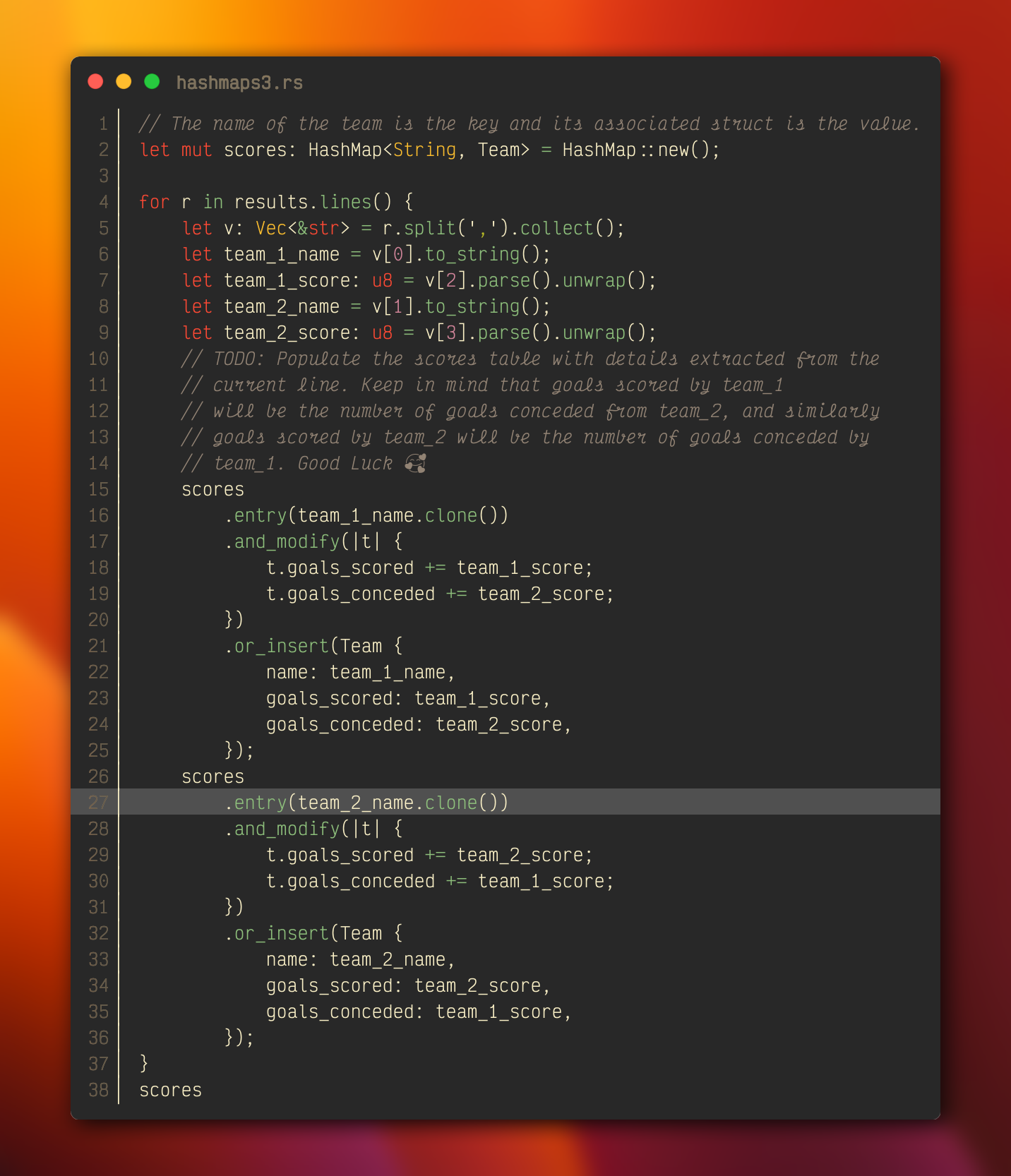
The typeface used in this example is called "Victor Mono" from Rune Bjørnerås. You can find it [here](https://rubjo.github.io/victor-mono/). Please consider using this typeface and sponsor Rune as well. Not visible in the screenshot, my go-to terminal emulator is [Wezterm](https://wezfurlong.org/wezterm/index.html). Please show him some love, too.
### Ranges
If a range is visually selected it does not matter, whether it is block, line or normally selected. The range is then taken as complete lines: from the line in which the selection starts up to the line in which the selection ends.
If no selection is made, the whole file is taken as input. If you only want to select a single line, then you would have to manually select it with `Shift-V`.
### Highlighting
You can mark a single line as to be highlighted using the standard vim `mark` command with the mark `h`, the default key combination would be `mh`.
### Colours and background image
You can define either your own solid background colour or provide the path to a background image, setting both is not supported by `silicon` itself. The default colour setting for the shadow colour has also now been removed to let you consistently decide, which colour you want on both accounts.
### Gobbling and padding
With the `gobble` parameter set to true, the longest common set of leading whitespace in each line is removed, making it easy to share screenshots of code fragments deep down in a nested structure. However, after removing all that whitespace, you now have the option to insert arbitrary characters between the line number rendered by `silicon` and the code fragment. Since you can use any string, you can - apart from padding blanks - also insert vertical bars etc.
```lua
num_separator = "\u{258f} ",
```
### Language options
The underlying `silicon` command uses the rust `syntect` create for syntax detection and highlighting along with some heuristics. This plugin used the `vim.bo.filetype` as `--language` argument but users reported that some filetypes are not recognized, e.g. fortran.
Therefore - in order not to break existing configs - now the following methods are used:
- if the users set the `language` option in their config, this is used verbatim
- if none is set, first the argument `--language <filetype>` is used as before, but if the `silicon` execution errors out, then
- the file's extension is used as `--language <extension>` argument in a second attempt
This change hopefully does not break s.b. config but improves the chances of getting an image.
### silicon's own config files
`silicon` has the option of using an own config file, usually located at `${HOME}/.config/silicon/config`, but you can find out the location on your system with `silicon --config-file`. There common options can be defined, but the problem is, that command line arguments that `nvim-silicon` supplies and the same arguments in the config file lead to errors.
Now in order to have both worlds, there is now a `disable_defaults` option. This will then only set the command argument. Nothing is added, so if a mandatory option like output destination selection or language is not given either in the config file or the options table, there likely is an error to be expected. So now you can split your arguments between the silicon config file and the neovim lua opts table, depending for instance on how you synchronize your configs across computers. Note that still conflicting arguments in both locations, like `background` and `background_image` still have to be avoided.
Examples:
`~/.config/silicon/config`:
```text
--output="./code.png"
--language="javascript"
--background="#00ff00"
--pad-horiz=10
--pad-vert=5
```
with
`nvim-silicon.lua` for the `lazy` package manager:
```lua
-- create code images
local opts = {
"michaelrommel/nvim-silicon",
lazy = true,
cmd = "Silicon",
opts = {
disable_defaults = true
}
}
return opts
```
will render any file with `javascript` syntax highlighting in a file named `./code.png`.
### Integrating with the Windows Subsystem for Linux
There are now two new options `wslclipboard` and `wslclipboardcopy`, which allow to send code images to the Windows clipboard, even though `nvim` runs inside the WSL, and without installing an X server on Windows and `xclip` on Linux.
The complete rabbit hole journey of this endeavor deserved it's own [description](./docs/wsl2-clipboard.md)
### Lua Keybindings
There was the wish to be able to call directly lua functions for triggering the code images. There are now two entry points available
- `.shoot()`: creates a code image with the default settings
- `.file()`: saves the generated code image only into a file
- `.clip()`: puts the generated code image only onto the clipboard
They can be used with `which-key`, for example, like this:
```lua
local wk = require("which-key")
wk.add({
mode = { "v" },
{ "<leader>s", group = "Silicon" },
{ "<leader>sc", function() require("nvim-silicon").clip() end, desc = "Copy code screenshot to clipboard" },
{ "<leader>sf", function() require("nvim-silicon").file() end, desc = "Save code screenshot as file" },
{ "<leader>ss", function() require("nvim-silicon").shoot() end, desc = "Create code screenshot" },
})
```
Calling the `.shoot()` function behaves normal, just like calling the `:Silicon` vim command would behave, see the explanation of enabling both file and clipboard destinations below.
On the other hand the `.file()` and `.clip()` functions were thought of as additional, overriding functions, that would en-/disable the `--to-clipboard` and en-/disable the `--output` settings, respectively, for this one invocation.
Because here we manipulate the options table, these new functions may not work well with using a `silicon`-config file as described above. We do not know the settings in that file and the overriding mechanisms may cause conflicting command line and config file settings.
### Setting multiple destinations
There was a request to have the option to generate an image file but also put the image onto the clipboard. Since the `silicon` command only supports an either/or setting, this means we need two calls to `silicon`. Up to now, the options were 1:1 converted into `silicon` arguments and if you had both `--to-clipboard` and `--output` set, `silicon` would throw an error.
Now the plugin interprets this combination as "I want both!" and calls `silicon` twice, one time with the `--output` option and one time with the `--to-clipboard` option. In case the WSL integration is used, the `wslclipboardcopy` option steers, whether to keep or delete the possibly superfluous file.
## Setup
With the `lazy.nvim` package manager:
```lua
{
"michaelrommel/nvim-silicon",
lazy = true,
cmd = "Silicon",
main = "nvim-silicon",
opts = {
-- Configuration here, or leave empty to use defaults
line_offset = function(args)
return args.line1
end,
}
},
```
**Please note:** When I created this plugin, I hadn't been fully aware of the namespaces that all plugins create. So I named the lua directory differently than the plugin name. In order to avoid name clashes with other modules, I have decided now to move from `require("silicon)` to `require("nvim-silicon)`. If you use the old name, a small message will be appended to the output of a successful call. (In a future version a deprecation warning will then show and when you look at `:messages` you should be able to find the place where the deprecated `require()` statements are and convert them. Most likely in the package manager or a key mappings configuration file.)
The `setup` function accepts the following table (shown with the builtin defaults, I have selected the defaults in a way, that they should work out of the box on most systems, please customize to your preference. In particular I removed the default output and font settings in order to enable using only the clipboard and make it work for users, who do not have Victor Mono NerdFont installed):
```lua
{
-- disable_defaults will disable all builtin default settings apart
-- from the base arguments, that are needed to call silicon at all, see
-- mandatory_options below, also those options can be overridden
-- all of the settings could be overridden in the lua setup call,
-- but this clashes with the use of an external silicon --config=file,
-- see issue #9
disable_defaults = false,
-- turn on debug messages
debug = false,
-- most of them could be overridden with other
-- the font settings with size and fallback font
-- Example: font = "VictorMono NF=34;Noto Emoji",
font = nil
-- the theme to use, depends on themes available to silicon
theme = "gruvbox-dark",
-- the background color outside the rendered os window
-- (in hexcode string e.g "#076678")
background = nil,
-- a path to a background image
background_image = nil,
-- the paddings to either side
pad_horiz = 100,
pad_vert = 80,
-- whether to have the os window rendered with rounded corners
no_round_corner = false,
-- whether to put the close, minimize, maximise traffic light
-- controls on the border
no_window_controls = false,
-- whether to turn off the line numbers
no_line_number = false,
-- with which number the line numbering shall start
line_offset = 1,
-- here a function is used to return the actual source code line number
-- line_offset = function(args)
-- return args.line1
-- end,
-- the distance between lines of code
line_pad = 0,
-- the rendering of tab characters as so many space characters
tab_width = 4,
-- with which language the syntax highlighting shall be done, should be
-- a function that returns either a language name or an extension like "js"
-- it is set to nil, so you can override it, if you do not set it, we try the
-- filetype first, and if that fails, the extension
language = nil
-- language = function()
-- return vim.bo.filetype
-- end,
-- language = function()
-- return vim.fn.fnamemodify(
-- vim.api.nvim_buf_get_name(vim.api.nvim_get_current_buf()),
-- ":e"
-- )
-- end,
-- if the shadow below the os window should have be blurred
shadow_blur_radius = 16,
-- the offset of the shadow in x and y directions
shadow_offset_x = 8,
shadow_offset_y = 8,
-- the color of the shadow (in hexcode string e.g "#100808")
shadow_color = nil,
-- whether to strip of superfluous leading whitespace
gobble = true,
-- a string to pad each line with after gobbling removed larger indents,
num_separator = nil,
-- here a bar glyph is used to draw a vertial line and some space
-- num_separator = "\u{258f} ",
-- whether to put the image onto the clipboard, may produce an error,
-- if run on WSL2
to_clipboard = false,
-- a string or function returning a string that defines the title
-- showing in the image, only works in silicon versions greater than v0.5.1
window_title = nil,
-- here a function is used to get the name of the current buffer
-- window_title = function()
-- return vim.fn.fnamemodify(
-- vim.api.nvim_buf_get_name(vim.api.nvim_get_current_buf()),
-- ":t"
-- )
-- end,
-- how to deal with the clipboard on WSL2
-- possible values are: never, always, auto
wslclipboard = nil,
-- what to do with the temporary screenshot image file when using the Windows
-- clipboard from WSL2, possible values are: keep, delete
wslclipboardcopy = nil,
-- the silicon command, put an absolute location here, if the
-- command is not in your ${PATH}
command = "silicon",
-- a string or function that defines the path to the output image
output = nil
-- here a function is used to create a file in the current directory
-- output = function()
-- return "./" .. os.date("!%Y-%m-%dT%H-%M-%SZ") .. "_code.png"
-- end,
}
```
The mandatory options, that are used, even when the option `disable_defaults` is set to true are:
```lua
-- without that silicon cannot run. But you can override the command
-- option in your lua config
M.mandatory_options = {
command = 'silicon',
}
```
================================================
FILE: docs/wsl2-clipboard.md
================================================
# WSL2 and the Windows Clipboard
## Motivation
When working inside the WSL2 it is sometimes preferable to get a code snapshot directly in the Windows clipboard to paste it in Teams or Mail or share it in another way. The `silicon` tool itself can directly copy a generated image to the clipboard on all platforms (Linux, Windows, Mac) but it can only do so when run on that platform itself, not in a subsystem like the WSL.
Based on your feedback and my own desire to come up with a solution, I researched several ways to achieve this and here I outline my solution and the reasons behind several decisions. It may help others when facing similar problems.
## Navigating the solution space
### No-Go: direct copy to the Windows Clipboard
Since WSL runs Linux, the `silicon` version on that platform tries to finde the `xclip` tool in order to copy the generated image to the X Clipboard. Which means running an X server on the Windows side and exposing that to the WSL. Which is pretty bloated and cumbersome to set up and probably not something a vi user wants to have. So I have pretty much decided that this is not the direction I would like to take.
### Second choice: External 3rd Party Programs
There are numerous tools available including Windows' own `clip.exe` or `wslclip` programs that can put text onto the clipboard, but very few, that can actually handle images.
In my search, I found two tools:
1. [NirCmd](http://www.nirsoft.net/utils/nircmd.html)
2. [image-clipboard](https://github.com/bamontelucas/image-clipboard)
Both tools work as intended and can take an image file as input and put it onto the Windows clipboard.
However that requires the user to download and install a binary program on their systems, which is always coming with an inherent risk, it is another step to perform and may be outright forbidden in your place of work.
### Preferred: Powershell Script
Since powershell provides a lot of commandlets and libraries as standard, there are native ways to put an image file on the Windows clipboard. The hurdles to overcome here are mainly two:
1. the Script ExecutionPolicy that might be set
2. the path semantics on Windows and Linux
The first issue arises, if the script that is called from neovim is part of the lua package installation and resides on the Linux side. Then - depending on the policy - loading a WSL-path script into the Windows powershell.exe, the WSL is seen as "remote" and might be blocked if the Policy is set to "RemoteSigned". It can be tackled by calling the `powershell.exe` interpreter with a script path that is local to the Windows side, but this is also then another step to copy/move that powershell script to Windows and adapt a Linux script with the new path to the installation. It for sure can be done, but to have to do it on every machine, where you sync your dotfiles to is a hassle, that I'd like to avoid.
The second issue is, that the generated image file from `silicon` most likely resides on the Linux side and the `powershell.exe` interpreter needs to see it from windows. Since the Windows perceived path contains the name of the distribution/installation of the WSL instance, it should not be a fixed value.
## Solution
The solution I finally arrived at does also come with inconveniences, albeit hopefully some, that most users can live with, because they might already be fulfilled as part of a minimal installation.
### Prerequisites
You need to have the `wslpath` tool available and in your path. It is by default a symlink from `/usr/bin/wslpath` to `/init` in a WSL2 installation, there should not be a need for any installation.
Also the `powershell.exe` interpreter should be in your path, which is typically taken over from the Windows System Environment Variables setting of your Windows installation (or you would need to adapt the helper script accordingly, see below).
### How it works
The idea is to provide a new configuration option `wslclipboard` that steers, how `nvim-silicon` should interact with the clipboard if the clipboard has been selected as destination.
Several values are available:
- `never`: never try to make special provisions to copy to the Windows clipboard. This essentially means, that the usual Linux way used by `silicon` (via `xclip`) is always used. `nil` is regarded as `never`.
- `always`: unconditionally use the provided mechanism to first create a file based screenshot on Linux and then push this image onto the Windows clipboard
- `auto`: detect that nvim is running under WSL by looking for the string "WSL" in the output of the `uname -r` command, e.g. "5.15.146.1-microsoft-standard-WSL2". If WSL is detected, then use the provided mechanism, otherwise keep the `silicon` standard.
Since we cannot access the Windows clipboard directly, we have to construct an image file first. This will be put in the location specified by the `output` opts key. If this is `nil` because you always only wanted the images to be placed on the clipboard or you called the new `.clip()` function, a temporary file will be created in `/tmp/<YYY-MM-DDTHH-MM-SSZ>_code.png`.
There is a second option `wslclipboardcopy` that defines, whether to keep these temporary files or not, the values are `keep` or `delete`. `nil` is regarded as `keep`.
Whenever the Windows clipboard shall be used, first this (temporary) file is created in the usual manner. Then a script `wslclipimg` is called that resides in the `helper` directory of the plugin installation with the filename of that image file as parameter. This Linux bash script contains the powershell code needed to read that file and put the contents on the Windows clipboard. The original idea of using an EncodedCommand was misleading, because of a [bug in Powershell](https://github.com/PowerShell/PowerShell/issues/5912). Now the helper script passes the script as text, explicitly setting the ExecutionPolicy to Bypass. The path to the helper script is determined automatically based on the installation path of the plugin. If that breaks, please turn on `debug` in your config and let me know the output, so that it can be improved.
```bash
#! /usr/bin/env bash
# we need to get the path to the WSL located file as it would be accessed
# by the windows side. wslpath should be a symlink to /init on a standard WSL2
# installation
IMG=$(wslpath -w "$1")
SCRIPT=$(cat << EOF
Add-Type -AssemblyName System.Drawing
Add-Type -AssemblyName System.Windows.Forms
[Windows.Forms.Clipboard]::SetImage(\$([System.Drawing.Image]::Fromfile(\$(Get-Item "${IMG}"))));
EOF
)
# powershell.exe should be on your path, otherwise specify the complete path to the
# interpreter, like /mnt/c/Windows/system32/WindowsPowerShell/v1.0/powershell.exe
echo "${SCRIPT}" | powershell.exe -NoProfile -NoLogo -InputFormat text -OutputFormat text -NonInteractive -ExecutionPolicy Bypass -Command -
```
If you have suggestions, how this could be even more simplified, please let me know.
================================================
FILE: helper/wslclipimg
================================================
#! /usr/bin/env bash
# we need to get the path to the WSL located file as it would be accessed
# by the windows side. wslpath should be a symlink to /init on a standard WSL2
# installation
IMG=$(wslpath -w "$1")
SCRIPT=$(
cat <<EOF
Add-Type -AssemblyName System.Drawing
Add-Type -AssemblyName System.Windows.Forms
[Windows.Forms.Clipboard]::SetImage(\$([System.Drawing.Image]::Fromfile(\$(Get-Item "${IMG}"))));
EOF
)
# powershell.exe should be on your path, otherwise specify the complete path to the
# interpreter, like /mnt/c/Windows/system32/WindowsPowerShell/v1.0/powershell.exe
echo "${SCRIPT}" | powershell.exe -NoProfile -NoLogo -InputFormat text -OutputFormat text -NonInteractive -ExecutionPolicy Bypass -Command -
================================================
FILE: lua/nvim-silicon/init.lua
================================================
local M = {}
M.utils = require("nvim-silicon.utils")
M.options = {}
-- options, without silicon cannot be run
M.mandatory_options = {
command = 'silicon',
}
-- default options if nothing is provided by the user
M.default_opts = {
debug = false,
font = nil,
theme = "gruvbox-dark",
background = nil,
background_image = nil,
pad_horiz = 100,
pad_vert = 80,
no_round_corner = false,
no_window_controls = false,
no_line_number = false,
line_offset = 1,
line_pad = 0,
tab_width = 4,
highlight_lines = nil,
language = nil,
shadow_blur_radius = 16,
shadow_offset_x = 8,
shadow_offset_y = 8,
shadow_color = nil,
gobble = true,
to_clipboard = false,
window_title = nil,
num_separator = nil,
wslclipboard = nil,
command = "silicon",
output = nil,
}
M.get_helper_path = function()
return debug.getinfo(2, "S").source:sub(2):match("(.*/).*/.*/") .. "helper/wslclipimg"
end
M.parse_options = function(opts)
local options
vim.validate({
opts = { opts, "table" }
})
if opts and opts.disable_defaults then
options = vim.tbl_deep_extend(
"force",
M.mandatory_options,
opts or {}
)
else
options = vim.tbl_deep_extend(
"force",
M.default_opts,
opts or {}
)
end
return options
end
M.get_arguments = function(args, options)
local cmdline = {}
local value = nil
table.insert(cmdline, options.command)
for k, v in pairs(options) do
if k == "command" or k == "gobble"
or k == "num_separator" or k == "disable_defaults"
or k == "wslclipboard" or k == "wslclipboardcopy"
or k == "debug" or k == "language"
then
-- no-op, since those are not silicon arguments or we deal with
-- them dynamically later
elseif k == "output"
or k == "window_title" or k == "line_offset" then
table.insert(cmdline, "--" .. string.gsub(k, "_", "-"))
if type(v) == "function" then
value = v(args)
else
value = v
end
table.insert(cmdline, value)
if k == "output" then M.filename = value end
else
if type(v) == "boolean" then
if v then
table.insert(cmdline, "--" .. string.gsub(k, "_", "-"))
end
elseif type(v) == "nil" then
-- no-op
else
table.insert(cmdline, "--" .. string.gsub(k, "_", "-"))
table.insert(cmdline, v)
end
end
end
if options.debug then
print("get_arguments cmdline: " .. M.utils.dump(cmdline))
end
return cmdline
end
M.format_lines = function(cmdline, args, options)
local begin_line = args.line1 - 1
local finish_line = args.line2
if args.range == 0 then
begin_line = 0
finish_line = -1
end
local marks = vim.api.nvim_buf_get_mark(vim.api.nvim_win_get_buf(0), "h")[1]
if marks > 0 then
local hl
if args.range == 0 or (args.line1 and marks >= begin_line and marks <= finish_line) then
hl = marks - begin_line
table.insert(cmdline, "--highlight-lines")
table.insert(cmdline, hl)
end
end
local lines = vim.api.nvim_buf_get_lines(vim.api.nvim_win_get_buf(0), begin_line, finish_line, false)
if options.gobble then
lines = M.utils.gobble(lines)
end
if options.num_separator then
lines = M.utils.separate(lines, options.num_separator)
end
if options.debug then
print("lines to shoot: " .. M.utils.dump(lines))
end
return lines, cmdline
end
M.cmd = function(args, options)
local lines = nil
local cmdline = nil
-- build the commandline based on supplied options
local base_cmdline = M.get_arguments(args, options)
-- parse buffer into lines, based on arguments from neovim, reshapes cmdline
lines, base_cmdline = M.format_lines(base_cmdline, args, options)
local ret = {}
local code
-- if a language was supplied by the user, take that as argument directly
if options.language then
if type(options.language) == "function" then
ret.language = options.language()
else
ret.language = options.language
end
cmdline = vim.tbl_extend("error", base_cmdline, {})
table.insert(cmdline, '--language')
table.insert(cmdline, ret.language)
if options.debug then
print("cmd cmdline: " .. M.utils.dump(cmdline))
end
code = vim.fn.system(cmdline, lines)
code = string.gsub(code, "\n", "")
ret.code = code
else
if options.disable_defaults then
-- run silicon as is, no supplement of anything
if options.debug then
print("base_cmdline: " .. M.utils.dump(base_cmdline))
end
code = vim.fn.system(base_cmdline, lines)
code = string.gsub(code, "\n", "")
ret.language = nil
ret.code = code
else
-- try first the language parameter derived from the buffer's filetype
cmdline = vim.tbl_extend("error", base_cmdline, {})
ret.language = vim.bo.filetype
table.insert(cmdline, '--language')
table.insert(cmdline, ret.language)
if options.debug then
print("1. lang cmdline: " .. M.utils.dump(cmdline))
end
code = vim.fn.system(cmdline, lines)
code = string.gsub(code, "\n", "")
ret.code = code
if options.debug then
print("returncode: " .. M.utils.dump(code))
end
if code ~= "" then
vim.notify(
"silicon call with filetype error: " .. code .. ", trying extension...",
vim.log.levels.WARN,
{ title = "nvim-silicon" }
)
-- seems to have gone wrong, new try with extension
cmdline = vim.tbl_extend("error", base_cmdline, {})
ret.language = vim.fn.fnamemodify(
vim.api.nvim_buf_get_name(vim.api.nvim_get_current_buf()),
":e"
)
table.insert(cmdline, '--language')
table.insert(cmdline, ret.language)
if options.debug then
print("2. lang cmdline: " .. M.utils.dump(cmdline))
end
code = vim.fn.system(cmdline, lines)
code = string.gsub(code, "\n", "")
ret.code = code
end
end
end
-- last, final attempt being evaluated
if code ~= "" then
vim.notify(
"silicon returned with: " .. code,
vim.log.levels.WARN,
{ title = "nvim-silicon" }
)
else
if not M.message then
M.message = ""
end
if options.to_clipboard then
vim.notify(
"silicon put the image on the clipboard." .. M.message,
vim.log.levels.INFO,
{ title = "nvim-silicon" }
)
else
local get_location = function()
local location = nil
if not M.filename then
location = "the location specified in your config file"
elseif string.sub(tostring(M.filename), 1, 1) == "~" then
location = M.filename
elseif string.sub(tostring(M.filename), 1, 2) == "./" then
location = vim.fn.getcwd() .. string.sub(tostring(M.filename), 2)
else
-- location = vim.fn.getcwd() .. "/" .. M.filename
location = M.filename
end
return location
end
ret.location = get_location()
vim.notify(
"silicon generated an image at " .. ret.location .. "." .. M.message,
vim.log.levels.INFO,
{ title = "nvim-silicon" }
)
end
end
return ret
end
M.start = function(args, opts)
local options
-- stores the error code in case silicon returns something
local code
-- stores the return value of the call to create a file
local ret = nil
if opts.debug then
print("Global options: " .. M.utils.dump(M.options))
print("Local options: " .. M.utils.dump(opts))
end
-- make a deep copy of the original options
options = vim.tbl_deep_extend(
"force",
opts,
{}
)
if (not opts.output) and (not opts.to_clipboard) and (not opts.disable_defaults) then
-- the user has not supplied any valid destination and not disabled defaults
-- so add the default output file destination function that we used before
if opts.debug then
print("setting default output function")
end
-- temporary marker to create a temporary output, note this assignment changes
-- the supplied opts table for subsequent calls, so make sure not to submit the
-- global options table to the function. Needs a refactor w/r to opts/options
opts.output = true
-- the actual output destination
options.output = function()
return "./" .. os.date("!%Y-%m-%dT%H-%M-%SZ") .. "_code.png"
end
end
-- if wished for, let's create the file first
if opts.output then
options.to_clipboard = false
ret = M.cmd(args, options)
end
local function shell_exists(name)
local f = io.open(name, "r")
if f ~= nil then
io.close(f)
return true
else
return false
end
end
if opts.to_clipboard then
-- check whether wsl detection shall be done
if (opts.wslclipboard == "auto" and M.utils.is_wsl()) or
(opts.wslclipboard == "always") then
-- we want to use the WSL integration
local cmdline = {}
-- check which shell to use here
if (shell_exists("/bin/bash")) then
table.insert(cmdline, "/bin/bash")
elseif (shell_exists("/usr/bin/bash")) then
table.insert(cmdline, "/usr/bin/bash")
elseif (shell_exists("/usr/local/bin/bash")) then
table.insert(cmdline, "/usr/local/bin/bash")
else
table.insert(cmdline, "/bin/sh")
end
table.insert(cmdline, M.helper)
if ret and ret.location then
-- we have already a file, need to send it to the windows side
table.insert(cmdline, ret.location)
else
-- we need to create a temporary file
options.output = "/tmp/" .. os.date("!%Y-%m-%dT%H-%M-%SZ") .. "_code.png"
options.to_clipboard = false
ret = M.cmd(args, options)
if ret and ret.location then
-- now we have a file, need to send it to the windows side
table.insert(cmdline, ret.location)
else
-- notify user that the tmp image generation failed
vim.notify(
"silicon returned with: " .. ret.code,
vim.log.levels.WARN,
{ title = "nvim-silicon" }
)
return
end
end
if opts.debug then
print("start cmdline: " .. M.utils.dump(cmdline))
end
code = vim.fn.system(cmdline)
code = string.gsub(code, "\n", "")
if code ~= "" then
vim.notify(
"wslclipimg returned with: " .. code,
vim.log.levels.WARN,
{ title = "nvim-silicon" }
)
else
vim.notify(
"wslclipimg put the image at " .. ret.location .. " onto the clipboard",
vim.log.levels.INFO,
{ title = "nvim-silicon" }
)
end
-- file based outp[ut was not desired, so we created a tmp file
-- we need to check opts and not options here
if (not opts.output) and (opts.wslclipboardcopy == "delete") then
-- we should clean that tmp file now
local _, err = os.remove(ret.location)
if err then
vim.notify(
"wslclipimg could not delete the tmp file: " .. err,
vim.log.levels.WARN,
{ title = "nvim-silicon" }
)
end
end
else
-- we want the standard way of putting an image onto the clipboard
if ret and ret.code == "" and ret.language then
-- we already know which language works
options.language = ret.language
end
options.output = nil
options.to_clipboard = true
ret = M.cmd(args, options)
end
end
end
M.shoot = function(opts)
local options
-- we get overridden options, if we are called from
-- .clip() or .file()
if opts then
-- make a deep copy of the original options
options = vim.tbl_deep_extend(
"force",
opts,
{}
)
else
-- make a deep copy of the original options
options = vim.tbl_deep_extend(
"force",
M.options,
{}
)
end
local args = nil
local mode = vim.api.nvim_get_mode().mode
if mode == "n" then
args = {
line1 = 0,
line2 = -1,
range = 0
}
elseif mode == "v" or mode == "V" or mode == "\22" then
local line1 = vim.fn.getpos("v")[2]
local line2 = vim.api.nvim_win_get_cursor(0)[1]
if line1 > line2 then
local linetmp = line1
line1 = line2
line2 = linetmp
end
args = {
line1 = line1,
line2 = line2,
range = 1
}
end
if M.options.debug then
print("mode is: " .. mode)
print("args: " .. M.utils.dump(args))
end
M.start(args, options)
end
M.file = function()
local options
-- make a deep copy of the original options
options = vim.tbl_deep_extend(
"force",
M.options,
{}
)
options.to_clipboard = false
-- if not options.output then
-- print("You triggered the .file() function, but forgot to set an output path")
-- options.output = "/tmp/" .. os.date("!%Y-%m-%dT%H-%M-%SZ") .. "_code.png"
-- end
M.shoot(options)
end
M.clip = function()
local options
-- make a deep copy of the original options
options = vim.tbl_deep_extend(
"force",
M.options,
{}
)
options.to_clipboard = true
options.output = nil
M.shoot(options)
end
M.usercmd = function(args)
local options
-- make a deep copy of the original options
options = vim.tbl_deep_extend(
"force",
M.options,
{}
)
M.start(args, options)
end
M.setup = function(opts)
-- populate the global options table
M.options = M.parse_options(opts)
-- find my own path
M.helper = M.get_helper_path()
if M.options.debug then
print("helper is at: " .. M.helper)
end
-- define commands for neovim
vim.api.nvim_create_user_command("Silicon", function(args)
M.usercmd(args)
end, {
desc = "convert range to code image representation",
force = false,
range = true
})
end
return M
================================================
FILE: lua/nvim-silicon/utils.lua
================================================
local M = {}
M.gobble = function(lines)
local shortest_whitespace = nil
local whitespace = ""
for _, v in pairs(lines) do
_, _, whitespace = string.find(v, "^(%s*)")
if type(whitespace) ~= "nil" then
if shortest_whitespace == nil or (#whitespace < #shortest_whitespace and v ~= "") then
shortest_whitespace = whitespace
end
end
end
if #shortest_whitespace > 0 then
local newlines = {}
for _, v in pairs(lines) do
local newline = string.gsub(v, "^" .. shortest_whitespace, "", 1)
table.insert(newlines, newline)
end
return newlines
else
return lines
end
end
M.separate = function(lines, num_separator)
local newlines = {}
for _, v in pairs(lines) do
local newline = string.gsub(v, "^", num_separator, 1)
table.insert(newlines, newline)
end
return newlines
end
M.dump = function(t)
local conv = {
["nil"] = function() return "nil" end,
["number"] = function(n) return tostring(n) end,
["string"] = function(s) return '"' .. s .. '"' end,
["boolean"] = function(b) return tostring(b) end,
["function"] = function(_) return "function()" end,
}
if type(t) == "table" then
local s = "{"
for k, v in pairs(t) do
if type(v) == "table" then
s = s .. (s == "{" and " " or ", ") .. (k .. " = " .. M.dump(v))
else
s = s .. (s == "{" and " " or ", ") .. k .. " = " .. conv[type(v)](v)
end
end
return s .. " }"
else
return conv[type(t)](t)
end
end
M.is_wsl = function()
local output = vim.fn.systemlist "uname -r"
return not not string.find(output[1] or "", "WSL")
end
return M
================================================
FILE: lua/silicon/init.lua
================================================
local M = {}
-- In the next release use the deprecation function to
-- alert users. For now a message addendum should suffice.
-- vim.deprecate(
-- "require(\"silicon\")",
-- "require(\"nvim-silicon\")",
-- "v1.2",
-- "nvim-silicon",
-- true
-- )
M = require('nvim-silicon')
M.message = " Please use 'require(\"nvim-silicon\")' now, see README!"
return M
gitextract_arkdobxl/
├── .gitignore
├── LICENSE
├── README.md
├── docs/
│ └── wsl2-clipboard.md
├── helper/
│ └── wslclipimg
└── lua/
├── nvim-silicon/
│ ├── init.lua
│ └── utils.lua
└── silicon/
└── init.lua
Condensed preview — 8 files, each showing path, character count, and a content snippet. Download the .json file or copy for the full structured content (40K chars).
[
  {
    "path": ".gitignore",
    "chars": 21,
    "preview": ".DS_Store\ntags\ntest/\n"
  },
  {
    "path": "LICENSE",
    "chars": 1071,
    "preview": "MIT License\n\nCopyright (c) 2023 Michael Rommel\n\nPermission is hereby granted, free of charge, to any person obtaining a "
  },
  {
    "path": "README.md",
    "chars": 13358,
    "preview": "# nvim-silicon\n\nPlugin to create code images using the external `silicon` tool.\n\nThis differs from `silicon.nvim` as tha"
  },
  {
    "path": "docs/wsl2-clipboard.md",
    "chars": 6956,
    "preview": "# WSL2 and the Windows Clipboard\n\n## Motivation\n\nWhen working inside the WSL2 it is sometimes preferable to get a code s"
  },
  {
    "path": "helper/wslclipimg",
    "chars": 729,
    "preview": "#! /usr/bin/env bash\n\n# we need to get the path to the WSL located file as it would be accessed\n# by the windows side. w"
  },
  {
    "path": "lua/nvim-silicon/init.lua",
    "chars": 12901,
    "preview": "local M = {}\n\nM.utils = require(\"nvim-silicon.utils\")\n\nM.options = {}\n\n-- options, without silicon cannot be run\nM.manda"
  },
  {
    "path": "lua/nvim-silicon/utils.lua",
    "chars": 1561,
    "preview": "local M = {}\n\nM.gobble = function(lines)\n\tlocal shortest_whitespace = nil\n\tlocal whitespace = \"\"\n\tfor _, v in pairs(line"
  },
  {
    "path": "lua/silicon/init.lua",
    "chars": 362,
    "preview": "local M = {}\n\n-- In the next release use the deprecation function to\n-- alert users. For now a message addendum should s"
  }
]
About this extraction
This page contains the full source code of the michaelrommel/nvim-silicon GitHub repository, extracted and formatted as plain text for AI agents and large language models (LLMs). The extraction includes 8 files (36.1 KB), approximately 9.7k tokens. Use this with OpenClaw, Claude, ChatGPT, Cursor, Windsurf, or any other AI tool that accepts text input. You can copy the full output to your clipboard or download it as a .txt file.
Extracted by GitExtract — free GitHub repo to text converter for AI. Built by Nikandr Surkov.