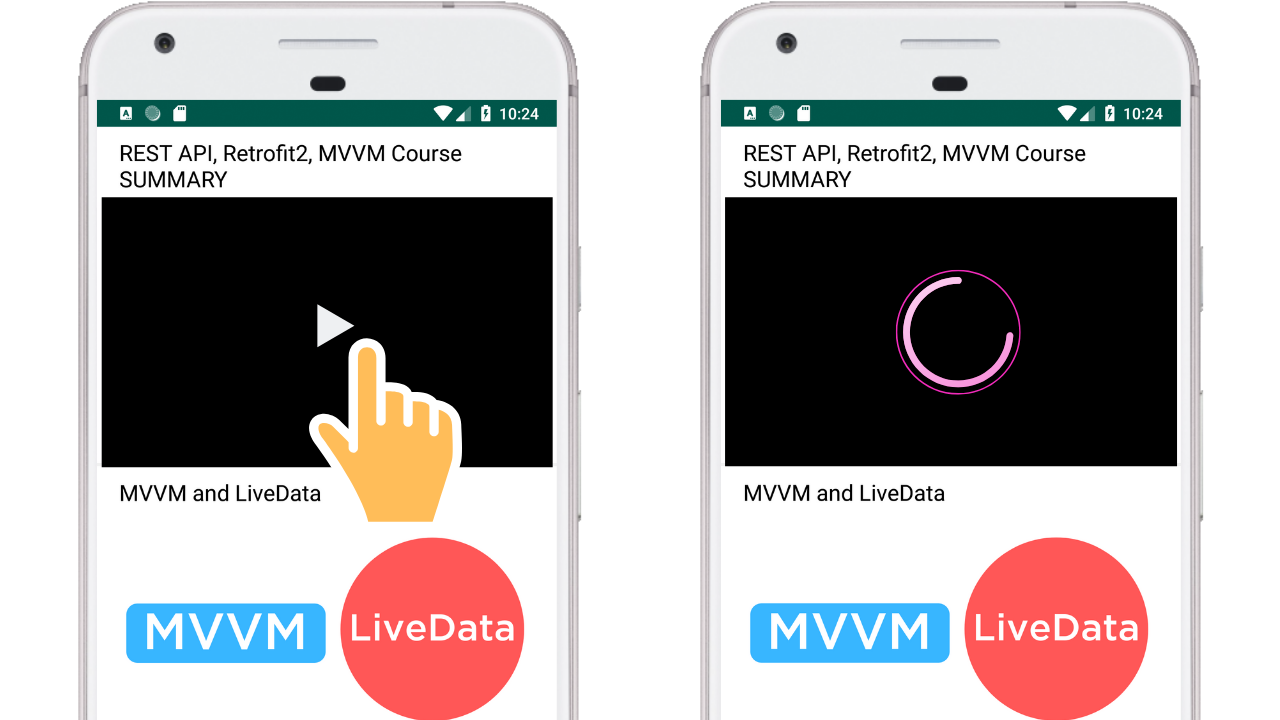
Read the blog post for a guide: Blog Post
================================================
FILE: app/.gitignore
================================================
/build
================================================
FILE: app/build.gradle
================================================
apply plugin: 'com.android.application'
android {
compileSdkVersion 28
defaultConfig {
applicationId "com.codingwithmitch.recyclerviewvideoplayer"
minSdkVersion 21
targetSdkVersion 28
versionCode 1
versionName "1.0"
testInstrumentationRunner "android.support.test.runner.AndroidJUnitRunner"
}
buildTypes {
release {
minifyEnabled false
proguardFiles getDefaultProguardFile('proguard-android-optimize.txt'), 'proguard-rules.pro'
}
}
}
dependencies {
def supportVersion = "28.0.0"
def glideVersion = "4.9.0"
implementation fileTree(dir: 'libs', include: ['*.jar'])
implementation "com.android.support:appcompat-v7:$supportVersion"
implementation 'com.android.support.constraint:constraint-layout:1.1.3'
testImplementation 'junit:junit:4.12'
androidTestImplementation 'com.android.support.test:runner:1.0.2'
androidTestImplementation 'com.android.support.test.espresso:espresso-core:3.0.2'
// Recyclerview
implementation "com.android.support:recyclerview-v7:$supportVersion"
// ExoPlayer
implementation 'com.google.android.exoplayer:exoplayer:2.8.4' // 2.9.0 has min sdk 26
implementation "com.github.bumptech.glide:glide:$glideVersion"
annotationProcessor "com.github.bumptech.glide:compiler:$glideVersion"
}
================================================
FILE: app/proguard-rules.pro
================================================
# Add project specific ProGuard rules here.
# You can control the set of applied configuration files using the
# proguardFiles setting in build.gradle.
#
# For more details, see
# http://developer.android.com/guide/developing/tools/proguard.html
# If your project uses WebView with JS, uncomment the following
# and specify the fully qualified class name to the JavaScript interface
# class:
#-keepclassmembers class fqcn.of.javascript.interface.for.webview {
# public *;
#}
# Uncomment this to preserve the line number information for
# debugging stack traces.
#-keepattributes SourceFile,LineNumberTable
# If you keep the line number information, uncomment this to
# hide the original source file name.
#-renamesourcefileattribute SourceFile
================================================
FILE: app/src/androidTest/java/com/codingwithmitch/recyclerviewvideoplayer/ExampleInstrumentedTest.java
================================================
package com.codingwithmitch.recyclerviewvideoplayer;
import android.content.Context;
import android.support.test.InstrumentationRegistry;
import android.support.test.runner.AndroidJUnit4;
import org.junit.Test;
import org.junit.runner.RunWith;
import static org.junit.Assert.*;
/**
* Instrumented test, which will execute on an Android device.
*
* @see Testing documentation
*/
@RunWith(AndroidJUnit4.class)
public class ExampleInstrumentedTest {
@Test
public void useAppContext() {
// Context of the app under test.
Context appContext = InstrumentationRegistry.getTargetContext();
assertEquals("com.codingwithmitch.recyclerviewvideoplayer", appContext.getPackageName());
}
}
================================================
FILE: app/src/main/AndroidManifest.xml
================================================
================================================
FILE: app/src/main/java/com/codingwithmitch/recyclerviewvideoplayer/MainActivity.java
================================================
package com.codingwithmitch.recyclerviewvideoplayer;
import android.support.v7.app.AppCompatActivity;
import android.os.Bundle;
import android.support.v7.widget.LinearLayoutManager;
import android.support.v7.widget.RecyclerView;
import com.bumptech.glide.Glide;
import com.bumptech.glide.RequestManager;
import com.bumptech.glide.request.RequestOptions;
import com.codingwithmitch.recyclerviewvideoplayer.models.MediaObject;
import com.codingwithmitch.recyclerviewvideoplayer.util.Resources;
import com.codingwithmitch.recyclerviewvideoplayer.util.VerticalSpacingItemDecorator;
import java.util.ArrayList;
import java.util.Arrays;
public class MainActivity extends AppCompatActivity {
private static final String TAG = "MainActivity";
private VideoPlayerRecyclerView mRecyclerView;
@Override
protected void onCreate(Bundle savedInstanceState) {
super.onCreate(savedInstanceState);
setContentView(R.layout.activity_main);
mRecyclerView = findViewById(R.id.recycler_view);
initRecyclerView();
}
private void initRecyclerView(){
LinearLayoutManager layoutManager = new LinearLayoutManager(this);
mRecyclerView.setLayoutManager(layoutManager);
VerticalSpacingItemDecorator itemDecorator = new VerticalSpacingItemDecorator(10);
mRecyclerView.addItemDecoration(itemDecorator);
ArrayList mediaObjects = new ArrayList(Arrays.asList(Resources.MEDIA_OBJECTS));
mRecyclerView.setMediaObjects(mediaObjects);
VideoPlayerRecyclerAdapter adapter = new VideoPlayerRecyclerAdapter(mediaObjects, initGlide());
mRecyclerView.setAdapter(adapter);
}
private RequestManager initGlide(){
RequestOptions options = new RequestOptions()
.placeholder(R.drawable.white_background)
.error(R.drawable.white_background);
return Glide.with(this)
.setDefaultRequestOptions(options);
}
@Override
protected void onDestroy() {
if(mRecyclerView!=null)
mRecyclerView.releasePlayer();
super.onDestroy();
}
}
================================================
FILE: app/src/main/java/com/codingwithmitch/recyclerviewvideoplayer/VideoPlayerRecyclerAdapter.java
================================================
package com.codingwithmitch.recyclerviewvideoplayer;
import android.support.annotation.NonNull;
import android.support.v7.widget.RecyclerView;
import android.view.LayoutInflater;
import android.view.ViewGroup;
import com.bumptech.glide.RequestManager;
import com.codingwithmitch.recyclerviewvideoplayer.models.MediaObject;
import java.util.ArrayList;
public class VideoPlayerRecyclerAdapter extends RecyclerView.Adapter {
private ArrayList mediaObjects;
private RequestManager requestManager;
public VideoPlayerRecyclerAdapter(ArrayList mediaObjects, RequestManager requestManager) {
this.mediaObjects = mediaObjects;
this.requestManager = requestManager;
}
@NonNull
@Override
public RecyclerView.ViewHolder onCreateViewHolder(@NonNull ViewGroup viewGroup, int i) {
return new VideoPlayerViewHolder(
LayoutInflater.from(viewGroup.getContext()).inflate(R.layout.layout_video_list_item, viewGroup, false));
}
@Override
public void onBindViewHolder(@NonNull RecyclerView.ViewHolder viewHolder, int i) {
((VideoPlayerViewHolder)viewHolder).onBind(mediaObjects.get(i), requestManager);
}
@Override
public int getItemCount() {
return mediaObjects.size();
}
}
================================================
FILE: app/src/main/java/com/codingwithmitch/recyclerviewvideoplayer/VideoPlayerRecyclerView.java
================================================
package com.codingwithmitch.recyclerviewvideoplayer;
import android.animation.Animator;
import android.content.Context;
import android.graphics.Point;
import android.net.Uri;
import android.os.Handler;
import android.support.annotation.NonNull;
import android.support.annotation.Nullable;
import android.support.v7.widget.LinearLayoutManager;
import android.support.v7.widget.RecyclerView;
import android.util.AttributeSet;
import android.util.Log;
import android.view.Display;
import android.view.MotionEvent;
import android.view.View;
import android.view.ViewGroup;
import android.view.WindowManager;
import android.widget.FrameLayout;
import android.widget.ImageView;
import android.widget.ProgressBar;
import com.bumptech.glide.RequestManager;
import com.codingwithmitch.recyclerviewvideoplayer.models.MediaObject;
import com.google.android.exoplayer2.DefaultLoadControl;
import com.google.android.exoplayer2.ExoPlaybackException;
import com.google.android.exoplayer2.ExoPlayerFactory;
import com.google.android.exoplayer2.LoadControl;
import com.google.android.exoplayer2.PlaybackParameters;
import com.google.android.exoplayer2.Player;
import com.google.android.exoplayer2.SimpleExoPlayer;
import com.google.android.exoplayer2.Timeline;
import com.google.android.exoplayer2.source.ExtractorMediaSource;
import com.google.android.exoplayer2.source.MediaSource;
import com.google.android.exoplayer2.source.TrackGroupArray;
import com.google.android.exoplayer2.trackselection.AdaptiveTrackSelection;
import com.google.android.exoplayer2.trackselection.DefaultTrackSelector;
import com.google.android.exoplayer2.trackselection.TrackSelection;
import com.google.android.exoplayer2.trackselection.TrackSelectionArray;
import com.google.android.exoplayer2.trackselection.TrackSelector;
import com.google.android.exoplayer2.ui.AspectRatioFrameLayout;
import com.google.android.exoplayer2.ui.PlayerView;
import com.google.android.exoplayer2.upstream.BandwidthMeter;
import com.google.android.exoplayer2.upstream.DataSource;
import com.google.android.exoplayer2.upstream.DefaultAllocator;
import com.google.android.exoplayer2.upstream.DefaultBandwidthMeter;
import com.google.android.exoplayer2.upstream.DefaultDataSourceFactory;
import com.google.android.exoplayer2.util.Util;
import java.util.ArrayList;
public class VideoPlayerRecyclerView extends RecyclerView {
private static final String TAG = "VideoPlayerRecyclerView";
private enum VolumeState {ON, OFF};
// ui
private ImageView thumbnail, volumeControl;
private ProgressBar progressBar;
private View viewHolderParent;
private FrameLayout frameLayout;
private PlayerView videoSurfaceView;
private SimpleExoPlayer videoPlayer;
// vars
private ArrayList mediaObjects = new ArrayList<>();
private int videoSurfaceDefaultHeight = 0;
private int screenDefaultHeight = 0;
private Context context;
private int playPosition = -1;
private boolean isVideoViewAdded;
private RequestManager requestManager;
// controlling playback state
private VolumeState volumeState;
public VideoPlayerRecyclerView(@NonNull Context context) {
super(context);
init(context);
}
public VideoPlayerRecyclerView(@NonNull Context context, @Nullable AttributeSet attrs) {
super(context, attrs);
init(context);
}
private void init(Context context){
this.context = context.getApplicationContext();
Display display = ((WindowManager) getContext().getSystemService(Context.WINDOW_SERVICE)).getDefaultDisplay();
Point point = new Point();
display.getSize(point);
videoSurfaceDefaultHeight = point.x;
screenDefaultHeight = point.y;
videoSurfaceView = new PlayerView(this.context);
videoSurfaceView.setResizeMode(AspectRatioFrameLayout.RESIZE_MODE_ZOOM);
BandwidthMeter bandwidthMeter = new DefaultBandwidthMeter();
TrackSelection.Factory videoTrackSelectionFactory =
new AdaptiveTrackSelection.Factory(bandwidthMeter);
TrackSelector trackSelector =
new DefaultTrackSelector(videoTrackSelectionFactory);
// 2. Create the player
videoPlayer = ExoPlayerFactory.newSimpleInstance(context, trackSelector);
// Bind the player to the view.
videoSurfaceView.setUseController(false);
videoSurfaceView.setPlayer(videoPlayer);
setVolumeControl(VolumeState.ON);
addOnScrollListener(new RecyclerView.OnScrollListener() {
@Override
public void onScrollStateChanged(RecyclerView recyclerView, int newState) {
super.onScrollStateChanged(recyclerView, newState);
if (newState == RecyclerView.SCROLL_STATE_IDLE) {
Log.d(TAG, "onScrollStateChanged: called.");
if(thumbnail != null){ // show the old thumbnail
thumbnail.setVisibility(VISIBLE);
}
// There's a special case when the end of the list has been reached.
// Need to handle that with this bit of logic
if(!recyclerView.canScrollVertically(1)){
playVideo(true);
}
else{
playVideo(false);
}
}
}
@Override
public void onScrolled(RecyclerView recyclerView, int dx, int dy) {
super.onScrolled(recyclerView, dx, dy);
}
});
addOnChildAttachStateChangeListener(new OnChildAttachStateChangeListener() {
@Override
public void onChildViewAttachedToWindow(View view) {
}
@Override
public void onChildViewDetachedFromWindow(View view) {
if (viewHolderParent != null && viewHolderParent.equals(view)) {
resetVideoView();
}
}
});
videoPlayer.addListener(new Player.EventListener() {
@Override
public void onTimelineChanged(Timeline timeline, @Nullable Object manifest, int reason) {
}
@Override
public void onTracksChanged(TrackGroupArray trackGroups, TrackSelectionArray trackSelections) {
}
@Override
public void onLoadingChanged(boolean isLoading) {
}
@Override
public void onPlayerStateChanged(boolean playWhenReady, int playbackState) {
switch (playbackState) {
case Player.STATE_BUFFERING:
Log.e(TAG, "onPlayerStateChanged: Buffering video.");
if (progressBar != null) {
progressBar.setVisibility(VISIBLE);
}
break;
case Player.STATE_ENDED:
Log.d(TAG, "onPlayerStateChanged: Video ended.");
videoPlayer.seekTo(0);
break;
case Player.STATE_IDLE:
break;
case Player.STATE_READY:
Log.e(TAG, "onPlayerStateChanged: Ready to play.");
if (progressBar != null) {
progressBar.setVisibility(GONE);
}
if(!isVideoViewAdded){
addVideoView();
}
break;
default:
break;
}
}
@Override
public void onRepeatModeChanged(int repeatMode) {
}
@Override
public void onShuffleModeEnabledChanged(boolean shuffleModeEnabled) {
}
@Override
public void onPlayerError(ExoPlaybackException error) {
}
@Override
public void onPositionDiscontinuity(int reason) {
}
@Override
public void onPlaybackParametersChanged(PlaybackParameters playbackParameters) {
}
@Override
public void onSeekProcessed() {
}
});
}
public void playVideo(boolean isEndOfList) {
int targetPosition;
if(!isEndOfList){
int startPosition = ((LinearLayoutManager) getLayoutManager()).findFirstVisibleItemPosition();
int endPosition = ((LinearLayoutManager) getLayoutManager()).findLastVisibleItemPosition();
// if there is more than 2 list-items on the screen, set the difference to be 1
if (endPosition - startPosition > 1) {
endPosition = startPosition + 1;
}
// something is wrong. return.
if (startPosition < 0 || endPosition < 0) {
return;
}
// if there is more than 1 list-item on the screen
if (startPosition != endPosition) {
int startPositionVideoHeight = getVisibleVideoSurfaceHeight(startPosition);
int endPositionVideoHeight = getVisibleVideoSurfaceHeight(endPosition);
targetPosition = startPositionVideoHeight > endPositionVideoHeight ? startPosition : endPosition;
}
else {
targetPosition = startPosition;
}
}
else{
targetPosition = mediaObjects.size() - 1;
}
Log.d(TAG, "playVideo: target position: " + targetPosition);
// video is already playing so return
if (targetPosition == playPosition) {
return;
}
// set the position of the list-item that is to be played
playPosition = targetPosition;
if (videoSurfaceView == null) {
return;
}
// remove any old surface views from previously playing videos
videoSurfaceView.setVisibility(INVISIBLE);
removeVideoView(videoSurfaceView);
int currentPosition = targetPosition - ((LinearLayoutManager) getLayoutManager()).findFirstVisibleItemPosition();
View child = getChildAt(currentPosition);
if (child == null) {
return;
}
VideoPlayerViewHolder holder = (VideoPlayerViewHolder) child.getTag();
if (holder == null) {
playPosition = -1;
return;
}
thumbnail = holder.thumbnail;
progressBar = holder.progressBar;
volumeControl = holder.volumeControl;
viewHolderParent = holder.itemView;
requestManager = holder.requestManager;
frameLayout = holder.itemView.findViewById(R.id.media_container);
videoSurfaceView.setPlayer(videoPlayer);
viewHolderParent.setOnClickListener(videoViewClickListener);
DataSource.Factory dataSourceFactory = new DefaultDataSourceFactory(
context, Util.getUserAgent(context, "RecyclerView VideoPlayer"));
String mediaUrl = mediaObjects.get(targetPosition).getMedia_url();
if (mediaUrl != null) {
MediaSource videoSource = new ExtractorMediaSource.Factory(dataSourceFactory)
.createMediaSource(Uri.parse(mediaUrl));
videoPlayer.prepare(videoSource);
videoPlayer.setPlayWhenReady(true);
}
}
private OnClickListener videoViewClickListener = new OnClickListener() {
@Override
public void onClick(View v) {
toggleVolume();
}
};
/**
* Returns the visible region of the video surface on the screen.
* if some is cut off, it will return less than the @videoSurfaceDefaultHeight
* @param playPosition
* @return
*/
private int getVisibleVideoSurfaceHeight(int playPosition) {
int at = playPosition - ((LinearLayoutManager) getLayoutManager()).findFirstVisibleItemPosition();
Log.d(TAG, "getVisibleVideoSurfaceHeight: at: " + at);
View child = getChildAt(at);
if (child == null) {
return 0;
}
int[] location = new int[2];
child.getLocationInWindow(location);
if (location[1] < 0) {
return location[1] + videoSurfaceDefaultHeight;
} else {
return screenDefaultHeight - location[1];
}
}
// Remove the old player
private void removeVideoView(PlayerView videoView) {
ViewGroup parent = (ViewGroup) videoView.getParent();
if (parent == null) {
return;
}
int index = parent.indexOfChild(videoView);
if (index >= 0) {
parent.removeViewAt(index);
isVideoViewAdded = false;
viewHolderParent.setOnClickListener(null);
}
}
private void addVideoView(){
frameLayout.addView(videoSurfaceView);
isVideoViewAdded = true;
videoSurfaceView.requestFocus();
videoSurfaceView.setVisibility(VISIBLE);
videoSurfaceView.setAlpha(1);
thumbnail.setVisibility(GONE);
}
private void resetVideoView(){
if(isVideoViewAdded){
removeVideoView(videoSurfaceView);
playPosition = -1;
videoSurfaceView.setVisibility(INVISIBLE);
thumbnail.setVisibility(VISIBLE);
}
}
public void releasePlayer() {
if (videoPlayer != null) {
videoPlayer.release();
videoPlayer = null;
}
viewHolderParent = null;
}
private void toggleVolume() {
if (videoPlayer != null) {
if (volumeState == VolumeState.OFF) {
Log.d(TAG, "togglePlaybackState: enabling volume.");
setVolumeControl(VolumeState.ON);
} else if(volumeState == VolumeState.ON) {
Log.d(TAG, "togglePlaybackState: disabling volume.");
setVolumeControl(VolumeState.OFF);
}
}
}
private void setVolumeControl(VolumeState state){
volumeState = state;
if(state == VolumeState.OFF){
videoPlayer.setVolume(0f);
animateVolumeControl();
}
else if(state == VolumeState.ON){
videoPlayer.setVolume(1f);
animateVolumeControl();
}
}
private void animateVolumeControl(){
if(volumeControl != null){
volumeControl.bringToFront();
if(volumeState == VolumeState.OFF){
requestManager.load(R.drawable.ic_volume_off_grey_24dp)
.into(volumeControl);
}
else if(volumeState == VolumeState.ON){
requestManager.load(R.drawable.ic_volume_up_grey_24dp)
.into(volumeControl);
}
volumeControl.animate().cancel();
volumeControl.setAlpha(1f);
volumeControl.animate()
.alpha(0f)
.setDuration(600).setStartDelay(1000);
}
}
public void setMediaObjects(ArrayList mediaObjects){
this.mediaObjects = mediaObjects;
}
}
================================================
FILE: app/src/main/java/com/codingwithmitch/recyclerviewvideoplayer/VideoPlayerViewHolder.java
================================================
package com.codingwithmitch.recyclerviewvideoplayer;
import android.support.annotation.NonNull;
import android.support.v7.widget.RecyclerView;
import android.view.View;
import android.widget.FrameLayout;
import android.widget.ImageView;
import android.widget.ProgressBar;
import android.widget.TextView;
import com.bumptech.glide.RequestManager;
import com.codingwithmitch.recyclerviewvideoplayer.models.MediaObject;
public class VideoPlayerViewHolder extends RecyclerView.ViewHolder {
FrameLayout media_container;
TextView title;
ImageView thumbnail, volumeControl;
ProgressBar progressBar;
View parent;
RequestManager requestManager;
public VideoPlayerViewHolder(@NonNull View itemView) {
super(itemView);
parent = itemView;
media_container = itemView.findViewById(R.id.media_container);
thumbnail = itemView.findViewById(R.id.thumbnail);
title = itemView.findViewById(R.id.title);
progressBar = itemView.findViewById(R.id.progressBar);
volumeControl = itemView.findViewById(R.id.volume_control);
}
public void onBind(MediaObject mediaObject, RequestManager requestManager) {
this.requestManager = requestManager;
parent.setTag(this);
title.setText(mediaObject.getTitle());
this.requestManager
.load(mediaObject.getThumbnail())
.into(thumbnail);
}
}
================================================
FILE: app/src/main/java/com/codingwithmitch/recyclerviewvideoplayer/models/MediaObject.java
================================================
package com.codingwithmitch.recyclerviewvideoplayer.models;
public class MediaObject {
private String title;
private String media_url;
private String thumbnail;
private String description;
public MediaObject(String title, String media_url, String thumbnail, String description) {
this.title = title;
this.media_url = media_url;
this.thumbnail = thumbnail;
this.description = description;
}
public MediaObject() {
}
public String getTitle() {
return title;
}
public void setTitle(String title) {
this.title = title;
}
public String getMedia_url() {
return media_url;
}
public void setMedia_url(String media_url) {
this.media_url = media_url;
}
public String getDescription() {
return description;
}
public void setDescription(String description) {
this.description = description;
}
public String getThumbnail() {
return thumbnail;
}
public void setThumbnail(String thumbnail) {
this.thumbnail = thumbnail;
}
}
================================================
FILE: app/src/main/java/com/codingwithmitch/recyclerviewvideoplayer/util/Resources.java
================================================
package com.codingwithmitch.recyclerviewvideoplayer.util;
import com.codingwithmitch.recyclerviewvideoplayer.models.MediaObject;
public class Resources {
public static final MediaObject[] MEDIA_OBJECTS = {
new MediaObject("Sending Data to a New Activity with Intent Extras",
"https://s3.ca-central-1.amazonaws.com/codingwithmitch/media/VideoPlayerRecyclerView/Sending+Data+to+a+New+Activity+with+Intent+Extras.mp4",
"https://s3.ca-central-1.amazonaws.com/codingwithmitch/media/VideoPlayerRecyclerView/Sending+Data+to+a+New+Activity+with+Intent+Extras.png",
"Description for media object #1"),
new MediaObject("REST API, Retrofit2, MVVM Course SUMMARY",
"https://s3.ca-central-1.amazonaws.com/codingwithmitch/media/VideoPlayerRecyclerView/REST+API+Retrofit+MVVM+Course+Summary.mp4",
"https://s3.ca-central-1.amazonaws.com/codingwithmitch/media/VideoPlayerRecyclerView/REST+API%2C+Retrofit2%2C+MVVM+Course+SUMMARY.png",
"Description for media object #2"),
new MediaObject("MVVM and LiveData",
"https://s3.ca-central-1.amazonaws.com/codingwithmitch/media/VideoPlayerRecyclerView/MVVM+and+LiveData+for+youtube.mp4",
"https://s3.ca-central-1.amazonaws.com/codingwithmitch/media/VideoPlayerRecyclerView/mvvm+and+livedata.png",
"Description for media object #3"),
new MediaObject("Swiping Views with a ViewPager",
"https://s3.ca-central-1.amazonaws.com/codingwithmitch/media/VideoPlayerRecyclerView/SwipingViewPager+Tutorial.mp4",
"https://s3.ca-central-1.amazonaws.com/codingwithmitch/media/VideoPlayerRecyclerView/Swiping+Views+with+a+ViewPager.png",
"Description for media object #4"),
new MediaObject("Database Cache, MVVM, Retrofit, REST API demo for upcoming course",
"https://s3.ca-central-1.amazonaws.com/codingwithmitch/media/VideoPlayerRecyclerView/Rest+api+teaser+video.mp4",
"https://s3.ca-central-1.amazonaws.com/codingwithmitch/media/VideoPlayerRecyclerView/Rest+API+Integration+with+MVVM.png",
"Description for media object #5"),
};
}
================================================
FILE: app/src/main/java/com/codingwithmitch/recyclerviewvideoplayer/util/VerticalSpacingItemDecorator.java
================================================
package com.codingwithmitch.recyclerviewvideoplayer.util;
import android.graphics.Rect;
import android.support.annotation.NonNull;
import android.support.v7.widget.RecyclerView;
import android.view.View;
public class VerticalSpacingItemDecorator extends RecyclerView.ItemDecoration {
private final int verticalSpaceHeight;
public VerticalSpacingItemDecorator(int verticalSpaceHeight) {
this.verticalSpaceHeight = verticalSpaceHeight;
}
@Override
public void getItemOffsets(@NonNull Rect outRect, @NonNull View view, @NonNull RecyclerView parent, @NonNull RecyclerView.State state) {
outRect.top = verticalSpaceHeight;
}
}
================================================
FILE: app/src/main/res/drawable/ic_launcher_background.xml
================================================
================================================
FILE: app/src/main/res/drawable/ic_volume_off_grey_24dp.xml
================================================
================================================
FILE: app/src/main/res/drawable/ic_volume_up_grey_24dp.xml
================================================
================================================
FILE: app/src/main/res/drawable-v24/ic_launcher_foreground.xml
================================================
================================================
FILE: app/src/main/res/layout/activity_main.xml
================================================
================================================
FILE: app/src/main/res/layout/layout_video_list_item.xml
================================================
================================================
FILE: app/src/main/res/mipmap-anydpi-v26/ic_launcher.xml
================================================
================================================
FILE: app/src/main/res/mipmap-anydpi-v26/ic_launcher_round.xml
================================================
================================================
FILE: app/src/main/res/values/colors.xml
================================================
#008577#00574B#D81B60
================================================
FILE: app/src/main/res/values/strings.xml
================================================
RecyclerViewVideoPlayerWhat is Lorem Ipsum?Lorem Ipsum is simply dummy text of the printing and typesetting industry. Lorem Ipsum has been the industrys standard dummy text ever since the 1500s, when an unknown printer took a galley of type and scrambled it to make a type specimen book. It has survived not only five centuries, but also the leap into electronic typesetting, remaining essentially unchanged. It was popularised in the 1960s with the release of Letraset sheets containing Lorem Ipsum passages, and more recently with desktop publishing software like Aldus PageMaker including versions of Lorem Ipsum.
================================================
FILE: app/src/main/res/values/styles.xml
================================================
================================================
FILE: app/src/test/java/com/codingwithmitch/recyclerviewvideoplayer/ExampleUnitTest.java
================================================
package com.codingwithmitch.recyclerviewvideoplayer;
import org.junit.Test;
import static org.junit.Assert.*;
/**
* Example local unit test, which will execute on the development machine (host).
*
* @see Testing documentation
*/
public class ExampleUnitTest {
@Test
public void addition_isCorrect() {
assertEquals(4, 2 + 2);
}
}
================================================
FILE: build.gradle
================================================
// Top-level build file where you can add configuration options common to all sub-projects/modules.
buildscript {
repositories {
google()
jcenter()
}
dependencies {
classpath 'com.android.tools.build:gradle:3.3.0'
// NOTE: Do not place your application dependencies here; they belong
// in the individual module build.gradle files
}
}
allprojects {
repositories {
google()
jcenter()
}
}
task clean(type: Delete) {
delete rootProject.buildDir
}
================================================
FILE: gradle/wrapper/gradle-wrapper.properties
================================================
#Wed Feb 20 09:15:38 PST 2019
distributionBase=GRADLE_USER_HOME
distributionPath=wrapper/dists
zipStoreBase=GRADLE_USER_HOME
zipStorePath=wrapper/dists
distributionUrl=https\://services.gradle.org/distributions/gradle-4.10.1-all.zip
================================================
FILE: gradle.properties
================================================
# Project-wide Gradle settings.
# IDE (e.g. Android Studio) users:
# Gradle settings configured through the IDE *will override*
# any settings specified in this file.
# For more details on how to configure your build environment visit
# http://www.gradle.org/docs/current/userguide/build_environment.html
# Specifies the JVM arguments used for the daemon process.
# The setting is particularly useful for tweaking memory settings.
org.gradle.jvmargs=-Xmx1536m
# When configured, Gradle will run in incubating parallel mode.
# This option should only be used with decoupled projects. More details, visit
# http://www.gradle.org/docs/current/userguide/multi_project_builds.html#sec:decoupled_projects
# org.gradle.parallel=true
================================================
FILE: gradlew
================================================
#!/usr/bin/env sh
##############################################################################
##
## Gradle start up script for UN*X
##
##############################################################################
# Attempt to set APP_HOME
# Resolve links: $0 may be a link
PRG="$0"
# Need this for relative symlinks.
while [ -h "$PRG" ] ; do
ls=`ls -ld "$PRG"`
link=`expr "$ls" : '.*-> \(.*\)$'`
if expr "$link" : '/.*' > /dev/null; then
PRG="$link"
else
PRG=`dirname "$PRG"`"/$link"
fi
done
SAVED="`pwd`"
cd "`dirname \"$PRG\"`/" >/dev/null
APP_HOME="`pwd -P`"
cd "$SAVED" >/dev/null
APP_NAME="Gradle"
APP_BASE_NAME=`basename "$0"`
# Add default JVM options here. You can also use JAVA_OPTS and GRADLE_OPTS to pass JVM options to this script.
DEFAULT_JVM_OPTS=""
# Use the maximum available, or set MAX_FD != -1 to use that value.
MAX_FD="maximum"
warn () {
echo "$*"
}
die () {
echo
echo "$*"
echo
exit 1
}
# OS specific support (must be 'true' or 'false').
cygwin=false
msys=false
darwin=false
nonstop=false
case "`uname`" in
CYGWIN* )
cygwin=true
;;
Darwin* )
darwin=true
;;
MINGW* )
msys=true
;;
NONSTOP* )
nonstop=true
;;
esac
CLASSPATH=$APP_HOME/gradle/wrapper/gradle-wrapper.jar
# Determine the Java command to use to start the JVM.
if [ -n "$JAVA_HOME" ] ; then
if [ -x "$JAVA_HOME/jre/sh/java" ] ; then
# IBM's JDK on AIX uses strange locations for the executables
JAVACMD="$JAVA_HOME/jre/sh/java"
else
JAVACMD="$JAVA_HOME/bin/java"
fi
if [ ! -x "$JAVACMD" ] ; then
die "ERROR: JAVA_HOME is set to an invalid directory: $JAVA_HOME
Please set the JAVA_HOME variable in your environment to match the
location of your Java installation."
fi
else
JAVACMD="java"
which java >/dev/null 2>&1 || die "ERROR: JAVA_HOME is not set and no 'java' command could be found in your PATH.
Please set the JAVA_HOME variable in your environment to match the
location of your Java installation."
fi
# Increase the maximum file descriptors if we can.
if [ "$cygwin" = "false" -a "$darwin" = "false" -a "$nonstop" = "false" ] ; then
MAX_FD_LIMIT=`ulimit -H -n`
if [ $? -eq 0 ] ; then
if [ "$MAX_FD" = "maximum" -o "$MAX_FD" = "max" ] ; then
MAX_FD="$MAX_FD_LIMIT"
fi
ulimit -n $MAX_FD
if [ $? -ne 0 ] ; then
warn "Could not set maximum file descriptor limit: $MAX_FD"
fi
else
warn "Could not query maximum file descriptor limit: $MAX_FD_LIMIT"
fi
fi
# For Darwin, add options to specify how the application appears in the dock
if $darwin; then
GRADLE_OPTS="$GRADLE_OPTS \"-Xdock:name=$APP_NAME\" \"-Xdock:icon=$APP_HOME/media/gradle.icns\""
fi
# For Cygwin, switch paths to Windows format before running java
if $cygwin ; then
APP_HOME=`cygpath --path --mixed "$APP_HOME"`
CLASSPATH=`cygpath --path --mixed "$CLASSPATH"`
JAVACMD=`cygpath --unix "$JAVACMD"`
# We build the pattern for arguments to be converted via cygpath
ROOTDIRSRAW=`find -L / -maxdepth 1 -mindepth 1 -type d 2>/dev/null`
SEP=""
for dir in $ROOTDIRSRAW ; do
ROOTDIRS="$ROOTDIRS$SEP$dir"
SEP="|"
done
OURCYGPATTERN="(^($ROOTDIRS))"
# Add a user-defined pattern to the cygpath arguments
if [ "$GRADLE_CYGPATTERN" != "" ] ; then
OURCYGPATTERN="$OURCYGPATTERN|($GRADLE_CYGPATTERN)"
fi
# Now convert the arguments - kludge to limit ourselves to /bin/sh
i=0
for arg in "$@" ; do
CHECK=`echo "$arg"|egrep -c "$OURCYGPATTERN" -`
CHECK2=`echo "$arg"|egrep -c "^-"` ### Determine if an option
if [ $CHECK -ne 0 ] && [ $CHECK2 -eq 0 ] ; then ### Added a condition
eval `echo args$i`=`cygpath --path --ignore --mixed "$arg"`
else
eval `echo args$i`="\"$arg\""
fi
i=$((i+1))
done
case $i in
(0) set -- ;;
(1) set -- "$args0" ;;
(2) set -- "$args0" "$args1" ;;
(3) set -- "$args0" "$args1" "$args2" ;;
(4) set -- "$args0" "$args1" "$args2" "$args3" ;;
(5) set -- "$args0" "$args1" "$args2" "$args3" "$args4" ;;
(6) set -- "$args0" "$args1" "$args2" "$args3" "$args4" "$args5" ;;
(7) set -- "$args0" "$args1" "$args2" "$args3" "$args4" "$args5" "$args6" ;;
(8) set -- "$args0" "$args1" "$args2" "$args3" "$args4" "$args5" "$args6" "$args7" ;;
(9) set -- "$args0" "$args1" "$args2" "$args3" "$args4" "$args5" "$args6" "$args7" "$args8" ;;
esac
fi
# Escape application args
save () {
for i do printf %s\\n "$i" | sed "s/'/'\\\\''/g;1s/^/'/;\$s/\$/' \\\\/" ; done
echo " "
}
APP_ARGS=$(save "$@")
# Collect all arguments for the java command, following the shell quoting and substitution rules
eval set -- $DEFAULT_JVM_OPTS $JAVA_OPTS $GRADLE_OPTS "\"-Dorg.gradle.appname=$APP_BASE_NAME\"" -classpath "\"$CLASSPATH\"" org.gradle.wrapper.GradleWrapperMain "$APP_ARGS"
# by default we should be in the correct project dir, but when run from Finder on Mac, the cwd is wrong
if [ "$(uname)" = "Darwin" ] && [ "$HOME" = "$PWD" ]; then
cd "$(dirname "$0")"
fi
exec "$JAVACMD" "$@"
================================================
FILE: gradlew.bat
================================================
@if "%DEBUG%" == "" @echo off
@rem ##########################################################################
@rem
@rem Gradle startup script for Windows
@rem
@rem ##########################################################################
@rem Set local scope for the variables with windows NT shell
if "%OS%"=="Windows_NT" setlocal
set DIRNAME=%~dp0
if "%DIRNAME%" == "" set DIRNAME=.
set APP_BASE_NAME=%~n0
set APP_HOME=%DIRNAME%
@rem Add default JVM options here. You can also use JAVA_OPTS and GRADLE_OPTS to pass JVM options to this script.
set DEFAULT_JVM_OPTS=
@rem Find java.exe
if defined JAVA_HOME goto findJavaFromJavaHome
set JAVA_EXE=java.exe
%JAVA_EXE% -version >NUL 2>&1
if "%ERRORLEVEL%" == "0" goto init
echo.
echo ERROR: JAVA_HOME is not set and no 'java' command could be found in your PATH.
echo.
echo Please set the JAVA_HOME variable in your environment to match the
echo location of your Java installation.
goto fail
:findJavaFromJavaHome
set JAVA_HOME=%JAVA_HOME:"=%
set JAVA_EXE=%JAVA_HOME%/bin/java.exe
if exist "%JAVA_EXE%" goto init
echo.
echo ERROR: JAVA_HOME is set to an invalid directory: %JAVA_HOME%
echo.
echo Please set the JAVA_HOME variable in your environment to match the
echo location of your Java installation.
goto fail
:init
@rem Get command-line arguments, handling Windows variants
if not "%OS%" == "Windows_NT" goto win9xME_args
:win9xME_args
@rem Slurp the command line arguments.
set CMD_LINE_ARGS=
set _SKIP=2
:win9xME_args_slurp
if "x%~1" == "x" goto execute
set CMD_LINE_ARGS=%*
:execute
@rem Setup the command line
set CLASSPATH=%APP_HOME%\gradle\wrapper\gradle-wrapper.jar
@rem Execute Gradle
"%JAVA_EXE%" %DEFAULT_JVM_OPTS% %JAVA_OPTS% %GRADLE_OPTS% "-Dorg.gradle.appname=%APP_BASE_NAME%" -classpath "%CLASSPATH%" org.gradle.wrapper.GradleWrapperMain %CMD_LINE_ARGS%
:end
@rem End local scope for the variables with windows NT shell
if "%ERRORLEVEL%"=="0" goto mainEnd
:fail
rem Set variable GRADLE_EXIT_CONSOLE if you need the _script_ return code instead of
rem the _cmd.exe /c_ return code!
if not "" == "%GRADLE_EXIT_CONSOLE%" exit 1
exit /b 1
:mainEnd
if "%OS%"=="Windows_NT" endlocal
:omega
================================================
FILE: settings.gradle
================================================
include ':app'