` will be stripped:
```liquid
{% figure %}

{% endfigure %}
```
```html
```
You can provide a caption. Any markdown will be rendered:
```liquid
{% figure caption:"*Markdown* caption" %}

{% endfigure %}
```
```html
Markdown caption
```
You can also provide a class name(es) for CSS styling:
```liquid
{% figure caption:"A caption" class:"classname" %}

{% endfigure %}
```
```html
A caption
```
Finally, the caption parameter will accept liquid output markup:
```liquid
{% figure caption:"{{ page.title }}" %}

{% endfigure %}
```
```html
The title of my post
```
#### Lazyload
Lazyload images using [**lazysizes**](https://github.com/aFarkas/lazysizes)
until they're actually needed for improved page performance.
| Attribute | Required | Description |
|------------|--------------|---------------------------------------------------------------------------------------------------------------------------------------------------------|
| `data-src` | **Required** | Full path to image eg: `/assets/images/filename.jpg`. Use absolute URLS for those hosted externally. |
| `src` | Optional | Full path to low-quality image eg: `/assets/images/filename.jpg`. Use absolute URLS for those hosted externally. Defaults to inline transparent `.gif`. |
| `alt` | Optional | Image alternate text. |
**Example:**
```liquid
{% lazyload data-src="/assets/images/my-image.jpg" src="/assets/images/my-image-low-quality.jpg" alt="my lazyloaded image" %}
```
#### Responsive video embed
Embed a video from YouTube or Vimeo that responsively sizes to fit the width of
its parent using [`/_plugins/video_embed.rb`](src/_plugins.video_embed.rb).
##### YouTube
To embed the following YouTube video at url `https://www.youtube.com/watch?v=XsxDH4HcOWA`
(long version) or `https://youtu.be/XsxDH4HcOWA` (short version) into a post or
page's main content you'd use:
```liquid
{% youtube XsxDH4HcOWA %}
```
##### Vimeo
To embed the following Vimeo video at url `https://vimeo.com/97649261` into a
post or page's main content you'd use:
```liquid
{% vimeo 97649261 %}
```
### Local development
Let Jekyll do what it does best and transform your content into HTML. Asset
management is handled by Gulp:
- build `style.css` (preprocess SCSS, add vendor prefixes, concatenate, minify,
hash, and gzip)
- build critical path CSS
- build `index.js` (concatenate, minify, hash, and gzip)
- optimize images
- optimize and resize `feature` images
- optimize and combine SVG icon set
- serve site locally for testing with Browser Sync
- deploy site to production server via Rsync
- submit XML sitemap to Google & Bing
Default structure (paths can be modified in `gulpfile.js` and `_config.yml`):
```bash
├── gulp # => gulp tasks
├── src # => source Jekyll files and assets
| ├── _includes
| ├── _layouts
| ├── _plugins
| ├── ...
| ├── _posts
| ├── assets
| | ├── icons
| | ├── images
| | | └── feature
| | ├── javascript
| | | ├── plugins
| | | ├── vendor
| | | └── main.js
| | ├── stylesheets
| | | ├── vendor
| | | ├── ...
| | | └── style.scss
├── .editorconfig
├── .gitignore
├── _config.dev.yml
├── _config.yml
├── Gemfile
├── gulpfile.js
├── package.json
├── rsync-credentials.json
├── ...
```
## Getting started
### Dependencies:
- **Ruby**: >2.1 with Bundler >1.10
- **Node**: >4.2 and Yo >1.7.0
- **Yarn**
- **Gulp**: Since the release candidate is running Gulp 4.0 you need to install
`gulp-cli`: `npm install gulp-cli -g`
**Step 1:** Install [Bundler](http://bundler.io/), then run `bundle install`.
**Step 2.** Install [Node.js](https://nodejs.org/en/) and [Yarn](https://yarnpkg.com/en/docs/install),
then run `yarn install`.
**Step 3:** Install [node-gyp](https://github.com/nodejs/node-gyp#installation).
**Step 4.** To start run `gulp`. A development version of the site should be
generated and opened in a browser with Browser Sync at `http://localhost:4000`.
## Usage
### `gulp [--prod]`
This is the default command, and probably the one you'll use the most. This
command will build your assets and site with development settings. You'll get
sourcemaps, your drafts will be generated. As you are changing your posts, pages
and assets they will automatically update and inject into your browser via
[BrowserSync][browsersync].
> `--prod`
Once you are done and want to verify that everything works with production
settings you add the flag `--prod` and your assets will be optimized. Your CSS,
JS and HTML will be minified and gzipped, plus the CSS and JS will be cache
busted. The images will be compressed and Jekyll will generate a site with all
your posts and no drafts.
### `gulp build [--prod]`
This command is identical to the normal `gulp [--prod]` however it will not
create a BrowserSync session in your browser.
### `gulp (build) [--prod]` main subtasks
> `gulp jekyll [--prod]`
Without production settings Jekyll will only create both future posts and drafts.
With `--prod` none of that is true and it will generate all your posts.
> `gulp styles|scripts [--prod]`
Both your CSS and JS will have sourcemaps generated for them under development
settings. Once you generate them with production settings sourcemap generation
is disabled. Both will be minified, gzipped and cache busted with production
settings.
> `gulp images:optimize`
Optimizes standard images and copies to `/dist` folder.
> `gulp images:feature`
Similar to the previous task but for images in `src/assets/images/feature`.
Resizes each image into various sizes to be served responsively with ``
`srcset` or `` elements, optimizes, and then copies to `/dist` folder.
> `gulp html --prod`
**Does nothing without `--prod`.** Minifies and gzips your HTML files.
> `gulp serve`
If you just want to watch your site you can run this command. If wanted you can
also edit the `serve` task to allow it to tunnel via [localtunnel][localtunnel]
so people outside your local network can view it as well:
```js
// tunnel: true,
```
You can also change the behavior for how it opens the URL when you run `gulp
[--prod]`, you can see the options [here][browsersync-open]:
```js
// open: false,
```
### `gulp icons`
SVG assets are optimized and smashed together into `assets/icons/icons.svg` and can
be referenced by name. To update or add new assets place appropriately named
`.svg` files into the `src/assets/icons` folder.
### `gulp deploy`
When you're done developing and have built your site with either `gulp --prod`
or `gulp build --prod` you can deploy your site with Rsync.
If you need any help with configuring it, checkout the [`gulp-rsync`][rsync] repo.
> `gulp submit:sitemap`
Submit sitemap XML file to Google and Bing.
### `gulp check`
Builds site with production settings then tests HTML for broken links with
[html-proofer][htmlproofer].
### `gulp clean`
Deletes your assets from their `.tmp` directory as well as in `dist` and deletes
any gzipped files. **NOTE:** Does not delete your images from `.tmp` to reduce
the time to build your site due to image optimizations.
### `gulp rebuild`
Only use this if you want to regenerate everything, this will delete everything
(images, assets, your generated Jekyll site). You really shouldn't need to do
this unless you have phantom image assets floating around you want to clear.
### `gulp critical`
Extract critical path CSS from `home`, `archive`, `post`, and `page` layouts
to inline via Jekyll `_includes`.
**Note:** Clear `critical-.css` includes, run `gulp build`, then `gulp critical`.
## Subtasks
All of the subtasks lives in their own files in the `gulp` directory and are
named after what they do. You can edit or look at any of them to see how they
actually work. They're all commented.
## Inject more than one JavaScript file
If you want to split up your JavaScript files into say a `index.js` and a
`vendor.js` file with files from [Bower][https://bower.io/] you can do this
quite easily. Create a copy of the `scripts` gulp task and rename it to
`scripts:vendor` and change the
`gulp.src` files you need:
```js
gulp.src([
'bower_components/somelibrary.js/dist/somelibrary.js',
'bower_components/otherthing.js/dist/otherthing.js'
])
```
and then change `.pipe(concat('index.js'))` into
`.pipe(concat('vendor.js'))`. Then you go to the bottom of the gulpfile and
change the `assets` task:
```js
gulp.task('assets', gulp.series(
gulp.series('clean:assets'),
gulp.parallel('styles', 'scripts:vendor', 'scripts', 'fonts', 'images')
));
```
Notice the `scripts:vendor` task that has been added. Also be aware that things
are injected in alphabetical order, so if you need your vendor scripts before
the `index.js` file you have to either rename the `index.js` file or rename the
`vendor.js` file. When you now run `gulp` or `gulp build` it will create a
`vendor.js` file and automatically inject it at the bottom of your HTML. When
running with `--prod` it'll automatically optimize as well.
For more advanced uses, refer to the [`gulp-inject`][inject] documentation on
how to create individual inject tags and inject specific files into them.
**Gulp tasks inspired by [generator-jekyllized](https://github.com/sondr3/generator-jekyllized) by [Sondre Nilsen](https://github.com/sondr3).**
[browsersync]: https://github.com/shakyShane/browser-sync
[browsersync-open]: https://browsersync.io/docs/options/#option-open
[gulp]: http://gulpjs.com/
[inject]: https://github.com/klei/gulp-inject
[jekyll-url]: http://jekyllrb.com/docs/github-pages/#project-page-url-structure
[jekyll]: https://jekyllrb.com
[localtunnel]: http://localtunnel.me/
[rsync]: https://github.com/jerrysu/gulp-rsync
[htmlproofer]: https://github.com/gjtorikian/html-proofer
---
### Posts and Pages
Comments are disabled by default. To enable add `comments: true` to the YAML
Front Matter. Preferred method is to enable via YAML Front Matter defaults in `_config.yml`.
## License
The MIT License (MIT)
Copyright (c) 2004-2019 Michael Rose
Permission is hereby granted, free of charge, to any person obtaining a copy
of this software and associated documentation files (the "Software"), to deal
in the Software without restriction, including without limitation the rights
to use, copy, modify, merge, publish, distribute, sublicense, and/or sell
copies of the Software, and to permit persons to whom the Software is
furnished to do so, subject to the following conditions:
The above copyright notice and this permission notice shall be included in all
copies or substantial portions of the Software.
THE SOFTWARE IS PROVIDED "AS IS", WITHOUT WARRANTY OF ANY KIND, EXPRESS OR
IMPLIED, INCLUDING BUT NOT LIMITED TO THE WARRANTIES OF MERCHANTABILITY,
FITNESS FOR A PARTICULAR PURPOSE AND NONINFRINGEMENT. IN NO EVENT SHALL THE
AUTHORS OR COPYRIGHT HOLDERS BE LIABLE FOR ANY CLAIM, DAMAGES OR OTHER
LIABILITY, WHETHER IN AN ACTION OF CONTRACT, TORT OR OTHERWISE, ARISING FROM,
OUT OF OR IN CONNECTION WITH THE SOFTWARE OR THE USE OR OTHER DEALINGS IN THE
SOFTWARE.
Made Mistakes incorporates icons from [The Noun Project](https://thenounproject.com/).
Icons are distributed under Creative Commons Attribution 3.0 United States (CC BY 3.0 US).
Home by Mahmure Alp from the Noun Project
Made Mistakes incorporates photographs from [Unsplash](https://unsplash.com).
Made Mistakes incorporates [Breakpoint](http://breakpoint-sass.com/).
Breakpoint is distributed under the terms of the [MIT/GPL Licenses](http://opensource.org/licenses/MIT).
Made Mistakes incorporates [Bigfoot](http://bigfootjs.com/),
Copyright (c) 2013-2014, Chris Sauve.
Bigfoot is distributed under the terms of the MIT License](http://opensource.org/licenses/MIT).
Made Mistakes incorporates [Lity](http://sorgalla.com/lity/),
Copyright (c) 2015-2016, Jan Sorgalla.
Lity is distributed under the terms of the MIT License](http://opensource.org/licenses/MIT).
Made Mistakes incorporates [Smooth Scroll](https://github.com/cferdinandi/smooth-scroll),
Copyright (c) 2019, Chris Ferdinandi.
Smooth Scroll is distributed under the terms of the [MIT License](http://opensource.org/licenses/MIT).
Made Mistakes incorporates [Lazysizes](https://github.com/aFarkas/lazysizes),
Copyright (c) 2015, Alexander Farkas.
Lazysizes is distributed under the terms of the [MIT License](http://opensource.org/licenses/MIT).
Made Mistakes incorporates [SVG for Everybody](https://jonathantneal.github.io/svg4everybody/),
Copyright (c) Jonathan Neal.
SVG for Everybody is distributed under the terms of the [CC0 1.0 Universal License](https://creativecommons.org/publicdomain/zero/1.0/).
================================================
FILE: Rakefile
================================================
require 'html-proofer'
task :test do
options = {
:internal_domains => ['mademistakes.com'],
:cache => {
:timeframe => '30d'
},
:url_ignore => [/(twitter|instagram|sktchy|mix.fiftythree|paper.fiftythree).com/],
# disable SSL certificates
:typhoeus => {
:ssl_verifypeer => false,
:ssl_verifyhost => 0
},
:allow_hash_href => true,
:assume_extension => true,
:empty_alt_ignore => true,
:check_opengraph => true
}
HTMLProofer.check_directory('./dist', options).run
end
================================================
FILE: _config.dev.yml
================================================
# Site wide configuration
url: ""
profile: true
future: true
show_drafts: true
google_site_verification: ""
bing_site_verification: ""
alexa_site_verification: ""
yandex_site_verification: ""
google_ad-client: ""
google_ad-slot: ""
google_analytics: ""
================================================
FILE: _config.yml
================================================
# Site wide configuration
source: .tmp/src
destination: .tmp/dist
title: "Made Mistakes"
description: "Personal website of designer Michael Rose (@mmistakes)"
logo: &logo "/assets/images/android-chrome-384x384.png"
locale: "en_US"
words_per_minute: 200
repository: "mmistakes/made-mistakes-jekyll"
url: "https://mademistakes.com"
social:
name: "Michael Rose"
links:
- "https://twitter.com/mmistakes"
- "https://www.facebook.com/michaelrose"
- "https://www.instagram.com/mmistakes/"
- "https://github.com/mmistakes"
- "https://micro.blog/mmistakes"
google_site_verification: "geapSKtvpBNDSfXVmF09E9CnaHGglbO61r4XgLZtEmo"
bing_site_verification: "D81F4C18A6CB3018F64D7C827D953DFD"
alexa_site_verification: "Y5DYjZ4VWlrQzBP5kcQJeOKLNas"
yandex_site_verification: "55a5419baf76a498"
google_ad-client: "ca-pub-7328585512091257"
google_ad-slot: "3049671934"
google_analytics: "UA-2011187-1"
feed:
path: "https://mademistakes.com/atom.xml"
favicon_version: "9BPnoQEY43"
pingback_url: "https://webmention.io/mademistakes.com/xmlrpc"
webmention_url: "https://webmention.io/mademistakes.com/webmention"
micropub_url: "https://mm-micropub-to-github.herokuapp.com/micropub/main"
token_endpoint_url: "https://tokens.indieauth.com/token"
authorization_endpoint_url: "https://indieauth.com/auth"
microblog_url: "https://micro.blog/mmistakes"
# Site owner
author:
name: "Michael Rose"
uri: &uri "https://mademistakes.com/about/"
url: *uri
bio: "Just another boring, tattooed, time traveling designer."
picture: "/assets/images/michael-rose-glitched.jpg"
twitter: "https://twitter.com/mmistakes"
facebook: "https://www.facebook.com/michaelrose"
instagram: "https://www.instagram.com/mmistakes/"
github: "https://github.com/mmistakes"
twitter:
username: "mmistakes"
# Staticman comments (full configuration in staticman.yml)
staticman:
branch: "master"
# reCAPTCHA keys
reCaptcha:
siteKey: "6LdRBykTAAAAAFB46MnIu6ixuxwu9W1ihFF8G60Q"
secret: "PznnZGu3P6eTHRPLORniSq+J61YEf+A9zmColXDM5icqF49gbunH51B8+h+i2IvewpuxtA9TFoK68TuhUp/X3YKmmqhXasegHYabY50fqF9nJh9npWNhvITdkQHeaOqnFXUIwxfiEeUt49Yoa2waRR7a5LdRAP3SVM8hz0KIBT4="
# Jekyll configuration
permalink: /:categories/:title/
lsi: true
future: false
show_drafts: false
markdown: kramdown
kramdown:
toc_levels: 1..3
input: GFM
hard_wrap: false
auto_ids: true
entity_output: as_char
smart_quotes: lsquo,rsquo,ldquo,rdquo
enable_coderay: false
highlighter: rouge
strict_front_matter: true
keep_files:
- .git
include:
- _pages
- _redirects
exclude:
- .jekyll-cache
- .sass-cache
- Gemfile
- Gemfile.lock
- gemfiles/
- Gruntfile.js
- gulpfile.js
- log
- node_modules
- package.json
- Rakefile
- README
- tmp
- vendor/bundle/
- vendor/cache/
- vendor/gems/
- vendor/ruby/
# Plugins
plugins:
- jekyll-sitemap
- jemoji
- jekyll-seo-tag
- jekyll-paginate-v2
- jekyll-typogrify
- jekyll-figure
- jekyll-algolia
- jekyll/tagging
- jekyll-tagging-related_posts
- jekyll-include-cache
- jekyll-toc
# Collections
collections:
faqs:
output: true
permalink: /:collection/:path/
title: FAQs
work:
output: true
permalink: /:collection/:path/
title: Works
components:
output: false
colors:
output: false
# Front Matter Defaults
defaults:
# Blog Articles
- scope:
path: _posts/articles
type: posts
values:
layout: post
byline: false
read_time: true
support: true
breadcrumbs:
- label: "Blog articles"
url: /articles/
image:
facebook: *logo
twitter: *logo
twitter:
card: summary
# Mastering Paper
- scope:
path: _posts/mastering-paper
type: posts
values:
layout: post
byline: false
read_time: true
comments: true
support: true
breadcrumbs:
- label: "Mastering Paper for iOS"
url: /mastering-paper/
image:
facebook: *logo
twitter: *logo
twitter:
card: summary
# Notes
- scope:
path: _posts/notes
type: posts
values:
layout: post
byline: false
read_time: true
breadcrumbs:
- label: "Notes"
url: /notes/
image:
facebook: *logo
twitter: *logo
twitter:
card: summary
# PaperFaces
- scope:
path: _posts/paperfaces
type: posts
values:
layout: post
byline: false
breadcrumbs:
- label: "Works"
url: /work/
- label: "PaperFaces portraits"
url: /paperfaces/
work: "Illustration"
seo:
type: "CreativeWork"
# Procreate Paintings
- scope:
path: _posts/procreate
type: posts
values:
layout: post
byline: false
breadcrumbs:
- label: "Works"
url: /work/
- label: "Procreate paintings"
url: /procreate-paintings/
work: "Illustration"
seo:
type: "CreativeWork"
# Tiny Paintings
- scope:
path: _posts/tiny-paintings
type: posts
values:
layout: post
byline: false
breadcrumbs:
- label: "Works"
url: /work/
- label: "Tiny paintings"
url: /tiny-paintings/
work: "Illustration"
seo:
type: "CreativeWork"
# Work (posts and collection)
- scope:
path: _posts/work
type: posts
values:
layout: post
breadcrumbs:
- label: "Works"
url: /work/
seo:
type: "CreativeWork"
- scope:
path: _work
type: work
values:
layout: work
category: work
breadcrumbs:
- label: "Works"
url: /work/
seo:
type: "CreativeWork"
# FAQs
- scope:
path: _faqs
type: faqs
values:
layout: page
read_time: true
breadcrumbs:
- label: "Frequently asked questions"
url: /faqs/
image:
facebook: *logo
twitter: *logo
twitter:
card: summary
# Pages
- scope:
path: _pages
type: pages
values:
layout: page
image:
facebook: *logo
twitter: *logo
twitter:
card: summary
# Plugin: Pagination (jekyll-paginate-v2)
pagination:
enabled: true
debug: false
per_page: 15
permalink: "/page/:num/"
title: ":title"
limit: 0
sort_field: "date"
sort_reverse: true
# Plugin: Auto Pages (jekyll-paginate-v2)
autopages:
enabled: true
categories:
enabled: false
collections:
enabled: false
tags:
enabled: true
slugify:
mode: raw
cased: true
layouts:
- "autopage_tags.html"
title: ":tag" # :tag is replaced by the tag name
permalink: "/tag/:tag"
# Plugin: Figure (jekyll-figure)
jekyll-figure:
paragraphs: false
# Plugin: Table of Contents (jekyll-toc)
toc:
min_level: 2
max_level: 2
list_class: "toc__menu"
item_class: "toc__entry"
item_prefix: "toc__"
# Plugin: Jekyll Algolia
algolia:
application_id: KT124ONH1Z
index_name: mademistakes
search_only_api_key: 5a6e106e8083321a8ccca41b11aca95c
nodes_to_index: "p,blockquote"
files_to_exclude:
- index.html
- index.md
- _pages/404.md
- _pages/articles.md
- _pages/faqs.md
- _pages/mastering-paper.md
- _pages/portraits.md
- _pages/sitemap.md
- _pages/tag.md
- _pages/notes.md
- _pages/work.md
================================================
FILE: gulp/paths.js
================================================
"use strict";
var paths = {};
// Folder naming conventions.
paths.assetsFolderName = "assets";
paths.dataFolderName = "_data";
paths.iconFolderName = "icons";
paths.includesFolderName = "_includes";
paths.imageFolderName = "images";
paths.layoutsFolderName = "_layouts";
paths.scriptFolderName = "javascripts";
paths.siteFolderName = "dist";
paths.sourceFolderName = "src";
paths.stylesFolderName = "stylesheets";
paths.tempFolderName = ".tmp";
paths.prodUrl = "https://mademistakes.com";
// Directory locations.
paths.sourceDir = paths.sourceFolderName + "/";
paths.assetsDir = paths.assetsFolderName + "/";
paths.tempDir = paths.tempFolderName + "/";
paths.siteDir = paths.siteFolderName + "/";
// Source asset files locations.
paths.sassFiles = paths.sourceDir + paths.assetsDir + paths.stylesFolderName;
paths.jsFiles = paths.sourceDir + paths.assetsDir + paths.scriptFolderName;
paths.iconFiles = paths.sourceDir + paths.assetsDir + paths.iconFolderName;
paths.imageFiles = paths.sourceDir + paths.assetsDir + paths.imageFolderName;
paths.fontFiles = paths.sourceDir + paths.assetsDir + paths.fontFolderName;
// Temp asset files locations.
paths.assetFilesTemp = paths.tempDir + paths.assetsFolderName;
paths.sassFilesTemp = paths.tempDir + paths.assetsDir + paths.stylesFolderName;
paths.jsFilesTemp = paths.tempDir + paths.assetsDir + paths.scriptFolderName;
paths.iconFilesTemp = paths.tempDir + paths.assetsDir + paths.iconFolderName;
paths.imageFilesTemp = paths.tempDir + paths.assetsDir + paths.imageFolderName;
paths.fontFilesTemp = paths.tempDir + paths.assetsDir + paths.fontFolderName;
// Site asset files locations.
paths.assetFilesSite = paths.siteDir + paths.assetsFolderName;
paths.sassFilesSite = paths.siteDir + paths.assetsDir + paths.stylesFolderName;
paths.jsFilesSite = paths.siteDir + paths.assetsDir + paths.scriptFolderName;
paths.iconFilesSite = paths.siteDir + paths.assetsDir + paths.iconFolderName;
paths.imageFilesSite = paths.siteDir + paths.assetsDir + paths.imageFolderName;
paths.fontFilesSite = paths.siteDir + paths.assetsDir + paths.fontFolderName;
// Glob patterns by file type.
paths.sassPattern = "/**/*.scss";
paths.jsPattern = "/**/*.js";
paths.imagePattern =
"/**/*.+(jpg|JPG|jpeg|JPEG|png|PNG|svg|SVG|gif|GIF|webp|WEBP|tif|TIF)";
paths.markdownPattern = "/**/*.+(md|MD|markdown|MARKDOWN)";
paths.htmlPattern = "/**/*.html";
paths.txtPattern = "/**/*.txt";
paths.xmlPattern = "/**/*.{xml,json}";
paths.ymlPattern = "/**/*.yml";
// File globs
paths.htmlFilesGlob = paths.sourceFolderName + paths.htmlPattern;
paths.imageFilesGlob = paths.imageFiles + paths.imagePattern;
paths.jsFilesGlob = paths.jsFiles + paths.jsPattern;
paths.mdFilesGlob = paths.sourceFolderName + paths.markdownPattern;
paths.sassFilesGlob = paths.sassFiles + paths.sassPattern;
paths.txtFilesGlob = paths.sourceFolderName + paths.txtPattern;
paths.xmlFilesGlob = paths.sourceFolderName + paths.xmlPattern;
paths.ymlFilesGlob = paths.sourceFolderName + paths.ymlPattern;
var imageFilesCachePath;
if (process.env.CONTEXT === "production") {
paths.imageFilesCachePath = "/opt/build/cache/assets/images";
} else {
paths.imageFilesCachePath = paths.imageFilesSite;
}
module.exports = paths;
================================================
FILE: gulp/tasks/assets.js
================================================
"use strict";
var argv = require("yargs").argv;
var autoprefixer = require("autoprefixer");
var browserSync = require("browser-sync").create();
var cheerio = require("gulp-cheerio");
var concat = require("gulp-concat");
var cssnano = require("cssnano");
var gulp = require("gulp");
var gzip = require("gulp-gzip");
var newer = require("gulp-newer");
var postcss = require("gulp-postcss");
var rename = require("gulp-rename");
var rev = require("gulp-rev");
var revDel = require("rev-del");
var sass = require("gulp-sass");
var size = require("gulp-size");
var sourcemaps = require("gulp-sourcemaps");
var svgmin = require("gulp-svgmin");
var svgstore = require("gulp-svgstore");
var uglify = require("gulp-uglify");
var when = require("gulp-if");
// include paths file
var paths = require("../paths");
// 'gulp scripts' -- creates a index.js file with Sourcemap from your JavaScript files
// 'gulp scripts --prod' -- creates a index.js file from your JavaScript files,
// minifies, and cache busts it (does not create a Sourcemap)
gulp.task("scripts", () => {
// NOTE: The order here is important since it's concatenated in order from
// top to bottom, so you want vendor scripts etc on top
return (
gulp
.src([
paths.jsFiles + "/vendor/jquery/*.js",
paths.jsFiles + "/plugins/**/*.js",
paths.jsFiles + "/main.js"
])
.pipe(
newer(paths.jsFilesTemp + "/index.js", {
dest: paths.jsFilesTemp,
ext: ".js"
})
)
.pipe(when(!argv.prod, sourcemaps.init()))
// concatenate scripts
.pipe(concat("index.js"))
.pipe(size({ showFiles: true }))
// minify for production
.pipe(
when(argv.prod, when("*.js", uglify({ output: { comments: "some" } })))
)
// output sourcemap for development
.pipe(when(!argv.prod, sourcemaps.write(".")))
.pipe(gulp.dest(paths.jsFilesTemp))
// hash JS for production
.pipe(when(argv.prod, rev()))
.pipe(when(argv.prod, size({ showFiles: true })))
// output hashed files
.pipe(when(argv.prod, gulp.dest(paths.jsFilesTemp)))
// generate manifest of hashed CSS files
.pipe(rev.manifest("js-manifest.json"))
.pipe(gulp.dest(paths.tempDir + paths.sourceDir + paths.dataFolderName))
.pipe(when(argv.prod, size({ showFiles: true })))
);
});
// 'gulp scripts:gzip --prod' -- gzips JS
gulp.task("scripts:gzip", () => {
return gulp
.src([paths.jsFilesTemp + "/*.js"])
.pipe(when(argv.prod, when("*.js", gzip({ append: true }))))
.pipe(
when(
argv.prod,
size({
gzip: true,
showFiles: true
})
)
)
.pipe(when(argv.prod, gulp.dest(paths.jsFilesTemp)));
});
// 'gulp styles' -- creates a CSS file from SCSS, adds prefixes and creates a Sourcemap
// 'gulp styles --prod' -- creates a CSS file from your SCSS, adds prefixes,
// minifies, and cache busts it (does not create a Sourcemap)
gulp.task("styles", () => {
return (
gulp
.src([paths.sassFiles + "/main.scss"])
.pipe(when(!argv.prod, sourcemaps.init()))
// preprocess Sass
.pipe(sass({ precision: 10 }).on("error", sass.logError))
// add-remove vendor prefixes
.pipe(when(!argv.prod, postcss([autoprefixer({ grid: true })])))
// minify for production
.pipe(
when(
argv.prod,
when(
"*.css",
postcss([
autoprefixer({
grid: true
}),
cssnano()
])
)
)
)
.pipe(size({ showFiles: true }))
// output sourcemap for development
.pipe(when(!argv.prod, sourcemaps.write(".")))
.pipe(when(argv.prod, gulp.dest(paths.sassFilesTemp)))
// hash CSS for production
.pipe(when(argv.prod, rev()))
.pipe(when(argv.prod, size({ showFiles: true })))
// output hashed files
.pipe(gulp.dest(paths.sassFilesTemp))
// generate manifest of hashed CSS files
.pipe(rev.manifest("css-manifest.json"))
.pipe(gulp.dest(paths.tempDir + paths.sourceDir + paths.dataFolderName))
.pipe(when(argv.prod, size({ showFiles: true })))
.pipe(when(!argv.prod, browserSync.stream()))
);
});
// 'gulp styles:gzip --prod' -- gzips CSS
gulp.task("styles:gzip", () => {
return gulp
.src([paths.sassFilesTemp + "/*.css"])
.pipe(when(argv.prod, when("*.css", gzip({ append: true }))))
.pipe(
when(
argv.prod,
size({
gzip: true,
showFiles: true
})
)
)
.pipe(when(argv.prod, gulp.dest(paths.sassFilesTemp)));
});
// 'gulp icons' -- combine all svg icons into single file
gulp.task("icons", () => {
return gulp
.src(paths.iconFiles + "/*.svg")
.pipe(svgmin())
.pipe(rename({ prefix: "icon-" }))
.pipe(svgstore({ fileName: "icons.svg", inlineSvg: true }))
.pipe(
cheerio({
run: function($, file) {
$("svg").attr("style", "display:none");
$("[fill]").removeAttr("fill");
},
parserOptions: { xmlMode: true }
})
)
.pipe(
size({
showFiles: true
})
)
.pipe(gulp.dest(paths.iconFilesTemp));
});
// function to properly reload your browser
function reload(done) {
browserSync.reload();
done();
}
// 'gulp serve' -- open site in browser and watch for changes
// in source files and update them when needed
gulp.task("serve", done => {
browserSync.init({
// tunnel: true,
// open: false,
port: 4000, // change port to match default Jekyll
ui: {
port: 4001
},
server: [paths.tempFolderName, paths.siteFolderName]
});
done();
// watch various files for changes and do the needful
gulp.watch(
[paths.mdFilesGlob, paths.htmlFilesGlob, paths.ymlFilesGlob],
gulp.series("build:site", reload)
);
gulp.watch(
[paths.xmlFilesGlob, paths.txtFilesGlob],
gulp.series("site", reload)
);
gulp.watch(paths.jsFilesGlob, gulp.series("scripts", reload));
gulp.watch(paths.sassFilesGlob, gulp.series("styles", reload));
gulp.watch(
paths.imageFilesGlob,
gulp.series("copy:images", "images:feature", reload)
);
});
================================================
FILE: gulp/tasks/build.js
================================================
"use strict";
var argv = require("yargs").argv;
var gulp = require("gulp");
var shell = require("shelljs");
var size = require("gulp-size");
// include paths file
var paths = require("../paths");
// 'gulp site:tmp' -- copies Jekyll site to a temporary directory to be processed
gulp.task("site:tmp", () => {
return gulp
.src(
[
paths.sourceFolderName + "/**/*",
"!" + paths.sourceDir + paths.assetsFolderName + "/**/*",
"!" + paths.sourceDir + paths.assetsFolderName
],
{ dot: true }
)
.pipe(gulp.dest(paths.tempDir + paths.sourceFolderName))
.pipe(size({ title: "Jekyll" }));
});
// 'gulp site' -- builds site with development settings
// 'gulp site --prod' -- builds site with production settings
gulp.task("site", done => {
if (!argv.prod) {
shell.exec("bundle exec jekyll build --config _config.yml,_config.dev.yml");
done();
} else if (argv.prod) {
shell.exec("bundle exec jekyll algolia");
shell.exec("bundle exec jekyll build");
done();
}
});
// 'gulp site:check' -- builds site with production settings then tests with html-proofer
gulp.task("site:check", done => {
shell.exec("gulp build --prod");
shell.exec("bundle exec rake test");
done();
});
================================================
FILE: gulp/tasks/clean.js
================================================
"use strict";
var del = require("del");
var gulp = require("gulp");
// include paths file
var paths = require("../paths");
// 'gulp clean:assets' -- removes temporary and built CSS/JS assets
gulp.task("clean:assets", () => {
return del([
paths.tempFolderName + "/**/*",
"!" + paths.assetFilesTemp,
paths.assetFilesSite + "/**/*",
"!" + paths.imageFilesSite,
"!" + paths.imageFilesSite + "/**/*"
]);
});
// 'gulp clean:images' -- removes only image assets
gulp.task("clean:images", () => {
return del([paths.imageFilesSite]);
});
// 'gulp clean:dist' -- removes built site but keep images
gulp.task("clean:dist", () => {
return del(
[
paths.siteFolderName + "/**/*",
"!" + paths.assetFilesSite,
"!" + paths.imageFilesSite,
"!" + paths.imageFilesSite + "/**/*"
],
{ dot: true }
);
});
// 'gulp clean:gzip' -- removes gzip files
gulp.task("clean:gzip", () => {
return del([paths.siteFolderName + "/**/*.gz"]);
});
// 'gulp clean:site' -- removes temporary source
gulp.task("clean:site", () => {
return del([paths.tempDir + paths.sourceFolderName]);
});
================================================
FILE: gulp/tasks/copy.js
================================================
"use strict";
var gulp = require("gulp");
var newer = require("gulp-newer");
// include paths file
var paths = require("../paths");
// 'gulp copy:assets' -- copies assets to /dist/
// to avoid Jekyll overwriting the whole directory
gulp.task("copy:assets", () => {
return gulp
.src([paths.assetFilesTemp + "/**/*", paths.imageFiles + "/*.ico"])
.pipe(gulp.dest(paths.assetFilesSite));
});
// 'gulp copy:images' -- copies unoptimized images to /dist/
gulp.task("copy:images", () => {
return gulp
.src([
paths.imageFilesGlob,
"!src/assets/images/{feature,feature/**}"
]) // do not process feature images
.pipe(newer(paths.imageFilesSite))
.pipe(gulp.dest(paths.imageFilesSite));
});
// 'gulp copy:images:cached' -- copies cached images to /dist/
gulp.task("copy:images:cached", () => {
return gulp
.src(paths.imageFilesCachePath + "/**/*")
.pipe(newer(paths.imageFilesSite))
.pipe(gulp.dest(paths.imageFilesSite));
});
// 'gulp copy:icons' -- copies .ico assets to /dist/
gulp.task("copy:icons", () => {
return gulp
.src(paths.imageFiles + "/*.ico")
.pipe(newer(paths.imageFilesSite))
.pipe(gulp.dest(paths.imageFilesSite));
});
// 'gulp copy:manifest' -- copies image json to /dist/
gulp.task("copy:manifest", () => {
return gulp
.src(paths.imageFiles + "/*.json")
.pipe(newer(paths.imageFilesSite))
.pipe(gulp.dest(paths.imageFilesSite));
});
// 'gulp copy:site' -- copies processed Jekyll site to /dist/
gulp.task("copy:site", () => {
return gulp
.src([
paths.tempDir + paths.siteFolderName + "/**/*",
paths.tempDir + paths.siteFolderName + "/**/.*"
])
.pipe(gulp.dest(paths.siteFolderName));
});
================================================
FILE: gulp/tasks/fonts.js
================================================
"use strict";
var gulp = require("gulp");
var size = require("gulp-size");
// include paths file
var paths = require("../paths");
// 'gulp fonts' -- copies fonts to temporary assets directory
gulp.task("fonts", () => {
return gulp
.src(paths.fontFiles + "/**/*")
.pipe(gulp.dest(paths.fontFilesTemp))
.pipe(size({ title: "fonts" }));
});
================================================
FILE: gulp/tasks/html.js
================================================
"use strict";
var argv = require("yargs").argv;
var critical = require("critical").stream;
var gulp = require("gulp");
var gzip = require("gulp-gzip");
var htmlmin = require("gulp-htmlmin");
var prettyData = require("gulp-pretty-data");
var size = require("gulp-size");
var when = require("gulp-if");
// include paths file
var paths = require("../paths");
// 'gulp html' -- does nothing
// 'gulp html --prod' -- minifies and gzips HTML files for production
gulp.task("html", () => {
return gulp
.src(paths.siteFolderName + paths.htmlPattern)
.pipe(
when(
argv.prod,
htmlmin({
removeComments: true,
collapseWhitespace: true,
collapseBooleanAttributes: false,
removeAttributeQuotes: false,
removeRedundantAttributes: false,
minifyJS: true,
minifyCSS: true
})
)
)
.pipe(when(argv.prod, size({ title: "optimized HTML" })))
.pipe(when(argv.prod, gulp.dest(paths.siteFolderName)))
.pipe(when(argv.prod, gzip({ append: true })))
.pipe(
when(
argv.prod,
size({
title: "gzipped HTML",
gzip: true
})
)
)
.pipe(when(argv.prod, gulp.dest(paths.siteFolderName)));
});
// 'gulp xml' -- does nothing
// 'gulp xml' --prod' -- minifies XML and JSON files for production
gulp.task("xml", () => {
return gulp
.src(paths.siteFolderName + paths.xmlPattern)
.pipe(
when(
argv.prod,
prettyData({
type: "minify",
preserveComments: true
})
)
)
.pipe(when(argv.prod, size({ title: "optimized XML" })))
.pipe(when(argv.prod, gulp.dest(paths.siteFolderName)));
});
// Page dimensions for critical CSS
var pageDimensions = [
{
width: 320,
height: 480
},
{
width: 768,
height: 1024
},
{
width: 1024,
height: 1024
},
{
width: 1440,
height: 1280
}
];
// 'gulp styles:critical:archive' -- extract layout.archive critical CSS
// into /_includes/critical-archive.css
gulp.task("styles:critical:archive", () => {
return gulp
.src(paths.tempDir + paths.siteDir + "mastering-paper/index.html")
.pipe(
critical({
base: paths.tempDir,
inline: false,
css: [paths.sassFilesTemp + "/main.css"],
dimensions: pageDimensions,
dest:
paths.sourceDir + paths.includesFolderName + "/critical-archive.css",
minify: true,
extract: false,
ignore: ["@font-face", "/print/", /url\(/, ".popular-list"] // defer loading of webfonts and background images
})
);
});
// 'gulp styles:critical:post' -- extract layout.post critical CSS
// into /_includes/critical-post.css
gulp.task("styles:critical:post", () => {
return gulp
.src(paths.tempDir + paths.siteDir + "articles/ipad-pro/index.html")
.pipe(
critical({
base: paths.tempDir,
inline: false,
css: [paths.sassFilesTemp + "/main.css"],
dimensions: pageDimensions,
dest: paths.sourceDir + paths.includesFolderName + "/critical-post.css",
minify: true,
extract: false,
ignore: ["@font-face", "/print/", /url\(/, ".popular-list"] // defer loading of webfonts and background images
})
);
});
// 'gulp styles:critical:home' -- extract layout.home critical CSS
// into /_includes/critical-home.css
gulp.task("styles:critical:home", () => {
return gulp.src(paths.tempDir + paths.siteDir + "index.html").pipe(
critical({
base: paths.tempDir,
css: [paths.sassFilesTemp + "/main.css"],
dimensions: pageDimensions,
dest: paths.sourceDir + paths.includesFolderName + "/critical-home.css",
minify: true,
extract: false,
ignore: ["@font-face", "/print/", /url\(/, ".popular-list"] // defer loading of webfonts and background images
})
);
});
================================================
FILE: gulp/tasks/images.js
================================================
"use strict";
var assetCache = require("gulp-asset-cache");
var gulp = require("gulp");
var newer = require("gulp-newer");
var responsive = require("gulp-responsive");
var size = require("gulp-size");
// include paths file
var paths = require("../paths");
// 'gulp images:optimize' -- optimize images
gulp.task("images:optimize", () => {
return gulp
.src([
paths.imageFilesGlob,
"!src/assets/images/{feature,feature/**}"
]) // do not process feature images
.pipe(newer(paths.imageFilesSite))
.pipe(
imagemin(
[
imagemin.gifsicle({ interlaced: true }),
imagemin.jpegtran({ progressive: true }),
imagemin.optipng(),
imagemin.svgo({ plugins: [{ cleanupIDs: false }] })
],
{ verbose: true }
)
)
.pipe(gulp.dest(paths.imageFilesSite))
.pipe(size({ title: "images" }));
});
// 'gulp images:feature' -- resize images
gulp.task("images:feature", () => {
return gulp
.src([
paths.imageFiles + "/feature" + paths.imagePattern,
"!" + paths.imageFiles + "/feature/**/*.{gif,svg}"
])
.pipe(assetCache.filter(paths.imageFilesCachePath + '/.feature-image-cache'))
.pipe(
responsive(
{
// resize all images
"*.*": [
{
width: 20,
rename: { suffix: "-lq" }
},
{
width: 320,
rename: { suffix: "-320" }
},
{
width: 768,
rename: { suffix: "-768" }
},
{
width: 1024,
rename: { suffix: "-1024" }
},
{
width: 1920,
rename: { suffix: "" }
}
]
},
{
// global configuration for all images
errorOnEnlargement: false,
withMetadata: false,
errorOnUnusedConfig: false
}
)
)
.pipe(gulp.dest(paths.imageFilesCachePath)) // write to cache
.pipe(assetCache.cache());
});
================================================
FILE: gulp/tasks/uploading.js
================================================
"use strict";
var fs = require("fs");
var gulp = require("gulp");
var rsync = require("gulp-rsync");
// include paths file
var paths = require("../paths");
// 'gulp upload' -- reads rsync credentials file and incrementally uploads site to server
gulp.task("upload", () => {
var credentials = JSON.parse(
fs.readFileSync("rsync-credentials.json", "utf8")
);
return gulp.src(paths.siteFolderName).pipe(
rsync({
// dryrun: true,
root: paths.siteDir,
hostname: credentials.hostname,
username: credentials.username,
destination: credentials.destination,
incremental: true,
recursive: true,
compress: true,
clean: false,
chmod: "Du=rwx,Dgo=rx,Fu=rw,Fgo=r",
silent: true
})
);
});
// 'gulp submit:sitemap` -- submit sitemap XML file to Google and Bing
gulp.task("submit:sitemap", cb => {
var SitemapUrl = paths.prodUrl + "/sitemap.xml";
require("submit-sitemap").submitSitemap(SitemapUrl, function(err) {
if (err) console.warn(err);
cb();
});
});
================================================
FILE: gulpfile.js
================================================
// modified from generator-jekyllized 1.0.0-rc.6
"use strict";
var gulp = require("gulp");
var requireDir = require("require-dir");
var tasks = requireDir("./gulp/tasks", { recurse: true }); // eslint-disable-line
// include paths file
var paths = require("./gulp/paths");
// 'gulp build:site' -- copies, replaces rev'd references, builds, and then copies it again
gulp.task("build:site", gulp.series("site:tmp", "site", "copy:site"));
// 'gulp assets' -- removes assets and rebuilds them
// 'gulp assets --prod' -- same as above but with production settings
gulp.task(
"assets",
gulp.series(
gulp.series("scripts", "styles", "fonts", "icons"),
gulp.series(
"scripts:gzip",
"styles:gzip",
"images:feature",
"copy:assets",
"copy:images:cached",
"copy:images",
"copy:icons",
"copy:manifest"
)
)
);
// 'gulp clean' -- removes assets and gzipped files
gulp.task(
"clean",
gulp.parallel("clean:assets", "clean:gzip", "clean:dist", "clean:site")
);
// 'gulp build' -- same as 'gulp' but doesn't serve site
// 'gulp build --prod' -- same as above but with production settings
gulp.task("build", gulp.series("clean", "assets", "build:site", "html", "xml"));
// 'gulp critical' -- builds critical path CSS includes
// WARNING: run this after substantial CSS changes
// WARNING: .html files referenced need to exist, run after `gulp build` to ensure.
gulp.task(
"critical",
gulp.series(
"styles:critical:home",
"styles:critical:archive",
"styles:critical:post"
)
);
// 'gulp deploy' -- deploy site to production and submit sitemap XML
gulp.task("deploy", gulp.series("upload", "submit:sitemap"));
// 'gulp rebuild' -- WARNING: removes all assets, images, and built site
gulp.task("rebuild", gulp.series("clean", "clean:images"));
// 'gulp check' -- checks your Jekyll site for errors
gulp.task("check", gulp.series("site:check"));
// 'gulp' -- removes assets and gzipped files, creates assets and revs version
// in includes or layouts, builds site, serves site
// 'gulp --prod' -- same as above but with production settings
gulp.task("default", gulp.series("build", "serve"));
================================================
FILE: netlify.toml
================================================
[build]
command = "gulp build --prod"
publish = "dist"
[[headers]]
for = "/*"
[headers.values]
Strict-Transport-Security = "max-age=31536000; includeSubDomains; preload"
X-Frame-Options = "DENY"
X-XSS-Protection = "1; mode=block"
Referrer-Policy = "no-referrer"
X-Content-Type-Options = "nosniff"
================================================
FILE: package.json
================================================
{
"name": "made-mistakes",
"version": "1.2.0",
"description": "Made Mistakes built with Jekyll, Gulp, and Netlify.",
"repository": {
"type": "git",
"url": "git://github.com/mmistakes/made-mistakes-jekyll.git"
},
"keywords": [
"jekyll",
"gulp",
"netlify"
],
"author": "Michael Rose",
"license": "MIT",
"bugs": {
"url": "https://github.com/mmistakes/made-mistakes-jekyll/issues"
},
"dependencies": {
"autoprefixer": "^9.4.7",
"breakpoint-sass": "^2.7.1",
"browser-sync": "^2.26.4",
"concurrent-transform": "^1.0.0",
"critical": "0.7.3",
"cssnano": "^4.1.10",
"del": "^2.2.0",
"glob": "^7.0.6",
"gulp": "^4.0.0",
"gulp-asset-cache": "^1.1.5",
"gulp-cheerio": "^0.6.2",
"gulp-concat": "^2.6.0",
"gulp-empty": "^0.1.1",
"gulp-filter": "^5.1.0",
"gulp-gzip": "^1.4.2",
"gulp-htmlmin": "^4.0.0",
"gulp-if": "^2.0.1",
"gulp-imagemin": "^5.0.3",
"gulp-newer": "^1.4.0",
"gulp-notify": "^3.2.0",
"gulp-postcss": "^8.0.0",
"gulp-pretty-data": "^0.1.2",
"gulp-rename": "^1.4.0",
"gulp-responsive": "2.12.0",
"gulp-rev": "^9.0.0",
"gulp-rsync": "^0.0.8",
"gulp-sass": "^4.0.2",
"gulp-size": "^3.0.0",
"gulp-sourcemaps": "^2.6.4",
"gulp-svgmin": "^2.1.0",
"gulp-svgstore": "^7.0.1",
"gulp-uglify": "^3.0.1",
"gulp-util": "^3.0.7",
"lity": "^2.3.1",
"modularscale-sass": "^3.0.8",
"node-sass": "^4.11.0",
"postcss": "^6.0.13",
"require-dir": "^1.2.0",
"rev-del": "^2.0.0",
"shelljs": "^0.8.3",
"submit-sitemap": "^0.1.3",
"through2": "^3.0.0",
"yargs": "^13.1.0",
"snyk": "^1.189.0"
},
"browserslist": [
"last 2 versions",
"> 5%"
],
"scripts": {
"snyk-protect": "snyk protect",
"prepublish": "npm run snyk-protect"
},
"snyk": true
}
================================================
FILE: src/.htaccess
================================================
# MadeMistakes
# Apache Server Configs v2.14.0 | MIT License
# https://github.com/h5bp/server-configs-apache
# (!) Using `.htaccess` files slows down Apache, therefore, if you have
# access to the main server configuration file (which is usually called
# `httpd.conf`), you should add this logic there.
#
# https://httpd.apache.org/docs/current/howto/htaccess.html.
# Allow SSI
Options +Includes
AddHandler server-parsed .shtml .html .htm
# ##############################################################################
# # CROSS-ORIGIN RESOURCE SHARING (CORS) #
# ##############################################################################
# ----------------------------------------------------------------------
# | Cross-origin requests |
# ----------------------------------------------------------------------
# Allow cross-origin requests.
#
# https://developer.mozilla.org/en-US/docs/Web/HTTP/Access_control_CORS
# http://enable-cors.org/
# http://www.w3.org/TR/cors/
#
# Header set Access-Control-Allow-Origin "*"
#
# ----------------------------------------------------------------------
# | Cross-origin images |
# ----------------------------------------------------------------------
# Send the CORS header for images when browsers request it.
#
# https://developer.mozilla.org/en-US/docs/Web/HTML/CORS_enabled_image
# https://blog.chromium.org/2011/07/using-cross-domain-images-in-webgl-and.html
SetEnvIf Origin ":" IS_CORS
Header set Access-Control-Allow-Origin "*" env=IS_CORS
# ----------------------------------------------------------------------
# | Cross-origin web fonts |
# ----------------------------------------------------------------------
# Allow cross-origin access to web fonts.
Header set Access-Control-Allow-Origin "*"
# ----------------------------------------------------------------------
# | Cross-origin resource timing |
# ----------------------------------------------------------------------
# Allow cross-origin access to the timing information for all resources.
#
# If a resource isn't served with a `Timing-Allow-Origin` header that
# would allow its timing information to be shared with the document,
# some of the attributes of the `PerformanceResourceTiming` object will
# be set to zero.
#
# http://www.w3.org/TR/resource-timing/
# http://www.stevesouders.com/blog/2014/08/21/resource-timing-practical-tips/
#
# Header set Timing-Allow-Origin: "*"
#
# ######################################################################
# # ERRORS #
# ######################################################################
# ----------------------------------------------------------------------
# | Custom error messages/pages |
# ----------------------------------------------------------------------
# Customize what Apache returns to the client in case of an error.
# https://httpd.apache.org/docs/current/mod/core.html#errordocument
ErrorDocument 404 /404/
# ----------------------------------------------------------------------
# | Error prevention |
# ----------------------------------------------------------------------
# Disable the pattern matching based on filenames.
#
# This setting prevents Apache from returning a 404 error as the result
# of a rewrite when the directory with the same name does not exist.
#
# https://httpd.apache.org/docs/current/content-negotiation.html#multiviews
Options -MultiViews
# ######################################################################
# # INTERNET EXPLORER #
# ######################################################################
# ----------------------------------------------------------------------
# | Document modes |
# ----------------------------------------------------------------------
# Force Internet Explorer 8/9/10 to render pages in the highest mode
# available in the various cases when it may not.
#
# https://hsivonen.fi/doctype/#ie8
#
# (!) Starting with Internet Explorer 11, document modes are deprecated.
# If your business still relies on older web apps and services that were
# designed for older versions of Internet Explorer, you might want to
# consider enabling `Enterprise Mode` throughout your company.
#
# https://msdn.microsoft.com/en-us/library/ie/bg182625.aspx#docmode
# http://blogs.msdn.com/b/ie/archive/2014/04/02/stay-up-to-date-with-enterprise-mode-for-internet-explorer-11.aspx
Header set X-UA-Compatible "IE=edge"
# `mod_headers` cannot match based on the content-type, however,
# the `X-UA-Compatible` response header should be send only for
# HTML documents and not for the other resources.
Header unset X-UA-Compatible
# ----------------------------------------------------------------------
# | Iframes cookies |
# ----------------------------------------------------------------------
# Allow cookies to be set from iframes in Internet Explorer.
#
# https://msdn.microsoft.com/en-us/library/ms537343.aspx
# http://www.w3.org/TR/2000/CR-P3P-20001215/
#
# Header set P3P "policyref=\"/w3c/p3p.xml\", CP=\"IDC DSP COR ADM DEVi TAIi PSA PSD IVAi IVDi CONi HIS OUR IND CNT\""
#
# ######################################################################
# # MEDIA TYPES AND CHARACTER ENCODINGS #
# ######################################################################
# ----------------------------------------------------------------------
# | Media types |
# ----------------------------------------------------------------------
# Serve resources with the proper media types (f.k.a. MIME types).
#
# https://www.iana.org/assignments/media-types/media-types.xhtml
# https://httpd.apache.org/docs/current/mod/mod_mime.html#addtype
# Data interchange
AddType application/atom+xml atom
AddType application/json json map topojson
AddType application/ld+json jsonld
AddType application/rss+xml rss
AddType application/vnd.geo+json geojson
AddType application/xml rdf xml
# JavaScript
# Normalize to standard type.
# https://tools.ietf.org/html/rfc4329#section-7.2
AddType application/javascript js
# Manifest files
AddType application/manifest+json webmanifest
AddType application/x-web-app-manifest+json webapp
AddType text/cache-manifest appcache
# Media files
AddType audio/mp4 f4a f4b m4a
AddType audio/ogg oga ogg opus
AddType image/bmp bmp
AddType image/svg+xml svg svgz
AddType image/webp webp
AddType video/mp4 f4v f4p m4v mp4
AddType video/ogg ogv
AddType video/webm webm
AddType video/x-flv flv
# Serving `.ico` image files with a different media type
# prevents Internet Explorer from displaying then as images:
# https://github.com/h5bp/html5-boilerplate/commit/37b5fec090d00f38de64b591bcddcb205aadf8ee
AddType image/x-icon cur ico
# Web fonts
AddType application/font-woff woff
AddType application/font-woff2 woff2
AddType application/vnd.ms-fontobject eot
# Browsers usually ignore the font media types and simply sniff
# the bytes to figure out the font type.
# https://mimesniff.spec.whatwg.org/#matching-a-font-type-pattern
#
# However, Blink and WebKit based browsers will show a warning
# in the console if the following font types are served with any
# other media types.
AddType application/x-font-ttf ttc ttf
AddType font/opentype otf
# Other
AddType application/octet-stream safariextz
AddType application/x-bb-appworld bbaw
AddType application/x-chrome-extension crx
AddType application/x-opera-extension oex
AddType application/x-xpinstall xpi
AddType text/vcard vcard vcf
AddType text/vnd.rim.location.xloc xloc
AddType text/vtt vtt
AddType text/x-component htc
# ----------------------------------------------------------------------
# | Character encodings |
# ----------------------------------------------------------------------
# Serve all resources labeled as `text/html` or `text/plain`
# with the media type `charset` parameter set to `UTF-8`.
#
# https://httpd.apache.org/docs/current/mod/core.html#adddefaultcharset
AddDefaultCharset utf-8
# - - - - - - - - - - - - - - - - - - - - - - - - - - - - - - - - - - -
# Serve the following file types with the media type `charset`
# parameter set to `UTF-8`.
#
# https://httpd.apache.org/docs/current/mod/mod_mime.html#addcharset
AddCharset utf-8 .atom \
.bbaw \
.css \
.geojson \
.js \
.json \
.jsonld \
.manifest \
.rdf \
.rss \
.topojson \
.vtt \
.webapp \
.webmanifest \
.xloc \
.xml
# ######################################################################
# # REWRITES #
# ######################################################################
# ----------------------------------------------------------------------
# | Rewrite engine |
# ----------------------------------------------------------------------
# (1) Turn on the rewrite engine (this is necessary in order for
# the `RewriteRule` directives to work).
#
# https://httpd.apache.org/docs/current/mod/mod_rewrite.html#RewriteEngine
#
# (2) Enable the `FollowSymLinks` option if it isn't already.
#
# https://httpd.apache.org/docs/current/mod/core.html#options
#
# (3) If your web host doesn't allow the `FollowSymlinks` option,
# you need to comment it out or remove it, and then uncomment
# the `Options +SymLinksIfOwnerMatch` line (4), but be aware
# of the performance impact.
#
# https://httpd.apache.org/docs/current/misc/perf-tuning.html#symlinks
#
# (4) Some cloud hosting services will require you set `RewriteBase`.
#
# https://www.rackspace.com/knowledge_center/frequently-asked-question/why-is-modrewrite-not-working-on-my-site
# https://httpd.apache.org/docs/current/mod/mod_rewrite.html#rewritebase
#
# (5) Depending on how your server is set up, you may also need to
# use the `RewriteOptions` directive to enable some options for
# the rewrite engine.
#
# https://httpd.apache.org/docs/current/mod/mod_rewrite.html#rewriteoptions
#
# (6) Set %{ENV:PROTO} variable, to allow rewrites to redirect with the
# appropriate schema automatically (http or https).
# (1)
RewriteEngine On
# (2)
Options +FollowSymlinks
# (3)
# Options +SymLinksIfOwnerMatch
# (4)
# RewriteBase /
# (5)
# RewriteOptions
# (6)
RewriteCond %{HTTPS} =on
RewriteRule ^ - [env=proto:https]
RewriteCond %{HTTPS} !=on
RewriteRule ^ - [env=proto:http]
# ----------------------------------------------------------------------
# | Forcing `https://` |
# ----------------------------------------------------------------------
# Redirect from the `http://` to the `https://` version of the URL.
# https://wiki.apache.org/httpd/RewriteHTTPToHTTPS
#
# RewriteEngine On
# RewriteCond %{HTTPS} !=on
# RewriteRule ^(.*)$ https://%{HTTP_HOST}/$1 [R=301,L]
#
# ----------------------------------------------------------------------
# | Suppressing / Forcing the `www.` at the beginning of URLs |
# ----------------------------------------------------------------------
# The same content should never be available under two different
# URLs, especially not with and without `www.` at the beginning.
# This can cause SEO problems (duplicate content), and therefore,
# you should choose one of the alternatives and redirect the other
# one.
#
# By default `Option 1` (no `www.`) is activated.
# http://no-www.org/faq.php?q=class_b
#
# If you would prefer to use `Option 2`, just comment out all the
# lines from `Option 1` and uncomment the ones from `Option 2`.
#
# (!) NEVER USE BOTH RULES AT THE SAME TIME!
# - - - - - - - - - - - - - - - - - - - - - - - - - - - - - - - - - - -
# Option 1: rewrite www.example.com → example.com
RewriteEngine On
RewriteCond %{HTTPS} !=on
RewriteCond %{HTTP_HOST} ^www\.(.+)$ [NC]
RewriteRule ^ %{ENV:PROTO}://%1%{REQUEST_URI} [R=301,L]
# - - - - - - - - - - - - - - - - - - - - - - - - - - - - - - - - - - -
# Option 2: rewrite example.com → www.example.com
#
# Be aware that the following might not be a good idea if you use "real"
# subdomains for certain parts of your website.
#
# RewriteEngine On
# RewriteCond %{HTTPS} !=on
# RewriteCond %{HTTP_HOST} !^www\. [NC]
# RewriteCond %{SERVER_ADDR} !=127.0.0.1
# RewriteCond %{SERVER_ADDR} !=::1
# RewriteRule ^ %{ENV:PROTO}://www.%{HTTP_HOST}%{REQUEST_URI} [R=301,L]
#
# ######################################################################
# # SECURITY #
# ######################################################################
# ----------------------------------------------------------------------
# | Clickjacking |
# ----------------------------------------------------------------------
# Protect website against clickjacking.
#
# The example below sends the `X-Frame-Options` response header with
# the value `DENY`, informing browsers not to display the content of
# the web page in any frame.
#
# This might not be the best setting for everyone. You should read
# about the other two possible values the `X-Frame-Options` header
# field can have: `SAMEORIGIN` and `ALLOW-FROM`.
# https://tools.ietf.org/html/rfc7034#section-2.1.
#
# Keep in mind that while you could send the `X-Frame-Options` header
# for all of your website’s pages, this has the potential downside that
# it forbids even non-malicious framing of your content (e.g.: when
# users visit your website using a Google Image Search results page).
#
# Nonetheless, you should ensure that you send the `X-Frame-Options`
# header for all pages that allow a user to make a state changing
# operation (e.g: pages that contain one-click purchase links, checkout
# or bank-transfer confirmation pages, pages that make permanent
# configuration changes, etc.).
#
# Sending the `X-Frame-Options` header can also protect your website
# against more than just clickjacking attacks:
# https://cure53.de/xfo-clickjacking.pdf.
#
# https://tools.ietf.org/html/rfc7034
# http://blogs.msdn.com/b/ieinternals/archive/2010/03/30/combating-clickjacking-with-x-frame-options.aspx
# https://www.owasp.org/index.php/Clickjacking
#
# Header set X-Frame-Options "DENY"
# # `mod_headers` cannot match based on the content-type, however,
# # the `X-Frame-Options` response header should be send only for
# # HTML documents and not for the other resources.
#
# Header unset X-Frame-Options
#
#
# ----------------------------------------------------------------------
# | Content Security Policy (CSP) |
# ----------------------------------------------------------------------
# Mitigate the risk of cross-site scripting and other content-injection
# attacks.
#
# This can be done by setting a `Content Security Policy` which
# whitelists trusted sources of content for your website.
#
# The example header below allows ONLY scripts that are loaded from
# the current website's origin (no inline scripts, no CDN, etc).
# That almost certainly won't work as-is for your website!
#
# To make things easier, you can use an online CSP header generator
# such as: http://cspisawesome.com/.
#
# http://content-security-policy.com/
# http://www.html5rocks.com/en/tutorials/security/content-security-policy/
# http://www.w3.org/TR/CSP11/).
#
# Header set Content-Security-Policy "script-src 'self'; object-src 'self'"
# # `mod_headers` cannot match based on the content-type, however,
# # the `Content-Security-Policy` response header should be send
# # only for HTML documents and not for the other resources.
#
# Header unset Content-Security-Policy
#
#
# ----------------------------------------------------------------------
# | File access |
# ----------------------------------------------------------------------
# Block access to directories without a default document.
#
# You should leave the following uncommented, as you shouldn't allow
# anyone to surf through every directory on your server (which may
# includes rather private places such as the CMS's directories).
Options -Indexes
# - - - - - - - - - - - - - - - - - - - - - - - - - - - - - - - - - - -
# Block access to all hidden files and directories with the exception of
# the visible content from within the `/.well-known/` hidden directory.
#
# These types of files usually contain user preferences or the preserved
# state of an utility, and can include rather private places like, for
# example, the `.git` or `.svn` directories.
#
# The `/.well-known/` directory represents the standard (RFC 5785) path
# prefix for "well-known locations" (e.g.: `/.well-known/manifest.json`,
# `/.well-known/keybase.txt`), and therefore, access to its visible
# content should not be blocked.
#
# https://www.mnot.net/blog/2010/04/07/well-known
# https://tools.ietf.org/html/rfc5785
RewriteEngine On
RewriteCond %{REQUEST_URI} "!(^|/)\.well-known/([^./]+./?)+$" [NC]
RewriteCond %{SCRIPT_FILENAME} -d [OR]
RewriteCond %{SCRIPT_FILENAME} -f
RewriteRule "(^|/)\." - [F]
# - - - - - - - - - - - - - - - - - - - - - - - - - - - - - - - - - - -
# Block access to files that can expose sensitive information.
#
# By default, block access to backup and source files that may be
# left by some text editors and can pose a security risk when anyone
# has access to them.
#
# http://feross.org/cmsploit/
#
# (!) Update the `` regular expression from below to
# include any files that might end up on your production server and
# can expose sensitive information about your website. These files may
# include: configuration files, files that contain metadata about the
# project (e.g.: project dependencies), build scripts, etc..
# Apache < 2.3
Order allow,deny
Deny from all
Satisfy All
# Apache ≥ 2.3
Require all denied
# ----------------------------------------------------------------------
# | HTTP Strict Transport Security (HSTS) |
# ----------------------------------------------------------------------
# Force client-side SSL redirection.
#
# If a user types `example.com` in their browser, even if the server
# redirects them to the secure version of the website, that still leaves
# a window of opportunity (the initial HTTP connection) for an attacker
# to downgrade or redirect the request.
#
# The following header ensures that browser will ONLY connect to your
# server via HTTPS, regardless of what the users type in the browser's
# address bar.
#
# (!) Remove the `includeSubDomains` optional directive if the website's
# subdomains are not using HTTPS.
#
# http://www.html5rocks.com/en/tutorials/security/transport-layer-security/
# https://tools.ietf.org/html/draft-ietf-websec-strict-transport-sec-14#section-6.1
# http://blogs.msdn.com/b/ieinternals/archive/2014/08/18/hsts-strict-transport-security-attacks-mitigations-deployment-https.aspx
#
# Header always set Strict-Transport-Security "max-age=16070400; includeSubDomains"
#
# ----------------------------------------------------------------------
# | Reducing MIME type security risks |
# ----------------------------------------------------------------------
# Prevent some browsers from MIME-sniffing the response.
#
# This reduces exposure to drive-by download attacks and cross-origin
# data leaks, and should be left uncommented, especially if the server
# is serving user-uploaded content or content that could potentially be
# treated as executable by the browser.
#
# http://www.slideshare.net/hasegawayosuke/owasp-hasegawa
# http://blogs.msdn.com/b/ie/archive/2008/07/02/ie8-security-part-v-comprehensive-protection.aspx
# https://msdn.microsoft.com/en-us/library/ie/gg622941.aspx
# https://mimesniff.spec.whatwg.org/
Header set X-Content-Type-Options "nosniff"
# ----------------------------------------------------------------------
# | Reflected Cross-Site Scripting (XSS) attacks |
# ----------------------------------------------------------------------
# (1) Try to re-enable the cross-site scripting (XSS) filter built
# into most web browsers.
#
# The filter is usually enabled by default, but in some cases it
# may be disabled by the user. However, in Internet Explorer for
# example, it can be re-enabled just by sending the
# `X-XSS-Protection` header with the value of `1`.
#
# (2) Prevent web browsers from rendering the web page if a potential
# reflected (a.k.a non-persistent) XSS attack is detected by the
# filter.
#
# By default, if the filter is enabled and browsers detect a
# reflected XSS attack, they will attempt to block the attack
# by making the smallest possible modifications to the returned
# web page.
#
# Unfortunately, in some browsers (e.g.: Internet Explorer),
# this default behavior may allow the XSS filter to be exploited,
# thereby, it's better to inform browsers to prevent the rendering
# of the page altogether, instead of attempting to modify it.
#
# https://hackademix.net/2009/11/21/ies-xss-filter-creates-xss-vulnerabilities
#
# (!) Do not rely on the XSS filter to prevent XSS attacks! Ensure that
# you are taking all possible measures to prevent XSS attacks, the
# most obvious being: validating and sanitizing your website's inputs.
#
# http://blogs.msdn.com/b/ie/archive/2008/07/02/ie8-security-part-iv-the-xss-filter.aspx
# http://blogs.msdn.com/b/ieinternals/archive/2011/01/31/controlling-the-internet-explorer-xss-filter-with-the-x-xss-protection-http-header.aspx
# https://www.owasp.org/index.php/Cross-site_Scripting_%28XSS%29
#
# # (1) (2)
# Header set X-XSS-Protection "1; mode=block"
# # `mod_headers` cannot match based on the content-type, however,
# # the `X-XSS-Protection` response header should be send only for
# # HTML documents and not for the other resources.
#
# Header unset X-XSS-Protection
#
#
# ----------------------------------------------------------------------
# | Server-side technology information |
# ----------------------------------------------------------------------
# Remove the `X-Powered-By` response header that:
#
# * is set by some frameworks and server-side languages
# (e.g.: ASP.NET, PHP), and its value contains information
# about them (e.g.: their name, version number)
#
# * doesn't provide any value as far as users are concern,
# and in some cases, the information provided by it can
# be used by attackers
#
# (!) If you can, you should disable the `X-Powered-By` header from the
# language / framework level (e.g.: for PHP, you can do that by setting
# `expose_php = off` in `php.ini`)
#
# https://php.net/manual/en/ini.core.php#ini.expose-php
Header unset X-Powered-By
# ----------------------------------------------------------------------
# | Server software information |
# ----------------------------------------------------------------------
# Prevent Apache from adding a trailing footer line containing
# information about the server to the server-generated documents
# (e.g.: error messages, directory listings, etc.)
#
# https://httpd.apache.org/docs/current/mod/core.html#serversignature
ServerSignature Off
# - - - - - - - - - - - - - - - - - - - - - - - - - - - - - - - - - - -
# Prevent Apache from sending in the `Server` response header its
# exact version number, the description of the generic OS-type or
# information about its compiled-in modules.
#
# (!) The `ServerTokens` directive will only work in the main server
# configuration file, so don't try to enable it in the `.htaccess` file!
#
# https://httpd.apache.org/docs/current/mod/core.html#servertokens
#ServerTokens Prod
# ######################################################################
# # WEB PERFORMANCE #
# ######################################################################
# ----------------------------------------------------------------------
# | Compression |
# ----------------------------------------------------------------------
# Force compression for mangled `Accept-Encoding` request headers
# https://developer.yahoo.com/blogs/ydn/pushing-beyond-gzipping-25601.html
SetEnvIfNoCase ^(Accept-EncodXng|X-cept-Encoding|X{15}|~{15}|-{15})$ ^((gzip|deflate)\s*,?\s*)+|[X~-]{4,13}$ HAVE_Accept-Encoding
RequestHeader append Accept-Encoding "gzip,deflate" env=HAVE_Accept-Encoding
# - - - - - - - - - - - - - - - - - - - - - - - - - - - - - - - - -
# Compress all output labeled with one of the following media types.
#
# (!) For Apache versions below version 2.3.7 you don't need to
# enable `mod_filter` and can remove the ``
# and `` lines as `AddOutputFilterByType` is still in
# the core directives.
#
# https://httpd.apache.org/docs/current/mod/mod_filter.html#addoutputfilterbytype
AddOutputFilterByType DEFLATE "application/atom+xml" \
"application/javascript" \
"application/json" \
"application/ld+json" \
"application/manifest+json" \
"application/rdf+xml" \
"application/rss+xml" \
"application/schema+json" \
"application/vnd.geo+json" \
"application/vnd.ms-fontobject" \
"application/x-font-ttf" \
"application/x-javascript" \
"application/x-web-app-manifest+json" \
"application/xhtml+xml" \
"application/xml" \
"font/eot" \
"font/opentype" \
"image/bmp" \
"image/svg+xml" \
"image/vnd.microsoft.icon" \
"image/x-icon" \
"text/cache-manifest" \
"text/css" \
"text/html" \
"text/javascript" \
"text/plain" \
"text/vcard" \
"text/vnd.rim.location.xloc" \
"text/vtt" \
"text/x-component" \
"text/x-cross-domain-policy" \
"text/xml"
# - - - - - - - - - - - - - - - - - - - - - - - - - - - - - - - - -
# Map the following filename extensions to the specified
# encoding type in order to make Apache serve the file types
# with the appropriate `Content-Encoding` response header
# (do note that this will NOT make Apache compress them!).
#
# If these files types would be served without an appropriate
# `Content-Enable` response header, client applications (e.g.:
# browsers) wouldn't know that they first need to uncompress
# the response, and thus, wouldn't be able to understand the
# content.
#
# https://httpd.apache.org/docs/current/mod/mod_mime.html#addencoding
AddEncoding gzip svgz
# ----------------------------------------------------------------------
# | Content transformation |
# ----------------------------------------------------------------------
# Prevent intermediate caches or proxies (e.g.: such as the ones
# used by mobile network providers) from modifying the website's
# content.
#
# https://tools.ietf.org/html/rfc2616#section-14.9.5
#
# (!) If you are using `mod_pagespeed`, please note that setting
# the `Cache-Control: no-transform` response header will prevent
# `PageSpeed` from rewriting `HTML` files, and, if the
# `ModPagespeedDisableRewriteOnNoTransform` directive isn't set
# to `off`, also from rewriting other resources.
#
# https://developers.google.com/speed/pagespeed/module/configuration#notransform
#
# Header merge Cache-Control "no-transform"
#
# ----------------------------------------------------------------------
# | ETags |
# ----------------------------------------------------------------------
# Remove `ETags` as resources are sent with far-future expires headers.
#
# https://developer.yahoo.com/performance/rules.html#etags
# https://tools.ietf.org/html/rfc7232#section-2.3
# `FileETag None` doesn't work in all cases.
Header unset ETag
FileETag None
# ----------------------------------------------------------------------
# | Expires headers |
# ----------------------------------------------------------------------
# Serve resources with far-future expires headers.
#
# (!) If you don't control versioning with filename-based
# cache busting, you should consider lowering the cache times
# to something like one week.
#
# https://httpd.apache.org/docs/current/mod/mod_expires.html
ExpiresActive on
ExpiresDefault "access plus 1 month"
# CSS
ExpiresByType text/css "access plus 1 year"
# Data interchange
ExpiresByType application/atom+xml "access plus 1 hour"
ExpiresByType application/rdf+xml "access plus 1 hour"
ExpiresByType application/rss+xml "access plus 1 hour"
ExpiresByType application/json "access plus 0 seconds"
ExpiresByType application/ld+json "access plus 0 seconds"
ExpiresByType application/schema+json "access plus 0 seconds"
ExpiresByType application/vnd.geo+json "access plus 0 seconds"
ExpiresByType application/xml "access plus 0 seconds"
ExpiresByType text/xml "access plus 0 seconds"
# Favicon (cannot be renamed!) and cursor images
ExpiresByType image/vnd.microsoft.icon "access plus 1 week"
ExpiresByType image/x-icon "access plus 1 week"
# HTML
ExpiresByType text/html "access plus 0 seconds"
# JavaScript
ExpiresByType application/javascript "access plus 1 year"
ExpiresByType application/x-javascript "access plus 1 year"
ExpiresByType text/javascript "access plus 1 year"
# Manifest files
ExpiresByType application/manifest+json "access plus 1 week"
ExpiresByType application/x-web-app-manifest+json "access plus 0 seconds"
ExpiresByType text/cache-manifest "access plus 0 seconds"
# Media files
ExpiresByType audio/ogg "access plus 1 month"
ExpiresByType image/bmp "access plus 1 month"
ExpiresByType image/gif "access plus 1 month"
ExpiresByType image/jpeg "access plus 1 month"
ExpiresByType image/png "access plus 1 month"
ExpiresByType image/svg+xml "access plus 1 month"
ExpiresByType image/webp "access plus 1 month"
ExpiresByType video/mp4 "access plus 1 month"
ExpiresByType video/ogg "access plus 1 month"
ExpiresByType video/webm "access plus 1 month"
# Web fonts
# Embedded OpenType (EOT)
ExpiresByType application/vnd.ms-fontobject "access plus 1 month"
ExpiresByType font/eot "access plus 1 month"
# OpenType
ExpiresByType font/opentype "access plus 1 month"
# TrueType
ExpiresByType application/x-font-ttf "access plus 1 month"
# Web Open Font Format (WOFF) 1.0
ExpiresByType application/font-woff "access plus 1 month"
ExpiresByType application/x-font-woff "access plus 1 month"
ExpiresByType font/woff "access plus 1 month"
# Web Open Font Format (WOFF) 2.0
ExpiresByType application/font-woff2 "access plus 1 month"
# Other
ExpiresByType text/x-cross-domain-policy "access plus 1 week"
# ##############################################################################
# # OTHER REDIRECTS #
# ##############################################################################
# ----------------------------------------------------------------------
# Block site referrers
# ----------------------------------------------------------------------
RewriteEngine on
RewriteCond %{HTTP_REFERER} http\://mademistakes\.com/11m\.php [NC]
RewriteRule .* - [F]
# ----------------------------------------------------------------------
# Remove index.html
# ----------------------------------------------------------------------
# If it's a request to index(.html)
RewriteCond %{THE_REQUEST} \ /(.+/)?index(\.html)?(\?.*)?\ [NC]
# Remove it.
RewriteRule ^(.+/)?index(\.html)?$ /%1 [R=301,L]
# ----------------------------------------------------------------------
# Remove .html extensions
# ----------------------------------------------------------------------
# If it's a request from a browser, not an internal request by Apache/mod_rewrite.
RewriteCond %{ENV:REDIRECT_STATUS} ^$
# And the request has a HTML extension. Redirect to remove it.
RewriteRule ^(.+)\.html$ /$1 [R=301,L]
# If the request exists with a .html extension.
RewriteCond %{SCRIPT_FILENAME}.html -f
# And there is no trailing slash, rewrite to add the .html extension.
RewriteRule [^/]$ %{REQUEST_URI}.html [QSA,L]
# ----------------------------------------------------------------------
# Remove trailing double slashes //
# ----------------------------------------------------------------------
RewriteCond %{REQUEST_URI} ^(.*?)(?:/){2,}$
RewriteRule . $1/ [R=301,L]
# ----------------------------------------------------------------------
# Feed redirects
# ----------------------------------------------------------------------
redirect 301 /atom/ https://mademistakes.com/atom.xml
redirect 301 /rss/ https://mademistakes.com/atom.xml
redirect 301 /feed.xml https://mademistakes.com/atom.xml
redirect 301 /everything.xml https://mademistakes.com/atom.xml
redirect 301 /articles-feed.xml https://mademistakes.com/articles.xml
redirect 301 /mastering-paper-feed.xml https://mademistakes.com/mastering-paper.xml
redirect 301 /paperfaces-feed.xml https://mademistakes.com/paperfaces.xml
# ----------------------------------------------------------------------
# Sitemap redirects
# ----------------------------------------------------------------------
redirect 301 /sitemap.xml.gz https://mademistakes.com/sitemap.xml
redirect 301 /post-sitemap.xml https://mademistakes.com/sitemap.xml
redirect 301 /category-sitemap.xml https://mademistakes.com/sitemap.xml
# ----------------------------------------------------------------------
# Page redirects
# ----------------------------------------------------------------------
RedirectMatch permanent /lifestream https://mademistakes.com/articles/
redirect 301 /about-made-mistakes/ https://mademistakes.com/about/
redirect 301 /articles/face https://mademistakes.com/articles/paperfaces-ipad-portrait-project/
redirect 301 /articles/faces-made-with-paper-ipad https://mademistakes.com/articles/paperfaces-ipad-portrait-project/
redirect 301 /articles/paperfaces-portrait-gallery https://mademistakes.com/paperfaces/
redirect 301 /paperfaces/slave-leia-jabba-the-hutt https://mademistakes.com/paperfaces/slave-leia-jabba-the-hutt-portrait/
redirect 301 /paperfaces/lorenzo-raffio-portrait/ https://mademistakes.com/paperfaces/lorenzo-portrait/
redirect 301 /paperfaces/lorenzo-raffio-portrait https://mademistakes.com/paperfaces/lorenzo-portrait/
redirect 301 /tags https://mademistakes.com/tag/
redirect 301 /tag/baby/ https://mademistakes.com/tag/twins/
redirect 301 /articles/mastering-paper-53-guide https://mademistakes.com/mastering-paper/
redirect 301 /works https://mademistakes.com/work/
redirect 301 /minimal-mistakes https://mademistakes.com/work/minimal-mistakes-jekyll-theme/
redirect 301 /so-simple https://mademistakes.com/work/so-simple-jekyll-theme/
redirect 301 /hpstr https://mademistakes.com/work/hpstr-jekyll-theme/
redirect 301 /articles/paper-53-introduction https://mademistakes.com/mastering-paper/introduction-tool-guide/
redirect 301 /articles/paper-53-drawing-trees https://mademistakes.com/mastering-paper/drawing-trees/
redirect 301 /articles/paper-53-drawing-sky-clouds https://mademistakes.com/mastering-paper/drawing-clouds/
redirect 301 /articles/paper-53-drawing-water-waves https://mademistakes.com/mastering-paper/drawing-water/
redirect 301 /articles/paper-53-book-review https://mademistakes.com/mastering-paper/moleskine-book/
redirect 301 /articles/paper-53-drawing-textures https://mademistakes.com/mastering-paper/drawing-textures/
redirect 301 /articles/paper-53-basics https://mademistakes.com/mastering-paper/basics/
redirect 301 /mastering-paper/basic https://mademistakes.com/mastering-paper/basics/
redirect 301 /articles/madewithpaper-drawing-guide https://mademistakes.com/mastering-paper/short-guide/
redirect 301 /articles/how-to-draw-hair-paper-53 https://mademistakes.com/mastering-paper/drawing-hair/
redirect 301 /articles/drawing-faces-paper-53 https://mademistakes.com/mastering-paper/drawing-blank-faces/
redirect 301 /articles/blend-first-look https://mademistakes.com/mastering-paper/pencil-first-look/
redirect 301 /articles/blend-first-look/ https://mademistakes.com/mastering-paper/pencil-first-look/
redirect 301 /articles/contour-drawing https://mademistakes.com/mastering-paper/contour-drawing/
redirect 301 /articles/remix-me https://mademistakes.com/mastering-paper/mix/
redirect 301 /articles/pencil-53-review https://mademistakes.com/mastering-paper/pencil-53-review/
redirect 301 /drawing-textures https://mademistakes.com/mastering-paper/drawing-textures/
redirect 301 /blog/those-city-folk-in-animal-crossing-still-love-the-gossip https://mademistakes.com/articles/animal-crossing-city-folk-impressions/
redirect 301 /code-highlighting-post/ https://mademistakes.com/work/jekyll-themes/
redirect 301 /tag/fiftythree https://mademistakes.com/tag/paper-by-53/
redirect 301 /tag/fiftythree/ https://mademistakes.com/tag/paper-by-53/
redirect 301 /portraits https://mademistakes.com/paperfaces/
redirect 301 /portraits/ https://mademistakes.com/paperfaces/
redirect 301 /articles/skinny-bones-jekyll/ https://mademistakes.com/work/skinny-bones-jekyll/
redirect 301 /articles/skinny-bones-jekyll https://mademistakes.com/work/skinny-bones-jekyll/
redirect 301 /articles/hpstr-jekyll-theme/ https://mademistakes.com/work/hpstr-jekyll-theme/
redirect 301 /articles/so-simple-jekyll-theme/ https://mademistakes.com/work/so-simple-jekyll-theme/
redirect 301 /articles/so-simple-jekyll-theme https://mademistakes.com/work/so-simple-jekyll-theme/
redirect 301 /articles/minimal-mistakes-jekyll-theme/ https://mademistakes.com/work/minimal-mistakes-jekyll-theme/
redirect 301 /articles/minimal-mistakes-jekyll-theme https://mademistakes.com/work/minimal-mistakes-jekyll-theme/
redirect 301 /articles/pogo-connect-smart-pen/ https://mademistakes.com/mastering-paper/pogo-connect-smart-pen/
redirect 301 /articles/pogo-connect-sensitivity/ https://mademistakes.com/mastering-paper/pogo-connect-sensitivity/
redirect 301 /blog/ https://mademistakes.com/articles/
redirect 301 /blog https://mademistakes.com/articles/
redirect 301 /subscribe https://mademistakes.com/support/
redirect 301 /subscribe/ https://mademistakes.com/support/
redirect 301 /procreate-paintings/jenyy-x-portrait/ https://mademistakes.com/procreate-paintings/jenny-x-portrait/
================================================
FILE: src/_colors/colors-neutral.html
================================================
---
title: "Neutral Colors"
type: colors
scss: src/assets/stylesheets/_variables.scss
usage: "Base set used to mix tints and tones."
---
white
black
================================================
FILE: src/_colors/colors-secondary.html
================================================
---
title: "Secondary Colors"
type: colors
scss: src/assets/stylesheets/_variables.scss
usage: "Additional colors commonly used for buttons and notices."
---
Donec sed tellus eget sapien fringilla nonummy. Mauris a ante. Suspendisse quam sem, consequat at.
================================================
FILE: src/_components/notices-post-warning.html
================================================
---
title: "Main Content Warning Notice"
type: notices
scss:
usage: "Emphasize post text. Used predominately for amendments or updates to a post."
---
Warning Notice Headline
Donec sed tellus eget sapien fringilla nonummy. Mauris a ante. Suspendisse quam sem, consequat at.
================================================
FILE: src/_components/typography-post-lists-ordered.html
================================================
---
title: "Main Content Ordered Lists"
type: typography
scss:
usage: "Ordered lists found in post content"
---
List item one
Sub list item one
Sub list item two
Sub list item three
List item two
================================================
FILE: src/_components/typography-post-lists-unordered.html
================================================
---
title: "Main Content Unordered Lists"
type: typography
scss:
usage: "Unordered lists found in post content"
---
List item one
Sub list item one
Sub list item two
Sub list item three
List item two
================================================
FILE: src/_components/typography-post-paragraph-text.html
================================================
---
title: "Main Content Paragraph Text"
type: typography
scss:
usage: "Paragraph text found in post content. First paragraph is emphasized with larger font-size."
---
First paragraph is styled differently from the rest. This is emphasized text. Donec faucibus. Nunc iaculis suscipit dui. 53 = 125. Water is H2O. Nam sit amet sem. Aliquam libero nisi, imperdiet at, tincidunt nec, gravida vehicula, nisl. The New York Times (That’s a citation). Underline. Maecenas ornare tortor. Donec sed tellus eget sapien fringilla nonummy69. Mauris a ante. Suspendisse quam sem, consequat at, commodo vitae, feugiat in, nunc. Morbi imperdiet augue quis tellus.
HTML and CSS are our tools. Mauris a ante. Suspendisse quam sem, consequat at, commodo vitae, feugiat in, nunc. Morbi imperdiet augue quis tellus. Praesent mattis, massa quis luctus fermentum, turpis mi volutpat justo, eu volutpat enim diam eget metus.
================================================
FILE: src/_components/typography-post-tables.html
================================================
---
title: "Main Content Tables"
type: typography
scss:
usage: "Basic table found in post content"
---
#
First Name
Last Name
Username
1
Michael
Rose
@mmistakes
2
William
Rick
@thewhip
3
Larry
the Scary
@twitter
================================================
FILE: src/_data/comments/365-days-of-drawing/comment-1377880142000.yml
================================================
id: comment-1023430741
date: 2013-08-30T16:29:02Z
updated: 2013-08-30T16:29:02Z
_parent: /articles/365-days-of-drawing/
name: Naufal Mir
url: http://abijango.com/
message: '"I’m working on theme, really I am." them :)'
avatar: https://disqus.com/api/users/avatars/abijango.jpg
================================================
FILE: src/_data/comments/365-days-of-drawing/comment-1377895505000.yml
================================================
replying_to: '1'
id: comment-1023735704
date: 2013-08-30T20:45:05Z
updated: 2013-08-30T20:45:05Z
_parent: /articles/365-days-of-drawing/
name: Michael Rose
url: https://mademistakes.com/
message: "Good catch. Thanks!"
email: 1ce71bc10b86565464b612093d89707e
================================================
FILE: src/_data/comments/aarongreenlee-portrait/comment-1471630435206.yml
================================================
_parent: /paperfaces/aarongreenlee-portrait/
message: Thanks for making me look cool
name: Aaron Greenlee
email: 81b3151b91c9dfc3d0074cba1a0357c6
url: ''
hidden: ''
date: '2016-08-19T18:13:54.484Z'
================================================
FILE: src/_data/comments/autumn-refresh/comment-1542071071893.yml
================================================
_id: 13b39880-e6e0-11e8-8f15-8b93b5c96d99
_parent: /articles/autumn-refresh/
name: Arnab Wahid
email: 2b5f4253acf477e13cea08554f070fef
url: 'https://arnab.me'
message: "Wonderful read as always, but relatively smaller compared to the last post!\r\nI'd be quite interested to read why you chose Gatsby, or why you are moving away from Jekyll.\r\nThe new design looks wonderful, it think it is the best so far. Can we expect a similar looking Jekyll theme in the near future? :)"
replying_to: ''
date: '2018-11-13T01:04:31.892Z'
================================================
FILE: src/_data/comments/autumn-refresh/comment-1542115612745.yml
================================================
_id: c840e2f0-e747-11e8-8511-23ef21272bbf
_parent: /articles/autumn-refresh/
name: Michael Rose
email: 7c78c2359dc31fa27485199a1895d9e2
url: 'https://mademistakes.com'
message: "Stay tuned for a future post on my thoughts about Gatsby, migrating from Jekyll, etc.\r\n\r\nAs for a new theme... doubtful. I'm already stretched thin with the few I've released. Since this site is open sourced, there is nothing stopping anyone from taking a look at what I've done and using it."
replying_to: '1'
date: '2018-11-13T13:26:52.744Z'
================================================
FILE: src/_data/comments/autumn-refresh/comment-1544606547011.yml
================================================
_id: 70bc2670-fdef-11e8-80cd-a552f5c91eeb
_parent: /articles/autumn-refresh/
name: Aftar Fadilah
email: ff226a69e8b16dd62afe6aaaad4cd64f
url: 'https://aftarfadilah.com'
message: >-
It's always fun to learn from your great written stories than a boring step to
step tutorial books. Thanks for the experience share, surely will help all the
readers
replying_to: ''
date: '2018-12-12T09:22:27.010Z'
================================================
FILE: src/_data/comments/autumn-refresh/comment-1550151313746.yml
================================================
_id: 5b43e9e0-305d-11e9-b137-43d33c7de5b6
_parent: /articles/autumn-refresh/
name: Donald Boulton
email: c1e68ec3dd3cc5dad0d017d2930b259c
url: 'https://donboulton.com'
message: "Nice updates, like the bigfoot changes and additions.\r\n\r\nTest on \r\nYou could add security headers in netlify.toml as below.\r\n\r\n```\r\n[[headers]]\r\nfor = \"/*\"\r\n[headers.values]\r\nCache-Control = \"public, max-age=31536000\"\r\nReferrer-Policy = \"strict-origin-when-cross-origin\"\r\nX-Content-Type-Options = \"nosniff\"\r\nX-Frame-Options = \"DENY\"\r\nX-XSS-Protection = \"1; mode=block\"\r\nAccess-Control-Allow-Origin = \"*\"\r\nVary = \"Accept-Encoding\"\r\nAccess-Control-Allow-Credentials = \"true\"\r\nFeature-Policy = \"geolocation 'self' https://mademistakes.com; autoplay 'none'; lazyload 'self' https://mademistakes.com; sync-xhr 'self' https://mademistakes.com\"\r\n[[headers]]\r\nfor = \"/assets/*\"\r\n[headers.values]\r\nCache-Control = \"public, max-age=31536000\"\r\n```"
replying_to: ''
date: '2019-02-14T13:35:13.743Z'
================================================
FILE: src/_data/comments/basics/comment-1392005320000.yml
================================================
id: comment-1237690364
date: 2014-02-10T04:08:40Z
updated: 2014-02-10T04:08:40Z
_parent: /mastering-paper/basics/
name: Tamara
url: ''
message: "This? This is freakin' awesome! Thanks so much for sharing your mad skills
and expertise with us!"
================================================
FILE: src/_data/comments/basics/comment-1392183730000.yml
================================================
id: comment-1240723860
date: 2014-02-12T05:42:10Z
updated: 2014-02-12T05:42:10Z
_parent: /mastering-paper/basics/
name: Will
url: ''
message: "Nicely done! Looking forward to more how-to articles!"
================================================
FILE: src/_data/comments/basics/comment-1392190613000.yml
================================================
id: comment-1240785068
date: 2014-02-12T07:36:53Z
updated: 2014-02-12T07:36:53Z
_parent: /mastering-paper/basics/
name: rackom
url: ''
message: "Great tutorial! :) Keep going."
avatar: https://disqus.com/api/users/avatars/rackom.jpg
================================================
FILE: src/_data/comments/basics/comment-1395203917000.yml
================================================
id: comment-1290889687
date: 2014-03-19T04:38:37Z
updated: 2014-03-19T04:38:37Z
_parent: /mastering-paper/basics/
name: James Daly
url: http://jamesdaly.life
message: "You are amazing, thank you so much for making these articles!"
avatar: https://disqus.com/api/users/avatars/jamesdaly90.jpg
================================================
FILE: src/_data/comments/basics/comment-1396815357000.yml
================================================
id: comment-1321534482
date: 2014-04-06T20:15:57Z
updated: 2014-04-06T20:15:57Z
_parent: /mastering-paper/basics/
name: Ben Hoffer
url: ''
message: "You good sir are the man...thanks for sharing your brilliance :)"
================================================
FILE: src/_data/comments/basics/comment-1396868974000.yml
================================================
---
id: comment-1322217365
date: 2014-04-07T11:09:34Z
updated: 2014-04-07T11:09:34Z
_parent: /mastering-paper/basics/
name: Hong
url: ''
message: "Very nice written articles, looking forward to the new ones!"
================================================
FILE: src/_data/comments/basics/comment-1405157030000.yml
================================================
---
id: comment-1481694368
date: 2014-07-12T09:23:50Z
updated: 2014-07-12T09:23:50Z
_parent: /mastering-paper/basics/
name: AbbyObi
url: ''
message: "Awesome! Thanks for the great tutorial :)"
================================================
FILE: src/_data/comments/basics/comment-1410264861000.yml
================================================
---
id: comment-1580767478
date: 2014-09-09T12:14:21Z
updated: 2014-09-09T12:14:21Z
_parent: /mastering-paper/basics/
name: idol chan
url: ''
message: "the level of awesomeness is too damn high"
avatar: https://disqus.com/api/users/avatars/idol_chan.jpg
================================================
FILE: src/_data/comments/basics/comment-1418196361000.yml
================================================
---
id: comment-1734595213
date: 2014-12-10T07:26:01Z
updated: 2014-12-10T07:26:01Z
_parent: /mastering-paper/basics/
name: lesley
url: ''
message: "Fantastic help for getting started with 53. Thanks so much. Your work
is amazing"
================================================
FILE: src/_data/comments/basics/comment-1421525588000.yml
================================================
id: comment-1798722959
date: 2015-01-17T20:13:08Z
updated: 2015-01-17T20:13:08Z
_parent: /mastering-paper/basics/
name: "Al."
url: ''
message: "Need the most basic instruction of all!!! How do I start a new drawing,
by bringing up a blank page, which allows me to *swipe* up to bring in the tool
*bar*"
================================================
FILE: src/_data/comments/basics/comment-1421527288000.yml
================================================
replying_to: '10'
id: comment-1798756537
date: 2015-01-17T20:41:28Z
updated: 2015-01-17T20:41:28Z
_parent: /mastering-paper/basics/
name: Michael Rose
url: https://mademistakes.com/
message: "Pinch the page and it will zoom out to a view that allows you to swipe
through, add, or delete pages. Pinch again and you'll see all of your journals.
For more help check FiftyThree's support page, it has videos and animations showing
how to do all the basics.\r\n\r\n"
email: 1ce71bc10b86565464b612093d89707e
================================================
FILE: src/_data/comments/basics/comment-1427013256000.yml
================================================
---
id: comment-1921409778
date: 2015-03-22T08:34:16Z
updated: 2015-03-22T08:34:16Z
_parent: /mastering-paper/basics/
name: KA
url: ''
message: "Thank you for this guide!! There is still one thing I do not understand:
I have watched your video on the watercolor tool and tried to colour slowly and
evenly in one go but the final outcome still looks blotchy. I'm using my finger
for this, could that be it?"
================================================
FILE: src/_data/comments/basics/comment-1427033128000.yml
================================================
replying_to: '11'
id: comment-1921674282
date: 2015-03-22T14:05:28Z
updated: 2015-03-22T14:05:28Z
_parent: /mastering-paper/basics/
name: Michael Rose
url: https://mademistakes.com/
message: "I've noticed that painting with the Pencil stylus allows you paint faster
and does seem to produce a smoother tone easier, but the same effect is possible
using just your finger.\r\n\r\nTry moving in a small circular pattern as you paint,
it will help even things. And of course do not lift your finger off the screen or
else you'll start to darken areas and won't get that smooth tone.\r\n\r\nOther than
that keep practicing."
email: 1ce71bc10b86565464b612093d89707e
================================================
FILE: src/_data/comments/basics/comment-1436977013000.yml
================================================
---
id: comment-2137972008
date: 2015-07-15T16:16:53Z
updated: 2015-07-15T16:16:53Z
_parent: /mastering-paper/basics/
name: Graham Krewinghaus
url: ''
message: "Hi Michael,\r\n\r\nI was scrolling down your page, looking for inspiration
(which I do whenever I have drawer's block), and I saw your ink splatter example
and wondered if you could put that in some more detail. Would you mind maybe explaining
your process more extensively?"
================================================
FILE: src/_data/comments/basics/comment-1436983501000.yml
================================================
replying_to: '12'
id: comment-2138172060
date: 2015-07-15T18:05:01Z
updated: 2015-07-15T18:05:01Z
_parent: /mastering-paper/basics/
name: Michael Rose
url: https://mademistakes.com/
message: "There's not much more to the process than what I included above.\r\n\r\n1. Use
the pen tools to create the general shape and fill it in.\r\n2. Add some dots of various
sizes around it to simulate the splatter.\r\n3. To make some blobs look more 3D add
highlights using white or another light color with the pencil tool.\r\n4. To finish
it off add a drop shadow with a light gray and the watercolor brush, zoom in, and
paint quickly along the edge where you want to cast a shadow."
email: 1ce71bc10b86565464b612093d89707e
================================================
FILE: src/_data/comments/basics/comment-1441808621000.yml
================================================
---
id: comment-2244369717
date: 2015-09-09T14:23:41Z
updated: 2015-09-09T14:23:41Z
_parent: /mastering-paper/basics/
name: Laura Tucker
url: http://www.lauratucker.com/
message: "I just found your site and articles about Paper and want to thank you!
\r\n\r\nThey are beautiful, very well written and have inspired me to get more out of
my Pencil and Paper."
avatar: https://disqus.com/api/users/avatars/ltucker7.jpg
================================================
FILE: src/_data/comments/basics/comment-1441808820000.yml
================================================
replying_to: '13'
id: comment-2244375227
date: 2015-09-09T14:27:00Z
updated: 2015-09-09T14:27:00Z
_parent: /mastering-paper/basics/
name: Michael Rose
url: https://mademistakes.com/
message: "You're welcome Laura! Glad you've found them useful."
email: 1ce71bc10b86565464b612093d89707e
================================================
FILE: src/_data/comments/basics/comment-1441811844000.yml
================================================
replying_to: '13'
id: comment-2244457673
date: 2015-09-09T15:17:24Z
updated: 2015-09-09T15:17:24Z
_parent: /mastering-paper/basics/
name: Laura Tucker
url: http://www.lauratucker.com/
message: "My pleasure, Michael. I posted a couple of links to your articles on
[a blog I wrote a couple of months back](https://lauratucker.com/pencil-by-53/) so my readers can find them."
avatar: https://disqus.com/api/users/avatars/ltucker7.jpg
================================================
FILE: src/_data/comments/basics/comment-1492075741093.yml
================================================
_id: a0686c10-202b-11e7-afe4-4b76bc9e4338
_parent: /mastering-paper/basics/
message: "Hi Michael\r\nI've never found anything that makes the transition from pencil and paper to digital that is so effortless. More so because of your great tutorials. I have a question on neutralizing colors by mixing with complement. I dragged the small circle around the color mixer with the compliment also selected but I didn't see a difference. Perhaps I'm misunderstanding the instruction: \"To neutralize them, do one full rotation of the Color Mixer with both complementary colors selected.\"\r\n\r\nMy Pencil by 53 is on the way, but I'm learning while using my finger and another stylus."
name: Lynn Mason
email: 19976dbd37e6042f42d765c2f01bf5e7
url: ''
replying_to: ''
hidden: ''
date: '2017-04-13T09:29:01.092Z'
================================================
FILE: src/_data/comments/basics/comment-1492084628478.yml
================================================
_id: 51942ab0-2040-11e7-afe4-4b76bc9e4338
_parent: /mastering-paper/basics/
message: "Did you rotate the little circle clockwise? If you have say red in the big circle, then select a green from the palettes on the right, when you rotate the big circle clockwise you should see it change colors as green is mixed into it.\r\n\r\nLooks something like this:\r\n\r\n"
name: Michael Rose
email: 1ce71bc10b86565464b612093d89707e
url: 'https://mademistakes.com'
replying_to: '14'
hidden: ''
date: '2017-04-13T11:57:08.477Z'
================================================
FILE: src/_data/comments/basics/comment-1495334506124.yml
================================================
_id: 07b693e0-3dcf-11e7-a6d5-790b1bb6a3c2
_parent: /mastering-paper/basics/
message: >-
Do you have any advice about different papers for ball pens. Ball ROller Gel
and Felt I doodle. But some papers are way better than others and I'm having
difficulty figuring out . I have come across newsprint (like the wight of a
daily paper. But no idea where to get more. Or even what words I us to search
for it. any help will be appreciated
name: Ger
email: dd6ec1c54573a96354b359d0c338196f
url: ''
replying_to: ''
hidden: ''
date: '2017-05-21T02:41:46.120Z'
================================================
FILE: src/_data/comments/basics/comment-1495457432610.yml
================================================
_id: 3d951080-3eed-11e7-8931-77199934308c
_parent: /mastering-paper/basics/
message: >-
Not really. I work mostly digital these days so I'm probably the wrong person
to ask for advice on traditional materials.
name: Michael Rose
email: 1ce71bc10b86565464b612093d89707e
url: 'https://mademistakes.com'
replying_to: '15'
hidden: ''
date: '2017-05-22T12:50:32.560Z'
================================================
FILE: src/_data/comments/color-picker/comment-1421964202000.yml
================================================
id: comment-1811850160
date: 2015-01-22T22:03:22Z
updated: 2015-01-22T22:03:22Z
_parent: /mastering-paper/color-picker/
name: claudia miranda
url:
message: "Super helpful! Thank you for sharing this!"
avatar: https://disqus.com/api/users/avatars/disqus_vxKrZvqBd5.jpg
================================================
FILE: src/_data/comments/color-picker/comment-1462774965000.yml
================================================
id: comment-2665823053
date: 2016-05-09T06:22:45Z
updated: 2016-05-09T06:22:45Z
_parent: /mastering-paper/color-picker/
name: Gillian Zyland
url: ''
message: "I'm just coming back to Paper and things are markedly new and different.
I'm very appreciative of your explanations and I'm finding your information very
helpful. I downloaded your terrific portrait palette just now and I'm wondering
how I should go about importing the colors to use in my own pictures?\r\n\r\nDo they replace
the ones in the default palette or do I use the color pocket to sample them from
another picture? I apologize if this is a question with an obvious answer – I'm
an absolute novice with the new innovations and I'm even having trouble navigating
their info docs. Thanks!"
avatar: https://disqus.com/api/users/avatars/gillian404notfound.jpg
================================================
FILE: src/_data/comments/color-picker/comment-1462794743000.yml
================================================
replying_to: '2'
id: comment-2666242701
date: 2016-05-09T11:52:23Z
updated: 2016-05-09T11:52:23Z
_parent: /mastering-paper/color-picker/
name: Michael Rose
url: https://mademistakes.com/
message: "There isn't a quick way to import the colors. You essentially import the
picture or grab it from [my Paper account](https://paper.fiftythree.com/11098-Michael-Rose/1376457/standalone) and then you sample each of the colors
with the Mixer tool. Once sampled you can drag the little circle into an empty spot
in your palette.\r\n\r\n"
email: 1ce71bc10b86565464b612093d89707e
================================================
FILE: src/_data/comments/color-picker/comment-1474598387454.yml
================================================
_parent: /mastering-paper/color-picker/
message: >-
this is great, I am new to paper, can't figure out how to download/use your
portrait palette. wondering also is there a way to import brushes/templated
from outside of paper?
name: teri pastorino
email: 5b06016231c78a394c725b4a9c74a5d5
url: ''
hidden: ''
date: '2016-09-23T02:39:46.768Z'
================================================
FILE: src/_data/comments/color-picker/comment-1484235423197.yml
================================================
_id: f6c61440-d8dc-11e6-b55c-c714fe44c9f5
_parent: /mastering-paper/color-picker/
message: >-
Thank you very much. I learned something new: to pick up colors from pictures.
Great!
name: Marit van der Sleen
email: ec3b557478297139690b3cde215a4988
hidden: ''
date: '2017-01-12T15:37:03.192Z'
================================================
FILE: src/_data/comments/color-picker/comment-1522763618367.yml
================================================
_id: 68724dc0-3746-11e8-ad5e-83fb05789426
_parent: /mastering-paper/color-picker/
message: >-
Hi! Can you explain how to download your palette? I click on it and it just
takes me to my account page in Paper to edit my settings, etc. I’m on my
iPhone, if that helps. Thanks
name: Shauna
email: 9646c52fbcf6cf71262431b99ee15139
url: ''
replying_to: ''
date: '2018-04-03T13:53:38.358Z'
================================================
FILE: src/_data/comments/color-picker/comment-1522766218504.yml
================================================
_id: 765452c0-374c-11e8-ad5e-83fb05789426
_parent: /mastering-paper/color-picker/
message: >-
That link doesn't work anymore because FiftyThree did away with the Mix
service that it was shared on. Only way to get the palette now is to tap and
hold on the image above, save it to your camera roll, import that image into
Paper, and then sample the colors from there.
name: Michael Rose
email: 1ce71bc10b86565464b612093d89707e
url: 'https://mademistakes.com'
replying_to: '5'
date: '2018-04-03T14:36:58.503Z'
================================================
FILE: src/_data/comments/color-picker/comment-1535761860911.yml
================================================
_id: 4ce4fcc0-ad7e-11e8-b9bb-c1fe95ccb7b6
_parent: /mastering-paper/color-picker/
name: Mike
email: ab5f9122963592d3732ff2785fbd066c
url: ''
message: >-
I love Paper, but I can’t locate a “fill shape” function, such as the paint
bucket in the old paint program on a PC. Do you know?
replying_to: ''
date: '2018-09-01T00:31:00.909Z'
================================================
FILE: src/_data/comments/color-picker/comment-1535805470885.yml
================================================
_id: d698a6f0-ade3-11e8-a777-e5f8bc969358
_parent: /mastering-paper/color-picker/
name: Michael Rose
email: 1ce71bc10b86565464b612093d89707e
url: 'https://mademistakes.com'
message: >-
Paper has a [fill
tool](https://support.fiftythree.com/hc/en-us/articles/203385492-Canvas-Drawing-Tools#fill-tool)
if you're a Paper Pro (or legacy Paper) user.
replying_to: '6'
date: '2018-09-01T12:37:50.885Z'
================================================
FILE: src/_data/comments/color-picker/comment-1564807469280.yml
================================================
_id: 6053b5b0-b5a9-11e9-a4c4-c74c5102e15e
_parent: /mastering-paper/color-picker/
name: Alex
email: 2f0c2c9dea2197c5d0857ebc02711b3f
url: ''
message: >-
Thank you so much for creating this post! It's 2019 and Paper has changed so
much, but I have never worked HSB/HSL color models before and had no idea how
to recreate my color palette in Illustrator. Awesome blog~
replying_to: ''
date: '2019-08-03T04:44:29.280Z'
================================================
FILE: src/_data/comments/contour-drawing/comment-1390268003000.yml
================================================
id: comment-1209881226
date: 2014-01-21T01:33:23Z
updated: 2014-01-21T01:33:23Z
_parent: /mastering-paper/contour-drawing/
name: Guest
url:
message: "When you do these, do you draw the whole thing in a single line, or do
you look from time to time and reposition? My \"understanding\" is that one is to
draw the whole thing without looking? Thanks! Good stuff as always."
================================================
FILE: src/_data/comments/contour-drawing/comment-1390304292000.yml
================================================
replying_to: '1'
id: comment-1210293370
date: 2014-01-21T11:38:12Z
updated: 2014-01-21T11:38:12Z
_parent: /mastering-paper/contour-drawing/
name: Michael Rose
url: https://mademistakes.com/
message: "Guess it depends on what you want to get out of the exercise. If you
want to develop your hand eye coordination than doing them blind, never looking
down, and completing the drawing in one line is the preferred method.\r\n\r\nI like
the look of contour line drawings so I often use it as a stylist approach and less
of an drawing exercise. When I do that I will look down to check results or make
course corrections to fit the piece."
email: 1ce71bc10b86565464b612093d89707e
================================================
FILE: src/_data/comments/contour-drawing/comment-1390307306000.yml
================================================
replying_to: '1'
id: comment-1210328593
date: 2014-01-21T12:28:26Z
updated: 2014-01-21T12:28:26Z
_parent: /mastering-paper/contour-drawing/
name: Guest
url:
message: "thank you kindly. about what i suspected but i like to know what real
people do. :)"
================================================
FILE: src/_data/comments/contour-drawing/comment-1390308947000.yml
================================================
replying_to: '1'
id: comment-1210358554
date: 2014-01-21T12:55:47Z
updated: 2014-01-21T12:55:47Z
_parent: /mastering-paper/contour-drawing/
name: Michael Rose
url: https://mademistakes.com/
message: "I'm probably the worst person to compare against. I tend to do things
in ways they weren't intended or completely backwards. Hah."
email: 1ce71bc10b86565464b612093d89707e
================================================
FILE: src/_data/comments/contour-drawing/comment-1390311361000.yml
================================================
replying_to: '1'
id: comment-1210392916
date: 2014-01-21T13:36:01Z
updated: 2014-01-21T13:36:01Z
_parent: /mastering-paper/contour-drawing/
name: Guest
url:
message: "well as someone with few if any clues, i can say that your tutorials
and examples and answers help me improve."
================================================
FILE: src/_data/comments/contour-drawing/comment-1394549542000.yml
================================================
id: comment-1280046163
date: 2014-03-11T14:52:22Z
updated: 2014-03-11T14:52:22Z
_parent: /mastering-paper/contour-drawing/
name: Eric
url: ''
message: "My take on this (and I'm a Noob) is to have fun with the drawing. Choose
a method you like or come up with your own. I find this fun to do during meetings
as I draw faces of coworkers while not included in conversations. :)"
================================================
FILE: src/_data/comments/contour-drawing/comment-1395769302000.yml
================================================
id: comment-1301989675
date: 2014-03-25T17:41:42Z
updated: 2014-03-25T17:41:42Z
_parent: /mastering-paper/contour-drawing/
name: mismo
url: ''
message: "How do you drag the solid black color into the canvas for a solid black
background?"
================================================
FILE: src/_data/comments/contour-drawing/comment-1395769842000.yml
================================================
replying_to: '3'
id: comment-1302010421
date: 2014-03-25T17:50:42Z
updated: 2014-03-25T17:50:42Z
_parent: /mastering-paper/contour-drawing/
name: Michael Rose
url: https://mademistakes.com/
message: "You do it exactly how you described it. Drag the color onto the background
and release. One thing to note is it's not a fill. If you have something on the
canvas already it will cover it all up with whatever color you drag over.\r\n\r\nThis
page explains how to fill the page with color](https://support.fiftythree.com/hc/en-us/articles/201721151-Using-Color#fill-with-color) if you need more detail."
email: 1ce71bc10b86565464b612093d89707e
================================================
FILE: src/_data/comments/contour-drawing/comment-1397642850000.yml
================================================
id: comment-1340214922
date: 2014-04-16T10:07:30Z
updated: 2014-04-16T10:07:30Z
_parent: /mastering-paper/contour-drawing/
name: Carole Ann Faust
url: ''
message: |
Hoping for an honest critique.
avatar: https://disqus.com/api/users/avatars/caroleannfaust.jpg
================================================
FILE: src/_data/comments/contour-drawing/comment-1397645442000.yml
================================================
replying_to: '4'
id: comment-1340243868
date: 2014-04-16T10:50:42Z
updated: 2014-04-16T10:50:42Z
_parent: /mastering-paper/contour-drawing/
name: Michael Rose
url: https://mademistakes.com/
message: "Very nice! I love the traditional watercolor feel of both."
email: 1ce71bc10b86565464b612093d89707e
================================================
FILE: src/_data/comments/contour-drawing/comment-1397648727000.yml
================================================
replying_to: '4'
id: comment-1340284777
date: 2014-04-16T11:45:27Z
updated: 2014-04-16T11:45:27Z
_parent: /mastering-paper/contour-drawing/
name: Carole Ann Faust
url: ''
message: "Thank you! That means a lot coming from you! I go to your site every
so often to see what I am forgetting to do. Love your work!"
avatar: https://disqus.com/api/users/avatars/caroleannfaust.jpg
================================================
FILE: src/_data/comments/drawing-clouds/comment-1378398921000.yml
================================================
id: comment-1031065145
date: 2013-09-05T16:35:21Z
updated: 2013-09-05T16:35:21Z
_parent: /mastering-paper/drawing-clouds/
name: dada
url: ''
message: "thx for share"
================================================
FILE: src/_data/comments/drawing-clouds/comment-1378503842000.yml
================================================
id: comment-1032719823
date: 2013-09-06T21:44:02Z
updated: 2013-09-06T21:44:02Z
_parent: /mastering-paper/drawing-clouds/
name: Josh Medeski
url: http://joshmedeski.com/
message: "I'm really enjoying this series, thanks so much!"
avatar: https://disqus.com/api/users/avatars/joshmedeski.jpg
================================================
FILE: src/_data/comments/drawing-clouds/comment-1378689620000.yml
================================================
id: comment-1034871042
date: 2013-09-09T01:20:20Z
updated: 2013-09-09T01:20:20Z
_parent: /mastering-paper/drawing-clouds/
name: Guest
url:
message: "Love these Mastering Paper articles. Very helpful! Thanks!"
================================================
FILE: src/_data/comments/drawing-clouds/comment-1379403972000.yml
================================================
id: comment-1047636911
date: 2013-09-17T07:46:12Z
updated: 2013-09-17T07:46:12Z
_parent: /mastering-paper/drawing-clouds/
name: elysdir
url: ''
message: "This is great--thank you very much for providing these tutorials! Really
useful.\r\n\r\nTwo questions about this one:\r\n\r\n1. I don't quite understand what
you're doing to create the cloud wisps. Is that the pencil tool? And is it more
like shading, or crosshatching, or just a few individual lines? In your closeup
(with the arrows drawn on it), it looks like a few short angled individual lines,
but in the finished piece it looks more like a few longer almost-flat individual
lines, and somewhere in one of the sample image writeups (which are also really
useful!) I think you said something about shading.\r\n2. I'm not understanding
why/when the sun would appear as a silhouetted black half-circle--isn't the light
of the sun what's causing other things to appear as silhouettes?\r\n\r\nThanks again,
and I'm looking forward to the rest of the series!"
================================================
FILE: src/_data/comments/drawing-clouds/comment-1379418558000.yml
================================================
replying_to: '4'
id: comment-1047824589
date: 2013-09-17T11:49:18Z
updated: 2013-09-17T11:49:18Z
_parent: /mastering-paper/drawing-clouds/
name: Michael Rose
url: https://mademistakes.com/
message: "1. Yes. It's kind of like crosshatching. I use that to build up the *beefier*
parts of a light and thin cloud. For the really thin streaky ones it's basically
just some horizontal pencil strokes. I use shading more in the fluffier clouds to
add roundness to some parts.\r\n\r\n2. And you're right on the sun being lit and
everything else in silo. I went with a more dramatic eclipse that you'd almost never
see. Just my *artistic* interpretation."
email: 1ce71bc10b86565464b612093d89707e
================================================
FILE: src/_data/comments/drawing-clouds/comment-1379714880000.yml
================================================
id: comment-1053368997
date: 2013-09-20T22:08:00Z
updated: 2013-09-20T22:08:00Z
_parent: /mastering-paper/drawing-clouds/
name: Don
url: ''
message: "Thank you for these great tutorials.\r\nI appreciate he very helpful
attention to detail and really well written text\r\nEloquent exposition... beautiful
art.\r\nLooking forward to more. Thanks again."
================================================
FILE: src/_data/comments/drawing-clouds/comment-1380204661000.yml
================================================
id: comment-1059807038
date: 2013-09-26T14:11:01Z
updated: 2013-09-26T14:11:01Z
_parent: /mastering-paper/drawing-clouds/
name: Shelina Valmond
url: http://awriterinspired.wordpress.com/
message: "Love the series and can't wait to see animation. I am new to drawing
but not to paper if that makes sense. Excited to see how everything fits together."
avatar: https://disqus.com/api/users/avatars/AWriterInspired.jpg
================================================
FILE: src/_data/comments/drawing-clouds/comment-1393483754000.yml
================================================
id: comment-1262589738
date: 2014-02-27T06:49:14Z
updated: 2014-02-27T06:49:14Z
_parent: /mastering-paper/drawing-clouds/
name: Angelic Peraga
url: ''
message: "Thanks for a big help. I love what you do.. Please continue to do more
tutorials like this. I'm a frustrated artist. I can't wait for more tutorials. :)"
avatar: https://disqus.com/api/users/avatars/angelicperaga.jpg
================================================
FILE: src/_data/comments/drawing-clouds/comment-1393506505000.yml
================================================
replying_to: '7'
id: comment-1262843270
date: 2014-02-27T13:08:25Z
updated: 2014-02-27T13:08:25Z
_parent: /mastering-paper/drawing-clouds/
name: Michael Rose
url: https://mademistakes.com/
message: "Thank you so much. I have a few I'm working on now so hopefully the wait
isn't too long.\r\n\r\nAnything in particular you'd like to see a tutorial of?"
email: 1ce71bc10b86565464b612093d89707e
================================================
FILE: src/_data/comments/drawing-clouds/comment-1393604491000.yml
================================================
replying_to: '7'
id: comment-1264536932
date: 2014-02-28T16:21:31Z
updated: 2014-02-28T16:21:31Z
_parent: /mastering-paper/drawing-clouds/
name: Angelic Peraga
url: ''
message: "I'd love to see a city wise. Sky scrapers. I drew something. I tried
your clouds and the silhouette. Turned out okay for a beginner like me. I can't
wait for your portrait tutorials :)"
avatar: https://disqus.com/api/users/avatars/angelicperaga.jpg
================================================
FILE: src/_data/comments/drawing-clouds/comment-1393604736000.yml
================================================
replying_to: '7'
id: comment-1264542291
date: 2014-02-28T16:25:36Z
updated: 2014-02-28T16:25:36Z
_parent: /mastering-paper/drawing-clouds/
name: Michael Rose
url: https://mademistakes.com/
message: "This looks pretty good to me!\r\n\r\nCityscapes is a good one. I've done
a few buildings and such that I could probably turn into a tutorial. Drawing buildings
can get complicated fast, especially when trying to get the correct perspective
and all that."
email: 1ce71bc10b86565464b612093d89707e
================================================
FILE: src/_data/comments/drawing-clouds/comment-1393972879000.yml
================================================
id: comment-1270574440
date: 2014-03-04T22:41:19Z
updated: 2014-03-04T22:41:19Z
_parent: /mastering-paper/drawing-clouds/
name: Rob
url: ''
message: "Love the website! Keep up the good work."
================================================
FILE: src/_data/comments/drawing-clouds/comment-1396486944000.yml
================================================
id: comment-1316122361
date: 2014-04-03T01:02:24Z
updated: 2014-04-03T01:02:24Z
_parent: /mastering-paper/drawing-clouds/
name: Nan
url: ''
message: "Michael, help. Brand new to this app. How do you flip to a new page after
you've finished a painting without backing out of the app and launching it again?\r\n\r\nThanks for your response!"
================================================
FILE: src/_data/comments/drawing-clouds/comment-1396490404000.yml
================================================
replying_to: '9'
id: comment-1316178090
date: 2014-04-03T02:00:04Z
updated: 2014-04-03T02:00:04Z
_parent: /mastering-paper/drawing-clouds/
name: Michael Rose
url: https://mademistakes.com/
message: "If you pinch the page in the center of the canvas as if you were folding
it in half it will zoom out to a view where you can add a new page or go to another
journal.\r\n\r\nYou can also flip through pages by swiping from the left or right
edges inwards. Doing a swipe from the right edge on the last page of a journal will
create a new blank page.\r\n\r\nOn [FiftyThree's support site](https://support.fiftythree.com/hc/en-us/articles/201592322-Basic-Features) they have videos that
show all of these gestures in action if you need a visual."
email: 1ce71bc10b86565464b612093d89707e
================================================
FILE: src/_data/comments/drawing-clouds/comment-1398017412000.yml
================================================
id: comment-1347573312
date: 2014-04-20T18:10:12Z
updated: 2014-04-20T18:10:12Z
_parent: /mastering-paper/drawing-clouds/
name: Frances
url: ''
message: "Thanks Michael for sharing all these tutorials! I had the paper app for
a while, but I discovered this site a few days ago and now I can't stop drawing.
I finally start to understand how to make the most out of it and I already see a
big improvement.\r\n\r\nKeep up the great work and I am looking forward for more,
especially how to draw faces!"
================================================
FILE: src/_data/comments/drawing-clouds/comment-1400770265000.yml
================================================
id: comment-1399449921
date: 2014-05-22T14:51:05Z
updated: 2014-05-22T14:51:05Z
_parent: /mastering-paper/drawing-clouds/
name: gerard
url: ''
message: "Hi, what strokes did you do to make the clouds? Thanks for the tutorial
by the way. Looking forward to your next tutorial."
================================================
FILE: src/_data/comments/drawing-clouds/comment-1400770703000.yml
================================================
replying_to: '11'
id: comment-1399460576
date: 2014-05-22T14:58:23Z
updated: 2014-05-22T14:58:23Z
_parent: /mastering-paper/drawing-clouds/
name: Michael Rose
url: https://mademistakes.com/
message: "Quick watercolor strokes in a circular motion using white to rough out
the big clouds.\r\n\r\nFor the thinner clouds that streak across the sky I used a
white pencil with criss crossing strokes. I used the same technique to define the
edges of the larger clouds too."
email: 1ce71bc10b86565464b612093d89707e
================================================
FILE: src/_data/comments/drawing-faces/comment-1398153549000.yml
================================================
id: comment-1349941727
date: 2014-04-22T07:59:09Z
updated: 2014-04-22T07:59:09Z
_parent: /mastering-paper/drawing-faces/
name: A
url: ''
message: "Thank you so much for writing this Michael! This is awesome."
================================================
FILE: src/_data/comments/drawing-faces/comment-1398158232000.yml
================================================
id: comment-1349985056
date: 2014-04-22T09:17:12Z
updated: 2014-04-22T09:17:12Z
_parent: /mastering-paper/drawing-faces/
name: Leah Hale
url: ''
message: "Thank you so much for taking the time to explain your amazing techniques.
Look forward to the hair tutorial next."
avatar: https://disqus.com/api/users/avatars/leahhale.jpg
================================================
FILE: src/_data/comments/drawing-faces/comment-1398160932000.yml
================================================
id: comment-1350027094
date: 2014-04-22T10:02:12Z
updated: 2014-04-22T10:02:12Z
_parent: /mastering-paper/drawing-faces/
name: Jon
url: ''
message: "Great guide! I'd love to see guides on realistic eyes, mouths and more,
as you put it!"
================================================
FILE: src/_data/comments/drawing-faces/comment-1398170698000.yml
================================================
id: comment-1350158578
date: 2014-04-22T12:44:58Z
updated: 2014-04-22T12:44:58Z
_parent: /mastering-paper/drawing-faces/
name: HarryTheDirtyDog
url: ''
message: "Definitely eyes, mouth, face next."
================================================
FILE: src/_data/comments/drawing-faces/comment-1398198848000.yml
================================================
id: comment-1350877097
date: 2014-04-22T20:34:08Z
updated: 2014-04-22T20:34:08Z
_parent: /mastering-paper/drawing-faces/
name: Kane Gruber
url: ''
message: "Did you seriously draw John Gruber and Dan Benjamin?"
avatar: https://disqus.com/api/users/avatars/kanegruber.jpg
================================================
FILE: src/_data/comments/drawing-faces/comment-1398199078000.yml
================================================
replying_to: '5'
id: comment-1350882421
date: 2014-04-22T20:37:58Z
updated: 2014-04-22T20:37:58Z
_parent: /mastering-paper/drawing-faces/
name: Michael Rose
url: https://mademistakes.com/
message: "Sure looks that way :wink:"
email: 1ce71bc10b86565464b612093d89707e
================================================
FILE: src/_data/comments/drawing-faces/comment-1398221444000.yml
================================================
id: comment-1351290300
date: 2014-04-23T02:50:44Z
updated: 2014-04-23T02:50:44Z
_parent: /mastering-paper/drawing-faces/
name: Will
url: ''
message: "Excellent tutorial, as usual! So, are you preferring the Pogo over Pencil?"
================================================
FILE: src/_data/comments/drawing-faces/comment-1398222726000.yml
================================================
id: comment-1351307754
date: 2014-04-23T03:12:06Z
updated: 2014-04-23T03:12:06Z
_parent: /mastering-paper/drawing-faces/
name: Miguel Angel Rodriguez Frias
url: ''
message: "Like I said before you should definitively think about getting these tutorials
on a **Paper Book**.\r\n\r\nI believe that a tutorial explaining in more detail the
facial features is more important than a hair one!"
avatar: https://disqus.com/api/users/avatars/miguelangelrodriguezfrias.jpg
================================================
FILE: src/_data/comments/drawing-faces/comment-1398253969000.yml
================================================
replying_to: '7'
id: comment-1351651200
date: 2014-04-23T11:52:49Z
updated: 2014-04-23T11:52:49Z
_parent: /mastering-paper/drawing-faces/
name: Michael Rose
url: https://mademistakes.com/
message: "Thanks for the feedback Miguel. Looking at the responses so far, pretty
sure I'll be doing a tutorial on facial features next."
email: 1ce71bc10b86565464b612093d89707e
================================================
FILE: src/_data/comments/drawing-faces/comment-1398288006000.yml
================================================
replying_to: '7'
id: comment-1352512743
date: 2014-04-23T21:20:06Z
updated: 2014-04-23T21:20:06Z
_parent: /mastering-paper/drawing-faces/
name: Miguel Angel Rodriguez Frias
url: ''
message: "Delightful."
avatar: https://disqus.com/api/users/avatars/miguelangelrodriguezfrias.jpg
================================================
FILE: src/_data/comments/drawing-faces/comment-1398310673000.yml
================================================
id: comment-1352931636
date: 2014-04-24T03:37:53Z
updated: 2014-04-24T03:37:53Z
_parent: /mastering-paper/drawing-faces/
name: Rosa O'Toole
url: ''
message: "Amazing and helpful!! I have been looking forward to this for a long
time and it was worth the wait!! I would really like to see more on realistic portraits
please."
================================================
FILE: src/_data/comments/drawing-faces/comment-1398372070000.yml
================================================
id: comment-1354130269
date: 2014-04-24T20:41:10Z
updated: 2014-04-24T20:41:10Z
_parent: /mastering-paper/drawing-faces/
name: Benjamin Thwaite
url: ''
message: "This is a really useful guide, I'm gonna definitely learn a lot. One
thing I have to ask, how did you make such a perfectly shaped box for your portraits?
I've been messing about trying to make a good box for a workspace, but I can't get
it to look centered or straight or nice at all."
avatar: https://disqus.com/api/users/avatars/benjaminthwaite.jpg
================================================
FILE: src/_data/comments/drawing-faces/comment-1398372262000.yml
================================================
replying_to: '9'
id: comment-1354135071
date: 2014-04-24T20:44:22Z
updated: 2014-04-24T20:44:22Z
_parent: /mastering-paper/drawing-faces/
name: Michael Rose
url: https://mademistakes.com/
message: 'Thanks! RE: the square box. I drew it by placing a ruler on the screen
and using a stylus. It takes some trial an error to get the placement but after
that you can use it as "template" over and over again by duplicating it.'
email: 1ce71bc10b86565464b612093d89707e
================================================
FILE: src/_data/comments/drawing-faces/comment-1398387151000.yml
================================================
id: comment-1354439598
date: 2014-04-25T00:52:31Z
updated: 2014-04-25T00:52:31Z
_parent: /mastering-paper/drawing-faces/
name: Rick
url: ''
message: "How do you blend?"
================================================
FILE: src/_data/comments/drawing-faces/comment-1398388580000.yml
================================================
replying_to: '10'
id: comment-1354460353
date: 2014-04-25T01:16:20Z
updated: 2014-04-25T01:16:20Z
_parent: /mastering-paper/drawing-faces/
name: Michael Rose
url: https://mademistakes.com/
message: "To blend you need to use 53's Pencil stylus. When it's connected to Paper
you can use your finger to smudge and blur."
email: 1ce71bc10b86565464b612093d89707e
================================================
FILE: src/_data/comments/drawing-faces/comment-1398620475000.yml
================================================
id: comment-1357903467
date: 2014-04-27T17:41:15Z
updated: 2014-04-27T17:41:15Z
_parent: /mastering-paper/drawing-faces/
name: Abby
url: ''
message: "I love your shading technique! The way you use the water color brush
is so beautiful. Thank you for sharing!"
================================================
FILE: src/_data/comments/drawing-faces/comment-1398982327000.yml
================================================
id: comment-1364838875
date: 2014-05-01T22:12:07Z
updated: 2014-05-01T22:12:07Z
_parent: /mastering-paper/drawing-faces/
name: PICMAR
url: ''
message: "I vote for more hair technique ..."
avatar: https://disqus.com/api/users/avatars/ingmar_melchert.jpg
================================================
FILE: src/_data/comments/drawing-faces/comment-1406616895000.yml
================================================
id: comment-1509401576
date: 2014-07-29T06:54:55Z
updated: 2014-07-29T06:54:55Z
_parent: /mastering-paper/drawing-faces/
name: Rosa O'Toole
url: ''
message: "You are. My inspiration I hope to be as amazing as you! A realistic eyes,
mouth and more would be Awesome ! Your tutorials are great! Wish I could save them
somewhere like on noteshelf or even in paper:) wishful thinking!\r\n\r\nThank you"
================================================
FILE: src/_data/comments/drawing-faces/comment-1406638106000.yml
================================================
replying_to: '13'
id: comment-1509863337
date: 2014-07-29T12:48:26Z
updated: 2014-07-29T12:48:26Z
_parent: /mastering-paper/drawing-faces/
name: Michael Rose
url: https://mademistakes.com/
message: "Thanks Rosa."
email: 1ce71bc10b86565464b612093d89707e
================================================
FILE: src/_data/comments/drawing-faces/comment-1409312521000.yml
================================================
id: comment-1564644200
date: 2014-08-29T11:42:01Z
updated: 2014-08-29T11:42:01Z
_parent: /mastering-paper/drawing-faces/
name: annafdd
url: ''
message: "Hi Michael, you have definitely encouraged me to go digital, and I am
enjoying it immensely. I up have also caught the Sktchy bug thanks to you.\r\n\r\nStill have a lot of problems producing smooth brush washes, and the only stylus
that suits my hand is an Adonit JotPro, so I am not going to buy the Pencil just
for the Blend. Hope that Paper introduces it for the rest of us. Meanwhile: practice,
practice, practice!"
avatar: https://disqus.com/api/users/avatars/annafdd.jpg
================================================
FILE: src/_data/comments/drawing-faces/comment-1409313922000.yml
================================================
replying_to: '14'
id: comment-1564664467
date: 2014-08-29T12:05:22Z
updated: 2014-08-29T12:05:22Z
_parent: /mastering-paper/drawing-faces/
name: Michael Rose
url: https://mademistakes.com/
message: "Glad to hear you caught the Sktchy bug!\r\n\r\nBecoming proficient with
the watercolor brush definitely takes practice. From using different styli I've
noticed they all pretty much make the same mark. The big difference has been when
I use a Pogo Connect. I don't know if it's because it has a pressure sensitive tip,
but it seems fill paint quicker than the other styli, which in turn makes for a
smoother wash.\r\n\r\nWhen I use Pencil or any other stylus I have to really slow
down how quick I paint or else it gets blotchy. That's the key to smoothness. Which
can be hard sometimes because if you linger in an area too long might turn too dark.
It really is a balancing act between speed, value, and the color you choose to paint
with."
email: 1ce71bc10b86565464b612093d89707e
================================================
FILE: src/_data/comments/drawing-faces/comment-1411510619000.yml
================================================
id: comment-1602769681
date: 2014-09-23T22:16:59Z
updated: 2014-09-23T22:16:59Z
_parent: /mastering-paper/drawing-faces/
name: Robert
url: ''
message: "Michael I find most styluses have a fat tip making detail accuracy difficult.
The new one for Paper, while nicely designed, is enormous. Can you recommend one
that is finer?"
================================================
FILE: src/_data/comments/drawing-faces/comment-1411516024000.yml
================================================
replying_to: '15'
id: comment-1602869186
date: 2014-09-23T23:47:04Z
updated: 2014-09-23T23:47:04Z
_parent: /mastering-paper/drawing-faces/
name: Michael Rose
url: https://mademistakes.com/
message: "Out of all the rubber tipped styli FiftyThree's Pencil is easily the one
with the smallest tip... but that's not saying much. If you want something a little
more accurate and precise I'd look into [Adonit's Jot Pro](http://www.adonit.net/jot/pro) if you're only using Paper.
Other wise their more expensive pressure sensitive styli look quite nice, but they
only work with Procreate and a few other apps."
email: 1ce71bc10b86565464b612093d89707e
================================================
FILE: src/_data/comments/drawing-faces/comment-1411948473000.yml
================================================
id: comment-1610125979
date: 2014-09-28T23:54:33Z
updated: 2014-09-28T23:54:33Z
_parent: /mastering-paper/drawing-faces/
name: Nick Bova
url: ''
message: "Hey Michael just a quick question! How much did you get your pogo connect
for and where can I get one ?"
================================================
FILE: src/_data/comments/drawing-faces/comment-1411953728000.yml
================================================
replying_to: '16'
id: comment-1610203033
date: 2014-09-29T01:22:08Z
updated: 2014-09-29T01:22:08Z
_parent: /mastering-paper/drawing-faces/
name: Michael Rose
url: https://mademistakes.com/
message: "I got my Pogo Connect a few years ago from Amazon. It's currently [going
for $55](http://www.amazon.com/gp/product/B009K448L4/ref=as_li_tl?ie=UTF8&camp=1789&creative=390957&creativeASIN=B009K448L4&linkCode=as2&tag=mademist-20&linkId=2FUVY5QHKFTKTJIN) which is about $20-30 cheaper than what I paid."
email: 1ce71bc10b86565464b612093d89707e
================================================
FILE: src/_data/comments/drawing-faces/comment-1411955472000.yml
================================================
replying_to: '16'
id: comment-1610225968
date: 2014-09-29T01:51:12Z
updated: 2014-09-29T01:51:12Z
_parent: /mastering-paper/drawing-faces/
name: Nick Bova
url: ''
message: "Ok well is it worth getting if I already have the pencil stylus made
by 53 ? Because that is the only stylus I have at the moment"
================================================
FILE: src/_data/comments/drawing-faces/comment-1411955887000.yml
================================================
replying_to: '16'
id: comment-1610230921
date: 2014-09-29T01:58:07Z
updated: 2014-09-29T01:58:07Z
_parent: /mastering-paper/drawing-faces/
name: Michael Rose
url: https://mademistakes.com/
message: "Pre-Paper version 2.0.0 I would have said yes it's worth getting a Pogo
Connect. But now with Surface Pressure and some enhancements made to the watercolor
brush you can pretty much do everything the Pogo allowed you to do.\r\n\r\nNot to
mention the Pogo Connect is a big steaming pile of unreliability. When it works
it works awesome. The other 95% of the time it constantly disconnects or stops registering
touches and you have remove the battery to power cycle it. I've never had those
sorts of issues with Pencil."
email: 1ce71bc10b86565464b612093d89707e
================================================
FILE: src/_data/comments/drawing-faces/comment-1411956100000.yml
================================================
replying_to: '16'
id: comment-1610233463
date: 2014-09-29T02:01:40Z
updated: 2014-09-29T02:01:40Z
_parent: /mastering-paper/drawing-faces/
name: Nick Bova
url: ''
message: "Ok that's what I figured! I love this guide btw but I just can't draw
for my life. When you first started out drawing were you amazing or did you practice
like crazy because I know you always remind us to practice"
================================================
FILE: src/_data/comments/drawing-faces/comment-1411956551000.yml
================================================
replying_to: '16'
id: comment-1610238984
date: 2014-09-29T02:09:11Z
updated: 2014-09-29T02:09:11Z
_parent: /mastering-paper/drawing-faces/
name: Michael Rose
url: https://mademistakes.com/
message: "I knew how to draw ok before I started but was no where near the level
I ended up doing a Paper drawing every day for two years straight. If you look at
my [PaperFaces gallery](http://mademistakes.com/paperfaces/) and scroll all the way to the bottom you'll see how very simply
my early stuff was. Practice made all the difference."
email: 1ce71bc10b86565464b612093d89707e
================================================
FILE: src/_data/comments/drawing-faces/comment-1417548428000.yml
================================================
id: comment-1722449197
date: 2014-12-02T19:27:08Z
updated: 2014-12-02T19:27:08Z
_parent: /mastering-paper/drawing-faces/
name: Barry Hunau
url: ''
message: "Michael, you are an amazing artist. Your tutorials have been very helpful
to me. Have you considered writing a book on mastering Paper 53. I for one would
buy it in a heartbeat. Thanks again for your valuable advice.\r\nBarry"
avatar: https://disqus.com/api/users/avatars/barryhunau.jpg
================================================
FILE: src/_data/comments/drawing-faces/comment-1417548739000.yml
================================================
replying_to: '17'
id: comment-1722457508
date: 2014-12-02T19:32:19Z
updated: 2014-12-02T19:32:19Z
_parent: /mastering-paper/drawing-faces/
name: Michael Rose
url: https://mademistakes.com/
message: "Thanks for the kind words Barry! To answer your question, yes I've thought
about writing a book. I don't know if a printed version will ever happen but I'd
like to do some sort of eBook or at the very least a companion guide to go along
with my Mastering Paper series.\r\n\r\nI'm kind of partial to the web based incarnation
of the series because it's easier for me to update as Paper continues to involve.
Not to mention I have a bunch of gaps that I need to fill in on using Paper that
I don't know if I'll ever get to them to make publishing a book on the subject worth
while. If there were only more hours in the day ;-)"
email: 1ce71bc10b86565464b612093d89707e
================================================
FILE: src/_data/comments/drawing-faces/comment-1420028827000.yml
================================================
id: comment-1765877648
date: 2014-12-31T12:27:07Z
updated: 2014-12-31T12:27:07Z
_parent: /mastering-paper/drawing-faces/
name: niverik2k
url: ''
message: "This is really great info. Since your post, Paper by 53 includes the number
values of the colors, in the Hal mode. Are you able to look back and post what those
values are, so we can replicate the colors more precisely? Thank you so much for
what you have already posted."
================================================
FILE: src/_data/comments/drawing-faces/comment-1420046018000.yml
================================================
replying_to: '18'
id: comment-1766221955
date: 2014-12-31T17:13:38Z
updated: 2014-12-31T17:13:38Z
_parent: /mastering-paper/drawing-faces/
name: Michael Rose
url: https://mademistakes.com/
message: "Check out my [article about the Color Picker](https://mademistakes.com/mastering-paper/color-picker/). At the very end I share a
link to my skin tone palette on Mix that can be downloaded to Paper. Click it and
hit remix and Paper will open it letting you sample the colors with the new Color
Picker or look up the values.\r\n\r\n"
email: 1ce71bc10b86565464b612093d89707e
================================================
FILE: src/_data/comments/drawing-faces/comment-1432135554000.yml
================================================
id: comment-2035812607
date: 2015-05-20T15:25:54Z
updated: 2015-05-20T15:25:54Z
_parent: /mastering-paper/drawing-faces/
name: Guillermo de la Maza
url: ''
message: "Michael, thank you so much for sharing this excellent tutorial. I've
always wanted to draw realistic faces but have failed miserably. This will certainly
help point me in the right direction."
================================================
FILE: src/_data/comments/drawing-hair/comment-1377103010000.yml
================================================
id: comment-1010711193
date: 2013-08-21T16:36:50Z
updated: 2013-08-21T16:36:50Z
_parent: /mastering-paper/drawing-hair/
name: Luliio
url: ''
message: "Amazing \U0001F44D\U0001F44F"
================================================
FILE: src/_data/comments/drawing-hair/comment-1392903055000.yml
================================================
id: comment-1253031401
date: 2014-02-20T13:30:55Z
updated: 2014-02-20T13:30:55Z
_parent: /mastering-paper/drawing-hair/
name: LMM
url: ''
message: "Outstanding! Thank you so much :)"
================================================
FILE: src/_data/comments/drawing-hair/comment-1402794538000.yml
================================================
id: comment-1435917550
date: 2014-06-15T01:08:58Z
updated: 2014-06-15T01:08:58Z
_parent: /mastering-paper/drawing-hair/
name: Robert Hamm
url: ''
message: "Really great info. This is the kind of tutorials I would have expected
on 53's site. I'm so used to drawing with layers, that I've almost forgotten how
to draw without them. Thanks for your info."
avatar: https://disqus.com/api/users/avatars/roberthamm.jpg
================================================
FILE: src/_data/comments/drawing-hair/comment-1507473437365.yml
================================================
_id: 2e9ea5d0-ac36-11e7-86ab-5f3848337529
_parent: /mastering-paper/drawing-hair/
message: "I have been following your page for quite a while now. I should say, you’ve helped me lot. :) I have made some paintings too. https://goworkeatout.com/2017/10/07/a-lady-in-snow/ \r\nYou got a great page, please keep sharing the knowledge."
name: Neehal Shaikh
email: 75fd94fc0eb1c2a8a54a324e835a3348
url: 'https://goworkeatout.com/'
replying_to: ''
hidden: ''
date: '2017-10-08T14:37:17.364Z'
================================================
FILE: src/_data/comments/drawing-outer-space/comment-1420577872000.yml
================================================
id: comment-1775304619
date: 2015-01-06T20:57:52Z
updated: 2015-01-06T20:57:52Z
_parent: /mastering-paper/drawing-outer-space/
name: Steven Combs, Ph.D.
url: http://www.stevencombs.com/
message: "Thanks for [inspiring me](http://www.stevencombs.com/art/2015/01/06/paperbyfiftythree-fountain-pen.html) Michael!\r\n\r\nLove the techniques presented
and can’t wait to experiment more with these tools."
avatar: https://disqus.com/api/users/avatars/stevencombsphd.jpg
================================================
FILE: src/_data/comments/drawing-outer-space/comment-1420579819000.yml
================================================
replying_to: '1'
id: comment-1775358249
date: 2015-01-06T21:30:19Z
updated: 2015-01-06T21:30:19Z
_parent: /mastering-paper/drawing-outer-space/
name: Michael Rose
url: https://mademistakes.com/
message: "Nice! Your fountain pen drawing came out great."
email: 1ce71bc10b86565464b612093d89707e
================================================
FILE: src/_data/comments/drawing-outer-space/comment-1420843616000.yml
================================================
id: comment-1783376081
date: 2015-01-09T22:46:56Z
updated: 2015-01-09T22:46:56Z
_parent: /mastering-paper/drawing-outer-space/
name: John S.
url: ''
message: "Hey Michael. I don't usually write comments on articles as the vast
majority of people, but I love your blog and I find it very illustrating and clear.
I'm learning step by step to use Paper thanks to you.\r\n\r\nKeep it up --- your works
are of great quality --- and thank you."
================================================
FILE: src/_data/comments/drawing-outer-space/comment-1420847567000.yml
================================================
replying_to: '2'
id: comment-1783466477
date: 2015-01-09T23:52:47Z
updated: 2015-01-09T23:52:47Z
_parent: /mastering-paper/drawing-outer-space/
name: Michael Rose
url: https://mademistakes.com/
message: "Thanks John! The encouraging words makes the time I spend on these worth the effort!"
================================================
FILE: src/_data/comments/drawing-textures/comment-1385426180000.yml
================================================
id: comment-1138909177
date: 2013-11-26T00:36:20Z
updated: 2013-11-26T00:36:20Z
_parent: /mastering-paper/drawing-textures/
name: Mudz69
url: ''
message: "Superb tutorial once again, I shall have some fun trying these out over
the next few days, thanx, the wood grain looks amazing!!"
avatar: https://disqus.com/api/users/avatars/mudz69.jpg
================================================
FILE: src/_data/comments/drawing-textures/comment-1385439861000.yml
================================================
id: comment-1139108658
date: 2013-11-26T04:24:21Z
updated: 2013-11-26T04:24:21Z
_parent: /mastering-paper/drawing-textures/
name: Eric Talerico
url: ''
message: "Nice work! Very, very good tips."
avatar: https://disqus.com/api/users/avatars/erictalerico.jpg
================================================
FILE: src/_data/comments/drawing-textures/comment-1385442241000.yml
================================================
id: comment-1139135293
date: 2013-11-26T05:04:01Z
updated: 2013-11-26T05:04:01Z
_parent: /mastering-paper/drawing-textures/
name: rohit
url: ''
message: "Fantastic work!"
================================================
FILE: src/_data/comments/drawing-textures/comment-1385757928000.yml
================================================
id: comment-1144498878
date: 2013-11-29T20:45:28Z
updated: 2013-11-29T20:45:28Z
_parent: /mastering-paper/drawing-textures/
name: Benjamin Thwaite
url: ''
message: "I just found your site a few days ago, I've been spending a lot of time
reading all your tips on how to master Paper and I'm having a lot of fun! These
are awesome tips and I hope to become a better artist, thank you for sharing your
knowledge!"
avatar: https://disqus.com/api/users/avatars/benjaminthwaite.jpg
================================================
FILE: src/_data/comments/drawing-textures/comment-1400096924000.yml
================================================
id: comment-1385484509
date: 2014-05-14T19:48:44Z
updated: 2014-05-14T19:48:44Z
_parent: /mastering-paper/drawing-textures/
name: gerard
url: ''
message: "As usual very good tutorial. Learned a lot from this. Keep it up sir."
================================================
FILE: src/_data/comments/drawing-textures/comment-1424636878000.yml
================================================
id: comment-1869609606
date: 2015-02-22T20:27:58Z
updated: 2015-02-22T20:27:58Z
_parent: /mastering-paper/drawing-textures/
name: Maureen
url: ''
message: "I'm just finding out about Paper and your wonderful tutorials. Quick
question: can paper do layers?"
================================================
FILE: src/_data/comments/drawing-textures/comment-1424638048000.yml
================================================
replying_to: '6'
id: comment-1869638815
date: 2015-02-22T20:47:28Z
updated: 2015-02-22T20:47:28Z
_parent: /mastering-paper/drawing-textures/
name: Michael Rose
url: https://mademistakes.com/
message: "Sadly Paper only has the single layer, which can make it quite challenging
to use in certain situations."
email: 1ce71bc10b86565464b612093d89707e
================================================
FILE: src/_data/comments/drawing-textures/comment-1492192153413.yml
================================================
_id: ab93f630-213a-11e7-9019-797640daeab0
_parent: /mastering-paper/drawing-textures/
message: >-
It's hard to put the great pleasure I'm feeling into words. Your tutorials
have been a breakthrough from sketching and watercolor 'in the real world' to
going digital with ease. Thank you.
name: Lynn Mason
email: 36706b1d526ff840e9cfa9bbfb26c818
url: ''
replying_to: ''
hidden: ''
date: '2017-04-14T17:49:13.413Z'
================================================
FILE: src/_data/comments/drawing-trees/comment-1377977017000.yml
================================================
id: comment-1024632962
date: 2013-08-31T19:23:37Z
updated: 2013-08-31T19:23:37Z
_parent: /mastering-paper/drawing-trees/
name: Chris Harbinson
url: ''
message: "Thank you for the wonderful guidance you are providing. I'll be awaiting
the next installment with the same eagerness I looked out for this one!"
avatar: https://disqus.com/api/users/avatars/chrisharbinson.jpg
================================================
FILE: src/_data/comments/drawing-trees/comment-1377979372000.yml
================================================
id: comment-1024666610
date: 2013-08-31T20:02:52Z
updated: 2013-08-31T20:02:52Z
_parent: /mastering-paper/drawing-trees/
name: Kim
url: ''
message: "Excellent! Thank you for taking the time to put this guide together."
================================================
FILE: src/_data/comments/drawing-trees/comment-1378115206000.yml
================================================
id: comment-1026186619
date: 2013-09-02T09:46:46Z
updated: 2013-09-02T09:46:46Z
_parent: /mastering-paper/drawing-trees/
name: Raadiya Lüssi-Begg
url:
message: "Love love this! I bought the full 53 simply because I think its an amazeballs
app and a great way for me to create my own graphics for my blog. Now i just need
to learn how to draw! Excited about receiving your next tutorial!"
avatar: https://disqus.com/api/users/avatars/raadiyaluessibegg.jpg
================================================
FILE: src/_data/comments/drawing-trees/comment-1378316991000.yml
================================================
id: comment-1029823604
date: 2013-09-04T17:49:51Z
updated: 2013-09-04T17:49:51Z
_parent: /mastering-paper/drawing-trees/
name: David W Slack
url: http://davidwslack.com/
message: "Wow. Many thanks. This is brilliant. New to Paper but I love it already.
My work is in oil or oil pastel, and Paper will give me a great way to get the best
composition and keep me loosened up. The step by step is a great way to get stuck
in with fab results straight away. Good teacher. Cheers."
================================================
FILE: src/_data/comments/drawing-trees/comment-1398671612000.yml
================================================
id: comment-1358698413
date: 2014-04-28T07:53:32Z
updated: 2014-04-28T07:53:32Z
_parent: /mastering-paper/drawing-trees/
name: Baard Overgaard Hansen
url:
message: "Thanks for some great tutorials. Looking forward to the next ones."
avatar: https://disqus.com/api/users/avatars/baardoa.jpg
================================================
FILE: src/_data/comments/drawing-trees/comment-1454043552000.yml
================================================
id: comment-2484323760
date: 2016-01-29T04:59:12Z
updated: 2016-01-29T04:59:12Z
_parent: /mastering-paper/drawing-trees/
name: Sel Orm
url: ''
message: "On the 4th image on the grass tutorial, you have 2 zoom loupes on the
screen. Was this ever possible in paper previously ? How did you do it?"
avatar: https://disqus.com/api/users/avatars/sel_orm.jpg
================================================
FILE: src/_data/comments/drawing-trees/comment-1454069139000.yml
================================================
replying_to: '6'
id: comment-2484661104
date: 2016-01-29T12:05:39Z
updated: 2016-01-29T12:05:39Z
_parent: /mastering-paper/drawing-trees/
name: Michael Rose
url: https://mademistakes.com/
message: "No that was never possible. Just a Photoshopped screenshot to show details."
email: 1ce71bc10b86565464b612093d89707e
================================================
FILE: src/_data/comments/drawing-water/comment-1380489094000.yml
================================================
id: comment-1063820948
date: 2013-09-29T21:11:34Z
updated: 2013-09-29T21:11:34Z
_parent: /mastering-paper/drawing-water/
name: Chris Harbinson
url: ''
message: "Thanks you again, Michael. This is invaluable!"
avatar: https://disqus.com/api/users/avatars/chrisharbinson.jpg
================================================
FILE: src/_data/comments/drawing-water/comment-1380502193000.yml
================================================
replying_to: '1'
id: comment-1063982056
date: 2013-09-30T00:49:53Z
updated: 2013-09-30T00:49:53Z
_parent: /mastering-paper/drawing-water/
name: Michael Rose
url: https://mademistakes.com/
message: "You're very welcome. It's been fun documenting my process."
email: 1ce71bc10b86565464b612093d89707e
================================================
FILE: src/_data/comments/drawing-water/comment-1380696432000.yml
================================================
id: comment-1066994181
date: 2013-10-02T06:47:12Z
updated: 2013-10-02T06:47:12Z
_parent: /mastering-paper/drawing-water/
name: Mudz69
url: ''
message: "Thanx for spending your time on this, it's informative and good fun to
have a go at!"
avatar: https://disqus.com/api/users/avatars/mudz69.jpg
================================================
FILE: src/_data/comments/drawing-water/comment-1380990189000.yml
================================================
id: comment-1071566959
date: 2013-10-05T16:23:09Z
updated: 2013-10-05T16:23:09Z
_parent: /mastering-paper/drawing-water/
name: Ken Burke
url: ''
message: "Wanted to add my thanks, too! What great resource for the community!
Looking forward seeing you continue to expand on the great work you've already done."
avatar: https://disqus.com/api/users/avatars/disqus_NIkTHhb8Qs.jpg
================================================
FILE: src/_data/comments/drawing-water/comment-1381125001000.yml
================================================
id: comment-1073229708
date: 2013-10-07T05:50:01Z
updated: 2013-10-07T05:50:01Z
_parent: /mastering-paper/drawing-water/
name: Andreas
url: ''
message: "great tutorials. i never thought i could use paper this efficient"
================================================
FILE: src/_data/comments/drawing-water/comment-1418528111000.yml
================================================
id: comment-1740999735
date: 2014-12-14T03:35:11Z
updated: 2014-12-14T03:35:11Z
_parent: /mastering-paper/drawing-water/
name: Mark
url: ''
message: "Thank you for the great tutorials. I really appreciate you taking the
time to teach."
================================================
FILE: src/_data/comments/erasing/comment-1426749852000.yml
================================================
id: comment-1915490879
date: 2015-03-19T07:24:12Z
updated: 2015-03-19T07:24:12Z
_parent: /mastering-paper/erasing/
name: Atiqur Sumon
url: http://www.clippingpathspecialist.com/
message: "Kids are liking your post very much because the kids always playing with
eraser they are know what is erased. Moreover, your suggestion is very important
basically who is always working art paper analysis, art, scratch, etc. I do share
your post because your post is very good."
avatar: https://disqus.com/api/users/avatars/atiqursumon.jpg
================================================
FILE: src/_data/comments/erasing/comment-1431422847000.yml
================================================
id: comment-2019921790
date: 2015-05-12T09:27:27Z
updated: 2015-05-12T09:27:27Z
_parent: /mastering-paper/erasing/
name: Sheikh Swapon
url:
message: "I know well MR. Michael Rose very expert about Blend (Smudge) to Erase."
avatar: https://disqus.com/api/users/avatars/Photo_clipping_path.jpg
================================================
FILE: src/_data/comments/erasing/comment-1490449760606.yml
================================================
_id: d89c20a0-1161-11e7-aba0-4d333bb705b7
_parent: /mastering-paper/erasing/
message: >-
how do i transfer my drawings to my laptop ? When I go to my laptop and sign
on only a few of my drawings show up. I would very much would like to see
what I do on all my devices. Thanks.
name: Victor O Silva
email: 0d218474625037ebbd251d6486a02ee5
url: ''
replying_to: ''
hidden: ''
date: '2017-03-25T13:49:20.597Z'
================================================
FILE: src/_data/comments/erasing/comment-1490719042258.yml
================================================
_id: d0eb8560-13d4-11e7-a79e-7d9f47323e85
_parent: /mastering-paper/erasing/
message: "Are you referring the Paper website? If yes that only shows your drawings and ideas that you've specifically shared to Paper via the **Public Stream**. If you don't want to make them publicly available you can save them to your camera roll (iPad or iPhone) and then email to yourself.\r\n\r\nOr use one of the many other sharing options Paper affords via the share sheet.\r\n\r\n"
name: Michael Rose
email: 1ce71bc10b86565464b612093d89707e
url: 'https://mademistakes.com'
replying_to: '3'
hidden: ''
date: '2017-03-28T16:37:22.255Z'
timestamp: 1490719042
================================================
FILE: src/_data/comments/erasing/comment-1501441514764.yml
================================================
_id: 049094a0-755a-11e7-b06f-2f7a7e302a25
_parent: /mastering-paper/erasing/
message: "Yeah, pencil just does not, nor has it ever, simply erased. I have never been able to just flip the thing over and erase, like with a real pencil. I have the black and the maple, and neither do it. The eraser is treated just like a stylus tip, which makes for frustrating drawing...any ideas?\r\n\r\nJohn"
name: C. J. W. Johnson
email: 3f7221396ab762e2357b98afd4526c56
url: ''
replying_to: ''
hidden: ''
date: '2017-07-30T19:05:14.763Z'
================================================
FILE: src/_data/comments/erasing/comment-1501458789383.yml
================================================
_id: 3d002f30-7582-11e7-b06f-2f7a7e302a25
_parent: /mastering-paper/erasing/
message: "1. Verify your Pencil is fully charged and [connected to Paper](https://support.fiftythree.com/hc/en-us/articles/201712591-Using-Pencil#connecting).\r\n2. Verify your Pencil is [updated to the latest firmware](https://support.fiftythree.com/hc/en-us/articles/201577742-Upgrading-the-Pencil-Firmware).\r\n\r\nIf it's still not erasing from the top then you probably have defective Pencils. I'd suggest reaching out to FiftyThree's support for further troubleshooting."
name: Michael Rose
email: 1ce71bc10b86565464b612093d89707e
url: 'https://mademistakes.com'
replying_to: '4'
hidden: ''
date: '2017-07-30T23:53:09.382Z'
================================================
FILE: src/_data/comments/faux-layer/comment-1432144791000.yml
================================================
id: comment-2036089315
date: 2015-05-20T17:59:51Z
updated: 2015-05-20T17:59:51Z
_parent: /mastering-paper/faux-layer/
name: Neomusashi
url: ''
message: "Thanks for a great starting point!"
avatar: https://disqus.com/api/users/avatars/Neomusashi.jpg
================================================
FILE: src/_data/comments/faux-layer/comment-1436215043000.yml
================================================
id: comment-2120140392
date: 2015-07-06T20:37:23Z
updated: 2015-07-06T20:37:23Z
_parent: /mastering-paper/faux-layer/
name: jmueller
url: ''
message: "Amazing Tip! Just stumbled across. Thanks for sharing this! :-)"
avatar: https://disqus.com/api/users/avatars/jmueller.jpg
================================================
FILE: src/_data/comments/faux-layer/comment-1444847560000.yml
================================================
id: comment-2307357695
date: 2015-10-14T18:32:40Z
updated: 2015-10-14T18:32:40Z
_parent: /mastering-paper/faux-layer/
name: Sophie Lynn
url: ''
message: "Awesome!Thanks for sharing!"
================================================
FILE: src/_data/comments/faux-layer/comment-1492117216851.yml
================================================
_id: 31a5cff0-208c-11e7-afe4-4b76bc9e4338
_parent: /mastering-paper/faux-layer/
message: "That faux layer idea is wonderful. I'm doing a series of chibis to illustrate a children's\r\nbook and using a sketch layer (in another drawing program) of blue lines, didn't work. this is much easier."
name: Lynn Mason
email: 19976dbd37e6042f42d765c2f01bf5e7
url: ''
replying_to: ''
hidden: ''
date: '2017-04-13T21:00:16.843Z'
================================================
FILE: src/_data/comments/faux-layer/comment-1492129124617.yml
================================================
_id: eb318d90-20a7-11e7-afe4-4b76bc9e4338
_parent: /mastering-paper/faux-layer/
message: >-
An even easier method is to import your sketch as a photo "layer" which you
can draw/trace over. Then remove the layer when you're done, leaving behind
your drawing.
name: Michael Rose
email: 1ce71bc10b86565464b612093d89707e
url: 'https://mademistakes.com'
replying_to: '4'
hidden: ''
date: '2017-04-14T00:18:44.616Z'
================================================
FILE: src/_data/comments/github-pages-publishing-source/comment-1497161092518.yml
================================================
_id: e221e9b0-4e6b-11e7-95b8-c7b76d678654
_parent: /til/github-pages-publishing-source/
message: "i guess that's why GitHub has made the gh-pages option difficult to find, lately\r\n\r\n/docs is the best indeed :)"
name: stefano
email: e66f980dd61617104c711bf0f0a6f186
url: ''
replying_to: ''
hidden: ''
date: '2017-06-11T06:04:52.516Z'
================================================
FILE: src/_data/comments/github-pages-publishing-source/comment-1555099604565.yml
================================================
_id: 7e7beab0-5d5e-11e9-8585-55af057739b9
_parent: /notes/github-pages-publishing-source/
name: Sean
email: 6c8f21bf7a90be54df6b318995f1a3f8
url: ''
message: I don't have the drop down under GitHub Pages/Source!
replying_to: '1'
date: '2019-04-12T20:06:44.553Z'
================================================
FILE: src/_data/comments/going-static/comment-1373843710000.yml
================================================
id: comment-962239939
date: 2013-07-14T23:15:10Z
updated: 2013-07-14T23:15:10Z
_parent: /articles/going-static/
name: Rob Wierzbowski
url: ''
message: "If you're still looking for a responsive image solution for Jekyll I've
just finished a plugin called [Jekyll Picture Tag](https://github.com/robwierzbowski/jekyll-picture-tag). Any feedback appreciated."
avatar: https://disqus.com/api/users/avatars/robwierzbowski.jpg
================================================
FILE: src/_data/comments/going-static/comment-1374248081000.yml
================================================
replying_to: '1'
id: comment-969086868
date: 2013-07-19T15:34:41Z
updated: 2013-07-19T15:34:41Z
_parent: /articles/going-static/
name: Michael Rose
url: https://mademistakes.com/
message: "Wow this plugin looks great!"
email: 1ce71bc10b86565464b612093d89707e
================================================
FILE: src/_data/comments/going-static/comment-1379416079000.yml
================================================
id: comment-1047796157
date: 2013-09-17T11:07:59Z
updated: 2013-09-17T11:07:59Z
_parent: /articles/going-static/
name: picajoso
url: ''
message: "Do you think Jekyll is suitable for a heavy updated site? If you have
to build the whole website each time you publish something then this option wouldn't
be acceptable. I've read somewhere that there is someway to build only the updated/new
posts, maintaining the rest of the site without changes."
avatar: https://disqus.com/api/users/avatars/picajoso.jpg
================================================
FILE: src/_data/comments/going-static/comment-1379419095000.yml
================================================
replying_to: '2'
id: comment-1047831357
date: 2013-09-17T11:58:15Z
updated: 2013-09-17T11:58:15Z
_parent: /articles/going-static/
name: Michael Rose
url: https://mademistakes.com/
message: "Depends on how large the site is. I have around 700 posts and it takes
a few minutes to build the site. It can also depend on the sort of _plugins, using
related posts, the various generators you have going too, etc. If you it's a basic
site with under 50 posts it should build really fast.\r\n\r\nIt can get kind of bothersome
if you're writing new posts and want to view them locally before deploying, since
it has to rebuild the entire site. In that case you can tell Jekyll to limit it's
build to X amount of posts. I usually run it with `jekyll build --limit_posts 10`
to see the latest 10 posts. That builds fast and allows me to test before I do a
full site build.\r\n\r\nPretty sure it's on the radar of the Jekyll folks to address
this issue. But probably won't happen anytime soon."
email: 1ce71bc10b86565464b612093d89707e
================================================
FILE: src/_data/comments/going-static/comment-1379450127000.yml
================================================
replying_to: '2'
id: comment-1048401718
date: 2013-09-17T20:35:27Z
updated: 2013-09-17T20:35:27Z
_parent: /articles/going-static/
name: picajoso
url: ''
message: "Thanks for the feedback Michael, I agree with you, at first it seems
not a good idea. I've seen on Paul Stamatiou's site a good article on [this subject](http://paulstamatiou.com/how-to-wordpress-to-jekyll)
and he finishes linking to some patch that allows Jekyll to do [incremental regenerations](https://github.com/graysky/jekyll/commit/39ae8c7c3f4a3cffd095e3b7638cfa8025c5a67a).\r\n\r\nMaybe this could be useful,
regards! ;)"
avatar: https://disqus.com/api/users/avatars/picajoso.jpg
================================================
FILE: src/_data/comments/going-static/comment-1415626124000.yml
================================================
---
id: comment-1685693799
date: 2014-11-10T13:28:44Z
updated: 2014-11-10T13:28:44Z
_parent: /articles/going-static/
name: Samuel Sosina
url: http://sosina.me/
message: "Ive been thinking about using Jekyll for my new portfolio and your article
has completely settled my nerves! Did you get around to using Susy with Jekyll?"
avatar: https://disqus.com/api/users/avatars/samuelsosina.jpg
================================================
FILE: src/_data/comments/going-static/comment-1415626349000.yml
================================================
replying_to: '3'
id: comment-1685697673
date: 2014-11-10T13:32:29Z
updated: 2014-11-10T13:32:29Z
_parent: /articles/going-static/
name: Michael Rose
url: https://mademistakes.com/
message: "Not yet I haven't. I'm using Bourbon and Neat now and just need to figure
out what I want to do with the grid before I make the switch."
email: 1ce71bc10b86565464b612093d89707e
================================================
FILE: src/_data/comments/going-static/comment-1431466796000.yml
================================================
id: comment-2021178716
date: 2015-05-12T21:39:56Z
updated: 2015-05-12T21:39:56Z
_parent: /articles/going-static/
name: ShuMo
url: ''
message: "I hear new in Jekyll 3.0 or on the road map is incremental regeneration
of the site, which would get rid of the problem of waiting for a full site build.
It was mentioned at JekyllConf."
avatar: https://disqus.com/api/users/avatars/ShuMo.jpg
================================================
FILE: src/_data/comments/going-static/comment-1453938901000.yml
================================================
id: comment-2482043395
date: 2016-01-27T23:55:01Z
updated: 2016-01-27T23:55:01Z
_parent: /articles/going-static/
name: Gavin Engel
url: ''
message: 'You might want to investigate Strongloop Loopback Gateway in front of
your static website. It could be used to implement an "admin panel" on a static
site with OAuth.'
avatar: https://disqus.com/api/users/avatars/gavinengel.jpg
================================================
FILE: src/_data/comments/grid-method/comment-1404681796000.yml
================================================
id: comment-1471203609
date: 2014-07-06T21:23:16Z
updated: 2014-07-06T21:23:16Z
_parent: /mastering-paper/grid-method/
name: Andy
url: ''
message: "Thanks for a great post.\r\n\r\nI've been following Paper Faces for quite
a while now. The skills you have developed over time are absolutely stunning. Thank
you so much for sharing your drawings and for showing us how you do it. Great
job!\r\n\r\nBest regards from Germany"
================================================
FILE: src/_data/comments/grid-method/comment-1408741037000.yml
================================================
id: comment-1555021567
date: 2014-08-22T20:57:17Z
updated: 2014-08-22T20:57:17Z
_parent: /mastering-paper/grid-method/
name: Morgan Craft
url: http://www.morgancraft.com
message: "I randomly stumbled onto your site from a Jekyll template design. And
being a long time user of Studio 53 Paper app this was great to see. Especially
since I'm like 1 of the 100's of people that have requested grid-paper options on
the paper apps customer-service system. But this is amazing, now I need to get
a t-square as trying to just use a ruler is poop."
avatar: https://disqus.com/api/users/avatars/morgancraft.jpg
================================================
FILE: src/_data/comments/grid-method/comment-1408744437000.yml
================================================
replying_to: '2'
id: comment-1555094041
date: 2014-08-22T21:53:57Z
updated: 2014-08-22T21:53:57Z
_parent: /mastering-paper/grid-method/
name: Michael Rose
url: https://mademistakes.com/
message: "Nice! I love Jekyll.\r\n\r\nAdd me to the list of those wanting support
for native grids in Paper. It would be even better if the grids were on their own
layer and you can toggle them on/off.\r\n\r\nYou might have better luck taking a
piece of cardboard and cutting your own T-square. I had a lot of problems using
metal and plastic ones I have laying around the house. They either slide around
too much on the iPad's glass screen or they register as a touch and won't let you
draw on the screen at the same time."
email: 1ce71bc10b86565464b612093d89707e
================================================
FILE: src/_data/comments/grid-method/comment-1410503147000.yml
================================================
id: comment-1585370368
date: 2014-09-12T06:25:47Z
updated: 2014-09-12T06:25:47Z
_parent: /mastering-paper/grid-method/
name: Nanika
url: ''
message: "I love your blog!"
avatar: https://disqus.com/api/users/avatars/missnkki.jpg
================================================
FILE: src/_data/comments/grid-method/comment-1419770628000.yml
================================================
id: comment-1761719429
date: 2014-12-28T12:43:48Z
updated: 2014-12-28T12:43:48Z
_parent: /mastering-paper/grid-method/
name: Freddyt
url: ''
message: "I would love to see an import option with this app... Still it's a very
nice app"
================================================
FILE: src/_data/comments/grid-method/comment-1455241232000.yml
================================================
id: comment-2509178135
date: 2016-02-12T01:40:32Z
updated: 2016-02-12T01:40:32Z
_parent: /mastering-paper/grid-method/
name: Eric Talerico
url: ''
message: "Michael, forgive me if you already know this trick BUT: once you have
your grid finished, you can export it to your camera roll and then import that grid
image into new drawings. You can make your drawing over the grid as you normally
would, and when you are finished, delete the grid. When you delete an imported image,
it just goes away without changing anything you drawn over it- so you don't have
to erase it through your drawing."
avatar: https://disqus.com/api/users/avatars/erictalerico.jpg
================================================
FILE: src/_data/comments/grid-method/comment-1455241724000.yml
================================================
replying_to: '5'
id: comment-2509188274
date: 2016-02-12T01:48:44Z
updated: 2016-02-12T01:48:44Z
_parent: /mastering-paper/grid-method/
name: Michael Rose
url: https://mademistakes.com/
message: "Thanks Eric. I wrote this way before you could import images in Paper.
Things are way easier now since you can just import a perfectly drawn grid image
or even use the Think Kit tools."
email: 1ce71bc10b86565464b612093d89707e
================================================
FILE: src/_data/comments/grid-method/comment-1455304633000.yml
================================================
replying_to: '5'
id: comment-2510390272
date: 2016-02-12T19:17:13Z
updated: 2016-02-12T19:17:13Z
_parent: /mastering-paper/grid-method/
name: Eric Talerico
url: ''
message: "Michael, I am particularly fond of how easy it is now to remove a grid
once I'm done with it."
avatar: https://disqus.com/api/users/avatars/erictalerico.jpg
================================================
FILE: src/_data/comments/grid-method/comment-1505750732930.yml
================================================
_id: 327d9e50-9c8b-11e7-b9d9-19a672bf290b
_parent: /mastering-paper/grid-method/
message: I can't find out to get it out of landscape mode. Are that mode locked.
name: Per Christensen
email: 9db76f3c90770d47a8e8f849ff250a7c
url: ''
replying_to: ''
hidden: ''
date: '2017-09-18T16:05:32.929Z'
================================================
FILE: src/_data/comments/hpstr-jekyll-theme/comment-1378490781000.yml
================================================
id: comment-1032469944
date: 2013-09-06T18:06:21Z
updated: 2013-09-06T18:06:21Z
_parent: /work/hpstr-jekyll-theme/
name: Felipe Oliveira
url:
message: "Just for curiosity, what grid system you use in themes?"
avatar: https://disqus.com/api/users/avatars/faoliveiras.jpg
================================================
FILE: src/_data/comments/hpstr-jekyll-theme/comment-1378491505000.yml
================================================
replying_to: '1'
id: comment-1032482904
date: 2013-09-06T18:18:25Z
updated: 2013-09-06T18:18:25Z
_parent: /work/hpstr-jekyll-theme/
name: Michael Rose
url: https://mademistakes.com/
message: "At one point I was using [The Semantic Grid System](http://semantic.gs/), but gave up on it. Instead I took the easy
way out and give all the content a 100% width for < 768px breakpoints, and everything
else gets a max-width of around 900px.\r\n\r\n[Preboot's grid system](http://getpreboot.com/) also appealed to me because I use LESS
for my stylesheets.\r\n\r\n[Singularity](http://singularity.gs/) looks quite nice too, but I'm not a Sass man so I haven't given it a go yet."
email: 1ce71bc10b86565464b612093d89707e
================================================
FILE: src/_data/comments/hpstr-jekyll-theme/comment-1382267949000.yml
================================================
id: comment-1089577198
date: 2013-10-20T11:19:09Z
updated: 2013-10-20T11:19:09Z
_parent: /work/hpstr-jekyll-theme/
name: "@sarat"
url: ''
message: "I just pushed the whole branch to `master` and I found it's not working.
My CSS has screwed up as well. Tried `jekyll serve` in localhost but that's also
not working!"
avatar: https://disqus.com/api/users/avatars/Rockr.jpg
================================================
FILE: src/_data/comments/hpstr-jekyll-theme/comment-1382279338000.yml
================================================
replying_to: '2'
id: comment-1089716483
date: 2013-10-20T14:28:58Z
updated: 2013-10-20T14:28:58Z
_parent: /work/hpstr-jekyll-theme/
name: Michael Rose
url: https://mademistakes.com/
message: "Did you set `url:` properly in _config.yml?\r\n\r\nIf it's not set to your
domain when pushing live or left blank (or `http://localhost:4000`) then the CSS/JS
won't load because they rely on absolute paths in my theme.\r\n\r\nIf it is set properly
and still not working, link me to your repo and I'll take a look."
email: 1ce71bc10b86565464b612093d89707e
================================================
FILE: src/_data/comments/hpstr-jekyll-theme/comment-1382298797000.yml
================================================
replying_to: '2'
id: comment-1090012647
date: 2013-10-20T19:53:17Z
updated: 2013-10-20T19:53:17Z
_parent: /work/hpstr-jekyll-theme/
name: "@sarat"
url: ''
message: "Thank you. It's working fine now. Btw, don't you support Github flavored
Markdown?"
avatar: https://disqus.com/api/users/avatars/Rockr.jpg
================================================
FILE: src/_data/comments/hpstr-jekyll-theme/comment-1382299442000.yml
================================================
replying_to: '2'
id: comment-1090022684
date: 2013-10-20T20:04:02Z
updated: 2013-10-20T20:04:02Z
_parent: /work/hpstr-jekyll-theme/
name: Michael Rose
url: https://mademistakes.com/
message: "Jekyll supports whatever flavor of Markdown you want. I prefer Kramdown
and that's what the theme comes with by default. But you can switch it out easily.
See [jekyllrb.com](http://jekyllrb.com) for details on all that."
email: 1ce71bc10b86565464b612093d89707e
================================================
FILE: src/_data/comments/hpstr-jekyll-theme/comment-1382331744000.yml
================================================
id: comment-1090405607
date: 2013-10-21T05:02:24Z
updated: 2013-10-21T05:02:24Z
_parent: /work/hpstr-jekyll-theme/
name: Robpol86
url: http://www.robpol86.com/
message: "This theme looks great! I just migrated my gh pages site from so simple
to hpstr. Good work!"
avatar: https://disqus.com/api/users/avatars/Robpol86.jpg
================================================
FILE: src/_data/comments/hpstr-jekyll-theme/comment-1384875475000.yml
================================================
id: comment-1129669426
date: 2013-11-19T15:37:55Z
updated: 2013-11-19T15:37:55Z
_parent: /work/hpstr-jekyll-theme/
name: Kat
url: ''
message: "How can a non-techie install on a WordPress blog? I am used to tweaking
things in the WordPress admin panel, but am not familiar with Jekyll or coding.\r\n\r\nPerhaps most of your audience is more tech savvy, but you attract general artists
too I'm sure. Are you going to start a theme biz? I love your design, and even
if I do not know how to install your themes, they are simple and beautiful, what
I look to use. Enjoy your art and blog much."
================================================
FILE: src/_data/comments/hpstr-jekyll-theme/comment-1384875785000.yml
================================================
replying_to: '4'
id: comment-1129675848
date: 2013-11-19T15:43:05Z
updated: 2013-11-19T15:43:05Z
_parent: /work/hpstr-jekyll-theme/
name: Michael Rose
url: https://mademistakes.com/
message: "Thanks Kat. This theme is only for Jekyll, I haven't ported it over to
WordPress. You're right, Jekyll is a lot to take in.\r\n\r\nHave no plans for starting
a theme biz, I'm just doing this for fun and sharing what I've come up with by playing
around with my own personal site. There are so many good Wordpress themes out there
I don't think I would be able to keep up with the competition.\r\n\r\nWith Jekyll
there is barely any themes out there, so the expectations are much much lower. ;-)"
email: 1ce71bc10b86565464b612093d89707e
================================================
FILE: src/_data/comments/hpstr-jekyll-theme/comment-1385307053000.yml
================================================
id: comment-1137153368
date: 2013-11-24T15:30:53Z
updated: 2013-11-24T15:30:53Z
_parent: /work/hpstr-jekyll-theme/
name: prometheus2305
url: ''
message: "This is a really fantastic theme I am trying to use and works great when
I serve it through localhost but for reason is not working when I upload my `_site`
folder to s3? Any idea why that might be?"
================================================
FILE: src/_data/comments/hpstr-jekyll-theme/comment-1385310110000.yml
================================================
replying_to: '5'
id: comment-1137217501
date: 2013-11-24T16:21:50Z
updated: 2013-11-24T16:21:50Z
_parent: /work/hpstr-jekyll-theme/
name: Michael Rose
url: https://mademistakes.com/
message: "\"Not working\" is fairly vague so I'm just taking a stab here that your
styles and such aren't loading properly. The number one culprit for that is due
to not setting `site.url` properly in `_config.yml`\r\n\r\nWhen serving locally it needs
to be either left blank or set to your localhost server (eg. `http://localhost:4000`).
When uploading to your web server it needs match the domain you're serving from
or else you'll experience broken links galore."
email: 1ce71bc10b86565464b612093d89707e
================================================
FILE: src/_data/comments/hpstr-jekyll-theme/comment-1385320193000.yml
================================================
replying_to: '5'
id: comment-1137389558
date: 2013-11-24T19:09:53Z
updated: 2013-11-24T19:09:53Z
_parent: /work/hpstr-jekyll-theme/
name: prometheus2305
url: ''
message: "Absolutely correct. Sorry about being vague but you understood exactly
the issue. I had to remove the `url` from the `_config.yml` file all together and just
use the config in `s3_website.yml` and it did the trick. Still learning how all of
this works. Thank you again for the response and for creating one of the best themes
I've seen."
================================================
FILE: src/_data/comments/hpstr-jekyll-theme/comment-1387334931000.yml
================================================
id: comment-1168277096
date: 2013-12-18T02:48:51Z
updated: 2013-12-18T02:48:51Z
_parent: /work/hpstr-jekyll-theme/
name: Mitch Pronschinske
url: ''
message: "Amazing theme. I am constantly in awe that this is how my blog looks.\r\n\r\nOne question: a problem I haven't been able to solve...\r\n\r\nI've tried modifying the **pygments.less** `.font(15);` section to make the code snippet text bigger and I've tried to make the entire blog's body font bigger in **variables.less** `@doc-font-size:
18;`\r\n\r\nI'm on Windows and node and grunt are installed properly. I ran `npm install`
in the theme folder and then I tried modifying the fonts in those less files a couple
times and then running grunt. I the `min.css` is recreated and I think it all runs
properly except for the image minifier.
\r\n\r\n```\r\nRunning \"recess:dist\" (recess) task\r\nFile \"assets/css/main.min.css\" created.\r\nOriginal: 68310 bytes.\r\nMinified:
53648 bytes.\r\nRunning \"uglify:dist\" (uglify) task\r\nFile \"assets/js/scripts.min.js\"
created.\r\nRunning \"imagemin:dist\" (imagemin) task\r\nFatal error: spawn ENOENT\r\n```\r\n\r\nBut
the fonts never change their size when I look at the blog after doing this and I
also inspected the text to confirm that the fonts didn't change. Am I missing
something?"
avatar: https://disqus.com/api/users/avatars/mpron.jpg
================================================
FILE: src/_data/comments/hpstr-jekyll-theme/comment-1387336844000.yml
================================================
replying_to: '6'
id: comment-1168300703
date: 2013-12-18T03:20:44Z
updated: 2013-12-18T03:20:44Z
_parent: /work/hpstr-jekyll-theme/
name: Michael Rose
url: https://mademistakes.com/
message: "Thanks man!\r\n\r\nChanging the the font-size on the .highlight class
in `pygments.less` should have worked but I just noticed that I put a font-size on
the pre element, and because of how the cascade works that size is overriding the
one you set on `.highlight`.\r\n\r\nIf you edit the pre element's font-size in `typography.less`
on line 132 you should be all set.\r\n\r\nI bounce back between Windows and Mac OS
X and noticed the same error when I was running grunt on a Windows 7 setup. If I
remember correctly when you run `npm install` from the CLI a few dependencies
for `grunt-contrib-imagemin` don't install properly and that's what the ENOENT error
is referring to.\r\n\r\nI think the fix was to add a line to the `package.json` file
to install an older `jpegtran-bin` dependency that will actually compile on a Windows
7 machine. If you add\r\n\r\n`\"jpegtran-bin\": \"0.2.0\"` to devDependencies in
`package.json` and then run `npm install` see if everything installs properly for
`grunt-contrib-imagemin` and then try running grunt again. You might have to dump
your `node_modules` folder first before running `npm install`, I'm not sure.\r\n\r\nIf
imagemin still doesn't work you could always use `grunt-imgcompress` instead and
modify the grunt tasks or just remove it all together. That's what I'm using on
this site (see my Made Mistakes repo to lift the grunt tasks).\r\n\r\nLet me know
how it goes and if you hit any other hiccups."
email: 1ce71bc10b86565464b612093d89707e
================================================
FILE: src/_data/comments/hpstr-jekyll-theme/comment-1387382934000.yml
================================================
replying_to: '6'
id: comment-1168846228
date: 2013-12-18T16:08:54Z
updated: 2013-12-18T16:08:54Z
_parent: /work/hpstr-jekyll-theme/
name: Mitch Pronschinske
url: ''
message: "I got the changes in `pygments.less` fonts to start working. I'm not sure
the modifications to `variables.less` for the body font (`@doc-font-size:` ) are working. Here's
[my blog with your theme](http://mpron.github.io) :)\r\n\r\nThe
new line in the package.json file didn't let the `npm install` run properly (I
also tried adding `grunt-` to the front of it to match the others items). How do
you 'dump' the `node_modules` folder? Delete everything in it and paste in the
folder from the original repo?\r\n\r\nWhat files would I need to take from the Made
Mistakes repo to be able to use `grunt-imgcompress`?"
avatar: https://disqus.com/api/users/avatars/mpron.jpg
================================================
FILE: src/_data/comments/hpstr-jekyll-theme/comment-1387383560000.yml
================================================
replying_to: '6'
id: comment-1168858797
date: 2013-12-18T16:19:20Z
updated: 2013-12-18T16:19:20Z
_parent: /work/hpstr-jekyll-theme/
name: Michael Rose
url: https://mademistakes.com/
message: "There are a few spots where I didn't declare font-sizes on elements and
just let them use browser defaults, so that could be why you're not seeing any size
changes. Just inspect the elements you want to alter in web dev tools and then apply
an appropriate font-size in the .less files\r\n\r\nTo make the change to `grunt-imgcompress`
I basically swapped out any reference to `imagemin` with it. Here's a gist that you
can grab the [modified `package.json`](https://gist.github.com/mmistakes/142618b8ed2e16850bc0) and `Gruntfile.js` files. After you copy those
into your repo just delete the `node_modules` folder and then run `npm install`. It'll
download and install everything it needs and rebuild the modules.\r\n\r\nThat should hopefully
clear everything up for you. I'm still new to Node and Grunt myself, so I'm by no
means a pro."
email: 1ce71bc10b86565464b612093d89707e
================================================
FILE: src/_data/comments/hpstr-jekyll-theme/comment-1387503726000.yml
================================================
replying_to: '6'
id: comment-1170957478
date: 2013-12-20T01:42:06Z
updated: 2013-12-20T01:42:06Z
_parent: /work/hpstr-jekyll-theme/
name: Mitch Pronschinske
url: ''
message: "Nice. The grunt command runs without errors now. Still can't figure
out how to change the body font size though. And somehow I made the menu text smaller,
which is not what I want. Any clue what I could have done? [repo](https://github.com/mpron/mpron.github.io)"
avatar: https://disqus.com/api/users/avatars/mpron.jpg
================================================
FILE: src/_data/comments/hpstr-jekyll-theme/comment-1387507127000.yml
================================================
replying_to: '6'
id: comment-1171004112
date: 2013-12-20T02:38:47Z
updated: 2013-12-20T02:38:47Z
_parent: /work/hpstr-jekyll-theme/
name: Michael Rose
url: https://mademistakes.com/
message: "That's good to hear. I think I mentioned it before but I didn't declare
font sizes on all the text elements, so that could be why changing the `doc-font-size`
variable has no effect. To change the entry content size look play around with the
font-size set on `.entry-content`. Anywhere else you might have to add a font-size
declaration to the element to override any browser defaults I didn't clear out in
the CSS reset."
email: 1ce71bc10b86565464b612093d89707e
================================================
FILE: src/_data/comments/hpstr-jekyll-theme/comment-1401061948000.yml
================================================
id: comment-1404116881
date: 2014-05-25T23:52:28Z
updated: 2014-05-25T23:52:28Z
_parent: /work/hpstr-jekyll-theme/
name: Bryan
url: ''
message: "Hi! Just want to say that the theme looks great! I would really like
to use it for a site I'm making. However, I'm running into some trouble with linking
back to home page. I'm currently leaving the `url` field in `_config.yml` blank because
I'm using Github Pages to host but I am unable to link back to the Home page from
some of the other pages. Should I set the `url` field to the url of the github page?"
================================================
FILE: src/_data/comments/hpstr-jekyll-theme/comment-1401066644000.yml
================================================
replying_to: '7'
id: comment-1404179013
date: 2014-05-26T01:10:44Z
updated: 2014-05-26T01:10:44Z
_parent: /work/hpstr-jekyll-theme/
name: Michael Rose
url: https://mademistakes.com/
message: "Yup. Set the domain to whatever your GH one is and those home links should
work. Make sure you set it back to blank or `http://localhost:4000` when working locally
or all your links will be goofed."
email: 1ce71bc10b86565464b612093d89707e
================================================
FILE: src/_data/comments/hpstr-jekyll-theme/comment-1401597076000.yml
================================================
id: comment-1414405319
date: 2014-06-01T04:31:16Z
updated: 2014-06-01T04:31:16Z
_parent: /work/hpstr-jekyll-theme/
name: nwatkins
url: ''
message: "I'd like to have the main page load with the navigation menu open, but
closed on other pages. Would this be possible to hack up?"
avatar: https://disqus.com/api/users/avatars/nwatkins.jpg
================================================
FILE: src/_data/comments/hpstr-jekyll-theme/comment-1401640822000.yml
================================================
replying_to: '8'
id: comment-1414918053
date: 2014-06-01T16:40:22Z
updated: 2014-06-01T16:40:22Z
_parent: /work/hpstr-jekyll-theme/
name: Michael Rose
url: https://mademistakes.com/
message: "I'm sure it's possible but you'll have to hack up the CSS and JS a bit
to do it. I'd start with finding a way you're happy with applying a id or class
to the body tag... on just the homepage. That will give you a hook to style the
menu differently on just that page and hopefully allow you to keep it open there
and revert to the close position on every other page."
email: 1ce71bc10b86565464b612093d89707e
================================================
FILE: src/_data/comments/hpstr-jekyll-theme/comment-1409683191000.yml
================================================
id: comment-1570687470
date: 2014-09-02T18:39:51Z
updated: 2014-09-02T18:39:51Z
_parent: /work/hpstr-jekyll-theme/
name: fred
url: ''
message: "Hi, I've forked hpstr and I'm working to make it RTL'ed! I've made
some changes in `/hpstr-jekyll-theme/tree/master/assets/css`, but they are not affected
on my site while any change in `_config.yml` is effected."
================================================
FILE: src/_data/comments/hpstr-jekyll-theme/comment-1409684508000.yml
================================================
replying_to: '9'
id: comment-1570722155
date: 2014-09-02T19:01:48Z
updated: 2014-09-02T19:01:48Z
_parent: /work/hpstr-jekyll-theme/
name: Michael Rose
url: https://mademistakes.com/
message: "Did you edit `main.min.css` or `main.css`? The theme uses the minified version
so if you only made changes to `main.css` that's why they're not showing up."
email: 1ce71bc10b86565464b612093d89707e
================================================
FILE: src/_data/comments/hpstr-jekyll-theme/comment-1409689561000.yml
================================================
replying_to: '9'
id: comment-1570912059
date: 2014-09-02T20:26:01Z
updated: 2014-09-02T20:26:01Z
_parent: /work/hpstr-jekyll-theme/
name: fred
url: ''
message: "Oops, Now it's working by editing `main.min.css`. thanks.\r\n\r\nAnother
question:\r\nHow to exchange `>` with `<` that is shown under menu (Notice
to `About`)?\r\n\r\nFor people: these are some code that I have added them to `main.min.css`
to make RTL this awesome template: "
================================================
FILE: src/_data/comments/hpstr-jekyll-theme/comment-1409708937000.yml
================================================
replying_to: '9'
id: comment-1571312347
date: 2014-09-03T01:48:57Z
updated: 2014-09-03T01:48:57Z
_parent: /work/hpstr-jekyll-theme/
name: Michael Rose
url: https://mademistakes.com/
message: "Those characters are added using `:after` pseudo classes on the list items
in the menu. It's easier to follow what's going on in the [source `less` file](https://github.com/mmistakes/hpstr-jekyll-theme/blob/1.3.2/assets/less/dl-menu.less) so I'd suggest making your
edits there and compiling it into `main.min.css` or I suppose you could just work
with the minified .css directly.\r\n\r\nBasically I'm using the Font Awesome webfont
on those elements and inserting a Font Awesome icon using CSS `content` declarations. Look
around line 101.\r\n\r\nTo swap the icon you'll need to find the one you want and
use the corresponding Unicode. For example, to flip `>`
to `<` you'd change `\\f105` to `\\f104`.\r\n\r\nHope this helps."
email: 1ce71bc10b86565464b612093d89707e
================================================
FILE: src/_data/comments/hpstr-jekyll-theme/comment-1409755306000.yml
================================================
replying_to: '9'
id: comment-1572007117
date: 2014-09-03T14:41:46Z
updated: 2014-09-03T14:41:46Z
_parent: /work/hpstr-jekyll-theme/
name: fred
url: ''
message: "Great; I did it via `main.min.css` simply by changing 105 to 104 :)\r\n\r\nmy last questions: `2011-03-10-sample-post.md`
--> SAMPLE POST WAS PUBLISHED ON MARCH 10, 2011 (REVISED: 05/31/2013) MICHAEL
ROSE --> It's working with Gregorian calendar, while native date, here, is
Hegirae! (Also copyright date at footer)"
================================================
FILE: src/_data/comments/hpstr-jekyll-theme/comment-1409756965000.yml
================================================
replying_to: '9'
id: comment-1572049769
date: 2014-09-03T15:09:25Z
updated: 2014-09-03T15:09:25Z
_parent: /work/hpstr-jekyll-theme/
name: Michael Rose
url: https://mademistakes.com/
message: "You need to modify the theme's layouts. If you look for occurrences of
`{{ page.date }}` and `{{ post.date }}` in the various _layouts they have Liquid filters
applied to convert the date into different formats.\r\n\r\nHere's a [good blog post](http://alanwsmith.com/jekyll-liquid-date-formatting-examples)
showing how they work and a bunch of examples.\r\n\r\n"
email: 1ce71bc10b86565464b612093d89707e
================================================
FILE: src/_data/comments/hpstr-jekyll-theme/comment-1415694745000.yml
================================================
id: comment-1687438679
date: 2014-11-11T08:32:25Z
updated: 2014-11-11T08:32:25Z
_parent: /work/hpstr-jekyll-theme/
name: hacke2
url: ''
message: "how modify highlight font?"
avatar: https://disqus.com/api/users/avatars/hacke2.jpg
================================================
FILE: src/_data/comments/hpstr-jekyll-theme/comment-1415711210000.yml
================================================
replying_to: '10'
id: comment-1687661273
date: 2014-11-11T13:06:50Z
updated: 2014-11-11T13:06:50Z
_parent: /work/hpstr-jekyll-theme/
name: Michael Rose
url: https://mademistakes.com/
message: "By editing the site's CSS. The main stylesheet is broken up into various
Sass partials. I'd start with `_variables.scss` since that defines most of the themes
colors and fonts.\r\n\r\nAnything else and you'll have to poke around the [other partials](https://github.com/mmistakes/hpstr-jekyll-theme/tree/master/_sass)"
email: 1ce71bc10b86565464b612093d89707e
================================================
FILE: src/_data/comments/hpstr-jekyll-theme/comment-1415712041000.yml
================================================
replying_to: '10'
id: comment-1687684676
date: 2014-11-11T13:20:41Z
updated: 2014-11-11T13:20:41Z
_parent: /work/hpstr-jekyll-theme/
name: hacke2
url: ''
message: "Thanks, I modified the `main.min.css`..."
avatar: https://disqus.com/api/users/avatars/hacke2.jpg
================================================
FILE: src/_data/comments/hpstr-jekyll-theme/comment-1418852181000.yml
================================================
id: comment-1747434321
date: 2014-12-17T21:36:21Z
updated: 2014-12-17T21:36:21Z
_parent: /work/hpstr-jekyll-theme/
name: Tim Erwin
url: ''
message: "I love the menu on this theme and I'm using it as inspiration for one
I'm doing. excellent work! one issue I noticed is that you mentioned the menu is
totally usable when javascript is disabled, so I tried it and the menu completely
disappeared? I'm using latest chrome on mac."
avatar: https://disqus.com/api/users/avatars/timerwin.jpg
================================================
FILE: src/_data/comments/hpstr-jekyll-theme/comment-1418857828000.yml
================================================
replying_to: '11'
id: comment-1747573522
date: 2014-12-17T23:10:28Z
updated: 2014-12-17T23:10:28Z
_parent: /work/hpstr-jekyll-theme/
name: Michael Rose
url: https://mademistakes.com/
message: "Looks like you found a bug in the CSS. When I converted the menu styles
into Sass partials I must have left out a few declarations that used to display
the menu expanded when JS is disabled. I just pushed a [quick fix to GitHub](https://github.com/mmistakes/hpstr-jekyll-theme/commit/c731e8cc825e22f235450968aad1d86a985bc20f)."
email: 1ce71bc10b86565464b612093d89707e
================================================
FILE: src/_data/comments/hpstr-jekyll-theme/comment-1422710194000.yml
================================================
id: comment-1827253924
date: 2015-01-31T13:16:34Z
updated: 2015-01-31T13:16:34Z
_parent: /work/hpstr-jekyll-theme/
name: JohnWatsonDev
url:
message: "Dear Michael Rose~\r\n\r\nThx for the post. I'm an android developer without
any web skill, I want use this theme.\r\n\r\nThx in advance~"
avatar: https://disqus.com/api/users/avatars/johnwatsondev.jpg
================================================
FILE: src/_data/comments/hpstr-jekyll-theme/comment-1422719464000.yml
================================================
replying_to: '12'
id: comment-1827438847
date: 2015-01-31T15:51:04Z
updated: 2015-01-31T15:51:04Z
_parent: /work/hpstr-jekyll-theme/
name: Michael Rose
url: https://mademistakes.com/
message: "Check out the [theme's documentation on GitHub](https://mmistakes.github.io/hpstr-jekyll-theme/theme-setup/). I explain all the features
and how to set it up with Jekyll."
email: 1ce71bc10b86565464b612093d89707e
================================================
FILE: src/_data/comments/hpstr-jekyll-theme/comment-1445196870000.yml
================================================
id: comment-2313907616
date: 2015-10-18T19:34:30Z
updated: 2015-10-18T19:34:30Z
_parent: /work/hpstr-jekyll-theme/
name: Jian Jin
url: ''
message: "Thank you for this awesome template! I love it! May I connect with you
on LinkedIn?"
================================================
FILE: src/_data/comments/improving-jekyll-static-comments/comment-1481460884456.yml
================================================
_id: fcefdef0-bfa0-11e6-8f5c-bda410f1d942
_parent: /articles/improving-jekyll-static-comments/
message: "Thanks for writing the steps in such details. I think yours is the only blog that has been laying out the details of using __Staticman__ as the experience that followed.\r\n\r\nYour website is one of the most, if not the most articulate example of web design I have come across, both aesthetically and technically. You are always constantly redesigning and improving this site, playing with cutting edge tech. I can only imagine what else happens before generating the site. :)\r\n**How much time do you spend coding this site on average?** If you do not mind me asking of course. I am asking because I am currently scared of the level of commitment that is required to treat your website as a piece of art....\r\n\r\n_This comment became so lengthy that I emailed you the rest._"
email: 2b5f4253acf477e13cea08554f070fef
name: Arnab Wahid
url: ''
hidden: ''
date: '2016-12-11T12:54:44.455Z'
================================================
FILE: src/_data/comments/improving-jekyll-static-comments/comment-1481474339051.yml
================================================
_id: 50780dd0-bfc0-11e6-8f5c-bda410f1d942
_parent: /articles/improving-jekyll-static-comments/
message: >-
Wow, this looks amazing! I'm definitely going to check it out...I'll be
launching a new Jekyll-powered magazine soon and have considered comments but
I definitely want to avoid Disqus if possible.
email: c3251b8885318878b80fa28467944879
name: Jared White
url: 'https://jaredwhite.com'
hidden: ''
date: '2016-12-11T16:38:59.049Z'
================================================
FILE: src/_data/comments/improving-jekyll-static-comments/comment-1481479533346.yml
================================================
_id: 6888acc0-bfcc-11e6-8f5c-bda410f1d942
_parent: /articles/improving-jekyll-static-comments/
replying_to: '1'
message: "If you added up all the time I've spent on the site over the years it's probably a :poop: ton! Writing articles definitely eats up most of the time. It takes me forever to write even the simplest post... which is why I don't post all that often.\r\n\r\nArticles of this length tend to take me 5--20 hours to produce over the course of a week or two. Just from all the distractions and other commitments in my life... can be hard to focus on a single thing at once :flushed:.\r\n\r\nThe design and layout stuff comes much faster. I'm constantly making small adjustments as I experiment with new things. I don't get too hung up if I break something here, it's one big learning experience for me."
email: 1ce71bc10b86565464b612093d89707e
name: Michael Rose
url: 'https://mademistakes.com'
hidden: ''
date: '2016-12-11T18:05:33.341Z'
================================================
FILE: src/_data/comments/improving-jekyll-static-comments/comment-1481624126585.yml
================================================
_id: 10d27860-c11d-11e6-afae-8f3a543234e4
_parent: /articles/improving-jekyll-static-comments/
message: "To speed up the build time I used a Docker image in Travis. With this I don't have to wait for the installation of all Jekyll dependencies.\r\nThe size is WIP but you can get some ideas from my [Travis config, and Dockerfile.\r\n](https://github.com/zburgermeiszter/blog.burgermeiszter.com/blob/master/.travis.yml)"
email: 183cace68094ae879629ba4840b13c56
name: Zoltan Burgermeiszter
url: 'https://blog.burgermeiszter.com'
hidden: ''
date: '2016-12-13T10:15:26.577Z'
================================================
FILE: src/_data/comments/improving-jekyll-static-comments/comment-1481658090053.yml
================================================
_id: 249f30a0-c16c-11e6-afae-8f3a543234e4
_parent: /articles/improving-jekyll-static-comments/
replying_to: '3'
message: "How many posts do you have? Having close to 1,000 posts I've found they bog things down way more than installing dependencies ever could.\r\n\r\nFound [this article](http://savaslabs.com/2016/10/19/optimizing-jekyll-with-gulp.html) that introduced me to the idea of having Jekyll do less and use [Gulp](http://gulpjs.com/) to do some of the heavy lifting (preprocessing Sass, concatenating/minifying JS, optimizing images, minifying HTML, etc.) instead\r\n\r\nWas able to [shave a few minutes off the build time](https://github.com/mmistakes/made-mistakes-jekyll/issues/49) doing just that. It complicates the build process slightly but has the advantage of not being as reliant on Jekyll --- if I ever decide to switch to a different static site generator."
email: 1ce71bc10b86565464b612093d89707e
name: Michael Rose
url: 'https://mademistakes.com'
hidden: ''
date: '2016-12-13T19:41:30.051Z'
================================================
FILE: src/_data/comments/improving-jekyll-static-comments/comment-1481731561641.yml
================================================
_id: 35003060-c217-11e6-92af-6b8d5992a359
_parent: /articles/improving-jekyll-static-comments/
message: >-
Thank you for this article. It's awesome, I have successfully added static
comments to jekyll. I noticed that you do not use Akismet. Is there any reason
for this?
email: cbd841d40a5279069359827a9b3f9fd6
name: Domantas
url: ''
hidden: ''
date: '2016-12-14T16:06:01.640Z'
================================================
FILE: src/_data/comments/improving-jekyll-static-comments/comment-1481741970849.yml
================================================
_id: 7174f2c0-c22f-11e6-92af-6b8d5992a359
_parent: /articles/improving-jekyll-static-comments/
replying_to: '4'
message: "I tried enabling Akismet with the following but it never quite worked:\r\n\r\n```yaml\r\nakismet:\r\n enabled: true\r\n author: \"name\"\r\n authorEmail: \"email\"\r\n authorUrl: \"url\"\r\n content: \"message\"\r\n type: \"comment\"\r\n```\r\n\r\nWere you able to get it working?\r\n\r\nFrom this [line in Staticman's documenation](https://staticman.net/docs/configuration#akismet.enabled) I got the feeling the public instance of Staticman needed it setup. Wasn't sure if that was the case or if it was only for those running their own instances of the app.\r\n\r\n> **akismet.enabled** Whether to use Akismet to check entries for spam. This requires an Akismet account to be configured in the Staticman API instance being used."
email: 1ce71bc10b86565464b612093d89707e
name: Michael Rose
url: 'https://mademistakes.com'
hidden: ''
date: '2016-12-14T18:59:30.845Z'
================================================
FILE: src/_data/comments/improving-jekyll-static-comments/comment-1484103390668.yml
================================================
_id: 8d5ff5e0-d7a9-11e6-9d0d-491faa75843b
_parent: /articles/improving-jekyll-static-comments/
message: "Hi Michael.\r\n\r\nAny chance you're going to update minimal-mistakes to support the new staticman features like threading and reply notification? You're Jekyll-fu is stronger than mine."
name: Doug Langille
email: a12cc667f733ace5a90e6c3e961a9d79
hidden: ''
date: '2017-01-11T02:56:30.667Z'
================================================
FILE: src/_data/comments/improving-jekyll-static-comments/comment-1484105090367.yml
================================================
_id: 827860a0-d7ad-11e6-9d0d-491faa75843b
_parent: /articles/improving-jekyll-static-comments/
replying_to: '5'
message: "I'd like to. Just need to give it some thought so I can come up with a way to support the new stuff in Staticman while maintaining backwards compatibility. \r\n\r\nThere are some changes needed to use v2 which could break things for those who don't update to the new `staticman.yml` config."
name: Michael Rose
email: 1ce71bc10b86565464b612093d89707e
hidden: ''
date: '2017-01-11T03:24:50.367Z'
================================================
FILE: src/_data/comments/improving-jekyll-static-comments/comment-1485221585967.yml
================================================
_id: 0daf1340-e1d5-11e6-b7c4-7beb5d4413a0
_parent: /articles/improving-jekyll-static-comments/
message: >-
I have a hosting provider for my site and Looking to migrate from Disqus. Is a
github repo required? Can this be setup using mmistakes and not on GitHub
pages?
name: Justin Rummel
email: 812849b04c44245ad29c0e40cb84e3da
hidden: ''
date: '2017-01-24T01:33:05.966Z'
================================================
FILE: src/_data/comments/improving-jekyll-static-comments/comment-1485262979779.yml
================================================
_id: 6e3f6010-e235-11e6-96e4-b7df93ebae0a
_parent: /articles/improving-jekyll-static-comments/
replying_to: '6'
message: "Yes a GitHub repo is required for [Staticman](https://staticman.net/docs/) to work. It needs collaboration access to the repo to create pull requests against it to add the comment `_data` files. You don't have to host your site with GitHub Pages though.\r\n\r\nI host with Media Temple but have my repo on GH. The workflow goes something like: new comment submitted > Staticman creates a pull request to add to site's repo > merge pull request > re-build site > deploy.\r\n\r\nDepending on how you deploy your site some of this may vary slightly. Previously I was building locally each time I merged in a new comment then rsync'd the contents of `_site` to my hosting. Now I use [Travis CI](https://travis-ci.org/) to build my site after merges and it handles the deployments automatically."
name: Michael Rose
email: 1ce71bc10b86565464b612093d89707e
hidden: ''
date: '2017-01-24T13:02:59.771Z'
================================================
FILE: src/_data/comments/improving-jekyll-static-comments/comment-1485263102754.yml
================================================
_id: b78db3c0-e235-11e6-96e4-b7df93ebae0a
_parent: /articles/improving-jekyll-static-comments/
replying_to: '6'
message: >-
And yes, Minimal Mistakes [supports Staticman
comments](https://mmistakes.github.io/minimal-mistakes/docs/configuration/#static-based-comments-via-staticman).
I haven't updated it to support `v2` that can handle replies and comment
notifications. But that shouldn't be too hard for you to tackle if you follow
what I did in this post.
name: Michael Rose
email: 1ce71bc10b86565464b612093d89707e
hidden: ''
date: '2017-01-24T13:05:02.751Z'
================================================
FILE: src/_data/comments/improving-jekyll-static-comments/comment-1485550986001.yml
================================================
_id: ff6154e0-e4d3-11e6-9519-6b61b17d6497
_parent: /articles/improving-jekyll-static-comments/
replying_to: '6'
message: >-
I now have Travis configured. I can display old Disqus comments, now to
figure out how to post comments!
name: Justin Rummel
email: 812849b04c44245ad29c0e40cb84e3da
hidden: ''
date: '2017-01-27T21:03:05.999Z'
================================================
FILE: src/_data/comments/improving-jekyll-static-comments/comment-1485776306404.yml
================================================
_id: 9cdbc490-e6e0-11e6-bdca-7de5d7664428
_parent: /articles/improving-jekyll-static-comments/
replying_to: '6'
message: "Success. I now have parent/child comments using Staticman v2 and Travis. \r\n\r\nLast step is the Mailgun integration. \r\n\r\nPublic Test URL: https://www.justinrummel.com/macworld-2010-pictures/"
name: Justin Rummel
email: 812849b04c44245ad29c0e40cb84e3da
hidden: ''
date: '2017-01-30T11:38:26.403Z'
================================================
FILE: src/_data/comments/improving-jekyll-static-comments/comment-1485812680030.yml
================================================
_id: 4d2b8700-e735-11e6-b343-1ffafc11d3fd
_parent: /articles/improving-jekyll-static-comments/
replying_to: '6'
message: "Nice! FYI when I hit your site I'm getting warnings in Chrome related to SSL. Not sure if something is up with your certificate or what.\r\n\r\n```\r\nYour connection is not private\r\n\r\nAttackers might be trying to steal your information from www.justinrummel.com (for example, passwords, messages, or credit cards).\r\nNET::ERR_SSL_PINNED_KEY_NOT_IN_CERT_CHAIN\r\n```"
name: Michael Rose
email: 1ce71bc10b86565464b612093d89707e
hidden: ''
date: '2017-01-30T21:44:40.011Z'
================================================
FILE: src/_data/comments/improving-jekyll-static-comments/comment-1485989740666.yml
================================================
_id: 8d9f3910-e8d1-11e6-86ff-e7ada9208c07
_parent: /articles/improving-jekyll-static-comments/
replying_to:
message: >-
I have been trying to update my copy of minimal mistakes with this. I have it
almost working but the jquery. How do you get the function to hook into the
form so it does not redirect the user?
name: David Jones
email: 14a298db4912733411bb8d3067b478bc
hidden: ''
date: '2017-02-01T22:55:40.666Z'
================================================
FILE: src/_data/comments/improving-jekyll-static-comments/comment-1485995518222.yml
================================================
_id: 0142b9c0-e8df-11e6-86ff-e7ada9208c07
_parent: /articles/improving-jekyll-static-comments/
replying_to: '7'
message: >-
Have a look at [Justin's repo](https://github.com/justinrummel/jr.com-mm). He
has Staticman `v2` working with Minimal Mistakes.
name: Michael Rose
email: 1ce71bc10b86565464b612093d89707e
hidden: ''
date: '2017-02-02T00:31:58.222Z'
================================================
FILE: src/_data/comments/improving-jekyll-static-comments/comment-1486056520229.yml
================================================
_id: 0948eca0-e96d-11e6-9036-933179d399bb
_parent: /articles/improving-jekyll-static-comments/
replying_to: '7'
message: "Thanks, I got it working with some amount of my changes plus his. \r\n\r\nStill can't get Mailgun to work."
name: David Jones
email: 14a298db4912733411bb8d3067b478bc
hidden: ''
date: '2017-02-02T17:28:40.228Z'
================================================
FILE: src/_data/comments/improving-jekyll-static-comments/comment-1487392474995.yml
================================================
_id: 8c6bee20-f593-11e6-9839-f7b8b79f4a11
_parent: /articles/improving-jekyll-static-comments/
message: Nice tutorial. Thanks.
name: John
email: 2c31a17682b8685d630f31f2ec43f7bb
hidden: ''
date: '2017-02-18T04:34:34.994Z'
================================================
FILE: src/_data/comments/improving-jekyll-static-comments/comment-1488548814588.yml
================================================
_id: dc7e1df0-0017-11e7-b7bc-a598a5c84f44
_parent: /articles/improving-jekyll-static-comments/
message: >-
You said you got comment notifications working... I'm going to test them out
here and see if I get notified. I've been trying to get this working on my own
site and don't understand how the two uses of `options[parent]` don't
conflict.
name: Chuck Masterson
email: 08ed66551d57a545c0d07b7b659e4076
hidden: ''
date: '2017-03-03T13:46:54.581Z'
timestamp: 1488548814
================================================
FILE: src/_data/comments/improving-jekyll-static-comments/comment-1488553821919.yml
================================================
_id: 851dd670-0023-11e7-b7bc-a598a5c84f44
_parent: /articles/improving-jekyll-static-comments/
replying_to: '9'
message: "My understanding is `options[parent]` are `options[origin]` are two different things, the later used to track which thread you're currently subscribed to. But not entirely sure if that's how it works since I haven't had a lot of luck fully testing email notifications.\r\n\r\nLet me know if you get a notification once this comment is merged in and posted."
name: Michael Rose
email: 1ce71bc10b86565464b612093d89707e
hidden: ''
date: '2017-03-03T15:10:21.918Z'
timestamp: 1488553821
================================================
FILE: src/_data/comments/improving-jekyll-static-comments/comment-1488881391127.yml
================================================
_id: 338b2a30-031e-11e7-9cfb-db5ce023a11d
_parent: /articles/improving-jekyll-static-comments/
message: >-
Can I know when timestamp value is made in comment data file? It is hard to
check it but looks important to show the comment order correctly.
name: John
email: d61e23032f71d8620bd1e33168d235cf
hidden: ''
date: '2017-03-07T10:09:51.121Z'
================================================
FILE: src/_data/comments/improving-jekyll-static-comments/comment-1488890174632.yml
================================================
_id: a6f1ebd0-0332-11e7-9cfb-db5ce023a11d
_parent: /articles/improving-jekyll-static-comments/
replying_to: '10'
message: >-
The timestamp is appended to the data file by Staticman when its received. You
have to [enable it in your
config](https://staticman.net/docs/configuration#generatedFields) under the
`generatedFields` array. There's a couple of different formats you can use...
I went with `iso8601`.
name: Michael Rose
email: 1ce71bc10b86565464b612093d89707e
hidden: ''
date: '2017-03-07T12:36:14.630Z'
================================================
FILE: src/_data/comments/improving-jekyll-static-comments/comment-1488969645855.yml
================================================
_id: af8b0150-03eb-11e7-a7a9-e79dd357dba9
_parent: /articles/improving-jekyll-static-comments/
message: >-
How do you apply reCaptcha for staticman? Now it is always showing "Missing
reCAPTCHA API credentials" I encrypted secret using staticman.
name: Chris
email: d61e23032f71d8620bd1e33168d235cf
hidden: ''
date: '2017-03-08T10:40:45.854Z'
================================================
FILE: src/_data/comments/improving-jekyll-static-comments/comment-1488978650754.yml
================================================
_id: a6bffac0-0400-11e7-a7a9-e79dd357dba9
_parent: /articles/improving-jekyll-static-comments/
replying_to: '11'
message: "I had the same issue. Apparently there was an API change with the latest release of Staticman. In the form, changing`options[reCaptcha][encryptedSecret]` to `options[reCaptcha][secret]` fixed it for me.\r\n\r\nThere's an [open issue](https://github.com/eduardoboucas/staticman/issues/20#issuecomment-284151035) on the Staticman repo if that doesn't end up solving it for you."
name: Michael Rose
email: 1ce71bc10b86565464b612093d89707e
hidden: ''
date: '2017-03-08T13:10:50.753Z'
================================================
FILE: src/_data/comments/improving-jekyll-static-comments/comment-1489052011587.yml
================================================
_id: 7544c790-04ab-11e7-ba06-2b8e95b695ca
_parent: /articles/improving-jekyll-static-comments/
replying_to: '11'
message: Fixed. Thanks for comment. =)
name: Chris
email: d61e23032f71d8620bd1e33168d235cf
hidden: ''
date: '2017-03-09T09:33:31.585Z'
================================================
FILE: src/_data/comments/improving-jekyll-static-comments/comment-1489104203645.yml
================================================
_id: f9ff5030-0524-11e7-aa50-6d06826af1ce
_parent: /articles/improving-jekyll-static-comments/
message: "Michael, please, can you explain the `page__comments` snippet? If it just checks if the parent is `nil`, how does it display all comments? (I'm definitely missing something obvious here, but hey, it's 1 AM).\r\nThanks for the tutorial! One tip though: the required fields should have a `required` attribute. You know, for accessibility :) ."
name: Sukil
email: 4c4618d7d5e47b4587fa422e3d83508c
hidden: ''
date: '2017-03-10T00:03:23.642Z'
================================================
FILE: src/_data/comments/improving-jekyll-static-comments/comment-1489108834795.yml
================================================
_id: c274dd50-052f-11e7-aa50-6d06826af1ce
_parent: /articles/improving-jekyll-static-comments/
replying_to: '12'
message: "Sure thing. That first assign is creating an array of comments that don't have a `replying_to` field. That's what the `nil` is checking since through some trial and error I learned that a `replying_to` field is only added to a child comment's data file.\r\n\r\nInside the first loop I check the current comment's value against all comment's `replying_to` fields, if they match then they're a child and spit out as a nested entry in the second loop.\r\n\r\nDoes that help clear things up?"
name: Michael Rose
email: 1ce71bc10b86565464b612093d89707e
hidden: ''
date: '2017-03-10T01:20:34.790Z'
================================================
FILE: src/_data/comments/improving-jekyll-static-comments/comment-1489110137352.yml
================================================
_id: cace4970-0532-11e7-aa50-6d06826af1ce
_parent: /articles/improving-jekyll-static-comments/
replying_to: '12'
message: 'And good catch on the `required` attribute, completely missed that.'
name: Michael Rose
email: 1ce71bc10b86565464b612093d89707e
hidden: ''
date: '2017-03-10T01:42:17.350Z'
================================================
FILE: src/_data/comments/improving-jekyll-static-comments/comment-1489607030788.yml
================================================
_id: b6781e40-09b7-11e7-92f9-af0b7a00b289
_parent: /articles/improving-jekyll-static-comments/
message: >-
Staticman recently [added support for
reCAPTCHA](https://github.com/eduardoboucas/staticman/issues/20) which has
completely eliminated all of the spam comments that would slip through. I'm
sure Akismet would have done the same, but since it's not enabled for the
public instance of Staticman this was the next best thing.
name: Michael Rose
email: 1ce71bc10b86565464b612093d89707e
url: 'https://mademistakes.com'
replying_to: '4'
hidden: ''
date: '2017-03-15T19:43:50.786Z'
================================================
FILE: src/_data/comments/improving-jekyll-static-comments/comment-1490457260680.yml
================================================
_id: 4ef3c800-1173-11e7-aba0-4d333bb705b7
_parent: /articles/improving-jekyll-static-comments/
message: This is really helpful thanks.
name: Lee
email: 58ef23e64467397de44235e5a5a4dd0d
url: ''
replying_to: ''
hidden: ''
date: '2017-03-25T15:54:20.674Z'
================================================
FILE: src/_data/comments/improving-jekyll-static-comments/comment-1491030238309.yml
================================================
_id: 602cead0-16a9-11e7-8826-052990469031
_parent: /articles/improving-jekyll-static-comments/
message: >-
How did you apply mail notification? I already encrypted api key and domain
correctly, though not having luck until now.
name: John
email: d61e23032f71d8620bd1e33168d235cf
url: ''
replying_to: ''
hidden: ''
date: '2017-04-01T07:03:58.305Z'
================================================
FILE: src/_data/comments/improving-jekyll-static-comments/comment-1491175352402.yml
================================================
_id: 3eec1960-17fb-11e7-9e00-23887e25fba6
_parent: /articles/improving-jekyll-static-comments/
message: "I use the public instance of Staticman which means I didn't have to create my own Mailgun account and encrypt keys. I didn't have much luck getting it to work which is why I went that way.\r\n\r\nI don't know many people who have gotten it to work. Might be worth pinging [this thread](https://github.com/eduardoboucas/staticman/issues/42#issuecomment-287597695) as you're certainly not alone in trying to get it up and running."
name: Michael Rose
email: 1ce71bc10b86565464b612093d89707e
url: 'https://mademistakes.com'
replying_to: '14'
hidden: ''
date: '2017-04-02T23:22:32.401Z'
================================================
FILE: src/_data/comments/improving-jekyll-static-comments/comment-1491627404813.yml
================================================
_id: c2bc10e0-1c17-11e7-8045-f10619b22d43
_parent: /articles/improving-jekyll-static-comments/
message: >-
It looks it is impossible to implement public instance of mailgun for now,
sadly.
name: John
email: d61e23032f71d8620bd1e33168d235cf
url: ''
replying_to: '14'
hidden: ''
date: '2017-04-08T04:56:44.804Z'
================================================
FILE: src/_data/comments/improving-jekyll-static-comments/comment-1492658318898.yml
================================================
_id: 0bbdf0b0-2578-11e7-afad-f182f109e72e
_parent: /articles/improving-jekyll-static-comments/
message: Extremely helpful. Thank you.
name: Matt Seemon
email: 09d1cc2c678124c06dd0ab1a0351f665
url: 'https://mattseemon.in'
replying_to: ''
hidden: ''
date: '2017-04-20T03:18:38.897Z'
================================================
FILE: src/_data/comments/improving-jekyll-static-comments/comment-1493172436156.yml
================================================
_id: 119e6800-2a25-11e7-9eac-4b33388ae63e
_parent: /articles/improving-jekyll-static-comments/
message: "Hey Michael, I could use some help here. The below line is always assigning comments variable as blank.\r\n\r\n~~~\r\n{% assign comments = site.data.comments[page.slug] | where_exp: 'item', 'item.replying_to == blank' %}\r\n~~~\r\n\r\nIf I do an inspect\r\n\r\n~~~\r\n{{ site.data.comments[page.slug] | inspect }}\r\n~~~\r\n\r\nI get this\r\n\r\n~~~\r\n{\"comment1493146261009\"=>{\"_id\"=>\"2029eee0-29e8-11e7-9eac-4b33388ae63e\", \"_parent\"=>\"http://localhost:4000/blog/karaoke/2017/04/25/Latest-tracks.html\", \"name\"=>\"Matt Seemon\", \"email\"=>\"09d1cc2c678124c06dd0ab1a0351f665\", \"url\"=>\"https://mattseemon.in\", \"message\"=>\"Testing Staticman Comments\", \"replying_to\"=>\"\", \"hidden\"=>\"\", \"date\"=>1493146261}, \"comment1493150394000\"=>{\"_id\"=>\"bf915780-29f1-11e7-9eac-4b33388ae63e\", \"_parent\"=>\"http://localhost:4000/blog/karaoke/2017/04/25/Latest-tracks.html\", \"name\"=>\"Matt Seemon\", \"email\"=>\"09d1cc2c678124c06dd0ab1a0351f665\", \"url\"=>\"https://mattseemon.in\", \"message\"=>\"One more test\", \"replying_to\"=>\"\", \"hidden\"=>\"\", \"date\"=>1493150393}}\r\n~~~\r\n\r\nOther than that, all the settings are exactly the same, except for file name and the date format."
name: Matt Seemon
email: 09d1cc2c678124c06dd0ab1a0351f665
url: 'https://mattseemon.in'
replying_to: '15'
hidden: ''
date: '2017-04-26T02:07:16.150Z'
================================================
FILE: src/_data/comments/improving-jekyll-static-comments/comment-1493173314433.yml
================================================
_id: 1ce52580-2a27-11e7-9eac-4b33388ae63e
_parent: /articles/improving-jekyll-static-comments/
message: "Add an `inspect` on the `comments` array instead, since that will be the new array that is filtering out replies with `where_exp`.\r\n\r\n```liquid\r\n{{ comments | inspect }}\r\n```\r\n\r\nFor comparison this is an example of what I get:\r\n\r\n```\r\n[{\"id\"=>\"comment-1047796157\", \"date\"=>2013-09-17 07:07:59 -0400, \"updated\"=>2013-09-17 07:07:59 -0400, \"post_id\"=>\"/going-static\", \"name\"=>\"picajoso\", \"url\"=>\"\", \"message\"=>\"Do you think Jekyll is suitable for a heavy updated site? If you have to build the whole website each time you publish something then this option wouldn't be acceptable. I've read somewhere that there is someway to build only the updated/new posts, maintaining the rest of the site without changes.\", \"avatar\"=>\"https://disqus.com/api/users/avatars/picajoso.jpg\"}]\r\n```"
name: Michael Rose
email: 1ce71bc10b86565464b612093d89707e
url: 'https://mademistakes.com'
replying_to: '15'
hidden: ''
date: '2017-04-26T02:21:54.432Z'
================================================
FILE: src/_data/comments/improving-jekyll-static-comments/comment-1493175052061.yml
================================================
_id: 28daaeb0-2a2b-11e7-9eac-4b33388ae63e
_parent: /articles/improving-jekyll-static-comments/
message: "Did that as well, and all I get is \r\n\r\n~~~\r\n[]\r\n~~~"
name: Matt Seemon
email: 09d1cc2c678124c06dd0ab1a0351f665
url: 'https://mattseemon.in'
replying_to: '15'
hidden: ''
date: '2017-04-26T02:50:52.060Z'
================================================
FILE: src/_data/comments/improving-jekyll-static-comments/comment-1493214835599.yml
================================================
_id: c9a932b0-2a87-11e7-9594-27fd6f0988e3
_parent: /articles/improving-jekyll-static-comments/
message: "OK.. So I sort of figured out where the problem lies... While the where_exp is not working for me as it does for you, I had to take a different approach.\r\n\r\n~~~\r\n{% assign idx = 0 %}\r\n\r\n{% for comment in site.data.comments[page.slug] %}\r\n {% if comment[1].replying_to == \"\" %}\r\n {% assign idx = idx | plus: 1 %}\r\n\r\n {% assign index = idx %}\r\n {% assign r = comment[1].replying_to %}\r\n {% assign replying_to = r | to_integer %}\r\n {% assign email = comment[1].email %}\r\n {% assign name = comment[1].name %}\r\n {% assign url = comment[1].url %}\r\n {% assign date = comment[1].date %}\r\n {% assign message = comment[1].message %}\r\n {% include comment.html index=index replying_to=replying_to email=email name=name url=url date=date message=message %}\r\n \r\n {% endif %}\r\n{% endfor %}\r\n~~~"
name: Matt Seemon
email: 09d1cc2c678124c06dd0ab1a0351f665
url: 'https://mattseemon.in'
replying_to: '15'
hidden: ''
date: '2017-04-26T13:53:55.597Z'
================================================
FILE: src/_data/comments/improving-jekyll-static-comments/comment-1493220517612.yml
================================================
_id: 046ceab0-2a95-11e7-9594-27fd6f0988e3
_parent: /articles/improving-jekyll-static-comments/
message: "Are you using replies on your site? You might run into problems eliminating the `where` filter since that first loop will include parent comments along with their children (the replies).\r\n\r\nI had a hell of a time getting it to filter out properly. The `where` and `where_exp` filters seem to be really picky if your data array doesn't match. It all comes down to how your data files are constructed. Perhaps yours are slightly different than mine."
name: Michael Rose
email: 1ce71bc10b86565464b612093d89707e
url: 'https://mademistakes.com'
replying_to: '15'
hidden: ''
date: '2017-04-26T15:28:37.607Z'
================================================
FILE: src/_data/comments/improving-jekyll-static-comments/comment-1493271734325.yml
================================================
_id: 43f71e40-2b0c-11e7-8a38-856f741990e0
_parent: /articles/improving-jekyll-static-comments/
message: "Ultimately it boiled down to the fact that since `where_exp` was not working for me. With my approach I was receiving each comment as below. Hence the need to use `[1]`.\r\n\r\n~~~\r\n[\"comment-1493177616768\", {\"_id\"=>\"217db4e0-2a31-11e7-9594-27fd6f0988e3\", \"_parent\"=>\"http://mattseemon.dev/blog/karaoke/2017/04/25/Latest-tracks.html\", \"name\"=>\"Matt Seemon\", \"email\"=>\"09d1cc2c678124c06dd0ab1a0351f665\", \"url\"=>\"https://mattseemon.in\", \"message\"=>\"Testing Staticman Comments\", \"replying_to\"=>\"\", \"hidden\"=>\"\", \"date\"=>\"2017-04-26T03:33:36.759Z\"}]\r\n~~~\r\n\r\nIt seems to be working with replies as well without anything breaking, so far. Fingers crossed. I will know once i go live. Thank you for all your help."
name: Matt Seemon
email: 09d1cc2c678124c06dd0ab1a0351f665
url: 'https://mattseemon.in'
replying_to: '15'
hidden: ''
date: '2017-04-27T05:42:14.324Z'
================================================
FILE: src/_data/comments/improving-jekyll-static-comments/comment-1499931059948.yml
================================================
_id: 37512280-679d-11e7-b7ad-99159959b3a0
_parent: /articles/improving-jekyll-static-comments/
message: "Hi,\r\n\r\nI'm really keen to try out staticman.\r\n\r\nIs there a tool to import Blogger comments to staticman/GitHub or any suggestions on how I could go about doing so?\r\n\r\nThanks for sharing all this wonderful information."
name: Harry
email: 58dfe5ef6aaf9bf9af5a0b17b52e6168
url: 'http://www.deepfriedbrainproject.com'
replying_to: ''
hidden: ''
date: '2017-07-13T07:30:59.942Z'
timestamp: 1499931059
================================================
FILE: src/_data/comments/improving-jekyll-static-comments/comment-1499949178643.yml
================================================
_id: 66a5e370-67c7-11e7-b7ad-99159959b3a0
_parent: /articles/improving-jekyll-static-comments/
message: "I used this set of Rake tasks to [export comments in Disqus](https://github.com/pathawks/jekyll-disqus-comments) to use with Staticman. Perhaps it can be modified to do the same with Blogger.\r\n\r\nBlogger lets you [export your blog into an XML file](https://support.google.com/blogger/answer/41387?visit_id=1-636355458136931298-4026338400&rd=1) which you could probably pull data out of. Not sure if it includes all the comments though. Jekyll has a Blogger [import tool](http://import.jekyllrb.com/docs/blogger/) so perhaps you can get some ideas from that?"
name: Michael Rose
email: 1ce71bc10b86565464b612093d89707e
url: 'https://mademistakes.com'
replying_to: '16'
hidden: ''
date: '2017-07-13T12:32:58.640Z'
timestamp: 1499949178
================================================
FILE: src/_data/comments/improving-jekyll-static-comments/comment-1500146774391.yml
================================================
_id: 77120c70-6993-11e7-8901-815fa61174ff
_parent: /articles/improving-jekyll-static-comments/
message: "Thanks a lot, Michael. I managed to get the comments imported. I first imported the comments from Blogger to Disqus, and then used your approach to export them out of Disqus. \r\n\r\nI'm now on to configuring reply-to. I managed to get it to work but running into an issue. When running in production mode, my comments are appearing in the correct order but when running on localhost, they are order is different and the reply is showing up under the wrong parent. It seems that the order in which the comments are being returned are different on localhost and production. Any idea why that would happen?\r\n\r\nI'm also not sure why you are not using the unique id of the parent as the reply-to value on the child to guarantee that the child is attached to the correct parent. \r\n\r\nThanks."
name: Harry
email: 58dfe5ef6aaf9bf9af5a0b17b52e6168
url: 'http://www.deepfriedbrainproject.com'
replying_to: '16'
hidden: ''
date: '2017-07-15T19:26:14.390Z'
================================================
FILE: src/_data/comments/improving-jekyll-static-comments/comment-1500158643482.yml
================================================
_id: 19a44a00-69af-11e7-8901-815fa61174ff
_parent: /articles/improving-jekyll-static-comments/
message: "Great!\r\n\r\nNot sure what could be going on with the comment order. I've heard of others having the same issue so you're not alone. If you're using the same instance of Jekyll to build and serve then the output should be exactly the same. If you're using some sort of CI service to build/deploy your site then it's possible the environments and Jekyll versions are out of sync and that's the issue.\r\n\r\nI am using unique id's to attach child comments to their parent by using the `replying_to` field. There's a chance my code above is old and outdated. If you haven't already, reference my GitHub repo instead since that is the actual code I use to build comments on my site.\r\n\r\n- [`_includes/comments.html`](https://github.com/mmistakes/made-mistakes-jekyll/blob/master/src/_includes/comments.html)\r\n- [`_includes/comment.html`](https://github.com/mmistakes/made-mistakes-jekyll/blob/master/src/_includes/comment.html)"
name: Michael Rose
email: 1ce71bc10b86565464b612093d89707e
url: 'https://mademistakes.com'
replying_to: '16'
hidden: ''
date: '2017-07-15T22:44:03.481Z'
================================================
FILE: src/_data/comments/improving-jekyll-static-comments/comment-1500179899352.yml
================================================
_id: 971a6650-69e0-11e7-8901-815fa61174ff
_parent: /articles/improving-jekyll-static-comments/
message: "I really appreciate your help. \r\n\r\nYou are right that I'm using a CI service, but after some more testing, I found that the ordering of replies is completely unpredictable and it is changing both on my local and on the production. I'm on the latest version of Jekyll (3.5). Maybe that's causing the difference. BTW, I have been using the latest code from your GH repo.\r\n\r\nSo I made a minor modification to your code to use the parent's _id field as the replying-to value of the child, instead of relying on the position of the comments (because that seems to be unpredictable at least in my environment). Now it seems to be working consistently.\r\n\r\nI'm yet to get into reply notifications and MailGun setup. If I run into any issues, I may seek your help again.\r\n\r\nI must say that your 2 blog posts on staticman have been extremely helpful. Without your posts I may not have even made a serious attempt at it. \r\n\r\nI don't have enough words to thank you!"
name: Harry
email: 58dfe5ef6aaf9bf9af5a0b17b52e6168
url: 'http://www.deepfriedbrainproject.com'
replying_to: '16'
hidden: ''
date: '2017-07-16T04:38:19.350Z'
================================================
FILE: src/_data/comments/improving-jekyll-static-comments/comment-1500216139951.yml
================================================
_id: f84080f0-6a34-11e7-8901-815fa61174ff
_parent: /articles/improving-jekyll-static-comments/
message: "There's one more thing I forgot about that I didn't write up in the posts. If you have a page with imported Disqus comments (using the Rake task) and new ones from Staticman the order will be wrong because of filename differences.\r\n\r\nWhat's going on is the order is determined by the comment data files' filenames. The data files created from the Disqus import use a different format ([ISO 8601](https://en.wikipedia.org/wiki/ISO_8601)) than the ones Staticman generates ([UNIX timestamp](https://en.wikipedia.org/wiki/Unix_time) in milliseconds). I fixed that by [renaming all of my Disqus comment filenames](https://github.com/mmistakes/made-mistakes-jekyll/commit/569a16112ba08fa9e79ee535a642d7e4c0160d8c) to match.\r\n\r\nWhat you could do is modify the script to use a Unix time format (not `YYYY-MM-DD`) or change Staticman's `filename` config to use something other than the [default `{@timestamp}` placeholder](https://staticman.net/docs/configuration#path).\r\n\r\nIf you're looking for help with getting Mailgun notifications working I'd check out Staticman's repo. I'm using the public instance so no issues really for me, but I know a lot of people have had problems getting it to work. You'll likely find more guidance on [this issue's thread](https://github.com/eduardoboucas/staticman/issues/42) than from me."
name: Michael Rose
email: 1ce71bc10b86565464b612093d89707e
url: 'https://mademistakes.com'
replying_to: '16'
hidden: ''
date: '2017-07-16T14:42:19.949Z'
================================================
FILE: src/_data/comments/improving-jekyll-static-comments/comment-1501076401771.yml
================================================
_id: ec2cdc70-7207-11e7-a45a-3114f0323905
_parent: /articles/improving-jekyll-static-comments/
message: "Michael, thanks a ton for this post! I used it as the base for my own implementation over at https://github.com/GonzaloZiadi/windespair. Some things I had to change: \r\n* \"item.replying_to == '' \" rather than \"item.replying_to == blank\" \r\n* {% assign comments = site.data.comments[page.slug] | where_exp:\"item\", \"item.replying_to == ''\" | sort: 'date' %} rather than {% assign comments = site.data.comments[page.slug] | where_exp:\"item\", \"item.replying_to == blank\" %} as even though I followed your comment naming convention, posts were being sorted in reverse alphabetical order so the replies were showing under the wrong parent comment. Now that I think about it maybe | reverse would work the same as | sort 'date' in my case. \r\nI also tried to use the comment _id field as the \"link\" between child and parent rather than the for loop index, but I kept getting errors about 'nesting too deep'. I feel like using the _id field would be better though as then sorting the comments by date or some other parameter would become doable. What do you think?\r\n* I didn't want to use jquery so I changed a bit how the replies work. Same concept, different implementation.\r\n* I changed the css a little, but it is heavily inspired by yours.\r\n* I changed the website input type to text instead of url. The url regex is annoying, to me, as it requires users to put the http:// in front of their url. I feel like they shouldn't have to do this.\r\n\r\nIf it piques your curiosity in the very least, in my _includes folder I have your same three files (comments, comment, and comment-form) and in my _layouts folder in default.html in a script tag at the bottom of the file I have the js code for the replies. Thanks again!"
name: Gonzalo Ziadi
email: 84028d1c4d05a0a226a38be5e72803dd
url: 'http://www.windespair.com'
replying_to: ''
hidden: ''
date: '2017-07-26T13:40:01.764Z'
================================================
FILE: src/_data/comments/improving-jekyll-static-comments/comment-1501079213007.yml
================================================
_id: 77d9cac0-720e-11e7-a45a-3114f0323905
_parent: /articles/improving-jekyll-static-comments/
message: "Thanks for sharing! I've heard from a few people that they had to modify the `for` loop to get the nested order sorted out. Something not mentioned in this post is I did some additional cleanup on my comment data ([see this reply](https://mademistakes.com/articles/improving-jekyll-static-comments/#comment-16-5)).\r\n\r\nSome of the variation might have to do with your comment data too and how Liquid conditionals are met. [Truthy/falsy](https://shopify.github.io/liquid/basics/truthy-and-falsy/) values for strings, integers, arrays, etc. are different.\r\n\r\nI encountered the same `nesting too deep` errors as I tried a million different combinations of Jekyll's `where` and `where_exp` filters. There have been some updates Jekyll so maybe it's worth revisiting."
name: Michael Rose
email: 1ce71bc10b86565464b612093d89707e
url: 'https://mademistakes.com'
replying_to: '17'
hidden: ''
date: '2017-07-26T14:26:53.005Z'
================================================
FILE: src/_data/comments/improving-jekyll-static-comments/comment-1502678904866.yml
================================================
_id: 0a72a060-809b-11e7-ac6c-353a18b967b6
_parent: /articles/improving-jekyll-static-comments/
message: "Thanks, Michael. \r\n\r\nYou are right that Disqus comments and staticman comments have different file naming conventions, but I haven't encountered any issue with that. I use the date inside each comment file to sort the comments in the right order. So, file name doesn't seem to matter much. \r\n\r\nI do have 2 questions for you - \r\n\r\n1. I had recaptcha enabled for my staticman comments, but Page Speed checks do not seem to like recaptcha for various reasons (no browser caching etc.). So I experimented with disable recaptcha and falling back on the honey pot method. Within 6 hours, I received 4 spam comments. This tells me that honey pot is not as effective as recaptcha in dealing with spam. However, Eduardo Boucas himself is not using recaptcha on his blog, and he has commented on the issue thread, which you linked in your reply, that honey pot has worked well for him. So, I wanted to know your experience with it. \r\n\r\n2. Comment replies - I'm concerned about using comment replies because I'm wondering what if I put someone else's email address and subscribe to comment replies. Wouldn't that start spamming the mailbox of the person who owns the email address? Is there some kind of email verification involved when you subscribe to replies? I don't seem to recollect there was one when I signed up for replies on this thread.\r\n\r\nThanks again."
name: Harry
email: 58dfe5ef6aaf9bf9af5a0b17b52e6168
url: 'https://www.deepfriedbrainproject.com'
replying_to: '16'
hidden: ''
date: '2017-08-14T02:48:24.865Z'
================================================
FILE: src/_data/comments/improving-jekyll-static-comments/comment-1502712383041.yml
================================================
_id: fd0969b0-80e8-11e7-ac6c-353a18b967b6
_parent: /articles/improving-jekyll-static-comments/
message: "I wouldn't worry too much about the script getting flagged by page speed testers --- the scores they assign aren't as black and white as they make it seem. It's being loaded asynchronously and I haven't seen it hurt my pages much if any.\r\n\r\nThe honeypot method is too easy for bots to spoof. They eventually learn what the hidden field is that you're trying to fool them with. I was getting over 10 spam comments a day on my posts. Turning on reCAPTCHA I get maybe 2 a week. Spam that slips through is usually people manually trying to stuff a comment with their links, on posts like this that tend to rank well in search.\r\n\r\nReply notifications are totally something that could be abused. You're right someone could easily put any email address they wanted into the form. I believe I saw someone over in [Staticman's issues on GitHub](https://github.com/eduardoboucas/staticman/issues) voiced the same concern and suggesting some sort of double opt'in feature.\r\n\r\nRegardless I believe the notification emails that come from Staticman have an unsubscribe link, so it should be easy enough to stop them."
name: Michael Rose
email: 1ce71bc10b86565464b612093d89707e
url: 'https://mademistakes.com'
replying_to: '16'
hidden: ''
date: '2017-08-14T12:06:23.040Z'
================================================
FILE: src/_data/comments/improving-jekyll-static-comments/comment-1502719408873.yml
================================================
_id: 58c05060-80f9-11e7-ac6c-353a18b967b6
_parent: /articles/improving-jekyll-static-comments/
message: "Thanks, Michael. I'm going to first re-enable Recaptcha as I don't think the honey pot is sweet enough. About reply notification, I guess you are right that the unsubscribe option should mitigate the risk. I'll give it a shot and see how it goes.\r\n\r\nOne other thought I had was to make use of browser local storage to store commenter's Name, Email and Website so that return visitors who have commented before do not have to type those details again (as long as they don't clear their cache). What do you think about that?"
name: Harry
email: 58dfe5ef6aaf9bf9af5a0b17b52e6168
url: 'https://www.deepfriedbrainproject.com'
replying_to: '16'
hidden: ''
date: '2017-08-14T14:03:28.871Z'
================================================
FILE: src/_data/comments/improving-jekyll-static-comments/comment-1503767042418.yml
================================================
_id: 8ed63760-8a80-11e7-96dc-39adeedeaff6
_parent: /articles/improving-jekyll-static-comments/
message: >-
Many thanks for this article. After Pooleapp dead i thought i was sentenced to
Disqus again. Staticman to the rescue !!
name: Radek
email: b4d3a26373c238de81eb913b593b6826
url: ''
replying_to: ''
hidden: ''
date: '2017-08-26T17:04:02.414Z'
timestamp: 1503767042
================================================
FILE: src/_data/comments/introduction-tool-guide/comment-1375311525000.yml
================================================
id: comment-983157783
date: 2013-07-31T22:58:45Z
updated: 2013-07-31T22:58:45Z
_parent: /mastering-paper/introduction-tool-guide/
name: Jim
url: ''
message: "This writeup is AMAZING, thank you for teaching me all the tricks of
this amazing app!"
================================================
FILE: src/_data/comments/introduction-tool-guide/comment-1375312155000.yml
================================================
replying_to: '1'
id: comment-983166195
date: 2013-07-31T23:09:15Z
updated: 2013-07-31T23:09:15Z
_parent: /mastering-paper/introduction-tool-guide/
name: Michael Rose
url: https://mademistakes.com/
message: "Stay tuned, even more tricks coming."
email: 1ce71bc10b86565464b612093d89707e
================================================
FILE: src/_data/comments/introduction-tool-guide/comment-1375407240000.yml
================================================
id: comment-985240204
date: 2013-08-02T01:34:00Z
updated: 2013-08-02T01:34:00Z
_parent: /mastering-paper/introduction-tool-guide/
name: megan
url: ''
message: "Great guide! :D"
avatar: https://disqus.com/api/users/avatars/disqus_57AAGG5wak.jpg
================================================
FILE: src/_data/comments/introduction-tool-guide/comment-1375731850000.yml
================================================
id: comment-989509367
date: 2013-08-05T19:44:10Z
updated: 2013-08-05T19:44:10Z
_parent: /mastering-paper/introduction-tool-guide/
name: lunastrike
url: ''
message: "Amazing!"
================================================
FILE: src/_data/comments/introduction-tool-guide/comment-1375852140000.yml
================================================
id: comment-991120433
date: 2013-08-07T05:09:00Z
updated: 2013-08-07T05:09:00Z
_parent: /mastering-paper/introduction-tool-guide/
name: adeirra
url: ''
message: "Despite all of your somewhat-sexy weirdness.. i never thought that you
are actually a very good teacher slash mentor! Love this, mike."
avatar: https://disqus.com/api/users/avatars/adeirra.jpg
================================================
FILE: src/_data/comments/introduction-tool-guide/comment-1375878105000.yml
================================================
replying_to: '4'
id: comment-991346232
date: 2013-08-07T12:21:45Z
updated: 2013-08-07T12:21:45Z
_parent: /mastering-paper/introduction-tool-guide/
name: Michael Rose
url: https://mademistakes.com/
message: "I never thought I'd be mentoring or teaching anyone anything --- I'm
horrible at writing and explaining my thoughts! Glad some of it came out in a way
that makes sense to others."
email: 1ce71bc10b86565464b612093d89707e
================================================
FILE: src/_data/comments/introduction-tool-guide/comment-1376040798000.yml
================================================
replying_to: '4'
id: comment-994215860
date: 2013-08-09T09:33:18Z
updated: 2013-08-09T09:33:18Z
_parent: /mastering-paper/introduction-tool-guide/
name: adeirra
url: ''
message: "If that's horrible... then i wont be submit for a good one. Cant wait
for your next writings about Paper, dear...!:heart:"
avatar: https://disqus.com/api/users/avatars/adeirra.jpg
================================================
FILE: src/_data/comments/introduction-tool-guide/comment-1376625477000.yml
================================================
id: comment-1003164768
date: 2013-08-16T03:57:57Z
updated: 2013-08-16T03:57:57Z
_parent: /mastering-paper/introduction-tool-guide/
name: HoYoung Choi
url: ''
message: "아따 심오하다. 이걸 몸으로 익혀야 되는데.;ㅁ;"
avatar: https://disqus.com/api/users/avatars/hoyoungchoi.jpg
================================================
FILE: src/_data/comments/introduction-tool-guide/comment-1376684545000.yml
================================================
id: comment-1004103359
date: 2013-08-16T20:22:25Z
updated: 2013-08-16T20:22:25Z
_parent: /mastering-paper/introduction-tool-guide/
name: Abdul Rahman
url: ''
message: "is there any difference if one is drawing on retina or non retina display
i mean do we have more details on retina ipad ?"
avatar: https://disqus.com/api/users/avatars/disqus_O3N8Fpfbyq.jpg
================================================
FILE: src/_data/comments/introduction-tool-guide/comment-1376684893000.yml
================================================
replying_to: '6'
id: comment-1004109044
date: 2013-08-16T20:28:13Z
updated: 2013-08-16T20:28:13Z
_parent: /mastering-paper/introduction-tool-guide/
name: Michael Rose
url: https://mademistakes.com/
message: "Detail is probably about the same while drawing, but on export a retina
iPad gives you a file that is twice as large. Which is an advantage if you're trying
to make prints."
email: 1ce71bc10b86565464b612093d89707e
================================================
FILE: src/_data/comments/introduction-tool-guide/comment-1376794161000.yml
================================================
id: comment-1005229966
date: 2013-08-18T02:49:21Z
updated: 2013-08-18T02:49:21Z
_parent: /mastering-paper/introduction-tool-guide/
name: Rozhana Art
url: ''
message: "Great article! I'm new to paper so this was very helpful, Very clear and
to the point. I love how you don't completely praise the app but simply mention
its good features while still giving its limitations. :)"
================================================
FILE: src/_data/comments/introduction-tool-guide/comment-1376984306000.yml
================================================
replying_to: '6'
id: comment-1007685659
date: 2013-08-20T07:38:26Z
updated: 2013-08-20T07:38:26Z
_parent: /mastering-paper/introduction-tool-guide/
name: Abdul Rahman
url: ''
message: "thanks :) it means i dont have to upgrade to ipad retina :)"
avatar: https://disqus.com/api/users/avatars/disqus_O3N8Fpfbyq.jpg
================================================
FILE: src/_data/comments/introduction-tool-guide/comment-1377166098000.yml
================================================
id: comment-1012791862
date: 2013-08-22T10:08:18Z
updated: 2013-08-22T10:08:18Z
_parent: /mastering-paper/introduction-tool-guide/
name: Abdul Rahman
url: ''
message: "when is the next part of your tutorial coming ?"
avatar: https://disqus.com/api/users/avatars/disqus_O3N8Fpfbyq.jpg
================================================
FILE: src/_data/comments/introduction-tool-guide/comment-1377170401000.yml
================================================
replying_to: '8'
id: comment-1012922622
date: 2013-08-22T11:20:01Z
updated: 2013-08-22T11:20:01Z
_parent: /mastering-paper/introduction-tool-guide/
name: Michael Rose
url: https://mademistakes.com/
message: "Next couple of weeks. Trying to get really detailed with a bunch of techniques."
email: 1ce71bc10b86565464b612093d89707e
================================================
FILE: src/_data/comments/introduction-tool-guide/comment-1377972100000.yml
================================================
id: comment-1024559577
date: 2013-08-31T18:01:40Z
updated: 2013-08-31T18:01:40Z
_parent: /mastering-paper/introduction-tool-guide/
name: Mbova3
url: ''
message: "I love the watercolor brush but am also interested in using a bamboo
tablet for drawing. Does anyone know of any mac software that is as nice as paper
for watercolor?"
avatar: https://disqus.com/api/users/avatars/Mbova3.jpg
================================================
FILE: src/_data/comments/introduction-tool-guide/comment-1378006060000.yml
================================================
replying_to: '9'
id: comment-1024954347
date: 2013-09-01T03:27:40Z
updated: 2013-09-01T03:27:40Z
_parent: /mastering-paper/introduction-tool-guide/
name: Michael Rose
url: https://mademistakes.com/
message: "I wish I could get get the brushes in Photoshop to react like Paper's
watercolor. It's the number one reason I keep going back to the app. It may not
have all the bells and whistles as pro apps, but their watercolor is so damn nice.\r\n\r\nThat said, have you tried [**Tayasui Sketches**](http://www.tayasui.com/sketches/)? They have a Universal iOS app as well as a macOS app that are very similar to Paper by FiftyThree."
email: 1ce71bc10b86565464b612093d89707e
================================================
FILE: src/_data/comments/introduction-tool-guide/comment-1379258836000.yml
================================================
id: comment-1045581250
date: 2013-09-15T15:27:16Z
updated: 2013-09-15T15:27:16Z
_parent: /mastering-paper/introduction-tool-guide/
name: Gillybede
url: ''
message: "Thank you for taking the time to share this, now I feel a little less
lost!"
================================================
FILE: src/_data/comments/introduction-tool-guide/comment-1381756066000.yml
================================================
id: comment-1081793074
date: 2013-10-14T13:07:46Z
updated: 2013-10-14T13:07:46Z
_parent: /mastering-paper/introduction-tool-guide/
name: Treddys
url: ''
message: "Very useful, and I like it."
================================================
FILE: src/_data/comments/introduction-tool-guide/comment-1381953329000.yml
================================================
id: comment-1084804882
date: 2013-10-16T19:55:29Z
updated: 2013-10-16T19:55:29Z
_parent: /mastering-paper/introduction-tool-guide/
name: 'Little Dom'
url: ''
message: "Being new to paper I found this info most helpful thank you!"
================================================
FILE: src/_data/comments/introduction-tool-guide/comment-1384279598000.yml
================================================
id: comment-1119915677
date: 2013-11-12T18:06:38Z
updated: 2013-11-12T18:06:38Z
_parent: /mastering-paper/introduction-tool-guide/
name: Khang
url: ''
message: "I tried this yesterday. It's very fine but how can I change the Brush
size?"
================================================
FILE: src/_data/comments/introduction-tool-guide/comment-1384279891000.yml
================================================
replying_to: '13'
id: comment-1119924884
date: 2013-11-12T18:11:31Z
updated: 2013-11-12T18:11:31Z
_parent: /mastering-paper/introduction-tool-guide/
name: Michael Rose
url: https://mademistakes.com/
message: "Sadly you can't change the brush size. The best you can do is manipulate
the width of the fountain pen depending on how fast you draw a stroke. Or you can
buy a Pogo Connect stylus and that lets you vary brush size depending on the amount
of pressure you apply. Press light get a small stroke, press hard get a thicker
one."
email: 1ce71bc10b86565464b612093d89707e
================================================
FILE: src/_data/comments/introduction-tool-guide/comment-1384938799000.yml
================================================
id: comment-1130821287
date: 2013-11-20T09:13:19Z
updated: 2013-11-20T09:13:19Z
_parent: /mastering-paper/introduction-tool-guide/
name: Verna Koperu
url: ''
message: "Thank you so much for sharing this series...I found it super helpful
and I feel motivated to stick at working with Paper. I actually found it in depth
and I got a greater understanding on how to use the app. So kudos to you good sir
for this wonderful series."
avatar: https://disqus.com/api/users/avatars/VanillaSnap.jpg
================================================
FILE: src/_data/comments/introduction-tool-guide/comment-1385076228000.yml
================================================
replying_to: '14'
id: comment-1133682554
date: 2013-11-21T23:23:48Z
updated: 2013-11-21T23:23:48Z
_parent: /mastering-paper/introduction-tool-guide/
name: Michael Rose
url: https://mademistakes.com/
message: |
My pleasure. I learn something new every time I use Paper. It's
such a fun app!"
email: 1ce71bc10b86565464b612093d89707e
================================================
FILE: src/_data/comments/introduction-tool-guide/comment-1392222165000.yml
================================================
id: comment-1241335511
date: 2014-02-12T16:22:45Z
updated: 2014-02-12T16:22:45Z
_parent: /mastering-paper/introduction-tool-guide/
name: Ashton Kate
url: ''
message: "Being an artist, I've just about used every sketching, drawing, painting,
apps available out there in art heaven! There is nothing that comes close to Paper53! I
think it is the *simplicity* of the app, and the ability to create high quality
sketches and paintings! I'm using it for my art journal this year. I am using
an adonit stylus...it works great! Love, love, love this app!"
avatar: https://disqus.com/api/users/avatars/ashtonkate.jpg
================================================
FILE: src/_data/comments/introduction-tool-guide/comment-1394046009000.yml
================================================
id: comment-1271661227
date: 2014-03-05T19:00:09Z
updated: 2014-03-05T19:00:09Z
_parent: /mastering-paper/introduction-tool-guide/
name: Renee
url: ''
message: "Do you have any tips for perfecting rewind?"
================================================
FILE: src/_data/comments/introduction-tool-guide/comment-1394046321000.yml
================================================
replying_to: '16'
id: comment-1271669002
date: 2014-03-05T19:05:21Z
updated: 2014-03-05T19:05:21Z
_parent: /mastering-paper/introduction-tool-guide/
name: Michael Rose
url: https://mademistakes.com/
message: "Use two fingers, and move it in a circular motion (see ).
Not too fast and not too slow. Just stick with it and you'll eventually learn how
to trigger it 100% of the time.\r\n\r\nAnd if you're really having problems using
it, you can always buy a Pogo Connect if you have a 3rd/4th generation iPad. There's
a button on the stylus that acts as an undo in Paper."
email: 1ce71bc10b86565464b612093d89707e
================================================
FILE: src/_data/comments/introduction-tool-guide/comment-1395342927000.yml
================================================
id: comment-1293693509
date: 2014-03-20T19:15:27Z
updated: 2014-03-20T19:15:27Z
_parent: /mastering-paper/introduction-tool-guide/
name: J Doe
url: ''
message: "Like you, I used the heck out of this app for a very long time. I finally
walked away when I realized that they would never add an undo button option. Without
it, the app is frustrating for me and many users. I have a physical disability that
causes problems with my hands. Some users simply don't like the rewind feature.\r\n\r\nRegardless,
the company knows it is an accessibility issue for some and have refused to accommodate
by simply providing the option of an undo button for users who cannot use rewind
for one reason or another. I wish Apple would require art apps to include this important
feature, but I honestly don't think they should have to require it – developers
should want their apps to be accessible.\r\n\r\nIt's too bad because this really
is an innovative app that encourages people from all walks of life to be more creative.
Adding an undo button option wouldn't threaten 'rewind' (a similar app added it
as an option, leaving their gesture-based undo as default). It would, however, require
the development team to be less arrogant. Not holding my breath."
================================================
FILE: src/_data/comments/introduction-tool-guide/comment-1395344315000.yml
================================================
replying_to: '17'
id: comment-1293727456
date: 2014-03-20T19:38:35Z
updated: 2014-03-20T19:38:35Z
_parent: /mastering-paper/introduction-tool-guide/
name: Michael Rose
url: https://mademistakes.com/
message: "Have you tried playing with the [AssistiveTouch options](http://support.apple.com/kb/HT5587) in the iPad's Settings
app? You can assign favorites to any gesture you want. In theory you would make
one for Rewind and then you can activate it anytime you want.\r\n\r\nIt'll take an
extra tap to do it, but it's an option until FiftyThree adds it natively to the
app.\r\n\r\nAnother option, albeit expensive is to purchase a Pogo Connect stylus. It has a dedicated
undo button on the pen that you can click to activate Rewind. That's how I do it
since it's much quicker for small undos."
email: 1ce71bc10b86565464b612093d89707e
================================================
FILE: src/_data/comments/introduction-tool-guide/comment-1395382469000.yml
================================================
id: comment-1294441088
date: 2014-03-21T06:14:29Z
updated: 2014-03-21T06:14:29Z
_parent: /mastering-paper/introduction-tool-guide/
name: April
url: ''
message: "Thank you for sharing your knowledge of Paper 53. I'm new to the app
and already like what I see!!!"
================================================
FILE: src/_data/comments/introduction-tool-guide/comment-1400766868000.yml
================================================
id: comment-1399372360
date: 2014-05-22T13:54:28Z
updated: 2014-05-22T13:54:28Z
_parent: /mastering-paper/introduction-tool-guide/
name: hsl2000
url: ''
message: "Okay, so this is a rank beginner asking, but I cannot find out how to
control (ie, access and use) Rewind. It pops up sporadically in the middle of the
page but I can't seem to choose it even then. And how do I get to it when I want
it?\r\n\r\nOh, and Zoom is the same thing--HOW do I get to it? Sorry, but this has
been a real trial, and I do feel like I have some basic familiarity with apps like
this.\r\n\r\n>(I am using Paper with the Pencil stylus, but am having problems with
Rewind and Zoom both with my fingers and Pencil.)\r\n\r\nThanks for help with this;
can't seem to find any of this REALLY basic stuff on any of the Paper Fifty Three
pages"
================================================
FILE: src/_data/comments/introduction-tool-guide/comment-1400767548000.yml
================================================
replying_to: '19'
id: comment-1399386844
date: 2014-05-22T14:05:48Z
updated: 2014-05-22T14:05:48Z
_parent: /mastering-paper/introduction-tool-guide/
name: Michael Rose
url: https://mademistakes.com/
message: "Rewind and Zoom are both gesture based (meaning you need to use your
fingers in specific motions). I would suggest watching the built in tutorial videos
Paper comes with to see how they're done. If you tap the 53 circle in the upper
right corner you can get at them.\r\n\r\nOr you can scroll down a few comments, I
provided a link to FiftyThree's support forum where they have videos of all the
gestures and tips for doing them.\r\n\r\nRewind can be tricky to master at first.
The basic idea is you use two fingers and swipe them in a circular motion.Counter
clockwise rewinds a mistake, and clockwise goes forward if you rewind too far.\r\n\r\nZoom
works almost the same as pinching in the Photos app. Just take your two fingers
and pinch outward. You should see a magnifying glass appear that you can re-position
by dragging it at the circle's edge."
email: 1ce71bc10b86565464b612093d89707e
================================================
FILE: src/_data/comments/introduction-tool-guide/comment-1407354540000.yml
================================================
id: comment-1530648335
date: 2014-08-06T19:49:00Z
updated: 2014-08-06T19:49:00Z
_parent: /mastering-paper/introduction-tool-guide/
name: LizD
url: ''
message: "Love the app - and I wanted to thank you for taking the time and using
your skills to share your knowledge and experience with us. Your guides and tutorials
have helped enormously. Many thanks!"
================================================
FILE: src/_data/comments/introduction-tool-guide/comment-1408198975000.yml
================================================
id: comment-1545502351
date: 2014-08-16T14:22:55Z
updated: 2014-08-16T14:22:55Z
_parent: /mastering-paper/introduction-tool-guide/
name: Cis
url: ''
message: "Michael, being new to Paper 53, I am finding it difficult to retrieve
my tool/palette while doing my drawing/painting. Can you give me some direction
please?"
================================================
FILE: src/_data/comments/introduction-tool-guide/comment-1408225050000.yml
================================================
replying_to: '21'
id: comment-1545963352
date: 2014-08-16T21:37:30Z
updated: 2014-08-16T21:37:30Z
_parent: /mastering-paper/introduction-tool-guide/
name: Michael Rose
url: https://mademistakes.com/
message: "If you swipe up from the bottom of the screen it should bring the tool
palette back."
email: 1ce71bc10b86565464b612093d89707e
================================================
FILE: src/_data/comments/introduction-tool-guide/comment-1409523852000.yml
================================================
id: comment-1567941764
date: 2014-08-31T22:24:12Z
updated: 2014-08-31T22:24:12Z
_parent: /mastering-paper/introduction-tool-guide/
name: BMK
url: ''
message: "Thanks so much for this extremely useful lesson. Very helpful indeed."
================================================
FILE: src/_data/comments/introduction-tool-guide/comment-1411341215000.yml
================================================
id: comment-1599654444
date: 2014-09-21T23:13:35Z
updated: 2014-09-21T23:13:35Z
_parent: /mastering-paper/introduction-tool-guide/
name: mario garcia
url: ''
message: "I'm learning also, i find useful to zoom by spreading two fingers in
a blank area (in case i miss) i can erase, and drag the zoom by the edge line. You
see a faint version with a center dot for accurate positioning as u drag."
avatar: https://disqus.com/api/users/avatars/disqus_ONaMDZ2O03.jpg
================================================
FILE: src/_data/comments/introduction-tool-guide/comment-1426443252000.yml
================================================
id: comment-1908553391
date: 2015-03-15T18:14:12Z
updated: 2015-03-15T18:14:12Z
_parent: /mastering-paper/introduction-tool-guide/
name: Claudette
url: ''
message: "How Can i save It and email a drawing"
================================================
FILE: src/_data/comments/introduction-tool-guide/comment-1426446187000.yml
================================================
replying_to: '24'
id: comment-1908620429
date: 2015-03-15T19:03:07Z
updated: 2015-03-15T19:03:07Z
_parent: /mastering-paper/introduction-tool-guide/
name: Michael Rose
url: https://mademistakes.com/
message: "You'll find more information on how to share on [FiftyThree's support site](https://support.fiftythree.com/hc/en-us/articles/201713541-Sharing-and-Export)."
email: 1ce71bc10b86565464b612093d89707e
================================================
FILE: src/_data/comments/introduction-tool-guide/comment-1426559129000.yml
================================================
id: comment-1911043195
date: 2015-03-17T02:25:29Z
updated: 2015-03-17T02:25:29Z
_parent: /mastering-paper/introduction-tool-guide/
name: Dick Blakely
url: ''
message: "The rewind feature is the worst. Why do I have to put down my pencil
and go through a very unstable process only to find that half the time it does not
work. AND...every time it doesn't work, which is often, I end up with unwanted smudges
an/or circular lines on my drawing. Fifty Three's refusal to acknowledge this problem
only complicates the issue. Their own website has closed down comments in their
own forum regarding all things relating to UNDO/Rewind. That says a lot."
================================================
FILE: src/_data/comments/introduction-tool-guide/comment-1426621912000.yml
================================================
replying_to: '25'
id: comment-1912361281
date: 2015-03-17T19:51:52Z
updated: 2015-03-17T19:51:52Z
_parent: /mastering-paper/introduction-tool-guide/
name: Michael Rose
url: https://mademistakes.com/
message: "Probably not the answer you want to hear but if you want to spend the
money on an expensive Bluetooth stylus give the Pogo Connect a try. It is the only
stylus I know of that has a dedicated **undo** button supported by Paper.\r\n\r\nI
do know where you're coming from. I absolutely hated the Rewind gesture when I first
used Paper. Once I got over trying to second guess it and follow through with the
gesture it started working better for me. A few years later and I have almost no
problem using it now.\r\n\r\nThe speed at which you make the circular gesture and
the amount of fingers you use makes a big difference. Sometimes you'll notice it
drawing on screen instead of undoing, but if you continue with the motion it fixes
itself. The Blend feature works that way too.\r\n\r\nThere appears to be some sort
of **auto-correct** going on in the software that tries to fix mistakes, but it only
figures that out after the fact. Learning to trust that it will do the right thing
can help."
email: 1ce71bc10b86565464b612093d89707e
================================================
FILE: src/_data/comments/introduction-tool-guide/comment-1436371794000.yml
================================================
id: comment-2123995920
date: 2015-07-08T16:09:54Z
updated: 2015-07-08T16:09:54Z
_parent: /mastering-paper/introduction-tool-guide/
name: Jisha Pareth Chalil
url: ''
message: "Great great article..! Michael, is there a way to save a color shade
you mixed in palette for future use? I am novice in painting, not sure of remembering
numbers associated to colors. Thanks again"
avatar: https://disqus.com/api/users/avatars/jishaparethchalil.jpg
================================================
FILE: src/_data/comments/introduction-tool-guide/comment-1436373150000.yml
================================================
replying_to: '26'
id: comment-2124068518
date: 2015-07-08T16:32:30Z
updated: 2015-07-08T16:32:30Z
_parent: /mastering-paper/introduction-tool-guide/
name: Michael Rose
url: https://mademistakes.com/
message: "There is! Once you have the color mixed the way you want, tap and hold
on the small circle inside of the larger one and then drag it into a palette slot
over in the lower right corner of the tool tray. If you drop it on top of an existing
color it will replace it so be careful of that.\r\n\r\nYou can also rearrange the
colors by tap and holding on them and if you screw up the default colors you can
go into Paper's settings and reset them.\r\n\r\nAnother option if you fill up all
your palette slots with colors is to make some swatches on your drawings. I sometimes
do that by coloring a circle over to the side of the canvas and then use the [Color
Picker tool](https://mademistakes.com/mastering-paper/color-picker/) to sample it when needed. If you haven't used the picker yet and want
some pointers I wrote an article about it."
email: 1ce71bc10b86565464b612093d89707e
================================================
FILE: src/_data/comments/introduction-tool-guide/comment-1436637701000.yml
================================================
id: comment-2130501037
date: 2015-07-11T18:01:41Z
updated: 2015-07-11T18:01:41Z
_parent: /mastering-paper/introduction-tool-guide/
name: Frankiet
url: ''
message: "I'm glad I found your site. Makes me wanna go back to Paper and Pencil
again."
avatar: https://disqus.com/api/users/avatars/disqus_929ixX6wgp.jpg
================================================
FILE: src/_data/comments/introduction-tool-guide/comment-1436715257000.yml
================================================
id: comment-2131872193
date: 2015-07-12T15:34:17Z
updated: 2015-07-12T15:34:17Z
_parent: /mastering-paper/introduction-tool-guide/
name: Georjajim
url: ''
message: "Michael:\r\n\r\nJust opened paper yesterday after non use for a while.
My tool tray no longer shows the various pens/ markers, just a pen with a ruler
underneath. What happened? Thank you."
avatar: https://disqus.com/api/users/avatars/Georjajim.jpg
================================================
FILE: src/_data/comments/introduction-tool-guide/comment-1436717252000.yml
================================================
replying_to: '28'
id: comment-2131914954
date: 2015-07-12T16:07:32Z
updated: 2015-07-12T16:07:32Z
_parent: /mastering-paper/introduction-tool-guide/
name: Michael Rose
url: https://mademistakes.com/
message: "Those are the new **Think Kit** tools. Just swipe left on them to get at
the other tools (marker, pens, pencil, etc.)"
email: 1ce71bc10b86565464b612093d89707e
================================================
FILE: src/_data/comments/introduction-tool-guide/comment-1436726596000.yml
================================================
replying_to: '28'
id: comment-2132126849
date: 2015-07-12T18:43:16Z
updated: 2015-07-12T18:43:16Z
_parent: /mastering-paper/introduction-tool-guide/
name: Georjajim
url: ''
message: "Thank you muchly!"
avatar: https://disqus.com/api/users/avatars/Georjajim.jpg
================================================
FILE: src/_data/comments/introduction-tool-guide/comment-1436873234000.yml
================================================
id: comment-2135617636
date: 2015-07-14T11:27:14Z
updated: 2015-07-14T11:27:14Z
_parent: /mastering-paper/introduction-tool-guide/
name: Jisha Pareth Chalil
url: ''
message: "Thanks a lot Michael.!! I started reading your tutorials in order. Now
i am getting all tips and tricks. I love drawing and painting but couldn't get a
direction. The tutorial on drawing trees itself gave me the right start.!!! It would
be great to get comments/advice on my drawing...!!\r\n\r\n"
avatar: https://disqus.com/api/users/avatars/jishaparethchalil.jpg
================================================
FILE: src/_data/comments/introduction-tool-guide/comment-1449835011000.yml
================================================
id: comment-2404619189
date: 2015-12-11T11:56:51Z
updated: 2015-12-11T11:56:51Z
_parent: /mastering-paper/introduction-tool-guide/
name: Anateresa Mendes
url: ''
message: "I just downloaded the app and some of the features I was looking forward
to using are not there (notebooks, zoom bubble). Is the generation iPad I am using?
It says it works with 3rd generation which is what I have. Love the app even without
the features that are missing."
avatar: https://disqus.com/api/users/avatars/anateresamendes.jpg
================================================
FILE: src/_data/comments/introduction-tool-guide/comment-1449850201000.yml
================================================
replying_to: '30'
id: comment-2404938201
date: 2015-12-11T16:10:01Z
updated: 2015-12-11T16:10:01Z
_parent: /mastering-paper/introduction-tool-guide/
name: Michael Rose
url: https://mademistakes.com/
message: "It's not your iPad, its Paper. They had a really big update a few months
ago and much of the UI changed or was refreshed. Zoom loupe was removed in favor
of zooming the entire screen. Notebooks are now stacks of ideas. Etc etc etc."
email: 1ce71bc10b86565464b612093d89707e
================================================
FILE: src/_data/comments/introduction-tool-guide/comment-1450828345000.yml
================================================
id: comment-2422314097
date: 2015-12-22T23:52:25Z
updated: 2015-12-22T23:52:25Z
_parent: /mastering-paper/introduction-tool-guide/
name: Crickbob
url: ''
message: "I can't seem to find a way to change the drawing 'width' of a tool to
get a precise width."
================================================
FILE: src/_data/comments/introduction-tool-guide/comment-1450829807000.yml
================================================
replying_to: '31'
id: comment-2422341272
date: 2015-12-23T00:16:47Z
updated: 2015-12-23T00:16:47Z
_parent: /mastering-paper/introduction-tool-guide/
name: Michael Rose
url: https://mademistakes.com/
message: "Width isn't controlled or set in a conventional sense. The speed at which
you draw allows you to vary it. Each tool is slightly different in how speed affects
it."
email: 1ce71bc10b86565464b612093d89707e
================================================
FILE: src/_data/comments/introduction-tool-guide/comment-1450829987000.yml
================================================
id: comment-2422344675
date: 2015-12-23T00:19:47Z
updated: 2015-12-23T00:19:47Z
_parent: /mastering-paper/introduction-tool-guide/
name: Crickbob
url: ''
message: "So there is no way change width and opacity as in other apps like ProCreate?\r\n\r\nI have a Pencil 53 and having a hard time figuring that out for painting."
================================================
FILE: src/_data/comments/introduction-tool-guide/comment-1450830099000.yml
================================================
replying_to: '32'
id: comment-2422346791
date: 2015-12-23T00:21:39Z
updated: 2015-12-23T00:21:39Z
_parent: /mastering-paper/introduction-tool-guide/
name: Michael Rose
url: https://mademistakes.com/
message: "Nope nothing like Procreate where you can manually set the width. Width
is more organic with Paper. When you want a fatter stroke you use the long side
of Pencil's tip. When you want a thin stroke you use the tip."
email: 1ce71bc10b86565464b612093d89707e
================================================
FILE: src/_data/comments/introduction-tool-guide/comment-1482796039786.yml
================================================
_id: a385f580-cbc5-11e6-99ca-4334121032fa
message: >-
Hi Michael - received "Paper"as a Christmas present. Today your site was
emailed to me. Wonderful. Thankful for the gift and for your gift of so useful
a guide.
email: 0641f3eb0e81572534026190fbdcacfb
name: shirley creazzo
url: ''
hidden: ''
date: '2016-12-26T23:47:19.785Z'
================================================
FILE: src/_data/comments/introduction-tool-guide/comment-1483358374441.yml
================================================
_id: ed14f9e0-d0e2-11e6-9105-3b0a58ef0a97
message: "Hi Michael, thank you so much for that masterpiece you created here! Helped a lot!\r\nStill I have one question: is there any way of \"resizing\" objects? I mean you can obviously cut out parts and move them but is there a way of changing their size?\r\nThank you so much!"
email: 1762ac0f818a39aeb58924c4a016c032
name: Claus
url: ''
hidden: ''
date: '2017-01-02T11:59:34.438Z'
================================================
FILE: src/_data/comments/introduction-tool-guide/comment-1483378029067.yml
================================================
_id: b02e6010-d110-11e6-9105-3b0a58ef0a97
replying_to: '34'
message: "As far as I know of, no. You can just reposition objects you've cut out using the scissors.\r\n\r\nSeems like a feature that would beer nice to have though. [Procreate](http://procreate.si/) for example let's you resize, rotate, and reposition selections."
email: 1ce71bc10b86565464b612093d89707e
name: Michael Rose
url: 'https://mademistakes.com'
hidden: ''
date: '2017-01-02T17:27:09.067Z'
================================================
FILE: src/_data/comments/introduction-tool-guide/comment-1521003277476.yml
================================================
_id: cb88c370-2743-11e8-ac89-b753cc11aef0
_parent: /mastering-paper/introduction-tool-guide/
message: >-
How i can set canvas size? Because i want to designed with 120cm of square. I
will be print in that measurement.
name: Nadia
email: 32e334829d6a10c0ecd34346f3d23faf
url: ''
replying_to: ''
hidden: ''
date: '2018-03-14T04:54:37.475Z'
================================================
FILE: src/_data/comments/introduction-tool-guide/comment-1521031808041.yml
================================================
_id: 38f2d760-2786-11e8-ac89-b753cc11aef0
_parent: /mastering-paper/introduction-tool-guide/
message: "You can't change the canvas size in Paper. You'll have to use a different app after the fact, that can resize/crop your image.\r\n\r\nIf you want more control over the canvas size you might want to look at [**Procreate**](https://procreate.art/)."
name: Michael Rose
email: 1ce71bc10b86565464b612093d89707e
url: 'https://mademistakes.com'
replying_to: '35'
hidden: ''
date: '2018-03-14T12:50:08.040Z'
================================================
FILE: src/_data/comments/ipad-pro/comment-1443288485000.yml
================================================
id: comment-2275505732
date: 2015-09-26T17:28:05Z
updated: 2015-09-26T17:28:05Z
_paper: /articles/ipad-pro/
name: Ezhik
url: ''
message: "Have you ever considered the Surface Pro?"
avatar: https://disqus.com/api/users/avatars/Ezhik.jpg
================================================
FILE: src/_data/comments/ipad-pro/comment-1443288919000.yml
================================================
replying_to: '1'
id: comment-2275515207
date: 2015-09-26T17:35:19Z
updated: 2015-09-26T17:35:19Z
_paper: /articles/ipad-pro/
name: Michael Rose
url: https://mademistakes.com/
message: "I did. If I wasn't tied into iOS I probably would have been more likely
to try one. But I like all the apps on iOS and using a Surface Pro just for art
seems silly in my case. Same reason I'm not really into Cintiqs."
email: 1ce71bc10b86565464b612093d89707e
================================================
FILE: src/_data/comments/ipad-pro/comment-1445087452000.yml
================================================
id: comment-2311995389
date: 2015-10-17T13:10:52Z
updated: 2015-10-17T13:10:52Z
_paper: /articles/ipad-pro/
name: Jay Versluis
url: ''
message: "Let me be that inner artist in you and give it to you straight: yes,
you're going to get an iPad Pro on Launch Day, and yes, you're going to have the
time of your life with it. You're too curious and way too talented to pass this
opportunity up. All those thoughts about *it's too expensive, it's too beta, it's
too unnecessary* - they will all go away moments after you start playing with Apple
Pencil. Trust your gut instinct on this.\r\n\r\nAsk yourself, have you ever regretted
the iPad Air 2 purchase? Was your previous iPad not good enough when you had it?
Or the purchase of that new iPhone when the old one was still packing a good punch?
You will love the iPad Pro, and it will be an investment into yourself as an artist.
It's the tablet you've we been waiting for. Why wait longer? There's always *a
better device coming soon*, but with that attitude, you'll be forever waiting and
not creating. And that's just not you.\r\n\r\nIf you're not sure about it, buy
it on launch day anyway and return it within 2 weeks. They'll give you a full refund
and won't ask questions. That will be a much bigger challenge, one you will pass
easily if you feel the technology just isn't there yet. Without buying it, and
thoroughly testing it, you'll never know what it's like to use the iPad Pro and
Apple Pencil. Besides, you'll get a good blog post out of it too ;-)\r\n\r\nPS:
I'm not working for Apple, and I don't get a commission when you buy the iPad
Pro."
avatar: https://disqus.com/api/users/avatars/jayversluis.jpg
================================================
FILE: src/_data/comments/ipad-pro/comment-1445094865000.yml
================================================
replying_to: '2'
id: comment-2312139915
date: 2015-10-17T15:14:25Z
updated: 2015-10-17T15:14:25Z
_paper: /articles/ipad-pro/
name: Michael Rose
url: https://mademistakes.com/
message: "All good points. I'm certain I'd love the Pro. What I'm wrestling with
is will I have buyer's remorse if I drop a grand on something I don't really *need*
when I'm pretty sure they will release the cheaper iPad Air 3 in the springtime.\r\n\r\nThat
and I'm still having a hard time convincing my wife it's a worthy purchase. Haha."
email: 1ce71bc10b86565464b612093d89707e
================================================
FILE: src/_data/comments/ipad-pro/comment-1446477237000.yml
================================================
id: comment-2338999630
date: 2015-11-02T15:13:57Z
updated: 2015-11-02T15:13:57Z
_paper: /articles/ipad-pro/
name: Nancy
url: ''
message: "My inner artist screams, I want that...but I'm a waiter by nature. The
best time to purchase if you want one soon would be to wait till January and buy
one from Best Buy in an opened box return. They are certified with full warranties.
I have always purchased popular electronics this way and have never had to return
any. Buying after Christmas returns...IT'S A GOOD THING..."
================================================
FILE: src/_data/comments/ipad-pro/comment-1446477609000.yml
================================================
replying_to: '3'
id: comment-2339007702
date: 2015-11-02T15:20:09Z
updated: 2015-11-02T15:20:09Z
_paper: /articles/ipad-pro/
name: Michael Rose
url: https://mademistakes.com/
message: "That sounds like the way to go. I wouldn't be surprised if Apple offers
refurbs on them too. I've bought a few Mac's over the years and they're typically
more reliable than the new stuff just because they've been thoroughly tested before
resale."
email: 1ce71bc10b86565464b612093d89707e
================================================
FILE: src/_data/comments/ipad-pro/comment-1446825359000.yml
================================================
id: comment-2345951129
date: 2015-11-06T15:55:59Z
updated: 2015-11-06T15:55:59Z
_paper: /articles/ipad-pro/
name: Marty
url: ''
message: "Great Article. I too like Procreate but sometimes feel there are too
many options which can be overwhelming. Also wished they would put the color palettes
and tools always visible like in Paper.\r\n\r\nAs for the iPad Pro will be getting
it at launch and will probable get a charging Apple Pencil dock from Moxiware."
avatar: https://disqus.com/api/users/avatars/disqus_jAimaZBv1z.jpg
================================================
FILE: src/_data/comments/ipad-pro/comment-1446825629000.yml
================================================
replying_to: '4'
id: comment-2345958429
date: 2015-11-06T16:00:29Z
updated: 2015-11-06T16:00:29Z
_paper: /articles/ipad-pro/
name: Michael Rose
url: https://mademistakes.com/
message: "I've started adding a *palette* layer to my Procreate works so I can quickly
sample and switch colors. Not quite the same as an always visible palette toolbar,
but it helps."
email: 1ce71bc10b86565464b612093d89707e
================================================
FILE: src/_data/comments/ipad-pro/comment-1459302268000.yml
================================================
id: comment-2596065967
date: 2016-03-30T01:44:28Z
updated: 2016-03-30T01:44:28Z
_paper: /articles/ipad-pro/
name: 'Alex '
url: ''
message: "I bought an iPad pro and a pencil and you don't have to plug the pencil
into the pad because with it comes a connection which you can use to plug it directly into the charger."
================================================
FILE: src/_data/comments/jekyll-static-comments/comment-1471818805944.yml
================================================
_parent: /articles/jekyll-static-comments/
message: This post definitively deserves static comments.
name: Frank Taillandier
email: 398aad0e0e78f0db97a937fa6cb5ebea
url: 'http://frank.taillandier.me'
hidden: ''
date: '2016-08-21T22:33:25.272Z'
================================================
FILE: src/_data/comments/jekyll-static-comments/comment-1471902168765.yml
================================================
_parent: /articles/jekyll-static-comments/
message: >-
Thank you once again to rise the bar for the development of Jekyll themes. Now
I want to try this, too. Disqus was – *like you wrote* – a necessary evil.
Staticman looks like the ideal solution.
name: Moritz »mo.« Sauer
email: 427cc33a6a0b82643396f1b0acbba087
url: 'http://mo.phlow.de/'
hidden: ''
date: '2016-08-22T21:42:48.075Z'
================================================
FILE: src/_data/comments/jekyll-static-comments/comment-1471904599908.yml
================================================
_parent: /articles/jekyll-static-comments/
replying_to: '2'
message: >-
It's pretty darn slick that's for sure! Hardest part to the whole thing was
getting all the Disqus comments converted into `.yml` files.
name: Michael Rose
email: 1ce71bc10b86565464b612093d89707e
url: 'https://mademistakes.com'
hidden: ''
date: '2016-08-22T22:23:19.187Z'
================================================
FILE: src/_data/comments/jekyll-static-comments/comment-1473470466689.yml
================================================
_parent: /articles/jekyll-static-comments/
message: "This is simply fantastic, Michael. Great work! I'm curious to know how the switch to static comments has affected your [crawl stats in Google Search Console](https://www.google.com/webmasters/tools/crawl-stats?hl=en&siteUrl=https://mademistakes.com/). If I had to guess you should see more frequent crawling and less time spent downloading, which could carry aggregate benefits not obvious until analyzed over a longer period of time.\r\n\r\nSince you're looking for alternative static commenting strategies...I stumbled upon [jekyll-aws-comments](https://github.com/ummels/jekyll-aws-comments) today linked from [lambda-comments](https://github.com/jimpick/lambda-comments). It's probably more complex to get going but ideal for control freaks who don't want to rely on a 3rd party, and who might already be [hosting their Jekyll blogs on AWS with CloudFront](https://habd.as/pagespeed-100-with-jekyll-s3-and-cloudfront/) for example. Again, great work! Love it!!"
name: Josh Habdas
email: bda486b80a2e80a8e22afe69dd621303
url: 'https://habd.as'
hidden: ''
date: '2016-09-10T01:21:05.995Z'
================================================
FILE: src/_data/comments/jekyll-static-comments/comment-1473476859458.yml
================================================
_parent: /articles/jekyll-static-comments/
replying_to: '3'
message: "Thanks Josh. I came across those as well in my search but since I don't have any experience with AWS I passed them over. Definitely seem like good options though, especially if you're hosting with AWS.\r\n\r\nAs far as stats. I launched static comments in mid-August, looking at my crawl stats there isn't much that jumps out to me. Kilobytes downloaded seems to be trending up but hard to tell.\r\n\r\n\r\n\r\nOne thing I've noticed is the need for better comment spam filtering. I get around 1-3 submitted comments a day that are clearly spammers trying to get backlinks. Back with Disqus I got zero, so it must have been doing a good job of filtering that junk out.\r\n\r\nNot entirely sure if its bot driven or not but thinking if Staticman adds [support for ReCaptcha](https://github.com/eduardoboucas/staticman/issues/20), that might help combat it."
name: Michael Rose
email: 1ce71bc10b86565464b612093d89707e
url: 'https://mademistakes.com'
hidden: ''
date: '2016-09-10T03:07:38.790Z'
================================================
FILE: src/_data/comments/jekyll-static-comments/comment-1474541157403.yml
================================================
_parent: /articles/jekyll-static-comments/
message: "I have been searching for a decent alternative of Disqus for a few years now. This is the best one so far. Thanks a lot, Michael! \r\nI was wondering, does Staticman support threaded comments? If not, would I be able to get it by tinkering with the styling?"
name: Arnab Wahid
email: 2b5f4253acf477e13cea08554f070fef
url: ''
hidden: ''
date: '2016-09-22T10:45:56.616Z'
================================================
FILE: src/_data/comments/jekyll-static-comments/comment-1474544952860.yml
================================================
_parent: /articles/jekyll-static-comments/
replying_to: '4'
message: "@Arnab,\r\n\r\nI'm sure Staticman could be \"bended\" to support threaded comments, but it would take some work on your end. Off the top of my head I'd probably do something similar to how Wordpress adds **reply** links to each comment.\r\n\r\nThat could be used to create a variable that references the comment # being replied to. Which you'd send with the rest of the comment data to Staticman, adding it the YAML Front Matter.\r\n\r\nThen in the comment Liquid code you'd add some sort of check for that variable and if present on the current comment, pull in any replies. Probably using something like [the `where` filter](https://www.siteleaf.com/blog/advanced-liquid-where/)."
name: Michael Rose
email: 1ce71bc10b86565464b612093d89707e
url: 'https://mademistakes.com'
hidden: ''
date: '2016-09-22T11:49:12.123Z'
================================================
FILE: src/_data/comments/jekyll-static-comments/comment-1475225027509.yml
================================================
_parent: /articles/jekyll-static-comments/
message: "Hey Michael,\r\nGreat post indeed, However I have some questions:\r\n\r\n1. How would you include pictures in your comments?\r\n2. I want my pages to have comments to, especially the homepage. But I don't know what would be my homepage slug.\r\n\r\nWith thanks"
name: Hosein
email: a9d5ac624b6aefd6919c2ea624a4642b
url: ''
hidden: ''
date: '2016-09-30T08:43:46.706Z'
================================================
FILE: src/_data/comments/jekyll-static-comments/comment-1475234134458.yml
================================================
_parent: /articles/jekyll-static-comments/
replying_to: '5'
message: "Since Markdown is supported you can write something like:\r\n\r\n```markdown\r\n\r\n```\r\n\r\nTo add images to a comment."
name: Michael Rose
email: 1ce71bc10b86565464b612093d89707e
url: 'https://mademistakes.com'
hidden: ''
date: '2016-09-30T11:15:33.750Z'
================================================
FILE: src/_data/comments/jekyll-static-comments/comment-1475236046603.yml
================================================
_parent: /articles/jekyll-static-comments/
replying_to: '5'
message: "Also. I'm pretty sure `slug` is available to not only posts, but pages. I know for certain it works with collection documents because I use this exact same method to add comments to my [FAQ section](https://mademistakes.com/faqs/website-tools/), which is built using a collection.\r\n\r\nExperiment and try it out. As long as a page has a unique identifier you should be able to pull a `_data` file with comments (or any other content)."
name: Michael Rose
email: 1ce71bc10b86565464b612093d89707e
url: 'https://mademistakes.com'
hidden: ''
date: '2016-09-30T11:47:25.820Z'
================================================
FILE: src/_data/comments/jekyll-static-comments/comment-1475310701030.yml
================================================
_parent: /articles/jekyll-static-comments/
replying_to: '5'
message: >-
Thank you Michael. As far as I tried, there was no page slug available for
pages. I solved this problem by defining 'slug' as a custom variable for each
page.
name: Hosein
email: a9d5ac624b6aefd6919c2ea624a4642b
url: ''
hidden: ''
date: '2016-10-01T08:31:40.216Z'
================================================
FILE: src/_data/comments/jekyll-static-comments/comment-1475532174089.yml
================================================
_parent: /articles/jekyll-static-comments/
message: >-
Thanks Michael. i have a question: how can i add staticman comment to my blog?
i'm using Windows and host my Jekyll on Firebase
name: Duc Nguyen
email: 651918741a734b1cad5b2c22e1cc39c5
url: ''
hidden: ''
date: '2016-10-03T22:02:53.283Z'
================================================
FILE: src/_data/comments/jekyll-static-comments/comment-1475632403135.yml
================================================
_parent: /articles/jekyll-static-comments/
replying_to: '6'
message: >-
@Duc Start by reading this post :wink:. The steps I followed to add Staticman
are all here. I have no experience with Firebase so I'd be no help there but
the Jekyll side of things would be very similar to what I've outlined above.
name: Michael Rose
email: 1ce71bc10b86565464b612093d89707e
url: 'https://mademistakes.com'
hidden: ''
date: '2016-10-05T01:53:22.342Z'
================================================
FILE: src/_data/comments/jekyll-static-comments/comment-1477998248959.yml
================================================
_parent: /articles/jekyll-static-comments/
message: >-
I am revamping my website and moving to Jekyll. I am not sure, if Staticman
works in case I am pushing only `_site` folder to Github?
name: Bozdar
email: 59ca798bb22d86663d64803adb03ea34
url:
hidden: ''
date: '2016-11-01T11:04:08.323Z'
================================================
FILE: src/_data/comments/jekyll-static-comments/comment-1478016071095.yml
================================================
_parent: /articles/jekyll-static-comments/
replying_to: '7'
message: "@Bozdar - I think it's doable, just might introduce some complexity to your build/deploy process.\r\n\r\nFor example, I don't use GitHub to build or host my site, but simply store my source files there in a repo. My build/deploy process with Staticman goes like this:\r\n\r\n1. Comment is submitted to Staticman, which creates a pull request against my site repo on GitHub.\r\n2. Comment pull request is merged and then I pull that commit to my local repo.\r\n3. Build the site locally.\r\n4. Deploy the contents of my `_site` folder to my server. I use a [Gulp rsync](https://www.npmjs.com/package/gulp-rsync) task but there are several [other options](https://jekyllrb.com/docs/deployment-methods/) available to you.\r\n\r\nAll Staticman needs is to be made a collaborator on your repo and be able to see your `_config.yml` so it can be configured."
name: Michael Rose
email: 1ce71bc10b86565464b612093d89707e
hidden: ''
url: 'https://mademistakes.com'
date: '2016-11-01T16:01:10.425Z'
================================================
FILE: src/_data/comments/jekyll-static-comments/comment-1478063323913.yml
================================================
_parent: /articles/jekyll-static-comments/
replying_to: '7'
message: "Michael. Then, it seems a bit easy but real situation is that I am hosting my website on Github, at least for the time being. So, I do not find Staticman helpful enough because it needs `_config.yml` file to work. I may use Staticman in future when I change my host.\r\n\r\nMany thanks, for the help."
name: Bozdar
email: d05a562b97e8c991809dca114bcd6dd8
hidden: ''
date: '2016-11-02T05:08:43.280Z'
================================================
FILE: src/_data/comments/jekyll-static-comments/comment-1480411331742.yml
================================================
_id: 4eb7dde0-b615-11e6-afed-91cd03f51af0
_parent: /articles/jekyll-static-comments/
message: "Thanks for the awesome template *Minimal Mistakes*.\r\n\r\nUnfortunately, I couldn't configure static comments for my project.\r\n\r\nI receive pull requests on github, but comments not published in my post.\r\n\r\n\r\nHelp me please, how can i solve this problem? I tried to turn to false moderation option, but it didn't help."
name: Dany Keep
email: ''
hidden: ''
date: '2016-11-29T09:22:11.741Z'
================================================
FILE: src/_data/comments/jekyll-static-comments/comment-1480420973319.yml
================================================
_parent: /articles/jekyll-static-comments/
replying_to: '8'
_id: c1953950-b62b-11e6-afed-91cd03f51af0
message: "@Dany\r\n\r\nChange Staticman's path in **_config.yml**. You were probably using the demo site's path which places the comment data files in a different location. You want it set as:\r\n\r\n```yaml\r\nstaticman:\r\n path: \"/_data/comments/{options.slug}\"\r\n```\r\n\r\nMove your existing `/comments/` folder under `/_data/` after you make the config change and on rebuild they should up."
name: Michael Rose
email: 1ce71bc10b86565464b612093d89707e
hidden: ''
date: '2016-11-29T12:02:53.318Z'
================================================
FILE: src/_data/comments/jekyll-static-comments/comment-1480543395287.yml
================================================
_id: cac44ed0-b748-11e6-9b81-0bc3350a75b6
_parent: /articles/jekyll-static-comments/
replying_to: '4'
message: >-
Staticman now supports [threaded
comments](https://github.com/eduardoboucas/staticman/issues/35). The Liquid
you need to craft can get messy, but it's manageable if you don't nest too
deep.
name: Michael Rose
email: 1ce71bc10b86565464b612093d89707e
hidden: ''
date: '2016-11-30T22:03:15.286Z'
================================================
FILE: src/_data/comments/jekyll-static-comments/comment-1481420308218.yml
================================================
_id: 839c63b0-bf42-11e6-b898-f5b6dfcafc8b
_parent: /articles/jekyll-static-comments/
replying_to: '4'
message: >-
**Thanks for the update.** I have been meaning to bother you with a couple of
questions but been hesitant about it for obvious reasons. I am still not sure
if I should attempt a conversation that will probably never end! However,
initially , I am just looking for some advice. But first, let me read your
latest post first. I will continue my nervous babbling there.
email: 2b5f4253acf477e13cea08554f070fef
name: Arnab Wahid
url: ''
hidden: ''
date: '2016-12-11T01:38:28.216Z'
================================================
FILE: src/_data/comments/jekyll-static-comments/comment-1483340098562.yml
================================================
_id: 5fd540f0-d0b8-11e6-83c1-37ee8f07523d
_parent: /articles/jekyll-static-comments/
message: >-
This code has been a terrific help to me for a site I'm working on... but I'm
having quite a time trying to sort my comments by the date. `{% raw %}{% assign
comments = site.data.comments[page.slug] | sort: "date" %}{% endraw %}` is throwing an
error to the effect that there's no implicit conversion of String into
Integer. My filenames aren't going to be guaranteed sequential, so sorting by
those won't work... any idea what might be going wrong here?
email: 08ed66551d57a545c0d07b7b659e4076
name: Chuck
url: ''
hidden: ''
date: '2017-01-02T06:54:58.560Z'
================================================
FILE: src/_data/comments/jekyll-static-comments/comment-1483381261200.yml
================================================
_id: 36ac4a60-d118-11e6-9105-3b0a58ef0a97
_parent: /articles/jekyll-static-comments/
replying_to: '9'
message: "I had the same problem when trying to sort using the `date` value. I think the issue is Staticman captures that field as a string since it's encased in single quotes, causing Liquid to throw an error as it can't compare strings against integers... or a date timestamp.\r\n\r\nI tried everything I could think of to convert the `date` values from a string so they could be sorted, but never found a solution. Jekyll has several [filters](http://jekyllrb.com/docs/templates/#filters) for converting to various date formats and even the `to_integer`, so I thought if I could capture the array, filter it the date fields, then I'd have an array with date values that I could sort. Never got that working though.\r\n\r\nIn the end I threw in the towel and just renamed all my legacy comment `_data` files so they were sequential using a Unix timestamp, matching the same filename format I defined for Staticman (`filename: comment-{@timestamp}`)."
email: 1ce71bc10b86565464b612093d89707e
name: Michael Rose
url: 'https://mademistakes.com'
hidden: ''
date: '2017-01-02T18:21:01.199Z'
================================================
FILE: src/_data/comments/jekyll-static-comments/comment-1486117804509.yml
================================================
_id: b9a043d0-e9fb-11e6-9036-933179d399bb
_parent: /articles/jekyll-static-comments/
replying_to: '8'
message: "I had similar problem with @Dany, and it has been resolved by changing `path` and `/comment/` folder. \r\n\r\nBut, now I get another problem that comment cannot be submitted. Error message: \r\n\r\n`Sorry, there was an error with your submission. Please make sure all required fields have been completed and try again` \r\n\r\nThank you.\r\n\r\nRepo: https://github.com/nurandi/nurandi.github.io"
name: Nur Andi Setiabudi
email: 8d27cffdf7fdf83b6fb4f75e6d7f4ece
hidden: ''
date: '2017-02-03T10:30:04.508Z'
================================================
FILE: src/_data/comments/jekyll-static-comments/comment-1486142233909.yml
================================================
_id: 9aa06260-ea34-11e6-ad79-4f1d9783ac7b
_parent: /articles/jekyll-static-comments/
replying_to: '8'
message: "@Nur - Likely something is off with your Staticman config. If you open your browser's web development tools and look at the Console output it will give you a better idea of what data from the form Staticman doesn't like.\r\n\r\nFor example if I try to submit a comment with the name and email fields blank you'll see this error in the Console.\r\n\r\n"
name: Michael Rose
email: 1ce71bc10b86565464b612093d89707e
hidden: ''
date: '2017-02-03T17:17:13.904Z'
================================================
FILE: src/_data/comments/jekyll-static-comments/comment-1486169040991.yml
================================================
_id: 04dbef80-ea73-11e6-ad79-4f1d9783ac7b
_parent: /articles/jekyll-static-comments/
replying_to: '8'
message: "@Michael\r\n\r\nProblem has been resolved by changing \r\n\r\n```\r\nstaticman:\r\n path: \"/_data/comments/{options.slug}\"\r\n```\r\n\r\nto\r\n\r\n```\r\nstaticman:\r\n path: \"_data/comments/{options.slug}\"\r\n```"
name: Nur Andi Setiabudi
email: 8d27cffdf7fdf83b6fb4f75e6d7f4ece
hidden: ''
date: '2017-02-04T00:44:00.988Z'
================================================
FILE: src/_data/comments/jekyll-static-comments/comment-1486206444999.yml
================================================
_id: 1b6e0fb0-eaca-11e6-ad79-4f1d9783ac7b
_parent: /articles/jekyll-static-comments/
message: "@Michael,\r\n\r\nI get problem when import comment from disqus by running `rake disquscomments`\r\n\r\n```\r\n$ rake disquscomments\r\n\r\nrake aborted!\r\nLoadError: cannot load such file -- domainatrix\r\n_rake/disqus_comments.rake:5:in `'\r\n/Users/widyaningsih/Documents/3. Andi/nurandi.github.io/Rakefile:8:in `load'\r\n/Users/widyaningsih/Documents/3. Andi/nurandi.github.io/Rakefile:8:in `block in '\r\n/Users/widyaningsih/Documents/3. Andi/nurandi.github.io/Rakefile:8:in `each'\r\n/Users/widyaningsih/Documents/3. Andi/nurandi.github.io/Rakefile:8:in `'\r\n/usr/local/lib/ruby/gems/2.4.0/gems/rake-12.0.0/exe/rake:27:in `'\r\n```\r\n\r\nAny idea what might be going wrong here?"
name: Nur Andi Setiabudi
email: 8d27cffdf7fdf83b6fb4f75e6d7f4ece
hidden: ''
date: '2017-02-04T11:07:24.993Z'
================================================
FILE: src/_data/comments/jekyll-static-comments/comment-1486222105647.yml
================================================
_id: 91f557f0-eaee-11e6-ad79-4f1d9783ac7b
_parent: /articles/jekyll-static-comments/
replying_to: '10'
message: >-
The error message is a clue. It's looking for the domainmatrix gem. You likely
don't have it installed so it's failing. Try `gem install domainmatrix`
name: Michael Rose
email: 1ce71bc10b86565464b612093d89707e
hidden: ''
date: '2017-02-04T15:28:25.646Z'
================================================
FILE: src/_data/comments/jekyll-static-comments/comment-1494496419518.yml
================================================
_id: b4f94f90-362f-11e7-8856-9b031097afe5
_parent: /articles/jekyll-static-comments/
message: >-
On an individual post, how can show comments but disable any new comments
(maybe by not showing the 'add comment' box)? Am using staticman.
name: SS
email: 194b0f78b3831beab2453b68535c5b67
url: ''
replying_to: ''
hidden: ''
date: '2017-05-11T09:53:39.510Z'
================================================
FILE: src/_data/comments/jekyll-static-comments/comment-1494504562948.yml
================================================
_id: ab143860-3642-11e7-8856-9b031097afe5
_parent: /articles/jekyll-static-comments/
message: "You can do something like what I've done wrapping the comment form with a Liquid conditional:\r\n\r\n```html\r\n{% unless page.comments_locked == true %}\r\n \r\n{% else %}\r\n
Comments are closed.
\r\n{% endunless %}\r\n```\r\n\r\nThen I add `comments_locked: true` to a post's YAML Front Matter that I want to disable adding new comments to. You can see an example of [how that looks here](https://mademistakes.com/articles/ipad-pro/#comments)."
name: Michael Rose
email: 1ce71bc10b86565464b612093d89707e
url: 'https://mademistakes.com'
replying_to: '11'
hidden: ''
date: '2017-05-11T12:09:22.946Z'
================================================
FILE: src/_data/comments/jekyll-static-comments/comment-1494703323003.yml
================================================
_id: 7143d5c0-3811-11e7-9482-f763614034ec
_parent: /articles/jekyll-static-comments/
message: >-
Thank you for this great article. I will have a look at how to use this in
Hugo (I am just starting with Hugo but it should not be that of a big deal
with the details you provided)
name: Wojtek
email: 6a8f2f5f292c75c5e81a6607530a0ab6
url: ''
replying_to: ''
hidden: ''
date: '2017-05-13T19:22:02.962Z'
================================================
FILE: src/_data/comments/jekyll-static-comments/comment-1508081755669.yml
================================================
_id: 88270290-b1be-11e7-b553-d17830342549
_parent: /articles/jekyll-static-comments/
message: >-
Thanks for the post. I'm looking to add comments to my blog...though I can't
help but wonder, if my website is to be interactive, why aren't I using
wordpress or something? Feels like a lot of trouble to do something that
*should* be pretty basic
name: Chris
email: 3cabb2808f31727a972349bc65a87081
url: 'http://browncj.io'
replying_to: ''
hidden: ''
date: '2017-10-15T15:35:55.655Z'
================================================
FILE: src/_data/comments/jekyll-style-guide/comment-1423858419000.yml
================================================
id: comment-1852346108
date: 2015-02-13T20:13:39Z
updated: 2015-02-13T20:13:39Z
_parent: /articles/jekyll-style-guide/
name: 'Moritz "mo." Sauer'
url: http://phlow.de/
message: "Hey Michael! Thank you for sharing. Since I saw the [pattern library by Mail Chimp](http://ux.mailchimp.com/patterns) I wanted to create a styleguide and already began. Like you, I want to do it with Jekyll. But doing it with a dedicated collection didn't cross my mind. Thank you for all your insights. Thank you for sharing your ideas and knowledge."
avatar: https://disqus.com/api/users/avatars/Moritz_mo_Sauer.jpg
================================================
FILE: src/_data/comments/jekyll-style-guide/comment-1424188094000.yml
================================================
replying_to: '1'
id: comment-1859975107
date: 2015-02-17T15:48:14Z
updated: 2015-02-17T15:48:14Z
_parent: /articles/jekyll-style-guide/
name: Michael Rose
url: https://mademistakes.com/
message: "Excellent. Glad it was helpful!"
email: 1ce71bc10b86565464b612093d89707e
================================================
FILE: src/_data/comments/jekyll-style-guide/comment-1429720942000.yml
================================================
id: comment-1981551893
date: 2015-04-22T16:42:22Z
updated: 2015-04-22T16:42:22Z
_parent: /articles/jekyll-style-guide/
name: Karlon Cromwell
url: ''
message: "Hey Michael how hard would it be to install Jekyll on digital ocean (or
a VPS)?"
avatar: https://disqus.com/api/users/avatars/dantewaters.jpg
================================================
FILE: src/_data/comments/jekyll-style-guide/comment-1429721096000.yml
================================================
replying_to: '2'
id: comment-1981556397
date: 2015-04-22T16:44:56Z
updated: 2015-04-22T16:44:56Z
_parent: /articles/jekyll-style-guide/
name: Michael Rose
url: https://mademistakes.com/
message: "I feel like I've seen some blog posts talking about how to do it if you
Google around. But personally I don't have experience with it. I've only ever built
locally and rsync'd my content or used GitHub Pages."
email: 1ce71bc10b86565464b612093d89707e
================================================
FILE: src/_data/comments/jekyll-style-guide/comment-1429722033000.yml
================================================
replying_to: '2'
id: comment-1981586445
date: 2015-04-22T17:00:33Z
updated: 2015-04-22T17:00:33Z
_parent: /articles/jekyll-style-guide/
name: Karlon Cromwell
url: ''
message: "Let me try it and see."
avatar: https://disqus.com/api/users/avatars/dantewaters.jpg
================================================
FILE: src/_data/comments/jekyll-style-guide/comment-1451908434000.yml
================================================
replying_to: '2'
id: comment-2438690300
date: 2016-01-04T11:53:54Z
updated: 2016-01-04T11:53:54Z
_parent: /articles/jekyll-style-guide/
name: Karlon Cromwell
url: ''
message: "Not good :("
avatar: https://disqus.com/api/users/avatars/dantewaters.jpg
================================================
FILE: src/_data/comments/jekyll-style-guide/comment-1474160329348.yml
================================================
_parent: /articles/jekyll-style-guide/
message: Cool thing !
name: RELSA
email: 9d6e1795705b314d834c768623e62a3d
url: ''
hidden: ''
date: '2016-09-18T00:58:48.618Z'
================================================
FILE: src/_data/comments/jekyll-style-guide/comment-1480597317935.yml
================================================
_id: 5721f670-b7c6-11e6-9b81-0bc3350a75b6
_parent: /articles/jekyll-style-guide/
message: "As always this is goldmine! Thank you for the time you put in to research and share Jekyll tips! \r\n\r\nDid you figure out how to use rendered collection documents (output: true) as includes? Seems that this way there'd be a single point of reference for every component. Both the styleguide and the UI would be using the same component code and changes to component markup would have to be done only once."
name: Ivan
email: a2f305dcdc125ddffdfcb18516f19ef1
hidden: ''
date: '2016-12-01T13:01:57.922Z'
================================================
FILE: src/_data/comments/jekyll-style-guide/comment-1480617534927.yml
================================================
_id: 6961b3a0-b7f5-11e6-9770-0502f5541edb
_parent: /articles/jekyll-style-guide/
replying_to: '4'
message: "The thought never occurred to me to output the collection documents as includes. That would be pretty cool if you could output to `_includes` to DRY things up.\r\n\r\nBut I get the feeling that folder is probably reserved by Jekyll, or that it would end up outputting to `_site/_includes` which wouldn't help.\r\n\r\nWorth some testing though :smile:"
name: Michael Rose
email: 1ce71bc10b86565464b612093d89707e
url: 'https://mademistakes.com'
hidden: ''
date: '2016-12-01T18:38:54.926Z'
================================================
FILE: src/_data/comments/jekyll-style-guide/comment-1480641516709.yml
================================================
_id: 3fb4c730-b82d-11e6-9770-0502f5541edb
_parent: /articles/jekyll-style-guide/
message: "Hey Michael, thanks for replying! \r\n\r\nJust thought of another slightly quirky way of achieving this DRY-ness.\r\n\r\nWhat if a component markup is stored in `_includes/components/btn.html` and the collection document includes it via `{% include components/btn.html text=\"click me\" %}`? This could also be a nudge to liquidify the components for reuse in multiple contexts (e.g., same button with different copy)"
name: Ivan
email: a2f305dcdc125ddffdfcb18516f19ef1
url: 'http://ivanbabko.com/'
hidden: ''
date: '2016-12-02T01:18:36.708Z'
================================================
FILE: src/_data/comments/jekyll-style-guide/comment-1480648884375.yml
================================================
_id: 671b3be0-b83e-11e6-9770-0502f5541edb
_parent: /articles/jekyll-style-guide/
replying_to: '5'
message: >-
This is exactly how Hugo Giraudel proposes [building a living style guide with
Jekyll](https://www.sitepoint.com/setting-up-a-living-styleguide-in-jekyll/).
It's something I've been meaning to adapt for my site, just haven't had the
time.
name: Michael Rose
email: 1ce71bc10b86565464b612093d89707e
url: 'https://mademistakes.com'
hidden: ''
date: '2016-12-02T03:21:24.373Z'
================================================
FILE: src/_data/comments/jekyll-style-guide/comment-1509381022944.yml
================================================
_id: a0108660-bd8f-11e7-b840-6d18dcdaf523
_parent: /articles/jekyll-style-guide/
message: "A bit late to the conversation, but I want to note that you can include Markdown in the Frontmatter in an HTML by using a pipe to escape the content. This is what I used for my Jekyll styleguide\r\n\r\n```field: |\r\n Markdown can be used *here*\r\n```\r\n\r\n`{{ page.field | markdownify }}`"
name: Matt G
email: f1a625b44f5dcff994266b4998905d87
url: 'http://himatt.com'
replying_to: ''
hidden: ''
date: '2017-10-30T16:30:22.937Z'
================================================
FILE: src/_data/comments/jekyll-themes/comment-1472608507317.yml
================================================
_parent: /work/jekyll-themes/
message: Great job! You are doing amazing stuff. Happy to learn from you.
name: Sergio
email: 53afaf67d940adcc68dae02590df75d1
url: http://sergiofores.es
hidden: ''
date: '2016-08-31T01:55:06.632Z'
================================================
FILE: src/_data/comments/jekyll-themes/comment-1473482520505.yml
================================================
_parent: /work/jekyll-themes/
message: "Hi Michael. I'm upgrading my site which is based on Phlow's Feeling Responsive; I figured the best way is to do that is to simply migrate my small site over to the code based on mademistakes. It's an awesome site. There is though one thing I can't figure out how to do which is to get a large header like this: https://mmistakes.github.io/minimal-mistakes/layout-header-image-text-readability/.\r\n\r\nAs an aside, though I started out looking for a way to upgrade my site's Foundation code, I discover a whole new world of painting on the iPad. I now got a 53 pencil and Procreate. Thank you for sharing with the world your very own beautiful world. You've made us all so much richer."
name: Nghi Nguyen
email: 8c5e5237fe7ddc1e13e6ae13b9c133bb
url: ''
hidden: ''
date: '2016-09-10T04:41:59.854Z'
================================================
FILE: src/_data/comments/jekyll-themes/comment-1473556533295.yml
================================================
_parent: /work/jekyll-themes/
replying_to: '2'
message: "Made Mistakes isn't the same code base as my Minimal Mistakes theme. Some things are similar but not all. It also isn't that documented since it's my personal site.\r\n\r\nI'd suggest using Minimal Mistakes since that is released and [documented](https://mmistakes.github.io/minimal-mistakes/docs/quick-start-guide/) as a full fledged theme."
name: Michael Rose
email: 1ce71bc10b86565464b612093d89707e
url: 'https://mademistakes.com'
hidden: ''
date: '2016-09-11T01:15:32.607Z'
================================================
FILE: src/_data/comments/jekyll-themes/comment-1473558917905.yml
================================================
_parent: /work/jekyll-themes/
replying_to: '2'
message: >-
Yes, you've convinced me. It looks like it has everything I wanted, and more.
Thank you so much.
name: Nghi Nguyen
email: 8c5e5237fe7ddc1e13e6ae13b9c133bb
url: ''
hidden: ''
date: '2016-09-11T01:55:17.238Z'
================================================
FILE: src/_data/comments/jekyll-themes/comment-1477568749399.yml
================================================
_parent: /work/jekyll-themes/
message: >-
Minimal Mistakes theme is very good stuff. Can I put a photo on excerpt of
posts ? I try multiple things but i don't find !
name: Frédéric Letellier
email: fda5a0af300f7d6762f26007975d9de6
url: ''
hidden: ''
date: '2016-10-27T11:45:48.764Z'
================================================
FILE: src/_data/comments/jekyll-themes/comment-1477582192405.yml
================================================
_parent: /work/jekyll-themes/
replying_to: '3'
message: "@Frédéric - with some hacking of the theme files you can add images to an archive listing. I would suggest adding something like {% raw %}`{% if post.image.teaser %}{% endif %}`{% endraw %} to [**_includes/archive-single.html**](https://github.com/mmistakes/minimal-mistakes/blob/master/_includes/archive-single.html) where you'd like the image to appear.\r\n\r\nWith some additional CSS to style things how you want and adding the following YAML Front Matter to your posts you should be able to do what you want.\r\n\r\n```yaml\r\nimage:\r\n teaser: path-to-your-post-image.jpg\r\n```"
name: Michael Rose
email: 1ce71bc10b86565464b612093d89707e
url: 'https://mademistakes.com'
hidden: ''
date: '2016-10-27T15:29:51.735Z'
================================================
FILE: src/_data/comments/jekyll-themes/comment-1477583060139.yml
================================================
_parent: /work/jekyll-themes/
replying_to: '3'
message: "You can also leverage the [\"grid\" archive type](https://mmistakes.github.io/minimal-mistakes/docs/layouts/#grid-view) if you don't want to edit any templates.\r\n\r\nSimply change `{% include archive-single.html %}` to `{% include archive-single.html type=\"grid\" %}` in your index pages (eg. the [home page](https://github.com/mmistakes/minimal-mistakes/blob/master/index.html#L11)) and you'll get a 4 column grid of posts.\r\n\r\n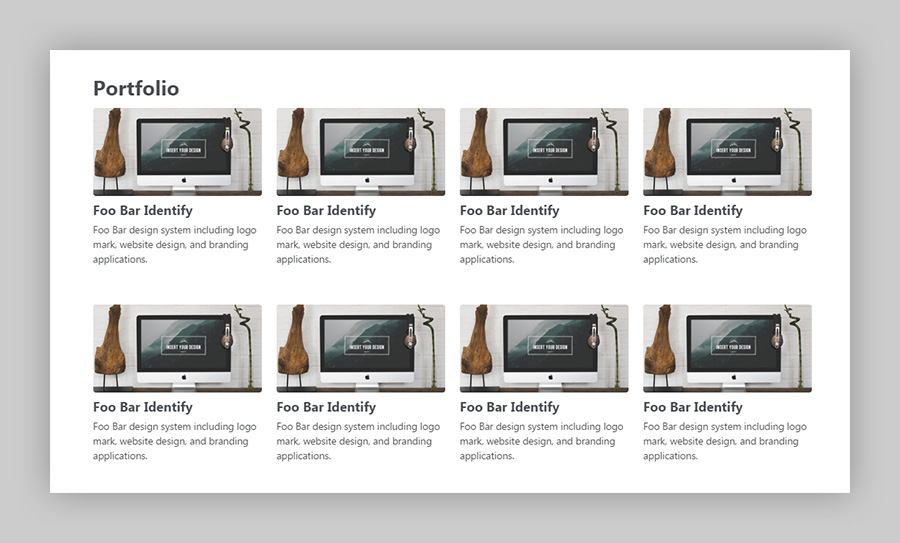"
name: Michael Rose
email: 1ce71bc10b86565464b612093d89707e
url: 'https://mademistakes.com'
hidden: ''
date: '2016-10-27T15:44:19.479Z'
================================================
FILE: src/_data/comments/jekyll-themes/comment-1477660246228.yml
================================================
_parent: /work/jekyll-themes/
replying_to: '3'
message: >-
@Michael Rose Thank you, I have implement the first solution, but the second
solution works too ! I think you would say : Simply change {% raw %}`{% if
post.image.teaser %}{% endif %}`{% endraw %}
name: Frédéric Letellier
email: fda5a0af300f7d6762f26007975d9de6
url: 'http://fredericletellier.com'
hidden: ''
date: '2016-10-28T13:10:45.559Z'
================================================
FILE: src/_data/comments/kramdown-table-html/comment-1486592019781.yml
================================================
_id: d7f60000-ee4b-11e6-b550-7b45ad070525
_parent: /til/kramdown-table-html/
message: >-
I have the opposite challenge ... getting kramdown to process text inside a
`` tag. I would prefer not to drop into html when writing ``.
The solution I've come across is .
This plugin works great, but it is not supported by github pages, so I have to
transfer my whole `_site` to github. Have you come across a kramdown extension
that says "hey kramdown, process me!".
name: Willy McAllister
email: 72f6ffec6e34ab5d69f3811272b5ae97
hidden: ''
date: '2017-02-08T22:13:39.780Z'
================================================
FILE: src/_data/comments/kramdown-table-html/comment-1486649903528.yml
================================================
_id: 9d4beb40-eed2-11e6-b550-7b45ad070525
_parent: /til/kramdown-table-html/
replying_to: '1'
message: "Have you looked at the [`markdownify` filter](https://jekyllrb.com/docs/templates/)? I use it to do something similar to place Markdown text inside of a `figcaption` element.\r\n\r\nThere's several ways to handle this without the need of a plugin. You could do something like this with a Liquid `capture`:\r\n\r\n```liquid\r\n{% capture your_md %}Here is some Markdown you'd like to **capture**.{% endcapture %}\r\n```\r\n\r\nThen inject the captured variable into whatever you want and add the Markdownify filter so Kramdown processes it like so:\r\n\r\n```html\r\n\r\n {{ your_md | markdownify }}\r\n\r\n```\r\n\r\nWhich would give you the following HTML output:\r\n\r\n```html\r\n\r\n
Here is some Markdown you'd like to capture.
\r\n\r\n```\r\n\r\nIf you don't want to bother with all the captures you could build your own [Jekyll include](https://jekyllrb.com/docs/includes/#passing-parameters-to-includes) that you could pass text through as a `parameter` to be Markdownified."
name: Michael Rose
email: 1ce71bc10b86565464b612093d89707e
hidden: ''
date: '2017-02-09T14:18:23.527Z'
================================================
FILE: src/_data/comments/kramdown-table-html/comment-1486666477277.yml
================================================
_id: 33ffac40-eef9-11e6-b550-7b45ad070525
_parent: /til/kramdown-table-html/
replying_to: '1'
message: "Captures work nicely! I added a summary, and removed the spurious `
` tags so the summary lines up with the open icon. \r\n\r\n```html\r\n{% capture summary %}Here is my Markdown *summary*{% endcapture %}\r\n{% capture details %}Here is my Markdown **captured**.{% endcapture %}\r\n\r\n\r\n {{ summary | markdownify | remove: '
' | remove: '
' }}\r\n {{ details | markdownify }}\r\n\r\n```"
name: Willy McAllister
email: 72f6ffec6e34ab5d69f3811272b5ae97
hidden: ''
date: '2017-02-09T18:54:37.276Z'
================================================
FILE: src/_data/comments/minimal-mistakes-jekyll-theme/comment-1374242320000.yml
================================================
---
id: comment-968908628
date: 2013-07-19T13:58:40Z
updated: 2013-07-19T13:58:40Z
_parent: /work/minimal-mistakes-jekyll-theme/
name: Mihai Soloi
url: ''
message: "amazing design man, long time waiting for a theme like this... love it!!!"
================================================
FILE: src/_data/comments/minimal-mistakes-jekyll-theme/comment-1374242363000.yml
================================================
replying_to: '1'
id: comment-968909883
date: 2013-07-19T13:59:23Z
updated: 2013-07-19T13:59:23Z
_parent: /work/minimal-mistakes-jekyll-theme/
name: Michael Rose
url: https://mademistakes.com/
message: "Thanks sir!"
email: 1ce71bc10b86565464b612093d89707e
================================================
FILE: src/_data/comments/minimal-mistakes-jekyll-theme/comment-1376016953000.yml
================================================
id: comment-993903275
date: 2013-08-09T02:55:53Z
updated: 2013-08-09T02:55:53Z
_parent: /work/minimal-mistakes-jekyll-theme/
name: nxbtch
url: ''
message: "fucking beautiful. only exist in my dream!"
avatar: https://disqus.com/api/users/avatars/nxbtch.jpg
================================================
FILE: src/_data/comments/minimal-mistakes-jekyll-theme/comment-1380310527000.yml
================================================
id: comment-1061677465
date: 2013-09-27T19:35:27Z
updated: 2013-09-27T19:35:27Z
_parent: /work/minimal-mistakes-jekyll-theme/
name: Lindsay Kay
url: http://xeolabs.com/
message: "Michael - brilliant work, exactly what I needed. Typography spot on,
clean code, flawless install. Thanks!"
avatar: https://disqus.com/api/users/avatars/lindsaykay.jpg
================================================
FILE: src/_data/comments/minimal-mistakes-jekyll-theme/comment-1380310612000.yml
================================================
replying_to: '3'
id: comment-1061680044
date: 2013-09-27T19:36:52Z
updated: 2013-09-27T19:36:52Z
_parent: /work/minimal-mistakes-jekyll-theme/
name: Michael Rose
url: https://mademistakes.com/
message: "Awesome. Glad it's been useful."
email: 1ce71bc10b86565464b612093d89707e
================================================
FILE: src/_data/comments/minimal-mistakes-jekyll-theme/comment-1382812169000.yml
================================================
replying_to: '3'
id: comment-1097694156
date: 2013-10-26T18:29:29Z
updated: 2013-10-26T18:29:29Z
_parent: /work/minimal-mistakes-jekyll-theme/
name: Lindsay Kay
url: http://xeolabs.com/
message: 'Minimal Mistakes in the wild: http://xeolabs.com'
avatar: https://disqus.com/api/users/avatars/lindsaykay.jpg
================================================
FILE: src/_data/comments/minimal-mistakes-jekyll-theme/comment-1382816973000.yml
================================================
replying_to: '3'
id: comment-1097760204
date: 2013-10-26T19:49:33Z
updated: 2013-10-26T19:49:33Z
_parent: /work/minimal-mistakes-jekyll-theme/
name: Michael Rose
url: https://mademistakes.com/
message: "Sweet! Thanks for sharing."
email: 1ce71bc10b86565464b612093d89707e
================================================
FILE: src/_data/comments/minimal-mistakes-jekyll-theme/comment-1383048145000.yml
================================================
id: comment-1100665316
date: 2013-10-29T12:02:25Z
updated: 2013-10-29T12:02:25Z
_parent: /work/minimal-mistakes-jekyll-theme/
name: taiar, a.
url: http://taiar.com.br/
message: "this theme is awesome. wonderful work!"
avatar: https://disqus.com/api/users/avatars/ataiar.jpg
================================================
FILE: src/_data/comments/minimal-mistakes-jekyll-theme/comment-1384332903000.yml
================================================
id: comment-1120936380
date: 2013-11-13T08:55:03Z
updated: 2013-11-13T08:55:03Z
_parent: /work/minimal-mistakes-jekyll-theme/
name: zjxhz
url: ''
message: "A simple yet beautiful theme, thanks! However, I would like to be able
to customize the style a bit, for example I don't like the indent of a new paragraph
and its close margin to the previous one. So I had to comment out the `\"p+p\"` part
in `main.min.css`. I'm very new to css, actually I had only spent less than a few
hours to learn it today, so it was difficult for me to customize it further, e.g.
to change the font of the posts, without a clear document.\r\n\r\nSo my question
is that is there a document associated with this `main.min.css` file? Or at least
can I find a pretty formatted one(formatting it with some tools led me to some errors)?
I can only guess that it contains something from but they seem very different now, or it a combination
of other css files too?"
avatar: https://disqus.com/api/users/avatars/zjxhz.jpg
================================================
FILE: src/_data/comments/minimal-mistakes-jekyll-theme/comment-1384343739000.yml
================================================
replying_to: '5'
id: comment-1121070288
date: 2013-11-13T11:55:39Z
updated: 2013-11-13T11:55:39Z
_parent: /work/minimal-mistakes-jekyll-theme/
name: Michael Rose
url: https://mademistakes.com/
message: "I've created a few Jekyll themes after this one so forgive me if I jumble
this up. They're all starting to blend together to me now ;-)\r\n\r\nThe typography
in this theme was heavily based off of Typeplate's set of styles. I liked the indents
and no padding around paragraphs because it mimic the typography of most books,
which is a feel I was going for.\r\n\r\n[Typeplate](http://typeplate.com) has since dropped support for LESS, so I removed
it for the most part and incorporated a few mixins as a base to build off of.\r\n\r\nIf
you're new to CSS then there's a lot going on with the theme that I can't easily
explain in a comment. To further complicate it I use LESS to build all of the stylesheets,
which are broken up into smaller chunks and preprocessed to output `main.min.css`.
That's another layer of abstraction that you'd have to get familiar with on top
of learning CSS.\r\n\r\nBut if you take a look at the .less files you'll see they're
much more logical than digging through `main.min.css` which has been optimized for
speed by removing extra spaces and comments. The .less files have more documentation
to help customize. For the most part if you bump around `typography.less`, `page.less`,
and `variables.less` you should be able to do some simple modifications to suit your
taste."
email: 1ce71bc10b86565464b612093d89707e
================================================
FILE: src/_data/comments/minimal-mistakes-jekyll-theme/comment-1384349480000.yml
================================================
replying_to: '5'
id: comment-1121193256
date: 2013-11-13T13:31:20Z
updated: 2013-11-13T13:31:20Z
_parent: /work/minimal-mistakes-jekyll-theme/
name: zjxhz
url: ''
message: "Thanks for the quick reply! It seems to me now more clear and logical
even I'm still confused, but I'm happy already with the paragraph changes I've made
and I'll leave other customizations to future."
avatar: https://disqus.com/api/users/avatars/zjxhz.jpg
================================================
FILE: src/_data/comments/minimal-mistakes-jekyll-theme/comment-1412440284000.yml
================================================
id: comment-1619564868
date: 2014-10-04T16:31:24Z
updated: 2014-10-04T16:31:24Z
_parent: /work/minimal-mistakes-jekyll-theme/
name: Luca
url: http://lucablog.it
message: "This is a beautiful theme!! One question, if possible.\r\n\r\nI want to
change the home page , so that it contains the list of posts instead of recent posts
(like your theme \"hpstr\")\r\n\r\nIs it possible? If yes, how?\r\n\r\nThank you very
much."
avatar: https://disqus.com/api/users/avatars/disqus_qtQpBfAMF0.jpg
================================================
FILE: src/_data/comments/minimal-mistakes-jekyll-theme/comment-1412448545000.yml
================================================
replying_to: '6'
id: comment-1619754090
date: 2014-10-04T18:49:05Z
updated: 2014-10-04T18:49:05Z
_parent: /work/minimal-mistakes-jekyll-theme/
name: Michael Rose
url: https://mademistakes.com/
message: "Anything is possible. You'll have to modify `index.html` to pull in full
posts instead of just the title and excerpt.\r\n\r\nIf you look at HPSTR you should
be able to get some inspiration and modify the [homepage code](https://github.com/mmistakes/hpstr-jekyll-theme/blob/master/index.html) and apply it to the
Minimal Mistakes theme."
email: 1ce71bc10b86565464b612093d89707e
================================================
FILE: src/_data/comments/minimal-mistakes-jekyll-theme/comment-1412858111000.yml
================================================
id: comment-1626912450
date: 2014-10-09T12:35:11Z
updated: 2014-10-09T12:35:11Z
_parent: /work/minimal-mistakes-jekyll-theme/
name: Jordi Pont-Tuset
url: http://jponttuset.github.io/
message: "Thanks a lot for this theme, I love it!\r\n\r\nYou can check [my version here](http://jponttuset.github.io) :)"
avatar: https://disqus.com/api/users/avatars/jponttuset.jpg
================================================
FILE: src/_data/comments/minimal-mistakes-jekyll-theme/comment-1413708833000.yml
================================================
id: comment-1643151037
date: 2014-10-19T08:53:53Z
updated: 2014-10-19T08:53:53Z
_parent: /work/minimal-mistakes-jekyll-theme/
name: raathigesh
url: 'http://raathigesh.com/'
message: "Beautiful Theme. Love it :)"
avatar: https://disqus.com/api/users/avatars/raathigesh.jpg
================================================
FILE: src/_data/comments/minimal-mistakes-jekyll-theme/comment-1413994614000.yml
================================================
replying_to: '8'
id: comment-1648340641
date: 2014-10-22T16:16:54Z
updated: 2014-10-22T16:16:54Z
_parent: /work/minimal-mistakes-jekyll-theme/
name: Michael Rose
url: https://mademistakes.com/
message: "Looking good!"
email: 1ce71bc10b86565464b612093d89707e
================================================
FILE: src/_data/comments/minimal-mistakes-jekyll-theme/comment-1414713040000.yml
================================================
id: comment-1662243662
date: 2014-10-30T23:50:40Z
updated: 2014-10-30T23:50:40Z
_parent: /work/minimal-mistakes-jekyll-theme/
name: Clayton Burlison
url: https://clburlison.com/
message: "You have a bad link on this page. Under the \"Usage\" header, the \"read
up here\" should now link to ."
avatar: https://disqus.com/api/users/avatars/clburlison.jpg
================================================
FILE: src/_data/comments/minimal-mistakes-jekyll-theme/comment-1414763591000.yml
================================================
replying_to: '9'
id: comment-1663038741
date: 2014-10-31T13:53:11Z
updated: 2014-10-31T13:53:11Z
_parent: /work/minimal-mistakes-jekyll-theme/
name: Michael Rose
url: https://mademistakes.com/
message: "Eagle eyes. That's for the bad link catch."
email: 1ce71bc10b86565464b612093d89707e
================================================
FILE: src/_data/comments/minimal-mistakes-jekyll-theme/comment-1418667408000.yml
================================================
id: comment-1743554074
date: 2014-12-15T18:16:48Z
updated: 2014-12-15T18:16:48Z
_parent: /work/minimal-mistakes-jekyll-theme/
name: chippyash
url: http://the-matrix.github.io/
message: "Thank you Michael - just started with it (and Jekyll.) Made setting up
my Github page very easy and quick."
avatar: https://disqus.com/api/users/avatars/disqus_maZQ0V355P.jpg
================================================
FILE: src/_data/comments/minimal-mistakes-jekyll-theme/comment-1418916531000.yml
================================================
id: comment-1748621898
date: 2014-12-18T15:28:51Z
updated: 2014-12-18T15:28:51Z
_parent: /work/minimal-mistakes-jekyll-theme/
name: Luca
url: http://lucablog.it
message: "Thanks for the advice! This is my first work with \"minimal mistakes\" theme
(v. 0.1 beta ;))."
avatar: https://disqus.com/api/users/avatars/disqus_qtQpBfAMF0.jpg
================================================
FILE: src/_data/comments/minimal-mistakes-jekyll-theme/comment-1421030768000.yml
================================================
id: comment-1787843988
date: 2015-01-12T02:46:08Z
updated: 2015-01-12T02:46:08Z
_parent: /work/minimal-mistakes-jekyll-theme/
name: Brian Moseley
url: ''
message: "Is it possible to create a dropdown \"submenu\" with this theme through
the data file and some alterations to `navigation.html`?"
avatar: https://disqus.com/api/users/avatars/disqus_Kr3WZABtYx.jpg
================================================
FILE: src/_data/comments/minimal-mistakes-jekyll-theme/comment-1421031174000.yml
================================================
replying_to: '12'
id: comment-1787850784
date: 2015-01-12T02:52:54Z
updated: 2015-01-12T02:52:54Z
_parent: /work/minimal-mistakes-jekyll-theme/
name: Michael Rose
url: https://mademistakes.com/
message: "It is possible if your CSS skills are strong. It's tricky to do
multi-leveled navigation with Jekyll but it can be done. I couldn't think of a one-size
fits all solution to cover every use-case so I purposely kept things simple.
You can certainly hack something together that would meet your specific needs.\r\n\r\nYou'll likely have to hard code some of the navigation lists rather than relying on data
files for all of the menus. Unless you want to string together some crazy Liquid
spaghetti code to do it.\r\n\r\nI'd Google around for some ideas. I know I've seen
a blog post or two with ways of dealing with tiered and dynamic navigations in Jekyll."
email: 1ce71bc10b86565464b612093d89707e
================================================
FILE: src/_data/comments/mix/comment-1412753804000.yml
================================================
id: comment-1624803068
date: 2014-10-08T07:36:44Z
updated: 2014-10-08T07:36:44Z
_parent: /mastering-paper/mix/
name: Aditya
url: ''
message: "Followed you using the web profile. Look forward to better learning your
clever methods!\r\n\r\nI'm not sure what the Search bar atop Mix is meant to be for.
I can't seem to be able to search for any person's name. Ideally one should even
be able to search also for things or tags.\r\n\r\nPerhaps being a new inductee into
the cult, 53 won't allow me to look people up, until I've proven my worth."
================================================
FILE: src/_data/comments/mix/comment-1492205887363.yml
================================================
_id: a59f6730-215a-11e7-9019-797640daeab0
_parent: /mastering-paper/mix/
message: "I am not going anywhere once I get on the Mix site. I can't get anything but public stream and the sites suggested to follow by Mix..no forums and none of the tutorials or things you mention above. On my iPad all the folders are different and all are private. I don't know how to make them public. Could you do a tutorial that goes into the actual step by step procedures? \r\nThe two links above that say \"Using...\" go to \"Oops!\" pages\r\nI tried the 53 support forum but got into another dead end.\r\nThanks."
name: Lynn Mason
email: 36706b1d526ff840e9cfa9bbfb26c818
url: 'https://www.instagram.com/lynn.mason/?hl=en'
replying_to: ''
hidden: ''
date: '2017-04-14T21:38:07.361Z'
================================================
FILE: src/_data/comments/mix/comment-1492213260760.yml
================================================
_id: d0823160-216b-11e7-9019-797640daeab0
_parent: /mastering-paper/mix/
message: "I haven't used Mix in years and it looks like things might have changed some since I first wrote this up.\r\n\r\nThere are no forums on the Mix/Paper site. It's just a place to share ideas and collaborate by remixing them. To find \"tutorials\" you'll have to follow people who share them. \r\n\r\nSince I'm not really involved with the community much these days not really sure where to start but following 53 on [Twitter](https://twitter.com/fiftythree) and [Facebook](https://www.facebook.com/fiftythree) would be good options. They often feature creators, and I know I've seen various tutorials and such in their feeds. They also do artist takeovers on their [Instagram page](https://www.instagram.com/fiftythree/) if that's more of your thing.\r\n\r\nThe forums I mentioned are the [FiftyThree support](https://support.fiftythree.com/hc/en-us) ones... which looks like they changed too... that's why some of the links were broken.\r\n\r\nI've updated the ones at the end to remedy that. Hope this helps."
name: Michael Rose
email: 1ce71bc10b86565464b612093d89707e
url: 'https://mademistakes.com'
replying_to: '2'
hidden: ''
date: '2017-04-14T23:41:00.758Z'
================================================
FILE: src/_data/comments/mix/comment-1504542666081.yml
================================================
_id: 72d896b0-918e-11e7-acc3-59682e045002
_parent: /mastering-paper/mix/
message: >-
Hello, I've used P53 for a long time now, however I stopped for a bit, and now
it seems that the Mix is gone! I talked with some of my friends from the Mix,
but no one knows what happened, they too had stopped using it. Do you have an
idea as to what has happened? I am thoroughly baffled.
name: PeaceCrane13
email: c86b7d7624fc9334112739daa0d9ec3d
url: ''
replying_to: ''
hidden: ''
date: '2017-09-04T16:31:06.079Z'
================================================
FILE: src/_data/comments/mix/comment-1504543993669.yml
================================================
_id: 8a181910-9191-11e7-acc3-59682e045002
_parent: /mastering-paper/mix/
message: "End of June FiftyThree sent out an email saying they were shutting down the Public Stream/Mix on August 15th due to low usage.\r\n\r\n> **Shutting down the Public Stream / Mix**\r\n>\r\n> The Public Stream feature of Paper will shut down on August 15th. Three years ago, we launched the Public Stream (previously known as Mix) as a place for users to share and remix Paper creations. It was born out of idealism and curiosity, a wish to open up creativity and share Paper creations around the globe. While sharing sparked tremendous creativity, a relatively small number of Paper creators continue to use the Public Stream today. Many creators find a larger, more engaged audience by sharing publicly on [Instagram](https://www.instagram.com/explore/tags/madewithpaper/), [Twitter](https://twitter.com/search?f=tweets&vertical=default&q=%23madewithpaper&src=typd), [Tumblr](https://www.tumblr.com/tagged/madewithpaper) and elsewhere. Since the social web has proven to be better place to share your work with the world, we have decided to shut down the Public Stream and focus on the core Paper experience.\r\n>\r\n> Be sure to save ideas posted only to the Public Stream before August 15th if you want to keep them. Ideas in Paper grids other than the Public Stream will remain on your device.\r\n>\r\n> Starting today, we encourage you to share your Paper creations on your preferred social network using the #MadeWithPaper hashtag. We will be launching a website soon that showcases Paper creations from popular social networks.\r\n>\r\n> Shutting down the Public Stream will allow us to iterate faster on Paper and introduce many exciting new features. A major update is planned for Paper later this year that includes the return of Paper journals and other features. Stay tuned for details in the coming months.\r\n>\r\n> We want to thank everyone who shared their creativity on Mix. In many ways, seeing your ideas has made us even stronger believers in our cause, to make creativity more accessible.\r\n>\r\n> We hope to see you online.\r\n>\r\n> Georg Petschnigg\r\nCo-Founder and CEO, FiftyThree\r\n\r\n[](https://mademistakes.com/assets/images/mix-shutdown-email.png)"
name: Michael Rose
email: 1ce71bc10b86565464b612093d89707e
url: 'https://mademistakes.com'
replying_to: ''
hidden: ''
date: '2017-09-04T16:53:13.667Z'
================================================
FILE: src/_data/comments/moleskine-book/comment-1384271634000.yml
================================================
id: comment-1119728380
date: 2013-11-12T15:53:54Z
updated: 2013-11-12T15:53:54Z
_parent: /mastering-paper/moleskine-book/
name: CarminaSimdesigner
url: ''
message: "Hey Michael, this is a fantastic example of how awesome creating a Book
with Paper is and also how your amazing artistic skills are. Thank you for sharing
your process in such a beautifully crafted blog page. I appreciate every detail."
avatar: https://disqus.com/api/users/avatars/carminasimdesigner.jpg
================================================
FILE: src/_data/comments/moleskine-book/comment-1384374095000.yml
================================================
replying_to: '1'
id: comment-1121844898
date: 2013-11-13T20:21:35Z
updated: 2013-11-13T20:21:35Z
_parent: /mastering-paper/moleskine-book/
name: Michael Rose
url: https://mademistakes.com/
message: "Thanks for the encouraging words and for reading. I appreciate it!"
email: 1ce71bc10b86565464b612093d89707e
================================================
FILE: src/_data/comments/moleskine-book/comment-1384716886000.yml
================================================
id: comment-1127183766
date: 2013-11-17T19:34:46Z
updated: 2013-11-17T19:34:46Z
_parent: /mastering-paper/moleskine-book/
name: GiaK@StonedSoulUrban
url: ''
message: "This is beautiful. Wish the app was available for androids. I would love
to be able to sketch my own lookbooks for jewelry design, and have them printed
immediately, without having to go to a printing place. :("
avatar: https://disqus.com/api/users/avatars/giakstonedsoulurban.jpg
================================================
FILE: src/_data/comments/moleskine-book/comment-1389535857000.yml
================================================
id: comment-1197201101
date: 2014-01-12T14:10:57Z
updated: 2014-01-12T14:10:57Z
_parent: /mastering-paper/moleskine-book/
name: Peter Bryenton
url:
message: "I read a lot of user guides and watch some videos. Your skills as a graphic
designer and your experience as a digital artist really shine through this series.
I am looking forward to seeing the rest of this series as it 'unfolds' (your pun
I believe)."
avatar: https://disqus.com/api/users/avatars/Peter_Bryenton.jpg
================================================
FILE: src/_data/comments/moleskine-book/comment-1389540070000.yml
================================================
replying_to: '3'
id: comment-1197252147
date: 2014-01-12T15:21:10Z
updated: 2014-01-12T15:21:10Z
_parent: /mastering-paper/moleskine-book/
name: Michael Rose
url: https://mademistakes.com/
message: "I'm still new to guide writing and reviews, so I'm glad to hear they're
coming off well. Thanks for reading, I appreciate it."
email: 1ce71bc10b86565464b612093d89707e
================================================
FILE: src/_data/comments/moleskine-book/comment-1396289276000.yml
================================================
id: comment-1312106206
date: 2014-03-31T18:07:56Z
updated: 2014-03-31T18:07:56Z
_parent: /mastering-paper/moleskine-book/
name: Adrian
url: ''
message: "Brilliant and thorough article. Many thanks for this. I was wondering,
do you know if image quality if Paper is enough to send off to be printed on T-shirts
or CD covers? (Or does one have to go through this custom print process in order
to see images of decent quality happen outside of the digital world?)"
================================================
FILE: src/_data/comments/moleskine-book/comment-1396300941000.yml
================================================
replying_to: '4'
id: comment-1312366673
date: 2014-03-31T21:22:21Z
updated: 2014-03-31T21:22:21Z
_parent: /mastering-paper/moleskine-book/
name: Michael Rose
url: https://mademistakes.com/
message: "Thanks. You should be fairly safe printing outside of Paper's \"book\" feature.
I've printed 8x10\" images just fine and I know others have blown them up 18x24 as
canvas prints. There will probably be some artifacts and noise when you enlarge
past 8x10, but depending on the drawing it might look just fine.\r\n\r\nIf you have
an iPad with retina screen, images output to your camera roll at 2048×1536 pixels.
On an iPad mini it's half that."
email: 1ce71bc10b86565464b612093d89707e
================================================
FILE: src/_data/comments/moleskine-book/comment-1407656447000.yml
================================================
id: comment-1535815316
date: 2014-08-10T07:40:47Z
updated: 2014-08-10T07:40:47Z
_parent: /mastering-paper/moleskine-book/
name: David
url: ''
message: "Hi there. Can the books be ordered from outside the US?"
================================================
FILE: src/_data/comments/moleskine-book/comment-1407693910000.yml
================================================
replying_to: '5'
id: comment-1536326395
date: 2014-08-10T18:05:10Z
updated: 2014-08-10T18:05:10Z
_parent: /mastering-paper/moleskine-book/
name: Michael Rose
url: https://mademistakes.com/
message: "As far as I know yes they can be ordered and shipped internationally.
Don't know if every country is supported but a good majority of them are."
email: 1ce71bc10b86565464b612093d89707e
================================================
FILE: src/_data/comments/moleskine-book/comment-1409500178000.yml
================================================
id: comment-1567513567
date: 2014-08-31T15:49:38Z
updated: 2014-08-31T15:49:38Z
_parent: /mastering-paper/moleskine-book/
name: Tote
url: ''
message: "Hello!\r\n\r\nI am thinking on get a paper book as gift to my boyfriend.
If you leave blank pages can you write on them later with a pen, for example or
is photographic paper?\r\n\r\nThank you!"
================================================
FILE: src/_data/comments/moleskine-book/comment-1409500579000.yml
================================================
replying_to: '6'
id: comment-1567520668
date: 2014-08-31T15:56:19Z
updated: 2014-08-31T15:56:19Z
_parent: /mastering-paper/moleskine-book/
name: Michael Rose
url: https://mademistakes.com/
message: "You can write on the blank pages. They aren't glossy and have a matte
finish like a normal piece of paper so they should hold ink just fine."
email: 1ce71bc10b86565464b612093d89707e
================================================
FILE: src/_data/comments/moleskine-book/comment-1409501319000.yml
================================================
replying_to: '6'
id: comment-1567533759
date: 2014-08-31T16:08:39Z
updated: 2014-08-31T16:08:39Z
_parent: /mastering-paper/moleskine-book/
name: Tote
url: ''
message: "Thank you very much from Granada, Spain."
================================================
FILE: src/_data/comments/moleskine-book/comment-1414348570000.yml
================================================
id: comment-1654742438
date: 2014-10-26T18:36:10Z
updated: 2014-10-26T18:36:10Z
_parent: /mastering-paper/moleskine-book/
name: Xavier
url: ''
message: "Thank you Michael! Xavier, From Spain"
================================================
FILE: src/_data/comments/moleskine-book/comment-1416273233000.yml
================================================
id: comment-1698388324
date: 2014-11-18T01:13:53Z
updated: 2014-11-18T01:13:53Z
_parent: /mastering-paper/moleskine-book/
name: Gary Birtles
url: ''
message: "There is some great are on here. I love the color choices and the style
overall. I'd love to have something like this. I really enjoyed looking at your
work."
avatar: https://disqus.com/api/users/avatars/garybirtles.jpg
================================================
FILE: src/_data/comments/moleskine-book/comment-1419841481000.yml
================================================
id: comment-1762745141
date: 2014-12-29T08:24:41Z
updated: 2014-12-29T08:24:41Z
_parent: /mastering-paper/moleskine-book/
name: Jean Newman
url: ''
message: "I am an ancient person familiar with file and image saving in MS Office
and Photoshop. Can I save Paper images in the same way or send them to my camera
roll? Thanks."
avatar: https://disqus.com/api/users/avatars/jeannewman.jpg
================================================
FILE: src/_data/comments/moleskine-book/comment-1419875526000.yml
================================================
replying_to: '9'
id: comment-1763323579
date: 2014-12-29T17:52:06Z
updated: 2014-12-29T17:52:06Z
_parent: /mastering-paper/moleskine-book/
name: Michael Rose
url: https://mademistakes.com/
message: "Yes you can save your Paper pages to the Camera Roll. You have to pinch
the page you want to export so it zooms out some. Then 3 buttons should appear below
it, the middle one with the Share icon is what you want. Tap that and swipe over
to the right one screen to reveal the \"Save to Camera Roll\" button."
email: 1ce71bc10b86565464b612093d89707e
================================================
FILE: src/_data/comments/moving-the-loupe/comment-1409692467000.yml
================================================
---
id: comment-1570995903
date: 2014-09-02T21:14:27Z
updated: 2014-09-02T21:14:27Z
_parent: /mastering-paper/moving-the-loupe/
name: sebohannon
url: ''
message: "Thank you for being here for us Michael. I'm only nine days into Paper
and you've been invaluable to me. You're an angel. Sarah B."
================================================
FILE: src/_data/comments/moving-the-loupe/comment-1409709008000.yml
================================================
replying_to: '1'
id: comment-1571313456
date: 2014-09-03T01:50:08Z
updated: 2014-09-03T01:50:08Z
_parent: /mastering-paper/moving-the-loupe/
name: Michael Rose
url: https://mademistakes.com/
message: ":smile:"
email: 1ce71bc10b86565464b612093d89707e
================================================
FILE: src/_data/comments/moving-the-loupe/comment-1411765932000.yml
================================================
id: comment-1607533470
date: 2014-09-26T21:12:12Z
updated: 2014-09-26T21:12:12Z
_parent: /mastering-paper/moving-the-loupe/
name: Nick Bova
url: ''
message: "By any chance do you have a YouTube with step by step tutorials?"
================================================
FILE: src/_data/comments/moving-the-loupe/comment-1411775661000.yml
================================================
replying_to: '2'
id: comment-1607725055
date: 2014-09-26T23:54:21Z
updated: 2014-09-26T23:54:21Z
_parent: /mastering-paper/moving-the-loupe/
name: Michael Rose
url: https://mademistakes.com/
message: "I have a bunch of [Paper videos on YouTube](http://youtube.com/user/anotherjpeg), but they're not traditional
step by step tutorials. More of time lapse videos of me drawing from start to finish."
email: 1ce71bc10b86565464b612093d89707e
================================================
FILE: src/_data/comments/moving-the-loupe/comment-1411776807000.yml
================================================
replying_to: '2'
id: comment-1607742396
date: 2014-09-27T00:13:27Z
updated: 2014-09-27T00:13:27Z
_parent: /mastering-paper/moving-the-loupe/
name: Nick Bova
url: ''
message: "That's perfect I can still learn from time lapse videos! Thanks for all
of these tutorials they are really helping me as starting on my artistic career!"
avatar: https://disqus.com/api/users/avatars/nickbova.jpg
================================================
FILE: src/_data/comments/moving-the-loupe/comment-1444333805000.yml
================================================
id: comment-2297132275
date: 2015-10-08T19:50:05Z
updated: 2015-10-08T19:50:05Z
_parent: /mastering-paper/moving-the-loupe/
name: Zoe
url: ''
message: "I recently started using paper app and can not figure out a way to bring
out the zoom loupe, when I pinch to zoom, all it does is to zoom normally as apple
images does. Please some one help me?"
================================================
FILE: src/_data/comments/moving-the-loupe/comment-1444333880000.yml
================================================
replying_to: '3'
id: comment-2297134488
date: 2015-10-08T19:51:20Z
updated: 2015-10-08T19:51:20Z
_parent: /mastering-paper/moving-the-loupe/
name: Michael Rose
url: https://mademistakes.com/
message: "FiftyThree removed the zoom loupe in version 3.0. Pinching now zooms
the entire canvas."
email: 1ce71bc10b86565464b612093d89707e
================================================
FILE: src/_data/comments/moving-the-loupe/comment-1444369942000.yml
================================================
replying_to: '3'
id: comment-2297828430
date: 2015-10-09T05:52:22Z
updated: 2015-10-09T05:52:22Z
_parent: /mastering-paper/moving-the-loupe/
name: Zoe
url: ''
message: "Thank you, I was straggling to make it happen all day.\r\n\r\nYour posts
are very helpful, Thank you, and good luck with everything!"
================================================
FILE: src/_data/comments/paper-2-0/comment-1412001283000.yml
================================================
id: comment-1610928891
date: 2014-09-29T14:34:43Z
updated: 2014-09-29T14:34:43Z
_parent: /mastering-paper/paper-2-0/
name: Edwin van den Bogert
url: ''
message: "Thanks for this article Michael ! ps. the Bamboo stylus not only draws
instead of blending, sometimes it also starts acting as the eraser. I tried both
the soft nib and the hard nib (ACK20501 and ACK20601) and both have these problems."
avatar: https://disqus.com/api/users/avatars/edwinvandenbogert.jpg
================================================
FILE: src/_data/comments/paper-2-0/comment-1412001496000.yml
================================================
replying_to: '1'
id: comment-1610933422
date: 2014-09-29T14:38:16Z
updated: 2014-09-29T14:38:16Z
_parent: /mastering-paper/paper-2-0/
name: Michael Rose
url: https://mademistakes.com/
message: "I noticed a similar thing with some styli erasing when Pencil is connected.
I couldn't reproduce it 100% of the time but it does happen. At one point I had
Blend turned off and my finger started erasing stuff. That was partially my fault
because my other hand was pressing down the Eraser end of Pencil while my finger
slide across the screen, but I did have it happen a few times when I wasn't holding
Pencil."
email: 1ce71bc10b86565464b612093d89707e
================================================
FILE: src/_data/comments/paper-2-0/comment-1414194263000.yml
================================================
---
id: comment-1652452391
date: 2014-10-24T23:44:23Z
updated: 2014-10-24T23:44:23Z
_parent: /mastering-paper/paper-2-0/
name: CeliaMaria Lana-daCosta Zannon
url: ''
message: "Idem ibidem!..."
avatar: https://disqus.com/api/users/avatars/celiamarialanadacostazannon.jpg
================================================
FILE: src/_data/comments/paper-2-0/comment-1414194627000.yml
================================================
---
id: comment-1652458137
date: 2014-10-24T23:50:27Z
updated: 2014-10-24T23:50:27Z
_parent: /mastering-paper/paper-2-0/
name: CeliaMaria Lana-daCosta Zannon
url: ''
message: "Thank you for another enlightening article, Michael! It is a relief knowing
these are not problems due to my naive lack of skills... In fact when I noticed
my Bamboo and Targus Styluses were drawing instead of blending I experienced sorrow
for a while ... Then I thought it was not such a terrible thing to happen. 'Cause
I could save my Pencil tip from wearing out when painting over larger areas... Anyway
I hope bug corrections will come soon..."
avatar: https://disqus.com/api/users/avatars/celiamarialanadacostazannon.jpg
================================================
FILE: src/_data/comments/paper-2-0/comment-1414195676000.yml
================================================
replying_to: '3'
id: comment-1652474485
date: 2014-10-25T00:07:56Z
updated: 2014-10-25T00:07:56Z
_parent: /mastering-paper/paper-2-0/
name: Michael Rose
url: https://mademistakes.com/
message: "From my quick tests most of these bugs were fixed in the 2.0.1 update."
email: 1ce71bc10b86565464b612093d89707e
================================================
FILE: src/_data/comments/paper-2-0/comment-1414200349000.yml
================================================
replying_to: '3'
id: comment-1652629208
date: 2014-10-25T01:25:49Z
updated: 2014-10-25T01:25:49Z
_parent: /mastering-paper/paper-2-0/
name: CeliaMaria Lana-daCosta Zannon
url: ''
message: "Nope! I have the last 2.0.2 update... experienced erasing just today...
and I did not inadvertently touched erase tool!... And still can draw with my Bamboo
with Pencil connected!..."
avatar: https://disqus.com/api/users/avatars/celiamarialanadacostazannon.jpg
================================================
FILE: src/_data/comments/paper-2-0/comment-1414201059000.yml
================================================
replying_to: '3'
id: comment-1652640199
date: 2014-10-25T01:37:39Z
updated: 2014-10-25T01:37:39Z
_parent: /mastering-paper/paper-2-0/
name: Michael Rose
url: https://mademistakes.com/
message: "Maybe I'm not noticing the bugs as much because I'm using the new iPad
Air 2 that has some changes with touch.\r\n\r\nTo be honest none of these bugs have
really plagued me. I have to go out of my way to reproduce them. Could be my particular
way of drawing and using the tools doesn't trigger them as much. The Bamboo bug
in particular doesn't bother me since I blend with my finger as the tool was intended."
email: 1ce71bc10b86565464b612093d89707e
================================================
FILE: src/_data/comments/paper-2-0/comment-1414208123000.yml
================================================
replying_to: '3'
id: comment-1652738175
date: 2014-10-25T03:35:23Z
updated: 2014-10-25T03:35:23Z
_parent: /mastering-paper/paper-2-0/
name: CeliaMaria Lana-daCosta Zannon
url: ''
message: "Thanks for taking your time replying."
avatar: https://disqus.com/api/users/avatars/celiamarialanadacostazannon.jpg
================================================
FILE: src/_data/comments/paper-2-0/comment-1418870081000.yml
================================================
---
id: comment-1747802928
date: 2014-12-18T02:34:41Z
updated: 2014-12-18T02:34:41Z
_parent: /mastering-paper/paper-2-0/
name: Flapjack McWafflebacon
url: ''
message: "Thanks for the thorough article on these bugs! I'm glad to see I'm not
the only one. I posted on 53's support threads about the update killing my ability
to use a Bamboo stylus to blend. Their response indicated that they were unaware
of this but that they would pass it on to the engineers. I hope they take care of
it because I really can't go back to blending with my finger. Has anyone else mentioned
it to 53 and/or heard anything else about plans to fix it?"
================================================
FILE: src/_data/comments/paper-2-0/comment-1418870541000.yml
================================================
replying_to: '4'
id: comment-1747810444
date: 2014-12-18T02:42:21Z
updated: 2014-12-18T02:42:21Z
_parent: /mastering-paper/paper-2-0/
name: Michael Rose
url: https://mademistakes.com/
message: "I've seen a few bring it up that the Bamboo doesn't let you blend anymore.
Since it has been a few months since then with no change my guess is it's not a
high priority.\r\n\r\nMy only suggestion is to try a different stylus that has a
thicker nub if blending with your finger isn't an option. I only use my finger so
I can't really say if it's gotten better with recent updates or not. I tend to use
all of the tools as they were designed rather than fighting with the app."
email: 1ce71bc10b86565464b612093d89707e
================================================
FILE: src/_data/comments/paper-3-features/comment-1442496381000.yml
================================================
id: comment-2258464233
date: 2015-09-17T13:26:21Z
updated: 2015-09-17T13:26:21Z
_parent: /mastering-paper/paper-3-features/
name: Nancy
url: ''
message: "Thank you for this review! Usually, I just pick up the new features as
I stumble across them and then play with how I might use them. I found your MASTERING
PAPER series last year and became an avid (silent) fan...* : )"
================================================
FILE: src/_data/comments/paper-3-features/comment-1444847315000.yml
================================================
id: comment-2307350853
date: 2015-10-14T18:28:35Z
updated: 2015-10-14T18:28:35Z
_parent: /mastering-paper/paper-3-features/
name: Sophie Lynn
url: ''
message: "Wow! This review is amazing! Looks like I haven't got the best of it
out yet~"
avatar: https://disqus.com/api/users/avatars/disqus_rBWEjYNPHD.jpg
================================================
FILE: src/_data/comments/paper-3-features/comment-1451637735000.yml
================================================
id: comment-2434559460
date: 2016-01-01T08:42:15Z
updated: 2016-01-01T08:42:15Z
_parent: /mastering-paper/paper-3-features/
name: Sel Orm
url: ''
message: "I owe you a debt of gratitude for this blog, but I'll come right out
and say that this sounds like sponsored PR hogwash to me. When I got my fifty three
pencil I decided to learn how to draw all over again more naturally (without layers).
I'd had paper before the pencil, I'd used it before and it was great, but pairing
Paper with pencil took the experience to a whole new level. Making strokes with
the tip, flipping it over to erase, blending and even using palm grip (I'd never
used palm grip in my life. Not even with real pencils) and then there was the time
you could export and get your journal printed. How awesome was that? Say what you
will about the journals, they are most impressive (And really? You'd draw in the
same journal for a year?) Paper didn't feel like an app. It felt like...Paper. Real
paper. Now all that is gone, and it's been replaced by this...ordinary note taking
app which is fine (because I found a backed up older version and reinstalled it).
My point I do not believe there's an artist alive who experienced the magic of paper
and is excited by features that existed in MS paint. The new features are more geared
towards note taking than artistic expression - spotlight, annotation etc... Paper
is not paper anymore. It's just another soulless app. A big big shame."
avatar: https://disqus.com/api/users/avatars/sel_orm.jpg
================================================
FILE: src/_data/comments/paper-3-features/comment-1451669973000.yml
================================================
replying_to: '3'
id: comment-2434912960
date: 2016-01-01T17:39:33Z
updated: 2016-01-01T17:39:33Z
_parent: /mastering-paper/paper-3-features/
name: Michael Rose
url: https://mademistakes.com/
message: "Agree about all the note taking features added, I use none of them and
prefer more powerful apps like Evernote for that sort of thing.\r\n\r\nThe journal
UI switch is a matter of preference I think. I don't disagree that Paper had some
growing pains when 3.0 launched, but most of those have been addressed in recent
updates. I personally like to organize my thousands of sketches into a few journals
vs. hundreds of smaller journals. I accept that I'm not the norm since I seriously
doubt the average Paper user has as many sketches as I have. Being able to scroll
throw a grid view to find something is way more usable then the old tedious way
of flipping page by page if you ask me. And even if I broke a journal of 100+ pages
into several smaller ones you now have the added problem of remembering what journal
you stuck a sketch in.\r\n\r\nAnd that's not even addressing the problems with the
old journals and how they'd often accidentally flip to a new page when drawing near the canvas' edge. Sure the Moleskine look is gone but if you ask me that
was a necessary change to make the app usable on both iPad and iPhone.\r\n\r\nAt
the end of the day I care most about how the actual pens, pencil, and watercolor
tools function. None of that was messed with. Everything else is either icing
on the cake or a distraction depending on your perspective. If you don't like the
social stuff don't use it, note taking and picture import... don't use it.\r\n\r\nI get
why people are upset with the core stuff being changed or removed, but the addition of new tools
and features? Not a big deal if you ask me.\r\n\r\nThats a bummer on the Book printing feature being killed.
I wrongly assumed it was still available since there's an option to \"Print Book\"
when in journal view, but it just goes to a currently unavailable page. Not sure if that's permanent or what."
email: 1ce71bc10b86565464b612093d89707e
================================================
FILE: src/_data/comments/paperfaces-ipad-portrait-project/comment-1397086226000.yml
================================================
id: comment-1327655813
date: 2014-04-09T23:30:26Z
updated: 2014-04-09T23:30:26Z
_parent: /articles/paperfaces-ipad-portrait-project/
name: designrock
url: ''
message: "Thanks for recommending the app. Love it."
avatar: https://disqus.com/api/users/avatars/designrock.jpg
================================================
FILE: src/_data/comments/paperfaces-ipad-portrait-project/comment-1409086872000.yml
================================================
id: comment-1560642013
date: 2014-08-26T21:01:12Z
updated: 2014-08-26T21:01:12Z
_parent: /articles/paperfaces-ipad-portrait-project/
name: Kevin Bradberry
url:
message: "iPad art fan, here. I love how you've mixed free time creativity, generosity,
and income stream. Very cool. I think I'll share this article on my blog."
avatar: https://disqus.com/api/users/avatars/kevinbradberry.jpg
================================================
FILE: src/_data/comments/paperfaces-ipad-portrait-project/comment-1409101674000.yml
================================================
replying_to: '2'
id: comment-1560982980
date: 2014-08-27T01:07:54Z
updated: 2014-08-27T01:07:54Z
_parent: /articles/paperfaces-ipad-portrait-project/
name: Michael Rose
url: https://mademistakes.com/
message: "Thanks Kevin. Appreciate the kind words and potential share on your blog."
email: 1ce71bc10b86565464b612093d89707e
================================================
FILE: src/_data/comments/paperfaces-ipad-portrait-project/comment-1409744303000.yml
================================================
replying_to: '2'
id: comment-1571741422
date: 2014-09-03T11:38:23Z
updated: 2014-09-03T11:38:23Z
_parent: /articles/paperfaces-ipad-portrait-project/
name: Kevin Bradberry
url:
message: "Posted it a few days ago. My blog is young, so take this with a grain
of salt, but it became my second most popular post http://kevinbradberry.net/2014/08/27/ipad-artist-michael-rose/. The credit is all yours.\r\n\r\n"
avatar: https://disqus.com/api/users/avatars/kevinbradberry.jpg
================================================
FILE: src/_data/comments/pencil/comment-1436507171000.yml
================================================
id: comment-2127954974
date: 2015-07-10T05:46:11Z
updated: 2015-07-10T05:46:11Z
_parent: /mastering-paper/pencil/
name: Ramma Mak
url: https://www.ramma.net/
message: "Awesome! Very helpful, thanks!"
avatar: https://disqus.com/api/users/avatars/RammaMak.jpg
================================================
FILE: src/_data/comments/pencil/comment-1436635594000.yml
================================================
id: comment-2130454287
date: 2015-07-11T17:26:34Z
updated: 2015-07-11T17:26:34Z
_parent: /mastering-paper/pencil/
name: Keeven Eeven
url: ''
message: "Wow. You've taken this tool as far as it can go nice work. I love sketching
with my pencil. I hope they continue to develop it..."
avatar: https://disqus.com/api/users/avatars/keeveneeven.jpg
================================================
FILE: src/_data/comments/pencil/comment-1450107421000.yml
================================================
id: comment-2409196092
date: 2015-12-14T15:37:01Z
updated: 2015-12-14T15:37:01Z
_parent: /mastering-paper/pencil/
name: Mike Moon
url: ''
message: "I wanted to learn a little something about the 53 Pencil before the anticipated
Saint Nick delivery of one.\r\n\r\nWow. You've covered a ton of techniques.Thank
you ever so much."
avatar: https://disqus.com/api/users/avatars/disqus_T8PXqkkThQ.jpg
================================================
FILE: src/_data/comments/pencil/comment-1454859871000.yml
================================================
id: comment-2501074557
date: 2016-02-07T15:44:31Z
updated: 2016-02-07T15:44:31Z
_parent: /mastering-paper/pencil/
name: Suzé Gilbert
url: ''
message: "Michael, this and all of your Paper tutorials are fantastic. Thank you
so much for sharing your techniques and tips. Question, can you provide all of these
in an ePub or PDF format so one can download them and read it in iBooks? I would
very gladly pay for something like this. Just a thought."
avatar: https://disqus.com/api/users/avatars/suz_gilbert.jpg
================================================
FILE: src/_data/comments/pencil/comment-1498956349543.yml
================================================
_id: caa25450-5ebf-11e7-86d0-f3e2da84fd3f
_parent: /mastering-paper/pencil/
message: 'ANDROID APP PLEASE. very sad user base, so many android users want this'
name: Robert P Wilson
email: 5e84f6ec80a67f1c3571cf9881d90a1d
url: ''
replying_to: ''
hidden: ''
date: '2017-07-02T00:45:49.541Z'
================================================
FILE: src/_data/comments/pencil-53-review/comment-1386811734000.yml
================================================
id: comment-1159482200
date: 2013-12-12T01:28:54Z
updated: 2013-12-12T01:28:54Z
_parent: /mastering-paper/pencil-53-review/
name: markwhite007
url: ''
message: "All we need now is the ability to buy extra tips."
avatar: https://disqus.com/api/users/avatars/markwhite007.jpg
================================================
FILE: src/_data/comments/pencil-53-review/comment-1386856922000.yml
================================================
replying_to: '1'
id: comment-1160021192
date: 2013-12-12T14:02:02Z
updated: 2013-12-12T14:02:02Z
_parent: /mastering-paper/pencil-53-review/
name: Michael Rose
url: https://mademistakes.com/
message: "Agreed!"
email: 1ce71bc10b86565464b612093d89707e
================================================
FILE: src/_data/comments/pencil-53-review/comment-1387010432000.yml
================================================
id: comment-1162790360
date: 2013-12-14T08:40:32Z
updated: 2013-12-14T08:40:32Z
_parent: /mastering-paper/pencil-53-review/
name: Jay Versluis
url: ''
message: "It's a nice enough stylus alright, but for $60 you might as well buy
a Pogo Connect and use it with many other apps. Who wants a stylus that works with
only a single app, with severe limitations, that prides itself on not having a proper
backup option?\r\n\r\nNice try, FiftyThree... but get with the picture!"
avatar: https://disqus.com/api/users/avatars/jayversluis.jpg
================================================
FILE: src/_data/comments/pencil-53-review/comment-1387034954000.yml
================================================
id: comment-1163220840
date: 2013-12-14T15:29:14Z
updated: 2013-12-14T15:29:14Z
_parent: /mastering-paper/pencil-53-review/
name: Guest
url: ''
message: "Do you have a screen protector on your iPad? FiftyThree said having one
would severely affect the tip. Which might explain why yours wore down so quickly."
================================================
FILE: src/_data/comments/pencil-53-review/comment-1387035962000.yml
================================================
replying_to: '3'
id: comment-1163249735
date: 2013-12-14T15:46:02Z
updated: 2013-12-14T15:46:02Z
_parent: /mastering-paper/pencil-53-review/
name: Michael Rose
url: https://mademistakes.com/
message: "No screen protector for me so that's not it. How quickly it wears is
based on the amount of pressure you apply. Because there's a hard tip behind the
rubber covering it eventually tares through it. Other styli that are just a rubber
nib don't have that problem."
email: 1ce71bc10b86565464b612093d89707e
================================================
FILE: src/_data/comments/pencil-53-review/comment-1387036146000.yml
================================================
replying_to: '2'
id: comment-1163255031
date: 2013-12-14T15:49:06Z
updated: 2013-12-14T15:49:06Z
_parent: /mastering-paper/pencil-53-review/
name: Michael Rose
url: https://mademistakes.com/
message: "Well Pencil does work with other apps, as a normal \"dumb\" capacitive stylus
;-)\r\n\r\nMaybe they'll work on a SDK for Pencil and allow app makers to support
it like TenOne Design does with the Pogo Connect."
email: 1ce71bc10b86565464b612093d89707e
================================================
FILE: src/_data/comments/pencil-53-review/comment-1387384508000.yml
================================================
id: comment-1168878251
date: 2013-12-18T16:35:08Z
updated: 2013-12-18T16:35:08Z
_parent: /mastering-paper/pencil-53-review/
name: Bill Morein (FiftyThree)
url: ''
message: "We are planning to release an SDK - details to come soon."
avatar: https://disqus.com/api/users/avatars/billmoreinfiftythree.jpg
================================================
FILE: src/_data/comments/pencil-53-review/comment-1387384550000.yml
================================================
replying_to: '1'
id: comment-1168879158
date: 2013-12-18T16:35:50Z
updated: 2013-12-18T16:35:50Z
_parent: /mastering-paper/pencil-53-review/
name: Bill Morein (FiftyThree)
url: ''
message: "That is coming soon. If you need some urgently email support@fiftythree.com."
avatar: https://disqus.com/api/users/avatars/billmoreinfiftythree.jpg
================================================
FILE: src/_data/comments/pencil-53-review/comment-1387386524000.yml
================================================
replying_to: '4'
id: comment-1168921828
date: 2013-12-18T17:08:44Z
updated: 2013-12-18T17:08:44Z
_parent: /mastering-paper/pencil-53-review/
name: Michael Rose
url: https://mademistakes.com/
message: "Sweet!"
email: 1ce71bc10b86565464b612093d89707e
================================================
FILE: src/_data/comments/pencil-53-review/comment-1387510284000.yml
================================================
id: comment-1171046134
date: 2013-12-20T03:31:24Z
updated: 2013-12-20T03:31:24Z
_parent: /mastering-paper/pencil-53-review/
name: Knight2472000
url: ''
message: "How responsive is it? Using my finger on an iPad Air there is a small
delay. Does it pass for a real pencil speed?"
================================================
FILE: src/_data/comments/pencil-53-review/comment-1387512031000.yml
================================================
replying_to: '5'
id: comment-1171069521
date: 2013-12-20T04:00:31Z
updated: 2016-10-27T11:55:43-04:00
_parent: /mastering-paper/pencil-53-review/
name: Michael Rose
url: https://mademistakes.com/
message: "For what it's worth I've never noticed any serious lag drawing with my
finger, normal styli, Bluetooth styli, or Pencil with Paper. At least not enough
to effect how I use the app.\r\n\r\nI know Apple made changes to their screen tech
and that screwed with how some styli function (like the Pogo Connect). I use a 3rd
gen iPad so I can't confirm if Paper and Pencil lags on the Air. I suspect
if it was an issue I would have seen mention of it from a few folks I follow on
Twitter and Tumblr."
email: 1ce71bc10b86565464b612093d89707e
================================================
FILE: src/_data/comments/pencil-53-review/comment-1389279619000.yml
================================================
id: comment-1193680626
date: 2014-01-09T15:00:19Z
updated: 2014-01-09T15:00:19Z
_parent: /mastering-paper/pencil-53-review/
name: Allison Atsiknoudas
url: ''
message: |
Great. I'm looking forward to your next update very much.
I had been using pencil as a dumb stylus while waiting to upgrade to the iPad air. In
comparison to the bamboo, I find that you need very little pressure to use pencil
which makes it seem more life-like. I actually prefer the tip as just a plain stylus.
With the same light pressure, the bamboo does not register. On the flip side, the
bamboo is better weighted and is slightly textured which makes it grippy. The graphite
pencil is beautiful but too smooth. Wouldn't it be interesting if pencil acted more
like a real rectangular pencil such as the Generals sketch? Designed to be cut with
a knife, the chisel point line quality varies as you turn it (that would be cool)....
Or to use pencil + blend as you would real charcoal!
avatar: https://disqus.com/api/users/avatars/allisonatsiknoudas.jpg
================================================
FILE: src/_data/comments/pencil-53-review/comment-1389280429000.yml
================================================
replying_to: '6'
id: comment-1193696538
date: 2014-01-09T15:13:49Z
updated: 2014-01-09T15:13:49Z
_parent: /mastering-paper/pencil-53-review/
name: Michael Rose
url: https://mademistakes.com/
message: "I really like how Pencil feels to draw with and how it glides across the
screen compared to other styli I've used. I get the whole pressure sensitivity thing.
It adds another layer of complexity when drawing that most will never use. Once
you're exposed to it though it's really hard going back to a \"dumb\" stylus that
doesn't have the feature.\r\n\r\nI'd love to see Blend continue to evolve instead
of using the same Gaussian blur effect on everything you smudge. If pencil marks
blended more like real charcoal with a sense of texture to it that would be amazing.
Hell I'd love for a pastel or charcoal tool to be added to compliment the pencil.
Sure would make shading easier."
email: 1ce71bc10b86565464b612093d89707e
================================================
FILE: src/_data/comments/pencil-53-review/comment-1389384921000.yml
================================================
id: comment-1195470625
date: 2014-01-10T20:15:21Z
updated: 2014-01-10T20:15:21Z
_parent: /mastering-paper/pencil-53-review/
name: Paul
url: ''
message: "Hi Michael, I had a question. So I've been having that issue with pencil
marks being mistaken for blend. Do you continue to have that issue? And a few times,
it won't register lines that I'm trying to make. It's either extremely delayed and
then it will appear or it won't appear at all. Have you had that issue at all? Basically,
I just wanted to know if these are issues that I'm just having with my specific
pencil or if these are kind of universal bugs that all pencil users are experiencing.
If these are universal issues, you think they'll be taken care of with software
updates?"
================================================
FILE: src/_data/comments/pencil-53-review/comment-1389386537000.yml
================================================
replying_to: '7'
id: comment-1195507817
date: 2014-01-10T20:42:17Z
updated: 2014-01-10T20:42:17Z
_parent: /mastering-paper/pencil-53-review/
name: Michael Rose
url: https://mademistakes.com/
message: "Hi Paul. Yes I still experience the mistaken blends. It has gotten better
from software updates, but I do notice it still happening. I've seen others go as far
as turning off the Blend feature in Paper's settings until they need it and then
flipping it back on.\r\n\r\nThat's pretty much how I use it now. I do 90% of my drawing
with a Pogo Connect (just because I like the extra sensitivity it allows) and then
I'll connect a Pencil if I need to Blend something.\r\n\r\nThe only other suggestion
I have is to press hard when you draw. If you press too light it won't trigger as
an input and therefore Paper thinks it's your finger and begins blending. The delays
you've noticed I think are from the software trying to be smart and determine if
a stroke was made by Pencil or your finger after the fact, and correcting accordingly.\r\n\r\nI've
also noticed Pencil's tip \"dulling\" after using it for a bit. The mechanism behind
the tip appears to lose its springiness and that could be another reason why blend
is falsely triggered.\r\n\r\nHope this helps!"
email: 1ce71bc10b86565464b612093d89707e
================================================
FILE: src/_data/comments/pencil-53-review/comment-1389418192000.yml
================================================
replying_to: '7'
id: comment-1195954874
date: 2014-01-11T05:29:52Z
updated: 2014-01-11T05:29:52Z
_parent: /mastering-paper/pencil-53-review/
name: Paul
url: ''
message: "Thanks for your thoughts/tips. Very helpful."
================================================
FILE: src/_data/comments/pencil-53-review/comment-1389540148000.yml
================================================
id: comment-1197253172
date: 2014-01-12T15:22:28Z
updated: 2014-01-12T15:22:28Z
_parent: /mastering-paper/pencil-53-review/
name: Mark McKay
url: http://notyouraveragedad.com
message: "So which one do you prefer in the end --- graphite or walnut? You seem
to list pros and cons of both, but which one do you like best and why?"
avatar: https://disqus.com/api/users/avatars/disqus_plX6dCpZCU.jpg
================================================
FILE: src/_data/comments/pencil-53-review/comment-1389540794000.yml
================================================
replying_to: '8'
id: comment-1197261665
date: 2014-01-12T15:33:14Z
updated: 2014-01-12T15:33:14Z
_parent: /mastering-paper/pencil-53-review/
name: Michael Rose
url: https://mademistakes.com/
message: "Personally I like the extra weight and brushed metal look of the graphite
one. And since I have no use for the magnetic clip-on feature of the walnut one
I choose graphite, especially since it's $10 cheaper.\r\n\r\nThey both function exactly
the same so it really comes down to which one you like the look of better and if
clipping it onto a Smart Cover matters to you or not."
email: 1ce71bc10b86565464b612093d89707e
================================================
FILE: src/_data/comments/pencil-53-review/comment-1392007917000.yml
================================================
id: comment-1237772431
date: 2014-02-10T04:51:57Z
updated: 2014-02-10T04:51:57Z
_parent: /mastering-paper/pencil-53-review/
name: Dean
url: ''
message: "How does Pencil perform in writing task? I'm a court interpreter who
rely more heavily on note taking and sketching than on drawing. Thanks!"
================================================
FILE: src/_data/comments/pencil-53-review/comment-1392037704000.yml
================================================
replying_to: '9'
id: comment-1238100822
date: 2014-02-10T13:08:24Z
updated: 2016-10-27T11:59:20-04:00
_parent: /mastering-paper/pencil-53-review/
name: Michael Rose
url: https://mademistakes.com/
message: "It's about the same as other styli... maybe slightly better. I find
writing with Paper hard. The only way I can write something is by zooming in, which
isn't the best if you're taking a lot of notes.\r\n\r\nI would think one of the Adonit
pens with the plastic disc tips would be better for writing since they're more precise.
It's hard writing with a rubber nib because you can't really see the point to place
your marks accurately.\r\n\r\nIt's similar to writing with a large crayon or marker."
email: 1ce71bc10b86565464b612093d89707e
================================================
FILE: src/_data/comments/pencil-53-review/comment-1392090379000.yml
================================================
id: comment-1239214588
date: 2014-02-11T03:46:19Z
updated: 2014-02-11T03:46:19Z
_parent: /mastering-paper/pencil-53-review/
name: Arnie
url: ''
message: "With the graphite Pencil, were you ever worried that it would scratch
your screen?"
================================================
FILE: src/_data/comments/pencil-53-review/comment-1392090856000.yml
================================================
replying_to: '10'
id: comment-1239221421
date: 2014-02-11T03:54:16Z
updated: 2014-02-11T03:54:16Z
_parent: /mastering-paper/pencil-53-review/
name: Michael Rose
url: https://mademistakes.com/
message: "The tip is rubber, so nope never worried about it or any other stylus
that has a rubber nib scratching it.\r\n\r\nThe glass screen's are pretty durable.
I've never used a screen protector on any of my iPhone's or iPad and they've been
scratch free for years."
email: 1ce71bc10b86565464b612093d89707e
================================================
FILE: src/_data/comments/pencil-53-review/comment-1393404529000.yml
================================================
id: comment-1261072011
date: 2014-02-26T08:48:49Z
updated: 2014-02-26T08:48:49Z
_parent: /mastering-paper/pencil-53-review/
name: Lee
url: ''
message: "Hello Michael. Thank you so much for the review. Are you using pencil
with screen protector? Will it work well with screen protector on?\r\n\r\nDo I need
to purchase tip often? I want my iPad to be protected with a durable stylus.."
================================================
FILE: src/_data/comments/pencil-53-review/comment-1393421987000.yml
================================================
replying_to: '11'
id: comment-1261296640
date: 2014-02-26T13:39:47Z
updated: 2014-02-26T13:39:47Z
_parent: /mastering-paper/pencil-53-review/
name: Michael Rose
url: https://mademistakes.com/
message: "I use a smart cover for my iPad when carrying it around to protect it
from drops, but no screen protector. The iPad's screen is quite durable and I haven't
noticed any scratches in the 2 years I've owned it.\r\n\r\nSince I don't use a screen
protector I can't say if Pencil works well with it. From what I've gathered the
preferred way to use a stylus is without the protector since it can interfere with
the tip.\r\n\r\nAs far as purchasing new tips often. It really depends on how hard
you press. I've worn out both of the tips that Pencil shipped with. They're not
the most durable I've used, but they're not awful either. If you draw a lot and
press hard you will go through them pretty fast."
email: 1ce71bc10b86565464b612093d89707e
================================================
FILE: src/_data/comments/pencil-53-review/comment-1393504408000.yml
================================================
replying_to: '11'
id: comment-1262809793
date: 2014-02-27T12:33:28Z
updated: 2014-02-27T12:33:28Z
_parent: /mastering-paper/pencil-53-review/
name: Lee
url: ''
message: "By any chance do you how much does it cost to purchase extra tip and
eraser? Thank you for the reply!"
================================================
FILE: src/_data/comments/pencil-53-review/comment-1393506266000.yml
================================================
replying_to: '11'
id: comment-1262839430
date: 2014-02-27T13:04:26Z
updated: 2016-10-27T12:02:32-04:00
_parent: /mastering-paper/pencil-53-review/
name: Michael Rose
url: https://mademistakes.com/
message: "Looks like they're just [under $8 on Amazon](https://www.amazon.com/Pencil-FiftyThree-replacement-eraser-53T003/dp/B00MM4KD4U/ref=as_li_ss_tl?ie=UTF8&qid=1477584089&sr=8-6&keywords=pencil+by+fiftythree&linkCode=ll1&tag=2rosebuds-20&linkId=a95938172648db35145276dda2537d37)."
email: 1ce71bc10b86565464b612093d89707e
================================================
FILE: src/_data/comments/pencil-53-review/comment-1393898470000.yml
================================================
id: comment-1269350570
date: 2014-03-04T02:01:10Z
updated: 2014-03-04T02:01:10Z
_parent: /mastering-paper/pencil-53-review/
name: Ben
url: ''
message: "Michael, Great review. I first saw Pencil for Paper at a colleague's
desk and immediately knew I had to have one. One problem: I still have an iPad 2.
What stylus would you recommend for someone whose main interest using Paper would
be architectural sketching, rendering, etc.?"
================================================
FILE: src/_data/comments/pencil-53-review/comment-1393902897000.yml
================================================
replying_to: '12'
id: comment-1269419449
date: 2014-03-04T03:14:57Z
updated: 2016-10-27T12:07:33-04:00
_parent: /mastering-paper/pencil-53-review/
name: Michael Rose
url: https://mademistakes.com/
message: "I don't do any sort of architectural sketching so I'm probably not qualified
to make a decent recommendation. I would assume precision will probably be important
and Adonit makes a bunch of styli I've heard are perfect for that.\r\n\r\nBut
they're not for everyone. Some like the plastic disc tips, others hate them and
complain they can scratch the screen. I've never used one so I can't say either
way.\r\n\r\nJust curious. Do you plan on using a straight edge for your renders or
will you be doing it all freehand? I've found trying to draw straight lines using
a ruler placed on the iPad's screen can be a huge challenge. Mostly because styli
tip's have to be huge to trigger a touch on the iPad and that makes placing your
lines accurately almost impossible."
email: 1ce71bc10b86565464b612093d89707e
================================================
FILE: src/_data/comments/pencil-53-review/comment-1393910402000.yml
================================================
replying_to: '12'
id: comment-1269521709
date: 2014-03-04T05:20:02Z
updated: 2014-03-04T05:20:02Z
_parent: /mastering-paper/pencil-53-review/
name: Ben
url: ''
message: "I will take a look at the Adonit line. And the sketches I'm i there stead
in would not be hard-lined, but primarily freehand. (I attached a sample sketch
from the Paper app as an example.) I want to get the most out of the available tools
that Paper has to offer (i.e. Sketch and Color tools) but not sure if one stylus
would lend itself to those tools better than another. I'd also like to be able to
write and take notes, probably with Evernote Penultimate. Again, like I mentioned
in my initial post, I loved the Pencil until I found out it wouldn't work with my
iPad 2. Thanks for the help!"
================================================
FILE: src/_data/comments/pencil-53-review/comment-1393935628000.yml
================================================
replying_to: '12'
id: comment-1269769818
date: 2014-03-04T12:20:28Z
updated: 2016-10-27T12:09:20-04:00
_parent: /mastering-paper/pencil-53-review/
name: Michael Rose
url: https://mademistakes.com/
message: "The [Wacom Bamboos](https://www.amazon.com/Bamboo-Stylus-Pen-iPad-iPhone/dp/B004VM0SE6/ref=as_li_ss_tl?ie=UTF8&qid=1480555779&sr=8-2&keywords=wacom+bamboo+stylus&linkCode=ll1&tag=mademist-20&linkId=9b036e8c4ed05e59520e4fa1e9f4a89c) are a pretty good all around affordable styli. I'd
suggest getting a stylus that is fairly cheap to see how you like drawing with one.\r\n\r\nSince
you're using an iPad 2 all *dumb* styli pretty
much work the same. It really comes down to your preferences on fit, finish, durability, and how
it feels in hand."
email: 1ce71bc10b86565464b612093d89707e
================================================
FILE: src/_data/comments/pencil-53-review/comment-1393937463000.yml
================================================
replying_to: '12'
id: comment-1269797986
date: 2014-03-04T12:51:03Z
updated: 2014-03-04T12:51:03Z
_parent: /mastering-paper/pencil-53-review/
name: Ben
url: ''
message: "Thanks, Michael. I appreciate your input."
================================================
FILE: src/_data/comments/pencil-53-review/comment-1395503214000.yml
================================================
id: comment-1296472529
date: 2014-03-22T15:46:54Z
updated: 2014-03-22T15:46:54Z
_parent: /mastering-paper/pencil-53-review/
name: Mark Koch
url: ''
message: "Very nice video and review. I am new to drawing on my iPad and know very
little. What is the ring you use in the video? It looks like it magnifies the area
you are working on? What is it called and where do you get one? You mention it
doesn't work well with rulers yet you use one in the video."
================================================
FILE: src/_data/comments/pencil-53-review/comment-1395507949000.yml
================================================
replying_to: '13'
id: comment-1296556028
date: 2014-03-22T17:05:49Z
updated: 2014-03-22T17:05:49Z
_parent: /mastering-paper/pencil-53-review/
name: Michael Rose
url: https://mademistakes.com/
message: "The ring is part of the Paper app, I think it's officially called \"the
loupe\". You just [pinch to zoom](https://mademistakes.com/mastering-paper/moving-the-loupe/) and it appears."
email: 1ce71bc10b86565464b612093d89707e
================================================
FILE: src/_data/comments/pencil-53-review/comment-1396120588000.yml
================================================
replying_to: '13'
id: comment-1309909428
date: 2014-03-29T19:16:28Z
updated: 2014-03-29T19:16:28Z
_parent: /mastering-paper/pencil-53-review/
name: Mark Koch
url: ''
message: "What styli (sp?) work with paper? only Pencil or a Bluetooth stylus?"
================================================
FILE: src/_data/comments/pencil-53-review/comment-1396121500000.yml
================================================
replying_to: '13'
id: comment-1309949541
date: 2014-03-29T19:31:40Z
updated: 2014-03-29T19:31:40Z
_parent: /mastering-paper/pencil-53-review/
name: Michael Rose
url: https://mademistakes.com/
message: "All styli \"work\" with Paper as \"dumb\" styli. Meaning they'll make a mark
but you won't get all the extra features like pressure sensitivity with Paper.\r\n\r\nThe
only Bluetooth styli that Paper officially supports is Pencil and the Pogo Connect.
A note about the Pogo Connect, it's not fully supported on newer iPad's like the
Air or Mini and they're prone to breaking, so buyer beware and all that.\r\n\r\nAny
of the others like the Wacom Inuos and Adonit Jot Touch that have pressure sensitive
tips don't work with Paper. If that matters to you then an app like Procreate is
a good alternative. It supports a bunch of styli."
email: 1ce71bc10b86565464b612093d89707e
================================================
FILE: src/_data/comments/pencil-53-review/comment-1396125122000.yml
================================================
replying_to: '13'
id: comment-1310018753
date: 2014-03-29T20:32:02Z
updated: 2014-03-29T20:32:02Z
_parent: /mastering-paper/pencil-53-review/
name: Mark Koch
url: ''
message: "See I have a Wacom Bamboo and that stylus doesn't work, that's why I
was wondering."
================================================
FILE: src/_data/comments/pencil-53-review/comment-1396128011000.yml
================================================
replying_to: '13'
id: comment-1310064881
date: 2014-03-29T21:20:11Z
updated: 2014-03-29T21:20:11Z
_parent: /mastering-paper/pencil-53-review/
name: Michael Rose
url: https://mademistakes.com/
message: "By not working what do you mean exactly? I was under the impression a
Wacom Bamboo stylus is a rubber nibbed one without Bluetooth. I know quite a few
artists who use it just fine with Paper and other apps."
email: 1ce71bc10b86565464b612093d89707e
================================================
FILE: src/_data/comments/pencil-53-review/comment-1396561268000.yml
================================================
id: comment-1317416873
date: 2014-04-03T21:41:08Z
updated: 2014-04-03T21:41:08Z
_parent: /mastering-paper/pencil-53-review/
name: wylekat
url: ''
message: "I have to use a screen protector, since I have a toddler that has to
grab and touch everything. It's pretty smooth- a flat piece of plastic as opposed
to a film (which I have had no luck with at all). Will this disrupt my use of Pencil?
The screen as it is now is completely usable with fingers and styli, like there
is no protection on it.\r\n\r\nI am seriously contemplating buying a pencil... But
I don't want worn tips mucking up stuff."
avatar: https://disqus.com/api/users/avatars/wylekat.jpg
================================================
FILE: src/_data/comments/pencil-53-review/comment-1396561743000.yml
================================================
replying_to: '14'
id: comment-1317426227
date: 2014-04-03T21:49:03Z
updated: 2014-04-03T21:49:03Z
_parent: /mastering-paper/pencil-53-review/
name: Michael Rose
url: https://mademistakes.com/
message: "As noted above I don't use a screen protector so I can't comment on how
well Pencil works with one. I know I read somewhere that they do impact Pencil's
performance but don't recall where.\r\n\r\nI have 2 toddlers myself. So far I've
been able to keep them from destroying my unprotected iPad's screen."
email: 1ce71bc10b86565464b612093d89707e
================================================
FILE: src/_data/comments/pencil-53-review/comment-1396565918000.yml
================================================
replying_to: '14'
id: comment-1317504178
date: 2014-04-03T22:58:38Z
updated: 2014-04-03T22:58:38Z
_parent: /mastering-paper/pencil-53-review/
name: wylekat
url: ''
message: "As a suggestion- have you thought of using capacitive cloth/ mesh on
the tip? I have a stylus with the mesh, and it is amazingly accurate, and glides
across the screen like a real pen/ pencil. It also wears better than rubber, in
my opinion."
avatar: https://disqus.com/api/users/avatars/wylekat.jpg
================================================
FILE: src/_data/comments/pencil-53-review/comment-1396566326000.yml
================================================
replying_to: '14'
id: comment-1317511298
date: 2014-04-03T23:05:26Z
updated: 2014-04-03T23:05:26Z
_parent: /mastering-paper/pencil-53-review/
name: Michael Rose
url: https://mademistakes.com/
message: "Thanks for the tip I'll have to keep it in mind.\r\n\r\nI rarely use my
Pencil these days since I prefer the stroke enhancements a pressure sensitive stylus
like a Pogo Connect offers. I wonder if it would work with the Pogo's special tips
or interfere with them."
email: 1ce71bc10b86565464b612093d89707e
================================================
FILE: src/_data/comments/pencil-53-review/comment-1396990903000.yml
================================================
replying_to: '14'
id: comment-1324758263
date: 2014-04-08T21:01:43Z
updated: 2014-04-08T21:01:43Z
_parent: /mastering-paper/pencil-53-review/
name: CarminaSimdesigner
url: ''
message: "Hey Michael, I've used the mesh tips and I also loved them until they
began picking up more environmental dust or oil from minor traces on the glass of
the iPad. I'm not one for messy screens at all, I'm borderline obsessive (understatement
probably).\r\n\r\nAnyway, I loved it for about 3-4 months and then it just stopped working
well. I even took suggestions for cleaning the tip. It was only a temporary fix.
As a smooth glide the [Lynktec TruGlide Pro](http://www.lynktec.com/TruGlide-Pro-Microfiber-Stylus-p/lttg-0005.htm) was a favorite. But as I said,
sadly the amazing contact faded with time. I didn't feel like investing in another
once I picked up the Pencil by 53. The smooth surface of the Pencil was enough glide
for me, but I have a much lighter hand.\r\n\r\nOH and regarding the Pencil and its blending
features, I really thought it was great until the bugs that came with it attacked
me. After an hour of work got completely wiped with a crash, I put the iPad down
for a couple of months. It really enraged me because I had some minor crashes prior
with the Bluetooth active. But that was a killer, lost too much. I've since started
sketching again and hope to blog some new Paper work soon but I'll be posting mostly
non-blend work. I'd rather avoid the potential for disaster. I really hate manually
duplicating or backing up often. I look forward to newer and better things! Thanks
for the great blog as always.. Mina"
avatar: https://disqus.com/api/users/avatars/carminasimdesigner.jpg
================================================
FILE: src/_data/comments/pencil-53-review/comment-1396996022000.yml
================================================
id: comment-1324880717
date: 2014-04-08T22:27:02Z
updated: 2014-04-08T22:27:02Z
_parent: /mastering-paper/pencil-53-review/
name: Rob Lewis
url: ''
message: "I can't figure out how to smudge with my finger. How is this accomplished?
Thanks. Great site you have here."
avatar: https://disqus.com/api/users/avatars/disqus_Y9fjoCjskM.jpg
================================================
FILE: src/_data/comments/pencil-53-review/comment-1396998621000.yml
================================================
replying_to: '15'
id: comment-1324967413
date: 2014-04-08T23:10:21Z
updated: 2014-04-08T23:10:21Z
_parent: /mastering-paper/pencil-53-review/
name: Michael Rose
url: https://mademistakes.com/
message: "To smudge you need to connect a Pencil with Paper. After that any stroke
you make with your [finger will smudge](https://mademistakes.com/mastering-paper/pencil/#blend-the-smudge-tool) unless you change the behavior in settings."
email: 1ce71bc10b86565464b612093d89707e
================================================
FILE: src/_data/comments/pencil-53-review/comment-1396999153000.yml
================================================
replying_to: '14'
id: comment-1324984938
date: 2014-04-08T23:19:13Z
updated: 2014-04-08T23:19:13Z
_parent: /mastering-paper/pencil-53-review/
name: Michael Rose
url: https://mademistakes.com/
message: "Thanks for sharing your experience with a mesh tipped stylus, it's been
helpful.\r\n\r\nI haven't experienced any major crashes with Paper (or Pencil) yet
that has caused me to lose work. Although I know others have so you're not alone.
The worst that's happen to me have been miss triggers with Pencil erasing a line
after I drew it. Those kinks have gotten much better with software updates.\r\n\r\nOne
safeguard you could try if duplicating pages becomes a burden is to flip between
journals and open other pages. I've noticed that doing so forces all the strokes
you've made to be committed to the page and helps avoid them potentially getting
lost.\r\n\r\nOnly drawback to this technique is you can't rewind on the page if you
go back to it after opening another. I think Paper only keeps one page in memory
at a time and flipping to a new one clears the undo (rewind) history. Same thing
happens if you force quit the app."
email: 1ce71bc10b86565464b612093d89707e
================================================
FILE: src/_data/comments/pencil-53-review/comment-1398686996000.yml
================================================
id: comment-1358852256
date: 2014-04-28T12:09:56Z
updated: 2014-04-28T12:09:56Z
_parent: /mastering-paper/pencil-53-review/
name: meglet
url: ''
message: "Thank you for this review. I like to do a lot of hand lettering..the
fountain pen and fine liner are too thin and the marker is too thick. What stylus
would you recommend for best control in hand lettering?"
avatar: https://disqus.com/api/users/avatars/meglet.jpg
================================================
FILE: src/_data/comments/pencil-53-review/comment-1398687575000.yml
================================================
replying_to: '16'
id: comment-1358860280
date: 2014-04-28T12:19:35Z
updated: 2014-04-28T12:19:35Z
_parent: /mastering-paper/pencil-53-review/
name: Michael Rose
url: https://mademistakes.com/
message: "For more precision one of the Adonit styli with the plastic tips is probably
better for writing. But you're going to have the same issue with line thickness
with the pens and marker since it won't effect them.\r\n\r\nA Pogo Connect will let
you control the thickness by the amount of pressure you apply. Lettering isn't really
my thing so your mileage may vary, but I find it incredibly hard to use a Pogo when
writing. Not sure what their return policy is but it's something I would try first
before buying to see if it suits your needs. It's an expensive stylus to sink money
into, doesn't work with the newer iPads, and has had some serious hardware issues
(see [my post about it](https://mademistakes.com/mastering-paper/pogo-connect-smart-pen/)).\r\n\r\nThat said I love it
for drawing."
email: 1ce71bc10b86565464b612093d89707e
================================================
FILE: src/_data/comments/pencil-53-review/comment-1407690127000.yml
================================================
id: comment-1536256261
date: 2014-08-10T17:02:07Z
updated: 2014-08-10T17:02:07Z
_parent: /mastering-paper/pencil-53-review/
name: ourmanindubai
url: ''
message: "Hi Michael, do you or anyone else here notice using Pencil with the \"ink
pen\" that the \"hold the pencil for a dot\" function, which gets bigger the longer
you hold, will not work when you rest your hand on the screen? Thanks James"
avatar: https://disqus.com/api/users/avatars/ourmanindubai.jpg
================================================
FILE: src/_data/comments/pencil-53-review/comment-1407694071000.yml
================================================
replying_to: '17'
id: comment-1536329446
date: 2014-08-10T18:07:51Z
updated: 2014-08-10T18:07:51Z
_parent: /mastering-paper/pencil-53-review/
name: Michael Rose
url: https://mademistakes.com/
message: "I don't rest my palm on the screen while drawing so I never noticed it.
Just tested it with my Pencil and yes dots don't get larger. Sounds to me like a
bug. I'd notify FiftyThree directly to see if they are aware of it. Could be a limitation
of the palm rejection feature too."
email: 1ce71bc10b86565464b612093d89707e
================================================
FILE: src/_data/comments/pencil-53-review/comment-1407694916000.yml
================================================
replying_to: '17'
id: comment-1536344791
date: 2014-08-10T18:21:56Z
updated: 2014-08-10T18:21:56Z
_parent: /mastering-paper/pencil-53-review/
name: ourmanindubai
url: ''
message: "Hi Michael, thanks for the reply, very useful to know if its a general
issue and not just mine! I will report it to FiftyThree. Keep up the great work
by the way! Cheers James"
avatar: https://disqus.com/api/users/avatars/ourmanindubai.jpg
================================================
FILE: src/_data/comments/pencil-53-review/comment-1410046553000.yml
================================================
id: comment-1577312918
date: 2014-09-06T23:35:53Z
updated: 2014-09-06T23:35:53Z
_parent: /mastering-paper/pencil-53-review/
name: "'Tasso Art'"
url: ''
message: "I'm assuming the Walnut works with the new iPad Air Smartcover, is that
correct?"
avatar: https://disqus.com/api/users/avatars/tassoart.jpg
================================================
FILE: src/_data/comments/pencil-53-review/comment-1410046857000.yml
================================================
replying_to: '18'
id: comment-1577316770
date: 2014-09-06T23:40:57Z
updated: 2014-09-06T23:40:57Z
_parent: /mastering-paper/pencil-53-review/
name: Michael Rose
url: https://mademistakes.com/
message: "I can't say for sure since I don't have an iPad Air or the official Apple
Smartcover.\r\n\r\nThe Walnut Pencil sticks fine to my knockoff cover. It has
a magnet in it so I don't see why it wouldn't work with the ones sold by Apple."
email: 1ce71bc10b86565464b612093d89707e
================================================
FILE: src/_data/comments/pencil-53-review/comment-1412487441000.yml
================================================
id: comment-1620252762
date: 2014-10-05T05:37:21Z
updated: 2014-10-05T05:37:21Z
_parent: /mastering-paper/pencil-53-review/
name: Augustine
url: ''
message: "Hi Michael, is the Pencil that you are using still works perfectly? I
am considering to get one but just want to make sure the Pencil doesn't break that
often like the Pogo Connect that you mentioned in another post saying it broke after
2 months and another in 3 months.\r\n\r\nAnother thing, have you tried the pressure
sensitive with Pencil which release with the iOS 8 upgrade? (Not really sure if
it's available already. Sorry).\r\n\r\nThanks!"
avatar: https://disqus.com/api/users/avatars/disqus_7sz3JFYlvV.jpg
================================================
FILE: src/_data/comments/pencil-53-review/comment-1412519582000.yml
================================================
replying_to: '19'
id: comment-1620563653
date: 2014-10-05T14:33:02Z
updated: 2016-10-27T12:23:55-04:00
_parent: /mastering-paper/pencil-53-review/
name: Michael Rose
url: https://mademistakes.com/
message: "Yes still working perfectly, the build quality is excellent. I've pretty
much stopped using the Pogo Connect because it's so unreliable and went back to
Pencil with the 2.0.0 update. With iOS 8 came Surface Pressure in Paper and it brings
line weight enhancements that put it on par with a Pogo Connect.\r\n\r\nIf I have
one negative thing to say about Pencil it is the tips — they wear out much too fast.
I've been doing some testing to determine how long a tip lasts under typical use
and plan to post a follow up article soon.\r\n\r\nI also have an article in the works
[describing Surface Pressure](https://mademistakes.com/mastering-paper/pencil/#surface-pressure-whats-that)
in detail, but am waiting for an update to
Paper that fully enables it for all the tools."
email: 1ce71bc10b86565464b612093d89707e
================================================
FILE: src/_data/comments/pencil-53-review/comment-1412568846000.yml
================================================
replying_to: '19'
id: comment-1621332194
date: 2014-10-06T04:14:06Z
updated: 2014-10-06T04:14:06Z
_parent: /mastering-paper/pencil-53-review/
name: Augustine
url: ''
message: "That's really great to hear that the build quality is excellent! Thank
you Michael and I'll be waiting for more of your posts about Pencil."
avatar: https://disqus.com/api/users/avatars/disqus_7sz3JFYlvV.jpg
================================================
FILE: src/_data/comments/pencil-53-review/comment-1413223557000.yml
================================================
id: comment-1633666360
date: 2014-10-13T18:05:57Z
updated: 2014-10-13T18:05:57Z
_parent: /mastering-paper/pencil-53-review/
name: stelil
url: http://beebl.co.uk
message: "Thanks for the review. With your help I finally decided to make the leap
of faith a buy the pencil. So happy that using the side of the main tip now gives
a wider paint effect on some of the tools (brush, highlighter, brush) and the eraser
\"sort of knows\" if you want to erase thick or thin. e.g. if you use a corner it's
thin, if you hold it vertical it's wide. When used in vertical mode it doesn't know
if you are moving the pencil with the fat or thin orientation but for me that's
OK. So far I'm really pleased."
avatar: https://disqus.com/api/users/avatars/disqus_c3KfxeO9Lc.jpg
================================================
FILE: src/_data/comments/pencil-53-review/comment-1413223824000.yml
================================================
replying_to: '20'
id: comment-1633673187
date: 2014-10-13T18:10:24Z
updated: 2014-10-13T18:10:24Z
_parent: /mastering-paper/pencil-53-review/
name: Michael Rose
url: https://mademistakes.com/
message: "Glad you're enjoying Pencil.\r\n\r\nFrom what I've heard there will be
an update to Paper soon to enable \"Surface Pressure\" on the pencil tool. Hopefully
it's not too much longer until that update because I've been waiting to try out
the \"shading\" effect 53 teased in [this video](http://vimeo.com/98146708) months ago."
email: 1ce71bc10b86565464b612093d89707e
================================================
FILE: src/_data/comments/pencil-53-review/comment-1413224830000.yml
================================================
replying_to: '20'
id: comment-1633701728
date: 2014-10-13T18:27:10Z
updated: 2014-10-13T18:27:10Z
_parent: /mastering-paper/pencil-53-review/
name: stelil
url: http://beebl.co.uk
message: "Apart from the pencil shading at 47 seconds into the video everything
else works on my pencil already. I'm wondering if \"surface pressure\" is live already,
in that it knows when I'm using the wide edge, and perhaps the pencil shading is
just a feature that didn't quite make surface pressure v1? I can for example do
the squiggle at 38 seconds in, that starts small and ends huge. Am I right in thinking
that wasn't possible until recently?"
avatar: https://disqus.com/api/users/avatars/disqus_c3KfxeO9Lc.jpg
================================================
FILE: src/_data/comments/pencil-53-review/comment-1413225527000.yml
================================================
replying_to: '20'
id: comment-1633720339
date: 2014-10-13T18:38:47Z
updated: 2014-10-13T18:38:47Z
_parent: /mastering-paper/pencil-53-review/
name: Michael Rose
url: https://mademistakes.com/
message: "No you're right. Up until iOS 8 and Paper 2.0, using the fat edge of
Pencil didn't produce any different effects with the marks you made. Surface Pressure
is indeed enabled now in Paper, just not for the pencil tool.\r\n\r\nThat's coming
eventually. I'm not entirely sure why it wasn't turned on with the other tools.
I can only guess that the shading behavior teased in the video wasn't up to FiftyThree's
standards and they delayed releasing it to fine tune."
email: 1ce71bc10b86565464b612093d89707e
================================================
FILE: src/_data/comments/pencil-53-review/comment-1413227104000.yml
================================================
replying_to: '20'
id: comment-1633763149
date: 2014-10-13T19:05:04Z
updated: 2014-10-13T19:05:04Z
_parent: /mastering-paper/pencil-53-review/
name: stelil
url: http://beebl.co.uk
message: "Sorry just re-read your original post and I had miss understood I read
\"Surface Pressure on the pencil tool\" to mean \"on the pencil stylus\" ! Thanks for
clarification. Now I just need to learn to draw ;)"
avatar: https://disqus.com/api/users/avatars/disqus_c3KfxeO9Lc.jpg
================================================
FILE: src/_data/comments/pencil-53-review/comment-1413694720000.yml
================================================
id: comment-1643031479
date: 2014-10-19T04:58:40Z
updated: 2014-10-19T04:58:40Z
_parent: /mastering-paper/pencil-53-review/
name: Xiao
url: ''
message: "Hi Michael, thank you for all your guides and reviews. They're excellent.
I've been waiting for the pressure sensitivity function to come to Pencil before
buying one. I would very much appreciate your thoughts on Surface Pressure compared
to transitional pressure sensitive styluses."
================================================
FILE: src/_data/comments/pencil-53-review/comment-1413733738000.yml
================================================
replying_to: '21'
id: comment-1643480019
date: 2014-10-19T15:48:58Z
updated: 2014-10-19T15:48:58Z
_parent: /mastering-paper/pencil-53-review/
name: Michael Rose
url: https://mademistakes.com/
message: "I'm planning on doing an [in-depth review of Surface Pressure](https://mademistakes.com/mastering-paper/pencil/#surface-pressure-whats-that)
as it compares
to the Pogo Connect (a true pressure sensitive enabled stylus), but have been waiting
for an update to Paper that enables it for all of the tools.\r\n\r\nBut in the meantime
here are some of my quick thoughts:\r\n\r\n* Surface Pressure for the most part works
in a more natural and true to life way than other styli in it's category. When you
want to paint a wider stroke you use the fat side of Pencil just like you would
with a paint brush.\r\n* In some circumstances drawing with a Pogo Connect feels
more natural. For example the pencil tool. If you were using a real pencil you'd
press harder to make a darker line. The same behavior occurs with a Pogo Connect,
unlike 53's Pencil.\r\n* Learning to use Surface Pressure in a controlled and
fluid way can take some practice. Sure it's easy to use the broadside of Pencil
to fill in an area quickly. But if you want to create a line that varies from thin
to thick, in an exact and smooth way you have to perform some crazy maneuvers with
your hand by rotating Pencil's tip from side to point. Some will argue that pressing
on the tip of a Pogo to do the same thing can be difficult, but I always found it
pretty easy to pull off compared to Pencil.\r\n* Overall I think using Pencil
and Surface Pressure together is a more enjoyable experience than using a Pogo Connect.
I've gotten sick of the constant disconnects and manual restarts to get the stupid
thing working with Paper. Neither styli is perfect in all circumstances.
At this point I wouldn't bother wasting money on a Pogo because it has some serious
problems with newer iPad's since Apple changed the display technology behind the
screen."
email: 1ce71bc10b86565464b612093d89707e
================================================
FILE: src/_data/comments/pencil-53-review/comment-1421335108000.yml
================================================
id: comment-1793997700
date: 2015-01-15T15:18:28Z
updated: 2015-01-15T15:18:28Z
_parent: /mastering-paper/pencil-53-review/
name: John S.
url: ''
message: "I recently got a Pencil 53 for Christmas. I'm not sure if I should keep
it; although I like the design, its feel in the hand and the blend feature, I've
got the impression that it isn't a round product. The eraser should perform its
action depending on how it is put on the screen (horizontal or vertical); the tip
is too rubberish and I fear it will wear out in no time; and although surface pressure
works well, sometimes it seems to have trouble to detect if the side is on the screen,
and how much. Not talking about these times it doesn't detect the pencil correctly,
but those are the less.\r\n\r\nAh, and when using watercolor, it doesn't paint like
a dumb stylus, being more accurate and dense. But this is not a drawback.\r\n\r\nAlso,
I don't understand why procreate doesn't make use of surface pressure, but that's
other story.\r\n\r\nMichael, is Pencil your main stylus or you prefer using a dumb
one or your hand?"
================================================
FILE: src/_data/comments/pencil-53-review/comment-1421351459000.yml
================================================
replying_to: '22'
id: comment-1794525713
date: 2015-01-15T19:50:59Z
updated: 2015-01-15T19:50:59Z
_parent: /mastering-paper/pencil-53-review/
name: Michael Rose
url: https://mademistakes.com/
message: "I didn't like the feel of Pencil at first and was more used to completely
round styli. Eventually I got over it and now I can't tell the difference. It's
just a tool I pick up and use like any other.\r\n\r\nI hardly ever use the eraser
and have yet to wear one out yet. The tips on the other hand... I go through fast
and often. Through my informal tests I average about 3 hours of drawing before a
tip rips and starts to streak on the screen. When applying a lot of pressure I've
gotten tips to rip in under an hour, and when barely touching the screen up to 9
hours. Even with the rubber ripping Pencil is usable for much longer, it just starts
leaving black residue on the screen (easy to wipe off). And you can always use the
other side of the tip until it rips there too.\r\n\r\nI think it really depends on
your style of drawing and if you use the edge of Pencil more than the tip. If more
people were pissed over tips wearing out too quickly there would be more noise about
it in the community. There those who have told me they've had Pencil for up to a
year and never replaced a tip. So there's that...\r\n\r\nAnd yes, Pencil is my main
stylus. I went full time with it after I got a new iPad Air 2 and Paper added Surface
Pressure. Previously I only used a Pencil to turn on the Blend feature and did the
bulk of my drawing with a Pogo Connect. But after getting fed up with all the Pogo's
hardware and software problems I ditched it.\r\n\r\nThe only time I don't use Pencil
is when doing rough sketches or if I'm going to do a lot of pencil/line-work. To
save my Pencil tips I use a cheap dumb stylus for my drawings until I'm ready for
the control Surface Pressure enables."
email: 1ce71bc10b86565464b612093d89707e
================================================
FILE: src/_data/comments/pencil-53-review/comment-1422163526000.yml
================================================
id: comment-1815675823
date: 2015-01-25T05:25:26Z
updated: 2015-01-25T05:25:26Z
_parent: /mastering-paper/pencil-53-review/
name: Ken
url: ''
message: "For a teacher and classroom setting, would Pencil be a good tool for
writing math formulas and other hand written text? How about using Pencil with
a Keynote presentation?"
================================================
FILE: src/_data/comments/pencil-53-review/comment-1422197574000.yml
================================================
replying_to: '23'
id: comment-1816103987
date: 2015-01-25T14:52:54Z
updated: 2016-10-27T12:27:00-04:00
_parent: /mastering-paper/pencil-53-review/
name: Michael Rose
url: https://mademistakes.com/
message: "I think that depends on the formulas and your expectations. If they're
small and you can write really big it shouldn't be a problem, but if they're long
and more involved formulas it might be a challenge.\r\n\r\nPersonally I have a hard
time writing anything legible with Pencil (or any other iPad stylus) unless I zoom
in really close, which can really slow you down.\r\n\r\nAs for presentations.
You can certainly export your Paper drawings and bring them into Keynote after the
fact. Paper also has a \"presentation mode\" where you can share the iPad's screen
to an AppleTV giving an unobstructed view
of whatever you're drawing/writing without the tool tray."
email: 1ce71bc10b86565464b612093d89707e
================================================
FILE: src/_data/comments/pencil-53-review/comment-1424229701000.yml
================================================
id: comment-1861131058
date: 2015-02-18T03:21:41Z
updated: 2015-02-18T03:21:41Z
_parent: /mastering-paper/pencil-53-review/
name: David Roussel-Picard
url: ''
message: "This pen is it working with Evernote? I like to buy something I can use
on multiple software, apps, platforms. The same I like to use Evernote because
he can handle many thing and leave at one gathering point all my kind of note, so
I can focus rapidly on my main stream!"
avatar: https://disqus.com/api/users/avatars/davidrousselpicard.jpg
================================================
FILE: src/_data/comments/pencil-53-review/comment-1424230597000.yml
================================================
replying_to: '24'
id: comment-1861147227
date: 2015-02-18T03:36:37Z
updated: 2015-02-18T03:36:37Z
_parent: /mastering-paper/pencil-53-review/
name: Michael Rose
url: https://mademistakes.com/
message: "Do you mean with the Penultimate app for Evernote? I've never tried it.
I haven't had much luck writing with Pencil in the Paper app. Like other fat tipped
styli for the iPad it's far from being a precise utensil. The Adonit styli that
are made with finer tips and built for detail work/writing would probably be a better
investment for you if note taking is your primary goal.\r\n\r\nPersonally I find
all iPad styli incredibly hard to write with. They're great for \"sketch notes\" and
doodles but they take a lot of practice to get over the lag and precision issues.
If you're expecting an experience similar to pen and paper you'll most likely be
disappointed. The technology just isn't there for iPad yet."
email: 1ce71bc10b86565464b612093d89707e
================================================
FILE: src/_data/comments/pencil-53-review/comment-1424724380000.yml
================================================
id: comment-1871392455
date: 2015-02-23T20:46:20Z
updated: 2015-02-23T20:46:20Z
_parent: /mastering-paper/pencil-53-review/
name: Sarahjd
url: ''
message: "How's it compare to the old Wacom stylus+tablet? I lost my stylus for
my older Wacom tablet. It may have been the small version and plugs via sub but
the pen was battery free and I really enjoyed it. It worked best when wanting to
do virtual paintings etc and some doodling.\r\n\r\nI still lean towards getting out
actual paper. But felt like I didn't want to buy a whole new Wacom tablet, I can't
find a workable replacement pen. So I ordered the pencil, albeit through a,Aron
with one day shipping and it still isn't here (day 3).\r\n\r\nThanks for such a thorough
review by the way."
================================================
FILE: src/_data/comments/pencil-53-review/comment-1424724894000.yml
================================================
replying_to: '25'
id: comment-1871407083
date: 2015-02-23T20:54:54Z
updated: 2015-02-23T20:54:54Z
_parent: /mastering-paper/pencil-53-review/
name: Michael Rose
url: https://mademistakes.com/
message: "It's no where near as precise as a Wacom pen tablet. Drawing with a fat
rubber nib on iPad takes practice and can be disorienting when you first attempt it.
Not to mention you don't get any sort of pressure sensitivity with Pencil.\r\n\r\nThat
said, using any stylus with an iPad does have the benefit of drawing directly on
the surface your work is projected on. In that way it is closer to pen and paper
than a Wacom tablet, even if the precision isn't there. Unless of course you have
an expensive Cintiq. Then you get the best of both worlds."
email: 1ce71bc10b86565464b612093d89707e
================================================
FILE: src/_data/comments/pencil-53-review/comment-1427108535000.yml
================================================
id: comment-1923049433
date: 2015-03-23T11:02:15Z
updated: 2015-03-23T11:02:15Z
_parent: /mastering-paper/pencil-53-review/
name: Terry Cclkin
url: ''
message: "Hi Michael, I am more of a part time pencil and paper user and so my
first tip is still in use after six months. I find, like you that there are occasional
times when pencil chooses to blur rather than draw and even worse, times when it
erases at random. both these things might be wear and tear on the tip looking at
your article here, what do you think? I find it useful to work with a dirt cheap
basic stylus and keep pencil near the iPad to fool it into thinking I am using pencil
this way I can smudge but not use surface pressure, hopefully saving my tip."
================================================
FILE: src/_data/comments/pencil-53-review/comment-1427112426000.yml
================================================
replying_to: '26'
id: comment-1923112589
date: 2015-03-23T12:07:06Z
updated: 2015-03-23T12:07:06Z
_parent: /mastering-paper/pencil-53-review/
name: Michael Rose
url: https://mademistakes.com/
message: "That's how I work now... use a \"dumb\" stylus for when I don't need Surface
Pressure or Blend and switch to Pencil when I do. It helps preserve the tips.\r\n\r\nThe
accidental blends seem to be a side effect of not pressing hard enough. When Paper
doesn't get that input from Pencil it thinks it is your finger and then Blends.
The software has certainly gotten better over the past year. I've seen it mistakenly
erase or smudge something but after following through with the stroke it auto corrects
and removes those mistaken marks.\r\n\r\nIt's by no means perfect but if you trust
the software to do the right thing, it usually does."
email: 1ce71bc10b86565464b612093d89707e
================================================
FILE: src/_data/comments/pencil-53-review/comment-1427152059000.yml
================================================
id: comment-1924271266
date: 2015-03-23T23:07:39Z
updated: 2015-03-23T23:07:39Z
_parent: /mastering-paper/pencil-53-review/
name: Catherine
url: ''
message: "I love my Pencil, but I found that when I put a screen protector on the
iPad, there was a decrease in responsiveness. I removed the screen protector. However,
I really do feel more comfortable when there is a protector in place and wondered
if you use one, and if so, which one, and do you notice a decrease in responsiveness?"
avatar: https://disqus.com/api/users/avatars/disqus_uwKKcM5oF2.jpg
================================================
FILE: src/_data/comments/pencil-53-review/comment-1427156659000.yml
================================================
replying_to: '27'
id: comment-1924389862
date: 2015-03-24T00:24:19Z
updated: 2015-03-24T00:24:19Z
_parent: /mastering-paper/pencil-53-review/
name: Michael Rose
url: https://mademistakes.com/
message: "I've used cheap Smart Cover knockoffs and that's about it. In all the
iPhones and iPad's I've owned I never saw a need for a screen protector... even
with two small little ones who like throw and smash shiny things :-)\r\n\r\nAs you
mentioned they mess with the responsiveness of rubber tipped styli. They don't look
or feel all that great either. The screens are pretty tough and can take some abuse.
Just don't go dropping them on asphalt and you'll be fine."
email: 1ce71bc10b86565464b612093d89707e
================================================
FILE: src/_data/comments/pencil-53-review/comment-1429900591000.yml
================================================
id: comment-1985525230
date: 2015-04-24T18:36:31Z
updated: 2015-04-24T18:36:31Z
_parent: /mastering-paper/pencil-53-review/
name: Nollind Whachell
url: ''
message: "For those experiencing weird quirks with Pencil using the Paper app,
try the following. Turn off the option to access the iOS Control Center within Apps
(found under Settings > Control Center). This resolved a lot of issues with me,
especially when my palm was on the screen.\r\n\r\nIn terms of a question though,
how long does a charge last for you if you don't use it?\r\n\r\nFor example, I use
my Pencil rarely but when I have, it's been usable and still charged (even after
a month of no use). Lately though, I can charge it and if I come back to wanting
to use it in a couple of weeks, I have to charge it again because it won't connect
properly. (And it's not a tip issue, as I tried swapping it with a new one and the
problem persisted.)\r\n\r\nSo now if I want to use it every couple of weeks, I have
to charge it first, which impedes My workflow of just grabbing it when I need it."
avatar: https://disqus.com/api/users/avatars/nollindwhachell.jpg
================================================
FILE: src/_data/comments/pencil-53-review/comment-1431446463000.yml
================================================
id: comment-2020551371
date: 2015-05-12T16:01:03Z
updated: 2015-05-12T16:01:03Z
_parent: /mastering-paper/pencil-53-review/
name: Fredrik Graver
url: http://fgraver.wordpress.com/about
message: "I've been going all my handwritten notes on an iPad for about 4 years
now. I find the combination of AluPen and Notes+ works really well for me; the lag
is hardly noticeable, and with a little practice I've become just as fast writing
in the close-up window as I was on note paper previously. The main difference is
friction; the combination stylus/iPad is much smoother than pen/paper, but I got
used to that really quickly."
avatar: https://disqus.com/api/users/avatars/fgraver.jpg
================================================
FILE: src/_data/comments/pencil-53-review/comment-1437157323000.yml
================================================
id: comment-2142538865
date: 2015-07-17T18:22:03Z
updated: 2015-07-17T18:22:03Z
_parent: /mastering-paper/pencil-53-review/
name: kyidyl
url: ''
message: "I've had a lot of success with Notability + newer Wacom stylus. The
newer ones have cloth on the tips, which helps with that rubber-on-glass drag. Plus
notability has a zoom feature with palm rejection. I take all my notes for school
that way. The zoom feature on Notability shows you the page you're writing on as
well as the zoomed in section, so you can write precisely and see the results at
the same time."
avatar: https://disqus.com/api/users/avatars/kyidyl.jpg
================================================
FILE: src/_data/comments/pencil-53-review/comment-1475677581969.yml
================================================
_parent: /mastering-paper/pencil-53-review/
message: >-
Hello, I'd like to know if Pencil is good for writing, because I found that
the tip is not that thin. Thank you
name: Rafael Hess
email: 0799d9492e2a8533e465de799c2d2b64
url: ''
hidden: ''
date: '2016-10-05T14:26:21.209Z'
================================================
FILE: src/_data/comments/pencil-first-look/comment-1384966062000.yml
================================================
id: comment-1131300515
date: 2013-11-20T16:47:42Z
updated: 2013-11-20T16:47:42Z
_parent: /mastering-paper/pencil-first-look/
name: Naufal Mir
url:
message: "This is just stunning!"
avatar: https://disqus.com/api/users/avatars/abijango.jpg
================================================
FILE: src/_data/comments/pencil-first-look/comment-1385043547000.yml
================================================
id: comment-1132689654
date: 2013-11-21T14:19:07Z
updated: 2013-11-21T14:19:07Z
_parent: /mastering-paper/pencil-first-look/
name: glenn sharron
url: ''
message: "Thanks Mr. Rose."
avatar: https://disqus.com/api/users/avatars/glennsharron.jpg
================================================
FILE: src/_data/comments/pencil-first-look/comment-1385070180000.yml
================================================
id: comment-1133534653
date: 2013-11-21T21:43:00Z
updated: 2013-11-21T21:43:00Z
_parent: /mastering-paper/pencil-first-look/
name: Guest
url:
message: "So nice, thanks! You have a Pencil, Katie Couric has a Pencil. Where's
*MY* Pencil? Come on, 53! :)"
================================================
FILE: src/_data/comments/pencil-first-look/comment-1385159741000.yml
================================================
id: comment-1135078173
date: 2013-11-22T22:35:41Z
updated: 2013-11-22T22:35:41Z
_parent: /mastering-paper/pencil-first-look/
name: Pavan
url: ''
message: "The new Pencil looks great and I really appreciate the above first look.
As a user who also has a Pogo Connect, do you think its worth picking up? I guess
the main features being swapped are pressure sensitivity/button undo for blur/actual
erasing. I realize you are going to write a more in-depth review later but would
love to see the two pens discussed."
================================================
FILE: src/_data/comments/pencil-first-look/comment-1385162772000.yml
================================================
replying_to: '4'
id: comment-1135145419
date: 2013-11-22T23:26:12Z
updated: 2013-11-22T23:26:12Z
_parent: /mastering-paper/pencil-first-look/
name: Michael Rose
url: https://mademistakes.com/
message: "Pressure sensitivity is a huge one for me. I simply can't get thinner
watercolor strokes without it. The fact that Pencil doesn't have that could be a
bummer, but I think it more than makes up for it by being a stylus that is really
responsive, feels great, and adds features to Paper that other styli simply can't
do.\r\n\r\nLately I haven't been too happy with my Pogo because of the tip problems.
TenOne Design's customer service is really great, but I don't think that should
give them a pass. And Apple screwing them by breaking compatibility with the iPad
Air doesn't help.\r\n\r\nI think I'll be able to live without pressure sensitivity
once Pencil starts to mature in ways I'm sure FiftyThree is already planning for.
With its current feature set I think it's designed more for the masses who wrestle
with drawing and need features like palm rejection, or a dedicated eraser on the
top. It's not really for us \"advanced\" folk who want the extra complexity of pressure
sensitive strokes, which is why I think it wasn't a focus this time around.\r\n\r\nThat's
not to say pro users can't get a lot out of Pencil. Blend is extremely nuanced and
I think it's going to be interesting to see where that goes once more people get
to play with it. I'm sure in the beginning there will be a ton of abusing the feature
like the dreaded lens flare filter in Photoshop, but it really does have promise.
As does the eraser on top. I could see that gaining new abilities by way of simple
app updates."
email: 1ce71bc10b86565464b612093d89707e
================================================
FILE: src/_data/comments/pencil-first-look/comment-1385260314000.yml
================================================
id: comment-1136537375
date: 2013-11-24T02:31:54Z
updated: 2013-11-24T02:31:54Z
_parent: /mastering-paper/pencil-first-look/
name: Lauren
url: ''
message: "Loving the last illustration, can't wait to see how it turns out! Thanks
for the review on blend, I found myself wanting this feature since I started using
Paper, but my question is, do you need to have the pencil to be able to blend inside
the app? How does that work?"
================================================
FILE: src/_data/comments/pencil-first-look/comment-1385260939000.yml
================================================
replying_to: '5'
id: comment-1136545145
date: 2013-11-24T02:42:19Z
updated: 2013-11-24T02:42:19Z
_parent: /mastering-paper/pencil-first-look/
name: Michael Rose
url: https://mademistakes.com/
message: "Thanks Lauren.\r\n\r\nTo answer your question, yes you need to have a
Pencil. I'm not sure if you're seen the videos on FiftyThree's website, but how
it works is you touch the tip of Pencil to an icon in the tool tray of Paper. After
a few seconds it connects with it and then the extra stuff like palm rejection and
blend.\r\n\r\nFor blend to work you need Pencil connected. When it's connected to
Paper you can only draw with it. Using your finger or another stylus will smudge
and blur whatever you touch."
email: 1ce71bc10b86565464b612093d89707e
================================================
FILE: src/_data/comments/pogo-connect-sensitivity/comment-1387991266000.yml
================================================
id: comment-1176626196
date: 2013-12-25T17:07:46Z
updated: 2013-12-25T17:07:46Z
_parent: /mastering-paper/pogo-connect-sensitivity/
name: Rellite
url: ''
message: "much appreciate the in depth analysis! finally doing research myself
upon receiving a 1.0.4 firmware pen. I wanted to exchange it for a 1.1 so I can
upgrade to the latest 1.3.2 or so, but these articles make me think twice. strange
that the sensitivity would be so drastically reduced, but it wonder if they've made
any adjustments within the firmware upgrades to accommodate this prevalent problem."
================================================
FILE: src/_data/comments/pogo-connect-sensitivity/comment-1388028878000.yml
================================================
replying_to: '1'
id: comment-1176952307
date: 2013-12-26T03:34:38Z
updated: 2013-12-26T03:34:38Z
_parent: /mastering-paper/pogo-connect-sensitivity/
name: Michael Rose
url: https://mademistakes.com/
message: "If the sensitivity levels you set in the Pogo Connect app actually stuck
and didn't need to be constantly refreshed it wouldn't be a problem. It appears
anytime that app is in the background for a certain amount of time it goes to sleep
and forgets the levels.\r\n\r\nI'm guessing the default levels were reduced some
to work better with the alternate tips that allow less sensitivity to adjust for
note taking uses."
email: 1ce71bc10b86565464b612093d89707e
================================================
FILE: src/_data/comments/pogo-connect-sensitivity/comment-1392146177000.yml
================================================
id: comment-1240035446
date: 2014-02-11T19:16:17Z
updated: 2014-02-11T19:16:17Z
_parent: /mastering-paper/pogo-connect-sensitivity/
name: Jim Faris
url: http://farisgallery.tumblr.com
message: "I finally have to join in here. First, I love this site and Micheal your
work, explanations and such have been incredibly useful and inspiring.\r\n\r\nI bought
a Pogo Connect. I love the feel of it on screen, but I do not have any touch sensitivity
in Paper. i am using an iPad Mini retina and I'm guessing that is part of the problem.
But it works in Connect app, in Procreate and in Sketch, but not in Paper. Every
time I go through the process above, Paper's watercolor brush gives me an 1/8 inch
of finer line, then back to standard.\r\n\r\nIt's been tough following all the blogs
and support reports to know where things stand... So, right now Feb11, 2014... is
anyone getting the Pogo to work on a Mini Retina with PAPER?\r\n\r\nP.S. my Pogo
tip makes a little click when I use it, like the tip is clicking inside?"
================================================
FILE: src/_data/comments/pogo-connect-sensitivity/comment-1392148971000.yml
================================================
replying_to: '2'
id: comment-1240125834
date: 2014-02-11T20:02:51Z
updated: 2014-02-11T20:02:51Z
_parent: /mastering-paper/pogo-connect-sensitivity/
name: Michael Rose
url: https://mademistakes.com/
message: "Thanks Jim!\r\n\r\nThis is a known problem, check out [TenOne Design's blog](https://tenonedesign.com/blog/t1pogomanager-sdk-v132-for-ipad-air/)
for more detail.\r\n\r\nThe gist is Apple farted
around with the technology behind their screens for the new iPad Air and Mini with
retina, which caused the Pogo Connect to stop working.\r\n\r\nTenOne Design has since
released an update that partially supports these new screens, but it still has issues.
I don't have a newer iPad so I can't verify any of this. My guess as to why it works
in Procreate and the Pogo Connect app is because they're using TenOne Design's newer
SDK and Paper hasn't updated to it yet."
email: 1ce71bc10b86565464b612093d89707e
================================================
FILE: src/_data/comments/pogo-connect-sensitivity/comment-1392149260000.yml
================================================
replying_to: '2'
id: comment-1240132899
date: 2014-02-11T20:07:40Z
updated: 2014-02-11T20:07:40Z
_parent: /mastering-paper/pogo-connect-sensitivity/
name: Jim Faris
url: http://farisgallery.tumblr.com
message: "Thanks for the info. You know the reason I upgraded from my old iPad
to the Mini Retina was portability and because Pencil would not work on my old iPad.
now I've got Pencil... I love the feel of it but still not touch... UGH... Keep
up the good work brother."
================================================
FILE: src/_data/comments/pogo-connect-sensitivity/comment-1392149533000.yml
================================================
replying_to: '2'
id: comment-1240139214
date: 2014-02-11T20:12:13Z
updated: 2014-02-11T20:12:13Z
_parent: /mastering-paper/pogo-connect-sensitivity/
name: Michael Rose
url: https://mademistakes.com/
message: "I'm with ya. Gimme a pressure sensitive Pencil and I can die a happy
man."
email: 1ce71bc10b86565464b612093d89707e
================================================
FILE: src/_data/comments/pogo-connect-sensitivity/comment-1395837289000.yml
================================================
id: comment-1303457712
date: 2014-03-26T12:34:49Z
updated: 2014-03-26T12:34:49Z
_parent: /mastering-paper/pogo-connect-sensitivity/
name: Carlos D. Santiago
url: ''
message: "Thanks for hosting this.
have an iPad Air, and wanted to get a
'sensitive' stylus which my Pencil doesn't support (yet?) in Paper so I got a Pogo
Connect used as I had known about limitations.\r\n\r\nThe odd thing to me at least
is the ranging firmware versions for this model T1-PGCT-302 as reported by the Pogo
app. Then I learned that there's a firmware upgrade, from 1.1.0 and beyond, to help
address this. As while using the Pogo app the sensitivity appears to work as expected,
I took this as good news that it's just a matter of time until 3rd party apps also
pick up this support. But my stylus firmware was 1.0.1 and there's no upgrade path.
I'm working with them in hopes towards an upgrade - they have good promotions IFF
you've got purchase receipt of their item *new* which I'm hoping they'll transfer
to me. Time will tell.\r\n\r\nI should point out that several retailers are selling
this pen somewhat discounted from list which leads me to think that there's inventory
out there at earlier than 1.1.0 firmware, so if you're out there with a mini or
full size Air and in the market for this pen - which btw is pretty nice, you might
want to take a close look at potential unit's firmware --- might be difficult to test
until you receive one, to ensure you're not left behind"
avatar: https://disqus.com/api/users/avatars/carlosdsantiago.jpg
================================================
FILE: src/_data/comments/pogo-connect-sensitivity/comment-1395845527000.yml
================================================
replying_to: '3'
id: comment-1303625915
date: 2014-03-26T14:52:07Z
updated: 2014-03-26T14:52:07Z
_parent: /mastering-paper/pogo-connect-sensitivity/
name: Michael Rose
url: https://mademistakes.com/
message: "I went through a couple of Pogo's with the older 1.0.1 firmware. They
kept replacing them for me free of charge because of a design flaw in the tip that
broke inside.\r\n\r\nThis last Pogo I received appears to have fixed that and it
has the newer 1.1.0 firmware. Weird thing is it's much less sensitive than before.
Still not sure if it's the firmware or the extra soldering they applied inside to
keep the tip from busting off.\r\n\r\nI have seen things improve in 3rd party apps
as they've updated to newer versions of the Pogo's SDK. But it's still a mess. I
have to disconnect and reconnect all the time because it flakes out. When the pen
works it's great, but it's so unreliable."
email: 1ce71bc10b86565464b612093d89707e
================================================
FILE: src/_data/comments/pogo-connect-smart-pen/comment-1376491873000.yml
================================================
id: comment-1000772553
date: 2013-08-14T14:51:13Z
updated: 2013-08-14T14:51:13Z
_parent: /mastering-paper/pogo-connect-smart-pen/
name: PICMAR
url: ''
message: "Wonderful style of setting the words. As marvelous as the corresponding
drawings."
================================================
FILE: src/_data/comments/pogo-connect-smart-pen/comment-1376491912000.yml
================================================
id: comment-1000773478
date: 2013-08-14T14:51:52Z
updated: 2013-08-14T14:51:52Z
_parent: /mastering-paper/pogo-connect-smart-pen/
name: PICMAR
url: ''
message: "And really helpful. Thanks!"
================================================
FILE: src/_data/comments/pogo-connect-smart-pen/comment-1376665972000.yml
================================================
id: comment-1003769524
date: 2013-08-16T15:12:52Z
updated: 2013-08-16T15:12:52Z
_parent: /mastering-paper/pogo-connect-smart-pen/
name: Luliio
url: ''
message: "Amazing review but still I'm confused about the best stylus to use with Paper
\"drawing\".\r\n\r\nEspecially if we are talking about the small details on the pictures.\r\n\r\nYour
advice is highly appreciated."
================================================
FILE: src/_data/comments/pogo-connect-smart-pen/comment-1376666976000.yml
================================================
replying_to: '3'
id: comment-1003790951
date: 2013-08-16T15:29:36Z
updated: 2013-08-16T15:29:36Z
_parent: /mastering-paper/pogo-connect-smart-pen/
name: Michael Rose
url: https://mademistakes.com/
message: "If it's detail you're after I suggest one of the pens by Adonit that have
the plastic disc on the tip. They're built for precision.\r\n\r\nIf you want the
ability to control line weight and darkness by varying the amount of pressure applied
the Pogo Connect is the only way to go.\r\n\r\nI came across this new pen from Adonit
called the [Jot Touch 4](http://adonit.net/jot/touch/)
that looks like the holy grail of styli, but it's not supported by Paper (and probably
never will be). But if you use apps like Procreate and Sketchbook Pro on your iPad
it might be the way to go."
email: 1ce71bc10b86565464b612093d89707e
================================================
FILE: src/_data/comments/pogo-connect-smart-pen/comment-1376743549000.yml
================================================
replying_to: '3'
id: comment-1004665415
date: 2013-08-17T12:45:49Z
updated: 2013-08-17T12:45:49Z
_parent: /mastering-paper/pogo-connect-smart-pen/
name: Luliio
url: ''
message: "Thats great Mr. Rose\r\n\r\nActually i have Adonit jot mini + AluPen, but
still confuse whats the best between them and Pogo connect as i never use it ....<\r\n\r\nMany
thanks for your reply.."
================================================
FILE: src/_data/comments/pogo-connect-smart-pen/comment-1377055622000.yml
================================================
replying_to: '3'
id: comment-1009302361
date: 2013-08-21T03:27:02Z
updated: 2013-08-21T03:27:02Z
_parent: /mastering-paper/pogo-connect-smart-pen/
name: Michael Rose
url: https://mademistakes.com/
message: "[This video](https://www.youtube.com/watch?v=RqUOU894nyE) might help explain the difference between pressure sensitive
pen's (like the Pogo Connect Smart Pen) and normal ones (like an AluPen).\r\n\r\nThe
other pressure sensitive styli shown in the video are not supported by Paper, but
it does a good job of showing the basics of how line width and color can be manipulated
by applying pressure with the pen."
email: 1ce71bc10b86565464b612093d89707e
================================================
FILE: src/_data/comments/pogo-connect-smart-pen/comment-1379019102000.yml
================================================
replying_to: '3'
id: comment-1040959449
date: 2013-09-12T20:51:42Z
updated: 2013-09-12T20:51:42Z
_parent: /mastering-paper/pogo-connect-smart-pen/
name: Luliio
url: ''
message: "Mr.Rose, I would really like to thank you for all the support and advises
you've been giving to me, it was really appreciated.\r\n\r\nYou can say now i have
a lot of stylus now, and the surprising funny thing that after weeks finally i got
my Pogo connect and i am in love with it... \U0001F601❤\r\n\r\nI didn't believe how
smooth and amazing drawing with Pogo ...\r\n\r\nKeep watching your great draws &
journals.\r\n\r\nThank you again Mr.Rose .. \r\n\r\nThanks to you also \"TenOne Design\"\r\n\r\nLuliio."
================================================
FILE: src/_data/comments/pogo-connect-smart-pen/comment-1379039532000.yml
================================================
replying_to: '3'
id: comment-1041380681
date: 2013-09-13T02:32:12Z
updated: 2013-09-13T02:32:12Z
_parent: /mastering-paper/pogo-connect-smart-pen/
name: Michael Rose
url: https://mademistakes.com/
message: "Great. Glad you're enjoying the Pogo Connect. It's easily my favorite
stylus to use with Paper."
email: 1ce71bc10b86565464b612093d89707e
================================================
FILE: src/_data/comments/pogo-connect-smart-pen/comment-1380161985000.yml
================================================
id: comment-1059359887
date: 2013-09-26T02:19:45Z
updated: 2013-09-26T02:19:45Z
_parent: /mastering-paper/pogo-connect-smart-pen/
name: Iantm
url: ''
message: "My third stylus just broke. They responded by sending me a fourth and
saying that they have addresses the issue. I love their customer service. I hope
the fourth pen won't break like they say. I have looked at the jot touch 4 for its
different approach and finer control but I'm not a fan of the rechargeable battery.
I like the user replaceable option. I've eyestalks the Wacom but if the new Pogo
holds up I'll stick with it."
================================================
FILE: src/_data/comments/pogo-connect-smart-pen/comment-1380162833000.yml
================================================
replying_to: '4'
id: comment-1059369642
date: 2013-09-26T02:33:53Z
updated: 2013-09-26T02:33:53Z
_parent: /mastering-paper/pogo-connect-smart-pen/
name: Michael Rose
url: https://mademistakes.com/
message: "Let me know how your fourth stylus goes. My replacement seems OK so far.
I did have some trouble getting a battery out of it. Not sure what the deal was,
but it was super tight and almost impossible to get out. The metal used in the pen's
frame is fairly soft and I ended up bending part of it trying to force the battery
out. Not the end of the world, but definitely not the most well made product.\r\n\r\nIt's
a shame, because I really like the tip and how it handles with Paper by 53. I'd
love to give the Jot Touch 4 a go, but it's not supported by Paper, and I don't
use Procreate or any of the dozen other apps it works with all that much."
email: 1ce71bc10b86565464b612093d89707e
================================================
FILE: src/_data/comments/pogo-connect-smart-pen/comment-1423345272000.yml
================================================
id: comment-1841048686
date: 2015-02-07T21:41:12Z
updated: 2015-02-07T21:41:12Z
_parent: /mastering-paper/pogo-connect-smart-pen/
name: Alex
url: ''
message: "\r\n\r\nHey Michael! Was reading your block and your tricks and I'm really thankful
for the effort you're taking by creating all the tutorials!! Hope you'll really write
a book about paper, I'd be the first to buy it!!\r\n\r\nI have a question about the
Pogo. There's a bug i couldn't get rid of. I have an iPad Air and a Pogo Connect
2... In the Pogo App, the pressure sensitivity works great and also in Procreate
but in Paper everything works the other way round... The pencil for example draws
dark when i use almost no pressure and when i press harder the lines get lighter...
You also recognized those problems or do you have any solution for this?\r\n\r\n"
================================================
FILE: src/_data/comments/pogo-connect-smart-pen/comment-1423348022000.yml
================================================
replying_to: '5'
id: comment-1841125927
date: 2015-02-07T22:27:02Z
updated: 2015-02-07T22:27:02Z
_parent: /mastering-paper/pogo-connect-smart-pen/
name: Michael Rose
url: https://mademistakes.com/
message: "Thanks Alex.\r\n\r\nNot sure on the Pogo Connect 2. I only own the original
and gave up drawing with it when I upgraded to an Air 2. It's possible there's been
an update to the Pogo's SDK that Paper needs and that could explain why other apps
support it fine.\r\n\r\nProbably a question to ask TenOne and FiftyThree directly
since I have little insight on it."
email: 1ce71bc10b86565464b612093d89707e
================================================
FILE: src/_data/comments/short-guide/comment-1372721299000.yml
================================================
id: comment-948495061
date: 2013-07-01T23:28:19Z
updated: 2013-07-01T23:28:19Z
_parent: /mastering-paper/short-guide/
name: abernathy24
url: ''
message: "I love your blog :-)"
avatar: https://disqus.com/api/users/avatars/abernathy24.jpg
================================================
FILE: src/_data/comments/short-guide/comment-1375453850000.yml
================================================
id: comment-985836335
date: 2013-08-02T14:30:50Z
updated: 2013-08-02T14:30:50Z
_parent: /mastering-paper/short-guide/
name: Virginia Killmore
url: ''
message: "Is the difference between the polymer and alloy pens just the materials
used to make them. (case) When I went to the website and thought i understood that
to be the saw the only difference and since I am prone to loose things I thought
the polymer was a better choice?"
================================================
FILE: src/_data/comments/short-guide/comment-1375454172000.yml
================================================
replying_to: '2'
id: comment-985848176
date: 2013-08-02T14:36:12Z
updated: 2013-08-02T14:36:12Z
_parent: /mastering-paper/short-guide/
name: Michael Rose
url: https://mademistakes.com/
message: "Yeah I'm pretty sure that's the only difference. As far as I know the
tips are the same, which is all that really matters. The alloy pens are probably
heavier because of the material, but that shouldn't affect drawing too much.\r\n\r\nYou
should be fine getting the cheaper plastic one and saving your money."
email: 1ce71bc10b86565464b612093d89707e
================================================
FILE: src/_data/comments/short-guide/comment-1380651998000.yml
================================================
id: comment-1066287038
date: 2013-10-01T18:26:38Z
updated: 2013-10-01T18:26:38Z
_parent: /mastering-paper/short-guide/
name: anilg
url: ''
message: "Great article for artists!"
avatar: https://disqus.com/api/users/avatars/anilg.jpg
================================================
FILE: src/_data/comments/short-guide/comment-1383110161000.yml
================================================
id: comment-1101837390
date: 2013-10-30T05:16:01Z
updated: 2013-10-30T05:16:01Z
_parent: /mastering-paper/short-guide/
name: 'Katie Ryan '
url: ''
message: "Is there any way to get the greyish background edited out on the paper
app? I'm trying to use some lettering I did for a blog header."
================================================
FILE: src/_data/comments/short-guide/comment-1383134271000.yml
================================================
replying_to: '4'
id: comment-1102059903
date: 2013-10-30T11:57:51Z
updated: 2013-10-30T11:57:51Z
_parent: /mastering-paper/short-guide/
name: Michael Rose
url: https://mademistakes.com/
message: "Yes there is a way to save it without the background. Just zoom out the
page and hit the Share circle button. Then if you tap on the Camera Roll icon it'll
give you an option to toggle to background on/off. Just turn it off, save to your
Camera Roll and then you can email or share it through Photostream.\r\n\r\nIt'll
give you a `.PNG` file with a transparent background."
email: 1ce71bc10b86565464b612093d89707e
================================================
FILE: src/_data/comments/short-guide/comment-1392306483000.yml
================================================
id: comment-1242732099
date: 2014-02-13T15:48:03Z
updated: 2014-02-13T15:48:03Z
_parent: /mastering-paper/short-guide/
name: Rusty Shackleberg
url: ''
message: "I really enjoyed the review of Paper. I will be using this app. Is there
a user friendly app that you know of like Paper to make simple animations with?
Thanks"
avatar: https://disqus.com/api/users/avatars/rustyshackleberg.jpg
================================================
FILE: src/_data/comments/short-guide/comment-1392320882000.yml
================================================
replying_to: '5'
id: comment-1243073843
date: 2014-02-13T19:48:02Z
updated: 2014-02-13T19:48:02Z
_parent: /mastering-paper/short-guide/
name: Michael Rose
url: https://mademistakes.com/
message: "No sorry I don't know of any simple apps for creating animations."
email: 1ce71bc10b86565464b612093d89707e
================================================
FILE: src/_data/comments/short-guide/comment-1392385299000.yml
================================================
replying_to: '5'
id: comment-1244061279
date: 2014-02-14T13:41:39Z
updated: 2014-02-14T13:41:39Z
_parent: /mastering-paper/short-guide/
name: Rusty Shackleberg
url: ''
message: "Thank you for responding to my question. I enjoy your blog."
avatar: https://disqus.com/api/users/avatars/rustyshackleberg.jpg
================================================
FILE: src/_data/comments/short-guide/comment-1396062860000.yml
================================================
id: comment-1309200087
date: 2014-03-29T03:14:20Z
updated: 2014-03-29T03:14:20Z
_parent: /mastering-paper/short-guide/
name: Nick
url: ''
message: "When you buy pencil does it give you all brushes if you don't already
have them."
================================================
FILE: src/_data/comments/short-guide/comment-1396063398000.yml
================================================
replying_to: '6'
id: comment-1309205930
date: 2014-03-29T03:23:18Z
updated: 2014-03-29T03:23:18Z
_parent: /mastering-paper/short-guide/
name: Michael Rose
url: https://mademistakes.com/
message: "Yes. Any time you connect Pencil to Paper it unlocks all of the tools."
email: 1ce71bc10b86565464b612093d89707e
================================================
FILE: src/_data/comments/short-guide/comment-1397168579000.yml
================================================
id: comment-1330566096
date: 2014-04-10T22:22:59Z
updated: 2014-04-10T22:22:59Z
_parent: /mastering-paper/short-guide/
name: Rahat
url: ''
message: "Hi Michael, i am quite struggling while using the Pencil on paper 53
app. I was really excited when i received it yesterday, it does amazing job to some
extent. The main problem i am facing right now it falls out of track from its right
course of action. I mean while i am using the brush tool with the pencil it slips
off many times and instead of putting color on paper it starts blending; which is
quite annoying. my assumption was i can only blend colors when i am using my finger,
then why the pencil tip is doing that? Is there something wrong with the pencil
tip i got or i am not using it from right angle ! please advise ..."
================================================
FILE: src/_data/comments/short-guide/comment-1397171013000.yml
================================================
replying_to: '7'
id: comment-1330678477
date: 2014-04-10T23:03:33Z
updated: 2014-04-10T23:03:33Z
_parent: /mastering-paper/short-guide/
name: Michael Rose
url: https://mademistakes.com/
message: "Hi Rahat. What you've described is quite common so you're not alone. I
talk about this some in my [Pencil review](https://mademistakes.com/mastering-paper/pencil-53-review/), but here's a quick recap if
you haven't read it.\r\n\r\nIn my experience Blend sometimes misfires if you aren't
pressing hard enough when drawing. Pressing down on the tip while drawing registers
as an input with Paper, while lightly gliding the tip across the screen might not.\r\n\r\nThere
is a spring in the tip that I can only guess aids in decipher touches versus non
touches. Paper tries to be smart about these touches too which is why sometimes
you might observe a blend or stroke disappear or correct itself.\r\n\r\nThe more
you use Pencil the less it happens, but it can still be quite annoying even after
getting comfortable with the stylus. A possible solution is to turn off the Blend
feature until you need it. It's not ideal, but will solve the misfires. You can
modify Pencils's behavior by tapping the 53 circle in the upper right corner, tapping
Pencil, and then flipping Finger between \"Blend\" and \"Nothing\" depending on if you
want to use it or not."
email: 1ce71bc10b86565464b612093d89707e
================================================
FILE: src/_data/comments/short-guide/comment-1397252467000.yml
================================================
replying_to: '7'
id: comment-1332437310
date: 2014-04-11T21:41:07Z
updated: 2014-04-11T21:41:07Z
_parent: /mastering-paper/short-guide/
name: Rahat
url: ''
message: "Hi Michael,\r\n\r\nThanks for your advise. I have replaced the original
tip and its much better now. I quite like the blend feature of pencil, wondering
if its possible to achieve such effect while using other stylus. anyways, i really
appreciate your quick reply.\r\n\r\nCheers."
================================================
FILE: src/_data/comments/short-guide/comment-1397259544000.yml
================================================
replying_to: '7'
id: comment-1332558301
date: 2014-04-11T23:39:04Z
updated: 2014-04-11T23:39:04Z
_parent: /mastering-paper/short-guide/
name: Michael Rose
url: https://mademistakes.com/
message: "That is good to hear.\r\n\r\nFor now Pencil is the only stylus that enables
the Blend feature. I really hope they add the ability to other Bluetooth enabled
styli at some point. Or make so you can toggle it on/off even if you don't use a
stylus."
email: 1ce71bc10b86565464b612093d89707e
================================================
FILE: src/_data/comments/short-guide/comment-1404910582000.yml
================================================
id: comment-1476293721
date: 2014-07-09T12:56:22Z
updated: 2014-07-09T12:56:22Z
_parent: /mastering-paper/short-guide/
name: Mikee
url: ''
message: "Wait, let me get this straight. I'm sorry if I'm too redundant. Even though
I still don't have the tools, \"If\" I buy a pencil, and connect it to paper, ALL
tools would be unlocked? Is that it? Please correct me if I'm wrong because I'm
dying to use the app with complete tools :["
================================================
FILE: src/_data/comments/short-guide/comment-1404911653000.yml
================================================
replying_to: '8'
id: comment-1476317574
date: 2014-07-09T13:14:13Z
updated: 2014-07-09T13:14:13Z
_parent: /mastering-paper/short-guide/
name: Michael Rose
url: https://mademistakes.com/
message: "Yes that's correct. When you connect Pencil to Paper it unlocks the tools,
but they only stay unlocked for 30 days. You'll need to connect Pencil again and
they'll unlock for another 30 days. Rinse/repeat.\r\n\r\nAs far as I can tell it's
a measure 53 took to lock the tools down to those who actually \"own\" Pencil. Otherwise
you could just connect a friend's Pencil to your iPad once and have the tools for
free. It's not a big deal if you actually own Pencil and use it -- the tools will
stay unlocked that way."
email: 1ce71bc10b86565464b612093d89707e
================================================
FILE: src/_data/comments/short-guide/comment-1405128379000.yml
================================================
replying_to: '8'
id: comment-1481381638
date: 2014-07-12T01:26:19Z
updated: 2014-07-12T01:26:19Z
_parent: /mastering-paper/short-guide/
name: Mikee
url: ''
message: "Oh my gosh. Super thanks. Now all I have to think about and do is to
buy that pretty darn pencil <3"
================================================
FILE: src/_data/comments/short-guide/comment-1410119824000.yml
================================================
id: comment-1578376039
date: 2014-09-07T19:57:04Z
updated: 2014-09-07T19:57:04Z
_parent: /mastering-paper/short-guide/
name: Larry
url: ''
message: "Hi Michael, I noticed while watching the time lapse video you are able
to fill in the blue background (:45 sec into the video) with the brush tool without
going inside the lines of your characters, even in the tight places that are more
narrow than the width of the brush (between the two center characters). Is there
a technique for doing that? You didn't use the zoom in loop so I'm not sure how
you managed it. Whenever I try to fill in a tight spot (like the angle formed between
neck and chin) with the brush tool, the brush tool width is too wide to fill it
without going into the lines of the other parts of the drawing. Thanks. Love your
lessons"
================================================
FILE: src/_data/comments/short-guide/comment-1410136998000.yml
================================================
replying_to: '9'
id: comment-1578688684
date: 2014-09-08T00:43:18Z
updated: 2014-09-08T00:43:18Z
_parent: /mastering-paper/short-guide/
name: Michael Rose
url: https://mademistakes.com/
message: "I'm using a [Pogo Connect stylus](https://mademistakes.com/mastering-paper/pogo-connect-smart-pen/) to get a thinner stroke with the Paper's
brush tool. It currently is the only pressure sensitive stylus Paper supports. I
wrote about it in greater detail but the basic idea is the harder you press the
the wider the stroke.\r\n\r\nSo when I'm painting
in smaller spots I barely touch the screen which thins out the brush to about half
as wide as you can possibly get without a Pogo Connect.\r\n\r\nFor me that makes
the Pogo extremely interesting because it lets you do things with Paper's tools
no other stylus can. There are a handful of other pressure sensitive styli on the
market that look way better than the Pogo Connect, but sadly none work with Paper.\r\n\r\nWorth
noting, if you have an iPad Air or Retina Mini I wouldn't bother with a Pogo Connect.
They have horrible support and barely work since Apple changed the technology behind
their screens."
email: 1ce71bc10b86565464b612093d89707e
================================================
FILE: src/_data/comments/short-guide/comment-1425120630000.yml
================================================
id: comment-1880140653
date: 2015-02-28T10:50:30Z
updated: 2015-02-28T10:50:30Z
_parent: /mastering-paper/short-guide/
name: MasterPiece
url: ''
message: "Hi how i can have a full colored background in paper 53 ?!"
================================================
FILE: src/_data/comments/short-guide/comment-1425146368000.yml
================================================
replying_to: '10'
id: comment-1880641514
date: 2015-02-28T17:59:28Z
updated: 2015-02-28T17:59:28Z
_parent: /mastering-paper/short-guide/
name: Michael Rose
url: https://mademistakes.com/
message: "Here's instruction on how to [change the background color](https://support.fiftythree.com/hc/en-us/articles/201721151-Using-Color#fill-with-color)."
email: 1ce71bc10b86565464b612093d89707e
================================================
FILE: src/_data/comments/short-guide/comment-1428282766000.yml
================================================
id: comment-1948308246
date: 2015-04-06T01:12:46Z
updated: 2015-04-06T01:12:46Z
_parent: /mastering-paper/short-guide/
name: Ron
url: ''
message: "Is there an undo feature? Accidental errant strokes have destroyed entire
sketches. Help?"
================================================
FILE: src/_data/comments/short-guide/comment-1428285070000.yml
================================================
replying_to: '11'
id: comment-1948343258
date: 2015-04-06T01:51:10Z
updated: 2015-04-06T01:51:10Z
_parent: /mastering-paper/short-guide/
name: Michael Rose
url: https://mademistakes.com/
message: "Yes there is an undo feature, Paper calls it [Rewind](https://support.fiftythree.com/hc/en-us/articles/203385492-Drawing-Tools#rewind). You use two fingers
and rotate them in a counter-clockwise direction to step through undos."
email: 1ce71bc10b86565464b612093d89707e
================================================
FILE: src/_data/comments/short-guide/comment-1428325994000.yml
================================================
replying_to: '11'
id: comment-1948898232
date: 2015-04-06T13:13:14Z
updated: 2015-04-06T13:13:14Z
_parent: /mastering-paper/short-guide/
name: Ron
url: ''
message: "Cool. Thanks very much!"
================================================
FILE: src/_data/comments/short-guide/comment-1430472945000.yml
================================================
id: comment-1997413939
date: 2015-05-01T09:35:45Z
updated: 2015-05-01T09:35:45Z
_parent: /mastering-paper/short-guide/
name: MarcB
url: ''
message: "Try [**Animation Desk**](http://www.kdanmobile.com/en/animation-desk/)"
================================================
FILE: src/_data/comments/short-guide/comment-1432953004000.yml
================================================
id: comment-2052672321
date: 2015-05-30T02:30:04Z
updated: 2015-05-30T02:30:04Z
_parent: /mastering-paper/short-guide/
name: TheProgressiveTroll
url: http://www.mediajazz.com
message: "FiftyThree just put out a nice example of building up a car from basic
structures but what I can't figure out is how to do the same sized circle multiple
times. They also sent out an example a few weeks ago with a lattice of same sized
circles. Too similar to be eye balled. How?\r\n\r\nThanks in advance ... I hope.
8-)"
================================================
FILE: src/_data/comments/short-guide/comment-1432958065000.yml
================================================
replying_to: '13'
id: comment-2052746632
date: 2015-05-30T03:54:25Z
updated: 2015-05-30T03:54:25Z
_parent: /mastering-paper/short-guide/
name: Michael Rose
url: https://mademistakes.com/
message: "Have you updated Paper recently? They added a new set of tools called
[**Think Kit**](http://www.fiftythree.com/think). These tools let you draw perfectly straight lines, circles, squares,
and arrows. So what was done here is they drew one blue circle and then used the
new cut tool to reposition and copy/duplicate the circle several times. Then drew
over that with the pen tool freehand.\r\n\r\n"
email: 1ce71bc10b86565464b612093d89707e
================================================
FILE: src/_data/comments/short-guide/comment-1432960234000.yml
================================================
replying_to: '13'
id: comment-2052773885
date: 2015-05-30T04:30:34Z
updated: 2015-05-30T04:30:34Z
_parent: /mastering-paper/short-guide/
name: TheProgressiveTroll
url: http://www.mediajazz.com
message: "I have to admit that all I have done with the cut tool is select and
throw it off the screen, probably because of the video. I'll give it a try in the
morning. Thanks for the response."
================================================
FILE: src/_data/comments/short-guide/comment-1439393532000.yml
================================================
id: comment-2188789433
date: 2015-08-12T15:32:12Z
updated: 2015-08-12T15:32:12Z
_parent: /mastering-paper/short-guide/
name: Rebecca MacPherson
url: ''
message: "I just want to say that you are very talented and watching this video
blew my mind. Incredible work!"
avatar: https://disqus.com/api/users/avatars/rebecca_macpherson.jpg
================================================
FILE: src/_data/comments/short-guide/comment-1439403660000.yml
================================================
replying_to: '14'
id: comment-2189116778
date: 2015-08-12T18:21:00Z
updated: 2015-08-12T18:21:00Z
_parent: /mastering-paper/short-guide/
name: Michael Rose
url: https://mademistakes.com/
message: "Thanks Rebecca :smile:"
email: 1ce71bc10b86565464b612093d89707e
================================================
FILE: src/_data/comments/short-guide/comment-1477264530494.yml
================================================
_parent: /mastering-paper/short-guide/
message: "Hi Michael,\r\nI just discovered your lessons as I am just getting into iPad art and I think they are really awesome! I apologize if I am being redundant about anything, but exactly which iPad are you using for this? I have an iPad Air 1 and am having trouble finding others who use this iPad and know which styli work with it. I understand apple changed the technology in the air 2, which is why I am often confused whether a stylus will work properly with my iPad. Would you recommend the Pencil to use with Paper, or the Pogo Connect, specifically on the iPad Air 1? I've been reading great things on both styli but am unsure if it is for Air 1 or 2.\r\nThank you for taking the time to read my unnecessarily wrong message, and I look forward to hearing back! \r\nKeep up the great work!"
name: Cari
email: ab9e4031ce22d7ca7c977cb12c6f1a4c
url: ''
hidden: ''
date: '2016-10-23T23:15:29.851Z'
================================================
FILE: src/_data/comments/short-guide/comment-1477270163289.yml
================================================
_parent: /mastering-paper/short-guide/
replying_to: '15'
message: "@Cari - I have an iPad Air 2 and you can read up on my [stylus recommendations here](https://mademistakes.com/faqs/stylus-recommendations/). Pencil has good [compatibility with older devices](https://support.fiftythree.com/hc/en-us/articles/201712591-Using-Pencil#ipad-compatibility) and does work with the Air.\r\n\r\nI don't have first hand experience with the newer Pogo Connect, but it does [support the older iPad Air](https://tenonedesign.com/connect.php#compatibility) if you want pressure sensitive tips (something FiftyThree's Pencil does not have)."
name: Michael Rose
email: 1ce71bc10b86565464b612093d89707e
url: 'https://mademistakes.com'
hidden: ''
date: '2016-10-24T00:49:22.600Z'
================================================
FILE: src/_data/comments/skinny-bones-jekyll/comment-1413902978000.yml
================================================
id: comment-1646420078
date: 2014-10-21T14:49:38Z
updated: 2014-10-21T14:49:38Z
_parent: /work/skinny-bones-jekyll/
name: Guest
url:
message: "Thanks for doing this. I'll be using Skinny Bones for both my personal
website, and the website for my SF series."
================================================
FILE: src/_data/comments/skinny-bones-jekyll/comment-1413994452000.yml
================================================
replying_to: '1'
id: comment-1648336201
date: 2014-10-22T16:14:12Z
updated: 2014-10-22T16:14:12Z
_parent: /work/skinny-bones-jekyll/
name: Michael Rose
url: https://mademistakes.com/
message: "Fantastic. Glad it's been of use."
email: 1ce71bc10b86565464b612093d89707e
================================================
FILE: src/_data/comments/skinny-bones-jekyll/comment-1415781199000.yml
================================================
id: comment-1689169431
date: 2014-11-12T08:33:19Z
updated: 2014-11-12T08:33:19Z
_parent: /work/skinny-bones-jekyll/
name: Moch Lutfi
url: http://lumochift.org/
message: "Thanks for created awesome themes... I'm use it for my personal website
but still in progress in customization."
avatar: https://disqus.com/api/users/avatars/mochlutfi.jpg
================================================
FILE: src/_data/comments/skinny-bones-jekyll/comment-1415909727000.yml
================================================
id: comment-1691869254
date: 2014-11-13T20:15:27Z
updated: 2014-11-13T20:15:27Z
_parent: /work/skinny-bones-jekyll/
name: Victor Caldas
url: http://vcaldas.github.io/
message: "Thanks a lot Michael. I started playing with Minimal Mistakes but the
Skinny bones fits even better.\r\nCheers"
avatar: https://disqus.com/api/users/avatars/vcaldas.jpg
================================================
FILE: src/_data/comments/skinny-bones-jekyll/comment-1415911498000.yml
================================================
replying_to: '2'
id: comment-1691932369
date: 2014-11-13T20:44:58Z
updated: 2014-11-13T20:44:58Z
_parent: /work/skinny-bones-jekyll/
name: Michael Rose
url: https://mademistakes.com/
message: "Looking good."
email: 1ce71bc10b86565464b612093d89707e
================================================
FILE: src/_data/comments/skinny-bones-jekyll/comment-1415911529000.yml
================================================
replying_to: '3'
id: comment-1691933189
date: 2014-11-13T20:45:29Z
updated: 2014-11-13T20:45:29Z
_parent: /work/skinny-bones-jekyll/
name: Michael Rose
url: https://mademistakes.com/
message: "You're welcome. It's definitely my favorite out of the two. Way more
fleshed out than my older Jekyll themes."
email: 1ce71bc10b86565464b612093d89707e
================================================
FILE: src/_data/comments/skinny-bones-jekyll/comment-1416897798000.yml
================================================
replying_to: 2
id: comment-1711371796
date: 2014-11-25T06:43:18Z
updated: 2014-11-25T06:43:18Z
_parent: /work/skinny-bones-jekyll/
name: Moch Lutfi
url: http://lumochift.org/
message: "Thanks. Finally I finished my customization. Copy cat from your current
websites themes but with some modification so it can run in github-pages.\r\n\r\nI
love this website themes. so clean and neat. :D"
avatar: https://disqus.com/api/users/avatars/mochlutfi.jpg
================================================
FILE: src/_data/comments/skinny-bones-jekyll/comment-1417297264000.yml
================================================
id: comment-1718280717
date: 2014-11-29T21:41:04Z
updated: 2014-11-29T21:41:04Z
_parent: /work/skinny-bones-jekyll/
name: timani
url: ''
message: "Cheers Michael, an excellent way for someone to get started"
================================================
FILE: src/_data/comments/skinny-bones-jekyll/comment-1418625404000.yml
================================================
id: comment-1742482456
date: 2014-12-15T06:36:44Z
updated: 2014-12-15T06:36:44Z
_parent: /work/skinny-bones-jekyll/
name: John Tigue
url: http://tigue.com/
message: "Nice work. Could I bother you for a quick summary of the difference between
this and HPSTR?"
avatar: https://disqus.com/api/users/avatars/johntigue.jpg
================================================
FILE: src/_data/comments/skinny-bones-jekyll/comment-1418660390000.yml
================================================
replying_to: '5'
id: comment-1743368592
date: 2014-12-15T16:19:50Z
updated: 2014-12-15T16:19:50Z
_parent: /work/skinny-bones-jekyll/
name: Michael Rose
url: https://mademistakes.com/
message: "All of my themes share common traits but all look visually different.\r\n\r\nHPSTR
is more of a tumble-log styled theme, post after post. Skinny Bones has tile based
archives that are more visual based instead of a dump of full posts.\r\n\r\nOn my
[Jekyll themes page](https://mademistakes.com/work/jekyll-themes/) there are bullet points that describe each theme and what is unique
about them.\r\n\r\n"
email: 1ce71bc10b86565464b612093d89707e
================================================
FILE: src/_data/comments/skinny-bones-jekyll/comment-1430184358000.yml
================================================
id: comment-1990959163
date: 2015-04-28T01:25:58Z
updated: 2015-04-28T01:25:58Z
_parent: /work/skinny-bones-jekyll/
name: Brian Moseley
url: ''
message: "This is great! Incredibly ignorant question: I've been messing around
with variables in Sass, but I can't figure out how to change the font. I make changes
in `_variables.scss`, but the fonts don't show up on the rendered site."
avatar: https://disqus.com/api/users/avatars/disqus_Kr3WZABtYx.jpg
================================================
FILE: src/_data/comments/skinny-bones-jekyll/comment-1430239460000.yml
================================================
replying_to: '6'
id: comment-1992063401
date: 2015-04-28T16:44:20Z
updated: 2015-04-28T16:44:20Z
_parent: /work/skinny-bones-jekyll/
name: Michael Rose
url: https://mademistakes.com/
message: "Do you have a public repo somewhere for me to look at?\r\n\r\nHave you loaded
the actual font files as well? Just changing the name in the CSS won't work unless
it's a system font (Arial, Verdana, Georgia, Courier, etc) that is already installed.\r\n\r\nI'm
using Google webfonts and a script is placed in the head of the `default.html` layout
that loads the appropriate fonts. Then those are referenced in `_variables.scss` by
family name.\r\n\r\nDepending on what font(s) you're using you can either use a font
service (Google, Typekit, Fontdeck, etc) that hosts them for you and just include
their script in your templates. Or if you have the rights to embed fonts that you
own you can use a service like [Font Squirrel](http://www.fontsquirrel.com/tools/webfont-generator) to convert them for embedding."
email: 1ce71bc10b86565464b612093d89707e
================================================
FILE: src/_data/comments/skinny-bones-jekyll/comment-1430240907000.yml
================================================
replying_to: '6'
id: comment-1992110313
date: 2015-04-28T17:08:27Z
updated: 2015-04-28T17:08:27Z
_parent: /work/skinny-bones-jekyll/
name: Brian Moseley
url: ''
message: "I see. I'd forgotten that the fonts I was using weren't system fonts
and needed to be loaded.\r\n\r\nThanks for the Jekyll starter! It's really great!"
avatar: https://disqus.com/api/users/avatars/disqus_Kr3WZABtYx.jpg
================================================
FILE: src/_data/comments/so-simple-jekyll-theme/comment-1372917246000.yml
================================================
id: comment-951329172
date: 2013-07-04T05:54:06Z
updated: 2013-07-04T05:54:06Z
_parent: /work/so-simple-jekyll-theme/
name: L.
url: ''
message: "Cheers man - I'm working on creating a personal blog with Jekyll and
this is an excellent starting point. Appreciate the hard work :)"
================================================
FILE: src/_data/comments/so-simple-jekyll-theme/comment-1372926897000.yml
================================================
id: comment-951420040
date: 2013-07-04T08:34:57Z
updated: 2013-07-04T08:34:57Z
_parent: /work/so-simple-jekyll-theme/
name: Rajagopal
url: ''
message: "Brilliant theme! Using this for my blog. Thanks for opensourcing it!"
================================================
FILE: src/_data/comments/so-simple-jekyll-theme/comment-1372945264000.yml
================================================
replying_to: '1'
id: comment-951663615
date: 2013-07-04T13:41:04Z
updated: 2013-07-04T13:41:04Z
_parent: /work/so-simple-jekyll-theme/
name: Michael Rose
url: https://mademistakes.com/
message: "Excellent, glad it's of help."
email: 1ce71bc10b86565464b612093d89707e
================================================
FILE: src/_data/comments/so-simple-jekyll-theme/comment-1372945305000.yml
================================================
replying_to: '2'
id: comment-951664586
date: 2013-07-04T13:41:45Z
updated: 2013-07-04T13:41:45Z
_parent: /work/so-simple-jekyll-theme/
name: Michael Rose
url: https://mademistakes.com/
message: "No problem. Let me know if you hit any issues. Always looking to make
it better."
email: 1ce71bc10b86565464b612093d89707e
================================================
FILE: src/_data/comments/so-simple-jekyll-theme/comment-1373660261000.yml
================================================
id: comment-960258679
date: 2013-07-12T20:17:41Z
updated: 2013-07-12T20:17:41Z
_parent: /work/so-simple-jekyll-theme/
name: Mike Carson
url: 'http://hack.ly'
message: "Great theme, thanks - I'm using it."
avatar: https://disqus.com/api/users/avatars/mike_carson.jpg
================================================
FILE: src/_data/comments/so-simple-jekyll-theme/comment-1374677809000.yml
================================================
id: comment-974663528
date: 2013-07-24T14:56:49Z
updated: 2013-07-24T14:56:49Z
_parent: /work/so-simple-jekyll-theme/
name: Joe
url: ''
message: "Thanks for creating this theme. It's a great starting point."
================================================
FILE: src/_data/comments/so-simple-jekyll-theme/comment-1377475983000.yml
================================================
id: comment-1017325612
date: 2013-08-26T00:13:03Z
updated: 2013-08-26T00:13:03Z
_parent: /work/so-simple-jekyll-theme/
name: Jason
url: ''
message: "I cannot get to this work. When I run it i see no styles."
================================================
FILE: src/_data/comments/so-simple-jekyll-theme/comment-1377476182000.yml
================================================
replying_to: '5'
id: comment-1017327745
date: 2013-08-26T00:16:22Z
updated: 2013-08-26T00:16:22Z
_parent: /work/so-simple-jekyll-theme/
name: Jason
url: ''
message: "Nevermind, sorry!"
================================================
FILE: src/_data/comments/so-simple-jekyll-theme/comment-1378075560000.yml
================================================
replying_to: '5'
id: comment-1025687774
date: 2013-09-01T22:46:00Z
updated: 2013-09-01T22:46:00Z
_parent: /work/so-simple-jekyll-theme/
name: Marlon Cabrera
url: ''
message: "I see no styles too. How did you fixed it?"
avatar: https://disqus.com/api/users/avatars/marlon_cabrera.jpg
================================================
FILE: src/_data/comments/so-simple-jekyll-theme/comment-1378078073000.yml
================================================
replying_to: '5'
id: comment-1025724164
date: 2013-09-01T23:27:53Z
updated: 2013-09-01T23:27:53Z
_parent: /work/so-simple-jekyll-theme/
name: Michael Rose
url: https://mademistakes.com/
message: "The URL is probably set wrong in `_config.yml`\r\n\r\nIf you're working
locally leave it blank or `http://localhost:4000`. When you're ready to deploy to GitHub pages or your own
server make sure it's set to use your domain name."
email: 1ce71bc10b86565464b612093d89707e
================================================
FILE: src/_data/comments/so-simple-jekyll-theme/comment-1378092010000.yml
================================================
replying_to: '5'
id: comment-1025961767
date: 2013-09-02T03:20:10Z
updated: 2013-09-02T03:20:10Z
_parent: /work/so-simple-jekyll-theme/
name: Marlon Cabrera
url: ''
message: "I am working locally. It is working now, thank you so much!"
avatar: https://disqus.com/api/users/avatars/marlon_cabrera.jpg
================================================
FILE: src/_data/comments/so-simple-jekyll-theme/comment-1382543473000.yml
================================================
id: comment-1093853125
date: 2013-10-23T15:51:13Z
updated: 2013-10-23T15:51:13Z
_parent: /work/so-simple-jekyll-theme/
name: Jesse
url: ''
message: "On the \"sample-post\" the `{: .pull-right}` is not working and neither is
the table. It actually prints `{: .pull-right}` and `{: rules=\"groups\"}`. Do you think
that is a redcarpet issue or something else?"
================================================
FILE: src/_data/comments/so-simple-jekyll-theme/comment-1382543885000.yml
================================================
replying_to: '6'
id: comment-1093861442
date: 2013-10-23T15:58:05Z
updated: 2013-10-23T15:58:05Z
_parent: /work/so-simple-jekyll-theme/
name: Jesse
url: ''
message: "Actually just verified it is. Did a `gem install kramdown` and switched
the `_config.yml` back to `kramdown` then regenerated. Works like it's supposed to.
Might consider adding kramdown to the `Gemfile` since the samples rely on it."
================================================
FILE: src/_data/comments/so-simple-jekyll-theme/comment-1382544558000.yml
================================================
replying_to: '6'
id: comment-1093881377
date: 2013-10-23T16:09:18Z
updated: 2013-10-23T16:09:18Z
_parent: /work/so-simple-jekyll-theme/
name: Michael Rose
url: https://mademistakes.com/
message: "I'm not too familiar with RedCarpet but I'm guessing it doesn't support
that shortcut for applying classes. Kramdown does which is what I use for Markdown
with the theme.\r\n\r\nIf you don't want to switch, adding HTML to your Markdown
file is always an option."
email: 1ce71bc10b86565464b612093d89707e
================================================
FILE: src/_data/comments/so-simple-jekyll-theme/comment-1382672424000.yml
================================================
id: comment-1095977565
date: 2013-10-25T03:40:24Z
updated: 2013-10-25T03:40:24Z
_parent: /work/so-simple-jekyll-theme/
name: Anonymous
url: ''
message: "I know this sound stupid, but how do I set the button to be centered?"
================================================
FILE: src/_data/comments/so-simple-jekyll-theme/comment-1382709900000.yml
================================================
replying_to: '7'
id: comment-1096354517
date: 2013-10-25T14:05:00Z
updated: 2013-10-25T14:05:00Z
_parent: /work/so-simple-jekyll-theme/
name: Michael Rose
url: https://mademistakes.com/
message: "If you want buttons to be centered \"globally\" then you''ll need to mess
around with the `.btn` class in the CSS. If you just want a specific instance of the
button you could wrap it in a `div` that has CSS to `text-align: center` and that should
do the trick. If you look at the `.pagination` wrapper that includes the next and
previous post links and that's how I centered them."
email: 1ce71bc10b86565464b612093d89707e
================================================
FILE: src/_data/comments/so-simple-jekyll-theme/comment-1382711236000.yml
================================================
replying_to: '7'
id: comment-1096377519
date: 2013-10-25T14:27:16Z
updated: 2013-10-25T14:27:16Z
_parent: /work/so-simple-jekyll-theme/
name: Anonymous
url: ''
message: "thanks for the response, also keep rocking with themes."
================================================
FILE: src/_data/comments/so-simple-jekyll-theme/comment-1384373346000.yml
================================================
id: comment-1121828245
date: 2013-11-13T20:09:06Z
updated: 2013-11-13T20:09:06Z
_parent: /work/so-simple-jekyll-theme/
name: Alessandro Amato del Monte
url: 'http://aadm.github.io/'
message: "Michael sorry if you see this post again. I think I've had a problem with
my Disqus account and believe my comment didn't go through -- in case it's awaiting
moderation then I'm sorry -- delete either one.\r\n\r\nSo I wanted to thank you for
this template which I love.\r\n\r\n
However I'm not able to do much with CSS etc so I wonder if you could give me an
help to enlarge the default column width and associated images because they are
all shrunk down to `640px` or so while I'd like my photographs BIG (`800px` wide big)."
avatar: https://disqus.com/api/users/avatars/alessandroamatodelmonte.jpg
================================================
FILE: src/_data/comments/so-simple-jekyll-theme/comment-1384373944000.yml
================================================
replying_to: '8'
id: comment-1121841688
date: 2013-11-13T20:19:04Z
updated: 2013-11-13T20:19:04Z
_parent: /work/so-simple-jekyll-theme/
name: Michael Rose
url: https://mademistakes.com/
message: "No worries, doesn't look like you double posted the comment, it only
came up once.\r\n\r\nIf you want to make the main content column wider you can play
around `max-width` on the `.entry-content` element. Because the theme is responsive
that size is in a few locations depending on the width of your browser window (or
screen if on mobile), so you'll need to adjust accordingly.\r\n\r\nIt's probably
going to be some work getting all the widths to sort out. I optimized the pages
for readability and purposely left white space on the left and right so the line
widths weren't too long. If you do beef up the main content column's width it'll
screw with the left sidebar and things won't line up right.\r\n\r\nEasiest way to address
that would be to make the sidebar 1 column that spans the entire width (see what
I did on small screen sizes for ideas). You might have to increase the `max-width`
on `.entry-wrapper` as well to get everything to fit.\r\n\r\nHope this helps!"
email: 1ce71bc10b86565464b612093d89707e
================================================
FILE: src/_data/comments/so-simple-jekyll-theme/comment-1384374016000.yml
================================================
replying_to: '8'
id: comment-1121843207
date: 2013-11-13T20:20:16Z
updated: 2013-11-13T20:20:16Z
_parent: /work/so-simple-jekyll-theme/
name: Michael Rose
url: https://mademistakes.com/
message: "Kramdown to my knowledge is a Jekyll dependency. It should install along
with it, at least it does when I've tried a clean install or update."
email: 1ce71bc10b86565464b612093d89707e
================================================
FILE: src/_data/comments/so-simple-jekyll-theme/comment-1384375315000.yml
================================================
replying_to: '8'
id: comment-1121870886
date: 2013-11-13T20:41:55Z
updated: 2013-11-13T20:41:55Z
_parent: /work/so-simple-jekyll-theme/
name: Alessandro Amato del Monte
url: ''
message: "That was very quick! Thank you so much for the reply. I will try and
follow your indications and will let you know of my (in)success!"
avatar: https://disqus.com/api/users/avatars/alessandroamatodelmonte.jpg
================================================
FILE: src/_data/comments/so-simple-jekyll-theme/comment-1385165860000.yml
================================================
id: comment-1135191019
date: 2013-11-23T00:17:40Z
updated: 2013-11-23T00:17:40Z
_parent: /work/so-simple-jekyll-theme/
name: lcallot
url: ''
message: "Thanks for the theme, it's very neat! I'm using it as a base for my site
but I'd like to limit the size of the `page.image.feature` element to some arbitrary
limit, say 800px, and keep it centered. By tinkering with the CSS I can do the former
(`max-width: 800px`) but the image pushed to the left and I can't figure how to center
it. I've tried to set margins to auto, and enclose the image in a wrapper, but none
of that work. Any chance you could help?"
================================================
FILE: src/_data/comments/so-simple-jekyll-theme/comment-1385166847000.yml
================================================
replying_to: '9'
id: comment-1135203891
date: 2013-11-23T00:34:07Z
updated: 2013-11-23T00:34:07Z
_parent: /work/so-simple-jekyll-theme/
name: Michael Rose
url: https://mademistakes.com/
message: "Sure no problem, this is a fairly easy one to fix.\r\n\r\nIf you add a
`display: block` declaration to `.entry-feature-image` along with a `max-width` you should
be all set.\r\n\r\nI did a quick test in Google's Developer Tools on the theme demo
site and it appeared to resize and center the image just fine."
email: 1ce71bc10b86565464b612093d89707e
================================================
FILE: src/_data/comments/so-simple-jekyll-theme/comment-1385205251000.yml
================================================
replying_to: '9'
id: comment-1135681128
date: 2013-11-23T11:14:11Z
updated: 2013-11-23T11:14:11Z
_parent: /work/so-simple-jekyll-theme/
name: lcallot
url: ''
message: "Thanks a lot for the fast reply, it works perfectly. I just had to remember
setting the margin to `margin: 20px auto;` instead of the current `margin 20px 0 0;`"
================================================
FILE: src/_data/comments/so-simple-jekyll-theme/comment-1385214969000.yml
================================================
replying_to: '9'
id: comment-1135835261
date: 2013-11-23T13:56:09Z
updated: 2013-11-23T13:56:09Z
_parent: /work/so-simple-jekyll-theme/
name: Michael Rose
url: https://mademistakes.com/
message: "Meant to include the bit about making the left and right margins auto.
Glad it worked out."
email: 1ce71bc10b86565464b612093d89707e
================================================
FILE: src/_data/comments/so-simple-jekyll-theme/comment-1386794979000.yml
================================================
id: comment-1159180269
date: 2013-12-11T20:49:39Z
updated: 2013-12-11T20:49:39Z
_parent: /work/so-simple-jekyll-theme/
name: cehter
url: ''
message: "First of all, thanks for the lovely theme. I have a question about the
use of Disqus. I have an account and I added the s`hortname` to my `_config.yml`. Before
I used Jeykll on my server I tested it local and I could add an comment. Now on
my server I can't. Do you have an idea why? I checked the shortname and I also set
`comments: true`. thx :)"
avatar: https://disqus.com/api/users/avatars/cehter.jpg
================================================
FILE: src/_data/comments/so-simple-jekyll-theme/comment-1386795345000.yml
================================================
replying_to: '10'
id: comment-1159188340
date: 2013-12-11T20:55:45Z
updated: 2013-12-11T20:55:45Z
_parent: /work/so-simple-jekyll-theme/
name: Michael Rose
url: https://mademistakes.com/
message: "That's strange. If it worked testing locally then it should work on your
live server. Can you verify if Disqus is loading at all? If you're comfortable with
posting a link to your site I can take a quick look at see if something obvious
jumps out at me."
email: 1ce71bc10b86565464b612093d89707e
================================================
FILE: src/_data/comments/so-simple-jekyll-theme/comment-1386795767000.yml
================================================
replying_to: '10'
id: comment-1159198898
date: 2013-12-11T21:02:47Z
updated: 2013-12-11T21:02:47Z
_parent: /work/so-simple-jekyll-theme/
name: cehter
url: ''
message: "No, Disqus does not load. Here my site: http://lebensverrueckt.haktar....\r\n\r\nThanks :)"
avatar: https://disqus.com/api/users/avatars/cehter.jpg
================================================
FILE: src/_data/comments/so-simple-jekyll-theme/comment-1386796040000.yml
================================================
replying_to: '10'
id: comment-1159206219
date: 2013-12-11T21:07:20Z
updated: 2013-12-11T21:07:20Z
_parent: /work/so-simple-jekyll-theme/
name: Michael Rose
url: https://mademistakes.com/
message: "Doesn't look like it's loading the Disqus script, which is really odd
because if it worked locally and nothing changed I don't know why it wouldn't on
the live server.\r\n\r\nYou could try removing the Liquid if statements in `scripts.html`
include and force it to load the script.\r\n\r\nChange\r\n\r\n`{% if site.disqus_shortname
and page.comments %}{% include disqus_comments.html %}{% endif %}`\r\n\r\nto `{% include
disqus_comments.html %}` and see if the script loads."
email: 1ce71bc10b86565464b612093d89707e
================================================
FILE: src/_data/comments/so-simple-jekyll-theme/comment-1386796421000.yml
================================================
replying_to: '10'
id: comment-1159214410
date: 2013-12-11T21:13:41Z
updated: 2013-12-11T21:13:41Z
_parent: /work/so-simple-jekyll-theme/
name: cehter
url: ''
message: "I made the changes and now the script loads. Thanks for the fast help!
:) \r\nBut the problem is strange..."
avatar: https://disqus.com/api/users/avatars/cehter.jpg
================================================
FILE: src/_data/comments/so-simple-jekyll-theme/comment-1389569354000.yml
================================================
id: comment-1197790821
date: 2014-01-12T23:29:14Z
updated: 2014-01-12T23:29:14Z
_parent: /work/so-simple-jekyll-theme/
name: Alessandro Amato del Monte
url: ''
message: "Hi again Michael. Maybe you could shed some light here; I'm trying to
use [GalleryView](http://spaceforaname.com/galleryview) but it doesn't work.\r\n\r\n
So what I did is this -- installed [GalleryView jekyll
plugin](https://github.com/mgratzer/GalleryView),
installed GalleryView itself in a subdirectory of my site, added the lines to call
the various components of GalleryView (GalleryView JS, jQuery Timers Plugin JS,
GalleryView CSS) to `_includes/scripts.html` (pointing to the correct directories
of my site obviously) but the list of photos that is supposed to be taken by the
javascript and transformed into this cool looking and modern gallery does not appear...
ie, it displays a plain simple unordered list.\r\n\r\nSo I wonder if there's something
in your theme that prevents these javascripts to work or not (because something
like this also happened with another plugin I was testing yesterday, again to display
some sort of photo galleries).\r\n\r\nThanks!"
avatar: https://disqus.com/api/users/avatars/alessandroamatodelmonte.jpg
================================================
FILE: src/_data/comments/so-simple-jekyll-theme/comment-1389577232000.yml
================================================
replying_to: '11'
id: comment-1197946279
date: 2014-01-13T01:40:32Z
updated: 2014-01-13T01:40:32Z
_parent: /work/so-simple-jekyll-theme/
name: Michael Rose
url: https://mademistakes.com/
message: "Just a quick question before I take a closer look at the GalleryView
plugin. Are you hosting your site on GitHub pages? I ask because you mentioned you've
had problems with other plugins. GitHub pages doesn't currently support any Jekyll
plugins, so that would explain why they're not working for you.\r\n\r\nTo use them
you have to generate your Jekyll site locally first and then deploy the files in
`_site`"
email: 1ce71bc10b86565464b612093d89707e
================================================
FILE: src/_data/comments/so-simple-jekyll-theme/comment-1389605588000.yml
================================================
replying_to: '11'
id: comment-1198202797
date: 2014-01-13T09:33:08Z
updated: 2014-01-13T09:33:08Z
_parent: /work/so-simple-jekyll-theme/
name: Alessandro Amato del Monte
url: ''
message: "I'm sorry for being so ignorant but I'm not sure if I'm hosting my
site to Github Pages... I mean I only have a single repo in github which is my site,
then when I update my site I push all changes to github, and my site is reached
at does it mean
that my site is hosted on Github \"Pages\" (I would answer yes if you were asking
me whether I host my site on Github; Github \"Pages\" -- not sure what it is). Again
sorry for being so naive...\r\n\r\nAnyway you can look at the [source for my site
here](https://github.com/aadm/aadm.github.io)\r\n\r\nBTW
another thing that's confusing to me is the need to put my site on the `gh-pages`
branch as [some tutorial page](http://opentechschool.github.io/social-coding/extras/pages.html), section \"Manual Creation\")
recommend. I have it on my `master` branch. Not sure whether I need to move it?...\r\n\r\nAnyway
let's assume that the reason why the plugin fails is because I'm actually hosting
on Github Pages. It should be working locally anyway, right (creating the site with
`jekyll --serve` etc and testing it on `http://localhost:4000`)? Well it isn't. I also
am not sure I know how to \"deploy the files in `_site`\" as you suggest."
avatar: https://disqus.com/api/users/avatars/alessandroamatodelmonte.jpg
================================================
FILE: src/_data/comments/so-simple-jekyll-theme/comment-1389618393000.yml
================================================
replying_to: '11'
id: comment-1198322409
date: 2014-01-13T13:06:33Z
updated: 2014-01-13T13:06:33Z
_parent: /work/so-simple-jekyll-theme/
name: Michael Rose
url: https://mademistakes.com/
message: "Looks like you're using Github Pages then. There are two ways to host
your site with Github, on the `master` branch if you have one repo, or as a project
using the `gh-page` branch. For example I host all of my Jekyll themes on Github using
the project method because I have multiple repos. GH recently redid their hosting
documentation and [this page](http://pages.github.com/) should clear things up for you \r\n\r\nSo back to the plugin issue. You
won't be able to use them with your current git workflow but you can build the site
yourself and push that. The general idea is instead of committing your source Jekyll
files and letting Github generate the site, you need to build it locally yourself
and commit all the files in the `_site` folder instead. Here's a site that [explains it pretty
well](http://davidensinger.com/2013/04/deploying-jekyll-to-github-pages/) and also explains how you can automate things with rake.\r\n\r\nAnd yes. The plugins
should still work locally. I'll take a look at your repo when I get a chance to
see if something jumps out to me."
email: 1ce71bc10b86565464b612093d89707e
================================================
FILE: src/_data/comments/so-simple-jekyll-theme/comment-1389640551000.yml
================================================
replying_to: '11'
id: comment-1198827633
date: 2014-01-13T19:15:51Z
updated: 2014-01-13T19:15:51Z
_parent: /work/so-simple-jekyll-theme/
name: Michael Rose
url: https://mademistakes.com/
message: "Re-read your original comment, doesn't seem like it's a plugin issue...
well not when you work locally. The fact that you are getting an unordered list
tells me the Jekyll plugin is working. The problem lies with loading the scripts
that does all the styling magic.\r\n\r\nWithout seeing that code I can't troubleshoot
effectively. But my guess is there is a jQuery or script conflict somewhere in the
code. If you open the web inspector on a page that doesn't load the gallery correctly,
do you see any JavaScript errors?"
email: 1ce71bc10b86565464b612093d89707e
================================================
FILE: src/_data/comments/so-simple-jekyll-theme/comment-1389641807000.yml
================================================
replying_to: '11'
id: comment-1198870502
date: 2014-01-13T19:36:47Z
updated: 2014-01-13T19:36:47Z
_parent: /work/so-simple-jekyll-theme/
name: Alessandro Amato del Monte
url: ''
message: "Right. So if I open the Javascript console in Chrome here's the problem:\r\n\r\n```\r\n
Uncaught ReferenceError: $ is not defined test-galleryview.html:165\r\nUncaught
TypeError: Object [object Object] has no method 'fitVids' scripts.min.js:1\r\n```"
avatar: https://disqus.com/api/users/avatars/alessandroamatodelmonte.jpg
================================================
FILE: src/_data/comments/so-simple-jekyll-theme/comment-1389642711000.yml
================================================
replying_to: '11'
id: comment-1198900264
date: 2014-01-13T19:51:51Z
updated: 2014-01-13T19:51:51Z
_parent: /work/so-simple-jekyll-theme/
name: Michael Rose
url: https://mademistakes.com/
message: "I know enough Javascript to be dangerous so I might not have a 100% solution
for you. But the problem is certainly from the GalleryView scripts not loading properly
because of a conflict.\r\n\r\nFor starters you're loading 2 versions of jQuery that
might be causing the problem. I'm using 1.9.1 with the theme and then you're loading
1.7.1 after that (only use one version). No idea on how current the GalleryViewscript
is so it might not work with 1.9.1. And if you use 1.7.1 instead it might break
something with the theme. You'll have to experiment and adjust the scripts as necessary.\r\n\r\nAlso
I would comment out ``
just while you're troubleshooting. It's possible the GalleryView scripts are conflicting
with something in there, namely FitVids since I noticed a reference to it in your
console, but my money is on a jQuery conflict.\r\n\r\nOther than these suggestions
I don't have much else to offer about fixing scripts. It's not really my expertise."
email: 1ce71bc10b86565464b612093d89707e
================================================
FILE: src/_data/comments/so-simple-jekyll-theme/comment-1389654080000.yml
================================================
replying_to: '11'
id: comment-1199207931
date: 2014-01-13T23:01:20Z
updated: 2014-01-13T23:01:20Z
_parent: /work/so-simple-jekyll-theme/
name: Alessandro Amato del Monte
url: ''
message: "Ok so I tried a few things and:\r\n\r\n1. i need to run jquery 1.71. Looks
like the rest of your theme is unaffected by this so far.\r\n2. I had to move
the scripts within the head so I changed `_layouts/page.html` and `post.html` to have
`{% include scripts.html %}` just after the include.\r\n\r\nNow Galleryview
works! But the top menubar doesn't..."
avatar: https://disqus.com/api/users/avatars/alessandroamatodelmonte.jpg
================================================
FILE: src/_data/comments/so-simple-jekyll-theme/comment-1389655402000.yml
================================================
replying_to: '11'
id: comment-1199260101
date: 2014-01-13T23:23:22Z
updated: 2014-01-13T23:23:22Z
_parent: /work/so-simple-jekyll-theme/
name: Michael Rose
url: https://mademistakes.com/
message: "So close. My guess is using jQuery 1.7.1 broke something with the responsive
nav script and it's not triggering a few CSS classes that hide and show it based
on screen size. If you don't care about that you could strip it out and remove
some CSS styling. If you inspect `nav` element and the lists inside it you should
be able to spot the CSS that needs modifying.\r\n\r\nThere's probably a few `display:
none`s in there that is hiding the nav that could be taken out.\r\n\r\nOr check
the [Responsive Nav's site](ttp://responsive-nav.com) for a possible fix."
email: 1ce71bc10b86565464b612093d89707e
================================================
FILE: src/_data/comments/so-simple-jekyll-theme/comment-1389743148000.yml
================================================
replying_to: '11'
id: comment-1200972409
date: 2014-01-14T23:45:48Z
updated: 2014-01-14T23:45:48Z
_parent: /work/so-simple-jekyll-theme/
name: Alessandro Amato del Monte
url: ''
message: "So I got everything to work now! At least locally, I still need to understand
how to push the compiled site up on github.\r\n\r\nAnyway, here's what I did:\r\n\r\n1,
added the js stuff required by GalleryView inside `page.html` and `post.html` in the
`` section, right after `{% include head.html %}`. I've left jquery 1.7.1
which is compatible with all the things in your template, so no need for 1.9.1 which
effectively makes GalleryView fail.\r\n2 `_includes/scripts.html` is same as before
now, except for the jquery line which is commented out.\r\n\r\n(Little update of
the day after) To push only the compiled source (=content of `_site`) I wasn't
able to follow the instructions given.\r\n\r\nBut I've found a [nice
script](https://github.com/balevine/jekyll-deploy) that makes the magic for me so it may help others\r\n\r\nAnd finally [this is an
example](http://aadm.github.io/2013-11-22-ciao-alfonsine.html) where you can see GalleryView in action."
avatar: https://disqus.com/api/users/avatars/alessandroamatodelmonte.jpg
================================================
FILE: src/_data/comments/so-simple-jekyll-theme/comment-1400553642000.yml
================================================
id: comment-1394849650
date: 2014-05-20T02:40:42Z
updated: 2014-05-20T02:40:42Z
_parent: /work/so-simple-jekyll-theme/
name: Brandon
url: ''
message: "Great theme. I appreciate all the hard work. However, I'm having issues
with Open Graph posting the description of pages incorrectly into Facebook. It keeps
posting, \"A simple and clean responsive Jekyll theme for words and photos,\"\r\n\r\nAll the other OG meta-tags work fine. It is just :\r\n\r\n``\r\n\r\nthat is the issue. I have changed the description of the
index.html file, and I have double checked the files on Amazon S3, where I am hosting,
to make sure no old versions of it exist, but it keeps positing the original description.\r\n\r\nAny
thoughts? Could this be because the site is too new and I need to wait for crawls
to occur, etc?"
================================================
FILE: src/_data/comments/so-simple-jekyll-theme/comment-1400554108000.yml
================================================
replying_to: '12'
id: comment-1394856414
date: 2014-05-20T02:48:28Z
updated: 2014-05-20T02:48:28Z
_parent: /work/so-simple-jekyll-theme/
name: Michael Rose
url: https://mademistakes.com/
message: "Do you have a link to the page you're trying to share so I can look at
the source to troubleshoot?"
email: 1ce71bc10b86565464b612093d89707e
================================================
FILE: src/_data/comments/so-simple-jekyll-theme/comment-1400597874000.yml
================================================
replying_to: '12'
id: comment-1395769744
date: 2014-05-20T14:57:54Z
updated: 2014-05-20T14:57:54Z
_parent: /work/so-simple-jekyll-theme/
name: Brandon
url: ''
message: "Hi Michael,\r\n\r\nThanks for the response! I think it was a Facebook
cache issue. I had originally thought that might be the case, but then when 4.5
hours went by and it still wasn't working I began to think it wasn't a cache issue.
When I woke up this morning everything was cool. However, when I use Facebook's
developer tool for object debugger I am getting an error: Object at URL of type
`article` is invalid because the given value `/index.html` for property `og:url`
could not be parsed as type `url`. Doesn't appear to be influencing Open Graph behavior,
so I think we are all set! Sorry to bug you. Thanks for making such awesome themes!"
================================================
FILE: src/_data/comments/so-simple-jekyll-theme/comment-1407035174000.yml
================================================
id: comment-1523504698
date: 2014-08-03T03:06:14Z
updated: 2014-08-03T03:06:14Z
_parent: /work/so-simple-jekyll-theme/
name: Max Galkin
url: http://yacoder.net/
message: "Hi, Michael. Thanks for this great theme! I'm considering to use Octopress
for my blog, they have some extra plugins that I'd like to use, is there a version
of your theme for Octopress?"
avatar: https://disqus.com/api/users/avatars/yacoder.jpg
================================================
FILE: src/_data/comments/so-simple-jekyll-theme/comment-1407041676000.yml
================================================
replying_to: '13'
id: comment-1523658638
date: 2014-08-03T04:54:36Z
updated: 2014-08-03T04:54:36Z
_parent: /work/so-simple-jekyll-theme/
name: Michael Rose
url: https://mademistakes.com/
message: "Currently no.\r\n\r\nWhen I update So Simple to support some new features
in Jekyll 2.x I plan on using the new Octopress gem that makes creating new posts/pages
much easier.\r\n\r\nOnce
the [Octopress Ink gem](https://github.com/octopress/ink) is released I may investigate making the theme compatible
with it. But for now I'm waiting to see how things shakeout and if there's a demand
for it. "
email: 1ce71bc10b86565464b612093d89707e
================================================
FILE: src/_data/comments/so-simple-jekyll-theme/comment-1409551365000.yml
================================================
id: comment-1568359553
date: 2014-09-01T06:02:45Z
updated: 2014-09-01T06:02:45Z
_parent: /work/so-simple-jekyll-theme/
name: aaronchiang
url: ''
message: "Hi, Michael, I got a warning on Jekyll 2.3.0. The `feed.xml` need change
the layout from `none` to `null`"
avatar: https://disqus.com/api/users/avatars/aaronchiang.jpg
================================================
FILE: src/_data/comments/so-simple-jekyll-theme/comment-1409576060000.yml
================================================
replying_to: '14'
id: comment-1568738800
date: 2014-09-01T12:54:20Z
updated: 2014-09-01T12:54:20Z
_parent: /work/so-simple-jekyll-theme/
name: Michael Rose
url: https://mademistakes.com/
message: "You can remove `layout: none` from the YAML Front Matter in `feed.xml` to
make the warning go away."
email: 1ce71bc10b86565464b612093d89707e
================================================
FILE: src/_data/comments/so-simple-jekyll-theme/comment-1426887243000.yml
================================================
id: comment-1918859404
date: 2015-03-20T21:34:03Z
updated: 2015-03-20T21:34:03Z
_parent: /work/so-simple-jekyll-theme/
name: faiz
url: ''
message: "How can I add categorization of blogs by types like: Arts, poems, tech
stuff, science, philosophy, etc?"
================================================
FILE: src/_data/comments/so-simple-jekyll-theme/comment-1426887793000.yml
================================================
replying_to: '15'
id: comment-1918873513
date: 2015-03-20T21:43:13Z
updated: 2015-03-20T21:43:13Z
_parent: /work/so-simple-jekyll-theme/
name: Michael Rose
url: https://mademistakes.com/
message: "You can assign tags to a post in the YAML Front Matter and then sort
on those. See the example posts on the demo site to see how I did it.\r\n\r\nIf you
want something more dynamic and automatic you'll need to build or install a Jekyll
plugin."
email: 1ce71bc10b86565464b612093d89707e
================================================
FILE: src/_data/comments/so-simple-jekyll-theme/comment-1429121005000.yml
================================================
id: comment-1969160248
date: 2015-04-15T18:03:25Z
updated: 2015-04-15T18:03:25Z
_parent: /work/so-simple-jekyll-theme/
name: MrX
url: ''
message: "I'm a Newbie. How can I use it?"
================================================
FILE: src/_data/comments/so-simple-jekyll-theme/comment-1429121818000.yml
================================================
replying_to: '16'
id: comment-1969186238
date: 2015-04-15T18:16:58Z
updated: 2015-04-15T18:16:58Z
_parent: /work/so-simple-jekyll-theme/
name: Michael Rose
url: https://mademistakes.com/
message: "Follow the [setup guide](https://mmistakes.github.io/so-simple-theme/theme-setup/)."
email: 1ce71bc10b86565464b612093d89707e
================================================
FILE: src/_data/comments/so-simple-jekyll-theme/comment-1437941442000.yml
================================================
id: comment-2158154453
date: 2015-07-26T20:10:42Z
updated: 2015-07-26T20:10:42Z
_parent: /work/so-simple-jekyll-theme/
name: Shobhit Garg
url: ''
message: "Hey!\r\n\r\nI searched all over the web and decided to go with this theme. It's
just awesome.\r\n\r\nI am planning to launch my blog using this theme.Each post of
my blog has different tags like java,programming,algorithm etc. So i want that those
should be displayed along with post header or something like that and on clicking
on one tag user can visit all the post related to that tag.Can you please guide
me how can i achieve this?\r\n\r\nThanks in advance!"
avatar: https://disqus.com/api/users/avatars/shobhit4u.jpg
================================================
FILE: src/_data/comments/so-simple-jekyll-theme/comment-1437963631000.yml
================================================
replying_to: '17'
id: comment-2158574880
date: 2015-07-27T02:20:31Z
updated: 2015-07-27T02:20:31Z
_parent: /work/so-simple-jekyll-theme/
name: Michael Rose
url: https://mademistakes.com/
message: "Take a look at the [sample posts](https://github.com/mmistakes/so-simple-theme/tree/master/docs/_posts) in the GitHub repo for the theme. You
set the tags for each post in their YAML Front Matter.\r\n\r\n
\r\n\r\nAnd then on the tags
page it groups them [like this](http://mmistakes.github.io/so-simple-theme/tags/). If you want a page for each tag with the related
posts listed you'll have to use a Jekyll plugin to do that."
email: 1ce71bc10b86565464b612093d89707e
================================================
FILE: src/_data/comments/so-simple-jekyll-theme/comment-1438174282000.yml
================================================
replying_to: '17'
id: comment-2163091273
date: 2015-07-29T12:51:22Z
updated: 2015-07-29T12:51:22Z
_parent: /work/so-simple-jekyll-theme/
name: Shobhit Garg
url: ''
message: "Thanks Michael!"
avatar: https://disqus.com/api/users/avatars/shobhit4u.jpg
================================================
FILE: src/_data/comments/so-simple-jekyll-theme/comment-1438279663000.yml
================================================
id: comment-2165581515
date: 2015-07-30T18:07:43Z
updated: 2015-07-30T18:07:43Z
_parent: /work/so-simple-jekyll-theme/
name: Shobhit Garg
url: ''
message: "How can i add google analytics into my blog?\r\n\r\nI have the tracking ID. I can see there is an option `analytics` in `_config.yml`.
Should i put my tracking id there?"
avatar: https://disqus.com/api/users/avatars/shobhit4u.jpg
================================================
FILE: src/_data/comments/so-simple-jekyll-theme/comment-1438279817000.yml
================================================
replying_to: '18'
id: comment-2165586484
date: 2015-07-30T18:10:17Z
updated: 2015-07-30T18:10:17Z
_parent: /work/so-simple-jekyll-theme/
name: Michael Rose
url: https://mademistakes.com/
message: "Read through the setup guide, it's all explained there."
email: 1ce71bc10b86565464b612093d89707e
================================================
FILE: src/_data/comments/starting-young/comment-1394230607000.yml
================================================
id: comment-1275760654
date: 2014-03-07T22:16:47Z
updated: 2014-03-07T22:16:47Z
_parent: /articles/starting-young/
name: Wendy Rose
url: https://2littlerosebuds.com/
message: "Aww! Way to do this when I was in the shower, turd."
avatar: https://disqus.com/api/users/avatars/veganwendy.jpg
================================================
FILE: src/_data/comments/static-files/comment-1501076534924.yml
================================================
_id: 3ba2a870-7208-11e7-a45a-3114f0323905
_parent: /til/static-files/
message: "This is great! Thanks for share.\r\nI assumed that the \"assets\" folder is into jekyll site.\r\nBut, what happend if you have a folder outside?\r\nI mean\r\n├── folder/\r\n├── docs/\r\n ├── _config.yml\r\n\r\nAnd you want to retrieve that folder content?"
name: SidV
email: e1315801f35b6c3a3f24ae690546f64d
url: ''
replying_to: ''
hidden: ''
date: '2017-07-26T13:42:14.923Z'
================================================
FILE: src/_data/comments/static-files/comment-1501079498159.yml
================================================
_id: 21d543b0-720f-11e7-a45a-3114f0323905
_parent: /til/static-files/
message: "Don't think that's possible. GitHub Pages is treating the `docs/` folder as its own contained Jekyll project and therefore can't look outside of it.\r\n\r\nOnly option I can think of is to get crafty with [Git submodules](https://help.github.com/articles/using-submodules-with-pages/) and pull in outside content."
name: Michael Rose
email: 1ce71bc10b86565464b612093d89707e
url: 'https://mademistakes.com'
replying_to: '1'
hidden: ''
date: '2017-07-26T14:31:38.158Z'
================================================
FILE: src/_data/comments/styling-language-specific-code-blocks/comment-1529428168932.yml
================================================
_id: 866a1630-73e3-11e8-b970-9b3e102e0cbc
_parent: /til/styling-language-specific-code-blocks/
name: Manuel Monterosso
email: 48c0388b19d5d81759a17612f840dbdd
url: 'https://kualiti.net'
message: >-
Great job! Can you give me the color variables for this snippet? As I don't
seem to find them anywhere ^^
replying_to: ''
date: '2018-06-19T17:09:28.931Z'
================================================
FILE: src/_data/comments/styling-language-specific-code-blocks/comment-1529431155141.yml
================================================
_id: 7a4e8d70-73ea-11e8-a09e-3391f6efd755
_parent: /til/styling-language-specific-code-blocks/
name: Michael Rose
email: 1ce71bc10b86565464b612093d89707e
url: 'https://mademistakes.com'
message: "SCSS variables can be found in the source code for this site.\r\n\r\n[./src/assets/stylesheets/_variables.scss](https://github.com/mmistakes/made-mistakes-jekyll/blob/master/src/assets/stylesheets/_variables.scss#L51-L95)"
replying_to: '1'
date: '2018-06-19T17:59:15.138Z'
================================================
FILE: src/_data/comments/switching-tools/comment-1467572586000.yml
================================================
id: comment-2763632614
date: 2016-07-03T19:03:06Z
updated: 2016-07-03T19:03:06Z
_parent: /mastering-paper/switching-tools/
name: Mikef2007
url: ''
message: "How do I type on a picture I've imported?"
avatar: https://disqus.com/api/users/avatars/Mikef2007.jpg
================================================
FILE: src/_data/comments/switching-tools/comment-1467589181000.yml
================================================
replying_to: '1'
id: comment-2763958767
date: 2016-07-03T23:39:41Z
updated: 2016-07-03T23:39:41Z
_parent: /mastering-paper/switching-tools/
name: Michael Rose
url: https://mademistakes.com/
message: "You can't add text directly on top of images you import. You can only
[add text as note](https://support.fiftythree.com/hc/en-us/articles/201592322-Basic-Features#create-notes) below them."
email: 1ce71bc10b86565464b612093d89707e
================================================
FILE: src/_data/comments/switching-tools/comment-1481814504362.yml
================================================
_id: 52c53840-c2d8-11e6-bf56-ddf23f626f89
_parent: /mastering-paper/switching-tools/
message: >-
Can I save my work as 300dpi so it is printable in Paper53? My iPad is old, I
can't get Photoshop, Procreate keeps popping off my screen. I'm trying to find
an app that will let me save as 300 dpi. HELP!
email: e3bd2a466add75b3bc893a9b41f1e14b
name: Carroll Durodola
url: ''
hidden: ''
date: '2016-12-15T15:08:24.335Z'
================================================
FILE: src/_data/comments/switching-tools/comment-1481941020093.yml
================================================
_id: e40bd8f0-c3fe-11e6-8d8b-df1271861d9a
_parent: /mastering-paper/switching-tools/
replying_to: '2'
message: "When you export Paper ideas to your camera roll they're saved at the same resolution as your iPad's screen --- which varies on what model you have (Pro 12\", Air, Mini, etc.)\r\n\r\nThey also come out at 72 dpi I believe, so you'd need an app that can resample it to 300. On my Air 2 images are `2048 x 1536` which @ 300 dpi comes out to be 6.827 x 5.12 inches... more than enough to print a 4 x 6.\r\n\r\nYou can certainly go larger, but there will likely be some image quality loss. I had one of [my drawings blown up](https://mademistakes.com/paperfaces/luke-skywalker-cave-portrait/) and printed at 40\" wide and it looks fine. It really depends on the image though."
email: 1ce71bc10b86565464b612093d89707e
name: Michael Rose
url: 'https://mademistakes.com'
hidden: ''
date: '2016-12-17T02:17:00.089Z'
================================================
FILE: src/_data/comments/switching-tools/comment-1506997770265.yml
================================================
_id: aedfcec0-a7e2-11e7-8704-5b582ac668d2
_parent: /mastering-paper/switching-tools/
message: >-
Is there a way to widen the width of the pencil or brush or? And do you have a
stylus you recommend?
name: Cheryl
email: 2aaee6e84eeae17b949fc33976219d3c
url: 'http://www.cherylholz.com'
replying_to: ''
hidden: ''
date: '2017-10-03T02:29:30.257Z'
================================================
FILE: src/_data/comments/switching-tools/comment-1507028659960.yml
================================================
_id: 9a9a3660-a82a-11e7-8704-5b582ac668d2
_parent: /mastering-paper/switching-tools/
message: "Yes you can change the width of the tools by either using styli that are pressure sensitive like Apple Pencil, or [varying the speed](https://mademistakes.com/mastering-paper/introduction-tool-guide/) at width you draw/paint.\r\n\r\nHere are all the [styli I've used](https://mademistakes.com/faqs/stylus-recommendations/) and my thoughts on them. If you have an iPad Pro I'd recommend Apple Pencil."
name: Michael Rose
email: 1ce71bc10b86565464b612093d89707e
url: 'https://mademistakes.com'
replying_to: '3'
hidden: ''
date: '2017-10-03T11:04:19.958Z'
================================================
FILE: src/_data/comments/switching-tools/comment-1513644933497.yml
================================================
_id: 50ee9470-e457-11e7-8b3a-bb1b96b9aa20
_parent: /mastering-paper/switching-tools/
message: How do I import a picture from photo library and edit and email it..?
name: Robin Baron
email: adf797a8ef1093fa0ee9ca2f380d3052
url: ''
replying_to: ''
hidden: ''
date: '2017-12-19T00:55:33.495Z'
timestamp: 1513644933
================================================
FILE: src/_data/comments/switching-tools/comment-1513799890769.yml
================================================
_id: 1a9c4560-e5c0-11e7-aeb5-89cc147db7e9
_parent: /mastering-paper/switching-tools/
message: "There is a new tool to the far right of the color wheel (you may need to swipe the tools to reveal it) called **Canvas**. Tap that and you can import a photo onto the canvas or use one of the included templates.\r\n\r\nFor additional reference see [FiftyThree's support site](https://support.fiftythree.com/hc/en-us/articles/203385492-Canvas-Drawing-Tools#canvas-roll)."
name: Michael Rose
email: 1ce71bc10b86565464b612093d89707e
url: 'https://mademistakes.com'
replying_to: '4'
hidden: ''
date: '2017-12-20T19:58:10.768Z'
================================================
FILE: src/_data/comments/switching-tools/comment-1537523000100.yml
================================================
_id: c5bfa730-bd82-11e8-8d8b-834384c9d56e
_parent: /mastering-paper/switching-tools/
name: susan hogan
email: e87644eea15f0581edeb7e6cfdb2914a
url: ''
message: Do you have a book or compilation of these tutorials that I can buy?
replying_to: ''
date: '2018-09-21T09:43:20.099Z'
================================================
FILE: src/_data/comments/using-jekyll-2016/comment-1456173274000.yml
================================================
id: comment-2529382727
date: 2016-02-22T20:34:34Z
updated: 2016-02-22T20:34:34Z
_parent: /articles/using-jekyll-2016/
name: jan van iperen
url: http://ipears.com/
message: "Man, you are truly a treasure in the Jekyll world and more people should
follow in your footsteps... to learn and to further leverage the possibilities of
Jekyll. For me inspiration to redesign and recode my sites... probably with Skinny
Bones. Thanks for all your efforts and mostly for the detail and passion that is
always found in your code."
avatar: https://disqus.com/api/users/avatars/ipears.jpg
================================================
FILE: src/_data/comments/using-jekyll-2016/comment-1456173679000.yml
================================================
id: comment-2529395804
replying_to: '1'
date: 2016-02-22T20:41:19Z
updated: 2016-02-22T20:41:19Z
_parent: /articles/using-jekyll-2016/
name: Michael Rose
url: https://mademistakes.com/
message: "Thanks sir! Just trying to return the sentiments I've picked up from
others in the Jekyll and the open source communities."
email: 1ce71bc10b86565464b612093d89707e
================================================
FILE: src/_data/comments/using-jekyll-2016/comment-1456359857000.yml
================================================
id: comment-2533714378
date: 2016-02-25T00:24:17Z
updated: 2016-02-25T00:24:17Z
_parent: /articles/using-jekyll-2016/
name: Chrisanthropic
url: http://www.chrisanthropic.com/
message: "Thanks for the awesome write-up! I used your themes as reference a lot
when I was creating my own - yours were (and still are) some of the most complete
and best documented out there.\r\n\r\nRegarding images, I use a slightly customized
version of the jekyll-minimagick plugin to automatically generate multiple sizes
of my images (thumb & small) for my webcomic theme. It sounds like it would
do most of what you want."
avatar: https://disqus.com/api/users/avatars/Chrisanthropic.jpg
================================================
FILE: src/_data/comments/using-jekyll-2016/comment-1457539295000.yml
================================================
id: comment-2559978290
date: 2016-03-09T16:01:35Z
updated: 2016-03-09T16:01:35Z
_parent: /articles/using-jekyll-2016/
name: Paolo Perego
url: http://armoredcode.com/
message: "You just made me to understand that I had to learn a lot in order to
use Jekyll on all its power. Thanks"
avatar: https://disqus.com/api/users/avatars/thesp0nge.jpg
================================================
FILE: src/_data/comments/using-jekyll-2016/comment-1457544717000.yml
================================================
id: comment-2560158057
replying_to: '3'
date: 2016-03-09T17:31:57Z
updated: 2016-03-09T17:31:57Z
_parent: /articles/using-jekyll-2016/
name: Michael Rose
url: https://mademistakes.com/
message: "I've found there isn't much to learn with Jekyll per say as there is
with keeping up with modern web development tooling and trends.\r\n\r\nSince Jekyll
does a good job of getting out of your way it leaves you with a blank canvas to
do whatever you want in terms of markup, styling, scripting, etc. That's were the
real learning takes place."
email: 1ce71bc10b86565464b612093d89707e
================================================
FILE: src/_data/comments/using-jekyll-2016/comment-1459780880000.yml
================================================
id: comment-2605370340
date: 2016-04-04T14:41:20Z
updated: 2016-04-04T14:41:20Z
_parent: /articles/using-jekyll-2016/
name: Jens Stavnstrup
url: ''
message: "Really enjoy your comprehensive Jekyll posts. I am very much looking
forward to an updated styleguide using atomic design :)."
avatar: https://disqus.com/api/users/avatars/jensstavnstrup.jpg
================================================
FILE: src/_data/comments/using-jekyll-2016/comment-1462321842000.yml
================================================
id: comment-2656798750
date: 2016-05-04T00:30:42Z
updated: 2016-05-04T00:30:42Z
_parent: /articles/using-jekyll-2016/
name: Ricardo N Feliciano
url: https://feliciano.tech/
message: "Lots of info in one post. Great job."
avatar: https://disqus.com/api/users/avatars/FelicianoTech.jpg
================================================
FILE: src/_data/comments/using-jekyll-2016/comment-1465717020000.yml
================================================
id: comment-2726029067
date: 2016-06-12T07:37:00Z
updated: 2016-06-12T07:37:00Z
_parent: /articles/using-jekyll-2016/
name: AzureYu
url:
message: "Learned a lot. Thanks~"
avatar: https://disqus.com/api/users/avatars/Yogayu.jpg
================================================
FILE: src/_data/comments/using-jekyll-2016/comment-1470948072000.yml
================================================
id: comment-2832854279
date: 2016-08-11T20:41:12Z
updated: 2016-08-11T20:41:12Z
_parent: /articles/using-jekyll-2016/
name: Antonio Ulloa
url: # http://antonio.ulloa.mx/
message: "Great post thank you!"
================================================
FILE: src/_data/comments/using-jekyll-2016/comment-1471971078169.yml
================================================
_parent: /articles/using-jekyll-2016/
message: 'This is such a great resource, thanks for the thorough post!'
name: Anne T
email: d8dcd74f3145b59d2f9894e6e33f3cdf
url: 'https://savaslabs.com'
hidden: ''
date: '2016-08-23T16:51:17.412Z'
================================================
FILE: src/_data/comments/using-jekyll-2016/comment-1472328172720.yml
================================================
_parent: /articles/using-jekyll-2016/
message: >-
Long and good article. Would you write something like a guide (more concise)
how you setup jekyll and configure it the way you use it?
name: Jason
email: 269828e5344e26547024218213c99c51
url: ''
hidden: ''
date: '2016-08-27T20:02:52.038Z'
================================================
FILE: src/_data/comments/using-jekyll-2016/comment-1474985907795.yml
================================================
_parent: /articles/using-jekyll-2016/
message: "Very useful article. Been using Jekyll for a couple of months now. I'm already using a number of the suggestions here such as the `compress.html` layout. The liquid template profiling looks like it would be a great help.\r\n\r\nOn my own site I've implemented [client based search](https://s-knibbs.github.io/blog/2016/08/12/implementing-client-based-search-for-static-site/) functionality to avoid using a service such as Google Custom Search."
name: Simon Knibbs
email: 127806b2a9b782e2a064a4de15e4b715
url: 'https://s-knibbs.github.io/'
hidden: ''
date: '2016-09-27T14:18:27.036Z'
================================================
FILE: src/_data/comments/using-jekyll-2016/comment-1477648425453.yml
================================================
_parent: /articles/using-jekyll-2016/
message: "Hi Michael.\r\n\r\nNice article. But I've come to expect that from you. I've visited your site a few times. You've got Jekyll-y-goodness. Thanks. But this time I have a complaint. Yes. You know what's about. It is about your latest \"theme\". I use \"theme\" loosely. Actually, it's not bad overall. But there is one horrendous element. You know what it is, don't you? But I am still going to say it. **For the love all things warm and fuzzy, please, Please, PLEASE ditch the linear gradients in the side column!!!** There. I said it. I feel better. Like after a big pooh. Oh, what's that? Don't want long, weird comments like this, eh? Fair enough. Then don't assault our eyes. Tit for tat really. I look forward to not seeing those gradients. Ever. Unless I need to torture someone. Then I would use them. But I'd only do that for a good reason. A really good reason actually. Like to get nuclear shut down codes. Or stop the release of human-destroying virus. Or on people who use gradients like this. Thanks again, Michael. [Feel free to delete. Just laugh ... sort of. But seriously, ditch those diagonal gradients.]"
name: Tim
email: 87e0bf84b76f1e38956a7254f7d27f97
url: ''
hidden: ''
date: '2016-10-28T09:53:44.774Z'
================================================
FILE: src/_data/comments/using-jekyll-2016/comment-1477653386098.yml
================================================
_parent: /articles/using-jekyll-2016/
replying_to: '11'
message: >-
@Tim - Bummer. Guess I'll have to put the brakes on `epileptic-seizure-mode` and not animate the lines. :wink:
name: Michael Rose
email: 1ce71bc10b86565464b612093d89707e
url: 'https://mademistakes.com'
hidden: ''
date: '2016-10-28T11:16:25.448Z'
================================================
FILE: src/_data/comments/using-jekyll-2016/comment-1477876188317.yml
================================================
_parent: /articles/using-jekyll-2016/
message: "I really enjoyed reading your post, it has brought up issues that I should address earlier rather than later. I still have some time as I currently have only about 64 blog posts and takes about 2 seconds to generate. So, it is nowhere near the amount of posts (and build time) as yours.\r\n\r\nThe idea of the **You May Also Enjoy** module to provide readers with related content sounds great. And also featured posts. I'll be sure to add and try them out. Hopefully they won't slow the build times too much...\r\n\r\nThe point about having multiple `index.html` for different pages is spot-on, as I am someone who currently has that haha. It gets annoying pretty fast and will be taking your advice on using a `_pages/` directory to store those pages.\r\n\r\nI'm also looking into bumping my page speed from 67/100 to hopefully, 90s or high 90s such as yours.\r\n\r\nAlso didn't know about `_data/`, so similar to what you said, I was dumping most of my data into my config file... I suppose I haven't been utilizing YAML to its full extent. I have head, header, footer, foot HTML template files, but I feel your approach to using Liquid templates iterating through data objects would not only scale much nicer but feel more robust.\r\n\r\nOnce again, thank you for all the great tips and I look forward to reading more of your posts!"
name: Derek Liang
email: e7164709c692c2bcb2754d8c17cf7843
url: 'http://www.derekliang.com'
hidden: ''
date: '2016-10-31T01:09:47.696Z'
================================================
FILE: src/_data/comments/using-jekyll-2016/comment-1477882463696.yml
================================================
_parent: /articles/using-jekyll-2016/
replying_to: '12'
message: "@Derek - The biggest impact on optimizing page speed for me was serving images responsibly and responsively where I could. That and making sure CSS and JS weren't blocking the rendering of each page, which meant inlining the critical bits into the `` element and using loadCSS to async the rest.\r\n\r\n2 seconds isn't bad at all for a build time. If you do see things slowing down here's a couple of bottlenecks I've discovered with large Jekyll sites:\r\n\r\n1. `for` loops. Try to limit them as they can really slow things down.\r\n2. Images and other large assets can become an IO issue since Jekyll copies all of them to the `_site` folder on each build. I've started using Gulp to do the copying and caching for me to avoid moving 1GB of images each build, which helped speed up things considerably.\r\n3. Using related posts with `lsi` enabled, while useful in displaying relevant content to improve user engagement, has a high cost on build times.\r\n\r\nI did some [rough build tests](https://github.com/mmistakes/made-mistakes-jekyll/issues/49) to get an idea of what was slowing things down for me. They're not all that scientific (ran each 3 times and averaged), but might give you some ideas if you're curious. The operating system and build of your computer also factor in. Found that macOS with an SSD performed slightly faster than a Windows PC with SSD."
name: Michael Rose
email: 1ce71bc10b86565464b612093d89707e
url: 'https://mademistakes.com'
hidden: ''
date: '2016-10-31T02:54:23.027Z'
================================================
FILE: src/_data/comments/using-jekyll-2016/comment-1478819325223.yml
================================================
_parent: /articles/using-jekyll-2016/
message: 'wow, thank you. learned a few new tricks'
name: sherwin
email: 1a96cca177e6475025e05183cd60bc45
hidden: ''
date: '2016-11-10T23:08:44.535Z'
================================================
FILE: src/_data/comments/using-jekyll-2016/comment-1478882631813.yml
================================================
_parent: /articles/using-jekyll-2016/
message: >-
Holy hell I'm trying to read this article but the sidebar on the right is
melting my eyes/brain. I appreciate the article but ow. Ow. Ow. Ow.
name: Weston Wedding
email: 6629ad919c2e57d0a4eeba06885fdc0f
hidden: ''
date: '2016-11-11T16:43:51.123Z'
================================================
FILE: src/_data/comments/using-jekyll-2016/comment-1479107988971.yml
================================================
_parent: /articles/using-jekyll-2016/
replying_to: '11'
message: "@Michael - \"`eliptical-seizure-mode`\" - yes. Please don't!\r\n\r\n...and yet the seizure-indicuing diagonal lines are still there ...\r\n\r\n...you're just enjoying this now!\r\n[twitch twitch]"
name: Tim
email: 87e0bf84b76f1e38956a7254f7d27f97
hidden: ''
date: '2016-11-14T07:19:48.255Z'
================================================
FILE: src/_data/comments/using-jekyll-2016/comment-1479124935027.yml
================================================
_parent: /articles/using-jekyll-2016/
replying_to: '11'
message: '''Tis the season for candy canes.'
name: Michael Rose
email: 1ce71bc10b86565464b612093d89707e
hidden: ''
date: '2016-11-14T12:02:14.351Z'
================================================
FILE: src/_data/comments/using-jekyll-2016/comment-1479614551877.yml
================================================
_parent: /articles/using-jekyll-2016/
replying_to: '11'
_id: 28eddb50-aed6-11e6-a21c-d160c97c0fbf
message: "@Michael - THANK YOU for getting rid of those seizure-inducing diagonal lines.\r\nIt's like an early Christmas present.\r\n[And thanks for all your cool help in the jekyll community too.]"
name: Tim
email: 87e0bf84b76f1e38956a7254f7d27f97
hidden: ''
date: '2016-11-20T04:02:31.869Z'
================================================
FILE: src/_data/comments/using-jekyll-2016/comment-1480254831825.yml
================================================
_parent: /articles/using-jekyll-2016/
_id: ed7bfc90-b4a8-11e6-b9c5-4f639f9a8f91
message: "Many many thanks\r\n\r\nThis article is really a \"goldmine\", I learn a ton of new things I now have to try ;-) \r\n\r\nKindest regards, From France, \r\nRudy"
name: Rudy D.
email: 3c3a306ca39ef598678403d4168273ef
hidden: ''
date: '2016-11-27T13:53:51.816Z'
================================================
FILE: src/_data/comments/using-jekyll-2016/comment-1482736520075.yml
================================================
_id: 0f01bd20-cb3b-11e6-802d-8bd3c870d542
_parent: /articles/using-jekyll-2016/
message: 'Thank you for this article, I''m waiting for the 2017 version ;)'
email: 81afaf4fdf3d384e6b1c209b84b6de9e
name: r. ricco
url: ''
hidden: ''
date: '2016-12-26T07:15:20.074Z'
================================================
FILE: src/_data/comments/using-jekyll-2016/comment-1483032133577.yml
================================================
_id: 5666dfd0-cdeb-11e6-9ccb-5be4dff27bba
_parent: /articles/using-jekyll-2016/
replying_to: '16'
message: >-
Stay tuned :smile:, the 2017 version is going to go a little something like
Gulp + Jekyll + Travis CI = testing and auto deploy nirvana.
email: 1ce71bc10b86565464b612093d89707e
name: Michael Rose
url: 'https://mademistakes.com'
hidden: ''
date: '2016-12-29T17:22:13.577Z'
================================================
FILE: src/_data/comments/using-jekyll-2016/comment-1487186769933.yml
================================================
_id: 9a88fab0-f3b4-11e6-9423-0b1977e996ac
_parent: /articles/using-jekyll-2016/
message: "hey michael,\r\n\r\nis your \"Overview\"-menu based on javascript? \r\nOr maybe you have a(n) reference/article about it?\r\n\r\nps: just started, but is going to be filled with static data soon: www.bastogrande.de"
name: basti
email: 3fa4557fab828d9b65aa6a2327a822cb
hidden: ''
date: '2017-02-15T19:26:09.900Z'
================================================
FILE: src/_data/comments/using-jekyll-2016/comment-1487198510540.yml
================================================
_id: f0844940-f3cf-11e6-a7b5-a7b34de01859
_parent: /articles/using-jekyll-2016/
replying_to: '17'
message: "It's pure CSS using the \"[checkbox hack](https://css-tricks.com/the-checkbox-hack/).\"\r\n\r\nYou can find the [source here](https://github.com/mmistakes/made-mistakes-jekyll/blob/master/src/assets/stylesheets/_toc.scss)."
name: Michael Rose
email: 1ce71bc10b86565464b612093d89707e
hidden: ''
date: '2017-02-15T22:41:50.529Z'
================================================
FILE: src/_data/comments/using-jekyll-2016/comment-1488193553159.yml
================================================
_id: b4351080-fcdc-11e6-8443-11b8fd05dc21
_parent: /articles/using-jekyll-2016/
message: Thanks for great article. It helps a lot.
name: David Johnston
email: fa49ac109bd4d9cd542cdfb4769b4f60
hidden: ''
date: '2017-02-27T11:05:53.155Z'
================================================
FILE: src/_data/comments/using-jekyll-2016/comment-1488693925938.yml
================================================
_id: b9ab13c0-0169-11e7-8955-d9833ab44557
_parent: /articles/using-jekyll-2016/
message: "The problem as I see it is that when Jekyll started - you could simply install it on any OS and create some markdown and have your website.\r\n\r\n99.999% of what you've described on this page goes deeeeep into internals and configurations and stuff which are utterly undocumented and not for anyone who hasn't spent the past decade doing complex web development.\r\n\r\nJekyll really has shot itself in the foot with this stuff."
name: Cody
email: c510febb9bed68b5cc4a09f076701e0f
hidden: ''
date: '2017-03-05T06:05:25.933Z'
timestamp: 1488693925
================================================
FILE: src/_data/comments/using-jekyll-2016/comment-1488728466677.yml
================================================
_id: 257ccc10-01ba-11e7-8955-d9833ab44557
_parent: /articles/using-jekyll-2016/
replying_to: '19'
message: "I agree a good chunk of this is really taking a deep dive into web development territory (asset management, critical path CSS, etc.), but you can't blame Jekyll for that. It makes absolutely no claims to support or do any of that out of the box. If anything it's a testament to its flexibility that it can be used in whatever way you want.\r\n\r\nIn the end Jekyll still takes your Markdown files and spits out `.html` files, nothing has changed there. About the only thing not really documented is the whole `_pages` thing. But the [liquid profiler](http://jekyllrb.com/docs/configuration/), [collections](http://jekyllrb.com/docs/collections/), [`_data` files](http://jekyllrb.com/docs/datafiles/), etc. all are if you take the time to dig into the documentation. I don't think it's fair to expect Jekyll to prescribe every way you can use these to build a site or app. \r\n\r\nThe way I'm using these features isn't necessarily how you or anyone else might want to. It's completely optional, which is one of the reasons I keep coming back to Jekyll to solve problems. It's not just a blog generator..."
name: Michael Rose
email: 1ce71bc10b86565464b612093d89707e
hidden: ''
date: '2017-03-05T15:41:06.676Z'
timestamp: 1488728466
================================================
FILE: src/_data/comments/using-jekyll-2016/comment-1489380756760.yml
================================================
_id: e0994250-07a8-11e7-9207-01a5b35c40b5
_parent: /articles/using-jekyll-2016/
replying_to: '2'
message: 'So, is this site run on Jekyll too?'
name: ortonomy
email: 1034da1eeae914900d9bd3d4ff79a247
url: ''
hidden: ''
date: '2017-03-13T04:52:36.756Z'
================================================
FILE: src/_data/comments/using-jekyll-2016/comment-1490718393006.yml
================================================
_id: 4deb1a50-13d3-11e7-a79e-7d9f47323e85
_parent: /articles/using-jekyll-2016/
message: >-
It's 2017 now and I've been using Jekyll heavily for quite some time and using
gulp (I even did some builds with webpack) but I'm really excited to see your
deployment write-up and Travis CI. Recently deployed with [this](https://jekyllrb.com/docs/deployment-methods/#step-2-set-up-certificate-based-ssh-access-server-side)
method and it worked but it basically caused a -rm -rf to my entire server
because I fired my script at $HOME and that was a very bad day, so make sure
you are specific when guiding people in these steps hah.
name: JamesCW
email: 671033f17f6f041a753e04579c39da89
url: ''
replying_to: ''
hidden: ''
date: '2017-03-28T16:26:33.002Z'
timestamp: 1490718393
================================================
FILE: src/_data/comments/using-jekyll-2016/comment-1490725506574.yml
================================================
_id: de00fc80-13e3-11e7-a79e-7d9f47323e85
_parent: /articles/using-jekyll-2016/
message: "Until I get the time to write things up officially take a look at my [Gulp tasks](https://github.com/mmistakes/made-mistakes-jekyll/tree/master/gulp/tasks). They do all of the heavy lifting.\r\n\r\nI basically use Travis CI to fire up Gulp to build the site, once that finishes it starts a [deploy Gulp task](https://github.com/mmistakes/made-mistakes-jekyll/blob/master/gulp/tasks/uploading.js) which uses [gulp-rsync](https://github.com/jerrysu/gulp-rsync) to transfer everything.\r\n\r\nThere's a whole mess of options which you can set. You have to specifically use the `--delete` flag if you want to delete extraneous files from destination dirs. Which is nice since it gets around the issue you encountered above. It also has `--dry-run` which is good for testing."
name: Michael Rose
email: 1ce71bc10b86565464b612093d89707e
url: 'https://mademistakes.com'
replying_to: '20'
hidden: ''
date: '2017-03-28T18:25:06.574Z'
timestamp: 1490725506
================================================
FILE: src/_data/comments/using-jekyll-2016/comment-1499455795259.yml
================================================
_id: a776cd00-634a-11e7-a4ce-e58b60706e25
_parent: /articles/using-jekyll-2016/
message: Thanks so much for posting this! I am starting jekyll and this is so useful
name: Katherine
email: fedcaa357fc398f933b21e1f93c214ea
url: ''
replying_to: ''
hidden: ''
date: '2017-07-07T19:29:55.257Z'
================================================
FILE: src/_data/comments/using-jekyll-2016/comment-1506546037079.yml
================================================
_id: e8e7ffe0-a3c6-11e7-adb3-e700074bdbd8
_parent: /articles/using-jekyll-2016/
message: "Your documentation of Minimal Mistakes is awesome - thank you! Ditto for all your blog posts here.\r\n\r\nQuestion - I'm looking into how to similarly install a comment counter at the top of posts. Do you have any blog posts or issues/PRs documenting more detail about how you've done that?"
name: D
email: 1a8191359600fec7fc58f6d28828d1bf
url: ''
replying_to: ''
hidden: ''
date: '2017-09-27T21:00:37.076Z'
================================================
FILE: src/_data/comments/using-jekyll-2016/comment-1506553327824.yml
================================================
_id: e2511430-a3d7-11e7-adb3-e700074bdbd8
_parent: /articles/using-jekyll-2016/
message: "No posts about how I'm doing it, but it's pretty easy to do if you're using Staticman to power your site's comments.\r\n\r\nBecause all my comments are stored in `.yml` files in the `_data` folder you can use the Liquid [`size` array filter](https://help.shopify.com/themes/liquid/filters/array-filters#size) to determine how many comments are in a particular post.\r\n\r\nIf you examine the [source of my site](https://github.com/mmistakes/made-mistakes-jekyll/blob/master/src/_includes/page-intro.html#L43-L45) you'll see this line which does just this:\r\n\r\n```liquid\r\n{% raw %}{{ site.data.comments[page.slug] | size }} Comment{% if site.data.comments[page.slug].size > 1 %}s{% endif %}{% endraw %}\r\n```\r\n\r\nOn [post listings](https://github.com/mmistakes/made-mistakes-jekyll/blob/master/src/_includes/entry.html#L39-L41) that loop over `site.posts` I modify it slightly to pull in `post.slug` instead of `page.slug` so it can grab the correct set of comments to count."
name: Michael Rose
email: 1ce71bc10b86565464b612093d89707e
url: 'https://mademistakes.com'
replying_to: '22'
hidden: ''
date: '2017-09-27T23:02:07.823Z'
================================================
FILE: src/_data/comments/using-jekyll-2017/comment-1507012075364.yml
================================================
_id: fd204c10-a803-11e7-8704-5b582ac668d2
_parent: /articles/using-jekyll-2017/
message: 'It would be great if you created a Jekyll starter kit and open sourced it :)'
name: Chris Howell
email: a5a8f22041d1996d0a684fe02151753d
url: ''
replying_to: ''
hidden: ''
date: '2017-10-03T06:27:55.362Z'
================================================
FILE: src/_data/comments/using-jekyll-2017/comment-1507729840090.yml
================================================
_id: 2a83d720-ae8b-11e7-b706-e1215ec2d68d
_parent: /articles/using-jekyll-2017/
message: >-
Wow, cool that you took inspiration from my generator! Sadly it's fallen a bit
on the wayside on my way to updating it to Webpack and whatnot. It's on my
todo list, but it's been a while and the JS community moves so quickly that I
have no idea where to start.
name: Sondre Nilsen
email: afa3a1cd3b5ee66ff2772ed473644ec2
url: ''
replying_to: ''
hidden: ''
date: '2017-10-11T13:50:40.088Z'
================================================
FILE: src/_data/comments/using-jekyll-2017/comment-1509502007119.yml
================================================
_id: 505ca9d0-bea9-11e7-9c26-335bfbd926db
_parent: /articles/using-jekyll-2017/
message: >-
A lot of the thought process you have here are things I'm incorporating into
my personal site's rebuild. Thanks for the detail!
name: Jacky
email: 4abe121cada34b52a2d7f2935ae1a3a6
url: 'https://jacky.wtf'
replying_to: ''
hidden: ''
date: '2017-11-01T02:06:47.112Z'
================================================
FILE: src/_data/comments/using-jekyll-2017/comment-1511543323906.yml
================================================
_id: 1ffde210-d13a-11e7-997a-9951f42f680c
_parent: /articles/using-jekyll-2017/
message: Great write-up! Thanks for all this insights.
name: Arthur Freitas
email: 28236114af9c8a4d15c3d878e0de5f82
url: 'https://arthr.me/'
replying_to: ''
hidden: ''
date: '2017-11-24T17:08:43.905Z'
layout: verslag
excerpt_separator:
draft: true
================================================
FILE: src/_data/comments/using-jekyll-2017/comment-1511553630734.yml
================================================
_id: 1eff9800-d152-11e7-8079-e9a63ed03f59
_parent: /articles/using-jekyll-2017/
message: How do you tresspass the CORS message error in your comments?
name: Esporo
email: 5aaa0188add2271ef84a3cc0ed32a83c
url: ''
replying_to: ''
hidden: ''
date: '2017-11-24T20:00:30.734Z'
================================================
FILE: src/_data/comments/using-jekyll-2017/comment-1524912555802.yml
================================================
_id: cb0123f0-4ad1-11e8-9d89-87f59e4b29ef
_parent: /articles/using-jekyll-2017/
message: Great article
name: Jon
email: add550ca15e07b02aa54939b02b79ace
url: ''
replying_to: ''
date: '2018-04-28T10:49:15.801Z'
pageless: true
templateKey: comments
================================================
FILE: src/_data/comments/using-jekyll-2017/comment-1528407001776.yml
================================================
_id: ef472d80-6a99-11e8-9030-fbc557955408
_parent: /articles/using-jekyll-2017/
message: >-
I would like to use jekyll-paginate-v2, but still can't use that plugin on
gh-pages. :(
name: bekti
email: aab48e6b304c0af442701e5ba34198c0
url: 'https://bekti.net'
replying_to: ''
date: '2018-06-07T21:30:01.774Z'
timestamp: 1528407001
================================================
FILE: src/_data/comments/using-jekyll-2017/comment-1528472466107.yml
================================================
_id: 5b148b50-6b32-11e8-b74f-8d18c6d689d3
_parent: /articles/using-jekyll-2017/
message: "Why not [use Netlify instead](https://www.netlify.com/blog/2017/05/11/migrating-your-jekyll-site-to-netlify/)? They offer everything hosting with GitHub Pages does (free hosting, etc.) and more like being able to use whatever Jekyll plugins you want.\r\n\r\nYou can still continue to keep your repo on GitHub. All that's really needed is to add a Netlify config file and setup an account and in most cases you're good to go."
name: Michael Rose
email: 1ce71bc10b86565464b612093d89707e
url: 'https://mademistakes.com'
replying_to: '7'
date: '2018-06-08T15:41:06.106Z'
timestamp: 1528472466
================================================
FILE: src/_data/comments/using-jekyll-2017/comment-1529069230477.yml
================================================
_id: ce773530-709f-11e8-b0fb-f39dc3e2d59d
_parent: /articles/using-jekyll-2017/
name: Alastair Cox
email: 4ee7c1a08019673657dd5be6d0bd1b7c
url: ''
message: >-
Cool article. Finally moving on to building bigger sites with Jekyll so always
good to read the lessons of others who got there first.
replying_to: ''
date: '2018-06-15T13:27:10.477Z'
================================================
FILE: src/_data/comments/using-jekyll-2017/comment-1533307031563.yml
================================================
_id: b4c26720-972a-11e8-8b4d-27ecd4f7397d
_parent: /articles/using-jekyll-2017/
name: Mike Jordan
email: cf0d7e5f61f5c9e76818d89be4a0e57f
url: ''
message: This makes me want to use Jekyll. Thanks mate.
replying_to: ''
date: '2018-08-03T14:37:11.563Z'
================================================
FILE: src/_data/comments/using-jekyll-2017/comment-1535983368087.yml
================================================
_id: 099acf70-af82-11e8-8da0-ff3fea61d47c
_parent: /articles/using-jekyll-2017/
name: Beau
email: dadf8ed7d259f6e076539cd338dbab0e
url: 'http://beauhilton.com/'
message: >-
Drew Silcock wrote [a post on how to integrate custom plugins with
gh-pages](https://drewsilcock.co.uk/custom-jekyll-plugins). He uses branching
and a nice little script to automate things. Might be worth a look.
replying_to: '7'
date: '2018-09-03T14:02:48.086Z'
================================================
FILE: src/_data/comments/using-jekyll-2017/comment-1538453831567.yml
================================================
_id: 088e4ec0-c5fa-11e8-a3e5-1590186c2f0d
_parent: /articles/using-jekyll-2017/
name: Kulbhushan Chand
email: 1718d1928bbcd0938ba7a621e68e5d39
url: 'https://kulbhushan-chand.github.io'
message: >-
Very informative article. Is it possible to follow your path but, use only npm
packages instead of gulp?
replying_to: ''
date: '2018-10-02T04:17:11.566Z'
================================================
FILE: src/_data/comments/using-jekyll-2017/comment-1538482151295.yml
================================================
_id: f86ccc50-c63b-11e8-a3e5-1590186c2f0d
_parent: /articles/using-jekyll-2017/
name: Michael Rose
email: 1ce71bc10b86565464b612093d89707e
url: 'https://mademistakes.com'
message: >-
Sure it's possible, it's all just JavaScript. So if you're comfortable writing
it, it could be done.
replying_to: '10'
date: '2018-10-02T12:09:11.295Z'
================================================
FILE: src/_data/comments/watercolor-brush-update/comment-1410929331000.yml
================================================
id: comment-1592631835
date: 2014-09-17T04:48:51Z
updated: 2014-09-17T04:48:51Z
_parent: /mastering-paper/watercolor-brush-update/
name: Cici
url: ''
message: "Great post, Ty"
avatar: https://disqus.com/api/users/avatars/disqus_v8vpl17TAn.jpg
================================================
FILE: src/_data/comments/watercolor-brush-update/comment-1411401026000.yml
================================================
replying_to: '1'
id: comment-1600514089
date: 2014-09-22T15:50:26Z
updated: 2014-09-22T15:50:26Z
_parent: /mastering-paper/watercolor-brush-update/
name: Michael Rose
url: https://mademistakes.com/
message: "You're welcome Cici."
email: 1ce71bc10b86565464b612093d89707e
================================================
FILE: src/_data/comments/website-tools/comment-1456305172000.yml
================================================
id: 2534032537
date: '2016-02-25T04:12:52'
updated: ''
_parent: /faqs/website-tools/
name: Anton
url: http://likewhoa.ru
message: "Thank you for your articles! I'm really curious: why don't you use GitHub pages as hosting spot?"
avatar: https://disqus.com/api/users/avatars/antonwhoa.jpg
================================================
FILE: src/_data/comments/website-tools/comment-1456306928000.yml
================================================
replying_to: '1'
id: 2534060727
date: '2016-02-25T04:42:08'
updated: ''
_parent: /faqs/website-tools/
name: Michael Rose
url: https://mademistakes.com/
message: "I like having the extra control over the server. There are some things you just can't do when you host with GH Pages."
email: 1ce71bc10b86565464b612093d89707e
================================================
FILE: src/_data/comments/website-tools/comment-1456338618000.yml
================================================
replying_to: '1'
id: comment-2534548940
date: '2016-02-25T13:30:18'
updated: ''
_parent: /faqs/website-tools/
name: Anton
url: http://likewhoa.ru
message: "I see. But nothing wrong with it? Kind a SEO or indexing issues? Since I don't need any special control, is it okay to host a website on gh pages? Really appreciate your advice."
avatar: https://disqus.com/api/users/avatars/antonwhoa.jpg
================================================
FILE: src/_data/comments/website-tools/comment-1477781723006.yml
================================================
_parent: /faqs/website-tools/
message: >-
Anton, you can't use most Jekyll plugins when you use GH Pages. However, if
you're willing to rig your repository to use [Travis CI](https://travis-ci.org/)
to build on push, you can configure Travis to deploy to free static hosts like
[Surge](https://surge.sh) or Amazon S3.
name: Matthew Graybosch
email: 120f08e04890c583cbc543ed3ae0e4d8
url: 'https://matthewgraybosch.com'
hidden: ''
date: '2016-10-29T22:55:22.370Z'
================================================
FILE: src/_data/slugs.yml
================================================
# slugs
articles:
name: "Blog articles"
notes:
name: "Notes"
mastering-paper:
name: "Mastering Paper for iOS"
paperfaces:
name: "PaperFaces portraits"
procreate-paintings:
name: "Procreate paintings"
tiny-paintings:
name: "Tiny paintings"
work:
name: "Work"
faqs:
name: "Frequently asked questions"
about:
name: "About"
contact:
name: "Contact"
support:
name: "Support"
404:
name: "Not found"
sitemap:
name: "Sitemap"
style-guide:
name: "Style guide"
terms:
name: "Terms & Policies"
tag:
name: "Tags"
================================================
FILE: src/_data/taxonomy.yml
================================================
paper-for-ios:
title: "Paper for iOS"
description: "A collection of art created on iPad with the iOS app **Paper by WeTransfer**. Tutorials and other learnings related to my [**Mastering Paper**](/mastering-paper/) series are also included."
paper-by-53:
title: "Paper by FiftyThree"
description: "A collection of art created on iPad with the iOS app **Paper by WeTransfer**. Tutorials and other learnings related to my [**Mastering Paper**](/mastering-paper/') series are also included."
sktchy:
title: "Sktchy"
description: "Portraits painted and drawn in a variety of media inspired by photographs shared on [**Sktchy**](https://get.sktchy.com/)."
jekyll:
title: "Jekyll"
description: "An archive of posts related to [**Jekyll**](https://jekyllrb.com) --- a Ruby Gem that transforms plain text into static websites and blogs."
til:
title: "Today I learned"
description: "Learnings captured for educational purposes and posterity."
================================================
FILE: src/_drafts/background-color.md
================================================
---
layout: page
title: "Mastering Paper for iOS: Swapping Background Colors"
last_modified_at:
categories: mastering-paper
excerpt: ""
tags: [Paper for iOS, tutorial]
---
## Intro
## Methods of filling the background
### Drag color swatch onto the canvas (quick method)
### Fill the background manually
## Advantages of background quick fill
* It's super quick.
* It's non-destructive.
* You can erase a drawing and not worry about doing a background match.
## Background fill gotcha
* Some of the tools like the watercolor brush and marker behave differently on a dark background. Traditionally they "multiply" color when applied on top. With a background fill they become semi-opaque. Whites and yellows will now show.
================================================
FILE: src/_drafts/kitchen-sink.md
================================================
---
layout: page
title: "Kitchen Sink Post"
categories: articles
excerpt: "Below is just about everything you'll need to style in the theme."
last_modified_at:
tags: []
comments: true
ads: true
---
Below is just about everything you'll need to style in the theme. Check [the source code](https://github.com/mmistakes/made-mistakes-jekyll) to see the many embedded elements within paragraphs.
# Heading 1: Lorem ipsum dolor sit amet, test link adipiscing elit. **This is strong**. Nullam dignissim convallis est. Quisque aliquam.
## Heading 2: Lorem ipsum dolor sit amet, test link adipiscing elit. **This is strong**. Nullam dignissim convallis est. Quisque aliquam.
### Heading 3: Lorem ipsum dolor sit amet, test link adipiscing elit. **This is strong**. Nullam dignissim convallis est. Quisque aliquam.
#### Heading 4: Lorem ipsum dolor sit amet, test link adipiscing elit. **This is strong**. Nullam dignissim convallis est. Quisque aliquam.
##### Heading 5: Lorem ipsum dolor sit amet, test link adipiscing elit. **This is strong**. Nullam dignissim convallis est. Quisque aliquam.
###### Heading 6: Lorem ipsum dolor sit amet, test link adipiscing elit. **This is strong**. Nullam dignissim convallis est. Quisque aliquam.
### Body text
Lorem ipsum dolor sit amet, test link adipiscing elit. **This is strong**. Nullam dignissim convallis est. Quisque aliquam.
*This is emphasized*. Donec faucibus. Nunc iaculis suscipit dui. 53 = 125. Water is H2O. Nam sit amet sem. Aliquam libero nisi, imperdiet at, tincidunt nec, gravida vehicula, nisl. The New York Times (That’s a citation). Underline. Maecenas ornare tortor. Donec sed tellus eget sapien fringilla nonummy. Mauris a ante. Suspendisse quam sem, consequat at, commodo vitae, feugiat in, nunc. Morbi imperdiet augue quis tellus.
HTML and CSS are our tools. Mauris a ante. Suspendisse quam sem, consequat at, commodo vitae, feugiat in, nunc. Morbi imperdiet augue quis tellus. Praesent mattis, massa quis luctus fermentum, turpis mi volutpat justo, eu volutpat enim diam eget metus.
*[CSS]: Cascading Stylesheets
### Blockquotes
> Lorem ipsum dolor sit amet, test link adipiscing elit. Nullam dignissim convallis est. Quisque aliquam.
> First Lastname, *The Greatest Article*
## List Types
### Ordered Lists
1. Item one
1. sub item one
2. sub item two
3. sub item three
2. Item two
### Unordered Lists
* Item one
* Item two
* Item three
## Tables
| Header1 | Header2 | Header3 |
|:--------|:-------:|--------:|
| cell1 | cell2 | cell3 |
| cell4 | cell5 | cell6 |
|----
| cell1 | cell2 | cell3 |
| cell4 | cell5 | cell6 |
## Code Snippets
Syntax highlighting via Pygments
```css
#container {
float: left;
margin: 0 -240px 0 0;
width: 100%;
}
```
## Images
Example: One image.Example: Two images.Example: Three images.
## Buttons
Make any link standout more when applying the `.btn` class.
```html
Default Button
```
.btn.btn--inverse.btn--info.btn--warning.btn--danger.btn--success
## Notices
Set a block of text off from the rest.
{% notice %}
#### Default Notice
[Maecenas ornare tortor](). Donec sed tellus eget sapien fringilla nonummy. Mauris a ante. Suspendisse quam sem, consequat at.
{% endnotice %}
{% notice info %}
#### Info Notice
`.notice.info` [Maecenas ornare tortor](). Donec sed tellus eget sapien fringilla nonummy. Mauris a ante. Suspendisse quam sem, consequat at.
{% endnotice %}
{% notice warning %}
#### Warning Notice
`.notice.warning` Maecenas ornare tortor. Donec sed [tellus eget]() sapien fringilla nonummy. Mauris a ante. Suspendisse quam sem, consequat at.
{% endnotice %}
{% notice danger %}
#### Danger Notice
`.notice.danger` Maecenas ornare tortor.[ Donec sed tellus]() eget sapien fringilla nonummy. Mauris a ante. Suspendisse quam sem, consequat at.
{% endnotice %}
{% notice success %}
#### Success Notice
`.notice.success` Maecenas ornare tortor. Donec sed tellus eget [sapien fringilla]() nonummy. Mauris a ante. Suspendisse quam sem, consequat at.
{% endnotice %}
## Fieldsets and Form Elements
================================================
FILE: src/_drafts/testing-gatsby-js.md
================================================
---
title: "Testing Gatsby.js"
excerpt:
image:
cover: false
path: &image
feature: *image
categories: [articles]
tags: [Jekyll, Wordpress, web development, GitHub, Netlify, open source]
comments: true
last_modified_at:
---
I find myself at a crossroads. Eight years ago I migrated way from a [**Wordpress**](https://wordpress.org/) (PHP + MySQL database) backend to a statically generated [**Jekyll**](https://jekyllrb.com/) site. Now I find myself considering migrating back to Wordpress, though not in the way you might expect. Wait what?
One of the main motivators for moving away from a database was the appeal of a single Git repository of flat Markdown files. That coupled with the simplicity of [**Liquid's** templating language](https://shopify.github.io/liquid/) meant I'd have a deeper understanding of how to build pages --- versus struggling with "[The Loop(https://codex.wordpress.org/The_Loop)]" and other bloat I didn't need at the time.
To do this it meant giving up on the benefits of having a CMS back your site. Markdown files are great for text heavy posts and pages, but when you want to drop in galleries or several images it becomes a chore. And don't get me started on responsive images...
*[CMS]: Content management system
## Enter Gatsby.js
If you follow the static-site generator scene at all, it's hard not to take notice of **Gatsby**. Since releasing v1.0, this project has been on fire --- quickly amassing a huge amount of contributors and stargazers.
As someone who struggles with JavaScript, Gatsby wasn't a tool I considered at all. I know React components are a big deal right now, but that world is something I've tried to avoid as HTML and CSS is my jam. That all changed after reading how Gatsby's architecture builds [performant websites by default](https://www.gatsbyjs.com/how-it-works/performance/) and [queries data from anywhere](https://www.gatsbyjs.com/how-it-works/data-from-anywhere/) with GraphQL.
### Gatsby first impressions
Getting started with Gatsby was painless compared to the hell that `gem install jekyll` can sometimes be. And with a variety of [starters](https://www.gatsbyjs.org/docs/gatsby-starters/) to get you ummm "started", I was able to quickly test out Gatsby's workflow.
Being able to store post assets alongside (or relative to) source `.md` files is great. Coming from Jekyll-land where you need to write paths relative to `_site/`, it's nice being able to preview Markdown locally and on services like GitHub.

Also related to images is Gatsby's ability to size, optimize, and write HTML to display them responsively. By installing the [gatsby-remark-images](https://github.com/gatsbyjs/gatsby/tree/master/packages/gatsby-remark-images) package all images in your Markdown files are processed automatically and can even be lazy loaded using the "blur up" technique popularized by **Medium**.
This is something I've looked for in Jekyll plugins, but none work as seamless as Gatsby's solution. Most require you to add custom Liquid tags in your content, which sort of defeats the purpose. And even if you can get around that, the image processing and resize module[^sharp] Gatsby uses beats the pants off of anything available in Ruby in terms of build times.
[^sharp]: Sharp is a high performance Node.js image processing and fast resize module for JPEG, PNG, WebP and TIFF images. Uses the libvips library.
### Non-JS developers beware
As stated earlier, JavaScript is not my forte. I've never built a React component, written JSX, worked with CSS-in-JS, or any of the other things modern JavaScript frameworks tooling expect you to know. Coming from an experience using Jekyll with strong conventions on how to setup a site, there was a bit of culture shock with Gatsby.
With Jekyll there were usually prescribed and vetted ways of doing something, like setting permalinks. With Gatsby, there's a million different ways to do that because well it's JavaScript. And everyone has they preferred way of doing it.
Great to have all that flexibility, but for newbies it's a bit daunting to pickup. Especially when you deviate (or outgrow) the starters Gatsby and the community provide. Something I quickly found out when trying to migrate my 1,000+ page Jekyll site to Gatsby...
## Migration
So about that migration. Before looking at a headless-CMS to back a Gatsby powered site I figured migrating a Jekyll one made of flat Markdown files would be more sane.
### Build speed
- Building thousands of posts
- Resizing and optimizing thousands of images
### Markdown support
How well does Markdown (specifically the Kramdown variant) convert via [remark](https://github.com/remarkjs/remark).
- [Footnotes](https://kramdown.gettalong.org/converter/html.html#footnotes) ([gatsby-remark-numbered-footnotes](https://github.com/jlengstorf/gatsby-remark-numbered-footnotes))
- Reference links in footnotes
- [Auto-table of contents](https://kramdown.gettalong.org/converter/html.html#toc), gatsby-remark via `tableOfContents` in graphQL
- [Abbreviations](https://kramdown.gettalong.org/syntax.html#abbreviations) ([gatsby-remark-abbr](https://github.com/Calyhre/gatsby-remark-abbr))
- HTML, eg. `figure` and `figcaption` elements ([remark-captions](https://github.com/zestedesavoir/zmarkdown/tree/master/packages/remark-captions)?)
- [Apply inline classes/ids](https://kramdown.gettalong.org/syntax.html#inline-attribute-lists)
### Other
- Match permalink structure
- Pagination (posts and taxonomy archives) ([gatsby-paginate](https://github.com/pixelstew/gatsby-paginate))
- Archive pages for categories/tags
- SEO/OpenGraph tags
- Sitemap ([gastby-plugin-sitemap](https://www.npmjs.com/package/gatsby-plugin-sitemap))
- RSS/Atom feeds ([gatsby-plugin-feed](https://www.npmjs.com/package/gatsby-plugin-feed))
- Static based comments - pull in YAML data files from [Staticman](http://staticman.net/)
- BigFoot.js or equivalent for cleaner footnote presentation
- Custom Jekyll tags (e.g. `{% raw %}{% figure %}{% endraw %}`, `{% raw %}{% notice %}{% endraw %}`, etc.) [remark-shortcodes](https://github.com/djm/remark-shortcodes)?
- Image gallery components added in Markdown files, leveraging [gatsby-image](https://github.com/gatsbyjs/gatsby/tree/master/packages/gatsby-image)?
================================================
FILE: src/_faqs/drawing-experience.md
================================================
---
title: "How long have you been drawing for?"
type: other
date: 2015-03-12
last_modified_at: 2018-11-07T10:07:51-05:00
order: 2
---
That answer depends. Drawing with traditional tools and materials --- on and off for the last 20 years. Drawing with digital tools on iPad, the last 3 years.
20 years seems like a long time to be drawing, but in my case it really isn't. First, there are some crazy gaps in time between draws... second, I've never really be all that serious about my craft. I got my first taste of drawing back in high school when I choose Studio in Art as an elective versus something in music.
After four years of high school art I kept at it when dual majoring in both Graphic Design and Illustration at the **Rochester Institute of Technology** --- along with a minor in Fine Art. For several hours a week I had the privilege of drawing and painting live models on large pads of paper using charcoal, Conté crayons, inks, and watercolors.
After earning my bachelor's degree, drawing took a back seat as I started a career in print and web design. Finding ways to incorporate technology into my life has been a passion of mine ever since playing with my first [Apple IIe](http://en.wikipedia.org/wiki/Apple_IIe). Helps explain why I was attracted to digital design which relies heavily on technology and computers compared to the fine arts.
{% figure caption:"Drawing on iPad with Paper for iOS." %}

{% endfigure %}
It wasn't until I purchased my first iPad did I become interested in drawing again --- after a 10 year hiatus! For me, the convenience of drawing digitally, on a tablet I can take anywhere, is extremely appealing. The luxury of being able to disappear into a studio and work by myself is not one I can afford these days, especially with two little ones running around the house.
Working digitally I can now sit in the living room with my family, sketch on iPad, and help keep an eye on [the twins]({{ site.url }}/tag/twins/). It's not quite the same experience as working with real pencils, paints, and inks, but [Paper for iOS](http://www.fiftythree.com/paper) helps lessen that gap.
================================================
FILE: src/_faqs/export-paper-art.md
================================================
---
title: "How do you export high resolution Paper drawings to the Camera Roll?"
type: paper
date: 2016-08-26
last_modified_at: 2014-12-08T12:25:58-05:00
order: 7
---
In Paper for iOS you can only export as large as your iPad's native resolution. If you care about getting more pixels out of your Paper art then an iPad Air is the way to go.
To get the best quality image out of Paper I export to the iPad's camera roll and then transfer it with either iCloud's Photostream or Dropbox. For an untainted image without the eggshell background tapping the Camera Roll icon brings up an option toggle the background off or on. When toggled off you will end up with a PNG file with a transparent background (if you didn't fill with another color).
These uncompressed PNG files are the way to go if you plan on further manipulating them in Adobe Photoshop or one of the other applications in the Creative Suite.
================================================
FILE: src/_faqs/glitching-images.md
================================================
---
title: "How do you glitch images?"
type: other
date: 2016-08-26
last_modified_at: 2018-01-19T09:24:59-05:00
order: 3
---
To create profile images that look like they've been run through a television set with poor reception, I use [**DECIM8**](https://www.rgb.nu/decim8). It's available as both an iOS and Android app.

There are also free *glitch generators* available online that you run in-browser. Simply upload the image you want to glitch and play around with the various settings to achieve the desired result.
- [ImageGlitcher](http://www.airtightinteractive.com/demos/js/imageglitcher/)
- [Glitch Images](https://snorpey.github.io/jpg-glitch/)
- [GLITCHATRON](http://www.errozero.co.uk/glitchatron/)
================================================
FILE: src/_faqs/learn-to-draw.md
================================================
---
title: "How did you learn to draw on an iPad?"
type: paper
date: 2016-08-26
last_modified_at: 2015-11-30T12:35:17-05:00
order: 4
---
The answer that no one likes to hear is "*practice, practice, practice.*" I wish there was some magical shortcut for learning how to draw, but there isn't.
I learn something new every time I drag my stylus or finger across the iPad's screen. The best way to improve your craft is by putting in the time through observation and experimentation.
Dual majoring in graphic design and illustration at the [**Rochester Institute of Technology**](http://www.rit.edu/) with a minor in fine art, certainly helped as I took numerous drawing and painting classes. I have found memories of lugging huge 18 × 24\" pads of newsprint around campus to figure drawing classes where I learned the fundamentals of capturing 3-dimensional forms from hours of sketching live models.
After graduating college I stopped practicing and found my drawing skills got really rust from laying dormant for 13 years. To get my skills back in shape I started a [365 project]({% post_url /articles/2014-08-29-paperfaces-retrospective %}) a few years ago after buying an iPad and discovering Paper for iOS.
Drawing everyday certainly helped me advance my skills, but I still have a lot to learn.
================================================
FILE: src/_faqs/mastering-paper-book.md
================================================
---
title: "Have you ever thought about writing a Mastering Paper book?"
type: paper
date: 2016-08-26
last_modified_at: 2018-11-07T10:01:10-05:00
order: 8
---
Writing a book devoted to Paper for iOS would be awesome. Once I finish the next couple of tutorials I want to look into creating an eBook version or possibly a printed version.
I would love to print Moleskine books of the guides using Paper's built-in book feature, but I don't think that will be cost effective. At $50+ a pop that doesn't exactly scream *affordable*.
================================================
FILE: src/_faqs/paint-smooth.md
================================================
---
title: "How do you paint so smoothly with the brush tool?"
type: paper
date: 2016-08-26
last_modified_at: 2018-11-07T10:01:44-05:00
order: 5
---
A smooth gradient can be achieved layering many washes of watercolor on top of each other. Speed and pressure play an important role in how clean of a tone you end up with. My [Paper Basics guide]({% post_url /mastering-paper/2014-02-09-basics %}) explains all of the nuances of the watercolor brush and several techniques for using it.
Here's a quick video showing the basics:
{% youtube AjJVrFFaCck %}
================================================
FILE: src/_faqs/paper-videos.md
================================================
---
title: "How do you make time lapse videos of your iPad drawings?"
type: paper
date: 2016-08-26
last_modified_at: 2018-11-07T10:12:13-05:00
order: 9
---
Most of my Paper for iOS time lapse videos were made using [**Reflector**](http://www.airsquirrels.com/reflector/) to record the iPad's screen. With some edits done in Adobe AfterEffects to speed things up, include music, and add overlays.
{% notice %}
#### iOS screen recording
Apple has built this feature directly into iOS allowing you to [capture the screen](https://support.apple.com/en-us/HT207935) directly on device.
{% endnotice %}
As long as you have an iPad 2 or newer you can use Reflector. Basically you turn on AirPlay mirroring on the iPad and it lets you beam it over to a Mac or PC running Reflector.
{% youtube videoseries?list=PLaLqP2ipMLc6UugVLyTwWTiFtmmZzj7ao& %}
My earlier time lapse videos were sets of screenshots[^screenshot] that I converted into Quicktime movies using iPhoto's slide-show feature. They're not as dramatic looking because you don't see the actual strokes happening, but still neat in a low tech kind of way.
[^screenshot]: Press and hold the iPad's power and home buttons at the same time. You will see a flash and hear the camera's shutter close if done correctly.
I've also experimented with recording the actual drawing process with my iPhone and speeding that up. Removing glare from the iPad's screen was a real challenge for me and I had mixed results with the [final videos](https://www.youtube.com/watch?v=JqVzqVG0e5g&index=8&list=PLaLqP2ipMLc6UugVLyTwWTiFtmmZzj7ao). For those who have more controlled studio lighting and patience, the results can be quite impressive.
================================================
FILE: src/_faqs/straight-lines.md
================================================
---
title: "How do you draw such straight lines?"
type: paper
date: 2016-08-26
last_modified_at: 2015-11-30T12:12:49-05:00
order: 6
---
To draw straight lines on the iPad I [use whatever straight edge]({% post_url /mastering-paper/2014-07-06-grid-method %}) I have laying around: ruler, book, piece of cardboard, notepad, etc. I have a few Paper by FiftyThree journal pages of "frames" that I duplicate[^duplicate-page] anytime I need them. Saves me the step of having to redraw the same thing over and over again.
{% notice %}
#### Think Kit update
With the addition of the [Think Kit tools](https://www.fiftythree.com/think) in Paper drawing straight lines and shapes is even easier (no rulers needed). Simply select the Diagram pen and watch as your scribbles autocorrect them self.
{% endnotice %}
{% figure caption:"Surprise surprise, I use a ruler to draw straight lines." %}

{% endfigure %}
[^duplicate-page]: To copy a page pinch the screen to zoom out and then press and hold on the circle plus button until a duplicate button appears. The tap that.
================================================
FILE: src/_faqs/stylus-recommendations.md
================================================
---
title: "Which stylus do you recommend for iPad drawing?"
type: paper
date: 2016-08-26
last_modified_at: 2018-03-22T11:00:10-04:00
order: 3
---
Long story short, if you have an iPad Pro do yourself a favor and get an [**Apple Pencil**][apple-pencil]. If you have an older (or non-Pro) model below are all the "dumb" styli I've had experience with.
| Stylus | Quick Impressions
|---
| [Apple Pencil][apple-pencil] | Best stylus I've used hands down. Paired with an iPad Pro it's the closest thing to drawing on paper I've experienced. |
| [Pencil by FiftyThree][pencil-stylus] | Super reliable, well designed, and long battery life. Tips have a tendency to tare quickly, but they're replaceable so its not the end of the world.
| [Ten One Design Pogo Connect][pogo-stylus] | Connectivity issues and hardware flaws were maddening to deal with. If you ignore both of those problems apps having pressure sensitive support performed well.
| [LunaTik Alloy Touch Pen][lunatik-stylus] | My trusted sidekick for a long long time. Tip (not replaceable) took some serious abuse and kept on licking. Has a refillable roller ball pen if you need a traditional writing instrument.
| [Just-Mobile AluPen][alupen-stylus] | Lasted me a few months before wearing out. Nice solid construction. Tips aren't replaceable.
| [ZEN 3 in 1][zen-stylus] | Precision disc tip dead on arrival so I couldn't test that. Rubber nib seems well made and slightly smaller than others giving a bit more precision to your draws.
| [Chalkee Series Kids Stylus][chalkee] | Good for kids with small hands. Tip isn't replaceable and wears out quickly.
| [Universal Touch Screen Pen][cheap-stylus] | Cheap, small, light, and pretty crappy. Comes in a 3 pack that are good as backup styli.
The first iPad stylus I purchased was a [Just-Mobile AluPen][alupen-stylus] and used it for quite some time before the rubber tip wore out. Following it I ended up with a [LunaTik Alloy Touch Pen][lunatik-stylus] after winning one in an [art competition](https://web.archive.org/web/20120822201917/http://lunatiklife.com/features/post/lunatikonpaper-winners).
I really like the Touch Pen because it's built to last. The tip isn't a squishy rubber nib like many others and is super durable. I've drawn close to 400 portraits with it and it works just as flawless as the day I got it. I'd still be using it if I hadn't been lured over to the dark-side of Bluetooth styli.
Speaking of Bluetooth styli, prior to Apple Pencil, [FiftyThree's Pencil][pencil-stylus] was my go to when using [**Paper**](https://fiftythree.com/paper). Before that, I was all about the [Pogo Connect Smart Pen][pogo-stylus] even though it was a piece of crap.
[apple-pencil]: https://www.apple.com/apple-pencil/
[alupen-stylus]: http://amzn.to/2GictfT
[lunatik-stylus]: http://amzn.to/2ugpp0U
[pogo-stylus]: {% post_url /mastering-paper/2013-07-08-pogo-connect-smart-pen %}
[pencil-stylus]: {% post_url /mastering-paper/2014-11-28-pencil-53-review %}
[zen-stylus]: https://www.kickstarter.com/projects/zenwriting/zen-next-generation-of-modern-writing-instrument
[chalkee]: http://amzn.to/2ILeVJZ
[cheap-stylus]: http://amzn.to/2IFHOY9
================================================
FILE: src/_faqs/website-tools.md
================================================
---
title: "What tools do you use to build your website?"
type: other
date: 2016-08-26
last_modified_at: 2018-11-07T10:06:58-05:00
comments: true
comments_locked: true
order: 1
toc: true
---
A variety of tools and software are used to build Made Mistakes --- the biggies being an 21.5-inch Apple iMac, [Jekyll](http://jekyllrb.com), [Visual Studio Code](https://code.visualstudio.com/), Adobe's Creative Suite, and [SourceTree](https://www.sourcetreeapp.com/).
I've been on a [static site generator]({{ site.url }}{% post_url /articles/2012-03-19-going-static %}) kick the last couple of years and use Jekyll to publish this page and everything else found on the site. The basic idea is I write a bunch of text in Markdown and Jekyll spits out a set of files[^files] that I upload to a webserver.
## As far as Jekyll plugins, I use the following:
- [**jekyll-sitemap**][sitemap]: silently generates a [sitemaps.org](http://www.sitemaps.org/) compliant sitemap.
- [**jemoji**][jemoji]: adds GitHub-flavored emoji to Jekyll with the use of Liquid tags.
- [**jekyll-seo-tag**][seo]: adds metadata tags for search engines and social networks to better index and display site content.
- [**jekyll-paginate-v2**][jekyll-paginate-v2]: pagination replacement for the old [official Jekyll paginate](https://github.com/jekyll/jekyll-paginate) plugin.
- [**jekyll-typogrify**][jekyll-typogrify]: improves typography using [typogruby][typogruby] and [titlecase][titlecase].
- [**jekyll-figure**][jekyll-figure]: generates `` elements.
- [**jekyll-toc**][jekyll-toc]: generates a table of contents.
If you're really interested in the specifics of how the site is built I've made its [source available on GitHub](https://github.com/mmistakes/made-mistakes-jekyll) for anyone to fork and download. And because I'm such a cool dude I've also open sourced a couple of [Jekyll themes]({{ site.url }}{% link _work/jekyll-themes.md %}) for you to use and abuse --- you're welcome!
## Scripts and jQuery plugins
- [**BigFoot.js**][bigfoot]: jQuery plugin for displaying footnotes inline.
- [**Lazysizes**][lazysizes]: high performance and SEO friendly lazy loader for images (responsive and normal), iframes and more.
- [**Lity**][lity]: lightweight, accessible, and responsive lightbox plugin.
- [**Smooth Scroll**][smoothscroll]: automatically make same-page links scroll smoothly.
- [**comment-reply.js**][comment-reply] modified from [**Wordpress.org**][wordpress].
## Hosting and other stuff
- Site hosting and deployment via [**Netlify**][netlify].
- Domain name registered with [**Hover**][hover].
- Icons from [**SimpleIcon**][simpleicon] and [**Noun Project**][nounproject].
[^files]: HTML, CSS, and JavaScript files along with images and other assets needed to render a web page.
[sitemap]: https://github.com/jekyll/jekyll-sitemap
[netlify]: https://www.netlify.com/
[cloudflare-ssl]: https://www.cloudflare.com/ssl/
[hover]: https://hover.com/E4nZJYVH
[simpleicon]: http://www.flaticon.com
[nounproject]: https://thenounproject.com
[twitter-emoji]: https://github.com/twitter/twemoji
[jemoji]: https://github.com/jekyll/jemoji
[seo]: https://github.com/jekyll/jekyll-seo-tag
[wordpress]: https://wordpress.org/
[bigfoot]: http://www.bigfootjs.com/
[lazysizes]: https://github.com/aFarkas/lazysizes
[lity]: http://sorgalla.com/lity/
[smoothscroll]: https://github.com/cferdinandi/smooth-scroll
[comment-reply]: https://core.svn.wordpress.org/trunk/wp-includes/js/comment-reply.js
[jekyll-paginate-v2]: https://github.com/sverrirs/jekyll-paginate-v2
[jekyll-typogrify]: https://github.com/myles/jekyll-typogrify
[jekyll-figure]: https://github.com/paulrobertlloyd/jekyll-figure
[jekyll-toc]: https://github.com/toshimaru/jekyll-toc
[typogruby]: http://avdgaag.github.io/typogruby/
[titlecase]: https://github.com/samsouder/titlecase
================================================
FILE: src/_faqs/what-tablet.md
================================================
---
title: "What tablet do you draw and paint on?"
type: paper
date: 2016-08-26
last_modified_at: 2019-02-25T20:56:14-05:00
order: 2
---
If it wasn't painfully obvious, I draw, paint, and create on Apple's iPad. My current iPad is a 12.9" Pro (256GB) with the Space Gray finish. Before I took the plunge and upgraded to the larger screen I had an Air 2.
I use Apple Pencil exclusively and it's hands down the best stylus I've used on any iPad to date. Unlike many "pressure sensitive" styli before it, Apple Pencil works 100% of the time.
It doesn't disconnect, lag, or stutter while drawing or painting.
As far as protection --- I use a cheap [smart cover case](http://amzn.to/2pzUCpY), glow in the dark silicone [Apple Pencil grip](http://amzn.to/2G9nT5x), and I don't use a screen protector.
================================================
FILE: src/_includes/affiliate-disclosure.html
================================================
Post contains affiliate and/or referral links. For more details read my disclosure policy.
================================================
FILE: src/_includes/algolia-search-scripts.html
================================================
================================================
FILE: src/_includes/archive.html
================================================
---
layout: default
---
{% include page-intro.html %}
{% endcapture %}
"content_html": {{ post_content | strip | jsonify }},
"content_text": {{ post.content | strip_html | normalize_whitespace | jsonify }}
{% if post.excerpt and post.excerpt != empty %}
, "summary": {{ post.excerpt | strip_html | normalize_whitespace | jsonify }}
{% endif %}
{% assign post_image = post.image.feature | default: post.image.path %}
{% if post_image %}
{% unless post_image contains "://" %}
{% assign post_image = post_image | absolute_url %}
{% endunless %}
, "image": "{{ post_image }}"
{% endif %}
{% if post.tags.size > 1 %}
{% assign tags = post.tags | sort | uniq %}
, "tags": {{ tags | jsonify }}
{% endif %}
{% if post.date %}, "date_published": "{{ post.date | date_to_xmlschema }}"{% endif %}
{% if post.last_modified_at %}, "date_modified": "{{ post.last_modified_at | date_to_xmlschema }}"{% endif %}
{% assign post_author = post.author | default: post.authors[0] | default: site.author %}
{% assign post_author = site.data.authors[post_author] | default: post_author %}
{% assign post_author_email = post_author.email | default: nil %}
{% assign post_author_uri = post_author.uri | default: nil %}
{% assign post_author_name = post_author.name | default: post_author %}
{% if post_author %}, "author": {
"name": {{ post_author_name | default: '' | jsonify }}
{% if post_author_email %}, "email": {{ post_author_email | jsonify }}{% endif %}
{% if post_author_uri %}, "url": {{ post_author_uri | jsonify }}{% endif %}
}{% endif %}
}{% if forloop.last == false %},{% endif %}
{% endfor %}
]
}
================================================
FILE: src/_layouts/page.html
================================================
---
layout: default
---
{% include page-intro.html %}
{% include gallery.html %}
{{ content }}
{% if page.comments == true %}
{% include comments.html %}
{% endif %}
================================================
FILE: src/_layouts/post.html
================================================
---
layout: default
---
{% include page-intro.html %}
{% include gallery.html %}
{{ content }}
{% if page.support == true %}
{% include_cached support.html %}
{% endif %}
{% if page.comments == true %}
{% include comments.html %}
{% endif %}
================================================
FILE: src/_pages/404.md
================================================
---
permalink: /404.html
title: "Your pixels are on another canvas"
layout: page
excerpt: "Page not found. Your pixels are on another canvas."
date: 2016-08-26
sitemap: false
---
Sorry, but the page you were trying to view has moved or does not exist -- perhaps you can [find it here](/sitemap/ "sitemap") or by searching below.
{: .page__excerpt}
================================================
FILE: src/_pages/about.md
================================================
---
permalink: /about/
title: "About Michael Rose"
date: 2016-08-26
last_modified_at: 2018-03-22T10:19:56-04:00
excerpt: "Michael Rose is just another boring, tattooed, time traveling designer from Buffalo New York."
image:
path: &image /assets/images/about-michael-collage-2016.jpg
width: 1600
height: 640
feature: *image
toc: true
---
Oh hey --- I'm Michael Rose, just another boring, tattooed, time traveling designer from Buffalo, New York.
I'm into drawing [portraits of strangers](/procreate-paintings/) on an iPad Pro, eating popcorn and [chicken wings](http://www.duffswings.com "Duff's Famous Wings"), watching dust collect on my [vinyl record collection](http://www.discogs.com/user/mmistakes/collection), and playing single-player console exclusives[^videogames].
[^videogames]: **Nintendo Account:** mmistakes, **Xbox Live**: [anotherJPEG](https://account.xbox.com/en-US/Profile?gamerTag=anotherJPEG), **PlayStation Network**: [anotherjpeg](https://my.playstation.com/profile/anotherjpeg)
When I'm not drawing on my iPad or releasing open source [Jekyll themes](/work/jekyll-themes/), I work as a web designer and content administrator for a leading global provider of laboratory products. On any given day I'm designing user-interfaces, building landing pages, and massaging content in and out of a CMS with the help of HTML, CSS, and JavaScript.
And if that wasn't enough to keep me busy --- I'm also the father of [twin girls](/tag/twins/) and married to a [subscription box addicted vegan](https://2littlerosebuds.com "Wendy Rose").
{% figure class:"gallery-2-col" caption:"Self portrait and my 2 little rosebuds drawn with Paper by FiftyThree." %}
[]({% post_url /paperfaces/2014-05-19-mmistakes-2-portrait %})
[]({% post_url /paperfaces/2014-08-03-rosebuds-2-portrait %})
{% endfigure %}
{% figure caption:"My tattoos are a mess of line and words. Don't ask me to explain them --- because I can't." %}

{% endfigure %}
## About the site
So what does this all have to do with **made mistakes** and why did I name the website this?
It vaguely has something to do with that whole happy accident thing, where a mistake can turn out to be something great and unplanned. But to be honest I was just looking for a short, memorable sounding domain name.
In May of 2004 I purchased mademistakes.com, and threw up a Macromedia Flash splash screen (hey remember those?) while I worked on building out my portfolio. For the next couple of years I would experiment with various content management systems ([Movable Type](http://www.movabletype.org/) → [Textpattern](http://textpattern.com/) → [Wordpress](http://wordpress.org/) → [Indexhibit](http://www.indexhibit.org/)), developing minimalistic themes and learning what I could about HTML, CSS, JavaScript, PHP, and MySQL databases.
I've since decided to abandon using a CMS in favor of black magick and [Jekyll](http://jekyllrb.com/) to [generate flat files]({% post_url /articles/2012-03-19-going-static %}) for improved performance and security. Building layouts, stylesheets, feeds, and assets from scratch was challenging at first, but the knowledge gained made it all worth it.
## How to support Made Mistakes
I write tutorials and maintain a few [open source projects](https://github.com/mmistakes?utf8=%E2%9C%93&tab=repositories&q=&type=source&language=) for fun. If you've found any of them useful, here's how you can show thanks:
1. Follow me on [Twitter](https://twitter.com/mmistakes) or subscribe to one of my [RSS feeds](/support/#subscribe-to-the-feeds).
2. Buy anything at Amazon using [this link](https://www.amazon.com/?_encoding=UTF8&camp=1789&creative=390957&linkCode=ur2&tag=mademist-20&linkId=P557QDXPWEYIZTDS) and I'll earn a small commission.
3. Send a donation via [PayPal](https://www.paypal.me/mmistakes) or [Square Cash](https://cash.me/$mmistakes).
## Selected interviews
- [**The Story of PaperFaces**](https://web.archive.org/web/20140216060340/http://anewatlantis.com/2013/01/the-story-of-paperfaces/) --- A New Atlantis
- [**...don't break the chain**](http://blog.sktchy.com/post/78751385093/dont-break-the-chain) --- Sktchy artist feature
## Honorable mentions
- [**22 Gorgeous Pieces Of Art You Won't Believe Were Drawn On An iPad**](http://www.businessinsider.com/gorgeous-ipad-art-2015-1?op=1) --- Business Insider
- [**This Summer We Learned About PaperFaces**](http://madewithpaper.fiftythree.com/post/36767754768/this-summer-we-learned-about-paper-faces-by) --- FiftyThree
*[CMS]: Content Management System
================================================
FILE: src/_pages/articles.md
================================================
---
layout: archive
permalink: /articles/
title: &title "Articles"
alt_title: *title
excerpt: &excerpt "A collection of thoughts, inspiration, mistakes, and other long-form minutia I've written. For smaller, more regular tidbits --- peruse the [notes section](/notes/)."
introduction: *excerpt
pagination:
enabled: true
category: articles
date: 2016-08-26
---
{% include popular-topics.html %}
================================================
FILE: src/_pages/contact.md
================================================
---
permalink: /contact/
title: "Contact"
date: 2016-08-26
last_modified_at: 2018-02-13T12:42:42-05:00
excerpt: "Preferred methods of sending your questions, inquires, messages, and love letters to me."
---
Have questions about me, this website, or creating art on an iPad?
Short and succinct messages [via Twitter](https://twitter.com/mmistakes) is the way to ask. You can also lurk me [elsewhere on the web](/support/#follow-me-on-social-media), if that's your thing.
If you have a question, please read my [frequently asked questions section](/faqs/) first to make sure I haven't already answered it. For Jekyll and theme help it's best to submit an issue on the appropriate GitHub repo:
- [Minimal Mistakes Jekyll theme](https://github.com/mmistakes/minimal-mistakes/issues)
- [So Simple Jekyll theme](https://github.com/mmistakes/so-simple-theme)
- [Basically Basic Jekyll theme](https://github.com/mmistakes/jekyll-theme-basically-basic)
For anything else, use the contact form below.
================================================
FILE: src/_pages/faqs.md
================================================
---
layout: page
permalink: /faqs/
title: "Frequently asked questions"
date: 2016-08-26
last_modified_at: 2018-02-19T09:56:45-05:00
excerpt: "Because no one likes to repeat things here's a compilation of answers to questions I'm often asked."
---
Did I leave something out that you were looking for an answer to? Feel free to reach out and [ask me](/contact/).
{% assign other_faqs = site.faqs | where: "type", "other" | sort: "order" %}
{% assign paper_faqs = site.faqs | where: "type", "paper" | sort: "order" %}
================================================
FILE: src/_pages/mastering-paper.md
================================================
---
layout: archive
permalink: /mastering-paper/
title: &title "Mastering Paper for iOS"
alt_title: *title
excerpt: &excerpt "Collection of tutorials written by an avid iPad illustrator to help you master [Paper for iOS](https://www.fiftythree.com/paper)."
introduction: *excerpt
pagination:
enabled: true
category: mastering-paper
date: 2016-08-26
---
================================================
FILE: src/_pages/notes.md
================================================
---
layout: archive
permalink: /notes/
category: notes
title: &title "Notes"
alt_title: *title
excerpt: &excerpt "Small, bite sized content I've written. For longer, more thorough writing --- peruse the [articles section](/articles)."
introduction: *excerpt
pagination:
enabled: true
category: notes
date: 2016-08-26
---
{% include popular-topics.html %}
================================================
FILE: src/_pages/portraits.md
================================================
---
permalink: /portraits/
title: "Order a digital portrait"
excerpt: "Order a digital portrait drawn with the Paper app for iPad."
date: 2016-08-26
last_modified_at: 2014-09-22T11:27:18-04:00
toc: true
---
Want to be part of my PaperFaces Project and have a portrait drawn with the Paper app by FiftyThree for iPad? Well read on friend, here's how you go about commissioning one.
{% for post in site.categories.paperfaces limit:5 %}
{% endfor %}
Using a photograph supplied by you as reference I draw my interpretation of it, illustrated in a loose watercolor and pencil style. I recommend going black and white since it's my favorite way to draw and often yields more realistic results. ([Portrait examples](/paperfaces/))
Choose wisely: black and white, one face, or multiple.
## Include a photo reference
Please include a link to a high resolution image (the larger the better) in the **portrait reference** field below. My drawings are only as strong as the photos I have to work with. Lighting, composition, and resolution all matter. I've gotten pretty good at capturing realism with Paper, but I do have limits and can only draw what I can see. When in doubt, please ask me before placing an order.
## Then I draw
I'm pretty quick at getting to orders and average a 24--48 hour turn around to complete a portrait. Once finished I'll tweet out the drawing so my followers can enjoy it and then email you the original PNG file[^png-file] with adequate resolution to make an 8×10 (or A4 for my European friends) print. If by chance you're purchasing a drawing as a gift and would like me to hold off tweeting it for a few days just let me know. Wouldn't want to ruin the surprise...
[^png-file]: Paper by FiftyThree exports a PNG file measuring 2048×1536 pixels, viewable in most graphics software. You get the raw file --- unaltered and without a watermark.
## What'll be stranger?
Black and white or color? One face or multiple? Starting at $25.00 USD
**At the moment I'm not taking on any new portrait commissions.** After drawing close to 900 faces I need a vacation and time to regroup. Sorry :-(
{% notice %}
####Usage and Copyright:
Each PaperFaces portrait is protected under a [Creative Commons License](/terms/ "Attribution-NonCommercial 4.0 International"). That means you're free to use them as avatars, share on social media, or print out for personal use --- it's your face so do with it as you please.
{% endnotice %}
## What others are saying about PaperFaces
================================================
FILE: src/_pages/sitemap.md
================================================
---
layout: page
permalink: /sitemap/
title: "Sitemap"
excerpt: "An index of all the pages found on mademistakes.com"
date: 2016-08-26
last_modified_at: 2019-02-15
---
A hierarchical breakdown of all the sections and pages found on the site. For you robots out there, here is an [XML version](/sitemap.xml) available for your crawling pleasure.
## Pages
- [About](/about/)
- [Contact](/contact/)
- [Frequently asked questions](/faqs/)
- [Show your support](/support/)
- [Terms and policies](/terms/)
- [Style guide](/style-guide/)
- [Tag index](/tag/)
## [Articles](/articles/)
{% for post in site.categories.articles %}
{% include post-list.html %}
{% endfor %}
## [Notes](/notes/)
{% for post in site.categories.notes %}
{% include post-list.html %}
{% endfor %}
## [Mastering Paper for iOS](/mastering-paper/)
{% for post in site.categories.mastering-paper %}
{% include post-list.html %}
{% endfor %}
## [Portfolio work](/work/)
{% for post in site.work %}
{% include post-list.html %}
{% endfor %}
================================================
FILE: src/_pages/style-guide.md
================================================
---
layout: page
permalink: /style-guide/
title: "Style guide"
date: 2016-08-26
last_modified_at: 2015-02-05T10:32:14-05:00
excerpt: "A handy collection of all the colors, typography, UI patterns, and components used on Made Mistakes."
---
A handy collection of all the colors, typography, UI patterns, and components used on Made Mistakes.
Where applicable links to a component's Sass partial[^sass] and/or Jekyll include are provided, along with short descriptions of typical usage.
[^sass]: Sass partials are written using the Sassy SCSS syntax (or SCSS) and can be found in [`src/assets/stylesheets/`](https://github.com/{{ site.repository }}/tree/master/src/assets/stylesheets).
{% assign entries = site.colors %}
{% assign componentsByType = site.components | group_by:"type" %}
Colors
{% for entry in entries %}
{% include component-color.html %}
{% endfor %}
{% for type in componentsByType %}
{{ type.name | capitalize }}
{% for entry in type.items %}
{% include component.html %}
{% endfor %}
{% endfor %}
================================================
FILE: src/_pages/support.md
================================================
---
permalink: /support/
title: "Show your support"
date: 2016-08-26
last_modified_at: 2019-02-15T16:07:33-05:00
excerpt: "If you like the free content I provide on Made Mistakes, here's how to show your thanks and motivate me to create more of it."
toc: true
---
The tutorials, Jekyll themes, and other articles I publish have been a true labor of love for me. If you've found any of this content useful here's how to show your thanks and motivate me to create more.
## Send a donation
If you'd like to support me so I can continue to provide free content and themes --- hit one of the buttons below. I accept PayPal, Square Cash, and Bitcoin: [`1KvHBVXcbeWhwcSRJQdcwVsUZBYnyH5enw`](/assets/images/bitcoin-qr.png "Bitcoin QR code").
## Buy something
If you shop on [Amazon.com](https://www.amazon.com/?_encoding=UTF8&camp=1789&creative=390957&linkCode=ur2&tag=mademist-20&linkId=P557QDXPWEYIZTDS), using my referral link below will earn me a small commission if you end up buying something. I also maintain an Amazon Wish List if you are feeling extra generous. :wink:
## Spread the word
Have a website or use social networking sites like Twitter, Facebook, Google+, Tumblr, or Pinterest? Please consider sharing the content found on **Made Mistakes** or linking to .
## Follow me on social media
I post infrequently on social media --- I'm not the type to barf out a stream of rants and retweets in quick succession. Posts are typically speed painting videos, web design and development tidbits, sarcastic remarks, and photographic fragments from what little life I live.
If these sorts of things interest you, follow along on:
- [Twitter](https://twitter.com/mmistakes)
- [Instagram](https://instagram.com/mmistakes/)
- [GitHub](https://github.com/mmistakes)
- [YouTube](https://www.youtube.com/user/anotherjpeg)
- [Facebook](https://www.facebook.com/michaelrose)
## Subscribe to the feeds
The main feed[^feed] for everything on Made Mistakes.
- Atom: [{{ 'atom.xml' | relative_url }}]({{ 'atom.xml' | relative_url }})
- JSON: [{{ 'feed.json' | relative_url }}]({{ 'feed.json' | relative_url }})
### Feeds by topic
- Blog articles: [{{ 'articles.xml' | relative_url }}]({{ 'articles.xml' | relative_url }})
- Notes: [{{ 'notes.xml' | relative_url }}]({{ 'notes.xml' | relative_url }})
- Paper for iOS tutorials: [{{ 'mastering-paper.xml' | relative_url }}]({{ 'mastering-paper.xml' | relative_url }})
- PaperFaces iPad portraits: [{{ 'paperfaces.xml' | relative_url }}]({{ 'paperfaces.xml' | relative_url }})
- Procreate iPad paintings: [{{ 'procreate-paintings.xml' | relative_url }}]({{ 'procreate-paintings.xml' | relative_url }})
[^feed]: Right click any of the feed links found on this page and add to your feed reader of choice. My favorite is [feedly](https://feedly.com), which syncs your subscriptions across all browsers and mobile devices.
================================================
FILE: src/_pages/tag.md
================================================
---
layout: archive
permalink: /tag/
title: "Tag index"
date: 2016-08-26
last_modified_at: 2019-02-20T14:30:19-05:00
excerpt: "An archive of posts organized by topic."
---
An archive of {{ site.posts | size }} posts, organized by the following {{ site.tags | size }} topics.
Browse by topic
{% assign sorted_tags = site.tags | sort_tags_by_name %}
{% for tag in sorted_tags %}
================================================
FILE: src/_pages/terms.md
================================================
---
permalink: /terms/
title: "Terms and policies"
date: 2016-08-26
last_modified_at: 2019-02-06
excerpt: "Made Mistakes privacy policy, license, and other legal stuff you won't read."
toc: true
---
This is my personal website written and edited by me. Your use of this website, in any and all forms, constitutes an acceptance of these terms and policies. This page is reviewed and revised from time to time.
All content provided is for informational purposes only. The articles and posts on this website are my own and don't necessarily represent the positions, strategies, or opinions of my employer or its subsidiaries. I make no representations as to the accuracy or completeness of any information found here or by following any links. I will not be liable for any errors or omissions in this information nor for the availability of this information. I will not be liable for any losses, injuries, or damages from the display or use of this information.
## Privacy policy
At MadeMistakes.com, the privacy of my visitors is extremely important. This Privacy Policy outlines the types of personal information that is received and collected and how it is used.
First and foremost, I will never share your email address or any other personal information to anyone without your direct consent.
### Log files
Like many other websites, MadeMistakes.com uses log files to help learn about when, from where, and how often traffic flows to this site. The information in these log files include:
- Internet Protocol addresses (IP)
- Types of browser
- Internet Service Provider (ISP)
- Date and time stamp
- Referring and exit pages
- Number of clicks
All of this information is not linked to anything that is personally identifiable.
### Cookies and web beacons
MadeMistakes.com uses a cookie named `fullcss` to trigger the loading of cached CSS on future page loads.
Third-party advertisers may also place and read cookies on your browser and/or use web beacons to collect information. MadeMistakes.com has no access or control over these cookies. You should review the respective privacy policies on any and all third-party ad servers for more information regarding their practices and how to opt-out.
If you wish to [disable cookies](https://cookies.insites.com/disable-cookies/), you may do so through your web browser options. Instructions for doing so can be found on the specific web browsers' websites.
#### Amazon
Amazon, a third party affiliate marketing network, uses cookies to help make sure I get a commission when you buy a product after clicking on a link or ad banner that takes you to the site of one of their merchants. Read [Amazon's Privacy Notice](https://www.amazon.com/gp/help/customer/display.html?nodeId=468496).
#### Cloudflare
Cloudflare, Inc. is a U.S. company that provides content delivery network services, DDoS mitigation, Internet security and distributed domain name server services. Cloudflare's `__cfduid` cookie is used to identify individual clients behind a shared IP address and apply security settings on a per-client basis. Read [Cloudflare's Privacy Policy](https://www.cloudflare.com/privacypolicy/).
#### Google Analytics
Google Analytics is a web analytics tool I use to help understand how visitors engage with this website. It reports website trends using cookies and web beacons without identifying individual visitors. Read [Google's Privacy Policy](https://policies.google.com/privacy?hl=en).
#### Netlify
Netlify is a cloud computing company that offers hosting and serverless backend services for static websites. It features continuous deployment from Git across a global application delivery network, serverless form handling, support for AWS Lambda functions, and full integration with Let's Encrypt. Read [Netlify's Privacy Policy](https://www.netlify.com/privacy/).
## Disclosure policy
I make money on this website through affiliate programs. If you click an affiliate link or ad banner and buy the product, you help support this website because I'll get a percentage of that sale.
What this means for you:
- I became an affiliate to earn revenue towards the costs of running and maintaining this website. Where I have direct control over which ads are served on this website I offer only products that are directly related to the topic of this website and products that a reader/subscriber would have a genuine interest in or need of.
- I do not and will not recommend a product just for the sake of making money.
- I do not let the compensation I receive influence the content, topics, posts, or opinions expressed on this website.
- I respect and value my readers too much to write anything other than my own genuine and objective opinions and advice.
Just like this website, my disclosure policy is a work in progress. As the revenue streams evolve, so will this page.
## License
All original content (e.g. articles, blog posts, illustrations, artwork, and photographs) available on MadeMistakes.com is released under a [Creative Commons Attribution-NonCommercial-NoDerivs 3.0 Unported License](http://creativecommons.org/licenses/by-nc-nd/3.0/deed.en_US) unless otherwise noted. Basically this means you are free to share, transmit, distribute, alter, transform, and build on my work just as long as you don't use it for commercial purposes without my prior written consent.
### Attribution
If you're inclined to give credit --- a link back to the source article attributed to either [Made Mistakes](https://mademistakes.com) or [Michael Rose](https://mademistakes.com) is good enough for me. If you don't want to attribute my content, hey that's cool too. Just don't go stealing stuff and republishing it as your own.
*Last updated: {{ page.last_modified_at | date: "%B %d, %Y" }}*
================================================
FILE: src/_pages/work.md
================================================
---
layout: archive_work
permalink: /work/
category: work
title: "Works"
excerpt: &excerpt "A selection of things I've designed, illustrated, and developed."
introduction: *excerpt
date: 2016-08-26
---
================================================
FILE: src/_plugins/filters.rb
================================================
module Jekyll
module Filters
# Sort a hash using String#casecmp the case-insensitive version of String#<=>
# By default, Enumerable#sort uses <=>
# See Add sort_natural to jekyll/filters.rb https://github.com/jekyll/jekyll/issues/6290
def sort_natural(input)
input.sort { |apple, orange| apple.first.casecmp(orange.first) }
# Other solution:
#input.sort_by { |hash| hash.first.downcase }
end
def sort_tags_by_size(tags)
tags.sort_by { |tag| tag.last.length }.reverse
# Other solution:
#tags.sort { |tag1, tag2| tag2.last.length <=> tag1.last.length }
end
end
end
Liquid::Template.register_filter(Jekyll::Filters)
================================================
FILE: src/_plugins/lazyload.rb
================================================
module Jekyll
class LazyLoadTag < Liquid::Tag
def initialize(tag_name, markup, tokens)
@markup = markup
super
end
def render(context)
# Settings
site = context.registers[:site]
url = site.config["url"]
baseurl = site.config["baseurl"] || ""
# Render any Liquid variables in tag arguments and un-escape template code
render_markup = Liquid::Template.parse(@markup).render(context).gsub(/\\\{\\\{|\\\{\\%/, '\{\{' => '{{', '\{\%' => '{%')
# Extract tag segments
markup = /(?[\s\S]+)?$/.match(render_markup)
unless markup
Jekyll.logger.abort_with("[Jekyll]", "Can't read this tag: #{@markup}")
end
# Process attributes
html_attr = if markup[:html_attr]
Hash[ *markup[:html_attr].scan(/(?[^\s="]+)(?:="(?[^"]+)")?\s?/).flatten ]
else
{}
end
# Make relative paths into absolute
unless html_attr["src"] == nil || html_attr["data-src"] == nil
unless html_attr["src"] =~ (/https?:\/\//)
html_attr["src"] = File.join(url, baseurl, html_attr["src"])
end
unless html_attr["data-src"] =~ (/https?:\/\//)
html_attr["data-src"] = File.join(url, baseurl, html_attr["data-src"])
end
end
image_source = html_attr["data-src"]
# Create a low-quality image placeholder string
if html_attr["src"] == nil
lqip = "src=\"data:image/gif;base64,R0lGODlhAQABAAAAACH5BAEKAAEALAAAAAABAAEAAAICTAEAOw==\""
end
# Create a string of all transformed attributes
html_attr_string = html_attr.inject('') { |string, attrs|
if attrs[1]
string << "#{attrs[0]}=\"#{attrs[1]}\" "
else
string << "#{attrs[0]} "
end
}
# Output image tag with everything together
"\n\n"
end
end
end
Liquid::Template.register_tag('lazyload', Jekyll::LazyLoadTag)
================================================
FILE: src/_plugins/markdown_img_replacement.rb
================================================
# Description: Jekyll plugin to replace Markdown image syntax with lazyload HTML markup
Jekyll::Hooks.register :documents, :pre_render do |document, payload|
docExt = document.extname.tr('.', '')
# only process if we deal with a markdown file
if payload['site']['markdown_ext'].include? docExt
newContent = document.content.gsub(/(?:!\[(.*?)\]\((.*?)\))/, '')
document.content = newContent
end
end
================================================
FILE: src/_plugins/mm_seo_title.rb
================================================
module Jekyll
class SeoTag
class Drop < Jekyll::Drops::Drop
def title
@title ||= begin
if site_title && page_title != site_title
page_title + TITLE_SEPARATOR + site_title
elsif site_description && site_title
site_title + TITLE_SEPARATOR + site_description
else
page_title || site_title
end
end
return page_title + " - " + page_number + TITLE_SEPARATOR + site_title if page_number
@title
end
def page_number
return unless @context["paginator"] && @context["paginator"]["page"]
current = @context["paginator"]["page"]
total = @context["paginator"]["total_pages"]
return "page #{current} of #{total}" if current > 1
end
end
end
end
================================================
FILE: src/_plugins/notice.rb
================================================
# Source: https://stackoverflow.com/questions/19169849/how-to-get-markdown-processed-content-in-jekyll-tag-plugin
module Jekyll
module Tags
class NoticeTag < Liquid::Block
def initialize(tag_name, type, tokens)
super
type.strip!
if %w(info danger warning success).include?(type)
@type = type
else
@type = ""
end
end
def render(context)
site = context.registers[:site]
converter = site.find_converter_instance(::Jekyll::Converters::Markdown)
output = converter.convert(super(context))
"
#{output}
"
end
end
end
end
Liquid::Template.register_tag('notice', Jekyll::Tags::NoticeTag)
================================================
FILE: src/_plugins/sort_name.rb
================================================
# Jekyll Sort by Name and Post Count Filter
# http://www.codeofclimber.ru/2015/sorting-site-tags-in-jekyll/
# Sort by name example:
#
# {% assign sorted_tags_by_name = site.tags | sort_tags_by_name %}
# {% for tag in sorted_tags_by_name %}
#
module Jekyll
module TagHelpersFilter
def sort_tags_by_name(tags)
return tags.map { |k,v| [ k, v.size] }
.sort_by { |x| [ x[0].downcase ] }
end
def sort_tags_by_posts_count(tags)
max_posts_count_among_all_tags = tags.max_by { |k,v| v.size }[1].size
return tags.map { |k,v| [ k, v.size ] }
.sort_by { |x| [ max_posts_count_among_all_tags - x[1], x[0].downcase ] }
end
end
end
Liquid::Template.register_filter(Jekyll::TagHelpersFilter)
================================================
FILE: src/_plugins/video_embed.rb
================================================
class YouTube < Liquid::Tag
def initialize(tagName, markup, tokens)
super
args = markup.split(' ')
@id = args[0]
@width = 640
@height = 360
if args[1]
@width = args[1]
@height = args[2]
end
end
def render(context)
""
end
Liquid::Template.register_tag("youtube", self)
end
class Vimeo < Liquid::Tag
def initialize(tagName, markup, tokens)
super
args = markup.split(' ')
@id = args[0]
@width = 640
@height = 360
if args[1]
@width = args[1]
@height = args[2]
end
end
def render(context)
""
end
Liquid::Template.register_tag("vimeo", self)
end
================================================
FILE: src/_posts/articles/2008-07-18-display-problems-imac-g5.md
================================================
---
title: "Three years of problems with an iMac G5"
excerpt: "Faulty logic boards, ambient sensors, and displays oh my!"
image:
path: &image /assets/images/imac-glitch-feature.jpg
width: 1024
height: 512
feature: *image
twitter:
card: summary_large_image
categories: [articles]
tags: [Apple, tech geek]
toc: true
---
## A little trip down Macintosh memory lane
I've been a fan of Apple's computers every since 1997, when I started using them in my design classes. Around 2000 I bought my first Mac, a *Power Mac G4* with a 17" Graphite monitor and fell in love. This machine treated me well for about 5 years until I finally gave it away to my younger brother. Through the years I added extra hard drives, increased the memory, swapped in a Superdrive, and updated from OS 9 to OS X Tiger with every major point update in between.
Sometime around 2004 I decided I needed more horsepower to do light video editing. I couldn't afford a Power Mac G5 so I focused on the iMac product line instead. I can remember holding out for months waiting for Apple to update from the lamp-shade form factor to the new slim and white design. And then waiting a few more months until they refreshed these new iMac's. Knowing it's best to wait while Apple irons out hardware kinks associated with a new design.
In February of '05 I finally decided it was time. Went to the Apple Store in the Walden Galleria Mall and looked around. Back in 2005 Apple wasn't putting *Bluetooth modules* in the iMac's as a standard option, so I had to pay extra. I really hate having a wireless keyboard and mouse since they eat batteries, but I wanted the option of Bluetooth in case I needed to wireless sync contacts with my Palm Treo. I also had them double the RAM which was stupid since everyone knows it's more expensive buying memory from Apple. Oh well.
## And then things go wrong part 1
For the next 6 months my new iMac worked fine. The Fourth of July was right around the corner and I was super pumped for a nice long holiday weekend. When I went to use my computer that weekend the screen was blank. Weird. I turned it on and the white pulsating light in the right corner flashed and I heard the startup chime. Then the machine died again. Ugh.
Tried the obvious stuff like unplugging everything, resetting the PRAM, and rebooting. Nothing worked. Called **Apple Care** and they had me open it up and check some LED diagnostic lights to see what was up. Ever try to unscrew and open a computer while on the phone with some dude walking you through it? Yeah it sucked. After trying everything customer service suggested, I was told to take it to the Apple Store for a look.
*[PRAM]: Parameter RAM
Blah. Had to carry this heavy 20" iMac through half of the mall to get to the store and have an Apple Genius play with it. He determined it was dead and I had to send it away for repairs. Everything would be covered since it was still under warranty with Apple Care. But it would take about a week to repair because of the holiday.
When I got it back everything was fine again. I was worried my hard drive would have been wiped but all my data was in check. Turned out they had to replace the display bezel, power supply, and a bunch of other innards. The parts cost close to what I paid for the computer, so they probably replaced everything to be safe.
## Logic board goes bad again
Flash-forward two years later to my 28th birthday. Go to use my computer on my day off and guess what? Blank screen and powered down again. Great. After some troubleshooting I decide to take it back to the Apple Store to have a Genius look at it. No way I was sitting on hold for 2 hours again with Apple Care Support.
It was the middle of the day so no one was in the store except for a few goons who had problems with their iPods and were trying to scam new ones. The Apple Genius looks at my machine and says it's the logic board and power supply. "Umm I just had those both replaced." Well whatever, Apple Care was covering it and they could do the repair in store this time so I wasn't too annoyed. Came back an hour later with a new logic board, power supply, and something called an ambient light sensor installed in my iMac. I guess when they replaced my logic board the first time it was with another bad one and before a recall on that part. Everything should be fine with it now… yeah right!
## Three times the charm
Yesterday I woke up for work and went to check my email. Walked into my office and noticed my iMac was pretty loud with the fans were going full blast. "Uh oh… that funny pixelated pattern flashing on my screen doesn't look good either." I didn't panic yet since I thought maybe it was software related and just needed a fresh restart. Force rebooted my machine and the gray Apple logo came up fine.
Then the funny pixels and static showed up again. Tried to run the diagnostic disc that came with Apple Care to see what was wrong, but that wouldn't work either. Everything seemed to be functioning fine except for the display. Made an appointment with a Genius later in the day and hoped that I'd be eligible for the [iMac G5 Power & Video Repair Extension Program](http://docs.info.apple.com/article.html?artnum=302181) since my Apple Care Warranty ran out in February.
Got to the Apple Store early after carrying my iMac through the Galleria Mall for the 3rd time! The Genius Bar was an absolute mess with all these people waiting to have their precious iPhone's and iPod's looked at because they did something stupid and broke them. One Genius in particular seemed extremely knowledgeable. All the other Genius' were asking him questions and for help, so I was pumped when he was going to look at my broken iMac.
Fired up the iMac and he knew right away what the problem was. "You need a new logic board." Come on are you kidding me? How many times can this stupid part go bad? The worst part was this would cost me around $700 to repair since my machine wasn't under warranty. He wasn't even interested in the fact that they've replaced the same part twice before. The machine obviously has some major flaw if the same thing keeps breaking.
I refuse to pay $700 to have something replaced that would probably break again. After thinking it over I decided to buy a new *iMac 20" Intel Core 2 Duo* and pray it doesn't have any issues. As much as I love Apple products they really need to figure out these quality control issues. Everyone I know has had a major hardware issue with their products. I guess the days of getting 5+ years out of a Macintosh are long gone. :-(
The only thing I'm worried about now is transferring all my data and applications to the new machine. I've been running *Time Machine* to backup everything so it should be a non-issue. But we'll see just how painless Apple has made that. Because my old machine still turns on I'm going to try and put it in *Firewire target mode* and see if I can move everything over first. We'll see...
================================================
FILE: src/_posts/articles/2009-01-05-animal-crossing-city-folk-impressions.md
================================================
---
title: "Those city folk in Animal Crossing still love the gossip"
excerpt: "A lengthy review of Animal Crossing City Folk for the Nintendo Wii, some things never change."
last_modified_at: 2018-02-09T09:12:50-05:00
image:
path: &image /assets/images/animal-crossing-stuck-in-hole.jpg
width: 500
height: 268
feature: *image
twitter:
card: summary_large_image
categories: [articles]
tags: [video games, review]
toc: true
---
Some things get better and some things never change. Going in I knew **Animal Crossing: City Folk** (for the Nintendo Wii) would be remaining mostly unchanged from its predecessor AC: Wild World on the DS. But frankly I didn't care and wanted to try it out for myself even after reading a few lackluster reviews. What really surprised me after playing was how it was able to hook me in...again. Which is pretty admirable seeing how it's the same damn game I've played TWICE before.
The *Animal Crossing* series has always been able to take boring tasks like paying a mortgage, picking weeds, making deliveries, planting flowers and trees, cleaning up trash, fishing, digging up fossils, catching bugs...and transform them into fun. The charm of the game is its ability to introduce new "carrots" along the way that encourage you to continue playing. Payoff your first mortgage to Tom Nook and you'll see exactly what I mean.
The following are some of the additions and changes to the series that have for the most part won me over.
## How you play
In the Gamecube and DS versions, *time traveling* or TT was frowned upon. If you forgot to save before turning off your game or if you changed the internal clock, Resetti would popup and drone on about the ill effects of not saving properly. TT'ing was mostly used to make money quick with the drawback of having a ton of weeds and bugs in your house to deal with after.
*[TT]: time traveling
In City Folk I've been known to TT a day or so to catch events I missed. This time around Resetti doesn't bug you and the game itself makes it easy to change the time before entering your town. If you TT your turnips will wilt, you will get weeds, you can't gain interest (unless you change the Wii's clock in the system settings), and town folk may leave. But used in moderation I see no problem with going back a few hours so you can enter Nook's or catch special visitors.
A cool addition is the ability to import your character from *Animal Crossing: Wild World* on the Nintendo DS. Everything you obtained in your catalog makes the move (with the exception of some rare items). You don't bring over the physical items, house expansions, or accumulated bells. But you can re-purchase any of these items from Nook by asking to see your item catalog.
{% figure caption:"She knows where I sleep" %}

{% endfigure %}
If you don't have access to the internet, but do have a DS, you can take your character to a friend's town through a process called **DS Suitcase**. The game essentially saves your character to a DS allowing you to go to a friend's town, mess around, earn bells/trade items/etc, save back to your DS, and then return to your town at home. Pretty handy if you don't have an Internet connection to visit a friend via **Nintendo WFC** and want to nab some foreign fruit.
At first I thought you could transfer your save from the Wii to a SD card and visit this way (similar to the Gamecube game). But sadly you can't since the save is locked to your console. Although if you installed the Homebrew Channel there are tools that let you transfer it and then edit your town data on a PC. Browsing around on YouTube I found a ton of crazy looking towns and glitches going on. While it might be fun to tinker with your town, I don't really see the point if you want to get the most enjoyment out of Animal Crossing. Getting rich quick and having all the rare stuff right away defeats the purpose of playing the game. Meh...
## The town stuff
For the most part everything functions and looks like it did in Wild World. The exceptions being you can now have a fountain, windmill (helps with perfect town status), or lighthouse (helps bring in rare fish) built by donating enough bells to the town fund.
{% figure caption:"I created a Dharma Initiative flag from LOST." %}

{% endfigure %}
I like how you can still customize the gate's flag and place patterns on the ground --- to do some really creative paths. Pattern making has been enhanced allowing you to create what are called *Pro Designs*. Now you can design clothing and work on the front, back, and sides independently to do elaborate and realistic costumes.
What I don't like is how your house expands. Instead of building rooms off of the house like in Wild World, you get additional floors. I suppose it's nice to have a basement again but having a kitchen on the second floor doesn't really make a whole heck of sense does it?
Another small change is the floating balloons that appear randomly during the day. In WW they floated above the horizon and you'd hear a blowing wind sound effect. In City Folk they hover directly above you and a shadow can be seen on the ground below it.
A feature I thought was cool at first has caused quite the uproar in the AC community. Walking the same route daily will wear the grass or snow away, leaving a dirt path in its wake. The effects aren't obvious until you quit for the day, but the ground does wear away and look like sand. The developers thought this would help visiting friends find their way through your town. At first I thought it might grow back, but I'm pretty sure it doesn't. Lame.
## Controlling stuff
Using the Wiimote and nun-chuck combo is so much better than the DS d-pad and stylus combo. My hands no longer cramp from holding the DS and playing for long periods of time. Drawing patterns with a Wiimote kind of sucks, but what can you do. A select all button for quicker Nook transactions would have been nice too.
### USB Keyboard support
If you plug in any USB keyboard it is instantly recognized by the Wii and allows you to type letters or chat with friends quickly. The function keys are mapped to your Dr. Shrunk emotions as well, which is convenient if you want to emote anger in a hurry.
{% figure caption:"My neighbors say some foul things." %}

{% endfigure %}
### Hidden commands
Pressing the 1 button on the Wiimote takes a screenshot and then you can transfer it to a SD card or post it to your Wii Message board to send to friends. Trying to take photos of the screen with a camera while struggling to keep the action in focus is a thing of the past. Now you can document all the inappropriate catch phrases and greetings your neighbors' say or rare Gyroids you may discover.
{% figure caption:"Look at those constellations." %}

{% endfigure %}
## To the city
For the most part the City is a :zzz: fest. You can visit Dr. Shrunk and pay 800 bells to learn a new emotion (you can hold up to four at a time).
Go to Gracie's and get ripped off on some furniture or 'trendy' clothing. Guess this changes depending on the season, so maybe something cool will pop up and I'll feel like spending 140,000 on a table... or not.
Learn more about why you weren't chosen to be the model room of the week by the HRA, which is sort of cool since it pulls from all of your friends.
Put your rare items up for auction or bid on your friends' stuff...cool...but not. I'm guessing this is a limitation of Nintendo WFC because you can only bid and sell on a certain day, and once an auction starts for the week you can't sell anything else. I've yet to remember what day I can actually sell shit on and go back to the city to auction something. Very inconvenient! Can you imagine if eBay only let you bid or sell items one day a week?
A few more things you can do in the city:
* Change your shoe color by getting them shined by some skunk.
* Check out Crazy Redd's forgeries of the week.
* Get a haircut or put your Mii's face on at Shampoodles.
* Learn what your town's charm is.
* Receive a pinwheel, balloon, or bubbles from the balloon man who shows up on sunny days.
## Online with Nintendo WiFi Connection
This could have been great, instead you get another under realized implementation of online functionality by Nintendo. Works just like Wild World --- you register friend codes and then you can open your gates or travel to only their towns. You can add other people to your list if they happen to be in a town you're visiting, but that's about it. No hub to meet other people in your extended circles --- no nothing.
I get it --- Nintendo wants to keep it family friendly and safe by sticking with this awful friend code business. But why in the world do you force me to check with Copper every time I want to see if a friend is online? Why can't the Wii be online all the time and notify me when a friend is available ala Xbox Live or any other online service? Get with it Nintendo! Guess that's what you get when you duct tape two Gamecubes together...
{% youtube aF78u3LQduw %}
### Removed Wild World features?
I haven't come across these yet so I'm not sure if they were removed or what.
* Faceless character that asks for a new face.
* Missing cats that randomly need finding.
* Bottled messages that wash up on your beach.
## Closing thoughts
I wonder with Microsoft trying to make the Xbox 360 appeal to the casual gamer, if they will ever create a true Animal Crossing clone? When **Viva Pinata** came out I thought that maybe it was their answer to Animal Crossing. Well not really seeing how all the fun stuff in Animal Crossing was nowhere to be found in Viva Pinata. I can only hope they're working on a true rip-off of the Animal Crossing franchise that has full avatar support and is backed by Xbox Live's excellent online experience. Oh and lots of achievements... damn that would be an amazing game.
That being said. Feel free to add my friend code and town information if you have **Animal Crossing: City Folk**. Leave a comment with your friend code and I'll add you. Always looking for more people to play with since it can be hard to find open towns late at night.

{% notice %}
#### La mer in Beetus
**Friend Code:** 4769-1328-3546. My native fruit is apples (I have pears, peaches, cherries, oranges, and coconuts). I also have some golden watering cans for sale, a fountain and am close to having 1,000,000 bells to purchase a lighthouse.
{% endnotice %}
================================================
FILE: src/_posts/articles/2012-03-19-going-static.md
================================================
---
title: "Going static: using Jekyll CMS free"
excerpt: "Migrating Made Mistakes from a Wordpress powered website back to its static file roots using Jekyll CMS free."
last_modified_at: 2017-09-07T20:38:55-04:00
image:
path: &image /assets/images/going-static-feature.jpg
width: 1024
height: 321
feature: *image
twitter:
card: summary_large_image
categories: [articles]
tags: [Jekyll, web development, design, open source]
comments: true
comments_locked: true
toc: true
---
If you follow the trends in modern web design and development, it's hard to ignore the work being done around responsive design. Seems like every other week there is an awesome article about media queries, fluid grids, mobile first, or responsive images on websites like [*A List Apart*](http://alistapart.com/) and [Smashing Magazine](https://www.smashingmagazine.com/).
Which got me thinking *"Shit. I don't know anything about these new technologies or techniques, I better learn fast."* And the only real way I was going to pickup all this was to create a project for myself. So began the process of evaluating how to build my personal website and how I'd like it to function.
## Why go static
For the last ten years I've used a CMS to hold and present various blogs and portfolios for myself and clients. These websites were all dynamically driven by a database (usually MySQL) and generally had more features I almost never needed. For example, the convenience of being able update a Wordpress powered website from an iOS app. As much as that feature sounds awesome, I never felt the need to post to my blog while away from my iMac. Especially not any sort of long form article or image heavy post.
A common problem facing Wordpress sites is the speed at which they serve up pages. To be honest I never really had issues with *Made Mistakes* because it was relatively small and low on the traffic. But worrying about security exploits, if updates to the core were going to break something, poorly written plugins, or if I had [W3 Total Cache](https://wordpress.org/plugins/w3-total-cache/) configured correctly started to get old fast.
### Designers are control freaks
But the real reason that prompted me to look at going back to my web roots was *control*. Trying to tame content inside of a CMS filled with loops, functions, and code I didn't write or completely understand became an exercise in wasting time. And for what? In six months I'd abandon a site and cease updating even though I had the tools to update from *anywhere* and at *anytime*. Which lead to this conclusion --- I'd much rather build something from the ground up than strip away a bunch of useless bells & whistles I didn't need.
## Journey to a static website
And so began the process of building a blog-portfolio hybrid using vanilla HTML and CSS --- no databases, no PHP. But where to start? *Do I build a few disconnected pages in a text editor like Sublime Text and upload via FTP?* Or is there a better way using a static-site generator like [Jekyll][1], [nanoc][2], [Middleman][3], [StaticMatic][4], [Bonsai][5], and the [list goes on][8]?
[1]: http://jekyllrb.com/
[2]: https://nanoc.ws/
[3]: http://middlemanapp.com/
[4]: https://github.com/staticmatic/staticmatic
[5]: https://github.com/benschwarz/bonsai
[7]: http://octopress.org/
[8]: https://www.staticgen.com/
### Generating the site with Jekyll
I eventually settled on Jekyll as my static-site generator of choice --- mostly because it seemed actively developed and [Liquid](http://liquidmarkup.org/) appeared to support everything I needed to do with my templates. Publishing a new post goes something like this:
1. Create a text file written in Markdown for a new post.
2. Add a YAML Front Matter block to the top of these files to indicate which layout to use, the post's meta data, feature image, category, and tags.
3. Run `jekyll` from the CLI to spit out the compiled site.
4. Deploy `/_site` to my web server using a rake task that minifies all .html files, rsyncs the changes, and pings Google and Bing notifying them that `sitemap.xml` has updated.
There can be a few more steps to the process, but for the most part it's fairly straight forward after you've built all the necessary `_layouts` and `_includes`. What made this process appealing to me over Wordpress or another CMS was --- total control. I can set how I want the folder structure to look like, how the pages are constructed, use [Grunt](http://gruntjs.com/) and other build scripts to optimize everything, etc etc etc. Sure it's possible to do all this in a CMS, but sometimes it's not as transparent and obvious and you often have to strip out a bunch of code bloat.
I will say this about using Jekyll --- it's not for everyone. I had to get my hands dirty and figure out (or research) ways of creating XML sitemaps, RSS/Atom feeds, including social media buttons on article pages, and numerous other things Wordpress powered sites take for granted. But if you ask me, digging into those details and crafting something from scratch was way more rewarding than installing a plugin to do it for you.
Jekyll made it possible for me to realize the following goals: familiarize myself with the basics of HTML5 and CSS3 transitions, be able to *"art direct"* every page without hacks, get nice with CSS preprocessors like [Less](http://lesscss.org/) to create more powerful and efficient stylesheets, and plant the seeds of a responsive design that was optimized for mobile, tablet, and desktop screens.
## Inspirational frameworks
### HTML5 Boilerplate
One of the most beneficial things I did to familiarize myself with the HTML5 spec was download the [*HTML5 Boilerplate*](http://html5boilerplate.com/) and read through the source code. All of the files are heavily commented and explain what is going on and why. Often with links to the source material to get more context behind a specific technique or approach. When this wasn't enough I'd hit up [*HTML5 Doctor*](http://html5doctor.com/) to learn more about the `header`, `article`, `section`, `nav`, `footer`, `figure` elements.
### Art directed blog posts are so passé
Back when I still had a website powered by Wordpress, I toyed with the idea of designing art directed blog posts. Essentially posts that deviated from the blog's theme and became something unique based on the posts content. Think of the editorial design work done in print magazines and you'll get the idea.
To achieve this you could install any number of art direction [Wordpress plugins](http://wordpress.org/extend/plugins/art-direction/) to include custom CSS styles into a post's layout overriding the defaults. If you ask me, using [Liquid flow tags](https://help.shopify.com/themes/liquid/tags/control-flow-tags) in a templates seems less hacky and way more customizable. Loading custom CSS for specific pages becomes an almost trivial exercise once you wrap your head around Liquid and YAML.
### Less is more
When I first heard about [Less](http://lesscss.org/) and [Sass](http://sass-lang.com/about/) I rejected the idea of using a CSS preprocessor. Feeling like I've sharpened my CSS skills to a razor sharp edge, I in no way wanted to add another layer of complexity to my workflow. With a second look I decided it made a lot of sense to at least experiment with writing Less and see how I could utilize it in my next project.
Bare minimum I figured I could use global variables for the site's color palette and default typography and maybe a mixin or two. The beauty of Less is that you don't have to alter your current .css files. Just changed the .css extension to .less and you're done. Then use as little or *as less* that you want.
Using variables and mixins helped to quickly prototype page styles. It also allowed me to think more modularly about how to best reuse my code throughout a project. And I didn't even have to worry about using JavaScript or a separate app to convert compiled .css files. I simply installed the [Jekyll-less](http://rubygems.org/gems/jekyll-less) Ruby Gem and any time I run `jekyll` or `jekyll-server`, the .less to .css conversion is handled automatically.
{% notice %}
#### Update: switched from less to sass
Since migrating from Less to Sass I now use [Bourbon](http://bourbon.io) and [Neat](http://neat.bourbon.io/) to manage my mixins and grid. [Susy](http://susy.oddbird.net/) looks like something I'll eventually move to once I have the time to toy with it.
{% endnotice %}
### But what about the grid system?
Another added benefit of using Less are the many user created mixins. I knew I wanted an easy way to establish a grid system in my layouts, but really didn't want to go the semantically unfriendly route of using classes like `.grid_x`, `.push_x`, or `col_x`. Instead I stumbled upon [The Semantic Grid System](http://semantic.gs/) from an [article on Smashing Magazine](http://coding.smashingmagazine.com/2011/08/23/the-semantic-grid-system-page-layout-for-tomorrow/ "The Semantic Grid System Page Layout for Tomorrow") about using semantic markup in grid frameworks.
Using The Semantic Grid System allowed me to define fluid grids for each of my site's major page layouts with a few lines of Less. Top that off with a few carefully thought out `@media` queries and my grids were now responsive and adapted well mobile phones, tablets, desktops, and beyond.
## Left to do
So now that I finally got around to migrating my Wordpress website, developed a process for publishing content, redesigned everything from the ground up, tinkered with responsive web design, and learned some new tricks... what's next? Well for starters, I need to finish cleaning-up and re-publishing around fifty old blog posts. Many of these originated from Tumblr and Wordpress, and when I migrated them over to Jekyll the outputted files were a mess. Plus I'd like to design some of these pages to make them visually interesting.
### Portfolio layout
You might have noticed in the main navigation up top *(or maybe you didn't)* a coming soon line next to the portfolio link. Still thinking about how I want to showcase my design and illustration work that fits in well with the rest of the website. I did some tests on the [Work page](/work/) using a grid of thumbnails to represent each post that I think will work better as a portfolio. Either that or combination of a [responsive slider](http://www.woothemes.com/flexslider/) for featured work and smaller thumbnails below for the rest. We'll see...
### Responsive images
I think I have a solid handle on how to serve mobile optimized pages using `@media` queries and page widths. But what I don't have figured out are the images. Sure they scale and look decent at various breakpoints, but I didn't exactly follow a mobile first methodology with them. I started big and scaled down, which means the iPhone and other mobile devices download large images regardless. Something tells me [cracking this nut](http://alistapart.com/article/responsive-images-how-they-almost-worked-and-what-we-need "Responsive Images How They Almost Worked and What We Need") is going to be hard.
### Version control
With a 1.0 release under my belt, I think now is the time to take a look at starting a [repository on GitHub](https://github.com/mmistakes/made-mistakes). Maybe to bring sanity to the project allowing me to version control each update. Also think it would be wise to learn how to utilize rsync and rake tasks to make deploying smoother instead of manually FTPing the contents of `_site\` to the server.
{% notice %}
#### Open sourced Made Mistakes
I've added the [sourcecode for mademistakes.com](https://github.com/mmistakes/made-mistakes-jekyll) to GitHub if you want to see how I use Jekyll. Feel free to fork my repo, use my design, or point out how bad all my code is ;-) Just don't be a dick and make a carbon copy of my content and pass it off as your own.
{% endnotice %}
## Jekyll themes
Getting more comfortable using Jekyll I wanted to give back to the community, so I've released a few [Jekyll themes](/work/jekyll-themes/) on GitHub. I've taken the numerous redesigns this site has gone through and packaged them up into something I hope is a good starting point for launching a Jekyll powered blog. And they're all 100% compatible with [GitHub Pages](http://pages.github.com/) if you're looking for somewhere free to host your site or blog.
*[CMS]: Content Management System
*[YAML]: YAML Ain't Markup Language
*[CLI]: Command Line Interface
*[RSS]: Really Simple Syndication
================================================
FILE: src/_posts/articles/2014-08-29-paperfaces-retrospective.md
================================================
---
title: "PaperFaces retrospective"
excerpt: "A look back at two years of drawing over 800 portraits using an iPad and Paper for iOS."
last_modified_at: 2018-03-22T10:47:26-04:00
image:
path: &image /assets/images/paperfaces-800-portraits.jpg
width: 1600
height: 522
feature: *image
twitter:
card: summary_large_image
categories: [articles]
tags: [illustration, Paper for iOS, Apple]
comments: false
toc: true
---
*Drawing a day* projects are a lot like resolutions made for the New Year. Often started with the best of intentions, but abandoned shortly after from lack of motivation.
Two years ago I felt inspired to start the [**PaperFaces Project**]({% post_url /notes/2012-08-31-paperfaces-ipad-portrait-project %}) as a way to improve drawing skills that had laid dormant for a decade or so. With an iPad, a stylus, and the [Paper by FiftyThree app](https://fiftythree.com), I set out to draw as many portraits as possible before boring of the idea.
{% figure caption:"What a difference two years made." class:"gallery-2-col" %}
[](/assets/images/paperfaces-veganwendy-twitter.jpg)
[](/assets/images/paperfaces-veganwendy-2-twitter.jpg)
{% endfigure %}
## How did i do it?
I'm not going to lie, finding the motivation to create something every day is incredibly difficult. Even with the proper motivation, making yourself available can be even more challenging. I'm proof that it can be done while working a full time job, fulfilling husbandly duties, caring for a set of twins, and maintaining healthy eating and sleeping habits.
{% figure caption:"" class:"gallery-3-col" %}


{% endfigure %}
### Start a routine
Having a routine and sticking to it was the key to hitting my goal. After a month I settled into a daily habit of putting the twins to bed and then drawing for an hour. Making time became more natural as my mind and body got used to this schedule.
### Share it
Making my project and efforts public was another huge reason I kept at it for so long. With each new follower or portrait request came an increase in pressure to continue on. I suppose this could have affected me in a negative way, but I decided to look at them as positive reinforcements --- small nudges to keep me from slacking.
{% notice %}
#### ProTip: set a goal
Don't start a 365 project just for the sake of starting one. Having a clear objective of what you want to get out of it will help focus and motivate you to continue on. I wanted to improve my drawing skills and drawing random people from the internet became a way for me to do that.
{% endnotice %}
### Take a step back
On their own these faceless drawings weren't all that interesting, but assembled together like **Voltron** in [Moleskine book]({% post_url /mastering-paper/2013-11-08-moleskine-book %}) and [gallery](/paperfaces/) forms they became *something stronger*. A quality that is easy to miss when you have your head down, focused only on the drawing at hand.
{% figure caption:"Having my work printed helped give it substance instead of just being 1's and 0's I carried around on a tablet." %}
[](/assets/images/paper-53-book-wendy-lg.jpg)
{% endfigure %}
### Keep it fun
The last thing anyone wants to do is make more work for themselves. To avoid turning this into a chore I created artificial limits for the project:
- Set a frequency and end date, *e.g. one doodle every day for a month*.
- Omit anything that takes too long to complete, *e.g. drawing facial features*.
- Chose subject matter that is varied and keep you interested, *e.g. a new face every day*.
### Keep it challenging
Easy and simple can turn boring in a hurry. The challenge of capturing portraits with Paper is was what originally attracted me to the app. When I first started there were only a handful of colors to choose from and no [zoom][loupe-tutorial] or [Blend][blend-first-look] features. It was during this time that I grew the most as a creator, learning how to push the tools through experimentation and practice.
[loupe-tutorial]: {% post_url /mastering-paper/2014-07-03-moving-the-loupe %}
[blend-first-look]: {% post_url /mastering-paper/2013-11-20-pencil-first-look %}
{% figure caption:"With enough practice I was able to evolve as a creator and produce sketches with greater detail." %}

{% endfigure %}
As confidence levels grew I wasn't afraid to change the rules to challenge myself. Over the course of two years I did this numerous times by straying outside my comfort zone. First major change was switching from the ink pens to the watercolor and pencil tools. The next was when I decided to move away from drawing blank faces and attempt something more realistic.
## By the numbers
Initially I planned on drawing a single portrait each day for just one year. When I zipped through 365 days I decided another year wouldn't be that big of a deal and ultimately completed {{ site.categories.paperfaces | size }} finished drawings.
{% figure caption:"I've gotten through one-third of the 2,805 requests I've received on Twitter since [tweeting for volunteers](https://twitter.com/mmistakes/status/240601384477659136/) two years ago." %}

{% endfigure %}
Here's a breakdown of the various types of portraits I've completed.
| Type | No. of Portraits[^portraits] |
|------------------------------------------- | ------------------------------------------- |
| Faceless | 522 |
| [Star Wars](/tag/star-wars/) | 12 |
| [Bearded Dudes](/tag/beard/) | {{ site.tags.beard | size }} |
| Animals and Creatures | 17 |
| **Total** | **{{ site.categories.paperfaces | size }}** |
[^portraits]: For the purpose of keeping things consistent I consider a portrait a single drawing regardless if it includes multiple faces. If I was to count the amount of faces I've drawn the numbers would be much, much higher.
And for the curious here's the various styli I've used over the two years and some quick impressions.
| Stylus | My Quick Impressions
|---
| [*Just-Mobile AluPen*][alupen-stylus] | Lasted me a few months before wearing out. Tips aren't replaceable.
| [*LunaTik Alloy Touch Pen*][lunatik-stylus] | My trusted sidekick for a long long time. Tip took some serious abuse.
| [*Ten One Design Pogo Connect*][pogo-stylus] | Most of my drawings are done with a Pogo Connect now. Two broke due to bad hardware design. Wore through about four R2 tips. Connectivity issues are maddening.
| [*Pencil by FiftyThree*][pencil-stylus] | Super reliable when I'm not wearing out tips in a few days. Flirting with it again after recent Paper update that scales tools when zoomed in.
| [*ZEN 3 in 1*][zen-stylus] | Precision disc tip dead on arrival. Rubber nib still going strong.
| [*Universal Touch Screen Pen*][cheap-stylus] | Cheap, small, light, and pretty crappy. Comes in a 3 pack that I have as a backup if I ever lose my other styli.
[alupen-stylus]: http://www.amazon.com/gp/product/B0042U9AT6/ref=as_li_tl?ie=UTF8&camp=1789&creative=390957&creativeASIN=B0042U9AT6&linkCode=as2&tag=mademist-20&linkId=RWJ5A43BF46FLB36
[lunatik-stylus]: http://www.amazon.com/gp/product/B00821TR7G/ref=as_li_ss_tl?ie=UTF8&tag=mademist-20&linkCode=as2&camp=1789&creative=390957&creativeASIN=B00821TR7G
[pogo-stylus]: {{ site.url}}{% post_url /mastering-paper/2013-07-08-pogo-connect-smart-pen %}
[pencil-stylus]: {% post_url /mastering-paper/2014-11-28-pencil-53-review %}
[zen-stylus]: https://www.kickstarter.com/projects/zenwriting/zen-next-generation-of-modern-writing-instrument
[cheap-stylus]: http://www.amazon.com/gp/product/B00575TN42/ref=as_li_ss_tl?ie=UTF8&camp=1789&creative=390957&creativeASIN=B00575TN42&linkCode=as2&tag=mademist-20
## The strange and the unique
When my project was picked up by a few high profile designers and developers it spread pretty far through those circles. Drawing as many bearded dudes in flannel shirts as I have, any time something different came up I was thrilled. Here's a small sampling of my favorites from the last two years:
## What's next
After two years of doing the same thing every day it's time to mix it up. I'm not leaving the [#MadeWithPaper](https://twitter.com/search?q=%23MadeWithPaper) community or anything crazy like that, but I am shifting gears slightly.
By stopping the daily portraits I'll free up time to craft new tutorials for my [**Mastering Paper for iOS**](/mastering-paper/) series. I know quite a few of you have been patiently waiting, so expect a new batch published more regularly. I also want to get serious about that companion piece I've hinted at and turn it into electronic and/or printed books.
Don't get me wrong, drawing strangers for the last two years has been great. But a big part of me is interested in creating work on a personal level again. In a past life I kept [art journals](http://www.blurb.com/b/695432-scripted-entries-from-false-memories?ce=blurb_ew&utm_source=widget) filled with blind contour drawings and scribbled thoughts. I'd love to try and replicate this in Paper, building on the techniques I've mastered drawing portraits and turn them into a set of Moleskine books.
And for those who missed out getting a PaperFaces portrait I'm still offering my services. Color and black & white Paper portraits can be commissioned.
## Thank you!
The positive support I've received in the form of retweets, favs, likes, hearts, reblogs, emails, DMs, and much more --- made the days I thought about quitting tolerable. To the handful of you who supported[^support-thanks] me in the early days with donations and portrait orders I appreciate your generosity so much! And of course a HUGE THANK YOU to the team at [FiftyThree](https://fiftythree.com) for making the tools that rekindled my love for creating.

[^support-thanks]: Big ups to each of these fine humans. Jason D., Leif S., Julio C., Kenn W., Brady R., Sascha G., THe SKuLL, Robin B., Dan K., Kevin K., Kristen L., Kevin W., Kristen L., Ted W., Joss V., Oleksiy C., Amy H., Michael S., Daniel W., Ruth G., Leah S., Alfred K., Richard K., Matt H., Jennifer M., Toropchin A., Carlos F., Paul J., Benjamin M., Liam D., Joel M., Dave B., Christopher K., Jacob L., Zach F., Braden R., Eberth M., Chet Y., Heikki H., Tom B., Brooks S., Graciela H., Ben M., Stef S., Rob L., Michael G., Francesco C., Miguel M., Adeirra A., Jason C., Aaron R., Raúl A, Tim M., Ryan D., Jameson R., Andrew B., Bridget D., Juan R., Kyle K., Nick A., James O., Janis R., Vasileios M., Aaron M., James G,. Ruth P., Ryan F., Chistianna M., Vanessa T., Alexander M., Glenn S., Jessica P., Maria G., Bobby H., Jose A., Nicole D., Wesley F., Peter J., Michael M., Sailesh P., Jayne W., Antonio M., Wakes M., Liese A., Miguel R., Jonathan H., Adam M., Artem T., Glen N., Diako M., Nimesh R., Cherie P., Hristian K., Jens T., Mark E., Bryan C., Matteo F., Lorenzo R., Bill L., Antonio C., Thomas D., Lisa O., Ruben H., Leanne V., Dean M., Jeffrey M., Hoon S., Mieng-Ly S., Arno S., Umberto A., Isabelle V., Marcus E., Matt D., David M., Matthew B., Andi S., Andrew E., Yousef K., Jonas C., Peter B., Patricia H., Daniel-Ray V., Lita S., Charlotte H., David S., Richard M., Stefano D., Christie N., Ronald J., Janet R., Paula L., Angelic P., Chris S., Liesse A., Mary D., Jane D., Ed G., and Elizabeth G. I hope I didn't forget anyone...
{% include_cached affiliate-disclosure.html %}
================================================
FILE: src/_posts/articles/2015-02-10-jekyll-style-guide.md
================================================
---
title: "Building a style guide with Jekyll"
last_modified_at: 2017-12-13T10:40:39-05:00
excerpt: "How I used collections with Jekyll to build a style guide and pattern library for Made Mistakes."
categories: [articles]
tags: [Jekyll, open source, web development, GitHub, tutorial]
image:
path: &image /assets/images/jekyll-style-guide-feature.jpg
width: 1280
height: 450
feature: *image
twitter:
card: summary_large_image
comments: true
toc: true
---
Building a living style guide that details all of the colors, typographic elements, UI patterns, and components used on Made Mistakes has been at the top of my to-do list for some time.
As sole designer, developer, and writer for the site, having one probably isn't all that crucial. Yet when iterating on the site's design I've found that some of my patterns don't always "speak the same visual language." Having a document I can refer back to and quickly spot check for visual inconsistencies could be very helpful.
## Keep it simple
With the attention style guides have gotten as of late, a nice selection of [generators and tools](http://styleguides.io/tools.html "style guide tools") have also matured in the open source community. Because I'm [using Jekyll to publish the site]({% post_url /articles/2012-03-19-going-static %}), I felt it would be silly to use another tool to generate a living style guide. Even if that meant giving up the ease of setup these other tools provide by having to build out something myself.
Finding a way to do it all from within Jekyll was an important consideration since I wanted to "set it and forget it" as much as possible. Maintaining stylesheets and `includes` in two separate projects was a thought I didn't really want to entertain...
So with that I bumped around GitHub and Google to see what sort of solutions existed already and found these:
* [Jekyll CSS Styleguide](https://github.com/davidhund/jekyll-styleguide)
* [Boilerplate for Jekyll Styleguide](https://github.com/jeromecoupe/jekyllstyleguide)
* [Pattern Lab Jekyll Port](https://github.com/karissademi/patternlab-jekyll)
* [Pattern Primer Jekyll](https://github.com/opattison/Pattern-Primer-Jekyll)
{:.fl}
Out of the bunch, [Jérôme Coupé's](http://www.webstoemp.com/) approach resonated with me the most since it meshed well with my current Jekyll site setup. By leveraging **collections**[^collections] I could avoid littering my `_posts` folder with components, color palettes, and other snippets while being able to iterate over them and output individual pages if needed.
[^collections]: A feature added to Jekyll in [version 2.0.0](http://jekyllrb.com/docs/history/#v2-0-0) allowing you to define new types of documents that behave like [Pages](http://jekyllrb.com/docs/pages/) or [Posts](http://jekyllrb.com/docs/posts/), while also having their own unique properties and name-spaces.
## Building the style guide
To start I took a quick survey of all the Sass partials in my `_assets/stylesheets`[^jekyll-assets] folder to determine how I might want to organize the style guide. The biggies for me were:
* **Color palettes**
* **Typography** (headings, paragraphs, lists, and inline elements)
* **Media elements** (images, figures, videos, etc.)
* **Patterns** (buttons, badges, table of contents, etc.)
{:.fl}
[^jekyll-assets]: I'm using the excellent [Jekyll 3 Assets](https://github.com/jekyll/jekyll-assets) plugin for a Rails-like asset pipeline to run [AutoPrefixer](https://github.com/postcss/autoprefixer), minify and MD5 fingerprint CSS/JavaScript assets, and some other useful stuff.
### Configure collections
With the structure of the style guide determined next came [configuring the collections](http://jekyllrb.com/docs/collections/) that would contain each component. Originally I planned to have a single collection named `components` but decided to go with a second to group together all of the color palettes used on the site.
Because I had worked with collections when I built the [FAQ section](/faqs/) of my site I had a good idea of what I was doing. To start I added the following to my `_config.yml` and created `_colors` and `_components` folders in the root of my project.
```yaml
collections:
components:
output: false
colors:
output: false
```
I choose not to output a file for each color/component since I planned on grouping them together on a single page. But if I later wanted to break them out into separate pages (something I did for my [FAQ section](https://github.com/mmistakes/made-mistakes-jekyll/tree/master/src/_faqs) I would simply change `output: false` to `true` and add permalinks to the YAML Front Matter.
{% notice %}
#### Looking to the future
For version 2.0 of the style guide I may investigate taking it to the next level by constructing a complete [atomic design system](http://atomicdesign.bradfrost.com/). Instead of collections for just `components` and `colors` I could create `atoms`, `molecules`, `organisms`, and `templates` to flush out the entire system.
I've seen [some examples](https://github.com/karissademi/patternlab-jekyll "Pattern Lab Jekyll port") of trying to do this in Jekyll with just `includes`, but I think leveraging components, setting `output: true` on them, and getting creative with Liquid would make this a better option.
{% endnotice %}
### Display components and color palettes
With my two style guide collections configured I created a new layout (`_layouts/style_guide.html`) to strip away most of the fluff found in my `article` and `media` layouts. It's basically a wide wrapper with just a page title and `{% raw %}{{ content }}{% endraw %}` block.
```html
{% raw %}---
layout: default
---
{{ page.title }}
{{ content }}
{% endraw %}
```
The bulk of the content for the style guide is going to come from creating Markdown files for each component and color palette --- so I started on that next. For components I went with the following YAML Front Matter followed by the bare minimum of HTML needed to create each. `title` and `type` are the only required bits with `scss`, `module`, and `usage` being optional to describe a component and/or link back to their source code.
```html
---
title: "Main Content Default Notice"
type: notices
scss: assets/stylesheets/_notices.scss
module:
usage: "Emphasize post text."
---
Default Notice Headline
Donec sed tellus eget sapien fringilla nonummy. Mauris a ante. Suspendisse quam sem, consequat at.
```
{% notice %}
#### ProTip: descriptive filenames
Be smart with your filenames if you're trying to sort components in a logical way. The default behavior is for them to be arranged alphabetically by filename. Adding a variable to the YAML Front Matter of each component and sorting on that is one way of overriding this behavior.
Or you could hack the order sequence by doing something like this with your filenames: `01-ui-colors.md`, `02-component-one.md`, `03-component-two.md`, etc.
{% endnotice %}
#### Collection loops
After creating a handful of components, I started to refine the [Liquid](https://github.com/Shopify/liquid/wiki) needed to display them. Mostly to make sure things were shaping up how I envisioned them before getting too deep into things.
{% figure caption:"Screenshot of my components collection." %}

{% endfigure %}
There's not much magic going on here. Basically what I did was:
1. Create a new page [`/style-guide/index.md`](https://github.com/mmistakes/made-mistakes-jekyll/blob/10.0.0/style-guide/index.md) to act as the style guide's main page.
2. Added YAML Front Matter to this page --- assigning a title, `layout: style_guide` to utilize the `_layout` I created earlier, and an excerpt description for SEO purposes.
3. Added a short introduction to the style guide.
4. Used some Liquid to create `for` loops to output all documents found in the `colors` and `components` collections.
Here's the Liquid I came up with to fill the page with content from the `components` collection.
```html
{% raw %}{% assign componentsByType = site.components | group_by:"type" %}
{% for type in componentsByType %}
{{ type.name | capitalize }}
{% for entry in type.items %}
{% include component.html %}
{% endfor %}
{% endfor %}{% endraw %}
```
What's going on here is I'm iterating over the `components` collection, grouping the documents by type[^component-type], and displaying each document's content twice (rendered HTML and syntax highlighted un-rendered HTML).
[^component-type]: Component type is set in the YAML Front Matter. eg: buttons, notices, media, typography, etc.
{% notice %}
#### Beware the Markdown
I had some trouble getting the Liquid above, Markdown, and syntax highlighting to all play nicely. I suppose I could have just crafted a `.html` document instead, but I wanted to use Markdown with some HTML mixed in. I eventually gave up trying to make my code more readable with indents, which seemed to eliminate the formatting issues.
{% endnotice %}
Sandwiched between the `entry` loop is an include that takes care of spitting out the rendered and syntax highlighted HTML along with an optional short description and links to Sass and `include` sources.
```html
{% raw %}
{% highlight html %}
{{ entry.content }}
{% endhighlight %}
{% endraw %}
```
#### Component selector navigation
To help expose components that may be buried towards the bottom of the page I came up with this to create an option list nav.
```html
{% raw %}
{% endraw %}
```
{% figure caption:"Style guide component selector." %}

{% endfigure %}
With the help of some CSS and JavaScript I was able to position a drop down list in the lower right corner as a way of quickly jumping around the page. If and when I get to going full atomic design on the style guide, I may have to rethink this sort of navigation by giving it more precedence in the layout. But for now it does the trick...
#### Stylesheet tweaks
For the most part all of my components displayed correctly on the page. One of the benefits of building the style guide was that it quickly pointed out components that weren't as modular as I initial thought. Meaning some were bound to specific class names that when placed in different contexts lost all of their styling.
There were also a few cases where I needed to add styles specific for the style guide in order for things to display correctly. The `colors` collection is a good example of that.
{% figure caption:"Screenshot of UI color palette." %}

{% endfigure %}
My goal here was to avoid hard coding color values into each document, and instead leverage the color variables already set in `/assets/stylesheets/_variables.scss` to keep things [DRY](http://en.wikipedia.org/wiki/Don%27t_repeat_yourself).
To achieve this I used a [SassScript map](https://github.com/sass/sass/blob/master/doc-src/SASS_CHANGELOG.md#sassscript-maps) of all the color variables found on the site along with some additional CSS to build the swatch tiles.
```scss
/*
Color swatches
========================================================================== */
.color-tile {
@include span-columns(4);
@include omega(3n);
margin-bottom: $gutter;
padding: $gutter 0;
text-align: center;
border-radius: $border-radius;
border: 1px solid $border-color;
code {
@include font-size(16,no);
color: $text-color;
white-space: nowrap;
margin: 0 2px;
padding: 0 5px;
border: 1px solid $code-border-color;
background-color: $inline-code-background;
border-radius: $code-border-radius;
white-space: normal;
}
}
```
## Maintaining the style guide
Updating and adding components to the [style guide](/style-guide/) should be as simple as creating a new Markdown file and placing it in the `_components` folder. In a perfect world I would never have to touch the `.md` files of existing components. Cosmetic changes made to Sass files should ripple throughout the site without my intervention. Unfortunately, for those components that undergo markup changes, I'll have repeat myself and edit two files... something that shouldn't happen too frequently.
As always [my code is available on GitHub](https://github.com/mmistakes/made-mistakes-jekyll/) for download and forking. The Style Guide is integrated with the rest of Made Mistakes so you may have to rip out some stuff if you end up using it.
Be sure and let me know if this has been useful. If I get enough feedback I'll consider breaking it out into its own repository for easier forking.
================================================
FILE: src/_posts/articles/2015-09-25-ipad-pro.md
================================================
---
title: "The path to iPad Pro"
last_modified_at: 2017-10-24T09:18:55-04:00
excerpt: "Convincing myself that I need an iPad Pro and Apple Pencil to fulfill all my digital illustration needs."
categories: [articles]
tags: [Apple, illustration, Procreate, time lapse]
image:
path: &image /assets/images/procreate-painting-process-feature.jpg
width: 1600
height: 577
feature: *image
twitter:
card: summary_large_image
comments: true
comments_locked: true
toc: true
---
Apple entering the stylus market means exciting things for iOS and the hardware running it. There's no question that the **iPad Pro** has the makings of being my dream tablet.
Does that dream become reality in November? Or do I prolong it for the inevitable iPad Air 3 with Apple Pencil support later? Two questions I've been wrestling with how to answer ever since the *"Hey Siri" Special Event*.
Left to my wife that answer would be a firm *"uhh no, we're not spending $1,000 on a stupid iPad."* My decision tree is slightly more nuanced than hers though :wink:. I've waited years for these products and if the iPad Pro + Apple Pencil perform anything like they've been demoed --- goodbye to my iPad Air 2 and set of styli[^styli].
[^styli]: [Pencil by FiftyThree]({% post_url /mastering-paper/2014-11-28-pencil-53-review %}), [Pogo Connect]({% post_url /mastering-paper/2013-07-08-pogo-connect-smart-pen %}) (for the nib alone since the original doesn't play nice with my iPad Air 2), and [generics from Amazon](http://www.amazon.com/gp/product/B00575TN42/ref=as_li_ss_tl?ie=UTF8&camp=1789&creative=390957&creativeASIN=B00575TN42&linkCode=as2&tag=mademist-20).
## The price to play
If money were no object I'd drop the necessary coin to purchase said iPad Pro and Apple Pencil today (or whenever they officially release). But that's not the world I live in and if I want to be an early adopter there's an inherit cost for that luxury.

Spending $99 on Apple's stylus is a *no brainer* --- $799 for an iPad with a larger screen, beefier processor, more RAM, and 4 fancy internal speakers... not so much. Sure, I get it. If an Air 3 debuted with comparable specs and same support for the new stylus, sales would be impacted, but...
## Why the tablet?
Using an iPad Air 2 for the last year I've never once thought *"sure would be great if this ran faster and the screen was larger."* The convenience of drawing on an iPad roughly the size of a sketchpad has been what's driven me to [use it daily](/paperfaces/).
Apps like [**Paper by FiftyThree**](http://www.fiftythree.com/paper) sold me on the idea of pen and paper being done digitally. Apple's iPad Pro and stylus take this one step further by blurring the lines between analog and digital creation. A space I'm extremely excited to watch evolve.
## An Apple designed stylus
For awhile it seemed like Apple wasn't as motivated in advancing the artistic aspects of the iPad; as Microsoft was with their **Surface Pro** line of tablets. Sure there was that "[Start Something New](https://web.archive.org/web/20150127023142/http://www.apple.com/start-something-new/)" promotional campaign they ran showcasing art and photography created on iOS, but nothing pushing the medium further than their competitors were taking it.
[](https://web.archive.org/web/20150127023142/http://www.apple.com/start-something-new/)
That all hopefully changes in November when the Apple Pencil hits the market. Until I can get my hands on one I'm trying to absorb as much information about it as I can.
### Improved accuracy
I've used a [handful of styli](/faqs/stylus-recommendations/) in my time and one thing they've never been is accurate. iPad styli have come a long way from my early days with the easy to lose **Palm Treo** pens. But ultimately they've been held back by hardware that was never designed for their use... until now.
Reading Apple's iPad Pro product page it's clear to me that their tablet is growing up. Giving hope that Apple is finally serious about pushing the platform forward for artists:
iPad Pro knows whether you’re using your finger or Apple Pencil. When iPad Pro senses Apple Pencil, the subsystem scans its signal at an astounding 240 times per second, giving it twice the data points it normally collects with your finger. This data, combined with Apple-designed software, means that there’s only milliseconds between the image you have in your mind and the one you see on the display.
### Position, force, and tilt
Pressure sensitive styli used to play a big role in how I drew and painted on the iPad. If Paper by FiftyThree supported the [Pogo Connect]({% post_url /mastering-paper/2013-07-08-pogo-connect-smart-pen %}) I'd probably still be using it --- even though it wasn't designed all that well.
Coming from a fine arts background I learned how to manipulate graphite and paint by varying the amount of pressure applied. The Pogo Connect (and a few others[^pressure-styli]) attempted to simulate this behavior in select apps that supported it. Mostly viewed as a novelty because of difficulties controlling it due to precision and latency issues, the feature never really caught on.
[^pressure-styli]: The following Bluetooth styli are also pressure sensitive: [Wacom Intuos Creative Stylus 2](http://www.amazon.com/gp/product/B00MNGIGMS/ref=as_li_tl?ie=UTF8&camp=1789&creative=390957&creativeASIN=B00MNGIGMS&linkCode=as2&tag=mademist-20&linkId=3MSUXH5QRNRUSZBO), [Wacom Bamboo Stylus](http://www.amazon.com/gp/product/B00LZW7RS0/ref=as_li_tl?ie=UTF8&camp=1789&creative=390957&creativeASIN=B00LZW7RS0&linkCode=as2&tag=mademist-20&linkId=5NSEUCIDTRSDWORD), [Adobe Ink & Slide](http://www.amazon.com/gp/product/B00LNECVN6/ref=as_li_tl?ie=UTF8&camp=1789&creative=390957&creativeASIN=B00LNECVN6&linkCode=as2&tag=mademist-20&linkId=BYWPU37DS5KLIOVG), [Adonit Jot Touch](http://www.amazon.com/gp/product/B00KFAG64O/ref=as_li_tl?ie=UTF8&camp=1789&creative=390957&creativeASIN=B00KFAG64O&linkCode=as2&tag=mademist-20&linkId=2MWTP7IBZA6S3V5Y)
To my knowledge FiftyThree's Pencil exclusive [**Surface Pressure**](https://vimeo.com/98146708) feature was a first for iPad. By tilting it on the side, strokes can be fattened or thinned with greater control. With Apple's stylus, this feature is lifted directly from 53's playbook as it looks to go mainstream.
### Precision that lets you touch a single pixel
Drawing on current iPads with a stylus isn't the best experience. It just hasn't been possible to do any sort of precise work because of hardware constraints and fat tips obscuring your view. Even with [styli that promise improved accuracy](http://www.adonit.net/jot/touch/) they're still nowhere close to "real" pens and pencils.
I've flirted with Wacom tablets for digital illustration work before but never fell in love with them. The accuracy was better than a mouse and keyboard, but not being able to draw directly on the screen just didn't cut it. [Wacom's pen displays](http://www.wacom.com/en-es/products/pen-displays) attempt to solve this problem but bring along their own set of quirks as well.
I can't really comment on parallax and air gaps in the screen, pen latency, or anything else for that matter since I've never used a Cintiq for drawing. All I can do is try and infer results from a set of numbers, which may or may not accurately describe these devices.
| | Screen Size | Resolution | Weight | Price |
| -------------------------------------- | ----------- | ----------- | ------------ | ------- |
| **iPad Pro**[^ipad-pro] | 12.9 inch | 2732 x 2048 | 1.57 pounds | $898.00 |
| **Cintiq 13 HD Touch**[^cintiq-touch] | 13.3 inch | 1920 x 1080 | 2.646 pounds | $999.95 |
| **Surface Pro 3**[^surface-pro] | 12.2 inch | 2160 x 1440 | 1.76 pounds | $699.00 |
[^ipad-pro]: Wi-Fi 32GB model included with the purchase of Apple Pencil
[^cintiq-touch]: Classic Pen included
[^surface-pro]: 64GB / Intel Core i3 / 4GB RAM model included with Surface Pen
#### What the specs tells me
1. A comparable sized Cintiq with multi-touch is more expensive than the base iPad Pro model. Not to mention you still have to factor in the cost of a computer to connect the Cintiq to.
2. The iPad Pro's high definition screen (or Retina as Apple calls it) *blows the Cintiq away* in the amount of pixels it can push at over 5.5 million.
3. iPad Pro is still kind of bulky compared to the current crop of Air's, but almost half as light as a Cintiq.
Apple's obsession with thin products have produced screens that feel like you're directly manipulating the pixels underneath. Armed with superior screens, a stylus built for precision, and an ecosystem of apps to support both, many of the hurdles of drawing digitally could finally go away.
### Odds and ends
A few more nuggets that make an iPad Pro + Apple Pencil combo even more appealing:
#### Screen size
I think a 9.7 inch screen is the sweet spot for tablets, but bigger is always better right? If I'm willing to trade weight for more screen real estate I don't think it would be the end of the world. I do most of my iPad illustration work from the couch and rarely draw on the go.
{% figure caption:"Just look at all of the extra space Paper by FiftyThree can utilize on an iPad Pro. Gimme gimme!" %}

{% endfigure %}
With the new multi-tasking features found in iOS 9 two apps can be tiled together. The fact that the iPad Pro can fit almost two Air's next to each other frees up a ton of space to work with. Once more apps start leveraging **Split View** I can see myself opening a second app off to the side for viewing reference photos as I draw.
#### Apple Pencil battery life
Using FiftyThree's Pencil for the last couple of years has really spoiled me. I don't even remember the last time I charged mine --- that thing gets some crazy battery life!
Glad to see Apple will continue that trend with a modest 12 hours of life or 30 minutes of juice by quick charging for 15 seconds. The sight of an Apple Pencil jammed into an iPad does make me cringe a bit, but I guess I'll get over it as long as they're not prone to damage.
{% figure caption:"Image from [Apple.com](http://www.apple.com/apple-pencil/)" %}

{% endfigure %}
## Preparing with Procreate
After receiving a Pogo Connect as a birthday gift from my wife years ago, one of the first apps I tried it with (after Paper of course) was [**Procreate**](http://procreate.si/) by Savage Interactive. As someone with a long history using Adobe products, Procreate reminded me heavily of Photoshop. Every feature you could ever want was there and designed specifically for touch input:
* Customizable brushes
* Layers and blending modes
* Sharing of palettes and brushes
* Full screen zoom
* Canvas flip and rotation
* Export files in a variety of formats: PSD, Procreate native, JPG, and PNG
* Import photographs
* Selection and transform tools
* Customizable interface
* Automatically record time lapse videos
* And much more
{% figure caption:"Procreate file formats. Love me some export options." %}

{% endfigure %}
Starting out as a digital illustration virgin I wanted to ease in with something that felt familiar to the "real" tools I was used to. Paper by FiftyThree fit this criteria perfectly, making the transition from analog art to digital easier. I did experiment with Procreate at the same time, but was never really happy with the results since I didn't understand the medium yet.
{% figure caption:"My early attempts with Procreate weren't all that great. It took me some time to figure out the paint engine as it felt less organic than what I was used to with traditional media." class:"gallery-2-col" %}
[](/assets/images/wendy-portrait-procreate-lg.jpg)
[](/assets/images/grunge-figure-drawing-procreate-lg.jpg)
{% endfigure %}
Not looking for more excuses to become an iPad Pro early adopter, the Procreate 3 tease by Savage Interactive didn't help matters much :wink:. Feeling the urge to try something more "professional" I've recently decided to dive deeper into the app. Partially to see what I could do with more capable tools and partially to prepare for what's to come in November...
{% figure caption:"Procreate 3 features coming this holiday season." %}

{% endfigure %}
Trading simplicity and minimalism for options and power felt extremely rewarding. Don't get me wrong, Paper's tools can't be matched in a lot of ways. But they're also seriously handicapped in an effort to keep the app simple and intuitive. Procreate on the other hand is built for one thing and one thing alone --- art.
It's this single purpose that allows Procreate to excel at the sorts of things digital artists require in a workflow. In the five short hours I spent with the app I created a realistic portrait that probably would have taken me 10 hours in Paper. It almost felt like I was cheating by exploiting all of Procreate's hallmark features this easily!
{% figure caption:"Layers, and blending modes, and time lapse recording, oh my!" class:"gallery-2-col" %}


{% endfigure %}
### Time lapse recording
Procreate did all the work capturing my strokes as I drew this portrait of "Mr. Allan" from a photo reference on [**Sktchy**](https://get.sktchy.com/). Watch me make all kinds of mistakes and fumble through *my very first serious digital painting* with Procreate.
{% figure caption:"A total 4 hours and 5 minutes over three sessions." %}
{% youtube vrqoIbu7gU0 %}
{% endfigure %}
To me eye, the face looks like a lump of clay, but with a few more hours of rendering that could be corrected. Procreate has that oil painted look down pat, it's the watercolor feel that Paper produces so effortlessly I'd like to match in future drawings. But that's for another day tutorial...
## iPad Pro early review roundup
A few more iPad Pro and Apple Pencil opinions and early impressions from around the web.
“…The precision of the stylus is as good as it can get, with pixel-level accuracy. I never felt like there was any kind of stair-stepping or odd interpolation of my input.”
“The Apple Pencil felt like a pencil: The weight and size is just right, and it doesn’t glide too fast over glass like current plastic-tipped third party styluses. It had a little drag, just like you experience with paper.”
---
The big question mark left in my mind is the tip. Is that the sort of thing that will wear out like every other stylus I've owned? Hoping that answer is a big NO, but I guess we really won't know for sure until later this autumn.
After all this I still don't know if I'm any closer to making a decision. iPad Pro and Apple Pencil on launch day this November? Or save my money, wait for someone else to be the guinea pig, and hope the technology makes it way down to smaller and cheaper form factors. Has everyone else decided if they're getting them on launch day?
================================================
FILE: src/_posts/articles/2016-02-17-using-jekyll-2016.md
================================================
---
title: "How I'm using Jekyll in 2016"
excerpt: "A brain dump documenting my approach to using Jekyll, how that's evolved over the years, and web development learnings I've picked up along the way."
categories: [articles]
tags: [Jekyll, web development, GitHub, open source, tutorial]
image:
path: &image /assets/images/using-jekyll-2016-feature.jpg
width: 1600
height: 446
feature: *image
twitter:
card: summary_large_image
comments: true
comments_locked: true
last_modified_at: 2017-10-24T09:32:34-04:00
toc: true
---
I first started using [**Jekyll**](http://jekyllrb.com/) --- a static site generator, back in 2012. In the four years since, it has indirectly introduced me to a host of new tools and ways of building websites. Hell, I wasn't even using version control when developing this site --- so you know a lot has changed.
What follows is a brain dump documenting my approach to using Jekyll, how that's evolved over the years, and any other learnings I've picked up along the way. This is mostly an excuse for me to capture and reflect on things, but maybe you'll find some useful nuggets in the mess that's sure to follow.
## Converting and restructuring content
To learn how Jekyll works I set off on a journey to turn a [**Wordpress**](https://wordpress.org) powered site into the static version you see now. I read several tutorials, learned Kramdown[^kramdown] and [Liquid](https://docs.shopify.com/themes/liquid-documentation/basics), [blogged about the process]({% post_url /articles/2012-03-19-going-static %}), and eventually ended up with something I was happy with --- all without a database or CMS.
[^kramdown]: [Kramdown](http://kramdown.gettalong.org/syntax.html) is a Markdown converter that supports features currently unavailable in plain Markdown. Things like automatically generating a table of contents from headlines, special attributes, and more.
### Posts for all the things
As Jekyll has matured and added features, the complexity at which I use it has too. In those early days, content could only be considered a **post** or **page**. Posts became more valuable to me than pages since they could reap the benefits of `site.tags` and `site.categories` for creating archives and as a way to surface "related content".
Posts made a lot of sense then because the only type of content I had on the site were blog posts. As I started incorporating things like portfolio pieces into the site I used categories as a way to structure content by "post type." For example, [**Blog Articles**](/articles/) would get `categories: articles` added to their YAML Front Matter and `permalink: /:categories/:title/` in `_config.yml` to produce pretty URLs like `/articles/jekyll-is-the-best/`.
A drawback I hit with this method was reliable pagination between posts. Jekyll provides the variables `page.previous` and `page.next` to help create previous/next style links between posts. But because I was trying to section off posts by category, these links didn't always behave as expected.
For example, when reading a post in the `articles` category, I'd expect the **NEXT →** link to show the next article post. Instead, something from the `portfolio` category came up because it was the next item in the `site.posts` array. With plugins or a messy bit of Liquid you could probably filter on the current category and get around this, but I never took it that far.
Details like this drive me bonkers, so instead I opted for a **You May Also Enjoy** module that displays three related posts (with the help of a plugin[^related-posts]) at the bottom of the page. In my eyes, this provided a better reading experience even if my site took longer to generate at build...
[^related-posts]: [**jekyll-tagging-related_posts**][related-posts] - replaces Jekyll's `related_posts` function to use tags to calculate better post relationships.
| | Jekyll version | Build time | Posts |
|------|:---------------:|:----------:|:-----:|
| Then | 0.12.1 | < 1s | 25 |
| Now | 3.1.1 | 121.62s | 980 |
It's no coincidence that my build times went from under a second to a few minutes as I hit almost 1,000 posts. Moving to solid-state drives and reducing the amount of Liquid `for` loops in my layouts and includes has helped --- but I still have ways to go if I want to speed things up further.
The new **`--incremental` regeneration** feature will eventually play a big role in speeding things up. On a default `jekyll new` site it works really well, but unfortunately I haven't had much luck getting it to play nicely with the plugins I use. Work currently being done on this feature seems like its [going in the right direction](https://github.com/jekyll/jekyll/pull/4269), so I'm sure in time things will sort out.
For now the best I can do is use the new **Liquid Profiler**[^profiler] to identify problematic bits and simplify where I can. I add new content so infrequently that it really isn't a bother waiting 2 minutes for a build to finish, but damn it would be nice to hit < 1s again!
[^profiler]: The profiler can be enabled with the `--profile` flag (eg. `jekyll build --profile`).
```terminal
jekyll build --profile
Configuration file: _config.yml
Configuration file: _config.dev.yml
Source: /Users/michael/Sites/made-mistakes-jekyll
Destination: /Users/michael/Sites/made-mistakes-jekyll/_site
Incremental build: disabled. Enable with --incremental
Generating...
Filename | Count | Bytes | Time
---------------------------------------+-------+-----------+-------
_layouts/default.html | 1379 | 42258.40K | 36.456
_layouts/autopage_tags.html | 344 | 7192.14K | 27.259
_layouts/post.html | 994 | 5557.85K | 26.212
_includes/posts-paginated.html | 354 | 6967.45K | 25.228
_includes/entry.html | 351 | 6826.94K | 24.220
_includes/head.html | 1379 | 23448.94K | 22.107
_includes/page-intro.html | 1378 | 1879.93K | 17.263
_includes/head-seo.html | 1379 | 2031.35K | 12.697
_includes/pager-category.html | 994 | 518.13K | 4.545
_includes/contact-list.html | 1379 | 1424.79K | 4.059
_includes/favicons.html | 1379 | 1082.73K | 3.544
_includes/comment.html | 42 | 1172.45K | 3.157
_includes/comments.html | 52 | 939.71K | 2.429
sitemap.xml | 1 | 117.42K | 2.127
done in 131.732 seconds.
Auto-regeneration: disabled. Use --watch to enable.
```
### Collections
When [collections](http://jekyllrb.com/docs/collections/) were introduced back in v2.0, I decided to build out a [**Frequently Asked Questions**](/faqs/) section on my site to familiarize myself with the feature.
Creating a collection of FAQ items turned out to be easier than expected. Make a `_faqs` directory populated with Markdown-formatted text files (like any other post or page), configure the collection in `_config.yml`, build an [index page](https://github.com/mmistakes/made-mistakes-jekyll/blob/10.1.0/_pages/faqs/index.md) to display all of the collection's documents, and done!
```yaml
# _config.yml
collections:
faqs:
output: true
permalink: /:collection/:path/
title: FAQs
```
As collections have elevated in status they're increasingly becoming my preferred way of working with static content. In addition to the FAQs collection I've also created one to build a "[living style guide]({% post_url /articles/2015-02-10-jekyll-style-guide %})" of sorts --- documenting the look and feel of the site with visual representations and code samples.
Eventually I plan to convert more posts into their own collections. Posts currently categorized as `work` seem like the obvious choice since its always felt funny shoe-horning them into `_posts`. As far as others? Not sure yet.
What I'd like to investigate deeper is adding taxonomies to collections and how they mingle with the tags and categories already in `site.posts`. I'm not exactly sure if they coexist with `site.tags` or how [tag archives](/tag/) generated by [**Jekyll Archives**][archives] might see them. A job best saved for a rainy day I suppose...
### Pages for everything else
Content that doesn't need to be ordered chronologically or grouped in any way becomes a **page**. To keep things nice and tidy I place all of the source `.md` or `.html` files into a `_pages` directory and assign permalink overrides in the YAML Front Matter of each.
An architecture like this helps centralize the content so you're not poking around trying to locate files. Meaningfully naming files should be the goal. Avoid patterns like `/about/index.md` as it makes distinguishing between multiple `index.md` files harder.
```bash
project-name/
├── _assets/
├── _data/
├── _drafts/
├── _includes/
├── _layouts/
├── _pages/
| ├── 404.md # custom 404 page
| ├── about.md # about page
| ├── contact.md # contact page
| └── home.md # home page (eg. /index.html)
├── _posts/
├── .gitignore
├── _config.yml
└── Gemfile
```
And then in each Markdown file I set a permalink that fits in with the format used on the rest of the site.
Examples: `about.md` ~> `permalink: /about/`, `home.md` ~> `permalink: /`, `contact.md` ~> `permalink: /contact/`, etc.
{% notice %}
#### ProTip: include your pages directory
To be sure Jekyll "sees" and processes the files inside of `_pages`, be sure to include it. Add `include: ["_pages"]` to `_config.yml` and you should be good to go.
{% endnotice %}
## An evolution
From a workflow perspective, things have mostly stayed the same. I still "write in Markdown", build this site locally, and push the contents of the `_site` directory to a web server. On the development side, however, complexities have been introduced in an effort to optimize and improve website performance.
Tinkering and experimenting with the visual design of Made Mistakes whenever I want is important to me. Since I work on both Mac OS X and Windows based devices I need tooling that plays nicely with each. Below are the tools, configurations, and Jekyll plugins that help do that.
### Bundler
Installing Ruby, Bundler, and Ruby Gems were all new to me four years ago. Running `jekyll build` on different operating systems felt like a crap shoot. A setup that worked one day would most certainly break the next after updating Jekyll on a Windows machine.
I eventually learned to embrace [Bundler](http://bundler.io/) from the advice of numerous Stack Overflow threads and GitHub issues. Since Bundler is the official way to install Jekyll it wasn't that big of a leap for me to start using a `Gemfile` to manage all dependencies. To do that:
1. Run `bundle init` to create an empty `Gemfile`
2. Add `gem 'jekyll'` and any other gems to the `Gemfile`.
```ruby
# Made Mistakes example Gemfile
source 'https://rubygems.org'
gem 'breakpoint'
gem 'wdm', '~> 0.1.0' if Gem.win_platform?
gem 'mini_magick'
gem 'autoprefixer-rails'
gem 'uglifier'
# Jekyll and Plugins
gem 'jekyll'
gem 'jekyll-archives'
gem 'jekyll-tagging-related_posts'
group :jekyll_plugins do
gem 'jekyll-assets', github: 'jekyll/jekyll-assets'
gem 'jekyll-sitemap', github: 'jekyll/jekyll-sitemap'
end
```
Now when running `bundle install` each of the gems specified above are installed and a `Gemfile.lock` is created listing all of the dependencies. Prepending all Jekyll commands with `bundle exec` ensures only the versions in `Gemfile.lock` are executed helping to mitigate conflicts.
Committing both of these Gemfiles to a git repository also makes it easy to revert back if a `gem update` goes bad. Sure it's a few more characters to type, but the headaches it solves are more than worth it. You can even write shortcut tasks with Rakefiles to eliminate the extra keystrokes --- if automation is your thing (more on that below).
### Environments and configurations
With the introduction of asset related plugins and various other build steps, I eventually settled on two Jekyll configuration files. A default `_config.yml` with production settings and `_config.dev.yml` for development specific ones.
The cool thing is you can chain together these configuration files, overriding settings from the previous. For example, when building locally I'd like {% raw %}`{{ site.url }}`{% endraw %} and {% raw %}`{{ site.disqus-shortname }}`{% endraw %} to default to their development equivalents for testing purposes. Adding the following values to `_config.dev.yml` overrides the ones in `_config.yml`:
```yaml
url: http://localhost:4000
disqus-shortname: mmistakes-dev
```
A development server can then be fired up with the relevant settings using...
```terminal
bundle exec jekyll serve --config _config.yml,_config.dev.yml
```
Going one step further a Jekyll environment can be specified as well. By default Jekyll runs in development with a value of `JEKYLL_ENV=development`. The [`compress.html`](https://github.com/mmistakes/made-mistakes-jekyll/blob/10.2.0/_layouts/compress.html) layout and [**Jekyll-Assets**][assets] plugin both make use of this triggering HTML, CSS, and JavaScript compression with the following command:
```terminal
JEKYLL_ENV=production bundle exec jekyll build
```
{% notice %}
#### Windows environment gotcha
On Windows I had issues minifying when `JEKYLL_ENV=production bundle exec jekyll build` silently failed. Instead, I found that the [`SET`](http://ss64.com/nt/set.html) command had to be used to assign environment variables.
{% endnotice %}
```terminal
set JEKYLL_ENV=production
```
#### Other configurations
As mentioned earlier I have a moderately sized Jekyll site at {{ site.posts.size }} posts. Combine that fact with an `/images/` directory that is close to 2 GB, a liberal use of Liquid `for` loops, and generator plugins like [**Jekyll Archives**][archives] --- you get site builds that are far from instant. And in the rare cases when I run `jekyll clean` to flush caches and everything in `/_site/`, builds can take over 15 minutes as the [**Jekyll Picture Tag**][picture-tag] plugin regenerates appropriately sized hero images for every posts. Yikes!
So as you might have guessed, I sure as hell never start up a server with *auto-regeneration* enabled. Instead, I start with `bundle exec jekyll serve --no-watch` and then run a rake task to manually build every time I want to check changes locally.
When working on the site's design it can be cumbersome to sit through a 2 minute build just to check a CSS change. But until `--incremental` works reliably its something I have to suffer through (or use plugins to isolate posts at build). Its a good thing I do a lot of my 'designing' in-browser with [Chrome's DevTools](https://developer.chrome.com/devtools) before editing the actual source as this hasn't been too annoying.
### Automation tools and shortcuts
To save time (and my sanity) when working on the site locally, I employee a few tools to perform common development related tasks.
#### Grunt
[**Grunt**](http://gruntjs.com/) describes itself as "the JavaScript task runner." Grunt has a fairly large set of plugins that can handle pretty much any mundane task you through at it.
Prior to Jekyll natively supporting Sass I used Grunt plugins to pre-process `.less` files, concatenate a set of JavaScript files, and optimize image assets. Now that I'm running Jekyll 3.1 and the Jekyll-Assets plugin I no longer need Grunt to mess with my scripts and stylesheets.
These days I use Grunt solely for optimizing images and SVGs with the following plugins:
```js
// Grunt plugins in package.json
"devDependencies": {
"grunt": "~0.4.2",
"grunt-newer": "^0.7.0",
"grunt-imgcompress": "~0.1.1",
"grunt-svgmin": "~0.3.1",
"grunt-svgstore": "^0.5.0"
}
```
When I add new JPEG or PNG assets to `/images/` I use the following command to optimize them --- reducing their file size and speeding up page loads.
```bash
$ grunt images
```
On the SVG side of things any files added to `/_svg/` are optimized and merged into a [single sprite map](https://css-tricks.com/svg-sprites-use-better-icon-fonts/) with the following command:
```bash
$ grunt svg
```
In combination with both of these tasks I use the [**grunt-newer**](https://www.npmjs.com/package/grunt-newer) plugin. This dramatically speeds up things as only new and modified files are processed.
#### Rake
On the build and deployment side of things I have a few shortcut tasks defined in `Rakefile.rb`. As mentioned earlier typing out `bundle exec` before Jekyll commands can get old fast. Instead, I use the following:
##### Start up a Jekyll server
```bash
$ rake serve
```
##### Production build, development build, and build with drafts
```bash
$ rake build
$ rake build:dev
$ rake build:drafts
```
##### Deployment
Since I self-host my site I need a way of pushing the contents of the `/_site/` directory after a production build. Years ago I'd use [**Cyberduck**](https://cyberduck.io/) or [**FileZilla**](https://filezilla-project.org/) to transfer everything over slowly to [Media Temple](http://bit.ly/1Ugg7nN) via FTP.
These days I use **rsync** to speed that transfer way the hell up, sending only new and modified files. It's also a task that I can automate by adding the following to my [`Rakefile.rb`](https://github.com/mmistakes/made-mistakes-jekyll/blob/10.2.0/Rakefile.rb) file.
```ruby
# Usage: rake rsync
desc "rsync the contents of ./_site to the server"
task :rsync do
puts "* rsyncing the contents of ./_site to the server"
system "rsync --perms --recursive --verbose --compress --delete --chmod=Du=rwx,Dgo=rx,Fu=rw,Fgo=r _site/ SSHuser@mydomain.com"
end
```
As part of my deployment process I also run tasks that notify [Ping-O-Matic](http://pingomatic.com/), Google, and Bing that the site has been updated and to index the [`sitemap.xml`](/sitemap.xml) and [`atom.xml`](/atom.xml) feeds. These tasks look something like this:
```ruby
# Usage: rake notify
task :notify => ["notify:pingomatic", "notify:google", "notify:bing"]
desc "Notify various services that the site has been updated"
namespace :notify do
desc "Notify Ping-O-Matic"
task :pingomatic do
begin
require 'xmlrpc/client'
puts "* Notifying Ping-O-Matic that the site has updated"
XMLRPC::Client.new('rpc.pingomatic.com', '/').call('weblogUpdates.extendedPing', 'mydomain.com' , '//mydomain.com', '//mydomain.com/atom.xml')
rescue LoadError
puts "! Could not ping ping-o-matic, because XMLRPC::Client could not be found."
end
end
desc "Notify Google of updated sitemap"
task :google do
begin
require 'net/http'
require 'uri'
puts "* Notifying Google that the site has updated"
Net::HTTP.get('www.google.com', '/webmasters/tools/ping?sitemap=' + URI.escape('//mydomain.com/sitemap.xml'))
rescue LoadError
puts "! Could not ping Google about our sitemap, because Net::HTTP or URI could not be found."
end
end
desc "Notify Bing of updated sitemap"
task :bing do
begin
require 'net/http'
require 'uri'
puts '* Notifying Bing that the site has updated'
Net::HTTP.get('www.bing.com', '/webmaster/ping.aspx?siteMap=' + URI.escape('//mydomain.com/sitemap.xml'))
rescue LoadError
puts "! Could not ping Bing about our sitemap, because Net::HTTP or URI could not be found."
end
end
end
```
And with a simple `rake deploy` I can build a production-ready version of the site, rsync everything over to my web host, and notify search engines there's new content to crawl.
### Asset pipeline
Originally I wrote my stylesheets in [Less](http://lesscss.org/)[^less] and squished them down with a Grunt task. Then one day Jekyll grew up and started supporting Sass files natively so I converted everything over and was able to remove a dependency. Hooray!
[^less]: Less is a CSS pre-processor, meaning that it extends the CSS language, adding features that allow variables, mixins, functions to make it more maintainable.
Not content with that workflow I eventually leveled-up by incorporating the [**Jekyll-Assets**][assets] plugin into the mix. It's a powerful gem with an assortment of tags that make cache busting and inlining assets (something I'll get to in a minute) so much easier.
It also supports the wonderful [PostCSS](http://postcss.org/) plugin [Autoprefixer](https://github.com/postcss/autoprefixer), for automatically adding vendor prefixes to CSS rules. CSS declarations like this:
```scss
.post__content {
display: flex;
flex-direction: column;
flex-wrap: nowrap;
margin-top: 1em;
}
```
Get properly prefixed without any additional effort...
```css
.post__content {
display: -webkit-box;
display: -webkit-flex;
display: -ms-flexbox;
display: flex;
-webkit-box-orient: vertical;
-webkit-box-direction: normal;
-webkit-flex-direction: column;
-ms-flex-direction: column;
flex-direction: column;
-webkit-flex-wrap: nowrap;
-ms-flex-wrap: nowrap;
flex-wrap: nowrap;
margin-top: 1em;
}
```
Even better, when browsers don't need this extra prefixed nonsense --- Autoprefixer will leave it out based on the `browsers:` set in my Jekyll config.
For this site I target the *last 2 versions* of each major browser, browsers that have a *global usage of over 5%*, or are *Internet Explorer 9+*.
```yaml
# _config.yml
assets:
autoprefixer:
browsers: ["last 2 versions","> 5%","IE 9"]
```
### Page speed optimizations
### Critical path CSS
To speed up page loads I've gone to the trouble of [inlining the critical CSS](https://www.smashingmagazine.com/2015/08/understanding-critical-css/) needed to render a page. I didn't use any fancy tools to determine what was critical but instead structured my SCSS partials in a way that the important visual stuff comes first.
With a focus on modular CSS, I can build critical and non-critical flavors by `@import`-ing the bits needed for each fairly easily. Using the Jekyll-Assets `asset_source` tag[^assets-tag-example] to output the contents of [`critical.scss`](https://github.com/mmistakes/made-mistakes-jekyll/blob/10.2.0/_assets/stylesheets/critical.css.scss) into the `` of ever page and a bit of JavaScript to [asynchronously load the non-critical stuff](https://github.com/filamentgroup/loadCSS).
[^assets-tag-example]: Output the source of an asset using `asset_source` Jekyll-Assets tag. Example: `{% raw %}{% asset_source critical.css %}{% endraw %}`
{% figure caption:"Page speed analyzed with [Google's PageSpeed Insights](https://developers.google.com/speed/pagespeed/insights/) tool." %}

{% endfigure %}
{% notice %}
#### ProTip: plugin free inlined critical CSS
A similar method can be achieved by placing a SCSS file inside the `/_includes/` directory and applying the `scssify` filter. Perfect for sites hosted on GitHub Pages where most plugins aren't allowed.
{% endnotice %}
```liquid
```
#### Responsive images revisited
Inlining the above the fold CSS and lazy loading the rest wasn't the only site performance improvement I've made. The biggest hurdle I've come across working with Jekyll is image management. Since Jekyll isn't a CMS and I have thousands of image assets, finding a solution to [serve them responsively](http://alistapart.com/article/responsive-images-in-practice) has been challenging.
Since day one I've been trying to get closer to this [dream scenario](https://github.com/jekyll/jekyll-assets/issues/172):
1. Link images in a post/page with just Markdown (e.g. ``).
2. Automatically generate smaller sizes (perhaps specified in `_config.yml`).
3. `` elements are spit out with the correct `srcset` and `sizes` markup.
To my knowledge there are no Jekyll plugin that do this, though some get close --- [Jekyll-Picture-Tag][picture-tag], [Jekyll-Responsive-Image][responsive-image], [Jekyll-Srcset][jekyll-srcset]. **Jekyll-Picture-Tag** does most of what I want (automatically size images from presets) with tags like {% raw %}`{% picture image.jpg %}`{% endraw %}, which means I have to forgo linking to images with plain Markdown for now.
When setting up the plugin I focused in on the large hero images and decided to worry about the others later. Replacing Markdown images with {% raw %}`{% picture %}`{% endraw %} tags for 1,000 posts just isn't feasible yet. Since the hero images are Liquid driven they proved much easier to implement.
All it took was changing {% raw %}``{% endraw %} to {% raw %}`{% picture hero {{ page.image.feature }} alt="" %}`{% endraw %} and settling on this configuration:
```yaml
picture:
source: "images/_originals"
output: "images"
markup: "picture"
presets:
hero:
attr:
class: "page__hero-image"
itemprop: "image"
ppi: [1]
source_1600:
media: "(min-width: 1600px)"
width: "1600"
source_1024:
media: "(min-width: 1024px)"
width: "1024"
source_768:
media: "(min-width: 768px)"
width: "768"
source_600:
media: "(min-width: 600px)"
width: "600"
source_default:
width: "320"
```
Now when a high resolution image is placed in `/images/_originals/` and `feature: /assets/images/image.jpg` added to the YAML Front Matter of a page, this markup spits out automatically:
```html
```
By default, the plugin hashes the filenames, but [I disabled that](https://github.com/mmistakes/made-mistakes-jekyll/commit/39fcf74b99d5fd6988eaff332ce90208c57ed840) since it was getting hard to manage between Mac OS X and Windows environments (each created their own hashed version of the file even when visually the same).
Currently, this plugin only supports the `` element which is great for art directed responsive images, but a bit overkill in this case. Having the option to use `srcset` instead would be preferred, but since I'm not a Rubyist making that change to the plugin is out of my hands until [someone else tackles it](https://github.com/robwierzbowski/jekyll-picture-tag/issues/68).
[^picture-polyfill]: [Picturefill](https://scottjehl.github.io/picturefill/) is responsive images polyfill that enables support for the picture element and associated features in browsers that do not yet support them.
{% figure caption:"The bump in page speed has been great with a mobile score of `73/100` improving to `96/100`." %}

{% endfigure %}
The one big drawback I've experienced using this plugin has been an increase in build times. If I don't instruct Jekyll to `keep_files: ["images"]`, every time I run Jekyll over 1,000 images will go through the process of being resized into smaller files. This takes forever and even longer when uploading them all to my web server (another reason I disabled MD5 hashed filenames). Baby steps right?
### A focus on content
Showcasing a post or page's content is still the primary goal of the layouts I designed years ago. It's been a balancing act as I've tried to incorporate navigation systems (*main menu*, *table of contents*, *page breadcrumbs*, *tag archives*), reader submitted comments, related posts, and social sharing links in complimenting and responsive ways.
{% figure caption:"(First) post layout then, (second) post layout now." class:"gallery-2-col" %}


{% endfigure %}
The core elements have remained unchanged since I originally launched the site:
1. A neutral design to avoid competing with page content (text and image).
2. Well defined structure, way points for navigating the site, and related content to encourage deeper browsing.
3. Readable typography to help showcase long-form articles and tutorials.
Building everything from scratch has really given me the chance to focus on all of these points. It's also helped me avoid the trap of adding useless widgets and *other cruft* because they're trivial to install --- something I was guilty of when using plug and play software like [**Wordpress**](https://wordpress.org/).
The challenge has been finding ways to surface related content and displaying them in an attractive manner. I wanted to take a simple text list of posts and turn them into something more visual. With the thought that no one was going to sift through a bunch of boring text unless there were images to break up things.
#### Listing posts
Archive page layouts I've designed over the years have gone through several incarnations. I went from plain text lists, to thumbnail images, to listings with a short excerpt, to something that combined them all.
{% figure caption:"Title/excerpt versus image/date/title/excerpt post lists." class:"gallery-2-col" %}


{% endfigure %}
What I'm currently using are tiles for related and featured post modules and a more traditional plain list for archive pages.
{% figure caption:"Archive listing with teaser image, headline, published date, estimated reading time, and excerpt." %}

{% endfigure %}
Related posts are dynamically pulled from `site.related_posts` and augmented with a [Jekyll plugin][related-posts] to make matches based on `post.tags`. The following tile logic resides in an include file and is ready to be used in layouts or within post/page content.
```html
{% raw %}
{% endraw %}
```
{% figure caption:"Related posts only appear if there are three or more matches based on `post.tags`." %}

{% endfigure %}
Similar in design to the **related posts** module, I also utilize a set of tiles for featuring posts. Visually they look the same but instead of being dynamically determined by `post.tags` they're manually set and grouped by category.
##### Adding featured posts
The first step is to flag a post as featured. To do this, I add `featured: true` to its YAML Front Matter.
Next I use a variation of the [related posts include](https://github.com/mmistakes/made-mistakes-jekyll/blob/10.2.0/_includes/related.html) with additional Liquid conditionals to control headlines and other variable data.
```html
{% raw %}
{% endraw %}
```
To display on a page, the following YAML Front Matter is added --- customizing the headline and assigning a `site.categories` category to pull from.
```yaml
feature:
visible: true
headline: "Featured Tutorials"
category: mastering-paper
```
Everything is pulled together by adding this to relevant layouts:
```liquid
{% raw %}{% if page.feature.visible == true %}
{% include featured.html %}
{% endif %}{% endraw %}
```
{% figure caption:"How featured posts look when included on a page." %}

{% endfigure %}
## Introducing flexibility
My configuration files used to be a dumping ground for all kinds of site, navigation, and author data. This always felt messy to me and when support for data files was added I took advantage of it in my Jekyll themes first.
### Data files
So what exactly are [data files](http://jekyllrb.com/docs/datafiles/)? I like to think of them as custom variables that Liquid can play with in all the ways you'd expect --- `for` loops, `capture`s, filters, you name it. Data files can be YAML, JSON, or CSV, are placed in `/_data/`, and are accessible with `site.data.`[^data-file].
[^data-file]: **Example:** Data file `/_data/foo.yml` is accessible via `site.data.foo`.
#### Easily editable navigation menus
Before discovering data files I was hard-coding nav links directly into my layouts and junking up `_config.yml` with them. It was with my first set of Jekyll themes that I began to see the benefit of pulling this data out into their own little world.
In an effort to build a DRY navigation menu for this site I created [`/_data/navigation.yml`](https://github.com/mmistakes/made-mistakes-jekyll/blob/10.2.0/_data/navigation.yml) and added the following four links:
```yaml
# masthead navigation links
masthead:
- title: "About"
url: /about/
- title: "Work"
url: /work/
- title: "Blog"
url: /articles/
- title: "Mastering Paper"
url: /mastering-paper/
```
As you can guess, `title` corresponds to the page title and `url`... well the URL. With these values, I can loop over the `home-primary` key and auto-generate list elements with the appropriate titles and links from a single file.
```html
```
What's going on here is I'm looping through `site.data.navigation.masthead` to pull out a `title` and `url` variable for each. If I ever need to update the masthead navigation I just edit `navigation.yml` and the rest is handled automatically at build.
To improve the navigation's UI, `.active` classes are added using the following Liquid:
```html
{% raw %}{% for link in site.data.navigation.masthead %}
{% assign class = nil %}
{% if page.url contains link.url %}
{% assign class = 'is--active' %}
{% endif %}
{% endfor %}{% endraw %}
```
{% figure caption:"Masthead end-result after some styling." %}

{% endfigure %}
I've also used a similar technique to build drop-down navigations with nested lists. An example of one of those is as follows.
##### Dropdown navigation data file
```yaml
# example /_data/navigation.yml
- title: "About"
href: "/about/"
children:
- childtitle: "Biography"
childhref: "/about/bio/"
- childtitle: "Resume"
childhref: "/about/resume/"
- title: "Portfolio"
href: "/portfolio/"
children:
- childtitle: "Design"
childhref: "/portfolio/design/"
- childtitle: "Illustration"
childhref: "/portfolio/illustration/"
- childtitle: "Development"
childhref: "/portfolio/development/"
```
##### Dropdown navigation HTML and Liquid
```html
{% raw %}{% for nav in site.data.navigation %}
{% if nav.children != null %}
```
#### Author overrides
**Made Mistakes** has always had a singular voice, so supporting multiple authors wasn't really on my radar. But for some of [my Jekyll themes]({% link _work/jekyll-themes.md %}) the need arose and I added support for assigning authors with a data file.
To achieve this. a YAML file in created in the `_data` directory with all of the authors.
```yaml
# /_data/authors.yml
billy_rick:
name: Billy Rick
web: http://
email: billy@rick.com
bio: "I am a very extravagant man."
avatar: billy-rick-photo.jpg
cornelius_fiddlebone:
name: Cornelius Fiddlebone
email: cornelius@fiddlebone.com
bio: "Jewel miner."
avatar: cornelius-fiddlebone-photo.jpg
```
Then, to override the author on any given post or page, `author:` is added to its YAML Front Matter with a key that matches one in `authors.yml`. For example to assign **Billy Rick** as the author of a post I'd add `author: billy_rick`.
With a small layout addition, Liquid is used to assign Billy Rick's info, replacing the default values. In cases where an author isn't set {% raw %}`{{ site.owner }}`{% endraw %} values in `_config.yml` are used instead.
```html
{% raw %}{% if page.author %}
{% assign author = site.data.authors[page.author] %}{% else %}{% assign author = site.owner %}
{% endif %}
{% if author.avatar contains 'http' %}
{% elsif author.avatar %}
{% endif %}
{{ author.name }}
{% if author.bio %}
{{ author.bio }}
{% endif %}{% endraw %}
```
#### Slug names
This next one is probably overkill and inefficient in most scenarios, but for me, it has a use. The hacky way I'm going about creating breadcrumb navigations imposes some limitations on the crumb titles.
With Liquid I'm taking a `page.url` and then grabbing the first bit of text before `/`. Since I'm fairly consistent in how I organize posts (using categories as part of my permalink format) this works reliably. The problem I run into is some of these "slug" names aren't all that descriptive or properly title cased.
By using a `slugs.yml` data file as a definition list I can replace these "simple slugs" with whatever I want.
Let's use the "[What tools do you use to build your website?](/faqs/website-tools/)" FAQ page from my site as an example. If I were to output breadcrumbs for this page, I'd filter the `page.url` of `https://mademistakes.com/faqs/website-tools/` down to `faqs` and end up with the following breadcrumbs: `Home > faqs`
Which isn't the worst thing in the world, but ideally **faqs** would be properly capitalized (eg. FAQs) or spelled out as "**Frequently Asked Questions**."
To fix this, I add a `faqs` slug to `slugs.yml` and assign it a nice descriptive name to use as the title --- like "Frequently Asked Questions."
```yaml
faqs:
name: "Frequently Asked Questions"
```
The [`breadcrumbs.html`](https://github.com/mmistakes/made-mistakes-jekyll/blob/10.2.0/_includes/breadcrumbs.html) include is then modified to output a `slug.name` instead.
```html
{% raw %}{% assign page_slug = page.url | remove_first: '/' | split: '/' %}
{% assign slug_first = page_slug[0] %}
{% assign slug = site.data.slugs[slug_first] %}
{% endraw %}
```
{% figure caption:"Tada! Properly capitalized and descriptive breadcrumb titles." %}

{% endfigure %}
#### Translation keys
Localizing my themes is an idea I've only started to flirt with. The thought of using [data files as translation keys](https://tuananh.org/2014/08/13/localization-with-jekyll/) for localizing text was brought to my attention through a [pull request](https://github.com/mmistakes/jekyll-theme-skinny-bones/commit/b08024fcd4815e61eb3c9a0c60c0bc793f195db2) by [@yonojoy](https://github.com/yonojoy). This is by no means a full-on i18n solution, but it does help theme developers looking to support multiple languages.
There's three pieces to pulling this off.
##### 1. Languages data file
In the case of my [**Skinny Bones**](https://mmistakes.github.io/jekyll-theme-skinny-bones/) starter theme, German and [French](https://github.com/mmistakes/jekyll-theme-skinny-bones/commit/bd4c02bbf29ffbc0194fa6d871f9fefcb8979ed5) translations have been added via hashes in a YAML file (eg. `/_data/languages.yml`).
```yaml
locales:
# English ---------------------------------------------
en: &DEFAULT_EN
overview: "Overview"
toc: "Table of Contents"
written_by: "Written by"
updated: "Updated"
share: "Share on"
en_US:
<<: *DEFAULT_EN # use en for en_US
en_UK:
<<: *DEFAULT_EN # use en for en_UK
# German translations ---------------------------------
de: &DEFAULT_DE
<<: *DEFAULT_EN # load English values as default
overview: "Übersicht"
toc: "Inhalt"
written_by: "Verfasst von"
updated: "Zuletzt aktualisiert:"
share: ""
de_DE:
<<: *DEFAULT_DE # use de translation for de_DE
# French translations ---------------------------------
fr: &DEFAULT_FR
<<: *DEFAULT_EN # load English values as default
overview: "Aperçu"
toc: "Table des matières"
written_by: "Écrit par"
updated: "Mis à jour"
share: "Partager sur"
fr_FR:
<<: *DEFAULT_FR # use fr translation for fr_FR
```
##### 2. Set locale in Jekyll config
To change the default language, a locale variable is set in `_config.yml`. For example to switch from English to French you'd add `locale: fr_FR` or `locale: fr`.
##### 3. Call in the correct language hashes
The last step is using long variables like `{% raw %}{{ site.data.languages.locales[site.locale].updated }}{% endraw %}` into the appropriate places --- replacing any text you want to localize. If done correctly, this variable should output with the French `updated` string, `Mis à jour`.
If you want to learn more about this technique be sure to check out Tuan Anh's [blog post](https://tuananh.org/2014/08/13/localization-with-jekyll/). Or if you're looking for a plugin to do the heavy lifting, [Jekyll-Multiple-Languages][multiple-languages] might be a good place to start.
---
Maybe not 100% complete, but this is certainly the majority of techniques I've picked up using Jekyll over the years. What keeps me coming back is its flexibility --- there's no shortage of ways to approach a problem and always new things to learn. Browse the threads on [Jekyll Talk](http://talk.jekyllrb.com/) on any given day and you'll see what I mean :smile:.
[sitemap]: https://github.com/jekyll/jekyll-sitemap
[archives]: https://github.com/jekyll/jekyll-archives
[assets]: https://github.com/jekyll/jekyll-assets
[related-posts]: https://github.com/toshimaru/jekyll-tagging-related_posts
[picture-tag]: https://github.com/robwierzbowski/jekyll-picture-tag
[responsive-image]: https://github.com/wildlyinaccurate/jekyll-responsive-image
[jekyll-srcset]: https://github.com/netlify/jekyll-srcset
[multiple-languages]: https://github.com/screeninteraction/jekyll-multiple-languages-plugin
*[SCSS]: Sassy CSS
*[CMS]: Content Management System
*[YAML]: YAML Ain't Markup Language
*[JSON]: JavaScript Object Notation
*[CSV]: Comma-separated values
*[DRY]: Don't Repeat Yourself is a principle of software development, aimed at reducing repetition.
*[UI]: User Interface
================================================
FILE: src/_posts/articles/2016-08-21-jekyll-static-comments.md
================================================
---
title: "Going static part 2: static comments"
excerpt: "Integrating a static-based commenting system into Jekyll with the help of Staticman and ditching Disqus in the process."
categories: [articles]
tags: [Jekyll, web development, GitHub, open source, tutorial]
image:
path: &image /assets/images/going-static-comments-feature.jpg
width: 1800
height: 700
feature: *image
caption: "Photo by [**Ian Schneider**](https://unsplash.com/@goian)"
twitter:
card: summary_large_image
comments: true
comments_locked: true
toc: true
last_modified_at: 2018-03-22T10:45:51-04:00
---
Offloading comments to an external service like Disqus[^third-party-commenting] has always felt like a necessary evil to me when building Jekyll sites.
Convenient to embed a small bit of `
I think Ron is onto something and brings up a great use for the faux layer method. In a previous Mastering Paper tutorial I showed how [using grids]({% post_url /mastering-paper/2014-07-06-grid-method %}) could help a beginner draw more accurately. Creating a grid comprised of off-white lines would sure make hiding them a breeze don't you think?
{% figure caption:"Grid template available for free on FiftyThree's Mix service." %}
[](https://mix.fiftythree.com/11098-Michael-Rose/2854744)
{% endfigure %}
So with that in mind here's a [grid template](https://mix.fiftythree.com/11098-Michael-Rose/2854744) I shared on Mix. Save it to your Paper journal, remix your own variations for others to build off of, or share what you created with it on Mix or in the comments below.
================================================
FILE: src/_posts/mastering-paper/2015-06-24-pencil.md
================================================
---
title: "Mastering Pencil by FiftyThree"
last_modified_at: 2017-12-14T10:58:22-05:00
excerpt: "Learn how to use Pencil by FiftyThree and features like Blend and Surface Pressure to pull off impressive effects and techniques in Paper for iPad and iPhone."
categories: [mastering-paper]
tags: [Paper for iOS, Pencil by 53, tutorial, Apple]
image:
path: &image /assets/images/mastering-pencil-feature.jpg
width: 1280
height: 522
feature: *image
twitter:
card: summary_large_image
toc: true
---
Not convinced you need *FiftyThree's Pencil stylus* in your life? Or maybe you just want to level-up your skills? This guide covers both by revealing the kinds of Surface Pressure and Blend secrets that will turn you into a Pencil master.
## What makes Pencil so unique and special?
[Pencil by FiftyThree][buy-pencil] is not like other styli designed to work with Apple's iPad tablet. The unique shape and meticulously crafted finishes (*Walnut*, *Graphite*, and *Gold*) are the obvious differentiators, but it's the experiential qualities that truly sets it apart from the rest.

For the uninitiated, Pencil allows you to switch between tools in an intuitive and natural way when working with Paper (and [apps that support FiftyThree's SDK](http://www.fiftythree.com/pencil-ready "Pencil ready iOS apps")). Bounce between drawing, erasing, and blending without ever having to "switch tools" --- the tip draws, the eraser erases, and your finger smudges.
{% figure caption:"Switching between modes of working is a breeze with Pencil." class:"gallery-3-col" %}
[](/assets/images/pencil-53-draw-lg.jpg)
[](/assets/images/pencil-53-erase-lg.jpg)
[](/assets/images/pencil-53-blend-lg.jpg)
{% endfigure %}
Paper's tools have a level of expressiveness that I've yet to see matched by other iPad apps. Pencil augments each of them with improved accuracy, finer controls, and a sort of intelligence that reduces unwanted marks --- allowing you to rest your wrists on the screen as you work.
{% notice %}
#### Pencil, a year later...
Apart from the addition of **Surface Pressure**, little has changed since first pairing Pencil with Paper over a year ago. It still feels great to use, still has an insanely long battery life, still enables blending, and still lets you rest your wrists on the screen without messing up your drawing.
Looking for more? Read my full [Pencil by FiftyThree Review]({% post_url /mastering-paper/2014-11-28-pencil-53-review %}).
{% endnotice %}
### A different kind of tip
Pencil's wedge shaped tip is covered in a rubbery material like many other iPad styli, but unlike these "dumb" capacitive siblings, Pencil's is much smarter. Using a combination of hardware + software wizardry, strokes become more expressive depending on their *speed*, *direction*, and *alignment* to the iPad's screen.

Thin lines are made with Pencil's fine point while wider ones are made with angled edge of the tip. No other stylus I know of has this ability, making Pencil feel less like a digital tool and more like a real piece of charcoal or graphite (without the mess of course). Oh, and in case you were wondering, the [tip is user replaceable](http://www.amazon.com/gp/product/B00MM4KD4U/ref=as_li_tl?ie=UTF8&camp=1789&creative=390957&creativeASIN=B00MM4KD4U&linkCode=as2&tag=mademist-20&linkId=SIDCNA73WKOEKRHM) too.
### A built-in eraser
What would a pencil be without an eraser? Well FiftyThree's Pencil has one of those too. When you want to erase something you just flip Pencil on its head and glide the rubbery edge over the mistake to remove it.

Size can be controlled by making contact with the eraser's corner (for small mistakes) or the entire surface to remove a larger area. Just like the tip the eraser is replaceable, though I haven't needed to replace mine yet.
{% notice %}
#### Erasing and undoing
If you're looking for other erasing techniques that don't rely on Pencil's hardware eraser you're in luck. I wrote an entire guide dedicated to [correcting and covering-up mistakes]({% post_url /mastering-paper/2014-10-25-erasing %}) in Paper by FiftyThree.
{% endnotice %}
### Palm rejection
I'm going to come right out and say it.
> Drawing, painting, and writing digitally on the iPad's glass surface feels really weird.
Thankfully FiftyThree put the engineering effort into Paper and Pencil to alleviate these issues --- specifically related to palm rejection.
When Pencil is connected to Paper (or [supporting apps](http://www.fiftythree.com/pencil-ready)), **Palm Rejection** completely transforms the drawing experience making it more accessible.
{% figure caption:"Now if the twins could only learn how to share..." %}
{% youtube RRYmYPf1KpY %}
{% endfigure %}
Registering touches consistently is almost impossible for my two little girls at this age because:
1. The iPad is easily confused by touches made by resting wrists and palms on the screen.
2. Their small fingers are often ignored by the iPad's sensors.
Pencil makes coloring on the iPad a reality for my easily frustrated daughters without fanfare or setup --- **Palm Rejection** just works.
## Setting up Pencil
There's not much you need to do before using Pencil. Upon opening the box and removing the plastic wrap you'll want to slide out the tip to charge the battery via USB. In about 90 minutes you'll be good to connect it with Paper (or any Pencil ready app) by pressing the tip to the pairing spot.

To view more details about your Pencil (*battery level*, *firmware*, *serial number*) tap the FiftyThree logo (or your profile icon when signed into Mix) located in the upper right corner.
{% figure caption:"Screenshot of Pencil's settings in Paper app." %}

{% endfigure %}
{% notice %}
#### Finger settings: Blend, Draw, Nothing
You also have the option to toggle whether your finger **Blends**, **Draws**, or does **Nothing** when Pencil is connected to Paper. If you find Paper mistakenly smudging as you draw, switching to Nothing is a great way to prevent that.
{% endnotice %}
For even more information on how to setup Pencil, change tips, and performing maintenance like updating the firmware --- check out [FiftyThree's Support pages](https://wetransfer.zendesk.com/hc/en-us/articles/360001368883-Pencil-by-FiftyThree). It's where I first learned about this little fix:
> If you have Multitasking Gestures or Accessibility Zoom enabled, this will prevent Pencil from operating effectively. Turn off Multitasking Gestures in your iPad Settings, under **General**. Turn off **Accessibility Zoom** under *General / Accessibility*.
>
support.fiftythree.com
## Surface Pressure, what's that?
When Pencil is connected to Paper it gains enhanced control and expressiveness over the tools with a feature FiftyThree calls **Surface Pressure**. Stroke sizes become directly related to how much or how little Pencil's tips touch the screen.
Curious on the range you can achieve with Surface Pressure enhanced tools?
{% figure caption:"Marks made with each tool: using the tip's point, angled edge, point while zoomed in, and angled edge while zoomed in." %}
[](/assets/images/pencil-surface-pressure-cheat-sheet.jpg)
{% endfigure %}
If you ask me, Surface Pressure is Pencil's killer feature. It has completely transformed how I interact with Paper by allowing me to be more loose with drawing. What does that mean exactly? Well let me show you...
### By design Pencil's invites you to hold it differently
{% figure caption:"To get the most out of Surface Pressure you'll want to practice holding it with different grips." %}
{% youtube vmgQpzBOOSc %}
{% endfigure %}
I like to hold Pencil as if it's a piece of charcoal and utilize the angled tip when quickly sketching. Not only does this change the characteristics of pencil strokes (I'll get to that in a minute), but it also encourages you to use your entire arm instead of just the wrist.
Sketching in this way is not only more fun serves a practical reason as well. By moving your entire arm you'll find that:
1. Drawing straight lines and ovals becomes much easier.
2. You can create sensitive lines[^sensitive-lines] at will.
3. Your drawings will have more movement and energy to them.
4. It becomes quicker to fill in large areas of space.
[^sensitive-lines]: The shifting quality of *weight*, *value*, and *texture* of a line as related to a light source, spatial position, and mass of an object.
### A new tool for shading
You may have noticed in the cheat sheet above (or in your own experiments), that the sketch tool takes on new qualities with Surface Pressure. With this tool selected, the angled edge of Pencil's tip turn into wide textured strokes that resembles those made with charcoal or graphite.
{% figure caption:"Digital strokes made using the angled edge of Pencil's tip compared against those made with compressed charcoal on traditional paper." class:"gallery-2-col" %}
[](/assets/images/pencil-53-simulate-charcoal-lg.jpg)
[](/assets/images/charcoal-drawing-lg.jpg)
{% endfigure %}
Wide strokes made with the pencil tool overlap differently than the ink, marker, and brush tools. These "shade" strokes have a more defined edge and can cause color banding[^banding] in tones if not smoothed out. To better illustrate this concept here's what I consider a tone with "blocky" strokes.
[^banding]: Abrupt changes between shades of the same color.
{% figure caption:"With every overlapping pass the tones darken with noticeable edges between the **V** strokes." %}

{% endfigure %}
{% notice %}
#### ProTip: shade in circles
Reduce color banding by holding Pencil on its side and moving in a circular motion to evenly fill things in.
{% endnotice %}
{% figure caption:"Spread pencil tones evenly by overlapping them with a circular motion." %}
{% youtube ChJ3LSCOyoM %}
{% endfigure %}
If you look closely at the wide strokes of the pencil (sketch) tool, you'll notice it fades from dark to light.
{% figure caption:"Closeup of a pencil stroke. Dark edge is on the top and progressively fades down into the canvas." %}

{% endfigure %}
In my tests, it seems as if the placement of the darker edge is determined by the angle of the stroke. Dark points up and light points down. I've yet to find a way to reverse that, so it's worth keeping that in the back of your mind when shading horizontally.
{% figure caption:"Dark points up, light points down." %}
[](/assets/images/pencil-surface-pressure-pencil-fade.jpg)
{% endfigure %}
### What's Surface Pressure good for?
Now that you know what Surface Pressure is and roughly how it works. I thought it would be useful to show off what you can do with it in Paper by FifyThree.
#### Gesture drawing and other warm-ups
A great way to warm-up before doing any sort of serious drawing is with quick gesture sketches. In art school we'd start each class capturing a model's movement in a series of 2 minute poses with charcoal and conté crayons.
When drawing with Pencil and the sketch tool you can get a look that resembles charcoal rubbed onto paper. Even better, by working digitally you avoid any of the mess from handling a stick of charcoal.
{% figure caption:"Examples of gesture drawings created with Pencil and Surface Pressure." %}
[](/assets/images/pencil-surface-pressure-gestures.jpg)
{% endfigure %}
To get the most out of this technique you're going to want to hold Pencil differently than you're accustomed to. Instead of a [tripod grip](https://www.ot-mom-learning-activities.com/correct-pencil-grasp.html) you'll want to wrap your fingers around Pencil and rest your thumb just below (or on) the tip.
{% figure caption:"Tripod grip on the left (good for writing), palm grip on the right (good for gesture drawing)." class:"gallery-2-col" %}


{% endfigure %}
As you sketch and draw with this *palm grip* you'll need to get comfortable with both **pushing** and **pulling** your strokes. Your entire arm and wrist should be moving --- wrist only movements will lack fluidity. To better illustrate what I mean here's a video of me drawing with the palm grip.
{% figure caption:"Gesture drawing using Pencil held in the palm grip." %}
{% youtube rqBLBCfDjZU %}
{% endfigure %}
Another great way to loosen up your arm and hand is to draw ovals over and over again. Focus on moving your entire arm in a circular motion directly above the iPad's screen.
{% figure caption:"If you take a close look you'll notice I make several practice strokes in the air above the screen before making contact with the tip. This helps achieve accurate and crisp lines without constantly rewinding mistakes." %}
{% youtube k3glCSQt22M %}
{% endfigure %}
#### Shading and tone building
The same layering principles used when glazing can be applied to the pencil tool with Surface Pressure.
{% notice %}
#### Painting with watercolor
If you're new to Paper and the color tool, learn all about glazing with my [**Mastering Paper: Back to Basics**]({% post_url /mastering-paper/2014-02-09-basics %}#watercolor-brush-techniques) guide.
{% endnotice %}
Surface Pressure enabled shading does most of the hard work by automatically making marks that fade into the canvas. If you've had trouble painting smoothly with the watercolor brush, give the sketch tool a try --- it's way more forgiving.
{% figure caption:"Create smooth transitions by overlapping colors using Surface Pressure." %}

{% endfigure %}
Remember, each pass with Pencil's angled tip leaves a noticeable edge when overlapped --- use this to your advantage! By being deliberate in the direction of your strokes you will help define and reinforce the form of an object. Sort of like [how hatching works]({% post_url /mastering-paper/2014-02-09-basics %}#ink-techniques), but with fatter strokes.
{% figure caption:"By curving my strokes around the contour of the tomato I let Pencil and Surface Pressure do all the work." %}
{% youtube O31BPEgKrXs %}
{% endfigure %}

{% notice %}
#### ProTip: zoom In
For even more granularity over how fast a shade darkens, zoom in! You can get a few more levels of variation to help make a more nuanced gradation.
{% endnotice %}
## Blend, the smudge tool
As you might have guessed from the above heading, Blend lets you smudge stuff. Sadly this feature is only available to Paper when Pencil is connected, so you'll want to [pick one up](http://www.fiftythree.com/pencil "Buy Pencil by FiftyThree") to partake in blending fun. Trust me it's totally worth it!
{% figure caption:"Pushing pixels with your finger feels fantastic." %}

{% endfigure %}
### How does blending work in Paper?
It's not a tool you select like the others, triggering it is way more intuitive than that. You simply use your finger to smudge whatever it is you want to blend or blur. And like most of Paper's tools it [reacts to the speed of your movement](http://making.fiftythree.com/the-precision-behind-blend/ "The Precision Behind Blend") allowing dynamic control on the fly.
{% figure caption:"Speed matters. Fast strokes slightly blur objects while slow ones can be used to smudge and deform them." %}
{% youtube nzfTY5rw9Q0 %}
{% endfigure %}
{% notice %}
#### ProTip: blending with a non-Pencil Stylus
If you're looking for more control and accuracy over your blends, try a capacitive stylus instead of your finger. As long as the tip of the stylus is big enough and Pencil is connected this should work. I've had success using a [Pogo Connect][pogo-stylus] and some [cheap styli][cheap-stylus] I picked up from Amazon.
{% endnotice %}
{% figure caption:"Using a cheap capacitive stylus to Blend instead of a finger." %}

{% endfigure %}
[pogo-stylus]: {{ site.url}}{% post_url /mastering-paper/2013-07-08-pogo-connect-smart-pen %}
[cheap-stylus]: http://www.amazon.com/gp/product/B00575TN42/ref=as_li_ss_tl?ie=UTF8&camp=1789&creative=390957&creativeASIN=B00575TN42&linkCode=as2&tag=mademist-20
### How does blending work in other apps?
Apps that support FiftyThree's SDK (like Procreate) get some special abilities when connecting Pencil to them. In Procreate for example, your finger will activate the **Smudge tool** so you can freely switch between it and the Paint tool.
{% figure caption:"Seamlessly switch between painting, erasing, and smudging with Pencil and Procreate." %}
{% youtube TboRri2mOVQ %}
{% endfigure %}
{% notice %}
#### ProTip: Pencil's eraser in Procreate
And just like with Paper, Pencil's physical eraser will trigger the eraser tool in Procreate. The current Erase tool settings will be used whenever you flip Pencil on it's top to correct mistakes.
{% endnotice %}
### Paper and Blend settings
In case you skimmed through the first half of this article where I covered Pencil's settings panel in Paper, here's the important part to gleam.
{% figure caption:"Blend/Draw/Nothing" %}

{% endfigure %}
Usually Paper is good about distinguishing between the tip of Pencil and your finger to avoid unwanted blends. But if you have a lighter touch when drawing you might find that you trigger it more than you'd like. In this case I suggest flipping between **Blend** and **Nothing** to toggle it on/off when needed.
### What's Blend good for?
When used in moderation smudging and blurring your drawings can really take them to the next level. If you thought Surface Pressure was cool just wait till you see what's possible with Blend.
#### Depth of field and "bokeh" effects
The first thing I did when experimenting with Pencil was to smudge up the background of a portrait I drew of my wife. Before Blend I was using the watercolor brush to [dab blotches of white]({% post_url /mastering-paper/2014-10-25-erasing %}#paint-with-white-to-erase) to simulate a bokeh[^bokeh] effect.
[^bokeh]: In photography, bokeh is the aesthetic quality of the blur produced in the out-of-focus parts of an image produced by a lens. [Bokeh has been defined](http://en.wikipedia.org/wiki/Bokeh "Wikipedia entry on bokeh") as "the way the lens renders out-of-focus points of light".
By rubbing my finger across the background in a circular motion I was able to quickly drop it out-of-focus, creating a more realistic bokeh.
{% figure caption:"Experiment with the speed at which you move your finger. The slower the more intense the blur..." %}

{% endfigure %}
As you blend the background pay careful attention not to cut too far into the foreground. It's this contrast between sharp and blurry that will ultimately help sell the effect by creating depth in the piece.
{% notice %}
#### ProTip: sketch over a Blend
After blurring a background with the Blend tool go back over the edges of foreground objects. When drawing portraits I like to sketch wispy hair over a blurred background to add depth to the drawing.
{% endnotice %}
##### More blurred backgrounds
Here's a few Paper portraits I used Pencil and Blend to draw. In the second drawing I purposely smudged the figure's hand instead of the background to mix things up. Have fun and experiment with focal points!
{% figure caption:"Check out all my [*bokeh* PaperFaces portraits](/tag/bokeh/) where I used this effect with and without Pencil." class:"gallery-3-col" %}
[](/assets/images/paperfaces-thomas-d-twitter-sq-950.jpg)
[](/assets/images/paperfaces-hjalle-twitter-sq-950.jpg)
[](/assets/images/paperfaces-rene-d-twitter-sq-950.jpg)
{% endfigure %}
This technique of blurring the background doesn't have to be used with just portraiture. In the following example it can be used to simulate macro photography, focusing on one object and throwing the rest out of focus.
The process is the same:
1. Start by blocking out the background with the watercolor brush.
2. Refine shapes and drop in color quickly using the fountain pen.
3. Evenly blend the objects you want to appear out-of-focus (in this case the entire background).
4. Draw the "in-focus" object leaving sharp edges and adding highlights and other details to make the illusion more convincing.
{% figure class:"gallery-2-col" %}
[](/assets/images/pencil-53-plant-bokeh-1-lg.jpg)
[](/assets/images/pencil-53-plant-bokeh-2-lg.jpg)
[](/assets/images/pencil-53-plant-bokeh-3-lg.jpg)
[](/assets/images/pencil-53-plant-bokeh-4-lg.jpg)
{% endfigure %}
#### Reflections
Ah reflections... they're so magical and easy to achieve with Blend. With a few minutes of quick drawing and a couple of swipes of your finger you can create photo realistic scenes just like these:
{% figure class:"gallery-2-col" %}
[](/assets/images/pencil-53-bob-ross-mountain-lg.jpg)
[](/assets/images/pencil-53-bob-ross-sunset-lg.jpg)
{% endfigure %}
To start you'll want to use the pencil tool to mark the horizon, and sketch out your scene --- I like to use a light gray color for that. Then start to [paint in the sky]({% post_url /mastering-paper/2013-09-05-drawing-clouds %}) and shape the mountains using the brush and fountain pen tools.
{% figure class:"gallery-3-col" %}
[](/assets/images/pencil-53-mountain-blend-1-lg.jpg)
[](/assets/images/pencil-53-mountain-blend-2-lg.jpg)
[](/assets/images/pencil-53-mountain-blend-3-lg.jpg)
{% endfigure %}
Adding snowy details to the mountains is next, followed by inking in a row of trees. If you're looking for help with drawing foliage and other greens be sure to check out my [**Mastering Paper: Drawing Trees and Grass** tutorial]({% post_url /mastering-paper/2013-08-31-drawing-trees %}).
{% figure caption:"Use the pen tools filled with a dark color to build up the tree silhouettes." class:"gallery-2-col" %}
[](/assets/images/pencil-53-mountain-blend-4-lg.jpg)
[](/assets/images/pencil-53-mountain-blend-5-lg.jpg)
{% endfigure %}
Spend most of your effort perfecting the top half of the scene. Once you're happy with it we're going to create its mirror image. Select the fountain pen tool and roughly draw everything again --- in the bottom half and flipped upside down.
It doesn't have to be perfect, you just want to match the colors and general shape of each object --- the most important ones being the trees.
{% figure caption:"You should end up with something similar to this." %}
[](/assets/images/pencil-53-mountain-blend-6-lg.jpg)
{% endfigure %}
Now the fun part. Make sure Pencil is connected, Blend is turned on, and begin smudging everything from the horizon line down. At first, move quickly to create a soft blur. Then gradually begin pulling trees into the water by dragging your finger slowly.
{% figure caption:"Pull the trees into the water to create their reflection." %}
{% youtube fJdHAM9u4Sk %}
{% endfigure %}
To finish things off select the pencil tool to sketch in waves, foam, and other details. Feel free to redraw any trees and shoreline you may have mistakenly blended when creating the water reflections.
{% figure caption:"Need more pointers for drawing and painting water? I have you covered with my [**Mastering Paper: Drawing Water and Waves** tutorial](/mastering-paper/drawing-water/)." %}
[](/assets/images/pencil-53-mountain-blend-7-lg.jpg)
{% endfigure %}
#### Underwater and dreamy scenes
The same process for creating reflections can be used to paint beautiful underwater scenes as well.
{% figure caption:"Some examples of underwater scenes I painted with Paper by FiftyThree using Pencil and Blend." class:"gallery-3-col" %}
[](/assets/images/pencil-53-guavagleelesley-lg.jpg)
[](/assets/images/pencil-53-underwater-dream-lg.jpg) [](/assets/images/pencil-53-zakatnov-lg.jpg)
{% endfigure %}
Similar to the reflection effect you'll want to determine what will be in and out of focus. In this case everything behind the scuba diver will be blurry so that's what we will paint first.
Using the watercolor brush you'll want to lay down a base color and then start layering objects on top of that. Feel free to use the pencil, ink pens, or marker tools to draw the rest of the background.
{% figure caption:"Don't worry about adding too many details at this point, we're going to smudge most of the scene away in a minute..." class:"gallery-3-col" %}
[](/assets/images/pencil-53-scuba-step-1-lg.jpg)
[](/assets/images/pencil-53-scuba-step-2-lg.jpg)
[](/assets/images/pencil-53-scuba-step-3-lg.jpg)
{% endfigure %}
With our background in good shape make sure Pencil and start smudging away. Using a circular motion softly move your finger tip over the background to blur it evenly.
When done correctly the water should look almost dreamlike with a uniform blur across the entire plane. To finish, add things like bubbles, more fish, or plant life to the scene. If you don't blend them they will automatically look as if they're floating above the water adding a nice sense of depth to the scene.
{% figure caption:"By leaving the edges around the scuba diver sharp, the figure will pop-off the page as it contrasts against the soft background." class:"gallery-2-col" %}
[](/assets/images/pencil-53-scuba-step-5-lg.jpg)
[](/assets/images/pencil-53-scuba-step-6-lg.jpg)
{% endfigure %}
#### Clouds, smoke, and fog
Building on the techniques found in my [**Mastering Paper: Drawing Clouds** tutorial]({% post_url /mastering-paper/2013-09-05-drawing-clouds %}), a few well placed cloud smudges can greatly improve their realism. You can also modify the type of cloud on display by varying the speed of your blends.
{% figure caption:"Use quick blends for fluffy clouds and slow dragging smudges for for streaky ones." class:"gallery-2-col" %}
[](/assets/images/pencil-53-blended-sunset-lg.jpg)
[](/assets/images/pencil-53-blended-dark-clouds-lg.jpg)
{% endfigure %}
These techniques can be used for much more than just enhancing clouds. They also work great for softening pencil strokes, turning them into the beautiful *aurora borealis* (the Northern Lights).
{% figure caption:"Give light trails a sense of motion by pulling your blend strokes slowly. Practice smudging the [aurora borealis on Mix](https://mix.fiftythree.com/11098-Michael-Rose/915375)." class:"gallery-2-col" %}
[](/assets/images/pencil-53-aurora-sketch-lg.jpg)
[](/assets/images/pencil-53-aurora-smudged-lg.jpg)
{% endfigure %}
#### Simulate atmospheric perspective
One way of adding depth to a landscape is by adhering to the properties of [atmospheric perspective](http://www.arthints.com/what-is-atmospheric-perspective/). Simply put --- far away objects appear more faded than those in the foreground.
Now you could be meticulous with your color choices and purposely mix gray and blue as you paint to get a similar effect. But if you're anything like me you wouldn't mind a shortcut to speed things up.
In this drawing of trees, the layers near the top are the most heavily blended. While the dark green trees at the bottom remain sharp and untouched.
{% figure caption:"Blend the plane (or object) furthest from the foreground the most and gradually decrease that amount as you move forwards." class:"gallery-2-col" %}
[](/assets/images/pencil-53-tree-tops-lg.jpg)
[](/assets/images/pencil-53-tree-tops-blended-lg.jpg)
{% endfigure %}
Very similar to the reflection example from earlier, you can create a dense layer of fog by blending everything --- not just the reflected trees. By smudging over the drawing it effectively lowers the contrast making things appear hazy.
{% figure caption:"Start by drawing the horizon line so you know where to place the trees and those that will be reflected below in the water. Then cover the canvas in circular blend strokes to blur everything." class:"gallery-3-col" %}
[](/assets/images/pencil-53-fog-scene-1-lg.jpg)
[](/assets/images/pencil-53-fog-scene-2-lg.jpg)
[](/assets/images/pencil-53-fog-scene-3-lg.jpg)
{% endfigure %}
The fog effect is achieved by covering the canvas in circular blend strokes to blur everything. Once blurred subtle details can be added to define the tree tops and small waves in the water.
{% figure class:"gallery-2-col" %}
[](/assets/images/pencil-53-fog-scene-4-lg.jpg)
[](/assets/images/pencil-53-fog-scene-5-lg.jpg)
{% endfigure %}
#### Lighting effects
Before Pencil and Blend were a thing you had to [get creative with white paint]({% post_url /mastering-paper/2014-02-09-basics %}#lightening-with-white) to make lens flares and other glowing orbs of light. With a few quick swipes of your finger you can easily transform plain shapes and lines into lightsabers, auras, lightning, and more.
{% figure caption:"Blending shapes into glowing objects." class:"gallery-2-col" %}


{% endfigure %}
#### Outer space scenes
Galaxies far far away, stars, planets, black holes, and countless other celestial bodies can also benefit from blends and smudges. For in-depth instructions and videos be sure to check out my [**Mastering Paper: Drawing Outer Space**]({% post_url /mastering-paper/2015-01-02-drawing-outer-space %}) guide.
{% figure caption:"Both of these paintings have been shared on Mix for you to play with and alter." class:"gallery-2-col" %}
[](https://mix.fiftythree.com/11098-Michael-Rose/1534984)
[](https://mix.fiftythree.com/11098-Michael-Rose/1576095)
{% endfigure %}
The two sets of tutorials show how to smear color around a black canvas to create planets and glowing stars. And for those of you who don't own Pencil yet I walk you through how to create a similar scene with just your fingers.
#### Simulate fire and flames
By alternating between quick blends and slow smudges you can create realistic looking flames and fire. It takes some practice to get the speed just right, but once mastered I think the end results speak for themselves.
{% figure caption:"Flames aren't the only thing you can smudge into existence. Pencil strokes can be transformed into smoke trails just as easily with slow blends." class:"gallery-2-col" %}
[](/assets/images/pencil-53-blend-flame-lg.jpg)
[](/assets/images/pencil-53-blend-matchstick-lg.jpg)
{% endfigure %}
{% youtube GdPYXERDH4M %}
### How to improve blends
The temptation is really high to abuse the Blend feature in Paper --- especially after learning about all these awesome effects. It's easy to turn a drawing into a smeared mess resembling something you'd find on [**Photoshop Disasters**](https://web.archive.org/web/20151211053805/http://www.psdisasters.com/) if don't know when to quit, a fact I learned the first time I tried to blend a face.
{% figure caption:"Blend got away from me here as I distorted the shape of the face too much and lost all of the texture from the original watercolor layers." class:"gallery-2-col" %}
[]({% post_url /paperfaces/2013-12-09-dermike-portrait %})
[]({% post_url /paperfaces/2013-12-09-dermike-portrait %})
{% endfigure %}
Fear not, here's a few pointers to help keep your blends, blurs, and smudges in check.
#### Paint over a blend
A nice way to recover from over worked blends is by [applying layers of watercolor]({% post_url /mastering-paper/2014-02-09-basics %}#glazing "painting glazes with Paper") on top. This helps restore balance by upping the texture and downplaying the *airbrushed* look. Thoughtfully placed pencil strokes can also have the same effect when combined with the right color.
{% figure caption:"Bring some life back to aggressive blurs by adding texture with sketch or watercolor strokes." %}
[](/assets/images/pencil-53-blend-recovery-lg.jpg)
{% endfigure %}
#### Feather touches
Getting the intensity of a blur just right isn't always easy. To make a subtle blend you have to barely graze the iPad's screen as you quickly swipe against it. This works OK when you're covering a large area, but for small area blends it can be a real challenge.
The trick is to be quick. By barely touching the iPad's screen while you swipe it fast, you can create blends that aren't as harsh.
{% notice %}
#### Stronger blending with zoom
When opening the magnifying loupe to zoom-in the blurring effects intensifies which has its pros and cons. For subtle blurs I suggest smudging when in the zoom circle.
{% endnotice %}
Phew --- this was a long one! I covered a ton of material so if anything is unclear or needs further explanation, please let me know.
And if you create something cool with Blend feel free to share in comments below, or [ping me on Twitter](https://twitter.com/mmistakes). I'm always interested to see what the Paper community is doing with FiftyThree's excellent set of tools.
[Buy Pencil by FiftyThree][buy-pencil]{:.btn}
{% include_cached affiliate-disclosure.html %}
[buy-pencil]: http://www.amazon.com/gp/product/B00SIYUBMC/ref=as_li_tl?ie=UTF8&camp=1789&creative=390957&creativeASIN=B00SIYUBMC&linkCode=as2&tag=mademist-20&linkId=MRH7TJG6DTA23BUH
================================================
FILE: src/_posts/mastering-paper/2015-09-11-paper-3-features.md
================================================
---
title: "New Paper for iOS 3.0 features I can't live without"
last_modified_at: 2018-11-06T12:05:56-05:00
excerpt: "Paper for iOS comes to the iPhone with productivity boosting features like photo import, text notes, grid view, rotate, and more."
categories: [mastering-paper]
tags: [Paper for iOS, Apple]
image:
path: &image /assets/images/paper-3-feature.jpg
width: 1600
height: 654
feature: *image
twitter:
card: summary_large_image
comments_locked: true
toc: true
---
The hashtag [#CreateAnywhere](https://twitter.com/hashtag/createanywhere) takes on greater meaning now that [**Paper by FiftyThree**](http://www.fiftythree.com/paper) is available for iPhone --- a device I *always have with me*. Not only that but with a new set of tricks up its sleeve, Paper is quickly becoming a productivity powerhouse.
Here's some of my favorite additions found in the 3.0 update...
## Universal Paper App
Yes, you've read correctly --- Paper is now a universal iOS app that works on both iPad and iPhone. Every time I open Paper on my iPhone 5s I'm amazed all of the features found on the iPad version made the journey over. Much like the complete UI overhaul in [version 1.6.1](http://news.fiftythree.com/post/79379441335/the-paper-ios-7-update-is-here-brighter-fresher), I got the sense that the team at FiftyThree re-evaluated every bit of the app for 3.0. Even if that meant modifying a few of Paper's defining characteristics[^changes] in order to make the overall experience more intuitive and fluid.
[^changes]: Yes the journal book view and zoom loupe have gone away. Change is good, deal with it :sunglasses:.
{% figure caption:"Paper 3.0 for iPad/iPhone/iPod available in the App Store for free. [Get it now!](https://itunes.apple.com/us/app/id506003812)" %}

{% endfigure %}
## Importing images
Love it or hate it (stick me in the love it camp), you can finally import images into Paper by FiftyThree! Tap the camera icon and you can either snap a picture or choose one from your photo library to place on the canvas.
Currently you are limited to one photo per idea --- but you can scale it, rotate it, and even call-out an area of interest with a new [*Spotlight option*](http://blog.fiftythree.com/posts/annotate-spotlight-photos).
{% figure caption:"Importing photos in Paper for iPad and iPhone." %}

{% endfigure %}
I'm excited to use this feature as a sketching aid --- drawing directly on reference images I've imported into Paper. There's no way to toggle this layer off yet (*psst... FiftyThree engineers if you're reading*), but it's easy enough to remove if you want to leave behind just what you've drawn or painted.
{% figure caption:"Tap and hold on the Eraser tool, tap **Clear Photo**, and poof!" %}

{% endfigure %}
## Rotating ideas
What a time saver this one is. If you wanted to share ideas "right side up" you had to export to the camera roll to make the rotation edit. This worked OK for sharing on social media but not so much with drawings shared on Mix --- you just had to live with them displaying horizontally.
{% figure caption:"Tap the button on the far right to rotate ideas." %}

{% endfigure %}
In 3.0 there's a new button conveniently located below each idea for rotating the canvas in 90 degree intervals. Horizontal and vertical ideas live in harmony together because of the new grid view. Which leads me to my next favorite thing in Paper 3.0...
{% figure caption:"View ideas horizontally or vertically with the tap of the new **rotate button**." class:"gallery-3-col" %}


{% endfigure %}
## Journals replaced with "Spaces"
Paging through Paper's digital journals might have been a good idea years ago, but with page counts in the hundreds it quickly becomes unusable. Journals transitioning into "Spaces" is one of the best things to happen to Paper since the introduction of [**Think Kit**](https://www.fiftythree.com/think).
Instead of ideas bound together as books, they're presented with a different UI metaphor --- stacks of paper. These stacks expand into a neatly aligned grid of cards you can interact with when tapped on. I'll tell you this much, scrolling through ideas in this way sure beats flipping back 500 plus pages to find a drawing I worked on a year ago.
{% figure caption:"Scrolling through a large stack of ideas is way more usable now." %}
{% youtube VBMt_sjEXF4 %}
{% endfigure %}
These new "Spaces" are more accommodating of the new content types found in Paper 3.0 as well. Ideas in portrait or landscape orientation fit in perfectly with text notes and images. There's no way any of this would be usable or look half as good as it does now if FiftyThree stuck with the book motif.
## Other new additions
In my short time with the new iPad and iPhone versions I've come across a couple of other refinements that should make the app more pleasant to use. Feel free to add any you've discovered in the comment section below.
### Popular gestures have dedicated buttons now
Undoing mistakes and page management are some of the most common Paper actions I get questions about. In my experience most people had no clue you could do either --- so I'm happy to see they're more discoverable now.
Undoing (Rewinding) can still be triggered with a gesture[^rewind] or tapping the new **<<** button found in the tool tray. Tap the button to step back an edit at a time or hold down to speed it up.
{% figure caption:"Undo mistakes by pressing the **<<** button in the upper left corner of the tool tray." %}

{% endfigure %}
[^rewind]: A small adjustment was made to the way Rewind works. To trigger it tap once with 2 fingers anywhere on the screen before making the [circle gesture]({% post_url /mastering-paper/2013-07-31-introduction-tool-guide %}#gestures-to-master).
{% notice %}
#### ProTip: quick undo gesture
To quickly undo a mistake double tap the screen with two fingers.
{% endnotice %}
The **• • •** button below each idea allows you to delete, duplicate, and move pages now. You no longer have to tap and hold an idea with one hand and do finger gymnastics with the other to move things around.
{% figure caption:"Delete, Duplicate, and Move to Space... by tapping the **• • •** button." %}

{% endfigure %}
### Ability to annotate ideas and create text notes
Perfect for to-do lists, recipes, or adding captions to your ideas and photos. I could see this coming in handy for providing context around an idea you've shared or to solicit feedback from followers.

Basic formatting of text can be achieved by [swiping across text](http://blog.fiftythree.com/posts/swipe-to-style) to cycle through styles (Title, Subtitle, Bullet, and Sub-Bullet). You can also **bold**, *italicize*, and strikethrough text by selecting it and tapping the right arrow followed by **Style**.
{% figure caption:"Styling text in Paper 3.0." %}

{% endfigure %}
#### Changing the default idea type
You can easily switch between idea types (Canvas/Photo/Text) by tapping their corresponding icons in the tool tray. But you can also change which type is used as the default when creating a new idea.
{% figure caption:"Tap and hold on the new idea button (in this example it's a squiggle) at the bottom of the screen and select which type (Canvas, Photo, Text) you want to use as the default." %}

{% endfigure %}
### Formerly known As Mix
Mix is no longer something you "pull down" to access from within Paper. The stream of ideas from the **People You Follow** on Mix (or should I say PAPER now?) now appear alongside your private spaces for quicker access.
{% notice %}
#### ProTip: see all your shared ideas
The *shared journal* has been removed from Paper but you can still see all of your public ideas in one place. Tap your avatar in the upper right, and then tap your name to bring up your profile card. From here tap **Ideas** to see everything you've shared.
{% endnotice %}
OK, back to lusting over the new **Apple Pencil** and waiting for the day Apple brings that technology to the smaller and cheaper iPads :wink:.
================================================
FILE: src/_posts/mastering-paper/2016-05-16-switching-tools.md
================================================
---
title: "Paper for iOS quick tip: switching tools"
excerpt: "Switching tools in Paper for iOS may seem obvious to you pros out there, but you'd be surprised how often I'm asked how to do it. Here's the answer."
categories: [mastering-paper]
tags: [Paper for iOS, Apple, tutorial]
image:
path: &image /assets/images/paper-53-full-tools.jpg
width: 1587
height: 369
feature: *image
twitter:
card: summary_large_image
toc: true
last_modified_at: 2018-11-06T12:06:36-05:00
---
New to Paper by FiftyThree and just can't seem to figure out how to switch tools? I have the short answer for you right here.
They may be subtle, but the white dots beneath the row of tools are a big clue to help solve this mystery. Similar to the dots you find at the bottom of your iOS device's home screen, they indicate there are off-screen goodies to be had.
{% figure caption:"There be more tools to the right, don't worry you get them for free." %}

{% endfigure %}
## Tool switching (iPad)
Simply swipe across the row of **Think Kit** tools to reveal another set of five ([Fountain Pen][fountain-pen], [Pencil][pencil], [Marker][marker], [Fine Tip Ink Pen][ink-pen], and [Watercolor Brush][watercolor-brush]) to the right.
[fountain-pen]: {% post_url /mastering-paper/2013-07-31-introduction-tool-guide %}#fountain-pen
[pencil]: {% post_url /mastering-paper/2013-07-31-introduction-tool-guide %}#pencil
[marker]: {% post_url /mastering-paper/2013-07-31-introduction-tool-guide %}#marker
[ink-pen]: {% post_url /mastering-paper/2013-07-31-introduction-tool-guide %}#ink-pen
[watercolor-brush]: {% post_url /mastering-paper/2013-07-31-introduction-tool-guide %}#watercolor-brush
{% figure caption:"Video showing how to switch between the diagramming and drawing tools on iPad." %}
{% youtube KXqj04MfDLk %}
{% endfigure %}
## Tool switching (iPhone)
And for you iPhone Paper users there are three sets of tools you can swipe through.
{% figure caption:"Switching tools in iPhone version of Paper." %}

{% endfigure %}
I know what you're thinking, "wow how could anyone miss this?" Well from the amount of emails I receive a month asking how to change tools... quite a lot :wink:.
Baffled by how to do something else in Paper? Leave a comment below, or if you'd prefer to keep it private fire off a message to me from my [Contact page](/contact/).
================================================
FILE: src/_posts/notes/2006-09-23-feeling-kinda-stuck-half-nelson.md
================================================
---
title: "Feeling kinda stuck in a Half Nelson"
excerpt: "My impressions of the film Half Nelson, starring Ryan Gosling."
image:
path: &image /assets/images/half-nelson-feature.jpg
width: 835
height: 399
feature: *image
caption: "DVD screengrab from [**DB Cover**]"
twitter:
card: summary_large_image
categories: [notes]
tags: [review]
support: false
---
My gosh! I ate a bowl of generic Honeycomb cereal for lunch and have been starving ever since. Completely devoured the large bucket at Dipson tonight and got a refill of my favorite popcorns before *Half Nelson* even started. Sometimes I wonder if all the old people sitting around me are super artsy and enjoy these films... or if they just live across from the theater and straggle in to take advantage of a senior citizens discount.
The reviews were fairly good for Half Nelson and I really enjoyed the feel of the website and trailer. Everything in this film seemed extremely subtle and understated to me. The typography used in the opening credits was made up of a serif typeface... all lowercase... white on black... very traditional with a hint of organic imperfection. Nothing too flashy. Just a story about an average guy smoking crack in the school he happens to be teaching at.
{% figure caption:"Still shot from Half Nelson (2006)" class:"large" %}

{% endfigure %}
Overall the movie seemed to plateau about midway. The classroom scenes were all about opposing forces in history which was probably suppose to mirror Danny's (I think that was his name) life... if you want to over analyze... The conclusion was downplayed and I get why.
I guess I was just waiting for the big shocker or turning point to happen --- but secretly sort of glad that event never happened. You could argue that one or two events might have been tha shockah... but it was so subdued that I hardly took notice.
I didn't hate it. I didn't love it. I'm sure glad I didn't see Ben and Matt's horror flick, **Feast** instead.
================================================
FILE: src/_posts/notes/2006-10-25-ipod-battery-settlement.md
================================================
---
title: "iPod battery settlement program status"
excerpt: "A short update on the status of my iPod 3G battery settlement claim."
categories: [notes]
tags: [Apple, tech geek]
last_modified_at: 2015-12-15
image:
path: &image /assets/images/ipod-battery-settlement-teaser.jpg
twitter:
card: summary_large_image
support: false
---
Last week I finally got an iPod return kit for my busted 3G iPod and dropped it off at DHL. The next day Apple's repair status page informed me that the problem was identified and that I was awaiting a replacement iPod. It has now said the same thing for the past five days:
> Product replacement pending
{% figure caption:"iPod battery replacement status screenshot" %}

{% endfigure %}
Which according to Apple means: *a replacement iPod will be shipped to me shortly*. Does this mean my iPod is toast and there were more problems than just a bad battery? Most reports online indicate I'm getting a refurbished one, which often come looking and acting brand new. Mine is pretty old so would it be far fetched for them to send me a newer generation model? Maybe one with a color display? I doubt it… but I don't really care what I get at this point. Just give me an iPod that has 40GB's or more of hard drive space so I can enjoy some tunes in the car. I can't stand the radio for much longer.
Update. Wow a package from DHL was waiting for me when I got home from work today. Looks like the replaced just the battery because my iPod appears to be the same. Good. Tomorrow is the test to see if it lasts more than 5 seconds on a charge. Otherwise its a new 80GB iPod for me.
================================================
FILE: src/_posts/notes/2007-06-05-la-moustache-impressions.md
================================================
---
title: "La Moustache quick review"
excerpt: "My quick impressions of La Moustache --- a French film about a dude shaving his mustache."
image:
path: &image /assets/images/la-moustache-feature.jpg
width: 1280
height: 640
feature: *image
caption: "DVD screengrab from [**The Movie Database**](http://www.themoviedb.org/movie/16998-la-moustache)"
twitter:
card: summary_large_image
categories: [notes]
tags: [review]
support: false
last_modified_at: 2018-02-09T09:18:20-05:00
---
Saw another great French film tonight. This one is called **La Moustache** and starts right off with the protagonist Marc, deciding to shave off his mustache that he's worn his entire adult life.
Thinking his wife and friends will notice the drastic change, he gets mad when they don't. At first he thinks his wife is playing an elaborate prank on him but things gradually progress to a state of great disorientation for Marc.
His coworkers deny that he ever had a mustache even though he has photos of him wearing one. His wife tells him his father died the year before, when five minutes earlier she was talking about going to see them for dinner. All kinds of head scratching events occur as you witness Marc's madness.
The acting and music are all really good. If you want to see a film that you can discuss "what the hell just happened" with your friends, then see this one.
================================================
FILE: src/_posts/notes/2007-06-10-tale-two-sisters-impressions.md
================================================
---
title: "Almost the film version of Fatal Frame"
excerpt: "A Korean horror flick that reminded me of the Fatal Frame video game franchise."
image:
path: &image /assets/images/tale-two-sisters-floor-blood-feature.jpg
width: 1280
height: 640
feature: *image
caption: "DVD screengrab from [**The Movie Database**](http://www.themoviedb.org/movie/4552-janghwa-hongryeon)"
twitter:
card: summary_large_image
categories: [notes]
tags: [review]
support: false
last_modified_at: 2018-02-09T09:25:28-05:00
---
Netflix has been on a roll with the Korean films suggested I watch. First it was a set of Chan-wook Park revenge flicks: ([**Old Boy**][old-boy], [**Sympathy for Mr Vengeance**][mr-vengeance], and [**Lady Vengeance**][lady-vengeance]). And now [**A Tale of Two Sisters**][two-sisters]...
Like most of the other Korean films I've seen, the story starts off really slow with most of the interesting and shocking events happening near the end. AToTS really confused me right up until the end. The plot summary from Netflix leverages the horror and scary aspects of the film more than it should.
*[AToTS]: A Tale of Two Sisters
> Terrified sisters try to exorcise their home of two dark forces --- their evil stepmother and a vengeful entity --- in this ghostly tale. Hospitalized after their mother's death, young Su-mi (Im Su-jeong) and Su-yeon (Mun Geun-yeong) return home to find a nasty new stepmother (Yeom Jeong-ah). The girls suffer terrifying events, but their father doesn't care, even though evil lurks around every corner. Can the girls free their home from its demons?
It really wasn't a horror film per say, but if you ever played those *Fatal Frame* video games you'll probably recognize some familiar imagery. Many of the scenes from the movie reminded me of the two sisters walking around the cursed village in **Fatal Frame 2**. There definitely were a few of those moments where you see something out of the corner of your eye and it freaks you out. Although the ghosts or whatever looked and acted like some of the creeps in **The Ring** and **The Grudge**, this film was far from being on the level of those bad remakes.
[old-boy]: http://www.imdb.com/title/tt0364569/ "Old Boy entry on IMDb"
[mr-vengeance]: http://imdb.com/title/tt0310775/ "Sympathy for Mr Vengeance entry on IMDb"
[lady-vengeance]: http://imdb.com/title/tt0451094/ "Lady Vengeance entry on IMDb"
[two-sisters]: http://www.imdb.com/title/tt0365376/ "A Tale of Two Sisters entry on IMDb"
================================================
FILE: src/_posts/notes/2007-07-28-sunshine-movie-impressions.md
================================================
---
title: "Blinded by the light --- Sunshine impressions"
excerpt: "The film Sunshine directed by Danny Boyle is science fiction without the big bang."
last_modified_at: 2013-04-26 00:00:00
image:
path: &image /assets/images/sunshine-feature.jpg
width: 1280
height: 640
feature: *image
caption: "DVD screengrab from [**DVDBeaver**](http://www.dvdbeaver.com/film2/DVDReviews34/sunshine_blu-ray.htm)"
twitter:
card: summary_large_image
categories: [notes]
tags: [review]
support: false
toc: true
---
Science fiction movies, now those be my jams. Have been looking forward to seeing Danny Boyle's new film **Sunshine**, when I saw a trailer before *Sicko* a month or so ago. I couldn't tell you any of the actors' names other than Cillian Murphy, but they all are pretty familiar faces (ie: dude who played the Human Torch in *Fantastic Four & Rise of the Silver Surfer*).
*Armageddon*, *Deep Impact*, *The Core*... yeah this film is nothing like that garbage. Things start off in space where we are quickly brought up to speed on Earth's dire condition through some brief narration. About 50 years in the future, 8 scientists are taking a nuke to the Sun in hopes of reigniting it and saving the entire population from certain doom.
## Quick plot summary, go
We learn that they are the second group to attempt this mission after Icarus I lost contact about six and a half years ago. Before passing into the dead zone they compose their final video messages to send back to their family on Earth since communication will be cut from here on in. Cillian's character is the only scientist we see recording his message.
Shit hits the fan after Icarus II picks up a distress beacon from the missing Icarus I. The eight decide to change course and intercept Icarus I --- which always means disaster in these flicks. The idea of igniting a dying star with a nuclear warhead being hypothetical and all --- regaining control of Icarus I means two tries. Makes sense to me...
Somewhere along the third act this film takes a right turn into a different kind of film. I won't ruin anything for you, but it's nothing crazy like blood thirsty aliens showing up. It's very plausible and works well with the rest of the film up to that point.
## Closing thoughts
*Sunshine* never tries to insult your intelligence with over simplified scientific babble a 5 year old could understand. In fact there really is little explanation about what is going on or what they are doing. Instead it focuses on philosophical themes and how expendable life is in the greater scheme of things.
If you're looking for a big budget science fiction action adventure skip this one. You'll think the story moves along too slowly and not enough shit blows up. If you enjoy your sci-fi cut from the indie vein or dug [*Primer*](http://imdb.com/title/tt0390384/) and its realistic explanation of time travel, then you can't go wrong. B+
================================================
FILE: src/_posts/notes/2007-09-14-one-week-new-ipod-classic.md
================================================
---
title: "One week with the new iPod classic"
excerpt: "Quick impressions of the new iPod classic 60GB."
last_modified_at: 2013-05-03
image:
path: &image /assets/images/ipod-classic-feature.jpg
width: 1600
height: 754
feature: *image
twitter:
card: summary_large_image
categories: [notes]
tags: [Apple, review]
toc: true
---
Last week Apple finally unveiled a new generation of iPods. The last iPod I purchased was a 3rd generation model with 40GB of hard drive space and have been waiting for a decent successor. My iTunes Music Library has finally outgrown the 3rd gen so I decided this was the time to get a replacement. I figured an iPod that resembled the iPhone would be just around the corner and pleasantly surprised when the *iPod touch* was announced.
At 16GB the iPod touch doesn't meet my needs, so I decided to go with the new iPod classic 80GB model. Hopefully by then flash drive prices comes down and I can get a version of the iPod touch with 80GB+. Until then the classic more than meets what I was looking for in a music player that can hold all my tunes and have enough juice for a full work day.
The classic has a few issues, but nothing that has given me buyer's remorse.
## The pros
* Battery life!!! I played 3 hours of video (with the back light on) and 4 hours of audio and the battery meter barely moved. With a promised 30 hours of audio / 7 hours of video playback I'm extremely happy with this little dude's performance. Sure beats the 20 minutes I'd get on a full charge with my 3rd gen.
* Nice and thin. About half the size of my old iPod.
* All metal enclosure. Feels solid and well built.
* New interface. Splitting the menu in half and showing album art and photos fade by looks great. There was so much dead space with the old interface that this is a step in the right direction.
## The cons
* The interface. Sure it has eye candy like *cover flow* and the new menu UI, but it's way too sluggish. When you move from music to photos to videos to settings, the menu just chugs along and you have to wait while it pre-fetches artwork. It's not a problem once you get into playing some music but half the time I thought I didn't press the button because you get no feedback that you actually selected something.
* The clock. WTF?!? After 20 seconds of inactivity the Now Playing screen goes away and you get this lame clock displaying the time and battery level. The only way I've been able to get rid of this "feature" is by turning the back light setting to *Always On*. Must be some energy saving feature Apple thought was necessary. Give me the option to turn this off please.
* Scroll wheel sensitivity seems off. Maybe I'm used to pre-click wheel iPod, but I have problems rating songs or moving through the menus accurately.
* Screen glare. When used in my car during the day I can barely see the screen. Not that big of a deal, but I'm glad I didn't get an iPod touch for this very reason. Would have been nearly impossible to navigate through songs since it has no hard buttons and I wouldn't be able to see the screen.
## Photo gallery
* [](/assets/images/80.jpg)
* [](/assets/images/81.jpg)
* [](/assets/images/82.jpg)
* [](/assets/images/83.jpg)
* [](/assets/images/84.jpg)
* [](/assets/images/85.jpg)
* [](/assets/images/86.jpg)
* [](/assets/images/87.jpg)
{: .gallery-thumbnails}
================================================
FILE: src/_posts/notes/2007-11-17-upgrade-imac-g5-osx-leopard.md
================================================
---
title: "Upgrading an iMac G5 to OS X Leopard"
excerpt: "What I went through upgrading an iMac G5 to Mac OS X Leopard (10.5)."
last_modified_at: 2015-02-04T12:02:06-05:00
image:
path: &image /assets/images/starfield-leopard-feature.jpg
width: 1280
height: 640
feature: *image
twitter:
card: summary_large_image
categories: [notes]
tags: [Apple, tech geek]
toc: true
---
I did my research this time around and checked out various websites and forums to see if all the major applications I use daily would be supported in Mac OS X Leopard. A lot of the Adobe crap, QuarkXpress, and 3rd party software I use for syncing my Palm Centro were up in the air in terms of Leopard compatibility. Came to the decision last Friday that I would just purchase a 500GB external hard drive, clone my startup disk to it, and if problems arose in Leopard I would just downgrade back to Tiger.
{% figure caption:"Migrating all my data over to a fresh OS X Leopard install" %}

{% endfigure %}
## Prep the install
Backing up to the external drive took a few hours to move about 90GBs of data and then I was ready to pop in my Leopard DVD and start the clean install process. Figured it was a good idea to start fresh since my iMac was upgraded from Panther to Tiger and now Leopard... who knows how much crap and clutter was lurking around in the system preferences ready to slow things down and cause problems.
A hour later Mac OS X Leopard booted up for the first time and I ran the Migration Assistant to move over all my user data, network settings, and applications from my external drive. This process took awhile but seemed to do a good job because my wallpaper, user picture, settings, startup items, and applications came over just how they were prior to the clean install. Sweet!
## Do all my beloved applications work?
Next came firing up Adobe Creative Suite 1 applications to see if they'd launch and function properly. Photoshop... check, Illustrator... check, InDesign… check. I didn't really poke around to much but all of those applications launched, opened documents, saved documents, printed, and seemed to function fine. I guess InDesign is the most buggy of the bunch but I rarely use it so I'm sure I'll be fine.
QuarkXpress 6.1 and 6.5 opened fine for me as well. There were a few buggy things with the cursor, but nothing that would cause me any headaches. Certainly wasn't as bad as trying to run QuarkXpress 4 in Classic mode... yuk! I've read of some bugs with Saving pages as EPS files, but that seemed fine to me, as did exporting PDF files. I didn't try to save a PS file and run it through Distiller but I don't see why that would give me any problems. The real test will be doing some serious work in QuarkXpress and Photoshop, but I rarely do that at home. So I should be fine for now.
## Trouble in missing sync land
The only other application I was worried about was MarkSpace's Missing Sync for Palm OS. MarkSpace has [stated on their website](https://web.archive.org/web/20071231053209/http://www.markspace.com/leopard.html "Missing Sync compatibility with Leopard") that version 6 has issues with Leopard and they were working on fixing them. Seeing how I have an older version (5.1) I pretty much expected things not to work. Didn't really care if my data sync'ed up in iCal or Address Book properly yet. I just wanted my data on my Palm Centro to stay put and be backed up somewhere on my computer just in case I had to hard reset it.
To my surprise everything appeared to sync with the desktop (didn't push changes to iSync and brought up a conflict manager which was expected). MarkSpace posted version 6.0.2 b1 of Missing Sync for Palm OS to their website which claims to works with Leopard now. I'll give that a try later today when I take the plunge and pay to upgrade from version 5 to 6.
## A+ for Mac OS X Leopard
So for now I'm a happy camper as far as Leopard is concerned. Formatted my external drive after everything was up and running, and now have Time Machine backing up to it. Coverflow in the finder runs pretty good on my aging iMac G5, iChat looks nice (even though the video chat effects are disabled due to it not being an Intel), and the download stack is a welcomed addition. Sure there are a lot of other features and cool things going on in Leopard but these are the ones that have impacted me the most so far. I'm curious to see how the Finder performs over shared drives... could be a life safer at work if it's speedier than Panther or Tiger.
================================================
FILE: src/_posts/notes/2007-12-12-rriiccee-show-last-night-soundlab.md
================================================
---
title: RRIICCEE show last night
excerpt: "Musically --- RRIICCEE is fine, but not something I really want to see live again."
image:
path: &image /assets/images/rriiccee-feature.jpg
width: 500
height: 293
feature: *image
twitter:
card: summary_large_image
categories: [notes]
tags: [life, Buffalo, review]
support: false
---
So I no longer have any drive to go see bands perform live. The one or two shows I force myself to attend yearly always leave me questioning my intentions about ten minutes after arriving at the bar. Maybe I'm getting less patient with my age but I can't stand it when bands don't start playing until three+ hours after doors open. On a work night that just sucks.
But really, I can live with all that if the band is amazing and puts on a mind blowing performance (something that has yet to happen as of late). So when I heard that Vincent Gallo was going to actually play Buffalo *at Soundlab*, a city that he always rips on in interviews --- I was excited to purchase my ticket and go.
Gallo was bringing along some guy from *Hole* and a few other musicians to play "music" as the band [*RRIICCEE*](http://www.rriiccee.com/). They don't believe in recording albums in a studio and then playing those songs to an audience in some rehearsed manner. Instead they just play and feed of each other giving a unique performance every time. This sounded like it was going to be some sort of noise, jamming, jazz, free form borefest, but I didn't care since I wanted to see Gallo act like the persona I've come to admire --- an asshole with great taste!
For $20 I can honestly say it wasn't worth it. The music RRIICCEE played was good and the type I generally enjoy, but not something I really wanted to see live. The last thing I wanted to do on a Tuesday night was stand in a packed bar and stare at the floor because I was so bored. Not sure what was wrong with me because that used to be my scene a few years back. Hmmm…
Most of the songs had Gallo noodling away on the bass guitar, while Erlandson did some noise with guitar pedals (I think), followed with an occasional drum buildup that went nowhere. A few of the songs had Gallo singing softly similar to his solo stuff on [*When*](http://vincentgallo.com/music/discography/when.html) and these were easily my favorites. But the rest of the noise was forgettable and yawn inducing.
If I could have found a spot at the bar, the show might have been more enjoyable. Technically they were fine, I just wasn't feeling the lack of song structure last night. But hey --- maybe that's your sort of thing and you'll absolutely love their live performance. Worth noting, Gallo seemed like a really nice guy which I wasn't expecting. He was smiling the entire show and he'd just laugh to himself when people shouted stuff like "Welcome home Billy Brown." If I had the energy to have stayed around after I might have gotten a photograph with him. Oh well.
================================================
FILE: src/_posts/notes/2008-01-29-diving-bell-butterfly-impressions.md
================================================
---
title: "Seeing through blurred eyes --- The Diving Bell and The Butterfly"
excerpt: "Quick impressions of the film, The Diving Bell and The Butterfly."
image:
path: &image /assets/images/diving-bell-butterfly-feature.jpg
width: 1024
height: 512
feature: *image
caption: "DVD screengrab from [**Artsy Fartsy Film**](http://artsyfartsyfilm.blogspot.com)"
twitter:
card: summary_large_image
categories: [notes]
tags: [review]
support: false
---
[*The Diving Bell and The Butterfly*](http://www.thedivingbellandthebutterfly-themovie.com/), gave me a good idea of what the world would look and sound like if I was paralyzed and only had vision in my left eye. Even though it was a sad world it was a beautiful one. Blurred, skewed, captivating and perfect.
> Don't kiss me goodbye...
================================================
FILE: src/_posts/notes/2008-04-06-using-rasterbator.md
================================================
---
title: "How to use the Rasterbator to print out a wall sized owl"
excerpt: "A quick tutorial and time lapse video of how to assemble a wall sized poster using The Rasterbator."
image:
path: &image /assets/images/owl-rasterbator-feature.jpg
width: 1280
height: 640
feature: *image
twitter:
card: summary_large_image
categories: [notes]
tags: [tech geek, time lapse]
last_modified_at: 2017-09-08T09:15:00-04:00
toc: true
---
A few weekends ago I decided to cover one of the walls in the office with a large poster. I've toyed around with black and white rasterbated images before, but I really wanted to see how well a full color one would look. My office walls are a lime green color and I figured something with dark greens would contrast nicely. Choosing a forest scene with a huge owl seemed right up my alley so I got to work on it's creation.
## The process of Rasterbating
Took some quick measurements of the wall's dimensions and uploaded the image to the [Rasterbator](http://arje.net/rasterbator). Got things cropped how I liked and outputted the 120 page PDF file. The next 3 hours I spent trimming the white borders off of each page since my printer doesn't print to the edge. I think next time I do one of these I'm going to leave the borders... cutting these pages consistently was pretty hard. I tried using a trimmer with a rotary blade but the pages slide some regardless of the clamp thing. Oh well.
*[PDF]: Portable Document Format
## Time lapse video
Anyways. After cutting out all the pages I setup my JVC mini-DV camcorder and recorded myself taping each page to the wall. Figured this would be a fun excuse to use the camcorder since I rarely break the thing out after buying it 4 years ago. Took the 2 hours of footage and imported it into iMovie and made a quick time lapse video by speeding it up 4x. I think it came out good and laugh every time I see my stupid cats walking around watching me in confusion.
{% figure caption:"Video time lapse of the process of putting up a Rasterbator poster" %}
{% youtube 05Qy88RUJHA %}
{% endfigure %}
{% figure caption:"Measure twice, cut once, and hopefully not a finger or two" %}

{% endfigure %}
{% figure caption:"First row up..." %}

{% endfigure %}
{% figure caption:"Halfway there" %}

{% endfigure %}
{% figure caption:"Finished" %}

{% endfigure %}
================================================
FILE: src/_posts/notes/2009-01-25-blurb-book-quality-printing.md
================================================
---
title: "The quality of my first Blurb book is great"
excerpt: "Using Blurb's BookSmart software was painless and having it printed was equally enjoyable."
last_modified_at: 2018-02-09T09:04:18-05:00
image:
path: &image /assets/images/blurb-book-featured.jpg
width: 1280
height: 640
feature: *image
twitter:
card: summary_large_image
categories: [notes]
tags: [design, review]
support: false
toc: true
---
Designing a book with Blurb was painless and having it printed was equally enjoyable. I'm really happy with how my first photography book turned out.
## Options to satisfy
I sprung for the more expensive satin paper to give the pages a nice texture and thickness to them. Next time I'm definitely paying extra for a hardcover with slip so pages are better protected. The only negative I've found with the printing is that some of my photographs printed a tad on the dark side. I didn't bother calibrating my monitor or using any of Blurb's supplied [ICC color profiles](http://www.blurb.com/downloads/Blurb_ICC_Profile.icc), so that was probably the issue.
They offer some guidance on [color management](http://www.blurb.com/color-management), that I'll look at more closely next time. I'm also planning on designing my next book using Adobe InDesign and [Blurb's Plug-in](http://www.blurb.com/indesign-plugin) instead of their [BookSmart®](http://www.blurb.com/booksmart) application --- just so I have total control over each page.
## Sample pages
{% figure caption:"Detail photographs of a printed book." class:"gallery-2-col" %}
[](/assets/images/six-month-walk-interior-1-1024.jpg)
[](/assets/images/six-month-walk-detail-print-1024.jpg)
{% endfigure %}
================================================
FILE: src/_posts/notes/2009-03-29-birds-bird-cage-tattoos.md
================================================
---
title: "Wendy's bird cage & flying birds tattoos"
excerpt: "Put a bird on it. Photographs of Wendy's bird cage tattoos and some ink splat trees on my arms."
last_modified_at: 2017-09-07T20:33:26-04:00
image:
path: &image /assets/images/bird-cage-tattoo-healed-feature.jpg
width: 1280
height: 640
feature: *image
twitter:
card: summary_large_image
categories: [notes]
tags: [life, tattoo, vegan]
support: false
toc: true
---
The last couple of months have been pretty stressful. Butter, my domestic long haired cat has been sick off and on and causing me to incur some high vet bills and a bunch of junk that hasn't helped to keep my mind at ease.
Then I started the process of moving in with [my girlfriend Wendy](https://2littlerosebuds.com/) and getting ready to put my house on the market. Top that off with all the economy stuff, worrying if I'll have a job tomorrow, and if my car will make it another day without dying --- my health decided to take a dump on itself.
## Tattoos to relieve stress
Last weekend we hit up [**Rise Above Tattoos**](https://www.facebook.com/pages/Modern-Love/1792647387731776) again and spent the afternoon getting some more work done. Wendy added a bunch of birds in flight, a cage, and a tree branch to mimic the design of her other arm. She's in the process of healing now so it looks pretty scabby in a few spots. Will probably need some touch ups if the color falls out, but that shouldn't be a problem since the same thing happened last time.
{% figure caption:"Some ink splat filler on my forearm" %}
[](http://www.flickr.com/photos/michael_knows/sets/72157605004332974/ "Flickr photoset of my all my tattoos"){% endfigure %}
## These aren't Photoshop brushes, shut up
I didn't get much done... just some lines, ink splats, and squiggles to fill in the mess that is my left arm. In a few weeks I'll probably go in an make an appointment to get something on my upper chest. I have some ideas but nothing finalized yet.
## Freshly inked birds and trees
{% figure caption:"Birds flying around some tree branches." %}
[](/assets/images/bird-cage-tattoo-upper.jpg "Vegan tattoo and birds flying around some tree branches")
{% endfigure %}
{% figure caption:"Still in the process of healing." %}
[](/assets/images/bird-cage-tattoo-lower.jpg "Birds breaking free, a key, and a lock.")
{% endfigure %}
{% figure caption:"And here is my bird related tattoo..." %}
[](/assets/images/bird-in-tree-forearm-tattoo-l.jpg "Michael's bird in a tree forearm tattoo")
{% endfigure %}
================================================
FILE: src/_posts/notes/2009-06-09-palm-pre-impressions.md
================================================
---
title: "The iPhone is great, but the Palm Pre is more my style"
excerpt: "Quick impressions of the Palm Pre from a long time smartphone user."
last_modified_at: 2018-02-09T08:54:48-05:00
image:
categories: [notes]
tags: [Palm Pre, iPhone, tech geek, review]
toc: true
---
Three days later I'm still impressed with the **Palm Pre**. As a user of Palm OS smartphones (Treo 600, Treo 650, Centro), I've come to rely on a proven feature set.
The experience of having a device that organizes your life, makes phone calls, and connects online --- has remained unchanged. For the most part the Palm Pre meets or exceeds my expectations, with only a few minor back steps. After the break is a full rundown of my Palm Pre likes and dislikes (mostly software related), in no particular order.
{% figure caption:"Palm Pre closed with my sweet wallpaper" %}

{% endfigure %}
## Palm Pre positives
* Device feels great in your hands. *(Not sure where all the "it feels cheap" reviews came from.)*
* Screen looks awesome!
* The UI is very slick.
* webOS is very responsive and allows **true multitasking**.
* Notifications are handled very elegantly.
* Push Gmail. *(Emails hit my Palm Pre before my desktop --- sweet!)*
* Synergy and the way that it syncs with "the cloud." *(ie: Google, Facebook, etc)*
* Battery life. *(I can easily make it through a workday which is all I had hoped for)*
* Removable battery.
* Physical keyboard. *(Yes it's small, but coming from a Centro I have no problems banging out txts or emails.)*
* Plugging in via USB let's you access the ringtone and wallpaper folders, to easily add your own to the device.
* Is capable of syncing with iTunes to add music, podcasts, videos, movies, or photos.
* Backups every day to your Palm Profile --- just in case you need to restore your device after a wipe.
* GPS and Sprint Navigation for turn by turn directions.
## Palm Pre negatives
* Having to pay $30 for the Classic app. Booooooooo!
* Having to use Classic at all! Let's get true webOS versions on the App Catalog so I can stop using Classic for a few archaic applications.
* No option to make *Tasks repeatable* like the Palm OS version. *(Maybe I'm the only one who relies on this --- I dunno)*
* Tasks don't sync up with Google Tasks. *(I'm sure this will happen eventually)*
* Flipping through the Calendar is painfully slow.
* No agenda view in Calendar.
* Sprint Navigation doesn't pull in your contacts' addresses if they're coming from Google or Facebook accounts.
* Can't change the notification sound. *(I have no desire to change it but it would be nice to have the option)*
* Can't assign a default ringtone for unknown callers like in Palm OS devices.
* Reception issues. *(I've never had more than 2 bars at my house with the **Centro**, but the Palm Pre seems to average much less and I've experienced a few dropped calls)*
* Landscape mode is limited to only a few applications
* USB port cover seems cheaply made and I feel like I'm going to break it off every time I open it.
* Device does get warm after prolonged usage. *(To be fair so did my Centro)*
* Audio speaker isn't that loud.
So there you have it. Can't say that I was excited about the thought of paying an extra $20 a month for the required Sprint Everything Data plan. But seeing how I'm getting more anytime minutes, Sprint Navigation, Sprint TV, and nights that start at 7pm instead of 9pm --- I'll live. My only real Palm Pre complaints stem from its software or lack of applications, which I'm pretty confident will be addressed with future firmware and software updates. I hope :wink:
If you're looking for a more in-depth look at the Palm Pre, check out [Precentral's extensive review](https://web.archive.org/web/20100613121400/http://www.precentral.net/palm-pre-review). They cover every aspect of the phone with a detailed write-up, photos, and video walk-through.
* [](/assets/images/354.jpg)
* [](/assets/images/355.jpg)
* [](/assets/images/356.jpg)
* [](/assets/images/357.jpg)
* [](/assets/images/358.jpg)
* [](/assets/images/359.jpg)
* [](/assets/images/360.jpg)
* [](/assets/images/361.jpg)
* [](/assets/images/362.jpg)
* [](/assets/images/363.jpg)
* [](/assets/images/364.jpg)
* [](/assets/images/365.jpg)
{: .gallery-thumbnails}
================================================
FILE: src/_posts/notes/2009-10-17-eviltron-prank-review.md
================================================
---
title: "The Eviltron and a scary movie makes for a great prank"
excerpt: "The Eviltron device, when setup properly, can land some convincing scares."
last_modified_at: 2019-02-16T10:37:51-05:00
image:
categories: [notes]
tags: [review, tech geek]
---
So we went and saw **Paranormal Activity** last night. If you haven't heard it's basically the **Blair Witch Project** shot in a haunted house. I couldn't have planned it better because earlier in the day my [Eviltron from Think Geek](http://www.thinkgeek.com/gadgets/electronic/c427/) showed up which gave me time to plant it in our bedroom.
The fact that we just saw a movie about strange noises and ghosts, made hiding the Eviltron perfect for some effective scares. At first I acted startled at the scratching noises and played it up as if there was a mouse or rodent in our attic. But when the small child laughed and it whispered "hey, can you hear me?" Wendy freaked out and I had to end the prank. Pretty sure she was ready to runaway and go to her parents' house for the night.
Trick or treat!!!
{% youtube 8LOrtVef9mE %}
================================================
FILE: src/_posts/notes/2009-12-13-doppleganger-credit-card-scammer.md
================================================
---
title: "Bizarro me, a credit card scammer?"
excerpt: "Apparently there is a bizarro version of me in Niagara County using scammed credit cards."
last_modified_at: 2017-09-08T08:59:18-04:00
image:
categories: [notes]
tags: [Buffalo]
support: false
---
I had nothing to do with using a bad credit card at Tops' honest! I just happen to look like this dude.
> LOCKPORT --- The Niagara County Sheriff's Office is seeking the public's help in helping to track down a man wanted for the unlawful use of a credit card on Nov. 13 in Tops Market, 5827 S. Transit Road.
>
> The man, described as white with horn-rim glasses, long brown hair, *a beard and a flat cap*, was captured on security camera. Call Investigator Michael Leggett at xxx-xxxx.
>
> The Buffalo News
{% figure caption:"I think my bizarro twin is running some sort of credit card scam." %}

{% endfigure %}
================================================
FILE: src/_posts/notes/2010-06-16-soldout-iphone-4.md
================================================
---
title: "Getting the sold out iPhone 4 at launch"
excerpt: "Looks like I might actually get two iPhone 4s on launch day."
last_modified_at: 2018-11-08T20:52:30-05:00
categories: [notes]
tags: [iPhone, Apple, tech geek]
image:
support: false
---
Looks like I might actually get an **iPhone 4** on launch day. Took AT&T all day to process the order I made at 6:50 AM EST (6/15/2010), but everything is looking good. Guessing I had no problems getting through because I was a new customer and didn't have to deal with the servers looking up my account info for upgrade eligibility.
> Tue, Jun 15, 2010 at 6:49 AM
>
> Dear Michael Rose,
>
> Thank you for placing your order with AT&T.
>
> Pre-orders for iPhone 4 and iPhone 3GS 8GB will be processed to arrive as early as June 24, 2010, if submitted by 2 p.m. ET, June 22, 2010.
>
> The actual shipment date and receipt of your order is not guaranteed and may be subject to delays for reasons that include, but are not limited to, product availability, inventory, credit issues, number porting or carrier delays, and completion of other required AT&T business processes.
>
> Additional items added to the cart at the time of your pre-order may ship separately depending on availability. All pre-orders taken online are being handled on a first-come, first-served basis.
>
> We appreciate your business and take pride in providing you with the fastest 3G network in America and the best coverage worldwide.
>
> Here is a copy of your order summary:
{% figure caption:"Order status results" %}

{% endfigure %}
Now I'm just worried that my existing number is going to be ported over today from Sprint and I'll be without service on my **Palm Pre**. From the looks of it AT&T confirmed my number port for 12:30pm today (6/16/2010). Sure hope it doesn't take effect until I activate via iTunes next week.
{% figure caption:"Number port status" %}

{% endfigure %}
Now the waiting game begins...
================================================
FILE: src/_posts/notes/2010-06-25-iphone4-impressions.md
================================================
---
title: "Impressions of iPhone 4 from a long time Palm user"
excerpt: "The following are some of my experiences and observations transitioning from Palm to iOS after nearly 10 years of baggage."
image:
categories: [notes]
tags: [iPhone, Apple, Palm Pre, review, tech geek]
toc: true
---
{% figure caption:"My smartphone progression over the years." %}

{% endfigure %}
Being a longtime Palm user *(see picture above)*, I've come to rely on core functionality in my devices --- solid messaging/email clients, robust calendar and task managers, internet connectivity, and the ability to install applications. Now that every new phone released has these functions, there certainly are more choices to be had.
With that in mind I've decided to leave Palm and webOS in favor of Apple's iOS and iPhone 4 mobile device. The following are some of my experiences and observations transitioning from Palm after nearly 10 years of use.
## iPhone 4 hardware impressions
* iPhone 4 is solid, feels great in your hand, and the screen is extra crispy and responsive. The Pre was awfully good at lagging with incoming phone calls or not responding to taps.
* Reception was crap in my house until I realized I was "[holding it wrong](http://www.engadget.com/2010/06/24/apple-responds-over-iphone-4-reception-issues-youre-holding-th/)."
* Camera is amazing and takes great stills & HD videos. Any photographer will tell you, having more megapixels doesn't make for better images. Glad to see Apple gets this and focused on getting more light to the sensor.
* GPS in this thing seems super accurate and fast. Not sure if it's the hardware or the software but I get accurate locks almost instantly' something my Palm Pre had troubles with.
* Battery life is excellent. Makes it through a full day with juice to spare.
* Doesn't become a hot potato when making calls in areas with poor reception, something I can't say about the Pre.
* I don't miss having a physical keyboard. Really enjoying using it in one hand.
## iPhone 4 software likes
* Having 4 years to polish iOS really shows. No lagging --- applications open fast, and scrolling is smooth like butter. Sup webOS and Android?
* There really is an app for everything. Sure if you look hard enough at webOS homebrew you're likely to find what you want, but the polish and attention to detail just aren't there. Most apps feel like a proof of concept rather than a finished consumer ready product.
* More device API's available to iOS developers. Palm is playing catchup and it clearly shows.
* Love me some games, especially unique indie titles.
* iOS Calendar has a list view! One year later and Palm still couldn't be bothered to add that or an agenda view from the old days.
* Mail does threaded messages --- thank you.
* Virtual keyboard is awesome. Thought I'd hate typing on a screen, but it works so much better than having to slide out a keyboard to fire off quick replies.
## iPhone 4 software dislikes
* Syncing contacts, email, and social media from the cloud is pretty weak. Sure you can link *Facebook* data to contact entries or use *Google Sync* via Microsoft Exchange to push Gmail/calendars/contacts, but they each have some issues. webOS does it much better and with less effort.
* Notifications are weak and obtrusive. Palm nailed it in webOS and easily has the best implementation out there. webOS notifications have nice visual cues and are stackable allowing you to act on them in whatever order you want.
* Faux multi-tasking. Well to be fair I don't dislike the feature, I just think it has room to grow. Right now not all applications support it. Which can be jarring when apps don't resume where you left off.
Overall I'm extremely happy with my purchase. Sure I'm paying the Apple tax on a more expensive monthly bill with data capped at 2GB. But I think it's worth it to have a phone that is responsive, reliable, and a joy to use.
================================================
FILE: src/_posts/notes/2011-04-04-makings-mistake.md
================================================
---
title: "Makings of a mistake, designing the site"
excerpt: "As a designer we've all been there. When was the last time you got bored with a design and decided to just burn it and start anew?"
last_modified_at: 2015-12-15
categories: [notes]
tags: [web development, Wordpress, design]
support: false
toc: true
---
As a designer we've all been there. When was the last time you got bored with a design and decided to just scrap it and start from scratch? Yeah, that's what I thought.
## Force feeding a CMS
For the last decade I've been fighting "the loop", squeezing my words in and out of every major web content management system, trying to tame DIV-itus, and determining what voice and creative outlets to live in. Depending on which half of my brain you asked, you'd probably get a different answer about all this madness.
But you know what? I'm alright with that. I've always been alright with that. The first website I created that wasn't some Geocities piece of mess was a personal project I called Faded Leaf Design.
{% figure caption:"**November 2001**: Splash screen for Faded Leaf design website that launched a popup window containing Flash documents. Looking back at this now I can't help but see a huge usability nightmare for visitors." %}

{% endfigure %}
## Is it a portfolio or is it a blog?
Over time I shifted focus and came up with Made Mistakes as a concept to wrap my online portfolio in. Originally I planned to create it in Macromedia Adobe Flash with a simple XML backend. I quickly dropped that idea, inspired by the momentum gaining in the web standards movement around HTML, CSS, and Javascript.
After creating some static HTML pages to use as a framework, I settled on replicating the look and feel into [Movable Type](http://www.movabletype.org/). At the the time it was a popular CMS being used by other designers and made the most sense for realizing a gallery focused site with blog components.
{% figure caption:"Made Mistakes started in 2001 with a Flash teaser page and later morphed into a portfolio gallery powered by Movable Type." %}

{% endfigure %}
## Now what?
Now I want to see what I can do to enrich my eye and skills as a designer. I've tired of all the constant reblogging of other's content without attribution or added insight, and feel that I owe it to myself to do more. I suppose the only way to grow is to create often and document the process and inspirations along the way.
{% figure caption:"Circa 2001, my first home on the web looked like this." %}

{% endfigure %}
{% figure caption:"Redesign sketch that never happened." %}

{% endfigure %}
================================================
FILE: src/_posts/notes/2011-04-06-knowing-grids-means-breaking-grids.md
================================================
---
title: "Knowing grids means breaking grids"
excerpt: "Exploring what it means to develop a grid system that helps facilitate strong design with purpose."
last_modified_at: 2013-04-26
image:
path: &image /assets/images/knowing-grids-feature.jpg
width: 1280
height: 640
feature: *image
twitter:
card: summary_large_image
categories: [notes]
tags: [design, inspiration]
support: false
toc: true
---
Of all the things to grab my attention, the grid system used in a women's health calendar was certainly not high on my list.
It's a funny story that will probably make less sense after I describe this awful analogy, but here it goes. You ever do something for so long that you start seeing it creep up in random places? Back in 1997, after I got a Nintendo 64 and played *Super Mario* all night instead of working on my 3D design projects. I started getting these crazy ideas that I could triple jump over ponds or reach the top of buildings by doing a back flip like that mustachioed plumber.
Sitting in 2D design and typography classes for 4 years of my life had a similar effect. It was like having a magician expose all his secrets to me. Problem is, I can no longer take these tricks at face value and instead see grid systems, slight of hand, and other illusions played on the eye. Guess that's become both a curse and a blessing...
So what does all this nonsense have to do with a women's health calendar? Glad you asked because I was about a whole half seconds away from losing focus.
## Three columns two typefaces
There is absolutely nothing about this cover that I don't like. It's been sitting on a chair in our dinning room for the past month and I always catch myself eye-ing it up. Shhh... don't tell my wife.
The two punch knockout for me is the combination of serif headlines followed by sans-serif subheads. Whoever designed this made sure they didn't use some bunk freebie font because the ff ligature looks damn good in "office. A+.
## Interior spreads
Contrasting with the cover's wide 3 column grid, the interior pages opt for an even 4. While most pages keep a two column layout, the 4 grid system allows for plenty of variation to accommodate the calendar pages. It keeps a consistent measure in the column spaces and gutters as well, helping to create a nice mathematically derived horizontal rhythm.
Imagery on the right page does two things --- adds interest to a text heavy page, but more importantly it draws your eye back in because all of the faces are looking left. When holding the printed piece in hand, the smiling people become one of the first things seen when flipping pages. It immediately pulls you in and helps your eye orientate left to begin reading.
Something I've been trying to do more of with my print grids, is adhering to a strict vertical rhythm. For the most part the OWH 2011 Calendar achieves this, but could use some minor line-height and spacing adjustments to align all baselines. So much easier to do in print than on the web unless you enjoy [the maths](http://www.alistapart.com/articles/settingtypeontheweb).
## Getting obvious with fine details
I often have a problem with adding to much complexity to a design as a way to give it depth. It's refreshing to see such a modern and minimal approach in this piece. A minor detail I'm willing to bet non-designers never noticed was the thought put into border shapes and frames. In each of the *health problems'* icons, the bottom corner is formed at a perfect 90 degree angle instead of rounded. This contrast in shape creates an arrow that helps direct you down to the next line of text.
If I've learned anything as a designer, it's to make more insightful moves with my grid and other invisible elements. Hopeful this will let the content of each design do the communicating and draw attention. That's really the point of all this --- isn't it?
{% figure caption:"Fine and subdued imagery catches my eye?" %}
[](/assets/images/owh-grid-cover-800x452.jpg "calendar cover")
{% endfigure %}
{% figure caption:"Taking the time to develop a strong grid system helps bring order to placing type and image." %}
[](/assets/images/owh-grid-spread-800x454.jpg "4 column grid example")
{% endfigure %}
{% figure caption:"Nothing irks me more than when drop shadows are applied with default Photoshop layer styles. Glad to see someone dialing back the opacity and blur for a subtle way of adding dimension." %}
[](/assets/images/owh-grid-calendar-800x472.jpg "Subdued drop shadow example")
{% endfigure %}
{% figure caption:"A straight corner is just asking to stand out amongst the rounded and direct eye traffic to a logically spot." %}
[](/assets/images/owh-grid-icons-620x298.jpg "Icons detail")
{% endfigure %}
================================================
FILE: src/_posts/notes/2011-04-12-typography-urban-outfitters.md
================================================
---
title: "Typography no nos with Urban Outfitters"
excerpt: "The typography in Urban Outfitters latest catalog has some serious readability issues."
last_modified_at: 2013-04-26
image:
path: &image /assets/images/UO11-spring-featured.jpg
width: 1280
height: 640
feature: *image
twitter:
card: summary_large_image
categories: [notes]
tags: [design]
support: false
toc: true
---
I think it is very clear that the April 2011 *Urban Outfitters* catalog was more concerned with style and art direction than typography. Now, I'm not trying to weigh the implications of, or reasons for this. Being a designer who values legibility and hierarchy, this catalog sure is filled with a bunch of head scratching typographic choices.
{% figure caption:"Would it have hurt to move these blocks of type to right a few inches?" %}

{% endfigure %}
## Violators, mount up
Inside front cover starts off with this gem. I absolutely hate when an element in the background violates a block of type in the foreground. Now sometimes this can serve a purpose, but here I can't fathom one single reason why you'd place a paragraph on top of a light stand or whatever the hell that is. I just can't help wanting to move both paragraphs to the right three inches and neatly tuck them under the protruding umbrella...
## I hate full justified type
Ok cool, moving on. Pet peeve number 2. Well really this should be numero uno, but seeing how it wasn't the first offense I noticed, I'll cut it some slack. But honestly, I don't get the point of fully [justified type](http://en.wikipedia.org/wiki/Justification_(typesetting)). Pretty sure this isn't a newspaper, magazine, or periodical that's so tight on space that it actually makes sense to squeeze in a few extra characters this way.
I'm probably wrong and this isn't suppose to be a catalog. What would be the point of making the product description readable? Or why would you want to clearly define item SKUs and prices so someone could actually find them and place an order? Lines running into each other without any breaks, hierarchy, or logic always seem to make a ton of design sense. Ugh.
Oh never mind. At Least one page out of 48 must have read Ellen Lupton's [*Thinking with Type*](http://www.amazon.com/gp/product/1568989695/ref=as_li_ss_tl?ie=UTF8&tag=mademist-20&linkCode=as2&camp=1789&creative=390957&creativeASIN=1568989695). Away with fully justified type and in with a lovely rag on the right. And would you look at this, size, weight, and placement changes to help lead you from section to section. I might actually be able to figure out what descriptions go with each piece of clothing. Now if I could only tell if that's a 1 or a capital i.

{: .align-right}
## Typography rulez
Kidding aside. I've always enjoyed Urban Outfitters fresh ideas even if they break a few rules along the way. They never get locked into using the same typefaces, mastheads, logos, photography, paper stock, etc. About the only thing consistent is the inconsistency of each season's catalog --- a trend that follows through on [their website](http://www.styleite.com/retail/urban-outfitters-new-website/ "Type on arches? Yeah UO did that on their website"). And for something so closely tied to fashion that's probably a smart move.
At the end of the day I really doubt any one is looking at these pages wondering why the kerning is off. They're most likely thinking, "damn this hipster bullshit is overpriced" or why aren't any of these ladies wearing pants?
## Readability no nos
{% figure caption:"Just for giggles I mocked up a type treatment with left justified type and varying font weights. Which one do you think is easier to read? A or B." %}

{% endfigure %}
{% figure caption:"White type on a light gray background is awful for readability." %}

{% endfigure %}
{% figure caption:"This page isn't half bad. No justified type, nice rag, and solid use of a grid. A++" %}

{% endfigure %}
================================================
FILE: src/_posts/notes/2011-04-21-collecting-records-artwork.md
================================================
---
title: "Collecting records for the artwork"
excerpt: "How the hand crafted aesthetics found in DIY released emo and hardcore records started my collecting addiction."
image:
path: &image /assets/images/collecting-records-feature.jpg
width: 1280
height: 640
feature: *image
twitter:
card: summary_large_image
categories: [notes]
tags: [inspiration, design]
support: false
toc: true
last_modified_at: 2017-12-12T16:27:14-05:00
---
Most of the [records I purchased](http://www.recordnerd.com/lists/bleedsapathy) in the late 90's--early 2000's were self-released or put out by small independent labels.
## Hand lettered, the stuff of my dreams
Looking back, my favorite sleeves and liner note designs all shared a common element --- they were created by hand and printed in black and white. Which is an interesting comparison to the digital world of today, were kids have access to sophisticated desktop publishing software, and affordable means to print full color on a range of paper stocks.
## Anything but the Swiss
Thumbing through boxes of dusty hardcore and emo records, it's easy to see where many of my early aesthetics drew inspiration from. In college I tired of the [Swiss style](https://en.wikipedia.org/wiki/International_Typographic_Style "International Typographic Style") every one of my peers was regurgitating in *Typography I* and *II*. What excited me more, was mashing analog approaches of zine and DIY record packaging design with refined digital methods and craftsmanship. Focusing less on the gloss and more on the method, gave me a greater appreciation of texture and how to communicate with it.
*[DIY]: Do It Yourself
Instead of embarrassing myself with examples of my early fumbles as a graphic designer --- I'd like to share inspirational fragments from my record collection. With over 500 LP's and 45's, I'm sure I can find plenty of material to critique and comment on.
{% figure caption:"Upcoming artwork to be discussed." %}

{% endfigure %}
## More to come
Just finished capturing some photographs of artwork that ranges from black/white ink drawings, fancy die-cuts, to sleeves printed on vellum with metallic inks...
================================================
FILE: src/_posts/notes/2011-04-25-record-art-review-agna-moraines-autobiography-7-inch.md
================================================
---
title: "Agna Moraine's Autobiography, handwritten record art"
excerpt: "I couldn't begin to tell you what the artwork in this emo record means. But silk screening lyrics on fabric scrapes is kind of cool."
last_modified_at: 2013-04-26
image:
path: &image /assets/images/agna-moraines-autobiography-feature.jpg
width: 1280
height: 640
feature: *image
twitter:
card: summary_large_image
categories: [notes]
tags: [inspiration, design]
support: false
toc: true
---
Emo bands from the late 1990's make up a good portion of my record collection. I was really drawn to quirky vocals, high pitched screams, odd tempo changes, and plenty of twinkle in the guitars.
## Twinkle twinkle, whining in sweaters
Another aspect of these bands that I enjoyed, were the materials being released with their records and tapes. Almost always created by hand, my favorites were either silk screened designs or deliberately worn photocopies of original drawings and illustrations.
Produced on the cheap meant you often received extra "goodies" in the record sleeves that you'd never see in commercially released albums. And because the methods of producing these elements were following a do-it-yourself ethic, the end result looked like one of a kind creations. Notes and drawings scrawled in a journal, torn out, folded, and placed alongside a 7-inch record for you to connect with when played on a turntable in your bedroom.
{% figure caption:"Outside sleeve illustrations" %}
[](/assets/images/agna-moraines-autobiography-outside-sleeve.jpg "outside sleeve illustrations")
{% endfigure %}
## Collect for the music, collect for the artwork
*Agna Moraine's Autobiography* put out a Self Titled 7-inch sometime in 1999 (I think) on Anima. From the liner notes it looks like these dudes might be from Kalamazoo, Michigan... unless that's the label's home base.
Artwork on the front sleeve appears to have little to do with the song titles or content. Unless there is some obvious connection between knives, brown leaves, guns, wishes, skulls and memories I'm missing.
There is a mix of hand written lyrics silk screened on scraps of fabric (nice touch), and what looks like a poem typed out on a sheet of white paper. The poem sheet includes an illustration of a fish jumping out of water. As far as I can tell this sheet has nothing to do with the record since none of the words appear in the songs.
The record is pressed on black with white labels. Side A lists the 4 song titles, while Side B has a crude line art drawing of a man worshiping the moon near a dead tree and pond.
Images, sounds, and lyrics are all over the place on this record. But that's ok. Maybe they're meant to be from a dream...
## Additional packaging photographs
{% figure caption:"Song lyrics on fabric" %}
[](/assets/images/agna-moraines-autobiography-fabric-lyrics.jpg "Song lyrics on fabric")
{% endfigure %}
{% figure caption:"Illustrations and drawings on fabric" %}
[](/assets/images/agna-moraines-autobiography-detail-fabric-art-620x449.jpg "Illustrations and drawings on fabric")
{% endfigure %}
{% figure caption:"Liner note illustrations" %}
[](/assets/images/agna-moraines-autobiography-liner-notes-illustartion.jpg "Liner note illustrations")
{% endfigure %}
================================================
FILE: src/_posts/notes/2011-05-08-urban-outfitters-typography-goof.md
================================================
---
title: "Urban Outfitters, ya typography dun goofed again"
excerpt: "Glad to see improvements in the May 2011 Urban Outfitters catalog. Especially since I took a few issues with their typography last month."
image:
path: &image /assets/images/UO-may11-feature.jpg
width: 1024
height: 512
feature: *image
twitter:
card: summary_large_image
categories: [notes]
tags: [design]
support: false
toc: true
---
Glad to see improvements in the May 2011 Urban Outfitters catalog. Especially since I took [a few issues with the typography](/articles/typography-urban-outfitters/) and other design choices last month.
## A step in the right direction
I was shocked to see product copy that was almost legible and set in a serif typeface instead of a sans ([P22 Underground](https://web.archive.org/web/20111111003402/http://www.p22.com/products/underground.html)). Plus they even made a half effort to number blocks of text with corresponding photographs on the page (see below for example). Although it would have been nice if they actually captioned the photographs so I don't have to think as much
{% figure caption:"The serif typeface used here is quite beautiful --- especially the ampersand glyph and italic set." %}

{% endfigure %}
## How to ruin good photography with bad typography
Sullied by page spreads that are obviously more interested in making beautiful pictures than helping customers make informed buying decisions.
{% figure caption:"It's really hard to tell what this catalog is trying to sell, beautiful photographs or clothing and accessories?" %}

{% endfigure %}
I've tired trying to discover any sort of detail on the clothing and product sold in this catalog. I mean how could I? You basically need a magnifying glass and more patience I'm willing to waste trying to sort out what price and item number goes with each photograph.
{% figure caption:"Looks like someone's RETURN key is busted. Unless it was intentionally set to generate headaches..." %}

{% endfigure %}
================================================
FILE: src/_posts/notes/2011-05-10-free-aboutme-business-cards.md
================================================
---
title: "My About.me profile"
excerpt: "How 5 minutes spent creating an About.me profile nabbed me free Moo business cards of my own design."
image:
path: &image /assets/images/about-me-featured.jpg
width: 1280
height: 640
feature: *image
twitter:
card: summary_large_image
categories: [notes]
tags: [design]
support: false
last_modified_at: 2019-02-16T10:45:17-05:00
---
Pretty much the only reason I created an About.me page was to get free customized business cards printed by Moo.
If you weren't aware --- [About.me](https://about.me) is a custom profile and personal analytics dashboard that lets you quickly build a personal page that points users to your content from around the web. Its straightforward WYSIWYG editor makes customizing the design, fonts, colors, and background image a breeze.
*[WYSIWYG]: What you see is what you get
{% figure caption:"The QR code looks cool, but I doubt anyone actually scans these things." %}

{% endfigure %}
{% figure caption:"Screenshot of my About.me page that I created in a whole 5 minutes." %}
[](https://about.me/michael.rose)
{% endfigure %}
================================================
FILE: src/_posts/notes/2011-05-19-record-art-review-corn-on-macabre-7-inch.md
================================================
---
title: "Corn On Macabre record art --- vellum and metallic ink bliss"
excerpt: "My favorite thing about this Corn On Macabre 7-inch record is the use of vellum and metallic inks in the sleeve."
image:
path: &image /assets/images/COM-feature.jpg
width: 1280
height: 640
feature: *image
twitter:
card: summary_large_image
categories: [notes]
tags: [inspiration, design]
support: false
toc: true
---
My favorite thing about this Corn On Macabre record has nothing to do with the band or the music. Sense of sight and touch often influence me more than sounds...
## The medium is important
An often overlooked aspect in design are the materials chosen to help communicate the message(s). The paper printed on and the ink printed with, can completely screw with a design if they're speaking different languages.
If the sleeve art for this *Corn On Macabre* 7-inch was printed on Classic Columns or some piece of bright white the tone would be at odds with the music. I think more of sludge, dirt, and faded photographs when listening to Chapter One. Song titles and lyrics about horror movies don't exactly benefit being printed on glossy card-stock, know what I mean?
## Liner notes and metallic ink
Not sure how much it added to the production cost, but I sure like the way vellum looks and feels. The translucency of the paper looks even better when these photographs are printed on it with a metallic ink. If I remember correctly, I think [Brent Eyestone's](http://www.discogs.com/artist/Brent+Eyestone) earlier band *Waifle* printed on vellum in one of their full length releases.
## Record packaging detail images
{% figure caption:"Detail photo of liner notes set in Trajan" %}
[](/assets/images/COM-metallic-ink-trajan.jpg "Everyone's favorite movie poster typeface, Trajan.")
{% endfigure %}
Apparently my asshole cat shares a taste for vellum too. Maybe it was the smell, or maybe it was the way the sun caught the metallic ink, but he sure couldn't help himself from biting into it --- bastard. So much for selling this Corn On Macabre record in mint condition.
{% figure caption:"Detail photographs of the packaging." class:"gallery-2-col" %}
[](/assets/images/COM-record-sleeve-typography.jpg)
[](/assets/images/COM-punk-is-undead.jpg)
[](/assets/images/COM-record-sleeve.jpg)
[](/assets/images/COM-metallic-ink-image.jpg)
{% endfigure %}
================================================
FILE: src/_posts/notes/2012-04-04-romance-egg-engagement.md
================================================
---
title: "Easter egg marriage proposal"
excerpt: "Two years ago on this day, I proposed to my wife Wendy by leading her on an Easter egg scavenger hunt."
image:
path: &image /assets/images/romance-engagement-feature.jpg
width: 768
height: 384
feature: *image
twitter:
card: summary_large_image
categories: [notes]
tags: [life]
support: false
last_modified_at: 2018-02-09T08:20:09-05:00
---
I've always been one of those guys who didn't understand why women enjoyed receiving dead flowers. So two years ago when I decided to propose marriage to [my girlfriend Wendy](https://2littlerosebuds.com/), I was at a slight disadvantage --- I'm not a romantic, I don't do romance.
The ring was purchased, but the method of delivering it eluded me. Easter Sunday was quickly approaching and the idea of doing a scavenger hunt that ultimately led to the ring and me on one knee, popped in my head.
I wrote around ten clues that I sealed in plastic eggs and hid around our house the night before while Wendy showered. In the morning I woke her up, promising her a little diversion that she thought would end at an Easter basket full of *vegan treats*. At least that's what I alluded to, so she'd get the hell out of bed!
Clue after clue, egg after egg, I led Wendy throughout the house until she found the last one…

I dropped to one knee, she dropped an F-bomb… and then said yes after realizing what just happened. Six months later, on October 2nd, 2010 we were married at [**The Roycroft Inn**](http://www.roycroftinn.com/) in East Aurora, New York. Come this fall, we're expecting to double the size of our family with the arrival of the twins, and I couldn't be happier!
================================================
FILE: src/_posts/notes/2012-08-31-paperfaces-ipad-portrait-project.md
================================================
---
title: "iPad portraits with Paper for iOS"
excerpt: "An experiment in humanizing the web — drawing a portrait everyday day using an iPad and Paper for iOS."
last_modified_at: 2017-09-07T15:53:18-04:00
image:
path: &image /assets/images/paperfaces-project-feature.jpg
width: 1280
height: 640
feature: *image
twitter:
card: summary_large_image
categories: [notes]
tags: [Paper for iOS, Apple, illustration]
comments: true
comments_locked: true
toc: true
---
PaperFaces was an iPad drawing project by time traveling designer and illustrator Michael Rose --- that's me! It began in August 2012, when I started drawing portraits on my iPad using the [Paper by FiftyThree app](http://www.fiftythree.com/paper) and [ended exactly two years later]({% post_url /articles/2014-08-29-paperfaces-retrospective %}).
## Latest portraits
The last batch of PaperFaces drawings along with in process sketches for each. They can also be found scattered across social media if you dig back far enough: [Twitter](https://twitter.com/mmistakes), [Instagram](http://instagram.com/mmistakes), and [Tumblr](http://mademistakes.tumblr.com).
{% for post in site.categories.paperfaces limit:15 %}
## Frequently asked questions
### Will you draw me?
Unfortunately I am no longer taking volunteers for the project. If you'd like to commission me to illustrate your Twitter avatar, recreate a photograph in my PaperFaces™ style, draw your pet dinosaur, or whatever, follow the link below. I'm currently taking a break from drawing portraits as well. Sorry :-(
### What is PaperFaces?
PaperFaces is the name that I coined for the portraits I was drawing with the Paper by 53 iPad app. Most of the Paper creations share the #MadeWithPaper hashtag, so I thought [PaperFaces](https://twitter.com/search?q=PaperFaces&src=typd) would fit in with that theme and decided to start tagging each portrait with it.
One night, out of sheer boredom, I decided I'd try to recreate my wife's Twitter avatar with Paper by 53. The positive response that resulted from that drawing prompted me to create one of my own avatar, which also went over well with my small group of Twitter and Instagram followers.
Due to the positive comments that I received, I decided to put a call out for more portrait volunteers. Without really considering the implications of my actions, I posted the following:
A few hours later, while grocery shopping with my wife, my iPhone started blowing up with retweet and @reply notifications. By the end of the day I had amassed around 300 volunteers and figured that turning it into a formal 365 day project might be fun.
When the count hit 700, I revised my initial goal of 365 to 730 (that's two a day for a year), due to the increased demand and not wanting to let anyone down. At around the same time, I started getting inquiries about the project, and whether I was accepting donations. At the suggestion of friends and some newfound supporters, I published this page to better explain the project and added PayPal buttons on the site for those who wanted to motivate me to keep the project going.
### Why the blank faces?
When I began the project I attempted to draw each face as detailed and accurately as possible. Even though I'm classically trained in illustration and the fine arts, photo realism isn't really "my bag." Part of what attracted me to Paper by 53 was its small tool set, lack of zoom, and focused color palettes. Trying to interpret each portrait using these constraints helped me to stumble across the whole "blank face" look and grow as an artist.
{% figure caption:"PaperFaces iPad portrait of my two twin girls." class:"large" %}

{% endfigure %}
After drawing over 600 portraits with Paper my skills have matured and I've begun drawing the entire face. It has been a fun personal challenge to capture as much detail in as little time possible.
### What's your process like?
It all starts with a list. If there are paying commissions in the queue, I work on those portraits first. With over 2,300 portrait requests, I need a way to accurately check who has retweeted my initial post. I use [Favstar.fm](http://favstar.fm/) to view all my retweets and determine who is next, then grab their Twitter avatar and save it to my iPhone's camera roll. It's by no means a perfect system, and requests do fall through the cracks, but it's the best I've come up with so far.
Next, I fire up Paper on my iPad, draw a black square with the pen tool, and start roughing out the illustration with the pencil tool. What works well for me is resting an iPhone right on the iPad's screen so I can reference the original photograph as I draw. This allows me to relax in my living room with the family, instead of sitting at a desk in a studio.
Upon the portrait's completion, I share it from within the Paper by 53 app to Twitter and Tumblr, repost a cropped version to Instagram, and @reply the volunteer to notify them. If they donated or ask nicely, I send them a larger sized version in case they'd like to print it out. Using Evernote, I mark the drawing complete in my fancy PaperFaces notebook and move on to the next portrait.
And yes, I use a stylus. For the first 50 or so portraits I drew exclusively with a [Just Mobile AP-818 Universal AluPen Stylus][alupen] until the tip wore out. I moved on to a [LunaTik Alloy Touch Pen Stylus/Ink Pen][lunatik] and am now using a [Pogo Connect Bluetooth 4.0 Smart Pen][pogoconnect] with all that pressure sensitive goodness.
[alupen]: http://www.amazon.com/gp/product/B0042U9AT6/ref=as_li_ss_tl?ie=UTF8&tag=mademist-20&linkCode=as2&camp=1789&creative=390957&creativeASIN=B0042U9AT6
[lunatik]: http://www.amazon.com/gp/product/B00821TR7G/ref=as_li_ss_tl?ie=UTF8&tag=mademist-20&linkCode=as2&camp=1789&creative=390957&creativeASIN=B00821TR7G
[pogoconnect]: http://www.amazon.com/gp/product/B009K448L4/ref=as_li_ss_tl?ie=UTF8&tag=mademist-20&linkCode=as2&camp=1789&creative=390957&creativeASIN=B009K448L4
### When are you going to stop?
At the moment, there is a *waiting list* of over 2,000. Now I know what you're thinking, "this dude is never going to draw all those." Well, you're probably right. Though I am making progress and have drawn just shy of {{ site.categories.paperfaces | size }} finished illustrations.
Working my day job as a designer, then spending the rest of the evening with my wife and twin baby girls doesn't leave much free time. Since this project is a fun diversion for myself, I allot a few hours each night to draw a portrait or two. On average most portraits take me 1--2 hours to complete. It really depends on the complexity of the original photograph and how much detail I'm trying to capture.
## Usage and copyright
Each PaperFaces portrait is protected under a [Creative Commons License](/terms/ "Attribution-NonCommercial 4.0 International"). That means they're free to use as avatars, share on social media, or print for personal use only.
## Video tutorials
I use the term "tutorial" loosely. What you'll find here are glorified slide shows highlighting various stages of PaperFaces drawings. To create these I take periodic screenshots on the iPad and then generate a slide show with them using Aperture for Mac OS X. It's not quite the same thing as a true speed painting video, but it does show how I attacked each of these portraits. I've also [documented my process](/mastering-paper/ "How I draw with Paper by 53 and an iPad") in the written form, if reading is your thing.
{% notice %}
#### Video process update
I've recently discovered [Reflector](http://www.reflectorapp.com/) which allows the screen of an iOS device to be mirrored on a Mac or PC via AirPlay. True speed painting videos here I come!
{% endnotice %}
{% figure caption:"View more of my Paper by FiftyThree video tutorials on [YouTube](https://www.youtube.com/user/anotherjpeg) or read [how I use Paper](/mastering-paper/)." %}
{% youtube videoseries?list=PLaLqP2ipMLc6UugVLyTwWTiFtmmZzj7ao& %}
{% endfigure %}
## Homages
I've been completely humbled by all the support and attention coming my way since I started this project. Drawing someone's portrait and having them thank you by returning the favor is all kinds of amazing. I'm featuring those drawings here, along with any that follow the "PaperFaces style." If you want your drawing(s) to be included leave a comment below (include your drawing in the comment) or [tweet me](https://twitter.com/mmistakes).
## Featured on
Just sharing the love with some links back to articles and galleries that have featured my PaperFaces artwork and story.
* [This Summer We Learned About PaperFaces…](http://madewithpaper.fiftythree.com/post/36767754768/this-summer-we-learned-about-paper-faces-by)
* [53 Outstanding Works of Art Made with Paper by FiftyThree](https://designshack.net/articles/inspiration/53-outstanding-works-of-art-made-with-paper-by-fiftythree/)
* [The Story of #PaperFaces](https://web.archive.org/web/20130723152905/http://anewatlantis.com/2013/01/the-story-of-paperfaces/)
* [15 Beautiful Faces Made with the Paper iPad app](http://www.obeymagazine.nl/graphic-design/illustraties/15-gezichten-paper-ipad-app/)
* [22 Gorgeous Pieces Of Art You Won't Believe Were Drawn On An iPad](http://www.businessinsider.com/gorgeous-ipad-art-2015-1)
{% notice %}
#### Mastering Paper for iOS tutorials
Since starting PaperFaces I've received a few inquiries on my illustration techniques --- so I wrote a guide for you called [Mastering Paper](/mastering-paper/). You're welcome!
{% endnotice %}
================================================
FILE: src/_posts/notes/2013-08-29-365-days-of-drawing.md
================================================
---
title: "365 days of drawing faces"
excerpt: "Year one of my 365 day portrait project may be over, but I'm just getting started."
image:
path: &image /assets/images/paperfaces-476-portraits.jpg
width: 1280
height: 704
feature: *image
twitter:
card: summary_large_image
categories: [notes]
tags: [life, illustration, Paper for iOS, Apple]
comments: true
comments_locked: true
last_modified_at: 2017-12-12T16:27:38-05:00
---
Today my 365 project titled [**PaperFaces**](/paperfaces/) turns one --- holy smokes! In this past year I've managed to illustrate 476 portraits, make a ton of new *Paper friends*, burned through a few pen styli, and rekindled my passion for drawing.
I honestly can't believe I've been drawing strangers for 365 days straight. I was half joking when I posted this and had no idea it would take off in the way that it did.
## Big ups and stuff
- Thank you to everyone who volunteered their face for the project.
- Thank you to the 91 of you who commissioned portraits.
- Thank you to everyone who has followed me on [Twitter](https://twitter.com/mmistakes), [Instagram](https://instagram.com/mmistakes), and [Facebook](https://facebook.com/michaelrose).
- Thank you for all the kind @replies, emails, comments, favorites, likes, and encouragement.
- Thank you [**FiftyThree**](http://www.fiftythree.com/) for developing the app that made all this possible, fostering a [community of creators](http://madewithpaper.fiftythree.com/) who inspire me daily, and for supporting my project by featuring it in posts and tweets.
{% figure caption:"Some of my favorite portraits I've illustrated." class:"gallery-3-col" %}
[]({% post_url /paperfaces/2013-06-17-studioprisoner-portrait %})
[]({% post_url /paperfaces/2013-06-05-go-master-portrait %})
[]({% post_url /paperfaces/2013-01-17-genevasands-portrait %})
{% endfigure %}
Here's to another fun year of blank faces. And to the thousands of you still waiting for portraits... I'm working on them, really I am.
================================================
FILE: src/_posts/notes/2014-03-07-starting-young.md
================================================
---
title: "Starting young"
excerpt: "It was only natural the two little rosebuds would become early adopters of technology."
image:
path: &image /assets/images/starting-young-feature.jpg
width: 1920
height: 546
feature: *image
twitter:
card: summary_large_image
categories: [notes]
tags: [life, Paper for iOS, tech geek, twins]
comments: true
comments_locked: true
last_modified_at: 2017-09-07T15:59:12-04:00
---
This *technology thing* has been both a blessing and a curse as my wife and I try to navigate parenthood.
Shortly after our twin girls were born 19 months ago: moments were captured, milestones shared, feedings and diaper changes --- coordinated all from app enabled mobile phones. This is how technology saved us.
{% figure caption:"" class:"align-right" %}

{% endfigure %}
What I didn't anticipate was how quickly the *two little rosebuds* would become attracted to these glowing screens. When it wasn't the 4" variety held tightly between our fingers, it was the 51" wall hugger in our living room. On demand Netflix programming became the norm, and look out if their favorite French cartoon **[Trotro](http://thetvdb.com/?tab=series&id=108061)** buffers for a few seconds...
Anyways, back to the point. For the last couple of months my wife and I have been trying to help the twins hit some of their milestones. They were born a few weeks premature so it's been a challenge motivating them to walk, eat on their own, use utensils, stack blocks, speak, etc.
Coloring is one milestone we never once considered they'd be ready for, but for whatever reason our doctor always brings it up first. So we try it, we work with them. Like most activities involving something the twins have to hold --- they chuck it across the room the second they grab it. Now it's not like we expect little Pablo Picasso's, but if they just held a crayon for more than a second --- we'd consider that a victory.
And so back to that technology thing. The girls love glowing screens, I love glowing screens! Hey, there's this [drawing and sketching app](/mastering-paper/) I'm quite found of --- why not let them have at it with just their fingers?
I sat in front of them holding the iPad firmly, while giving each a try at finger doodling. Chloe was first up and all about drawing with both hands. Sometimes it worked out well for her and sometimes not due to multi-touch limitations and triggering Rewind constantly.
{% figure caption:"Chloe's first Paper drawings (color selection by Dad)." class:"gallery-2-col" %}
[](/assets/images/paper-53-chloe-draw-1.jpg)
[](/assets/images/paper-53-chloe-draw-2.jpg)
{% endfigure %}
Everly couldn't have been more different in her approach. Instead of swirling around the screen she banged on it with her hands, creating small lines and tick marks. If I can encourage her to ease up on hitting so hard we might have a future [stippling master]({% post_url /mastering-paper/2014-02-09-basics %}#stippling) on our hands.
{% figure caption:"Everly's first Paper drawing (color selection by Dad)" %}
[](/assets/images/paper-53-everly-draw-1.jpg)
{% endfigure %}
We'll see how things progress as I let them play around with [Paper by 53](http://fiftythree.com/paper/) some more. The big benefit being I don't have to worry about them throwing crayons around since they seem to enjoy smearing their greasy fingers across the screen. I'm hoping Paper will help transition them into crayons once they figure out their fingers and hands have the ability to *create something*.
Wish me luck...
================================================
FILE: src/_posts/notes/2014-04-01-inspiring-faces.md
================================================
---
title: "Inspiring faces want to know"
excerpt: "Finding inspiration from the faces of strangers on Sktchy for iOS."
image:
path: &image /assets/images/sktchys-of-me-feature.jpg
width: 1280
height: 721
feature: *image
twitter:
card: summary_large_image
categories: [notes]
tags: [Sktchy, tech geek]
---
It's been a lot of fun drawing the faces of strangers. But you know what's even better'? Having strangers draw you in return.
If you have an iOS device I encourage you to download the free [**Sktchy** app](https://get.sktchy.com/). You don't have to be an artist to use it --- in fact most using the app aren't. You just need to upload a selfie or two and hopefully inspire someone to create a work of art based on it.
I've been known to peruse the *Inspiration* tab in look of faces to draw. So if you've been patiently waiting for me to draw you as part of my [PaperFaces Project]({% post_url /notes/2012-08-31-paperfaces-ipad-portrait-project %}), Sktchy might be a nice alternative.
{% notice %}
#### Beard selfies are a must
Goofy homeless looking beards help get you noticed. Apparently Sktchy artists enjoy them because mine has managed to inspire a handful of drawings and sketches. Who knew?
{% endnotice %}
{% figure caption:"" class:"gallery-2-col" %}


{% endfigure %}
================================================
FILE: src/_posts/notes/2014-08-24-paperfaces-giveaway.md
================================================
---
title: "Paperfaces digital drawing giveaway"
last_modified_at: 2019-02-16T10:52:43-05:00
excerpt: "Enter to win a portrait of your choice drawn by Michael Rose in his signature PaperFaces style."
categories: [notes]
tags: [illustration, Paper for iOS]
image:
path: &image /assets/images/paperfaces-contest.jpg
width: 1280
height: 402
feature: *image
twitter:
card: summary_large_image
---
To celebrate two years of [drawing portraits every day]({% post_url /notes/2012-08-31-paperfaces-ipad-portrait-project %}), I'm launching a fun giveaway leading up to the special day.
On August 31st I'll select **(3) winners** at random to draw digitally[^disclaimer] on my iPad, using portrait reference photographs of their choice. [Here's a refresher](/paperfaces/) of the type of drawing I will end up doing if you're new to my work.
[^disclaimer]: Upon the drawing's completion the winners will receive PNG files measuring 2048×1536 pixels. This contest is for a digital drawing only, the winners *will not* receive a physical drawing.
Entering the PaperFaces Giveaway is simple. **Contest has ended**: Just fill out the Rafflecopter form below and follow the directions. You can increase your odds of winner by completing some or all of the entry types[^entry-types]. Have fun and good luck!
[^entry-types]: All entries will be verified for completion prior to randomly selecting winners. Following and then unfollowing will do you no good as those entries won't be counted in the giveaway.
## Winning portraits
{% figure caption:"Winners of my first PaperFaces portrait giveaway." class:"gallery-3-col" %}
[]({% post_url /paperfaces/2014-09-02-harvydanger-portrait %})
[]({% post_url /paperfaces/2014-09-06-psychoticmilkma-2-portrait %})
[]({% post_url /paperfaces/2014-09-10-viktoriaderoy-portrait %})
{% endfigure %}
================================================
FILE: src/_posts/notes/2016-10-17-inktober-2016-failure.md
================================================
---
title: "Inktober failure"
excerpt: "Like previous years, I started out with the best of intentions for Inktober and then quickly lost steam..."
image:
path: &image /assets/images/inktober-2016-wash-portrait.jpg
width: 1600
height: 1958
feature: *image
gallery:
- url: /assets/images/inktober-2016-wash-portrait-process-1.jpg
image_path: /assets/images/inktober-2016-wash-portrait-process-1-600.jpg
alt: "Ink wash portrait in process detail"
- url: /assets/images/inktober-2016-wash-portrait-process-2.jpg
image_path: /assets/images/inktober-2016-wash-portrait-process-2-600.jpg
alt: "Ink wash portrait in process detail"
- url: /assets/images/inktober-2016-wash-portrait-process-3.jpg
image_path: /assets/images/inktober-2016-wash-portrait-process-3-600.jpg
alt: "Ink wash portrait in process detail"
twitter:
card: summary_large_image
categories: [notes]
tags: [watercolor, portrait, illustration, Inktober]
last_modified_at: 2019-02-15T14:08:07-05:00
---
Similar to previous years, I started out with the best of intentions for [**Inktober**](http://mrjakeparker.com/inktober) and then quickly lose steam...
After taking a few days to complete a single ink wash --- I was spent. Working digitally has spoiled me to the point that sitting at a desk instead of the sofa, cleaning brushes, and dealing with messes is just too much work to bother with.
I did manage to record a time lapse video during hour 2 of the painting. Unfortunately I mistakenly put the iPhone 7 Plus in **SLO-MO** mode by mistake for the first half. Really surprised there was enough free space to record an hour of 1080p video...
{% figure caption:"1 hour time lapse condensed down into ~20 seconds." %}
{% youtube gOBj8HdfA2Y %}
{% endfigure %}
October is half over and I suppose there's still time for me to knock out another portrait or two. If past years are any indication there's not a good chance of that happening. :neutral_face:
{% figure caption:"Inktober pieces from the past." class:"gallery-3-col" %}
[](/assets/images/inktober-past-1.jpg)
[](/assets/images/inktober-past-2.jpg)
[](/assets/images/inktober-past-3.jpg)
{% endfigure %}
================================================
FILE: src/_posts/notes/2016-10-24-using-ssi.md
================================================
---
title: "Using SSI to detect cookies"
excerpt: "In my never ending quest to micro-optimize the hell out of my site, I ran into a snag when trying to use SSI directives to improve the loading of critical CSS and cached stylesheets."
categories: [notes]
tags: [TIL, web development, Jekyll]
comments: true
support: true
last_modified_at: 2016-10-24T10:29:13-04:00
---
In my never ending quest to micro-optimize the hell out of my site, I ran into a snag when trying to use SSI directives.
[Version 10.2](https://github.com/mmistakes/made-mistakes-jekyll/tree/10.3.0) of this site was my half-baked attempt at [eliminating render-blocking CSS]({% post_url /articles/2016-02-17-using-jekyll-2016 %}#critical-path-css) to speed up page loads. By manually inlining critical CSS via a [Jekyll include](http://jekyllrb.com/docs/templates/#includes) and using [**loadCSS**](https://github.com/filamentgroup/loadCSS) to asynchronously load the rest --- I did pretty good.
{% figure caption:"Analyzed with [Google's PageSpeed Insights](https://developers.google.com/speed/pagespeed/insights/) tool." %}

{% endfigure %}
This workflow wasn't ideal for a variety of reasons:
1. Manual process.
2. Need to maintain separate "critical" stylesheets for inlining.
3. Included a bunch of declarations that aren't critical to rendering "above the fold" content --- causing some file size bloat.
So with the help of [**Critical**](https://github.com/addyosmani/critical) (and friends) I attempted to automated the process. Getting it working within the constraints of a Jekyll site with thousands of posts wasn't easy, but I got close with [a set of Gulp tasks](https://github.com/mmistakes/made-mistakes-jekyll/tree/master/gulp/tasks). A tale for another day unfortunately...
Sorry a little off topic there, back to SSI directives.
I learned that to speed up things for repeat visitors, loading a cached version of the CSS instead of waiting for **loadCSS** to do its thing was preferred. By using Filament Group's aptly named [**Enhance.js**](https://github.com/filamentgroup/enhance) project as a boilerplate, this could be achieved by dropping a cookie and using SSI directives.
Structuring our HTML looks a little like like this:
```html
```
The `#if` and `#else` conditionals are SSI directives used by Apache to do some neat things. In this context they determine if a cookie named `fullcss` has been set. If it has, cached CSS files will load using a standard `` element. If it hasn't, the inline CSS will be rendered by the browser instead.
*[SSI]: Server Side Includes
For first time visitors:
1. Critical CSS inlined within the `


 {% endif %}`{% endraw %}
name: Frédéric Letellier
email: fda5a0af300f7d6762f26007975d9de6
url: 'http://fredericletellier.com'
hidden: ''
date: '2016-10-28T13:10:45.559Z'
================================================
FILE: src/_data/comments/kramdown-table-html/comment-1486592019781.yml
================================================
_id: d7f60000-ee4b-11e6-b550-7b45ad070525
_parent: /til/kramdown-table-html/
message: >-
I have the opposite challenge ... getting kramdown to process text inside a
`
{% endif %}`{% endraw %}
name: Frédéric Letellier
email: fda5a0af300f7d6762f26007975d9de6
url: 'http://fredericletellier.com'
hidden: ''
date: '2016-10-28T13:10:45.559Z'
================================================
FILE: src/_data/comments/kramdown-table-html/comment-1486592019781.yml
================================================
_id: d7f60000-ee4b-11e6-b550-7b45ad070525
_parent: /til/kramdown-table-html/
message: >-
I have the opposite challenge ... getting kramdown to process text inside a
`
 {% elsif include.email %}
 {% else %}
 {% endif %}


 `{% endraw %} to {% raw %}`{% picture hero {{ page.image.feature }} alt="" %}`{% endraw %} and settling on this configuration:
```yaml
picture:
source: "images/_originals"
output: "images"
markup: "picture"
presets:
hero:
attr:
class: "page__hero-image"
itemprop: "image"
ppi: [1]
source_1600:
media: "(min-width: 1600px)"
width: "1600"
source_1024:
media: "(min-width: 1024px)"
width: "1024"
source_768:
media: "(min-width: 768px)"
width: "768"
source_600:
media: "(min-width: 600px)"
width: "600"
source_default:
width: "320"
```
Now when a high resolution image is placed in `/images/_originals/` and `feature: /assets/images/image.jpg` added to the YAML Front Matter of a page, this markup spits out automatically:
```html
`{% endraw %} to {% raw %}`{% picture hero {{ page.image.feature }} alt="" %}`{% endraw %} and settling on this configuration:
```yaml
picture:
source: "images/_originals"
output: "images"
markup: "picture"
presets:
hero:
attr:
class: "page__hero-image"
itemprop: "image"
ppi: [1]
source_1600:
media: "(min-width: 1600px)"
width: "1600"
source_1024:
media: "(min-width: 1024px)"
width: "1024"
source_768:
media: "(min-width: 768px)"
width: "768"
source_600:
media: "(min-width: 600px)"
width: "600"
source_default:
width: "320"
```
Now when a high resolution image is placed in `/images/_originals/` and `feature: /assets/images/image.jpg` added to the YAML Front Matter of a page, this markup spits out automatically:
```html


 {% endif %}


{% if site.data.comments[page.slug].size <= 1 %} {{ site.data.comments[page.slug] | size | append: ' comment' }} {% elsif site.data.comments[page.slug].size > 1 %} {{ site.data.comments[page.slug] | size | append: ' comments' }} {% endif %}
{% assign comments = site.data.comments[page.slug] | sort | where_exp: 'comment', 'comment[1].replying_to == blank' %} {% for comment in comments %} {% assign index = forloop.index %} {% assign replying_to = comment[1].replying_to | to_integer %} {% assign avatar = comment[1].avatar %} {% assign email = comment[1].email %} {% assign name = comment[1].name %} {% assign url = comment[1].url %} {% assign date = comment[1].date %} {% assign message = comment[1].message %} {% include comment.html index=index replying_to=replying_to avatar=avatar email=email name=name url=url date=date message=message %} {% endfor %}