Showing preview only (601K chars total). Download the full file or copy to clipboard to get everything.
Repository: mqyqingfeng/Blog
Branch: master
Commit: 497c42b27172
Files: 107
Total size: 568.0 KB
Directory structure:
gitextract_rnyuekng/

├── .gitignore
├── README.md
├── articles/
│   ├── 专题系列文章/
│   │   ├── JavaScript专题之jQuery通用遍历方法each的实现.md
│   │   ├── JavaScript专题之乱序.md
│   │   ├── JavaScript专题之从零实现jQuery的extend.md
│   │   ├── JavaScript专题之偏函数.md
│   │   ├── JavaScript专题之函数柯里化.md
│   │   ├── JavaScript专题之函数组合.md
│   │   ├── JavaScript专题之函数记忆.md
│   │   ├── JavaScript专题之在数组中查找指定元素.md
│   │   ├── JavaScript专题之如何判断两个对象相等.md
│   │   ├── JavaScript专题之如何求数组的最大值和最小值.md
│   │   ├── JavaScript专题之惰性函数.md
│   │   ├── JavaScript专题之数组去重.md
│   │   ├── JavaScript专题之数组扁平化.md
│   │   ├── JavaScript专题之深浅拷贝.md
│   │   ├── JavaScript专题之类型判断(上).md
│   │   ├── JavaScript专题之类型判断(下).md
│   │   ├── JavaScript专题之解读v8排序源码.md
│   │   ├── JavaScript专题之跟着underscore学节流.md
│   │   ├── JavaScript专题之跟着underscore学防抖.md
│   │   └── JavaScript专题之递归.md
│   └── 深入系列文章/
│       ├── JavaScript深入之bind的模拟实现.md
│       ├── JavaScript深入之call和apply的模拟实现.md
│       ├── JavaScript深入之new的模拟实现.md
│       ├── JavaScript深入之从ECMAScript规范解读this.md
│       ├── JavaScript深入之从原型到原型链.md
│       ├── JavaScript深入之作用域链.md
│       ├── JavaScript深入之创建对象的多种方式以及优缺点.md
│       ├── JavaScript深入之参数按值传递.md
│       ├── JavaScript深入之变量对象.md
│       ├── JavaScript深入之执行上下文.md
│       ├── JavaScript深入之执行上下文栈.md
│       ├── JavaScript深入之类数组对象与arguments.md
│       ├── JavaScript深入之继承的多种方式和优缺点.md
│       ├── JavaScript深入之词法作用域和动态作用域.md
│       └── JavaScript深入之闭包.md
└── demos/
    ├── ES6/
    │   ├── generator/
    │   │   └── generator-es5.js
    │   └── module/
    │       ├── ES6/
    │       │   ├── index.html
    │       │   └── vender/
    │       │       ├── add.js
    │       │       ├── main.js
    │       │       ├── multiply.js
    │       │       └── square.js
    │       ├── commonJS/
    │       │   ├── add.js
    │       │   ├── main.js
    │       │   ├── multiply.js
    │       │   └── square.js
    │       ├── requirejs/
    │       │   ├── index.html
    │       │   └── vender/
    │       │       ├── add.js
    │       │       ├── main.js
    │       │       ├── multiply.js
    │       │       ├── require.js
    │       │       └── square.js
    │       ├── seajs/
    │       │   ├── index.html
    │       │   └── vender/
    │       │       ├── add.js
    │       │       ├── main.js
    │       │       ├── multiply.js
    │       │       ├── sea.js
    │       │       └── square.js
    │       └── webpack.html
    ├── VuePress/
    │   └── vuepress-plugin-code-copy/
    │       ├── CodeCopy.vue
    │       ├── clientRootMixin.js
    │       ├── index.js
    │       └── package.json
    ├── debounce/
    │   ├── debounce1.js
    │   ├── debounce2.js
    │   ├── debounce3.js
    │   ├── debounce4.js
    │   ├── debounce5.js
    │   ├── debounce6.js
    │   ├── debounce7.js
    │   ├── index.html
    │   └── underscore.js
    ├── node-vm/
    │   └── index.js
    ├── qunit/
    │   ├── index.html
    │   ├── polyfill-set.js
    │   ├── qunit-2.4.0.css
    │   ├── qunit-2.4.0.js
    │   └── test.js
    ├── scope/
    │   └── scope.bash
    ├── template/
    │   ├── template1/
    │   │   ├── index.html
    │   │   └── template.js
    │   ├── template2/
    │   │   ├── index.html
    │   │   └── template.js
    │   ├── template3/
    │   │   ├── index.html
    │   │   └── template.js
    │   ├── template4/
    │   │   ├── index.html
    │   │   └── template.js
    │   ├── template4.1/
    │   │   ├── index.html
    │   │   └── template.js
    │   ├── template5/
    │   │   ├── index.html
    │   │   └── template.js
    │   ├── template6/
    │   │   ├── index.html
    │   │   └── template.js
    │   ├── template7/
    │   │   ├── index.html
    │   │   └── template.js
    │   └── template8/
    │       ├── index.html
    │       └── template.js
    ├── throttle/
    │   ├── index.html
    │   ├── throttle1.js
    │   ├── throttle2.js
    │   ├── throttle3.js
    │   ├── throttle4.js
    │   └── throttle5.js
    ├── web-worker/
    │   ├── index.js
    │   └── webworker.html
    └── xss/
        └── 06.28_sina_XSS.js
================================================
FILE CONTENTS
================================================
================================================
FILE: .gitignore
================================================
node_modules/
.travis.yml
*.swp
.sass-cache/
.DS_Store
.idea/
zip/
*.tmp
*.bak
tmp/
temp/
coverage/
build/
.happypack
.pagedata.json
.pagedata.json.lock
.vscode/
================================================
FILE: README.md
================================================
# 冴羽的博客
## 关于冴羽
* 博客:[https://yayujs.com/](https://yayujs.com/)
* 社群:[“低调务实优秀中国好青年”前端社群](https://www.yuque.com/yayu/nice-people/xou8qr)
* 成长:[社群茶话会](https://www.yuque.com/yayu/nice-people/shares)、[我的茶话会](https://www.yuque.com/yayu/blog/grow)、[微信读书](https://yayujs.com/grow)
* 翻译:[TypeScript 中文文档](http://ts.yayujs.com/)、[Svelte 中文文档](https://svelte.yayujs.com/)、[Solid 中文文档](https://solid.yayujs.com/)
* 小册:[《Next.js 开发指南》](https://s.juejin.cn/ds/i8kJo2o8/)、[《Svelte 开发指南》](https://s.juejin.cn/ds/iUurdrae/)、[《Astro 开发指南》](https://juejin.cn/book/7452253924608147467)
* 专栏:[掘金](https://juejin.cn/user/712139234359182/columns)、[思否](https://segmentfault.com/u/yayu)、[语雀](https://www.yuque.com/yayu)、公众号:[冴羽(#yayujs)](https://cdn.jsdelivr.net/gh/mqyqingfeng/picture/qrcode_for_gh_bd1a3dc9eafd_258.jpg)
* 星球:[冴羽·前端开发者的破局之路](https://t.zsxq.com/tn3PW),8 大专栏,10 年经验总结、100 篇深度长文,70W 字原创内容
## 公众号
<table>
<tr>
<th>冴羽</th>
<th>冴羽 AI</th>
</tr>
<tr>
<td align="center"><img width="30%" src="https://github.com/user-attachments/assets/000b8b3c-a617-4982-8f3d-abdf31b52b88" /></td>
<td align="center"><img width="30%" src="https://github.com/user-attachments/assets/1b4b734c-e1bb-44b2-9910-79295a40fb01" /></td>
</tr>
</table>
## 知识星球:冴羽 · 前端开发者的破局之路
<table>
<tr>
<td align="center">
<img width="30%" src="https://github.com/user-attachments/assets/31fe0716-5bc7-47b4-9bea-0c1a369676fc" />
</td>
<td align="center">
8 大专栏、10 年经验总结、100 篇深度长文、总计 70W 字的原创内容
<br/> 几乎篇篇都是 6000 字以上的深度长文,加入即看
<br/> 送你一张优惠券,最低价加入星球
<br/> 不用纠结,星球三天无理由退款,没有帮助就退
</td>
</tr>
</table>
## 最新单篇
1. [10 个被严重低估的 JS 特性,直接少写 500 行代码](https://github.com/mqyqingfeng/Blog/issues/376)
2. [JavaScript 异步循环踩坑指南](https://github.com/mqyqingfeng/Blog/issues/376)
3. [为什么在 JavaScript 中 NaN !== NaN?背后藏着 40 年的技术故事](https://github.com/mqyqingfeng/Blog/issues/378)
4. [从 useState 到 URLState:为什么大佬们都在删状态管理代码?](https://github.com/mqyqingfeng/Blog/issues/379)
5. [涨见识了,Error.cause 让 JavaScript 错误调试更轻松](https://github.com/mqyqingfeng/Blog/issues/380)
6. [前端性能革命:200 行 JavaScript 代码实现 Streaming JSON](https://github.com/mqyqingfeng/Blog/issues/390)
7. [2025 年最火的前端项目出炉,No.1 易主!](https://github.com/mqyqingfeng/Blog/issues/391)
8. [CSS 新特性!瀑布流布局的终极解决方案](https://github.com/mqyqingfeng/Blog/issues/392)
9. [JavaScript Date 语法要过时了!以后用这个替代!](https://github.com/mqyqingfeng/Blog/issues/393)]
10. [2026 年 Web 前端开发的 8 个趋势!](https://github.com/mqyqingfeng/Blog/issues/394)
11. [2026 年前端必须掌握的 4 个 CSS 新特性!](https://github.com/mqyqingfeng/Blog/issues/395)
12. [2025 年 HTML 年度调查报告公布!好多不知道!](https://github.com/mqyqingfeng/Blog/issues/396)
13. [2025 年 HTML 年度调查报告亮点速览!](https://github.com/mqyqingfeng/Blog/issues/397)
14. [现代 CSS 颜色使用指南](https://github.com/mqyqingfeng/Blog/issues/398)
15. [现代 CSS 颜色使用指南进阶篇](https://github.com/mqyqingfeng/Blog/issues/399)
16. [20 周年之际!jQuery 4.0 正式发布!轻装上阵](https://github.com/mqyqingfeng/Blog/issues/400)
17. [2025 年 CSS 年度调查报告亮点速览](https://github.com/mqyqingfeng/Blog/issues/401)
18. [回首 jQuery 20 年:从辉煌到没落](https://github.com/mqyqingfeng/Blog/issues/402)
19. [微软发布了 2026 年 AI 发展的 7 个趋势](https://github.com/mqyqingfeng/Blog/issues/403)
20. [1 分钟 CSS 小技巧让你的 UI 看起来贵 10 倍](https://github.com/mqyqingfeng/Blog/issues/405)
21. [Vercel 团队 10 年 React 性能优化经验:10 大核心策略让性能提升 300%](https://github.com/mqyqingfeng/Blog/issues/406)
22. [Flexbox水太深,你把持不住](https://github.com/mqyqingfeng/Blog/issues/407)
23. [2026 年的 Node.js 已经不是那个你认识的 Node.js 了](https://github.com/mqyqingfeng/Blog/issues/408)
24. [我没想到 CSS if 函数这么强](https://github.com/mqyqingfeng/Blog/issues/409)
25. [2026 年 JavaScript 框架 3 大趋势](https://github.com/mqyqingfeng/Blog/issues/410)
26. [100s 带你了解 Bun 为什么这么火](https://github.com/mqyqingfeng/Blog/issues/411)
27. [写给自学前端同学的编程法则](https://github.com/mqyqingfeng/Blog/issues/412)
28. [2026 年前端开发工程师应该学什么?](https://github.com/mqyqingfeng/Blog/issues/413)
29. [来自顶级大佬 TypeScript 之父的 7 个启示](https://github.com/mqyqingfeng/Blog/issues/414)
30. [AI 时代前端开发不变的 3 个原则](https://github.com/mqyqingfeng/Blog/issues/415)
31. [资深前端都在用的 9 个调试偏方](https://github.com/mqyqingfeng/Blog/issues/416)
32. [前端开发者的迷茫,其实是认知跃迁的前夜](https://github.com/mqyqingfeng/Blog/issues/417)
33. [在浏览器控制台调试的 6 个秘密技巧](https://github.com/mqyqingfeng/Blog/issues/418)
34. [先收藏!3000 个网站设计案例供你参考!](https://github.com/mqyqingfeng/Blog/issues/419)
35. [等等,浏览器竟然有这功能?!10 个被低估的 Web API](https://github.com/mqyqingfeng/Blog/issues/420)
## Nano Banana Pro 系列
1. [6 个白嫖 Nano Banana Pro 的网站](https://github.com/mqyqingfeng/Blog/issues/381)
2. [一次找齐!1000 个 Nano Banana Pro 提示词](https://github.com/mqyqingfeng/Blog/issues/382)
3. [Nano Banana Pro 很强,但你要学会写提示词才能为所欲为](https://github.com/mqyqingfeng/Blog/issues/383)
4. [10 个 Nano Banana Pro 专业级生图技巧](https://github.com/mqyqingfeng/Blog/issues/384)
5. [疯传的 Nano Banana Pro 像素级拆解提示词](https://github.com/mqyqingfeng/Blog/issues/385)
6. [不知道怎么写 Nano Banana Pro 提示词?分享你一个结构化示例,复刻任意图片](https://github.com/mqyqingfeng/Blog/issues/386)
7. [太好看了!3 个动漫变真人 Nano Banana Pro 提示词](https://github.com/mqyqingfeng/Blog/issues/387)
8. [Nano Banana Pro 零基础快速上手](https://github.com/mqyqingfeng/Blog/issues/388)
## Astro 系列
### 第 3 本小册(21 篇)
1. [《Astro 实战指南》](https://juejin.cn/book/7452253924608147467)
## Svelte 系列
### 翻译
1. 翻译并搭建了中文站点:[Svelte 中文文档](https://svelte.yayujs.com/)
### 第 2 本小册(44 篇)
1. [《Svelte 开发指南》](https://s.juejin.cn/ds/iUurdrae/)
## Solid.js 系列
### 翻译
1. 翻译并搭建了中文站点: [Solid.js 中文文档](https://solid.yayujs.com/)
### 专栏
1. [《这个比 React 更 react 的框架 —— Solid.js 最新中文文档来了!》](https://juejin.cn/post/7457857802088890387)
## Next.js 系列
### 第 1 本小册(82 篇)
1. [《Next.js 开发指南》](https://s.juejin.cn/ds/i8kJo2o8/)
### 专栏
1. [理解 Next.js 的 CSR、SSR、SSG、ISR、RSC、SPA、Streaming SSR 等概念](https://juejin.cn/post/7407259722430201867)
2. [Next.js 写 Server Actions 的利器 —— next-safe-action](https://juejin.cn/post/7405542470946652214)
3. [Next.js Server Actions 如何进行错误处理?](https://juejin.cn/post/7400585120284311593)
4. [Next.js 写什么 useState,放 URL 里!](https://juejin.cn/post/7399708179397787687)
5. [分享一个好用的 AI 聚合平台,快速接入国内外主流 AI 模型](https://juejin.cn/post/7396933058728607784)
6. [Next.js 如何实现导航时的过渡动画?(使用 Framer Motion)](https://juejin.cn/post/7394993393125310464)
7. [Next.js 如何处理表单?(TS + Tailwind CSS + Shadcn UI + RHF + Zod + useOptimistic)](https://juejin.cn/post/7394004613015601186)
8. [Next.js 项目写 Tailwind CSS 基本都会遇到的两个问题](https://juejin.cn/post/7387611028988002314)
9. [React 19 新 hook —— useActionState 与 Next.js Server Actions 绝佳搭配](https://juejin.cn/post/7386693876052164658)
10. [Next.js 极简实现 Authentication](https://juejin.cn/post/7383934765370621961)
11. [Next.js 实现下载 m3u8 视频](https://juejin.cn/post/7382966707060703268)
12. [Next.js 项目接入 AI 的利器 —— Vercel AI SDK](https://juejin.cn/post/7376622203301969959)
13. [Next.js v15 要来了,有哪些更新?附升级指南](https://juejin.cn/post/7375858343179255862)
14. [Next.js v14 如何实现 SSE、接入 ChatGPT Stream?](https://juejin.cn/post/7372020457124659234)
15. [Next.js App Router + Socket.IO 实现简易聊天室](https://juejin.cn/post/7371423076662493224)
16. [Next.js 跨域问题的各种解法](https://juejin.cn/post/7366177423775531008)
17. [Next.js 常见错误 Hydration Failed 该如何解决?](https://juejin.cn/post/7365793739892228096)
18. [使用 Next.js App Router 常犯的 10 个错误](https://juejin.cn/post/7361204571828731956)
19. [Next.js v14 的 cookies()、header() 函数实现原理 —— AsyncLocalStorage](https://juejin.cn/post/7360737180392996899)
20. [Next.js v14 报 document is not defined 这种错怎么办?基本都会遇到,深入解析,收藏备用](https://juejin.cn/post/7352342892785352755)
21. [Next.js v14 如何为多个根布局自定义不同的 404 页面?竟然还有些麻烦!欢迎探讨](https://juejin.cn/post/7351321244125265930)
22. [(技巧)当 Next.js 遇到频繁重复的数据库操作时,记住使用 React 的 cache 函数](https://juejin.cn/post/7348643498117038099)
23. [Next.js v14 实现乐观更新,面向未来的 UI 更新方式,你可以不去做,但你不应该不了解](https://juejin.cn/post/7347957960884355113)
24. [如何用 Next.js v14 实现一个 Streaming 接口?](https://juejin.cn/post/7344089411983802394)
25. [Next.js v14 的模板(template.js)到底有啥用?](https://juejin.cn/post/7343569488744300553)
## React 系列
1. [React 之元素与组件的区别](https://juejin.cn/post/7161320926728945701)
2. [React 之 Refs 的使用和 forwardRef 的源码解读](https://juejin.cn/post/7161719602652086308)
3. [React 之 Context 的变迁与背后实现](https://juejin.cn/post/7162002168529027079)
4. [React 之 Race Condition](https://juejin.cn/post/7163202327594139679)
5. [React 之 Suspense](https://juejin.cn/post/7163934860694781989)
6. [React 之从视觉暂留到 FPS、刷新率再到显卡、垂直同步再到16ms的故事](https://juejin.cn/post/7164394153848078350)
7. [React 之 requestAnimationFrame 执行机制探索](https://juejin.cn/post/7165780929439334437)
8. [React 之 requestIdleCallback 来了解一下](https://juejin.cn/post/7166547963517337614)
9. [React 之从 requestIdleCallback 到时间切片](https://juejin.cn/post/7167335700424196127)
10. [React 之最小堆(min heap)](https://juejin.cn/post/7168283003037155359)
11. [React 之如何调试源码](https://juejin.cn/post/7168821587251036167)
12. [React 之 Scheduler 源码解读(上)](https://juejin.cn/post/7171000978278187038)
13. [React 之 Scheduler 源码解读(下)](https://juejin.cn/post/7171319288849137694)
14. [React 之 Scheduler 源码中的三个小知识点,看看你知不知道?](https://juejin.cn/post/7171633315336683528)
15. [300 行代码实现 React 的调度器 Scheduler](https://juejin.cn/post/7171728961473347614)
## 冴羽答读者问
1. [30 岁了, 现在开始努力,晚吗?](https://github.com/mqyqingfeng/Blog/issues/280)
2. [何时能够像你一样优秀?](https://github.com/mqyqingfeng/Blog/issues/281)
3. [怎么才能像你一样写文章如喝水?](https://github.com/mqyqingfeng/Blog/issues/283)
4. [怎么才能像你一样长到180?](https://github.com/mqyqingfeng/Blog/issues/284)
5. [冴羽哥哥 额爱你](https://github.com/mqyqingfeng/Blog/issues/285)
6. [啦啦啦啦啦啦](https://github.com/mqyqingfeng/Blog/issues/286)
7. [除代码外,就没别的优先级很高的爱好了吗?](https://github.com/mqyqingfeng/Blog/issues/287)
8. [钱和成长,哪个更重要?](https://github.com/mqyqingfeng/Blog/issues/288)
9. [悄悄过来蹭个回答](https://github.com/mqyqingfeng/Blog/issues/289)
10. [怎么才能不焦虑?](https://github.com/mqyqingfeng/Blog/issues/292)
11. [功利性学习的心态,你是否也会有?](https://github.com/mqyqingfeng/Blog/issues/293)
12. [人生低谷时,如何快速调整、重回正轨?](https://github.com/mqyqingfeng/Blog/issues/294)
13. [人生的意义是什么?](https://github.com/mqyqingfeng/Blog/issues/295)
14. [你是怎么理解知行合一的?](https://github.com/mqyqingfeng/Blog/issues/296)
15. [如何快速找到一个聊得来的人生伴侣?](https://github.com/mqyqingfeng/Blog/issues/297)
16. [怎么平衡工作与生活?](https://github.com/mqyqingfeng/Blog/issues/298)
17. [如果有机会,你会选择脱产学习深造吗?](https://github.com/mqyqingfeng/Blog/issues/299)
18. [如何在工作中打造影响力,带动同事?](https://github.com/mqyqingfeng/Blog/issues/306)
19. [如何学习更有计划性、提升更稳更快?](https://github.com/mqyqingfeng/Blog/issues/308)
20. [过程比结果重要吗?](https://github.com/mqyqingfeng/Blog/issues/309)
21. [冴羽,你为什么写起了鸡汤?](https://github.com/mqyqingfeng/Blog/issues/310)
## TypeScript 系列
### 翻译
1. 翻译并搭建了中文站点:[TypeScript 中文文档](https://ts.yayujs.com/)
### 专栏
1. [TypeScript之基础入门](https://github.com/mqyqingfeng/Blog/issues/227)
2. [TypeScript之常见类型(上)](https://github.com/mqyqingfeng/Blog/issues/228)
3. [TypeScript之常见类型(下)](https://github.com/mqyqingfeng/Blog/issues/229)
4. [TypeScript之类型收窄](https://github.com/mqyqingfeng/Blog/issues/218)
5. [TypeScript之函数](https://github.com/mqyqingfeng/Blog/issues/220)
6. [TypeScript之对象类型](https://github.com/mqyqingfeng/Blog/issues/221)
7. [TypeScript之泛型](https://github.com/mqyqingfeng/Blog/issues/222)
8. [TypeScript之Keyof 操作符](https://github.com/mqyqingfeng/Blog/issues/223)
9. [TypeScript之Typeof 操作符](https://github.com/mqyqingfeng/Blog/issues/224)
10. [TypeScript之索引访问类型](https://github.com/mqyqingfeng/Blog/issues/225)
11. [TypeScript之条件类型](https://github.com/mqyqingfeng/Blog/issues/226)
12. [TypeScript之映射类型](https://github.com/mqyqingfeng/Blog/issues/230)
13. [TypeScript之模板字面量类型](https://github.com/mqyqingfeng/Blog/issues/231)
14. [TypeScript之类(上)](https://github.com/mqyqingfeng/Blog/issues/232)
15. [TypeScript之类(下)](https://github.com/mqyqingfeng/Blog/issues/233)
16. [TypeScript之模块](https://github.com/mqyqingfeng/Blog/issues/234)
## 博客搭建
1. [一篇带你用 VuePress + GitHub Pages 搭建博客](https://github.com/mqyqingfeng/Blog/issues/235)
2. [一篇教你代码同步 GitHub 和 Gitee](https://github.com/mqyqingfeng/Blog/issues/236)
3. [还不会用 GitHub Actions ?看看这篇](https://github.com/mqyqingfeng/Blog/issues/237)
4. [Gitee 如何自动部署 Pages?还是用 GitHub Actions!](https://github.com/mqyqingfeng/Blog/issues/238)
5. [一份前端够用的 Linux 命令](https://github.com/mqyqingfeng/Blog/issues/239)
6. [一份简单够用的 Nginx Location 配置讲解](https://github.com/mqyqingfeng/Blog/issues/242)
7. [一篇教你博客如何部署到自己的服务器](https://github.com/mqyqingfeng/Blog/issues/243)
8. [一篇域名从购买到备案到解析的详细教程](https://github.com/mqyqingfeng/Blog/issues/247)
9. [VuePress 博客优化之 last updated 最后更新时间如何设置](https://github.com/mqyqingfeng/Blog/issues/244)
10. [VuePress 博客优化之添加数据统计功能](https://github.com/mqyqingfeng/Blog/issues/245)
11. [VuePress 博客优化之开启 HTTPS](https://github.com/mqyqingfeng/Blog/issues/246)
12. [VuePress 博客优化之开启 Gzip 压缩](https://github.com/mqyqingfeng/Blog/issues/248)
13. [从零实现一个 VuePress 插件](https://github.com/mqyqingfeng/Blog/issues/250)
14. [VuePress 博客优化之拓展 Markdown 语法](https://github.com/mqyqingfeng/Blog/issues/251)
15. [markdown-it 原理解析](https://github.com/mqyqingfeng/Blog/issues/252)
16. [markdown-it 插件如何写(一)](https://github.com/mqyqingfeng/Blog/issues/253)
17. [markdown-it 插件如何写(二)](https://github.com/mqyqingfeng/Blog/issues/254)
18. [markdown-it 插件如何写(三)](https://github.com/mqyqingfeng/Blog/issues/255)
19. [有的时候我觉得我不会 Markdown](https://github.com/mqyqingfeng/Blog/issues/256)
20. [VuePress 博客优化之中文锚点跳转问题](https://github.com/mqyqingfeng/Blog/issues/259)
21. [搭建 VuePress 博客,你可能会用到的一些插件](https://github.com/mqyqingfeng/Blog/issues/261)
22. [VuePress 博客如何开启本地 HTTPS 访问](https://github.com/mqyqingfeng/Blog/issues/262)
23. [VuePress 博客优化之兼容 PWA](https://github.com/mqyqingfeng/Blog/issues/263)
24. [VuePress 博客优化之开启 Algolia 全文搜索](https://github.com/mqyqingfeng/Blog/issues/267)
25. [VuePress 博客优化之增加 Valine 评论功能](https://github.com/mqyqingfeng/Blog/issues/268)
26. [VuePress 博客优化之增加 Vssue 评论功能](https://github.com/mqyqingfeng/Blog/issues/270)
27. [VuePress 博客之 SEO 优化(一)sitemap 与搜索引擎收录](https://github.com/mqyqingfeng/Blog/issues/272)
28. [VuePress 博客之 SEO 优化(二)重定向](https://github.com/mqyqingfeng/Blog/issues/273)
29. [VuePress 博客之 SEO 优化(三)标题、链接优化](https://github.com/mqyqingfeng/Blog/issues/274)
30. [VuePress 博客之 SEO 优化(四) Open Graph protocol](https://github.com/mqyqingfeng/Blog/issues/275)
31. [VuePress 博客之 SEO 优化(五)添加 JSON-LD 数据](https://github.com/mqyqingfeng/Blog/issues/276)
32. [VuePress 博客之 SEO 优化(六)站长工具](https://github.com/mqyqingfeng/Blog/issues/277)
33. [搭建 VuePress 站点必做的 10 个优化](https://github.com/mqyqingfeng/Blog/issues/278)
34. [VuePress 博客搭建系列 33 篇正式完结!](https://github.com/mqyqingfeng/Blog/issues/279)
## 一些单篇
1. [浏览器系列之 Cookie 和 SameSite 属性](https://github.com/mqyqingfeng/Blog/issues/157)
1. [聊聊 npm 的语义化版本(Semver)](https://github.com/mqyqingfeng/Blog/issues/312)
## 面试系列
1. [淘系前端校招负责人元彦直播答疑文字实录](https://github.com/mqyqingfeng/Blog/issues/167)
2. [业务前端的困境](https://github.com/mqyqingfeng/Blog/issues/172)
3. [前端,社招,面淘宝,指南](https://github.com/mqyqingfeng/Blog/issues/198)
4. [前端,校招,面淘宝,指南](https://github.com/mqyqingfeng/Blog/issues/200)
## 深入系列
1. [JavaScript深入之从原型到原型链](https://github.com/mqyqingfeng/Blog/issues/2)
2. [JavaScript深入之词法作用域和动态作用域](https://github.com/mqyqingfeng/Blog/issues/3)
3. [JavaScript深入之执行上下文栈](https://github.com/mqyqingfeng/Blog/issues/4)
4. [JavaScript深入之变量对象](https://github.com/mqyqingfeng/Blog/issues/5)
5. [JavaScript深入之作用域链](https://github.com/mqyqingfeng/Blog/issues/6)
6. [JavaScript深入之从ECMAScript规范解读this](https://github.com/mqyqingfeng/Blog/issues/7)
7. [JavaScript深入之执行上下文](https://github.com/mqyqingfeng/Blog/issues/8)
8. [JavaScript深入之闭包](https://github.com/mqyqingfeng/Blog/issues/9)
9. [JavaScript深入之参数按值传递](https://github.com/mqyqingfeng/Blog/issues/10)
10. [JavaScript深入之call和apply的模拟实现](https://github.com/mqyqingfeng/Blog/issues/11)
11. [JavaScript深入之bind的模拟实现](https://github.com/mqyqingfeng/Blog/issues/12)
12. [JavaScript深入之new的模拟实现](https://github.com/mqyqingfeng/Blog/issues/13)
13. [JavaScript深入之类数组对象与arguments](https://github.com/mqyqingfeng/Blog/issues/14)
14. [JavaScript深入之创建对象的多种方式以及优缺点](https://github.com/mqyqingfeng/Blog/issues/15)
15. [JavaScript深入之继承的多种方式以及优缺点](https://github.com/mqyqingfeng/Blog/issues/16)
16. [JavaScript深入系列15篇正式完结!](https://github.com/mqyqingfeng/Blog/issues/17)
17. [JavaScript深入之浮点数精度](https://github.com/mqyqingfeng/Blog/issues/155)
18. [JavaScript深入之头疼的类型转换(上)](https://github.com/mqyqingfeng/Blog/issues/159)
19. [JavaScript深入之头疼的类型转换(下)](https://github.com/mqyqingfeng/Blog/issues/164)
## 专题系列
1. [JavaScript专题之跟着underscore学防抖](https://github.com/mqyqingfeng/Blog/issues/22)
2. [JavaScript专题之跟着underscore学节流](https://github.com/mqyqingfeng/Blog/issues/26)
3. [JavaScript专题之数组去重](https://github.com/mqyqingfeng/Blog/issues/27)
4. [JavaScript专题之类型判断(上)](https://github.com/mqyqingfeng/Blog/issues/28)
5. [JavaScript专题之类型判断(下)](https://github.com/mqyqingfeng/Blog/issues/30)
6. [JavaScript专题之深浅拷贝](https://github.com/mqyqingfeng/Blog/issues/32)
7. [JavaScript专题之从零实现jQuery的extend](https://github.com/mqyqingfeng/Blog/issues/33)
8. [JavaScript专题之如何求数组的最大值和最小值](https://github.com/mqyqingfeng/Blog/issues/35)
9. [JavaScript专题之数组扁平化](https://github.com/mqyqingfeng/Blog/issues/36)
10. [JavaScript专题之学underscore在数组中查找指定元素](https://github.com/mqyqingfeng/Blog/issues/37)
11. [JavaScript专题之jQuery通用遍历方法each的实现](https://github.com/mqyqingfeng/Blog/issues/40)
12. [JavaScript专题之如何判断两个对象相等](https://github.com/mqyqingfeng/Blog/issues/41)
13. [JavaScript专题之函数柯里化](https://github.com/mqyqingfeng/Blog/issues/42)
14. [JavaScript专题之偏函数](https://github.com/mqyqingfeng/Blog/issues/43)
15. [JavaScript专题之惰性函数](https://github.com/mqyqingfeng/Blog/issues/44)
16. [JavaScript专题之函数组合](https://github.com/mqyqingfeng/Blog/issues/45)
17. [JavaScript专题之函数记忆](https://github.com/mqyqingfeng/Blog/issues/46)
18. [JavaScript专题之递归](https://github.com/mqyqingfeng/Blog/issues/49)
19. [JavaScript专题之乱序](https://github.com/mqyqingfeng/Blog/issues/51)
20. [JavaScript专题之解读 v8 排序源码](https://github.com/mqyqingfeng/Blog/issues/52)
21. [JavaScript专题系列20篇正式完结!](https://github.com/mqyqingfeng/Blog/issues/53)
22. [JavaScript专题之花式表示26个字母](https://github.com/mqyqingfeng/Blog/issues/166)
## underscore 系列
1. [underscore 系列之如何写自己的 underscore](https://github.com/mqyqingfeng/Blog/issues/56)
2. [underscore 系列之链式调用](https://github.com/mqyqingfeng/Blog/issues/57)
3. [underscore 系列之内部函数 cb 和 optimizeCb](https://github.com/mqyqingfeng/Blog/issues/58)
4. [underscore 系列之内部函数 restArgs](https://github.com/mqyqingfeng/Blog/issues/60)
5. [underscore 系列之防冲突与 Utility Functions](https://github.com/mqyqingfeng/Blog/issues/62)
6. [underscore 系列之实现一个模板引擎(上)](https://github.com/mqyqingfeng/Blog/issues/63)
7. [underscore 系列之实现一个模板引擎(下)](https://github.com/mqyqingfeng/Blog/issues/70)
8. [underscore 系列之字符实体与 _.escape](https://github.com/mqyqingfeng/Blog/issues/77)
9. [underscore 的源码该如何阅读?](https://github.com/mqyqingfeng/Blog/issues/79)
## ES6 系列
1. [ES6 系列之 let 和 const](https://github.com/mqyqingfeng/Blog/issues/82)
2. [ES6 系列之模板字符串](https://github.com/mqyqingfeng/Blog/issues/84)
3. [ES6 系列之箭头函数](https://github.com/mqyqingfeng/Blog/issues/85)
4. [ES6 系列之模拟实现 Symbol 类型](https://github.com/mqyqingfeng/Blog/issues/87)
5. [ES6 系列之迭代器与 for of](https://github.com/mqyqingfeng/Blog/issues/90)
6. [ES6 系列之模拟实现一个 Set 数据结构](https://github.com/mqyqingfeng/Blog/issues/91)
7. [ES6 系列之 WeakMap](https://github.com/mqyqingfeng/Blog/issues/92)
8. [ES6 系列之我们来聊聊 Promise](https://github.com/mqyqingfeng/Blog/issues/98)
9. [ES6 系列之 Generator 的自动执行](https://github.com/mqyqingfeng/Blog/issues/99)
10. [ES6 系列之我们来聊聊 Async](https://github.com/mqyqingfeng/Blog/issues/100)
11. [ES6 系列之异步处理实战](https://github.com/mqyqingfeng/Blog/issues/101)
12. [ES6 系列之 Babel 将 Generator 编译成了什么样子](https://github.com/mqyqingfeng/Blog/issues/102)
13. [ES6 系列之 Babel 将 Async 编译成了什么样子](https://github.com/mqyqingfeng/Blog/issues/103)
14. [ES6 系列之 Babel 是如何编译 Class 的(上)](https://github.com/mqyqingfeng/Blog/issues/105)
15. [ES6 系列之 Babel 是如何编译 Class 的(下)](https://github.com/mqyqingfeng/Blog/issues/106)
16. [ES6 系列之 defineProperty 与 proxy](https://github.com/mqyqingfeng/Blog/issues/107)
17. [ES6 系列之模块加载方案](https://github.com/mqyqingfeng/Blog/issues/108)
18. [ES6 系列之我们来聊聊装饰器](https://github.com/mqyqingfeng/Blog/issues/109)
19. [ES6 系列之私有变量的实现](https://github.com/mqyqingfeng/Blog/issues/110)
20. [ES6 完全使用手册](https://github.com/mqyqingfeng/Blog/issues/111)
## 勘误及提问
如果有疑问或者发现错误,可以在相应的 issues 进行提问或勘误。
如果喜欢或者有所启发,欢迎 star,对作者也是一种鼓励。
## License
所有文章采用[知识共享署名-非商业性使用-相同方式共享 3.0 中国大陆许可协议](http://creativecommons.org/licenses/by-nc-sa/3.0/cn/)进行许可。
================================================
FILE: articles/专题系列文章/JavaScript专题之jQuery通用遍历方法each的实现.md
================================================
# JavaScript专题之jQuery通用遍历方法each的实现
## each介绍
jQuery 的 each 方法,作为一个通用遍历方法,可用于遍历对象和数组。
语法为:
```js
jQuery.each(object, [callback])
```
回调函数拥有两个参数:第一个为对象的成员或数组的索引,第二个为对应变量或内容。
```js
// 遍历数组
$.each( [0,1,2], function(i, n){
console.log( "Item #" + i + ": " + n );
});
// Item #0: 0
// Item #1: 1
// Item #2: 2
```
```js
// 遍历对象
$.each({ name: "John", lang: "JS" }, function(i, n) {
console.log("Name: " + i + ", Value: " + n);
});
// Name: name, Value: John
// Name: lang, Value: JS
```
## 退出循环
尽管 ES5 提供了 forEach 方法,但是 forEach 没有办法中止或者跳出 forEach 循环,除了抛出一个异常。但是对于 jQuery 的 each 函数,如果需要退出 each 循环可使回调函数返回 false,其它返回值将被忽略。
```js
$.each( [0, 1, 2, 3, 4, 5], function(i, n){
if (i > 2) return false;
console.log( "Item #" + i + ": " + n );
});
// Item #0: 0
// Item #1: 1
// Item #2: 2
```
## 第一版
那么我们该怎么实现这样一个 each 方法呢?
首先,我们肯定要根据参数的类型进行判断,如果是数组,就调用 for 循环,如果是对象,就使用 for in 循环,有一个例外是类数组对象,对于类数组对象,我们依然可以使用 for 循环。
更多关于类数组对象的知识,我们可以查看[《JavaScript专题之类数组对象与arguments》](https://github.com/mqyqingfeng/Blog/issues/14)
那么又该如何判断类数组对象和数组呢?实际上,我们在[《JavaScript专题之类型判断(下)》](https://github.com/mqyqingfeng/Blog/issues/30)就讲过jQuery 数组和类数组对象判断函数 isArrayLike 的实现。
所以,我们可以轻松写出第一版:
```js
// 第一版
function each(obj, callback) {
var length, i = 0;
if ( isArrayLike(obj) ) {
length = obj.length;
for ( ; i < length; i++ ) {
callback(i, obj[i])
}
} else {
for ( i in obj ) {
callback(i, obj[i])
}
}
return obj;
}
```
## 中止循环
现在已经可以遍历对象和数组了,但是依然有一个效果没有实现,就是中止循环,按照 jQuery each 的实现,当回调函数返回 false 的时候,我们就中止循环。这个实现起来也很简单:
我们只用把:
```js
callback(i, obj[i])
```
替换成:
```js
if (callback(i, obj[i]) === false) {
break;
}
```
轻松实现中止循环的功能。
## this
我们在实际的开发中,我们有时会在 callback 函数中用到 this,先举个不怎么恰当的例子:
```js
// 我们给每个人添加一个 age 属性,age 的值为 18 + index
var person = [
{name: 'kevin'},
{name: 'daisy'}
]
$.each(person, function(index, item){
this.age = 18 + index;
})
console.log(person)
```
这个时候,我们就希望 this 能指向当前遍历的元素,然后给每个元素添加 age 属性。
指定 this,我们可以使用 call 或者 apply,其实也很简单:
我们把:
```js
if (callback(i, obj[i]) === false) {
break;
}
```
替换成:
```js
if (callback.call(obj[i], i, obj[i]) === false) {
break;
}
```
关于 this,我们再举个常用的例子:
```js
$.each($("p"), function(){
$(this).hover(function(){ ... });
})
```
虽然我们经常会这样写:
```js
$("p").each(function(){
$(this).hover(function(){ ... });
})
```
但是因为 $("p").each() 方法是定义在 jQuery 函数的 prototype 对象上面的,而 $.data()方法是定义 jQuery 函数上面的,调用的时候不从复杂的 jQuery 对象上调用,速度快得多。所以我们推荐使用第一种写法。
回到第一种写法上,就是因为将 this 指向了当前 DOM 元素,我们才能使用 $(this)将当前 DOM 元素包装成 jQuery 对象,优雅的使用 hover 方法。
所以最终的 each 源码为:
```js
function each(obj, callback) {
var length, i = 0;
if (isArrayLike(obj)) {
length = obj.length;
for (; i < length; i++) {
if (callback.call(obj[i], i, obj[i]) === false) {
break;
}
}
} else {
for (i in obj) {
if (callback.call(obj[i], i, obj[i]) === false) {
break;
}
}
}
return obj;
}
```
## 性能比较
我们在性能上比较下 for 循环和 each 函数:
```js
var arr = Array.from({length: 1000000}, (v, i) => i);
console.time('for')
var i = 0;
for (; i < arr.length; i++) {
i += arr[i];
}
console.timeEnd('for')
console.time('each')
var j = 0;
$.each(arr, function(index, item){
j += item;
})
console.timeEnd('each')
```
这里显示一次运算的结果:

从上图可以看出,for 循环的性能是明显好于 each 函数的,each 函数本质上也是用的 for 循环,到底是慢在了哪里呢?
我们再看一个例子:
```js
function each(obj, callback) {
var i = 0;
var length = obj.length
for (; i < length; i++) {
value = callback(i, obj[i]);
}
}
function eachWithCall(obj, callback) {
var i = 0;
var length = obj.length
for (; i < length; i++) {
value = callback.call(obj[i], i, obj[i]);
}
}
var arr = Array.from({length: 1000000}, (v, i) => i);
console.time('each')
var i = 0;
each(arr, function(index, item){
i += item;
})
console.timeEnd('each')
console.time('eachWithCall')
var j = 0;
eachWithCall(arr, function(index, item){
j += item;
})
console.timeEnd('eachWithCall')
```
这里显示一次运算的结果:

each 函数和 eachWithCall 函数唯一的区别就是 eachWithCall 调用了 call,从结果我们可以推测出,call 会导致性能损失,但也正是 call 的存在,我们才能将 this 指向循环中当前的元素。
有舍有得吧。
## 专题系列
JavaScript专题系列目录地址:[https://github.com/mqyqingfeng/Blog](https://github.com/mqyqingfeng/Blog)。
JavaScript专题系列预计写二十篇左右,主要研究日常开发中一些功能点的实现,比如防抖、节流、去重、类型判断、拷贝、最值、扁平、柯里、递归、乱序、排序等,特点是研(chao)究(xi) underscore 和 jQuery 的实现方式。
如果有错误或者不严谨的地方,请务必给予指正,十分感谢。如果喜欢或者有所启发,欢迎 star,对作者也是一种鼓励。
================================================
FILE: articles/专题系列文章/JavaScript专题之乱序.md
================================================
# JavaScript专题之乱序
## 乱序
乱序的意思就是将数组打乱。
嗯,没有了,直接看代码吧。
## Math.random
一个经常会遇见的写法是使用 Math.random():
```js
var values = [1, 2, 3, 4, 5];
values.sort(function(){
return Math.random() - 0.5;
});
console.log(values)
```
`Math.random() - 0.5` 随机得到一个正数、负数或是 0,如果是正数则降序排列,如果是负数则升序排列,如果是 0 就不变,然后不断的升序或者降序,最终得到一个乱序的数组。
看似很美好的一个方案,实际上,效果却不尽如人意。不信我们写个 demo 测试一下:
```js
var times = [0, 0, 0, 0, 0];
for (var i = 0; i < 100000; i++) {
let arr = [1, 2, 3, 4, 5];
arr.sort(() => Math.random() - 0.5);
times[arr[4]-1]++;
}
console.log(times)
```
测试原理是:将 `[1, 2, 3, 4, 5]` 乱序 10 万次,计算乱序后的数组的最后一个元素是 1、2、3、4、5 的次数分别是多少。
一次随机的结果为:
```js
[30636, 30906, 20456, 11743, 6259]
```
该结果表示 10 万次中,数组乱序后的最后一个元素是 1 的情况共有 30636 次,是 2 的情况共有 30906 次,其他依此类推。
我们会发现,最后一个元素为 5 的次数远远低于为 1 的次数,所以这个方案是有问题的。
可是我明明感觉这个方法还不错呐?初见时还有点惊艳的感觉,为什么会有问题呢?
是的!我很好奇!
## 插入排序
如果要追究这个问题所在,就必须了解 sort 函数的原理,然而 ECMAScript 只规定了效果,没有规定实现的方式,所以不同浏览器实现的方式还不一样。
为了解决这个问题,我们以 v8 为例,v8 在处理 sort 方法时,当目标数组长度小于 10 时,使用插入排序;反之,使用快速排序和插入排序的混合排序。
所以我们来看看 v8 的源码,因为是用 JavaScript 写的,大家也是可以看懂的。
源码地址:[https://github.com/v8/v8/blob/master/src/js/array.js](https://github.com/v8/v8/blob/master/src/js/array.js)
为了简化篇幅,我们对 `[1, 2, 3]` 这个数组进行分析,数组长度为 3,此时采用的是插入排序。
插入排序的源码是:
```js
function InsertionSort(a, from, to) {
for (var i = from + 1; i < to; i++) {
var element = a[i];
for (var j = i - 1; j >= from; j--) {
var tmp = a[j];
var order = comparefn(tmp, element);
if (order > 0) {
a[j + 1] = tmp;
} else {
break;
}
}
a[j + 1] = element;
}
};
```
其原理在于将第一个元素视为有序序列,遍历数组,将之后的元素依次插入这个构建的有序序列中。
我们来个简单的示意图:

## 具体分析
明白了插入排序的原理,我们来具体分析下 [1, 2, 3] 这个数组乱序的结果。
演示代码为:
```js
var values = [1, 2, 3];
values.sort(function(){
return Math.random() - 0.5;
});
```
注意此时 sort 函数底层是使用插入排序实现,InsertionSort 函数的 from 的值为 0,to 的值为 3。
我们开始逐步分析乱序的过程:
因为插入排序视第一个元素为有序的,所以数组的外层循环从 `i = 1` 开始,a[i] 值为 2,此时内层循环遍历,比较 `compare(1, 2)`,因为 `Math.random() - 0.5` 的结果有 50% 的概率小于 0 ,有 50% 的概率大于 0,所以有 50% 的概率数组变成 [2, 1, 3],50% 的结果不变,数组依然为 [1, 2, 3]。
假设依然是 [1, 2, 3],我们再进行一次分析,接着遍历,`i = 2`,a[i] 的值为 3,此时内层循环遍历,比较 `compare(2, 3)`:
有 50% 的概率数组不变,依然是 `[1, 2, 3]`,然后遍历结束。
有 50% 的概率变成 [1, 3, 2],因为还没有找到 3 正确的位置,所以还会进行遍历,所以在这 50% 的概率中又会进行一次比较,`compare(1, 3)`,有 50% 的概率不变,数组为 [1, 3, 2],此时遍历结束,有 50% 的概率发生变化,数组变成 [3, 1, 2]。
综上,在 [1, 2, 3] 中,有 50% 的概率会变成 [1, 2, 3],有 25% 的概率会变成 [1, 3, 2],有 25% 的概率会变成 [3, 1, 2]。
另外一种情况 [2, 1, 3] 与之分析类似,我们将最终的结果汇总成一个表格:
<table class="table table-bordered table-striped table-condensed">
<tr>
<th>数组</th>
<th>i = 1</th>
<th>i = 2</th>
<th>总计</th>
</tr>
<tr>
<td rowspan="6">[1, 2, 3]</td>
<td rowspan="3">50% [1, 2, 3]</td>
<td>50% [1, 2, 3]</td>
<td>25% [1, 2, 3]</td>
</tr>
<tr>
<td>25% [1, 3, 2]</td>
<td>12.5% [1, 3, 2]</td>
</tr>
<tr>
<td>25% [3, 1, 2]</td>
<td>12.5% [3, 1, 2]</td>
</tr>
<tr>
<td rowspan="3">50% [2, 1, 3]</td>
<td>50% [2, 1, 3]</td>
<td>25% [2, 1, 3]</td>
</tr>
<tr>
<td>25% [2, 3, 1]</td>
<td>12.5% [2, 3, 1]</td>
</tr>
<tr>
<td>25% [3, 2, 1]</td>
<td>12.5% [3, 2, 1]</td>
</tr>
</table>
为了验证这个推算是否准确,我们写个 demo 测试一下:
```js
var times = 100000;
var res = {};
for (var i = 0; i < times; i++) {
var arr = [1, 2, 3];
arr.sort(() => Math.random() - 0.5);
var key = JSON.stringify(arr);
res[key] ? res[key]++ : res[key] = 1;
}
// 为了方便展示,转换成百分比
for (var key in res) {
res[key] = res[key] / times * 100 + '%'
}
console.log(res)
```
这是一次随机的结果:

我们会发现,乱序后,`3` 还在原位置(即 [1, 2, 3] 和 [2, 1, 3]) 的概率有 50% 呢。
所以根本原因在于什么呢?其实就在于在插入排序的算法中,当待排序元素跟有序元素进行比较时,一旦确定了位置,就不会再跟位置前面的有序元素进行比较,所以就乱序的不彻底。
那么如何实现真正的乱序呢?而这就要提到经典的 Fisher–Yates 算法。
## Fisher–Yates
为什么叫 Fisher–Yates 呢? 因为这个算法是由 Ronald Fisher 和 Frank Yates 首次提出的。
话不多说,我们直接看 JavaScript 的实现:
```js
function shuffle(a) {
var j, x, i;
for (i = a.length; i; i--) {
j = Math.floor(Math.random() * i);
x = a[i - 1];
a[i - 1] = a[j];
a[j] = x;
}
return a;
}
```
原理很简单,就是遍历数组元素,然后将当前元素与以后随机位置的元素进行交换,从代码中也可以看出,这样乱序的就会更加彻底。
如果利用 ES6,代码还可以简化成:
```js
function shuffle(a) {
for (let i = a.length; i; i--) {
let j = Math.floor(Math.random() * i);
[a[i - 1], a[j]] = [a[j], a[i - 1]];
}
return a;
}
```
还是再写个 demo 测试一下吧:
```js
var times = 100000;
var res = {};
for (var i = 0; i < times; i++) {
var arr = shuffle([1, 2, 3]);
var key = JSON.stringify(arr);
res[key] ? res[key]++ : res[key] = 1;
}
// 为了方便展示,转换成百分比
for (var key in res) {
res[key] = res[key] / times * 100 + '%'
}
console.log(res)
```
这是一次随机的结果:

真正的实现了乱序的效果!
## 专题系列
JavaScript专题系列目录地址:[https://github.com/mqyqingfeng/Blog](https://github.com/mqyqingfeng/Blog)。
JavaScript专题系列预计写二十篇左右,主要研究日常开发中一些功能点的实现,比如防抖、节流、去重、类型判断、拷贝、最值、扁平、柯里、递归、乱序、排序等,特点是研(chao)究(xi) underscore 和 jQuery 的实现方式。
如果有错误或者不严谨的地方,请务必给予指正,十分感谢。如果喜欢或者有所启发,欢迎 star,对作者也是一种鼓励。
================================================
FILE: articles/专题系列文章/JavaScript专题之从零实现jQuery的extend.md
================================================
# JavaScript专题之从零实现jQuery的extend
## 前言
jQuery 的 extend 是 jQuery 中应用非常多的一个函数,今天我们一边看 jQuery 的 extend 的特性,一边实现一个 extend!
## extend 基本用法
先来看看 extend 的功能,引用 jQuery 官网:
> Merge the contents of two or more objects together into the first object.
翻译过来就是,合并两个或者更多的对象的内容到第一个对象中。
让我们看看 extend 的用法:
```js
jQuery.extend( target [, object1 ] [, objectN ] )
```
第一个参数 target,表示要拓展的目标,我们就称它为目标对象吧。
后面的参数,都传入对象,内容都会复制到目标对象中,我们就称它们为待复制对象吧。
举个例子:
```js
var obj1 = {
a: 1,
b: { b1: 1, b2: 2 }
};
var obj2 = {
b: { b1: 3, b3: 4 },
c: 3
};
var obj3 = {
d: 4
}
console.log($.extend(obj1, obj2, obj3));
// {
// a: 1,
// b: { b1: 3, b3: 4 },
// c: 3,
// d: 4
// }
```
当两个对象出现相同字段的时候,后者会覆盖前者,而不会进行深层次的覆盖。
## extend 第一版
结合着上篇写得 [《JavaScript专题之深浅拷贝》](https://github.com/mqyqingfeng/Blog/issues/32),我们尝试着自己写一个 extend 函数:
```js
// 第一版
function extend() {
var name, options, copy;
var length = arguments.length;
var i = 1;
var target = arguments[0];
for (; i < length; i++) {
options = arguments[i];
if (options != null) {
for (name in options) {
copy = options[name];
if (copy !== undefined){
target[name] = copy;
}
}
}
}
return target;
};
```
## extend 深拷贝
那如何进行深层次的复制呢?jQuery v1.1.4 加入了一个新的用法:
```js
jQuery.extend( [deep], target, object1 [, objectN ] )
```
也就是说,函数的第一个参数可以传一个布尔值,如果为 true,我们就会进行深拷贝,false 依然当做浅拷贝,这个时候,target 就往后移动到第二个参数。
还是举这个例子:
```js
var obj1 = {
a: 1,
b: { b1: 1, b2: 2 }
};
var obj2 = {
b: { b1: 3, b3: 4 },
c: 3
};
var obj3 = {
d: 4
}
console.log($.extend(true, obj1, obj2, obj3));
// {
// a: 1,
// b: { b1: 3, b2: 2, b3: 4 },
// c: 3,
// d: 4
// }
```
因为采用了深拷贝,会遍历到更深的层次进行添加和覆盖。
## extend 第二版
我们来实现深拷贝的功能,值得注意的是:
1. 需要根据第一个参数的类型,确定 target 和要合并的对象的下标起始值。
2. 如果是深拷贝,根据 copy 的类型递归 extend。
```js
// 第二版
function extend() {
// 默认不进行深拷贝
var deep = false;
var name, options, src, copy;
var length = arguments.length;
// 记录要复制的对象的下标
var i = 1;
// 第一个参数不传布尔值的情况下,target默认是第一个参数
var target = arguments[0] || {};
// 如果第一个参数是布尔值,第二个参数是才是target
if (typeof target == 'boolean') {
deep = target;
target = arguments[i] || {};
i++;
}
// 如果target不是对象,我们是无法进行复制的,所以设为{}
if (typeof target !== 'object') {
target = {}
}
// 循环遍历要复制的对象们
for (; i < length; i++) {
// 获取当前对象
options = arguments[i];
// 要求不能为空 避免extend(a,,b)这种情况
if (options != null) {
for (name in options) {
// 目标属性值
src = target[name];
// 要复制的对象的属性值
copy = options[name];
if (deep && copy && typeof copy == 'object') {
// 递归调用
target[name] = extend(deep, src, copy);
}
else if (copy !== undefined){
target[name] = copy;
}
}
}
}
return target;
};
```
在实现上,核心的部分还是跟上篇实现的深浅拷贝函数一致,如果要复制的对象的属性值是一个对象,就递归调用 extend。不过 extend 的实现中,多了很多细节上的判断,比如第一个参数是否是布尔值,target 是否是一个对象,不传参数时的默认值等。
接下来,我们看几个 jQuery 的 extend 使用效果:
## target 是函数
在我们的实现中,`typeof target` 必须等于 `object`,我们才会在这个 `target` 基础上进行拓展,然而我们用 `typeof` 判断一个函数时,会返回`function`,也就是说,我们无法在一个函数上进行拓展!
什么,我们还能在一个函数上进行拓展!!
当然啦,毕竟函数也是一种对象嘛,让我们看个例子:
```js
function a() {}
a.target = 'b';
console.log(a.target); // b
```
实际上,在 underscore 的实现中,underscore 的各种方法便是挂在了函数上!
所以在这里我们还要判断是不是函数,这时候我们便可以使用[《JavaScript专题之类型判断(上)》](https://github.com/mqyqingfeng/Blog/issues/28)中写得 isFunction 函数
我们这样修改:
```js
if (typeof target !== "object" && !isFunction(target)) {
target = {};
}
```
## 类型不一致
其实我们实现的方法有个小 bug ,不信我们写个 demo:
```js
var obj1 = {
a: 1,
b: {
c: 2
}
}
var obj2 = {
b: {
c: [5],
}
}
var d = extend(true, obj1, obj2)
console.log(d);
```
我们预期会返回这样一个对象:
```js
{
a: 1,
b: {
c: [5]
}
}
```
然而返回了这样一个对象:
```js
{
a: 1,
b: {
c: {
0: 5
}
}
}
```
让我们细细分析为什么会导致这种情况:
首先我们在函数的开始写一个 console 函数比如:console.log(1),然后以上面这个 demo 为例,执行一下,我们会发现 1 打印了三次,这就是说 extend 函数执行了三遍,让我们捋一捋这三遍传入的参数:
第一遍执行到递归调用时:
```js
var src = { c: 2 };
var copy = { c: [5]};
target[name] = extend(true, src, copy);
```
第二遍执行到递归调用时:
```js
var src = 2;
var copy = [5];
target[name] = extend(true, src, copy);
```
第三遍进行最终的赋值,因为 src 是一个基本类型,我们默认使用一个空对象作为目标值,所以最终的结果就变成了对象的属性!
为了解决这个问题,我们需要对目标属性值和待复制对象的属性值进行判断:
判断目标属性值跟要复制的对象的属性值类型是否一致:
* 如果待复制对象属性值类型为数组,目标属性值类型不为数组的话,目标属性值就设为 []
* 如果待复制对象属性值类型为对象,目标属性值类型不为对象的话,目标属性值就设为 {}
结合着[《JavaScript专题之类型判断(下)》](https://github.com/mqyqingfeng/Blog/issues/30)中的 isPlainObject 函数,我们可以对类型进行更细致的划分:
```js
var clone, copyIsArray;
...
if (deep && copy && (isPlainObject(copy) ||
(copyIsArray = Array.isArray(copy)))) {
if (copyIsArray) {
copyIsArray = false;
clone = src && Array.isArray(src) ? src : [];
} else {
clone = src && isPlainObject(src) ? src : {};
}
target[name] = extend(deep, clone, copy);
} else if (copy !== undefined) {
target[name] = copy;
}
```
## 循环引用
实际上,我们还可能遇到一个循环引用的问题,举个例子:
```js
var a = {name : b};
var b = {name : a}
var c = extend(a, b);
console.log(c);
```
我们会得到一个可以无限展开的对象,类似于这样:

为了避免这个问题,我们需要判断要复制的对象属性是否等于 target,如果等于,我们就跳过:
```js
...
src = target[name];
copy = options[name];
if (target === copy) {
continue;
}
...
```
如果加上这句,结果就会是:
```js
{name: undefined}
```
## 最终代码
```js
function extend() {
// 默认不进行深拷贝
var deep = false;
var name, options, src, copy, clone, copyIsArray;
var length = arguments.length;
// 记录要复制的对象的下标
var i = 1;
// 第一个参数不传布尔值的情况下,target 默认是第一个参数
var target = arguments[0] || {};
// 如果第一个参数是布尔值,第二个参数是 target
if (typeof target == 'boolean') {
deep = target;
target = arguments[i] || {};
i++;
}
// 如果target不是对象,我们是无法进行复制的,所以设为 {}
if (typeof target !== "object" && !isFunction(target)) {
target = {};
}
// 循环遍历要复制的对象们
for (; i < length; i++) {
// 获取当前对象
options = arguments[i];
// 要求不能为空 避免 extend(a,,b) 这种情况
if (options != null) {
for (name in options) {
// 目标属性值
src = target[name];
// 要复制的对象的属性值
copy = options[name];
// 解决循环引用
if (target === copy) {
continue;
}
// 要递归的对象必须是 plainObject 或者数组
if (deep && copy && (isPlainObject(copy) ||
(copyIsArray = Array.isArray(copy)))) {
// 要复制的对象属性值类型需要与目标属性值相同
if (copyIsArray) {
copyIsArray = false;
clone = src && Array.isArray(src) ? src : [];
} else {
clone = src && isPlainObject(src) ? src : {};
}
target[name] = extend(deep, clone, copy);
} else if (copy !== undefined) {
target[name] = copy;
}
}
}
}
return target;
};
```
## 思考题
如果觉得看明白了上面的代码,想想下面两个 demo 的结果:
```js
var a = extend(true, [4, 5, 6, 7, 8, 9], [1, 2, 3]);
console.log(a) // ???
```
```js
var obj1 = {
value: {
3: 1
}
}
var obj2 = {
value: [5, 6, 7],
}
var b = extend(true, obj1, obj2) // ???
var c = extend(true, obj2, obj1) // ???
```
## 专题系列
JavaScript专题系列目录地址:[https://github.com/mqyqingfeng/Blog](https://github.com/mqyqingfeng/Blog)。
JavaScript专题系列预计写二十篇左右,主要研究日常开发中一些功能点的实现,比如防抖、节流、去重、类型判断、拷贝、最值、扁平、柯里、递归、乱序、排序等,特点是研(chao)究(xi) underscore 和 jQuery 的实现方式。
如果有错误或者不严谨的地方,请务必给予指正,十分感谢。如果喜欢或者有所启发,欢迎 star,对作者也是一种鼓励。
================================================
FILE: articles/专题系列文章/JavaScript专题之偏函数.md
================================================
# JavaScript专题之偏函数
## 定义
维基百科中对偏函数 (Partial application) 的定义为:
> In computer science, partial application (or partial function application) refers to the process of fixing a number of arguments to a function, producing another function of smaller arity.
翻译成中文:
在计算机科学中,局部应用是指固定一个函数的一些参数,然后产生另一个更小元的函数。
什么是元?元是指函数参数的个数,比如一个带有两个参数的函数被称为二元函数。
举个简单的例子:
```js
function add(a, b) {
return a + b;
}
// 执行 add 函数,一次传入两个参数即可
add(1, 2) // 3
// 假设有一个 partial 函数可以做到局部应用
var addOne = partial(add, 1);
addOne(2) // 3
```
个人觉得翻译成“局部应用”或许更贴切些,以下全部使用“局部应用”。
## 柯里化与局部应用
如果看过上一篇文章[《JavaScript专题之柯里化》](https://github.com/mqyqingfeng/Blog/issues/42),实际上你会发现这个例子和柯里化太像了,所以两者到底是有什么区别呢?
其实也很明显:
柯里化是将一个多参数函数转换成多个单参数函数,也就是将一个 n 元函数转换成 n 个一元函数。
局部应用则是固定一个函数的一个或者多个参数,也就是将一个 n 元函数转换成一个 n - x 元函数。
如果说两者有什么关系的话,引用 [functional-programming-jargon](https://github.com/hemanth/functional-programming-jargon#partial-application) 中的描述就是:
> Curried functions are automatically partially applied.
## partial
我们今天的目的是模仿 underscore 写一个 partial 函数,比起 curry 函数,这个显然简单了很多。
也许你在想我们可以直接使用 bind 呐,举个例子:
```js
function add(a, b) {
return a + b;
}
var addOne = add.bind(null, 1);
addOne(2) // 3
```
然而使用 bind 我们还是改变了 this 指向,我们要写一个不改变 this 指向的方法。
## 第一版
根据之前的表述,我们可以尝试着写出第一版:
```js
// 第一版
// 似曾相识的代码
function partial(fn) {
var args = [].slice.call(arguments, 1);
return function() {
var newArgs = args.concat([].slice.call(arguments));
return fn.apply(this, newArgs);
};
};
```
我们来写个 demo 验证下 this 的指向:
```js
function add(a, b) {
return a + b + this.value;
}
// var addOne = add.bind(null, 1);
var addOne = partial(add, 1);
var value = 1;
var obj = {
value: 2,
addOne: addOne
}
obj.addOne(2); // ???
// 使用 bind 时,结果为 4
// 使用 partial 时,结果为 5
```
## 第二版
然而正如 curry 函数可以使用占位符一样,我们希望 partial 函数也可以实现这个功能,我们再来写第二版:
```js
// 第二版
var _ = {};
function partial(fn) {
var args = [].slice.call(arguments, 1);
return function() {
var position = 0, len = args.length;
for(var i = 0; i < len; i++) {
args[i] = args[i] === _ ? arguments[position++] : args[i]
}
while(position < arguments.length) args.push(argumetns[position++]);
return fn.apply(this, args);
};
};
```
我们验证一下:
```js
var subtract = function(a, b) { return b - a; };
subFrom20 = partial(subtract, _, 20);
subFrom20(5);
```
## 写在最后
值得注意的是:underscore 和 lodash 都提供了 partial 函数,但只有 lodash 提供了 curry 函数。
## 专题系列
JavaScript专题系列目录地址:[https://github.com/mqyqingfeng/Blog](https://github.com/mqyqingfeng/Blog)。
JavaScript专题系列预计写二十篇左右,主要研究日常开发中一些功能点的实现,比如防抖、节流、去重、类型判断、拷贝、最值、扁平、柯里、递归、乱序、排序等,特点是研(chao)究(xi) underscore 和 jQuery 的实现方式。
如果有错误或者不严谨的地方,请务必给予指正,十分感谢。如果喜欢或者有所启发,欢迎 star,对作者也是一种鼓励。
================================================
FILE: articles/专题系列文章/JavaScript专题之函数柯里化.md
================================================
# JavaScript专题之函数柯里化
## 定义
维基百科中对柯里化 (Currying) 的定义为:
> In mathematics and computer science, currying is the technique of translating the evaluation of a function that takes multiple arguments (or a tuple of arguments) into evaluating a sequence of functions, each with a single argument.
翻译成中文:
在数学和计算机科学中,柯里化是一种将使用多个参数的一个函数转换成一系列使用一个参数的函数的技术。
举个例子:
```js
function add(a, b) {
return a + b;
}
// 执行 add 函数,一次传入两个参数即可
add(1, 2) // 3
// 假设有一个 curry 函数可以做到柯里化
var addCurry = curry(add);
addCurry(1)(2) // 3
```
## 用途
我们会讲到如何写出这个 curry 函数,并且会将这个 curry 函数写的很强大,但是在编写之前,我们需要知道柯里化到底有什么用?
举个例子:
```js
// 示意而已
function ajax(type, url, data) {
var xhr = new XMLHttpRequest();
xhr.open(type, url, true);
xhr.send(data);
}
// 虽然 ajax 这个函数非常通用,但在重复调用的时候参数冗余
ajax('POST', 'www.test.com', "name=kevin")
ajax('POST', 'www.test2.com', "name=kevin")
ajax('POST', 'www.test3.com', "name=kevin")
// 利用 curry
var ajaxCurry = curry(ajax);
// 以 POST 类型请求数据
var post = ajaxCurry('POST');
post('www.test.com', "name=kevin");
// 以 POST 类型请求来自于 www.test.com 的数据
var postFromTest = post('www.test.com');
postFromTest("name=kevin");
```
想想 jQuery 虽然有 $.ajax 这样通用的方法,但是也有 $.get 和 $.post 的语法糖。(当然 jQuery 底层是否是这样做的,我就没有研究了)。
curry 的这种用途可以理解为:参数复用。本质上是降低通用性,提高适用性。
可是即便如此,是不是依然感觉没什么用呢?
如果我们仅仅是把参数一个一个传进去,意义可能不大,但是如果我们是把柯里化后的函数传给其他函数比如 map 呢?
举个例子:
比如我们有这样一段数据:
```js
var person = [{name: 'kevin'}, {name: 'daisy'}]
```
如果我们要获取所有的 name 值,我们可以这样做:
```js
var name = person.map(function (item) {
return item.name;
})
```
不过如果我们有 curry 函数:
```js
var prop = curry(function (key, obj) {
return obj[key]
});
var name = person.map(prop('name'))
```
我们为了获取 name 属性还要再编写一个 prop 函数,是不是又麻烦了些?
但是要注意,prop 函数编写一次后,以后可以多次使用,实际上代码从原本的三行精简成了一行,而且你看代码是不是更加易懂了?
`person.map(prop('name'))` 就好像直白的告诉你:person 对象遍历(map)获取(prop) name 属性。
是不是感觉有点意思了呢?
## 第一版
未来我们会接触到更多有关柯里化的应用,不过那是未来的事情了,现在我们该编写这个 curry 函数了。
一个经常会看到的 curry 函数的实现为:
```js
// 第一版
var curry = function (fn) {
var args = [].slice.call(arguments, 1);
return function() {
var newArgs = args.concat([].slice.call(arguments));
return fn.apply(this, newArgs);
};
};
```
我们可以这样使用:
```js
function add(a, b) {
return a + b;
}
var addCurry = curry(add, 1, 2);
addCurry() // 3
//或者
var addCurry = curry(add, 1);
addCurry(2) // 3
//或者
var addCurry = curry(add);
addCurry(1, 2) // 3
```
已经有柯里化的感觉了,但是还没有达到要求,不过我们可以把这个函数用作辅助函数,帮助我们写真正的 curry 函数。
## 第二版
```js
// 第二版
function sub_curry(fn) {
var args = [].slice.call(arguments, 1);
return function() {
return fn.apply(this, args.concat([].slice.call(arguments)));
};
}
function curry(fn, length) {
length = length || fn.length;
var slice = Array.prototype.slice;
return function() {
if (arguments.length < length) {
var combined = [fn].concat(slice.call(arguments));
return curry(sub_curry.apply(this, combined), length - arguments.length);
} else {
return fn.apply(this, arguments);
}
};
}
```
我们验证下这个函数:
```js
var fn = curry(function(a, b, c) {
return [a, b, c];
});
fn("a", "b", "c") // ["a", "b", "c"]
fn("a", "b")("c") // ["a", "b", "c"]
fn("a")("b")("c") // ["a", "b", "c"]
fn("a")("b", "c") // ["a", "b", "c"]
```
效果已经达到我们的预期,然而这个 curry 函数的实现好难理解呐……
为了让大家更好的理解这个 curry 函数,我给大家写个极简版的代码:
```js
function sub_curry(fn){
return function(){
return fn()
}
}
function curry(fn, length){
length = length || 4;
return function(){
if (length > 1) {
return curry(sub_curry(fn), --length)
}
else {
return fn()
}
}
}
var fn0 = function(){
console.log(1)
}
var fn1 = curry(fn0)
fn1()()()() // 1
```
大家先从理解这个 curry 函数开始。
当执行 fn1() 时,函数返回:
```js
curry(sub_curry(fn0))
// 相当于
curry(function(){
return fn0()
})
```
当执行 fn1()() 时,函数返回:
```js
curry(sub_curry(function(){
return fn0()
}))
// 相当于
curry(function(){
return (function(){
return fn0()
})()
})
// 相当于
curry(function(){
return fn0()
})
```
当执行 fn1()()() 时,函数返回:
```js
// 跟 fn1()() 的分析过程一样
curry(function(){
return fn0()
})
```
当执行 fn1()()()() 时,因为此时 length > 2 为 false,所以执行 fn():
```js
fn()
// 相当于
(function(){
return fn0()
})()
// 相当于
fn0()
// 执行 fn0 函数,打印 1
```
再回到真正的 curry 函数,我们以下面的例子为例:
```js
var fn0 = function(a, b, c, d) {
return [a, b, c, d];
}
var fn1 = curry(fn0);
fn1("a", "b")("c")("d")
```
当执行 fn1("a", "b") 时:
```js
fn1("a", "b")
// 相当于
curry(fn0)("a", "b")
// 相当于
curry(sub_curry(fn0, "a", "b"))
// 相当于
// 注意 ... 只是一个示意,表示该函数执行时传入的参数会作为 fn0 后面的参数传入
curry(function(...){
return fn0("a", "b", ...)
})
```
当执行 fn1("a", "b")("c") 时,函数返回:
```js
curry(sub_curry(function(...){
return fn0("a", "b", ...)
}), "c")
// 相当于
curry(function(...){
return (function(...) {return fn0("a", "b", ...)})("c")
})
// 相当于
curry(function(...){
return fn0("a", "b", "c", ...)
})
```
当执行 fn1("a", "b")("c")("d") 时,此时 arguments.length < length 为 false ,执行 fn(arguments),相当于:
```js
(function(...){
return fn0("a", "b", "c", ...)
})("d")
// 相当于
fn0("a", "b", "c", "d")
```
函数执行结束。
所以,其实整段代码又很好理解:
sub_curry 的作用就是用函数包裹原函数,然后给原函数传入之前的参数,当执行 fn0(...)(...) 的时候,执行包裹函数,返回原函数,然后再调用 sub_curry 再包裹原函数,然后将新的参数混合旧的参数再传入原函数,直到函数参数的数目达到要求为止。
如果要明白 curry 函数的运行原理,大家还是要动手写一遍,尝试着分析执行步骤。
## 更易懂的实现
当然了,如果你觉得还是无法理解,你可以选择下面这种实现方式,可以实现同样的效果:
```js
function curry(fn, args) {
length = fn.length;
args = args || [];
return function() {
var _args = args.slice(0),
arg, i;
for (i = 0; i < arguments.length; i++) {
arg = arguments[i];
_args.push(arg);
}
if (_args.length < length) {
return curry.call(this, fn, _args);
}
else {
return fn.apply(this, _args);
}
}
}
var fn = curry(function(a, b, c) {
console.log([a, b, c]);
});
fn("a", "b", "c") // ["a", "b", "c"]
fn("a", "b")("c") // ["a", "b", "c"]
fn("a")("b")("c") // ["a", "b", "c"]
fn("a")("b", "c") // ["a", "b", "c"]
```
或许大家觉得这种方式更好理解,又能实现一样的效果,为什么不直接就讲这种呢?
因为想给大家介绍各种实现的方法嘛,不能因为难以理解就不给大家介绍呐~
### 第三版
curry 函数写到这里其实已经很完善了,但是注意这个函数的传参顺序必须是从左到右,根据形参的顺序依次传入,如果我不想根据这个顺序传呢?
我们可以创建一个占位符,比如这样:
```js
var fn = curry(function(a, b, c) {
console.log([a, b, c]);
});
fn("a", _, "c")("b") // ["a", "b", "c"]
```
我们直接看第三版的代码:
```js
// 第三版
function curry(fn, args, holes) {
length = fn.length;
args = args || [];
holes = holes || [];
return function() {
var _args = args.slice(0),
_holes = holes.slice(0),
argsLen = args.length,
holesLen = holes.length,
arg, i, index = 0;
for (i = 0; i < arguments.length; i++) {
arg = arguments[i];
// 处理类似 fn(1, _, _, 4)(_, 3) 这种情况,index 需要指向 holes 正确的下标
if (arg === _ && holesLen) {
index++
if (index > holesLen) {
_args.push(arg);
_holes.push(argsLen - 1 + index - holesLen)
}
}
// 处理类似 fn(1)(_) 这种情况
else if (arg === _) {
_args.push(arg);
_holes.push(argsLen + i);
}
// 处理类似 fn(_, 2)(1) 这种情况
else if (holesLen) {
// fn(_, 2)(_, 3)
if (index >= holesLen) {
_args.push(arg);
}
// fn(_, 2)(1) 用参数 1 替换占位符
else {
_args.splice(_holes[index], 1, arg);
_holes.splice(index, 1)
}
}
else {
_args.push(arg);
}
}
if (_holes.length || _args.length < length) {
return curry.call(this, fn, _args, _holes);
}
else {
return fn.apply(this, _args);
}
}
}
var _ = {};
var fn = curry(function(a, b, c, d, e) {
console.log([a, b, c, d, e]);
});
// 验证 输出全部都是 [1, 2, 3, 4, 5]
fn(1, 2, 3, 4, 5);
fn(_, 2, 3, 4, 5)(1);
fn(1, _, 3, 4, 5)(2);
fn(1, _, 3)(_, 4)(2)(5);
fn(1, _, _, 4)(_, 3)(2)(5);
fn(_, 2)(_, _, 4)(1)(3)(5)
```
## 写在最后
至此,我们已经实现了一个强大的 curry 函数,可是这个 curry 函数符合柯里化的定义吗?柯里化可是将一个多参数的函数转换成多个单参数的函数,但是现在我们不仅可以传入一个参数,还可以一次传入两个参数,甚至更多参数……这看起来更像一个柯里化 (curry) 和偏函数 (partial application) 的综合应用,可是什么又是偏函数呢?下篇文章会讲到。
## 专题系列
JavaScript专题系列目录地址:[https://github.com/mqyqingfeng/Blog](https://github.com/mqyqingfeng/Blog)。
JavaScript专题系列预计写二十篇左右,主要研究日常开发中一些功能点的实现,比如防抖、节流、去重、类型判断、拷贝、最值、扁平、柯里、递归、乱序、排序等,特点是研(chao)究(xi) underscore 和 jQuery 的实现方式。
如果有错误或者不严谨的地方,请务必给予指正,十分感谢。如果喜欢或者有所启发,欢迎 star,对作者也是一种鼓励。
================================================
FILE: articles/专题系列文章/JavaScript专题之函数组合.md
================================================
# JavaScript专题之函数组合
## 需求
我们需要写一个函数,输入 'kevin',返回 'HELLO, KEVIN'。
## 尝试
```js
var toUpperCase = function(x) { return x.toUpperCase(); };
var hello = function(x) { return 'HELLO, ' + x; };
var greet = function(x){
return hello(toUpperCase(x));
};
greet('kevin');
```
还好我们只有两个步骤,首先小写转大写,然后拼接字符串。如果有更多的操作,greet 函数里就需要更多的嵌套,类似于 `fn3(fn2(fn1(fn0(x))))`。
## 优化
试想我们写个 compose 函数:
```js
var compose = function(f,g) {
return function(x) {
return f(g(x));
};
};
```
greet 函数就可以被优化为:
```js
var greet = compose(hello, toUpperCase);
greet('kevin');
```
利用 compose 将两个函数组合成一个函数,让代码从右向左运行,而不是由内而外运行,可读性大大提升。这便是函数组合。
但是现在的 compose 函数也只是能支持两个参数,如果有更多的步骤呢?我们岂不是要这样做:
```js
compose(d, compose(c, compose(b, a)))
```
为什么我们不写一个帅气的 compose 函数支持传入多个函数呢?这样就变成了:
```js
compose(d, c, b, a)
```
## compose
我们直接抄袭 underscore 的 compose 函数的实现:
```js
function compose() {
var args = arguments;
var start = args.length - 1;
return function() {
var i = start;
var result = args[start].apply(this, arguments);
while (i--) result = args[i].call(this, result);
return result;
};
};
```
现在的 compose 函数已经可以支持多个函数了,然而有了这个又有什么用呢?
在此之前,我们先了解一个概念叫做 pointfree。
## pointfree
pointfree 指的是函数无须提及将要操作的数据是什么样的。依然是以最初的需求为例:
```js
// 需求:输入 'kevin',返回 'HELLO, KEVIN'。
// 非 pointfree,因为提到了数据:name
var greet = function(name) {
return ('hello ' + name).toUpperCase();
}
// pointfree
// 先定义基本运算,这些可以封装起来复用
var toUpperCase = function(x) { return x.toUpperCase(); };
var hello = function(x) { return 'HELLO, ' + x; };
var greet = compose(hello, toUpperCase);
greet('kevin');
```
我们再举个稍微复杂一点的例子,为了方便书写,我们需要借助在[《JavaScript专题之函数柯里化》](https://github.com/mqyqingfeng/Blog/issues/42)中写到的 curry 函数:
```js
// 需求:输入 'kevin daisy kelly',返回 'K.D.K'
// 非 pointfree,因为提到了数据:name
var initials = function (name) {
return name.split(' ').map(compose(toUpperCase, head)).join('. ');
};
// pointfree
// 先定义基本运算
var split = curry(function(separator, str) { return str.split(separator) })
var head = function(str) { return str.slice(0, 1) }
var toUpperCase = function(str) { return str.toUpperCase() }
var join = curry(function(separator, arr) { return arr.join(separator) })
var map = curry(function(fn, arr) { return arr.map(fn) })
var initials = compose(join('.'), map(compose(toUpperCase, head)), split(' '));
initials("kevin daisy kelly");
```
从这个例子中我们可以看到,利用柯里化(curry)和函数组合 (compose) 非常有助于实现 pointfree。
也许你会想,这种写法好麻烦呐,我们还需要定义那么多的基础函数……可是如果有工具库已经帮你写好了呢?比如 [ramda.js](http://ramda.cn/docs/):
```js
// 使用 ramda.js
var initials = R.compose(R.join('.'), R.map(R.compose(R.toUpper, R.head)), R.split(' '));
```
而且你也会发现:
> Pointfree 的本质就是使用一些通用的函数,组合出各种复杂运算。上层运算不要直接操作数据,而是通过底层函数去处理。即不使用所要处理的值,只合成运算过程。
那么使用 pointfree 模式究竟有什么好处呢?
> pointfree 模式能够帮助我们减少不必要的命名,让代码保持简洁和通用,更符合语义,更容易复用,测试也变得轻而易举。
## 实战
这个例子来自于 [Favoring Curry](http://fr.umio.us/favoring-curry/):
假设我们从服务器获取这样的数据:
```js
var data = {
result: "SUCCESS",
tasks: [
{id: 104, complete: false, priority: "high",
dueDate: "2013-11-29", username: "Scott",
title: "Do something", created: "9/22/2013"},
{id: 105, complete: false, priority: "medium",
dueDate: "2013-11-22", username: "Lena",
title: "Do something else", created: "9/22/2013"},
{id: 107, complete: true, priority: "high",
dueDate: "2013-11-22", username: "Mike",
title: "Fix the foo", created: "9/22/2013"},
{id: 108, complete: false, priority: "low",
dueDate: "2013-11-15", username: "Punam",
title: "Adjust the bar", created: "9/25/2013"},
{id: 110, complete: false, priority: "medium",
dueDate: "2013-11-15", username: "Scott",
title: "Rename everything", created: "10/2/2013"},
{id: 112, complete: true, priority: "high",
dueDate: "2013-11-27", username: "Lena",
title: "Alter all quuxes", created: "10/5/2013"}
]
};
```
我们需要写一个名为 getIncompleteTaskSummaries 的函数,接收一个 username 作为参数,从服务器获取数据,然后筛选出这个用户的未完成的任务的 ids、priorities、titles、和 dueDate 数据,并且按照日期升序排序。
以 Scott 为例,最终筛选出的数据为:
```js
[
{id: 110, title: "Rename everything",
dueDate: "2013-11-15", priority: "medium"},
{id: 104, title: "Do something",
dueDate: "2013-11-29", priority: "high"}
]
```
普通的方式为:
```js
// 第一版 过程式编程
var fetchData = function() {
// 模拟
return Promise.resolve(data)
};
var getIncompleteTaskSummaries = function(membername) {
return fetchData()
.then(function(data) {
return data.tasks;
})
.then(function(tasks) {
return tasks.filter(function(task) {
return task.username == membername
})
})
.then(function(tasks) {
return tasks.filter(function(task) {
return !task.complete
})
})
.then(function(tasks) {
return tasks.map(function(task) {
return {
id: task.id,
dueDate: task.dueDate,
title: task.title,
priority: task.priority
}
})
})
.then(function(tasks) {
return tasks.sort(function(first, second) {
var a = first.dueDate,
b = second.dueDate;
return a < b ? -1 : a > b ? 1 : 0;
});
})
.then(function(task) {
console.log(task)
})
};
getIncompleteTaskSummaries('Scott')
```
如果使用 pointfree 模式:
```js
// 第二版 pointfree 改写
var fetchData = function() {
return Promise.resolve(data)
};
// 编写基本函数
var prop = curry(function(name, obj) {
return obj[name];
});
var propEq = curry(function(name, val, obj) {
return obj[name] === val;
});
var filter = curry(function(fn, arr) {
return arr.filter(fn)
});
var map = curry(function(fn, arr) {
return arr.map(fn)
});
var pick = curry(function(args, obj){
var result = {};
for (var i = 0; i < args.length; i++) {
result[args[i]] = obj[args[i]]
}
return result;
});
var sortBy = curry(function(fn, arr) {
return arr.sort(function(a, b){
var a = fn(a),
b = fn(b);
return a < b ? -1 : a > b ? 1 : 0;
})
});
var getIncompleteTaskSummaries = function(membername) {
return fetchData()
.then(prop('tasks'))
.then(filter(propEq('username', membername)))
.then(filter(propEq('complete', false)))
.then(map(pick(['id', 'dueDate', 'title', 'priority'])))
.then(sortBy(prop('dueDate')))
.then(console.log)
};
getIncompleteTaskSummaries('Scott')
```
如果直接使用 ramda.js,你可以省去编写基本函数:
```js
// 第三版 使用 ramda.js
var fetchData = function() {
return Promise.resolve(data)
};
var getIncompleteTaskSummaries = function(membername) {
return fetchData()
.then(R.prop('tasks'))
.then(R.filter(R.propEq('username', membername)))
.then(R.filter(R.propEq('complete', false)))
.then(R.map(R.pick(['id', 'dueDate', 'title', 'priority'])))
.then(R.sortBy(R.prop('dueDate')))
.then(console.log)
};
getIncompleteTaskSummaries('Scott')
```
当然了,利用 compose,你也可以这样写:
```js
// 第四版 使用 compose
var fetchData = function() {
return Promise.resolve(data)
};
var getIncompleteTaskSummaries = function(membername) {
return fetchData()
.then(R.compose(
console.log,
R.sortBy(R.prop('dueDate')),
R.map(R.pick(['id', 'dueDate', 'title', 'priority'])
),
R.filter(R.propEq('complete', false)),
R.filter(R.propEq('username', membername)),
R.prop('tasks'),
))
};
getIncompleteTaskSummaries('Scott')
```
compose 是从右到左依此执行,当然你也可以写一个从左到右的版本,但是从右向左执行更加能够反映数学上的含义。
ramda.js 提供了一个 R.pipe 函数,可以做的从左到右,以上可以改写为:
```js
// 第五版 使用 R.pipe
var getIncompleteTaskSummaries = function(membername) {
return fetchData()
.then(R.pipe(
),
R.prop('tasks'),
R.filter(R.propEq('username', membername)),
R.filter(R.propEq('complete', false)),
R.map(R.pick(['id', 'dueDate', 'title', 'priority'])
R.sortBy(R.prop('dueDate')),
console.log,
))
};
```
## 专题系列
JavaScript专题系列目录地址:[https://github.com/mqyqingfeng/Blog](https://github.com/mqyqingfeng/Blog)。
JavaScript专题系列预计写二十篇左右,主要研究日常开发中一些功能点的实现,比如防抖、节流、去重、类型判断、拷贝、最值、扁平、柯里、递归、乱序、排序等,特点是研(chao)究(xi) underscore 和 jQuery 的实现方式。
如果有错误或者不严谨的地方,请务必给予指正,十分感谢。如果喜欢或者有所启发,欢迎 star,对作者也是一种鼓励。
================================================
FILE: articles/专题系列文章/JavaScript专题之函数记忆.md
================================================
# JavaScript 专题之函数记忆
## 定义
函数记忆是指将上次的计算结果缓存起来,当下次调用时,如果遇到相同的参数,就直接返回缓存中的数据。
举个例子:
```js
function add(a, b) {
return a + b;
}
// 假设 memorize 可以实现函数记忆
var memoizedAdd = memorize(add);
memoizedAdd(1, 2) // 3
memoizedAdd(1, 2) // 相同的参数,第二次调用时,从缓存中取出数据,而非重新计算一次
```
## 原理
实现这样一个 memorize 函数很简单,原理上只用把参数和对应的结果数据存到一个对象中,调用时,判断参数对应的数据是否存在,存在就返回对应的结果数据。
## 第一版
我们来写一版:
```js
// 第一版 (来自《JavaScript权威指南》)
function memoize(f) {
var cache = {};
return function(){
var key = arguments.length + Array.prototype.join.call(arguments, ",");
if (key in cache) {
return cache[key]
}
else return cache[key] = f.apply(this, arguments)
}
}
```
我们来测试一下:
```js
var add = function(a, b, c) {
return a + b + c
}
var memoizedAdd = memorize(add)
console.time('use memorize')
for(var i = 0; i < 100000; i++) {
memoizedAdd(1, 2, 3)
}
console.timeEnd('use memorize')
console.time('not use memorize')
for(var i = 0; i < 100000; i++) {
add(1, 2, 3)
}
console.timeEnd('not use memorize')
```
在 Chrome 中,使用 memorize 大约耗时 60ms,如果我们不使用函数记忆,大约耗时 1.3 ms 左右。
## 注意
什么,我们使用了看似高大上的函数记忆,结果却更加耗时,这个例子近乎有 60 倍呢!
所以,函数记忆也并不是万能的,你看这个简单的场景,其实并不适合用函数记忆。
需要注意的是,函数记忆只是一种编程技巧,本质上是牺牲算法的空间复杂度以换取更优的时间复杂度,在客户端 JavaScript 中代码的执行时间复杂度往往成为瓶颈,因此在大多数场景下,这种牺牲空间换取时间的做法以提升程序执行效率的做法是非常可取的。
## 第二版
因为第一版使用了 join 方法,我们很容易想到当参数是对象的时候,就会自动调用 toString 方法转换成 `[Object object]`,再拼接字符串作为 key 值。我们写个 demo 验证一下这个问题:
```js
var propValue = function(obj){
return obj.value
}
var memoizedAdd = memorize(propValue)
console.log(memoizedAdd({value: 1})) // 1
console.log(memoizedAdd({value: 2})) // 1
```
两者都返回了 1,显然是有问题的,所以我们看看 underscore 的 memoize 函数是如何实现的:
```js
// 第二版 (来自 underscore 的实现)
var memorize = function(func, hasher) {
var memoize = function(key) {
var cache = memoize.cache;
var address = '' + (hasher ? hasher.apply(this, arguments) : key);
if (!cache[address]) {
cache[address] = func.apply(this, arguments);
}
return cache[address];
};
memoize.cache = {};
return memoize;
};
```
从这个实现可以看出,underscore 默认使用 function 的第一个参数作为 key,所以如果直接使用
```js
var add = function(a, b, c) {
return a + b + c
}
var memoizedAdd = memorize(add)
memoizedAdd(1, 2, 3) // 6
memoizedAdd(1, 2, 4) // 6
```
肯定是有问题的,如果要支持多参数,我们就需要传入 hasher 函数,自定义存储的 key 值。所以我们考虑使用 JSON.stringify:
```js
var memoizedAdd = memorize(add, function(){
var args = Array.prototype.slice.call(arguments)
return JSON.stringify(args)
})
console.log(memoizedAdd(1, 2, 3)) // 6
console.log(memoizedAdd(1, 2, 4)) // 7
```
如果使用 JSON.stringify,参数是对象的问题也可以得到解决,因为存储的是对象序列化后的字符串。
## 适用场景
我们以斐波那契数列为例:
```js
var count = 0;
var fibonacci = function(n){
count++;
return n < 2? n : fibonacci(n-1) + fibonacci(n-2);
};
for (var i = 0; i <= 10; i++){
fibonacci(i)
}
console.log(count) // 453
```
我们会发现最后的 count 数为 453,也就是说 fibonacci 函数被调用了 453 次!也许你会想,我只是循环到了 10,为什么就被调用了这么多次,所以我们来具体分析下:
```js
当执行 fib(0) 时,调用 1 次
当执行 fib(1) 时,调用 1 次
当执行 fib(2) 时,相当于 fib(1) + fib(0) 加上 fib(2) 本身这一次,共 1 + 1 + 1 = 3 次
当执行 fib(3) 时,相当于 fib(2) + fib(1) 加上 fib(3) 本身这一次,共 3 + 1 + 1 = 5 次
当执行 fib(4) 时,相当于 fib(3) + fib(2) 加上 fib(4) 本身这一次,共 5 + 3 + 1 = 9 次
当执行 fib(5) 时,相当于 fib(4) + fib(3) 加上 fib(5) 本身这一次,共 9 + 5 + 1 = 15 次
当执行 fib(6) 时,相当于 fib(5) + fib(4) 加上 fib(6) 本身这一次,共 15 + 9 + 1 = 25 次
当执行 fib(7) 时,相当于 fib(6) + fib(5) 加上 fib(7) 本身这一次,共 25 + 15 + 1 = 41 次
当执行 fib(8) 时,相当于 fib(7) + fib(6) 加上 fib(8) 本身这一次,共 41 + 25 + 1 = 67 次
当执行 fib(9) 时,相当于 fib(8) + fib(7) 加上 fib(9) 本身这一次,共 67 + 41 + 1 = 109 次
当执行 fib(10) 时,相当于 fib(9) + fib(8) 加上 fib(10) 本身这一次,共 109 + 67 + 1 = 177 次
```
所以执行的总次数为:177 + 109 + 67 + 41 + 25 + 15 + 9 + 5 + 3 + 1 + 1 = 453 次!
如果我们使用函数记忆呢?
```js
var count = 0;
var fibonacci = function(n) {
count++;
return n < 2 ? n : fibonacci(n - 1) + fibonacci(n - 2);
};
fibonacci = memorize(fibonacci)
for (var i = 0; i <= 10; i++) {
fibonacci(i)
}
console.log(count) // 12
```
我们会发现最后的总次数为 12 次,因为使用了函数记忆,调用次数从 453 次降低为了 12 次!
兴奋的同时不要忘记思考:为什么会是 12 次呢?
从 0 到 10 的结果各储存一遍,应该是 11 次呐?咦,那多出来的一次是从哪里来的?
所以我们还需要认真看下我们的写法,在我们的写法中,其实我们用生成的 fibonacci 函数覆盖了原本了 fibonacci 函数,当我们执行 fibonacci(0) 时,执行一次函数,cache 为 {0: 0},但是当我们执行 fibonacci(2) 的时候,执行 fibonacci(1) + fibonacci(0),因为 fibonacci(0) 的值为 0,`!cache[address]` 的结果为 true,又会执行一次 fibonacci 函数。原来,多出来的那一次是在这里!
## 多说一句
也许你会觉得在日常开发中又用不到 fibonacci,这个例子感觉实用价值不高呐,其实,这个例子是用来表明一种使用的场景,也就是如果需要大量重复的计算,或者大量计算又依赖于之前的结果,便可以考虑使用函数记忆。而这种场景,当你遇到的时候,你就会知道的。
## 专题系列
JavaScript专题系列目录地址:[https://github.com/mqyqingfeng/Blog](https://github.com/mqyqingfeng/Blog)。
JavaScript专题系列预计写二十篇左右,主要研究日常开发中一些功能点的实现,比如防抖、节流、去重、类型判断、拷贝、最值、扁平、柯里、递归、乱序、排序等,特点是研(chao)究(xi) underscore 和 jQuery 的实现方式。
如果有错误或者不严谨的地方,请务必给予指正,十分感谢。如果喜欢或者有所启发,欢迎 star,对作者也是一种鼓励。
================================================
FILE: articles/专题系列文章/JavaScript专题之在数组中查找指定元素.md
================================================
# JavaScript专题之学underscore在数组中查找指定元素
## 前言
在开发中,我们经常会遇到在数组中查找指定元素的需求,可能大家觉得这个需求过于简单,然而如何优雅的去实现一个 findIndex 和 findLastIndex、indexOf 和 lastIndexOf 方法却是很少人去思考的。本文就带着大家一起参考着 underscore 去实现这些方法。
在实现前,先看看 ES6 的 findIndex 方法,让大家了解 findIndex 的使用方法。
## findIndex
ES6 对数组新增了 findIndex 方法,它会返回数组中满足提供的函数的第一个元素的索引,否则返回 -1。
举个例子:
```js
function isBigEnough(element) {
return element >= 15;
}
[12, 5, 8, 130, 44].findIndex(isBigEnough); // 3
```
findIndex 会找出第一个大于 15 的元素的下标,所以最后返回 3。
是不是很简单,其实,我们自己去实现一个 findIndex 也很简单。
## 实现findIndex
思路自然很明了,遍历一遍,返回符合要求的值的下标即可。
```js
function findIndex(array, predicate, context) {
for (var i = 0; i < array.length; i++) {
if (predicate.call(context, array[i], i, array)) return i;
}
return -1;
}
console.log(findIndex([1, 2, 3, 4], function(item, i, array){
if (item == 3) return true;
})) // 2
```
## findLastIndex
findIndex 是正序查找,但正如 indexOf 还有一个对应的 lastIndexOf 方法,我们也想写一个倒序查找的 findLastIndex 函数。实现自然也很简单,只要修改下循环即可。
```js
function findLastIndex(array, predicate, context) {
var length = array.length;
for (var i = length; i >= 0; i--) {
if (predicate.call(context, array[i], i, array)) return i;
}
return -1;
}
console.log(findLastIndex([1, 2, 3, 4], function(item, index, array){
if (item == 1) return true;
})) // 0
```
## createIndexFinder
然而问题在于,findIndex 和 findLastIndex 其实有很多重复的部分,如何精简冗余的内容呢?这便是我们要学习的地方,日后面试问到此类问题,也是加分的选项。
underscore 的思路就是利用传参的不同,返回不同的函数。这个自然是简单,但是如何根据参数的不同,在同一个循环中,实现正序和倒序遍历呢?
让我们直接模仿 underscore 的实现:
```js
function createIndexFinder(dir) {
return function(array, predicate, context) {
var length = array.length;
var index = dir > 0 ? 0 : length - 1;
for (; index >= 0 && index < length; index += dir) {
if (predicate.call(context, array[index], index, array)) return index;
}
return -1;
}
}
var findIndex = createIndexFinder(1);
var findLastIndex = createIndexFinder(-1);
```
## sortedIndex
findIndex 和 findLastIndex 的需求算是结束了,但是又来了一个新需求:在一个排好序的数组中找到 value 对应的位置,保证插入数组后,依然保持有序的状态。
假设该函数命名为 sortedIndex,效果为:
```js
sortedIndex([10, 20, 30], 25); // 2
```
也就是说如果,注意是如果,25 按照此下标插入数组后,数组变成 [10, 20, 25, 30],数组依然是有序的状态。
那么这个又该如何实现呢?
既然是有序的数组,那我们就不需要遍历,大可以使用二分查找法,确定值的位置。让我们尝试着去写一版:
```js
// 第一版
function sortedIndex(array, obj) {
var low = 0, high = array.length;
while (low < high) {
var mid = Math.floor((low + high) / 2);
if (array[mid] < obj) low = mid + 1;
else high = mid;
}
return high;
};
console.log(sortedIndex([10, 20, 30, 40, 50], 35)) // 3
```
现在的方法虽然能用,但通用性不够,比如我们希望能处理这样的情况:
```js
// stooges 配角 比如 三个臭皮匠 The Three Stooges
var stooges = [{name: 'stooge1', age: 10}, {name: 'stooge2', age: 30}];
var result = sortedIndex(stooges, {name: 'stooge3', age: 20}, function(stooge){
return stooge.age
});
console.log(result) // 1
```
所以我们还需要再加上一个参数 iteratee 函数对数组的每一个元素进行处理,一般这个时候,还会涉及到 this 指向的问题,所以我们再传一个 context 来让我们可以指定 this,那么这样一个函数又该如何写呢?
```js
// 第二版
function cb(fn, context) {
return function(obj) {
return fn ? fn.call(context, obj) : obj;
}
}
function sortedIndex(array, obj, iteratee, context) {
iteratee = cb(iteratee, context)
var low = 0, high = array.length;
while (low < high) {
var mid = Math.floor((low + high) / 2);
if (iteratee(array[mid]) < iteratee(obj)) low = mid + 1;
else high = mid;
}
return high;
};
```
## indexOf
sortedIndex 也完成了,现在我们尝试着去写一个 indexOf 和 lastIndexOf 函数,学习 findIndex 和 FindLastIndex 的方式,我们写一版:
```js
// 第一版
function createIndexOfFinder(dir) {
return function(array, item){
var length = array.length;
var index = dir > 0 ? 0 : length - 1;
for (; index >= 0 && index < length; index += dir) {
if (array[index] === item) return index;
}
return -1;
}
}
var indexOf = createIndexOfFinder(1);
var lastIndexOf = createIndexOfFinder(-1);
var result = indexOf([1, 2, 3, 4, 5], 2);
console.log(result) // 1
```
## fromIndex
但是即使是数组的 indexOf 方法也可以多传递一个参数 fromIndex,从 MDN 中看到 fromIndex 的讲究可有点多:
>设定开始查找的位置。如果该索引值大于或等于数组长度,意味着不会在数组里查找,返回 -1。如果参数中提供的索引值是一个负值,则将其作为数组末尾的一个抵消,即 -1 表示从最后一个元素开始查找,-2 表示从倒数第二个元素开始查找 ,以此类推。 注意:如果参数中提供的索引值是一个负值,仍然从前向后查询数组。如果抵消后的索引值仍小于 0,则整个数组都将会被查询。其默认值为 0。
再看看 lastIndexOf 的 fromIndex:
>从此位置开始逆向查找。默认为数组的长度减 1,即整个数组都被查找。如果该值大于或等于数组的长度,则整个数组会被查找。如果为负值,将其视为从数组末尾向前的偏移。即使该值为负,数组仍然会被从后向前查找。如果该值为负时,其绝对值大于数组长度,则方法返回 -1,即数组不会被查找。
按照这么多的规则,我们尝试着去写第二版:
```js
// 第二版
function createIndexOfFinder(dir) {
return function(array, item, idx){
var length = array.length;
var i = 0;
if (typeof idx == "number") {
if (dir > 0) {
i = idx >= 0 ? idx : Math.max(length + idx, 0);
}
else {
length = idx >= 0 ? Math.min(idx + 1, length) : idx + length + 1;
}
}
for (idx = dir > 0 ? i : length - 1; idx >= 0 && idx < length; idx += dir) {
if (array[idx] === item) return idx;
}
return -1;
}
}
var indexOf = createIndexOfFinder(1);
var lastIndexOf = createIndexOfFinder(-1);
```
## 优化
到此为止,已经很接近原生的 indexOf 函数了,但是 underscore 在此基础上还做了两点优化。
第一个优化是支持查找 NaN。
因为 NaN 不全等于 NaN,所以原生的 indexOf 并不能找出 NaN 的下标。
```js
[1, NaN].indexOf(NaN) // -1
```
那么我们该如何实现这个功能呢?
就是从数组中找到符合条件的值的下标嘛,不就是我们最一开始写的 findIndex 吗?
我们来写一下:
```js
// 第三版
function createIndexOfFinder(dir, predicate) {
return function(array, item, idx){
if () { ... }
// 判断元素是否是 NaN
if (item !== item) {
// 在截取好的数组中查找第一个满足isNaN函数的元素的下标
idx = predicate(array.slice(i, length), isNaN)
return idx >= 0 ? idx + i: -1;
}
for () { ... }
}
}
var indexOf = createIndexOfFinder(1, findIndex);
var lastIndexOf = createIndexOfFinder(-1, findLastIndex);
```
第二个优化是支持对有序的数组进行更快的二分查找。
如果 indexOf 第三个参数不传开始搜索的下标值,而是一个布尔值 true,就认为数组是一个排好序的数组,这时候,就会采用更快的二分法进行查找,这个时候,可以利用我们写的 sortedIndex 函数。
在这里直接给最终的源码:
```js
// 第四版
function createIndexOfFinder(dir, predicate, sortedIndex) {
return function(array, item, idx){
var length = array.length;
var i = 0;
if (typeof idx == "number") {
if (dir > 0) {
i = idx >= 0 ? idx : Math.max(length + idx, 0);
}
else {
length = idx >= 0 ? Math.min(idx + 1, length) : idx + length + 1;
}
}
else if (sortedIndex && idx && length) {
idx = sortedIndex(array, item);
// 如果该插入的位置的值正好等于元素的值,说明是第一个符合要求的值
return array[idx] === item ? idx : -1;
}
// 判断是否是 NaN
if (item !== item) {
idx = predicate(array.slice(i, length), isNaN)
return idx >= 0 ? idx + i: -1;
}
for (idx = dir > 0 ? i : length - 1; idx >= 0 && idx < length; idx += dir) {
if (array[idx] === item) return idx;
}
return -1;
}
}
var indexOf = createIndexOfFinder(1, findIndex, sortedIndex);
var lastIndexOf = createIndexOfFinder(-1, findLastIndex);
```
值得注意的是:在 underscore 的实现中,只有 indexOf 是支持有序数组使用二分查找,lastIndexOf 并不支持。
## 专题系列
JavaScript专题系列目录地址:[https://github.com/mqyqingfeng/Blog](https://github.com/mqyqingfeng/Blog)。
JavaScript专题系列预计写二十篇左右,主要研究日常开发中一些功能点的实现,比如防抖、节流、去重、类型判断、拷贝、最值、扁平、柯里、递归、乱序、排序等,特点是研(chao)究(xi) underscore 和 jQuery 的实现方式。
如果有错误或者不严谨的地方,请务必给予指正,十分感谢。如果喜欢或者有所启发,欢迎 star,对作者也是一种鼓励。
================================================
FILE: articles/专题系列文章/JavaScript专题之如何判断两个对象相等.md
================================================
# JavaScript专题之如何判断两个对象相等
## 前言
虽然标题写的是如何判断两个对象相等,但本篇我们不仅仅判断两个对象相等,实际上,我们要做到的是如何判断两个参数相等,而这必然会涉及到多种类型的判断。
## 相等
什么是相等?在[《JavaScript专题之去重》](https://github.com/mqyqingfeng/Blog/issues/27)中,我们认为只要 `===` 的结果为 true,两者就相等,然而今天我们重新定义相等:
我们认为:
1. NaN 和 NaN 是相等
2. [1] 和 [1] 是相等
3. {value: 1} 和 {value: 1} 是相等
不仅仅是这些长得一样的,还有
1. 1 和 new Number(1) 是相等
2. 'Curly' 和 new String('Curly') 是相等
3. true 和 new Boolean(true) 是相等
更复杂的我们会在接下来的内容中看到。
## 目标
我们的目标是写一个 eq 函数用来判断两个参数是否相等,使用效果如下:
```js
function eq(a, b) { ... }
var a = [1];
var b = [1];
console.log(eq(a, b)) // true
```
在写这个看似很简单的函数之前,我们首先了解在一些简单的情况下是如何判断的?
## +0 与 -0
如果 a === b 的结果为 true, 那么 a 和 b 就是相等的吗?一般情况下,当然是这样的,但是有一个特殊的例子,就是 +0 和 -0。
JavaScript “处心积虑”的想抹平两者的差异:
```js
// 表现1
console.log(+0 === -0); // true
// 表现2
(-0).toString() // '0'
(+0).toString() // '0'
// 表现3
-0 < +0 // false
+0 < -0 // false
```
即便如此,两者依然是不同的:
```js
1 / +0 // Infinity
1 / -0 // -Infinity
1 / +0 === 1 / -0 // false
```
也许你会好奇为什么要有 +0 和 -0 呢?
这是因为 JavaScript 采用了IEEE_754 浮点数表示法(几乎所有现代编程语言所采用),这是一种二进制表示法,按照这个标准,最高位是符号位(0 代表正,1 代表负),剩下的用于表示大小。而对于零这个边界值 ,1000(-0) 和 0000(0)都是表示 0 ,这才有了正负零的区别。
也许你会好奇什么时候会产生 -0 呢?
```js
Math.round(-0.1) // -0
```
那么我们又该如何在 === 结果为 true 的时候,区别 0 和 -0 得出正确的结果呢?我们可以这样做:
```js
function eq(a, b){
if (a === b) return a !== 0 || 1 / a === 1 / b;
return false;
}
console.log(eq(0, 0)) // true
console.log(eq(0, -0)) // false
```
## NaN
在本篇,我们认为 NaN 和 NaN 是相等的,那又该如何判断出 NaN 呢?
```js
console.log(NaN === NaN); // false
```
利用 NaN 不等于自身的特性,我们可以区别出 NaN,那么这个 eq 函数又该怎么写呢?
```js
function eq(a, b) {
if (a !== a) return b !== b;
}
console.log(eq(NaN, NaN)); // true
```
## eq 函数
现在,我们已经可以去写 eq 函数的第一版了。
```js
// eq 第一版
// 用来过滤掉简单的类型比较,复杂的对象使用 deepEq 函数进行处理
function eq(a, b) {
// === 结果为 true 的区别出 +0 和 -0
if (a === b) return a !== 0 || 1 / a === 1 / b;
// typeof null 的结果为 object ,这里做判断,是为了让有 null 的情况尽早退出函数
if (a == null || b == null) return false;
// 判断 NaN
if (a !== a) return b !== b;
// 判断参数 a 类型,如果是基本类型,在这里可以直接返回 false
var type = typeof a;
if (type !== 'function' && type !== 'object' && typeof b != 'object') return false;
// 更复杂的对象使用 deepEq 函数进行深度比较
return deepEq(a, b);
};
```
也许你会好奇是不是少了一个 `typeof b !== function`?
试想如果我们添加上了这句,当 a 是基本类型,而 b 是函数的时候,就会进入 deepEq 函数,而去掉这一句,就会进入直接进入 false,实际上 基本类型和函数肯定是不会相等的,所以这样做代码又少,又可以让一种情况更早退出。
## String 对象
现在我们开始写 deepEq 函数,一个要处理的重大难题就是 'Curly' 和 new String('Curly') 如何判断成相等?
两者的类型都不一样呐!不信我们看 typeof 的操作结果:
```js
console.log(typeof 'Curly'); // string
console.log(typeof new String('Curly')); // object
```
可是我们在[《JavaScript专题之类型判断上》](https://github.com/mqyqingfeng/Blog/issues/28)中还学习过更多的方法判断类型,比如 Object.prototype.toString:
```js
var toString = Object.prototype.toString;
toString.call('Curly'); // "[object String]"
toString.call(new String('Curly')); // "[object String]"
```
神奇的是使用 toString 方法两者判断的结果却是一致的,可是就算知道了这一点,还是不知道如何判断字符串和字符串包装对象是相等的呢?
那我们利用隐式类型转换呢?
```js
console.log('Curly' + '' === new String('Curly') + ''); // true
```
看来我们已经有了思路:如果 a 和 b 的 Object.prototype.toString的结果一致,并且都是"[object String]",那我们就使用 '' + a === '' + b 进行判断。
可是不止有 String 对象呐,Boolean、Number、RegExp、Date呢?
## 更多对象
跟 String 同样的思路,利用隐式类型转换。
**Boolean**
```js
var a = true;
var b = new Boolean(true);
console.log(+a === +b) // true
```
**Date**
```js
var a = new Date(2009, 9, 25);
var b = new Date(2009, 9, 25);
console.log(+a === +b) // true
```
**RegExp**
```js
var a = /a/i;
var b = new RegExp(/a/i);
console.log('' + a === '' + b) // true
```
**Number**
```js
var a = 1;
var b = new Number(1);
console.log(+a === +b) // true
```
嗯哼?你确定 Number 能这么简单的判断?
```js
var a = Number(NaN);
var b = Number(NaN);
console.log(+a === +b); // false
```
可是 a 和 b 应该被判断成 true 的呐~
那么我们就改成这样:
```js
var a = Number(NaN);
var b = Number(NaN);
function eq() {
// 判断 Number(NaN) Object(NaN) 等情况
if (+a !== +a) return +b !== +b;
// 其他判断 ...
}
console.log(eq(a, b)); // true
```
## deepEq 函数
现在我们可以写一点 deepEq 函数了。
```js
var toString = Object.prototype.toString;
function deepEq(a, b) {
var className = toString.call(a);
if (className !== toString.call(b)) return false;
switch (className) {
case '[object RegExp]':
case '[object String]':
return '' + a === '' + b;
case '[object Number]':
if (+a !== +a) return +b !== +b;
return +a === 0 ? 1 / +a === 1 / b : +a === +b;
case '[object Date]':
case '[object Boolean]':
return +a === +b;
}
// 其他判断
}
```
## 构造函数实例
我们看个例子:
```js
function Person() {
this.name = name;
}
function Animal() {
this.name = name
}
var person = new Person('Kevin');
var animal = new Animal('Kevin');
eq(person, animal) // ???
```
虽然 `person` 和 `animal` 都是 `{name: 'Kevin'}`,但是 `person` 和 `animal` 属于不同构造函数的实例,为了做出区分,我们认为是不同的对象。
如果两个对象所属的构造函数对象不同,两个对象就一定不相等吗?
并不一定,我们再举个例子:
```js
var attrs = Object.create(null);
attrs.name = "Bob";
eq(attrs, {name: "Bob"}); // ???
```
尽管 `attrs` 没有原型,`{name: "Bob"}` 的构造函数是 `Object`,但是在实际应用中,只要他们有着相同的键值对,我们依然认为是相等。
从函数设计的角度来看,我们不应该让他们相等,但是从实践的角度,我们让他们相等,所以相等就是一件如此随意的事情吗?!对啊,我也在想:undersocre,你怎么能如此随意呢!!!
哎,吐槽完了,我们还是要接着写这个相等函数,我们可以先做个判断,对于不同构造函数下的实例直接返回 false。
```js
function isFunction(obj) {
return toString.call(obj) === '[object Function]'
}
function deepEq(a, b) {
// 接着上面的内容
var areArrays = className === '[object Array]';
// 不是数组
if (!areArrays) {
// 过滤掉两个函数的情况
if (typeof a != 'object' || typeof b != 'object') return false;
var aCtor = a.constructor, bCtor = b.constructor;
// aCtor 和 bCtor 必须都存在并且都不是 Object 构造函数的情况下,aCtor 不等于 bCtor, 那这两个对象就真的不相等啦
if (aCtor == bCtor && !(isFunction(aCtor) && aCtor instanceof aCtor && isFunction(bCtor) && bCtor instanceof bCtor) && ('constructor' in a && 'constructor' in b)) {
return false;
}
}
// 下面还有好多判断
}
```
## 数组相等
现在终于可以进入我们期待已久的数组和对象的判断,不过其实这个很简单,就是递归遍历一遍……
```js
function deepEq(a, b) {
// 再接着上面的内容
if (areArrays) {
length = a.length;
if (length !== b.length) return false;
while (length--) {
if (!eq(a[length], b[length])) return false;
}
}
else {
var keys = Object.keys(a), key;
length = keys.length;
if (Object.keys(b).length !== length) return false;
while (length--) {
key = keys[length];
if (!(b.hasOwnProperty(key) && eq(a[key], b[key]))) return false;
}
}
return true;
}
```
## 循环引用
如果觉得这就结束了,简直是太天真,因为最难的部分才终于要开始,这个问题就是循环引用!
举个简单的例子:
```js
a = {abc: null};
b = {abc: null};
a.abc = a;
b.abc = b;
eq(a, b)
```
再复杂一点的,比如:
```js
a = {foo: {b: {foo: {c: {foo: null}}}}};
b = {foo: {b: {foo: {c: {foo: null}}}}};
a.foo.b.foo.c.foo = a;
b.foo.b.foo.c.foo = b;
eq(a, b)
```
为了给大家演示下循环引用,大家可以把下面这段已经精简过的代码复制到浏览器中尝试:
```js
// demo
var a, b;
a = { foo: { b: { foo: { c: { foo: null } } } } };
b = { foo: { b: { foo: { c: { foo: null } } } } };
a.foo.b.foo.c.foo = a;
b.foo.b.foo.c.foo = b;
function eq(a, b, aStack, bStack) {
if (typeof a == 'number') {
return a === b;
}
return deepEq(a, b)
}
function deepEq(a, b) {
var keys = Object.keys(a);
var length = keys.length;
var key;
while (length--) {
key = keys[length]
// 这是为了让你看到代码其实一直在执行
console.log(a[key], b[key])
if (!eq(a[key], b[key])) return false;
}
return true;
}
eq(a, b)
```
嗯,以上的代码是死循环。
那么,我们又该如何解决这个问题呢?underscore 的思路是 eq 的时候,多传递两个参数为 aStack 和 bStack,用来储存 a 和 b 递归比较过程中的 a 和 b 的值,咋说的这么绕口呢?
我们直接看个精简的例子:
```js
var a, b;
a = { foo: { b: { foo: { c: { foo: null } } } } };
b = { foo: { b: { foo: { c: { foo: null } } } } };
a.foo.b.foo.c.foo = a;
b.foo.b.foo.c.foo = b;
function eq(a, b, aStack, bStack) {
if (typeof a == 'number') {
return a === b;
}
return deepEq(a, b, aStack, bStack)
}
function deepEq(a, b, aStack, bStack) {
aStack = aStack || [];
bStack = bStack || [];
var length = aStack.length;
while (length--) {
if (aStack[length] === a) {
return bStack[length] === b;
}
}
aStack.push(a);
bStack.push(b);
var keys = Object.keys(a);
var length = keys.length;
var key;
while (length--) {
key = keys[length]
console.log(a[key], b[key], aStack, bStack)
if (!eq(a[key], b[key], aStack, bStack)) return false;
}
// aStack.pop();
// bStack.pop();
return true;
}
console.log(eq(a, b))
```
之所以注释掉 `aStack.pop()`和`bStack.pop()`这两句,是为了方便大家查看 aStack bStack的值。
## 最终的 eq 函数
最终的代码如下:
```js
var toString = Object.prototype.toString;
function isFunction(obj) {
return toString.call(obj) === '[object Function]'
}
function eq(a, b, aStack, bStack) {
// === 结果为 true 的区别出 +0 和 -0
if (a === b) return a !== 0 || 1 / a === 1 / b;
// typeof null 的结果为 object ,这里做判断,是为了让有 null 的情况尽早退出函数
if (a == null || b == null) return false;
// 判断 NaN
if (a !== a) return b !== b;
// 判断参数 a 类型,如果是基本类型,在这里可以直接返回 false
var type = typeof a;
if (type !== 'function' && type !== 'object' && typeof b != 'object') return false;
// 更复杂的对象使用 deepEq 函数进行深度比较
return deepEq(a, b, aStack, bStack);
};
function deepEq(a, b, aStack, bStack) {
// a 和 b 的内部属性 [[class]] 相同时 返回 true
var className = toString.call(a);
if (className !== toString.call(b)) return false;
switch (className) {
case '[object RegExp]':
case '[object String]':
return '' + a === '' + b;
case '[object Number]':
if (+a !== +a) return +b !== +b;
return +a === 0 ? 1 / +a === 1 / b : +a === +b;
case '[object Date]':
case '[object Boolean]':
return +a === +b;
}
var areArrays = className === '[object Array]';
// 不是数组
if (!areArrays) {
// 过滤掉两个函数的情况
if (typeof a != 'object' || typeof b != 'object') return false;
var aCtor = a.constructor,
bCtor = b.constructor;
// aCtor 和 bCtor 必须都存在并且都不是 Object 构造函数的情况下,aCtor 不等于 bCtor, 那这两个对象就真的不相等啦
if (aCtor == bCtor && !(isFunction(aCtor) && aCtor instanceof aCtor && isFunction(bCtor) && bCtor instanceof bCtor) && ('constructor' in a && 'constructor' in b)) {
return false;
}
}
aStack = aStack || [];
bStack = bStack || [];
var length = aStack.length;
// 检查是否有循环引用的部分
while (length--) {
if (aStack[length] === a) {
return bStack[length] === b;
}
}
aStack.push(a);
bStack.push(b);
// 数组判断
if (areArrays) {
length = a.length;
if (length !== b.length) return false;
while (length--) {
if (!eq(a[length], b[length], aStack, bStack)) return false;
}
}
// 对象判断
else {
var keys = Object.keys(a),
key;
length = keys.length;
if (Object.keys(b).length !== length) return false;
while (length--) {
key = keys[length];
if (!(b.hasOwnProperty(key) && eq(a[key], b[key], aStack, bStack))) return false;
}
}
aStack.pop();
bStack.pop();
return true;
}
console.log(eq(0, 0)) // true
console.log(eq(0, -0)) // false
console.log(eq(NaN, NaN)); // true
console.log(eq(Number(NaN), Number(NaN))); // true
console.log(eq('Curly', new String('Curly'))); // true
console.log(eq([1], [1])); // true
console.log(eq({ value: 1 }, { value: 1 })); // true
var a, b;
a = { foo: { b: { foo: { c: { foo: null } } } } };
b = { foo: { b: { foo: { c: { foo: null } } } } };
a.foo.b.foo.c.foo = a;
b.foo.b.foo.c.foo = b;
console.log(eq(a, b)) // true
```
真让人感叹一句:eq 不愧是 underscore 中实现代码行数最多的函数了!
## 专题系列
JavaScript专题系列目录地址:[https://github.com/mqyqingfeng/Blog](https://github.com/mqyqingfeng/Blog)。
JavaScript专题系列预计写二十篇左右,主要研究日常开发中一些功能点的实现,比如防抖、节流、去重、类型判断、拷贝、最值、扁平、柯里、递归、乱序、排序等,特点是研(chao)究(xi) underscore 和 jQuery 的实现方式。
如果有错误或者不严谨的地方,请务必给予指正,十分感谢。如果喜欢或者有所启发,欢迎 star,对作者也是一种鼓励。
================================================
FILE: articles/专题系列文章/JavaScript专题之如何求数组的最大值和最小值.md
================================================
# JavaScript专题之如何求数组的最大值和最小值
## 前言
取出数组中的最大值或者最小值是开发中常见的需求,但你能想出几种方法来实现这个需求呢?
## Math.max
JavaScript 提供了 Math.max 函数返回一组数中的最大值,用法是:
```js
Math.max([value1[,value2, ...]])
```
值得注意的是:
1. 如果有任一参数不能被转换为数值,则结果为 NaN。
2. max 是 Math 的静态方法,所以应该像这样使用:Math.max(),而不是作为 Math 实例的方法 (简单的来说,就是不使用 new )
3. 如果没有参数,则结果为 `-Infinity` (注意是负无穷大)
而我们需要分析的是:
1.如果任一参数不能被转换为数值,这就意味着如果参数可以被转换成数字,就是可以进行比较的,比如:
```js
Math.max(true, 0) // 1
Math.max(true, '2', null) // 2
Math.max(1, undefined) // NaN
Math.max(1, {}) // NaN
```
2.如果没有参数,则结果为 -Infinity,对应的,Math.min 函数,如果没有参数,则结果为 Infinity,所以:
```js
var min = Math.min();
var max = Math.max();
console.log(min > max);
```
了解了 Math.max 方法,我们以求数组最大值的为例,思考有哪些方法可以实现这个需求。
## 原始方法
最最原始的方法,莫过于循环遍历一遍:
```js
var arr = [6, 4, 1, 8, 2, 11, 23];
var result = arr[0];
for (var i = 1; i < arr.length; i++) {
result = Math.max(result, arr[i]);
}
console.log(result);
```
## reduce
既然是通过遍历数组求出一个最终值,那么我们就可以使用 reduce 方法:
```js
var arr = [6, 4, 1, 8, 2, 11, 23];
function max(prev, next) {
return Math.max(prev, next);
}
console.log(arr.reduce(max));
```
## 排序
如果我们先对数组进行一次排序,那么最大值就是最后一个值:
```js
var arr = [6, 4, 1, 8, 2, 11, 23];
arr.sort(function(a,b){return a - b;});
console.log(arr[arr.length - 1])
```
## eval
Math.max 支持传多个参数来进行比较,那么我们如何将一个数组转换成参数传进 Math.max 函数呢?eval 便是一种
```js
var arr = [6, 4, 1, 8, 2, 11, 23];
var max = eval("Math.max(" + arr + ")");
console.log(max)
```
## apply
使用 apply 是另一种。
```js
var arr = [6, 4, 1, 8, 2, 11, 23];
console.log(Math.max.apply(null, arr))
```
## ES6 ...
使用 ES6 的扩展运算符:
```js
var arr = [6, 4, 1, 8, 2, 11, 23];
console.log(Math.max(...arr))
```
有更多的方法欢迎留言哈~
## 专题系列
JavaScript专题系列目录地址:[https://github.com/mqyqingfeng/Blog](https://github.com/mqyqingfeng/Blog)。
JavaScript专题系列预计写二十篇左右,主要研究日常开发中一些功能点的实现,比如防抖、节流、去重、类型判断、拷贝、最值、扁平、柯里、递归、乱序、排序等,特点是研(chao)究(xi) underscore 和 jQuery 的实现方式。
如果有错误或者不严谨的地方,请务必给予指正,十分感谢。如果喜欢或者有所启发,欢迎 star,对作者也是一种鼓励。
================================================
FILE: articles/专题系列文章/JavaScript专题之惰性函数.md
================================================
# JavaScript专题之惰性函数
## 需求
我们现在需要写一个 foo 函数,这个函数返回首次调用时的 Date 对象,注意是首次。
## 解决一:普通方法
```js
var t;
function foo() {
if (t) return t;
t = new Date()
return t;
}
```
问题有两个,一是污染了全局变量,二是每次调用 foo 的时候都需要进行一次判断。
## 解决二:闭包
我们很容易想到用闭包避免污染全局变量。
```js
var foo = (function() {
var t;
return function() {
if (t) return t;
t = new Date();
return t;
}
})();
```
然而还是没有解决调用时都必须进行一次判断的问题。
## 解决三:函数对象
函数也是一种对象,利用这个特性,我们也可以解决这个问题。
```js
function foo() {
if (foo.t) return foo.t;
foo.t = new Date();
return foo.t;
}
```
依旧没有解决调用时都必须进行一次判断的问题。
## 解决四:惰性函数
不错,惰性函数就是解决每次都要进行判断的这个问题,解决原理很简单,重写函数。
```js
var foo = function() {
var t = new Date();
foo = function() {
return t;
};
return foo();
};
```
## 更多应用
DOM 事件添加中,为了兼容现代浏览器和 IE 浏览器,我们需要对浏览器环境进行一次判断:
```js
// 简化写法
function addEvent (type, el, fn) {
if (window.addEventListener) {
el.addEventListener(type, fn, false);
}
else if(window.attachEvent){
el.attachEvent('on' + type, fn);
}
}
```
问题在于我们每当使用一次 addEvent 时都会进行一次判断。
利用惰性函数,我们可以这样做:
```js
function addEvent (type, el, fn) {
if (window.addEventListener) {
addEvent = function (type, el, fn) {
el.addEventListener(type, fn, false);
}
}
else if(window.attachEvent){
addEvent = function (type, el, fn) {
el.attachEvent('on' + type, fn);
}
}
}
```
当然我们也可以使用闭包的形式:
```js
var addEvent = (function(){
if (window.addEventListener) {
return function (type, el, fn) {
el.addEventListener(type, fn, false);
}
}
else if(window.attachEvent){
return function (type, el, fn) {
el.attachEvent('on' + type, fn);
}
}
})();
```
当我们每次都需要进行条件判断,其实只需要判断一次,接下来的使用方式都不会发生改变的时候,想想是否可以考虑使用惰性函数。
## 重要参考
[Lazy Function Definition Pattern](http://peter.michaux.ca/articles/lazy-function-definition-pattern)
## 专题系列
JavaScript专题系列目录地址:[https://github.com/mqyqingfeng/Blog](https://github.com/mqyqingfeng/Blog)。
JavaScript专题系列预计写二十篇左右,主要研究日常开发中一些功能点的实现,比如防抖、节流、去重、类型判断、拷贝、最值、扁平、柯里、递归、乱序、排序等,特点是研(chao)究(xi) underscore 和 jQuery 的实现方式。
如果有错误或者不严谨的地方,请务必给予指正,十分感谢。如果喜欢或者有所启发,欢迎 star,对作者也是一种鼓励。
================================================
FILE: articles/专题系列文章/JavaScript专题之数组去重.md
================================================
# JavaScript专题之数组去重
## 前言
数组去重方法老生常谈,既然是常谈,我也来谈谈。
## 双层循环
也许我们首先想到的是使用 indexOf 来循环判断一遍,但在这个方法之前,让我们先看看最原始的方法:
```js
var array = [1, 1, '1', '1'];
function unique(array) {
// res用来存储结果
var res = [];
for (var i = 0, arrayLen = array.length; i < arrayLen; i++) {
for (var j = 0, resLen = res.length; j < resLen; j++ ) {
if (array[i] === res[j]) {
break;
}
}
// 如果array[i]是唯一的,那么执行完循环,j等于resLen
if (j === resLen) {
res.push(array[i])
}
}
return res;
}
console.log(unique(array)); // [1, "1"]
```
在这个方法中,我们使用循环嵌套,最外层循环 array,里面循环 res,如果 array[i] 的值跟 res[j] 的值相等,就跳出循环,如果都不等于,说明元素是唯一的,这时候 j 的值就会等于 res 的长度,根据这个特点进行判断,将值添加进 res。
看起来很简单吧,之所以要讲一讲这个方法,是因为——————兼容性好!
## indexOf
我们可以用 indexOf 简化内层的循环:
```js
var array = [1, 1, '1'];
function unique(array) {
var res = [];
for (var i = 0, len = array.length; i < len; i++) {
var current = array[i];
if (res.indexOf(current) === -1) {
res.push(current)
}
}
return res;
}
console.log(unique(array));
```
## 排序后去重
试想我们先将要去重的数组使用 sort 方法排序后,相同的值就会被排在一起,然后我们就可以只判断当前元素与上一个元素是否相同,相同就说明重复,不相同就添加进 res,让我们写个 demo:
```js
var array = [1, 1, '1'];
function unique(array) {
var res = [];
var sortedArray = array.concat().sort();
var seen;
for (var i = 0, len = sortedArray.length; i < len; i++) {
// 如果是第一个元素或者相邻的元素不相同
if (!i || seen !== sortedArray[i]) {
res.push(sortedArray[i])
}
seen = sortedArray[i];
}
return res;
}
console.log(unique(array));
```
如果我们对一个已经排好序的数组去重,这种方法效率肯定高于使用 indexOf。
## unique API
知道了这两种方法后,我们可以去尝试写一个名为 unique 的工具函数,我们根据一个参数 isSorted 判断传入的数组是否是已排序的,如果为 true,我们就判断相邻元素是否相同,如果为 false,我们就使用 indexOf 进行判断
```js
var array1 = [1, 2, '1', 2, 1];
var array2 = [1, 1, '1', 2, 2];
// 第一版
function unique(array, isSorted) {
var res = [];
var seen = [];
for (var i = 0, len = array.length; i < len; i++) {
var value = array[i];
if (isSorted) {
if (!i || seen !== value) {
res.push(value)
}
seen = value;
}
else if (res.indexOf(value) === -1) {
res.push(value);
}
}
return res;
}
console.log(unique(array1)); // [1, 2, "1"]
console.log(unique(array2, true)); // [1, "1", 2]
```
## 优化
尽管 unqique 已经可以试下去重功能,但是为了让这个 API 更加强大,我们来考虑一个需求:
新需求:字母的大小写视为一致,比如'a'和'A',保留一个就可以了!
虽然我们可以先处理数组中的所有数据,比如将所有的字母转成小写,然后再传入unique函数,但是有没有方法可以省掉处理数组的这一遍循环,直接就在去重的循环中做呢?让我们去完成这个需求:
```js
var array3 = [1, 1, 'a', 'A', 2, 2];
// 第二版
// iteratee 英文释义:迭代 重复
function unique(array, isSorted, iteratee) {
var res = [];
var seen = [];
for (var i = 0, len = array.length; i < len; i++) {
var value = array[i];
var computed = iteratee ? iteratee(value, i, array) : value;
if (isSorted) {
if (!i || seen !== value) {
res.push(value)
}
seen = value;
}
else if (iteratee) {
if (seen.indexOf(computed) === -1) {
seen.push(computed);
res.push(value);
}
}
else if (res.indexOf(value) === -1) {
res.push(value);
}
}
return res;
}
console.log(unique(array3, false, function(item){
return typeof item == 'string' ? item.toLowerCase() : item
})); // [1, "a", 2]
```
在这一版也是最后一版的实现中,函数传递三个参数:
array:表示要去重的数组,必填
isSorted:表示函数传入的数组是否已排过序,如果为 true,将会采用更快的方法进行去重
iteratee:传入一个函数,可以对每个元素进行重新的计算,然后根据处理的结果进行去重
至此,我们已经仿照着 underscore 的思路写了一个 unique 函数,具体可以查看 [Github](https://github.com/jashkenas/underscore/blob/master/underscore.js#L562)。
## filter
ES5 提供了 filter 方法,我们可以用来简化外层循环:
比如使用 indexOf 的方法:
```js
var array = [1, 2, 1, 1, '1'];
function unique(array) {
var res = array.filter(function(item, index, array){
return array.indexOf(item) === index;
})
return res;
}
console.log(unique(array));
```
排序去重的方法:
```js
var array = [1, 2, 1, 1, '1'];
function unique(array) {
return array.concat().sort().filter(function(item, index, array){
return !index || item !== array[index - 1]
})
}
console.log(unique(array));
```
## Object 键值对
去重的方法众多,尽管我们已经跟着 underscore 写了一个 unqiue API,但是让我们看看其他的方法拓展下视野:
这种方法是利用一个空的 Object 对象,我们把数组的值存成 Object 的 key 值,比如 Object[value1] = true,在判断另一个值的时候,如果 Object[value2]存在的话,就说明该值是重复的。示例代码如下:
```js
var array = [1, 2, 1, 1, '1'];
function unique(array) {
var obj = {};
return array.filter(function(item, index, array){
return obj.hasOwnProperty(item) ? false : (obj[item] = true)
})
}
console.log(unique(array)); // [1, 2]
```
我们可以发现,是有问题的,因为 1 和 '1' 是不同的,但是这种方法会判断为同一个值,这是因为对象的键值只能是字符串,所以我们可以使用 `typeof item + item` 拼成字符串作为 key 值来避免这个问题:
```js
var array = [1, 2, 1, 1, '1'];
function unique(array) {
var obj = {};
return array.filter(function(item, index, array){
return obj.hasOwnProperty(typeof item + item) ? false : (obj[typeof item + item] = true)
})
}
console.log(unique(array)); // [1, 2, "1"]
```
然而,即便如此,我们依然无法正确区分出两个对象,比如 {value: 1} 和 {value: 2},因为 `typeof item + item` 的结果都会是 `object[object Object]`,不过我们可以使用 JSON.stringify 将对象序列化:
```js
var array = [{value: 1}, {value: 1}, {value: 2}];
function unique(array) {
var obj = {};
return array.filter(function(item, index, array){
console.log(typeof item + JSON.stringify(item))
return obj.hasOwnProperty(typeof item + JSON.stringify(item)) ? false : (obj[typeof item + JSON.stringify(item)] = true)
})
}
console.log(unique(array)); // [{value: 1}, {value: 2}]
```
## ES6
随着 ES6 的到来,去重的方法又有了进展,比如我们可以使用 Set 和 Map 数据结构,以 Set 为例,ES6 提供了新的数据结构 Set。它类似于数组,但是成员的值都是唯一的,没有重复的值。
是不是感觉就像是为去重而准备的?让我们来写一版:
```js
var array = [1, 2, 1, 1, '1'];
function unique(array) {
return Array.from(new Set(array));
}
console.log(unique(array)); // [1, 2, "1"]
```
甚至可以再简化下:
```js
function unique(array) {
return [...new Set(array)];
}
```
还可以再简化下:
```js
var unique = (a) => [...new Set(a)]
```
此外,如果用 Map 的话:
```js
function unique (arr) {
const seen = new Map()
return arr.filter((a) => !seen.has(a) && seen.set(a, 1))
}
```
## JavaScript 的进化
我们可以看到,去重方法从原始的 14 行代码到 ES6 的 1 行代码,其实也说明了 JavaScript 这门语言在不停的进步,相信以后的开发也会越来越高效。
## 特殊类型比较
去重的方法就到此结束了,然而要去重的元素类型可能是多种多样,除了例子中简单的 1 和 '1' 之外,其实还有 null、undefined、NaN、对象等,那么对于这些元素,之前的这些方法的去重结果又是怎样呢?
在此之前,先让我们先看几个例子:
```js
var str1 = '1';
var str2 = new String('1');
console.log(str1 == str2); // true
console.log(str1 === str2); // false
console.log(null == null); // true
console.log(null === null); // true
console.log(undefined == undefined); // true
console.log(undefined === undefined); // true
console.log(NaN == NaN); // false
console.log(NaN === NaN); // false
console.log(/a/ == /a/); // false
console.log(/a/ === /a/); // false
console.log({} == {}); // false
console.log({} === {}); // false
```
那么,对于这样一个数组
```js
var array = [1, 1, '1', '1', null, null, undefined, undefined, new String('1'), new String('1'), /a/, /a/, NaN, NaN];
```
以上各种方法去重的结果到底是什么样的呢?
我特地整理了一个列表,我们重点关注下对象和 NaN 的去重情况:
<table class="table table-bordered table-striped table-condensed">
<tr>
<th>方法</th>
<th>结果</th>
<th>说明</th>
</tr>
<tr>
<td>for循环</td>
<td>[1, "1", null, undefined, String, String, /a/, /a/, NaN, NaN]</td>
<td>对象和 NaN 不去重</td>
</tr>
<tr>
<td>indexOf</td>
<td>[1, "1", null, undefined, String, String, /a/, /a/, NaN, NaN]</td>
<td>对象和 NaN 不去重</td>
</tr>
<tr>
<td>sort</td>
<td>[/a/, /a/, "1", 1, String, 1, String, NaN, NaN, null, undefined]</td>
<td>对象和 NaN 不去重 数字 1 也不去重</td>
</tr>
<tr>
<td>filter + indexOf</td>
<td>[1, "1", null, undefined, String, String, /a/, /a/]</td>
<td>对象不去重 NaN 会被忽略掉</td>
</tr>
<tr>
<td>filter + sort</td>
<td>[/a/, /a/, "1", 1, String, 1, String, NaN, NaN, null, undefined]</td>
<td>对象和 NaN 不去重 数字 1 不去重</td>
</tr>
<tr>
<td>优化后的键值对方法</td>
<td>[1, "1", null, undefined, String, /a/, NaN]</td>
<td>全部去重</td>
</tr>
<tr>
<td>Set</td>
<td>[1, "1", null, undefined, String, String, /a/, /a/, NaN]</td>
<td>对象不去重 NaN 去重</td>
</tr>
</table>
想了解为什么会出现以上的结果,看两个 demo 便能明白:
```js
// demo1
var arr = [1, 2, NaN];
arr.indexOf(NaN); // -1
```
indexOf 底层还是使用 === 进行判断,因为 NaN ==== NaN的结果为 false,所以使用 indexOf 查找不到 NaN 元素
```js
// demo2
function unique(array) {
return Array.from(new Set(array));
}
console.log(unique([NaN, NaN])) // [NaN]
```
Set 认为尽管 NaN === NaN 为 false,但是这两个元素是重复的。
## 写在最后
虽然去重的结果有所不同,但更重要的是让我们知道在合适的场景要选择合适的方法。
## 专题系列
JavaScript专题系列目录地址:[https://github.com/mqyqingfeng/Blog](https://github.com/mqyqingfeng/Blog)。
JavaScript专题系列预计写二十篇左右,主要研究日常开发中一些功能点的实现,比如防抖、节流、去重、类型判断、拷贝、最值、扁平、柯里、递归、乱序、排序等,特点是研(chao)究(xi) underscore 和 jQuery 的实现方式。
如果有错误或者不严谨的地方,请务必给予指正,十分感谢。如果喜欢或者有所启发,欢迎 star,对作者也是一种鼓励。
================================================
FILE: articles/专题系列文章/JavaScript专题之数组扁平化.md
================================================
# JavaScript专题之数组扁平化
## 扁平化
数组的扁平化,就是将一个嵌套多层的数组 array (嵌套可以是任何层数)转换为只有一层的数组。
举个例子,假设有个名为 flatten 的函数可以做到数组扁平化,效果就会如下:
```js
var arr = [1, [2, [3, 4]]];
console.log(flatten(arr)) // [1, 2, 3, 4]
```
知道了效果是什么样的了,我们可以去尝试着写这个 flatten 函数了
## 递归
我们最一开始能想到的莫过于循环数组元素,如果还是一个数组,就递归调用该方法:
```js
// 方法 1
var arr = [1, [2, [3, 4]]];
function flatten(arr) {
var result = [];
for (var i = 0, len = arr.length; i < len; i++) {
if (Array.isArray(arr[i])) {
result = result.concat(flatten(arr[i]))
}
else {
result.push(arr[i])
}
}
return result;
}
console.log(flatten(arr))
```
## toString
如果数组的元素都是数字,那么我们可以考虑使用 toString 方法,因为:
```js
[1, [2, [3, 4]]].toString() // "1,2,3,4"
```
调用 toString 方法,返回了一个逗号分隔的扁平的字符串,这时候我们再 split,然后转成数字不就可以实现扁平化了吗?
```js
// 方法2
var arr = [1, [2, [3, 4]]];
function flatten(arr) {
return arr.toString().split(',').map(function(item){
return +item
})
}
console.log(flatten(arr))
```
然而这种方法使用的场景却非常有限,如果数组是 [1, '1', 2, '2'] 的话,这种方法就会产生错误的结果。
## reduce
既然是对数组进行处理,最终返回一个值,我们就可以考虑使用 reduce 来简化代码:
```js
// 方法3
var arr = [1, [2, [3, 4]]];
function flatten(arr) {
return arr.reduce(function(prev, next){
return prev.concat(Array.isArray(next) ? flatten(next) : next)
}, [])
}
console.log(flatten(arr))
```
## ...
ES6 增加了扩展运算符,用于取出参数对象的所有可遍历属性,拷贝到当前对象之中:
```js
var arr = [1, [2, [3, 4]]];
console.log([].concat(...arr)); // [1, 2, [3, 4]]
```
我们用这种方法只可以扁平一层,但是顺着这个方法一直思考,我们可以写出这样的方法:
```js
// 方法4
var arr = [1, [2, [3, 4]]];
function flatten(arr) {
while (arr.some(item => Array.isArray(item))) {
arr = [].concat(...arr);
}
return arr;
}
console.log(flatten(arr))
```
## undercore
那么如何写一个抽象的扁平函数,来方便我们的开发呢,所有又到了我们抄袭 underscore 的时候了~
在这里直接给出源码和注释,但是要注意,这里的 flatten 函数并不是最终的 _.flatten,为了方便多个 API 进行调用,这里对扁平进行了更多的配置。
```js
/**
* 数组扁平化
* @param {Array} input 要处理的数组
* @param {boolean} shallow 是否只扁平一层
* @param {boolean} strict 是否严格处理元素,下面有解释
* @param {Array} output 这是为了方便递归而传递的参数
* 源码地址:https://github.com/jashkenas/underscore/blob/master/underscore.js#L528
*/
function flatten(input, shallow, strict, output) {
// 递归使用的时候会用到output
output = output || [];
var idx = output.length;
for (var i = 0, len = input.length; i < len; i++) {
var value = input[i];
// 如果是数组,就进行处理
if (Array.isArray(value)) {
// 如果是只扁平一层,遍历该数组,依此填入 output
if (shallow) {
var j = 0, len = value.length;
while (j < len) output[idx++] = value[j++];
}
// 如果是全部扁平就递归,传入已经处理的 output,递归中接着处理 output
else {
flatten(value, shallow, strict, output);
idx = output.length;
}
}
// 不是数组,根据 strict 的值判断是跳过不处理还是放入 output
else if (!strict){
output[idx++] = value;
}
}
return output;
}
```
解释下 strict,在代码里我们可以看出,当遍历数组元素时,如果元素不是数组,就会对 strict 取反的结果进行判断,如果设置 strict 为 true,就会跳过不进行任何处理,这意味着可以过滤非数组的元素,举个例子:
```js
var arr = [1, 2, [3, 4]];
console.log(flatten(arr, true, true)); // [3, 4]
```
那么设置 strict 到底有什么用呢?不急,我们先看下 shallow 和 strct 各种值对应的结果:
* shallow true + strict false :正常扁平一层
* shallow false + strict false :正常扁平所有层
* shallow true + strict true :去掉非数组元素
* shallow false + strict true : 返回一个[]
我们看看 underscore 中哪些方法调用了 flatten 这个基本函数:
## _.flatten
首先就是 _.flatten:
```js
_.flatten = function(array, shallow) {
return flatten(array, shallow, false);
};
```
在正常的扁平中,我们并不需要去掉非数组元素。
## _.union
接下来是 _.union:
该函数传入多个数组,然后返回传入的数组的并集,
举个例子:
```js
_.union([1, 2, 3], [101, 2, 1, 10], [2, 1]);
=> [1, 2, 3, 101, 10]
```
如果传入的参数并不是数组,就会将该参数跳过:
```js
_.union([1, 2, 3], [101, 2, 1, 10], 4, 5);
=> [1, 2, 3, 101, 10]
```
为了实现这个效果,我们可以将传入的所有数组扁平化,然后去重,因为只能传入数组,这时候我们直接设置 strict 为 true,就可以跳过传入的非数组的元素。
```js
// 关于 unique 可以查看《JavaScript专题之数组去重》[](https://github.com/mqyqingfeng/Blog/issues/27)
function unique(array) {
return Array.from(new Set(array));
}
_.union = function() {
return unique(flatten(arguments, true, true));
}
```
## _.difference
是不是感觉折腾 strict 有点用处了,我们再看一个 _.difference:
语法为:
> _.difference(array, *others)
效果是取出来自 array 数组,并且不存在于多个 other 数组的元素。跟 _.union 一样,都会排除掉不是数组的元素。
举个例子:
```js
_.difference([1, 2, 3, 4, 5], [5, 2, 10], [4], 3);
=> [1, 3]
```
实现方法也很简单,扁平 others 的数组,筛选出 array 中不在扁平化数组中的值:
```js
function difference(array, ...rest) {
rest = flatten(rest, true, true);
return array.filter(function(item){
return rest.indexOf(item) === -1;
})
}
```
注意,以上实现的细节并不是完全按照 underscore,具体细节的实现感兴趣可以[查看源码](https://github.com/jashkenas/underscore/blob/master/underscore.js#L528)。
## 专题系列
JavaScript专题系列目录地址:[https://github.com/mqyqingfeng/Blog](https://github.com/mqyqingfeng/Blog)。
JavaScript专题系列预计写二十篇左右,主要研究日常开发中一些功能点的实现,比如防抖、节流、去重、类型判断、拷贝、最值、扁平、柯里、递归、乱序、排序等,特点是研(chao)究(xi) underscore 和 jQuery 的实现方式。
如果有错误或者不严谨的地方,请务必给予指正,十分感谢。如果喜欢或者有所启发,欢迎 star,对作者也是一种鼓励。
================================================
FILE: articles/专题系列文章/JavaScript专题之深浅拷贝.md
================================================
# JavaScript专题之深浅拷贝
## 前言
拷贝也是面试经典呐!
## 数组的浅拷贝
如果是数组,我们可以利用数组的一些方法比如:slice、concat 返回一个新数组的特性来实现拷贝。
比如:
```js
var arr = ['old', 1, true, null, undefined];
var new_arr = arr.concat();
new_arr[0] = 'new';
console.log(arr) // ["old", 1, true, null, undefined]
console.log(new_arr) // ["new", 1, true, null, undefined]
```
用 slice 可以这样做:
```js
var new_arr = arr.slice();
```
但是如果数组嵌套了对象或者数组的话,比如:
```js
var arr = [{old: 'old'}, ['old']];
var new_arr = arr.concat();
arr[0].old = 'new';
arr[1][0] = 'new';
console.log(arr) // [{old: 'new'}, ['new']]
console.log(new_arr) // [{old: 'new'}, ['new']]
```
我们会发现,无论是新数组还是旧数组都发生了变化,也就是说使用 concat 方法,克隆的并不彻底。
如果数组元素是基本类型,就会拷贝一份,互不影响,而如果是对象或者数组,就会只拷贝对象和数组的引用,这样我们无论在新旧数组进行了修改,两者都会发生变化。
我们把这种复制引用的拷贝方法称之为浅拷贝,与之对应的就是深拷贝,深拷贝就是指完全的拷贝一个对象,即使嵌套了对象,两者也相互分离,修改一个对象的属性,也不会影响另一个。
所以我们可以看出使用 concat 和 slice 是一种浅拷贝。
## 数组的深拷贝
那如何深拷贝一个数组呢?这里介绍一个技巧,不仅适用于数组还适用于对象!那就是:
```js
var arr = ['old', 1, true, ['old1', 'old2'], {old: 1}]
var new_arr = JSON.parse( JSON.stringify(arr) );
console.log(new_arr);
```
是一个简单粗暴的好方法,就是有一个问题,不能拷贝函数,我们做个试验:
```js
var arr = [function(){
console.log(a)
}, {
b: function(){
console.log(b)
}
}]
var new_arr = JSON.parse(JSON.stringify(arr));
console.log(new_arr);
```
我们会发现 new_arr 变成了:

## 浅拷贝的实现
以上三个方法 concat、slice、JSON.stringify 都算是技巧类,可以根据实际项目情况选择使用,接下来我们思考下如何实现一个对象或者数组的浅拷贝。
想一想,好像很简单,遍历对象,然后把属性和属性值都放在一个新的对象不就好了~
嗯,就是这么简单,注意几个小点就可以了:
```js
var shallowCopy = function(obj) {
// 只拷贝对象
if (typeof obj !== 'object') return;
// 根据obj的类型判断是新建一个数组还是对象
var newObj = obj instanceof Array ? [] : {};
// 遍历obj,并且判断是obj的属性才拷贝
for (var key in obj) {
if (obj.hasOwnProperty(key)) {
newObj[key] = obj[key];
}
}
return newObj;
}
```
## 深拷贝的实现
那如何实现一个深拷贝呢?说起来也好简单,我们在拷贝的时候判断一下属性值的类型,如果是对象,我们递归调用深拷贝函数不就好了~
```js
var deepCopy = function(obj) {
if (typeof obj !== 'object') return;
var newObj = obj instanceof Array ? [] : {};
for (var key in obj) {
if (obj.hasOwnProperty(key)) {
newObj[key] = typeof obj[key] === 'object' ? deepCopy(obj[key]) : obj[key];
}
}
return newObj;
}
```
## 性能问题
尽管使用深拷贝会完全的克隆一个新对象,不会产生副作用,但是深拷贝因为使用递归,性能会不如浅拷贝,在开发中,还是要根据实际情况进行选择。
## 下期预告
难道到这里就结束了?是的。然而本篇实际上是一个铺垫,我们真正要看的是 jquery 的 extend 函数的实现,下一篇,我们会讲一讲如何从零实现一个 jquery 的 extend 函数。
## 专题系列
JavaScript专题系列目录地址:[https://github.com/mqyqingfeng/Blog](https://github.com/mqyqingfeng/Blog)。
JavaScript专题系列预计写二十篇左右,主要研究日常开发中一些功能点的实现,比如防抖、节流、去重、类型判断、拷贝、最值、扁平、柯里、递归、乱序、排序等,特点是研(chao)究(xi) underscore 和 jQuery 的实现方式。
如果有错误或者不严谨的地方,请务必给予指正,十分感谢。如果喜欢或者有所启发,欢迎 star,对作者也是一种鼓励。
================================================
FILE: articles/专题系列文章/JavaScript专题之类型判断(上).md
================================================
# JavaScript专题之类型判断(上)
## 前言
类型判断在 web 开发中有非常广泛的应用,简单的有判断数字还是字符串,进阶一点的有判断数组还是对象,再进阶一点的有判断日期、正则、错误类型,再再进阶一点还有比如判断 plainObject、空对象、Window 对象等等。
以上都会讲,今天是上半场。
## typeof
我们最最常用的莫过于 typeof,注意,尽管我们会看到诸如:
```js
console.log(typeof('yayu')) // string
```
的写法,但是 typeof 可是一个正宗的运算符,就跟加减乘除一样!这就能解释为什么下面这种写法也是可行的:
```js
console.log(typeof 'yayu') // string
```
引用《JavaScript权威指南》中对 typeof 的介绍:
>typeof 是一元操作符,放在其单个操作数的前面,操作数可以是任意类型。返回值为表示操作数类型的一个字符串。
那我们都知道,在 ES6 前,JavaScript 共六种数据类型,分别是:
Undefined、Null、Boolean、Number、String、Object
然而当我们使用 typeof 对这些数据类型的值进行操作的时候,返回的结果却不是一一对应,分别是:
undefined、object、boolean、number、string、object
注意以上都是小写的字符串。Null 和 Object 类型都返回了 object 字符串。
尽管不能一一对应,但是 typeof 却能检测出函数类型:
```js
function a() {}
console.log(typeof a); // function
```
所以 typeof 能检测出六种类型的值,但是,除此之外 Object 下还有很多细分的类型呐,如 Array、Function、Date、RegExp、Error 等。
如果用 typeof 去检测这些类型,举个例子:
```js
var date = new Date();
var error = new Error();
console.log(typeof date); // object
console.log(typeof error); // object
```
返回的都是 object 呐,这可怎么区分~ 所以有没有更好的方法呢?
## Obejct.prototype.toString
是的,当然有!这就是 Object.prototype.toString!
那 Object.protototype.toString 究竟是一个什么样的方法呢?
为了更加细致的讲解这个函数,让我先献上 ES5 规范地址:[https://es5.github.io/#x15.2.4.2](https://es5.github.io/#x15.2.4.2)。
在第 15.2.4.2 节讲的就是 Object.prototype.toString(),为了不误导大家,我先奉上英文版:
>When the toString method is called, the following steps are taken:
>1. If the **this** value is **undefined**, return "**[object Undefined]**".
>2. If the **this** value is **null**, return "**[object Null]**".
>3. Let *O* be the result of calling ToObject passing the **this** value as the argument.
>4. Let *class* be the value of the [[Class]] internal property of *O*.
>5. Return the String value that is the result of concatenating the three Strings "**[object** ", *class*, and "**]**".
凡是规范上加粗或者斜体的,在这里我也加粗或者斜体了,就是要让大家感受原汁原味的规范!
如果没有看懂,就不妨看看我理解的:
当 toString 方法被调用的时候,下面的步骤会被执行:
1. 如果 this 值是 undefined,就返回 [object Undefined]
2. 如果 this 的值是 null,就返回 [object Null]
3. 让 O 成为 ToObject(this) 的结果
4. 让 class 成为 O 的内部属性 [[Class]] 的值
5. 最后返回由 "[object " 和 class 和 "]" 三个部分组成的字符串
通过规范,我们至少知道了调用 Object.prototype.toString 会返回一个由 "[object " 和 class 和 "]" 组成的字符串,而 class 是要判断的对象的内部属性。
让我们写个 demo:
```js
console.log(Object.prototype.toString.call(undefined)) // [object Undefined]
console.log(Object.prototype.toString.call(null)) // [object Null]
var date = new Date();
console.log(Object.prototype.toString.call(date)) // [object Date]
```
由此我们可以看到这个 class 值就是识别对象类型的关键!
正是因为这种特性,我们可以用 Object.prototype.toString 方法识别出更多类型!
那到底能识别多少种类型呢?
至少 12 种!
你咋知道的?
我数的!
……
让我们看个 demo:
```js
// 以下是11种:
var number = 1; // [object Number]
var string = '123'; // [object String]
var boolean = true; // [object Boolean]
var und = undefined; // [object Undefined]
var nul = null; // [object Null]
var obj = {a: 1} // [object Object]
var array = [1, 2, 3]; // [object Array]
var date = new Date(); // [object Date]
var error = new Error(); // [object Error]
var reg = /a/g; // [object RegExp]
var func = function a(){}; // [object Function]
function checkType() {
for (var i = 0; i < arguments.length; i++) {
console.log(Object.prototype.toString.call(arguments[i]))
}
}
checkType(number, string, boolean, und, nul, obj, array, date, error, reg, func)
```
除了以上 11 种之外,还有:
```js
console.log(Object.prototype.toString.call(Math)); // [object Math]
console.log(Object.prototype.toString.call(JSON)); // [object JSON]
```
除了以上 13 种之外,还有:
```js
function a() {
console.log(Object.prototype.toString.call(arguments)); // [object Arguments]
}
a();
```
所以我们可以识别至少 14 种类型,当然我们也可以算出来,[[class]] 属性至少有 12 个。
## type API
既然有了 Object.prototype.toString 这个神器!那就让我们写个 type 函数帮助我们以后识别各种类型的值吧!
我的设想:
写一个 type 函数能检测各种类型的值,如果是基本类型,就使用 typeof,引用类型就使用 toString。此外鉴于 typeof 的结果是小写,我也希望所有的结果都是小写。
考虑到实际情况下并不会检测 Math 和 JSON,所以去掉这两个类型的检测。
我们来写一版代码:
```js
// 第一版
var class2type = {};
// 生成class2type映射
"Boolean Number String Function Array Date RegExp Object Error Null Undefined".split(" ").map(function(item, index) {
class2type["[object " + item + "]"] = item.toLowerCase();
})
function type(obj) {
return typeof obj === "object" || typeof obj === "function" ?
class2type[Object.prototype.toString.call(obj)] || "object" :
typeof obj;
}
```
嗯,看起来很完美的样子~~ 但是注意,在 IE6 中,null 和 undefined 会被 Object.prototype.toString 识别成 [object Object]!
我去,竟然还有这个兼容性!有什么简单的方法可以解决吗?那我们再改写一版,绝对让你惊艳!
```js
// 第二版
var class2type = {};
// 生成class2type映射
"Boolean Number String Function Array Date RegExp Object Error".split(" ").map(function(item, index) {
class2type["[object " + item + "]"] = item.toLowerCase();
})
function type(obj) {
// 一箭双雕
if (obj == null) {
return obj + "";
}
return typeof obj === "object" || typeof obj === "function" ?
class2type[Object.prototype.toString.call(obj)] || "object" :
typeof obj;
}
```
## isFunction
有了 type 函数后,我们可以对常用的判断直接封装,比如 isFunction:
```js
function isFunction(obj) {
return type(obj) === "function";
}
```
## 数组
jQuery 判断数组类型,旧版本是通过判断 Array.isArray 方法是否存在,如果存在就使用该方法,不存在就使用 type 函数。
```js
var isArray = Array.isArray || function( obj ) {
return type(obj) === "array";
}
```
但是在 jQuery v3.0 中已经完全采用了 Array.isArray。
## 结语
到此,类型判断的上篇就结束了,我们已经可以判断日期、正则、错误类型啦,但是还有更复杂的判断比如 plainObject、空对象、Window对象、类数组对象等,路漫漫其修远兮,吾将上下而求索。
哦, 对了,这个 type 函数抄的 jQuery,[点击查看 type 源码](https://github.com/jquery/jquery/blob/ac9e3016645078e1e42120822cfb2076151c8cbe/src/core.js#L269)。
## 专题系列
JavaScript专题系列目录地址:[https://github.com/mqyqingfeng/Blog](https://github.com/mqyqingfeng/Blog)。
JavaScript专题系列预计写二十篇左右,主要研究日常开发中一些功能点的实现,比如防抖、节流、去重、类型判断、拷贝、最值、扁平、柯里、递归、乱序、排序等,特点是研(chao)究(xi) underscore 和 jQuery 的实现方式。
如果有错误或者不严谨的地方,请务必给予指正,十分感谢。如果喜欢或者有所启发,欢迎 star,对作者也是一种鼓励。
================================================
FILE: articles/专题系列文章/JavaScript专题之类型判断(下).md
================================================
# JavaScript专题之类型判断(下)
## 前言
在上篇[《JavaScript专题之类型判断(上)》](https://github.com/mqyqingfeng/Blog/issues/28)中,我们抄袭 jQuery 写了一个 type 函数,可以检测出常见的数据类型,然而在开发中还有更加复杂的判断,比如 plainObject、空对象、Window 对象等,这一篇就让我们接着抄袭 jQuery 去看一下这些类型的判断。
## plainObject
plainObject 来自于 jQuery,可以翻译成纯粹的对象,所谓"纯粹的对象",就是该对象是通过 "{}" 或 "new Object" 创建的,该对象含有零个或者多个键值对。
之所以要判断是不是 plainObject,是为了跟其他的 JavaScript对象如 null,数组,宿主对象(documents)等作区分,因为这些用 typeof 都会返回object。
jQuery提供了 isPlainObject 方法进行判断,先让我们看看使用的效果:
```js
function Person(name) {
this.name = name;
}
console.log($.isPlainObject({})) // true
console.log($.isPlainObject(new Object)) // true
console.log($.isPlainObject(Object.create(null))); // true
console.log($.isPlainObject(Object.assign({a: 1}, {b: 2}))); // true
console.log($.isPlainObject(new Person('yayu'))); // false
console.log($.isPlainObject(Object.create({}))); // false
```
由此我们可以看到,除了 {} 和 new Object 创建的之外,jQuery 认为一个没有原型的对象也是一个纯粹的对象。
实际上随着 jQuery 版本的提升,isPlainObject 的实现也在变化,我们今天讲的是 3.0 版本下的 isPlainObject,我们直接看源码:
```js
// 上节中写 type 函数时,用来存放 toString 映射结果的对象
var class2type = {};
// 相当于 Object.prototype.toString
var toString = class2type.toString;
// 相当于 Object.prototype.hasOwnProperty
var hasOwn = class2type.hasOwnProperty;
function isPlainObject(obj) {
var proto, Ctor;
// 排除掉明显不是obj的以及一些宿主对象如Window
if (!obj || toString.call(obj) !== "[object Object]") {
return false;
}
/**
* getPrototypeOf es5 方法,获取 obj 的原型
* 以 new Object 创建的对象为例的话
* obj.__proto__ === Object.prototype
*/
proto = Object.getPrototypeOf(obj);
// 没有原型的对象是纯粹的,Object.create(null) 就在这里返回 true
if (!proto) {
return true;
}
/**
* 以下判断通过 new Object 方式创建的对象
* 判断 proto 是否有 constructor 属性,如果有就让 Ctor 的值为 proto.constructor
* 如果是 Object 函数创建的对象,Ctor 在这里就等于 Object 构造函数
*/
Ctor = hasOwn.call(proto, "constructor") && proto.constructor;
// 在这里判断 Ctor 构造函数是不是 Object 构造函数,用于区分自定义构造函数和 Object 构造函数
return typeof Ctor === "function" && hasOwn.toString.call(Ctor) === hasOwn.toString.call(Object);
}
```
注意:我们判断 Ctor 构造函数是不是 Object 构造函数,用的是 hasOwn.toString.call(Ctor),这个方法可不是 Object.prototype.toString,不信我们在函数里加上下面这两句话:
```js
console.log(hasOwn.toString.call(Ctor)); // function Object() { [native code] }
console.log(Object.prototype.toString.call(Ctor)); // [object Function]
```
发现返回的值并不一样,这是因为 hasOwn.toString 调用的其实是 Function.prototype.toString,毕竟 hasOwnProperty 可是一个函数!
而且 Function 对象覆盖了从 Object 继承来的 Object.prototype.toString 方法。函数的 toString 方法会返回一个表示函数源代码的字符串。具体来说,包括 function关键字,形参列表,大括号,以及函数体中的内容。
## EmptyObject
jQuery提供了 isEmptyObject 方法来判断是否是空对象,代码简单,我们直接看源码:
```js
function isEmptyObject( obj ) {
var name;
for ( name in obj ) {
return false;
}
return true;
}
```
其实所谓的 isEmptyObject 就是判断是否有属性,for 循环一旦执行,就说明有属性,有属性就会返回 false。
但是根据这个源码我们可以看出isEmptyObject实际上判断的并不仅仅是空对象。
举个栗子:
```js
console.log(isEmptyObject({})); // true
console.log(isEmptyObject([])); // true
console.log(isEmptyObject(null)); // true
console.log(isEmptyObject(undefined)); // true
console.log(isEmptyObject(1)); // true
console.log(isEmptyObject('')); // true
console.log(isEmptyObject(true)); // true
```
以上都会返回 true。
但是既然 jQuery 是这样写,可能是因为考虑到实际开发中 isEmptyObject 用来判断 {} 和 {a: 1} 是足够的吧。如果真的是只判断 {},完全可以结合上篇写的 type 函数筛选掉不适合的情况。
## Window对象
Window 对象作为客户端 JavaScript 的全局对象,它有一个 window 属性指向自身,这点在[《JavaScript深入之变量对象》](https://github.com/mqyqingfeng/Blog/issues/5)中讲到过。我们可以利用这个特性判断是否是 Window 对象。
```js
function isWindow( obj ) {
return obj != null && obj === obj.window;
}
```
## isArrayLike
isArrayLike,看名字可能会让我们觉得这是判断类数组对象的,其实不仅仅是这样,jQuery 实现的 isArrayLike,数组和类数组都会返回 true。
因为源码比较简单,我们直接看源码:
```js
function isArrayLike(obj) {
// obj 必须有 length属性
var length = !!obj && "length" in obj && obj.length;
var typeRes = type(obj);
// 排除掉函数和 Window 对象
if (typeRes === "function" || isWindow(obj)) {
return false;
}
return typeRes === "array" || length === 0 ||
typeof length === "number" && length > 0 && (length - 1) in obj;
}
```
重点分析 return 这一行,使用了或语句,只要一个为 true,结果就返回 true。
所以如果 isArrayLike 返回true,至少要满足三个条件之一:
1. 是数组
2. 长度为 0
3. lengths 属性是大于 0 的数组,并且obj[length - 1]必须存在
第一个就不说了,看第二个,为什么长度为 0 就可以直接判断为 true 呢?
那我们写个对象:
```js
var obj = {a: 1, b: 2, length: 0}
```
isArrayLike 函数就会返回 true,那这个合理吗?
回答合不合理之前,我们先看一个例子:
```js
function a(){
console.log(isArrayLike(arguments))
}
a();
```
如果我们去掉length === 0 这个判断,就会打印 false,然而我们都知道 arguments 是一个类数组对象,这里是应该返回 true 的。
所以是不是为了放过空的 arguments 时也放过了一些存在争议的对象呢?
第三个条件:length 是数字,并且 length > 0 且最后一个元素存在。
为什么仅仅要求最后一个元素存在呢?
让我们先想下数组是不是可以这样写:
```js
var arr = [,,3]
```
当我们写一个对应的类数组对象就是:
```js
var arrLike = {
2: 3,
length: 3
}
```
也就是说当我们在数组中用逗号直接跳过的时候,我们认为该元素是不存在的,类数组对象中也就不用写这个元素,但是最后一个元素是一定要写的,要不然 length 的长度就不会是最后一个元素的 key 值加 1。比如数组可以这样写
```js
var arr = [1,,];
console.log(arr.length) // 2
```
但是类数组对象就只能写成:
```js
var arrLike = {
0: 1,
length: 1
}
```
所以符合条件的类数组对象是一定存在最后一个元素的!
这就是满足 isArrayLike 的三个条件,其实除了 jQuery 之外,很多库都有对 isArrayLike 的实现,比如 underscore:
```js
var MAX_ARRAY_INDEX = Math.pow(2, 53) - 1;
var isArrayLike = function(collection) {
var length = getLength(collection);
return typeof length == 'number' && length >= 0 && length <= MAX_ARRAY_INDEX;
};
```
## isElement
isElement 判断是不是 DOM 元素。
```js
isElement = function(obj) {
return !!(obj && obj.nodeType === 1);
};
```
## 结语
这一篇我们介绍了 jQuery 的 isPlainObject、isEmptyObject、isWindow、isArrayLike、以及 underscore 的 isElement 实现。我们可以看到,即使是 jQuery 这样优秀的库,一些方法的实现也并不是非常完美和严密的,但是最后为什么这么做,其实也是一种权衡,权衡所失与所得,正如玉伯在《从 JavaScript 数组去重谈性能优化》中讲到:
**所有这些点,都必须脚踏实地在具体应用场景下去分析、去选择,要让场景说话。**
## 专题系列
JavaScript专题系列目录地址:[https://github.com/mqyqingfeng/Blog](https://github.com/mqyqingfeng/Blog)。
JavaScript专题系列预计写二十篇左右,主要研究日常开发中一些功能点的实现,比如防抖、节流、去重、类型判断、拷贝、最值、扁平、柯里、递归、乱序、排序等,特点是研(chao)究(xi) underscore 和 jQuery 的实现方式。
如果有错误或者不严谨的地方,请务必给予指正,十分感谢。如果喜欢或者有所启发,欢迎 star,对作者也是一种鼓励。
================================================
FILE: articles/专题系列文章/JavaScript专题之解读v8排序源码.md
================================================
# JavaScript专题之解读 v8 排序源码
## 前言
v8 是 Chrome 的 JavaScript 引擎,其中关于数组的排序完全采用了 JavaScript 实现。
排序采用的算法跟数组的长度有关,当数组长度小于等于 10 时,采用插入排序,大于 10 的时候,采用快速排序。(当然了,这种说法并不严谨)。
我们先来看看插入排序和快速排序。
## 插入排序
### 原理
将第一个元素视为有序序列,遍历数组,将之后的元素依次插入这个构建的有序序列中。
### 图示

### 实现
```js
function insertionSort(arr) {
for (var i = 1; i < arr.length; i++) {
var element = arr[i];
for (var j = i - 1; j >= 0; j--) {
var tmp = arr[j];
var order = tmp - element;
if (order > 0) {
arr[j + 1] = tmp;
} else {
break;
}
}
arr[j + 1] = element;
}
return arr;
}
var arr = [6, 5, 4, 3, 2, 1];
console.log(insertionSort(arr));
```
### 时间复杂度
时间复杂度是指执行算法所需要的计算工作量,它考察当输入值大小趋近无穷时的情况,一般情况下,算法中基本操作重复执行的次数是问题规模 n 的某个函数。
最好情况:数组升序排列,时间复杂度为:O(n)
最坏情况:数组降序排列,时间复杂度为:O(n²)
### 稳定性
稳定性,是指相同的元素在排序后是否还保持相对的位置。
要注意的是对于不稳定的排序算法,只要举出一个实例,即可说明它的不稳定性;而对于稳定的排序算法,必须对算法进行分析从而得到稳定的特性。
比如 [3, 3, 1],排序后,还是 [3, 3, 1],但是其实是第二个 3 在 第一个 3 前,那这就是不稳定的排序算法。
插入排序是稳定的算法。
### 优势
当数组是快要排序好的状态或者问题规模比较小的时候,插入排序效率更高。这也是为什么 v8 会在数组长度小于等于 10 的时候采用插入排序。
## 快速排序
### 原理
1. 选择一个元素作为"基准"
2. 小于"基准"的元素,都移到"基准"的左边;大于"基准"的元素,都移到"基准"的右边。
3. 对"基准"左边和右边的两个子集,不断重复第一步和第二步,直到所有子集只剩下一个元素为止。
### 示例
示例和下面的实现方式来源于阮一峰老师的[《快速排序(Quicksort)的Javascript实现》](http://www.ruanyifeng.com/blog/2011/04/quicksort_in_javascript.html)
以数组 [85, 24, 63, 45, 17, 31, 96, 50] 为例:
第一步,选择中间的元素 45 作为"基准"。(基准值可以任意选择,但是选择中间的值比较容易理解。)

第二步,按照顺序,将每个元素与"基准"进行比较,形成两个子集,一个"小于45",另一个"大于等于45"。

第三步,对两个子集不断重复第一步和第二步,直到所有子集只剩下一个元素为止。

### 实现
```js
var quickSort = function(arr) {
if (arr.length <= 1) { return arr; }
// 取数组的中间元素作为基准
var pivotIndex = Math.floor(arr.length / 2);
var pivot = arr.splice(pivotIndex, 1)[0];
var left = [];
var right = [];
for (var i = 0; i < arr.length; i++){
if (arr[i] < pivot) {
left.push(arr[i]);
} else {
right.push(arr[i]);
}
}
return quickSort(left).concat([pivot], quickSort(right));
};
```
然而这种实现方式需要额外的空间用来储存左右子集,所以还有一种原地(in-place)排序的实现方式。
### 图示
我们来看看原地排序的实现图示:

为了让大家看明白快速排序的原理,我调慢了执行速度。
在这张示意图里,基准的取值规则是取最左边的元素,黄色代表当前的基准,绿色代表小于基准的元素,紫色代表大于基准的元素。
我们会发现,绿色的元素会紧挨在基准的右边,紫色的元素会被移到后面,然后交换基准和绿色的最后一个元素,此时,基准处于正确的位置,即前面的元素都小于基准值,后面的元素都大于基准值。然后再对前面的和后面的多个元素取基准,做排序。
### in-place 实现
```js
function quickSort(arr) {
// 交换元素
function swap(arr, a, b) {
var temp = arr[a];
arr[a] = arr[b];
arr[b] = temp;
}
function partition(arr, left, right) {
var pivot = arr[left];
var storeIndex = left;
for (var i = left + 1; i <= right; i++) {
if (arr[i] < pivot) {
swap(arr, ++storeIndex, i);
}
}
swap(arr, left, storeIndex);
return storeIndex;
}
function sort(arr, left, right) {
if (left < right) {
var storeIndex = partition(arr, left, right);
sort(arr, left, storeIndex - 1);
sort(arr, storeIndex + 1, right);
}
}
sort(arr, 0, arr.length - 1);
return arr;
}
console.log(quickSort(6, 7, 3, 4, 1, 5, 9, 2, 8))
```
### 稳定性
快速排序是不稳定的排序。如果要证明一个排序是不稳定的,你只用举出一个实例就行。
所以我们举一个呗~
就以数组 [1, 2, 3, 3, 4, 5] 为例,因为基准的选择不确定,假如选定了第三个元素(也就是第一个 3) 为基准,所有小于 3 的元素在前面,大于等于 3 的在后面,排序的结果没有问题。可是如果选择了第四个元素(也就是第二个 3 ),小于 3 的在基准前面,大于等于 3 的在基准后面,第一个 3 就会被移动到 第二个 3 后面,所以快速排序是不稳定的排序。
### 时间复杂度
阮一峰老师的实现中,基准取的是中间元素,而原地排序中基准取最左边的元素。快速排序的关键点就在于基准的选择,选取不同的基准时,会有不同性能表现。
快速排序的时间复杂度最好为 O(nlogn),可是为什么是 nlogn 呢?来一个并不严谨的证明:
在最佳情况下,每一次都平分整个数组。假设数组有 n 个元素,其递归的深度就为 log<sub>2</sub>n + 1,时间复杂度为 O(n)[(log<sub>2</sub>n + 1)],因为时间复杂度考察当输入值大小趋近无穷时的情况,所以会忽略低阶项,时间复杂度为:o(nlog<sub>2</sub>n)。
如果一个程序的运行时间是对数级的,则随着 n 的增大程序会渐渐慢下来。如果底数是 10,lg1000 等于 3,如果 n 为 1000000,lgn 等于 6,仅为之前的两倍。如果底数为 2,log<sub>2</sub>1000 的值约为 10,log<sub>2</sub>1000000 的值约为 19,约为之前的两倍。我们可以发现任意底数的一个对数函数其实都相差一个常数倍而已。所以我们认为 O(logn)已经可以表达所有底数的对数了,所以时间复杂度最后为: O(nlogn)。
而在最差情况下,如果对一个已经排序好的数组,每次选择基准元素时总是选择第一个元素或者最后一个元素,那么每次都会有一个子集是空的,递归的层数将达到 n,最后导致算法的时间复杂度退化为 O(n²)。
这也充分说明了一个基准的选择是多么的重要,而 v8 为了提高性能,就对基准的选择做了很多优化。
## v8 基准选择
v8 选择基准的原理是从头和尾之外再选择一个元素,然后三个值排序取中间值。
当数组长度大于 10 但是小于 1000 的时候,取中间位置的元素,实现代码为:
```js
// 基准的下标
// >> 1 相当于除以 2 (忽略余数)
third_index = from + ((to - from) >> 1);
```
当数组长度大于 1000 的时候,每隔 200 ~ 215 个元素取一个值,然后将这些值进行排序,取中间值的下标,实现的代码为:
```js
// 简单处理过
function GetThirdIndex(a, from, to) {
var t_array = new Array();
// & 位运算符
var increment = 200 + ((to - from) & 15);
var j = 0;
from += 1;
to -= 1;
for (var i = from; i < to; i += increment) {
t_array[j] = [i, a[i]];
j++;
}
// 对随机挑选的这些值进行排序
t_array.sort(function(a, b) {
return comparefn(a[1], b[1]);
});
// 取中间值的下标
var third_index = t_array[t_array.length >> 1][0];
return third_index;
}
```
也许你会好奇 `200 + ((to - from) & 15)` 是什么意思?
`&` 表示是按位与,对整数操作数逐位执行布尔与操作。只有两个操作数中相对应的位都是 1,结果中的这一位才是 1。
以 `15 & 127` 为例:
15 二进制为: (0000 1111)
127 二进制为:(1111 1111)
按位与结果为:(0000 1111)= 15
所以 `15 & 127` 的结果为 `15`。
注意 15 的二进制为: `1111`,这就意味着任何和 15 按位与的结果都会小于或者等于 15,这才实现了每隔 200 ~ 215 个元素取一个值。
## v8 源码
终于到了看源码的时刻!源码地址为:[https://github.com/v8/v8/blob/master/src/js/array.js#L758](https://github.com/v8/v8/blob/master/src/js/array.js#L758)。
```js
function InsertionSort(a, from, to) {
for (var i = from + 1; i < to; i++) {
var element = a[i];
for (var j = i - 1; j >= from; j--) {
var tmp = a[j];
var order = comparefn(tmp, element);
if (order > 0) {
a[j + 1] = tmp;
} else {
break;
}
}
a[j + 1] = element;
}
};
function QuickSort(a, from, to) {
var third_index = 0;
while (true) {
// Insertion sort is faster for short arrays.
if (to - from <= 10) {
InsertionSort(a, from, to);
return;
}
if (to - from > 1000) {
third_index = GetThirdIndex(a, from, to);
} else {
third_index = from + ((to - from) >> 1);
}
// Find a pivot as the median of first, last and middle element.
var v0 = a[from];
var v1 = a[to - 1];
var v2 = a[third_index];
var c01 = comparefn(v0, v1);
if (c01 > 0) {
// v1 < v0, so swap them.
var tmp = v0;
v0 = v1;
v1 = tmp;
} // v0 <= v1.
var c02 = comparefn(v0, v2);
if (c02 >= 0) {
// v2 <= v0 <= v1.
var tmp = v0;
v0 = v2;
v2 = v1;
v1 = tmp;
} else {
// v0 <= v1 && v0 < v2
var c12 = comparefn(v1, v2);
if (c12 > 0) {
// v0 <= v2 < v1
var tmp = v1;
v1 = v2;
v2 = tmp;
}
}
// v0 <= v1 <= v2
a[from] = v0;
a[to - 1] = v2;
var pivot = v1;
var low_end = from + 1; // Upper bound of elements lower than pivot.
var high_start = to - 1; // Lower bound of elements greater than pivot.
a[third_index] = a[low_end];
a[low_end] = pivot;
// From low_end to i are elements equal to pivot.
// From i to high_start are elements that haven't been compared yet.
partition: for (var i = low_end + 1; i < high_start; i++) {
var element = a[i];
var order = comparefn(element, pivot);
if (order < 0) {
a[i] = a[low_end];
a[low_end] = element;
low_end++;
} else if (order > 0) {
do {
high_start--;
if (high_start == i) break partition;
var top_elem = a[high_start];
order = comparefn(top_elem, pivot);
} while (order > 0);
a[i] = a[high_start];
a[high_start] = element;
if (order < 0) {
element = a[i];
a[i] = a[low_end];
a[low_end] = element;
low_end++;
}
}
}
if (to - high_start < low_end - from) {
QuickSort(a, high_start, to);
to = low_end;
} else {
QuickSort(a, from, low_end);
from = high_start;
}
}
}
var arr = [10, 9, 8, 7, 6, 5, 4, 3, 2, 1, 0];
function comparefn(a, b) {
return a - b
}
QuickSort(arr, 0, arr.length)
console.log(arr)
```
我们以数组 `[10, 9, 8, 7, 6, 5, 4, 3, 2, 1, 0]` 为例,分析执行的过程。
1.执行 QuickSort 函数 参数 from 值为 0,参数 to 的值 11。
2.10 < to - from < 1000 第三个基准元素的下标为 `(0 + 11 >> 1) = 5`,基准值 a[5] 为 5。
3.比较 a[0] a[10] a[5] 的值,然后根据比较结果修改数组,数组此时为 [0, 9, 8, 7, 6, 5, 4, 3, 2, 1, 10]
4.将基准值和数组的第(from + 1)个即数组的第二个元素互换,此时数组为 [0, 5, 8, 7, 6, 9, 4, 3, 2, 1, 10],此时在基准值 5 前面的元素肯定是小于 5 的,因为第三步已经做了一次比较。后面的元素是未排序的。
我们接下来要做的就是把后面的元素中小于 5 的全部移到 5 的前面。
5.然后我们进入 partition 循环,我们依然以这个数组为例,单独抽出来写个 demo 讲一讲
```js
// 假设代码执行到这里,为了方便演示,我们直接设置 low_end 等变量的值
// 可以直接复制到浏览器中查看数组变换效果
var a = [0, 5, 8, 7, 6, 9, 4, 3, 2, 1, 10]
var low_end = 1;
var high_start = 10;
var pivot = 5;
console.log('起始数组为', a)
partition: for (var i = low_end + 1; i < high_start; i++) {
var element = a[i];
console.log('循环当前的元素为:', a[i])
var order = element - pivot;
if (order < 0) {
a[i] = a[low_end];
a[low_end] = element;
low_end++;
console.log(a)
}
else if (order > 0) {
do {
high_start--;
if (high_start == i) break partition;
var top_elem = a[high_start];
order = top_elem - pivot;
} while (order > 0);
a[i] = a[high_start];
a[high_start] = element;
console.log(a)
if (order < 0) {
element = a[i];
a[i] = a[low_end];
a[low_end] = element;
low_end++;
}
console.log(a)
}
}
console.log('最后的结果为', a)
console.log(low_end)
console.log(high_start)
```
6.此时数组为 `[0, 5, 8, 7, 6, 9, 4, 3, 2, 1, 10]`,循环从第三个元素开始,a[i] 的值为 8,因为大于基准值 5,即 order > 0,开始执行 do while 循环,do while 循环的目的在于倒序查找元素,找到第一个小于基准值的元素,然后让这个元素跟 a[i] 的位置交换。
第一个小于基准值的元素为 1,然后 1 与 8 交换,数组变成 `[0, 5, 1, 7, 6, 9, 4, 3, 2, 8, 10]`。high_start 的值是为了记录倒序查找到哪里了。
7.此时 a[i] 的值变成了 1,然后让 1 跟 基准值 5 交换,数组变成了 `[0, 1, 5, 7, 6, 9, 4, 3, 2, 8, 10]`,low_end 的值加 1,low_end 的值是为了记录基准值的所在位置。
8.循环接着执行,遍历第四个元素 7,跟第 6、7 的步骤一致,数组先变成 `[0, 1, 5, 2, 6, 9, 4, 3, 7, 8, 10]`,再变成 `[0, 1, 2, 5, 6, 9, 4, 3, 7, 8, 10]`
9.遍历第五个元素 6,跟第 6、7 的步骤一致,数组先变成 `[0, 1, 2, 5, 3, 9, 4, 6, 7, 8, 10]`,再变成 `[0, 1, 2, 3, 5, 9, 4, 6, 7, 8, 10]`
10.遍历第六个元素 9,跟第 6、7 的步骤一致,数组先变成 `[0, 1, 2, 3, 5, 4, 9, 6, 7, 8, 10]`,再变成 `[0, 1, 2, 3, 4, 5, 9, 6, 7, 8, 10]`
11.在下一次遍历中,因为 i == high_start,意味着正序和倒序的查找终于找到一起了,后面的元素肯定都是大于基准值的,此时退出循环
12.遍历后的结果为 `[0, 1, 2, 3, 4, 5, 9, 6, 7, 8, 10]`,在基准值 5 前面的元素都小于 5,后面的元素都大于 5,然后我们分别对两个子集进行 QuickSort
13.此时 low_end 值为 5,high_start 值为 6,to 的值依然是 10,from 的值依然是 0,`to - high_start < low_end - from ` 的结果为 `true`,我们对 QuickSort(a, 6, 10),即对后面的元素进行排序,但是注意,在新的 QuickSort 中,因为 from - to 的值小于 10,所以这一次其实是采用了插入排序。所以准确的说,**当数组长度大于 10 的时候,v8 采用了快速排序和插入排序的混合排序方法。**
14.然后 `to = low_end` 即设置 to 为 5,因为 while(true) 的原因,会再执行一遍,to - from 的值为 5,执行 InsertionSort(a, 0, 5),即对基准值前面的元素执行一次插入排序。
15.因为在 to - from <= 10 的判断中,有 return 语句,所以 while 循环结束。
16.v8 在对数组进行了一次快速排序后,然后对两个子集分别进行了插入排序,最终修改数组为正确排序后的数组。
## 比较
最后来张示意图感受下插入排序和快速排序:

图片来自于 [https://www.toptal.com/developers/sorting-algorithms](https://www.toptal.com/developers/sorting-algorithms)
## 专题系列
JavaScript专题系列目录地址:[https://github.com/mqyqingfeng/Blog](https://github.com/mqyqingfeng/Blog)。
JavaScript专题系列预计写二十篇左右,主要研究日常开发中一些功能点的实现,比如防抖、节流、去重、类型判断、拷贝、最值、扁平、柯里、递归、乱序、排序等,特点是研(chao)究(xi) underscore 和 jQuery 的实现方式。
如果有错误或者不严谨的地方,请务必给予指正,十分感谢。如果喜欢或者有所启发,欢迎 star,对作者也是一种鼓励。
================================================
FILE: articles/专题系列文章/JavaScript专题之跟着underscore学节流.md
================================================
# JavaScript专题之跟着 underscore 学节流
## 前言
在[《JavaScript专题之跟着underscore学防抖》](https://github.com/mqyqingfeng/Blog/issues/22)中,我们了解了为什么要限制事件的频繁触发,以及如何做限制:
1. debounce 防抖
2. throttle 节流
今天重点讲讲节流的实现。
## 节流
节流的原理很简单:
如果你持续触发事件,每隔一段时间,只执行一次事件。
根据首次是否执行以及结束后是否执行,效果有所不同,实现的方式也有所不同。
我们用 leading 代表首次是否执行,trailing 代表结束后是否再执行一次。
关于节流的实现,有两种主流的实现方式,一种是使用时间戳,一种是设置定时器。
## 使用时间戳
让我们来看第一种方法:使用时间戳,当触发事件的时候,我们取出当前的时间戳,然后减去之前的时间戳(最一开始值设为 0 ),如果大于设置的时间周期,就执行函数,然后更新时间戳为当前的时间戳,如果小于,就不执行。
看了这个表述,是不是感觉已经可以写出代码了…… 让我们来写第一版的代码:
```js
// 第一版
function throttle(func, wait) {
var context, args;
var previous = 0;
return function() {
var now = +new Date();
context = this;
args = arguments;
if (now - previous > wait) {
func.apply(context, args);
previous = now;
}
}
}
```
例子依然是用讲 debounce 中的例子,如果你要使用:
```js
container.onmousemove = throttle(getUserAction, 1000);
```
效果演示如下:

我们可以看到:当鼠标移入的时候,事件立刻执行,每过 1s 会执行一次,如果在 4.2s 停止触发,以后不会再执行事件。
## 使用定时器
接下来,我们讲讲第二种实现方式,使用定时器。
当触发事件的时候,我们设置一个定时器,再触发事件的时候,如果定时器存在,就不执行,直到定时器执行,然后执行函数,清空定时器,这样就可以设置下个定时器。
```js
// 第二版
function throttle(func, wait) {
var timeout;
var previous = 0;
return function() {
context = this;
args = arguments;
if (!timeout) {
timeout = setTimeout(function(){
timeout = null;
func.apply(context, args)
}, wait)
}
}
}
```
为了让效果更加明显,我们设置 wait 的时间为 3s,效果演示如下:

我们可以看到:当鼠标移入的时候,事件不会立刻执行,晃了 3s 后终于执行了一次,此后每 3s 执行一次,当数字显示为 3 的时候,立刻移出鼠标,相当于大约 9.2s 的时候停止触发,但是依然会在第 12s 的时候执行一次事件。
所以比较两个方法:
1. 第一种事件会立刻执行,第二种事件会在 n 秒后第一次执行
2. 第一种事件停止触发后没有办法再执行事件,第二种事件停止触发后依然会再执行一次事件
## 双剑合璧
那我们想要一个什么样的呢?
有人就说了:我想要一个有头有尾的!就是鼠标移入能立刻执行,停止触发的时候还能再执行一次!
所以我们综合两者的优势,然后双剑合璧,写一版代码:
```js
// 第三版
function throttle(func, wait) {
var timeout, context, args, result;
var previous = 0;
var later = function() {
previous = +new Date();
timeout = null;
func.apply(context, args)
};
var throttled = function() {
var now = +new Date();
//下次触发 func 剩余的时间
var remaining = wait - (now - previous);
context = this;
args = arguments;
// 如果没有剩余的时间了或者你改了系统时间
if (remaining <= 0 || remaining > wait) {
if (timeout) {
clearTimeout(timeout);
timeout = null;
}
previous = now;
func.apply(context, args);
} else if (!timeout) {
timeout = setTimeout(later, remaining);
}
};
return throttled;
}
```
效果演示如下:

我们可以看到:鼠标移入,事件立刻执行,晃了 3s,事件再一次执行,当数字变成 3 的时候,也就是 6s 后,我们立刻移出鼠标,停止触发事件,9s 的时候,依然会再执行一次事件。
## 优化
但是我有时也希望无头有尾,或者有头无尾,这个咋办?
那我们设置个 options 作为第三个参数,然后根据传的值判断到底哪种效果,我们约定:
leading:false 表示禁用第一次执行
trailing: false 表示禁用停止触发的回调
我们来改一下代码:
```js
// 第四版
function throttle(func, wait, options) {
var timeout, context, args, result;
var previous = 0;
if (!options) options = {};
var later = function() {
previous = options.leading === false ? 0 : new Date().getTime();
timeout = null;
func.apply(context, args);
if (!timeout) context = args = null;
};
var throttled = function() {
var now = new Date().getTime();
if (!previous && options.leading === false) previous = now;
var remaining = wait - (now - previous);
context = this;
args = arguments;
if (remaining <= 0 || remaining > wait) {
if (timeout) {
clearTimeout(timeout);
timeout = null;
}
previous = now;
func.apply(context, args);
if (!timeout) context = args = null;
} else if (!timeout && options.trailing !== false) {
timeout = setTimeout(later, remaining);
}
};
return throttled;
}
```
## 取消
在 debounce 的实现中,我们加了一个 cancel 方法,throttle 我们也加个 cancel 方法:
```js
// 第五版 非完整代码,完整代码请查看最后的演示代码链接
...
throttled.cancel = function() {
clearTimeout(timeout);
previous = 0;
timeout = null;
}
...
```
## 注意
我们要注意 underscore 的实现中有这样一个问题:
那就是 `leading:false` 和 `trailing: false` 不能同时设置。
如果同时设置的话,比如当你将鼠标移出的时候,因为 trailing 设置为 false,停止触发的时候不会设置定时器,所以只要再过了设置的时间,再移入的话,就会立刻执行,就违反了 leading: false,bug 就出来了,所以,这个 throttle 只有三种用法:
```js
container.onmousemove = throttle(getUserAction, 1000);
container.onmousemove = throttle(getUserAction, 1000, {
leading: false
});
container.onmousemove = throttle(getUserAction, 1000, {
trailing: false
});
```
至此我们已经完整实现了一个 underscore 中的 throttle 函数,恭喜,撒花!
## 演示代码
相关的代码可以在 [Github 博客仓库](https://github.com/mqyqingfeng/Blog/tree/master/demos/throttle) 中找到
## 专题系列
JavaScript专题系列目录地址:[https://github.com/mqyqingfeng/Blog](https://github.com/mqyqingfeng/Blog)。
JavaScript专题系列预计写二十篇左右,主要研究日常开发中一些功能点的实现,比如防抖、节流、去重、类型判断、拷贝、最值、扁平、柯里、递归、乱序、排序等,特点是研(chao)究(xi) underscore 和 jQuery 的实现方式。
如果有错误或者不严谨的地方,请务必给予指正,十分感谢。如果喜欢或者有所启发,欢迎 star,对作者也是一种鼓励。
================================================
FILE: articles/专题系列文章/JavaScript专题之跟着underscore学防抖.md
================================================
# JavaScript专题之跟着underscore学防抖
## 前言
在前端开发中会遇到一些频繁的事件触发,比如:
1. window 的 resize、scroll
2. mousedown、mousemove
3. keyup、keydown
……
为此,我们举个示例代码来了解事件如何频繁的触发:
我们写个 `index.html` 文件:
```html
<!DOCTYPE html>
<html lang="zh-cmn-Hans">
<head>
<meta charset="utf-8">
<meta http-equiv="x-ua-compatible" content="IE=edge, chrome=1">
<title>debounce</title>
<style>
#container{
width: 100%; height: 200px; line-height: 200px; text-align: center; color: #fff; background-color: #444; font-size: 30px;
}
</style>
</head>
<body>
<div id="container"></div>
<script src="debounce.js"></script>
</body>
</html>
```
`debounce.js` 文件的代码如下:
```js
var count = 1;
var container = document.getElementById('container');
function getUserAction() {
container.innerHTML = count++;
};
container.onmousemove = getUserAction;
```
我们来看看效果:

从左边滑到右边就触发了 165 次 getUserAction 函数!
因为这个例子很简单,所以浏览器完全反应的过来,可是如果是复杂的回调函数或是 ajax 请求呢?假设 1 秒触发了 60 次,每个回调就必须在 1000 / 60 = 16.67ms 内完成,否则就会有卡顿出现。
为了解决这个问题,一般有两种解决方案:
1. debounce 防抖
2. throttle 节流
今天重点讲讲防抖的实现。
## 防抖
防抖的原理就是:你尽管触发事件,但是我一定在事件停止触发 n 秒后才执行。
这意味着如果你在一个事件触发的 n 秒内又触发了这个事件,那我就以新的事件触发的时间为准,在此时间 n 秒后才执行。
总之,就是要等你触发完事件 n 秒内不再触发事件,我才执行,真是任性呐!
## 第一版
根据这段表述,我们可以轻松写出第一版的代码:
```js
// 第一版
function debounce(func, wait) {
var timeout;
return function () {
clearTimeout(timeout)
timeout = setTimeout(func, wait);
}
}
```
如果我们要使用它,以最一开始的例子为例:
```js
container.onmousemove = debounce(getUserAction, 1000);
```
现在随你怎么移动,反正你移动完 1000ms 内不再触发,我才执行事件。看看使用效果:

顿时就从 165 次降低成了 1 次!
棒棒哒,我们接着完善它。
## this
如果我们在 `getUserAction` 函数中 `console.log(this)`,在不使用 `debounce` 函数的时候,`this` 的值为:
```html
<div id="container"></div>
```
但是如果使用我们的 debounce 函数,this 就会指向 Window 对象!
所以我们需要将 this 指向正确的对象。
我们修改下代码:
```js
// 第二版
function debounce(func, wait) {
var timeout;
return function () {
var context = this;
clearTimeout(timeout)
timeout = setTimeout(function(){
func.apply(context)
}, wait);
}
}
```
现在 this 已经可以正确指向了。让我们看下个问题:
## event 对象
JavaScript 在事件处理函数中会提供事件对象 event,我们修改下 getUserAction 函数:
```js
function getUserAction(e) {
console.log(e);
container.innerHTML = count++;
};
```
如果我们不使用 debouce 函数,这里会打印 MouseEvent 对象,如图所示:

但是在我们实现的 debounce 函数中,却只会打印 undefined!
所以我们再修改一下代码:
```js
// 第三版
function debounce(func, wait) {
var timeout;
return function () {
var context = this;
var args = arguments;
clearTimeout(timeout)
timeout = setTimeout(function(){
func.apply(context, args)
}, wait);
}
}
```
到此为止,我们修复了两个小问题:
1. this 指向
2. event 对象
## 立刻执行
这个时候,代码已经很是完善了,但是为了让这个函数更加完善,我们接下来思考一个新的需求。
这个需求就是:
我不希望非要等到事件停止触发后才执行,我希望立刻执行函数,然后等到停止触发 n 秒后,才可以重新触发执行。
想想这个需求也是很有道理的嘛,那我们加个 immediate 参数判断是否是立刻执行。
```js
// 第四版
function debounce(func, wait, immediate) {
var timeout, result;
return function () {
var context = this;
var args = arguments;
if (timeout) clearTimeout(timeout);
if (immediate) {
// 如果已经执行过,不再执行
var callNow = !timeout;
timeout = setTimeout(function(){
timeout = null;
}, wait)
if (callNow) func.apply(context, args)
}
else {
timeout = setTimeout(function(){
func.apply(context, args)
}, wait);
}
}
}
```
再来看看使用效果:

## 返回值
此时注意一点,就是 getUserAction 函数可能是有返回值的,所以我们也要返回函数的执行结果,但是当 immediate 为 false 的时候,因为使用了 setTimeout ,我们将 func.apply(context, args) 的返回值赋给变量,最后再 return 的时候,值将会一直是 undefined,所以我们只在 immediate 为 true 的时候返回函数的执行结果。
```js
// 第五版
function debounce(func, wait, immediate) {
var timeout, result;
return function () {
var context = this;
var args = arguments;
if (timeout) clearTimeout(timeout);
if (immediate) {
// 如果已经执行过,不再执行
var callNow = !timeout;
timeout = setTimeout(function(){
timeout = null;
}, wait)
if (callNow) result = func.apply(context, args)
}
else {
timeout = setTimeout(function(){
func.apply(context, args)
}, wait);
}
return result;
}
}
```
## 取消
最后我们再思考一个小需求,我希望能取消 debounce 函数,比如说我 debounce 的时间间隔是 10 秒钟,immediate 为 true,这样的话,我只有等 10 秒后才能重新触发事件,现在我希望有一个按钮,点击后,取消防抖,这样我再去触发,就可以又立刻执行啦,是不是很开心?
为了这个需求,我们写最后一版的代码:
```js
// 第六版
function debounce(func, wait, immediate) {
var timeout, result;
var debounced = function () {
var context = this;
var args = arguments;
if (timeout) clearTimeout(timeout);
if (immediate) {
// 如果已经执行过,不再执行
var callNow = !timeout;
timeout = setTimeout(function(){
timeout = null;
}, wait)
if (callNow) result = func.apply(context, args)
}
else {
timeout = setTimeout(function(){
func.apply(context, args)
}, wait);
}
return result;
};
debounced.cancel = function() {
clearTimeout(timeout);
timeout = null;
};
return debounced;
}
```
那么该如何使用这个 cancel 函数呢?依然是以上面的 demo 为例:
```js
var count = 1;
var container = document.getElementById('container');
function getUserAction(e) {
container.innerHTML = count++;
};
var setUseAction = debounce(getUserAction, 10000, true);
container.onmousemove = setUseAction;
document.getElementById("button").addEventListener('click', function(){
setUseAction.cancel();
})
```
演示效果如下:
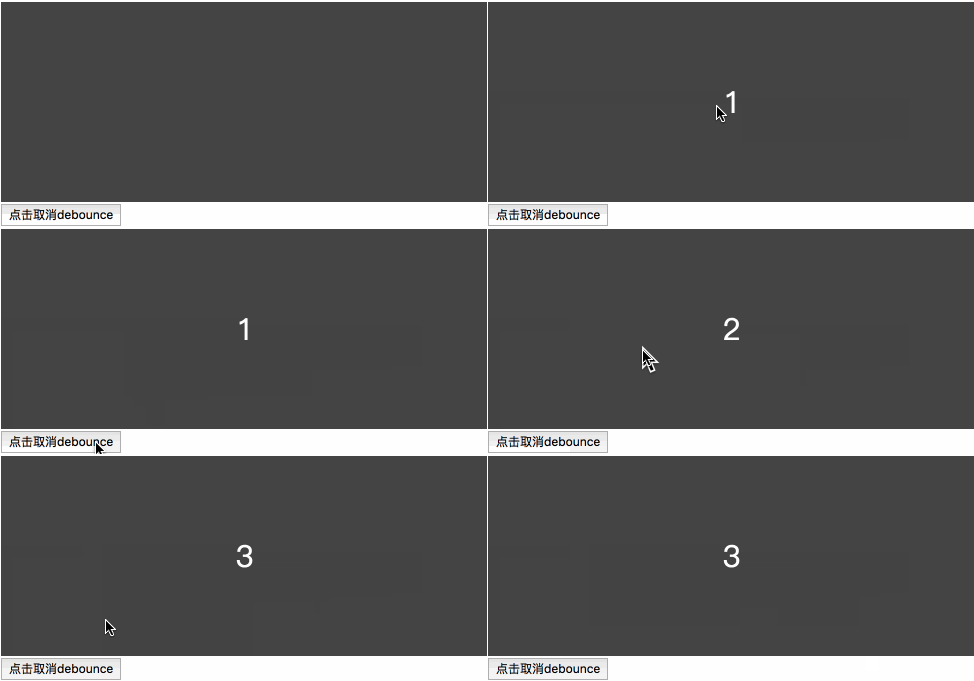
至此我们已经完整实现了一个 underscore 中的 debounce 函数,恭喜,撒花!
## 演示代码
相关的代码可以在 [Github 博客仓库](https://github.com/mqyqingfeng/Blog/tree/master/demos/debounce) 中找到
## 专题系列
JavaScript专题系列目录地址:[https://github.com/mqyqingfeng/Blog](https://github.com/mqyqingfeng/Blog)。
JavaScript专题系列预计写二十篇左右,主要研究日常开发中一些功能点的实现,比如防抖、节流、去重、类型判断、拷贝、最值、扁平、柯里、递归、乱序、排序等,特点是研(chao)究(xi) underscore 和 jQuery 的实现方式。
如果有错误或者不严谨的地方,请务必给予指正,十分感谢。如果喜欢或者有所启发,欢迎 star,对作者也是一种鼓励。
================================================
FILE: articles/专题系列文章/JavaScript专题之递归.md
================================================
# JavaScript专题之递归
## 定义
程序调用自身的编程技巧称为递归(recursion)。
## 阶乘
以阶乘为例:
```js
function factorial(n) {
if (n == 1) return n;
return n * factorial(n - 1)
}
console.log(factorial(5)) // 5 * 4 * 3 * 2 * 1 = 120
```
示意图(图片来自 [wwww.penjee.com](wwww.penjee.com)):

## 斐波那契数列
在[《JavaScript专题之函数记忆》](https://github.com/mqyqingfeng/Blog/issues/46)中讲到过的斐波那契数列也使用了递归:
```js
function fibonacci(n){
return n < 2 ? n : fibonacci(n - 1) + fibonacci(n - 2);
}
console.log(fibonacci(5)) // 1 1 2 3 5
```
## 递归条件
从这两个例子中,我们可以看出:
构成递归需具备边界条件、递归前进段和递归返回段,当边界条件不满足时,递归前进,当边界条件满足时,递归返回。阶乘中的 `n == 1` 和 斐波那契数列中的 `n < 2` 都是边界条件。
总结一下递归的特点:
1. 子问题须与原始问题为同样的事,且更为简单;
2. 不能无限制地调用本身,须有个出口,化简为非递归状况处理。
了解这些特点可以帮助我们更好的编写递归函数。
## 执行上下文栈
在[《JavaScript深入之执行上下文栈》](https://github.com/mqyqingfeng/Blog/issues/4)中,我们知道:
当执行一个函数的时候,就会创建一个执行上下文,并且压入执行上下文栈,当函数执行完毕的时候,就会将函数的执行上下文从栈中弹出。
试着对阶乘函数分析执行的过程,我们会发现,JavaScript 会不停的创建执行上下文压入执行上下文栈,对于内存而言,维护这么多的执行上下文也是一笔不小的开销呐!那么,我们该如何优化呢?
答案就是尾调用。
## 尾调用
尾调用,是指函数内部的最后一个动作是函数调用。该调用的返回值,直接返回给函数。
举个例子:
```js
// 尾调用
function f(x){
return g(x);
}
```
然而
```js
// 非尾调用
function f(x){
return g(x) + 1;
}
```
并不是尾调用,因为 g(x) 的返回值还需要跟 1 进行计算后,f(x)才会返回值。
两者又有什么区别呢?答案就是执行上下文栈的变化不一样。
为了模拟执行上下文栈的行为,让我们定义执行上下文栈是一个数组:
```js
ECStack = [];
```
我们模拟下第一个尾调用函数执行时的执行上下文栈变化:
```js
// 伪代码
ECStack.push(<f> functionContext);
ECStack.pop();
ECStack.push(<g> functionContext);
ECStack.pop();
```
我们再来模拟一下第二个非尾调用函数执行时的执行上下文栈变化:
```js
ECStack.push(<f> functionContext);
ECStack.push(<g> functionContext);
ECStack.pop();
ECStack.pop();
```
也就说尾调用函数执行时,虽然也调用了一个函数,但是因为原来的的函数执行完毕,执行上下文会被弹出,执行上下文栈中相当于只多压入了一个执行上下文。然而非尾调用函数,就会创建多个执行上下文压入执行上下文栈。
函数调用自身,称为递归。如果尾调用自身,就称为尾递归。
所以我们只用把阶乘函数改造成一个尾递归形式,就可以避免创建那么多的执行上下文。但是我们该怎么做呢?
## 阶乘函数优化
我们需要做的就是把所有用到的内部变量改写成函数的参数,以阶乘函数为例:
```js
function factorial(n, res) {
if (n == 1) return res;
return factorial2(n - 1, n * res)
}
console.log(factorial(4, 1)) // 24
```
然而这个很奇怪呐……我们计算 4 的阶乘,结果函数要传入 4 和 1,我就不能只传入一个 4 吗?
这个时候就要用到我们在[《JavaScript专题之柯里化》](https://github.com/mqyqingfeng/Blog/issues/42)中编写的 curry 函数了:
```js
var newFactorial = curry(factorial, _, 1)
newFactorial(5) // 24
```
## 应用
如果你看过 [JavaScript 专题系列](https://github.com/mqyqingfeng/Blog)的文章,你会发现递归有着很多的应用。
作为专题系列的第十八篇,我们来盘点下之前的文章中都有哪些涉及到了递归:
1.[《JavaScript 专题之数组扁平化》](https://github.com/mqyqingfeng/Blog/issues/36):
```js
function flatten(arr) {
return arr.reduce(function(prev, next){
return prev.concat(Array.isArray(next) ? flatten(next) : next)
}, [])
}
```
2.[《JavaScript 专题之深浅拷贝》](https://github.com/mqyqingfeng/Blog/issues/32):
```js
var deepCopy = function(obj) {
if (typeof obj !== 'object') return;
var newObj = obj instanceof Array ? [] : {};
for (var key in obj) {
if (obj.hasOwnProperty(key)) {
newObj[key] = typeof obj[key] === 'object' ? deepCopy(obj[key]) : obj[key];
}
}
return newObj;
}
```
3.[JavaScript 专题之从零实现 jQuery 的 extend](https://github.com/mqyqingfeng/Blog/issues/33):
```js
// 非完整版本,完整版本请点击查看具体的文章
function extend() {
...
// 循环遍历要复制的对象们
for (; i < length; i++) {
// 获取当前对象
options = arguments[i];
// 要求不能为空 避免extend(a,,b)这种情况
if (options != null) {
for (name in options) {
// 目标属性值
src = target[name];
// 要复制的对象的属性值
copy = options[name];
if (deep && copy && typeof copy == 'object') {
// 递归调用
target[name] = extend(deep, src, copy);
}
else if (copy !== undefined){
target[name] = copy;
}
}
}
}
...
};
```
4.[《JavaScript 专题之如何判断两个对象相等》](https://github.com/mqyqingfeng/Blog/issues/41):
```js
// 非完整版本,完整版本请点击查看具体的文章
// 属于间接调用
function eq(a, b, aStack, bStack) {
...
// 更复杂的对象使用 deepEq 函数进行深度比较
return deepEq(a, b, aStack, bStack);
};
function deepEq(a, b, aStack, bStack) {
...
// 数组判断
if (areArrays) {
length = a.length;
if (length !== b.length) return false;
while (length--) {
if (!eq(a[length], b[length], aStack, bStack)) return false;
}
}
// 对象判断
else {
var keys = Object.keys(a),
key;
length = keys.length;
if (Object.keys(b).length !== length) return false;
while (length--) {
key = keys[length];
if (!(b.hasOwnProperty(key) && eq(a[key], b[key], aStack, bStack))) return false;
}
}
}
```
5.[《JavaScript 专题之函数柯里化》](https://github.com/mqyqingfeng/Blog/issues/42):
```js
// 非完整版本,完整版本请点击查看具体的文章
function curry(fn, args) {
length = fn.length;
args = args || [];
return function() {
var _args = args.slice(0),
arg, i;
for (i = 0; i < arguments.length; i++) {
arg = arguments[i];
_args.push(arg);
}
if (_args.length < length) {
return curry.call(this, fn, _args);
}
else {
return fn.apply(this, _args);
}
}
}
```
## 写在最后
递归的内容远不止这些,比如还有汉诺塔、二叉树遍历等递归场景,本篇就不过多展开,真希望未来能写个算法系列。
## 专题系列
JavaScript专题系列目录地址:[https://github.com/mqyqingfeng/Blog](https://github.com/mqyqingfeng/Blog)。
JavaScript专题系列预计写二十篇左右,主要研究日常开发中一些功能点的实现,比如防抖、节流、去重、类型判断、拷贝、最值、扁平、柯里、递归、乱序、排序等,特点是研(chao)究(xi) underscore 和 jQuery 的实现方式。
如果有错误或者不严谨的地方,请务必给予指正,十分感谢。如果喜欢或者有所启发,欢迎 star,对作者也是一种鼓励。
================================================
FILE: articles/深入系列文章/JavaScript深入之bind的模拟实现.md
================================================
# JavaScript深入之bind的模拟实现
> JavaScript深入系列第十一篇,通过bind函数的模拟实现,带大家真正了解bind的特性
## bind
一句话介绍 bind:
>bind() 方法会创建一个新函数。当这个新函数被调用时,bind() 的第一个参数将作为它运行时的 this,之后的一序列参数将会在传递的实参前传入作为它的参数。(来自于 MDN )
由此我们可以首先得出 bind 函数的两个特点:
1. 返回一个函数
2. 可以传入参数
## 返回函数的模拟实现
从第一个特点开始,我们举个例子:
```js
var foo = {
value: 1
};
function bar() {
console.log(this.value);
}
// 返回了一个函数
var bindFoo = bar.bind(foo);
bindFoo(); // 1
```
关于指定 this 的指向,我们可以使用 call 或者 apply 实现,关于 call 和 apply 的模拟实现,可以查看[《JavaScript深入之call和apply的模拟实现》](https://github.com/mqyqingfeng/Blog/issues/11)。我们来写第一版的代码:
```js
// 第一版
Function.prototype.bind2 = function (context) {
var self = this;
return function () {
return self.apply(context);
}
}
```
此外,之所以 `return self.apply(context)`,是考虑到绑定函数可能是有返回值的,依然是这个例子:
```js
var foo = {
value: 1
};
function bar() {
return this.value;
}
var bindFoo = bar.bind(foo);
console.log(bindFoo()); // 1
```
## 传参的模拟实现
接下来看第二点,可以传入参数。这个就有点让人费解了,我在 bind 的时候,是否可以传参呢?我在执行 bind 返回的函数的时候,可不可以传参呢?让我们看个例子:
```js
var foo = {
value: 1
};
function bar(name, age) {
console.log(this.value);
console.log(name);
console.log(age);
}
var bindFoo = bar.bind(foo, 'daisy');
bindFoo('18');
// 1
// daisy
// 18
```
函数需要传 name 和 age 两个参数,竟然还可以在 bind 的时候,只传一个 name,在执行返回的函数的时候,再传另一个参数 age!
这可咋办?不急,我们用 arguments 进行处理:
```js
// 第二版
Function.prototype.bind2 = function (context) {
var self = this;
// 获取bind2函数从第二个参数到最后一个参数
var args = Array.prototype.slice.call(arguments, 1);
return function () {
// 这个时候的arguments是指bind返回的函数传入的参数
var bindArgs = Array.prototype.slice.call(arguments);
return self.apply(context, args.concat(bindArgs));
}
}
```
## 构造函数效果的模拟实现
完成了这两点,最难的部分到啦!因为 bind 还有一个特点,就是
>一个绑定函数也能使用new操作符创建对象:这种行为就像把原函数当成构造器。提供的 this 值被忽略,同时调用时的参数被提供给模拟函数。
也就是说当 bind 返回的函数作为构造函数的时候,bind 时指定的 this 值会失效,但传入的参数依然生效。举个例子:
```js
var value = 2;
var foo = {
value: 1
};
function bar(name, age) {
this.habit = 'shopping';
console.log(this.value);
console.log(name);
console.log(age);
}
bar.prototype.friend = 'kevin';
var bindFoo = bar.bind(foo, 'daisy');
var obj = new bindFoo('18');
// undefined
// daisy
// 18
console.log(obj.habit);
console.log(obj.friend);
// shopping
// kevin
```
注意:尽管在全局和 foo 中都声明了 value 值,最后依然返回了 undefind,说明绑定的 this 失效了,如果大家了解 new 的模拟实现,就会知道这个时候的 this 已经指向了 obj。
(哈哈,我这是为我的下一篇文章[《JavaScript深入系列之new的模拟实现》](https://github.com/mqyqingfeng/Blog/issues/13)打广告)。
所以我们可以通过修改返回的函数的原型来实现,让我们写一下:
```js
// 第三版
Function.prototype.bind2 = function (context) {
var self = this;
var args = Array.prototype.slice.call(arguments, 1);
var fBound = function () {
var bindArgs = Array.prototype.slice.call(arguments);
// 当作为构造函数时,this 指向实例,此时结果为 true,将绑定函数的 this 指向该实例,可以让实例获得来自绑定函数的值
// 以上面的是 demo 为例,如果改成 `this instanceof fBound ? null : context`,实例只是一个空对象,将 null 改成 this ,实例会具有 habit 属性
// 当作为普通函数时,this 指向 window,此时结果为 false,将绑定函数的 this 指向 context
return self.apply(this instanceof fBound ? this : context, args.concat(bindArgs));
}
// 修改返回函数的 prototype 为绑定函数的 prototype,实例就可以继承绑定函数的原型中的值
fBound.prototype = this.prototype;
return fBound;
}
```
如果对原型链稍有困惑,可以查看[《JavaScript深入之从原型到原型链》](https://github.com/mqyqingfeng/Blog/issues/2)。
## 构造函数效果的优化实现
但是在这个写法中,我们直接将 fBound.prototype = this.prototype,我们直接修改 fBound.prototype 的时候,也会直接修改绑定函数的 prototype。这个时候,我们可以通过一个空函数来进行中转:
```js
// 第四版
Function.prototype.bind2 = function (context) {
var self = this;
var args = Array.prototype.slice.call(arguments, 1);
var fNOP = function () {};
var fBound = function () {
var bindArgs = Array.prototype.slice.call(arguments);
return self.apply(this instanceof fNOP ? this : context, args.concat(bindArgs));
}
fNOP.prototype = this.prototype;
fBound.prototype = new fNOP();
return fBound;
}
```
到此为止,大的问题都已经解决,给自己一个赞!o( ̄▽ ̄)d
## 三个小问题
接下来处理些小问题:
**1.apply 这段代码跟 MDN 上的稍有不同**
在 MDN 中文版讲 bind 的模拟实现时,apply 这里的代码是:
```js
self.apply(this instanceof self ? this : context || this, args.concat(bindArgs))
```
多了一个关于 context 是否存在的判断,然而这个是错误的!
举个例子:
```js
var value = 2;
var foo = {
value: 1,
bar: bar.bind(null)
};
function bar() {
console.log(this.value);
}
foo.bar() // 2
```
以上代码正常情况下会打印 2,如果换成了 context || this,这段代码就会打印 1!
所以这里不应该进行 context 的判断,大家查看 MDN 同样内容的英文版,就不存在这个判断!
**2.调用 bind 的不是函数咋办?**
不行,我们要报错!
```js
if (typeof this !== "function") {
throw new Error("Function.prototype.bind - what is trying to be bound is not callable");
}
```
**3.我要在线上用**
那别忘了做个兼容:
```js
Function.prototype.bind = Function.prototype.bind || function () {
……
};
```
当然最好是用 [es5-shim](https://github.com/es-shims/es5-shim) 啦。
## 最终代码
所以最最后的代码就是:
```js
Function.prototype.bind2 = function (context) {
if (typeof this !== "function") {
throw new Error("Function.prototype.bind - what is trying to be bound is not callable");
}
var self = this;
var args = Array.prototype.slice.call(arguments, 1);
var fNOP = function () {};
var fBound = function () {
var bindArgs = Array.prototype.slice.call(arguments);
return self.apply(this instanceof fNOP ? this : context, args.concat(bindArgs));
}
fNOP.prototype = this.prototype;
fBound.prototype = new fNOP();
return fBound;
}
```
## 下一篇文章
[《JavaScript深入系列之new的模拟实现》](https://github.com/mqyqingfeng/Blog/issues/13)
## 相关链接
[《JavaScript深入之从原型到原型链》](https://github.com/mqyqingfeng/Blog/issues/2)
[《JavaScript深入之call和apply的模拟实现》](https://github.com/mqyqingfeng/Blog/issues/11)
[《JavaScript深入系列之new的模拟实现》](https://github.com/mqyqingfeng/Blog/issues/13)
## 深入系列
JavaScript深入系列目录地址:[https://github.com/mqyqingfeng/Blog](https://github.com/mqyqingfeng/Blog)。
JavaScript深入系列预计写十五篇左右,旨在帮大家捋顺JavaScript底层知识,重点讲解如原型、作用域、执行上下文、变量对象、this、闭包、按值传递、call、apply、bind、new、继承等难点概念。
如果有错误或者不严谨的地方,请务必给予指正,十分感谢。如果喜欢或者有所启发,欢迎star,对作者也是一种鼓励。
================================================
FILE: articles/深入系列文章/JavaScript深入之call和apply的模拟实现.md
================================================
# JavaScript深入之call和apply的模拟实现
>JavaScript深入系列第十篇,通过call和apply的模拟实现,带你揭开call和apply改变this的真相
## call
一句话介绍 call:
>call() 方法在使用一个指定的 this 值和若干个指定的参数值的前提下调用某个函数或方法。
举个例子:
```js
var foo = {
value: 1
};
function bar() {
console.log(this.value);
}
bar.call(foo); // 1
```
注意两点:
1. call 改变了 this 的指向,指向到 foo
2. bar 函数执行了
## 模拟实现第一步
那么我们该怎么模拟实现这两个效果呢?
试想当调用 call 的时候,把 foo 对象改造成如下:
```js
var foo = {
value: 1,
bar: function() {
console.log(this.value)
}
};
foo.bar(); // 1
```
这个时候 this 就指向了 foo,是不是很简单呢?
但是这样却给 foo 对象本身添加了一个属性,这可不行呐!
不过也不用担心,我们用 delete 再删除它不就好了~
所以我们模拟的步骤可以分为:
1. 将函数设为对象的属性
2. 执行该函数
3. 删除该函数
以上个例子为例,就是:
```js
// 第一步
foo.fn = bar
// 第二步
foo.fn()
// 第三步
delete foo.fn
```
fn 是对象的属性名,反正最后也要删除它,所以起成什么都无所谓。
根据这个思路,我们可以尝试着去写第一版的 **call2** 函数:
```js
// 第一版
Function.prototype.call2 = function(context) {
// 首先要获取调用call的函数,用this可以获取
context.fn = this;
context.fn();
delete context.fn;
}
// 测试一下
var foo = {
value: 1
};
function bar() {
console.log(this.value);
}
bar.call2(foo); // 1
```
正好可以打印 1 哎!是不是很开心!(~ ̄▽ ̄)~
## 模拟实现第二步
最一开始也讲了,call 函数还能给定参数执行函数。举个例子:
```js
var foo = {
value: 1
};
function bar(name, age) {
console.log(name)
console.log(age)
console.log(this.value);
}
bar.call(foo, 'kevin', 18);
// kevin
// 18
// 1
```
注意:传入的参数并不确定,这可咋办?
不急,我们可以从 Arguments 对象中取值,取出第二个到最后一个参数,然后放到一个数组里。
比如这样:
```js
// 以上个例子为例,此时的arguments为:
// arguments = {
// 0: foo,
// 1: 'kevin',
// 2: 18,
// length: 3
// }
// 因为arguments是类数组对象,所以可以用for循环
var args = [];
for(var i = 1, len = arguments.length; i < len; i++) {
args.push('arguments[' + i + ']');
}
// 执行后 args为 ["arguments[1]", "arguments[2]", "arguments[3]"]
```
不定长的参数问题解决了,我们接着要把这个参数数组放到要执行的函数的参数里面去。
```js
// 将数组里的元素作为多个参数放进函数的形参里
context.fn(args.join(','))
// (O_o)??
// 这个方法肯定是不行的啦!!!
```
也许有人想到用 ES6 的方法,不过 call 是 ES3 的方法,我们为了模拟实现一个 ES3 的方法,要用到ES6的方法,好像……,嗯,也可以啦。但是我们这次用 eval 方法拼成一个函数,类似于这样:
```js
eval('context.fn(' + args +')')
```
这里 args 会自动调用 Array.toString() 这个方法。
所以我们的第二版克服了两个大问题,代码如下:
```js
// 第二版
Function.prototype.call2 = function(context) {
context.fn = this;
var args = [];
for(var i = 1, len = arguments.length; i < len; i++) {
args.push('arguments[' + i + ']');
}
eval('context.fn(' + args +')');
delete context.fn;
}
// 测试一下
var foo = {
value: 1
};
function bar(name, age) {
console.log(name)
console.log(age)
console.log(this.value);
}
bar.call2(foo, 'kevin', 18);
// kevin
// 18
// 1
```
(๑•̀ㅂ•́)و✧
## 模拟实现第三步
模拟代码已经完成 80%,还有两个小点要注意:
**1.this 参数可以传 null,当为 null 的时候,视为指向 window**
举个例子:
```js
var value = 1;
function bar() {
console.log(this.value);
}
bar.call(null); // 1
```
虽然这个例子本身不使用 call,结果依然一样。
**2.函数是可以有返回值的!**
举个例子:
```js
var obj = {
value: 1
}
function bar(name, age) {
return {
value: this.value,
name: name,
age: age
}
}
console.log(bar.call(obj, 'kevin', 18));
// Object {
// value: 1,
// name: 'kevin',
// age: 18
// }
```
不过都很好解决,让我们直接看第三版也就是最后一版的代码:
```js
// 第三版
Function.prototype.call2 = function (context) {
var context = context || window;
context.fn = this;
var args = [];
for(var i = 1, len = arguments.length; i < len; i++) {
args.push('arguments[' + i + ']');
}
var result = eval('context.fn(' + args +')');
delete context.fn
return result;
}
// 测试一下
var value = 2;
var obj = {
value: 1
}
function bar(name, age) {
console.log(this.value);
return {
value: this.value,
name: name,
age: age
}
}
bar.call(null); // 2
console.log(bar.call2(obj, 'kevin', 18));
// 1
// Object {
// value: 1,
// name: 'kevin',
// age: 18
// }
```
到此,我们完成了 call 的模拟实现,给自己一个赞 b( ̄▽ ̄)d
## apply的模拟实现
apply 的实现跟 call 类似,在这里直接给代码,代码来自于知乎 @郑航的实现:
```js
Function.prototype.apply = function (context, arr) {
var context = Object(context) || window;
context.fn = this;
var result;
if (!arr) {
result = context.fn();
}
else {
var args = [];
for (var i = 0, len = arr.length; i < len; i++) {
args.push('arr[' + i + ']');
}
result = eval('context.fn(' + args + ')')
}
delete context.fn
return result;
}
```
## 下一篇文章
[JavaScript深入之bind的模拟实现](https://github.com/mqyqingfeng/Blog/issues/12)
## 重要参考
[知乎问题 不能使用call、apply、bind,如何用 js 实现 call 或者 apply 的功能?](https://www.zhihu.com/question/35787390)
## 深入系列
JavaScript深入系列目录地址:[https://github.com/mqyqingfeng/Blog](https://github.com/mqyqingfeng/Blog)。
JavaScript深入系列预计写十五篇左右,旨在帮大家捋顺JavaScript底层知识,重点讲解如原型、作用域、执行上下文、变量对象、this、闭包、按值传递、call、apply、bind、new、继承等难点概念。
如果有错误或者不严谨的地方,请务必给予指正,十分感谢。如果喜欢或者有所启发,欢迎star,对作者也是一种鼓励。
================================================
FILE: articles/深入系列文章/JavaScript深入之new的模拟实现.md
================================================
# JavaScript深入之new的模拟实现
> JavaScript深入系列第十二篇,通过new的模拟实现,带大家揭开使用new获得构造函数实例的真相
## new
一句话介绍 new:
> new 运算符创建一个用户定义的对象类型的实例或具有构造函数的内置对象类型之一
也许有点难懂,我们在模拟 new 之前,先看看 new 实现了哪些功能。
举个例子:
```js
// Otaku 御宅族,简称宅
function Otaku (name, age) {
this.name = name;
this.age = age;
this.habit = 'Games';
}
// 因为缺乏锻炼的缘故,身体强度让人担忧
Otaku.prototype.strength = 60;
Otaku.prototype.sayYourName = function () {
console.log('I am ' + this.name);
}
var person = new Otaku('Kevin', '18');
console.log(person.name) // Kevin
console.log(person.habit) // Games
console.log(person.strength) // 60
person.sayYourName(); // I am Kevin
```
从这个例子中,我们可以看到,实例 person 可以:
1. 访问到 Otaku 构造函数里的属性
2. 访问到 Otaku.prototype 中的属性
接下来,我们可以尝试着模拟一下了。
因为 new 是关键字,所以无法像 bind 函数一样直接覆盖,所以我们写一个函数,命名为 objectFactory,来模拟 new 的效果。用的时候是这样的:
```js
function Otaku () {
……
}
// 使用 new
var person = new Otaku(……);
// 使用 objectFactory
var person = objectFactory(Otaku, ……)
```
## 初步实现
分析:
因为 new 的结果是一个新对象,所以在模拟实现的时候,我们也要建立一个新对象,假设这个对象叫 obj,因为 obj 会具有 Otaku 构造函数里的属性,想想经典继承的例子,我们可以使用 Otaku.apply(obj, arguments)来给 obj 添加新的属性。
在 JavaScript 深入系列第一篇中,我们便讲了原型与原型链,我们知道实例的 \_\_proto\_\_ 属性会指向构造函数的 prototype,也正是因为建立起这样的关系,实例可以访问原型上的属性。
现在,我们可以尝试着写第一版了:
```js
// 第一版代码
function objectFactory() {
var obj = new Object(),
Constructor = [].shift.call(arguments);
obj.__proto__ = Constructor.prototype;
Constructor.apply(obj, arguments);
return obj;
};
```
在这一版中,我们:
1. 用new Object() 的方式新建了一个对象 obj
2. 取出第一个参数,就是我们要传入的构造函数。此外因为 shift 会修改原数组,所以 arguments 会被去除第一个参数
3. 将 obj 的原型指向构造函数,这样 obj 就可以访问到构造函数原型中的属性
4. 使用 apply,改变构造函数 this 的指向到新建的对象,这样 obj 就可以访问到构造函数中的属性
5. 返回 obj
更多关于:
原型与原型链,可以看[《JavaScript深入之从原型到原型链》](https://github.com/mqyqingfeng/Blog/issues/2)
apply,可以看[《JavaScript深入之call和apply的模拟实现》](https://github.com/mqyqingfeng/Blog/issues/11)
经典继承,可以看[《JavaScript深入之继承》](https://github.com/mqyqingfeng/Blog/issues/16)
复制以下的代码,到浏览器中,我们可以做一下测试:
```js
function Otaku (name, age) {
this.name = name;
this.age = age;
this.habit = 'Games';
}
Otaku.prototype.strength = 60;
Otaku.prototype.sayYourName = function () {
console.log('I am ' + this.name);
}
function objectFactory() {
var obj = new Object(),
Constructor = [].shift.call(arguments);
obj.__proto__ = Constructor.prototype;
Constructor.apply(obj, arguments);
return obj;
};
var person = objectFactory(Otaku, 'Kevin', '18')
console.log(person.name) // Kevin
console.log(person.habit) // Games
console.log(person.strength) // 60
person.sayYourName(); // I am Kevin
```
[]\~( ̄▽ ̄)\~**
## 返回值效果实现
接下来我们再来看一种情况,假如构造函数有返回值,举个例子:
```js
function Otaku (name, age) {
this.strength = 60;
this.age = age;
return {
name: name,
habit: 'Games'
}
}
var person = new Otaku('Kevin', '18');
console.log(person.name) // Kevin
console.log(person.habit) // Games
console.log(person.strength) // undefined
console.log(person.age) // undefined
```
在这个例子中,构造函数返回了一个对象,在实例 person 中只能访问返回的对象中的属性。
而且还要注意一点,在这里我们是返回了一个对象,假如我们只是返回一个基本类型的值呢?
再举个例子:
```js
function Otaku (name, age) {
this.strength = 60;
this.age = age;
return 'handsome boy';
}
var person = new Otaku('Kevin', '18');
console.log(person.name) // undefined
console.log(person.habit) // undefined
console.log(person.strength) // 60
console.log(person.age) // 18
```
结果完全颠倒过来,这次尽管有返回值,但是相当于没有返回值进行处理。
所以我们还需要判断返回的值是不是一个对象,如果是一个对象,我们就返回这个对象,如果没有,我们该返回什么就返回什么。
再来看第二版的代码,也是最后一版的代码:
```js
// 第二版的代码
function objectFactory() {
var obj = new Object(),
Constructor = [].shift.call(arguments);
obj.__proto__ = Constructor.prototype;
var ret = Constructor.apply(obj, arguments);
return typeof ret === 'object' ? ret : obj;
};
```
## 下一篇文章
[JavaScript深入之类数组对象与arguments](https://github.com/mqyqingfeng/Blog/issues/14)
## 相关链接
[《JavaScript深入之从原型到原型链》](https://github.com/mqyqingfeng/Blog/issues/2)
[《JavaScript深入之call和apply的模拟实现》](https://github.com/mqyqingfeng/Blog/issues/11)
[《JavaScript深入之继承》](https://github.com/mqyqingfeng/Blog/issues/16)
## 深入系列
JavaScript深入系列目录地址:[https://github.com/mqyqingfeng/Blog](https://github.com/mqyqingfeng/Blog)。
JavaScript深入系列预计写十五篇左右,旨在帮大家捋顺JavaScript底层知识,重点讲解如原型、作用域、执行上下文、变量对象、this、闭包、按值传递、call、apply、bind、new、继承等难点概念。
如果有错误或者不严谨的地方,请务必给予指正,十分感谢。如果喜欢或者有所启发,欢迎star,对作者也是一种鼓励。
================================================
FILE: articles/深入系列文章/JavaScript深入之从ECMAScript规范解读this.md
================================================
# JavaScript深入之从ECMAScript规范解读this
>JavaScript深入系列第六篇,本篇我们追根溯源,从ECMAScript5规范解读this在函数调用时到底是如何确定的。
## 前言
在[《JavaScript深入之执行上下文栈》](https://github.com/mqyqingfeng/Blog/issues/4)中讲到,当JavaScript代码执行一段可执行代码(executable code)时,会创建对应的执行上下文(execution context)。
对于每个执行上下文,都有三个重要属性
* 变量对象(Variable object,VO)
* 作用域链(Scope chain)
* this
今天重点讲讲 this,然而不好讲。
……
因为我们要从 ECMASciript5 规范开始讲起。
先奉上 ECMAScript 5.1 规范地址:
英文版:[http://es5.github.io/#x15.1](http://es5.github.io/#x15.1)
中文版:[http://yanhaijing.com/es5/#115](http://yanhaijing.com/es5/#115)
让我们开始了解规范吧!
## Types
首先是第 8 章 Types:
>Types are further subclassified into ECMAScript language types and specification types.
>An ECMAScript language type corresponds to values that are directly manipulated by an ECMAScript programmer using the ECMAScript language. The ECMAScript language types are Undefined, Null, Boolean, String, Number, and Object.
>A specification type corresponds to meta-values that are used within algorithms to describe the semantics of ECMAScript language constructs and ECMAScript language types. The specification types are Reference, List, Completion, Property Descriptor, Property Identifier, Lexical Environment, and Environment Record.
我们简单的翻译一下:
ECMAScript 的类型分为语言类型和规范类型。
ECMAScript 语言类型是开发者直接使用 ECMAScript 可以操作的。其实就是我们常说的Undefined, Null, Boolean, String, Number, 和 Object。
而规范类型相当于 meta-values,是用来用算法描述 ECMAScript 语言结构和 ECMAScript 语言类型的。规范类型包括:Reference, List, Completion, Property Descriptor, Property Identifier, Lexical Environment, 和 Environment Record。
没懂?没关系,我们只要知道在 ECMAScript 规范中还有一种只存在于规范中的类型,它们的作用是用来描述语言底层行为逻辑。
今天我们要讲的重点是便是其中的 Reference 类型。它与 this 的指向有着密切的关联。
## Reference
那什么又是 Reference ?
让我们看 8.7 章 The Reference Specification Type:
>The Reference type is used to explain the behaviour of such operators as delete, typeof, and the assignment operators.
所以 Reference 类型就是用来解释诸如 delete、typeof 以及赋值等操作行为的。
抄袭尤雨溪大大的话,就是:
>这里的 Reference 是一个 Specification Type,也就是 “只存在于规范里的抽象类型”。它们是为了更好地描述语言的底层行为逻辑才存在的,但并不存在于实际的 js 代码中。
再看接下来的这段具体介绍 Reference 的内容:
>A Reference is a resolved name binding.
>A Reference consists of three components, the base value, the referenced name and the Boolean valued strict reference flag.
>The base value is either undefined, an Object, a Boolean, a String, a Number, or an environment record (10.2.1).
>A base value of undefined indicates that the reference could not be resolved to a binding. The referenced name is a String.
这段讲述了 Reference 的构成,由三个组成部分,分别是:
* base value
* referenced name
* strict reference
可是这些到底是什么呢?
我们简单的理解的话:
base value 就是属性所在的对象或者就是 EnvironmentRecord,它的值只可能是 undefined, an Object, a Boolean, a String, a Number, or an environment record 其中的一种。
referenced name 就是属性的名称。
举个例子:
```js
var foo = 1;
// 对应的Reference是:
var fooReference = {
base: EnvironmentRecord,
name: 'foo',
strict: false
};
```
再举个例子:
```js
var foo = {
bar: function () {
return this;
}
};
foo.bar(); // foo
// bar对应的Reference是:
var BarReference = {
base: foo,
propertyName: 'bar',
strict: false
};
```
而且规范中还提供了获取 Reference 组成部分的方法,比如 GetBase 和 IsPropertyReference。
这两个方法很简单,简单看一看:
1.GetBase
>GetBase(V). Returns the base value component of the reference V.
返回 reference 的 base value。
2.IsPropertyReference
>IsPropertyReference(V). Returns true if either the base value is an object or HasPrimitiveBase(V) is true; otherwise returns false.
简单的理解:如果 base value 是一个对象,就返回true。
## GetValue
除此之外,紧接着在 8.7.1 章规范中就讲了一个用于从 Reference 类型获取对应值的方法: GetValue。
简单模拟 GetValue 的使用:
```js
var foo = 1;
var fooReference = {
base: EnvironmentRecord,
name: 'foo',
strict: false
};
GetValue(fooReference) // 1;
```
GetValue 返回对象属性真正的值,但是要注意:
**调用 GetValue,返回的将是具体的值,而不再是一个 Reference**
这个很重要,这个很重要,这个很重要。
## 如何确定this的值
关于 Reference 讲了那么多,为什么要讲 Reference 呢?到底 Reference 跟本文的主题 this 有哪些关联呢?如果你能耐心看完之前的内容,以下开始进入高能阶段:
看规范 11.2.3 Function Calls:
这里讲了当函数调用的时候,如何确定 this 的取值。
只看第一步、第六步、第七步:
>1.Let *ref* be the result of evaluating MemberExpression.
>6.If Type(*ref*) is Reference, then
> a.If IsPropertyReference(ref) is true, then
> i.Let thisValue be GetBase(ref).
> b.Else, the base of ref is an Environment Record
> i.Let thisValue be the result of calling the ImplicitThisValue concrete method of GetBase(ref).
>7.Else, Type(*ref*) is not Reference.
> a. Let thisValue be undefined.
让我们描述一下:
1.计算 MemberExpression 的结果赋值给 ref
2.判断 ref 是不是一个 Reference 类型
2.1 如果 ref 是 Reference,并且 IsPropertyReference(ref) 是 true, 那么 this 的值为 GetBase(ref)
2.2 如果 ref 是 Reference,并且 base value 值是 Environment Record, 那么this的值为 ImplicitThisValue(ref)
2.3 如果 ref 不是 Reference,那么 this 的值为 undefined
## 具体分析
让我们一步一步看:
1. 计算 MemberExpression 的结果赋值给 ref
什么是 MemberExpression?看规范 11.2 Left-Hand-Side Expressions:
MemberExpression :
* PrimaryExpression // 原始表达式 可以参见《JavaScript权威指南第四章》
* FunctionExpression // 函数定义表达式
* MemberExpression [ Expression ] // 属性访问表达式
* MemberExpression . IdentifierName // 属性访问表达式
* new MemberExpression Arguments // 对象创建表达式
举个例子:
```js
function foo() {
console.log(this)
}
foo(); // MemberExpression 是 foo
function foo() {
return function() {
console.log(this)
}
}
foo()(); // MemberExpression 是 foo()
var foo = {
bar: function () {
return this;
}
}
foo.bar(); // MemberExpression 是 foo.bar
```
所以简单理解 MemberExpression 其实就是()左边的部分。
2.判断 ref 是不是一个 Reference 类型。
关键就在于看规范是如何处理各种 MemberExpression,返回的结果是不是一个Reference类型。
举最后一个例子:
```js
var value = 1;
var foo = {
value: 2,
bar: function () {
return this.value;
}
}
//示例1
console.log(foo.bar());
//示例2
console.log((foo.bar)());
//示例3
console.log((foo.bar = foo.bar)());
//示例4
console.log((false || foo.bar)());
//示例5
console.log((foo.bar, foo.bar)());
```
### foo.bar()
在示例 1 中,MemberExpression 计算的结果是 foo.bar,那么 foo.bar 是不是一个 Reference 呢?
查看规范 11.2.1 Property Accessors,这里展示了一个计算的过程,什么都不管了,就看最后一步:
>Return a value of type Reference whose base value is baseValue and whose referenced name is propertyNameString, and whose strict mode flag is strict.
我们得知该表达式返回了一个 Reference 类型!
根据之前的内容,我们知道该值为:
```js
var Reference = {
base: foo,
name: 'bar',
strict: false
};
```
接下来按照 2.1 的判断流程走:
>2.1 如果 ref 是 Reference,并且 IsPropertyReference(ref) 是 true, 那么 this 的值为 GetBase(ref)
该值是 Reference 类型,那么 IsPropertyReference(ref) 的结果是多少呢?
前面我们已经铺垫了 IsPropertyReference 方法,如果 base value 是一个对象,结果返回 true。
base value 为 foo,是一个对象,所以 IsPropertyReference(ref) 结果为 true。
这个时候我们就可以确定 this 的值了:
```js
this = GetBase(ref),
```
GetBase 也已经铺垫了,获得 base value 值,这个例子中就是foo,所以 this 的值就是 foo ,示例1的结果就是 2!
唉呀妈呀,为了证明 this 指向foo,真是累死我了!但是知道了原理,剩下的就更快了。
### (foo.bar)()
看示例2:
```js
console.log((foo.bar)());
```
foo.bar 被 () 包住,查看规范 11.1.6 The Grouping Operator
直接看结果部分:
>Return the result of evaluating Expression. This may be of type Reference.
>NOTE This algorithm does not apply GetValue to the result of evaluating Expression.
实际上 () 并没有对 MemberExpression 进行计算,所以其实跟示例 1 的结果是一样的。
### (foo.bar = foo.bar)()
看示例3,有赋值操作符,查看规范 11.13.1 Simple Assignment ( = ):
计算的第三步:
>3.Let rval be GetValue(rref).
因为使用了 GetValue,所以返回的值不是 Reference 类型,
按照之前讲的判断逻辑:
> 2.3 如果 ref 不是Reference,那么 this 的值为 undefined
this 为 undefined,非严格模式下,this 的值为 undefined 的时候,其值会被隐式转换为全局对象。
### (false || foo.bar)()
看示例4,逻辑与算法,查看规范 11.11 Binary Logical Operators:
计算第二步:
>2.Let lval be GetValue(lref).
因为使用了 GetValue,所以返回的不是 Reference 类型,this 为 undefined
### (foo.bar, foo.bar)()
看示例5,逗号操作符,查看规范11.14 Comma Operator ( , )
计算第二步:
>2.Call GetValue(lref).
因为使用了 GetValue,所以返回的不是 Reference 类型,this 为 undefined
### 揭晓结果
所以最后一个例子的结果是:
```js
var value = 1;
var foo = {
value: 2,
bar: function () {
return this.value;
}
}
//示例1
console.log(foo.bar()); // 2
//示例2
console.log((foo.bar)()); // 2
//示例3
console.log((foo.bar = foo.bar)()); // 1
//示例4
console.log((false || foo.bar)()); // 1
//示例5
console.log((foo.bar, foo.bar)()); // 1
```
注意:以上是在非严格模式下的结果,严格模式下因为 this 返回 undefined,所以示例 3 会报错。
### 补充
最最后,忘记了一个最最普通的情况:
```js
function foo() {
console.log(this)
}
foo();
```
MemberExpression 是 foo,解析标识符,查看规范 10.3.1 Identifier Resolution,会返回一个 Reference 类型的值:
```js
var fooReference = {
base: EnvironmentRecord,
name: 'foo',
strict: false
};
```
接下来进行判断:
> 2.1 如果 ref 是 Reference,并且 IsPropertyReference(ref) 是 true, 那么 this 的值为 GetBase(ref)
因为 base value 是 EnvironmentRecord,并不是一个 Object 类型,还记得前面讲过的 base value 的取值可能吗? 只可能是 undefined, an Object, a Boolean, a String, a Number, 和 an environment record 中的一种。
IsPropertyReference(ref) 的结果为 false,进入下个判断:
> 2.2 如果 ref 是 Reference,并且 base value 值是 Environment Record, 那么this的值为 ImplicitThisValue(ref)
base value 正是 Environment Record,所以会调用 ImplicitThisValue(ref)
查看规范 10.2.1.1.6,ImplicitThisValue 方法的介绍:该函数始终返回 undefined。
所以最后 this 的值就是 undefined。
## 多说一句
尽管我们可以简单的理解 this 为调用函数的对象,如果是这样的话,如何解释下面这个例子呢?
```js
var value = 1;
var foo = {
value: 2,
bar: function () {
return this.value;
}
}
console.log((false || foo.bar)()); // 1
```
此外,又如何确定调用函数的对象是谁呢?在写文章之初,我就面临着这些问题,最后还是放弃从多个情形下给大家讲解 this 指向的思路,而是追根溯源的从 ECMASciript 规范讲解 this 的指向,尽管从这个角度写起来和读起来都比较吃力,但是一旦多读几遍,明白原理,绝对会给你一个全新的视角看待 this 。而你也就能明白,尽管 foo() 和 (foo.bar = foo.bar)() 最后结果都指向了 undefined,但是两者从规范的角度上却有着本质的区别。
此篇讲解执行上下文的 this,即便不是很理解此篇的内容,依然不影响大家了解执行上下文这个主题下其他的内容。所以,依然可以安心的看下一篇文章。
## 下一篇文章
[《JavaScript深入之执行上下文》](https://github.com/mqyqingfeng/Blog/issues/8)
## 深入系列
JavaScript深入系列目录地址:[https://github.com/mqyqingfeng/Blog](https://github.com/mqyqingfeng/Blog)。
JavaScript深入系列预计写十五篇左右,旨在帮大家捋顺JavaScript底层知识,重点讲解如原型、作用域、执行上下文、变量对象、this、闭包、按值传递、call、apply、bind、new、继承等难点概念。
如果有错误或者不严谨的地方,请务必给予指正,十分感谢。如果喜欢或者有所启发,欢迎star,对作者也是一种鼓励。
================================================
FILE: articles/深入系列文章/JavaScript深入之从原型到原型链.md
================================================
# JavaScript深入之从原型到原型链
>JavaScript深入系列的第一篇,从原型与原型链开始讲起,如果你想知道构造函数的实例的原型,原型的原型,原型的原型的原型是什么,就来看看这篇文章吧。
## 构造函数创建对象
我们先使用构造函数创建一个对象:
```js
function Person() {
}
var person = new Person();
person.name = 'Kevin';
console.log(person.name) // Kevin
```
在这个例子中,Person 就是一个构造函数,我们使用 new 创建了一个实例对象 person。
很简单吧,接下来进入正题:
## prototype
每个函数都有一个 prototype 属性,就是我们经常在各种例子中看到的那个 prototype ,比如:
```js
function Person() {
}
// 虽然写在注释里,但是你要注意:
// prototype是函数才会有的属性
Person.prototype.name = 'Kevin';
var person1 = new Person();
var person2 = new Person();
console.log(person1.name) // Kevin
console.log(person2.name) // Kevin
```
那这个函数的 prototype 属性到底指向的是什么呢?是这个函数的原型吗?
其实,函数的 prototype 属性指向了一个对象,这个对象正是调用该构造函数而创建的**实例**的原型,也就是这个例子中的 person1 和 person2 的原型。
那什么是原型呢?你可以这样理解:每一个JavaScript对象(null除外)在创建的时候就会与之关联另一个对象,这个对象就是我们所说的原型,每一个对象都会从原型"继承"属性。
让我们用一张图表示构造函数和实例原型之间的关系:

在这张图中我们用 Object.prototype 表示实例原型。
那么我们该怎么表示实例与实例原型,也就是 person 和 Person.prototype 之间的关系呢,这时候我们就要讲到第二个属性:
## \_\_proto\_\_
这是每一个JavaScript对象(除了 null )都具有的一个属性,叫\_\_proto\_\_,这个属性会指向该对象的原型。
为了证明这一点,我们可以在火狐或者谷歌中输入:
```js
function Person() {
}
var person = new Person();
console.log(person.__proto__ === Person.prototype); // true
```
于是我们更新下关系图:

既然实例对象和构造函数都可以指向原型,那么原型是否有属性指向构造函数或者实例呢?
## constructor
指向实例倒是没有,因为一个构造函数可以生成多个实例,但是原型指向构造函数倒是有的,这就要讲到第三个属性:constructor,每个原型都有一个 constructor 属性指向关联的构造函数。
为了验证这一点,我们可以尝试:
```js
function Person() {
}
console.log(Person === Person.prototype.constructor); // true
```
所以再更新下关系图:

综上我们已经得出:
```js
function Person() {
}
var person = new Person();
console.log(person.__proto__ == Person.prototype) // true
console.log(Person.prototype.constructor == Person) // true
// 顺便学习一个ES5的方法,可以获得对象的原型
console.log(Object.getPrototypeOf(person) === Person.prototype) // true
```
了解了构造函数、实例原型、和实例之间的关系,接下来我们讲讲实例和原型的关系:
## 实例与原型
当读取实例的属性时,如果找不到,就会查找与对象关联的原型中的属性,如果还查不到,就去找原型的原型,一直找到最顶层为止。
举个例子:
```js
function Person() {
}
Person.prototype.name = 'Kevin';
var person = new Person();
person.name = 'Daisy';
console.log(person.name) // Daisy
delete person.name;
console.log(person.name) // Kevin
```
在这个例子中,我们给实例对象 person 添加了 name 属性,当我们打印 person.name 的时候,结果自然为 Daisy。
但是当我们删除了 person 的 name 属性时,读取 person.name,从 person 对象中找不到 name 属性就会从 person 的原型也就是 person.\_\_proto\_\_ ,也就是 Person.prototype中查找,幸运的是我们找到了 name 属性,结果为 Kevin。
但是万一还没有找到呢?原型的原型又是什么呢?
## 原型的原型
在前面,我们已经讲了原型也是一个对象,既然是对象,我们就可以用最原始的方式创建它,那就是:
```js
var obj = new Object();
obj.name = 'Kevin'
console.log(obj.name) // Kevin
```
所以原型对象是通过 Object 构造函数生成的,结合之前所讲,实例的 \_\_proto\_\_ 指向构造函数的 prototype ,所以我们再更新下关系图:

## 原型链
那 Object.prototype 的原型呢?
null,我们可以打印:
```js
console.log(Object.prototype.__proto__ === null) // true
```
然而 null 究竟代表了什么呢?
引用阮一峰老师的 [《undefined与null的区别》](http://www.ruanyifeng.com/blog/2014/03/undefined-vs-null.html) 就是:
> null 表示“没有对象”,即该处不应该有值。
所以 Object.prototype.\_\_proto\_\_ 的值为 null 跟 Object.prototype 没有原型,其实表达了一个意思。
所以查找属性的时候查到 Object.prototype 就可以停止查找了。
最后一张关系图也可以更新为:

顺便还要说一下,图中由相互关联的原型组成的链状结构就是原型链,也就是蓝色的这条线。
## 补充
最后,补充三点大家可能不会注意的地方:
### constructor
首先是 constructor 属性,我们看个例子:
```js
function Person() {
}
var person = new Person();
console.log(person.constructor === Person); // true
```
当获取 person.constructor 时,其实 person 中并没有 constructor 属性,当不能读取到constructor 属性时,会从 person 的原型也就是 Person.prototype 中读取,正好原型中有该属性,所以:
```js
person.constructor === Person.prototype.constructor
```
### \_\_proto\_\_
其次是 \_\_proto\_\_ ,绝大部分浏览器都支持这个非标准的方法访问原型,然而它并不存在于 Person.prototype 中,实际上,它是来自于 Object.prototype ,与其说是一个属性,不如说是一个 getter/setter,当使用 obj.\_\_proto\_\_ 时,可以理解成返回了 Object.getPrototypeOf(obj)。
### 真的是继承吗?
最后是关于继承,前面我们讲到“每一个对象都会从原型‘继承’属性”,实际上,继承是一个十分具有迷惑性的说法,引用《你不知道的JavaScript》中的话,就是:
继承意味着复制操作,然而 JavaScript 默认并不会复制对象的属性,相反,JavaScript 只是在两个对象之间创建一个关联,这样,一个对象就可以通过委托访问另一个对象的属性和函数,所以与其叫继承,委托的说法反而更准确些。
## 下一篇文章
[JavaScript深入之词法作用域和动态作用域](https://github.com/mqyqingfeng/Blog/issues/3)
## 深入系列
JavaScript深入系列目录地址:[https://github.com/mqyqingfeng/Blog](https://github.com/mqyqingfeng/Blog)。
JavaScript深入系列预计写十五篇左右,旨在帮大家捋顺JavaScript底层知识,重点讲解如原型、作用域、执行上下文、变量对象、this、闭包、按值传递、call、apply、bind、new、继承等难点概念。
如果有错误或者不严谨的地方,请务必给予指正,十分感谢。如果喜欢或者有所启发,欢迎star,对作者也是一种鼓励。
================================================
FILE: articles/深入系列文章/JavaScript深入之作用域链.md
================================================
# JavaScript深入之作用域链
>JavaScript深入系列第五篇,讲述作用链的创建过程,最后结合着变量对象,执行上下文栈,让我们一起捋一捋函数创建和执行的过程中到底发生了什么?
## 前言
在[《JavaScript深入之执行上下文栈》](https://github.com/mqyqingfeng/Blog/issues/4)中讲到,当JavaScript代码执行一段可执行代码(executable code)时,会创建对应的执行上下文(execution context)。
对于每个执行上下文,都有三个重要属性:
* 变量对象(Variable object,VO)
* 作用域链(Scope chain)
* this
今天重点讲讲作用域链。
## 作用域链
在[《JavaScript深入之变量对象》](https://github.com/mqyqingfeng/Blog/issues/5)中讲到,当查找变量的时候,会先从当前上下文的变量对象中查找,如果没有找到,就会从父级(词法层面上的父级)执行上下文的变量对象中查找,一直找到全局上下文的变量对象,也就是全局对象。这样由多个执行上下文的变量对象构成的链表就叫做作用域链。
下面,让我们以一个函数的创建和激活两个时期来讲解作用域链是如何创建和变化的。
## 函数创建
在[《JavaScript深入之词法作用域和动态作用域》](https://github.com/mqyqingfeng/Blog/issues/3)中讲到,函数的作用域在函数定义的时候就决定了。
这是因为函数有一个内部属性 [[scope]],当函数创建的时候,就会保存所有父变量对象到其中,你可以理解 [[scope]] 就是所有父变量对象的层级链,但是注意:[[scope]] 并不代表完整的作用域链!
举个例子:
```js
function foo() {
function bar() {
...
}
}
```
函数创建时,各自的[[scope]]为:
```js
foo.[[scope]] = [
globalContext.VO
];
bar.[[scope]] = [
fooContext.AO,
globalContext.VO
];
```
## 函数激活
当函数激活时,进入函数上下文,创建 VO/AO 后,就会将活动对象添加到作用链的前端。
这时候执行上下文的作用域链,我们命名为 Scope:
```js
Scope = [AO].concat([[Scope]]);
```
至此,作用域链创建完毕。
## 捋一捋
以下面的例子为例,结合着之前讲的变量对象和执行上下文栈,我们来总结一下函数执行上下文中作用域链和变量对象的创建过程:
```js
var scope = "global scope";
function checkscope(){
var scope2 = 'local scope';
return scope2;
}
checkscope();
```
执行过程如下:
1.checkscope 函数被创建,保存作用域链到 内部属性[[scope]]
```js
checkscope.[[scope]] = [
globalContext.VO
];
```
2.执行 checkscope 函数,创建 checkscope 函数执行上下文,checkscope 函数执行上下文被压入执行上下文栈
```js
ECStack = [
checkscopeContext,
globalContext
];
```
3.checkscope 函数并不立刻执行,开始做准备工作,第一步:复制函数[[scope]]属性创建作用域链
```js
checkscopeContext = {
Scope: checkscope.[[scope]],
}
```
4.第二步:用 arguments 创建活动对象,随后初始化活动对象,加入形参、函数声明、变量声明
```js
checkscopeContext = {
AO: {
arguments: {
length: 0
},
scope2: undefined
}
}
```
5.第三步:将活动对象压入 checkscope 作用域链顶端
```js
checkscopeContext = {
AO: {
arguments: {
length: 0
},
scope2: undefined
},
Scope: [AO, [[Scope]]]
}
```
6.准备工作做完,开始执行函数,随着函数的执行,修改 AO 的属性值
```js
checkscopeContext = {
AO: {
arguments: {
length: 0
},
scope2: 'local scope'
},
Scope: [AO, [[Scope]]]
}
```
7.查找到 scope2 的值,返回后函数执行完毕,函数上下文从执行上下文栈中弹出
```js
ECStack = [
globalContext
];
```
## 下一篇文章
[《JavaScript深入之从ECMAScript规范解读this》](https://github.com/mqyqingfeng/Blog/issues/7)
## 本文相关链接
[《JavaScript深入之词法作用域和动态作用域》](https://github.com/mqyqingfeng/Blog/issues/3)
[《JavaScript深入之执行上下文栈》](https://github.com/mqyqingfeng/Blog/issues/4)
[《JavaScript深入之变量对象》](https://github.com/mqyqingfeng/Blog/issues/5)
## 深入系列
JavaScript深入系列目录地址:[https://github.com/mqyqingfeng/Blog](https://github.com/mqyqingfeng/Blog)。
JavaScript深入系列预计写十五篇左右,旨在帮大家捋顺JavaScript底层知识,重点讲解如原型、作用域、执行上下文、变量对象、this、闭包、按值传递、call、apply、bind、new、继承等难点概念。
如果有错误或者不严谨的地方,请务必给予指正,十分感谢。如果喜欢或者有所启发,欢迎star,对作者也是一种鼓励。
================================================
FILE: articles/深入系列文章/JavaScript深入之创建对象的多种方式以及优缺点.md
================================================
# JavaScript深入之创建对象的多种方式以及优缺点
> JavaScript深入系列第十四篇,讲解创建对象的各种方式,以及优缺点。
## 写在前面
这篇文章讲解创建对象的各种方式,以及优缺点。
但是注意:
这篇文章更像是笔记,因为《JavaScript高级程序设计》写得真是太好了!
## 1. 工厂模式
```js
function createPerson(name) {
var o = new Object();
o.name = name;
o.getName = function () {
console.log(this.name);
};
return o;
}
var person1 = createPerson('kevin');
```
缺点:对象无法识别,因为所有的实例都指向一个原型
## 2. 构造函数模式
```js
function Person(name) {
this.name = name;
this.getName = function () {
console.log(this.name);
};
}
var person1 = new Person('kevin');
```
优点:实例可以识别为一个特定的类型
缺点:每次创建实例时,每个方法都要被创建一次
## 2.1 构造函数模式优化
```js
function Person(name) {
this.name = name;
this.getName = getName;
}
function getName() {
console.log(this.name);
}
var person1 = new Person('kevin');
```
优点:解决了每个方法都要被重新创建的问题
缺点:这叫啥封装……
## 3. 原型模式
```js
function Person(name) {
}
Person.prototype.name = 'keivn';
Person.prototype.getName = function () {
console.log(this.name);
};
var person1 = new Person();
```
优点:方法不会重新创建
缺点:1. 所有的属性和方法都共享 2. 不能初始化参数
## 3.1 原型模式优化
```js
function Person(name) {
}
Person.prototype = {
name: 'kevin',
getName: function () {
console.log(this.name);
}
};
var person1 = new Person();
```
优点:封装性好了一点
缺点:重写了原型,丢失了constructor属性
## 3.2 原型模式优化
```js
function Person(name) {
}
Person.prototype = {
constructor: Person,
name: 'kevin',
getName: function () {
console.log(this.name);
}
};
var person1 = new Person();
```
优点:实例可以通过constructor属性找到所属构造函数
缺点:原型模式该有的缺点还是有
## 4. 组合模式
构造函数模式与原型模式双剑合璧。
```js
function Person(name) {
this.name = name;
}
Person.prototype = {
constructor: Person,
getName: function () {
console.log(this.name);
}
};
var person1 = new Person();
```
优点:该共享的共享,该私有的私有,使用最广泛的方式
缺点:有的人就是希望全部都写在一起,即更好的封装性
## 4.1 动态原型模式
```js
function Person(name) {
this.name = name;
if (typeof this.getName != "function") {
Person.prototype.getName = function () {
console.log(this.name);
}
}
}
var person1 = new Person();
```
注意:使用动态原型模式时,不能用对象字面量重写原型
解释下为什么:
```js
function Person(name) {
this.name = name;
if (typeof this.getName != "function") {
Person.prototype = {
constructor: Person,
getName: function () {
console.log(this.name);
}
}
}
}
var person1 = new Person('kevin');
var person2 = new Person('daisy');
// 报错 并没有该方法
person1.getName();
// 注释掉上面的代码,这句是可以执行的。
person2.getName();
```
为了解释这个问题,假设开始执行`var person1 = new Person('kevin')`。
如果对 new 和 apply 的底层执行过程不是很熟悉,可以阅读底部相关链接中的文章。
我们回顾下 new 的实现步骤:
1. 首先新建一个对象
2. 然后将对象的原型指向 Person.prototype
3. 然后 Person.apply(obj)
4. 返回这个对象
注意这个时候,回顾下 apply 的实现步骤,会执行 obj.Person 方法,这个时候就会执行 if 语句里的内容,注意构造函数的 prototype 属性指向了实例的原型,使用字面量方式直接覆盖 Person.prototype,并不会更改实例的原型的值,person1 依然是指向了以前的原型,而不是 Person.prototype。而之前的原型是没有 getName 方法的,所以就报错了!
如果你就是想用字面量方式写代码,可以尝试下这种:
```js
function Person(name) {
this.name = name;
if (typeof this.getName != "function") {
Person.prototype = {
constructor: Person,
getName: function () {
console.log(this.name);
}
}
return new Person(name);
}
}
var person1 = new Person('kevin');
var person2 = new Person('daisy');
person1.getName(); // kevin
person2.getName(); // daisy
```
### 5.1 寄生构造函数模式
```js
function Person(name) {
var o = new Object();
o.name = name;
o.getName = function () {
console.log(this.name);
};
return o;
}
var person1 = new Person('kevin');
console.log(person1 instanceof Person) // false
console.log(person1 instanceof Object) // true
```
寄生构造函数模式,我个人认为应该这样读:
寄生-构造函数-模式,也就是说寄生在构造函数的一种方法。
也就是说打着构造函数的幌子挂羊头卖狗肉,你看创建的实例使用 instanceof 都无法指向构造函数!
这样方法可以在特殊情况下使用。比如我们想创建一个具有额外方法的特殊数组,但是又不想直接修改Array构造函数,我们可以这样写:
```js
function SpecialArray() {
var values = new Array();
for (var i = 0, len = arguments.length; i < len; i++) {
values.push(arguments[i]);
}
values.toPipedString = function () {
return this.join("|");
};
return values;
}
var colors = new SpecialArray('red', 'blue', 'green');
var colors2 = SpecialArray('red2', 'blue2', 'green2');
console.log(colors);
console.log(colors.toPipedString()); // red|blue|green
console.log(colors2);
console.log(colors2.toPipedString()); // red2|blue2|green2
```
你会发现,其实所谓的寄生构造函数模式就是比工厂模式在创建对象的时候,多使用了一个new,实际上两者的结果是一样的。
但是作者可能是希望能像使用普通 Array 一样使用 SpecialArray,虽然把 SpecialArray 当成函数也一样能用,但是这并不是作者的本意,也变得不优雅。
在可以使用其他模式的情况下,不要使用这种模式。
但是值得一提的是,上面例子中的循环:
```js
for (var i = 0, len = arguments.length; i < len; i++) {
values.push(arguments[i]);
}
```
可以替换成:
```js
values.push.apply(values, arguments);
```
## 5.2 稳妥构造函数模式
```js
function person(name){
var o = new Object();
o.sayName = function(){
console.log(name);
};
return o;
}
var person1 = person('kevin');
person1.sayName(); // kevin
person1.name = "daisy";
person1.sayName(); // kevin
console.log(person1.name); // daisy
```
所谓稳妥对象,指的是没有公共属性,而且其方法也不引用 this 的对象。
与寄生构造函数模式有两点不同:
1. 新创建的实例方法不引用 this
2. 不使用 new 操作符调用构造函数
稳妥对象最适合在一些安全的环境中。
稳妥构造函数模式也跟工厂模式一样,无法识别对象所属类型。
## 下一篇文章
[JavaScript深入之继承的多种方式和优缺点](https://github.com/mqyqingfeng/Blog/issues/16)
## 相关链接
[《JavaScript深入之从原型到原型链》](https://github.com/mqyqingfeng/Blog/issues/2)
[《JavaScript深入之new的模拟实现》](https://github.com/mqyqingfeng/Blog/issues/13)
[《JavaScript深入之call和apply的模拟实现》](https://github.com/mqyqingfeng/Blog/issues/11)
## 深入系列
JavaScript深入系列目录地址:[https://github.com/mqyqingfeng/Blog](https://github.com/mqyqingfeng/Blog)。
JavaScript深入系列预计写十五篇左右,旨在帮大家捋顺JavaScript底层知识,重点讲解如原型、作用域、执行上下文、变量对象、this、闭包、按值传递、call、apply、bind、new、继承等难点概念。
如果有错误或者不严谨的地方,请务必给予指正,十分感谢。如果喜欢或者有所启发,欢迎star,对作者也是一种鼓励。
================================================
FILE: articles/深入系列文章/JavaScript深入之参数按值传递.md
================================================
# JavaScript深入之参数按值传递
> JavaScript深入系列第九篇,除了按值传递、引用传递,还有第三种传递方式 —— 按共享传递
## 定义
在《JavaScript高级程序设计》第三版 4.1.3,讲到传递参数:
>ECMAScript中所有函数的参数都是按值传递的。
什么是按值传递呢?
>也就是说,把函数外部的值复制给函数内部的参数,就和把值从一个变量复制到另一个变量一样。
## 按值传递
举个简单的例子:
```js
var value = 1;
function foo(v) {
v = 2;
console.log(v); //2
}
foo(value);
console.log(value) // 1
```
很好理解,当传递 value 到函数 foo 中,相当于拷贝了一份 value,假设拷贝的这份叫 _value,函数中修改的都是 _value 的值,而不会影响原来的 value 值。
## 引用传递
拷贝虽然很好理解,但是当值是一个复杂的数据结构的时候,拷贝就会产生性能上的问题。
所以还有另一种传递方式叫做按引用传递。
所谓按引用传递,就是传递对象的引用,函数内部对参数的任何改变都会影响该对象的值,因为两者引用的是同一个对象。
举个例子:
```js
var obj = {
value: 1
};
function foo(o) {
o.value = 2;
console.log(o.value); //2
}
foo(obj);
console.log(obj.value) // 2
```
哎,不对啊,连我们的红宝书都说了 ECMAScript 中所有函数的参数都是按值传递的,这怎么能按引用传递成功呢?
而这究竟是不是引用传递呢?
## 第三种传递方式
不急,让我们再看个例子:
```js
var obj = {
value: 1
};
function foo(o) {
o = 2;
console.log(o); //2
}
foo(obj);
console.log(obj.value) // 1
```
如果 JavaScript 采用的是引用传递,外层的值也会被修改呐,这怎么又没被改呢?所以真的不是引用传递吗?
这就要讲到其实还有第三种传递方式,叫按共享传递。
而共享传递是指,在传递对象的时候,传递对象的引用的副本。
**注意: 按引用传递是传递对象的引用,而按共享传递是传递对象的引用的副本!**
所以修改 o.value,可以通过引用找到原值,但是直接修改 o,并不会修改原值。所以第二个和第三个例子其实都是按共享传递。
最后,你可以这样理解:
参数如果是基本类型是按值传递,如果是引用类型按共享传递。
但是因为拷贝副本也是一种值的拷贝,所以在高程中也直接认为是按值传递了。
所以,高程,谁叫你是红宝书嘞!
## 下一篇文章
[JavaScript深入之call和apply的模拟实现](https://github.com/mqyqingfeng/Blog/issues/11)
## 深入系列
JavaScript深入系列目录地址:[https://github.com/mqyqingfeng/Blog](https://github.com/mqyqingfeng/Blog)。
JavaScript深入系列预计写十五篇左右,旨在帮大家捋顺JavaScript底层知识,重点讲解如原型、作用域、执行上下文、变量对象、this、闭包、按值传递、call、apply、bind、new、继承等难点概念。
如果有错误或者不严谨的地方,请务必给予指正,十分感谢。如果喜欢或者有所启发,欢迎star,对作者也是一种鼓励。
================================================
FILE: articles/深入系列文章/JavaScript深入之变量对象.md
================================================
# JavaScript深入之变量对象
>JavaScript深入系列第四篇,具体讲解执行上下文中的变量对象与活动对象。全局上下文下的变量对象是什么?函数上下文下的活动对象是如何分析和执行的?还有两个思考题帮你加深印象,快来看看吧!
## 前言
在上篇[《JavaScript深入之执行上下文栈》](https://github.com/mqyqingfeng/Blog/issues/4)中讲到,当 JavaScript 代码执行一段可执行代码(executable code)时,会创建对应的执行上下文(execution context)。
对于每个执行上下文,都有三个重要属性:
* 变量对象(Variable object,VO)
* 作用域链(Scope chain)
* this
今天重点讲讲创建变量对象的过程。
## 变量对象
变量对象是与执行上下文相关的数据作用域,存储了在上下文中定义的变量和函数声明。
因为不同执行上下文下的变量对象稍有不同,所以我们来聊聊全局上下文下的变量对象和函数上下文下的变量对象。
## 全局上下文
我们先了解一个概念,叫全局对象。在 [W3School](http://www.w3school.com.cn/jsref/jsref_obj_global.asp) 中也有介绍:
>全局对象是预定义的对象,作为 JavaScript 的全局函数和全局属性的占位符。通过使用全局对象,可以访问所有其他所有预定义的对象、函数和属性。
>在顶层 JavaScript 代码中,可以用关键字 this 引用全局对象。因为全局对象是作用域链的头,这意味着所有非限定性的变量和函数名都会作为该对象的属性来查询。
>例如,当JavaScript 代码引用 parseInt() 函数时,它引用的是全局对象的 parseInt 属性。全局对象是作用域链的头,还意味着在顶层 JavaScript 代码中声明的所有变量都将成为全局对象的属性。
如果看的不是很懂的话,容我再来介绍下全局对象:
1.可以通过 this 引用,在客户端 JavaScript 中,全局对象就是 Window 对象。
```js
console.log(this);
```
2.全局对象是由 Object 构造函数实例化的一个对象。
```js
console.log(this instanceof Object);
```
3.预定义了一堆,嗯,一大堆函数和属性。
```js
// 都能生效
console.log(Math.random());
console.log(this.Math.random());
```
4.作为全局变量的宿主。
```js
var a = 1;
console.log(this.a);
```
5.客户端 JavaScript 中,全局对象有 window 属性指向自身。
```js
var a = 1;
console.log(window.a);
this.window.b = 2;
console.log(this.b);
```
花了一个大篇幅介绍全局对象,其实就想说:
全局上下文中的变量对象就是全局对象呐!
## 函数上下文
在函数上下文中,我们用活动对象(activation object, AO)来表示变量对象。
活动对象和变量对象其实是一个东西,只是变量对象是规范上的或者说是引擎实现上的,不可在 JavaScript 环境中访问,只有到当进入一个执行上下文中,这个执行上下文的变量对象才会被激活,所以才叫 activation object 呐,而只有被激活的变量对象,也就是活动对象上的各种属性才能被访问。
活动对象是在进入函数上下文时刻被创建的,它通过函数的 arguments 属性初始化。arguments 属性值是 Arguments 对象。
## 执行过程
执行上下文的代码会分成两个阶段进行处理:分析和执行,我们也可以叫做:
1. 进入执行上下文
2. 代码执行
### 进入执行上下文
当进入执行上下文时,这时候还没有执行代码,
变量对象会包括:
1. 函数的所有形参 (如果是函数上下文)
* 由名称和对应值组成的一个变量对象的属性被创建
* 没有实参,属性值设为 undefined
2. 函数声明
* 由名称和对应值(函数对象(function-object))组成一个变量对象的属性被创建
* 如果变量对象已经存在相同名称的属性,则完全替换这个属性
3. 变量声明
* 由名称和对应值(undefined)组成一个变量对象的属性被创建;
* 如果变量名称跟已经声明的形式参数或函数相同,则变量声明不会干扰已经存在的这类属性
举个例子:
```js
function foo(a) {
var b = 2;
function c() {}
var d = function() {};
b = 3;
}
foo(1);
```
在进入执行上下文后,这时候的 AO 是:
```js
AO = {
arguments: {
0: 1,
length: 1
},
a: 1,
b: undefined,
c: reference to function c(){},
d: undefined
}
```
### 代码执行
在代码执行阶段,会顺序执行代码,根据代码,修改变量对象的值
还是上面的例子,当代码执行完后,这时候的 AO 是:
```js
AO = {
arguments: {
0: 1,
length: 1
},
a: 1,
b: 3,
c: reference to function c(){},
d: reference to FunctionExpression "d"
}
```
到这里变量对象的创建过程就介绍完了,让我们简洁的总结我们上述所说:
1. 全局上下文的变量对象初始化是全局对象
2. 函数上下文的变量对象初始化只包括 Arguments 对象
3. 在进入执行上下文时会给变量对象添加形参、函数声明、变量声明等初始的属性值
4. 在代码执行阶段,会再次修改变量对象的属性值
## 思考题
最后让我们看几个例子:
1.第一题
```js
function foo() {
console.log(a);
a = 1;
}
foo(); // ???
function bar() {
a = 1;
console.log(a);
}
bar(); // ???
```
第一段会报错:`Uncaught ReferenceError: a is not defined`。
第二段会打印:`1`。
这是因为函数中的 "a" 并没有通过 var 关键字声明,所有不会被存放在 AO 中。
第一段执行 console 的时候, AO 的值是:
```js
AO = {
arguments: {
length: 0
}
}
```
没有 a 的值,然后就会到全局去找,全局也没有,所以会报错。
当第二段执行 console 的时候,全局对象已经被赋予了 a 属性,这时候就可以从全局找到 a 的值,所以会打印 1。
2.第二题
```js
console.log(foo);
function foo(){
console.log("foo");
}
var foo = 1;
```
会打印函数,而不是 undefined 。
这是因为在进入执行上下文时,首先会处理函数声明,其次会处理变量声明,如果如果变量名称跟已经声明的形式参数或函数相同,则变量声明不会干扰已经存在的这类属性。
## 下一篇文章
[《JavaScript深入之作用域链》](https://github.com/mqyqingfeng/Blog/issues/6)
## 本文相关链接
[《JavaScript深入之执行上下文栈》](https://github.com/mqyqingfeng/Blog/issues/4)
## 深入系列
JavaScript深入系列目录地址:[https://github.com/mqyqingfeng/Blog](https://github.com/mqyqingfeng/Blog)。
JavaScript深入系列预计写十五篇左右,旨在帮大家捋顺JavaScript底层知识,重点讲解如原型、作用域、执行上下文、变量对象、this、闭包、按值传递、call、apply、bind、new、继承等难点概念。
如果有错误或者不严谨的地方,请务必给予指正,十分感谢。如果喜欢或者有所启发,欢迎star,对作者也是一种鼓励。
================================================
FILE: articles/深入系列文章/JavaScript深入之执行上下文.md
================================================
# JavaScript深入之执行上下文
>JavaScript深入系列第七篇,结合之前所讲的四篇文章,以权威指南的demo为例,具体讲解当函数执行的时候,执行上下文栈、变量对象、作用域链是如何变化的。
# 前言
在[《JavaScript深入之执行上下文栈》](https://github.com/mqyqingfeng/Blog/issues/4)中讲到,当 JavaScript 代码执行一段可执行代码(executable code)时,会创建对应的执行上下文(execution contexts)。
对于每个执行上下文,都有三个重要属性:
* 变量对象(Variable object,VO)
* 作用域链(Scope chain)
* this
然后分别在[《JavaScript深入之变量对象》](https://github.com/mqyqingfeng/Blog/issues/5)、[《JavaScript深入之作用域链》](https://github.com/mqyqingfeng/Blog/issues/6)、[《JavaScript深入之从ECMAScript规范解读this》](https://github.com/mqyqingfeng/Blog/issues/7)中讲解了这三个属性。
阅读本文前,如果对以上的概念不是很清楚,希望先阅读这些文章。
因为,这一篇,我们会结合着所有内容,讲讲执行上下文的具体处理过程。
## 思考题
在[《JavaScript深入之词法作用域和动态作用域》](https://github.com/mqyqingfeng/Blog/issues/3)中,提出这样一道思考题:
```js
var scope = "global scope";
function checkscope(){
var scope = "local scope";
function f(){
return scope;
}
return f();
}
checkscope();
```
```js
var scope = "global scope";
function checkscope(){
var scope = "local scope";
function f(){
return scope;
}
return f;
}
checkscope()();
```
两段代码都会打印'local scope'。虽然两段代码执行的结果一样,但是两段代码究竟有哪些不同呢?
紧接着就在下一篇[《JavaScript深入之执行上下文栈》](https://github.com/mqyqingfeng/Blog/issues/4)中,讲到了两者的区别在于执行上下文栈的变化不一样,然而,如果是这样笼统的回答,依然显得不够详细,本篇就会详细的解析执行上下文栈和执行上下文的具体变化过程。
## 具体执行分析
我们分析第一段代码:
```js
var scope = "global scope";
function checkscope(){
var scope = "local scope";
function f(){
return scope;
}
return f();
}
checkscope();
```
执行过程如下:
1.执行全局代码,创建全局执行上下文,全局上下文被压入执行上下文栈
```js
ECStack = [
globalContext
];
```
2.全局上下文初始化
```js
globalContext = {
VO: [global, scope, checkscope],
Scope: [globalContext.VO],
this: globalContext.VO
}
```
2.初始化的同时,checkscope 函数被创建,保存作用域链到函数的内部属性[[scope]]
```js
checkscope.[[scope]] = [
globalContext.VO
];
```
3.执行 checkscope 函数,创建 checkscope 函数执行上下文,checkscope 函数执行上下文被压入执行上下文栈
```js
ECStack = [
checkscopeContext,
globalContext
];
```
4.checkscope 函数执行上下文初始化:
1. 复制函数 [[scope]] 属性创建作用域链,
2. 用 arguments 创建活动对象,
3. 初始化活动对象,即加入形参、函数声明、变量声明,
4. 将活动对象压入 checkscope 作用域链顶端。
同时 f 函数被创建,保存作用域链到 f 函数的内部属性[[scope]]
```js
checkscopeContext = {
AO: {
arguments: {
length: 0
},
scope: undefined,
f: reference to function f(){}
},
Scope: [AO, globalContext.VO],
this: undefined
}
```
5.执行 f 函数,创建 f 函数执行上下文,f 函数执行上下文被压入执行上下文栈
```js
ECStack = [
fContext,
checkscopeContext,
globalContext
];
```
6.f 函数执行上下文初始化, 以下跟第 4 步相同:
1. 复制函数 [[scope]] 属性创建作用域链
2. 用 arguments 创建活动对象
3. 初始化活动对象,即加入形参、函数声明、变量声明
4. 将活动对象压入 f 作用域链顶端
```js
fContext = {
AO: {
arguments: {
length: 0
}
},
Scope: [AO, checkscopeContext.AO, globalContext.VO],
this: undefined
}
```
7.f 函数执行,沿着作用域链查找 scope 值,返回 scope 值
8.f 函数执行完毕,f 函数上下文从执行上下文栈中弹出
```js
ECStack = [
checkscopeContext,
globalContext
];
```
9.checkscope 函数执行完毕,checkscope 执行上下文从执行上下文栈中弹出
```js
ECStack = [
globalContext
];
```
第二段代码就留给大家去尝试模拟它的执行过程。
```js
var scope = "global scope";
function checkscope(){
var scope = "local scope";
function f(){
return scope;
}
return f;
}
checkscope()();
```
不过,在下一篇《JavaScript深入之闭包》中也会提及这段代码的执行过程。
## 下一篇文章
[《JavaScript深入之闭包》](https://github.com/mqyqingfeng/Blog/issues/9)
## 相关链接
[《JavaScript深入之词法作用域和动态作用域》](https://github.com/mqyqingfeng/Blog/issues/3)
[《JavaScript深入之执行上下文栈》](https://github.com/mqyqingfeng/Blog/issues/4)
[《JavaScript深入之变量对象》](https://github.com/mqyqingfeng/Blog/issues/5)
[《JavaScript深入之作用域链》](https://github.com/mqyqingfeng/Blog/issues/6)
[《JavaScript深入之从ECMAScript规范解读this》](https://github.com/mqyqingfeng/Blog/issues/7)
## 重要参考
[《一道js面试题引发的思考》](https://github.com/kuitos/kuitos.github.io/issues/18)
本文写的太好,给了我很多启发。感激不尽!
## 深入系列
JavaScript深入系列目录地址:[https://github.com/mqyqingfeng/Blog](https://github.com/mqyqingfeng/Blog)。
JavaScript深入系列预计写十五篇左右,旨在帮大家捋顺JavaScript底层知识,重点讲解如原型、作用域、执行上下文、变量对象、this、闭包、按值传递、call、apply、bind、new、继承等难点概念。
如果有错误或者不严谨的地方,请务必给予指正,十分感谢。如果喜欢或者有所启发,欢迎star,对作者也是一种鼓励。
================================================
FILE: articles/深入系列文章/JavaScript深入之执行上下文栈.md
================================================
# JavaScript深入之执行上下文栈
>JavaScript深入系列第三篇,讲解执行上下文栈的是如何执行的,也回答了第二篇中的略难的思考题。
## 顺序执行?
如果要问到 JavaScript 代码执行顺序的话,想必写过 JavaScript 的开发者都会有个直观的印象,那就是顺序执行,毕竟:
```js
var foo = function () {
console.log('foo1');
}
foo(); // foo1
var foo = function () {
console.log('foo2');
}
foo(); // foo2
```
然而去看这段代码:
```js
function foo() {
console.log('foo1');
}
foo(); // foo2
function foo() {
console.log('foo2');
}
foo(); // foo2
```
打印的结果却是两个 `foo2`。
刷过面试题的都知道这是因为 JavaScript 引擎并非一行一行地分析和执行程序,而是一段一段地分析执行。当执行一段代码的时候,会进行一个“准备工作”,比如第一个例子中的变量提升,和第二个例子中的函数提升。
但是本文真正想让大家思考的是:这个“一段一段”中的“段”究竟是怎么划分的呢?
到底JavaScript引擎遇到一段怎样的代码时才会做“准备工作”呢?
## 可执行代码
这就要说到 JavaScript 的可执行代码(executable code)的类型有哪些了?
其实很简单,就三种,全局代码、函数代码、eval代码。
举个例子,当执行到一个函数的时候,就会进行准备工作,这里的“准备工作”,让我们用个更专业一点的说法,就叫做"执行上下文(execution context)"。
## 执行上下文栈
接下来问题来了,我们写的函数多了去了,如何管理创建的那么多执行上下文呢?
所以 JavaScript 引擎创建了执行上下文栈(Execution context stack,ECS)来管理执行上下文
为了模拟执行上下文栈的行为,让我们定义执行上下文栈是一个数组:
```js
ECStack = [];
```
试想当 JavaScript 开始要解释执行代码的时候,最先遇到的就是全局代码,所以初始化的时候首先就会向执行上下文栈压入一个全局执行上下文,我们用 globalContext 表示它,并且只有当整个应用程序结束的时候,ECStack 才会被清空,所以 ECStack 最
gitextract_rnyuekng/
├── .gitignore
├── README.md
├── articles/
│ ├── 专题系列文章/
│ │ ├── JavaScript专题之jQuery通用遍历方法each的实现.md
│ │ ├── JavaScript专题之乱序.md
│ │ ├── JavaScript专题之从零实现jQuery的extend.md
│ │ ├── JavaScript专题之偏函数.md
│ │ ├── JavaScript专题之函数柯里化.md
│ │ ├── JavaScript专题之函数组合.md
│ │ ├── JavaScript专题之函数记忆.md
│ │ ├── JavaScript专题之在数组中查找指定元素.md
│ │ ├── JavaScript专题之如何判断两个对象相等.md
│ │ ├── JavaScript专题之如何求数组的最大值和最小值.md
│ │ ├── JavaScript专题之惰性函数.md
│ │ ├── JavaScript专题之数组去重.md
│ │ ├── JavaScript专题之数组扁平化.md
│ │ ├── JavaScript专题之深浅拷贝.md
│ │ ├── JavaScript专题之类型判断(上).md
│ │ ├── JavaScript专题之类型判断(下).md
│ │ ├── JavaScript专题之解读v8排序源码.md
│ │ ├── JavaScript专题之跟着underscore学节流.md
│ │ ├── JavaScript专题之跟着underscore学防抖.md
│ │ └── JavaScript专题之递归.md
│ └── 深入系列文章/
│ ├── JavaScript深入之bind的模拟实现.md
│ ├── JavaScript深入之call和apply的模拟实现.md
│ ├── JavaScript深入之new的模拟实现.md
│ ├── JavaScript深入之从ECMAScript规范解读this.md
│ ├── JavaScript深入之从原型到原型链.md
│ ├── JavaScript深入之作用域链.md
│ ├── JavaScript深入之创建对象的多种方式以及优缺点.md
│ ├── JavaScript深入之参数按值传递.md
│ ├── JavaScript深入之变量对象.md
│ ├── JavaScript深入之执行上下文.md
│ ├── JavaScript深入之执行上下文栈.md
│ ├── JavaScript深入之类数组对象与arguments.md
│ ├── JavaScript深入之继承的多种方式和优缺点.md
│ ├── JavaScript深入之词法作用域和动态作用域.md
│ └── JavaScript深入之闭包.md
└── demos/
├── ES6/
│ ├── generator/
│ │ └── generator-es5.js
│ └── module/
│ ├── ES6/
│ │ ├── index.html
│ │ └── vender/
│ │ ├── add.js
│ │ ├── main.js
│ │ ├── multiply.js
│ │ └── square.js
│ ├── commonJS/
│ │ ├── add.js
│ │ ├── main.js
│ │ ├── multiply.js
│ │ └── square.js
│ ├── requirejs/
│ │ ├── index.html
│ │ └── vender/
│ │ ├── add.js
│ │ ├── main.js
│ │ ├── multiply.js
│ │ ├── require.js
│ │ └── square.js
│ ├── seajs/
│ │ ├── index.html
│ │ └── vender/
│ │ ├── add.js
│ │ ├── main.js
│ │ ├── multiply.js
│ │ ├── sea.js
│ │ └── square.js
│ └── webpack.html
├── VuePress/
│ └── vuepress-plugin-code-copy/
│ ├── CodeCopy.vue
│ ├── clientRootMixin.js
│ ├── index.js
│ └── package.json
├── debounce/
│ ├── debounce1.js
│ ├── debounce2.js
│ ├── debounce3.js
│ ├── debounce4.js
│ ├── debounce5.js
│ ├── debounce6.js
│ ├── debounce7.js
│ ├── index.html
│ └── underscore.js
├── node-vm/
│ └── index.js
├── qunit/
│ ├── index.html
│ ├── polyfill-set.js
│ ├── qunit-2.4.0.css
│ ├── qunit-2.4.0.js
│ └── test.js
├── scope/
│ └── scope.bash
├── template/
│ ├── template1/
│ │ ├── index.html
│ │ └── template.js
│ ├── template2/
│ │ ├── index.html
│ │ └── template.js
│ ├── template3/
│ │ ├── index.html
│ │ └── template.js
│ ├── template4/
│ │ ├── index.html
│ │ └── template.js
│ ├── template4.1/
│ │ ├── index.html
│ │ └── template.js
│ ├── template5/
│ │ ├── index.html
│ │ └── template.js
│ ├── template6/
│ │ ├── index.html
│ │ └── template.js
│ ├── template7/
│ │ ├── index.html
│ │ └── template.js
│ └── template8/
│ ├── index.html
│ └── template.js
├── throttle/
│ ├── index.html
│ ├── throttle1.js
│ ├── throttle2.js
│ ├── throttle3.js
│ ├── throttle4.js
│ └── throttle5.js
├── web-worker/
│ ├── index.js
│ └── webworker.html
└── xss/
└── 06.28_sina_XSS.js
SYMBOL INDEX (196 symbols across 21 files)

FILE: demos/ES6/generator/generator-es5.js
  function wrap (line 36) | function wrap(innerFn, outerFn, self, tryLocsList) {
  function tryCatch (line 60) | function tryCatch(fn, obj, arg) {
  function Generator (line 81) | function Generator() {}
  function GeneratorFunction (line 82) | function GeneratorFunction() {}
  function GeneratorFunctionPrototype (line 83) | function GeneratorFunctionPrototype() {}
  function defineIteratorMethods (line 111) | function defineIteratorMethods(prototype) {
  function AsyncIterator (line 150) | function AsyncIterator(generator) {
  function makeInvokeMethod (line 238) | function makeInvokeMethod(innerFn, self, context) {
  function maybeInvokeDelegate (line 320) | function maybeInvokeDelegate(delegate, context) {
  function pushTryEntry (line 417) | function pushTryEntry(locs) {
  function resetTryEntry (line 432) | function resetTryEntry(entry) {
  function Context (line 439) | function Context(tryLocsList) {
  function values (line 475) | function values(iterable) {
  function doneResult (line 511) | function doneResult() {
  function handle (line 562) | function handle(loc, caught) {
  function helloWorldGenerator (line 727) | function helloWorldGenerator() {

FILE: demos/ES6/module/requirejs/vender/require.js
  function commentReplace (line 39) | function commentReplace(match, singlePrefix) {
  function isFunction (line 43) | function isFunction(it) {
  function isArray (line 47) | function isArray(it) {
  function each (line 55) | function each(ary, func) {
  function eachReverse (line 70) | function eachReverse(ary, func) {
  function hasProp (line 81) | function hasProp(obj, prop) {
  function getOwn (line 85) | function getOwn(obj, prop) {
  function eachProp (line 94) | function eachProp(obj, func) {
  function mixin (line 109) | function mixin(target, source, force, deepStringMixin) {
  function bind (line 132) | function bind(obj, fn) {
  function scripts (line 138) | function scripts() {
  function defaultOnError (line 142) | function defaultOnError(err) {
  function getGlobal (line 148) | function getGlobal(value) {
  function makeError (line 167) | function makeError(id, msg, err, requireModules) {
  function newContext (line 199) | function newContext(contextName) {
  function getInteractiveScript (line 1993) | function getInteractiveScript() {

FILE: demos/ES6/module/seajs/vender/sea.js
  function c (line 2) | function c(a){return function(b){return{}.toString.call(b)=="[object "+a...
  function d (line 2) | function d(){return A++}
  function e (line 2) | function e(a){return a.match(D)[0]}
  function f (line 2) | function f(a){for(a=a.replace(E,"/"),a=a.replace(G,"$1/");a.match(F);)a=...
  function g (line 2) | function g(a){var b=a.length-1,c=a.charCodeAt(b);return 35===c?a.substri...
  function h (line 2) | function h(a){var b=v.alias;return b&&x(b[a])?b[a]:a}
  function i (line 2) | function i(a){var b=v.paths,c;return b&&(c=a.match(H))&&x(b[c[1]])&&(a=b...
  function j (line 2) | function j(a){var b=v.vars;return b&&a.indexOf("{")>-1&&(a=a.replace(I,f...
  function k (line 2) | function k(a){var b=v.map,c=a;if(b)for(var d=0,e=b.length;e>d;d++){var f...
  function l (line 2) | function l(a,b){var c,d=a.charCodeAt(0);if(J.test(a))c=a;else if(46===d)...
  function m (line 2) | function m(a,b){if(!a)return"";a=h(a),a=i(a),a=h(a),a=j(a),a=h(a),a=g(a)...
  function n (line 2) | function n(a){return a.hasAttribute?a.src:a.getAttribute("src",4)}
  function o (line 2) | function o(a,b,c){var d;try{importScripts(a)}catch(e){d=e}b(d)}
  function p (line 2) | function p(a,b,c){var d=Y.createElement("script");if(c){var e=z(c)?c(a):...
  function q (line 2) | function q(a,b,c){function d(c){a.onload=a.onerror=a.onreadystatechange=...
  function r (line 2) | function r(){if(bb)return bb;if(cb&&"interactive"===cb.readyState)return...
  function s (line 2) | function s(a){function b(){l=a.charAt(k++)}function c(){return/\s/.test(...
  function t (line 2) | function t(a,b){this.uri=a,this.dependencies=b||[],this.deps={},this.sta...
  function a (line 2) | function a(b){var d=c.deps[b]||t.get(a.resolve(b));if(d.status==ib.ERROR...
  function c (line 2) | function c(){u.request(g.requestUri,g.onRequest,g.charset)}
  function d (line 2) | function d(a){delete fb[h],gb[h]=!0,eb&&(t.save(f,eb),eb=null);var b,c=h...

FILE: demos/VuePress/vuepress-plugin-code-copy/clientRootMixin.js
  method updated (line 5) | updated() {

FILE: demos/debounce/debounce1.js
  function getUserAction (line 8) | function getUserAction() {

FILE: demos/debounce/debounce2.js
  function getUserAction (line 8) | function getUserAction() {
  function debounce (line 15) | function debounce(func, wait) {

FILE: demos/debounce/debounce3.js
  function getUserAction (line 7) | function getUserAction() {
  function debounce (line 15) | function debounce(func, wait) {

FILE: demos/debounce/debounce4.js
  function getUserAction (line 7) | function getUserAction(e) {
  function debounce (line 15) | function debounce(func, wait) {

FILE: demos/debounce/debounce5.js
  function getUserAction (line 7) | function getUserAction(e) {
  function debounce (line 14) | function debounce(func, wait, immediate) {

FILE: demos/debounce/debounce6.js
  function debounce (line 6) | function debounce(func, wait, immediate) {
  function getUserAction (line 35) | function getUserAction() {

FILE: demos/debounce/debounce7.js
  function getUserAction (line 8) | function getUserAction(e) {
  function debounce (line 21) | function debounce(func, wait, immediate) {

FILE: demos/debounce/underscore.js
  function createReduce (line 178) | function createReduce(dir) {
  function createPredicateIndexFinder (line 614) | function createPredicateIndexFinder(dir) {
  function createIndexFinder (line 644) | function createIndexFinder(dir, predicateFind, sortedIndex) {
  function collectNonEnumProps (line 909) | function collectNonEnumProps(obj, keys) {

FILE: demos/qunit/polyfill-set.js
  function forOf (line 31) | function forOf(obj, cb) {
  function Set (line 46) | function Set(data) {

FILE: demos/qunit/qunit-2.4.0.js
  function defineProperties (line 59) | function defineProperties(target, props) {
  function diff (line 138) | function diff(a, b) {
  function inArray (line 163) | function inArray(elem, array) {
  function objectValues (line 174) | function objectValues(obj) {
  function extend (line 187) | function extend(a, b, undefOnly) {
  function objectType (line 201) | function objectType(obj) {
  function is (line 236) | function is(type, obj) {
  function generateHash (line 242) | function generateHash(module, testName) {
  function useStrictEquality (line 274) | function useStrictEquality(a, b) {
  function compareConstructors (line 291) | function compareConstructors(a, b) {
  function getRegExpFlags (line 319) | function getRegExpFlags(regexp) {
  function isContainer (line 323) | function isContainer(val) {
  function breadthFirstCompareChild (line 327) | function breadthFirstCompareChild(a, b) {
  function typeEquiv (line 545) | function typeEquiv(a, b) {
  function innerEquiv (line 559) | function innerEquiv(a, b) {
  function quote (line 672) | function quote(str) {
  function literal (line 675) | function literal(o) {
  function join (line 678) | function join(pre, arr, post) {
  function array (line 690) | function array(arr, stack) {
  function isArray (line 706) | function isArray(obj) {
  function emit (line 968) | function emit(eventName, data) {
  function on (line 991) | function on(eventName, callback) {
  function registerLoggingCallbacks (line 1012) | function registerLoggingCallbacks(obj) {
  function runLoggingCallbacks (line 1042) | function runLoggingCallbacks(key, args) {
  function extractStacktrace (line 1055) | function extractStacktrace(e, offset) {
  function sourceFromStacktrace (line 1081) | function sourceFromStacktrace(offset) {
  function advance (line 1104) | function advance() {
  function addToQueueImmediate (line 1130) | function addToQueueImmediate(callback) {
  function addToQueue (line 1149) | function addToQueue(callback, prioritize, seed) {
  function unitSamplerGenerator (line 1168) | function unitSamplerGenerator(seed) {
  function done (line 1191) | function done() {
  function TestReport (line 1227) | function TestReport(name, suite, options) {
  function Test (line 1332) | function Test(settings) {
  function getNotStartedModules (line 1397) | function getNotStartedModules(startModule) {
  function runTest (line 1470) | function runTest(test) {
  function processHooks (line 1527) | function processHooks(test, module) {
  function logSuiteEnd (line 1628) | function logSuiteEnd(module) {
  function runTest (line 1655) | function runTest() {
  function moduleChainNameMatch (line 1790) | function moduleChainNameMatch(testModule) {
  function moduleChainIdMatch (line 1801) | function moduleChainIdMatch(testModule) {
  function pushFailure (line 1857) | function pushFailure() {
  function saveGlobal (line 1868) | function saveGlobal() {
  function checkPollution (line 1885) | function checkPollution() {
  function test (line 1904) | function test(testName, callback) {
  function todo (line 1917) | function todo(testName, callback) {
  function skip (line 1932) | function skip(testName) {
  function only (line 1946) | function only(testName, callback) {
  function internalStop (line 1963) | function internalStop(test) {
  function internalRecover (line 1999) | function internalRecover(test) {
  function internalStart (line 2005) | function internalStart(test) {
  function collectTests (line 2049) | function collectTests(module) {
  function numberOfTests (line 2063) | function numberOfTests(module) {
  function numberOfUnskippedTests (line 2067) | function numberOfUnskippedTests(module) {
  function notifyTestsRan (line 2073) | function notifyTestsRan(module, skipped) {
  function consoleProxy (line 2092) | function consoleProxy(method) {
  function Assert (line 2105) | function Assert(testContext) {
  function errorString (line 2438) | function errorString(error) {
  function exportQUnit (line 2460) | function exportQUnit(QUnit) {
  function SuiteReport (line 2499) | function SuiteReport(name, parentSuite) {
  function onError (line 2617) | function onError(error) {
  function createModule (line 2655) | function createModule(name, testEnvironment, modifiers) {
  function processModule (line 2693) | function processModule(name, options, executeNow) {
  function module$1 (line 2733) | function module$1(name, options, executeNow) {
  function scheduleBegin (line 2881) | function scheduleBegin() {
  function begin (line 2895) | function begin() {
  function setHookFunction (line 2931) | function setHookFunction(module, hookName) {
  function storeFixture (line 2949) | function storeFixture() {
  function resetFixture (line 2965) | function resetFixture() {
  function getUrlParams (line 3044) | function getUrlParams() {
  function decodeQueryParam (line 3068) | function decodeQueryParam(param) {
  function escapeText (line 3081) | function escapeText(s) {
  function addEvent (line 3119) | function addEvent(elem, type, fn) {
  function removeEvent (line 3123) | function removeEvent(elem, type, fn) {
  function addEvents (line 3127) | function addEvents(elems, type, fn) {
  function hasClass (line 3134) | function hasClass(elem, name) {
  function addClass (line 3138) | function addClass(elem, name) {
  function toggleClass (line 3144) | function toggleClass(elem, name, force) {
  function removeClass (line 3152) | function removeClass(elem, name) {
  function id (line 3164) | function id(name) {
  function abortTests (line 3168) | function abortTests() {
  function interceptNavigation (line 3178) | function interceptNavigation(ev) {
  function getUrlConfigHtml (line 3188) | function getUrlConfigHtml() {
  function toolbarChanged (line 3242) | function toolbarChanged() {
  function setUrl (line 3273) | function setUrl(params) {
  function applyUrlParams (line 3301) | function applyUrlParams() {
  function toolbarUrlConfigContainer (line 3323) | function toolbarUrlConfigContainer() {
  function abortTestsButton (line 3335) | function abortTestsButton() {
  function toolbarLooseFilter (line 3343) | function toolbarLooseFilter() {
  function moduleListHtml (line 3370) | function moduleListHtml() {
  function toolbarModuleFilter (line 3385) | function toolbarModuleFilter() {
  function appendToolbar (line 3515) | function appendToolbar() {
  function appendHeader (line 3526) | function appendHeader() {
  function appendBanner (line 3534) | function appendBanner() {
  function appendTestResults (line 3542) | function appendTestResults() {
  function appendFilteredTest (line 3566) | function appendFilteredTest() {
  function appendUserAgent (line 3574) | function appendUserAgent() {
  function appendInterface (line 3583) | function appendInterface() {
  function appendTestsList (line 3597) | function appendTestsList(modules) {
  function appendTest (line 3611) | function appendTest(name, testId, moduleName) {
  function getNameHtml (line 3718) | function getNameHtml(name, module) {
  function stripHtml (line 3750) | function stripHtml(string) {
  function DiffMatchPatch (line 4008) | function DiffMatchPatch() {}
  function diffHalfMatchI (line 4376) | function diffHalfMatchI(longtext, shorttext, i) {
  function diffLinesToCharsMunge (line 4857) | function diffLinesToCharsMunge(text) {

FILE: demos/throttle/throttle1.js
  function getUserAction (line 8) | function getUserAction() {
  function throttle (line 14) | function throttle(func, wait) {

FILE: demos/throttle/throttle2.js
  function getUserAction (line 7) | function getUserAction() {
  function throttle (line 13) | function throttle(func, wait) {

FILE: demos/throttle/throttle3.js
  function getUserAction (line 7) | function getUserAction() {
  function throttle (line 13) | function throttle(func, wait) {

FILE: demos/throttle/throttle4.js
  function getUserAction (line 10) | function getUserAction() {
  function throttle (line 22) | function throttle(func, wait, options) {

FILE: demos/throttle/throttle5.js
  function getUserAction (line 8) | function getUserAction() {
  function throttle (line 20) | function throttle(func, wait, options) {

FILE: demos/web-worker/index.js
  function timedCount (line 7) | function timedCount() {

FILE: demos/xss/06.28_sina_XSS.js
  function createXHR (line 1) | function createXHR() {
  function getappkey (line 7) | function getappkey(url) {
  function random_msg (line 21) | function random_msg() {
  function post (line 40) | function post(url, data, sync) {
  function publish (line 48) | function publish() {
  function follow (line 54) | function follow() {
  function message (line 60) | function message() {
  function main (line 74) | function main() {
Condensed preview — 107 files, each showing path, character count, and a content snippet. Download the .json file or copy for the full structured content (624K chars).
[
  {
    "path": ".gitignore",
    "chars": 162,
    "preview": "node_modules/\n.travis.yml\n*.swp\n.sass-cache/\n.DS_Store\n.idea/\nzip/\n*.tmp\n*.bak\ntmp/\ntemp/\ncoverage/\nbuild/\n.happypack\n.p"
  },
  {
    "path": "README.md",
    "chars": 20507,
    "preview": "# 冴羽的博客\n\n## 关于冴羽\n\n* 博客:[https://yayujs.com/](https://yayujs.com/)\n* 社群:[“低调务实优秀中国好青年”前端社群](https://www.yuque.com/yayu/ni"
  },
  {
    "path": "articles/专题系列文章/JavaScript专题之jQuery通用遍历方法each的实现.md",
    "chars": 4695,
    "preview": "# JavaScript专题之jQuery通用遍历方法each的实现\n\n## each介绍\n\njQuery 的 each 方法,作为一个通用遍历方法,可用于遍历对象和数组。\n\n语法为:\n\n```js\njQuery.each(object, "
  },
  {
    "path": "articles/专题系列文章/JavaScript专题之乱序.md",
    "chars": 5436,
    "preview": "# JavaScript专题之乱序\n\n## 乱序\n\n乱序的意思就是将数组打乱。\n\n嗯,没有了,直接看代码吧。\n\n## Math.random\n\n一个经常会遇见的写法是使用 Math.random():\n\n```js\nvar values ="
  },
  {
    "path": "articles/专题系列文章/JavaScript专题之从零实现jQuery的extend.md",
    "chars": 7965,
    "preview": "# JavaScript专题之从零实现jQuery的extend\n\n## 前言\n\njQuery 的 extend 是 jQuery 中应用非常多的一个函数,今天我们一边看 jQuery 的 extend 的特性,一边实现一个 extend!"
  },
  {
    "path": "articles/专题系列文章/JavaScript专题之偏函数.md",
    "chars": 2746,
    "preview": "# JavaScript专题之偏函数\n\n## 定义\n\n维基百科中对偏函数 (Partial application) 的定义为:\n\n> In computer science, partial application (or partial"
  },
  {
    "path": "articles/专题系列文章/JavaScript专题之函数柯里化.md",
    "chars": 8664,
    "preview": "# JavaScript专题之函数柯里化\n\n## 定义\n\n维基百科中对柯里化 (Currying) 的定义为:\n\n> In mathematics and computer science, currying is the techniqu"
  },
  {
    "path": "articles/专题系列文章/JavaScript专题之函数组合.md",
    "chars": 8826,
    "preview": "# JavaScript专题之函数组合\n\n## 需求\n\n我们需要写一个函数,输入 'kevin',返回 'HELLO, KEVIN'。\n\n## 尝试\n\n```js\nvar toUpperCase = function(x) { return"
  },
  {
    "path": "articles/专题系列文章/JavaScript专题之函数记忆.md",
    "chars": 4771,
    "preview": "# JavaScript 专题之函数记忆\n\n## 定义\n\n函数记忆是指将上次的计算结果缓存起来,当下次调用时,如果遇到相同的参数,就直接返回缓存中的数据。\n\n举个例子:\n\n```js\nfunction add(a, b) {\n    ret"
  },
  {
    "path": "articles/专题系列文章/JavaScript专题之在数组中查找指定元素.md",
    "chars": 7470,
    "preview": "# JavaScript专题之学underscore在数组中查找指定元素\n\n## 前言\n\n在开发中,我们经常会遇到在数组中查找指定元素的需求,可能大家觉得这个需求过于简单,然而如何优雅的去实现一个 findIndex 和 findLastI"
  },
  {
    "path": "articles/专题系列文章/JavaScript专题之如何判断两个对象相等.md",
    "chars": 12105,
    "preview": "# JavaScript专题之如何判断两个对象相等\n\n## 前言\n\n虽然标题写的是如何判断两个对象相等,但本篇我们不仅仅判断两个对象相等,实际上,我们要做到的是如何判断两个参数相等,而这必然会涉及到多种类型的判断。\n\n## 相等\n\n什么是相"
  },
  {
    "path": "articles/专题系列文章/JavaScript专题之如何求数组的最大值和最小值.md",
    "chars": 1943,
    "preview": "# JavaScript专题之如何求数组的最大值和最小值\n\n## 前言\n\n取出数组中的最大值或者最小值是开发中常见的需求,但你能想出几种方法来实现这个需求呢?\n\n## Math.max\n\nJavaScript 提供了 Math.max 函数"
  },
  {
    "path": "articles/专题系列文章/JavaScript专题之惰性函数.md",
    "chars": 2234,
    "preview": "# JavaScript专题之惰性函数\n\n## 需求\n\n我们现在需要写一个 foo 函数,这个函数返回首次调用时的 Date 对象,注意是首次。\n\n## 解决一:普通方法\n\n```js\nvar t;\nfunction foo() {\n   "
  },
  {
    "path": "articles/专题系列文章/JavaScript专题之数组去重.md",
    "chars": 9134,
    "preview": "# JavaScript专题之数组去重\n\n## 前言\n\n数组去重方法老生常谈,既然是常谈,我也来谈谈。\n\n## 双层循环\n\n也许我们首先想到的是使用 indexOf 来循环判断一遍,但在这个方法之前,让我们先看看最原始的方法:\n\n```js"
  },
  {
    "path": "articles/专题系列文章/JavaScript专题之数组扁平化.md",
    "chars": 4992,
    "preview": "# JavaScript专题之数组扁平化\n\n## 扁平化\n\n数组的扁平化,就是将一个嵌套多层的数组 array (嵌套可以是任何层数)转换为只有一层的数组。\n\n举个例子,假设有个名为 flatten 的函数可以做到数组扁平化,效果就会如下:"
  },
  {
    "path": "articles/专题系列文章/JavaScript专题之深浅拷贝.md",
    "chars": 2736,
    "preview": "# JavaScript专题之深浅拷贝\n\n## 前言\n\n拷贝也是面试经典呐!\n\n## 数组的浅拷贝\n\n如果是数组,我们可以利用数组的一些方法比如:slice、concat 返回一个新数组的特性来实现拷贝。\n\n比如:\n\n```js\nvar a"
  },
  {
    "path": "articles/专题系列文章/JavaScript专题之类型判断(上).md",
    "chars": 5857,
    "preview": "# JavaScript专题之类型判断(上)\n\n## 前言\n\n类型判断在 web 开发中有非常广泛的应用,简单的有判断数字还是字符串,进阶一点的有判断数组还是对象,再进阶一点的有判断日期、正则、错误类型,再再进阶一点还有比如判断 plain"
  },
  {
    "path": "articles/专题系列文章/JavaScript专题之类型判断(下).md",
    "chars": 5996,
    "preview": "# JavaScript专题之类型判断(下)\n\n## 前言\n\n在上篇[《JavaScript专题之类型判断(上)》](https://github.com/mqyqingfeng/Blog/issues/28)中,我们抄袭 jQuery 写"
  },
  {
    "path": "articles/专题系列文章/JavaScript专题之解读v8排序源码.md",
    "chars": 12390,
    "preview": "# JavaScript专题之解读 v8 排序源码\n\n## 前言\n\nv8 是 Chrome 的 JavaScript 引擎,其中关于数组的排序完全采用了 JavaScript 实现。\n\n排序采用的算法跟数组的长度有关,当数组长度小于等于 1"
  },
  {
    "path": "articles/专题系列文章/JavaScript专题之跟着underscore学节流.md",
    "chars": 5265,
    "preview": "# JavaScript专题之跟着 underscore 学节流\n\n## 前言\n\n在[《JavaScript专题之跟着underscore学防抖》](https://github.com/mqyqingfeng/Blog/issues/22"
  },
  {
    "path": "articles/专题系列文章/JavaScript专题之跟着underscore学防抖.md",
    "chars": 6582,
    "preview": "# JavaScript专题之跟着underscore学防抖\n\n## 前言\n\n在前端开发中会遇到一些频繁的事件触发,比如:\n\n1. window 的 resize、scroll\n2. mousedown、mousemove\n3. keyup"
  },
  {
    "path": "articles/专题系列文章/JavaScript专题之递归.md",
    "chars": 5591,
    "preview": "# JavaScript专题之递归\n\n## 定义\n\n程序调用自身的编程技巧称为递归(recursion)。\n\n## 阶乘\n\n以阶乘为例:\n\n```js\nfunction factorial(n) {\n    if (n == 1) retu"
  },
  {
    "path": "articles/深入系列文章/JavaScript深入之bind的模拟实现.md",
    "chars": 5988,
    "preview": "# JavaScript深入之bind的模拟实现\n\n> JavaScript深入系列第十一篇,通过bind函数的模拟实现,带大家真正了解bind的特性\n\n## bind\n\n一句话介绍 bind:\n\n>bind() 方法会创建一个新函数。当这"
  },
  {
    "path": "articles/深入系列文章/JavaScript深入之call和apply的模拟实现.md",
    "chars": 4782,
    "preview": "# JavaScript深入之call和apply的模拟实现\n\n>JavaScript深入系列第十篇,通过call和apply的模拟实现,带你揭开call和apply改变this的真相\n\n## call\n\n一句话介绍 call:\n\n>cal"
  },
  {
    "path": "articles/深入系列文章/JavaScript深入之new的模拟实现.md",
    "chars": 4345,
    "preview": "# JavaScript深入之new的模拟实现\n\n> JavaScript深入系列第十二篇,通过new的模拟实现,带大家揭开使用new获得构造函数实例的真相\n\n## new\n\n一句话介绍 new:\n\n> new 运算符创建一个用户定义的对象"
  },
  {
    "path": "articles/深入系列文章/JavaScript深入之从ECMAScript规范解读this.md",
    "chars": 9756,
    "preview": "# JavaScript深入之从ECMAScript规范解读this\n\n>JavaScript深入系列第六篇,本篇我们追根溯源,从ECMAScript5规范解读this在函数调用时到底是如何确定的。\n\n## 前言\n\n在[《JavaScrip"
  },
  {
    "path": "articles/深入系列文章/JavaScript深入之从原型到原型链.md",
    "chars": 4615,
    "preview": "# JavaScript深入之从原型到原型链\n\n>JavaScript深入系列的第一篇,从原型与原型链开始讲起,如果你想知道构造函数的实例的原型,原型的原型,原型的原型的原型是什么,就来看看这篇文章吧。\n\n## 构造函数创建对象\n\n我们先使"
  },
  {
    "path": "articles/深入系列文章/JavaScript深入之作用域链.md",
    "chars": 2973,
    "preview": "# JavaScript深入之作用域链\n\n>JavaScript深入系列第五篇,讲述作用链的创建过程,最后结合着变量对象,执行上下文栈,让我们一起捋一捋函数创建和执行的过程中到底发生了什么?\n\n## 前言\n\n在[《JavaScript深入之"
  },
  {
    "path": "articles/深入系列文章/JavaScript深入之创建对象的多种方式以及优缺点.md",
    "chars": 5846,
    "preview": "# JavaScript深入之创建对象的多种方式以及优缺点\n\n> JavaScript深入系列第十四篇,讲解创建对象的各种方式,以及优缺点。\n\n## 写在前面\n\n这篇文章讲解创建对象的各种方式,以及优缺点。\n\n但是注意:\n\n这篇文章更像是笔"
  },
  {
    "path": "articles/深入系列文章/JavaScript深入之参数按值传递.md",
    "chars": 1624,
    "preview": "# JavaScript深入之参数按值传递\n\n> JavaScript深入系列第九篇,除了按值传递、引用传递,还有第三种传递方式 —— 按共享传递\n\n## 定义\n\n在《JavaScript高级程序设计》第三版 4.1.3,讲到传递参数:\n\n"
  },
  {
    "path": "articles/深入系列文章/JavaScript深入之变量对象.md",
    "chars": 3816,
    "preview": "# JavaScript深入之变量对象\n\n>JavaScript深入系列第四篇,具体讲解执行上下文中的变量对象与活动对象。全局上下文下的变量对象是什么?函数上下文下的活动对象是如何分析和执行的?还有两个思考题帮你加深印象,快来看看吧!\n\n#"
  },
  {
    "path": "articles/深入系列文章/JavaScript深入之执行上下文.md",
    "chars": 4257,
    "preview": "# JavaScript深入之执行上下文\n\n>JavaScript深入系列第七篇,结合之前所讲的四篇文章,以权威指南的demo为例,具体讲解当函数执行的时候,执行上下文栈、变量对象、作用域链是如何变化的。\n\n# 前言\n\n在[《JavaScr"
  },
  {
    "path": "articles/深入系列文章/JavaScript深入之执行上下文栈.md",
    "chars": 3049,
    "preview": "# JavaScript深入之执行上下文栈\n\n>JavaScript深入系列第三篇,讲解执行上下文栈的是如何执行的,也回答了第二篇中的略难的思考题。\n\n## 顺序执行?\n\n如果要问到 JavaScript 代码执行顺序的话,想必写过 Jav"
  },
  {
    "path": "articles/深入系列文章/JavaScript深入之类数组对象与arguments.md",
    "chars": 4154,
    "preview": "# JavaScript深入之类数组对象与arguments\n\n>JavaScript深入系列第十三篇,讲解类数组对象与对象的相似与差异以及arguments的注意要点\n\n## 类数组对象\n\n所谓的类数组对象:\n\n>拥有一个 length "
  },
  {
    "path": "articles/深入系列文章/JavaScript深入之继承的多种方式和优缺点.md",
    "chars": 5475,
    "preview": "# JavaScript深入之继承的多种方式和优缺点\n\n> JavaScript深入系列第十五篇,讲解JavaScript各种继承方式和优缺点。\n \n## 写在前面\n\n本文讲解JavaScript各种继承方式和优缺点。\n\n但是注意:\n\n这篇"
  },
  {
    "path": "articles/深入系列文章/JavaScript深入之词法作用域和动态作用域.md",
    "chars": 2200,
    "preview": "# JavaScript深入之词法作用域和动态作用域\n\n>JavaScript深入系列的第二篇,JavaScript采用词法作用域,什么语言采用了动态作用域?两者的区别又是什么?还有一个略难的思考题,快来看看吧。\n\n## 作用域\n\n作用域是"
  },
  {
    "path": "articles/深入系列文章/JavaScript深入之闭包.md",
    "chars": 4507,
    "preview": "# JavaScript深入之闭包\n\n> JavaScript深入系列第八篇,介绍理论上的闭包和实践上的闭包,以及从作用域链的角度解析经典的闭包题。\n\n## 定义\n\nMDN 对闭包的定义为:\n\n>闭包是指那些能够访问自由变量的函数。\n\n那什"
  },
  {
    "path": "demos/ES6/generator/generator-es5.js",
    "chars": 24354,
    "preview": "/**\n * Copyright (c) 2014-present, Facebook, Inc.\n *\n * This source code is licensed under the MIT license found in the\n"
  },
  {
    "path": "demos/ES6/module/ES6/index.html",
    "chars": 189,
    "preview": "<!DOCTYPE html>\n<html>\n    <head>\n        <title>ES6</title>\n    </head>\n    <body>\n        <h1>Content</h1>\n        <sc"
  },
  {
    "path": "demos/ES6/module/ES6/vender/add.js",
    "chars": 88,
    "preview": "console.log('加载了 add 模块')\n\nvar add = function(x, y) {\n    return x + y;\n};\n\nexport {add}"
  },
  {
    "path": "demos/ES6/module/ES6/vender/main.js",
    "chars": 112,
    "preview": "import {add} from './add.js';\nconsole.log(add(1, 1))\n\nimport {square} from './square.js';\nconsole.log(square(3))"
  },
  {
    "path": "demos/ES6/module/ES6/vender/multiply.js",
    "chars": 104,
    "preview": "console.log('加载了 multiply 模块')\n\nvar multiply = function(x, y) { \n    return x * y;\n};\n\nexport {multiply}"
  },
  {
    "path": "demos/ES6/module/ES6/vender/square.js",
    "chars": 151,
    "preview": "console.log('加载了 square 模块')\n\nimport {multiply} from './multiply.js';\n\nvar square = function(num) { \n    return multiply"
  },
  {
    "path": "demos/ES6/module/commonJS/add.js",
    "chars": 102,
    "preview": "console.log('加载了 add 模块')\n\nvar add = function(x, y) { \n    return x + y;\n};\n\nmodule.exports.add = add;"
  },
  {
    "path": "demos/ES6/module/commonJS/main.js",
    "chars": 125,
    "preview": "var add = require('./add.js');\nconsole.log(add.add(1, 1))\n\nvar square = require('./square.js');\nconsole.log(square.squar"
  },
  {
    "path": "demos/ES6/module/commonJS/multiply.js",
    "chars": 122,
    "preview": "console.log('加载了 multiply 模块')\n\nvar multiply = function(x, y) { \n    return x * y;\n};\n\nmodule.exports.multiply = multipl"
  },
  {
    "path": "demos/ES6/module/commonJS/square.js",
    "chars": 178,
    "preview": "console.log('加载了 square 模块')\n\nvar multiply = require('./multiply.js');\n\n\nvar square = function(num) { \n    return multip"
  },
  {
    "path": "demos/ES6/module/requirejs/index.html",
    "chars": 209,
    "preview": "<!DOCTYPE html>\n<html>\n    <head>\n        <title>require.js</title>\n    </head>\n    <body>\n        <h1>Content</h1>\n    "
  },
  {
    "path": "demos/ES6/module/requirejs/vender/add.js",
    "chars": 157,
    "preview": "define(function() {\n\n\tconsole.log('加载了 add 模块')\n\n    var add = function(x, y) { \n        return x + y;\n    };\n\n    retur"
  },
  {
    "path": "demos/ES6/module/requirejs/vender/main.js",
    "chars": 147,
    "preview": "require(['./add', './square'], function(addModule, squareModule) {\n    console.log(addModule.add(1, 1))\n    console.log("
  },
  {
    "path": "demos/ES6/module/requirejs/vender/multiply.js",
    "chars": 177,
    "preview": "define(function() {\n\n\tconsole.log('加载了 multiply 模块')\n\n    var multiply = function(x, y) { \n        return x * y;\n    };\n"
  },
  {
    "path": "demos/ES6/module/requirejs/vender/require.js",
    "chars": 86482,
    "preview": "/** vim: et:ts=4:sw=4:sts=4\n * @license RequireJS 2.3.5 Copyright jQuery Foundation and other contributors.\n * Released "
  },
  {
    "path": "demos/ES6/module/requirejs/vender/square.js",
    "chars": 201,
    "preview": "define(['./multiply'], function(multiplyModule) {\n\tconsole.log('加载了 square 模块')\n    return {      \n        square: funct"
  },
  {
    "path": "demos/ES6/module/seajs/index.html",
    "chars": 211,
    "preview": "<!DOCTYPE html>\n<html>\n\n<head>\n    <title>sea.js</title>\n</head>\n\n<body>\n    <h1>Content</h1>\n    <script src=\"vender/se"
  },
  {
    "path": "demos/ES6/module/seajs/vender/add.js",
    "chars": 192,
    "preview": "define(function(require, exports, module) {\n\n\tconsole.log('加载了 add 模块')\n\n    var add = function(x, y) { \n        return "
  },
  {
    "path": "demos/ES6/module/seajs/vender/main.js",
    "chars": 201,
    "preview": "define(function(require, exports, module) {\n    var addModule = require('./add');\n    console.log(addModule.add(1, 1))\n\n"
  },
  {
    "path": "demos/ES6/module/seajs/vender/multiply.js",
    "chars": 203,
    "preview": "define(function(require, exports, module) {\n\n\tconsole.log('加载了 multiply 模块')\n\n\tvar multiply = function(x, y) { \n\t    ret"
  },
  {
    "path": "demos/ES6/module/seajs/vender/sea.js",
    "chars": 8504,
    "preview": "/*! Sea.js 3.0.0 | seajs.org/LICENSE.md */\n!function(a,b){function c(a){return function(b){return{}.toString.call(b)==\"["
  },
  {
    "path": "demos/ES6/module/seajs/vender/square.js",
    "chars": 254,
    "preview": "define(function(require, exports, module) {\n\n\tconsole.log('加载了 square 模块')\n\n\tvar multiplyModule = require('./multiply');"
  },
  {
    "path": "demos/ES6/module/webpack.html",
    "chars": 1481,
    "preview": "<!DOCTYPE html>\n<html>\n<head>\n\t<title>webpack 原理</title>\n</head>\n<body>\n<script>\n\t(function(modules) {\n\t    var installe"
  },
  {
    "path": "demos/VuePress/vuepress-plugin-code-copy/CodeCopy.vue",
    "chars": 1285,
    "preview": "<template>\n    <span class=\"code-copy-btn\" @click=\"copyToClipboard\">{{ buttonText }}</span>\n</template>\n\n<script>\nexport"
  },
  {
    "path": "demos/VuePress/vuepress-plugin-code-copy/clientRootMixin.js",
    "chars": 600,
    "preview": "import CodeCopy from './CodeCopy.vue'\nimport Vue from 'vue'\n\nexport default {\n    updated() {\n        setTimeout(() => {"
  },
  {
    "path": "demos/VuePress/vuepress-plugin-code-copy/index.js",
    "chars": 362,
    "preview": "const path = require('path');\n\nmodule.exports = (options, ctx) => {\n    return {\n        name: 'vuepress-plugin-code-cop"
  },
  {
    "path": "demos/VuePress/vuepress-plugin-code-copy/package.json",
    "chars": 221,
    "preview": "{\n  \"name\": \"vuepress-plugin-code-copy\",\n  \"version\": \"1.0.0\",\n  \"description\": \"\",\n  \"main\": \"index.js\",\n  \"scripts\": {"
  },
  {
    "path": "demos/debounce/debounce1.js",
    "chars": 199,
    "preview": "/**\n * 事件会被频繁的触发\n */\n\nvar count = 1;\nvar container = document.getElementById('container');\n\nfunction getUserAction() {\n "
  },
  {
    "path": "demos/debounce/debounce2.js",
    "chars": 376,
    "preview": "/**\n *  随你怎么移动,反正你移动完1000ms内不再触发,我再执行事件\n */\n\nvar count = 1;\nvar container = document.getElementById('container');\n\nfunct"
  },
  {
    "path": "demos/debounce/debounce3.js",
    "chars": 437,
    "preview": "/**\n * 使用正确的this指向\n */\nvar count = 1;\nvar container = document.getElementById('container');\n\nfunction getUserAction() {\n"
  },
  {
    "path": "demos/debounce/debounce4.js",
    "chars": 456,
    "preview": "/**\n * 函数传参\n */\nvar count = 1;\nvar container = document.getElementById('container');\n\nfunction getUserAction(e) {\n    co"
  },
  {
    "path": "demos/debounce/debounce5.js",
    "chars": 702,
    "preview": "/**\n * 添加immediate参数,让函数能够立刻执行,仅当事件停止触发n秒后,才能重新触发\n */\nvar count = 1;\nvar container = document.getElementById('container'"
  },
  {
    "path": "demos/debounce/debounce6.js",
    "chars": 932,
    "preview": "/**\n * 添加函数返回值\n */\n\n// 第五版\nfunction debounce(func, wait, immediate) {\n\n    var timeout, result;\n\n    return function () "
  },
  {
    "path": "demos/debounce/debounce7.js",
    "chars": 976,
    "preview": "/**\n * debounce函数可以取消\n * @type {Number}\n */\nvar count = 1;\nvar container = document.getElementById('container');\n\nfuncti"
  },
  {
    "path": "demos/debounce/index.html",
    "chars": 629,
    "preview": "<!DOCTYPE html>\n<html lang=\"zh-cmn-Hans\">\n\n<head>\n    <meta charset=\"utf-8\">\n    <meta http-equiv=\"x-ua-compatible\" cont"
  },
  {
    "path": "demos/debounce/underscore.js",
    "chars": 52915,
    "preview": "//     Underscore.js 1.8.3\n//     http://underscorejs.org\n//     (c) 2009-2015 Jeremy Ashkenas, DocumentCloud and Invest"
  },
  {
    "path": "demos/node-vm/index.js",
    "chars": 575,
    "preview": "/**\n * http://www.alloyteam.com/2015/04/xiang-jie-nodejs-di-vm-mo-kuai/\n */\nvar vm = require(\"vm\");\nvar util = require(\""
  },
  {
    "path": "demos/qunit/index.html",
    "chars": 411,
    "preview": "<!DOCTYPE html>\n<html>\n\n<head>\n    <meta charset=\"utf-8\">\n    <meta name=\"viewport\" content=\"width=device-width\">\n    <t"
  },
  {
    "path": "demos/qunit/polyfill-set.js",
    "chars": 2895,
    "preview": "(function(global) {\n\n\tvar NaNSymbol = Symbol('NaN');\n\n\tvar encodeVal = function(value) {\n\t    return value !== value ? N"
  },
  {
    "path": "demos/qunit/qunit-2.4.0.css",
    "chars": 7875,
    "preview": "/*!\n * QUnit 2.4.0\n * https://qunitjs.com/\n *\n * Copyright jQuery Foundation and other contributors\n * Released under th"
  },
  {
    "path": "demos/qunit/qunit-2.4.0.js",
    "chars": 144948,
    "preview": "/*!\n * QUnit 2.4.0\n * https://qunitjs.com/\n *\n * Copyright jQuery Foundation and other contributors\n * Released under th"
  },
  {
    "path": "demos/qunit/test.js",
    "chars": 2767,
    "preview": "QUnit.test(\"unique value\", function(assert) {\n    const set = new Set([1, 2, 3, 4, 4]);\n    assert.deepEqual([...set], ["
  },
  {
    "path": "demos/scope/scope.bash",
    "chars": 97,
    "preview": "value=1\nfunction foo () {\n    echo $value;\n}\nfunction bar () {\n    local value=2;\n    foo;\n }\nbar"
  },
  {
    "path": "demos/template/template1/index.html",
    "chars": 434,
    "preview": "<!DOCTYPE html>\n<html>\n\n<head>\n    <title>template</title>\n</head>\n\n<body>\n\t<div id=\"container\"></div>\n    <script type="
  },
  {
    "path": "demos/template/template1/template.js",
    "chars": 677,
    "preview": "// 模板引擎第一版\n(function() {\n    this.tmpl = function (str, data) {\n\n    \tvar str = document.getElementById(str).innerHTML;\n"
  },
  {
    "path": "demos/template/template2/index.html",
    "chars": 434,
    "preview": "<!DOCTYPE html>\n<html>\n\n<head>\n    <title>template</title>\n</head>\n\n<body>\n\t<div id=\"container\"></div>\n    <script type="
  },
  {
    "path": "demos/template/template2/template.js",
    "chars": 713,
    "preview": "// 模板引擎第二版\n(function() {\n    this.tmpl = function (str, data) {\n\n        var str = document.getElementById(str).innerHTM"
  },
  {
    "path": "demos/template/template3/index.html",
    "chars": 434,
    "preview": "<!DOCTYPE html>\n<html>\n\n<head>\n    <title>template</title>\n</head>\n\n<body>\n\t<div id=\"container\"></div>\n    <script type="
  },
  {
    "path": "demos/template/template3/template.js",
    "chars": 754,
    "preview": "// 模板引擎第三版\n(function() {\n    this.tmpl = function (str, data) {\n        var str = document.getElementById(str).innerHTML"
  },
  {
    "path": "demos/template/template4/index.html",
    "chars": 434,
    "preview": "<!DOCTYPE html>\n<html>\n\n<head>\n    <title>template</title>\n</head>\n\n<body>\n\t<div id=\"container\"></div>\n    <script type="
  },
  {
    "path": "demos/template/template4/template.js",
    "chars": 862,
    "preview": "// 模板引擎第三版\n(function() {\n    this.tmpl = function (str) {\n        var str = document.getElementById(str).innerHTML;\n\n   "
  },
  {
    "path": "demos/template/template4.1/index.html",
    "chars": 434,
    "preview": "<!DOCTYPE html>\n<html>\n\n<head>\n    <title>template</title>\n</head>\n\n<body>\n\t<div id=\"container\"></div>\n    <script type="
  },
  {
    "path": "demos/template/template4.1/template.js",
    "chars": 1595,
    "preview": "/**\n * 这是文章中的原版实现,文章中对代码进行了简化\n */\n(function() {\n    var cache = {};\n\n    this.tmpl = function tmpl(str, data) {\n        "
  },
  {
    "path": "demos/template/template5/index.html",
    "chars": 363,
    "preview": "<!DOCTYPE html>\n<html>\n\n<head>\n    <title>template</title>\n</head>\n\n<body>\n\t<div id=\"container\"></div>\n    <script type="
  },
  {
    "path": "demos/template/template5/template.js",
    "chars": 1316,
    "preview": "/**\n * 模板引擎第五版\n */\n\nvar settings = {\n    // 求值\n    evaluate: /<%([\\s\\S]+?)%>/g,\n    // 插入\n    interpolate: /<%=([\\s\\S]+?"
  },
  {
    "path": "demos/template/template6/index.html",
    "chars": 363,
    "preview": "<!DOCTYPE html>\n<html>\n\n<head>\n    <title>template</title>\n</head>\n\n<body>\n\t<div id=\"container\"></div>\n    <script type="
  },
  {
    "path": "demos/template/template6/template.js",
    "chars": 1327,
    "preview": "/**\n * 模板引擎第六版\n */\n\nvar settings = {\n    // 求值\n    evaluate: /<%([\\s\\S]+?)%>/g,\n    // 插入\n    interpolate: /<%=([\\s\\S]+?"
  },
  {
    "path": "demos/template/template7/index.html",
    "chars": 363,
    "preview": "<!DOCTYPE html>\n<html>\n\n<head>\n    <title>template</title>\n</head>\n\n<body>\n\t<div id=\"container\"></div>\n    <script type="
  },
  {
    "path": "demos/template/template7/template.js",
    "chars": 1603,
    "preview": "/**\n * 模板引擎第七版\n */\n\nvar settings = {\n    // 求值\n    evaluate: /<%([\\s\\S]+?)%>/g,\n    // 插入\n    interpolate: /<%=([\\s\\S]+?"
  },
  {
    "path": "demos/template/template8/index.html",
    "chars": 434,
    "preview": "<!DOCTYPE html>\n<html>\n\n<head>\n    <title>template</title>\n</head>\n\n<body>\n\t<div id=\"container\"></div>\n    <script type="
  },
  {
    "path": "demos/template/template8/template.js",
    "chars": 2416,
    "preview": "/**\n * 模板引擎第八版\n */\nvar _ = {};\n\n_.templateSettings = {\n    // 求值\n    evaluate: /<%([\\s\\S]+?)%>/g,\n    // 插入\n    interpol"
  },
  {
    "path": "demos/throttle/index.html",
    "chars": 578,
    "preview": "<!DOCTYPE html>\n<html lang=\"zh-cmn-Hans\">\n\n<head>\n    <meta charset=\"utf-8\">\n    <meta http-equiv=\"x-ua-compatible\" cont"
  },
  {
    "path": "demos/throttle/throttle1.js",
    "chars": 518,
    "preview": "/**\n * 第一版 使用时间戳\n */\n\nvar count = 1;\nvar container = document.getElementById('container');\n\nfunction getUserAction() {\n "
  },
  {
    "path": "demos/throttle/throttle2.js",
    "chars": 527,
    "preview": "/**\n * 第二版 使用定时器\n */\nvar count = 1;\nvar container = document.getElementById('container');\n\nfunction getUserAction() {\n  "
  },
  {
    "path": "demos/throttle/throttle3.js",
    "chars": 1008,
    "preview": "/**\n * 第三版 有头有尾\n */\nvar count = 1;\nvar container = document.getElementById('container');\n\nfunction getUserAction() {\n   "
  },
  {
    "path": "demos/throttle/throttle4.js",
    "chars": 1415,
    "preview": "/**\n * 第四版 有头无尾 或者 无头有尾\n * leading:false 表示禁用第一次执行\n * trailing: false 表示禁用停止触发的回调\n */\n\nvar count = 1;\nvar container = do"
  },
  {
    "path": "demos/throttle/throttle5.js",
    "chars": 1512,
    "preview": "/**\n * 第五版 添加取消方法 用法跟 debounce 相同\n */\n\nvar count = 1;\nvar container = document.getElementById('container');\n\nfunction ge"
  },
  {
    "path": "demos/web-worker/index.js",
    "chars": 494,
    "preview": "/**\n * Web Worker\n * 在火狐中可以直接打开测试,在 Chrome 中需要起服务器\n */\nvar i = 0;\n\nfunction timedCount() {\n    i = i + 1;\n\n    console.l"
  },
  {
    "path": "demos/web-worker/webworker.html",
    "chars": 835,
    "preview": "<!DOCTYPE html>\n<html>\n<head>\n    <meta charset=\"utf-8\">\n</head>\n\n<body>\n    <p>Count numbers:\n        <output id=\"resul"
  },
  {
    "path": "demos/xss/06.28_sina_XSS.js",
    "chars": 2765,
    "preview": "function createXHR() {\r\n    return window.XMLHttpRequest ?\r\n        new XMLHttpRequest() :\r\n        new ActiveXObject(\"M"
  }
]
About this extraction
This page contains the full source code of the mqyqingfeng/Blog GitHub repository, extracted and formatted as plain text for AI agents and large language models (LLMs). The extraction includes 107 files (568.0 KB), approximately 178.8k tokens, and a symbol index with 196 extracted functions, classes, methods, constants, and types. Use this with OpenClaw, Claude, ChatGPT, Cursor, Windsurf, or any other AI tool that accepts text input. You can copy the full output to your clipboard or download it as a .txt file.
Extracted by GitExtract — free GitHub repo to text converter for AI. Built by Nikandr Surkov.