Repository: myspaghetti/macos-virtualbox
Branch: master
Commit: d00fde1543fb
Files: 3
Total size: 109.0 KB
Directory structure:
gitextract_p1r5be9f/

├── LICENSE
├── README.md
└── macos-guest-virtualbox.sh
================================================
FILE CONTENTS
================================================
================================================
FILE: LICENSE
================================================
GNU GENERAL PUBLIC LICENSE
Version 2, June 1991
Copyright (C) 1989, 1991 Free Software Foundation, Inc.,
51 Franklin Street, Fifth Floor, Boston, MA 02110-1301 USA
Everyone is permitted to copy and distribute verbatim copies
of this license document, but changing it is not allowed.
Preamble
The licenses for most software are designed to take away your
freedom to share and change it. By contrast, the GNU General Public
License is intended to guarantee your freedom to share and change free
software--to make sure the software is free for all its users. This
General Public License applies to most of the Free Software
Foundation's software and to any other program whose authors commit to
using it. (Some other Free Software Foundation software is covered by
the GNU Lesser General Public License instead.) You can apply it to
your programs, too.
When we speak of free software, we are referring to freedom, not
price. Our General Public Licenses are designed to make sure that you
have the freedom to distribute copies of free software (and charge for
this service if you wish), that you receive source code or can get it
if you want it, that you can change the software or use pieces of it
in new free programs; and that you know you can do these things.
To protect your rights, we need to make restrictions that forbid
anyone to deny you these rights or to ask you to surrender the rights.
These restrictions translate to certain responsibilities for you if you
distribute copies of the software, or if you modify it.
For example, if you distribute copies of such a program, whether
gratis or for a fee, you must give the recipients all the rights that
you have. You must make sure that they, too, receive or can get the
source code. And you must show them these terms so they know their
rights.
We protect your rights with two steps: (1) copyright the software, and
(2) offer you this license which gives you legal permission to copy,
distribute and/or modify the software.
Also, for each author's protection and ours, we want to make certain
that everyone understands that there is no warranty for this free
software. If the software is modified by someone else and passed on, we
want its recipients to know that what they have is not the original, so
that any problems introduced by others will not reflect on the original
authors' reputations.
Finally, any free program is threatened constantly by software
patents. We wish to avoid the danger that redistributors of a free
program will individually obtain patent licenses, in effect making the
program proprietary. To prevent this, we have made it clear that any
patent must be licensed for everyone's free use or not licensed at all.
The precise terms and conditions for copying, distribution and
modification follow.
GNU GENERAL PUBLIC LICENSE
TERMS AND CONDITIONS FOR COPYING, DISTRIBUTION AND MODIFICATION
0. This License applies to any program or other work which contains
a notice placed by the copyright holder saying it may be distributed
under the terms of this General Public License. The "Program", below,
refers to any such program or work, and a "work based on the Program"
means either the Program or any derivative work under copyright law:
that is to say, a work containing the Program or a portion of it,
either verbatim or with modifications and/or translated into another
language. (Hereinafter, translation is included without limitation in
the term "modification".) Each licensee is addressed as "you".
Activities other than copying, distribution and modification are not
covered by this License; they are outside its scope. The act of
running the Program is not restricted, and the output from the Program
is covered only if its contents constitute a work based on the
Program (independent of having been made by running the Program).
Whether that is true depends on what the Program does.
1. You may copy and distribute verbatim copies of the Program's
source code as you receive it, in any medium, provided that you
conspicuously and appropriately publish on each copy an appropriate
copyright notice and disclaimer of warranty; keep intact all the
notices that refer to this License and to the absence of any warranty;
and give any other recipients of the Program a copy of this License
along with the Program.
You may charge a fee for the physical act of transferring a copy, and
you may at your option offer warranty protection in exchange for a fee.
2. You may modify your copy or copies of the Program or any portion
of it, thus forming a work based on the Program, and copy and
distribute such modifications or work under the terms of Section 1
above, provided that you also meet all of these conditions:
a) You must cause the modified files to carry prominent notices
stating that you changed the files and the date of any change.
b) You must cause any work that you distribute or publish, that in
whole or in part contains or is derived from the Program or any
part thereof, to be licensed as a whole at no charge to all third
parties under the terms of this License.
c) If the modified program normally reads commands interactively
when run, you must cause it, when started running for such
interactive use in the most ordinary way, to print or display an
announcement including an appropriate copyright notice and a
notice that there is no warranty (or else, saying that you provide
a warranty) and that users may redistribute the program under
these conditions, and telling the user how to view a copy of this
License. (Exception: if the Program itself is interactive but
does not normally print such an announcement, your work based on
the Program is not required to print an announcement.)
These requirements apply to the modified work as a whole. If
identifiable sections of that work are not derived from the Program,
and can be reasonably considered independent and separate works in
themselves, then this License, and its terms, do not apply to those
sections when you distribute them as separate works. But when you
distribute the same sections as part of a whole which is a work based
on the Program, the distribution of the whole must be on the terms of
this License, whose permissions for other licensees extend to the
entire whole, and thus to each and every part regardless of who wrote it.
Thus, it is not the intent of this section to claim rights or contest
your rights to work written entirely by you; rather, the intent is to
exercise the right to control the distribution of derivative or
collective works based on the Program.
In addition, mere aggregation of another work not based on the Program
with the Program (or with a work based on the Program) on a volume of
a storage or distribution medium does not bring the other work under
the scope of this License.
3. You may copy and distribute the Program (or a work based on it,
under Section 2) in object code or executable form under the terms of
Sections 1 and 2 above provided that you also do one of the following:
a) Accompany it with the complete corresponding machine-readable
source code, which must be distributed under the terms of Sections
1 and 2 above on a medium customarily used for software interchange; or,
b) Accompany it with a written offer, valid for at least three
years, to give any third party, for a charge no more than your
cost of physically performing source distribution, a complete
machine-readable copy of the corresponding source code, to be
distributed under the terms of Sections 1 and 2 above on a medium
customarily used for software interchange; or,
c) Accompany it with the information you received as to the offer
to distribute corresponding source code. (This alternative is
allowed only for noncommercial distribution and only if you
received the program in object code or executable form with such
an offer, in accord with Subsection b above.)
The source code for a work means the preferred form of the work for
making modifications to it. For an executable work, complete source
code means all the source code for all modules it contains, plus any
associated interface definition files, plus the scripts used to
control compilation and installation of the executable. However, as a
special exception, the source code distributed need not include
anything that is normally distributed (in either source or binary
form) with the major components (compiler, kernel, and so on) of the
operating system on which the executable runs, unless that component
itself accompanies the executable.
If distribution of executable or object code is made by offering
access to copy from a designated place, then offering equivalent
access to copy the source code from the same place counts as
distribution of the source code, even though third parties are not
compelled to copy the source along with the object code.
4. You may not copy, modify, sublicense, or distribute the Program
except as expressly provided under this License. Any attempt
otherwise to copy, modify, sublicense or distribute the Program is
void, and will automatically terminate your rights under this License.
However, parties who have received copies, or rights, from you under
this License will not have their licenses terminated so long as such
parties remain in full compliance.
5. You are not required to accept this License, since you have not
signed it. However, nothing else grants you permission to modify or
distribute the Program or its derivative works. These actions are
prohibited by law if you do not accept this License. Therefore, by
modifying or distributing the Program (or any work based on the
Program), you indicate your acceptance of this License to do so, and
all its terms and conditions for copying, distributing or modifying
the Program or works based on it.
6. Each time you redistribute the Program (or any work based on the
Program), the recipient automatically receives a license from the
original licensor to copy, distribute or modify the Program subject to
these terms and conditions. You may not impose any further
restrictions on the recipients' exercise of the rights granted herein.
You are not responsible for enforcing compliance by third parties to
this License.
7. If, as a consequence of a court judgment or allegation of patent
infringement or for any other reason (not limited to patent issues),
conditions are imposed on you (whether by court order, agreement or
otherwise) that contradict the conditions of this License, they do not
excuse you from the conditions of this License. If you cannot
distribute so as to satisfy simultaneously your obligations under this
License and any other pertinent obligations, then as a consequence you
may not distribute the Program at all. For example, if a patent
license would not permit royalty-free redistribution of the Program by
all those who receive copies directly or indirectly through you, then
the only way you could satisfy both it and this License would be to
refrain entirely from distribution of the Program.
If any portion of this section is held invalid or unenforceable under
any particular circumstance, the balance of the section is intended to
apply and the section as a whole is intended to apply in other
circumstances.
It is not the purpose of this section to induce you to infringe any
patents or other property right claims or to contest validity of any
such claims; this section has the sole purpose of protecting the
integrity of the free software distribution system, which is
implemented by public license practices. Many people have made
generous contributions to the wide range of software distributed
through that system in reliance on consistent application of that
system; it is up to the author/donor to decide if he or she is willing
to distribute software through any other system and a licensee cannot
impose that choice.
This section is intended to make thoroughly clear what is believed to
be a consequence of the rest of this License.
8. If the distribution and/or use of the Program is restricted in
certain countries either by patents or by copyrighted interfaces, the
original copyright holder who places the Program under this License
may add an explicit geographical distribution limitation excluding
those countries, so that distribution is permitted only in or among
countries not thus excluded. In such case, this License incorporates
the limitation as if written in the body of this License.
9. The Free Software Foundation may publish revised and/or new versions
of the General Public License from time to time. Such new versions will
be similar in spirit to the present version, but may differ in detail to
address new problems or concerns.
Each version is given a distinguishing version number. If the Program
specifies a version number of this License which applies to it and "any
later version", you have the option of following the terms and conditions
either of that version or of any later version published by the Free
Software Foundation. If the Program does not specify a version number of
this License, you may choose any version ever published by the Free Software
Foundation.
10. If you wish to incorporate parts of the Program into other free
programs whose distribution conditions are different, write to the author
to ask for permission. For software which is copyrighted by the Free
Software Foundation, write to the Free Software Foundation; we sometimes
make exceptions for this. Our decision will be guided by the two goals
of preserving the free status of all derivatives of our free software and
of promoting the sharing and reuse of software generally.
NO WARRANTY
11. BECAUSE THE PROGRAM IS LICENSED FREE OF CHARGE, THERE IS NO WARRANTY
FOR THE PROGRAM, TO THE EXTENT PERMITTED BY APPLICABLE LAW. EXCEPT WHEN
OTHERWISE STATED IN WRITING THE COPYRIGHT HOLDERS AND/OR OTHER PARTIES
PROVIDE THE PROGRAM "AS IS" WITHOUT WARRANTY OF ANY KIND, EITHER EXPRESSED
OR IMPLIED, INCLUDING, BUT NOT LIMITED TO, THE IMPLIED WARRANTIES OF
MERCHANTABILITY AND FITNESS FOR A PARTICULAR PURPOSE. THE ENTIRE RISK AS
TO THE QUALITY AND PERFORMANCE OF THE PROGRAM IS WITH YOU. SHOULD THE
PROGRAM PROVE DEFECTIVE, YOU ASSUME THE COST OF ALL NECESSARY SERVICING,
REPAIR OR CORRECTION.
12. IN NO EVENT UNLESS REQUIRED BY APPLICABLE LAW OR AGREED TO IN WRITING
WILL ANY COPYRIGHT HOLDER, OR ANY OTHER PARTY WHO MAY MODIFY AND/OR
REDISTRIBUTE THE PROGRAM AS PERMITTED ABOVE, BE LIABLE TO YOU FOR DAMAGES,
INCLUDING ANY GENERAL, SPECIAL, INCIDENTAL OR CONSEQUENTIAL DAMAGES ARISING
OUT OF THE USE OR INABILITY TO USE THE PROGRAM (INCLUDING BUT NOT LIMITED
TO LOSS OF DATA OR DATA BEING RENDERED INACCURATE OR LOSSES SUSTAINED BY
YOU OR THIRD PARTIES OR A FAILURE OF THE PROGRAM TO OPERATE WITH ANY OTHER
PROGRAMS), EVEN IF SUCH HOLDER OR OTHER PARTY HAS BEEN ADVISED OF THE
POSSIBILITY OF SUCH DAMAGES.
END OF TERMS AND CONDITIONS
How to Apply These Terms to Your New Programs
If you develop a new program, and you want it to be of the greatest
possible use to the public, the best way to achieve this is to make it
free software which everyone can redistribute and change under these terms.
To do so, attach the following notices to the program. It is safest
to attach them to the start of each source file to most effectively
convey the exclusion of warranty; and each file should have at least
the "copyright" line and a pointer to where the full notice is found.
<one line to give the program's name and a brief idea of what it does.>
Copyright (C) <year> <name of author>
This program is free software; you can redistribute it and/or modify
it under the terms of the GNU General Public License as published by
the Free Software Foundation; either version 2 of the License, or
(at your option) any later version.
This program is distributed in the hope that it will be useful,
but WITHOUT ANY WARRANTY; without even the implied warranty of
MERCHANTABILITY or FITNESS FOR A PARTICULAR PURPOSE. See the
GNU General Public License for more details.
You should have received a copy of the GNU General Public License along
with this program; if not, write to the Free Software Foundation, Inc.,
51 Franklin Street, Fifth Floor, Boston, MA 02110-1301 USA.
Also add information on how to contact you by electronic and paper mail.
If the program is interactive, make it output a short notice like this
when it starts in an interactive mode:
Gnomovision version 69, Copyright (C) year name of author
Gnomovision comes with ABSOLUTELY NO WARRANTY; for details type `show w'.
This is free software, and you are welcome to redistribute it
under certain conditions; type `show c' for details.
The hypothetical commands `show w' and `show c' should show the appropriate
parts of the General Public License. Of course, the commands you use may
be called something other than `show w' and `show c'; they could even be
mouse-clicks or menu items--whatever suits your program.
You should also get your employer (if you work as a programmer) or your
school, if any, to sign a "copyright disclaimer" for the program, if
necessary. Here is a sample; alter the names:
Yoyodyne, Inc., hereby disclaims all copyright interest in the program
`Gnomovision' (which makes passes at compilers) written by James Hacker.
<signature of Ty Coon>, 1 April 1989
Ty Coon, President of Vice
This General Public License does not permit incorporating your program into
proprietary programs. If your program is a subroutine library, you may
consider it more useful to permit linking proprietary applications with the
library. If this is what you want to do, use the GNU Lesser General
Public License instead of this License.
================================================
FILE: README.md
================================================
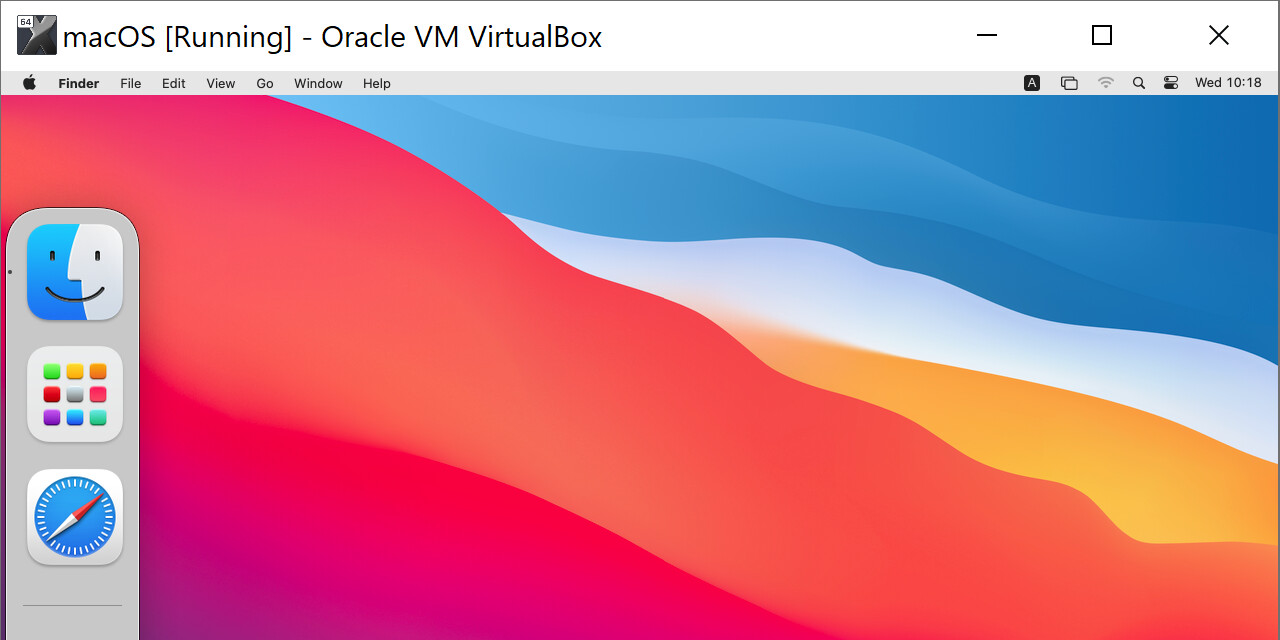
## Push-button installer of macOS on VirtualBox
[`macos-guest-virtualbox.sh`](https://raw.githubusercontent.com/myspaghetti/macos-guest-virtualbox/master/macos-guest-virtualbox.sh) is a Bash script that creates a macOS virtual machine guest on VirtualBox with unmodified macOS installation files downloaded directly from Apple servers.
A default install only requires the user to sit patiently and, less than ten times, press enter when prompted by the script, without interacting with the virtual machine.
Tested on `bash` and `zsh` on [Cygwin](https://cygwin.com/install.html). Works on macOS, CentOS 7, and Windows on x86 CPUs with VT-x or AMD-V. Should work on most modern Linux distros.
macOS Catalina (10.15), Mojave (10.14), and High Sierra (10.13) currently supported.
## Maintainer wanted
If you would like to become the maintainer of this repository, please see [issue #645 - maintainer wanted](https://github.com/myspaghetti/macos-virtualbox/issues/645).
## Documentation
Documentation can be viewed by executing the command `./macos-guest-virtualbox.sh documentation`
The majority of the script is either documentation, comments, or actionable error messages, which should make the script straightforward to inspect and understand.
## iCloud and iMessage connectivity and NVRAM
iCloud, iMessage, and other connected Apple services require a valid device name and serial number, board ID and serial number, and other genuine (or genuine-like) Apple parameters. These can be set in EFI and NVRAM by editing the script. See the [documentation command](#documentation) for further information.
## Storage size
The script by default assigns a target virtual disk storage size of 80GB, which is populated to about 25GB on the host on initial installation. After the installation is complete, the storage size may be increased. See the [documentation command](#documentation) for further information.
## Primary display resolution
The following primary display resolutions are supported by macOS on VirtualBox: `5120x2880` `2880x1800` `2560x1600` `2560x1440` `1920x1200` `1600x1200` `1680x1050` `1440x900` `1280x800` `1024x768` `640x480`. See the [documentation command](#documentation) for further information.
## Scope and unsupported features
The scope of the script is completing a default macOS install process on VirtualBox on supported hardware. Further functioning order of VirtualBox or macOS is beyond the scope of this script. Some features may behave unexpectedly, such as USB device support, audio support, FileVault boot password prompt support, and other features, including critical functionality.
### CPU compatibility
The script is designed for x86 CPU Mac hardware. macOS guests on VirtualBox are generally incompatible with other CPU models. If the guest macOS boot process hangs on “LoadKernelFromStream”, “EndRandomSeed”, or "EXITBS", see the [documentation command](#documentation) regarding VirtualBox CPU profiles and [CPUID settings](https://www.virtualbox.org/manual/ch08.html#vboxmanage-modifyvm-teleport). Some CPU models released in 2020 and later may fail to start or complete the installer, and may require manually adjusting the CPUID settings.
### Upgrading to Big Sur and Monterey
The virtual machine may be upgraded to the latest macOS Big Sur (11) and macOS Monterey (12) versions through Software Update. Big Sur may be installed in-place. Monterey may require attaching another volume to the virtual machine and selecting the volume as the installation target, otherwise the upgrade is prone to failing and entering a boot loop.
### Performance and deployment
After successfully creating a working macOS virtual machine, consider importing it into more performant virtualization software, or packaging it for configuration management platforms for automated deployment. These virtualization and deployment applications require additional configuration that is beyond the scope of the script.
QEMU with KVM is capable of providing virtual machine hardware passthrough for near-native performance. QEMU supports the `VMDK` virtual disk image storage format, which can be configured to be created by the script. See the [documentation command](#documentation) for further information. QEMU and KVM require additional configuration that is beyond the scope of the script.
#### VirtualBox Native Execution Manager (NEM)
The VirtualBox Native Execution Manager (NEM) is an experimental VirtualBox feature. [VirtualBox uses NEM when access to VT-x and AMD-V is blocked by virtualization software or execution protection features such as Hyper-V, WSL2, WSLg, Windows Sandbox, memory integrity protection, Application Guard, Credential Guard, Device Guard, and other features and software.](https://docs.microsoft.com/en-us/troubleshoot/windows-client/application-management/virtualization-apps-not-work-with-hyper-v) macOS and the macOS installer have memory corruption issues under NEM virtualization. The script checks for NEM and exits with an error message if it is detected.
[VirtualBox can run on WSL2 and WSLg with some kernel module compilation](https://github.com/myspaghetti/macos-virtualbox/issues/525), though performance is extremely low. At the point that kernel module compilation is required, it may be preferable to use QEMU/KVM on WSL2 and WSLg, which is orders of magnitude faster than VirtualBox on WSL2 and WSLg. WSL2, WSLg, QEMU, and KVM require additional configuration that is beyond the scope of the script.
### Bootloaders
The macOS VirtualBox guest is loaded without extra bootloaders, but it is compatible with [OpenCore](https://github.com/acidanthera/OpenCorePkg/releases). OpenCore requires additional configuration that is beyond the scope of the script.
### Audio
macOS may not support any built-in VirtualBox audio controllers. The bootloader [OpenCore](https://github.com/acidanthera/OpenCorePkg/releases) may be able to load open-source or built-in audio drivers in VirtualBox, providing the configuration for STAC9221 (Intel HD Audio) or SigmaTel STAC9700,83,84 (ICH AC97) is available.
### Display scaling
VirtualBox does not supply an EDID for its virtual display, and macOS does not enable display scaling (high PPI) without an EDID. The bootloader OpenCore can [inject an EDID](https://github.com/acidanthera/WhateverGreen/blob/master/Manual/FAQ.IntelHD.en.md#edid) which enables display scaling.
### FileVault
The VirtualBox EFI implementation does not properly load the FileVault full disk encryption password prompt upon boot. The bootloader [OpenCore](https://github.com/acidanthera/OpenCorePkg/releases/tag/0.6.9) is able to load the password prompt with the parameter `ProvideConsoleGop` set to `true`. See sample [config.plist](https://github.com/myspaghetti/macos-virtualbox/files/6600860/config.plist.txt)
## Dependencies
The following dependencies should be available through a package manager:
`bash` `coreutils` `gzip` `unzip` `wget` `xxd` `dmg2img` `virtualbox`
The following optional packages provide optical character recognition that reduces the required interaction with the script:
`tesseract-ocr` `tesseract-ocr-eng`
Supported versions:
* [VirtualBox](https://www.virtualbox.org/wiki/Downloads) ≥ 6.1.6, though versions as low as 5.2 may work.
* GNU `Bash` ≥ 4.3, on Windows run through [Cygwin](https://cygwin.com/install.html) or WSL "1", see [NEM](#virtualbox-native-execution-manager-nem)
* GNU `coreutils` ≥ 8.22, GNU `gzip` ≥ 1.5, Info-ZIP `unzip` ≥ v6.0, GNU `wget` ≥ 1.14, `xxd` ≥ 1.11
* `dmg2img` ≥ 1.6.5, on Cygwin the package is not available through the package manager so the script downloads it automatically.
* `tesseract-ocr` ≥ 4
================================================
FILE: macos-guest-virtualbox.sh
================================================
#!/bin/bash -i
# Push-button installer of macOS on VirtualBox
# (c) myspaghetti, licensed under GPL2.0 or higher
# url: https://github.com/myspaghetti/macos-virtualbox
# version 0.99.2.4
# Dependencies: bash coreutils gzip unzip wget xxd dmg2img
# Optional features: tesseract-ocr tesseract-ocr-eng
# Supported versions:
# VirtualBox >= 6.1.6 dmg2img >= 1.6.5
# GNU bash >= 4.3 GNU coreutils >= 8.22
# GNU gzip >= 1.5 GNU wget >= 1.14
# Info-ZIP unzip >= 6.0 xxd with -e little endian support
# tesseract-ocr >= 4
function set_variables() {
# Customize the installation by setting these variables:
vm_name="macOS" # name of the VirtualBox virtual machine
macOS_release_name="Catalina" # install "HighSierra" "Mojave" or "Catalina"
storage_size=80000 # VM disk image size in MB, minimum 22000
storage_format="vdi" # VM disk image file format, "vdi" or "vmdk"
cpu_profile="host" # VM CPU profile, see "CPU profiles" in docs
cpu_count=2 # VM CPU cores, minimum 2
memory_size=4096 # VM RAM in MB, minimum 2048
gpu_vram=128 # VM video RAM in MB, minimum 34, maximum 128
resolution="1280x800" # VM display resolution
# Values for NVRAM and EFI parameters are required by iCloud, iMessage,
# and other connected Apple applications, but otherwise not required.
# Parameters taken from a genuine Mac may result in a "Call customer support"
# message if they do not match the genuine Mac exactly.
# Non-genuine yet genuine-like parameters usually work.
# Assigning the following parameters is not required when installing or using macOS.
DmiSystemFamily="MacBook Pro" # Model Name
DmiSystemProduct="MacBookPro11,2" # Model Identifier
DmiBIOSVersion="string:MBP7.89" # Boot ROM Version
DmiSystemSerial="NO_DEVICE_SN" # Serial Number (system)
DmiSystemUuid="CAFECAFE-CAFE-CAFE-CAFE-DECAFFDECAFF" # Hardware UUID
ROM='%aa*%bbg%cc%dd' # ROM identifier
MLB="NO_LOGIC_BOARD_SN" # MLB SN stored in NVRAM
DmiBoardSerial="${MLB}" # MLB SN stored in EFI
DmiBoardProduct="Mac-3CBD00234E554E41" # Product (board) identifier
SystemUUID="aabbccddeeff00112233445566778899" # System UUID
# If the script is running on macOS and "get_parameters_from_macOS_host" is
# set to "yes", the script will attempt to get the host's EFI and NVRAM
# parameters and override the above EFI and NVRAM parameters.
get_parameters_from_macOS_host="no"
if [[ "$(sw_vers 2>/dev/null)" && "${get_parameters_from_macOS_host}" =~ [Yy] ]]; then
# These values are taken from a genuine Mac...
hardware_overview="$(system_profiler SPHardwareDataType)"
model_name="${hardware_overview##*Model Name: }"; model_name="${model_name%%$'\n'*}"
model_identifier="${hardware_overview##*Model Identifier: }"; model_identifier="${model_identifier%%$'\n'*}"
boot_rom_ver="${hardware_overview##*Boot ROM Version: }"; boot_rom_ver="${boot_rom_ver%%$'\n'*}"
sn_system="${hardware_overview##*Serial Number (system): }"; sn_system="${sn_system%%$'\n'*}"
hardware_uuid="${hardware_overview##*Hardware UUID: }"; hardware_uuid="${hardware_uuid%%$'\n'*}"
nvram_rom="$(nvram 4D1EDE05-38C7-4A6A-9CC6-4BCCA8B38C14:ROM)"; nvram_rom="${nvram_rom##*$'\t'}"
nvram_mlb="$(nvram 4D1EDE05-38C7-4A6A-9CC6-4BCCA8B38C14:MLB)"; nvram_mlb="${nvram_mlb##*$'\t'}"
ioreg_board_id="$(ioreg -p "IODeviceTree" -r -n / -d 1)"; ioreg_board_id="${ioreg_board_id##*board-id\" = <\"}"; ioreg_board_id="${ioreg_board_id%%\">*}"
ioreg_system_id="$(ioreg -p "IODeviceTree" -n platform -r)"; ioreg_system_id="${ioreg_system_id##*system-id\" = <}"; ioreg_system_id="${ioreg_system_id%%>*}"
# ...and set in VirtualBox EFI and NVRAM...
DmiSystemFamily="${model_name}" # Model Name
DmiSystemProduct="${model_identifier}" # Model Identifier
DmiBIOSVersion="string:${boot_rom_ver}" # Boot ROM Version
DmiSystemSerial="${sn_system}" # Serial Number (system)
DmiSystemUuid="${hardware_uuid}" # Hardware UUID
ROM="${nvram_rom}" # ROM identifier, stored in NVRAM
MLB="${nvram_mlb}" # MLB SN, stored in NVRAM
DmiBoardSerial="${nvram_mlb}" # MLB SN, stored in EFI
DmiBoardProduct="${ioreg_board_id}" # Product (board) identifier
SystemUUID="${ioreg_system_id}" # System UUID, stored in NVRAM
fi
system_integrity_protection='10' # '10' - enabled, '77' - disabled
# Additional configurations may be saved in external files and loaded with the
# following command prior to executing the script:
# export macos_vm_vars_file=/path/to/variable_assignment_file
# "variable_assignment_file" is a plain text file that contains zero or more
# lines with a variable assignment for any variable specified above.
[[ -r "${macos_vm_vars_file}" ]] && source "${macos_vm_vars_file}"
}
# welcome message
function welcome() {
echo -ne "\n${highlight_color}Push-button installer of macOS on VirtualBox${default_color}
This script installs only open-source software and unmodified Apple binaries,
and requires about ${highlight_color}50GB${default_color} of available storage, of which 25GB are for temporary
installation files that may be deleted when the script is finished.
The script interacts with the virtual machine twice, ${highlight_color}please do not interact${default_color}
${highlight_color}with the virtual machine manually${default_color} before the script is finished.
Documentation about optional configuration, ${highlight_color}iCloud and iMessage connectivity${default_color},
resuming the script by stages, and other topics can be viewed with the
following command:
"
would_you_like_to_know_less
echo -ne "\n${highlight_color}Press enter to review the script configuration${default_color}"
clear_input_buffer_then_read
function pad_to_33_chars() {
local padded="${1} "
echo "${padded:0:33}${2}"
}
# custom settings prompt
echo -e "\nvm_name=\"${vm_name}\""
pad_to_33_chars "macOS_release_name=\"${macOS_release_name}\"" "# install \"HighSierra\" \"Mojave\" \"Catalina\""
pad_to_33_chars "storage_size=${storage_size}" "# VM disk image size in MB, minimum 22000"
pad_to_33_chars "storage_format=\"${storage_format}\"" "# VM disk image file format, \"vdi\" or \"vmdk\""
pad_to_33_chars "cpu_profile=\"${cpu_profile}\"" "# VM CPU profile, see \"CPU profiles\" in docs"
pad_to_33_chars "cpu_count=${cpu_count}" "# VM CPU cores, minimum 2"
pad_to_33_chars "memory_size=${memory_size}" "# VM RAM in MB, minimum 2048"
pad_to_33_chars "gpu_vram=${gpu_vram}" "# VM video RAM in MB, minimum 34, maximum 128"
pad_to_33_chars "resolution=\"${resolution}\"" "# VM display resolution"
echo -ne "\nThese values may be customized as described in the documentation.\n
${highlight_color}Press enter to continue, CTRL-C to exit${default_color}"
clear_input_buffer_then_read
}
# check dependencies
function check_shell() {
if [[ -n "${BASH_VERSION}" && -n "${ZSH_VERSION}" ]]; then
echo "The script cannot determine if it is executed on bash or zsh."
echo "Please explicitly execute the script on the same shell as the interactive shell,"
echo -e "for example, for zsh:\n"
echo " ${highlight_color}zsh -i macos-guest-virtualbox.sh${default_color}"
exit
elif [[ -n "${BASH_VERSION}" ]]; then
if [[ ! ( "${BASH_VERSION:0:1}" -ge 5
|| "${BASH_VERSION:0:3}" =~ 4\.[3-9]
|| "${BASH_VERSION:0:4}" =~ 4\.[12][0-9] ) ]]; then
echo "Please execute this script with Bash 4.3 or higher, or zsh 5.5 or higher."
if [[ -n "$(sw_vers 2>/dev/null)" ]]; then
echo "macOS detected. Make sure the script is not executed with the default /bin/bash"
echo "which is version 3. Explicitly type the executable path, for example for zsh:"
echo " ${highlight_color}/path/to/5.5/zsh macos-guest-virtualbox.sh${default_color}"
fi
exit
fi
elif [[ -n "${ZSH_VERSION}" ]]; then
if [[ ( "${ZSH_VERSION:0:1}" -ge 6
|| "${ZSH_VERSION:0:3}" =~ 5\.[5-9]
|| "${ZSH_VERSION:0:4}" =~ 5\.[1-4][0-9] ) ]]; then
# make zsh parse the script (almost) like bash
setopt extendedglob sh_word_split ksh_arrays posix_argzero nullglob bsd_echo
else
echo "Please execute this script with zsh version 5.5 or higher."
exit
fi
else
echo "The script appears to be executed on a shell other than bash or zsh. Exiting."
exit
fi
if [[ ! $- =~ i ]]; then # terminal is not interactive
echo "The shell appears to be executed non-interactively. If this is not the case,"
echo "please press CTRL-C and run the script under an interactive shell, for example"
echo -e "${highlight_color}bash -i macos-guest-virtualbox.sh${default_color} or ${highlight_color}zsh -i macos-guest-virtualbox.sh${default_color}\n"
echo "Otherwise, the script will continue running non-interactively."
animated_please_wait 5
echo ""
tesseract_ocr="$(tesseract --version 2>/dev/null)"
tesseract_lang="$(tesseract --list-langs 2>/dev/null)"
regex_ver='[Tt]esseract [45]' # for zsh quoted regex compatibility
if [[ ! ( "${tesseract_ocr}" =~ ${regex_ver} ) || -z "${tesseract_lang}" ]]; then
echo "Running the script on a non-interactive shell requires the following packages:"
echo -e " tesseract-ocr >= 4 tesseract-ocr-eng\n"
echo "Exiting."
animated_please_wait 5
echo ""
exit
fi
fi
}
function check_gnu_coreutils_prefix() {
if [[ -n "$(gcsplit --help 2>/dev/null)" ]]; then
function base64() {
gbase64 "$@"
}
function csplit() {
gcsplit "$@"
}
function expr() {
gexpr "$@"
}
function ls() {
gls "$@"
}
function split() {
gsplit "$@"
}
function tac() {
gtac "$@"
}
function seq() {
gseq "$@"
}
function sort() {
gsort "$@"
}
fi
}
function check_dependencies() {
# check environment for macOS and non-GNU coreutils
if [[ -n "$(sw_vers 2>/dev/null)" ]]; then
# Add Homebrew GNU coreutils to PATH if path exists
homebrew_gnubin="/usr/local/opt/coreutils/libexec/gnubin"
if [[ -d "${homebrew_gnubin}" ]]; then
PATH="${homebrew_gnubin}:${PATH}"
fi
# if csplit isn't GNU variant, exit
if [[ -z "$(csplit --help 2>/dev/null)" ]]; then
echo -e "\nmacOS detected.\nPlease use a package manager such as ${highlight_color}homebrew${default_color}, ${highlight_color}pkgsrc${default_color}, ${highlight_color}nix${default_color}, or ${highlight_color}MacPorts${default_color}"
echo "Please make sure the following packages are installed and that"
echo "their path is in the PATH variable:"
echo -e " ${highlight_color}bash coreutils dmg2img gzip unzip wget xxd${default_color}"
echo "Please make sure Bash and coreutils are the GNU variant."
exit
fi
fi
# check for gzip, unzip, coreutils, wget
if [[ -z "$(gzip --help 2>/dev/null)" ||
-z "$(unzip -hh 2>/dev/null)" ||
-z "$(csplit --help 2>/dev/null)" ||
-z "$(wget --version 2>/dev/null)" ]]; then
echo "Please make sure the following packages are installed"
echo -e "and that they are of the version specified or newer:\n"
echo " coreutils 8.22 wget 1.14 gzip 1.5 unzip 6.0"
echo -e "\nPlease make sure the coreutils and gzip packages are the GNU variant."
exit
fi
# check that xxd supports endianness -e flag
if [[ -z "$(xxd -e -p -l 16 /dev/urandom 2>/dev/null)" ]]; then
echo "Please make sure a version of xxd which supports the -e option is installed."
echo -e "The -e option should be listed when executing ${low_contrast_color}xxd --help${default_color}"
echo "The package vim-common-8 provides a compatible version on most modern distros."
exit
fi
# wget supports --show-progress from version 1.16
regex='1\.1[6-9]|1\.[2-9][0-9]' # for zsh quoted regex compatibility
if [[ "$(wget --version 2>/dev/null | head -n 1)" =~ ${regex} ]]; then
wgetargs="--quiet --continue --show-progress --timeout=60 --secure-protocol=PFS" # pretty
else
wgetargs="--continue" # ugly
fi
# VirtualBox in ${PATH}
# Cygwin
if [[ -n "$(cygcheck -V 2>/dev/null)" ]]; then
if [[ -n "$(cmd.exe /d/s/c call VBoxManage.exe -v 2>/dev/null)" ]]; then
function VBoxManage() {
cmd.exe /d/s/c call VBoxManage.exe "$@"
}
else
cmd_path_VBoxManage='C:\Program Files\Oracle\VirtualBox\VBoxManage.exe'
echo "Can't find VBoxManage in PATH variable,"
echo "checking ${cmd_path_VBoxManage}"
if [[ -n "$(cmd.exe /d/s/c call "${cmd_path_VBoxManage}" -v 2>/dev/null)" ]]; then
function VBoxManage() {
cmd.exe /d/s/c call "${cmd_path_VBoxManage}" "$@"
}
echo "Found VBoxManage"
else
echo "Please make sure VirtualBox version 5.2 or higher is installed, and that"
echo "the path to the VBoxManage.exe executable is in the PATH variable, or assign"
echo "in the script the full path including the name of the executable to"
echo -e "the variable ${highlight_color}cmd_path_VBoxManage${default_color}"
exit
fi
fi
# Windows Subsystem for Linux 2 (WSL2 or WSLg)
elif [[ "$(cat /proc/sys/kernel/osrelease 2>/dev/null)" =~ WSL[2Gg] ]]; then # WSL2 or WSLg
if [[ -n "$(VBoxManage -v 2>/dev/null)" ]]; then
if [[ ! "$(lsmod)" =~ vboxdrv ]]; then # if the vboxdrv kernel module is not present
echo "The script appears to be executed on WSL2 or WSLg."
echo "Mind that WSL2 and WSLg require kernel module compilation and"
echo "custom configuration that is not supported by the script."
echo "If the script does not detect the ${highlight_color}vboxdrv${default_color} kernel module, it exits."
exit
fi
else
echo "Please make sure VirtualBox version 5.2 or higher and its kernel module"
echo "are installed, and that the path to the VBoxManage executable"
echo "is in the PATH variable."
exit
fi
# Windows Subsystem for Linux (WSL "1")
elif [[ "$(cat /proc/sys/kernel/osrelease 2>/dev/null)" =~ [Mm]icrosoft ]]; then
if [[ -n "$(VBoxManage.exe -v 2>/dev/null)" ]]; then
function VBoxManage() {
VBoxManage.exe "$@"
}
else
wsl_path_VBoxManage='/mnt/c/Program Files/Oracle/VirtualBox/VBoxManage.exe'
echo "Can't find VBoxManage in PATH variable,"
echo "checking ${wsl_path_VBoxManage}"
if [[ -n "$("${wsl_path_VBoxManage}" -v 2>/dev/null)" ]]; then
PATH="${PATH}:${wsl_path_VBoxManage%/*}"
function VBoxManage() {
VBoxManage.exe "$@"
}
echo "Found VBoxManage"
else
echo "Please make sure VirtualBox is installed on Windows, and that the path to the"
echo "VBoxManage.exe executable is in the PATH variable, or assigned in the script"
echo -e "to the variable \"${highlight_color}wsl_path_VBoxManage${default_color}\" including the name of the executable."
exit
fi
fi
# everything else (not cygwin and not wsl)
elif [[ -z "$(VBoxManage -v 2>/dev/null)" ]]; then
echo "Please make sure VirtualBox version 5.2 or higher and its kernel module"
echo "are installed, and that the path to the VBoxManage executable"
echo "is in the PATH variable."
exit
fi
# VirtualBox version
vbox_version="$(VBoxManage -v 2>/dev/null)"
vbox_version="${vbox_version//[$'\r\n']/}"
if [[ -z "${vbox_version}" || -z "${vbox_version:2:1}" ]]; then
echo "Can't determine VirtualBox version. Exiting."
exit
elif [[ ! ( "${vbox_version:0:1}" -gt 5
|| "${vbox_version:0:3}" =~ 5\.2 ) ]]; then
echo -e "\nPlease make sure VirtualBox version 5.2 or higher is installed."
echo "Exiting."
exit
elif [[ "${vbox_version:0:1}" = 5 ]]; then
echo -e "\n${highlight_color}VirtualBox version ${vbox_version} detected.${default_color} Please see the following"
echo -ne "URL for issues with the VISO filesystem on VirtualBox 5.2 to 5.2.40:\n\n"
echo " https://github.com/myspaghetti/macos-virtualbox/issues/86"
echo -ne "\n${highlight_color}Press enter to continue, CTRL-C to exit${default_color}"
clear_input_buffer_then_read
fi
# Oracle VM VirtualBox Extension Pack
extpacks="$(VBoxManage list extpacks 2>/dev/null)"
if [[ "$(expr match "${extpacks}" '.*Oracle VM VirtualBox Extension Pack')" -le "0" ||
"$(expr match "${extpacks}" '.*Usable:[[:blank:]]*false')" -gt "0" ]];
then
echo -e "\nThe command \"VBoxManage list extpacks\" either does not list the Oracle VM"
echo -e "VirtualBox Extension Pack, or lists one or more extensions as unusable."
echo -e "The virtual machine will be configured without USB xHCI controllers."
extension_pack_usb3_support="--usbxhci off"
else
extension_pack_usb3_support="--usbxhci on"
fi
# dmg2img
if ! dmg2img >/dev/null 2>&1; then
if [[ -z "$(cygcheck -V 2>/dev/null)" ]]; then
echo -e "\nPlease install the package dmg2img."
exit
fi
if [[ -z "$("${PWD%%/}/dmg2img.exe" -d 2>/dev/null)" ]]; then
if [[ -z "${PWD}" ]]; then echo "PWD environment variable is not set. Exiting."; exit; fi
echo "Locally installing dmg2img"
wget "https://web.archive.org/web/20190322013244/http://vu1tur.eu.org/tools/dmg2img-1.6.6-win32.zip" \
${wgetargs} \
--output-document="dmg2img-1.6.6-win32.zip"
if [[ ! -s dmg2img-1.6.6-win32.zip ]]; then
echo "Error downloading dmg2img. Please provide the package manually."
exit
fi
unzip -oj "dmg2img-1.6.6-win32.zip" "dmg2img.exe"
command rm "dmg2img-1.6.6-win32.zip"
chmod +x "dmg2img.exe"
[[ ! -x "dmg2img.exe" ]] && echo "Error setting the executable permission for dmg2img.exe. Exiting." && exit
fi
function dmg2img() {
"${PWD%%/}/dmg2img.exe" "$@"
}
fi
# set Apple software update catalog URL according to macOS version
HighSierra_sucatalog='https://swscan.apple.com/content/catalogs/others/index-10.13-10.12-10.11-10.10-10.9-mountainlion-lion-snowleopard-leopard.merged-1.sucatalog'
Mojave_sucatalog='https://swscan.apple.com/content/catalogs/others/index-10.14-10.13-10.12-10.11-10.10-10.9-mountainlion-lion-snowleopard-leopard.merged-1.sucatalog'
Catalina_sucatalog='https://swscan.apple.com/content/catalogs/others/index-10.15-10.14-10.13-10.12-10.11-10.10-10.9-mountainlion-lion-snowleopard-leopard.merged-1.sucatalog'
if [[ "${macOS_release_name:0:1}" =~ [Cc] ]]; then
if [[ ! ( "${vbox_version:0:1}" -gt 6 ||
"${vbox_version}" =~ ^6\.1\.[4-9] ||
"${vbox_version}" =~ ^6\.1\.[123][0-9] ||
"${vbox_version}" =~ ^6\.[2-9] ) ]]; then
echo -e "\nmacOS Catalina requires VirtualBox version 6.1.4 or higher."
echo "Exiting."
exit
fi
fi
if [[ "${macOS_release_name:0:1}" =~ [Cc] ]]; then
macOS_release_name="Catalina"
CFBundleShortVersionString="10.15"
sucatalog="${Catalina_sucatalog}"
elif [[ "${macOS_release_name:0:1}" =~ [Hh] ]]; then
macOS_release_name="HighSierra"
CFBundleShortVersionString="10.13"
sucatalog="${HighSierra_sucatalog}"
elif [[ "${macOS_release_name:0:1}" =~ [Mm] ]]; then
macOS_release_name="Mojave"
CFBundleShortVersionString="10.14"
sucatalog="${Mojave_sucatalog}"
else
echo "Can't parse macOS_release_name. Exiting."
exit
fi
print_dimly "${macOS_release_name} selected to be downloaded and installed"
}
# Done with dependencies
function prompt_delete_existing_vm() {
print_dimly "stage: prompt_delete_existing_vm"
if [[ -n "$(VBoxManage showvminfo "${vm_name}" 2>/dev/null)" ]]; then
echo -e "\nA virtual machine named \"${vm_name}\" already exists."
echo -ne "${warning_color}Delete existing virtual machine \"${vm_name}\"?${default_color}"
prompt_delete_y_n
if [[ "${delete}" == "y" ]]; then
echo "Deleting ${vm_name} virtual machine."
VBoxManage unregistervm "${vm_name}" --delete
else
echo -e "\n${highlight_color}Please assign a different VM name to variable \"vm_name\" by editing the script,${default_color}"
echo "or skip this check manually as described when executing the following command:"
would_you_like_to_know_less
exit
fi
fi
}
# Attempt to create new virtual machine named "${vm_name}"
function create_vm() {
print_dimly "stage: create_vm"
if [[ -n "$( VBoxManage createvm --name "${vm_name}" --ostype "MacOS1013_64" --register 2>&1 >/dev/null )" ]]; then
echo -e "\nError: Could not create virtual machine \"${vm_name}\"."
echo -e "${highlight_color}Please delete exising \"${vm_name}\" VirtualBox configuration files ${warning_color}manually${default_color}.\n"
echo -e "Error message:\n"
VBoxManage createvm --name "${vm_name}" --ostype "MacOS1013_64" --register 2>/dev/tty
exit
fi
}
function check_default_virtual_machine() {
print_dimly "stage: check_default_virtual_machine"
echo -e "\nChecking that VirtualBox starts the virtual machine without errors."
if [[ -n $(VBoxManage startvm "${vm_name}" 2>&1 1>/dev/null) ]]; then
echo -e "Error while starting the virtual machine.\nExiting."
exit
fi
VBoxManage controlvm "${vm_name}" poweroff 2>/dev/null
echo -e "\nChecking that VirtualBox uses hardware-supported virtualization."
vbox_log="$(VBoxManage showvminfo "${vm_name}" --log 0)"
regex='Attempting fall back to NEM' # for zsh quoted regex compatibility
if [[ "${vbox_log}" =~ ${regex} ]]; then
echo -e "\nVirtualbox is not using hardware-supported virtualization features."
if [[ -n "$(cygcheck -V 2>/dev/null)" ||
"$(cat /proc/sys/kernel/osrelease 2>/dev/null)" =~ [Mm]icrosoft ]]; then
echo "Check that software such as Hyper-V, Windows Sandbox, WSL2, memory integrity"
echo "protection, and other Windows features that lock virtualization are turned off."
fi
echo "Exiting."
exit
fi
}
function prepare_macos_installation_files() {
print_dimly "stage: prepare_macos_installation_files"
# Find the correct download URL in the Apple catalog
echo -e "\nDownloading Apple macOS ${macOS_release_name} software update catalog"
wget "${sucatalog}" \
${wgetargs} \
--output-document="${macOS_release_name}_sucatalog"
# if file was not downloaded correctly
if [[ ! -s "${macOS_release_name}_sucatalog" ]]; then
wget --debug --timeout=60 -O /dev/null -o "${macOS_release_name}_wget.log" "${sucatalog}"
echo -e "\nCouldn't download the Apple software update catalog."
if [[ "$(expr match "$(cat "${macOS_release_name}_wget.log")" '.*ERROR[[:print:]]*is not trusted')" -gt "0" ]]; then
echo -e "\nMake sure certificates from a certificate authority are installed."
echo "Certificates are often installed through the package manager with"
echo "a package named ${highlight_color}ca-certificates${default_color}"
fi
echo "Exiting."
exit
fi
echo "Trying to find macOS ${macOS_release_name} InstallAssistant download URL"
tac "${macOS_release_name}_sucatalog" | csplit - '/InstallAssistantAuto.smd/+1' '{*}' -f "${macOS_release_name}_sucatalog_" -s
for catalog in "${macOS_release_name}_sucatalog_"* "error"; do
if [[ "${catalog}" == error ]]; then
command rm "${macOS_release_name}_sucatalog"*
echo "Couldn't find the requested download URL in the Apple catalog. Exiting."
exit
fi
urlbase="$(tail -n 1 "${catalog}" 2>/dev/null)"
urlbase="$(expr match "${urlbase}" '.*\(http://[^<]*/\)')"
wget "${urlbase}InstallAssistantAuto.smd" \
${wgetargs} \
--output-document="${catalog}_InstallAssistantAuto.smd"
if [[ "$(cat "${catalog}_InstallAssistantAuto.smd" )" =~ Beta ]]; then
continue
fi
found_version="$(head -n 6 "${catalog}_InstallAssistantAuto.smd" | tail -n 1)"
if [[ "${found_version}" == *${CFBundleShortVersionString}* ]]; then
echo -e "Found download URL: ${urlbase}\n"
command rm "${macOS_release_name}_sucatalog"*
break
fi
done
echo "Downloading macOS installation files from swcdn.apple.com"
for filename in "BaseSystem.chunklist" \
"InstallInfo.plist" \
"AppleDiagnostics.dmg" \
"AppleDiagnostics.chunklist" \
"BaseSystem.dmg" \
"InstallESDDmg.pkg"; \
do wget "${urlbase}${filename}" \
${wgetargs} \
--output-document "${macOS_release_name}_${filename}"
done
echo -e "\nSplitting the several-GB InstallESDDmg.pkg into 1GB parts because"
echo "VirtualBox hasn't implemented UDF/HFS VISO support yet and macOS"
echo "doesn't support ISO 9660 Level 3 with files larger than 2GB."
split --verbose -a 2 -d -b 1000000000 "${macOS_release_name}_InstallESDDmg.pkg" "${macOS_release_name}_InstallESD.part"
if [[ ! -s "ApfsDriverLoader.efi" ]]; then
echo -e "\nDownloading open-source APFS EFI drivers used for VirtualBox 6.0 and 5.2"
[[ "${vbox_version:0:1}" -gt 6 || ( "${vbox_version:0:1}" = 6 && "${vbox_version:2:1}" -ge 1 ) ]] && echo "...even though VirtualBox version 6.1 or higher is detected."
wget 'https://github.com/acidanthera/AppleSupportPkg/releases/download/2.0.4/AppleSupport-v2.0.4-RELEASE.zip' \
${wgetargs} \
--output-document 'AppleSupport-v2.0.4-RELEASE.zip'
unzip -oj 'AppleSupport-v2.0.4-RELEASE.zip'
fi
}
function create_nvram_files() {
print_dimly "stage: create_nvram_files"
# Each NVRAM file may contain multiple entries.
# Each entry contains a namesize, datasize, name, guid, attributes, and data.
# Each entry is immediately followed by a crc32 of the entry.
# The script creates each file with only one entry for easier editing.
#
# The hex strings are stripped by xxd, so they can
# look like "0xAB 0xCD" or "hAB hCD" or "AB CD" or "ABCD" or a mix of formats
# and have extraneous characters like spaces or minus signs.
# Load the binary files into VirtualBox VM NVRAM with the builtin command dmpstore
# in the VM EFI Internal Shell, for example:
# dmpstore -all -l fs0:\system-id.bin
#
# DmpStore code is available at this URL:
# https://github.com/mdaniel/virtualbox-org-svn-vbox-trunk/blob/master/src/VBox/Devices/EFI/Firmware/ShellPkg/Library/UefiShellDebug1CommandsLib/DmpStore.c
function generate_nvram_bin_file() {
# input: name data guid (three positional arguments, all required)
# output: function outputs nothing to stdout
# but writes a binary file to working directory
local namestring="${1}" # string of chars
local filename="${namestring}"
# represent string as string-of-hex-bytes, add null byte after every byte,
# terminate string with two null bytes
local name="$( for (( i = 0 ; i < ${#namestring} ; i++ )); do printf -- "${namestring:${i}:1}" | xxd -p | tr -d '\n'; printf '00'; done; printf '0000' )"
# size of string in bytes, represented by eight hex digits, big-endian
local namesize="$(printf "%08x" $(( ${#name} / 2 )) )"
# flip four big-endian bytes byte-order to little-endian
local namesize="$(printf "${namesize}" | xxd -r -p | xxd -e -g 4 | xxd -r | xxd -p)"
# strip string-of-hex-bytes representation of data of spaces, "x", "h", etc
local data="$(printf -- "${2}" | xxd -r -p | xxd -p)"
# size of data in bytes, represented by eight hex digits, big-endian
local datasize="$(printf "%08x" $(( ${#data} / 2 )) )"
# flip four big-endian bytes byte-order to little-endian
local datasize="$(printf "${datasize}" | xxd -r -p | xxd -e -g 4 | xxd -r | xxd -p)"
# guid string-of-hex-bytes is five fields, 8+4+4+4+12 nibbles long
# first three are little-endian, last two big-endian
# for example, 0F1A2B3C-4D5E-6A7B-8C9D-A1B2C3D4E5F6
# is stored as 3C2B1A0F-5E4D-7B6A-8C9D-A1B2C3D4E5F6
local g="$( printf -- "${3}" | xxd -r -p | xxd -p )" # strip spaces etc
local guid="${g:6:2} ${g:4:2} ${g:2:2} ${g:0:2} ${g:10:2} ${g:8:2} ${g:14:2} ${g:12:2} ${g:16:16}"
# attributes in four bytes little-endian
local attributes="07 00 00 00"
# the data structure
local entry="${namesize} ${datasize} ${name} ${guid} ${attributes} ${data}"
# calculate crc32 using gzip, flip crc32 bytes into big-endian
local crc32="$(printf "${entry}" | xxd -r -p | gzip -c | tail -c8 | xxd -p -l 4)"
# save binary data
printf -- "${entry} ${crc32}" | xxd -r -p - "${vm_name}_${filename}.bin"
}
# MLB
MLB_b16="$(printf -- "${MLB}" | xxd -p)"
generate_nvram_bin_file "MLB" "${MLB_b16}" "4D1EDE05-38C7-4A6A-9CC6-4BCCA8B38C14"
# ROM
# Convert the mixed-ASCII-and-base16 ROM value
# into an ASCII string that represents a base16 number.
ROM_b16="$(for (( i=0; i<${#ROM}; )); do
if [[ "${ROM:${i}:1}" == "%" ]]; then
let j=i+1
echo -n "${ROM:${j}:2}"
let i=i+3
else
x="$(echo -n "${ROM:${i}:1}" | xxd -p | tr -d ' ')"
echo -n "${x}"
let i=i+1
fi
done)"
generate_nvram_bin_file "ROM" "${ROM_b16}" "4D1EDE05-38C7-4A6A-9CC6-4BCCA8B38C14"
# system-id
generate_nvram_bin_file "system-id" "${SystemUUID}" "7C436110-AB2A-4BBB-A880-FE41995C9F82"
# SIP / csr-active-config
generate_nvram_bin_file "csr-active-config" "${system_integrity_protection}" "7C436110-AB2A-4BBB-A880-FE41995C9F82"
}
function create_macos_installation_files_viso() {
print_dimly "stage: create_macos_installation_files_viso"
echo "Creating EFI startup script"
echo 'echo -off' > "${vm_name}_startup.nsh"
if [[ ( "${vbox_version:0:1}" -lt 6 ) || ( "${vbox_version:0:1}" = 6 && "${vbox_version:2:1}" = 0 ) ]]; then
echo 'load fs0:\EFI\OC\Drivers\AppleImageLoader.efi
load fs0:\EFI\OC\Drivers\AppleUiSupport.efi
load fs0:\EFI\OC\Drivers\ApfsDriverLoader.efi
map -r' >> "${vm_name}_startup.nsh"
fi
# EFI Internal Shell 2.1 (VBox 6.0) doesn't support for-loops that start with 0
echo 'if exist "fs0:\EFI\NVRAM\MLB.bin" then
dmpstore -all -l fs0:\EFI\NVRAM\MLB.bin
dmpstore -all -l fs0:\EFI\NVRAM\ROM.bin
dmpstore -all -l fs0:\EFI\NVRAM\csr-active-config.bin
dmpstore -all -l fs0:\EFI\NVRAM\system-id.bin
endif
for %a run (1 5)
if exist "fs%a:\EFI\NVRAM\MLB.bin" then
dmpstore -all -l fs%a:\EFI\NVRAM\MLB.bin
dmpstore -all -l fs%a:\EFI\NVRAM\ROM.bin
dmpstore -all -l fs%a:\EFI\NVRAM\csr-active-config.bin
dmpstore -all -l fs%a:\EFI\NVRAM\system-id.bin
endif
endfor
for %a run (1 5)
if exist "fs%a:\macOS Install Data\Locked Files\Boot Files\boot.efi" then
"fs%a:\macOS Install Data\Locked Files\Boot Files\boot.efi"
endif
endfor
for %a run (1 5)
if exist "fs%a:\System\Library\CoreServices\boot.efi" then
"fs%a:\System\Library\CoreServices\boot.efi"
endif
endfor' >> "${vm_name}_startup.nsh"
echo -e "\nCreating VirtualBox 6 virtual ISO containing the"
echo -e "installation files from swcdn.apple.com\n"
create_viso_header "${macOS_release_name}_installation_files.viso" "${macOS_release_name:0:5}-files"
# add files to viso
# Apple macOS installation files
for filename in "BaseSystem.chunklist" \
"InstallInfo.plist" \
"AppleDiagnostics.dmg" \
"AppleDiagnostics.chunklist" \
"BaseSystem.dmg" ; do
if [[ -s "${macOS_release_name}_${filename}" ]]; then
echo "/${filename}=\"${macOS_release_name}_${filename}\"" >> "${macOS_release_name}_installation_files.viso"
fi
done
if [[ -s "${macOS_release_name}_InstallESD.part00" ]]; then
for part in "${macOS_release_name}_InstallESD.part"*; do
echo "/InstallESD${part##*InstallESD}=\"${part}\"" >> "${macOS_release_name}_installation_files.viso"
done
fi
# NVRAM binary files
for filename in "MLB.bin" "ROM.bin" "csr-active-config.bin" "system-id.bin"; do
if [[ -s "${vm_name}_${filename}" ]]; then
echo "/ESP/EFI/NVRAM/${filename}=\"${vm_name}_${filename}\"" >> "${macOS_release_name}_installation_files.viso"
fi
done
# EFI drivers for VirtualBox 6.0 and 5.2
for filename in "ApfsDriverLoader.efi" "AppleImageLoader.efi" "AppleUiSupport.efi"; do
if [[ -s "${filename}" ]]; then
echo "/ESP/EFI/OC/Drivers/${filename}=\"${filename}\"" >> "${macOS_release_name}_installation_files.viso"
fi
done
# EFI startup script
echo "/ESP/startup.nsh=\"${vm_name}_startup.nsh\"" >> "${macOS_release_name}_installation_files.viso"
}
function configure_vm() {
print_dimly "stage: configure_vm"
if [[ -n "$(
VBoxManage modifyvm "${vm_name}" --cpu-profile "${cpu_profile}" --cpus "${cpu_count}" \
--memory "${memory_size}" --vram "${gpu_vram}" --pae on \
--boot1 none --boot2 none --boot3 none --boot4 none \
--firmware efi --rtcuseutc on --chipset ich9 ${extension_pack_usb3_support} \
--mouse usbtablet --keyboard usb 2>&1 >/dev/null
)" ]]; then
echo -e "\nError: Could not configure virtual machine \"${vm_name}\"."
echo -e "If the VM is powered on, power off the virtual machine and resume the script or"
echo -e "execute the stage ${low_contrast_color}configure_vm${default_color}\n"
echo "Exiting."
exit
fi
VBoxManage setextradata "${vm_name}" \
"VBoxInternal2/EfiGraphicsResolution" "${resolution}"
VBoxManage setextradata "${vm_name}" \
"VBoxInternal/Devices/efi/0/Config/DmiSystemFamily" "${DmiSystemFamily}"
VBoxManage setextradata "${vm_name}" \
"VBoxInternal/Devices/efi/0/Config/DmiSystemProduct" "${DmiSystemProduct}"
VBoxManage setextradata "${vm_name}" \
"VBoxInternal/Devices/efi/0/Config/DmiSystemSerial" "${DmiSystemSerial}"
VBoxManage setextradata "${vm_name}" \
"VBoxInternal/Devices/efi/0/Config/DmiSystemUuid" "${DmiSystemUuid}"
VBoxManage setextradata "${vm_name}" \
"VBoxInternal/Devices/efi/0/Config/DmiOEMVBoxVer" "${DmiOEMVBoxVer}"
VBoxManage setextradata "${vm_name}" \
"VBoxInternal/Devices/efi/0/Config/DmiOEMVBoxRev" "${DmiOEMVBoxRev}"
VBoxManage setextradata "${vm_name}" \
"VBoxInternal/Devices/efi/0/Config/DmiBIOSVersion" "${DmiBIOSVersion}"
VBoxManage setextradata "${vm_name}" \
"VBoxInternal/Devices/efi/0/Config/DmiBoardProduct" "${DmiBoardProduct}"
VBoxManage setextradata "${vm_name}" \
"VBoxInternal/Devices/efi/0/Config/DmiBoardSerial" "${DmiBoardSerial}"
VBoxManage setextradata "${vm_name}" \
"VBoxInternal/Devices/efi/0/Config/DmiSystemVendor" "Apple Inc."
VBoxManage setextradata "${vm_name}" \
"VBoxInternal/Devices/efi/0/Config/DmiSystemVersion" "1.0"
VBoxManage setextradata "${vm_name}" \
"VBoxInternal/Devices/smc/0/Config/DeviceKey" \
"ourhardworkbythesewordsguardedpleasedontsteal(c)AppleComputerInc"
VBoxManage setextradata "${vm_name}" \
"VBoxInternal/Devices/smc/0/Config/GetKeyFromRealSMC" 0
VBoxManage setextradata "${vm_name}" \
"VBoxInternal/TM/TSCMode" "RealTSCOffset" # avoid boot loop when upgrading to Monterey
}
# Create the macOS base system virtual disk image
function populate_basesystem_virtual_disk() {
print_dimly "stage: populate_basesystem_virtual_disk"
[[ -s "${macOS_release_name}_BaseSystem.${storage_format}" ]] && echo "${macOS_release_name}_BaseSystem.${storage_format} bootstrap virtual disk image exists." && return
[[ ! -s "${macOS_release_name}_BaseSystem.dmg" ]] && echo -e "\nCould not find ${macOS_release_name}_BaseSystem.dmg; exiting." && exit
echo "Converting BaseSystem.dmg to BaseSystem.img"
dmg2img "${macOS_release_name}_BaseSystem.dmg" "${macOS_release_name}_BaseSystem.img"
VBoxManage storagectl "${vm_name}" --remove --name SATA >/dev/null 2>&1
VBoxManage closemedium "${macOS_release_name}_BaseSystem.${storage_format}" >/dev/null 2>&1
local success=''
VBoxManage convertfromraw --format "${storage_format}" "${macOS_release_name}_BaseSystem.img" "${macOS_release_name}_BaseSystem.${storage_format}" && local success="True"
if [[ "${success}" = "True" ]]; then
command rm "${macOS_release_name}_BaseSystem.img" 2>/dev/null
return
fi
echo "Failed to create \"${macOS_release_name}_BaseSystem.${storage_format}\"."
if [[ "$(cat /proc/sys/kernel/osrelease 2>/dev/null)" =~ [Mm]icrosoft ]]; then
echo -e "\nSome versions of WSL require the script to execute on a Windows filesystem path,"
echo -e "for example ${highlight_color}/mnt/c/Users/Public/Documents${default_color}"
echo -e "Switch to a path on the Windows filesystem if VBoxManage.exe fails to"
echo -e "create or open a file.\n"
fi
echo "Exiting."
exit
}
# Create the installation media virtual disk image
function create_bootable_installer_virtual_disk() {
print_dimly "stage: create_bootable_installer_virtual_disk"
if [[ -w "${macOS_release_name}_bootable_installer.${storage_format}" ]]; then
echo "\"${macOS_release_name}_bootable_installer.${storage_format}\" virtual disk image exists."
echo -ne "${warning_color}Delete \"${macOS_release_name}_bootable_installer.${storage_format}\"?${default_color}"
prompt_delete_y_n
if [[ "${delete}" == "y" ]]; then
if [[ "$( VBoxManage list runningvms )" =~ \""${vm_name}"\" ]]
then
echo "\"${macOS_release_name}_bootable_installer.${storage_format}\" may be deleted"
echo "only when the virtual machine is powered off."
echo "Exiting."
exit
else
VBoxManage storagectl "${vm_name}" --remove --name SATA >/dev/null 2>&1
VBoxManage closemedium "${macOS_release_name}_bootable_installer.${storage_format}" >/dev/null 2>&1
command rm "${macOS_release_name}_bootable_installer.${storage_format}"
fi
else
echo "Exiting."
exit
fi
fi
if [[ ! -e "${macOS_release_name}_bootable_installer.${storage_format}" ]]; then
echo "Creating ${macOS_release_name} installation media virtual disk image."
VBoxManage storagectl "${vm_name}" --remove --name SATA >/dev/null 2>&1
VBoxManage closemedium "${macOS_release_name}_bootable_installer.${storage_format}" >/dev/null 2>&1
VBoxManage createmedium --size=12000 \
--format "${storage_format}" \
--filename "${macOS_release_name}_bootable_installer.${storage_format}" \
--variant standard 2>/dev/tty
fi
}
function populate_bootable_installer_virtual_disk() {
print_dimly "stage: populate_bootable_installer_virtual_disk"
# Attach virtual disk images of the base system, installation, and target
# to the virtual machine
VBoxManage storagectl "${vm_name}" --remove --name SATA >/dev/null 2>&1
if [[ -n $(
2>&1 VBoxManage storagectl "${vm_name}" --add sata --name SATA --hostiocache on >/dev/null
) ]]; then echo "Could not configure virtual machine storage controller. Exiting."; exit; fi
if [[ -n $(
2>&1 VBoxManage storageattach "${vm_name}" --storagectl SATA --port 1 --hotpluggable on \
--type hdd --nonrotational on --medium "${macOS_release_name}_bootable_installer.${storage_format}" >/dev/null
) ]]; then echo "Could not attach \"${macOS_release_name}_bootable_installer.${storage_format}\". Exiting."; exit; fi
if [[ -n $(
2>&1 VBoxManage storageattach "${vm_name}" --storagectl SATA --port 2 \
--type dvddrive --medium "${macOS_release_name}_installation_files.viso" >/dev/null
) ]]; then echo "Could not attach \"${macOS_release_name}_installation_files.viso\". Exiting."; exit; fi
if [[ -n $(
2>&1 VBoxManage storageattach "${vm_name}" --storagectl SATA --port 3 --hotpluggable on \
--type hdd --nonrotational on --medium "${macOS_release_name}_BaseSystem.${storage_format}" >/dev/null
) ]]; then echo "Could not attach \"${macOS_release_name}_BaseSystem.${storage_format}\". Exiting."; exit; fi
echo -e "\nCreating VirtualBox 6 virtual ISO containing macOS Terminal script"
echo -e "for partitioning and populating the bootable installer virtual disk.\n"
create_viso_header "${vm_name}_populate_bootable_installer_virtual_disk.viso" "bootinst-sh"
echo "/bootinst.sh=\"${vm_name}_bootinst.txt\"" >> "${vm_name}_populate_bootable_installer_virtual_disk.viso"
# Assigning "physical" disks from largest to smallest to "${disks[]}" array
# Partitioning largest disk as APFS
# Partition second-largest disk as JHFS+
echo '# this script is executed on the macOS virtual machine' > "${vm_name}_bootinst.txt"
echo 'disks="$(diskutil list | grep -o "\*[0-9][^ ]* [GTP]B *disk[0-9]$" | grep -o "[0-9].*")" && \
disks="$(echo "${disks}" | sed -e "s/\.[0-9] T/000.0 G/" -e "s/\.[0-9] P/000000.0 G/" | sort -gr | grep -o disk[0-9] )" && \
disks=(${disks[@]}) && \
if [ -z "${disks}" ]; then echo "Could not find disks"; fi && \
[ -n "${disks[0]}" ] && \
diskutil partitionDisk "/dev/${disks[0]}" 1 GPT JHFS+ "Install" R && \' >> "${vm_name}_bootinst.txt"
# Create secondary base system on the Install disk
# and copy macOS install app files to the app directory
echo 'asr restore --source "/Volumes/'"${macOS_release_name:0:5}-files"'/BaseSystem.dmg" --target /Volumes/Install --erase --noprompt && \
app_path="$(ls -d "/Volumes/"*"Base System 1/Install"*.app)" && \
install_path="${app_path}/Contents/SharedSupport/" && \
mkdir -p "${install_path}" && cd "/Volumes/'"${macOS_release_name:0:5}-files/"'" && \
cp *.chunklist *.plist *.dmg "${install_path}" && \
echo "" && echo "Copying the several-GB InstallESD.dmg to the installer app directory" && echo "Please wait" && \
if [ -s "${install_path}/InstallESD.dmg" ]; then \
rm -f "${install_path}/InstallESD.dmg" ; fi && \
for part in InstallESD.part*; do echo "Concatenating ${part}"; cat "${part}" >> "${install_path}/InstallESD.dmg"; done && \
sed -i.bak -e "s/InstallESDDmg\.pkg/InstallESD.dmg/" -e "s/pkg\.InstallESDDmg/dmg.InstallESD/" "${install_path}InstallInfo.plist" && \
sed -i.bak2 -e "/InstallESD\.dmg/{n;N;N;N;d;}" "${install_path}InstallInfo.plist" && \' >> "${vm_name}_bootinst.txt"
# shut down the virtual machine
echo 'shutdown -h now' >> "${vm_name}_bootinst.txt"
if [[ -n $(
2>&1 VBoxManage storageattach "${vm_name}" --storagectl SATA --port 4 \
--type dvddrive --medium "${vm_name}_populate_bootable_installer_virtual_disk.viso" >/dev/null
) ]]; then echo "Could not attach \"${vm_name}_populate_bootable_installer_virtual_disk.viso\". Exiting."; exit; fi
echo -e "\nStarting virtual machine \"${vm_name}\".
This should take a couple of minutes. If booting fails, exit the script by
pressing CTRL-C then see the documentation for information about applying
different CPU profiles in the section ${highlight_color}CPU profiles and CPUID settings${default_color}."
( VBoxManage startvm "${vm_name}" >/dev/null 2>&1 )
echo -e "\nUntil the script completes, please do not manually interact with\nthe virtual machine."
[[ -z "${kscd}" ]] && declare_scancode_dict
prompt_lang_utils_terminal
kbstring='/Volumes/bootinst-sh/bootinst.sh'
send_keys
send_enter
echo -e "\nPartitioning the bootable installer virtual disk; loading base system onto the
installer virtual disk; moving installation files to installer virtual disk;
updating the InstallInfo.plist file; and rebooting the virtual machine.
The virtual machine may report that disk space is critically low; this is fine.
When the bootable installer virtual disk is finished being populated, the script
will shut down the virtual machine. After shutdown, the initial base system will
be detached from the VM and released from VirtualBox."
print_dimly "If the partitioning fails, exit the script by pressing CTRL-C"
print_dimly "Otherwise, please wait."
while [[ "$( VBoxManage list runningvms )" =~ \""${vm_name}"\" ]]; do sleep 2 >/dev/null 2>&1; done
echo "Waiting for the VirtualBox GUI to shut off."
animated_please_wait 10
# Detach the original 2GB BaseSystem virtual disk image
# and release basesystem VDI from VirtualBox configuration
if [[ -n $(
2>&1 VBoxManage storageattach "${vm_name}" --storagectl SATA --port 3 --medium none >/dev/null
2>&1 VBoxManage closemedium "${macOS_release_name}_BaseSystem.${storage_format}" >/dev/null
) ]]; then
echo "Could not detach ${macOS_release_name}_BaseSystem.${storage_format}"
echo "The script will try to detach the virtual disk image. If this takes more than"
echo "a few seconds, terminate the script with CTRL-C, manually shut down VirtualBox,"
echo "and resume with the following stages as described in the documentation:"
echo " ${highlight_color}create_target_virtual_disk populate_macos_target_disk${default_color}"
while [[ -n $(
2>&1 VBoxManage storageattach "${vm_name}" --storagectl SATA --port 3 --medium none >/dev/null
2>&1 VBoxManage closemedium "${macOS_release_name}_BaseSystem.${storage_format}" >/dev/null
) ]]; do
animated_please_wait 10
done
fi
echo -e "\n${macOS_release_name}_BaseSystem.${storage_format} successfully detached from"
echo "the virtual machine and released from VirtualBox Manager."
}
function create_target_virtual_disk() {
print_dimly "stage: create_target_virtual_disk"
if [[ -w "${vm_name}.${storage_format}" ]]; then
echo "${vm_name}.${storage_format} target system virtual disk image exists."
echo -ne "${warning_color}Delete \"${vm_name}.${storage_format}\"?${default_color}"
prompt_delete_y_n
if [[ "${delete}" == "y" ]]; then
if [[ "$( VBoxManage list runningvms )" =~ \""${vm_name}"\" ]]
then
echo "\"${vm_name}.${storage_format}\" may be deleted"
echo "only when the virtual machine is powered off."
echo "Exiting."
exit
else
VBoxManage storagectl "${vm_name}" --remove --name SATA >/dev/null 2>&1
VBoxManage closemedium "${vm_name}.${storage_format}" >/dev/null 2>&1
command rm "${vm_name}.${storage_format}"
fi
else
echo "Exiting."
exit
fi
fi
if [[ "${macOS_release_name}" = "Catalina" && "${storage_size}" -lt 25000 ]]; then
echo "Attempting to install macOS Catalina on a disk smaller than 25000MB will fail."
echo "Please assign a larger virtual disk image size. Exiting."
exit
elif [[ "${storage_size}" -lt 22000 ]]; then
echo "Attempting to install macOS on a disk smaller than 22000MB will fail."
echo "Please assign a larger virtual disk image size. Exiting."
exit
fi
if [[ ! -e "${vm_name}.${storage_format}" ]]; then
echo "Creating target system virtual disk image for \"${vm_name}\""
VBoxManage storagectl "${vm_name}" --remove --name SATA >/dev/null 2>&1
VBoxManage closemedium "${vm_name}.${storage_format}" >/dev/null 2>&1
VBoxManage createmedium --size="${storage_size}" \
--format "${storage_format}" \
--filename "${vm_name}.${storage_format}" \
--variant standard 2>/dev/tty
fi
}
function populate_macos_target_disk() {
print_dimly "stage: populate_macos_target_disk"
if [[ "$( VBoxManage list runningvms )" =~ \""${vm_name}"\" ]]; then
echo -e "${highlight_color}Please ${warning_color}manually${highlight_color} shut down the virtual machine and press enter to continue.${default_color}"
clear_input_buffer_then_read
fi
VBoxManage storagectl "${vm_name}" --remove --name SATA >/dev/null 2>&1
if [[ -n $(
2>&1 VBoxManage storagectl "${vm_name}" --add sata --name SATA --hostiocache on >/dev/null
) ]]; then echo "Could not configure virtual machine storage controller. Exiting."; exit; fi
if [[ -n $(
2>&1 VBoxManage storageattach "${vm_name}" --storagectl SATA --port 0 \
--type hdd --nonrotational on --medium "${vm_name}.${storage_format}" >/dev/null
) ]]; then echo "Could not attach \"${vm_name}.${storage_format}\". Exiting."; exit; fi
if [[ -n $(
2>&1 VBoxManage storageattach "${vm_name}" --storagectl SATA --port 1 --hotpluggable on \
--type hdd --nonrotational on --medium "${macOS_release_name}_bootable_installer.${storage_format}" >/dev/null
) ]]; then echo "Could not attach \"${macOS_release_name}_bootable_installer.${storage_format}\". Exiting."; exit; fi
if [[ -n $(
2>&1 VBoxManage storageattach "${vm_name}" --storagectl SATA --port 2 \
--type dvddrive --medium "${macOS_release_name}_installation_files.viso" >/dev/null
) ]]; then echo "Could not attach \"${macOS_release_name}_installation_files.viso\". Exiting."; exit; fi
echo -e "\nCreating VirtualBox 6 virtual ISO containing macOS Terminal scripts"
echo -e "for partitioning and populating the target virtual disk.\n"
create_viso_header "${vm_name}_populate_macos_target_disk.viso" "target-sh"
echo "/nvram.sh=\"${vm_name}_configure_nvram.txt\"" >> "${vm_name}_populate_macos_target_disk.viso"
echo "/startosinstall.sh=\"${vm_name}_startosinstall.txt\"" >> "${vm_name}_populate_macos_target_disk.viso"
# execute script concurrently, catch SIGUSR1 when installer finishes preparing
echo '# this script is executed on the macOS virtual machine' > "${vm_name}_configure_nvram.txt"
echo 'printf '"'"'trap "exit 0" SIGUSR1; while true; do sleep 10; done;'"'"' | sh && \
disks="$(diskutil list | grep -o "[0-9][^ ]* [GTP]B *disk[0-9]$")" && \
disks="$(echo "${disks}" | sed -e "s/\.[0-9] T/000.0 G/" -e "s/\.[0-9] P/000000.0 G/" | sort -gr | grep -o disk[0-9])" && \
disks=(${disks[@]}) && \
mkdir -p "/Volumes/'"${vm_name}"'/tmp/mount_efi" && \
mount_msdos /dev/${disks[0]}s1 "/Volumes/'"${vm_name}"'/tmp/mount_efi" && \
cp -r "/Volumes/'"${macOS_release_name:0:5}-files"'/ESP/"* "/Volumes/'"${vm_name}"'/tmp/mount_efi/" && \
installer_pid=$(ps | grep startosinstall | grep -v grep | cut -d '"'"' '"'"' -f 3) && \
kill -SIGUSR1 ${installer_pid}' >> "${vm_name}_configure_nvram.txt"
# Find background process PID, then
# start the installer, send SIGUSR1 to concurrent bash script,
# the other script copies files to EFI system partition,
# then sends SIGUSR1 to the installer which restarts the virtual machine
echo '# this script is executed on the macOS virtual machine' > "${vm_name}_startosinstall.txt"
echo 'background_pid="$(ps | grep '"'"' sh$'"'"' | cut -d '"'"' '"'"' -f 3)" && \
[[ "${background_pid}" =~ ^[0-9][0-9]*$ ]] && \
disks="$(diskutil list | grep -o "[0-9][^ ]* [GTP]B *disk[0-9]$")" && \
disks="$(echo "${disks}" | sed -e "s/\.[0-9] T/000.0 G/" -e "s/\.[0-9] P/000000.0 G/" | sort -gr | grep -o disk[0-9])" && \
disks=(${disks[@]}) && \
[ -n "${disks[0]}" ] && \
diskutil partitionDisk "/dev/${disks[0]}" 1 GPT APFS "'"${vm_name}"'" R && \
app_path="$(ls -d /Install*.app)" && \
cd "/${app_path}/Contents/Resources/" && \
./startosinstall --agreetolicense --pidtosignal ${background_pid} --rebootdelay 90 --volume "/Volumes/'"${vm_name}"'"' >> "${vm_name}_startosinstall.txt"
if [[ -n $(
2>&1 VBoxManage storageattach "${vm_name}" --storagectl SATA --port 3 \
--type dvddrive --medium "${vm_name}_populate_macos_target_disk.viso" >/dev/null
) ]]; then echo "Could not attach \"${vm_name}_populate_macos_target_disk.viso\". Exiting."; exit; fi
echo "The VM will boot from the populated installer base system virtual disk."
( VBoxManage startvm "${vm_name}" >/dev/null 2>&1 )
[[ -z "${kscd}" ]] && declare_scancode_dict
prompt_lang_utils_terminal
add_another_terminal
echo -e "\nThe second open Terminal in the virtual machine copies EFI and NVRAM files"
echo -e "to the target EFI system partition when the installer finishes preparing."
echo -e "\nAfter the installer finishes preparing and the EFI and NVRAM files are copied,"
echo -ne "macOS will install and boot up when booting the target disk.\n"
print_dimly "Please wait"
kbstring='/Volumes/target-sh/nvram.sh'
send_keys
send_enter
cycle_through_terminal_windows
kbstring='/Volumes/target-sh/startosinstall.sh'
send_keys
send_enter
if [[ ! ( "${vbox_version:0:1}" -gt 6
|| ( "${vbox_version:0:1}" = 6 && "${vbox_version:2:1}" -ge 1 ) ) ]]; then
echo -e "\n${highlight_color}When the installer finishes preparing and reboots the VM, press enter${default_color} so the script
powers off the virtual machine and detaches the device \"${macOS_release_name}_bootable_installer.${storage_format}\" to avoid
booting into the initial installer environment again."
clear_input_buffer_then_read
VBoxManage controlvm "${vm_name}" poweroff >/dev/null 2>&1
for (( i=10; i>0; i-- )); do echo -ne " \r${i} "; sleep 0.5; done; echo -ne "\r "
VBoxManage storagectl "${vm_name}" --remove --name SATA >/dev/null 2>&1
VBoxManage storagectl "${vm_name}" --add sata --name SATA --hostiocache on >/dev/null 2>&1
VBoxManage storageattach "${vm_name}" --storagectl SATA --port 0 \
--type hdd --nonrotational on --medium "${vm_name}.${storage_format}"
fi
echo -e "\nFor further information, such as applying EFI and NVRAM variables to enable
iMessage connectivity, see the documentation with the following command:\n"
would_you_like_to_know_less
echo -e "\n${highlight_color}If the Terminal window progress counter reaches 100% and reboots into${default_color}"
echo -e "${highlight_color}an Apple macOS installer progress bar, that's it! Enjoy your virtual machine.${default_color}\n"
}
function prompt_delete_temporary_files() {
print_dimly "stage: prompt_delete_temporary_files"
if [[ ! "$(VBoxManage showvminfo "${vm_name}")" =~ State:[\ \t]*powered\ off ]]
then
echo -e "Temporary files may be deleted when the virtual machine is powered off
and without a suspended state by executing the following command at the script's
working directory:
${highlight_color}${0} prompt_delete_temporary_files${default_color}"
else
# detach temporary VDIs and attach the macOS target disk
VBoxManage storagectl "${vm_name}" --remove --name SATA >/dev/null 2>&1
VBoxManage storagectl "${vm_name}" --add sata --name SATA --hostiocache on >/dev/null 2>&1
if [[ -s "${vm_name}.${storage_format}" ]]; then
VBoxManage storageattach "${vm_name}" --storagectl SATA --port 0 \
--type hdd --nonrotational on --medium "${vm_name}.${storage_format}"
fi
VBoxManage closemedium "${macOS_release_name}_bootable_installer.${storage_format}" >/dev/null 2>&1
VBoxManage closemedium "${macOS_release_name}_BaseSystem.${storage_format}" >/dev/null 2>&1
echo -e "The following temporary files are safe to delete:\n"
temporary_files=("${macOS_release_name}_Apple"*
"${macOS_release_name}_BaseSystem"*
"${macOS_release_name}_Install"*
"${macOS_release_name}_bootable_installer"*
"${macOS_release_name}_"*".viso"
"${vm_name}_"*".png"
"${vm_name}_"*".bin"
"${vm_name}_"*".txt"
"${vm_name}_"*".viso"
"${vm_name}_startup.nsh"
"ApfsDriverLoader.efi"
"Apple"*".efi"
"AppleSupport-v2.0.4-RELEASE.zip"
"dmg2img.exe")
ls -d "${temporary_files[@]}" 2>/dev/null
echo -ne "\n${warning_color}Delete temporary files listed above?${default_color}"
prompt_delete_y_n
if [[ "${delete}" == "y" ]]; then
command rm -f "${temporary_files[@]}" 2>/dev/null
fi
fi
}
function and_all_subsequent_stages() {
# if exactly two arguments were specified on the command line, and the first is a stage title,
# then perform all stages subsequent to the specified stage, otherwise do nothing.
[[ ${#specified_arguments[@]} -ne 2 ]] && return
for stage in "${stages[@]}"; do
[[ "${stages[0]}" = "${specified_arguments[0]}" ]] && break
stages=( "${stages[@]:1}" )
done
for stage in "${stages[@]:1}"; do ${stage}; done
}
function documentation() {
low_contrast_stages=""
for stage in "${stages[@]}"; do
low_contrast_stages="${low_contrast_stages}"' '"${low_contrast_color}${stage}${default_color}"$'\n'
done
echo -ne "\n ${highlight_color}NAME${default_color}
Push-button installer of macOS on VirtualBox
${highlight_color}DESCRIPTION${default_color}
The script downloads macOS High Sierra, Mojave, and Catalina from Apple servers
and installs them on VirtualBox 5.2, 6.0, and 6.1. The script doesn't install
any closed-source additions or bootloaders. A default install requires the user
press enter when prompted, less than ten times, to complete the installation.
Systems with the package ${low_contrast_color}tesseract-ocr${default_color} may automate the installation completely.
${highlight_color}USAGE${default_color}
${low_contrast_color}${0} [STAGE]... ${default_color}
The installation is divided into stages. Stage titles may be given as command-
line arguments for the script. When the script is executed with no command-line
arguments, each of the stages is performed in succession in the order listed:
${low_contrast_color}check_shell${default_color}
${low_contrast_stages}
Other than the stages above, the command-line arguments \"${low_contrast_color}documentation${default_color}\",
\"${low_contrast_color}troubleshoot${default_color}\", and \"${low_contrast_color}and_all_subsequent_stages${default_color}\" are available. \"${low_contrast_color}troubleshoot${default_color}\"
generates a file with system information, VirtualBox logs, and checksums for
some installation files. \"${low_contrast_color}documentation${default_color}\" outputs the script's documentation.
If \"${low_contrast_color}documentation${default_color}\" is the first argument, no other arguments are parsed.
If the first argument is a stage title and the only other argument is
\"${low_contrast_color}and_all_subsequent_stages${default_color}\", then the speficied stage and all subsequent
stages are performed in succession in the order listed above;
otherwise, \"${low_contrast_color}and_all_subsequent_stages${default_color}\" does not perform any stages.
The stage \"${low_contrast_color}check_shell${default_color}\" is always performed when the script loads.
The stages \"${low_contrast_color}check_gnu_coreutils_prefix${default_color}\", \"${low_contrast_color}set_variables${default_color}\", and
\"${low_contrast_color}check_dependencies${default_color}\" are always performed when any stage title other than
\"${low_contrast_color}documentation${default_color}\" is specified as the first argument, and the rest of the
specified stages are performed only after the checks pass.
${highlight_color}EXAMPLES${default_color}
${low_contrast_color}${0} create_vm configure_vm${default_color}
The above command might be used to create and configure a virtual machine on a
new VirtualBox installation, then manually attach to the new virtual machine
an existing macOS disk image that was previously created by the script.
${low_contrast_color}${0} prompt_delete_temporary_files${default_color}
The above command might be used when no more virtual machines need to be
installed, and the temporary files can be deleted.
${low_contrast_color}${0} configure_vm and_all_subsequent_stages${default_color}
The above command might be used to resume the script stages after the stage
\"${low_contrast_color}configure_vm${default_color}\" failed.
${low_contrast_color}${0} "'\\'"${default_color}
${low_contrast_color}configure_vm create_nvram_files create_macos_installation_files_viso${default_color}
The above command might be used to update the EFI and NVRAM variables required
for iCloud and iMessage connectivity and other Apple-connected apps.
${highlight_color}Configuration${default_color}
The script's default configuration is stored in the ${low_contrast_color}set_variables()${default_color} function at
the top of the script. No manual configuration is required to use the script.
The configuration may be manually edited either by editing the variable
assignment in ${low_contrast_color}set_variables()${default_color} or by executing the following command:
${low_contrast_color}export macos_vm_vars_file=/path/to/variable_assignment_file${default_color}
\"${low_contrast_color}variable_assignment_file${default_color}\" is a plain text file that contains zero or more
lines with a variable assignment for any variable specified in ${low_contrast_color}set_variables()${default_color},
for example ${low_contrast_color}macOS_release_name=\"HighSierra\"${default_color} or ${low_contrast_color}DmiSystemFamily=\"iMac\"${default_color}
${highlight_color}iCloud and iMessage connectivity${default_color}
iCloud, iMessage, and other connected Apple services require a valid device
name and serial number, board ID and serial number, and other genuine
(or genuine-like) Apple parameters. Assigning these parameters is ${low_contrast_color}not required${default_color}
when installing or using macOS, only when connecting to the iCloud app,
iMessage, and other apps that authenticate the device with Apple.
These are the variables that are usually required for iMessage connectivity:
${low_contrast_color}DmiSystemFamily # Model name${default_color}
${low_contrast_color}DmiSystemProduct # Model identifier${default_color}
${low_contrast_color}DmiBIOSVersion # Boot ROM version${default_color}
${low_contrast_color}DmiSystemSerial # System serial number${default_color}
${low_contrast_color}DmiSystemUuid # Hardware unique identifier${default_color}
${low_contrast_color}ROM # ROM identifier, stored in NVRAM${default_color}
${low_contrast_color}MLB # Main Logic Board serial, stored in NVRAM${default_color}
${low_contrast_color}DmiBoardSerial # Main Logic Board serial, stored in EFI${default_color}
${low_contrast_color}DmiBoardProduct # Product (board) identifier${default_color}
${low_contrast_color}SystemUUID # System unique identifier, stored in NVRAM${default_color}
These parameters may be manually set in the ${low_contrast_color}set_variables()${default_color} function when the
\"${low_contrast_color}get_parameters_from_macOS_host${default_color}\" is set to \"${low_contrast_color}no${default_color}\", which is the default setting. When
the script is executed on macOS and the variable \"${low_contrast_color}get_parameters_from_macOS_host${default_color}\" is
set to \"${low_contrast_color}yes${default_color}\", the script copies the parameters from the host.
${highlight_color}Applying the EFI and NVRAM parameters${default_color}
The EFI and NVRAM parameters may be set in the script before installation by
editing them at the top of the script. NVRAM parameters may be applied after
the last step of the installation by resetting the virtual machine and booting
into the EFI Internal Shell. When resetting or powering up the VM, immediately
press Esc when the VirtualBox logo appears. This boots into the EFI Internal
Shell or the boot menu. If the boot menu appears, select \"Boot Manager\" and
then \"EFI Internal Shell\" and then allow the ${low_contrast_color}startup.nsh${default_color} script to execute
automatically, applying the NVRAM variables before booting macOS.
${highlight_color}Changing the EFI and NVRAM parameters after installation${default_color}
The variables mentioned above may be edited and applied to an existing macOS
virtual machine by deleting the ${low_contrast_color}.nvram${default_color} file from the directory where the
virtual machine ${low_contrast_color}.vbox${default_color} file is stored, then executing the following
command and copying the generated files to the macOS EFI System Partition:
${low_contrast_color}${0} "'\\'"${default_color}
${low_contrast_color}configure_vm create_nvram_files create_macos_installation_files_viso${default_color}
After executing the command, attach the resulting VISO file to the virtual
machine's storage through VirtualBox Manager or VBoxManage. Power up the VM
and boot macOS, then start Terminal and execute the following commands, making
sure to replace \"[VISO_mountpoint]\" with the correct path:
${low_contrast_color}mkdir ESP${default_color}
${low_contrast_color}sudo su # this will prompt for a password${default_color}
${low_contrast_color}diskutil mount -mountPoint ESP disk0s1${default_color}
${low_contrast_color}cp -r /Volumes/[VISO_mountpoint]/ESP/* ESP/${default_color}
After copying the files, boot into the EFI Internal Shell as described in the
section \"Applying the EFI and NVRAM parameters\".
${highlight_color}Storage format${default_color}
The script by default assigns a target virtual disk storage format of VDI. This
format can be resized by VirtualBox as explained in the next section. The other
available format, VMDK, cannot be resized by VirtualBox but can be attached to
a QEMU virtual machine for use with Linux KVM for better performance.
${highlight_color}Storage size${default_color}
The script by default assigns a target virtual disk storage size of 80GB, which
is populated to about 25GB on the host on initial installation. After the
installation is complete, the VDI storage size may be increased. First increase
the virtual disk image size through VirtualBox Manager or VBoxManage, then in
Terminal in the virtual machine execute the following command:
${low_contrast_color}sudo diskutil repairDisk disk0${default_color}
After it completes, open Disk Utility and delete the \"Free space\" partition so
it allows the system APFS container to take up the available space, or if that
fails, execute the following command:
${low_contrast_color}sudo diskutil apfs resizeContainer disk1 0${default_color}
Both Disk Utility and ${low_contrast_color}diskutil${default_color} may fail and require successive resize attempts
separated by virtual machine reboots.
${highlight_color}Primary display resolution${default_color}
The following command assigns the virtual machine primary display resolution:
${low_contrast_color}VBoxManage setextradata \"\${vm_name}\" \\${default_color}
${low_contrast_color}\"VBoxInternal2/EfiGraphicsResolution\" \"\${resolution}\"${default_color}
The following primary display resolutions are supported by macOS on VirtualBox:
${low_contrast_color}5120x2880 2880x1800 2560x1600 2560x1440 1920x1200 1600x1200 1680x1050${default_color}
${low_contrast_color}1440x900 1280x800 1024x768 640x480${default_color}
Secondary displays can have an arbitrary resolution.
${highlight_color}Unsupported features${default_color}
Developing and maintaining VirtualBox or macOS features is beyond the scope of
this script. Some features may behave unexpectedly, such as USB device support,
audio support, FileVault boot password prompt support, and other features.
${highlight_color}CPU profiles and CPUID settings${default_color} (unsupported)
macOS does not support every CPU supported by VirtualBox. If the macOS Base
System does not boot, try applying different CPU profiles to the virtual
machine with the ${low_contrast_color}VBoxManage${default_color} commands described below. First, while the
VM is powered off, set the guest's CPU profile to the host's CPU profile, then
try to boot the virtual machine:
${low_contrast_color}VBoxManage modifyvm \"\${vm_name}\" --cpu-profile host${default_color}
${low_contrast_color}VBoxManage modifyvm \"\${vm_name}\" --cpuidremoveall${default_color}
If booting fails, try assigning each of the preconfigured CPU profiles while
the VM is powered off with the following command:
${low_contrast_color}VBoxManage modifyvm \"\${vm_name}\" --cpu-profile \"\${cpu_profile}\"${default_color}
Available CPU profiles:
${low_contrast_color}\"Intel Xeon X5482 3.20GHz\" \"Intel Core i7-2635QM\" \"Intel Core i7-3960X\"${default_color}
${low_contrast_color}\"Intel Core i5-3570\" \"Intel Core i7-5600U\" \"Intel Core i7-6700K\"${default_color}
If booting fails after trying each preconfigured CPU profile, the host's CPU
requires specific ${highlight_color}macOS VirtualBox CPUID settings${default_color}.
${highlight_color}Performance and deployment${default_color} (unsupported)
After successfully creating a working macOS virtual machine, consider importing
the virtual machine into more performant virtualization software, or packaging
it for configuration management platforms for automated deployment. These
virtualization and deployment applications require additional configuration
that is beyond the scope of the script.
QEMU with KVM is capable of providing virtual machine hardware passthrough
for near-native performance. QEMU supports the VMDK virtual disk image format,
which can be configured to be created by the script, or converted from the
default VirtualBox VDI format into the VMDK format with the following command:
${low_contrast_color}VBoxManage clonehd --format vmdk source.vdi target.vmdk${default_color}
QEMU and KVM require additional configuration that is beyond the scope of the
script.
${highlight_color}VirtualBox Native Execution Manager${default_color} (unsupported)
The VirtualBox Native Execution Manager (NEM) is an experimental VirtualBox
feature. VirtualBox uses NEM when access to VT-x and AMD-V is blocked by
virtualization software or execution protection features such as Hyper-V,
Windows Sandbox, WSL2, memory integrity protection, and other software.
macOS and the macOS installer have memory corruption issues under NEM
virtualization. The script checks for NEM and exits with an error message if
NEM is detected.
${highlight_color}Bootloaders${default_color} (unsupported)
The macOS VirtualBox guest is loaded without extra bootloaders, but it is
compatible with OpenCore. OpenCore requires additional configuration that is
beyond the scope of the script.
${highlight_color}Display scaling${default_color} (unsupported)
VirtualBox does not supply an EDID for its virtual display, and macOS does not
enable display scaling (high PPI) without an EDID. The bootloader OpenCore can
inject an EDID which enables display scaling.
${highlight_color}Audio${default_color} (unsupported)
macOS may not support any built-in VirtualBox audio controllers. The bootloader
OpenCore may be able to load open-source audio drivers in VirtualBox.
${highlight_color}FileVault${default_color} (unsupported)
The VirtualBox EFI implementation does not properly load the FileVault full disk
encryption password prompt upon boot. The bootloader OpenCore is be able to
load the password prompt with the parameter \"ProvideConsoleGop\" set to \"true\".
${highlight_color}Further information${default_color}
Further information is available at the following URL:
${highlight_color}https://github.com/myspaghetti/macos-virtualbox${default_color}
"
}
function troubleshoot() {
echo -ne "\nWriting troubleshooting information to \"${highlight_color}${vm_name}_troubleshoot.txt${default_color}\"\n\n"
echo "The file will contain system information, VirtualBox paths, logs, configuration,"
echo "macOS virtual machine details including ${highlight_color}serials entered in the script${default_color},"
echo "and macOS installation file md5 checksums."
echo "When sharing this file, mind that it contains the above information."
echo ""
for wrapper in 1; do
echo "################################################################################"
head -n 5 "${0}"
if [[ -n "$(md5sum --version 2>/dev/null)" ]]; then
tail -n +60 "${0}" | md5sum 2>/dev/null
else
tail -n +60 "${0}" | md5 2>/dev/null
fi
echo "################################################################################"
echo "BASH_VERSION ${BASH_VERSION}"
vbox_ver="$(VBoxManage -v)"
echo "VBOX_VERSION ${vbox_ver//[$'\r\n']/}"
macos_ver="$(sw_vers 2>/dev/null)"
wsl_ver="$(cat /proc/sys/kernel/osrelease 2>/dev/null)"
win_ver="$(cmd.exe /d/s/c call ver 2>/dev/null)"
echo "OS VERSION ${macos_ver}${wsl_ver}${win_ver//[$'\r\n']/}"
echo "################################################################################"
echo "vbox.log"
VBoxManage showvminfo "${vm_name}" --log 0 2>&1
echo "################################################################################"
echo "vminfo"
VBoxManage showvminfo "${vm_name}" --machinereadable --details 2>&1
VBoxManage getextradata "${vm_name}" 2>&1
done > "${vm_name}_troubleshoot.txt"
echo "Written configuration and logs to \"${highlight_color}${vm_name}_troubleshoot.txt${default_color}\""
echo "Press CTRL-C to cancel checksums, or wait for checksumming to complete."
for wrapper in 1; do
echo "################################################################################"
echo "md5 hashes"
if [[ -n "$(md5sum --version 2>/dev/null)" ]]; then
md5sum "${macOS_release_name}_BaseSystem"* 2>/dev/null
md5sum "${macOS_release_name}_Install"* 2>/dev/null
md5sum "${macOS_release_name}_Apple"* 2>/dev/null
else
md5 "${macOS_release_name}_BaseSystem"* 2>/dev/null
md5 "${macOS_release_name}_Install"* 2>/dev/null
md5 "${macOS_release_name}_Apple"* 2>/dev/null
fi
echo "################################################################################"
done >> "${vm_name}_troubleshoot.txt"
if [ -s "${vm_name}_troubleshoot.txt" ]; then
echo -ne "\nFinished writing to \"${highlight_color}${vm_name}_troubleshoot.txt${default_color}\"\n"
fi
}
# GLOBAL VARIABLES AND FUNCTIONS THAT MIGHT BE CALLED MORE THAN ONCE
# terminal text colors
warning_color=$'\e[48;2;255;0;0m\e[38;2;255;255;255m' # white on red
highlight_color=$'\e[48;2;0;0;9m\e[38;2;255;255;255m' # white on black
low_contrast_color=$'\e[48;2;0;0;9m\e[38;2;128;128;128m' # grey on black
default_color=$'\033[0m'
# prints positional parameters in low contrast preceded and followed by newline
function print_dimly() {
echo -e "\n${low_contrast_color}$@${default_color}"
}
# don't need sleep when we can read!
function sleep() {
read -t "${1}" >/dev/null 2>&1
}
# create a viso with no files
function create_viso_header() {
# input: filename volume-id (two positional parameters, both required)
# output: nothing to stdout, viso file to working directory
local uuid="$(xxd -p -l 16 /dev/urandom)"
local uuid="${uuid:0:8}-${uuid:8:4}-${uuid:12:4}-${uuid:16:4}-${uuid:20:12}"
echo "--iprt-iso-maker-file-marker-bourne-sh ${uuid}
--volume-id=${2}" > "${1}"
}
# QWERTY-to-scancode dictionary. Hex scancodes, keydown and keyup event.
# Virtualbox Mac scancodes found here:
# https://wiki.osdev.org/PS/2_Keyboard#Scan_Code_Set_1
# First half of hex code - press, second half - release, unless otherwise specified
function declare_scancode_dict() {
declare -gA kscd
kscd=(
["ESC"]="01 81"
["1"]="02 82"
["2"]="03 83"
["3"]="04 84"
["4"]="05 85"
["5"]="06 86"
["6"]="07 87"
["7"]="08 88"
["8"]="09 89"
["9"]="0A 8A"
["0"]="0B 8B"
["-"]="0C 8C"
["="]="0D 8D"
["BKSP"]="0E 8E"
["TAB"]="0F 8F"
["q"]="10 90"
["w"]="11 91"
["e"]="12 92"
["r"]="13 93"
["t"]="14 94"
["y"]="15 95"
["u"]="16 96"
["i"]="17 97"
["o"]="18 98"
["p"]="19 99"
["["]="1A 9A"
["]"]="1B 9B"
["ENTER"]="1C 9C"
["CTRLprs"]="1D"
["CTRLrls"]="9D"
["a"]="1E 9E"
["s"]="1F 9F"
["d"]="20 A0"
["f"]="21 A1"
["g"]="22 A2"
["h"]="23 A3"
["j"]="24 A4"
["k"]="25 A5"
["l"]="26 A6"
[";"]="27 A7"
["'"]="28 A8"
['`']="29 A9"
["LSHIFTprs"]="2A"
["LSHIFTrls"]="AA"
['\']="2B AB"
["z"]="2C AC"
["x"]="2D AD"
["c"]="2E AE"
["v"]="2F AF"
["b"]="30 B0"
["n"]="31 B1"
["m"]="32 B2"
[","]="33 B3"
["."]="34 B4"
["/"]="35 B5"
["RSHIFTprs"]="36"
["RSHIFTrls"]="B6"
["ALTprs"]="38"
["ALTrls"]="B8"
["LALT"]="38 B8"
["SPACE"]="39 B9"
[" "]="39 B9"
["CAPS"]="3A BA"
["CAPSLOCK"]="3A BA"
["F1"]="3B BB"
["F2"]="3C BC"
["F3"]="3D BD"
["F4"]="3E BE"
["F5"]="3F BF"
["F6"]="40 C0"
["F7"]="41 C1"
["F8"]="42 C2"
["F9"]="43 C3"
["F10"]="44 C4"
["UP"]="E0 48 E0 C8"
["RIGHT"]="E0 4D E0 CD"
["LEFT"]="E0 4B E0 CB"
["DOWN"]="E0 50 E0 D0"
["HOME"]="E0 47 E0 C7"
["END"]="E0 4F E0 CF"
["PGUP"]="E0 49 E0 C9"
["PGDN"]="E0 51 E0 D1"
["CMDprs"]="E0 5C"
["CMDrls"]="E0 DC"
# all codes below start with LSHIFTprs as commented in first item:
["!"]="2A 02 82 AA" # LSHIFTprs 1prs 1rls LSHIFTrls
["@"]="2A 03 83 AA"
["#"]="2A 04 84 AA"
["$"]="2A 05 85 AA"
["%"]="2A 06 86 AA"
["^"]="2A 07 87 AA"
["&"]="2A 08 88 AA"
["*"]="2A 09 89 AA"
["("]="2A 0A 8A AA"
[")"]="2A 0B 8B AA"
["_"]="2A 0C 8C AA"
["+"]="2A 0D 8D AA"
["Q"]="2A 10 90 AA"
["W"]="2A 11 91 AA"
["E"]="2A 12 92 AA"
["R"]="2A 13 93 AA"
["T"]="2A 14 94 AA"
["Y"]="2A 15 95 AA"
["U"]="2A 16 96 AA"
["I"]="2A 17 97 AA"
["O"]="2A 18 98 AA"
["P"]="2A 19 99 AA"
["{"]="2A 1A 9A AA"
["}"]="2A 1B 9B AA"
["A"]="2A 1E 9E AA"
["S"]="2A 1F 9F AA"
["D"]="2A 20 A0 AA"
["F"]="2A 21 A1 AA"
["G"]="2A 22 A2 AA"
["H"]="2A 23 A3 AA"
["J"]="2A 24 A4 AA"
["K"]="2A 25 A5 AA"
["L"]="2A 26 A6 AA"
[":"]="2A 27 A7 AA"
['"']="2A 28 A8 AA"
["~"]="2A 29 A9 AA"
["|"]="2A 2B AB AA"
["Z"]="2A 2C AC AA"
["X"]="2A 2D AD AA"
["C"]="2A 2E AE AA"
["V"]="2A 2F AF AA"
["B"]="2A 30 B0 AA"
["N"]="2A 31 B1 AA"
["M"]="2A 32 B2 AA"
["<"]="2A 33 B3 AA"
[">"]="2A 34 B4 AA"
["?"]="2A 35 B5 AA"
)
}
function clear_input_buffer_then_read() {
while read -d '' -r -t 0; do read -d '' -t 0.1 -n 10000; break; done
[[ $- =~ i ]] && read || echo ""
}
# read variable kbstring and convert string to scancodes and send to guest vm
function send_keys() {
# It's faster to send all the scancodes at once, but some VM configurations
# accept scancodes sent by multiple VBoxManage commands concurrently instead
# of sequentially, and there's no built-in method to tell the host to wait
# until the scancodes have finished being entered.
# This leaves only the slow, keypress-by-keypress method.
for (( i=0; i < ${#kbstring}; i++ )); do
VBoxManage controlvm "${vm_name}" keyboardputscancode ${kscd[${kbstring:${i}:1}]} 1>/dev/null 2>&1
done
}
# read variable kbspecial and send keystrokes by name,
# for example "CTRLprs c CTRLrls", and send to guest vm
function send_special() {
for keypress in ${kbspecial}; do
VBoxManage controlvm "${vm_name}" keyboardputscancode ${kscd[${keypress}]} 1>/dev/null 2>&1
done
}
function send_enter() {
kbspecial="ENTER"
send_special
}
function prompt_lang_utils_terminal() {
tesseract_ocr="$(tesseract --version 2>/dev/null)"
tesseract_lang="$(tesseract --list-langs 2>/dev/null)"
regex_ver='[Tt]esseract [45]' # for zsh quoted regex compatibility
if [[ "${tesseract_ocr}" =~ ${regex_ver} && "${tesseract_lang}" =~ eng ]]; then
echo -e "\n${low_contrast_color}Attempting automated recognition of virtual machine graphical user interface.${default_color}"
animated_please_wait 30
for i in $(seq 1 60); do # try automatic ocr for about 5 minutes
VBoxManage controlvm "${vm_name}" screenshotpng "${vm_name}_screenshot.png" 2>&1 1>/dev/null
ocr="$(tesseract "${vm_name}_screenshot.png" - --psm 11 --dpi 72 -l eng 2>/dev/null)"
regex_lang='Language|English|Fran.ais' # for zsh quoted regex compatibility
regex_term='Terminal.Shell|Terminal.*sh.?-' # for zsh quoted regex compatibility
if [[ "${ocr}" =~ ${regex_lang} ]]; then
animated_please_wait 20
send_enter
animated_please_wait 20
elif [[ "${ocr}" =~ Utilities ]]; then
animated_please_wait 20
kbspecial='CTRLprs F2 CTRLrls u ENTER t ENTER' # start Terminal
send_special
animated_please_wait 20
elif [[ "${ocr}" =~ ${regex_term} ]]; then
sleep 2
return
fi
animated_please_wait 10
done
echo -e "\nFailed automated recognition of virtual machine graphical user interface.\nPlease press enter as directed."
fi
echo -ne "\n${highlight_color}Press enter when the Language window is ready.${default_color}"
clear_input_buffer_then_read
send_enter
echo -ne "\n${highlight_color}Press enter when the macOS Utilities window is ready.${default_color}"
clear_input_buffer_then_read
kbspecial='CTRLprs F2 CTRLrls u ENTER t ENTER' # start Terminal
send_special
echo -ne "\n${highlight_color}Press enter when the Terminal command prompt is ready.${default_color}"
clear_input_buffer_then_read
}
function animated_please_wait() {
# "Please wait" prompt with animated dots.
# Accepts one optional positional parameter, an integer
# The parameter specifies how many half-seconds to wait
echo -ne "\r \r${low_contrast_color}Please wait${default_color}"
specified_halfseconds=5
[[ "${1}" =~ [^0-9] || -z "${1}" ]] || specified_halfseconds=${1}
for halfsecond in $(seq 1 ${specified_halfseconds}); do
echo -ne "${low_contrast_color}.${default_color}"
sleep 0.5
if [[ $(( halfsecond % 5 )) -eq 0 ]]; then
echo -ne "\r \r${low_contrast_color}Please wait${default_color}"
fi
done
}
function add_another_terminal() {
# at least one terminal has to be open before calling this function
kbspecial='CMDprs n CMDrls'
send_special
sleep 1
}
function cycle_through_terminal_windows() {
kbspecial='CMDprs ` CMDrls'
send_special
sleep 1
}
function would_you_like_to_know_less() {
if [[ -z "$(less --version 2>/dev/null)" ]]; then
echo -e " ${highlight_color}${0} documentation${default_color}"
else
echo -e " ${highlight_color}${0} documentation | less -R${default_color}"
fi
}
function prompt_delete_y_n() {
# workaround for zsh-bash differences in read
delete=""
if [[ $- =~ i ]]; then # terminal is interactive
if [[ -n "${ZSH_VERSION}" ]]; then
read -s -q delete\?' [y/N] '
delete="${delete:l}"
elif [[ -n "${BASH_VERSION}" ]]; then
read -n 1 -p ' [y/N] ' delete
delete="${delete,,}"
fi
fi
echo ""
}
# command-line argument processing
check_shell
stages=(
check_gnu_coreutils_prefix
set_variables
welcome
check_dependencies
prompt_delete_existing_vm
create_vm
check_default_virtual_machine
prepare_macos_installation_files
create_nvram_files
create_macos_installation_files_viso
configure_vm
populate_basesystem_virtual_disk
create_bootable_installer_virtual_disk
populate_bootable_installer_virtual_disk
create_target_virtual_disk
populate_macos_target_disk
prompt_delete_temporary_files
)
other_commands=(
check_shell
troubleshoot
documentation
and_all_subsequent_stages
)
# script called without arguments
[[ $# -eq 0 ]] && for stage in "${stages[@]}"; do ${stage}; done && exit
# first argument is "documentation"
[[ "${1}" == "documentation" ]] && documentation && exit
specified_arguments=("$@") # this variable is used in the function "and_all_subsequent_stages"
sorted_unique_recognized_arguments="$( printf "%s\n" ${stages[@]} ${other_commands[@]} | sort -bu )"
sorted_unique_recognized_and_specified_arguments="$( printf "%s\n" ${stages[@]} ${other_commands[@]} $@ | sort -bu )"
# if a specified argument is different from any recognized argument
if [[ "${sorted_unique_recognized_and_specified_arguments}" != "${sorted_unique_recognized_arguments}" ]]; then
echo -e "\nOne or more specified arguments is not recognized."
echo -e "\nRecognized stages:\n"
printf ' %s\n' "${stages[@]}"
echo -e "\nOther recognized arguments:\n"
printf ' %s\n' "${other_commands[@]}"
echo -e "\nView documentation by entering the following command:"
would_you_like_to_know_less
exit
fi
check_gnu_coreutils_prefix
set_variables
check_dependencies
for argument; do ${argument}; done
gitextract_p1r5be9f/ ├── LICENSE ├── README.md └── macos-guest-virtualbox.sh
Condensed preview — 3 files, each showing path, character count, and a content snippet. Download the .json file or copy for the full structured content (117K chars).
[
{
"path": "LICENSE",
"chars": 18092,
"preview": " GNU GENERAL PUBLIC LICENSE\n Version 2, June 1991\n\n Copyright (C) 1989, 1991 Fr"
},
{
"path": "README.md",
"chars": 7889,
"preview": "\n myspaghetti, licensed under GPL2.0 or higher\n# url: "
}
]
About this extraction
This page contains the full source code of the myspaghetti/macos-virtualbox GitHub repository, extracted and formatted as plain text for AI agents and large language models (LLMs). The extraction includes 3 files (109.0 KB), approximately 29.1k tokens. Use this with OpenClaw, Claude, ChatGPT, Cursor, Windsurf, or any other AI tool that accepts text input. You can copy the full output to your clipboard or download it as a .txt file.
Extracted by GitExtract — free GitHub repo to text converter for AI. Built by Nikandr Surkov.