Repository: nasa/openmct
Branch: master
Commit: 46ab69fb250c
Files: 1234
Total size: 6.7 MB
Directory structure:
gitextract_zhykc3s0/
├── .cspell.json
├── .eslintrc.cjs
├── .git-blame-ignore-revs
├── .github/
│ ├── ISSUE_TEMPLATE/
│ │ ├── bug_report.md
│ │ ├── config.yml
│ │ ├── enhancement-request.md
│ │ └── maintenance-type.md
│ ├── PULL_REQUEST_TEMPLATE.md
│ ├── codeql/
│ │ └── codeql-config.yml
│ ├── dependabot.yml
│ ├── release.yml
│ └── workflows/
│ ├── codeql-analysis.yml
│ ├── e2e-couchdb.yml
│ ├── e2e-full.yml
│ ├── e2e-perf.yml
│ ├── npm-prerelease.yml
│ ├── pr-platform.yml
│ ├── pr.yml
│ ├── prcop-config.json
│ └── prcop.yml
├── .gitignore
├── .npmignore
├── .npmrc
├── .nvmrc
├── .prettierignore
├── .prettierrc
├── .vscode/
│ └── extensions.json
├── .webpack/
│ ├── webpack.common.mjs
│ ├── webpack.coverage.mjs
│ ├── webpack.dev.mjs
│ └── webpack.prod.mjs
├── API.md
├── CONTRIBUTING.md
├── LICENSE.md
├── README.md
├── SECURITY.md
├── TESTING.md
├── build-docs.sh
├── codecov.yml
├── copyright-notice.html
├── copyright-notice.js
├── docs/
│ └── src/
│ ├── guide/
│ │ └── security.md
│ ├── index.md
│ └── process/
│ ├── cycle.md
│ ├── index.md
│ ├── release.md
│ ├── testing/
│ │ └── plan.md
│ └── version.md
├── e2e/
│ ├── .eslintrc.cjs
│ ├── .npmignore
│ ├── .percy.ci.yml
│ ├── .percy.nightly.yml
│ ├── README.md
│ ├── appActions.js
│ ├── avpFixtures.js
│ ├── baseFixtures.js
│ ├── constants.js
│ ├── helper/
│ │ ├── addInitDataVisualization.js
│ │ ├── addInitDerivedTelemetryPlugin.js
│ │ ├── addInitExampleFaultProvider.js
│ │ ├── addInitExampleFaultProviderStatic.js
│ │ ├── addInitExampleStalenessProvider.js
│ │ ├── addInitExampleUser.js
│ │ ├── addInitFaultManagementPlugin.js
│ │ ├── addInitFileInputObject.js
│ │ ├── addInitNotebookWithUrls.js
│ │ ├── addInitOperatorStatus.js
│ │ ├── addInitRestrictedNotebook.js
│ │ ├── addNoneditableObject.js
│ │ ├── faultUtils.js
│ │ ├── hotkeys/
│ │ │ ├── clipboard.js
│ │ │ └── hotkeys.js
│ │ ├── imageryUtils.js
│ │ ├── notebookUtils.js
│ │ ├── planningUtils.js
│ │ ├── plotTagsUtils.js
│ │ ├── stylingUtils.js
│ │ ├── useDarkmatterTheme.js
│ │ └── useSnowTheme.js
│ ├── index.js
│ ├── package.json
│ ├── playwright-ci.config.js
│ ├── playwright-local.config.js
│ ├── playwright-mobile.config.js
│ ├── playwright-performance-dev.config.js
│ ├── playwright-performance-prod.config.js
│ ├── playwright-visual-a11y.config.js
│ ├── playwright-watch.config.js
│ ├── pluginFixtures.js
│ ├── test-data/
│ │ ├── ExampleLayouts.json
│ │ ├── PerformanceDisplayLayout.json
│ │ ├── PerformanceNotebook.json
│ │ ├── blank.html
│ │ ├── condition_set_storage.json
│ │ ├── display_layout_with_child_layouts.json
│ │ ├── display_layout_with_child_overlay_plot.json
│ │ ├── examplePlans/
│ │ │ ├── ExamplePlanWithOrderedLanes.json
│ │ │ ├── ExamplePlan_Large.json
│ │ │ ├── ExamplePlan_Small1.json
│ │ │ ├── ExamplePlan_Small2.json
│ │ │ └── ExamplePlan_Small3.json
│ │ ├── flexible_layout_with_child_layouts.json
│ │ ├── memory-leak-detection.json
│ │ ├── overlay_plot_storage.json
│ │ ├── overlay_plot_with_delay_storage.json
│ │ └── recycled_local_storage.json
│ └── tests/
│ ├── framework/
│ │ ├── appActions.e2e.spec.js
│ │ ├── baseFixtures.e2e.spec.js
│ │ ├── exampleTemplate.e2e.spec.js
│ │ ├── generateLocalStorageData.e2e.spec.js
│ │ └── pluginFixtures.e2e.spec.js
│ ├── functional/
│ │ ├── MCT.e2e.spec.js
│ │ ├── branding.e2e.spec.js
│ │ ├── clearDataAction.e2e.spec.js
│ │ ├── couchdb.e2e.spec.js
│ │ ├── example/
│ │ │ ├── eventGenerator.e2e.spec.js
│ │ │ ├── eventWithAcknowledgeGenerator.e2e.spec.js
│ │ │ └── generator/
│ │ │ ├── sineWaveLimitProvider.e2e.spec.js
│ │ │ └── sineWaveStalenessProvider.e2e.spec.js
│ │ ├── forms.e2e.spec.js
│ │ ├── menu.e2e.spec.js
│ │ ├── missionStatus.e2e.spec.js
│ │ ├── moveAndLinkObjects.e2e.spec.js
│ │ ├── notification.e2e.spec.js
│ │ ├── planning/
│ │ │ ├── ganttChart.e2e.spec.js
│ │ │ ├── plan.e2e.spec.js
│ │ │ ├── timelist.e2e.spec.js
│ │ │ ├── timelistControlledClock.e2e.spec.js
│ │ │ └── timestrip.e2e.spec.js
│ │ ├── plugins/
│ │ │ ├── clocks/
│ │ │ │ ├── clock.e2e.spec.js
│ │ │ │ └── remoteClock.e2e.spec.js
│ │ │ ├── comps/
│ │ │ │ └── comps.e2e.spec.js
│ │ │ ├── conditionSet/
│ │ │ │ ├── conditionSet.e2e.spec.js
│ │ │ │ └── conditionSetOperations.e2e.spec.js
│ │ │ ├── correlationTelemetry/
│ │ │ │ └── correlationTelemetry.e2e.spec.js
│ │ │ ├── displayLayout/
│ │ │ │ └── displayLayout.e2e.spec.js
│ │ │ ├── event/
│ │ │ │ └── eventTimelineView.e2e.spec.js
│ │ │ ├── faultManagement/
│ │ │ │ └── faultManagement.e2e.spec.js
│ │ │ ├── flexibleLayout/
│ │ │ │ └── flexibleLayout.e2e.spec.js
│ │ │ ├── folders/
│ │ │ │ └── viewPersist.e2e.spec.js
│ │ │ ├── gauge/
│ │ │ │ └── gauge.e2e.spec.js
│ │ │ ├── imagery/
│ │ │ │ ├── exampleImagery.e2e.spec.js
│ │ │ │ ├── exampleImageryControlledClock.e2e.spec.js
│ │ │ │ └── exampleImageryFile.e2e.spec.js
│ │ │ ├── importAndExportAsJSON/
│ │ │ │ ├── exportAsJson.e2e.spec.js
│ │ │ │ └── importAsJson.e2e.spec.js
│ │ │ ├── inspectorDataVisualization/
│ │ │ │ └── numericData.e2e.spec.js
│ │ │ ├── lad/
│ │ │ │ ├── lad.e2e.spec.js
│ │ │ │ ├── ladSet.e2e.spec.js
│ │ │ │ └── ladTable.e2e.spec.js
│ │ │ ├── notebook/
│ │ │ │ ├── notebook.e2e.spec.js
│ │ │ │ ├── notebookSnapshotImage.e2e.spec.js
│ │ │ │ ├── notebookSnapshots.e2e.spec.js
│ │ │ │ ├── notebookTags.e2e.spec.js
│ │ │ │ ├── notebookWithCouchDB.e2e.spec.js
│ │ │ │ └── restrictedNotebook.e2e.spec.js
│ │ │ ├── operatorStatus/
│ │ │ │ └── operatorStatus.e2e.spec.js
│ │ │ ├── performanceIndicator/
│ │ │ │ └── performanceIndicator.e2e.spec.js
│ │ │ ├── plot/
│ │ │ │ ├── autoscale.e2e.spec.js
│ │ │ │ ├── logPlot.e2e.spec.js
│ │ │ │ ├── missingPlotObj.e2e.spec.js
│ │ │ │ ├── overlayPlot.e2e.spec.js
│ │ │ │ ├── plotControls.e2e.spec.js
│ │ │ │ ├── plotControlsCompactMode.e2e.spec.js
│ │ │ │ ├── plotRendering.e2e.spec.js
│ │ │ │ ├── plotViewActions.e2e.spec.js
│ │ │ │ ├── previews.e2e.spec.js
│ │ │ │ ├── scatterPlot.e2e.spec.js
│ │ │ │ ├── stackedPlot.e2e.spec.js
│ │ │ │ ├── tagging.e2e.spec.js
│ │ │ │ └── timeTicks.e2e.spec.js
│ │ │ ├── reloadAction/
│ │ │ │ └── reloadAction.e2e.spec.js
│ │ │ ├── styling/
│ │ │ │ ├── conditionSetStyling.e2e.spec.js
│ │ │ │ ├── conditional/
│ │ │ │ │ └── displayLayoutConditionalStyling.e2e.spec.js
│ │ │ │ ├── conditionalStyling.e2e.spec.js
│ │ │ │ ├── flexLayoutStyling.e2e.spec.js
│ │ │ │ ├── stackedPlotStyling.e2e.spec.js
│ │ │ │ └── styleInspectorOptions.e2e.spec.js
│ │ │ ├── tabs/
│ │ │ │ └── tabs.e2e.spec.js
│ │ │ ├── telemetryTable/
│ │ │ │ ├── preview.e2e.spec.js
│ │ │ │ └── telemetryTable.e2e.spec.js
│ │ │ ├── timeConductor/
│ │ │ │ ├── datepicker.e2e.spec.js
│ │ │ │ └── timeConductor.e2e.spec.js
│ │ │ └── timer/
│ │ │ └── timer.e2e.spec.js
│ │ ├── recentObjects.e2e.spec.js
│ │ ├── renaming.e2e.spec.js
│ │ ├── search.e2e.spec.js
│ │ ├── smoke.e2e.spec.js
│ │ ├── staleness.e2e.spec.js
│ │ ├── tooltips.e2e.spec.js
│ │ ├── tree.e2e.spec.js
│ │ ├── ui/
│ │ │ ├── inspector.e2e.spec.js
│ │ │ └── statusArea.e2e.spec.js
│ │ └── userRoles.e2e.spec.js
│ ├── mobile/
│ │ └── smoke.e2e.spec.js
│ ├── performance/
│ │ ├── contract/
│ │ │ ├── imagery.contract.perf.spec.js
│ │ │ └── notebook.contract.perf.spec.js
│ │ ├── memory/
│ │ │ └── navigation.memory.perf.spec.js
│ │ ├── tabs.perf.spec.js
│ │ └── tagging.perf.spec.js
│ └── visual-a11y/
│ ├── a11y.visual.spec.js
│ ├── components/
│ │ ├── about.visual.spec.js
│ │ ├── header.visual.spec.js
│ │ ├── inspector.visual.spec.js
│ │ ├── timeConductor.visual.spec.js
│ │ └── tree.visual.spec.js
│ ├── controlledClock.visual.spec.js
│ ├── defaultPlugins.visual.spec.js
│ ├── displayLayout.visual.spec.js
│ ├── faultManagement.visual.spec.js
│ ├── gauge.visual.spec.js
│ ├── imagery.visual.spec.js
│ ├── ladTable.visual.spec.js
│ ├── missionStatus.visual.spec.js
│ ├── notebook.visual.spec.js
│ ├── notification.visual.spec.js
│ ├── planning-gantt.visual.spec.js
│ ├── planning-timestrip.visual.spec.js
│ ├── planning-view.visual.spec.js
│ ├── search.visual.spec.js
│ ├── styling.visual.spec.js
│ └── telemetryViews.visual.spec.js
├── example/
│ ├── README.md
│ ├── dataVisualization/
│ │ ├── ExampleDataVisualizationSourceViewProvider.js
│ │ ├── components/
│ │ │ └── ExampleDataVisualizationSource.vue
│ │ └── plugin.js
│ ├── eventGenerator/
│ │ ├── EventLimitProvider.js
│ │ ├── EventMetadataProvider.js
│ │ ├── EventTelemetryProvider.js
│ │ ├── EventWithAcknowledgeTelemetryProvider.js
│ │ ├── plugin.js
│ │ ├── pluginSpec.js
│ │ └── transcript.json
│ ├── exampleStalenessProvider/
│ │ ├── ExampleStalenessProvider.js
│ │ └── plugin.js
│ ├── exampleTags/
│ │ ├── plugin.js
│ │ └── tags.json
│ ├── exampleUser/
│ │ ├── ExampleUserProvider.js
│ │ ├── exampleUserCreator.js
│ │ ├── plugin.js
│ │ └── pluginSpec.js
│ ├── faultManagement/
│ │ ├── exampleFaultSource.js
│ │ ├── pluginSpec.js
│ │ └── utils.js
│ ├── generator/
│ │ ├── GeneratorMetadataProvider.js
│ │ ├── GeneratorProvider.js
│ │ ├── SinewaveLimitProvider.js
│ │ ├── SinewaveStalenessProvider.js
│ │ ├── StateGeneratorProvider.js
│ │ ├── WorkerInterface.js
│ │ ├── generatorWorker.js
│ │ └── plugin.js
│ └── imagery/
│ └── plugin.js
├── index-test.cjs
├── index.html
├── karma.conf.cjs
├── openmct.js
├── package.json
├── src/
│ ├── MCT.js
│ ├── MCTSpec.js
│ ├── api/
│ │ ├── Branding.js
│ │ ├── Editor.js
│ │ ├── EditorSpec.js
│ │ ├── actions/
│ │ │ ├── ActionCollection.js
│ │ │ ├── ActionCollectionSpec.js
│ │ │ ├── ActionsAPI.js
│ │ │ └── ActionsAPISpec.js
│ │ ├── annotation/
│ │ │ ├── AnnotationAPI.js
│ │ │ └── AnnotationAPISpec.js
│ │ ├── api.js
│ │ ├── composition/
│ │ │ ├── CompositionAPI.js
│ │ │ ├── CompositionAPISpec.js
│ │ │ ├── CompositionCollection.js
│ │ │ ├── CompositionProvider.js
│ │ │ └── DefaultCompositionProvider.js
│ │ ├── faultmanagement/
│ │ │ ├── FaultManagementAPI.js
│ │ │ └── FaultManagementAPISpec.js
│ │ ├── forms/
│ │ │ ├── FormController.js
│ │ │ ├── FormsAPI.js
│ │ │ ├── FormsAPISpec.js
│ │ │ ├── components/
│ │ │ │ ├── FormProperties.vue
│ │ │ │ ├── FormRow.vue
│ │ │ │ └── controls/
│ │ │ │ ├── AutoCompleteField.vue
│ │ │ │ ├── CheckBoxField.vue
│ │ │ │ ├── ClockDisplayFormatField.vue
│ │ │ │ ├── CompositeContainer.vue
│ │ │ │ ├── CompositeItem.vue
│ │ │ │ ├── DatetimeField.vue
│ │ │ │ ├── FileInput.vue
│ │ │ │ ├── LocatorField.vue
│ │ │ │ ├── NumberField.vue
│ │ │ │ ├── SelectField.vue
│ │ │ │ ├── TextAreaField.vue
│ │ │ │ ├── TextField.vue
│ │ │ │ └── ToggleSwitchField.vue
│ │ │ └── toggle-check-box-mixin.js
│ │ ├── indicators/
│ │ │ ├── IndicatorAPI.js
│ │ │ ├── IndicatorAPISpec.js
│ │ │ ├── SimpleIndicator.js
│ │ │ └── res/
│ │ │ └── indicator-template.html
│ │ ├── menu/
│ │ │ ├── MenuAPI.js
│ │ │ ├── MenuAPISpec.js
│ │ │ ├── components/
│ │ │ │ ├── MenuComponent.vue
│ │ │ │ └── SuperMenu.vue
│ │ │ ├── menu.js
│ │ │ └── mixins/
│ │ │ └── popupMenuMixin.js
│ │ ├── notifications/
│ │ │ ├── NotificationAPI.js
│ │ │ └── NotificationAPISpec.js
│ │ ├── objects/
│ │ │ ├── ConflictError.js
│ │ │ ├── InMemorySearchProvider.js
│ │ │ ├── InMemorySearchWorker.js
│ │ │ ├── InterceptorRegistry.js
│ │ │ ├── InterceptorRegistrySpec.js
│ │ │ ├── MutableDomainObject.js
│ │ │ ├── NamespaceProvider.js
│ │ │ ├── ObjectAPI.js
│ │ │ ├── ObjectAPISearchSpec.js
│ │ │ ├── ObjectAPISpec.js
│ │ │ ├── RootObjectCompositionProvider.js
│ │ │ ├── RootObjectProvider.js
│ │ │ ├── RootRegistry.js
│ │ │ ├── Transaction.js
│ │ │ ├── TransactionSpec.js
│ │ │ ├── object-utils.js
│ │ │ └── test/
│ │ │ └── object-utilsSpec.js
│ │ ├── overlays/
│ │ │ ├── Dialog.js
│ │ │ ├── Overlay.js
│ │ │ ├── OverlayAPI.js
│ │ │ ├── ProgressDialog.js
│ │ │ ├── Selection.js
│ │ │ └── components/
│ │ │ ├── DialogComponent.vue
│ │ │ ├── OverlayComponent.vue
│ │ │ ├── ProgressDialogComponent.vue
│ │ │ ├── SelectionComponent.vue
│ │ │ ├── dialog-component.scss
│ │ │ └── overlay-component.scss
│ │ ├── priority/
│ │ │ └── PriorityAPI.js
│ │ ├── status/
│ │ │ ├── StatusAPI.js
│ │ │ └── StatusAPISpec.js
│ │ ├── telemetry/
│ │ │ ├── BatchingWebSocket.js
│ │ │ ├── DefaultMetadataProvider.js
│ │ │ ├── TelemetryAPI.js
│ │ │ ├── TelemetryAPISpec.js
│ │ │ ├── TelemetryCollection.js
│ │ │ ├── TelemetryCollectionSpec.js
│ │ │ ├── TelemetryMetadataManager.js
│ │ │ ├── TelemetryRequestInterceptor.js
│ │ │ ├── TelemetryValueFormatter.js
│ │ │ ├── WebSocketWorker.js
│ │ │ └── constants.js
│ │ ├── time/
│ │ │ ├── GlobalTimeContext.js
│ │ │ ├── IndependentTimeContext.js
│ │ │ ├── TimeAPI.js
│ │ │ ├── TimeAPISpec.js
│ │ │ ├── TimeContext.js
│ │ │ ├── constants.js
│ │ │ └── independentTimeAPISpec.js
│ │ ├── tooltips/
│ │ │ ├── ToolTip.js
│ │ │ ├── ToolTipAPI.js
│ │ │ ├── components/
│ │ │ │ ├── TooltipComponent.vue
│ │ │ │ └── tooltip-component.scss
│ │ │ └── tooltipMixins.js
│ │ ├── types/
│ │ │ ├── Type.js
│ │ │ ├── TypeRegistry.js
│ │ │ └── TypeRegistrySpec.js
│ │ └── user/
│ │ ├── ActiveRoleSynchronizer.js
│ │ ├── StatusAPI.js
│ │ ├── StatusUserProvider.js
│ │ ├── StoragePersistence.js
│ │ ├── User.js
│ │ ├── UserAPI.js
│ │ ├── UserAPISpec.js
│ │ ├── UserProvider.js
│ │ ├── UserStatusAPISpec.js
│ │ └── constants.js
│ ├── exporters/
│ │ ├── CSVExporter.js
│ │ ├── ImageExporter.js
│ │ ├── ImageExporterSpec.js
│ │ └── JSONExporter.js
│ ├── plugins/
│ │ ├── CouchDBSearchFolder/
│ │ │ ├── plugin.js
│ │ │ └── pluginSpec.js
│ │ ├── DeviceClassifier/
│ │ │ ├── plugin.js
│ │ │ └── src/
│ │ │ ├── DeviceClassifier.js
│ │ │ ├── DeviceClassifierSpec.js
│ │ │ ├── DeviceMatchers.js
│ │ │ └── DeviceMatchersSpec.js
│ │ ├── ISOTimeFormat/
│ │ │ ├── ISOTimeFormat.js
│ │ │ ├── plugin.js
│ │ │ └── pluginSpec.js
│ │ ├── LADTable/
│ │ │ ├── LADTableCompositionPolicy.js
│ │ │ ├── LADTableConfiguration.js
│ │ │ ├── LADTableConfigurationViewProvider.js
│ │ │ ├── LADTableSetViewProvider.js
│ │ │ ├── LADTableView.js
│ │ │ ├── LADTableViewProvider.js
│ │ │ ├── LadTableSetView.js
│ │ │ ├── ViewActions.js
│ │ │ ├── components/
│ │ │ │ ├── LadRow.vue
│ │ │ │ ├── LadTable.vue
│ │ │ │ ├── LadTableConfiguration.vue
│ │ │ │ └── LadTableSet.vue
│ │ │ ├── plugin.js
│ │ │ └── pluginSpec.js
│ │ ├── URLIndicatorPlugin/
│ │ │ ├── README.md
│ │ │ ├── URLIndicator.js
│ │ │ ├── URLIndicatorPlugin.js
│ │ │ └── URLIndicatorSpec.js
│ │ ├── URLTimeSettingsSynchronizer/
│ │ │ ├── URLTimeSettingsSynchronizer.js
│ │ │ ├── plugin.js
│ │ │ └── pluginSpec.js
│ │ ├── activityStates/
│ │ │ ├── activityStatesInterceptor.js
│ │ │ ├── createActivityStatesIdentifier.js
│ │ │ └── pluginSpec.js
│ │ ├── autoflow/
│ │ │ ├── AutoflowTabularConstants.js
│ │ │ ├── AutoflowTabularController.js
│ │ │ ├── AutoflowTabularPlugin.js
│ │ │ ├── AutoflowTabularPluginSpec.js
│ │ │ ├── AutoflowTabularRowController.js
│ │ │ ├── AutoflowTabularView.js
│ │ │ ├── README.md
│ │ │ ├── VueView.js
│ │ │ ├── autoflow-tabular.html
│ │ │ └── dom-observer.js
│ │ ├── charts/
│ │ │ ├── bar/
│ │ │ │ ├── BarGraphCompositionPolicy.js
│ │ │ │ ├── BarGraphConstants.js
│ │ │ │ ├── BarGraphPlot.vue
│ │ │ │ ├── BarGraphView.vue
│ │ │ │ ├── BarGraphViewProvider.js
│ │ │ │ ├── inspector/
│ │ │ │ │ ├── BarGraphInspectorViewProvider.js
│ │ │ │ │ ├── BarGraphOptions.vue
│ │ │ │ │ └── SeriesOptions.vue
│ │ │ │ ├── plugin.js
│ │ │ │ └── pluginSpec.js
│ │ │ └── scatter/
│ │ │ ├── ScatterPlotCompositionPolicy.js
│ │ │ ├── ScatterPlotForm.vue
│ │ │ ├── ScatterPlotView.vue
│ │ │ ├── ScatterPlotViewProvider.js
│ │ │ ├── ScatterPlotWithUnderlay.vue
│ │ │ ├── inspector/
│ │ │ │ ├── PlotOptions.vue
│ │ │ │ ├── PlotOptionsBrowse.vue
│ │ │ │ ├── PlotOptionsEdit.vue
│ │ │ │ └── ScatterPlotInspectorViewProvider.js
│ │ │ ├── plugin.js
│ │ │ ├── pluginSpec.js
│ │ │ └── scatterPlotConstants.js
│ │ ├── clearData/
│ │ │ ├── ClearDataAction.js
│ │ │ ├── components/
│ │ │ │ └── GlobalClearIndicator.vue
│ │ │ ├── plugin.js
│ │ │ └── pluginSpec.js
│ │ ├── clock/
│ │ │ ├── ClockViewProvider.js
│ │ │ ├── components/
│ │ │ │ ├── ClockComponent.vue
│ │ │ │ └── ClockIndicator.vue
│ │ │ ├── plugin.js
│ │ │ └── pluginSpec.js
│ │ ├── comps/
│ │ │ ├── CompsCompositionPolicy.js
│ │ │ ├── CompsInspectorViewProvider.js
│ │ │ ├── CompsManager.js
│ │ │ ├── CompsMathWorker.js
│ │ │ ├── CompsMetadataProvider.js
│ │ │ ├── CompsTelemetryProvider.js
│ │ │ ├── CompsViewProvider.js
│ │ │ ├── components/
│ │ │ │ ├── CompsInspectorView.vue
│ │ │ │ ├── CompsView.vue
│ │ │ │ └── comps.scss
│ │ │ └── plugin.js
│ │ ├── condition/
│ │ │ ├── Condition.js
│ │ │ ├── ConditionManager.js
│ │ │ ├── ConditionManagerSpec.js
│ │ │ ├── ConditionSetCompositionPolicy.js
│ │ │ ├── ConditionSetCompositionPolicySpec.js
│ │ │ ├── ConditionSetMetadataProvider.js
│ │ │ ├── ConditionSetTelemetryProvider.js
│ │ │ ├── ConditionSetViewProvider.js
│ │ │ ├── ConditionSpec.js
│ │ │ ├── StyleRuleManager.js
│ │ │ ├── components/
│ │ │ │ ├── ConditionCollection.vue
│ │ │ │ ├── ConditionDescription.vue
│ │ │ │ ├── ConditionError.vue
│ │ │ │ ├── ConditionItem.vue
│ │ │ │ ├── ConditionSet.vue
│ │ │ │ ├── CriterionItem.vue
│ │ │ │ ├── CurrentOutput.vue
│ │ │ │ ├── TestData.vue
│ │ │ │ ├── conditionals.scss
│ │ │ │ └── inspector/
│ │ │ │ ├── ConditionalStylesView.vue
│ │ │ │ ├── StyleEditor.vue
│ │ │ │ ├── StylesView.vue
│ │ │ │ └── conditional-styles.scss
│ │ │ ├── criterion/
│ │ │ │ ├── AllTelemetryCriterion.js
│ │ │ │ ├── TelemetryCriterion.js
│ │ │ │ └── TelemetryCriterionSpec.js
│ │ │ ├── plugin.js
│ │ │ ├── pluginSpec.js
│ │ │ └── utils/
│ │ │ ├── constants.js
│ │ │ ├── evaluator.js
│ │ │ ├── evaluatorSpec.js
│ │ │ ├── operations.js
│ │ │ ├── operationsSpec.js
│ │ │ ├── styleUtils.js
│ │ │ ├── time.js
│ │ │ └── timeSpec.js
│ │ ├── conditionWidget/
│ │ │ ├── ConditionWidgetViewProvider.js
│ │ │ ├── components/
│ │ │ │ ├── ConditionWidget.vue
│ │ │ │ └── condition-widget.scss
│ │ │ ├── conditionWidgetStylesInterceptor.js
│ │ │ ├── plugin.js
│ │ │ └── pluginSpec.js
│ │ ├── correlationTelemetryPlugin/
│ │ │ └── plugin.js
│ │ ├── defaultRootName/
│ │ │ ├── plugin.js
│ │ │ └── pluginSpec.js
│ │ ├── displayLayout/
│ │ │ ├── AlphanumericFormatViewProvider.js
│ │ │ ├── CustomStringFormatter.js
│ │ │ ├── CustomStringFormatterSpec.js
│ │ │ ├── DisplayLayoutToolbar.js
│ │ │ ├── DisplayLayoutType.js
│ │ │ ├── DrawingObjectTypes.js
│ │ │ ├── LayoutDrag.js
│ │ │ ├── actions/
│ │ │ │ └── CopyToClipboardAction.js
│ │ │ ├── components/
│ │ │ │ ├── AlphanumericFormat.vue
│ │ │ │ ├── BoxView.vue
│ │ │ │ ├── DisplayLayout.vue
│ │ │ │ ├── DisplayLayoutGrid.vue
│ │ │ │ ├── EditMarquee.vue
│ │ │ │ ├── EllipseView.vue
│ │ │ │ ├── ImageView.vue
│ │ │ │ ├── LayoutFrame.vue
│ │ │ │ ├── LineView.vue
│ │ │ │ ├── SubobjectView.vue
│ │ │ │ ├── TelemetryView.vue
│ │ │ │ ├── TextView.vue
│ │ │ │ ├── box-and-line-views.scss
│ │ │ │ ├── display-layout.scss
│ │ │ │ ├── edit-marquee.scss
│ │ │ │ ├── image-view.scss
│ │ │ │ ├── layout-frame.scss
│ │ │ │ ├── telemetry-view.scss
│ │ │ │ └── text-view.scss
│ │ │ ├── displayLayoutStylesInterceptor.js
│ │ │ ├── mixins/
│ │ │ │ └── objectStyles-mixin.js
│ │ │ ├── plugin.js
│ │ │ └── pluginSpec.js
│ │ ├── duplicate/
│ │ │ ├── DuplicateAction.js
│ │ │ ├── DuplicateTask.js
│ │ │ ├── plugin.js
│ │ │ └── pluginSpec.js
│ │ ├── events/
│ │ │ ├── EventInspectorViewProvider.js
│ │ │ ├── EventTimelineViewProvider.js
│ │ │ ├── components/
│ │ │ │ ├── EventInspectorView.vue
│ │ │ │ ├── EventTimelineView.vue
│ │ │ │ └── events-view.scss
│ │ │ ├── mixins/
│ │ │ │ └── eventData.js
│ │ │ └── plugin.js
│ │ ├── exportAsJSONAction/
│ │ │ ├── ExportAsJSONAction.js
│ │ │ ├── ExportAsJSONActionSpec.js
│ │ │ └── plugin.js
│ │ ├── faultManagement/
│ │ │ ├── FaultManagementInspector.vue
│ │ │ ├── FaultManagementInspectorViewProvider.js
│ │ │ ├── FaultManagementListHeader.vue
│ │ │ ├── FaultManagementListItem.vue
│ │ │ ├── FaultManagementObjectProvider.js
│ │ │ ├── FaultManagementPlugin.js
│ │ │ ├── FaultManagementSearch.vue
│ │ │ ├── FaultManagementToolbar.vue
│ │ │ ├── FaultManagementView.vue
│ │ │ ├── FaultManagementViewProvider.js
│ │ │ ├── constants.js
│ │ │ ├── fault-manager.scss
│ │ │ └── pluginSpec.js
│ │ ├── filters/
│ │ │ ├── FiltersInspectorViewProvider.js
│ │ │ ├── README.md
│ │ │ ├── components/
│ │ │ │ ├── FilterField.vue
│ │ │ │ ├── FilterObject.vue
│ │ │ │ ├── FiltersView.vue
│ │ │ │ ├── GlobalFilters.vue
│ │ │ │ ├── filters-view.scss
│ │ │ │ └── global-filters.scss
│ │ │ └── plugin.js
│ │ ├── flexibleLayout/
│ │ │ ├── components/
│ │ │ │ ├── ContainerComponent.vue
│ │ │ │ ├── DropHint.vue
│ │ │ │ ├── FlexibleLayout.vue
│ │ │ │ ├── FrameComponent.vue
│ │ │ │ └── flexible-layout.scss
│ │ │ ├── flexibleLayoutStylesInterceptor.js
│ │ │ ├── flexibleLayoutViewProvider.js
│ │ │ ├── plugin.js
│ │ │ ├── pluginSpec.js
│ │ │ └── toolbarProvider.js
│ │ ├── folderView/
│ │ │ ├── FolderGridView.js
│ │ │ ├── FolderListView.js
│ │ │ ├── components/
│ │ │ │ ├── GridItem.vue
│ │ │ │ ├── GridView.vue
│ │ │ │ ├── ListItem.vue
│ │ │ │ ├── ListView.vue
│ │ │ │ ├── composition-loader.js
│ │ │ │ ├── grid-view.scss
│ │ │ │ ├── list-item.scss
│ │ │ │ └── status-listener.js
│ │ │ ├── constants.js
│ │ │ ├── plugin.js
│ │ │ └── pluginSpec.js
│ │ ├── formActions/
│ │ │ ├── CreateAction.js
│ │ │ ├── CreateActionSpec.js
│ │ │ ├── CreateWizard.js
│ │ │ ├── EditPropertiesAction.js
│ │ │ ├── PropertiesAction.js
│ │ │ ├── plugin.js
│ │ │ └── pluginSpec.js
│ │ ├── gauge/
│ │ │ ├── GaugeCompositionPolicy.js
│ │ │ ├── GaugePlugin.js
│ │ │ ├── GaugePluginSpec.js
│ │ │ ├── GaugeViewProvider.js
│ │ │ ├── components/
│ │ │ │ ├── GaugeComponent.vue
│ │ │ │ └── GaugeFormController.vue
│ │ │ ├── gauge-limit-util.js
│ │ │ ├── gauge.scss
│ │ │ └── gaugeStylesInterceptor.js
│ │ ├── goToOriginalAction/
│ │ │ ├── goToOriginalAction.js
│ │ │ ├── plugin.js
│ │ │ └── pluginSpec.js
│ │ ├── hyperlink/
│ │ │ ├── HyperlinkLayout.vue
│ │ │ ├── HyperlinkProvider.js
│ │ │ ├── plugin.js
│ │ │ └── pluginSpec.js
│ │ ├── imagery/
│ │ │ ├── ImageryTimestripViewProvider.js
│ │ │ ├── ImageryView.js
│ │ │ ├── ImageryViewProvider.js
│ │ │ ├── actions/
│ │ │ │ ├── OpenImageInNewTabAction.js
│ │ │ │ └── SaveImageAsAction.js
│ │ │ ├── components/
│ │ │ │ ├── AnnotationsCanvas.vue
│ │ │ │ ├── Compass/
│ │ │ │ │ ├── CompassComponent.vue
│ │ │ │ │ ├── CompassHud.vue
│ │ │ │ │ ├── CompassRose.vue
│ │ │ │ │ ├── compass.scss
│ │ │ │ │ ├── pluginSpec.js
│ │ │ │ │ └── utils.js
│ │ │ │ ├── FilterSettings.vue
│ │ │ │ ├── ImageControls.vue
│ │ │ │ ├── ImageThumbnail.vue
│ │ │ │ ├── ImageryTimeView.vue
│ │ │ │ ├── ImageryView.vue
│ │ │ │ ├── ImageryViewMenuSwitcher.vue
│ │ │ │ ├── LayerSettings.vue
│ │ │ │ ├── RelatedTelemetry/
│ │ │ │ │ └── RelatedTelemetry.js
│ │ │ │ ├── ZoomSettings.vue
│ │ │ │ └── imagery-view.scss
│ │ │ ├── lib/
│ │ │ │ └── eventHelpers.js
│ │ │ ├── mixins/
│ │ │ │ └── imageryData.js
│ │ │ ├── plugin.js
│ │ │ └── pluginSpec.js
│ │ ├── importFromJSONAction/
│ │ │ ├── ImportFromJSONAction.js
│ │ │ ├── ImportFromJSONActionSpec.js
│ │ │ └── plugin.js
│ │ ├── inspectorDataVisualization/
│ │ │ ├── DataVisualization.vue
│ │ │ ├── ImageryInspectorView.vue
│ │ │ ├── InspectorDataVisualizationComponent.vue
│ │ │ ├── InspectorDataVisualizationViewProvider.js
│ │ │ ├── NumericDataInspectorView.vue
│ │ │ ├── TelemetryFrame.vue
│ │ │ ├── inspector-data-visualization.scss
│ │ │ └── plugin.js
│ │ ├── inspectorViews/
│ │ │ ├── annotations/
│ │ │ │ ├── AnnotationsInspectorView.vue
│ │ │ │ ├── AnnotationsViewProvider.js
│ │ │ │ └── tags/
│ │ │ │ ├── TagEditor.vue
│ │ │ │ ├── TagEditorClassNames.js
│ │ │ │ ├── TagSelection.vue
│ │ │ │ └── tags.scss
│ │ │ ├── elements/
│ │ │ │ ├── ElementItem.vue
│ │ │ │ ├── ElementItemGroup.vue
│ │ │ │ ├── ElementsPool.vue
│ │ │ │ ├── ElementsViewProvider.js
│ │ │ │ ├── PlotElementsPool.vue
│ │ │ │ ├── PlotElementsViewProvider.js
│ │ │ │ └── elements.scss
│ │ │ ├── plugin.js
│ │ │ ├── properties/
│ │ │ │ ├── DetailText.vue
│ │ │ │ ├── LocationComponent.vue
│ │ │ │ ├── PropertiesComponent.vue
│ │ │ │ ├── PropertiesViewProvider.js
│ │ │ │ └── location.scss
│ │ │ └── styles/
│ │ │ ├── FontStyleEditor.vue
│ │ │ ├── SavedStyleSelector.vue
│ │ │ ├── SavedStylesInspectorView.vue
│ │ │ ├── SavedStylesView.vue
│ │ │ ├── StylesInspectorView.vue
│ │ │ ├── StylesInspectorViewProvider.js
│ │ │ ├── StylesManager.js
│ │ │ └── constants.js
│ │ ├── interceptors/
│ │ │ ├── missingObjectInterceptor.js
│ │ │ ├── plugin.js
│ │ │ └── pluginSpec.js
│ │ ├── latestDataClock/
│ │ │ ├── LADClock.js
│ │ │ └── plugin.js
│ │ ├── licenses/
│ │ │ ├── LicensesComponent.vue
│ │ │ ├── plugin.js
│ │ │ └── third-party-licenses.json
│ │ ├── linkAction/
│ │ │ ├── LinkAction.js
│ │ │ ├── plugin.js
│ │ │ └── pluginSpec.js
│ │ ├── localStorage/
│ │ │ ├── LocalStorageObjectProvider.js
│ │ │ ├── plugin.js
│ │ │ └── pluginSpec.js
│ │ ├── localTimeSystem/
│ │ │ ├── LocalTimeFormat.js
│ │ │ ├── LocalTimeSystem.js
│ │ │ ├── plugin.js
│ │ │ └── pluginSpec.js
│ │ ├── move/
│ │ │ ├── MoveAction.js
│ │ │ ├── plugin.js
│ │ │ └── pluginSpec.js
│ │ ├── myItems/
│ │ │ ├── README.md
│ │ │ ├── createMyItemsIdentifier.js
│ │ │ ├── myItemsInterceptor.js
│ │ │ ├── plugin.js
│ │ │ └── pluginSpec.js
│ │ ├── newFolderAction/
│ │ │ ├── newFolderAction.js
│ │ │ ├── plugin.js
│ │ │ └── pluginSpec.js
│ │ ├── notebook/
│ │ │ ├── NotebookType.js
│ │ │ ├── NotebookViewProvider.js
│ │ │ ├── actions/
│ │ │ │ ├── CopyToNotebookAction.js
│ │ │ │ └── ExportNotebookAsTextAction.js
│ │ │ ├── components/
│ │ │ │ ├── NotebookComponent.vue
│ │ │ │ ├── NotebookEmbed.vue
│ │ │ │ ├── NotebookEntry.vue
│ │ │ │ ├── NotebookMenuSwitcher.vue
│ │ │ │ ├── NotebookSnapshotContainer.vue
│ │ │ │ ├── NotebookSnapshotIndicator.vue
│ │ │ │ ├── PageCollection.vue
│ │ │ │ ├── PageComponent.vue
│ │ │ │ ├── PopupMenu.vue
│ │ │ │ ├── SearchResults.vue
│ │ │ │ ├── SectionCollection.vue
│ │ │ │ ├── SectionComponent.vue
│ │ │ │ ├── SidebarComponent.vue
│ │ │ │ ├── sidebar.scss
│ │ │ │ └── snapshot-template.html
│ │ │ ├── monkeyPatchObjectAPIForNotebooks.js
│ │ │ ├── notebook-constants.js
│ │ │ ├── plugin.js
│ │ │ ├── pluginSpec.js
│ │ │ ├── snapshot-container.js
│ │ │ ├── snapshot.js
│ │ │ └── utils/
│ │ │ ├── notebook-entries.js
│ │ │ ├── notebook-entriesSpec.js
│ │ │ ├── notebook-image.js
│ │ │ ├── notebook-key-code.js
│ │ │ ├── notebook-migration.js
│ │ │ ├── notebook-snapshot-menu.js
│ │ │ ├── notebook-storage.js
│ │ │ ├── notebook-storageSpec.js
│ │ │ ├── painterroInstance.js
│ │ │ └── removeDialog.js
│ │ ├── notificationIndicator/
│ │ │ ├── components/
│ │ │ │ ├── NotificationIndicator.vue
│ │ │ │ ├── NotificationMessage.vue
│ │ │ │ └── NotificationsList.vue
│ │ │ ├── plugin.js
│ │ │ └── pluginSpec.js
│ │ ├── objectMigration/
│ │ │ ├── Migrations.js
│ │ │ └── plugin.js
│ │ ├── openInNewTabAction/
│ │ │ ├── openInNewTabAction.js
│ │ │ ├── plugin.js
│ │ │ └── pluginSpec.js
│ │ ├── operatorStatus/
│ │ │ ├── AbstractStatusIndicator.js
│ │ │ ├── operator-status.scss
│ │ │ ├── operatorStatus/
│ │ │ │ ├── OperatorStatus.vue
│ │ │ │ └── OperatorStatusIndicator.js
│ │ │ ├── plugin.js
│ │ │ └── pollQuestion/
│ │ │ ├── PollQuestion.vue
│ │ │ └── PollQuestionIndicator.js
│ │ ├── performanceIndicator/
│ │ │ ├── README.md
│ │ │ ├── plugin.js
│ │ │ └── pluginSpec.js
│ │ ├── persistence/
│ │ │ └── couch/
│ │ │ ├── CouchChangesFeed.js
│ │ │ ├── CouchDocument.js
│ │ │ ├── CouchObjectProvider.js
│ │ │ ├── CouchObjectQueue.js
│ │ │ ├── CouchSearchProvider.js
│ │ │ ├── CouchStatusIndicator.js
│ │ │ ├── README.md
│ │ │ ├── couchdb-compose.yaml
│ │ │ ├── package.json
│ │ │ ├── plugin.js
│ │ │ ├── pluginSpec.js
│ │ │ ├── replace-localstorage-with-couchdb-indexhtml.sh
│ │ │ ├── scripts/
│ │ │ │ ├── deleteAnnotations.js
│ │ │ │ └── lockObjects.mjs
│ │ │ └── setup-couchdb.sh
│ │ ├── plan/
│ │ │ ├── GanttChartCompositionPolicy.js
│ │ │ ├── PlanViewConfiguration.js
│ │ │ ├── PlanViewProvider.js
│ │ │ ├── README.md
│ │ │ ├── components/
│ │ │ │ ├── ActivityTimeline.vue
│ │ │ │ └── PlanView.vue
│ │ │ ├── inspector/
│ │ │ │ ├── ActivityInspectorViewProvider.js
│ │ │ │ ├── GanttChartInspectorViewProvider.js
│ │ │ │ ├── PlanInspectorViewProvider.js
│ │ │ │ └── components/
│ │ │ │ ├── ActivityProperty.vue
│ │ │ │ ├── PlanActivitiesView.vue
│ │ │ │ ├── PlanActivityPropertiesView.vue
│ │ │ │ ├── PlanActivityStatusView.vue
│ │ │ │ ├── PlanActivityTimeView.vue
│ │ │ │ ├── PlanExecutionMonitoringView.vue
│ │ │ │ └── PlanViewConfiguration.vue
│ │ │ ├── plan.scss
│ │ │ ├── plugin.js
│ │ │ ├── pluginSpec.js
│ │ │ └── util.js
│ │ ├── planExecutionMonitoring/
│ │ │ ├── planExecutionMonitoringIdentifier.js
│ │ │ ├── planExecutionMonitoringInterceptor.js
│ │ │ └── pluginSpec.js
│ │ ├── plot/
│ │ │ ├── LinearScale.js
│ │ │ ├── MctPlot.vue
│ │ │ ├── MctTicks.vue
│ │ │ ├── PlotView.vue
│ │ │ ├── PlotViewProvider.js
│ │ │ ├── README.md
│ │ │ ├── actions/
│ │ │ │ ├── ViewActions.js
│ │ │ │ └── utils.js
│ │ │ ├── axis/
│ │ │ │ ├── XAxis.vue
│ │ │ │ └── YAxis.vue
│ │ │ ├── chart/
│ │ │ │ ├── LimitLabel.vue
│ │ │ │ ├── LimitLine.vue
│ │ │ │ ├── MCTChartAlarmLineSet.js
│ │ │ │ ├── MCTChartAlarmPointSet.js
│ │ │ │ ├── MCTChartLineLinear.js
│ │ │ │ ├── MCTChartLineStepAfter.js
│ │ │ │ ├── MCTChartPointSet.js
│ │ │ │ ├── MCTChartSeriesElement.js
│ │ │ │ ├── MctChart.vue
│ │ │ │ └── limitUtil.js
│ │ │ ├── configuration/
│ │ │ │ ├── Collection.js
│ │ │ │ ├── ConfigStore.js
│ │ │ │ ├── LegendModel.js
│ │ │ │ ├── Model.js
│ │ │ │ ├── PlotConfigurationModel.js
│ │ │ │ ├── PlotSeries.js
│ │ │ │ ├── SeriesCollection.js
│ │ │ │ ├── XAxisModel.js
│ │ │ │ └── YAxisModel.js
│ │ │ ├── draw/
│ │ │ │ ├── Draw2D.js
│ │ │ │ ├── DrawLoader.js
│ │ │ │ ├── DrawWebGL.js
│ │ │ │ └── MarkerShapes.js
│ │ │ ├── inspector/
│ │ │ │ ├── PlotOptions.vue
│ │ │ │ ├── PlotOptionsBrowse.vue
│ │ │ │ ├── PlotOptionsEdit.vue
│ │ │ │ ├── PlotOptionsItem.vue
│ │ │ │ ├── PlotsInspectorViewProvider.js
│ │ │ │ ├── StackedPlotsInspectorViewProvider.js
│ │ │ │ └── forms/
│ │ │ │ ├── LegendForm.vue
│ │ │ │ ├── SeriesForm.vue
│ │ │ │ ├── YAxisForm.vue
│ │ │ │ └── formUtil.js
│ │ │ ├── legend/
│ │ │ │ ├── PlotLegend.vue
│ │ │ │ ├── PlotLegendItemCollapsed.vue
│ │ │ │ └── PlotLegendItemExpanded.vue
│ │ │ ├── lib/
│ │ │ │ └── eventHelpers.js
│ │ │ ├── mathUtils.js
│ │ │ ├── overlayPlot/
│ │ │ │ ├── OverlayPlotCompositionPolicy.js
│ │ │ │ ├── OverlayPlotViewProvider.js
│ │ │ │ ├── overlayPlotStylesInterceptor.js
│ │ │ │ └── pluginSpec.js
│ │ │ ├── plugin.js
│ │ │ ├── pluginSpec.js
│ │ │ ├── stackedPlot/
│ │ │ │ ├── StackedPlot.vue
│ │ │ │ ├── StackedPlotCompositionPolicy.js
│ │ │ │ ├── StackedPlotItem.vue
│ │ │ │ ├── StackedPlotViewProvider.js
│ │ │ │ ├── mixins/
│ │ │ │ │ └── objectStyles-mixin.js
│ │ │ │ ├── pluginSpec.js
│ │ │ │ └── stackedPlotConfigurationInterceptor.js
│ │ │ └── tickUtils.js
│ │ ├── plugins.js
│ │ ├── reloadAction/
│ │ │ ├── ReloadAction.js
│ │ │ └── plugin.js
│ │ ├── remoteClock/
│ │ │ ├── RemoteClock.js
│ │ │ ├── RemoteClockSpec.js
│ │ │ ├── plugin.js
│ │ │ └── requestInterceptor.js
│ │ ├── remove/
│ │ │ ├── RemoveAction.js
│ │ │ ├── plugin.js
│ │ │ └── pluginSpec.js
│ │ ├── staticRootPlugin/
│ │ │ ├── README.md
│ │ │ ├── StaticModelProvider.js
│ │ │ ├── StaticModelProviderSpec.js
│ │ │ ├── plugin.js
│ │ │ └── test-data/
│ │ │ ├── static-provider-test-empty-namespace.json
│ │ │ └── static-provider-test-foo-namespace.json
│ │ ├── summaryWidget/
│ │ │ ├── README.md
│ │ │ ├── SummaryWidgetViewPolicy.js
│ │ │ ├── SummaryWidgetsCompositionPolicy.js
│ │ │ ├── plugin.js
│ │ │ ├── res/
│ │ │ │ ├── conditionTemplate.html
│ │ │ │ ├── input/
│ │ │ │ │ ├── paletteTemplate.html
│ │ │ │ │ └── selectTemplate.html
│ │ │ │ ├── ruleImageTemplate.html
│ │ │ │ ├── ruleTemplate.html
│ │ │ │ ├── testDataItemTemplate.html
│ │ │ │ ├── testDataTemplate.html
│ │ │ │ └── widgetTemplate.html
│ │ │ ├── src/
│ │ │ │ ├── Condition.js
│ │ │ │ ├── ConditionEvaluator.js
│ │ │ │ ├── ConditionManager.js
│ │ │ │ ├── Rule.js
│ │ │ │ ├── SummaryWidget.js
│ │ │ │ ├── TestDataItem.js
│ │ │ │ ├── TestDataManager.js
│ │ │ │ ├── WidgetDnD.js
│ │ │ │ ├── eventHelpers.js
│ │ │ │ ├── input/
│ │ │ │ │ ├── ColorPalette.js
│ │ │ │ │ ├── IconPalette.js
│ │ │ │ │ ├── KeySelect.js
│ │ │ │ │ ├── ObjectSelect.js
│ │ │ │ │ ├── OperationSelect.js
│ │ │ │ │ ├── Palette.js
│ │ │ │ │ └── Select.js
│ │ │ │ ├── telemetry/
│ │ │ │ │ ├── EvaluatorPool.js
│ │ │ │ │ ├── EvaluatorPoolSpec.js
│ │ │ │ │ ├── SummaryWidgetCondition.js
│ │ │ │ │ ├── SummaryWidgetConditionSpec.js
│ │ │ │ │ ├── SummaryWidgetEvaluator.js
│ │ │ │ │ ├── SummaryWidgetMetadataProvider.js
│ │ │ │ │ ├── SummaryWidgetRule.js
│ │ │ │ │ ├── SummaryWidgetRuleSpec.js
│ │ │ │ │ ├── SummaryWidgetTelemetryProvider.js
│ │ │ │ │ ├── SummaryWidgetTelemetryProviderSpec.js
│ │ │ │ │ └── operations.js
│ │ │ │ └── views/
│ │ │ │ ├── SummaryWidgetView.js
│ │ │ │ └── SummaryWidgetViewProvider.js
│ │ │ └── test/
│ │ │ ├── ConditionEvaluatorSpec.js
│ │ │ ├── ConditionManagerSpec.js
│ │ │ ├── ConditionSpec.js
│ │ │ ├── RuleSpec.js
│ │ │ ├── SummaryWidgetSpec.js
│ │ │ ├── SummaryWidgetViewPolicySpec.js
│ │ │ ├── TestDataItemSpec.js
│ │ │ ├── TestDataManagerSpec.js
│ │ │ ├── WidgetDnDSpec.js
│ │ │ └── input/
│ │ │ ├── ColorPaletteSpec.js
│ │ │ ├── IconPaletteSpec.js
│ │ │ ├── KeySelectSpec.js
│ │ │ ├── ObjectSelectSpec.js
│ │ │ ├── OperationSelectSpec.js
│ │ │ ├── PaletteSpec.js
│ │ │ └── SelectSpec.js
│ │ ├── tabs/
│ │ │ ├── components/
│ │ │ │ ├── TabsComponent.vue
│ │ │ │ └── tabs.scss
│ │ │ ├── plugin.js
│ │ │ ├── pluginSpec.js
│ │ │ └── tabs.js
│ │ ├── telemetryMean/
│ │ │ ├── plugin.js
│ │ │ └── src/
│ │ │ ├── MeanTelemetryProvider.js
│ │ │ ├── MeanTelemetryProviderSpec.js
│ │ │ ├── MockTelemetryApi.js
│ │ │ └── TelemetryAverager.js
│ │ ├── telemetryTable/
│ │ │ ├── TableConfigurationViewProvider.js
│ │ │ ├── TelemetryTable.js
│ │ │ ├── TelemetryTableColumn.js
│ │ │ ├── TelemetryTableConfiguration.js
│ │ │ ├── TelemetryTableNameColumn.js
│ │ │ ├── TelemetryTableRow.js
│ │ │ ├── TelemetryTableType.js
│ │ │ ├── TelemetryTableUnitColumn.js
│ │ │ ├── TelemetryTableView.js
│ │ │ ├── TelemetryTableViewProvider.js
│ │ │ ├── ViewActions.js
│ │ │ ├── collections/
│ │ │ │ └── TableRowCollection.js
│ │ │ ├── components/
│ │ │ │ ├── SizingRow.vue
│ │ │ │ ├── TableCell.vue
│ │ │ │ ├── TableColumnHeader.vue
│ │ │ │ ├── TableComponent.vue
│ │ │ │ ├── TableConfiguration.vue
│ │ │ │ ├── TableFooterIndicator.vue
│ │ │ │ ├── TableRow.vue
│ │ │ │ ├── table-footer-indicator.scss
│ │ │ │ ├── table-row.scss
│ │ │ │ └── table.scss
│ │ │ ├── constants.js
│ │ │ ├── plugin.js
│ │ │ ├── pluginSpec.js
│ │ │ └── telemetryTableStylesInterceptor.js
│ │ ├── themes/
│ │ │ ├── darkmatter-theme.scss
│ │ │ ├── darkmatter.js
│ │ │ ├── espresso-theme.scss
│ │ │ ├── espresso.js
│ │ │ ├── installTheme.js
│ │ │ ├── snow-theme.scss
│ │ │ └── snow.js
│ │ ├── timeConductor/
│ │ │ ├── ConductorAxis.vue
│ │ │ ├── ConductorClock.vue
│ │ │ ├── ConductorComponent.vue
│ │ │ ├── ConductorHistory.vue
│ │ │ ├── ConductorInputsFixed.vue
│ │ │ ├── ConductorInputsRealtime.vue
│ │ │ ├── ConductorMode.vue
│ │ │ ├── ConductorModeIcon.vue
│ │ │ ├── ConductorPopUp.vue
│ │ │ ├── ConductorTimeSystem.vue
│ │ │ ├── DatePicker.vue
│ │ │ ├── DateTimePopupFixed.vue
│ │ │ ├── TimePopupFixed.vue
│ │ │ ├── TimePopupRealtime.vue
│ │ │ ├── clock-mixin.js
│ │ │ ├── conductor-axis.scss
│ │ │ ├── conductor-mode-icon.scss
│ │ │ ├── conductor.scss
│ │ │ ├── conductorPopUpManager.js
│ │ │ ├── date-picker.scss
│ │ │ ├── independent/
│ │ │ │ ├── IndependentClock.vue
│ │ │ │ ├── IndependentMode.vue
│ │ │ │ ├── IndependentTimeConductor.vue
│ │ │ │ └── useIndependentTimeConductorPopUp.js
│ │ │ ├── plugin.js
│ │ │ ├── pluginSpec.js
│ │ │ ├── useClock.js
│ │ │ ├── useClockOffsets.js
│ │ │ ├── useTick.js
│ │ │ ├── useTime.js
│ │ │ ├── useTimeBounds.js
│ │ │ ├── useTimeContext.js
│ │ │ ├── useTimeMode.js
│ │ │ ├── useTimeSystem.js
│ │ │ └── utcMultiTimeFormat.js
│ │ ├── timeline/
│ │ │ ├── Container.js
│ │ │ ├── ExtendedLinesBus.js
│ │ │ ├── ExtendedLinesOverlay.vue
│ │ │ ├── TimelineCompositionPolicy.js
│ │ │ ├── TimelineElementsContent.vue
│ │ │ ├── TimelineElementsPool.vue
│ │ │ ├── TimelineElementsViewProvider.js
│ │ │ ├── TimelineObjectView.vue
│ │ │ ├── TimelineViewLayout.vue
│ │ │ ├── TimelineViewProvider.js
│ │ │ ├── configuration.js
│ │ │ ├── plugin.js
│ │ │ ├── pluginSpec.js
│ │ │ ├── timeline.scss
│ │ │ └── timelineInterceptor.js
│ │ ├── timelist/
│ │ │ ├── ExpandedViewItem.vue
│ │ │ ├── TimelistComponent.vue
│ │ │ ├── TimelistCompositionPolicy.js
│ │ │ ├── TimelistViewProvider.js
│ │ │ ├── constants.js
│ │ │ ├── inspector/
│ │ │ │ ├── EventProperties.vue
│ │ │ │ ├── FilteringComponent.vue
│ │ │ │ ├── TimeListInspectorViewProvider.js
│ │ │ │ └── TimelistPropertiesView.vue
│ │ │ ├── plugin.js
│ │ │ ├── pluginSpec.js
│ │ │ ├── svg-progress.js
│ │ │ └── timelist.scss
│ │ ├── timer/
│ │ │ ├── TimerViewProvider.js
│ │ │ ├── actions/
│ │ │ │ ├── PauseTimerAction.js
│ │ │ │ ├── RestartTimerAction.js
│ │ │ │ ├── StartTimerAction.js
│ │ │ │ └── StopTimerAction.js
│ │ │ ├── components/
│ │ │ │ └── TimerComponent.vue
│ │ │ ├── plugin.js
│ │ │ └── pluginSpec.js
│ │ ├── userIndicator/
│ │ │ ├── README.md
│ │ │ ├── components/
│ │ │ │ ├── MissionStatusPopup.vue
│ │ │ │ └── UserIndicator.vue
│ │ │ ├── plugin.js
│ │ │ ├── pluginSpec.js
│ │ │ └── user-indicator.scss
│ │ ├── utcTimeSystem/
│ │ │ ├── DurationFormat.js
│ │ │ ├── LocalClock.js
│ │ │ ├── UTCTimeFormat.js
│ │ │ ├── UTCTimeSystem.js
│ │ │ ├── plugin.js
│ │ │ └── pluginSpec.js
│ │ ├── viewDatumAction/
│ │ │ ├── ViewDatumAction.js
│ │ │ ├── components/
│ │ │ │ ├── MetadataList.vue
│ │ │ │ └── metadata-list.scss
│ │ │ ├── plugin.js
│ │ │ └── pluginSpec.js
│ │ ├── viewLargeAction/
│ │ │ ├── plugin.js
│ │ │ └── viewLargeAction.js
│ │ └── webPage/
│ │ ├── WebPageViewProvider.js
│ │ ├── components/
│ │ │ └── WebPage.vue
│ │ ├── plugin.js
│ │ └── pluginSpec.js
│ ├── selection/
│ │ └── Selection.js
│ ├── styles/
│ │ ├── _about.scss
│ │ ├── _animations.scss
│ │ ├── _constants-darkmatter.scss
│ │ ├── _constants-espresso.scss
│ │ ├── _constants-maelstrom.scss
│ │ ├── _constants-mobile.scss
│ │ ├── _constants-snow.scss
│ │ ├── _constants.scss
│ │ ├── _controls.scss
│ │ ├── _forms.scss
│ │ ├── _global.scss
│ │ ├── _glyphs.scss
│ │ ├── _legacy-messages.scss
│ │ ├── _legacy-plots.scss
│ │ ├── _legacy.scss
│ │ ├── _limits.scss
│ │ ├── _mixins.scss
│ │ ├── _status.scss
│ │ ├── _table.scss
│ │ ├── fonts/
│ │ │ ├── Open MCT Symbols 12px.json
│ │ │ └── Open MCT Symbols 16px.json
│ │ ├── notebook.scss
│ │ ├── plotly.scss
│ │ ├── vendor/
│ │ │ └── normalize-min.scss
│ │ └── vue-styles.scss
│ ├── tools/
│ │ ├── url.js
│ │ └── urlSpec.js
│ ├── ui/
│ │ ├── color/
│ │ │ ├── Color.js
│ │ │ ├── ColorHelper.js
│ │ │ ├── ColorPalette.js
│ │ │ └── ColorSwatch.vue
│ │ ├── components/
│ │ │ ├── COMPONENTS.md
│ │ │ ├── ContextMenuDropDown.vue
│ │ │ ├── List/
│ │ │ │ ├── ListHeader.vue
│ │ │ │ ├── ListItem.vue
│ │ │ │ ├── ListView.vue
│ │ │ │ └── list-view.scss
│ │ │ ├── ObjectFrame.vue
│ │ │ ├── ObjectLabel.vue
│ │ │ ├── ObjectPath.vue
│ │ │ ├── ObjectPathString.vue
│ │ │ ├── ObjectView.vue
│ │ │ ├── ProgressBar.vue
│ │ │ ├── SearchComponent.vue
│ │ │ ├── TimeSystemAxis.vue
│ │ │ ├── ToggleSwitch.vue
│ │ │ ├── ViewControl.vue
│ │ │ ├── object-frame.scss
│ │ │ ├── object-label.scss
│ │ │ ├── progress-bar.scss
│ │ │ ├── search.scss
│ │ │ ├── swim-lane/
│ │ │ │ ├── SwimLane.vue
│ │ │ │ └── swimlane.scss
│ │ │ ├── timesystem-axis.scss
│ │ │ └── toggle-switch.scss
│ │ ├── composables/
│ │ │ ├── alignmentContext.js
│ │ │ ├── edit.js
│ │ │ ├── event.js
│ │ │ └── resize.js
│ │ ├── inspector/
│ │ │ ├── InspectorDetailsSpec.js
│ │ │ ├── InspectorPanel.vue
│ │ │ ├── InspectorStylesSpec.js
│ │ │ ├── InspectorStylesSpecMocks.js
│ │ │ ├── InspectorTabs.vue
│ │ │ ├── InspectorViews.vue
│ │ │ ├── ObjectName.vue
│ │ │ └── inspector.scss
│ │ ├── layout/
│ │ │ ├── AboutDialog.vue
│ │ │ ├── AppLayout.vue
│ │ │ ├── AppLogo.vue
│ │ │ ├── BrowseBar.vue
│ │ │ ├── Container.js
│ │ │ ├── CreateButton.vue
│ │ │ ├── Frame.js
│ │ │ ├── LayoutSpec.js
│ │ │ ├── MctTree.vue
│ │ │ ├── MultipaneContainer.vue
│ │ │ ├── PaneContainer.vue
│ │ │ ├── RecentObjectsList.vue
│ │ │ ├── RecentObjectsListItem.vue
│ │ │ ├── ResizeHandle/
│ │ │ │ └── ResizeHandle.vue
│ │ │ ├── TreeItem.vue
│ │ │ ├── ViewSwitcher.vue
│ │ │ ├── app-logo.scss
│ │ │ ├── create-button.scss
│ │ │ ├── layout.scss
│ │ │ ├── mct-tree.scss
│ │ │ ├── pane.scss
│ │ │ ├── recent-objects.scss
│ │ │ ├── search/
│ │ │ │ ├── AnnotationSearchResult.vue
│ │ │ │ ├── GrandSearch.vue
│ │ │ │ ├── GrandSearchSpec.js
│ │ │ │ ├── ObjectSearchResult.vue
│ │ │ │ ├── SearchResultsDropDown.vue
│ │ │ │ └── search.scss
│ │ │ └── status-bar/
│ │ │ ├── NotificationBanner.vue
│ │ │ ├── StatusIndicators.vue
│ │ │ ├── indicators.scss
│ │ │ └── notification-banner.scss
│ │ ├── mixins/
│ │ │ ├── context-menu-gesture.js
│ │ │ ├── object-link.js
│ │ │ ├── staleness-mixin.js
│ │ │ └── toggle-mixin.js
│ │ ├── preview/
│ │ │ ├── PreviewAction.js
│ │ │ ├── PreviewContainer.vue
│ │ │ ├── PreviewHeader.vue
│ │ │ ├── ViewHistoricalDataAction.js
│ │ │ ├── plugin.js
│ │ │ └── preview.scss
│ │ ├── registries/
│ │ │ ├── InspectorViewRegistry.js
│ │ │ ├── ToolbarRegistry.js
│ │ │ └── ViewRegistry.js
│ │ ├── router/
│ │ │ ├── ApplicationRouter.js
│ │ │ ├── ApplicationRouterSpec.js
│ │ │ └── Browse.js
│ │ └── toolbar/
│ │ ├── ToolbarContainer.vue
│ │ └── components/
│ │ ├── ToolbarButton.vue
│ │ ├── ToolbarCheckbox.vue
│ │ ├── ToolbarColorPicker.vue
│ │ ├── ToolbarInput.vue
│ │ ├── ToolbarMenu.vue
│ │ ├── ToolbarSelectMenu.vue
│ │ ├── ToolbarSeparator.vue
│ │ ├── ToolbarToggleButton.vue
│ │ └── toolbar-checkbox.scss
│ └── utils/
│ ├── agent/
│ │ ├── Agent.js
│ │ └── AgentSpec.js
│ ├── clipboard.js
│ ├── clock/
│ │ └── DefaultClock.js
│ ├── constants.js
│ ├── debounce.js
│ ├── duration.js
│ ├── encoding.js
│ ├── mount.js
│ ├── raf.js
│ ├── rafSpec.js
│ ├── random.js
│ ├── sanitization.js
│ ├── staleness.js
│ ├── template/
│ │ ├── templateHelpers.js
│ │ └── templateHelpersSpec.js
│ ├── testing/
│ │ └── mockLocalStorage.js
│ ├── testing.js
│ ├── textHighlight/
│ │ └── TextHighlight.vue
│ ├── throttle.js
│ ├── useEventBus.js
│ ├── visibility/
│ │ └── VisibilityObserver.js
│ ├── vue/
│ │ ├── useDragResizer.js
│ │ ├── useFlexContainers.js
│ │ └── useIsEditing.js
│ └── vueWrapHtmlElement.js
└── tsconfig.json
================================================
FILE CONTENTS
================================================
================================================
FILE: .cspell.json
================================================
{
"version": "0.2",
"language": "en,en-us",
"words": [
"gress",
"doctoc",
"minmax",
"openmct",
"datasources",
"Sinewave",
"deregistration",
"unregisters",
"codecov",
"carryforward",
"Chacon",
"Straub",
"OWASP",
"Testathon",
"Testathons",
"testathon",
"npmjs",
"treeitem",
"timespan",
"Timespan",
"spinbutton",
"popout",
"textbox",
"tablist",
"Telem",
"codecoverage",
"browserless",
"networkidle",
"nums",
"mgmt",
"faultname",
"gantt",
"sharded",
"MMOC",
"codegen",
"viewports",
"updatesnapshots",
"browsercontexts",
"miminum",
"testcase",
"testsuite",
"domcontentloaded",
"Tracefile",
"lcov",
"linecov",
"Browserless",
"webserver",
"yamcs",
"quickstart",
"subobject",
"autosize",
"Horz",
"vehicula",
"Praesent",
"pharetra",
"Duis",
"eget",
"arcu",
"elementum",
"mauris",
"Donec",
"nunc",
"quis",
"Proin",
"elit",
"Nunc",
"Aenean",
"mollis",
"hendrerit",
"Vestibulum",
"placerat",
"velit",
"augue",
"Quisque",
"mattis",
"lectus",
"rutrum",
"Fusce",
"tincidunt",
"nibh",
"blandit",
"urna",
"Nullam",
"congue",
"enim",
"Morbi",
"bibendum",
"Vivamus",
"imperdiet",
"Pellentesque",
"cursus",
"Aliquam",
"orci",
"Suspendisse",
"amet",
"justo",
"Etiam",
"vestibulum",
"ullamcorper",
"Cras",
"aliquet",
"Mauris",
"Nulla",
"scelerisque",
"viverra",
"metus",
"condimentum",
"varius",
"nulla",
"sapien",
"Curabitur",
"tristique",
"Nonsectetur",
"convallis",
"accumsan",
"lacus",
"posuere",
"turpis",
"egestas",
"feugiat",
"tortor",
"faucibus",
"euismod",
"pathing",
"testcases",
"Noneditable",
"listitem",
"Gantt",
"timelist",
"timestrip",
"networkevents",
"fetchpriority",
"persistable",
"Persistable",
"persistability",
"Persistability",
"testdata",
"Testdata",
"metdata",
"timeconductor",
"contenteditable",
"autoscale",
"Autoscale",
"prepan",
"sinewave",
"cyanish",
"driv",
"searchbox",
"datetime",
"timeframe",
"recents",
"recentobjects",
"gsearch",
"Disp",
"Cloc",
"noselect",
"requestfailed",
"viewlarge",
"Imageurl",
"thumbstrip",
"checkmark",
"Unshelve",
"autosized",
"chacskaylo",
"numberfield",
"OPENMCT",
"Autoflow",
"Timelist",
"faultmanagement",
"GEOSPATIAL",
"geospatial",
"plotspatial",
"annnotation",
"keystrings",
"undelete",
"sometag",
"containee",
"composability",
"mutables",
"Mutables",
"composee",
"handleoutsideclick",
"Datetime",
"Perc",
"autodismiss",
"filetree",
"deeptailor",
"keystring",
"reindex",
"unlisten",
"symbolsfont",
"ellipsize",
"TIMESYSTEM",
"Metadatas",
"unsub",
"callbacktwo",
"unsubscribetwo",
"telem",
"unemitted",
"granually",
"timesystem",
"metadatas",
"iteratees",
"metadatum",
"printj",
"sprintf",
"unlisteners",
"amts",
"reregistered",
"hudsonfoo",
"onclone",
"autoflow",
"xdescribe",
"mockmct",
"Autoflowed",
"plotly",
"relayout",
"Plotly",
"Yaxis",
"showlegend",
"textposition",
"xaxis",
"automargin",
"fixedrange",
"yaxis",
"Axistype",
"showline",
"bglayer",
"autorange",
"hoverinfo",
"dotful",
"Dotful",
"cartesianlayer",
"scatterlayer",
"textfont",
"ampm",
"cdef",
"horz",
"STYLEABLE",
"styleable",
"afff",
"shdw",
"braintree",
"vals",
"Subobject",
"Shdw",
"Movebar",
"inspectable",
"Stringformatter",
"sclk",
"Objectpath",
"Keystring",
"duplicatable",
"composees",
"Composees",
"Composee",
"callthrough",
"objectpath",
"createable",
"noneditable",
"Classname",
"classname",
"selectedfaults",
"accum",
"newpersisted",
"Metadatum",
"MCWS",
"YAMCS",
"frameid",
"containerid",
"mmgis",
"PERC",
"curval",
"viewbox",
"mutablegauge",
"Flatbush",
"flatbush",
"Indicies",
"Marqueed",
"NSEW",
"nsew",
"vrover",
"gimbled",
"Pannable",
"unsynced",
"Unsynced",
"pannable",
"autoscroll",
"TIMESTRIP",
"TWENTYFOUR",
"FULLSIZE",
"intialize",
"Timestrip",
"spyon",
"Unlistener",
"multipane",
"DATESTRING",
"akhenry",
"Niklas",
"Hertzen",
"Kash",
"Nouroozi",
"Bostock",
"BOSTOCK",
"Arnout",
"Kazemier",
"Karolis",
"Narkevicius",
"Ashkenas",
"Madhavan",
"Iskren",
"Ivov",
"Chernev",
"Borshchov",
"painterro",
"sheetjs",
"Yuxi",
"ACITON",
"localstorage",
"Linkto",
"Painterro",
"Editability",
"filteredsnapshots",
"Fromimage",
"muliple",
"notebookstorage",
"Andpage",
"pixelize",
"Quickstart",
"indexhtml",
"youradminpassword",
"chttpd",
"sourcefiles",
"USERPASS",
"XPUT",
"adipiscing",
"eiusmod",
"tempor",
"incididunt",
"labore",
"dolore",
"aliqua",
"perspiciatis",
"iteree",
"submodels",
"symlog",
"Plottable",
"antisymlog",
"docstrings",
"webglcontextlost",
"gridlines",
"Xaxis",
"Crosshairs",
"telemetrylimit",
"xscale",
"yscale",
"untracks",
"swatched",
"NULLVALUE",
"unobserver",
"unsubscriber",
"drap",
"Averager",
"averager",
"movecolumnfromindex",
"callout",
"Konqueror",
"unmark",
"hitarea",
"Hitarea",
"Unmark",
"controlbar",
"reactified",
"perc",
"DHMS",
"timespans",
"timeframes",
"Timesystems",
"Hilite",
"datetimes",
"momentified",
"ucontents",
"TIMELIST",
"Timeframe",
"Guirk",
"resizeable",
"iframing",
"Btns",
"Ctrls",
"Chakra",
"Petch",
"propor",
"phoneandtablet",
"desktopandtablet",
"Imgs",
"UNICODES",
"datatable",
"csvg",
"cpath",
"cellipse",
"xlink",
"cstyle",
"bfill",
"ctitle",
"eicon",
"interactability",
"AFFORDANCES",
"affordance",
"scrollcontainer",
"Icomoon",
"icomoon",
"configurability",
"btns",
"AUTOFLOW",
"DATETIME",
"infobubble",
"thumbsbubble",
"codehilite",
"vscroll",
"bgsize",
"togglebutton",
"Hacskaylo",
"noie",
"fullscreen",
"horiz",
"menubutton",
"SNAPSHOTTING",
"snapshotting",
"PAINTERRO",
"ptro",
"PLOTLY",
"gridlayer",
"xtick",
"ytick",
"subobjects",
"Ucontents",
"Userand",
"Userbefore",
"brdr",
"ALPH",
"Recents",
"Qbert",
"Infobubble",
"haslink",
"VPID",
"vpid",
"updatedtest",
"KHTML",
"Chromezilla",
"Safarifox",
"deregistering",
"hundredtized",
"dhms",
"unthrottled",
"Codecov",
"dont",
"mediump",
"sinonjs",
"generatedata",
"grandsearch",
"websockets",
"swgs",
"memlab",
"devmode",
"blockquote",
"blockquotes",
"Blockquote",
"Blockquotes",
"oger",
"lcovonly",
"gcov",
"WCAG",
"stackedplot",
"Andale",
"unnormalized",
"checksnapshots",
"specced",
"composables",
"countup",
"darkmatter",
"Undeletes",
"SSSZ",
"pageerror",
"annotatable",
"requestfinished",
"LOCF",
"Unack"
],
"dictionaries": ["npm", "softwareTerms", "node", "html", "css", "bash", "en_US", "en-gb", "misc"],
"ignorePaths": [
"package.json",
"dist/**",
"package-lock.json",
"node_modules",
"coverage",
"*.log",
"html-test-results",
"test-results"
]
}
================================================
FILE: .eslintrc.cjs
================================================
const LEGACY_FILES = ['example/**'];
/** @type {import('eslint').Linter.Config} */
const config = {
env: {
browser: true,
es2024: true,
jasmine: true,
amd: true,
node: true
},
globals: {
_: 'readonly',
__webpack_public_path__: 'writeable',
__OPENMCT_VERSION__: 'readonly',
__OPENMCT_BUILD_DATE__: 'readonly',
__OPENMCT_REVISION__: 'readonly',
__OPENMCT_BUILD_BRANCH__: 'readonly',
__OPENMCT_ROOT_RELATIVE__: 'readonly'
},
plugins: ['prettier', 'unicorn', 'simple-import-sort'],
extends: [
'eslint:recommended',
'plugin:compat/recommended',
'plugin:vue/vue3-recommended',
'plugin:you-dont-need-lodash-underscore/compatible',
'plugin:prettier/recommended',
'plugin:no-unsanitized/DOM'
],
parser: 'vue-eslint-parser',
parserOptions: {
parser: '@babel/eslint-parser',
requireConfigFile: false,
allowImportExportEverywhere: true,
ecmaVersion: 'latest',
ecmaFeatures: {
impliedStrict: true
},
sourceType: 'module'
},
rules: {
'simple-import-sort/imports': 'warn',
'simple-import-sort/exports': 'warn',
'vue/no-deprecated-dollar-listeners-api': 'warn',
'vue/no-deprecated-events-api': 'warn',
'vue/no-v-for-template-key': 'off',
'vue/no-v-for-template-key-on-child': 'error',
'vue/component-name-in-template-casing': ['error', 'PascalCase'],
'prettier/prettier': 'error',
'you-dont-need-lodash-underscore/omit': 'off',
'you-dont-need-lodash-underscore/throttle': 'off',
'you-dont-need-lodash-underscore/flatten': 'off',
'you-dont-need-lodash-underscore/get': 'off',
'no-bitwise': 'error',
curly: 'error',
eqeqeq: 'error',
'guard-for-in': 'error',
'no-extend-native': 'error',
'no-inner-declarations': 'off',
'no-use-before-define': ['error', 'nofunc'],
'no-caller': 'error',
'no-irregular-whitespace': 'error',
'no-new': 'error',
'no-shadow': 'error',
'no-undef': 'error',
'no-unused-vars': [
'error',
{
vars: 'all',
args: 'none'
}
],
'no-console': 'off',
'new-cap': [
'error',
{
capIsNew: false,
properties: false
}
],
'dot-notation': 'error',
// https://eslint.org/docs/rules/no-case-declarations
'no-case-declarations': 'error',
// https://eslint.org/docs/rules/max-classes-per-file
'max-classes-per-file': ['error', 1],
// https://eslint.org/docs/rules/no-eq-null
'no-eq-null': 'error',
// https://eslint.org/docs/rules/no-eval
'no-eval': 'error',
// https://eslint.org/docs/rules/no-implicit-globals
'no-implicit-globals': 'error',
// https://eslint.org/docs/rules/no-implied-eval
'no-implied-eval': 'error',
// https://eslint.org/docs/rules/no-lone-blocks
'no-lone-blocks': 'error',
// https://eslint.org/docs/rules/no-loop-func
'no-loop-func': 'error',
// https://eslint.org/docs/rules/no-new-func
'no-new-func': 'error',
// https://eslint.org/docs/rules/no-new-wrappers
'no-new-wrappers': 'error',
// https://eslint.org/docs/rules/no-octal-escape
'no-octal-escape': 'error',
// https://eslint.org/docs/rules/no-proto
'no-proto': 'error',
// https://eslint.org/docs/rules/no-return-await
'no-return-await': 'error',
// https://eslint.org/docs/rules/no-script-url
'no-script-url': 'error',
// https://eslint.org/docs/rules/no-self-compare
'no-self-compare': 'error',
// https://eslint.org/docs/rules/no-sequences
'no-sequences': 'error',
// https://eslint.org/docs/rules/no-unmodified-loop-condition
'no-unmodified-loop-condition': 'error',
// https://eslint.org/docs/rules/no-useless-call
'no-useless-call': 'error',
// https://eslint.org/docs/rules/no-nested-ternary
'no-nested-ternary': 'error',
// https://eslint.org/docs/rules/no-useless-computed-key
'no-useless-computed-key': 'error',
// https://eslint.org/docs/rules/no-var
'no-var': 'error',
// https://eslint.org/docs/rules/one-var
'one-var': ['error', 'never'],
// https://eslint.org/docs/rules/default-case-last
'default-case-last': 'error',
// https://eslint.org/docs/rules/default-param-last
'default-param-last': 'error',
// https://eslint.org/docs/rules/grouped-accessor-pairs
'grouped-accessor-pairs': 'error',
// https://eslint.org/docs/rules/no-constructor-return
'no-constructor-return': 'error',
// https://eslint.org/docs/rules/array-callback-return
'array-callback-return': 'error',
// https://eslint.org/docs/rules/no-invalid-this
'no-invalid-this': 'error', // Believe this one actually surfaces some bugs
// https://eslint.org/docs/rules/func-style
'func-style': ['error', 'declaration'],
// https://eslint.org/docs/rules/no-unused-expressions
'no-unused-expressions': 'error',
// https://eslint.org/docs/rules/no-useless-concat
'no-useless-concat': 'error',
// https://eslint.org/docs/rules/radix
radix: 'error',
// https://eslint.org/docs/rules/require-await
'require-await': 'error',
// https://eslint.org/docs/rules/no-alert
'no-alert': 'error',
// https://eslint.org/docs/rules/no-useless-constructor
'no-useless-constructor': 'error',
// https://eslint.org/docs/rules/no-duplicate-imports
'no-duplicate-imports': 'error',
// https://eslint.org/docs/rules/no-implicit-coercion
'no-implicit-coercion': 'error',
//https://eslint.org/docs/rules/no-unneeded-ternary
'no-unneeded-ternary': 'error',
'unicorn/filename-case': [
'error',
{
cases: {
pascalCase: true
},
ignore: ['^.*\\.(js|cjs|mjs)$']
}
],
'vue/first-attribute-linebreak': 'error',
'vue/multiline-html-element-content-newline': 'off',
'vue/singleline-html-element-content-newline': 'off',
'vue/no-mutating-props': 'off' // TODO: Remove this rule and fix resulting errors
},
overrides: [
{
files: LEGACY_FILES,
rules: {
'no-unused-vars': [
'error',
{
vars: 'all',
args: 'none',
varsIgnorePattern: 'controller'
}
],
'no-nested-ternary': 'off',
'no-var': 'off',
'one-var': 'off'
}
}
]
};
module.exports = config;
================================================
FILE: .git-blame-ignore-revs
================================================
# git-blame ignored revisions
# To configure, run:
# git config blame.ignoreRevsFile .git-blame-ignore-revs
# Requires Git > 2.23
# See https://git-scm.com/docs/git-blame#Documentation/git-blame.txt---ignore-revs-fileltfilegt
# vue-eslint update 2019
14a0f84c1bcd56886d7c9e4e6afa8f7d292734e5
# eslint changes 2022
d80b6923541704ab925abf0047cbbc58735c27e2
# Copyright year update 2022
4a9744e916d24122a81092f6b7950054048ba860
# Copyright year update 2023
8040b275fcf2ba71b42cd72d4daa64bb25c19c2d
# Apply `prettier` formatting
caa7bc6faebc204f67aedae3e35fb0d0d3ce27a7
================================================
FILE: .github/ISSUE_TEMPLATE/bug_report.md
================================================
---
name: Bug report
about: File a Bug !
title: ''
labels: type:bug
assignees: ''
---
#### Summary
#### Expected vs Current Behavior
#### Steps to Reproduce
1.
2.
3.
4.
#### Environment
* Open MCT Version:
* Deployment Type:
* OS:
* Browser:
#### Impact Check List
- [ ] Data loss or misrepresented data?
- [ ] Regression? Did this used to work or has it always been broken?
- [ ] Is there a workaround available?
- [ ] Does this impact a critical component?
- [ ] Is this just a visual bug with no functional impact?
- [ ] Does this block the execution of e2e tests?
- [ ] Does this have an impact on Performance?
#### Additional Information
================================================
FILE: .github/ISSUE_TEMPLATE/config.yml
================================================
blank_issues_enabled: true
contact_links:
- name: Discussions
url: https://github.com/nasa/openmct/discussions
about: Have a question about the project?
================================================
FILE: .github/ISSUE_TEMPLATE/enhancement-request.md
================================================
---
name: Enhancement request
about: Suggest an enhancement or new improvement for this project
title: ''
labels: type:enhancement
assignees: ''
---
**Is your feature request related to a problem? Please describe.**
A clear and concise description of what the problem is. Ex. I'm always frustrated when [...]
**Describe the solution you'd like**
A clear and concise description of what you want to happen.
**Describe alternatives you've considered**
A clear and concise description of any alternative solutions or features you've considered.
**Additional context**
Add any other context or screenshots about the feature request here.
================================================
FILE: .github/ISSUE_TEMPLATE/maintenance-type.md
================================================
---
name: Maintenance
about: Add, update or remove documentation, tests, or dependencies.
title: ''
labels: type:maintenance
assignees: ''
---
#### Summary
================================================
FILE: .github/PULL_REQUEST_TEMPLATE.md
================================================
Closes
### Describe your changes:
### All Submissions:
* [ ] Have you followed the guidelines in our [Contributing document](https://github.com/nasa/openmct/blob/master/CONTRIBUTING.md)?
* [ ] Have you checked to ensure there aren't other open [Pull Requests](https://github.com/nasa/openmct/pulls) for the same update/change?
* [ ] Is this a [notable change](../docs/src/process/release.md) that will require a special callout in the release notes? For example, will this break compatibility with existing APIs or projects that consume these plugins?
### Author Checklist
* [ ] Changes address original issue?
* [ ] Tests included and/or updated with changes?
* [ ] Has this been smoke tested?
* [ ] Have you associated this PR with a `type:` label? Note: this is not necessarily the same as the original issue.
* [ ] Have you associated a milestone with this PR? Note: leave blank if unsure.
* [ ] Testing instructions included in associated issue OR is this a dependency/testcase change?
### Reviewer Checklist
* [ ] Changes appear to address issue?
* [ ] Reviewer has tested changes by following the provided instructions?
* [ ] Changes appear not to be breaking changes?
* [ ] Appropriate automated tests included?
* [ ] Code style and in-line documentation are appropriate?
================================================
FILE: .github/codeql/codeql-config.yml
================================================
name: 'Custom CodeQL config'
paths-ignore:
# Ignore e2e tests and framework
- e2e
================================================
FILE: .github/dependabot.yml
================================================
version: 2
updates:
- package-ecosystem: 'npm'
directory: '/'
schedule:
interval: 'weekly'
open-pull-requests-limit: 10
rebase-strategy: 'disabled'
labels:
- 'pr:daveit'
- 'pr:e2e'
- 'type:maintenance'
- 'dependencies'
- 'pr:platform'
ignore:
#We have to source the playwright container which is not detected by Dependabot
- dependency-name: '@playwright/test'
- dependency-name: 'playwright-core'
#Lots of noise in these type patch releases.
- dependency-name: '@babel/eslint-parser'
update-types: ['version-update:semver-patch']
- dependency-name: 'eslint-plugin-vue'
update-types: ['version-update:semver-patch']
- dependency-name: 'babel-loader'
update-types: ['version-update:semver-patch']
- dependency-name: 'sinon'
update-types: ['version-update:semver-patch']
- dependency-name: 'moment-timezone'
update-types: ['version-update:semver-patch']
- dependency-name: '@types/lodash'
update-types: ['version-update:semver-patch']
- dependency-name: 'marked'
update-types: ['version-update:semver-patch']
- package-ecosystem: 'github-actions'
directory: '/'
schedule:
interval: 'daily'
rebase-strategy: 'disabled'
labels:
- 'pr:daveit'
- 'type:maintenance'
- 'dependencies'
================================================
FILE: .github/release.yml
================================================
changelog:
categories:
- title: 💥 Notable Changes
labels:
- notable_change
- title: 🏕 Features
labels:
- type:feature
- title: 🎉 Enhancements
labels:
- type:enhancement
exclude:
labels:
- type:feature
- title: 🔧 Maintenance
labels:
- type:maintenance
- title: ⚡ Performance
labels:
- performance
- title: 👒 Dependencies
labels:
- dependencies
- title: 🐛 Bug Fixes
labels:
- "*"
================================================
FILE: .github/workflows/codeql-analysis.yml
================================================
name: 'CodeQL'
on:
push:
branches: [master, 'release/*']
pull_request:
branches: [master, 'release/*']
paths-ignore:
- '**/*Spec.js'
- '**/*.md'
- '**/*.txt'
- '**/*.yml'
- '**/*.yaml'
- '**/*.spec.js'
- '**/*.config.js'
schedule:
- cron: '28 21 * * 3'
jobs:
analyze:
name: Analyze
runs-on: ubuntu-latest
permissions:
actions: read
contents: read
security-events: write
steps:
- name: Checkout repository
uses: actions/checkout@v4
# Initializes the CodeQL tools for scanning.
- name: Initialize CodeQL
uses: github/codeql-action/init@v3
with:
config-file: ./.github/codeql/codeql-config.yml
languages: javascript
queries: security-and-quality
- name: Autobuild
uses: github/codeql-action/autobuild@v3
- name: Perform CodeQL Analysis
uses: github/codeql-action/analyze@v3
================================================
FILE: .github/workflows/e2e-couchdb.yml
================================================
name: 'e2e-couchdb'
on:
push:
pull_request:
types:
- opened
jobs:
e2e-couchdb:
runs-on: ubuntu-latest
timeout-minutes: 60
steps:
- uses: actions/checkout@v4
- uses: actions/setup-node@v4
with:
node-version: 'lts/hydrogen'
- name: Cache NPM dependencies
uses: actions/cache@v3
with:
path: ~/.npm
key: ${{ runner.os }}-node-${{ hashFiles('**/package.json') }}
restore-keys: |
${{ runner.os }}-node-
- run: npm ci --no-audit --progress=false
- name: Login to DockerHub
uses: docker/login-action@v3
continue-on-error: true
with:
username: ${{ secrets.DOCKERHUB_USERNAME }}
password: ${{ secrets.DOCKERHUB_TOKEN }}
- run: npx playwright@1.57.0 install
- name: Start CouchDB Docker Container and Init with Setup Scripts
run: |
export $(cat src/plugins/persistence/couch/.env.ci | xargs)
docker compose -f src/plugins/persistence/couch/couchdb-compose.yaml up --detach
sleep 3
bash src/plugins/persistence/couch/setup-couchdb.sh
bash src/plugins/persistence/couch/replace-localstorage-with-couchdb-indexhtml.sh
- name: Run CouchDB Tests
env:
COMMIT_INFO_SHA: ${{github.event.pull_request.head.sha }}
run: npm run test:e2e:couchdb
- name: Generate Code Coverage Report
run: npm run cov:e2e:report
- name: Publish Results to Codecov.io
uses: codecov/codecov-action@v5
with:
token: ${{ secrets.CODECOV_TOKEN }}
files: ./coverage/e2e/lcov.info
flags: e2e-full
fail_ci_if_error: true
verbose: true
- name: Archive test results
if: success() || failure()
uses: actions/upload-artifact@v4
with:
name: e2e-couchdb-test-results
path: test-results
overwrite: true
- name: Archive html test results
if: success() || failure()
uses: actions/upload-artifact@v4
with:
name: e2e-couchdb-html-test-results
path: html-test-results
overwrite: true
- name: Remove pr:e2e:couchdb label (if present)
if: always()
uses: actions/github-script@v6
with:
script: |
const { owner, repo, number } = context.issue;
const labelToRemove = 'pr:e2e:couchdb';
try {
await github.rest.issues.removeLabel({
owner,
repo,
issue_number: number,
name: labelToRemove
});
} catch (error) {
core.warning(`Failed to remove ' + labelToRemove + ' label: ${error.message}`);
}
================================================
FILE: .github/workflows/e2e-full.yml
================================================
name: 'e2e-full'
on:
push:
branches:
- master
workflow_dispatch:
pull_request:
types:
- labeled
- opened
schedule:
- cron: '0 0 * * *'
jobs:
e2e-full:
if: contains(github.event.pull_request.labels.*.name, 'pr:e2e') || github.event_name == 'schedule' || github.event_name == 'workflow_dispatch'
runs-on: ${{ matrix.os }}
timeout-minutes: 60
strategy:
matrix:
os:
- ubuntu-latest
- windows-latest
steps:
- uses: actions/checkout@v4
- uses: actions/setup-node@v4
with:
node-version: 'lts/hydrogen'
- name: Cache NPM dependencies
uses: actions/cache@v3
with:
path: ~/.npm
key: ${{ runner.os }}-node-${{ hashFiles('**/package.json') }}
restore-keys: |
${{ runner.os }}-node-
- run: npx playwright@1.57.0 install
- run: npx playwright install chrome-beta
- run: npm ci --no-audit --progress=false
- run: npm run test:e2e:full -- --max-failures=40
- run: npm run cov:e2e:report || true
- shell: bash
env:
SUPER_SECRET: ${{ secrets.CODECOV_TOKEN }}
run: |
npm run cov:e2e:full:publish
- name: Archive test results
if: success() || failure()
uses: actions/upload-artifact@v4
with:
name: e2e-pr-test-results
path: test-results
overwrite: true
- name: Remove pr:e2e label (if present)
if: always()
uses: actions/github-script@v6
with:
script: |
const { owner, repo, number } = context.issue;
const labelToRemove = 'pr:e2e';
try {
await github.rest.issues.removeLabel({
owner,
repo,
issue_number: number,
name: labelToRemove
});
} catch (error) {
core.warning(`Failed to remove ' + labelToRemove + ' label: ${error.message}`);
}
================================================
FILE: .github/workflows/e2e-perf.yml
================================================
name: 'e2e-perf'
on:
push:
branches:
- master
workflow_dispatch:
pull_request:
types:
- labeled
- opened
schedule:
- cron: '0 0 * * *'
jobs:
e2e-full:
if: contains(github.event.pull_request.labels.*.name, 'pr:e2e:perf') || github.event_name == 'schedule' || github.event_name == 'workflow_dispatch'
runs-on: ubuntu-latest
timeout-minutes: 60
steps:
- uses: actions/checkout@v4
- uses: actions/setup-node@v4
with:
node-version: 'lts/hydrogen'
- name: Cache NPM dependencies
uses: actions/cache@v3
with:
path: ~/.npm
key: ${{ runner.os }}-node-${{ hashFiles('**/package.json') }}
restore-keys: |
${{ runner.os }}-node-
- run: npx playwright@1.57.0 install
- run: npm ci --no-audit --progress=false
- run: npm run test:perf:localhost
- run: npm run test:perf:contract
- run: npm run test:perf:memory
- name: Archive test results
if: success() || failure()
uses: actions/upload-artifact@v4
with:
name: e2e-perf-test-results
path: test-results
overwrite: true
- name: Remove pr:e2e:perf label (if present)
if: always()
uses: actions/github-script@v6
with:
script: |
const { owner, repo, number } = context.issue;
const labelToRemove = 'pr:e2e:perf';
try {
await github.rest.issues.removeLabel({
owner,
repo,
issue_number: number,
name: labelToRemove
});
} catch (error) {
core.warning(`Failed to remove ' + labelToRemove + ' label: ${error.message}`);
}
================================================
FILE: .github/workflows/npm-prerelease.yml
================================================
# This workflow will run tests using node and then publish a package to npmjs when a prerelease is created
# For more information see: https://help.github.com/actions/language-and-framework-guides/publishing-nodejs-packages
name: npm_prerelease
on:
release:
types: [prereleased]
jobs:
build:
runs-on: ubuntu-latest
steps:
- uses: actions/checkout@v4
- uses: actions/setup-node@v4
with:
node-version: lts/hydrogen
- run: npm ci
- run: |
echo "//registry.npmjs.org/:_authToken=$NODE_AUTH_TOKEN" >> ~/.npmrc
npm whoami
npm publish --access=public --tag unstable openmct
# - run: npm test
publish-npm-prerelease:
needs: build
runs-on: ubuntu-latest
steps:
- uses: actions/checkout@v4
- uses: actions/setup-node@v4
with:
node-version: lts/hydrogen
registry-url: https://registry.npmjs.org/
- run: npm ci
- run: npm publish --access=public --tag unstable
env:
NODE_AUTH_TOKEN: ${{ secrets.NPM_TOKEN }}
================================================
FILE: .github/workflows/pr-platform.yml
================================================
name: 'pr-platform'
on:
push:
branches:
- master
workflow_dispatch:
pull_request:
types:
- labeled
- opened
schedule:
- cron: '0 0 * * *'
jobs:
pr-platform:
if: contains(github.event.pull_request.labels.*.name, 'pr:platform') || github.event_name == 'schedule' || github.event_name == 'workflow_dispatch'
runs-on: ${{ matrix.os }}
timeout-minutes: 60
strategy:
fail-fast: false
matrix:
os:
- ubuntu-latest
- macos-latest
- windows-latest
node_version:
- lts/iron
- lts/hydrogen
architecture:
- x64
name: Node ${{ matrix.node_version }} - ${{ matrix.architecture }} on ${{ matrix.os }}
steps:
- uses: actions/checkout@v4
- name: Setup node
uses: actions/setup-node@v4
with:
node-version: ${{ matrix.node_version }}
architecture: ${{ matrix.architecture }}
- name: Cache NPM dependencies
uses: actions/cache@v3
with:
path: ~/.npm
key: ${{ runner.os }}-${{ matrix.node_version }}-${{ hashFiles('**/package.json') }}
restore-keys: |
${{ runner.os }}-${{ matrix.node_version }}-
- run: npm ci --no-audit --progress=false
- run: npm test
- run: npm run lint -- --quiet
- name: Remove pr:platform label (if present)
if: always()
uses: actions/github-script@v6
with:
script: |
const { owner, repo, number } = context.issue;
const labelToRemove = 'pr:platform';
try {
await github.rest.issues.removeLabel({
owner,
repo,
issue_number: number,
name: labelToRemove
});
} catch (error) {
core.warning(`Failed to remove ' + labelToRemove + ' label: ${error.message}`);
}
================================================
FILE: .github/workflows/pr.yml
================================================
name: PR
on:
push:
pull_request:
types:
- opened
- labeled
env:
NODE_ENV: development
NODE_VERSION: 22
PERCY_POSTINSTALL_BROWSER: "true"
PERCY_LOGLEVEL: "debug"
PERCY_PARALLEL_TOTAL: 2
PERCY_TOKEN: "${{ secrets.PERCY_TOKEN }}"
jobs:
generate_cache_key:
runs-on: ubuntu-latest
container: mcr.microsoft.com/playwright:v1.57.0-jammy
steps:
- uses: actions/checkout@v4
- id: generate_cache_key
run: |
lock_hash="$(sha256sum package-lock.json | awk '{print $1}')"
echo "cache_key=node${NODE_VERSION}-deps-${lock_hash}" >> "$GITHUB_OUTPUT"
outputs:
cache_key: ${{ steps.generate_cache_key.outputs.cache_key }}
build_and_cache_dependencies_if_needed:
needs: generate_cache_key
runs-on: ubuntu-latest
container: mcr.microsoft.com/playwright:v1.57.0-jammy
steps:
- uses: actions/checkout@v4
- uses: actions/setup-node@v4
with:
node-version: ${{ env.NODE_VERSION }}
cache: npm
- uses: actions/cache/restore@v4
id: node_deps_restore_cache
with:
path: |
node_modules
e2e/node_modules
dist
key: ${{ needs.generate_cache_key.outputs.cache_key }}
- run: npm ci
if: steps.node_deps_restore_cache.outputs.cache-hit != 'true' || contains(github.event.pull_request.labels.*.name, 'build:clean')
- name: Remove build:clean label (if present)
if: contains(github.event.pull_request.labels.*.name, 'build:clean')
uses: actions/github-script@v6
with:
script: |
const { owner, repo, number } = context.issue;
const labelToRemove = 'build:clean';
try {
await github.rest.issues.removeLabel({
owner,
repo,
issue_number: number,
name: labelToRemove
});
} catch (error) {
core.warning(`Failed to remove ' + labelToRemove + ' label: ${error.message}`);
}
- uses: actions/cache/save@v4
id: node_deps_save_cache
if: steps.node_deps_restore_cache.outputs.cache-hit != 'true' || contains(github.event.pull_request.labels.*.name, 'build:clean')
with:
path: |
node_modules
e2e/node_modules
dist
key: ${{ needs.generate_cache_key.outputs.cache_key }}
outputs:
cache_key: ${{ needs.generate_cache_key.outputs.cache_key }}
lint:
needs:
- build_and_cache_dependencies_if_needed
runs-on: ubuntu-latest
container: mcr.microsoft.com/playwright:v1.57.0-jammy
steps:
- uses: actions/checkout@v4
- uses: actions/setup-node@v4
with:
node-version: ${{ env.NODE_VERSION }}
cache: npm
- uses: actions/cache/restore@v4
with:
path: |
node_modules
e2e/node_modules
dist
key: ${{ needs.build_and_cache_dependencies_if_needed.outputs.cache_key }}
- run: npm run lint
unit-test:
needs:
- build_and_cache_dependencies_if_needed
runs-on: ubuntu-latest
steps:
- uses: actions/checkout@v4
- uses: actions/setup-node@v4
with:
node-version: ${{ env.NODE_VERSION }}
cache: npm
- uses: actions/cache/restore@v4
with:
path: |
node_modules
e2e/node_modules
dist
key: ${{ needs.build_and_cache_dependencies_if_needed.outputs.cache_key }}
- run: |
mkdir -p dist/reports/tests/
npm ci
npm run test
- uses: codecov/codecov-action@v4
if: always()
with:
token: ${{ secrets.CODECOV_TOKEN }}
files: ./coverage/unit/lcov.info
flags: unit
name: unit-test-${{ github.run_id }}
fail_ci_if_error: false
- uses: actions/upload-artifact@v4
if: always()
with:
name: unit-test-results
path: dist/reports/tests/
if-no-files-found: warn
- uses: actions/upload-artifact@v4
if: always()
with:
name: unit-test-coverage
path: coverage
if-no-files-found: warn
- name: Collect version artifacts
if: always()
run: |
mkdir -p /tmp/artifacts
printenv NODE_ENV > /tmp/artifacts/NODE_ENV.txt || true
npm -v > /tmp/artifacts/npm-version.txt
node -v > /tmp/artifacts/node-version.txt
ls -latR > /tmp/artifacts/dir.txt
- uses: actions/upload-artifact@v4
if: always()
with:
name: unit-test-artifacts
path: /tmp/artifacts
if-no-files-found: warn
e2e-test:
name: e2e-ci (shard ${{ matrix.shard }}/4)
runs-on: ubuntu-latest
container: mcr.microsoft.com/playwright:v1.57.0-jammy
strategy:
fail-fast: false
matrix:
shard: [1, 2, 3, 4]
needs:
- build_and_cache_dependencies_if_needed
steps:
- uses: actions/checkout@v4
- uses: actions/setup-node@v4
with:
node-version: ${{ env.NODE_VERSION }}
cache: npm
- uses: actions/cache/restore@v4
with:
path: |
node_modules
e2e/node_modules
dist
key: ${{ needs.build_and_cache_dependencies_if_needed.outputs.cache_key }}
- run: |
mkdir -p test-results
npm run test:e2e:ci -- --shard=${{ matrix.shard }}/4
- run: npm run cov:e2e:report || true
- uses: codecov/codecov-action@v4
with:
token: ${{ secrets.CODECOV_TOKEN }}
files: ./coverage/e2e/lcov.info
flags: e2e-ci
name: e2e-ci-${{ github.run_id }}-shard-${{ matrix.shard }}
fail_ci_if_error: false
- uses: actions/upload-artifact@v4
if: always()
with:
name: e2e-ci-test-results-shard-${{ matrix.shard }}
path: test-results
if-no-files-found: warn
- uses: actions/upload-artifact@v4
if: always()
with:
name: e2e-ci-coverage-shard-${{ matrix.shard }}
path: coverage
if-no-files-found: warn
- uses: actions/upload-artifact@v4
if: always()
with:
name: e2e-ci-html-results-shard-${{ matrix.shard }}
path: html-test-results
if-no-files-found: warn
- name: Collect version artifacts
if: always()
run: |
mkdir -p /tmp/artifacts
printenv NODE_ENV > /tmp/artifacts/NODE_ENV.txt || true
npm -v > /tmp/artifacts/npm-version.txt
node -v > /tmp/artifacts/node-version.txt
ls -latR > /tmp/artifacts/dir.txt
- uses: actions/upload-artifact@v4
if: always()
with:
name: e2e-ci-artifacts-shard-${{ matrix.shard }}
path: /tmp/artifacts
if-no-files-found: warn
visual-a11y:
name: visual-a11y-ci
runs-on: ubuntu-latest
container: mcr.microsoft.com/playwright:v1.57.0-jammy
needs:
- build_and_cache_dependencies_if_needed
strategy:
fail-fast: false
matrix:
shard: [1, 2]
steps:
- uses: actions/checkout@v4
- uses: actions/setup-node@v4
with:
node-version: ${{ env.NODE_VERSION }}
cache: npm
- uses: actions/cache/restore@v4
with:
path: |
node_modules
e2e/node_modules
dist
key: ${{ needs.build_and_cache_dependencies_if_needed.outputs.cache_key }}
- run: npm run test:e2e:visual:ci -- --shard=${{ matrix.shard }}/2
- uses: actions/upload-artifact@v4
if: always()
with:
name: visual-a11y-ci-test-results-shard-${{ matrix.shard }}
path: test-results
if-no-files-found: warn
- uses: actions/upload-artifact@v4
if: always()
with:
name: visual-a11y-ci-html-results-shard-${{ matrix.shard }}
path: html-test-results
if-no-files-found: warn
- name: Collect version artifacts
if: always()
run: |
mkdir -p /tmp/artifacts
printenv NODE_ENV > /tmp/artifacts/NODE_ENV.txt || true
npm -v > /tmp/artifacts/npm-version.txt
node -v > /tmp/artifacts/node-version.txt
ls -latR > /tmp/artifacts/dir.txt
- uses: actions/upload-artifact@v4
if: always()
with:
name: visual-a11y-ci-artifacts-shard-${{ matrix.shard }}
path: /tmp/artifacts
if-no-files-found: warn
perf-test:
runs-on: ubuntu-latest
container: mcr.microsoft.com/playwright:v1.57.0-jammy
needs:
- build_and_cache_dependencies_if_needed
if: ${{ always() }}
steps:
- uses: actions/checkout@v4
- uses: actions/setup-node@v4
with:
node-version: ${{ env.NODE_VERSION }}
cache: npm
- uses: actions/cache/restore@v4
with:
path: |
node_modules
e2e/node_modules
dist
key: ${{ needs.build_and_cache_dependencies_if_needed.outputs.cache_key }}
- run: npm run test:perf:localhost
- run: npm run test:perf:contract
- uses: actions/upload-artifact@v4
if: always()
with:
name: perf-test-results
path: test-results
if-no-files-found: warn
- uses: actions/upload-artifact@v4
if: always()
with:
name: perf-html-results
path: html-test-results
if-no-files-found: warn
- name: Collect version artifacts
if: always()
run: |
mkdir -p /tmp/artifacts
printenv NODE_ENV > /tmp/artifacts/NODE_ENV.txt || true
npm -v > /tmp/artifacts/npm-version.txt
node -v > /tmp/artifacts/node-version.txt
ls -latR > /tmp/artifacts/dir.txt
- uses: actions/upload-artifact@v4
if: always()
with:
name: perf-test-artifacts
path: /tmp/artifacts
if-no-files-found: warn
mem-test:
runs-on: ubuntu-latest
container: mcr.microsoft.com/playwright:v1.57.0-jammy
needs:
- build_and_cache_dependencies_if_needed
if: ${{ always() }}
steps:
- uses: actions/checkout@v4
- uses: actions/setup-node@v4
with:
node-version: ${{ env.NODE_VERSION }}
cache: npm
- uses: actions/cache/restore@v4
with:
path: |
node_modules
e2e/node_modules
dist
key: ${{ needs.build_and_cache_dependencies_if_needed.outputs.cache_key }}
- run: npm run test:perf:memory
- uses: actions/upload-artifact@v4
if: always()
with:
name: mem-test-results
path: test-results
if-no-files-found: warn
- uses: actions/upload-artifact@v4
if: always()
with:
name: mem-html-results
path: html-test-results
if-no-files-found: warn
- name: Collect version artifacts
if: always()
run: |
mkdir -p /tmp/artifacts
printenv NODE_ENV > /tmp/artifacts/NODE_ENV.txt || true
npm -v > /tmp/artifacts/npm-version.txt
node -v > /tmp/artifacts/node-version.txt
ls -latR > /tmp/artifacts/dir.txt
- uses: actions/upload-artifact@v4
if: always()
with:
name: mem-test-artifacts
path: /tmp/artifacts
if-no-files-found: warn
================================================
FILE: .github/workflows/prcop-config.json
================================================
{
"linters": [
{
"name": "descriptionRegexp",
"config": {
"regexp": "[x|X]] Testing instructions",
"errorMessage": ":police_officer: PR Description does not confirm that associated issue(s) contain Testing instructions"
}
},
{
"name": "descriptionMinWords",
"config": {
"minWordsCount": 160,
"errorMessage": ":police_officer: Please, be sure to use existing PR template."
}
}
],
"disableWord": "pr:daveit"
}
================================================
FILE: .github/workflows/prcop.yml
================================================
name: PRCop
on:
pull_request:
types:
- labeled
- unlabeled
- milestoned
- demilestoned
- opened
- reopened
- synchronize
- edited
pull_request_review_comment:
types:
- created
env:
LABELS: ${{ join( github.event.pull_request.labels.*.name, ' ' ) }}
jobs:
prcop:
runs-on: ubuntu-latest
name: Template Check
steps:
- name: Linting Pull Request
uses: makaroni4/prcop@v1.0.35
with:
config-file: '.github/workflows/prcop-config.json'
GITHUB_TOKEN: ${{ secrets.GITHUB_TOKEN }}
check-type-label:
name: Check type Label
runs-on: ubuntu-latest
steps:
- if: contains( env.LABELS, 'type:' ) == false
run: exit 1
check-milestone:
name: Check Milestone
runs-on: ubuntu-latest
steps:
- if: github.event.pull_request.milestone == null && contains( env.LABELS, 'no milestone' ) == false
run: exit 1
================================================
FILE: .gitignore
================================================
*.scssc
*.zip
*.gzip
*.tgz
*.DS_Store
*.swp
# Compiled CSS, unless directly added
*.sass-cache
*COMPILE.css
*.css
*.css.map
# Intellij project configuration files
*.idea
*.iml
# VSCode
.vscode/settings.json
# Build output
target
dist
# Mac OS X Finder
.DS_Store
# Node, Bower dependencies
node_modules
bower_components
# npm-debug log
npm-debug.log
# karma reports
report.*.json
# e2e test artifacts
test-results
html-test-results
# couchdb scripting artifacts
src/plugins/persistence/couch/.env.local
index.html.bak
# codecov artifacts
.nyc_output
coverage
codecov
# Don't commit MacOS screenshots
*-darwin.png
/.run/All Tests.run.xml
================================================
FILE: .npmignore
================================================
# Ignore everything first (will not ignore special files like LICENSE.md,
# README.md, and package.json)...
/**/*
# ...but include these folders...
!/dist/**/*
!/src/**/*
# We might be able to remove this if it is not imported by any project directly.
# https://github.com/nasa/openmct/issues/4992
!/example/**/*
# ...except for these files in the above folders.
/src/**/*Spec.js
/src/**/test/
# TODO move test utils into test/ folders
/src/utils/testing.js
# Also include these special top-level files.
!copyright-notice.js
!copyright-notice.html
!index.html
!openmct.js
!SECURITY.md
# Dont include the example html
dist/index.html
================================================
FILE: .npmrc
================================================
loglevel=warn
#Prevent folks from ignoring an important error when building from source
engine-strict=true
================================================
FILE: .nvmrc
================================================
lts/*
================================================
FILE: .prettierignore
================================================
# Docs
*.md
# Build output
target
dist
# Mac OS X Finder
.DS_Store
# Node dependencies
node_modules
# npm-debug log
npm-debug.log
# karma reports
report.*.json
# e2e test artifacts
test-results
html-test-results
# codecov artifacts
.nyc_output
coverage
codecov
================================================
FILE: .prettierrc
================================================
{
"trailingComma": "none",
"singleQuote": true,
"printWidth": 100,
"endOfLine": "auto"
}
================================================
FILE: .vscode/extensions.json
================================================
{
// See https://go.microsoft.com/fwlink/?LinkId=827846 to learn about workspace recommendations.
// Extension identifier format: ${publisher}.${name}. Example: vscode.csharp
// List of extensions which should be recommended for users of this workspace.
"recommendations": [
"Vue.volar",
"dbaeumer.vscode-eslint",
"rvest.vs-code-prettier-eslint"
],
// List of extensions recommended by VS Code that should not be recommended for users of this workspace.
"unwantedRecommendations": ["octref.vetur"]
}
================================================
FILE: .webpack/webpack.common.mjs
================================================
/*
This is the OpenMCT common webpack file. It is imported by the other three webpack configurations:
- webpack.prod.mjs - the production configuration for OpenMCT (default)
- webpack.dev.mjs - the development configuration for OpenMCT
- webpack.coverage.mjs - imports webpack.dev.js and adds code coverage
There are separate npm scripts to use these configurations, though simply running `npm install`
will use the default production configuration.
*/
import { execSync } from 'node:child_process';
import fs from 'node:fs';
import path from 'node:path';
import { fileURLToPath } from 'node:url';
import CopyWebpackPlugin from 'copy-webpack-plugin';
import MiniCssExtractPlugin from 'mini-css-extract-plugin';
import { VueLoaderPlugin } from 'vue-loader';
import webpack from 'webpack';
import { merge } from 'webpack-merge';
let gitRevision = 'error-retrieving-revision';
let gitBranch = 'error-retrieving-branch';
const { version } = JSON.parse(fs.readFileSync(new URL('../package.json', import.meta.url)));
try {
//Caching of GitHub actions causes git directory ownership issues.
execSync('git config --global --add safe.directory /__w/openmct/openmct');
gitRevision = execSync('git rev-parse HEAD').toString().trim();
gitBranch = execSync('git rev-parse --abbrev-ref HEAD').toString().trim();
} catch (err) {
console.warn(err);
}
const projectRootDir = fileURLToPath(new URL('../', import.meta.url));
/** @type {import('webpack').Configuration} */
const config = {
context: projectRootDir,
devServer: {
client: {
progress: true,
overlay: {
// Disable overlay for runtime errors.
// See: https://github.com/webpack/webpack-dev-server/issues/4771
runtimeErrors: false
}
}
},
entry: {
openmct: './openmct.js',
generatorWorker: './example/generator/generatorWorker.js',
couchDBChangesFeed: './src/plugins/persistence/couch/CouchChangesFeed.js',
inMemorySearchWorker: './src/api/objects/InMemorySearchWorker.js',
compsMathWorker: './src/plugins/comps/CompsMathWorker.js',
espressoTheme: './src/plugins/themes/espresso-theme.scss',
snowTheme: './src/plugins/themes/snow-theme.scss',
darkmatterTheme: './src/plugins/themes/darkmatter-theme.scss'
},
output: {
globalObject: 'this',
filename: '[name].js',
path: path.resolve(projectRootDir, 'dist'),
library: {
name: 'openmct',
type: 'umd',
export: 'default'
},
publicPath: '',
hashFunction: 'xxhash64',
clean: true
},
resolve: {
alias: {
'@': path.join(projectRootDir, 'src'),
legacyRegistry: path.join(projectRootDir, 'src/legacyRegistry'),
csv: 'comma-separated-values',
bourbon: 'bourbon.scss',
'plotly-basic': 'plotly.js-basic-dist-min',
'plotly-gl2d': 'plotly.js-gl2d-dist-min',
printj: 'printj/printj.mjs',
styles: path.join(projectRootDir, 'src/styles'),
MCT: path.join(projectRootDir, 'src/MCT'),
testUtils: path.join(projectRootDir, 'src/utils/testUtils.js'),
objectUtils: path.join(projectRootDir, 'src/api/objects/object-utils.js'),
utils: path.join(projectRootDir, 'src/utils'),
vue: 'vue/dist/vue.esm-bundler'
}
},
plugins: [
new webpack.DefinePlugin({
__OPENMCT_VERSION__: `'${version}'`,
__OPENMCT_BUILD_DATE__: `'${new Date()}'`,
__OPENMCT_REVISION__: `'${gitRevision}'`,
__OPENMCT_BUILD_BRANCH__: `'${gitBranch}'`,
__VUE_OPTIONS_API__: true, // enable/disable Options API support, default: true
__VUE_PROD_DEVTOOLS__: false, // enable/disable devtools support in production, default: false
__VUE_PROD_HYDRATION_MISMATCH_DETAILS__: false, // enable/disable hydration mismatch details in production, default: false
}),
new VueLoaderPlugin(),
new CopyWebpackPlugin({
patterns: [
{
from: 'src/images/favicons',
to: 'favicons'
},
{
from: './index.html',
transform: function (content) {
return content.toString().replace(/dist\//g, '');
}
},
{
from: 'src/plugins/imagery/layers',
to: 'imagery'
}
]
}),
new MiniCssExtractPlugin({
filename: '[name].css',
chunkFilename: '[name].css'
}),
// Add a UTF-8 BOM to CSS output to avoid random mojibake
new webpack.BannerPlugin({
test: /.*Theme\.css$/,
raw: true,
banner: '@charset "UTF-8";'
})
],
module: {
rules: [
{
test: /\.(sc|sa|c)ss$/,
use: [
MiniCssExtractPlugin.loader,
{
loader: 'css-loader'
},
{
loader: 'resolve-url-loader'
},
{
loader: 'sass-loader',
options: { sourceMap: true }
}
]
},
{
test: /\.vue$/,
loader: 'vue-loader',
options: {
compilerOptions: {
hoistStatic: false,
whitespace: 'preserve'
}
}
},
{
test: /\.html$/,
type: 'asset/source'
},
{
test: /\.(jpg|jpeg|png|svg)$/,
type: 'asset/resource',
generator: {
filename: 'images/[name][ext]'
}
},
{
test: /\.ico$/,
type: 'asset/resource',
generator: {
filename: 'icons/[name][ext]'
}
},
{
test: /\.(woff|woff2?|eot|ttf)$/,
type: 'asset/resource',
generator: {
filename: 'fonts/[name][ext]'
}
}
]
},
stats: 'errors-warnings',
performance: {
// We should eventually consider chunking to decrease
// these values
maxEntrypointSize: 27000000,
maxAssetSize: 27000000
}
};
export default config;
================================================
FILE: .webpack/webpack.coverage.mjs
================================================
/*
This file extends the webpack.dev.mjs config to add babel istanbul coverage.
OpenMCT Continuous Integration servers use this configuration to add code coverage
information to pull requests.
*/
import config from './webpack.dev.mjs';
config.devtool = 'inline-source-map';
config.devServer.hot = false;
config.module.rules.push({
test: /\.js$/,
exclude: /(Spec\.js$)|(node_modules)/,
use: {
loader: 'babel-loader',
options: {
retainLines: true,
plugins: [
[
'babel-plugin-istanbul',
{
extension: ['.js', '.vue']
}
]
]
}
}
});
export default config;
================================================
FILE: .webpack/webpack.dev.mjs
================================================
/*
This configuration should be used for development purposes. It contains full source map, a
devServer (which be invoked using by `npm start`), and a non-minified Vue.js distribution.
If OpenMCT is to be used for a production server, use webpack.prod.mjs instead.
*/
import { fileURLToPath } from 'node:url';
import path from 'path';
import webpack from 'webpack';
import { merge } from 'webpack-merge';
import common from './webpack.common.mjs';
export default merge(common, {
mode: 'development',
watchOptions: {
// Since we use require.context, webpack is watching the entire directory.
// We need to exclude any files we don't want webpack to watch.
// See: https://webpack.js.org/configuration/watch/#watchoptions-exclude
ignored: [
'**/{node_modules,dist,docs,e2e}', // All files in node_modules, dist, docs, e2e,
'**/{*.yml,Procfile,webpack*.js,babel*.js,package*.json,tsconfig.json}', // Config files
'**/*.{sh,md,png,ttf,woff,svg}', // Non source files
'**/.*' // dotfiles and dotfolders
]
},
plugins: [
new webpack.DefinePlugin({
__OPENMCT_ROOT_RELATIVE__: '"dist/"'
})
],
devtool: 'eval-source-map',
devServer: {
devMiddleware: {
writeToDisk: (filePathString) => {
const filePath = path.parse(filePathString);
const shouldWrite = !filePath.base.includes('hot-update');
return shouldWrite;
}
},
watchFiles: ['src/**/*.css', 'example/**/*.css'],
static: [{
directory: fileURLToPath(new URL('../dist', import.meta.url)),
publicPath: '/dist',
watch: false
}, {
directory: fileURLToPath(new URL('../e2e/test-data', import.meta.url)),
publicPath: '/test-data',
watch: false
}]
}
});
================================================
FILE: .webpack/webpack.prod.mjs
================================================
/*
This configuration should be used for production installs.
It is the default webpack configuration.
*/
import webpack from 'webpack';
import { merge } from 'webpack-merge';
import common from './webpack.common.mjs';
export default merge(common, {
mode: 'production',
plugins: [
new webpack.DefinePlugin({
__OPENMCT_ROOT_RELATIVE__: '""'
})
],
devtool: 'source-map'
});
================================================
FILE: API.md
================================================
**Table of Contents**
- [Developing Applications With Open MCT](#developing-applications-with-open-mct)
- [Scope and purpose of this document](#scope-and-purpose-of-this-document)
- [Building From Source](#building-from-source)
- [Starting an Open MCT application](#starting-an-open-mct-application)
- [Types](#types)
- [Using Types](#using-types)
- [Limitations](#limitations)
- [Plugins](#plugins)
- [Defining and Installing a New Plugin](#defining-and-installing-a-new-plugin)
- [Domain Objects and Identifiers](#domain-objects-and-identifiers)
- [Object Attributes](#object-attributes)
- [Domain Object Types](#domain-object-types)
- [Root Objects](#root-objects)
- [Object Providers](#object-providers)
- [Composition Providers](#composition-providers)
- [Adding Composition Providers](#adding-composition-providers)
- [Default Composition Provider](#default-composition-provider)
- [Telemetry API](#telemetry-api)
- [Integrating Telemetry Sources](#integrating-telemetry-sources)
- [Telemetry Metadata](#telemetry-metadata)
- [Values](#values)
- [Value Hints](#value-hints)
- [The Time Conductor and Telemetry](#the-time-conductor-and-telemetry)
- [Telemetry Providers](#telemetry-providers)
- [Telemetry Requests and Responses](#telemetry-requests-and-responses)
- [Request Strategies **draft**](#request-strategies-draft)
- [`latest` request strategy](#latest-request-strategy)
- [`minmax` request strategy](#minmax-request-strategy)
- [Telemetry Formats](#telemetry-formats)
- [Built-in Formats](#built-in-formats)
- [**Number Format (default):**](#number-format-default)
- [**String Format**](#string-format)
- [**Enum Format**](#enum-format)
- [Registering Formats](#registering-formats)
- [Telemetry Data](#telemetry-data)
- [Telemetry Datums](#telemetry-datums)
- [Limit Evaluators **draft**](#limit-evaluators-draft)
- [Telemetry Consumer APIs **draft**](#telemetry-consumer-apis-draft)
- [Time API](#time-api)
- [Time Systems and Bounds](#time-systems-and-bounds)
- [Defining and Registering Time Systems](#defining-and-registering-time-systems)
- [Getting and Setting the Active Time System](#getting-and-setting-the-active-time-system)
- [Time Bounds](#time-bounds)
- [Clocks](#clocks)
- [Defining and registering clocks](#defining-and-registering-clocks)
- [Getting and setting active clock](#getting-and-setting-active-clock)
- [⚠️ \[DEPRECATED\] Stopping an active clock](#️-deprecated-stopping-an-active-clock)
- [Clock Offsets](#clock-offsets)
- [Time Modes](#time-modes)
- [Time Mode Helper Methods](#time-mode-helper-methods)
- [Time Events](#time-events)
- [List of Time Events](#list-of-time-events)
- [The Time Conductor](#the-time-conductor)
- [Time Conductor Configuration](#time-conductor-configuration)
- [Example conductor configuration](#example-conductor-configuration)
- [Indicators](#indicators)
- [The URL Status Indicator](#the-url-status-indicator)
- [Creating a Simple Indicator](#creating-a-simple-indicator)
- [Custom Indicators](#custom-indicators)
- [Priority API](#priority-api)
- [Priority Types](#priority-types)
- [User API](#user-api)
- [Example](#example)
- [Visibility-Based Rendering in View Providers](#visibility-based-rendering-in-view-providers)
- [Overview](#overview)
- [Implementing Visibility-Based Rendering](#implementing-visibility-based-rendering)
- [Example](#example-1)
# Developing Applications With Open MCT
## Scope and purpose of this document
This document is intended to serve as a reference for developing an application
based on Open MCT. It will provide details of the API functions necessary to
extend the Open MCT platform meet common use cases such as integrating with a telemetry source.
The best place to start is with the [Open MCT Tutorials](https://github.com/nasa/openmct-tutorial).
These will walk you through the process of getting up and running with Open
MCT, as well as addressing some common developer use cases.
## Building From Source
The latest version of Open MCT is available from [our GitHub repository](https://github.com/nasa/openmct).
If you have `git`, and `node` installed, you can build Open MCT with the commands
```bash
git clone https://github.com/nasa/openmct.git
cd openmct
npm install
```
These commands will fetch the Open MCT source from our GitHub repository, and
build a minified version that can be included in your application. The output
of the build process is placed in a `dist` folder under the openmct source
directory, which can be copied out to another location as needed. The contents
of this folder will include a minified javascript file named `openmct.js` as
well as assets such as html, css, and images necessary for the UI.
## Starting an Open MCT application
> [!WARNING]
> Open MCT provides a development server via `webpack-dev-server` (`npm start`). **This should be used for development purposes only and should never be deployed to a production environment**.
To start a minimally functional Open MCT application, it is necessary to
include the Open MCT distributable, enable some basic plugins, and bootstrap
the application. The tutorials walk through the process of getting Open MCT up
and running from scratch, but provided below is a minimal HTML template that
includes Open MCT, installs some basic plugins, and bootstraps the application.
It assumes that Open MCT is installed under an `openmct` subdirectory, as
described in [Building From Source](#building-from-source).
This approach includes openmct using a simple script tag, resulting in a global
variable named `openmct`. This `openmct` object is used subsequently to make
API calls.
Open MCT is packaged as a UMD (Universal Module Definition) module, so common
script loaders are also supported.
```html
Open MCT
```
Calling `openmct.start()` will start Open MCT and mount it into the
specified element once the DOM is ready. An element or a selector
string may be provided for this purposes. A selector string is
supported to obviate the need for boilerplate code to wait for the
body to load. If no argument is provided, Open MCT will create a
div element as a child of the body, and bootstrap into it.
The Open MCT library included above requires certain assets such as html
templates, images, and css. If you installed Open MCT from GitHub as described
in the section on [Building from Source](#building-from-source) then these
assets will have been downloaded along with the Open MCT javascript library.
There are some plugins bundled with the application that provide UI,
persistence, and other default configuration which are necessary to be able to
do anything with the application initially. Any of these plugins can, in
principle, be replaced with a custom plugin. The included plugins are
documented in the [Included Plugins](#plugins) section.
## Types
The Open MCT library includes its own TypeScript declaration files which can be
used to provide code hints and typechecking in your own Open MCT application.
Open MCT's type declarations are generated via `tsc` from JSDoc-style comment
blocks. For more information on this, [check out TypeScript's documentation](https://www.typescriptlang.org/docs/handbook/declaration-files/dts-from-js.html).
### Using Types
In order to use Open MCT's provided types in your own application, create a
`jsconfig.js` at the root of your project with this minimal configuration:
```json
{
"compilerOptions": {
"baseUrl": "./",
"target": "es6",
"checkJs": true,
"moduleResolution": "node",
"paths": {
"openmct": ["node_modules/openmct/dist/openmct.d.ts"]
}
}
}
```
Then, simply import and use `openmct` in your application:
```js
import openmct from "openmct";
```
### Limitations
The effort to add types for Open MCT's public API is ongoing, and the provided
type declarations may be incomplete.
If you would like to contribute types to Open MCT, please check out
[TypeScript's documentation](https://www.typescriptlang.org/docs/handbook/declaration-files/dts-from-js.html) on generating type declarations from JSDoc-style comment blocks.
Then read through our [contributing guide](https://github.com/nasa/openmct/blob/f7cf3f72c2efd46da7ce5719c5e52c8806d166f0/CONTRIBUTING.md) and open a PR!
## Plugins
### Defining and Installing a New Plugin
```javascript
openmct.install(function install(openmctAPI) {
// Do things here
// ...
});
```
New plugins are installed in Open MCT by calling `openmct.install`, and
providing a plugin installation function. This function will be invoked on
application startup with one parameter - the openmct API object. A common
approach used in the Open MCT codebase is to define a plugin as a function that
returns this installation function. This allows configuration to be specified
when the plugin is included.
eg.
```javascript
openmct.install(openmct.plugins.Elasticsearch("http://localhost:8002/openmct"));
```
This approach can be seen in all of the [plugins provided with Open MCT](https://github.com/nasa/openmct/blob/master/src/plugins/plugins.js).
## Domain Objects and Identifiers
_Domain Objects_ are the basic entities that represent domain knowledge in Open
MCT. The temperature sensor on a solar panel, an overlay plot comparing the
results of all temperature sensors, the command dictionary for a spacecraft,
the individual commands in that dictionary, the "My Items" folder: All of these
things are domain objects.
A _Domain Object_ is simply a javascript object with some standard attributes.
An example of a _Domain Object_ is the "My Items" object which is a folder in
which a user can persist any objects that they create. The My Items object
looks like this:
```javascript
{
identifier: {
namespace: ""
key: "mine"
}
name:"My Items",
type:"folder",
location:"ROOT",
composition: []
}
```
### Object Attributes
The main attributes to note are the `identifier`, and `type` attributes.
- `identifier`: A composite key that provides a universally unique identifier
for this object. The `namespace` and `key` are used to identify the object.
The `key` must be unique within the namespace.
- `type`: All objects in Open MCT have a type. Types allow you to form an
ontology of knowledge and provide an abstraction for grouping, visualizing,
and interpreting data. Details on how to define a new object type are
provided below.
Open MCT uses a number of builtin types. Typically you are going to want to
define your own when extending Open MCT.
### Domain Object Types
Custom types may be registered via the `addType` function on the Open MCT Type
registry.
eg.
```javascript
openmct.types.addType('example.my-type', {
name: "My Type",
description: "This is a type that I added!",
creatable: true
});
```
The `addType` function accepts two arguments:
- A `string` key identifying the type. This key is used when specifying a type
for an object. We recommend prefixing your types with a namespace to avoid
conflicts with other plugins.
- An object type specification. An object type definition supports the following
attributes
- `name`: a `string` naming this object type
- `description`: a `string` specifying a longer-form description of this type
- `initialize`: a `function` which initializes the model for new domain objects
of this type. This can be used for setting default values on an object when
it is instantiated.
- `creatable`: A `boolean` indicating whether users should be allowed to create
this type (default: `false`). This will determine whether the type appears
in the `Create` menu.
- `cssClass`: A `string` specifying a CSS class to apply to each representation
of this object. This is used for specifying an icon to appear next to each
object of this type.
The [Open MCT Tutorials](https://github.com/nasa/openmct-tutorial) provide a
step-by-step examples of writing code for Open MCT that includes a [section on
defining a new object type](https://github.com/nasa/openmct-tutorial#step-3---providing-objects).
## Root Objects
In many cases, you'd like a certain object (or a certain hierarchy of objects)
to be accessible from the top level of the application (the tree on the left-hand
side of Open MCT.) For example, it is typical to expose a telemetry dictionary
as a hierarchy of telemetry-providing domain objects in this fashion.
To do so, use the `addRoot` method of the object API.
eg.
```javascript
openmct.objects.addRoot({
namespace: "example.namespace",
key: "my-key"
},
openmct.priority.HIGH);
```
The `addRoot` function takes a two arguments, the first can be an [object identifier](#domain-objects-and-identifiers) for a root level object, or an array of identifiers for root
level objects, or a function that returns a promise for an identifier or an array of root level objects, the second is a [priority](#priority-api) or numeric value.
When using the `getAll` method of the object API, they will be returned in order of priority.
eg.
```javascript
openmct.objects.addRoot(identifier, openmct.priority.LOW); // low = -1000, will appear last in composition or tree
openmct.objects.addRoot(otherIdentifier, openmct.priority.HIGH); // high = 1000, will appear first in composition or tree
```
Root objects are loaded just like any other objects, i.e. via an object provider.
## Object Providers
An Object Provider is used to build _Domain Objects_, typically retrieved from
some source such as a persistence store or telemetry dictionary. In order to
integrate telemetry from a new source an object provider will need to be created
that can build objects representing telemetry points exposed by the telemetry
source. The API call to define a new object provider is fairly straightforward.
Here's a very simple example:
```javascript
openmct.objects.addProvider('example.namespace', {
get: function (identifier) {
return Promise.resolve({
identifier: identifier,
name: 'Example Object',
type: 'example-object-type'
});
}
});
```
The `addProvider` function takes two arguments:
- `namespace`: A `string` representing the namespace that this object provider
will provide objects for.
- `provider`: An `object` with a single function, `get`. This function accepts an
[Identifier](#domain-objects-and-identifiers) for the object to be provided.
It is expected that the `get` function will return a
[Promise](https://developer.mozilla.org/en-US/docs/Web/JavaScript/Reference/Global_Objects/Promise)
that resolves with the object being requested.
In future, object providers will support other methods to enable other operations with persistence stores, such as creating, updating, and deleting objects.
## Composition Providers
The _composition_ of a domain object is the list of objects it contains, as
shown (for example) in the tree for browsing. Open MCT provides a
[default solution](#default-composition-provider) for composition, but there
may be cases where you want to provide the composition of a certain object
(or type of object) dynamically.
### Adding Composition Providers
You may want to populate a hierarchy under a custom root-level object based on
the contents of a telemetry dictionary. To do this, you can add a new
Composition Provider:
```javascript
openmct.composition.addProvider({
appliesTo: function (domainObject) {
return domainObject.type === 'example.my-type';
},
load: function (domainObject) {
return Promise.resolve(myDomainObjects);
}
});
```
The `addProvider` function accepts a Composition Provider object as its sole
argument. A Composition Provider is a javascript object exposing two functions:
- `appliesTo`: A `function` that accepts a `domainObject` argument, and returns
a `boolean` value indicating whether this composition provider applies to the
given object.
- `load`: A `function` that accepts a `domainObject` as an argument, and returns
a `Promise` that resolves with an array of [Identifier](#domain-objects-and-identifiers).
These identifiers will be used to fetch Domain Objects from an [Object Provider](#object-provider)
### Default Composition Provider
The default composition provider applies to any domain object with a
`composition` property. The value of `composition` should be an array of
identifiers, e.g.:
```javascript
var domainObject = {
name: "My Object",
type: 'folder',
composition: [
{
id: '412229c3-922c-444b-8624-736d85516247',
namespace: 'foo'
},
{
key: 'd6e0ce02-5b85-4e55-8006-a8a505b64c75',
namespace: 'foo'
}
]
};
```
## Telemetry API
The Open MCT telemetry API provides two main sets of interfaces
1. For integrating telemetry data into Open MCT, and
2. For developing Open MCT visualization plugins utilizing the telemetry API.
The APIs for integrating telemetry metadata into Open MCT are stable and documentation is included below. However, the APIs for visualization plugins are still a work in progress and docs may change at any time.
### Integrating Telemetry Sources
There are two main tasks for integrating telemetry sources
* Describing telemetry objects with relevant metadata. You'll use an [Object Provider](#object-providers) to provide objects with the necessary [Telemetry Metadata](#telemetry-metadata). Alternatively, you can register a telemetry metadata provider to provide the necessary telemetry metadata.
* Providing telemetry data for those objects. You'll register a [Telemetry Provider](#telemetry-providers) to retrieve telemetry data for those objects.
For a step-by-step guide to building a telemetry adapter, please see the
[Open MCT Tutorials](https://github.com/nasa/openmct-tutorial).
#### Telemetry Metadata
A telemetry object is a domain object with a `telemetry` property. To take an example from the tutorial, here is the telemetry object for the "fuel" measurement of the spacecraft:
```json
{
"identifier": {
"namespace": "example.taxonomy",
"key": "prop.fuel"
},
"name": "Fuel",
"type": "example.telemetry",
"telemetry": {
"values": [
{
"key": "value",
"name": "Value",
"unit": "kilograms",
"format": "float",
"min": 0,
"max": 100,
"hints": {
"range": 1
}
},
{
"key": "utc",
"source": "timestamp",
"name": "Timestamp",
"format": "utc",
"hints": {
"domain": 1
}
}
]
}
}
```
The most important part of the telemetry metadata is the `values` property. This describes the attributes of telemetry datums (objects) that a telemetry provider returns. These descriptions must be provided for telemetry views to work properly.
##### Values
`telemetry.values` is an array of value description objects, which have the following fields:
attribute | type | flags | notes
--- |---------|----------| ---
`key` | string | required | unique identifier for this field.
`hints` | object | required | Hints allow views to intelligently select relevant attributes for display, and are required for most views to function. See section on "Value Hints" below.
`name` | string | optional | a human readable label for this field. If omitted, defaults to `key`.
`source` | string | optional | identifies the property of a datum where this value is stored. If omitted, defaults to `key`.
`format` | string | optional | a specific format identifier, mapping to a formatter. If omitted, uses a default formatter. For enumerations, use `enum`. For timestamps, use `utc` if you are using utc dates, otherwise use a key mapping to your custom date format. For arrays use `number[]` or `string[]` See arrays below in the this table.
`unit` | string | optional | the unit of this value, e.g. `km`, `seconds`, `parsecs`
`min` | number | optional | the minimum possible value of this measurement. Will be used by plots, gauges, etc to automatically set a min value.
`max` | number | optional | the maximum possible value of this measurement. Will be used by plots, gauges, etc to automatically set a max value.
`enumerations` | array | optional | for objects where `format` is `"enum"`, this array tracks all possible enumerations of the value. Each entry in this array is an object, with a `value` property that is the numerical value of the enumeration, and a `string` property that is the text value of the enumeration. ex: `{"value": 0, "string": "OFF"}`. If you use an enumerations array, `min` and `max` will be set automatically for you.
`arrays` | string | optional | for objects where `format` is `"number[]" or "string[]"`. Will be used by plots, gauges, etc to automatically interpret values as arrays.
###### Value Hints
Each telemetry value description has an object defining hints. Keys in this object represent the hint itself, and the value represents the weight of that hint. A lower weight means the hint has a higher priority. For example, multiple values could be hinted for use as the y-axis of a plot (raw, engineering), but the highest priority would be the default choice. Likewise, a table will use hints to determine the default order of columns.
Known hints:
- `domain`: Values with a `domain` hint will be used for the x-axis of a plot, and tables will render columns for these values first.
- `range`: Values with a `range` hint will be used as the y-axis on a plot, and tables will render columns for these values after the `domain` values.
- `image`: Indicates that the value may be interpreted as the URL to an image file, in which case appropriate views will be made available.
- `imageDownloadName`: Indicates that the value may be interpreted as the name of the image file.
##### The Time Conductor and Telemetry
Open MCT provides a number of ways to pivot through data and link data via time. The Time Conductor helps synchronize multiple views around the same time.
In order for the time conductor to work, there will always be an active "time system". All telemetry metadata _must_ have a telemetry value with a `key` that matches the `key` of the active time system. You can use the `source` attribute on the value metadata to remap this to a different field in the telemetry datum-- especially useful if you are working with disparate datasources that have different field mappings.
#### Telemetry Providers
Telemetry providers are responsible for providing historical and real-time telemetry data for telemetry objects. Each telemetry provider determines which objects it can provide telemetry for, and then must implement methods to provide telemetry for those objects.
A telemetry provider is a javascript object with up to four methods:
- `supportsSubscribe(domainObject, callback, options)` optional. Must be implemented to provide realtime telemetry. Should return `true` if the provider supports subscriptions for the given domain object (and request options).
- `subscribe(domainObject, callback, options)` required if `supportsSubscribe` is implemented. Establish a subscription for realtime data for the given domain object. Should invoke `callback` with a single telemetry datum every time data is received. Must return an unsubscribe function. Multiple views can subscribe to the same telemetry object, so it should always return a new unsubscribe function.
- `supportsRequest(domainObject, options)` optional. Must be implemented to provide historical telemetry. Should return `true` if the provider supports historical requests for the given domain object.
- `request(domainObject, options)` required if `supportsRequest` is implemented. Must return a promise for an array of telemetry datums that fulfills the request. The `options` argument will include a `start`, `end`, and `domain` attribute representing the query bounds. See [Telemetry Requests and Responses](#telemetry-requests-and-responses) for more info on how to respond to requests.
- `supportsMetadata(domainObject)` optional. Implement and return `true` for objects that you want to provide dynamic metadata for.
- `getMetadata(domainObject)` required if `supportsMetadata` is implemented. Must return a valid telemetry metadata definition that includes at least one valueMetadata definition.
- `supportsLimits(domainObject)` optional. Implement and return `true` for domain objects that you want to provide a limit evaluator for.
- `getLimitEvaluator(domainObject)` required if `supportsLimits` is implemented. Must return a valid LimitEvaluator for a given domain object.
Telemetry providers are registered by calling `openmct.telemetry.addProvider(provider)`, e.g.
```javascript
openmct.telemetry.addProvider({
supportsRequest: function (domainObject, options) { /*...*/ },
request: function (domainObject, options) { /*...*/ },
})
```
Note: it is not required to implement all of the methods on every provider. Depending on the complexity of your implementation, it may be helpful to instantiate and register your realtime, historical, and metadata providers separately.
#### Telemetry Requests and Responses
Telemetry requests support time bounded queries. A call to a _Telemetry Provider_'s `request` function will include an `options` argument. These are simply javascript objects with attributes for the request parameters. An example of a telemetry request object with a start and end time is included below:
```javascript
{
start: 1487981997240,
end: 1487982897240,
domain: 'utc'
}
```
In this case, the `domain` is the currently selected time-system, and the start and end dates are valid dates in that time system.
A telemetry provider's `request` method should return a promise for an array of telemetry datums. These datums must be sorted by `domain` in ascending order.
The telemetry provider's `request` method will also return an object `signal` with an `aborted` property with a value `true` if the request has been aborted by user navigation. This can be used to trigger actions when a request has been aborted.
#### Request Strategies **draft**
To improve performance views may request a certain strategy for data reduction. These are intended to improve visualization performance by reducing the amount of data needed to be sent to the client. These strategies will be indicated by additional parameters in the request options. You may choose to handle them or ignore them.
Note: these strategies are currently being tested in core plugins and may change based on developer feedback.
##### `latest` request strategy
This request is a "depth based" strategy. When a view is only capable of
displaying a single value (or perhaps the last ten values), then it can
use the `latest` request strategy with a `size` parameter that specifies
the number of results it desires. The `size` parameter is a hint; views
must not assume the response will have the exact number of results requested.
example:
```javascript
{
start: 1487981997240,
end: 1487982897240,
domain: 'utc',
strategy: 'latest',
size: 1
}
```
This strategy says "I want the latest data point in this time range". A provider which recognizes this request should return only one value-- the latest-- in the requested time range. Depending on your back-end implementation, performing these queries in bulk can be a large performance increase. These are generally issued by views that are only capable of displaying a single value and only need to show the latest value.
##### `minmax` request strategy
example:
```javascript
{
start: 1487981997240,
end: 1487982897240,
domain: 'utc',
strategy: 'minmax',
size: 720
}
```
MinMax queries are issued by plots, and may be issued by other types as well. The aim is to reduce the amount of data returned but still faithfully represent the full extent of the data. In order to do this, the view calculates the maximum data resolution it can display (i.e. the number of horizontal pixels in a plot) and sends that as the `size`. The response should include at least one minimum and one maximum value per point of resolution.
#### Telemetry Formats
Telemetry format objects define how to interpret and display telemetry data.
They have a simple structure, provided here as a TypeScript interface:
```ts
interface Formatter {
key: string; // A string that uniquely identifies this formatter.
format: (
value: any, // The raw telemetry value in its native type.
minValue?: number, // An optional argument specifying the minimum displayed value.
maxValue?: number, // An optional argument specifying the maximum displayed value.
count?: number // An optional argument specifying the number of displayed values.
) => string; // Returns a human-readable string representation of the provided value.
parse: (
value: string | any // A string representation of a telemetry value or an already-parsed value.
) => any; // Returns the value in its native type. This function should be idempotent.
validate: (value: string) => boolean; // Takes a string representation of a telemetry value and returns a boolean indicating whether the provided string can be parsed.
}
```
##### Built-in Formats
Open MCT on its own defines a handful of built-in formats:
###### **Number Format (default):**
Applied to data with `format: 'number'`
```js
valueMetadata = {
format: 'number'
// ...
};
```
```ts
interface NumberFormatter extends Formatter {
parse: (x: any) => number;
format: (x: number) => string;
validate: (value: any) => boolean;
}
```
###### **String Format**
Applied to data with `format: 'string'`
```js
valueMetadata = {
format: 'string'
// ...
};
```
```ts
interface StringFormatter extends Formatter {
parse: (value: any) => string;
format: (value: string) => string;
validate: (value: any) => boolean;
}
```
###### **Enum Format**
Applied to data with `format: 'enum'`
```js
valueMetadata = {
format: 'enum',
enumerations: [
{
value: 1,
string: 'APPLE'
},
{
value: 2,
string: 'PEAR',
},
{
value: 3,
string: 'ORANGE'
}]
// ...
};
```
Creates a two-way mapping between enum string and value to be used in the `parse` and `format` methods.
Ex:
- `formatter.parse('APPLE') === 1;`
- `formatter.format(1) === 'APPLE';`
```ts
interface EnumFormatter extends Formatter {
parse: (value: string) => string;
format: (value: number) => string;
validate: (value: any) => boolean;
}
```
##### Time Formats
Time formatters are used to format and parse datetime values. See as an example the UTC time formatter provided in src/plugins/utcTimeSystem/UTCTimeFormat.js.
If a formatDate method is provided, it will be used in conjunction with a duration formatter to provide split date and time inputs for the time conductor.
```ts
interface TimeFormatter extends Formatter {
parse: (value: string) => number;
format: (value: number) => string;
formatDate?: (value: number) => string;
validate: (value: any) => boolean;
}
```
##### Registering Formats
Formats implement the following interface (provided here as TypeScript for simplicity):
Formats are registered with the Telemetry API using the `addFormat` function. eg.
```javascript
openmct.telemetry.addFormat({
key: 'number-to-string',
format: function (number) {
return number + '';
},
parse: function (text) {
return Number(text);
},
validate: function (text) {
return !isNaN(text);
}
});
```
#### Telemetry Data
A single telemetry point is considered a Datum, and is represented by a standard
javascript object. Realtime subscriptions (obtained via **subscribe**) will
invoke the supplied callback once for each telemetry datum received. Telemetry
requests (obtained via **request**) will return a promise for an array of
telemetry datums.
##### Telemetry Datums
A telemetry datum is a simple javascript object, e.g.:
```json
{
"timestamp": 1491267051538,
"value": 77,
"id": "prop.fuel"
}
```
The key-value pairs of this object are described by the telemetry metadata of
a domain object, as discussed in the [Telemetry Metadata](#telemetry-metadata)
section.
#### Limit Evaluators **draft**
Limit evaluators allow a telemetry integrator to define which limits exist for a
telemetry endpoint and how limits should be applied to telemetry from a given domain object.
A limit evaluator can implement the `evaluate` method which is used to define how limits
should be applied to telemetry and the `getLimits` method which is used to specify
what the limit values are for different limit levels.
Limit levels can be mapped to one of 5 colors for visualization:
`purple`, `red`, `orange`, `yellow` and `cyan`.
For an example of a limit evaluator, take a look at `examples/generator/SinewaveLimitProvider.js`.
### Telemetry Consumer APIs **draft**
The APIs for requesting telemetry from Open MCT -- e.g. for use in custom views -- are currently in draft state and are being revised. If you'd like to experiment with them before they are finalized, please contact the team via the contact-us link on our website.
## Time API
Open MCT provides API for managing the temporal state of the application.
Central to this is the concept of "time bounds". Views in Open MCT will
typically show telemetry data for some prescribed date range, and the Time API
provides a way to centrally manage these bounds.
The Time API exposes a number of methods for querying and setting the temporal
state of the application, and emits events to inform listeners when the state changes.
Because the data displayed tends to be time domain data, Open MCT must always
have at least one time system installed and activated. When you download Open
MCT, it will be pre-configured to use the UTC time system, which is installed and activated,
along with other default plugins, in `index.html`. Installing and activating a time system
is simple, and is covered [in the next section](#defining-and-registering-time-systems).
### Time Systems and Bounds
#### Defining and Registering Time Systems
The time bounds of an Open MCT application are defined as numbers, and a Time
System gives meaning and context to these numbers so that they can be correctly
interpreted. Time Systems are JavaScript objects that provide some information
about the current time reference frame. An example of defining and registering
a new time system is given below:
``` javascript
openmct.time.addTimeSystem({
key: 'utc',
name: 'UTC Time',
cssClass = 'icon-clock',
timeFormat = 'utc',
durationFormat = 'duration',
isUTCBased = true
});
```
The example above defines a new utc based time system. In fact, this time system
is configured and activated by default from `index.html` in the default
installation of Open MCT if you download the source from GitHub. Some details of
each of the required properties is provided below.
- `key`: A `string` that uniquely identifies this time system.
- `name`: A `string` providing a brief human readable label. If the [Time Conductor](#the-time-conductor)
plugin is enabled, this name will identify the time system in a dropdown menu.
- `cssClass`: A class name `string` that will be applied to the time system when
it appears in the UI. This will be used to represent the time system with an icon.
There are a number of built-in icon classes [available in Open MCT](https://github.com/nasa/openmct/blob/master/platform/commonUI/general/res/sass/_glyphs.scss),
or a custom class can be used here.
- `timeFormat`: A `string` corresponding to the key of a registered
[telemetry time format](#telemetry-formats). The format will be used for
displaying discrete timestamps from telemetry streams when this time system is
activated. If the [UTCTimeSystem](#included-plugins) is enabled, then the `utc`
format can be used if this is a utc-based time system
- `durationFormat`: A `string` corresponding to the key of a registered
[telemetry time format](#telemetry-formats). The format will be used for
displaying time ranges, for example `00:15:00` might be used to represent a time
period of fifteen minutes. These are used by the Time Conductor plugin to specify
relative time offsets. If the [UTCTimeSystem](#included-plugins) is enabled,
then the `duration` format can be used if this is a utc-based time system
- `isUTCBased`: A `boolean` that defines whether this time system represents
numbers in UTC terrestrial time.
#### Getting and Setting the Active Time System
Once registered, a time system can be activated by calling `setTimeSystem` with
the timeSystem `key` or an instance of the time system. You can also specify
valid [bounds](#time-bounds) for the timeSystem.
```javascript
openmct.time.setTimeSystem('utc', bounds);
```
The current time system can be retrieved as well by calling `getTimeSystem`.
```javascript
openmct.time.getTimeSystem();
```
A time system can be immediately activated after registration:
```javascript
openmct.time.addTimeSystem(utcTimeSystem);
openmct.time.setTimeSystem(utcTimeSystem, bounds);
```
Setting the active time system will trigger a [`'timeSystemChanged'`](#time-events)
event. If you supplied bounds, a [`'boundsChanged'`](#time-events) event will be triggered afterwards with your newly supplied bounds.
> ⚠️ **Deprecated**
>
> - The method `timeSystem()` is deprecated. Please use `getTimeSystem()` and `setTimeSystem()` as a replacement.
#### Time Bounds
The TimeAPI provides a getter and setter for querying and setting time bounds. Time
bounds are simply an object with a `start` and an end `end` attribute.
- `start`: A `number` representing a moment in time in the active [Time System](#defining-and-registering-time-systems).
This will be used as the beginning of the time period displayed by time-responsive
telemetry views.
- `end`: A `number` representing a moment in time in the active [Time System](#defining-and-registering-time-systems).
This will be used as the end of the time period displayed by time-responsive
telemetry views.
New bounds can be set system wide by calling `setBounds` with [bounds](#time-bounds).
``` javascript
const ONE_HOUR = 60 * 60 * 1000;
let now = Date.now();
openmct.time.setBounds({start: now - ONE_HOUR, now);
```
Calling `getBounds` will return the current application-wide time bounds.
``` javascript
openmct.time.getBounds();
```
To respond to bounds change events, listen for the [`'boundsChanged'`](#time-events)
event.
> ⚠️ **Deprecated**
>
> - The method `bounds()` is deprecated and will be removed in a future release. Please use `getBounds()` and `setBounds()` as a replacement.
### Clocks
The Time API requires a clock source which will cause the bounds to be updated
automatically whenever the clock source "ticks". A clock is simply an object that
supports registration of listeners and periodically invokes its listeners with a
number. Open MCT supports registration of new clock sources that tick on almost
anything. A tick occurs when the clock invokes callback functions registered by its
listeners with a new time value.
An example of a clock source is the [LocalClock](https://github.com/nasa/openmct/blob/master/src/plugins/utcTimeSystem/LocalClock.js)
which emits the current time in UTC every 100ms. Clocks can tick on anything. For
example, a clock could be defined to provide the timestamp of any new data
received via a telemetry subscription. This would have the effect of advancing
the bounds of views automatically whenever data is received. A clock could also
be defined to tick on some remote timing source.
The values provided by clocks are simple `number`s, which are interpreted in the
context of the active [Time System](#defining-and-registering-time-systems).
#### Defining and registering clocks
A clock is an object that defines certain required metadata and functions:
- `key`: A `string` uniquely identifying this clock. This can be used later to
reference the clock in places such as the [Time Conductor configuration](#time-conductor-configuration)
- `cssClass`: A `string` identifying a CSS class to apply to this clock when it's
displayed in the UI. This will be used to represent the time system with an icon.
There are a number of built-in icon classes [available in Open MCT](https://github.com/nasa/openmct/blob/master/platform/commonUI/general/res/sass/_glyphs.scss),
or a custom class can be used here.
- `name`: A `string` providing a human-readable identifier for the clock source.
This will be displayed in the clock selector menu in the Time Conductor UI
component, if active.
- `description`: An **optional** `string` providing a longer description of the
clock. The description will be visible in the clock selection menu in the Time
Conductor plugin.
- `on`: A `function` supporting registration of a new callback that will be
invoked when the clock next ticks. It will be invoked with two arguments:
- `eventName`: A `string` specifying the event to listen on. For now, clocks
support one event - `tick`.
- `callback`: A `function` that will be invoked when this clock ticks. The
function must be invoked with one parameter - a `number` representing a valid
time in the current time system.
- `off`: A `function` that allows deregistration of a tick listener. It accepts
the same arguments as `on`.
- `currentValue`: A `function` that returns a `number` representing a point in
time in the active time system. It should be the last value provided by a tick,
or some default value if no ticking has yet occurred.
A new clock can be registered using the `addClock` function exposed by the Time
API:
```javascript
var someClock = {
key: 'someClock',
cssClass: 'icon-clock',
name: 'Some clock',
description: "Presumably does something useful",
on: function (event, callback) {
// Some function that registers listeners, and updates them on a tick
},
off: function (event, callback) {
// Some function that unregisters listeners.
},
currentValue: function () {
// A function that returns the last ticked value for the clock
}
}
openmct.time.addClock(someClock);
```
An example clock implementation is provided in the form of the [LocalClock](https://github.com/nasa/openmct/blob/master/src/plugins/utcTimeSystem/LocalClock.js)
#### Getting and setting active clock
Once registered a clock can be activated by calling the `setClock` function on the
Time API passing in the key or instance of a registered clock. Only one clock
may be active at once, so activating a clock will deactivate any currently
active clock and start the new clock. [`clockOffsets`](#clock-offsets) must be specified when changing a clock.
Setting the clock triggers a [`'clockChanged'`](#time-events) event, followed by a [`'clockOffsetsChanged'`](#time-events) event, and then a [`'boundsChanged'`](#time-events) event as the offsets are applied to the clock's currentValue().
```
openmct.time.setClock(someClock, clockOffsets);
```
Upon being activated, the time API will listen for tick events on the clock by calling `clock.on`.
The currently active clock can be retrieved by calling `getClock`.
```
openmct.time.getClock();
```
> ⚠️ **Deprecated**
>
> - The method `clock()` is deprecated and will be removed in a future release. Please use `getClock()` and `setClock()` as a replacement.
#### ⚠️ [DEPRECATED] Stopping an active clock
_As of July 2023, this method will be deprecated. Open MCT will always have a ticking clock._
The `stopClock` method can be used to stop an active clock, and to clear it. It
will stop the clock from ticking, and set the active clock to `undefined`.
``` javascript
openmct.time.stopClock();
```
> ⚠️ **Deprecated**
>
> - The method `stopClock()` is deprecated and will be removed in a future release.
#### Clock Offsets
When in Real-time [mode](#time-modes), the time bounds of the application will be updated automatically each time the
clock "ticks". The bounds are calculated based on the current value provided by
the active clock (via its `tick` event, or its `currentValue()` method).
Unlike bounds, which represent absolute time values, clock offsets represent
relative time spans. Offsets are defined as an object with two properties:
- `start`: A `number` that must be < 0 and which is used to calculate the start
bounds on each clock tick. The start offset will be calculated relative to the
value provided by a clock's tick callback, or its `currentValue()` function.
- `end`: A `number` that must be >= 0 and which is used to calculate the end
bounds on each clock tick.
The `setClockOffsets` function can be used to get or set clock offsets. For example,
to show the last fifteen minutes in a ms-based time system:
```javascript
var FIFTEEN_MINUTES = 15 * 60 * 1000;
openmct.time.setClockOffsets({
start: -FIFTEEN_MINUTES,
end: 0
})
```
The `getClockOffsets` method will return the currently set clock offsets.
```javascript
openmct.time.getClockOffsets()
```
**Note:** Setting the clock offsets will trigger an immediate bounds change, as
new bounds will be calculated based on the `currentValue()` of the active clock.
Clock offsets are only relevant when in Real-time [mode](#time-modes).
> ⚠️ **Deprecated**
>
> - The method `clockOffsets()` is deprecated and will be removed in a future release. Please use `getClockOffsets()` and `setClockOffsets()` as a replacement.
### Time Modes
There are two time modes in Open MCT, "Fixed" and "Real-time". In Real-time mode the
time bounds of the application will be updated automatically each time the clock "ticks".
The bounds are calculated based on the current value provided by the active clock. In
Fixed mode, the time bounds are set for a specified time range. When Open MCT is first
initialized, it will be in Real-time mode.
The `setMode` method can be used to set the current time mode. It accepts a mode argument,
`'realtime'` or `'fixed'` and it also accepts an optional [offsets](#clock-offsets)/[bounds](#time-bounds) argument dependent
on the current mode.
``` javascript
openmct.time.setMode('fixed');
openmct.time.setMode('fixed', bounds); // with optional bounds
```
or
``` javascript
openmct.time.setMode('realtime');
openmct.time.setMode('realtime', offsets); // with optional offsets
```
The `getMode` method will return the current time mode, either `'realtime'` or `'fixed'`.
``` javascript
openmct.time.getMode();
```
#### Time Mode Helper Methods
There are two methods available to determine the current time mode in Open MCT programmatically,
`isRealTime` and `isFixed`. Each one will return a boolean value based on the current mode.
``` javascript
if (openmct.time.isRealTime()) {
// do real-time stuff
}
```
``` javascript
if (openmct.time.isFixed()) {
// do fixed-time stuff
}
```
### Time Events
The Time API is a standard event emitter; you can register callbacks for events using the `on` method and remove callbacks for events with the `off` method.
For example:
``` javascript
openmct.time.on('boundsChanged', function callback (newBounds, tick) {
// Do something with new bounds
});
```
#### List of Time Events
The events emitted by the Time API are:
- `boundsChanged`: emitted whenever the bounds change. The callback will be invoked
with two arguments:
- `bounds`: A [bounds](#getting-and-setting-bounds) bounds object
representing a new time period bound by the specified start and send times.
- `tick`: A `boolean` indicating whether or not this bounds change is due to
a "tick" from a [clock source](#clocks). This information can be useful
when determining a strategy for fetching telemetry data in response to a
bounds change event. For example, if the bounds change was automatic, and
is due to a tick then it's unlikely that you would need to perform a
historical data query. It should be sufficient to just show any new
telemetry received via subscription since the last tick, and optionally to
discard any older data that now falls outside of the currently set bounds.
If `tick` is false,then the bounds change was not due to an automatic tick,
and a query for historical data may be necessary, depending on your data
caching strategy, and how significantly the start bound has changed.
- `timeSystemChanged`: emitted whenever the active time system changes. The callback will be invoked with a single argument:
- `timeSystem`: The newly active [time system](#defining-and-registering-time-systems).
- `clockChanged`: emitted whenever the clock changes. The callback will be invoked
with a single argument:
- `clock`: The newly active [clock](#clocks), or `undefined` if an active
clock has been deactivated.
- `clockOffsetsChanged`: emitted whenever the active clock offsets change. The
callback will be invoked with a single argument:
- `clockOffsets`: The new [clock offsets](#clock-offsets).
- `modeChanged`: emitted whenever the time [mode](#time-modes) changed. The callback will
be invoked with one argument:
- `mode`: A string representation of the current time mode, either `'realtime'` or `'fixed'`.
> ⚠️ **Deprecated Events** (These will be removed in a future release):
>
> - `bounds` → `boundsChanged`
> - `timeSystem` → `timeSystemChanged`
> - `clock` → `clockChanged`
> - `clockOffsets` → `clockOffsetsChanged`
### The Time Conductor
The Time Conductor provides a user interface for managing time bounds in Open
MCT. It allows a user to select from configured time systems and clocks, and to set bounds and clock offsets.
If activated, the time conductor must be provided with configuration options,
detailed below.
#### Time Conductor Configuration
The time conductor is configured by specifying the options that will be
available to the user from the menus in the time conductor. These will determine
the clocks available from the conductor, the time systems available for each
clock, and some default bounds and clock offsets for each combination of clock
and time system. By default, the conductor always supports a `fixed` mode where
no clock is active. To specify configuration for fixed mode, simply leave out a
`clock` attribute in the configuration entry object.
Configuration is provided as an `array` of menu options. Each entry of the
array is an object with some properties specifying configuration. The configuration
options specified are slightly different depending on whether or not it is for
an active clock mode.
**Configuration for Fixed Time Mode (no active clock)**
- `timeSystem`: A `string`, the key for the time system that this configuration
relates to.
- `bounds`: A [`Time Bounds`](#time-bounds) object. These bounds will be applied
when the user selects the time system specified in the previous `timeSystem`
property.
- `zoomOutLimit`: An **optional** `number` specifying the longest period of time
that can be represented by the conductor when zooming. If a `zoomOutLimit` is
provided, then a `zoomInLimit` must also be provided. If provided, the zoom
slider will automatically become available in the Time Conductor UI.
- `zoomInLimit`: An **optional** `number` specifying the shortest period of time
that can be represented by the conductor when zooming. If a `zoomInLimit` is
provided, then a `zoomOutLimit` must also be provided. If provided, the zoom
slider will automatically become available in the Time Conductor UI.
**Configuration for Active Clock**
- `clock`: A `string`, the `key` of the clock that this configuration applies to.
- `timeSystem`: A `string`, the key for the time system that this configuration
relates to. Separate configuration must be provided for each time system that you
wish to be available to users when they select the specified clock.
- `clockOffsets`: A [`clockOffsets`](#clock-offsets) object that will be
automatically applied when the combination of clock and time system specified in
this configuration is selected from the UI.
#### Example conductor configuration
An example time conductor configuration is provided below. It sets up some
default options for the [UTCTimeSystem](https://github.com/nasa/openmct/blob/master/src/plugins/utcTimeSystem/UTCTimeSystem.js)
and [LocalTimeSystem](https://github.com/nasa/openmct/blob/master/src/plugins/localTimeSystem/LocalTimeSystem.js),
in both fixed mode, and for the [LocalClock](https://github.com/nasa/openmct/blob/master/src/plugins/utcTimeSystem/LocalClock.js)
source. In this configuration, the local clock supports both the UTCTimeSystem
and LocalTimeSystem. Configuration for fixed bounds mode is specified by omitting
a clock key.
``` javascript
const ONE_YEAR = 365 * 24 * 60 * 60 * 1000;
const ONE_MINUTE = 60 * 1000;
openmct.install(openmct.plugins.Conductor({
menuOptions: [
// 'Fixed' bounds mode configuration for the UTCTimeSystem
{
timeSystem: 'utc',
bounds: {start: Date.now() - 30 * ONE_MINUTE, end: Date.now()},
zoomOutLimit: ONE_YEAR,
zoomInLimit: ONE_MINUTE
},
// Configuration for the LocalClock in the UTC time system
{
clock: 'local',
timeSystem: 'utc',
clockOffsets: {start: - 30 * ONE_MINUTE, end: 0},
zoomOutLimit: ONE_YEAR,
zoomInLimit: ONE_MINUTE
},
//Configuration for the LocaLClock in the Local time system
{
clock: 'local',
timeSystem: 'local',
clockOffsets: {start: - 15 * ONE_MINUTE, end: 0}
}
]
}));
```
## Indicators
Indicators are small widgets that reside at the bottom of the screen and are visible from
every screen in Open MCT. They can be used to convey system state using an icon and text.
Typically an indicator will display an icon (customizable with a CSS class) that will
reveal additional information when the mouse cursor is hovered over it.
### The URL Status Indicator
A common use case for indicators is to convey the state of some external system such as a
persistence backend or HTTP server. So long as this system is accessible via HTTP request,
Open MCT provides a general purpose indicator to show whether the server is available and
returning a 2xx status code. The URL Status Indicator is made available as a default plugin. See
the [documentation](./src/plugins/URLIndicatorPlugin) for details on how to install and configure the
URL Status Indicator.
### Creating a Simple Indicator
A simple indicator with an icon and some text can be created and added with minimal code. An indicator
of this type exposes functions for customizing the text, icon, and style of the indicator.
eg.
``` javascript
var myIndicator = openmct.indicators.simpleIndicator();
myIndicator.text("Hello World!");
openmct.indicators.add(myIndicator);
```
This will create a new indicator and add it to the bottom of the screen in Open MCT.
By default, the indicator will appear as an information icon. Hovering over the icon will
reveal the text set via the call to `.text()`. The Indicator object returned by the API
call exposes a number of functions for customizing the content and appearance of the indicator:
- `.text([text])`: Gets or sets the text shown when the user hovers over the indicator.
Accepts an **optional** `string` argument that, if provided, will be used to set the text.
Hovering over the indicator will expand it to its full size, revealing this text alongside
the icon. Returns the currently set text as a `string`.
- `.description([description])`: Gets or sets the indicator's description. Accepts an
**optional** `string` argument that, if provided, will be used to set the text. The description
allows for more detail to be provided in a tooltip when the user hovers over the indicator.
Returns the currently set text as a `string`.
- `.iconClass([className])`: Gets or sets the CSS class used to define the icon. Accepts an **optional**
`string` parameter to be used to set the class applied to the indicator. Any of
[the built-in glyphs](https://nasa.github.io/openmct/style-guide/#/browse/styleguide:home/glyphs?view=styleguide.glyphs)
may be used here, or a custom CSS class can be provided. Returns the currently defined CSS
class as a `string`.
- `.statusClass([className])`: Gets or sets the CSS class used to determine status. Accepts an **optional**
`string` parameter to be used to set a status class applied to the indicator. May be used to apply
different colors to indicate status.
### Custom Indicators
A completely custom indicator can be added by simply providing a DOM element to place alongside other indicators.
``` javascript
var domNode = document.createElement('div');
domNode.innerText = new Date().toString();
setInterval(function () {
domNode.innerText = new Date().toString();
}, 1000);
openmct.indicators.add({
element: domNode
});
```
## Priority API
Open MCT provides some built-in priority values that can be used in the application for view providers, indicators, root object order, and more.
### Priority Types
Currently, the Open MCT Priority API provides (type: numeric value):
- HIGHEST: Infinity
- HIGH: 1000
- Default: 0
- LOW: -1000
- LOWEST: -Infinity
View provider Example:
``` javascript
class ViewProvider {
...
priority() {
return openmct.priority.HIGH;
}
}
```
## User API
Open MCT provides a User API which can be used to define providers for user information. The API
can be used to manage user information and roles.
### Example
Open MCT provides an example [user](example/exampleUser/exampleUserCreator.js) and [user provider](example/exampleUser/ExampleUserProvider.js) which
can be used as a starting point for creating a custom user provider.
## Visibility-Based Rendering in View Providers
To enhance performance and resource efficiency in OpenMCT, a visibility-based rendering feature has been added. This feature is designed to defer the execution of rendering logic for views that are not currently visible. It ensures that views are only updated when they are in the viewport, similar to how modern browsers handle rendering of inactive tabs but optimized for the OpenMCT tabbed display. It also works when views are scrolled outside the viewport (e.g., in a Display Layout).
### Overview
The show function is responsible for the rendering of a view. An [Intersection Observer](https://developer.mozilla.org/en-US/docs/Web/API/Intersection_Observer_API) is used internally to determine whether the view is visible. This observer drives the visibility-based rendering feature, accessed via the `renderWhenVisible` function provided in the `viewOptions` parameter.
### Implementing Visibility-Based Rendering
The `renderWhenVisible` function is passed to the show function as part of the `viewOptions` object. This function can be used for all rendering logic that would otherwise be executed within a `requestAnimationFrame` call. When called, `renderWhenVisible` will either execute the provided function immediately (via `requestAnimationFrame`) if the view is currently visible, or defer its execution until the view becomes visible.
Additionally, `renderWhenVisible` returns a boolean value indicating whether the provided function was executed immediately (`true`) or deferred (`false`).
Monitoring of visibility begins after the first call to `renderWhenVisible` is made.
Here’s the signature for the show function:
`show(element, isEditing, viewOptions)`
- `element` (HTMLElement) - The DOM element where the view should be rendered.
- `isEditing` (boolean) - Indicates whether the view is in editing mode.
- `viewOptions` (Object) - An object with configuration options for the view, including:
- `renderWhenVisible` (Function) - This function wraps the `requestAnimationFrame` and only triggers the provided render logic when the view is visible in the viewport.
### Example
An OpenMCT view provider might implement the show function as follows:
```js
// Define your view provider
const myViewProvider = {
// ... other properties and methods ...
show: function (element, isEditing, viewOptions) {
// Callback for rendering view content
const renderCallback = () => {
// Your view rendering logic goes here
};
// Use the renderWhenVisible function to ensure rendering only happens when view is visible
const wasRenderedImmediately = viewOptions.renderWhenVisible(renderCallback);
// Optionally handle the immediate rendering return value
if (wasRenderedImmediately) {
console.debug('🪞 Rendering triggered immediately as the view is visible.');
} else {
console.debug('🛑 Rendering has been deferred until the view becomes visible.');
}
}
};
```
Note that `renderWhenVisible` defers rendering while the view is not visible and caters to the latest execution call. This provides responsiveness for dynamic content while ensuring performance optimizations.
Ensure your view logic is prepared to handle potentially multiple deferrals if using this API, as only the last call to renderWhenVisible will be queued for execution upon the view becoming visible.
================================================
FILE: CONTRIBUTING.md
================================================
# Contributing to Open MCT
This document describes the process of contributing to Open MCT as well as the standards that will be applied when evaluating contributions.
In order for external contributions to be merged, contributors must have on record a signed [Contributor License Agreement (CLA)](https://nasa.github.io/openmct/static/files/ind-cla-open-mct.pdf). More information on this process can be found [in this discussion](https://github.com/nasa/openmct/discussions/3821).
## Summary
The short version:
1. Write your contribution or describe your idea in the form of a [GitHub issue](https://github.com/nasa/openmct/issues/new/choose) or [start a GitHub discussion](https://github.com/nasa/openmct/discussions).
2. Make sure your contribution meets code, test, and commit message standards as described below.
3. Submit a pull request from a topic branch back to `master`. Include a check list, as described below. (Optionally, assign this to a specific member for review.)
4. Respond to any discussion. When the reviewer decides it's ready, they will merge back `master` and fill out their own check list.
5. If you are a first-time contributor, please see [this discussion](https://github.com/nasa/openmct/discussions/3821) for further information.
## Contribution Process
Open MCT uses git for software version control, and for branching and merging. The central repository is at .
### Roles
References to roles are made throughout this document. These are not intended to reflect titles or long-term job assignments; rather, these are used as descriptors to refer to members of the development team performing tasks in the check-in process.
These roles are:
* _Author_: The individual who has made changes to files in the software repository, and wishes to check these in.
* _Reviewer_: The individual who reviews changes to files before they are checked in.
* _Integrator_: The individual who performs the task of merging these files. Usually the reviewer.
### Branching
Three basic types of branches may be included in the above repository:
1. Master branch
2. Topic branches
3. Developer branches
Branches which do not fit into the above categories may be created and used during the course of development for various reasons, such as large-scale refactoring of code or implementation of complex features which may cause instability. In these exceptional cases it is the responsibility of the developer who initiates the task which motivated this branching to communicate to the team the role of these branches and any associated procedures for the duration of their use.
#### Master Branch
The role of the `master` branches is to represent the latest "ready for test" version of the software. Source code on the master branch has undergone peer review, and will undergo regular automated testing with notification on failure. Master branches may be unstable (particularly for recent features), but the intent is for the stability of any features on master branches to be non-decreasing. It is the shared responsibility of authors, reviewers, and integrators to ensure this.
#### Topic Branches
Topic branches are used by developers to perform and record work on issues.
Topic branches need not necessarily be stable, even when pushed to the central repository; in fact, the practice of making incremental commits while working on an issue and pushing these to the central repository is encouraged, to avoid lost work and to share work-in-progress. (Small commits also help isolate changes, which can help in identifying which change introduced a defect, particularly when that defect went unnoticed for some time, e.g. using `git bisect`.)
Topic branches should be named according to their corresponding issue identifiers, all lower case, without hyphens. (e.g. branch mct9 would refer to issue #9.)
In some cases, work on an issue may warrant the use of multiple divergent branches; for instance, when a developer wants to try more than one solution and compare them, or when a "dead end" is reached and an initial approach to resolving an issue needs to be abandoned. In these cases, a short suffix should be added to the additional branches; this may be simply a single character (e.g. wtd481b) or, where useful, a descriptive term for what distinguishes the branches (e.g. wtd481verbose). It is the responsibility of the author to communicate which branch is intended to be merged to both the reviewer and the integrator.
#### Developer Branches
Developer branches are any branches used for purposes outside of the scope of the above; e.g. to try things out, or maintain a "my latest stuff" branch that is not delayed by the review and integration process. These may be pushed to the central repository, and may follow any naming convention desired so long as the owner of the branch is identifiable, and so long as the name chosen could not be mistaken for a topic or master branch.
### Merging
When development is complete on an issue, the first step toward merging it back into the master branch is to file a Pull Request (PR). The contributions should meet code, test, and commit message standards as described below, and the pull request should include a completed author checklist, also as described below. Pull requests may be assigned to specific team members when appropriate (e.g. to draw to a specific person's attention).
Code review should take place using discussion features within the pull request. When the reviewer is satisfied, they should add a comment to the pull request containing the reviewer checklist (from below) and complete the merge back to the master branch.
Additionally:
* Every pull request must link to the issue that it addresses. Eg. “Addresses #1234” or “Closes #1234”. This is the responsibility of the pull request’s __author__. If no issue exists, [create one](https://github.com/nasa/openmct/issues/new/choose).
* Every __author__ must include testing instructions. These instructions should identify the areas of code affected, and some minimal test steps. If addressing a bug, reproduction steps should be included, if they were not included in the original issue. If reproduction steps were included on the original issue, and are sufficient, refer to them.
* A pull request that closes an issue should say so in the description. Including the text “Closes #1234” will cause the linked issue to be automatically closed when the pull request is merged. This is the responsibility of the pull request’s __author__.
* When a pull request is merged, and the corresponding issue closed, the __reviewer__ must add the tag “unverified” to the original issue. This will indicate that although the issue is closed, it has not been tested yet.
* Every PR must have two reviewers assigned, though only one approval is necessary for merge.
* Changes to API require approval by a senior developer.
* When creating a PR, it is the author's responsibility to apply any priority label from the issue to the PR as well. This helps with prioritization.
## Standards
Contributions to Open MCT are expected to meet the following standards. In addition, reviewers should use general discretion before accepting changes.
### Code Standards
JavaScript sources in Open MCT must satisfy the [ESLint](https://eslint.org/) rules defined in this repository. [Prettier](https://prettier.io/) is used in conjunction with ESLint to enforce code style via automated formatting. These are verified by the command line build.
#### Code Guidelines
The following guidelines are provided for anyone contributing source code to the Open MCT project:
1. Write clean code. Here’s a good summary - .
1. Include JSDoc for any exposed API (e.g. public methods, classes).
1. Include non-JSDoc comments as-needed for explaining private variables, methods, or algorithms when they are non-obvious. Otherwise code should be self-documenting.
1. Classes and Vue components should use camel case, first letter capitalized (e.g. SomeClassName).
1. Methods, variables, fields, events, and function names should use camelCase, first letter lower-case (e.g. someVariableName).
1. Source files that export functions should use camelCase, first letter lower-case (eg. testTools.js)
1. Constants (variables or fields which are meant to be declared and initialized statically, and never changed) should use only capital letters, with underscores between words (e.g. SOME_CONSTANT). They should always be declared as `const`s
1. File names should be the name of the exported class, plus a .js extension (e.g. SomeClassName.js).
1. Avoid anonymous functions, except when functions are short (one or two lines) and their inclusion makes sense within the flow of the code (e.g. as arguments to a forEach call). Anonymous functions should always be arrow functions.
1. Named functions are preferred over functions assigned to variables.
eg.
```JavaScript
function renameObject(object, newName) {
Object.name = newName;
}
```
is preferable to
```JavaScript
const rename = (object, newName) => {
Object.name = newName;
}
```
1. Avoid deep nesting (especially of functions), except where necessary (e.g. due to closure scope).
1. End with a single new-line character.
1. Always use ES6 `Class`es and inheritance rather than the pre-ES6 prototypal pattern.
1. Within a given function's scope, do not mix declarations and imperative code, and present these in the following order:
* First, variable declarations and initialization.
* Secondly, imperative statements.
* Finally, the returned value. A single return statement at the end of the function should be used, except where an early return would improve code clarity.
1. Avoid the use of "magic" values.
eg.
```JavaScript
const UNAUTHORIZED = 401;
if (responseCode === UNAUTHORIZED)
```
is preferable to
```JavaScript
if (responseCode === 401)
```
1. Use the ternary operator only for simple cases such as variable assignment. Nested ternaries should be avoided in all cases.
1. Unit Test specs should reside alongside the source code they test, not in a separate directory.
1. Organize code by feature, not by type.
eg.
```txt
- telemetryTable
- row
TableRow.js
TableRowCollection.js
TableRow.vue
- column
TableColumn.js
TableColumn.vue
plugin.js
pluginSpec.js
```
is preferable to
```txt
- telemetryTable
- components
TableRow.vue
TableColumn.vue
- collections
TableRowCollection.js
TableColumn.js
TableRow.js
plugin.js
pluginSpec.js
```
Deviations from Open MCT code style guidelines require two-party agreement, typically from the author of the change and its reviewer.
### Commit Message Standards
Commit messages should:
* Contain a one-line subject, followed by one line of white space, followed by one or more descriptive paragraphs, each separated by one line of white space.
* Contain a short (usually one word) reference to the feature or subsystem the commit effects, in square brackets, at the start of the subject line (e.g. `[Documentation] Draft of check-in process`).
* Contain a reference to a relevant issue number in the body of the commit.
* This is important for traceability; while branch names also provide this, you cannot tell from looking at a commit what branch it was authored on.
* This may be omitted if the relevant issue is otherwise obvious from the commit history (that is, if using `git log` from the relevant commit directly leads to a similar issue reference) to minimize clutter.
* Describe the change that was made, and any useful rationale therefore.
* Comments in code should explain what things do, commit messages describe how they came to be done that way.
* Provide sufficient information for a reviewer to understand the changes made and their relationship to previous code.
Commit messages should not:
* Exceed 54 characters in length on the subject line.
* Exceed 72 characters in length in the body of the commit,
* Except where necessary to maintain the structure of machine-readable or machine-generated text (e.g. error messages).
See [Contributing to a Project](http://git-scm.com/book/ch5-2.html) from Pro Git by Shawn Chacon and Ben Straub for a bit of the rationale behind these standards.
## Issue Reporting
Issues are tracked at .
Issue severity is categorized as follows (in ascending order):
* _Trivial_: Minimal impact on the usefulness and functionality of the software; a "nice-to-have." Visual impact without functional impact,
* _Medium_: Some impairment of use, but simple workarounds exist
* _Critical_: Significant loss of functionality or impairment of use. Display of telemetry data is not affected though. Complex workarounds exist.
* _Blocker_: Major functionality is impaired or lost, threatening mission success. Display of telemetry data is impaired or blocked by the bug, which could lead to loss of situational awareness.
## Check Lists
The following check lists should be completed and attached to pull requests when they are filed (author checklist) and when they are merged (reviewer checklist).
[Within PR Template](.github/PULL_REQUEST_TEMPLATE.md)
================================================
FILE: LICENSE.md
================================================
# Open MCT License
Open MCT, Copyright (c) 2014-2024, United States Government as represented by the Administrator of the National Aeronautics and Space Administration. All rights reserved.
Open MCT is licensed under the Apache License, Version 2.0 (the "License"); you may not use this file except in compliance with the License. You may obtain a copy of the License at http://www.apache.org/licenses/LICENSE-2.0.
Unless required by applicable law or agreed to in writing, software distributed under the License is distributed on an "AS IS" BASIS, WITHOUT WARRANTIES OR CONDITIONS OF ANY KIND, either express or implied. See the License for the specific language governing permissions and limitations under the License.
================================================
FILE: README.md
================================================
# Open MCT [](http://www.apache.org/licenses/LICENSE-2.0) [](https://codecov.io/gh/nasa/openmct) [](https://percy.io/b2e34b17/openmct) [](https://www.npmjs.com/package/openmct) 
Open MCT (Open Mission Control Technologies) is a next-generation mission control framework for visualization of data on desktop and mobile devices. It is developed at NASA's Ames Research Center, and is being used by NASA for data analysis of spacecraft missions, as well as planning and operation of experimental rover systems. As a generalizable and open source framework, Open MCT could be used as the basis for building applications for planning, operation, and analysis of any systems producing telemetry data.
> [!NOTE]
> Please visit our [Official Site](https://nasa.github.io/openmct/) and [Getting Started Guide](https://nasa.github.io/openmct/getting-started/)
Once you've created something amazing with Open MCT, showcase your work in our GitHub Discussions [Show and Tell](https://github.com/nasa/openmct/discussions/categories/show-and-tell) section. We love seeing unique and wonderful implementations of Open MCT!
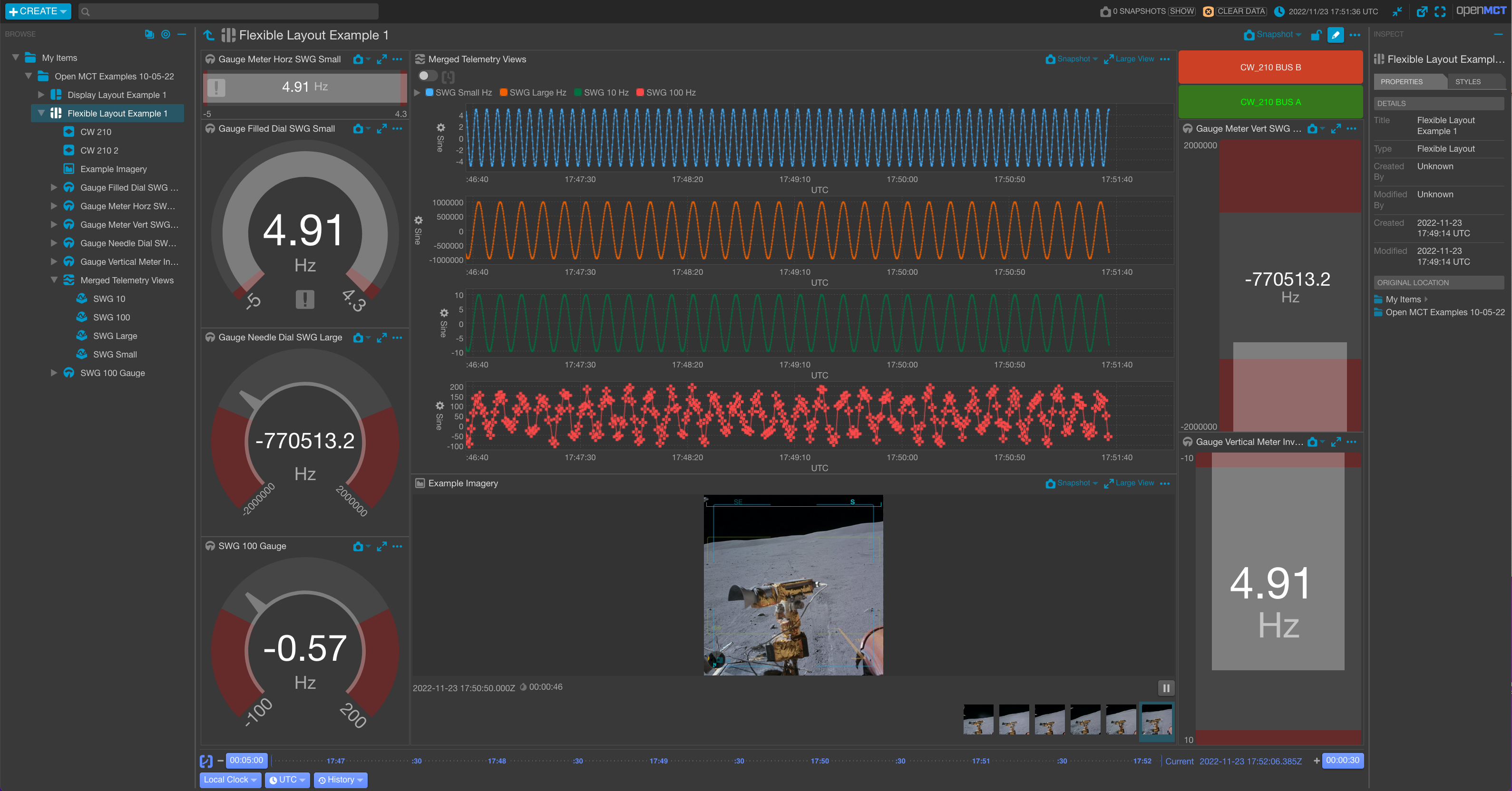
## Building and Running Open MCT Locally
Building and running Open MCT in your local dev environment is very easy. Be sure you have [Git](https://git-scm.com/downloads) and [Node.js](https://nodejs.org/) installed, then follow the directions below. Need additional information? Check out the [Getting Started](https://nasa.github.io/openmct/getting-started/) page on our website.
(These instructions assume you are installing as a non-root user; developers have [reported issues](https://github.com/nasa/openmct/issues/1151) running these steps with root privileges.)
1. Clone the source code:
```sh
git clone https://github.com/nasa/openmct.git
```
2. (Optional) Install the correct node version using [nvm](https://github.com/nvm-sh/nvm):
```sh
nvm install
```
3. Install development dependencies (Note: Check the `package.json` engine for our tested and supported node versions):
```sh
npm install
```
4. Run a local development server:
```
npm start
```
> [!IMPORTANT]
> Open MCT is now running, and can be accessed by pointing a web browser at [http://localhost:8080/](http://localhost:8080/)
Open MCT is built using [`npm`](http://npmjs.com/) and [`webpack`](https://webpack.js.org/).
## Documentation
Documentation is available on the [Open MCT website](https://nasa.github.io/openmct/documentation/).
### Examples
The clearest examples for developing Open MCT plugins are in the
[tutorials](https://github.com/nasa/openmct-tutorial) provided in
our documentation.
> [!NOTE]
> We want Open MCT to be as easy to use, install, run, and develop for as
> possible, and your feedback will help us get there!
> Feedback can be provided via [GitHub issues](https://github.com/nasa/openmct/issues/new/choose),
> [Starting a GitHub Discussion](https://github.com/nasa/openmct/discussions),
> or by emailing us at [arc-dl-openmct@mail.nasa.gov](mailto:arc-dl-openmct@mail.nasa.gov).
## Developing Applications With Open MCT
For more on developing with Open MCT, see our documentation for a guide on [Developing Applications with Open MCT](./API.md#starting-an-open-mct-application).
## Compatibility
This is a fast moving project and we do our best to test and support the widest possible range of browsers, operating systems, and NodeJS APIs. We have a published list of support available in our package.json's `browserslist` key.
The project utilizes `nvm` to maintain consistent node and npm versions across all projects. For UNIX, MacOS, Windows WSL, and other POSIX-compliant shell environments, click [here](https://github.com/nvm-sh/nvm). For Windows, check out [nvm-windows](https://github.com/coreybutler/nvm-windows).
If you encounter an issue with a particular browser, OS, or NodeJS API, please [file an issue](https://github.com/nasa/openmct/issues/new/choose).
## Plugins
Open MCT can be extended via plugins that make calls to the Open MCT API. A plugin is a group
of software components (including source code and resources such as images and HTML templates)
that is intended to be added or removed as a single unit.
As well as providing an extension mechanism, most of the core Open MCT codebase is also
written as plugins.
For information on writing plugins, please see [our API documentation](./API.md#plugins).
## Tests
Our automated test coverage comes in the form of unit, e2e, visual, performance, and security tests.
### Unit Tests
Unit Tests are written for [Jasmine](https://jasmine.github.io/api/edge/global)
and run by [Karma](http://karma-runner.github.io). To run:
`npm test`
The test suite is configured to load any scripts ending with `Spec.js` found
in the `src` hierarchy. Full configuration details are found in
`karma.conf.js`. By convention, unit test scripts should be located
alongside the units that they test; for example, `src/foo/Bar.js` would be
tested by `src/foo/BarSpec.js`.
### e2e, Visual, and Performance Testing
Our e2e (end-to-end), Visual, and Performance tests leverage the Playwright framework and are executed using Playwright's test runner, [@playwright/test](https://playwright.dev/).
#### How to Run Tests
- **e2e Tests**: These tests are run on every commit. To run the tests locally, use:
```sh
npm run test:e2e:ci
```
- **Visual Tests**: For running the visual test suite, use:
```sh
npm run test:e2e:visual
```
- **Performance Tests**: To initiate the performance tests, enter:
```sh
npm run test:perf
```
All tests are located within the `e2e/tests/` directory and are identified by the `*.e2e.spec.js` filename pattern. For more information about the e2e test suite, refer to the [README](./e2e/README.md).
### Security Tests
Each commit is analyzed for known security vulnerabilities using [CodeQL](https://codeql.github.com/docs/codeql-language-guides/codeql-library-for-javascript/). The list of CWE coverage items is available in the [CodeQL docs](https://codeql.github.com/codeql-query-help/javascript-cwe/). The CodeQL workflow is specified in the [CodeQL analysis file](./.github/workflows/codeql-analysis.yml) and the custom [CodeQL config](./.github/codeql/codeql-config.yml).
### Test Reporting and Code Coverage
Each test suite generates a report in CircleCI. For a complete overview of testing functionality, please see our [Circle CI Test Insights Dashboard](https://app.circleci.com/insights/github/nasa/openmct/workflows/the-nightly/overview?branch=master&reporting-window=last-30-days)
Our code coverage is generated during the runtime of our unit, e2e, and visual tests. The combination of those reports is published to [codecov.io](https://app.codecov.io/gh/nasa/openmct/)
For more on the specifics of our code coverage setup, [see](TESTING.md#code-coverage)
## Glossary
Certain terms are used throughout Open MCT with consistent meanings
or conventions. Any deviations from the below are issues and should be
addressed (either by updating this glossary or changing code to reflect
correct usage.) Other developer documentation, particularly in-line
documentation, may presume an understanding of these terms.
| Term | Definition |
|---------------|----------------------------------------------------------------------------------------------------------------------------------------------------------------------------------------------------------------------------------------------------------------------------------------------------------------------------------------------------------------|
| _plugin_ | A removable, reusable grouping of software elements. The application is composed of plugins. |
| _composition_ | In the context of a domain object, this term refers to the set of other domain objects that compose or are contained by that object. A domain object's composition is the set of domain objects that should appear immediately beneath it in a tree hierarchy. It is described in its model as an array of ids, providing a means to asynchronously retrieve the actual domain object instances associated with these identifiers. |
| _description_ | When used as an object property, this term refers to the human-readable description of a thing, usually a single sentence or short paragraph. It is most often used in the context of extensions, domain object models, or other similar application-specific objects. |
| _domain object_ | A meaningful object to the user and a distinct thing in the work supported by Open MCT. Anything that appears in the left-hand tree is a domain object. |
| _identifier_ | A tuple consisting of a namespace and a key, which together uniquely identifies a domain object. |
| _model_ | The persistent state associated with a domain object. A domain object's model is a JavaScript object that can be converted to JSON without losing information, meaning it contains no methods. |
| _name_ | When used as an object property, this term refers to the human-readable name for a thing. It is most often used in the context of extensions, domain object models, or other similar application-specific objects. |
| _navigation_ | This term refers to the current state of the application with respect to the user's expressed interest in a specific domain object. For example, when a user clicks on a domain object in the tree, they are navigating to it, and it is thereafter considered the navigated object until the user makes another such choice. |
| _namespace_ | A name used to identify a persistence store. A running Open MCT application could potentially use multiple persistence stores. |
## Open MCT v2.0.0
Support for our legacy bundle-based API, and the libraries that it was built on (like Angular 1.x), have now been removed entirely from this repository.
For now if you have an Open MCT application that makes use of the legacy API, [a plugin](https://github.com/nasa/openmct-legacy-plugin) is provided that bootstraps the legacy bundling mechanism and API. This plugin will not be maintained over the long term however, and the legacy support plugin will not be tested for compatibility with future versions of Open MCT. It is provided for convenience only.
### How do I know if I am using legacy API?
You might still be using legacy API if your source code
- Contains files named bundle.js, or bundle.json,
- Makes calls to `openmct.$injector()`, or `openmct.$angular`,
- Makes calls to `openmct.legacyRegistry`, `openmct.legacyExtension`, or `openmct.legacyBundle`.
### What should I do if I am using legacy API?
Please refer to [the modern Open MCT API](https://nasa.github.io/openmct/documentation/). Post any questions to the [Discussions section](https://github.com/nasa/openmct/discussions) of the Open MCT GitHub repository.
## Related Repos
> [!NOTE]
> Although Open MCT functions as a standalone project, it is primarily an extensible framework intended to be used as a dependency with users' own plugins and packaging. Furthermore, Open MCT is intended to be used with an HTTP server such as Apache or Nginx. A great example of hosting Open MCT with Apache is `openmct-quickstart` and can be found in the table below.
| Repository | Description |
| --- | --- |
| [openmct-tutorial](https://github.com/nasa/openmct-tutorial) | A great place for beginners to learn how to use and extend Open MCT. |
| [openmct-quickstart](https://github.com/scottbell/openmct-quickstart) | A working example of Open MCT integrated with Apache HTTP server, YAMCS telemetry, and Couch DB for persistence.
| [Open MCT YAMCS Plugin](https://github.com/akhenry/openmct-yamcs) | Plugin for integrating YAMCS telemetry and command server with Open MCT. |
| [openmct-performance](https://github.com/unlikelyzero/openmct-performance) | Resources for performance testing Open MCT. |
| [openmct-as-a-dependency](https://github.com/unlikelyzero/openmct-as-a-dependency) | An advanced guide for users on how to build, develop, and test Open MCT when it's used as a dependency. |
================================================
FILE: SECURITY.md
================================================
# Security Policy
Open MCT is an open source project and may contain externally provided code. External contributions must follow the guidelines in [CONTRIBUTING.md](CONTRIBUTING.md).
The Open MCT team secures our code base using a combination of code review, dependency review, and periodic security reviews. Static analysis performed during automated verification additionally safeguards against common coding errors which may result in vulnerabilities.
### Reporting a Vulnerability
For general defects, please for a [Bug Report](https://github.com/nasa/openmct/issues/new/choose)
To report a vulnerability for Open MCT please send a detailed report to [arc-dl-openmct](mailto:arc-dl-openmct@mail.nasa.gov).
See our [top-level security policy](https://github.com/nasa/openmct/security/policy) for additional information.
### CodeQL and LGTM
The [CodeQL GitHub Actions workflow](https://github.com/nasa/openmct/blob/master/.github/workflows/codeql-analysis.yml) is available to the public. To review the results, fork the repository and run the CodeQL workflow.
CodeQL is run for every pull-request in GitHub Actions.
### ESLint
Static analysis is run for every push on the master branch and every pull request on all branches in Github Actions.
For more information about ESLint, visit https://eslint.org/.
### General Support
For additional support, please open a [Github Discussion](https://github.com/nasa/openmct/discussions).
If you wish to report a cybersecurity incident or concern, please contact the NASA Security Operations Center either by phone at 1-877-627-2732 or via email address soc@nasa.gov.
================================================
FILE: TESTING.md
================================================
# Testing
Open MCT Testing is iterating and improving at a rapid pace. This document serves to capture and index existing testing documentation and house documentation which no other obvious location as our testing evolves.
## General Testing Process
Documentation located [here](./docs/src/process/testing/plan.md)
## Unit Testing
Unit testing is essential part of our test strategy and complements our e2e testing strategy.
#### Unit Test Guidelines
* Unit Test specs should reside alongside the source code they test, not in a separate directory.
* Unit test specs for plugins should be defined at the plugin level. Start with one test spec per plugin named pluginSpec.js, and as this test spec grows too big, break it up into multiple test specs that logically group related tests.
* Unit tests for API or for utility functions and classes may be defined at a per-source file level.
* Wherever possible only use and mock public API, builtin functions, and UI in your test specs. Do not directly invoke any private functions. ie. only call or mock functions and objects exposed by openmct.* (eg. openmct.telemetry, openmct.objectView, etc.), and builtin browser functions (fetch, requestAnimationFrame, setTimeout, etc.).
* Where builtin functions have been mocked, be sure to clear them between tests.
* Test at an appropriate level of isolation. Eg.
* If you’re testing a view, you do not need to test the whole application UI, you can just fetch the view provider using the public API and render the view into an element that you have created.
* You do not need to test that the view switcher works, there should be separate tests for that.
* You do not need to test that telemetry providers work, you can mock openmct.telemetry.request() to feed test data to the view.
* Use your best judgement when deciding on appropriate scope.
* Automated tests for plugins should start by actually installing the plugin being tested, and then test that installing the plugin adds the desired features and behavior to Open MCT, observing the above rules.
* All variables used in a test spec, including any instances of the Open MCT API should be declared inside of an appropriate block scope (not at the root level of the source file), and should be initialized in the relevant beforeEach block. `beforeEach` is preferable to `beforeAll` to avoid leaking of state between tests.
* A `afterEach` or `afterAll` should be used to do any clean up necessary to prevent leakage of state between test specs. This can happen when functions on `window` are wrapped, or when the URL is changed. [A convenience function](https://github.com/nasa/openmct/blob/master/src/utils/testing.js#L59) is provided for resetting the URL and clearing builtin spies between tests.
#### Unit Test Examples
* [Example of an automated test spec for an object view plugin](https://github.com/nasa/openmct/blob/master/src/plugins/telemetryTable/pluginSpec.js)
* [Example of an automated test spec for API](https://github.com/nasa/openmct/blob/master/src/api/time/TimeAPISpec.js)
#### Unit Testing Execution
The unit tests can be executed in one of two ways:
`npm run test` which runs the entire suite against headless chrome
`npm run test:debug` for debugging the tests in realtime in an active chrome session.
## e2e, performance, and visual testing
Documentation located [here](./e2e/README.md)
## Code Coverage
It's up to the individual developer as to whether they want to add line coverage in the form of a unit test or e2e test.
Line Code Coverage is generated by our unit tests and e2e tests, then combined by ([Codecov.io Flags](https://docs.codecov.com/docs/flags)), and finally reported in GitHub PRs by Codecov.io's PR Bot. This workflow gives a comprehensive (if flawed) view of line coverage.
### Karma-istanbul
Line coverage is generated by our `karma-coverage-istanbul-reporter` package as defined in our `karma.conf.js` file:
```js
coverageIstanbulReporter: {
fixWebpackSourcePaths: true,
skipFilesWithNoCoverage: true,
dir: 'coverage/unit', //Sets coverage file to be consumed by codecov.io
reports: ['lcovonly']
},
```
Once the file is generated, it can be published to codecov with
```json
"cov:unit:publish": "codecov --disable=gcov -f ./coverage/unit/lcov.info -F unit",
```
### e2e
The e2e line coverage is a bit more complex than the karma implementation. This is the general sequence of events:
1. Each e2e suite will start webpack with the ```npm run start:coverage``` command with config `webpack.coverage.mjs` and the `babel-plugin-istanbul` plugin to generate code coverage during e2e test execution using our custom [baseFixture](./baseFixtures.js).
1. During testcase execution, each e2e shard will generate its piece of the larger coverage suite. **This coverage file is not merged**. The raw coverage file is stored in a `.nyc_report` directory.
1. [nyc](https://github.com/istanbuljs/nyc) converts this directory into a `lcov` file with the following command `npm run cov:e2e:report`
1. Most of the tests focus on chrome/ubuntu at a single resolution. This coverage is published to codecov with `npm run cov:e2e:ci:publish`.
1. The rest of our coverage only appears when run against persistent datastore (couchdb), non-ubuntu machines, and non-chrome browsers with the `npm run cov:e2e:full:publish` flag. Since this happens about once a day, we have leveraged codecov.io's carryforward flag to report on lines covered outside of each commit on an individual PR.
### Limitations in our code coverage reporting
Our code coverage implementation has some known limitations:
- [Variability](https://github.com/nasa/openmct/issues/5811)
- [Accuracy](https://github.com/nasa/openmct/issues/7015)
- [Vue instrumentation gaps](https://github.com/nasa/openmct/issues/4973)
## Troubleshooting CI
The following is an evolving guide to troubleshoot CI and PR issues.
### Github Checks failing
There are a few reasons that your GitHub PR could be failing beyond simple failed tests.
* Required Checks. We're leveraging required checks in GitHub so that we can quickly and precisely control what becomes and informational failure vs a hard requirement. The only way to determine the difference between a required vs information check is check for the `(Required)` emblem next to the step details in GitHub Checks.
* Not all required checks are run per commit. You may need to manually trigger addition GitHub checks with a `pr: