## About this Repository
A tesla Like Car in ROS2 will follow lane , Use AI to classify Sign Boards and perform Object tracking to act on the sign boards and set speed respectively
[](https://youtu.be/D5BkqDcfw2U "Click to Watch Intro Video on Youtube")
----
## Using this Repository
----
**Docker**:
[](https://github.com/noshluk2/ROS2-Self-Driving-Car-AI-using-OpenCV/blob/main/docker/running_on_linux.md "Follow the guide to setup docker on Linux")
[](https://github.com/noshluk2/ROS2-Self-Driving-Car-AI-using-OpenCV/blob/main/docker/running_on_windows.md "Follow the guide to setup docker on Windows 10")
**Ubuntu-20.04**:
- Follow along the [Wiki](https://github.com/noshluk2/ROS2-Self-Driving-Car-AI-using-OpenCV/wiki/Ubuntu-20.04-Setup-Guide) guide to setup the project.
----
## Course Workflow
#### **Ros Package**
* World Models Creation
* Prius OSRF gazebo Model Editing
* Nodes , Launch Files
* SDF through Gazebo
* Textures and Plugins in SDF
#### **Computer Vision**
* Perception Pipeline setup
* Lane Detection with Computer Vision Techniques
* Traffic Light Detection Using Haar Cascades
* Sign and Traffic Light Tracking using Optical Flow
* Rule-Based Control Algorithms
#### **DeepLearning**
* Sign Classification using (custom-built) CNN
---
## Features
* **Prius Hybrid Car**
- 
* **Satellite Navigation (NEW!)**
* **Stage 1: Localiation**
- 
* **Stage 2: Mapping**
- 
* **Stage 3: Path-Planning**
- 
* **Stage 4: Motion-Planning**
- 
* **Lane Following**
- 
* **Sign Board Detection**
- 
* **Traffic Signal Recognition**
- 
* **T-Junction Navigation**
- 
* **The World**
- 
* **Custom Models**
- 
----
## Pre-Course Requirments
**Software Based**
* Ubuntu 20.04 (LTS)
* ROS2 - Foxy Fitzroy
* Python 3.6
* Opencv 4.2
* Tensorflow 2.14
**Skill Based**
* Basic ROS2 Nodes Communication
* Launch Files
* Gazebo Model Creation
* Basic OpenCV Usage
* Motivated mind :)
---
## Repository Tree
> Explaining repository structure (i.e important files and their functions).

----
## Star History
[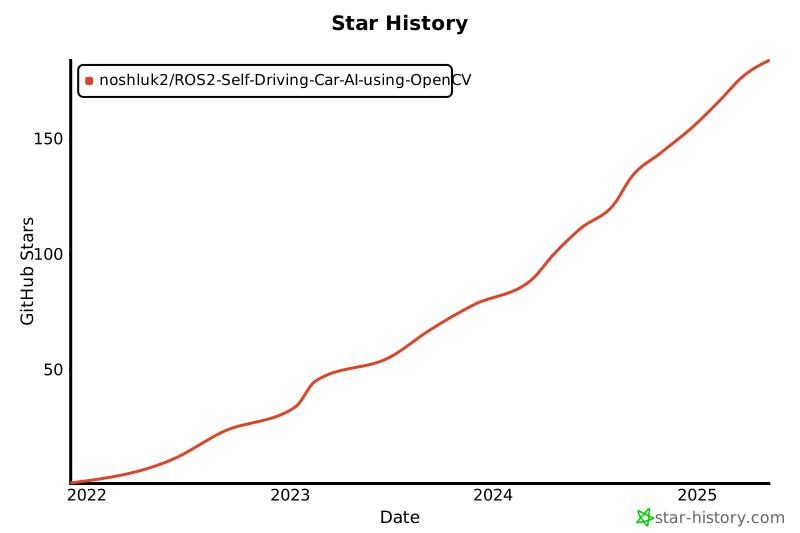](https://star-history.com/#noshluk2/ROS2-Self-Driving-Car-AI-using-OpenCV&Date)
---
## Link to the Course
✨ Enroll Now with Special Discount ✨ **[[Discounted Link]](https://www.udemy.com/course/ros2-self-driving-car-with-deep-learning-and-computer-vision/?couponCode=STARTON)**
----
## Instructors
Haider Najeeb (Computer Vision) - [Profile Link](https://www.linkedin.com/in/haider-najeeb-68812516a/)
Muhammad Luqman (ROS Simulation and Control Systems) - [Profile Link](https://www.linkedin.com/in/muhammad-luqman-9b227a11b/)
----
## License
Distributed under the GNU-GPL License. See `LICENSE` for more information.
================================================
FILE: Repo_resources/How_to_run_the_project.txt
================================================
############################################# VIRTUAL ENVIRONMENT CREATION ##############################################################
# Install virtualenv package using pip
python3 -m pip install --user virtualenv
# Create a virutal Environment
python3 -m virtualenv ROS2SDC_VENV
# Activate Virtaul Environment
source ROS2SDC_VENV/bin/activate
# Install neccesary python modules
pip3 install -r Repo_resources/installation_requirements_python.txt
############################ Installing Dependencies (Not mentioned in the video lecture ) #######################################
mkdir -p ~/.gazebo/models
sudo apt install -y python3-colcon-common-extensions
sudo apt install -y ros-foxy-gazebo-ros-pkgs
############################################# BUILDING THE PROJECT ######################################################################
# Notify Colcon to ignore ROS2SDC_VENV while build
touch ROS2SDC_VENV/COLCON_IGNORE
#Build repo
colcon build
############################################# RUNNING THE PROJECT #######################################################################
>>>>>>> Open A new Terminal <<<<<<<<
#Activate Environment
source ROS2SDC_VENV/bin/activate
# Source *your Workspace* in any terminal you open to Run files from this workspace
source /home/haiderabbasi/Development/HAD_LUQ/ROS2-Self-Driving-Car-AI-using-OpenCV/install/setup.bash
source /opt/ros/foxy/setup.bash
## once build you can run the simulation e.g [ ros2 launch (package_name) world(launch file) ]
ros2 launch self_driving_car_pkg world_gazebo.launch.py
## To activate the SelfDriving Car
ros2 run self_driving_car_pkg computer_vision_node
############################################# PROBLEMS & SOLUTION ########################################3
## TypeError: Descriptors cannot not be created directly.
pip install protobuf==3.20.0
================================================
FILE: Repo_resources/Issues.txt
================================================
# ISSUES WITH ROS2-ZINDAGI
1) We want Khali Ghar in ROS2 for Python Packages
https://docs.ros.org/en/foxy/Guides/Using-Python-Packages.html
2) But ROS2 is like naraz phupi
https://github.com/ros2/ros2/issues/1094
3) It says "i want to stay in my purana ghar"
https://github.com/colcon/colcon-core/issues/181
4) We give ROS2 Tofi
https://github.com/colcon/colcon-core/issues/181#issuecomment-486390317
5) Phupi is living in new ghar but still purani ghar ka toota nalka yad a ra ha
https://github.com/colcon/colcon-core/pull/183
================================================
FILE: Repo_resources/installation_requirements_python.txt
================================================
tensorflow==2.4.1
sklearn
# Visualization libraries
matplotlib
visualkeras
# [Reqs. for Sat-Nav]
opencv-contrib-python==3.4.15.55
pygame
================================================
FILE: Repo_resources/installation_requirements_ros.txt
================================================
sudo apt-get install ros-humble-gazebo-msgs
sudo apt-get install ros-humble-gazebo-plugins
================================================
FILE: Repo_resources/ros_Commands.txt
================================================
## This file contains ros commands to run Nodes and launch files from
## this package
## To run the simulation we need to build the package
- cd path/to/ROS2-Self-Driving-Car-AI-using-OpenCV/
- colcon build
########### Commands to utilize files in the simulation ##########
## once build you can run the simulation
- ros2 launch (package_name) world(launch file)
- ros2 run self_driving_car_pkg computer_vision_node
## To drive the car Manully from keyboard run the commands below in order
- ros2 launch (package_name) world(launch file)
- ros2 run teleop_twist_keyboard teleop_twist_keyboard
## To record the video from car's camera
- ros2 launch (package_name) world(launch file)
- ros2 run teleop_twist_keyboard teleop_twist_keyboard
================================================
FILE: docker/create_container.bash
================================================
xhost local:root
XAUTH=/tmp/.docker.xauth
docker run -it \
--name=ros2_sdc_container \
--env="DISPLAY=$DISPLAY" \
--env="QT_X11_NO_MITSHM=1" \
--volume="/tmp/.X11-unix:/tmp/.X11-unix:rw" \
--env="XAUTHORITY=$XAUTH" \
--volume="$XAUTH:$XAUTH" \
--net=host \
--privileged \
--runtime=nvidia \
noshluk2/ros2-self-driving-car-ai-using-opencv \
bash
echo "Done."
================================================
FILE: docker/docker_commands.md
================================================
# Docker Commands
### If you want to understand docker for ROS in detail go through this video
```
https://www.youtube.com/watch?v=qWuudNxFGOQ
```
## IMAGES
- Downloading Images
```
docker pull
```
- List all images
```
docker images -a
```
- Delete single Image
```
docker rmi
```
- All images delete
```
docker rmi $(docker images -q)
```
- Dangling images delete
```
docker rmi $(docker images --filter "dangling=true" -q --no-trunc)
```
## CONTAINERS
- Creating a interactive container from image
```
docker run -it
```
- Giving Name to a container while creating
```
docker run --name
```
- Start a stopped Container
```
docker start (container_id)
```
- Stop all containers
```
sudo docker kill $(sudo docker ps -a)
```
- Connect shell to running container
```
docker exec -it (container_id) bash
```
- Delete single Container
```
docker rm
```
- Delete all containers
```
docker rm $(docker ps -a -q)
```
## Building Image from Docker File
- Terminal from same directory
```
docker built -t .
```
## GUI arguments
### Windows
## Complete Examples
- Running a container with GUI enabled for Windows
```
docker run -it --name r2_pathplanning_container -e DISPLAY=host.docker.internal:0.0 -e haiderabbasi333/ros2-pathplanning-course:1 bash
```
## Mistakes
- Mixing options
```
docker run --name -it
```
here you should have provided name for **--name** before giving another option **-it**
================================================
FILE: docker/running_on_linux.md
================================================
## 1. Install Docker on Ubuntu 22.04
```
https://www.digitalocean.com/community/tutorials/how-to-install-and-use-docker-on-ubuntu-22-04
```
## 2. Setup Nvidia Runtime for faster execution
- Reference https://github.com/NVIDIA/nvidia-docker/issues/838
### Setting the GPG and remote repo for the package:
```
curl -s -L nvidia.github.io/nvidia-docker/gpgkey | sudo apt-key add -
```
```
distribution=$(. /etc/os-release;echo $ID$VERSION_ID)
```
```
curl -s -L nvidia.github.io/nvidia-docker/$distribution/nvidia-docker.list | sudo tee /etc/apt/sources.list.d/nvidia-docker.list
```
### Save that file and refresh the package list
```
sudo apt-get update
```
### Install nvidia-docker2 and reload the Docker configurations
```
sudo apt-get install -y nvidia-docker2
```
```
sudo pkill -SIGHUP dockerd
```
## 3. Pull Image from Docker-hub
- Get docker image
```
docker pull noshluk2/ros2-self-driving-car-ai-using-opencv:latest
```
## 4. Create container from image
- Make bash script executable
```
chmod +x create_container.bash
```
- Run it
```
./create_container.bash
```
- **IMPORTANT** : Do not run the bash script again and again . It will keep on creating multiple containers and we donot need that . Only one container is required.
## 5. Getting into container
- If container was stopped then
```
docker start ros2_sdc_container
```
- Connecting a terminal with started container
```
docker exec -it ros2_sdc_container bash
```
## 6. Launching Project
1. Bringing the Environment with Prius Car
```
ros2 launch self_driving_car_pkg world_gazebo.launch.py
```
2. Open another terminal and connect it to container
```
docker exec -it ros2_sdc_container bash
```
3. Move inside of workspace
```
cd ~/ROS2-Self-Driving-Car-AI-using-OpenCV/
```
4. Run Self Driving node
```
ros2 run self_driving_car_pkg computer_vision_node
```
================================================
FILE: docker/running_on_windows.md
================================================
## Pre-Requisites Installation:
1. Get Docker desktop installed and running by following this [Guide](https://docs.docker.com/desktop/install/windows-install/)
2. Ensure WSL-2 is installed or upgraded from WSL-1 (if you have older version).
3. Install VcXsrv Windows X Server from this [link](https://sourceforge.net/projects/vcxsrv/)
## 1. Pull Image from Docker-hub
- Get docker image
```
docker pull noshluk2/ros2-self-driving-car-ai-using-opencv:latest
```
## 2. Create container from image
- > ( For Cuda-enabled Graphic cards ) **Faster**
```
docker run -it --name ros2_sdc_container -e DISPLAY=host.docker.internal:0.0 -e LIBGL_ALWAYS_INDIRECT=0 --runtime=nvidia noshluk2/ros2-self-driving-car-ai-using-opencv bash
```
- > ( For Non-Cuda (Amd or CPU) ) **Slower!**
```
docker run -it --name ros2_sdc_container -e DISPLAY=host.docker.internal:0.0 -e LIBGL_ALWAYS_INDIRECT=0 noshluk2/ros2-self-driving-car-ai-using-opencv bash
```
- **IMPORTANT** : Do not run upper command again and again . It will keep on creating multiple containers and we donot need that . Only one container is required.
- To enter an **already running container** run,
## 3. Getting into container
- If container was stopped then
```
docker start ros2_sdc_container
```
- Connecting a terminal with started container
```
docker exec -it ros2_sdc_container bash
```
## 4. Launching Project
1. Bringing the Environment with Prius Car
```
ros2 launch self_driving_car_pkg world_gazebo.launch.py
```
2. Open another terminal and connect it to container
```
docker exec -it ros2_sdc_container bash
```
3. Move inside of workspace
```
cd ~/ROS2-Self-Driving-Car-AI-using-OpenCV/
```
4. Run Self Driving node
```
ros2 run self_driving_car_pkg computer_vision_node
```
================================================
FILE: self_driving_car_pkg/launch/maze_solving_world.launch.py
================================================
import os
from ament_index_python.packages import get_package_share_directory
from launch import LaunchDescription
from launch.actions import DeclareLaunchArgument, ExecuteProcess, IncludeLaunchDescription
from launch.substitutions import LaunchConfiguration
from launch_ros.actions import Node
from launch.launch_description_sources import PythonLaunchDescriptionSource
def generate_launch_description():
package_dir=get_package_share_directory('self_driving_car_pkg')
world_file = os.path.join(package_dir,'worlds','maze_solving.world')
return LaunchDescription([
ExecuteProcess(
cmd=['gazebo', '--verbose',world_file, '-s', 'libgazebo_ros_factory.so'],
output='screen'),
Node(
package='self_driving_car_pkg',
executable='lights_spawner_maze.bash',
name='Lights_installer',
output='screen'),
])
================================================
FILE: self_driving_car_pkg/launch/record_and_drive.launch.py
================================================
import os
from launch import LaunchDescription
from launch_ros.actions import Node
def generate_launch_description():
return LaunchDescription([
Node(
package='self_driving_car_pkg',
executable='video_recording_node',
name='video_recorder',
output='screen'),
Node(
package='teleop_twist_keyboard',
executable='teleop_twist_keyboard',
name='Car_driver',
output='screen'),
])
================================================
FILE: self_driving_car_pkg/launch/test_laneFollow.launch.py
================================================
#!/usr/bin/env python3
import os
from ament_index_python.packages import get_package_share_directory
from launch import LaunchDescription
from launch.actions import IncludeLaunchDescription
from launch.launch_description_sources import PythonLaunchDescriptionSource
from launch.actions import IncludeLaunchDescription, TimerAction, ExecuteProcess
def generate_launch_description():
pkg_gazebo_ros = get_package_share_directory('gazebo_ros')
pkg_share_dir = get_package_share_directory('self_driving_car_pkg')
model_pkg_share_dir = get_package_share_directory('self_driving_car_pkg_models')
models_share_dir = os.pathsep + os.path.join(model_pkg_share_dir, 'models')
if 'GAZEBO_MODEL_PATH' in os.environ:
os.environ['GAZEBO_MODEL_PATH'] += models_share_dir
else:
os.environ['GAZEBO_MODEL_PATH'] = models_share_dir
print(os.environ['GAZEBO_MODEL_PATH'])
world = os.path.join(
pkg_share_dir,
'worlds',
'sdc.world'
)
gzserver_cmd = IncludeLaunchDescription(
PythonLaunchDescriptionSource(
os.path.join(pkg_gazebo_ros, 'launch', 'gzserver.launch.py')
),
launch_arguments={'world': world}.items()
)
gzclient_cmd = IncludeLaunchDescription(
PythonLaunchDescriptionSource(
os.path.join(pkg_gazebo_ros, 'launch', 'gzclient.launch.py')
)
)
red_light_sdf = os.path.join(model_pkg_share_dir,'models','light_red/model.sdf')
yellow_light_sdf = os.path.join(model_pkg_share_dir,'models','light_yellow/model.sdf')
green_light_sdf = os.path.join(model_pkg_share_dir,'models','light_green/model.sdf')
spawn_red_light = ExecuteProcess(
cmd=['ros2', 'run', 'self_driving_car_pkg', 'spawner_node', red_light_sdf,'red_light'],
output='screen'
)
spawn_yellow_light = ExecuteProcess(
cmd=['ros2', 'run', 'self_driving_car_pkg', 'spawner_node', yellow_light_sdf,'yellow_light'],
output='screen'
)
spawn_green_light = ExecuteProcess(
cmd=['ros2', 'run', 'self_driving_car_pkg', 'spawner_node', green_light_sdf,'green_Light'],
output='screen'
)
ld = LaunchDescription()
ld.add_action(gzserver_cmd)
ld.add_action(gzclient_cmd)
ld.add_action(spawn_red_light)
ld.add_action(TimerAction(
period=7.5,
actions=[spawn_yellow_light]
))
ld.add_action(TimerAction(
period=8.5,
actions=[spawn_green_light]
))
return ld
================================================
FILE: self_driving_car_pkg/launch/world_gazebo.launch.py
================================================
#!/usr/bin/env python3
import os
from ament_index_python.packages import get_package_share_directory
from launch import LaunchDescription
from launch.actions import IncludeLaunchDescription
from launch.launch_description_sources import PythonLaunchDescriptionSource
from launch.actions import IncludeLaunchDescription, TimerAction, ExecuteProcess
def generate_launch_description():
pkg_gazebo_ros = get_package_share_directory('gazebo_ros')
pkg_share_dir = get_package_share_directory('self_driving_car_pkg')
model_pkg_share_dir = get_package_share_directory('self_driving_car_pkg_models')
models_share_dir = os.pathsep + os.path.join(model_pkg_share_dir, 'models')
if 'GAZEBO_MODEL_PATH' in os.environ:
os.environ['GAZEBO_MODEL_PATH'] += models_share_dir
else:
os.environ['GAZEBO_MODEL_PATH'] = models_share_dir
print(os.environ['GAZEBO_MODEL_PATH'])
world = os.path.join(
pkg_share_dir,
'worlds',
'sdc.world'
)
gzserver_cmd = IncludeLaunchDescription(
PythonLaunchDescriptionSource(
os.path.join(pkg_gazebo_ros, 'launch', 'gzserver.launch.py')
),
launch_arguments={'world': world}.items()
)
gzclient_cmd = IncludeLaunchDescription(
PythonLaunchDescriptionSource(
os.path.join(pkg_gazebo_ros, 'launch', 'gzclient.launch.py')
)
)
red_light_sdf = os.path.join(pkg_share_dir,'models','light_red/model.sdf')
yellow_light_sdf = os.path.join(pkg_share_dir,'models','light_yellow/model.sdf')
green_light_sdf = os.path.join(pkg_share_dir,'models','light_green/model.sdf')
spawn_red_light = ExecuteProcess(
cmd=['ros2', 'run', 'self_driving_car_pkg', 'spawner_node', red_light_sdf,'red_light'],
output='screen'
)
spawn_yellow_light = ExecuteProcess(
cmd=['ros2', 'run', 'self_driving_car_pkg', 'spawner_node', yellow_light_sdf,'yellow_light'],
output='screen'
)
spawn_green_light = ExecuteProcess(
cmd=['ros2', 'run', 'self_driving_car_pkg', 'spawner_node', green_light_sdf,'green_Light'],
output='screen'
)
ld = LaunchDescription()
ld.add_action(gzserver_cmd)
ld.add_action(gzclient_cmd)
ld.add_action(spawn_red_light)
ld.add_action(TimerAction(
period=7.5,
actions=[spawn_yellow_light]
))
ld.add_action(TimerAction(
period=8.5,
actions=[spawn_green_light]
))
return ld
================================================
FILE: self_driving_car_pkg/package.xml
================================================
self_driving_car_pkg1.0.0This package is to run your ROS simulation with a prius model from gazebo with SDC featuresluqmanGNU-GPLrclpyament_copyrightament_flake8ament_pep257python3-pytestament_python
================================================
FILE: self_driving_car_pkg/resource/self_driving_car_pkg
================================================
================================================
FILE: self_driving_car_pkg/scripts/lights_spawner.bash
================================================
#!/bin/bash
### This bash is going to spawn Traffic Lights into your simulation at origin
### Inside the traffic stand
green_light_sdf=$HOME/.gazebo/models/green_light/model.sdf
red_light_sdf=$HOME/.gazebo/models/red_light/model.sdf
yellow_light_sdf=$HOME/.gazebo/models/yellow_light/model.sdf
ros2 run self_driving_car_pkg spawner_node $red_light_sdf red_light
sleep 7.5
ros2 run self_driving_car_pkg spawner_node $yellow_light_sdf yellow_light
sleep 1
ros2 run self_driving_car_pkg spawner_node $green_light_sdf green_Light
================================================
FILE: self_driving_car_pkg/scripts/lights_spawner_maze.bash
================================================
#!/bin/bash
### This bash is going to spawn Traffic Lights into your simulation at origin
### Inside the traffic stand
green_light_sdf=$HOME/.gazebo/models/green_light/model.sdf
red_light_sdf=$HOME/.gazebo/models/red_light/model.sdf
yellow_light_sdf=$HOME/.gazebo/models/yellow_light/model.sdf
ros2 run self_driving_car_pkg spawner_node $red_light_sdf red_light 14.72 4.26
sleep 7.5
ros2 run self_driving_car_pkg spawner_node $yellow_light_sdf yellow_light 13.7 4.26
sleep 1
ros2 run self_driving_car_pkg spawner_node $green_light_sdf green_Light 12.66 4.26
================================================
FILE: self_driving_car_pkg/self_driving_car_pkg/Detection/Lanes/Lane_Detection.py
================================================
from ...config import config
# **************************************************** DETECTION ****************************************************
# **************************************************** LANES ****************************************************
# >>>>>>>>>>>>>>>>>>>>>>>> STAGE 1 [IMPORTS] <<<<<<<<<<<<<<<<<<<<<<<<<<<<<<<
from .a_Segmentation.colour_segmentation_final import Segment_Colour
# >>>>>>>>>>>>>>>>>>>>>>>> STAGE 2 [IMPORTS] <<<<<<<<<<<<<<<<<<<<<<<<<<<<<<<
from .b_Estimation.Our_EstimationAlgo import Estimate_MidLane
# >>>>>>>>>>>>>>>>>>>>>>>> STAGE 3 [IMPORTS] <<<<<<<<<<<<<<<<<<<<<<<<<<<<<<<
from .c_Cleaning.CheckifYellowLaneCorrect_RetInnerBoundary import GetYellowInnerEdge
from .c_Cleaning.ExtendLanesAndRefineMidLaneEdge import ExtendShortLane
# >>>>>>>>>>>>>>>>>>>>>>>> STAGE 4 [IMPORTS] <<<<<<<<<<<<<<<<<<<<<<<<<<<<<<<
from .d_LaneInfo_Extraction.GetStateInfoandDisplayLane import FetchInfoAndDisplay
def detect_Lane(img):
""" Extract required data from the lane lines representing road lane boundaries.
Args:
img (numpy nd array): Prius front-cam view
Returns:
distance (int): car_front <===distance===> ideal position on road
curvature (angle): car <===angle===> roads_direction
e.g. car approaching a right turn so road direction is around or less then 45 deg
cars direction is straight so it is around 90 deg
"""
# >>>>>>>>>>>>>>>>>>>>>>>> Optimization No 2 [CROPPING] <<<<<<<<<<<<<<<<<<<<<<<<<<<<<<<
img_cropped = img[config.CropHeight_resized:,:]
# [Lane Detection] STAGE_1 (Segmentation) <<<<<<--->>>>>> [COLOR]:
Mid_edge_ROI,Mid_ROI_mask,Outer_edge_ROI,OuterLane_TwoSide,OuterLane_Points = Segment_Colour(img_cropped,config.minArea_resized)
# [Lane Detection] STAGE_2 (Estimation) <<<<<<--->>>>>> [Our Approach]:
Estimated_midlane = Estimate_MidLane(Mid_edge_ROI,config.MaxDist_resized)
# [Lane Detection] STAGE_3 (Cleaning) <<<<<<--->>>>>> [STEP_1]:
OuterLane_OneSide,Outer_cnts_oneSide,Mid_cnts,Offset_correction = GetYellowInnerEdge(OuterLane_TwoSide,Estimated_midlane,OuterLane_Points)#3ms
# [Lane Detection] STAGE_3 (Cleaning) <<<<<<--->>>>>> [STEP_2]:
Estimated_midlane,OuterLane_OneSide = ExtendShortLane(Estimated_midlane,Mid_cnts,Outer_cnts_oneSide,OuterLane_OneSide)
# [Lane Detection] STAGE_4 (Data_Extraction) <<<<<<--->>>>>> [Our Approach]:
Distance , Curvature = FetchInfoAndDisplay(Mid_edge_ROI,Estimated_midlane,OuterLane_OneSide,img_cropped,Offset_correction)
return Distance,Curvature
================================================
FILE: self_driving_car_pkg/self_driving_car_pkg/Detection/Lanes/Morph_op.py
================================================
import cv2
import numpy as np
import math
import time
from .utilities import Distance, Distance_
from ...config import config
def BwareaOpen(img,MinArea):
thresh = cv2.threshold(img, 0, 255, cv2.THRESH_BINARY)[1]
# Filter using contour area and remove small noise
cnts = cv2.findContours(thresh, cv2.RETR_LIST, cv2.CHAIN_APPROX_SIMPLE)[1]
cnts_TooSmall = []
for index, cnt in enumerate(cnts):
area = cv2.contourArea(cnt)
if area < MinArea:
cnts_TooSmall.append(cnt)
thresh = cv2.drawContours(thresh, cnts_TooSmall, -1, 0, -1) # [ contour = less then minarea contour, contourIDx, Colour , Thickness ]
return thresh
def FindExtremas(img):
positions = np.nonzero(img) # position[0] 0 = rows 1 = cols
if (len(positions)!=0):
top = positions[0].min()
bottom = positions[0].max()
left = positions[1].min()
right = positions[1].max()
return top,bottom
else:
return 0,0
def FindLowestRow(img):
positions = np.nonzero(img) # position[0] 0 = rows 1 = cols
if (len(positions)!=0):
top = positions[0].min()
bottom = positions[0].max()
left = positions[1].min()
right = positions[1].max()
return bottom
else:
return img.shape[0]
def RetLargestContour(gray):
LargestContour_Found = False
thresh=np.zeros(gray.shape,dtype=gray.dtype)
_,bin_img = cv2.threshold(gray,0,255,cv2.THRESH_BINARY)
#Find the two Contours for which you want to find the min distance between them.
cnts = cv2.findContours(bin_img, cv2.RETR_LIST, cv2.CHAIN_APPROX_SIMPLE)[1]
Max_Cntr_area = 0
Max_Cntr_idx= -1
for index, cnt in enumerate(cnts):
area = cv2.contourArea(cnt)
if area > Max_Cntr_area:
Max_Cntr_area = area
Max_Cntr_idx = index
LargestContour_Found = True
if (Max_Cntr_idx!=-1):
thresh = cv2.drawContours(thresh, cnts, Max_Cntr_idx, (255,255,255), -1) # [ contour = less then minarea contour, contourIDx, Colour , Thickness ]
return thresh, LargestContour_Found
def RetLargestContour_OuterLane(gray,minArea):
LargestContour_Found = False
thresh=np.zeros(gray.shape,dtype=gray.dtype)
_,bin_img = cv2.threshold(gray,0,255,cv2.THRESH_BINARY)
#################################### TESTING SHADOW BREAKER CODE BY DILATING####################
# 3. Dilating Segmented ROI's
kernel = cv2.getStructuringElement(shape=cv2.MORPH_ELLIPSE, ksize=(5,5))
bin_img_dilated = cv2.morphologyEx(bin_img, cv2.MORPH_DILATE, kernel) #Find the two Contours for which you want to find the min distance between them.
bin_img_ret = cv2.morphologyEx(bin_img_dilated, cv2.MORPH_ERODE, kernel) #Find the two Contours for which you want to find the min distance between them.
bin_img = bin_img_ret
#################################### TESTING SHADOW BREAKER CODE BY DILATING####################
cnts = cv2.findContours(bin_img, cv2.RETR_LIST, cv2.CHAIN_APPROX_SIMPLE)[1]
Max_Cntr_area = 0
Max_Cntr_idx= -1
for index, cnt in enumerate(cnts):
area = cv2.contourArea(cnt)
if area > Max_Cntr_area:
Max_Cntr_area = area
Max_Cntr_idx = index
LargestContour_Found = True
if Max_Cntr_area < minArea:
LargestContour_Found = False
if ((Max_Cntr_idx!=-1) and (LargestContour_Found)):
thresh = cv2.drawContours(thresh, cnts, Max_Cntr_idx, (255,255,255), -1) # [ contour = less then minarea contour, contourIDx, Colour , Thickness ]
return thresh, LargestContour_Found
def ROI_extracter(image,strtPnt,endPnt):
# Selecting Only ROI from Image
ROI_mask = np.zeros(image.shape, dtype=np.uint8)
cv2.rectangle(ROI_mask,strtPnt,endPnt,255,thickness=-1)
#image_ROI = cv2.bitwise_and(image,image,mask=ROI_mask)
image_ROI = cv2.bitwise_and(image,ROI_mask)
return image_ROI
def ExtractPoint(img,specified_row):
Point= (0,specified_row)
specified_row_data = img[ specified_row-1,:]
#print("specified_row_data",specified_row_data)
positions = np.nonzero(specified_row_data) # position[0] 0 = rows 1 = cols
#print("positions",positions)
#print("len(positions[0])",len(positions[0]))
if (len(positions[0])!=0):
#print(positions[0])
min_col = positions[0].min()
Point=(min_col,specified_row)
return Point
def Ret_LowestEdgePoints(gray):
Outer_Points_list=[]
thresh = np.zeros(gray.shape,dtype=gray.dtype)
Lane_OneSide=np.zeros(gray.shape,dtype=gray.dtype)
Lane_TwoSide=np.zeros(gray.shape,dtype=gray.dtype)
_,bin_img = cv2.threshold(gray,0,255,cv2.THRESH_BINARY)
#Find the two Contours for which you want to find the min distance between them.
cnts = cv2.findContours(bin_img, cv2.RETR_EXTERNAL, cv2.CHAIN_APPROX_NONE)[1]
thresh = cv2.drawContours(thresh, cnts, 0, (255,255,255), 1) # [ contour = less then minarea contour, contourIDx, Colour , Thickness ]
# Boundary of the Contour is extracted and Saved in Thresh
Top_Row,Bot_Row = FindExtremas(thresh)
Contour_TopBot_PortionCut = ROI_extracter(thresh,(0, Top_Row + 5),(thresh.shape[1],Bot_Row-5))
cnts2 = cv2.findContours(Contour_TopBot_PortionCut, cv2.RETR_EXTERNAL, cv2.CHAIN_APPROX_NONE)[1]
LowRow_a=-1
LowRow_b=-1
Euc_row=0# Row for the points to be compared
First_line = np.copy(Lane_OneSide)
cnts_tmp = []
if(len(cnts2)>1):
for index_tmp, cnt_tmp in enumerate(cnts2):
if((cnt_tmp.shape[0])>50):
cnts_tmp.append(cnt_tmp)
cnts2 = cnts_tmp
for index, cnt in enumerate(cnts2):
Lane_OneSide = np.zeros(gray.shape,dtype=gray.dtype)
Lane_OneSide = cv2.drawContours(Lane_OneSide, cnts2, index, (255,255,255), 1) # [ contour = less then minarea contour, contourIDx, Colour , Thickness ]
Lane_TwoSide = cv2.drawContours(Lane_TwoSide, cnts2, index, (255,255,255), 1) # [ contour = less then minarea contour, contourIDx, Colour , Thickness ]
if(len(cnts2)==2):
if (index==0):
First_line = np.copy(Lane_OneSide)
LowRow_a = FindLowestRow(Lane_OneSide)
elif(index==1):
LowRow_b = FindLowestRow(Lane_OneSide)
if(LowRow_a MinArea:
cnts_Legit.append(cnts[index])
cnts=cnts_Legit
# Cycle through each point in the Two contours & find the distance between them.
# Take the minimum Distance by comparing all other distances & Mark that Points.
CntIdx_BstMatch = []# [BstMatchwithCnt0,BstMatchwithCnt1,....]
Closests_Pixels_list = []
#200msec
for index, cnt in enumerate(cnts):
prevmin_dist = 100000
Bstindex_cmp = 0
#BstClosests_Pixels =0
BstCentroid_a=0
BstCentroid_b=0
for index_cmp in range(len(cnts)-index):
index_cmp = index_cmp + index
cnt_cmp = cnts[index_cmp]
if (index!=index_cmp):
min_dist,Centroid_a,Centroid_b = ApproxDistBWCntrs(cnt,cnt_cmp)
#Closests_Pixels=(cnt[min_dstPix_Idx[0]],cnt_cmp[min_dstPix_Idx[1]])
if(min_dist < prevmin_dist):
if (len(CntIdx_BstMatch)==0):
prevmin_dist = min_dist
Bstindex_cmp = index_cmp
#BstClosests_Pixels = Closests_Pixels
BstCentroid_a=Centroid_a
BstCentroid_b=Centroid_b
else:
Present= False
for i in range(len(CntIdx_BstMatch)):
if ( (index_cmp == i) and (index == CntIdx_BstMatch[i]) ):
Present= True
if not Present:
prevmin_dist = min_dist
Bstindex_cmp = index_cmp
#BstClosests_Pixels = Closests_Pixels
BstCentroid_a=Centroid_a
BstCentroid_b=Centroid_b
if ((prevmin_dist!=100000 ) and (prevmin_dist>MaxDistance)):
break
if (type(BstCentroid_a)!=int):
CntIdx_BstMatch.append(Bstindex_cmp)
#Closests_Pixels_list.append(BstClosests_Pixels)
#cv2.line(BW_zero,(BstClosests_Pixels[0][0][0],BstClosests_Pixels[0][0][1]),(BstClosests_Pixels[1][0][0],BstClosests_Pixels[1][0][1]),(0,0,255),thickness=2)
cv2.line(BW_zero,BstCentroid_a,BstCentroid_b,(0,255,0),thickness=2)
#cv2.imshow("BW_zero",BW_zero)
#cv2.imwrite("D:/Had_LuQ/MidlaneClosestJoined.png",BW_zero)
BW_zero = cv2.cvtColor(BW_zero,cv2.COLOR_BGR2GRAY)
BW_Largest,Largest_found = RetLargestContour(BW_zero)#3msec
if(Largest_found):
return BW_Largest
else:
return BW
================================================
FILE: self_driving_car_pkg/self_driving_car_pkg/Detection/Lanes/__init__.py
================================================
================================================
FILE: self_driving_car_pkg/self_driving_car_pkg/Detection/Lanes/a_Segmentation/__init__.py
================================================
================================================
FILE: self_driving_car_pkg/self_driving_car_pkg/Detection/Lanes/a_Segmentation/colour_segmentation_final.py
================================================
import cv2
import numpy as np
import time
from ....config import config
from ..Morph_op import BwareaOpen,RetLargestContour_OuterLane,Ret_LowestEdgePoints
HLS=0
src=0
Hue_Low = 0
Lit_Low = 225
Sat_Low = 0#61
Hue_Low_Y = 30#30
Hue_High_Y = 33#40
Lit_Low_Y = 120#63
Sat_Low_Y = 0#81
def OnHueLowChange(val):
global Hue_Low
Hue_Low = val
MaskExtract()
def OnLitLowChange(val):
global Lit_Low
Lit_Low = val
MaskExtract()
def OnSatLowChange(val):
global Sat_Low
Sat_Low = val
MaskExtract()
def OnHueLowChange_Y(val):
global Hue_Low_Y
Hue_Low_Y = val
MaskExtract()
def OnHueHighChange_Y(val):
global Hue_High_Y
Hue_High_Y = val
MaskExtract()
def OnLitLowChange_Y(val):
global Lit_Low_Y
Lit_Low_Y = val
MaskExtract()
def OnSatLowChange_Y(val):
global Sat_Low_Y
Sat_Low_Y = val
MaskExtract()
def MaskExtract():
mask = clr_segment(HLS,(Hue_Low ,Lit_Low ,Sat_Low ),(255 ,255,255))
mask_Y = clr_segment(HLS,(Hue_Low_Y,Lit_Low_Y ,Sat_Low_Y),(Hue_High_Y,255,255))#Combine 6ms
mask_Y_ = mask_Y != 0
dst_Y = src * (mask_Y_[:,:,None].astype(src.dtype))
mask_ = mask != 0
dst = src * (mask_[:,:,None].astype(src.dtype))
if (config.debugging_Lane and config.debugging and config.debugging_L_ColorSeg):
cv2.imshow('[Segment_Colour_final] mask',dst)
cv2.imshow('[Segment_Colour_final] mask_Y',dst_Y)
#cv2.namedWindow("HSL",cv2.WINDOW_NORMAL)
#cv2.namedWindow("frame_Lane",cv2.WINDOW_NORMAL)
#cv2.namedWindow("Lane_gray",cv2.WINDOW_NORMAL)
#cv2.namedWindow("Lane_gray_opened",cv2.WINDOW_NORMAL)
#cv2.namedWindow("Lane_gray_Smoothed",cv2.WINDOW_NORMAL)
#cv2.namedWindow("Lane_edge",cv2.WINDOW_NORMAL)
#cv2.namedWindow("Lane_edge_ROI",cv2.WINDOW_NORMAL)
#cv2.namedWindow("Mid_ROI_mask",cv2.WINDOW_NORMAL)
def clr_segment(HSL,lower_range,upper_range):
# 2. Performing Color Segmentation on Given Range
lower = np.array( [lower_range[0],lower_range[1] ,lower_range[2]] )
upper = np.array( [upper_range[0] ,255 ,255])
mask = cv2.inRange(HSL, lower, upper)
# 3. Dilating Segmented ROI's
kernel = cv2.getStructuringElement(shape=cv2.MORPH_ELLIPSE, ksize=(3,3))
mask = cv2.morphologyEx(mask, cv2.MORPH_DILATE, kernel)
return mask
def LaneROI(frame,mask,minArea):
# 4a. Keeping only Midlane ROI of frame
frame_Lane = cv2.bitwise_and(frame,frame,mask=mask)#Extracting only RGB from a specific region
# 4b. Converting frame to grayscale
Lane_gray = cv2.cvtColor(frame_Lane,cv2.COLOR_BGR2GRAY) # Converting to grayscale
# 4c. Keep Only larger objects
Lane_gray_opened = BwareaOpen(Lane_gray,minArea) # Getting mask of only objects larger then minArea
Lane_gray = cv2.bitwise_and(Lane_gray,Lane_gray_opened)# Getting the gray of that mask
Lane_gray_Smoothed = cv2.GaussianBlur(Lane_gray,(11,11),1) # Smoothing out the edges for edge extraction later
# 4d. Keeping only Edges of Segmented ROI
Lane_edge = cv2.Canny(Lane_gray_Smoothed,50,150, None, 3) # Extracting the Edge of Canny
#cv2.imshow('ROI_mask',mask)
#cv2.imshow('frame_Lane',frame_Lane)
#cv2.imshow('Lane_gray',Lane_gray)
#cv2.imshow('Lane_gray_opened',Lane_gray_opened)
#cv2.imshow('Lane_gray_Smoothed',Lane_gray_Smoothed)
#cv2.imshow('Lane_edge',Lane_edge)
return Lane_edge,Lane_gray_opened
def OuterLaneROI(frame,mask,minArea):
Outer_Points_list=[]
# 5a. Extracted OuterLanes Mask And Edge
frame_Lane = cv2.bitwise_and(frame,frame,mask=mask)#Extracting only RGB from a specific region
Lane_gray = cv2.cvtColor(frame_Lane,cv2.COLOR_BGR2GRAY)# Converting to grayscale
Lane_gray_opened = BwareaOpen(Lane_gray,minArea) # Getting mask of only objects larger then minArea
Lane_gray = cv2.bitwise_and(Lane_gray,Lane_gray_opened)# Getting the gray of that mask
Lane_gray_Smoothed = cv2.GaussianBlur(Lane_gray,(11,11),1)# Smoothing out the edges for edge extraction later
Lane_edge = cv2.Canny(Lane_gray_Smoothed,50,150, None, 3) # Extracting the Edge of Canny
# 5b. Kept Larger OuterLane
ROI_mask_Largest,Largest_found = RetLargestContour_OuterLane(Lane_gray_opened,minArea) # Extracting the largest Yellow object in frame
if(Largest_found):
# 5c. Kept Larger OuterLane [Edge]
Outer_edge_Largest = cv2.bitwise_and(Lane_edge,ROI_mask_Largest)
# 5d. Returned Lowest Edge Points
Lane_TwoEdges, Outer_Points_list = Ret_LowestEdgePoints(ROI_mask_Largest)
Lane_edge = Outer_edge_Largest
else:
Lane_TwoEdges = np.zeros(Lane_gray.shape,Lane_gray.dtype)
#cv2.imshow('frame_Lane',frame_Lane)
#cv2.imshow('Lane_gray',Lane_gray)
#cv2.imshow('Lane_gray_opened',Lane_gray_opened)
#cv2.imshow('Lane_gray_Smoothed',Lane_gray_Smoothed)
#cv2.imshow('Lane_edge_ROI',Lane_edge_ROI)
#cv2.imshow('ROI_mask_Largest',ROI_mask_Largest)
#cv2.imshow('Lane_edge',Lane_edge)
#cv2.imshow('Lane_TwoEdges',Lane_TwoEdges)
return Lane_edge,Lane_TwoEdges,Outer_Points_list
def Segment_Colour(frame,minArea):
""" Segment Lane-Lines (both outer and middle) from the road lane
Args:
frame (numpy nd array): Prius front-cam view
minArea (int): minimum area of an object required to be considered as a valid object
Returns:
numpy 2d array: Edges of white mid-lane
numpy 2d array: Mask of white mid-lane
numpy 2d array: Edges of yellow outer-lane
numpy 2d array: Edges of outer-lane (Seperated to get inner side later)
List: Two points taken one each from outer-Lane edge seperated
"""
global HLS,src
src = frame.copy()
# 1. Converting frame to HLS ColorSpace
HLS = cv2.cvtColor(frame,cv2.COLOR_BGR2HLS)#2 msc
mask = clr_segment(HLS,(Hue_Low ,Lit_Low ,Sat_Low ),(255 ,255,255))
mask_Y = clr_segment(HLS,(Hue_Low_Y,Lit_Low_Y ,Sat_Low_Y),(Hue_High_Y,255,255))#Combine 6ms
Outer_edge_ROI,OuterLane_SidesSeperated,Outer_Points_list = OuterLaneROI(frame,mask_Y,minArea+500)#27msec
Mid_edge_ROI,Mid_ROI_mask = LaneROI(frame,mask,minArea)#20 msec
#cv2.imshow('Mid_ROI_mask',Mid_ROI_mask)
if (config.debugging_Lane and config.debugging and config.debugging_L_ColorSeg):
# Debugging lane segmentation on colour only once......
if not config.clr_seg_dbg_created:
config.clr_seg_dbg_created = True
cv2.namedWindow("[Segment_Colour_final] mask")
cv2.namedWindow("[Segment_Colour_final] mask_Y")
cv2.createTrackbar("Hue_L","[Segment_Colour_final] mask",Hue_Low,255,OnHueLowChange)
cv2.createTrackbar("Lit_L","[Segment_Colour_final] mask",Lit_Low,255,OnLitLowChange)
cv2.createTrackbar("Sat_L","[Segment_Colour_final] mask",Sat_Low,255,OnSatLowChange)
cv2.createTrackbar("Hue_L","[Segment_Colour_final] mask_Y",Hue_Low_Y,255,OnHueLowChange_Y)
cv2.createTrackbar("Hue_H","[Segment_Colour_final] mask_Y",Hue_High_Y,255,OnHueHighChange_Y)
cv2.createTrackbar("Lit_L","[Segment_Colour_final] mask_Y",Lit_Low_Y,255,OnLitLowChange_Y)
cv2.createTrackbar("Sat_L","[Segment_Colour_final] mask_Y",Sat_Low_Y,255,OnSatLowChange_Y)
cv2.imshow('[Segment_Colour_final] mask',mask)
cv2.imshow('[Segment_Colour_final] mask_Y',mask_Y)
cv2.imshow('Mid_edge_ROI',Mid_edge_ROI)
cv2.imshow('Outer_edge_ROI',Outer_edge_ROI)
cv2.imshow('OuterLane_Side_Seperated',OuterLane_SidesSeperated)
else:
if config.clr_seg_dbg_created:
cv2.destroyWindow('[Segment_Colour_final] mask')
cv2.destroyWindow('[Segment_Colour_final] mask_Y')
cv2.destroyWindow('Mid_edge_ROI')
cv2.destroyWindow('Outer_edge_ROI')
cv2.destroyWindow('OuterLane_Side_Seperated')
return Mid_edge_ROI,Mid_ROI_mask,Outer_edge_ROI,OuterLane_SidesSeperated,Outer_Points_list
================================================
FILE: self_driving_car_pkg/self_driving_car_pkg/Detection/Lanes/b_Estimation/Our_EstimationAlgo.py
================================================
import cv2
import numpy as np
import math
def Distance_(a,b):
return math.sqrt( ( (a[1]-b[1])**2 ) + ( (a[0]-b[0])**2 ) )
def ApproxDistBWCntrs(cnt,cnt_cmp):
# compute the center of the contour
M = cv2.moments(cnt)
cX = int(M["m10"] / M["m00"])
cY = int(M["m01"] / M["m00"])
# compute the center of the contour
M_cmp = cv2.moments(cnt_cmp)
cX_cmp = int(M_cmp["m10"] / M_cmp["m00"])
cY_cmp = int(M_cmp["m01"] / M_cmp["m00"])
minDist=Distance_((cX,cY),(cX_cmp,cY_cmp))
Centroid_a=(cX,cY)
Centroid_b=(cX_cmp,cY_cmp)
return minDist,Centroid_a,Centroid_b
def RetLargestContour(gray):
LargestContour_Found = False
thresh=np.zeros(gray.shape,dtype=gray.dtype)
_,bin_img = cv2.threshold(gray,0,255,cv2.THRESH_BINARY)
#Find the two Contours for which you want to find the min distance between them.
cnts = cv2.findContours(bin_img, cv2.RETR_LIST, cv2.CHAIN_APPROX_SIMPLE)[1]
Max_Cntr_area = 0
Max_Cntr_idx= -1
for index, cnt in enumerate(cnts):
area = cv2.contourArea(cnt)
if area > Max_Cntr_area:
Max_Cntr_area = area
Max_Cntr_idx = index
LargestContour_Found = True
if (Max_Cntr_idx!=-1):
thresh = cv2.drawContours(thresh, cnts, Max_Cntr_idx, (255,255,255), -1) # [ contour = less then minarea contour, contourIDx, Colour , Thickness ]
return thresh, LargestContour_Found
def Estimate_MidLane(BW,MaxDistance):
"""Estimate the mid-lane trajectory based on the detected midlane (patches) mask
Args:
BW (numpy_1d_array): Midlane (patches) mask extracted from the GetLaneROI()
MaxDistance (int): max distance for a patch to be considered part of the midlane
else it is noise
Returns:
numpy_1d_array: estimated midlane trajectory (mask)
"""
kernel = cv2.getStructuringElement(cv2.MORPH_RECT,(2,2))
BW = cv2.morphologyEx(BW,cv2.MORPH_DILATE,kernel)
#cv2.namedWindow("BW_zero",cv2.WINDOW_NORMAL)
BW_zero= cv2.cvtColor(BW,cv2.COLOR_GRAY2BGR)
# 1. Find the two Contours for which you want to find the min distance between them.
cnts = cv2.findContours(BW, cv2.RETR_LIST, cv2.CHAIN_APPROX_SIMPLE)[1]#3ms
# 2. Keep Only those contours that are not lines
MinArea=1
cnts_Legit=[]
for index, _ in enumerate(cnts):
area = cv2.contourArea(cnts[index])
if area > MinArea:
cnts_Legit.append(cnts[index])
cnts = cnts_Legit
# Cycle through each point in the Two contours & find the distance between them.
# Take the minimum Distance by comparing all other distances & Mark that Points.
CntIdx_BstMatch = []# [BstMatchwithCnt0,BstMatchwithCnt1,....]
# 3. Connect each contous with its closest
for index, cnt in enumerate(cnts):
prevmin_dist = 100000 ; Bstindex_cmp = 0 ; BstCentroid_a=0 ; BstCentroid_b=0
for index_cmp in range(len(cnts)-index):
index_cmp = index_cmp + index
cnt_cmp = cnts[index_cmp]
if (index!=index_cmp):
min_dist,Centroid_a,Centroid_b = ApproxDistBWCntrs(cnt,cnt_cmp)
#Closests_Pixels=(cnt[min_dstPix_Idx[0]],cnt_cmp[min_dstPix_Idx[1]])
if(min_dist < prevmin_dist):
if (len(CntIdx_BstMatch)==0):
prevmin_dist = min_dist
Bstindex_cmp = index_cmp
#BstClosests_Pixels = Closests_Pixels
BstCentroid_a = Centroid_a
BstCentroid_b = Centroid_b
else:
Present= False
for i in range(len(CntIdx_BstMatch)):
if ( (index_cmp == i) and (index == CntIdx_BstMatch[i]) ):
Present= True
if not Present:
prevmin_dist = min_dist
Bstindex_cmp = index_cmp
#BstClosests_Pixels = Closests_Pixels
BstCentroid_a = Centroid_a
BstCentroid_b = Centroid_b
if ((prevmin_dist!=100000 ) and (prevmin_dist>MaxDistance)):
break
if (type(BstCentroid_a)!=int):
CntIdx_BstMatch.append(Bstindex_cmp)
cv2.line(BW_zero,BstCentroid_a,BstCentroid_b,(0,255,0),thickness=2)
BW_zero = cv2.cvtColor(BW_zero,cv2.COLOR_BGR2GRAY)
# 4. Get estimated midlane by returning the largest contour
BW_Largest,Largest_found = RetLargestContour(BW_zero)#3msec
# 5. Return Estimated Midlane if found otherwise send original
if(Largest_found):
return BW_Largest
else:
return BW
================================================
FILE: self_driving_car_pkg/self_driving_car_pkg/Detection/Lanes/b_Estimation/__init__.py
================================================
================================================
FILE: self_driving_car_pkg/self_driving_car_pkg/Detection/Lanes/c_Cleaning/CheckifYellowLaneCorrect_RetInnerBoundary.py
================================================
import cv2
import numpy as np
from ....config import config
from ..utilities import findLineParameter,findlaneCurvature,Distance_,Cord_Sort
def IsPathCrossingMid(Midlane,Mid_cnts,Outer_cnts):
is_Ref_to_path_Left = 0
Ref_To_Path_Image = np.zeros_like(Midlane)
Midlane_copy = Midlane.copy()
Mid_cnts_Rowsorted = Cord_Sort(Mid_cnts,"rows")
Outer_cnts_Rowsorted = Cord_Sort(Outer_cnts,"rows")
if (config.debugging_Lane and config.debugging and config.debugging_L_Cleaning):
if not Mid_cnts:
print("[Warning!!!] NO Midlane detected")
Mid_Rows = Mid_cnts_Rowsorted.shape[0]
Outer_Rows = Outer_cnts_Rowsorted.shape[0]
Mid_lowP = Mid_cnts_Rowsorted[Mid_Rows-1,:]
Outer_lowP = Outer_cnts_Rowsorted[Outer_Rows-1,:]
Traj_lowP = ( int( (Mid_lowP[0] + Outer_lowP[0] ) / 2 ) , int( (Mid_lowP[1] + Outer_lowP[1] ) / 2 ) )
#cv2.line(Ref_To_Path_Image,Traj_lowP,(int(Ref_To_Path_Image.shape[1]/2),Traj_lowP[1]),(255,255,0),2)# distance of car center with lane path
#cv2.line(Ref_To_Path_Image,(Traj_lowP[0],Ref_To_Path_Image.shape[0]),(int(Ref_To_Path_Image.shape[1]/2),Ref_To_Path_Image.shape[0]),(255,255,0),2)# distance of car center with lane path
cv2.line(Ref_To_Path_Image,Traj_lowP,(int(Ref_To_Path_Image.shape[1]/2),Ref_To_Path_Image.shape[0]),(255,255,0),2)# distance of car center with lane path
cv2.line(Midlane_copy,tuple(Mid_lowP),(Mid_lowP[0],Midlane_copy.shape[0]-1),(255,255,0),2)# distance of car center with lane path
is_Ref_to_path_Left = ( (int(Ref_To_Path_Image.shape[1]/2) - Traj_lowP[0]) > 0 )
#Distance_And_Midlane = cv2.bitwise_and(Ref_To_Path_Image,Midlane_copy)
if( np.any( (cv2.bitwise_and(Ref_To_Path_Image,Midlane_copy) > 0) ) ):
# Midlane and CarPath Intersets (MidCrossing)
return True,is_Ref_to_path_Left
else:
return False,is_Ref_to_path_Left
def GetYellowInnerEdge(OuterLanes,MidLane,OuterLane_Points):
"""Fetching closest outer lane (side) to mid lane
Args:
OuterLanes (numpy_1d_array): detected outerlane
MidLane (numpy_1d_array): estimated midlane trajectory
OuterLane_Points (list): points one from each side of detected outerlane
Returns:
numpy_1d_array: outerlane (side) closest to midlane
list[List[tuple]]: refined contours of outerlane
list[List[tuple]]: refined contours of midlane
int: Offset to compensate for **removal of either midlane or outerlane
**(incase of false-positives)
"""
# Fetching the closest outer lane to mid lane is the main goal here
if (config.debugging_Lane and config.debugging and config.debugging_L_Cleaning):
cv2.imshow("[GetYellowInnerEdge] OuterLanes",OuterLanes)
else:
cv2.destroyWindow("[GetYellowInnerEdge] OuterLanes")
# Variable to correct car offset if no YellowLane is Seen in Image
Offset_correction = 0
#Container for storing/returning closest Outer Lane
Outer_Lanes_ret= np.zeros(OuterLanes.shape,OuterLanes.dtype)
# 1. Extracting Mid and OuterLane Contours
Mid_cnts = cv2.findContours(MidLane, cv2.RETR_EXTERNAL, cv2.CHAIN_APPROX_SIMPLE)[1]
Outer_cnts = cv2.findContours(OuterLanes, cv2.RETR_EXTERNAL, cv2.CHAIN_APPROX_SIMPLE)[1]
# 2. Checking if OuterLane was Present initially or not
if not Outer_cnts:
NoOuterLane_before=True
else:
NoOuterLane_before=False
# 3. Setting the first contour of Midlane as Refrence
Ref = (0,0) #If MidContours are present use the first ContourPoint as Ref To Find Nearest YellowLaneContour
if(Mid_cnts):
Ref = tuple(Mid_cnts[0][0][0])
# 4. >>>>>>>>>>>>>> Condition 1 : if Both Midlane and Outlane is detected <<<<<<<<<<<<<
# 4. [len(OuterLane_Points)==2)]
if ( Mid_cnts and (len(OuterLane_Points)==2)):
Point_a = OuterLane_Points[0]
Point_b = OuterLane_Points[1]
# 4. [len(OuterLane_Points)==2)] _ A: Find closest outlane to the midlane
Closest_Index = 0
if(Distance_(Point_a,Ref) <= Distance_(Point_b,Ref)):
Closest_Index=0
elif(len(Outer_cnts)>1):
Closest_Index=1
Outer_Lanes_ret = cv2.drawContours(Outer_Lanes_ret, Outer_cnts, Closest_Index, 255, 1)
Outer_cnts_ret = [Outer_cnts[Closest_Index]]
# ================================ Checking IF Correct Side outlane is detected =====================================
# The idea is to find lane points here and determine if trajectory is crossing midlane
#If (Yes):
# Discard
#Else
# Continue
# 4. [len(OuterLane_Points)==2)] _ B: Find Connection between Mid And Detected OuterLane Crosses Mid
IsPathCrossing , IsCrossingLeft = IsPathCrossingMid(MidLane,Mid_cnts,Outer_cnts_ret)
if(IsPathCrossing):
if(config.debugging_Lane and config.debugging and config.debugging_L_Cleaning):
print("[FindClosestLane] [(len(OuterLane_Points)==2)] Zeroing OuterLanes because LAnes are crossing")
OuterLanes = np.zeros_like(OuterLanes)#Empty outerLane
else:
#If no fllor crossing return results
return Outer_Lanes_ret ,Outer_cnts_ret, Mid_cnts,0
if (config.debugging_Lane and config.debugging and config.debugging_L_Cleaning):
cv2.imshow("[GetYellowInnerEdge] OuterLanesaftr",OuterLanes)
else:
cv2.destroyWindow("[GetYellowInnerEdge] OuterLanesaftr")
# 4. [len(OuterLane_Points)!=2)]
elif( Mid_cnts and np.any(OuterLanes>0) ):
# 4. [len(OuterLane_Points)!=2)] : Checking IF Correct Side outlane is detected
IsPathCrossing , IsCrossingLeft = IsPathCrossingMid(MidLane,Mid_cnts,Outer_cnts)
if(IsPathCrossing):
if (config.debugging_Lane and config.debugging and config.debugging_L_Cleaning):
print("[FindClosestLane] [np.any(OuterLanes>0)] Zeroing OuterLanes because LAnes are crossing")
OuterLanes = np.zeros_like(OuterLanes)#Empty outerLane
else:
if (config.debugging_Lane and config.debugging and config.debugging_L_Cleaning):
print("[FindClosestLane] [np.any(OuterLanes>0)] Path are not crossing --> Ret as it is")
#If no fllor crossing return results
return OuterLanes ,Outer_cnts, Mid_cnts,0
# 4. >>>>>>>>>>>>>> Condition 2 : if MidLane is present but no Outlane detected >>>>>>>>>>>>>> Or Outlane got zerod because of crossings Midlane
# Action: Create Outlane on Side that represent the larger Lane as seen by camera
if( Mid_cnts and ( not np.any(OuterLanes>0) ) ):
if (config.debugging_Lane and config.debugging and config.debugging_L_Cleaning):
print("[FindClosestLane] [OuterLanes is Empty] OuterLanes Not empty but points are empty")
# Condition where MidCnts are detected
Mid_cnts_Rowsorted = Cord_Sort(Mid_cnts,"rows")
Mid_Rows = Mid_cnts_Rowsorted.shape[0]
Mid_lowP = Mid_cnts_Rowsorted[Mid_Rows-1,:]
Mid_highP = Mid_cnts_Rowsorted[0,:]
Mid_low_Col = Mid_lowP[0]
DrawRight = False
# 4. [Midlane But , No OuterLanes!!!]
# 4. [Midlane But , No OuterLanes!!!] _ A : Check if Present before or Not
if NoOuterLane_before:
if (config.debugging_Lane and config.debugging and config.debugging_L_Cleaning):
print("[FindClosestLane] [OuterLanes is Empty] No OuterLanes were detected at all so can only rely on Midlane Info!!")
if(Mid_low_Col < int(MidLane.shape[1]/2)): # MidLane on left side of Col/2 of image --> Bigger side is right side draw there
DrawRight = True
# If Outerlane was present before and got EKIA: >>> DrawRight because it was Crossing LEFt
else:
if (config.debugging_Lane and config.debugging and config.debugging_L_Cleaning):
print("[FindClosestLane] IsPathCrossing = ",IsPathCrossing," IsCrossingLeft = ",IsCrossingLeft)
if IsCrossingLeft: # trajectory from reflane to lane path is crossing midlane while moving left --> Draw Right
DrawRight = True
if (config.debugging_Lane and config.debugging and config.debugging_L_Cleaning):
print("[FindClosestLane] [OuterLanes is Empty] DrawRight = ",DrawRight)
#Offset Correction wil be set here to correct for the yellow lane not found
# IF we are drawing right then we need to correct car to move right to find that outerlane
# Else Move Left
# 4. [Midlane But , No OuterLanes!!!] _ D : Calculate Offset Correction
if not DrawRight:
low_Col=0
high_Col=0
Offset_correction = -20
else:
low_Col=(int(MidLane.shape[1])-1)
high_Col=(int(MidLane.shape[1])-1)
Offset_correction = 20
Mid_lowP[1] = MidLane.shape[0]# setting mid_trajectory_lowestPoint_Row to MaxRows of Image
LanePoint_lower = (low_Col , int( Mid_lowP[1] ) )
LanePoint_top = (high_Col, int( Mid_highP[1]) )
# 4. [Midlane But , No OuterLanes!!!] _ B : Draw OuterLAnes according to midlane information
OuterLanes = cv2.line(OuterLanes,LanePoint_lower,LanePoint_top,255,1)
# 4. [Midlane But , No OuterLanes!!!] _ C : Find OuterLane Contours
Outer_cnts = cv2.findContours(OuterLanes, cv2.RETR_EXTERNAL, cv2.CHAIN_APPROX_SIMPLE)[1]
return OuterLanes, Outer_cnts, Mid_cnts, Offset_correction
# 5. Condition 3 [No MidLane]
else:
return OuterLanes, Outer_cnts, Mid_cnts, Offset_correction
================================================
FILE: self_driving_car_pkg/self_driving_car_pkg/Detection/Lanes/c_Cleaning/ExtendLanesAndRefineMidLaneEdge.py
================================================
import cv2
import numpy as np
from ....config import config
from ..utilities import Cord_Sort
def ExtendShortLane(MidLane,Mid_cnts,Outer_cnts,OuterLane):
# 1. Sorting the Mid and Outer Contours on basis of rows (Ascending)
if(Mid_cnts and Outer_cnts):
Mid_cnts_Rowsorted = Cord_Sort(Mid_cnts,"rows")
Outer_cnts_Rowsorted = Cord_Sort(Outer_cnts,"rows")
Image_bottom = MidLane.shape[0]
Lane_Rows = Mid_cnts_Rowsorted.shape[0]
Lane_Cols = Mid_cnts_Rowsorted.shape[1]
BottomPoint_Mid = Mid_cnts_Rowsorted[Lane_Rows-1,:]
# 2. Connect Midlane to imagebottom by drawing a Vertical line
if (BottomPoint_Mid[1] < Image_bottom):
MidLane = cv2.line(MidLane,tuple(BottomPoint_Mid),(BottomPoint_Mid[0],Image_bottom),255)
RefLane_Rows = Outer_cnts_Rowsorted.shape[0]
RefLane_Cols = Outer_cnts_Rowsorted.shape[1]
BottomPoint_Outer = Outer_cnts_Rowsorted[RefLane_Rows-1,:]
# 3. Connect Outerlane to imagebottom by performing 2 steps if neccasary
if (BottomPoint_Outer[1] < Image_bottom):
if(RefLane_Rows>20):
shift=20
else:
shift=2
RefLast10Points = Outer_cnts_Rowsorted[RefLane_Rows-shift:RefLane_Rows-1:2,:]
# 3a. Connect Outerlane to imagebottom by Estimating its sloping and extending in
# the direction of that slope
if(len(RefLast10Points)>1):# Atleast 2 points needed to estimate a line
Ref_x = RefLast10Points[:,0]#cols
Ref_y = RefLast10Points[:,1]#rows
Ref_parameters = np.polyfit(Ref_x, Ref_y, 1)
Ref_slope = Ref_parameters[0]
Ref_yiCntercept = Ref_parameters[1]
#Decreasing slope means Current lane is left lane and by going towards 0 x we touchdown
if(Ref_slope < 0):
Ref_LineTouchPoint_col = 0
Ref_LineTouchPoint_row = Ref_yiCntercept
else:
Ref_LineTouchPoint_col = OuterLane.shape[1]-1 # Cols have lenth of ColLength But traversal is from 0 to ColLength-1
Ref_LineTouchPoint_row = Ref_slope * Ref_LineTouchPoint_col + Ref_yiCntercept
Ref_TouchPoint = (Ref_LineTouchPoint_col,int(Ref_LineTouchPoint_row))#(col ,row)
Ref_BottomPoint_tup = tuple(BottomPoint_Outer)
OuterLane = cv2.line(OuterLane,Ref_TouchPoint,Ref_BottomPoint_tup,255)
# 3b. Incase extended outerlane is still less then image bottom extend by
# drawing a vertical line
if(Ref_LineTouchPoint_row < Image_bottom):
Ref_TouchPoint_Ref = (Ref_LineTouchPoint_col,Image_bottom)
OuterLane = cv2.line(OuterLane,Ref_TouchPoint,Ref_TouchPoint_Ref,255)
if (config.debugging and config.debugging_Lane and config.debugging_L_Cleaning):
cv2.imshow("[ExtendShortLane] OuterLanes",OuterLane)
else:
cv2.destroyWindow("[ExtendShortLane] OuterLanes")
return MidLane,OuterLane
================================================
FILE: self_driving_car_pkg/self_driving_car_pkg/Detection/Lanes/c_Cleaning/__init__.py
================================================
================================================
FILE: self_driving_car_pkg/self_driving_car_pkg/Detection/Lanes/d_LaneInfo_Extraction/GetStateInfoandDisplayLane.py
================================================
import cv2
import numpy as np
from ....config import config
from ..utilities import Cord_Sort,findlaneCurvature
def EstimateNonMidMask(MidEdgeROi):
Mid_Hull_Mask = np.zeros((MidEdgeROi.shape[0], MidEdgeROi.shape[1], 1), dtype=np.uint8)
contours = cv2.findContours(MidEdgeROi,cv2.RETR_LIST,cv2.CHAIN_APPROX_SIMPLE)[1]
if contours:
hull_list = []
contours = np.concatenate(contours)
hull = cv2.convexHull(contours)
hull_list.append(hull)
# Draw contours + hull results
Mid_Hull_Mask = cv2.drawContours(Mid_Hull_Mask, hull_list, 0, 255,-1)
#cv2.namedWindow("Mid_Hull_Mask",cv2.WINDOW_NORMAL)
#cv2.imshow("Mid_Hull_Mask",Mid_Hull_Mask)
Non_Mid_Mask=cv2.bitwise_not(Mid_Hull_Mask)
return Non_Mid_Mask
def LanePoints(MidLane,OuterLane,Offset_correction):
Mid_cnts = cv2.findContours(MidLane, cv2.RETR_EXTERNAL, cv2.CHAIN_APPROX_SIMPLE)[1]
Outer_cnts = cv2.findContours(OuterLane, cv2.RETR_EXTERNAL, cv2.CHAIN_APPROX_SIMPLE)[1]
if(Mid_cnts and Outer_cnts):
Mid_cnts_Rowsorted = Cord_Sort(Mid_cnts,"rows")
Outer_cnts_Rowsorted = Cord_Sort(Outer_cnts,"rows")
#print(Mid_cnts_Rowsorted)
Mid_Rows = Mid_cnts_Rowsorted.shape[0]
Outer_Rows = Outer_cnts_Rowsorted.shape[0]
Mid_lowP = Mid_cnts_Rowsorted[Mid_Rows-1,:]
Mid_highP = Mid_cnts_Rowsorted[0,:]
Outer_lowP = Outer_cnts_Rowsorted[Outer_Rows-1,:]
Outer_highP = Outer_cnts_Rowsorted[0,:]
LanePoint_lower = ( int( (Mid_lowP[0] + Outer_lowP[0] ) / 2 ) + Offset_correction, int( (Mid_lowP[1] + Outer_lowP[1] ) / 2 ) )
LanePoint_top = ( int( (Mid_highP[0] + Outer_highP[0]) / 2 ) + Offset_correction, int( (Mid_highP[1] + Outer_highP[1]) / 2 ) )
return LanePoint_lower,LanePoint_top
else:
return (0,0),(0,0)
def FetchInfoAndDisplay(Mid_lane_edge,Mid_lane,Outer_Lane,frame,Offset_correction):
"""Extracts the required data from the detected lane lines (outer and middle)
Args:
MidEdgeROi (numpy_1d_array): detected midlane edge
Mid_lane (numpy_1d_array): estimated midlane [mask]
Outer_Lane (numpy_1d_array): detected outerlane (closest side) [mask]
frame (numpy_3d_array): Prius front-cam view (BGR)
Offset_correction (int): offset to apply to computed lane information [incase either
midlane or outerlane was missing or removed (false-positives)]
Returns:
distance (int): car_front <===distance===> ideal position on road
curvature (angle): car <===angle===> roads_direction
e.g. car approaching a right turn so road direction is around or less then 45 deg
cars direction is straight so it is around 90 deg
"""
# 1. Using Both outer and middle information to create probable path
Traj_lowP,Traj_upP = LanePoints(Mid_lane,Outer_Lane,Offset_correction)
# 2. Compute Distance and Curvature from Trajectory Points
PerpDist_LaneCentralStart_CarNose= -1000
if(Traj_lowP!=(0,0)):
PerpDist_LaneCentralStart_CarNose = Traj_lowP[0] - int(Mid_lane.shape[1]/2)
curvature = findlaneCurvature(Traj_lowP[0],Traj_lowP[1],Traj_upP[0],Traj_upP[1])
if config.Testing:
if (config.debugging and config.debugging_Lane and config.debugging_L_LaneInfoExtraction):
cv2.imshow("[FetchInfoAndDisplay] Mid_lane_edge",Mid_lane_edge)
cv2.imshow("[FetchInfoAndDisplay] Mid_lane ",Mid_lane)
else:
cv2.destroyWindow("[FetchInfoAndDisplay] Mid_lane_edge")
cv2.destroyWindow("[FetchInfoAndDisplay] Mid_lane ")
# 3. Keep only those edge that are part of MIDLANE
Mid_lane_edge = cv2.bitwise_and(Mid_lane_edge,Mid_lane)
if (config.debugging and config.debugging_Lane and config.debugging_L_LaneInfoExtraction):
cv2.imshow("[FetchInfoAndDisplay] Trash Removed (Mid_lane_edge) ",Mid_lane_edge)
else:
cv2.destroyWindow("[FetchInfoAndDisplay] Trash Removed (Mid_lane_edge) ")
# 4. Combine Mid and OuterLane to get Lanes Combined
Lanes_combined = cv2.bitwise_or(Outer_Lane,Mid_lane)
if (config.debugging and config.debugging_Lane and config.debugging_L_LaneInfoExtraction):
cv2.imshow("[FetchInfoAndDisplay] Lanes_combined",Lanes_combined)
else:
cv2.destroyWindow("[FetchInfoAndDisplay] Lanes_combined")
#Creating an empty image
ProjectedLane = np.zeros(Lanes_combined.shape,Lanes_combined.dtype)
cnts = cv2.findContours(Lanes_combined,cv2.RETR_LIST,cv2.CHAIN_APPROX_SIMPLE)[1]
# 5. Fill ProjectedLane with fillConvexPoly
if cnts:
cnts = np.concatenate(cnts)
cnts = np.array(cnts)
cv2.fillConvexPoly(ProjectedLane, cnts, 255)
if (config.debugging and config.debugging_Lane and config.debugging_L_LaneInfoExtraction):
cv2.imshow("[FetchInfoAndDisplay] ProjectedLane",ProjectedLane)
else:
cv2.destroyWindow("[FetchInfoAndDisplay] ProjectedLane")
# 6. Extract MidlessMask from MidLaneEdge
Mid_less_Mask = EstimateNonMidMask(Mid_lane_edge)
if (config.debugging and config.debugging_Lane and config.debugging_L_LaneInfoExtraction):
cv2.imshow("[FetchInfoAndDisplay] Mid_less_Mask ",Mid_less_Mask)
else:
cv2.destroyWindow("[FetchInfoAndDisplay] Mid_less_Mask ")
# 7. Remove Midlane_Region from ProjectedLane
ProjectedLane = cv2.bitwise_and(Mid_less_Mask,ProjectedLane)
# copy where we'll assign the new values
Lane_drawn_frame = frame
# 8. Draw projected lane
Lane_drawn_frame[ProjectedLane==255] = Lane_drawn_frame[ProjectedLane==255] + (0,100,0)
Lane_drawn_frame[Outer_Lane==255] = Lane_drawn_frame[Outer_Lane==255] + (0,0,100)# Outer Lane Coloured Red
Lane_drawn_frame[Mid_lane==255] = Lane_drawn_frame[Mid_lane==255] + (100,0,0)# Mid Lane Coloured Blue
Out_image = Lane_drawn_frame
# 9. Draw Cars direction and Lanes direction
cv2.line(Out_image,(int(Out_image.shape[1]/2),Out_image.shape[0]),(int(Out_image.shape[1]/2),Out_image.shape[0]-int (Out_image.shape[0]/5)),(0,0,255),2)
cv2.line(Out_image,Traj_lowP,Traj_upP,(255,0,0),2)
if(Traj_lowP!=(0,0)):
cv2.line(Out_image,Traj_lowP,(int(Out_image.shape[1]/2),Traj_lowP[1]),(255,255,0),2)# distance of car center with lane path
if (config.debugging and config.debugging_Lane):
# 10. Draw extracted distance and curvature
curvature_str="Curvature = " + f"{curvature:.2f}"
PerpDist_ImgCen_CarNose_str="Distance = " + str(PerpDist_LaneCentralStart_CarNose)
textSize_ratio = 0.5
cv2.putText(Out_image,curvature_str,(10,30),cv2.FONT_HERSHEY_DUPLEX,textSize_ratio,(0,255,255),1)
cv2.putText(Out_image,PerpDist_ImgCen_CarNose_str,(10,50),cv2.FONT_HERSHEY_DUPLEX,textSize_ratio,(0,255,255),1)
return PerpDist_LaneCentralStart_CarNose,curvature
================================================
FILE: self_driving_car_pkg/self_driving_car_pkg/Detection/Lanes/d_LaneInfo_Extraction/__init__.py
================================================
================================================
FILE: self_driving_car_pkg/self_driving_car_pkg/Detection/Lanes/utilities.py
================================================
import numpy as np
import cv2
import math
def Distance(a,b):
a_y = a[0,0]
a_x = a[0,1]
b_y = b[0,0]
b_x = b[0,1]
distance = math.sqrt( ((a_x-b_x)**2)+((a_y-b_y)**2) )
return distance
def Distance_(a,b):
return math.sqrt( ( (a[1]-b[1])**2 ) + ( (a[0]-b[0])**2 ) )
def findlaneCurvature(x1,y1,x2,y2):
offset_Vert=90# angle found by tan-1 (slop) is wrt horizontal --> This will shift to wrt Vetical
if((x2-x1)!=0):
slope = (y2-y1)/(x2-x1)
y_intercept = y2 - (slope*x2) #y= mx+c
anlgeOfinclination = math.atan(slope) * (180 / np.pi)#Conversion to degrees
else:
slope=1000#infinity
y_intercept=0#None [Line never crosses the y axis]
anlgeOfinclination = 90#vertical line
#print("Vertical Line [Undefined slope]")
if(anlgeOfinclination!=90):
if(anlgeOfinclination<0):#right side
angle_wrt_vertical = offset_Vert + anlgeOfinclination
else:#left side
angle_wrt_vertical = anlgeOfinclination - offset_Vert
else:
angle_wrt_vertical= 0#aligned
return angle_wrt_vertical
def findLineParameter(x1,y1,x2,y2):
if((x2-x1)!=0):
slope = (y2-y1)/(x2-x1)
y_intercept = y2 - (slope*x2) #y= mx+c
else:
slope=1000
y_intercept=0
#print("Vertical Line [Undefined slope]")
return (slope,y_intercept)
def Cord_Sort(cnts,order):
if cnts:
cnt=cnts[0]
cnt=np.reshape(cnt,(cnt.shape[0],cnt.shape[2]))
order_list=[]
if(order=="rows"):
order_list.append((0,1))
else:
order_list.append((1,0))
ind = np.lexsort((cnt[:,order_list[0][0]],cnt[:,order_list[0][1]]))
Sorted=cnt[ind]
return Sorted
else:
return cnts
def average_2b_(Edge_ROI):
#First Threshold data
TrajectoryOnEdge = np.copy(Edge_ROI)
row = Edge_ROI.shape[0] # Shape = [row, col, channels]
col = Edge_ROI.shape[1]
Lane_detected = np.zeros(Edge_ROI.shape,dtype = Edge_ROI.dtype)
Edge_Binary = Edge_ROI > 0
Edge_Binary_nz_pix = np.where(Edge_Binary)
x_len = Edge_Binary_nz_pix[0].shape[0]
if(Edge_Binary_nz_pix[0].shape[0]):
y = Edge_Binary_nz_pix[0]
x = Edge_Binary_nz_pix[1]
Zpoly = np.polyfit(x, y, 2)
Zpoly_Func = np.poly1d(Zpoly)
# calculate new x's and y's
x_new = np.linspace(0, col, col)
y_new = Zpoly_Func(x_new)
x_new = x_new.astype(np.int32)
y_new = y_new.astype(np.int32)
draw_points = (np.asarray([x_new, y_new]).T).astype(np.int32) # needs to be int32 and transposed
cv2.polylines(TrajectoryOnEdge, [draw_points], False, (255,255,255),2) # args: image, points, closed, color
cv2.polylines(Lane_detected, [draw_points], False, (255,255,255),2) # args: image, points, closed, color
#cv2.namedWindow("TrajectoryOnEdge",cv2.WINDOW_NORMAL)
#cv2.imshow("TrajectoryOnEdge",TrajectoryOnEdge)
return Lane_detected
================================================
FILE: self_driving_car_pkg/self_driving_car_pkg/Detection/Signs/Classification/CNN.py
================================================
import tensorflow as tf
import keras
import os
import pathlib
import numpy as np
import matplotlib.pyplot as plt
from sklearn.model_selection import train_test_split
from tensorflow.keras.preprocessing import image
from tensorflow.keras.preprocessing.image import img_to_array, load_img
from tensorflow.keras.utils import to_categorical
from tensorflow.keras.layers import Conv2D, MaxPool2D, Dense, Flatten, Dropout
from tensorflow.keras.models import Sequential
from tensorflow.keras.models import load_model # import load_model function to load trained CNN model for Sign classification
print(tf.__version__)#2.4.1 Required
print(keras.__version__)#2.4.3 Required
Training_CNN = True
NUM_CATEGORIES = 0
def load_data(data_dir):
'''
Loading data from Train folder.
Returns a tuple `(images, labels)` , where `images` is a list of all the images in the train directory,
where each image is formatted as a numpy ndarray with dimensions IMG_WIDTH x IMG_HEIGHT x 3.
`labels` is a list of integer labels, representing the categories for each of the
corresponding `images`.
'''
global NUM_CATEGORIES
images = list()
labels = list()
for category in range(NUM_CATEGORIES):
categories = os.path.join(data_dir, str(category))
for img in os.listdir(categories):
img = load_img(os.path.join(categories, img), target_size=(30, 30))
image = img_to_array(img)
images.append(image)
labels.append(category)
return images, labels
def train_SignsModel(data_dir,IMG_HEIGHT = 30,IMG_WIDTH = 30,EPOCHS = 30, save_model = True,saved_model = "data/saved_model_Ros2_5_Sign.h5"):
train_path = data_dir + '/Train_Ros2'
global NUM_CATEGORIES
# Number of Classes
NUM_CATEGORIES = len(os.listdir(train_path))
print("NUM_CATEGORIES = " , NUM_CATEGORIES)
# Visualizing all the different Signs
img_dir = pathlib.Path(train_path)
plt.figure(figsize=(14,14))
index = 0
for i in range(NUM_CATEGORIES):
plt.subplot(7, 7, i+1)
plt.grid(False)
plt.xticks([])
plt.yticks([])
print(img_dir)
sign = list(img_dir.glob(f'{i}/*'))[0]
img = load_img(sign, target_size=(IMG_WIDTH, IMG_HEIGHT))
plt.imshow(img)
plt.show()
images, labels = load_data(train_path)
print(len(labels))
# One hot encoding the labels
labels = to_categorical(labels)
# Splitting the dataset into training and test set
x_train, x_test, y_train, y_test = train_test_split(np.array(images), labels, test_size=0.4)
#========================================= Model Creation ===============================================
#========================================================================================================
model = Sequential()
# First Convolutional Layer
model.add(Conv2D(filters=16, kernel_size=3, activation='relu', input_shape=(IMG_HEIGHT,IMG_WIDTH,3)))
model.add(MaxPool2D(pool_size=(2, 2)))
model.add(Dropout(rate=0.25))
# Second Convolutional Layer
model.add(Conv2D(filters=32, kernel_size=3, activation='relu'))
model.add(MaxPool2D(pool_size=(2, 2)))
model.add(Dropout(rate=0.25))
# Flattening the layer and adding Dense Layer
model.add(Flatten())
model.add(Dense(units=32, activation='relu'))
model.add(Dense(NUM_CATEGORIES, activation='softmax'))
model.summary()
#========================================================================================================
opt = tf.keras.optimizers.Adam(learning_rate=0.005)
# Compiling the model
model.compile(loss='categorical_crossentropy',optimizer=opt,metrics=['accuracy'])
# Fitting the model
history = model.fit(x_train,
y_train,
validation_data = (x_test, y_test),
epochs=EPOCHS,
steps_per_epoch=60)
print(x_test.shape)
print(y_test.shape)
print(y_test)
loss, accuracy = model.evaluate(x_test, y_test)
print('test set accuracy: ', accuracy * 100)
accuracy = history.history['accuracy']
val_accuracy = history.history['val_accuracy']
loss=history.history['loss']
val_loss=history.history['val_loss']
epochs_range = range(EPOCHS)
plt.figure(figsize=(8, 8))
plt.subplot(1, 2, 1)
plt.plot(epochs_range, accuracy, label='Training Accuracy')
plt.plot(epochs_range, val_accuracy, label='Validation Accuracy')
plt.legend(loc='lower right')
plt.title('Training and Validation Accuracy')
plt.subplot(1, 2, 2)
plt.plot(epochs_range, loss, label='Training Loss')
plt.plot(epochs_range, val_loss, label='Validation Loss')
plt.legend(loc='upper right')
plt.title('Training and Validation Loss')
plt.show()
#========================================= Saving Model =================================================
#========================================================================================================
# save model and architecture to single file
if save_model:
model.save(saved_model)
print("Saved model to disk")
#========================================================================================================
def EvaluateModelOnImage(model_path,image_path,image_label):
# load model
model = load_model(model_path)
# summarize model.
model.summary()
# load dataset
# split into input (X) and output (Y) variables
output = []
image = load_img(image_path, target_size=(30, 30))
output.append(np.array(image))
X_test=np.array(output)
X = np.array(image).reshape(1,30,30,3)
if (image_label == 0):
Y = np.array([[1,0,0,0]])
elif (image_label == 1):
Y = np.array([[0,1,0,0]])
elif (image_label == 2):
Y = np.array([[0,0,1,0]])
else:
Y = np.array([[0,0,0,1]])
print(X.shape)
print(Y.shape)
# evaluate the model
score = model.evaluate(X, Y, verbose=0)
print("%s: %.2f%%" % (model.metrics_names[1], score[1]*100))
def main():
if Training_CNN:
train_SignsModel("D:/Ros2SelfDrivingCar/Ros2_SDC/data/dataset_signs")
if __name__ == '__main__':
main()
================================================
FILE: self_driving_car_pkg/self_driving_car_pkg/Detection/Signs/Classification/Classification_CNN.py
================================================
import tensorflow as tf # tensorflow imported to check installed tf version
from tensorflow.keras.models import load_model # import load_model function to load trained CNN model for Sign classification
import timeit
import os # for getting absolute filepath to mitigate cross platform inconsistensies
import cv2
import time
import numpy as np
import config
import math
detected_img = 0 #Set this to current dataset images size so that new images number starts from there and dont overwrite
if config.Detect_lane_N_Draw:
write_data = False
else:
write_data = True
draw_detected = True
display_images = False
model_loaded = False
model = 0
sign_classes = ["speed_sign_70","speed_sign_80","stop","No_Sign"] # Trained CNN Classes
class SignTracking:
def __init__(self):
print("Initialized Object of signTracking class")
mode = "Detection"
max_allowed_dist = 100
feature_params = dict(maxCorners=100,qualityLevel=0.3,minDistance=7,blockSize=7)
lk_params = dict(winSize=(15, 15),maxLevel=2,criteria=(cv2.TERM_CRITERIA_EPS | cv2.TERM_CRITERIA_COUNT,10, 0.03))
# Create some random colors
color = np.random.randint(0, 255, (100, 3))
known_centers = []
known_centers_confidence = []
old_gray = 0
p0 = []
Tracked_class = 0
mask = 0
def Distance(self,a,b):
#return math.sqrt( ( (a[1]-b[1])**2 ) + ( (a[0]-b[0])**2 ) )
return math.sqrt( ( (float(a[1])-float(b[1]))**2 ) + ( (float(a[0])-float(b[0]))**2 ) )
def MatchCurrCenter_ToKnown(self,center):
match_found = False
match_idx = 0
for i in range(len(self.known_centers)):
if ( self.Distance(center,self.known_centers[i]) < self.max_allowed_dist ):
match_found = True
match_idx = i
return match_found, match_idx
# If no match found as of yet return default values
return match_found, match_idx
def Reset(self):
self.known_centers = []
self.known_centers_confidence = []
self.old_gray = 0
self.p0 = []
signTrack = SignTracking()
def image_forKeras(image):
image = cv2.cvtColor(image,cv2.COLOR_BGR2RGB)# Image everywher is in rgb but Opencv does it in BGR convert Back
image = cv2.resize(image,(30,30)) #Resize to model size requirement
image = np.expand_dims(image, axis=0) # Dimension of model is [Batch_size, input_row,inp_col , inp_chan]
return image
def SignDetection(gray,cimg,frame_draw,model):
NumOfVotesForCircle = 40 #parameter 1 MinVotes needed to be classified as circle
CannyHighthresh = 200 # High threshold value for applying canny
mindDistanBtwnCircles = 100 # kept as sign will likely not be overlapping
max_rad = 150 # smaller circles dont have enough votes so only maxRadius need to be controlled
# As signs are right besides road so they will eventually be in view so ignore circles larger than said limit
circles = cv2.HoughCircles(gray,cv2.HOUGH_GRADIENT,1,mindDistanBtwnCircles,param1=CannyHighthresh,param2=NumOfVotesForCircle,minRadius=10,maxRadius=max_rad)
if circles is not None:
circles = np.uint16(np.around(circles))
for i in circles[0,:]:
center =(i[0],i[1])
#match_found,match_idx = MatchCurrCenter_ToKnown(center,known_centers,30)
match_found,match_idx = signTrack.MatchCurrCenter_ToKnown(center)
#if not match_found:
#signTrack.known_centers.append(center)
radius = i[2] + 5
if (radius !=5):
global detected_img
detected_img = detected_img + 1
startP = (center[0]-radius,center[1]-radius)
endP = (center[0]+radius,center[1]+radius)
detected_sign = cimg[startP[1]:endP[1],startP[0]:endP[0]]
if(detected_sign.shape[1] and detected_sign.shape[0]):
sign = sign_classes[np.argmax(model(image_forKeras(detected_sign)))]
if(sign != "No_Sign"):
cv2.putText(frame_draw,sign,(endP[0]-30,startP[1]-10),cv2.FONT_HERSHEY_DUPLEX,0.65,(0,0,255),1)
if draw_detected:
# draw the outer circle
cv2.circle(frame_draw,(i[0],i[1]),i[2],(0,255,0),1)
# draw the center of the circle
cv2.circle(frame_draw,(i[0],i[1]),2,(0,0,255),3)
if write_data:
if (sign =="speed_sign_70"):
class_id ="0/"
elif(sign =="speed_sign_80"):
class_id ="1/"
elif(sign =="stop"):
class_id ="2/"
else:
class_id ="3/"
img_dir = os.path.abspath("Detection/Signs/datasets/") + class_id
#img_name = "Detection/Signs/datasets/"+ class_id + str(detected_img)+".png"
img_name = img_dir + str(detected_img)+".png"
if not os.path.exists(img_dir):
os.makedirs(img_dir)
cv2.imwrite(img_name , detected_sign)
if display_images:
cimg_str = 'detected circles'
cv2.imshow(cimg_str,frame_draw)
cv2.waitKey(1)
def detect_Signs(frame,frame_draw):
global model_loaded
if not model_loaded:
print(tf.__version__)#2.4.1
print("************ LOADING MODEL **************")
global model
# load model
model = load_model(os.path.abspath('data/saved_model.h5'),compile=False)
# summarize model.
model.summary()
model_loaded = True
# Convert Rgb to colourImg
gray = cv2.cvtColor(frame,cv2.COLOR_BGR2GRAY)
# Localizing Potetial Candidates and Classifying them in SignDetection
start_signDetection = time.time()
#cv2.putText(frame_draw,signTrack.mode,(10,10),cv2.FONT_HERSHEY_PLAIN,0.5,(255,255,255),1)
SignDetection(gray.copy(),frame.copy(),frame_draw,model)
end_signDetection = time.time()
print("[Profiling] [ ",signTrack.mode," ] SignDetection took ",end_signDetection - start_signDetection," sec <--> ")
print("[Profiling] [ ",signTrack.mode," ] SignDetection took ",end_signDetection - start_signDetection," sec <--> ",(1/(end_signDetection - start_signDetection + 0.0001))," FPS ")
return signTrack.mode , signTrack.Tracked_class
================================================
FILE: self_driving_car_pkg/self_driving_car_pkg/Detection/Signs/Classification/Visualize_CNN.py
================================================
from PIL import ImageFont
import visualkeras
import os
from tensorflow.keras.models import load_model
def Vis_CNN(model):
font = ImageFont.truetype("arial.ttf", 24) # using comic sans is strictly prohibited!
model.add(visualkeras.SpacingDummyLayer(spacing=100))
visualkeras.layered_view(model, to_file='self_driving_car_pkg/self_driving_car_pkg/data/Vis_CNN.png',legend=True, font=font,scale_z=2).show() # font is optional!
def main():
model = load_model(os.path.abspath('self_driving_car_pkg/self_driving_car_pkg/data/saved_model_5_Sign.h5'),compile=False)
Vis_CNN(model)
if __name__ == '__main__':
main()
================================================
FILE: self_driving_car_pkg/self_driving_car_pkg/Detection/Signs/Classification/__init__.py
================================================
================================================
FILE: self_driving_car_pkg/self_driving_car_pkg/Detection/Signs/SignDetectionApi.py
================================================
import tensorflow as tf # tensorflow imported to check installed tf version
from tensorflow.keras.models import load_model # import load_model function to load trained CNN model for Sign classification
import os # for getting absolute filepath to mitigate cross platform inconsistensies
import cv2
import time
import numpy as np
from ...config import config
import math
detected_img = 1000 #Set this to current dataset images size so that new images number starts from there and dont overwrite
#if config.Detect_lane_N_Draw:
# write_data = False # not gathering data # No Training
#else:
# write_data = True
if config.Training_CNN:
write_data = True
else:
write_data = False # not gathering data # No Training
draw_detected = True
model_loaded = False
model = 0
sign_classes = ["speed_sign_30","speed_sign_60","speed_sign_90","stop","left_turn","No_Sign"] # Trained CNN Classes
class SignTracking:
def __init__(self):
print("Initialized Object of signTracking class")
mode = "Detection"
max_allowed_dist = 100
feature_params = dict(maxCorners=100,qualityLevel=0.3,minDistance=7,blockSize=7)
lk_params = dict(winSize=(15, 15),maxLevel=2,criteria=(cv2.TERM_CRITERIA_EPS | cv2.TERM_CRITERIA_COUNT,10, 0.03))
# Create some random colors
color = np.random.randint(0, 255, (100, 3))
known_centers = []
known_centers_confidence = []
old_gray = 0
p0 = []
# [NEW]: If no Sign Tracked ==> Then default is Unknown
Tracked_class = "Unknown"
mask = 0
def Distance(self,a,b):
#return math.sqrt( ( (a[1]-b[1])**2 ) + ( (a[0]-b[0])**2 ) )
return math.sqrt( ( (float(a[1])-float(b[1]))**2 ) + ( (float(a[0])-float(b[0]))**2 ) )
def MatchCurrCenter_ToKnown(self,center):
match_found = False
match_idx = 0
for i in range(len(self.known_centers)):
if ( self.Distance(center,self.known_centers[i]) < self.max_allowed_dist ):
match_found = True
match_idx = i
return match_found, match_idx
# If no match found as of yet return default values
return match_found, match_idx
def Reset(self):
self.known_centers = []
self.known_centers_confidence = []
self.old_gray = 0
self.p0 = []
signTrack = SignTracking()
def image_forKeras(image):
image = cv2.cvtColor(image,cv2.COLOR_BGR2RGB)# Image everywher is in rgb but Opencv does it in BGR convert Back
image = cv2.resize(image,(30,30)) #Resize to model size requirement
image = np.expand_dims(image, axis=0) # Dimension of model is [Batch_size, input_row,inp_col , inp_chan]
return image
def SignDetection_Nd_Tracking(gray,cimg,frame_draw,model):
# 3. IF Mode of SignTrack is Detection , Proceed
if (signTrack.mode == "Detection"):
# cv2.putText(frame_draw,"Sign Detected ==> "+str(signTrack.Tracked_class),(20,85),cv2.FONT_HERSHEY_COMPLEX,0.75,(255,255,0),2)
NumOfVotesForCircle = 32 #parameter 1 MinVotes needed to be classified as circle
CannyHighthresh = 250 # High threshold value for applying canny
mindDistanBtwnCircles = 100 # kept as sign will likely not be overlapping
max_rad = 140 # smaller circles dont have enough votes so only maxRadius need to be controlled
# As signs are right besides road so they will eventually be in view so ignore circles larger than said limit
# 4. Detection (Localization)
circles = cv2.HoughCircles(gray,cv2.HOUGH_GRADIENT,1,mindDistanBtwnCircles,param1=CannyHighthresh,param2=NumOfVotesForCircle,minRadius=16,maxRadius=max_rad)
# 4a. Detection (Localization) Checking if circular regions were localized
if circles is not None:
circles = np.uint16(np.around(circles))
# 4b. Detection (Localization) Looping over each localized circle
for i in circles[0,:]:
center =(i[0],i[1])
#match_found,match_idx = MatchCurrCenter_ToKnown(center,known_centers,30)
match_found,match_idx = signTrack.MatchCurrCenter_ToKnown(center)
#if not match_found:
#signTrack.known_centers.append(center)
radius = i[2] + 5
if (radius !=5):
global detected_img
detected_img = detected_img + 1
startP = (center[0]-radius + 3 ,center[1]-radius + 3 )
endP = (center[0]+radius - 3 ,center[1]+radius - 3 )
# 4c. Detection (Localization) Extracting Roi from localized circle
detected_sign = cimg[startP[1]:endP[1],startP[0]:endP[0]]
# 4d. Detection (Classification) Classifying sign in the ROi
if(detected_sign.shape[1] and detected_sign.shape[0]):
sign = sign_classes[np.argmax(model(image_forKeras(detected_sign)))]
# 4e. Check if Classified Region is a Sign
if(sign != "No_Sign"):
# 4f. If match found , Increment ... known centers confidence
if match_found:
signTrack.known_centers_confidence[match_idx] += 1
# 4g. Check if same sign detected 3 times , If yes initialize OF Tracker
if(signTrack.known_centers_confidence[match_idx] > 3):
#cv2.imshow("Detected_SIGN",detected_sign)
circle_mask = np.zeros_like(gray)
circle_mask[startP[1]:endP[1],startP[0]:endP[0]] = 255
if not config.Training_CNN:
signTrack.mode = "Tracking" # Set mode to tracking
signTrack.Tracked_class = sign # keep tracking frame sign name
signTrack.old_gray = gray.copy()
signTrack.p0 = cv2.goodFeaturesToTrack(signTrack.old_gray, mask=circle_mask, **signTrack.feature_params)
signTrack.mask = np.zeros_like(frame_draw)
# 4h. Else if Sign detected First time ... Update signs location and its detected count
else:
signTrack.known_centers.append(center)
signTrack.known_centers_confidence.append(1)
# 4i. Display BBox and Class
cv2.putText(frame_draw,sign,(endP[0]-150,startP[1]-10),cv2.FONT_HERSHEY_PLAIN,1,(0,0,255),1)
if draw_detected:
cv2.circle(frame_draw,(i[0],i[1]),i[2],(0,255,0),1) # draw the outer circle
cv2.circle(frame_draw,(i[0],i[1]),2,(0,0,255),3) # draw the center of the circle
if write_data:
if (sign =="speed_sign_30"):
class_id ="/0/"
elif(sign =="speed_sign_60"):
class_id ="/1/"
elif(sign =="speed_sign_90"):
class_id ="/2/"
elif(sign =="stop"):
class_id ="/3/"
elif(sign =="left_turn"):
class_id ="/4/"
else:
class_id ="/5/"
img_dir = os.path.abspath("self_driving_car_pkg/self_driving_car_pkg/data/dataset_signs/datasets") + class_id
img_name = img_dir + str(detected_img)+".png"
if not os.path.exists(img_dir):
os.makedirs(img_dir)
cv2.imwrite(img_name , detected_sign)
if (config.debugging and config.debugging_Signs):
cv2.imshow("detected Signs",frame_draw)
# 5. IF Mode of SignTrack is Tracking , Proceed
else:
# Calculate optical flow
p1, st, err = cv2.calcOpticalFlowPyrLK(signTrack.old_gray, gray, signTrack.p0, None,**signTrack.lk_params)
# 5a. If no flow, look for new points
if ( (p1 is None) or ( len(p1[st == 1])<3 ) ):
#if p1 is None:
signTrack.mode = "Detection"
signTrack.mask = np.zeros_like(frame_draw)
signTrack.Reset()
# 5b. If flow , Extract good points ... Update SignTrack class
else:
# Select good points
good_new = p1[st == 1]
good_old = signTrack.p0[st == 1]
# Draw the tracks
for i, (new, old) in enumerate(zip(good_new, good_old)):
a, b = (int(x) for x in new.ravel())
c, d = (int(x) for x in old.ravel())
signTrack.mask = cv2.line(signTrack.mask, (a, b), (c, d), signTrack.color[i].tolist(), 2)
frame_draw = cv2.circle(frame_draw, (a, b), 5, signTrack.color[i].tolist(), -1)
frame_draw_ = frame_draw + signTrack.mask # Display the image with the flow lines
np.copyto(frame_draw,frame_draw_) #important to copy the data to same address as frame_draw
signTrack.old_gray = gray.copy() # Update the previous frame and previous points
signTrack.p0 = good_new.reshape(-1, 1, 2)
if not (config.debugging and config.debugging_Signs):
cv2.destroyWindow("detected Signs")
def detect_Signs(frame,frame_draw):
"""Extract required data from the traffic signs on the road
Args:
frame (numpy nd array): Prius front-cam view
frame_draw (numpy nd array): for displaying detected signs
Returns:
string: Current mode of signtracker class
string: detected speed sign (e.g speed sign 70)
"""
global model_loaded
if not model_loaded:
print(tf.__version__)#2.4.1
print("************ LOADING MODEL **************")
# 1. Load CNN model
global model
model = load_model(os.path.join(os.getcwd(),"self_driving_car_pkg/self_driving_car_pkg/data/saved_model_Ros2_5_Sign.h5"),compile=False)
# summarize model.
model.summary()
model_loaded = True
# 2. Convert Rgb to Gray
gray = cv2.cvtColor(frame,cv2.COLOR_BGR2GRAY)
# Localizing Potetial Candidates and Classifying them in SignDetection
start_signDetection = time.time()
#cv2.putText(frame_draw,signTrack.mode,(20,10),cv2.FONT_HERSHEY_PLAIN,0.5,(255,255,255),1)
SignDetection_Nd_Tracking(gray.copy(),frame.copy(),frame_draw,model)
end_signDetection = time.time()
print("[Profiling] [ ",signTrack.mode," ] SignDetection took ",end_signDetection - start_signDetection," sec <--> ")
print("[Profiling] [ ",signTrack.mode," ] SignDetection took ",end_signDetection - start_signDetection," sec <--> ",(1/(end_signDetection - start_signDetection + 0.0001))," FPS ")
return signTrack.mode , signTrack.Tracked_class
================================================
FILE: self_driving_car_pkg/self_driving_car_pkg/Detection/Signs/__init__.py
================================================
================================================
FILE: self_driving_car_pkg/self_driving_car_pkg/Detection/TrafficLights/HaarCascade/Saved_Cascade/cascade.xml
================================================
BOOSTHAAR2472GAB9.9500000476837158e-017.9999998211860657e-029.4999999999999996e-01110001BASIC8
<_>
2-1.2599469721317291e-01
<_>
0 -1 15 -7.5589969754219055e-02
9.3034827709197998e-01 -9.6992480754852295e-01
<_>
0 -1 14 3.5681620240211487e-02
-9.6589720249176025e-01 8.4393012523651123e-01
<_>
35.6167262792587280e-01
<_>
0 -1 33 -1.0687854228308424e-04
7.8280544281005859e-01 -9.8416888713836670e-01
<_>
0 -1 23 -1.6732537915231660e-05
7.6957178115844727e-01 -9.8991423845291138e-01
<_>
0 -1 26 -3.1687002046965063e-04
7.7626967430114746e-01 -9.8573827743530273e-01
<_>
4-3.9471873641014099e-01
<_>
0 -1 29 -7.0699535310268402e-02
8.8601034879684448e-01 -9.1154789924621582e-01
<_>
0 -1 6 -1.1801386717706919e-03
6.8487507104873657e-01 -9.3089747428894043e-01
<_>
0 -1 34 1.3432001695036888e-02
-8.1693869829177856e-01 7.5818145275115967e-01
<_>
0 -1 22 -8.7908271234482527e-04
6.8954521417617798e-01 -8.9072096347808838e-01
<_>
5-1.2019714117050171e+00
<_>
0 -1 40 -4.8143202438950539e-03
7.3786407709121704e-01 -8.9340102672576904e-01
<_>
0 -1 13 1.7929422855377197e-01
-9.1737359762191772e-01 6.1928272247314453e-01
<_>
0 -1 38 -1.0415744967758656e-02
6.9478100538253784e-01 -7.6361083984375000e-01
<_>
0 -1 36 -1.4634034596383572e-04
4.7414976358413696e-01 -9.8020923137664795e-01
<_>
0 -1 7 1.1524775996804237e-02
-7.3300081491470337e-01 6.6321623325347900e-01
<_>
7-5.4354321956634521e-01
<_>
0 -1 21 -5.0878807902336121e-02
5.9798997640609741e-01 -7.9551124572753906e-01
<_>
0 -1 5 2.2055031731724739e-03
-8.5430049896240234e-01 5.1518177986145020e-01
<_>
0 -1 37 -1.3464186849887483e-05
5.2383828163146973e-01 -8.3067661523818970e-01
<_>
0 -1 0 -9.3305660411715508e-03
6.4862805604934692e-01 -6.8207150697708130e-01
<_>
0 -1 9 1.8327299039810896e-03
-9.1599386930465698e-01 5.0124806165695190e-01
<_>
0 -1 24 -1.8837365496437997e-04
3.6596235632896423e-01 -9.7777706384658813e-01
<_>
0 -1 19 -2.3799959308234975e-05
4.4484734535217285e-01 -8.9207071065902710e-01
<_>
6-5.7008022069931030e-01
<_>
0 -1 31 -7.1239039301872253e-02
5.4205608367919922e-01 -8.1865286827087402e-01
<_>
0 -1 12 -2.1471783518791199e-02
6.9159471988677979e-01 -6.5315192937850952e-01
<_>
0 -1 25 6.6061764955520630e-03
-9.2613869905471802e-01 4.5513471961021423e-01
<_>
0 -1 11 1.5344331040978432e-03
-9.2489665746688843e-01 3.8806974887847900e-01
<_>
0 -1 4 -6.7687053233385086e-03
5.7647144794464111e-01 -6.9420886039733887e-01
<_>
0 -1 20 4.3287623673677444e-02
-4.8142459988594055e-01 9.5409381389617920e-01
<_>
7-3.2128763198852539e-01
<_>
0 -1 35 -3.6912509240210056e-03
5.3110045194625854e-01 -7.9539644718170166e-01
<_>
0 -1 32 8.9089870452880859e-03
-8.5631865262985229e-01 4.2503869533538818e-01
<_>
0 -1 2 -9.8200626671314240e-02
6.1667722463607788e-01 -6.4753454923629761e-01
<_>
0 -1 30 7.1177110075950623e-03
-7.8683513402938843e-01 5.8013355731964111e-01
<_>
0 -1 3 8.6545394733548164e-03
-6.8967032432556152e-01 6.4356213808059692e-01
<_>
0 -1 1 -8.6317621171474457e-03
4.4715473055839539e-01 -8.4827971458435059e-01
<_>
0 -1 27 -1.7863763496279716e-03
-9.3628758192062378e-01 4.5630943775177002e-01
<_>
7-7.6672440767288208e-01
<_>
0 -1 8 -1.1668179184198380e-02
5.6000000238418579e-01 -7.7999997138977051e-01
<_>
0 -1 39 -8.2262174692004919e-04
5.5610609054565430e-01 -7.4356287717819214e-01
<_>
0 -1 17 -3.0505093745887280e-03
3.8492611050605774e-01 -9.5353639125823975e-01
<_>
0 -1 18 -2.2545387037098408e-04
-9.7817331552505493e-01 3.0819591879844666e-01
<_>
0 -1 10 7.6938313213759102e-06
-8.7190592288970947e-01 3.8641789555549622e-01
<_>
0 -1 16 5.9515651082620025e-04
5.8687323331832886e-01 -7.3499828577041626e-01
<_>
0 -1 28 1.1335899216646794e-05
-8.2756918668746948e-01 4.1229683160781860e-01
<_>
<_>
0 0 8 9 -1.
<_>
4 0 4 9 2.0
<_>
<_>
0 0 22 8 -1.
<_>
11 0 11 8 2.0
<_>
<_>
0 8 69 12 -1.
<_>
23 8 23 12 3.0
<_>
<_>
0 16 6 8 -1.
<_>
0 20 6 4 2.0
<_>
<_>
0 17 6 7 -1.
<_>
3 17 3 7 2.0
<_>
<_>
0 18 6 6 -1.
<_>
0 21 6 3 2.0
<_>
<_>
0 20 8 3 -1.
<_>
4 20 4 3 2.0
<_>
<_>
1 0 10 16 -1.
<_>
1 0 5 8 2.
<_>
6 8 5 8 2.0
<_>
<_>
1 0 6 8 -1.
<_>
1 4 6 4 2.0
<_>
<_>
2 7 33 6 -1.
<_>
2 9 33 2 3.0
<_>
<_>
3 15 49 3 -1.
<_>
3 16 49 1 3.0
<_>
<_>
5 10 31 6 -1.
<_>
5 12 31 2 3.0
<_>
<_>
7 18 57 4 -1.
<_>
7 20 57 2 2.0
<_>
<_>
8 4 59 18 -1.
<_>
8 10 59 6 3.0
<_>
<_>
10 4 51 8 -1.
<_>
10 8 51 4 2.0
<_>
<_>
11 5 27 17 -1.
<_>
20 5 9 17 3.0
<_>
<_>
11 22 32 1 -1.
<_>
27 22 16 1 2.0
<_>
<_>
13 0 12 12 -1.
<_>
19 0 6 12 2.0
<_>
<_>
14 13 29 3 -1.
<_>
14 14 29 1 3.0
<_>
<_>
16 4 2 12 -1.
<_>
17 4 1 12 2.0
<_>
<_>
16 20 37 4 -1.
<_>
16 22 37 2 2.0
<_>
<_>
17 8 15 11 -1.
<_>
22 8 5 11 3.0
<_>
<_>
17 15 10 1 -1.
<_>
22 15 5 1 2.0
<_>
<_>
18 17 2 7 -1.
<_>
19 17 1 7 2.0
<_>
<_>
19 16 9 2 -1.
<_>
19 17 9 1 2.0
<_>
<_>
25 4 15 9 -1.
<_>
30 4 5 9 3.0
<_>
<_>
25 17 10 2 -1.
<_>
25 18 10 1 2.0
<_>
<_>
27 2 6 22 -1.
<_>
27 2 3 11 2.
<_>
30 13 3 11 2.0
<_>
<_>
28 6 10 4 -1.
<_>
33 6 5 4 2.0
<_>
<_>
32 5 27 16 -1.
<_>
41 5 9 16 3.0
<_>
<_>
33 4 12 17 -1.
<_>
37 4 4 17 3.0
<_>
<_>
37 7 21 14 -1.
<_>
44 7 7 14 3.0
<_>
<_>
42 5 15 6 -1.
<_>
42 8 15 3 2.0
<_>
<_>
43 15 6 2 -1.
<_>
43 16 6 1 2.0
<_>
<_>
45 4 15 15 -1.
<_>
50 4 5 15 3.0
<_>
<_>
55 0 5 6 -1.
<_>
55 2 5 2 3.0
<_>
<_>
57 17 11 2 -1.
<_>
57 18 11 1 2.0
<_>
<_>
59 3 2 7 -1.
<_>
60 3 1 7 2.0
<_>
<_>
63 0 8 14 -1.
<_>
63 0 4 7 2.
<_>
67 7 4 7 2.0
<_>
<_>
64 0 6 8 -1.
<_>
66 0 2 8 3.0
<_>
<_>
71 0 1 18 -1.
<_>
71 9 1 9 2.0
================================================
FILE: self_driving_car_pkg/self_driving_car_pkg/Detection/TrafficLights/HaarCascade/Saved_Cascade/params.xml
================================================
BOOSTHAAR2472GAB9.9500000476837158e-017.9999998211860657e-029.4999999999999996e-01110001BASIC
================================================
FILE: self_driving_car_pkg/self_driving_car_pkg/Detection/TrafficLights/HaarCascade/Saved_Cascade/stage0.xml
================================================
2-1.2599469721317291e-01
<_>
0 -1 422138 -7.5589969754219055e-02
9.3034827709197998e-01 -9.6992480754852295e-01
<_>
0 -1 387256 3.5681620240211487e-02
-9.6589720249176025e-01 8.4393012523651123e-01
================================================
FILE: self_driving_car_pkg/self_driving_car_pkg/Detection/TrafficLights/HaarCascade/Saved_Cascade/stage1.xml
================================================
35.6167262792587280e-01
<_>
0 -1 1228495 -1.0687854228308424e-04
7.8280544281005859e-01 -9.8416888713836670e-01
<_>
0 -1 661538 -1.6732537915231660e-05
7.6957178115844727e-01 -9.8991423845291138e-01
<_>
0 -1 855706 -3.1687002046965063e-04
7.7626967430114746e-01 -9.8573827743530273e-01
================================================
FILE: self_driving_car_pkg/self_driving_car_pkg/Detection/TrafficLights/HaarCascade/Saved_Cascade/stage2.xml
================================================
4-3.9471873641014099e-01
<_>
0 -1 1010933 -7.0699535310268402e-02
8.8601034879684448e-01 -9.1154789924621582e-01
<_>
0 -1 39048 -1.1801386717706919e-03
6.8487507104873657e-01 -9.3089747428894043e-01
<_>
0 -1 1250958 1.3432001695036888e-02
-8.1693869829177856e-01 7.5818145275115967e-01
<_>
0 -1 629787 -8.7908271234482527e-04
6.8954521417617798e-01 -8.9072096347808838e-01
================================================
FILE: self_driving_car_pkg/self_driving_car_pkg/Detection/TrafficLights/HaarCascade/Saved_Cascade/stage3.xml
================================================
5-1.2019714117050171e+00
<_>
0 -1 1451012 -4.8143202438950539e-03
7.3786407709121704e-01 -8.9340102672576904e-01
<_>
0 -1 317265 1.7929422855377197e-01
-9.1737359762191772e-01 6.1928272247314453e-01
<_>
0 -1 1428399 -1.0415744967758656e-02
6.9478100538253784e-01 -7.6361083984375000e-01
<_>
0 -1 1395146 -1.4634034596383572e-04
4.7414976358413696e-01 -9.8020923137664795e-01
<_>
0 -1 40535 1.1524775996804237e-02
-7.3300081491470337e-01 6.6321623325347900e-01
================================================
FILE: self_driving_car_pkg/self_driving_car_pkg/Detection/TrafficLights/HaarCascade/Saved_Cascade/stage4.xml
================================================
7-5.4354321956634521e-01
<_>
0 -1 620682 -5.0878807902336121e-02
5.9798997640609741e-01 -7.9551124572753906e-01
<_>
0 -1 37695 2.2055031731724739e-03
-8.5430049896240234e-01 5.1518177986145020e-01
<_>
0 -1 1404960 -1.3464186849887483e-05
5.2383828163146973e-01 -8.3067661523818970e-01
<_>
0 -1 280 -9.3305660411715508e-03
6.4862805604934692e-01 -6.8207150697708130e-01
<_>
0 -1 100361 1.8327299039810896e-03
-9.1599386930465698e-01 5.0124806165695190e-01
<_>
0 -1 690200 -1.8837365496437997e-04
3.6596235632896423e-01 -9.7777706384658813e-01
<_>
0 -1 582088 -2.3799959308234975e-05
4.4484734535217285e-01 -8.9207071065902710e-01
================================================
FILE: self_driving_car_pkg/self_driving_car_pkg/Detection/TrafficLights/HaarCascade/Saved_Cascade/stage5.xml
================================================
6-5.7008022069931030e-01
<_>
0 -1 1117171 -7.1239039301872253e-02
5.4205608367919922e-01 -8.1865286827087402e-01
<_>
0 -1 302481 -2.1471783518791199e-02
6.9159471988677979e-01 -6.5315192937850952e-01
<_>
0 -1 840103 6.6061764955520630e-03
-9.2613869905471802e-01 4.5513471961021423e-01
<_>
0 -1 220009 1.5344331040978432e-03
-9.2489665746688843e-01 3.8806974887847900e-01
<_>
0 -1 36760 -6.7687053233385086e-03
5.7647144794464111e-01 -6.9420886039733887e-01
<_>
0 -1 603070 4.3287623673677444e-02
-4.8142459988594055e-01 9.5409381389617920e-01
================================================
FILE: self_driving_car_pkg/self_driving_car_pkg/Detection/TrafficLights/HaarCascade/Saved_Cascade/stage6.xml
================================================
7-3.2128763198852539e-01
<_>
0 -1 1369984 -3.6912509240210056e-03
5.3110045194625854e-01 -7.9539644718170166e-01
<_>
0 -1 1205123 8.9089870452880859e-03
-8.5631865262985229e-01 4.2503869533538818e-01
<_>
0 -1 23434 -9.8200626671314240e-02
6.1667722463607788e-01 -6.4753454923629761e-01
<_>
0 -1 1031152 7.1177110075950623e-03
-7.8683513402938843e-01 5.8013355731964111e-01
<_>
0 -1 35785 8.6545394733548164e-03
-6.8967032432556152e-01 6.4356213808059692e-01
<_>
0 -1 835 -8.6317621171474457e-03
4.4715473055839539e-01 -8.4827971458435059e-01
<_>
0 -1 887459 -1.7863763496279716e-03
-9.3628758192062378e-01 4.5630943775177002e-01
================================================
FILE: self_driving_car_pkg/self_driving_car_pkg/Detection/TrafficLights/HaarCascade/Saved_Cascade/stage7.xml
================================================
7-7.6672440767288208e-01
<_>
0 -1 40592 -1.1668179184198380e-02
5.6000000238418579e-01 -7.7999997138977051e-01
<_>
0 -1 1433049 -8.2262174692004919e-04
5.5610609054565430e-01 -7.4356287717819214e-01
<_>
0 -1 476684 -3.0505093745887280e-03
3.8492611050605774e-01 -9.5353639125823975e-01
<_>
0 -1 535057 -2.2545387037098408e-04
-9.7817331552505493e-01 3.0819591879844666e-01
<_>
0 -1 152145 7.6938313213759102e-06
-8.7190592288970947e-01 3.8641789555549622e-01
<_>
0 -1 442601 5.9515651082620025e-04
5.8687323331832886e-01 -7.3499828577041626e-01
<_>
0 -1 919057 1.1335899216646794e-05
-8.2756918668746948e-01 4.1229683160781860e-01
================================================
FILE: self_driving_car_pkg/self_driving_car_pkg/Detection/TrafficLights/HaarCascade/Training/Best_Run.txt
================================================
PS D:\SelfDrive_Course> D:\CODES\OpenCV_S\Opencv_3.46\build\install\x64\vc16\bin\opencv_traincascade.exe -data TrafficLightCascade/ -vec pos.vec -bg neg.txt -precalcValBufSize 6000 -precalcIdxBufSize 6000 -numPos 200 -numNeg 400 -numStages 12 -w 72 -h 24 -maxFalseAlarmRate 0.08
PARAMETERS:
cascadeDirName: TrafficLightCascade/
vecFileName: pos.vec
bgFileName: neg.txt
numPos: 200
numNeg: 400
numStages: 12
precalcValBufSize[Mb] : 6000
precalcIdxBufSize[Mb] : 6000
acceptanceRatioBreakValue : -1
stageType: BOOST
featureType: HAAR
sampleWidth: 72
sampleHeight: 24
boostType: GAB
minHitRate: 0.995
maxFalseAlarmRate: 0.08
weightTrimRate: 0.95
maxDepth: 1
maxWeakCount: 100
mode: BASIC
Number of unique features given windowSize [72,24] : 1451232
===== TRAINING 0-stage =====
Training until now has taken 0 days 0 hours 0 minutes 17 seconds.
===== TRAINING 1-stage =====
Training until now has taken 0 days 0 hours 0 minutes 39 seconds.
===== TRAINING 2-stage =====
Training until now has taken 0 days 0 hours 1 minutes 9 seconds.
===== TRAINING 3-stage =====
Training until now has taken 0 days 0 hours 1 minutes 46 seconds.
===== TRAINING 4-stage =====
Training until now has taken 0 days 0 hours 3 minutes 1 seconds.
===== TRAINING 5-stage =====
Training until now has taken 0 days 0 hours 5 minutes 52 seconds.
===== TRAINING 6-stage =====
Training until now has taken 0 days 0 hours 21 minutes 42 seconds.
===== TRAINING 7-stage =====
Training until now has taken 0 days 3 hours 20 minutes 38 seconds.
===== TRAINING 8-stage =====
POS count : consumed 200 : 200
PS D:\SelfDrive_Course> D:\CODES\OpenCV_S\Opencv_3.46\build\install\x64\vc16\bin\opencv_traincascade.exe -data TrafficLightCascade/ -vec pos.vec -bg neg.txt -precalcValBufSize 6000 -precalcIdxBufSize 6000 -numPos 200 -numNeg 400 -numStages 8 -w 72 -h 24 -maxFalseAlarmRate 0.08
---------------------------------------------------------------------------------
Training parameters are pre-loaded from the parameter file in data folder!
Please empty this folder if you want to use a NEW set of training parameters.
---------------------------------------------------------------------------------
PARAMETERS:
cascadeDirName: TrafficLightCascade/
vecFileName: pos.vec
bgFileName: neg.txt
numPos: 200
numNeg: 400
numStages: 8
precalcValBufSize[Mb] : 6000
precalcIdxBufSize[Mb] : 6000
acceptanceRatioBreakValue : -1
stageType: BOOST
featureType: HAAR
sampleWidth: 72
sampleHeight: 24
boostType: GAB
minHitRate: 0.995
maxFalseAlarmRate: 0.08
weightTrimRate: 0.95
maxDepth: 1
maxWeakCount: 100
mode: BASIC
Number of unique features given windowSize [72,24] : 1451232
Stages 0-7 are loaded
================================================
FILE: self_driving_car_pkg/self_driving_car_pkg/Detection/TrafficLights/HaarCascade/Training/Cascades/trained_cascade.xml
================================================
BOOSTHAAR2472GAB9.9500000476837158e-017.9999998211860657e-029.4999999999999996e-01110001BASIC8
<_>
2-1.2599469721317291e-01
<_>
0 -1 15 -7.5589969754219055e-02
9.3034827709197998e-01 -9.6992480754852295e-01
<_>
0 -1 14 3.5681620240211487e-02
-9.6589720249176025e-01 8.4393012523651123e-01
<_>
35.6167262792587280e-01
<_>
0 -1 33 -1.0687854228308424e-04
7.8280544281005859e-01 -9.8416888713836670e-01
<_>
0 -1 23 -1.6732537915231660e-05
7.6957178115844727e-01 -9.8991423845291138e-01
<_>
0 -1 26 -3.1687002046965063e-04
7.7626967430114746e-01 -9.8573827743530273e-01
<_>
4-3.9471873641014099e-01
<_>
0 -1 29 -7.0699535310268402e-02
8.8601034879684448e-01 -9.1154789924621582e-01
<_>
0 -1 6 -1.1801386717706919e-03
6.8487507104873657e-01 -9.3089747428894043e-01
<_>
0 -1 34 1.3432001695036888e-02
-8.1693869829177856e-01 7.5818145275115967e-01
<_>
0 -1 22 -8.7908271234482527e-04
6.8954521417617798e-01 -8.9072096347808838e-01
<_>
5-1.2019714117050171e+00
<_>
0 -1 40 -4.8143202438950539e-03
7.3786407709121704e-01 -8.9340102672576904e-01
<_>
0 -1 13 1.7929422855377197e-01
-9.1737359762191772e-01 6.1928272247314453e-01
<_>
0 -1 38 -1.0415744967758656e-02
6.9478100538253784e-01 -7.6361083984375000e-01
<_>
0 -1 36 -1.4634034596383572e-04
4.7414976358413696e-01 -9.8020923137664795e-01
<_>
0 -1 7 1.1524775996804237e-02
-7.3300081491470337e-01 6.6321623325347900e-01
<_>
7-5.4354321956634521e-01
<_>
0 -1 21 -5.0878807902336121e-02
5.9798997640609741e-01 -7.9551124572753906e-01
<_>
0 -1 5 2.2055031731724739e-03
-8.5430049896240234e-01 5.1518177986145020e-01
<_>
0 -1 37 -1.3464186849887483e-05
5.2383828163146973e-01 -8.3067661523818970e-01
<_>
0 -1 0 -9.3305660411715508e-03
6.4862805604934692e-01 -6.8207150697708130e-01
<_>
0 -1 9 1.8327299039810896e-03
-9.1599386930465698e-01 5.0124806165695190e-01
<_>
0 -1 24 -1.8837365496437997e-04
3.6596235632896423e-01 -9.7777706384658813e-01
<_>
0 -1 19 -2.3799959308234975e-05
4.4484734535217285e-01 -8.9207071065902710e-01
<_>
6-5.7008022069931030e-01
<_>
0 -1 31 -7.1239039301872253e-02
5.4205608367919922e-01 -8.1865286827087402e-01
<_>
0 -1 12 -2.1471783518791199e-02
6.9159471988677979e-01 -6.5315192937850952e-01
<_>
0 -1 25 6.6061764955520630e-03
-9.2613869905471802e-01 4.5513471961021423e-01
<_>
0 -1 11 1.5344331040978432e-03
-9.2489665746688843e-01 3.8806974887847900e-01
<_>
0 -1 4 -6.7687053233385086e-03
5.7647144794464111e-01 -6.9420886039733887e-01
<_>
0 -1 20 4.3287623673677444e-02
-4.8142459988594055e-01 9.5409381389617920e-01
<_>
7-3.2128763198852539e-01
<_>
0 -1 35 -3.6912509240210056e-03
5.3110045194625854e-01 -7.9539644718170166e-01
<_>
0 -1 32 8.9089870452880859e-03
-8.5631865262985229e-01 4.2503869533538818e-01
<_>
0 -1 2 -9.8200626671314240e-02
6.1667722463607788e-01 -6.4753454923629761e-01
<_>
0 -1 30 7.1177110075950623e-03
-7.8683513402938843e-01 5.8013355731964111e-01
<_>
0 -1 3 8.6545394733548164e-03
-6.8967032432556152e-01 6.4356213808059692e-01
<_>
0 -1 1 -8.6317621171474457e-03
4.4715473055839539e-01 -8.4827971458435059e-01
<_>
0 -1 27 -1.7863763496279716e-03
-9.3628758192062378e-01 4.5630943775177002e-01
<_>
7-7.6672440767288208e-01
<_>
0 -1 8 -1.1668179184198380e-02
5.6000000238418579e-01 -7.7999997138977051e-01
<_>
0 -1 39 -8.2262174692004919e-04
5.5610609054565430e-01 -7.4356287717819214e-01
<_>
0 -1 17 -3.0505093745887280e-03
3.8492611050605774e-01 -9.5353639125823975e-01
<_>
0 -1 18 -2.2545387037098408e-04
-9.7817331552505493e-01 3.0819591879844666e-01
<_>
0 -1 10 7.6938313213759102e-06
-8.7190592288970947e-01 3.8641789555549622e-01
<_>
0 -1 16 5.9515651082620025e-04
5.8687323331832886e-01 -7.3499828577041626e-01
<_>
0 -1 28 1.1335899216646794e-05
-8.2756918668746948e-01 4.1229683160781860e-01
<_>
<_>
0 0 8 9 -1.
<_>
4 0 4 9 2.0
<_>
<_>
0 0 22 8 -1.
<_>
11 0 11 8 2.0
<_>
<_>
0 8 69 12 -1.
<_>
23 8 23 12 3.0
<_>
<_>
0 16 6 8 -1.
<_>
0 20 6 4 2.0
<_>
<_>
0 17 6 7 -1.
<_>
3 17 3 7 2.0
<_>
<_>
0 18 6 6 -1.
<_>
0 21 6 3 2.0
<_>
<_>
0 20 8 3 -1.
<_>
4 20 4 3 2.0
<_>
<_>
1 0 10 16 -1.
<_>
1 0 5 8 2.
<_>
6 8 5 8 2.0
<_>
<_>
1 0 6 8 -1.
<_>
1 4 6 4 2.0
<_>
<_>
2 7 33 6 -1.
<_>
2 9 33 2 3.0
<_>
<_>
3 15 49 3 -1.
<_>
3 16 49 1 3.0
<_>
<_>
5 10 31 6 -1.
<_>
5 12 31 2 3.0
<_>
<_>
7 18 57 4 -1.
<_>
7 20 57 2 2.0
<_>
<_>
8 4 59 18 -1.
<_>
8 10 59 6 3.0
<_>
<_>
10 4 51 8 -1.
<_>
10 8 51 4 2.0
<_>
<_>
11 5 27 17 -1.
<_>
20 5 9 17 3.0
<_>
<_>
11 22 32 1 -1.
<_>
27 22 16 1 2.0
<_>
<_>
13 0 12 12 -1.
<_>
19 0 6 12 2.0
<_>
<_>
14 13 29 3 -1.
<_>
14 14 29 1 3.0
<_>
<_>
16 4 2 12 -1.
<_>
17 4 1 12 2.0
<_>
<_>
16 20 37 4 -1.
<_>
16 22 37 2 2.0
<_>
<_>
17 8 15 11 -1.
<_>
22 8 5 11 3.0
<_>
<_>
17 15 10 1 -1.
<_>
22 15 5 1 2.0
<_>
<_>
18 17 2 7 -1.
<_>
19 17 1 7 2.0
<_>
<_>
19 16 9 2 -1.
<_>
19 17 9 1 2.0
<_>
<_>
25 4 15 9 -1.
<_>
30 4 5 9 3.0
<_>
<_>
25 17 10 2 -1.
<_>
25 18 10 1 2.0
<_>
<_>
27 2 6 22 -1.
<_>
27 2 3 11 2.
<_>
30 13 3 11 2.0
<_>
<_>
28 6 10 4 -1.
<_>
33 6 5 4 2.0
<_>
<_>
32 5 27 16 -1.
<_>
41 5 9 16 3.0
<_>
<_>
33 4 12 17 -1.
<_>
37 4 4 17 3.0
<_>
<_>
37 7 21 14 -1.
<_>
44 7 7 14 3.0
<_>
<_>
42 5 15 6 -1.
<_>
42 8 15 3 2.0
<_>
<_>
43 15 6 2 -1.
<_>
43 16 6 1 2.0
<_>
<_>
45 4 15 15 -1.
<_>
50 4 5 15 3.0
<_>
<_>
55 0 5 6 -1.
<_>
55 2 5 2 3.0
<_>
<_>
57 17 11 2 -1.
<_>
57 18 11 1 2.0
<_>
<_>
59 3 2 7 -1.
<_>
60 3 1 7 2.0
<_>
<_>
63 0 8 14 -1.
<_>
63 0 4 7 2.
<_>
67 7 4 7 2.0
<_>
<_>
64 0 6 8 -1.
<_>
66 0 2 8 3.0
<_>
<_>
71 0 1 18 -1.
<_>
71 9 1 9 2.0
================================================
FILE: self_driving_car_pkg/self_driving_car_pkg/Detection/TrafficLights/HaarCascade/Training/Linux_Auto_Train.sh
================================================
#!/bin/sh
# Author : Haider Abbasi
# Script follows here:
# Title Traffic Light Training batch script!
if [ $# -eq 0 ]; then
echo
echo "############# ERROR #############"
echo "> Path/to/OpenCV/bin not provided"
echo "############# ERROR #############"
exit 1
fi
OPENCV_PATH=$1
echo "OPENCV_BIN_PATH = $OPENCV_PATH"
echo
echo "########################################################"
echo "#### [Step - 1] : Generate neg.txt from Training/Negative"
echo "########################################################"
echo
python -c "import utils;utils.generate_negative_description_file('Negative')"
echo
read -p "Press enter to continue...."
echo
echo
echo "###################################################################"
echo "#### [Step - 2] : Annotating Positive images from Training/Positive"
echo "###################################################################"
echo
$OPENCV_PATH/opencv_annotation.exe -a=pos.txt -i=Positive
echo
read -p "Press enter to continue..."
echo
echo "#######################################################################"
echo "#### [Step - 3] : Generating Positive Samples from the annotations ####"
echo "####### INFO: Add -show to display generated positive samples ########"
echo "#######################################################################"
echo
$OPENCV_PATH/opencv_createsamples.exe -info pos.txt -w 72 -h 24 -num 1000 -vec pos.vec
echo
read -p "Press enter to continue..."
echo
echo "##################################################"
echo "#### [Step - 4] : Training Haar Cascade ####"
echo "##################################################"
mkdir Cascades
echo
$OPENCV_PATH/opencv_traincascade.exe -data Cascades/ -vec pos.vec -bg neg.txt -precalcValBufSize 6000 -precalcIdxBufSize 6000 -numPos 200 -numNeg 400 -numStages 8 -w 72 -h 24 -maxFalseAlarmRate 0.08
echo
================================================
FILE: self_driving_car_pkg/self_driving_car_pkg/Detection/TrafficLights/HaarCascade/Training/Readme.md
================================================
# Haar Cascade Training
**0)** *Gather Training Videos from ROS2 Simulation*
**1)** *Extracted frames from vids using following function by importing from Training/utils.py*
```python
from utils import extract_frames_from_batch
extract_frames_from_batch(vids_folder)
```
**2)** *Manually sort frames from Training/vids/Extracted_frames into +ve and -ve and place inside Training/Positive and Training/Negative respectively.*
**3)** *Visualize the data*
```Python
from utils import count_files_in_dirs_n_subdirs
count_files_in_dirs_n_subdirs(Path/To/Training, display_bar=True)
```
> **Note:** **( Step 4 Onwards )** Can be done Automatically by simply running the script file .
> a) Windows_Auto_Train.bat
> b) Linux_Auto_Train.sh
**4)** *Open Cmd Prompt and Navigate Inside Training directory*
```
cd path\to\Training
```
**5)** *Generate neg.txt indicating the Negative samples directories by following command*
```python
from util.py import generate_negative_description_file
generate_negative_description_file('Negative')
```
**6)** *To generate **pos.txt** file*
* We can go one of two ways
a) Either use few (10-15) + ve images and augment the rest of the images using opencv_createsamples.exe
```
"Path_to_OpenCV"/build/install/x64/vc16/bin/opencv_createsamples -img Pos.jpg -bg neg.txt -info pos.txt -num 128 -maxxangle 0.0 -maxyangle 0.0 -maxzangle 0.3 -bgcolor 255 -bgthresh 8 -w 72 -h 24
```
b) Otherwise, If you have all the positive images sorted already inside **Training/Positive/** then generate their **.txt** file by following cmd.
```
"Path_to_OpenCV"/build/install/x64/vc16/bin/opencv_annotation.exe -a=pos.txt -i=Positive
```
**7)** *Generate positive samples from the annotations to get a vector file by executing in cmd*
```
"Path_to_OpenCV"\build\install\x64\vc16\bin\opencv_createsamples.exe -info pos.txt -w 72 -h 24 -num 1000 -vec pos.vec
```
**8)** *Configure Parameters in the following cmd and start Training!*
```
"Path_to_OpenCV"\build\install\x64\vc16\bin\opencv_traincascade.exe -data Cascades/ -vec pos.vec -bg neg.txt -precalcValBufSize 6000 -precalcIdxBufSize 6000 -numPos 200 -numNeg 400 -numStages 8 -w 72 -h 24 -maxFalseAlarmRate 0.08
```
> **Note:** Positive Samples (numPos) cannot be more than the actual samples present inside Training/Positive/
================================================
FILE: self_driving_car_pkg/self_driving_car_pkg/Detection/TrafficLights/HaarCascade/Training/Windows_Auto_Train.bat
================================================
@echo off
title Traffic Light Training batch script!
if [%1]==[] goto ExitProgram
set OPENCV_PATH=%1
echo OPENCV_BIN_PATH = %OPENCV_PATH%
echo:
echo ########################################################
echo #### [Step -1] : Generate neg.txt from Training/Negative
echo ########################################################
echo:
python -c "import utils;utils.generate_negative_description_file('Negative')"
echo:
pause
echo:
echo ###################################################################
echo #### [Step -2] : Annotating Positive images from Training/Positive
echo ###################################################################
echo:
%OPENCV_PATH%/opencv_annotation.exe -a=pos.txt -i=Positive
echo:
pause
echo #######################################################################
echo #### [Step -3] : Generating Positive Samples from the annotations ####
echo ####### INFO: Add -show to display generated positive samples ########
echo #######################################################################
echo:
%OPENCV_PATH%/opencv_createsamples.exe -info pos.txt -w 72 -h 24 -num 1000 -vec pos.vec
echo:
pause
echo ##################################################
echo #### [Step -4] : Training Haar Cascade ####
echo ##################################################
mkdir Cascades
echo:
%OPENCV_PATH%/opencv_traincascade.exe -data Cascades/ -vec pos.vec -bg neg.txt -precalcValBufSize 6000 -precalcIdxBufSize 6000 -numPos 200 -numNeg 400 -numStages 8 -w 72 -h 24 -maxFalseAlarmRate 0.08
echo:
:ExitProgram:
echo:
echo #################### ERROR #######################
echo ------) Path/To/OpenCV/bin not provided!!! (------
echo ##################################################
================================================
FILE: self_driving_car_pkg/self_driving_car_pkg/Detection/TrafficLights/HaarCascade/Training/neg.txt
================================================
Negative/121.jpg
Negative/123.jpg
Negative/124.jpg
Negative/126.jpg
Negative/128.jpg
Negative/130.jpg
Negative/132.jpg
Negative/134.jpg
Negative/135.jpg
Negative/137.jpg
Negative/139.jpg
Negative/140.jpg
Negative/141.jpg
Negative/142.jpg
Negative/143.jpg
Negative/144.jpg
Negative/146.jpg
Negative/178.jpg
Negative/179.jpg
Negative/181.jpg
Negative/182.jpg
Negative/184.jpg
Negative/187.jpg
Negative/188.jpg
Negative/190.jpg
Negative/192.jpg
Negative/196.jpg
Negative/198.jpg
Negative/199.jpg
Negative/200.jpg
Negative/201.jpg
Negative/202.jpg
Negative/204.jpg
Negative/245.jpg
Negative/246.jpg
Negative/247.jpg
Negative/249.jpg
Negative/250.jpg
Negative/251.jpg
Negative/253.jpg
Negative/254.jpg
Negative/256.jpg
Negative/259.jpg
Negative/261.jpg
Negative/266.jpg
Negative/267.jpg
Negative/271.jpg
Negative/273.jpg
Negative/275.jpg
Negative/276.jpg
Negative/279.jpg
Negative/281.jpg
Negative/282.jpg
Negative/288.jpg
Negative/289.jpg
Negative/291.jpg
Negative/292.jpg
Negative/293.jpg
Negative/294.jpg
Negative/295.jpg
Negative/296.jpg
Negative/297.jpg
Negative/298.jpg
Negative/299.jpg
Negative/300.jpg
Negative/301.jpg
Negative/303.jpg
Negative/304.jpg
Negative/305.jpg
Negative/307.jpg
Negative/308.jpg
Negative/309.jpg
Negative/310.jpg
Negative/312.jpg
Negative/313.jpg
Negative/314.jpg
Negative/315.jpg
Negative/316.jpg
Negative/317.jpg
Negative/318.jpg
Negative/320.jpg
Negative/321.jpg
Negative/322.jpg
Negative/323.jpg
Negative/324.jpg
Negative/325.jpg
Negative/326.jpg
Negative/327.jpg
Negative/328.jpg
Negative/329.jpg
Negative/330.jpg
Negative/331.jpg
Negative/332.jpg
Negative/333.jpg
Negative/334.jpg
Negative/335.jpg
Negative/336.jpg
Negative/337.jpg
Negative/338.jpg
Negative/339.jpg
Negative/342.jpg
Negative/343.jpg
Negative/344.jpg
Negative/346.jpg
Negative/347.jpg
Negative/348.jpg
Negative/349.jpg
Negative/350.jpg
Negative/351.jpg
Negative/352.jpg
Negative/353.jpg
Negative/354.jpg
Negative/355.jpg
Negative/356.jpg
Negative/357.jpg
Negative/358.jpg
Negative/359.jpg
Negative/360.jpg
Negative/361.jpg
Negative/362.jpg
Negative/363.jpg
Negative/364.jpg
Negative/365.jpg
Negative/366.jpg
Negative/367.jpg
Negative/368.jpg
Negative/369.jpg
Negative/370.jpg
Negative/371.jpg
Negative/372.jpg
Negative/375.jpg
Negative/377.jpg
Negative/378.jpg
Negative/379.jpg
Negative/380.jpg
Negative/381.jpg
Negative/382.jpg
Negative/384.jpg
Negative/386.jpg
Negative/387.jpg
Negative/388.jpg
Negative/389.jpg
Negative/390.jpg
Negative/391.jpg
Negative/392.jpg
Negative/393.jpg
Negative/394.jpg
Negative/395.jpg
Negative/396.jpg
Negative/397.jpg
Negative/398.jpg
Negative/403.jpg
Negative/404.jpg
Negative/405.jpg
Negative/406.jpg
Negative/41.jpg
Negative/45.jpg
Negative/46.jpg
Negative/49.jpg
Negative/491.jpg
Negative/492.jpg
Negative/493.jpg
Negative/494.jpg
Negative/495.jpg
Negative/496.jpg
Negative/497.jpg
Negative/498.jpg
Negative/499.jpg
Negative/50.jpg
Negative/500.jpg
Negative/501.jpg
Negative/502.jpg
Negative/503.jpg
Negative/504.jpg
Negative/505.jpg
Negative/506.jpg
Negative/507.jpg
Negative/508.jpg
Negative/509.jpg
Negative/510.jpg
Negative/511.jpg
Negative/512.jpg
Negative/513.jpg
Negative/514.jpg
Negative/515.jpg
Negative/516.jpg
Negative/517.jpg
Negative/518.jpg
Negative/519.jpg
Negative/52.jpg
Negative/520.jpg
Negative/521.jpg
Negative/523.jpg
Negative/525.jpg
Negative/527.jpg
Negative/528.jpg
Negative/530.jpg
Negative/534.jpg
Negative/537.jpg
Negative/539.jpg
Negative/541.jpg
Negative/543.jpg
Negative/545.jpg
Negative/549.jpg
Negative/55.jpg
Negative/552.jpg
Negative/554.jpg
Negative/556.jpg
Negative/560.jpg
Negative/561.jpg
Negative/564.jpg
Negative/566.jpg
Negative/568.jpg
Negative/569.jpg
Negative/57.jpg
Negative/571.jpg
Negative/572.jpg
Negative/573.jpg
Negative/574.jpg
Negative/575.jpg
Negative/576.jpg
Negative/577.jpg
Negative/579.jpg
Negative/580.jpg
Negative/582.jpg
Negative/583.jpg
Negative/584.jpg
Negative/586.jpg
Negative/587.jpg
Negative/588.jpg
Negative/59.jpg
Negative/590.jpg
Negative/591.jpg
Negative/593.jpg
Negative/594.jpg
Negative/595.jpg
Negative/596.jpg
Negative/597.jpg
Negative/598.jpg
Negative/599.jpg
Negative/60.jpg
Negative/600.jpg
Negative/601.jpg
Negative/602.jpg
Negative/603.jpg
Negative/604.jpg
Negative/62.jpg
Negative/64.jpg
Negative/65.jpg
Negative/67.jpg
Negative/68.jpg
Negative/71.jpg
Negative/72.jpg
Negative/73.jpg
Negative/74.jpg
Negative/76.jpg
Negative/77.jpg
Negative/78.jpg
Negative/81.jpg
================================================
FILE: self_driving_car_pkg/self_driving_car_pkg/Detection/TrafficLights/HaarCascade/Training/pos.txt
================================================
Positive\100.jpg 1 436 174 123 42
Positive\101.jpg 1 436 174 123 42
Positive\102.jpg 1 436 174 123 42
Positive\103.jpg 1 436 174 123 42
Positive\104.jpg 1 436 174 123 42
Positive\105.jpg 1 436 174 123 42
Positive\106.jpg 1 436 174 123 42
Positive\107.jpg 1 436 174 123 42
Positive\108.jpg 1 436 174 123 42
Positive\109.jpg 1 436 174 123 42
Positive\110.jpg 1 436 174 123 42
Positive\111.jpg 1 436 174 123 42
Positive\112.jpg 1 436 174 123 42
Positive\113.jpg 1 436 174 123 42
Positive\114.jpg 1 436 174 123 42
Positive\115.jpg 1 436 174 123 42
Positive\116.jpg 1 436 174 123 42
Positive\117.jpg 1 436 174 123 42
Positive\118.jpg 1 436 174 123 42
Positive\119.jpg 1 436 174 123 42
Positive\120.jpg 1 436 174 123 42
Positive\149.jpg 1 436 174 123 42
Positive\150.jpg 1 436 174 123 42
Positive\151.jpg 1 436 174 123 42
Positive\152.jpg 1 436 174 123 42
Positive\153.jpg 1 436 174 123 42
Positive\154.jpg 1 436 174 123 42
Positive\155.jpg 1 436 174 123 42
Positive\156.jpg 0
================================================
FILE: self_driving_car_pkg/self_driving_car_pkg/Detection/TrafficLights/HaarCascade/Training/utils.py
================================================
import cv2
import os
from matplotlib import pyplot as plt
import numpy as np
def plt_bar(Categories,Data_Amount):
#x_pos = [i for i, _ in enumerate(Categories)]
plt.style.use('ggplot')
max_value_idx = Data_Amount.index(max(Data_Amount))
for i in range(len(Data_Amount)):
if i == max_value_idx:
color ='green'
else:
color ='red'
plt.bar(Categories[i],Data_Amount[i],0.3,color=color)
plt.ylabel("# of data")
plt.xlabel("Categories")
plt.title("Dataset Spread")
plt.show()
def count_files_in_dirs_n_subdirs(path=None, display_bar=True):
if path is None:
path= os.getcwd()
print("CWD = {} ".format(path))
Categories = []
Amount = []
mn = 20
folders = ([name for name in os.listdir(path)
if os.path.isdir(os.path.join(path, name))]) # get all directories
for folder in folders:
contents = os.listdir(os.path.join(path,folder)) # get list of contents
if len(contents) > mn: # if greater than the limit, print folder and number of contents
print(folder,len(contents))
Categories.append(folder)
Amount.append(len(contents))
if display_bar:
plt_bar(Categories,Amount)
def generate_negative_description_file(Negative_dir):
# open the output file for writing. will overwrite all existing data in there
Neg_txt_dir=os.path.join(os.path.dirname(Negative_dir), 'neg.txt').replace("\\","/")
print("Saving Negative Images dirs to => ", Neg_txt_dir)
with open(Neg_txt_dir, 'w') as f:
# loop over all the filenames
for filename in os.listdir(Negative_dir):
f.write( Negative_dir+'/' + filename + '\n')
def extract_frames_from_vid(vid_path, dest_path = None, strt_idx = None, skip_frames = 5):
if dest_path is None:
dest_path = os.path.join(os.path.dirname(vid_path),"Extracted_frames")
if not os.path.isdir(dest_path):
os.mkdir(dest_path)
print("Creating ExtractedFrame dir!!!")
if strt_idx is None:
# Compute Strt_idx
strt_idx = len([name for name in os.listdir(dest_path)])
print("Computed Strt_idx = {} ".format(strt_idx))
# Creating a videocapture object to acces each frame
cap = cv2.VideoCapture(vid_path)
iter_idx = 0
while(cap.isOpened()):
ret, frame = cap.read()
if ret:
if(iter_idx % skip_frames == 0):
img_name = str(strt_idx) + ".png"
save_img_path = os.path.join(dest_path,img_name)
print("Saving {} at {} ".format(img_name,save_img_path))
cv2.imwrite(save_img_path, frame)
strt_idx += 1
iter_idx += 1
else:
break
def extract_frames_from_batch(vids_folder=None, dest_path_ = None, skip_frames_ = 10):
if vids_folder is None:
print("\nError! : No Vid directory specified \n\n##### [Function(Arguments)] = extract_frames_from_batch(vids_folder=None, dest_path_ = None, skip_frames_ = 10) #####\n")
return
vids_dir = (os.path.join(vids_folder,vid_file).replace("\\","/") for vid_file in os.listdir(vids_folder) if os.path.isfile( os.path.join(vids_folder,vid_file) ) )
for vid_dir in vids_dir:
extract_frames_from_vid(vid_dir, dest_path = dest_path_, skip_frames = skip_frames_)
def test_trained_cascade(test_vid_path=None,cascade_path=None):
if (test_vid_path and cascade_path) is None:
print("\nError! : No test vid directory or cascade path specified \n\n##### [Function(Arguments)] = test_trained_cascade(test_vid_path,cascade_path) #####\n")
return
# Class Variables
TrafficLight_cascade_str = os.path.join(cascade_path)
TrafficLight_cascade = cv2.CascadeClassifier()
#-- 1. Load the cascades
if not TrafficLight_cascade.load(cv2.samples.findFile(TrafficLight_cascade_str)):
print('--(!)Error loading face cascade')
exit(0)
cap = cv2.VideoCapture(test_vid_path)
while(cap.isOpened()):
ret,img=cap.read()
if ret:
gray = cv2.cvtColor(img, cv2.COLOR_BGR2GRAY)
target = TrafficLight_cascade.detectMultiScale(gray)
for (x,y,w,h) in target:
cv2.rectangle(img, (x,y), (x+w,y+h), (0,255,0),4)
cv2.imshow("Test video",img)
cv2.waitKey(1)
else:
break
### 1) Extracted frames from vids using following function
### importing from Training/utils.py
# vids_folder = "Path/to/vids"
# extract_frames_from_batch(vids_folder)
# OUTPUT = "%vids_folder%/Extracted_frames"
### 2) Megative description file can be generated as following
# Neg_dir = "Path/to/vids/Training_data/Negative"
# generate_negative_description_file(Neg_dir)
# OUTPUT = "Path/to/vids/Training_data/neg.txt"
### 6) Testing Trained Cascade
# from utils import test_trained_cascade
# test_trained_cascade("vids/xyz.avi","Cascades/trained_cascade.xml")
================================================
FILE: self_driving_car_pkg/self_driving_car_pkg/Detection/TrafficLights/TrafficLights_Detection.py
================================================
import cv2
import numpy as np
from ...config import config
import os
import math
class Segment_On_Clr:
def __init__(self, a_1 = 56,a_2 = 66,a_3 = 41,a_4 = 23, b_1 = 0,b_2 = 8,b_3 = 33,b_4 = 23):
self.HLS = 0
self.src = 0
self.Hue_Low_G = a_1
self.Hue_High_G = a_2
self.Lit_Low_G = a_3
self.Sat_Low_G = a_4
self.Hue_Low_R = b_1
self.Hue_High_R = b_2
self.Lit_Low_R = b_3
self.Sat_Low_R = b_4
def clr_segment(self,lower_range,upper_range):
# 2. Performing Color Segmentation on Given Range
lower = np.array( [lower_range[0],lower_range[1] ,lower_range[2]] )
upper = np.array( [upper_range[0] ,255 ,255])
mask = cv2.inRange(self.HLS, lower, upper)
# 3. Dilating Segmented ROI's
kernel = cv2.getStructuringElement(shape=cv2.MORPH_ELLIPSE, ksize=(5,5))
mask = cv2.morphologyEx(mask, cv2.MORPH_DILATE, kernel)
return mask
def MaskExtract(self):
mask_Green = self.clr_segment( (self.Hue_Low_G ,self.Lit_Low_G ,self.Sat_Low_G ), (self.Hue_High_G ,255,255) )
mask_Red = self.clr_segment( (self.Hue_Low_R ,self.Lit_Low_R ,self.Sat_Low_R ), (self.Hue_High_R ,255,255) )
Mask = cv2.bitwise_or(mask_Green,mask_Red)
MASK_Binary = Mask != 0
dst = self.src * (MASK_Binary[:,:,None].astype(self.src.dtype))
if (config.debugging and config.debugging_TrafficLights and config.debugging_TL_Config):
cv2.imshow("[TL_Config] mask2",dst)
cv2.imshow("[TL_Config] mask_R2",dst)
return dst
def OnHueLowChange(self,val):
self.Hue_Low_G = val
self.MaskExtract()
def OnHueHighChange(self,val):
self.Hue_High_G = val
self.MaskExtract()
def OnLitLowChange(self,val):
self.Lit_Low_G = val
self.MaskExtract()
def OnSatLowChange(self,val):
self.Sat_Low_G = val
self.MaskExtract()
def OnHueLowChange_R(self,val):
self.Hue_Low_R = val
self.MaskExtract()
def OnHueHighChange_R(self,val):
self.Hue_High_R = val
self.MaskExtract()
def OnLitLowChange_R(self,val):
self.Lit_Low_R = val
self.MaskExtract()
def OnSatLowChange_R(self,val):
self.Sat_Low_R = val
self.MaskExtract()
def in_hls(self,frame,mask=None,Rmv_Clr_From_Frame = False):
Seg_ClrReg_rmvd = None
Frame_Mask = np.ones((frame.shape[0],frame.shape[1]),np.uint8)*255
if Rmv_Clr_From_Frame:
ROI_detected = frame
else:
ROI_detected = cv2.bitwise_and(frame,frame,mask = mask )
#cv2.imshow("ROI_detected",ROI_detected)
if (config.debugging and config.debugging_TrafficLights and config.debugging_TL_Config):
cv2.createTrackbar("Hue_L","[TL_Config] mask2",self.Hue_Low_G,255,self.OnHueLowChange)
cv2.createTrackbar("Hue_H","[TL_Config] mask2",self.Hue_High_G,255,self.OnHueHighChange)
cv2.createTrackbar("Lit_L","[TL_Config] mask2",self.Lit_Low_G,255,self.OnLitLowChange)
cv2.createTrackbar("Sat_L","[TL_Config] mask2",self.Sat_Low_G,255,self.OnSatLowChange)
cv2.createTrackbar("Hue_L_red","[TL_Config] mask_R2",self.Hue_Low_R,255,self.OnHueLowChange_R)
cv2.createTrackbar("Hue_H_red","[TL_Config] mask_R2",self.Hue_High_R,255,self.OnHueHighChange_R)
cv2.createTrackbar("Lit_L_red","[TL_Config] mask_R2",self.Lit_Low_R,255,self.OnLitLowChange_R)
cv2.createTrackbar("Sat_L_red","[TL_Config] mask_R2",self.Sat_Low_R,255,self.OnSatLowChange_R)
# 0. To be accessed in Script Functions without explicitly passing as an Argument
self.src = ROI_detected.copy()
# 1. Converting frame to HLS ColorSpace
self.HLS = cv2.cvtColor(ROI_detected,cv2.COLOR_BGR2HLS)#2 msc
# 2. Extracting Mask of Only Red And Color Regions
Seg_ClrReg = self.MaskExtract()
if mask is not None:
frame_ROI_Gray = cv2.cvtColor(Seg_ClrReg,cv2.COLOR_BGR2GRAY)
frame_ROI_Bin = cv2.threshold(frame_ROI_Gray,0,255,cv2.THRESH_BINARY)[1]
if Rmv_Clr_From_Frame:
Seg_ClrReg_rmvd = cv2.bitwise_xor(Frame_Mask,frame_ROI_Bin)
Seg_ClrReg_rmvd = cv2.bitwise_and(frame,frame,mask=Seg_ClrReg_rmvd)
else:
Seg_ClrReg_rmvd= cv2.bitwise_xor(mask,frame_ROI_Bin)
#cv2.imshow("Seg_ClrReg",Seg_ClrReg)
#cv2.imshow("Seg_ClrReg_rmvd",Seg_ClrReg_rmvd)
#cv2.waitKey(0)
return Seg_ClrReg,Seg_ClrReg_rmvd
class TL_States:
def __init__(self):
# Instance Variables
self.detected_circle = 0
self.Traffic_State = "Unknown"
self.prevTraffic_State = 0
self.write_data = False
self.draw_detected = True
self.display_images = True
self.HLS = 0
self.src = 0
# Class Variables
Hue_Low_G = 56
Hue_High_G = 66
Lit_Low_G = 41
Sat_Low_G = 23
Hue_Low_R = 0
Hue_High_R = 8
Lit_Low_R = 33
Sat_Low_R = 23
@staticmethod
def dist(a,b):
return int( math.sqrt( ( (a[1]-b[1])**2 ) + ( (a[0]-b[0])**2 ) ) )
@staticmethod
def AreCircles_Intersecting(center,center_cmp,r1,r2):
x1,y1=center
x2,y2=center_cmp
distSq = (x1 - x2) * (x1 - x2) + (y1 - y2) * (y1 - y2);
radSumSq = (r1 + r2) * (r1 + r2);
if (distSq == radSumSq):
return 1
elif (distSq > radSumSq):
return -1
else:
return 0
def Check_Color_Cmb(self,center,center_cmp):
Correct_Color_Comb = False
A_hue=self.HLS[center[1]-1,center[0]-1,0]
B_hue=self.HLS[center_cmp[1]-1,center_cmp[0]-1,0]
C_hue=self.HLS[center[1]-1,int((center[0]+center_cmp[0])/2),0]
if( (A_hue<8) or ( (A_hue>56)and (A_hue<66) ) ):
# A is either red or green
if(A_hue<8):
#A is Red then B Should be green
if ( (B_hue>56)and (B_hue<66) ):
print("A is Red B is green")
if ((C_hue>28)and(C_hue<32)):
return True
else:
print("Mid is not yello")
return Correct_Color_Comb
else:
print("A is Red B is NOT green")
return Correct_Color_Comb
else:
# A is green then B should be red
if(B_hue<8):
#B is red then A should be green
if ( (A_hue>56)and (A_hue<66) ):
print("B is Red A is green")
if ((C_hue>28)and(C_hue<32)):
return True
else:
print("Mid is not yello")
return Correct_Color_Comb
else:
print("B is Red A is green")
return Correct_Color_Comb
else:
print("A is Neither Red B NOR green")
return Correct_Color_Comb
def Circledetector(self,gray,cimg,frame_draw):
frame_draw_special= frame_draw.copy()
self.Traffic_State,self.prevTraffic_State
# 2. Apply the HoughCircles to detect the circular regions in the Image
NumOfVotesForCircle = 16 #parameter 1 MinVotes needed to be classified as circle
CannyHighthresh = 230 # High threshold value for applying canny
mindDistanBtwnCircles = 5 # kept as sign will likely not be overlapping
max_rad = 50 # smaller circles dont have enough votes so only maxRadius need to be controlled
# As signs are right besides road so they will eventually be in view so ignore circles larger than said limit
circles = cv2.HoughCircles(gray,cv2.HOUGH_GRADIENT,1,mindDistanBtwnCircles,param1=CannyHighthresh,param2=NumOfVotesForCircle,minRadius=5,maxRadius=max_rad)
TL_Update = "Unknown"
# 3. Loop over detected Circles
if circles is not None:
circles = np.uint16(np.around(circles))
# 4. Check if Circles larger then minim size
i_count=0
for i in circles[0,:]:
center =(int(i[0])-1,int(i[1])-1)
radius = int(i[2] + 5)
if (radius !=5):
self.detected_circle = self.detected_circle + 1
j_count=0
for j in circles[0,:]:
if j_count!=i_count:
center_cmp =(int(j[0])-1,int(j[1])-1)
radius_cmp = int(j[2] + 5)
point_Dist = self.dist( ( center[0],center[1] ) , ( center_cmp[0],center_cmp[1] ) )
#print("Distance between [ center = ", center, "center_cmp = ",center_cmp, " ] is = ",point_Dist)
if ( (point_Dist>10) and (point_Dist<80) and ( abs(center[0]-center_cmp[0]) < 80 ) and ( abs(center[1]-center_cmp[1]) < 5 ) and (abs(radius - radius_cmp)<5) and (self.AreCircles_Intersecting(center,center_cmp,radius,radius_cmp)<0) ):
Correct_Color_Comb = self.Check_Color_Cmb(center,center_cmp)
if (Correct_Color_Comb):
#close enough
# draw the outer circle
cv2.circle(frame_draw_special,(i[0],i[1]),i[2],(0,255,0),1)
# draw the center of the circle
cv2.circle(frame_draw_special,(i[0],i[1]),2,(0,0,255),3)
# draw the outer circle
cv2.circle(frame_draw_special,(j[0],j[1]),j[2],(255,0,0),1)
# draw the center of the circle
cv2.circle(frame_draw_special,(j[0],j[1]),2,(0,0,255),3)
if (config.debugging and config.debugging_TrafficLights and config.debugging_TL_Config):
cv2.imshow('Traffic Light Confirmed!! [Checking State!!!]',frame_draw_special)
#If Center is Brighter
if( (int(self.HLS[center[1],center[0],1]) - int(self.HLS[center_cmp[1],center_cmp[0],1])) > 10 ):
# Left was Brightest [Red]
if(center[0]center_cmp[0]):
TL_Update = "Right was Brightest [Green]"
self.Traffic_State="Go"
#ElseIf Center_cmp is Brighter
elif( ( int(self.HLS[center[1],center[0],1]) - int(self.HLS[center_cmp[1],center_cmp[0],1]) ) < -10):
# Left was Darker [Green]
if(center[0]center_cmp[0]):
TL_Update = "Right was Darker [Red]"
self.Traffic_State="Stop"
else:
if (self.prevTraffic_State != "Stop"):
self.Traffic_State= "Unknown"#Because No Traffic light is detected and we werent looking for Go then Reset Traffic State
print("HLS[center[1],center[0],1] = ",self.HLS[center[1],center[0],1], "HLS[center_cmp[1],center_cmp[0],1] = ",self.HLS[center_cmp[1],center_cmp[0],1])
j_count=j_count+1
i_count=i_count+1
startP = (center[0]-radius,center[1]-radius)
endP = (center[0]+radius,center[1]+radius)
detected_sign = cimg[startP[1]:endP[1],startP[0]:endP[0]]
if(detected_sign.shape[1] and detected_sign.shape[0]):
if self.draw_detected:
# draw the outer circle
cv2.circle(frame_draw,(i[0],i[1]),i[2],(0,255,0),1)
# draw the center of the circle
cv2.circle(frame_draw,(i[0],i[1]),2,(0,0,255),3)
#cv2.imshow('circle',detected_sign)
if (config.debugging and config.debugging_TrafficLights):
detected_circles_str= "#_of_detected_circles = "+ str(circles.shape[1])
cv2.putText(frame_draw,detected_circles_str,(20,100),cv2.FONT_HERSHEY_SIMPLEX,0.45,(255,255,255))
if self.display_images:
if (config.debugging and config.debugging_TrafficLights):
Traffic_State_STR= "Traffic State = "+ self.Traffic_State
cv2.putText(frame_draw, Traffic_State_STR, (20,120), cv2.FONT_HERSHEY_SIMPLEX, 0.45, (255,255,255))
cimg_str = '[Fetch_TL_State] (2) detected circular reg'
cv2.imshow(cimg_str,frame_draw)
if (self.Traffic_State !=self.prevTraffic_State):
print("#################TRAFFIC STATE CHANGED####################")
print ("self.Traffic_State = ",self.Traffic_State)
print ("TL_Reason = ",TL_Update)
if (config.debugging and config.debugging_TrafficLights):
cv2.waitKey(1)
self.prevTraffic_State = self.Traffic_State
return self.Traffic_State
def clr_segment(self,lower_range,upper_range):
# 2. Performing Color Segmentation on Given Range
lower = np.array( [lower_range[0],lower_range[1] ,lower_range[2]] )
upper = np.array( [upper_range[0] ,255 ,255])
mask = cv2.inRange(self.HLS, lower, upper)
# 3. Dilating Segmented ROI's
kernel = cv2.getStructuringElement(shape=cv2.MORPH_ELLIPSE, ksize=(3,3))
mask = cv2.morphologyEx(mask, cv2.MORPH_DILATE, kernel)
return mask
def MaskExtract(self):
mask_Green = self.clr_segment( (self.Hue_Low_G ,self.Lit_Low_G ,self.Sat_Low_G ), (self.Hue_High_G ,255,255) )
mask_Red = self.clr_segment( (self.Hue_Low_R ,self.Lit_Low_R ,self.Sat_Low_R ), (self.Hue_High_R ,255,255) )
MASK = cv2.bitwise_or(mask_Green,mask_Red)
MASK_Binary = MASK != 0
dst = self.src * (MASK_Binary[:,:,None].astype(self.src.dtype))
if (config.debugging and config.debugging_TrafficLights and config.debugging_TL_Config):
cv2.imshow("[TL_Config] mask",dst)
cv2.imshow("[TL_Config] mask_R",dst)
return dst
def OnHueLowChange(self,val):
self.Hue_Low_G = val
self.MaskExtract()
def OnHueHighChange(self,val):
self.Hue_High_G = val
self.MaskExtract()
def OnLitLowChange(self,val):
self.Lit_Low_G = val
self.MaskExtract()
def OnSatLowChange(self,val):
self.Sat_Low_G = val
self.MaskExtract()
def OnHueLowChange_R(self,val):
self.Hue_Low_R = val
self.MaskExtract()
def OnHueHighChange_R(self,val):
self.Hue_High_R = val
self.MaskExtract()
def OnLitLowChange_R(self,val):
self.Lit_Low_R = val
self.MaskExtract()
def OnSatLowChange_R(self,val):
self.Sat_Low_R = val
self.MaskExtract()
def Get_TL_State(self,frame,frame_draw):
if (config.debugging and config.debugging_TrafficLights and config.debugging_TL_Config):
cv2.namedWindow("[TL_Config] mask")
cv2.namedWindow("[TL_Config] mask_R")
cv2.createTrackbar("Hue_L","[TL_Config] mask",self.Hue_Low_G,255,self.OnHueLowChange)
cv2.createTrackbar("Hue_H","[TL_Config] mask",self.Hue_High_G,255,self.OnHueHighChange)
cv2.createTrackbar("Lit_L","[TL_Config] mask",self.Lit_Low_G,255,self.OnLitLowChange)
cv2.createTrackbar("Sat_L","[TL_Config] mask",self.Sat_Low_G,255,self.OnSatLowChange)
cv2.createTrackbar("Hue_L_red","[TL_Config] mask_R",self.Hue_Low_R,255,self.OnHueLowChange_R)
cv2.createTrackbar("Hue_H_red","[TL_Config] mask_R",self.Hue_High_R,255,self.OnHueHighChange_R)
cv2.createTrackbar("Lit_L_red","[TL_Config] mask_R",self.Lit_Low_R,255,self.OnLitLowChange_R)
cv2.createTrackbar("Sat_L_red","[TL_Config] mask_R",self.Sat_Low_R,255,self.OnSatLowChange_R)
# 0. To be accessed in Script Functions without explicitly passing as an Argument
self.src = frame.copy()
# 1. Converting frame to HLS ColorSpace
self.HLS = cv2.cvtColor(frame,cv2.COLOR_BGR2HLS)#2 msc
# 2. Extracting Mask of Only Red And Color Regions
frame_ROI = self.MaskExtract()
# 1. Cvt frame_ROI to grayscale
gray = cv2.cvtColor(frame_ROI,cv2.COLOR_BGR2GRAY)
# Localizing Potetial Candidates and Classifying them in SignDetection
self.Circledetector(gray.copy(),frame.copy(),frame_draw)
return self.Traffic_State
TL_States_ = TL_States()
class Cascade_Detector:
def __init__(self):
# Instance Variables
print("Initialized Object of Cascade_Detector class")
# Class Variables
TrafficLight_cascade_str = os.path.join(os.getcwd(), "self_driving_car_pkg/self_driving_car_pkg/data/TrafficLight_cascade.xml")
TrafficLight_cascade = cv2.CascadeClassifier()
#-- 1. Load the cascades
if not TrafficLight_cascade.load(cv2.samples.findFile(TrafficLight_cascade_str)):
print('--(!)Error loading face cascade')
exit(0)
def detect(self,img):
""" Uses haar cascade (object detector) to detect traffic light and return its bbox and state
Args:
img (numpy nd array): Prius front-cam view
Returns:
(rect): Detected Traffic Light bounding box
(String): State of Traffic Light (Red | Green | Unknown)
"""
img_draw=img.copy()
gray = cv2.cvtColor(img, cv2.COLOR_BGR2GRAY)
target = self.TrafficLight_cascade.detectMultiScale(gray)
TrafficLightFound=False
Traffic_State = "Unknown"
TL_iteration = 0
for (x,y,w,h) in target:
cv2.rectangle(img_draw, (x,y), (x+w,y+h), (0,165,255), 2)
roi_gray = gray[y:y+h, x:x+w]
roi_color = img[y:y+h, x:x+w]
TL_Maybe_mask = np.zeros(gray.shape,np.uint8)
TL_Maybe_mask[y:y+h,x:x+w] = 255
img_ROI = cv2.bitwise_and(img,img,mask=TL_Maybe_mask)
if (config.debugging and config.debugging_TrafficLights):
cv2.imshow('[Fetch_TL_State] (1) img_ROI', img_ROI)
# Reconfirm if detected Traffic Light was the desired one
Traffic_State = TL_States_.Get_TL_State(img_ROI,img_draw)
if(Traffic_State!="Unknown"):
print("Traffic State Recived at",TL_iteration," pos = ",Traffic_State)
# Confirm Traffic Light
cv2.rectangle(img_draw, (x,y), (x+w,y+h), (0,255,0), 2)
# Start Tracking
TrafficLightFound = True
if (config.debugging and config.debugging_TrafficLights):
cv2.imshow('[Fetch_TL_State] (3) Traffic Light With State', img_draw)
# cv2.waitKey(0)
break
TL_iteration +=1
#cv2.imshow('detected_TrafficLight', img_draw)
#cv2.waitKey(1)
if TrafficLightFound:
TrafficLight_Rect = target[TL_iteration]
else:
TrafficLight_Rect = np.array([0,0,0,0])
return TrafficLight_Rect,Traffic_State
class TL_Tracker:
def __init__(self):
# Instance Variables
print("Initialized Object of signTracking class")
# Class Variables
mode = "Detection"
max_allowed_dist = 100
feature_params = dict(maxCorners=100,qualityLevel=0.3,minDistance=7,blockSize=7)
lk_params = dict(winSize=(15, 15),maxLevel=2,criteria=(cv2.TERM_CRITERIA_EPS | cv2.TERM_CRITERIA_COUNT,10, 0.03))
# Create some random colors
color = np.random.randint(0, 255, (100, 3))
known_centers = []
known_centers_confidence = []
old_gray = 0
p0 = []
Tracked_class = 0
mask = 0
Tracked_ROI=0
CollisionIminent = False
def Distance(self,a,b):
#return math.sqrt( ( (a[1]-b[1])**2 ) + ( (a[0]-b[0])**2 ) )
return math.sqrt( ( (float(a[1])-float(b[1]))**2 ) + ( (float(a[0])-float(b[0]))**2 ) )
def MatchCurrCenter_ToKnown(self,center):
match_found = False
match_idx = 0
for i in range(len(self.known_centers)):
if ( self.Distance(center,self.known_centers[i]) < self.max_allowed_dist ):
match_found = True
match_idx = i
return match_found, match_idx
# If no match found as of yet return default values
return match_found, match_idx
def santitze_pts(self,pts_src,pts_dst):
# Idea was to Order on Descending Order of Strongest Points [Strength here is
# considered when two points have minimum distance between each other]
pt_idx = 0
dist_list = []
for pt in pts_src:
pt_b = pts_dst[pt_idx]
dist_list.append(self.Distance(pt,pt_b))
pt_idx+=1
pts_src_list = pts_src.tolist()
pts_dst_list = pts_dst.tolist()
pts_src_list = [x for _, x in sorted(zip(dist_list, pts_src_list))]
pts_dst_list = [x for _, x in sorted(zip(dist_list, pts_dst_list))]
pts_src = np.asarray(pts_src_list, dtype=np.float32)
pts_dst = np.asarray(pts_dst_list, dtype=np.float32)
return pts_src,pts_dst
def EstimateTrackedRect(self,im_src,pts_src,pts_dst,img_draw):
Tracking = "Tracking"
im_dst = np.zeros_like(im_src)
if(len(pts_src)>=3):
pts_src,pts_dst = self.santitze_pts(pts_src,pts_dst)
pts_src = pts_src[0:3][:]
pts_dst = pts_dst[0:3][:]
M = cv2.getAffineTransform(pts_src, pts_dst)
im_dst = cv2.warpAffine(im_src, M ,(im_dst.shape[1],im_dst.shape[0]),flags=cv2.INTER_CUBIC)
img_dst_2 = np.zeros_like(im_dst)
kernel = np.ones((2,2), dtype=np.uint8)
closing = cv2.morphologyEx(im_dst, cv2.MORPH_CLOSE, kernel)
cnts = cv2.findContours(closing, cv2.RETR_EXTERNAL ,cv2.CHAIN_APPROX_NONE )[1]
cnt = max(cnts, key=cv2.contourArea)
x,y,w,h = cv2.boundingRect(cnt)
# [NEW]: Identifying (Prius < = Proximity = > Traffic Light)
# [ based on its location on left or right extrema of image. ]
if ( ( (x+w) < (0.5*im_src.shape[1]) ) or
( abs( (x+w) - im_src.shape[1] ) < (0.3*im_src.shape[1]) ) ):
self.CollisionIminent = True
rect = cv2.minAreaRect(cnt)
box = cv2.boxPoints(rect)
box = np.int0(box)
cv2.drawContours(img_dst_2,[box],0,255,-1)
# Drawing Tracked Traffic Light Rect On Original Image
if (config.debugging and config.debugging_TrafficLights):
cv2.drawContours(img_draw,[box],0,(255,0,0),2)
#https://stackoverflow.com/questions/39371507/image-loses-quality-with-cv2-warpperspective
# Smoothing by warping is caused by interpolation
#im_dst = cv2.warpAffine(im_src, M ,(im_dst.shape[1],im_dst.shape[0]))
else:
print("Points less then 3, Error!!!")
#cv2.waitKey(0)
Tracking = "Detection"
# Set Img_dst_2 to Already saved Tracked Roi One last Time
img_dst_2 = self.Tracked_ROI
self.CollisionIminent = False # Reset
return im_dst,img_dst_2,Tracking
def Track(self,frame,frame_draw):
Temp_Tracked_ROI = TL_Track.Tracked_ROI
# 4a. Convert Rgb to gray
gray = cv2.cvtColor(frame,cv2.COLOR_BGR2GRAY)
if (config.debugging and config.debugging_TrafficLights):
Text2display = "OpticalFlow ( " + self.mode + " )"
cv2.putText(frame_draw,Text2display,(20,150),cv2.FONT_HERSHEY_SIMPLEX,0.45,(255,255,255),1)
# Localizing Potetial Candidates and Classifying them in SignDetection
# 4b. Calculate optical flow
p1, st, err = cv2.calcOpticalFlowPyrLK(self.old_gray, gray, self.p0, None,**self.lk_params)
# 4c. If no flow, look for new points
if p1 is None:
self.mode = "Detection"
self.mask = np.zeros_like(frame_draw)
self.Reset()
# 4d. If points tracked, Display and Update SignTrack class
else:
# Select good points
good_new = p1[st == 1]
good_old = self.p0[st == 1]
self.Tracked_ROI,Temp_Tracked_ROI,self.mode = self.EstimateTrackedRect(self.Tracked_ROI,good_old,good_new,frame_draw)
# Draw the tracks
for i, (new, old) in enumerate(zip(good_new, good_old)):
a, b = (int(x) for x in new.ravel())
c, d = (int(x) for x in old.ravel())
self.mask = cv2.line(self.mask, (a, b), (c, d), self.color[i].tolist(), 2)
frame_draw = cv2.circle(frame_draw, (a, b), 5, self.color[i].tolist(), -1)
frame_draw_ = frame_draw + self.mask# Display the image with the flow lines
np.copyto(frame_draw,frame_draw_)#important to copy the data to same address as frame_draw
self.old_gray = gray.copy()
self.p0 = good_new.reshape(-1, 1, 2)
#cv2.imshow("frame_draw",frame_draw)
return Temp_Tracked_ROI
def Reset(self):
self.known_centers = []
self.known_centers_confidence = []
self.old_gray = 0
self.p0 = []
cascade_detector = Cascade_Detector()
TL_Track = TL_Tracker()
Segment_On_Clr_ = Segment_On_Clr()
def detect_TrafficLights(img,frame_draw):
""" Detect Traffic light (If-Present) and retrieve its state
Args:
img (numpy nd array): Prius front-cam view
frame_draw (numpy nd array): for displaying detected traffic light
Returns:
(String): State of the Traffic Light (Red | Green | Unknown) [Unknown: No Traffic Light found!]
(bool): SDC <== Close enough? ==> Traffic Light
"""
Curr_TL_State = "Unknown"
# 4. Checking if SignTrack Class mode is Tracking If yes Proceed
if(TL_Track.mode == "Tracking"):
#_,ClrRegRmvd = Segment_On_Clr_.in_hls(img, mask=TL_Track.Tracked_ROI, Rmv_Clr_From_Frame = True )
#cv2.imshow("[Tracking] ClrRegRmvd",ClrRegRmvd)
#cv2.waitKey(0)
Temp_Tracked_ROI = TL_Track.Track(img,frame_draw)
#Temp_Tracked_ROI = TL_Track.Track(ClrRegRmvd,frame_draw)
if (config.debugging and config.debugging_TrafficLights):
cv2.imshow("[Fetch_TL_State] (4) Tracked_ROI",TL_Track.Tracked_ROI)
img_ROI_tracked = cv2.bitwise_and(img,img,mask=Temp_Tracked_ROI)
if (config.debugging and config.debugging_TrafficLights):
cv2.imshow('[Fetch_TL_State] (5) img_ROI_tracked_BoundedRect', img_ROI_tracked)
# Reconfirm if detected Traffic Light was the desired one
Curr_TL_State = TL_States_.Get_TL_State(img_ROI_tracked,frame_draw)
if(Curr_TL_State!="Unknown"):
print("Traffic State Recived While Tracking ",Curr_TL_State)
if (config.debugging and config.debugging_TrafficLights):
Collision_State= "Collision_State = "+ str(TL_Track.CollisionIminent)
cv2.putText(frame_draw,Collision_State,(20,135),cv2.FONT_HERSHEY_SIMPLEX,0.45,(255,255,255))
if (config.debugging and config.debugging_TrafficLights):
cv2.imshow('[Fetch_TL_State] (3) Traffic Light With State', frame_draw)
#Curr_TL_State = cascade_detector.Get_TrafficLightState(img_ROI_tracked)
# 3. If SignTrack is in Detection Proceed to intialize tracker
elif (TL_Track.mode == "Detection"):
# 3a. Select the ROI which u want to track
r, TLD_Class = cascade_detector.detect(img)
if ((r!=np.array([0,0,0,0])).all()):
# Traffic Light Detected ===> Initialize Tracker
# 3b. Convert Rgb to gray
gray = cv2.cvtColor(img,cv2.COLOR_BGR2GRAY)
# 3c. creating ROI mask
ROI_toTrack = np.zeros_like(gray)
ROI_toTrack[int(r[1]):int(r[1]+r[3]), int(r[0]):int(r[0]+r[2])] = 255
#ROI_mask = np.zeros_like(gray)
#cv2.rectangle(ROI_mask, (int(r[0]),int(r[1])), (int(r[0]+r[2]),int(r[1]+r[3])),255, 2)
#_,Mask_ClrRmvd = Segment_On_Clr_.in_hls(img,mask=ROI_toTrack)
TL_Track.Tracked_ROI = ROI_toTrack
# 3d. Updating signtrack class with variables initialized
TL_Track.mode = "Tracking" # Set mode to tracking
TL_Track.Tracked_class = TLD_Class # keep tracking frame sign name
#if Mask_ClrRmvd is None:
TL_Track.p0 = cv2.goodFeaturesToTrack(gray, mask = ROI_toTrack, **TL_Track.feature_params)
#else:
# TL_Track.p0 = cv2.goodFeaturesToTrack(gray, mask = Mask_ClrRmvd, **TL_Track.feature_params)
TL_Track.old_gray = gray.copy()
TL_Track.mask = np.zeros_like(frame_draw)
TL_Track.CollisionIminent = False
if not (config.debugging and config.debugging_TrafficLights):
cv2.destroyWindow('[Fetch_TL_State] (1) img_ROI')
cv2.destroyWindow('[Fetch_TL_State] (2) detected circular reg')
cv2.destroyWindow('[Fetch_TL_State] (3) Traffic Light With State')
cv2.destroyWindow("[Fetch_TL_State] (4) Tracked_ROI")
cv2.destroyWindow('[Fetch_TL_State] (5) img_ROI_tracked_BoundedRect')
if not (config.debugging and config.debugging_TrafficLights and config.debugging_TL_Config):
cv2.destroyWindow('Traffic Light Confirmed!! [Checking State!!!]')
cv2.destroyWindow("[TL_Config] mask")
cv2.destroyWindow("[TL_Config] mask_R")
return Curr_TL_State,TL_Track.CollisionIminent
================================================
FILE: self_driving_car_pkg/self_driving_car_pkg/Detection/TrafficLights/__init__.py
================================================
================================================
FILE: self_driving_car_pkg/self_driving_car_pkg/Detection/__init__.py
================================================
================================================
FILE: self_driving_car_pkg/self_driving_car_pkg/Drive_Bot.py
================================================
from .Detection.Lanes.Lane_Detection import detect_Lane
from .Detection.Signs.SignDetectionApi import detect_Signs
from .Detection.TrafficLights.TrafficLights_Detection import detect_TrafficLights
import cv2
from numpy import interp
from .config import config
# 4 Improvements that will be done in (Original) SDC control algorithm
# a) lane assist had iregular steering predictions
# Solution : use rolling average filter
# b) Considering road is barely 1.5 car wide. A quarter of Image width for distance from the road mid
# from the predicted road center seems bit too harsh
# Solution: Increase to half of image width
# c) Car was drifting offroad in sharper turns causing it to lose track of road
# Solution: Increase weightage of distance (road_center <=> car front) from 50% to 65%
# So steers more in case it drift offroad
# d) Car not utilizing its full steering range causing it to drift offroad in sharp turns
# Solution: Increase car max turn capability
# 2 additons to Drive_Bot.py
# a) 1 control block added for enable/disable Sat_Nav feature
# b) Track Traffic Light and Road Speed Limits (State) ==> Essential for priority control mechanism
# That we will create for integrating Sat_Nav
# ability to the SDC
from collections import deque
class Debugging:
def __init__(self):
self.TL_Created = False
self.Lan_Created = False
def nothing(self,x):
pass
cv2.namedWindow('CONFIG')
enable_SatNav = 'Sat-Nav'
cv2.createTrackbar(enable_SatNav, 'CONFIG',False,True,nothing)
# creating (Engine) on/off trackbar
Motors = 'Engine'
cv2.createTrackbar(Motors, 'CONFIG',False,True,nothing)
# create switch for ON/OFF functionality
debugging_SW = 'Debug'
cv2.createTrackbar(debugging_SW, 'CONFIG',False,True,nothing)
# create switch for ON/OFF functionality
debuggingLane_SW = 'Debug Lane'
cv2.createTrackbar(debuggingLane_SW, 'CONFIG',False,True,nothing)
# create switch for ON/OFF functionality
debuggingSigns_SW = 'Debug Sign'
cv2.createTrackbar(debuggingSigns_SW, 'CONFIG',False,True,nothing)
# create switch for ON/OFF functionality
debuggingTL_SW = 'Debug TL'
cv2.createTrackbar(debuggingTL_SW, 'CONFIG',False,True,nothing)
def setDebugParameters(self):
# get current positions of four trackbars
# get current positions of trackbar
# get current positions of four trackbars
enable_SatNav = cv2.getTrackbarPos(self.enable_SatNav,'CONFIG')
Motors = cv2.getTrackbarPos(self.Motors,'CONFIG')
debug = cv2.getTrackbarPos(self.debugging_SW,'CONFIG')
debugLane = cv2.getTrackbarPos(self.debuggingLane_SW,'CONFIG')
debugSign = cv2.getTrackbarPos(self.debuggingSigns_SW,'CONFIG')
debugTrafficLights = cv2.getTrackbarPos(self.debuggingTL_SW,'CONFIG')
if enable_SatNav:
config.enable_SatNav = True
else:
config.enable_SatNav = False
# If trackbar changed modify engines_on config parameter
if Motors:
config.engines_on = True
else:
config.engines_on = False
if debug:
config.debugging = True
else:
config.debugging = False
if debugLane:
config.debugging_Lane = True
else:
config.debugging_Lane = False
if debugSign:
config.debugging_Signs = True
else:
config.debugging_Signs = False
if debugTrafficLights:
config.debugging_TrafficLights = True
else:
config.debugging_TrafficLights = False
if config.debugging_TrafficLights:
debuggingTLConfig_SW = 'Debug Config'
if not self.TL_Created:
self.TL_Created = True
cv2.namedWindow('CONFIG_TL')
cv2.createTrackbar(debuggingTLConfig_SW, 'CONFIG_TL',False,True,self.nothing)
debugTL_Config = cv2.getTrackbarPos(debuggingTLConfig_SW,'CONFIG_TL')
if debugTL_Config:
config.debugging_TL_Config = True
else:
config.debugging_TL_Config = False
else:
self.TL_Created = False
cv2.destroyWindow('CONFIG_TL')
if config.debugging_Lane:
debuggingLANEConfig_SW = 'Debug (Stage)'
if not self.Lan_Created:
self.Lan_Created = True
cv2.namedWindow('CONFIG_LANE')
cv2.createTrackbar(debuggingLANEConfig_SW, 'CONFIG_LANE',0,3,self.nothing)
debugLane_Config = cv2.getTrackbarPos(debuggingLANEConfig_SW,'CONFIG_LANE')
if debugLane_Config == 0:
config.debugging_L_ColorSeg = True
config.debugging_L_Est = config.debugging_L_Cleaning = config.debugging_L_LaneInfoExtraction = False
elif debugLane_Config == 1:
config.debugging_L_Est = True
config.debugging_L_ColorSeg = config.debugging_L_Cleaning = config.debugging_L_LaneInfoExtraction = False
elif debugLane_Config == 2:
config.debugging_L_Cleaning = True
config.debugging_L_ColorSeg = config.debugging_L_Est = config.debugging_L_LaneInfoExtraction = False
elif debugLane_Config == 3:
config.debugging_L_LaneInfoExtraction = True
config.debugging_L_ColorSeg = config.debugging_L_Est = config.debugging_L_Cleaning = False
else:
self.Lan_Created = False
cv2.destroyWindow('CONFIG_LANE')
class Control:
def __init__(self):
self.prev_Mode = "Detection"
self.prev_Mode_LT = "Detection"
self.car_speed = 80
self.angle_of_car = 0
self.Left_turn_iterations = 0
self.Frozen_Angle = 0
self.Detected_LeftTurn = False
self.Activat_LeftTurn = False
self.TrafficLight_iterations = 0
self.GO_MODE_ACTIVATED = False
self.STOP_MODE_ACTIVATED = False
# [NEW]: Deque member variable created for emulating rolling average filter to get smoothed Lane's ASsist
self.angle_queue = deque(maxlen=10)
def follow_Lane(self,Max_Sane_dist,distance,curvature , Mode , Tracked_class):
# [NEW]: Turning at normal speed is not much of a problem in simulation
IncreaseTireSpeedInTurns = False
if((Tracked_class!=0) and (self.prev_Mode == "Tracking") and (Mode == "Detection")):
if (Tracked_class =="speed_sign_30"):
self.car_speed = 30
elif(Tracked_class =="speed_sign_60"):
self.car_speed = 60
elif(Tracked_class =="speed_sign_90"):
self.car_speed = 90
elif(Tracked_class =="stop"):
self.car_speed = 0
self.prev_Mode = Mode # Set prevMode to current Mode
Max_turn_angle_neg = -90
Max_turn_angle = 90
CarTurn_angle = 0
if( (distance > Max_Sane_dist) or (distance < (-1 * Max_Sane_dist) ) ):
# Max sane distance reached ---> Max penalize (Max turn Tires)
if(distance > Max_Sane_dist):
#Car offseted left --> Turn full wheels right
CarTurn_angle = Max_turn_angle + curvature
else:
#Car Offseted right--> Turn full wheels left
CarTurn_angle = Max_turn_angle_neg + curvature
else:
# Within allowed distance limits for car and lane
# Interpolate distance to Angle Range
Turn_angle_interpolated = interp(distance,[-Max_Sane_dist,Max_Sane_dist],[-90,90])
#[NEW]: Modified to calculate carturn_angle based on following criteria
# 65% turn suggested by distance to the lane center + 35 % how much the lane is turning
CarTurn_angle = (0.65*Turn_angle_interpolated) + (0.35*curvature)
# Handle Max Limit [if (greater then either limits) --> set to max limit]
if( (CarTurn_angle > Max_turn_angle) or (CarTurn_angle < (-1 *Max_turn_angle) ) ):
if(CarTurn_angle > Max_turn_angle):
CarTurn_angle = Max_turn_angle
else:
CarTurn_angle = -Max_turn_angle
#angle = CarTurn_angle
# [NEW]: Increase car turning capability by 30 % to accomodate sharper turns
angle = interp(CarTurn_angle,[-90,90],[-60,60])
curr_speed = self.car_speed
if (IncreaseTireSpeedInTurns and (Tracked_class !="left_turn")):
if(angle>30):
car_speed_turn = interp(angle,[30,45],[80,100])
curr_speed = car_speed_turn
elif(angle<-30):
car_speed_turn = interp(angle,[-45,-30],[100,80])
curr_speed = car_speed_turn
return angle , curr_speed
def Obey_LeftTurn(self,Angle,Speed,Mode,Tracked_class):
if (Tracked_class == "left_turn"):
Speed = 50
if ( (self.prev_Mode_LT =="Detection") and (Mode=="Tracking")):
self.prev_Mode_LT = "Tracking"
self.Detected_LeftTurn = True
elif ( (self.prev_Mode_LT =="Tracking") and (Mode=="Detection")):
self.Detected_LeftTurn = False
self.Activat_LeftTurn = True
if ( ((self.Left_turn_iterations % 20 ) ==0) and (self.Left_turn_iterations>100) ):
self.Frozen_Angle = self.Frozen_Angle -7 # Move left by 1 degree
if(self.Left_turn_iterations==250):
self.prev_Mode_LT = "Detection"
self.Activat_LeftTurn = False
self.Left_turn_iterations = 0
self.Left_turn_iterations = self.Left_turn_iterations + 1
if (self.Activat_LeftTurn or self.Detected_LeftTurn):
#Follow previously Saved Route
Angle = self.Frozen_Angle
return Angle,Speed,self.Detected_LeftTurn,self.Activat_LeftTurn
def OBEY_TrafficLights(self,a,b,Traffic_State,CloseProximity):
if((Traffic_State == "Stop") and CloseProximity):
b = 0 # Noob luqman
self.STOP_MODE_ACTIVATED = True
else:
if (self.STOP_MODE_ACTIVATED or self.GO_MODE_ACTIVATED):
if (self.STOP_MODE_ACTIVATED and (Traffic_State=="Go")):
self.STOP_MODE_ACTIVATED = False
self.GO_MODE_ACTIVATED = True
elif(self.STOP_MODE_ACTIVATED):
b = 0
elif(self.GO_MODE_ACTIVATED):
a = 0.0
if(self.TrafficLight_iterations==200):
self.GO_MODE_ACTIVATED = False
print("Interchange Crossed !!!")
self.TrafficLight_iterations = 0 #Reset
self.TrafficLight_iterations = self.TrafficLight_iterations + 1
return a,b
def drive_car(self,Current_State,Inc_TL,Inc_LT):
"""Act on extracted information based on the SDC control mechanism
Args:
Current_State (List): information extracted from SDC surroundings
E.g. (Information regarding the lane boundaries for lane assist +
Information regarding the traffic signs for cruise control)
Inc_TL (bool): Toggle [Intersection Navigation] ON | OFF
Inc_LT (bool): Toggle [Obey Left Turn Sign] ON | OFF
Returns:
angle_of_car (int): required steering angle for the SDC
current_speed (int): required cruise speed for the SDC
Detected_LeftTurn (bool): Indicates if SDC has detected a left turn sign
Activat_LeftTurn (bool): Indicates if SDC Take_Left_Turn mechanism is activated
"""
[Distance, Curvature, frame_disp , Mode , Tracked_class, Traffic_State, CloseProximity] = Current_State
current_speed = 0
if((Distance != -1000) and (Curvature != -1000)):
# [NEW]: Very Important: Minimum Sane Distance that a car can be from the perfect lane to follow is increased to half its fov.
# This means sharp turns only in case where we are way of target XD
self.angle_of_car , current_speed = self.follow_Lane(int(frame_disp.shape[1]/2), Distance,Curvature , Mode , Tracked_class )
# [NEW]: Keeping track of orig steering angle and smoothed steering angle using rolling average
config.angle_orig = self.angle_of_car
# Rolling average applied to get smoother steering angles for robot
self.angle_queue.append(self.angle_of_car)
self.angle_of_car = (sum(self.angle_queue)/len(self.angle_queue))
config.angle = self.angle_of_car
if Inc_LT:
self.angle_of_car,current_speed, Detected_LeftTurn, Activat_LeftTurn = self.Obey_LeftTurn(self.angle_of_car,current_speed,Mode,Tracked_class)
else:
Detected_LeftTurn = False
Activat_LeftTurn = False
if Inc_TL:
self.angle_of_car,current_speed = self.OBEY_TrafficLights(self.angle_of_car,current_speed,Traffic_State,CloseProximity)
return self.angle_of_car,current_speed, Detected_LeftTurn, Activat_LeftTurn
class Car:
def __init__( self,Inc_TL = True, Inc_LT = True ):
self.Control_ = Control()
self.Inc_TL = Inc_TL
self.Inc_LT = Inc_LT
# [NEW]: Containers to Keep track of current state of Signs and Traffic Light detection
self.Tracked_class = "Unknown"
self.Traffic_State = "Unknown"
def display_state(self,frame_disp,angle_of_car,current_speed,Tracked_class,Traffic_State,Detected_LeftTurn, Activat_LeftTurn):
################################################### Displaying CONTROL STATE ####################################
if (angle_of_car <-10):
direction_string="[ Left ]"
color_direction=(120,0,255)
elif (angle_of_car >10):
direction_string="[ Right ]"
color_direction=(120,0,255)
else:
direction_string="[ Straight ]"
color_direction=(0,255,0)
if(current_speed>0):
direction_string = "Moving --> "+ direction_string
else:
color_direction=(0,0,255)
cv2.putText(frame_disp,str(direction_string),(20,40),cv2.FONT_HERSHEY_DUPLEX,0.4,color_direction,1)
angle_speed_str = "[ Angle ,Speed ] = [ " + str(int(angle_of_car)) + "deg ," + str(int(current_speed)) + "mph ]"
cv2.putText(frame_disp,str(angle_speed_str),(20,20),cv2.FONT_HERSHEY_DUPLEX,0.4,(0,0,255),1)
cv2.putText(frame_disp,"Traffic Light State = [ "+Traffic_State+" ] ",(20,60),cv2.FONT_HERSHEY_COMPLEX,0.35,255)
if (Tracked_class=="left_turn"):
font_Scale = 0.32
if (Detected_LeftTurn):
Tracked_class = Tracked_class + " : Detected { True } "
else:
Tracked_class = Tracked_class + " : Activated { "+ str(Activat_LeftTurn) + " } "
else:
font_Scale = 0.37
cv2.putText(frame_disp,"Sign Detected ==> "+str(Tracked_class),(20,80),cv2.FONT_HERSHEY_COMPLEX,font_Scale,(0,255,255),1)
def driveCar(self,frame):
""" Runs the complete Self Drive Mechanism in two sequential steps:
1) Detection : Extract all the required information from the surrounding using the sensor (camera)
2) Control : Act on the extracted information based on the features the SDC is capable of.
Args:
frame (numpy nd array): Prius front-cam view
Returns:
Angle (float): required steering angle given the conditions
Speed (float): required cruise speed given the conditions
img (numpy_nd_array): displays the self drive under-the-hood working by overlaying
"""
img = frame[0:640,238:1042]
img = cv2.resize(img,(320,240))
img_orig = img.copy()
distance, Curvature = detect_Lane(img)
if self.Inc_TL:
Traffic_State, CloseProximity = detect_TrafficLights(img_orig.copy(),img)
else:
Traffic_State = "Unknown"
CloseProximity = False
Mode , Tracked_class = detect_Signs(img_orig,img)
Current_State = [distance, Curvature, img, Mode, Tracked_class, Traffic_State, CloseProximity]
Angle,Speed, Detected_LeftTurn, Activat_LeftTurn = self.Control_.drive_car(Current_State,self.Inc_TL,self.Inc_LT)
# [NEW]: Updating State Variable with current state
self.Tracked_class = Tracked_class
self.Traffic_State = Traffic_State
self.display_state(img,Angle,Speed,Tracked_class,Traffic_State, Detected_LeftTurn, Activat_LeftTurn)
# [NEW]: Interpolate increased car steering range to increased motor turning angle
# Translate [ Real World angle and speed ===>> ROS Car Control Range ]
Angle=interp(Angle,[-60,60],[0.8,-0.8])
if (Speed!=0):
Speed=interp(Speed,[30,90],[1,2])
Speed = float(Speed)
return Angle, Speed, img
================================================
FILE: self_driving_car_pkg/self_driving_car_pkg/GPS_Navigation/Navigation.py
================================================
'''
> Purpose :
Node to perform the actual (worthy of your time) task of maze solving ;)
- Robot velocity interface
- Upper Video camera as well
> Usage :
You need to write below command in terminal where your pacakge is sourced
- ros2 run maze_bot maze_solver
Note : Name of the node is actually name of executable file described in setup.py file of our package and not the name of python file
> Inputs:
This node is subscribing video feed from (Satellite or DroneCam)
> Outputs:
This node publishes on topic "/cmd_vel" , the required velocity ( linear and angular ) to move the robot
Author :
Haider Abbasi
Date :
18/03/22
'''
import cv2
from .bot_localization import bot_localizer
from .bot_mapping import bot_mapper
from .bot_pathplanning import bot_pathplanner
from .bot_motionplanning import bot_motionplanner
# importing utility functions for taking destination from user
from .utilities import Debugging,click_event,find_point_in_FOR
import sys
from . import config
# functionality to provide on device prompt to user to select destination
from .utilities import disp_on_mydev
# motionplanning (Visualization) Imports
from .utilities_disp import disp_SatNav
class Navigator():
def __init__(self):
# Creating objects for each stage of the robot navigation
self.bot_localizer = bot_localizer()
self.bot_mapper = bot_mapper()
self.bot_pathplanner = bot_pathplanner()
self.bot_motionplanner = bot_motionplanner()
self.debugging = Debugging()
# [NEW]: Boolean to determine if we are taking destination from user or not
self.accquiring_destination = True
# [NEW]: Container to store destination selected by User
self.destination = []
# [NEW]: Displays the satellite view inside the screen of a device
self.device_view = []
# [NEW]: Screen (start_x,start_y) for passing satellite view to display
self.screen_x = 0
self.screen_y = 0
# [NEW]: Adding Car_dash view to the mix to see both the self drive and Sat-Nav at the same time
def navigate_to_home(self,sat_view,bot_view):
""" Performs Visual-Navigation (like GPS) by utilizing video-feed received from satellite.
Args:
sat_view (numpy_nd_array): Visual feed (curr_frame) from the satellite
bot_view (numpy_nd_array): Prius dash-cam view
"""
self.debugging.setDebugParameters()
# Creating frame to display current robot state to user
frame_disp = sat_view.copy()
# [Stage 1: Localization] Localizing robot at each iteration
self.bot_localizer.localize_bot(sat_view, frame_disp)
# (NEW): Acquiring Destination from the User
if self.accquiring_destination:
# [NEW]: displaying satellite view on device
self.device_view,self.screen_x,self.screen_y = disp_on_mydev(sat_view)
cv2.namedWindow("Mark your destination!!!",cv2.WINDOW_NORMAL)
cv2.imshow("Mark your destination!!!",self.device_view)
cv2.setMouseCallback("Mark your destination!!!", click_event)
while(self.destination==[]):
self.destination = config.destination
cv2.waitKey(1)
# [NEW]: adjusting the effect of overlaying sat_view on device
if self.destination!=[]:
self.destination = (self.destination[0]-self.screen_x,self.destination[1]-self.screen_y)
cv2.destroyWindow("Mark your destination!!!")
self.accquiring_destination = False
# Finding destination_pt in OccupencyGrid (Road Network as the new frame of Refrence)
self.destination = find_point_in_FOR(self.destination,self.bot_localizer.transform_arr,self.bot_localizer.rot_mat,sat_view.shape[1],sat_view.shape[0])
cv2.namedWindow("SatView (Live)",cv2.WINDOW_NORMAL)
else:
print("Destination not specified.... Exiting!!!")
sys.exit()
# [NEW] [Stage 2: Mapping] Converting Image to Graph with new Inputs of Start and destination provided by USer
self.bot_mapper.graphify(self.bot_localizer.maze_og,self.bot_localizer.loc_car,self.destination,self.bot_localizer.car_rect)
# [Stage 3: PathPlanning] Using {User Specified PathPlanner} to find path to goal
start = self.bot_mapper.Graph.start
end = self.bot_mapper.Graph.end
maze = self.bot_mapper.maze
self.bot_pathplanner.find_path_nd_display(self.bot_mapper.Graph.graph, start, end, maze,method="dijisktra")
self.bot_pathplanner.find_path_nd_display(self.bot_mapper.Graph.graph, start, end, maze,method="a_star")
if config.debug and config.debug_pathplanning:
print("\nNodes Visited [Dijisktra V A-Star*] = [ {} V {} ]".format(self.bot_pathplanner.dijisktra.dijiktra_nodes_visited,self.bot_pathplanner.astar.astar_nodes_visited))
# [Stage 4: MotionPlanning] Reach the (maze exit) by navigating the path previously computed
bot_loc = self.bot_localizer.loc_car
path = self.bot_pathplanner.path_to_goal
# [NEW]: Retrieving bot location w.r.t road network (e.g bot is not withing bounds of road network)
bot_loc_wrt_rdntwork = self.bot_localizer.loc_car_wrt_rdntwork
# [NEW]: Added information of wether bot is within road_network or not is being passed
self.bot_motionplanner.nav_path(bot_loc, bot_loc_wrt_rdntwork, path)
# Displaying bot solving maze (Live)
img_shortest_path = self.bot_pathplanner.img_shortest_path
self.bot_motionplanner.display_control_mechanism_in_action(bot_loc, path, img_shortest_path, self.bot_localizer, frame_disp)
# [NEW]: Displaying Satellite Navigaion
curr_speed = self.bot_motionplanner.actual_speed
curr_angle = self.bot_motionplanner.actual_angle
maze_IntrstPts = self.bot_mapper.maze_interestPts
choosen_route = self.bot_pathplanner.choosen_route
transform_arr = self.bot_localizer.transform_arr
crp_amt = self.bot_mapper.crp_amt
disp_SatNav(frame_disp,bot_view,curr_speed,curr_angle,maze_IntrstPts,choosen_route,img_shortest_path,transform_arr,crp_amt)
# [NEW]: Displaying whole Satellite Navigation System On Selected device
self.device_view[self.screen_y:frame_disp.shape[0]+self.screen_y,self.screen_x:frame_disp.shape[1]+self.screen_x] = frame_disp
cv2.imshow("SatView (Live)", self.device_view)
cv2.waitKey(1)
================================================
FILE: self_driving_car_pkg/self_driving_car_pkg/GPS_Navigation/__init__.py
================================================
================================================
FILE: self_driving_car_pkg/self_driving_car_pkg/GPS_Navigation/bot_localization.py
================================================
'''
> Purpose :
Module to perform localization of robot using Background Subtraction.
> Usage :
You can perform localization of the robot by
1) Importing the class (bot_localizer)
2) Creating its object
3) Accessing the object's function of localize bot.
E.g ( self.bot_localizer.localize_bot(self.sat_view, frame_disp) )
> Inputs:
1) Extracted frame from video feed of (Satellite or DroneCam)
2) Frame To display the localized robot
> Outputs:
1) self.car_loc => Cordinates (X,Y) of the localized car
2) self.maze_og => Occupancy Grid generated from the cropped maze
Author :
Haider Abbasi
Date :
6/04/22
'''
import cv2
import numpy as np
from .utilities import ret_smallest_obj,ret_largest_obj
from . import config
class bot_localizer():
def __init__(self):
# State Variables
self.is_bg_extracted =False
# Output Variables [BG_model,Refrence_Maze,Rel_Loc_of_car]
self.bg_model = []
self.maze_og = []
self.loc_car = 0
# Transfomation(Crop + Rotated) Variables
self.orig_X = 0
self.orig_Y = 0
self.orig_rows = 0
self.orig_cols = 0
self.transform_arr = []
self.orig_rot = 0
self.rot_mat = 0
# [NEW]: Container to store rect bounding (localized) car
self.car_rect = []
# [NEW]: Container to store location of Car in relation to road nework
self.loc_car_wrt_rdntwork = []
@staticmethod
def ret_rois_boundinghull(rois_mask,cnts):
maze_enclosure = np.zeros_like(rois_mask)
if cnts:
cnts_ = np.concatenate(cnts)
cnts_ = np.array(cnts_)
cv2.fillConvexPoly(maze_enclosure, cnts_, 255)
cnts_largest = cv2.findContours(maze_enclosure, cv2.RETR_EXTERNAL, cv2.CHAIN_APPROX_NONE)[1]# OpenCV 4.2
hull = cv2.convexHull(cnts_largest[0])
cv2.drawContours(maze_enclosure, [hull], 0, 255)
return hull
def update_frameofrefrence_parameters(self,X,Y,W,H,rot_angle):
self.orig_X = X; self.orig_Y = Y; self.orig_rows = H; self.orig_cols = W; self.orig_rot = rot_angle # 90 degree counterClockwise
self.transform_arr = [X,Y,W,H]
# Rotation Matrix
self.rot_mat = np.array(
[
[ np.cos(np.deg2rad(self.orig_rot)) , np.sin(np.deg2rad(self.orig_rot))],
[-np.sin(np.deg2rad(self.orig_rot)) , np.cos(np.deg2rad(self.orig_rot))]
]
)
self.rot_mat_rev = np.array(
[
[ np.cos(np.deg2rad(-self.orig_rot)) , np.sin(np.deg2rad(-self.orig_rot))],
[-np.sin(np.deg2rad(-self.orig_rot)) , np.cos(np.deg2rad(-self.orig_rot))]
]
)
# MODIFIED: Connecting closely disconnected edges + Filling holes by large rect kernel
@staticmethod
def connect_objs(bin_img):
# Connecting edges by closing using ellipse filter
kernel = cv2.getStructuringElement(cv2.MORPH_ELLIPSE,(3,3))
bin_img = cv2.morphologyEx(bin_img, cv2.MORPH_CLOSE, kernel)
# [NEW] Filling holes by looping over each contour by closing with a large rect filter
kernel_rect = cv2.getStructuringElement(cv2.MORPH_RECT,(9,9))
cnts = cv2.findContours(bin_img, cv2.RETR_EXTERNAL, cv2.CHAIN_APPROX_NONE)[1]
cnncted_obj_list = []
for idx,_ in enumerate(cnts):
temp = np.zeros_like(bin_img)
temp = cv2.drawContours(temp, cnts, idx, 255,-1)
cnncted_obj_list.append(cv2.morphologyEx(temp, cv2.MORPH_CLOSE, kernel_rect))
cncted_objs = sum(cnncted_obj_list)
return cncted_objs
@staticmethod
def connect_objs_excluding(rois_mask,cnts_mask,exclude = "largest"):
roi_to_exclude = np.zeros_like(rois_mask)
if exclude =="largest":
roi_to_exclude,_ = ret_largest_obj(rois_mask)
roi_we_want = cv2.bitwise_not(roi_to_exclude)
# a) Retrieving roi's we want to connect closely disconnected edges of...
rois_mask_selective = cv2.bitwise_and(rois_mask, rois_mask,mask = roi_we_want)
# b) Retrieving Edges of selective ROI's
cnts= cv2.findContours(rois_mask_selective, cv2.RETR_EXTERNAL, cv2.CHAIN_APPROX_NONE)[1]
edges_temp = np.zeros_like(rois_mask)
edges_temp = cv2.drawContours(edges_temp, cnts, -1, 255)
# c) Closing Selective ROis to bridge gaps and adding removed ROI
kernel_rect = cv2.getStructuringElement(cv2.MORPH_RECT,(5,5))
edges_temp = cv2.morphologyEx(edges_temp, cv2.MORPH_CLOSE, kernel_rect)
edges_temp = cv2.bitwise_or(edges_temp, roi_to_exclude)
# d) Receiving contours for the now connected rois to draw back on the original roi_mask
cnts_mask = cv2.findContours(edges_temp, cv2.RETR_EXTERNAL, cv2.CHAIN_APPROX_NONE)[1]
rois_mask = cv2.drawContours(edges_temp, cnts_mask, -1, 255,-1)
return rois_mask,cnts_mask
# Program to find most frequent element in a list
@staticmethod
def most_frequent(List):
return max(set(List), key = List.count)
# Remove regions not part of road network (false-positives)
def refine_road_mask(self,edges,mask):
# 1) Removing midlane patches by utilizing their abundance and small size as the key features
cnts = cv2.findContours(edges, cv2.RETR_LIST, cv2.CHAIN_APPROX_NONE)[1]
cnts_boundedAreas = [0]*len(cnts)
# [50less, 10less,150less,200less]
pix_count = 50
for idx,cnt in enumerate(cnts):
area_idx = ((cnt.shape[0])//pix_count)
cnts_boundedAreas[idx]= area_idx
max_occuring = self.most_frequent(cnts_boundedAreas)
cnts_small_removed = []
for idx,cnt in enumerate(cnts):
if ( cnt.shape[0] > ( ( (max_occuring+1)*pix_count ) + 50 ) ):
cnts_small_removed.append(cnt)
edges_small_remvd = np.zeros_like(edges)
cv2.drawContours(edges_small_remvd, cnts_small_removed, -1, 255,1)
# 2) Connecting disconnected edges by closing operation and finding their contour representation
kernel_rect = cv2.getStructuringElement(cv2.MORPH_RECT,(5,5))
edges_small_remvd = cv2.morphologyEx(edges_small_remvd, cv2.MORPH_DILATE, kernel_rect)
edges_small_remvd = cv2.morphologyEx(edges_small_remvd, cv2.MORPH_ERODE, kernel_rect)
_ ,contours ,hierarchy = cv2.findContours(edges_small_remvd, cv2.RETR_TREE, cv2.CHAIN_APPROX_NONE)
# Identifying and removing wrongly detected holes as part of road network
lrgst_hole_h1_idx = -1
prev_max = 0
for i,cnt in enumerate(contours):
# look for hierarchy[i][3]==0, ie holes under first hierarchy
if ( hierarchy[0][i][3] == 0 ):
if contours[i].shape[0]>prev_max:
prev_max = contours[i].shape[0]
lrgst_hole_h1_idx = i
road_hole_mask = np.zeros_like(mask)
if lrgst_hole_h1_idx!=-1:
# We have largest hole in first hierarchy (Insides of the road)
child_idx = hierarchy[0][lrgst_hole_h1_idx][2]
# Look until there is a hole present
while (child_idx != -1):
# We have a child contour inside the road hole
if ( contours[child_idx].shape[0] > ((max_occuring+1)*pix_count) ):
# Large Enough
cv2.drawContours(road_hole_mask, contours, child_idx, 255,-1)
# Look for next contour to current
nxtchild_idx = hierarchy[0][child_idx][0]
# Set child_idx to nxtChild_idx
child_idx = nxtchild_idx
road_noholes_mask = cv2.bitwise_not(road_hole_mask)
mask = cv2.bitwise_and(mask, mask,mask=road_noholes_mask)
return mask
def extract_bg(self,frame):
# a) Find Contours of all ROI's in frozen sat_view
gray = cv2.cvtColor(frame, cv2.COLOR_BGR2GRAY)
edges_canny = cv2.Canny(gray, 50, 150,None,3)
# [connect_objs] => Connect disconnected edges that are close enough
edges = self.connect_objs(edges_canny)
cnts = cv2.findContours(edges, cv2.RETR_EXTERNAL, cv2.CHAIN_APPROX_NONE)[1]
rois_mask = np.zeros((frame.shape[0],frame.shape[1]),dtype= np.uint8)
for idx,_ in enumerate(cnts):
cv2.drawContours(rois_mask, cnts, idx, 255,-1)
# Connecting remaining closely disconnected edges (houses) excluding the largest (Road-Network)
rois_mask,cnts = self.connect_objs_excluding(rois_mask,cnts)
# b) Extract BG_model by
# i) removing the smallest object from the scene (Bot)
# ii) filling the empty region with Ground_replica
min_cntr_idx = ret_smallest_obj(cnts)
rois_noCar_mask = rois_mask.copy()
# If Smallest Object (FG) found
if min_cntr_idx !=-1:
cv2.drawContours(rois_noCar_mask, cnts, min_cntr_idx, 0,-1)
# Drawing dilated car_mask
car_mask = np.zeros_like(rois_mask)
cv2.drawContours(car_mask, cnts, min_cntr_idx, 255,-1)
cv2.drawContours(car_mask, cnts, min_cntr_idx, 255, 3)
notCar_mask = cv2.bitwise_not(car_mask)
frame_car_remvd = cv2.bitwise_and(frame, frame,mask = notCar_mask)
# Generating ground replica
base_clr = frame_car_remvd[0][0]
Ground_replica = np.ones_like(frame)*base_clr
# Generating BG_model
self.bg_model = cv2.bitwise_and(Ground_replica, Ground_replica,mask = car_mask)
self.bg_model = cv2.bitwise_or(self.bg_model, frame_car_remvd)
# Step 2: Extracting the maze (Frame of Refrence) Maze Entry on Top
# a) Extracting only road_network from rois_masks
road_network_mask, road_network_cnt = ret_largest_obj(rois_mask)
# b) Fetching edges of only road network
road_network_edges = cv2.bitwise_and(edges_canny, edges_canny,mask=road_network_mask)
# c( Removing holes wrongly considered to be part of roads network
road_network_mask = self.refine_road_mask(road_network_edges,road_network_mask)
# d) Retrieving region where road network lie
[X,Y,W,H] = cv2.boundingRect(road_network_cnt)
# e) Crop out only road_network from complete mask
maze_occupencygrid = road_network_mask[Y:Y+H,X:X+W]
maze_occupencygrid_rotated = cv2.rotate(maze_occupencygrid, cv2.ROTATE_90_COUNTERCLOCKWISE)
# [NEW] Zeroing Boundary to get rid of exception case where we have no walls at edges
rows,cols = maze_occupencygrid_rotated.shape
self.maze_og = cv2.rectangle(maze_occupencygrid_rotated, (0,0), (cols-1,rows-1), 0,10)
# Storing Crop and Rot Parameters required to maintain frame of refrence in the orig image
self.update_frameofrefrence_parameters(X,Y,W,H,90)
if (config.debug and config.debug_localization):
cv2.imshow("1a. rois_mask",rois_mask)
cv2.imshow("1b. frame_car_remvd",frame_car_remvd)
cv2.imshow("1c. Ground_replica",Ground_replica)
cv2.imshow("1d. bg_model",self.bg_model)
cv2.imshow("2. maze_og",self.maze_og)
cv2.waitKey(0)
@staticmethod
def get_centroid(cnt):
M = cv2.moments(cnt)
cx = int(M['m10']/M['m00'])
cy = int(M['m01']/M['m00'])
return (cy,cx)
def get_car_loc(self,car_cnt,car_mask):
# a) Get the centroid of the car
bot_cntr = self.get_centroid(car_cnt)
# b) Converting from point --> array to apply transforms
bot_cntr_arr = np.array([bot_cntr[1],bot_cntr[0]])
# c) Shift origin from sat_view -> maze
bot_cntr_translated = np.zeros_like(bot_cntr_arr)
bot_cntr_translated[0] = bot_cntr_arr[0] - self.orig_X
bot_cntr_translated[1] = bot_cntr_arr[1]-self.orig_Y
# [NEW]: Updating car_loc_wrt_rdntwrk
self.loc_car_wrt_rdntwork = bot_cntr_translated
# d) Applying rotation tranformation to bot_centroid to get bot location relative to maze
bot_on_maze = (self.rot_mat @ bot_cntr_translated.T).T
# analyzing effect of rotating image center
center_ = np.array([int(car_mask.shape[1]/2),int(car_mask.shape[0]/2)])
center_rotated = (self.rot_mat @ center_.T).T
# e) Translating Origin If neccesary (To get complete Image)
rot_cols = self.orig_rows
rot_rows = self.orig_cols
bot_on_maze[0] = bot_on_maze[0] + (rot_cols * (center_rotated[0]<0) )
bot_on_maze[1] = bot_on_maze[1] + (rot_rows * (center_rotated[1]<0) )
# Update the placeholder for relative location of car
self.loc_car = (int(bot_on_maze[0]),int(bot_on_maze[1]))
def localize_bot(self,curr_frame,frame_disp):
""" Performs localization of robot using Background Subtraction.
Args:
curr_frame (numpy_nd_array): Extracted frame from video feed of (Satellite or DroneCam)
frame_disp (numpy_nd_array): Frame To display the localized robot
Updates:
self.car_loc => Cordinates (X,Y) of the localized car.
self.maze_og => Occupancy Grid generated from the cropped maze or roi
"""
# Step 1: Background Model Extraction
if not self.is_bg_extracted:
self.extract_bg(curr_frame.copy())
self.is_bg_extracted = True
# Step 2: Foreground Detection
change = cv2.absdiff(curr_frame, self.bg_model)
change_gray = cv2.cvtColor(change, cv2.COLOR_BGR2GRAY)
change_mask = cv2.threshold(change_gray, 15, 255, cv2.THRESH_BINARY)[1]
car_mask, car_cnt = ret_largest_obj(change_mask)
# [NEW]: Storing Rectangle bounding the localized car for use as a Base Unit in Mapping
x,y,w,h = cv2.boundingRect(car_cnt)
self.car_rect = [x,y,w,h]
# Step 3: Fetching the (relative) location of car.
self.get_car_loc(car_cnt,car_mask)
# Drawing bounding circle around detected car
center, radii = cv2.minEnclosingCircle(car_cnt)
car_circular_mask = cv2.circle(car_mask.copy(), (int(center[0]), int(center[1])), int(radii+(radii*0.4)), 255, 3)
car_circular_mask = cv2.bitwise_xor(car_circular_mask, car_mask)
frame_disp[car_mask>0] = frame_disp[car_mask>0] + (0,64,0)
frame_disp[car_circular_mask>0] = (0,0,255)
if (config.debug and config.debug_localization):
cv2.imshow("1d. bg_model",self.bg_model)
cv2.namedWindow("2. maze_og",cv2.WINDOW_NORMAL)
cv2.imshow("2. maze_og",self.maze_og)
cv2.imshow("car_localized", frame_disp)
cv2.imshow("change_mask(Noise Visible)", change_mask)
cv2.imshow("Detected_foreground(car)", car_mask)
else:
try:
cv2.destroyWindow("1d. bg_model")
cv2.destroyWindow("2. maze_og")
cv2.destroyWindow("car_localized")
cv2.destroyWindow("change_mask(Noise Visible)")
cv2.destroyWindow("Detected_foreground(car)")
cv2.destroyWindow("1a. rois_mask")
cv2.destroyWindow("1b. frame_car_remvd")
cv2.destroyWindow("1c. Ground_replica")
except:
pass
================================================
FILE: self_driving_car_pkg/self_driving_car_pkg/GPS_Navigation/bot_mapping.py
================================================
'''
> Purpose :
Module to perform mapping to convert [(top down) maze view ==> traversable graph.]
> Usage :
You can perform mapping by
1) Importing the class (bot_mapper)
2) Creating its object
3) Accessing the object's function of (graphify).
E.g ( self.bot_mapper.graphify(self.bot_localizer.maze_og) )
> Inputs:
1) Occupancy Grid from localization stage
> Outputs:
1) self.Graph.graph => Generated graph from provided maze occupancy grid
2) self.maze => Image displaying only pathways in maze
Author :
Haider Abbasi
Date :
6/04/22
'''
import cv2
import numpy as np
from . import config
# Importing utility functions to help in estimating start and end for graph
from .utilities import closest_node,get_centroid
draw_intrstpts = True
debug_mapping = False
# Creating Graph Class to store IP and their connected paths
class Graph():
def __init__(self):
# Dictionary to store graph
self.graph = {}
# Placeholder for start and end of graph
self.start = 0
self.end = 0
# function to add new vertex to graph
# if neighbor == None Just add vertex
# Otherwise add connection
def add_vertex(self,vertex,neighbor= None,case = None, cost = None):
# If neighbor is present ==> Add connection
if vertex in self.graph.keys():
self.graph[vertex][neighbor] = {}
self.graph[vertex][neighbor]["case"] = case
self.graph[vertex][neighbor]["cost"] = cost
else:
# Adding vertex to graph
self.graph[vertex] = {}
self.graph[vertex]["case"] = case
# Function to display complete graph
def displaygraph(self):
for key,value in self.graph.items():
print("key {} has value {} ".format(key,value))
# Bot_Mapper Class for performing Stage 2 (mapping) of robot navigation
class bot_mapper():
def __init__(self):
# State Variables
self.graphified = False
# Cropping control for removing maze boundary
self.crp_amt = 5
# Creating a graph object for storing Maze
self.Graph = Graph()
# State variables to define the connection status of each vertex
self.connected_left = False
self.connected_upleft = False
self.connected_up = False
self.connected_upright = False
# Maze (Colored) for displaying connection between nodes
self.maze_connect = []
self.maze_interestPts = []
# Maze (One-Pass) Input
self.maze = 0
# [New]: container to store found dcsn_pts [Intersection & T-Junc]
self.maze_dcsn_pts = []
# Display connection between nodes with a colored line
def display_connected_nodes(self,curr_node,neighbor_node,case="Unkown",color=(0,0,255)):
curr_pixel = (curr_node[1],curr_node[0])
neighbor_pixel = (neighbor_node[1],neighbor_node[0])
#self.maze_connect= cv2.circle(self.maze_connect, curr_pixel, 5, (255,0,0))
#self.maze_connect= cv2.circle(self.maze_connect, neighbor_pixel, 5, (255,0,0))
if debug_mapping:
print("----------------------) CONNECTED >> {} << ".format(case))
self.maze_connect = cv2.line(self.maze_connect,curr_pixel,neighbor_pixel,color,1)
if config.debug and config.debug_mapping:
cv2.imshow("Nodes Conected", self.maze_connect)
if debug_mapping:
cv2.waitKey(0)
self.maze_connect = cv2.line(self.maze_connect,curr_pixel,neighbor_pixel,(255,255,255),1)
# Connect curr_node to its neighbors in immediate [left -> top-right] region
def connect_neighbors(self,maze,node_row,node_col,case,step_l = 1,step_up = 0,totl_cnncted = 0):
curr_node = (node_row,node_col)
# Check if there is a path around our node
if (maze[node_row-step_up][node_col-step_l]>0):
# There is a path ==> Look for neighbor node to connect
neighbor_node = (node_row-step_up,node_col-step_l)
# If potential_neighbor_node is actually a key in graph
if neighbor_node in self.Graph.graph.keys():
neighbor_case = self.Graph.graph[neighbor_node]["case"]
cost = max(abs(step_l),abs(step_up))
totl_cnncted +=1
self.Graph.add_vertex(curr_node,neighbor_node,neighbor_case,cost)
self.Graph.add_vertex(neighbor_node,curr_node,case,cost)
if debug_mapping:
print("\nConnected {} to {} with Case [step_l,step_up] = [ {} , {} ] & Cost -> {}".format(curr_node,neighbor_node,step_l,step_up,cost))
# Vertex <-Connected-> Neighbor ===) Cycle through Next Possible Routes [topleft,top,top_right]
if not self.connected_left:
self.display_connected_nodes(curr_node, neighbor_node,"LEFT",(0,0,255))
# Vertex has connected to its left neighbor.
self.connected_left = True
# Check up-Left route now
step_l = 1
step_up = 1
self.connect_neighbors(maze, node_row, node_col, case,step_l,step_up,totl_cnncted)
if not self.connected_upleft:
self.display_connected_nodes(curr_node, neighbor_node,"UPLEFT",(0,128,255))
# Vertex has connected to its up-left neighbor.
self.connected_upleft = True
# Check top route now
step_l = 0
step_up = 1
self.connect_neighbors(maze, node_row, node_col, case,step_l,step_up,totl_cnncted)
if not self.connected_up:
self.display_connected_nodes(curr_node, neighbor_node,"UP",(0,255,0))
# Vertex has connected to its up neighbor.
self.connected_up = True
# Check top-right route now
step_l = -1
step_up = 1
self.connect_neighbors(maze, node_row, node_col, case,step_l,step_up,totl_cnncted)
if not self.connected_upright:
self.display_connected_nodes(curr_node, neighbor_node,"UPRIGHT",(255,0,0))
# Vertex has connected to its up-right neighbor.
self.connected_upright = True
# Still searching for node to connect in a respective direction
if not self.connected_upright:
if not self.connected_left:
# Look a little more left, You'll find it ;)
step_l +=1
elif not self.connected_upleft:
# Look a little more (diagnolly) upleft, You'll find it ;)
step_l+=1
step_up+=1
elif not self.connected_up:
# Look a little more up, You'll find it ;)
step_up+=1
elif not self.connected_upright:
# Look a little more upright, You'll find it ;)
step_l-=1
step_up+=1
self.connect_neighbors(maze, node_row, node_col, case,step_l,step_up,totl_cnncted)
else:
# No path in the direction you are looking, Cycle to next direction
if not self.connected_left:
# Basically there is a wall on left so just start looking up lft:)
self.connected_left = True
# Looking upleft now
step_l = 1
step_up = 1
self.connect_neighbors(maze, node_row, node_col, case,step_l,step_up,totl_cnncted)
elif not self.connected_upleft:
# Basically there is a wall up lft so just start looking up :)
self.connected_upleft = True
step_l = 0
step_up = 1
self.connect_neighbors(maze, node_row, node_col, case, step_l, step_up, totl_cnncted)
elif not self.connected_up:
# Basically there is a wall above so just start looking up-right :)
self.connected_up = True
step_l = -1
step_up = 1
self.connect_neighbors(maze, node_row, node_col, case, step_l, step_up, totl_cnncted)
elif not self.connected_upright:
# Basically there is a wall above so just start looking up-right :)
self.connected_upright = True
step_l = 0
step_up = 0
return
# function to draw a triangle around a point
@staticmethod
def triangle(image,ctr_pt,radius,colour=(0,255,255),thickness=2):
# Polygon corner points coordinates
pts = np.array( [ [ctr_pt[0] , ctr_pt[1]-radius] ,
[ctr_pt[0]-radius , ctr_pt[1]+radius] ,
[ctr_pt[0]+radius , ctr_pt[1]+radius]
]
,np.int32
)
pts = pts.reshape((-1, 1, 2))
image = cv2.polylines(image,[pts],True,colour,thickness)
return image
# function to get surrounding pixels intensities for any point
@staticmethod
def get_surround_pixel_intensities(maze,curr_row,curr_col):
# binary thrsholding and setting (+ values ==> 1
# - values ==> 0)
maze = cv2.threshold(maze, 1, 1, cv2.THRESH_BINARY)[1]
rows = maze.shape[0]
cols = maze.shape[1]
# State variables , If our point is at a boundary condition
top_row = False
btm_row = False
lft_col = False
rgt_col = False
# Checking if there is a boundary condition
if (curr_row==0):
# Top row => Row above not accesible
top_row = True
if (curr_row == (rows-1)):
# Bottom row ==> Row below not accesible
btm_row = True
if (curr_col == 0):
# Left col ==> Col to the left not accesible
lft_col = True
if (curr_col == (cols-1)):
# Right col ==> Col to the right not accesible
rgt_col = True
# Extracting surround pixel intensities and Addressing boundary conditions (if present)
if (top_row or lft_col):
top_left = 0
else:
top_left = maze[curr_row-1][curr_col-1]
if( top_row or rgt_col ):
top_rgt = 0
else:
top_rgt = maze[curr_row-1][curr_col+1]
if( btm_row or lft_col ):
btm_left = 0
else:
btm_left = maze[curr_row+1][curr_col-1]
if( btm_row or rgt_col ):
btm_rgt = 0
else:
btm_rgt = maze[curr_row+1][curr_col+1]
# If the point we are at is anywhere on the top row, Then
# ===> Its top pixel is definitely not accesible
if (top_row):
top = 0
else:
top = maze[curr_row-1][curr_col]
if (rgt_col):
rgt = 0
else:
rgt = maze[curr_row][curr_col+1]
if (btm_row):
btm = 0
else:
btm = maze[curr_row+1][curr_col]
if (lft_col):
lft = 0
else:
lft = maze[curr_row][curr_col-1]
no_of_pathways = ( top_left + top + top_rgt +
lft + 0 + rgt +
btm_left + btm + btm_rgt
)
if ( (no_of_pathways>2) and (debug_mapping) ):
print(" [ top_left , top , top_rgt ,lft , rgt , btm_left , btm , btm_rgt ] \n [ ",str(top_left)," , ",str(top)," , ",str(top_rgt)," ,\n ",str(lft)," , ","-"," , ",str(rgt)," ,\n ",str(btm_left)," , ",str(btm)," , ",str(btm_rgt)," ] ")
print("\nno_of_pathways [row,col]= [ ",curr_row," , ",curr_col," ] ",no_of_pathways)
return top_left,top,top_rgt,rgt,btm_rgt,btm,btm_left,lft,no_of_pathways
# Reset state parameters of each vertex connection
def reset_connct_paramtrs(self):
# Reseting member variables to False initially when looking for nodes to connect
self.connected_left = False
self.connected_upleft = False
self.connected_up = False
self.connected_upright = False
def one_pass(self,maze,start_loc=[],destination=[]):
# Remove previously found nodes
self.Graph.graph.clear()
# Initalizing Maze_connect with Colored Maze
self.maze_connect = cv2.cvtColor(maze, cv2.COLOR_GRAY2BGR)
cv2.namedWindow("Nodes Conected",cv2.WINDOW_FREERATIO)
# Initialize counts of Ip's
turns = 0
junc_3 = 0
junc_4 = 0
# [NEW]: Converting maze to Colored for Identifying discovered Interest Points
if not draw_intrstpts:
maze_bgr = cv2.cvtColor(maze, cv2.COLOR_GRAY2BGR)
else:
maze_bgr = np.zeros((maze.shape[0],maze.shape[1],3),np.uint8)
# [NEW]: Drawing an image Indicating detected decision points
self.maze_dcsn_pts = np.zeros_like(maze)
# Creating a window to display Detected Interest Points
cv2.namedWindow("Maze (Interest Points)",cv2.WINDOW_FREERATIO)
rows = maze.shape[0]
cols = maze.shape[1]
# Looping over each pixel from left to right ==> bottom to top
for row in range(rows):
for col in range(cols):
if (maze[row][col]==255):
if debug_mapping:
# Re-Initalizing Maze_connect with Colored Maze
self.maze_connect = cv2.cvtColor(maze, cv2.COLOR_GRAY2BGR)
# Probable IP => Find Surrounding Pixel Intensities
top_left,top,top_rgt,rgt,btm_rgt,btm,btm_left,lft, paths = self.get_surround_pixel_intensities(maze.copy(),row,col)
# [NEW]: Adjusting for case when start and destination have already been provided
if ( ( (start_loc == (col,row) ) or (destination == (col,row)) ) or
( (start_loc==[]) and
( (row==0) or (row == (rows-1)) or (col==0) or (col == (cols-1)) )
)
):
# [NEW]: Adding Case when start location have been provided
if ( (start_loc == (col,row)) or ( (start_loc==[]) and (row == 0) ) ):
# Start
maze_bgr[row][col] = (0,128,255)
# [NEW]: indicate start by circle (if draw_interest points)
if draw_intrstpts:
maze_bgr= cv2.circle(maze_bgr, (col,row), 15, (0,140,255),-1)
if config.debug and config.debug_mapping:
cv2.imshow("Maze (Interest Points)",maze_bgr)
# Adding [Found vertex to graph & maze entry to graph-start]
self.Graph.add_vertex((row,col),case="_Start_")
self.Graph.start = (row,col)
# [NEW]: Connecting Start to its neighbor as it maybe anwhere on Map (if-any)
self.reset_connct_paramtrs()
self.connect_neighbors(maze, row, col, "_Start_")
# [NEW]: Case when destination location have been provided
elif ( (destination == (col,row)) or (start_loc==[]) ):
# End (MAze Exit)
maze_bgr[row][col] = (0,255,0)
# [NEW]: indicate end by green circle (if draw_interest points)
if draw_intrstpts:
maze_bgr= cv2.circle(maze_bgr, (col,row), 15, (0,255,0),-1)
if config.debug and config.debug_mapping:
cv2.imshow("Maze (Interest Points)",maze_bgr)
# Adding [Found vertex to graph & maze exit to graph-end]
self.Graph.add_vertex((row,col),case="_End_")
self.Graph.end = (row,col)
# Connecting vertex to its neighbor (if-any)
self.reset_connct_paramtrs()
self.connect_neighbors(maze, row, col, "_End_")
# Check if it is a (Dead End)
elif (paths==1):
crop = maze[row-1:row+2,col-1:col+2]
if debug_mapping:
print(" ** [Dead End] ** \n" ,crop)
maze_bgr[row][col] = (0,0,255)# Red color
if draw_intrstpts:
maze_bgr= cv2.circle(maze_bgr, (col,row), 10, (0,0,255),4)
if config.debug and config.debug_mapping:
cv2.imshow("Maze (Interest Points)",maze_bgr)
# Adding [Found vertex to graph]
self.Graph.add_vertex((row,col),case = "_DeadEnd_")
# Connecting vertex to its neighbor (if-any)
self.reset_connct_paramtrs()
self.connect_neighbors(maze, row, col, "_DeadEnd_")
# Check if it is either a *Turn* or just an ordinary path
elif (paths==2):
crop = maze[row-1:row+2,col-1:col+2]
nzero_loc = np.nonzero(crop > 0)
nzero_ptA = (nzero_loc[0][0],nzero_loc[1][0])
nzero_ptB = (nzero_loc[0][2],nzero_loc[1][2])
if not ( ( (2 - nzero_ptA[0])==nzero_ptB[0] ) and
( (2 - nzero_ptA[1])==nzero_ptB[1] ) ):
#maze_bgr[row][col] = (255,0,0)
#if draw_intrstpts:
#maze_bgr= cv2.circle(maze_bgr, (col,row), 10, (255,0,0),2)
if config.debug and config.debug_mapping:
cv2.imshow("Maze (Interest Points)",maze_bgr)
# Adding [Found vertex to graph]
self.Graph.add_vertex((row,col),case = "_Turn_")
# Connecting vertex to its neighbor (if-any)
self.reset_connct_paramtrs()
self.connect_neighbors(maze, row, col, "_Turn_")
turns+=1
# Check if it is either a *3-Junc* or a *4-Junc*
elif (paths>2):
if (paths ==3):
maze_bgr[row][col] = (255,244,128)
# [NEW]: Identify T-Junc in maze_dcsn_pts by drawing
self.maze_dcsn_pts[row][col] = 255
# [NEW]: Turn off to avoid drawing before confirmation
if draw_intrstpts:
pass
#maze_bgr = self.triangle(maze_bgr, (col,row), 10,(144,140,255),4)
if config.debug and config.debug_mapping:
cv2.imshow("Maze (Interest Points)",maze_bgr)
# Adding [Found vertex to graph]
self.Graph.add_vertex((row,col),case = "_3-Junc_")
# Connecting vertex to its neighbor (if-any)
self.reset_connct_paramtrs()
self.connect_neighbors(maze, row, col, "_3-Junc_")
junc_3+=1
else:
maze_bgr[row][col] = (128,0,128)
# [NEW]: Identify Intersection in maze_dcsn_pts by drawing
self.maze_dcsn_pts[row][col] = 255
# [NEW]: Turn off to avoid drawing before confirmation
if draw_intrstpts:
pass
#cv2.rectangle(maze_bgr,(col-10,row-10) , (col+10,row+10), (255,215,0),4)
if config.debug and config.debug_mapping:
cv2.imshow("Maze (Interest Points)",maze_bgr)
# Adding [Found vertex to graph]
self.Graph.add_vertex((row,col),case = "_4-Junc_")
# Connecting vertex to its neighbor (if-any)
self.reset_connct_paramtrs()
self.connect_neighbors(maze, row, col, "_4-Junc_")
junc_4+=1
self.maze_interestPts = maze_bgr
print("\nInterest Points !!! \n[ Turns , 3_Junc , 4_Junc ] [ ",turns," , ",junc_3," , ",junc_4," ] \n")
if debug_mapping:
self.Graph.displaygraph()
# (Graphify) : Main function
# [Usage : (Convert) Maze ==> Graph]
def graphify(self,extracted_maze,bot_loc=[],destination=[],car_rect=[]):
"""Performs mapping to convert [(top down) maze(roi) view ==> traversable graph.]
Args:
extracted_maze (numpy_1d_array): Occupancy Grid from localization stage [mask]
bot_loc (tuple): Localized robot location.
destination (tuple): User selected location (end).
car_rect (list): Boundingbox of robot,dimensions to be used for reference base size.
Updates:
self.Graph.graph => Generated graph from provided maze occupancy grid
self.maze => Image displaying only pathways in maze or roi
"""
# Check graph extracted or not from the maze
if not self.graphified:
# Step 1: Peforming thinning on maze to reduce area to paths that car could follow.
thinned = cv2.ximgproc.thinning(extracted_maze)
# Step 2: Dilate and Perform thining again to minimize unneccesary interest point (i.e:turns)
kernel = cv2.getStructuringElement(cv2.MORPH_ELLIPSE,(2,2))
thinned_dilated = cv2.morphologyEx(thinned, cv2.MORPH_DILATE, kernel)
_, bw2 = cv2.threshold(thinned_dilated, 0, 255, cv2.THRESH_BINARY | cv2.THRESH_OTSU)
thinned = cv2.ximgproc.thinning(bw2)
# Step 3: Crop out Boundary that is not part of maze
thinned_cropped = thinned[self.crp_amt:thinned.shape[0]-self.crp_amt,
self.crp_amt:thinned.shape[1]-self.crp_amt]
# [NEW]: Estimating start and destination on roadnetwork
# from bot_location provided by localization module and destination_loc
# provided by user
if bot_loc!=[]:
road_cnts = cv2.findContours(thinned_cropped, cv2.RETR_EXTERNAL, cv2.CHAIN_APPROX_NONE)[1]
# Estimating start as the closest road to car
closest_idx = closest_node(bot_loc,road_cnts[0])
start = (road_cnts[0][closest_idx][0][0],road_cnts[0][closest_idx][0][1])
# Estimating end as the closest road to destination
closest_idx = closest_node(destination,road_cnts[0])
end = (road_cnts[0][closest_idx][0][0],road_cnts[0][closest_idx][0][1])
# Visualizing start and end
thinned_bgr = cv2.cvtColor(thinned_cropped, cv2.COLOR_GRAY2BGR)
cv2.circle(thinned_bgr, bot_loc, 5, (0,0,255))
cv2.circle(thinned_bgr, start, 1, (128,0,255),1)
cv2.circle(thinned_bgr, end, 15, (0,255,0),3)
# Step 4: Overlay found path on Maze Occupency Grid.
extracted_maze_cropped = extracted_maze[self.crp_amt:extracted_maze.shape[0]-self.crp_amt,
self.crp_amt:extracted_maze.shape[1]-self.crp_amt]
extracted_maze_cropped = cv2.cvtColor(extracted_maze_cropped, cv2.COLOR_GRAY2BGR)
extracted_maze_cropped[thinned_cropped>0] = (0,255,255)
# Step 5: Identify Interest Points in the path to further reduce processing time
self.one_pass(thinned_cropped,start,end)
#cv2.waitKey(0)
self.maze = thinned_cropped
self.graphified = True
# [NEW]: Refining detected dcsn_pts by removing falsePositive/redundant dcsn_pts and displayig them in Colored Image
[x,y,w,h] = car_rect
cnts_dcsn_pts = cv2.findContours(self.maze_dcsn_pts, cv2.RETR_LIST, cv2.CHAIN_APPROX_NONE)[1]
# Container to store the refined decision pts [False positive removed]
refined_dcsn_pts = np.zeros_like(self.maze_dcsn_pts)
# Rgb image to display refined decision pts
refined_dcsn_pts_bgr = cv2.cvtColor(thinned_cropped, cv2.COLOR_GRAY2BGR)
# rgb image to indicate refined decision pts using opencv Shapes
refined_InterestPoints = cv2.cvtColor(thinned_cropped, cv2.COLOR_GRAY2BGR)
# loop over each dcsn_pt to weed out False_positives
for idx,cnt in enumerate(cnts_dcsn_pts):
(cntr_col,cntr_row) = get_centroid(cnt)
cntr = (cntr_col,cntr_row)
# Look at area around the dcsn_pt to check for false positives
start_row = int(cntr_row-w) if ((cntr_row-w)>=0) else 0
start_col = int(cntr_col-w) if ((cntr_col-w)>=0) else 0
end_row = int(cntr_row+w) if ((cntr_row+w)2:
# Found T-Junc/Intersection
cv2.rectangle(refined_dcsn_pts_bgr, (cntr_col-w,cntr_row-w), (cntr_col+w,cntr_row+w), (0,255,0))
cv2.drawContours(refined_dcsn_pts, cnts_dcsn_pts, idx, 255)
if paths==3:
# Indicate T-Junc with triangle
refined_InterestPoints = self.triangle(refined_InterestPoints, cntr, 10,(144,140,255),4)
else:
# Indicate Intersection with rectangle
cv2.rectangle(refined_InterestPoints,(cntr_col-10,cntr_row-10) , (cntr_col+10,cntr_row+10), (255,215,0),4)
else:
cv2.rectangle(refined_dcsn_pts_bgr, (cntr_col-w,cntr_row-w), (cntr_col+w,cntr_row+w), (128,0,255))
# Adding refined decision pts [Intersection and T-Junction] to image of Interest points
self.maze_interestPts = cv2.bitwise_or(self.maze_interestPts,refined_InterestPoints)
if config.debug and config.debug_mapping:
cv2.imshow("Extracted_Maze [MazeConverter]",extracted_maze)
cv2.imshow('Maze (thinned*2)', thinned)
cv2.imshow('Maze (thinned*2)(Cropped)', thinned_cropped)
cv2.imshow('Maze (thinned*2)(Cropped)(Path_Overlayed)', extracted_maze_cropped)
cv2.waitKey(0)
else:
if config.debug and config.debug_mapping:
# [NEW]: Creating Windows for Interest Points and Connection between them
cv2.namedWindow("Nodes Conected",cv2.WINDOW_FREERATIO)
cv2.namedWindow("Maze (Interest Points)",cv2.WINDOW_FREERATIO)
cv2.imshow("Nodes Conected", self.maze_connect)
cv2.imshow("Maze (Interest Points)", self.maze_interestPts)
else:
try:
cv2.destroyWindow("Nodes Conected")
cv2.destroyWindow("Maze (Interest Points)")
cv2.destroyWindow("Extracted_Maze [MazeConverter]")
cv2.destroyWindow('Maze (thinned)')
cv2.destroyWindow('Maze (thinned*2)')
cv2.destroyWindow('Maze (thinned*2)(Cropped)')
cv2.destroyWindow('Maze (thinned*2)(Cropped)(Path_Overlayed)')
except:
pass
================================================
FILE: self_driving_car_pkg/self_driving_car_pkg/GPS_Navigation/bot_motionplanning.py
================================================
'''
> Purpose :
Module to perform motionplanning for helping the vehicle navigate to the desired destination
> Usage :
You can perform motionplanning by
1) Importing the class (bot_motionplanner)
2) Creating its object
3) Accessing the object's function of (nav_path).
E.g ( self.bot_motionplanner.nav_path(bot_loc, path, self.vel_msg, self.velocity_publisher) )
> Inputs:
1) Robot Current location
2) Found path to destination
3) Velocity object for manipulating linear and angular component of robot
4) Velocity publisher to publish the updated velocity object
> Outputs:
1) speed => Speed with which the car travels at any given moment
2) angle => Amount of turning the car needs to do at any moment
Author :
Haider Abbasi
Date :
6/04/22
'''
import cv2
import numpy as np
from math import pow , atan2,sqrt , degrees,asin
from numpy import interp
import pygame
import os
pygame.mixer.init()
from . import config
class bot_motionplanner():
def __init__(self):
# counter to move car forward for a few iterations
self.count = 0
# State Variable => Initial Point Extracted?
self.pt_i_taken = False
# [Container] => Store Initial car location
self.init_loc = 0
# State Variable => Angle relation computed?
self.angle_relation_computed = False
# [Container] => Bot Angle [Image]
self.bot_angle = 0
# [Container] => Bot Angle [Simulation]
self.bot_angle_s = 0
# [Container] => Angle Relation Bw(Image & Simulation)
self.bot_angle_rel = 0
# State Variable ==> (Maze Exit) Not Reached ?
self.goal_not_reached_flag = True
# [Containers] ==> Mini-Goal (X,Y)
self.goal_pose_x = 0
self.goal_pose_y = 0
# [Iterater] ==> Current Mini-Goal iteration
self.path_iter = 0
# [NEW]: Delete Not required variables
# [NEW]: Modify curr_speed -> req_speed and angle
self.req_speed = 0
self.req_angle = 0
# [New]: Booelean to note when car is taking a sharp turn
# Handy when encountering turn at dcsn poitns
self.car_turning = False
# [New]: Containers to store vel and angle needed to published to velicity
# publisher and instead are saved here .
# And decsn will be based on taking both info into account)
self.vel_linear_x = 1.0
self.vel_angular_z = 0.0
# [New]: Contaienrs to save speed and angle of car provided by sensors on motors
self.actual_speed = 0
self.actual_angle = 0
@staticmethod
def euler_from_quaternion(x, y, z, w):
t0 = +2.0 * (w * x + y * z)
t1 = +1.0 - 2.0 * (x * x + y * y)
roll_x = atan2(t0, t1)
t2 = +2.0 * (w * y - z * x)
t2 = +1.0 if t2 > +1.0 else t2
t2 = -1.0 if t2 < -1.0 else t2
pitch_y = asin(t2)
t3 = +2.0 * (w * z + x * y)
t4 = +1.0 - 2.0 * (y * y + z * z)
yaw_z = atan2(t3, t4)
return roll_x, pitch_y, yaw_z # in radians
def get_pose(self,data):
# We get the bot_turn_angle in simulation Using same method as Gotogoal.py
quaternions = data.pose.pose.orientation
(roll,pitch,yaw)=self.euler_from_quaternion(quaternions.x, quaternions.y, quaternions.z, quaternions.w)
yaw_deg = degrees(yaw)
# [Maintaining the Consistency in Angle Range]
if (yaw_deg>0):
self.bot_angle_s = yaw_deg
else:
# -160 + 360 = 200, -180 + 360 = 180 . -90 + 360 = 270
self.bot_angle_s = yaw_deg + 360
# Bot Rotation
# (OLD) => (NEW)
# [-180,180] [0,360]
# [NEW]: 2) Retrieving Bot Current Speed from its odometry measurements
# We get the bot_turn_angle in simulation Using same method as Gotogoal.py
self.actual_speed = -(data.twist.twist.linear.x)
if self.actual_speed<0.005:
self.actual_speed = 0.00
self.actual_angle = data.twist.twist.angular.z
@staticmethod
def bck_to_orig(pt,transform_arr,rot_mat):
st_col = transform_arr[0] # cols X
st_row = transform_arr[1] # rows Y
tot_cols = transform_arr[2] # total_cols / width W
tot_rows = transform_arr[3] # total_rows / height H
# point --> (col(x),row(y)) XY-Convention For Rotation And Translated To MazeCrop (Origin)
#pt_array = np.array( [pt[0]+st_col, pt[1]+st_row] )
pt_array = np.array( [pt[0], pt[1]] )
# Rot Matrix (For Normal XY Convention Around Z axis = [cos0 -sin0]) But for Image convention [ cos0 sin0]
# [sin0 cos0] [-sin0 cos0]
rot_center = (rot_mat @ pt_array.T).T# [x,y]
# Translating Origin If neccasary (To get whole image)
rot_cols = tot_cols#tot_rows
rot_rows = tot_rows#tot_cols
rot_center[0] = rot_center[0] + (rot_cols * (rot_center[0]<0) ) + st_col
rot_center[1] = rot_center[1] + (rot_rows * (rot_center[1]<0) ) + st_row
return rot_center
def display_control_mechanism_in_action(self,bot_loc,path,img_shortest_path,bot_localizer,frame_disp):
Doing_pt = 0
Done_pt = 0
path_i = self.path_iter
# Circle to represent car current location
img_shortest_path = cv2.circle(img_shortest_path, bot_loc, 3, (0,0,255))
if ( (type(path)!=int) and ( path_i!=(len(path)-1) ) ):
curr_goal = path[path_i]
# Mini Goal Completed
if path_i!=0:
img_shortest_path = cv2.circle(img_shortest_path, path[path_i-1], 3, (0,255,0),2)
Done_pt = path[path_i-1]
# Mini Goal Completing
img_shortest_path = cv2.circle(img_shortest_path, curr_goal, 3, (0,140,255),2)
Doing_pt = curr_goal
else:
# Only Display Final Goal completed
img_shortest_path = cv2.circle(img_shortest_path, path[path_i], 10, (0,255,0))
Done_pt = path[path_i]
if Doing_pt!=0:
Doing_pt = self.bck_to_orig(Doing_pt, bot_localizer.transform_arr, bot_localizer.rot_mat_rev)
frame_disp = cv2.circle(frame_disp, (int(Doing_pt[0]),int(Doing_pt[1])), 3, (0,140,255),2)
#loc_car_ = self.bck_to_orig(loc_car, bot_localizer_obj.transform_arr, bot_localizer_obj.rot_mat_rev)
#frame_disp = cv2.circle(frame_disp, (int(loc_car_[0]),int(loc_car_[1])), 3, (0,0,255))
if Done_pt!=0:
Done_pt = self.bck_to_orig(Done_pt, bot_localizer.transform_arr, bot_localizer.rot_mat_rev)
if ( (type(path)!=int) and ( path_i!=(len(path)-1) ) ):
pass
#frame_disp = cv2.circle(frame_disp, (int(Done_pt[0]),int(Done_pt[1])) , 3, (0,255,0),2)
else:
frame_disp = cv2.circle(frame_disp, (int(Done_pt[0]),int(Done_pt[1])) , 10, (0,255,0))
st = "len(path) = ( {} ) , path_iter = ( {} )".format(len(path),self.path_iter)
frame_disp = cv2.putText(frame_disp, st, (bot_localizer.orig_X+50,bot_localizer.orig_Y-30), cv2.FONT_HERSHEY_PLAIN, 1.2, (0,0,255))
if config.debug and config.debug_motionplanning:
cv2.imshow("maze (Shortest Path + Car Loc)",img_shortest_path)
else:
try:
cv2.destroyWindow("maze (Shortest Path + Car Loc)")
except:
pass
@staticmethod
def angle_n_dist(pt_a,pt_b):
# Trignometric rules Work Considering....
#
# [ Simulation/Normal Convention ] [ Image ]
#
# Y
# |
# |___ ____
# X | X
# |
# Y
#
# Solution: To apply same rules , we subtract the (first) point Y axis with (Second) point Y axis
error_x = pt_b[0] - pt_a[0]
error_y = pt_a[1] - pt_b[1]
# Calculating distance between two points
distance = sqrt(pow( (error_x),2 ) + pow( (error_y),2 ) )
# Calculating angle between two points [Output : [-Pi,Pi]]
angle = atan2(error_y,error_x)
# Converting angle from radians to degrees
angle_deg = degrees(angle)
if (angle_deg>0):
return (angle_deg),distance
else:
# -160 +360 = 200, -180 +360 = 180, -90 + 360 = 270
return (angle_deg + 360),distance
# Angle bw Points
# (OLD) => (NEW)
# [-180,180] [0,360]
def go_to_goal(self,bot_loc,path):
# Finding the distance and angle between (current) bot location and the (current) mini-goal
angle_to_goal,distance_to_goal = self.angle_n_dist(bot_loc, (self.goal_pose_x,self.goal_pose_y))
# Computing the angle the bot needs to turn to align with the mini goal
angle_to_turn = angle_to_goal - self.bot_angle
# [NEW]: Always turning in that direction where it takes less time to realign to goal
if angle_to_turn>180:
angle_to_turn = -360 + angle_to_turn
elif angle_to_turn<-180:
angle_to_turn = 360 + angle_to_turn
# [NEW]: Higher Upper Speed limit + Setting speed of bot proportional to its distance to the goal
speed = interp(distance_to_goal,[0,100],[0.4,2.5])
self.req_speed = speed
# Setting steering angle of bot proportional to the amount of turn it is required to take
angle = interp(angle_to_turn,[-360,360],[-4,4])
self.req_angle = angle
if (config.debug and config.debug_motionplanning):
print("angle to goal = {} Angle_to_turn = {} angle[Sim] {}".format(angle_to_goal,angle_to_turn,abs(angle)))
print("distance_to_goal = ",distance_to_goal)
# [NEW]: Speed and angle will only be passed in two cases
# 1) Angle > 15 deg then car is turning sharply
# Go with a set speed and turn as required
# 2) Destination reached: then speed and gnle to zero
if self.goal_not_reached_flag:
if (abs(angle_to_turn)>=15):
self.car_turning = True
self.vel_linear_x = 1.0
self.vel_angular_z = angle
else:
self.vel_linear_x = speed
self.car_turning = False
else:
# Stop Car
self.vel_linear_x = 0.0
self.vel_angular_z = 0.0
# [NEW]: Updated Reasonable distance + If car is within reasonable distance of mini-goal
if ((distance_to_goal<=40) ):
self.velocity_linear_x = 0.0
self.velocity_angular_z = 0.0
# Reached the final goal
if self.path_iter==(len(path)-1):
# [NEW]: Check if not already reahed and within reasomable distance to goal
if (self.goal_not_reached_flag and (distance_to_goal<=10)):
# Set goal_not_reached_flag to False
self.goal_not_reached_flag = False
# [NEW]: Play the party song, Mention that reached goal
pygame.mixer.music.load(os.path.abspath('self_driving_car_pkg/self_driving_car_pkg/GPS_Navigation/resource/Goal_reached.wav'))
pygame.mixer.music.play()
# Still doing mini-goals?
else:
# Iterate over the next mini-goal
self.path_iter += 1
self.goal_pose_x = path[self.path_iter][0]
self.goal_pose_y = path[self.path_iter][1]
#print("Current Goal (x,y) = ( {} , {} )".format(path[self.path_iter][0],path[self.path_iter][1]))
# [NEW]: Takes on 1 New input bot_loc_wrt_cropping
# Removes 2 input as not required anymore
# Veloctiy + velicity publisher
def nav_path(self,bot_loc,bot_loc_wrt_rdnetwrk,path):
"""Performs motionplanning to aid vehicle in navigating to the desired destination
Args:
bot_loc (tuple): Robot Current location
bot_loc_wrt_rdnetwrk (tuple): Robot Current location adjusted to the road network
path (List[tuple]): Found path to destination
Updates:
speed => Speed with which the car travels at any given moment
angle => Amount of turning the car needs to do at any moment
"""
# If valid path Founds
if (type(path)!=int):
# Trying to reach first mini-goal
if (self.path_iter==0):
self.goal_pose_x = path[self.path_iter][0]
self.goal_pose_y = path[self.path_iter][1]
if (self.count >20):
if not self.angle_relation_computed:
self.velocity_linear_x = 0.0
# Extracting Car angle (Img) from car_InitLoc and car_FinalLoc after moving forward (50 iters)
self.bot_angle, _= self.angle_n_dist(self.init_loc, bot_loc)
self.bot_angle_init = self.bot_angle
# Finding relation coeffiecient between car_angle (Image <-> Simulation)
self.bot_angle_rel = self.bot_angle_s - self.bot_angle
self.angle_relation_computed = True
else:
# [For noob luqman] : Extracting Car angle [From Simulation angle & S-I Relation]
self.bot_angle = self.bot_angle_s - self.bot_angle_rel
if (config.debug and config.debug_motionplanning):
print("\n\nCar angle (Image From Relation) = {} I-S Relation {} Car angle (Simulation) = {}".format(self.bot_angle,self.bot_angle_rel,self.bot_angle_s))
print("Car angle_Initial (Image) = ",self.bot_angle_init)
print("Car loc {}".format(bot_loc))
# [NEW]: GotoGoal now takes only 2 argunment
# 2 Arguemnts are removed velovity and velocity publisher
# Traversing through found path to reach goal
self.go_to_goal(bot_loc,path)
else:
# [NEW]: Only proceed if bot lies within the road network
if all(bot_loc_wrt_rdnetwrk>0):
# If bot initial location not already taken
if not self.pt_i_taken:
# Set init_loc = Current bot location
self.init_loc = bot_loc
self.pt_i_taken = True
# Keep moving forward for 20 iterations(count)
self.velocity_linear_x = 1.0
self.count+=1
================================================
FILE: self_driving_car_pkg/self_driving_car_pkg/GPS_Navigation/bot_pathplanning.py
================================================
'''
> Purpose :
Module to perform pathplanning from source to destination using provided methods.
[DFS,DFS_Shortest,Dijisktra,Astar]
> Usage :
You can perform pathplanning by
1) Importing the class (bot_pathplanner)
2) Creating its object
3) Accessing the object's function of (find_path_nd_display).
E.g ( self.bot_pathplanner.find_path_nd_display(self.bot_mapper.Graph.graph, start, end, maze,method="a_star") )
> Inputs:
1) Graph extracted in mapping stage
2) Source & Destination
3) Maze Image
4) Method to Use [DFS,DFS_Shortest,Dijisktra,Astar]
> Outputs:
1) self.path_to_goal => Computed Path from Source to destination [List of Cordinates]
2) self.img_shortest_path => Found path Overlayed (In Color) on Image
Author :
Haider Abbasi
Date :
6/04/22
'''
import cv2
import numpy as np
from numpy import sqrt
from . import config
class bot_pathplanner():
def __init__(self):
self.DFS = DFS()
self.dijisktra = dijisktra()
self.astar = a_star()
self.path_to_goal = []
self.img_shortest_path = []
self.choosen_route = []
@staticmethod
def cords_to_pts(cords):
return [cord[::-1] for cord in cords]
def draw_path_on_maze(self,maze,shortest_path_pts,method):
maze_bgr = cv2.cvtColor(maze, cv2.COLOR_GRAY2BGR)
self.choosen_route = np.zeros_like(maze_bgr)
rang = list(range(0,254,25))
depth = maze.shape[0]
for i in range(len(shortest_path_pts)-1):
per_depth = (shortest_path_pts[i][1])/depth
# Blue : [] [0 1 2 3 251 255 251 3 2 1 0] 0-depthperc-0
# Green :[] depthperc
# Red : [] 100-depthperc
color = (
int(255 * (abs(per_depth+(-1*(per_depth>0.5)))*2) ),
int(255 * per_depth),
int(255 * (1-per_depth))
)
cv2.line(maze_bgr,shortest_path_pts[i] , shortest_path_pts[i+1], color)
cv2.line(self.choosen_route,shortest_path_pts[i] , shortest_path_pts[i+1], color,3)
img_str = "maze (Found Path) [" +method +"]"
if config.debug and config.debug_pathplanning:
cv2.namedWindow(img_str,cv2.WINDOW_FREERATIO)
cv2.imshow(img_str, maze_bgr)
if method == "dijisktra":
self.dijisktra.shortest_path_overlayed = maze_bgr
elif method == "a_star":
self.astar.shortest_path_overlayed = maze_bgr
self.img_shortest_path = maze_bgr.copy()
def find_path_nd_display(self,graph,start,end,maze,method = "DFS"):
"""Performs pathplanning from source to destination using provided methods.
[DFS,DFS_Shortest,Dijisktra,Astar]
Args:
graph (dict): Graph extracted in mapping stage
start (tuple): Start where the user is (sort-of)
end (tuple): Destination to where the user wants to go.
maze (numpy_nd_array): top-down view of the maze or area
method (str): Method to Use [DFS,DFS_Shortest,Dijisktra,Astar].
Updates:
self.path_to_goal => Computed Path from Source to destination [List of Cordinates]
self.img_shortest_path => Found path Overlayed (In Color) on Image
"""
Path_str = "Path"
if method=="DFS":
paths = self.DFS.get_paths(graph, start, end)
path_to_display = paths[0]
elif (method == "DFS_Shortest"):
paths_N_costs = self.DFS.get_paths_cost(graph,start,end)
paths = paths_N_costs[0]
costs = paths_N_costs[1]
min_cost = min(costs)
path_to_display = paths[costs.index(min_cost)]
Path_str = "Shortest "+ Path_str
elif (method == "dijisktra"):
if not self.dijisktra.shortestpath_found:
print("Finding Shortest ROutes")
self.dijisktra.find_best_routes(graph, start, end)
path_to_display = self.dijisktra.shortest_path
Path_str = "Shortest "+ Path_str
elif (method == "a_star"):
if not self.astar.shortestpath_found:
print("Finding Shortest ROutes")
self.astar.find_best_routes(graph, start, end)
path_to_display = self.astar.shortest_path
Path_str = "\nShortest "+ Path_str
pathpts_to_display = self.cords_to_pts(path_to_display)
self.path_to_goal = pathpts_to_display
if config.debug and config.debug_pathplanning:
print(Path_str," from {} to {} is = {}".format(start,end,pathpts_to_display))
if (method =="dijisktra"):
if (self.dijisktra.shortest_path_overlayed == []):
self.draw_path_on_maze(maze,pathpts_to_display,method)
else:
if config.debug and config.debug_pathplanning:
cv2.namedWindow("maze (Found Path) [dijisktra]",cv2.WINDOW_NORMAL)
cv2.imshow("maze (Found Path) [dijisktra]", self.dijisktra.shortest_path_overlayed)
else:
try:
cv2.destroyWindow("maze (Found Path) [dijisktra]")
except:
pass
elif (method == "a_star"):
if (self.astar.shortest_path_overlayed == []):
self.draw_path_on_maze(maze,pathpts_to_display,method)
else:
if config.debug and config.debug_pathplanning:
cv2.namedWindow("maze (Found Path) [a_star]",cv2.WINDOW_NORMAL)
cv2.imshow("maze (Found Path) [a_star]", self.astar.shortest_path_overlayed)
else:
try:
cv2.destroyWindow("maze (Found Path) [a_star]")
except:
pass
class DFS():
# A not so simple problem,
# Lets try a recursive approach
@staticmethod
def get_paths(graph,start,end,path = []):
# Update the path to where ever you have been to
path = path + [start]
# 2) Define the simplest case
if (start == end):
return [path]
# Handle boundary case [start not part of graph]
if start not in graph.keys():
return []
# List to store all possible paths from start to end
paths = []
# 1) Breakdown the complex into simpler subproblems
for node in graph[start].keys():
# Recursively call the problem with simpler case
# 3) Once encountered base cond >> Roll back answer to solver subproblem
# Checking if not already traversed and not a "case" key
if ( (node not in path) and (node!="case") ):
new_paths = DFS.get_paths(graph,node,end,path)
for p in new_paths:
paths.append(p)
return paths
# Retrieve all possible paths and their respective costs to reaching the goal node
@staticmethod
def get_paths_cost(graph,start,end,path=[],cost=0,trav_cost=0):
# Update the path and the cost to reaching that path
path = path + [start]
cost = cost + trav_cost
# 2) Define the simplest case
if start == end:
return [path],[cost]
# Handle boundary case [start not part of graph]
if start not in graph.keys():
return [],0
# List to store all possible paths from point A to B
paths = []
# List to store costs of each possible path to goal
costs = []
# Retrieve all connections for that one damn node you are looking it
for node in graph[start].keys():
# Checking if not already traversed and not a "case" key
if ( (node not in path) and (node!="case") ):
new_paths,new_costs = DFS.get_paths_cost(graph,node, end,path,cost,graph[start][node]['cost'])
for p in new_paths:
paths.append(p)
for c in new_costs:
costs.append(c)
return paths,costs
# Heap class to be used as a priority queue for dijisktra and A*
class Heap():
def __init__(self):
# Priority queue will be stored in an array (list of list containing vertex and their resp distance)
self.array = []
# Counter to track nodes left in priority queue
self.size = 0
# Curr_pos of each vertex is stored
self.posOfVertices = []
# create a minheap node => List(vertex,distance)
def new_minHeap_node(self,v,dist):
return([v,dist])
# Swap node a (List_A) with node b (List_b)
def swap_nodes(self,a,b):
temp = self.array[a]
self.array[a] = self.array[b]
self.array[b] = temp
# Convert any part of complete tree in minHeap in O(nlogn) time
def minHeapify(self,node_idx):
smallest = node_idx
left = (node_idx*2)+1
right = (node_idx*2)+2
if ((left then minheapify to keep heap property
def extractmin(self):
# Handling boudary condtion
if self.size == 0:
return
# root node (list[root_vertex,root_value]) extracted
root = self.array[0]
# Move Last node to top
lastNode = self.array[self.size-1]
self.array[0] = lastNode
# Update the postion of vertices
self.posOfVertices[root[0]] = self.size-1
self.posOfVertices[lastNode[0]] = 0
# Decrease the size of minheap by 1
self.size-=1
# Perform Minheapify from root
self.minHeapify(0)
# Return extracted root node to user
return root
# Update distance for a node to a new found shorter distance
def decreaseKey(self,vertx,dist):
# retreviing the idx of vertex we want to decrease value of
idxofvertex = self.posOfVertices[vertx]
self.array[idxofvertex][1] = dist
# Travel up while complete heap is not heapified
# While idx is valid and (Updated_key_dist < Parent_key_dist)
while((idxofvertex>0) and (self.array[idxofvertex][1] Stop! We found the shortest route
if (end==start):
return
# Visit closest vertex to each node
end = parent[end]
# Recursively call function with new end point until we reach start
self.ret_shortestroute(parent, start, end, route)
def find_best_routes(self,graph,start,end):
# Teaking the first item of the list created by list comprehension
# Which is while looping over the key value pair of graph. Return the pairs_idx that match the start key
start_idx = [idx for idx, key in enumerate(graph.items()) if key[0]==start][0]
if (config.debug and config.debug_pathplanning):
print("Index of search key : {}".format(start_idx))
# Distanc list storing dist of each node
dist = []
# Storing found shortest subpaths [format ==> (parent_idx = closest_child_idx)]
parent = []
# Set size of minHeap to be the total no of keys in the graph.
self.minHeap.size = len(graph.keys())
for idx,v in enumerate(graph.keys()):
# Initialize dist for all vertices to inf
dist.append(1e7)
# Creating BinaryHeap by adding one node([vrtx2idx(v),dist]) at a time to minHeap Array
# So instead of vertex which is a tuple representing an Ip we pass in an index
self.minHeap.array.append(self.minHeap.new_minHeap_node(idx, dist[idx]))
self.minHeap.posOfVertices.append(idx)
# Initializing parent_nodes_list with -1 for all indices
parent.append(-1)
# Updating dictionaries of vertices and their positions
self.vrtxs2idxs[v] = idx
self.idxs2vrtxs[idx] = v
# Set dist of start_idx to 0 while evertything else remains Inf
dist[start_idx] = 0
# Decrease Key as new found dist of start_vertex is 0
self.minHeap.decreaseKey(start_idx, dist[start_idx])
# Loop as long as Priority Queue has nodes.
while(self.minHeap.size!=0):
# Counter added for keeping track of nodes visited to reach goal node
self.dijiktra_nodes_visited += 1
# Retrieve the node with the min dist (Highest priority)
curr_top = self.minHeap.extractmin()
u_idx = curr_top[0]
u = self.idxs2vrtxs[u_idx]
# check all neighbors of vertex u and update their distance if found shorter
for v in graph[u]:
# Ignore Case node
if v!= "case":
if (config.debug and config.debug_pathplanning):
print("Vertex adjacent to {} is {}".format(u,v))
v_idx = self.vrtxs2idxs[v]
#if we have not found shortest distance to v + new found dist < known dist ==> Update dist for v
if ( self.minHeap.isInMinHeap(v_idx) and (dist[u_idx]!=1e7) and
( (graph[u][v]["cost"] + dist[u_idx]) < dist[v_idx] ) ):
dist[v_idx] = graph[u][v]["cost"] + dist[u_idx]
self.minHeap.decreaseKey(v_idx, dist[v_idx])
parent[v_idx] = u_idx
# End Condition: When our End goal has already been visited.
# This means shortest part to end goal has already been found
# Do ---> Break Loop
if (u == end):
break
shortest_path = []
self.ret_shortestroute(parent, start_idx,self.vrtxs2idxs[end],shortest_path)
# Return route (reversed) to start from the beginned
self.shortest_path = shortest_path[::-1]
self.shortestpath_found = True
class a_star(dijisktra):
def __init__(self):
super().__init__()
# Counter added to track total nodes visited to
# reach goal node
self.astar_nodes_visited = 0
# Heuristic function ( One of the components required to compute total cost of any node )
@staticmethod
def euc_d(a,b):
return sqrt( pow( (a[0]-b[0]),2 ) + pow( (a[1]-b[1]),2 ) )
# Function Ovverrriding
def find_best_routes(self,graph,start,end):
# Teaking the first item of the list created by list comprehension
# Which is while looping over the key value pair of graph. Return the pairs_idx that match the start key
start_idx = [idx for idx, key in enumerate(graph.items()) if key[0]==start][0]
if (config.debug and config.debug_pathplanning):
print("Index of search key : {}".format(start_idx))
# Cost of reaching that node from start
cost2node = []
# Distanc list storing dist of each node
dist = []
# Storing found shortest subpaths [format ==> (parent_idx = closest_child_idx)]
parent = []
# Set size of minHeap to be the total no of keys in the graph.
self.minHeap.size = len(graph.keys())
for idx,v in enumerate(graph.keys()):
# Initializing the cost 2 node with Infinity
cost2node.append(1e7)
# Initialize dist for all vertices to inf
dist.append(1e7)
# Creating BinaryHeap by adding one node([vrtx2idx(v),dist]) at a time to minHeap Array
# So instead of vertex which is a tuple representing an Ip we pass in an index
self.minHeap.array.append(self.minHeap.new_minHeap_node(idx, dist[idx]))
self.minHeap.posOfVertices.append(idx)
# Initializing parent_nodes_list with -1 for all indices
parent.append(-1)
# Updating dictionaries of vertices and their positions
self.vrtxs2idxs[v] = idx
self.idxs2vrtxs[idx] = v
# We set the cost of reaching the start node to 0
cost2node[start_idx] = 0
# Total cost(Start Node) = Cost2Node(Start) + Heuristic Cost(Start,End)
dist[start_idx] = cost2node[start_idx] + self.euc_d(start, end)
# Decrease Key as new found dist of start_vertex is 0
self.minHeap.decreaseKey(start_idx, dist[start_idx])
# Loop as long as Priority Queue has nodes.
while(self.minHeap.size!=0):
# Counter added for keeping track of nodes visited to reach goal node
self.astar_nodes_visited += 1
# Retrieve the node with the min dist (Highest priority)
curr_top = self.minHeap.extractmin()
u_idx = curr_top[0]
u = self.idxs2vrtxs[u_idx]
# check all neighbors of vertex u and update their distance if found shorter
for v in graph[u]:
# Ignore Case node
if v!= "case":
if (config.debug and config.debug_pathplanning):
print("Vertex adjacent to {} is {}".format(u,v))
v_idx = self.vrtxs2idxs[v]
#if we have not found shortest distance to v + new found cost2Node < known cost2node ==> Update Cost2node for neighbor node
if ( self.minHeap.isInMinHeap(v_idx) and (dist[u_idx]!=1e7) and
( (graph[u][v]["cost"] + cost2node[u_idx]) < cost2node[v_idx] ) ):
cost2node[v_idx] = graph[u][v]["cost"] + cost2node[u_idx]
dist[v_idx] = cost2node[v_idx] + self.euc_d(v, end)
self.minHeap.decreaseKey(v_idx, dist[v_idx])
parent[v_idx] = u_idx
# End Condition: When our End goal has already been visited.
# This means shortest part to end goal has already been found
# Do ---> Break Loop
if (u == end):
break
shortest_path = []
self.ret_shortestroute(parent, start_idx,self.vrtxs2idxs[end],shortest_path)
# Return route (reversed) to start from the beginned
self.shortest_path = shortest_path[::-1]
self.shortestpath_found = True
================================================
FILE: self_driving_car_pkg/self_driving_car_pkg/GPS_Navigation/config.py
================================================
debug = False
debug_localization = False
debug_mapping = False
debug_pathplanning = False
debug_motionplanning = False
debug_live = False
debug_live_amount = 0
debug_map_live_amount = 0
debug_path_live_amount = 0
# [NEW]: Container to store destination_pt selected by User
destination = []
================================================
FILE: self_driving_car_pkg/self_driving_car_pkg/GPS_Navigation/resource/maze_bot
================================================
================================================
FILE: self_driving_car_pkg/self_driving_car_pkg/GPS_Navigation/utilities.py
================================================
import cv2
import numpy as np
from . import config
import os
# [NEW]: find largest contour (max pixel amt)
def ret_largest_reg(mask):
cnts = cv2.findContours(mask, cv2.RETR_LIST, cv2.CHAIN_APPROX_NONE)[1]
max_cntr_pix = 0
Max_Cntr_idx= -1
for index, cnt in enumerate(cnts):
curr_cnt_pix = cnt.shape[0]
if curr_cnt_pix > max_cntr_pix:
max_cntr_pix = curr_cnt_pix
Max_Cntr_idx = index
largst_reg_mask = np.zeros_like(mask)
largst_reg_mask = cv2.drawContours(largst_reg_mask, cnts, Max_Cntr_idx, 255,-1)
if Max_Cntr_idx!=-1:
return cnts[Max_Cntr_idx],largst_reg_mask
else:
cnts,mask
# [NEW]: function to display provided screen on a device
def disp_on_mydev(screen,device="tablet"):
resource_dir = "self_driving_car_pkg/self_driving_car_pkg/GPS_Navigation/resource"
device_path = os.path.join(resource_dir,device) + ".png"
device_view = cv2.imread(device_path)
device_hls = cv2.cvtColor(device_view, cv2.COLOR_BGR2HLS)
# Case : If the screen is the middle is brighter then everything else
mask = cv2.inRange(device_hls, np.array([0,150,0]), np.array([255,255,255]))
largst_reg_cnt,largst_reg_mask = ret_largest_reg(mask)
[x,y,w,h] = cv2.boundingRect(largst_reg_cnt)
dsize = (screen.shape[1]+ (2*x), screen.shape[0]+(2*y))
device_view = cv2.resize(device_view, dsize)
device_view[y:screen.shape[0]+y,x:screen.shape[1]+x] = screen
return device_view,x,y
# [NEW]: Find closest point in a list of point to a specific position
def closest_node(node, nodes):
nodes = np.asarray(nodes)
dist_2 = np.sum((nodes - node)**2, axis=(nodes.ndim-1))
return np.argmin(dist_2)
# [NEW]: Find centroid of a contour
def get_centroid(cnt):
M = cv2.moments(cnt)
if M['m00']==0:
(cx,cy) = cv2.minEnclosingCircle(cnt)[0]
return (int(cx),int(cy))
else:
cx = int(M['m10']/M['m00'])
cy = int(M['m01']/M['m00'])
return (cx,cy)
# [NEW]: Update the destination to user selected location
def click_event(event, x, y, flags, params):
# checking for left mouse clicks
if event == cv2.EVENT_LBUTTONDOWN:
# displaying the coordinates
# on the Shell
config.destination = (x,y)
# [NEW]: Transform point to new Frame of Refrence [described by provided rot and translation tranformations]
def find_point_in_FOR(bot_cntr,transform_arr,rot_mat,cols,rows):
# b) Converting from point --> array to apply transforms
bot_cntr_arr = np.array([bot_cntr[0],bot_cntr[1]])
# c) Shift origin from sat_view -> maze
bot_cntr_translated = np.zeros_like(bot_cntr_arr)
bot_cntr_translated[0] = bot_cntr_arr[0] - transform_arr[0]
bot_cntr_translated[1] = bot_cntr_arr[1] - transform_arr[1]
# d) Applying rotation tranformation to bot_centroid to get bot location relative to maze
bot_on_maze = (rot_mat @ bot_cntr_translated.T).T
center_ = np.array([int(cols/2),int(rows/2)])
center_rotated = (rot_mat @ center_.T).T
# e) Translating Origin If neccesary (To get complete Image)
rot_cols = transform_arr[3]
rot_rows = transform_arr[2]
bot_on_maze[0] = bot_on_maze[0] + (rot_cols * (center_rotated[0]<0) )
bot_on_maze[1] = bot_on_maze[1] + (rot_rows * (center_rotated[1]<0) )
# Update the placeholder for relative location of car
Point_on_FOR = (int(bot_on_maze[0]),int(bot_on_maze[1]))
return Point_on_FOR
def imfill(image):
cnts = cv2.findContours(image, cv2.RETR_EXTERNAL, cv2.CHAIN_APPROX_NONE)[1]# OpenCV 4.2
for idx,_ in enumerate(cnts):
cv2.drawContours(image, cnts, idx, 255,-1)
def ret_largest_obj(img):
#Find the two Contours for which you want to find the min distance between them.
cnts = cv2.findContours(img, cv2.RETR_EXTERNAL, cv2.CHAIN_APPROX_NONE)[1]
Max_Cntr_area = 0
Max_Cntr_idx= -1
for index, cnt in enumerate(cnts):
area = cv2.contourArea(cnt)
if area > Max_Cntr_area:
Max_Cntr_area = area
Max_Cntr_idx = index
img_largestobject = np.zeros_like(img)
# handling boundary condition [Incase no largest found]
if (Max_Cntr_idx!=-1):
img_largestobject = cv2.drawContours(img_largestobject, cnts, Max_Cntr_idx, 255, -1) # [ contour = less then minarea contour, contourIDx, Colour , Thickness ]
#img_largestobject = cv2.drawContours(img_largestobject, cnts, Max_Cntr_idx, 255, 2) # [ contour = less then minarea contour, contourIDx, Colour , Thickness ]
return img_largestobject,cnts[Max_Cntr_idx]
else:
return img,cnts
def ret_smallest_obj(cnts, noise_thresh = 10):
Min_Cntr_area = 1000
Min_Cntr_idx= -1
for index, cnt in enumerate(cnts):
area = cv2.contourArea(cnt)
if (area < Min_Cntr_area) and (area > 10):
Min_Cntr_area = area
Min_Cntr_idx = index
SmallestContour_Found = True
print("min_area" , Min_Cntr_area)
return Min_Cntr_idx
class Debugging:
def __init__(self):
self.time_elasped = 0
self.Live_created = False
def nothing(self,x):
pass
cv2.namedWindow('CONFIG')
# create switch for ON/OFF functionality
debugging_SW = 'Debug'
cv2.createTrackbar(debugging_SW, 'CONFIG',False,True,nothing)
# create switch for ON/OFF functionality
debuggingLoc_SW = 'Debug Loc'
cv2.createTrackbar(debuggingLoc_SW, 'CONFIG',False,True,nothing)
# create switch for ON/OFF functionality
debuggingMapping_SW = 'Debug Mapp.'
cv2.createTrackbar(debuggingMapping_SW, 'CONFIG',False,True,nothing)
# create switch for ON/OFF functionality
debuggingPathPlanning_SW = 'Debug Path P.'
cv2.createTrackbar(debuggingPathPlanning_SW, 'CONFIG',False,True,nothing)
# create switch for ON/OFF functionality
debuggingMotionPlanning_SW = 'Debug Motion P.'
cv2.createTrackbar(debuggingMotionPlanning_SW, 'CONFIG',False,True,nothing)
# create switch for ON/OFF functionality
debugging_Live = 'Debug_Live'
cv2.createTrackbar(debugging_Live, 'CONFIG',False,True,nothing)
# create switch for ON/OFF functionality
def setDebugParameters(self):
if (self.time_elasped >5):
# get current positions of four trackbars
debug = cv2.getTrackbarPos(self.debugging_SW,'CONFIG')
debug_localization = cv2.getTrackbarPos(self.debuggingLoc_SW,'CONFIG')
debug_mapping = cv2.getTrackbarPos(self.debuggingMapping_SW,'CONFIG')
debug_pathplanning = cv2.getTrackbarPos(self.debuggingPathPlanning_SW,'CONFIG')
debug_motionplanning = cv2.getTrackbarPos(self.debuggingMotionPlanning_SW,'CONFIG')
debug_live = cv2.getTrackbarPos(self.debugging_Live,'CONFIG')
if debug:
config.debug = True
else:
config.debug = False
if debug_localization:
config.debug_localization = True
else:
config.debug_localization = False
if debug_mapping:
config.debug_mapping = True
else:
config.debug_mapping = False
if debug_pathplanning:
config.debug_pathplanning = True
else:
config.debug_pathplanning = False
if debug_motionplanning:
config.debug_motionplanning = True
else:
config.debug_motionplanning = False
if debug_live:
config.debug_live = True
else:
config.debug_live = False
else:
self.time_elasped +=1
if config.debug_live:
debuggingLIVEConfig_SW = 'Debug (Live)'
debuggingMAPLIVEConfig_SW = 'Debug_map (Live)'
debuggingPathLIVEConfig_SW = 'Debug_path (Live)'
if not self.Live_created:
self.Live_created = True
cv2.namedWindow('CONFIG_LIVE')
cv2.createTrackbar(debuggingLIVEConfig_SW, 'CONFIG_LIVE',0,100,self.nothing)
cv2.createTrackbar(debuggingMAPLIVEConfig_SW, 'CONFIG_LIVE',0,100,self.nothing)
cv2.createTrackbar(debuggingPathLIVEConfig_SW, 'CONFIG_LIVE',0,100,self.nothing)
debug_live_amount = cv2.getTrackbarPos(debuggingLIVEConfig_SW,'CONFIG_LIVE')
debug_map_live_amount = cv2.getTrackbarPos(debuggingMAPLIVEConfig_SW,'CONFIG_LIVE')
debug_path_live_amount = cv2.getTrackbarPos(debuggingPathLIVEConfig_SW,'CONFIG_LIVE')
config.debug_live_amount = (debug_live_amount/100)
config.debug_map_live_amount = (debug_map_live_amount/100)
config.debug_path_live_amount = (debug_path_live_amount/100)
else:
self.Live_created = False
try:
cv2.destroyWindow('CONFIG_LIVE')
except:
pass
================================================
FILE: self_driving_car_pkg/self_driving_car_pkg/GPS_Navigation/utilities_disp.py
================================================
import cv2
import numpy as np
from math import pi,cos,sin
from . import config
# Overlay detected regions over the bot_view
def overlay(image,overlay_img):
gray = cv2.cvtColor(overlay_img, cv2.COLOR_BGR2GRAY)
mask = cv2.threshold(gray, 0, 255, cv2.THRESH_BINARY)[1]
mask_inv = cv2.bitwise_not(mask)
roi = image
img2 = overlay_img
# Now black-out the area of logo in ROI
img1_bg = cv2.bitwise_and(roi,roi,mask = mask_inv)
# Take only region of logo from logo image.
img2_fg = cv2.bitwise_and(img2,img2,mask = mask)
image = img1_bg + img2_fg
return image
# Overlay detected regions (User-specified-amount) over the frame_disp
def overlay_cropped(frame_disp,image_rot,crop_loc_row,crop_loc_col,overlay_cols):
image_rot_cols = image_rot.shape[1]
gray = cv2.cvtColor(image_rot[:,image_rot_cols-overlay_cols:image_rot_cols], cv2.COLOR_BGR2GRAY)
mask = cv2.threshold(gray, 5, 255, cv2.THRESH_BINARY)[1]
mask_inv = cv2.bitwise_not(mask)
frame_overlay_cols = crop_loc_col + image_rot_cols
roi = frame_disp[crop_loc_row:crop_loc_row + image_rot.shape[0],frame_overlay_cols-overlay_cols:frame_overlay_cols]
img2 = image_rot[:,image_rot_cols-overlay_cols:image_rot_cols]
# Now black-out the area of logo in ROI
img1_bg = cv2.bitwise_and(roi,roi,mask = mask_inv)
# Take only region of logo from logo image.
img2_fg = cv2.bitwise_and(img2,img2,mask = mask)
frame_disp[crop_loc_row:crop_loc_row + image_rot.shape[0],frame_overlay_cols-overlay_cols:frame_overlay_cols] = img1_bg + img2_fg
def overlay_live(frame_disp,overlay,overlay_map,overlay_path,transform_arr,crp_amt):
overlay_rot = cv2.rotate(overlay, cv2.ROTATE_90_CLOCKWISE)
map_rot = cv2.rotate(overlay_map, cv2.ROTATE_90_CLOCKWISE)
image_rot = cv2.rotate(overlay_path, cv2.ROTATE_90_CLOCKWISE)
crop_loc_col = transform_arr[0]+crp_amt
#crop_loc_endCol = transform_arr[0]+transform_arr[2]+crp_amt
crop_loc_row = transform_arr[1]+crp_amt
new_cols = int(overlay_rot.shape[1]*config.debug_live_amount)
new_path_cols = int(overlay_rot.shape[1]*config.debug_path_live_amount)
new_map_cols = int(overlay_rot.shape[1]*config.debug_map_live_amount)
frame_disp[crop_loc_row:crop_loc_row + overlay_rot.shape[0],crop_loc_col:crop_loc_col + new_cols] = overlay_rot[:,0:new_cols]
if config.debug_map_live_amount>0:
overlay_cropped(frame_disp,map_rot,crop_loc_row,crop_loc_col,new_map_cols)
if config.debug_path_live_amount>0:
overlay_cropped(frame_disp,image_rot,crop_loc_row,crop_loc_col,new_path_cols)
# Draw speedometer and arrows indicating bot speed and direction at given moment
def draw_bot_speedo(image,bot_speed,bot_turning):
height, width = image.shape[0:2]
# Ellipse parameters
radius = 50
center = (int(width / 2), height - 25)
axes = (radius, radius)
angle = 0
startAngle = 180
endAngle = 360
thickness = 10
# http://docs.opencv.org/modules/core/doc/drawing_functions.html#ellipse
cv2.ellipse(image, center, axes, angle, startAngle, endAngle, (0,0,0), thickness)
Estimted_line = np.zeros_like(image)
max_speed = 1.5
angle = -(((bot_speed/max_speed)*180)+90)
speed_mph = int((bot_speed/max_speed)*200)
length = 300
P1 = center
P2 = (
int(P1[0] + length * sin(angle * (pi / 180.0) ) ),
int(P1[1] + length * cos(angle * (pi / 180.0) ) )
)
cv2.line(Estimted_line,center, P2, (255,255,255),3)
meter_mask = np.zeros((image.shape[0],image.shape[1]),np.uint8)
cv2.ellipse(meter_mask, center, axes, angle, 0, endAngle, 255, -1)
Estimted_line = cv2.bitwise_and(Estimted_line, Estimted_line,mask = meter_mask)
speed_clr = (0,0,0)
if speed_mph<20:
speed_clr = (0,255,255)
elif speed_mph<40:
speed_clr = (0,255,0)
elif speed_mph<60:
speed_clr = (0,140,255)
elif speed_mph>=60:
speed_clr = (0,0,255)
cv2.putText(image, str(speed_mph), (center[0]+10,center[1]-10), cv2.FONT_HERSHEY_PLAIN, 2, speed_clr,3)
image = overlay(image,Estimted_line)
if bot_turning>0.2:
image = cv2.arrowedLine(image, (40,int(image.shape[0]/2)), (10,int(image.shape[0]/2)),
(0,140,255), 13,tipLength=0.8)
elif bot_turning<-0.2:
image = cv2.arrowedLine(image, (image.shape[1]-40,int(image.shape[0]/2)), (image.shape[1]-10,int(image.shape[0]/2)),
(0,140,255), 13,tipLength=0.8)
return image
def disp_SatNav(frame_disp,sbot_view,bot_curr_speed,bot_curr_turning,maze_interestPts,choosen_route,img_choosen_route,transform_arr,crp_amt):
# View bot view on left to frame Display
bot_view = cv2.resize(sbot_view,None,fx=0.95,fy=0.95)
# Draw & Display [For better Understanding of current robot state]
center_frame_disp = int(frame_disp.shape[0]/2)
center_bot_view = int(bot_view.shape[0]/4)
bot_offset = frame_disp.shape[0] - bot_view.shape[0] - 25
center_img_shortest_path = int(img_choosen_route.shape[0]/2)
isp_offset = center_frame_disp - center_img_shortest_path
bot_view = draw_bot_speedo(bot_view,bot_curr_speed,bot_curr_turning)
if config.debug_live:
overlay_live(frame_disp,img_choosen_route,maze_interestPts,choosen_route,transform_arr,crp_amt)
orig_col = 10 + int(bot_view.shape[1]/4)
orig = (orig_col,bot_offset-10)
cv2.putText(frame_disp, "Bot View", orig, cv2.FONT_HERSHEY_PLAIN, 2, (255,0,0),3)
frame_disp = cv2.rectangle(frame_disp, (20,bot_offset), (bot_view.shape[1]+20,(bot_view.shape[0]+bot_offset)), (0,0,255),12)
frame_disp[bot_offset:(bot_view.shape[0]+bot_offset),20:bot_view.shape[1]+20] = bot_view
================================================
FILE: self_driving_car_pkg/self_driving_car_pkg/Guide_to_run_Sat-Nav_on_SDC.md
================================================
A) Build & Run the SDC project by following
Section 1: PreReq
Guide 1 : ROS2 On Linux Installation and Path Setup
Guide 2 : How to run the Project
(Important Note) :Previously enrolled students must (Redo) Guide 2 again, As Repo has new changes regarding the addition of a new feature (Sat-Nav). This Includes,
Updated installation_requirements_python.txt
GPS_Navigation (folder): Having 4 modules required for the implementation of Sat-Nav
SDC_V2: Main Node for calling SDC with Satellite Navigation feature integrated.
B) Follow the following Steps to test-run the Feature :)
Goto the Project folder and open a new terminal and build the project.
Open a new terminal and source the virtual environment
source ROS2SDC_VENV/bin/activate
Run SDC_V2 (New Node for SDC with SatNav Feature Integrated)
ros2 run self_driving_car_pkg sdc_V2
Enable Sat-Nav and select desired destination house.
Turn Engines On so that SDC autonomously navigatesto the destination by following the shortest route.
================================================
FILE: self_driving_car_pkg/self_driving_car_pkg/__init__.py
================================================
================================================
FILE: self_driving_car_pkg/self_driving_car_pkg/computer_vision_node.py
================================================
#!/usr/bin/env python3
import cv2
from geometry_msgs.msg import Twist
from rclpy.node import Node
from cv_bridge import CvBridge
from sensor_msgs.msg import Image
import rclpy
from .Drive_Bot import Car, Debugging
class Video_feed_in(Node):
def __init__(self):
super().__init__('video_subscriber')
self.subscriber = self.create_subscription(Image,'/camera/image_raw',self.process_data,10)
self.publisher = self.create_publisher(Twist, '/cmd_vel', 40)
timer_period = 0.5;self.timer = self.create_timer(timer_period, self.send_cmd_vel)
self.velocity = Twist()
self.bridge = CvBridge() # converting ros images to opencv data
self.Debug = Debugging()
self.Car = Car()
def send_cmd_vel(self):
self.publisher.publish(self.velocity)
def process_data(self, data):
"""Processes the data stream from the sensor (camera) and passes on to the
Self Drive Algorithm which computes and executes the appropriate control
(Steering and speed) commands.
Args:
data (img_msg): image data from the camera received as a ros message
"""
self.Debug.setDebugParameters()
frame = self.bridge.imgmsg_to_cv2(data,'bgr8') # performing conversion
Angle,Speed,img = self.Car.driveCar(frame)
self.velocity.angular.z = Angle
self.velocity.linear.x = Speed
cv2.imshow("Frame",img)
cv2.waitKey(1)
def main(args=None):
rclpy.init(args=args)
image_subscriber = Video_feed_in()
rclpy.spin(image_subscriber)
rclpy.shutdown()
if __name__ == '__main__':
main()
================================================
FILE: self_driving_car_pkg/self_driving_car_pkg/config/__init__.py
================================================
================================================
FILE: self_driving_car_pkg/self_driving_car_pkg/config/config.py
================================================
#git push from raspberry pi
#Control Variables for 3c_threaded_Mod4
import os
import cv2
detect = 1 # Set to 1 for Lane detection
Testing = True# Set to True --> if want to see what the car is seeing
Profiling = False # Set to True --> If you want to profile code
write = False # Set to True --> If you want to Write input / output videos
In_write = False
Out_write = False
debugging = True # Set to True --> If you want to debug code
debugging_Lane = True
debugging_L_ColorSeg = True
debugging_L_Est= True
debugging_L_Cleaning= True
debugging_L_LaneInfoExtraction= True
debugging_Signs = True
debugging_TrafficLights = True
debugging_TL_Config = True
# Adding functionality to toggle Sat_Nav on/off
enable_SatNav = False
# [NEW]: Control switch to turn steering animation on/off
animate_steering = False
# [NEW]: Containers to store the orignal vs Smoothed steering angle for visualizing the effect
angle_orig = 0
angle = 0
# adding engines on/off control
engines_on = False
# adding clr_seg_dbg control to create trackbars only once
clr_seg_dbg_created = False
Detect_lane_N_Draw = True
Training_CNN = False
vid_path = os.path.abspath("data/vids/Ros2/lane.avi")
loopCount=0
Resized_width = 320#320#240#640#320 # Control Parameter
Resized_height = 240#240#180#480#240
in_q = cv2.VideoWriter( os.path.abspath("data/Output/in_new.avi") , cv2.VideoWriter_fourcc('M','J','P','G'), 30, (Resized_width,Resized_height))
out = cv2.VideoWriter( os.path.abspath("data/Output/out_new.avi") , cv2.VideoWriter_fourcc('M','J','P','G'), 30, (Resized_width,Resized_height))
if debugging:
waitTime = 1
else:
waitTime = 1
#============================================ Paramters for Lane Detection =======================================
Ref_imgWidth = 1920
Ref_imgHeight = 1080
#Ref_imgWidth = 640
#Ref_imgHeight = 480
Frame_pixels = Ref_imgWidth * Ref_imgHeight
Resize_Framepixels = Resized_width * Resized_height
Lane_Extraction_minArea_per = 1000 / Frame_pixels
minArea_resized = int(Resize_Framepixels * Lane_Extraction_minArea_per)
BWContourOpen_speed_MaxDist_per = 500 / Ref_imgHeight
MaxDist_resized = int(Resized_height * BWContourOpen_speed_MaxDist_per)
CropHeight = 650 # Required in Camera mounted on top of car 640p
CropHeight_resized = int( (CropHeight / Ref_imgHeight ) * Resized_height )
================================================
FILE: self_driving_car_pkg/self_driving_car_pkg/data/Requirements.txt
================================================
pip install visualkeras
pip install git+git://github.com/keplr-io/quiver.git
================================================
FILE: self_driving_car_pkg/self_driving_car_pkg/data/TrafficLight_cascade.xml
================================================
BOOSTHAAR2472GAB9.9500000476837158e-017.9999998211860657e-029.4999999999999996e-01110001BASIC8
<_>
2-1.2599469721317291e-01
<_>
0 -1 15 -7.5589969754219055e-02
9.3034827709197998e-01 -9.6992480754852295e-01
<_>
0 -1 14 3.5681620240211487e-02
-9.6589720249176025e-01 8.4393012523651123e-01
<_>
35.6167262792587280e-01
<_>
0 -1 33 -1.0687854228308424e-04
7.8280544281005859e-01 -9.8416888713836670e-01
<_>
0 -1 23 -1.6732537915231660e-05
7.6957178115844727e-01 -9.8991423845291138e-01
<_>
0 -1 26 -3.1687002046965063e-04
7.7626967430114746e-01 -9.8573827743530273e-01
<_>
4-3.9471873641014099e-01
<_>
0 -1 29 -7.0699535310268402e-02
8.8601034879684448e-01 -9.1154789924621582e-01
<_>
0 -1 6 -1.1801386717706919e-03
6.8487507104873657e-01 -9.3089747428894043e-01
<_>
0 -1 34 1.3432001695036888e-02
-8.1693869829177856e-01 7.5818145275115967e-01
<_>
0 -1 22 -8.7908271234482527e-04
6.8954521417617798e-01 -8.9072096347808838e-01
<_>
5-1.2019714117050171e+00
<_>
0 -1 40 -4.8143202438950539e-03
7.3786407709121704e-01 -8.9340102672576904e-01
<_>
0 -1 13 1.7929422855377197e-01
-9.1737359762191772e-01 6.1928272247314453e-01
<_>
0 -1 38 -1.0415744967758656e-02
6.9478100538253784e-01 -7.6361083984375000e-01
<_>
0 -1 36 -1.4634034596383572e-04
4.7414976358413696e-01 -9.8020923137664795e-01
<_>
0 -1 7 1.1524775996804237e-02
-7.3300081491470337e-01 6.6321623325347900e-01
<_>
7-5.4354321956634521e-01
<_>
0 -1 21 -5.0878807902336121e-02
5.9798997640609741e-01 -7.9551124572753906e-01
<_>
0 -1 5 2.2055031731724739e-03
-8.5430049896240234e-01 5.1518177986145020e-01
<_>
0 -1 37 -1.3464186849887483e-05
5.2383828163146973e-01 -8.3067661523818970e-01
<_>
0 -1 0 -9.3305660411715508e-03
6.4862805604934692e-01 -6.8207150697708130e-01
<_>
0 -1 9 1.8327299039810896e-03
-9.1599386930465698e-01 5.0124806165695190e-01
<_>
0 -1 24 -1.8837365496437997e-04
3.6596235632896423e-01 -9.7777706384658813e-01
<_>
0 -1 19 -2.3799959308234975e-05
4.4484734535217285e-01 -8.9207071065902710e-01
<_>
6-5.7008022069931030e-01
<_>
0 -1 31 -7.1239039301872253e-02
5.4205608367919922e-01 -8.1865286827087402e-01
<_>
0 -1 12 -2.1471783518791199e-02
6.9159471988677979e-01 -6.5315192937850952e-01
<_>
0 -1 25 6.6061764955520630e-03
-9.2613869905471802e-01 4.5513471961021423e-01
<_>
0 -1 11 1.5344331040978432e-03
-9.2489665746688843e-01 3.8806974887847900e-01
<_>
0 -1 4 -6.7687053233385086e-03
5.7647144794464111e-01 -6.9420886039733887e-01
<_>
0 -1 20 4.3287623673677444e-02
-4.8142459988594055e-01 9.5409381389617920e-01
<_>
7-3.2128763198852539e-01
<_>
0 -1 35 -3.6912509240210056e-03
5.3110045194625854e-01 -7.9539644718170166e-01
<_>
0 -1 32 8.9089870452880859e-03
-8.5631865262985229e-01 4.2503869533538818e-01
<_>
0 -1 2 -9.8200626671314240e-02
6.1667722463607788e-01 -6.4753454923629761e-01
<_>
0 -1 30 7.1177110075950623e-03
-7.8683513402938843e-01 5.8013355731964111e-01
<_>
0 -1 3 8.6545394733548164e-03
-6.8967032432556152e-01 6.4356213808059692e-01
<_>
0 -1 1 -8.6317621171474457e-03
4.4715473055839539e-01 -8.4827971458435059e-01
<_>
0 -1 27 -1.7863763496279716e-03
-9.3628758192062378e-01 4.5630943775177002e-01
<_>
7-7.6672440767288208e-01
<_>
0 -1 8 -1.1668179184198380e-02
5.6000000238418579e-01 -7.7999997138977051e-01
<_>
0 -1 39 -8.2262174692004919e-04
5.5610609054565430e-01 -7.4356287717819214e-01
<_>
0 -1 17 -3.0505093745887280e-03
3.8492611050605774e-01 -9.5353639125823975e-01
<_>
0 -1 18 -2.2545387037098408e-04
-9.7817331552505493e-01 3.0819591879844666e-01
<_>
0 -1 10 7.6938313213759102e-06
-8.7190592288970947e-01 3.8641789555549622e-01
<_>
0 -1 16 5.9515651082620025e-04
5.8687323331832886e-01 -7.3499828577041626e-01
<_>
0 -1 28 1.1335899216646794e-05
-8.2756918668746948e-01 4.1229683160781860e-01
<_>
<_>
0 0 8 9 -1.
<_>
4 0 4 9 2.0
<_>
<_>
0 0 22 8 -1.
<_>
11 0 11 8 2.0
<_>
<_>
0 8 69 12 -1.
<_>
23 8 23 12 3.0
<_>
<_>
0 16 6 8 -1.
<_>
0 20 6 4 2.0
<_>
<_>
0 17 6 7 -1.
<_>
3 17 3 7 2.0
<_>
<_>
0 18 6 6 -1.
<_>
0 21 6 3 2.0
<_>
<_>
0 20 8 3 -1.
<_>
4 20 4 3 2.0
<_>
<_>
1 0 10 16 -1.
<_>
1 0 5 8 2.
<_>
6 8 5 8 2.0
<_>
<_>
1 0 6 8 -1.
<_>
1 4 6 4 2.0
<_>
<_>
2 7 33 6 -1.
<_>
2 9 33 2 3.0
<_>
<_>
3 15 49 3 -1.
<_>
3 16 49 1 3.0
<_>
<_>
5 10 31 6 -1.
<_>
5 12 31 2 3.0
<_>
<_>
7 18 57 4 -1.
<_>
7 20 57 2 2.0
<_>
<_>
8 4 59 18 -1.
<_>
8 10 59 6 3.0
<_>
<_>
10 4 51 8 -1.
<_>
10 8 51 4 2.0
<_>
<_>
11 5 27 17 -1.
<_>
20 5 9 17 3.0
<_>
<_>
11 22 32 1 -1.
<_>
27 22 16 1 2.0
<_>
<_>
13 0 12 12 -1.
<_>
19 0 6 12 2.0
<_>
<_>
14 13 29 3 -1.
<_>
14 14 29 1 3.0
<_>
<_>
16 4 2 12 -1.
<_>
17 4 1 12 2.0
<_>
<_>
16 20 37 4 -1.
<_>
16 22 37 2 2.0
<_>
<_>
17 8 15 11 -1.
<_>
22 8 5 11 3.0
<_>
<_>
17 15 10 1 -1.
<_>
22 15 5 1 2.0
<_>
<_>
18 17 2 7 -1.
<_>
19 17 1 7 2.0
<_>
<_>
19 16 9 2 -1.
<_>
19 17 9 1 2.0
<_>
<_>
25 4 15 9 -1.
<_>
30 4 5 9 3.0
<_>
<_>
25 17 10 2 -1.
<_>
25 18 10 1 2.0
<_>
<_>
27 2 6 22 -1.
<_>
27 2 3 11 2.
<_>
30 13 3 11 2.0
<_>
<_>
28 6 10 4 -1.
<_>
33 6 5 4 2.0
<_>
<_>
32 5 27 16 -1.
<_>
41 5 9 16 3.0
<_>
<_>
33 4 12 17 -1.
<_>
37 4 4 17 3.0
<_>
<_>
37 7 21 14 -1.
<_>
44 7 7 14 3.0
<_>
<_>
42 5 15 6 -1.
<_>
42 8 15 3 2.0
<_>
<_>
43 15 6 2 -1.
<_>
43 16 6 1 2.0
<_>
<_>
45 4 15 15 -1.
<_>
50 4 5 15 3.0
<_>
<_>
55 0 5 6 -1.
<_>
55 2 5 2 3.0
<_>
<_>
57 17 11 2 -1.
<_>
57 18 11 1 2.0
<_>
<_>
59 3 2 7 -1.
<_>
60 3 1 7 2.0
<_>
<_>
63 0 8 14 -1.
<_>
63 0 4 7 2.
<_>
67 7 4 7 2.0
<_>
<_>
64 0 6 8 -1.
<_>
66 0 2 8 3.0
<_>
<_>
71 0 1 18 -1.
<_>
71 9 1 9 2.0
================================================
FILE: self_driving_car_pkg/self_driving_car_pkg/data/__init__.py
================================================
================================================
FILE: self_driving_car_pkg/self_driving_car_pkg/drive_node.py
================================================
#!/usr/bin/env python3
import rclpy
from rclpy.node import Node
from geometry_msgs.msg import Twist
class DriveNode(Node):
def __init__(self):
super().__init__('drive_node')
self.publisher_ = self.create_publisher(Twist, 'cmd_vel', 10)
timer_period = 0.5
self.timer = self.create_timer(timer_period, self.timer_callback)
self.get_logger().info('Publishing: cmd_vel ')
self.cmd_vel_msg = Twist()
def timer_callback(self):
self.cmd_vel_msg.linear.x = 10.0;
self.cmd_vel_msg.angular.z = 0.0;
self.publisher_.publish(self.cmd_vel_msg)
def main(args=None):
rclpy.init(args=args)
cmd_vel_publisher = DriveNode()
rclpy.spin(cmd_vel_publisher)
cmd_vel_publisher.destroy_node()
rclpy.shutdown()
if __name__ == '__main__':
main()
================================================
FILE: self_driving_car_pkg/self_driving_car_pkg/sdc_V2.py
================================================
import cv2
from geometry_msgs.msg import Twist
from rclpy.node import Node
from cv_bridge import CvBridge
from sensor_msgs.msg import Image
import rclpy
from .Drive_Bot import Car, Debugging
# Sat-Nav Imports
from .GPS_Navigation.Navigation import Navigator
from .config import config
# [NEW] Importing Odometry to extract robot current pose and velocity in gazebo
from nav_msgs.msg import Odometry
# [NEW] Animation Imports
from itertools import count
from matplotlib.animation import FuncAnimation
from matplotlib import pyplot as plt
# [NEW] Threading Imports
import concurrent.futures
import threading
class Video_feed_in(Node):
def __init__(self):
super().__init__('video_subscriber')
self.subscriber = self.create_subscription(Image,'/camera/image_raw',self.process_data,10)
self.publisher = self.create_publisher(Twist, '/cmd_vel', 40)
self.velocity = Twist()
self.bridge = CvBridge() # converting ros images to opencv data
self.Debug = Debugging()
self.Car = Car()
# creating object of navigator class
self.navigator = Navigator()
# Subscribing to satellite imagery provided by upper_camera/image_raw
self.satview_subscriber = self.create_subscription(Image,'/upper_camera/image_raw',self.process_sat_data,10)
# Container to store frame retrived from overhead_view
self.sat_view = []
# [NEW]: Subscrbing to receive the robot pose in simulation
self.pose_subscriber = self.create_subscription(Odometry,'/odom',self.navigator.bot_motionplanner.get_pose,10)
self.prius_dashcam = []
# [NEW] Steering Animation Variables
self.x_vals = []
self.y_1 = []
self.y_2 = []
self.index = count()
# [NEW] Steering Animation Functions
def animate_prius_turning(self,num):
self.x_vals.append(next(self.index))
self.y_1.append(config.angle_orig)
self.y_2.append(config.angle)
plt.cla()
plt.plot(self.x_vals,self.y_1,label = "angle")
plt.plot(self.x_vals,self.y_2,label = "angle (rolling avg)")
plt.legend(loc='upper left')
# [NEW] Steering Animation Functions
def animate(self):
plt.style.use('fivethirtyeight')
self.ani = FuncAnimation(plt.gcf(), self.animate_prius_turning,interval=100)
plt.tight_layout()
plt.show()
# Processing data received from Satellite to be used for Satellite navigation
def process_sat_data(self, data):
self.sat_view = self.bridge.imgmsg_to_cv2(data,'bgr8')
def process_data(self, data):
"""Self Drive System with autonomous navigation system Integrated.
What do I mean by that?
Well! The Prius can now go to any ROI (a.k.a house of your selection) on the map just like in the GPS
Limitation: The sad part :( Its vision based navigation so only the world thats in view of the satellite
will be navigatable (I am not sure, if its even a word :D)
Args:
data (img_msg): image data from the camera received as a ros message
"""
self.Debug.setDebugParameters()
frame = self.bridge.imgmsg_to_cv2(data,'bgr8') # performing conversion
if ( (config.enable_SatNav) and ( self.sat_view!=[] ) ):
# Adding prius_dashcam to be passed as an argument to navigat_to_home
# So that we can see sdc_First Person View of navigating to home
if self.prius_dashcam==[]:
self.prius_dashcam = frame
self.navigator.navigate_to_home(self.sat_view,self.prius_dashcam)
# [NEW]: Self Drive in Action being displayed in prius_dashcam member variable
Angle,Speed,self.prius_dashcam = self.Car.driveCar(frame)
# [NEW]: No Road Speed Limit or No Intersection... Speed is dictated by Sat Nav
if config.enable_SatNav:
if ((self.Car.Tracked_class=="Unknown") and (self.Car.Traffic_State=="Unknown")):
Speed = float(self.navigator.bot_motionplanner.vel_linear_x)
# if engines_on normal mode,
# else stop car
if config.engines_on:
# [NEW]: Sat-Nav only influences steering in case of sharp turns
if (config.enable_SatNav and self.navigator.bot_motionplanner.car_turning):
self.velocity.angular.z = self.navigator.bot_motionplanner.vel_angular_z
else:
self.velocity.angular.z = Angle
self.velocity.linear.x = Speed
else:
self.velocity.angular.z = 0.0
self.velocity.linear.x = 0.0
# publishing updated velocity object
self.publisher.publish(self.velocity)
# [NEW]: Enable Sat-NaV switch
if not config.enable_SatNav:
cv2.imshow("Frame",self.prius_dashcam)
cv2.waitKey(1)
else:
try:
cv2.destroyWindow("Frame")
except:
pass
if config.debugging:
print('number of current threads is ', threading.active_count())
def main(args=None):
rclpy.init(args=args)
image_subscriber = Video_feed_in()
# [NEW]: Animate Steering to see how rolling average smoothes the lane assist
if config.animate_steering:
concurrent.futures.ThreadPoolExecutor().submit(image_subscriber.animate)
rclpy.spin(image_subscriber)
rclpy.shutdown()
if __name__ == '__main__':
main()
================================================
FILE: self_driving_car_pkg/self_driving_car_pkg/sdf_spawner.py
================================================
import sys
import rclpy
from gazebo_msgs.srv import SpawnEntity
def main():
argv = sys.argv[1:]
rclpy.init()
node = rclpy.create_node("Spawning_Node")
client = node.create_client(SpawnEntity, "/spawn_entity")
if not client.service_is_ready():
client.wait_for_service()
node.get_logger().info("connected to spawner")
sdf_path = argv[0]
request = SpawnEntity.Request()
request.name = argv[1]
request.xml = open(sdf_path, 'r').read()
node.get_logger().info("Sending service request to `/spawn_entity`")
future = client.call_async(request)
rclpy.spin_until_future_complete(node, future)
if future.result() is not None:
print('response: %r' % future.result())
else:
raise RuntimeError(
'exception while calling service: %r' % future.exception())
node.get_logger().info("Done! Shutting down node.")
node.destroy_node()
rclpy.shutdown()
if __name__ == "__main__":
main()
================================================
FILE: self_driving_car_pkg/self_driving_car_pkg/upper_camera_video.py
================================================
"""
This File is a subscriber for the node "/camera/image_raw"
The video stream will be saved into your home folder
Date : 9/7/2021
Author: M.Luqman
"""
import rclpy
import cv2
from rclpy.node import Node
from cv_bridge import CvBridge
from sensor_msgs.msg import Image
class Video_get(Node):
def __init__(self):
super().__init__('video_subscriber')# node name
## Created a subscriber
self.subscriber = self.create_subscription(Image,'/upper_camera/image_raw',self.process_data,10)
## setting for writing the frames into a video
self.out = cv2.VideoWriter('/home/luqman/output.avi',cv2.VideoWriter_fourcc('M','J','P','G'), 30, (1280,720))
self.bridge = CvBridge() # converting ros images to opencv data
def process_data(self, data):
frame = self.bridge.imgmsg_to_cv2(data,'bgr8') # performing conversion
self.out.write(frame)# write the frames to a video
cv2.imshow("output", frame) # displaying what is being recorded
cv2.waitKey(1) # will save video until it is interrupted
def main(args=None):
rclpy.init(args=args)
image_subscriber = Video_get()
rclpy.spin(image_subscriber)
rclpy.shutdown()
if __name__ == '__main__':
main()
================================================
FILE: self_driving_car_pkg/self_driving_car_pkg/video_save.py
================================================
#!/usr/bin/env python3
import rclpy
from rclpy.node import Node
import cv2
from cv_bridge import CvBridge
from sensor_msgs.msg import Image
class VisionSave(Node):
def __init__(self):
super().__init__('vision_save_node')
self.subscriber = self.create_subscription(Image,'/camera/image_raw',self.process_data,10)
self.out = cv2.VideoWriter('/home/luqman/in_new.avi',cv2.VideoWriter_fourcc('M','J','P','G'),30,(1280,720))
self.get_logger().info('Subscribing Image Feed and video recording')
self.bridge = CvBridge()
def process_data(self,data):
frame=self.bridge.imgmsg_to_cv2(data,'bgr8')
self.out.write(frame)
cv2.imshow("Frame",frame)
cv2.waitKey(1)
def main(args=None):
rclpy.init(args=args)
vision_subcriber = VisionSave()
rclpy.spin(vision_subcriber)
vision_subcriber.destroy_node()
rclpy.shutdown()
if __name__ == '__main__':
main()
================================================
FILE: self_driving_car_pkg/self_driving_car_pkg copy/Detection/Lanes/Lane_Detection.py
================================================
from ...config import config
# **************************************************** DETECTION ****************************************************
# **************************************************** LANES ****************************************************
# >>>>>>>>>>>>>>>>>>>>>>>> STAGE 1 [IMPORTS] <<<<<<<<<<<<<<<<<<<<<<<<<<<<<<<
from .a_Segmentation.colour_segmentation_final import Segment_Colour
# >>>>>>>>>>>>>>>>>>>>>>>> STAGE 2 [IMPORTS] <<<<<<<<<<<<<<<<<<<<<<<<<<<<<<<
from .b_Estimation.Our_EstimationAlgo import Estimate_MidLane
# >>>>>>>>>>>>>>>>>>>>>>>> STAGE 3 [IMPORTS] <<<<<<<<<<<<<<<<<<<<<<<<<<<<<<<
from .c_Cleaning.CheckifYellowLaneCorrect_RetInnerBoundary import GetYellowInnerEdge
from .c_Cleaning.ExtendLanesAndRefineMidLaneEdge import ExtendShortLane
# >>>>>>>>>>>>>>>>>>>>>>>> STAGE 4 [IMPORTS] <<<<<<<<<<<<<<<<<<<<<<<<<<<<<<<
from .d_LaneInfo_Extraction.GetStateInfoandDisplayLane import FetchInfoAndDisplay
def detect_Lane(img):
""" Extract required data from the lane lines representing road lane boundaries.
Args:
img (numpy nd array): Prius front-cam view
Returns:
distance (int): car_front <===distance===> ideal position on road
curvature (angle): car <===angle===> roads_direction
e.g. car approaching a right turn so road direction is around or less then 45 deg
cars direction is straight so it is around 90 deg
"""
# >>>>>>>>>>>>>>>>>>>>>>>> Optimization No 2 [CROPPING] <<<<<<<<<<<<<<<<<<<<<<<<<<<<<<<
img_cropped = img[config.CropHeight_resized:,:]
# [Lane Detection] STAGE_1 (Segmentation) <<<<<<--->>>>>> [COLOR]:
Mid_edge_ROI,Mid_ROI_mask,Outer_edge_ROI,OuterLane_TwoSide,OuterLane_Points = Segment_Colour(img_cropped,config.minArea_resized)
# [Lane Detection] STAGE_2 (Estimation) <<<<<<--->>>>>> [Our Approach]:
Estimated_midlane = Estimate_MidLane(Mid_edge_ROI,config.MaxDist_resized)
# [Lane Detection] STAGE_3 (Cleaning) <<<<<<--->>>>>> [STEP_1]:
OuterLane_OneSide,Outer_cnts_oneSide,Mid_cnts,Offset_correction = GetYellowInnerEdge(OuterLane_TwoSide,Estimated_midlane,OuterLane_Points)#3ms
# [Lane Detection] STAGE_3 (Cleaning) <<<<<<--->>>>>> [STEP_2]:
Estimated_midlane,OuterLane_OneSide = ExtendShortLane(Estimated_midlane,Mid_cnts,Outer_cnts_oneSide,OuterLane_OneSide)
# [Lane Detection] STAGE_4 (Data_Extraction) <<<<<<--->>>>>> [Our Approach]:
Distance , Curvature = FetchInfoAndDisplay(Mid_edge_ROI,Estimated_midlane,OuterLane_OneSide,img_cropped,Offset_correction)
return Distance,Curvature
================================================
FILE: self_driving_car_pkg/self_driving_car_pkg copy/Detection/Lanes/Morph_op.py
================================================
import cv2
import numpy as np
import math
import time
from .utilities import Distance, Distance_
from ...config import config
def BwareaOpen(img,MinArea):
thresh = cv2.threshold(img, 0, 255, cv2.THRESH_BINARY)[1]
# Filter using contour area and remove small noise
cnts = cv2.findContours(thresh, cv2.RETR_LIST, cv2.CHAIN_APPROX_SIMPLE)[1]
cnts_TooSmall = []
for index, cnt in enumerate(cnts):
area = cv2.contourArea(cnt)
if area < MinArea:
cnts_TooSmall.append(cnt)
thresh = cv2.drawContours(thresh, cnts_TooSmall, -1, 0, -1) # [ contour = less then minarea contour, contourIDx, Colour , Thickness ]
return thresh
def FindExtremas(img):
positions = np.nonzero(img) # position[0] 0 = rows 1 = cols
if (len(positions)!=0):
top = positions[0].min()
bottom = positions[0].max()
left = positions[1].min()
right = positions[1].max()
return top,bottom
else:
return 0,0
def FindLowestRow(img):
positions = np.nonzero(img) # position[0] 0 = rows 1 = cols
if (len(positions)!=0):
top = positions[0].min()
bottom = positions[0].max()
left = positions[1].min()
right = positions[1].max()
return bottom
else:
return img.shape[0]
def RetLargestContour(gray):
LargestContour_Found = False
thresh=np.zeros(gray.shape,dtype=gray.dtype)
_,bin_img = cv2.threshold(gray,0,255,cv2.THRESH_BINARY)
#Find the two Contours for which you want to find the min distance between them.
cnts = cv2.findContours(bin_img, cv2.RETR_LIST, cv2.CHAIN_APPROX_SIMPLE)[1]
Max_Cntr_area = 0
Max_Cntr_idx= -1
for index, cnt in enumerate(cnts):
area = cv2.contourArea(cnt)
if area > Max_Cntr_area:
Max_Cntr_area = area
Max_Cntr_idx = index
LargestContour_Found = True
if (Max_Cntr_idx!=-1):
thresh = cv2.drawContours(thresh, cnts, Max_Cntr_idx, (255,255,255), -1) # [ contour = less then minarea contour, contourIDx, Colour , Thickness ]
return thresh, LargestContour_Found
def RetLargestContour_OuterLane(gray,minArea):
LargestContour_Found = False
thresh=np.zeros(gray.shape,dtype=gray.dtype)
_,bin_img = cv2.threshold(gray,0,255,cv2.THRESH_BINARY)
#################################### TESTING SHADOW BREAKER CODE BY DILATING####################
# 3. Dilating Segmented ROI's
kernel = cv2.getStructuringElement(shape=cv2.MORPH_ELLIPSE, ksize=(5,5))
bin_img_dilated = cv2.morphologyEx(bin_img, cv2.MORPH_DILATE, kernel) #Find the two Contours for which you want to find the min distance between them.
bin_img_ret = cv2.morphologyEx(bin_img_dilated, cv2.MORPH_ERODE, kernel) #Find the two Contours for which you want to find the min distance between them.
bin_img = bin_img_ret
#################################### TESTING SHADOW BREAKER CODE BY DILATING####################
cnts = cv2.findContours(bin_img, cv2.RETR_LIST, cv2.CHAIN_APPROX_SIMPLE)[1]
Max_Cntr_area = 0
Max_Cntr_idx= -1
for index, cnt in enumerate(cnts):
area = cv2.contourArea(cnt)
if area > Max_Cntr_area:
Max_Cntr_area = area
Max_Cntr_idx = index
LargestContour_Found = True
if Max_Cntr_area < minArea:
LargestContour_Found = False
if ((Max_Cntr_idx!=-1) and (LargestContour_Found)):
thresh = cv2.drawContours(thresh, cnts, Max_Cntr_idx, (255,255,255), -1) # [ contour = less then minarea contour, contourIDx, Colour , Thickness ]
return thresh, LargestContour_Found
def ROI_extracter(image,strtPnt,endPnt):
# Selecting Only ROI from Image
ROI_mask = np.zeros(image.shape, dtype=np.uint8)
cv2.rectangle(ROI_mask,strtPnt,endPnt,255,thickness=-1)
#image_ROI = cv2.bitwise_and(image,image,mask=ROI_mask)
image_ROI = cv2.bitwise_and(image,ROI_mask)
return image_ROI
def ExtractPoint(img,specified_row):
Point= (0,specified_row)
specified_row_data = img[ specified_row-1,:]
#print("specified_row_data",specified_row_data)
positions = np.nonzero(specified_row_data) # position[0] 0 = rows 1 = cols
#print("positions",positions)
#print("len(positions[0])",len(positions[0]))
if (len(positions[0])!=0):
#print(positions[0])
min_col = positions[0].min()
Point=(min_col,specified_row)
return Point
def Ret_LowestEdgePoints(gray):
Outer_Points_list=[]
thresh = np.zeros(gray.shape,dtype=gray.dtype)
Lane_OneSide=np.zeros(gray.shape,dtype=gray.dtype)
Lane_TwoSide=np.zeros(gray.shape,dtype=gray.dtype)
_,bin_img = cv2.threshold(gray,0,255,cv2.THRESH_BINARY)
#Find the two Contours for which you want to find the min distance between them.
cnts = cv2.findContours(bin_img, cv2.RETR_EXTERNAL, cv2.CHAIN_APPROX_NONE)[1]
thresh = cv2.drawContours(thresh, cnts, 0, (255,255,255), 1) # [ contour = less then minarea contour, contourIDx, Colour , Thickness ]
# Boundary of the Contour is extracted and Saved in Thresh
Top_Row,Bot_Row = FindExtremas(thresh)
Contour_TopBot_PortionCut = ROI_extracter(thresh,(0, Top_Row + 5),(thresh.shape[1],Bot_Row-5))
cnts2 = cv2.findContours(Contour_TopBot_PortionCut, cv2.RETR_EXTERNAL, cv2.CHAIN_APPROX_NONE)[1]
LowRow_a=-1
LowRow_b=-1
Euc_row=0# Row for the points to be compared
First_line = np.copy(Lane_OneSide)
cnts_tmp = []
if(len(cnts2)>1):
for index_tmp, cnt_tmp in enumerate(cnts2):
if((cnt_tmp.shape[0])>50):
cnts_tmp.append(cnt_tmp)
cnts2 = cnts_tmp
for index, cnt in enumerate(cnts2):
Lane_OneSide = np.zeros(gray.shape,dtype=gray.dtype)
Lane_OneSide = cv2.drawContours(Lane_OneSide, cnts2, index, (255,255,255), 1) # [ contour = less then minarea contour, contourIDx, Colour , Thickness ]
Lane_TwoSide = cv2.drawContours(Lane_TwoSide, cnts2, index, (255,255,255), 1) # [ contour = less then minarea contour, contourIDx, Colour , Thickness ]
if(len(cnts2)==2):
if (index==0):
First_line = np.copy(Lane_OneSide)
LowRow_a = FindLowestRow(Lane_OneSide)
elif(index==1):
LowRow_b = FindLowestRow(Lane_OneSide)
if(LowRow_a MinArea:
cnts_Legit.append(cnts[index])
cnts=cnts_Legit
# Cycle through each point in the Two contours & find the distance between them.
# Take the minimum Distance by comparing all other distances & Mark that Points.
CntIdx_BstMatch = []# [BstMatchwithCnt0,BstMatchwithCnt1,....]
Closests_Pixels_list = []
#200msec
for index, cnt in enumerate(cnts):
prevmin_dist = 100000
Bstindex_cmp = 0
#BstClosests_Pixels =0
BstCentroid_a=0
BstCentroid_b=0
for index_cmp in range(len(cnts)-index):
index_cmp = index_cmp + index
cnt_cmp = cnts[index_cmp]
if (index!=index_cmp):
min_dist,Centroid_a,Centroid_b = ApproxDistBWCntrs(cnt,cnt_cmp)
#Closests_Pixels=(cnt[min_dstPix_Idx[0]],cnt_cmp[min_dstPix_Idx[1]])
if(min_dist < prevmin_dist):
if (len(CntIdx_BstMatch)==0):
prevmin_dist = min_dist
Bstindex_cmp = index_cmp
#BstClosests_Pixels = Closests_Pixels
BstCentroid_a=Centroid_a
BstCentroid_b=Centroid_b
else:
Present= False
for i in range(len(CntIdx_BstMatch)):
if ( (index_cmp == i) and (index == CntIdx_BstMatch[i]) ):
Present= True
if not Present:
prevmin_dist = min_dist
Bstindex_cmp = index_cmp
#BstClosests_Pixels = Closests_Pixels
BstCentroid_a=Centroid_a
BstCentroid_b=Centroid_b
if ((prevmin_dist!=100000 ) and (prevmin_dist>MaxDistance)):
break
if (type(BstCentroid_a)!=int):
CntIdx_BstMatch.append(Bstindex_cmp)
#Closests_Pixels_list.append(BstClosests_Pixels)
#cv2.line(BW_zero,(BstClosests_Pixels[0][0][0],BstClosests_Pixels[0][0][1]),(BstClosests_Pixels[1][0][0],BstClosests_Pixels[1][0][1]),(0,0,255),thickness=2)
cv2.line(BW_zero,BstCentroid_a,BstCentroid_b,(0,255,0),thickness=2)
#cv2.imshow("BW_zero",BW_zero)
#cv2.imwrite("D:/Had_LuQ/MidlaneClosestJoined.png",BW_zero)
BW_zero = cv2.cvtColor(BW_zero,cv2.COLOR_BGR2GRAY)
BW_Largest,Largest_found = RetLargestContour(BW_zero)#3msec
if(Largest_found):
return BW_Largest
else:
return BW
================================================
FILE: self_driving_car_pkg/self_driving_car_pkg copy/Detection/Lanes/__init__.py
================================================
================================================
FILE: self_driving_car_pkg/self_driving_car_pkg copy/Detection/Lanes/a_Segmentation/__init__.py
================================================
================================================
FILE: self_driving_car_pkg/self_driving_car_pkg copy/Detection/Lanes/a_Segmentation/colour_segmentation_final.py
================================================
import cv2
import numpy as np
import time
from ....config import config
from ..Morph_op import BwareaOpen,RetLargestContour_OuterLane,Ret_LowestEdgePoints
HLS=0
src=0
Hue_Low = 0
Lit_Low = 225
Sat_Low = 0#61
Hue_Low_Y = 30#30
Hue_High_Y = 33#40
Lit_Low_Y = 120#63
Sat_Low_Y = 0#81
def OnHueLowChange(val):
global Hue_Low
Hue_Low = val
MaskExtract()
def OnLitLowChange(val):
global Lit_Low
Lit_Low = val
MaskExtract()
def OnSatLowChange(val):
global Sat_Low
Sat_Low = val
MaskExtract()
def OnHueLowChange_Y(val):
global Hue_Low_Y
Hue_Low_Y = val
MaskExtract()
def OnHueHighChange_Y(val):
global Hue_High_Y
Hue_High_Y = val
MaskExtract()
def OnLitLowChange_Y(val):
global Lit_Low_Y
Lit_Low_Y = val
MaskExtract()
def OnSatLowChange_Y(val):
global Sat_Low_Y
Sat_Low_Y = val
MaskExtract()
def MaskExtract():
mask = clr_segment(HLS,(Hue_Low ,Lit_Low ,Sat_Low ),(255 ,255,255))
mask_Y = clr_segment(HLS,(Hue_Low_Y,Lit_Low_Y ,Sat_Low_Y),(Hue_High_Y,255,255))#Combine 6ms
mask_Y_ = mask_Y != 0
dst_Y = src * (mask_Y_[:,:,None].astype(src.dtype))
mask_ = mask != 0
dst = src * (mask_[:,:,None].astype(src.dtype))
if (config.debugging_Lane and config.debugging and config.debugging_L_ColorSeg):
cv2.imshow('[Segment_Colour_final] mask',dst)
cv2.imshow('[Segment_Colour_final] mask_Y',dst_Y)
#cv2.namedWindow("HSL",cv2.WINDOW_NORMAL)
#cv2.namedWindow("frame_Lane",cv2.WINDOW_NORMAL)
#cv2.namedWindow("Lane_gray",cv2.WINDOW_NORMAL)
#cv2.namedWindow("Lane_gray_opened",cv2.WINDOW_NORMAL)
#cv2.namedWindow("Lane_gray_Smoothed",cv2.WINDOW_NORMAL)
#cv2.namedWindow("Lane_edge",cv2.WINDOW_NORMAL)
#cv2.namedWindow("Lane_edge_ROI",cv2.WINDOW_NORMAL)
#cv2.namedWindow("Mid_ROI_mask",cv2.WINDOW_NORMAL)
def clr_segment(HSL,lower_range,upper_range):
# 2. Performing Color Segmentation on Given Range
lower = np.array( [lower_range[0],lower_range[1] ,lower_range[2]] )
upper = np.array( [upper_range[0] ,255 ,255])
mask = cv2.inRange(HSL, lower, upper)
# 3. Dilating Segmented ROI's
kernel = cv2.getStructuringElement(shape=cv2.MORPH_ELLIPSE, ksize=(3,3))
mask = cv2.morphologyEx(mask, cv2.MORPH_DILATE, kernel)
return mask
def LaneROI(frame,mask,minArea):
# 4a. Keeping only Midlane ROI of frame
frame_Lane = cv2.bitwise_and(frame,frame,mask=mask)#Extracting only RGB from a specific region
# 4b. Converting frame to grayscale
Lane_gray = cv2.cvtColor(frame_Lane,cv2.COLOR_BGR2GRAY) # Converting to grayscale
# 4c. Keep Only larger objects
Lane_gray_opened = BwareaOpen(Lane_gray,minArea) # Getting mask of only objects larger then minArea
Lane_gray = cv2.bitwise_and(Lane_gray,Lane_gray_opened)# Getting the gray of that mask
Lane_gray_Smoothed = cv2.GaussianBlur(Lane_gray,(11,11),1) # Smoothing out the edges for edge extraction later
# 4d. Keeping only Edges of Segmented ROI
Lane_edge = cv2.Canny(Lane_gray_Smoothed,50,150, None, 3) # Extracting the Edge of Canny
#cv2.imshow('ROI_mask',mask)
#cv2.imshow('frame_Lane',frame_Lane)
#cv2.imshow('Lane_gray',Lane_gray)
#cv2.imshow('Lane_gray_opened',Lane_gray_opened)
#cv2.imshow('Lane_gray_Smoothed',Lane_gray_Smoothed)
#cv2.imshow('Lane_edge',Lane_edge)
return Lane_edge,Lane_gray_opened
def OuterLaneROI(frame,mask,minArea):
Outer_Points_list=[]
# 5a. Extracted OuterLanes Mask And Edge
frame_Lane = cv2.bitwise_and(frame,frame,mask=mask)#Extracting only RGB from a specific region
Lane_gray = cv2.cvtColor(frame_Lane,cv2.COLOR_BGR2GRAY)# Converting to grayscale
Lane_gray_opened = BwareaOpen(Lane_gray,minArea) # Getting mask of only objects larger then minArea
Lane_gray = cv2.bitwise_and(Lane_gray,Lane_gray_opened)# Getting the gray of that mask
Lane_gray_Smoothed = cv2.GaussianBlur(Lane_gray,(11,11),1)# Smoothing out the edges for edge extraction later
Lane_edge = cv2.Canny(Lane_gray_Smoothed,50,150, None, 3) # Extracting the Edge of Canny
# 5b. Kept Larger OuterLane
ROI_mask_Largest,Largest_found = RetLargestContour_OuterLane(Lane_gray_opened,minArea) # Extracting the largest Yellow object in frame
if(Largest_found):
# 5c. Kept Larger OuterLane [Edge]
Outer_edge_Largest = cv2.bitwise_and(Lane_edge,ROI_mask_Largest)
# 5d. Returned Lowest Edge Points
Lane_TwoEdges, Outer_Points_list = Ret_LowestEdgePoints(ROI_mask_Largest)
Lane_edge = Outer_edge_Largest
else:
Lane_TwoEdges = np.zeros(Lane_gray.shape,Lane_gray.dtype)
#cv2.imshow('frame_Lane',frame_Lane)
#cv2.imshow('Lane_gray',Lane_gray)
#cv2.imshow('Lane_gray_opened',Lane_gray_opened)
#cv2.imshow('Lane_gray_Smoothed',Lane_gray_Smoothed)
#cv2.imshow('Lane_edge_ROI',Lane_edge_ROI)
#cv2.imshow('ROI_mask_Largest',ROI_mask_Largest)
#cv2.imshow('Lane_edge',Lane_edge)
#cv2.imshow('Lane_TwoEdges',Lane_TwoEdges)
return Lane_edge,Lane_TwoEdges,Outer_Points_list
def Segment_Colour(frame,minArea):
""" Segment Lane-Lines (both outer and middle) from the road lane
Args:
frame (numpy nd array): Prius front-cam view
minArea (int): minimum area of an object required to be considered as a valid object
Returns:
numpy 2d array: Edges of white mid-lane
numpy 2d array: Mask of white mid-lane
numpy 2d array: Edges of yellow outer-lane
numpy 2d array: Edges of outer-lane (Seperated to get inner side later)
List: Two points taken one each from outer-Lane edge seperated
"""
global HLS,src
src = frame.copy()
# 1. Converting frame to HLS ColorSpace
HLS = cv2.cvtColor(frame,cv2.COLOR_BGR2HLS)#2 msc
mask = clr_segment(HLS,(Hue_Low ,Lit_Low ,Sat_Low ),(255 ,255,255))
mask_Y = clr_segment(HLS,(Hue_Low_Y,Lit_Low_Y ,Sat_Low_Y),(Hue_High_Y,255,255))#Combine 6ms
Outer_edge_ROI,OuterLane_SidesSeperated,Outer_Points_list = OuterLaneROI(frame,mask_Y,minArea+500)#27msec
Mid_edge_ROI,Mid_ROI_mask = LaneROI(frame,mask,minArea)#20 msec
#cv2.imshow('Mid_ROI_mask',Mid_ROI_mask)
if (config.debugging_Lane and config.debugging and config.debugging_L_ColorSeg):
# Debugging lane segmentation on colour only once......
if not config.clr_seg_dbg_created:
config.clr_seg_dbg_created = True
cv2.namedWindow("[Segment_Colour_final] mask")
cv2.namedWindow("[Segment_Colour_final] mask_Y")
cv2.createTrackbar("Hue_L","[Segment_Colour_final] mask",Hue_Low,255,OnHueLowChange)
cv2.createTrackbar("Lit_L","[Segment_Colour_final] mask",Lit_Low,255,OnLitLowChange)
cv2.createTrackbar("Sat_L","[Segment_Colour_final] mask",Sat_Low,255,OnSatLowChange)
cv2.createTrackbar("Hue_L","[Segment_Colour_final] mask_Y",Hue_Low_Y,255,OnHueLowChange_Y)
cv2.createTrackbar("Hue_H","[Segment_Colour_final] mask_Y",Hue_High_Y,255,OnHueHighChange_Y)
cv2.createTrackbar("Lit_L","[Segment_Colour_final] mask_Y",Lit_Low_Y,255,OnLitLowChange_Y)
cv2.createTrackbar("Sat_L","[Segment_Colour_final] mask_Y",Sat_Low_Y,255,OnSatLowChange_Y)
cv2.imshow('[Segment_Colour_final] mask',mask)
cv2.imshow('[Segment_Colour_final] mask_Y',mask_Y)
cv2.imshow('Mid_edge_ROI',Mid_edge_ROI)
cv2.imshow('Outer_edge_ROI',Outer_edge_ROI)
cv2.imshow('OuterLane_Side_Seperated',OuterLane_SidesSeperated)
else:
if config.clr_seg_dbg_created:
cv2.destroyWindow('[Segment_Colour_final] mask')
cv2.destroyWindow('[Segment_Colour_final] mask_Y')
cv2.destroyWindow('Mid_edge_ROI')
cv2.destroyWindow('Outer_edge_ROI')
cv2.destroyWindow('OuterLane_Side_Seperated')
return Mid_edge_ROI,Mid_ROI_mask,Outer_edge_ROI,OuterLane_SidesSeperated,Outer_Points_list
================================================
FILE: self_driving_car_pkg/self_driving_car_pkg copy/Detection/Lanes/b_Estimation/Our_EstimationAlgo.py
================================================
import cv2
import numpy as np
import math
def Distance_(a,b):
return math.sqrt( ( (a[1]-b[1])**2 ) + ( (a[0]-b[0])**2 ) )
def ApproxDistBWCntrs(cnt,cnt_cmp):
# compute the center of the contour
M = cv2.moments(cnt)
cX = int(M["m10"] / M["m00"])
cY = int(M["m01"] / M["m00"])
# compute the center of the contour
M_cmp = cv2.moments(cnt_cmp)
cX_cmp = int(M_cmp["m10"] / M_cmp["m00"])
cY_cmp = int(M_cmp["m01"] / M_cmp["m00"])
minDist=Distance_((cX,cY),(cX_cmp,cY_cmp))
Centroid_a=(cX,cY)
Centroid_b=(cX_cmp,cY_cmp)
return minDist,Centroid_a,Centroid_b
def RetLargestContour(gray):
LargestContour_Found = False
thresh=np.zeros(gray.shape,dtype=gray.dtype)
_,bin_img = cv2.threshold(gray,0,255,cv2.THRESH_BINARY)
#Find the two Contours for which you want to find the min distance between them.
cnts = cv2.findContours(bin_img, cv2.RETR_LIST, cv2.CHAIN_APPROX_SIMPLE)[1]
Max_Cntr_area = 0
Max_Cntr_idx= -1
for index, cnt in enumerate(cnts):
area = cv2.contourArea(cnt)
if area > Max_Cntr_area:
Max_Cntr_area = area
Max_Cntr_idx = index
LargestContour_Found = True
if (Max_Cntr_idx!=-1):
thresh = cv2.drawContours(thresh, cnts, Max_Cntr_idx, (255,255,255), -1) # [ contour = less then minarea contour, contourIDx, Colour , Thickness ]
return thresh, LargestContour_Found
def Estimate_MidLane(BW,MaxDistance):
"""Estimate the mid-lane trajectory based on the detected midlane (patches) mask
Args:
BW (numpy_1d_array): Midlane (patches) mask extracted from the GetLaneROI()
MaxDistance (int): max distance for a patch to be considered part of the midlane
else it is noise
Returns:
numpy_1d_array: estimated midlane trajectory (mask)
"""
kernel = cv2.getStructuringElement(cv2.MORPH_RECT,(2,2))
BW = cv2.morphologyEx(BW,cv2.MORPH_DILATE,kernel)
#cv2.namedWindow("BW_zero",cv2.WINDOW_NORMAL)
BW_zero= cv2.cvtColor(BW,cv2.COLOR_GRAY2BGR)
# 1. Find the two Contours for which you want to find the min distance between them.
cnts = cv2.findContours(BW, cv2.RETR_LIST, cv2.CHAIN_APPROX_SIMPLE)[1]#3ms
# 2. Keep Only those contours that are not lines
MinArea=1
cnts_Legit=[]
for index, _ in enumerate(cnts):
area = cv2.contourArea(cnts[index])
if area > MinArea:
cnts_Legit.append(cnts[index])
cnts = cnts_Legit
# Cycle through each point in the Two contours & find the distance between them.
# Take the minimum Distance by comparing all other distances & Mark that Points.
CntIdx_BstMatch = []# [BstMatchwithCnt0,BstMatchwithCnt1,....]
# 3. Connect each contous with its closest
for index, cnt in enumerate(cnts):
prevmin_dist = 100000 ; Bstindex_cmp = 0 ; BstCentroid_a=0 ; BstCentroid_b=0
for index_cmp in range(len(cnts)-index):
index_cmp = index_cmp + index
cnt_cmp = cnts[index_cmp]
if (index!=index_cmp):
min_dist,Centroid_a,Centroid_b = ApproxDistBWCntrs(cnt,cnt_cmp)
#Closests_Pixels=(cnt[min_dstPix_Idx[0]],cnt_cmp[min_dstPix_Idx[1]])
if(min_dist < prevmin_dist):
if (len(CntIdx_BstMatch)==0):
prevmin_dist = min_dist
Bstindex_cmp = index_cmp
#BstClosests_Pixels = Closests_Pixels
BstCentroid_a = Centroid_a
BstCentroid_b = Centroid_b
else:
Present= False
for i in range(len(CntIdx_BstMatch)):
if ( (index_cmp == i) and (index == CntIdx_BstMatch[i]) ):
Present= True
if not Present:
prevmin_dist = min_dist
Bstindex_cmp = index_cmp
#BstClosests_Pixels = Closests_Pixels
BstCentroid_a = Centroid_a
BstCentroid_b = Centroid_b
if ((prevmin_dist!=100000 ) and (prevmin_dist>MaxDistance)):
break
if (type(BstCentroid_a)!=int):
CntIdx_BstMatch.append(Bstindex_cmp)
cv2.line(BW_zero,BstCentroid_a,BstCentroid_b,(0,255,0),thickness=2)
BW_zero = cv2.cvtColor(BW_zero,cv2.COLOR_BGR2GRAY)
# 4. Get estimated midlane by returning the largest contour
BW_Largest,Largest_found = RetLargestContour(BW_zero)#3msec
# 5. Return Estimated Midlane if found otherwise send original
if(Largest_found):
return BW_Largest
else:
return BW
================================================
FILE: self_driving_car_pkg/self_driving_car_pkg copy/Detection/Lanes/b_Estimation/__init__.py
================================================
================================================
FILE: self_driving_car_pkg/self_driving_car_pkg copy/Detection/Lanes/c_Cleaning/CheckifYellowLaneCorrect_RetInnerBoundary.py
================================================
import cv2
import numpy as np
from ....config import config
from ..utilities import findLineParameter,findlaneCurvature,Distance_,Cord_Sort
def IsPathCrossingMid(Midlane,Mid_cnts,Outer_cnts):
is_Ref_to_path_Left = 0
Ref_To_Path_Image = np.zeros_like(Midlane)
Midlane_copy = Midlane.copy()
Mid_cnts_Rowsorted = Cord_Sort(Mid_cnts,"rows")
Outer_cnts_Rowsorted = Cord_Sort(Outer_cnts,"rows")
if (config.debugging_Lane and config.debugging and config.debugging_L_Cleaning):
if not Mid_cnts:
print("[Warning!!!] NO Midlane detected")
Mid_Rows = Mid_cnts_Rowsorted.shape[0]
Outer_Rows = Outer_cnts_Rowsorted.shape[0]
Mid_lowP = Mid_cnts_Rowsorted[Mid_Rows-1,:]
Outer_lowP = Outer_cnts_Rowsorted[Outer_Rows-1,:]
Traj_lowP = ( int( (Mid_lowP[0] + Outer_lowP[0] ) / 2 ) , int( (Mid_lowP[1] + Outer_lowP[1] ) / 2 ) )
#cv2.line(Ref_To_Path_Image,Traj_lowP,(int(Ref_To_Path_Image.shape[1]/2),Traj_lowP[1]),(255,255,0),2)# distance of car center with lane path
#cv2.line(Ref_To_Path_Image,(Traj_lowP[0],Ref_To_Path_Image.shape[0]),(int(Ref_To_Path_Image.shape[1]/2),Ref_To_Path_Image.shape[0]),(255,255,0),2)# distance of car center with lane path
cv2.line(Ref_To_Path_Image,Traj_lowP,(int(Ref_To_Path_Image.shape[1]/2),Ref_To_Path_Image.shape[0]),(255,255,0),2)# distance of car center with lane path
cv2.line(Midlane_copy,tuple(Mid_lowP),(Mid_lowP[0],Midlane_copy.shape[0]-1),(255,255,0),2)# distance of car center with lane path
is_Ref_to_path_Left = ( (int(Ref_To_Path_Image.shape[1]/2) - Traj_lowP[0]) > 0 )
#Distance_And_Midlane = cv2.bitwise_and(Ref_To_Path_Image,Midlane_copy)
if( np.any( (cv2.bitwise_and(Ref_To_Path_Image,Midlane_copy) > 0) ) ):
# Midlane and CarPath Intersets (MidCrossing)
return True,is_Ref_to_path_Left
else:
return False,is_Ref_to_path_Left
def GetYellowInnerEdge(OuterLanes,MidLane,OuterLane_Points):
"""Fetching closest outer lane (side) to mid lane
Args:
OuterLanes (numpy_1d_array): detected outerlane
MidLane (numpy_1d_array): estimated midlane trajectory
OuterLane_Points (list): points one from each side of detected outerlane
Returns:
numpy_1d_array: outerlane (side) closest to midlane
list[List[tuple]]: refined contours of outerlane
list[List[tuple]]: refined contours of midlane
int: Offset to compensate for **removal of either midlane or outerlane
**(incase of false-positives)
"""
# Fetching the closest outer lane to mid lane is the main goal here
if (config.debugging_Lane and config.debugging and config.debugging_L_Cleaning):
cv2.imshow("[GetYellowInnerEdge] OuterLanes",OuterLanes)
else:
cv2.destroyWindow("[GetYellowInnerEdge] OuterLanes")
# Variable to correct car offset if no YellowLane is Seen in Image
Offset_correction = 0
#Container for storing/returning closest Outer Lane
Outer_Lanes_ret= np.zeros(OuterLanes.shape,OuterLanes.dtype)
# 1. Extracting Mid and OuterLane Contours
Mid_cnts = cv2.findContours(MidLane, cv2.RETR_EXTERNAL, cv2.CHAIN_APPROX_SIMPLE)[1]
Outer_cnts = cv2.findContours(OuterLanes, cv2.RETR_EXTERNAL, cv2.CHAIN_APPROX_SIMPLE)[1]
# 2. Checking if OuterLane was Present initially or not
if not Outer_cnts:
NoOuterLane_before=True
else:
NoOuterLane_before=False
# 3. Setting the first contour of Midlane as Refrence
Ref = (0,0) #If MidContours are present use the first ContourPoint as Ref To Find Nearest YellowLaneContour
if(Mid_cnts):
Ref = tuple(Mid_cnts[0][0][0])
# 4. >>>>>>>>>>>>>> Condition 1 : if Both Midlane and Outlane is detected <<<<<<<<<<<<<
# 4. [len(OuterLane_Points)==2)]
if ( Mid_cnts and (len(OuterLane_Points)==2)):
Point_a = OuterLane_Points[0]
Point_b = OuterLane_Points[1]
# 4. [len(OuterLane_Points)==2)] _ A: Find closest outlane to the midlane
Closest_Index = 0
if(Distance_(Point_a,Ref) <= Distance_(Point_b,Ref)):
Closest_Index=0
elif(len(Outer_cnts)>1):
Closest_Index=1
Outer_Lanes_ret = cv2.drawContours(Outer_Lanes_ret, Outer_cnts, Closest_Index, 255, 1)
Outer_cnts_ret = [Outer_cnts[Closest_Index]]
# ================================ Checking IF Correct Side outlane is detected =====================================
# The idea is to find lane points here and determine if trajectory is crossing midlane
#If (Yes):
# Discard
#Else
# Continue
# 4. [len(OuterLane_Points)==2)] _ B: Find Connection between Mid And Detected OuterLane Crosses Mid
IsPathCrossing , IsCrossingLeft = IsPathCrossingMid(MidLane,Mid_cnts,Outer_cnts_ret)
if(IsPathCrossing):
if(config.debugging_Lane and config.debugging and config.debugging_L_Cleaning):
print("[FindClosestLane] [(len(OuterLane_Points)==2)] Zeroing OuterLanes because LAnes are crossing")
OuterLanes = np.zeros_like(OuterLanes)#Empty outerLane
else:
#If no fllor crossing return results
return Outer_Lanes_ret ,Outer_cnts_ret, Mid_cnts,0
if (config.debugging_Lane and config.debugging and config.debugging_L_Cleaning):
cv2.imshow("[GetYellowInnerEdge] OuterLanesaftr",OuterLanes)
else:
cv2.destroyWindow("[GetYellowInnerEdge] OuterLanesaftr")
# 4. [len(OuterLane_Points)!=2)]
elif( Mid_cnts and np.any(OuterLanes>0) ):
# 4. [len(OuterLane_Points)!=2)] : Checking IF Correct Side outlane is detected
IsPathCrossing , IsCrossingLeft = IsPathCrossingMid(MidLane,Mid_cnts,Outer_cnts)
if(IsPathCrossing):
if (config.debugging_Lane and config.debugging and config.debugging_L_Cleaning):
print("[FindClosestLane] [np.any(OuterLanes>0)] Zeroing OuterLanes because LAnes are crossing")
OuterLanes = np.zeros_like(OuterLanes)#Empty outerLane
else:
if (config.debugging_Lane and config.debugging and config.debugging_L_Cleaning):
print("[FindClosestLane] [np.any(OuterLanes>0)] Path are not crossing --> Ret as it is")
#If no fllor crossing return results
return OuterLanes ,Outer_cnts, Mid_cnts,0
# 4. >>>>>>>>>>>>>> Condition 2 : if MidLane is present but no Outlane detected >>>>>>>>>>>>>> Or Outlane got zerod because of crossings Midlane
# Action: Create Outlane on Side that represent the larger Lane as seen by camera
if( Mid_cnts and ( not np.any(OuterLanes>0) ) ):
if (config.debugging_Lane and config.debugging and config.debugging_L_Cleaning):
print("[FindClosestLane] [OuterLanes is Empty] OuterLanes Not empty but points are empty")
# Condition where MidCnts are detected
Mid_cnts_Rowsorted = Cord_Sort(Mid_cnts,"rows")
Mid_Rows = Mid_cnts_Rowsorted.shape[0]
Mid_lowP = Mid_cnts_Rowsorted[Mid_Rows-1,:]
Mid_highP = Mid_cnts_Rowsorted[0,:]
Mid_low_Col = Mid_lowP[0]
DrawRight = False
# 4. [Midlane But , No OuterLanes!!!]
# 4. [Midlane But , No OuterLanes!!!] _ A : Check if Present before or Not
if NoOuterLane_before:
if (config.debugging_Lane and config.debugging and config.debugging_L_Cleaning):
print("[FindClosestLane] [OuterLanes is Empty] No OuterLanes were detected at all so can only rely on Midlane Info!!")
if(Mid_low_Col < int(MidLane.shape[1]/2)): # MidLane on left side of Col/2 of image --> Bigger side is right side draw there
DrawRight = True
# If Outerlane was present before and got EKIA: >>> DrawRight because it was Crossing LEFt
else:
if (config.debugging_Lane and config.debugging and config.debugging_L_Cleaning):
print("[FindClosestLane] IsPathCrossing = ",IsPathCrossing," IsCrossingLeft = ",IsCrossingLeft)
if IsCrossingLeft: # trajectory from reflane to lane path is crossing midlane while moving left --> Draw Right
DrawRight = True
if (config.debugging_Lane and config.debugging and config.debugging_L_Cleaning):
print("[FindClosestLane] [OuterLanes is Empty] DrawRight = ",DrawRight)
#Offset Correction wil be set here to correct for the yellow lane not found
# IF we are drawing right then we need to correct car to move right to find that outerlane
# Else Move Left
# 4. [Midlane But , No OuterLanes!!!] _ D : Calculate Offset Correction
if not DrawRight:
low_Col=0
high_Col=0
Offset_correction = -20
else:
low_Col=(int(MidLane.shape[1])-1)
high_Col=(int(MidLane.shape[1])-1)
Offset_correction = 20
Mid_lowP[1] = MidLane.shape[0]# setting mid_trajectory_lowestPoint_Row to MaxRows of Image
LanePoint_lower = (low_Col , int( Mid_lowP[1] ) )
LanePoint_top = (high_Col, int( Mid_highP[1]) )
# 4. [Midlane But , No OuterLanes!!!] _ B : Draw OuterLAnes according to midlane information
OuterLanes = cv2.line(OuterLanes,LanePoint_lower,LanePoint_top,255,1)
# 4. [Midlane But , No OuterLanes!!!] _ C : Find OuterLane Contours
Outer_cnts = cv2.findContours(OuterLanes, cv2.RETR_EXTERNAL, cv2.CHAIN_APPROX_SIMPLE)[1]
return OuterLanes, Outer_cnts, Mid_cnts, Offset_correction
# 5. Condition 3 [No MidLane]
else:
return OuterLanes, Outer_cnts, Mid_cnts, Offset_correction
================================================
FILE: self_driving_car_pkg/self_driving_car_pkg copy/Detection/Lanes/c_Cleaning/ExtendLanesAndRefineMidLaneEdge.py
================================================
import cv2
import numpy as np
from ....config import config
from ..utilities import Cord_Sort
def ExtendShortLane(MidLane,Mid_cnts,Outer_cnts,OuterLane):
# 1. Sorting the Mid and Outer Contours on basis of rows (Ascending)
if(Mid_cnts and Outer_cnts):
Mid_cnts_Rowsorted = Cord_Sort(Mid_cnts,"rows")
Outer_cnts_Rowsorted = Cord_Sort(Outer_cnts,"rows")
Image_bottom = MidLane.shape[0]
Lane_Rows = Mid_cnts_Rowsorted.shape[0]
Lane_Cols = Mid_cnts_Rowsorted.shape[1]
BottomPoint_Mid = Mid_cnts_Rowsorted[Lane_Rows-1,:]
# 2. Connect Midlane to imagebottom by drawing a Vertical line
if (BottomPoint_Mid[1] < Image_bottom):
MidLane = cv2.line(MidLane,tuple(BottomPoint_Mid),(BottomPoint_Mid[0],Image_bottom),255)
RefLane_Rows = Outer_cnts_Rowsorted.shape[0]
RefLane_Cols = Outer_cnts_Rowsorted.shape[1]
BottomPoint_Outer = Outer_cnts_Rowsorted[RefLane_Rows-1,:]
# 3. Connect Outerlane to imagebottom by performing 2 steps if neccasary
if (BottomPoint_Outer[1] < Image_bottom):
if(RefLane_Rows>20):
shift=20
else:
shift=2
RefLast10Points = Outer_cnts_Rowsorted[RefLane_Rows-shift:RefLane_Rows-1:2,:]
# 3a. Connect Outerlane to imagebottom by Estimating its sloping and extending in
# the direction of that slope
if(len(RefLast10Points)>1):# Atleast 2 points needed to estimate a line
Ref_x = RefLast10Points[:,0]#cols
Ref_y = RefLast10Points[:,1]#rows
Ref_parameters = np.polyfit(Ref_x, Ref_y, 1)
Ref_slope = Ref_parameters[0]
Ref_yiCntercept = Ref_parameters[1]
#Decreasing slope means Current lane is left lane and by going towards 0 x we touchdown
if(Ref_slope < 0):
Ref_LineTouchPoint_col = 0
Ref_LineTouchPoint_row = Ref_yiCntercept
else:
Ref_LineTouchPoint_col = OuterLane.shape[1]-1 # Cols have lenth of ColLength But traversal is from 0 to ColLength-1
Ref_LineTouchPoint_row = Ref_slope * Ref_LineTouchPoint_col + Ref_yiCntercept
Ref_TouchPoint = (Ref_LineTouchPoint_col,int(Ref_LineTouchPoint_row))#(col ,row)
Ref_BottomPoint_tup = tuple(BottomPoint_Outer)
OuterLane = cv2.line(OuterLane,Ref_TouchPoint,Ref_BottomPoint_tup,255)
# 3b. Incase extended outerlane is still less then image bottom extend by
# drawing a vertical line
if(Ref_LineTouchPoint_row < Image_bottom):
Ref_TouchPoint_Ref = (Ref_LineTouchPoint_col,Image_bottom)
OuterLane = cv2.line(OuterLane,Ref_TouchPoint,Ref_TouchPoint_Ref,255)
if (config.debugging and config.debugging_Lane and config.debugging_L_Cleaning):
cv2.imshow("[ExtendShortLane] OuterLanes",OuterLane)
else:
cv2.destroyWindow("[ExtendShortLane] OuterLanes")
return MidLane,OuterLane
================================================
FILE: self_driving_car_pkg/self_driving_car_pkg copy/Detection/Lanes/c_Cleaning/__init__.py
================================================
================================================
FILE: self_driving_car_pkg/self_driving_car_pkg copy/Detection/Lanes/d_LaneInfo_Extraction/GetStateInfoandDisplayLane.py
================================================
import cv2
import numpy as np
from ....config import config
from ..utilities import Cord_Sort,findlaneCurvature
def EstimateNonMidMask(MidEdgeROi):
Mid_Hull_Mask = np.zeros((MidEdgeROi.shape[0], MidEdgeROi.shape[1], 1), dtype=np.uint8)
contours = cv2.findContours(MidEdgeROi,cv2.RETR_LIST,cv2.CHAIN_APPROX_SIMPLE)[1]
if contours:
hull_list = []
contours = np.concatenate(contours)
hull = cv2.convexHull(contours)
hull_list.append(hull)
# Draw contours + hull results
Mid_Hull_Mask = cv2.drawContours(Mid_Hull_Mask, hull_list, 0, 255,-1)
#cv2.namedWindow("Mid_Hull_Mask",cv2.WINDOW_NORMAL)
#cv2.imshow("Mid_Hull_Mask",Mid_Hull_Mask)
Non_Mid_Mask=cv2.bitwise_not(Mid_Hull_Mask)
return Non_Mid_Mask
def LanePoints(MidLane,OuterLane,Offset_correction):
Mid_cnts = cv2.findContours(MidLane, cv2.RETR_EXTERNAL, cv2.CHAIN_APPROX_SIMPLE)[1]
Outer_cnts = cv2.findContours(OuterLane, cv2.RETR_EXTERNAL, cv2.CHAIN_APPROX_SIMPLE)[1]
if(Mid_cnts and Outer_cnts):
Mid_cnts_Rowsorted = Cord_Sort(Mid_cnts,"rows")
Outer_cnts_Rowsorted = Cord_Sort(Outer_cnts,"rows")
#print(Mid_cnts_Rowsorted)
Mid_Rows = Mid_cnts_Rowsorted.shape[0]
Outer_Rows = Outer_cnts_Rowsorted.shape[0]
Mid_lowP = Mid_cnts_Rowsorted[Mid_Rows-1,:]
Mid_highP = Mid_cnts_Rowsorted[0,:]
Outer_lowP = Outer_cnts_Rowsorted[Outer_Rows-1,:]
Outer_highP = Outer_cnts_Rowsorted[0,:]
LanePoint_lower = ( int( (Mid_lowP[0] + Outer_lowP[0] ) / 2 ) + Offset_correction, int( (Mid_lowP[1] + Outer_lowP[1] ) / 2 ) )
LanePoint_top = ( int( (Mid_highP[0] + Outer_highP[0]) / 2 ) + Offset_correction, int( (Mid_highP[1] + Outer_highP[1]) / 2 ) )
return LanePoint_lower,LanePoint_top
else:
return (0,0),(0,0)
def FetchInfoAndDisplay(Mid_lane_edge,Mid_lane,Outer_Lane,frame,Offset_correction):
"""Extracts the required data from the detected lane lines (outer and middle)
Args:
MidEdgeROi (numpy_1d_array): detected midlane edge
Mid_lane (numpy_1d_array): estimated midlane [mask]
Outer_Lane (numpy_1d_array): detected outerlane (closest side) [mask]
frame (numpy_3d_array): Prius front-cam view (BGR)
Offset_correction (int): offset to apply to computed lane information [incase either
midlane or outerlane was missing or removed (false-positives)]
Returns:
distance (int): car_front <===distance===> ideal position on road
curvature (angle): car <===angle===> roads_direction
e.g. car approaching a right turn so road direction is around or less then 45 deg
cars direction is straight so it is around 90 deg
"""
# 1. Using Both outer and middle information to create probable path
Traj_lowP,Traj_upP = LanePoints(Mid_lane,Outer_Lane,Offset_correction)
# 2. Compute Distance and Curvature from Trajectory Points
PerpDist_LaneCentralStart_CarNose= -1000
if(Traj_lowP!=(0,0)):
PerpDist_LaneCentralStart_CarNose = Traj_lowP[0] - int(Mid_lane.shape[1]/2)
curvature = findlaneCurvature(Traj_lowP[0],Traj_lowP[1],Traj_upP[0],Traj_upP[1])
if config.Testing:
if (config.debugging and config.debugging_Lane and config.debugging_L_LaneInfoExtraction):
cv2.imshow("[FetchInfoAndDisplay] Mid_lane_edge",Mid_lane_edge)
cv2.imshow("[FetchInfoAndDisplay] Mid_lane ",Mid_lane)
else:
cv2.destroyWindow("[FetchInfoAndDisplay] Mid_lane_edge")
cv2.destroyWindow("[FetchInfoAndDisplay] Mid_lane ")
# 3. Keep only those edge that are part of MIDLANE
Mid_lane_edge = cv2.bitwise_and(Mid_lane_edge,Mid_lane)
if (config.debugging and config.debugging_Lane and config.debugging_L_LaneInfoExtraction):
cv2.imshow("[FetchInfoAndDisplay] Trash Removed (Mid_lane_edge) ",Mid_lane_edge)
else:
cv2.destroyWindow("[FetchInfoAndDisplay] Trash Removed (Mid_lane_edge) ")
# 4. Combine Mid and OuterLane to get Lanes Combined
Lanes_combined = cv2.bitwise_or(Outer_Lane,Mid_lane)
if (config.debugging and config.debugging_Lane and config.debugging_L_LaneInfoExtraction):
cv2.imshow("[FetchInfoAndDisplay] Lanes_combined",Lanes_combined)
else:
cv2.destroyWindow("[FetchInfoAndDisplay] Lanes_combined")
#Creating an empty image
ProjectedLane = np.zeros(Lanes_combined.shape,Lanes_combined.dtype)
cnts = cv2.findContours(Lanes_combined,cv2.RETR_LIST,cv2.CHAIN_APPROX_SIMPLE)[1]
# 5. Fill ProjectedLane with fillConvexPoly
if cnts:
cnts = np.concatenate(cnts)
cnts = np.array(cnts)
cv2.fillConvexPoly(ProjectedLane, cnts, 255)
if (config.debugging and config.debugging_Lane and config.debugging_L_LaneInfoExtraction):
cv2.imshow("[FetchInfoAndDisplay] ProjectedLane",ProjectedLane)
else:
cv2.destroyWindow("[FetchInfoAndDisplay] ProjectedLane")
# 6. Extract MidlessMask from MidLaneEdge
Mid_less_Mask = EstimateNonMidMask(Mid_lane_edge)
if (config.debugging and config.debugging_Lane and config.debugging_L_LaneInfoExtraction):
cv2.imshow("[FetchInfoAndDisplay] Mid_less_Mask ",Mid_less_Mask)
else:
cv2.destroyWindow("[FetchInfoAndDisplay] Mid_less_Mask ")
# 7. Remove Midlane_Region from ProjectedLane
ProjectedLane = cv2.bitwise_and(Mid_less_Mask,ProjectedLane)
# copy where we'll assign the new values
Lane_drawn_frame = frame
# 8. Draw projected lane
Lane_drawn_frame[ProjectedLane==255] = Lane_drawn_frame[ProjectedLane==255] + (0,100,0)
Lane_drawn_frame[Outer_Lane==255] = Lane_drawn_frame[Outer_Lane==255] + (0,0,100)# Outer Lane Coloured Red
Lane_drawn_frame[Mid_lane==255] = Lane_drawn_frame[Mid_lane==255] + (100,0,0)# Mid Lane Coloured Blue
Out_image = Lane_drawn_frame
# 9. Draw Cars direction and Lanes direction
cv2.line(Out_image,(int(Out_image.shape[1]/2),Out_image.shape[0]),(int(Out_image.shape[1]/2),Out_image.shape[0]-int (Out_image.shape[0]/5)),(0,0,255),2)
cv2.line(Out_image,Traj_lowP,Traj_upP,(255,0,0),2)
if(Traj_lowP!=(0,0)):
cv2.line(Out_image,Traj_lowP,(int(Out_image.shape[1]/2),Traj_lowP[1]),(255,255,0),2)# distance of car center with lane path
if (config.debugging and config.debugging_Lane):
# 10. Draw extracted distance and curvature
curvature_str="Curvature = " + f"{curvature:.2f}"
PerpDist_ImgCen_CarNose_str="Distance = " + str(PerpDist_LaneCentralStart_CarNose)
textSize_ratio = 0.5
cv2.putText(Out_image,curvature_str,(10,30),cv2.FONT_HERSHEY_DUPLEX,textSize_ratio,(0,255,255),1)
cv2.putText(Out_image,PerpDist_ImgCen_CarNose_str,(10,50),cv2.FONT_HERSHEY_DUPLEX,textSize_ratio,(0,255,255),1)
return PerpDist_LaneCentralStart_CarNose,curvature
================================================
FILE: self_driving_car_pkg/self_driving_car_pkg copy/Detection/Lanes/d_LaneInfo_Extraction/__init__.py
================================================
================================================
FILE: self_driving_car_pkg/self_driving_car_pkg copy/Detection/Lanes/utilities.py
================================================
import numpy as np
import cv2
import math
def Distance(a,b):
a_y = a[0,0]
a_x = a[0,1]
b_y = b[0,0]
b_x = b[0,1]
distance = math.sqrt( ((a_x-b_x)**2)+((a_y-b_y)**2) )
return distance
def Distance_(a,b):
return math.sqrt( ( (a[1]-b[1])**2 ) + ( (a[0]-b[0])**2 ) )
def findlaneCurvature(x1,y1,x2,y2):
offset_Vert=90# angle found by tan-1 (slop) is wrt horizontal --> This will shift to wrt Vetical
if((x2-x1)!=0):
slope = (y2-y1)/(x2-x1)
y_intercept = y2 - (slope*x2) #y= mx+c
anlgeOfinclination = math.atan(slope) * (180 / np.pi)#Conversion to degrees
else:
slope=1000#infinity
y_intercept=0#None [Line never crosses the y axis]
anlgeOfinclination = 90#vertical line
#print("Vertical Line [Undefined slope]")
if(anlgeOfinclination!=90):
if(anlgeOfinclination<0):#right side
angle_wrt_vertical = offset_Vert + anlgeOfinclination
else:#left side
angle_wrt_vertical = anlgeOfinclination - offset_Vert
else:
angle_wrt_vertical= 0#aligned
return angle_wrt_vertical
def findLineParameter(x1,y1,x2,y2):
if((x2-x1)!=0):
slope = (y2-y1)/(x2-x1)
y_intercept = y2 - (slope*x2) #y= mx+c
else:
slope=1000
y_intercept=0
#print("Vertical Line [Undefined slope]")
return (slope,y_intercept)
def Cord_Sort(cnts,order):
if cnts:
cnt=cnts[0]
cnt=np.reshape(cnt,(cnt.shape[0],cnt.shape[2]))
order_list=[]
if(order=="rows"):
order_list.append((0,1))
else:
order_list.append((1,0))
ind = np.lexsort((cnt[:,order_list[0][0]],cnt[:,order_list[0][1]]))
Sorted=cnt[ind]
return Sorted
else:
return cnts
def average_2b_(Edge_ROI):
#First Threshold data
TrajectoryOnEdge = np.copy(Edge_ROI)
row = Edge_ROI.shape[0] # Shape = [row, col, channels]
col = Edge_ROI.shape[1]
Lane_detected = np.zeros(Edge_ROI.shape,dtype = Edge_ROI.dtype)
Edge_Binary = Edge_ROI > 0
Edge_Binary_nz_pix = np.where(Edge_Binary)
x_len = Edge_Binary_nz_pix[0].shape[0]
if(Edge_Binary_nz_pix[0].shape[0]):
y = Edge_Binary_nz_pix[0]
x = Edge_Binary_nz_pix[1]
Zpoly = np.polyfit(x, y, 2)
Zpoly_Func = np.poly1d(Zpoly)
# calculate new x's and y's
x_new = np.linspace(0, col, col)
y_new = Zpoly_Func(x_new)
x_new = x_new.astype(np.int32)
y_new = y_new.astype(np.int32)
draw_points = (np.asarray([x_new, y_new]).T).astype(np.int32) # needs to be int32 and transposed
cv2.polylines(TrajectoryOnEdge, [draw_points], False, (255,255,255),2) # args: image, points, closed, color
cv2.polylines(Lane_detected, [draw_points], False, (255,255,255),2) # args: image, points, closed, color
#cv2.namedWindow("TrajectoryOnEdge",cv2.WINDOW_NORMAL)
#cv2.imshow("TrajectoryOnEdge",TrajectoryOnEdge)
return Lane_detected
================================================
FILE: self_driving_car_pkg/self_driving_car_pkg copy/Detection/Signs/Classification/CNN.py
================================================
import tensorflow as tf
import keras
import os
import pathlib
import numpy as np
import matplotlib.pyplot as plt
from sklearn.model_selection import train_test_split
from tensorflow.keras.preprocessing import image
from tensorflow.keras.preprocessing.image import img_to_array, load_img
from tensorflow.keras.utils import to_categorical
from tensorflow.keras.layers import Conv2D, MaxPool2D, Dense, Flatten, Dropout
from tensorflow.keras.models import Sequential
from tensorflow.keras.models import load_model # import load_model function to load trained CNN model for Sign classification
print(tf.__version__)#2.4.1 Required
print(keras.__version__)#2.4.3 Required
Training_CNN = True
NUM_CATEGORIES = 0
def load_data(data_dir):
'''
Loading data from Train folder.
Returns a tuple `(images, labels)` , where `images` is a list of all the images in the train directory,
where each image is formatted as a numpy ndarray with dimensions IMG_WIDTH x IMG_HEIGHT x 3.
`labels` is a list of integer labels, representing the categories for each of the
corresponding `images`.
'''
global NUM_CATEGORIES
images = list()
labels = list()
for category in range(NUM_CATEGORIES):
categories = os.path.join(data_dir, str(category))
for img in os.listdir(categories):
img = load_img(os.path.join(categories, img), target_size=(30, 30))
image = img_to_array(img)
images.append(image)
labels.append(category)
return images, labels
def train_SignsModel(data_dir,IMG_HEIGHT = 30,IMG_WIDTH = 30,EPOCHS = 30, save_model = True,saved_model = "data/saved_model_Ros2_5_Sign.h5"):
train_path = data_dir + '/Train_Ros2'
global NUM_CATEGORIES
# Number of Classes
NUM_CATEGORIES = len(os.listdir(train_path))
print("NUM_CATEGORIES = " , NUM_CATEGORIES)
# Visualizing all the different Signs
img_dir = pathlib.Path(train_path)
plt.figure(figsize=(14,14))
index = 0
for i in range(NUM_CATEGORIES):
plt.subplot(7, 7, i+1)
plt.grid(False)
plt.xticks([])
plt.yticks([])
print(img_dir)
sign = list(img_dir.glob(f'{i}/*'))[0]
img = load_img(sign, target_size=(IMG_WIDTH, IMG_HEIGHT))
plt.imshow(img)
plt.show()
images, labels = load_data(train_path)
print(len(labels))
# One hot encoding the labels
labels = to_categorical(labels)
# Splitting the dataset into training and test set
x_train, x_test, y_train, y_test = train_test_split(np.array(images), labels, test_size=0.4)
#========================================= Model Creation ===============================================
#========================================================================================================
model = Sequential()
# First Convolutional Layer
model.add(Conv2D(filters=16, kernel_size=3, activation='relu', input_shape=(IMG_HEIGHT,IMG_WIDTH,3)))
model.add(MaxPool2D(pool_size=(2, 2)))
model.add(Dropout(rate=0.25))
# Second Convolutional Layer
model.add(Conv2D(filters=32, kernel_size=3, activation='relu'))
model.add(MaxPool2D(pool_size=(2, 2)))
model.add(Dropout(rate=0.25))
# Flattening the layer and adding Dense Layer
model.add(Flatten())
model.add(Dense(units=32, activation='relu'))
model.add(Dense(NUM_CATEGORIES, activation='softmax'))
model.summary()
#========================================================================================================
opt = tf.keras.optimizers.Adam(learning_rate=0.005)
# Compiling the model
model.compile(loss='categorical_crossentropy',optimizer=opt,metrics=['accuracy'])
# Fitting the model
history = model.fit(x_train,
y_train,
validation_data = (x_test, y_test),
epochs=EPOCHS,
steps_per_epoch=60)
print(x_test.shape)
print(y_test.shape)
print(y_test)
loss, accuracy = model.evaluate(x_test, y_test)
print('test set accuracy: ', accuracy * 100)
accuracy = history.history['accuracy']
val_accuracy = history.history['val_accuracy']
loss=history.history['loss']
val_loss=history.history['val_loss']
epochs_range = range(EPOCHS)
plt.figure(figsize=(8, 8))
plt.subplot(1, 2, 1)
plt.plot(epochs_range, accuracy, label='Training Accuracy')
plt.plot(epochs_range, val_accuracy, label='Validation Accuracy')
plt.legend(loc='lower right')
plt.title('Training and Validation Accuracy')
plt.subplot(1, 2, 2)
plt.plot(epochs_range, loss, label='Training Loss')
plt.plot(epochs_range, val_loss, label='Validation Loss')
plt.legend(loc='upper right')
plt.title('Training and Validation Loss')
plt.show()
#========================================= Saving Model =================================================
#========================================================================================================
# save model and architecture to single file
if save_model:
model.save(saved_model)
print("Saved model to disk")
#========================================================================================================
def EvaluateModelOnImage(model_path,image_path,image_label):
# load model
model = load_model(model_path)
# summarize model.
model.summary()
# load dataset
# split into input (X) and output (Y) variables
output = []
image = load_img(image_path, target_size=(30, 30))
output.append(np.array(image))
X_test=np.array(output)
X = np.array(image).reshape(1,30,30,3)
if (image_label == 0):
Y = np.array([[1,0,0,0]])
elif (image_label == 1):
Y = np.array([[0,1,0,0]])
elif (image_label == 2):
Y = np.array([[0,0,1,0]])
else:
Y = np.array([[0,0,0,1]])
print(X.shape)
print(Y.shape)
# evaluate the model
score = model.evaluate(X, Y, verbose=0)
print("%s: %.2f%%" % (model.metrics_names[1], score[1]*100))
def main():
if Training_CNN:
train_SignsModel("D:/Ros2SelfDrivingCar/Ros2_SDC/data/dataset_signs")
if __name__ == '__main__':
main()
================================================
FILE: self_driving_car_pkg/self_driving_car_pkg copy/Detection/Signs/Classification/Classification_CNN.py
================================================
import tensorflow as tf # tensorflow imported to check installed tf version
from tensorflow.keras.models import load_model # import load_model function to load trained CNN model for Sign classification
import timeit
import os # for getting absolute filepath to mitigate cross platform inconsistensies
import cv2
import time
import numpy as np
import config
import math
detected_img = 0 #Set this to current dataset images size so that new images number starts from there and dont overwrite
if config.Detect_lane_N_Draw:
write_data = False
else:
write_data = True
draw_detected = True
display_images = False
model_loaded = False
model = 0
sign_classes = ["speed_sign_70","speed_sign_80","stop","No_Sign"] # Trained CNN Classes
class SignTracking:
def __init__(self):
print("Initialized Object of signTracking class")
mode = "Detection"
max_allowed_dist = 100
feature_params = dict(maxCorners=100,qualityLevel=0.3,minDistance=7,blockSize=7)
lk_params = dict(winSize=(15, 15),maxLevel=2,criteria=(cv2.TERM_CRITERIA_EPS | cv2.TERM_CRITERIA_COUNT,10, 0.03))
# Create some random colors
color = np.random.randint(0, 255, (100, 3))
known_centers = []
known_centers_confidence = []
old_gray = 0
p0 = []
Tracked_class = 0
mask = 0
def Distance(self,a,b):
#return math.sqrt( ( (a[1]-b[1])**2 ) + ( (a[0]-b[0])**2 ) )
return math.sqrt( ( (float(a[1])-float(b[1]))**2 ) + ( (float(a[0])-float(b[0]))**2 ) )
def MatchCurrCenter_ToKnown(self,center):
match_found = False
match_idx = 0
for i in range(len(self.known_centers)):
if ( self.Distance(center,self.known_centers[i]) < self.max_allowed_dist ):
match_found = True
match_idx = i
return match_found, match_idx
# If no match found as of yet return default values
return match_found, match_idx
def Reset(self):
self.known_centers = []
self.known_centers_confidence = []
self.old_gray = 0
self.p0 = []
signTrack = SignTracking()
def image_forKeras(image):
image = cv2.cvtColor(image,cv2.COLOR_BGR2RGB)# Image everywher is in rgb but Opencv does it in BGR convert Back
image = cv2.resize(image,(30,30)) #Resize to model size requirement
image = np.expand_dims(image, axis=0) # Dimension of model is [Batch_size, input_row,inp_col , inp_chan]
return image
def SignDetection(gray,cimg,frame_draw,model):
NumOfVotesForCircle = 40 #parameter 1 MinVotes needed to be classified as circle
CannyHighthresh = 200 # High threshold value for applying canny
mindDistanBtwnCircles = 100 # kept as sign will likely not be overlapping
max_rad = 150 # smaller circles dont have enough votes so only maxRadius need to be controlled
# As signs are right besides road so they will eventually be in view so ignore circles larger than said limit
circles = cv2.HoughCircles(gray,cv2.HOUGH_GRADIENT,1,mindDistanBtwnCircles,param1=CannyHighthresh,param2=NumOfVotesForCircle,minRadius=10,maxRadius=max_rad)
if circles is not None:
circles = np.uint16(np.around(circles))
for i in circles[0,:]:
center =(i[0],i[1])
#match_found,match_idx = MatchCurrCenter_ToKnown(center,known_centers,30)
match_found,match_idx = signTrack.MatchCurrCenter_ToKnown(center)
#if not match_found:
#signTrack.known_centers.append(center)
radius = i[2] + 5
if (radius !=5):
global detected_img
detected_img = detected_img + 1
startP = (center[0]-radius,center[1]-radius)
endP = (center[0]+radius,center[1]+radius)
detected_sign = cimg[startP[1]:endP[1],startP[0]:endP[0]]
if(detected_sign.shape[1] and detected_sign.shape[0]):
sign = sign_classes[np.argmax(model(image_forKeras(detected_sign)))]
if(sign != "No_Sign"):
cv2.putText(frame_draw,sign,(endP[0]-30,startP[1]-10),cv2.FONT_HERSHEY_DUPLEX,0.65,(0,0,255),1)
if draw_detected:
# draw the outer circle
cv2.circle(frame_draw,(i[0],i[1]),i[2],(0,255,0),1)
# draw the center of the circle
cv2.circle(frame_draw,(i[0],i[1]),2,(0,0,255),3)
if write_data:
if (sign =="speed_sign_70"):
class_id ="0/"
elif(sign =="speed_sign_80"):
class_id ="1/"
elif(sign =="stop"):
class_id ="2/"
else:
class_id ="3/"
img_dir = os.path.abspath("Detection/Signs/datasets/") + class_id
#img_name = "Detection/Signs/datasets/"+ class_id + str(detected_img)+".png"
img_name = img_dir + str(detected_img)+".png"
if not os.path.exists(img_dir):
os.makedirs(img_dir)
cv2.imwrite(img_name , detected_sign)
if display_images:
cimg_str = 'detected circles'
cv2.imshow(cimg_str,frame_draw)
cv2.waitKey(1)
def detect_Signs(frame,frame_draw):
global model_loaded
if not model_loaded:
print(tf.__version__)#2.4.1
print("************ LOADING MODEL **************")
global model
# load model
model = load_model(os.path.abspath('data/saved_model.h5'),compile=False)
# summarize model.
model.summary()
model_loaded = True
# Convert Rgb to colourImg
gray = cv2.cvtColor(frame,cv2.COLOR_BGR2GRAY)
# Localizing Potetial Candidates and Classifying them in SignDetection
start_signDetection = time.time()
#cv2.putText(frame_draw,signTrack.mode,(10,10),cv2.FONT_HERSHEY_PLAIN,0.5,(255,255,255),1)
SignDetection(gray.copy(),frame.copy(),frame_draw,model)
end_signDetection = time.time()
print("[Profiling] [ ",signTrack.mode," ] SignDetection took ",end_signDetection - start_signDetection," sec <--> ")
print("[Profiling] [ ",signTrack.mode," ] SignDetection took ",end_signDetection - start_signDetection," sec <--> ",(1/(end_signDetection - start_signDetection + 0.0001))," FPS ")
return signTrack.mode , signTrack.Tracked_class
================================================
FILE: self_driving_car_pkg/self_driving_car_pkg copy/Detection/Signs/Classification/Visualize_CNN.py
================================================
from PIL import ImageFont
import visualkeras
import os
from tensorflow.keras.models import load_model
def Vis_CNN(model):
font = ImageFont.truetype("arial.ttf", 24) # using comic sans is strictly prohibited!
model.add(visualkeras.SpacingDummyLayer(spacing=100))
visualkeras.layered_view(model, to_file='self_driving_car_pkg/self_driving_car_pkg/data/Vis_CNN.png',legend=True, font=font,scale_z=2).show() # font is optional!
def main():
model = load_model(os.path.abspath('self_driving_car_pkg/self_driving_car_pkg/data/saved_model_5_Sign.h5'),compile=False)
Vis_CNN(model)
if __name__ == '__main__':
main()
================================================
FILE: self_driving_car_pkg/self_driving_car_pkg copy/Detection/Signs/Classification/__init__.py
================================================
================================================
FILE: self_driving_car_pkg/self_driving_car_pkg copy/Detection/Signs/SignDetectionApi.py
================================================
import tensorflow as tf # tensorflow imported to check installed tf version
from tensorflow.keras.models import load_model # import load_model function to load trained CNN model for Sign classification
import os # for getting absolute filepath to mitigate cross platform inconsistensies
import cv2
import time
import numpy as np
from ...config import config
import math
detected_img = 1000 #Set this to current dataset images size so that new images number starts from there and dont overwrite
#if config.Detect_lane_N_Draw:
# write_data = False # not gathering data # No Training
#else:
# write_data = True
if config.Training_CNN:
write_data = True
else:
write_data = False # not gathering data # No Training
draw_detected = True
model_loaded = False
model = 0
sign_classes = ["speed_sign_30","speed_sign_60","speed_sign_90","stop","left_turn","No_Sign"] # Trained CNN Classes
class SignTracking:
def __init__(self):
print("Initialized Object of signTracking class")
mode = "Detection"
max_allowed_dist = 100
feature_params = dict(maxCorners=100,qualityLevel=0.3,minDistance=7,blockSize=7)
lk_params = dict(winSize=(15, 15),maxLevel=2,criteria=(cv2.TERM_CRITERIA_EPS | cv2.TERM_CRITERIA_COUNT,10, 0.03))
# Create some random colors
color = np.random.randint(0, 255, (100, 3))
known_centers = []
known_centers_confidence = []
old_gray = 0
p0 = []
# [NEW]: If no Sign Tracked ==> Then default is Unknown
Tracked_class = "Unknown"
mask = 0
def Distance(self,a,b):
#return math.sqrt( ( (a[1]-b[1])**2 ) + ( (a[0]-b[0])**2 ) )
return math.sqrt( ( (float(a[1])-float(b[1]))**2 ) + ( (float(a[0])-float(b[0]))**2 ) )
def MatchCurrCenter_ToKnown(self,center):
match_found = False
match_idx = 0
for i in range(len(self.known_centers)):
if ( self.Distance(center,self.known_centers[i]) < self.max_allowed_dist ):
match_found = True
match_idx = i
return match_found, match_idx
# If no match found as of yet return default values
return match_found, match_idx
def Reset(self):
self.known_centers = []
self.known_centers_confidence = []
self.old_gray = 0
self.p0 = []
signTrack = SignTracking()
def image_forKeras(image):
image = cv2.cvtColor(image,cv2.COLOR_BGR2RGB)# Image everywher is in rgb but Opencv does it in BGR convert Back
image = cv2.resize(image,(30,30)) #Resize to model size requirement
image = np.expand_dims(image, axis=0) # Dimension of model is [Batch_size, input_row,inp_col , inp_chan]
return image
def SignDetection_Nd_Tracking(gray,cimg,frame_draw,model):
# 3. IF Mode of SignTrack is Detection , Proceed
if (signTrack.mode == "Detection"):
# cv2.putText(frame_draw,"Sign Detected ==> "+str(signTrack.Tracked_class),(20,85),cv2.FONT_HERSHEY_COMPLEX,0.75,(255,255,0),2)
NumOfVotesForCircle = 32 #parameter 1 MinVotes needed to be classified as circle
CannyHighthresh = 250 # High threshold value for applying canny
mindDistanBtwnCircles = 100 # kept as sign will likely not be overlapping
max_rad = 140 # smaller circles dont have enough votes so only maxRadius need to be controlled
# As signs are right besides road so they will eventually be in view so ignore circles larger than said limit
# 4. Detection (Localization)
circles = cv2.HoughCircles(gray,cv2.HOUGH_GRADIENT,1,mindDistanBtwnCircles,param1=CannyHighthresh,param2=NumOfVotesForCircle,minRadius=16,maxRadius=max_rad)
# 4a. Detection (Localization) Checking if circular regions were localized
if circles is not None:
circles = np.uint16(np.around(circles))
# 4b. Detection (Localization) Looping over each localized circle
for i in circles[0,:]:
center =(i[0],i[1])
#match_found,match_idx = MatchCurrCenter_ToKnown(center,known_centers,30)
match_found,match_idx = signTrack.MatchCurrCenter_ToKnown(center)
#if not match_found:
#signTrack.known_centers.append(center)
radius = i[2] + 5
if (radius !=5):
global detected_img
detected_img = detected_img + 1
startP = (center[0]-radius + 3 ,center[1]-radius + 3 )
endP = (center[0]+radius - 3 ,center[1]+radius - 3 )
# 4c. Detection (Localization) Extracting Roi from localized circle
detected_sign = cimg[startP[1]:endP[1],startP[0]:endP[0]]
# 4d. Detection (Classification) Classifying sign in the ROi
if(detected_sign.shape[1] and detected_sign.shape[0]):
sign = sign_classes[np.argmax(model(image_forKeras(detected_sign)))]
# 4e. Check if Classified Region is a Sign
if(sign != "No_Sign"):
# 4f. If match found , Increment ... known centers confidence
if match_found:
signTrack.known_centers_confidence[match_idx] += 1
# 4g. Check if same sign detected 3 times , If yes initialize OF Tracker
if(signTrack.known_centers_confidence[match_idx] > 3):
#cv2.imshow("Detected_SIGN",detected_sign)
circle_mask = np.zeros_like(gray)
circle_mask[startP[1]:endP[1],startP[0]:endP[0]] = 255
if not config.Training_CNN:
signTrack.mode = "Tracking" # Set mode to tracking
signTrack.Tracked_class = sign # keep tracking frame sign name
signTrack.old_gray = gray.copy()
signTrack.p0 = cv2.goodFeaturesToTrack(signTrack.old_gray, mask=circle_mask, **signTrack.feature_params)
signTrack.mask = np.zeros_like(frame_draw)
# 4h. Else if Sign detected First time ... Update signs location and its detected count
else:
signTrack.known_centers.append(center)
signTrack.known_centers_confidence.append(1)
# 4i. Display BBox and Class
cv2.putText(frame_draw,sign,(endP[0]-150,startP[1]-10),cv2.FONT_HERSHEY_PLAIN,1,(0,0,255),1)
if draw_detected:
cv2.circle(frame_draw,(i[0],i[1]),i[2],(0,255,0),1) # draw the outer circle
cv2.circle(frame_draw,(i[0],i[1]),2,(0,0,255),3) # draw the center of the circle
if write_data:
if (sign =="speed_sign_30"):
class_id ="/0/"
elif(sign =="speed_sign_60"):
class_id ="/1/"
elif(sign =="speed_sign_90"):
class_id ="/2/"
elif(sign =="stop"):
class_id ="/3/"
elif(sign =="left_turn"):
class_id ="/4/"
else:
class_id ="/5/"
img_dir = os.path.abspath("self_driving_car_pkg/self_driving_car_pkg/data/dataset_signs/datasets") + class_id
img_name = img_dir + str(detected_img)+".png"
if not os.path.exists(img_dir):
os.makedirs(img_dir)
cv2.imwrite(img_name , detected_sign)
if (config.debugging and config.debugging_Signs):
cv2.imshow("detected Signs",frame_draw)
# 5. IF Mode of SignTrack is Tracking , Proceed
else:
# Calculate optical flow
p1, st, err = cv2.calcOpticalFlowPyrLK(signTrack.old_gray, gray, signTrack.p0, None,**signTrack.lk_params)
# 5a. If no flow, look for new points
if ( (p1 is None) or ( len(p1[st == 1])<3 ) ):
#if p1 is None:
signTrack.mode = "Detection"
signTrack.mask = np.zeros_like(frame_draw)
signTrack.Reset()
# 5b. If flow , Extract good points ... Update SignTrack class
else:
# Select good points
good_new = p1[st == 1]
good_old = signTrack.p0[st == 1]
# Draw the tracks
for i, (new, old) in enumerate(zip(good_new, good_old)):
a, b = (int(x) for x in new.ravel())
c, d = (int(x) for x in old.ravel())
signTrack.mask = cv2.line(signTrack.mask, (a, b), (c, d), signTrack.color[i].tolist(), 2)
frame_draw = cv2.circle(frame_draw, (a, b), 5, signTrack.color[i].tolist(), -1)
frame_draw_ = frame_draw + signTrack.mask # Display the image with the flow lines
np.copyto(frame_draw,frame_draw_) #important to copy the data to same address as frame_draw
signTrack.old_gray = gray.copy() # Update the previous frame and previous points
signTrack.p0 = good_new.reshape(-1, 1, 2)
if not (config.debugging and config.debugging_Signs):
cv2.destroyWindow("detected Signs")
def detect_Signs(frame,frame_draw):
"""Extract required data from the traffic signs on the road
Args:
frame (numpy nd array): Prius front-cam view
frame_draw (numpy nd array): for displaying detected signs
Returns:
string: Current mode of signtracker class
string: detected speed sign (e.g speed sign 70)
"""
global model_loaded
if not model_loaded:
print(tf.__version__)#2.4.1
print("************ LOADING MODEL **************")
# 1. Load CNN model
global model
model = load_model(os.path.join(os.getcwd(),"self_driving_car_pkg/self_driving_car_pkg/data/saved_model_Ros2_5_Sign.h5"),compile=False)
# summarize model.
model.summary()
model_loaded = True
# 2. Convert Rgb to Gray
gray = cv2.cvtColor(frame,cv2.COLOR_BGR2GRAY)
# Localizing Potetial Candidates and Classifying them in SignDetection
start_signDetection = time.time()
#cv2.putText(frame_draw,signTrack.mode,(20,10),cv2.FONT_HERSHEY_PLAIN,0.5,(255,255,255),1)
SignDetection_Nd_Tracking(gray.copy(),frame.copy(),frame_draw,model)
end_signDetection = time.time()
print("[Profiling] [ ",signTrack.mode," ] SignDetection took ",end_signDetection - start_signDetection," sec <--> ")
print("[Profiling] [ ",signTrack.mode," ] SignDetection took ",end_signDetection - start_signDetection," sec <--> ",(1/(end_signDetection - start_signDetection + 0.0001))," FPS ")
return signTrack.mode , signTrack.Tracked_class
================================================
FILE: self_driving_car_pkg/self_driving_car_pkg copy/Detection/Signs/__init__.py
================================================
================================================
FILE: self_driving_car_pkg/self_driving_car_pkg copy/Detection/TrafficLights/HaarCascade/Saved_Cascade/cascade.xml
================================================
BOOSTHAAR2472GAB9.9500000476837158e-017.9999998211860657e-029.4999999999999996e-01110001BASIC8
<_>
2-1.2599469721317291e-01
<_>
0 -1 15 -7.5589969754219055e-02
9.3034827709197998e-01 -9.6992480754852295e-01
<_>
0 -1 14 3.5681620240211487e-02
-9.6589720249176025e-01 8.4393012523651123e-01
<_>
35.6167262792587280e-01
<_>
0 -1 33 -1.0687854228308424e-04
7.8280544281005859e-01 -9.8416888713836670e-01
<_>
0 -1 23 -1.6732537915231660e-05
7.6957178115844727e-01 -9.8991423845291138e-01
<_>
0 -1 26 -3.1687002046965063e-04
7.7626967430114746e-01 -9.8573827743530273e-01
<_>
4-3.9471873641014099e-01
<_>
0 -1 29 -7.0699535310268402e-02
8.8601034879684448e-01 -9.1154789924621582e-01
<_>
0 -1 6 -1.1801386717706919e-03
6.8487507104873657e-01 -9.3089747428894043e-01
<_>
0 -1 34 1.3432001695036888e-02
-8.1693869829177856e-01 7.5818145275115967e-01
<_>
0 -1 22 -8.7908271234482527e-04
6.8954521417617798e-01 -8.9072096347808838e-01
<_>
5-1.2019714117050171e+00
<_>
0 -1 40 -4.8143202438950539e-03
7.3786407709121704e-01 -8.9340102672576904e-01
<_>
0 -1 13 1.7929422855377197e-01
-9.1737359762191772e-01 6.1928272247314453e-01
<_>
0 -1 38 -1.0415744967758656e-02
6.9478100538253784e-01 -7.6361083984375000e-01
<_>
0 -1 36 -1.4634034596383572e-04
4.7414976358413696e-01 -9.8020923137664795e-01
<_>
0 -1 7 1.1524775996804237e-02
-7.3300081491470337e-01 6.6321623325347900e-01
<_>
7-5.4354321956634521e-01
<_>
0 -1 21 -5.0878807902336121e-02
5.9798997640609741e-01 -7.9551124572753906e-01
<_>
0 -1 5 2.2055031731724739e-03
-8.5430049896240234e-01 5.1518177986145020e-01
<_>
0 -1 37 -1.3464186849887483e-05
5.2383828163146973e-01 -8.3067661523818970e-01
<_>
0 -1 0 -9.3305660411715508e-03
6.4862805604934692e-01 -6.8207150697708130e-01
<_>
0 -1 9 1.8327299039810896e-03
-9.1599386930465698e-01 5.0124806165695190e-01
<_>
0 -1 24 -1.8837365496437997e-04
3.6596235632896423e-01 -9.7777706384658813e-01
<_>
0 -1 19 -2.3799959308234975e-05
4.4484734535217285e-01 -8.9207071065902710e-01
<_>
6-5.7008022069931030e-01
<_>
0 -1 31 -7.1239039301872253e-02
5.4205608367919922e-01 -8.1865286827087402e-01
<_>
0 -1 12 -2.1471783518791199e-02
6.9159471988677979e-01 -6.5315192937850952e-01
<_>
0 -1 25 6.6061764955520630e-03
-9.2613869905471802e-01 4.5513471961021423e-01
<_>
0 -1 11 1.5344331040978432e-03
-9.2489665746688843e-01 3.8806974887847900e-01
<_>
0 -1 4 -6.7687053233385086e-03
5.7647144794464111e-01 -6.9420886039733887e-01
<_>
0 -1 20 4.3287623673677444e-02
-4.8142459988594055e-01 9.5409381389617920e-01
<_>
7-3.2128763198852539e-01
<_>
0 -1 35 -3.6912509240210056e-03
5.3110045194625854e-01 -7.9539644718170166e-01
<_>
0 -1 32 8.9089870452880859e-03
-8.5631865262985229e-01 4.2503869533538818e-01
<_>
0 -1 2 -9.8200626671314240e-02
6.1667722463607788e-01 -6.4753454923629761e-01
<_>
0 -1 30 7.1177110075950623e-03
-7.8683513402938843e-01 5.8013355731964111e-01
<_>
0 -1 3 8.6545394733548164e-03
-6.8967032432556152e-01 6.4356213808059692e-01
<_>
0 -1 1 -8.6317621171474457e-03
4.4715473055839539e-01 -8.4827971458435059e-01
<_>
0 -1 27 -1.7863763496279716e-03
-9.3628758192062378e-01 4.5630943775177002e-01
<_>
7-7.6672440767288208e-01
<_>
0 -1 8 -1.1668179184198380e-02
5.6000000238418579e-01 -7.7999997138977051e-01
<_>
0 -1 39 -8.2262174692004919e-04
5.5610609054565430e-01 -7.4356287717819214e-01
<_>
0 -1 17 -3.0505093745887280e-03
3.8492611050605774e-01 -9.5353639125823975e-01
<_>
0 -1 18 -2.2545387037098408e-04
-9.7817331552505493e-01 3.0819591879844666e-01
<_>
0 -1 10 7.6938313213759102e-06
-8.7190592288970947e-01 3.8641789555549622e-01
<_>
0 -1 16 5.9515651082620025e-04
5.8687323331832886e-01 -7.3499828577041626e-01
<_>
0 -1 28 1.1335899216646794e-05
-8.2756918668746948e-01 4.1229683160781860e-01
<_>
<_>
0 0 8 9 -1.
<_>
4 0 4 9 2.0
<_>
<_>
0 0 22 8 -1.
<_>
11 0 11 8 2.0
<_>
<_>
0 8 69 12 -1.
<_>
23 8 23 12 3.0
<_>
<_>
0 16 6 8 -1.
<_>
0 20 6 4 2.0
<_>
<_>
0 17 6 7 -1.
<_>
3 17 3 7 2.0
<_>
<_>
0 18 6 6 -1.
<_>
0 21 6 3 2.0
<_>
<_>
0 20 8 3 -1.
<_>
4 20 4 3 2.0
<_>
<_>
1 0 10 16 -1.
<_>
1 0 5 8 2.
<_>
6 8 5 8 2.0
<_>
<_>
1 0 6 8 -1.
<_>
1 4 6 4 2.0
<_>
<_>
2 7 33 6 -1.
<_>
2 9 33 2 3.0
<_>
<_>
3 15 49 3 -1.
<_>
3 16 49 1 3.0
<_>
<_>
5 10 31 6 -1.
<_>
5 12 31 2 3.0
<_>
<_>
7 18 57 4 -1.
<_>
7 20 57 2 2.0
<_>
<_>
8 4 59 18 -1.
<_>
8 10 59 6 3.0
<_>
<_>
10 4 51 8 -1.
<_>
10 8 51 4 2.0
<_>
<_>
11 5 27 17 -1.
<_>
20 5 9 17 3.0
<_>
<_>
11 22 32 1 -1.
<_>
27 22 16 1 2.0
<_>
<_>
13 0 12 12 -1.
<_>
19 0 6 12 2.0
<_>
<_>
14 13 29 3 -1.
<_>
14 14 29 1 3.0
<_>
<_>
16 4 2 12 -1.
<_>
17 4 1 12 2.0
<_>
<_>
16 20 37 4 -1.
<_>
16 22 37 2 2.0
<_>
<_>
17 8 15 11 -1.
<_>
22 8 5 11 3.0
<_>
<_>
17 15 10 1 -1.
<_>
22 15 5 1 2.0
<_>
<_>
18 17 2 7 -1.
<_>
19 17 1 7 2.0
<_>
<_>
19 16 9 2 -1.
<_>
19 17 9 1 2.0
<_>
<_>
25 4 15 9 -1.
<_>
30 4 5 9 3.0
<_>
<_>
25 17 10 2 -1.
<_>
25 18 10 1 2.0
<_>
<_>
27 2 6 22 -1.
<_>
27 2 3 11 2.
<_>
30 13 3 11 2.0
<_>
<_>
28 6 10 4 -1.
<_>
33 6 5 4 2.0
<_>
<_>
32 5 27 16 -1.
<_>
41 5 9 16 3.0
<_>
<_>
33 4 12 17 -1.
<_>
37 4 4 17 3.0
<_>
<_>
37 7 21 14 -1.
<_>
44 7 7 14 3.0
<_>
<_>
42 5 15 6 -1.
<_>
42 8 15 3 2.0
<_>
<_>
43 15 6 2 -1.
<_>
43 16 6 1 2.0
<_>
<_>
45 4 15 15 -1.
<_>
50 4 5 15 3.0
<_>
<_>
55 0 5 6 -1.
<_>
55 2 5 2 3.0
<_>
<_>
57 17 11 2 -1.
<_>
57 18 11 1 2.0
<_>
<_>
59 3 2 7 -1.
<_>
60 3 1 7 2.0
<_>
<_>
63 0 8 14 -1.
<_>
63 0 4 7 2.
<_>
67 7 4 7 2.0
<_>
<_>
64 0 6 8 -1.
<_>
66 0 2 8 3.0
<_>
<_>
71 0 1 18 -1.
<_>
71 9 1 9 2.0
================================================
FILE: self_driving_car_pkg/self_driving_car_pkg copy/Detection/TrafficLights/HaarCascade/Saved_Cascade/params.xml
================================================
BOOSTHAAR2472GAB9.9500000476837158e-017.9999998211860657e-029.4999999999999996e-01110001BASIC
================================================
FILE: self_driving_car_pkg/self_driving_car_pkg copy/Detection/TrafficLights/HaarCascade/Saved_Cascade/stage0.xml
================================================
2-1.2599469721317291e-01
<_>
0 -1 422138 -7.5589969754219055e-02
9.3034827709197998e-01 -9.6992480754852295e-01
<_>
0 -1 387256 3.5681620240211487e-02
-9.6589720249176025e-01 8.4393012523651123e-01
================================================
FILE: self_driving_car_pkg/self_driving_car_pkg copy/Detection/TrafficLights/HaarCascade/Saved_Cascade/stage1.xml
================================================
35.6167262792587280e-01
<_>
0 -1 1228495 -1.0687854228308424e-04
7.8280544281005859e-01 -9.8416888713836670e-01
<_>
0 -1 661538 -1.6732537915231660e-05
7.6957178115844727e-01 -9.8991423845291138e-01
<_>
0 -1 855706 -3.1687002046965063e-04
7.7626967430114746e-01 -9.8573827743530273e-01
================================================
FILE: self_driving_car_pkg/self_driving_car_pkg copy/Detection/TrafficLights/HaarCascade/Saved_Cascade/stage2.xml
================================================
4-3.9471873641014099e-01
<_>
0 -1 1010933 -7.0699535310268402e-02
8.8601034879684448e-01 -9.1154789924621582e-01
<_>
0 -1 39048 -1.1801386717706919e-03
6.8487507104873657e-01 -9.3089747428894043e-01
<_>
0 -1 1250958 1.3432001695036888e-02
-8.1693869829177856e-01 7.5818145275115967e-01
<_>
0 -1 629787 -8.7908271234482527e-04
6.8954521417617798e-01 -8.9072096347808838e-01
================================================
FILE: self_driving_car_pkg/self_driving_car_pkg copy/Detection/TrafficLights/HaarCascade/Saved_Cascade/stage3.xml
================================================
5-1.2019714117050171e+00
<_>
0 -1 1451012 -4.8143202438950539e-03
7.3786407709121704e-01 -8.9340102672576904e-01
<_>
0 -1 317265 1.7929422855377197e-01
-9.1737359762191772e-01 6.1928272247314453e-01
<_>
0 -1 1428399 -1.0415744967758656e-02
6.9478100538253784e-01 -7.6361083984375000e-01
<_>
0 -1 1395146 -1.4634034596383572e-04
4.7414976358413696e-01 -9.8020923137664795e-01
<_>
0 -1 40535 1.1524775996804237e-02
-7.3300081491470337e-01 6.6321623325347900e-01
================================================
FILE: self_driving_car_pkg/self_driving_car_pkg copy/Detection/TrafficLights/HaarCascade/Saved_Cascade/stage4.xml
================================================
7-5.4354321956634521e-01
<_>
0 -1 620682 -5.0878807902336121e-02
5.9798997640609741e-01 -7.9551124572753906e-01
<_>
0 -1 37695 2.2055031731724739e-03
-8.5430049896240234e-01 5.1518177986145020e-01
<_>
0 -1 1404960 -1.3464186849887483e-05
5.2383828163146973e-01 -8.3067661523818970e-01
<_>
0 -1 280 -9.3305660411715508e-03
6.4862805604934692e-01 -6.8207150697708130e-01
<_>
0 -1 100361 1.8327299039810896e-03
-9.1599386930465698e-01 5.0124806165695190e-01
<_>
0 -1 690200 -1.8837365496437997e-04
3.6596235632896423e-01 -9.7777706384658813e-01
<_>
0 -1 582088 -2.3799959308234975e-05
4.4484734535217285e-01 -8.9207071065902710e-01
================================================
FILE: self_driving_car_pkg/self_driving_car_pkg copy/Detection/TrafficLights/HaarCascade/Saved_Cascade/stage5.xml
================================================
6-5.7008022069931030e-01
<_>
0 -1 1117171 -7.1239039301872253e-02
5.4205608367919922e-01 -8.1865286827087402e-01
<_>
0 -1 302481 -2.1471783518791199e-02
6.9159471988677979e-01 -6.5315192937850952e-01
<_>
0 -1 840103 6.6061764955520630e-03
-9.2613869905471802e-01 4.5513471961021423e-01
<_>
0 -1 220009 1.5344331040978432e-03
-9.2489665746688843e-01 3.8806974887847900e-01
<_>
0 -1 36760 -6.7687053233385086e-03
5.7647144794464111e-01 -6.9420886039733887e-01
<_>
0 -1 603070 4.3287623673677444e-02
-4.8142459988594055e-01 9.5409381389617920e-01
================================================
FILE: self_driving_car_pkg/self_driving_car_pkg copy/Detection/TrafficLights/HaarCascade/Saved_Cascade/stage6.xml
================================================
7-3.2128763198852539e-01
<_>
0 -1 1369984 -3.6912509240210056e-03
5.3110045194625854e-01 -7.9539644718170166e-01
<_>
0 -1 1205123 8.9089870452880859e-03
-8.5631865262985229e-01 4.2503869533538818e-01
<_>
0 -1 23434 -9.8200626671314240e-02
6.1667722463607788e-01 -6.4753454923629761e-01
<_>
0 -1 1031152 7.1177110075950623e-03
-7.8683513402938843e-01 5.8013355731964111e-01
<_>
0 -1 35785 8.6545394733548164e-03
-6.8967032432556152e-01 6.4356213808059692e-01
<_>
0 -1 835 -8.6317621171474457e-03
4.4715473055839539e-01 -8.4827971458435059e-01
<_>
0 -1 887459 -1.7863763496279716e-03
-9.3628758192062378e-01 4.5630943775177002e-01
================================================
FILE: self_driving_car_pkg/self_driving_car_pkg copy/Detection/TrafficLights/HaarCascade/Saved_Cascade/stage7.xml
================================================
7-7.6672440767288208e-01
<_>
0 -1 40592 -1.1668179184198380e-02
5.6000000238418579e-01 -7.7999997138977051e-01
<_>
0 -1 1433049 -8.2262174692004919e-04
5.5610609054565430e-01 -7.4356287717819214e-01
<_>
0 -1 476684 -3.0505093745887280e-03
3.8492611050605774e-01 -9.5353639125823975e-01
<_>
0 -1 535057 -2.2545387037098408e-04
-9.7817331552505493e-01 3.0819591879844666e-01
<_>
0 -1 152145 7.6938313213759102e-06
-8.7190592288970947e-01 3.8641789555549622e-01
<_>
0 -1 442601 5.9515651082620025e-04
5.8687323331832886e-01 -7.3499828577041626e-01
<_>
0 -1 919057 1.1335899216646794e-05
-8.2756918668746948e-01 4.1229683160781860e-01
================================================
FILE: self_driving_car_pkg/self_driving_car_pkg copy/Detection/TrafficLights/HaarCascade/Training/Best_Run.txt
================================================
PS D:\SelfDrive_Course> D:\CODES\OpenCV_S\Opencv_3.46\build\install\x64\vc16\bin\opencv_traincascade.exe -data TrafficLightCascade/ -vec pos.vec -bg neg.txt -precalcValBufSize 6000 -precalcIdxBufSize 6000 -numPos 200 -numNeg 400 -numStages 12 -w 72 -h 24 -maxFalseAlarmRate 0.08
PARAMETERS:
cascadeDirName: TrafficLightCascade/
vecFileName: pos.vec
bgFileName: neg.txt
numPos: 200
numNeg: 400
numStages: 12
precalcValBufSize[Mb] : 6000
precalcIdxBufSize[Mb] : 6000
acceptanceRatioBreakValue : -1
stageType: BOOST
featureType: HAAR
sampleWidth: 72
sampleHeight: 24
boostType: GAB
minHitRate: 0.995
maxFalseAlarmRate: 0.08
weightTrimRate: 0.95
maxDepth: 1
maxWeakCount: 100
mode: BASIC
Number of unique features given windowSize [72,24] : 1451232
===== TRAINING 0-stage =====
Training until now has taken 0 days 0 hours 0 minutes 17 seconds.
===== TRAINING 1-stage =====
Training until now has taken 0 days 0 hours 0 minutes 39 seconds.
===== TRAINING 2-stage =====
Training until now has taken 0 days 0 hours 1 minutes 9 seconds.
===== TRAINING 3-stage =====
Training until now has taken 0 days 0 hours 1 minutes 46 seconds.
===== TRAINING 4-stage =====
Training until now has taken 0 days 0 hours 3 minutes 1 seconds.
===== TRAINING 5-stage =====
Training until now has taken 0 days 0 hours 5 minutes 52 seconds.
===== TRAINING 6-stage =====
Training until now has taken 0 days 0 hours 21 minutes 42 seconds.
===== TRAINING 7-stage =====
Training until now has taken 0 days 3 hours 20 minutes 38 seconds.
===== TRAINING 8-stage =====
POS count : consumed 200 : 200
PS D:\SelfDrive_Course> D:\CODES\OpenCV_S\Opencv_3.46\build\install\x64\vc16\bin\opencv_traincascade.exe -data TrafficLightCascade/ -vec pos.vec -bg neg.txt -precalcValBufSize 6000 -precalcIdxBufSize 6000 -numPos 200 -numNeg 400 -numStages 8 -w 72 -h 24 -maxFalseAlarmRate 0.08
---------------------------------------------------------------------------------
Training parameters are pre-loaded from the parameter file in data folder!
Please empty this folder if you want to use a NEW set of training parameters.
---------------------------------------------------------------------------------
PARAMETERS:
cascadeDirName: TrafficLightCascade/
vecFileName: pos.vec
bgFileName: neg.txt
numPos: 200
numNeg: 400
numStages: 8
precalcValBufSize[Mb] : 6000
precalcIdxBufSize[Mb] : 6000
acceptanceRatioBreakValue : -1
stageType: BOOST
featureType: HAAR
sampleWidth: 72
sampleHeight: 24
boostType: GAB
minHitRate: 0.995
maxFalseAlarmRate: 0.08
weightTrimRate: 0.95
maxDepth: 1
maxWeakCount: 100
mode: BASIC
Number of unique features given windowSize [72,24] : 1451232
Stages 0-7 are loaded
================================================
FILE: self_driving_car_pkg/self_driving_car_pkg copy/Detection/TrafficLights/HaarCascade/Training/Cascades/trained_cascade.xml
================================================
BOOSTHAAR2472GAB9.9500000476837158e-017.9999998211860657e-029.4999999999999996e-01110001BASIC8
<_>
2-1.2599469721317291e-01
<_>
0 -1 15 -7.5589969754219055e-02
9.3034827709197998e-01 -9.6992480754852295e-01
<_>
0 -1 14 3.5681620240211487e-02
-9.6589720249176025e-01 8.4393012523651123e-01
<_>
35.6167262792587280e-01
<_>
0 -1 33 -1.0687854228308424e-04
7.8280544281005859e-01 -9.8416888713836670e-01
<_>
0 -1 23 -1.6732537915231660e-05
7.6957178115844727e-01 -9.8991423845291138e-01
<_>
0 -1 26 -3.1687002046965063e-04
7.7626967430114746e-01 -9.8573827743530273e-01
<_>
4-3.9471873641014099e-01
<_>
0 -1 29 -7.0699535310268402e-02
8.8601034879684448e-01 -9.1154789924621582e-01
<_>
0 -1 6 -1.1801386717706919e-03
6.8487507104873657e-01 -9.3089747428894043e-01
<_>
0 -1 34 1.3432001695036888e-02
-8.1693869829177856e-01 7.5818145275115967e-01
<_>
0 -1 22 -8.7908271234482527e-04
6.8954521417617798e-01 -8.9072096347808838e-01
<_>
5-1.2019714117050171e+00
<_>
0 -1 40 -4.8143202438950539e-03
7.3786407709121704e-01 -8.9340102672576904e-01
<_>
0 -1 13 1.7929422855377197e-01
-9.1737359762191772e-01 6.1928272247314453e-01
<_>
0 -1 38 -1.0415744967758656e-02
6.9478100538253784e-01 -7.6361083984375000e-01
<_>
0 -1 36 -1.4634034596383572e-04
4.7414976358413696e-01 -9.8020923137664795e-01
<_>
0 -1 7 1.1524775996804237e-02
-7.3300081491470337e-01 6.6321623325347900e-01
<_>
7-5.4354321956634521e-01
<_>
0 -1 21 -5.0878807902336121e-02
5.9798997640609741e-01 -7.9551124572753906e-01
<_>
0 -1 5 2.2055031731724739e-03
-8.5430049896240234e-01 5.1518177986145020e-01
<_>
0 -1 37 -1.3464186849887483e-05
5.2383828163146973e-01 -8.3067661523818970e-01
<_>
0 -1 0 -9.3305660411715508e-03
6.4862805604934692e-01 -6.8207150697708130e-01
<_>
0 -1 9 1.8327299039810896e-03
-9.1599386930465698e-01 5.0124806165695190e-01
<_>
0 -1 24 -1.8837365496437997e-04
3.6596235632896423e-01 -9.7777706384658813e-01
<_>
0 -1 19 -2.3799959308234975e-05
4.4484734535217285e-01 -8.9207071065902710e-01
<_>
6-5.7008022069931030e-01
<_>
0 -1 31 -7.1239039301872253e-02
5.4205608367919922e-01 -8.1865286827087402e-01
<_>
0 -1 12 -2.1471783518791199e-02
6.9159471988677979e-01 -6.5315192937850952e-01
<_>
0 -1 25 6.6061764955520630e-03
-9.2613869905471802e-01 4.5513471961021423e-01
<_>
0 -1 11 1.5344331040978432e-03
-9.2489665746688843e-01 3.8806974887847900e-01
<_>
0 -1 4 -6.7687053233385086e-03
5.7647144794464111e-01 -6.9420886039733887e-01
<_>
0 -1 20 4.3287623673677444e-02
-4.8142459988594055e-01 9.5409381389617920e-01
<_>
7-3.2128763198852539e-01
<_>
0 -1 35 -3.6912509240210056e-03
5.3110045194625854e-01 -7.9539644718170166e-01
<_>
0 -1 32 8.9089870452880859e-03
-8.5631865262985229e-01 4.2503869533538818e-01
<_>
0 -1 2 -9.8200626671314240e-02
6.1667722463607788e-01 -6.4753454923629761e-01
<_>
0 -1 30 7.1177110075950623e-03
-7.8683513402938843e-01 5.8013355731964111e-01
<_>
0 -1 3 8.6545394733548164e-03
-6.8967032432556152e-01 6.4356213808059692e-01
<_>
0 -1 1 -8.6317621171474457e-03
4.4715473055839539e-01 -8.4827971458435059e-01
<_>
0 -1 27 -1.7863763496279716e-03
-9.3628758192062378e-01 4.5630943775177002e-01
<_>
7-7.6672440767288208e-01
<_>
0 -1 8 -1.1668179184198380e-02
5.6000000238418579e-01 -7.7999997138977051e-01
<_>
0 -1 39 -8.2262174692004919e-04
5.5610609054565430e-01 -7.4356287717819214e-01
<_>
0 -1 17 -3.0505093745887280e-03
3.8492611050605774e-01 -9.5353639125823975e-01
<_>
0 -1 18 -2.2545387037098408e-04
-9.7817331552505493e-01 3.0819591879844666e-01
<_>
0 -1 10 7.6938313213759102e-06
-8.7190592288970947e-01 3.8641789555549622e-01
<_>
0 -1 16 5.9515651082620025e-04
5.8687323331832886e-01 -7.3499828577041626e-01
<_>
0 -1 28 1.1335899216646794e-05
-8.2756918668746948e-01 4.1229683160781860e-01
<_>
<_>
0 0 8 9 -1.
<_>
4 0 4 9 2.0
<_>
<_>
0 0 22 8 -1.
<_>
11 0 11 8 2.0
<_>
<_>
0 8 69 12 -1.
<_>
23 8 23 12 3.0
<_>
<_>
0 16 6 8 -1.
<_>
0 20 6 4 2.0
<_>
<_>
0 17 6 7 -1.
<_>
3 17 3 7 2.0
<_>
<_>
0 18 6 6 -1.
<_>
0 21 6 3 2.0
<_>
<_>
0 20 8 3 -1.
<_>
4 20 4 3 2.0
<_>
<_>
1 0 10 16 -1.
<_>
1 0 5 8 2.
<_>
6 8 5 8 2.0
<_>
<_>
1 0 6 8 -1.
<_>
1 4 6 4 2.0
<_>
<_>
2 7 33 6 -1.
<_>
2 9 33 2 3.0
<_>
<_>
3 15 49 3 -1.
<_>
3 16 49 1 3.0
<_>
<_>
5 10 31 6 -1.
<_>
5 12 31 2 3.0
<_>
<_>
7 18 57 4 -1.
<_>
7 20 57 2 2.0
<_>
<_>
8 4 59 18 -1.
<_>
8 10 59 6 3.0
<_>
<_>
10 4 51 8 -1.
<_>
10 8 51 4 2.0
<_>
<_>
11 5 27 17 -1.
<_>
20 5 9 17 3.0
<_>
<_>
11 22 32 1 -1.
<_>
27 22 16 1 2.0
<_>
<_>
13 0 12 12 -1.
<_>
19 0 6 12 2.0
<_>
<_>
14 13 29 3 -1.
<_>
14 14 29 1 3.0
<_>
<_>
16 4 2 12 -1.
<_>
17 4 1 12 2.0
<_>
<_>
16 20 37 4 -1.
<_>
16 22 37 2 2.0
<_>
<_>
17 8 15 11 -1.
<_>
22 8 5 11 3.0
<_>
<_>
17 15 10 1 -1.
<_>
22 15 5 1 2.0
<_>
<_>
18 17 2 7 -1.
<_>
19 17 1 7 2.0
<_>
<_>
19 16 9 2 -1.
<_>
19 17 9 1 2.0
<_>
<_>
25 4 15 9 -1.
<_>
30 4 5 9 3.0
<_>
<_>
25 17 10 2 -1.
<_>
25 18 10 1 2.0
<_>
<_>
27 2 6 22 -1.
<_>
27 2 3 11 2.
<_>
30 13 3 11 2.0
<_>
<_>
28 6 10 4 -1.
<_>
33 6 5 4 2.0
<_>
<_>
32 5 27 16 -1.
<_>
41 5 9 16 3.0
<_>
<_>
33 4 12 17 -1.
<_>
37 4 4 17 3.0
<_>
<_>
37 7 21 14 -1.
<_>
44 7 7 14 3.0
<_>
<_>
42 5 15 6 -1.
<_>
42 8 15 3 2.0
<_>
<_>
43 15 6 2 -1.
<_>
43 16 6 1 2.0
<_>
<_>
45 4 15 15 -1.
<_>
50 4 5 15 3.0
<_>
<_>
55 0 5 6 -1.
<_>
55 2 5 2 3.0
<_>
<_>
57 17 11 2 -1.
<_>
57 18 11 1 2.0
<_>
<_>
59 3 2 7 -1.
<_>
60 3 1 7 2.0
<_>
<_>
63 0 8 14 -1.
<_>
63 0 4 7 2.
<_>
67 7 4 7 2.0
<_>
<_>
64 0 6 8 -1.
<_>
66 0 2 8 3.0
<_>
<_>
71 0 1 18 -1.
<_>
71 9 1 9 2.0
================================================
FILE: self_driving_car_pkg/self_driving_car_pkg copy/Detection/TrafficLights/HaarCascade/Training/Linux_Auto_Train.sh
================================================
#!/bin/sh
# Author : Haider Abbasi
# Script follows here:
# Title Traffic Light Training batch script!
if [ $# -eq 0 ]; then
echo
echo "############# ERROR #############"
echo "> Path/to/OpenCV/bin not provided"
echo "############# ERROR #############"
exit 1
fi
OPENCV_PATH=$1
echo "OPENCV_BIN_PATH = $OPENCV_PATH"
echo
echo "########################################################"
echo "#### [Step - 1] : Generate neg.txt from Training/Negative"
echo "########################################################"
echo
python -c "import utils;utils.generate_negative_description_file('Negative')"
echo
read -p "Press enter to continue...."
echo
echo
echo "###################################################################"
echo "#### [Step - 2] : Annotating Positive images from Training/Positive"
echo "###################################################################"
echo
$OPENCV_PATH/opencv_annotation.exe -a=pos.txt -i=Positive
echo
read -p "Press enter to continue..."
echo
echo "#######################################################################"
echo "#### [Step - 3] : Generating Positive Samples from the annotations ####"
echo "####### INFO: Add -show to display generated positive samples ########"
echo "#######################################################################"
echo
$OPENCV_PATH/opencv_createsamples.exe -info pos.txt -w 72 -h 24 -num 1000 -vec pos.vec
echo
read -p "Press enter to continue..."
echo
echo "##################################################"
echo "#### [Step - 4] : Training Haar Cascade ####"
echo "##################################################"
mkdir Cascades
echo
$OPENCV_PATH/opencv_traincascade.exe -data Cascades/ -vec pos.vec -bg neg.txt -precalcValBufSize 6000 -precalcIdxBufSize 6000 -numPos 200 -numNeg 400 -numStages 8 -w 72 -h 24 -maxFalseAlarmRate 0.08
echo
================================================
FILE: self_driving_car_pkg/self_driving_car_pkg copy/Detection/TrafficLights/HaarCascade/Training/Readme.md
================================================
# Haar Cascade Training
**0)** *Gather Training Videos from ROS2 Simulation*
**1)** *Extracted frames from vids using following function by importing from Training/utils.py*
```python
from utils import extract_frames_from_batch
extract_frames_from_batch(vids_folder)
```
**2)** *Manually sort frames from Training/vids/Extracted_frames into +ve and -ve and place inside Training/Positive and Training/Negative respectively.*
**3)** *Visualize the data*
```Python
from utils import count_files_in_dirs_n_subdirs
count_files_in_dirs_n_subdirs(Path/To/Training, display_bar=True)
```
> **Note:** **( Step 4 Onwards )** Can be done Automatically by simply running the script file .
> a) Windows_Auto_Train.bat
> b) Linux_Auto_Train.sh
**4)** *Open Cmd Prompt and Navigate Inside Training directory*
```
cd path\to\Training
```
**5)** *Generate neg.txt indicating the Negative samples directories by following command*
```python
from util.py import generate_negative_description_file
generate_negative_description_file('Negative')
```
**6)** *To generate **pos.txt** file*
* We can go one of two ways
a) Either use few (10-15) + ve images and augment the rest of the images using opencv_createsamples.exe
```
"Path_to_OpenCV"/build/install/x64/vc16/bin/opencv_createsamples -img Pos.jpg -bg neg.txt -info pos.txt -num 128 -maxxangle 0.0 -maxyangle 0.0 -maxzangle 0.3 -bgcolor 255 -bgthresh 8 -w 72 -h 24
```
b) Otherwise, If you have all the positive images sorted already inside **Training/Positive/** then generate their **.txt** file by following cmd.
```
"Path_to_OpenCV"/build/install/x64/vc16/bin/opencv_annotation.exe -a=pos.txt -i=Positive
```
**7)** *Generate positive samples from the annotations to get a vector file by executing in cmd*
```
"Path_to_OpenCV"\build\install\x64\vc16\bin\opencv_createsamples.exe -info pos.txt -w 72 -h 24 -num 1000 -vec pos.vec
```
**8)** *Configure Parameters in the following cmd and start Training!*
```
"Path_to_OpenCV"\build\install\x64\vc16\bin\opencv_traincascade.exe -data Cascades/ -vec pos.vec -bg neg.txt -precalcValBufSize 6000 -precalcIdxBufSize 6000 -numPos 200 -numNeg 400 -numStages 8 -w 72 -h 24 -maxFalseAlarmRate 0.08
```
> **Note:** Positive Samples (numPos) cannot be more than the actual samples present inside Training/Positive/
================================================
FILE: self_driving_car_pkg/self_driving_car_pkg copy/Detection/TrafficLights/HaarCascade/Training/Windows_Auto_Train.bat
================================================
@echo off
title Traffic Light Training batch script!
if [%1]==[] goto ExitProgram
set OPENCV_PATH=%1
echo OPENCV_BIN_PATH = %OPENCV_PATH%
echo:
echo ########################################################
echo #### [Step -1] : Generate neg.txt from Training/Negative
echo ########################################################
echo:
python -c "import utils;utils.generate_negative_description_file('Negative')"
echo:
pause
echo:
echo ###################################################################
echo #### [Step -2] : Annotating Positive images from Training/Positive
echo ###################################################################
echo:
%OPENCV_PATH%/opencv_annotation.exe -a=pos.txt -i=Positive
echo:
pause
echo #######################################################################
echo #### [Step -3] : Generating Positive Samples from the annotations ####
echo ####### INFO: Add -show to display generated positive samples ########
echo #######################################################################
echo:
%OPENCV_PATH%/opencv_createsamples.exe -info pos.txt -w 72 -h 24 -num 1000 -vec pos.vec
echo:
pause
echo ##################################################
echo #### [Step -4] : Training Haar Cascade ####
echo ##################################################
mkdir Cascades
echo:
%OPENCV_PATH%/opencv_traincascade.exe -data Cascades/ -vec pos.vec -bg neg.txt -precalcValBufSize 6000 -precalcIdxBufSize 6000 -numPos 200 -numNeg 400 -numStages 8 -w 72 -h 24 -maxFalseAlarmRate 0.08
echo:
:ExitProgram:
echo:
echo #################### ERROR #######################
echo ------) Path/To/OpenCV/bin not provided!!! (------
echo ##################################################
================================================
FILE: self_driving_car_pkg/self_driving_car_pkg copy/Detection/TrafficLights/HaarCascade/Training/neg.txt
================================================
Negative/121.jpg
Negative/123.jpg
Negative/124.jpg
Negative/126.jpg
Negative/128.jpg
Negative/130.jpg
Negative/132.jpg
Negative/134.jpg
Negative/135.jpg
Negative/137.jpg
Negative/139.jpg
Negative/140.jpg
Negative/141.jpg
Negative/142.jpg
Negative/143.jpg
Negative/144.jpg
Negative/146.jpg
Negative/178.jpg
Negative/179.jpg
Negative/181.jpg
Negative/182.jpg
Negative/184.jpg
Negative/187.jpg
Negative/188.jpg
Negative/190.jpg
Negative/192.jpg
Negative/196.jpg
Negative/198.jpg
Negative/199.jpg
Negative/200.jpg
Negative/201.jpg
Negative/202.jpg
Negative/204.jpg
Negative/245.jpg
Negative/246.jpg
Negative/247.jpg
Negative/249.jpg
Negative/250.jpg
Negative/251.jpg
Negative/253.jpg
Negative/254.jpg
Negative/256.jpg
Negative/259.jpg
Negative/261.jpg
Negative/266.jpg
Negative/267.jpg
Negative/271.jpg
Negative/273.jpg
Negative/275.jpg
Negative/276.jpg
Negative/279.jpg
Negative/281.jpg
Negative/282.jpg
Negative/288.jpg
Negative/289.jpg
Negative/291.jpg
Negative/292.jpg
Negative/293.jpg
Negative/294.jpg
Negative/295.jpg
Negative/296.jpg
Negative/297.jpg
Negative/298.jpg
Negative/299.jpg
Negative/300.jpg
Negative/301.jpg
Negative/303.jpg
Negative/304.jpg
Negative/305.jpg
Negative/307.jpg
Negative/308.jpg
Negative/309.jpg
Negative/310.jpg
Negative/312.jpg
Negative/313.jpg
Negative/314.jpg
Negative/315.jpg
Negative/316.jpg
Negative/317.jpg
Negative/318.jpg
Negative/320.jpg
Negative/321.jpg
Negative/322.jpg
Negative/323.jpg
Negative/324.jpg
Negative/325.jpg
Negative/326.jpg
Negative/327.jpg
Negative/328.jpg
Negative/329.jpg
Negative/330.jpg
Negative/331.jpg
Negative/332.jpg
Negative/333.jpg
Negative/334.jpg
Negative/335.jpg
Negative/336.jpg
Negative/337.jpg
Negative/338.jpg
Negative/339.jpg
Negative/342.jpg
Negative/343.jpg
Negative/344.jpg
Negative/346.jpg
Negative/347.jpg
Negative/348.jpg
Negative/349.jpg
Negative/350.jpg
Negative/351.jpg
Negative/352.jpg
Negative/353.jpg
Negative/354.jpg
Negative/355.jpg
Negative/356.jpg
Negative/357.jpg
Negative/358.jpg
Negative/359.jpg
Negative/360.jpg
Negative/361.jpg
Negative/362.jpg
Negative/363.jpg
Negative/364.jpg
Negative/365.jpg
Negative/366.jpg
Negative/367.jpg
Negative/368.jpg
Negative/369.jpg
Negative/370.jpg
Negative/371.jpg
Negative/372.jpg
Negative/375.jpg
Negative/377.jpg
Negative/378.jpg
Negative/379.jpg
Negative/380.jpg
Negative/381.jpg
Negative/382.jpg
Negative/384.jpg
Negative/386.jpg
Negative/387.jpg
Negative/388.jpg
Negative/389.jpg
Negative/390.jpg
Negative/391.jpg
Negative/392.jpg
Negative/393.jpg
Negative/394.jpg
Negative/395.jpg
Negative/396.jpg
Negative/397.jpg
Negative/398.jpg
Negative/403.jpg
Negative/404.jpg
Negative/405.jpg
Negative/406.jpg
Negative/41.jpg
Negative/45.jpg
Negative/46.jpg
Negative/49.jpg
Negative/491.jpg
Negative/492.jpg
Negative/493.jpg
Negative/494.jpg
Negative/495.jpg
Negative/496.jpg
Negative/497.jpg
Negative/498.jpg
Negative/499.jpg
Negative/50.jpg
Negative/500.jpg
Negative/501.jpg
Negative/502.jpg
Negative/503.jpg
Negative/504.jpg
Negative/505.jpg
Negative/506.jpg
Negative/507.jpg
Negative/508.jpg
Negative/509.jpg
Negative/510.jpg
Negative/511.jpg
Negative/512.jpg
Negative/513.jpg
Negative/514.jpg
Negative/515.jpg
Negative/516.jpg
Negative/517.jpg
Negative/518.jpg
Negative/519.jpg
Negative/52.jpg
Negative/520.jpg
Negative/521.jpg
Negative/523.jpg
Negative/525.jpg
Negative/527.jpg
Negative/528.jpg
Negative/530.jpg
Negative/534.jpg
Negative/537.jpg
Negative/539.jpg
Negative/541.jpg
Negative/543.jpg
Negative/545.jpg
Negative/549.jpg
Negative/55.jpg
Negative/552.jpg
Negative/554.jpg
Negative/556.jpg
Negative/560.jpg
Negative/561.jpg
Negative/564.jpg
Negative/566.jpg
Negative/568.jpg
Negative/569.jpg
Negative/57.jpg
Negative/571.jpg
Negative/572.jpg
Negative/573.jpg
Negative/574.jpg
Negative/575.jpg
Negative/576.jpg
Negative/577.jpg
Negative/579.jpg
Negative/580.jpg
Negative/582.jpg
Negative/583.jpg
Negative/584.jpg
Negative/586.jpg
Negative/587.jpg
Negative/588.jpg
Negative/59.jpg
Negative/590.jpg
Negative/591.jpg
Negative/593.jpg
Negative/594.jpg
Negative/595.jpg
Negative/596.jpg
Negative/597.jpg
Negative/598.jpg
Negative/599.jpg
Negative/60.jpg
Negative/600.jpg
Negative/601.jpg
Negative/602.jpg
Negative/603.jpg
Negative/604.jpg
Negative/62.jpg
Negative/64.jpg
Negative/65.jpg
Negative/67.jpg
Negative/68.jpg
Negative/71.jpg
Negative/72.jpg
Negative/73.jpg
Negative/74.jpg
Negative/76.jpg
Negative/77.jpg
Negative/78.jpg
Negative/81.jpg
================================================
FILE: self_driving_car_pkg/self_driving_car_pkg copy/Detection/TrafficLights/HaarCascade/Training/pos.txt
================================================
Positive\100.jpg 1 436 174 123 42
Positive\101.jpg 1 436 174 123 42
Positive\102.jpg 1 436 174 123 42
Positive\103.jpg 1 436 174 123 42
Positive\104.jpg 1 436 174 123 42
Positive\105.jpg 1 436 174 123 42
Positive\106.jpg 1 436 174 123 42
Positive\107.jpg 1 436 174 123 42
Positive\108.jpg 1 436 174 123 42
Positive\109.jpg 1 436 174 123 42
Positive\110.jpg 1 436 174 123 42
Positive\111.jpg 1 436 174 123 42
Positive\112.jpg 1 436 174 123 42
Positive\113.jpg 1 436 174 123 42
Positive\114.jpg 1 436 174 123 42
Positive\115.jpg 1 436 174 123 42
Positive\116.jpg 1 436 174 123 42
Positive\117.jpg 1 436 174 123 42
Positive\118.jpg 1 436 174 123 42
Positive\119.jpg 1 436 174 123 42
Positive\120.jpg 1 436 174 123 42
Positive\149.jpg 1 436 174 123 42
Positive\150.jpg 1 436 174 123 42
Positive\151.jpg 1 436 174 123 42
Positive\152.jpg 1 436 174 123 42
Positive\153.jpg 1 436 174 123 42
Positive\154.jpg 1 436 174 123 42
Positive\155.jpg 1 436 174 123 42
Positive\156.jpg 0
================================================
FILE: self_driving_car_pkg/self_driving_car_pkg copy/Detection/TrafficLights/HaarCascade/Training/utils.py
================================================
import cv2
import os
from matplotlib import pyplot as plt
import numpy as np
def plt_bar(Categories,Data_Amount):
#x_pos = [i for i, _ in enumerate(Categories)]
plt.style.use('ggplot')
max_value_idx = Data_Amount.index(max(Data_Amount))
for i in range(len(Data_Amount)):
if i == max_value_idx:
color ='green'
else:
color ='red'
plt.bar(Categories[i],Data_Amount[i],0.3,color=color)
plt.ylabel("# of data")
plt.xlabel("Categories")
plt.title("Dataset Spread")
plt.show()
def count_files_in_dirs_n_subdirs(path=None, display_bar=True):
if path is None:
path= os.getcwd()
print("CWD = {} ".format(path))
Categories = []
Amount = []
mn = 20
folders = ([name for name in os.listdir(path)
if os.path.isdir(os.path.join(path, name))]) # get all directories
for folder in folders:
contents = os.listdir(os.path.join(path,folder)) # get list of contents
if len(contents) > mn: # if greater than the limit, print folder and number of contents
print(folder,len(contents))
Categories.append(folder)
Amount.append(len(contents))
if display_bar:
plt_bar(Categories,Amount)
def generate_negative_description_file(Negative_dir):
# open the output file for writing. will overwrite all existing data in there
Neg_txt_dir=os.path.join(os.path.dirname(Negative_dir), 'neg.txt').replace("\\","/")
print("Saving Negative Images dirs to => ", Neg_txt_dir)
with open(Neg_txt_dir, 'w') as f:
# loop over all the filenames
for filename in os.listdir(Negative_dir):
f.write( Negative_dir+'/' + filename + '\n')
def extract_frames_from_vid(vid_path, dest_path = None, strt_idx = None, skip_frames = 5):
if dest_path is None:
dest_path = os.path.join(os.path.dirname(vid_path),"Extracted_frames")
if not os.path.isdir(dest_path):
os.mkdir(dest_path)
print("Creating ExtractedFrame dir!!!")
if strt_idx is None:
# Compute Strt_idx
strt_idx = len([name for name in os.listdir(dest_path)])
print("Computed Strt_idx = {} ".format(strt_idx))
# Creating a videocapture object to acces each frame
cap = cv2.VideoCapture(vid_path)
iter_idx = 0
while(cap.isOpened()):
ret, frame = cap.read()
if ret:
if(iter_idx % skip_frames == 0):
img_name = str(strt_idx) + ".png"
save_img_path = os.path.join(dest_path,img_name)
print("Saving {} at {} ".format(img_name,save_img_path))
cv2.imwrite(save_img_path, frame)
strt_idx += 1
iter_idx += 1
else:
break
def extract_frames_from_batch(vids_folder=None, dest_path_ = None, skip_frames_ = 10):
if vids_folder is None:
print("\nError! : No Vid directory specified \n\n##### [Function(Arguments)] = extract_frames_from_batch(vids_folder=None, dest_path_ = None, skip_frames_ = 10) #####\n")
return
vids_dir = (os.path.join(vids_folder,vid_file).replace("\\","/") for vid_file in os.listdir(vids_folder) if os.path.isfile( os.path.join(vids_folder,vid_file) ) )
for vid_dir in vids_dir:
extract_frames_from_vid(vid_dir, dest_path = dest_path_, skip_frames = skip_frames_)
def test_trained_cascade(test_vid_path=None,cascade_path=None):
if (test_vid_path and cascade_path) is None:
print("\nError! : No test vid directory or cascade path specified \n\n##### [Function(Arguments)] = test_trained_cascade(test_vid_path,cascade_path) #####\n")
return
# Class Variables
TrafficLight_cascade_str = os.path.join(cascade_path)
TrafficLight_cascade = cv2.CascadeClassifier()
#-- 1. Load the cascades
if not TrafficLight_cascade.load(cv2.samples.findFile(TrafficLight_cascade_str)):
print('--(!)Error loading face cascade')
exit(0)
cap = cv2.VideoCapture(test_vid_path)
while(cap.isOpened()):
ret,img=cap.read()
if ret:
gray = cv2.cvtColor(img, cv2.COLOR_BGR2GRAY)
target = TrafficLight_cascade.detectMultiScale(gray)
for (x,y,w,h) in target:
cv2.rectangle(img, (x,y), (x+w,y+h), (0,255,0),4)
cv2.imshow("Test video",img)
cv2.waitKey(1)
else:
break
### 1) Extracted frames from vids using following function
### importing from Training/utils.py
# vids_folder = "Path/to/vids"
# extract_frames_from_batch(vids_folder)
# OUTPUT = "%vids_folder%/Extracted_frames"
### 2) Megative description file can be generated as following
# Neg_dir = "Path/to/vids/Training_data/Negative"
# generate_negative_description_file(Neg_dir)
# OUTPUT = "Path/to/vids/Training_data/neg.txt"
### 6) Testing Trained Cascade
# from utils import test_trained_cascade
# test_trained_cascade("vids/xyz.avi","Cascades/trained_cascade.xml")
================================================
FILE: self_driving_car_pkg/self_driving_car_pkg copy/Detection/TrafficLights/TrafficLights_Detection.py
================================================
import cv2
import numpy as np
from ...config import config
import os
import math
class Segment_On_Clr:
def __init__(self, a_1 = 56,a_2 = 66,a_3 = 41,a_4 = 23, b_1 = 0,b_2 = 8,b_3 = 33,b_4 = 23):
self.HLS = 0
self.src = 0
self.Hue_Low_G = a_1
self.Hue_High_G = a_2
self.Lit_Low_G = a_3
self.Sat_Low_G = a_4
self.Hue_Low_R = b_1
self.Hue_High_R = b_2
self.Lit_Low_R = b_3
self.Sat_Low_R = b_4
def clr_segment(self,lower_range,upper_range):
# 2. Performing Color Segmentation on Given Range
lower = np.array( [lower_range[0],lower_range[1] ,lower_range[2]] )
upper = np.array( [upper_range[0] ,255 ,255])
mask = cv2.inRange(self.HLS, lower, upper)
# 3. Dilating Segmented ROI's
kernel = cv2.getStructuringElement(shape=cv2.MORPH_ELLIPSE, ksize=(5,5))
mask = cv2.morphologyEx(mask, cv2.MORPH_DILATE, kernel)
return mask
def MaskExtract(self):
mask_Green = self.clr_segment( (self.Hue_Low_G ,self.Lit_Low_G ,self.Sat_Low_G ), (self.Hue_High_G ,255,255) )
mask_Red = self.clr_segment( (self.Hue_Low_R ,self.Lit_Low_R ,self.Sat_Low_R ), (self.Hue_High_R ,255,255) )
Mask = cv2.bitwise_or(mask_Green,mask_Red)
MASK_Binary = Mask != 0
dst = self.src * (MASK_Binary[:,:,None].astype(self.src.dtype))
if (config.debugging and config.debugging_TrafficLights and config.debugging_TL_Config):
cv2.imshow("[TL_Config] mask2",dst)
cv2.imshow("[TL_Config] mask_R2",dst)
return dst
def OnHueLowChange(self,val):
self.Hue_Low_G = val
self.MaskExtract()
def OnHueHighChange(self,val):
self.Hue_High_G = val
self.MaskExtract()
def OnLitLowChange(self,val):
self.Lit_Low_G = val
self.MaskExtract()
def OnSatLowChange(self,val):
self.Sat_Low_G = val
self.MaskExtract()
def OnHueLowChange_R(self,val):
self.Hue_Low_R = val
self.MaskExtract()
def OnHueHighChange_R(self,val):
self.Hue_High_R = val
self.MaskExtract()
def OnLitLowChange_R(self,val):
self.Lit_Low_R = val
self.MaskExtract()
def OnSatLowChange_R(self,val):
self.Sat_Low_R = val
self.MaskExtract()
def in_hls(self,frame,mask=None,Rmv_Clr_From_Frame = False):
Seg_ClrReg_rmvd = None
Frame_Mask = np.ones((frame.shape[0],frame.shape[1]),np.uint8)*255
if Rmv_Clr_From_Frame:
ROI_detected = frame
else:
ROI_detected = cv2.bitwise_and(frame,frame,mask = mask )
#cv2.imshow("ROI_detected",ROI_detected)
if (config.debugging and config.debugging_TrafficLights and config.debugging_TL_Config):
cv2.createTrackbar("Hue_L","[TL_Config] mask2",self.Hue_Low_G,255,self.OnHueLowChange)
cv2.createTrackbar("Hue_H","[TL_Config] mask2",self.Hue_High_G,255,self.OnHueHighChange)
cv2.createTrackbar("Lit_L","[TL_Config] mask2",self.Lit_Low_G,255,self.OnLitLowChange)
cv2.createTrackbar("Sat_L","[TL_Config] mask2",self.Sat_Low_G,255,self.OnSatLowChange)
cv2.createTrackbar("Hue_L_red","[TL_Config] mask_R2",self.Hue_Low_R,255,self.OnHueLowChange_R)
cv2.createTrackbar("Hue_H_red","[TL_Config] mask_R2",self.Hue_High_R,255,self.OnHueHighChange_R)
cv2.createTrackbar("Lit_L_red","[TL_Config] mask_R2",self.Lit_Low_R,255,self.OnLitLowChange_R)
cv2.createTrackbar("Sat_L_red","[TL_Config] mask_R2",self.Sat_Low_R,255,self.OnSatLowChange_R)
# 0. To be accessed in Script Functions without explicitly passing as an Argument
self.src = ROI_detected.copy()
# 1. Converting frame to HLS ColorSpace
self.HLS = cv2.cvtColor(ROI_detected,cv2.COLOR_BGR2HLS)#2 msc
# 2. Extracting Mask of Only Red And Color Regions
Seg_ClrReg = self.MaskExtract()
if mask is not None:
frame_ROI_Gray = cv2.cvtColor(Seg_ClrReg,cv2.COLOR_BGR2GRAY)
frame_ROI_Bin = cv2.threshold(frame_ROI_Gray,0,255,cv2.THRESH_BINARY)[1]
if Rmv_Clr_From_Frame:
Seg_ClrReg_rmvd = cv2.bitwise_xor(Frame_Mask,frame_ROI_Bin)
Seg_ClrReg_rmvd = cv2.bitwise_and(frame,frame,mask=Seg_ClrReg_rmvd)
else:
Seg_ClrReg_rmvd= cv2.bitwise_xor(mask,frame_ROI_Bin)
#cv2.imshow("Seg_ClrReg",Seg_ClrReg)
#cv2.imshow("Seg_ClrReg_rmvd",Seg_ClrReg_rmvd)
#cv2.waitKey(0)
return Seg_ClrReg,Seg_ClrReg_rmvd
class TL_States:
def __init__(self):
# Instance Variables
self.detected_circle = 0
self.Traffic_State = "Unknown"
self.prevTraffic_State = 0
self.write_data = False
self.draw_detected = True
self.display_images = True
self.HLS = 0
self.src = 0
# Class Variables
Hue_Low_G = 56
Hue_High_G = 66
Lit_Low_G = 41
Sat_Low_G = 23
Hue_Low_R = 0
Hue_High_R = 8
Lit_Low_R = 33
Sat_Low_R = 23
@staticmethod
def dist(a,b):
return int( math.sqrt( ( (a[1]-b[1])**2 ) + ( (a[0]-b[0])**2 ) ) )
@staticmethod
def AreCircles_Intersecting(center,center_cmp,r1,r2):
x1,y1=center
x2,y2=center_cmp
distSq = (x1 - x2) * (x1 - x2) + (y1 - y2) * (y1 - y2);
radSumSq = (r1 + r2) * (r1 + r2);
if (distSq == radSumSq):
return 1
elif (distSq > radSumSq):
return -1
else:
return 0
def Check_Color_Cmb(self,center,center_cmp):
Correct_Color_Comb = False
A_hue=self.HLS[center[1]-1,center[0]-1,0]
B_hue=self.HLS[center_cmp[1]-1,center_cmp[0]-1,0]
C_hue=self.HLS[center[1]-1,int((center[0]+center_cmp[0])/2),0]
if( (A_hue<8) or ( (A_hue>56)and (A_hue<66) ) ):
# A is either red or green
if(A_hue<8):
#A is Red then B Should be green
if ( (B_hue>56)and (B_hue<66) ):
print("A is Red B is green")
if ((C_hue>28)and(C_hue<32)):
return True
else:
print("Mid is not yello")
return Correct_Color_Comb
else:
print("A is Red B is NOT green")
return Correct_Color_Comb
else:
# A is green then B should be red
if(B_hue<8):
#B is red then A should be green
if ( (A_hue>56)and (A_hue<66) ):
print("B is Red A is green")
if ((C_hue>28)and(C_hue<32)):
return True
else:
print("Mid is not yello")
return Correct_Color_Comb
else:
print("B is Red A is green")
return Correct_Color_Comb
else:
print("A is Neither Red B NOR green")
return Correct_Color_Comb
def Circledetector(self,gray,cimg,frame_draw):
frame_draw_special= frame_draw.copy()
self.Traffic_State,self.prevTraffic_State
# 2. Apply the HoughCircles to detect the circular regions in the Image
NumOfVotesForCircle = 16 #parameter 1 MinVotes needed to be classified as circle
CannyHighthresh = 230 # High threshold value for applying canny
mindDistanBtwnCircles = 5 # kept as sign will likely not be overlapping
max_rad = 50 # smaller circles dont have enough votes so only maxRadius need to be controlled
# As signs are right besides road so they will eventually be in view so ignore circles larger than said limit
circles = cv2.HoughCircles(gray,cv2.HOUGH_GRADIENT,1,mindDistanBtwnCircles,param1=CannyHighthresh,param2=NumOfVotesForCircle,minRadius=5,maxRadius=max_rad)
TL_Update = "Unknown"
# 3. Loop over detected Circles
if circles is not None:
circles = np.uint16(np.around(circles))
# 4. Check if Circles larger then minim size
i_count=0
for i in circles[0,:]:
center =(int(i[0])-1,int(i[1])-1)
radius = int(i[2] + 5)
if (radius !=5):
self.detected_circle = self.detected_circle + 1
j_count=0
for j in circles[0,:]:
if j_count!=i_count:
center_cmp =(int(j[0])-1,int(j[1])-1)
radius_cmp = int(j[2] + 5)
point_Dist = self.dist( ( center[0],center[1] ) , ( center_cmp[0],center_cmp[1] ) )
#print("Distance between [ center = ", center, "center_cmp = ",center_cmp, " ] is = ",point_Dist)
if ( (point_Dist>10) and (point_Dist<80) and ( abs(center[0]-center_cmp[0]) < 80 ) and ( abs(center[1]-center_cmp[1]) < 5 ) and (abs(radius - radius_cmp)<5) and (self.AreCircles_Intersecting(center,center_cmp,radius,radius_cmp)<0) ):
Correct_Color_Comb = self.Check_Color_Cmb(center,center_cmp)
if (Correct_Color_Comb):
#close enough
# draw the outer circle
cv2.circle(frame_draw_special,(i[0],i[1]),i[2],(0,255,0),1)
# draw the center of the circle
cv2.circle(frame_draw_special,(i[0],i[1]),2,(0,0,255),3)
# draw the outer circle
cv2.circle(frame_draw_special,(j[0],j[1]),j[2],(255,0,0),1)
# draw the center of the circle
cv2.circle(frame_draw_special,(j[0],j[1]),2,(0,0,255),3)
if (config.debugging and config.debugging_TrafficLights and config.debugging_TL_Config):
cv2.imshow('Traffic Light Confirmed!! [Checking State!!!]',frame_draw_special)
#If Center is Brighter
if( (int(self.HLS[center[1],center[0],1]) - int(self.HLS[center_cmp[1],center_cmp[0],1])) > 10 ):
# Left was Brightest [Red]
if(center[0]center_cmp[0]):
TL_Update = "Right was Brightest [Green]"
self.Traffic_State="Go"
#ElseIf Center_cmp is Brighter
elif( ( int(self.HLS[center[1],center[0],1]) - int(self.HLS[center_cmp[1],center_cmp[0],1]) ) < -10):
# Left was Darker [Green]
if(center[0]center_cmp[0]):
TL_Update = "Right was Darker [Red]"
self.Traffic_State="Stop"
else:
if (self.prevTraffic_State != "Stop"):
self.Traffic_State= "Unknown"#Because No Traffic light is detected and we werent looking for Go then Reset Traffic State
print("HLS[center[1],center[0],1] = ",self.HLS[center[1],center[0],1], "HLS[center_cmp[1],center_cmp[0],1] = ",self.HLS[center_cmp[1],center_cmp[0],1])
j_count=j_count+1
i_count=i_count+1
startP = (center[0]-radius,center[1]-radius)
endP = (center[0]+radius,center[1]+radius)
detected_sign = cimg[startP[1]:endP[1],startP[0]:endP[0]]
if(detected_sign.shape[1] and detected_sign.shape[0]):
if self.draw_detected:
# draw the outer circle
cv2.circle(frame_draw,(i[0],i[1]),i[2],(0,255,0),1)
# draw the center of the circle
cv2.circle(frame_draw,(i[0],i[1]),2,(0,0,255),3)
#cv2.imshow('circle',detected_sign)
if (config.debugging and config.debugging_TrafficLights):
detected_circles_str= "#_of_detected_circles = "+ str(circles.shape[1])
cv2.putText(frame_draw,detected_circles_str,(20,100),cv2.FONT_HERSHEY_SIMPLEX,0.45,(255,255,255))
if self.display_images:
if (config.debugging and config.debugging_TrafficLights):
Traffic_State_STR= "Traffic State = "+ self.Traffic_State
cv2.putText(frame_draw, Traffic_State_STR, (20,120), cv2.FONT_HERSHEY_SIMPLEX, 0.45, (255,255,255))
cimg_str = '[Fetch_TL_State] (2) detected circular reg'
cv2.imshow(cimg_str,frame_draw)
if (self.Traffic_State !=self.prevTraffic_State):
print("#################TRAFFIC STATE CHANGED####################")
print ("self.Traffic_State = ",self.Traffic_State)
print ("TL_Reason = ",TL_Update)
if (config.debugging and config.debugging_TrafficLights):
cv2.waitKey(1)
self.prevTraffic_State = self.Traffic_State
return self.Traffic_State
def clr_segment(self,lower_range,upper_range):
# 2. Performing Color Segmentation on Given Range
lower = np.array( [lower_range[0],lower_range[1] ,lower_range[2]] )
upper = np.array( [upper_range[0] ,255 ,255])
mask = cv2.inRange(self.HLS, lower, upper)
# 3. Dilating Segmented ROI's
kernel = cv2.getStructuringElement(shape=cv2.MORPH_ELLIPSE, ksize=(3,3))
mask = cv2.morphologyEx(mask, cv2.MORPH_DILATE, kernel)
return mask
def MaskExtract(self):
mask_Green = self.clr_segment( (self.Hue_Low_G ,self.Lit_Low_G ,self.Sat_Low_G ), (self.Hue_High_G ,255,255) )
mask_Red = self.clr_segment( (self.Hue_Low_R ,self.Lit_Low_R ,self.Sat_Low_R ), (self.Hue_High_R ,255,255) )
MASK = cv2.bitwise_or(mask_Green,mask_Red)
MASK_Binary = MASK != 0
dst = self.src * (MASK_Binary[:,:,None].astype(self.src.dtype))
if (config.debugging and config.debugging_TrafficLights and config.debugging_TL_Config):
cv2.imshow("[TL_Config] mask",dst)
cv2.imshow("[TL_Config] mask_R",dst)
return dst
def OnHueLowChange(self,val):
self.Hue_Low_G = val
self.MaskExtract()
def OnHueHighChange(self,val):
self.Hue_High_G = val
self.MaskExtract()
def OnLitLowChange(self,val):
self.Lit_Low_G = val
self.MaskExtract()
def OnSatLowChange(self,val):
self.Sat_Low_G = val
self.MaskExtract()
def OnHueLowChange_R(self,val):
self.Hue_Low_R = val
self.MaskExtract()
def OnHueHighChange_R(self,val):
self.Hue_High_R = val
self.MaskExtract()
def OnLitLowChange_R(self,val):
self.Lit_Low_R = val
self.MaskExtract()
def OnSatLowChange_R(self,val):
self.Sat_Low_R = val
self.MaskExtract()
def Get_TL_State(self,frame,frame_draw):
if (config.debugging and config.debugging_TrafficLights and config.debugging_TL_Config):
cv2.namedWindow("[TL_Config] mask")
cv2.namedWindow("[TL_Config] mask_R")
cv2.createTrackbar("Hue_L","[TL_Config] mask",self.Hue_Low_G,255,self.OnHueLowChange)
cv2.createTrackbar("Hue_H","[TL_Config] mask",self.Hue_High_G,255,self.OnHueHighChange)
cv2.createTrackbar("Lit_L","[TL_Config] mask",self.Lit_Low_G,255,self.OnLitLowChange)
cv2.createTrackbar("Sat_L","[TL_Config] mask",self.Sat_Low_G,255,self.OnSatLowChange)
cv2.createTrackbar("Hue_L_red","[TL_Config] mask_R",self.Hue_Low_R,255,self.OnHueLowChange_R)
cv2.createTrackbar("Hue_H_red","[TL_Config] mask_R",self.Hue_High_R,255,self.OnHueHighChange_R)
cv2.createTrackbar("Lit_L_red","[TL_Config] mask_R",self.Lit_Low_R,255,self.OnLitLowChange_R)
cv2.createTrackbar("Sat_L_red","[TL_Config] mask_R",self.Sat_Low_R,255,self.OnSatLowChange_R)
# 0. To be accessed in Script Functions without explicitly passing as an Argument
self.src = frame.copy()
# 1. Converting frame to HLS ColorSpace
self.HLS = cv2.cvtColor(frame,cv2.COLOR_BGR2HLS)#2 msc
# 2. Extracting Mask of Only Red And Color Regions
frame_ROI = self.MaskExtract()
# 1. Cvt frame_ROI to grayscale
gray = cv2.cvtColor(frame_ROI,cv2.COLOR_BGR2GRAY)
# Localizing Potetial Candidates and Classifying them in SignDetection
self.Circledetector(gray.copy(),frame.copy(),frame_draw)
return self.Traffic_State
TL_States_ = TL_States()
class Cascade_Detector:
def __init__(self):
# Instance Variables
print("Initialized Object of Cascade_Detector class")
# Class Variables
TrafficLight_cascade_str = os.path.join(os.getcwd(), "self_driving_car_pkg/self_driving_car_pkg/data/TrafficLight_cascade.xml")
TrafficLight_cascade = cv2.CascadeClassifier()
#-- 1. Load the cascades
if not TrafficLight_cascade.load(cv2.samples.findFile(TrafficLight_cascade_str)):
print('--(!)Error loading face cascade')
exit(0)
def detect(self,img):
""" Uses haar cascade (object detector) to detect traffic light and return its bbox and state
Args:
img (numpy nd array): Prius front-cam view
Returns:
(rect): Detected Traffic Light bounding box
(String): State of Traffic Light (Red | Green | Unknown)
"""
img_draw=img.copy()
gray = cv2.cvtColor(img, cv2.COLOR_BGR2GRAY)
target = self.TrafficLight_cascade.detectMultiScale(gray)
TrafficLightFound=False
Traffic_State = "Unknown"
TL_iteration = 0
for (x,y,w,h) in target:
cv2.rectangle(img_draw, (x,y), (x+w,y+h), (0,165,255), 2)
roi_gray = gray[y:y+h, x:x+w]
roi_color = img[y:y+h, x:x+w]
TL_Maybe_mask = np.zeros(gray.shape,np.uint8)
TL_Maybe_mask[y:y+h,x:x+w] = 255
img_ROI = cv2.bitwise_and(img,img,mask=TL_Maybe_mask)
if (config.debugging and config.debugging_TrafficLights):
cv2.imshow('[Fetch_TL_State] (1) img_ROI', img_ROI)
# Reconfirm if detected Traffic Light was the desired one
Traffic_State = TL_States_.Get_TL_State(img_ROI,img_draw)
if(Traffic_State!="Unknown"):
print("Traffic State Recived at",TL_iteration," pos = ",Traffic_State)
# Confirm Traffic Light
cv2.rectangle(img_draw, (x,y), (x+w,y+h), (0,255,0), 2)
# Start Tracking
TrafficLightFound = True
if (config.debugging and config.debugging_TrafficLights):
cv2.imshow('[Fetch_TL_State] (3) Traffic Light With State', img_draw)
# cv2.waitKey(0)
break
TL_iteration +=1
#cv2.imshow('detected_TrafficLight', img_draw)
#cv2.waitKey(1)
if TrafficLightFound:
TrafficLight_Rect = target[TL_iteration]
else:
TrafficLight_Rect = np.array([0,0,0,0])
return TrafficLight_Rect,Traffic_State
class TL_Tracker:
def __init__(self):
# Instance Variables
print("Initialized Object of signTracking class")
# Class Variables
mode = "Detection"
max_allowed_dist = 100
feature_params = dict(maxCorners=100,qualityLevel=0.3,minDistance=7,blockSize=7)
lk_params = dict(winSize=(15, 15),maxLevel=2,criteria=(cv2.TERM_CRITERIA_EPS | cv2.TERM_CRITERIA_COUNT,10, 0.03))
# Create some random colors
color = np.random.randint(0, 255, (100, 3))
known_centers = []
known_centers_confidence = []
old_gray = 0
p0 = []
Tracked_class = 0
mask = 0
Tracked_ROI=0
CollisionIminent = False
def Distance(self,a,b):
#return math.sqrt( ( (a[1]-b[1])**2 ) + ( (a[0]-b[0])**2 ) )
return math.sqrt( ( (float(a[1])-float(b[1]))**2 ) + ( (float(a[0])-float(b[0]))**2 ) )
def MatchCurrCenter_ToKnown(self,center):
match_found = False
match_idx = 0
for i in range(len(self.known_centers)):
if ( self.Distance(center,self.known_centers[i]) < self.max_allowed_dist ):
match_found = True
match_idx = i
return match_found, match_idx
# If no match found as of yet return default values
return match_found, match_idx
def santitze_pts(self,pts_src,pts_dst):
# Idea was to Order on Descending Order of Strongest Points [Strength here is
# considered when two points have minimum distance between each other]
pt_idx = 0
dist_list = []
for pt in pts_src:
pt_b = pts_dst[pt_idx]
dist_list.append(self.Distance(pt,pt_b))
pt_idx+=1
pts_src_list = pts_src.tolist()
pts_dst_list = pts_dst.tolist()
pts_src_list = [x for _, x in sorted(zip(dist_list, pts_src_list))]
pts_dst_list = [x for _, x in sorted(zip(dist_list, pts_dst_list))]
pts_src = np.asarray(pts_src_list, dtype=np.float32)
pts_dst = np.asarray(pts_dst_list, dtype=np.float32)
return pts_src,pts_dst
def EstimateTrackedRect(self,im_src,pts_src,pts_dst,img_draw):
Tracking = "Tracking"
im_dst = np.zeros_like(im_src)
if(len(pts_src)>=3):
pts_src,pts_dst = self.santitze_pts(pts_src,pts_dst)
pts_src = pts_src[0:3][:]
pts_dst = pts_dst[0:3][:]
M = cv2.getAffineTransform(pts_src, pts_dst)
im_dst = cv2.warpAffine(im_src, M ,(im_dst.shape[1],im_dst.shape[0]),flags=cv2.INTER_CUBIC)
img_dst_2 = np.zeros_like(im_dst)
kernel = np.ones((2,2), dtype=np.uint8)
closing = cv2.morphologyEx(im_dst, cv2.MORPH_CLOSE, kernel)
cnts = cv2.findContours(closing, cv2.RETR_EXTERNAL ,cv2.CHAIN_APPROX_NONE )[1]
cnt = max(cnts, key=cv2.contourArea)
x,y,w,h = cv2.boundingRect(cnt)
# [NEW]: Identifying (Prius < = Proximity = > Traffic Light)
# [ based on its location on left or right extrema of image. ]
if ( ( (x+w) < (0.5*im_src.shape[1]) ) or
( abs( (x+w) - im_src.shape[1] ) < (0.3*im_src.shape[1]) ) ):
self.CollisionIminent = True
rect = cv2.minAreaRect(cnt)
box = cv2.boxPoints(rect)
box = np.int0(box)
cv2.drawContours(img_dst_2,[box],0,255,-1)
# Drawing Tracked Traffic Light Rect On Original Image
if (config.debugging and config.debugging_TrafficLights):
cv2.drawContours(img_draw,[box],0,(255,0,0),2)
#https://stackoverflow.com/questions/39371507/image-loses-quality-with-cv2-warpperspective
# Smoothing by warping is caused by interpolation
#im_dst = cv2.warpAffine(im_src, M ,(im_dst.shape[1],im_dst.shape[0]))
else:
print("Points less then 3, Error!!!")
#cv2.waitKey(0)
Tracking = "Detection"
# Set Img_dst_2 to Already saved Tracked Roi One last Time
img_dst_2 = self.Tracked_ROI
self.CollisionIminent = False # Reset
return im_dst,img_dst_2,Tracking
def Track(self,frame,frame_draw):
Temp_Tracked_ROI = TL_Track.Tracked_ROI
# 4a. Convert Rgb to gray
gray = cv2.cvtColor(frame,cv2.COLOR_BGR2GRAY)
if (config.debugging and config.debugging_TrafficLights):
Text2display = "OpticalFlow ( " + self.mode + " )"
cv2.putText(frame_draw,Text2display,(20,150),cv2.FONT_HERSHEY_SIMPLEX,0.45,(255,255,255),1)
# Localizing Potetial Candidates and Classifying them in SignDetection
# 4b. Calculate optical flow
p1, st, err = cv2.calcOpticalFlowPyrLK(self.old_gray, gray, self.p0, None,**self.lk_params)
# 4c. If no flow, look for new points
if p1 is None:
self.mode = "Detection"
self.mask = np.zeros_like(frame_draw)
self.Reset()
# 4d. If points tracked, Display and Update SignTrack class
else:
# Select good points
good_new = p1[st == 1]
good_old = self.p0[st == 1]
self.Tracked_ROI,Temp_Tracked_ROI,self.mode = self.EstimateTrackedRect(self.Tracked_ROI,good_old,good_new,frame_draw)
# Draw the tracks
for i, (new, old) in enumerate(zip(good_new, good_old)):
a, b = (int(x) for x in new.ravel())
c, d = (int(x) for x in old.ravel())
self.mask = cv2.line(self.mask, (a, b), (c, d), self.color[i].tolist(), 2)
frame_draw = cv2.circle(frame_draw, (a, b), 5, self.color[i].tolist(), -1)
frame_draw_ = frame_draw + self.mask# Display the image with the flow lines
np.copyto(frame_draw,frame_draw_)#important to copy the data to same address as frame_draw
self.old_gray = gray.copy()
self.p0 = good_new.reshape(-1, 1, 2)
#cv2.imshow("frame_draw",frame_draw)
return Temp_Tracked_ROI
def Reset(self):
self.known_centers = []
self.known_centers_confidence = []
self.old_gray = 0
self.p0 = []
cascade_detector = Cascade_Detector()
TL_Track = TL_Tracker()
Segment_On_Clr_ = Segment_On_Clr()
def detect_TrafficLights(img,frame_draw):
""" Detect Traffic light (If-Present) and retrieve its state
Args:
img (numpy nd array): Prius front-cam view
frame_draw (numpy nd array): for displaying detected traffic light
Returns:
(String): State of the Traffic Light (Red | Green | Unknown) [Unknown: No Traffic Light found!]
(bool): SDC <== Close enough? ==> Traffic Light
"""
Curr_TL_State = "Unknown"
# 4. Checking if SignTrack Class mode is Tracking If yes Proceed
if(TL_Track.mode == "Tracking"):
#_,ClrRegRmvd = Segment_On_Clr_.in_hls(img, mask=TL_Track.Tracked_ROI, Rmv_Clr_From_Frame = True )
#cv2.imshow("[Tracking] ClrRegRmvd",ClrRegRmvd)
#cv2.waitKey(0)
Temp_Tracked_ROI = TL_Track.Track(img,frame_draw)
#Temp_Tracked_ROI = TL_Track.Track(ClrRegRmvd,frame_draw)
if (config.debugging and config.debugging_TrafficLights):
cv2.imshow("[Fetch_TL_State] (4) Tracked_ROI",TL_Track.Tracked_ROI)
img_ROI_tracked = cv2.bitwise_and(img,img,mask=Temp_Tracked_ROI)
if (config.debugging and config.debugging_TrafficLights):
cv2.imshow('[Fetch_TL_State] (5) img_ROI_tracked_BoundedRect', img_ROI_tracked)
# Reconfirm if detected Traffic Light was the desired one
Curr_TL_State = TL_States_.Get_TL_State(img_ROI_tracked,frame_draw)
if(Curr_TL_State!="Unknown"):
print("Traffic State Recived While Tracking ",Curr_TL_State)
if (config.debugging and config.debugging_TrafficLights):
Collision_State= "Collision_State = "+ str(TL_Track.CollisionIminent)
cv2.putText(frame_draw,Collision_State,(20,135),cv2.FONT_HERSHEY_SIMPLEX,0.45,(255,255,255))
if (config.debugging and config.debugging_TrafficLights):
cv2.imshow('[Fetch_TL_State] (3) Traffic Light With State', frame_draw)
#Curr_TL_State = cascade_detector.Get_TrafficLightState(img_ROI_tracked)
# 3. If SignTrack is in Detection Proceed to intialize tracker
elif (TL_Track.mode == "Detection"):
# 3a. Select the ROI which u want to track
r, TLD_Class = cascade_detector.detect(img)
if ((r!=np.array([0,0,0,0])).all()):
# Traffic Light Detected ===> Initialize Tracker
# 3b. Convert Rgb to gray
gray = cv2.cvtColor(img,cv2.COLOR_BGR2GRAY)
# 3c. creating ROI mask
ROI_toTrack = np.zeros_like(gray)
ROI_toTrack[int(r[1]):int(r[1]+r[3]), int(r[0]):int(r[0]+r[2])] = 255
#ROI_mask = np.zeros_like(gray)
#cv2.rectangle(ROI_mask, (int(r[0]),int(r[1])), (int(r[0]+r[2]),int(r[1]+r[3])),255, 2)
#_,Mask_ClrRmvd = Segment_On_Clr_.in_hls(img,mask=ROI_toTrack)
TL_Track.Tracked_ROI = ROI_toTrack
# 3d. Updating signtrack class with variables initialized
TL_Track.mode = "Tracking" # Set mode to tracking
TL_Track.Tracked_class = TLD_Class # keep tracking frame sign name
#if Mask_ClrRmvd is None:
TL_Track.p0 = cv2.goodFeaturesToTrack(gray, mask = ROI_toTrack, **TL_Track.feature_params)
#else:
# TL_Track.p0 = cv2.goodFeaturesToTrack(gray, mask = Mask_ClrRmvd, **TL_Track.feature_params)
TL_Track.old_gray = gray.copy()
TL_Track.mask = np.zeros_like(frame_draw)
TL_Track.CollisionIminent = False
if not (config.debugging and config.debugging_TrafficLights):
cv2.destroyWindow('[Fetch_TL_State] (1) img_ROI')
cv2.destroyWindow('[Fetch_TL_State] (2) detected circular reg')
cv2.destroyWindow('[Fetch_TL_State] (3) Traffic Light With State')
cv2.destroyWindow("[Fetch_TL_State] (4) Tracked_ROI")
cv2.destroyWindow('[Fetch_TL_State] (5) img_ROI_tracked_BoundedRect')
if not (config.debugging and config.debugging_TrafficLights and config.debugging_TL_Config):
cv2.destroyWindow('Traffic Light Confirmed!! [Checking State!!!]')
cv2.destroyWindow("[TL_Config] mask")
cv2.destroyWindow("[TL_Config] mask_R")
return Curr_TL_State,TL_Track.CollisionIminent
================================================
FILE: self_driving_car_pkg/self_driving_car_pkg copy/Detection/TrafficLights/__init__.py
================================================
================================================
FILE: self_driving_car_pkg/self_driving_car_pkg copy/Detection/__init__.py
================================================
================================================
FILE: self_driving_car_pkg/self_driving_car_pkg copy/GPS_Navigation/Navigation.py
================================================
'''
> Purpose :
Node to perform the actual (worthy of your time) task of maze solving ;)
- Robot velocity interface
- Upper Video camera as well
> Usage :
You need to write below command in terminal where your pacakge is sourced
- ros2 run maze_bot maze_solver
Note : Name of the node is actually name of executable file described in setup.py file of our package and not the name of python file
> Inputs:
This node is subscribing video feed from (Satellite or DroneCam)
> Outputs:
This node publishes on topic "/cmd_vel" , the required velocity ( linear and angular ) to move the robot
Author :
Haider Abbasi
Date :
18/03/22
'''
import cv2
from .bot_localization import bot_localizer
from .bot_mapping import bot_mapper
from .bot_pathplanning import bot_pathplanner
from .bot_motionplanning import bot_motionplanner
# importing utility functions for taking destination from user
from .utilities import Debugging,click_event,find_point_in_FOR
import sys
from . import config
# functionality to provide on device prompt to user to select destination
from .utilities import disp_on_mydev
# motionplanning (Visualization) Imports
from .utilities_disp import disp_SatNav
class Navigator():
def __init__(self):
# Creating objects for each stage of the robot navigation
self.bot_localizer = bot_localizer()
self.bot_mapper = bot_mapper()
self.bot_pathplanner = bot_pathplanner()
self.bot_motionplanner = bot_motionplanner()
self.debugging = Debugging()
# [NEW]: Boolean to determine if we are taking destination from user or not
self.accquiring_destination = True
# [NEW]: Container to store destination selected by User
self.destination = []
# [NEW]: Displays the satellite view inside the screen of a device
self.device_view = []
# [NEW]: Screen (start_x,start_y) for passing satellite view to display
self.screen_x = 0
self.screen_y = 0
# [NEW]: Adding Car_dash view to the mix to see both the self drive and Sat-Nav at the same time
def navigate_to_home(self,sat_view,bot_view):
""" Performs Visual-Navigation (like GPS) by utilizing video-feed received from satellite.
Args:
sat_view (numpy_nd_array): Visual feed (curr_frame) from the satellite
bot_view (numpy_nd_array): Prius dash-cam view
"""
self.debugging.setDebugParameters()
# Creating frame to display current robot state to user
frame_disp = sat_view.copy()
# [Stage 1: Localization] Localizing robot at each iteration
self.bot_localizer.localize_bot(sat_view, frame_disp)
# (NEW): Acquiring Destination from the User
if self.accquiring_destination:
# [NEW]: displaying satellite view on device
self.device_view,self.screen_x,self.screen_y = disp_on_mydev(sat_view)
cv2.namedWindow("Mark your destination!!!",cv2.WINDOW_NORMAL)
cv2.imshow("Mark your destination!!!",self.device_view)
cv2.setMouseCallback("Mark your destination!!!", click_event)
while(self.destination==[]):
self.destination = config.destination
cv2.waitKey(1)
# [NEW]: adjusting the effect of overlaying sat_view on device
if self.destination!=[]:
self.destination = (self.destination[0]-self.screen_x,self.destination[1]-self.screen_y)
cv2.destroyWindow("Mark your destination!!!")
self.accquiring_destination = False
# Finding destination_pt in OccupencyGrid (Road Network as the new frame of Refrence)
self.destination = find_point_in_FOR(self.destination,self.bot_localizer.transform_arr,self.bot_localizer.rot_mat,sat_view.shape[1],sat_view.shape[0])
cv2.namedWindow("SatView (Live)",cv2.WINDOW_NORMAL)
else:
print("Destination not specified.... Exiting!!!")
sys.exit()
# [NEW] [Stage 2: Mapping] Converting Image to Graph with new Inputs of Start and destination provided by USer
self.bot_mapper.graphify(self.bot_localizer.maze_og,self.bot_localizer.loc_car,self.destination,self.bot_localizer.car_rect)
# [Stage 3: PathPlanning] Using {User Specified PathPlanner} to find path to goal
start = self.bot_mapper.Graph.start
end = self.bot_mapper.Graph.end
maze = self.bot_mapper.maze
self.bot_pathplanner.find_path_nd_display(self.bot_mapper.Graph.graph, start, end, maze,method="dijisktra")
self.bot_pathplanner.find_path_nd_display(self.bot_mapper.Graph.graph, start, end, maze,method="a_star")
if config.debug and config.debug_pathplanning:
print("\nNodes Visited [Dijisktra V A-Star*] = [ {} V {} ]".format(self.bot_pathplanner.dijisktra.dijiktra_nodes_visited,self.bot_pathplanner.astar.astar_nodes_visited))
# [Stage 4: MotionPlanning] Reach the (maze exit) by navigating the path previously computed
bot_loc = self.bot_localizer.loc_car
path = self.bot_pathplanner.path_to_goal
# [NEW]: Retrieving bot location w.r.t road network (e.g bot is not withing bounds of road network)
bot_loc_wrt_rdntwork = self.bot_localizer.loc_car_wrt_rdntwork
# [NEW]: Added information of wether bot is within road_network or not is being passed
self.bot_motionplanner.nav_path(bot_loc, bot_loc_wrt_rdntwork, path)
# Displaying bot solving maze (Live)
img_shortest_path = self.bot_pathplanner.img_shortest_path
self.bot_motionplanner.display_control_mechanism_in_action(bot_loc, path, img_shortest_path, self.bot_localizer, frame_disp)
# [NEW]: Displaying Satellite Navigaion
curr_speed = self.bot_motionplanner.actual_speed
curr_angle = self.bot_motionplanner.actual_angle
maze_IntrstPts = self.bot_mapper.maze_interestPts
choosen_route = self.bot_pathplanner.choosen_route
transform_arr = self.bot_localizer.transform_arr
crp_amt = self.bot_mapper.crp_amt
disp_SatNav(frame_disp,bot_view,curr_speed,curr_angle,maze_IntrstPts,choosen_route,img_shortest_path,transform_arr,crp_amt)
# [NEW]: Displaying whole Satellite Navigation System On Selected device
self.device_view[self.screen_y:frame_disp.shape[0]+self.screen_y,self.screen_x:frame_disp.shape[1]+self.screen_x] = frame_disp
cv2.imshow("SatView (Live)", self.device_view)
cv2.waitKey(1)
================================================
FILE: self_driving_car_pkg/self_driving_car_pkg copy/GPS_Navigation/__init__.py
================================================
================================================
FILE: self_driving_car_pkg/self_driving_car_pkg copy/GPS_Navigation/bot_localization.py
================================================
'''
> Purpose :
Module to perform localization of robot using Background Subtraction.
> Usage :
You can perform localization of the robot by
1) Importing the class (bot_localizer)
2) Creating its object
3) Accessing the object's function of localize bot.
E.g ( self.bot_localizer.localize_bot(self.sat_view, frame_disp) )
> Inputs:
1) Extracted frame from video feed of (Satellite or DroneCam)
2) Frame To display the localized robot
> Outputs:
1) self.car_loc => Cordinates (X,Y) of the localized car
2) self.maze_og => Occupancy Grid generated from the cropped maze
Author :
Haider Abbasi
Date :
6/04/22
'''
import cv2
import numpy as np
from .utilities import ret_smallest_obj,ret_largest_obj
from . import config
class bot_localizer():
def __init__(self):
# State Variables
self.is_bg_extracted =False
# Output Variables [BG_model,Refrence_Maze,Rel_Loc_of_car]
self.bg_model = []
self.maze_og = []
self.loc_car = 0
# Transfomation(Crop + Rotated) Variables
self.orig_X = 0
self.orig_Y = 0
self.orig_rows = 0
self.orig_cols = 0
self.transform_arr = []
self.orig_rot = 0
self.rot_mat = 0
# [NEW]: Container to store rect bounding (localized) car
self.car_rect = []
# [NEW]: Container to store location of Car in relation to road nework
self.loc_car_wrt_rdntwork = []
@staticmethod
def ret_rois_boundinghull(rois_mask,cnts):
maze_enclosure = np.zeros_like(rois_mask)
if cnts:
cnts_ = np.concatenate(cnts)
cnts_ = np.array(cnts_)
cv2.fillConvexPoly(maze_enclosure, cnts_, 255)
cnts_largest = cv2.findContours(maze_enclosure, cv2.RETR_EXTERNAL, cv2.CHAIN_APPROX_NONE)[1]# OpenCV 4.2
hull = cv2.convexHull(cnts_largest[0])
cv2.drawContours(maze_enclosure, [hull], 0, 255)
return hull
def update_frameofrefrence_parameters(self,X,Y,W,H,rot_angle):
self.orig_X = X; self.orig_Y = Y; self.orig_rows = H; self.orig_cols = W; self.orig_rot = rot_angle # 90 degree counterClockwise
self.transform_arr = [X,Y,W,H]
# Rotation Matrix
self.rot_mat = np.array(
[
[ np.cos(np.deg2rad(self.orig_rot)) , np.sin(np.deg2rad(self.orig_rot))],
[-np.sin(np.deg2rad(self.orig_rot)) , np.cos(np.deg2rad(self.orig_rot))]
]
)
self.rot_mat_rev = np.array(
[
[ np.cos(np.deg2rad(-self.orig_rot)) , np.sin(np.deg2rad(-self.orig_rot))],
[-np.sin(np.deg2rad(-self.orig_rot)) , np.cos(np.deg2rad(-self.orig_rot))]
]
)
# MODIFIED: Connecting closely disconnected edges + Filling holes by large rect kernel
@staticmethod
def connect_objs(bin_img):
# Connecting edges by closing using ellipse filter
kernel = cv2.getStructuringElement(cv2.MORPH_ELLIPSE,(3,3))
bin_img = cv2.morphologyEx(bin_img, cv2.MORPH_CLOSE, kernel)
# [NEW] Filling holes by looping over each contour by closing with a large rect filter
kernel_rect = cv2.getStructuringElement(cv2.MORPH_RECT,(9,9))
cnts = cv2.findContours(bin_img, cv2.RETR_EXTERNAL, cv2.CHAIN_APPROX_NONE)[1]
cnncted_obj_list = []
for idx,_ in enumerate(cnts):
temp = np.zeros_like(bin_img)
temp = cv2.drawContours(temp, cnts, idx, 255,-1)
cnncted_obj_list.append(cv2.morphologyEx(temp, cv2.MORPH_CLOSE, kernel_rect))
cncted_objs = sum(cnncted_obj_list)
return cncted_objs
@staticmethod
def connect_objs_excluding(rois_mask,cnts_mask,exclude = "largest"):
roi_to_exclude = np.zeros_like(rois_mask)
if exclude =="largest":
roi_to_exclude,_ = ret_largest_obj(rois_mask)
roi_we_want = cv2.bitwise_not(roi_to_exclude)
# a) Retrieving roi's we want to connect closely disconnected edges of...
rois_mask_selective = cv2.bitwise_and(rois_mask, rois_mask,mask = roi_we_want)
# b) Retrieving Edges of selective ROI's
cnts= cv2.findContours(rois_mask_selective, cv2.RETR_EXTERNAL, cv2.CHAIN_APPROX_NONE)[1]
edges_temp = np.zeros_like(rois_mask)
edges_temp = cv2.drawContours(edges_temp, cnts, -1, 255)
# c) Closing Selective ROis to bridge gaps and adding removed ROI
kernel_rect = cv2.getStructuringElement(cv2.MORPH_RECT,(5,5))
edges_temp = cv2.morphologyEx(edges_temp, cv2.MORPH_CLOSE, kernel_rect)
edges_temp = cv2.bitwise_or(edges_temp, roi_to_exclude)
# d) Receiving contours for the now connected rois to draw back on the original roi_mask
cnts_mask = cv2.findContours(edges_temp, cv2.RETR_EXTERNAL, cv2.CHAIN_APPROX_NONE)[1]
rois_mask = cv2.drawContours(edges_temp, cnts_mask, -1, 255,-1)
return rois_mask,cnts_mask
# Program to find most frequent element in a list
@staticmethod
def most_frequent(List):
return max(set(List), key = List.count)
# Remove regions not part of road network (false-positives)
def refine_road_mask(self,edges,mask):
# 1) Removing midlane patches by utilizing their abundance and small size as the key features
cnts = cv2.findContours(edges, cv2.RETR_LIST, cv2.CHAIN_APPROX_NONE)[1]
cnts_boundedAreas = [0]*len(cnts)
# [50less, 10less,150less,200less]
pix_count = 50
for idx,cnt in enumerate(cnts):
area_idx = ((cnt.shape[0])//pix_count)
cnts_boundedAreas[idx]= area_idx
max_occuring = self.most_frequent(cnts_boundedAreas)
cnts_small_removed = []
for idx,cnt in enumerate(cnts):
if ( cnt.shape[0] > ( ( (max_occuring+1)*pix_count ) + 50 ) ):
cnts_small_removed.append(cnt)
edges_small_remvd = np.zeros_like(edges)
cv2.drawContours(edges_small_remvd, cnts_small_removed, -1, 255,1)
# 2) Connecting disconnected edges by closing operation and finding their contour representation
kernel_rect = cv2.getStructuringElement(cv2.MORPH_RECT,(5,5))
edges_small_remvd = cv2.morphologyEx(edges_small_remvd, cv2.MORPH_DILATE, kernel_rect)
edges_small_remvd = cv2.morphologyEx(edges_small_remvd, cv2.MORPH_ERODE, kernel_rect)
_ ,contours ,hierarchy = cv2.findContours(edges_small_remvd, cv2.RETR_TREE, cv2.CHAIN_APPROX_NONE)
# Identifying and removing wrongly detected holes as part of road network
lrgst_hole_h1_idx = -1
prev_max = 0
for i,cnt in enumerate(contours):
# look for hierarchy[i][3]==0, ie holes under first hierarchy
if ( hierarchy[0][i][3] == 0 ):
if contours[i].shape[0]>prev_max:
prev_max = contours[i].shape[0]
lrgst_hole_h1_idx = i
road_hole_mask = np.zeros_like(mask)
if lrgst_hole_h1_idx!=-1:
# We have largest hole in first hierarchy (Insides of the road)
child_idx = hierarchy[0][lrgst_hole_h1_idx][2]
# Look until there is a hole present
while (child_idx != -1):
# We have a child contour inside the road hole
if ( contours[child_idx].shape[0] > ((max_occuring+1)*pix_count) ):
# Large Enough
cv2.drawContours(road_hole_mask, contours, child_idx, 255,-1)
# Look for next contour to current
nxtchild_idx = hierarchy[0][child_idx][0]
# Set child_idx to nxtChild_idx
child_idx = nxtchild_idx
road_noholes_mask = cv2.bitwise_not(road_hole_mask)
mask = cv2.bitwise_and(mask, mask,mask=road_noholes_mask)
return mask
def extract_bg(self,frame):
# a) Find Contours of all ROI's in frozen sat_view
gray = cv2.cvtColor(frame, cv2.COLOR_BGR2GRAY)
edges_canny = cv2.Canny(gray, 50, 150,None,3)
# [connect_objs] => Connect disconnected edges that are close enough
edges = self.connect_objs(edges_canny)
cnts = cv2.findContours(edges, cv2.RETR_EXTERNAL, cv2.CHAIN_APPROX_NONE)[1]
rois_mask = np.zeros((frame.shape[0],frame.shape[1]),dtype= np.uint8)
for idx,_ in enumerate(cnts):
cv2.drawContours(rois_mask, cnts, idx, 255,-1)
# Connecting remaining closely disconnected edges (houses) excluding the largest (Road-Network)
rois_mask,cnts = self.connect_objs_excluding(rois_mask,cnts)
# b) Extract BG_model by
# i) removing the smallest object from the scene (Bot)
# ii) filling the empty region with Ground_replica
min_cntr_idx = ret_smallest_obj(cnts)
rois_noCar_mask = rois_mask.copy()
# If Smallest Object (FG) found
if min_cntr_idx !=-1:
cv2.drawContours(rois_noCar_mask, cnts, min_cntr_idx, 0,-1)
# Drawing dilated car_mask
car_mask = np.zeros_like(rois_mask)
cv2.drawContours(car_mask, cnts, min_cntr_idx, 255,-1)
cv2.drawContours(car_mask, cnts, min_cntr_idx, 255, 3)
notCar_mask = cv2.bitwise_not(car_mask)
frame_car_remvd = cv2.bitwise_and(frame, frame,mask = notCar_mask)
# Generating ground replica
base_clr = frame_car_remvd[0][0]
Ground_replica = np.ones_like(frame)*base_clr
# Generating BG_model
self.bg_model = cv2.bitwise_and(Ground_replica, Ground_replica,mask = car_mask)
self.bg_model = cv2.bitwise_or(self.bg_model, frame_car_remvd)
# Step 2: Extracting the maze (Frame of Refrence) Maze Entry on Top
# a) Extracting only road_network from rois_masks
road_network_mask, road_network_cnt = ret_largest_obj(rois_mask)
# b) Fetching edges of only road network
road_network_edges = cv2.bitwise_and(edges_canny, edges_canny,mask=road_network_mask)
# c( Removing holes wrongly considered to be part of roads network
road_network_mask = self.refine_road_mask(road_network_edges,road_network_mask)
# d) Retrieving region where road network lie
[X,Y,W,H] = cv2.boundingRect(road_network_cnt)
# e) Crop out only road_network from complete mask
maze_occupencygrid = road_network_mask[Y:Y+H,X:X+W]
maze_occupencygrid_rotated = cv2.rotate(maze_occupencygrid, cv2.ROTATE_90_COUNTERCLOCKWISE)
# [NEW] Zeroing Boundary to get rid of exception case where we have no walls at edges
rows,cols = maze_occupencygrid_rotated.shape
self.maze_og = cv2.rectangle(maze_occupencygrid_rotated, (0,0), (cols-1,rows-1), 0,10)
# Storing Crop and Rot Parameters required to maintain frame of refrence in the orig image
self.update_frameofrefrence_parameters(X,Y,W,H,90)
if (config.debug and config.debug_localization):
cv2.imshow("1a. rois_mask",rois_mask)
cv2.imshow("1b. frame_car_remvd",frame_car_remvd)
cv2.imshow("1c. Ground_replica",Ground_replica)
cv2.imshow("1d. bg_model",self.bg_model)
cv2.imshow("2. maze_og",self.maze_og)
cv2.waitKey(0)
@staticmethod
def get_centroid(cnt):
M = cv2.moments(cnt)
cx = int(M['m10']/M['m00'])
cy = int(M['m01']/M['m00'])
return (cy,cx)
def get_car_loc(self,car_cnt,car_mask):
# a) Get the centroid of the car
bot_cntr = self.get_centroid(car_cnt)
# b) Converting from point --> array to apply transforms
bot_cntr_arr = np.array([bot_cntr[1],bot_cntr[0]])
# c) Shift origin from sat_view -> maze
bot_cntr_translated = np.zeros_like(bot_cntr_arr)
bot_cntr_translated[0] = bot_cntr_arr[0] - self.orig_X
bot_cntr_translated[1] = bot_cntr_arr[1]-self.orig_Y
# [NEW]: Updating car_loc_wrt_rdntwrk
self.loc_car_wrt_rdntwork = bot_cntr_translated
# d) Applying rotation tranformation to bot_centroid to get bot location relative to maze
bot_on_maze = (self.rot_mat @ bot_cntr_translated.T).T
# analyzing effect of rotating image center
center_ = np.array([int(car_mask.shape[1]/2),int(car_mask.shape[0]/2)])
center_rotated = (self.rot_mat @ center_.T).T
# e) Translating Origin If neccesary (To get complete Image)
rot_cols = self.orig_rows
rot_rows = self.orig_cols
bot_on_maze[0] = bot_on_maze[0] + (rot_cols * (center_rotated[0]<0) )
bot_on_maze[1] = bot_on_maze[1] + (rot_rows * (center_rotated[1]<0) )
# Update the placeholder for relative location of car
self.loc_car = (int(bot_on_maze[0]),int(bot_on_maze[1]))
def localize_bot(self,curr_frame,frame_disp):
""" Performs localization of robot using Background Subtraction.
Args:
curr_frame (numpy_nd_array): Extracted frame from video feed of (Satellite or DroneCam)
frame_disp (numpy_nd_array): Frame To display the localized robot
Updates:
self.car_loc => Cordinates (X,Y) of the localized car.
self.maze_og => Occupancy Grid generated from the cropped maze or roi
"""
# Step 1: Background Model Extraction
if not self.is_bg_extracted:
self.extract_bg(curr_frame.copy())
self.is_bg_extracted = True
# Step 2: Foreground Detection
change = cv2.absdiff(curr_frame, self.bg_model)
change_gray = cv2.cvtColor(change, cv2.COLOR_BGR2GRAY)
change_mask = cv2.threshold(change_gray, 15, 255, cv2.THRESH_BINARY)[1]
car_mask, car_cnt = ret_largest_obj(change_mask)
# [NEW]: Storing Rectangle bounding the localized car for use as a Base Unit in Mapping
x,y,w,h = cv2.boundingRect(car_cnt)
self.car_rect = [x,y,w,h]
# Step 3: Fetching the (relative) location of car.
self.get_car_loc(car_cnt,car_mask)
# Drawing bounding circle around detected car
center, radii = cv2.minEnclosingCircle(car_cnt)
car_circular_mask = cv2.circle(car_mask.copy(), (int(center[0]), int(center[1])), int(radii+(radii*0.4)), 255, 3)
car_circular_mask = cv2.bitwise_xor(car_circular_mask, car_mask)
frame_disp[car_mask>0] = frame_disp[car_mask>0] + (0,64,0)
frame_disp[car_circular_mask>0] = (0,0,255)
if (config.debug and config.debug_localization):
cv2.imshow("1d. bg_model",self.bg_model)
cv2.namedWindow("2. maze_og",cv2.WINDOW_NORMAL)
cv2.imshow("2. maze_og",self.maze_og)
cv2.imshow("car_localized", frame_disp)
cv2.imshow("change_mask(Noise Visible)", change_mask)
cv2.imshow("Detected_foreground(car)", car_mask)
else:
try:
cv2.destroyWindow("1d. bg_model")
cv2.destroyWindow("2. maze_og")
cv2.destroyWindow("car_localized")
cv2.destroyWindow("change_mask(Noise Visible)")
cv2.destroyWindow("Detected_foreground(car)")
cv2.destroyWindow("1a. rois_mask")
cv2.destroyWindow("1b. frame_car_remvd")
cv2.destroyWindow("1c. Ground_replica")
except:
pass
================================================
FILE: self_driving_car_pkg/self_driving_car_pkg copy/GPS_Navigation/bot_mapping.py
================================================
'''
> Purpose :
Module to perform mapping to convert [(top down) maze view ==> traversable graph.]
> Usage :
You can perform mapping by
1) Importing the class (bot_mapper)
2) Creating its object
3) Accessing the object's function of (graphify).
E.g ( self.bot_mapper.graphify(self.bot_localizer.maze_og) )
> Inputs:
1) Occupancy Grid from localization stage
> Outputs:
1) self.Graph.graph => Generated graph from provided maze occupancy grid
2) self.maze => Image displaying only pathways in maze
Author :
Haider Abbasi
Date :
6/04/22
'''
import cv2
import numpy as np
from . import config
# Importing utility functions to help in estimating start and end for graph
from .utilities import closest_node,get_centroid
draw_intrstpts = True
debug_mapping = False
# Creating Graph Class to store IP and their connected paths
class Graph():
def __init__(self):
# Dictionary to store graph
self.graph = {}
# Placeholder for start and end of graph
self.start = 0
self.end = 0
# function to add new vertex to graph
# if neighbor == None Just add vertex
# Otherwise add connection
def add_vertex(self,vertex,neighbor= None,case = None, cost = None):
# If neighbor is present ==> Add connection
if vertex in self.graph.keys():
self.graph[vertex][neighbor] = {}
self.graph[vertex][neighbor]["case"] = case
self.graph[vertex][neighbor]["cost"] = cost
else:
# Adding vertex to graph
self.graph[vertex] = {}
self.graph[vertex]["case"] = case
# Function to display complete graph
def displaygraph(self):
for key,value in self.graph.items():
print("key {} has value {} ".format(key,value))
# Bot_Mapper Class for performing Stage 2 (mapping) of robot navigation
class bot_mapper():
def __init__(self):
# State Variables
self.graphified = False
# Cropping control for removing maze boundary
self.crp_amt = 5
# Creating a graph object for storing Maze
self.Graph = Graph()
# State variables to define the connection status of each vertex
self.connected_left = False
self.connected_upleft = False
self.connected_up = False
self.connected_upright = False
# Maze (Colored) for displaying connection between nodes
self.maze_connect = []
self.maze_interestPts = []
# Maze (One-Pass) Input
self.maze = 0
# [New]: container to store found dcsn_pts [Intersection & T-Junc]
self.maze_dcsn_pts = []
# Display connection between nodes with a colored line
def display_connected_nodes(self,curr_node,neighbor_node,case="Unkown",color=(0,0,255)):
curr_pixel = (curr_node[1],curr_node[0])
neighbor_pixel = (neighbor_node[1],neighbor_node[0])
#self.maze_connect= cv2.circle(self.maze_connect, curr_pixel, 5, (255,0,0))
#self.maze_connect= cv2.circle(self.maze_connect, neighbor_pixel, 5, (255,0,0))
if debug_mapping:
print("----------------------) CONNECTED >> {} << ".format(case))
self.maze_connect = cv2.line(self.maze_connect,curr_pixel,neighbor_pixel,color,1)
if config.debug and config.debug_mapping:
cv2.imshow("Nodes Conected", self.maze_connect)
if debug_mapping:
cv2.waitKey(0)
self.maze_connect = cv2.line(self.maze_connect,curr_pixel,neighbor_pixel,(255,255,255),1)
# Connect curr_node to its neighbors in immediate [left -> top-right] region
def connect_neighbors(self,maze,node_row,node_col,case,step_l = 1,step_up = 0,totl_cnncted = 0):
curr_node = (node_row,node_col)
# Check if there is a path around our node
if (maze[node_row-step_up][node_col-step_l]>0):
# There is a path ==> Look for neighbor node to connect
neighbor_node = (node_row-step_up,node_col-step_l)
# If potential_neighbor_node is actually a key in graph
if neighbor_node in self.Graph.graph.keys():
neighbor_case = self.Graph.graph[neighbor_node]["case"]
cost = max(abs(step_l),abs(step_up))
totl_cnncted +=1
self.Graph.add_vertex(curr_node,neighbor_node,neighbor_case,cost)
self.Graph.add_vertex(neighbor_node,curr_node,case,cost)
if debug_mapping:
print("\nConnected {} to {} with Case [step_l,step_up] = [ {} , {} ] & Cost -> {}".format(curr_node,neighbor_node,step_l,step_up,cost))
# Vertex <-Connected-> Neighbor ===) Cycle through Next Possible Routes [topleft,top,top_right]
if not self.connected_left:
self.display_connected_nodes(curr_node, neighbor_node,"LEFT",(0,0,255))
# Vertex has connected to its left neighbor.
self.connected_left = True
# Check up-Left route now
step_l = 1
step_up = 1
self.connect_neighbors(maze, node_row, node_col, case,step_l,step_up,totl_cnncted)
if not self.connected_upleft:
self.display_connected_nodes(curr_node, neighbor_node,"UPLEFT",(0,128,255))
# Vertex has connected to its up-left neighbor.
self.connected_upleft = True
# Check top route now
step_l = 0
step_up = 1
self.connect_neighbors(maze, node_row, node_col, case,step_l,step_up,totl_cnncted)
if not self.connected_up:
self.display_connected_nodes(curr_node, neighbor_node,"UP",(0,255,0))
# Vertex has connected to its up neighbor.
self.connected_up = True
# Check top-right route now
step_l = -1
step_up = 1
self.connect_neighbors(maze, node_row, node_col, case,step_l,step_up,totl_cnncted)
if not self.connected_upright:
self.display_connected_nodes(curr_node, neighbor_node,"UPRIGHT",(255,0,0))
# Vertex has connected to its up-right neighbor.
self.connected_upright = True
# Still searching for node to connect in a respective direction
if not self.connected_upright:
if not self.connected_left:
# Look a little more left, You'll find it ;)
step_l +=1
elif not self.connected_upleft:
# Look a little more (diagnolly) upleft, You'll find it ;)
step_l+=1
step_up+=1
elif not self.connected_up:
# Look a little more up, You'll find it ;)
step_up+=1
elif not self.connected_upright:
# Look a little more upright, You'll find it ;)
step_l-=1
step_up+=1
self.connect_neighbors(maze, node_row, node_col, case,step_l,step_up,totl_cnncted)
else:
# No path in the direction you are looking, Cycle to next direction
if not self.connected_left:
# Basically there is a wall on left so just start looking up lft:)
self.connected_left = True
# Looking upleft now
step_l = 1
step_up = 1
self.connect_neighbors(maze, node_row, node_col, case,step_l,step_up,totl_cnncted)
elif not self.connected_upleft:
# Basically there is a wall up lft so just start looking up :)
self.connected_upleft = True
step_l = 0
step_up = 1
self.connect_neighbors(maze, node_row, node_col, case, step_l, step_up, totl_cnncted)
elif not self.connected_up:
# Basically there is a wall above so just start looking up-right :)
self.connected_up = True
step_l = -1
step_up = 1
self.connect_neighbors(maze, node_row, node_col, case, step_l, step_up, totl_cnncted)
elif not self.connected_upright:
# Basically there is a wall above so just start looking up-right :)
self.connected_upright = True
step_l = 0
step_up = 0
return
# function to draw a triangle around a point
@staticmethod
def triangle(image,ctr_pt,radius,colour=(0,255,255),thickness=2):
# Polygon corner points coordinates
pts = np.array( [ [ctr_pt[0] , ctr_pt[1]-radius] ,
[ctr_pt[0]-radius , ctr_pt[1]+radius] ,
[ctr_pt[0]+radius , ctr_pt[1]+radius]
]
,np.int32
)
pts = pts.reshape((-1, 1, 2))
image = cv2.polylines(image,[pts],True,colour,thickness)
return image
# function to get surrounding pixels intensities for any point
@staticmethod
def get_surround_pixel_intensities(maze,curr_row,curr_col):
# binary thrsholding and setting (+ values ==> 1
# - values ==> 0)
maze = cv2.threshold(maze, 1, 1, cv2.THRESH_BINARY)[1]
rows = maze.shape[0]
cols = maze.shape[1]
# State variables , If our point is at a boundary condition
top_row = False
btm_row = False
lft_col = False
rgt_col = False
# Checking if there is a boundary condition
if (curr_row==0):
# Top row => Row above not accesible
top_row = True
if (curr_row == (rows-1)):
# Bottom row ==> Row below not accesible
btm_row = True
if (curr_col == 0):
# Left col ==> Col to the left not accesible
lft_col = True
if (curr_col == (cols-1)):
# Right col ==> Col to the right not accesible
rgt_col = True
# Extracting surround pixel intensities and Addressing boundary conditions (if present)
if (top_row or lft_col):
top_left = 0
else:
top_left = maze[curr_row-1][curr_col-1]
if( top_row or rgt_col ):
top_rgt = 0
else:
top_rgt = maze[curr_row-1][curr_col+1]
if( btm_row or lft_col ):
btm_left = 0
else:
btm_left = maze[curr_row+1][curr_col-1]
if( btm_row or rgt_col ):
btm_rgt = 0
else:
btm_rgt = maze[curr_row+1][curr_col+1]
# If the point we are at is anywhere on the top row, Then
# ===> Its top pixel is definitely not accesible
if (top_row):
top = 0
else:
top = maze[curr_row-1][curr_col]
if (rgt_col):
rgt = 0
else:
rgt = maze[curr_row][curr_col+1]
if (btm_row):
btm = 0
else:
btm = maze[curr_row+1][curr_col]
if (lft_col):
lft = 0
else:
lft = maze[curr_row][curr_col-1]
no_of_pathways = ( top_left + top + top_rgt +
lft + 0 + rgt +
btm_left + btm + btm_rgt
)
if ( (no_of_pathways>2) and (debug_mapping) ):
print(" [ top_left , top , top_rgt ,lft , rgt , btm_left , btm , btm_rgt ] \n [ ",str(top_left)," , ",str(top)," , ",str(top_rgt)," ,\n ",str(lft)," , ","-"," , ",str(rgt)," ,\n ",str(btm_left)," , ",str(btm)," , ",str(btm_rgt)," ] ")
print("\nno_of_pathways [row,col]= [ ",curr_row," , ",curr_col," ] ",no_of_pathways)
return top_left,top,top_rgt,rgt,btm_rgt,btm,btm_left,lft,no_of_pathways
# Reset state parameters of each vertex connection
def reset_connct_paramtrs(self):
# Reseting member variables to False initially when looking for nodes to connect
self.connected_left = False
self.connected_upleft = False
self.connected_up = False
self.connected_upright = False
def one_pass(self,maze,start_loc=[],destination=[]):
# Remove previously found nodes
self.Graph.graph.clear()
# Initalizing Maze_connect with Colored Maze
self.maze_connect = cv2.cvtColor(maze, cv2.COLOR_GRAY2BGR)
cv2.namedWindow("Nodes Conected",cv2.WINDOW_FREERATIO)
# Initialize counts of Ip's
turns = 0
junc_3 = 0
junc_4 = 0
# [NEW]: Converting maze to Colored for Identifying discovered Interest Points
if not draw_intrstpts:
maze_bgr = cv2.cvtColor(maze, cv2.COLOR_GRAY2BGR)
else:
maze_bgr = np.zeros((maze.shape[0],maze.shape[1],3),np.uint8)
# [NEW]: Drawing an image Indicating detected decision points
self.maze_dcsn_pts = np.zeros_like(maze)
# Creating a window to display Detected Interest Points
cv2.namedWindow("Maze (Interest Points)",cv2.WINDOW_FREERATIO)
rows = maze.shape[0]
cols = maze.shape[1]
# Looping over each pixel from left to right ==> bottom to top
for row in range(rows):
for col in range(cols):
if (maze[row][col]==255):
if debug_mapping:
# Re-Initalizing Maze_connect with Colored Maze
self.maze_connect = cv2.cvtColor(maze, cv2.COLOR_GRAY2BGR)
# Probable IP => Find Surrounding Pixel Intensities
top_left,top,top_rgt,rgt,btm_rgt,btm,btm_left,lft, paths = self.get_surround_pixel_intensities(maze.copy(),row,col)
# [NEW]: Adjusting for case when start and destination have already been provided
if ( ( (start_loc == (col,row) ) or (destination == (col,row)) ) or
( (start_loc==[]) and
( (row==0) or (row == (rows-1)) or (col==0) or (col == (cols-1)) )
)
):
# [NEW]: Adding Case when start location have been provided
if ( (start_loc == (col,row)) or ( (start_loc==[]) and (row == 0) ) ):
# Start
maze_bgr[row][col] = (0,128,255)
# [NEW]: indicate start by circle (if draw_interest points)
if draw_intrstpts:
maze_bgr= cv2.circle(maze_bgr, (col,row), 15, (0,140,255),-1)
if config.debug and config.debug_mapping:
cv2.imshow("Maze (Interest Points)",maze_bgr)
# Adding [Found vertex to graph & maze entry to graph-start]
self.Graph.add_vertex((row,col),case="_Start_")
self.Graph.start = (row,col)
# [NEW]: Connecting Start to its neighbor as it maybe anwhere on Map (if-any)
self.reset_connct_paramtrs()
self.connect_neighbors(maze, row, col, "_Start_")
# [NEW]: Case when destination location have been provided
elif ( (destination == (col,row)) or (start_loc==[]) ):
# End (MAze Exit)
maze_bgr[row][col] = (0,255,0)
# [NEW]: indicate end by green circle (if draw_interest points)
if draw_intrstpts:
maze_bgr= cv2.circle(maze_bgr, (col,row), 15, (0,255,0),-1)
if config.debug and config.debug_mapping:
cv2.imshow("Maze (Interest Points)",maze_bgr)
# Adding [Found vertex to graph & maze exit to graph-end]
self.Graph.add_vertex((row,col),case="_End_")
self.Graph.end = (row,col)
# Connecting vertex to its neighbor (if-any)
self.reset_connct_paramtrs()
self.connect_neighbors(maze, row, col, "_End_")
# Check if it is a (Dead End)
elif (paths==1):
crop = maze[row-1:row+2,col-1:col+2]
if debug_mapping:
print(" ** [Dead End] ** \n" ,crop)
maze_bgr[row][col] = (0,0,255)# Red color
if draw_intrstpts:
maze_bgr= cv2.circle(maze_bgr, (col,row), 10, (0,0,255),4)
if config.debug and config.debug_mapping:
cv2.imshow("Maze (Interest Points)",maze_bgr)
# Adding [Found vertex to graph]
self.Graph.add_vertex((row,col),case = "_DeadEnd_")
# Connecting vertex to its neighbor (if-any)
self.reset_connct_paramtrs()
self.connect_neighbors(maze, row, col, "_DeadEnd_")
# Check if it is either a *Turn* or just an ordinary path
elif (paths==2):
crop = maze[row-1:row+2,col-1:col+2]
nzero_loc = np.nonzero(crop > 0)
nzero_ptA = (nzero_loc[0][0],nzero_loc[1][0])
nzero_ptB = (nzero_loc[0][2],nzero_loc[1][2])
if not ( ( (2 - nzero_ptA[0])==nzero_ptB[0] ) and
( (2 - nzero_ptA[1])==nzero_ptB[1] ) ):
#maze_bgr[row][col] = (255,0,0)
#if draw_intrstpts:
#maze_bgr= cv2.circle(maze_bgr, (col,row), 10, (255,0,0),2)
if config.debug and config.debug_mapping:
cv2.imshow("Maze (Interest Points)",maze_bgr)
# Adding [Found vertex to graph]
self.Graph.add_vertex((row,col),case = "_Turn_")
# Connecting vertex to its neighbor (if-any)
self.reset_connct_paramtrs()
self.connect_neighbors(maze, row, col, "_Turn_")
turns+=1
# Check if it is either a *3-Junc* or a *4-Junc*
elif (paths>2):
if (paths ==3):
maze_bgr[row][col] = (255,244,128)
# [NEW]: Identify T-Junc in maze_dcsn_pts by drawing
self.maze_dcsn_pts[row][col] = 255
# [NEW]: Turn off to avoid drawing before confirmation
if draw_intrstpts:
pass
#maze_bgr = self.triangle(maze_bgr, (col,row), 10,(144,140,255),4)
if config.debug and config.debug_mapping:
cv2.imshow("Maze (Interest Points)",maze_bgr)
# Adding [Found vertex to graph]
self.Graph.add_vertex((row,col),case = "_3-Junc_")
# Connecting vertex to its neighbor (if-any)
self.reset_connct_paramtrs()
self.connect_neighbors(maze, row, col, "_3-Junc_")
junc_3+=1
else:
maze_bgr[row][col] = (128,0,128)
# [NEW]: Identify Intersection in maze_dcsn_pts by drawing
self.maze_dcsn_pts[row][col] = 255
# [NEW]: Turn off to avoid drawing before confirmation
if draw_intrstpts:
pass
#cv2.rectangle(maze_bgr,(col-10,row-10) , (col+10,row+10), (255,215,0),4)
if config.debug and config.debug_mapping:
cv2.imshow("Maze (Interest Points)",maze_bgr)
# Adding [Found vertex to graph]
self.Graph.add_vertex((row,col),case = "_4-Junc_")
# Connecting vertex to its neighbor (if-any)
self.reset_connct_paramtrs()
self.connect_neighbors(maze, row, col, "_4-Junc_")
junc_4+=1
self.maze_interestPts = maze_bgr
print("\nInterest Points !!! \n[ Turns , 3_Junc , 4_Junc ] [ ",turns," , ",junc_3," , ",junc_4," ] \n")
if debug_mapping:
self.Graph.displaygraph()
# (Graphify) : Main function
# [Usage : (Convert) Maze ==> Graph]
def graphify(self,extracted_maze,bot_loc=[],destination=[],car_rect=[]):
"""Performs mapping to convert [(top down) maze(roi) view ==> traversable graph.]
Args:
extracted_maze (numpy_1d_array): Occupancy Grid from localization stage [mask]
bot_loc (tuple): Localized robot location.
destination (tuple): User selected location (end).
car_rect (list): Boundingbox of robot,dimensions to be used for reference base size.
Updates:
self.Graph.graph => Generated graph from provided maze occupancy grid
self.maze => Image displaying only pathways in maze or roi
"""
# Check graph extracted or not from the maze
if not self.graphified:
# Step 1: Peforming thinning on maze to reduce area to paths that car could follow.
thinned = cv2.ximgproc.thinning(extracted_maze)
# Step 2: Dilate and Perform thining again to minimize unneccesary interest point (i.e:turns)
kernel = cv2.getStructuringElement(cv2.MORPH_ELLIPSE,(2,2))
thinned_dilated = cv2.morphologyEx(thinned, cv2.MORPH_DILATE, kernel)
_, bw2 = cv2.threshold(thinned_dilated, 0, 255, cv2.THRESH_BINARY | cv2.THRESH_OTSU)
thinned = cv2.ximgproc.thinning(bw2)
# Step 3: Crop out Boundary that is not part of maze
thinned_cropped = thinned[self.crp_amt:thinned.shape[0]-self.crp_amt,
self.crp_amt:thinned.shape[1]-self.crp_amt]
# [NEW]: Estimating start and destination on roadnetwork
# from bot_location provided by localization module and destination_loc
# provided by user
if bot_loc!=[]:
road_cnts = cv2.findContours(thinned_cropped, cv2.RETR_EXTERNAL, cv2.CHAIN_APPROX_NONE)[1]
# Estimating start as the closest road to car
closest_idx = closest_node(bot_loc,road_cnts[0])
start = (road_cnts[0][closest_idx][0][0],road_cnts[0][closest_idx][0][1])
# Estimating end as the closest road to destination
closest_idx = closest_node(destination,road_cnts[0])
end = (road_cnts[0][closest_idx][0][0],road_cnts[0][closest_idx][0][1])
# Visualizing start and end
thinned_bgr = cv2.cvtColor(thinned_cropped, cv2.COLOR_GRAY2BGR)
cv2.circle(thinned_bgr, bot_loc, 5, (0,0,255))
cv2.circle(thinned_bgr, start, 1, (128,0,255),1)
cv2.circle(thinned_bgr, end, 15, (0,255,0),3)
# Step 4: Overlay found path on Maze Occupency Grid.
extracted_maze_cropped = extracted_maze[self.crp_amt:extracted_maze.shape[0]-self.crp_amt,
self.crp_amt:extracted_maze.shape[1]-self.crp_amt]
extracted_maze_cropped = cv2.cvtColor(extracted_maze_cropped, cv2.COLOR_GRAY2BGR)
extracted_maze_cropped[thinned_cropped>0] = (0,255,255)
# Step 5: Identify Interest Points in the path to further reduce processing time
self.one_pass(thinned_cropped,start,end)
#cv2.waitKey(0)
self.maze = thinned_cropped
self.graphified = True
# [NEW]: Refining detected dcsn_pts by removing falsePositive/redundant dcsn_pts and displayig them in Colored Image
[x,y,w,h] = car_rect
cnts_dcsn_pts = cv2.findContours(self.maze_dcsn_pts, cv2.RETR_LIST, cv2.CHAIN_APPROX_NONE)[1]
# Container to store the refined decision pts [False positive removed]
refined_dcsn_pts = np.zeros_like(self.maze_dcsn_pts)
# Rgb image to display refined decision pts
refined_dcsn_pts_bgr = cv2.cvtColor(thinned_cropped, cv2.COLOR_GRAY2BGR)
# rgb image to indicate refined decision pts using opencv Shapes
refined_InterestPoints = cv2.cvtColor(thinned_cropped, cv2.COLOR_GRAY2BGR)
# loop over each dcsn_pt to weed out False_positives
for idx,cnt in enumerate(cnts_dcsn_pts):
(cntr_col,cntr_row) = get_centroid(cnt)
cntr = (cntr_col,cntr_row)
# Look at area around the dcsn_pt to check for false positives
start_row = int(cntr_row-w) if ((cntr_row-w)>=0) else 0
start_col = int(cntr_col-w) if ((cntr_col-w)>=0) else 0
end_row = int(cntr_row+w) if ((cntr_row+w)2:
# Found T-Junc/Intersection
cv2.rectangle(refined_dcsn_pts_bgr, (cntr_col-w,cntr_row-w), (cntr_col+w,cntr_row+w), (0,255,0))
cv2.drawContours(refined_dcsn_pts, cnts_dcsn_pts, idx, 255)
if paths==3:
# Indicate T-Junc with triangle
refined_InterestPoints = self.triangle(refined_InterestPoints, cntr, 10,(144,140,255),4)
else:
# Indicate Intersection with rectangle
cv2.rectangle(refined_InterestPoints,(cntr_col-10,cntr_row-10) , (cntr_col+10,cntr_row+10), (255,215,0),4)
else:
cv2.rectangle(refined_dcsn_pts_bgr, (cntr_col-w,cntr_row-w), (cntr_col+w,cntr_row+w), (128,0,255))
# Adding refined decision pts [Intersection and T-Junction] to image of Interest points
self.maze_interestPts = cv2.bitwise_or(self.maze_interestPts,refined_InterestPoints)
if config.debug and config.debug_mapping:
cv2.imshow("Extracted_Maze [MazeConverter]",extracted_maze)
cv2.imshow('Maze (thinned*2)', thinned)
cv2.imshow('Maze (thinned*2)(Cropped)', thinned_cropped)
cv2.imshow('Maze (thinned*2)(Cropped)(Path_Overlayed)', extracted_maze_cropped)
cv2.waitKey(0)
else:
if config.debug and config.debug_mapping:
# [NEW]: Creating Windows for Interest Points and Connection between them
cv2.namedWindow("Nodes Conected",cv2.WINDOW_FREERATIO)
cv2.namedWindow("Maze (Interest Points)",cv2.WINDOW_FREERATIO)
cv2.imshow("Nodes Conected", self.maze_connect)
cv2.imshow("Maze (Interest Points)", self.maze_interestPts)
else:
try:
cv2.destroyWindow("Nodes Conected")
cv2.destroyWindow("Maze (Interest Points)")
cv2.destroyWindow("Extracted_Maze [MazeConverter]")
cv2.destroyWindow('Maze (thinned)')
cv2.destroyWindow('Maze (thinned*2)')
cv2.destroyWindow('Maze (thinned*2)(Cropped)')
cv2.destroyWindow('Maze (thinned*2)(Cropped)(Path_Overlayed)')
except:
pass
================================================
FILE: self_driving_car_pkg/self_driving_car_pkg copy/GPS_Navigation/bot_motionplanning.py
================================================
'''
> Purpose :
Module to perform motionplanning for helping the vehicle navigate to the desired destination
> Usage :
You can perform motionplanning by
1) Importing the class (bot_motionplanner)
2) Creating its object
3) Accessing the object's function of (nav_path).
E.g ( self.bot_motionplanner.nav_path(bot_loc, path, self.vel_msg, self.velocity_publisher) )
> Inputs:
1) Robot Current location
2) Found path to destination
3) Velocity object for manipulating linear and angular component of robot
4) Velocity publisher to publish the updated velocity object
> Outputs:
1) speed => Speed with which the car travels at any given moment
2) angle => Amount of turning the car needs to do at any moment
Author :
Haider Abbasi
Date :
6/04/22
'''
import cv2
import numpy as np
from math import pow , atan2,sqrt , degrees,asin
from numpy import interp
import pygame
import os
pygame.mixer.init()
from . import config
class bot_motionplanner():
def __init__(self):
# counter to move car forward for a few iterations
self.count = 0
# State Variable => Initial Point Extracted?
self.pt_i_taken = False
# [Container] => Store Initial car location
self.init_loc = 0
# State Variable => Angle relation computed?
self.angle_relation_computed = False
# [Container] => Bot Angle [Image]
self.bot_angle = 0
# [Container] => Bot Angle [Simulation]
self.bot_angle_s = 0
# [Container] => Angle Relation Bw(Image & Simulation)
self.bot_angle_rel = 0
# State Variable ==> (Maze Exit) Not Reached ?
self.goal_not_reached_flag = True
# [Containers] ==> Mini-Goal (X,Y)
self.goal_pose_x = 0
self.goal_pose_y = 0
# [Iterater] ==> Current Mini-Goal iteration
self.path_iter = 0
# [NEW]: Delete Not required variables
# [NEW]: Modify curr_speed -> req_speed and angle
self.req_speed = 0
self.req_angle = 0
# [New]: Booelean to note when car is taking a sharp turn
# Handy when encountering turn at dcsn poitns
self.car_turning = False
# [New]: Containers to store vel and angle needed to published to velicity
# publisher and instead are saved here .
# And decsn will be based on taking both info into account)
self.vel_linear_x = 1.0
self.vel_angular_z = 0.0
# [New]: Contaienrs to save speed and angle of car provided by sensors on motors
self.actual_speed = 0
self.actual_angle = 0
@staticmethod
def euler_from_quaternion(x, y, z, w):
t0 = +2.0 * (w * x + y * z)
t1 = +1.0 - 2.0 * (x * x + y * y)
roll_x = atan2(t0, t1)
t2 = +2.0 * (w * y - z * x)
t2 = +1.0 if t2 > +1.0 else t2
t2 = -1.0 if t2 < -1.0 else t2
pitch_y = asin(t2)
t3 = +2.0 * (w * z + x * y)
t4 = +1.0 - 2.0 * (y * y + z * z)
yaw_z = atan2(t3, t4)
return roll_x, pitch_y, yaw_z # in radians
def get_pose(self,data):
# We get the bot_turn_angle in simulation Using same method as Gotogoal.py
quaternions = data.pose.pose.orientation
(roll,pitch,yaw)=self.euler_from_quaternion(quaternions.x, quaternions.y, quaternions.z, quaternions.w)
yaw_deg = degrees(yaw)
# [Maintaining the Consistency in Angle Range]
if (yaw_deg>0):
self.bot_angle_s = yaw_deg
else:
# -160 + 360 = 200, -180 + 360 = 180 . -90 + 360 = 270
self.bot_angle_s = yaw_deg + 360
# Bot Rotation
# (OLD) => (NEW)
# [-180,180] [0,360]
# [NEW]: 2) Retrieving Bot Current Speed from its odometry measurements
# We get the bot_turn_angle in simulation Using same method as Gotogoal.py
self.actual_speed = -(data.twist.twist.linear.x)
if self.actual_speed<0.005:
self.actual_speed = 0.00
self.actual_angle = data.twist.twist.angular.z
@staticmethod
def bck_to_orig(pt,transform_arr,rot_mat):
st_col = transform_arr[0] # cols X
st_row = transform_arr[1] # rows Y
tot_cols = transform_arr[2] # total_cols / width W
tot_rows = transform_arr[3] # total_rows / height H
# point --> (col(x),row(y)) XY-Convention For Rotation And Translated To MazeCrop (Origin)
#pt_array = np.array( [pt[0]+st_col, pt[1]+st_row] )
pt_array = np.array( [pt[0], pt[1]] )
# Rot Matrix (For Normal XY Convention Around Z axis = [cos0 -sin0]) But for Image convention [ cos0 sin0]
# [sin0 cos0] [-sin0 cos0]
rot_center = (rot_mat @ pt_array.T).T# [x,y]
# Translating Origin If neccasary (To get whole image)
rot_cols = tot_cols#tot_rows
rot_rows = tot_rows#tot_cols
rot_center[0] = rot_center[0] + (rot_cols * (rot_center[0]<0) ) + st_col
rot_center[1] = rot_center[1] + (rot_rows * (rot_center[1]<0) ) + st_row
return rot_center
def display_control_mechanism_in_action(self,bot_loc,path,img_shortest_path,bot_localizer,frame_disp):
Doing_pt = 0
Done_pt = 0
path_i = self.path_iter
# Circle to represent car current location
img_shortest_path = cv2.circle(img_shortest_path, bot_loc, 3, (0,0,255))
if ( (type(path)!=int) and ( path_i!=(len(path)-1) ) ):
curr_goal = path[path_i]
# Mini Goal Completed
if path_i!=0:
img_shortest_path = cv2.circle(img_shortest_path, path[path_i-1], 3, (0,255,0),2)
Done_pt = path[path_i-1]
# Mini Goal Completing
img_shortest_path = cv2.circle(img_shortest_path, curr_goal, 3, (0,140,255),2)
Doing_pt = curr_goal
else:
# Only Display Final Goal completed
img_shortest_path = cv2.circle(img_shortest_path, path[path_i], 10, (0,255,0))
Done_pt = path[path_i]
if Doing_pt!=0:
Doing_pt = self.bck_to_orig(Doing_pt, bot_localizer.transform_arr, bot_localizer.rot_mat_rev)
frame_disp = cv2.circle(frame_disp, (int(Doing_pt[0]),int(Doing_pt[1])), 3, (0,140,255),2)
#loc_car_ = self.bck_to_orig(loc_car, bot_localizer_obj.transform_arr, bot_localizer_obj.rot_mat_rev)
#frame_disp = cv2.circle(frame_disp, (int(loc_car_[0]),int(loc_car_[1])), 3, (0,0,255))
if Done_pt!=0:
Done_pt = self.bck_to_orig(Done_pt, bot_localizer.transform_arr, bot_localizer.rot_mat_rev)
if ( (type(path)!=int) and ( path_i!=(len(path)-1) ) ):
pass
#frame_disp = cv2.circle(frame_disp, (int(Done_pt[0]),int(Done_pt[1])) , 3, (0,255,0),2)
else:
frame_disp = cv2.circle(frame_disp, (int(Done_pt[0]),int(Done_pt[1])) , 10, (0,255,0))
st = "len(path) = ( {} ) , path_iter = ( {} )".format(len(path),self.path_iter)
frame_disp = cv2.putText(frame_disp, st, (bot_localizer.orig_X+50,bot_localizer.orig_Y-30), cv2.FONT_HERSHEY_PLAIN, 1.2, (0,0,255))
if config.debug and config.debug_motionplanning:
cv2.imshow("maze (Shortest Path + Car Loc)",img_shortest_path)
else:
try:
cv2.destroyWindow("maze (Shortest Path + Car Loc)")
except:
pass
@staticmethod
def angle_n_dist(pt_a,pt_b):
# Trignometric rules Work Considering....
#
# [ Simulation/Normal Convention ] [ Image ]
#
# Y
# |
# |___ ____
# X | X
# |
# Y
#
# Solution: To apply same rules , we subtract the (first) point Y axis with (Second) point Y axis
error_x = pt_b[0] - pt_a[0]
error_y = pt_a[1] - pt_b[1]
# Calculating distance between two points
distance = sqrt(pow( (error_x),2 ) + pow( (error_y),2 ) )
# Calculating angle between two points [Output : [-Pi,Pi]]
angle = atan2(error_y,error_x)
# Converting angle from radians to degrees
angle_deg = degrees(angle)
if (angle_deg>0):
return (angle_deg),distance
else:
# -160 +360 = 200, -180 +360 = 180, -90 + 360 = 270
return (angle_deg + 360),distance
# Angle bw Points
# (OLD) => (NEW)
# [-180,180] [0,360]
def go_to_goal(self,bot_loc,path):
# Finding the distance and angle between (current) bot location and the (current) mini-goal
angle_to_goal,distance_to_goal = self.angle_n_dist(bot_loc, (self.goal_pose_x,self.goal_pose_y))
# Computing the angle the bot needs to turn to align with the mini goal
angle_to_turn = angle_to_goal - self.bot_angle
# [NEW]: Always turning in that direction where it takes less time to realign to goal
if angle_to_turn>180:
angle_to_turn = -360 + angle_to_turn
elif angle_to_turn<-180:
angle_to_turn = 360 + angle_to_turn
# [NEW]: Higher Upper Speed limit + Setting speed of bot proportional to its distance to the goal
speed = interp(distance_to_goal,[0,100],[0.4,2.5])
self.req_speed = speed
# Setting steering angle of bot proportional to the amount of turn it is required to take
angle = interp(angle_to_turn,[-360,360],[-4,4])
self.req_angle = angle
if (config.debug and config.debug_motionplanning):
print("angle to goal = {} Angle_to_turn = {} angle[Sim] {}".format(angle_to_goal,angle_to_turn,abs(angle)))
print("distance_to_goal = ",distance_to_goal)
# [NEW]: Speed and angle will only be passed in two cases
# 1) Angle > 15 deg then car is turning sharply
# Go with a set speed and turn as required
# 2) Destination reached: then speed and gnle to zero
if self.goal_not_reached_flag:
if (abs(angle_to_turn)>=15):
self.car_turning = True
self.vel_linear_x = 1.0
self.vel_angular_z = angle
else:
self.vel_linear_x = speed
self.car_turning = False
else:
# Stop Car
self.vel_linear_x = 0.0
self.vel_angular_z = 0.0
# [NEW]: Updated Reasonable distance + If car is within reasonable distance of mini-goal
if ((distance_to_goal<=40) ):
self.velocity_linear_x = 0.0
self.velocity_angular_z = 0.0
# Reached the final goal
if self.path_iter==(len(path)-1):
# [NEW]: Check if not already reahed and within reasomable distance to goal
if (self.goal_not_reached_flag and (distance_to_goal<=10)):
# Set goal_not_reached_flag to False
self.goal_not_reached_flag = False
# [NEW]: Play the party song, Mention that reached goal
pygame.mixer.music.load(os.path.abspath('self_driving_car_pkg/self_driving_car_pkg/GPS_Navigation/resource/Goal_reached.wav'))
pygame.mixer.music.play()
# Still doing mini-goals?
else:
# Iterate over the next mini-goal
self.path_iter += 1
self.goal_pose_x = path[self.path_iter][0]
self.goal_pose_y = path[self.path_iter][1]
#print("Current Goal (x,y) = ( {} , {} )".format(path[self.path_iter][0],path[self.path_iter][1]))
# [NEW]: Takes on 1 New input bot_loc_wrt_cropping
# Removes 2 input as not required anymore
# Veloctiy + velicity publisher
def nav_path(self,bot_loc,bot_loc_wrt_rdnetwrk,path):
"""Performs motionplanning to aid vehicle in navigating to the desired destination
Args:
bot_loc (tuple): Robot Current location
bot_loc_wrt_rdnetwrk (tuple): Robot Current location adjusted to the road network
path (List[tuple]): Found path to destination
Updates:
speed => Speed with which the car travels at any given moment
angle => Amount of turning the car needs to do at any moment
"""
# If valid path Founds
if (type(path)!=int):
# Trying to reach first mini-goal
if (self.path_iter==0):
self.goal_pose_x = path[self.path_iter][0]
self.goal_pose_y = path[self.path_iter][1]
if (self.count >20):
if not self.angle_relation_computed:
self.velocity_linear_x = 0.0
# Extracting Car angle (Img) from car_InitLoc and car_FinalLoc after moving forward (50 iters)
self.bot_angle, _= self.angle_n_dist(self.init_loc, bot_loc)
self.bot_angle_init = self.bot_angle
# Finding relation coeffiecient between car_angle (Image <-> Simulation)
self.bot_angle_rel = self.bot_angle_s - self.bot_angle
self.angle_relation_computed = True
else:
# [For noob luqman] : Extracting Car angle [From Simulation angle & S-I Relation]
self.bot_angle = self.bot_angle_s - self.bot_angle_rel
if (config.debug and config.debug_motionplanning):
print("\n\nCar angle (Image From Relation) = {} I-S Relation {} Car angle (Simulation) = {}".format(self.bot_angle,self.bot_angle_rel,self.bot_angle_s))
print("Car angle_Initial (Image) = ",self.bot_angle_init)
print("Car loc {}".format(bot_loc))
# [NEW]: GotoGoal now takes only 2 argunment
# 2 Arguemnts are removed velovity and velocity publisher
# Traversing through found path to reach goal
self.go_to_goal(bot_loc,path)
else:
# [NEW]: Only proceed if bot lies within the road network
if all(bot_loc_wrt_rdnetwrk>0):
# If bot initial location not already taken
if not self.pt_i_taken:
# Set init_loc = Current bot location
self.init_loc = bot_loc
self.pt_i_taken = True
# Keep moving forward for 20 iterations(count)
self.velocity_linear_x = 1.0
self.count+=1
================================================
FILE: self_driving_car_pkg/self_driving_car_pkg copy/GPS_Navigation/bot_pathplanning.py
================================================
'''
> Purpose :
Module to perform pathplanning from source to destination using provided methods.
[DFS,DFS_Shortest,Dijisktra,Astar]
> Usage :
You can perform pathplanning by
1) Importing the class (bot_pathplanner)
2) Creating its object
3) Accessing the object's function of (find_path_nd_display).
E.g ( self.bot_pathplanner.find_path_nd_display(self.bot_mapper.Graph.graph, start, end, maze,method="a_star") )
> Inputs:
1) Graph extracted in mapping stage
2) Source & Destination
3) Maze Image
4) Method to Use [DFS,DFS_Shortest,Dijisktra,Astar]
> Outputs:
1) self.path_to_goal => Computed Path from Source to destination [List of Cordinates]
2) self.img_shortest_path => Found path Overlayed (In Color) on Image
Author :
Haider Abbasi
Date :
6/04/22
'''
import cv2
import numpy as np
from numpy import sqrt
from . import config
class bot_pathplanner():
def __init__(self):
self.DFS = DFS()
self.dijisktra = dijisktra()
self.astar = a_star()
self.path_to_goal = []
self.img_shortest_path = []
self.choosen_route = []
@staticmethod
def cords_to_pts(cords):
return [cord[::-1] for cord in cords]
def draw_path_on_maze(self,maze,shortest_path_pts,method):
maze_bgr = cv2.cvtColor(maze, cv2.COLOR_GRAY2BGR)
self.choosen_route = np.zeros_like(maze_bgr)
rang = list(range(0,254,25))
depth = maze.shape[0]
for i in range(len(shortest_path_pts)-1):
per_depth = (shortest_path_pts[i][1])/depth
# Blue : [] [0 1 2 3 251 255 251 3 2 1 0] 0-depthperc-0
# Green :[] depthperc
# Red : [] 100-depthperc
color = (
int(255 * (abs(per_depth+(-1*(per_depth>0.5)))*2) ),
int(255 * per_depth),
int(255 * (1-per_depth))
)
cv2.line(maze_bgr,shortest_path_pts[i] , shortest_path_pts[i+1], color)
cv2.line(self.choosen_route,shortest_path_pts[i] , shortest_path_pts[i+1], color,3)
img_str = "maze (Found Path) [" +method +"]"
if config.debug and config.debug_pathplanning:
cv2.namedWindow(img_str,cv2.WINDOW_FREERATIO)
cv2.imshow(img_str, maze_bgr)
if method == "dijisktra":
self.dijisktra.shortest_path_overlayed = maze_bgr
elif method == "a_star":
self.astar.shortest_path_overlayed = maze_bgr
self.img_shortest_path = maze_bgr.copy()
def find_path_nd_display(self,graph,start,end,maze,method = "DFS"):
"""Performs pathplanning from source to destination using provided methods.
[DFS,DFS_Shortest,Dijisktra,Astar]
Args:
graph (dict): Graph extracted in mapping stage
start (tuple): Start where the user is (sort-of)
end (tuple): Destination to where the user wants to go.
maze (numpy_nd_array): top-down view of the maze or area
method (str): Method to Use [DFS,DFS_Shortest,Dijisktra,Astar].
Updates:
self.path_to_goal => Computed Path from Source to destination [List of Cordinates]
self.img_shortest_path => Found path Overlayed (In Color) on Image
"""
Path_str = "Path"
if method=="DFS":
paths = self.DFS.get_paths(graph, start, end)
path_to_display = paths[0]
elif (method == "DFS_Shortest"):
paths_N_costs = self.DFS.get_paths_cost(graph,start,end)
paths = paths_N_costs[0]
costs = paths_N_costs[1]
min_cost = min(costs)
path_to_display = paths[costs.index(min_cost)]
Path_str = "Shortest "+ Path_str
elif (method == "dijisktra"):
if not self.dijisktra.shortestpath_found:
print("Finding Shortest ROutes")
self.dijisktra.find_best_routes(graph, start, end)
path_to_display = self.dijisktra.shortest_path
Path_str = "Shortest "+ Path_str
elif (method == "a_star"):
if not self.astar.shortestpath_found:
print("Finding Shortest ROutes")
self.astar.find_best_routes(graph, start, end)
path_to_display = self.astar.shortest_path
Path_str = "\nShortest "+ Path_str
pathpts_to_display = self.cords_to_pts(path_to_display)
self.path_to_goal = pathpts_to_display
if config.debug and config.debug_pathplanning:
print(Path_str," from {} to {} is = {}".format(start,end,pathpts_to_display))
if (method =="dijisktra"):
if (self.dijisktra.shortest_path_overlayed == []):
self.draw_path_on_maze(maze,pathpts_to_display,method)
else:
if config.debug and config.debug_pathplanning:
cv2.namedWindow("maze (Found Path) [dijisktra]",cv2.WINDOW_NORMAL)
cv2.imshow("maze (Found Path) [dijisktra]", self.dijisktra.shortest_path_overlayed)
else:
try:
cv2.destroyWindow("maze (Found Path) [dijisktra]")
except:
pass
elif (method == "a_star"):
if (self.astar.shortest_path_overlayed == []):
self.draw_path_on_maze(maze,pathpts_to_display,method)
else:
if config.debug and config.debug_pathplanning:
cv2.namedWindow("maze (Found Path) [a_star]",cv2.WINDOW_NORMAL)
cv2.imshow("maze (Found Path) [a_star]", self.astar.shortest_path_overlayed)
else:
try:
cv2.destroyWindow("maze (Found Path) [a_star]")
except:
pass
class DFS():
# A not so simple problem,
# Lets try a recursive approach
@staticmethod
def get_paths(graph,start,end,path = []):
# Update the path to where ever you have been to
path = path + [start]
# 2) Define the simplest case
if (start == end):
return [path]
# Handle boundary case [start not part of graph]
if start not in graph.keys():
return []
# List to store all possible paths from start to end
paths = []
# 1) Breakdown the complex into simpler subproblems
for node in graph[start].keys():
# Recursively call the problem with simpler case
# 3) Once encountered base cond >> Roll back answer to solver subproblem
# Checking if not already traversed and not a "case" key
if ( (node not in path) and (node!="case") ):
new_paths = DFS.get_paths(graph,node,end,path)
for p in new_paths:
paths.append(p)
return paths
# Retrieve all possible paths and their respective costs to reaching the goal node
@staticmethod
def get_paths_cost(graph,start,end,path=[],cost=0,trav_cost=0):
# Update the path and the cost to reaching that path
path = path + [start]
cost = cost + trav_cost
# 2) Define the simplest case
if start == end:
return [path],[cost]
# Handle boundary case [start not part of graph]
if start not in graph.keys():
return [],0
# List to store all possible paths from point A to B
paths = []
# List to store costs of each possible path to goal
costs = []
# Retrieve all connections for that one damn node you are looking it
for node in graph[start].keys():
# Checking if not already traversed and not a "case" key
if ( (node not in path) and (node!="case") ):
new_paths,new_costs = DFS.get_paths_cost(graph,node, end,path,cost,graph[start][node]['cost'])
for p in new_paths:
paths.append(p)
for c in new_costs:
costs.append(c)
return paths,costs
# Heap class to be used as a priority queue for dijisktra and A*
class Heap():
def __init__(self):
# Priority queue will be stored in an array (list of list containing vertex and their resp distance)
self.array = []
# Counter to track nodes left in priority queue
self.size = 0
# Curr_pos of each vertex is stored
self.posOfVertices = []
# create a minheap node => List(vertex,distance)
def new_minHeap_node(self,v,dist):
return([v,dist])
# Swap node a (List_A) with node b (List_b)
def swap_nodes(self,a,b):
temp = self.array[a]
self.array[a] = self.array[b]
self.array[b] = temp
# Convert any part of complete tree in minHeap in O(nlogn) time
def minHeapify(self,node_idx):
smallest = node_idx
left = (node_idx*2)+1
right = (node_idx*2)+2
if ((left then minheapify to keep heap property
def extractmin(self):
# Handling boudary condtion
if self.size == 0:
return
# root node (list[root_vertex,root_value]) extracted
root = self.array[0]
# Move Last node to top
lastNode = self.array[self.size-1]
self.array[0] = lastNode
# Update the postion of vertices
self.posOfVertices[root[0]] = self.size-1
self.posOfVertices[lastNode[0]] = 0
# Decrease the size of minheap by 1
self.size-=1
# Perform Minheapify from root
self.minHeapify(0)
# Return extracted root node to user
return root
# Update distance for a node to a new found shorter distance
def decreaseKey(self,vertx,dist):
# retreviing the idx of vertex we want to decrease value of
idxofvertex = self.posOfVertices[vertx]
self.array[idxofvertex][1] = dist
# Travel up while complete heap is not heapified
# While idx is valid and (Updated_key_dist < Parent_key_dist)
while((idxofvertex>0) and (self.array[idxofvertex][1] Stop! We found the shortest route
if (end==start):
return
# Visit closest vertex to each node
end = parent[end]
# Recursively call function with new end point until we reach start
self.ret_shortestroute(parent, start, end, route)
def find_best_routes(self,graph,start,end):
# Teaking the first item of the list created by list comprehension
# Which is while looping over the key value pair of graph. Return the pairs_idx that match the start key
start_idx = [idx for idx, key in enumerate(graph.items()) if key[0]==start][0]
if (config.debug and config.debug_pathplanning):
print("Index of search key : {}".format(start_idx))
# Distanc list storing dist of each node
dist = []
# Storing found shortest subpaths [format ==> (parent_idx = closest_child_idx)]
parent = []
# Set size of minHeap to be the total no of keys in the graph.
self.minHeap.size = len(graph.keys())
for idx,v in enumerate(graph.keys()):
# Initialize dist for all vertices to inf
dist.append(1e7)
# Creating BinaryHeap by adding one node([vrtx2idx(v),dist]) at a time to minHeap Array
# So instead of vertex which is a tuple representing an Ip we pass in an index
self.minHeap.array.append(self.minHeap.new_minHeap_node(idx, dist[idx]))
self.minHeap.posOfVertices.append(idx)
# Initializing parent_nodes_list with -1 for all indices
parent.append(-1)
# Updating dictionaries of vertices and their positions
self.vrtxs2idxs[v] = idx
self.idxs2vrtxs[idx] = v
# Set dist of start_idx to 0 while evertything else remains Inf
dist[start_idx] = 0
# Decrease Key as new found dist of start_vertex is 0
self.minHeap.decreaseKey(start_idx, dist[start_idx])
# Loop as long as Priority Queue has nodes.
while(self.minHeap.size!=0):
# Counter added for keeping track of nodes visited to reach goal node
self.dijiktra_nodes_visited += 1
# Retrieve the node with the min dist (Highest priority)
curr_top = self.minHeap.extractmin()
u_idx = curr_top[0]
u = self.idxs2vrtxs[u_idx]
# check all neighbors of vertex u and update their distance if found shorter
for v in graph[u]:
# Ignore Case node
if v!= "case":
if (config.debug and config.debug_pathplanning):
print("Vertex adjacent to {} is {}".format(u,v))
v_idx = self.vrtxs2idxs[v]
#if we have not found shortest distance to v + new found dist < known dist ==> Update dist for v
if ( self.minHeap.isInMinHeap(v_idx) and (dist[u_idx]!=1e7) and
( (graph[u][v]["cost"] + dist[u_idx]) < dist[v_idx] ) ):
dist[v_idx] = graph[u][v]["cost"] + dist[u_idx]
self.minHeap.decreaseKey(v_idx, dist[v_idx])
parent[v_idx] = u_idx
# End Condition: When our End goal has already been visited.
# This means shortest part to end goal has already been found
# Do ---> Break Loop
if (u == end):
break
shortest_path = []
self.ret_shortestroute(parent, start_idx,self.vrtxs2idxs[end],shortest_path)
# Return route (reversed) to start from the beginned
self.shortest_path = shortest_path[::-1]
self.shortestpath_found = True
class a_star(dijisktra):
def __init__(self):
super().__init__()
# Counter added to track total nodes visited to
# reach goal node
self.astar_nodes_visited = 0
# Heuristic function ( One of the components required to compute total cost of any node )
@staticmethod
def euc_d(a,b):
return sqrt( pow( (a[0]-b[0]),2 ) + pow( (a[1]-b[1]),2 ) )
# Function Ovverrriding
def find_best_routes(self,graph,start,end):
# Teaking the first item of the list created by list comprehension
# Which is while looping over the key value pair of graph. Return the pairs_idx that match the start key
start_idx = [idx for idx, key in enumerate(graph.items()) if key[0]==start][0]
if (config.debug and config.debug_pathplanning):
print("Index of search key : {}".format(start_idx))
# Cost of reaching that node from start
cost2node = []
# Distanc list storing dist of each node
dist = []
# Storing found shortest subpaths [format ==> (parent_idx = closest_child_idx)]
parent = []
# Set size of minHeap to be the total no of keys in the graph.
self.minHeap.size = len(graph.keys())
for idx,v in enumerate(graph.keys()):
# Initializing the cost 2 node with Infinity
cost2node.append(1e7)
# Initialize dist for all vertices to inf
dist.append(1e7)
# Creating BinaryHeap by adding one node([vrtx2idx(v),dist]) at a time to minHeap Array
# So instead of vertex which is a tuple representing an Ip we pass in an index
self.minHeap.array.append(self.minHeap.new_minHeap_node(idx, dist[idx]))
self.minHeap.posOfVertices.append(idx)
# Initializing parent_nodes_list with -1 for all indices
parent.append(-1)
# Updating dictionaries of vertices and their positions
self.vrtxs2idxs[v] = idx
self.idxs2vrtxs[idx] = v
# We set the cost of reaching the start node to 0
cost2node[start_idx] = 0
# Total cost(Start Node) = Cost2Node(Start) + Heuristic Cost(Start,End)
dist[start_idx] = cost2node[start_idx] + self.euc_d(start, end)
# Decrease Key as new found dist of start_vertex is 0
self.minHeap.decreaseKey(start_idx, dist[start_idx])
# Loop as long as Priority Queue has nodes.
while(self.minHeap.size!=0):
# Counter added for keeping track of nodes visited to reach goal node
self.astar_nodes_visited += 1
# Retrieve the node with the min dist (Highest priority)
curr_top = self.minHeap.extractmin()
u_idx = curr_top[0]
u = self.idxs2vrtxs[u_idx]
# check all neighbors of vertex u and update their distance if found shorter
for v in graph[u]:
# Ignore Case node
if v!= "case":
if (config.debug and config.debug_pathplanning):
print("Vertex adjacent to {} is {}".format(u,v))
v_idx = self.vrtxs2idxs[v]
#if we have not found shortest distance to v + new found cost2Node < known cost2node ==> Update Cost2node for neighbor node
if ( self.minHeap.isInMinHeap(v_idx) and (dist[u_idx]!=1e7) and
( (graph[u][v]["cost"] + cost2node[u_idx]) < cost2node[v_idx] ) ):
cost2node[v_idx] = graph[u][v]["cost"] + cost2node[u_idx]
dist[v_idx] = cost2node[v_idx] + self.euc_d(v, end)
self.minHeap.decreaseKey(v_idx, dist[v_idx])
parent[v_idx] = u_idx
# End Condition: When our End goal has already been visited.
# This means shortest part to end goal has already been found
# Do ---> Break Loop
if (u == end):
break
shortest_path = []
self.ret_shortestroute(parent, start_idx,self.vrtxs2idxs[end],shortest_path)
# Return route (reversed) to start from the beginned
self.shortest_path = shortest_path[::-1]
self.shortestpath_found = True
================================================
FILE: self_driving_car_pkg/self_driving_car_pkg copy/GPS_Navigation/config.py
================================================
debug = False
debug_localization = False
debug_mapping = False
debug_pathplanning = False
debug_motionplanning = False
debug_live = False
debug_live_amount = 0
debug_map_live_amount = 0
debug_path_live_amount = 0
# [NEW]: Container to store destination_pt selected by User
destination = []
================================================
FILE: self_driving_car_pkg/self_driving_car_pkg copy/GPS_Navigation/resource/maze_bot
================================================
================================================
FILE: self_driving_car_pkg/self_driving_car_pkg copy/GPS_Navigation/utilities.py
================================================
import cv2
import numpy as np
from . import config
import os
# [NEW]: find largest contour (max pixel amt)
def ret_largest_reg(mask):
cnts = cv2.findContours(mask, cv2.RETR_LIST, cv2.CHAIN_APPROX_NONE)[1]
max_cntr_pix = 0
Max_Cntr_idx= -1
for index, cnt in enumerate(cnts):
curr_cnt_pix = cnt.shape[0]
if curr_cnt_pix > max_cntr_pix:
max_cntr_pix = curr_cnt_pix
Max_Cntr_idx = index
largst_reg_mask = np.zeros_like(mask)
largst_reg_mask = cv2.drawContours(largst_reg_mask, cnts, Max_Cntr_idx, 255,-1)
if Max_Cntr_idx!=-1:
return cnts[Max_Cntr_idx],largst_reg_mask
else:
cnts,mask
# [NEW]: function to display provided screen on a device
def disp_on_mydev(screen,device="tablet"):
resource_dir = "self_driving_car_pkg/self_driving_car_pkg/GPS_Navigation/resource"
device_path = os.path.join(resource_dir,device) + ".png"
device_view = cv2.imread(device_path)
device_hls = cv2.cvtColor(device_view, cv2.COLOR_BGR2HLS)
# Case : If the screen is the middle is brighter then everything else
mask = cv2.inRange(device_hls, np.array([0,150,0]), np.array([255,255,255]))
largst_reg_cnt,largst_reg_mask = ret_largest_reg(mask)
[x,y,w,h] = cv2.boundingRect(largst_reg_cnt)
dsize = (screen.shape[1]+ (2*x), screen.shape[0]+(2*y))
device_view = cv2.resize(device_view, dsize)
device_view[y:screen.shape[0]+y,x:screen.shape[1]+x] = screen
return device_view,x,y
# [NEW]: Find closest point in a list of point to a specific position
def closest_node(node, nodes):
nodes = np.asarray(nodes)
dist_2 = np.sum((nodes - node)**2, axis=(nodes.ndim-1))
return np.argmin(dist_2)
# [NEW]: Find centroid of a contour
def get_centroid(cnt):
M = cv2.moments(cnt)
if M['m00']==0:
(cx,cy) = cv2.minEnclosingCircle(cnt)[0]
return (int(cx),int(cy))
else:
cx = int(M['m10']/M['m00'])
cy = int(M['m01']/M['m00'])
return (cx,cy)
# [NEW]: Update the destination to user selected location
def click_event(event, x, y, flags, params):
# checking for left mouse clicks
if event == cv2.EVENT_LBUTTONDOWN:
# displaying the coordinates
# on the Shell
config.destination = (x,y)
# [NEW]: Transform point to new Frame of Refrence [described by provided rot and translation tranformations]
def find_point_in_FOR(bot_cntr,transform_arr,rot_mat,cols,rows):
# b) Converting from point --> array to apply transforms
bot_cntr_arr = np.array([bot_cntr[0],bot_cntr[1]])
# c) Shift origin from sat_view -> maze
bot_cntr_translated = np.zeros_like(bot_cntr_arr)
bot_cntr_translated[0] = bot_cntr_arr[0] - transform_arr[0]
bot_cntr_translated[1] = bot_cntr_arr[1] - transform_arr[1]
# d) Applying rotation tranformation to bot_centroid to get bot location relative to maze
bot_on_maze = (rot_mat @ bot_cntr_translated.T).T
center_ = np.array([int(cols/2),int(rows/2)])
center_rotated = (rot_mat @ center_.T).T
# e) Translating Origin If neccesary (To get complete Image)
rot_cols = transform_arr[3]
rot_rows = transform_arr[2]
bot_on_maze[0] = bot_on_maze[0] + (rot_cols * (center_rotated[0]<0) )
bot_on_maze[1] = bot_on_maze[1] + (rot_rows * (center_rotated[1]<0) )
# Update the placeholder for relative location of car
Point_on_FOR = (int(bot_on_maze[0]),int(bot_on_maze[1]))
return Point_on_FOR
def imfill(image):
cnts = cv2.findContours(image, cv2.RETR_EXTERNAL, cv2.CHAIN_APPROX_NONE)[1]# OpenCV 4.2
for idx,_ in enumerate(cnts):
cv2.drawContours(image, cnts, idx, 255,-1)
def ret_largest_obj(img):
#Find the two Contours for which you want to find the min distance between them.
cnts = cv2.findContours(img, cv2.RETR_EXTERNAL, cv2.CHAIN_APPROX_NONE)[1]
Max_Cntr_area = 0
Max_Cntr_idx= -1
for index, cnt in enumerate(cnts):
area = cv2.contourArea(cnt)
if area > Max_Cntr_area:
Max_Cntr_area = area
Max_Cntr_idx = index
img_largestobject = np.zeros_like(img)
# handling boundary condition [Incase no largest found]
if (Max_Cntr_idx!=-1):
img_largestobject = cv2.drawContours(img_largestobject, cnts, Max_Cntr_idx, 255, -1) # [ contour = less then minarea contour, contourIDx, Colour , Thickness ]
#img_largestobject = cv2.drawContours(img_largestobject, cnts, Max_Cntr_idx, 255, 2) # [ contour = less then minarea contour, contourIDx, Colour , Thickness ]
return img_largestobject,cnts[Max_Cntr_idx]
else:
return img,cnts
def ret_smallest_obj(cnts, noise_thresh = 10):
Min_Cntr_area = 1000
Min_Cntr_idx= -1
for index, cnt in enumerate(cnts):
area = cv2.contourArea(cnt)
if (area < Min_Cntr_area) and (area > 10):
Min_Cntr_area = area
Min_Cntr_idx = index
SmallestContour_Found = True
print("min_area" , Min_Cntr_area)
return Min_Cntr_idx
class Debugging:
def __init__(self):
self.time_elasped = 0
self.Live_created = False
def nothing(self,x):
pass
cv2.namedWindow('CONFIG')
# create switch for ON/OFF functionality
debugging_SW = 'Debug'
cv2.createTrackbar(debugging_SW, 'CONFIG',False,True,nothing)
# create switch for ON/OFF functionality
debuggingLoc_SW = 'Debug Loc'
cv2.createTrackbar(debuggingLoc_SW, 'CONFIG',False,True,nothing)
# create switch for ON/OFF functionality
debuggingMapping_SW = 'Debug Mapp.'
cv2.createTrackbar(debuggingMapping_SW, 'CONFIG',False,True,nothing)
# create switch for ON/OFF functionality
debuggingPathPlanning_SW = 'Debug Path P.'
cv2.createTrackbar(debuggingPathPlanning_SW, 'CONFIG',False,True,nothing)
# create switch for ON/OFF functionality
debuggingMotionPlanning_SW = 'Debug Motion P.'
cv2.createTrackbar(debuggingMotionPlanning_SW, 'CONFIG',False,True,nothing)
# create switch for ON/OFF functionality
debugging_Live = 'Debug_Live'
cv2.createTrackbar(debugging_Live, 'CONFIG',False,True,nothing)
# create switch for ON/OFF functionality
def setDebugParameters(self):
if (self.time_elasped >5):
# get current positions of four trackbars
debug = cv2.getTrackbarPos(self.debugging_SW,'CONFIG')
debug_localization = cv2.getTrackbarPos(self.debuggingLoc_SW,'CONFIG')
debug_mapping = cv2.getTrackbarPos(self.debuggingMapping_SW,'CONFIG')
debug_pathplanning = cv2.getTrackbarPos(self.debuggingPathPlanning_SW,'CONFIG')
debug_motionplanning = cv2.getTrackbarPos(self.debuggingMotionPlanning_SW,'CONFIG')
debug_live = cv2.getTrackbarPos(self.debugging_Live,'CONFIG')
if debug:
config.debug = True
else:
config.debug = False
if debug_localization:
config.debug_localization = True
else:
config.debug_localization = False
if debug_mapping:
config.debug_mapping = True
else:
config.debug_mapping = False
if debug_pathplanning:
config.debug_pathplanning = True
else:
config.debug_pathplanning = False
if debug_motionplanning:
config.debug_motionplanning = True
else:
config.debug_motionplanning = False
if debug_live:
config.debug_live = True
else:
config.debug_live = False
else:
self.time_elasped +=1
if config.debug_live:
debuggingLIVEConfig_SW = 'Debug (Live)'
debuggingMAPLIVEConfig_SW = 'Debug_map (Live)'
debuggingPathLIVEConfig_SW = 'Debug_path (Live)'
if not self.Live_created:
self.Live_created = True
cv2.namedWindow('CONFIG_LIVE')
cv2.createTrackbar(debuggingLIVEConfig_SW, 'CONFIG_LIVE',0,100,self.nothing)
cv2.createTrackbar(debuggingMAPLIVEConfig_SW, 'CONFIG_LIVE',0,100,self.nothing)
cv2.createTrackbar(debuggingPathLIVEConfig_SW, 'CONFIG_LIVE',0,100,self.nothing)
debug_live_amount = cv2.getTrackbarPos(debuggingLIVEConfig_SW,'CONFIG_LIVE')
debug_map_live_amount = cv2.getTrackbarPos(debuggingMAPLIVEConfig_SW,'CONFIG_LIVE')
debug_path_live_amount = cv2.getTrackbarPos(debuggingPathLIVEConfig_SW,'CONFIG_LIVE')
config.debug_live_amount = (debug_live_amount/100)
config.debug_map_live_amount = (debug_map_live_amount/100)
config.debug_path_live_amount = (debug_path_live_amount/100)
else:
self.Live_created = False
try:
cv2.destroyWindow('CONFIG_LIVE')
except:
pass
================================================
FILE: self_driving_car_pkg/self_driving_car_pkg copy/GPS_Navigation/utilities_disp.py
================================================
import cv2
import numpy as np
from math import pi,cos,sin
from . import config
# Overlay detected regions over the bot_view
def overlay(image,overlay_img):
gray = cv2.cvtColor(overlay_img, cv2.COLOR_BGR2GRAY)
mask = cv2.threshold(gray, 0, 255, cv2.THRESH_BINARY)[1]
mask_inv = cv2.bitwise_not(mask)
roi = image
img2 = overlay_img
# Now black-out the area of logo in ROI
img1_bg = cv2.bitwise_and(roi,roi,mask = mask_inv)
# Take only region of logo from logo image.
img2_fg = cv2.bitwise_and(img2,img2,mask = mask)
image = img1_bg + img2_fg
return image
# Overlay detected regions (User-specified-amount) over the frame_disp
def overlay_cropped(frame_disp,image_rot,crop_loc_row,crop_loc_col,overlay_cols):
image_rot_cols = image_rot.shape[1]
gray = cv2.cvtColor(image_rot[:,image_rot_cols-overlay_cols:image_rot_cols], cv2.COLOR_BGR2GRAY)
mask = cv2.threshold(gray, 5, 255, cv2.THRESH_BINARY)[1]
mask_inv = cv2.bitwise_not(mask)
frame_overlay_cols = crop_loc_col + image_rot_cols
roi = frame_disp[crop_loc_row:crop_loc_row + image_rot.shape[0],frame_overlay_cols-overlay_cols:frame_overlay_cols]
img2 = image_rot[:,image_rot_cols-overlay_cols:image_rot_cols]
# Now black-out the area of logo in ROI
img1_bg = cv2.bitwise_and(roi,roi,mask = mask_inv)
# Take only region of logo from logo image.
img2_fg = cv2.bitwise_and(img2,img2,mask = mask)
frame_disp[crop_loc_row:crop_loc_row + image_rot.shape[0],frame_overlay_cols-overlay_cols:frame_overlay_cols] = img1_bg + img2_fg
def overlay_live(frame_disp,overlay,overlay_map,overlay_path,transform_arr,crp_amt):
overlay_rot = cv2.rotate(overlay, cv2.ROTATE_90_CLOCKWISE)
map_rot = cv2.rotate(overlay_map, cv2.ROTATE_90_CLOCKWISE)
image_rot = cv2.rotate(overlay_path, cv2.ROTATE_90_CLOCKWISE)
crop_loc_col = transform_arr[0]+crp_amt
#crop_loc_endCol = transform_arr[0]+transform_arr[2]+crp_amt
crop_loc_row = transform_arr[1]+crp_amt
new_cols = int(overlay_rot.shape[1]*config.debug_live_amount)
new_path_cols = int(overlay_rot.shape[1]*config.debug_path_live_amount)
new_map_cols = int(overlay_rot.shape[1]*config.debug_map_live_amount)
frame_disp[crop_loc_row:crop_loc_row + overlay_rot.shape[0],crop_loc_col:crop_loc_col + new_cols] = overlay_rot[:,0:new_cols]
if config.debug_map_live_amount>0:
overlay_cropped(frame_disp,map_rot,crop_loc_row,crop_loc_col,new_map_cols)
if config.debug_path_live_amount>0:
overlay_cropped(frame_disp,image_rot,crop_loc_row,crop_loc_col,new_path_cols)
# Draw speedometer and arrows indicating bot speed and direction at given moment
def draw_bot_speedo(image,bot_speed,bot_turning):
height, width = image.shape[0:2]
# Ellipse parameters
radius = 50
center = (int(width / 2), height - 25)
axes = (radius, radius)
angle = 0
startAngle = 180
endAngle = 360
thickness = 10
# http://docs.opencv.org/modules/core/doc/drawing_functions.html#ellipse
cv2.ellipse(image, center, axes, angle, startAngle, endAngle, (0,0,0), thickness)
Estimted_line = np.zeros_like(image)
max_speed = 1.5
angle = -(((bot_speed/max_speed)*180)+90)
speed_mph = int((bot_speed/max_speed)*200)
length = 300
P1 = center
P2 = (
int(P1[0] + length * sin(angle * (pi / 180.0) ) ),
int(P1[1] + length * cos(angle * (pi / 180.0) ) )
)
cv2.line(Estimted_line,center, P2, (255,255,255),3)
meter_mask = np.zeros((image.shape[0],image.shape[1]),np.uint8)
cv2.ellipse(meter_mask, center, axes, angle, 0, endAngle, 255, -1)
Estimted_line = cv2.bitwise_and(Estimted_line, Estimted_line,mask = meter_mask)
speed_clr = (0,0,0)
if speed_mph<20:
speed_clr = (0,255,255)
elif speed_mph<40:
speed_clr = (0,255,0)
elif speed_mph<60:
speed_clr = (0,140,255)
elif speed_mph>=60:
speed_clr = (0,0,255)
cv2.putText(image, str(speed_mph), (center[0]+10,center[1]-10), cv2.FONT_HERSHEY_PLAIN, 2, speed_clr,3)
image = overlay(image,Estimted_line)
if bot_turning>0.2:
image = cv2.arrowedLine(image, (40,int(image.shape[0]/2)), (10,int(image.shape[0]/2)),
(0,140,255), 13,tipLength=0.8)
elif bot_turning<-0.2:
image = cv2.arrowedLine(image, (image.shape[1]-40,int(image.shape[0]/2)), (image.shape[1]-10,int(image.shape[0]/2)),
(0,140,255), 13,tipLength=0.8)
return image
def disp_SatNav(frame_disp,sbot_view,bot_curr_speed,bot_curr_turning,maze_interestPts,choosen_route,img_choosen_route,transform_arr,crp_amt):
# View bot view on left to frame Display
bot_view = cv2.resize(sbot_view,None,fx=0.95,fy=0.95)
# Draw & Display [For better Understanding of current robot state]
center_frame_disp = int(frame_disp.shape[0]/2)
center_bot_view = int(bot_view.shape[0]/4)
bot_offset = frame_disp.shape[0] - bot_view.shape[0] - 25
center_img_shortest_path = int(img_choosen_route.shape[0]/2)
isp_offset = center_frame_disp - center_img_shortest_path
bot_view = draw_bot_speedo(bot_view,bot_curr_speed,bot_curr_turning)
if config.debug_live:
overlay_live(frame_disp,img_choosen_route,maze_interestPts,choosen_route,transform_arr,crp_amt)
orig_col = 10 + int(bot_view.shape[1]/4)
orig = (orig_col,bot_offset-10)
cv2.putText(frame_disp, "Bot View", orig, cv2.FONT_HERSHEY_PLAIN, 2, (255,0,0),3)
frame_disp = cv2.rectangle(frame_disp, (20,bot_offset), (bot_view.shape[1]+20,(bot_view.shape[0]+bot_offset)), (0,0,255),12)
frame_disp[bot_offset:(bot_view.shape[0]+bot_offset),20:bot_view.shape[1]+20] = bot_view
================================================
FILE: self_driving_car_pkg/self_driving_car_pkg copy/Guide_to_run_Sat-Nav_on_SDC.md
================================================
A) Build & Run the SDC project by following
Section 1: PreReq
Guide 1 : ROS2 On Linux Installation and Path Setup
Guide 2 : How to run the Project
(Important Note) :Previously enrolled students must (Redo) Guide 2 again, As Repo has new changes regarding the addition of a new feature (Sat-Nav). This Includes,
Updated installation_requirements_python.txt
GPS_Navigation (folder): Having 4 modules required for the implementation of Sat-Nav
SDC_V2: Main Node for calling SDC with Satellite Navigation feature integrated.
B) Follow the following Steps to test-run the Feature :)
Goto the Project folder and open a new terminal and build the project.


