## Highlights
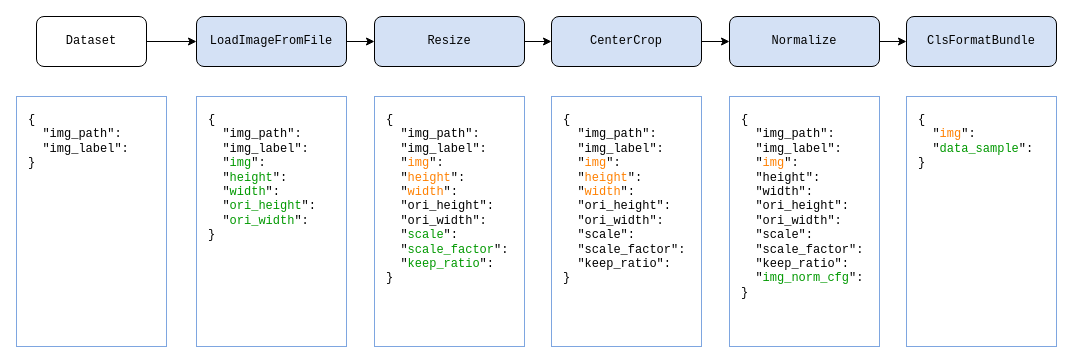
The OpenMMLab team released a new generation of training engine [MMEngine](https://github.com/open-mmlab/mmengine) at the World Artificial Intelligence Conference on September 1, 2022. It is a foundational library for training deep learning models. Compared with MMCV, it provides a universal and powerful runner, an open architecture with a more unified interface, and a more customizable training process.
MMCV v2.0.0 official version was released on April 6, 2023. In version 2.x, it removed components related to the training process and added a data transformation module. Also, starting from 2.x, it renamed the package names **mmcv** to **mmcv-lite** and **mmcv-full** to **mmcv**. For details, see [Compatibility Documentation](docs/en/compatibility.md).
MMCV will maintain both [1.x](https://github.com/open-mmlab/mmcv/tree/1.x) (corresponding to the original [master](https://github.com/open-mmlab/mmcv/tree/master) branch) and **2.x** (corresponding to the **main** branch, now the default branch) versions simultaneously. For details, see [Branch Maintenance Plan](README.md#branch-maintenance-plan).
## Introduction
MMCV is a foundational library for computer vision research and it provides the following functionalities:
- [Image/Video processing](https://mmcv.readthedocs.io/en/latest/understand_mmcv/data_process.html)
- [Image and annotation visualization](https://mmcv.readthedocs.io/en/latest/understand_mmcv/visualization.html)
- [Image transformation](https://mmcv.readthedocs.io/en/latest/understand_mmcv/data_transform.html)
- [Various CNN architectures](https://mmcv.readthedocs.io/en/latest/understand_mmcv/cnn.html)
- [High-quality implementation of common CPU and CUDA ops](https://mmcv.readthedocs.io/en/latest/understand_mmcv/ops.html)
It supports the following systems:
- Linux
- Windows
- macOS
See the [documentation](http://mmcv.readthedocs.io/en/latest) for more features and usage.
Note: MMCV requires Python 3.7+.
## Installation
There are two versions of MMCV:
- **mmcv**: comprehensive, with full features and various CUDA ops out of the box. It takes longer time to build.
- **mmcv-lite**: lite, without CUDA ops but all other features, similar to mmcv\<1.0.0. It is useful when you do not need those CUDA ops.
**Note**: Do not install both versions in the same environment, otherwise you may encounter errors like `ModuleNotFound`. You need to uninstall one before installing the other. `Installing the full version is highly recommended if CUDA is available`.
### Install mmcv
Before installing mmcv, make sure that PyTorch has been successfully installed following the [PyTorch official installation guide](https://github.com/pytorch/pytorch#installation). For apple silicon users, please use PyTorch 1.13+.
The command to install mmcv:
```bash
pip install -U openmim
mim install mmcv
```
If you need to specify the version of mmcv, you can use the following command:
```bash
mim install mmcv==2.0.0
```
If you find that the above installation command does not use a pre-built package ending with `.whl` but a source package ending with `.tar.gz`, you may not have a pre-build package corresponding to the PyTorch or CUDA or mmcv version, in which case you can [build mmcv from source](https://mmcv.readthedocs.io/en/latest/get_started/build.html).
Installation log using pre-built packages
Looking in links: https://download.openmmlab.com/mmcv/dist/cu102/torch1.8.0/index.html
Collecting mmcv Downloading https://download.openmmlab.com/mmcv/dist/cu102/torch1.8.0/mmcv-2.0.0-cp38-cp38-manylinux1_x86_64.whlInstallation log using source packages
Looking in links: https://download.openmmlab.com/mmcv/dist/cu102/torch1.8.0/index.html
Collecting mmcv==2.0.0 Downloading mmcv-2.0.0.tar.gz
For more installation methods, please refer to the [Installation documentation](https://mmcv.readthedocs.io/en/latest/get_started/installation.html).
### Install mmcv-lite
If you need to use PyTorch-related modules, make sure PyTorch has been successfully installed in your environment by referring to the [PyTorch official installation guide](https://github.com/pytorch/pytorch#installation).
```bash
pip install -U openmim
mim install mmcv-lite
```
## FAQ
If you face some installation issues, CUDA related issues or RuntimeErrors,
you may first refer to this [Frequently Asked Questions](https://mmcv.readthedocs.io/en/latest/faq.html).
If you face installation problems or runtime issues, you may first refer to this [Frequently Asked Questions](https://mmcv.readthedocs.io/en/latest/faq.html) to see if there is a solution. If the problem is still not solved, feel free to open an [issue](https://github.com/open-mmlab/mmcv/issues).
## Citation
If you find this project useful in your research, please consider cite:
```latex
@misc{mmcv,
title={{MMCV: OpenMMLab} Computer Vision Foundation},
author={MMCV Contributors},
howpublished = {\url{https://github.com/open-mmlab/mmcv}},
year={2018}
}
```
## Contributing
We appreciate all contributions to improve MMCV. Please refer to [CONTRIBUTING.md](CONTRIBUTING.md) for the contributing guideline.
## License
MMCV is released under the Apache 2.0 license, while some specific operations in this library are with other licenses. Please refer to [LICENSES.md](LICENSES.md) for the careful check, if you are using our code for commercial matters.
## Branch Maintenance Plan
MMCV currently has four branches, namely main, 1.x, master, and 2.x, where 2.x is an alias for the main branch, and master is an alias for the 1.x branch. The 2.x and master branches will be deleted in the future. MMCV's branches go through the following three stages:
| Phase | Time | Branch | description |
| -------------------- | --------------------- | ----------------------------------------------------------------------------------------------------------------------------------- | ------------------------------------------------------------------------------------------------------------------------------------------------------ |
| RC Period | 2022.9.1 - 2023.4.5 | Release candidate code (2.x version) will be released on 2.x branch. Default master branch is still 1.x version | Master and 2.x branches iterate normally |
| Compatibility Period | 2023.4.6 - 2023.12.31 | **The 2.x branch has been renamed to the main branch and set as the default branch**, and 1.x branch will correspond to 1.x version | We still maintain the old version 1.x, respond to user needs, but try not to introduce changes that break compatibility; main branch iterates normally |
| Maintenance Period | From 2024/1/1 | Default main branch corresponds to 2.x version and 1.x branch is 1.x version | 1.x branch is in maintenance phase, no more new feature support; main branch is iterating normally |
## Projects in OpenMMLab
- [MMEngine](https://github.com/open-mmlab/mmengine): OpenMMLab foundational library for training deep learning models.
- [MMCV](https://github.com/open-mmlab/mmcv): OpenMMLab foundational library for computer vision.
- [MIM](https://github.com/open-mmlab/mim): MIM installs OpenMMLab packages.
- [MMClassification](https://github.com/open-mmlab/mmclassification): OpenMMLab image classification toolbox and benchmark.
- [MMDetection](https://github.com/open-mmlab/mmdetection): OpenMMLab detection toolbox and benchmark.
- [MMDetection3D](https://github.com/open-mmlab/mmdetection3d): OpenMMLab's next-generation platform for general 3D object detection.
- [MMRotate](https://github.com/open-mmlab/mmrotate): OpenMMLab rotated object detection toolbox and benchmark.
- [MMYOLO](https://github.com/open-mmlab/mmyolo): OpenMMLab YOLO series toolbox and benchmark.
- [MMSegmentation](https://github.com/open-mmlab/mmsegmentation): OpenMMLab semantic segmentation toolbox and benchmark.
- [MMOCR](https://github.com/open-mmlab/mmocr): OpenMMLab text detection, recognition, and understanding toolbox.
- [MMPose](https://github.com/open-mmlab/mmpose): OpenMMLab pose estimation toolbox and benchmark.
- [MMHuman3D](https://github.com/open-mmlab/mmhuman3d): OpenMMLab 3D human parametric model toolbox and benchmark.
- [MMSelfSup](https://github.com/open-mmlab/mmselfsup): OpenMMLab self-supervised learning toolbox and benchmark.
- [MMRazor](https://github.com/open-mmlab/mmrazor): OpenMMLab model compression toolbox and benchmark.
- [MMFewShot](https://github.com/open-mmlab/mmfewshot): OpenMMLab fewshot learning toolbox and benchmark.
- [MMAction2](https://github.com/open-mmlab/mmaction2): OpenMMLab's next-generation action understanding toolbox and benchmark.
- [MMTracking](https://github.com/open-mmlab/mmtracking): OpenMMLab video perception toolbox and benchmark.
- [MMFlow](https://github.com/open-mmlab/mmflow): OpenMMLab optical flow toolbox and benchmark.
- [MMEditing](https://github.com/open-mmlab/mmediting): OpenMMLab image and video editing toolbox.
- [MMGeneration](https://github.com/open-mmlab/mmgeneration): OpenMMLab image and video generative models toolbox.
- [MMDeploy](https://github.com/open-mmlab/mmdeploy): OpenMMLab model deployment framework.
================================================
FILE: README_zh-CN.md
================================================
我们会在 OpenMMLab 社区为大家
- 📢 分享 AI 框架的前沿核心技术
- 💻 解读 PyTorch 常用模块源码
- 📰 发布 OpenMMLab 的相关新闻
- 🚀 介绍 OpenMMLab 开发的前沿算法
- 🏃 获取更高效的问题答疑和意见反馈
- 🔥 提供与各行各业开发者充分交流的平台
干货满满 📘,等你来撩 💗,OpenMMLab 社区期待您的加入 👬
================================================
FILE: TERMINOLOGY.md
================================================
# English-Chinese terminology comparison (英汉术语对照)
This document is used as a reference for English-Chinese terminology translation.
该文档用作中英文翻译对照参考。
| English | 中文 |
| :---------------: | :----------: |
| annotation | 标注 |
| backbone | 主干网络 |
| benchmark | 基准测试 |
| checkpoint | 模型权重文件 |
| classifier | 分类器 |
| cls_head | 分类头 |
| decoder | 解码器 |
| detector | 检测器 |
| encoder | 编码器 |
| finetune | 微调 |
| ground truth | 真实标签 |
| hook | 钩子 |
| localizer | 定位器 |
| neck | 模型颈部 |
| pipeline | 流水线 |
| recognizer | 识别器 |
| register | 注册器 |
| schedule | 调整 |
| scheduler | 调度器 |
| segmentor | 分割器 |
| tensor | 张量 |
| training schedule | 训练策略 |
================================================
FILE: docker/README.md
================================================
# Docker images
There are two `Dockerfile` files to build docker images, one to build an image with the mmcv pre-built package and the other with the mmcv development environment.
```text
.
|-- README.md
|-- dev # build with mmcv development environment
| `-- Dockerfile
`-- release # build with mmcv pre-built package
`-- Dockerfile
```
## Build docker images
### Build with mmcv pre-built package
Build with local repository
```bash
git clone https://github.com/open-mmlab/mmcv.git && cd mmcv
docker build -t mmcv -f docker/release/Dockerfile .
```
Or build with remote repository
```bash
docker build -t mmcv https://github.com/open-mmlab/mmcv.git#master:docker/release
```
The [Dockerfile](release/Dockerfile) installs latest released version of mmcv by default, but you can specify mmcv versions to install expected versions.
```bash
docker image build -t mmcv -f docker/release/Dockerfile --build-arg MMCV=2.0.0rc1 .
```
If you also want to use other versions of PyTorch and CUDA, you can also pass them when building docker images.
An example to build an image with PyTorch 1.11 and CUDA 11.3.
```bash
docker build -t mmcv -f docker/release/Dockerfile \
--build-arg PYTORCH=1.9.0 \
--build-arg CUDA=11.1 \
--build-arg CUDNN=8 \
--build-arg MMCV=2.0.0rc1 .
```
More available versions of PyTorch and CUDA can be found at [dockerhub/pytorch](https://hub.docker.com/r/pytorch/pytorch/tags).
### Build with mmcv development environment
If you want to build an docker image with the mmcv development environment, you can use the following command
```bash
git clone https://github.com/open-mmlab/mmcv.git && cd mmcv
docker build -t mmcv -f docker/dev/Dockerfile --build-arg CUDA_ARCH=7.5 .
```
Note that `CUDA_ARCH` is the cumpute capability of your GPU and you can find it at [Compute Capability](https://developer.nvidia.com/cuda-gpus#compute).
The building process may take 10 minutes or more.
## Run images
```bash
docker run --gpus all --shm-size=8g -it mmcv
```
See [docker run](https://docs.docker.com/engine/reference/commandline/run/) for more usages.
================================================
FILE: docker/dev/Dockerfile
================================================
ARG PYTORCH="1.8.1"
ARG CUDA="10.2"
ARG CUDNN="7"
FROM pytorch/pytorch:${PYTORCH}-cuda${CUDA}-cudnn${CUDNN}-devel
# To fix GPG key error when running apt-get update
RUN rm /etc/apt/sources.list.d/cuda.list \
&& rm /etc/apt/sources.list.d/nvidia-ml.list \
&& apt-key adv --fetch-keys https://developer.download.nvidia.com/compute/cuda/repos/ubuntu1804/x86_64/3bf863cc.pub \
&& apt-key adv --fetch-keys https://developer.download.nvidia.com/compute/machine-learning/repos/ubuntu1804/x86_64/7fa2af80.pub
# Install git and system dependencies for opencv-python
RUN apt-get update && apt-get install -y git \
&& apt-get update && apt-get install -y libgl1 libglib2.0-0
# Install system dependencies for unit tests
RUN apt-get install -y ffmpeg libturbojpeg \
&& apt-get clean \
&& rm -rf /var/lib/apt/lists/*
# build mmcv from source with develop mode
ARG HTTPS_PROXY=""
ENV https_proxy=${HTTPS_PROXY}
ENV FORCE_CUDA="1"
ARG CUDA_ARCH=""
ENV TORCH_CUDA_ARCH_LIST=${CUDA_ARCH}
RUN git clone https://github.com/open-mmlab/mmcv.git /mmcv
WORKDIR /mmcv
RUN git checkout 2.x && git rev-parse --short HEAD
RUN pip install --no-cache-dir -e .[all] -v && pip install pre-commit && pre-commit install
================================================
FILE: docker/release/Dockerfile
================================================
ARG PYTORCH="1.8.1"
ARG CUDA="10.2"
ARG CUDNN="7"
FROM pytorch/pytorch:${PYTORCH}-cuda${CUDA}-cudnn${CUDNN}-devel
# To fix GPG key error when running apt-get update
RUN rm /etc/apt/sources.list.d/cuda.list \
&& rm /etc/apt/sources.list.d/nvidia-ml.list \
&& apt-key adv --fetch-keys https://developer.download.nvidia.com/compute/cuda/repos/ubuntu1804/x86_64/3bf863cc.pub \
&& apt-key adv --fetch-keys https://developer.download.nvidia.com/compute/machine-learning/repos/ubuntu1804/x86_64/7fa2af80.pub
# Install system dependencies for opencv-python
RUN apt-get update && apt-get install -y libgl1 libglib2.0-0 \
&& apt-get clean \
&& rm -rf /var/lib/apt/lists/*
# Install mmcv
ARG MMCV=""
RUN if [ "${MMCV}" = "" ]; then pip install -U openmim && mim install 'mmcv>=2.0.0rc1'; else pip install -U openmim && mim install mmcv==${MMCV}; fi
# Verify the installation
RUN python -c 'import mmcv;print(mmcv.__version__)'
================================================
FILE: docs/en/Makefile
================================================
# Minimal makefile for Sphinx documentation
#
# You can set these variables from the command line.
SPHINXOPTS =
SPHINXBUILD = sphinx-build
SOURCEDIR = .
BUILDDIR = _build
# Put it first so that "make" without argument is like "make help".
help:
@$(SPHINXBUILD) -M help "$(SOURCEDIR)" "$(BUILDDIR)" $(SPHINXOPTS) $(O)
.PHONY: help Makefile
# Catch-all target: route all unknown targets to Sphinx using the new
# "make mode" option. $(O) is meant as a shortcut for $(SPHINXOPTS).
%: Makefile
@$(SPHINXBUILD) -M $@ "$(SOURCEDIR)" "$(BUILDDIR)" $(SPHINXOPTS) $(O)
================================================
FILE: docs/en/_static/css/readthedocs.css
================================================
.header-logo {
background-image: url("../image/mmcv-logo.png");
background-size: 85px 40px;
height: 40px;
width: 85px;
}
table.colwidths-auto td {
width: 50%
}
================================================
FILE: docs/en/_static/version.json
================================================
{
"Linux": [
{
"cuda": "12.1",
"torch": "2.4.x",
"mmcv": [
"2.2.0"
]
},
{
"cuda": "12.1",
"torch": "2.3.x",
"mmcv": [
"2.2.0"
]
},
{
"cuda": "12.1",
"torch": "2.2.x",
"mmcv": [
"2.2.0"
]
},
{
"cuda": "12.1",
"torch": "2.1.x",
"mmcv": [
"2.2.0",
"2.1.0"
]
},
{
"cuda": "11.8",
"torch": "2.4.x",
"mmcv": [
"2.2.0"
]
},
{
"cuda": "11.8",
"torch": "2.3.x",
"mmcv": [
"2.2.0"
]
},
{
"cuda": "11.8",
"torch": "2.2.x",
"mmcv": [
"2.2.0"
]
},
{
"cuda": "11.8",
"torch": "2.1.x",
"mmcv": [
"2.2.0",
"2.1.0"
]
},
{
"cuda": "11.8",
"torch": "2.0.x",
"mmcv": [
"2.2.0",
"2.1.0",
"2.0.1",
"2.0.0"
]
},
{
"cuda": "11.7",
"torch": "2.0.x",
"mmcv": [
"2.2.0",
"2.1.0",
"2.0.1",
"2.0.0"
]
},
{
"cuda": "11.7",
"torch": "1.13.x",
"mmcv": [
"2.2.0",
"2.1.0",
"2.0.1",
"2.0.0rc4",
"2.0.0rc3",
"2.0.0"
]
},
{
"cuda": "11.6",
"torch": "1.13.x",
"mmcv": [
"2.2.0",
"2.1.0",
"2.0.1",
"2.0.0rc4",
"2.0.0rc3",
"2.0.0"
]
},
{
"cuda": "11.6",
"torch": "1.12.x",
"mmcv": [
"2.2.0",
"2.1.0",
"2.0.1",
"2.0.0rc4",
"2.0.0rc3",
"2.0.0rc2",
"2.0.0rc1",
"2.0.0"
]
},
{
"cuda": "11.5",
"torch": "1.11.x",
"mmcv": [
"2.2.0",
"2.1.0",
"2.0.1",
"2.0.0rc4",
"2.0.0rc3",
"2.0.0rc2",
"2.0.0rc1",
"2.0.0"
]
},
{
"cuda": "11.3",
"torch": "1.12.x",
"mmcv": [
"2.2.0",
"2.1.0",
"2.0.1",
"2.0.0rc4",
"2.0.0rc3",
"2.0.0rc2",
"2.0.0rc1",
"2.0.0"
]
},
{
"cuda": "11.3",
"torch": "1.11.x",
"mmcv": [
"2.2.0",
"2.1.0",
"2.0.1",
"2.0.0rc4",
"2.0.0rc3",
"2.0.0rc2",
"2.0.0rc1",
"2.0.0"
]
},
{
"cuda": "11.3",
"torch": "1.10.x",
"mmcv": [
"2.2.0",
"2.1.0",
"2.0.1",
"2.0.0rc4",
"2.0.0rc3",
"2.0.0rc2",
"2.0.0rc1",
"2.0.0"
]
},
{
"cuda": "11.1",
"torch": "1.10.x",
"mmcv": [
"2.2.0",
"2.1.0",
"2.0.1",
"2.0.0rc4",
"2.0.0rc3",
"2.0.0rc2",
"2.0.0rc1",
"2.0.0"
]
},
{
"cuda": "11.1",
"torch": "1.9.x",
"mmcv": [
"2.2.0",
"2.1.0",
"2.0.1",
"2.0.0rc4",
"2.0.0rc3",
"2.0.0rc2",
"2.0.0rc1",
"2.0.0"
]
},
{
"cuda": "11.1",
"torch": "1.8.x",
"mmcv": [
"2.2.0",
"2.1.0",
"2.0.1",
"2.0.0rc4",
"2.0.0rc3",
"2.0.0rc2",
"2.0.0rc1",
"2.0.0"
]
},
{
"cuda": "11.0",
"torch": "1.7.x",
"mmcv": [
"2.0.0rc4",
"2.0.0rc3",
"2.0.0rc2",
"2.0.0rc1"
]
},
{
"cuda": "10.2",
"torch": "1.12.x",
"mmcv": [
"2.2.0",
"2.1.0",
"2.0.1",
"2.0.0rc4",
"2.0.0rc3",
"2.0.0rc2",
"2.0.0rc1",
"2.0.0"
]
},
{
"cuda": "10.2",
"torch": "1.11.x",
"mmcv": [
"2.2.0",
"2.1.0",
"2.0.1",
"2.0.0rc4",
"2.0.0rc3",
"2.0.0rc2",
"2.0.0rc1",
"2.0.0"
]
},
{
"cuda": "10.2",
"torch": "1.10.x",
"mmcv": [
"2.2.0",
"2.1.0",
"2.0.1",
"2.0.0rc4",
"2.0.0rc3",
"2.0.0rc2",
"2.0.0rc1",
"2.0.0"
]
},
{
"cuda": "10.2",
"torch": "1.9.x",
"mmcv": [
"2.2.0",
"2.1.0",
"2.0.1",
"2.0.0rc4",
"2.0.0rc3",
"2.0.0rc2",
"2.0.0rc1",
"2.0.0"
]
},
{
"cuda": "10.2",
"torch": "1.8.x",
"mmcv": [
"2.2.0",
"2.1.0",
"2.0.1",
"2.0.0rc4",
"2.0.0rc3",
"2.0.0rc2",
"2.0.0rc1",
"2.0.0"
]
},
{
"cuda": "10.2",
"torch": "1.7.x",
"mmcv": [
"2.0.0rc4",
"2.0.0rc3",
"2.0.0rc2",
"2.0.0rc1"
]
},
{
"cuda": "10.2",
"torch": "1.6.x",
"mmcv": [
"2.0.0rc4",
"2.0.0rc3",
"2.0.0rc2",
"2.0.0rc1"
]
},
{
"cuda": "10.2",
"torch": "1.5.x",
"mmcv": [
"2.0.0rc3"
]
},
{
"cuda": "10.1",
"torch": "1.8.x",
"mmcv": [
"2.2.0",
"2.1.0",
"2.0.1",
"2.0.0rc4",
"2.0.0rc3",
"2.0.0rc2",
"2.0.0rc1",
"2.0.0"
]
},
{
"cuda": "10.1",
"torch": "1.7.x",
"mmcv": [
"2.0.0rc4",
"2.0.0rc3",
"2.0.0rc2",
"2.0.0rc1"
]
},
{
"cuda": "10.1",
"torch": "1.6.x",
"mmcv": [
"2.0.0rc4",
"2.0.0rc3",
"2.0.0rc2",
"2.0.0rc1"
]
},
{
"cuda": "10.1",
"torch": "1.5.x",
"mmcv": [
"2.0.0rc3"
]
},
{
"cuda": "9.2",
"torch": "1.7.x",
"mmcv": [
"2.0.0rc4",
"2.0.0rc3",
"2.0.0rc2",
"2.0.0rc1"
]
},
{
"cuda": "9.2",
"torch": "1.6.x",
"mmcv": [
"2.0.0rc4",
"2.0.0rc3",
"2.0.0rc2",
"2.0.0rc1"
]
},
{
"cuda": "9.2",
"torch": "1.5.x",
"mmcv": [
"2.0.0rc3",
"2.0.0rc2"
]
},
{
"cuda": "cpu",
"torch": "2.4.x",
"mmcv": [
"2.2.0"
]
},
{
"cuda": "cpu",
"torch": "2.3.x",
"mmcv": [
"2.2.0"
]
},
{
"cuda": "cpu",
"torch": "2.2.x",
"mmcv": [
"2.2.0"
]
},
{
"cuda": "cpu",
"torch": "2.1.x",
"mmcv": [
"2.2.0",
"2.1.0"
]
},
{
"cuda": "cpu",
"torch": "2.0.x",
"mmcv": [
"2.2.0",
"2.1.0",
"2.0.1",
"2.0.0"
]
},
{
"cuda": "cpu",
"torch": "1.13.x",
"mmcv": [
"2.2.0",
"2.1.0",
"2.0.1",
"2.0.0rc4",
"2.0.0rc3",
"2.0.0"
]
},
{
"cuda": "cpu",
"torch": "1.12.x",
"mmcv": [
"2.2.0",
"2.1.0",
"2.0.1",
"2.0.0rc4",
"2.0.0rc3",
"2.0.0rc2",
"2.0.0rc1",
"2.0.0"
]
},
{
"cuda": "cpu",
"torch": "1.11.x",
"mmcv": [
"2.2.0",
"2.1.0",
"2.0.1",
"2.0.0rc4",
"2.0.0rc3",
"2.0.0rc2",
"2.0.0rc1",
"2.0.0"
]
},
{
"cuda": "cpu",
"torch": "1.10.x",
"mmcv": [
"2.2.0",
"2.1.0",
"2.0.1",
"2.0.0rc4",
"2.0.0rc3",
"2.0.0rc2",
"2.0.0rc1",
"2.0.0"
]
},
{
"cuda": "cpu",
"torch": "1.9.x",
"mmcv": [
"2.2.0",
"2.1.0",
"2.0.1",
"2.0.0rc4",
"2.0.0rc3",
"2.0.0rc2",
"2.0.0rc1",
"2.0.0"
]
},
{
"cuda": "cpu",
"torch": "1.8.x",
"mmcv": [
"2.2.0",
"2.1.0",
"2.0.1",
"2.0.0rc4",
"2.0.0rc3",
"2.0.0rc2",
"2.0.0rc1",
"2.0.0"
]
},
{
"cuda": "cpu",
"torch": "1.7.x",
"mmcv": [
"2.0.0rc4",
"2.0.0rc3",
"2.0.0rc2",
"2.0.0rc1"
]
},
{
"cuda": "cpu",
"torch": "1.6.x",
"mmcv": [
"2.0.0rc4",
"2.0.0rc3",
"2.0.0rc2",
"2.0.0rc1"
]
},
{
"cuda": "cpu",
"torch": "1.5.x",
"mmcv": [
"2.0.0rc3",
"2.0.0rc2"
]
}
],
"Windows": [
{
"cuda": "12.1",
"torch": "2.3.x",
"mmcv": [
"2.2.0"
]
},
{
"cuda": "12.1",
"torch": "2.2.x",
"mmcv": [
"2.2.0"
]
},
{
"cuda": "12.1",
"torch": "2.1.x",
"mmcv": [
"2.2.0",
"2.1.0"
]
},
{
"cuda": "11.8",
"torch": "2.3.x",
"mmcv": [
"2.2.0"
]
},
{
"cuda": "11.8",
"torch": "2.2.x",
"mmcv": [
"2.2.0"
]
},
{
"cuda": "11.8",
"torch": "2.1.x",
"mmcv": [
"2.2.0",
"2.1.0"
]
},
{
"cuda": "11.8",
"torch": "2.0.x",
"mmcv": [
"2.2.0",
"2.1.0",
"2.0.1",
"2.0.0"
]
},
{
"cuda": "11.7",
"torch": "2.0.x",
"mmcv": [
"2.2.0",
"2.1.0",
"2.0.1",
"2.0.0"
]
},
{
"cuda": "11.7",
"torch": "1.13.x",
"mmcv": [
"2.2.0",
"2.1.0",
"2.0.1",
"2.0.0rc4",
"2.0.0rc3",
"2.0.0"
]
},
{
"cuda": "11.6",
"torch": "1.13.x",
"mmcv": [
"2.2.0",
"2.1.0",
"2.0.1",
"2.0.0rc4",
"2.0.0rc3",
"2.0.0"
]
},
{
"cuda": "11.6",
"torch": "1.12.x",
"mmcv": [
"2.2.0",
"2.1.0",
"2.0.1",
"2.0.0rc4",
"2.0.0rc3",
"2.0.0rc2",
"2.0.0rc1",
"2.0.0"
]
},
{
"cuda": "11.5",
"torch": "1.11.x",
"mmcv": [
"2.2.0",
"2.1.0",
"2.0.1",
"2.0.0rc4",
"2.0.0rc3",
"2.0.0rc2",
"2.0.0rc1",
"2.0.0"
]
},
{
"cuda": "11.3",
"torch": "1.12.x",
"mmcv": [
"2.2.0",
"2.1.0",
"2.0.1",
"2.0.0rc4",
"2.0.0rc3",
"2.0.0rc2",
"2.0.0rc1",
"2.0.0"
]
},
{
"cuda": "11.3",
"torch": "1.11.x",
"mmcv": [
"2.2.0",
"2.1.0",
"2.0.1",
"2.0.0rc4",
"2.0.0rc3",
"2.0.0rc2",
"2.0.0rc1",
"2.0.0"
]
},
{
"cuda": "11.3",
"torch": "1.10.x",
"mmcv": [
"2.2.0",
"2.1.0",
"2.0.1",
"2.0.0rc4",
"2.0.0rc3",
"2.0.0rc2",
"2.0.0rc1",
"2.0.0"
]
},
{
"cuda": "11.1",
"torch": "1.10.x",
"mmcv": [
"2.2.0",
"2.1.0",
"2.0.1",
"2.0.0rc4",
"2.0.0rc3",
"2.0.0rc2",
"2.0.0rc1",
"2.0.0"
]
},
{
"cuda": "11.1",
"torch": "1.9.x",
"mmcv": [
"2.2.0",
"2.1.0",
"2.0.1",
"2.0.0rc4",
"2.0.0rc3",
"2.0.0rc2",
"2.0.0rc1",
"2.0.0"
]
},
{
"cuda": "11.1",
"torch": "1.8.x",
"mmcv": [
"2.2.0",
"2.1.0",
"2.0.1",
"2.0.0rc4",
"2.0.0rc3",
"2.0.0rc2",
"2.0.0rc1",
"2.0.0"
]
},
{
"cuda": "10.2",
"torch": "1.10.x",
"mmcv": [
"2.2.0",
"2.1.0",
"2.0.1",
"2.0.0rc4",
"2.0.0rc3",
"2.0.0rc2",
"2.0.0rc1",
"2.0.0"
]
},
{
"cuda": "10.2",
"torch": "1.9.x",
"mmcv": [
"2.2.0",
"2.1.0",
"2.0.1",
"2.0.0rc4",
"2.0.0rc3",
"2.0.0rc2",
"2.0.0rc1",
"2.0.0"
]
},
{
"cuda": "10.2",
"torch": "1.8.x",
"mmcv": [
"2.2.0",
"2.1.0",
"2.0.1",
"2.0.0rc4",
"2.0.0rc3",
"2.0.0rc2",
"2.0.0rc1",
"2.0.0"
]
},
{
"cuda": "10.2",
"torch": "1.7.x",
"mmcv": [
"2.0.0rc4",
"2.0.0rc3"
]
},
{
"cuda": "10.2",
"torch": "1.6.x",
"mmcv": [
"2.0.0rc4",
"2.0.0rc3",
"2.0.0rc2",
"2.0.0rc1"
]
},
{
"cuda": "10.1",
"torch": "1.8.x",
"mmcv": [
"2.0.0rc4",
"2.0.0rc3",
"2.0.0rc2",
"2.0.0rc1",
"2.0.0"
]
},
{
"cuda": "10.1",
"torch": "1.7.x",
"mmcv": [
"2.0.0rc4",
"2.0.0rc3"
]
},
{
"cuda": "10.1",
"torch": "1.6.x",
"mmcv": [
"2.0.0rc4",
"2.0.0rc3",
"2.0.0rc2",
"2.0.0rc1"
]
},
{
"cuda": "cpu",
"torch": "2.3.x",
"mmcv": [
"2.2.0"
]
},
{
"cuda": "cpu",
"torch": "2.2.x",
"mmcv": [
"2.2.0"
]
},
{
"cuda": "cpu",
"torch": "2.1.x",
"mmcv": [
"2.2.0",
"2.1.0"
]
},
{
"cuda": "cpu",
"torch": "2.0.x",
"mmcv": [
"2.2.0",
"2.1.0",
"2.0.1",
"2.0.0"
]
},
{
"cuda": "cpu",
"torch": "1.13.x",
"mmcv": [
"2.2.0",
"2.1.0",
"2.0.1",
"2.0.0rc4",
"2.0.0rc3",
"2.0.0"
]
},
{
"cuda": "cpu",
"torch": "1.12.x",
"mmcv": [
"2.2.0",
"2.1.0",
"2.0.1",
"2.0.0rc4",
"2.0.0rc3",
"2.0.0rc2",
"2.0.0rc1",
"2.0.0"
]
},
{
"cuda": "cpu",
"torch": "1.11.x",
"mmcv": [
"2.2.0",
"2.1.0",
"2.0.1",
"2.0.0rc4",
"2.0.0rc3",
"2.0.0rc2",
"2.0.0rc1",
"2.0.0"
]
},
{
"cuda": "cpu",
"torch": "1.10.x",
"mmcv": [
"2.2.0",
"2.1.0",
"2.0.1",
"2.0.0rc4",
"2.0.0rc3",
"2.0.0rc2",
"2.0.0rc1",
"2.0.0"
]
},
{
"cuda": "cpu",
"torch": "1.9.x",
"mmcv": [
"2.2.0",
"2.1.0",
"2.0.1",
"2.0.0rc4",
"2.0.0rc3",
"2.0.0rc2",
"2.0.0rc1",
"2.0.0"
]
},
{
"cuda": "cpu",
"torch": "1.8.x",
"mmcv": [
"2.2.0",
"2.1.0",
"2.0.1",
"2.0.0rc4",
"2.0.0rc3",
"2.0.0rc2",
"2.0.0rc1",
"2.0.0"
]
},
{
"cuda": "cpu",
"torch": "1.7.x",
"mmcv": [
"2.0.0rc4",
"2.0.0rc3",
"2.0.0rc2",
"2.0.0rc1"
]
},
{
"cuda": "cpu",
"torch": "1.6.x",
"mmcv": [
"2.0.0rc4",
"2.0.0rc3",
"2.0.0rc2",
"2.0.0rc1"
]
}
],
"macOS": [
{
"cuda": "cpu",
"torch": "2.1.x",
"mmcv": [
"2.1.0"
]
},
{
"cuda": "cpu",
"torch": "2.0.x",
"mmcv": [
"2.1.0",
"2.0.0"
]
},
{
"cuda": "cpu",
"torch": "1.13.x",
"mmcv": [
"2.1.0",
"2.0.0rc4",
"2.0.0rc3",
"2.0.0"
]
},
{
"cuda": "mps",
"torch": "1.13.x",
"mmcv": [
"2.0.0rc4",
"2.0.0rc3"
]
},
{
"cuda": "cpu",
"torch": "1.12.x",
"mmcv": [
"2.1.0",
"2.0.0rc4",
"2.0.0rc3",
"2.0.0rc2",
"2.0.0"
]
},
{
"cuda": "cpu",
"torch": "1.11.x",
"mmcv": [
"2.1.0",
"2.0.0rc4",
"2.0.0rc3",
"2.0.0rc2",
"2.0.0"
]
},
{
"cuda": "cpu",
"torch": "1.10.x",
"mmcv": [
"2.1.0",
"2.0.0rc4",
"2.0.0rc3",
"2.0.0rc2",
"2.0.0"
]
},
{
"cuda": "cpu",
"torch": "1.9.x",
"mmcv": [
"2.1.0",
"2.0.0rc4",
"2.0.0rc3",
"2.0.0rc2",
"2.0.0"
]
},
{
"cuda": "cpu",
"torch": "1.8.x",
"mmcv": [
"2.1.0",
"2.0.0rc4",
"2.0.0rc3",
"2.0.0rc2",
"2.0.0"
]
},
{
"cuda": "cpu",
"torch": "1.7.x",
"mmcv": [
"2.0.0rc4",
"2.0.0rc3",
"2.0.0rc2"
]
},
{
"cuda": "cpu",
"torch": "1.6.x",
"mmcv": [
"2.0.0rc4",
"2.0.0rc3",
"2.0.0rc2"
]
}
]
}
================================================
FILE: docs/en/_templates/classtemplate.rst
================================================
.. role:: hidden
:class: hidden-section
.. currentmodule:: {{ module }}
{{ name | underline}}
.. autoclass:: {{ name }}
:members:
..
autogenerated from source/_templates/classtemplate.rst
note it does not have :inherited-members:
================================================
FILE: docs/en/api/arraymisc.rst
================================================
.. role:: hidden
:class: hidden-section
mmcv.arraymisc
===================================
.. contents:: mmcv.arraymisc
:depth: 2
:local:
:backlinks: top
.. currentmodule:: mmcv.arraymisc
.. autosummary::
:toctree: generated
:nosignatures:
quantize
dequantize
================================================
FILE: docs/en/api/cnn.rst
================================================
.. role:: hidden
:class: hidden-section
mmcv.cnn
===================================
.. contents:: mmcv.cnn
:depth: 2
:local:
:backlinks: top
.. currentmodule:: mmcv.cnn
Module
----------------
.. autosummary::
:toctree: generated
:nosignatures:
:template: classtemplate.rst
ContextBlock
Conv2d
Conv3d
ConvAWS2d
ConvModule
ConvTranspose2d
ConvTranspose3d
ConvWS2d
DepthwiseSeparableConvModule
GeneralizedAttention
HSigmoid
HSwish
LayerScale
Linear
MaxPool2d
MaxPool3d
NonLocal1d
NonLocal2d
NonLocal3d
Scale
Swish
Conv2dRFSearchOp
Build Function
----------------
.. autosummary::
:toctree: generated
:nosignatures:
build_activation_layer
build_conv_layer
build_norm_layer
build_padding_layer
build_plugin_layer
build_upsample_layer
Miscellaneous
----------------
.. autosummary::
:toctree: generated
:nosignatures:
fuse_conv_bn
conv_ws_2d
is_norm
make_res_layer
make_vgg_layer
get_model_complexity_info
================================================
FILE: docs/en/api/image.rst
================================================
.. role:: hidden
:class: hidden-section
mmcv.image
===================================
.. contents:: mmcv.image
:depth: 2
:local:
:backlinks: top
.. currentmodule:: mmcv.image
IO
----------------
.. autosummary::
:toctree: generated
:nosignatures:
imfrombytes
imread
imwrite
use_backend
Color Space
----------------
.. autosummary::
:toctree: generated
:nosignatures:
bgr2gray
bgr2hls
bgr2hsv
bgr2rgb
bgr2ycbcr
gray2bgr
gray2rgb
hls2bgr
hsv2bgr
imconvert
rgb2bgr
rgb2gray
rgb2ycbcr
ycbcr2bgr
ycbcr2rgb
Geometric
----------------
.. autosummary::
:toctree: generated
:nosignatures:
cutout
imcrop
imflip
impad
impad_to_multiple
imrescale
imresize
imresize_like
imresize_to_multiple
imrotate
imshear
imtranslate
rescale_size
Photometric
----------------
.. autosummary::
:toctree: generated
:nosignatures:
adjust_brightness
adjust_color
adjust_contrast
adjust_hue
adjust_lighting
adjust_sharpness
auto_contrast
clahe
imdenormalize
imequalize
iminvert
imnormalize
lut_transform
posterize
solarize
Miscellaneous
----------------
.. autosummary::
:toctree: generated
:nosignatures:
tensor2imgs
================================================
FILE: docs/en/api/ops.rst
================================================
.. role:: hidden
:class: hidden-section
mmcv.ops
===================================
.. contents:: mmcv.ops
:depth: 2
:local:
:backlinks: top
.. currentmodule:: mmcv.ops
.. autosummary::
:toctree: generated
:nosignatures:
:template: classtemplate.rst
BorderAlign
CARAFE
CARAFENaive
CARAFEPack
Conv2d
ConvTranspose2d
CornerPool
Correlation
CrissCrossAttention
DeformConv2d
DeformConv2dPack
DeformRoIPool
DeformRoIPoolPack
DynamicScatter
FusedBiasLeakyReLU
GroupAll
Linear
MaskedConv2d
MaxPool2d
ModulatedDeformConv2d
ModulatedDeformConv2dPack
ModulatedDeformRoIPoolPack
MultiScaleDeformableAttention
PSAMask
PointsSampler
PrRoIPool
QueryAndGroup
RiRoIAlignRotated
RoIAlign
RoIAlignRotated
RoIAwarePool3d
RoIPointPool3d
RoIPool
SAConv2d
SigmoidFocalLoss
SimpleRoIAlign
SoftmaxFocalLoss
SparseConv2d
SparseConv3d
SparseConvTensor
SparseConvTranspose2d
SparseConvTranspose3d
SparseInverseConv2d
SparseInverseConv3d
SparseMaxPool2d
SparseMaxPool3d
SparseModule
SparseSequential
SubMConv2d
SubMConv3d
SyncBatchNorm
TINShift
Voxelization
.. autosummary::
:toctree: generated
:nosignatures:
active_rotated_filter
assign_score_withk
ball_query
batched_nms
bbox_overlaps
border_align
box_iou_rotated
boxes_iou3d
boxes_iou_bev
boxes_overlap_bev
carafe
carafe_naive
chamfer_distance
contour_expand
convex_giou
convex_iou
deform_conv2d
deform_roi_pool
diff_iou_rotated_2d
diff_iou_rotated_3d
dynamic_scatter
furthest_point_sample
furthest_point_sample_with_dist
fused_bias_leakyrelu
gather_points
grouping_operation
knn
masked_conv2d
min_area_polygons
modulated_deform_conv2d
nms
nms3d
nms3d_normal
nms_bev
nms_match
nms_normal_bev
nms_rotated
pixel_group
point_sample
points_in_boxes_all
points_in_boxes_cpu
points_in_boxes_part
points_in_polygons
prroi_pool
rel_roi_point_to_rel_img_point
riroi_align_rotated
roi_align
roi_align_rotated
roi_pool
rotated_feature_align
scatter_nd
sigmoid_focal_loss
soft_nms
softmax_focal_loss
three_interpolate
three_nn
tin_shift
upfirdn2d
voxelization
================================================
FILE: docs/en/api/transforms.rst
================================================
.. role:: hidden
:class: hidden-section
mmcv.transforms
===================================
.. currentmodule:: mmcv.transforms
.. autosummary::
:toctree: generated
:nosignatures:
:template: classtemplate.rst
BaseTransform
TestTimeAug
Loading
----------------
.. autosummary::
:toctree: generated
:nosignatures:
:template: classtemplate.rst
LoadAnnotations
LoadImageFromFile
Processing
----------------
.. autosummary::
:toctree: generated
:nosignatures:
:template: classtemplate.rst
CenterCrop
MultiScaleFlipAug
Normalize
Pad
RandomChoiceResize
RandomFlip
RandomGrayscale
RandomResize
Resize
ToTensor
ImageToTensor
Wrapper
----------------
.. autosummary::
:toctree: generated
:nosignatures:
:template: classtemplate.rst
Compose
KeyMapper
RandomApply
RandomChoice
TransformBroadcaster
================================================
FILE: docs/en/api/utils.rst
================================================
.. role:: hidden
:class: hidden-section
mmcv.utils
===================================
.. contents:: mmcv.utils
:depth: 2
:local:
:backlinks: top
.. currentmodule:: mmcv.utils
.. autosummary::
:toctree: generated
:nosignatures:
IS_CUDA_AVAILABLE
IS_MLU_AVAILABLE
IS_MPS_AVAILABLE
collect_env
jit
skip_no_elena
================================================
FILE: docs/en/api/video.rst
================================================
.. role:: hidden
:class: hidden-section
mmcv.video
===================================
.. contents:: mmcv.video
:depth: 2
:local:
:backlinks: top
.. currentmodule:: mmcv.video
IO
----------------
.. autosummary::
:toctree: generated
:nosignatures:
:template: classtemplate.rst
VideoReader
Cache
.. autosummary::
:toctree: generated
:nosignatures:
frames2video
Optical Flow
----------------
.. autosummary::
:toctree: generated
:nosignatures:
dequantize_flow
flow_from_bytes
flow_warp
flowread
flowwrite
quantize_flow
sparse_flow_from_bytes
Video Processing
----------------
.. autosummary::
:toctree: generated
:nosignatures:
concat_video
convert_video
cut_video
resize_video
================================================
FILE: docs/en/api/visualization.rst
================================================
.. role:: hidden
:class: hidden-section
mmcv.visualization
===================================
.. contents:: mmcv.visualization
:depth: 2
:local:
:backlinks: top
.. currentmodule:: mmcv.visualization
Color
----------------
.. autosummary::
:toctree: generated
:nosignatures:
:template: classtemplate.rst
Color
.. autosummary::
:toctree: generated
:nosignatures:
color_val
Image
----------------
.. autosummary::
:toctree: generated
:nosignatures:
imshow
imshow_bboxes
imshow_det_bboxes
Optical Flow
----------------
.. autosummary::
:toctree: generated
:nosignatures:
flow2rgb
flowshow
make_color_wheel
================================================
FILE: docs/en/community/contributing.md
================================================
## Contributing to OpenMMLab
Welcome to the MMCV community, we are committed to building a cutting-edge computer vision foundational library and all kinds of contributions are welcomed, including but not limited to
**Fix bug**
You can directly post a Pull Request to fix typo in code or documents
The steps to fix the bug of code implementation are as follows.
1. If the modification involve significant changes, you should create an issue first and describe the error information and how to trigger the bug. Other developers will discuss with you and propose an proper solution.
2. Posting a pull request after fixing the bug and adding corresponding unit test.
**New Feature or Enhancement**
1. If the modification involve significant changes, you should create an issue to discuss with our developers to propose an proper design.
2. Post a Pull Request after implementing the new feature or enhancement and add corresponding unit test.
**Document**
You can directly post a pull request to fix documents. If you want to add a document, you should first create an issue to check if it is reasonable.
### Pull Request Workflow
If you're not familiar with Pull Request, don't worry! The following guidance will tell you how to create a Pull Request step by step. If you want to dive into the develop mode of Pull Request, you can refer to the [official documents](https://docs.github.com/en/github/collaborating-with-issues-and-pull-requests/about-pull-requests)
#### 1. Fork and clone
If you are posting a pull request for the first time, you should fork the OpenMMLab repositories by clicking the **Fork** button in the top right corner of the GitHub page, and the forked repositories will appear under your GitHub profile.
Then, you can clone the repositories to local:
```shell
git clone git@github.com:{username}/mmcv.git
```
After that, you should ddd official repository as the upstream repository
```bash
git remote add upstream git@github.com:open-mmlab/mmcv
```
Check whether remote repository has been added successfully by `git remote -v`
```bash
origin git@github.com:{username}/mmcv.git (fetch)
origin git@github.com:{username}/mmcv.git (push)
upstream git@github.com:open-mmlab/mmcv (fetch)
upstream git@github.com:open-mmlab/mmcv (push)
```
```{note}
Here's a brief introduction to origin and upstream. When we use "git clone", we create an "origin" remote by default, which points to the repository cloned from. As for "upstream", we add it ourselves to point to the target repository. Of course, if you don't like the name "upstream", you could name it as you wish. Usually, we'll push the code to "origin". If the pushed code conflicts with the latest code in official("upstream"), we should pull the latest code from upstream to resolve the conflicts, and then push to "origin" again. The posted Pull Request will be updated automatically.
```
#### 2. Configure pre-commit
You should configure [pre-commit](https://pre-commit.com/#intro) in the local development environment to make sure the code style matches that of OpenMMLab. **Note**: The following code should be executed under the MMCV directory.
```shell
pip install -U pre-commit
pre-commit install
```
Check that pre-commit is configured successfully, and install the hooks defined in `.pre-commit-config.yaml`.
```shell
pre-commit run --all-files
```
```{note}
Chinese users may fail to download the pre-commit hooks due to the network issue. In this case, you could download these hooks from gitee by setting the .pre-commit-config-zh-cn.yaml
pre-commit install -c .pre-commit-config-zh-cn.yaml
pre-commit run --all-files -c .pre-commit-config-zh-cn.yaml
```
If the installation process is interrupted, you can repeatedly run `pre-commit run ... ` to continue the installation.
If the code does not conform to the code style specification, pre-commit will raise a warning and fixes some of the errors automatically.
If we want to commit our code bypassing the pre-commit hook, we can use the `--no-verify` option(**only for temporarily commit**.
```shell
git commit -m "xxx" --no-verify
```
#### 3. Create a development branch
After configuring the pre-commit, we should create a branch based on the main branch to develop the new feature or fix the bug. The proposed branch name is `username/pr_name`
```shell
git checkout -b yhc/refactor_contributing_doc
```
In subsequent development, if the main branch of the local repository is behind the main branch of "upstream", we need to pull the upstream for synchronization, and then execute the above command:
```shell
git pull upstream main
```
#### 4. Commit the code and pass the unit test
- MMCV introduces mypy to do static type checking to increase the robustness of the code. Therefore, we need to add Type Hints to our code and pass the mypy check. If you are not familiar with Type Hints, you can refer to [this tutorial](https://docs.python.org/3/library/typing.html).
- The committed code should pass through the unit test
```shell
# Pass all unit tests
pytest tests
# Pass the unit test of runner
pytest tests/test_runner/test_runner.py
```
If the unit test fails for lack of dependencies, you can install the dependencies referring to the [guidance](#unit-test)
- If the documents are modified/added, we should check the rendering result referring to [guidance](#document-rendering)
#### 5. Push the code to remote
We could push the local commits to remote after passing through the check of unit test and pre-commit. You can associate the local branch with remote branch by adding `-u` option.
```shell
git push -u origin {branch_name}
```
This will allow you to use the `git push` command to push code directly next time, without having to specify a branch or the remote repository.
#### 6. Create a Pull Request
(1) Create a pull request in GitHub's Pull request interface
(2) Modify the PR description according to the guidelines so that other developers can better understand your changes
Find more details about Pull Request description in [pull request guidelines](#pr-specs).
**note**
(a) The Pull Request description should contain the reason for the change, the content of the change, and the impact of the change, and be associated with the relevant Issue (see [documentation](https://docs.github.com/en/issues/tracking-your-work-with-issues/linking-a-pull-request-to-an-issue)
(b) If it is your first contribution, please sign the CLA
(c) Check whether the Pull Request pass through the CI
MMCV will run unit test for the posted Pull Request on different platforms (Linux, Window, Mac), based on different versions of Python, PyTorch, CUDA to make sure the code is correct. We can see the specific test information by clicking `Details` in the above image so that we can modify the code.
(3) If the Pull Request passes the CI, then you can wait for the review from other developers. You'll modify the code based on the reviewer's comments, and repeat the steps [4](#4-commit-the-code-and-pass-the-unit-test)-[5](#5-push-the-code-to-remote) until all reviewers approve it. Then, we will merge it ASAP.
#### 7. Resolve conflicts
If your local branch conflicts with the latest main branch of "upstream", you'll need to resolove them. There are two ways to do this:
```shell
git fetch --all --prune
git rebase upstream/main
```
or
```shell
git fetch --all --prune
git merge upstream/main
```
If you are very good at handling conflicts, then you can use rebase to resolve conflicts, as this will keep your commit logs tidy. If you are not familiar with `rebase`, then you can use `merge` to resolve conflicts.
### Guidance
#### Unit test
If you cannot run the unit test of some modules for lacking of some dependencies, such as [video](https://github.com/open-mmlab/mmcv/tree/main/mmcv/video) module, you can try to install the following dependencies:
```shell
# Linux
sudo apt-get update -y
sudo apt-get install -y libturbojpeg
sudo apt-get install -y ffmpeg
# Windows
conda install ffmpeg
```
We should also make sure the committed code will not decrease the coverage of unit test, we could run the following command to check the coverage of unit test:
```shell
python -m coverage run -m pytest /path/to/test_file
python -m coverage html
# check file in htmlcov/index.html
```
#### Document rendering
If the documents are modified/added, we should check the rendering result. We could install the dependencies and run the following command to render the documents and check the results:
```shell
pip install -r requirements/docs.txt
cd docs/zh_cn/
# or docs/en
make html
# check file in ./docs/zh_cn/_build/html/index.html
```
### Code style
#### Python
We adopt [PEP8](https://www.python.org/dev/peps/pep-0008/) as the preferred code style.
We use the following tools for linting and formatting:
- [flake8](https://github.com/PyCQA/flake8): A wrapper around some linter tools.
- [isort](https://github.com/timothycrosley/isort): A Python utility to sort imports.
- [yapf](https://github.com/google/yapf): A formatter for Python files.
- [codespell](https://github.com/codespell-project/codespell): A Python utility to fix common misspellings in text files.
- [mdformat](https://github.com/executablebooks/mdformat): Mdformat is an opinionated Markdown formatter that can be used to enforce a consistent style in Markdown files.
- [docformatter](https://github.com/myint/docformatter): A formatter to format docstring.
Style configurations of yapf and isort can be found in [setup.cfg](./setup.cfg).
We use [pre-commit hook](https://pre-commit.com/) that checks and formats for `flake8`, `yapf`, `isort`, `trailing whitespaces`, `markdown files`,
fixes `end-of-files`, `double-quoted-strings`, `python-encoding-pragma`, `mixed-line-ending`, sorts `requirments.txt` automatically on every commit.
The config for a pre-commit hook is stored in [.pre-commit-config](./.pre-commit-config.yaml).
#### C++ and CUDA
We follow the [Google C++ Style Guide](https://google.github.io/styleguide/cppguide.html).
### PR Specs
1. Use [pre-commit](https://pre-commit.com) hook to avoid issues of code style
2. One short-time branch should be matched with only one PR
3. Accomplish a detailed change in one PR. Avoid large PR
- Bad: Support Faster R-CNN
- Acceptable: Add a box head to Faster R-CNN
- Good: Add a parameter to box head to support custom conv-layer number
4. Provide clear and significant commit message
5. Provide clear and meaningful PR description
- Task name should be clarified in title. The general format is: \[Prefix\] Short description of the PR (Suffix)
- Prefix: add new feature \[Feature\], fix bug \[Fix\], related to documents \[Docs\], in developing \[WIP\] (which will not be reviewed temporarily)
- Introduce main changes, results and influences on other modules in short description
- Associate related issues and pull requests with a milestone
================================================
FILE: docs/en/community/pr.md
================================================
## Pull Request (PR)
Content has been migrated to [contributing guidance](contributing.md).
================================================
FILE: docs/en/compatibility.md
================================================
### v2.0.0
The OpenMMLab team released a new generation of training engine [MMEngine](https://github.com/open-mmlab/mmengine) at the World Artificial Intelligence Conference on September 1, 2022. It is a foundational library for training deep learning models. Compared with MMCV, it provides a universal and powerful runner, an open architecture with a more unified interface, and a more customizable training process.
The OpenMMLab team released MMCV v2.0.0 on April 6, 2023. In the 2.x version, it has the following significant changes:
(1) It removed the following components:
- `mmcv.fileio` module, removed in PR [#2179](https://github.com/open-mmlab/mmcv/pull/2179). FileIO module from mmengine will be used wherever required.
- `mmcv.runner`, `mmcv.parallel`, `mmcv. engine` and `mmcv.device`, removed in PR [#2216](https://github.com/open-mmlab/mmcv/pull/2216).
- All classes in `mmcv.utils` (eg `Config` and `Registry`) and many functions, removed in PR [#2217](https://github.com/open-mmlab/mmcv/pull/2217). Only a few functions related to mmcv are reserved.
- `mmcv.onnx`, `mmcv.tensorrt` modules and related functions, removed in PR [#2225](https://github.com/open-mmlab/mmcv/pull/2225).
- Removed all root registrars in MMCV and registered classes or functions to the [root registrar](https://github.com/open-mmlab/mmengine/blob/main/mmengine/registry/root.py) in MMEngine.
(2) It added the [`mmcv.transforms`](https://github.com/open-mmlab/mmcv/tree/main/mmcv/transforms) data transformation module.
(3) It renamed the package name **mmcv** to **mmcv-lite** and **mmcv-full** to **mmcv** in PR [#2235](https://github.com/open-mmlab/mmcv/pull/2235). Also, change the default value of the environment variable `MMCV_WITH_OPS` from 0 to 1.
MMCV < 2.0
MMCV >= 2.0
```bash
# Contains ops, because the highest version of mmcv-full is less than 2.0.0, so there is no need to add version restrictions
pip install openmim
mim install mmcv-full
# do not contain ops
pip install openmim
mim install "mmcv < 2.0.0"
```
```bash
# Contains ops
pip install openmim
mim install mmcv
# Ops are not included, because the starting version of mmcv-lite is 2.0.0rc1, so there is no need to add version restrictions
pip install openmim
mim install mmcv-lite
```
### v1.3.18
Some ops have different implementations on different devices. Lots of macros and type checks are scattered in several files, which makes the code hard to maintain. For example:
```c++
if (input.device().is_cuda()) {
#ifdef MMCV_WITH_CUDA
CHECK_CUDA_INPUT(input);
CHECK_CUDA_INPUT(rois);
CHECK_CUDA_INPUT(output);
CHECK_CUDA_INPUT(argmax_y);
CHECK_CUDA_INPUT(argmax_x);
roi_align_forward_cuda(input, rois, output, argmax_y, argmax_x,
aligned_height, aligned_width, spatial_scale,
sampling_ratio, pool_mode, aligned);
#else
AT_ERROR("RoIAlign is not compiled with GPU support");
#endif
} else {
CHECK_CPU_INPUT(input);
CHECK_CPU_INPUT(rois);
CHECK_CPU_INPUT(output);
CHECK_CPU_INPUT(argmax_y);
CHECK_CPU_INPUT(argmax_x);
roi_align_forward_cpu(input, rois, output, argmax_y, argmax_x,
aligned_height, aligned_width, spatial_scale,
sampling_ratio, pool_mode, aligned);
}
```
Registry and dispatcher are added to manage these implementations.
```c++
void ROIAlignForwardCUDAKernelLauncher(Tensor input, Tensor rois, Tensor output,
Tensor argmax_y, Tensor argmax_x,
int aligned_height, int aligned_width,
float spatial_scale, int sampling_ratio,
int pool_mode, bool aligned);
void roi_align_forward_cuda(Tensor input, Tensor rois, Tensor output,
Tensor argmax_y, Tensor argmax_x,
int aligned_height, int aligned_width,
float spatial_scale, int sampling_ratio,
int pool_mode, bool aligned) {
ROIAlignForwardCUDAKernelLauncher(
input, rois, output, argmax_y, argmax_x, aligned_height, aligned_width,
spatial_scale, sampling_ratio, pool_mode, aligned);
}
// register cuda implementation
void roi_align_forward_impl(Tensor input, Tensor rois, Tensor output,
Tensor argmax_y, Tensor argmax_x,
int aligned_height, int aligned_width,
float spatial_scale, int sampling_ratio,
int pool_mode, bool aligned);
REGISTER_DEVICE_IMPL(roi_align_forward_impl, CUDA, roi_align_forward_cuda);
// roi_align.cpp
// use the dispatcher to invoke different implementation depending on device type of input tensors.
void roi_align_forward_impl(Tensor input, Tensor rois, Tensor output,
Tensor argmax_y, Tensor argmax_x,
int aligned_height, int aligned_width,
float spatial_scale, int sampling_ratio,
int pool_mode, bool aligned) {
DISPATCH_DEVICE_IMPL(roi_align_forward_impl, input, rois, output, argmax_y,
argmax_x, aligned_height, aligned_width, spatial_scale,
sampling_ratio, pool_mode, aligned);
}
```
### v1.3.11
In order to flexibly support more backends and hardwares like `NVIDIA GPUs` and `AMD GPUs`, the directory of `mmcv/ops/csrc` is refactored. Note that this refactoring will not affect the usage in API. For related information, please refer to [PR1206](https://github.com/open-mmlab/mmcv/pull/1206).
The original directory was organized as follows.
```
.
├── common_cuda_helper.hpp
├── ops_cuda_kernel.cuh
├── pytorch_cpp_helper.hpp
├── pytorch_cuda_helper.hpp
├── parrots_cpp_helper.hpp
├── parrots_cuda_helper.hpp
├── parrots_cudawarpfunction.cuh
├── onnxruntime
│ ├── onnxruntime_register.h
│ ├── onnxruntime_session_options_config_keys.h
│ ├── ort_mmcv_utils.h
│ ├── ...
│ ├── onnx_ops.h
│ └── cpu
│ ├── onnxruntime_register.cpp
│ ├── ...
│ └── onnx_ops_impl.cpp
├── parrots
│ ├── ...
│ ├── ops.cpp
│ ├── ops_cuda.cu
│ ├── ops_parrots.cpp
│ └── ops_pytorch.h
├── pytorch
│ ├── ...
│ ├── ops.cpp
│ ├── ops_cuda.cu
│ ├── pybind.cpp
└── tensorrt
├── trt_cuda_helper.cuh
├── trt_plugin_helper.hpp
├── trt_plugin.hpp
├── trt_serialize.hpp
├── ...
├── trt_ops.hpp
└── plugins
├── trt_cuda_helper.cu
├── trt_plugin.cpp
├── ...
├── trt_ops.cpp
└── trt_ops_kernel.cu
```
After refactored, it is organized as follows.
```
.
├── common
│ ├── box_iou_rotated_utils.hpp
│ ├── parrots_cpp_helper.hpp
│ ├── parrots_cuda_helper.hpp
│ ├── pytorch_cpp_helper.hpp
│ ├── pytorch_cuda_helper.hpp
│ └── cuda
│ ├── common_cuda_helper.hpp
│ ├── parrots_cudawarpfunction.cuh
│ ├── ...
│ └── ops_cuda_kernel.cuh
├── onnxruntime
│ ├── onnxruntime_register.h
│ ├── onnxruntime_session_options_config_keys.h
│ ├── ort_mmcv_utils.h
│ ├── ...
│ ├── onnx_ops.h
│ └── cpu
│ ├── onnxruntime_register.cpp
│ ├── ...
│ └── onnx_ops_impl.cpp
├── parrots
│ ├── ...
│ ├── ops.cpp
│ ├── ops_parrots.cpp
│ └── ops_pytorch.h
├── pytorch
│ ├── info.cpp
│ ├── pybind.cpp
│ ├── ...
│ ├── ops.cpp
│ └── cuda
│ ├── ...
│ └── ops_cuda.cu
└── tensorrt
├── trt_cuda_helper.cuh
├── trt_plugin_helper.hpp
├── trt_plugin.hpp
├── trt_serialize.hpp
├── ...
├── trt_ops.hpp
└── plugins
├── trt_cuda_helper.cu
├── trt_plugin.cpp
├── ...
├── trt_ops.cpp
└── trt_ops_kernel.cu
```
================================================
FILE: docs/en/conf.py
================================================
#
# Configuration file for the Sphinx documentation builder.
#
# This file does only contain a selection of the most common options. For a
# full list see the documentation:
# http://www.sphinx-doc.org/en/master/config
# -- Path setup --------------------------------------------------------------
# If extensions (or modules to document with autodoc) are in another directory,
# add these directories to sys.path here. If the directory is relative to the
# documentation root, use os.path.abspath to make it absolute, like shown here.
#
import os
import sys
import pytorch_sphinx_theme
from sphinx.builders.html import StandaloneHTMLBuilder
sys.path.insert(0, os.path.abspath('../..'))
version_file = '../../mmcv/version.py'
with open(version_file) as f:
exec(compile(f.read(), version_file, 'exec'))
__version__ = locals()['__version__']
# -- Project information -----------------------------------------------------
project = 'mmcv'
copyright = '2018-2022, OpenMMLab'
author = 'MMCV Authors'
# The short X.Y version
version = __version__
# The full version, including alpha/beta/rc tags
release = __version__
# -- General configuration ---------------------------------------------------
# If your documentation needs a minimal Sphinx version, state it here.
#
# needs_sphinx = '1.0'
# Add any Sphinx extension module names here, as strings. They can be
# extensions coming with Sphinx (named 'sphinx.ext.*') or your custom
# ones.
extensions = [
'sphinx.ext.autodoc',
'sphinx.ext.autosummary',
'sphinx.ext.intersphinx',
'sphinx.ext.napoleon',
'sphinx.ext.viewcode',
'sphinx_markdown_tables',
'myst_parser',
'sphinx_copybutton',
] # yapf: disable
myst_heading_anchors = 4
myst_enable_extensions = ['colon_fence']
# Configuration for intersphinx
intersphinx_mapping = {
'python': ('https://docs.python.org/3', None),
'numpy': ('https://numpy.org/doc/stable', None),
'torch': ('https://pytorch.org/docs/stable/', None),
'mmengine': ('https://mmengine.readthedocs.io/en/latest', None),
}
autodoc_mock_imports = ['mmcv._ext', 'mmcv.utils.ext_loader', 'torchvision']
# Add any paths that contain templates here, relative to this directory.
templates_path = ['_templates']
# The suffix(es) of source filenames.
# You can specify multiple suffix as a list of string:
#
source_suffix = {
'.rst': 'restructuredtext',
'.md': 'markdown',
}
# The master toctree document.
master_doc = 'index'
# The language for content autogenerated by Sphinx. Refer to documentation
# for a list of supported languages.
#
# This is also used if you do content translation via gettext catalogs.
# Usually you set "language" from the command line for these cases.
language = None
# List of patterns, relative to source directory, that match files and
# directories to ignore when looking for source files.
# This pattern also affects html_static_path and html_extra_path.
exclude_patterns = ['_build', 'Thumbs.db', '.DS_Store']
# The name of the Pygments (syntax highlighting) style to use.
pygments_style = 'sphinx'
# -- Options for HTML output -------------------------------------------------
# The theme to use for HTML and HTML Help pages. See the documentation for
# a list of builtin themes.
#
# html_theme = 'sphinx_rtd_theme'
html_theme = 'pytorch_sphinx_theme'
html_theme_path = [pytorch_sphinx_theme.get_html_theme_path()]
# Theme options are theme-specific and customize the look and feel of a theme
# further. For a list of options available for each theme, see the
# documentation.
#
html_theme_options = {
'menu': [
{
'name': 'GitHub',
'url': 'https://github.com/open-mmlab/mmcv'
},
],
# Specify the language of shared menu
'menu_lang': 'en',
}
# Add any paths that contain custom static files (such as style sheets) here,
# relative to this directory. They are copied after the builtin static files,
# so a file named "default.css" will overwrite the builtin "default.css".
html_static_path = ['_static']
html_css_files = ['css/readthedocs.css']
# Custom sidebar templates, must be a dictionary that maps document names
# to template names.
#
# The default sidebars (for documents that don't match any pattern) are
# defined by theme itself. Builtin themes are using these templates by
# default: ``['localtoc.html', 'relations.html', 'sourcelink.html',
# 'searchbox.html']``.
#
# html_sidebars = {}
# -- Options for HTMLHelp output ---------------------------------------------
# Output file base name for HTML help builder.
htmlhelp_basename = 'mmcvdoc'
# -- Options for LaTeX output ------------------------------------------------
latex_elements = {
# The paper size ('letterpaper' or 'a4paper').
#
# 'papersize': 'letterpaper',
# The font size ('10pt', '11pt' or '12pt').
#
# 'pointsize': '10pt',
# Additional stuff for the LaTeX preamble.
#
# 'preamble': '',
# Latex figure (float) alignment
#
# 'figure_align': 'htbp',
}
# Grouping the document tree into LaTeX files. List of tuples
# (source start file, target name, title,
# author, documentclass [howto, manual, or own class]).
latex_documents = [
(master_doc, 'mmcv.tex', 'mmcv Documentation', 'MMCV Contributors',
'manual'),
]
# -- Options for manual page output ------------------------------------------
# One entry per manual page. List of tuples
# (source start file, name, description, authors, manual section).
man_pages = [(master_doc, 'mmcv', 'mmcv Documentation', [author], 1)]
# -- Options for Texinfo output ----------------------------------------------
# Grouping the document tree into Texinfo files. List of tuples
# (source start file, target name, title, author,
# dir menu entry, description, category)
texinfo_documents = [
(master_doc, 'mmcv', 'mmcv Documentation', author, 'mmcv',
'One line description of project.', 'Miscellaneous'),
]
# -- Options for Epub output -------------------------------------------------
# Bibliographic Dublin Core info.
epub_title = project
# The unique identifier of the text. This can be a ISBN number
# or the project homepage.
#
# epub_identifier = ''
# A unique identification for the text.
#
# epub_uid = ''
# A list of files that should not be packed into the epub file.
epub_exclude_files = ['search.html']
# set priority when building html
StandaloneHTMLBuilder.supported_image_types = [
'image/svg+xml', 'image/gif', 'image/png', 'image/jpeg'
]
# -- Extension configuration -------------------------------------------------
# Ignore >>> when copying code
copybutton_prompt_text = r'>>> |\.\.\. '
copybutton_prompt_is_regexp = True
================================================
FILE: docs/en/deployment/mmcv_ops_definition.md
================================================
# MMCV Operators
To make custom operators in MMCV more standard, precise definitions of each operator are listed in this document.
- [MMCV Operators](#mmcv-operators)
- [MMCVBorderAlign](#mmcvborderalign)
- [Description](#description)
- [Parameters](#parameters)
- [Inputs](#inputs)
- [Outputs](#outputs)
- [Type Constraints](#type-constraints)
- [MMCVCARAFE](#mmcvcarafe)
- [Description](#description-1)
- [Parameters](#parameters-1)
- [Inputs](#inputs-1)
- [Outputs](#outputs-1)
- [Type Constraints](#type-constraints-1)
- [MMCVCAWeight](#mmcvcaweight)
- [Description](#description-2)
- [Parameters](#parameters-2)
- [Inputs](#inputs-2)
- [Outputs](#outputs-2)
- [Type Constraints](#type-constraints-2)
- [MMCVCAMap](#mmcvcamap)
- [Description](#description-3)
- [Parameters](#parameters-3)
- [Inputs](#inputs-3)
- [Outputs](#outputs-3)
- [Type Constraints](#type-constraints-3)
- [MMCVCornerPool](#mmcvcornerpool)
- [Description](#description-4)
- [Parameters](#parameters-4)
- [Inputs](#inputs-4)
- [Outputs](#outputs-4)
- [Type Constraints](#type-constraints-4)
- [MMCVDeformConv2d](#mmcvdeformconv2d)
- [Description](#description-5)
- [Parameters](#parameters-5)
- [Inputs](#inputs-5)
- [Outputs](#outputs-5)
- [Type Constraints](#type-constraints-5)
- [MMCVModulatedDeformConv2d](#mmcvmodulateddeformconv2d)
- [Description](#description-6)
- [Parameters](#parameters-6)
- [Inputs](#inputs-6)
- [Outputs](#outputs-6)
- [Type Constraints](#type-constraints-6)
- [MMCVDeformRoIPool](#mmcvdeformroipool)
- [Description](#description-7)
- [Parameters](#parameters-7)
- [Inputs](#inputs-7)
- [Outputs](#outputs-7)
- [Type Constraints](#type-constraints-7)
- [MMCVMaskedConv2d](#mmcvmaskedconv2d)
- [Description](#description-8)
- [Parameters](#parameters-8)
- [Inputs](#inputs-8)
- [Outputs](#outputs-8)
- [Type Constraints](#type-constraints-8)
- [MMCVPSAMask](#mmcvpsamask)
- [Description](#description-9)
- [Parameters](#parameters-9)
- [Inputs](#inputs-9)
- [Outputs](#outputs-9)
- [Type Constraints](#type-constraints-9)
- [NonMaxSuppression](#nonmaxsuppression)
- [Description](#description-10)
- [Parameters](#parameters-10)
- [Inputs](#inputs-10)
- [Outputs](#outputs-10)
- [Type Constraints](#type-constraints-10)
- [MMCVRoIAlign](#mmcvroialign)
- [Description](#description-11)
- [Parameters](#parameters-11)
- [Inputs](#inputs-11)
- [Outputs](#outputs-11)
- [Type Constraints](#type-constraints-11)
- [MMCVRoIAlignRotated](#mmcvroialignrotated)
- [Description](#description-12)
- [Parameters](#parameters-12)
- [Inputs](#inputs-12)
- [Outputs](#outputs-12)
- [Type Constraints](#type-constraints-12)
- [grid_sampler\*](#grid_sampler)
- [Description](#description-13)
- [Parameters](#parameters-13)
- [Inputs](#inputs-13)
- [Outputs](#outputs-13)
- [Type Constraints](#type-constraints-13)
- [cummax\*](#cummax)
- [Description](#description-14)
- [Parameters](#parameters-14)
- [Inputs](#inputs-14)
- [Outputs](#outputs-14)
- [Type Constraints](#type-constraints-14)
- [cummin\*](#cummin)
- [Description](#description-15)
- [Parameters](#parameters-15)
- [Inputs](#inputs-15)
- [Outputs](#outputs-15)
- [Type Constraints](#type-constraints-15)
- [Reminders](#reminders)
## MMCVBorderAlign
### Description
Applies `border_align` over the input feature based on predicted bboxes.
For each border line (e.g. top, left, bottom or right) of each box,
border_align does the following:
- uniformly samples `pool_size`+1 positions on this line, involving the start and end points.
- the corresponding features on these points are computed by bilinear interpolation.
- max pooling over all the `pool_size`+1 positions are used for computing pooled feature.
Read [BorderDet: Border Feature for Dense Object Detection](ttps://arxiv.org/abs/2007.11056) for more detailed information.
### Parameters
| Type | Parameter | Description |
| ----- | ----------- | ----------------------------------------------------------------------------------- |
| `int` | `pool_size` | number of positions sampled over the boxes' borders(e.g. top, bottom, left, right). |
### Inputs
input: T
Features with shape [N,4C,H,W]. Channels ranged in [0,C), [C,2C), [2C,3C), [3C,4C) represent the top, left, bottom, right features respectively
boxes: T
Boxes with shape [N,H*W,4]. Coordinate format (x1,y1,x2,y2).
### Outputs
output: T
Pooled features with shape [N,C,H*W,4]. The order is(top,left,bottom,right) for the last dimension.
### Type Constraints
- T:tensor(float32)
## MMCVCARAFE
### Description
CARAFE operator performs feature upsampling.
Read [CARAFE: Content-Aware ReAssembly of FEatures](https://arxiv.org/abs/1905.02188) for more detailed information.
### Parameters
| Type | Parameter | Description |
| ------- | -------------- | --------------------------------------------- |
| `int` | `kernel_size` | reassemble kernel size, should be odd integer |
| `int` | `group_size` | reassemble group size |
| `float` | `scale_factor` | upsample ratio(>=1) |
### Inputs
features: T
Input features. 4-D tensor of shape (N, C, H, W). N is the batch size.
masks: T
The input mask
### Outputs
output: T
The upsampled features. 4-D tensor of shape (N, C, H * scale_factor, W * scale_factor). N is the batch size.
### Type Constraints
- T:tensor(float32)
## MMCVCAWeight
### Description
Operator for Criss-Cross Attention
Read [CCNet: Criss-Cross Attention for SemanticSegmentation](https://arxiv.org/pdf/1811.11721.pdf) for more detailed information.
### Parameters
None
### Inputs
t: T
The query matrix of shape (N, C', H, W).
f: T
The key matrix of shape (N, C', H, W).
### Outputs
weight: T
The attention map of shape (N, H+W-1, H, W).
### Type Constraints
- T:tensor(float32)
## MMCVCAMap
### Description
Operator for Criss-Cross Attention
Read [CCNet: Criss-Cross Attention for SemanticSegmentation](https://arxiv.org/pdf/1811.11721.pdf) for more detailed information.
### Parameters
None
### Inputs
weight: T
Output from the operator MMCVCAWeight.
value: T
The value matrix of shape (N, C, H, W).
### Outputs
output: T
Output tensor of aggregated contextual information
### Type Constraints
- T:tensor(float32)
## MMCVCornerPool
### Description
Perform CornerPool on `input` features. Read [CornerNet -- Detecting Objects as Paired Keypoints](https://arxiv.org/abs/1808.01244) for more details.
### Parameters
| Type | Parameter | Description |
| ----- | --------- | ---------------------------------------------------------------- |
| `int` | `mode` | corner pool mode, (0: `top`, 1: `bottom`, 2: `left`, 3: `right`) |
### Inputs
input: T
Input features. 4-D tensor of shape (N, C, H, W). N is the batch size.
### Outputs
output: T
The pooled features. 4-D tensor of shape (N, C, H, W).
### Type Constraints
- T:tensor(float32)
## MMCVDeformConv2d
### Description
Applies a deformable 2D convolution over an input signal composed of several input planes.
Read [Deformable Convolutional Networks](https://arxiv.org/pdf/1703.06211.pdf) for detail.
### Parameters
| Type | Parameter | Description |
| -------------- | ------------------- | ----------------------------------------------------------------------------------------------------------------- |
| `list of ints` | `stride` | The stride of the convolving kernel, (sH, sW). Defaults to `(1, 1)`. |
| `list of ints` | `padding` | Paddings on both sides of the input, (padH, padW). Defaults to `(0, 0)`. |
| `list of ints` | `dilation` | The spacing between kernel elements (dH, dW). Defaults to `(1, 1)`. |
| `int` | `groups` | Split input into groups. `input_channel` should be divisible by the number of groups. Defaults to `1`. |
| `int` | `deformable_groups` | Groups of deformable offset. Defaults to `1`. |
| `int` | `bias` | Whether to add a learnable bias to the output. `0` stands for `False` and `1` stands for `True`. Defaults to `0`. |
| `int` | `im2col_step` | Groups of deformable offset. Defaults to `32`. |
### Inputs
input: T
Input feature; 4-D tensor of shape (N, C, inH, inW), where N is the batch size, C is the number of channels, inH and inW are the height and width of the data.
offset: T
Input offset; 4-D tensor of shape (N, deformable_group* 2* kH* kW, outH, outW), where kH and kW are the height and width of weight, outH and outW is the height and width of offset and output.
weight: T
Input weight; 4-D tensor of shape (output_channel, input_channel, kH, kW).
### Outputs
output: T
Output feature; 4-D tensor of shape (N, output_channel, outH, outW).
### Type Constraints
- T:tensor(float32, Linear)
## MMCVModulatedDeformConv2d
### Description
Perform Modulated Deformable Convolution on input feature, read [Deformable ConvNets v2: More Deformable, Better Results](https://arxiv.org/abs/1811.11168?from=timeline) for detail.
### Parameters
| Type | Parameter | Description |
| -------------- | ------------------- | ------------------------------------------------------------------------------------- |
| `list of ints` | `stride` | The stride of the convolving kernel. (sH, sW) |
| `list of ints` | `padding` | Paddings on both sides of the input. (padH, padW) |
| `list of ints` | `dilation` | The spacing between kernel elements. (dH, dW) |
| `int` | `deformable_groups` | Groups of deformable offset. |
| `int` | `groups` | Split input into groups. `input_channel` should be divisible by the number of groups. |
### Inputs
feature: T
Input feature; 4-D tensor of shape (N, C, inH, inW), where N is the batch size, C is the number of channels, inH and inW are the height and width of the data.
offset: T
Input offset; 4-D tensor of shape (N, deformable_group* 2* kH* kW, outH, outW), where kH and kW are the height and width of weight, outH and outW are the height and width of offset and output.
mask: T
Input mask; 4-D tensor of shape (N, deformable_group* kH* kW, outH, outW), where kH and kW are the height and width of weight, outH and outW are the height and width of offset and output.
weight]: T
Input weight; 4-D tensor of shape (output_channel, input_channel, kH, kW).
bias: T, optional
Input bias; 1-D tensor of shape (output_channel).
### Outputs
output: T
Output feature; 4-D tensor of shape (N, output_channel, outH, outW).
### Type Constraints
- T:tensor(float32, Linear)
## MMCVDeformRoIPool
### Description
Deformable roi pooling layer
### Parameters
| Type | Parameter | Description |
| ------- | ---------------- | ------------------------------------------------------------------------------------------------------------- |
| `int` | `output_height` | height of output roi |
| `int` | `output_width` | width of output roi |
| `float` | `spatial_scale` | used to scale the input boxes |
| `int` | `sampling_ratio` | number of input samples to take for each output sample. `0` means to take samples densely for current models. |
| `float` | `gamma` | gamma |
### Inputs
input: T
Input feature map; 4D tensor of shape (N, C, H, W), where N is the batch size, C is the numbers of channels, H and W are the height and width of the data.
rois: T
RoIs (Regions of Interest) to pool over; 2-D tensor of shape (num_rois, 5) given as [[batch_index, x1, y1, x2, y2], ...]. The RoIs' coordinates are the coordinate system of input.
offset: T
offset of height and width. Defaults to a tensor of zero
### Outputs
feat: T
RoI pooled output, 4-D tensor of shape (num_rois, C, output_height, output_width). The r-th batch element feat[r-1] is a pooled feature map corresponding to the r-th RoI RoIs[r-1].
### Type Constraints
- T:tensor(float32)
## MMCVMaskedConv2d
### Description
Performs a masked 2D convolution from PixelRNN
Read [Pixel Recurrent Neural Networks](https://arxiv.org/abs/1601.06759) for more detailed information.
### Parameters
| Type | Parameter | Description |
| -------------- | --------- | -------------------------------------------------------------------------------- |
| `list of ints` | `stride` | The stride of the convolving kernel. (sH, sW). **Only support stride=1 in mmcv** |
| `list of ints` | `padding` | Paddings on both sides of the input. (padH, padW). Defaults to `(0, 0)`. |
### Inputs
features: T
Input features; 4D tensor of shape (N, C, H, W), where N is the batch size, C is the numbers of channels, H and W are the height and width of the data.
mask: T
Input mask; 3D tensor of shape (N, H, W)
weight: T
The learnable weights of the module
bias: T
The learnable bias of the module
### Outputs
output: T
The output convolved feature
### Type Constraints
- T:tensor(float32)
## MMCVPSAMask
### Description
An operator from PSANet.
Read [PSANet: Point-wise Spatial Attention Network for Scene Parsing](https://hszhao.github.io/papers/eccv18_psanet.pdf) for more detailed information.
### Parameters
| Type | Parameter | Description |
| -------------- | ----------- | -------------------------------------------- |
| `int` | `psa_type` | `0` means collect and `1` means `distribute` |
| `list of ints` | `mask_size` | The size of mask |
### Inputs
input: T
Input feature; 4D tensor of shape (N, C, H, W), where N is the batch size, C is the numbers of channels, H and W are the height and width of the data.
### Outputs
output: T
Output tensor of shape (N, H * W, H, W)
### Type Constraints
- T:tensor(float32)
## NonMaxSuppression
### Description
Filter out boxes has high IoU overlap with previously selected boxes or low score. Output the indices of valid boxes.
Note this definition is slightly different with [onnx: NonMaxSuppression](https://github.com/onnx/onnx/blob/main/docs/Operators.md#nonmaxsuppression)
### Parameters
| Type | Parameter | Description |
| ------- | ---------------------------- | ------------------------------------------------------------------------------------------------------------------------------------ |
| `int` | `center_point_box` | 0 - the box data is supplied as \[y1, x1, y2, x2\], 1-the box data is supplied as \[x_center, y_center, width, height\]. |
| `int` | `max_output_boxes_per_class` | The maximum number of boxes to be selected per batch per class. Default to 0, number of output boxes equal to number of input boxes. |
| `float` | `iou_threshold` | The threshold for deciding whether boxes overlap too much with respect to IoU. Value range \[0, 1\]. Default to 0. |
| `float` | `score_threshold` | The threshold for deciding when to remove boxes based on score. |
| `int` | `offset` | 0 or 1, boxes' width or height is (x2 - x1 + offset). |
### Inputs
boxes: T
Input boxes. 3-D tensor of shape (num_batches, spatial_dimension, 4).
scores: T
Input scores. 3-D tensor of shape (num_batches, num_classes, spatial_dimension).
### Outputs
indices: tensor(int32, Linear)
Selected indices. 2-D tensor of shape (num_selected_indices, 3) as [[batch_index, class_index, box_index], ...].
### Type Constraints
- T:tensor(float32, Linear)
## MMCVRoIAlign
### Description
Perform RoIAlign on output feature, used in bbox_head of most two-stage detectors.
### Parameters
| Type | Parameter | Description |
| ------- | ---------------- | ------------------------------------------------------------------------------------------------------------- |
| `int` | `output_height` | height of output roi |
| `int` | `output_width` | width of output roi |
| `float` | `spatial_scale` | used to scale the input boxes |
| `int` | `sampling_ratio` | number of input samples to take for each output sample. `0` means to take samples densely for current models. |
| `str` | `mode` | pooling mode in each bin. `avg` or `max` |
| `int` | `aligned` | If `aligned=0`, use the legacy implementation in MMDetection. Else, align the results more perfectly. |
### Inputs
input: T
Input feature map; 4D tensor of shape (N, C, H, W), where N is the batch size, C is the numbers of channels, H and W are the height and width of the data.
rois: T
RoIs (Regions of Interest) to pool over; 2-D tensor of shape (num_rois, 5) given as [[batch_index, x1, y1, x2, y2], ...]. The RoIs' coordinates are the coordinate system of input.
### Outputs
feat: T
RoI pooled output, 4-D tensor of shape (num_rois, C, output_height, output_width). The r-th batch element feat[r-1] is a pooled feature map corresponding to the r-th RoI RoIs[r-1].
### Type Constraints
- T:tensor(float32)
## MMCVRoIAlignRotated
### Description
Perform RoI align pooling for rotated proposals
### Parameters
| Type | Parameter | Description |
| ------- | ---------------- | ------------------------------------------------------------------------------------------------------------- |
| `int` | `output_height` | height of output roi |
| `int` | `output_width` | width of output roi |
| `float` | `spatial_scale` | used to scale the input boxes |
| `int` | `sampling_ratio` | number of input samples to take for each output sample. `0` means to take samples densely for current models. |
| `str` | `mode` | pooling mode in each bin. `avg` or `max` |
| `int` | `aligned` | If `aligned=0`, use the legacy implementation in MMDetection. Else, align the results more perfectly. |
| `int` | `clockwise` | If `aligned=0`, use the legacy implementation in MMDetection. Else, align the results more perfectly. |
### Inputs
RoIs (Regions of Interest) to pool over; 2-D tensor of shape (num_rois, 5) given as [[batch_index, x1, y1, x2, y2], ...]. The RoIs' coordinates are the coordinate system of input.
### Outputs
RoI pooled output, 4-D tensor of shape (num_rois, C, output_height, output_width). The r-th batch element feat[r-1] is a pooled feature map corresponding to the r-th RoI RoIs[r-1].
### Type Constraints
- T:tensor(float32)
## grid_sampler\*
### Description
Perform sample from `input` with pixel locations from `grid`.
Check [torch.nn.functional.grid_sample](https://pytorch.org/docs/stable/generated/torch.nn.functional.grid_sample.html?highlight=grid_sample#torch.nn.functional.grid_sample) for more information.
### Parameters
| Type | Parameter | Description |
| ----- | -------------------- | ----------------------------------------------------------------------------------------------------------------------------------------------------------------------------------------------------------------------------------------------------------------------------------------------- |
| `int` | `interpolation_mode` | Interpolation mode to calculate output values. (0: `bilinear` , 1: `nearest`) |
| `int` | `padding_mode` | Padding mode for outside grid values. (0: `zeros`, 1: `border`, 2: `reflection`) |
| `int` | `align_corners` | If `align_corners=1`, the extrema (`-1` and `1`) are considered as referring to the center points of the input's corner pixels. If `align_corners=0`, they are instead considered as referring to the corner points of the input's corner pixels, making the sampling more resolution agnostic. |
### Inputs
input: T
Input feature; 4-D tensor of shape (N, C, inH, inW), where N is the batch size, C is the numbers of channels, inH and inW are the height and width of the data.
grid: T
Input offset; 4-D tensor of shape (N, outH, outW, 2), where outH and outW are the height and width of offset and output.
### Outputs
output: T
Output feature; 4-D tensor of shape (N, C, outH, outW).
### Type Constraints
- T:tensor(float32, Linear)
## cummax\*
### Description
Returns a tuple (`values`, `indices`) where `values` is the cumulative maximum elements of `input` in the dimension `dim`. And `indices` is the index location of each maximum value found in the dimension `dim`. Read [torch.cummax](https://pytorch.org/docs/stable/generated/torch.cummax.html) for more details.
### Parameters
| Type | Parameter | Description |
| ----- | --------- | -------------------------------------- |
| `int` | `dim` | the dimension to do the operation over |
### Inputs
input: T
The input tensor with various shapes. Tensor with empty element is also supported.
### Outputs
output: T
Output the cumulative maximum elements of `input` in the dimension `dim`, with the same shape and dtype as `input`.
indices: tensor(int64)
Output the index location of each cumulative maximum value found in the dimension `dim`, with the same shape as `input`.
### Type Constraints
- T:tensor(float32)
## cummin\*
### Description
Returns a tuple (`values`, `indices`) where `values` is the cumulative minimum elements of `input` in the dimension `dim`. And `indices` is the index location of each minimum value found in the dimension `dim`. Read [torch.cummin](https://pytorch.org/docs/stable/generated/torch.cummin.html) for more details.
### Parameters
| Type | Parameter | Description |
| ----- | --------- | -------------------------------------- |
| `int` | `dim` | the dimension to do the operation over |
### Inputs
input: T
The input tensor with various shapes. Tensor with empty element is also supported.
### Outputs
output: T
Output the cumulative minimum elements of `input` in the dimension `dim`, with the same shape and dtype as `input`.
indices: tensor(int64)
Output the index location of each cumulative minimum value found in the dimension `dim`, with the same shape as `input`.
### Type Constraints
- T:tensor(float32)
## Reminders
- Operators endwith `*` are defined in Torch and are included here for the conversion to ONNX.
================================================
FILE: docs/en/docutils.conf
================================================
[html writers]
table_style: colwidths-auto
================================================
FILE: docs/en/faq.md
================================================
## Frequently Asked Questions
We list some common troubles faced by many users and their corresponding solutions here.
Feel free to enrich the list if you find any frequent issues and have ways to help others to solve them.
### Installation
- KeyError: "xxx: 'yyy is not in the zzz registry'"
The registry mechanism will be triggered only when the file of the module is imported.
So you need to import that file somewhere. More details can be found at [KeyError: "MaskRCNN: 'RefineRoIHead is not in the models registry'"](https://github.com/open-mmlab/mmdetection/issues/5974).
- "No module named 'mmcv.ops'"; "No module named 'mmcv.\_ext'"
1. Uninstall existing mmcv in the environment using `pip uninstall mmcv`
2. Install mmcv-full following the [installation instruction](https://mmcv.readthedocs.io/en/latest/get_started/installation.html) or [Build MMCV from source](https://mmcv.readthedocs.io/en/latest/get_started/build.html)
- "invalid device function" or "no kernel image is available for execution"
1. Check the CUDA compute capability of you GPU
2. Run `python mmdet/utils/collect_env.py` to check whether PyTorch, torchvision, and MMCV are built for the correct GPU architecture. You may need to set `TORCH_CUDA_ARCH_LIST` to reinstall MMCV. The compatibility issue could happen when using old GPUS, e.g., Tesla K80 (3.7) on colab.
3. Check whether the running environment is the same as that when mmcv/mmdet is compiled. For example, you may compile mmcv using CUDA 10.0 bug run it on CUDA9.0 environments
- "undefined symbol" or "cannot open xxx.so"
1. If those symbols are CUDA/C++ symbols (e.g., libcudart.so or GLIBCXX), check
whether the CUDA/GCC runtimes are the same as those used for compiling mmcv
2. If those symbols are Pytorch symbols (e.g., symbols containing caffe, aten, and TH), check whether the Pytorch version is the same as that used for compiling mmcv
3. Run `python mmdet/utils/collect_env.py` to check whether PyTorch, torchvision, and MMCV are built by and running on the same environment
- "RuntimeError: CUDA error: invalid configuration argument"
This error may be caused by the poor performance of GPU. Try to decrease the value of [THREADS_PER_BLOCK](https://github.com/open-mmlab/mmcv/blob/cac22f8cf5a904477e3b5461b1cc36856c2793da/mmcv/ops/csrc/common_cuda_helper.hpp#L10)
and recompile mmcv.
- "RuntimeError: nms is not compiled with GPU support"
This error is because your CUDA environment is not installed correctly.
You may try to re-install your CUDA environment and then delete the build/ folder before re-compile mmcv.
- "Segmentation fault"
1. Check your GCC version and use GCC >= 5.4. This usually caused by the incompatibility between PyTorch and the environment (e.g., GCC \< 4.9 for PyTorch). We also recommend the users to avoid using GCC 5.5 because many feedbacks report that GCC 5.5 will cause "segmentation fault" and simply changing it to GCC 5.4 could solve the problem
2. Check whether PyTorch is correctly installed and could use CUDA op, e.g. type the following command in your terminal and see whether they could correctly output results
```shell
python -c 'import torch; print(torch.cuda.is_available())'
```
3. If PyTorch is correctly installed, check whether MMCV is correctly installed. If MMCV is correctly installed, then there will be no issue of the command
```shell
python -c 'import mmcv; import mmcv.ops'
```
4. If MMCV and PyTorch are correctly installed, you can use `ipdb` to set breakpoints or directly add `print` to debug and see which part leads the `segmentation fault`
- "libtorch_cuda_cu.so: cannot open shared object file"
`mmcv-full` depends on the share object but it can not be found. We can check whether the object exists in `~/miniconda3/envs/{environment-name}/lib/python3.7/site-packages/torch/lib` or try to re-install the PyTorch.
- "fatal error C1189: #error: -- unsupported Microsoft Visual Studio version!"
If you are building mmcv-full on Windows and the version of CUDA is 9.2, you will probably encounter the error `"C:\Program Files\NVIDIA GPU Computing Toolkit\CUDA\v9.2\include\crt/host_config.h(133): fatal error C1189: #error: -- unsupported Microsoft Visual Studio version! Only the versions 2012, 2013, 2015 and 2017 are supported!"`, in which case you can use a lower version of Microsoft Visual Studio like vs2017.
- "error: member "torch::jit::detail::ModulePolicy::all_slots" may not be initialized"
If your version of PyTorch is 1.5.0 and you are building mmcv-full on Windows, you will probably encounter the error `- torch/csrc/jit/api/module.h(474): error: member "torch::jit::detail::ModulePolicy::all_slots" may not be initialized`. The way to solve the error is to replace all the `static constexpr bool all_slots = false;` with `static bool all_slots = false;` at this file `https://github.com/pytorch/pytorch/blob/v1.5.0/torch/csrc/jit/api/module.h`. More details can be found at [member "torch::jit::detail::AttributePolicy::all_slots" may not be initialized](https://github.com/pytorch/pytorch/issues/39394).
- "error: a member with an in-class initializer must be const"
If your version of PyTorch is 1.6.0 and you are building mmcv-full on Windows, you will probably encounter the error `"- torch/include\torch/csrc/jit/api/module.h(483): error: a member with an in-class initializer must be const"`. The way to solve the error is to replace all the `CONSTEXPR_EXCEPT_WIN_CUDA ` with `const` at `torch/include\torch/csrc/jit/api/module.h`. More details can be found at [Ninja: build stopped: subcommand failed](https://github.com/open-mmlab/mmcv/issues/575).
- "error: member "torch::jit::ProfileOptionalOp::Kind" may not be initialized"
If your version of PyTorch is 1.7.0 and you are building mmcv-full on Windows, you will probably encounter the error `torch/include\torch/csrc/jit/ir/ir.h(1347): error: member "torch::jit::ProfileOptionalOp::Kind" may not be initialized`. The way to solve the error needs to modify several local files of PyTorch:
- delete `static constexpr Symbol Kind = ::c10::prim::profile;` and `tatic constexpr Symbol Kind = ::c10::prim::profile_optional;` at `torch/include\torch/csrc/jit/ir/ir.h`
- replace `explicit operator type&() { return *(this->value); }` with `explicit operator type&() { return *((type*)this->value); }` at `torch\include\pybind11\cast.h`
- replace all the `CONSTEXPR_EXCEPT_WIN_CUDA` with `const` at `torch/include\torch/csrc/jit/api/module.h`
More details can be found at [Ensure default extra_compile_args](https://github.com/pytorch/pytorch/pull/45956).
- Compatibility issue between MMCV and MMDetection; "ConvWS is already registered in conv layer"
Please install the correct version of MMCV for the version of your MMDetection following the [installation instruction](https://mmdetection.readthedocs.io/en/latest/get_started.html#installation).
### Usage
- "RuntimeError: Expected to have finished reduction in the prior iteration before starting a new one"
1. This error indicates that your module has parameters that were not used in producing loss. This phenomenon may be caused by running different branches in your code in DDP mode. More datails at [Expected to have finished reduction in the prior iteration before starting a new one](https://github.com/pytorch/pytorch/issues/55582).
2. You can set ` find_unused_parameters = True` in the config to solve the above problems or find those unused parameters manually
- "RuntimeError: Trying to backward through the graph a second time"
`GradientCumulativeOptimizerHook` and `OptimizerHook` are both set which causes the `loss.backward()` to be called twice so `RuntimeError` was raised. We can only use one of these. More datails at [Trying to backward through the graph a second time](https://github.com/open-mmlab/mmcv/issues/1379).
================================================
FILE: docs/en/get_started/api_reference.md
================================================
# API reference table
Due to the removal of the `mmcv.fileio`, `mmcv.runner`, `mmcv.parallel`, `mmcv.engine`, `mmcv.device` modules, and all classes and most of the functions in the `mmcv.utils` module during the upgrade from MMCV v1.x to MMCV v2.x, which were removed at PR [#2179](https://github.com/open-mmlab/mmcv/pull/2179), PR [#2216](https://github.com/open-mmlab/mmcv/pull/2216), PR [#2217](https://github.com/open-mmlab/mmcv/pull/2217). Therefore, we provide the following API reference table to make it easier to quickly find the migrated interfaces.
## Related issues, PRs and discussions
- [Remove runner, parallel, engine and device](https://github.com/open-mmlab/mmcv/pull/2216)
- [ImportError: cannot import name 'is_list_of' from 'mmcv.utils'](https://github.com/open-mmlab/mmcv/issues/2282)
- [Could not find the files in MMengine which are removed in MMCV_v2x parallel. example, for DataContainer](https://github.com/open-mmlab/mmcv/issues/2934)
- [mmcv.cnn.bricks.registry](https://github.com/open-mmlab/mmengine/discussions/1356)
- [Replace mmcv's function and modules imported with mmengine's](https://github.com/open-mmlab/mmdetection/pull/8594)
## `mmcv.fileio`
| MMCV | MMCV URL | MMEngine | MMEngine URL |
| ------------------------------------------------- | ------------------------------------------------------------------------------------- | ----------------------------------------------------------- | ---------------------------------------------------------------------------------------------- |
| mmcv.fileio.file_client.BaseStorageBackend | https://github.com/open-mmlab/mmcv/blob/v1.7.1/mmcv/fileio/file_client.py | mmengine.fileio.backends.base.BaseStorageBackend | https://github.com/open-mmlab/mmengine/blob/main/mmengine/fileio/backends/base.py |
| mmcv.fileio.file_client.CephBackend | https://github.com/open-mmlab/mmcv/blob/v1.7.1/mmcv/fileio/file_client.py | | |
| mmcv.fileio.file_client.PetrelBackend | https://github.com/open-mmlab/mmcv/blob/v1.7.1/mmcv/fileio/file_client.py | mmengine.fileio.backends.petrel_backend.PetrelBackend | https://github.com/open-mmlab/mmengine/blob/main/mmengine/fileio/backends/petrel_backend.py |
| mmcv.fileio.file_client.MemcachedBackend | https://github.com/open-mmlab/mmcv/blob/v1.7.1/mmcv/fileio/file_client.py | mmengine.fileio.backends.memcached_backend.MemcachedBackend | https://github.com/open-mmlab/mmengine/blob/main/mmengine/fileio/backends/memcached_backend.py |
| mmcv.fileio.file_client.LmdbBackend | https://github.com/open-mmlab/mmcv/blob/v1.7.1/mmcv/fileio/file_client.py | mmengine.fileio.backends.lmdb_backend.LmdbBackend | https://github.com/open-mmlab/mmengine/blob/main/mmengine/fileio/backends/lmdb_backend.py |
| mmcv.fileio.file_client.HardDiskBackend | https://github.com/open-mmlab/mmcv/blob/v1.7.1/mmcv/fileio/file_client.py | mmengine.fileio.file_client.HardDiskBackend | https://github.com/open-mmlab/mmengine/blob/main/mmengine/fileio/file_client.py |
| mmcv.fileio.file_client.HTTPBackend | https://github.com/open-mmlab/mmcv/blob/v1.7.1/mmcv/fileio/file_client.py | mmengine.fileio.backends.http_backend.HTTPBackend | https://github.com/open-mmlab/mmengine/blob/main/mmengine/fileio/backends/http_backend.py |
| mmcv.fileio.file_client.FileClient | https://github.com/open-mmlab/mmcv/blob/v1.7.1/mmcv/fileio/file_client.py | mmengine.fileio.file_client.FileClient | https://github.com/open-mmlab/mmengine/blob/main/mmengine/fileio/file_client.py |
| mmcv.fileio.io.load | https://github.com/open-mmlab/mmcv/blob/v1.7.1/mmcv/fileio/io.py | mmengine.fileio.io.load | https://github.com/open-mmlab/mmengine/blob/main/mmengine/fileio/io.py |
| mmcv.fileio.io.dump | https://github.com/open-mmlab/mmcv/blob/v1.7.1/mmcv/fileio/io.py | mmengine.fileio.io.dump | https://github.com/open-mmlab/mmengine/blob/main/mmengine/fileio/io.py |
| mmcv.fileio.io.\_register_handler | https://github.com/open-mmlab/mmcv/blob/v1.7.1/mmcv/fileio/io.py | mmengine.fileio.handlers.\_register_handler | https://github.com/open-mmlab/mmengine/blob/main/mmengine/fileio/handlers/registry_utils.py |
| mmcv.fileio.io.register_handler | https://github.com/open-mmlab/mmcv/blob/v1.7.1/mmcv/fileio/io.py | mmengine.fileio.handlers.register_handler | https://github.com/open-mmlab/mmengine/blob/main/mmengine/fileio/handlers/registry_utils.py |
| mmcv.fileio.parse.list_from_file | https://github.com/open-mmlab/mmcv/blob/v1.7.1/mmcv/fileio/parse.py | mmengine.fileio.parse.list_from_file | https://github.com/open-mmlab/mmengine/blob/main/mmengine/fileio/parse.py |
| mmcv.fileio.parse.dict_from_file | https://github.com/open-mmlab/mmcv/blob/v1.7.1/mmcv/fileio/parse.py | mmengine.fileio.parse.dict_from_file | https://github.com/open-mmlab/mmengine/blob/main/mmengine/fileio/parse.py |
| mmcv.fileio.handlers.base.BaseFileHandler | https://github.com/open-mmlab/mmcv/blob/v1.7.1/mmcv/fileio/handlers/base.py | mmengine.fileio.handlers.base.BaseFileHandler | https://github.com/open-mmlab/mmengine/blob/main/mmengine/fileio/handlers/base.py |
| mmcv.fileio.handlers.json_handler.set_default | https://github.com/open-mmlab/mmcv/blob/v1.7.1/mmcv/fileio/handlers/json_handler.py | mmengine.fileio.handlers.json_handler.set_default | https://github.com/open-mmlab/mmengine/blob/main/mmengine/fileio/handlers/json_handler.py |
| mmcv.fileio.handlers.json_handler.JsonHandler | https://github.com/open-mmlab/mmcv/blob/v1.7.1/mmcv/fileio/handlers/json_handler.py | mmengine.fileio.handlers.json_handler.JsonHandler | https://github.com/open-mmlab/mmengine/blob/main/mmengine/fileio/handlers/json_handler.py |
| mmcv.fileio.handlers.pickle_handler.PickleHandler | https://github.com/open-mmlab/mmcv/blob/v1.7.1/mmcv/fileio/handlers/pickle_handler.py | mmengine.fileio.handlers.pickle_handler.PickleHandler | https://github.com/open-mmlab/mmengine/blob/main/mmengine/fileio/handlers/pickle_handler.py |
| mmcv.fileio.handlers.yaml_handler.YamlHandler | https://github.com/open-mmlab/mmcv/blob/v1.7.1/mmcv/fileio/handlers/yaml_handler.py | mmengine.fileio.handlers.yaml_handler.YamlHandler | https://github.com/open-mmlab/mmengine/blob/main/mmengine/fileio/handlers/yaml_handler.py |
## `mmcv.runner`
| MMCV | MMCV URL | MMEngine | MMEngine URL |
| --------------------------------------------------------------------- | ------------------------------------------------------------------------------------------- | ---------------------------------------------------------------------------------------------------------------------------------------------- | ------------------------------------------------------------------------------------------------------------------------------------------------------------------------------------------------------ |
| mmcv.runner.hooks.logger.base.LoggerHook | https://github.com/open-mmlab/mmcv/blob/v1.7.1/mmcv/runner/hooks/logger/base.py | mmengine.hooks.logger_hook.LoggerHook | https://github.com/open-mmlab/mmengine/blob/main/mmengine/hooks/logger_hook.py |
| mmcv.runner.hooks.logger.clearml.ClearMLLoggerHook | https://github.com/open-mmlab/mmcv/blob/v1.7.1/mmcv/runner/hooks/logger/clearml.py | Similar: mmengine.visualization.vis_backend.ClearMLVisBackend | https://github.com/open-mmlab/mmengine/blob/main/mmengine/visualization/vis_backend.py |
| mmcv.runner.hooks.logger.dvclive.DvcliveLoggerHook | https://github.com/open-mmlab/mmcv/blob/v1.7.1/mmcv/runner/hooks/logger/dvclive.py | Similar: mmengine.visualization.vis_backend.DVCLiveVisBackend | https://github.com/open-mmlab/mmengine/blob/main/mmengine/visualization/vis_backend.py |
| mmcv.runner.hooks.logger.mlflow.MlflowLoggerHook | https://github.com/open-mmlab/mmcv/blob/v1.7.1/mmcv/runner/hooks/logger/mlflow.py | Similar: mmengine.visualization.vis_backend.MLflowVisBackend | https://github.com/open-mmlab/mmengine/blob/main/mmengine/visualization/vis_backend.py |
| mmcv.runner.hooks.logger.neptune.NeptuneLoggerHook | https://github.com/open-mmlab/mmcv/blob/v1.7.1/mmcv/runner/hooks/logger/neptune.py | Similar: mmengine.visualization.vis_backend.NeptuneVisBackend | https://github.com/open-mmlab/mmengine/blob/main/mmengine/visualization/vis_backend.py |
| mmcv.runner.hooks.logger.pavi.PaviLoggerHook | https://github.com/open-mmlab/mmcv/blob/v1.7.1/mmcv/runner/hooks/logger/pavi.py | | |
| mmcv.runner.hooks.logger.segmind.SegmindLoggerHook | https://github.com/open-mmlab/mmcv/blob/v1.7.1/mmcv/runner/hooks/logger/segmind.py | | |
| mmcv.runner.hooks.logger.tensorboard.TensorboardLoggerHook | https://github.com/open-mmlab/mmcv/blob/v1.7.1/mmcv/runner/hooks/logger/tensorboard.py | Similar: mmengine.visualization.vis_backend.TensorboardVisBackend | https://github.com/open-mmlab/mmengine/blob/main/mmengine/visualization/vis_backend.py |
| mmcv.runner.hooks.logger.text.TextLoggerHook | https://github.com/open-mmlab/mmcv/blob/v1.7.1/mmcv/runner/hooks/logger/text.py | | |
| mmcv.runner.hooks.logger.wandb.WandbLoggerHook | https://github.com/open-mmlab/mmcv/blob/v1.7.1/mmcv/runner/hooks/logger/wandb.py | Similar: mmengine.visualization.vis_backend.WandbVisBackend | https://github.com/open-mmlab/mmengine/blob/main/mmengine/visualization/vis_backend.py |
| mmcv.runner.hooks.checkpoint.CheckpointHook | https://github.com/open-mmlab/mmcv/blob/v1.7.1/mmcv/runner/hooks/checkpoint.py | mmengine.hooks.checkpoint_hook.CheckpointHook | https://github.com/open-mmlab/mmengine/blob/main/mmengine/hooks/checkpoint_hook.py |
| mmcv.runner.hooks.closure.ClosureHook | https://github.com/open-mmlab/mmcv/blob/v1.7.1/mmcv/runner/hooks/closure.py | | |
| mmcv.runner.hooks.ema.EMAHook | https://github.com/open-mmlab/mmcv/blob/v1.7.1/mmcv/runner/hooks/ema.py | mmengine.hooks.ema_hook.EMAHook | https://github.com/open-mmlab/mmengine/blob/main/mmengine/hooks/ema_hook.py |
| mmcv.runner.hooks.evaluation.EvalHook | https://github.com/open-mmlab/mmcv/blob/v1.7.1/mmcv/runner/hooks/evaluation.py | Some features have been moved to: mmengine.hooks.checkpoint_hook.CheckpointHook | https://github.com/open-mmlab/mmengine/blob/main/mmengine/hooks/checkpoint_hook.py |
| mmcv.runner.hooks.evaluation.DistEvalHook | https://github.com/open-mmlab/mmcv/blob/v1.7.1/mmcv/runner/hooks/evaluation.py | Some features have been moved to: mmengine.hooks.checkpoint_hook.CheckpointHook | https://github.com/open-mmlab/mmengine/blob/main/mmengine/hooks/checkpoint_hook.py |
| mmcv.runner.hooks.hook.HOOKS | https://github.com/open-mmlab/mmcv/blob/v1.7.1/mmcv/runner/hooks/hook.py | mmengine.registry.root.HOOKS | https://github.com/open-mmlab/mmengine/blob/main/mmengine/registry/root.py |
| mmcv.runner.hooks.hook.Hook | https://github.com/open-mmlab/mmcv/blob/v1.7.1/mmcv/runner/hooks/hook.py | mmengine.hooks.hook.Hook | https://github.com/open-mmlab/mmengine/blob/main/mmengine/hooks/hook.py |
| mmcv.runner.hooks.iter_timer.IterTimerHook | https://github.com/open-mmlab/mmcv/blob/v1.7.1/mmcv/runner/hooks/iter_timer.py | mmengine.hooks.iter_timer_hook.IterTimerHook | https://github.com/open-mmlab/mmengine/blob/main/mmengine/hooks/iter_timer_hook.py |
| mmcv.runner.hooks.lr_updater.LrUpdaterHook | https://github.com/open-mmlab/mmcv/blob/v1.7.1/mmcv/runner/hooks/lr_updater.py | mmengine.optim.scheduler.lr_scheduler.LRSchedulerMixin | https://github.com/open-mmlab/mmengine/blob/main/mmengine/optim/scheduler/lr_scheduler.py |
| mmcv.runner.hooks.lr_updater.FixedLrUpdaterHook | https://github.com/open-mmlab/mmcv/blob/v1.7.1/mmcv/runner/hooks/lr_updater.py | mmengine.optim.scheduler.lr_scheduler.ConstantLR | https://github.com/open-mmlab/mmengine/blob/main/mmengine/optim/scheduler/lr_scheduler.py |
| mmcv.runner.hooks.lr_updater.StepLrUpdaterHook | https://github.com/open-mmlab/mmcv/blob/v1.7.1/mmcv/runner/hooks/lr_updater.py | mmengine.optim.scheduler.lr_scheduler.StepLR | https://github.com/open-mmlab/mmengine/blob/main/mmengine/optim/scheduler/lr_scheduler.py |
| mmcv.runner.hooks.lr_updater.ExpLrUpdaterHook | https://github.com/open-mmlab/mmcv/blob/v1.7.1/mmcv/runner/hooks/lr_updater.py | mmengine.optim.scheduler.lr_scheduler.ExponentialLR | https://github.com/open-mmlab/mmengine/blob/main/mmengine/optim/scheduler/lr_scheduler.py |
| mmcv.runner.hooks.lr_updater.PolyLrUpdaterHook | https://github.com/open-mmlab/mmcv/blob/v1.7.1/mmcv/runner/hooks/lr_updater.py | mmengine.optim.scheduler.lr_scheduler.PolyLR | https://github.com/open-mmlab/mmengine/blob/main/mmengine/optim/scheduler/lr_scheduler.py |
| mmcv.runner.hooks.lr_updater.InvLrUpdaterHook | https://github.com/open-mmlab/mmcv/blob/v1.7.1/mmcv/runner/hooks/lr_updater.py | | |
| mmcv.runner.hooks.lr_updater.CosineAnnealingUpdaterHook | https://github.com/open-mmlab/mmcv/blob/v1.7.1/mmcv/runner/hooks/lr_updater.py | mmengine.optim.scheduler.lr_scheduler.CosineAnnealingLR | https://github.com/open-mmlab/mmengine/blob/main/mmengine/optim/scheduler/lr_scheduler.py |
| mmcv.runner.hooks.lr_updater.FlatCosineAnnealingUpdaterHook | https://github.com/open-mmlab/mmcv/blob/v1.7.1/mmcv/runner/hooks/lr_updater.py | | |
| mmcv.runner.hooks.lr_updater.CosineRestartLrUpdaterHook | https://github.com/open-mmlab/mmcv/blob/v1.7.1/mmcv/runner/hooks/lr_updater.py | mmengine.optim.scheduler.lr_scheduler.CosineRestartLR | https://github.com/open-mmlab/mmengine/blob/main/mmengine/optim/scheduler/lr_scheduler.py |
| mmcv.runner.hooks.lr_updater.get_position_from_periods | https://github.com/open-mmlab/mmcv/blob/v1.7.1/mmcv/runner/hooks/lr_updater.py | mmengine.optim.scheduler.lr_scheduler.CosineRestartLR.get_position_from_periods | https://github.com/open-mmlab/mmengine/blob/main/mmengine/optim/scheduler/lr_scheduler.py |
| mmcv.runner.hooks.lr_updater.CyclicLrUpdaterHook | https://github.com/open-mmlab/mmcv/blob/v1.7.1/mmcv/runner/hooks/lr_updater.py | | |
| mmcv.runner.hooks.lr_updater.OneCycleLrUpdaterHook | https://github.com/open-mmlab/mmcv/blob/v1.7.1/mmcv/runner/hooks/lr_updater.py | mmengine.optim.scheduler.lr_scheduler.OneCycleLR | https://github.com/open-mmlab/mmengine/blob/main/mmengine/optim/scheduler/lr_scheduler.py |
| mmcv.runner.hooks.lr_updater.LinearAnnealingLrUpdaterHook | https://github.com/open-mmlab/mmcv/blob/v1.7.1/mmcv/runner/hooks/lr_updater.py | | |
| mmcv.runner.hooks.lr_updater.annealing_cos | https://github.com/open-mmlab/mmcv/blob/v1.7.1/mmcv/runner/hooks/lr_updater.py | mmengine.optim.scheduler.lr_scheduler.OneCycleLR.\_annealing_cos | https://github.com/open-mmlab/mmengine/blob/main/mmengine/optim/scheduler/lr_scheduler.py |
| mmcv.runner.hooks.lr_updater.annealing_linear | https://github.com/open-mmlab/mmcv/blob/v1.7.1/mmcv/runner/hooks/lr_updater.py | mmengine.optim.scheduler.lr_scheduler.OneCycleLR.\_annealing_linear | https://github.com/open-mmlab/mmengine/blob/main/mmengine/optim/scheduler/lr_scheduler.py |
| mmcv.runner.hooks.lr_updater.format_param | https://github.com/open-mmlab/mmcv/blob/v1.7.1/mmcv/runner/hooks/lr_updater.py | mmengine.optim.scheduler.lr_scheduler.OneCycleLR.\_format_param | https://github.com/open-mmlab/mmengine/blob/main/mmengine/optim/scheduler/lr_scheduler.py |
| mmcv.runner.hooks.memory.EmptyCacheHook | https://github.com/open-mmlab/mmcv/blob/v1.7.1/mmcv/runner/hooks/memory.py | mmengine.hoos.empty_cache_hook.EmptyCacheHook | https://github.com/open-mmlab/mmengine/blob/main/mmengine/hooks/empty_cache_hook.py |
| mmcv.runner.hooks.momentum_updater.MomentumUpdaterHook | https://github.com/open-mmlab/mmcv/blob/v1.7.1/mmcv/runner/hooks/momentum_updater.py | mmengine.optim.scheduler.momentum_scheduler.MomentumSchedulerMixin | https://github.com/open-mmlab/mmengine/blob/main/mmengine/optim/scheduler/momentum_scheduler.py |
| mmcv.runner.hooks.momentum_updater.StepMomentumUpdaterHook | https://github.com/open-mmlab/mmcv/blob/v1.7.1/mmcv/runner/hooks/momentum_updater.py | mmengine.optim.scheduler.momentum_scheduler.StepMomentum | https://github.com/open-mmlab/mmengine/blob/main/mmengine/optim/scheduler/momentum_scheduler.py |
| mmcv.runner.hooks.momentum_updater.CosineAnnealingMomentumUpdaterHook | https://github.com/open-mmlab/mmcv/blob/v1.7.1/mmcv/runner/hooks/momentum_updater.py | mmengine.optim.scheduler.momentum_scheduler.CosineAnnealingMomentum | https://github.com/open-mmlab/mmengine/blob/main/mmengine/optim/scheduler/momentum_scheduler.py |
| mmcv.runner.hooks.momentum_updater.LinearAnnealingMomentumUpdaterHook | https://github.com/open-mmlab/mmcv/blob/v1.7.1/mmcv/runner/hooks/momentum_updater.py | | |
| mmcv.runner.hooks.momentum_updater.CyclikcMomentumUpdaterHook | https://github.com/open-mmlab/mmcv/blob/v1.7.1/mmcv/runner/hooks/momentum_updater.py | | |
| mmcv.runner.hooks.momentum_updater.OneCycleMomentumUpdaterHook | https://github.com/open-mmlab/mmcv/blob/v1.7.1/mmcv/runner/hooks/momentum_updater.py | | |
| mmcv.runner.hooks.optimizer.OptimizerHook | https://github.com/open-mmlab/mmcv/blob/v1.7.1/mmcv/runner/hooks/optimizer.py | mmengine.optimizer.optimizer_wrapper.OptimWrapper | https://github.com/open-mmlab/mmengine/blob/main/mmengine/optim/optimizer/optimizer_wrapper.py |
| mmcv.runner.hooks.optimizer.GradientCumulativeOptimizerHook | https://github.com/open-mmlab/mmcv/blob/v1.7.1/mmcv/runner/hooks/optimizer.py | | |
| mmcv.runner.hooks.optimizer.Fp16OptimizerHook | https://github.com/open-mmlab/mmcv/blob/v1.7.1/mmcv/runner/hooks/optimizer.py | Moved to: mmengine.optimizer.amp_optimizer_wrapper.AmpOptimWrapper and mmengine.optimizer.apex_optimizer_wrapper.ApexOptimWrapper | https://github.com/open-mmlab/mmengine/blob/main/mmengine/optim/optimizer/amp_optimizer_wrapper.py https://github.com/open-mmlab/mmengine/blob/main/mmengine/optim/optimizer/apex_optimizer_wrapper.py |
| mmcv.runner.hooks.optimizer.GradientCumulativeFp16OptimizerHook | https://github.com/open-mmlab/mmcv/blob/v1.7.1/mmcv/runner/hooks/optimizer.py | | |
| mmcv.runner.hooks.optimizer.Fp16OptimizerHook | https://github.com/open-mmlab/mmcv/blob/v1.7.1/mmcv/runner/hooks/optimizer.py | Moved to: mmengine.optimizer.amp_optimizer_wrapper.AmpOptimWrapper and mmengine.optimizer.apex_optimizer_wrapper.ApexOptimWrapper | https://github.com/open-mmlab/mmengine/blob/main/mmengine/optim/optimizer/amp_optimizer_wrapper.py https://github.com/open-mmlab/mmengine/blob/main/mmengine/optim/optimizer/apex_optimizer_wrapper.py |
| mmcv.runner.hooks.optimizer.GradientCumulativeFp16OptimizerHook | https://github.com/open-mmlab/mmcv/blob/v1.7.1/mmcv/runner/hooks/optimizer.py | | |
| mmcv.runner.hooks.profiler.ProfilerHook | https://github.com/open-mmlab/mmcv/blob/v1.7.1/mmcv/runner/hooks/profiler.py | mmengine.hooks.profiler_hook.ProfilerHook | https://github.com/open-mmlab/mmengine/blob/main/mmengine/hooks/profiler_hook.py |
| mmcv.runner.hooks.sampler_seed.DistSamplerSeedHook | https://github.com/open-mmlab/mmcv/blob/v1.7.1/mmcv/runner/hooks/sampler_seed.py | mmengine.hooks.sampler_seed_hook.DistSamplerSeedHook | https://github.com/open-mmlab/mmengine/blob/main/mmengine/hooks/sampler_seed_hook.py |
| mmcv.runner.hooks.sync_buffer.SyncbuffersHook | https://github.com/open-mmlab/mmcv/blob/v1.7.1/mmcv/runner/hooks/sync_buffer.py | mmengine.hooks.sync_buffer_hook.SyncBufferHook | https://github.com/open-mmlab/mmengine/blob/main/mmengine/hooks/sync_buffer_hook.py |
| mmcv.runner.optimizer.builder.OPTIMIZERS | https://github.com/open-mmlab/mmcv/blob/v1.7.1/mmcv/runner/optimizer/builder.py | mmengine.registry.root.OPTIMIZERS | https://github.com/open-mmlab/mmengine/blob/main/mmengine/registry/root.py |
| mmcv.runner.optimizer.builder.OPTIMIZER_BUILDERS | https://github.com/open-mmlab/mmcv/blob/v1.7.1/mmcv/runner/optimizer/builder.py | | |
| mmcv.runner.optimizer.builder.register_torch_optimizers | https://github.com/open-mmlab/mmcv/blob/v1.7.1/mmcv/runner/optimizer/builder.py | mmengine.optim.optimizer.builder.register_torch_optimizers | https://github.com/open-mmlab/mmengine/blob/main/mmengine/optim/optimizer/builder.py |
| mmcv.runner.optimizer.builder.TORCH_OPTIMIZERS | https://github.com/open-mmlab/mmcv/blob/v1.7.1/mmcv/runner/optimizer/builder.py | | |
| mmcv.runner.optimizer.builder.build_optimizer_constructor | https://github.com/open-mmlab/mmcv/blob/v1.7.1/mmcv/runner/optimizer/builder.py | | |
| mmcv.runner.optimizer.builder.build_optimizer | https://github.com/open-mmlab/mmcv/blob/v1.7.1/mmcv/runner/optimizer/builder.py | | |
| mmcv.runner.optimizer.default_constructor.DefaultOptimizerConstructor | https://github.com/open-mmlab/mmcv/blob/v1.7.1/mmcv/runner/optimizer/default_constructor.py | | |
| mmcv.runner.base_module.BaseModule | https://github.com/open-mmlab/mmcv/blob/v1.7.1/mmcv/runner/base_module.py | mmengine.model.base_module.BaseModule | https://github.com/open-mmlab/mmengine/blob/main/mmengine/model/base_module.py |
| mmcv.runner.base_module.Sequential | https://github.com/open-mmlab/mmcv/blob/v1.7.1/mmcv/runner/base_module.py | mmengine.model.base_module.Sequential | https://github.com/open-mmlab/mmengine/blob/main/mmengine/model/base_module.py |
| mmcv.runner.base_module.ModuleList | https://github.com/open-mmlab/mmcv/blob/v1.7.1/mmcv/runner/base_module.py | mmengine.model.base_module.ModuleList | https://github.com/open-mmlab/mmengine/blob/main/mmengine/model/base_module.py |
| mmcv.runner.base_module.ModuleDict | https://github.com/open-mmlab/mmcv/blob/v1.7.1/mmcv/runner/base_module.py | mmengine.model.base_module.ModuleDict | https://github.com/open-mmlab/mmengine/blob/main/mmengine/model/base_module.py |
| mmcv.runner.base_runner.BaseRunner | https://github.com/open-mmlab/mmcv/blob/v1.7.1/mmcv/runner/base_runner.py | mmengine.runner.runner.Runner | https://github.com/open-mmlab/mmengine/blob/main/mmengine/runner/runner.py |
| mmcv.runner.builder.RUNNERS | https://github.com/open-mmlab/mmcv/blob/v1.7.1/mmcv/runner/builder.py | mmengine.registry.root.RUNNERS | https://github.com/open-mmlab/mmengine/blob/main/mmengine/registry/root.py |
| mmcv.runner.builder.RUNNER_BUILDERS | https://github.com/open-mmlab/mmcv/blob/v1.7.1/mmcv/runner/builder.py | mmengine.registry.root.RUNNER_CONSTRUCTORS | https://github.com/open-mmlab/mmengine/blob/main/mmengine/registry/root.py |
| mmcv.runner.builder.build_runner_constructor | https://github.com/open-mmlab/mmcv/blob/v1.7.1/mmcv/runner/builder.py | | |
| mmcv.runner.builder.build_runner | https://github.com/open-mmlab/mmcv/blob/v1.7.1/mmcv/runner/builder.py | | |
| mmcv.runner.checkpoint.ENV_MMCV_HOME | https://github.com/open-mmlab/mmcv/blob/v1.7.1/mmcv/runner/checkpoint.py | mmengine.runner.checkpoint.ENV_MMENGINE_HOME | https://github.com/open-mmlab/mmengine/blob/main/mmengine/runner/checkpoint.py |
| mmcv.runner.checkpoint.ENV_XDG_CACHE_HOME | https://github.com/open-mmlab/mmcv/blob/v1.7.1/mmcv/runner/checkpoint.py | mmengine.runner.checkpoint.ENV_XDG_CACHE_HOME | https://github.com/open-mmlab/mmengine/blob/main/mmengine/runner/checkpoint.py |
| mmcv.runner.checkpoint.DEFAULT_CACHE_HOME | https://github.com/open-mmlab/mmcv/blob/v1.7.1/mmcv/runner/checkpoint.py | mmengine.runner.checkpoint.DEFAULT_CACHE_DIR | https://github.com/open-mmlab/mmengine/blob/main/mmengine/runner/checkpoint.py |
| mmcv.runner.checkpoint.\_get_mmcv_home | https://github.com/open-mmlab/mmcv/blob/v1.7.1/mmcv/runner/checkpoint.py | mmengine.runner.checkpoint.\_get_mmengine_home | https://github.com/open-mmlab/mmengine/blob/main/mmengine/runner/checkpoint.py |
| mmcv.runner.checkpoint.load_state_dict | https://github.com/open-mmlab/mmcv/blob/v1.7.1/mmcv/runner/checkpoint.py | mmengine.runner.checkpoint.load_state_dict | https://github.com/open-mmlab/mmengine/blob/main/mmengine/runner/checkpoint.py |
| mmcv.runner.checkpoint.get_torchvision_models | https://github.com/open-mmlab/mmcv/blob/v1.7.1/mmcv/runner/checkpoint.py | mmengine.runner.checkpoint.get_torchvision_models | https://github.com/open-mmlab/mmengine/blob/main/mmengine/runner/checkpoint.py |
| mmcv.runner.checkpoint.get_external_models | https://github.com/open-mmlab/mmcv/blob/v1.7.1/mmcv/runner/checkpoint.py | mmengine.runner.checkpoint.get_external_models | https://github.com/open-mmlab/mmengine/blob/main/mmengine/runner/checkpoint.py |
| mmcv.runner.checkpoint.get_mmcls_models | https://github.com/open-mmlab/mmcv/blob/v1.7.1/mmcv/runner/checkpoint.py | mmengine.runner.checkpoint.get_mmcls_models | https://github.com/open-mmlab/mmengine/blob/main/mmengine/runner/checkpoint.py |
| mmcv.runner.checkpoint.get_deprecated_model_names | https://github.com/open-mmlab/mmcv/blob/v1.7.1/mmcv/runner/checkpoint.py | mmengine.runner.checkpoint.get_deprecated_model_names | https://github.com/open-mmlab/mmengine/blob/main/mmengine/runner/checkpoint.py |
| mmcv.runner.checkpoint.\_process_mmcls_checkpoint | https://github.com/open-mmlab/mmcv/blob/v1.7.1/mmcv/runner/checkpoint.py | mmengine.runner.checkpoint.\_process_mmcls_checkpoint | https://github.com/open-mmlab/mmengine/blob/main/mmengine/runner/checkpoint.py |
| mmcv.runner.checkpoint.CheckpointLoader | https://github.com/open-mmlab/mmcv/blob/v1.7.1/mmcv/runner/checkpoint.py | mmengine.runner.checkpoint.CheckpointLoader | https://github.com/open-mmlab/mmengine/blob/main/mmengine/runner/checkpoint.py |
| mmcv.runner.checkpoint.load_from_local | https://github.com/open-mmlab/mmcv/blob/v1.7.1/mmcv/runner/checkpoint.py | mmengine.runner.checkpoint.load_from_local | https://github.com/open-mmlab/mmengine/blob/main/mmengine/runner/checkpoint.py |
| mmcv.runner.checkpoint.load_from_http | https://github.com/open-mmlab/mmcv/blob/v1.7.1/mmcv/runner/checkpoint.py | mmengine.runner.checkpoint.load_from_http | https://github.com/open-mmlab/mmengine/blob/main/mmengine/runner/checkpoint.py |
| mmcv.runner.checkpoint.load_from_pavi | https://github.com/open-mmlab/mmcv/blob/v1.7.1/mmcv/runner/checkpoint.py | mmengine.runner.checkpoint.load_from_pavi | https://github.com/open-mmlab/mmengine/blob/main/mmengine/runner/checkpoint.py |
| mmcv.runner.checkpoint.load_from_ceph | https://github.com/open-mmlab/mmcv/blob/v1.7.1/mmcv/runner/checkpoint.py | mmengine.runner.checkpoint.load_from_ceph | https://github.com/open-mmlab/mmengine/blob/main/mmengine/runner/checkpoint.py |
| mmcv.runner.checkpoint.load_from_torchvision | https://github.com/open-mmlab/mmcv/blob/v1.7.1/mmcv/runner/checkpoint.py | mmengine.runner.checkpoint.load_from_torchvision | https://github.com/open-mmlab/mmengine/blob/main/mmengine/runner/checkpoint.py |
| mmcv.runner.checkpoint.load_from_openmmlab | https://github.com/open-mmlab/mmcv/blob/v1.7.1/mmcv/runner/checkpoint.py | mmengine.runner.checkpoint.load_from_openmmlab | https://github.com/open-mmlab/mmengine/blob/main/mmengine/runner/checkpoint.py |
| mmcv.runner.checkpoint.load_from_mmcls | https://github.com/open-mmlab/mmcv/blob/v1.7.1/mmcv/runner/checkpoint.py | mmengine.runner.checkpoint.load_from_mmcls | https://github.com/open-mmlab/mmengine/blob/main/mmengine/runner/checkpoint.py |
| mmcv.runner.checkpoint.\_load_checkpoint | https://github.com/open-mmlab/mmcv/blob/v1.7.1/mmcv/runner/checkpoint.py | mmengine.runner.checkpoint.\_load_checkpoint | https://github.com/open-mmlab/mmengine/blob/main/mmengine/runner/checkpoint.py |
| mmcv.runner.checkpoint.\_load_checkpoint_with_prefix | https://github.com/open-mmlab/mmcv/blob/v1.7.1/mmcv/runner/checkpoint.py | mmengine.runner.checkpoint.\_load_checkpoint_with_prefix | https://github.com/open-mmlab/mmengine/blob/main/mmengine/runner/checkpoint.py |
| mmcv.runner.checkpoint.load_checkpoint | https://github.com/open-mmlab/mmcv/blob/v1.7.1/mmcv/runner/checkpoint.py | mmengine.runner.checkpoint.load_checkpoint | https://github.com/open-mmlab/mmengine/blob/main/mmengine/runner/checkpoint.py |
| mmcv.runner.checkpoint.weights_to_cpu | https://github.com/open-mmlab/mmcv/blob/v1.7.1/mmcv/runner/checkpoint.py | mmengine.runner.checkpoint.weights_to_cpu | https://github.com/open-mmlab/mmengine/blob/main/mmengine/runner/checkpoint.py |
| mmcv.runner.checkpoint.\_save_to_state_dict | https://github.com/open-mmlab/mmcv/blob/v1.7.1/mmcv/runner/checkpoint.py | mmengine.runner.checkpoint.\_save_to_state_dict | https://github.com/open-mmlab/mmengine/blob/main/mmengine/runner/checkpoint.py |
| mmcv.runner.checkpoint.get_state_dict | https://github.com/open-mmlab/mmcv/blob/v1.7.1/mmcv/runner/checkpoint.py | mmengine.runner.checkpoint.get_state_dict | https://github.com/open-mmlab/mmengine/blob/main/mmengine/runner/checkpoint.py |
| mmcv.runner.checkpoint.save_checkpoint | https://github.com/open-mmlab/mmcv/blob/v1.7.1/mmcv/runner/checkpoint.py | mmengine.runner.checkpoint.save_checkpoint | https://github.com/open-mmlab/mmengine/blob/main/mmengine/runner/checkpoint.py |
| mmcv.runner.default_coonstructor.DefaultRunnerConstructor | https://github.com/open-mmlab/mmcv/blob/v1.7.1/mmcv/runner/default_constructor.py | | |
| mmcv.runner.dist_utils.\_find_free_port | https://github.com/open-mmlab/mmcv/blob/v1.7.1/mmcv/runner/dist_utils.py | | |
| mmcv.runner.dist_utils.\_is_free_port | https://github.com/open-mmlab/mmcv/blob/v1.7.1/mmcv/runner/dist_utils.py | | |
| mmcv.runner.dist_utils.init_dist | https://github.com/open-mmlab/mmcv/blob/v1.7.1/mmcv/runner/dist_utils.py | mmengine.dist.utils.init_dist | https://github.com/open-mmlab/mmengine/blob/main/mmengine/dist/utils.py |
| mmcv.runner.dist_utils.\_init_dist_pytorch | https://github.com/open-mmlab/mmcv/blob/v1.7.1/mmcv/runner/dist_utils.py | mmengine.dist.utils.\_init_dist_pytorch | https://github.com/open-mmlab/mmengine/blob/main/mmengine/dist/utils.py |
| mmcv.runner.dist_utils.\_init_dist_mpi | https://github.com/open-mmlab/mmcv/blob/v1.7.1/mmcv/runner/dist_utils.py | mmengine.dist.utils.\_init_dist_mpi | https://github.com/open-mmlab/mmengine/blob/main/mmengine/dist/utils.py |
| mmcv.runner.dist_utils.\_init_dist_slurm | https://github.com/open-mmlab/mmcv/blob/v1.7.1/mmcv/runner/dist_utils.py | mmengine.dist.utils.\_init_dist_slurm | https://github.com/open-mmlab/mmengine/blob/main/mmengine/dist/utils.py |
| mmcv.runner.dist_utils.get_dist_info | https://github.com/open-mmlab/mmcv/blob/v1.7.1/mmcv/runner/dist_utils.py | mmengine.dist.utils.get_dist_info | https://github.com/open-mmlab/mmengine/blob/main/mmengine/dist/utils.py |
| mmcv.runner.dist_utils.master_only | https://github.com/open-mmlab/mmcv/blob/v1.7.1/mmcv/runner/dist_utils.py | mmengine.dist.utils.master_only | https://github.com/open-mmlab/mmengine/blob/main/mmengine/dist/utils.py |
| mmcv.runner.dist_utils.allreduce_params | https://github.com/open-mmlab/mmcv/blob/v1.7.1/mmcv/runner/dist_utils.py | | |
| mmcv.runner.dist_utils.allreduce_grads | https://github.com/open-mmlab/mmcv/blob/v1.7.1/mmcv/runner/dist_utils.py | | |
| mmcv.runner.dist_utils.\_allreduce_coalesced | https://github.com/open-mmlab/mmcv/blob/v1.7.1/mmcv/runner/dist_utils.py | | |
| mmcv.runner.epoch_based_runner.EpochBasedRunner | https://github.com/open-mmlab/mmcv/blob/v1.7.1/mmcv/runner/epoch_based_runner.py | mmengine.runner.loops.EpochBasedTrainLoop | https://github.com/open-mmlab/mmengine/blob/main/mmengine/runner/loops.py |
| mmcv.runner.epoch_based_runner.Runner | https://github.com/open-mmlab/mmcv/blob/v1.7.1/mmcv/runner/epoch_based_runner.py | | |
| mmcv.runner.fp16_utils.cast_tensor_type | https://github.com/open-mmlab/mmcv/blob/v1.7.1/mmcv/runner/fp16_utils.py | Moved fp16-related to: mmengine.optimizer.amp_optimizer_wrapper.AmpOptimWrapper and mmengine.optimizer.apex_optimizer_wrapper.ApexOptimWrapper | https://github.com/open-mmlab/mmengine/blob/main/mmengine/optim/optimizer/amp_optimizer_wrapper.py https://github.com/open-mmlab/mmengine/blob/main/mmengine/optim/optimizer/apex_optimizer_wrapper.py |
| mmcv.runner.fp16_utils.auto_fp16 | https://github.com/open-mmlab/mmcv/blob/v1.7.1/mmcv/runner/fp16_utils.py | Moved fp16-related to: mmengine.optimizer.amp_optimizer_wrapper.AmpOptimWrapper and mmengine.optimizer.apex_optimizer_wrapper.ApexOptimWrapper | https://github.com/open-mmlab/mmengine/blob/main/mmengine/optim/optimizer/amp_optimizer_wrapper.py https://github.com/open-mmlab/mmengine/blob/main/mmengine/optim/optimizer/apex_optimizer_wrapper.py |
| mmcv.runner.fp16_utils.force_fp32 | https://github.com/open-mmlab/mmcv/blob/v1.7.1/mmcv/runner/fp16_utils.py | Moved fp16-related to: mmengine.optimizer.amp_optimizer_wrapper.AmpOptimWrapper and mmengine.optimizer.apex_optimizer_wrapper.ApexOptimWrapper | https://github.com/open-mmlab/mmengine/blob/main/mmengine/optim/optimizer/amp_optimizer_wrapper.py https://github.com/open-mmlab/mmengine/blob/main/mmengine/optim/optimizer/apex_optimizer_wrapper.py |
| mmcv.runner.fp16_utils.allreduce_grads | https://github.com/open-mmlab/mmcv/blob/v1.7.1/mmcv/runner/fp16_utils.py | Moved fp16-related to: mmengine.optimizer.amp_optimizer_wrapper.AmpOptimWrapper and mmengine.optimizer.apex_optimizer_wrapper.ApexOptimWrapper | https://github.com/open-mmlab/mmengine/blob/main/mmengine/optim/optimizer/amp_optimizer_wrapper.py https://github.com/open-mmlab/mmengine/blob/main/mmengine/optim/optimizer/apex_optimizer_wrapper.py |
| mmcv.runner.fp16_utils.wrap_fp16_model | https://github.com/open-mmlab/mmcv/blob/v1.7.1/mmcv/runner/fp16_utils.py | Moved fp16-related to: mmengine.optimizer.amp_optimizer_wrapper.AmpOptimWrapper and mmengine.optimizer.apex_optimizer_wrapper.ApexOptimWrapper | https://github.com/open-mmlab/mmengine/blob/main/mmengine/optim/optimizer/amp_optimizer_wrapper.py https://github.com/open-mmlab/mmengine/blob/main/mmengine/optim/optimizer/apex_optimizer_wrapper.py |
| mmcv.runner.fp16_utils.patch_norm_fp32 | https://github.com/open-mmlab/mmcv/blob/v1.7.1/mmcv/runner/fp16_utils.py | Moved fp16-related to: mmengine.optimizer.amp_optimizer_wrapper.AmpOptimWrapper and mmengine.optimizer.apex_optimizer_wrapper.ApexOptimWrapper | https://github.com/open-mmlab/mmengine/blob/main/mmengine/optim/optimizer/amp_optimizer_wrapper.py https://github.com/open-mmlab/mmengine/blob/main/mmengine/optim/optimizer/apex_optimizer_wrapper.py |
| mmcv.runner.fp16_utils.patch_forward_method | https://github.com/open-mmlab/mmcv/blob/v1.7.1/mmcv/runner/fp16_utils.py | Moved fp16-related to: mmengine.optimizer.amp_optimizer_wrapper.AmpOptimWrapper and mmengine.optimizer.apex_optimizer_wrapper.ApexOptimWrapper | https://github.com/open-mmlab/mmengine/blob/main/mmengine/optim/optimizer/amp_optimizer_wrapper.py https://github.com/open-mmlab/mmengine/blob/main/mmengine/optim/optimizer/apex_optimizer_wrapper.py |
| mmcv.runner.fp16_utils.LossScaler | https://github.com/open-mmlab/mmcv/blob/v1.7.1/mmcv/runner/fp16_utils.py | Moved fp16-related to: mmengine.optimizer.amp_optimizer_wrapper.AmpOptimWrapper and mmengine.optimizer.apex_optimizer_wrapper.ApexOptimWrapper | https://github.com/open-mmlab/mmengine/blob/main/mmengine/optim/optimizer/amp_optimizer_wrapper.py https://github.com/open-mmlab/mmengine/blob/main/mmengine/optim/optimizer/apex_optimizer_wrapper.py |
| mmcv.runner.iter_based_runner.IterLoader | https://github.com/open-mmlab/mmcv/blob/v1.7.1/mmcv/runner/iter_based_runner.py | | |
| mmcv.runner.iter_based_runner.IterBasedRunner | https://github.com/open-mmlab/mmcv/blob/v1.7.1/mmcv/runner/iter_based_runner.py | mmengine.runner.loops.IterBasedTrainLoop | https://github.com/open-mmlab/mmengine/blob/main/mmengine/runner/loops.py |
| mmcv.runner.log_buffer.LogBuffer | https://github.com/open-mmlab/mmcv/blob/v1.7.1/mmcv/runner/log_buffer.py | | |
| mmcv.runner.priority.Priority | https://github.com/open-mmlab/mmcv/blob/v1.7.1/mmcv/runner/priority.py | mmengine.runer.priority.Priority | https://github.com/open-mmlab/mmengine/blob/main/mmengine/runner/priority.py |
| mmcv.runner.priority.get_priority | https://github.com/open-mmlab/mmcv/blob/v1.7.1/mmcv/runner/priority.py | mmengine.runner.priority.get_priority | https://github.com/open-mmlab/mmengine/blob/main/mmengine/runner/priority.py |
| mmcv.runner.utils.get_host_info | https://github.com/open-mmlab/mmcv/blob/v1.7.1/mmcv/runner/utils.py | | |
| mmcv.runner.utils.get_time_str | https://github.com/open-mmlab/mmcv/blob/v1.7.1/mmcv/runner/utils.py | | |
| mmcv.runner.utils.obj_from_dict | https://github.com/open-mmlab/mmcv/blob/v1.7.1/mmcv/runner/utils.py | | |
| mmcv.runner.utils.set_random_seed | https://github.com/open-mmlab/mmcv/blob/v1.7.1/mmcv/runner/utils.py | mmengine.runner.utils.set_random_seed | https://github.com/open-mmlab/mmengine/blob/main/mmengine/runner/utils.py |
## `mmcv.parallel`
| MMCV | MMCV URL | MMEngine | MMEngine URL |
| -------------------------------------------------------------- | ------------------------------------------------------------------------------ | -------------------------------------------------------------- | ----------------------------------------------------------------------------------------- |
| mmcv.parallel.\_functions.scatter | https://github.com/open-mmlab/mmcv/blob/v1.7.1/mmcv/parallel/_functions.py | | |
| mmcv.parallel.\_functions.synchronize_stream | https://github.com/open-mmlab/mmcv/blob/v1.7.1/mmcv/parallel/_functions.py | | |
| mmcv.parallel.\_functions.get_input_device | https://github.com/open-mmlab/mmcv/blob/v1.7.1/mmcv/parallel/_functions.py | | |
| mmcv.parallel.\_functions.Scatter | https://github.com/open-mmlab/mmcv/blob/v1.7.1/mmcv/parallel/_functions.py | | |
| mmcv.parallel.collate.collate | https://github.com/open-mmlab/mmcv/blob/v1.7.1/mmcv/parallel/collate.py | | |
| mmcv.parallel.data_container.assert_tensor_type | https://github.com/open-mmlab/mmcv/blob/v1.7.1/mmcv/parallel/data_container.py | | |
| mmcv.parallel.data_container.DataContainer | https://github.com/open-mmlab/mmcv/blob/v1.7.1/mmcv/parallel/data_container.py | Similar: mmengine/structures/base_data_element.BaseDataElement | https://github.com/open-mmlab/mmengine/blob/main/mmengine/structures/base_data_element.py |
| mmcv.parallel.data_parallel.MMDataParallel | https://github.com/open-mmlab/mmcv/blob/v1.7.1/mmcv/parallel/data_parallel.py | | |
| mmcv.parallel.distributed.MMDistributedDataParallel | https://github.com/open-mmlab/mmcv/blob/v1.7.1/mmcv/parallel/distributed.py | mmengine.model.wrappers.distributed.MMDistributedDataParallel | https://github.com/open-mmlab/mmengine/blob/main/mmengine/model/wrappers/distributed.py |
| mmcv.parallel.distributed_deprecated.MMDistributedDataParallel | https://github.com/open-mmlab/mmcv/blob/v1.7.1/mmcv/parallel/distributed.py | mmengine.model.wrappers.distributed.MMDistributedDataParallel | https://github.com/open-mmlab/mmengine/blob/main/mmengine/model/wrappers/distributed.py |
| mmcv.parallel.registry.MODULE_WRAPPERS | https://github.com/open-mmlab/mmcv/blob/v1.7.1/mmcv/parallel/registry.py | mmengine.registry.root.MODEL_WRAPPERS | https://github.com/open-mmlab/mmengine/blob/main/mmengine/registry/root.py |
| mmcv.parallel.scatter_gather.scatter | https://github.com/open-mmlab/mmcv/blob/v1.7.1/mmcv/parallel/scatter_gather.py | | |
| mmcv.parallel.scatter_gather.scatter_kwargs | https://github.com/open-mmlab/mmcv/blob/v1.7.1/mmcv/parallel/scatter_gather.py | | |
| mmcv.parallel.utils.is_module_wrapper | https://github.com/open-mmlab/mmcv/blob/v1.7.1/mmcv/parallel/utils.py | mmengine.model.wrappers.utils.is_model_wrapper | https://github.com/open-mmlab/mmengine/blob/main/mmengine/model/wrappers/utils.py |
## `mmcv.engine`
| MMCV | MMCV URL | MMEngine | MMEngine URL |
| ------------------------------------ | ------------------------------------------------------------------ | -------- | ------------ |
| mmcv.engine.test.single_gpu_test | https://github.com/open-mmlab/mmcv/blob/v1.7.1/mmcv/engine/test.py | | |
| mmcv.engine.test.multi_gpu_test | https://github.com/open-mmlab/mmcv/blob/v1.7.1/mmcv/engine/test.py | | |
| mmcv.engine.test.collect_results_cpu | https://github.com/open-mmlab/mmcv/blob/v1.7.1/mmcv/engine/test.py | | |
| mmcv.engine.test.collect_results_gpu | https://github.com/open-mmlab/mmcv/blob/v1.7.1/mmcv/engine/test.py | | |
## `mmcv.device`
| MMCV | MMCV URL | MMEngine | MMEngine URL |
| ----------------------------------------- | ---------------------------------------------------------------------------- | -------------------------------- | ------------------------------------------------------------------------- |
| mmcv.device.ipu | https://github.com/open-mmlab/mmcv/tree/v1.7.1/mmcv/device/ipu | | |
| mmcv.device.mlu | https://github.com/open-mmlab/mmcv/tree/v1.7.1/mmcv/device/mlu | | |
| mmcv.device.mps | https://github.com/open-mmlab/mmcv/tree/v1.7.1/mmcv/device/mps | | |
| mmcv.device.npu | https://github.com/open-mmlab/mmcv/tree/v1.7.1/mmcv/device/npu | | |
| mmcv.device.\_functions.scatter | https://github.com/open-mmlab/mmcv/blob/v1.7.1/mmcv/device/_functions.py | | |
| mmcv.device.\_functions.Scatter | https://github.com/open-mmlab/mmcv/blob/v1.7.1/mmcv/device/_functions.py | | |
| mmcv.device.scatter_gather.scatter | https://github.com/open-mmlab/mmcv/blob/v1.7.1/mmcv/device/scatter_gather.py | | |
| mmcv.device.scatter_gather.scatter_kwargs | https://github.com/open-mmlab/mmcv/blob/v1.7.1/mmcv/device/scatter_gather.py | | |
| mmcv.device.utils.get_device | https://github.com/open-mmlab/mmcv/blob/v1.7.1/mmcv/device/utils.py | mmengine.device.utils.get_device | https://github.com/open-mmlab/mmengine/blob/main/mmengine/device/utils.py |
## `mmcv.utils`
| MMCV | MMCV URL | MMEngine | MMEngine URL |
| ------------------------------------------------------ | ---------------------------------------------------------------------------- | ------------------------------------------------------------------- | ------------------------------------------------------------------------------------------- |
| mmcv.utils.config.BASE_KEY | https://github.com/open-mmlab/mmcv/blob/v1.7.1/mmcv/utils/config.py | mmengine.config.config.BASE_KEY | https://github.com/open-mmlab/mmengine/blob/main/mmengine/config/config.py |
| mmcv.utils.config.DELETE_KEY | https://github.com/open-mmlab/mmcv/blob/v1.7.1/mmcv/utils/config.py | mmengine.config.config.DELETE_KEY | https://github.com/open-mmlab/mmengine/blob/main/mmengine/config/config.py |
| mmcv.utils.config.DEPRECATION_KEY | https://github.com/open-mmlab/mmcv/blob/v1.7.1/mmcv/utils/config.py | mmengine.config.config.DEPRECATION_KEY | https://github.com/open-mmlab/mmengine/blob/main/mmengine/config/config.py |
| mmcv.utils.config.ConfigDict | https://github.com/open-mmlab/mmcv/blob/v1.7.1/mmcv/utils/config.py | mmengine.config.config.ConfigDict | https://github.com/open-mmlab/mmengine/blob/main/mmengine/config/config.py |
| mmcv.utils.config.add_args | https://github.com/open-mmlab/mmcv/blob/v1.7.1/mmcv/utils/config.py | mmengine.config.config.add_args | https://github.com/open-mmlab/mmengine/blob/main/mmengine/config/config.py |
| mmcv.utils.config.Config | https://github.com/open-mmlab/mmcv/blob/v1.7.1/mmcv/utils/config.py | mmengine.config.config.Config | https://github.com/open-mmlab/mmengine/blob/main/mmengine/config/config.py |
| mmcv.utils.config.DictAction | https://github.com/open-mmlab/mmcv/blob/v1.7.1/mmcv/utils/config.py | mmengine.config.config.DictAction | https://github.com/open-mmlab/mmengine/blob/main/mmengine/config/config.py |
| mmcv.utils.device_type.is_ipu_available | https://github.com/open-mmlab/mmcv/blob/v1.7.1/mmcv/utils/device_type.py | | |
| mmcv.utils.device_type.IS_IPU_AVAILABLE | https://github.com/open-mmlab/mmcv/blob/v1.7.1/mmcv/utils/device_type.py | | |
| mmcv.utils.device_type.is_mlu_available | https://github.com/open-mmlab/mmcv/blob/v1.7.1/mmcv/utils/device_type.py | mmengine.device.utils.is_mlu_available | https://github.com/open-mmlab/mmengine/blob/main/mmengine/device/utils.py |
| mmcv.utils.device_type.is_mps_available | https://github.com/open-mmlab/mmcv/blob/v1.7.1/mmcv/utils/device_type.py | mmengine.device.utils.is_mps_available | https://github.com/open-mmlab/mmengine/blob/main/mmengine/device/utils.py |
| mmcv.utils.device_type.is_npu_available | https://github.com/open-mmlab/mmcv/blob/v1.7.1/mmcv/utils/device_type.py | mmengine.device.utils.is_npu_available | https://github.com/open-mmlab/mmengine/blob/main/mmengine/device/utils.py |
| mmcv.utils.hub.\_is_legacy_zip_format | https://github.com/open-mmlab/mmcv/blob/v1.7.1/mmcv/utils/hub.py | mmengine.utils.dl_utils.hub.\_is_legacy_zip_format | https://github.com/open-mmlab/mmengine/blob/main/mmengine/utils/dl_utils/hub.py |
| mmcv.utils.hub.\_legacy_zip_load | https://github.com/open-mmlab/mmcv/blob/v1.7.1/mmcv/utils/hub.py | mmengine.utils.dl_utils.hub.\_legacy_zip_load | https://github.com/open-mmlab/mmengine/blob/main/mmengine/utils/dl_utils/hub.py |
| mmcv.utils.hub.load_url | https://github.com/open-mmlab/mmcv/blob/v1.7.1/mmcv/utils/hub.py | mmengine.utils.dl_utils.hub.load_url | https://github.com/open-mmlab/mmengine/blob/main/mmengine/utils/dl_utils/hub.py |
| mmcv.utils.logging.logger_initialized | https://github.com/open-mmlab/mmcv/blob/v1.7.1/mmcv/utils/logging.py | | |
| mmcv.utils.logging.get_logger | https://github.com/open-mmlab/mmcv/blob/v1.7.1/mmcv/utils/logging.py | | |
| mmcv.utils.logging.print_log | https://github.com/open-mmlab/mmcv/blob/v1.7.1/mmcv/utils/logging.py | | |
| mmcv.utils.misc.\_ntuple | https://github.com/open-mmlab/mmcv/blob/v1.7.1/mmcv/utils/misc.py | mmengine.utils.misc.\_ntuple | https://github.com/open-mmlab/mmengine/blob/main/mmengine/utils/misc.py |
| mmcv.utils.misc.to_1tuple | https://github.com/open-mmlab/mmcv/blob/v1.7.1/mmcv/utils/misc.py | mmengine.utils.misc.to_1tuple | https://github.com/open-mmlab/mmengine/blob/main/mmengine/utils/misc.py |
| mmcv.utils.misc.to_2tuple | https://github.com/open-mmlab/mmcv/blob/v1.7.1/mmcv/utils/misc.py | mmengine.utils.misc.to_2tuple | https://github.com/open-mmlab/mmengine/blob/main/mmengine/utils/misc.py |
| mmcv.utils.misc.to_3tuple | https://github.com/open-mmlab/mmcv/blob/v1.7.1/mmcv/utils/misc.py | mmengine.utils.misc.to_3tuple | https://github.com/open-mmlab/mmengine/blob/main/mmengine/utils/misc.py |
| mmcv.utils.misc.to_4tuple | https://github.com/open-mmlab/mmcv/blob/v1.7.1/mmcv/utils/misc.py | mmengine.utils.misc.to_4tuple | https://github.com/open-mmlab/mmengine/blob/main/mmengine/utils/misc.py |
| mmcv.utils.misc.to_ntuple | https://github.com/open-mmlab/mmcv/blob/v1.7.1/mmcv/utils/misc.py | mmengine.utils.misc.to_ntuple | https://github.com/open-mmlab/mmengine/blob/main/mmengine/utils/misc.py |
| mmcv.utils.misc.is_str | https://github.com/open-mmlab/mmcv/blob/v1.7.1/mmcv/utils/misc.py | mmengine.utils.misc.is_str | https://github.com/open-mmlab/mmengine/blob/main/mmengine/utils/misc.py |
| mmcv.utils.misc.import_modules_from_strings | https://github.com/open-mmlab/mmcv/blob/v1.7.1/mmcv/utils/misc.py | mmengine.utils.misc.import_modules_from_strings | https://github.com/open-mmlab/mmengine/blob/main/mmengine/utils/misc.py |
| mmcv.utils.misc.iter_cast | https://github.com/open-mmlab/mmcv/blob/v1.7.1/mmcv/utils/misc.py | mmengine.utils.misc.iter_cast | https://github.com/open-mmlab/mmengine/blob/main/mmengine/utils/misc.py |
| mmcv.utils.misc.list_cast | https://github.com/open-mmlab/mmcv/blob/v1.7.1/mmcv/utils/misc.py | mmengine.utils.misc.list_cast | https://github.com/open-mmlab/mmengine/blob/main/mmengine/utils/misc.py |
| mmcv.utils.misc.tuple_cast | https://github.com/open-mmlab/mmcv/blob/v1.7.1/mmcv/utils/misc.py | mmengine.utils.misc.tuple_cast | https://github.com/open-mmlab/mmengine/blob/main/mmengine/utils/misc.py |
| mmcv.utils.misc.is_seq_of | https://github.com/open-mmlab/mmcv/blob/v1.7.1/mmcv/utils/misc.py | mmengine.utils.misc.is_seq_of | https://github.com/open-mmlab/mmengine/blob/main/mmengine/utils/misc.py |
| mmcv.utils.misc.is_list_of | https://github.com/open-mmlab/mmcv/blob/v1.7.1/mmcv/utils/misc.py | mmengine.utils.misc.is_list_of | https://github.com/open-mmlab/mmengine/blob/main/mmengine/utils/misc.py |
| mmcv.utils.misc.is_tuple_of | https://github.com/open-mmlab/mmcv/blob/v1.7.1/mmcv/utils/misc.py | mmengine.utils.misc.is_tuple_of | https://github.com/open-mmlab/mmengine/blob/main/mmengine/utils/misc.py |
| mmcv.utils.misc.slice_list | https://github.com/open-mmlab/mmcv/blob/v1.7.1/mmcv/utils/misc.py | mmengine.utils.misc.slice_list | https://github.com/open-mmlab/mmengine/blob/main/mmengine/utils/misc.py |
| mmcv.utils.misc.concat_list | https://github.com/open-mmlab/mmcv/blob/v1.7.1/mmcv/utils/misc.py | mmengine.utils.misc.concat_list | https://github.com/open-mmlab/mmengine/blob/main/mmengine/utils/misc.py |
| mmcv.utils.misc.check_prerequisites | https://github.com/open-mmlab/mmcv/blob/v1.7.1/mmcv/utils/misc.py | mmengine.utils.misc.check_prerequisites | https://github.com/open-mmlab/mmengine/blob/main/mmengine/utils/misc.py |
| mmcv.utils.misc.\_check_py_package | https://github.com/open-mmlab/mmcv/blob/v1.7.1/mmcv/utils/misc.py | mmengine.utils.misc.\_check_py_package | https://github.com/open-mmlab/mmengine/blob/main/mmengine/utils/misc.py |
| mmcv.utils.misc.\_check_executable | https://github.com/open-mmlab/mmcv/blob/v1.7.1/mmcv/utils/misc.py | mmengine.utils.misc.\_check_executable | https://github.com/open-mmlab/mmengine/blob/main/mmengine/utils/misc.py |
| mmcv.utils.misc.requires_package | https://github.com/open-mmlab/mmcv/blob/v1.7.1/mmcv/utils/misc.py | mmengine.utils.misc.requires_package | https://github.com/open-mmlab/mmengine/blob/main/mmengine/utils/misc.py |
| mmcv.utils.misc.requires_executable | https://github.com/open-mmlab/mmcv/blob/v1.7.1/mmcv/utils/misc.py | mmengine.utils.misc.requires_executable | https://github.com/open-mmlab/mmengine/blob/main/mmengine/utils/misc.py |
| mmcv.utils.misc.deprecated_api_warning | https://github.com/open-mmlab/mmcv/blob/v1.7.1/mmcv/utils/misc.py | mmengine.utils.misc.deprecated_api_warning | https://github.com/open-mmlab/mmengine/blob/main/mmengine/utils/misc.py |
| mmcv.utils.misc.is_method_overridden | https://github.com/open-mmlab/mmcv/blob/v1.7.1/mmcv/utils/misc.py | mmengine.utils.misc.is_method_overridden | https://github.com/open-mmlab/mmengine/blob/main/mmengine/utils/misc.py |
| mmcv.utils.misc.has_method | https://github.com/open-mmlab/mmcv/blob/v1.7.1/mmcv/utils/misc.py | mmengine.utils.misc.has_method | https://github.com/open-mmlab/mmengine/blob/main/mmengine/utils/misc.py |
| mmcv.utils.parrots_wrapper.TORCH_VERSION | https://github.com/open-mmlab/mmcv/blob/v1.7.1/mmcv/utils/parrots_wrapper.py | mmengine.utils.dl_utils.parrots_wrapper.TORCH_VERSION | https://github.com/open-mmlab/mmengine/blob/main/mmengine/utils/dl_utils/parrots_wrapper.py |
| mmcv.utils.parrots_wrapper.is_cuda_available | https://github.com/open-mmlab/mmcv/blob/v1.7.1/mmcv/utils/parrots_wrapper.py | mmengine.devices.utils.is_cuda_available | https://github.com/open-mmlab/mmengine/blob/main/mmengine/device/utils.py |
| mmcv.utils.parrots_wrapper.IS_CUDA_AVAILABLE | https://github.com/open-mmlab/mmcv/blob/v1.7.1/mmcv/utils/parrots_wrapper.py | | |
| mmcv.utils.parrots_wrapper.is_rocm_pytorch | https://github.com/open-mmlab/mmcv/blob/v1.7.1/mmcv/utils/parrots_wrapper.py | mmengine.utils.dl_utils.parrots_wrapper.is_rocm_pytorch | https://github.com/open-mmlab/mmengine/blob/main/mmengine/utils/dl_utils/parrots_wrapper.py |
| mmcv.utils.parrots_wrapper.\_get_cuda_home | https://github.com/open-mmlab/mmcv/blob/v1.7.1/mmcv/utils/parrots_wrapper.py | mmengine.utils.dl_utils.parrots_wrapper.\_get_cuda_home | https://github.com/open-mmlab/mmengine/blob/main/mmengine/utils/dl_utils/parrots_wrapper.py |
| mmcv.utils.parrots_wrapper.get_build_config | https://github.com/open-mmlab/mmcv/blob/v1.7.1/mmcv/utils/parrots_wrapper.py | mmengine.utils.dl_utils.parrots_wrapper.get_build_config | https://github.com/open-mmlab/mmengine/blob/main/mmengine/utils/dl_utils/parrots_wrapper.py |
| mmcv.utils.parrots_wrapper.\_get_conv | https://github.com/open-mmlab/mmcv/blob/v1.7.1/mmcv/utils/parrots_wrapper.py | mmengine.utils.dl_utils.parrots_wrapper.\_get_conv | https://github.com/open-mmlab/mmengine/blob/main/mmengine/utils/dl_utils/parrots_wrapper.py |
| mmcv.utils.parrots_wrapper.\_get_dataloader | https://github.com/open-mmlab/mmcv/blob/v1.7.1/mmcv/utils/parrots_wrapper.py | mmengine.utils.dl_utils.parrots_wrapper.\_get_dataloader | https://github.com/open-mmlab/mmengine/blob/main/mmengine/utils/dl_utils/parrots_wrapper.py |
| mmcv.utils.parrots_wrapper.\_get_extension | https://github.com/open-mmlab/mmcv/blob/v1.7.1/mmcv/utils/parrots_wrapper.py | mmengine.utils.dl_utils.parrots_wrapper.\_get_extension | https://github.com/open-mmlab/mmengine/blob/main/mmengine/utils/dl_utils/parrots_wrapper.py |
| mmcv.utils.parrots_wrapper.\_get_pool | https://github.com/open-mmlab/mmcv/blob/v1.7.1/mmcv/utils/parrots_wrapper.py | mmengine.utils.dl_utils.parrots_wrapper.\_get_pool | https://github.com/open-mmlab/mmengine/blob/main/mmengine/utils/dl_utils/parrots_wrapper.py |
| mmcv.utils.parrots_wrapper.\_get_norm | https://github.com/open-mmlab/mmcv/blob/v1.7.1/mmcv/utils/parrots_wrapper.py | mmengine.utils.dl_utils.parrots_wrapper.\_get_norm | https://github.com/open-mmlab/mmengine/blob/main/mmengine/utils/dl_utils/parrots_wrapper.py |
| mmcv.utils.parrots_wrapper.SyncBatchNorm | https://github.com/open-mmlab/mmcv/blob/v1.7.1/mmcv/utils/parrots_wrapper.py | mmengine.utils.dl_utils.parrots_wrapper.SyncBatchNorm | https://github.com/open-mmlab/mmengine/blob/main/mmengine/utils/dl_utils/parrots_wrapper.py |
| mmcv.utils.path.is_filepath | https://github.com/open-mmlab/mmcv/blob/v1.7.1/mmcv/utils/path.py | mmengine.utils.path.is_filepath | https://github.com/open-mmlab/mmengine/blob/main/mmengine/utils/path.py |
| mmcv.utils.path.fopen | https://github.com/open-mmlab/mmcv/blob/v1.7.1/mmcv/utils/path.py | mmengine.utils.path.fopen | https://github.com/open-mmlab/mmengine/blob/main/mmengine/utils/path.py |
| mmcv.utils.path.check_file_exist | https://github.com/open-mmlab/mmcv/blob/v1.7.1/mmcv/utils/path.py | mmengine.path.check_file_exist | https://github.com/open-mmlab/mmengine/blob/main/mmengine/utils/path.py |
| mmcv.utils.path.mkdir_or_exist | https://github.com/open-mmlab/mmcv/blob/v1.7.1/mmcv/utils/path.py | mmengine.utils.path.mkdir_or_exist | https://github.com/open-mmlab/mmengine/blob/main/mmengine/utils/path.py |
| mmcv.utils.path.symlink | https://github.com/open-mmlab/mmcv/blob/v1.7.1/mmcv/utils/path.py | mmengine.utils.path.symlink | https://github.com/open-mmlab/mmengine/blob/main/mmengine/utils/path.py |
| mmcv.utils.path.scandir | https://github.com/open-mmlab/mmcv/blob/v1.7.1/mmcv/utils/path.py | mmengine.utils.path.scandir | https://github.com/open-mmlab/mmengine/blob/main/mmengine/utils/path.py |
| mmcv.utils.path.find_vcs_root | https://github.com/open-mmlab/mmcv/blob/v1.7.1/mmcv/utils/path.py | mmengine.utils.path.find_vcs_root | https://github.com/open-mmlab/mmengine/blob/main/mmengine/utils/path.py |
| mmcv.utils.progressbar.ProgressBar | https://github.com/open-mmlab/mmcv/blob/v1.7.1/mmcv/utils/progressbar.py | mmengine.utils.progressbar.ProgressBar | https://github.com/open-mmlab/mmengine/blob/main/mmengine/utils/progressbar.py |
| mmcv.utils.progressbar.track_progress | https://github.com/open-mmlab/mmcv/blob/v1.7.1/mmcv/utils/progressbar.py | mmengine.utils.progressbar.track_progress | https://github.com/open-mmlab/mmengine/blob/main/mmengine/utils/progressbar.py |
| mmcv.utils.progressbar.init_pool | https://github.com/open-mmlab/mmcv/blob/v1.7.1/mmcv/utils/progressbar.py | mmengine.utils.progressbar.init_pool | https://github.com/open-mmlab/mmengine/blob/main/mmengine/utils/progressbar.py |
| mmcv.utils.progressbar.track_parallel_progress | https://github.com/open-mmlab/mmcv/blob/v1.7.1/mmcv/utils/progressbar.py | mmengine.utils.progressbar.track_parallel_progress | https://github.com/open-mmlab/mmengine/blob/main/mmengine/utils/progressbar.py |
| mmcv.utils.progressbar.track_iter_progress | https://github.com/open-mmlab/mmcv/blob/v1.7.1/mmcv/utils/progressbar.py | mmengine.utils.progressbar.track_iter_progress | https://github.com/open-mmlab/mmengine/blob/main/mmengine/utils/progressbar.py |
| mmcv.utils.registry.build_from_cfg | https://github.com/open-mmlab/mmcv/blob/v1.7.1/mmcv/utils/registry.py | mmengine.registry.build_functions.build_from_cfg | https://github.com/open-mmlab/mmengine/blob/main/mmengine/registry/build_functions.py |
| mmcv.utils.registry.Registry | https://github.com/open-mmlab/mmcv/blob/v1.7.1/mmcv/utils/registry.py | mmengine.registry.registry.Registry | https://github.com/open-mmlab/mmengine/blob/main/mmengine/registry/registry.py |
| mmcv.utils.seed.worker_init_fn | https://github.com/open-mmlab/mmcv/blob/v1.7.1/mmcv/utils/seed.py | mmengine.dataset.utils.worker_init_fn | https://github.com/open-mmlab/mmengine/blob/main/mmengine/dataset/utils.py |
| mmcv.utils.testing.check_python_script | https://github.com/open-mmlab/mmcv/blob/v1.7.1/mmcv/utils/testing.py | mmengine.testing.compare.check_python_script | https://github.com/open-mmlab/mmengine/blob/main/mmengine/testing/compare.py |
| mmcv.utils.testing.\_any | https://github.com/open-mmlab/mmcv/blob/v1.7.1/mmcv/utils/testing.py | mmengine.testing.compare.\_any | https://github.com/open-mmlab/mmengine/blob/main/mmengine/testing/compare.py |
| mmcv.utils.testing.assert_dict_contains_subset | https://github.com/open-mmlab/mmcv/blob/v1.7.1/mmcv/utils/testing.py | mmengine.testing.compare.assert_dict_contains_subset | https://github.com/open-mmlab/mmengine/blob/main/mmengine/testing/compare.py |
| mmcv.utils.testing.assert_attrs_equal | https://github.com/open-mmlab/mmcv/blob/v1.7.1/mmcv/utils/testing.py | mmengine.testing.compare.assert_attrs_equal | https://github.com/open-mmlab/mmengine/blob/main/mmengine/testing/compare.py |
| mmcv.utils.testing.assert_dict_has_keys | https://github.com/open-mmlab/mmcv/blob/v1.7.1/mmcv/utils/testing.py | mmengine.testing.compare.assert_dict_has_keys | https://github.com/open-mmlab/mmengine/blob/main/mmengine/testing/compare.py |
| mmcv.utils.testing.assert_keys_equal | https://github.com/open-mmlab/mmcv/blob/v1.7.1/mmcv/utils/testing.py | mmengine.testing.compare.assert_keys_equal | https://github.com/open-mmlab/mmengine/blob/main/mmengine/testing/compare.py |
| mmcv.utils.testing.assert_is_norm_layer | https://github.com/open-mmlab/mmcv/blob/v1.7.1/mmcv/utils/testing.py | mmengine.testing.compare.assert_is_norm_layer | https://github.com/open-mmlab/mmengine/blob/main/mmengine/testing/compare.py |
| mmcv.utils.testing.assert_params_all_zeros | https://github.com/open-mmlab/mmcv/blob/v1.7.1/mmcv/utils/testing.py | mmengine.testing.compare.assert_params_all_zeros | https://github.com/open-mmlab/mmengine/blob/main/mmengine/testing/compare.py |
| mmcv.utils.timer.TimerError | https://github.com/open-mmlab/mmcv/blob/v1.7.1/mmcv/utils/timer.py | mmengine.utils.timer.TimerError | https://github.com/open-mmlab/mmengine/blob/main/mmengine/utils/timer.py |
| mmcv.utils.timer.Timer | https://github.com/open-mmlab/mmcv/blob/v1.7.1/mmcv/utils/timer.py | mmengine.utils.timer.Timer | https://github.com/open-mmlab/mmengine/blob/main/mmengine/utils/timer.py |
| mmcv.utils.timer.\_g_timers | https://github.com/open-mmlab/mmcv/blob/v1.7.1/mmcv/utils/timer.py | mmengine.utils.timer.\_g_timers | https://github.com/open-mmlab/mmengine/blob/main/mmengine/utils/timer.py |
| mmcv.utils.timer.check_time | https://github.com/open-mmlab/mmcv/blob/v1.7.1/mmcv/utils/timer.py | mmengine.utils.timer.check_time | https://github.com/open-mmlab/mmengine/blob/main/mmengine/utils/timer.py |
| mmcv.utils.torch_ops.\_torch_version_meshgrid_indexing | https://github.com/open-mmlab/mmcv/blob/v1.7.1/mmcv/utils/torch_ops.py | mmengine.utils.dl_utils.torch_ops.\_torch_version_meshgrid_indexing | https://github.com/open-mmlab/mmengine/blob/main/mmengine/utils/dl_utils/torch_ops.py |
| mmcv.utils.torch_ops.torch_meshgrid | https://github.com/open-mmlab/mmcv/blob/v1.7.1/mmcv/utils/torch_ops.py | mmengine.utils.dl_utils.torch_ops.torch_meshgrid | https://github.com/open-mmlab/mmengine/blob/main/mmengine/utils/dl_utils/torch_ops.py |
| mmcv.utils.trace.is_jit_tracing | https://github.com/open-mmlab/mmcv/blob/v1.7.1/mmcv/utils/trace.py | mmengine.utils.dl_utils.trace.is_jit_tracing | https://github.com/open-mmlab/mmengine/blob/main/mmengine/utils/dl_utils/trace.py |
| mmcv.utils.version_utils.digit_version | https://github.com/open-mmlab/mmcv/blob/v1.7.1/mmcv/utils/version_utils.py | mmengine.utils.version_utils.digit_version | https://github.com/open-mmlab/mmengine/blob/main/mmengine/utils/version_utils.py |
| mmcv.utils.version_utils.\_minimal_ext_cmd | https://github.com/open-mmlab/mmcv/blob/v1.7.1/mmcv/utils/version_utils.py | mmengine.utils.version_utils.\_minimal_ext_cmd | https://github.com/open-mmlab/mmengine/blob/main/mmengine/utils/version_utils.py |
| mmcv.utils.version_utils.get_git_hash | https://github.com/open-mmlab/mmcv/blob/v1.7.1/mmcv/utils/version_utils.py | mmengine.utils.version_utils.get_git_hash | https://github.com/open-mmlab/mmengine/blob/main/mmengine/utils/version_utils.py |
## `mmcv.cnn`
| MMCV | MMCV URL | MMEngine | MMEngine URL |
| -------------------------------------------- | ------------------------------------------------------------------------ | ------------------------------------------ | ------------------------------------------------------------------------ |
| mmcv.cnn.utils.sync_bn.\_BatchNormXd | https://github.com/open-mmlab/mmcv/blob/v1.7.1/mmcv/cnn/utils/sync_bn.py | mmengine.model.utils.\_BatchNormXd | https://github.com/open-mmlab/mmengine/blob/main/mmengine/model/utils.py |
| mmcv.cnn.utils.sync_bn.revert_sync_batchnorm | https://github.com/open-mmlab/mmcv/blob/v1.7.1/mmcv/cnn/utils/sync_bn.py | mmengine.model.utils.revert_sync_batchnorm | https://github.com/open-mmlab/mmengine/blob/main/mmengine/model/utils.py |
## `mmcv.model_zoo`
| MMCV | MMCV URL | MMEngine | MMEngine URL |
| ------------------------------------ | ----------------------------------------------------------------------------------- | ---------------------------------- | ----------------------------------------------------------------------------------- |
| mmcv.model_zoo.deprecated.json | https://github.com/open-mmlab/mmcv/tree/v1.7.1/mmcv/model_zoo/deprecated.json | mmengine.hub.deprecated.json | https://github.com/open-mmlab/mmengine/tree/main/mmengine/hub/deprecated.json |
| mmcv.model_zoo.mmcls.json | https://github.com/open-mmlab/mmcv/tree/v1.7.1/mmcv/model_zoo/mmcls.json | mmengine.hub.mmcls.json | https://github.com/open-mmlab/mmengine/tree/main/mmengine/hub/mmcls.json |
| mmcv.model_zoo.open_mmlab.json | https://github.com/open-mmlab/mmcv/tree/v1.7.1/mmcv/model_zoo/open_mmlab.json | mmengine.hub.openmmlab.json | https://github.com/open-mmlab/mmengine/tree/main/mmengine/hub/openmmlab.json |
| mmcv.model_zoo.torchvision_0.12.json | https://github.com/open-mmlab/mmcv/tree/v1.7.1/mmcv/model_zoo/torchvision_0.12.json | mmengine.hub.torchvision_0.12.json | https://github.com/open-mmlab/mmengine/tree/main/mmengine/hub/torchvision_0.12.json |
================================================
FILE: docs/en/get_started/build.md
================================================
## Build MMCV from source
### Build mmcv
Before installing mmcv, make sure that PyTorch has been successfully installed following the [PyTorch official installation guide](https://pytorch.org/get-started/locally/#start-locally). This can be verified using the following command
```bash
python -c 'import torch;print(torch.__version__)'
```
If version information is output, then PyTorch is installed.
```{note}
If you would like to use `opencv-python-headless` instead of `opencv-python`,
e.g., in a minimum container environment or servers without GUI,
you can first install it before installing MMCV to skip the installation of `opencv-python`.
```
#### Build on Linux
1. Clone the repo
```bash
git clone https://github.com/open-mmlab/mmcv.git
cd mmcv
```
2. Install `ninja` and `psutil` to speed up the compilation
```bash
pip install -r requirements/optional.txt
```
3. Check the nvcc version (requires 9.2+. Skip if no GPU available.)
```bash
nvcc --version
```
If the above command outputs the following message, it means that the nvcc setting is OK, otherwise you need to set CUDA_HOME.
```
nvcc: NVIDIA (R) Cuda compiler driver
Copyright (c) 2005-2020 NVIDIA Corporation
Built on Mon_Nov_30_19:08:53_PST_2020
Cuda compilation tools, release 11.2, V11.2.67
Build cuda_11.2.r11.2/compiler.29373293_0
```
:::{note}
If you want to support ROCm, you can refer to [AMD ROCm](https://rocmdocs.amd.com/en/latest/Installation_Guide/Installation-Guide.html) to install ROCm.
:::
4. Check the gcc version (requires 5.4+)
```bash
gcc --version
```
5. Start building (takes 10+ min)
```bash
pip install -e . -v
```
6. Validate the installation
```bash
python .dev_scripts/check_installation.py
```
If no error is reported by the above command, the installation is successful. If there is an error reported, please check [Frequently Asked Questions](../faq.md) to see if there is already a solution.
If no solution is found, please feel free to open an [issue](https://github.com/open-mmlab/mmcv/issues).
#### Build on macOS
```{note}
If you are using a mac with apple silicon chip, install the PyTorch 1.13+, otherwise you will encounter the problem in [issues#2218](https://github.com/open-mmlab/mmcv/issues/2218).
```
1. Clone the repo
```bash
git clone https://github.com/open-mmlab/mmcv.git
cd mmcv
```
2. Install `ninja` and `psutil` to speed up the compilation
```bash
pip install -r requirements/optional.txt
```
3. Start building
```bash
MMCV_WITH_OPS=1 pip install -e .
```
4. Validate the installation
```bash
python .dev_scripts/check_installation.py
```
If no error is reported by the above command, the installation is successful. If there is an error reported, please check [Frequently Asked Questions](../faq.md) to see if there is already a solution.
If no solution is found, please feel free to open an [issue](https://github.com/open-mmlab/mmcv/issues).
#### Build on Windows
Building MMCV on Windows is a bit more complicated than that on Linux.
The following instructions show how to get this accomplished.
##### Prerequisite
The following software is required for building MMCV on windows.
Install them first.
- [Git](https://git-scm.com/download/win)
- During installation, tick **add git to Path**.
- [Visual Studio Community 2019](https://visualstudio.microsoft.com)
- A compiler for C++ and CUDA codes.
- [Miniconda](https://docs.conda.io/en/latest/miniconda.html)
- Official distributions of Python should work too.
- [CUDA 10.2](https://developer.nvidia.com/cuda-10.2-download-archive)
- Not required for building CPU version.
- Customize the installation if necessary. As a recommendation, skip the driver installation if a newer version is already installed.
```{note}
You should know how to set up environment variables, especially `Path`, on Windows. The following instruction relies heavily on this skill.
```
##### Common steps
1. Launch Anaconda prompt from Windows Start menu
Do not use raw `cmd.exe` s instruction is based on PowerShell syntax.
2. Create a new conda environment
```powershell
(base) PS C:\Users\xxx> conda create --name mmcv python=3.7
(base) PS C:\Users\xxx> conda activate mmcv # make sure to activate environment before any operation
```
3. Install PyTorch. Choose a version based on your need.
```powershell
# CUDA version
(mmcv) PS C:\Users\xxx> conda install pytorch torchvision cudatoolkit=10.2 -c pytorch
# CPU version
(mmcv) PS C:\Users\xxx> conda install install pytorch torchvision cpuonly -c pytorch
```
4. Clone the repo
```powershell
(mmcv) PS C:\Users\xxx> git clone https://github.com/open-mmlab/mmcv.git
(mmcv) PS C:\Users\xxx\mmcv> cd mmcv
```
5. Install `ninja` and `psutil` to speed up the compilation
```powershell
(mmcv) PS C:\Users\xxx\mmcv> pip install -r requirements/optional.txt
```
6. Set up MSVC compiler
Set Environment variable, add `C:\Program Files (x86)\Microsoft Visual Studio\2019\Community\VC\Tools\MSVC\14.27.29110\bin\Hostx86\x64` to `PATH`, so that `cl.exe` will be available in prompt, as shown below.
```powershell
(mmcv) PS C:\Users\xxx\mmcv> cl
Microsoft (R) C/C++ Optimizing Compiler Version 19.27.29111 for x64
Copyright (C) Microsoft Corporation. All rights reserved.
usage: cl [ option... ] filename... [ / link linkoption... ]
```
For compatibility, we use the x86-hosted and x64-targeted compiler. note `Hostx86\x64` in the path.
You may want to change the system language to English because pytorch will parse text output from `cl.exe` to check its version. However only utf-8 is recognized. Navigate to Control Panel -> Region -> Administrative -> Language for Non-Unicode programs and change it to English.
##### Build and install MMCV
mmcv can be built in two ways:
1. Full version (CPU ops)
Module `ops` will be compiled as a pytorch extension, but only x86 code will be compiled. The compiled ops can be executed on CPU only.
2. Full version (CUDA ops)
Both x86 and CUDA codes of `ops` module will be compiled. The compiled version can be run on both CPU and CUDA-enabled GPU (if implemented).
###### CPU version
Build and install
```powershell
(mmcv) PS C:\Users\xxx\mmcv> python setup.py build_ext
(mmcv) PS C:\Users\xxx\mmcv> python setup.py develop
```
###### GPU version
1. Make sure `CUDA_PATH` or `CUDA_HOME` is already set in `envs` via `ls env:`, desired output is shown as below:
```powershell
(mmcv) PS C:\Users\xxx\mmcv> ls env:
Name Value
---- -----
CUDA_PATH C:\Program Files\NVIDIA GPU Computing Toolkit\CUDA\v10.2
CUDA_PATH_V10_1 C:\Program Files\NVIDIA GPU Computing Toolkit\CUDA\v10.1
CUDA_PATH_V10_2 C:\Program Files\NVIDIA GPU Computing Toolkit\CUDA\v10.2
```
This should already be done by CUDA installer. If not, or you have multiple version of CUDA toolkit installed, set it with
```powershell
(mmcv) PS C:\Users\xxx\mmcv> $env:CUDA_HOME = "C:\Program Files\NVIDIA GPU Computing Toolkit\CUDA\v10.2"
# OR
(mmcv) PS C:\Users\xxx\mmcv> $env:CUDA_HOME = $env:CUDA_PATH_V10_2 # if CUDA_PATH_V10_2 is in envs:
```
2. Set CUDA target arch
```shell
# Here you need to change to the target architecture corresponding to your GPU
(mmcv) PS C:\Users\xxx\mmcv> $env:TORCH_CUDA_ARCH_LIST="7.5"
```
:::{note}
Check your the compute capability of your GPU from [here](https://developer.nvidia.com/cuda-gpus).
```powershell
(mmcv) PS C:\Users\xxx\mmcv> &"C:\Program Files\NVIDIA GPU Computing Toolkit\CUDA\v10.2\extras\demo_suite\deviceQuery.exe"
Device 0: "NVIDIA GeForce GTX 1660 SUPER"
CUDA Driver Version / Runtime Version 11.7 / 11.1
CUDA Capability Major/Minor version number: 7.5
```
The 7.5 above indicates the target architecture. Note: You need to replace v10.2 with your CUDA version in the above command.
:::
3. Build and install
```powershell
# build
python setup.py build_ext # if success, cl will be launched to compile ops
# install
python setup.py develop
```
```{note}
If you are compiling against PyTorch 1.6.0, you might meet some errors from PyTorch as described in [this issue](https://github.com/pytorch/pytorch/issues/42467). Follow [this pull request](https://github.com/pytorch/pytorch/pull/43380/files) to modify the source code in your local PyTorch installation.
```
##### Validate installation
```powershell
(mmcv) PS C:\Users\xxx\mmcv> python .dev_scripts/check_installation.py
```
If no error is reported by the above command, the installation is successful. If there is an error reported, please check [Frequently Asked Questions](../faq.md) to see if there is already a solution.
If no solution is found, please feel free to open an [issue](https://github.com/open-mmlab/mmcv/issues).
### Build mmcv-lite
If you need to use PyTorch-related modules, make sure PyTorch has been successfully installed in your environment by referring to the [PyTorch official installation guide](https://github.com/pytorch/pytorch#installation).
1. Clone the repo
```bash
git clone https://github.com/open-mmlab/mmcv.git
cd mmcv
```
2. Start building
```bash
MMCV_WITH_OPS=0 pip install -e . -v
```
3. Validate installation
```bash
python -c 'import mmcv;print(mmcv.__version__)'
```
### Build mmcv-full on Cambricon MLU Devices
#### Install torch_mlu
##### Option1: Install mmcv-full based on Cambricon docker image
Firstly, install and pull Cambricon docker image (please email service@cambricon.com for the latest release docker):
```bash
docker pull ${docker image}
```
Run and attach to the docker, [Install mmcv-full on MLU device](#install-mmcv\-full-on-cambricon-mlu-device) and [make sure you've installed mmcv-full on MLU device successfully](#test-code)
##### Option2: Install mmcv-full from compiling Cambricon PyTorch source code
Please email service@cambricon.com or contact with Cambricon engineers for a suitable version of CATCH package. After you get the suitable version of CATCH package, please follow the steps in ${CATCH-path}/CONTRIBUTING.md to install Cambricon PyTorch.
#### Install mmcv-full on Cambricon MLU device
Clone the repo
```bash
git clone https://github.com/open-mmlab/mmcv.git
```
The mlu-ops library will be downloaded to the default directory (mmcv/mlu-ops) while building MMCV. You can also set `MMCV_MLU_OPS_PATH` to an existing mlu-ops library before building as follows:
```bash
export MMCV_MLU_OPS_PATH=/xxx/xxx/mlu-ops
```
Install mmcv-full
```bash
cd mmcv
export MMCV_WITH_OPS=1
export FORCE_MLU=1
python setup.py install
```
#### Test Code
After finishing previous steps, you can run the following python code to make sure that you've installed mmcv-full on MLU device successfully
```python
import torch
import torch_mlu
from mmcv.ops import sigmoid_focal_loss
x = torch.randn(3, 10).mlu()
x.requires_grad = True
y = torch.tensor([1, 5, 3]).mlu()
w = torch.ones(10).float().mlu()
output = sigmoid_focal_loss(x, y, 2.0, 0.25, w, 'none')
print(output)
```
================================================
FILE: docs/en/get_started/installation.md
================================================
## Installation
There are two versions of MMCV:
- **mmcv**: comprehensive, with full features and various CUDA ops out of box. It takes longer time to build.
- **mmcv-lite**: lite, without CUDA ops but all other features, similar to mmcv\<1.0.0. It is useful when you do not need those CUDA ops.
```{warning}
Do not install both versions in the same environment, otherwise you may encounter errors like `ModuleNotFound`. You need to uninstall one before installing the other. `Installing the full version is highly recommended if CUDA is avaliable`.
```
### Install mmcv
Before installing mmcv, make sure that PyTorch has been successfully installed following the [PyTorch official installation guide](https://pytorch.org/get-started/locally/#start-locally). This can be verified using the following command
```bash
python -c 'import torch;print(torch.__version__)'
```
If version information is output, then PyTorch is installed.
#### Install with mim (recommended)
[mim](https://github.com/open-mmlab/mim) is the package management tool for the OpenMMLab projects, which makes it easy to install mmcv
```bash
pip install -U openmim
mim install mmcv
```
If you find that the above installation command does not use a pre-built package ending with `.whl` but a source package ending with `.tar.gz`, you may not have a pre-build package corresponding to the PyTorch or CUDA or mmcv version, in which case you can [build mmcv from source](build.md).
Installation log using pre-built packages
Looking in links: https://download.openmmlab.com/mmcv/dist/cu102/torch1.8.0/index.html
Collecting mmcv Downloading https://download.openmmlab.com/mmcv/dist/cu102/torch1.8.0/mmcv-2.0.0-cp38-cp38-manylinux1_x86_64.whlInstallation log using source packages
Looking in links: https://download.openmmlab.com/mmcv/dist/cu102/torch1.8.0/index.html
Collecting mmcv==2.0.0 Downloading mmcv-2.0.0.tar.gz
To install a specific version of mmcv, for example, mmcv version 2.0.0, you can use the following command
```bash
mim install mmcv==2.0.0
```
:::{note}
If you would like to use `opencv-python-headless` instead of `opencv-python`,
e.g., in a minimum container environment or servers without GUI,
you can first install it before installing MMCV to skip the installation of `opencv-python`.
Alternatively, if it takes too long to install a dependency library, you can specify the pypi source
```bash
mim install mmcv -i https://pypi.tuna.tsinghua.edu.cn/simple
```
:::
You can run [check_installation.py](https://github.com/open-mmlab/mmcv/blob/main/.dev_scripts/check_installation.py) to check the installation of mmcv-full after running the installation commands.
#### Install with pip
Use the following command to check the version of CUDA and PyTorch
```bash
python -c 'import torch;print(torch.__version__);print(torch.version.cuda)'
```
Select the appropriate installation command depending on the type of system, CUDA version, PyTorch version, and MMCV version
If you do not find a corresponding version in the dropdown box above, you probably do not have a pre-built package corresponding to the PyTorch or CUDA or mmcv version, at which point you can [build mmcv from source](build.md).
:::{note}
mmcv is only compiled on PyTorch 1.x.0 because the compatibility
usually holds between 1.x.0 and 1.x.1. If your PyTorch version is 1.x.1, you
can install mmcv compiled with PyTorch 1.x.0 and it usually works well.
For example, if your PyTorch version is 1.8.1, you can feel free to choose 1.8.x.
:::
:::{note}
If you would like to use `opencv-python-headless` instead of `opencv-python`,
e.g., in a minimum container environment or servers without GUI,
you can first install it before installing MMCV to skip the installation of `opencv-python`.
Alternatively, if it takes too long to install a dependency library, you can specify the pypi source
```bash
mim install mmcv -i https://pypi.tuna.tsinghua.edu.cn/simple
```
:::
You can run [check_installation.py](https://github.com/open-mmlab/mmcv/blob/main/.dev_scripts/check_installation.py) to check the installation of mmcv after running the installation commands.
#### Using mmcv with Docker
Build with local repository
```bash
git clone https://github.com/open-mmlab/mmcv.git && cd mmcv
docker build -t mmcv -f docker/release/Dockerfile .
```
Or build with remote repository
```bash
docker build -t mmcv https://github.com/open-mmlab/mmcv.git#main:docker/release
```
The [Dockerfile](release/Dockerfile) installs latest released version of mmcv-full by default, but you can specify mmcv versions to install expected versions.
```bash
docker image build -t mmcv -f docker/release/Dockerfile --build-arg MMCV=2.0.0 .
```
If you also want to use other versions of PyTorch and CUDA, you can also pass them when building docker images.
An example to build an image with PyTorch 1.11 and CUDA 11.3.
```bash
docker build -t mmcv -f docker/release/Dockerfile \
--build-arg PYTORCH=1.11.0 \
--build-arg CUDA=11.3 \
--build-arg CUDNN=8 \
--build-arg MMCV=2.0.0 .
```
More available versions of PyTorch and CUDA can be found at [dockerhub/pytorch](https://hub.docker.com/r/pytorch/pytorch/tags).
### Install mmcv-lite
If you need to use PyTorch-related modules, make sure PyTorch has been successfully installed in your environment by referring to the [PyTorch official installation guide](https://github.com/pytorch/pytorch#installation).
```python
pip install mmcv-lite
```
================================================
FILE: docs/en/get_started/introduction.md
================================================
## Introduction
MMCV is a foundational library for computer vision research and provides the following functionalities.
- [Image/Video processing](../understand_mmcv/data_process.md)
- [Image and annotation visualization](../understand_mmcv/visualization.md)
- [Image transformation](../understand_mmcv/data_transform.md)
- [Various CNN architectures](../understand_mmcv/cnn.md)
- [High-quality implementation of common CUDA ops](../understand_mmcv/ops.md)
It supports the following systems:
- Linux
- Windows
- macOS
It supports many research projects as below:
- [MMClassification](https://github.com/open-mmlab/mmclassification): OpenMMLab image classification toolbox and benchmark.
- [MMDetection](https://github.com/open-mmlab/mmdetection): OpenMMLab detection toolbox and benchmark.
- [MMDetection3D](https://github.com/open-mmlab/mmdetection3d): OpenMMLab's next-generation platform for general 3D object detection.
- [MMRotate](https://github.com/open-mmlab/mmrotate): OpenMMLab rotated object detection toolbox and benchmark.
- [MMYOLO](https://github.com/open-mmlab/mmyolo): OpenMMLab YOLO series toolbox and benchmark.
- [MMSegmentation](https://github.com/open-mmlab/mmsegmentation): OpenMMLab semantic segmentation toolbox and benchmark.
- [MMOCR](https://github.com/open-mmlab/mmocr): OpenMMLab text detection, recognition, and understanding toolbox.
- [MMPose](https://github.com/open-mmlab/mmpose): OpenMMLab pose estimation toolbox and benchmark.
- [MMHuman3D](https://github.com/open-mmlab/mmhuman3d): OpenMMLab 3D human parametric model toolbox and benchmark.
- [MMSelfSup](https://github.com/open-mmlab/mmselfsup): OpenMMLab self-supervised learning toolbox and benchmark.
- [MMRazor](https://github.com/open-mmlab/mmrazor): OpenMMLab model compression toolbox and benchmark.
- [MMFewShot](https://github.com/open-mmlab/mmfewshot): OpenMMLab fewshot learning toolbox and benchmark.
- [MMAction2](https://github.com/open-mmlab/mmaction2): OpenMMLab's next-generation action understanding toolbox and benchmark.
- [MMTracking](https://github.com/open-mmlab/mmtracking): OpenMMLab video perception toolbox and benchmark.
- [MMFlow](https://github.com/open-mmlab/mmflow): OpenMMLab optical flow toolbox and benchmark.
- [MMEditing](https://github.com/open-mmlab/mmediting): OpenMMLab image and video editing toolbox.
- [MMGeneration](https://github.com/open-mmlab/mmgeneration): OpenMMLab image and video generative models toolbox.
- [MMDeploy](https://github.com/open-mmlab/mmdeploy): OpenMMLab model deployment framework.
================================================
FILE: docs/en/get_started/previous_versions.md
================================================
## OTHER VERSIONS OF PYTORCH BUILT FOR MMCV-FULL
We no longer provide `mmcv-full` packages compiled under lower versions of `PyTorch`, but for your convenience, you can find them below.
### PyTorch 1.4
| 1.0.0 \<= mmcv_version \<= 1.2.1
#### CUDA 10.1
```bash
pip install mmcv-full=={mmcv_version} -f https://download.openmmlab.com/mmcv/dist/cu101/torch1.4.0/index.html
```
#### CUDA 9.2
```bash
pip install mmcv-full=={mmcv_version} -f https://download.openmmlab.com/mmcv/dist/cu101/torch1.4.0/index.html
```
#### CPU
```bash
pip install mmcv-full=={mmcv_version} -f https://download.openmmlab.com/mmcv/dist/cpu/torch1.4.0/index.html
```
### PyTorch v1.3
| 1.0.0 \<= mmcv_version \<= 1.3.16
#### CUDA 10.1
```bash
pip install mmcv-full=={mmcv_version} -f https://download.openmmlab.com/mmcv/dist/cu101/torch1.3.0/index.html
```
#### CUDA 9.2
```bash
pip install mmcv-full=={mmcv_version} -f https://download.openmmlab.com/mmcv/dist/cu101/torch1.3.0/index.html
```
#### CPU
```bash
pip install mmcv-full=={mmcv_version} -f https://download.openmmlab.com/mmcv/dist/cpu/torch1.3.0/index.html
```
================================================
FILE: docs/en/index.rst
================================================
Welcome to MMCV's documentation!
================================
You can switch between Chinese and English documents in the lower-left corner of the layout.
.. toctree::
:maxdepth: 2
:caption: Get Started
get_started/introduction.md
get_started/installation.md
get_started/build.md
get_started/api_reference.md
.. toctree::
:maxdepth: 2
:caption: Understand MMCV
understand_mmcv/data_process.md
understand_mmcv/data_transform.md
understand_mmcv/visualization.md
understand_mmcv/cnn.md
understand_mmcv/ops.md
.. toctree::
:maxdepth: 2
:caption: Deployment
deployment/mmcv_ops_definition.md
.. toctree::
:caption: Switch Language
switch_language.md
.. toctree::
:maxdepth: 2
:caption: Compatibility
compatibility.md
.. toctree::
faq.md
.. toctree::
:maxdepth: 2
:caption: Community
community/contributing.md
community/pr.md
.. toctree::
:maxdepth: 1
:caption: API Reference
mmcv.image
mmcv.video
mmcv.visualization
mmcv.cnn
mmcv.ops
mmcv.transforms
mmcv.arraymisc
mmcv.utils
Indices and tables
==================
* :ref:`genindex`
* :ref:`search`
================================================
FILE: docs/en/make.bat
================================================
@ECHO OFF
pushd %~dp0
REM Command file for Sphinx documentation
if "%SPHINXBUILD%" == "" (
set SPHINXBUILD=sphinx-build
)
set SOURCEDIR=.
set BUILDDIR=_build
if "%1" == "" goto help
%SPHINXBUILD% >NUL 2>NUL
if errorlevel 9009 (
echo.
echo.The 'sphinx-build' command was not found. Make sure you have Sphinx
echo.installed, then set the SPHINXBUILD environment variable to point
echo.to the full path of the 'sphinx-build' executable. Alternatively you
echo.may add the Sphinx directory to PATH.
echo.
echo.If you don't have Sphinx installed, grab it from
echo.http://sphinx-doc.org/
exit /b 1
)
%SPHINXBUILD% -M %1 %SOURCEDIR% %BUILDDIR% %SPHINXOPTS%
goto end
:help
%SPHINXBUILD% -M help %SOURCEDIR% %BUILDDIR% %SPHINXOPTS%
:end
popd
================================================
FILE: docs/en/switch_language.md
================================================
## English
## 简体中文
================================================
FILE: docs/en/understand_mmcv/cnn.md
================================================
## CNN
We provide some building bricks for CNNs, including layer building, module bundles and weight initialization.
### Layer building
We may need to try different layers of the same type when running experiments,
but do not want to modify the code from time to time.
Here we provide some layer building methods to construct layers from a dict,
which can be written in configs or specified via command line arguments.
#### Usage
A simplest example is
```python
from mmcv.cnn import build_conv_layer
cfg = dict(type='Conv3d')
layer = build_conv_layer(cfg, in_channels=3, out_channels=8, kernel_size=3)
```
- `build_conv_layer`: Supported types are Conv1d, Conv2d, Conv3d, Conv (alias for Conv2d).
- `build_norm_layer`: Supported types are BN1d, BN2d, BN3d, BN (alias for BN2d), SyncBN, GN, LN, IN1d, IN2d, IN3d, IN (alias for IN2d).
- `build_activation_layer`: Supported types are ReLU, LeakyReLU, PReLU, RReLU, ReLU6, ELU, Sigmoid, Tanh, GELU.
- `build_upsample_layer`: Supported types are nearest, bilinear, deconv, pixel_shuffle.
- `build_padding_layer`: Supported types are zero, reflect, replicate.
#### Extension
We also allow extending the building methods with custom layers and operators.
1. Write and register your own module.
```python
from mmengine.registry import MODELS
@MODELS.register_module()
class MyUpsample:
def __init__(self, scale_factor):
pass
def forward(self, x):
pass
```
2. Import `MyUpsample` somewhere (e.g., in `__init__.py`) and then use it.
```python
from mmcv.cnn import build_upsample_layer
cfg = dict(type='MyUpsample', scale_factor=2)
layer = build_upsample_layer(cfg)
```
### Module bundles
We also provide common module bundles to facilitate the network construction.
`ConvModule` is a bundle of convolution, normalization and activation layers,
please refer to the [api](api.html#mmcv.cnn.ConvModule) for details.
```python
from mmcv.cnn import ConvModule
# conv + bn + relu
conv = ConvModule(3, 8, 2, norm_cfg=dict(type='BN'))
# conv + gn + relu
conv = ConvModule(3, 8, 2, norm_cfg=dict(type='GN', num_groups=2))
# conv + relu
conv = ConvModule(3, 8, 2)
# conv
conv = ConvModule(3, 8, 2, act_cfg=None)
# conv + leaky relu
conv = ConvModule(3, 8, 3, padding=1, act_cfg=dict(type='LeakyReLU'))
# bn + conv + relu
conv = ConvModule(
3, 8, 2, norm_cfg=dict(type='BN'), order=('norm', 'conv', 'act'))
```
================================================
FILE: docs/en/understand_mmcv/data_process.md
================================================
## Data Process
### Image
This module provides some image processing methods, which requires `opencv` to be installed first.
#### Read/Write/Show
To read or write images files, use `imread` or `imwrite`.
```python
import mmcv
img = mmcv.imread('test.jpg')
img = mmcv.imread('test.jpg', flag='grayscale')
img_ = mmcv.imread(img) # nothing will happen, img_ = img
mmcv.imwrite(img, 'out.jpg')
```
To read images from bytes
```python
with open('test.jpg', 'rb') as f:
data = f.read()
img = mmcv.imfrombytes(data)
```
To show an image file or a loaded image
```python
mmcv.imshow('tests/data/color.jpg')
# this is equivalent to
for i in range(10):
img = np.random.randint(256, size=(100, 100, 3), dtype=np.uint8)
mmcv.imshow(img, win_name='test image', wait_time=200)
```
#### Color space conversion
Supported conversion methods:
- bgr2gray
- gray2bgr
- bgr2rgb
- rgb2bgr
- bgr2hsv
- hsv2bgr
```python
img = mmcv.imread('tests/data/color.jpg')
img1 = mmcv.bgr2rgb(img)
img2 = mmcv.rgb2gray(img1)
img3 = mmcv.bgr2hsv(img)
```
#### Resize
There are three resize methods. All `imresize_*` methods have an argument `return_scale`,
if this argument is `False`, then the return value is merely the resized image, otherwise
is a tuple `(resized_img, scale)`.
```python
# resize to a given size
mmcv.imresize(img, (1000, 600), return_scale=True)
# resize to the same size of another image
mmcv.imresize_like(img, dst_img, return_scale=False)
# resize by a ratio
mmcv.imrescale(img, 0.5)
# resize so that the max edge no longer than 1000, short edge no longer than 800
# without changing the aspect ratio
mmcv.imrescale(img, (1000, 800))
```
#### Rotate
To rotate an image by some angle, use `imrotate`. The center can be specified,
which is the center of original image by default. There are two modes of rotating,
one is to keep the image size unchanged so that some parts of the image will be
cropped after rotating, the other is to extend the image size to fit the rotated
image.
```python
img = mmcv.imread('tests/data/color.jpg')
# rotate the image clockwise by 30 degrees.
img_ = mmcv.imrotate(img, 30)
# rotate the image counterclockwise by 90 degrees.
img_ = mmcv.imrotate(img, -90)
# rotate the image clockwise by 30 degrees, and rescale it by 1.5x at the same time.
img_ = mmcv.imrotate(img, 30, scale=1.5)
# rotate the image clockwise by 30 degrees, with (100, 100) as the center.
img_ = mmcv.imrotate(img, 30, center=(100, 100))
# rotate the image clockwise by 30 degrees, and extend the image size.
img_ = mmcv.imrotate(img, 30, auto_bound=True)
```
#### Flip
To flip an image, use `imflip`.
```python
img = mmcv.imread('tests/data/color.jpg')
# flip the image horizontally
mmcv.imflip(img)
# flip the image vertically
mmcv.imflip(img, direction='vertical')
```
#### Crop
`imcrop` can crop the image with one or more regions. Each region is represented by the upper left and lower right coordinates as (x1, y1, x2, y2).
```python
import mmcv
import numpy as np
img = mmcv.imread('tests/data/color.jpg')
# crop the region (10, 10, 100, 120)
bboxes = np.array([10, 10, 100, 120])
patch = mmcv.imcrop(img, bboxes)
# crop two regions (10, 10, 100, 120) and (0, 0, 50, 50)
bboxes = np.array([[10, 10, 100, 120], [0, 0, 50, 50]])
patches = mmcv.imcrop(img, bboxes)
# crop two regions, and rescale the patches by 1.2x
patches = mmcv.imcrop(img, bboxes, scale=1.2)
```
#### Padding
There are two methods, `impad` and `impad_to_multiple`, to pad an image to the
specific size with given values.
```python
img = mmcv.imread('tests/data/color.jpg')
# pad the image to (1000, 1200) with all zeros
img_ = mmcv.impad(img, shape=(1000, 1200), pad_val=0)
# pad the image to (1000, 1200) with different values for three channels.
img_ = mmcv.impad(img, shape=(1000, 1200), pad_val=(100, 50, 200))
# pad the image on left, right, top, bottom borders with all zeros
img_ = mmcv.impad(img, padding=(10, 20, 30, 40), pad_val=0)
# pad the image on left, right, top, bottom borders with different values
# for three channels.
img_ = mmcv.impad(img, padding=(10, 20, 30, 40), pad_val=(100, 50, 200))
# pad an image so that each edge is a multiple of some value.
img_ = mmcv.impad_to_multiple(img, 32)
```
### Video
This module provides the following functionalities:
- A `VideoReader` class with friendly apis to read and convert videos.
- Some methods for editing (cut, concat, resize) videos.
- Optical flow read/write/warp.
#### VideoReader
The `VideoReader` class provides sequence like apis to access video frames.
It will internally cache the frames which have been visited.
```python
video = mmcv.VideoReader('test.mp4')
# obtain basic information
print(len(video))
print(video.width, video.height, video.resolution, video.fps)
# iterate over all frames
for frame in video:
print(frame.shape)
# read the next frame
img = video.read()
# read a frame by index
img = video[100]
# read some frames
img = video[5:10]
```
To convert a video to images or generate a video from a image directory.
```python
# split a video into frames and save to a folder
video = mmcv.VideoReader('test.mp4')
video.cvt2frames('out_dir')
# generate video from frames
mmcv.frames2video('out_dir', 'test.avi')
```
#### Editing utils
There are also some methods for editing videos, which wraps the commands of ffmpeg.
```python
# cut a video clip
mmcv.cut_video('test.mp4', 'clip1.mp4', start=3, end=10, vcodec='h264')
# join a list of video clips
mmcv.concat_video(['clip1.mp4', 'clip2.mp4'], 'joined.mp4', log_level='quiet')
# resize a video with the specified size
mmcv.resize_video('test.mp4', 'resized1.mp4', (360, 240))
# resize a video with a scaling ratio of 2
mmcv.resize_video('test.mp4', 'resized2.mp4', ratio=2)
```
#### Optical flow
`mmcv` provides the following methods to operate on optical flows.
- IO
- Visualization
- Flow warping
We provide two options to dump optical flow files: uncompressed and compressed.
The uncompressed way just dumps the floating numbers to a binary file. It is
lossless but the dumped file has a larger size.
The compressed way quantizes the optical flow to 0-255 and dumps it as a
jpeg image. The flow of x-dim and y-dim will be concatenated into a single image.
1. IO
```python
flow = np.random.rand(800, 600, 2).astype(np.float32)
# dump the flow to a flo file (~3.7M)
mmcv.flowwrite(flow, 'uncompressed.flo')
# dump the flow to a jpeg file (~230K)
# the shape of the dumped image is (800, 1200)
mmcv.flowwrite(flow, 'compressed.jpg', quantize=True, concat_axis=1)
# read the flow file, the shape of loaded flow is (800, 600, 2) for both ways
flow = mmcv.flowread('uncompressed.flo')
flow = mmcv.flowread('compressed.jpg', quantize=True, concat_axis=1)
```
2. Visualization
It is possible to visualize optical flows with `mmcv.flowshow()`.
```python
mmcv.flowshow(flow)
```

3. Flow warping
```python
img1 = mmcv.imread('img1.jpg')
flow = mmcv.flowread('flow.flo')
warped_img2 = mmcv.flow_warp(img1, flow)
```
img1 (left) and img2 (right)

optical flow (img2 -> img1)

warped image and difference with ground truth

================================================
FILE: docs/en/understand_mmcv/data_transform.md
================================================
# Data Transformation
In the OpenMMLab algorithm library, dataset construction and data preparation are decoupled. Usually, the construction of the dataset only parses the dataset and records the basic information of each sample, while the data preparation is a series of data transformations including data loading, preprocessing, formatting, and other operations performed according to the basic information of the sample.
## Design of data transformation
In MMCV, we use various callable data transformation classes to manipulate data. These data transformation classes can accept several configuration parameters for the instantiation and then process the input data dictionary by `__call__` method. All data transformation methods accept a dictionary as the input and produce the output as a dictionary as well. A simple example is as follows:
```python
>>> import numpy as np
>>> from mmcv.transforms import Resize
>>>
>>> transform = Resize(scale=(224, 224))
>>> data_dict = {'img': np.random.rand(256, 256, 3)}
>>> data_dict = transform(data_dict)
>>> print(data_dict['img'].shape)
(224, 224, 3)
```
The data transformation class reads some fields of the input dictionary and may add or update some fields. The keys of these fields are mostly fixed. For example, `Resize` will always read fields such as `"img"` in the input dictionary. More information about the conventions for input and output fields could be found in the documentation of the corresponding class.
```{note}
By convention, the order of image shape which is used as **initialization parameters** in data transformation (such as Resize, Pad) is (width, height). In the dictionary returned by the data transformation, the image related shape, such as `img_shape`, `ori_shape`, `pad_shape`, etc., is (height, width).
```
MMCV provides a unified base class called `BaseTransform` for all data transformation classes:
```python
class BaseTransform(metaclass=ABCMeta):
def __call__(self, results: dict) -> dict:
return self.transform(results)
@abstractmethod
def transform(self, results: dict) -> dict:
pass
```
All data transformation classes must inherit `BaseTransform` and implement the `transform` method. Both the input and output of the `transform` method are a dictionary. In the **Custom data transformation class** section, we will describe how to implement a data transformation class in more detail.
## Data pipeline
As mentioned above, the inputs and outputs of all data transformations are dictionaries. Moreover, according to the \[Convention on Datasets\] (TODO) in OpenMMLab, the basic information of each sample in the dataset is also a dictionary. This way, we can connect all data transformation operations end to end and combine them into a data pipeline. This pipeline inputs the information dictionary of the samples in the dataset and outputs the information dictionary after a series of processing.
Taking the classification task as an example, we show a typical data pipeline in the figure below. For each sample, the information stored in the dataset is a dictionary, as shown on the far left in the figure. After each data transformation operation represented by the blue block, a new field (marked in green) will be added to the data dictionary or an existing field (marked in orange) will be updated.
The data pipeline is a list of several data transformation configuration dictionaries in the configuration file. Each dataset needs to set the parameter `pipeline` to define the data preparation operations the dataset needs to perform. The configuration of the above data pipeline in the configuration file is as follows:
```python
pipeline = [
dict(type='LoadImageFromFile'),
dict(type='Resize', size=256, keep_ratio=True),
dict(type='CenterCrop', crop_size=224),
dict(type='Normalize', mean=[123.675, 116.28, 103.53], std=[58.395, 57.12, 57.375]),
dict(type='ClsFormatBundle')
]
dataset = dict(
...
pipeline=pipeline,
...
)
```
## Common data transformation classes
The commonly used data transformation classes can be roughly divided into data loading, data preprocessing and augmentation, and data formatting. In MMCV, we provide some commonly used classes as follows:
### Data loading
To support the loading of large-scale datasets, data is usually not loaded when `Dataset` is initialized. Only the corresponding path is loaded. Therefore, it is necessary to load specific data in the data pipeline.
| Class | Feature |
| :-------------------------: | :--------------------------------------------: |
| [`LoadImageFromFile`](TODO) | Load from file path |
| [`LoadAnnotations`](TODO) | Load and organize the annotations (bbox, etc.) |
### Data preprocessing and enhancement
Data preprocessing and augmentation usually involve transforming the image itself, such as cropping, padding, scaling, etc.
| Class | Feature |
| :------------------------------: | :----------------------------------------------------: |
| [`Pad`](TODO) | Padding |
| [`CenterCrop`](TODO) | Center crop |
| [`Normalize`](TODO) | Image normalization |
| [`Resize`](TODO) | Resize to the specified size or ratio |
| [`RandomResize`](TODO) | Scale the image randomly within the specified range |
| [`RandomMultiscaleResize`](TODO) | Scale the image to a random size from multiple options |
| [`RandomGrayscale`](TODO) | Random grayscale |
| [`RandomFlip`](TODO) | Random flip |
| [`MultiScaleFlipAug`](TODO) | Support scaling and flipping during the testing |
### Data formatting
Data formatting operations are type conversions performed on the data.
| Class | Feature |
| :---------------------: | :------------------------------------------: |
| [`ToTensor`](TODO) | Convert the specified data to `torch.Tensor` |
| [`ImageToTensor`](TODO) | Convert the image to `torch.Tensor` |
## Customize data transformation classes
To implement a new data transformation class, you must inherit `BaseTransform` and implement the `transform` method. Here, we use a simple flip transform (`MyFlip`) as an example:
```python
import random
import mmcv
from mmcv.transforms import BaseTransform, TRANSFORMS
@TRANSFORMS.register_module()
class MyFlip(BaseTransform):
def __init__(self, direction: str):
super().__init__()
self.direction = direction
def transform(self, results: dict) -> dict:
img = results['img']
results['img'] = mmcv.imflip(img, direction=self.direction)
return results
```
Now, we can instantiate `MyFlip` as a callable object to handle our data dictionary.
```python
import numpy as np
transform = MyFlip(direction='horizontal')
data_dict = {'img': np.random.rand(224, 224, 3)}
data_dict = transform(data_dict)
processed_img = data_dict['img']
```
Alternatively, use `MyFlip` transform in the `pipeline` of the config file.
```python
pipeline = [
...
dict(type='MyFlip', direction='horizontal'),
...
]
```
It should be noted that if you want to use it in the configuration file, you must ensure that the file where the `MyFlip` class is located can be imported at the runtime.
## Transform wrapper
Transform wrappers are a special class of data transformations. They do not operate on images, labels or other information in the data dictionary by themselves. Instead, they enhance the behavior of data transformations defined in them.
### KeyMapper
`KeyMapper` is used to map fields in the data dictionary. For example, image processing transforms usually get their values from the `"img"` field in the data dictionary. But sometimes we want these transforms to handle images in other fields in the data dictionary, such as the `"gt_img"` field.
When used with registry and configuration file, the field map wrapper should be used as follows:
```python
pipeline = [
...
dict(type='KeyMapper',
mapping={
'img': 'gt_img', # map "gt_img" to "img"
'mask': ..., # The "mask" field in the raw data is not used. That is, for wrapped data transformations, the "mask" field is not included in the data
},
auto_remap=True, # remap "img" back to "gt_img" after the transformation
transforms=[
# only need to specify "img" in `RandomFlip`
dict(type='RandomFlip'),
])
...
]
```
With `KeyMapper`, we don't need to consider various possible input field names in the `transform` method when we implement the data transformation class. We only need to deal with the default fields.
### RandomChoice and RandomApply
`RandomChoice` is used to randomly select a data transformation pipeline from the given choices. With this wrapper, we can easily implement some data augmentation functions, such as AutoAugment.
In configuration file, you can use `RandomChoice` as follows:
```python
pipeline = [
...
dict(type='RandomChoice',
transforms=[
[
dict(type='Posterize', bits=4),
dict(type='Rotate', angle=30.)
], # the first combo option
[
dict(type='Equalize'),
dict(type='Rotate', angle=30)
], # the second combo option
],
prob=[0.4, 0.6] # the prob of each combo
)
...
]
```
`RandomApply` is used to randomly perform a combination of data transformations with a specified probability. For example:
```python
pipeline = [
...
dict(type='RandomApply',
transforms=[dict(type='Rotate', angle=30.)],
prob=0.3) # perform the transformation with prob as 0.3
...
]
```
### TransformBroadcaster
Usually, a data transformation class only reads the target of an operation from one field. While we can also use `KeyMapper` to change the fields read, there is no way to apply transformations to the data of multiple fields at once. To achieve this, we need to use the multi-target extension wrapper `TransformBroadcaster`.
`TransformBroadcaster` has two uses, one is to apply data transformation to multiple specified fields, and the other is to apply data transformation to a group of targets under a field.
1. Apply to multiple fields
Suppose we need to apply a data transformation to images in two fields `"lq"` (low-quality) and `"gt"` (ground-truth).
```python
pipeline = [
dict(type='TransformBroadcaster',
# apply to the "lq" and "gt" fields respectively, and set the "img" field to both
mapping={'img': ['lq', 'gt']},
# remap the "img" field back to the original field after the transformation
auto_remap=True,
# whether to share random variables in the transformation of each target
# more introduction will be referred in the following chapters (random variable sharing)
share_random_params=True,
transforms=[
# only need to manipulate the "img" field in the `RandomFlip` class
dict(type='RandomFlip'),
])
]
```
In the `mapping` setting of the multi-target extension, we can also use `...` to ignore the specified original field. As shown in the following example, the wrapped `RandomCrop` will crop the image in the field `"img"` and update the size of the cropped image if the field `"img_shape"` exists. If we want to do the same random cropping for both image fields `"lq"` and `"gt"` at the same time but update the `"img_shape"` field only once, we can do it as in the example:
```python
pipeline = [
dict(type='TransformBroadcaster',
mapping={
'img': ['lq', 'gt'],
'img_shape': ['img_shape', ...],
},
# remap the "img" and "img_shape" fields back to their original fields after the transformation
auto_remap=True,
# whether to share random variables in the transformation of each target
# more introduction will be referred in the following chapters (random variable sharing)
share_random_params=True,
transforms=[
# "img" and "img_shape" fields are manipulated in the `RandomCrop` class
# if "img_shape" is missing, only operate on "img"
dict(type='RandomCrop'),
])
]
```
2. A set of targets applied to a field
Suppose we need to apply a data transformation to the `"images"` field, which is a list of images.
```python
pipeline = [
dict(type='TransformBroadcaster',
# map each image under the "images" field to the "img" field
mapping={'img': 'images'},
# remap the images under the "img" field back to the list in the "images" field after the transformation
auto_remap=True,
# whether to share random variables in the transformation of each target
share_random_params=True,
transforms=[
# in the `RandomFlip` transformation class, we only need to manipulate the "img" field
dict(type='RandomFlip'),
])
]
```
#### Decorator `cache_randomness`
In `TransformBroadcaster`, we provide the `share_random_params` option to support sharing random states across multiple data transformations. For example, in a super-resolution task, we want to apply **the same** random transformations **simultaneously** to the low-resolution image and the original image. If we use this function in a custom data transformation class, we need to mark which random variables support sharing in the class. This can be achieved with the decorator `cache_randomness`.
Taking `MyFlip` from the above example, we want to perform flipping randomly with a certain probability:
```python
from mmcv.transforms.utils import cache_randomness
@TRANSFORMS.register_module()
class MyRandomFlip(BaseTransform):
def __init__(self, prob: float, direction: str):
super().__init__()
self.prob = prob
self.direction = direction
@cache_randomness # label the output of the method as a shareable random variable
def do_flip(self):
flip = True if random.random() > self.prob else False
return flip
def transform(self, results: dict) -> dict:
img = results['img']
if self.do_flip():
results['img'] = mmcv.imflip(img, direction=self.direction)
return results
```
In the above example, we decorate the `do_flip` method with `cache_randomness`, marking the method return value `flip` as a random variable that supports sharing. Therefore, in the transformation of `TransformBroadcaster` to multiple targets, the value of this variable will remain the same.
#### Decorator `avoid_cache_randomness`
In some cases, we cannot separate the process of generating random variables in data transformation into a class method. For example, modules from third-party libraries used in data transformation encapsulate the relevant parts of random variables inside, making them impossible to be extracted as class methods for data transformation. Such data transformations cannot support shared random variables through the decorator `cache_randomness` annotation, and thus cannot share random variables during multi-objective expansion.
To avoid misuse of such data transformations in multi-object extensions, we provide another decorator, `avoid_cache_randomness`, to mark such data transformations:
```python
from mmcv.transforms.utils import avoid_cache_randomness
@TRANSFORMS.register_module()
@avoid_cache_randomness
class MyRandomTransform(BaseTransform):
def transform(self, results: dict) -> dict:
...
```
Data transformation classes marked with `avoid_cache_randomness` will throw an exception when their instance is wrapped by `TransformBroadcaster` and the parameter `share_random_params` is set to True. This reminds the user not to use it in this way.
There are a few things to keep in mind when using `avoid_cache_randomness`:
1. `avoid_cache_randomness` is only used to decorate data transformation classes (subclasses of `BaseTransfrom`) and cannot be used to decorate other general classes, class methods, or functions
2. When a data transformation decorated with `avoid_cache_randomness` is used as a base class, its subclasses **will not inherit** its feature. If the subclass is still unable to share random variables, `avoid_cache_randomness` should be used again.
3. A data transformation needs to be modified with `avoid_cache_randomness` only when a data transformation is random and cannot share its random parameters. Data transformations without randomness require no decoration
================================================
FILE: docs/en/understand_mmcv/ops.md
================================================
## ops
We implement common ops used in detection, segmentation, etc.
| Device | CPU | CUDA | MLU | MPS | Ascend |
| ---------------------------- | --- | ---- | --- | --- | ------ |
| ActiveRotatedFilter | √ | √ | | | √ |
| AssignScoreWithK | | √ | | | |
| BallQuery | | √ | √ | | √ |
| BBoxOverlaps | | √ | √ | √ | √ |
| BorderAlign | | √ | | | |
| BoxIouRotated | √ | √ | √ | | √ |
| BoxIouQuadri | √ | √ | | | |
| CARAFE | | √ | √ | | |
| ChamferDistance | | √ | | | √ |
| CrissCrossAttention | | √ | | | |
| ContourExpand | √ | | | | |
| ConvexIoU | | √ | | | |
| CornerPool | | √ | | | |
| Correlation | | √ | | | |
| Deformable Convolution v1/v2 | √ | √ | √ | | √ |
| Deformable RoIPool | | √ | √ | | √ |
| DiffIoURotated | | √ | √ | | |
| DynamicScatter | | √ | √ | | |
| FurthestPointSample | | √ | | | |
| FurthestPointSampleWithDist | | √ | | | |
| FusedBiasLeakyrelu | | √ | | | √ |
| GatherPoints | | √ | | | √ |
| GroupPoints | | √ | | | |
| Iou3d | | √ | √ | | |
| KNN | | √ | | | |
| MaskedConv | | √ | √ | | √ |
| MergeCells | | √ | | | |
| MinAreaPolygon | | √ | | | |
| ModulatedDeformConv2d | √ | √ | √ | | √ |
| MultiScaleDeformableAttn | | √ | √ | | √ |
| NMS | √ | √ | √ | | √ |
| NMSRotated | √ | √ | √ | | √ |
| NMSQuadri | √ | √ | | | |
| PixelGroup | √ | | | | |
| PointsInBoxes | √ | √ | | | |
| PointsInPolygons | | √ | | | √ |
| PSAMask | √ | √ | √ | | √ |
| RotatedFeatureAlign | √ | √ | √ | | √ |
| RoIPointPool3d | | √ | √ | | |
| RoIPool | | √ | √ | | √ |
| RoIAlignRotated | √ | √ | √ | | √ |
| RiRoIAlignRotated | | √ | | | |
| RoIAlign | √ | √ | √ | | √ |
| RoIAwarePool3d | | √ | √ | | |
| SAConv2d | | √ | | | |
| SigmoidFocalLoss | | √ | √ | | √ |
| SoftmaxFocalLoss | | √ | | | √ |
| SoftNMS | | √ | | | |
| Sparse Convolution | | √ | √ | | |
| Synchronized BatchNorm | | √ | | | |
| ThreeInterpolate | | √ | | | |
| ThreeNN | | √ | √ | | |
| TINShift | | √ | √ | | |
| UpFirDn2d | | √ | | | |
| Voxelization | √ | √ | √ | | √ |
| PrRoIPool | | √ | | | |
| BezierAlign | √ | √ | | | |
| BiasAct | | √ | | | |
| FilteredLrelu | | √ | | | |
| Conv2dGradfix | | √ | | | |
================================================
FILE: docs/en/understand_mmcv/visualization.md
================================================
## Visualization
`mmcv` can show images and annotations (currently supported types include bounding boxes).
```python
# show an image file
mmcv.imshow('a.jpg')
# show a loaded image
img = np.random.rand(100, 100, 3)
mmcv.imshow(img)
# show image with bounding boxes
img = np.random.rand(100, 100, 3)
bboxes = np.array([[0, 0, 50, 50], [20, 20, 60, 60]])
mmcv.imshow_bboxes(img, bboxes)
```
`mmcv` can also visualize special images such as optical flows.
```python
flow = mmcv.flowread('test.flo')
mmcv.flowshow(flow)
```
================================================
FILE: docs/zh_cn/Makefile
================================================
# Minimal makefile for Sphinx documentation
#
# You can set these variables from the command line.
SPHINXOPTS =
SPHINXBUILD = sphinx-build
SOURCEDIR = .
BUILDDIR = _build
# Put it first so that "make" without argument is like "make help".
help:
@$(SPHINXBUILD) -M help "$(SOURCEDIR)" "$(BUILDDIR)" $(SPHINXOPTS) $(O)
.PHONY: help Makefile
# Catch-all target: route all unknown targets to Sphinx using the new
# "make mode" option. $(O) is meant as a shortcut for $(SPHINXOPTS).
%: Makefile
@$(SPHINXBUILD) -M $@ "$(SOURCEDIR)" "$(BUILDDIR)" $(SPHINXOPTS) $(O)
================================================
FILE: docs/zh_cn/_static/css/readthedocs.css
================================================
.header-logo {
background-image: url("../image/mmcv-logo.png");
background-size: 85px 40px;
height: 40px;
width: 85px;
}
table.colwidths-auto td {
width: 50%
}
================================================
FILE: docs/zh_cn/_static/version.json
================================================
{
"Linux": [
{
"cuda": "12.1",
"torch": "2.4.x",
"mmcv": [
"2.2.0"
]
},
{
"cuda": "12.1",
"torch": "2.3.x",
"mmcv": [
"2.2.0"
]
},
{
"cuda": "12.1",
"torch": "2.2.x",
"mmcv": [
"2.2.0"
]
},
{
"cuda": "12.1",
"torch": "2.1.x",
"mmcv": [
"2.2.0",
"2.1.0"
]
},
{
"cuda": "11.8",
"torch": "2.4.x",
"mmcv": [
"2.2.0"
]
},
{
"cuda": "11.8",
"torch": "2.3.x",
"mmcv": [
"2.2.0"
]
},
{
"cuda": "11.8",
"torch": "2.2.x",
"mmcv": [
"2.2.0"
]
},
{
"cuda": "11.8",
"torch": "2.1.x",
"mmcv": [
"2.2.0",
"2.1.0"
]
},
{
"cuda": "11.8",
"torch": "2.0.x",
"mmcv": [
"2.2.0",
"2.1.0",
"2.0.1",
"2.0.0"
]
},
{
"cuda": "11.7",
"torch": "2.0.x",
"mmcv": [
"2.2.0",
"2.1.0",
"2.0.1",
"2.0.0"
]
},
{
"cuda": "11.7",
"torch": "1.13.x",
"mmcv": [
"2.2.0",
"2.1.0",
"2.0.1",
"2.0.0rc4",
"2.0.0rc3",
"2.0.0"
]
},
{
"cuda": "11.6",
"torch": "1.13.x",
"mmcv": [
"2.2.0",
"2.1.0",
"2.0.1",
"2.0.0rc4",
"2.0.0rc3",
"2.0.0"
]
},
{
"cuda": "11.6",
"torch": "1.12.x",
"mmcv": [
"2.2.0",
"2.1.0",
"2.0.1",
"2.0.0rc4",
"2.0.0rc3",
"2.0.0rc2",
"2.0.0rc1",
"2.0.0"
]
},
{
"cuda": "11.5",
"torch": "1.11.x",
"mmcv": [
"2.2.0",
"2.1.0",
"2.0.1",
"2.0.0rc4",
"2.0.0rc3",
"2.0.0rc2",
"2.0.0rc1",
"2.0.0"
]
},
{
"cuda": "11.3",
"torch": "1.12.x",
"mmcv": [
"2.2.0",
"2.1.0",
"2.0.1",
"2.0.0rc4",
"2.0.0rc3",
"2.0.0rc2",
"2.0.0rc1",
"2.0.0"
]
},
{
"cuda": "11.3",
"torch": "1.11.x",
"mmcv": [
"2.2.0",
"2.1.0",
"2.0.1",
"2.0.0rc4",
"2.0.0rc3",
"2.0.0rc2",
"2.0.0rc1",
"2.0.0"
]
},
{
"cuda": "11.3",
"torch": "1.10.x",
"mmcv": [
"2.2.0",
"2.1.0",
"2.0.1",
"2.0.0rc4",
"2.0.0rc3",
"2.0.0rc2",
"2.0.0rc1",
"2.0.0"
]
},
{
"cuda": "11.1",
"torch": "1.10.x",
"mmcv": [
"2.2.0",
"2.1.0",
"2.0.1",
"2.0.0rc4",
"2.0.0rc3",
"2.0.0rc2",
"2.0.0rc1",
"2.0.0"
]
},
{
"cuda": "11.1",
"torch": "1.9.x",
"mmcv": [
"2.2.0",
"2.1.0",
"2.0.1",
"2.0.0rc4",
"2.0.0rc3",
"2.0.0rc2",
"2.0.0rc1",
"2.0.0"
]
},
{
"cuda": "11.1",
"torch": "1.8.x",
"mmcv": [
"2.2.0",
"2.1.0",
"2.0.1",
"2.0.0rc4",
"2.0.0rc3",
"2.0.0rc2",
"2.0.0rc1",
"2.0.0"
]
},
{
"cuda": "11.0",
"torch": "1.7.x",
"mmcv": [
"2.0.0rc4",
"2.0.0rc3",
"2.0.0rc2",
"2.0.0rc1"
]
},
{
"cuda": "10.2",
"torch": "1.12.x",
"mmcv": [
"2.2.0",
"2.1.0",
"2.0.1",
"2.0.0rc4",
"2.0.0rc3",
"2.0.0rc2",
"2.0.0rc1",
"2.0.0"
]
},
{
"cuda": "10.2",
"torch": "1.11.x",
"mmcv": [
"2.2.0",
"2.1.0",
"2.0.1",
"2.0.0rc4",
"2.0.0rc3",
"2.0.0rc2",
"2.0.0rc1",
"2.0.0"
]
},
{
"cuda": "10.2",
"torch": "1.10.x",
"mmcv": [
"2.2.0",
"2.1.0",
"2.0.1",
"2.0.0rc4",
"2.0.0rc3",
"2.0.0rc2",
"2.0.0rc1",
"2.0.0"
]
},
{
"cuda": "10.2",
"torch": "1.9.x",
"mmcv": [
"2.2.0",
"2.1.0",
"2.0.1",
"2.0.0rc4",
"2.0.0rc3",
"2.0.0rc2",
"2.0.0rc1",
"2.0.0"
]
},
{
"cuda": "10.2",
"torch": "1.8.x",
"mmcv": [
"2.2.0",
"2.1.0",
"2.0.1",
"2.0.0rc4",
"2.0.0rc3",
"2.0.0rc2",
"2.0.0rc1",
"2.0.0"
]
},
{
"cuda": "10.2",
"torch": "1.7.x",
"mmcv": [
"2.0.0rc4",
"2.0.0rc3",
"2.0.0rc2",
"2.0.0rc1"
]
},
{
"cuda": "10.2",
"torch": "1.6.x",
"mmcv": [
"2.0.0rc4",
"2.0.0rc3",
"2.0.0rc2",
"2.0.0rc1"
]
},
{
"cuda": "10.2",
"torch": "1.5.x",
"mmcv": [
"2.0.0rc3"
]
},
{
"cuda": "10.1",
"torch": "1.8.x",
"mmcv": [
"2.2.0",
"2.1.0",
"2.0.1",
"2.0.0rc4",
"2.0.0rc3",
"2.0.0rc2",
"2.0.0rc1",
"2.0.0"
]
},
{
"cuda": "10.1",
"torch": "1.7.x",
"mmcv": [
"2.0.0rc4",
"2.0.0rc3",
"2.0.0rc2",
"2.0.0rc1"
]
},
{
"cuda": "10.1",
"torch": "1.6.x",
"mmcv": [
"2.0.0rc4",
"2.0.0rc3",
"2.0.0rc2",
"2.0.0rc1"
]
},
{
"cuda": "10.1",
"torch": "1.5.x",
"mmcv": [
"2.0.0rc3"
]
},
{
"cuda": "9.2",
"torch": "1.7.x",
"mmcv": [
"2.0.0rc4",
"2.0.0rc3",
"2.0.0rc2",
"2.0.0rc1"
]
},
{
"cuda": "9.2",
"torch": "1.6.x",
"mmcv": [
"2.0.0rc4",
"2.0.0rc3",
"2.0.0rc2",
"2.0.0rc1"
]
},
{
"cuda": "9.2",
"torch": "1.5.x",
"mmcv": [
"2.0.0rc3",
"2.0.0rc2"
]
},
{
"cuda": "cpu",
"torch": "2.4.x",
"mmcv": [
"2.2.0"
]
},
{
"cuda": "cpu",
"torch": "2.3.x",
"mmcv": [
"2.2.0"
]
},
{
"cuda": "cpu",
"torch": "2.2.x",
"mmcv": [
"2.2.0"
]
},
{
"cuda": "cpu",
"torch": "2.1.x",
"mmcv": [
"2.2.0",
"2.1.0"
]
},
{
"cuda": "cpu",
"torch": "2.0.x",
"mmcv": [
"2.2.0",
"2.1.0",
"2.0.1",
"2.0.0"
]
},
{
"cuda": "cpu",
"torch": "1.13.x",
"mmcv": [
"2.2.0",
"2.1.0",
"2.0.1",
"2.0.0rc4",
"2.0.0rc3",
"2.0.0"
]
},
{
"cuda": "cpu",
"torch": "1.12.x",
"mmcv": [
"2.2.0",
"2.1.0",
"2.0.1",
"2.0.0rc4",
"2.0.0rc3",
"2.0.0rc2",
"2.0.0rc1",
"2.0.0"
]
},
{
"cuda": "cpu",
"torch": "1.11.x",
"mmcv": [
"2.2.0",
"2.1.0",
"2.0.1",
"2.0.0rc4",
"2.0.0rc3",
"2.0.0rc2",
"2.0.0rc1",
"2.0.0"
]
},
{
"cuda": "cpu",
"torch": "1.10.x",
"mmcv": [
"2.2.0",
"2.1.0",
"2.0.1",
"2.0.0rc4",
"2.0.0rc3",
"2.0.0rc2",
"2.0.0rc1",
"2.0.0"
]
},
{
"cuda": "cpu",
"torch": "1.9.x",
"mmcv": [
"2.2.0",
"2.1.0",
"2.0.1",
"2.0.0rc4",
"2.0.0rc3",
"2.0.0rc2",
"2.0.0rc1",
"2.0.0"
]
},
{
"cuda": "cpu",
"torch": "1.8.x",
"mmcv": [
"2.2.0",
"2.1.0",
"2.0.1",
"2.0.0rc4",
"2.0.0rc3",
"2.0.0rc2",
"2.0.0rc1",
"2.0.0"
]
},
{
"cuda": "cpu",
"torch": "1.7.x",
"mmcv": [
"2.0.0rc4",
"2.0.0rc3",
"2.0.0rc2",
"2.0.0rc1"
]
},
{
"cuda": "cpu",
"torch": "1.6.x",
"mmcv": [
"2.0.0rc4",
"2.0.0rc3",
"2.0.0rc2",
"2.0.0rc1"
]
},
{
"cuda": "cpu",
"torch": "1.5.x",
"mmcv": [
"2.0.0rc3",
"2.0.0rc2"
]
}
],
"Windows": [
{
"cuda": "12.1",
"torch": "2.3.x",
"mmcv": [
"2.2.0"
]
},
{
"cuda": "12.1",
"torch": "2.2.x",
"mmcv": [
"2.2.0"
]
},
{
"cuda": "12.1",
"torch": "2.1.x",
"mmcv": [
"2.2.0",
"2.1.0"
]
},
{
"cuda": "11.8",
"torch": "2.3.x",
"mmcv": [
"2.2.0"
]
},
{
"cuda": "11.8",
"torch": "2.2.x",
"mmcv": [
"2.2.0"
]
},
{
"cuda": "11.8",
"torch": "2.1.x",
"mmcv": [
"2.2.0",
"2.1.0"
]
},
{
"cuda": "11.8",
"torch": "2.0.x",
"mmcv": [
"2.2.0",
"2.1.0",
"2.0.1",
"2.0.0"
]
},
{
"cuda": "11.7",
"torch": "2.0.x",
"mmcv": [
"2.2.0",
"2.1.0",
"2.0.1",
"2.0.0"
]
},
{
"cuda": "11.7",
"torch": "1.13.x",
"mmcv": [
"2.2.0",
"2.1.0",
"2.0.1",
"2.0.0rc4",
"2.0.0rc3",
"2.0.0"
]
},
{
"cuda": "11.6",
"torch": "1.13.x",
"mmcv": [
"2.2.0",
"2.1.0",
"2.0.1",
"2.0.0rc4",
"2.0.0rc3",
"2.0.0"
]
},
{
"cuda": "11.6",
"torch": "1.12.x",
"mmcv": [
"2.2.0",
"2.1.0",
"2.0.1",
"2.0.0rc4",
"2.0.0rc3",
"2.0.0rc2",
"2.0.0rc1",
"2.0.0"
]
},
{
"cuda": "11.5",
"torch": "1.11.x",
"mmcv": [
"2.2.0",
"2.1.0",
"2.0.1",
"2.0.0rc4",
"2.0.0rc3",
"2.0.0rc2",
"2.0.0rc1",
"2.0.0"
]
},
{
"cuda": "11.3",
"torch": "1.12.x",
"mmcv": [
"2.2.0",
"2.1.0",
"2.0.1",
"2.0.0rc4",
"2.0.0rc3",
"2.0.0rc2",
"2.0.0rc1",
"2.0.0"
]
},
{
"cuda": "11.3",
"torch": "1.11.x",
"mmcv": [
"2.2.0",
"2.1.0",
"2.0.1",
"2.0.0rc4",
"2.0.0rc3",
"2.0.0rc2",
"2.0.0rc1",
"2.0.0"
]
},
{
"cuda": "11.3",
"torch": "1.10.x",
"mmcv": [
"2.2.0",
"2.1.0",
"2.0.1",
"2.0.0rc4",
"2.0.0rc3",
"2.0.0rc2",
"2.0.0rc1",
"2.0.0"
]
},
{
"cuda": "11.1",
"torch": "1.10.x",
"mmcv": [
"2.2.0",
"2.1.0",
"2.0.1",
"2.0.0rc4",
"2.0.0rc3",
"2.0.0rc2",
"2.0.0rc1",
"2.0.0"
]
},
{
"cuda": "11.1",
"torch": "1.9.x",
"mmcv": [
"2.2.0",
"2.1.0",
"2.0.1",
"2.0.0rc4",
"2.0.0rc3",
"2.0.0rc2",
"2.0.0rc1",
"2.0.0"
]
},
{
"cuda": "11.1",
"torch": "1.8.x",
"mmcv": [
"2.2.0",
"2.1.0",
"2.0.1",
"2.0.0rc4",
"2.0.0rc3",
"2.0.0rc2",
"2.0.0rc1",
"2.0.0"
]
},
{
"cuda": "10.2",
"torch": "1.10.x",
"mmcv": [
"2.2.0",
"2.1.0",
"2.0.1",
"2.0.0rc4",
"2.0.0rc3",
"2.0.0rc2",
"2.0.0rc1",
"2.0.0"
]
},
{
"cuda": "10.2",
"torch": "1.9.x",
"mmcv": [
"2.2.0",
"2.1.0",
"2.0.1",
"2.0.0rc4",
"2.0.0rc3",
"2.0.0rc2",
"2.0.0rc1",
"2.0.0"
]
},
{
"cuda": "10.2",
"torch": "1.8.x",
"mmcv": [
"2.2.0",
"2.1.0",
"2.0.1",
"2.0.0rc4",
"2.0.0rc3",
"2.0.0rc2",
"2.0.0rc1",
"2.0.0"
]
},
{
"cuda": "10.2",
"torch": "1.7.x",
"mmcv": [
"2.0.0rc4",
"2.0.0rc3"
]
},
{
"cuda": "10.2",
"torch": "1.6.x",
"mmcv": [
"2.0.0rc4",
"2.0.0rc3",
"2.0.0rc2",
"2.0.0rc1"
]
},
{
"cuda": "10.1",
"torch": "1.8.x",
"mmcv": [
"2.0.0rc4",
"2.0.0rc3",
"2.0.0rc2",
"2.0.0rc1",
"2.0.0"
]
},
{
"cuda": "10.1",
"torch": "1.7.x",
"mmcv": [
"2.0.0rc4",
"2.0.0rc3"
]
},
{
"cuda": "10.1",
"torch": "1.6.x",
"mmcv": [
"2.0.0rc4",
"2.0.0rc3",
"2.0.0rc2",
"2.0.0rc1"
]
},
{
"cuda": "cpu",
"torch": "2.3.x",
"mmcv": [
"2.2.0"
]
},
{
"cuda": "cpu",
"torch": "2.2.x",
"mmcv": [
"2.2.0"
]
},
{
"cuda": "cpu",
"torch": "2.1.x",
"mmcv": [
"2.2.0",
"2.1.0"
]
},
{
"cuda": "cpu",
"torch": "2.0.x",
"mmcv": [
"2.2.0",
"2.1.0",
"2.0.1",
"2.0.0"
]
},
{
"cuda": "cpu",
"torch": "1.13.x",
"mmcv": [
"2.2.0",
"2.1.0",
"2.0.1",
"2.0.0rc4",
"2.0.0rc3",
"2.0.0"
]
},
{
"cuda": "cpu",
"torch": "1.12.x",
"mmcv": [
"2.2.0",
"2.1.0",
"2.0.1",
"2.0.0rc4",
"2.0.0rc3",
"2.0.0rc2",
"2.0.0rc1",
"2.0.0"
]
},
{
"cuda": "cpu",
"torch": "1.11.x",
"mmcv": [
"2.2.0",
"2.1.0",
"2.0.1",
"2.0.0rc4",
"2.0.0rc3",
"2.0.0rc2",
"2.0.0rc1",
"2.0.0"
]
},
{
"cuda": "cpu",
"torch": "1.10.x",
"mmcv": [
"2.2.0",
"2.1.0",
"2.0.1",
"2.0.0rc4",
"2.0.0rc3",
"2.0.0rc2",
"2.0.0rc1",
"2.0.0"
]
},
{
"cuda": "cpu",
"torch": "1.9.x",
"mmcv": [
"2.2.0",
"2.1.0",
"2.0.1",
"2.0.0rc4",
"2.0.0rc3",
"2.0.0rc2",
"2.0.0rc1",
"2.0.0"
]
},
{
"cuda": "cpu",
"torch": "1.8.x",
"mmcv": [
"2.2.0",
"2.1.0",
"2.0.1",
"2.0.0rc4",
"2.0.0rc3",
"2.0.0rc2",
"2.0.0rc1",
"2.0.0"
]
},
{
"cuda": "cpu",
"torch": "1.7.x",
"mmcv": [
"2.0.0rc4",
"2.0.0rc3",
"2.0.0rc2",
"2.0.0rc1"
]
},
{
"cuda": "cpu",
"torch": "1.6.x",
"mmcv": [
"2.0.0rc4",
"2.0.0rc3",
"2.0.0rc2",
"2.0.0rc1"
]
}
],
"macOS": [
{
"cuda": "cpu",
"torch": "2.1.x",
"mmcv": [
"2.1.0"
]
},
{
"cuda": "cpu",
"torch": "2.0.x",
"mmcv": [
"2.1.0",
"2.0.0"
]
},
{
"cuda": "cpu",
"torch": "1.13.x",
"mmcv": [
"2.1.0",
"2.0.0rc4",
"2.0.0rc3",
"2.0.0"
]
},
{
"cuda": "mps",
"torch": "1.13.x",
"mmcv": [
"2.0.0rc4",
"2.0.0rc3"
]
},
{
"cuda": "cpu",
"torch": "1.12.x",
"mmcv": [
"2.1.0",
"2.0.0rc4",
"2.0.0rc3",
"2.0.0rc2",
"2.0.0"
]
},
{
"cuda": "cpu",
"torch": "1.11.x",
"mmcv": [
"2.1.0",
"2.0.0rc4",
"2.0.0rc3",
"2.0.0rc2",
"2.0.0"
]
},
{
"cuda": "cpu",
"torch": "1.10.x",
"mmcv": [
"2.1.0",
"2.0.0rc4",
"2.0.0rc3",
"2.0.0rc2",
"2.0.0"
]
},
{
"cuda": "cpu",
"torch": "1.9.x",
"mmcv": [
"2.1.0",
"2.0.0rc4",
"2.0.0rc3",
"2.0.0rc2",
"2.0.0"
]
},
{
"cuda": "cpu",
"torch": "1.8.x",
"mmcv": [
"2.1.0",
"2.0.0rc4",
"2.0.0rc3",
"2.0.0rc2",
"2.0.0"
]
},
{
"cuda": "cpu",
"torch": "1.7.x",
"mmcv": [
"2.0.0rc4",
"2.0.0rc3",
"2.0.0rc2"
]
},
{
"cuda": "cpu",
"torch": "1.6.x",
"mmcv": [
"2.0.0rc4",
"2.0.0rc3",
"2.0.0rc2"
]
}
]
}
================================================
FILE: docs/zh_cn/_templates/classtemplate.rst
================================================
.. role:: hidden
:class: hidden-section
.. currentmodule:: {{ module }}
{{ name | underline}}
.. autoclass:: {{ name }}
:members:
..
autogenerated from source/_templates/classtemplate.rst
note it does not have :inherited-members:
================================================
FILE: docs/zh_cn/api/arraymisc.rst
================================================
.. role:: hidden
:class: hidden-section
mmcv.arraymisc
===================================
.. contents:: mmcv.arraymisc
:depth: 2
:local:
:backlinks: top
.. currentmodule:: mmcv.arraymisc
.. autosummary::
:toctree: generated
:nosignatures:
quantize
dequantize
================================================
FILE: docs/zh_cn/api/cnn.rst
================================================
.. role:: hidden
:class: hidden-section
mmcv.cnn
===================================
.. contents:: mmcv.cnn
:depth: 2
:local:
:backlinks: top
.. currentmodule:: mmcv.cnn
Module
----------------
.. autosummary::
:toctree: generated
:nosignatures:
:template: classtemplate.rst
ContextBlock
Conv2d
Conv3d
ConvAWS2d
ConvModule
ConvTranspose2d
ConvTranspose3d
ConvWS2d
DepthwiseSeparableConvModule
GeneralizedAttention
HSigmoid
HSwish
LayerScale
Linear
MaxPool2d
MaxPool3d
NonLocal1d
NonLocal2d
NonLocal3d
Scale
Swish
Conv2dRFSearchOp
Build Function
----------------
.. autosummary::
:toctree: generated
:nosignatures:
build_activation_layer
build_conv_layer
build_norm_layer
build_padding_layer
build_plugin_layer
build_upsample_layer
Miscellaneous
----------------
.. autosummary::
:toctree: generated
:nosignatures:
fuse_conv_bn
conv_ws_2d
is_norm
make_res_layer
make_vgg_layer
get_model_complexity_info
================================================
FILE: docs/zh_cn/api/image.rst
================================================
.. role:: hidden
:class: hidden-section
mmcv.image
===================================
.. contents:: mmcv.image
:depth: 2
:local:
:backlinks: top
.. currentmodule:: mmcv.image
IO
----------------
.. autosummary::
:toctree: generated
:nosignatures:
imfrombytes
imread
imwrite
use_backend
Color Space
----------------
.. autosummary::
:toctree: generated
:nosignatures:
bgr2gray
bgr2hls
bgr2hsv
bgr2rgb
bgr2ycbcr
gray2bgr
gray2rgb
hls2bgr
hsv2bgr
imconvert
rgb2bgr
rgb2gray
rgb2ycbcr
ycbcr2bgr
ycbcr2rgb
Geometric
----------------
.. autosummary::
:toctree: generated
:nosignatures:
cutout
imcrop
imflip
impad
impad_to_multiple
imrescale
imresize
imresize_like
imresize_to_multiple
imrotate
imshear
imtranslate
rescale_size
Photometric
----------------
.. autosummary::
:toctree: generated
:nosignatures:
adjust_brightness
adjust_color
adjust_contrast
adjust_hue
adjust_lighting
adjust_sharpness
auto_contrast
clahe
imdenormalize
imequalize
iminvert
imnormalize
lut_transform
posterize
solarize
Miscellaneous
----------------
.. autosummary::
:toctree: generated
:nosignatures:
tensor2imgs
================================================
FILE: docs/zh_cn/api/ops.rst
================================================
.. role:: hidden
:class: hidden-section
mmcv.ops
===================================
.. contents:: mmcv.ops
:depth: 2
:local:
:backlinks: top
.. currentmodule:: mmcv.ops
.. autosummary::
:toctree: generated
:nosignatures:
:template: classtemplate.rst
BorderAlign
CARAFE
CARAFENaive
CARAFEPack
Conv2d
ConvTranspose2d
CornerPool
Correlation
CrissCrossAttention
DeformConv2d
DeformConv2dPack
DeformRoIPool
DeformRoIPoolPack
DynamicScatter
FusedBiasLeakyReLU
GroupAll
Linear
MaskedConv2d
MaxPool2d
ModulatedDeformConv2d
ModulatedDeformConv2dPack
ModulatedDeformRoIPoolPack
MultiScaleDeformableAttention
PSAMask
PointsSampler
PrRoIPool
QueryAndGroup
RiRoIAlignRotated
RoIAlign
RoIAlignRotated
RoIAwarePool3d
RoIPointPool3d
RoIPool
SAConv2d
SigmoidFocalLoss
SimpleRoIAlign
SoftmaxFocalLoss
SparseConv2d
SparseConv3d
SparseConvTensor
SparseConvTranspose2d
SparseConvTranspose3d
SparseInverseConv2d
SparseInverseConv3d
SparseMaxPool2d
SparseMaxPool3d
SparseModule
SparseSequential
SubMConv2d
SubMConv3d
SyncBatchNorm
TINShift
Voxelization
.. autosummary::
:toctree: generated
:nosignatures:
active_rotated_filter
assign_score_withk
ball_query
batched_nms
bbox_overlaps
border_align
box_iou_rotated
boxes_iou3d
boxes_iou_bev
boxes_overlap_bev
carafe
carafe_naive
chamfer_distance
contour_expand
convex_giou
convex_iou
deform_conv2d
deform_roi_pool
diff_iou_rotated_2d
diff_iou_rotated_3d
dynamic_scatter
furthest_point_sample
furthest_point_sample_with_dist
fused_bias_leakyrelu
gather_points
grouping_operation
knn
masked_conv2d
min_area_polygons
modulated_deform_conv2d
nms
nms3d
nms3d_normal
nms_bev
nms_match
nms_normal_bev
nms_rotated
pixel_group
point_sample
points_in_boxes_all
points_in_boxes_cpu
points_in_boxes_part
points_in_polygons
prroi_pool
rel_roi_point_to_rel_img_point
riroi_align_rotated
roi_align
roi_align_rotated
roi_pool
rotated_feature_align
scatter_nd
sigmoid_focal_loss
soft_nms
softmax_focal_loss
three_interpolate
three_nn
tin_shift
upfirdn2d
voxelization
================================================
FILE: docs/zh_cn/api/transforms.rst
================================================
.. role:: hidden
:class: hidden-section
mmcv.transforms
===================================
.. currentmodule:: mmcv.transforms
.. autosummary::
:toctree: generated
:nosignatures:
:template: classtemplate.rst
BaseTransform
TestTimeAug
Loading
----------------
.. autosummary::
:toctree: generated
:nosignatures:
:template: classtemplate.rst
LoadAnnotations
LoadImageFromFile
Processing
----------------
.. autosummary::
:toctree: generated
:nosignatures:
:template: classtemplate.rst
CenterCrop
MultiScaleFlipAug
Normalize
Pad
RandomChoiceResize
RandomFlip
RandomGrayscale
RandomResize
Resize
ToTensor
ImageToTensor
Wrapper
----------------
.. autosummary::
:toctree: generated
:nosignatures:
:template: classtemplate.rst
Compose
KeyMapper
RandomApply
RandomChoice
TransformBroadcaster
================================================
FILE: docs/zh_cn/api/utils.rst
================================================
.. role:: hidden
:class: hidden-section
mmcv.utils
===================================
.. contents:: mmcv.utils
:depth: 2
:local:
:backlinks: top
.. currentmodule:: mmcv.utils
.. autosummary::
:toctree: generated
:nosignatures:
IS_CUDA_AVAILABLE
IS_MLU_AVAILABLE
IS_MPS_AVAILABLE
collect_env
jit
skip_no_elena
================================================
FILE: docs/zh_cn/api/video.rst
================================================
.. role:: hidden
:class: hidden-section
mmcv.video
===================================
.. contents:: mmcv.video
:depth: 2
:local:
:backlinks: top
.. currentmodule:: mmcv.video
IO
----------------
.. autosummary::
:toctree: generated
:nosignatures:
:template: classtemplate.rst
VideoReader
Cache
.. autosummary::
:toctree: generated
:nosignatures:
frames2video
Optical Flow
----------------
.. autosummary::
:toctree: generated
:nosignatures:
dequantize_flow
flow_from_bytes
flow_warp
flowread
flowwrite
quantize_flow
sparse_flow_from_bytes
Video Processing
----------------
.. autosummary::
:toctree: generated
:nosignatures:
concat_video
convert_video
cut_video
resize_video
================================================
FILE: docs/zh_cn/api/visualization.rst
================================================
.. role:: hidden
:class: hidden-section
mmcv.visualization
===================================
.. contents:: mmcv.visualization
:depth: 2
:local:
:backlinks: top
.. currentmodule:: mmcv.visualization
Color
----------------
.. autosummary::
:toctree: generated
:nosignatures:
:template: classtemplate.rst
Color
.. autosummary::
:toctree: generated
:nosignatures:
color_val
Image
----------------
.. autosummary::
:toctree: generated
:nosignatures:
imshow
imshow_bboxes
imshow_det_bboxes
Optical Flow
----------------
.. autosummary::
:toctree: generated
:nosignatures:
flow2rgb
flowshow
make_color_wheel
================================================
FILE: docs/zh_cn/community/code_style.md
================================================
## 代码规范
### 代码规范标准
#### PEP 8 —— Python 官方代码规范
[Python 官方的代码风格指南](https://www.python.org/dev/peps/pep-0008/),包含了以下几个方面的内容:
- 代码布局,介绍了 Python 中空行、断行以及导入相关的代码风格规范。比如一个常见的问题:当我的代码较长,无法在一行写下时,何处可以断行?
- 表达式,介绍了 Python 中表达式空格相关的一些风格规范。
- 尾随逗号相关的规范。当列表较长,无法一行写下而写成如下逐行列表时,推荐在末项后加逗号,从而便于追加选项、版本控制等。
```python
# Correct:
FILES = ['setup.cfg', 'tox.ini']
# Correct:
FILES = [
'setup.cfg',
'tox.ini',
]
# Wrong:
FILES = ['setup.cfg', 'tox.ini',]
# Wrong:
FILES = [
'setup.cfg',
'tox.ini'
]
```
- 命名相关规范、注释相关规范、类型注解相关规范,我们将在后续章节中做详细介绍。
"A style guide is about consistency. Consistency with this style guide is important. Consistency within a project is more important. Consistency within one module or function is the most important." PEP 8 -- Style Guide for Python Code
:::{note}
PEP 8 的代码规范并不是绝对的,项目内的一致性要优先于 PEP 8 的规范。OpenMMLab 各个项目都在 setup.cfg 设定了一些代码规范的设置,请遵照这些设置。一个例子是在 PEP 8 中有如下一个例子:
```python
# Correct:
hypot2 = x*x + y*y
# Wrong:
hypot2 = x * x + y * y
```
这一规范是为了指示不同优先级,但 OpenMMLab 的设置中通常没有启用 yapf 的 `ARITHMETIC_PRECEDENCE_INDICATION` 选项,因而格式规范工具不会按照推荐样式格式化,以设置为准。
:::
#### Google 开源项目风格指南
[Google 使用的编程风格指南](https://google.github.io/styleguide/pyguide.html),包括了 Python 相关的章节。相较于 PEP 8,该指南提供了更为详尽的代码指南。该指南包括了语言规范和风格规范两个部分。
其中,语言规范对 Python 中很多语言特性进行了优缺点的分析,并给出了使用指导意见,如异常、Lambda 表达式、列表推导式、metaclass 等。
风格规范的内容与 PEP 8 较为接近,大部分约定建立在 PEP 8 的基础上,也有一些更为详细的约定,如函数长度、TODO 注释、文件与 socket 对象的访问等。
推荐将该指南作为参考进行开发,但不必严格遵照,一来该指南存在一些 Python 2 兼容需求,例如指南中要求所有无基类的类应当显式地继承 Object, 而在仅使用 Python 3 的环境中,这一要求是不必要的,依本项目中的惯例即可。二来 OpenMMLab 的项目作为框架级的开源软件,不必对一些高级技巧过于避讳,尤其是 MMCV。但尝试使用这些技巧前应当认真考虑是否真的有必要,并寻求其他开发人员的广泛评估。
另外需要注意的一处规范是关于包的导入,在该指南中,要求导入本地包时必须使用路径全称,且导入的每一个模块都应当单独成行,通常这是不必要的,而且也不符合目前项目的开发惯例,此处进行如下约定:
```python
# Correct
from mmcv.cnn.bricks import (Conv2d, build_norm_layer, DropPath, MaxPool2d,
Linear)
from ..utils import ext_loader
# Wrong
from mmcv.cnn.bricks import Conv2d, build_norm_layer, DropPath, MaxPool2d, \
Linear # 使用括号进行连接,而不是反斜杠
from ...utils import is_str # 最多向上回溯一层,过多的回溯容易导致结构混乱
```
OpenMMLab 项目使用 pre-commit 工具自动格式化代码,详情见[贡献代码](./contributing.md#代码风格)。
### 命名规范
#### 命名规范的重要性
优秀的命名是良好代码可读的基础。基础的命名规范对各类变量的命名做了要求,使读者可以方便地根据代码名了解变量是一个类 / 局部变量 / 全局变量等。而优秀的命名则需要代码作者对于变量的功能有清晰的认识,以及良好的表达能力,从而使读者根据名称就能了解其含义,甚至帮助了解该段代码的功能。
#### 基础命名规范
| 类型 | 公有 | 私有 |
| --------------- | ---------------- | ------------------ |
| 模块 | lower_with_under | \_lower_with_under |
| 包 | lower_with_under | |
| 类 | CapWords | \_CapWords |
| 异常 | CapWordsError | |
| 函数(方法) | lower_with_under | \_lower_with_under |
| 函数 / 方法参数 | lower_with_under | |
| 全局 / 类内常量 | CAPS_WITH_UNDER | \_CAPS_WITH_UNDER |
| 全局 / 类内变量 | lower_with_under | \_lower_with_under |
| 变量 | lower_with_under | \_lower_with_under |
| 局部变量 | lower_with_under | |
注意:
- 尽量避免变量名与保留字冲突,特殊情况下如不可避免,可使用一个后置下划线,如 class\_
- 尽量不要使用过于简单的命名,除了约定俗成的循环变量 i,文件变量 f,错误变量 e 等。
- 不会被用到的变量可以命名为 \_,逻辑检查器会将其忽略。
#### 命名技巧
良好的变量命名需要保证三点:
1. 含义准确,没有歧义
2. 长短适中
3. 前后统一
```python
# Wrong
class Masks(metaclass=ABCMeta): # 命名无法表现基类;Instance or Semantic?
pass
# Correct
class BaseInstanceMasks(metaclass=ABCMeta):
pass
# Wrong,不同地方含义相同的变量尽量用统一的命名
def __init__(self, inplanes, planes):
pass
def __init__(self, in_channels, out_channels):
pass
```
常见的函数命名方法:
- 动宾命名法:crop_img, init_weights
- 动宾倒置命名法:imread, bbox_flip
注意函数命名与参数的顺序,保证主语在前,符合语言习惯:
- check_keys_exist(key, container)
- check_keys_contain(container, key)
注意避免非常规或统一约定的缩写,如 nb -> num_blocks,in_nc -> in_channels
### docstring 规范
#### 为什么要写 docstring
docstring 是对一个类、一个函数功能与 API 接口的详细描述,有两个功能,一是帮助其他开发者了解代码功能,方便 debug 和复用代码;二是在 Readthedocs 文档中自动生成相关的 API reference 文档,帮助不了解源代码的社区用户使用相关功能。
#### 如何写 docstring
与注释不同,一份规范的 docstring 有着严格的格式要求,以便于 Python 解释器以及 sphinx 进行文档解析,详细的 docstring 约定参见 [PEP 257](https://www.python.org/dev/peps/pep-0257/)。此处以例子的形式介绍各种文档的标准格式,参考格式为 [Google 风格](https://zh-google-styleguide.readthedocs.io/en/latest/google-python-styleguide/python_style_rules/#comments)。
1. 模块文档
代码风格规范推荐为每一个模块(即 Python 文件)编写一个 docstring,但目前 OpenMMLab 项目大部分没有此类 docstring,因此不做硬性要求。
```python
"""A one line summary of the module or program, terminated by a period.
Leave one blank line. The rest of this docstring should contain an
overall description of the module or program. Optionally, it may also
contain a brief description of exported classes and functions and/or usage
examples.
Typical usage example:
foo = ClassFoo()
bar = foo.FunctionBar()
"""
```
2. 类文档
类文档是我们最常需要编写的,此处,按照 OpenMMLab 的惯例,我们使用了与 Google 风格不同的写法。如下例所示,文档中没有使用 Attributes 描述类属性,而是使用 Args 描述 __init__ 函数的参数。
在 Args 中,遵照 `parameter (type): Description.` 的格式,描述每一个参数类型和功能。其中,多种类型可使用 `(float or str)` 的写法,可以为 None 的参数可以写为 `(int, optional)`。
```python
class BaseRunner(metaclass=ABCMeta):
"""The base class of Runner, a training helper for PyTorch.
All subclasses should implement the following APIs:
- ``run()``
- ``train()``
- ``val()``
- ``save_checkpoint()``
Args:
model (:obj:`torch.nn.Module`): The model to be run.
batch_processor (callable, optional): A callable method that process
a data batch. The interface of this method should be
``batch_processor(model, data, train_mode) -> dict``.
Defaults to None.
optimizer (dict or :obj:`torch.optim.Optimizer`, optional): It can be
either an optimizer (in most cases) or a dict of optimizers
(in models that requires more than one optimizer, e.g., GAN).
Defaults to None.
work_dir (str, optional): The working directory to save checkpoints
and logs. Defaults to None.
logger (:obj:`logging.Logger`): Logger used during training.
Defaults to None. (The default value is just for backward
compatibility)
meta (dict, optional): A dict records some import information such as
environment info and seed, which will be logged in logger hook.
Defaults to None.
max_epochs (int, optional): Total training epochs. Defaults to None.
max_iters (int, optional): Total training iterations. Defaults to None.
"""
def __init__(self,
model,
batch_processor=None,
optimizer=None,
work_dir=None,
logger=None,
meta=None,
max_iters=None,
max_epochs=None):
...
```
另外,在一些算法实现的主体类中,建议加入原论文的链接;如果参考了其他开源代码的实现,则应加入 modified from,而如果是直接复制了其他代码库的实现,则应加入 copied from ,并注意源码的 License。如有必要,也可以通过 .. math:: 来加入数学公式
```python
# 参考实现
# This func is modified from `detectron2
# `_.
# 复制代码
# This code was copied from the `ubelt
# library`_.
# 引用论文 & 添加公式
class LabelSmoothLoss(nn.Module):
r"""Initializer for the label smoothed cross entropy loss.
Refers to `Rethinking the Inception Architecture for Computer Vision
`_.
This decreases gap between output scores and encourages generalization.
Labels provided to forward can be one-hot like vectors (NxC) or class
indices (Nx1).
And this accepts linear combination of one-hot like labels from mixup or
cutmix except multi-label task.
Args:
label_smooth_val (float): The degree of label smoothing.
num_classes (int, optional): Number of classes. Defaults to None.
mode (str): Refers to notes, Options are "original", "classy_vision",
"multi_label". Defaults to "classy_vision".
reduction (str): The method used to reduce the loss.
Options are "none", "mean" and "sum". Defaults to 'mean'.
loss_weight (float): Weight of the loss. Defaults to 1.0.
Note:
if the ``mode`` is "original", this will use the same label smooth
method as the original paper as:
.. math::
(1-\epsilon)\delta_{k, y} + \frac{\epsilon}{K}
where :math:`\epsilon` is the ``label_smooth_val``, :math:`K` is
the ``num_classes`` and :math:`\delta_{k,y}` is Dirac delta,
which equals 1 for k=y and 0 otherwise.
if the ``mode`` is "classy_vision", this will use the same label
smooth method as the `facebookresearch/ClassyVision
`_ repo as:
.. math::
\frac{\delta_{k, y} + \epsilon/K}{1+\epsilon}
if the ``mode`` is "multi_label", this will accept labels from
multi-label task and smoothing them as:
.. math::
(1-2\epsilon)\delta_{k, y} + \epsilon
```
```{note}
注意 \`\`here\`\`、\`here\`、"here" 三种引号功能是不同。
在 reStructured 语法中,\`\`here\`\` 表示一段代码;\`here\` 表示斜体;"here" 无特殊含义,一般可用来表示字符串。其中 \`here\` 的用法与 Markdown 中不同,需要多加留意。
另外还有 :obj:\`type\` 这种更规范的表示类的写法,但鉴于长度,不做特别要求,一般仅用于表示非常用类型。
```
3. 方法(函数)文档
函数文档与类文档的结构基本一致,但需要加入返回值文档。对于较为复杂的函数和类,可以使用 Examples 字段加入示例;如果需要对参数加入一些较长的备注,可以加入 Note 字段进行说明。
对于使用较为复杂的类或函数,比起看大段大段的说明文字和参数文档,添加合适的示例更能帮助用户迅速了解其用法。需要注意的是,这些示例最好是能够直接在 Python 交互式环境中运行的,并给出一些相对应的结果。如果存在多个示例,可以使用注释简单说明每段示例,也能起到分隔作用。
```python
def import_modules_from_strings(imports, allow_failed_imports=False):
"""Import modules from the given list of strings.
Args:
imports (list | str | None): The given module names to be imported.
allow_failed_imports (bool): If True, the failed imports will return
None. Otherwise, an ImportError is raise. Defaults to False.
Returns:
List[module] | module | None: The imported modules.
All these three lines in docstring will be compiled into the same
line in readthedocs.
Examples:
>>> osp, sys = import_modules_from_strings(
... ['os.path', 'sys'])
>>> import os.path as osp_
>>> import sys as sys_
>>> assert osp == osp_
>>> assert sys == sys_
"""
...
```
如果函数接口在某个版本发生了变化,需要在 docstring 中加入相关的说明,必要时添加 Note 或者 Warning 进行说明,例如:
```python
class CheckpointHook(Hook):
"""Save checkpoints periodically.
Args:
out_dir (str, optional): The root directory to save checkpoints. If
not specified, ``runner.work_dir`` will be used by default. If
specified, the ``out_dir`` will be the concatenation of
``out_dir`` and the last level directory of ``runner.work_dir``.
Defaults to None. `Changed in version 1.3.15.`
file_client_args (dict, optional): Arguments to instantiate a
FileClient. See :class:`mmcv.fileio.FileClient` for details.
Defaults to None. `New in version 1.3.15.`
Warning:
Before v1.3.15, the ``out_dir`` argument indicates the path where the
checkpoint is stored. However, in v1.3.15 and later, ``out_dir``
indicates the root directory and the final path to save checkpoint is
the concatenation of out_dir and the last level directory of
``runner.work_dir``. Suppose the value of ``out_dir`` is
"/path/of/A" and the value of ``runner.work_dir`` is "/path/of/B",
then the final path will be "/path/of/A/B".
```
如果参数或返回值里带有需要展开描述字段的 dict,则应该采用如下格式:
```python
def func(x):
r"""
Args:
x (None): A dict with 2 keys, ``padded_targets``, and ``targets``.
- ``targets`` (list[Tensor]): A list of tensors.
Each tensor has the shape of :math:`(T_i)`. Each
element is the index of a character.
- ``padded_targets`` (Tensor): A tensor of shape :math:`(N)`.
Each item is the length of a word.
Returns:
dict: A dict with 2 keys, ``padded_targets``, and ``targets``.
- ``targets`` (list[Tensor]): A list of tensors.
Each tensor has the shape of :math:`(T_i)`. Each
element is the index of a character.
- ``padded_targets`` (Tensor): A tensor of shape :math:`(N)`.
Each item is the length of a word.
"""
return x
```
```{important}
为了生成 readthedocs 文档,文档的编写需要按照 ReStructrued 文档格式,否则会产生文档渲染错误,在提交 PR 前,最好生成并预览一下文档效果。
语法规范参考:
- [reStructuredText Primer - Sphinx documentation](https://www.sphinx-doc.org/en/master/usage/restructuredtext/basics.html#)
- [Example Google Style Python Docstrings ‒ napoleon 0.7 documentation](https://sphinxcontrib-napoleon.readthedocs.io/en/latest/example_google.html#example-google)
```
### 注释规范
#### 为什么要写注释
对于一个开源项目,团队合作以及社区之间的合作是必不可少的,因而尤其要重视合理的注释。不写注释的代码,很有可能过几个月自己也难以理解,造成额外的阅读和修改成本。
#### 如何写注释
最需要写注释的是代码中那些技巧性的部分。如果你在下次代码审查的时候必须解释一下,那么你应该现在就给它写注释。对于复杂的操作,应该在其操作开始前写上若干行注释。对于不是一目了然的代码,应在其行尾添加注释。
—— Google 开源项目风格指南
```python
# We use a weighted dictionary search to find out where i is in
# the array. We extrapolate position based on the largest num
# in the array and the array size and then do binary search to
# get the exact number.
if i & (i-1) == 0: # True if i is 0 or a power of 2.
```
为了提高可读性, 注释应该至少离开代码2个空格.
另一方面, 绝不要描述代码. 假设阅读代码的人比你更懂Python, 他只是不知道你的代码要做什么.
—— Google 开源项目风格指南
```python
# Wrong:
# Now go through the b array and make sure whenever i occurs
# the next element is i+1
# Wrong:
if i & (i-1) == 0: # True if i bitwise and i-1 is 0.
```
在注释中,可以使用 Markdown 语法,因为开发人员通常熟悉 Markdown 语法,这样可以便于交流理解,如可使用单反引号表示代码和变量(注意不要和 docstring 中的 ReStructured 语法混淆)
```python
# `_reversed_padding_repeated_twice` is the padding to be passed to
# `F.pad` if needed (e.g., for non-zero padding types that are
# implemented as two ops: padding + conv). `F.pad` accepts paddings in
# reverse order than the dimension.
self._reversed_padding_repeated_twice = _reverse_repeat_tuple(self.padding, 2)
```
#### 注释示例
1. 出自 `mmcv/utils/registry.py`,对于较为复杂的逻辑结构,通过注释,明确了优先级关系。
```python
# self.build_func will be set with the following priority:
# 1. build_func
# 2. parent.build_func
# 3. build_from_cfg
if build_func is None:
if parent is not None:
self.build_func = parent.build_func
else:
self.build_func = build_from_cfg
else:
self.build_func = build_func
```
2. 出自 `mmcv/runner/checkpoint.py`,对于 bug 修复中的一些特殊处理,可以附带相关的 issue 链接,帮助其他人了解 bug 背景。
```python
def _save_ckpt(checkpoint, file):
# The 1.6 release of PyTorch switched torch.save to use a new
# zipfile-based file format. It will cause RuntimeError when a
# checkpoint was saved in high version (PyTorch version>=1.6.0) but
# loaded in low version (PyTorch version<1.6.0). More details at
# https://github.com/open-mmlab/mmpose/issues/904
if digit_version(TORCH_VERSION) >= digit_version('1.6.0'):
torch.save(checkpoint, file, _use_new_zipfile_serialization=False)
else:
torch.save(checkpoint, file)
```
### 类型注解
#### 为什么要写类型注解
类型注解是对函数中变量的类型做限定或提示,为代码的安全性提供保障、增强代码的可读性、避免出现类型相关的错误。
Python 没有对类型做强制限制,类型注解只起到一个提示作用,通常你的 IDE 会解析这些类型注解,然后在你调用相关代码时对类型做提示。另外也有类型注解检查工具,这些工具会根据类型注解,对代码中可能出现的问题进行检查,减少 bug 的出现。
需要注意的是,通常我们不需要注释模块中的所有函数:
1. 公共的 API 需要注释
2. 在代码的安全性,清晰性和灵活性上进行权衡是否注释
3. 对于容易出现类型相关的错误的代码进行注释
4. 难以理解的代码请进行注释
5. 若代码中的类型已经稳定,可以进行注释. 对于一份成熟的代码,多数情况下,即使注释了所有的函数,也不会丧失太多的灵活性.
#### 如何写类型注解
1. 函数 / 方法类型注解,通常不对 self 和 cls 注释。
```python
from typing import Optional, List, Tuple
# 全部位于一行
def my_method(self, first_var: int) -> int:
pass
# 另起一行
def my_method(
self, first_var: int,
second_var: float) -> Tuple[MyLongType1, MyLongType1, MyLongType1]:
pass
# 单独成行(具体的应用场合与行宽有关,建议结合 yapf 自动化格式使用)
def my_method(
self, first_var: int, second_var: float
) -> Tuple[MyLongType1, MyLongType1, MyLongType1]:
pass
# 引用尚未被定义的类型
class MyClass:
def __init__(self,
stack: List["MyClass"]) -> None:
pass
```
注:类型注解中的类型可以是 Python 内置类型,也可以是自定义类,还可以使用 Python 提供的 wrapper 类对类型注解进行装饰,一些常见的注解如下:
```python
# 数值类型
from numbers import Number
# 可选类型,指参数可以为 None
from typing import Optional
def foo(var: Optional[int] = None):
pass
# 联合类型,指同时接受多种类型
from typing import Union
def foo(var: Union[float, str]):
pass
from typing import Sequence # 序列类型
from typing import Iterable # 可迭代类型
from typing import Any # 任意类型
from typing import Callable # 可调用类型
from typing import List, Dict # 列表和字典的泛型类型
from typing import Tuple # 元组的特殊格式
# 虽然在 Python 3.9 中,list, tuple 和 dict 本身已支持泛型,但为了支持之前的版本
# 我们在进行类型注解时还是需要使用 List, Tuple, Dict 类型
# 另外,在对参数类型进行注解时,尽量使用 Sequence & Iterable & Mapping
# List, Tuple, Dict 主要用于返回值类型注解
# 参见 https://docs.python.org/3/library/typing.html#typing.List
```
2. 变量类型注解,一般用于难以直接推断其类型时
```python
# Recommend: 带类型注解的赋值
a: Foo = SomeUndecoratedFunction()
a: List[int]: [1, 2, 3] # List 只支持单一类型泛型,可使用 Union
b: Tuple[int, int] = (1, 2) # 长度固定为 2
c: Tuple[int, ...] = (1, 2, 3) # 变长
d: Dict[str, int] = {'a': 1, 'b': 2}
# Not Recommend:行尾类型注释
# 虽然这种方式被写在了 Google 开源指南中,但这是一种为了支持 Python 2.7 版本
# 而补充的注释方式,鉴于我们只支持 Python 3, 为了风格统一,不推荐使用这种方式。
a = SomeUndecoratedFunction() # type: Foo
a = [1, 2, 3] # type: List[int]
b = (1, 2, 3) # type: Tuple[int, ...]
c = (1, "2", 3.5) # type: Tuple[int, Text, float]
```
3. 泛型
上文中我们知道,typing 中提供了 list 和 dict 的泛型类型,那么我们自己是否可以定义类似的泛型呢?
```python
from typing import TypeVar, Generic
KT = TypeVar('KT')
VT = TypeVar('VT')
class Mapping(Generic[KT, VT]):
def __init__(self, data: Dict[KT, VT]):
self._data = data
def __getitem__(self, key: KT) -> VT:
return self._data[key]
```
使用上述方法,我们定义了一个拥有泛型能力的映射类,实际用法如下:
```python
mapping = Mapping[str, float]({'a': 0.5})
value: float = example['a']
```
另外,我们也可以利用 TypeVar 在函数签名中指定联动的多个类型:
```python
from typing import TypeVar, List
T = TypeVar('T') # Can be anything
A = TypeVar('A', str, bytes) # Must be str or bytes
def repeat(x: T, n: int) -> List[T]:
"""Return a list containing n references to x."""
return [x]*n
def longest(x: A, y: A) -> A:
"""Return the longest of two strings."""
return x if len(x) >= len(y) else y
```
更多关于类型注解的写法请参考 [typing](https://docs.python.org/3/library/typing.html)。
#### 类型注解检查工具
[mypy](https://mypy.readthedocs.io/en/stable/) 是一个 Python 静态类型检查工具。根据你的类型注解,mypy 会检查传参、赋值等操作是否符合类型注解,从而避免可能出现的 bug。
例如如下的一个 Python 脚本文件 test.py:
```python
def foo(var: int) -> float:
return float(var)
a: str = foo('2.0')
b: int = foo('3.0') # type: ignore
```
运行 mypy test.py 可以得到如下检查结果,分别指出了第 4 行在函数调用和返回值赋值两处类型错误。而第 5 行同样存在两个类型错误,由于使用了 type: ignore 而被忽略了,只有部分特殊情况可能需要此类忽略。
```
test.py:4: error: Incompatible types in assignment (expression has type "float", variable has type "int")
test.py:4: error: Argument 1 to "foo" has incompatible type "str"; expected "int"
Found 2 errors in 1 file (checked 1 source file)
```
================================================
FILE: docs/zh_cn/community/contributing.md
================================================
## 贡献代码
欢迎加入 MMCV 社区,我们致力于打造最前沿的计算机视觉基础库,我们欢迎任何类型的贡献,包括但不限于
**修复错误**
修复代码实现错误的步骤如下:
1. 如果提交的代码改动较大,建议先提交 issue,并正确描述 issue 的现象、原因和复现方式,讨论后确认修复方案。
2. 修复错误并补充相应的单元测试,提交拉取请求。
**新增功能或组件**
1. 如果新功能或模块涉及较大的代码改动,建议先提交 issue,确认功能的必要性。
2. 实现新增功能并添单元测试,提交拉取请求。
**文档补充**
修复文档可以直接提交拉取请求
添加文档或将文档翻译成其他语言步骤如下
1. 提交 issue,确认添加文档的必要性。
2. 添加文档,提交拉取请求。
### 拉取请求工作流
如果你对拉取请求不了解,没关系,接下来的内容将会从零开始,一步一步地指引你如何创建一个拉取请求。如果你想深入了解拉取请求的开发模式,可以参考 github [官方文档](https://docs.github.com/en/github/collaborating-with-issues-and-pull-requests/about-pull-requests)
#### 1. 复刻仓库
当你第一次提交拉取请求时,先复刻 OpenMMLab 原代码库,点击 GitHub 页面右上角的 **Fork** 按钮,复刻后的代码库将会出现在你的 GitHub 个人主页下。
将代码克隆到本地
```shell
git clone git@github.com:{username}/mmcv.git
```
添加原代码库为上游代码库
```bash
git remote add upstream git@github.com:open-mmlab/mmcv
```
检查 remote 是否添加成功,在终端输入 `git remote -v`
```bash
origin git@github.com:{username}/mmcv.git (fetch)
origin git@github.com:{username}/mmcv.git (push)
upstream git@github.com:open-mmlab/mmcv (fetch)
upstream git@github.com:open-mmlab/mmcv (push)
```
```{note}
这里对 origin 和 upstream 进行一个简单的介绍,当我们使用 git clone 来克隆代码时,会默认创建一个 origin 的 remote,它指向我们克隆的代码库地址,而 upstream 则是我们自己添加的,用来指向原始代码库地址。当然如果你不喜欢他叫 upstream,也可以自己修改,比如叫 open-mmlab。我们通常向 origin 提交代码(即 fork 下来的远程仓库),然后向 upstream 提交一个 pull request。如果提交的代码和最新的代码发生冲突,再从 upstream 拉取最新的代码,和本地分支解决冲突,再提交到 origin。
```
#### 2. 配置 pre-commit
在本地开发环境中,我们使用 [pre-commit](https://pre-commit.com/#intro) 来检查代码风格,以确保代码风格的统一。在提交代码,需要先安装 pre-commit(需要在 MMCV 目录下执行):
```shell
pip install -U pre-commit
pre-commit install
```
检查 pre-commit 是否配置成功,并安装 `.pre-commit-config.yaml` 中的钩子:
```shell
pre-commit run --all-files
```
```{note}
如果你是中国用户,由于网络原因,可能会出现安装失败的情况,这时可以使用国内源
pre-commit install -c .pre-commit-config-zh-cn.yaml
pre-commit run --all-files -c .pre-commit-config-zh-cn.yaml
```
如果安装过程被中断,可以重复执行 `pre-commit run ...` 继续安装。
如果提交的代码不符合代码风格规范,pre-commit 会发出警告,并自动修复部分错误。
如果我们想临时绕开 pre-commit 的检查提交一次代码,可以在 `git commit` 时加上 `--no-verify`(需要保证最后推送至远程仓库的代码能够通过 pre-commit 检查)。
```shell
git commit -m "xxx" --no-verify
```
#### 3. 创建开发分支
安装完 pre-commit 之后,我们需要基于 main 创建开发分支,建议的分支命名规则为 `username/pr_name`。
```shell
git checkout -b yhc/refactor_contributing_doc
```
在后续的开发中,如果本地仓库的 main 分支落后于 upstream 的 main 分支,我们需要先拉取 upstream 的代码进行同步,再执行上面的命令
```shell
git pull upstream main
```
#### 4. 提交代码并在本地通过单元测试
- MMCV 引入了 mypy 来做静态类型检查,以增加代码的鲁棒性。因此我们在提交代码时,需要补充 Type Hints。具体规则可以参考[教程](https://zhuanlan.zhihu.com/p/519335398)。
- 提交的代码同样需要通过单元测试
```shell
# 通过全量单元测试
pytest tests
# 我们需要保证提交的代码能够通过修改模块的单元测试,以 runner 为例
pytest tests/test_runner/test_runner.py
```
如果你由于缺少依赖无法运行修改模块的单元测试,可以参考[指引-单元测试](#单元测试)
- 如果修改/添加了文档,参考[指引](#文档渲染)确认文档渲染正常。
#### 5. 推送代码到远程
代码通过单元测试和 pre-commit 检查后,将代码推送到远程仓库,如果是第一次推送,可以在 `git push` 后加上 `-u` 参数以关联远程分支
```shell
git push -u origin {branch_name}
```
这样下次就可以直接使用 `git push` 命令推送代码了,而无需指定分支和远程仓库。
#### 6. 提交拉取请求(PR)
(1) 在 GitHub 的 Pull request 界面创建拉取请求
(2) 根据指引修改 PR 描述,以便于其他开发者更好地理解你的修改
描述规范详见[拉取请求规范](#拉取请求规范)
**注意事项**
(a) PR 描述应该包含修改理由、修改内容以及修改后带来的影响,并关联相关 Issue(具体方式见[文档](https://docs.github.com/en/issues/tracking-your-work-with-issues/linking-a-pull-request-to-an-issue))
(b) 如果是第一次为 OpenMMLab 做贡献,需要签署 CLA
(c) 检查提交的 PR 是否通过 CI(集成测试)
MMCV 会在不同的平台(Linux、Window、Mac),基于不同版本的 Python、PyTorch、CUDA 对提交的代码进行单元测试,以保证代码的正确性,如果有任何一个没有通过,我们可点击上图中的 `Details` 来查看具体的测试信息,以便于我们修改代码。
(3) 如果 PR 通过了 CI,那么就可以等待其他开发者的 review,并根据 reviewer 的意见,修改代码,并重复 [4](#4-提交代码并本地通过单元测试)-[5](#5-推送代码到远程) 步骤,直到 reviewer 同意合入 PR。
所有 reviewer 同意合入 PR 后,我们会尽快将 PR 合并到主分支。
#### 7. 解决冲突
随着时间的推移,我们的代码库会不断更新,这时候,如果你的 PR 与主分支存在冲突,你需要解决冲突,解决冲突的方式有两种:
```shell
git fetch --all --prune
git rebase upstream/main
```
或者
```shell
git fetch --all --prune
git merge upstream/main
```
如果你非常善于处理冲突,那么可以使用 rebase 的方式来解决冲突,因为这能够保证你的 commit log 的整洁。如果你不太熟悉 `rebase` 的使用,那么可以使用 `merge` 的方式来解决冲突。
### 指引
#### 单元测试
如果你无法正常执行部分模块的单元测试,例如 [video](https://github.com/open-mmlab/mmcv/tree/main/mmcv/video) 模块,可能是你的当前环境没有安装以下依赖
```shell
# Linux
sudo apt-get update -y
sudo apt-get install -y libturbojpeg
sudo apt-get install -y ffmpeg
# Windows
conda install ffmpeg
```
在提交修复代码错误或新增特性的拉取请求时,我们应该尽可能的让单元测试覆盖所有提交的代码,计算单元测试覆盖率的方法如下
```shell
python -m coverage run -m pytest /path/to/test_file
python -m coverage html
# check file in htmlcov/index.html
```
#### 文档渲染
在提交修复代码错误或新增特性的拉取请求时,可能会需要修改/新增模块的 docstring。我们需要确认渲染后的文档样式是正确的。
本地生成渲染后的文档的方法如下
```shell
pip install -r requirements/docs.txt
cd docs/zh_cn/
# or docs/en
make html
# check file in ./docs/zh_cn/_build/html/index.html
```
### 代码风格
#### Python
[PEP8](https://www.python.org/dev/peps/pep-0008/) 作为 OpenMMLab 算法库首选的代码规范,我们使用以下工具检查和格式化代码
- [flake8](https://github.com/PyCQA/flake8): Python 官方发布的代码规范检查工具,是多个检查工具的封装
- [isort](https://github.com/timothycrosley/isort): 自动调整模块导入顺序的工具
- [yapf](https://github.com/google/yapf): Google 发布的代码规范检查工具
- [codespell](https://github.com/codespell-project/codespell): 检查单词拼写是否有误
- [mdformat](https://github.com/executablebooks/mdformat): 检查 markdown 文件的工具
- [docformatter](https://github.com/myint/docformatter): 格式化 docstring 的工具
yapf 和 isort 的配置可以在 [setup.cfg](./setup.cfg) 找到
通过配置 [pre-commit hook](https://pre-commit.com/) ,我们可以在提交代码时自动检查和格式化 `flake8`、`yapf`、`isort`、`trailing whitespaces`、`markdown files`,
修复 `end-of-files`、`double-quoted-strings`、`python-encoding-pragma`、`mixed-line-ending`,调整 `requirments.txt` 的包顺序。
pre-commit 钩子的配置可以在 [.pre-commit-config](./.pre-commit-config.yaml) 找到。
pre-commit 具体的安装使用方式见[拉取请求](#2-配置-pre-commit)。
更具体的规范请参考 [OpenMMLab 代码规范](code_style.md)。
#### C++ and CUDA
C++ 和 CUDA 的代码规范遵从 [Google C++ Style Guide](https://google.github.io/styleguide/cppguide.html)
### 拉取请求规范
1. 使用 [pre-commit hook](https://pre-commit.com),尽量减少代码风格相关问题
2. 一个`拉取请求`对应一个短期分支
3. 粒度要细,一个`拉取请求`只做一件事情,避免超大的`拉取请求`
- Bad:实现 Faster R-CNN
- Acceptable:给 Faster R-CNN 添加一个 box head
- Good:给 box head 增加一个参数来支持自定义的 conv 层数
4. 每次 Commit 时需要提供清晰且有意义 commit 信息
5. 提供清晰且有意义的`拉取请求`描述
- 标题写明白任务名称,一般格式:\[Prefix\] Short description of the pull request (Suffix)
- prefix: 新增功能 \[Feature\], 修 bug \[Fix\], 文档相关 \[Docs\], 开发中 \[WIP\] (暂时不会被review)
- 描述里介绍`拉取请求`的主要修改内容,结果,以及对其他部分的影响, 参考`拉取请求`模板
- 关联相关的`议题` (issue) 和其他`拉取请求`
6. 如果引入了其他三方库,或借鉴了三方库的代码,请确认他们的许可证和 mmcv 兼容,并在借鉴的代码上补充 `This code is inspired from http://`
================================================
FILE: docs/zh_cn/community/pr.md
================================================
## 拉取请求
本文档的内容已迁移到[贡献指南](contributing.md)。
================================================
FILE: docs/zh_cn/compatibility.md
================================================
### v2.0.0
OpenMMLab 团队于 2022 年 9 月 1 日在世界人工智能大会发布了新一代训练引擎 [MMEngine](https://github.com/open-mmlab/mmengine),它是一个用于训练深度学习模型的基础库。相比于 MMCV,它提供了更高级且通用的训练器、接口更加统一的开放架构以及可定制化程度更高的训练流程。
OpenMMLab 团队于 2023 年 4 月 6 日发布 MMCV [v2.0.0](https://github.com/open-mmlab/mmcv/releases/tag/v2.0.0)。在 2.x 版本中,它有以下重大变化:
(1)删除了以下组件:
- `mmcv.fileio` 模块,删除于 PR [#2179](https://github.com/open-mmlab/mmcv/pull/2179)。在需要使用 FileIO 的地方使用 mmengine 中的 FileIO 模块
- `mmcv.runner`、`mmcv.parallel`、`mmcv.engine` 和 `mmcv.device`,删除于 PR [#2216](https://github.com/open-mmlab/mmcv/pull/2216)
- `mmcv.utils` 的所有类(例如 `Config` 和 `Registry`)和大部分函数,删除于 PR [#2217](https://github.com/open-mmlab/mmcv/pull/2217),只保留少数和 mmcv 相关的函数
- `mmcv.onnx`、`mmcv.tensorrt` 模块以及相关的函数,删除于 PR [#2225](https://github.com/open-mmlab/mmcv/pull/2225)
- 删除 MMCV 所有的根注册器并将类或者函数注册到 MMEngine 的[根注册器](https://github.com/open-mmlab/mmengine/blob/main/mmengine/registry/root.py)
(2)新增了 [`mmcv.transforms`](https://github.com/open-mmlab/mmcv/tree/main/mmcv/transforms) 数据变换模块
(3)在 PR [#2235](https://github.com/open-mmlab/mmcv/pull/2235) 中将包名 **mmcv** 重命名为 **mmcv-lite**、 **mmcv-full** 重命名为 **mmcv**。此外,将环境变量 `MMCV_WITH_OPS` 的默认值从 0 改为 1

 Then, you can clone the repositories to local:
```shell
git clone git@github.com:{username}/mmcv.git
```
After that, you should ddd official repository as the upstream repository
```bash
git remote add upstream git@github.com:open-mmlab/mmcv
```
Check whether remote repository has been added successfully by `git remote -v`
```bash
origin git@github.com:{username}/mmcv.git (fetch)
origin git@github.com:{username}/mmcv.git (push)
upstream git@github.com:open-mmlab/mmcv (fetch)
upstream git@github.com:open-mmlab/mmcv (push)
```
> Here's a brief introduction to origin and upstream. When we use "git clone", we create an "origin" remote by default, which points to the repository cloned from. As for "upstream", we add it ourselves to point to the target repository. Of course, if you don't like the name "upstream", you could name it as you wish. Usually, we'll push the code to "origin". If the pushed code conflicts with the latest code in official("upstream"), we should pull the latest code from upstream to resolve the conflicts, and then push to "origin" again. The posted Pull Request will be updated automatically.
#### 2. Configure pre-commit
You should configure [pre-commit](https://pre-commit.com/#intro) in the local development environment to make sure the code style matches that of OpenMMLab. **Note**: The following code should be executed under the MMCV directory.
```shell
pip install -U pre-commit
pre-commit install
```
Check that pre-commit is configured successfully, and install the hooks defined in `.pre-commit-config.yaml`.
```shell
pre-commit run --all-files
```
Then, you can clone the repositories to local:
```shell
git clone git@github.com:{username}/mmcv.git
```
After that, you should ddd official repository as the upstream repository
```bash
git remote add upstream git@github.com:open-mmlab/mmcv
```
Check whether remote repository has been added successfully by `git remote -v`
```bash
origin git@github.com:{username}/mmcv.git (fetch)
origin git@github.com:{username}/mmcv.git (push)
upstream git@github.com:open-mmlab/mmcv (fetch)
upstream git@github.com:open-mmlab/mmcv (push)
```
> Here's a brief introduction to origin and upstream. When we use "git clone", we create an "origin" remote by default, which points to the repository cloned from. As for "upstream", we add it ourselves to point to the target repository. Of course, if you don't like the name "upstream", you could name it as you wish. Usually, we'll push the code to "origin". If the pushed code conflicts with the latest code in official("upstream"), we should pull the latest code from upstream to resolve the conflicts, and then push to "origin" again. The posted Pull Request will be updated automatically.
#### 2. Configure pre-commit
You should configure [pre-commit](https://pre-commit.com/#intro) in the local development environment to make sure the code style matches that of OpenMMLab. **Note**: The following code should be executed under the MMCV directory.
```shell
pip install -U pre-commit
pre-commit install
```
Check that pre-commit is configured successfully, and install the hooks defined in `.pre-commit-config.yaml`.
```shell
pre-commit run --all-files
```
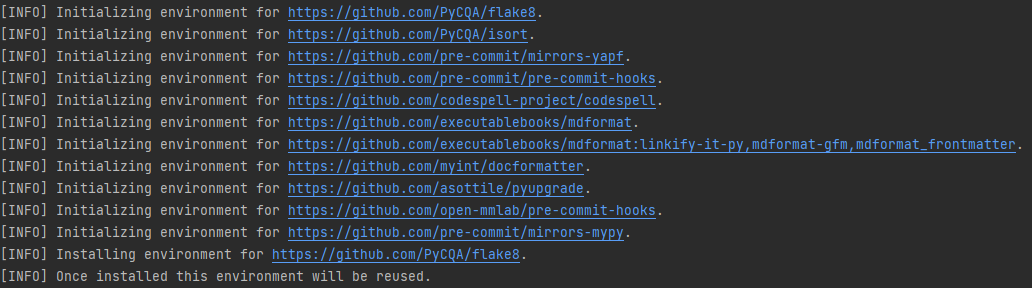
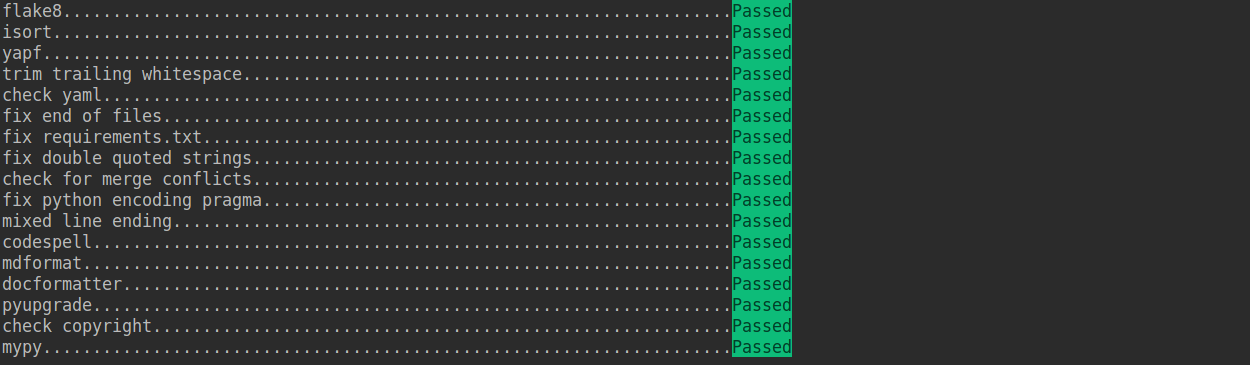 If the installation process is interrupted, you can repeatedly run `pre-commit run ... ` to continue the installation.
If the code does not conform to the code style specification, pre-commit will raise a warning and fixes some of the errors automatically.
If the installation process is interrupted, you can repeatedly run `pre-commit run ... ` to continue the installation.
If the code does not conform to the code style specification, pre-commit will raise a warning and fixes some of the errors automatically.
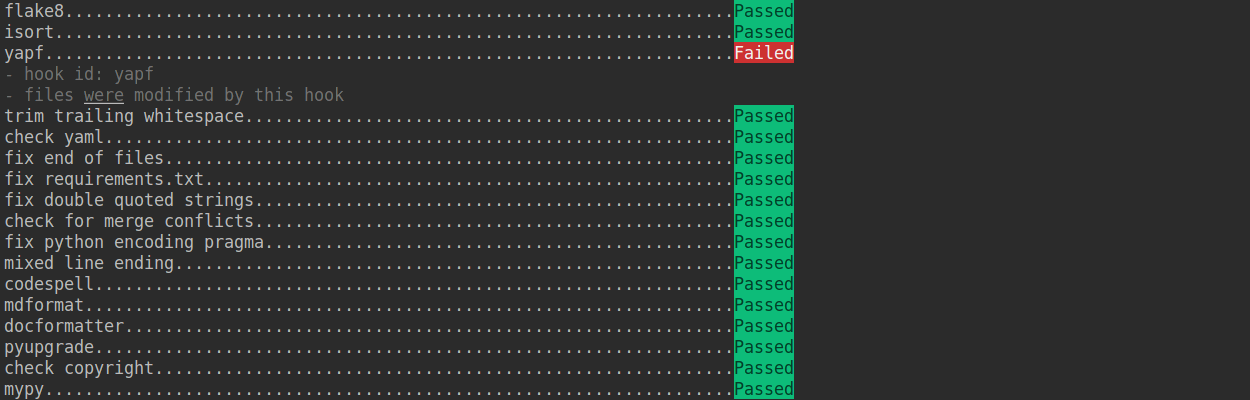 If we want to commit our code bypassing the pre-commit hook, we can use the `--no-verify` option(**only for temporarily commit**).
```shell
git commit -m "xxx" --no-verify
```
#### 3. Create a development branch
After configuring the pre-commit, we should create a branch based on the master branch to develop the new feature or fix the bug. The proposed branch name is `username/pr_name`
```shell
git checkout -b yhc/refactor_contributing_doc
```
In subsequent development, if the master branch of the local repository is behind the master branch of "upstream", we need to pull the upstream for synchronization, and then execute the above command:
```shell
git pull upstream master
```
#### 4. Commit the code and pass the unit test
- MMCV introduces mypy to do static type checking to increase the robustness of the code. Therefore, we need to add Type Hints to our code and pass the mypy check. If you are not familiar with Type Hints, you can refer to [this tutorial](https://docs.python.org/3/library/typing.html).
- The committed code should pass through the unit test
```shell
# Pass all unit tests
pytest tests
# Pass the unit test of runner
pytest tests/test_runner/test_runner.py
```
If the unit test fails for lack of dependencies, you can install the dependencies referring to the [guidance](#unit-test)
- If the documents are modified/added, we should check the rendering result referring to [guidance](#document-rendering)
#### 5. Push the code to remote
We could push the local commits to remote after passing through the check of unit test and pre-commit. You can associate the local branch with remote branch by adding `-u` option.
```shell
git push -u origin {branch_name}
```
This will allow you to use the `git push` command to push code directly next time, without having to specify a branch or the remote repository.
#### 6. Create a Pull Request
(1) Create a pull request in GitHub's Pull request interface
If we want to commit our code bypassing the pre-commit hook, we can use the `--no-verify` option(**only for temporarily commit**).
```shell
git commit -m "xxx" --no-verify
```
#### 3. Create a development branch
After configuring the pre-commit, we should create a branch based on the master branch to develop the new feature or fix the bug. The proposed branch name is `username/pr_name`
```shell
git checkout -b yhc/refactor_contributing_doc
```
In subsequent development, if the master branch of the local repository is behind the master branch of "upstream", we need to pull the upstream for synchronization, and then execute the above command:
```shell
git pull upstream master
```
#### 4. Commit the code and pass the unit test
- MMCV introduces mypy to do static type checking to increase the robustness of the code. Therefore, we need to add Type Hints to our code and pass the mypy check. If you are not familiar with Type Hints, you can refer to [this tutorial](https://docs.python.org/3/library/typing.html).
- The committed code should pass through the unit test
```shell
# Pass all unit tests
pytest tests
# Pass the unit test of runner
pytest tests/test_runner/test_runner.py
```
If the unit test fails for lack of dependencies, you can install the dependencies referring to the [guidance](#unit-test)
- If the documents are modified/added, we should check the rendering result referring to [guidance](#document-rendering)
#### 5. Push the code to remote
We could push the local commits to remote after passing through the check of unit test and pre-commit. You can associate the local branch with remote branch by adding `-u` option.
```shell
git push -u origin {branch_name}
```
This will allow you to use the `git push` command to push code directly next time, without having to specify a branch or the remote repository.
#### 6. Create a Pull Request
(1) Create a pull request in GitHub's Pull request interface
 (2) Modify the PR description according to the guidelines so that other developers can better understand your changes
 Find more details about Pull Request description in [pull request guidelines](#pr-specs).
**note**
(a) The Pull Request description should contain the reason for the change, the content of the change, and the impact of the change, and be associated with the relevant Issue (see [documentation](https://docs.github.com/en/issues/tracking-your-work-with-issues/linking-a-pull-request-to-an-issue)
(b) If it is your first contribution, please sign the CLA
Find more details about Pull Request description in [pull request guidelines](#pr-specs).
**note**
(a) The Pull Request description should contain the reason for the change, the content of the change, and the impact of the change, and be associated with the relevant Issue (see [documentation](https://docs.github.com/en/issues/tracking-your-work-with-issues/linking-a-pull-request-to-an-issue)
(b) If it is your first contribution, please sign the CLA
 (c) Check whether the Pull Request pass through the CI
 MMCV will run unit test for the posted Pull Request on different platforms (Linux, Window, Mac), based on different versions of Python, PyTorch, CUDA to make sure the code is correct. We can see the specific test information by clicking `Details` in the above image so that we can modify the code.
(3) If the Pull Request passes the CI, then you can wait for the review from other developers. You'll modify the code based on the reviewer's comments, and repeat the steps [4](#4-commit-the-code-and-pass-the-unit-test)-[5](#5-push-the-code-to-remote) until all reviewers approve it. Then, we will merge it ASAP.
MMCV will run unit test for the posted Pull Request on different platforms (Linux, Window, Mac), based on different versions of Python, PyTorch, CUDA to make sure the code is correct. We can see the specific test information by clicking `Details` in the above image so that we can modify the code.
(3) If the Pull Request passes the CI, then you can wait for the review from other developers. You'll modify the code based on the reviewer's comments, and repeat the steps [4](#4-commit-the-code-and-pass-the-unit-test)-[5](#5-push-the-code-to-remote) until all reviewers approve it. Then, we will merge it ASAP.
 #### 7. Resolve conflicts
If your local branch conflicts with the latest master branch of "upstream", you'll need to resolove them. There are two ways to do this:
```shell
git fetch --all --prune
git rebase upstream/master
```
or
```shell
git fetch --all --prune
git merge upstream/master
```
If you are very good at handling conflicts, then you can use rebase to resolve conflicts, as this will keep your commit logs tidy. If you are not familiar with `rebase`, then you can use `merge` to resolve conflicts.
### Guidance
#### Unit test
If you cannot run the unit test of some modules for lacking of some dependencies, such as [video](https://github.com/open-mmlab/mmcv/tree/master/mmcv/video) module, you can try to install the following dependencies:
```shell
# Linux
sudo apt-get update -y
sudo apt-get install -y libturbojpeg
sudo apt-get install -y ffmpeg
# Windows
conda install ffmpeg
```
We should also make sure the committed code will not decrease the coverage of unit test, we could run the following command to check the coverage of unit test:
```shell
python -m coverage run -m pytest /path/to/test_file
python -m coverage html
# check file in htmlcov/index.html
```
#### Document rendering
If the documents are modified/added, we should check the rendering result. We could install the dependencies and run the following command to render the documents and check the results:
```shell
pip install -r requirements/docs.txt
cd docs/zh_cn/
# or docs/en
make html
# check file in ./docs/zh_cn/_build/html/index.html
```
### Code style
#### Python
We adopt [PEP8](https://www.python.org/dev/peps/pep-0008/) as the preferred code style.
We use the following tools for linting and formatting:
- [flake8](https://github.com/PyCQA/flake8): A wrapper around some linter tools.
- [isort](https://github.com/timothycrosley/isort): A Python utility to sort imports.
- [yapf](https://github.com/google/yapf): A formatter for Python files.
- [codespell](https://github.com/codespell-project/codespell): A Python utility to fix common misspellings in text files.
- [mdformat](https://github.com/executablebooks/mdformat): Mdformat is an opinionated Markdown formatter that can be used to enforce a consistent style in Markdown files.
- [docformatter](https://github.com/myint/docformatter): A formatter to format docstring.
Style configurations of yapf and isort can be found in [setup.cfg](./setup.cfg).
We use [pre-commit hook](https://pre-commit.com/) that checks and formats for `flake8`, `yapf`, `isort`, `trailing whitespaces`, `markdown files`,
fixes `end-of-files`, `double-quoted-strings`, `python-encoding-pragma`, `mixed-line-ending`, sorts `requirments.txt` automatically on every commit.
The config for a pre-commit hook is stored in [.pre-commit-config](./.pre-commit-config.yaml).
#### C++ and CUDA
We follow the [Google C++ Style Guide](https://google.github.io/styleguide/cppguide.html).
### PR Specs
1. Use [pre-commit](https://pre-commit.com) hook to avoid issues of code style
2. One short-time branch should be matched with only one PR
3. Accomplish a detailed change in one PR. Avoid large PR
- Bad: Support Faster R-CNN
- Acceptable: Add a box head to Faster R-CNN
- Good: Add a parameter to box head to support custom conv-layer number
4. Provide clear and significant commit message
5. Provide clear and meaningful PR description
- Task name should be clarified in title. The general format is: \[Prefix\] Short description of the PR (Suffix)
- Prefix: add new feature \[Feature\], fix bug \[Fix\], related to documents \[Docs\], in developing \[WIP\] (which will not be reviewed temporarily)
- Introduce main changes, results and influences on other modules in short description
- Associate related issues and pull requests with a milestone
================================================
FILE: CONTRIBUTING_zh-CN.md
================================================
## 贡献代码
欢迎加入 MMCV 社区,我们致力于打造最前沿的计算机视觉基础库,我们欢迎任何类型的贡献,包括但不限于
**修复错误**
修复代码实现错误的步骤如下:
1. 如果提交的代码改动较大,建议先提交 issue,并正确描述 issue 的现象、原因和复现方式,讨论后确认修复方案。
2. 修复错误并补充相应的单元测试,提交拉取请求。
**新增功能或组件**
1. 如果新功能或模块涉及较大的代码改动,建议先提交 issue,确认功能的必要性。
2. 实现新增功能并添单元测试,提交拉取请求。
**文档补充**
修复文档可以直接提交拉取请求
添加文档或将文档翻译成其他语言步骤如下
1. 提交 issue,确认添加文档的必要性。
2. 添加文档,提交拉取请求。
### 拉取请求工作流
如果你对拉取请求不了解,没关系,接下来的内容将会从零开始,一步一步地指引你如何创建一个拉取请求。如果你想深入了解拉取请求的开发模式,可以参考 github [官方文档](https://docs.github.com/en/github/collaborating-with-issues-and-pull-requests/about-pull-requests)
#### 1. 复刻仓库
当你第一次提交拉取请求时,先复刻 OpenMMLab 原代码库,点击 GitHub 页面右上角的 **Fork** 按钮,复刻后的代码库将会出现在你的 GitHub 个人主页下。
#### 7. Resolve conflicts
If your local branch conflicts with the latest master branch of "upstream", you'll need to resolove them. There are two ways to do this:
```shell
git fetch --all --prune
git rebase upstream/master
```
or
```shell
git fetch --all --prune
git merge upstream/master
```
If you are very good at handling conflicts, then you can use rebase to resolve conflicts, as this will keep your commit logs tidy. If you are not familiar with `rebase`, then you can use `merge` to resolve conflicts.
### Guidance
#### Unit test
If you cannot run the unit test of some modules for lacking of some dependencies, such as [video](https://github.com/open-mmlab/mmcv/tree/master/mmcv/video) module, you can try to install the following dependencies:
```shell
# Linux
sudo apt-get update -y
sudo apt-get install -y libturbojpeg
sudo apt-get install -y ffmpeg
# Windows
conda install ffmpeg
```
We should also make sure the committed code will not decrease the coverage of unit test, we could run the following command to check the coverage of unit test:
```shell
python -m coverage run -m pytest /path/to/test_file
python -m coverage html
# check file in htmlcov/index.html
```
#### Document rendering
If the documents are modified/added, we should check the rendering result. We could install the dependencies and run the following command to render the documents and check the results:
```shell
pip install -r requirements/docs.txt
cd docs/zh_cn/
# or docs/en
make html
# check file in ./docs/zh_cn/_build/html/index.html
```
### Code style
#### Python
We adopt [PEP8](https://www.python.org/dev/peps/pep-0008/) as the preferred code style.
We use the following tools for linting and formatting:
- [flake8](https://github.com/PyCQA/flake8): A wrapper around some linter tools.
- [isort](https://github.com/timothycrosley/isort): A Python utility to sort imports.
- [yapf](https://github.com/google/yapf): A formatter for Python files.
- [codespell](https://github.com/codespell-project/codespell): A Python utility to fix common misspellings in text files.
- [mdformat](https://github.com/executablebooks/mdformat): Mdformat is an opinionated Markdown formatter that can be used to enforce a consistent style in Markdown files.
- [docformatter](https://github.com/myint/docformatter): A formatter to format docstring.
Style configurations of yapf and isort can be found in [setup.cfg](./setup.cfg).
We use [pre-commit hook](https://pre-commit.com/) that checks and formats for `flake8`, `yapf`, `isort`, `trailing whitespaces`, `markdown files`,
fixes `end-of-files`, `double-quoted-strings`, `python-encoding-pragma`, `mixed-line-ending`, sorts `requirments.txt` automatically on every commit.
The config for a pre-commit hook is stored in [.pre-commit-config](./.pre-commit-config.yaml).
#### C++ and CUDA
We follow the [Google C++ Style Guide](https://google.github.io/styleguide/cppguide.html).
### PR Specs
1. Use [pre-commit](https://pre-commit.com) hook to avoid issues of code style
2. One short-time branch should be matched with only one PR
3. Accomplish a detailed change in one PR. Avoid large PR
- Bad: Support Faster R-CNN
- Acceptable: Add a box head to Faster R-CNN
- Good: Add a parameter to box head to support custom conv-layer number
4. Provide clear and significant commit message
5. Provide clear and meaningful PR description
- Task name should be clarified in title. The general format is: \[Prefix\] Short description of the PR (Suffix)
- Prefix: add new feature \[Feature\], fix bug \[Fix\], related to documents \[Docs\], in developing \[WIP\] (which will not be reviewed temporarily)
- Introduce main changes, results and influences on other modules in short description
- Associate related issues and pull requests with a milestone
================================================
FILE: CONTRIBUTING_zh-CN.md
================================================
## 贡献代码
欢迎加入 MMCV 社区,我们致力于打造最前沿的计算机视觉基础库,我们欢迎任何类型的贡献,包括但不限于
**修复错误**
修复代码实现错误的步骤如下:
1. 如果提交的代码改动较大,建议先提交 issue,并正确描述 issue 的现象、原因和复现方式,讨论后确认修复方案。
2. 修复错误并补充相应的单元测试,提交拉取请求。
**新增功能或组件**
1. 如果新功能或模块涉及较大的代码改动,建议先提交 issue,确认功能的必要性。
2. 实现新增功能并添单元测试,提交拉取请求。
**文档补充**
修复文档可以直接提交拉取请求
添加文档或将文档翻译成其他语言步骤如下
1. 提交 issue,确认添加文档的必要性。
2. 添加文档,提交拉取请求。
### 拉取请求工作流
如果你对拉取请求不了解,没关系,接下来的内容将会从零开始,一步一步地指引你如何创建一个拉取请求。如果你想深入了解拉取请求的开发模式,可以参考 github [官方文档](https://docs.github.com/en/github/collaborating-with-issues-and-pull-requests/about-pull-requests)
#### 1. 复刻仓库
当你第一次提交拉取请求时,先复刻 OpenMMLab 原代码库,点击 GitHub 页面右上角的 **Fork** 按钮,复刻后的代码库将会出现在你的 GitHub 个人主页下。