Repository: prabhat1707/EasyWayLocation
Branch: master
Commit: 2511fa2038a8
Files: 53
Total size: 152.6 KB
Directory structure:
gitextract_l0dynpvp/

├── .github/
│   └── ISSUE_TEMPLATE/
│       ├── bug_report.md
│       └── feature_request.md
├── .gitignore
├── CODE_OF_CONDUCT.md
├── LICENSE
├── README-zh_CN.md
├── README.md
├── app/
│   ├── .gitignore
│   ├── build.gradle
│   ├── proguard-rules.pro
│   └── src/
│       ├── debug/
│       │   └── res/
│       │       └── values/
│       │           └── google_maps_api.xml
│       ├── main/
│       │   ├── AndroidManifest.xml
│       │   ├── java/
│       │   │   └── com/
│       │   │       └── example/
│       │   │           └── prabhat/
│       │   │               └── locationsample/
│       │   │                   ├── CustomInfoWindowForGoogleMap.kt
│       │   │                   ├── MainActivity.java
│       │   │                   └── MapsActivity.kt
│       │   └── res/
│       │       ├── drawable/
│       │       │   └── ic_launcher_background.xml
│       │       ├── drawable-v24/
│       │       │   └── ic_launcher_foreground.xml
│       │       ├── layout/
│       │       │   ├── activity_main.xml
│       │       │   ├── activity_maps.xml
│       │       │   └── marker_window.xml
│       │       ├── mipmap-anydpi-v26/
│       │       │   ├── ic_launcher.xml
│       │       │   └── ic_launcher_round.xml
│       │       └── values/
│       │           ├── colors.xml
│       │           ├── strings.xml
│       │           └── styles.xml
│       └── release/
│           └── res/
│               └── values/
│                   └── google_maps_api.xml
├── build.gradle
├── easywaylocation/
│   ├── .gitignore
│   ├── build.gradle
│   ├── proguard-rules.pro
│   └── src/
│       ├── androidTest/
│       │   └── java/
│       │       └── com/
│       │           └── example/
│       │               └── easywaylocation/
│       │                   └── ExampleInstrumentedTest.java
│       ├── main/
│       │   ├── AndroidManifest.xml
│       │   ├── java/
│       │   │   └── com/
│       │   │       └── example/
│       │   │           └── easywaylocation/
│       │   │               ├── AddressHelper.java
│       │   │               ├── EasyWayLocation.java
│       │   │               ├── GetLocationDetail.java
│       │   │               ├── Listener.java
│       │   │               ├── LocationData.java
│       │   │               ├── Logger.kt
│       │   │               ├── RequestCallback.java
│       │   │               └── draw_path/
│       │   │                   ├── DataParser.java
│       │   │                   ├── DirectionUtil.kt
│       │   │                   ├── MapAnimator.kt
│       │   │                   ├── PolyLineDataBean.kt
│       │   │                   ├── PolylineBean.kt
│       │   │                   └── RouteEvaluator.java
│       │   └── res/
│       │       └── values/
│       │           └── strings.xml
│       └── test/
│           └── java/
│               └── com/
│                   └── example/
│                       └── easywaylocation/
│                           └── ExampleUnitTest.java
├── gradle/
│   └── wrapper/
│       ├── gradle-wrapper.jar
│       └── gradle-wrapper.properties
├── gradle.properties
├── gradlew
├── gradlew.bat
└── settings.gradle
================================================
FILE CONTENTS
================================================
================================================
FILE: .github/ISSUE_TEMPLATE/bug_report.md
================================================
---
name: Bug report
about: Create a report to help us improve
title: ''
labels: ''
assignees: ''
---
**Describe the bug**
A clear and concise description of what the bug is.
**To Reproduce**
Steps to reproduce the behavior:
1. Go to '...'
2. Click on '....'
3. Scroll down to '....'
4. See error
**Expected behavior**
A clear and concise description of what you expected to happen.
**Screenshots**
If applicable, add screenshots to help explain your problem.
**Desktop (please complete the following information):**
- OS: [e.g. iOS]
- Browser [e.g. chrome, safari]
- Version [e.g. 22]
**Smartphone (please complete the following information):**
- Device: [e.g. iPhone6]
- OS: [e.g. iOS8.1]
- Browser [e.g. stock browser, safari]
- Version [e.g. 22]
**Additional context**
Add any other context about the problem here.
================================================
FILE: .github/ISSUE_TEMPLATE/feature_request.md
================================================
---
name: Feature request
about: Suggest an idea for this project
title: ''
labels: ''
assignees: ''
---
**Is your feature request related to a problem? Please describe.**
A clear and concise description of what the problem is. Ex. I'm always frustrated when [...]
**Describe the solution you'd like**
A clear and concise description of what you want to happen.
**Describe alternatives you've considered**
A clear and concise description of any alternative solutions or features you've considered.
**Additional context**
Add any other context or screenshots about the feature request here.
================================================
FILE: .gitignore
================================================
*.iml
.gradle
/local.properties
.idea
.DS_Store
/build
/captures
.externalNativeBuild
================================================
FILE: CODE_OF_CONDUCT.md
================================================
# Contributor Covenant Code of Conduct
## Our Pledge
In the interest of fostering an open and welcoming environment, we as contributors and maintainers pledge to making participation in our project and our community a harassment-free experience for everyone, regardless of age, body size, disability, ethnicity, gender identity and expression, level of experience, nationality, personal appearance, race, religion, or sexual identity and orientation.
## Our Standards
Examples of behavior that contributes to creating a positive environment include:
* Using welcoming and inclusive language
* Being respectful of differing viewpoints and experiences
* Gracefully accepting constructive criticism
* Focusing on what is best for the community
* Showing empathy towards other community members
Examples of unacceptable behavior by participants include:
* The use of sexualized language or imagery and unwelcome sexual attention or advances
* Trolling, insulting/derogatory comments, and personal or political attacks
* Public or private harassment
* Publishing others' private information, such as a physical or electronic address, without explicit permission
* Other conduct which could reasonably be considered inappropriate in a professional setting
## Our Responsibilities
Project maintainers are responsible for clarifying the standards of acceptable behavior and are expected to take appropriate and fair corrective action in response to any instances of unacceptable behavior.
Project maintainers have the right and responsibility to remove, edit, or reject comments, commits, code, wiki edits, issues, and other contributions that are not aligned to this Code of Conduct, or to ban temporarily or permanently any contributor for other behaviors that they deem inappropriate, threatening, offensive, or harmful.
## Scope
This Code of Conduct applies both within project spaces and in public spaces when an individual is representing the project or its community. Examples of representing a project or community include using an official project e-mail address, posting via an official social media account, or acting as an appointed representative at an online or offline event. Representation of a project may be further defined and clarified by project maintainers.
## Enforcement
Instances of abusive, harassing, or otherwise unacceptable behavior may be reported by contacting the project team at prabhat.rai1707@gmail.com. The project team will review and investigate all complaints, and will respond in a way that it deems appropriate to the circumstances. The project team is obligated to maintain confidentiality with regard to the reporter of an incident. Further details of specific enforcement policies may be posted separately.
Project maintainers who do not follow or enforce the Code of Conduct in good faith may face temporary or permanent repercussions as determined by other members of the project's leadership.
## Attribution
This Code of Conduct is adapted from the [Contributor Covenant][homepage], version 1.4, available at [http://contributor-covenant.org/version/1/4][version]
[homepage]: http://contributor-covenant.org
[version]: http://contributor-covenant.org/version/1/4/
================================================
FILE: LICENSE
================================================
Apache License
Version 2.0, January 2004
http://www.apache.org/licenses/
TERMS AND CONDITIONS FOR USE, REPRODUCTION, AND DISTRIBUTION
1. Definitions.
"License" shall mean the terms and conditions for use, reproduction,
and distribution as defined by Sections 1 through 9 of this document.
"Licensor" shall mean the copyright owner or entity authorized by
the copyright owner that is granting the License.
"Legal Entity" shall mean the union of the acting entity and all
other entities that control, are controlled by, or are under common
control with that entity. For the purposes of this definition,
"control" means (i) the power, direct or indirect, to cause the
direction or management of such entity, whether by contract or
otherwise, or (ii) ownership of fifty percent (50%) or more of the
outstanding shares, or (iii) beneficial ownership of such entity.
"You" (or "Your") shall mean an individual or Legal Entity
exercising permissions granted by this License.
"Source" form shall mean the preferred form for making modifications,
including but not limited to software source code, documentation
source, and configuration files.
"Object" form shall mean any form resulting from mechanical
transformation or translation of a Source form, including but
not limited to compiled object code, generated documentation,
and conversions to other media types.
"Work" shall mean the work of authorship, whether in Source or
Object form, made available under the License, as indicated by a
copyright notice that is included in or attached to the work
(an example is provided in the Appendix below).
"Derivative Works" shall mean any work, whether in Source or Object
form, that is based on (or derived from) the Work and for which the
editorial revisions, annotations, elaborations, or other modifications
represent, as a whole, an original work of authorship. For the purposes
of this License, Derivative Works shall not include works that remain
separable from, or merely link (or bind by name) to the interfaces of,
the Work and Derivative Works thereof.
"Contribution" shall mean any work of authorship, including
the original version of the Work and any modifications or additions
to that Work or Derivative Works thereof, that is intentionally
submitted to Licensor for inclusion in the Work by the copyright owner
or by an individual or Legal Entity authorized to submit on behalf of
the copyright owner. For the purposes of this definition, "submitted"
means any form of electronic, verbal, or written communication sent
to the Licensor or its representatives, including but not limited to
communication on electronic mailing lists, source code control systems,
and issue tracking systems that are managed by, or on behalf of, the
Licensor for the purpose of discussing and improving the Work, but
excluding communication that is conspicuously marked or otherwise
designated in writing by the copyright owner as "Not a Contribution."
"Contributor" shall mean Licensor and any individual or Legal Entity
on behalf of whom a Contribution has been received by Licensor and
subsequently incorporated within the Work.
2. Grant of Copyright License. Subject to the terms and conditions of
this License, each Contributor hereby grants to You a perpetual,
worldwide, non-exclusive, no-charge, royalty-free, irrevocable
copyright license to reproduce, prepare Derivative Works of,
publicly display, publicly perform, sublicense, and distribute the
Work and such Derivative Works in Source or Object form.
3. Grant of Patent License. Subject to the terms and conditions of
this License, each Contributor hereby grants to You a perpetual,
worldwide, non-exclusive, no-charge, royalty-free, irrevocable
(except as stated in this section) patent license to make, have made,
use, offer to sell, sell, import, and otherwise transfer the Work,
where such license applies only to those patent claims licensable
by such Contributor that are necessarily infringed by their
Contribution(s) alone or by combination of their Contribution(s)
with the Work to which such Contribution(s) was submitted. If You
institute patent litigation against any entity (including a
cross-claim or counterclaim in a lawsuit) alleging that the Work
or a Contribution incorporated within the Work constitutes direct
or contributory patent infringement, then any patent licenses
granted to You under this License for that Work shall terminate
as of the date such litigation is filed.
4. Redistribution. You may reproduce and distribute copies of the
Work or Derivative Works thereof in any medium, with or without
modifications, and in Source or Object form, provided that You
meet the following conditions:
(a) You must give any other recipients of the Work or
Derivative Works a copy of this License; and
(b) You must cause any modified files to carry prominent notices
stating that You changed the files; and
(c) You must retain, in the Source form of any Derivative Works
that You distribute, all copyright, patent, trademark, and
attribution notices from the Source form of the Work,
excluding those notices that do not pertain to any part of
the Derivative Works; and
(d) If the Work includes a "NOTICE" text file as part of its
distribution, then any Derivative Works that You distribute must
include a readable copy of the attribution notices contained
within such NOTICE file, excluding those notices that do not
pertain to any part of the Derivative Works, in at least one
of the following places: within a NOTICE text file distributed
as part of the Derivative Works; within the Source form or
documentation, if provided along with the Derivative Works; or,
within a display generated by the Derivative Works, if and
wherever such third-party notices normally appear. The contents
of the NOTICE file are for informational purposes only and
do not modify the License. You may add Your own attribution
notices within Derivative Works that You distribute, alongside
or as an addendum to the NOTICE text from the Work, provided
that such additional attribution notices cannot be construed
as modifying the License.
You may add Your own copyright statement to Your modifications and
may provide additional or different license terms and conditions
for use, reproduction, or distribution of Your modifications, or
for any such Derivative Works as a whole, provided Your use,
reproduction, and distribution of the Work otherwise complies with
the conditions stated in this License.
5. Submission of Contributions. Unless You explicitly state otherwise,
any Contribution intentionally submitted for inclusion in the Work
by You to the Licensor shall be under the terms and conditions of
this License, without any additional terms or conditions.
Notwithstanding the above, nothing herein shall supersede or modify
the terms of any separate license agreement you may have executed
with Licensor regarding such Contributions.
6. Trademarks. This License does not grant permission to use the trade
names, trademarks, service marks, or product names of the Licensor,
except as required for reasonable and customary use in describing the
origin of the Work and reproducing the content of the NOTICE file.
7. Disclaimer of Warranty. Unless required by applicable law or
agreed to in writing, Licensor provides the Work (and each
Contributor provides its Contributions) on an "AS IS" BASIS,
WITHOUT WARRANTIES OR CONDITIONS OF ANY KIND, either express or
implied, including, without limitation, any warranties or conditions
of TITLE, NON-INFRINGEMENT, MERCHANTABILITY, or FITNESS FOR A
PARTICULAR PURPOSE. You are solely responsible for determining the
appropriateness of using or redistributing the Work and assume any
risks associated with Your exercise of permissions under this License.
8. Limitation of Liability. In no event and under no legal theory,
whether in tort (including negligence), contract, or otherwise,
unless required by applicable law (such as deliberate and grossly
negligent acts) or agreed to in writing, shall any Contributor be
liable to You for damages, including any direct, indirect, special,
incidental, or consequential damages of any character arising as a
result of this License or out of the use or inability to use the
Work (including but not limited to damages for loss of goodwill,
work stoppage, computer failure or malfunction, or any and all
other commercial damages or losses), even if such Contributor
has been advised of the possibility of such damages.
9. Accepting Warranty or Additional Liability. While redistributing
the Work or Derivative Works thereof, You may choose to offer,
and charge a fee for, acceptance of support, warranty, indemnity,
or other liability obligations and/or rights consistent with this
License. However, in accepting such obligations, You may act only
on Your own behalf and on Your sole responsibility, not on behalf
of any other Contributor, and only if You agree to indemnify,
defend, and hold each Contributor harmless for any liability
incurred by, or claims asserted against, such Contributor by reason
of your accepting any such warranty or additional liability.
END OF TERMS AND CONDITIONS
APPENDIX: How to apply the Apache License to your work.
To apply the Apache License to your work, attach the following
boilerplate notice, with the fields enclosed by brackets "[]"
replaced with your own identifying information. (Don't include
the brackets!) The text should be enclosed in the appropriate
comment syntax for the file format. We also recommend that a
file or class name and description of purpose be included on the
same "printed page" as the copyright notice for easier
identification within third-party archives.
Copyright [2018] [Prabhat Rai]
Licensed under the Apache License, Version 2.0 (the "License");
you may not use this file except in compliance with the License.
You may obtain a copy of the License at
http://www.apache.org/licenses/LICENSE-2.0
Unless required by applicable law or agreed to in writing, software
distributed under the License is distributed on an "AS IS" BASIS,
WITHOUT WARRANTIES OR CONDITIONS OF ANY KIND, either express or implied.
See the License for the specific language governing permissions and
limitations under the License.
================================================
FILE: README-zh_CN.md
================================================
# Android - EasyWayLocation
该库包含与谷歌位置相关的所有实用程序。例如,获取经纬度、地址和位置设置对话框、绘制路线等
[](https://android-arsenal.com/details/1/6880)
## 有什么新功能 Ver 2.4
- 弧线绘制
a. 简单的
b. 动画.
- 在起点和终点之间绘制弧线路线
- 现在,Dev 可以动态更改参数,例如起点、航点等
- 获取arrayList和HashMap中的折线详细信息类
- 使用 TAG 为弧形和航路点折线清除折线
- 修复重大崩溃
- 在示例文件夹中创建了一个曲目演示以供更多使用帮助
# 演示图像和 Gif:
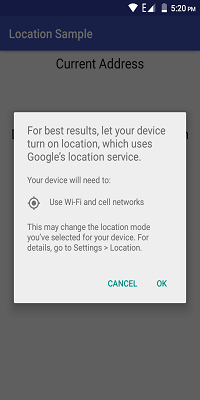
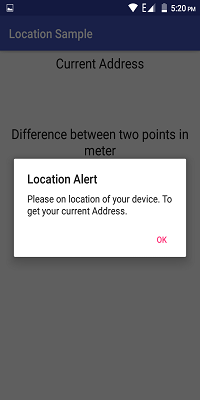
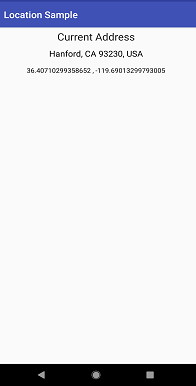
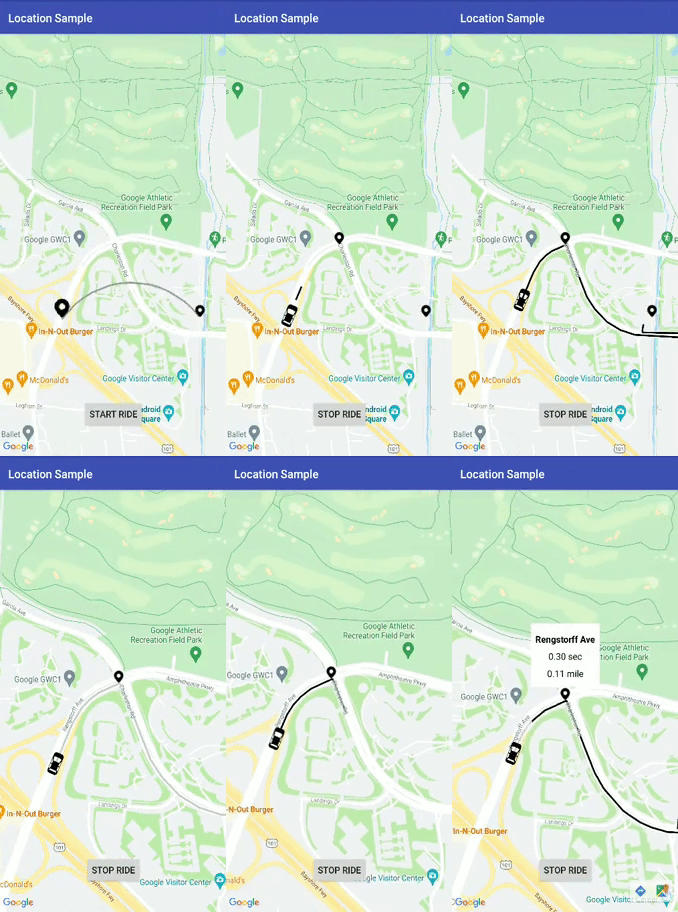
# 先决条件
- Android 16
# 安装
## Step 1:- 将其添加到存储库末尾的根 build.gradle 中:
````
all projects {
repositories {
...
maven { url 'https://jitpack.io' }
}
}
````
## Step 2:- 添加 dependency:
````
dependencies {
implementation 'com.github.prabhat1707:EasyWayLocation:2.4'
}
````
### 库使用 java 8 字节码,所以不要忘记在应用程序的 build.gradle 文件中启用 java 8。
````
android {
compileOptions {
sourceCompatibility 1.8
targetCompatibility 1.8
}
}
````
# Usage
###### 如果设备运行 Android 6.0 或更高版本,并且您的应用的目标 SDK 为 29 或更高版本,则首先检查位置的权限,然后调用它。
## 添加所需的权限
为了优越的位置 (GPS location), 在您的添加以下权限 AndroidManifest.xml:
````
<uses-permission android:name="android.permission.ACCESS_FINE_LOCATION" />
````
For coarse location (network location), add the following permission in your AndroidManifest.xml:
````
<uses-permission android:name="android.permission.ACCESS_COARSE_LOCATION" />
````
# 从设备中检索位置
````
public class MainActivity extends AppCompatActivity implements Listener {
EasyWayLocation easyWayLocation;
private TextView location, latLong, diff;
private Double lati, longi;
@Override
protected void onCreate(Bundle savedInstanceState) {
super.onCreate(savedInstanceState);
setContentView(R.layout.activity_main);
//--
easyWayLocation = new EasyWayLocation(this, false,false,this);
}
@Override
public void locationOn() {
Toast.makeText(this, "Location ON", Toast.LENGTH_SHORT).show();
}
@Override
public void currentLocation(Location location) {
StringBuilder data = new StringBuilder();
data.append(location.getLatitude());
data.append(" , ");
data.append(location.getLongitude());
latLong.setText(data);
getLocationDetail.getAddress(location.getLatitude(), location.getLongitude(), "xyz");
}
@Override
public void locationCancelled() {
Toast.makeText(this, "Location Cancelled", Toast.LENGTH_SHORT).show();
}
@Override
protected void onActivityResult(int requestCode, int resultCode, Intent data) {
super.onActivityResult(requestCode, resultCode, data);
switch (requestCode) {
case LOCATION_SETTING_REQUEST_CODE:
easyWayLocation.onActivityResult(resultCode);
break;
}
}
@Override
protected void onResume() {
super.onResume();
easyWayLocation.startLocation();
}
@Override
protected void onPause() {
super.onPause();
easyWayLocation.endUpdates();
}
}
````
# 位置通知器
````
@Override
public void locationOn() {
Toast.makeText(this, "Location ON", Toast.LENGTH_SHORT).show();
}
@Override
public void currentLocation(Location location){
// give lat and long at every interval
}
@Override
public void locationCancelled() {
// location not on
}
````
# 构造函数选项
## 要记住的要点
- 如果您只想要最后一个位置,则将其传递为 true,如果为 false,则根据默认位置请求为您提供位置更新。
- 如果您不通过,则它需要默认位置请求,或者您也可以通过您的位置请求(参见构造函数 2nd)。
````
Context context = this;
boolean requireFineGranularity = false;
new EasyWayLocation(this, requireLastLocation = false,isDebuggable = true/false,listner = this);
or
request = new LocationRequest();
request.setInterval(10000);
request.setPriority(LocationRequest.PRIORITY_BALANCED_POWER_ACCURACY);
new EasyWayLocation(this,locationRequest = request , requireLastLocation = false,isDebuggable = true/false,listner = this);
````
## 计算两点之间的距离
````
double startLatitude = 59.95;
double startLongitude = 30.3;
double endLatitude = 44.84;
double endLongitude = -0.58;
location.calculateDistance(startLatitude, startLongitude, endLatitude, endLongitude);
// or
Point startPoint = new EasyWayLocation.Point(59.95, 30.3);
Point endPoint = new EasyWayLocation.Point(44.84, -0.58);
location.calculateDistance(startPoint, endPoint);
````
## 更新获取位置的地址详细信息。
- if you want an address from the current location then you need to pass key and context.
- why I want key here if android already provides Geocoder because in some cases or some devices geocoder not work well and throws Exception, so in that case, I use google geocode API for fetch address.
- For this, you need to implement Callback, LocationData.AddressCallBack
````
GetLocationDetail getLocationDetail = new GetLocationDetail(callback = this, context = this);
getLocationDetail.getAddress(location.getLatitude(), location.getLongitude(), key = "xyz");
````
## 谷歌地图路线
#### 如果您想在您的应用程序中添加地图路线功能,您可以通过添加 DirectionUtil 类将其与此库一起使用,以使您更轻松地工作。这是 lib 将帮助您绘制两点 LatLng 与航点之间的路线图。
## 当您的 GoogleMap 准备就绪时
#### 确保在谷歌开发者控制台中启用谷歌地图和谷歌地图方向。
#### 首先初始化Direction Util
````
wayPoints.add(LatLng(37.423669, -122.090168))
wayPoints.add(LatLng(37.420930, -122.085362))
val directionUtil = DirectionUtil.Builder()
.setDirectionKey("xyz")
.setOrigin(LatLng(37.421481, -122.092156))
.setWayPoints(wayPoints)
.setGoogleMap(mMap)
.setPolyLinePrimaryColor(R.color.black)
.setPolyLineWidth(5)
.setPathAnimation(true)
.setCallback(this)
.setPolylineTag(WAY_POINT_TAG)
.setDestination(LatLng(37.421519, -122.086809))
.build()
````
#### 为路线绘制添加以下行
#### 先调用init再调用drawRoute
````
directionUtil.initPath()
directionUtil.drawPath(WAY_POINT_TAG)
````
#### 现在从 v2.4 开始,您可以在路径之间更改原点、颜色等
````
directionUtil.serOrigin(LatLng(driverCurrentLocation.latitude,driverCurrentLocation.longitude),wayPoints)
````
#### 为圆弧绘制添加下面的行
````
directionUtil.drawArcDirection(LatLng(37.421481, -122.092156),LatLng(37.421519, -122.086809),0.5,ARC_POINT_TAG)
````
#### 添加下面的行以根据相应的TAG删除折线
````
directionUtil.clearPolyline(WAY_POINT_TAG)
````
# 其中有两种情况:
- 像优步这样的动画
- 没有动画。
1.带动画
- setPathAnimation = true

2.没有动画
- setPathAnimation = false
- change its color by, setPolyLinePrimaryColor() property
## 回调
#### 当路由绘制路径完成时,调用下面的回调
````
override fun pathFindFinish(polyLineDetails: HashMap<String, PolyLineDataBean>) {
for (i in polyLineDetails.keys){
Log.v("sample",polyLineDetails[i]?.time)
}
}
````
here, polyLineDetails contain each polyline or route detail as time, distance and road summary.
#### 您还可以更改路线动画的不同属性,如延迟、原色、次要颜色等,只需探索它即可。
#### 错误,功能请求
发现错误?缺少什么?反馈是改进项目的重要组成部分,所以,请
<a href="https://github.com/prabhat1707/EasyWayLocation/issues">open an issue</a>
# 执照
````
版权所有 (c) <prabhat.rai1707@gmail.com>
根据 Apache 许可证 2.0 版(“许可证”)获得许可;
除非遵守许可,否则您不得使用此文件。
您可以在以下网址获取许可证的副本
http://www.apache.org/licenses/LICENSE-2.0
除非适用法律要求
w 或书面同意,软件
根据许可分发是在“原样”基础上分发的,
没有任何明示或暗示的保证或条件。
请参阅许可以了解特定语言的管理权限和
许可证下的限制。
````
================================================
FILE: README.md
================================================
---
<details><summary><b> See 1 Available Translations 🇨🇳</b></summary>
<p>
- [🇨🇳 简体中文](./README-zh_CN.md)
</p>
</details>
---
# Android - EasyWayLocation
This library contains all utils related to google location. like, getting lat or long, Address and Location Setting dialog, Draw Route, etc
[](https://android-arsenal.com/details/1/6880)
## What's New in Ver 2.4
- Arc Route Draw
a. simple.
b. animation.
- Draw Arc route between origin and destination.
- Now , Dev can change parameter dynamically like origin, waypoints, etc
- Get polyline details class in arrayList and HashMap.
- Clear Polyline by using TAG for both Arc and waypoints polylines.
- Fix Major Crash
- Created one track demo in sample folder for more usage Help
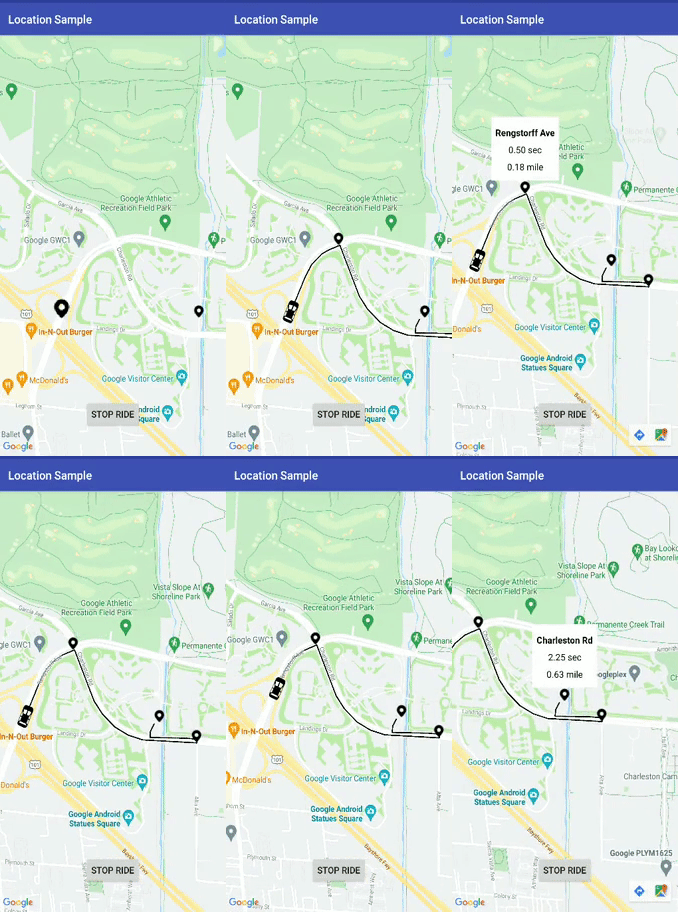
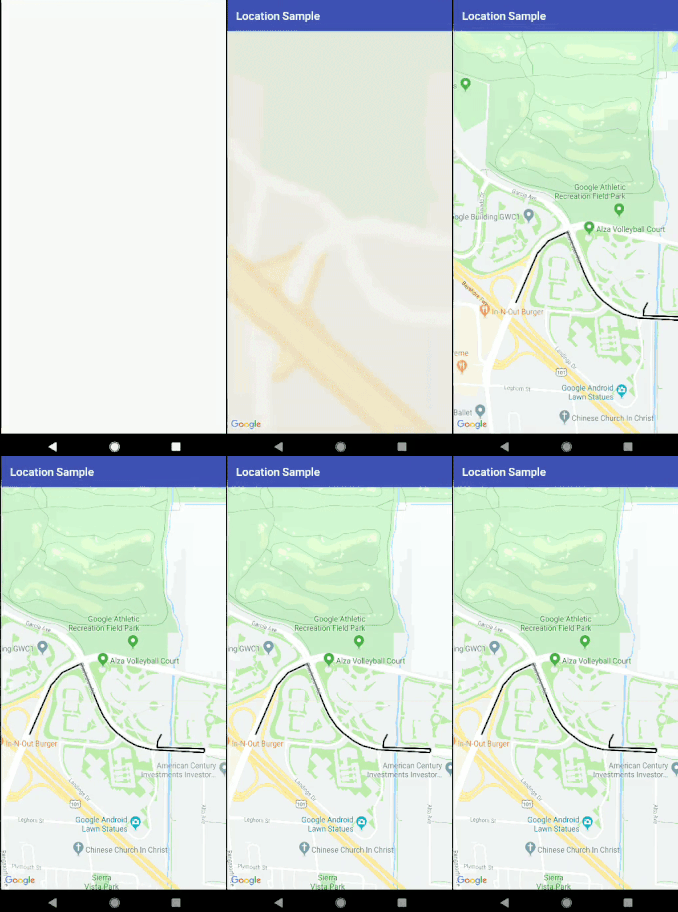
# Demo Images and Gif:





# Prerequisites
- Android 16
# Installing
## Step 1:- Add it in your root build.gradle at the end of repositories:
````
all projects {
repositories {
...
maven { url 'https://jitpack.io' }
}
}
````
## Step 2:- Add the dependency:
````
dependencies {
implementation 'com.github.prabhat1707:EasyWayLocation:2.4'
}
````
### Library uses java 8 bytecode, so dont forget to enable java 8 in your application's build.gradle file.
````
android {
compileOptions {
sourceCompatibility 1.8
targetCompatibility 1.8
}
}
````
# Usage
###### If the device is running Android 6.0 or higher, and your app's target SDK is 29 or higher then first check the permission of location then call it.
## Add the required permissions
For fine location (GPS location), add the following permission in your AndroidManifest.xml:
````
<uses-permission android:name="android.permission.ACCESS_FINE_LOCATION" />
````
For coarse location (network location), add the following permission in your AndroidManifest.xml:
````
<uses-permission android:name="android.permission.ACCESS_COARSE_LOCATION" />
````
# Retrieve the location from the device
````
public class MainActivity extends AppCompatActivity implements Listener {
EasyWayLocation easyWayLocation;
private TextView location, latLong, diff;
private Double lati, longi;
@Override
protected void onCreate(Bundle savedInstanceState) {
super.onCreate(savedInstanceState);
setContentView(R.layout.activity_main);
//--
easyWayLocation = new EasyWayLocation(this, false,false,this);
}
@Override
public void locationOn() {
Toast.makeText(this, "Location ON", Toast.LENGTH_SHORT).show();
}
@Override
public void currentLocation(Location location) {
StringBuilder data = new StringBuilder();
data.append(location.getLatitude());
data.append(" , ");
data.append(location.getLongitude());
latLong.setText(data);
getLocationDetail.getAddress(location.getLatitude(), location.getLongitude(), "xyz");
}
@Override
public void locationCancelled() {
Toast.makeText(this, "Location Cancelled", Toast.LENGTH_SHORT).show();
}
@Override
protected void onActivityResult(int requestCode, int resultCode, Intent data) {
super.onActivityResult(requestCode, resultCode, data);
switch (requestCode) {
case LOCATION_SETTING_REQUEST_CODE:
easyWayLocation.onActivityResult(resultCode);
break;
}
}
@Override
protected void onResume() {
super.onResume();
easyWayLocation.startLocation();
}
@Override
protected void onPause() {
super.onPause();
easyWayLocation.endUpdates();
}
}
````
# Location Notifier
````
@Override
public void locationOn() {
Toast.makeText(this, "Location ON", Toast.LENGTH_SHORT).show();
}
@Override
public void currentLocation(Location location){
// give lat and long at every interval
}
@Override
public void locationCancelled() {
// location not on
}
````
# Constructor options
## Points to Remember
- if you want only last location then pass it true and if false then it gives you location update as per default location request.
- if you don't pass then it takes default location request or you can pass your's one also(see constructor 2nd).
````
Context context = this;
boolean requireFineGranularity = false;
new EasyWayLocation(this, requireLastLocation = false,isDebuggable = true/false,listner = this);
or
request = new LocationRequest();
request.setInterval(10000);
request.setPriority(LocationRequest.PRIORITY_BALANCED_POWER_ACCURACY);
new EasyWayLocation(this,locationRequest = request , requireLastLocation = false,isDebuggable = true/false,listner = this);
````
## Calculate distance between two points
````
double startLatitude = 59.95;
double startLongitude = 30.3;
double endLatitude = 44.84;
double endLongitude = -0.58;
location.calculateDistance(startLatitude, startLongitude, endLatitude, endLongitude);
// or
Point startPoint = new EasyWayLocation.Point(59.95, 30.3);
Point endPoint = new EasyWayLocation.Point(44.84, -0.58);
location.calculateDistance(startPoint, endPoint);
````
## Update Get Address Details of location.
- if you want an address from the current location then you need to pass key and context.
- why I want key here if android already provides Geocoder because in some cases or some devices geocoder not work well and throws Exception, so in that case, I use google geocode API for fetch address.
- For this, you need to implement Callback, LocationData.AddressCallBack
````
GetLocationDetail getLocationDetail = new GetLocationDetail(callback = this, context = this);
getLocationDetail.getAddress(location.getLatitude(), location.getLongitude(), key = "xyz");
````
## Google Map Route
#### If you want to add map route feature in your apps you can use this along with this lib by adding DirectionUtil Class to make you work more easier. This is lib will help you to draw route maps between two-point LatLng along it's with waypoints.
## When Your GoogleMap Ready
#### Make sure you enable google map and google map direction in the google developer console.
#### First Initialize Direction Util
````
wayPoints.add(LatLng(37.423669, -122.090168))
wayPoints.add(LatLng(37.420930, -122.085362))
val directionUtil = DirectionUtil.Builder()
.setDirectionKey("xyz")
.setOrigin(LatLng(37.421481, -122.092156))
.setWayPoints(wayPoints)
.setGoogleMap(mMap)
.setPolyLinePrimaryColor(R.color.black)
.setPolyLineWidth(5)
.setPathAnimation(true)
.setCallback(this)
.setPolylineTag(WAY_POINT_TAG)
.setDestination(LatLng(37.421519, -122.086809))
.build()
````
#### Add below line for route draw
#### First call init and then drawRoute
````
directionUtil.initPath()
directionUtil.drawPath(WAY_POINT_TAG)
````
#### Now from v2.4 you can change origin, color etc in between path
````
directionUtil.serOrigin(LatLng(driverCurrentLocation.latitude,driverCurrentLocation.longitude),wayPoints)
````
#### Add below line for Arc draw
````
directionUtil.drawArcDirection(LatLng(37.421481, -122.092156),LatLng(37.421519, -122.086809),0.5,ARC_POINT_TAG)
````
#### Add below line to remove polyline according to corresponding TAG
````
directionUtil.clearPolyline(WAY_POINT_TAG)
````
# There are two cases in it:
- With Animation like Uber
- without Animation.
1. With Animation
- setPathAnimation = true

2. Without Animation
- setPathAnimation = false
- change its color by, setPolyLinePrimaryColor() property

## Callbacks
#### When route draw path has done then it below callback is called
````
override fun pathFindFinish(polyLineDetails: HashMap<String, PolyLineDataBean>) {
for (i in polyLineDetails.keys){
Log.v("sample",polyLineDetails[i]?.time)
}
}
````
here, polyLineDetails contain each polyline or route detail as time, distance and road summary.
#### You can also change the route animation different properties like delay, primary color, a secondary color, etc, just explore it.
#### Bugs, Feature requests
Found a bug? Something that's missing? Feedback is an important part of improving the project, so, please
<a href="https://github.com/prabhat1707/EasyWayLocation/issues">open an issue</a>
# License
````
Copyright (c) delight.im <prabhat.rai1707@gmail.com>
Licensed under the Apache License, Version 2.0 (the "License");
you may not use this file except in compliance with the License.
You may obtain a copy of the License at
http://www.apache.org/licenses/LICENSE-2.0
Unless required by applicable la
w or agreed to in writing, software
distributed under the License is distributed on an "AS IS" BASIS,
WITHOUT WARRANTIES OR CONDITIONS OF ANY KIND, either express or implied.
See the License for the specific language governing permissions and
limitations under the License.
````
================================================
FILE: app/.gitignore
================================================
/build
================================================
FILE: app/build.gradle
================================================
apply plugin: 'com.android.application'
apply plugin: 'kotlin-android'
apply plugin: 'kotlin-android-extensions'
android {
compileSdkVersion 29
defaultConfig {
applicationId "com.example.prabhat.locationsample"
minSdkVersion 17
targetSdkVersion 29
versionCode 1
versionName "1.0"
testInstrumentationRunner "androidx.test.runner.AndroidJUnitRunner"
}
buildTypes {
release {
minifyEnabled false
proguardFiles getDefaultProguardFile('proguard-android.txt'), 'proguard-rules.pro'
}
}
compileOptions {
sourceCompatibility = '1.8'
targetCompatibility = '1.8'
}
buildToolsVersion = '28.0.3'
}
dependencies {
implementation fileTree(include: ['*.jar'], dir: 'libs')
implementation 'androidx.appcompat:appcompat:1.0.2'
implementation 'androidx.constraintlayout:constraintlayout:1.1.3'
implementation project(':easywaylocation')
implementation 'com.google.android.gms:play-services-maps:17.0.0'
implementation "org.jetbrains.kotlin:kotlin-stdlib-jdk7:$kotlin_version"
implementation 'com.google.maps.android:android-maps-utils:0.6.2'
implementation 'androidx.cardview:cardview:1.0.0'
}
================================================
FILE: app/proguard-rules.pro
================================================
# Add project specific ProGuard rules here.
# You can control the set of applied configuration files using the
# proguardFiles setting in build.gradle.
#
# For more details, see
# http://developer.android.com/guide/developing/tools/proguard.html
# If your project uses WebView with JS, uncomment the following
# and specify the fully qualified class name to the JavaScript interface
# class:
#-keepclassmembers class fqcn.of.javascript.interface.for.webview {
# public *;
#}
# Uncomment this to preserve the line number information for
# debugging stack traces.
#-keepattributes SourceFile,LineNumberTable
# If you keep the line number information, uncomment this to
# hide the original source file name.
#-renamesourcefileattribute SourceFile
================================================
FILE: app/src/debug/res/values/google_maps_api.xml
================================================
<resources>
<!--
TODO: Before you run your application, you need a Google Maps API key.
To get one, follow this link, follow the directions and press "Create" at the end:
https://console.developers.google.com/flows/enableapi?apiid=maps_android_backend&keyType=CLIENT_SIDE_ANDROID&r=11:3D:A4:B3:98:07:A3:4C:03:51:DB:8A:F8:5E:C0:0F:5B:FF:61:82%3Bcom.example.prabhat.locationsample
You can also add your credentials to an existing key, using these values:
Package name:
11:3D:A4:B3:98:07:A3:4C:03:51:DB:8A:F8:5E:C0:0F:5B:FF:61:82
SHA-1 certificate fingerprint:
11:3D:A4:B3:98:07:A3:4C:03:51:DB:8A:F8:5E:C0:0F:5B:FF:61:82
Alternatively, follow the directions here:
https://developers.google.com/maps/documentation/android/start#get-key
Once you have your key (it starts with "AIza"), replace the "google_maps_key"
string in this file.
-->
<string name="google_maps_key" templateMergeStrategy="preserve" translatable="false">xyz</string>
</resources>
================================================
FILE: app/src/main/AndroidManifest.xml
================================================
<?xml version="1.0" encoding="utf-8"?>
<manifest xmlns:android="http://schemas.android.com/apk/res/android"
package="com.example.prabhat.locationsample">
<!--
The ACCESS_COARSE/FINE_LOCATION permissions are not required to use
Google Maps Android API v2, but you must specify either coarse or fine
location permissions for the 'MyLocation' functionality.
-->
<application
android:allowBackup="true"
android:icon="@mipmap/ic_launcher"
android:label="@string/app_name"
android:roundIcon="@mipmap/ic_launcher_round"
android:supportsRtl="true"
android:theme="@style/AppTheme">
<!--
The API key for Google Maps-based APIs is defined as a string resource.
(See the file "res/values/google_maps_api.xml").
Note that the API key is linked to the encryption key used to sign the APK.
You need a different API key for each encryption key, including the release key that is used to
sign the APK for publishing.
You can define the keys for the debug and release targets in src/debug/ and src/release/.
-->
<activity
android:name=".MainActivity"
android:label="@string/title_activity_maps"></activity>
<activity android:name=".MapsActivity">
<intent-filter>
<action android:name="android.intent.action.MAIN" />
<category android:name="android.intent.category.LAUNCHER" />
</intent-filter>
</activity>
<meta-data
android:name="com.google.android.geo.API_KEY"
android:value="@string/google_maps_key" />
</application>
<uses-permission android:name="android.permission.ACCESS_COARSE_LOCATION" />
<uses-permission android:name="android.permission.INTERNET" />
<uses-permission android:name="android.permission.ACCESS_FINE_LOCATION" />
</manifest>
================================================
FILE: app/src/main/java/com/example/prabhat/locationsample/CustomInfoWindowForGoogleMap.kt
================================================
package com.example.prabhat.locationsample
import android.app.Activity
import android.content.Context
import android.view.View
import android.widget.TextView
import com.google.android.gms.maps.GoogleMap
import com.google.android.gms.maps.model.Marker
import org.json.JSONObject
import java.lang.Exception
import java.text.DecimalFormat
class CustomInfoWindowForGoogleMap(context: Context): GoogleMap.InfoWindowAdapter {
private val df: DecimalFormat = DecimalFormat("0.00")
var mWindow = (context as Activity).layoutInflater.inflate(R.layout.marker_window, null)
override fun getInfoWindow(p0: Marker?): View {
render(p0, mWindow)
return mWindow
}
override fun getInfoContents(p0: Marker?): View {
render(p0, mWindow)
return mWindow
}
private fun render(marker: Marker?, mWindow: View) {
val title = mWindow.findViewById<TextView>(R.id.textView)
val time = mWindow.findViewById<TextView>(R.id.textView2)
val distance = mWindow.findViewById<TextView>(R.id.textView3)
try {
val json = JSONObject(marker?.title)
title.text = json.getString("placeSummary")
if (json.getString("time").isNotEmpty()){
time.visibility = View.VISIBLE
distance.visibility = View.VISIBLE
time.text = df.format(json.getString("timeFromPrevPoint").toDouble()/60) + " sec"
distance.text = df.format(json.getString("distanceFromPrevPoint").toDouble()/1609.344)+" mile"
}else{
time.visibility = View.GONE
distance.visibility = View.GONE
}
}catch (e:Exception){
e.printStackTrace()
}
}
}
================================================
FILE: app/src/main/java/com/example/prabhat/locationsample/MainActivity.java
================================================
package com.example.prabhat.locationsample;
import android.Manifest;
import android.content.Intent;
import android.content.pm.PackageManager;
import android.location.Location;
import android.os.Bundle;
import android.widget.TextView;
import android.widget.Toast;
import androidx.annotation.Nullable;
import androidx.appcompat.app.AppCompatActivity;
import androidx.core.app.ActivityCompat;
import com.example.easywaylocation.EasyWayLocation;
import com.example.easywaylocation.GetLocationDetail;
import com.example.easywaylocation.Listener;
import com.example.easywaylocation.LocationData;
import static com.example.easywaylocation.EasyWayLocation.LOCATION_SETTING_REQUEST_CODE;
public class MainActivity extends AppCompatActivity implements Listener, LocationData.AddressCallBack {
//EasyWayLocation easyWayLocation;
private TextView location, latLong, diff;
private Double lati, longi;
//private TestLocationRequest testLocationRequest;
private EasyWayLocation easyWayLocation;
GetLocationDetail getLocationDetail;
@Override
protected void onCreate(Bundle savedInstanceState) {
super.onCreate(savedInstanceState);
setContentView(R.layout.activity_main);
location = findViewById(R.id.location);
latLong = findViewById(R.id.latlong);
diff = findViewById(R.id.diff);
getLocationDetail = new GetLocationDetail(this, this);
easyWayLocation = new EasyWayLocation(this, false,true,this);
if (permissionIsGranted()) {
doLocationWork();
} else {
// Permission not granted, ask for it
//testLocationRequest.requestPermission(121);
}
}
public boolean permissionIsGranted() {
int permissionState = ActivityCompat.checkSelfPermission(this,
Manifest.permission.ACCESS_FINE_LOCATION);
return permissionState == PackageManager.PERMISSION_GRANTED;
}
private void doLocationWork() {
easyWayLocation.startLocation();
}
@Override
protected void onActivityResult(int requestCode, int resultCode, @Nullable Intent data) {
super.onActivityResult(requestCode, resultCode, data);
if (requestCode == LOCATION_SETTING_REQUEST_CODE) {
easyWayLocation.onActivityResult(resultCode);
}
}
@Override
protected void onResume() {
super.onResume();
easyWayLocation.startLocation();
}
@Override
protected void onPause() {
super.onPause();
easyWayLocation.endUpdates();
}
@Override
public void locationOn() {
Toast.makeText(this, "Location On", Toast.LENGTH_SHORT).show();
}
@Override
public void currentLocation(Location location) {
StringBuilder data = new StringBuilder();
data.append(location.getLatitude());
data.append(" , ");
data.append(location.getLongitude());
latLong.setText(data);
getLocationDetail.getAddress(location.getLatitude(), location.getLongitude(), "xyz");
}
@Override
public void locationCancelled() {
Toast.makeText(this, "Location Cancelled", Toast.LENGTH_SHORT).show();
}
@Override
public void locationData(LocationData locationData) {
location.setText(locationData.getFull_address());
}
}
================================================
FILE: app/src/main/java/com/example/prabhat/locationsample/MapsActivity.kt
================================================
package com.example.prabhat.locationsample
import android.Manifest
import android.animation.ValueAnimator
import android.content.Intent
import android.content.pm.PackageManager
import android.graphics.Bitmap
import android.graphics.drawable.BitmapDrawable
import android.location.Location
import android.os.Bundle
import android.os.Handler
import android.os.SystemClock
import android.util.Log
import android.view.View
import android.view.animation.Interpolator
import android.view.animation.LinearInterpolator
import androidx.appcompat.app.AppCompatActivity
import androidx.core.app.ActivityCompat
import com.example.easywaylocation.EasyWayLocation
import com.example.easywaylocation.Listener
import com.example.easywaylocation.draw_path.DirectionUtil
import com.example.easywaylocation.draw_path.PolyLineDataBean
import com.google.android.gms.maps.CameraUpdateFactory
import com.google.android.gms.maps.GoogleMap
import com.google.android.gms.maps.OnMapReadyCallback
import com.google.android.gms.maps.SupportMapFragment
import com.google.android.gms.maps.model.BitmapDescriptorFactory
import com.google.android.gms.maps.model.LatLng
import com.google.android.gms.maps.model.Marker
import com.google.android.gms.maps.model.MarkerOptions
import com.google.maps.android.SphericalUtil
import kotlinx.android.synthetic.main.activity_maps.*
class MapsActivity : AppCompatActivity(), OnMapReadyCallback, DirectionUtil.DirectionCallBack,
Listener {
private var isMarkerRotating: Boolean = false
lateinit var polyLineDetails:HashMap<String, PolyLineDataBean>
lateinit var directionUtil: DirectionUtil
lateinit var easyWayLocation: EasyWayLocation
var movingCabMarker: Marker? = null
lateinit var driverCurrentLocation: Location
var markerList = ArrayList<Marker>()
companion object{
val WAY_POINT_TAG = "way_point_tag"
val ARC_POINT_TAG = "arc_point_tag"
val waypoint1 = LatLng(37.423669, -122.090168)
val waypoint2 = LatLng(37.420930, -122.085362)
val origin = LatLng(37.421481, -122.092156)
val destination = LatLng(37.421519, -122.086809)
val markerOptionsOrigin = MarkerOptions()
val markerOptionsDestination = MarkerOptions()
}
override fun pathFindFinish(
polyLineDetailsMap: HashMap<String, PolyLineDataBean>,
polyLineDetailsArray: ArrayList<PolyLineDataBean>
) {
this.polyLineDetails = polyLineDetailsMap
for (marker in markerList){
marker.remove()
}
// animateCamera(LatLng(driverCurrentLocation.latitude,driverCurrentLocation.longitude))
animateMarker(LatLng(driverCurrentLocation.latitude,driverCurrentLocation.longitude), movingCabMarker, driverCurrentLocation.bearing)
initAllMarker(polyLineDetailsArray)
directionUtil.drawPath(WAY_POINT_TAG)
}
private fun initAllMarker(polyLineDetails: ArrayList<PolyLineDataBean>) {
markerList.clear()
// markerOptionsOrigin.rotation(SphericalUtil.computeHeading(origin, waypoint1).toFloat())
for (data in polyLineDetails){
data.position?.let {
val markerOptionswayPoint = MarkerOptions()
markerOptionswayPoint.position(data.position!!)
markerOptionswayPoint.icon(BitmapDescriptorFactory.fromResource(R.drawable.map_pin));
markerOptionswayPoint.title(data.toJson().toString())
markerList.add(mMap.addMarker(markerOptionswayPoint))
}
}
}
private lateinit var mMap: GoogleMap
private var wayPoints:ArrayList<LatLng> = ArrayList()
override fun onCreate(savedInstanceState: Bundle?) {
super.onCreate(savedInstanceState)
setContentView(R.layout.activity_maps)
// Obtain the SupportMapFragment and get notified when the map is ready to be used.
val mapFragment = supportFragmentManager
.findFragmentById(R.id.map) as SupportMapFragment
mapFragment.getMapAsync(this)
}
override fun onMapReady(googleMap: GoogleMap) {
mMap = googleMap
val markerInfoWindowAdapter = CustomInfoWindowForGoogleMap(this)
googleMap.setInfoWindowAdapter(markerInfoWindowAdapter)
mMap.moveCamera(CameraUpdateFactory.newLatLngZoom(LatLng(37.423669, -122.090168), 16F))
wayPoints.add(waypoint1)
wayPoints.add(waypoint2)
directionUtil = DirectionUtil.Builder()
.setDirectionKey("xyz")
.setOrigin(origin)
.setWayPoints(wayPoints)
.setGoogleMap(mMap)
.setPathAnimation(true)
.setPolyLineWidth(5)
.setCallback(this)
.setDestination(destination)
.build()
easyWayLocation = EasyWayLocation(this, false, true, this)
easyWayLocation.endUpdates()
val bean = PolyLineDataBean().also {
it.placeSummary = "Origin"
}
val bean2 = PolyLineDataBean().also {
it.placeSummary = "destination"
}
markerOptionsOrigin.position(origin)
markerOptionsOrigin.icon(BitmapDescriptorFactory.fromBitmap(getIcon(R.drawable.map_pin)));
markerOptionsOrigin.title(bean.toJson().toString())
val data = directionUtil.getShortestPathDetails(origin, destination)
markerOptionsDestination.position(destination)
markerOptionsDestination.icon(BitmapDescriptorFactory.fromResource(R.drawable.map_pin));
markerOptionsDestination.title(data.toJson().toString())
directionUtil.drawArcDirection(origin, destination, 0.5, ARC_POINT_TAG)
markerList.add(mMap.addMarker(markerOptionsOrigin))
markerList.add(mMap.addMarker(markerOptionsDestination))
end_update.setOnClickListener {
easyWayLocation.endUpdates()
}
button2.setOnClickListener {
if (permissionIsGranted()) {
button2.visibility = View.GONE
end_update.visibility = View.VISIBLE
directionUtil.clearPolyline(ARC_POINT_TAG)
easyWayLocation.startLocation()
} else {
// Permission not granted, ask for it
//testLocationRequest.requestPermission(121);
}
button2.text = "Complete Ride"
}
}
fun permissionIsGranted(): Boolean {
val permissionState = ActivityCompat.checkSelfPermission(
this,
Manifest.permission.ACCESS_FINE_LOCATION
)
return permissionState == PackageManager.PERMISSION_GRANTED
}
fun getIcon(id:Int):Bitmap{
val height = 100
val width = 100
val bitmapdraw: BitmapDrawable = resources.getDrawable(id) as BitmapDrawable
val b: Bitmap = bitmapdraw.getBitmap()
return Bitmap.createScaledBitmap(b, width, height, false)
}
override fun locationOn() {
}
override fun currentLocation(location: Location?) {
try {
try {
directionUtil.clearPolyline(WAY_POINT_TAG)
}catch (e:java.lang.Exception){
e.printStackTrace()
}
location?.let {
driverCurrentLocation = it
checkPoint(driverCurrentLocation,wayPoints);
if (movingCabMarker == null){
markerOptionsOrigin
.icon(BitmapDescriptorFactory.fromBitmap(getIcon(R.drawable.car_icon)))
.anchor(0.5f, 0.5f)
.rotation(driverCurrentLocation.bearing)
.flat(true)
.title("Driver")
movingCabMarker = mMap.addMarker(markerOptionsOrigin)
}
directionUtil.serOrigin(
LatLng(driverCurrentLocation.latitude,driverCurrentLocation.longitude),wayPoints)
directionUtil.initPath()
}
}catch (e:Exception){
e.printStackTrace()
}
}
fun animateCamera(location: LatLng) {
mMap.animateCamera(CameraUpdateFactory.newLatLngZoom(location, mMap.cameraPosition.zoom))
}
private fun checkPoint(location: Location, wayPoints: ArrayList<LatLng>) {
val results = FloatArray(1)
for (points in wayPoints){
Location.distanceBetween(
location.latitude,
location.longitude,
points.latitude,
points.longitude,
results
)
val distanceInMeters = results[0]
if(distanceInMeters <= 50.0){
wayPoints.remove(points)
}
return
}
}
override fun locationCancelled() {
}
override fun onActivityResult(requestCode: Int, resultCode: Int, data: Intent?) {
super.onActivityResult(requestCode, resultCode, data)
if (requestCode == EasyWayLocation.LOCATION_SETTING_REQUEST_CODE) {
easyWayLocation.onActivityResult(resultCode)
}
}
private fun rotateMarker(marker: Marker, toRotation: Float) {
if (!isMarkerRotating) {
val handler = Handler()
val start: Long = SystemClock.uptimeMillis()
val startRotation = marker.rotation
val duration: Long = 1000
val interpolator: Interpolator = LinearInterpolator()
handler.post(object : Runnable {
override fun run() {
isMarkerRotating = true
val elapsed: Long = SystemClock.uptimeMillis() - start
val t: Float = interpolator.getInterpolation(elapsed.toFloat() / duration)
val rot = t * toRotation + (1 - t) * startRotation
marker.rotation = if (-rot > 180) rot / 2 else rot
if (t < 1.0) {
// Post again 16ms later.
handler.postDelayed(this, 16)
} else {
isMarkerRotating = false
}
}
})
}
}
private fun animateMarker(destination: LatLng, marker: Marker?, bearing: Float) {
if (marker != null) {
Log.d("check_in_device_9", "----------->" + "markerAnimate" + destination.latitude.toString())
val startPosition = marker.position
val startRotation = marker.rotation
val latLngInterpolator = LatLngInterpolator.LinearFixed()
val valueAnimator = ValueAnimator.ofFloat(0F, 1F)
valueAnimator.duration = 1000 // duration 1 second
valueAnimator.interpolator = LinearInterpolator()
valueAnimator.addUpdateListener {
try {
val v = it.animatedFraction
val newPosition = latLngInterpolator.interpolate(v, startPosition, destination)
marker.position = newPosition
marker.setAnchor(0.5f, 0.5f)
marker.rotation = computeRotation(v, startRotation, bearing)
marker.isFlat = true
} catch (ex: Exception) {
ex.printStackTrace()
Log.d("check_in_device_9", "----------->" + "exsception" + ex.message.toString())
}
}
valueAnimator.start()
}
}
fun computeRotation(fraction: Float, start: Float, end: Float): Float {
val normalizeEnd = end - start // rotate start to 0
val normalizedEndAbs = (normalizeEnd + 360) % 360
val direction: Float
if (normalizedEndAbs > 180) {
direction = -1F
} else {
direction = 1F
}
// val direction: Float = (normalizedEndAbs > 180) ?-1 : 1; // -1 = anticlockwise, 1 = clockwise
val rotation: Float
if (direction > 0) {
rotation = normalizedEndAbs
} else {
rotation = normalizedEndAbs - 360
}
val result = fraction * rotation + start
return (result + 360) % 360
}
interface LatLngInterpolator {
fun interpolate(fraction: Float, a: LatLng, b: LatLng): LatLng
class LinearFixed : LatLngInterpolator {
override fun interpolate(fraction: Float, a: LatLng, b: LatLng): LatLng {
val lat = (b.latitude - a.latitude) * fraction + a.latitude
var lngDelta = b.longitude - a.longitude
// Take the shortest path across the 180th meridian.
if (Math.abs(lngDelta) > 180) {
lngDelta -= Math.signum(lngDelta) * 360
}
val lng = lngDelta * fraction + a.longitude
return LatLng(lat, lng)
}
}
}
}
================================================
FILE: app/src/main/res/drawable/ic_launcher_background.xml
================================================
<?xml version="1.0" encoding="utf-8"?>
<vector xmlns:android="http://schemas.android.com/apk/res/android"
android:width="108dp"
android:height="108dp"
android:viewportHeight="108"
android:viewportWidth="108">
<path
android:fillColor="#26A69A"
android:pathData="M0,0h108v108h-108z" />
<path
android:fillColor="#00000000"
android:pathData="M9,0L9,108"
android:strokeColor="#33FFFFFF"
android:strokeWidth="0.8" />
<path
android:fillColor="#00000000"
android:pathData="M19,0L19,108"
android:strokeColor="#33FFFFFF"
android:strokeWidth="0.8" />
<path
android:fillColor="#00000000"
android:pathData="M29,0L29,108"
android:strokeColor="#33FFFFFF"
android:strokeWidth="0.8" />
<path
android:fillColor="#00000000"
android:pathData="M39,0L39,108"
android:strokeColor="#33FFFFFF"
android:strokeWidth="0.8" />
<path
android:fillColor="#00000000"
android:pathData="M49,0L49,108"
android:strokeColor="#33FFFFFF"
android:strokeWidth="0.8" />
<path
android:fillColor="#00000000"
android:pathData="M59,0L59,108"
android:strokeColor="#33FFFFFF"
android:strokeWidth="0.8" />
<path
android:fillColor="#00000000"
android:pathData="M69,0L69,108"
android:strokeColor="#33FFFFFF"
android:strokeWidth="0.8" />
<path
android:fillColor="#00000000"
android:pathData="M79,0L79,108"
android:strokeColor="#33FFFFFF"
android:strokeWidth="0.8" />
<path
android:fillColor="#00000000"
android:pathData="M89,0L89,108"
android:strokeColor="#33FFFFFF"
android:strokeWidth="0.8" />
<path
android:fillColor="#00000000"
android:pathData="M99,0L99,108"
android:strokeColor="#33FFFFFF"
android:strokeWidth="0.8" />
<path
android:fillColor="#00000000"
android:pathData="M0,9L108,9"
android:strokeColor="#33FFFFFF"
android:strokeWidth="0.8" />
<path
android:fillColor="#00000000"
android:pathData="M0,19L108,19"
android:strokeColor="#33FFFFFF"
android:strokeWidth="0.8" />
<path
android:fillColor="#00000000"
android:pathData="M0,29L108,29"
android:strokeColor="#33FFFFFF"
android:strokeWidth="0.8" />
<path
android:fillColor="#00000000"
android:pathData="M0,39L108,39"
android:strokeColor="#33FFFFFF"
android:strokeWidth="0.8" />
<path
android:fillColor="#00000000"
android:pathData="M0,49L108,49"
android:strokeColor="#33FFFFFF"
android:strokeWidth="0.8" />
<path
android:fillColor="#00000000"
android:pathData="M0,59L108,59"
android:strokeColor="#33FFFFFF"
android:strokeWidth="0.8" />
<path
android:fillColor="#00000000"
android:pathData="M0,69L108,69"
android:strokeColor="#33FFFFFF"
android:strokeWidth="0.8" />
<path
android:fillColor="#00000000"
android:pathData="M0,79L108,79"
android:strokeColor="#33FFFFFF"
android:strokeWidth="0.8" />
<path
android:fillColor="#00000000"
android:pathData="M0,89L108,89"
android:strokeColor="#33FFFFFF"
android:strokeWidth="0.8" />
<path
android:fillColor="#00000000"
android:pathData="M0,99L108,99"
android:strokeColor="#33FFFFFF"
android:strokeWidth="0.8" />
<path
android:fillColor="#00000000"
android:pathData="M19,29L89,29"
android:strokeColor="#33FFFFFF"
android:strokeWidth="0.8" />
<path
android:fillColor="#00000000"
android:pathData="M19,39L89,39"
android:strokeColor="#33FFFFFF"
android:strokeWidth="0.8" />
<path
android:fillColor="#00000000"
android:pathData="M19,49L89,49"
android:strokeColor="#33FFFFFF"
android:strokeWidth="0.8" />
<path
android:fillColor="#00000000"
android:pathData="M19,59L89,59"
android:strokeColor="#33FFFFFF"
android:strokeWidth="0.8" />
<path
android:fillColor="#00000000"
android:pathData="M19,69L89,69"
android:strokeColor="#33FFFFFF"
android:strokeWidth="0.8" />
<path
android:fillColor="#00000000"
android:pathData="M19,79L89,79"
android:strokeColor="#33FFFFFF"
android:strokeWidth="0.8" />
<path
android:fillColor="#00000000"
android:pathData="M29,19L29,89"
android:strokeColor="#33FFFFFF"
android:strokeWidth="0.8" />
<path
android:fillColor="#00000000"
android:pathData="M39,19L39,89"
android:strokeColor="#33FFFFFF"
android:strokeWidth="0.8" />
<path
android:fillColor="#00000000"
android:pathData="M49,19L49,89"
android:strokeColor="#33FFFFFF"
android:strokeWidth="0.8" />
<path
android:fillColor="#00000000"
android:pathData="M59,19L59,89"
android:strokeColor="#33FFFFFF"
android:strokeWidth="0.8" />
<path
android:fillColor="#00000000"
android:pathData="M69,19L69,89"
android:strokeColor="#33FFFFFF"
android:strokeWidth="0.8" />
<path
android:fillColor="#00000000"
android:pathData="M79,19L79,89"
android:strokeColor="#33FFFFFF"
android:strokeWidth="0.8" />
</vector>
================================================
FILE: app/src/main/res/drawable-v24/ic_launcher_foreground.xml
================================================
<vector xmlns:android="http://schemas.android.com/apk/res/android"
xmlns:aapt="http://schemas.android.com/aapt"
android:width="108dp"
android:height="108dp"
android:viewportHeight="108"
android:viewportWidth="108">
<path
android:fillType="evenOdd"
android:pathData="M32,64C32,64 38.39,52.99 44.13,50.95C51.37,48.37 70.14,49.57 70.14,49.57L108.26,87.69L108,109.01L75.97,107.97L32,64Z"
android:strokeColor="#00000000"
android:strokeWidth="1">
<aapt:attr name="android:fillColor">
<gradient
android:endX="78.5885"
android:endY="90.9159"
android:startX="48.7653"
android:startY="61.0927"
android:type="linear">
<item
android:color="#44000000"
android:offset="0.0" />
<item
android:color="#00000000"
android:offset="1.0" />
</gradient>
</aapt:attr>
</path>
<path
android:fillColor="#FFFFFF"
android:fillType="nonZero"
android:pathData="M66.94,46.02L66.94,46.02C72.44,50.07 76,56.61 76,64L32,64C32,56.61 35.56,50.11 40.98,46.06L36.18,41.19C35.45,40.45 35.45,39.3 36.18,38.56C36.91,37.81 38.05,37.81 38.78,38.56L44.25,44.05C47.18,42.57 50.48,41.71 54,41.71C57.48,41.71 60.78,42.57 63.68,44.05L69.11,38.56C69.84,37.81 70.98,37.81 71.71,38.56C72.44,39.3 72.44,40.45 71.71,41.19L66.94,46.02ZM62.94,56.92C64.08,56.92 65,56.01 65,54.88C65,53.76 64.08,52.85 62.94,52.85C61.8,52.85 60.88,53.76 60.88,54.88C60.88,56.01 61.8,56.92 62.94,56.92ZM45.06,56.92C46.2,56.92 47.13,56.01 47.13,54.88C47.13,53.76 46.2,52.85 45.06,52.85C43.92,52.85 43,53.76 43,54.88C43,56.01 43.92,56.92 45.06,56.92Z"
android:strokeColor="#00000000"
android:strokeWidth="1" />
</vector>
================================================
FILE: app/src/main/res/layout/activity_main.xml
================================================
<?xml version="1.0" encoding="utf-8"?>
<LinearLayout xmlns:android="http://schemas.android.com/apk/res/android"
xmlns:tools="http://schemas.android.com/tools"
android:layout_width="match_parent"
android:layout_height="match_parent"
android:orientation="vertical"
tools:context="com.example.prabhat.locationsample.MainActivity">
<TextView
android:layout_width="match_parent"
android:layout_height="wrap_content"
android:autoSizeTextType="uniform"
android:padding="5dp"
android:text="Current Address"
android:textAlignment="center"
android:textAppearance="@style/TextAppearance.AppCompat.Large" />
<TextView
android:id="@+id/location"
android:layout_width="match_parent"
android:layout_height="wrap_content"
android:padding="5dp"
android:textAlignment="center"
android:textAppearance="@style/TextAppearance.AppCompat.Medium"
android:textColor="@color/black" />
<TextView
android:id="@+id/latlong"
android:layout_width="match_parent"
android:layout_height="wrap_content"
android:layout_marginTop="10dp"
android:textAlignment="center"
android:textColor="@color/black" />
<TextView
android:layout_width="match_parent"
android:layout_height="wrap_content"
android:layout_marginTop="10dp"
android:visibility="gone"
android:autoSizeTextType="uniform"
android:padding="5dp"
android:text="Difference between two points in meter"
android:textAlignment="center"
android:textAppearance="@style/TextAppearance.AppCompat.Large" />
<TextView
android:id="@+id/diff"
android:visibility="gone"
android:layout_width="match_parent"
android:layout_height="wrap_content"
android:layout_marginTop="8dp"
android:textAlignment="center" />
</LinearLayout>
================================================
FILE: app/src/main/res/layout/activity_maps.xml
================================================
<?xml version="1.0" encoding="utf-8"?>
<androidx.constraintlayout.widget.ConstraintLayout xmlns:app="http://schemas.android.com/apk/res-auto"
xmlns:tools="http://schemas.android.com/tools"
android:layout_width="match_parent"
android:layout_height="match_parent"
xmlns:android="http://schemas.android.com/apk/res/android">
<fragment
android:id="@+id/map"
android:name="com.google.android.gms.maps.SupportMapFragment"
android:layout_width="match_parent"
android:layout_height="match_parent"
app:layout_constraintBottom_toBottomOf="parent"
app:layout_constraintEnd_toEndOf="parent"
app:layout_constraintHorizontal_bias="1.0"
app:layout_constraintStart_toStartOf="parent"
app:layout_constraintTop_toTopOf="parent"
app:layout_constraintVertical_bias="0.0"
tools:context=".MapsActivity" />
<Button
android:id="@+id/button2"
android:layout_width="wrap_content"
android:layout_height="48dp"
android:text="Start Ride"
app:layout_constraintBottom_toBottomOf="parent"
app:layout_constraintEnd_toEndOf="parent"
app:layout_constraintStart_toStartOf="parent"
app:layout_constraintTop_toTopOf="@+id/guideline" />
<Button
android:id="@+id/end_update"
android:layout_width="wrap_content"
android:layout_height="48dp"
android:text="Stop Ride"
android:visibility="gone"
app:layout_constraintBottom_toBottomOf="parent"
app:layout_constraintEnd_toEndOf="parent"
app:layout_constraintStart_toStartOf="parent"
app:layout_constraintTop_toTopOf="@+id/guideline" />
<androidx.constraintlayout.widget.Guideline
android:id="@+id/guideline"
android:layout_width="wrap_content"
android:layout_height="wrap_content"
android:orientation="horizontal"
app:layout_constraintGuide_percent=".8" />
</androidx.constraintlayout.widget.ConstraintLayout>
================================================
FILE: app/src/main/res/layout/marker_window.xml
================================================
<?xml version="1.0" encoding="utf-8"?>
<androidx.constraintlayout.widget.ConstraintLayout xmlns:android="http://schemas.android.com/apk/res/android"
xmlns:app="http://schemas.android.com/apk/res-auto"
xmlns:tools="http://schemas.android.com/tools"
android:layout_width="match_parent"
android:background="#fff"
android:padding="8dp"
android:layout_height="wrap_content">
<TextView
android:id="@+id/textView"
android:layout_width="wrap_content"
android:layout_height="wrap_content"
android:layout_marginTop="8dp"
android:text="TextView"
android:textStyle="bold"
android:textColor="@color/black"
app:layout_constraintBottom_toTopOf="@+id/textView2"
app:layout_constraintEnd_toEndOf="parent"
app:layout_constraintStart_toStartOf="parent"
app:layout_constraintTop_toTopOf="parent" />
<TextView
android:id="@+id/textView2"
android:layout_width="wrap_content"
android:layout_height="wrap_content"
android:layout_marginTop="8dp"
android:textColor="@color/black"
android:text="TextView"
app:layout_constraintBottom_toTopOf="@+id/textView3"
app:layout_constraintEnd_toEndOf="parent"
app:layout_constraintStart_toStartOf="parent"
app:layout_constraintTop_toBottomOf="@+id/textView" />
<TextView
android:id="@+id/textView3"
android:layout_width="wrap_content"
android:layout_height="wrap_content"
android:layout_marginTop="8dp"
android:layout_marginBottom="5dp"
android:textColor="@color/black"
android:text="TextView"
app:layout_constraintBottom_toBottomOf="parent"
app:layout_constraintEnd_toEndOf="parent"
app:layout_constraintStart_toStartOf="parent"
app:layout_constraintTop_toBottomOf="@+id/textView2" />
</androidx.constraintlayout.widget.ConstraintLayout>
================================================
FILE: app/src/main/res/mipmap-anydpi-v26/ic_launcher.xml
================================================
<?xml version="1.0" encoding="utf-8"?>
<adaptive-icon xmlns:android="http://schemas.android.com/apk/res/android">
<background android:drawable="@drawable/ic_launcher_background" />
<foreground android:drawable="@drawable/ic_launcher_foreground" />
</adaptive-icon>
================================================
FILE: app/src/main/res/mipmap-anydpi-v26/ic_launcher_round.xml
================================================
<?xml version="1.0" encoding="utf-8"?>
<adaptive-icon xmlns:android="http://schemas.android.com/apk/res/android">
<background android:drawable="@drawable/ic_launcher_background" />
<foreground android:drawable="@drawable/ic_launcher_foreground" />
</adaptive-icon>
================================================
FILE: app/src/main/res/values/colors.xml
================================================
<?xml version="1.0" encoding="utf-8"?>
<resources>
<color name="colorPrimary">#3F51B5</color>
<color name="colorPrimaryDark">#303F9F</color>
<color name="colorAccent">#FF4081</color>
<color name="black">#000000</color>
<color name="yellow">#FFFF00</color>
</resources>
================================================
FILE: app/src/main/res/values/strings.xml
================================================
<resources>
<string name="app_name">Location Sample</string>
<string name="loc_mess">Please on location of your device. To get your current Address.</string>
<string name="loc_title">Location Alert</string>
<string name="title_activity_maps">Map</string>
</resources>
================================================
FILE: app/src/main/res/values/styles.xml
================================================
<resources>
<!-- Base application theme. -->
<style name="AppTheme" parent="Theme.AppCompat.Light.DarkActionBar">
<!-- Customize your theme here. -->
<item name="colorPrimary">@color/colorPrimary</item>
<item name="colorPrimaryDark">@color/colorPrimaryDark</item>
<item name="colorAccent">@color/colorAccent</item>
</style>
</resources>
================================================
FILE: app/src/release/res/values/google_maps_api.xml
================================================
<resources>
<!--
TODO: Before you release your application, you need a Google Maps API key.
To do this, you can either add your release key credentials to your existing
key, or create a new key.
Note that this file specifies the API key for the release build target.
If you have previously set up a key for the debug target with the debug signing certificate,
you will also need to set up a key for your release certificate.
Follow the directions here:
https://developers.google.com/maps/documentation/android/signup
Once you have your key (it starts with "AIza"), replace the "google_maps_key"
string in this file.
-->
<string name="google_maps_key" templateMergeStrategy="preserve" translatable="false">YOUR_KEY_HERE</string>
</resources>
================================================
FILE: build.gradle
================================================
// Top-level build file where you can add configuration options common to all sub-projects/modules.
buildscript {
ext.kotlin_version = '1.4.32'
repositories {
google()
jcenter()
}
dependencies {
classpath 'com.android.tools.build:gradle:4.1.3'
classpath 'com.github.dcendents:android-maven-gradle-plugin:2.0'
// NOTE: Do not place your application dependencies here; they belong
// in the individual module build.gradle files
classpath "org.jetbrains.kotlin:kotlin-gradle-plugin:$kotlin_version" }
}
allprojects {
repositories {
google()
jcenter()
}
}
task clean(type: Delete) {
delete rootProject.buildDir
}
================================================
FILE: easywaylocation/.gitignore
================================================
/build
================================================
FILE: easywaylocation/build.gradle
================================================
apply plugin: 'com.android.library'
apply plugin: 'kotlin-android-extensions'
apply plugin: 'kotlin-android'
apply plugin: 'com.github.dcendents.android-maven'
group='com.github.prabhat1707'
android {
compileSdkVersion 30
defaultConfig {
minSdkVersion 16
targetSdkVersion 30
versionCode 1
versionName "1.0"
testInstrumentationRunner "androidx.test.runner.AndroidJUnitRunner"
}
buildTypes {
release {
minifyEnabled false
proguardFiles getDefaultProguardFile('proguard-android.txt'), 'proguard-rules.pro'
debuggable false
}
debug {
debuggable true
}
}
compileOptions {
sourceCompatibility = '1.8'
targetCompatibility = '1.8'
}
buildToolsVersion = '28.0.3'
}
dependencies {
implementation fileTree(dir: 'libs', include: ['*.jar'])
implementation 'com.google.android.gms:play-services-maps:17.0.0'
implementation 'com.google.android.gms:play-services-location:18.0.0'
implementation 'org.jetbrains.kotlinx:kotlinx-coroutines-android:1.3.2'
implementation "org.jetbrains.kotlinx:kotlinx-coroutines-core:1.3.5"
implementation 'com.squareup.retrofit2:retrofit:2.6.1'
implementation 'com.squareup.retrofit2:converter-scalars:2.6.1'
implementation "androidx.core:core-ktx:1.5.0"
implementation "org.jetbrains.kotlin:kotlin-stdlib-jdk7:$kotlin_version"
implementation 'com.google.maps.android:android-maps-utils:0.6.2'
}
repositories {
mavenCentral()
}
================================================
FILE: easywaylocation/proguard-rules.pro
================================================
# Add project specific ProGuard rules here.
# You can control the set of applied configuration files using the
# proguardFiles setting in build.gradle.
#
# For more details, see
# http://developer.android.com/guide/developing/tools/proguard.html
# If your project uses WebView with JS, uncomment the following
# and specify the fully qualified class name to the JavaScript interface
# class:
#-keepclassmembers class fqcn.of.javascript.interface.for.webview {
# public *;
#}
# Uncomment this to preserve the line number information for
# debugging stack traces.
#-keepattributes SourceFile,LineNumberTable
# If you keep the line number information, uncomment this to
# hide the original source file name.
#-renamesourcefileattribute SourceFile
================================================
FILE: easywaylocation/src/androidTest/java/com/example/easywaylocation/ExampleInstrumentedTest.java
================================================
package com.example.easywaylocation;
import android.content.Context;
import android.support.test.InstrumentationRegistry;
import android.support.test.runner.AndroidJUnit4;
import org.junit.Test;
import org.junit.runner.RunWith;
import static org.junit.Assert.*;
/**
* Instrumented test, which will execute on an Android device.
*
* @see <a href="http://d.android.com/tools/testing">Testing documentation</a>
*/
@RunWith(AndroidJUnit4.class)
public class ExampleInstrumentedTest {
@Test
public void useAppContext() throws Exception {
// Context of the app under test.
Context appContext = InstrumentationRegistry.getTargetContext();
assertEquals("com.example.easywaylocation.test", appContext.getPackageName());
}
}
================================================
FILE: easywaylocation/src/main/AndroidManifest.xml
================================================
<manifest xmlns:android="http://schemas.android.com/apk/res/android"
package="com.example.easywaylocation" />
================================================
FILE: easywaylocation/src/main/java/com/example/easywaylocation/AddressHelper.java
================================================
package com.example.easywaylocation;
import android.content.Context;
import android.location.Address;
import android.location.Geocoder;
import android.location.Location;
import java.io.IOException;
import java.util.List;
import java.util.Locale;
/**
* Created by prabhat on 2/10/18.
*/
@Deprecated
public class AddressHelper {
private static final String TAG = AddressHelper.class.getSimpleName();
public static final int ADMIN_AREA = 0;
public static final int CITY_NAME = 1;
public static final int COUNTRY_CODE = 2;
public static final int COUNTRY_NAME = 3;
public static final int FEATURE_NAME = 4;
public static final int FULL_ADDRESS = 5;
public static final int PHONE_NUMBER = 6;
public static final int POST_CODE = 7;
public static final int PREMISES = 8;
public static final int STREET_NAME = 9;
public static final int SUB_ADMIN_AREA = 10;
public static final int SUB_THOROUGHFARE = 11;
private Context mContext;
private Geocoder mGeocoder;
public AddressHelper(Context context, Locale locale) {
this.mContext = context;
this.mGeocoder = new Geocoder(mContext, locale);
}
public void getAddressList(Location location, RequestCallback.AddressRequestCallback callback) {
List<Address> addressList = null;
try {
addressList = mGeocoder.getFromLocation(
location.getLatitude(), location.getLongitude(),
1); // We only want one address to be returned.
} catch (IOException e) {
// Catch network or other IO problems
callback.onAddressFailedResult(mContext.getString(R.string.deviceLocationUtil_geocoder_not_available));
return;
} catch (IllegalArgumentException e) {
// Catch invalid latitude or longitude values
callback.onAddressFailedResult(mContext.getString(R.string.deviceLocationUtil_geocoder_invalid_latLong));
return;
}
// Handle case where no address is found
if (addressList == null || addressList.size() == 0) {
callback.onAddressFailedResult(mContext.getString(R.string.deviceLocationUtil_geocoder_address_not_found));
} else {
// Return the address list
callback.onAddressSuccessfulResult(addressList);
}
}
/**
* Returns a String containing the requested address element or null if not found
*
* @param elementCode A package-defined int constant representing the specific
* address element to return.
* @param location A Location object containing a latitude and longitude.
* @return String containing the requested address element if found, a reason for
* failure if necessary or null if address element doesn't exist.
*/
public String getAddressElement(int elementCode, Location location) {
List<Address> addressList;
Address address;
String elementString = null;
try {
addressList = mGeocoder.getFromLocation(
location.getLatitude(), location.getLongitude(),
1); // We only want one address to be returned.
} catch (IOException e) {
// Catch network or other IO problems
return mContext.getString(R.string.deviceLocationUtil_geocoder_not_available);
} catch (IllegalArgumentException e) {
// Catch invalid latitude or longitude values
return mContext.getString(R.string.deviceLocationUtil_geocoder_invalid_latLong);
}
// Handle case where no address is found
if (addressList == null || addressList.size() == 0) {
return mContext.getString(R.string.deviceLocationUtil_geocoder_address_not_found);
} else {
// Create the Address object from the address list
address = addressList.get(0);
}
// Get the specific address element requested by the caller
switch (elementCode) {
case ADMIN_AREA:
elementString = address.getAdminArea();
break;
case CITY_NAME:
elementString = address.getLocality();
break;
case COUNTRY_CODE:
elementString = address.getCountryCode();
break;
case COUNTRY_NAME:
elementString = address.getCountryName();
break;
case FEATURE_NAME:
elementString = address.getFeatureName();
break;
case FULL_ADDRESS:
elementString = address.toString();
break;
case PHONE_NUMBER:
elementString = address.getPhone();
break;
case POST_CODE:
elementString = address.getPostalCode();
break;
case PREMISES:
elementString = address.getPremises();
break;
case STREET_NAME:
elementString = address.getThoroughfare();
break;
case SUB_ADMIN_AREA:
elementString = address.getSubAdminArea();
break;
case SUB_THOROUGHFARE:
elementString = address.getSubThoroughfare();
break;
default:
elementString = mContext.getString(R.string.deviceLocationUtil_geocoder_invalid_element);
break;
}
return elementString;
}
}
================================================
FILE: easywaylocation/src/main/java/com/example/easywaylocation/EasyWayLocation.java
================================================
package com.example.easywaylocation;
import android.annotation.SuppressLint;
import android.app.Activity;
import android.app.AlertDialog;
import android.content.Context;
import android.content.DialogInterface;
import android.content.Intent;
import android.content.IntentSender;
import android.graphics.drawable.Drawable;
import android.location.Address;
import android.location.Geocoder;
import android.location.Location;
import android.location.LocationListener;
import android.location.LocationManager;
import android.os.Build;
import android.os.Looper;
import android.os.Parcel;
import android.os.Parcelable;
import android.provider.Settings;
import android.text.TextUtils;
import com.google.android.gms.common.api.GoogleApiClient;
import com.google.android.gms.common.api.ResolvableApiException;
import com.google.android.gms.location.FusedLocationProviderClient;
import com.google.android.gms.location.LocationCallback;
import com.google.android.gms.location.LocationRequest;
import com.google.android.gms.location.LocationResult;
import com.google.android.gms.location.LocationServices;
import com.google.android.gms.location.LocationSettingsRequest;
import com.google.android.gms.location.LocationSettingsResponse;
import com.google.android.gms.location.SettingsClient;
import com.google.android.gms.tasks.OnSuccessListener;
import com.google.android.gms.tasks.Task;
import java.io.IOException;
import java.util.List;
import java.util.Locale;
import java.util.Random;
/**
* Utility class for easy access to the device location on Android
*/
public class EasyWayLocation {
/*
google api client request code for activty result
*/
public static final int LOCATION_SETTING_REQUEST_CODE = 5;
/**
* {@link Listener} object
*/
public Listener getmListener;
/**
* The internal name of the provider for the coarse location
*/
private static final String PROVIDER_COARSE = LocationManager.NETWORK_PROVIDER;
/**
* The internal name of the provider for the fine location
*/
private static final String PROVIDER_FINE = LocationManager.GPS_PROVIDER;
/**
* The internal name of the provider for the fine location in passive mode
*/
private static final String PROVIDER_FINE_PASSIVE = LocationManager.PASSIVE_PROVIDER;
/**
* The default interval to receive new location updates after (in milliseconds)
*/
private static final long INTERVAL_DEFAULT = 10 * 60 * 1000;
/**
* The factor for conversion from kilometers to meters
*/
private static final float KILOMETER_TO_METER = 1000.0f;
/**
* The factor for conversion from latitude to kilometers
*/
private static final float LATITUDE_TO_KILOMETER = 111.133f;
/**
* The factor for conversion from longitude to kilometers at zero degree in latitude
*/
private static final float LONGITUDE_TO_KILOMETER_AT_ZERO_LATITUDE = 111.320f;
private static final int REQUEST_CHECK_SETTINGS = 11;
/**
* The PRNG that is used for location blurring
*/
private static final Random mRandom = new Random();
private static final double SQUARE_ROOT_TWO = Math.sqrt(2);
/**
* The last location that was internally cached when creating new instances in the same process
*/
private static Location mCachedPosition;
/**
* The LocationManager instance used to query the device location
*/
//private final LocationManager mLocationManager;
/**
* Whether a fine location should be required or coarse location can be used
*/
//private final boolean mRequireFine;
/**
* Whether passive mode shall be used or not
*/
private boolean mPassive;
/**
* The internal after which new location updates are requested (in milliseconds) where longer intervals save battery
*/
private long mInterval;
/**
* Whether to require a new location (`true`) or accept old (last known) locations as well (`false`)
*/
private boolean mRequireLastLocation;
private FusedLocationProviderClient fusedLocationClient;
boolean gps_enabled = false;
boolean network_enabled = false;
private Boolean locationReturn = true;
private Context activity;
private Context context;
private LocationCallback locationCallback;
/**
* The blur radius (in meters) that will be used to blur the location for privacy reasons
*/
private int mBlurRadius;
/**
* The LocationListener instance used internally to listen for location updates
*/
private LocationListener mLocationListener;
/**
* The current location with latitude, longitude, speed and altitude
*/
private Location mPosition;
private Listener mListener;
private LocationRequest locationRequest;
/**
* Constructs a new instance
*
* @param context the Context reference to get the system service from
*/
public EasyWayLocation(final Context context,final boolean requireLastLocation,Boolean isDebuggable,final Listener listener) {
this(context, null, isDebuggable,requireLastLocation,listener);
}
/**
* Constructs a new instance
* @param context Context reference to get the system service from
* @param locationRequest
* location request
* @param requireLastLocation require last location or not
*/
public EasyWayLocation(Context context, final LocationRequest locationRequest, final boolean requireLastLocation,Boolean isDebuggable,final Listener listener) {
// mLocationManager = (LocationManager) context.getApplicationContext().getSystemService(Context.LOCATION_SERVICE);
this.context = context;
this.mListener = listener;
Logger.INSTANCE.setDebuggable(isDebuggable);
fusedLocationClient = LocationServices.getFusedLocationProviderClient(context);
if (locationRequest != null){
this.locationRequest = locationRequest;
}else {
this.locationRequest = LocationRequest.create();
this.locationRequest.setInterval(10000);
// locationRequest.setSmallestDisplacement(10F);
this.locationRequest.setPriority(LocationRequest.PRIORITY_BALANCED_POWER_ACCURACY);
}
this.mRequireLastLocation = requireLastLocation;
if (mRequireLastLocation) {
getCachedPosition();
}
}
/**
* For any radius `n`, calculate a random offset in the range `[-n, n]`
*
* @param radius the radius
* @return the random offset
*/
private static int calculateRandomOffset(final int radius) {
return mRandom.nextInt((radius + 1) * 2) - radius;
}
/**
* Opens the device's settings screen where location access can be enabled
*
* @param context the Context reference to start the Intent from
*/
public static void openSettings(final Context context) {
context.startActivity(new Intent(Settings.ACTION_LOCATION_SOURCE_SETTINGS));
}
/**
* Converts a difference in latitude to a difference in kilometers (rough estimation)
*
* @param latitude the latitude (difference)
* @return the kilometers (difference)
*/
public static double latitudeToKilometer(double latitude) {
return latitude * LATITUDE_TO_KILOMETER;
}
/**
* Converts a difference in kilometers to a difference in latitude (rough estimation)
*
* @param kilometer the kilometers (difference)
* @return the latitude (difference)
*/
public static double kilometerToLatitude(double kilometer) {
return kilometer / latitudeToKilometer(1.0f);
}
/**
* Converts a difference in latitude to a difference in meters (rough estimation)
*
* @param latitude the latitude (difference)
* @return the meters (difference)
*/
public static double latitudeToMeter(double latitude) {
return latitudeToKilometer(latitude) * KILOMETER_TO_METER;
}
/**
* Converts a difference in meters to a difference in latitude (rough estimation)
*
* @param meter the meters (difference)
* @return the latitude (difference)
*/
public static double meterToLatitude(double meter) {
return meter / latitudeToMeter(1.0f);
}
/**
* Converts a difference in longitude to a difference in kilometers (rough estimation)
*
* @param longitude the longitude (difference)
* @param latitude the latitude (absolute)
* @return the kilometers (difference)
*/
public static double longitudeToKilometer(double longitude, double latitude) {
return longitude * LONGITUDE_TO_KILOMETER_AT_ZERO_LATITUDE * Math.cos(Math.toRadians(latitude));
}
/**
* Converts a difference in kilometers to a difference in longitude (rough estimation)
*
* @param kilometer the kilometers (difference)
* @param latitude the latitude (absolute)
* @return the longitude (difference)
*/
public static double kilometerToLongitude(double kilometer, double latitude) {
return kilometer / longitudeToKilometer(1.0f, latitude);
}
/**
* Converts a difference in longitude to a difference in meters (rough estimation)
*
* @param longitude the longitude (difference)
* @param latitude the latitude (absolute)
* @return the meters (difference)
*/
public static double longitudeToMeter(double longitude, double latitude) {
return longitudeToKilometer(longitude, latitude) * KILOMETER_TO_METER;
}
/**
* Converts a difference in meters to a difference in longitude (rough estimation)
*
* @param meter the meters (difference)
* @param latitude the latitude (absolute)
* @return the longitude (difference)
*/
public static double meterToLongitude(double meter, double latitude) {
return meter / longitudeToMeter(1.0f, latitude);
}
/**
* Calculates the difference from the start position to the end position (in meters)
*
* @param start the start position
* @param end the end position
* @return the distance in meters
*/
public static double calculateDistance(Point start, Point end) {
return calculateDistance(start.latitude, start.longitude, end.latitude, end.longitude);
}
/**
* Calculates the difference from the start position to the end position (in meters)
*
* @param startLatitude the latitude of the start position
* @param startLongitude the longitude of the start position
* @param endLatitude the latitude of the end position
* @param endLongitude the longitude of the end position
* @return the distance in meters
*/
public static double calculateDistance(double startLatitude, double startLongitude, double endLatitude, double endLongitude) {
float[] results = new float[3];
Location.distanceBetween(startLatitude, startLongitude, endLatitude, endLongitude, results);
return results[0];
}
/**
* Attaches or detaches a listener that informs about certain events
*
* @param listener the `EasyWayLocation.Listener` instance to attach or `null` to detach
*/
public void setListener(final Listener listener) {
mListener = listener;
}
public boolean hasLocationEnabled() {
try {
int locationMode = 0;
String locationProviders;
if (Build.VERSION.SDK_INT >= Build.VERSION_CODES.KITKAT){
try {
locationMode = Settings.Secure.getInt(context.getContentResolver(), Settings.Secure.LOCATION_MODE);
} catch (Settings.SettingNotFoundException e) {
e.printStackTrace();
return false;
}
return locationMode != Settings.Secure.LOCATION_MODE_OFF;
}else{
locationProviders = Settings.Secure.getString(context.getContentResolver(), Settings.Secure.LOCATION_PROVIDERS_ALLOWED);
return !TextUtils.isEmpty(locationProviders);
}
}catch (Exception e){
e.printStackTrace();
return false;
}
}
public void startLocation(){
checkLocationSetting();
}
/**
* Starts updating the location and requesting new updates after the defined interval
*/
@SuppressLint("MissingPermission")
private void beginUpdates() {
locationCallback = new LocationCallback(){
@Override
public void onLocationResult(LocationResult locationResult) {
if (locationResult == null) {
mListener.locationCancelled();
}else {
for (Location location : locationResult.getLocations()) {
mListener.currentLocation(location);
}
}
}
};
fusedLocationClient.requestLocationUpdates(locationRequest,
locationCallback,
Looper.getMainLooper());
}
/**
* Stops the location updates when they aren't needed anymore so that battery can be saved
*/
@SuppressLint("MissingPermission")
public void endUpdates() {
if (locationCallback != null){
fusedLocationClient.removeLocationUpdates(locationCallback);
}
}
/**
* Blurs the specified location with the defined blur radius or returns an unchanged location if no blur radius is set
*
* @param originalLocation the original location received from the device
* @return the blurred location
*/
private Location blurWithRadius(final Location originalLocation) {
if (mBlurRadius <= 0) {
return originalLocation;
} else {
Location newLocation = new Location(originalLocation);
double blurMeterLong = calculateRandomOffset(mBlurRadius) / SQUARE_ROOT_TWO;
double blurMeterLat = calculateRandomOffset(mBlurRadius) / SQUARE_ROOT_TWO;
newLocation.setLongitude(newLocation.getLongitude() + meterToLongitude(blurMeterLong, newLocation.getLatitude()));
newLocation.setLatitude(newLocation.getLatitude() + meterToLatitude(blurMeterLat));
return newLocation;
}
}
/**
* Returns the current position as a Point instance
*
* @return the current location (if any) or `null`
*/
public Point getPosition() {
if (mPosition == null) {
return null;
} else {
Location position = blurWithRadius(mPosition);
return new Point(position.getLatitude(), position.getLongitude());
}
}
/**
* Returns the latitude of the current location
*
* @return the current latitude (if any) or `0`
*/
public double getLatitude() {
if (mPosition == null) {
return 0.0f;
} else {
Location position = blurWithRadius(mPosition);
return position.getLatitude();
}
}
/**
* Returns the longitude of the current location
*
* @return the current longitude (if any) or `0`
*/
public double getLongitude() {
if (mPosition == null) {
return 0.0f;
} else {
Location position = blurWithRadius(mPosition);
return position.getLongitude();
}
}
/**
* Returns the current speed
*
* @return the current speed (if detected) or `0`
*/
public float getSpeed() {
if (mPosition == null) {
return 0.0f;
} else {
return mPosition.getSpeed();
}
}
/**
* Returns the current altitude
*
* @return the current altitude (if detected) or `0`
*/
public double getAltitude() {
if (mPosition == null) {
return 0.0f;
} else {
return mPosition.getAltitude();
}
}
/**
* Sets the blur radius (in meters) to use for privacy reasons
*
* @param blurRadius the blur radius (in meters)
*/
public void setBlurRadius(final int blurRadius) {
mBlurRadius = blurRadius;
}
@SuppressLint("MissingPermission")
private void getCachedPosition() {
fusedLocationClient.getLastLocation()
.addOnSuccessListener(new OnSuccessListener<Location>() {
@Override
public void onSuccess(Location location) {
// Got last known location. In some rare situations this can be null.
if (location != null) {
mListener.currentLocation(location);
}else {
checkLocationSetting();
beginUpdates();
endUpdates();
}
}
});
}
/**
* Caches the current position
*/
@Deprecated
private void cachePosition() {
if (mPosition != null) {
mCachedPosition = mPosition;
}
}
/**
* Wrapper for two coordinates (latitude and longitude)
*/
public static class Point implements Parcelable {
public static final Creator<Point> CREATOR = new Creator<Point>() {
@Override
public Point createFromParcel(Parcel in) {
return new Point(in);
}
@Override
public Point[] newArray(int size) {
return new Point[size];
}
};
/**
* The latitude of the point
*/
public final double latitude;
/**
* The longitude of the point
*/
public final double longitude;
/**
* Constructs a new point from the given coordinates
*
* @param lat the latitude
* @param lon the longitude
*/
public Point(double lat, double lon) {
latitude = lat;
longitude = lon;
}
private Point(Parcel in) {
latitude = in.readDouble();
longitude = in.readDouble();
}
@Override
public String toString() {
return "(" + latitude + ", " + longitude + ")";
}
@Override
public int describeContents() {
return 0;
}
@Override
public void writeToParcel(Parcel out, int flags) {
out.writeDouble(latitude);
out.writeDouble(longitude);
}
}
public void onActivityResult(int result) {
if (result == Activity.RESULT_OK) {
mListener.locationOn();
beginUpdates();
} else if (result == Activity.RESULT_CANCELED) {
mListener.locationCancelled();
}
}
public void showAlertDialog(String title, String message, Drawable drawable) {
AlertDialog alertDialog = new AlertDialog.Builder(context).create();
alertDialog.setTitle(title);
if (drawable != null) {
alertDialog.setIcon(drawable);
}
alertDialog.setMessage(message);
alertDialog.setButton(AlertDialog.BUTTON_POSITIVE, context.getString(R.string.ok),
new DialogInterface.OnClickListener() {
public void onClick(DialogInterface dialog, int which) {
dialog.dismiss();
}
});
alertDialog.show();
}
public static String getAddress(Context context, Double latitude, Double longitude, boolean country, boolean fullAddress) {
String add = "";
Geocoder geoCoder = new Geocoder(((Activity) context).getBaseContext(), Locale.getDefault());
try {
List<Address> addresses = geoCoder.getFromLocation(latitude, longitude, 1);
if (addresses.size() > 0) {
if (country) {
add = addresses.get(0).getCountryName();
} else if (fullAddress) {
add = addresses.get(0).getFeatureName() + "," + addresses.get(0).getSubLocality() + "," + addresses.get(0).getSubAdminArea() + "," + addresses.get(0).getPostalCode() + "," + addresses.get(0).getCountryName();
} else {
add = addresses.get(0).getLocality();
}
}
} catch (IOException e) {
e.printStackTrace();
}
return add.replaceAll(",null", "");
}
private void checkLocationSetting(){
LocationSettingsRequest.Builder builder = new LocationSettingsRequest.Builder();
builder.setAlwaysShow(true);
builder.addLocationRequest(locationRequest);
SettingsClient client = LocationServices.getSettingsClient(context);
Task<LocationSettingsResponse> task = client.checkLocationSettings(builder.build());
task.addOnSuccessListener(locationSettingsResponse -> {
if (mRequireLastLocation){
beginUpdates();
endUpdates();
}else {
beginUpdates();
}
});
task.addOnFailureListener(e -> {
if (e instanceof ResolvableApiException) {
// Location settings are not satisfied, but this can be fixed
// by showing the user a dialog.
try {
// Show the dialog by calling startResolutionForResult(),
// and check the result in onActivityResult().
ResolvableApiException resolvable = (ResolvableApiException) e;
resolvable.startResolutionForResult((Activity)context,
LOCATION_SETTING_REQUEST_CODE);
} catch (IntentSender.SendIntentException sendEx) {
sendEx.printStackTrace();
}
}
});
}
}
================================================
FILE: easywaylocation/src/main/java/com/example/easywaylocation/GetLocationDetail.java
================================================
package com.example.easywaylocation;
import android.content.Context;
import android.location.Address;
import android.location.Geocoder;
import android.text.TextUtils;
import android.util.Log;
import org.json.JSONArray;
import org.json.JSONException;
import org.json.JSONObject;
import java.io.IOException;
import java.util.List;
import java.util.Locale;
import retrofit2.Call;
import retrofit2.Callback;
import retrofit2.Response;
import retrofit2.Retrofit;
import retrofit2.converter.scalars.ScalarsConverterFactory;
import retrofit2.http.GET;
import retrofit2.http.Query;
public class GetLocationDetail {
private static final String BASE_URL = "https://maps.googleapis.com/maps/";
private static Retrofit retrofit;
private LocationData.AddressCallBack addressCallBack;
private Context context;
private final String TAG = "GetLocationDetailExc-->";
public GetLocationDetail(LocationData.AddressCallBack addressCallBack, Context context) {
this.addressCallBack = addressCallBack;
this.context = context;
}
private static Retrofit getRetrofitInstance() {
if (retrofit == null) {
retrofit = new retrofit2.Retrofit.Builder()
.baseUrl(BASE_URL)
.addConverterFactory(ScalarsConverterFactory.create())
.build();
}
return retrofit;
}
public void getAddress(Double latitude, Double longitude, String key) {
try {
Geocoder geocoder = new Geocoder(context, Locale.getDefault());
List<Address> addresses = geocoder.getFromLocation(latitude, longitude, 1);
if (addresses != null && addresses.size() > 0) {
String address = addresses.get(0).getAddressLine(0); // If any additional address line present than only, check with max available address lines by getMaxAddressLineIndex()
String city = addresses.get(0).getLocality();
String state = addresses.get(0).getAdminArea();
String country = addresses.get(0).getCountryName();
String postalCode = addresses.get(0).getPostalCode();
String knownName = addresses.get(0).getFeatureName(); // Only if available else return NULL
LocationData locationData = new LocationData();
locationData.setCity(city);
locationData.setFull_address(address);
locationData.setPincode(postalCode);
locationData.setCountry(country);
addressCallBack.locationData(locationData);
}
} catch (IOException e) {
e.printStackTrace();
getAddressFromApi(latitude, longitude, key);
}
}
private void getAddressFromApi(Double latitude, Double longitude, String key) {
StringBuilder tempBuilder = new StringBuilder();
tempBuilder.append(latitude);
tempBuilder.append(",");
tempBuilder.append(longitude);
DataService dataService = getRetrofitInstance().create(DataService.class);
Call<String> stringCall = dataService.getData(tempBuilder.toString(), true, key);
if (stringCall.isExecuted()) {
stringCall.cancel();
}
stringCall.enqueue(new Callback<String>() {
@Override
public void onResponse(Call<String> call, Response<String> response) {
try {
JSONObject jsonObject = new JSONObject(response.body());
JSONArray Results = jsonObject.getJSONArray("results");
JSONObject zero = Results.getJSONObject(0);
JSONArray address_components = zero.getJSONArray("address_components");
LocationData locationData = new LocationData();
locationData.setFull_address(zero.getString("formatted_address"));
for (int i = 0; i < address_components.length(); i++) {
JSONObject zero2 = address_components.getJSONObject(i);
String long_name = zero2.getString("long_name");
JSONArray mtypes = zero2.getJSONArray("types");
String Type = mtypes.getString(0);
if (TextUtils.isEmpty(long_name) == false || !long_name.equals(null) || long_name.length() > 0 || long_name != "") {
if (Type.equalsIgnoreCase("street_number")) {
//Address1 = long_name + " ";
} else if (Type.equalsIgnoreCase("route")) {
//Address1 = Address1 + long_name;
} else if (Type.equalsIgnoreCase("sublocality")) {
// Address2 = long_name;
} else if (Type.equalsIgnoreCase("locality")) {
// Address2 = Address2 + long_name + ", ";
locationData.setCity(long_name);
} else if (Type.equalsIgnoreCase("administrative_area_level_2")) {
// County = long_name;
} else if (Type.equalsIgnoreCase("administrative_area_level_1")) {
// State = long_name;
} else if (Type.equalsIgnoreCase("country")) {
locationData.setCountry(long_name);
} else if (Type.equalsIgnoreCase("postal_code")) {
locationData.setPincode(long_name);
}
}
}
addressCallBack.locationData(locationData);
} catch (JSONException e) {
Logger.INSTANCE.LogDebug(TAG,"From getAddressFromApi JSONException "+e.getMessage());
}
catch (NullPointerException e){
Logger.INSTANCE.LogDebug(TAG,"From getAddressFromApi NullPointerException "+e.getMessage());
}
}
@Override
public void onFailure(Call<String> call, Throwable t) {
Logger.INSTANCE.LogDebug(TAG,"From getAddressFromApi onFailure "+ t.toString());
}
});
}
private interface DataService {
@GET("api/geocode/json")
Call<String> getData(@Query("latlng") String latLong, @Query("sensor") boolean sensor, @Query("key") String key);
}
}
================================================
FILE: easywaylocation/src/main/java/com/example/easywaylocation/Listener.java
================================================
package com.example.easywaylocation;
/**
* Created by prabhat on 11/2/18.
*/
import android.location.Location;
/**
* Callback that can be implemented in order to listen for events
*/
public interface Listener {
public String TAG = "Location_Sample_Logs";
void locationOn();
void currentLocation(Location location);
void locationCancelled();
}
================================================
FILE: easywaylocation/src/main/java/com/example/easywaylocation/LocationData.java
================================================
package com.example.easywaylocation;
public class LocationData {
private String city, country, pincode, full_address;
public String getCity() {
return city;
}
public void setCity(String city) {
this.city = city;
}
public String getCountry() {
return country;
}
public void setCountry(String country) {
this.country = country;
}
public String getPincode() {
return pincode;
}
public void setPincode(String pincode) {
this.pincode = pincode;
}
public String getFull_address() {
return full_address;
}
public void setFull_address(String full_address) {
this.full_address = full_address;
}
public interface AddressCallBack {
void locationData(LocationData locationData);
}
}
================================================
FILE: easywaylocation/src/main/java/com/example/easywaylocation/Logger.kt
================================================
package com.example.easywaylocation
import android.util.Log
object Logger {
var isDebuggable = false;
fun LogDebug(tag:String,mess:String){
if (isDebuggable){
Log.e(tag,mess)
}
}
fun LogInfo(tag:String,mess:String){
if (isDebuggable){
Log.v(tag,mess)
}
}
}
================================================
FILE: easywaylocation/src/main/java/com/example/easywaylocation/RequestCallback.java
================================================
package com.example.easywaylocation;
import android.location.Address;
import android.location.Location;
import java.util.List;
/**
* Created by prabhat on 2/10/18.
*/
public class RequestCallback {
public interface LocationRequestCallback {
void onLocationResult(Location location);
void onFailedRequest(String result);
}
public interface PermissionRequestCallback {
void onRationaleDialogOkPressed(int requestCode);
}
public interface AddressRequestCallback {
void onAddressSuccessfulResult(List<Address> addressList);
void onAddressFailedResult(String result);
}
}
================================================
FILE: easywaylocation/src/main/java/com/example/easywaylocation/draw_path/DataParser.java
================================================
package com.example.easywaylocation.draw_path;
import com.google.android.gms.maps.model.LatLng;
import org.json.JSONArray;
import org.json.JSONException;
import org.json.JSONObject;
import java.util.ArrayList;
import java.util.HashMap;
import java.util.List;
public class DataParser {
/** Receives a JSONObject and returns a list of lists containing latitude and longitude */
private PolyLineDataBean polyLineDataBean = new PolyLineDataBean();
public List<List<HashMap<String,String>>> parse(JSONObject jObject){
List<List<HashMap<String, String>>> routes = new ArrayList<>() ;
JSONArray jRoutes;
JSONArray jLegs;
JSONArray jSteps;
try {
jRoutes = jObject.getJSONArray("routes");
/** Traversing all routes */
for(int i=0;i<jRoutes.length();i++){
jLegs = ( (JSONObject)jRoutes.get(i)).getJSONArray("legs");
polyLineDataBean.setPlaceSummary(((JSONObject) jRoutes.get(i)).getString("summary"));
List<HashMap<String, String>> path = new ArrayList<>();
/** Traversing all legs */
for(int j=0;j<jLegs.length();j++){
polyLineDataBean.setTime(( (JSONObject)jLegs.get(j)).getJSONObject("duration").getString("value"));
polyLineDataBean.setDistance(( (JSONObject)jLegs.get(j)).getJSONObject("distance").getString("value"));
jSteps = ( (JSONObject)jLegs.get(j)).getJSONArray("steps");
/** Traversing all steps */
for(int k=0;k<jSteps.length();k++){
String polyline = "";
polyline = (String)((JSONObject)((JSONObject)jSteps.get(k)).get("polyline")).get("points");
List<LatLng> list = decodePoly(polyline);
/** Traversing all points */
for(int l=0;l<list.size();l++){
HashMap<String, String> hm = new HashMap<>();
hm.put("lat", Double.toString((list.get(l)).latitude) );
hm.put("lng", Double.toString((list.get(l)).longitude) );
path.add(hm);
}
}
routes.add(path);
}
}
} catch (JSONException e) {
e.printStackTrace();
}catch (Exception ignored){
}
return routes;
}
public PolyLineDataBean getPolyLineDataBean(){
return polyLineDataBean;
}
/**
* Method to decode polyline points
decoding-polylines-from-google-maps-direction-api-with-java
* */
private List<LatLng> decodePoly(String encoded) {
List<LatLng> poly = new ArrayList<>();
int index = 0, len = encoded.length();
int lat = 0, lng = 0;
while (index < len) {
int b, shift = 0, result = 0;
do {
b = encoded.charAt(index++) - 63;
result |= (b & 0x1f) << shift;
shift += 5;
} while (b >= 0x20);
int dlat = ((result & 1) != 0 ? ~(result >> 1) : (result >> 1));
lat += dlat;
shift = 0;
result = 0;
do {
b = encoded.charAt(index++) - 63;
result |= (b & 0x1f) << shift;
shift += 5;
} while (b >= 0x20);
int dlng = ((result & 1) != 0 ? ~(result >> 1) : (result >> 1));
lng += dlng;
LatLng p = new LatLng((((double) lat / 1E5)),
(((double) lng / 1E5)));
poly.add(p);
}
return poly;
}
}
================================================
FILE: easywaylocation/src/main/java/com/example/easywaylocation/draw_path/DirectionUtil.kt
================================================
package com.example.easywaylocation.draw_path
import android.graphics.Color
import androidx.annotation.ColorRes
import androidx.annotation.IntegerRes
import com.example.easywaylocation.Logger
import com.google.android.gms.maps.GoogleMap
import com.google.android.gms.maps.model.JointType
import com.google.android.gms.maps.model.LatLng
import com.google.android.gms.maps.model.Polyline
import com.google.android.gms.maps.model.PolylineOptions
import com.google.maps.android.SphericalUtil
import kotlinx.coroutines.*
import org.json.JSONObject
import java.io.BufferedReader
import java.io.InputStream
import java.io.InputStreamReader
import java.net.HttpURLConnection
import java.net.URL
class DirectionUtil private constructor(builder: Builder) {
private var directionCallBack: DirectionCallBack?
private val allPathPoints:ArrayList<LatLng> = ArrayList()
private var mMap: GoogleMap?
private var directionKey: String?
private val TAG = "Draw path -->"
private var wayPoints = ArrayList<LatLng>()
private var origin: LatLng?
private var destination: LatLng?
private var polyLineWidth = 10
private var pathAnimation:Boolean
private var polyLinePrimaryColor:Int = 0
private var polyLineSecondaryColor = 0
private var isEnd = false
private var pathCompletionTime = 2500
private var pathColorFillAnimationTime = 1800
private var polyLineDetails:HashMap<String,PolyLineDataBean> = HashMap()
private var polyLineDetailsArray:ArrayList<PolyLineDataBean> = ArrayList()
private var polyLineDataBean = PolyLineDataBean()
private var arrayOfPoints: ArrayList<ArrayList<LatLng>> = ArrayList()
private var primaryLineCompletionTime = 2000
private var animationDelay = 200
private var polylineMap:HashMap<String,ArrayList<PolylineBean>> = HashMap()
init {
this.directionCallBack = builder.directionCallBack
this.destination = builder.destination
this.directionKey = builder.key
this.origin = builder.origin
this.polyLineWidth = builder.polyLineWidth
builder.polyLinePrimaryColor?.let {
this.polyLinePrimaryColor =it
}?:kotlin.run {
this.polyLinePrimaryColor = Color.BLACK
}
builder.polyLineSecondaryColor?.let {
this.polyLineSecondaryColor =it
}?:kotlin.run {
this.polyLineSecondaryColor = Color.LTGRAY
}
this.wayPoints = builder.wayPoints
this.pathAnimation = builder.pathAnimation
this.mMap = builder.mMap
this.pathCompletionTime = builder.pathCompletionTime
this.pathColorFillAnimationTime = builder.pathColorFillAnimationTime
this.primaryLineCompletionTime = builder.primaryLineCompletionTime
this.animationDelay = builder.animationDelay
}
fun setPathAnimation(boolean:Boolean) = apply { this.pathAnimation = boolean }
fun setCompletionTime(@IntegerRes time: Int) = apply { this.pathCompletionTime = time }
fun setColorFillCompletion(@IntegerRes time: Int) = apply { this.pathColorFillAnimationTime = time }
fun setPrimaryLineCompletion(@IntegerRes time: Int) = apply { this.primaryLineCompletionTime = time }
fun setDelayTime(@IntegerRes time: Int) = apply { this.animationDelay = time }
fun setPolyLineWidth(polyLineWidth: Int) {
this.polyLineWidth = polyLineWidth
}
fun setPolyLinePrimaryColor(@ColorRes color: Int) {
this.polyLinePrimaryColor = color
}
fun getPolylineMap():HashMap<String,ArrayList<PolylineBean>>{
return polylineMap
}
fun setPolyLineSecondaryColor(@ColorRes color: Int) {
this.polyLineSecondaryColor = color
}
@Throws(Exception::class)
fun initPath() {
if (directionKey.isNullOrBlank()) {
throw Exception("Direction directionKey is not valid")
}
if (allPathPoints.isNotEmpty()){
allPathPoints.clear()
polyLineDetailsArray.clear()
}
origin?.let { org ->
destination?.let { des ->
wayPoints.add(0, org)
wayPoints.add(wayPoints.size, des)
GlobalScope.launch(Dispatchers.Main + mainException) {
for (i in 1 until wayPoints.size) {
if (i == wayPoints.size - 1) {
isEnd = true
}
val data = downlaodDataFromUrl(wayPoints[i - 1],wayPoints[i],i)
Logger.LogDebug(TAG,data.await())
drawData(parseDownloadedData(data.await(),i).await(),i)
}
}
} ?: kotlin.run {
throw Exception("Make sure destination not null")
}
} ?: kotlin.run {
throw Exception("Make sure Origin not null")
}
}
private fun downlaodDataFromUrl(o:LatLng,d:LatLng,i:Int):Deferred<String> = runBlocking {
val url = getUrl(o, d)
Logger.LogInfo("$TAG url $i", url)
async(Dispatchers.IO + downloadDataFromUrlException) { downloadUrl(url) }
}
private fun parseDownloadedData(data:String,i:Int):Deferred<List<List<HashMap<String, String>>> > = runBlocking {
async(Dispatchers.IO + parseDataFromUrlException) { doParsingWork(data,wayPoints[i]) }
}
fun getShortestPathDetails(origin:LatLng, destination: LatLng):PolyLineDataBean = runBlocking{
val data = downlaodDataFromUrl(origin,destination,0)
val jObject = JSONObject(data.await())
Logger.LogInfo(TAG,jObject.toString())
val parser = DataParser()
parser.parse(jObject)
parser.polyLineDataBean.apply {
this.position = destination
this.distanceFromPrevPoint = this.distance
this.timeFromPrevPoint = this.time
}
}
private val downloadDataFromUrlException = CoroutineExceptionHandler { _, exception ->
exception.message?.let {
Logger.LogDebug(TAG, "${it}")
}
}
private val parseDataFromUrlException = CoroutineExceptionHandler { _, exception ->
exception.message?.let {
Logger.LogDebug(TAG, "${it}")
}
}
private val mainException = CoroutineExceptionHandler { _, exception ->
exception.message?.let {
Logger.LogDebug(TAG, "${it} Please check your internet Connection.")
}
}
fun serOrigin(latLng: LatLng, wayPoint: ArrayList<LatLng>){
this.origin = latLng
this.wayPoints.clear()
this.wayPoints = ArrayList(wayPoint)
}
private fun drawData(result: List<List<HashMap<String, String>>>, pathIncrementer: Int) {
arrayOfPoints.clear();
var points: ArrayList<LatLng>
val lineOptions = PolylineOptions()
// Traversing through all the routes
for (i in result.indices) {
points = ArrayList()
//lineOptions = PolylineOptions()
// Fetching i-th route
val path = result[i]
// Fetching all the points in i-th route
for (j in path.indices) {
val point = path[j]
val lat = java.lang.Double.parseDouble(point["lat"]!!)
val lng = java.lang.Double.parseDouble(point["lng"]!!)
val position = LatLng(lat, lng)
points.add(position)
allPathPoints.add(position)
arrayOfPoints.add(allPathPoints)
}
}
polyLineDetails["path$pathIncrementer"] = polyLineDataBean
polyLineDetailsArray.add(polyLineDataBean)
if (isEnd) {
updatePathDetails(polyLineDetails)
directionCallBack?.pathFindFinish(polyLineDetails,polyLineDetailsArray)
isEnd = false
}
}
private fun updatePathDetails(polyLineDetails: java.util.HashMap<String, PolyLineDataBean>) {
val size = polyLineDetails.size
if (size == 1) return
var pathIncrementer = 1;
while (pathIncrementer <= size){
polyLineDetails["path${pathIncrementer}"]?.timeFromPrevPoint = ((polyLineDetails["path${pathIncrementer-1}"]?.timeFromPrevPoint?.toDouble() ?: 0.0) + (polyLineDetails["path${pathIncrementer}"]?.time?.toDouble()
?: 0.0)).toString()
polyLineDetails["path${pathIncrementer}"]?.distanceFromPrevPoint = ((polyLineDetails["path${pathIncrementer-1}"]?.distanceFromPrevPoint?.toDouble() ?: 0.0) + (polyLineDetails["path${pathIncrementer}"]?.distance?.toDouble()
?: 0.0)).toString()
pathIncrementer++;
}
}
fun drawPath(mTag:String){
val polylineArray = ArrayList<PolylineBean>()
if (!pathAnimation){
for(array in arrayOfPoints){
val lineOptions = PolylineOptions()
// Adding all the points in the route to LineOptions
lineOptions.addAll(array)
lineOptions.jointType(JointType.ROUND)
lineOptions.width(polyLineWidth.toFloat())
lineOptions.clickable(true)
polylineArray.add(PolylineBean(mMap?.addPolyline(lineOptions),null))
Logger.LogInfo(TAG,"onPostExecute lineoptions decoded")
}
polylineMap.put(mTag,polylineArray)
}else{
mMap?.let {
val mapAnimator = MapAnimator()
mapAnimator.setColorFillCompletion(pathColorFillAnimationTime)
mapAnimator.setDelayTime(animationDelay)
mapAnimator.setPrimaryLineColor(polyLinePrimaryColor)
mapAnimator.setSecondaryLineColor(polyLineSecondaryColor)
mapAnimator.setCompletionTime(pathCompletionTime)
mapAnimator.setPrimaryLineCompletion(primaryLineCompletionTime)
mapAnimator.animateRoute(it, allPathPoints,polyLineDataBean)
polylineMap.put(mTag,mapAnimator.getPolyline())
}
}
}
private fun doParsingWork(jsonData: String, latLng: LatLng): List<List<HashMap<String, String>>> {
val jObject = JSONObject(jsonData)
Logger.LogInfo(TAG,jsonData)
val parser = DataParser()
Logger.LogInfo(TAG,parser.toString())
// Starts parsing data
val routes: List<List<HashMap<String, String>>> = parser.parse(jObject)
polyLineDataBean = parser.polyLineDataBean.apply {
this.position = latLng
}
Logger.LogInfo(TAG,"Executing routes--->")
Logger.LogDebug(TAG, routes.toString())
return routes
}
/**
*
* A method to download json data frpublicom url
*/
private fun downloadUrl(strUrl: String): String {
val data: String
var iStream: InputStream? = null
val urlConnection: HttpURLConnection?
val url = URL(strUrl)
// Creating an http connection to communicate with url
urlConnection = url.openConnection() as HttpURLConnection
// Connecting to url
urlConnection.connect()
// Reading data from url
iStream = urlConnection.inputStream
val br = BufferedReader(InputStreamReader(iStream))
val sb = StringBuffer()
val strings = br.readLines()
for( i in strings){
sb.append(i)
}
data = sb.toString()
br.close()
iStream?.close()
urlConnection.disconnect()
return data
}
private fun getUrl(origin: LatLng, dest: LatLng): String {
// Origin of route
val str_origin = "origin=" + origin.latitude + "," + origin.longitude
// Destination of route
val str_dest = "destination=" + dest.latitude + "," + dest.longitude
// Sensor enabled
val sensor = "sensor=false"
//directionKey
val key = "key=" + directionKey!!
// Building the parameters to the web service
val parameters = "$str_origin&$str_dest&$sensor&$key"
// Output format
val output = "json"
// Building the url to the web service
return "https://maps.googleapis.com/maps/api/directions/$output?$parameters"
}
fun drawArcDirection(origin: LatLng, destination: LatLng, radius: Double,tag:String) {
GlobalScope.launch(Dispatchers.IO) {
val allPathPoints:ArrayList<LatLng> = ArrayList()
val d: Double = SphericalUtil.computeDistanceBetween(origin, destination)
val h: Double = SphericalUtil.computeHeading(origin, destination)
//Midpoint position
val p: LatLng = SphericalUtil.computeOffset(origin, d * 0.5, h)
val x = (1 - radius * radius) * d * 0.5 / (2 * radius)
val r = (1 + radius * radius) * d * 0.5 / (2 * radius)
val c: LatLng = SphericalUtil.computeOffset(p, x, h + 90.0)
//Calculate heading between circle center and two points
val h1: Double = SphericalUtil.computeHeading(c, origin)
val h2: Double = SphericalUtil.computeHeading(c, destination)
//Calculate positions of points on circle border and add them to polyline options
val numpoints = 100
val step = (h2 - h1) / numpoints
for (i in 0 until numpoints) {
val pi: LatLng = SphericalUtil.computeOffset(c, r, h1 + i * step)
allPathPoints.add(pi)
}
withContext(Dispatchers.Main){
val polylineArray = ArrayList<PolylineBean>()
if (!pathAnimation){
val lineOptions = PolylineOptions()
lineOptions.addAll(allPathPoints)
lineOptions.jointType(JointType.ROUND)
lineOptions.width(polyLineWidth.toFloat())
lineOptions.clickable(true)
val polyLine = mMap?.addPolyline(lineOptions)
polylineArray.add(PolylineBean(polyLine,null))
polylineMap.put(tag,polylineArray)
this.cancel()
return@withContext
}
mMap?.let {
val mapAnimator = MapAnimator()
mapAnimator.setColorFillCompletion(pathColorFillAnimationTime)
mapAnimator.setDelayTime(animationDelay)
mapAnimator.setPrimaryLineColor(polyLinePrimaryColor)
mapAnimator.setSecondaryLineColor(polyLineSecondaryColor)
mapAnimator.setCompletionTime(pathCompletionTime)
mapAnimator.setPrimaryLineCompletion(primaryLineCompletionTime)
mapAnimator.animateRoute(it, allPathPoints,polyLineDataBean)
polylineMap.put(tag,mapAnimator.getPolyline())
}
}
}
}
fun clearPolyline(mTag: String){
if (!polylineMap.containsKey(mTag)){
throw java.lang.Exception("No Polyline Tag Found")
}
polylineMap.get(mTag)?.let {
for (polyline in it){
polyline.foreground?.remove()
if (pathAnimation){
polyline.backPolyline?.remove()
}
}
}?:run{
throw java.lang.Exception("Please initiate polyline before calling this.")
}
}
interface DirectionCallBack {
fun pathFindFinish(
polyLineDetailsMap: HashMap<String, PolyLineDataBean>,
polyLineDetailsArray: ArrayList<PolyLineDataBean>
)
}
class Builder {
var directionCallBack: DirectionCallBack? = null
private set
var mMap: GoogleMap? = null
private set
var key: String? = null
private set
var wayPoints = ArrayList<LatLng>()
private set
var origin: LatLng? = null
private set
var destination: LatLng? = null
private set
var polyLineWidth = 13
private set
var polyLineSecondaryColor:Int? = null
private set
var polyLinePrimaryColor:Int? = null
private set
var pathAnimation = false
private set
var pathCompletionTime = 2500
private set
var pathColorFillAnimationTime = 1800
private set
var primaryLineCompletionTime = 2000
private set
var animationDelay = 200
private set
fun setCallback(directionCallBack: DirectionCallBack) = apply { this.directionCallBack = directionCallBack }
fun setWayPoints(wayPoints: ArrayList<LatLng>): Builder {
this.wayPoints = ArrayList(wayPoints)
return this
}
fun setOrigin(origin: LatLng): Builder {
this.origin = origin
return this
}
fun setDestination(destination: LatLng): Builder {
this.destination = destination
return this
}
fun setDebuggable():Builder{
Logger.isDebuggable = true
return this
}
fun setDirectionKey(key: String): Builder {
this.key = key
return this
}
fun setGoogleMap(map: GoogleMap): Builder {
this.mMap = map
return this
}
fun setPolyLineWidth(polyLineWidth: Int): Builder {
this.polyLineWidth = polyLineWidth
return this
}
fun setPolyLinePrimaryColor(@ColorRes color: Int): Builder {
this.polyLinePrimaryColor = color
return this
}
fun setPolyLineSecondaryColor(@ColorRes color: Int): Builder {
this.polyLineSecondaryColor = color
return this
}
fun setPathAnimation(boolean:Boolean) = apply { this.pathAnimation = boolean }
fun setCompletionTime(@IntegerRes time: Int) = apply { this.pathCompletionTime = time }
fun setColorFillCompletion(@IntegerRes time: Int) = apply { this.pathColorFillAnimationTime = time }
fun setPrimaryLineCompletion(@IntegerRes time: Int) = apply { this.primaryLineCompletionTime = time }
fun setDelayTime(@IntegerRes time: Int) = apply { this.animationDelay = time }
fun build(): DirectionUtil {
return DirectionUtil(this)
}
}
}
================================================
FILE: easywaylocation/src/main/java/com/example/easywaylocation/draw_path/MapAnimator.kt
================================================
package com.example.easywaylocation.draw_path
import android.animation.*
import android.view.animation.AccelerateDecelerateInterpolator
import android.view.animation.AccelerateInterpolator
import android.view.animation.DecelerateInterpolator
import androidx.annotation.IntegerRes
import com.google.android.gms.maps.GoogleMap
import com.google.android.gms.maps.model.LatLng
import com.google.android.gms.maps.model.Polyline
import com.google.android.gms.maps.model.PolylineOptions
import java.lang.Exception
internal class MapAnimator {
private var backgroundPolyline: Polyline? = null
private var foregroundPolyline: Polyline? = null
private var optionsForeground: PolylineOptions? = null
private var firstRunAnimSet: AnimatorSet? = null
private var secondLoopRunAnimSet: AnimatorSet? = null
private var backgroundColor: Int? = null
private var foregroundColor: Int? = null
private var PERCENT_COMPLETION = 2500
private var COLOR_FILL_ANIMATION = 1800
private var FOREGROUND_TIME = 2000
private var DELAY_TIME = 200
private lateinit var polylineBean: PolylineBean
private var polyLineDetails: HashMap<String, PolyLineDataBean> = HashMap()
fun setCompletionTime(@IntegerRes time: Int) {
PERCENT_COMPLETION = time
}
fun setColorFillCompletion(@IntegerRes time: Int) {
COLOR_FILL_ANIMATION = time
}
fun setPrimaryLineCompletion(@IntegerRes time: Int) {
FOREGROUND_TIME = time
}
fun setDelayTime(@IntegerRes time: Int) {
DELAY_TIME = time
}
fun setPrimaryLineColor(color: Int) {
foregroundColor = color
}
fun setSecondaryLineColor(color: Int) {
backgroundColor = color
}
fun animateRoute(googleMap: GoogleMap, routes: List<LatLng>, polyLineDataBean: PolyLineDataBean) {
if (firstRunAnimSet == null) {
firstRunAnimSet = AnimatorSet()
} else {
firstRunAnimSet!!.removeAllListeners()
firstRunAnimSet!!.end()
firstRunAnimSet!!.cancel()
firstRunAnimSet = AnimatorSet()
}
if (secondLoopRunAnimSet == null) {
secondLoopRunAnimSet = AnimatorSet()
} else {
secondLoopRunAnimSet!!.removeAllListeners()
secondLoopRunAnimSet!!.end()
secondLoopRunAnimSet!!.cancel()
secondLoopRunAnimSet = AnimatorSet()
}
//Reset the polylines
if (foregroundPolyline != null) foregroundPolyline!!.remove()
if (backgroundPolyline != null) backgroundPolyline!!.remove()
val optionsBackground = PolylineOptions().add(routes[0]).color(backgroundColor!!).width(8f)
backgroundPolyline = googleMap.addPolyline(optionsBackground)
optionsForeground = PolylineOptions().add(routes[0]).color(foregroundColor!!).width(8f)
foregroundPolyline = googleMap.addPolyline(optionsForeground)
// foregroundPolyline?.tag = getTag()
// polyLineDetails[foregroundPolyline?.tag as String] = polyLineDataBean
val percentageCompletion = ValueAnimator.ofInt(0, 100)
percentageCompletion.duration = PERCENT_COMPLETION.toLong()
percentageCompletion.interpolator = DecelerateInterpolator()
percentageCompletion.addUpdateListener { animation ->
val foregroundPoints = backgroundPolyline!!.points
val percentageValue = animation.animatedValue as Int
val pointcount = foregroundPoints.size
val countTobeRemoved = (pointcount * (percentageValue / 100.0f)).toInt()
val subListTobeRemoved = foregroundPoints.subList(0, countTobeRemoved)
subListTobeRemoved.clear()
foregroundPolyline!!.points = foregroundPoints
}
percentageCompletion.addListener(object : Animator.AnimatorListener {
override fun onAnimationStart(animation: Animator) {
}
override fun onAnimationEnd(animation: Animator) {
foregroundPolyline!!.color = backgroundColor!!
foregroundPolyline!!.points = backgroundPolyline!!.points
}
override fun onAnimationCancel(animation: Animator) {
}
override fun onAnimationRepeat(animation: Animator) {
}
})
val colorAnimation = ValueAnimator.ofObject(ArgbEvaluator(), backgroundColor, foregroundColor)
colorAnimation.interpolator = AccelerateInterpolator()
colorAnimation.duration = COLOR_FILL_ANIMATION.toLong() // milliseconds
colorAnimation.addUpdateListener { animator -> foregroundPolyline!!.color = animator.animatedValue as Int }
val foregroundRouteAnimator = ObjectAnimator.ofObject(this, "routeIncreaseForward", RouteEvaluator(), *routes.toTypedArray())
foregroundRouteAnimator.interpolator = AccelerateDecelerateInterpolator()
foregroundRouteAnimator.addListener(object : Animator.AnimatorListener {
override fun onAnimationStart(animation: Animator) {
}
override fun onAnimationEnd(animation: Animator) {
backgroundPolyline!!.points = foregroundPolyline!!.points
}
override fun onAnimationCancel(animation: Animator) {
}
override fun onAnimationRepeat(animation: Animator) {
}
})
foregroundRouteAnimator.duration = FOREGROUND_TIME.toLong()
// foregroundRouteAnimator.start();
firstRunAnimSet!!.playSequentially(foregroundRouteAnimator,
percentageCompletion)
firstRunAnimSet!!.addListener(object : Animator.AnimatorListener {
override fun onAnimationStart(animation: Animator) {
}
override fun onAnimationEnd(animation: Animator) {
secondLoopRunAnimSet!!.start()
}
override fun onAnimationCancel(animation: Animator) {
}
override fun onAnimationRepeat(animation: Animator) {
}
})
secondLoopRunAnimSet!!.playSequentially(colorAnimation,
percentageCompletion)
secondLoopRunAnimSet!!.startDelay = DELAY_TIME.toLong()
secondLoopRunAnimSet!!.addListener(object : Animator.AnimatorListener {
override fun onAnimationStart(animation: Animator) {
}
override fun onAnimationEnd(animation: Animator) {
secondLoopRunAnimSet!!.start()
}
override fun onAnimationCancel(animation: Animator) {
}
override fun onAnimationRepeat(animation: Animator) {
}
})
firstRunAnimSet!!.start()
addPolyineToBean(foregroundPolyline,backgroundPolyline);
}
private fun addPolyineToBean(foregroundPolyline: Polyline?, backgroundPolyline: Polyline?) {
polylineBean = PolylineBean(foregroundPolyline,backgroundPolyline)
}
fun getPolyline():ArrayList<PolylineBean>{
val data = ArrayList<PolylineBean>()
data.add(polylineBean)
return data
}
/**
* This will be invoked by the ObjectAnimator multiple times. Mostly every 16ms.
*/
fun setRouteIncreaseForward(endLatLng: LatLng) {
val foregroundPoints = foregroundPolyline!!.points
foregroundPoints.add(endLatLng)
foregroundPolyline!!.points = foregroundPoints
}
fun getFor():Polyline{
foregroundPolyline?.let {
return it;
}?:run{
throw Exception("Please initiate polyline before calling this.")
}
}
fun getBck():Polyline{
backgroundPolyline?.let {
return it;
}?:run{
throw Exception("Please initiate polyline before calling this.")
}
}
}
================================================
FILE: easywaylocation/src/main/java/com/example/easywaylocation/draw_path/PolyLineDataBean.kt
================================================
package com.example.easywaylocation.draw_path
import com.google.android.gms.maps.model.LatLng
import org.json.JSONObject
class PolyLineDataBean(){
var time:String = "0.0" // in second
var timeFromPrevPoint:String = "0.0" // in second
var distance:String = "0.0" // in meter
var distanceFromPrevPoint:String = "0.0" // in meter
var placeSummary:String = ""
var position:LatLng? = null
fun toJson(): JSONObject {
return JSONObject().put("placeSummary",placeSummary)
.put("time",time)
.put("distance",distance)
.put("distanceFromPrevPoint",distanceFromPrevPoint)
.put("timeFromPrevPoint",timeFromPrevPoint)
}
}
================================================
FILE: easywaylocation/src/main/java/com/example/easywaylocation/draw_path/PolylineBean.kt
================================================
package com.example.easywaylocation.draw_path
import com.google.android.gms.maps.model.Polyline
data class PolylineBean(val foreground:Polyline?,val backPolyline: Polyline?)
================================================
FILE: easywaylocation/src/main/java/com/example/easywaylocation/draw_path/RouteEvaluator.java
================================================
package com.example.easywaylocation.draw_path;
import android.animation.TypeEvaluator;
import com.google.android.gms.maps.model.LatLng;
public class RouteEvaluator implements TypeEvaluator<LatLng> {
@Override
public LatLng evaluate(float t, LatLng startPoint, LatLng endPoint) {
double lat = startPoint.latitude + t * (endPoint.latitude - startPoint.latitude);
double lng = startPoint.longitude + t * (endPoint.longitude - startPoint.longitude);
return new LatLng(lat,lng);
}
}
================================================
FILE: easywaylocation/src/main/res/values/strings.xml
================================================
<resources>
<string name="app_name">EasyWayLocation</string>
<string name="ok">OK</string>
<string name="deviceLocationUtil_default_rationale_request_title">Location Permission Required</string>
<string name="deviceLocationUtil_default_rationale_request_messageBody">
This app requires location permissions in order to provide location-aware functionality.
If the permission is not granted any features that rely on such functionality may not work correctly.
</string>
<string name="deviceLocationUtil_request_returned_null">Location request returned null</string>
<string name="deviceLocationUtil_requests_currently_active">Device is already receiving location updates</string>
<string name="deviceLocationUtil_location_provided_by_lastLocation">
Location provided by mLocationClient.getLastLocation()
</string>
<string name="deviceLocationUtil_location_provided_by_locationUpdates">
Location provided by mLocationClient.requestLocationUpdates()
</string>
<string name="deviceLocationUtil_location_settings_satisfied">
Location settings satisfied
</string>
<string name="deviceLocationUtil_location_settings_not_satisfied">
Location settings not satisfied. Attempting to resolve…
</string>
<string name="deviceLocationUtil_location_updates_removed">Location updates removed</string>
<string name="deviceLocationUtil_location_updates_resumed">Location updates resumed</string>
<string name="deviceLocationUtil_geocoder_not_available">Geocoder not available. Check network connection.</string>
<string name="deviceLocationUtil_geocoder_invalid_latLong">Invalid latitude or longitude</string>
<string name="deviceLocationUtil_geocoder_address_not_found">No address found for this location</string>
<string name="deviceLocationUtil_geocoder_invalid_element">Invalid element code</string>
</resources>
================================================
FILE: easywaylocation/src/test/java/com/example/easywaylocation/ExampleUnitTest.java
================================================
package com.example.easywaylocation;
import org.junit.Test;
import static org.junit.Assert.*;
/**
* Example local unit test, which will execute on the development machine (host).
*
* @see <a href="http://d.android.com/tools/testing">Testing documentation</a>
*/
public class ExampleUnitTest {
@Test
public void addition_isCorrect() throws Exception {
assertEquals(4, 2 + 2);
}
}
================================================
FILE: gradle/wrapper/gradle-wrapper.properties
================================================
#Wed Dec 08 01:01:22 IST 2021
distributionBase=GRADLE_USER_HOME
distributionPath=wrapper/dists
zipStoreBase=GRADLE_USER_HOME
zipStorePath=wrapper/dists
distributionUrl=https\://services.gradle.org/distributions/gradle-6.5-bin.zip
================================================
FILE: gradle.properties
================================================
# Project-wide Gradle settings.
# IDE (e.g. Android Studio) users:
# Gradle settings configured through the IDE *will override*
# any settings specified in this file.
# For more details on how to configure your build environment visit
# http://www.gradle.org/docs/current/userguide/build_environment.html
# Specifies the JVM arguments used for the daemon process.
# The setting is particularly useful for tweaking memory settings.
android.enableJetifier=true
android.useAndroidX=true
org.gradle.jvmargs=-Xmx1536m
# When configured, Gradle will run in incubating parallel mode.
# This option should only be used with decoupled projects. More details, visit
# http://www.gradle.org/docs/current/userguide/multi_project_builds.html#sec:decoupled_projects
# org.gradle.parallel=true
================================================
FILE: gradlew
================================================
#!/usr/bin/env bash
##############################################################################
##
## Gradle start up script for UN*X
##
##############################################################################
# Add default JVM options here. You can also use JAVA_OPTS and GRADLE_OPTS to pass JVM options to this script.
DEFAULT_JVM_OPTS=""
APP_NAME="Gradle"
APP_BASE_NAME=`basename "$0"`
# Use the maximum available, or set MAX_FD != -1 to use that value.
MAX_FD="maximum"
warn ( ) {
echo "$*"
}
die ( ) {
echo
echo "$*"
echo
exit 1
}
# OS specific support (must be 'true' or 'false').
cygwin=false
msys=false
darwin=false
case "`uname`" in
CYGWIN* )
cygwin=true
;;
Darwin* )
darwin=true
;;
MINGW* )
msys=true
;;
esac
# Attempt to set APP_HOME
# Resolve links: $0 may be a link
PRG="$0"
# Need this for relative symlinks.
while [ -h "$PRG" ] ; do
ls=`ls -ld "$PRG"`
link=`expr "$ls" : '.*-> \(.*\)$'`
if expr "$link" : '/.*' > /dev/null; then
PRG="$link"
else
PRG=`dirname "$PRG"`"/$link"
fi
done
SAVED="`pwd`"
cd "`dirname \"$PRG\"`/" >/dev/null
APP_HOME="`pwd -P`"
cd "$SAVED" >/dev/null
CLASSPATH=$APP_HOME/gradle/wrapper/gradle-wrapper.jar
# Determine the Java command to use to start the JVM.
if [ -n "$JAVA_HOME" ] ; then
if [ -x "$JAVA_HOME/jre/sh/java" ] ; then
# IBM's JDK on AIX uses strange locations for the executables
JAVACMD="$JAVA_HOME/jre/sh/java"
else
JAVACMD="$JAVA_HOME/bin/java"
fi
if [ ! -x "$JAVACMD" ] ; then
die "ERROR: JAVA_HOME is set to an invalid directory: $JAVA_HOME
Please set the JAVA_HOME variable in your environment to match the
location of your Java installation."
fi
else
JAVACMD="java"
which java >/dev/null 2>&1 || die "ERROR: JAVA_HOME is not set and no 'java' command could be found in your PATH.
Please set the JAVA_HOME variable in your environment to match the
location of your Java installation."
fi
# Increase the maximum file descriptors if we can.
if [ "$cygwin" = "false" -a "$darwin" = "false" ] ; then
MAX_FD_LIMIT=`ulimit -H -n`
if [ $? -eq 0 ] ; then
if [ "$MAX_FD" = "maximum" -o "$MAX_FD" = "max" ] ; then
MAX_FD="$MAX_FD_LIMIT"
fi
ulimit -n $MAX_FD
if [ $? -ne 0 ] ; then
warn "Could not set maximum file descriptor limit: $MAX_FD"
fi
else
warn "Could not query maximum file descriptor limit: $MAX_FD_LIMIT"
fi
fi
# For Darwin, add options to specify how the application appears in the dock
if $darwin; then
GRADLE_OPTS="$GRADLE_OPTS \"-Xdock:name=$APP_NAME\" \"-Xdock:icon=$APP_HOME/media/gradle.icns\""
fi
# For Cygwin, switch paths to Windows format before running java
if $cygwin ; then
APP_HOME=`cygpath --path --mixed "$APP_HOME"`
CLASSPATH=`cygpath --path --mixed "$CLASSPATH"`
JAVACMD=`cygpath --unix "$JAVACMD"`
# We build the pattern for arguments to be converted via cygpath
ROOTDIRSRAW=`find -L / -maxdepth 1 -mindepth 1 -type d 2>/dev/null`
SEP=""
for dir in $ROOTDIRSRAW ; do
ROOTDIRS="$ROOTDIRS$SEP$dir"
SEP="|"
done
OURCYGPATTERN="(^($ROOTDIRS))"
# Add a user-defined pattern to the cygpath arguments
if [ "$GRADLE_CYGPATTERN" != "" ] ; then
OURCYGPATTERN="$OURCYGPATTERN|($GRADLE_CYGPATTERN)"
fi
# Now convert the arguments - kludge to limit ourselves to /bin/sh
i=0
for arg in "$@" ; do
CHECK=`echo "$arg"|egrep -c "$OURCYGPATTERN" -`
CHECK2=`echo "$arg"|egrep -c "^-"` ### Determine if an option
if [ $CHECK -ne 0 ] && [ $CHECK2 -eq 0 ] ; then ### Added a condition
eval `echo args$i`=`cygpath --path --ignore --mixed "$arg"`
else
eval `echo args$i`="\"$arg\""
fi
i=$((i+1))
done
case $i in
(0) set -- ;;
(1) set -- "$args0" ;;
(2) set -- "$args0" "$args1" ;;
(3) set -- "$args0" "$args1" "$args2" ;;
(4) set -- "$args0" "$args1" "$args2" "$args3" ;;
(5) set -- "$args0" "$args1" "$args2" "$args3" "$args4" ;;
(6) set -- "$args0" "$args1" "$args2" "$args3" "$args4" "$args5" ;;
(7) set -- "$args0" "$args1" "$args2" "$args3" "$args4" "$args5" "$args6" ;;
(8) set -- "$args0" "$args1" "$args2" "$args3" "$args4" "$args5" "$args6" "$args7" ;;
(9) set -- "$args0" "$args1" "$args2" "$args3" "$args4" "$args5" "$args6" "$args7" "$args8" ;;
esac
fi
# Split up the JVM_OPTS And GRADLE_OPTS values into an array, following the shell quoting and substitution rules
function splitJvmOpts() {
JVM_OPTS=("$@")
}
eval splitJvmOpts $DEFAULT_JVM_OPTS $JAVA_OPTS $GRADLE_OPTS
JVM_OPTS[${#JVM_OPTS[*]}]="-Dorg.gradle.appname=$APP_BASE_NAME"
exec "$JAVACMD" "${JVM_OPTS[@]}" -classpath "$CLASSPATH" org.gradle.wrapper.GradleWrapperMain "$@"
================================================
FILE: gradlew.bat
================================================
@if "%DEBUG%" == "" @echo off
@rem ##########################################################################
@rem
@rem Gradle startup script for Windows
@rem
@rem ##########################################################################
@rem Set local scope for the variables with windows NT shell
if "%OS%"=="Windows_NT" setlocal
@rem Add default JVM options here. You can also use JAVA_OPTS and GRADLE_OPTS to pass JVM options to this script.
set DEFAULT_JVM_OPTS=
set DIRNAME=%~dp0
if "%DIRNAME%" == "" set DIRNAME=.
set APP_BASE_NAME=%~n0
set APP_HOME=%DIRNAME%
@rem Find java.exe
if defined JAVA_HOME goto findJavaFromJavaHome
set JAVA_EXE=java.exe
%JAVA_EXE% -version >NUL 2>&1
if "%ERRORLEVEL%" == "0" goto init
echo.
echo ERROR: JAVA_HOME is not set and no 'java' command could be found in your PATH.
echo.
echo Please set the JAVA_HOME variable in your environment to match the
echo location of your Java installation.
goto fail
:findJavaFromJavaHome
set JAVA_HOME=%JAVA_HOME:"=%
set JAVA_EXE=%JAVA_HOME%/bin/java.exe
if exist "%JAVA_EXE%" goto init
echo.
echo ERROR: JAVA_HOME is set to an invalid directory: %JAVA_HOME%
echo.
echo Please set the JAVA_HOME variable in your environment to match the
echo location of your Java installation.
goto fail
:init
@rem Get command-line arguments, handling Windowz variants
if not "%OS%" == "Windows_NT" goto win9xME_args
if "%@eval[2+2]" == "4" goto 4NT_args
:win9xME_args
@rem Slurp the command line arguments.
set CMD_LINE_ARGS=
set _SKIP=2
:win9xME_args_slurp
if "x%~1" == "x" goto execute
set CMD_LINE_ARGS=%*
goto execute
:4NT_args
@rem Get arguments from the 4NT Shell from JP Software
set CMD_LINE_ARGS=%$
:execute
@rem Setup the command line
set CLASSPATH=%APP_HOME%\gradle\wrapper\gradle-wrapper.jar
@rem Execute Gradle
"%JAVA_EXE%" %DEFAULT_JVM_OPTS% %JAVA_OPTS% %GRADLE_OPTS% "-Dorg.gradle.appname=%APP_BASE_NAME%" -classpath "%CLASSPATH%" org.gradle.wrapper.GradleWrapperMain %CMD_LINE_ARGS%
:end
@rem End local scope for the variables with windows NT shell
if "%ERRORLEVEL%"=="0" goto mainEnd
:fail
rem Set variable GRADLE_EXIT_CONSOLE if you need the _script_ return code instead of
rem the _cmd.exe /c_ return code!
if not "" == "%GRADLE_EXIT_CONSOLE%" exit 1
exit /b 1
:mainEnd
if "%OS%"=="Windows_NT" endlocal
:omega
================================================
FILE: settings.gradle
================================================
include ':app', ':easywaylocation'
gitextract_l0dynpvp/ ├── .github/ │ └── ISSUE_TEMPLATE/ │ ├── bug_report.md │ └── feature_request.md ├── .gitignore ├── CODE_OF_CONDUCT.md ├── LICENSE ├── README-zh_CN.md ├── README.md ├── app/ │ ├── .gitignore │ ├── build.gradle │ ├── proguard-rules.pro │ └── src/ │ ├── debug/ │ │ └── res/ │ │ └── values/ │ │ └── google_maps_api.xml │ ├── main/ │ │ ├── AndroidManifest.xml │ │ ├── java/ │ │ │ └── com/ │ │ │ └── example/ │ │ │ └── prabhat/ │ │ │ └── locationsample/ │ │ │ ├── CustomInfoWindowForGoogleMap.kt │ │ │ ├── MainActivity.java │ │ │ └── MapsActivity.kt │ │ └── res/ │ │ ├── drawable/ │ │ │ └── ic_launcher_background.xml │ │ ├── drawable-v24/ │ │ │ └── ic_launcher_foreground.xml │ │ ├── layout/ │ │ │ ├── activity_main.xml │ │ │ ├── activity_maps.xml │ │ │ └── marker_window.xml │ │ ├── mipmap-anydpi-v26/ │ │ │ ├── ic_launcher.xml │ │ │ └── ic_launcher_round.xml │ │ └── values/ │ │ ├── colors.xml │ │ ├── strings.xml │ │ └── styles.xml │ └── release/ │ └── res/ │ └── values/ │ └── google_maps_api.xml ├── build.gradle ├── easywaylocation/ │ ├── .gitignore │ ├── build.gradle │ ├── proguard-rules.pro │ └── src/ │ ├── androidTest/ │ │ └── java/ │ │ └── com/ │ │ └── example/ │ │ └── easywaylocation/ │ │ └── ExampleInstrumentedTest.java │ ├── main/ │ │ ├── AndroidManifest.xml │ │ ├── java/ │ │ │ └── com/ │ │ │ └── example/ │ │ │ └── easywaylocation/ │ │ │ ├── AddressHelper.java │ │ │ ├── EasyWayLocation.java │ │ │ ├── GetLocationDetail.java │ │ │ ├── Listener.java │ │ │ ├── LocationData.java │ │ │ ├── Logger.kt │ │ │ ├── RequestCallback.java │ │ │ └── draw_path/ │ │ │ ├── DataParser.java │ │ │ ├── DirectionUtil.kt │ │ │ ├── MapAnimator.kt │ │ │ ├── PolyLineDataBean.kt │ │ │ ├── PolylineBean.kt │ │ │ └── RouteEvaluator.java │ │ └── res/ │ │ └── values/ │ │ └── strings.xml │ └── test/ │ └── java/ │ └── com/ │ └── example/ │ └── easywaylocation/ │ └── ExampleUnitTest.java ├── gradle/ │ └── wrapper/ │ ├── gradle-wrapper.jar │ └── gradle-wrapper.properties ├── gradle.properties ├── gradlew ├── gradlew.bat └── settings.gradle
SYMBOL INDEX (97 symbols across 11 files)

FILE: app/src/main/java/com/example/prabhat/locationsample/MainActivity.java
  class MainActivity (line 22) | public class MainActivity extends AppCompatActivity implements Listener,...
    method onCreate (line 30) | @Override
    method permissionIsGranted (line 47) | public boolean permissionIsGranted() {
    method doLocationWork (line 55) | private void doLocationWork() {
    method onActivityResult (line 59) | @Override
    method onResume (line 67) | @Override
    method onPause (line 73) | @Override
    method locationOn (line 80) | @Override
    method currentLocation (line 85) | @Override
    method locationCancelled (line 95) | @Override
    method locationData (line 100) | @Override

FILE: easywaylocation/src/androidTest/java/com/example/easywaylocation/ExampleInstrumentedTest.java
  class ExampleInstrumentedTest (line 17) | @RunWith(AndroidJUnit4.class)
    method useAppContext (line 19) | @Test

FILE: easywaylocation/src/main/java/com/example/easywaylocation/AddressHelper.java
  class AddressHelper (line 16) | @Deprecated
    method AddressHelper (line 36) | public AddressHelper(Context context, Locale locale) {
    method getAddressList (line 43) | public void getAddressList(Location location, RequestCallback.AddressR...
    method getAddressElement (line 82) | public String getAddressElement(int elementCode, Location location) {

FILE: easywaylocation/src/main/java/com/example/easywaylocation/EasyWayLocation.java
  class EasyWayLocation (line 46) | public class EasyWayLocation {
    method EasyWayLocation (line 146) | public EasyWayLocation(final Context context,final boolean requireLast...
    method EasyWayLocation (line 159) | public EasyWayLocation(Context context, final LocationRequest location...
    method calculateRandomOffset (line 188) | private static int calculateRandomOffset(final int radius) {
    method openSettings (line 197) | public static void openSettings(final Context context) {
    method latitudeToKilometer (line 207) | public static double latitudeToKilometer(double latitude) {
    method kilometerToLatitude (line 217) | public static double kilometerToLatitude(double kilometer) {
    method latitudeToMeter (line 227) | public static double latitudeToMeter(double latitude) {
    method meterToLatitude (line 237) | public static double meterToLatitude(double meter) {
    method longitudeToKilometer (line 248) | public static double longitudeToKilometer(double longitude, double lat...
    method kilometerToLongitude (line 259) | public static double kilometerToLongitude(double kilometer, double lat...
    method longitudeToMeter (line 270) | public static double longitudeToMeter(double longitude, double latitud...
    method meterToLongitude (line 281) | public static double meterToLongitude(double meter, double latitude) {
    method calculateDistance (line 292) | public static double calculateDistance(Point start, Point end) {
    method calculateDistance (line 305) | public static double calculateDistance(double startLatitude, double st...
    method setListener (line 316) | public void setListener(final Listener listener) {
    method hasLocationEnabled (line 321) | public boolean hasLocationEnabled() {
    method startLocation (line 345) | public void startLocation(){
    method beginUpdates (line 352) | @SuppressLint("MissingPermission")
    method endUpdates (line 376) | @SuppressLint("MissingPermission")
    method blurWithRadius (line 389) | private Location blurWithRadius(final Location originalLocation) {
    method getPosition (line 410) | public Point getPosition() {
    method getLatitude (line 424) | public double getLatitude() {
    method getLongitude (line 438) | public double getLongitude() {
    method getSpeed (line 452) | public float getSpeed() {
    method getAltitude (line 465) | public double getAltitude() {
    method setBlurRadius (line 478) | public void setBlurRadius(final int blurRadius) {
    method getCachedPosition (line 483) | @SuppressLint("MissingPermission")
    method cachePosition (line 504) | @Deprecated
    class Point (line 514) | public static class Point implements Parcelable {
      method createFromParcel (line 518) | @Override
      method newArray (line 523) | @Override
      method Point (line 544) | public Point(double lat, double lon) {
      method Point (line 549) | private Point(Parcel in) {
      method toString (line 554) | @Override
      method describeContents (line 559) | @Override
      method writeToParcel (line 564) | @Override
    method onActivityResult (line 572) | public void onActivityResult(int result) {
    method showAlertDialog (line 582) | public void showAlertDialog(String title, String message, Drawable dra...
    method getAddress (line 598) | public static String getAddress(Context context, Double latitude, Doub...
    method checkLocationSetting (line 621) | private void checkLocationSetting(){

FILE: easywaylocation/src/main/java/com/example/easywaylocation/GetLocationDetail.java
  class GetLocationDetail (line 25) | public class GetLocationDetail {
    method GetLocationDetail (line 32) | public GetLocationDetail(LocationData.AddressCallBack addressCallBack,...
    method getRetrofitInstance (line 37) | private static Retrofit getRetrofitInstance() {
    method getAddress (line 47) | public void getAddress(Double latitude, Double longitude, String key) {
    method getAddressFromApi (line 73) | private void getAddressFromApi(Double latitude, Double longitude, Stri...
    type DataService (line 137) | private interface DataService {
      method getData (line 138) | @GET("api/geocode/json")

FILE: easywaylocation/src/main/java/com/example/easywaylocation/Listener.java
  type Listener (line 13) | public interface Listener {
    method locationOn (line 15) | void locationOn();
    method currentLocation (line 17) | void currentLocation(Location location);
    method locationCancelled (line 19) | void locationCancelled();

FILE: easywaylocation/src/main/java/com/example/easywaylocation/LocationData.java
  class LocationData (line 3) | public class LocationData {
    method getCity (line 6) | public String getCity() {
    method setCity (line 10) | public void setCity(String city) {
    method getCountry (line 14) | public String getCountry() {
    method setCountry (line 18) | public void setCountry(String country) {
    method getPincode (line 22) | public String getPincode() {
    method setPincode (line 26) | public void setPincode(String pincode) {
    method getFull_address (line 30) | public String getFull_address() {
    method setFull_address (line 34) | public void setFull_address(String full_address) {
    type AddressCallBack (line 38) | public interface AddressCallBack {
      method locationData (line 39) | void locationData(LocationData locationData);

FILE: easywaylocation/src/main/java/com/example/easywaylocation/RequestCallback.java
  class RequestCallback (line 12) | public class RequestCallback {
    type LocationRequestCallback (line 14) | public interface LocationRequestCallback {
      method onLocationResult (line 15) | void onLocationResult(Location location);
      method onFailedRequest (line 17) | void onFailedRequest(String result);
    type PermissionRequestCallback (line 20) | public interface PermissionRequestCallback {
      method onRationaleDialogOkPressed (line 21) | void onRationaleDialogOkPressed(int requestCode);
    type AddressRequestCallback (line 24) | public interface AddressRequestCallback {
      method onAddressSuccessfulResult (line 25) | void onAddressSuccessfulResult(List<Address> addressList);
      method onAddressFailedResult (line 27) | void onAddressFailedResult(String result);

FILE: easywaylocation/src/main/java/com/example/easywaylocation/draw_path/DataParser.java
  class DataParser (line 13) | public class DataParser {
    method parse (line 17) | public List<List<HashMap<String,String>>> parse(JSONObject jObject){
    method getPolyLineDataBean (line 67) | public PolyLineDataBean getPolyLineDataBean(){
    method decodePoly (line 75) | private List<LatLng> decodePoly(String encoded) {

FILE: easywaylocation/src/main/java/com/example/easywaylocation/draw_path/RouteEvaluator.java
  class RouteEvaluator (line 8) | public class RouteEvaluator implements TypeEvaluator<LatLng> {
    method evaluate (line 9) | @Override

FILE: easywaylocation/src/test/java/com/example/easywaylocation/ExampleUnitTest.java
  class ExampleUnitTest (line 12) | public class ExampleUnitTest {
    method addition_isCorrect (line 13) | @Test
Condensed preview — 53 files, each showing path, character count, and a content snippet. Download the .json file or copy for the full structured content (168K chars).
[
{
"path": ".github/ISSUE_TEMPLATE/bug_report.md",
"chars": 834,
"preview": "---\nname: Bug report\nabout: Create a report to help us improve\ntitle: ''\nlabels: ''\nassignees: ''\n\n---\n\n**Describe the b"
},
{
"path": ".github/ISSUE_TEMPLATE/feature_request.md",
"chars": 595,
"preview": "---\nname: Feature request\nabout: Suggest an idea for this project\ntitle: ''\nlabels: ''\nassignees: ''\n\n---\n\n**Is your fea"
},
{
"path": ".gitignore",
"chars": 86,
"preview": "*.iml\n.gradle\n/local.properties\n.idea\n.DS_Store\n/build\n/captures\n.externalNativeBuild\n"
},
{
"path": "CODE_OF_CONDUCT.md",
"chars": 3222,
"preview": "# Contributor Covenant Code of Conduct\n\n## Our Pledge\n\nIn the interest of fostering an open and welcoming environment, w"
},
{
"path": "LICENSE",
"chars": 11345,
"preview": " Apache License\n Version 2.0, January 2004\n "
},
{
"path": "README-zh_CN.md",
"chars": 8550,
"preview": "# Android - EasyWayLocation\n该库包含与谷歌位置相关的所有实用程序。例如,获取经纬度、地址和位置设置对话框、绘制路线等\n\n[\n\n</p>\n</det"
},
{
"path": "app/.gitignore",
"chars": 7,
"preview": "/build\n"
},
{
"path": "app/build.gradle",
"chars": 1247,
"preview": "apply plugin: 'com.android.application'\napply plugin: 'kotlin-android'\napply plugin: 'kotlin-android-extensions'\n\nandroi"
},
{
"path": "app/proguard-rules.pro",
"chars": 751,
"preview": "# Add project specific ProGuard rules here.\n# You can control the set of applied configuration files using the\n# proguar"
},
{
"path": "app/src/debug/res/values/google_maps_api.xml",
"chars": 1013,
"preview": "<resources>\n <!--\n TODO: Before you run your application, you need a Google Maps API key.\n\n To get one, follow "
},
{
"path": "app/src/main/AndroidManifest.xml",
"chars": 1972,
"preview": "<?xml version=\"1.0\" encoding=\"utf-8\"?>\n<manifest xmlns:android=\"http://schemas.android.com/apk/res/android\"\n package="
},
{
"path": "app/src/main/java/com/example/prabhat/locationsample/CustomInfoWindowForGoogleMap.kt",
"chars": 1746,
"preview": "package com.example.prabhat.locationsample\n\nimport android.app.Activity\nimport android.content.Context\nimport android.vi"
},
{
"path": "app/src/main/java/com/example/prabhat/locationsample/MainActivity.java",
"chars": 3331,
"preview": "package com.example.prabhat.locationsample;\n\nimport android.Manifest;\nimport android.content.Intent;\nimport android.cont"
},
{
"path": "app/src/main/java/com/example/prabhat/locationsample/MapsActivity.kt",
"chars": 12850,
"preview": "package com.example.prabhat.locationsample\n\nimport android.Manifest\nimport android.animation.ValueAnimator\nimport androi"
},
{
"path": "app/src/main/res/drawable/ic_launcher_background.xml",
"chars": 5606,
"preview": "<?xml version=\"1.0\" encoding=\"utf-8\"?>\n<vector xmlns:android=\"http://schemas.android.com/apk/res/android\"\n android:wi"
},
{
"path": "app/src/main/res/drawable-v24/ic_launcher_foreground.xml",
"chars": 1880,
"preview": "<vector xmlns:android=\"http://schemas.android.com/apk/res/android\"\n xmlns:aapt=\"http://schemas.android.com/aapt\"\n "
},
{
"path": "app/src/main/res/layout/activity_main.xml",
"chars": 1955,
"preview": "<?xml version=\"1.0\" encoding=\"utf-8\"?>\n<LinearLayout xmlns:android=\"http://schemas.android.com/apk/res/android\"\n xmln"
},
{
"path": "app/src/main/res/layout/activity_maps.xml",
"chars": 2015,
"preview": "<?xml version=\"1.0\" encoding=\"utf-8\"?>\n<androidx.constraintlayout.widget.ConstraintLayout xmlns:app=\"http://schemas.andr"
},
{
"path": "app/src/main/res/layout/marker_window.xml",
"chars": 1946,
"preview": "<?xml version=\"1.0\" encoding=\"utf-8\"?>\n<androidx.constraintlayout.widget.ConstraintLayout xmlns:android=\"http://schemas."
},
{
"path": "app/src/main/res/mipmap-anydpi-v26/ic_launcher.xml",
"chars": 272,
"preview": "<?xml version=\"1.0\" encoding=\"utf-8\"?>\n<adaptive-icon xmlns:android=\"http://schemas.android.com/apk/res/android\">\n <b"
},
{
"path": "app/src/main/res/mipmap-anydpi-v26/ic_launcher_round.xml",
"chars": 272,
"preview": "<?xml version=\"1.0\" encoding=\"utf-8\"?>\n<adaptive-icon xmlns:android=\"http://schemas.android.com/apk/res/android\">\n <b"
},
{
"path": "app/src/main/res/values/colors.xml",
"chars": 289,
"preview": "<?xml version=\"1.0\" encoding=\"utf-8\"?>\n<resources>\n <color name=\"colorPrimary\">#3F51B5</color>\n <color name=\"color"
},
{
"path": "app/src/main/res/values/strings.xml",
"chars": 284,
"preview": "<resources>\n <string name=\"app_name\">Location Sample</string>\n <string name=\"loc_mess\">Please on location of your "
},
{
"path": "app/src/main/res/values/styles.xml",
"chars": 383,
"preview": "<resources>\n\n <!-- Base application theme. -->\n <style name=\"AppTheme\" parent=\"Theme.AppCompat.Light.DarkActionBar"
},
{
"path": "app/src/release/res/values/google_maps_api.xml",
"chars": 798,
"preview": "<resources>\n <!--\n TODO: Before you release your application, you need a Google Maps API key.\n\n To do this, you"
},
{
"path": "build.gradle",
"chars": 710,
"preview": "// Top-level build file where you can add configuration options common to all sub-projects/modules.\n\nbuildscript { \n "
},
{
"path": "easywaylocation/.gitignore",
"chars": 7,
"preview": "/build\n"
},
{
"path": "easywaylocation/build.gradle",
"chars": 1561,
"preview": "apply plugin: 'com.android.library'\napply plugin: 'kotlin-android-extensions'\napply plugin: 'kotlin-android'\napply plugi"
},
{
"path": "easywaylocation/proguard-rules.pro",
"chars": 751,
"preview": "# Add project specific ProGuard rules here.\n# You can control the set of applied configuration files using the\n# proguar"
},
{
"path": "easywaylocation/src/androidTest/java/com/example/easywaylocation/ExampleInstrumentedTest.java",
"chars": 760,
"preview": "package com.example.easywaylocation;\n\nimport android.content.Context;\nimport android.support.test.InstrumentationRegistr"
},
{
"path": "easywaylocation/src/main/AndroidManifest.xml",
"chars": 114,
"preview": "<manifest xmlns:android=\"http://schemas.android.com/apk/res/android\"\n package=\"com.example.easywaylocation\" />\n"
},
{
"path": "easywaylocation/src/main/java/com/example/easywaylocation/AddressHelper.java",
"chars": 5575,
"preview": "package com.example.easywaylocation;\n\nimport android.content.Context;\nimport android.location.Address;\nimport android.lo"
},
{
"path": "easywaylocation/src/main/java/com/example/easywaylocation/EasyWayLocation.java",
"chars": 22101,
"preview": "package com.example.easywaylocation;\n\n\nimport android.annotation.SuppressLint;\nimport android.app.Activity;\nimport andro"
},
{
"path": "easywaylocation/src/main/java/com/example/easywaylocation/GetLocationDetail.java",
"chars": 6534,
"preview": "package com.example.easywaylocation;\n\nimport android.content.Context;\nimport android.location.Address;\nimport android.lo"
},
{
"path": "easywaylocation/src/main/java/com/example/easywaylocation/Listener.java",
"chars": 371,
"preview": "package com.example.easywaylocation;\n\n/**\n * Created by prabhat on 11/2/18.\n */\n\nimport android.location.Location;\n\n/**\n"
},
{
"path": "easywaylocation/src/main/java/com/example/easywaylocation/LocationData.java",
"chars": 829,
"preview": "package com.example.easywaylocation;\n\npublic class LocationData {\n private String city, country, pincode, full_addres"
},
{
"path": "easywaylocation/src/main/java/com/example/easywaylocation/Logger.kt",
"chars": 334,
"preview": "package com.example.easywaylocation\n\nimport android.util.Log\n\nobject Logger {\n var isDebuggable = false;\n\n fun Lo"
},
{
"path": "easywaylocation/src/main/java/com/example/easywaylocation/RequestCallback.java",
"chars": 644,
"preview": "package com.example.easywaylocation;\n\nimport android.location.Address;\nimport android.location.Location;\n\nimport java.ut"
},
{
"path": "easywaylocation/src/main/java/com/example/easywaylocation/draw_path/DataParser.java",
"chars": 3744,
"preview": "package com.example.easywaylocation.draw_path;\n\nimport com.google.android.gms.maps.model.LatLng;\n\nimport org.json.JSONAr"
},
{
"path": "easywaylocation/src/main/java/com/example/easywaylocation/draw_path/DirectionUtil.kt",
"chars": 18514,
"preview": "package com.example.easywaylocation.draw_path\n\nimport android.graphics.Color\nimport androidx.annotation.ColorRes\nimport "
},
{
"path": "easywaylocation/src/main/java/com/example/easywaylocation/draw_path/MapAnimator.kt",
"chars": 7859,
"preview": "package com.example.easywaylocation.draw_path\n\nimport android.animation.*\nimport android.view.animation.AccelerateDecele"
},
{
"path": "easywaylocation/src/main/java/com/example/easywaylocation/draw_path/PolyLineDataBean.kt",
"chars": 700,
"preview": "package com.example.easywaylocation.draw_path\n\nimport com.google.android.gms.maps.model.LatLng\nimport org.json.JSONObjec"
},
{
"path": "easywaylocation/src/main/java/com/example/easywaylocation/draw_path/PolylineBean.kt",
"chars": 175,
"preview": "package com.example.easywaylocation.draw_path\n\nimport com.google.android.gms.maps.model.Polyline\n\ndata class PolylineBea"
},
{
"path": "easywaylocation/src/main/java/com/example/easywaylocation/draw_path/RouteEvaluator.java",
"chars": 518,
"preview": "package com.example.easywaylocation.draw_path;\n\nimport android.animation.TypeEvaluator;\n\nimport com.google.android.gms.m"
},
{
"path": "easywaylocation/src/main/res/values/strings.xml",
"chars": 1935,
"preview": "<resources>\n <string name=\"app_name\">EasyWayLocation</string>\n <string name=\"ok\">OK</string>\n\n <string name=\"de"
},
{
"path": "easywaylocation/src/test/java/com/example/easywaylocation/ExampleUnitTest.java",
"chars": 405,
"preview": "package com.example.easywaylocation;\n\nimport org.junit.Test;\n\nimport static org.junit.Assert.*;\n\n/**\n * Example local un"
},
{
"path": "gradle/wrapper/gradle-wrapper.properties",
"chars": 230,
"preview": "#Wed Dec 08 01:01:22 IST 2021\ndistributionBase=GRADLE_USER_HOME\ndistributionPath=wrapper/dists\nzipStoreBase=GRADLE_USER_"
},
{
"path": "gradle.properties",
"chars": 783,
"preview": "# Project-wide Gradle settings.\n\n# IDE (e.g. Android Studio) users:\n# Gradle settings configured through the IDE *will o"
},
{
"path": "gradlew",
"chars": 4971,
"preview": "#!/usr/bin/env bash\n\n##############################################################################\n##\n## Gradle start "
},
{
"path": "gradlew.bat",
"chars": 2314,
"preview": "@if \"%DEBUG%\" == \"\" @echo off\n@rem ##########################################################################\n@rem\n@rem "
},
{
"path": "settings.gradle",
"chars": 35,
"preview": "include ':app', ':easywaylocation'\n"
}
]
// ... and 1 more files (download for full content)
About this extraction
This page contains the full source code of the prabhat1707/EasyWayLocation GitHub repository, extracted and formatted as plain text for AI agents and large language models (LLMs). The extraction includes 53 files (152.6 KB), approximately 37.1k tokens, and a symbol index with 97 extracted functions, classes, methods, constants, and types. Use this with OpenClaw, Claude, ChatGPT, Cursor, Windsurf, or any other AI tool that accepts text input. You can copy the full output to your clipboard or download it as a .txt file.
Extracted by GitExtract — free GitHub repo to text converter for AI. Built by Nikandr Surkov.