Repository: python-eel/Eel
Branch: main
Commit: e779b244b2f9
Files: 79
Total size: 120.3 KB
Directory structure:
gitextract_nkpcu56i/
├── .github/
│ ├── FUNDING.yml
│ ├── ISSUE_TEMPLATE/
│ │ ├── bug_report.md
│ │ ├── feature_request.md
│ │ └── help-me.md
│ └── workflows/
│ ├── codeql-analysis.yml
│ ├── main.yml
│ └── test.yml
├── .gitignore
├── .python-version
├── .travis.yml
├── CHANGELOG.md
├── LICENSE
├── MANIFEST.in
├── README-developers.md
├── README.md
├── eel/
│ ├── __init__.py
│ ├── __main__.py
│ ├── browsers.py
│ ├── chrome.py
│ ├── edge.py
│ ├── eel.js
│ ├── electron.py
│ ├── msIE.py
│ ├── py.typed
│ └── types.py
├── examples/
│ ├── 01 - hello_world/
│ │ ├── hello.py
│ │ └── web/
│ │ └── hello.html
│ ├── 01 - hello_world-Edge/
│ │ └── hello.py
│ ├── 02 - callbacks/
│ │ ├── callbacks.py
│ │ └── web/
│ │ └── callbacks.html
│ ├── 03 - sync_callbacks/
│ │ ├── sync_callbacks.py
│ │ └── web/
│ │ └── sync_callbacks.html
│ ├── 04 - file_access/
│ │ ├── README.md
│ │ ├── file_access.py
│ │ └── web/
│ │ └── file_access.html
│ ├── 05 - input/
│ │ ├── script.py
│ │ └── web/
│ │ └── main.html
│ ├── 06 - jinja_templates/
│ │ ├── hello.py
│ │ └── web/
│ │ └── templates/
│ │ ├── base.html
│ │ ├── hello.html
│ │ └── page2.html
│ ├── 07 - CreateReactApp/
│ │ ├── .gitignore
│ │ ├── README.md
│ │ ├── eel_CRA.py
│ │ ├── package.json
│ │ ├── public/
│ │ │ ├── index.html
│ │ │ └── manifest.json
│ │ ├── src/
│ │ │ ├── App.css
│ │ │ ├── App.test.tsx
│ │ │ ├── App.tsx
│ │ │ ├── index.css
│ │ │ ├── index.tsx
│ │ │ ├── react-app-env.d.ts
│ │ │ └── serviceWorker.ts
│ │ └── tsconfig.json
│ ├── 08 - disable_cache/
│ │ ├── disable_cache.py
│ │ └── web/
│ │ ├── disable_cache.html
│ │ └── dont_cache_me.js
│ ├── 09 - Eelectron-quick-start/
│ │ ├── .gitignore
│ │ ├── hello.py
│ │ ├── main.js
│ │ ├── package.json
│ │ └── web/
│ │ └── hello.html
│ └── 10 - custom_app_routes/
│ ├── custom_app.py
│ └── web/
│ └── index.html
├── mypy.ini
├── requirements-meta.txt
├── requirements-test.txt
├── requirements.txt
├── setup.py
├── tests/
│ ├── conftest.py
│ ├── data/
│ │ └── init_test/
│ │ ├── App.tsx
│ │ ├── hello.html
│ │ ├── minified.js
│ │ └── sample.html
│ ├── integration/
│ │ └── test_examples.py
│ ├── unit/
│ │ └── test_eel.py
│ └── utils.py
└── tox.ini
================================================
FILE CONTENTS
================================================
================================================
FILE: .github/FUNDING.yml
================================================
github: samuelhwilliams
patreon: # Replace with a single Patreon username
open_collective: # Replace with a single Open Collective username
ko_fi: # Replace with a single Ko-fi username
tidelift: # Replace with a single Tidelift platform-name/package-name e.g., npm/babel
community_bridge: # Replace with a single Community Bridge project-name e.g., cloud-foundry
liberapay: # Replace with a single Liberapay username
issuehunt: # Replace with a single IssueHunt username
otechie: # Replace with a single Otechie username
custom: # Replace with up to 4 custom sponsorship URLs e.g., ['link1', 'link2']
================================================
FILE: .github/ISSUE_TEMPLATE/bug_report.md
================================================
---
name: Bug report
about: Create a report to help us improve
title: ''
labels: bug
assignees: ''
---
**Eel version**
Please state the version of Eel you're using.
**Describe the bug**
A clear and concise description of what the bug is.
**To Reproduce**
Steps to reproduce the behavior:
1. Go to '...'
2. Click on '....'
3. Scroll down to '....'
4. See error
**Expected behavior**
A clear and concise description of what you expected to happen.
**System Information**
- OS: [e.g. Windows 10 x64, Linux Ubuntu, macOS 12]
- Browser: [e.g. Chrome 108.0.5359.99 (Official Build) (64-bit), Safari 16, Firefox 107.0.1]
- Python Distribution: [e.g. Python.org 3.9, Anaconda3 2021.11 3.9, ActivePython 3.9]
**Screenshots**
If applicable, add screenshots to help explain your problem.
**Additional context**
Add any other context about the problem here.
================================================
FILE: .github/ISSUE_TEMPLATE/feature_request.md
================================================
---
name: Feature request
about: Suggest an idea for this project
title: ''
labels: enhancement
assignees: ''
---
**Is your feature request related to a problem? Please describe.**
A clear and concise description of what the problem is. Ex. I'm always frustrated when [...]
**Describe the solution you'd like**
A clear and concise description of what you want to happen.
**Describe alternatives you've considered**
A clear and concise description of any alternative solutions or features you've considered.
**Additional context**
Add any other context or screenshots about the feature request here.
================================================
FILE: .github/ISSUE_TEMPLATE/help-me.md
================================================
---
name: Help me
about: Get help with Eel
title: ''
labels: help wanted
assignees: ''
---
**Describe the problem**
A clear and concise description of what you're trying to accomplish, and where you're having difficulty.
**Code snippet(s)**
Here is some code that can be easily used to reproduce the problem or understand what I need help with.
- [ ] I know that if I don't provide sample code that allows someone to quickly step into my shoes, I may not get the help I want or my issue may be closed.
```python
import eel
...
```
```html
...
```
**Desktop (please complete the following information):**
- OS: [e.g. iOS]
- Browser [e.g. chrome, safari]
- Version [e.g. 22]
**Smartphone (please complete the following information):**
- Device: [e.g. iPhone6]
- OS: [e.g. iOS8.1]
- Browser [e.g. stock browser, safari]
- Version [e.g. 22]
================================================
FILE: .github/workflows/codeql-analysis.yml
================================================
name: "CodeQL"
on:
push:
branches: [main]
pull_request:
# The branches below must be a subset of the branches above
branches: [main]
schedule:
- cron: '0 11 * * 0'
jobs:
analyse:
name: Analyse
runs-on: ubuntu-latest
steps:
- name: Checkout repository
uses: actions/checkout@v2
with:
# We must fetch at least the immediate parents so that if this is
# a pull request then we can checkout the head.
fetch-depth: 2
# If this run was triggered by a pull request event, then checkout
# the head of the pull request instead of the merge commit.
- run: git checkout HEAD^2
if: ${{ github.event_name == 'pull_request' }}
# Initializes the CodeQL tools for scanning.
- name: Initialize CodeQL
uses: github/codeql-action/init@v1
# Override language selection by uncommenting this and choosing your languages
with:
languages: javascript, python
- name: Perform CodeQL Analysis
uses: github/codeql-action/analyze@v1
================================================
FILE: .github/workflows/main.yml
================================================
name: Publish
on:
release:
types: [published]
jobs:
build:
runs-on: ubuntu-latest
steps:
- name: Checkout repository
uses: actions/checkout@master
- name: Setup Python
uses: actions/setup-python@master
with:
python-version: 3.x
architecture: x64
- name: Install setuptools
run: pip install setuptools==76.1.0
- name: Build a source distribution
run: python setup.py sdist
- name: Publish to prod PyPI
uses: pypa/gh-action-pypi-publish@4f4304928fc886cd021893f6defb1bd53d0a1e5a
with:
user: __token__
password: ${{ secrets.pypi_token }}
================================================
FILE: .github/workflows/test.yml
================================================
name: Test Eel
on:
push:
branches: [main]
pull_request:
# The branches below must be a subset of the branches above
branches: [main]
workflow_dispatch:
jobs:
test:
strategy:
fail-fast: false
matrix:
os: [ubuntu-24.04, windows-latest, macos-latest]
python-version: [3.7, 3.8, 3.9, "3.10", "3.11", "3.12"]
exclude:
- os: macos-latest
python-version: 3.7
- os: ubuntu-24.04
python-version: 3.7
runs-on: ${{ matrix.os }}
steps:
- name: Checkout repository
uses: actions/checkout@v2
- name: Setup python
uses: actions/setup-python@v2
with:
python-version: ${{ matrix.python-version }}
- name: Setup test execution environment.
run: pip3 install -r requirements-meta.txt
- name: Run tox tests
run: tox -- --durations=0 --timeout=240
typecheck:
strategy:
matrix:
os: [windows-latest]
runs-on: ${{ matrix.os }}
steps:
- name: Checkout repository
uses: actions/checkout@v2
- name: Setup python
uses: actions/setup-python@v2
with:
python-version: "3.x"
- name: Setup test execution environment.
run: pip3 install -r requirements-meta.txt
- name: Run tox tests
run: tox -e typecheck
================================================
FILE: .gitignore
================================================
__pycache__
dist
build
Drivers
Eel.egg-info
.tmp
.DS_Store
*.pyc
*.swp
venv/
.tox
================================================
FILE: .python-version
================================================
3.10
================================================
FILE: .travis.yml
================================================
language: python
cache: pip
python:
- 2.7
- 3.6
matrix:
allow_failures:
- python: 2.7
install:
#- pip install -r requirements.txt
- pip install flake8 # pytest # add another testing frameworks later
before_script:
# stop the build if there are Python syntax errors or undefined names
- flake8 . --count --select=E901,E999,F821,F822,F823 --show-source --statistics
# exit-zero treats all errors as warnings. The GitHub editor is 127 chars wide
- flake8 . --count --exit-zero --max-complexity=10 --max-line-length=127 --statistics
script:
- true # pytest --capture=sys # add other tests here
notifications:
on_success: change
on_failure: change # `always` will be the setting once code changes slow down
================================================
FILE: CHANGELOG.md
================================================
# Change log
### 0.18.2
* Switch from using `pkg_resources` to `importlib.resources`: https://github.com/python-eel/Eel/pull/766
### 0.18.1
* Fix: Include `typing_extensions` in install requirements.
### 0.18.0
* Added support for MS Internet Explorer in #744.
* Added supported for app_mode in the Edge browser in #744.
* Improved type annotations in #683.
### 0.17.0
* Adds support for Python 3.11 and Python 3.12
### v0.16.0
* Drop support for Python versions below 3.7
### v0.15.3
* Comprehensive type hints implement by @thatfloflo in https://github.com/python-eel/Eel/pull/577.
### v0.15.2
* Adds `register_eel_routes` to handle applying Eel routes to non-Bottle custom app instances.
### v0.15.1
* Bump bottle dependency from 0.12.13 to 0.12.20 to address the critical CVE-2022-31799 and moderate CVE-2020-28473.
### v0.15.0
* Add `shutdown_delay` as a `start()` function parameter ([#529](https://github.com/python-eel/Eel/pull/529))
### v0.14.0
* Change JS function name parsing to use PyParsing rather than regex, courtesy @KyleKing.
### v0.13.2
* Add `default_path` start arg to define a default file to retrieve when hitting the root URL.
### v0.13.1
* Shut down the Eel server less aggressively when websockets get closed (#337)
## v0.13.0
* Drop support for Python versions below 3.6
* Add `jinja2` as an extra for pip installation, e.g. `pip install eel[jinja2]`.
* Bump dependencies in examples to dismiss github security notices. We probably want to set up a policy to ignore example dependencies as they shouldn't be considered a source of vulnerabilities.
* Disable edge on non-Windows platforms until we implement proper support.
### v0.12.4
* Return greenlet task from `spawn()` ([#300](https://github.com/samuelhwilliams/Eel/pull/300))
* Set JS mimetype to reduce errors on Windows platform ([#289](https://github.com/samuelhwilliams/Eel/pull/289))
### v0.12.3
* Search for Chromium on macOS.
### v0.12.2
* Fix a bug that prevents using middleware via a custom Bottle.
### v0.12.1
* Check that Chrome path is a file that exists on Windows before blindly returning it.
## v0.12.0
* Allow users to override the amount of time Python will wait for Javascript functions running via Eel to run before bailing and returning None.
### v0.11.1
* Fix the implementation of #203, allowing users to pass their own bottle instances into Eel.
## v0.11.0
* Added support for `app` parameter to `eel.start`, which will override the bottle app instance used to run eel. This
allows developers to apply any middleware they wish to before handing over to eel.
* Disable page caching by default via new `disable_cache` parameter to `eel.start`.
* Add support for listening on all network interfaces via new `all_interfaces` parameter to `eel.start`.
* Support for Microsoft Edge
### v0.10.4
* Fix PyPi project description.
### v0.10.3
* Fix a bug that prevented using Eel without Jinja templating.
### v0.10.2
* Only render templates from within the declared jinja template directory.
### v0.10.1
* Avoid name collisions when using Electron, so jQuery etc work normally
## v0.10.0
* Corrective version bump after new feature included in 0.9.13
* Fix a bug with example 06 for Jinja templating; the `templates` kwarg to `eel.start` takes a filepath, not a bool.
### v0.9.13
* Add support for Jinja templating.
### Earlier
* No changelog notes for earlier versions.
================================================
FILE: LICENSE
================================================
MIT License
Copyright (c) 2018 Chris Knott
Permission is hereby granted, free of charge, to any person obtaining a copy
of this software and associated documentation files (the "Software"), to deal
in the Software without restriction, including without limitation the rights
to use, copy, modify, merge, publish, distribute, sublicense, and/or sell
copies of the Software, and to permit persons to whom the Software is
furnished to do so, subject to the following conditions:
The above copyright notice and this permission notice shall be included in all
copies or substantial portions of the Software.
THE SOFTWARE IS PROVIDED "AS IS", WITHOUT WARRANTY OF ANY KIND, EXPRESS OR
IMPLIED, INCLUDING BUT NOT LIMITED TO THE WARRANTIES OF MERCHANTABILITY,
FITNESS FOR A PARTICULAR PURPOSE AND NONINFRINGEMENT. IN NO EVENT SHALL THE
AUTHORS OR COPYRIGHT HOLDERS BE LIABLE FOR ANY CLAIM, DAMAGES OR OTHER
LIABILITY, WHETHER IN AN ACTION OF CONTRACT, TORT OR OTHERWISE, ARISING FROM,
OUT OF OR IN CONNECTION WITH THE SOFTWARE OR THE USE OR OTHER DEALINGS IN THE
SOFTWARE.
================================================
FILE: MANIFEST.in
================================================
include README.md
================================================
FILE: README-developers.md
================================================
# Eel Developers
## Setting up your environment
In order to start developing with Eel you'll need to checkout the code, set up a development and testing environment, and check that everything is in order.
### Clone the repository
```bash
git clone git@github.com:python-eel/Eel.git
```
### (Recommended) Create a virtual environment
It's recommended that you use virtual environments for this project. Your process for setting up a virutal environment will vary depending on OS and tool of choice, but might look something like this:
```bash
python3 -m venv venv
source venv/bin/activate
```
**Note**: `venv` is listed in the `.gitignore` file so it's the recommended virtual environment name
### Install project requirements
```bash
pip3 install -r requirements.txt # eel's 'prod' requirements
pip3 install -r requirements-test.txt # pytest and selenium
pip3 install -r requirements-meta.txt # tox
```
### (Recommended) Run Automated Tests
Tox is configured to run tests against each major version we support (3.7+). In order to run Tox as configured, you will need to install multiple versions of Python. See the pinned minor versions in `.python-version` for recommendations.
#### Tox Setup
Our Tox configuration requires [Chrome](https://www.google.com/chrome) and [ChromeDriver](https://chromedriver.chromium.org/home). See each of those respective project pages for more information on setting each up.
**Note**: Pay attention to the version of Chrome that is installed on your OS because you need to select the compatible ChromeDriver version.
#### Running Tests
To test Eel against a specific version of Python you have installed, e.g. Python 3.7 in this case, run:
```bash
tox -e py36
```
To test Eel against all supported versions, run the following:
```bash
tox
```
================================================
FILE: README.md
================================================
# Eel
> [!CAUTION]
> This project is effectively unmaintained. It has not received regular update in a number of years, and there are no plans by active maintainers for this to change. Please treat this project in that light and use it with careful consideration towards how you will secure and maintain anything you build using it.
[](https://pypi.org/project/Eel/)
[](https://pypistats.org/packages/eel)

[](https://pypi.org/project/Eel/)
Eel is a little Python library for making simple Electron-like offline HTML/JS GUI apps, with full access to Python capabilities and libraries.
> **Eel hosts a local webserver, then lets you annotate functions in Python so that they can be called from Javascript, and vice versa.**
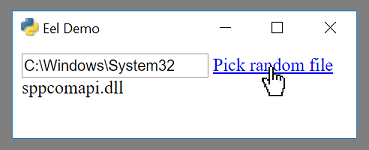
Eel is designed to take the hassle out of writing short and simple GUI applications. If you are familiar with Python and web development, probably just jump to [this example](https://github.com/ChrisKnott/Eel/tree/master/examples/04%20-%20file_access) which picks random file names out of the given folder (something that is impossible from a browser).
- [Eel](#eel)
- [Intro](#intro)
- [Install](#install)
- [Usage](#usage)
- [Directory Structure](#directory-structure)
- [Starting the app](#starting-the-app)
- [App options](#app-options)
- [Chrome/Chromium flags](#chromechromium-flags)
- [Exposing functions](#exposing-functions)
- [Eello, World!](#eello-world)
- [Return values](#return-values)
- [Callbacks](#callbacks)
- [Synchronous returns](#synchronous-returns)
- [Asynchronous Python](#asynchronous-python)
- [Building distributable binary with PyInstaller](#building-distributable-binary-with-pyinstaller)
- [Microsoft Edge](#microsoft-edge)
## Intro
There are several options for making GUI apps in Python, but if you want to use HTML/JS (in order to use jQueryUI or Bootstrap, for example) then you generally have to write a lot of boilerplate code to communicate from the Client (Javascript) side to the Server (Python) side.
The closest Python equivalent to Electron (to my knowledge) is [cefpython](https://github.com/cztomczak/cefpython). It is a bit heavy weight for what I wanted.
Eel is not as fully-fledged as Electron or cefpython - it is probably not suitable for making full blown applications like Atom - but it is very suitable for making the GUI equivalent of little utility scripts that you use internally in your team.
For some reason many of the best-in-class number crunching and maths libraries are in Python (Tensorflow, Numpy, Scipy etc) but many of the best visualization libraries are in Javascript (D3, THREE.js etc). Hopefully Eel makes it easy to combine these into simple utility apps for assisting your development.
Join Eel's users and maintainers on [Discord](https://discord.com/invite/3nqXPFX), if you like.
## Install
Install from pypi with `pip`:
```shell
pip install eel
```
To include support for HTML templating, currently using [Jinja2](https://pypi.org/project/Jinja2/#description):
```shell
pip install eel[jinja2]
```
## Usage
### Directory Structure
An Eel application will be split into a frontend consisting of various web-technology files (.html, .js, .css) and a backend consisting of various Python scripts.
All the frontend files should be put in a single directory (they can be further divided into folders inside this if necessary).
```
my_python_script.py <-- Python scripts
other_python_module.py
static_web_folder/ <-- Web folder
main_page.html
css/
style.css
img/
logo.png
```
### Starting the app
Suppose you put all the frontend files in a directory called `web`, including your start page `main.html`, then the app is started like this;
```python
import eel
eel.init('web')
eel.start('main.html')
```
This will start a webserver on the default settings (http://localhost:8000) and open a browser to http://localhost:8000/main.html.
If Chrome or Chromium is installed then by default it will open in that in App Mode (with the `--app` cmdline flag), regardless of what the OS's default browser is set to (it is possible to override this behaviour).
### App options
Additional options can be passed to `eel.start()` as keyword arguments.
Some of the options include the mode the app is in (e.g. 'chrome'), the port the app runs on, the host name of the app, and adding additional command line flags.
As of Eel v0.12.0, the following options are available to `start()`:
- **mode**, a string specifying what browser to use (e.g. `'chrome'`, `'electron'`, `'edge'`,`'msie'`, `'custom'`). Can also be `None` or `False` to not open a window. *Default: `'chrome'`*
- **host**, a string specifying what hostname to use for the Bottle server. *Default: `'localhost'`)*
- **port**, an int specifying what port to use for the Bottle server. Use `0` for port to be picked automatically. *Default: `8000`*.
- **block**, a bool saying whether or not the call to `start()` should block the calling thread. *Default: `True`*
- **jinja_templates**, a string specifying a folder to use for Jinja2 templates, e.g. `my_templates`. *Default: `None`*
- **cmdline_args**, a list of strings to pass to the command to start the browser. For example, we might add extra flags for Chrome; ```eel.start('main.html', mode='chrome-app', port=8080, cmdline_args=['--start-fullscreen', '--browser-startup-dialog'])```. *Default: `[]`*
- **size**, a tuple of ints specifying the (width, height) of the main window in pixels *Default: `None`*
- **position**, a tuple of ints specifying the (left, top) of the main window in pixels *Default: `None`*
- **geometry**, a dictionary specifying the size and position for all windows. The keys should be the relative path of the page, and the values should be a dictionary of the form `{'size': (200, 100), 'position': (300, 50)}`. *Default: {}*
- **close_callback**, a lambda or function that is called when a websocket to a window closes (i.e. when the user closes the window). It should take two arguments; a string which is the relative path of the page that just closed, and a list of other websockets that are still open. *Default: `None`*
- **app**, an instance of Bottle which will be used rather than creating a fresh one. This can be used to install middleware on the instance before starting eel, e.g. for session management, authentication, etc. If your `app` is not a Bottle instance, you will need to call `eel.register_eel_routes(app)` on your custom app instance.
- **shutdown_delay**, timer configurable for Eel's shutdown detection mechanism, whereby when any websocket closes, it waits `shutdown_delay` seconds, and then checks if there are now any websocket connections. If not, then Eel closes. In case the user has closed the browser and wants to exit the program. By default, the value of **shutdown_delay** is `1.0` second
### Exposing functions
In addition to the files in the frontend folder, a Javascript library will be served at `/eel.js`. You should include this in any pages:
```html
```
Including this library creates an `eel` object which can be used to communicate with the Python side.
Any functions in the Python code which are decorated with `@eel.expose` like this...
```python
@eel.expose
def my_python_function(a, b):
print(a, b, a + b)
```
...will appear as methods on the `eel` object on the Javascript side, like this...
```javascript
console.log("Calling Python...");
eel.my_python_function(1, 2); // This calls the Python function that was decorated
```
Similarly, any Javascript functions which are exposed like this...
```javascript
eel.expose(my_javascript_function);
function my_javascript_function(a, b, c, d) {
if (a < b) {
console.log(c * d);
}
}
```
can be called from the Python side like this...
```python
print('Calling Javascript...')
eel.my_javascript_function(1, 2, 3, 4) # This calls the Javascript function
```
The exposed name can also be overridden by passing in a second argument. If your app minifies JavaScript during builds, this may be necessary to ensure that functions can be resolved on the Python side:
```javascript
eel.expose(someFunction, "my_javascript_function");
```
When passing complex objects as arguments, bear in mind that internally they are converted to JSON and sent down a websocket (a process that potentially loses information).
### Eello, World!
> See full example in: [examples/01 - hello_world](https://github.com/ChrisKnott/Eel/tree/master/examples/01%20-%20hello_world)
Putting this together into a **Hello, World!** example, we have a short HTML page, `web/hello.html`:
```html
Hello, World!
Hello, World!
```
and a short Python script `hello.py`:
```python
import eel
# Set web files folder and optionally specify which file types to check for eel.expose()
# *Default allowed_extensions are: ['.js', '.html', '.txt', '.htm', '.xhtml']
eel.init('web', allowed_extensions=['.js', '.html'])
@eel.expose # Expose this function to Javascript
def say_hello_py(x):
print('Hello from %s' % x)
say_hello_py('Python World!')
eel.say_hello_js('Python World!') # Call a Javascript function
eel.start('hello.html') # Start (this blocks and enters loop)
```
If we run the Python script (`python hello.py`), then a browser window will open displaying `hello.html`, and we will see...
```
Hello from Python World!
Hello from Javascript World!
```
...in the terminal, and...
```
Hello from Javascript World!
Hello from Python World!
```
...in the browser console (press F12 to open).
You will notice that in the Python code, the Javascript function is called before the browser window is even started - any early calls like this are queued up and then sent once the websocket has been established.
### Return values
While we want to think of our code as comprising a single application, the Python interpreter and the browser window run in separate processes. This can make communicating back and forth between them a bit of a mess, especially if we always had to explicitly _send_ values from one side to the other.
Eel supports two ways of retrieving _return values_ from the other side of the app, which helps keep the code concise.
To prevent hanging forever on the Python side, a timeout has been put in place for trying to retrieve values from
the JavaScript side, which defaults to 10000 milliseconds (10 seconds). This can be changed with the `_js_result_timeout` parameter to `eel.init`. There is no corresponding timeout on the JavaScript side.
#### Callbacks
When you call an exposed function, you can immediately pass a callback function afterwards. This callback will automatically be called asynchronously with the return value when the function has finished executing on the other side.
For example, if we have the following function defined and exposed in Javascript:
```javascript
eel.expose(js_random);
function js_random() {
return Math.random();
}
```
Then in Python we can retrieve random values from the Javascript side like so:
```python
def print_num(n):
print('Got this from Javascript:', n)
# Call Javascript function, and pass explicit callback function
eel.js_random()(print_num)
# Do the same with an inline lambda as callback
eel.js_random()(lambda n: print('Got this from Javascript:', n))
```
(It works exactly the same the other way around).
#### Synchronous returns
In most situations, the calls to the other side are to quickly retrieve some piece of data, such as the state of a widget or contents of an input field. In these cases it is more convenient to just synchronously wait a few milliseconds then continue with your code, rather than breaking the whole thing up into callbacks.
To synchronously retrieve the return value, simply pass nothing to the second set of brackets. So in Python we would write:
```python
n = eel.js_random()() # This immediately returns the value
print('Got this from Javascript:', n)
```
You can only perform synchronous returns after the browser window has started (after calling `eel.start()`), otherwise obviously the call will hang.
In Javascript, the language doesn't allow us to block while we wait for a callback, except by using `await` from inside an `async` function. So the equivalent code from the Javascript side would be:
```javascript
async function run() {
// Inside a function marked 'async' we can use the 'await' keyword.
let n = await eel.py_random()(); // Must prefix call with 'await', otherwise it's the same syntax
console.log("Got this from Python: " + n);
}
run();
```
## Asynchronous Python
Eel is built on Bottle and Gevent, which provide an asynchronous event loop similar to Javascript. A lot of Python's standard library implicitly assumes there is a single execution thread - to deal with this, Gevent can "[monkey patch](https://en.wikipedia.org/wiki/Monkey_patch)" many of the standard modules such as `time`. ~~This monkey patching is done automatically when you call `import eel`~~. If you need monkey patching you should `import gevent.monkey` and call `gevent.monkey.patch_all()` _before_ you `import eel`. Monkey patching can interfere with things like debuggers so should be avoided unless necessary.
For most cases you should be fine by avoiding using `time.sleep()` and instead using the versions provided by `gevent`. For convenience, the two most commonly needed gevent methods, `sleep()` and `spawn()` are provided directly from Eel (to save importing `time` and/or `gevent` as well).
In this example...
```python
import eel
eel.init('web')
def my_other_thread():
while True:
print("I'm a thread")
eel.sleep(1.0) # Use eel.sleep(), not time.sleep()
eel.spawn(my_other_thread)
eel.start('main.html', block=False) # Don't block on this call
while True:
print("I'm a main loop")
eel.sleep(1.0) # Use eel.sleep(), not time.sleep()
```
...we would then have three "threads" (greenlets) running;
1. Eel's internal thread for serving the web folder
2. The `my_other_thread` method, repeatedly printing **"I'm a thread"**
3. The main Python thread, which would be stuck in the final `while` loop, repeatedly printing **"I'm a main loop"**
## Building distributable binary with PyInstaller
If you want to package your app into a program that can be run on a computer without a Python interpreter installed, you should use **PyInstaller**.
1. Configure a virtualenv with desired Python version and minimum necessary Python packages
2. Install PyInstaller `pip install PyInstaller`
3. In your app's folder, run `python -m eel [your_main_script] [your_web_folder]` (for example, you might run `python -m eel hello.py web`)
4. This will create a new folder `dist/`
5. Valid PyInstaller flags can be passed through, such as excluding modules with the flag: `--exclude module_name`. For example, you might run `python -m eel file_access.py web --exclude win32com --exclude numpy --exclude cryptography`
6. When happy that your app is working correctly, add `--onefile --noconsole` flags to build a single executable file
Consult the [documentation for PyInstaller](http://PyInstaller.readthedocs.io/en/stable/) for more options.
## Microsoft Edge
For Windows 10 users, Microsoft Edge (`eel.start(.., mode='edge')`) is installed by default and a useful fallback if a preferred browser is not installed. See the examples:
- A Hello World example using Microsoft Edge: [examples/01 - hello_world-Edge/](https://github.com/ChrisKnott/Eel/tree/master/examples/01%20-%20hello_world-Edge)
- Example implementing browser-fallbacks: [examples/07 - CreateReactApp/eel_CRA.py](https://github.com/ChrisKnott/Eel/tree/master/examples/07%20-%20CreateReactApp/eel_CRA.py)
================================================
FILE: eel/__init__.py
================================================
from __future__ import annotations
from builtins import range
import traceback
from io import open
from typing import Union, Any, Dict, List, Set, Tuple, Optional, Callable
from typing_extensions import Literal
from eel.types import OptionsDictT, WebSocketT
import gevent as gvt
import json as jsn
import bottle as btl
try:
import bottle_websocket as wbs
except ImportError:
import bottle.ext.websocket as wbs
import re as rgx
import os
import eel.browsers as brw
import pyparsing as pp
import random as rnd
import sys
import importlib_resources
import socket
import mimetypes
mimetypes.add_type('application/javascript', '.js')
# https://setuptools.pypa.io/en/latest/pkg_resources.html
# Use of pkg_resources is deprecated in favor of importlib.resources
# Migration guide: https://importlib-resources.readthedocs.io/en/latest/migration.html
_eel_js_reference = importlib_resources.files('eel') / 'eel.js'
with importlib_resources.as_file(_eel_js_reference) as _eel_js_path:
_eel_js: str = _eel_js_path.read_text(encoding='utf-8')
_websockets: List[Tuple[Any, WebSocketT]] = []
_call_return_values: Dict[Any, Any] = {}
_call_return_callbacks: Dict[float, Tuple[Callable[..., Any], Optional[Callable[..., Any]]]] = {}
_call_number: int = 0
_exposed_functions: Dict[Any, Any] = {}
_js_functions: List[Any] = []
_mock_queue: List[Any] = []
_mock_queue_done: Set[Any] = set()
_shutdown: Optional[gvt.Greenlet] = None # Later assigned as global by _websocket_close()
root_path: str # Later assigned as global by init()
# The maximum time (in milliseconds) that Python will try to retrieve a return value for functions executing in JS
# Can be overridden through `eel.init` with the kwarg `js_result_timeout` (default: 10000)
_js_result_timeout: int = 10000
# Attribute holding the start args from calls to eel.start()
_start_args: OptionsDictT = {}
# == Temporary (suppressible) error message to inform users of breaking API change for v1.0.0 ===
api_error_message: str = '''
----------------------------------------------------------------------------------
'options' argument deprecated in v1.0.0, see https://github.com/ChrisKnott/Eel
To suppress this error, add 'suppress_error=True' to start() call.
This option will be removed in future versions
----------------------------------------------------------------------------------
'''
# ===============================================================================================
# Public functions
def expose(name_or_function: Optional[Callable[..., Any]] = None) -> Callable[..., Any]:
'''Decorator to expose Python callables via Eel's JavaScript API.
When an exposed function is called, a callback function can be passed
immediately afterwards. This callback will be called asynchronously with
the return value (possibly `None`) when the Python function has finished
executing.
Blocking calls to the exposed function from the JavaScript side are only
possible using the :code:`await` keyword inside an :code:`async function`.
These still have to make a call to the response, i.e.
:code:`await eel.py_random()();` inside an :code:`async function` will work,
but just :code:`await eel.py_random();` will not.
:Example:
In Python do:
.. code-block:: python
@expose
def say_hello_py(name: str = 'You') -> None:
print(f'{name} said hello from the JavaScript world!')
In JavaScript do:
.. code-block:: javascript
eel.say_hello_py('Alice')();
Expected output on the Python console::
Alice said hello from the JavaScript world!
'''
# Deal with '@eel.expose()' - treat as '@eel.expose'
if name_or_function is None:
return expose
if isinstance(name_or_function, str): # Called as '@eel.expose("my_name")'
name = name_or_function
def decorator(function: Callable[..., Any]) -> Any:
_expose(name, function)
return function
return decorator
else:
function = name_or_function
_expose(function.__name__, function)
return function
# PyParsing grammar for parsing exposed functions in JavaScript code
# Examples: `eel.expose(w, "func_name")`, `eel.expose(func_name)`, `eel.expose((function (e){}), "func_name")`
EXPOSED_JS_FUNCTIONS: pp.ZeroOrMore = pp.ZeroOrMore(
pp.Suppress(
pp.SkipTo(pp.Literal('eel.expose('))
+ pp.Literal('eel.expose(')
+ pp.Optional(
pp.Or([pp.nestedExpr(), pp.Word(pp.printables, excludeChars=',')]) + pp.Literal(',')
)
)
+ pp.Suppress(pp.Regex(r'["\']?'))
+ pp.Word(pp.printables, excludeChars='"\')')
+ pp.Suppress(pp.Regex(r'["\']?\s*\)')),
)
def init(
path: str,
allowed_extensions: List[str] = ['.js', '.html', '.txt', '.htm', '.xhtml', '.vue'],
js_result_timeout: int = 10000) -> None:
'''Initialise Eel.
This function should be called before :func:`start()` to initialise the
parameters for the web interface, such as the path to the files to be
served.
:param path: Sets the path on the filesystem where files to be served to
the browser are located, e.g. :file:`web`.
:param allowed_extensions: A list of filename extensions which will be
parsed for exposed eel functions which should be callable from python.
Files with extensions not in *allowed_extensions* will still be served,
but any JavaScript functions, even if marked as exposed, will not be
accessible from python.
*Default:* :code:`['.js', '.html', '.txt', '.htm', '.xhtml', '.vue']`.
:param js_result_timeout: How long Eel should be waiting to register the
results from a call to Eel's JavaScript API before before timing out.
*Default:* :code:`10000` milliseconds.
'''
global root_path, _js_functions, _js_result_timeout
root_path = _get_real_path(path)
js_functions = set()
for root, _, files in os.walk(root_path):
for name in files:
if not any(name.endswith(ext) for ext in allowed_extensions):
continue
try:
with open(os.path.join(root, name), encoding='utf-8') as file:
contents = file.read()
expose_calls = set()
matches = EXPOSED_JS_FUNCTIONS.parseString(contents).asList()
for expose_call in matches:
# Verify that function name is valid
msg = "eel.expose() call contains '(' or '='"
assert rgx.findall(r'[\(=]', expose_call) == [], msg
expose_calls.add(expose_call)
js_functions.update(expose_calls)
except UnicodeDecodeError:
pass # Malformed file probably
_js_functions = list(js_functions)
for js_function in _js_functions:
_mock_js_function(js_function)
_js_result_timeout = js_result_timeout
def start(
*start_urls: str,
mode: Optional[Union[str, Literal[False]]] = 'chrome',
host: str = 'localhost',
port: int = 8000,
block: bool = True,
jinja_templates: Optional[str] = None,
cmdline_args: List[str] = ['--disable-http-cache'],
size: Optional[Tuple[int, int]] = None,
position: Optional[Tuple[int, int]] = None,
geometry: Dict[str, Tuple[int, int]] = {},
close_callback: Optional[Callable[..., Any]] = None,
app_mode: bool = True,
all_interfaces: bool = False,
disable_cache: bool = True,
default_path: str = 'index.html',
app: btl.Bottle = btl.default_app(),
shutdown_delay: float = 1.0,
suppress_error: bool = False) -> None:
'''Start the Eel app.
Suppose you put all the frontend files in a directory called
:file:`web`, including your start page :file:`main.html`, then the app
is started like this:
.. code-block:: python
import eel
eel.init('web')
eel.start('main.html')
This will start a webserver on the default settings
(http://localhost:8000) and open a browser to
http://localhost:8000/main.html.
If Chrome or Chromium is installed then by default it will open that in
*App Mode* (with the `--app` cmdline flag), regardless of what the OS's
default browser is set to (it is possible to override this behaviour).
:param mode: What browser is used, e.g. :code:`'chrome'`,
:code:`'electron'`, :code:`'edge'`, :code:`'custom'`. Can also be
`None` or `False` to not open a window. *Default:* :code:`'chrome'`.
:param host: Hostname used for Bottle server. *Default:*
:code:`'localhost'`.
:param port: Port used for Bottle server. Use :code:`0` for port to be
picked automatically. *Default:* :code:`8000`.
:param block: Whether the call to :func:`start()` blocks the calling
thread. *Default:* `True`.
:param jinja_templates: Folder for :mod:`jinja2` templates, e.g.
:file:`my_templates`. *Default:* `None`.
:param cmdline_args: A list of strings to pass to the command starting the
browser. For example, we might add extra flags to Chrome with
:code:`eel.start('main.html', mode='chrome-app', port=8080,
cmdline_args=['--start-fullscreen', '--browser-startup-dialog'])`.
*Default:* :code:`[]`.
:param size: Tuple specifying the (width, height) of the main window in
pixels. *Default:* `None`.
:param position: Tuple specifying the (left, top) position of the main
window in pixels. *Default*: `None`.
:param geometry: A dictionary of specifying the size/position for all
windows. The keys should be the relative path of the page, and the
values should be a dictionary of the form
:code:`{'size': (200, 100), 'position': (300, 50)}`. *Default:*
:code:`{}`.
:param close_callback: A lambda or function that is called when a websocket
or window closes (i.e. when the user closes the window). It should take
two arguments: a string which is the relative path of the page that
just closed, and a list of the other websockets that are still open.
*Default:* `None`.
:param app_mode: Whether to run Chrome/Edge in App Mode. You can also
specify *mode* as :code:`mode='chrome-app'` as a shorthand to start
Chrome in App Mode.
:param all_interfaces: Whether to allow the :mod:`bottle` server to listen
for connections on all interfaces.
:param disable_cache: Sets the no-store response header when serving
assets.
:param default_path: The default file to retrieve for the root URL.
:param app: An instance of :class:`bottle.Bottle` which will be used rather
than creating a fresh one. This can be used to install middleware on
the instance before starting Eel, e.g. for session management,
authentication, etc. If *app* is not a :class:`bottle.Bottle` instance,
you will need to call :code:`eel.register_eel_routes(app)` on your
custom app instance.
:param shutdown_delay: Timer configurable for Eel's shutdown detection
mechanism, whereby when any websocket closes, it waits *shutdown_delay*
seconds, and then checks if there are now any websocket connections.
If not, then Eel closes. In case the user has closed the browser and
wants to exit the program. *Default:* :code:`1.0` seconds.
:param suppress_error: Temporary (suppressible) error message to inform
users of breaking API change for v1.0.0. Set to `True` to suppress
the error message.
'''
_start_args.update({
'mode': mode,
'host': host,
'port': port,
'block': block,
'jinja_templates': jinja_templates,
'cmdline_args': cmdline_args,
'size': size,
'position': position,
'geometry': geometry,
'close_callback': close_callback,
'app_mode': app_mode,
'all_interfaces': all_interfaces,
'disable_cache': disable_cache,
'default_path': default_path,
'app': app,
'shutdown_delay': shutdown_delay,
'suppress_error': suppress_error,
})
if _start_args['port'] == 0:
sock = socket.socket(socket.AF_INET, socket.SOCK_STREAM)
sock.bind(('localhost', 0))
_start_args['port'] = sock.getsockname()[1]
sock.close()
if _start_args['jinja_templates'] is not None:
from jinja2 import Environment, FileSystemLoader, select_autoescape
if not isinstance(_start_args['jinja_templates'], str):
raise TypeError("'jinja_templates' start_arg/option must be of type str")
templates_path = os.path.join(root_path, _start_args['jinja_templates'])
_start_args['jinja_env'] = Environment(
loader=FileSystemLoader(templates_path),
autoescape=select_autoescape(['html', 'xml'])
)
# verify shutdown_delay is correct value
if not isinstance(_start_args['shutdown_delay'], (int, float)):
raise ValueError(
'`shutdown_delay` must be a number, '
'got a {}'.format(type(_start_args['shutdown_delay']))
)
# Launch the browser to the starting URLs
show(*start_urls)
def run_lambda() -> None:
if _start_args['all_interfaces'] is True:
HOST = '0.0.0.0'
else:
if not isinstance(_start_args['host'], str):
raise TypeError("'host' start_arg/option must be of type str")
HOST = _start_args['host']
app = _start_args['app']
if isinstance(app, btl.Bottle):
register_eel_routes(app)
else:
register_eel_routes(btl.default_app())
btl.run(
host=HOST,
port=_start_args['port'],
server=wbs.GeventWebSocketServer,
quiet=True,
app=app) # Always returns None
# Start the webserver
if _start_args['block']:
run_lambda()
else:
spawn(run_lambda)
def show(*start_urls: str) -> None:
'''Show the specified URL(s) in the browser.
Suppose you have two files in your :file:`web` folder. The file
:file:`hello.html` regularly includes :file:`eel.js` and provides
interactivity, and the file :file:`goodbye.html` does not include
:file:`eel.js` and simply provides plain HTML content not reliant on Eel.
First, we defien a callback function to be called when the browser
window is closed:
.. code-block:: python
def last_calls():
eel.show('goodbye.html')
Now we initialise and start Eel, with a :code:`close_callback` to our
function:
..code-block:: python
eel.init('web')
eel.start('hello.html', mode='chrome-app', close_callback=last_calls)
When the websocket from :file:`hello.html` is closed (e.g. because the
user closed the browser window), Eel will wait *shutdown_delay* seconds
(by default 1 second), then call our :code:`last_calls()` function, which
opens another window with the :file:`goodbye.html` shown before our Eel app
terminates.
:param start_urls: One or more URLs to be opened.
'''
brw.open(list(start_urls), _start_args)
def sleep(seconds: Union[int, float]) -> None:
'''A non-blocking sleep call compatible with the Gevent event loop.
.. note::
While this function simply wraps :func:`gevent.sleep()`, it is better
to call :func:`eel.sleep()` in your eel app, as this will ensure future
compatibility in case the implementation of Eel should change in some
respect.
:param seconds: The number of seconds to sleep.
'''
gvt.sleep(seconds)
def spawn(function: Callable[..., Any], *args: Any, **kwargs: Any) -> gvt.Greenlet:
'''Spawn a new Greenlet.
Calling this function will spawn a new :class:`gevent.Greenlet` running
*function* asynchronously.
.. caution::
If you spawn your own Greenlets to run in addition to those spawned by
Eel's internal core functionality, you will have to ensure that those
Greenlets will terminate as appropriate (either by returning or by
being killed via Gevent's kill mechanism), otherwise your app may not
terminate correctly when Eel itself terminates.
:param function: The function to be called and run as the Greenlet.
:param *args: Any positional arguments that should be passed to *function*.
:param **kwargs: Any key-word arguments that should be passed to
*function*.
'''
return gvt.spawn(function, *args, **kwargs)
# Bottle Routes
def _eel() -> str:
start_geometry = {'default': {'size': _start_args['size'],
'position': _start_args['position']},
'pages': _start_args['geometry']}
page = _eel_js.replace('/** _py_functions **/',
'_py_functions: %s,' % list(_exposed_functions.keys()))
page = page.replace('/** _start_geometry **/',
'_start_geometry: %s,' % _safe_json(start_geometry))
btl.response.content_type = 'application/javascript'
_set_response_headers(btl.response)
return page
def _root() -> btl.Response:
if not isinstance(_start_args['default_path'], str):
raise TypeError("'default_path' start_arg/option must be of type str")
return _static(_start_args['default_path'])
def _static(path: str) -> btl.Response:
response = None
if 'jinja_env' in _start_args and 'jinja_templates' in _start_args:
if not isinstance(_start_args['jinja_templates'], str):
raise TypeError("'jinja_templates' start_arg/option must be of type str")
template_prefix = _start_args['jinja_templates'] + '/'
if path.startswith(template_prefix):
n = len(template_prefix)
template = _start_args['jinja_env'].get_template(path[n:])
response = btl.HTTPResponse(template.render())
if response is None:
response = btl.static_file(path, root=root_path)
_set_response_headers(response)
return response
def _websocket(ws: WebSocketT) -> None:
global _websockets
for js_function in _js_functions:
_import_js_function(js_function)
page = btl.request.query.page
if page not in _mock_queue_done:
for call in _mock_queue:
_repeated_send(ws, _safe_json(call))
_mock_queue_done.add(page)
_websockets += [(page, ws)]
while True:
msg = ws.receive()
if msg is not None:
message = jsn.loads(msg)
spawn(_process_message, message, ws)
else:
_websockets.remove((page, ws))
break
_websocket_close(page)
BOTTLE_ROUTES: Dict[str, Tuple[Callable[..., Any], Dict[Any, Any]]] = {
"/eel.js": (_eel, dict()),
"/": (_root, dict()),
"/": (_static, dict()),
"/eel": (_websocket, dict(apply=[wbs.websocket]))
}
def register_eel_routes(app: btl.Bottle) -> None:
'''Register the required eel routes with `app`.
.. note::
:func:`eel.register_eel_routes()` is normally invoked implicitly by
:func:`eel.start()` and does not need to be called explicitly in most
cases. Registering the eel routes explicitly is only needed if you are
passing something other than an instance of :class:`bottle.Bottle` to
:func:`eel.start()`.
:Example:
>>> app = bottle.Bottle()
>>> eel.register_eel_routes(app)
>>> middleware = beaker.middleware.SessionMiddleware(app)
>>> eel.start(app=middleware)
'''
for route_path, route_params in BOTTLE_ROUTES.items():
route_func, route_kwargs = route_params
app.route(path=route_path, callback=route_func, **route_kwargs)
# Private functions
def _safe_json(obj: Any) -> str:
return jsn.dumps(obj, default=lambda o: None)
def _repeated_send(ws: WebSocketT, msg: str) -> None:
for attempt in range(100):
try:
ws.send(msg)
break
except Exception:
sleep(0.001)
def _process_message(message: Dict[str, Any], ws: WebSocketT) -> None:
if 'call' in message:
error_info = {}
try:
return_val = _exposed_functions[message['name']](*message['args'])
status = 'ok'
except Exception as e:
err_traceback = traceback.format_exc()
traceback.print_exc()
return_val = None
status = 'error'
error_info['errorText'] = repr(e)
error_info['errorTraceback'] = err_traceback
_repeated_send(ws, _safe_json({ 'return': message['call'],
'status': status,
'value': return_val,
'error': error_info,}))
elif 'return' in message:
call_id = message['return']
if call_id in _call_return_callbacks:
callback, error_callback = _call_return_callbacks.pop(call_id)
if message['status'] == 'ok':
callback(message['value'])
elif message['status'] == 'error' and error_callback is not None:
error_callback(message['error'], message['stack'])
else:
_call_return_values[call_id] = message['value']
else:
print('Invalid message received: ', message)
def _get_real_path(path: str) -> str:
if getattr(sys, 'frozen', False):
return os.path.join(sys._MEIPASS, path) # type: ignore # sys._MEIPASS is dynamically added by PyInstaller
else:
return os.path.abspath(path)
def _mock_js_function(f: str) -> None:
exec('%s = lambda *args: _mock_call("%s", args)' % (f, f), globals())
def _import_js_function(f: str) -> None:
exec('%s = lambda *args: _js_call("%s", args)' % (f, f), globals())
def _call_object(name: str, args: Any) -> Dict[str, Any]:
global _call_number
_call_number += 1
call_id = _call_number + rnd.random()
return {'call': call_id, 'name': name, 'args': args}
def _mock_call(name: str, args: Any) -> Callable[[Optional[Callable[..., Any]], Optional[Callable[..., Any]]], Any]:
call_object = _call_object(name, args)
global _mock_queue
_mock_queue += [call_object]
return _call_return(call_object)
def _js_call(name: str, args: Any) -> Callable[[Optional[Callable[..., Any]], Optional[Callable[..., Any]]], Any]:
call_object = _call_object(name, args)
for _, ws in _websockets:
_repeated_send(ws, _safe_json(call_object))
return _call_return(call_object)
def _call_return(call: Dict[str, Any]) -> Callable[[Optional[Callable[..., Any]], Optional[Callable[..., Any]]], Any]:
global _js_result_timeout
call_id = call['call']
def return_func(callback: Optional[Callable[..., Any]] = None,
error_callback: Optional[Callable[..., Any]] = None) -> Any:
if callback is not None:
_call_return_callbacks[call_id] = (callback, error_callback)
else:
for w in range(_js_result_timeout):
if call_id in _call_return_values:
return _call_return_values.pop(call_id)
sleep(0.001)
return return_func
def _expose(name: str, function: Callable[..., Any]) -> None:
msg = 'Already exposed function with name "%s"' % name
assert name not in _exposed_functions, msg
_exposed_functions[name] = function
def _detect_shutdown() -> None:
if len(_websockets) == 0:
sys.exit()
def _websocket_close(page: str) -> None:
global _shutdown
close_callback = _start_args.get('close_callback')
if close_callback is not None:
if not callable(close_callback):
raise TypeError("'close_callback' start_arg/option must be callable or None")
sockets = [p for _, p in _websockets]
close_callback(page, sockets)
else:
if isinstance(_shutdown, gvt.Greenlet):
_shutdown.kill()
_shutdown = gvt.spawn_later(_start_args['shutdown_delay'], _detect_shutdown)
def _set_response_headers(response: btl.Response) -> None:
if _start_args['disable_cache']:
# https://stackoverflow.com/a/24748094/280852
response.set_header('Cache-Control', 'no-store')
================================================
FILE: eel/__main__.py
================================================
from __future__ import annotations
import pkg_resources as pkg
import PyInstaller.__main__ as pyi
import os
from argparse import ArgumentParser, Namespace
from typing import List
parser: ArgumentParser = ArgumentParser(description="""
Eel is a little Python library for making simple Electron-like offline HTML/JS GUI apps,
with full access to Python capabilities and libraries.
""")
parser.add_argument(
"main_script",
type=str,
help="Main python file to run app from"
)
parser.add_argument(
"web_folder",
type=str,
help="Folder including all web files including file as html, css, ico, etc."
)
args: Namespace
unknown_args: List[str]
args, unknown_args = parser.parse_known_args()
main_script: str = args.main_script
web_folder: str = args.web_folder
print("Building executable with main script '%s' and web folder '%s'...\n" %
(main_script, web_folder))
eel_js_file: str = pkg.resource_filename('eel', 'eel.js')
js_file_arg: str = '%s%seel' % (eel_js_file, os.pathsep)
web_folder_arg: str = '%s%s%s' % (web_folder, os.pathsep, web_folder)
needed_args: List[str] = ['--hidden-import', 'bottle_websocket',
'--add-data', js_file_arg, '--add-data', web_folder_arg]
full_args: List[str] = [main_script] + needed_args + unknown_args
print('Running:\npyinstaller', ' '.join(full_args), '\n')
pyi.run(full_args)
================================================
FILE: eel/browsers.py
================================================
from __future__ import annotations
import subprocess as sps
import webbrowser as wbr
from typing import Union, List, Dict, Iterable, Optional
from types import ModuleType
from eel.types import OptionsDictT
import eel.chrome as chm
import eel.electron as ele
import eel.edge as edge
import eel.msIE as ie
#import eel.firefox as ffx TODO
#import eel.safari as saf TODO
_browser_paths: Dict[str, str] = {}
_browser_modules: Dict[str, ModuleType] = {'chrome': chm,
'electron': ele,
'edge': edge,
'msie':ie}
def _build_url_from_dict(page: Dict[str, str], options: OptionsDictT) -> str:
scheme = page.get('scheme', 'http')
host = page.get('host', 'localhost')
port = page.get('port', options["port"])
path = page.get('path', '')
if not isinstance(port, (int, str)):
raise TypeError("'port' option must be an integer")
return '%s://%s:%d/%s' % (scheme, host, int(port), path)
def _build_url_from_string(page: str, options: OptionsDictT) -> str:
if not isinstance(options['port'], (int, str)):
raise TypeError("'port' option must be an integer")
base_url = 'http://%s:%d/' % (options['host'], int(options['port']))
return base_url + page
def _build_urls(start_pages: Iterable[Union[str, Dict[str, str]]], options: OptionsDictT) -> List[str]:
urls: List[str] = []
for page in start_pages:
if isinstance(page, dict):
url = _build_url_from_dict(page, options)
else:
url = _build_url_from_string(page, options)
urls.append(url)
return urls
def open(start_pages: Iterable[Union[str, Dict[str, str]]], options: OptionsDictT) -> None:
# Build full URLs for starting pages (including host and port)
start_urls = _build_urls(start_pages, options)
mode = options.get('mode')
if not isinstance(mode, (str, type(None))) and mode is not False:
raise TypeError("'mode' option must by either a string, False, or None")
if mode is None or mode is False:
# Don't open a browser
pass
elif mode == 'custom':
# Just run whatever command the user provided
if not isinstance(options['cmdline_args'], list):
raise TypeError("'cmdline_args' option must be of type List[str]")
sps.Popen(options['cmdline_args'],
stdout=sps.PIPE, stderr=sps.PIPE, stdin=sps.PIPE)
elif mode in _browser_modules:
# Run with a specific browser
browser_module = _browser_modules[mode]
path = _browser_paths.get(mode)
if path is None:
# Don't know this browser's path, try and find it ourselves
path = browser_module.find_path()
_browser_paths[mode] = path
if path is not None:
browser_module.run(path, options, start_urls)
else:
raise EnvironmentError("Can't find %s installation" % browser_module.name)
else:
# Fall back to system default browser
for url in start_urls:
wbr.open(url)
def set_path(browser_name: str, path: str) -> None:
_browser_paths[browser_name] = path
def get_path(browser_name: str) -> Optional[str]:
return _browser_paths.get(browser_name)
================================================
FILE: eel/chrome.py
================================================
from __future__ import annotations
import sys
import os
import subprocess as sps
from shutil import which
from typing import List, Optional
from eel.types import OptionsDictT
# Every browser specific module must define run(), find_path() and name like this
name: str = 'Google Chrome/Chromium'
def run(path: str, options: OptionsDictT, start_urls: List[str]) -> None:
if not isinstance(options['cmdline_args'], list):
raise TypeError("'cmdline_args' option must be of type List[str]")
if options['app_mode']:
for url in start_urls:
sps.Popen([path, '--app=%s' % url] +
options['cmdline_args'],
stdout=sps.PIPE, stderr=sps.PIPE, stdin=sps.PIPE)
else:
args: List[str] = options['cmdline_args'] + start_urls
sps.Popen([path, '--new-window'] + args,
stdout=sps.PIPE, stderr=sys.stderr, stdin=sps.PIPE)
def find_path() -> Optional[str]:
if sys.platform in ['win32', 'win64']:
return _find_chrome_win()
elif sys.platform == 'darwin':
return _find_chrome_mac() or _find_chromium_mac()
elif sys.platform.startswith('linux'):
return _find_chrome_linux()
else:
return None
def _find_chrome_mac() -> Optional[str]:
default_dir = r'/Applications/Google Chrome.app/Contents/MacOS/Google Chrome'
if os.path.exists(default_dir):
return default_dir
# use mdfind ci to locate Chrome in alternate locations and return the first one
name = 'Google Chrome.app'
alternate_dirs = [x for x in sps.check_output(["mdfind", name]).decode().split('\n') if x.endswith(name)]
if len(alternate_dirs):
return alternate_dirs[0] + '/Contents/MacOS/Google Chrome'
return None
def _find_chromium_mac() -> Optional[str]:
default_dir = r'/Applications/Chromium.app/Contents/MacOS/Chromium'
if os.path.exists(default_dir):
return default_dir
# use mdfind ci to locate Chromium in alternate locations and return the first one
name = 'Chromium.app'
alternate_dirs = [x for x in sps.check_output(["mdfind", name]).decode().split('\n') if x.endswith(name)]
if len(alternate_dirs):
return alternate_dirs[0] + '/Contents/MacOS/Chromium'
return None
def _find_chrome_linux() -> Optional[str]:
chrome_names = ['chromium-browser',
'chromium',
'google-chrome',
'google-chrome-stable']
for name in chrome_names:
chrome = which(name)
if chrome is not None:
return chrome
return None
def _find_chrome_win() -> Optional[str]:
import winreg as reg
reg_path = r'SOFTWARE\Microsoft\Windows\CurrentVersion\App Paths\chrome.exe'
chrome_path: Optional[str] = None
for install_type in reg.HKEY_CURRENT_USER, reg.HKEY_LOCAL_MACHINE:
try:
reg_key = reg.OpenKey(install_type, reg_path, 0, reg.KEY_READ)
chrome_path = reg.QueryValue(reg_key, None)
reg_key.Close()
if not os.path.isfile(chrome_path):
continue
except WindowsError:
chrome_path = None
else:
break
return chrome_path
================================================
FILE: eel/edge.py
================================================
from __future__ import annotations
import platform
import subprocess as sps
import sys
from typing import List
from eel.types import OptionsDictT
name: str = 'Edge'
def run(_path: str, options: OptionsDictT, start_urls: List[str]) -> None:
if not isinstance(options['cmdline_args'], list):
raise TypeError("'cmdline_args' option must be of type List[str]")
args: List[str] = options['cmdline_args']
if options['app_mode']:
cmd = 'start msedge --app={} '.format(start_urls[0])
cmd = cmd + (" ".join(args))
sps.Popen(cmd, stdout=sys.stdout, stderr=sys.stderr, stdin=sps.PIPE, shell=True)
else:
cmd = "start msedge --new-window "+(" ".join(args)) +" "+(start_urls[0])
sps.Popen(cmd,stdout=sys.stdout, stderr=sys.stderr, stdin=sps.PIPE, shell=True)
def find_path() -> bool:
if platform.system() == 'Windows':
return True
return False
================================================
FILE: eel/eel.js
================================================
eel = {
_host: window.location.origin,
set_host: function (hostname) {
eel._host = hostname
},
expose: function(f, name) {
if(name === undefined){
name = f.toString();
let i = 'function '.length, j = name.indexOf('(');
name = name.substring(i, j).trim();
}
eel._exposed_functions[name] = f;
},
guid: function() {
return eel._guid;
},
// These get dynamically added by library when file is served
/** _py_functions **/
/** _start_geometry **/
_guid: ([1e7]+-1e3+-4e3+-8e3+-1e11).replace(/[018]/g, c =>
(c ^ crypto.getRandomValues(new Uint8Array(1))[0] & 15 >> c / 4).toString(16)
),
_exposed_functions: {},
_mock_queue: [],
_mock_py_functions: function() {
for(let i = 0; i < eel._py_functions.length; i++) {
let name = eel._py_functions[i];
eel[name] = function() {
let call_object = eel._call_object(name, arguments);
eel._mock_queue.push(call_object);
return eel._call_return(call_object);
}
}
},
_import_py_function: function(name) {
let func_name = name;
eel[name] = function() {
let call_object = eel._call_object(func_name, arguments);
eel._websocket.send(eel._toJSON(call_object));
return eel._call_return(call_object);
}
},
_call_number: 0,
_call_return_callbacks: {},
_call_object: function(name, args) {
let arg_array = [];
for(let i = 0; i < args.length; i++){
arg_array.push(args[i]);
}
let call_id = (eel._call_number += 1) + Math.random();
return {'call': call_id, 'name': name, 'args': arg_array};
},
_sleep: function(ms) {
return new Promise(resolve => setTimeout(resolve, ms));
},
_toJSON: function(obj) {
return JSON.stringify(obj, (k, v) => v === undefined ? null : v);
},
_call_return: function(call) {
return function(callback = null) {
if(callback != null) {
eel._call_return_callbacks[call.call] = {resolve: callback};
} else {
return new Promise(function(resolve, reject) {
eel._call_return_callbacks[call.call] = {resolve: resolve, reject: reject};
});
}
}
},
_position_window: function(page) {
let size = eel._start_geometry['default'].size;
let position = eel._start_geometry['default'].position;
if(page in eel._start_geometry.pages) {
size = eel._start_geometry.pages[page].size;
position = eel._start_geometry.pages[page].position;
}
if(size != null){
window.resizeTo(size[0], size[1]);
}
if(position != null){
window.moveTo(position[0], position[1]);
}
},
_init: function() {
eel._mock_py_functions();
document.addEventListener("DOMContentLoaded", function(event) {
let page = window.location.pathname.substring(1);
eel._position_window(page);
let websocket_addr = (eel._host + '/eel').replace('http', 'ws');
websocket_addr += ('?page=' + page);
eel._websocket = new WebSocket(websocket_addr);
eel._websocket.onopen = function() {
for(let i = 0; i < eel._py_functions.length; i++){
let py_function = eel._py_functions[i];
eel._import_py_function(py_function);
}
while(eel._mock_queue.length > 0) {
let call = eel._mock_queue.shift();
eel._websocket.send(eel._toJSON(call));
}
};
eel._websocket.onmessage = function (e) {
let message = JSON.parse(e.data);
if(message.hasOwnProperty('call') ) {
// Python making a function call into us
if(message.name in eel._exposed_functions) {
try {
let return_val = eel._exposed_functions[message.name](...message.args);
eel._websocket.send(eel._toJSON({'return': message.call, 'status':'ok', 'value': return_val}));
} catch(err) {
debugger
eel._websocket.send(eel._toJSON(
{'return': message.call,
'status':'error',
'error': err.message,
'stack': err.stack}));
}
}
} else if(message.hasOwnProperty('return')) {
// Python returning a value to us
if(message['return'] in eel._call_return_callbacks) {
if(message['status']==='ok'){
eel._call_return_callbacks[message['return']].resolve(message.value);
}
else if(message['status']==='error' && eel._call_return_callbacks[message['return']].reject) {
eel._call_return_callbacks[message['return']].reject(message['error']);
}
}
} else {
throw 'Invalid message ' + message;
}
};
});
}
};
eel._init();
if(typeof require !== 'undefined'){
// Avoid name collisions when using Electron, so jQuery etc work normally
window.nodeRequire = require;
delete window.require;
delete window.exports;
delete window.module;
}
================================================
FILE: eel/electron.py
================================================
from __future__ import annotations
import sys
import os
import subprocess as sps
from shutil import which
from typing import List, Optional
from eel.types import OptionsDictT
name: str = 'Electron'
def run(path: str, options: OptionsDictT, start_urls: List[str]) -> None:
if not isinstance(options['cmdline_args'], list):
raise TypeError("'cmdline_args' option must be of type List[str]")
cmd = [path] + options['cmdline_args']
cmd += ['.', ';'.join(start_urls)]
sps.Popen(cmd, stdout=sys.stdout, stderr=sys.stderr, stdin=sps.PIPE)
def find_path() -> Optional[str]:
if sys.platform in ['win32', 'win64']:
# It doesn't work well passing the .bat file to Popen, so we get the actual .exe
bat_path = which('electron')
if bat_path:
return os.path.join(bat_path, r'..\node_modules\electron\dist\electron.exe')
elif sys.platform in ['darwin', 'linux']:
# This should work fine...
return which('electron')
return None
================================================
FILE: eel/msIE.py
================================================
import platform
import subprocess as sps
import sys
from typing import List
from eel.types import OptionsDictT
name: str = 'MSIE'
def run(_path: str, options: OptionsDictT, start_urls: List[str]) -> None:
cmd = 'start microsoft-edge:{}'.format(start_urls[0])
sps.Popen(cmd, stdout=sys.stdout, stderr=sys.stderr, stdin=sps.PIPE, shell=True)
def find_path() -> bool:
if platform.system() == 'Windows':
return True
return False
================================================
FILE: eel/py.typed
================================================
================================================
FILE: eel/types.py
================================================
from __future__ import annotations
from typing import Union, Dict, List, Tuple, Callable, Optional, Any, TYPE_CHECKING
from typing_extensions import Literal, TypedDict, TypeAlias
from bottle import Bottle
# This business is slightly awkward, but needed for backward compatibility,
# because Python <3.10 doesn't support TypeAlias, jinja2 may not be available
# at runtime, and geventwebsocket.websocket doesn't have type annotations so
# that direct imports will raise an error.
if TYPE_CHECKING:
from jinja2 import Environment
JinjaEnvironmentT: TypeAlias = Environment
from geventwebsocket.websocket import WebSocket
WebSocketT: TypeAlias = WebSocket
else:
JinjaEnvironmentT: TypeAlias = Any
WebSocketT: TypeAlias = Any
OptionsDictT = TypedDict(
'OptionsDictT',
{
'mode': Optional[Union[str, Literal[False]]],
'host': str,
'port': int,
'block': bool,
'jinja_templates': Optional[str],
'cmdline_args': List[str],
'size': Optional[Tuple[int, int]],
'position': Optional[Tuple[int, int]],
'geometry': Dict[str, Tuple[int, int]],
'close_callback': Optional[Callable[..., Any]],
'app_mode': bool,
'all_interfaces': bool,
'disable_cache': bool,
'default_path': str,
'app': Bottle,
'shutdown_delay': float,
'suppress_error': bool,
'jinja_env': JinjaEnvironmentT,
},
total=False
)
================================================
FILE: examples/01 - hello_world/hello.py
================================================
import eel
# Set web files folder
eel.init('web')
@eel.expose # Expose this function to Javascript
def say_hello_py(x):
print('Hello from %s' % x)
say_hello_py('Python World!')
eel.say_hello_js('Python World!') # Call a Javascript function
eel.start('hello.html', size=(300, 200)) # Start
================================================
FILE: examples/01 - hello_world/web/hello.html
================================================
Hello, World!
Hello, World!
================================================
FILE: examples/01 - hello_world-Edge/hello.py
================================================
import os
import platform
import sys
# Use latest version of Eel from parent directory
sys.path.insert(1, '../../')
import eel
# Use the same static files as the original Example
os.chdir(os.path.join('..', '01 - hello_world'))
# Set web files folder and optionally specify which file types to check for eel.expose()
eel.init('web', allowed_extensions=['.js', '.html'])
@eel.expose # Expose this function to Javascript
def say_hello_py(x):
print('Hello from %s' % x)
say_hello_py('Python World!')
eel.say_hello_js('Python World!') # Call a Javascript function
# Launch example in Microsoft Edge only on Windows 10 and above
if sys.platform in ['win32', 'win64'] and int(platform.release()) >= 10:
eel.start('hello.html', mode='edge')
else:
raise EnvironmentError('Error: System is not Windows 10 or above')
# # Launching Edge can also be gracefully handled as a fall back
# try:
# eel.start('hello.html', mode='chrome-app', size=(300, 200))
# except EnvironmentError:
# # If Chrome isn't found, fallback to Microsoft Edge on Win10 or greater
# if sys.platform in ['win32', 'win64'] and int(platform.release()) >= 10:
# eel.start('hello.html', mode='edge')
# else:
# raise
================================================
FILE: examples/02 - callbacks/callbacks.py
================================================
import eel
import random
eel.init('web')
@eel.expose
def py_random():
return random.random()
@eel.expose
def py_exception(error):
if error:
raise ValueError("Test")
else:
return "No Error"
def print_num(n):
print('Got this from Javascript:', n)
def print_num_failed(error, stack):
print("This is an example of what javascript errors would look like:")
print("\tError: ", error)
print("\tStack: ", stack)
# Call Javascript function, and pass explicit callback function
eel.js_random()(print_num)
# Do the same with an inline callback
eel.js_random()(lambda n: print('Got this from Javascript:', n))
# Show error handling
eel.js_with_error()(print_num, print_num_failed)
eel.start('callbacks.html', size=(400, 300))
================================================
FILE: examples/02 - callbacks/web/callbacks.html
================================================
Callbacks Demo
Callbacks demo
================================================
FILE: examples/03 - sync_callbacks/sync_callbacks.py
================================================
import eel, random
eel.init('web')
@eel.expose
def py_random():
return random.random()
eel.start('sync_callbacks.html', block=False, size=(400, 300))
# Synchronous calls must happen after start() is called
# Get result returned synchronously by
# passing nothing in second brackets
# v
n = eel.js_random()()
print('Got this from Javascript:', n)
while True:
eel.sleep(1.0)
================================================
FILE: examples/03 - sync_callbacks/web/sync_callbacks.html
================================================
Synchronous callbacks
Synchronous callbacks
================================================
FILE: examples/04 - file_access/README.md
================================================
# Example 4 - file access

================================================
FILE: examples/04 - file_access/file_access.py
================================================
import eel, os, random
eel.init('web')
@eel.expose
def pick_file(folder):
if os.path.isdir(folder):
return random.choice(os.listdir(folder))
else:
return 'Not valid folder'
eel.start('file_access.html', size=(320, 120))
================================================
FILE: examples/04 - file_access/web/file_access.html
================================================
Eel Demo
---
================================================
FILE: examples/05 - input/script.py
================================================
import eel
eel.init('web') # Give folder containing web files
@eel.expose # Expose this function to Javascript
def handleinput(x):
print('%s' % x)
eel.say_hello_js('connected!') # Call a Javascript function
eel.start('main.html', size=(500, 200)) # Start
================================================
FILE: examples/05 - input/web/main.html
================================================
Input Example: Enter a value and check python console
================================================
FILE: examples/06 - jinja_templates/hello.py
================================================
import random
import eel
eel.init('web') # Give folder containing web files
@eel.expose
def py_random():
return random.random()
@eel.expose # Expose this function to Javascript
def say_hello_py(x):
print('Hello from %s' % x)
say_hello_py('Python World!')
eel.say_hello_js('Python World!') # Call a Javascript function
eel.start('templates/hello.html', size=(300, 200), jinja_templates='templates') # Start
================================================
FILE: examples/06 - jinja_templates/web/templates/base.html
================================================
{% block title %}{% endblock %}
{% block content %}{% endblock %}
================================================
FILE: examples/06 - jinja_templates/web/templates/hello.html
================================================
{% extends 'base.html' %}
{% block title %}Hello, World!{% endblock %}
{% block head_scripts %}
eel.expose(say_hello_js); // Expose this function to Python
function say_hello_js(x) {
console.log("Hello from " + x);
}
eel.expose(js_random);
function js_random() {
return Math.random();
}
function print_num(n) {
console.log('Got this from Python: ' + n);
}
eel.py_random()(print_num);
say_hello_js("Javascript World!");
eel.say_hello_py("Javascript World!"); // Call a Python function
{% endblock %}
{% block content %}
Hello, World!
Page 2
{% endblock %}
================================================
FILE: examples/06 - jinja_templates/web/templates/page2.html
================================================
{% extends 'base.html' %}
{% block title %}Hello, World!{% endblock %}
{% block content %}
This is page 2
{% endblock %}
================================================
FILE: examples/07 - CreateReactApp/.gitignore
================================================
# See https://help.github.com/articles/ignoring-files/ for more about ignoring files.
# dependencies
/node_modules
/.pnp
.pnp.js
# testing
/coverage
# production
/build
# misc
.DS_Store
.env.local
.env.development.local
.env.test.local
.env.production.local
npm-debug.log*
yarn-debug.log*
yarn-error.log*
*.spec
================================================
FILE: examples/07 - CreateReactApp/README.md
================================================
> "Eello World example": Create-React-App (CRA) and Eel
**Table of Contents**
- [07 - CreateReactApp Documentation](#07---createreactapp-documentation)
- [Quick Start](#quick-start)
- [About](#about)
- [Main Files](#main-files)
# 07 - CreateReactApp Documentation
Eello World example Create-React-App (CRA) with Eel. This particular project was bootstrapped with `npx create-react-app 07_CreateReactApp --typescript` (Typescript enabled), but the below modifications can be implemented in any CRA configuration or CRA version.
If you run into any issues with this example, open a [new issue](https://github.com/ChrisKnott/Eel/issues/new) and tag @KyleKing
## Quick Start
1. **Configure:** In the app's directory, run `npm install` and `pip install bottle bottle-websocket future pyinstaller`
2. **Demo:** Build static files with `npm run build` then run the application with `python eel_CRA.py`. A Chrome-app window should open running the built code from `build/`
3. **Distribute:** (Run `npm run build` first) Build a binary distribution with PyInstaller using `python -m eel eel_CRA.py build --onefile` (See more detailed PyInstaller instructions at bottom of [the main README](https://github.com/ChrisKnott/Eel))
4. **Develop:** Open two prompts. In one, run `python eel_CRA.py true` and the other, `npm start`. A browser window should open in your default web browser at: [http://localhost:3000/](http://localhost:3000/). As you make changes to the JavaScript in `src/` the browser will reload. Any changes to `eel_CRA.py` will require a restart to take effect. You may need to refresh the browser window if it gets out of sync with eel.

## About
> Use `window.eel.expose(func, 'func')` to circumvent `npm run build` code mangling
`npm run build` will rename variables and functions to minimize file size renaming `eel.expose(funcName)` to something like `D.expose(J)`. The renaming breaks Eel's static JS-code analyzer, which uses a regular expression to look for `eel.expose(*)`. To fix this issue, in your JS code, convert all `eel.expose(funcName)` to `window.eel(funcName, 'funcName')`. This workaround guarantees that 'funcName' will be available to call from Python.
## Main Files
Critical files for this demo
- `src/App.tsx`: Modified to demonstrate exposing a function from JavaScript and how to use callbacks from Python to update React GUI
- `eel_CRA.py`: Basic `eel` file
- If run without arguments, the `eel` script will load `index.html` from the build/ directory (which is ideal for building with PyInstaller/distribution)
- If any 2nd argument (i.e. `true`) is provided, the app enables a "development" mode and attempts to connect to the React server on port 3000
- `public/index.html`: Added location of `eel.js` file based on options set in eel_CRA.py
```html
```
- `src/react-app-env.d.ts`: This file declares window.eel as a valid type for tslint. Note: capitalization of `window`
- `src/App.css`: Added some basic button styling
================================================
FILE: examples/07 - CreateReactApp/eel_CRA.py
================================================
"""Main Python application file for the EEL-CRA demo."""
import os
import platform
import random
import sys
import eel
# Use latest version of Eel from parent directory
sys.path.insert(1, '../../')
@eel.expose # Expose function to JavaScript
def say_hello_py(x):
"""Print message from JavaScript on app initialization, then call a JS function."""
print('Hello from %s' % x) # noqa T001
eel.say_hello_js('Python {from within say_hello_py()}!')
@eel.expose
def expand_user(folder):
"""Return the full path to display in the UI."""
return '{}/*'.format(os.path.expanduser(folder))
@eel.expose
def pick_file(folder):
"""Return a random file from the specified folder."""
folder = os.path.expanduser(folder)
if os.path.isdir(folder):
listFiles = [_f for _f in os.listdir(folder) if not os.path.isdir(os.path.join(folder, _f))]
if len(listFiles) == 0:
return 'No Files found in {}'.format(folder)
return random.choice(listFiles)
else:
return '{} is not a valid folder'.format(folder)
def start_eel(develop):
"""Start Eel with either production or development configuration."""
if develop:
directory = 'src'
app = None
page = {'port': 3000}
else:
directory = 'build'
app = 'chrome-app'
page = 'index.html'
eel.init(directory, ['.tsx', '.ts', '.jsx', '.js', '.html'])
# These will be queued until the first connection is made, but won't be repeated on a page reload
say_hello_py('Python World!')
eel.say_hello_js('Python World!') # Call a JavaScript function (must be after `eel.init()`)
eel.show_log('https://github.com/samuelhwilliams/Eel/issues/363 (show_log)')
eel_kwargs = dict(
host='localhost',
port=8080,
size=(1280, 800),
)
try:
eel.start(page, mode=app, **eel_kwargs)
except EnvironmentError:
# If Chrome isn't found, fallback to Microsoft Edge on Win10 or greater
if sys.platform in ['win32', 'win64'] and int(platform.release()) >= 10:
eel.start(page, mode='edge', **eel_kwargs)
else:
raise
if __name__ == '__main__':
import sys
# Pass any second argument to enable debugging
start_eel(develop=len(sys.argv) == 2)
================================================
FILE: examples/07 - CreateReactApp/package.json
================================================
{
"name": "07___create-react-app",
"version": "0.1.1",
"private": true,
"dependencies": {
"@types/jest": "24.0.14",
"@types/node": "12.0.8",
"@types/react": "16.8.20",
"@types/react-dom": "16.8.4",
"react": "^16.8.6",
"react-dom": "^16.8.6",
"react-scripts": "^3.4.1",
"typescript": "3.4.5"
},
"scripts": {
"start": "react-scripts start",
"build": "react-scripts build",
"test": "react-scripts test",
"eject": "react-scripts eject"
},
"eslintConfig": {
"extends": "react-app"
},
"browserslist": [
">0.2%",
"not dead",
"not ie <= 11",
"not op_mini all"
]
}
================================================
FILE: examples/07 - CreateReactApp/public/index.html
================================================
React App
================================================
FILE: examples/07 - CreateReactApp/public/manifest.json
================================================
{
"short_name": "React App",
"name": "Create React App Sample",
"icons": [
{
"src": "favicon.ico",
"sizes": "64x64 32x32 24x24 16x16",
"type": "image/x-icon"
}
],
"start_url": ".",
"display": "standalone",
"theme_color": "#000000",
"background_color": "#ffffff"
}
================================================
FILE: examples/07 - CreateReactApp/src/App.css
================================================
.App {
text-align: center;
}
.App-logo {
animation: App-logo-spin infinite 20s linear;
height: 40vmin;
}
.App-header {
background-color: #282c34;
min-height: 100vh;
display: flex;
flex-direction: column;
align-items: center;
justify-content: center;
font-size: calc(10px + 2vmin);
color: white;
}
.App-button {
background-color: #61dafb;
border-radius: 2vmin;
color: #282c34;
font-size: calc(10px + 2vmin);
padding: 2vmin;
}
.App-button:hover {
background-color: #7ce3ff;
cursor: pointer;
}
@keyframes App-logo-spin {
from {
transform: rotate(0deg);
}
to {
transform: rotate(360deg);
}
}
================================================
FILE: examples/07 - CreateReactApp/src/App.test.tsx
================================================
import React from 'react';
import ReactDOM from 'react-dom';
import App from './App';
it('renders without crashing', () => {
const div = document.createElement('div');
ReactDOM.render(, div);
ReactDOM.unmountComponentAtNode(div);
});
================================================
FILE: examples/07 - CreateReactApp/src/App.tsx
================================================
import React, { Component } from 'react';
import logo from './logo.svg';
import './App.css';
// Point Eel web socket to the instance
export const eel = window.eel
eel.set_host( 'ws://localhost:8080' )
// Expose the `sayHelloJS` function to Python as `say_hello_js`
function sayHelloJS( x: any ) {
console.log( 'Hello from ' + x )
}
// WARN: must use window.eel to keep parse-able eel.expose{...}
window.eel.expose( sayHelloJS, 'say_hello_js' )
// Test anonymous function when minimized. See https://github.com/samuelhwilliams/Eel/issues/363
function show_log(msg:string) {
console.log(msg)
}
window.eel.expose(show_log, 'show_log')
// Test calling sayHelloJS, then call the corresponding Python function
sayHelloJS( 'Javascript World!' )
eel.say_hello_py( 'Javascript World!' )
// Set the default path. Would be a text input, but this is a basic example after all
const defPath = '~'
interface IAppState {
message: string
path: string
}
export class App extends Component<{}, {}> {
public state: IAppState = {
message: `Click button to choose a random file from the user's system`,
path: defPath,
}
public pickFile = () => {
eel.pick_file(defPath)(( message: string ) => this.setState( { message } ) )
}
public render() {
eel.expand_user(defPath)(( path: string ) => this.setState( { path } ) )
return (
{this.state.message}
);
}
}
export default App;
================================================
FILE: examples/07 - CreateReactApp/src/index.css
================================================
body {
margin: 0;
padding: 0;
font-family: -apple-system, BlinkMacSystemFont, 'Segoe UI', 'Roboto', 'Oxygen',
'Ubuntu', 'Cantarell', 'Fira Sans', 'Droid Sans', 'Helvetica Neue',
sans-serif;
-webkit-font-smoothing: antialiased;
-moz-osx-font-smoothing: grayscale;
}
code {
font-family: source-code-pro, Menlo, Monaco, Consolas, 'Courier New',
monospace;
}
================================================
FILE: examples/07 - CreateReactApp/src/index.tsx
================================================
import React from 'react';
import ReactDOM from 'react-dom';
import './index.css';
import App from './App';
import * as serviceWorker from './serviceWorker';
ReactDOM.render(, document.getElementById('root'));
// If you want your app to work offline and load faster, you can change
// unregister() to register() below. Note this comes with some pitfalls.
// Learn more about service workers: http://bit.ly/CRA-PWA
serviceWorker.unregister();
================================================
FILE: examples/07 - CreateReactApp/src/react-app-env.d.ts
================================================
///
interface Window {
eel: any;
}
declare var window: Window;
================================================
FILE: examples/07 - CreateReactApp/src/serviceWorker.ts
================================================
// This optional code is used to register a service worker.
// register() is not called by default.
// This lets the app load faster on subsequent visits in production, and gives
// it offline capabilities. However, it also means that developers (and users)
// will only see deployed updates on subsequent visits to a page, after all the
// existing tabs open on the page have been closed, since previously cached
// resources are updated in the background.
// To learn more about the benefits of this model and instructions on how to
// opt-in, read http://bit.ly/CRA-PWA
const isLocalhost = Boolean(
window.location.hostname === 'localhost' ||
// [::1] is the IPv6 localhost address.
window.location.hostname === '[::1]' ||
// 127.0.0.1/8 is considered localhost for IPv4.
window.location.hostname.match(
/^127(?:\.(?:25[0-5]|2[0-4][0-9]|[01]?[0-9][0-9]?)){3}$/
)
);
type Config = {
onSuccess?: (registration: ServiceWorkerRegistration) => void;
onUpdate?: (registration: ServiceWorkerRegistration) => void;
};
export function register(config?: Config) {
if (process.env.NODE_ENV === 'production' && 'serviceWorker' in navigator) {
// The URL constructor is available in all browsers that support SW.
const publicUrl = new URL(
(process as { env: { [key: string]: string } }).env.PUBLIC_URL,
window.location.href
);
if (publicUrl.origin !== window.location.origin) {
// Our service worker won't work if PUBLIC_URL is on a different origin
// from what our page is served on. This might happen if a CDN is used to
// serve assets; see https://github.com/facebook/create-react-app/issues/2374
return;
}
window.addEventListener('load', () => {
const swUrl = `${process.env.PUBLIC_URL}/service-worker.js`;
if (isLocalhost) {
// This is running on localhost. Let's check if a service worker still exists or not.
checkValidServiceWorker(swUrl, config);
// Add some additional logging to localhost, pointing developers to the
// service worker/PWA documentation.
navigator.serviceWorker.ready.then(() => {
console.log(
'This web app is being served cache-first by a service ' +
'worker. To learn more, visit http://bit.ly/CRA-PWA'
);
});
} else {
// Is not localhost. Just register service worker
registerValidSW(swUrl, config);
}
});
}
}
function registerValidSW(swUrl: string, config?: Config) {
navigator.serviceWorker
.register(swUrl)
.then(registration => {
registration.onupdatefound = () => {
const installingWorker = registration.installing;
if (installingWorker == null) {
return;
}
installingWorker.onstatechange = () => {
if (installingWorker.state === 'installed') {
if (navigator.serviceWorker.controller) {
// At this point, the updated precached content has been fetched,
// but the previous service worker will still serve the older
// content until all client tabs are closed.
console.log(
'New content is available and will be used when all ' +
'tabs for this page are closed. See http://bit.ly/CRA-PWA.'
);
// Execute callback
if (config && config.onUpdate) {
config.onUpdate(registration);
}
} else {
// At this point, everything has been precached.
// It's the perfect time to display a
// "Content is cached for offline use." message.
console.log('Content is cached for offline use.');
// Execute callback
if (config && config.onSuccess) {
config.onSuccess(registration);
}
}
}
};
};
})
.catch(error => {
console.error('Error during service worker registration:', error);
});
}
function checkValidServiceWorker(swUrl: string, config?: Config) {
// Check if the service worker can be found. If it can't reload the page.
fetch(swUrl)
.then(response => {
// Ensure service worker exists, and that we really are getting a JS file.
const contentType = response.headers.get('content-type');
if (
response.status === 404 ||
(contentType != null && contentType.indexOf('javascript') === -1)
) {
// No service worker found. Probably a different app. Reload the page.
navigator.serviceWorker.ready.then(registration => {
registration.unregister().then(() => {
window.location.reload();
});
});
} else {
// Service worker found. Proceed as normal.
registerValidSW(swUrl, config);
}
})
.catch(() => {
console.log(
'No internet connection found. App is running in offline mode.'
);
});
}
export function unregister() {
if ('serviceWorker' in navigator) {
navigator.serviceWorker.ready.then(registration => {
registration.unregister();
});
}
}
================================================
FILE: examples/07 - CreateReactApp/tsconfig.json
================================================
{
"compilerOptions": {
"target": "es5",
"lib": [
"dom",
"dom.iterable",
"esnext"
],
"allowJs": true,
"skipLibCheck": true,
"esModuleInterop": true,
"allowSyntheticDefaultImports": true,
"strict": true,
"forceConsistentCasingInFileNames": true,
"module": "esnext",
"moduleResolution": "node",
"resolveJsonModule": true,
"isolatedModules": true,
"noEmit": true,
"jsx": "preserve"
},
"include": [
"src"
]
}
================================================
FILE: examples/08 - disable_cache/disable_cache.py
================================================
import eel
# Set web files folder and optionally specify which file types to check for eel.expose()
eel.init('web')
# disable_cache now defaults to True so this isn't strictly necessary. Set it to False to enable caching.
eel.start('disable_cache.html', size=(300, 200), disable_cache=True) # Start
================================================
FILE: examples/08 - disable_cache/web/disable_cache.html
================================================
Hello, World!
Cache Proof!
================================================
FILE: examples/08 - disable_cache/web/dont_cache_me.js
================================================
console.log("Check the network activity to see that this file isn't getting cached.");
================================================
FILE: examples/09 - Eelectron-quick-start/.gitignore
================================================
node_modules
================================================
FILE: examples/09 - Eelectron-quick-start/hello.py
================================================
import eel
# Set web files folder
eel.init('web')
@eel.expose # Expose this function to Javascript
def say_hello_py(x):
print('Hello from %s' % x)
say_hello_py('Python World!')
eel.say_hello_js('Python World!') # Call a Javascript function
eel.start('hello.html',mode='electron')
#eel.start('hello.html', mode='custom', cmdline_args=['node_modules/electron/dist/electron.exe', '.'])
================================================
FILE: examples/09 - Eelectron-quick-start/main.js
================================================
// Modules to control application life and create native browser window
const {app, BrowserWindow} = require('electron')
// Keep a global reference of the window object, if you don't, the window will
// be closed automatically when the JavaScript object is garbage collected.
let mainWindow
function createWindow () {
// Create the browser window.
mainWindow = new BrowserWindow({
width: 800,
height: 600,
webPreferences: {
nodeIntegration: true
}
})
// and load the index.html of the app.
mainWindow.loadURL('http://localhost:8000/hello.html');
// Open the DevTools.
// mainWindow.webContents.openDevTools()
// Emitted when the window is closed.
mainWindow.on('closed', function () {
// Dereference the window object, usually you would store windows
// in an array if your app supports multi windows, this is the time
// when you should delete the corresponding element.
mainWindow = null
})
}
// This method will be called when Electron has finished
// initialization and is ready to create browser windows.
// Some APIs can only be used after this event occurs.
app.on('ready', createWindow)
// Quit when all windows are closed.
app.on('window-all-closed', function () {
// On macOS it is common for applications and their menu bar
// to stay active until the user quits explicitly with Cmd + Q
if (process.platform !== 'darwin') app.quit()
})
app.on('activate', function () {
// On macOS it's common to re-create a window in the app when the
// dock icon is clicked and there are no other windows open.
if (mainWindow === null) createWindow()
})
// In this file you can include the rest of your app's specific main process
// code. You can also put them in separate files and require them here.
================================================
FILE: examples/09 - Eelectron-quick-start/package.json
================================================
{
"name": "Eelectron-quick-start",
"version": "1.0.0",
"description": "A minimal Eelectron application",
"main": "main.js",
"scripts": {
"start": "electron ."
},
"repository": "https://github.com/electron/electron-quick-start",
"keywords": [
"Electron",
"quick",
"start",
"tutorial",
"demo"
],
"author": "GitHub",
"license": "CC0-1.0",
"devDependencies": {
"electron": "^7.2.4"
}
}
================================================
FILE: examples/09 - Eelectron-quick-start/web/hello.html
================================================
Hello, World!
Hello, World!
================================================
FILE: examples/10 - custom_app_routes/custom_app.py
================================================
import eel
import bottle
# from beaker.middleware import SessionMiddleware
app = bottle.Bottle()
@app.route('/custom')
def custom_route():
return 'Hello, World!'
eel.init('web')
# need to manually add eel routes if we are wrapping our Bottle instance with middleware
# eel.add_eel_routes(app)
# middleware = SessionMiddleware(app)
# eel.start('index.html', app=middleware)
eel.start('index.html', app=app)
================================================
FILE: examples/10 - custom_app_routes/web/index.html
================================================
Hello, World!
================================================
FILE: mypy.ini
================================================
[mypy]
python_version = 3.10
warn_unused_configs = True
[mypy-bottle_websocket]
ignore_missing_imports = True
[mypy-gevent]
ignore_missing_imports = True
[mypy-gevent.threading]
ignore_missing_imports = True
[mypy-geventwebsocket.websocket]
ignore_missing_imports = True
[mypy-bottle]
ignore_missing_imports = True
[mypy-bottle.ext]
ignore_missing_imports = True
[mypy-bottle.ext.websocket]
ignore_missing_imports = True
[mypy-PyInstaller]
ignore_missing_imports = True
[mypy-PyInstaller.__main__]
ignore_missing_imports = True
================================================
FILE: requirements-meta.txt
================================================
tox>=3.15.2,<4.0.0
tox-pyenv==1.1.0
tox-gh-actions==2.0.0
virtualenv>=16.7.10
setuptools
================================================
FILE: requirements-test.txt
================================================
.[jinja2]
psutil>=5.0.0,<6.0.0
pytest>=7.0.0,<8.0.0
pytest-timeout>=2.0.0,<3.0.0
selenium>=4.0.0,<5.0.0
webdriver_manager>=4.0.0,<5.0.0
mypy>=1.0.0,<2.0.0
pyinstaller
types-setuptools
importlib_resources>=1.3
================================================
FILE: requirements.txt
================================================
bottle<1.0.0
bottle-websocket<1.0.0
gevent
gevent-websocket<1.0.0
greenlet>=1.0.0,<2.0.0
pyparsing>=3.0.0,<4.0.0
typing-extensions>=4.3.0
importlib_resources>=1.3
================================================
FILE: setup.py
================================================
from io import open
from setuptools import setup
with open('README.md') as read_me:
long_description = read_me.read()
setup(
name='Eel',
version='0.18.2',
author='Python Eel Organisation',
author_email='python-eel@protonmail.com',
url='https://github.com/python-eel/Eel',
packages=['eel'],
package_data={
'eel': ['eel.js', 'py.typed'],
},
install_requires=['bottle', 'bottle-websocket', 'future', 'pyparsing', 'typing_extensions', 'importlib_resources'],
extras_require={
"jinja2": ['jinja2>=2.10']
},
python_requires='>=3.7',
description='For little HTML GUI applications, with easy Python/JS interop',
long_description=long_description,
long_description_content_type='text/markdown',
keywords=['gui', 'html', 'javascript', 'electron'],
classifiers=[
'Development Status :: 3 - Alpha',
'Natural Language :: English',
'Operating System :: MacOS',
'Operating System :: POSIX',
'Operating System :: Microsoft :: Windows :: Windows 10',
'Programming Language :: Python :: 3',
'Programming Language :: Python :: 3.7',
'Programming Language :: Python :: 3.8',
'Programming Language :: Python :: Implementation :: CPython',
'License :: OSI Approved :: MIT License',
],
)
================================================
FILE: tests/conftest.py
================================================
import os
import platform
from unittest import mock
import pytest
from selenium import webdriver
from selenium.webdriver.chrome.service import Service as ChromeService
from webdriver_manager.chrome import ChromeDriverManager
@pytest.fixture
def driver():
TEST_BROWSER = os.environ.get("TEST_BROWSER", "chrome").lower()
if TEST_BROWSER == "chrome":
options = webdriver.ChromeOptions()
options.add_argument('--headless=new')
options.set_capability("goog:loggingPrefs", {"browser": "ALL"})
if platform.system() == "Windows":
options.binary_location = "C:/Program Files/Google/Chrome/Application/chrome.exe"
driver = webdriver.Chrome(
service=ChromeService(ChromeDriverManager().install()),
options=options,
)
# Firefox doesn't currently supported pulling JavaScript console logs, which we currently scan to affirm that
# JS/Python can communicate in some places. So for now, we can't really use firefox/geckodriver during testing.
# This may be added in the future: https://github.com/mozilla/geckodriver/issues/284
# elif TEST_BROWSER == "firefox":
# options = webdriver.FirefoxOptions()
# options.headless = True
# capabilities = DesiredCapabilities.FIREFOX
# capabilities['loggingPrefs'] = {"browser": "ALL"}
#
# driver = webdriver.Firefox(options=options, capabilities=capabilities, service_log_path=os.path.devnull)
else:
raise ValueError(f"Unsupported browser for testing: {TEST_BROWSER}")
with mock.patch("eel.browsers.open"):
yield driver
================================================
FILE: tests/data/init_test/App.tsx
================================================
import React, { Component } from 'react';
import logo from './logo.svg';
import './App.css';
// Point Eel web socket to the instance
export const eel = window.eel
eel.set_host( 'ws://localhost:8080' )
// Expose the `sayHelloJS` function to Python as `say_hello_js`
function sayHelloJS( x: any ) {
console.log( 'Hello from ' + x )
}
// WARN: must use window.eel to keep parse-able eel.expose{...}
window.eel.expose( sayHelloJS, 'say_hello_js' )
// Test anonymous function when minimized. See https://github.com/samuelhwilliams/Eel/issues/363
function show_log(msg:string) {
console.log(msg)
}
window.eel.expose(show_log, 'show_log')
// Test calling sayHelloJS, then call the corresponding Python function
sayHelloJS( 'Javascript World!' )
eel.say_hello_py( 'Javascript World!' )
// Set the default path. Would be a text input, but this is a basic example after all
const defPath = '~'
interface IAppState {
message: string
path: string
}
export class App extends Component<{}, {}> {
public state: IAppState = {
message: `Click button to choose a random file from the user's system`,
path: defPath,
}
public pickFile = () => {
eel.pick_file(defPath)(( message: string ) => this.setState( { message } ) )
}
public render() {
eel.expand_user(defPath)(( path: string ) => this.setState( { path } ) )
return (
{this.state.message}
);
}
}
export default App;
================================================
FILE: tests/data/init_test/hello.html
================================================
{% extends 'base.html' %}
{% block title %}Hello, World!{% endblock %}
{% block head_scripts %}
eel.expose(say_hello_js); // Expose this function to Python
function say_hello_js(x) {
console.log("Hello from " + x);
}
eel.expose(js_random);
function js_random() {
return Math.random();
}
function print_num(n) {
console.log('Got this from Python: ' + n);
}
eel.py_random()(print_num);
say_hello_js("Javascript World!");
eel.say_hello_py("Javascript World!"); // Call a Python function
{% endblock %}
{% block content %}
Hello, World!
Page 2
{% endblock %}
================================================
FILE: tests/data/init_test/minified.js
================================================
(window.webpackJsonp=window.webpackJsonp||[]).push([[0],{15:function(e,t,o){},16:function(e,t,o){},17:function(e,t,o){"use strict";o.r(t);var n=o(0),a=o.n(n),s=o(2),c=o.n(s),r=(o(15),o(3)),i=o(4),l=o(7),p=o(5),u=o(8),m=o(6),h=o.n(m),d=(o(16),window.eel);function w(e){console.log("Hello from "+e)}d.set_host("ws://localhost:8081"),window.eel.expose(w,"say_hello_js"),window.eel.expose(function(e){console.log(e)},"show_log_alt"),window.eel.expose((function show_log(e) {console.log(e)}), "show_log"),w("Javascript World!"),d.say_hello_py("Javascript World!");var f="~",g=function(e){function t(){var e,o;Object(r.a)(this,t);for(var n=arguments.length,a=new Array(n),s=0;s
Input Example: Enter a value and check python console
================================================
FILE: tests/integration/test_examples.py
================================================
import os
import time
from tempfile import TemporaryDirectory, NamedTemporaryFile
from selenium import webdriver
from selenium.webdriver.common.by import By
from selenium.webdriver.support import expected_conditions
from selenium.webdriver.support.wait import WebDriverWait
from tests.utils import get_eel_server, get_console_logs
def test_01_hello_world(driver):
with get_eel_server('examples/01 - hello_world/hello.py', 'hello.html') as eel_url:
driver.get(eel_url)
assert driver.title == "Hello, World!"
console_logs = get_console_logs(driver, minimum_logs=2)
assert "Hello from Javascript World!" in console_logs[0]['message']
assert "Hello from Python World!" in console_logs[1]['message']
def test_02_callbacks(driver):
with get_eel_server('examples/02 - callbacks/callbacks.py', 'callbacks.html') as eel_url:
driver.get(eel_url)
assert driver.title == "Callbacks Demo"
console_logs = get_console_logs(driver, minimum_logs=1)
assert "Got this from Python:" in console_logs[0]['message']
assert "callbacks.html" in console_logs[0]['message']
def test_03_callbacks(driver):
with get_eel_server('examples/03 - sync_callbacks/sync_callbacks.py', 'sync_callbacks.html') as eel_url:
driver.get(eel_url)
assert driver.title == "Synchronous callbacks"
console_logs = get_console_logs(driver, minimum_logs=1)
assert "Got this from Python:" in console_logs[0]['message']
assert "callbacks.html" in console_logs[0]['message']
def test_04_file_access(driver: webdriver.Remote):
with get_eel_server('examples/04 - file_access/file_access.py', 'file_access.html') as eel_url:
driver.get(eel_url)
assert driver.title == "Eel Demo"
with TemporaryDirectory() as temp_dir, NamedTemporaryFile(dir=temp_dir) as temp_file:
driver.find_element(value='input-box').clear()
driver.find_element(value='input-box').send_keys(temp_dir)
time.sleep(0.5)
driver.find_element(By.CSS_SELECTOR, 'button').click()
assert driver.find_element(value='file-name').text == os.path.basename(temp_file.name)
def test_06_jinja_templates(driver: webdriver.Remote):
with get_eel_server('examples/06 - jinja_templates/hello.py', 'templates/hello.html') as eel_url:
driver.get(eel_url)
assert driver.title == "Hello, World!"
driver.find_element(By.CSS_SELECTOR, 'a').click()
WebDriverWait(driver, 2.0).until(expected_conditions.presence_of_element_located((By.XPATH, '//h1[text()="This is page 2"]')))
def test_10_custom_app(driver: webdriver.Remote):
# test default eel routes are working
with get_eel_server('examples/10 - custom_app_routes/custom_app.py', 'index.html') as eel_url:
driver.get(eel_url)
# we really need to test if the page 404s, but selenium has no support for status codes
# so we just test if we can get our page title
assert driver.title == 'Hello, World!'
# test custom routes are working
with get_eel_server('examples/10 - custom_app_routes/custom_app.py', 'custom') as eel_url:
driver.get(eel_url)
assert 'Hello, World!' in driver.page_source
================================================
FILE: tests/unit/test_eel.py
================================================
import eel
import pytest
from tests.utils import TEST_DATA_DIR
# Directory for testing eel.__init__
INIT_DIR = TEST_DATA_DIR / 'init_test'
@pytest.mark.parametrize('js_code, expected_matches', [
('eel.expose(w,"say_hello_js")', ['say_hello_js']),
('eel.expose(function(e){console.log(e)},"show_log_alt")', ['show_log_alt']),
(' \t\nwindow.eel.expose((function show_log(e) {console.log(e)}), "show_log")\n', ['show_log']),
((INIT_DIR / 'minified.js').read_text(), ['say_hello_js', 'show_log_alt', 'show_log']),
((INIT_DIR / 'sample.html').read_text(), ['say_hello_js']),
((INIT_DIR / 'App.tsx').read_text(), ['say_hello_js', 'show_log']),
((INIT_DIR / 'hello.html').read_text(), ['say_hello_js', 'js_random']),
])
def test_exposed_js_functions(js_code, expected_matches):
"""Test the PyParsing PEG against several specific test cases."""
matches = eel.EXPOSED_JS_FUNCTIONS.parseString(js_code).asList()
assert matches == expected_matches, f'Expected {expected_matches} (found: {matches}) in: {js_code}'
def test_init():
"""Test eel.init() against a test directory and ensure that all JS functions are in the global _js_functions."""
eel.init(path=INIT_DIR)
result = eel._js_functions.sort()
functions = ['show_log', 'js_random', 'show_log_alt', 'say_hello_js'].sort()
assert result == functions, f'Expected {functions} (found: {result}) in {INIT_DIR}'
================================================
FILE: tests/utils.py
================================================
import contextlib
import os
import sys
import platform
import subprocess
import tempfile
import time
from pathlib import Path
import psutil
# Path to the test data folder.
TEST_DATA_DIR = Path(__file__).parent / "data"
def get_process_listening_port(proc):
conn = None
if platform.system() == "Windows":
current_process = psutil.Process(proc.pid)
children = []
while children == []:
time.sleep(0.01)
children = current_process.children(recursive=True)
if (3, 6) <= sys.version_info < (3, 7):
children = [current_process]
for child in children:
while child.connections() == [] and not any(conn.status == "LISTEN" for conn in child.connections()):
time.sleep(0.01)
conn = next(filter(lambda conn: conn.status == "LISTEN", child.connections()))
else:
psutil_proc = psutil.Process(proc.pid)
while not any(conn.status == "LISTEN" for conn in psutil_proc.connections()):
time.sleep(0.01)
conn = next(filter(lambda conn: conn.status == "LISTEN", psutil_proc.connections()))
return conn.laddr.port
@contextlib.contextmanager
def get_eel_server(example_py, start_html):
"""Run an Eel example with the mode/port overridden so that no browser is launched and a random port is assigned"""
test = None
try:
with tempfile.NamedTemporaryFile(mode='w', dir=os.path.dirname(example_py), delete=False) as test:
# We want to run the examples unmodified to keep the test as realistic as possible, but all of the examples
# want to launch browsers, which won't be supported in CI. The below script will configure eel to open on
# a random port and not open a browser, before importing the Python example file - which will then
# do the rest of the set up and start the eel server. This is definitely hacky, and means we can't
# test mode/port settings for examples ... but this is OK for now.
test.write(f"""
import eel
eel._start_args['mode'] = None
eel._start_args['port'] = 0
import {os.path.splitext(os.path.basename(example_py))[0]}
""")
proc = subprocess.Popen(
[sys.executable, test.name],
cwd=os.path.dirname(example_py),
)
eel_port = get_process_listening_port(proc)
yield f"http://localhost:{eel_port}/{start_html}"
proc.terminate()
finally:
if test:
try:
os.unlink(test.name)
except FileNotFoundError:
pass
def get_console_logs(driver, minimum_logs=0):
console_logs = driver.get_log('browser')
while len(console_logs) < minimum_logs:
console_logs += driver.get_log('browser')
time.sleep(0.1)
return console_logs
================================================
FILE: tox.ini
================================================
[tox]
envlist = typecheck,py{37,38,39,310,311,312,313}
[pytest]
timeout = 30
[gh-actions]
python =
3.7: py37
3.8: py38
3.9: py39
3.10: py310
3.11: py311
3.12: py312
3.13: py313
[testenv]
description = run py.test tests
deps = -r requirements-test.txt
commands =
# this ugly hack is here because:
# https://github.com/tox-dev/tox/issues/149
pip install -q -r '{toxinidir}'/requirements-test.txt
'{envpython}' -m pytest {posargs}
[testenv:typecheck]
description = run type checks
deps = -r requirements-test.txt
commands =
mypy --strict {posargs:eel}