Repository: qczone/switch2cursor
Branch: main
Commit: 26020292c8ad
Files: 17
Total size: 37.6 KB
Directory structure:
gitextract_xo5h46fx/

├── .gitignore
├── LICENSE
├── README.md
├── README_zh.md
├── build.gradle.kts
├── gradle/
│   └── wrapper/
│       ├── gradle-wrapper.jar
│       └── gradle-wrapper.properties
├── gradle.properties
├── gradlew
├── gradlew.bat
├── settings.gradle.kts
└── src/
    └── main/
        ├── kotlin/
        │   └── com/
        │       └── github/
        │           └── qczone/
        │               └── switch2cursor/
        │                   ├── actions/
        │                   │   ├── OpenFileInCursorAction.kt
        │                   │   └── OpenProjectInCursorAction.kt
        │                   ├── settings/
        │                   │   ├── AppSettingsConfigurable.kt
        │                   │   └── AppSettingsState.kt
        │                   └── utils/
        │                       └── WindowUtils.kt
        └── resources/
            └── META-INF/
                └── plugin.xml
================================================
FILE CONTENTS
================================================
================================================
FILE: .gitignore
================================================
.gradle/
.idea/
.vscode/
build/
*.DS_Store
bin/
================================================
FILE: LICENSE
================================================
MIT License
Copyright (c) 2025 qczone
Permission is hereby granted, free of charge, to any person obtaining a copy
of this software and associated documentation files (the "Software"), to deal
in the Software without restriction, including without limitation the rights
to use, copy, modify, merge, publish, distribute, sublicense, and/or sell
copies of the Software, and to permit persons to whom the Software is
furnished to do so, subject to the following conditions:
The above copyright notice and this permission notice shall be included in all
copies or substantial portions of the Software.
THE SOFTWARE IS PROVIDED "AS IS", WITHOUT WARRANTY OF ANY KIND, EXPRESS OR
IMPLIED, INCLUDING BUT NOT LIMITED TO THE WARRANTIES OF MERCHANTABILITY,
FITNESS FOR A PARTICULAR PURPOSE AND NONINFRINGEMENT. IN NO EVENT SHALL THE
AUTHORS OR COPYRIGHT HOLDERS BE LIABLE FOR ANY CLAIM, DAMAGES OR OTHER
LIABILITY, WHETHER IN AN ACTION OF CONTRACT, TORT OR OTHERWISE, ARISING FROM,
OUT OF OR IN CONNECTION WITH THE SOFTWARE OR THE USE OR OTHER DEALINGS IN THE
SOFTWARE.
================================================
FILE: README.md
================================================
# Switch2Cursor
[中文文档](README_zh.md)
> 💡 Recommended to use with [Switch2IDEA](https://github.com/qczone/switch2idea) in Cursor
[](https://plugins.jetbrains.com/plugin/26309-switch2cursor)
[](https://plugins.jetbrains.com/plugin/26309-switch2cursor)
[](LICENSE)
## 🔍 Introduction
A JetBrains IDE plugin that enhances development efficiency by enabling seamless switching between JetBrains IDE and Cursor

## 🌟 Features
- 🚀 Seamless Editor Switching
- One-click switch between JetBrains IDE and Cursor
- Automatically positions to the same cursor location (line and column)
- Perfectly maintains editing context without interrupting workflow
- ⌨️ Convenient Shortcut Support
- macOS:
- `Option+Shift+P` - Open project in Cursor
- `Option+Shift+O` - Open current file in Cursor
- Windows:
- `Alt+Shift+P` - Open project in Cursor
- `Alt+Shift+O` - Open current file in Cursor
- 🔧 Multiple Access Methods
- Keyboard shortcuts
- Editor context menu
- IDE tools menu
## 🛠️ Installation Guide
### Method 1: Install via JetBrains Marketplace
1. Open IDE → `Settings` → `Plugins` → `Marketplace`
2. Search for switch2cursor
3. Click `Install` to complete installation
4. Click `OK` to apply changes
### Method 2: Local Installation
1. Download the latest plugin package from [JetBrains Marketplace](https://plugins.jetbrains.com/plugin/26309-switch2cursor)
2. IDE → `Settings` → `Plugins` → `⚙️`→ `Install Plugin from Disk...`
3. Select the downloaded plugin package
4. Click `OK` to apply changes
## 🚀 Usage Guide
### Basic Usage
#### Open Project
- Shortcuts:
- macOS: `Option+Shift+P`
- Windows: `Alt+Shift+P`
- Context Menu: Right-click in project view → `Open Project In Cursor`
- Tools Menu: `Tools` → `Open Project In Cursor`
#### Open Current File
- Shortcuts:
- macOS: `Option+Shift+O`
- Windows: `Alt+Shift+O`
- Context Menu: Right-click in editor → `Open File In Cursor`
- Tools Menu: `Tools` → `Open File In Cursor`
### Configuration
- In `Settings/Preferences` → `Tools` → `Switch2Cursor`:
- Set Cursor executable path (default is "cursor")
- Customize shortcuts through Keymap settings
### Requirements
- [Cursor](https://cursor.com) installed
- Compatible with all JetBrains IDEs (version 2022.3 and above)
## 🧑💻 Developer Guide
### Build Project
```bash
# Clone repository
git clone https://github.com/qczone/switch2cursor.git
# Build plugin
cd switch2cursor
./gradlew buildPlugin
# Plugin package will be generated in build/distributions/ directory
```
### Contributing
1. Fork this repository
2. Create a feature branch
3. Commit your changes
4. Push to the branch
5. Submit a Pull Request
## 🙋 FAQ
### 1. Why doesn't the shortcut/menu click switch to Cursor after installation?
Check if the correct Cursor executable path is configured in `Settings` → `Tools` → `Switch2Cursor`
### 2. Which IDEs are supported?
Supports all JetBrains IDEs, including: IntelliJ IDEA, PyCharm, WebStorm, GoLand, RustRover, Android Studio, etc.
### 3. Which versions are supported?
The plugin is developed based on JDK 17 and currently only supports JetBrains IDE version 2022.3 and above
### 4. How to modify plugin shortcuts?
Modify in `Settings` → `Keymap` → `Plugins` → `Switch2Cursor`
## 📄 License
This project is licensed under the [MIT License](LICENSE)
## 📮 Feedback
If you encounter any issues or have suggestions, please provide feedback through:
- [Submit GitHub Issue](https://github.com/qczone/switch2cursor/issues)
## 🌟 Star History
[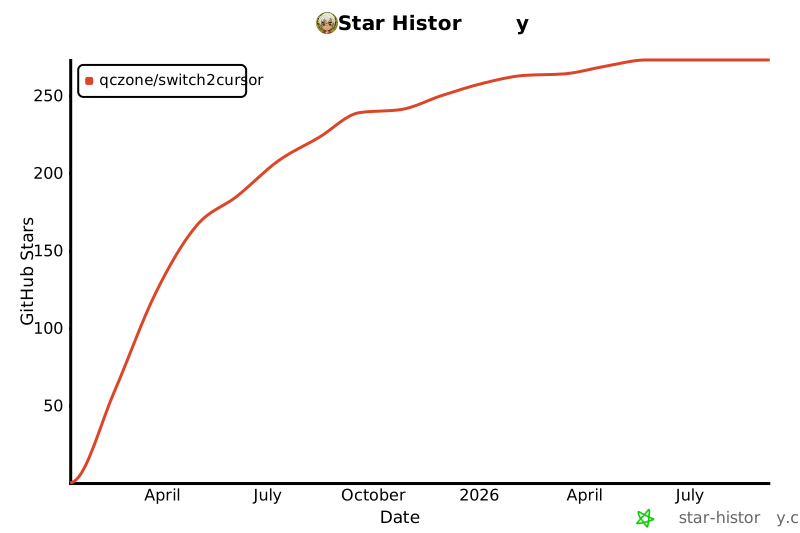](https://star-history.com/#qczone/switch2cursor&Date)
================================================
FILE: README_zh.md
================================================
# Switch2Cursor
[English](README.md)
> 💡 推荐在 Cursor 中配合 [Switch2IDEA](https://github.com/qczone/switch2idea) 使用
[](https://plugins.jetbrains.com/plugin/26309-switch2cursor)
[](https://plugins.jetbrains.com/plugin/26309-switch2cursor)
[](LICENSE)
## 🔍 项目简介
一个提升开发效率的 JetBrains IDE 插件,让你在 JetBrains IDE 和 Cursor 之间实现丝滑切换

## 🌟 功能特性
- 🚀 无缝编辑器切换
- 在 JetBrains IDE 和 Cursor 之间一键切换
- 自动定位到相同的光标位置(行号和列号)
- 完美保持编辑上下文,不中断思路
- ⌨️ 便捷的快捷键支持
- macOS:
- `Option+Shift+P` - 在 Cursor 中打开整个项目
- `Option+Shift+O` - 在 Cursor 中打开当前文件
- Windows:
- `Alt+Shift+P` - 在 Cursor 中打开整个项目
- `Alt+Shift+O` - 在 Cursor 中打开当前文件
- 🔧 多样化的访问方式
- 快捷键操作
- 编辑器右键菜单
- IDE 工具菜单
## 🛠️ 安装指南
### 方式一:通过 JetBrains 插件市场安装
1. 打开 IDE → `Settings` → `Plugins` → `Marketplace`
2. 搜索 switch2cursor
3. 点击 `Install` 完成安装
4. 点击 `OK` 生效
### 方式二:本地安装
1. 从 [JetBrains Marketplace](https://plugins.jetbrains.com/plugin/26309-switch2cursor) 下载最新版插件包
2. IDE → `Settings` → `Plugins` → `⚙️`→ `Install Plugin from Disk...`
3. 选择下载的插件包
4. 点击 `OK` 生效
## 🚀 使用说明
### 基础使用
#### 打开项目
- 快捷键:
- macOS: `Option+Shift+P`
- Windows: `Alt+Shift+P`
- 右键菜单:在项目视图中右键 → `Open Project In Cursor`
- 工具菜单:`Tools` → `Open Project In Cursor`
#### 打开当前文件
- 快捷键:
- macOS: `Option+Shift+O`
- Windows: `Alt+Shift+O`
- 右键菜单:在编辑器中右键 → `Open File In Cursor`
- 工具菜单:`Tools` → `Open File In Cursor`
### 配置
- 在 `Settings/Preferences` → `Tools` → `Switch2Cursor` 中:
- 设置 Cursor 可执行文件路径(默认为 "cursor")
- 通过 Keymap 设置自定义快捷键
### 环境要求
- 已安装 [Cursor](https://cursor.com)
- 兼容所有 JetBrains IDE(2022.3 及以上版本)
## 🧑💻 开发者指南
### 项目构建
```bash
# 克隆仓库
git clone https://github.com/qczone/switch2cursor.git
# 构建插件
cd switch2cursor
./gradlew buildPlugin
# 生成插件包在 build/distributions/ 目录下
```
### 贡献代码
1. Fork 本仓库
2. 创建特性分支
3. 提交修改
4. 推送分支
5. 提交 Pull Request
## 🙋 常见问题
### 1. 为什么安装之后快捷键/点击菜单不会跳转到 Cursor?
检查是否在 `Settings` → `Tools` → `Switch2Cursor` 中配置了正确的 Cursor 可执行文件路径
### 2. 都支持哪些 IDE?
支持所有 JetBrains 系列的 IDE,如:IntelliJ IDEA、PyCharm、WebStorm、GoLand、RustRover、Android Studio 等
### 3. 都支持哪些版本?
插件基于 JDK 17 开发,目前仅支持 JetBrains IDE 2022.3 及以上版本
### 4. 如何修改插件的快捷键?
在 `Settings` → `Keymap` → `Plugins` → `Switch2Cursor` 中修改
## 📄 许可证
本项目采用 [MIT License](LICENSE) 开源协议
## 📮 问题反馈
如果遇到问题或有建议,请通过以下方式反馈:
- [提交 GitHub Issue](https://github.com/qczone/switch2cursor/issues)
## 🌟 Star 历史
[](https://star-history.com/#qczone/switch2cursor&Date)
================================================
FILE: build.gradle.kts
================================================
plugins {
id("java")
id("org.jetbrains.kotlin.jvm") version "1.9.25"
id("org.jetbrains.intellij") version "1.17.4"
}
group = "com.github.qczone"
version = "1.0.3"
repositories {
mavenCentral()
}
// Configure Gradle IntelliJ Plugin
// Read more: https://plugins.jetbrains.com/docs/intellij/tools-gradle-intellij-plugin.html
intellij {
version.set("2022.3")
type.set("IC") // Target IDE Platform
pluginName.set("Switch2Cursor")
updateSinceUntilBuild.set(true)
sameSinceUntilBuild.set(false)
plugins.set(listOf(/* Plugin Dependencies */))
}
tasks {
// Set the JVM compatibility versions
withType<JavaCompile> {
sourceCompatibility = "17"
targetCompatibility = "17"
}
withType<org.jetbrains.kotlin.gradle.tasks.KotlinCompile> {
kotlinOptions.jvmTarget = "17"
}
patchPluginXml {
sinceBuild.set("223")
untilBuild.set("")
}
signPlugin {
certificateChain.set(System.getenv("CERTIFICATE_CHAIN"))
privateKey.set(System.getenv("PRIVATE_KEY"))
password.set(System.getenv("PRIVATE_KEY_PASSWORD"))
}
publishPlugin {
token.set(System.getenv("PUBLISH_TOKEN"))
}
}
================================================
FILE: gradle/wrapper/gradle-wrapper.properties
================================================
distributionBase=GRADLE_USER_HOME
distributionPath=wrapper/dists
distributionUrl=https\://services.gradle.org/distributions/gradle-8.11-bin.zip
zipStoreBase=GRADLE_USER_HOME
zipStorePath=wrapper/dists
================================================
FILE: gradle.properties
================================================
# Opt-out flag for bundling Kotlin standard library -> https://jb.gg/intellij-platform-kotlin-stdlib
kotlin.stdlib.default.dependency=false
# Enable Gradle Configuration Cache -> https://docs.gradle.org/current/userguide/configuration_cache.html
org.gradle.configuration-cache=false
# Enable Gradle Build Cache -> https://docs.gradle.org/current/userguide/build_cache.html
org.gradle.caching=false
================================================
FILE: gradlew
================================================
#!/bin/sh
#
# Copyright © 2015-2021 the original authors.
#
# Licensed under the Apache License, Version 2.0 (the "License");
# you may not use this file except in compliance with the License.
# You may obtain a copy of the License at
#
# https://www.apache.org/licenses/LICENSE-2.0
#
# Unless required by applicable law or agreed to in writing, software
# distributed under the License is distributed on an "AS IS" BASIS,
# WITHOUT WARRANTIES OR CONDITIONS OF ANY KIND, either express or implied.
# See the License for the specific language governing permissions and
# limitations under the License.
#
##############################################################################
#
# Gradle start up script for POSIX generated by Gradle.
#
# Important for running:
#
# (1) You need a POSIX-compliant shell to run this script. If your /bin/sh is
# noncompliant, but you have some other compliant shell such as ksh or
# bash, then to run this script, type that shell name before the whole
# command line, like:
#
# ksh Gradle
#
# Busybox and similar reduced shells will NOT work, because this script
# requires all of these POSIX shell features:
# * functions;
# * expansions «$var», «${var}», «${var:-default}», «${var+SET}»,
# «${var#prefix}», «${var%suffix}», and «$( cmd )»;
# * compound commands having a testable exit status, especially «case»;
# * various built-in commands including «command», «set», and «ulimit».
#
# Important for patching:
#
# (2) This script targets any POSIX shell, so it avoids extensions provided
# by Bash, Ksh, etc; in particular arrays are avoided.
#
# The "traditional" practice of packing multiple parameters into a
# space-separated string is a well documented source of bugs and security
# problems, so this is (mostly) avoided, by progressively accumulating
# options in "$@", and eventually passing that to Java.
#
# Where the inherited environment variables (DEFAULT_JVM_OPTS, JAVA_OPTS,
# and GRADLE_OPTS) rely on word-splitting, this is performed explicitly;
# see the in-line comments for details.
#
# There are tweaks for specific operating systems such as AIX, CygWin,
# Darwin, MinGW, and NonStop.
#
# (3) This script is generated from the Groovy template
# https://github.com/gradle/gradle/blob/master/subprojects/plugins/src/main/resources/org/gradle/api/internal/plugins/unixStartScript.txt
# within the Gradle project.
#
# You can find Gradle at https://github.com/gradle/gradle/.
#
##############################################################################
# Attempt to set APP_HOME
# Resolve links: $0 may be a link
app_path=$0
# Need this for daisy-chained symlinks.
while
APP_HOME=${app_path%"${app_path##*/}"} # leaves a trailing /; empty if no leading path
[ -h "$app_path" ]
do
ls=$( ls -ld "$app_path" )
link=${ls#*' -> '}
case $link in #(
/*) app_path=$link ;; #(
*) app_path=$APP_HOME$link ;;
esac
done
APP_HOME=$( cd "${APP_HOME:-./}" && pwd -P ) || exit
APP_NAME="Gradle"
APP_BASE_NAME=${0##*/}
# Add default JVM options here. You can also use JAVA_OPTS and GRADLE_OPTS to pass JVM options to this script.
DEFAULT_JVM_OPTS='"-Xmx64m" "-Xms64m"'
# Use the maximum available, or set MAX_FD != -1 to use that value.
MAX_FD=maximum
warn () {
echo "$*"
} >&2
die () {
echo
echo "$*"
echo
exit 1
} >&2
# OS specific support (must be 'true' or 'false').
cygwin=false
msys=false
darwin=false
nonstop=false
case "$( uname )" in #(
CYGWIN* ) cygwin=true ;; #(
Darwin* ) darwin=true ;; #(
MSYS* | MINGW* ) msys=true ;; #(
NONSTOP* ) nonstop=true ;;
esac
CLASSPATH=$APP_HOME/gradle/wrapper/gradle-wrapper.jar
# Determine the Java command to use to start the JVM.
if [ -n "$JAVA_HOME" ] ; then
if [ -x "$JAVA_HOME/jre/sh/java" ] ; then
# IBM's JDK on AIX uses strange locations for the executables
JAVACMD=$JAVA_HOME/jre/sh/java
else
JAVACMD=$JAVA_HOME/bin/java
fi
if [ ! -x "$JAVACMD" ] ; then
die "ERROR: JAVA_HOME is set to an invalid directory: $JAVA_HOME
Please set the JAVA_HOME variable in your environment to match the
location of your Java installation."
fi
else
JAVACMD=java
which java >/dev/null 2>&1 || die "ERROR: JAVA_HOME is not set and no 'java' command could be found in your PATH.
Please set the JAVA_HOME variable in your environment to match the
location of your Java installation."
fi
# Increase the maximum file descriptors if we can.
if ! "$cygwin" && ! "$darwin" && ! "$nonstop" ; then
case $MAX_FD in #(
max*)
MAX_FD=$( ulimit -H -n ) ||
warn "Could not query maximum file descriptor limit"
esac
case $MAX_FD in #(
'' | soft) :;; #(
*)
ulimit -n "$MAX_FD" ||
warn "Could not set maximum file descriptor limit to $MAX_FD"
esac
fi
# Collect all arguments for the java command, stacking in reverse order:
# * args from the command line
# * the main class name
# * -classpath
# * -D...appname settings
# * --module-path (only if needed)
# * DEFAULT_JVM_OPTS, JAVA_OPTS, and GRADLE_OPTS environment variables.
# For Cygwin or MSYS, switch paths to Windows format before running java
if "$cygwin" || "$msys" ; then
APP_HOME=$( cygpath --path --mixed "$APP_HOME" )
CLASSPATH=$( cygpath --path --mixed "$CLASSPATH" )
JAVACMD=$( cygpath --unix "$JAVACMD" )
# Now convert the arguments - kludge to limit ourselves to /bin/sh
for arg do
if
case $arg in #(
-*) false ;; # don't mess with options #(
/?*) t=${arg#/} t=/${t%%/*} # looks like a POSIX filepath
[ -e "$t" ] ;; #(
*) false ;;
esac
then
arg=$( cygpath --path --ignore --mixed "$arg" )
fi
# Roll the args list around exactly as many times as the number of
# args, so each arg winds up back in the position where it started, but
# possibly modified.
#
# NB: a `for` loop captures its iteration list before it begins, so
# changing the positional parameters here affects neither the number of
# iterations, nor the values presented in `arg`.
shift # remove old arg
set -- "$@" "$arg" # push replacement arg
done
fi
# Collect all arguments for the java command;
# * $DEFAULT_JVM_OPTS, $JAVA_OPTS, and $GRADLE_OPTS can contain fragments of
# shell script including quotes and variable substitutions, so put them in
# double quotes to make sure that they get re-expanded; and
# * put everything else in single quotes, so that it's not re-expanded.
set -- \
"-Dorg.gradle.appname=$APP_BASE_NAME" \
-classpath "$CLASSPATH" \
org.gradle.wrapper.GradleWrapperMain \
"$@"
# Use "xargs" to parse quoted args.
#
# With -n1 it outputs one arg per line, with the quotes and backslashes removed.
#
# In Bash we could simply go:
#
# readarray ARGS < <( xargs -n1 <<<"$var" ) &&
# set -- "${ARGS[@]}" "$@"
#
# but POSIX shell has neither arrays nor command substitution, so instead we
# post-process each arg (as a line of input to sed) to backslash-escape any
# character that might be a shell metacharacter, then use eval to reverse
# that process (while maintaining the separation between arguments), and wrap
# the whole thing up as a single "set" statement.
#
# This will of course break if any of these variables contains a newline or
# an unmatched quote.
#
eval "set -- $(
printf '%s\n' "$DEFAULT_JVM_OPTS $JAVA_OPTS $GRADLE_OPTS" |
xargs -n1 |
sed ' s~[^-[:alnum:]+,./:=@_]~\\&~g; ' |
tr '\n' ' '
)" '"$@"'
exec "$JAVACMD" "$@"
================================================
FILE: gradlew.bat
================================================
@rem
@rem Copyright 2015 the original author or authors.
@rem
@rem Licensed under the Apache License, Version 2.0 (the "License");
@rem you may not use this file except in compliance with the License.
@rem You may obtain a copy of the License at
@rem
@rem https://www.apache.org/licenses/LICENSE-2.0
@rem
@rem Unless required by applicable law or agreed to in writing, software
@rem distributed under the License is distributed on an "AS IS" BASIS,
@rem WITHOUT WARRANTIES OR CONDITIONS OF ANY KIND, either express or implied.
@rem See the License for the specific language governing permissions and
@rem limitations under the License.
@rem
@if "%DEBUG%" == "" @echo off
@rem ##########################################################################
@rem
@rem Gradle startup script for Windows
@rem
@rem ##########################################################################
@rem Set local scope for the variables with windows NT shell
if "%OS%"=="Windows_NT" setlocal
set DIRNAME=%~dp0
if "%DIRNAME%" == "" set DIRNAME=.
set APP_BASE_NAME=%~n0
set APP_HOME=%DIRNAME%
@rem Resolve any "." and ".." in APP_HOME to make it shorter.
for %%i in ("%APP_HOME%") do set APP_HOME=%%~fi
@rem Add default JVM options here. You can also use JAVA_OPTS and GRADLE_OPTS to pass JVM options to this script.
set DEFAULT_JVM_OPTS="-Xmx64m" "-Xms64m"
@rem Find java.exe
if defined JAVA_HOME goto findJavaFromJavaHome
set JAVA_EXE=java.exe
%JAVA_EXE% -version >NUL 2>&1
if "%ERRORLEVEL%" == "0" goto execute
echo.
echo ERROR: JAVA_HOME is not set and no 'java' command could be found in your PATH.
echo.
echo Please set the JAVA_HOME variable in your environment to match the
echo location of your Java installation.
goto fail
:findJavaFromJavaHome
set JAVA_HOME=%JAVA_HOME:"=%
set JAVA_EXE=%JAVA_HOME%/bin/java.exe
if exist "%JAVA_EXE%" goto execute
echo.
echo ERROR: JAVA_HOME is set to an invalid directory: %JAVA_HOME%
echo.
echo Please set the JAVA_HOME variable in your environment to match the
echo location of your Java installation.
goto fail
:execute
@rem Setup the command line
set CLASSPATH=%APP_HOME%\gradle\wrapper\gradle-wrapper.jar
@rem Execute Gradle
"%JAVA_EXE%" %DEFAULT_JVM_OPTS% %JAVA_OPTS% %GRADLE_OPTS% "-Dorg.gradle.appname=%APP_BASE_NAME%" -classpath "%CLASSPATH%" org.gradle.wrapper.GradleWrapperMain %*
:end
@rem End local scope for the variables with windows NT shell
if "%ERRORLEVEL%"=="0" goto mainEnd
:fail
rem Set variable GRADLE_EXIT_CONSOLE if you need the _script_ return code instead of
rem the _cmd.exe /c_ return code!
if not "" == "%GRADLE_EXIT_CONSOLE%" exit 1
exit /b 1
:mainEnd
if "%OS%"=="Windows_NT" endlocal
:omega
================================================
FILE: settings.gradle.kts
================================================
pluginManagement {
repositories {
mavenCentral()
gradlePluginPortal()
}
}
rootProject.name = "switch2cursor"
================================================
FILE: src/main/kotlin/com/github/qczone/switch2cursor/actions/OpenFileInCursorAction.kt
================================================
package com.github.qczone.switch2cursor.actions
import com.github.qczone.switch2cursor.settings.AppSettingsState
import com.github.qczone.switch2cursor.utils.WindowUtils
import com.intellij.openapi.actionSystem.AnAction
import com.intellij.openapi.actionSystem.AnActionEvent
import com.intellij.openapi.actionSystem.CommonDataKeys
import com.intellij.openapi.diagnostic.Logger
import com.intellij.openapi.editor.Editor
import com.intellij.openapi.project.Project
import com.intellij.openapi.vfs.VirtualFile
import com.intellij.openapi.actionSystem.ActionUpdateThread
class OpenFileInCursorAction : AnAction() {
private val logger = Logger.getInstance(OpenFileInCursorAction::class.java)
override fun getActionUpdateThread(): ActionUpdateThread {
return ActionUpdateThread.BGT
}
override fun actionPerformed(e: AnActionEvent) {
val project: Project = e.project ?: return
val virtualFile: VirtualFile = e.getData(CommonDataKeys.VIRTUAL_FILE) ?: return
val editor: Editor? = e.getData(CommonDataKeys.EDITOR)
val line = editor?.caretModel?.logicalPosition?.line?.plus(1) ?: 1
val column = editor?.caretModel?.logicalPosition?.column?.plus(1) ?: 1
val filePath = virtualFile.path
val settings = AppSettingsState.getInstance()
val cursorPath = settings.cursorPath
val command = when {
System.getProperty("os.name").lowercase().contains("mac") -> {
arrayOf("open", "-a", "$cursorPath", "cursor://file$filePath:$line:$column")
}
System.getProperty("os.name").lowercase().contains("windows") -> {
arrayOf("cmd", "/c", "$cursorPath", "--goto", "$filePath:$line:$column")
}
else -> {
arrayOf(cursorPath, "--goto", "$filePath:$line:$column")
}
}
try {
logger.info("Executing command: ${command.joinToString(" ")}")
ProcessBuilder(*command).start()
} catch (ex: Exception) {
logger.error("Failed to execute cursor command: ${ex.message}", ex)
com.intellij.openapi.ui.Messages.showErrorDialog(
project,
"""
${ex.message}
Please check:
1. Cursor path is correctly configured in Settings > Tools > Switch2Cursor
2. Cursor is properly installed on your system
3. The configured path points to a valid Cursor executable
""".trimIndent(),
"Error"
)
}
WindowUtils.activeWindow()
}
override fun update(e: AnActionEvent) {
val project = e.project
val virtualFile = e.getData(CommonDataKeys.VIRTUAL_FILE)
e.presentation.isEnabledAndVisible = project != null &&
virtualFile != null &&
!virtualFile.isDirectory
}
}
================================================
FILE: src/main/kotlin/com/github/qczone/switch2cursor/actions/OpenProjectInCursorAction.kt
================================================
package com.github.qczone.switch2cursor.actions
import com.github.qczone.switch2cursor.settings.AppSettingsState
import com.github.qczone.switch2cursor.utils.WindowUtils
import com.intellij.openapi.actionSystem.AnAction
import com.intellij.openapi.actionSystem.AnActionEvent
import com.intellij.openapi.diagnostic.Logger
import com.intellij.openapi.project.Project
import com.intellij.openapi.actionSystem.ActionUpdateThread
class OpenProjectInCursorAction : AnAction() {
private val logger = Logger.getInstance(OpenProjectInCursorAction::class.java)
override fun getActionUpdateThread(): ActionUpdateThread {
return ActionUpdateThread.BGT
}
override fun actionPerformed(e: AnActionEvent) {
val project: Project = e.project ?: return
val projectPath = project.basePath ?: return
val settings = AppSettingsState.getInstance()
val cursorPath = settings.cursorPath
val command = when {
System.getProperty("os.name").lowercase().contains("mac") -> {
arrayOf("open", "-a", "$cursorPath", projectPath)
}
System.getProperty("os.name").lowercase().contains("windows") -> {
arrayOf("cmd", "/c", "$cursorPath", projectPath)
}
else -> {
arrayOf(cursorPath, projectPath)
}
}
try {
logger.info("Executing command: ${command.joinToString(" ")}")
ProcessBuilder(*command).start()
} catch (ex: Exception) {
logger.error("Failed to execute cursor command: ${ex.message}", ex)
com.intellij.openapi.ui.Messages.showErrorDialog(
project,
"""
${ex.message}
Please check:
1. Cursor path is correctly configured in Settings > Tools > Switch2Cursor
2. Cursor is properly installed on your system
3. The configured path points to a valid Cursor executable
""".trimIndent(),
"Error"
)
}
WindowUtils.activeWindow()
}
override fun update(e: AnActionEvent) {
val project = e.project
e.presentation.isEnabledAndVisible = project != null
}
}
================================================
FILE: src/main/kotlin/com/github/qczone/switch2cursor/settings/AppSettingsConfigurable.kt
================================================
package com.github.qczone.switch2cursor.settings
import com.intellij.openapi.options.Configurable
import javax.swing.JComponent
import javax.swing.JPanel
import javax.swing.JTextField
import com.intellij.ui.components.JBLabel
import com.intellij.util.ui.FormBuilder
class AppSettingsConfigurable : Configurable {
private var mySettingsComponent: AppSettingsComponent? = null
override fun getDisplayName(): String = "Open In Cursor"
override fun createComponent(): JComponent {
mySettingsComponent = AppSettingsComponent()
return mySettingsComponent!!.panel
}
override fun isModified(): Boolean {
val settings = AppSettingsState.getInstance()
return mySettingsComponent!!.cursorPath != settings.cursorPath
}
override fun apply() {
val settings = AppSettingsState.getInstance()
settings.cursorPath = mySettingsComponent!!.cursorPath
}
override fun reset() {
val settings = AppSettingsState.getInstance()
mySettingsComponent!!.cursorPath = settings.cursorPath
}
override fun disposeUIResources() {
mySettingsComponent = null
}
}
class AppSettingsComponent {
val panel: JPanel
private val cursorPathText = JTextField()
init {
panel = FormBuilder.createFormBuilder()
.addLabeledComponent(JBLabel("Cursor Path: "), cursorPathText, 1, false)
.addComponentFillVertically(JPanel(), 0)
.panel
}
var cursorPath: String
get() = cursorPathText.text
set(value) {
cursorPathText.text = value
}
}
================================================
FILE: src/main/kotlin/com/github/qczone/switch2cursor/settings/AppSettingsState.kt
================================================
package com.github.qczone.switch2cursor.settings
import com.intellij.openapi.application.ApplicationManager
import com.intellij.openapi.components.PersistentStateComponent
import com.intellij.openapi.components.State
import com.intellij.openapi.components.Storage
import com.intellij.util.xmlb.XmlSerializerUtil
@State(
name = "com.github.qczone.switch2cursor.settings.AppSettingsState",
storages = [Storage("Switch2CursorSettings.xml")]
)
class AppSettingsState : PersistentStateComponent<AppSettingsState> {
var cursorPath: String = "cursor"
override fun getState(): AppSettingsState = this
override fun loadState(state: AppSettingsState) {
XmlSerializerUtil.copyBean(state, this)
}
companion object {
fun getInstance(): AppSettingsState = ApplicationManager.getApplication().getService(AppSettingsState::class.java)
}
}
================================================
FILE: src/main/kotlin/com/github/qczone/switch2cursor/utils/WindowUtils.kt
================================================
package com.github.qczone.switch2cursor.utils
import com.intellij.openapi.util.SystemInfo
import com.intellij.openapi.diagnostic.Logger
object WindowUtils {
private val logger = Logger.getInstance(WindowUtils::class.java)
fun activeWindow() {
if (!SystemInfo.isWindows) {
return
}
try {
val command = """Get-Process | Where-Object { ${'$'}_.ProcessName -eq '"Cursor"' -and ${'$'}_.MainWindowTitle -match '"Cursor"' } | Sort-Object { ${'$'}_.StartTime } -Descending | Select-Object -First 1 | ForEach-Object { (New-Object -ComObject WScript.Shell).AppActivate(${'$'}_.Id) }"""
logger.info("Executing PowerShell command: $command")
val processBuilder = ProcessBuilder("powershell", "-command", command)
processBuilder.redirectErrorStream(true)
val process = processBuilder.start()
val output = process.inputStream.bufferedReader().use { it.readText() }
logger.info("Command output: $output")
val exitCode = process.waitFor()
logger.info("Command completed with exit code: $exitCode")
if (exitCode != 0) {
logger.error("Command failed with exit code: $exitCode")
}
} catch (e: Exception) {
logger.error("Failed to activate Cursor window", e)
}
}
}
================================================
FILE: src/main/resources/META-INF/plugin.xml
================================================
<!-- Plugin Configuration File. Read more: https://plugins.jetbrains.com/docs/intellij/plugin-configuration-file.html --><!DOCTYPE idea-plugin [
<!ELEMENT idea-plugin (id|name|vendor|description|depends|extensions|actions|change-notes)*>
<!ELEMENT id (#PCDATA)>
<!ELEMENT name (#PCDATA)>
<!ELEMENT vendor (#PCDATA)>
<!ATTLIST vendor
email CDATA #REQUIRED
url CDATA #REQUIRED>
<!ELEMENT description (#PCDATA)>
<!ELEMENT depends (#PCDATA)>
<!ELEMENT extensions (applicationService|applicationConfigurable)*>
<!ATTLIST extensions
defaultExtensionNs CDATA #REQUIRED>
<!ELEMENT applicationService (#PCDATA)>
<!ATTLIST applicationService
serviceImplementation CDATA #REQUIRED>
<!ELEMENT applicationConfigurable (#PCDATA)>
<!ATTLIST applicationConfigurable
parentId CDATA #REQUIRED
instance CDATA #REQUIRED
id CDATA #REQUIRED
displayName CDATA #REQUIRED>
<!ELEMENT actions (action)*>
<!ELEMENT action (add-to-group|keyboard-shortcut)*>
<!ATTLIST action
id CDATA #REQUIRED
class CDATA #REQUIRED
text CDATA #REQUIRED
description CDATA #REQUIRED>
<!ELEMENT add-to-group (#PCDATA)>
<!ATTLIST add-to-group
anchor CDATA #REQUIRED
group-id CDATA #REQUIRED>
<!ELEMENT keyboard-shortcut (#PCDATA)>
<!ATTLIST keyboard-shortcut
keymap CDATA #REQUIRED
first-keystroke CDATA #REQUIRED>
<!ELEMENT change-notes (#PCDATA)>
]>
<idea-plugin>
<!-- Unique identifier of the plugin. It should be FQN. It cannot be changed between the plugin versions. -->
<id>com.github.qczone.switch2cursor</id>
<!-- Public plugin name should be written in Title Case.
Guidelines: https://plugins.jetbrains.com/docs/marketplace/plugin-overview-page.html#plugin-name -->
<name>Switch2Cursor</name>
<!-- A displayed Vendor name or Organization ID displayed on the Plugins Page. -->
<vendor email="quchaozhong@gmail.com" url="https://github.com/qczone">qczone</vendor>
<!-- Description of the plugin displayed on the Plugin Page and IDE Plugin Manager.
Simple HTML elements (text formatting, paragraphs, and lists) can be added inside of <![CDATA[ ]]> tag.
Guidelines: https://plugins.jetbrains.com/docs/marketplace/plugin-overview-page.html#plugin-description -->
<description><![CDATA[
<p>Switch2Cursor is a JetBrains IDE plugin that enables seamless switching between IDE and Cursor while maintaining precise cursor position.</p>
<h2>Key Features</h2>
<ul>
<li>Open files in Cursor with one click</li>
<li>Maintain exact cursor position (line and column)</li>
<li>Support opening entire projects in Cursor</li>
<li>Convenient shortcuts (customizable):
<ul>
<li>Alt+Shift+O - Open current file</li>
<li>Alt+Shift+P - Open current project</li>
</ul>
</li>
<li>Multiple access methods: shortcuts, context menu, tools menu</li>
</ul>
<h2>Usage</h2>
<ul>
<li>Open current file:
<ul>
<li>Press Alt+Shift+O</li>
<li>Right-click in editor → Open File In Cursor</li>
<li>Tools menu → Open File In Cursor</li>
</ul>
</li>
<li>Open project:
<ul>
<li>Press Alt+Shift+P</li>
<li>Right-click in project view → Open Project In Cursor</li>
<li>Tools menu → Open Project In Cursor</li>
</ul>
</li>
</ul>
<h2>Configuration</h2>
<ul>
<li>Go to Settings/Preferences → Tools → Switch2Cursor</li>
<li>Set Cursor executable path (default is "cursor")</li>
<li>Customize shortcuts in Keymap settings</li>
</ul>
<h2>Requirements</h2>
<ul>
<li>Cursor Editor installed (<a href="https://cursor.sh">https://cursor.sh</a>)</li>
<li>Compatible with all JetBrains IDEs</li>
<li>Supported IDE versions: 2022.3 and above</li>
</ul>
<hr/>
<p>Switch2Cursor 是一个 JetBrains IDE 插件,可以让你在 IDE 和 Cursor 之间无缝切换,并保持精确的光标位置。</p>
<h2>主要特性</h2>
<ul>
<li>一键在 Cursor 中打开文件</li>
<li>精确保持光标位置(行号和列号)</li>
<li>支持在 Cursor 中打开整个项目</li>
<li>便捷的快捷键(可自定义):
<ul>
<li>Alt+Shift+O - 打开当前文件</li>
<li>Alt+Shift+P - 打开当前项目</li>
</ul>
</li>
<li>多种访问方式:快捷键、右键菜单、工具菜单</li>
</ul>
<h2>使用方法</h2>
<ul>
<li>打开当前文件:
<ul>
<li>按下 Alt+Shift+O</li>
<li>在编辑器中右键 → Open File In Cursor</li>
<li>工具菜单 → Open File In Cursor</li>
</ul>
</li>
<li>打开项目:
<ul>
<li>按下 Alt+Shift+P</li>
<li>在项目视图中右键 → Open Project In Cursor</li>
<li>工具菜单 → Open Project In Cursor</li>
</ul>
</li>
</ul>
<h2>配置说明</h2>
<ul>
<li>进入 Settings/Preferences → Tools → Switch2Cursor</li>
<li>设置 Cursor 可执行文件路径(默认为 "cursor")</li>
<li>通过 Keymap 设置自定义快捷键</li>
</ul>
<h2>系统要求</h2>
<ul>
<li>已安装 Cursor Editor (<a href="https://cursor.sh">https://cursor.sh</a>)</li>
<li>兼容所有 JetBrains IDE</li>
<li>支持的 IDE 版本:2022.3 及以上</li>
</ul>
]]></description>
<!-- Product and plugin compatibility requirements.
Read more: https://plugins.jetbrains.com/docs/intellij/plugin-compatibility.html -->
<depends>com.intellij.modules.platform</depends>
<!-- Extension points defined by the plugin.
Read more: https://plugins.jetbrains.com/docs/intellij/plugin-extension-points.html -->
<extensions defaultExtensionNs="com.intellij">
<applicationService serviceImplementation="com.github.qczone.switch2cursor.settings.AppSettingsState"/>
<applicationConfigurable
parentId="tools"
instance="com.github.qczone.switch2cursor.settings.AppSettingsConfigurable"
id="com.github.qczone.switch2cursor.settings.AppSettingsConfigurable"
displayName="Switch2Cursor"/>
</extensions>
<actions>
<action id="OpenFileInCursor" class="com.github.qczone.switch2cursor.actions.OpenFileInCursorAction"
text="Open File In Cursor" description="Open current file in Cursor">
<add-to-group group-id="ToolsMenu" anchor="first"/>
<add-to-group group-id="EditorPopupMenu" anchor="first"/>
<add-to-group group-id="ProjectViewPopupMenu" anchor="first"/>
<keyboard-shortcut keymap="$default" first-keystroke="alt shift O"/>
</action>
<action id="OpenProjectInCursor" class="com.github.qczone.switch2cursor.actions.OpenProjectInCursorAction"
text="Open Project In Cursor" description="Open current project in Cursor">
<add-to-group group-id="ToolsMenu" anchor="first"/>
<add-to-group group-id="ProjectViewPopupMenu" anchor="first"/>
<keyboard-shortcut keymap="$default" first-keystroke="alt shift P"/>
</action>
</actions>
<change-notes><![CDATA[
<h3>1.0.3</h3>
<ul>
<li>⚡️ Update action update thread to background thread for better performance</li>
</ul>
<hr/>
<ul>
<li>⚡️ 将动作更新线程改为后台线程以提升性能</li>
</ul>
<h3>1.0.2</h3>
<ul>
<li>⚡️ Support JetBrains IDEs from version 2022.3</li>
<li>🐛 Fix DirectoryChooserPopupMenu registration issue</li>
</ul>
<hr/>
<ul>
<li>⚡️ 支持 JetBrains IDEs 2022.3 开始以及以后的版本</li>
<li>🐛 修复 DirectoryChooserPopupMenu 注册问题</li>
</ul>
<h3>1.0.1</h3>
<ul>
<li>🐛 Fix the issue of not being able to activate the Cursor window on Windows</li>
</ul>
<hr/>
<ul>
<li>🐛 修复在 Windows 上无法激活 Cursor 窗口的问题</li>
</ul>
<h3>1.0.0</h3>
<ul>
<li>✨ Support opening files and projects in Cursor</li>
<li>🔧 Configure Cursor executable path</li>
<li>⌨️ Access via shortcuts, context menu and toolbar</li>
</ul>
<hr/>
<ul>
<li>✨ 支持在 Cursor 中打开文件和项目</li>
<li>🔧 支持配置 Cursor 可执行文件路径</li>
<li>⌨️ 支持快捷键、右键菜单和工具栏访问</li>
</ul>
]]></change-notes>
</idea-plugin>
gitextract_xo5h46fx/
├── .gitignore
├── LICENSE
├── README.md
├── README_zh.md
├── build.gradle.kts
├── gradle/
│ └── wrapper/
│ ├── gradle-wrapper.jar
│ └── gradle-wrapper.properties
├── gradle.properties
├── gradlew
├── gradlew.bat
├── settings.gradle.kts
└── src/
└── main/
├── kotlin/
│ └── com/
│ └── github/
│ └── qczone/
│ └── switch2cursor/
│ ├── actions/
│ │ ├── OpenFileInCursorAction.kt
│ │ └── OpenProjectInCursorAction.kt
│ ├── settings/
│ │ ├── AppSettingsConfigurable.kt
│ │ └── AppSettingsState.kt
│ └── utils/
│ └── WindowUtils.kt
└── resources/
└── META-INF/
└── plugin.xml
Condensed preview — 17 files, each showing path, character count, and a content snippet. Download the .json file or copy for the full structured content (43K chars).
[
  {
    "path": ".gitignore",
    "chars": 47,
    "preview": ".gradle/\n.idea/\n.vscode/\nbuild/\n*.DS_Store\nbin/"
  },
  {
    "path": "LICENSE",
    "chars": 1063,
    "preview": "MIT License\n\nCopyright (c) 2025 qczone\n\nPermission is hereby granted, free of charge, to any person obtaining a copy\nof "
  },
  {
    "path": "README.md",
    "chars": 4062,
    "preview": "# Switch2Cursor\n\n[中文文档](README_zh.md)\n\n> 💡 Recommended to use with [Switch2IDEA](https://github.com/qczone/switch2idea) "
  },
  {
    "path": "README_zh.md",
    "chars": 2886,
    "preview": "# Switch2Cursor\n\n[English](README.md)\n\n> 💡 推荐在 Cursor 中配合 [Switch2IDEA](https://github.com/qczone/switch2idea) 使用\n\n\n[![J"
  },
  {
    "path": "build.gradle.kts",
    "chars": 1213,
    "preview": "plugins {\n    id(\"java\")\n    id(\"org.jetbrains.kotlin.jvm\") version \"1.9.25\"\n    id(\"org.jetbrains.intellij\") version \"1"
  },
  {
    "path": "gradle/wrapper/gradle-wrapper.properties",
    "chars": 201,
    "preview": "distributionBase=GRADLE_USER_HOME\ndistributionPath=wrapper/dists\ndistributionUrl=https\\://services.gradle.org/distributi"
  },
  {
    "path": "gradle.properties",
    "chars": 397,
    "preview": "# Opt-out flag for bundling Kotlin standard library -> https://jb.gg/intellij-platform-kotlin-stdlib\nkotlin.stdlib.defau"
  },
  {
    "path": "gradlew",
    "chars": 8047,
    "preview": "#!/bin/sh\n\n#\n# Copyright © 2015-2021 the original authors.\n#\n# Licensed under the Apache License, Version 2.0 (the \"Lice"
  },
  {
    "path": "gradlew.bat",
    "chars": 2674,
    "preview": "@rem\n@rem Copyright 2015 the original author or authors.\n@rem\n@rem Licensed under the Apache License, Version 2.0 (the \""
  },
  {
    "path": "settings.gradle.kts",
    "chars": 133,
    "preview": "pluginManagement {\n    repositories {\n        mavenCentral()\n        gradlePluginPortal()\n    }\n}\n\nrootProject.name = \"s"
  },
  {
    "path": "src/main/kotlin/com/github/qczone/switch2cursor/actions/OpenFileInCursorAction.kt",
    "chars": 3051,
    "preview": "package com.github.qczone.switch2cursor.actions\n\nimport com.github.qczone.switch2cursor.settings.AppSettingsState\nimport"
  },
  {
    "path": "src/main/kotlin/com/github/qczone/switch2cursor/actions/OpenProjectInCursorAction.kt",
    "chars": 2294,
    "preview": "package com.github.qczone.switch2cursor.actions\n\nimport com.github.qczone.switch2cursor.settings.AppSettingsState\nimport"
  },
  {
    "path": "src/main/kotlin/com/github/qczone/switch2cursor/settings/AppSettingsConfigurable.kt",
    "chars": 1612,
    "preview": "package com.github.qczone.switch2cursor.settings\n\nimport com.intellij.openapi.options.Configurable\nimport javax.swing.JC"
  },
  {
    "path": "src/main/kotlin/com/github/qczone/switch2cursor/settings/AppSettingsState.kt",
    "chars": 876,
    "preview": "package com.github.qczone.switch2cursor.settings\n\nimport com.intellij.openapi.application.ApplicationManager\nimport com."
  },
  {
    "path": "src/main/kotlin/com/github/qczone/switch2cursor/utils/WindowUtils.kt",
    "chars": 1424,
    "preview": "package com.github.qczone.switch2cursor.utils\n\nimport com.intellij.openapi.util.SystemInfo\nimport com.intellij.openapi.d"
  },
  {
    "path": "src/main/resources/META-INF/plugin.xml",
    "chars": 8543,
    "preview": "<!-- Plugin Configuration File. Read more: https://plugins.jetbrains.com/docs/intellij/plugin-configuration-file.html --"
  }
]

// ... and 1 more files (download for full content)
About this extraction
This page contains the full source code of the qczone/switch2cursor GitHub repository, extracted and formatted as plain text for AI agents and large language models (LLMs). The extraction includes 17 files (37.6 KB), approximately 10.5k tokens. Use this with OpenClaw, Claude, ChatGPT, Cursor, Windsurf, or any other AI tool that accepts text input. You can copy the full output to your clipboard or download it as a .txt file.
Extracted by GitExtract — free GitHub repo to text converter for AI. Built by Nikandr Surkov.