[
  {
    "path": ".github/ISSUE_TEMPLATE/cn.yaml",
    "content": "name: ⚠功能性問題回報\ndescription: 回報一個明確的功能性錯誤，例如按鈕無效或邏輯錯誤\ntitle: \"標題:請簡要描述問題\"\nlabels: [enhancement, question, documentation, invalid, help wanted, functional]\nbody:\n  - type: markdown\n    attributes:\n      value: |\n        感謝你的提交！請確認你回報的是一個 **功能性問題（functional problem）**，而不是效能、體驗或個人意見等非功能性問題。\n\n  - type: dropdown\n    id: issue-type\n    attributes:\n      label: 問題類型\n      description: 請選擇你回報的問題類型\n      options:\n        - 功能性(F:Functional)問題（功能邏輯錯誤、按鈕無作用等）\n        - 非功能性(NF:Non-Functional)問題（UI不佳、速度慢、體驗建議等）❌請勿在此提交\n      default: 0\n    validations:\n      required: true\n\n  - type: input\n    id: environment\n    attributes:\n      label: 運行環境\n      description: 請提供你的瀏覽器、作業系統、版本等資訊\n      placeholder: 例如：Chrome 123 / macOS 14.4\n    validations:\n      required: true\n\n  - type: textarea\n    id: reproduce-steps\n    attributes:\n      label: 重現步驟\n      description: 請詳述重現問題的步驟\n      placeholder: |\n        1. 打開頁面\n        2. 點擊按鈕X\n        3. 發生了問題Y\n    validations:\n      required: true\n\n  - type: textarea\n    id: expected-behavior\n    attributes:\n      label: 預期行為（至少25字，太短可能會被AI自動退回）\n      description: 描述你原本期望看到的結果\n    validations:\n      required: true\n\n  - type: textarea\n    id: actual-behavior\n    attributes:\n      label: 實際行為(提供截圖,至少25字，太短可能會被AI自動退回）\n      description: 描述實際出現的狀況(提供截圖)\n    validations:\n      required: true\n\n  - type: checkboxes\n    id: confirmations\n    attributes:\n      label: 提交確認(如果你確定此issue為BUG，可在標籤label勾選加上'BUG')\n      options:\n        - label: 我確認:這是一個功能性問題，而不是建議或非功能性問題\n          required: true\n        - label: 我承認並同意:本issue的分類與處理(如Close、標記為invalid)最終解釋權歸本項目貢獻者與維護者所有\n          required: true\n"
  },
  {
    "path": ".github/ISSUE_TEMPLATE/config.yml",
    "content": "blank_issues_enabled: false\n\ncontact_links:\n  - name: ⛔ [RU]Пожалуйста, не отправляйте нефункциональные проблемы здесь\n    url: https://github.com/qyjoy/Gemini-CFworker/discussions\n    about: Для отзывов и предложений по производительности используйте Discussions\n\n  - name: ⛔ [CN]請勿在此提交非功能性問題\n    url: https://github.com/qyjoy/Gemini-CFworker/discussions\n    about: 體驗問題、效能建議請移步 Discussions 區域\n\n  - name: ⛔ [EN]You are not allowed to report non-functional issues here \n    url: https://github.com/qyjoy/Gemini-CFworker/discussions\n    about: For feedback or performance suggestions, use Discussions\n"
  },
  {
    "path": ".github/ISSUE_TEMPLATE/en.yaml",
    "content": "name: ⚠Functional Issue Report\ndescription: Report a clear functional error, such as a button not working or a logic bug\ntitle: \"Title: Please briefly describe the issue\"\nlabels: [enhancement, question, documentation, invalid, help wanted, functional]\nbody:\n  - type: markdown\n    attributes:\n      value: |\n        Thank you for your submission! Please make sure you're reporting a **functional issue**, not a performance concern, UI feedback, or personal suggestion.\n\n  - type: dropdown\n    id: issue-type\n    attributes:\n      label: Type of Issue\n      description: Please select the type of problem you're reporting\n      options:\n        - Functional (F): Functional error such as logic bugs or non-working buttons\n        - Non-Functional (NF): UI/UX issues, slowness, suggestions etc. ❌ Please do NOT submit here\n      default: 0\n    validations:\n      required: true\n\n  - type: input\n    id: environment\n    attributes:\n      label: Runtime Environment\n      description: Provide your browser, OS, and version\n      placeholder: e.g. Chrome 123 / macOS 14.4\n    validations:\n      required: true\n\n  - type: textarea\n    id: reproduce-steps\n    attributes:\n      label: Steps to Reproduce\n      description: Provide detailed steps to reproduce the issue\n      placeholder: |\n        1. Open the page\n        2. Click button X\n        3. Problem Y occurs\n    validations:\n      required: true\n\n  - type: textarea\n    id: expected-behavior\n    attributes:\n      label: Expected Behavior (at least 50 EN characters, too short may be auto-rejected by AI)\n      description: Describe what you expected to happen\n    validations:\n      required: true\n\n  - type: textarea\n    id: actual-behavior\n    attributes:\n      label: Actual Behavior (attach screenshot, at least 50 EN characters, too short may be auto-rejected by AI)\n      description: Describe what actually happened (attach screenshot)\n    validations:\n      required: true\n\n  - type: checkboxes\n    id: confirmations\n    attributes:\n      label: Submission Confirmation (If you’re sure this is a bug, you can add the 'BUG' label)\n      options:\n        - label: I confirm this is a functional issue, not a suggestion or non-functional feedback\n          required: true\n        - label: I acknowledge and agree that the final interpretation and handling (e.g. Close, mark as invalid) of this issue lies with the project contributors and maintainers\n          required: true\n"
  },
  {
    "path": ".github/ISSUE_TEMPLATE/ru.yaml",
    "content": "name: ⚠Сообщение о функциональной проблеме\ndescription: Сообщите о чёткой функциональной ошибке, например, неработающей кнопке или сбое в логике\ntitle: \"Заголовок: кратко опишите проблему\"\nlabels: [enhancement, question, documentation, invalid, help wanted, functional]\nbody:\n  - type: markdown\n    attributes:\n      value: |\n        Спасибо за ваше сообщение! Убедитесь, что вы сообщаете именно о **функциональной проблеме**, а не об общей производительности, удобстве или субъективных предложениях.\n\n  - type: dropdown\n    id: issue-type\n    attributes:\n      label: Тип проблемы\n      description: Пожалуйста, выберите тип ошибки\n      options:\n        - \"Функциональная (F): Ошибки логики, неработающие кнопки и т.п.\"\n        - \"Нефункциональная (NF): UI-проблемы, медленная работа, предложения и т.д. ❌ Не отправлять здесь\"\n      default: 0\n    validations:\n      required: true\n\n  - type: input\n    id: environment\n    attributes:\n      label: Окружение\n      description: Укажите ваш браузер, операционную систему и версию\n      placeholder: \"Chrome 123 / macOS 14.4\"\n    validations:\n      required: true\n\n  - type: textarea\n    id: reproduce-steps\n    attributes:\n      label: Шаги для воспроизведения\n      placeholder: |\n        1. Откройте страницу\n        2. Нажмите кнопку X\n        3. Произошла ошибка Y\n    validations:\n      required: true\n\n  - type: textarea\n    id: expected-behavior\n    attributes:\n      label: Ожидаемое поведение (минимум 30 символов)\n    validations:\n      required: true\n      maxLength: 200\n\n  - type: textarea\n    id: actual-behavior\n    attributes:\n      label: Фактическое поведение (с приложением скриншота)\n    validations:\n      required: true\n\n  - type: checkboxes\n    id: confirmations\n    attributes:\n      label: Подтверждение отправки\n      options:\n        - label: \"Я подтверждаю, что это функциональная проблема\"\n          required: true\n        - label: \"Я согласен с политикой обработки issue\"\n          required: true\n"
  },
  {
    "path": "All in one Portable(outdated)/AI-WorkerOldRelease.js",
    "content": "// Helper Function for CORS Headers\nfunction corsHeaders() \n    {return {\n      \"Access-Control-Allow-Origin\": \"*\", // WARNING: Restrict this in production\n      \"Access-Control-Allow-Methods\": \"GET, POST, OPTIONS\",\n      \"Access-Control-Allow-Headers\": \"Content-Type\", // Add any other headers your client might send\n    };      }\n  \n  function renderHTML() {\n    return `\n  <!DOCTYPE html>\n  <html lang=\"zh-CN\">\n  <head>\n    <meta charset=\"UTF-8\">\n    <title>輕音Joy-AI公益站</title>\n    <link rel=\"icon\" href=\"https://www.cloudflare.com/favicon.ico\" type=\"image/x-icon\">\n    <script src=\"https://cdn.tailwindcss.com\"></script>\n    <style>\n    .ai-message strong::before {\n      content: \"\";\n      display: inline-block;\n      width: 20px;\n      height: 20px;\n      background-image: url('https://www.gstatic.com/lamda/images/sparkle_resting_v2_1ff6f6a71f2d298b1a31.gif');\n      background-size: contain;\n      background-repeat: no-repeat;\n      margin-right: 8px;\n      vertical-align: middle;\n    }\n  .text-3xl{background:linear-gradient(90deg,red,orange,yellow,green,blue,purple,red);-webkit-background-clip:text;background-clip:text;color:transparent;background-size:500% auto;animation:rainbow 10s linear infinite}@keyframes rainbow{0%{background-position:0}100%{background-position:500%}}  \n    /* 恢复深度思考中文字动画 */\n  @keyframes textGlow{0%{text-shadow:0 0 10px rgba(255,255,255,.8),0 0 20px rgba(100,200,255,.6);transform:scale(1)}50%{text-shadow:0 0 30px rgba(100,150,255,.9),0 0 50px rgba(200,100,255,.8),0 0 70px rgba(255,0,200,.6);transform:scale(1.05)}100%{text-shadow:0 0 10px rgba(255,255,255,.8),0 0 20px rgba(100,200,255,.6);transform:scale(1)}}\n  .thinking{animation:textGlow 1.5s ease-in-out infinite;color:#a78bfa!important;font:italic bold 1.2em sans-serif}\n    @keyframes icon2DRotate {\n      0% { opacity: 0; transform: scale(0) rotateY(0deg); }\n      10% { opacity: 1; transform: scale(3) rotateY(0deg); }\n      50% { transform: scale(3) rotateY(180deg); }\n      90% { transform: scale(3) rotateY(350deg); }\n      100% { opacity: 0; transform: scale(0) rotateY(360deg); }\n    }  \n    .thinking-icon {\n      position: absolute; top: 30%; left: 50%;\n      width: 80px; height: 80px; margin: -40px 0 0 -40px;\n      pointer-events: none;\n      animation: icon2DRotate 6s ease-in-out forwards;\n      transform-origin: center center;\n      transform-style: preserve-3d;\n      filter: drop-shadow(0 0 25px #dba0ff) brightness(1.5) saturate(1.8);\n      z-index: 999;\n    }  \n     body {\n        background: url('https://www.sensecore.cn/upload/20230330/crjfafitbja7qufwrt.jpg') no-repeat center center fixed;\n        background-size: cover;\n      }\n      /* 添加透明背景设置https://www.bleepstatic.com/content/hl-images/2023/11/02/cloudflare.jpg   https://dlink.host/sharepoint/aHR0cHM6Ly80YzJ4ZHQtbXkuc2hhcmVwb2ludC5jb20vOmk6L2cvcGVyc29uYWwvYWRtaW5fNGMyeGR0X29ubWljcm9zb2Z0X2NvbS9FUms0ZTloVldPQk5reU0zLWxaSEwyQUJjRm1DNUltUUdwVGpCcXNoLVNBTzNBP2U9ZllDVkp0.png*/\n      .w-full.max-w-6xl {\n        background-color: rgba(31, 41, 55, 0.85)!important;\n        backdrop-filter: blur(4px); /* 可选：背景模糊效果 */\n      }\n      \n      /* 聊天消息透明 */\n      #chat > div {\n        background-color: rgba(30, 64, 175, 0.8); /* 用户消息 */\n      }\n      .ai-message {background-color: rgba(55, 65, 81, 0.8); /* AI消息 */}\n      /* 输入框透明 */\n        background-color: rgba(55, 65, 81, 0.5)!important;\n        backdrop-filter: blur(2px);\n        #sendBtn, select { background-color: rgba(55, 65, 81, 0.5)!important; }\n  #sendBtn:hover { background-color: rgba(29, 78, 216, 0.6)!important;} \n      #chat-container { max-height: 60vh; overflow-y: auto; }\n      #chat > div { margin-bottom: 1rem; padding: 0.75rem; border-radius: 0.5rem; max-width: 90%; word-break: break-word; line-height: 1.6; }\n      .user-message { background-color: #1e40af; color: white; align-self: flex-end; margin-left: 10%; }\n      .ai-message { background-color: #374151; color: white; align-self: flex-start; margin-right: 10%; white-space: pre-wrap; }\n      .ai-message img { display: block; max-width: 100%; max-height: 400px; height: auto; margin-top: 0.75rem; border-radius: 0.375rem; background-color: #4b5563; }\n      .ai-message strong, .user-message strong { display: block; margin-bottom: 0.25rem; font-weight: bold; color: #9ca3af; }\n      .error-message { background-color: #b91c1c; color: white; }\n      .loader { border: 4px solid #f3f3f3; border-top: 4px solid #3498db; border-radius: 50%; width: 20px; height: 20px; animation: spin 1s linear infinite; display: inline-block; margin-left: 8px; }\n      @keyframes spin { 0% { transform: rotate(0deg); } 100% { transform: rotate(360deg); } }\n      textarea { scrollbar-width: thin; scrollbar-color: #4b5563 #374151; }\n    </style>\n  </head>\n  <body class=\"bg-gray-900 text-gray-100 min-h-screen flex flex-col items-center p-4 font-sans\"> \n    <h1 class=\"text-3xl font-bold my-6 text-center\">Ultra Gemini ☁ Cloudflare 輕音Joy-AI公益站</h1>\n    <a href=\"https://qyjoy.vip\" target=\"_blank\" class=\"text-center block font-bold cursor-pointer mb-6 animate-breathe\" style=\"text-shadow:0 0 8px rgba(0,255,255,0.7);\">抖音 | Bilibili | Youtube | 小红书 | 公众号: 輕音Joy</a>\n    <style>@keyframes breathe{0%{color:white;text-shadow:0 0 8px rgba(255,255,255,0.7);}50%{color:#22d3ee;text-shadow:0 0 12px rgba(34,211,238,0.9);}100%{color:white;text-shadow:0 0 8px rgba(255,255,255,0.7);}}.animate-breathe{animation:breathe 3s ease-in-out infinite;}</style>  \n    <div class=\"w-full max-w-6xl bg-gray-800 shadow-lg rounded-lg p-6\">\n      <div class=\"mb-4\">\n        <label for=\"model\" class=\"block mb-2 text-sm font-medium text-gray-300\">选择模型：</label>\n       <select id=\"model\" class=\"w-full p-2.5 rounded bg-gray-700 border border-gray-600/50 text-white focus:ring-blue-500 focus:border-blue-500\" style=\"background:rgba(55,65,81,0)!important;backdrop-filter:blur(4px)\">\n        <option value=\"gemini-2.5-flash-preview-04-17\">Gemini 2.5 Pro Preview </option>\n        </select>\n      </div>\n      <div class=\"mb-4\">\n        <label for=\"prompt\" class=\"block mb-2 text-sm font-medium text-gray-300\">输入你的内容或画面描述：</label>\n        <textarea id=\"prompt\" rows=\"3\" class=\"w-full p-2.5 rounded bg-gray-700 border border-gray-600/50 text-white focus:ring-blue-500 focus:border-blue-500 resize-y\" placeholder=\"例如：輕音Joy是哪个博主\" style=\"background:rgba(55,65,81,0)!important;backdrop-filter:blur(4px)\"></textarea>\n        </div>\n        <button id=\"sendBtn\" class=\"flex items-center justify-center gap-2 w-full p-3 rounded font-semibold text-white/90 transition duration-150 ease-in-out disabled:opacity-50 disabled:cursor-not-allowed\" style=\"background:rgba(37,99,235,0.75)!important;border:1px solid rgba(255,255,255,0.8)!important;backdrop-filter:blur(8px);box-shadow:0 2px 8px rgba(0,0,0,0.1)\" onmouseover=\"this.style.background='rgba(29,78,216,0.1)'\" onmouseout=\"this.style.background='rgba(37,99,235,0.85)'\"><img src=\"https://www.cloudflare.com/favicon.ico\" alt=\"Cloudflare\" class=\"w-4 h-4\"><span class=\"button-text\">发送 Post</span><span id=\"sendIcon\">➤</span><span id=\"loadingIcon\" class=\"loader hidden\"></span></button>\n            <div id=\"chat-container\" class=\"mt-6 border-t border-gray-700 pt-4\">\n        <div id=\"chat\" class=\"flex flex-col space-y-4\">\n          <div class=\"ai-message\"><strong>AI:</strong> 你好！请选择一个模型并输入你的请求。</div>\n        </div>\n   <p class=\"text-yellow-300 font-bold mb-6 text-center text-sm\">Powered By Cloudflare Worker Serverless(BETA) | © 2025 輕音Joy </p>\n        </div>\n    </div>\n    <footer class=\"text-center text-gray-500 text-sm mt-8\">\n    </footer>\n  \n  <script>\n    // Wait for the DOM to be fully loaded before executing script logic\n    document.addEventListener('DOMContentLoaded', () => {\n      \"use strict\"; \n  \n      console.log(\"DOM fully loaded and parsed.\");\n      // --- Element References ---\n      const chat = document.getElementById('chat');\n      const chatContainer = document.getElementById('chat-container');\n      const sendBtn = document.getElementById('sendBtn');\n      const promptTextarea = document.getElementById('prompt');\n      const modelSelect = document.getElementById('model');\n      const sendIcon = document.getElementById('sendIcon');\n      const loadingIcon = document.getElementById('loadingIcon');\n      const buttonText = sendBtn ? sendBtn.querySelector('.button-text') : null;\n  \n      if (!chat || !chatContainer || !sendBtn || !promptTextarea || !modelSelect || !sendIcon || !loadingIcon || !buttonText) {\n        console.error(\"CRITICAL ERROR: One or more essential HTML elements not found.\");\n        alert(\"页面加载错误：无法找到必要的聊天界面元素。请检查HTML结构或稍后重试。\");\n        return; // Stop script execution\n      }\n      console.log(\"All essential elements found.\");\n  \n      function setLoadingState(isLoading) {\n        console.log(\\`setLoadingState called with isLoading: \\${isLoading}\\`);\n        // Check elements again just in case, though initial check should suffice\n        if (!sendBtn || !promptTextarea || !buttonText || !sendIcon || !loadingIcon) {\n            console.error(\"Error inside setLoadingState: Required elements missing.\");\n            return;\n        }\n        try {\n            sendBtn.disabled = isLoading;\n            promptTextarea.disabled = isLoading;\n            if (isLoading) {\n                buttonText.textContent = \"处理中...\";\n                sendIcon.classList.add('hidden');\n                loadingIcon.classList.remove('hidden');\n            } else {\n                buttonText.textContent = \"发送(Post)\";\n                sendIcon.classList.remove('hidden');\n                loadingIcon.classList.add('hidden');\n            }\n            console.log(\"setLoadingState finished.\");\n        } catch (e) {\n            console.error(\"Error executing setLoadingState:\", e);\n        }\n      } \n  \n      function addMessage(text, sender = 'ai', isLoading = false) {\n        function spawnThinkingIcon() {\n          const icon = document.createElement('img');\n          icon.src = 'https://i.ibb.co/ch21FSqt/cf.png'; // 你之前的图标地址\n          icon.className = 'thinking-icon';\n          document.body.appendChild(icon);\n        \n          icon.addEventListener('animationend', function() {\n            icon.remove();\n          });\n        }                \n        console.log('addMessage called. Sender: ' + sender + ', isLoading: ' + isLoading);\n        if (!chat || !modelSelect) { \n          console.error(\"Error inside addMessage: Chat or modelSelect element not found.\");\n          return null;\n        }\n      \n        try {\n          let messageDiv = document.createElement('div');\n          messageDiv.classList.add(sender === 'user' ? 'user-message' : 'ai-message');\n      \n          const senderStrong = document.createElement('strong');\n          senderStrong.textContent = sender === 'user' ? '你:' : 'Gemini-AI:';\n          messageDiv.appendChild(senderStrong);\n      \n          const contentSpan = document.createElement('span');\n          contentSpan.className = 'response-content';\n      \n          if (isLoading) {\n            const thinkingSpan = document.createElement('span');\n            thinkingSpan.className = 'thinking';\n            thinkingSpan.textContent = ' 深度思考中...';\n            \n            messageDiv.appendChild(thinkingSpan);\n            messageDiv.appendChild(contentSpan);\n            spawnThinkingIcon();\n          } else {\n            if (sender === 'user') {\n              contentSpan.textContent = text;\n            } else {\n              if (modelSelect.value.startsWith('imagen') && (text.includes('<img') || text.includes('data:image'))) {\n                contentSpan.innerHTML = text;\n              } else {\n                contentSpan.textContent = text;\n              }\n            }\n            messageDiv.appendChild(contentSpan);\n          }\n      \n          chat.appendChild(messageDiv);\n          console.log(\"Message added to chat.\");\n          scrollToBottom();\n          return messageDiv;\n        } catch (e) {\n          console.error(\"Error executing addMessage:\", e);\n          return null;\n        }\n      }    \n      function scrollToBottom() {\n         try {\n            if (chatContainer) {\n                chatContainer.scrollTop = chatContainer.scrollHeight;\n            } else {\n                console.error(\"Error scrolling: chatContainer not found.\");\n            }\n         } catch (e) {\n            console.error(\"Error executing scrollToBottom:\", e);\n         }\n      } // END scrollToBottom definition\n  \n      function escapeHTML(str) {\n        if (typeof str !== 'string') return '';\n        const p = document.createElement('p');\n        p.appendChild(document.createTextNode(str));\n        return p.innerHTML;\n      } // END escapeHTML definition\n  \n      function autoResizeTextarea() {\n        try {\n            if (promptTextarea) {\n                promptTextarea.style.height = 'auto';\n                promptTextarea.style.height = Math.min(promptTextarea.scrollHeight, 200) + 'px';\n            } else {\n                console.error(\"Error resizing textarea: promptTextarea not found.\");\n            }\n        } catch (e) {\n            console.error(\"Error executing autoResizeTextarea:\", e);\n        }\n      } // END autoResizeTextarea definition\n  \n  \n      // --- Main Send Logic Definition ---\n      async function handleSend() {\n        console.log(\"handleSend function started.\");\n        let aiMessageDiv = null; // Define here for broader scope\n        let responseContentSpan = null;\n  \n        try {\n          const prompt = promptTextarea.value.trim();\n          const model = modelSelect.value;\n          console.log(\\`Prompt: \"\\${prompt}\", Model: \"\\${model}\"\\`);\n  \n          if (!prompt) {\n            console.log(\"Prompt is empty. Alerting user.\");\n            alert(\"请输入你的内容或画面描述！\");\n            promptTextarea.focus();\n            return; // Stop execution\n          }\n  \n          console.log(\"Setting loading state to true.\");\n          setLoadingState(true); // CALL to setLoadingState\n  \n          console.log(\"Adding user message.\");\n          addMessage(prompt, 'user'); // Call to addMessage\n          promptTextarea.value = ''; // Clear prompt\n          autoResizeTextarea(); // Call to autoResizeTextarea\n  \n          console.log(\"Adding AI placeholder message.\");\n          aiMessageDiv = addMessage('', 'ai', true); // Call to addMessage\n          if (!aiMessageDiv) {\n              throw new Error(\"Failed to create AI placeholder message element.\");\n          }\n          responseContentSpan = aiMessageDiv.querySelector('.response-content');\n          const thinkingSpan = aiMessageDiv.querySelector('.thinking');\n          if (!responseContentSpan) {\n               throw new Error(\"Failed to find response content span in AI placeholder.\");\n          }\n          console.log(\"AI placeholder added.\");\n  \n          // Scroll after adding placeholder\n          // scrollToBottom(); // Already called inside addMessage\n  \n          console.log(\"Initiating fetch request to worker:\", location.href);\n          const res = await fetch(location.href, {\n            method: \"POST\",\n            headers: { \"Content-Type\": \"application/json\" },\n            body: JSON.stringify({ prompt, model })\n          });\n          console.log(\\`Workspace response received. Status: \\${res.status}, ok: \\${res.ok}\\`);\n  \n          if (thinkingSpan) thinkingSpan.remove(); // Remove \"Thinking...\"\n  \n          if (!res.ok) {\n            const errorText = await res.text();\n            console.error(\\`Worker/API Error Response (Status \\${res.status}):\\`, errorText);\n            // Update UI\n            if (responseContentSpan && aiMessageDiv) {\n                responseContentSpan.textContent = \\`请求出错 (\\${res.status}): \\${escapeHTML(errorText.substring(0, 500))}\\${errorText.length > 500 ? '...' : ''}\\`;\n                aiMessageDiv.classList.add('error-message');\n                scrollToBottom();\n            } else {\n                 console.error(\"Cannot display fetch error in chat: message elements not found.\");\n            }\n            // Throw error to be caught by outer catch block -> triggers finally\n            throw new Error(\\`Server responded with status \\${res.status}\\`);\n          }\n  \n          const selectedModelType = model.startsWith(\"imagen\") ? \"imagen\" : \"gemini\";\n          console.log(\\`Handling response for model type: \\${selectedModelType}\\`);\n  \n          if (selectedModelType === \"gemini\") {\n              console.log(\"Processing Gemini SSE stream...\");\n              const reader = res.body.getReader();\n              const decoder = new TextDecoder();\n              let buffer = '';\n              let currentText = '';\n              let loopCount = 0;\n  \n              while (loopCount < 10000) { // Safety break\n                  loopCount++;\n                  const { done, value } = await reader.read();\n                  if (done) {\n                      console.log(\"SSE stream finished (done is true).\");\n                      break;\n                  }\n                  buffer += decoder.decode(value, { stream: true });\n                  const lines = buffer.split('\\\\n'); // Split by newline\n                  buffer = lines.pop(); // Keep potential partial line\n  \n                  for (const line of lines) {\n                      if (line.startsWith('data: ')) {\n                          const jsonStr = line.substring(6).trim();\n                          if (jsonStr === '[DONE]' || !jsonStr) continue;\n  \n                          try {\n                              const chunk = JSON.parse(jsonStr);\n                              const textPart = chunk.candidates?.[0]?.content?.parts?.[0]?.text;\n                              if (textPart) {\n                                  currentText += textPart;\n                                  responseContentSpan.textContent = currentText; // Update UI\n                                  scrollToBottom();\n                              } else {\n                                  console.log(\"Received non-text chunk or unexpected structure:\", chunk);\n                                  if (chunk.promptFeedback?.blockReason) {\n                                      currentText += \\`\\\\n[内容被阻止: \\${chunk.promptFeedback.blockReason}]\\`;\n                                      responseContentSpan.textContent = currentText;\n                                      aiMessageDiv.classList.add('error-message');\n                                      scrollToBottom();\n                                  }\n                              }\n                          } catch (e) {\n                              console.error(\"Error parsing streaming JSON chunk:\", e, \"Chunk:\", jsonStr);\n                              currentText += '\\\\n[解析数据块时出错]';\n                              responseContentSpan.textContent = currentText;\n                              scrollToBottom();\n                          }\n                      } else if (line.trim()) {\n                          console.log(\"Received non-data SSE line:\", line);\n                      }\n                  } // end for line loop\n              } // end while loop\n  \n              if (loopCount >= 10000) console.warn(\"SSE loop safety break triggered.\");\n  \n              if (buffer.trim()) { // Process remaining buffer\n                console.warn(\"Processing remaining buffer after stream end:\", buffer);\n                 if (buffer.startsWith('data: ')) {\n                    const jsonStr = buffer.substring(6).trim();\n                     try {\n                         const chunk = JSON.parse(jsonStr);\n                         const textPart = chunk.candidates?.[0]?.content?.parts?.[0]?.text;\n                         if (textPart) {\n                             currentText += textPart;\n                             responseContentSpan.textContent = currentText;\n                             scrollToBottom();\n                         }\n                     } catch (e) {\n                         console.error(\"Error parsing final buffer:\", e);\n                         currentText += '\\\\n[处理流末尾数据时出错]';\n                         responseContentSpan.textContent = currentText;\n                         scrollToBottom();\n                     }\n                 } else {\n                     console.log(\"Final buffer does not start with 'data:', content:\", buffer);\n                 }\n              }\n              console.log(\"Gemini SSE processing finished.\");\n  \n          } else if (selectedModelType === \"imagen\") {\n            console.log(\"Processing Imagen JSON response...\");\n            try {\n                const data = await res.json();\n                console.log(\"Imagen response JSON parsed:\", data); // Log the parsed data structure\n  \n                if (data.images && data.images.length > 0) {\n                    console.log(\\`Found \\${data.images.length} images.\\`);\n                    responseContentSpan.innerHTML = data.images.map((imgSrc, index) =>\n                        \\`<img src=\"\\${imgSrc}\" class=\"my-2 rounded shadow-md\" alt=\"Generated image \\${index + 1}\" loading=\"lazy\"/>\\`\n                    ).join('');\n                } else {\n                    const message = data.message || (data.promptFeedback?.blockReason ? \\`请求被阻止: \\${data.promptFeedback.blockReason}\\` : \"未生成任何图像或收到意外响应。\");\n                    console.log(\"No images found or message received:\", message);\n                    responseContentSpan.textContent = escapeHTML(message);\n                    if (message.includes(\"Blocked\") || message.includes(\"Error\") || message.includes(\"出错\") || message.includes(\"Unexpected\") || message.includes(\"阻止\")) {\n                        aiMessageDiv.classList.add('error-message');\n                    }\n                }\n                scrollToBottom();\n            } catch (e) {\n                console.error(\"Error parsing Imagen JSON response:\", e);\n                // Update UI\n                if(responseContentSpan && aiMessageDiv){\n                   responseContentSpan.textContent = '解析图像响应时出错：' + e.message;\n                   aiMessageDiv.classList.add('error-message');\n                   scrollToBottom();\n                }\n                // Throw error to be caught by outer catch block -> triggers finally\n                throw new Error('Failed to parse Imagen JSON: ' + e.message);\n            }\n            console.log(\"Imagen JSON processing finished.\");\n          } // End Imagen processing\n  \n          console.log(\"handleSend processing completed successfully.\");\n  \n        } catch (error) { // Catch errors from fetch, response processing, or explicitly thrown errors\n          console.error(\"!!!! CLIENT-SIDE CATCH BLOCK ERROR in handleSend !!!!:\", error);\n          // Alert removed as it can be annoying, rely on console and chat message\n          // alert('处理请求时发生错误: ' + error.message);\n  \n          // Ensure UI reflects error state if possible\n          if (responseContentSpan) {\n              // Check if the content is already set by specific error handling above\n              if (!responseContentSpan.textContent.includes(\"出错\")) {\n                   responseContentSpan.textContent = '客户端错误: ' + error.message;\n              }\n              if (aiMessageDiv && !aiMessageDiv.classList.contains('error-message')) {\n                  aiMessageDiv.classList.add('error-message');\n              }\n              scrollToBottom(); // Scroll to show error\n          } else {\n              console.error(\"Cannot display error in chat bubble: responseContentSpan not found.\");\n          }\n  \n        } finally { // This block ALWAYS runs\n          console.log(\"!!!! CLIENT-SIDE FINALLY BLOCK in handleSend !!!!\");\n          setLoadingState(false); // Ensure UI is re-enabled\n          promptTextarea.focus(); // Put cursor back\n          console.log(\"UI re-enabled.\");\n        }\n      } // END handleSend definition\n  \n      // --- Attach Event Listeners ---\n      sendBtn.addEventListener('click', handleSend);\n      console.log(\"Send button click listener attached.\");\n  \n      promptTextarea.addEventListener('keypress', (e) => {\n        if (e.key === 'Enter' && !e.shiftKey) {\n          e.preventDefault();\n          console.log(\"Enter key pressed, triggering handleSend.\");\n          handleSend(); // Call the main handler\n        }\n      });\n      console.log(\"Textarea keypress listener attached.\");\n  \n      promptTextarea.addEventListener('input', autoResizeTextarea);\n      console.log(\"Textarea input listener attached.\");\n  \n  \n      // --- Initial Setup Calls ---\n      autoResizeTextarea(); // Resize initially\n      console.log(\"Initial textarea resize done.\");\n      // scrollToBottom(); // Optional: Scroll down initially if needed\n  \n    }); // END DOMContentLoaded listener\n  </script>\n  \n  </body>\n  </html>\n    `; // End of the main template literal\n  } // End of renderHTML\n  \n  \n  // ========================================================================== //\n  // ===================== CLOUDFLARE WORKER ENTRY POINT ====================== //\n  // ========================================================================== //\n  \n  export default {\n    async fetch(request, env, ctx) {\n      \n      // Assign a unique ID for request tracing\n      const requestId = request.headers.get('cf-ray') || crypto.randomUUID();\n      const logPrefix = `[${requestId}]`;\n  \n      console.log(`${logPrefix} Worker received request: ${request.method} ${request.url}`);\n  \n      // --- Hardcoded API Key (FOR TESTING ONLY - INSECURE) ---\n      // >>>>>>>>>>>>>>>>>>>>>>>>>>>>>>>>>>>>>>>>>>>>>>>>>>>>>>>>>>>>>>>>>\n      // >>>>>>>> IMPORTANT: REPLACE WITH YOUR ACTUAL VALID API KEY <<<<<<<\n      // >>>>>>>>>>>>>>>>>>>>>>>>>>>>>>>>>>>>>>>>>>>>>>>>>>>>>>>>>>>>>>>>>\n      const GEMINI_API_KEY = env.GEMINI_API_KEY;\n          // 检查环境变量是否配置\n          if (!GEMINI_API_KEY || GEMINI_API_KEY.length < 30) {\n               console.error(`${logPrefix} CRITICAL ERROR: API Key 未配置或无效`);\n           return new Response(\"Server Configuration Error: Invalid API Key.\", {\n               status: 500,\n               headers: { \"Content-Type\": \"text/plain; charset=utf-8\", ...corsHeaders() }\n           });\n      }\n  \n      // --- CORS Preflight ---\n      if (request.method === \"OPTIONS\") {\n        console.log(`${logPrefix} Responding to OPTIONS request.`);\n        return new Response(null, { status: 204, headers: corsHeaders() });\n      }\n  \n      // --- Serve HTML for GET ---\n      if (request.method === \"GET\") {\n        console.log(`${logPrefix} Responding to GET request with HTML.`);\n        try {\n            const html = renderHTML();\n            return new Response(html, {\n              headers: { \"Content-Type\": \"text/html; charset=utf-8\", ...corsHeaders() },\n            });\n        } catch (e) {\n            console.error(`${logPrefix} Error rendering HTML:`, e);\n            return new Response(\"Internal Server Error rendering page.\", { status: 500 });\n        }\n      }\n  \n      // --- Handle POST for API calls ---\n      if (request.method === \"POST\") {\n        console.log(`${logPrefix} Processing POST request.`);\n  \n        let requestBody;\n        try {\n          requestBody = await request.json();\n          // Avoid logging full prompt if sensitive, log excerpt or confirmation\n          console.log(`${logPrefix} Parsed request body. Model: ${requestBody?.model}, Prompt starts with: ${String(requestBody?.prompt).substring(0,30)}...`);\n        } catch (e) {\n          console.error(`${logPrefix} Invalid JSON body received:`, e);\n          return new Response(\"Invalid JSON body.\", {\n            status: 400, headers: { \"Content-Type\": \"text/plain; charset=utf-8\", ...corsHeaders() }\n          });\n        }\n  \n        const { prompt, model } = requestBody;\n  \n        if (!prompt || !model) {\n          console.error(`${logPrefix} Missing prompt or model in request body.`);\n          return new Response(\"Missing prompt or model in request body.\", {\n            status: 400, headers: { \"Content-Type\": \"text/plain; charset=utf-8\", ...corsHeaders() }\n          });\n        }\n  \n        const allowedModels = [\"imagen-3.0-generate-002\", \"gemini-2.5-flash-preview-04-17\"];\n        if (!allowedModels.includes(model)) {\n          console.error(`${logPrefix} Invalid model selected: ${model}`);\n          return new Response(`Invalid model selected: ${model}. Allowed: ${allowedModels.join(\", \")}`, {\n            status: 400, headers: { \"Content-Type\": \"text/plain; charset=utf-8\", ...corsHeaders() }\n          });\n        }\n  \n        // --- Prepare Google API Request ---\n        const isImagen = model.startsWith(\"imagen\");\n        const apiEndpoint = isImagen ? 'generateContent' : 'streamGenerateContent';\n        const apiUrl = `https://generativelanguage.googleapis.com/v1beta/models/${model}:${apiEndpoint}?key=${GEMINI_API_KEY}${isImagen ? '' : '&alt=sse'}`;\n        console.log(`${logPrefix} Target API URL: ${apiUrl}`); // Log URL (Key is visible here, acceptable for testing logs)\n  \n        const apiRequestBody = isImagen\n          ? { contents: [{ role: \"user\", parts: [{ text: prompt }] }], generationConfig: { candidateCount: 1 } } // Request 1 image for Imagen\n          : { contents: [{ parts: [{ text: prompt }] }] }; // Simple content for Gemini\n  \n        // --- Call Google API ---\n        try {\n          console.log(`${logPrefix} Sending request to Google API...`);\n          const apiResponse = await fetch(apiUrl, {\n            method: \"POST\",\n            headers: { \"Content-Type\": \"application/json\" },\n            body: JSON.stringify(apiRequestBody)\n          });\n          console.log(`${logPrefix} Google API response status: ${apiResponse.status}, ok: ${apiResponse.ok}`);\n  \n          // --- Handle API Error Response ---\n          if (!apiResponse.ok) {\n            const errorBodyText = await apiResponse.text(); // Read error body\n            console.error(`${logPrefix} Google API Error (${apiResponse.status}): ${errorBodyText}`);\n            let userFriendlyError = `Google API Error (${apiResponse.status})`;\n             try { // Attempt to parse standard Google API error JSON\n                 const errorJson = JSON.parse(errorBodyText);\n                 userFriendlyError += `: ${errorJson.error?.message || 'Unknown error structure.'}`;\n             } catch (e) { // Fallback to raw text if not JSON\n                 userFriendlyError += `: ${errorBodyText.substring(0, 200)}${errorBodyText.length > 200 ? \"...\" : \"\"}`;\n             }\n  \n             // Return error TO CLIENT in appropriate format\n             if (isImagen) { // Imagen expects JSON response\n                  return new Response(JSON.stringify({ images: [], message: userFriendlyError }), {\n                      status: apiResponse.status, // Use original Google status code\n                      headers: { \"Content-Type\": \"application/json\", ...corsHeaders() }\n                  });\n              } else { // Gemini streaming expects text/event-stream on success, return plain text error\n                  return new Response(userFriendlyError, {\n                      status: apiResponse.status, // Use original Google status code\n                      headers: { \"Content-Type\": \"text/plain; charset=utf-8\", ...corsHeaders() }\n                  });\n              }\n          } // End API Error Handling\n  \n          // --- Handle API Success Response ---\n  \n          if (isImagen) { // Process Imagen JSON response\n            console.log(`${logPrefix} Processing successful Imagen response.`);\n            const responseBodyText = await apiResponse.text();\n            let data;\n            try {\n                data = JSON.parse(responseBodyText);\n                // Avoid logging potentially large base64 data unless necessary\n                console.log(`${logPrefix} Parsed Imagen JSON successfully. Candidates count: ${data.candidates?.length}`);\n            } catch (parseError) {\n                console.error(`${logPrefix} Error parsing Imagen JSON response:`, parseError, \"Body snippet:\", responseBodyText.substring(0, 500));\n                 return new Response(JSON.stringify({ images: [], message: \"Internal Server Error: Failed to parse Imagen API response.\" }), {\n                     status: 500, headers: { \"Content-Type\": \"application/json\", ...corsHeaders() }\n                 });\n            }\n  \n            // Check for safety blocks or other issues within the 'successful' response\n            if (data.promptFeedback?.blockReason) {\n                 console.warn(`${logPrefix} Imagen request blocked: ${data.promptFeedback.blockReason}`);\n                 return new Response(JSON.stringify({ images: [], message: `请求被阻止: ${data.promptFeedback.blockReason}` }), {\n                     status: 200, // Technically API call succeeded, but content blocked\n                     headers: { \"Content-Type\": \"application/json\", ...corsHeaders() }\n                 });\n            }\n            // Check if candidates array exists and has content\n            if (!data.candidates || data.candidates.length === 0 || !data.candidates[0].content?.parts) {\n                  console.warn(`${logPrefix} Imagen response ok, but no valid candidates/parts found.`);\n                  return new Response(JSON.stringify({ images: [], message: \"API success, but no generated images found in response.\" }), {\n                       status: 200, headers: { \"Content-Type\": \"application/json\", ...corsHeaders() }\n                   });\n            }\n  \n            // Extract image data\n            const imageUrls = data.candidates[0].content.parts\n                  .filter(part => part.inlineData?.mimeType?.startsWith(\"image/\"))\n                  .map(part => `data:${part.inlineData.mimeType};base64,${part.inlineData.data}`);\n  \n            if (imageUrls.length > 0) {\n                console.log(`${logPrefix} Found ${imageUrls.length} images. Sending JSON response.`);\n                return new Response(JSON.stringify({ images: imageUrls }), {\n                    headers: { \"Content-Type\": \"application/json\", ...corsHeaders() }\n                });\n            } else {\n                console.warn(`${logPrefix} Imagen response ok and candidates exist, but no image parts found.`);\n                return new Response(JSON.stringify({ images: [], message: \"API success, but no image data found in response parts.\" }), {\n                    status: 200, headers: { \"Content-Type\": \"application/json\", ...corsHeaders() }\n                 });\n            }\n  \n          } else { // Stream Gemini SSE response\n            console.log(`${logPrefix} Streaming Gemini response back to client.`);\n            // Use TransformStream for pass-through\n            const { readable, writable } = new TransformStream();\n            // Pipe the response body to the writable end. Handle potential errors during piping.\n            apiResponse.body.pipeTo(writable).catch(err => {\n                 console.error(`${logPrefix} Error piping Gemini stream:`, err);\n                 // Difficult to signal error back to client once headers are sent\n             });\n  \n            // Set appropriate headers for SSE\n            const responseHeaders = new Headers({\n              \"Content-Type\": \"text/event-stream; charset=utf-8\",\n              \"Cache-Control\": \"no-cache\",\n              \"Connection\": \"keep-alive\",\n              ...corsHeaders() // Apply CORS headers\n            });\n  \n            // Return the readable end of the stream\n            return new Response(readable, {\n              status: 200, // Successful stream initiation\n              headers: responseHeaders\n            });\n          } // End Gemini Streaming\n  \n        } catch (error) { // Catch network errors during fetch to Google API\n          console.error(`${logPrefix} Worker fetch error calling Google API:`, error);\n          const errorMsg = `Internal Server Error calling Google API: ${error.message}`;\n          if (isImagen) {\n                return new Response(JSON.stringify({ images: [], message: errorMsg }), {\n                    status: 500, headers: { \"Content-Type\": \"application/json\", ...corsHeaders() }\n                });\n            } else {\n                return new Response(errorMsg, {\n                    status: 500, headers: { \"Content-Type\": \"text/plain; charset=utf-8\", ...corsHeaders() }\n                });\n            }\n        }\n      } // End POST handler\n  \n      // --- Method Not Allowed ---\n      console.log(`${logPrefix} Method Not Allowed: ${request.method}`);\n      return new Response(\"Method Not Allowed\", {\n        status: 405,\n        headers: { \"Allow\": \"GET, POST, OPTIONS\", ...corsHeaders() }\n      });\n  \n    } // End async fetch\n  }; // End export default"
  },
  {
    "path": "LICENSE",
    "content": "                    GNU GENERAL PUBLIC LICENSE\r\n                       Version 3, 29 June 2007\r\n\r\n Copyright (C) 2007 Free Software Foundation, Inc. <https://fsf.org/>\r\n Everyone is permitted to copy and distribute verbatim copies\r\n of this license document, but changing it is not allowed.\r\n\r\n                            Preamble\r\n\r\n  The GNU General Public License is a free, copyleft license for\r\nsoftware and other kinds of works.\r\n\r\n  The licenses for most software and other practical works are designed\r\nto take away your freedom to share and change the works.  By contrast,\r\nthe GNU General Public License is intended to guarantee your freedom to\r\nshare and change all versions of a program--to make sure it remains free\r\nsoftware for all its users.  We, the Free Software Foundation, use the\r\nGNU General Public License for most of our software; it applies also to\r\nany other work released this way by its authors.  You can apply it to\r\nyour programs, too.\r\n\r\n  When we speak of free software, we are referring to freedom, not\r\nprice.  Our General Public Licenses are designed to make sure that you\r\nhave the freedom to distribute copies of free software (and charge for\r\nthem if you wish), that you receive source code or can get it if you\r\nwant it, that you can change the software or use pieces of it in new\r\nfree programs, and that you know you can do these things.\r\n\r\n  To protect your rights, we need to prevent others from denying you\r\nthese rights or asking you to surrender the rights.  Therefore, you have\r\ncertain responsibilities if you distribute copies of the software, or if\r\nyou modify it: responsibilities to respect the freedom of others.\r\n\r\n  For example, if you distribute copies of such a program, whether\r\ngratis or for a fee, you must pass on to the recipients the same\r\nfreedoms that you received.  You must make sure that they, too, receive\r\nor can get the source code.  And you must show them these terms so they\r\nknow their rights.\r\n\r\n  Developers that use the GNU GPL protect your rights with two steps:\r\n(1) assert copyright on the software, and (2) offer you this License\r\ngiving you legal permission to copy, distribute and/or modify it.\r\n\r\n  For the developers' and authors' protection, the GPL clearly explains\r\nthat there is no warranty for this free software.  For both users' and\r\nauthors' sake, the GPL requires that modified versions be marked as\r\nchanged, so that their problems will not be attributed erroneously to\r\nauthors of previous versions.\r\n\r\n  Some devices are designed to deny users access to install or run\r\nmodified versions of the software inside them, although the manufacturer\r\ncan do so.  This is fundamentally incompatible with the aim of\r\nprotecting users' freedom to change the software.  The systematic\r\npattern of such abuse occurs in the area of products for individuals to\r\nuse, which is precisely where it is most unacceptable.  Therefore, we\r\nhave designed this version of the GPL to prohibit the practice for those\r\nproducts.  If such problems arise substantially in other domains, we\r\nstand ready to extend this provision to those domains in future versions\r\nof the GPL, as needed to protect the freedom of users.\r\n\r\n  Finally, every program is threatened constantly by software patents.\r\nStates should not allow patents to restrict development and use of\r\nsoftware on general-purpose computers, but in those that do, we wish to\r\navoid the special danger that patents applied to a free program could\r\nmake it effectively proprietary.  To prevent this, the GPL assures that\r\npatents cannot be used to render the program non-free.\r\n\r\n  The precise terms and conditions for copying, distribution and\r\nmodification follow.\r\n\r\n                       TERMS AND CONDITIONS\r\n\r\n  0. Definitions.\r\n\r\n  \"This License\" refers to version 3 of the GNU General Public License.\r\n\r\n  \"Copyright\" also means copyright-like laws that apply to other kinds of\r\nworks, such as semiconductor masks.\r\n\r\n  \"The Program\" refers to any copyrightable work licensed under this\r\nLicense.  Each licensee is addressed as \"you\".  \"Licensees\" and\r\n\"recipients\" may be individuals or organizations.\r\n\r\n  To \"modify\" a work means to copy from or adapt all or part of the work\r\nin a fashion requiring copyright permission, other than the making of an\r\nexact copy.  The resulting work is called a \"modified version\" of the\r\nearlier work or a work \"based on\" the earlier work.\r\n\r\n  A \"covered work\" means either the unmodified Program or a work based\r\non the Program.\r\n\r\n  To \"propagate\" a work means to do anything with it that, without\r\npermission, would make you directly or secondarily liable for\r\ninfringement under applicable copyright law, except executing it on a\r\ncomputer or modifying a private copy.  Propagation includes copying,\r\ndistribution (with or without modification), making available to the\r\npublic, and in some countries other activities as well.\r\n\r\n  To \"convey\" a work means any kind of propagation that enables other\r\nparties to make or receive copies.  Mere interaction with a user through\r\na computer network, with no transfer of a copy, is not conveying.\r\n\r\n  An interactive user interface displays \"Appropriate Legal Notices\"\r\nto the extent that it includes a convenient and prominently visible\r\nfeature that (1) displays an appropriate copyright notice, and (2)\r\ntells the user that there is no warranty for the work (except to the\r\nextent that warranties are provided), that licensees may convey the\r\nwork under this License, and how to view a copy of this License.  If\r\nthe interface presents a list of user commands or options, such as a\r\nmenu, a prominent item in the list meets this criterion.\r\n\r\n  1. Source Code.\r\n\r\n  The \"source code\" for a work means the preferred form of the work\r\nfor making modifications to it.  \"Object code\" means any non-source\r\nform of a work.\r\n\r\n  A \"Standard Interface\" means an interface that either is an official\r\nstandard defined by a recognized standards body, or, in the case of\r\ninterfaces specified for a particular programming language, one that\r\nis widely used among developers working in that language.\r\n\r\n  The \"System Libraries\" of an executable work include anything, other\r\nthan the work as a whole, that (a) is included in the normal form of\r\npackaging a Major Component, but which is not part of that Major\r\nComponent, and (b) serves only to enable use of the work with that\r\nMajor Component, or to implement a Standard Interface for which an\r\nimplementation is available to the public in source code form.  A\r\n\"Major Component\", in this context, means a major essential component\r\n(kernel, window system, and so on) of the specific operating system\r\n(if any) on which the executable work runs, or a compiler used to\r\nproduce the work, or an object code interpreter used to run it.\r\n\r\n  The \"Corresponding Source\" for a work in object code form means all\r\nthe source code needed to generate, install, and (for an executable\r\nwork) run the object code and to modify the work, including scripts to\r\ncontrol those activities.  However, it does not include the work's\r\nSystem Libraries, or general-purpose tools or generally available free\r\nprograms which are used unmodified in performing those activities but\r\nwhich are not part of the work.  For example, Corresponding Source\r\nincludes interface definition files associated with source files for\r\nthe work, and the source code for shared libraries and dynamically\r\nlinked subprograms that the work is specifically designed to require,\r\nsuch as by intimate data communication or control flow between those\r\nsubprograms and other parts of the work.\r\n\r\n  The Corresponding Source need not include anything that users\r\ncan regenerate automatically from other parts of the Corresponding\r\nSource.\r\n\r\n  The Corresponding Source for a work in source code form is that\r\nsame work.\r\n\r\n  2. Basic Permissions.\r\n\r\n  All rights granted under this License are granted for the term of\r\ncopyright on the Program, and are irrevocable provided the stated\r\nconditions are met.  This License explicitly affirms your unlimited\r\npermission to run the unmodified Program.  The output from running a\r\ncovered work is covered by this License only if the output, given its\r\ncontent, constitutes a covered work.  This License acknowledges your\r\nrights of fair use or other equivalent, as provided by copyright law.\r\n\r\n  You may make, run and propagate covered works that you do not\r\nconvey, without conditions so long as your license otherwise remains\r\nin force.  You may convey covered works to others for the sole purpose\r\nof having them make modifications exclusively for you, or provide you\r\nwith facilities for running those works, provided that you comply with\r\nthe terms of this License in conveying all material for which you do\r\nnot control copyright.  Those thus making or running the covered works\r\nfor you must do so exclusively on your behalf, under your direction\r\nand control, on terms that prohibit them from making any copies of\r\nyour copyrighted material outside their relationship with you.\r\n\r\n  Conveying under any other circumstances is permitted solely under\r\nthe conditions stated below.  Sublicensing is not allowed; section 10\r\nmakes it unnecessary.\r\n\r\n  3. Protecting Users' Legal Rights From Anti-Circumvention Law.\r\n\r\n  No covered work shall be deemed part of an effective technological\r\nmeasure under any applicable law fulfilling obligations under article\r\n11 of the WIPO copyright treaty adopted on 20 December 1996, or\r\nsimilar laws prohibiting or restricting circumvention of such\r\nmeasures.\r\n\r\n  When you convey a covered work, you waive any legal power to forbid\r\ncircumvention of technological measures to the extent such circumvention\r\nis effected by exercising rights under this License with respect to\r\nthe covered work, and you disclaim any intention to limit operation or\r\nmodification of the work as a means of enforcing, against the work's\r\nusers, your or third parties' legal rights to forbid circumvention of\r\ntechnological measures.\r\n\r\n  4. Conveying Verbatim Copies.\r\n\r\n  You may convey verbatim copies of the Program's source code as you\r\nreceive it, in any medium, provided that you conspicuously and\r\nappropriately publish on each copy an appropriate copyright notice;\r\nkeep intact all notices stating that this License and any\r\nnon-permissive terms added in accord with section 7 apply to the code;\r\nkeep intact all notices of the absence of any warranty; and give all\r\nrecipients a copy of this License along with the Program.\r\n\r\n  You may charge any price or no price for each copy that you convey,\r\nand you may offer support or warranty protection for a fee.\r\n\r\n  5. Conveying Modified Source Versions.\r\n\r\n  You may convey a work based on the Program, or the modifications to\r\nproduce it from the Program, in the form of source code under the\r\nterms of section 4, provided that you also meet all of these conditions:\r\n\r\n    a) The work must carry prominent notices stating that you modified\r\n    it, and giving a relevant date.\r\n\r\n    b) The work must carry prominent notices stating that it is\r\n    released under this License and any conditions added under section\r\n    7.  This requirement modifies the requirement in section 4 to\r\n    \"keep intact all notices\".\r\n\r\n    c) You must license the entire work, as a whole, under this\r\n    License to anyone who comes into possession of a copy.  This\r\n    License will therefore apply, along with any applicable section 7\r\n    additional terms, to the whole of the work, and all its parts,\r\n    regardless of how they are packaged.  This License gives no\r\n    permission to license the work in any other way, but it does not\r\n    invalidate such permission if you have separately received it.\r\n\r\n    d) If the work has interactive user interfaces, each must display\r\n    Appropriate Legal Notices; however, if the Program has interactive\r\n    interfaces that do not display Appropriate Legal Notices, your\r\n    work need not make them do so.\r\n\r\n  A compilation of a covered work with other separate and independent\r\nworks, which are not by their nature extensions of the covered work,\r\nand which are not combined with it such as to form a larger program,\r\nin or on a volume of a storage or distribution medium, is called an\r\n\"aggregate\" if the compilation and its resulting copyright are not\r\nused to limit the access or legal rights of the compilation's users\r\nbeyond what the individual works permit.  Inclusion of a covered work\r\nin an aggregate does not cause this License to apply to the other\r\nparts of the aggregate.\r\n\r\n  6. Conveying Non-Source Forms.\r\n\r\n  You may convey a covered work in object code form under the terms\r\nof sections 4 and 5, provided that you also convey the\r\nmachine-readable Corresponding Source under the terms of this License,\r\nin one of these ways:\r\n\r\n    a) Convey the object code in, or embodied in, a physical product\r\n    (including a physical distribution medium), accompanied by the\r\n    Corresponding Source fixed on a durable physical medium\r\n    customarily used for software interchange.\r\n\r\n    b) Convey the object code in, or embodied in, a physical product\r\n    (including a physical distribution medium), accompanied by a\r\n    written offer, valid for at least three years and valid for as\r\n    long as you offer spare parts or customer support for that product\r\n    model, to give anyone who possesses the object code either (1) a\r\n    copy of the Corresponding Source for all the software in the\r\n    product that is covered by this License, on a durable physical\r\n    medium customarily used for software interchange, for a price no\r\n    more than your reasonable cost of physically performing this\r\n    conveying of source, or (2) access to copy the\r\n    Corresponding Source from a network server at no charge.\r\n\r\n    c) Convey individual copies of the object code with a copy of the\r\n    written offer to provide the Corresponding Source.  This\r\n    alternative is allowed only occasionally and noncommercially, and\r\n    only if you received the object code with such an offer, in accord\r\n    with subsection 6b.\r\n\r\n    d) Convey the object code by offering access from a designated\r\n    place (gratis or for a charge), and offer equivalent access to the\r\n    Corresponding Source in the same way through the same place at no\r\n    further charge.  You need not require recipients to copy the\r\n    Corresponding Source along with the object code.  If the place to\r\n    copy the object code is a network server, the Corresponding Source\r\n    may be on a different server (operated by you or a third party)\r\n    that supports equivalent copying facilities, provided you maintain\r\n    clear directions next to the object code saying where to find the\r\n    Corresponding Source.  Regardless of what server hosts the\r\n    Corresponding Source, you remain obligated to ensure that it is\r\n    available for as long as needed to satisfy these requirements.\r\n\r\n    e) Convey the object code using peer-to-peer transmission, provided\r\n    you inform other peers where the object code and Corresponding\r\n    Source of the work are being offered to the general public at no\r\n    charge under subsection 6d.\r\n\r\n  A separable portion of the object code, whose source code is excluded\r\nfrom the Corresponding Source as a System Library, need not be\r\nincluded in conveying the object code work.\r\n\r\n  A \"User Product\" is either (1) a \"consumer product\", which means any\r\ntangible personal property which is normally used for personal, family,\r\nor household purposes, or (2) anything designed or sold for incorporation\r\ninto a dwelling.  In determining whether a product is a consumer product,\r\ndoubtful cases shall be resolved in favor of coverage.  For a particular\r\nproduct received by a particular user, \"normally used\" refers to a\r\ntypical or common use of that class of product, regardless of the status\r\nof the particular user or of the way in which the particular user\r\nactually uses, or expects or is expected to use, the product.  A product\r\nis a consumer product regardless of whether the product has substantial\r\ncommercial, industrial or non-consumer uses, unless such uses represent\r\nthe only significant mode of use of the product.\r\n\r\n  \"Installation Information\" for a User Product means any methods,\r\nprocedures, authorization keys, or other information required to install\r\nand execute modified versions of a covered work in that User Product from\r\na modified version of its Corresponding Source.  The information must\r\nsuffice to ensure that the continued functioning of the modified object\r\ncode is in no case prevented or interfered with solely because\r\nmodification has been made.\r\n\r\n  If you convey an object code work under this section in, or with, or\r\nspecifically for use in, a User Product, and the conveying occurs as\r\npart of a transaction in which the right of possession and use of the\r\nUser Product is transferred to the recipient in perpetuity or for a\r\nfixed term (regardless of how the transaction is characterized), the\r\nCorresponding Source conveyed under this section must be accompanied\r\nby the Installation Information.  But this requirement does not apply\r\nif neither you nor any third party retains the ability to install\r\nmodified object code on the User Product (for example, the work has\r\nbeen installed in ROM).\r\n\r\n  The requirement to provide Installation Information does not include a\r\nrequirement to continue to provide support service, warranty, or updates\r\nfor a work that has been modified or installed by the recipient, or for\r\nthe User Product in which it has been modified or installed.  Access to a\r\nnetwork may be denied when the modification itself materially and\r\nadversely affects the operation of the network or violates the rules and\r\nprotocols for communication across the network.\r\n\r\n  Corresponding Source conveyed, and Installation Information provided,\r\nin accord with this section must be in a format that is publicly\r\ndocumented (and with an implementation available to the public in\r\nsource code form), and must require no special password or key for\r\nunpacking, reading or copying.\r\n\r\n  7. Additional Terms.\r\n\r\n  \"Additional permissions\" are terms that supplement the terms of this\r\nLicense by making exceptions from one or more of its conditions.\r\nAdditional permissions that are applicable to the entire Program shall\r\nbe treated as though they were included in this License, to the extent\r\nthat they are valid under applicable law.  If additional permissions\r\napply only to part of the Program, that part may be used separately\r\nunder those permissions, but the entire Program remains governed by\r\nthis License without regard to the additional permissions.\r\n\r\n  When you convey a copy of a covered work, you may at your option\r\nremove any additional permissions from that copy, or from any part of\r\nit.  (Additional permissions may be written to require their own\r\nremoval in certain cases when you modify the work.)  You may place\r\nadditional permissions on material, added by you to a covered work,\r\nfor which you have or can give appropriate copyright permission.\r\n\r\n  Notwithstanding any other provision of this License, for material you\r\nadd to a covered work, you may (if authorized by the copyright holders of\r\nthat material) supplement the terms of this License with terms:\r\n\r\n    a) Disclaiming warranty or limiting liability differently from the\r\n    terms of sections 15 and 16 of this License; or\r\n\r\n    b) Requiring preservation of specified reasonable legal notices or\r\n    author attributions in that material or in the Appropriate Legal\r\n    Notices displayed by works containing it; or\r\n\r\n    c) Prohibiting misrepresentation of the origin of that material, or\r\n    requiring that modified versions of such material be marked in\r\n    reasonable ways as different from the original version; or\r\n\r\n    d) Limiting the use for publicity purposes of names of licensors or\r\n    authors of the material; or\r\n\r\n    e) Declining to grant rights under trademark law for use of some\r\n    trade names, trademarks, or service marks; or\r\n\r\n    f) Requiring indemnification of licensors and authors of that\r\n    material by anyone who conveys the material (or modified versions of\r\n    it) with contractual assumptions of liability to the recipient, for\r\n    any liability that these contractual assumptions directly impose on\r\n    those licensors and authors.\r\n\r\n  All other non-permissive additional terms are considered \"further\r\nrestrictions\" within the meaning of section 10.  If the Program as you\r\nreceived it, or any part of it, contains a notice stating that it is\r\ngoverned by this License along with a term that is a further\r\nrestriction, you may remove that term.  If a license document contains\r\na further restriction but permits relicensing or conveying under this\r\nLicense, you may add to a covered work material governed by the terms\r\nof that license document, provided that the further restriction does\r\nnot survive such relicensing or conveying.\r\n\r\n  If you add terms to a covered work in accord with this section, you\r\nmust place, in the relevant source files, a statement of the\r\nadditional terms that apply to those files, or a notice indicating\r\nwhere to find the applicable terms.\r\n\r\n  Additional terms, permissive or non-permissive, may be stated in the\r\nform of a separately written license, or stated as exceptions;\r\nthe above requirements apply either way.\r\n\r\n  8. Termination.\r\n\r\n  You may not propagate or modify a covered work except as expressly\r\nprovided under this License.  Any attempt otherwise to propagate or\r\nmodify it is void, and will automatically terminate your rights under\r\nthis License (including any patent licenses granted under the third\r\nparagraph of section 11).\r\n\r\n  However, if you cease all violation of this License, then your\r\nlicense from a particular copyright holder is reinstated (a)\r\nprovisionally, unless and until the copyright holder explicitly and\r\nfinally terminates your license, and (b) permanently, if the copyright\r\nholder fails to notify you of the violation by some reasonable means\r\nprior to 60 days after the cessation.\r\n\r\n  Moreover, your license from a particular copyright holder is\r\nreinstated permanently if the copyright holder notifies you of the\r\nviolation by some reasonable means, this is the first time you have\r\nreceived notice of violation of this License (for any work) from that\r\ncopyright holder, and you cure the violation prior to 30 days after\r\nyour receipt of the notice.\r\n\r\n  Termination of your rights under this section does not terminate the\r\nlicenses of parties who have received copies or rights from you under\r\nthis License.  If your rights have been terminated and not permanently\r\nreinstated, you do not qualify to receive new licenses for the same\r\nmaterial under section 10.\r\n\r\n  9. Acceptance Not Required for Having Copies.\r\n\r\n  You are not required to accept this License in order to receive or\r\nrun a copy of the Program.  Ancillary propagation of a covered work\r\noccurring solely as a consequence of using peer-to-peer transmission\r\nto receive a copy likewise does not require acceptance.  However,\r\nnothing other than this License grants you permission to propagate or\r\nmodify any covered work.  These actions infringe copyright if you do\r\nnot accept this License.  Therefore, by modifying or propagating a\r\ncovered work, you indicate your acceptance of this License to do so.\r\n\r\n  10. Automatic Licensing of Downstream Recipients.\r\n\r\n  Each time you convey a covered work, the recipient automatically\r\nreceives a license from the original licensors, to run, modify and\r\npropagate that work, subject to this License.  You are not responsible\r\nfor enforcing compliance by third parties with this License.\r\n\r\n  An \"entity transaction\" is a transaction transferring control of an\r\norganization, or substantially all assets of one, or subdividing an\r\norganization, or merging organizations.  If propagation of a covered\r\nwork results from an entity transaction, each party to that\r\ntransaction who receives a copy of the work also receives whatever\r\nlicenses to the work the party's predecessor in interest had or could\r\ngive under the previous paragraph, plus a right to possession of the\r\nCorresponding Source of the work from the predecessor in interest, if\r\nthe predecessor has it or can get it with reasonable efforts.\r\n\r\n  You may not impose any further restrictions on the exercise of the\r\nrights granted or affirmed under this License.  For example, you may\r\nnot impose a license fee, royalty, or other charge for exercise of\r\nrights granted under this License, and you may not initiate litigation\r\n(including a cross-claim or counterclaim in a lawsuit) alleging that\r\nany patent claim is infringed by making, using, selling, offering for\r\nsale, or importing the Program or any portion of it.\r\n\r\n  11. Patents.\r\n\r\n  A \"contributor\" is a copyright holder who authorizes use under this\r\nLicense of the Program or a work on which the Program is based.  The\r\nwork thus licensed is called the contributor's \"contributor version\".\r\n\r\n  A contributor's \"essential patent claims\" are all patent claims\r\nowned or controlled by the contributor, whether already acquired or\r\nhereafter acquired, that would be infringed by some manner, permitted\r\nby this License, of making, using, or selling its contributor version,\r\nbut do not include claims that would be infringed only as a\r\nconsequence of further modification of the contributor version.  For\r\npurposes of this definition, \"control\" includes the right to grant\r\npatent sublicenses in a manner consistent with the requirements of\r\nthis License.\r\n\r\n  Each contributor grants you a non-exclusive, worldwide, royalty-free\r\npatent license under the contributor's essential patent claims, to\r\nmake, use, sell, offer for sale, import and otherwise run, modify and\r\npropagate the contents of its contributor version.\r\n\r\n  In the following three paragraphs, a \"patent license\" is any express\r\nagreement or commitment, however denominated, not to enforce a patent\r\n(such as an express permission to practice a patent or covenant not to\r\nsue for patent infringement).  To \"grant\" such a patent license to a\r\nparty means to make such an agreement or commitment not to enforce a\r\npatent against the party.\r\n\r\n  If you convey a covered work, knowingly relying on a patent license,\r\nand the Corresponding Source of the work is not available for anyone\r\nto copy, free of charge and under the terms of this License, through a\r\npublicly available network server or other readily accessible means,\r\nthen you must either (1) cause the Corresponding Source to be so\r\navailable, or (2) arrange to deprive yourself of the benefit of the\r\npatent license for this particular work, or (3) arrange, in a manner\r\nconsistent with the requirements of this License, to extend the patent\r\nlicense to downstream recipients.  \"Knowingly relying\" means you have\r\nactual knowledge that, but for the patent license, your conveying the\r\ncovered work in a country, or your recipient's use of the covered work\r\nin a country, would infringe one or more identifiable patents in that\r\ncountry that you have reason to believe are valid.\r\n\r\n  If, pursuant to or in connection with a single transaction or\r\narrangement, you convey, or propagate by procuring conveyance of, a\r\ncovered work, and grant a patent license to some of the parties\r\nreceiving the covered work authorizing them to use, propagate, modify\r\nor convey a specific copy of the covered work, then the patent license\r\nyou grant is automatically extended to all recipients of the covered\r\nwork and works based on it.\r\n\r\n  A patent license is \"discriminatory\" if it does not include within\r\nthe scope of its coverage, prohibits the exercise of, or is\r\nconditioned on the non-exercise of one or more of the rights that are\r\nspecifically granted under this License.  You may not convey a covered\r\nwork if you are a party to an arrangement with a third party that is\r\nin the business of distributing software, under which you make payment\r\nto the third party based on the extent of your activity of conveying\r\nthe work, and under which the third party grants, to any of the\r\nparties who would receive the covered work from you, a discriminatory\r\npatent license (a) in connection with copies of the covered work\r\nconveyed by you (or copies made from those copies), or (b) primarily\r\nfor and in connection with specific products or compilations that\r\ncontain the covered work, unless you entered into that arrangement,\r\nor that patent license was granted, prior to 28 March 2007.\r\n\r\n  Nothing in this License shall be construed as excluding or limiting\r\nany implied license or other defenses to infringement that may\r\notherwise be available to you under applicable patent law.\r\n\r\n  12. No Surrender of Others' Freedom.\r\n\r\n  If conditions are imposed on you (whether by court order, agreement or\r\notherwise) that contradict the conditions of this License, they do not\r\nexcuse you from the conditions of this License.  If you cannot convey a\r\ncovered work so as to satisfy simultaneously your obligations under this\r\nLicense and any other pertinent obligations, then as a consequence you may\r\nnot convey it at all.  For example, if you agree to terms that obligate you\r\nto collect a royalty for further conveying from those to whom you convey\r\nthe Program, the only way you could satisfy both those terms and this\r\nLicense would be to refrain entirely from conveying the Program.\r\n\r\n  13. Use with the GNU Affero General Public License.\r\n\r\n  Notwithstanding any other provision of this License, you have\r\npermission to link or combine any covered work with a work licensed\r\nunder version 3 of the GNU Affero General Public License into a single\r\ncombined work, and to convey the resulting work.  The terms of this\r\nLicense will continue to apply to the part which is the covered work,\r\nbut the special requirements of the GNU Affero General Public License,\r\nsection 13, concerning interaction through a network will apply to the\r\ncombination as such.\r\n\r\n  14. Revised Versions of this License.\r\n\r\n  The Free Software Foundation may publish revised and/or new versions of\r\nthe GNU General Public License from time to time.  Such new versions will\r\nbe similar in spirit to the present version, but may differ in detail to\r\naddress new problems or concerns.\r\n\r\n  Each version is given a distinguishing version number.  If the\r\nProgram specifies that a certain numbered version of the GNU General\r\nPublic License \"or any later version\" applies to it, you have the\r\noption of following the terms and conditions either of that numbered\r\nversion or of any later version published by the Free Software\r\nFoundation.  If the Program does not specify a version number of the\r\nGNU General Public License, you may choose any version ever published\r\nby the Free Software Foundation.\r\n\r\n  If the Program specifies that a proxy can decide which future\r\nversions of the GNU General Public License can be used, that proxy's\r\npublic statement of acceptance of a version permanently authorizes you\r\nto choose that version for the Program.\r\n\r\n  Later license versions may give you additional or different\r\npermissions.  However, no additional obligations are imposed on any\r\nauthor or copyright holder as a result of your choosing to follow a\r\nlater version.\r\n\r\n  15. Disclaimer of Warranty.\r\n\r\n  THERE IS NO WARRANTY FOR THE PROGRAM, TO THE EXTENT PERMITTED BY\r\nAPPLICABLE LAW.  EXCEPT WHEN OTHERWISE STATED IN WRITING THE COPYRIGHT\r\nHOLDERS AND/OR OTHER PARTIES PROVIDE THE PROGRAM \"AS IS\" WITHOUT WARRANTY\r\nOF ANY KIND, EITHER EXPRESSED OR IMPLIED, INCLUDING, BUT NOT LIMITED TO,\r\nTHE IMPLIED WARRANTIES OF MERCHANTABILITY AND FITNESS FOR A PARTICULAR\r\nPURPOSE.  THE ENTIRE RISK AS TO THE QUALITY AND PERFORMANCE OF THE PROGRAM\r\nIS WITH YOU.  SHOULD THE PROGRAM PROVE DEFECTIVE, YOU ASSUME THE COST OF\r\nALL NECESSARY SERVICING, REPAIR OR CORRECTION.\r\n\r\n  16. Limitation of Liability.\r\n\r\n  IN NO EVENT UNLESS REQUIRED BY APPLICABLE LAW OR AGREED TO IN WRITING\r\nWILL ANY COPYRIGHT HOLDER, OR ANY OTHER PARTY WHO MODIFIES AND/OR CONVEYS\r\nTHE PROGRAM AS PERMITTED ABOVE, BE LIABLE TO YOU FOR DAMAGES, INCLUDING ANY\r\nGENERAL, SPECIAL, INCIDENTAL OR CONSEQUENTIAL DAMAGES ARISING OUT OF THE\r\nUSE OR INABILITY TO USE THE PROGRAM (INCLUDING BUT NOT LIMITED TO LOSS OF\r\nDATA OR DATA BEING RENDERED INACCURATE OR LOSSES SUSTAINED BY YOU OR THIRD\r\nPARTIES OR A FAILURE OF THE PROGRAM TO OPERATE WITH ANY OTHER PROGRAMS),\r\nEVEN IF SUCH HOLDER OR OTHER PARTY HAS BEEN ADVISED OF THE POSSIBILITY OF\r\nSUCH DAMAGES.\r\n\r\n  17. Interpretation of Sections 15 and 16.\r\n\r\n  If the disclaimer of warranty and limitation of liability provided\r\nabove cannot be given local legal effect according to their terms,\r\nreviewing courts shall apply local law that most closely approximates\r\nan absolute waiver of all civil liability in connection with the\r\nProgram, unless a warranty or assumption of liability accompanies a\r\ncopy of the Program in return for a fee.\r\n\r\n                     END OF TERMS AND CONDITIONS\r\n\r\n            How to Apply These Terms to Your New Programs\r\n\r\n  If you develop a new program, and you want it to be of the greatest\r\npossible use to the public, the best way to achieve this is to make it\r\nfree software which everyone can redistribute and change under these terms.\r\n\r\n  To do so, attach the following notices to the program.  It is safest\r\nto attach them to the start of each source file to most effectively\r\nstate the exclusion of warranty; and each file should have at least\r\nthe \"copyright\" line and a pointer to where the full notice is found.\r\n\r\n    <one line to give the program's name and a brief idea of what it does.>\r\n    Copyright (C) <year>  <name of author>\r\n\r\n    This program is free software: you can redistribute it and/or modify\r\n    it under the terms of the GNU General Public License as published by\r\n    the Free Software Foundation, either version 3 of the License, or\r\n    (at your option) any later version.\r\n\r\n    This program is distributed in the hope that it will be useful,\r\n    but WITHOUT ANY WARRANTY; without even the implied warranty of\r\n    MERCHANTABILITY or FITNESS FOR A PARTICULAR PURPOSE.  See the\r\n    GNU General Public License for more details.\r\n\r\n    You should have received a copy of the GNU General Public License\r\n    along with this program.  If not, see <https://www.gnu.org/licenses/>.\r\n\r\nAlso add information on how to contact you by electronic and paper mail.\r\n\r\n  If the program does terminal interaction, make it output a short\r\nnotice like this when it starts in an interactive mode:\r\n\r\n    <program>  Copyright (C) <year>  <name of author>\r\n    This program comes with ABSOLUTELY NO WARRANTY; for details type `show w'.\r\n    This is free software, and you are welcome to redistribute it\r\n    under certain conditions; type `show c' for details.\r\n\r\nThe hypothetical commands `show w' and `show c' should show the appropriate\r\nparts of the General Public License.  Of course, your program's commands\r\nmight be different; for a GUI interface, you would use an \"about box\".\r\n\r\n  You should also get your employer (if you work as a programmer) or school,\r\nif any, to sign a \"copyright disclaimer\" for the program, if necessary.\r\nFor more information on this, and how to apply and follow the GNU GPL, see\r\n<https://www.gnu.org/licenses/>.\r\n\r\n  The GNU General Public License does not permit incorporating your program\r\ninto proprietary programs.  If your program is a subroutine library, you\r\nmay consider it more useful to permit linking proprietary applications with\r\nthe library.  If this is what you want to do, use the GNU Lesser General\r\nPublic License instead of this License.  But first, please read\r\n<https://www.gnu.org/licenses/why-not-lgpl.html>."
  },
  {
    "path": "README.md",
    "content": "<p align=\"center\">\n  <a href=\"https://www.cloudflare.com/\"><img src=\"https://cf-assets.www.cloudflare.com/zkvhlag99gkb/msyMXSSf3hlUnawe68PDG/d0edfa4f2703a94018c7ab65d9808616/45DEDC7B-B31F-461C-B786-12FBAF1A5391.png\" alt=\"Cloudflare Workers\" width=\"700\"/></a>\n</p>\n<h1 align=\"center\">Ultra Cloudflare☁️Serverless AI worker</h1>\n<p align=\"center\">\n  <strong>EN:</strong> A simple yet powerful Cloudflare Worker to proxy requests to APIs. Enables access to advanced AI models from the edge, securely managing API keys and bypassing regional restrictions.Also available for others popular worker.Gonna have R2 and D2 in the later versions\n  <br><strong>ZH:</strong> 一个简洁而强大的Cloudflare Worker，用于转发API请求至各大AI平台，并且将全球各地的计算节点靠近用户部署，使得您可以从边缘访问高级AI模型，结合KV安全管理API密钥，并绕过地域限制同时支持其他主流平台worker,后期将拓展R2和D1数据库支持\n  <br><strong>RU:</strong>Простой, но мощный Cloudflare Worker для проксирования запросов API. Обеспечивает доступ к передовым ИИ-моделям с периферии, безопасно управляя API-ключами и обходя региональные ограничения. Поддерживает интеграцию с другими Worker-платформами, в будущем планируется расширение с использованием баз данных R2 и D1.\n  <b4>\n</p>\n<p align=\"center\">\n    <a href=\"https://discord.gg/sQVz6vtf\"><img src=\"https://img.shields.io/discord/1018870125102895134?logo=discord\" alt=\"chat\"></a>\n  <a href=\"https://github.com/qyjoy/AI-worker/stargazers\"><img src=\"https://img.shields.io/github/stars/qyjoy/AI-worker?style=social\" alt=\"GitHub Stars\"></a>\n  <a href=\"https://github.com/qyjoy/AI-worker/issues\"><img src=\"https://img.shields.io/github/issues/qyjoy/AI-worker?style=flat-square&color=orange\" alt=\"GitHub Issues\"></a>\n  <a href=\"https://github.com/qyjoy/AI-worker/blob/main/LICENSE\"><img src=\"https://img.shields.io/github/license/qyjoy/AI-worker?style=flat-square&color=blue\" alt=\"License\"></a>\n<a href=\"https://workers.cloudflare.com/\" target=\"_blank\" rel=\"noopener noreferrer\"><img src=\"https://img.shields.io/badge/Cloudflare%20Workers-Ready-orange?style=flat-square&logo=cloudflare\" alt=\"Cloudflare Workers Ready\"></a>\n<a href=\"https://gemini.google.com/\" target=\"_blank\" rel=\"noopener noreferrer\" style=\"text-decoration:none;display:inline-flex;align-items:center;\"><img src=\"https://img.shields.io/badge/Google-4285F4?style=flat-square&logo=googlegemini&logoColor=fff\" alt=\"Google Gemini\" style=\"border-radius:0 0 0 0;\"><img src=\"https://img.shields.io/badge/Gemini-886FBF?style=flat-square&logo=&logoColor=fff\" alt=\"Gemini\" style=\"border-radius:0 0 0 0;\"></a>\n</p>\n<p align=\"center\">\n  <em>Free, Private Gemini Access via Cloudflare. No VPN needed for restricted Countries. Full Control, with GPL 3.0 protocol</em>\n  <br>\n  <em>通过Cloudflare免费、私有化访问和管理Gemini~摆脱地域限制无烦恼，完全由自己掌控，原生gemini等AI模型，支持上传图片，录音等</em>\n</p>\n\n## 🌐 Overview | 概述\n<a><img src=\"https://cf-assets.www.cloudflare.com/zkvhlag99gkb/4CNamrq69wPhKeFeFQBNe4/b65099939b3140c3cf947898ffea271f/Workers-diagram-MVP--copy-3_3x-8--1-.png\" alt=\"Cloudflare Workers\" width=\"700\"/></a><br>\n**EN:** This Cloudflare Worker allows you to:\n*   Access Google's powerful AI models from anywhere, including regions where direct access might be challenging.\n*   Securely manage your Google AI API key using Cloudflare's environment variables, keeping it out of client-side code.\n*   Provide a simple, customizable HTML interface for interacting with the AI.\n*   Leverage Cloudflare's global network for potentially lower latency and high scalability.\n![image](pic/1.png) \n<br>Before: Your area > Not allow to access > AI ×\n<br>Now : Your area > Cloudflare Worker > AI √\n<br>**ZH:** 此Cloudflare Worker允许您：\n*   从任何地方访问Google强大的AI模型，包括那些可能难以直接访问的地区。\n*   使用Cloudflare的环境变量安全地管理您的AI API(Gemini,ChatGPT等)密钥，避免其暴露在客户端代码中。\n*   提供一个简单、可定制的HTML界面与AI进行交互。\n*   利用Cloudflare的全球网络实现潜在的低延迟和高可扩展性。\n## 🎈 Features | 功能\n![image](pic/2.png) \n*   **🎯 Proxy AI Requests / 转发AI请求:**\n    *   EN:Or you could say it's\"Forward AI request\", whatever, anyway → Securely routes requests to AIchat and Imagen APIs.\n    *   ZH: 安全地将请求API转发到AI源站点\n*   **🔑 API Key Management / API密钥管理:**\n    *   EN: Store your API key securely in Cloudflare Worker environment variables.\n    *   ZH: 将您的API密钥安全地存储在Cloudflare Worker环境变量中。\n*   **📄 Simple HTML Interface / 简单的HTML界面:**\n    *   EN: Includes a user-friendly HTML front-end with theme selection for easy interaction.\n    *   ZH: 包含一个用户友好的HTML前端，并提供主题选择，方便交互。\n*   **🔄 CORS Handling / CORS处理:**\n    *   EN: Pre-configured to handle Cross-Origin Resource Sharing.\n    *   ZH: 已预先配置处理跨域资源共享（CORS）。\n*   **💨 Supports Streaming / 支持流式传输:**\n    *   EN: Handles streaming text responses from models like Gemini/GPT for real-time output.\n    *   ZH: 支持从Gemini/GPT等模型获取流式文本响应，实现实时输出。\n*   **🖼️ Supports Image Generation / 支持图像生成:**\n    *   EN: Handles image generation requests and displays results from Imagen.\n    *   ZH: 支持处理图像生成请求并显示来自Imagen的结果。\n*   **🌍 No VPN Proxy Required / 访问无需翻牆挂代理:**\n    *   EN: For users in regions with restricted access, this proxy on Cloudflare's network can enable access without a VPN for the end-user.\n    *   ZH: 对于某些地区可能无法直接访问Google API的用户，在Cloudflare的网络上部署此代理可以让最终用户无需翻墙即可访问。\n![image](pic/3.jpg) \n## 👍 Advantages of using Cloudflare Workers | 使用Cloudflare Worker的优点\n\n**EN:**\n*   **💸 Serverless & Cost-Effective:** No server management needed. The free tier is often generous enough for personal projects.\n*   **⚡ Edge Deployment:** Runs closer to your users, reducing latency and DDos attack barely register thanks to Cloudflare's auto mitigation\n*   **📈 Scalability:** Automatically scales with traffic.\n*   **🚀 Ease of Deployment:** Deploy directly from the Cloudflare dashboard or via Wrangler CLI.\n*   **🔒 Secure API Key Handling:** Keep your API keys safe using encrypted environment variables.\n![image](pic/4.png) \n**ZH:**\n*   **💸 无服务器且经济高效：** 无需管理服务器。免费套餐通常足以满足个人项目需求。\n*   **⚡ 边缘部署：** 更接近用户运行，减少延迟,抗DDos，支持多种平台worker\n*   **📈 可扩展性：** 随流量自动扩展。\n*   **🚀 易于部署：** 可直接通过Cloudflare等平台控制台或Wrangler CLI部署。\n*   **🔒 安全的API密钥处理：** 使用加密的环境变量安全保管您的API密钥。\n## 🚀 Setup & Deployment | 设置与部署 <img src=\"https://github.com/user-attachments/assets/0c014e9d-9c97-430e-b339-f63c91665d7f\" alt=\"cloudflare icon\" style=\"height: 20px; vertical-align: middle;\">\nFollow these steps to deploy your own instance:\n请按照以下步骤部署您自己的实例：\n\n1.  **Create a Cloudflare Worker | 创建Cloudflare Worker:**\n    *   EN: Log in to your Cloudflare dashboard, navigate to \"Workers & Pages\", and click \"Create application\", then \"Create Worker\". Give it a name (e.g., `ultra-ai-proxy`).\n    *   ZH: 登录到您的Cloudflare控制台，导航到“Workers & Pages”，点击“创建应用程序”，然后选择“创建Worker”。为其命名（例如 `ultra-ai-proxy`）。\n\n2.  **Configure the Worker | 配置Worker:**\n    *   EN: Click \"Configure Worker\" or \"Quick edit\" for your newly created worker.\n    *   ZH: 点击新创建Worker的“配置Worker”或“快速编辑”。\n\n3.  **Paste the Code Files | 粘贴代码文件:**\n    *   EN: The project is modular. You'll need to create/replace the following files in the Cloudflare online editor with the provided code:\n        *   `worker.js` (or `index.js` if that's your main file name in the editor)\n        *   `request-handler.js`\n        *   `api-handler.js`\n        *   `html-renderer.js`\n        *   `utils.js`\n    *   ZH: 本项目是模块化的。您需要在Cloudflare在线编辑器中创建/替换以下文件，并使用本项目提供的代码：\n        *   `worker.js` (如果在编辑器中您的主文件名是 `index.js`，则使用该名称)\n        *   `request-handler.js`\n        *   `api-handler.js`\n        *   `html-renderer.js`\n        *   `utils.js`\n    *   *(You can find the code for these files in this repository or from where you received them.)*\n\n4.  **Add Environment Variable for API Key | 添加API密钥环境变量:**\n    *   EN: Go to your Worker's **Settings** tab, then **Variables**.\n    *   Under **Environment Variables**, click **\"Add variable\"**.\n        *   **Variable name:** `GEMINI_API_KEY`\n        *   **Value:** Your actual Google AI Studio or Google Cloud Vertex AI API Key.\n        *   **IMPORTANT:** Click the **\"Encrypt\"** button next to the value field to secure your API key.\n![image](pic/api.png) \n    *   ZH: 进入Worker的 **设置 (Settings)** 选项卡, 然后选择 **变量 (Variables)**。\n    *   在 **环境变量 (Environment Variables)** 部分, 点击 **\"添加变量 (Add variable)\"**。\n        *   **变量名称 (Variable name):** `GEMINI_API_KEY`\n        *   **值 (Value):** 您真实的 Google AI Studio 或 Google Cloud Vertex AI API 密钥。\n        *   **重要：** 点击值字段旁边的 **\"加密 (Encrypt)\"** 按钮以保护您的API密钥。\n\n5.  **Save and Deploy | 保存并部署:**\n    *   EN: After adding the code and the environment variable, click the **\"Save and Deploy\"** button in the editor or on the Worker's settings page.\n    *   ZH: 添加代码和环境变量后，在编辑器或Worker的设置页面点击 **\"保存并部署 (Save and Deploy)\"** 按钮。\n\nYour AI proxy should now be live at the URL provided by Cloudflare (e.g., `your-worker-name.your-subdomain.workers.dev`).\n\n您的AI代理现在应该已在Cloudflare提供的URL上激活（例如 `your-worker-name.your-subdomain.workers.dev`）。\n\n## 🛠️ Usage | 使用方法\n\n*   **EN:** Simply navigate to your Worker's URL in a web browser. You'll see the HTML interface.\n    *   Select a model from the dropdown.\n    *   Choose a theme.\n    *   Type your prompt or image description into the textarea.\n    *   Click \"发送 Post\".\n*   **ZH:** 在网页浏览器中直接访问您的Worker URL。您将看到HTML界面。\n    *   从下拉菜单中选择一个模型。\n    *   选择一个主题。\n    *   在文本区域输入您的问题或画面描述。\n    *   点击“发送 Post”按钮。\n\n### Customization | 自定义\n*   **HTML & CSS:** Modify `html-renderer.js` to change the look and feel of the front-end.\n*   **Models:** Update the `allowedModels` array in `api-handler.js` if new Gemini/Imagen models are released or if you want to restrict options.\n*   **Themes:** Add or modify themes in the `themeConfig` object within the client-side script in `html-renderer.js`.\n### 🔄 贡献指南/Contributer\n请基于 `discover` 分支开发您的功能并提交 Pull Request。会定期从 `discover` 中精选高质量的更改合并进 `main`。\n或联系开发者邮箱:dev@qyjoy.vip\n\n### ⚠️ 澄清：“API 转发 / API 代理” ≠ “网络代理”Clarification: “API Forwarding / API Proxy” ≠ “Network Proxy”\n**ZH**\n有些用户担心本项目因“代理”字样是否违反 Cloudflare 服务条款，这里做一个清晰的技术澄清：\n本项目属于**API 转发 / API 代理（API forwarder / proxy）**，**不是网络代理（Network Proxy）**。\n- ✅ 它仅转发请求到**特定的公开 API（如 Google 的 Gemini 和 Imagen）**\n- ❌ 它不支持访问任意网站\n- ❌ 它不提供 VPN、SOCKS5、Shadowsocks、Trojan 等网络代理协议或服务\nCloudflare 所禁止的“网络代理”，指的是通用数据转发或翻墙用途的工具。而本项目只是通过 Cloudflare Worker 将 Web 前端请求安全透明地转发给合法 API 服务，功能专一、无滥用空间。\n因此，本项目**完全符合 Cloudflare 使用政策**，是 Cloudflare Worker 的标准合规用例。\n---\n### 📊 API 转发 vs. 网络代理 对比表\n| 特性 / Feature                             | API Forward (API Proxy)                         | Network Proxy (VPN/SOCKS/Shadowsocks 等)      |\n|-------------------------------------------|------------------------------------------------|----------------------------------------------|\n| 🔌 访问范围                                | 指定 API 服务（如 Gemini,Imagen,GPT 等）          | 任意网站、应用程序、通用网络流量              |\n| 🔍 ISO Layer                              | 基于7层的应用转发                               | 基于4层的网络包代理  |\n| 📦 数据内容                                | 请求和响应均为结构化 API 数据（如 JSON）         | 原始 IP 包或加密流量（如 TCP、UDP）            |\n| 🧠 用途                                     | 前端→Worker→API 安全转发，用于接口调用          | 匿名访问、翻墙、绕过网络限制                   |\n| 🔐 安全性                                   | 精确控制目标 API，不可滥用                      | 可被用于非法流量、IP 池攻击、绕过审查等        |\n| 🛠️ 底层协议                                | HTTPS 请求转发                                  | TCP/IP 层或自定义加密隧道协议（如 VPN）        |\n| ☁️ Cloudflare 是否允许使用                 | ✅ 是，属于 Cloudflare Worker 正常用途           | ❌ 否，违反 Acceptable Use Policy              |\n| ⚙️ 部署复杂度                               | 低：纯 Worker 脚本 + API 配置                   | 高：需要服务端、端口映射、防火墙规则等         |\n| 🎯 示例项目                                 | Cloudflare Worker 转发 Gemini/chatGPT等 API              | Clash、Trojan、V2Ray、Shadowsocks 等工具       |\n> ✅ 本项目使用的是 **API Forward** 模式，完全符合 Cloudflare 的服务政策，安全、可控、稳定。\n\n**EN:**\nSome users have asked whether this project violates Cloudflare's Terms of Service because of the term \"proxy\" being used. Let's clarify:\nThis project is an **API forwarder / API proxy**, not a **network proxy**.\n- ✅ It only relays requests to **specific public APIs** (e.g., Google Gemini, Imagen, etc.)\n- ❌ It does **not** allow general access to arbitrary websites\n- ❌ It does **not** provide tunnels, SOCKS5, Shadowsocks, or VPN-like services\nIn Cloudflare’s terms, a **network proxy** refers to tools that allow general traffic routing and circumvention of regional restrictions. This project does none of that.\nTherefore, this project **fully complies** with Cloudflare’s Acceptable Use Policy and is a **legitimate use of Cloudflare Workers** to route frontend API requests through serverless infrastructure.\n> 🔒 This is safe, legal, and compliant. 安全合规，放心部署。\n## 📝 License | 许可证\n\n**EN:** This project is free software: you can redistribute it and/or modify it under the terms of the **GNU General Public License as published by the Free Software Foundation, either version 3 of the License, or (at your option) any later version.**\n\nThis program is distributed in the hope that it will be useful, but WITHOUT ANY WARRANTY; without even the implied warranty of MERCHANTABILITY or FITNESS FOR A PARTICULAR PURPOSE. See the GNU General Public License for more details.\nYou should have received a copy of the GNU General Public License along with this program. If not, see <https://www.gnu.org/licenses/>.\n\n**ZH:** 本项目是自由软件：您可以根据 **自由软件基金会发布的GNU通用公共许可证的条款重新分发和/或修改它，无论是许可证的第3版，还是（根据您的选择）任何更高版本。**\n\n分发本程序是希望它能有用，但没有任何担保；甚至没有对适销性或特定用途适用性的暗示担保。更多详情请参阅GNU通用公共许可证。\n您应该已经随本程序收到一份GNU通用公共许可证的副本。如果没有，请参阅 <https://www.gnu.org/licenses/>。\n\nYou can find the full license text in the [LICENSE](LICENSE) file.\n您可以在 [LICENSE](LICENSE) 文件中找到完整的许可证文本。\n\n---\n## Star History\n[![Star History Chart](https://api.star-history.com/svg?repos=qyjoy/AI-Worker&type=Date)](https://star-history.com/#qyjoy/AI-Worker&Date)\n\n![](https://count.getloli.com/get/@qyjoy.github.readme)\n\n<p align=\"center\">\n  Made with ❤️ by 輕音Joy with AI Optimization\t\n  <br>\n  <em>If you find this useful, please consider giving a ⭐!</em>\n</p>\n"
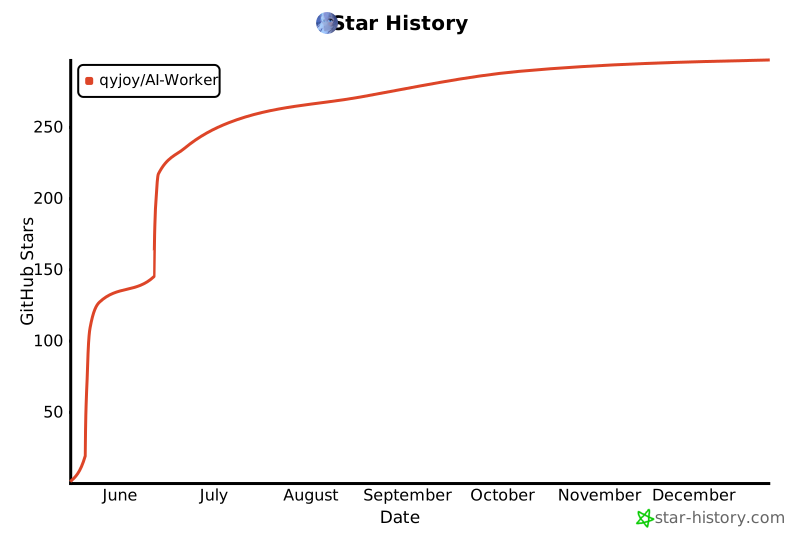
  },
  {
    "path": "V3(stable)/api-handler.js",
    "content": "// api-handler.js\n// Handles communication with the Google Generative AI API.\n\nimport { corsHeaders } from './utils.js';\n\nexport async function handleApiCall(request, env, logPrefix) {\n  console.log(`${logPrefix} Processing POST request for API call.`);\n\n  let requestBody;\n  try {\n    requestBody = await request.json();\n    console.log(`${logPrefix} Parsed request body. Model: ${requestBody?.model}, Prompt starts with: ${String(requestBody?.prompt).substring(0, 30)}...`);\n  } catch (e) {\n    console.error(`${logPrefix} Invalid JSON body received:`, e);\n    return new Response(\"Invalid JSON body.\", {\n      status: 400, headers: { \"Content-Type\": \"text/plain; charset=utf-8\", ...corsHeaders() }\n    });\n  }\n\n  const { prompt, model } = requestBody;\n\n  if (!prompt || !model) {\n    console.error(`${logPrefix} Missing prompt or model in request body.`);\n    return new Response(\"Missing prompt or model in request body.\", {\n      status: 400, headers: { \"Content-Type\": \"text/plain; charset=utf-8\", ...corsHeaders() }\n    });\n  }\n\n  // Extended list of models based on comments in original HTML\n  const allowedModels = [\n      \"gemini-2.5-flash-preview-04-17\", // Default and explicitly mentioned\n      \"gemini-1.5-pro-preview-0409\",\n      \"gemini-1.5-flash-preview-0514\",\n      \"gemini-pro\",\n      \"gemini-pro-vision\",\n      \"imagen-3.0-generate-002\" // Example Imagen model\n      // Add other specific Imagen model versions if known, e.g., \"imagen-...\"\n  ];\n\n\n  if (!allowedModels.includes(model) && !model.startsWith(\"imagen\")) { // Allow any model starting with \"imagen\" for flexibility\n    console.error(`${logPrefix} Invalid model selected: ${model}`);\n    return new Response(`Invalid model selected: ${model}. Allowed: ${allowedModels.join(\", \")} or any 'imagen-...' model.`, {\n      status: 400, headers: { \"Content-Type\": \"text/plain; charset=utf-8\", ...corsHeaders() }\n    });\n  }\n\n  const GEMINI_API_KEY = env.GEMINI_API_KEY;\n  const isImagen = model.startsWith(\"imagen\");\n  const apiEndpoint = isImagen ? 'generateContent' : 'streamGenerateContent';\n  // Note: v1beta is used. For stable versions, it might be v1.\n  const apiVersion = \"v1beta\"; // Or \"v1\" if you are using stable models without \"preview\" in their names.\n  const apiUrl = `https://generativelanguage.googleapis.com/${apiVersion}/models/${model}:${apiEndpoint}?key=${GEMINI_API_KEY}${isImagen ? '' : '&alt=sse'}`;\n  console.log(`${logPrefix} Target API URL: ${apiUrl}`);\n\n  const apiRequestBody = isImagen\n    ? { contents: [{ role: \"user\", parts: [{ text: prompt }] }], generationConfig: { candidateCount: 1 } }\n    : { contents: [{ parts: [{ text: prompt }] }] };\n\n  try {\n    console.log(`${logPrefix} Sending request to Google API...`);\n    const apiResponse = await fetch(apiUrl, {\n      method: \"POST\",\n      headers: { \"Content-Type\": \"application/json\" },\n      body: JSON.stringify(apiRequestBody)\n    });\n    console.log(`${logPrefix} Google API response status: ${apiResponse.status}, ok: ${apiResponse.ok}`);\n\n    if (!apiResponse.ok) {\n      const errorBodyText = await apiResponse.text();\n      console.error(`${logPrefix} Google API Error (${apiResponse.status}): ${errorBodyText}`);\n      let userFriendlyError = `Google API Error (${apiResponse.status})`;\n      try {\n        const errorJson = JSON.parse(errorBodyText);\n        userFriendlyError += `: ${errorJson.error?.message || 'Unknown error structure.'}`;\n      } catch (e) {\n        userFriendlyError += `: ${errorBodyText.substring(0, 200)}${errorBodyText.length > 200 ? \"...\" : \"\"}`;\n      }\n\n      if (isImagen) {\n        return new Response(JSON.stringify({ images: [], message: userFriendlyError }), {\n          status: apiResponse.status, headers: { \"Content-Type\": \"application/json\", ...corsHeaders() }\n        });\n      } else {\n        return new Response(userFriendlyError, {\n          status: apiResponse.status, headers: { \"Content-Type\": \"text/plain; charset=utf-8\", ...corsHeaders() }\n        });\n      }\n    }\n\n    if (isImagen) {\n      console.log(`${logPrefix} Processing successful Imagen response.`);\n      const responseBodyText = await apiResponse.text();\n      let data;\n      try {\n        data = JSON.parse(responseBodyText);\n        console.log(`${logPrefix} Parsed Imagen JSON successfully. Candidates count: ${data.candidates?.length}`);\n      } catch (parseError) {\n        console.error(`${logPrefix} Error parsing Imagen JSON response:`, parseError, \"Body snippet:\", responseBodyText.substring(0, 500));\n        return new Response(JSON.stringify({ images: [], message: \"Internal Server Error: Failed to parse Imagen API response.\" }), {\n          status: 500, headers: { \"Content-Type\": \"application/json\", ...corsHeaders() }\n        });\n      }\n\n      if (data.promptFeedback?.blockReason) {\n        console.warn(`${logPrefix} Imagen request blocked: ${data.promptFeedback.blockReason}`);\n        return new Response(JSON.stringify({ images: [], message: `请求被阻止: ${data.promptFeedback.blockReason}` }), {\n          status: 200, headers: { \"Content-Type\": \"application/json\", ...corsHeaders() }\n        });\n      }\n      if (!data.candidates || data.candidates.length === 0 || !data.candidates[0].content?.parts) {\n        console.warn(`${logPrefix} Imagen response ok, but no valid candidates/parts found.`);\n        return new Response(JSON.stringify({ images: [], message: \"API success, but no generated images found in response.\" }), {\n          status: 200, headers: { \"Content-Type\": \"application/json\", ...corsHeaders() }\n        });\n      }\n\n      const imageUrls = data.candidates[0].content.parts\n        .filter(part => part.inlineData?.mimeType?.startsWith(\"image/\"))\n        .map(part => `data:${part.inlineData.mimeType};base64,${part.inlineData.data}`);\n\n      if (imageUrls.length > 0) {\n        console.log(`${logPrefix} Found ${imageUrls.length} images. Sending JSON response.`);\n        return new Response(JSON.stringify({ images: imageUrls }), {\n          headers: { \"Content-Type\": \"application/json\", ...corsHeaders() }\n        });\n      } else {\n        console.warn(`${logPrefix} Imagen response ok and candidates exist, but no image parts found.`);\n        return new Response(JSON.stringify({ images: [], message: \"API success, but no image data found in response parts.\" }), {\n          status: 200, headers: { \"Content-Type\": \"application/json\", ...corsHeaders() }\n        });\n      }\n    } else { // Gemini SSE stream\n      console.log(`${logPrefix} Streaming Gemini response back to client.`);\n      const { readable, writable } = new TransformStream();\n      apiResponse.body.pipeTo(writable).catch(err => {\n        console.error(`${logPrefix} Error piping Gemini stream:`, err);\n      });\n      const responseHeaders = new Headers({\n        \"Content-Type\": \"text/event-stream; charset=utf-8\",\n        \"Cache-Control\": \"no-cache\",\n        \"Connection\": \"keep-alive\",\n        ...corsHeaders()\n      });\n      return new Response(readable, { status: 200, headers: responseHeaders });\n    }\n  } catch (error) {\n    console.error(`${logPrefix} Worker fetch error calling Google API:`, error);\n    const errorMsg = `Internal Server Error calling Google API: ${error.message}`;\n    if (isImagen) {\n      return new Response(JSON.stringify({ images: [], message: errorMsg }), {\n        status: 500, headers: { \"Content-Type\": \"application/json\", ...corsHeaders() }\n      });\n    } else {\n      return new Response(errorMsg, {\n        status: 500, headers: { \"Content-Type\": \"text/plain; charset=utf-8\", ...corsHeaders() }\n      });\n    }\n  }\n}\n"
  },
  {
    "path": "V3(stable)/html-rendererv3.js",
    "content": "// html-renderer.js// Generates the complete HTML page, including CSS and client-side JavaScript.// CSS styles for the page\nconst getStyles = () => `\n<style>\n:root {\n  --table-bg-rgb: 0, 0, 0;\n  --error-message-rgb: 185, 28, 28;\n  --user-text-rgb: 255, 255, 255;\n  --ai-text-rgb: 255, 255, 255;\n  --link-text-rgb: 199, 210, 254;\n  --theme-primary-rgb: 29, 78, 216; /* default */\n  --table-hover-rgb: 74, 85, 104;\n  --input-border-rgb: 55, 65, 81;\n  --table-border-rgb: 55, 65, 81;\n  --table-header-rgb: 30, 41, 59;\n}\n.w-full.max-w-6xl {background-color: rgba(var(--theme-bg-rgb), 0.85)!important;}\n#chat > div {background-color: rgba(var(--user-message-rgb), 0.8);}\n.ai-message {  background-color: rgba(var(--ai-message-rgb), 0.8);}\n#prompt, #sendBtn, select {  background-color: rgba(var(--input-bg-rgb), 0.5)!important;}\n#sendBtn:hover {  background-color: rgba(var(--theme-primary-rgb), 0.6)!important;}\n.user-message {  background-color: rgba(var(--user-message-rgb), 0.8);}\n.ai-message > strong::before {content: \"\";display: inline-block;width: 20px;height: 20px;background-image: url('https://www.gstatic.com/lamda/images/sparkle_resting_v2_1ff6f6a71f2d298b1a31.gif');background-size: contain;background-repeat: no-repeat;margin-right: 8px;vertical-align: middle;}\n\n.text-3xl{background:linear-gradient(90deg,red,orange,yellow,green,blue,purple,red);-webkit-background-clip:text;background-clip:text;color:transparent;background-size:500% auto;animation:rainbow 10s linear infinite}@keyframes rainbow{0%{background-position:0}100%{background-position:500%}}\n@keyframes textGlow{0%{text-shadow:0 0 10px rgba(var(--theme-primary-rgb),.8),0 0 20px rgba(var(--theme-primary-rgb),.6);transform:scale(1)}50%{text-shadow:0 0 30px rgba(var(--theme-primary-rgb),.9),0 0 50px rgba(var(--theme-primary-rgb),.8),0 0 70px rgba(var(--theme-primary-rgb),.6);transform:scale(1.05)}100%{text-shadow:0 0 10px rgba(var(--theme-primary-rgb),.8),0 0 20px rgba(var(--theme-primary-rgb),.6);transform:scale(1)}}#prompt{background-color:rgba(var(--input-bg-rgb),0.5)!important}\n.thinking{animation:textGlow 1.5s ease-in-out infinite;color:#a78bfa!important;font:italic bold 1.2em sans-serif}\n@keyframes icon2DRotate {0% { opacity: 0; transform: scale(0) rotateY(0deg); } 10% { opacity: 1; transform: scale(3) rotateY(0deg); } 50% { transform: scale(3) rotateY(180deg); } 90% { transform: scale(3) rotateY(350deg); } 100% { opacity: 0; transform: scale(0) rotateY(360deg); }}\n.thinking-icon {position: absolute; top: 30%; left: 50%;width: 80px; height: 80px; margin: -40px 0 0 -40px;pointer-events: none;animation: icon2DRotate 6s ease-in-out forwards;transform-origin: center center;transform-style: preserve-3d;filter: drop-shadow(0 0 25px #dba0ff) brightness(1.5) saturate(1.8);z-index: 999;}\nbody {background: url('https://www.sensecore.cn/upload/20230330/crjfafitbja7qufwrt.jpg') no-repeat center center fixed;background-size: cover;}\n.w-full.max-w-6xl {background-color: rgba(31, 41, 55, 0.85)!important;backdrop-filter: blur(4px);}\n#chat > div {background-color: rgba(30, 64, 175, 0.8);} /* User messages default, AI messages override this */\n.ai-message {background-color: rgba(55, 65, 81, 0.8);}\n#chat > div { margin-bottom: 1rem; padding: 0.75rem; border-radius: 0.5rem; max-width: 90%; word-break: break-word; line-height: 1.6; }\n.user-message { \n  background-color: rgba(var(--user-message-rgb), 0.8)!important;\n  color: rgba(var(--user-text-rgb), 0.9)!important;\n  align-self: flex-end; \n  margin-left: 10%; \n  border: 1px solid rgba(var(--user-message-rgb), 0.9);\n}\n.ai-message { \n  background-color: rgba(var(--ai-message-rgb), 0.8)!important;\n  color: rgba(var(--ai-text-rgb), 0.9)!important;\n  align-self: flex-start; \n  margin-right: 10%; \n  white-space: pre-wrap;\n  border: 1px solid rgba(var(--ai-message-rgb), 0.9);}\n.ai-message .response-content p { margin-bottom: 0.5em; } /* Add some space between paragraphs from Markdown */\n.ai-message .response-content ul, .ai-message .response-content ol { margin-left: 1.5em; margin-bottom: 0.5em; }\n.ai-message .response-content li { margin-bottom: 0.25em; }\n.ai-message img { display: block; max-width: 100%; max-height: 300px; height: auto; margin-top: 0.75rem; border-radius: 0.375rem; background-color: #4b5563; } /* Adjusted max-height for mobile */\n.ai-message strong, .user-message strong { display: block; margin-bottom: 0.25rem; font-weight: bold; color: #9ca3af; }\n.ai-message .response-content strong { font-weight: bold; color: inherit; }\n.error-message { background-color: #b91c1c; color: white; }\n.loader { border: 4px solid #f3f3f3; border-top: 4px solid #3498db; border-radius: 50%; width: 20px; height: 20px; animation: spin 1s linear infinite; display: inline-block; margin-left: 8px; }\n@keyframes spin { 0% { transform: rotate(0deg); } 100% { transform: rotate(360deg); } }\ntextarea { scrollbar-width: thin; scrollbar-color: #4b5563 #374151; }\n@keyframes breathe{0%{color:white;text-shadow:0 0 8px rgba(255,255,255,0.7);}50%{color:#22d3ee;text-shadow:0 0 12px rgba(34,211,238,0.9);}100%{color:white;text-shadow:0 0 8px rgba(255,255,255,0.7);}}.animate-breathe{animation:breathe 3s ease-in-out infinite;}\n\n.ai-message table { \n  border-collapse: collapse; \n  width: 98%; \n  margin: 1em auto;\n  background: rgba(var(--table-bg-rgb), 0.9)!important;\n  border: 1px solid rgba(var(--ai-message-rgb), 0.8);\n  box-shadow: 0 2px 5px rgba(0, 0, 0, 0.2);\n}\n .ai-message table {  border: 1px solid rgba(var(--table-border-rgb), 0.8)!important;}\n.ai-message th {  background-color: rgba(var(--table-header-rgb), 0.9)!important;}\n.ai-message tr:hover td {  background-color: rgba(var(--table-hover-rgb), 0.4)!important;}\n.ai-message th, .ai-message td {\n  border: 1px solid rgba(var(--ai-message-rgb), 0.8);\n  padding: 0.5rem 0.75rem;\n  text-align: left;\n  background: transparent!important; \n}\n.ai-message th {\n  background-color: rgba(var(--table-header-rgb), 0.9)!important;\n  color: #E2E8F0; \n  font-weight: bold;\n}\n/* 移除交替行颜色 */\n.ai-message tr {\n  background: transparent!important;\n}\n/* 表格悬停效果 */\n.ai-message tr:hover td {\n  background-color: rgba(74, 85, 104, 0.3)!important;\n}\n/* 确保表格内的strong不显示图标 */\n.ai-message table strong::before {\n  display: none!important;\n}\n#chat > div {\n  transition: all 0.3s ease;\n  box-shadow: 0 2px 5px rgba(0, 0, 0, 0.1);\n}\n#chat > div:hover {\n  transform: scale(1.02);\n  box-shadow: 0 4px 15px rgba(0, 0, 0, 0.3);\n  z-index: 1;\n}\n\n/* 彩虹呼吸主题专用动画 */\n@keyframes rainbowBreath {\n    0% { filter: hue-rotate(0deg); opacity: 0.8; }\n    50% { filter: hue-rotate(180deg); opacity: 0.95; }\n    100% { filter: hue-rotate(360deg); opacity: 0.8; }\n}\n.rainbow-theme {\n  animation: rainbowBreath 8s ease-in-out infinite;\n  background: linear-gradient(45deg, \n    rgba(25,25,25,0.75) 0%,\n    rgba(255,0,0,0.8) 20%,\n    rgba(255,165,0,0.75) 40%,\n    rgba(255,255,0,0.8) 60%,\n    rgba(0,255,0,0.75) 80%,\n    rgba(0,0,255,0.8) 100%);\n  background-size: 200% 200%;\n    animation: rainbowBreath 20s ease-in-out infinite; /* 底图 */\n}\n\n/* 聊天气泡单独控制 */\n#chat > div.rainbow-theme {\n  animation: rainbowBreath 20s ease-in-out infinite; /* 气泡 */\n  opacity: 0.9;\n  filter: none; /* 移除hue-rotate避免颜色偏移 */\n  background: var(--ai-message-rgb); /* 使用主题色 */\n  border-color: rgba(255,255,255,0.5)!important;\n}\n</style>\n`;\n\n// Client-side JavaScript\nconst getClientScript = () => `\n<script>\ndocument.addEventListener('DOMContentLoaded', () => {\n  const themeConfig = {\n     pink: { // 少女粉\n     bg: '45,30,40',          // 深粉紫背景（增强对比）\n     user: '255,105,180',     // 亮粉用户消息（类似樱花粉）\n     ai: '220,130,170',       // 柔和粉AI消息\n     input: '200,100,150',    // 输入框背景（紫粉）\n     table: '180,80,130',     // 表格背景（玫瑰粉）\n     tableHeader: '190,90,140', // 表头稍亮\n     tableHover: '230,150,180', // 悬停效果（浅粉）\n     tableBorder: '210,120,160', // 边框（粉紫）\n     error: '255,80,120',     // 错误消息（亮粉红）\n     primary: '255,150,200',  // 主色调（糖果粉）\n     userText: '255,240,245', // 用户消息文字（粉白）\n     aiText: '255,230,240',   // AI消息文字（淡粉白）\n     linkText: '255,180,220'  // 链接文字（浅粉）\n   },\n    default: {\n      bg: '20,42,58',          \n      user: '30,144,200',      // \n      ai: '50,110,140',        // \n      input: '40,100,130',     // \n      table: '35,90,120',      // \n      error: '185,28,28',      \n      primary: '0,150,200',     \n      userText: '240,250,255', \n      aiText: '230,240,250',   \n      linkText: '160,220,255'  \n       },\n    purple: {\n      bg: '49,46,129',\n      user: '76,29,149',\n      ai: '76,29,149',\n      input: '76,29,149',\n      table: '76,29,149',\n      error: '134,25,143',\n      primary: '124,58,237',\n      userText: '245,243,255',\n      aiText: '245,243,255',\n      linkText: '216,180,254'    },\n    green: {\n      bg: '6,78,59',\n      user: '5,150,105',\n      ai: '5,150,105',\n      input: '5,150,105',\n      table: '5,150,105',\n      error: '28,185,100', \n      primary: '16,185,129',\n      userText: '240,253,244',\n      aiText: '240,253,244',\n      linkText: '167,243,208'      },\n    cyberpunk: {\n      bg: '17,24,39',\n      user: '63,114,175',\n      ai: '88,28,135',\n      input: '28,28,40',\n      table: '28,100,138',\n      tableHeader: '15,82,87',\n      tableHover: '0,255,255',\n      tableBorder: '0,255,187',\n      error: '255,0,122',\n      primary: '0,255,187',\n      userText: '224,242,254',\n      aiText: '245,200,255',\n      linkText: '0,255,255'    },\n    gradient: {\n      bg: '25,25,112',\n      user: '70,130,180',\n      ai: '147,112,219',\n      input: '106,90,205',\n      table: '72,61,139',\n      tableHeader: '123,104,238',\n      tableHover: '138,43,226',\n      tableBorder: '147,112,219',\n      error: '255,99,71',\n      primary: '255,140,0',\n      userText: '240,248,255',\n      aiText: '230,230,250',\n      linkText: '255,215,0'    },\n    prism: {\n      bg: '10,10,30',\n      user: '255,105,180',\n      ai: '147,112,219',\n      input: '75,0,130',\n      table: '123,104,238',\n      tableHeader: '138,43,226',\n      tableHover: '148,0,211',\n      tableBorder: '255,20,147',\n      error: '255,0,0',\n      primary: '0,255,255',\n      userText: '255,255,255',\n      aiText: '255,215,0',\n      linkText: '255,20,147'    },\n    rainbow: {\n      bg: '25,25,25',\n      user: '255,0,0',\n      ai: '0,255,0',\n      input: '0,0,255',\n      table: '255,255,0',\n      tableHeader: '255,0,255',\n      tableHover: '0,255,255',\n      tableBorder: '255,165,0',\n      error: '255,0,122',\n      primary: '148,0,211',\n      userText: '250,250,250',\n      aiText: '250,250,250',\n      linkText: '255,255,255'\n    }\n  };\n  const themeSelect = document.getElementById('theme');\n  function initTheme() {\n    themeSelect.addEventListener('change', (e) => {\n      console.log(\"Applying theme:\", e.target.value);\n      applyTheme(e.target.value);\n      const currentScroll = chatContainer.scrollTop;\n      setTimeout(() => chatContainer.scrollTop = currentScroll, 0);\n    });\n    applyTheme(themeSelect.value); // 初始化主题\n  } initTheme();\n\n  \"use strict\";\n  // 新增主题切换函数\n  function applyTheme(themeName) {\n    const theme = themeConfig[themeName] || themeConfig.default;\n    document.documentElement.style.setProperty('--theme-bg-rgb', theme.bg);\n    document.documentElement.style.setProperty('--table-hover-rgb', theme.tableHover);\n    document.documentElement.style.setProperty('--table-border-rgb', theme.tableBorder);\n    document.documentElement.style.setProperty('--input-border-rgb', theme.input);\n    document.documentElement.style.setProperty('--table-header-rgb', theme.tableHeader);\n    document.documentElement.style.setProperty('--user-message-rgb', theme.user);\n    document.documentElement.style.setProperty('--ai-message-rgb', theme.ai);\n    document.documentElement.style.setProperty('--input-bg-rgb', theme.input);\n    document.documentElement.style.setProperty('--table-bg-rgb', theme.table);\n    document.documentElement.style.setProperty('--table-header-rgb', theme.table);\n    document.documentElement.style.setProperty('--error-message-rgb', theme.error);\n    document.documentElement.style.setProperty('--theme-primary-rgb', theme.primary);\n    document.documentElement.style.setProperty('--user-text-rgb', theme.userText);\n    document.documentElement.style.setProperty('--ai-text-rgb', theme.aiText);\n    document.documentElement.style.setProperty('--link-text-rgb', theme.linkText);\n    \n    // 处理特殊主题的样式覆盖\n    const isCyberpunk = themeName === 'cyberpunk';\n    document.body.classList.toggle('rainbow-theme', themeName === 'rainbow');\n        document.querySelectorAll('#chat > div').forEach(el => {\n            el.classList.toggle('rainbow-theme', themeName === 'rainbow');\n          });\n    document.querySelectorAll('select, #sendBtn').forEach(el => {\n      el.style.borderColor = isCyberpunk ? 'rgba(0,255,187,0.8)' : 'rgba(var(--input-border-rgb),0.5)';\n      el.style.backgroundColor = isCyberpunk ? 'rgba(28,28,40,0.9)' : 'rgba(var(--input-bg-rgb),0.5)';\n    });\n  }\n\n  \"use strict\";\n  console.log(\"DOM fully loaded and parsed.\");\n  const chat = document.getElementById('chat');\n  const chatContainer = document.getElementById('chat-container');\n  const sendBtn = document.getElementById('sendBtn');\n  const promptTextarea = document.getElementById('prompt');\n  const modelSelect = document.getElementById('model');\n  const sendIcon = document.getElementById('sendIcon');\n  const loadingIcon = document.getElementById('loadingIcon');\n  const buttonText = sendBtn ? sendBtn.querySelector('.button-text') : null;\n\n  if (!chat || !chatContainer || !sendBtn || !promptTextarea || !modelSelect || !sendIcon || !loadingIcon || !buttonText) {\n    console.error(\"CRITICAL ERROR: One or more essential HTML elements not found.\");\n    alert(\"页面加载错误：无法找到必要的聊天界面元素。请检查HTML结构或稍后重试。\");\n    return;\n  }\n  console.log(\"All essential elements found.\");\n\n  function setLoadingState(isLoading) {\n    console.log(\\`setLoadingState called with isLoading: \\${isLoading}\\`);\n    if (!sendBtn || !promptTextarea || !buttonText || !sendIcon || !loadingIcon) {\n        console.error(\"Error inside setLoadingState: Required elements missing.\");\n        return;\n    }\n    try {\n        sendBtn.disabled = isLoading;\n        promptTextarea.disabled = isLoading;\n        buttonText.textContent = isLoading ? \"处理中...\" : \"发送(Post)\";\n        sendIcon.classList.toggle('hidden', isLoading);\n        loadingIcon.classList.toggle('hidden', !isLoading);\n        console.log(\"setLoadingState finished.\");\n    } catch (e) { console.error(\"Error executing setLoadingState:\", e); }\n  }\n\n  function spawnThinkingIcon() {\n    const icon = document.createElement('img');\n    icon.src = 'https://i.ibb.co/ch21FSqt/cf.png';\n    icon.className = 'thinking-icon';\n    document.body.appendChild(icon);\n    icon.addEventListener('animationend', function() { icon.remove(); });\n  }\n\n  function addMessage(text, sender = 'ai', isLoading = false) {\n    console.log('addMessage called. Sender: ' + sender + ', isLoading: ' + isLoading);\n    if (!chat || !modelSelect) { console.error(\"Error inside addMessage: Chat or modelSelect element not found.\"); return null; }\n    try {\n      let messageDiv = document.createElement('div');\n      messageDiv.classList.add(sender === 'user' ? 'user-message' : 'ai-message');\n      const senderStrong = document.createElement('strong');\n      senderStrong.textContent = sender === 'user' ? '你:' : 'Gemini-AI:';\n      messageDiv.appendChild(senderStrong);\n      const contentSpan = document.createElement('span');\n      contentSpan.className = 'response-content';\n\n      if (isLoading) {\n        const thinkingSpan = document.createElement('span');\n        thinkingSpan.className = 'thinking';\n        thinkingSpan.textContent = ' 深度思考中(Deep Reasoning)...';\n        messageDiv.appendChild(thinkingSpan);\n        messageDiv.appendChild(contentSpan); // Add empty contentSpan for placeholder\n        spawnThinkingIcon();\n      } else {\n        if (sender === 'user') {\n          contentSpan.textContent = text; // User messages are plain text\n        } else {\n          // For AI messages, parse Markdown if marked.js is available\n          if (modelSelect.value.startsWith('imagen') && (text.includes('<img') || text.includes('data:image'))) {\n            contentSpan.innerHTML = text; // Imagen response might already be HTML (img tags)\n          } else if (typeof marked !== 'undefined') {\n            contentSpan.innerHTML = marked.parse(text); // Parse Markdown to HTML\n          } else {\n            contentSpan.textContent = text; // Fallback if marked.js is not loaded\n          }\n        }\n        messageDiv.appendChild(contentSpan);\n      }\n      chat.appendChild(messageDiv);\n      console.log(\"Message added to chat.\");\n      scrollToBottom();\n      return messageDiv;\n    } catch (e) { console.error(\"Error executing addMessage:\", e); return null; }\n  }\n\n  function scrollToBottom() {\n     try {\n        if (chatContainer) { chatContainer.scrollTop = chatContainer.scrollHeight; }\n        else { console.error(\"Error scrolling: chatContainer not found.\"); }\n     } catch (e) { console.error(\"Error executing scrollToBottom:\", e); }\n  }\n\n  function escapeHTML(str) { // Keep this for cases where you might need to escape HTML, though not used for AI response directly now\n    if (typeof str !== 'string') return '';\n    const p = document.createElement('p');\n    p.appendChild(document.createTextNode(str));\n    return p.innerHTML;\n  }\n\n  function autoResizeTextarea() {\n    try {\n        if (promptTextarea) {\n            promptTextarea.style.height = 'auto';\n            promptTextarea.style.height = Math.min(promptTextarea.scrollHeight, 200) + 'px'; // Max height 200px\n        } else { console.error(\"Error resizing textarea: promptTextarea not found.\");}\n    } catch (e) { console.error(\"Error executing autoResizeTextarea:\", e); }\n  }\n\n  async function handleSend() {\n    console.log(\"handleSend function started.\");\n    console.log(\"Button click detected\");\n    let aiMessageDiv = null;\n    let responseContentSpan = null;\n\n    try {\n      const prompt = promptTextarea.value.trim();\n      const model = modelSelect.value;\n      if (!prompt) { alert(\"请输入你的内容或画面描述！\"); promptTextarea.focus(); return; }\n\n      setLoadingState(true);\n      addMessage(prompt, 'user');\n      promptTextarea.value = '';\n      autoResizeTextarea();\n      aiMessageDiv = addMessage('', 'ai', true);\n      if (!aiMessageDiv) { throw new Error(\"Failed to create AI placeholder message element.\"); }\n      responseContentSpan = aiMessageDiv.querySelector('.response-content');\n      const thinkingSpan = aiMessageDiv.querySelector('.thinking');\n      if (!responseContentSpan) { throw new Error(\"Failed to find response content span in AI placeholder.\"); }\n\n      const res = await fetch(location.href, {\n        method: \"POST\",\n        headers: { \"Content-Type\": \"application/json\" },\n        body: JSON.stringify({ prompt, model })\n      });\n      console.log(\\`Worker response received. Status: \\${res.status}, ok: \\${res.ok}\\`);\n\n      if (thinkingSpan) thinkingSpan.remove();\n\n      if (!res.ok) {\n        const errorText = await res.text();\n        console.error(\\`Worker/API Error Response (Status \\${res.status}):\\`, errorText);\n        if (responseContentSpan && aiMessageDiv) {\n            // For error messages, we might want to display them as plain text or escaped HTML\n            // to avoid them being misinterpreted as Markdown.\n            responseContentSpan.textContent = \\`请求出错 (\\${res.status}): \\${escapeHTML(errorText.substring(0, 500))}\\${errorText.length > 500 ? '...' : ''}\\`;\n            aiMessageDiv.classList.add('error-message');\n            scrollToBottom();\n        } else { console.error(\"Cannot display fetch error in chat: message elements not found.\"); }\n        throw new Error(\\`Server responded with status \\${res.status}\\`);\n      }\n\n      const selectedModelType = model.startsWith(\"imagen\") ? \"imagen\" : \"gemini\";\n      console.log(\\`Handling response for model type: \\${selectedModelType}\\`);\n\n      if (selectedModelType === \"gemini\") {\n          console.log(\"Processing Gemini SSE stream...\");\n          const reader = res.body.getReader();\n          const decoder = new TextDecoder();\n          let buffer = '';\n          let currentText = '';\n          // eslint-disable-next-line no-constant-condition\n          while (true) {\n              const { done, value } = await reader.read();\n              if (done) { console.log(\"SSE stream finished.\"); break; }\n              buffer += decoder.decode(value, { stream: true });\n              const lines = buffer.split('\\\\n');\n              buffer = lines.pop(); // Keep potential partial line for next read\n              for (const line of lines) {\n                  if (line.startsWith('data: ')) {\n                      const jsonStr = line.substring(6).trim();\n                      if (jsonStr === '[DONE]' || !jsonStr) continue;\n                      try {\n                          const chunk = JSON.parse(jsonStr);\n                          const textPart = chunk.candidates?.[0]?.content?.parts?.[0]?.text;\n                          if (textPart) {\n                              currentText += textPart;\n                              // Parse and render Markdown progressively\n                              if (typeof marked !== 'undefined') {\n                                responseContentSpan.innerHTML = marked.parse(currentText);\n                              } else {\n                                responseContentSpan.textContent = currentText; // Fallback\n                              }\n                              scrollToBottom();\n                          } else if (chunk.promptFeedback?.blockReason) {\n                              const blockMessage = \\`\\\\n[内容被阻止: \\${chunk.promptFeedback.blockReason}]\\`;\n                              currentText += blockMessage;\n                              if (typeof marked !== 'undefined') {\n                                responseContentSpan.innerHTML = marked.parse(currentText);\n                              } else {\n                                responseContentSpan.textContent = currentText; // Fallback\n                              }\n                              aiMessageDiv.classList.add('error-message'); // Style as error\n                              scrollToBottom();\n                          }\n                      } catch (e) {\n                          console.error(\"Error parsing streaming JSON chunk:\", e, \"Chunk:\", jsonStr);\n                          const parseErrorMessage = '\\\\n[解析数据块时出错]';\n                          currentText += parseErrorMessage;\n                          if (typeof marked !== 'undefined') {\n                            responseContentSpan.innerHTML = marked.parse(currentText);\n                          } else {\n                            responseContentSpan.textContent = currentText; // Fallback\n                          }\n                          scrollToBottom();\n                      }\n                  } else if (line.trim()) { console.log(\"Received non-data SSE line:\", line); }\n              }\n          }\n          // Process any remaining data in the buffer after the stream ends\n          if (buffer.trim() && buffer.startsWith('data: ')) {\n            const jsonStr = buffer.substring(6).trim();\n            try {\n                const chunk = JSON.parse(jsonStr);\n                const textPart = chunk.candidates?.[0]?.content?.parts?.[0]?.text;\n                if (textPart) {\n                    currentText += textPart;\n                    if (typeof marked !== 'undefined') {\n                      responseContentSpan.innerHTML = marked.parse(currentText);\n                    } else {\n                      responseContentSpan.textContent = currentText; // Fallback\n                    }\n                    scrollToBottom();\n                }\n            } catch (e) {\n                console.error(\"Error parsing final buffer:\", e);\n                const finalBufferError = '\\\\n[处理流末尾数据时出错]';\n                currentText += finalBufferError;\n                if (typeof marked !== 'undefined') {\n                  responseContentSpan.innerHTML = marked.parse(currentText);\n                } else {\n                  responseContentSpan.textContent = currentText; // Fallback\n                }\n                scrollToBottom();\n            }\n          }\n      } else if (selectedModelType === \"imagen\") {\n        console.log(\"Processing Imagen JSON response...\");\n        try {\n            const data = await res.json();\n            console.log(\"Imagen response JSON parsed:\", data);\n            if (data.images && data.images.length > 0) {\n                // Imagen response is typically direct HTML (img tags)\n                responseContentSpan.innerHTML = data.images.map((imgSrc, index) => \\`<img src=\"\\${imgSrc}\" class=\"my-2 rounded shadow-md\" alt=\"Generated image \\${index + 1}\" loading=\"lazy\"/>\\`).join('');\n            } else {\n                const message = data.message || (data.promptFeedback?.blockReason ? \\`请求被阻止: \\${data.promptFeedback.blockReason}\\` : \"未生成任何图像或收到意外响应。\");\n                responseContentSpan.textContent = escapeHTML(message); // Display as plain text\n                if (message.includes(\"Blocked\") || message.includes(\"Error\") || message.includes(\"出错\") || message.includes(\"Unexpected\") || message.includes(\"阻止\")) {\n                    aiMessageDiv.classList.add('error-message');\n                }\n            }\n            scrollToBottom();\n        } catch (e) {\n            console.error(\"Error parsing Imagen JSON response:\", e);\n            if(responseContentSpan && aiMessageDiv){\n               responseContentSpan.textContent = '解析图像响应时出错：' + e.message; // Display as plain text\n               aiMessageDiv.classList.add('error-message');\n               scrollToBottom();\n            }\n            throw new Error('Failed to parse Imagen JSON: ' + e.message);\n        }\n        console.log(\"Imagen JSON processing finished.\");\n      }\n      console.log(\"handleSend processing completed successfully.\");\n    } catch (error) {\n      console.error(\"!!!! CLIENT-SIDE CATCH BLOCK ERROR in handleSend !!!!:\", error);\n      if (responseContentSpan) {\n          if (!responseContentSpan.textContent.includes(\"出错\")) {\n             responseContentSpan.textContent = '客户端错误: ' + error.message; // Display as plain text\n          }\n          if (aiMessageDiv && !aiMessageDiv.classList.contains('error-message')) {\n              aiMessageDiv.classList.add('error-message');\n          }\n          scrollToBottom();\n      } else { console.error(\"Cannot display error in chat bubble: responseContentSpan not found.\"); }\n    } finally {\n      console.log(\"!!!! CLIENT-SIDE FINALLY BLOCK in handleSend !!!!\");\n      setLoadingState(false);\n      promptTextarea.focus();\n      console.log(\"UI re-enabled.\");\n    }\n  }\n\n  sendBtn.addEventListener('click', handleSend);\n  promptTextarea.addEventListener('keypress', (e) => { if (e.key === 'Enter' && !e.shiftKey) { e.preventDefault(); handleSend(); } });\n  promptTextarea.addEventListener('input', autoResizeTextarea);\n  autoResizeTextarea();\n  console.log(\"Event listeners attached and initial setup done.\");\n});\n</script>\n`;\n// Main HTML structure\nexport function renderHTML() {\n  const styles = getStyles();\n  const clientScript = getClientScript();\n  return `<!DOCTYPE html>\n<html lang=\"zh-CN\">\n<head>\n  <meta charset=\"UTF-8\"><meta name=\"viewport\" content=\"width=device-width, initial-scale=1.0\">\n  <title>輕音Joy-AI公益站</title>\n  <link rel=\"icon\" href=\"https://www.cloudflare.com/favicon.ico\" type=\"image/x-icon\">\n  <script src=\"https://cdn.tailwindcss.com\"></script>\n  <script src=\"https://cdn.jsdelivr.net/npm/marked/marked.min.js\"></script> ${styles}\n</head>\n<style>\n  a {color: rgba(var(--link-text-rgb), 0.9)!important;text-shadow: 0 2px 4px rgba(var(--link-text-rgb), 0.3);}\n  a:hover {color: rgba(var(--link-text-rgb), 1)!important;text-decoration: underline;}\n</style>\n<body class=\"bg-gray-900 text-gray-100 min-h-screen flex flex-col items-center p-4 font-sans\">\n  <h1 class=\"text-3xl font-bold my-6 text-center\">Ultra AI ☁ Cloudflare 輕音Joy-AI公益站</h1>\n  <a href=\"https://qyjoy.vip\" target=\"_blank\" class=\"text-center block font-bold cursor-pointer mb-6 animate-breathe\" style=\"text-shadow:0 0 8px rgba(0,255,255,0.7);\">抖音 | Bilibili | Youtube | 小红书 | 公众号: 輕音Joy</a>\n  <div class=\"w-full max-w-6xl bg-gray-800 shadow-lg rounded-lg p-6 transition-colors duration-300\">\n    <div class=\"flex flex-row gap-4 mb-4\">\n      <div class=\"w-1/2\">\n        <label for=\"model\" class=\"block mb-2 text-sm font-medium text-gray-300\">选择模型 Choose A Model：</label>\n          <select id=\"model\" class=\"w-full p-2.5 rounded border border-gray-600/50 text-white focus:ring-blue-500 focus:border-blue-500\" style=\"background:rgba(var(--input-bg-rgb),0.5)\">\n          <option value=\"gemini-2.5-flash-preview-04-17\">Gemini 2.5 Pro Preview</option>\n        </select>\n      </div>\n      <div class=\"w-1/2\">\n        <label for=\"theme\" class=\"block mb-2 text-sm font-medium text-gray-300\">主题颜色 Theme color:</label>\n        <select id=\"theme\" class=\"w-full p-2.5 rounded border border-gray-600/50 text-white\">\n          <option value=\"default\">默认色 Default Color</option>\n          <option value=\"purple\">梦幻紫 Dreamy Purple</option>\n          <option value=\"green\">自然绿 Natural Green</option>\n           <option value=\"pink\">少女粉 Soft Pink</option>\n          <option value=\"cyberpunk\">赛博霓虹 Cyberpunk Neon</option>\n          <option value=\"gradient\">渐变紫橙 Gradient Purple-Orange</option>\n          <option value=\"prism\">幻彩棱镜 \tIridescent Prism</option>\n          <option value=\"rainbow\">彩虹呼吸 \tRainbow Breathing</option>\n        </select>\n      </div>\n    </div>\n    <div class=\"mb-4\">\n      <label for=\"prompt\" class=\"block mb-2 text-sm font-medium text-gray-300\">输入你的任意问题 <br> (Input whatever you want)：</label>\n       <textarea id=\"prompt\" rows=\"3\" class=\"w-full p-2.5 rounded bg-gray-700 border border-gray-600/50 text-white focus:ring-blue-500 focus:border-blue-500 resize-y\" placeholder=\"例如:列表比较云计算、雾计算和边缘计算 或 列表格比较串行计算和并行计算 (Input whatever you want here...)\" style=\"backdrop-filter:blur(4px)\"></textarea>\n      </div>\n    <button id=\"sendBtn\" class=\"flex items-center justify-center gap-2 w-full p-3 rounded font-semibold text-white/90 transition duration-150 ease-in-out disabled:opacity-50 disabled:cursor-not-allowed\" style=\"background:rgba(37,99,235,0.75)!important;border:1px solid rgba(255,255,255,0.8)!important;backdrop-filter:blur(8px);box-shadow:0 2px 8px rgba(0,0,0,0.1)\">\n      <img src=\"https://www.cloudflare.com/favicon.ico\" alt=\"Cloudflare\" class=\"w-4 h-4\"><span class=\"button-text\">发送 Post</span><span id=\"sendIcon\">➤</span><span id=\"loadingIcon\" class=\"loader hidden\"></span>\n    </button>\n    <div id=\"chat-container\" class=\"mt-6 border-t border-gray-700 pt-4\">\n      <div id=\"chat\" class=\"flex flex-col space-y-4\">\n        <div class=\"ai-message\"><strong>AI:</strong>你好!请选择一个模型并输入任意问题😀<br><br>Hi! Get started by selecting any models and input whatever you want!</div>\n      </div>\n    </div>\n    <p class=\"text-yellow-300 font-bold mt-4 mb-2 text-center text-sm\">Powered By Cloudflare ☁ Serverless | © 2025 輕音Joy</p>\n  </div>\n  <footer class=\"text-center text-gray-500 text-sm mt-8 pb-4\"></footer>\n  ${clientScript}\n</body>\n</html>`;\n}\n"
  },
  {
    "path": "V3(stable)/request-handler.js",
    "content": "// request-handler.js\n// Handles incoming requests, routing, and basic validation.\nimport { renderHTML } from './html-renderer.js';\nimport { handleApiCall } from './api-handler.js';\nimport { corsHeaders } from './utils.js';\n\nexport async function handleRequest(request, env, ctx, logPrefix) {\n  // --- API Key Check ---\n  const GEMINI_API_KEY = env.GEMINI_API_KEY;\n  if (!GEMINI_API_KEY || GEMINI_API_KEY.length < 30) {\n    console.error(`${logPrefix} CRITICAL ERROR: API Key 未配置或无效`);\n    return new Response(\"Server Configuration Error: Invalid API Key.\", {\n      status: 500,\n      headers: { \"Content-Type\": \"text/plain; charset=utf-8\", ...corsHeaders() }\n    });\n  }\n\n  // --- CORS Preflight ---\n  if (request.method === \"OPTIONS\") {\n    console.log(`${logPrefix} Responding to OPTIONS request.`);\n    return new Response(null, { status: 204, headers: corsHeaders() });\n  }\n\n  // --- Serve HTML for GET ---\n  if (request.method === \"GET\") {\n    console.log(`${logPrefix} Responding to GET request with HTML.`);\n    try {\n      const html = renderHTML();\n      return new Response(html, {\n        headers: { \"Content-Type\": \"text/html; charset=utf-8\", ...corsHeaders() },\n      });\n    } catch (e) {\n      console.error(`${logPrefix} Error rendering HTML:`, e);\n      return new Response(\"Internal Server Error rendering page.\", { status: 500, headers: corsHeaders() });\n    }\n  }\n\n  // --- Handle POST for API calls ---\n  if (request.method === \"POST\") {\n    return handleApiCall(request, env, logPrefix);\n  }\n\n  // --- Method Not Allowed ---\n  console.log(`${logPrefix} Method Not Allowed: ${request.method}`);\n  return new Response(\"Method Not Allowed\", {\n    status: 405,\n    headers: { \"Allow\": \"GET, POST, OPTIONS\", ...corsHeaders() }\n  });\n}\n"
  },
  {
    "path": "V3(stable)/utils.js",
    "content": "// utils.js\n// Utility functions for the worker.\n\nexport function corsHeaders() {\n    return {\n      \"Access-Control-Allow-Origin\": \"*\", // WARNING: Restrict this in production for security\n      \"Access-Control-Allow-Methods\": \"GET, POST, OPTIONS\",\n      \"Access-Control-Allow-Headers\": \"Content-Type, Authorization\", // Added Authorization as an example, include any other custom headers\n    };\n  }\n  "
  },
  {
    "path": "V3(stable)/worker.js",
    "content": "// worker.js\n// Main entry point for the Cloudflare Worker.\n\nimport { handleRequest } from './request-handler.js';\n\nexport default {\n  async fetch(request, env, ctx) {\n    // Assign a unique ID for request tracing\n    const requestId = request.headers.get('cf-ray') || crypto.randomUUID();\n    const logPrefix = `[${requestId}]`;\n\n    console.log(`${logPrefix} Worker received request: ${request.method} ${request.url}`);\n\n    // Delegate to the request handler\n    return handleRequest(request, env, ctx, logPrefix);\n  }\n};\n"
  },
  {
    "path": "V4 EX(For mobile support Expand)/api-handler.js",
    "content": "import { corsHeaders } from './utils.js';\r\nexport async function handleApiCall(request, env, logPrefix) {\r\n  console.log(logPrefix + \" Processing POST request for API call.\");\r\n\r\n  let requestBody;\r\n  try {\r\n    requestBody = await request.json();\r\n    console.log(logPrefix + \" Parsed request body. Model: \" + requestBody?.model);\r\n  } catch (e) {\r\n    console.error(logPrefix + \" Invalid JSON body received:\", e);\r\n    return new Response(\"Invalid JSON body.\", {\r\n      status: 400, headers: { \"Content-Type\": \"text/plain; charset=utf-8\", ...corsHeaders() }\r\n    });\r\n  }\r\n\r\n  const { model, history, currentTurnParts, customApiKey } = requestBody;\r\n\r\n  if (!model || !currentTurnParts || !Array.isArray(currentTurnParts)) {\r\n    console.error(logPrefix + \" Missing model or currentTurnParts in request body.\");\r\n    return new Response(\"Missing model or currentTurnParts in request body.\", {\r\n      status: 400, headers: { \"Content-Type\": \"text/plain; charset=utf-8\", ...corsHeaders() }\r\n    });\r\n  }\r\n\r\n  const allowedModels = [\r\n    \"gemini-2.0-flash\",\r\n    \"gemini-2.5-flash-preview-05-20\",\r\n    \"gemini-2.5-pro-preview-06-05\",\r\n    \"gemini-2.0-flash-preview-image-generation\",\r\n    \"veo-2.0-generate-001\"\r\n  ];\r\n\r\n  if (!allowedModels.includes(model)) {\r\n    console.error(logPrefix + \" Invalid model selected: \" + model);\r\n    return new Response(\"Invalid model selected: \" + model + \". Allowed: \" + allowedModels.join(\", \"), {\r\n      status: 400, headers: { \"Content-Type\": \"text/plain; charset=utf-8\", ...corsHeaders() }\r\n    });\r\n  }\r\n\r\n  const GEMINI_API_KEY = customApiKey || env.GEMINI_API_KEY;\r\n  if (!GEMINI_API_KEY) {\r\n    console.error(logPrefix + \" CRITICAL ERROR: API Key not available (neither custom nor server default).\");\r\n    return new Response(\"Server Configuration Error: API Key not available.\", {\r\n      status: 500, headers: { \"Content-Type\": \"text/plain; charset=utf-8\", ...corsHeaders() }\r\n    });\r\n  }\r\n\r\n  let apiEndpoint = \"streamGenerateContent\"; \r\n  let isStreaming = true;\r\n  if (model === \"gemini-2.0-flash-preview-image-generation\") {\r\n    apiEndpoint = \"generateContent\"; \r\n    isStreaming = false;\r\n  } else if (model === \"veo-2.0-generate-001\") {\r\n    apiEndpoint = \"generateVideo\"; \r\n    isStreaming = false;\r\n  }\r\n  const apiVersion = \"v1beta\";\r\n  const apiUrl = `https://generativelanguage.googleapis.com/${apiVersion}/models/${model}:${apiEndpoint}?key=${GEMINI_API_KEY}` + (isStreaming ? \"&alt=sse\" : \"\");\r\n  console.log(logPrefix + \" Target API URL: \" + apiUrl);\r\n\r\n  const contentsForApi = [];\r\n  if (history && Array.isArray(history)) {\r\n    history.forEach(turn => {\r\n      if (turn.role && turn.parts) {\r\n        contentsForApi.push({ role: turn.role, parts: turn.parts });\r\n      }\r\n    });\r\n  }\r\n    const systemPrompt = \"answer in 中文\"; // 这里可以根据需要修改提示词 you can set your own prompt here\r\n    let promptedUserParts = [...currentTurnParts]; \r\n    if (promptedUserParts.length > 0 && typeof promptedUserParts[0].text === 'string') {\r\n      promptedUserParts[0] = { ...promptedUserParts[0], text: systemPrompt + \" \" + promptedUserParts[0].text };\r\n    } else {\r\n\r\n      promptedUserParts.unshift({ text: systemPrompt });\r\n    }\r\n    contentsForApi.push({ role: \"user\", parts: promptedUserParts });\r\n  const apiRequestBody = {contents: contentsForApi,};\r\n  try {\r\n    console.log(logPrefix + \" Sending request to Google API...\");\r\n    const apiResponse = await fetch(apiUrl, {\r\n      method: \"POST\",\r\n      headers: { \"Content-Type\": \"application/json\" },\r\n      body: JSON.stringify(apiRequestBody)\r\n    });\r\n    console.log(logPrefix + \" Google API response status: \" + apiResponse.status + \", ok: \" + apiResponse.ok);\r\n\r\n    if (!apiResponse.ok) {\r\n      const errorBodyText = await apiResponse.text();\r\n      console.error(logPrefix + \" Google API Error (\" + apiResponse.status + \"): \" + errorBodyText);\r\n      let userFriendlyError = \"Google API Error (\" + apiResponse.status + \")\";\r\n      try {\r\n        const errorJson = JSON.parse(errorBodyText);\r\n        if (errorJson.error && errorJson.error.message) {\r\n             userFriendlyError += \": \" + errorJson.error.message;\r\n        } else {\r\n            userFriendlyError += \": \" + errorBodyText.substring(0, 200) + (errorBodyText.length > 200 ? \"...\" : \"\");\r\n        }\r\n      } catch (e) {\r\n        userFriendlyError += \": \" + errorBodyText.substring(0, 200) + (errorBodyText.length > 200 ? \"...\" : \"\");\r\n      }\r\n      return new Response(userFriendlyError, {\r\n        status: apiResponse.status, headers: { \"Content-Type\": \"text/plain; charset=utf-8\", ...corsHeaders() }\r\n      });\r\n    }\r\n\r\n    console.log(logPrefix + \" Streaming Gemini response back to client.\");\r\n    const { readable, writable } = new TransformStream();\r\n    apiResponse.body.pipeTo(writable).catch(err => {\r\n      console.error(logPrefix + \" Error piping Gemini stream:\", err);\r\n    });\r\n    const responseHeaders = new Headers({\r\n      \"Content-Type\": \"text/event-stream; charset=utf-8\",\r\n      \"Cache-Control\": \"no-cache\",\r\n      \"Connection\": \"keep-alive\",\r\n      ...corsHeaders()\r\n    });\r\n    return new Response(readable, { status: 200, headers: responseHeaders });\r\n\r\n  } catch (error) {\r\n    console.error(logPrefix + \" Worker fetch error calling Google API:\", error);\r\n    const errorMsg = \"Internal Server Error calling Google API: \" + error.message;\r\n    return new Response(errorMsg, {\r\n      status: 500, headers: { \"Content-Type\": \"text/plain; charset=utf-8\", ...corsHeaders() }\r\n    });\r\n  }\r\n}\r\n"
  },
  {
    "path": "V4 EX(For mobile support Expand)/html-renderer.js",
    "content": "const getStyles = () => `\r\n<style>\r\n#video-bg {position: fixed;right: 0;bottom: 0;min-width: 100%;min-height: 100%;z-index: -1;object-fit: cover;}\r\n:root {\r\n  --table-bg-rgb: 0, 0, 0;\r\n  --error-message-rgb: 185, 28, 28;\r\n  --user-text-rgb: 255, 255, 255;\r\n  --ai-text-rgb: 255, 255, 255;\r\n  --link-text-rgb: 199, 210, 254;\r\n  --theme-primary-rgb: 29, 78, 216; \r\n  --table-hover-rgb: 74, 85, 104;\r\n  --input-border-rgb: 55, 65, 81;\r\n  --table-border-rgb: 55, 65, 81;\r\n  --table-header-rgb: 30, 41, 59;\r\n  --input-bar-bg-rgb: 17, 24, 39; \r\n}\r\nhtml, body { height: 100vh;margin: 0; padding: 0; overflow: hidden;}\r\nbody {background: url('https://img.picui.cn/free/2025/05/17/6828a34e93555.png') no-repeat center center fixed;background-size: cover; display: flex; flex-direction: column;}\r\n.main-content-area {backdrop-filter: blur(2px); flex-grow: 1; display: flex; flex-direction: column; width: 100%; overflow: hidden;}\r\n#chat-container { flex: 1 1 auto; overflow-y: auto; scrollbar-width: thin; scrollbar-color: #4b5563 #374151; padding: 0.5rem 1rem; height: calc(100vh - 170px); }\r\n#chat > div {background-color: rgba(var(--user-message-rgb), 0.8);}\r\n.ai-message {  background-color: rgba(var(--ai-message-rgb), 0.8);}\r\n\r\n#prompt, #sendBtn, #clearChatBtn, #settingsBtn, #fileUploadBtn, #customApiKey, #saveApiKeyBtn, #setBgBtn, select {  background-color: rgba(var(--input-bg-rgb), 0.5)!important; border-color: rgba(var(--input-border-rgb), 0.7) !important;}\r\n#sendBtn:hover {  background-color: rgba(var(--theme-primary-rgb), 0.6)!important;}\r\n.input-bar-container {\r\n  position: fixed;\r\n  bottom: 0;\r\n  left: 0;\r\n  width: 100%;\r\n  z-index: 1000; \r\n  background-color: rgba(var(--input-bar-bg-rgb), 0.9);\r\n  backdrop-filter: blur(2px);\r\n  padding: 0.2rem 0.2rem;\r\n  border-top: 1px solid rgba(var(--input-border-rgb), 0.7);\r\n  display: flex;\r\n  flex-direction: column;\r\n  box-shadow: 0 -2px 1px rgba(0,0,0,0.1);\r\n}\r\n.user-message {\r\n  background-color: rgba(var(--user-message-rgb), 0.8)!important;\r\n  color: rgba(var(--user-text-rgb), 0.9)!important;\r\n  align-self: flex-end;\r\n  margin-left: 3%;\r\n  border: 1px solid rgba(var(--user-message-rgb), 0.9);\r\n  position: relative; \r\n}\r\n.ai-message {\r\n  background-color: rgba(var(--ai-message-rgb), 0.8)!important;\r\n  color: rgba(var(--ai-text-rgb), 0.9)!important;\r\n  align-self: flex-start;\r\n  margin-right: 2%;\r\n  white-space: pre-wrap;\r\n  border: 1px solid rgba(var(--ai-message-rgb), 0.9);\r\n}\r\n#chat > div { margin-bottom: 0.2rem; padding: 0.25rem; border-radius: 0.5rem; max-width: 95%; word-break: break-word; line-height: 1.6; }\r\n.ai-message > strong::before {content: \"\";display: inline-block;width: 20px;height: 20px;background-image: url('https://www.gstatic.com/lamda/images/sparkle_resting_v2_1ff6f6a71f2d298b1a31.gif');background-size: contain;background-repeat: no-repeat;margin-right: 8px;vertical-align: middle;}\r\n\r\n.text-3xl{background:linear-gradient(45deg,red,orange,yellow,green,blue,purple,red);-webkit-background-clip:text;background-clip:text;color:transparent;background-size:500% auto;animation:rainbow 10s linear infinite}@keyframes rainbow{0%{background-position:0}300%{background-position:500%}}\r\n@keyframes textGlow{0%{text-shadow:0 0 10px rgba(var(--theme-primary-rgb),.8),0 0 20px rgba(var(--theme-primary-rgb),.6);transform:scale(1)}50%{text-shadow:0 0 30px rgba(var(--theme-primary-rgb),.9),0 0 50px rgba(var(--theme-primary-rgb),.8),0 0 70px rgba(var(--theme-primary-rgb),.6);transform:scale(1.05)}100%{text-shadow:0 0 10px rgba(var(--theme-primary-rgb),.8),0 0 20px rgba(var(--theme-primary-rgb),.6);transform:scale(1)}}\r\n.thinking{animation:textGlow 1.5s ease-in-out infinite;color:#a78bfa!important;font:italic bold 1.2em sans-serif}\r\n@keyframes icon2DRotate {0% { opacity: 0; transform: scale(0) rotateY(0deg); } 10% { opacity: 1; transform: scale(3) rotateY(0deg); } 50% { transform: scale(3) rotateY(180deg); } 90% { transform: scale(3) rotateY(350deg); } 100% { opacity: 0; transform: scale(0) rotateY(360deg); }}\r\n.thinking-icon {position: fixed; top: 40%; left: 50%;width: 80px; height: 80px; margin: -40px 0 0 -40px;pointer-events: none;animation: icon2DRotate 6s ease-in-out forwards;transform-origin: center center;transform-style: preserve-3d;filter: drop-shadow(0 0 25px #dba0ff) brightness(1.5) saturate(1.8);z-index: 9999;}\r\n@media (min-width: 768px) {\r\n  #chat > div {\r\n    max-width: min(95%, 1200px); \r\n    padding: 1rem 1.25rem;\r\n  }\r\n  \r\n  .user-message, .ai-message {\r\n    margin-left: 1%;\r\n    margin-right: 1%;\r\n  }\r\n}\r\n.ai-message .response-content p { margin-bottom: 0.5em; }\r\n.ai-message .response-content ul, .ai-message .response-content ol { margin-left: 0.5em; margin-bottom: 0.5em; }\r\n.ai-message .response-content li { margin-bottom: 0.25em; }\r\n.ai-message img.generated-image { display: block; max-width: 100%; max-height: 300px; height: auto; margin-top: 0.75rem; border-radius: 0.375rem; background-color: #4b5563; }\r\n.ai-message strong, .user-message strong { display: block; margin-bottom: 0.25rem; font-weight: bold; color: #9ca3af; }\r\n.ai-message .response-content strong { font-weight: bold; color: inherit; }\r\n.error-message { background-color: rgba(var(--error-message-rgb), 0.8) !important; color: white !important; }\r\n.loader { border: 4px solid #f3f3f3; border-top: 4px solid #3498db; border-radius: 50%; width: 20px; height: 20px; animation: spin 1s linear infinite; display: inline-block; }\r\n@keyframes spin { 0% { transform: rotate(0deg); } 100% { transform: rotate(360deg); } }\r\ntextarea#prompt { scrollbar-width: thin; scrollbar-color: #4b5563 #374151; min-height: 42px; /* Match button height */ line-height: 1.5; resize: none;} \r\n@keyframes breathe{0%{color:white;text-shadow:0 0 8px rgba(255,255,255,0.7);}50%{color:#22d3ee;text-shadow:0 0 12px rgba(34,211,238,0.9);}100%{color:white;text-shadow:0 0 8px rgba(255,255,255,0.7);}}.animate-breathe{animation:breathe 3s ease-in-out infinite;}\r\n\r\n.ai-message table {\r\n  border-collapse: collapse;\r\n  width: 98%;\r\n  margin: 1em auto;\r\n  background: rgba(var(--table-bg-rgb), 0.9)!important;\r\n  border: 1px solid rgba(var(--table-border-rgb), 0.8)!important;\r\n  box-shadow: 0 2px 5px rgba(0, 0, 0, 0.2);\r\n}\r\n.ai-message th {  background-color: rgba(var(--table-header-rgb), 0.9)!important; color: #E2E8F0; font-weight: bold;}\r\n.ai-message tr:hover td {  background-color: rgba(var(--table-hover-rgb), 0.4)!important;}\r\n.ai-message th, .ai-message td {\r\n  border: 1px solid rgba(var(--table-border-rgb), 0.8);\r\n  padding: 0.5rem 0.75rem;\r\n  text-align: left;\r\n  background: transparent!important;\r\n}\r\n.ai-message tr { background: transparent!important; }\r\n.ai-message table strong::before { display: none!important; }\r\n\r\n#chat > div {\r\n  transition: all 0.3s ease;\r\n  box-shadow: 0 2px 5px rgba(0, 0, 0, 0.1);\r\n}\r\n#chat > div:hover {\r\n  transform: scale(1.01); /* Subtle hover */\r\n  box-shadow: 0 4px 10px rgba(0, 0, 0, 0.2);\r\n  z-index: 10;\r\n}\r\n\r\n/* Edit pencil button */\r\n.edit-prompt-btn {\r\n  position: absolute;\r\n  bottom: 5px;\r\n  right: 5px;\r\n  background: rgba(100,100,100,0.5);\r\n  color: white;\r\n  border: none;\r\n  border-radius: 50%;\r\n  width: 24px;\r\n  height: 24px;\r\n  font-size: 14px;\r\n  cursor: pointer;\r\n  display: none; /* Hidden by default */\r\n  opacity: 0.7;\r\n  transition: opacity 0.2s;\r\n  line-height: 24px; text-align: center;\r\n}\r\n.user-message:hover .edit-prompt-btn { display: inline-block; }\r\n.edit-prompt-btn:hover { opacity: 1; }\r\n\r\n/* File preview */\r\n.file-preview-badge {\r\n  display: inline-block;\r\n  background-color: rgba(var(--theme-primary-rgb), 0.7);\r\n  color: white;\r\n  padding: 2px 8px;\r\n  border-radius: 12px;\r\n  font-size: 0.8em;\r\n  margin-right: 3px;\r\n  margin-bottom: 3px;\r\n}\r\n.file-preview-badge .remove-file {\r\n  margin-left: 3px;\r\n  cursor: pointer;\r\n  font-weight: bold;\r\n}\r\n.input-bar-container {position: fixed;bottom: 0;left: 0;right: 0;}\r\n#filePreviews { box-shadow: none !important; border: none !important; }\r\n#filePreviews.has-files { box-shadow: none !important; border: none !important; }\r\n.video-preview-badge {display: inline-block;background-color: rgba(var(--theme-primary-rgb), 0.6);color: white;padding: 2px 8px;border-radius: 12px;font-size: 0.8em;margin-right: 5px;margin-bottom: 5px;}\r\n\r\n/* Rainbow Theme Specifics */\r\n@keyframes rainbowBreath {\r\n    0% { background-position: 0% 50%; filter: hue-rotate(0deg); opacity: 0.8; }\r\n    50% { background-position: 100% 50%; filter: hue-rotate(180deg); opacity: 0.95; }\r\n    100% { background-position: 0% 50%; filter: hue-rotate(360deg); opacity: 0.8; }\r\n}\r\n\r\n/* Main content area subtle rainbow background */\r\n.rainbow-theme-bg {\r\n  animation: rainbowBreath 20s ease-in-out infinite !important;\r\n  background: linear-gradient(45deg, rgba(105,25,205,0.05) 0%, rgba(255,0,0,0.05) 15%, rgba(255,165,0,0.05) 30%, rgba(255,255,0,0.05) 45%, rgba(0,255,0,0.05) 60%, rgba(0,0,255,0.05) 75%, rgba(75,0,130,0.05) 90%, rgba(255,211,255,0.05) 100%) !important;\r\n  background-size: 300% 300% !important;\r\n}\r\n\r\n/* Chat bubbles for rainbow theme */\r\n.user-message.rainbow-theme-bubble {\r\n  border-color: rgba(255,255,255,0.5) !important;\r\n  animation: rainbowBreath 9s linear infinite !important; \r\n  background: linear-gradient(60deg, \r\n    rgba(0,0,255,0.5) 0%,      /* Blue */\r\n    rgba(75,0,130,0.5) 20%,   /* Indigo */\r\n    rgba(255,0,0,0.5) 40%,    /* Red */\r\n    rgba(255,165,0,0.5) 60%, /* Orange */\r\n    rgba(255,255,0,0.5) 80%, /* Yellow */\r\n    rgba(0,255,0,0.5) 100%   /* Green */\r\n  ) !important;\r\n  background-size: 300% 300% !important;\r\n  color: white !important; \r\n}\r\n\r\n.ai-message.rainbow-theme-bubble {\r\n  border-color: rgba(255,255,255,0.5)!important;\r\n  animation: rainbowBreath 8s linear infinite !important;\r\n  background: linear-gradient(45deg, \r\n    rgba(255, 211, 255, 0.5) 0%, /* Pinkish */\r\n    rgba(255,165,0,0.5) 20%,   /* Orange */\r\n    rgba(255,255,0,0.5) 40%,   /* Yellow */\r\n    rgba(0,255,0,0.5) 60%,     /* Green */\r\n    rgba(0,0,255,0.5) 80%,     /* Blue */\r\n    rgba(148,0,211,0.5) 100%   /* Violet */\r\n  ) !important;\r\n  background-size: 300% 300% !important;\r\n  color: white !important; \r\n}\r\n\r\n.input-bar-container.rainbow-active #prompt,\r\n.input-bar-container.rainbow-active #sendBtn,\r\n.input-bar-container.rainbow-active #clearChatBtn,\r\n.input-bar-container.rainbow-active #settingsBtn,\r\n.input-bar-container.rainbow-active #fileUploadBtn,\r\n.input-bar-container.rainbow-active #customApiKey,\r\n.input-bar-container.rainbow-active #saveApiKeyBtn,\r\n.input-bar-container.rainbow-active #setBgBtn,\r\n.input-bar-container.rainbow-active select,\r\n.input-bar-container.rainbow-active #filePreviews .file-preview-badge,\r\n.input-bar-container.rainbow-active #filePreviews .video-preview-badge {\r\n    animation: rainbowBreath 8s linear infinite !important;\r\n    background: linear-gradient(45deg,\r\n      rgba(255, 211, 255, 0.7) 0%, /* Pinkish */\r\n      rgba(255,165,0,0.7) 15%,    /* Orange */\r\n      rgba(255,255,0,0.7) 30%,    /* Yellow */\r\n      rgba(0,255,0,0.7) 45%,      /* Green */\r\n      rgba(0,0,255,0.7) 60%,      /* Blue */\r\n      rgba(75,0,130,0.7) 75%,     /* Indigo */\r\n      rgba(148,0,211,0.7) 90%,    /* Purple */\r\n      rgba(255,211,255,0.7) 100% /* Loop back to Pinkish for smooth transition */\r\n    ) !important;\r\n    background-size: 300% 300% !important;\r\n    border-color: rgba(255,255,255,0.6) !important;\r\n    color: white !important; /* Ensure text is visible */\r\n    text-shadow: 0 1px 2px rgba(0,0,0,0.3); \r\n}\r\n\r\n/* Hover effects for the buttons in the rainbow theme */\r\n.input-bar-container.rainbow-active #sendBtn:hover,\r\n.input-bar-container.rainbow-active #clearChatBtn:hover,\r\n.input-bar-container.rainbow-active #settingsBtn:hover,\r\n.input-bar-container.rainbow-active #fileUploadBtn:hover,\r\n.input-bar-container.rainbow-active #saveApiKeyBtn:hover,\r\n.input-bar-container.rainbow-active #setBgBtn:hover {\r\n    filter: brightness(1.2) saturate(1.2); \r\n    box-shadow: 0 0 10px rgba(255,255,255,0.4);\r\n}\r\n\r\n.input-bar-container.rainbow-active #prompt::placeholder,\r\n.input-bar-container.rainbow-active #customApiKey::placeholder {\r\n    color: rgba(255, 255, 255, 0.7) !important;\r\n    opacity: 1; \r\n}\r\n.dragover-active {\r\n  border-color: rgba(var(--theme-primary-rgb), 0.9) !important;\r\n  box-shadow: 0 0 0 3px rgba(var(--theme-primary-rgb), 0.6) !important;\r\n}\r\n#fontSizeSlider {\r\n  -webkit-appearance: none;\r\n  appearance: none;\r\n  width: 100%; /* Full width within its container */\r\n  height: 8px;\r\n  background: rgba(var(--input-bg-rgb), 0.6);\r\n  border-radius: 5px;\r\n  outline: none;\r\n  opacity: 0.8;\r\n  transition: opacity .15s ease-in-out;\r\n  border: 1px solid rgba(var(--input-border-rgb), 0.7);\r\n}\r\n#fontSizeSlider:hover {\r\n  opacity: 1;\r\n}\r\n#fontSizeSlider::-webkit-slider-thumb {\r\n  -webkit-appearance: none;\r\n  appearance: none;\r\n  width: 18px;\r\n  height: 18px;\r\n  background: rgba(var(--theme-primary-rgb), 0.9);\r\n  border-radius: 50%;\r\n  cursor: pointer;\r\n  border: 2px solid rgba(255,255,255,0.6);\r\n  box-shadow: 0 0 5px rgba(var(--theme-primary-rgb),0.6);\r\n}\r\n#fontSizeSlider::-moz-range-thumb {\r\n  width: 18px;\r\n  height: 18px;\r\n  background: rgba(var(--theme-primary-rgb), 0.9);\r\n  border-radius: 50%;\r\n  cursor: pointer;\r\n  border: 2px solid rgba(255,255,255,0.6);\r\n  box-shadow: 0 0 5px rgba(var(--theme-primary-rgb),0.6);\r\n}\r\n.input-bar-container.rainbow-active #fontSizeSlider {\r\n    border-color: rgba(255,255,255,0.6) !important; /* Already covered by general rule but explicit for clarity */\r\n}\r\n.input-bar-container.rainbow-active #fontSizeSlider::-webkit-slider-thumb,\r\n.input-bar-container.rainbow-active #fontSizeSlider::-moz-range-thumb {\r\n  /* Thumb will use the animated background from the general rule for .rainbow-active controls */\r\n}\r\n</style>\r\n`;\r\n\r\nconst getClientScript = () => `\r\n<script>\r\ndocument.addEventListener('DOMContentLoaded', () => {\r\n  const themeConfig = {\r\n     pink: { \r\n     bg: '45,30,40', user: '255,105,180', ai: '220,130,170', input: '200,100,150', table: '180,80,130', \r\n     tableHeader: '190,90,140', tableHover: '230,150,180', tableBorder: '210,120,160', error: '255,80,120', \r\n     primary: '255,150,200', userText: '255,240,245', aiText: '255,230,240', linkText: '255,180,220',\r\n     inputBar: '30,20,30'\r\n   },\r\n    blue: { \r\n      bg: '20,42,58', user: '30,144,200', ai: '50,110,140', input: '40,100,130', table: '35,90,120', \r\n      tableHeader: '30,41,59', tableHover: '74,85,104', tableBorder: '55,65,81', error: '185,28,28',      \r\n      primary: '0,150,200', userText: '240,250,255', aiText: '230,240,250', linkText: '160,220,255',\r\n      inputBar: '17,24,39'\r\n    },\r\n    purple: {\r\n      bg: '49,46,129', user: '76,29,149', ai: '76,29,149', input: '76,29,149', table: '76,29,149', \r\n      tableHeader: '60,20,120', tableHover: '90,40,160', tableBorder: '76,29,149', error: '134,25,143', \r\n      primary: '124,58,237', userText: '245,243,255', aiText: '245,243,255', linkText: '216,180,254',\r\n      inputBar: '30,25,80'\r\n    },\r\n    green: {\r\n      bg: '6,78,59', user: '5,150,105', ai: '5,150,105', input: '5,150,105', table: '5,150,105', \r\n      tableHeader: '4,120,80', tableHover: '10,170,120', tableBorder: '5,150,105', error: '28,185,100', \r\n      primary: '16,185,129', userText: '240,253,244', aiText: '240,253,244', linkText: '167,243,208',\r\n      inputBar: '3,60,40'\r\n    },\r\n    cyberpunk: {\r\n      bg: '17,24,39', user: '63,114,175', ai: '88,28,135', input: '28,28,40', table: '28,100,138',\r\n      tableHeader: '15,82,87', tableHover: '0,255,255', tableBorder: '0,255,187', error: '255,0,122',\r\n      primary: '0,255,187', userText: '224,242,254', aiText: '245,200,255', linkText: '0,255,255',\r\n      inputBar: '10,15,30'\r\n    },\r\n    gradient: {\r\n      bg: '25,25,112', user: '70,130,180', ai: '147,112,219', input: '106,90,205', table: '72,61,139',\r\n      tableHeader: '123,104,238', tableHover: '138,43,226', tableBorder: '147,112,219', error: '255,99,71',\r\n      primary: '255,140,0', userText: '240,248,255', aiText: '230,230,250', linkText: '255,215,0',\r\n      inputBar: '20,20,80'\r\n    },\r\n    prism: {\r\n      bg: '10,10,30', user: '255,105,180', ai: '147,112,219', input: '75,0,130', table: '123,104,238',\r\n      tableHeader: '138,43,226', tableHover: '148,0,211', tableBorder: '255,20,147', error: '255,0,0',\r\n      primary: '0,255,255', userText: '255,255,255', aiText: '255,215,0', linkText: '255,20,147',\r\n      inputBar: '5,5,20'\r\n    },\r\n    rainbow: { \r\n      bg: '20,20,20', \r\n      user: '255,0,0', ai: '0,255,0', input: '0,0,255', table: '255,255,0',\r\n      tableHeader: '255,0,255', tableHover: '0,255,255', tableBorder: '255,165,0',\r\n      error: '255,0,122', primary: '148,0,211', userText: '250,250,250',\r\n      aiText: '250,250,250', linkText: '255,255,255',\r\n      inputBar: '15,15,15' \r\n    },\r\n    red: {\r\n      bg: '255,245,245', user: '255,100,100', ai: '255,150,150', input: '255,200,200', table: '255,230,230',\r\n      tableHeader: '255,180,180', tableHover: '255,210,210', tableBorder: '255,160,160', error: '255,50,50',\r\n      primary: '255,80,80', userText: '50,0,0', aiText: '60,0,0', linkText: '220,0,0', inputBar: '255,235,235'\r\n    },\r\n    yellow: { \r\n      bg: '50,40,5', user: '255,215,50', ai: '240,200,40', input: '200,180,40', table: '150,130,30',\r\n      tableHeader: '170,150,35', tableHover: '230,210,80', tableBorder: '200,180,40', error: '255,100,0',\r\n      primary: '255,190,0', userText: '40,30,0', aiText: '40,30,0', linkText: '255,165,0',\r\n      inputBar: '40,35,10' \r\n     }\r\n  };\r\n  const themeSelect = document.getElementById('theme');\r\n  const mainContentArea = document.querySelector('.main-content-area');\r\n  const inputBarContainer = document.querySelector('.input-bar-container');\r\n\r\n  function applyTheme(themeName) {\r\n    const theme = themeConfig[themeName] || themeConfig.blue; // Fallback to blue (was default)\r\n    const root = document.documentElement;\r\n    root.style.setProperty('--theme-bg-rgb', theme.bg);\r\n    root.style.setProperty('--table-hover-rgb', theme.tableHover || themeConfig.blue.tableHover);\r\n    root.style.setProperty('--table-border-rgb', theme.tableBorder || themeConfig.blue.tableBorder);\r\n    root.style.setProperty('--input-border-rgb', theme.input);\r\n    root.style.setProperty('--table-header-rgb', theme.tableHeader || themeConfig.blue.tableHeader);\r\n    root.style.setProperty('--user-message-rgb', theme.user);\r\n    root.style.setProperty('--ai-message-rgb', theme.ai);\r\n    root.style.setProperty('--input-bg-rgb', theme.input);\r\n    root.style.setProperty('--table-bg-rgb', theme.table);\r\n    root.style.setProperty('--error-message-rgb', theme.error);\r\n    root.style.setProperty('--theme-primary-rgb', theme.primary);\r\n    root.style.setProperty('--user-text-rgb', theme.userText);\r\n    root.style.setProperty('--ai-text-rgb', theme.aiText);\r\n    root.style.setProperty('--link-text-rgb', theme.linkText);\r\n    root.style.setProperty('--input-bar-bg-rgb', theme.inputBar || themeConfig.blue.inputBar);\r\n\r\n    const isCyberpunk = themeName === 'cyberpunk';\r\n    const allInteractiveElements = document.querySelectorAll(\r\n      'select, #prompt, #sendBtn, #clearChatBtn, #settingsBtn, #fileUploadBtn, #customApiKey, #saveApiKeyBtn, #setBgBtn, #fontSizeSlider'\r\n    );\r\n    const textElementsInSettings = document.querySelectorAll('#apiKeyControls label, #fontSizeValue');\r\n    allInteractiveElements.forEach(el => {\r\n      // Clear any inline styles first, to let CSS classes take precedence or apply new theme's styles\r\n      el.style.borderColor = '';\r\n      el.style.backgroundColor = '';\r\n\r\n      if (themeName === 'rainbow') {\r\n      } else if (isCyberpunk) {\r\n        el.style.borderColor = 'rgba(0,255,187,0.8)';\r\n        el.style.backgroundColor = 'rgba(28,28,40,0.9)';\r\n        // Ensure text color for cyberpunk if not covered by general styles\r\n        if (el.tagName === 'SELECT' || el.id === 'prompt' || el.id === 'customApiKey') {\r\n            el.style.color = 'white'; \r\n        }\r\n      } else { // Other themes (blue, pink, etc.)\r\n        el.style.borderColor = 'rgba(' + getComputedStyle(root).getPropertyValue('--input-border-rgb') + ',0.7)';\r\n        el.style.backgroundColor = 'rgba(' + getComputedStyle(root).getPropertyValue('--input-bg-rgb') + ',0.5)';\r\n        // Ensure text color for other themes if not covered (usually white by default)\r\n         if (el.tagName === 'SELECT' || el.id === 'prompt' || el.id === 'customApiKey') {\r\n            el.style.color = 'rgba(' + getComputedStyle(root).getPropertyValue('--user-text-rgb') + ',0.9)';\r\n        }\r\n      }\r\n    });\r\n    textElementsInSettings.forEach(el => {\r\n        if (themeName === 'rainbow') {\r\n        } else {\r\n            el.style.color = 'rgba(' + getComputedStyle(root).getPropertyValue('--user-text-rgb') + ',0.9)';\r\n            el.style.textShadow = ''; \r\n        }\r\n    });\r\n    if (mainContentArea) {\r\n        mainContentArea.classList.toggle('rainbow-theme-bg', themeName === 'rainbow');\r\n    }\r\n    document.body.classList.remove('rainbow-theme-active'); \r\n    if (inputBarContainer) {\r\n      inputBarContainer.classList.toggle('rainbow-active', themeName === 'rainbow');\r\n    }\r\n    document.querySelectorAll('#chat > div').forEach(el => {\r\n        el.style.backgroundColor = ''; \r\n        if (themeName === 'rainbow') {\r\n            el.classList.add('rainbow-theme-bubble');\r\n         } else {\r\n            el.classList.remove('rainbow-theme-bubble');\r\n            // Reapply theme-specific bubble colors if not rainbow\r\n            if (el.classList.contains('user-message')) {\r\n                el.style.backgroundColor = 'rgba(' + getComputedStyle(root).getPropertyValue('--user-message-rgb') + ',0.8)';\r\n            } else if (el.classList.contains('ai-message')) {\r\n                 el.style.backgroundColor = 'rgba(' + getComputedStyle(root).getPropertyValue('--ai-message-rgb') + ',0.8)';\r\n            }\r\n         }\r\n    });\r\n  }\r\n\r\n  function initTheme() {\r\n    themeSelect.value = 'rainbow'; \r\n    applyTheme('rainbow'); \r\n\r\n    themeSelect.addEventListener('change', (e) => {\r\n      applyTheme(e.target.value);\r\n      adjustMainContentPadding();\r\n      const currentScroll = chatContainer.scrollTop;\r\n      setTimeout(() => chatContainer.scrollTop = currentScroll, 0);\r\n    });\r\n    applyTheme('rainbow'); \r\n    adjustMainContentPadding();\r\n  }\r\n  initTheme();\r\n  function adjustMainContentPadding() {\r\n    const inputBar = document.querySelector('.input-bar-container');\r\n    const mainArea = document.querySelector('.main-content-area');\r\n    const filePreviews = document.getElementById('filePreviews');\r\n    if (inputBar && mainArea) {\r\n        var inputBarHeight = inputBar.offsetHeight;\r\n        mainArea.style.paddingBottom = inputBarHeight + 'px';\r\n        if (filePreviews) { // Adjust file previews to sit above the input bar\r\n            filePreviews.style.bottom = (inputBarHeight + 1) + 'px';\r\n        }\r\n    }\r\n  }\r\n  \"use strict\";\r\n  console.log(\"DOM fully loaded and parsed.\");\r\n  const chat = document.getElementById('chat');\r\n  const chatContainer = document.getElementById('chat-container');\r\n  const sendBtn = document.getElementById('sendBtn');\r\n  const promptTextarea = document.getElementById('prompt');\r\n  const modelSelect = document.getElementById('model');\r\n  const sendIcon = document.getElementById('sendIcon');\r\n  const loadingIcon = document.getElementById('loadingIcon');\r\n  const buttonText = sendBtn ? sendBtn.querySelector('.button-text') : null;\r\n\r\n  const clearChatBtn = document.getElementById('clearChatBtn');\r\n  const settingsBtn = document.getElementById('settingsBtn');\r\n  const customApiKeyInput = document.getElementById('customApiKey');\r\n  const saveApiKeyBtn = document.getElementById('saveApiKeyBtn');\r\n  const setBgBtn = document.getElementById('setBgBtn');\r\n  const bgFileInput = document.getElementById('bgFileInput');\r\n  const apiKeyControls = document.getElementById('apiKeyControls');\r\n  const fileUploadBtn = document.getElementById('fileUploadBtn');\r\n  const fileInput = document.getElementById('fileUpload');\r\n  const filePreviewsContainer = document.getElementById('filePreviews');\r\n  const DEFAULT_BODY_BACKGROUND_IMAGE = \"url('https://www.sensecore.cn/upload/20230330/crjfafitbja7qufwrt.jpg')\";\r\nconst fontSizeSlider = document.getElementById('fontSizeSlider');\r\nconst fontSizeValue = document.getElementById('fontSizeValue');\r\n  \r\n  let conversationHistory = [];\r\n  let uploadedFiles = [];\r\n  const essentialElements = [chat, chatContainer, sendBtn, promptTextarea, modelSelect, sendIcon, loadingIcon, buttonText, clearChatBtn, settingsBtn, customApiKeyInput, saveApiKeyBtn, setBgBtn, bgFileInput, apiKeyControls, fileUploadBtn, fileInput, filePreviewsContainer, fontSizeSlider, fontSizeValue];  \r\n  if (essentialElements.some(el => !el)) {\r\n    console.error(\"CRITICAL ERROR: One or more essential HTML elements not found. Missing elements:\", essentialElements.map((el,i) => el ? '' : i).filter(String));\r\n    alert(\"Page load error: Essential chat interface elements are missing. Please check HTML or try later.\");\r\n    return;\r\n  }\r\n  console.log(\"All essential elements found.\");\r\n\r\n  const savedApiKey = localStorage.getItem('customGeminiApiKey');\r\n  if (savedApiKey) {\r\n    customApiKeyInput.value = savedApiKey;\r\n    console.log(\"Loaded custom API key from localStorage.\");\r\n  }\r\n  function applyChatFontSize(size) {\r\n    const newSize = parseInt(size, 10);\r\n    if (chat) chat.style.fontSize = \\`\\${newSize}px\\`;\r\n    if (fontSizeSlider) fontSizeSlider.value = newSize;\r\n    if (fontSizeValue) fontSizeValue.textContent = \\`\\${newSize}px\\`;\r\n    localStorage.setItem('chatFontSize', newSize);\r\n  }\r\n\r\n  const savedFontSize = localStorage.getItem('chatFontSize') || '16'; // Default 16px\r\n  applyChatFontSize(savedFontSize);\r\n\r\n  fontSizeSlider.addEventListener('input', function() {\r\n    applyChatFontSize(this.value);\r\n  });\r\n  settingsBtn.addEventListener('click', () => {\r\n    apiKeyControls.classList.toggle('hidden');\r\n    adjustInputBarLayout();\r\n    setTimeout(adjustMainContentPadding, 50);\r\n  });\r\n\r\n  saveApiKeyBtn.addEventListener('click', () => {\r\n    const apiKey = customApiKeyInput.value.trim();\r\n    if (apiKey) {\r\n      localStorage.setItem('customGeminiApiKey', apiKey);\r\n      alert('API Key saved locally.');\r\n    } else {\r\n      localStorage.removeItem('customGeminiApiKey');\r\n      alert('Custom API Key cleared.');\r\n    }\r\n    apiKeyControls.classList.add('hidden');\r\n    adjustInputBarLayout();\r\n    setTimeout(adjustMainContentPadding, 50);\r\n      });\r\n\r\n  setBgBtn.addEventListener('click', () => {\r\n    bgFileInput.click();\r\n  });\r\n\r\n  bgFileInput.addEventListener('change', (event) => {\r\n    const file = event.target.files[0];\r\n    if (file && file.type.startsWith('image/')) {\r\n      const reader = new FileReader();\r\n      reader.onload = (e) => {\r\n        const oldVideo = document.getElementById('video-bg');\r\n        if (oldVideo) oldVideo.remove();\r\n        document.body.style.backgroundImage = 'url(' + e.target.result + ')';\r\n        const bgData = {\r\n         type: 'image',\r\n          imageData: e.target.result,\r\n          expiry: new Date().getTime() + (24 * 60 * 60 * 1000) \r\n        }; \r\n        localStorage.setItem('customBackgroundData', JSON.stringify(bgData)); \r\n      }; \r\n      reader.readAsDataURL(file); \r\n    } else if (file && file.type.startsWith('video/')) { \r\n      const reader = new FileReader();\r\n      reader.onload = (e) => {\r\n        document.body.style.backgroundImage = 'none'; \r\n        const oldVideo = document.getElementById('video-bg');\r\n        if (oldVideo) oldVideo.remove();\r\n        \r\n        const videoHTML = \\`<video autoplay muted loop id=\"video-bg\">\r\n        <source src=\"\\` + e.target.result + \\`\" type=\"\\` + file.type + \\`\"\r\n          </video>\r\n        \\`;\r\n        document.body.insertAdjacentHTML('afterbegin', videoHTML);\r\n        \r\n        const bgData = {\r\n          type: 'video',\r\n          videoData: e.target.result,\r\n          videoDataUrl: e.target.result, \r\n          videoMimeType: file.type,    \r\n         expiry: new Date().getTime() + (24 * 60 * 60 * 1000)\r\n        };\r\n        localStorage.setItem('customBackgroundData', JSON.stringify(bgData));\r\n      };\r\n      reader.readAsDataURL(file);\r\n    } else if (file) {\r\n      alert('Please select a valid image file.');\r\n    }\r\n    bgFileInput.value = ''; \r\n  });\r\n  \r\n  clearChatBtn.addEventListener('click', () => {\r\n    chat.innerHTML = '';\r\n    conversationHistory = [];\r\n    uploadedFiles = [];\r\n    filePreviewsContainer.innerHTML = '';\r\n    resetToDefaultBackground();\r\n    addMessage(\"你好!请选择一个模型并输入任意问题😀<br>Hi! Get started by selecting any models and input whatever you want!\", 'ai', false, 'initial-greeting');\r\n    scrollToBottom();\r\n  });\r\n\r\n  fileUploadBtn.addEventListener('click', () => {\r\n    fileInput.click();\r\n  });\r\n\r\n  function processAndAddFiles(filesToProcess) {\r\n    var alertShownForLimitThisBatch = false;\r\n    // filesToProcess can be a FileList or an Array of File objects\r\n    for (var i = 0; i < filesToProcess.length; i++) {\r\n        var file = filesToProcess[i];\r\n\r\n        if (uploadedFiles.length >= 10) {\r\n            if (!alertShownForLimitThisBatch) {\r\n                alert(\"Maximum 10 files allowed. Some subsequent files from this batch were not added.\");\r\n                alertShownForLimitThisBatch = true;\r\n            }\r\n            break; // Stop processing more files from this batch\r\n        }\r\n\r\n        if (file.size > 100 * 1024 * 1024) { // 100MB limit\r\n            alert(\"File '\" + file.name + \"' is too large (max 100MB) and will not be uploaded.\");\r\n            continue; // Skip this file, process next in the loop\r\n        }\r\n\r\n        var reader = new FileReader();\r\n        // Use an IIFE to correctly capture the 'file' variable for the async onload callback\r\n        (function(fileForReader) {\r\n            reader.onload = function(e) {\r\n                // Final check before pushing, in case limit was hit by other async file reads\r\n                if (uploadedFiles.length < 10) {\r\n                    var base64Data = e.target.result.split(',')[1];\r\n                    uploadedFiles.push({\r\n                        name: fileForReader.name,\r\n                        mimeType: fileForReader.type,\r\n                        base64Data: base64Data\r\n                    });\r\n                    renderFilePreviews(); // This will call adjustMainContentPadding\r\n                } else {\r\n                    // This case might be hit if many small files are processed rapidly and fill the queue\r\n                    if (!alertShownForLimitThisBatch) {\r\n                        alert(\"最多支持上传10文件！Maximum 10 files allowed. File \" + fileForReader.name + \" could not be added as limit was reached during processing.\");\r\n                        alertShownForLimitThisBatch = true;\r\n                    }\r\n                }\r\n            };\r\n            reader.readAsDataURL(fileForReader);\r\n        })(file);\r\n    }\r\n}\r\n\r\n  fileInput.addEventListener('change', function(event) {\r\n    var files = event.target.files;\r\n    if (!files) return;\r\n    processAndAddFiles(files);\r\n    fileInput.value = ''; // Clear the input to allow re-selecting the same file\r\n  });\r\n\r\n  function renderFilePreviews() {\r\n    filePreviewsContainer.innerHTML = '';\r\n    var filesToRender = uploadedFiles.slice(0, 10);\r\n    filesToRender.forEach(function(file) {\r\n        var badge = document.createElement('span');\r\n        badge.className = 'file-preview-badge';\r\n        badge.textContent = file.name.length > 15 ? file.name.substring(0,12) + '...' : file.name;\r\n        var removeBtn = document.createElement('span');\r\n        removeBtn.className = 'remove-file';\r\n        removeBtn.textContent = 'x';\r\n        removeBtn.title = 'Remove ' + file.name;\r\n        var fileToRemoveOnClick = file;\r\n        removeBtn.onclick = function() {\r\n            var originalIndex = -1;\r\n            for(var i = 0; i < uploadedFiles.length; i++) {if(uploadedFiles[i] === fileToRemoveOnClick) {originalIndex = i;break;}}          \r\n            if (originalIndex !== -1) {uploadedFiles.splice(originalIndex, 1);} else {console.warn(\"Could not find file by reference in uploadedFiles to remove it. This may happen if array/object was unexpectedly altered.\");            }\r\n            renderFilePreviews();\r\n        };\r\n        badge.appendChild(removeBtn);\r\n        filePreviewsContainer.appendChild(badge);\r\n    });\r\n    adjustMainContentPadding();\r\n  }\r\n\r\n  function adjustInputBarLayout() {\r\n    const isApiInputVisible = !apiKeyControls.classList.contains('hidden');\r\n    if (isApiInputVisible) {\r\n        sendBtn.classList.remove('flex-grow');\r\n        sendBtn.style.width = 'auto'; \r\n    } else {\r\n        sendBtn.classList.add('flex-grow');\r\n        sendBtn.style.width = ''; \r\n    }\r\n  }\r\n  adjustInputBarLayout(); \r\n  promptTextarea.addEventListener('dragover', function(event) {\r\n    event.preventDefault(); // Necessary to allow drop\r\n    event.stopPropagation();\r\n    promptTextarea.classList.add('dragover-active');\r\n  });\r\n\r\n  promptTextarea.addEventListener('dragleave', function(event) {\r\n    event.preventDefault();\r\n    event.stopPropagation();\r\n    promptTextarea.classList.remove('dragover-active');\r\n  });\r\n\r\n  promptTextarea.addEventListener('drop', function(event) {\r\n    event.preventDefault();\r\n    event.stopPropagation();\r\n    promptTextarea.classList.remove('dragover-active');\r\n    var files = event.dataTransfer.files;\r\n    if (files && files.length > 0) {\r\n      processAndAddFiles(files);\r\n    }\r\n  });\r\n  promptTextarea.addEventListener('paste', function(event) {\r\n    var clipboardItems = (event.clipboardData || event.originalEvent.clipboardData).items;\r\n    var filesToProcess = [];\r\n    if (clipboardItems) {\r\n        for (var i = 0; i < clipboardItems.length; i++) {\r\n            if (clipboardItems[i].kind === 'file') {\r\n                var file = clipboardItems[i].getAsFile();\r\n                if (file) { filesToProcess.push(file); }\r\n            }\r\n        }\r\n    }\r\n    if (filesToProcess.length > 0) {\r\n      event.preventDefault(); // Prevent pasting file path as text or file metadata\r\n      processAndAddFiles(filesToProcess);\r\n    }\r\n  });\r\n  function setLoadingState(isLoading) {\r\n    if (!sendBtn || !promptTextarea || !buttonText || !sendIcon || !loadingIcon) {\r\n        console.error(\"Error inside setLoadingState: Required elements missing.\");\r\n        return;\r\n    }\r\n    try {\r\n        sendBtn.disabled = isLoading;\r\n        promptTextarea.disabled = isLoading;\r\n        fileUploadBtn.disabled = isLoading;\r\n        clearChatBtn.disabled = isLoading;\r\n        settingsBtn.disabled = isLoading;\r\n\r\n        buttonText.textContent = isLoading ? \"处理中...\" : \"发送 (Post)\";\r\n        sendIcon.classList.toggle('hidden', isLoading);\r\n        loadingIcon.classList.toggle('hidden', !isLoading);\r\n    } catch (e) { console.error(\"Error executing setLoadingState:\", e); }\r\n  }\r\n\r\n  function spawnThinkingIcon() {\r\n    let icon = document.querySelector('.thinking-icon');\r\n    if (icon) icon.remove(); \r\n\r\n    icon = document.createElement('img');\r\n    icon.src = 'https://i.ibb.co/ch21FSqt/cf.png';\r\n    icon.className = 'thinking-icon';\r\n    document.body.appendChild(icon);\r\n    icon.addEventListener('animationend', function() { icon.remove(); });\r\n  }\r\n\r\n  function addMessage(textOrParts, sender = 'ai', isLoading = false, messageId = null) {\r\n    if (!chat || !modelSelect) { console.error(\"Error inside addMessage: Chat or modelSelect element not found.\"); return null; }\r\n    try {\r\n      let messageDiv = document.createElement('div');\r\n      messageDiv.classList.add(sender === 'user' ? 'user-message' : 'ai-message');\r\n      if (messageId) messageDiv.id = messageId;\r\n\r\n      // Apply rainbow bubble class if rainbow theme is active\r\n      if (inputBarContainer && inputBarContainer.classList.contains('rainbow-active')) {\r\n          messageDiv.classList.add('rainbow-theme-bubble');\r\n      }\r\n\r\n\r\n      const senderStrong = document.createElement('strong');\r\n      senderStrong.textContent = sender === 'user' ? '你:' : 'AI:';\r\n      messageDiv.appendChild(senderStrong);\r\n      \r\n      const contentSpan = document.createElement('span');\r\n      contentSpan.className = 'response-content';\r\n\r\n      if (isLoading) {\r\n        const thinkingSpan = document.createElement('span');\r\n        thinkingSpan.className = 'thinking';\r\n        thinkingSpan.textContent = '🧠深度思考中(Deep Reasoning)...';\r\n        messageDiv.appendChild(thinkingSpan);\r\n        messageDiv.appendChild(contentSpan); \r\n        spawnThinkingIcon();\r\n      } else {\r\n        if (sender === 'user') {\r\n          if (typeof textOrParts === 'string') {\r\n            contentSpan.textContent = textOrParts;\r\n          } else if (Array.isArray(textOrParts)) {\r\n            textOrParts.forEach(part => {\r\n              if (part.text) {\r\n                const p = document.createElement('p');\r\n                p.textContent = part.text;\r\n                contentSpan.appendChild(p);\r\n              } else if (part.inline_data && part.inline_data.mime_type.startsWith('image/')) {\r\n                const img = document.createElement('img');\r\n                img.src = 'data:' + part.inline_data.mime_type + ';base64,' + part.inline_data.data;\r\n                img.alt = 'Uploaded image';\r\n                img.style.maxWidth = '200px'; img.style.maxHeight = '200px'; img.style.borderRadius = '0.375rem'; img.style.marginTop = '0.5rem';\r\n                contentSpan.appendChild(img);\r\n              } else if (part.file_data) { \r\n                const p = document.createElement('p');\r\n                p.textContent = '[File: ' + part.file_data.file_name + ']'; \r\n                contentSpan.appendChild(p);\r\n              }\r\n            });\r\n          }\r\n          const pencilBtn = document.createElement('button');\r\n          pencilBtn.innerHTML = '✎';\r\n          pencilBtn.className = 'edit-prompt-btn';\r\n          pencilBtn.title = 'Edit this prompt';\r\n          pencilBtn.onclick = function() {\r\n            let promptTextToEdit = '';\r\n            if (typeof textOrParts === 'string') {\r\n                promptTextToEdit = textOrParts;\r\n            } else if (Array.isArray(textOrParts)) {\r\n                const textPart = textOrParts.find(p => p.text);\r\n                if (textPart) promptTextToEdit = textPart.text;\r\n            }\r\n            promptTextarea.value = promptTextToEdit;\r\n            promptTextarea.focus();\r\n          };\r\n          messageDiv.appendChild(pencilBtn);\r\n\r\n        } else { // AI message\r\n          if (typeof marked !== 'undefined') {\r\n            contentSpan.innerHTML = marked.parse(textOrParts); \r\n          } else {\r\n            contentSpan.textContent = textOrParts; \r\n          }\r\n        }\r\n        messageDiv.appendChild(contentSpan);\r\n      }\r\n      chat.appendChild(messageDiv);\r\n      scrollToBottom();\r\n      chatContainer.scrollTop = chatContainer.scrollHeight;\r\n      return messageDiv;\r\n    } catch (e) { console.error(\"Error executing addMessage:\", e); return null; }\r\n  }\r\n  \r\n  addMessage(\"你好!请选择一个模型并输入任意问题😀<br><br>Hi! Get started by selecting any models and input whatever you want!\", 'ai', false, 'initial-greeting');\r\n\r\nfunction scrollToBottom() {\r\n  try {\r\n    if (chatContainer) { \r\n      // 添加平滑滚动效果\r\n      chatContainer.scrollTo({\r\n        top: chatContainer.scrollHeight,\r\n        behavior: 'smooth'\r\n      });\r\n    }\r\n  } catch (e) { console.error(\"Error scrolling:\", e); }\r\n}\r\n\r\n  function escapeHTML(str) { \r\n    if (typeof str !== 'string') return '';\r\n    const p = document.createElement('p');\r\n    p.appendChild(document.createTextNode(str));\r\n    return p.innerHTML;\r\n  }\r\n\r\n  function autoResizeTextarea() {\r\n    try {\r\n        if (promptTextarea) {\r\n            promptTextarea.style.height = 'auto'; \r\n            let newHeight = promptTextarea.scrollHeight;\r\n            const maxHeight = 200; \r\n            if (newHeight > maxHeight) {\r\n                newHeight = maxHeight;\r\n                promptTextarea.style.overflowY = 'auto'; \r\n            } else {\r\n                promptTextarea.style.overflowY = 'hidden'; \r\n            }\r\n            promptTextarea.style.height = newHeight + 'px';\r\n        } else { console.error(\"Error resizing textarea: promptTextarea not found.\");}\r\n    } catch (e) { console.error(\"Error executing autoResizeTextarea:\", e); }\r\n  }\r\n\r\n  async function handleSend() {\r\n    let aiMessageDiv = null;\r\n    let responseContentSpan = null;\r\n\r\n    try {\r\n      const promptText = promptTextarea.value.trim();\r\n      const model = modelSelect.value;\r\n      \r\n      if (!promptText && uploadedFiles.length === 0) { \r\n        alert(\"请输入你的内容、描述或上传文件！\"); \r\n        promptTextarea.focus(); return; \r\n      }\r\n\r\n      setLoadingState(true);\r\n      \r\n      const userMessageParts = [];\r\n      if (promptText) {\r\n        userMessageParts.push({ text: promptText });\r\n      }\r\n      uploadedFiles.forEach(file => {\r\n        userMessageParts.push({ inline_data: { mime_type: file.mimeType, data: file.base64Data }, file_data: { file_name: file.name } });\r\n      });\r\n      \r\n      addMessage(userMessageParts.length > 0 ? userMessageParts : promptText, 'user');\r\n      \r\n      const currentTurnUserParts = [];\r\n      if (promptText) {\r\n        currentTurnUserParts.push({ text: promptText });\r\n      }\r\n      uploadedFiles.forEach(file => {\r\n        currentTurnUserParts.push({ inline_data: { mime_type: file.mimeType, data: file.base64Data } });\r\n      });\r\n      conversationHistory.push({ role: \"user\", parts: currentTurnUserParts });\r\n\r\n      promptTextarea.value = '';\r\n      uploadedFiles = []; \r\n      renderFilePreviews();\r\n      autoResizeTextarea();\r\n      \r\n      aiMessageDiv = addMessage('', 'ai', true);\r\n      if (!aiMessageDiv) { throw new Error(\"Failed to create AI placeholder message element.\"); }\r\n      responseContentSpan = aiMessageDiv.querySelector('.response-content');\r\n      const thinkingSpan = aiMessageDiv.querySelector('.thinking');\r\n      if (!responseContentSpan) { throw new Error(\"Failed to find response content span in AI placeholder.\"); }\r\n\r\n      const requestPayload = {\r\n          prompt: promptText, \r\n          model: model,\r\n          history: conversationHistory.slice(0, -1), \r\n          currentTurnParts: currentTurnUserParts \r\n      };\r\n      \r\n      const customKey = localStorage.getItem('customGeminiApiKey');\r\n      if (customKey) {\r\n          requestPayload.customApiKey = customKey;\r\n      }\r\n\r\n      const res = await fetch(location.href, {\r\n        method: \"POST\",\r\n        headers: { \"Content-Type\": \"application/json\" },\r\n        body: JSON.stringify(requestPayload)\r\n      });\r\n\r\n      if (thinkingSpan) thinkingSpan.remove();\r\n      let thinkingIcon = document.querySelector('.thinking-icon');\r\n      if (thinkingIcon) thinkingIcon.remove();\r\n\r\n\r\n      if (!res.ok) {\r\n        const errorText = await res.text();\r\n        console.error(\"Worker/API Error Response (Status \" + res.status + \"):\", errorText);\r\n        if (responseContentSpan && aiMessageDiv) {\r\n            responseContentSpan.textContent = \"请求出错 (\" + res.status + \"): \" + escapeHTML(errorText.substring(0, 500)) + (errorText.length > 500 ? '...' : '');\r\n            aiMessageDiv.classList.add('error-message');\r\n            conversationHistory.pop(); \r\n            scrollToBottom();\r\n        } else { console.error(\"Cannot display fetch error in chat: message elements not found.\"); }\r\n        throw new Error(\"Server responded with status \" + res.status);\r\n      }\r\n\r\n      console.log(\"Processing Gemini SSE stream...\");\r\n      const reader = res.body.getReader();\r\n      const decoder = new TextDecoder();\r\n      let buffer = '';\r\n      let currentText = '';\r\n      // eslint-disable-next-line no-constant-condition\r\n      while (true) {\r\n          const { done, value } = await reader.read();\r\n          if (done) { console.log(\"SSE stream finished.\"); break; }\r\n          buffer += decoder.decode(value, { stream: true });\r\n          const lines = buffer.split('\\\\n'); \r\n          buffer = lines.pop(); \r\n          for (const line of lines) {\r\n              if (line.startsWith('data: ')) {\r\n                  const jsonStr = line.substring(6).trim();\r\n                  if (jsonStr === '[DONE]' || !jsonStr) continue;\r\n                  try {\r\n                      const chunk = JSON.parse(jsonStr);\r\n                      const textPart = chunk.candidates?.[0]?.content?.parts?.[0]?.text;\r\n                      if (textPart) {\r\n                          currentText += textPart;\r\n                          if (typeof marked !== 'undefined') {\r\n                            responseContentSpan.innerHTML = marked.parse(currentText);\r\n                          } else {\r\n                            responseContentSpan.textContent = currentText; \r\n                          }\r\n                          scrollToBottom();\r\n                      } else if (chunk.promptFeedback?.blockReason) {\r\n                          const blockMessage = \"\\\\n[内容被阻止: \" + chunk.promptFeedback.blockReason + \"]\";\r\n                          currentText += blockMessage;\r\n                           if (typeof marked !== 'undefined') {\r\n                            responseContentSpan.innerHTML = marked.parse(currentText);\r\n                          } else {\r\n                            responseContentSpan.textContent = currentText;\r\n                          }\r\n                          aiMessageDiv.classList.add('error-message'); \r\n                          scrollToBottom();\r\n                      }\r\n                  } catch (e) {\r\n                      console.error(\"Error parsing streaming JSON chunk:\", e, \"Chunk:\", jsonStr);\r\n                      const parseErrorMessage = '\\\\n[解析数据块时出错]';\r\n                      currentText += parseErrorMessage;\r\n                      if (typeof marked !== 'undefined') {\r\n                        responseContentSpan.innerHTML = marked.parse(currentText);\r\n                      } else {\r\n                        responseContentSpan.textContent = currentText;\r\n                      }\r\n                      scrollToBottom();\r\n                  }\r\n              } else if (line.trim()) { console.log(\"Received non-data SSE line:\", line); }\r\n          }\r\n      }\r\n      if (buffer.trim() && buffer.startsWith('data: ')) {\r\n        const jsonStr = buffer.substring(6).trim();\r\n        try {\r\n            const chunk = JSON.parse(jsonStr);\r\n            const textPart = chunk.candidates?.[0]?.content?.parts?.[0]?.text;\r\n            if (textPart) {\r\n                currentText += textPart;\r\n                if (typeof marked !== 'undefined') { responseContentSpan.innerHTML = marked.parse(currentText); } \r\n                else { responseContentSpan.textContent = currentText; }\r\n                scrollToBottom();\r\n            }\r\n        } catch (e) {\r\n            console.error(\"Error parsing final buffer:\", e);\r\n            currentText += '\\\\n[处理流末尾数据时出错]';\r\n            if (typeof marked !== 'undefined') { responseContentSpan.innerHTML = marked.parse(currentText); } \r\n            else { responseContentSpan.textContent = currentText; }\r\n            scrollToBottom();\r\n        }\r\n      }\r\n      if (currentText) {\r\n        conversationHistory.push({ role: \"model\", parts: [{ text: currentText }] });\r\n      } else if (aiMessageDiv.classList.contains('error-message')) {\r\n      } else {\r\n        responseContentSpan.textContent = \"[AI did not provide a text response]\";\r\n        conversationHistory.push({ role: \"model\", parts: [{ text: \"\" }] });\r\n      }\r\n      console.log(\"handleSend processing completed successfully.\");\r\n    } catch (error) {\r\n      console.error(\"CLIENT-SIDE CATCH BLOCK ERROR in handleSend:\", error);\r\n      if (responseContentSpan) {\r\n          if (!responseContentSpan.textContent.includes(\"出错\")) {\r\n             responseContentSpan.textContent = '客户端错误: ' + error.message; \r\n          }\r\n          if (aiMessageDiv && !aiMessageDiv.classList.contains('error-message')) {\r\n              aiMessageDiv.classList.add('error-message');\r\n          }\r\n          scrollToBottom();\r\n      } else { console.error(\"Cannot display error in chat bubble: responseContentSpan not found.\"); }\r\n    } finally {\r\n      console.log(\"CLIENT-SIDE FINALLY BLOCK in handleSend\");\r\n      setLoadingState(false);\r\n      promptTextarea.focus();\r\n      let thinkingIcon = document.querySelector('.thinking-icon'); \r\n      if (thinkingIcon) thinkingIcon.remove();\r\n      console.log(\"UI re-enabled.\");\r\n    }\r\n  }\r\n  function resetToDefaultBackground() {\r\n    document.body.style.backgroundImage = DEFAULT_BODY_BACKGROUND_IMAGE;\r\n     const oldVideo = document.getElementById('video-bg');\r\n    if (oldVideo) oldVideo.remove();\r\n    localStorage.removeItem('customBackgroundData');\r\n  }\r\n  const savedBgDataString = localStorage.getItem('customBackgroundData');\r\n  if (savedBgDataString) {\r\n    try {\r\n      const savedBgData = JSON.parse(savedBgDataString);\r\n        if (savedBgData && savedBgData.expiry && new Date().getTime() < savedBgData.expiry) {\r\n        if (savedBgData.type === 'video' && savedBgData.videoDataUrl && savedBgData.videoMimeType) {\r\n          document.body.style.backgroundImage = 'none'; \r\n          const oldVideo = document.getElementById('video-bg');\r\n          if (oldVideo) oldVideo.remove();\r\n          const videoHTML = \\`<video autoplay muted loop id=\"video-bg\">\r\n              <source src=\"\\` + savedBgData.videoDataUrl + \\`\" type=\"\\` + savedBgData.videoMimeType + \\`\">\r\n            </video>\r\n          \\`;\r\n          document.body.insertAdjacentHTML('afterbegin', videoHTML);\r\n        } else if (savedBgData.type === 'image' && savedBgData.imageData) {\r\n          const oldVideo = document.getElementById('video-bg');\r\n          if (oldVideo) oldVideo.remove(); \r\n          document.body.style.backgroundImage = 'url(' + savedBgData.imageData + ')';\r\n        } else {\r\n          resetToDefaultBackground(); \r\n        }\r\n      } else {\r\n        resetToDefaultBackground(); \r\n      }\r\n    } catch (e) {\r\n      console.error(\"Error parsing custom background data:\", e);\r\n      resetToDefaultBackground(); \r\n    }\r\n  } \r\n  sendBtn.addEventListener('click', handleSend);\r\n  promptTextarea.addEventListener('keypress', (e) => { if (e.key === 'Enter' && !e.shiftKey) { e.preventDefault(); handleSend(); } });\r\n  promptTextarea.addEventListener('input', autoResizeTextarea);\r\n  autoResizeTextarea();\r\n  window.addEventListener('resize', adjustMainContentPadding);\r\n  console.log(\"Event listeners attached and initial setup done.\");\r\n});\r\n</script>\r\n`;\r\n// Main HTML structure\r\nexport function renderHTML(isMobile) {\r\n  const styles = getStyles();\r\n  const clientScript = getClientScript();\r\n   const viewportMeta = isMobile\r\n    ? '<meta name=\"viewport\" content=\"width=1024\"> <!-- Forcing desktop-like viewport for mobile -->'\r\n    : '<meta name=\"viewport\" content=\"width=device-width, initial-scale=1.0, maximum-scale=1.0, user-scalable=no\">';\r\n\r\n  return `<!DOCTYPE html>\r\n<html lang=\"zh-CN\">\r\n<head>\r\n  <meta charset=\"UTF-8\">${viewportMeta}\r\n  <title>輕音Joy-AI公益站</title>\r\n  <link rel=\"icon\" href=\"https://www.cloudflare.com/favicon.ico\" type=\"image/x-icon\">\r\n  <script src=\"https://cdn.tailwindcss.com\"></script>\r\n   <script src=\"https://cdn.jsdelivr.net/npm/marked/marked.min.js\"></script>\r\n  ` + styles + `\r\n</head>\r\n<style>\r\n  a {color: rgba(var(--link-text-rgb), 0.9)!important;text-shadow: 0 2px 4px rgba(var(--link-text-rgb), 0.3);}\r\n  a:hover {color: rgba(var(--link-text-rgb), 1)!important;text-decoration: underline;}\r\n  .hidden { display: none !important; }\r\n</style>\r\n<body class=\"bg-gray-900 text-gray-100 font-sans\">\r\n\r\n  <div class=\"main-content-area\">\r\n    <div class=\"p-0 text-center mb-1\">\r\n      <h1 class=\"text-3xl font-bold my-1\">Ultra AI ☁ Cloudflare 輕音Joy-AI公益站</h1>\r\n      <a href=\"https://www.qyjoy.vip\" target=\"_blank\" class=\"block font-bold cursor-pointer mb-1 animate-breathe\" style=\"text-shadow:0 0 3px rgba(150, 255, 3, 0.97);\">Serverless Powered By ⚡ 抖音|Bilibili|Youtube|网易云|公众号:輕音Joy</a>\r\n    </div>\r\n\r\n    <div class=\"px-4 sm:px-6 pb-0\">\r\n      <div class=\"flex flex-col sm:flex-row gap-3 my-1\">\r\n        <div class=\"w-full sm:w-1/2\">\r\n          <label for=\"model\" class=\"block mb-1 text-sm font-medium text-gray-300\">👆选择模型 Choose A Model：</label>\r\n          <select id=\"model\" class=\"w-full p-2.5 rounded border text-white focus:ring-blue-500 focus:border-blue-500\">\r\n            <option value=\"gemini-2.0-flash\" selected>Gemini 2.0 Flash ⚡ (Popular)</option>\r\n            <option value=\"gemini-2.5-flash-preview-05-20\">Gemini 2.5 Preview 🔥 (Hot)</option>\r\n            <option value=\"gemini-2.5-pro-preview-06-05\">Gemini 2.5 Pro Preview ⚙ (请在设置中填入自己的API)</option>\r\n            <option value=\"gemini-2.0-flash-preview-image-generation\">Gemini Image Gen 图片生成 🛠️ (需在设置中填入自己的API)</option>\r\n            <option value=\"veo-2.0-generate-001\">Gemini Veo2 视频生成 🎬 (需在设置中填入自己的API)</option>\r\n            <option value=\"\" disabled>ChatGPT 4.5 🧪 (研发中-敬请期待)</option>\r\n            <option value=\"\" disabled>Claude 3.7 🔬 (研发中-敬请期待)</option>\r\n            <option value=\"\" disabled>Cursor 💡 (研发中-敬请期待)</option>\r\n          </select>\r\n        </div>\r\n        <div class=\"w-full sm:w-1/2\">\r\n          <label for=\"theme\" class=\"block mb-1 text-sm font-medium text-gray-300\">🎨主题颜色 Theme color:</label>\r\n          <select id=\"theme\" class=\"w-full p-2.5 rounded border text-white\">\r\n            <option value=\"rainbow\" selected>🌈彩虹呼吸 Rainbow Breathing</option>\r\n            <option value=\"cyberpunk\">💿赛博霓虹 Cyberpunk Neon</option>\r\n            <option value=\"prism\">💠幻彩棱镜 Iridescent Prism</option>\r\n            <option value=\"blue\">🔵科技蓝 Tech Blue</option>\r\n            <option value=\"purple\">🟣梦幻紫 Dreamy Purple</option>\r\n            <option value=\"green\">🟢自然绿 Natural Green</option>\r\n            <option value=\"pink\">💖少女粉 Soft Pink</option>\r\n            <option value=\"gradient\">🟠渐变紫橙 Gradient Purple-Orange</option>\r\n            <option value=\"red\">🔴热情红 Passionate Red</option>\r\n            <option value=\"yellow\">🟡活力黄 Vibrant Yellow</option>\r\n          </select>\r\n        </div>\r\n      </div>\r\n    </div>\r\n\r\n    <div id=\"chat-container\" class=\"flex-grow px-2 pb-1\">\r\n      <div id=\"chat\" class=\"flex flex-col space-y-2 p-1\">\r\n      </div>\r\n    </div>\r\n  </div>\r\n\r\n  <div class=\"input-bar-container bg-transparent\">\r\n    <div id=\"filePreviews\" class=\"fixed bottom-[60px] left-4 right-4 max-h-[30vh] overflow-y-auto rounded-lg shadow-lg z-10\"></div>\r\n    <div class=\"flex items-end gap-2 relative\">\r\n      <button id=\"fileUploadBtn\" title=\"Upload Files\" class=\"p-2.5 rounded text-white hover:bg-gray-700 transition-colors\">\r\n        <svg xmlns=\"http://www.w3.org/2000/svg\" width=\"20\" height=\"20\" viewBox=\"0 0 24 24\" fill=\"none\" stroke=\"currentColor\" stroke-width=\"2\" stroke-linecap=\"round\" stroke-linejoin=\"round\"><line x1=\"12\" y1=\"5\" x2=\"12\" y2=\"19\"></line><line x1=\"5\" y1=\"12\" x2=\"19\" y2=\"12\"></line></svg>\r\n      </button>\r\n      <input type=\"file\" id=\"fileUpload\" multiple accept=\".ini,.txt,.doc,.docx,.pdf,text/*,image/*,application/pdf,application/msword,application/vnd.openxmlformats-officedocument.wordprocessingml.document\" class=\"hidden\">\r\n      \r\n      <textarea id=\"prompt\" rows=\"1\" class=\"flex-grow p-2.5 rounded border text-white focus:ring-blue-500 focus:border-blue-500\" placeholder=\"输入你的任意问题... (Input whatever you want here...)\"></textarea>\r\n      <button id=\"sendBtn\" class=\"flex-grow sm:flex-grow-0 flex items-center justify-center gap-2 p-2.5 rounded font-semibold text-white/90 transition duration-150 ease-in-out disabled:opacity-50 disabled:cursor-not-allowed\" style=\"min-width: 120px; border:1px solid rgba(255,255,255,0.8)!important;box-shadow:0 2px 8px rgba(0,0,0,0.1)\">\r\n      <img src=\"https://www.cloudflare.com/favicon.ico\" alt=\"Cloudflare\" class=\"w-4 h-4\">\r\n        <span class=\"button-text\">发送 Post</span><span id=\"sendIcon\">➤</span><span id=\"loadingIcon\" class=\"loader hidden\"></span>\r\n      </button>\r\n\r\n      <button id=\"clearChatBtn\" title=\"Clear Chat & Memory\" class=\"p-2.5 rounded text-white hover:bg-gray-700 transition-colors\">\r\n        <svg xmlns=\"http://www.w3.org/2000/svg\" width=\"20\" height=\"20\" viewBox=\"0 0 24 24\" fill=\"none\" stroke=\"currentColor\" stroke-width=\"2\" stroke-linecap=\"round\" stroke-linejoin=\"round\"><polyline points=\"3 6 5 6 21 6\"></polyline><path d=\"M19 6v14a2 2 0 0 1-2 2H7a2 2 0 0 1-2-2V6m3 0V4a2 2 0 0 1 2-2h4a2 2 0 0 1 2 2v2\"></path><line x1=\"10\" y1=\"11\" x2=\"10\" y2=\"17\"></line><line x1=\"14\" y1=\"11\" x2=\"14\" y2=\"17\"></line></svg>\r\n      </button>\r\n      <button id=\"settingsBtn\" title=\"Settings / Custom API Key\" class=\"p-2.5 rounded text-white hover:bg-gray-700 transition-colors\">\r\n        <svg xmlns=\"http://www.w3.org/2000/svg\" width=\"20\" height=\"20\" viewBox=\"0 0 24 24\" fill=\"none\" stroke=\"currentColor\" stroke-width=\"2\" stroke-linecap=\"round\" stroke-linejoin=\"round\"><circle cx=\"12\" cy=\"12\" r=\"3\"></circle><path d=\"M19.4 15a1.65 1.65 0 0 0 .33 1.82l.06.06a2 2 0 0 1 0 2.83 2 2 0 0 1-2.83 0l-.06-.06a1.65 1.65 0 0 0-1.82-.33 1.65 1.65 0 0 0-1 1.51V21a2 2 0 0 1-2 2 2 2 0 0 1-2-2v-.09A1.65 1.65 0 0 0 9 19.4a1.65 1.65 0 0 0-1.82.33l-.06.06a2 2 0 0 1-2.83 0 2 2 0 0 1 0-2.83l.06-.06a1.65 1.65 0 0 0 .33-1.82 1.65 1.65 0 0 0-1.51-1H3a2 2 0 0 1-2-2 2 2 0 0 1 2-2h.09A1.65 1.65 0 0 0 4.6 9a1.65 1.65 0 0 0-.33-1.82l-.06-.06a2 2 0 0 1 0-2.83 2 2 0 0 1 2.83 0l.06.06a1.65 1.65 0 0 0 1.82.33H9a1.65 1.65 0 0 0 1-1.51V3a2 2 0 0 1 2-2 2 2 0 0 1 2 2v.09a1.65 1.65 0 0 0 1 1.51 1.65 1.65 0 0 0 1.82-.33l.06-.06a2 2 0 0 1 2.83 0 2 2 0 0 1 0 2.83l-.06.06a1.65 1.65 0 0 0-.33 1.82V9a1.65 1.65 0 0 0 1.51 1H21a2 2 0 0 1 2 2 2 2 0 0 1-2 2h-.09a1.65 1.65 0 0 0-1.51 1z\"></path></svg>\r\n      </button>\r\n    </div>\r\n    <div id=\"apiKeyControls\" class=\"hidden mt-2 flex items-center gap-2\">\r\n      <input type=\"password\" id=\"customApiKey\" placeholder=\"输入自定义API (Enter Your Own API Key if needed)\" class=\"flex-grow p-2 rounded border text-white\" style=\"min-width: 180px;\">\r\n      <button id=\"saveApiKeyBtn\" class=\"p-2 rounded bg-blue-600 hover:bg-blue-700 text-white font-semibold\">保存API(Save)</button>\r\n      <div id=\"fontSizeControlContainer\" class=\"flex items-center gap-2 flex-grow\" style=\"min-width: 200px; max-width:300px;\">\r\n        <label for=\"fontSizeSlider\" class=\"text-sm text-gray-300 whitespace-nowrap\">字号(FontSize):</label>\r\n        <input type=\"range\" id=\"fontSizeSlider\" min=\"12\" max=\"28\" class=\"flex-1 h-2 bg-gray-700 rounded-lg appearance-none cursor-pointer\">\r\n        <span id=\"fontSizeValue\" class=\"text-sm text-gray-300 w-12 text-right\">16px</span>\r\n      </div>\r\n      <button id=\"setBgBtn\" class=\"p-2 rounded bg-green-600 hover:bg-green-700 text-white font-semibold\" style=\"flex-shrink: 0;\">设置背景(Set background)</button>   \r\n      <input type=\"file\" id=\"bgFileInput\" class=\"hidden\" accept=\"image/*,video/*,.mp4,.mkv,.webm\">\r\n    </div>\r\n  </div>\r\n  ` + clientScript + `\r\n</body>\r\n</html>`;\r\n}\r\n"
  },
  {
    "path": "V4 EX(For mobile support Expand)/request-handler.js",
    "content": "// request-handler.js\r\n// Handles incoming requests, routing, and basic validation.\r\nimport { renderHTML } from './html-renderer.js';\r\nimport { handleApiCall } from './api-handler.js';\r\nimport { corsHeaders } from './utils.js';\r\n\r\nexport async function handleRequest(request, env, ctx, logPrefix, isMobile) {\r\n  // --- API Key Check (for default key) ---\r\n  const DEFAULT_GEMINI_API_KEY = env.GEMINI_API_KEY;\r\n  if (!DEFAULT_GEMINI_API_KEY || DEFAULT_GEMINI_API_KEY.length < 30) {\r\n    // This is a warning if not set, as user can provide their own.\r\n    // However, if it's set but invalid, that's a config issue.\r\n    console.warn(logPrefix + \" Default GEMINI_API_KEY is not configured or appears invalid. Users must provide their own key for the service to function without a custom key.\");\r\n    // The service can still run if users provide their own key.\r\n    // If you want to make default key mandatory for the service to even start, then make this an error.\r\n  }\r\n\r\n  // --- CORS Preflight ---\r\n  if (request.method === \"OPTIONS\") {\r\n    console.log(logPrefix + \" Responding to OPTIONS request.\");\r\n    return new Response(null, { status: 204, headers: corsHeaders() });\r\n  }\r\n\r\n  // --- Serve HTML for GET ---\r\n  if (request.method === \"GET\") {\r\n    console.log(logPrefix + \" Responding to GET request with HTML.\");\r\n    try {\r\n      const html = renderHTML(isMobile);\r\n      return new Response(html, {\r\n        headers: { \"Content-Type\": \"text/html; charset=utf-8\", ...corsHeaders() },\r\n      });\r\n    } catch (e) {\r\n      console.error(logPrefix + \" Error rendering HTML:\", e);\r\n      return new Response(\"Internal Server Error rendering page.\", { status: 500, headers: corsHeaders() });\r\n    }\r\n  }\r\n\r\n  // --- Handle POST for API calls ---\r\n  if (request.method === \"POST\") {\r\n    return handleApiCall(request, env, logPrefix);\r\n  }\r\n\r\n  // --- Method Not Allowed ---\r\n  console.log(logPrefix + \" Method Not Allowed: \" + request.method);\r\n  return new Response(\"Method Not Allowed\", {\r\n    status: 405,\r\n    headers: { \"Allow\": \"GET, POST, OPTIONS\", ...corsHeaders() }\r\n  });\r\n}"
  },
  {
    "path": "V4 EX(For mobile support Expand)/utils.js",
    "content": "// utils.js\r\n// Utility functions for the worker.\r\n\r\nexport function corsHeaders() {\r\n  return {\r\n    \"Access-Control-Allow-Origin\": \"*\", \r\n    \"Access-Control-Allow-Methods\": \"GET, POST, OPTIONS\",\r\n    \"Access-Control-Allow-Headers\": \"Content-Type, Authorization\", \r\n  };\r\n}"
  },
  {
    "path": "V4 EX(For mobile support Expand)/worker.js",
    "content": "// worker.js\r\n// Main entry point for the Cloudflare Worker.\r\n\r\nimport { handleRequest } from './request-handler.js';\r\n\r\nexport default {\r\n  async fetch(request, env, ctx) {\r\n    const requestId = request.headers.get('cf-ray') || crypto.randomUUID();\r\n    const logPrefix = \"[\" + requestId + \"]\";\r\n       const userAgent = request.headers.get('User-Agent') || '';\r\n  // Simple mobile detection\r\n    const isMobile = /android|webos|iphone|ipad|ipod|blackberry|iemobile|opera mini/i.test(userAgent);\r\n    console.log(logPrefix + \" Worker received request: \" + request.method + \" \" + request.url + (isMobile ? \" (Mobile UA detected)\" : \"\"));\r\n\r\n        // Pass the isMobile flag to handleRequest\r\n    return handleRequest(request, env, ctx, logPrefix, isMobile);\r\n  }\r\n};"
  },
  {
    "path": "V4(latest)/api-handler.js",
    "content": "// api-handler.js\n// Handles communication with the Google Generative AI API.\n\nimport { corsHeaders } from './utils.js';\n\nexport async function handleApiCall(request, env, logPrefix) {\n  console.log(logPrefix + \" Processing POST request for API call.\");\n\n  let requestBody;\n  try {\n    requestBody = await request.json();\n    console.log(logPrefix + \" Parsed request body. Model: \" + requestBody?.model);\n  } catch (e) {\n    console.error(logPrefix + \" Invalid JSON body received:\", e);\n    return new Response(\"Invalid JSON body.\", {\n      status: 400, headers: { \"Content-Type\": \"text/plain; charset=utf-8\", ...corsHeaders() }\n    });\n  }\n\n  const { model, history, currentTurnParts, customApiKey } = requestBody;\n  // 'prompt' from requestBody is not directly used for API call structure, \n  // 'currentTurnParts' and 'history' are used instead.\n\n  if (!model || !currentTurnParts || !Array.isArray(currentTurnParts)) {\n    console.error(logPrefix + \" Missing model or currentTurnParts in request body.\");\n    return new Response(\"Missing model or currentTurnParts in request body.\", {\n      status: 400, headers: { \"Content-Type\": \"text/plain; charset=utf-8\", ...corsHeaders() }\n    });\n  }\n\n  const allowedModels = [\n      \"gemini-2.5-flash-preview-04-17\",\n      \"gemini-2.5-pro-preview-05-06\"\n  ];\n\n  if (!allowedModels.includes(model)) {\n    console.error(logPrefix + \" Invalid model selected: \" + model);\n    return new Response(\"Invalid model selected: \" + model + \". Allowed: \" + allowedModels.join(\", \"), {\n      status: 400, headers: { \"Content-Type\": \"text/plain; charset=utf-8\", ...corsHeaders() }\n    });\n  }\n\n  const GEMINI_API_KEY = customApiKey || env.GEMINI_API_KEY;\n  if (!GEMINI_API_KEY) {\n    console.error(logPrefix + \" CRITICAL ERROR: API Key not available (neither custom nor server default).\");\n    return new Response(\"Server Configuration Error: API Key not available.\", {\n      status: 500, headers: { \"Content-Type\": \"text/plain; charset=utf-8\", ...corsHeaders() }\n    });\n  }\n\n  const apiEndpoint = 'streamGenerateContent'; // Always streaming for these models\n  const apiVersion = \"v1beta\";\n  const apiUrl = \"https://generativelanguage.googleapis.com/\" + apiVersion + \"/models/\" + model + \":\" + apiEndpoint + \"?key=\" + GEMINI_API_KEY + \"&alt=sse\";\n  console.log(logPrefix + \" Target API URL: \" + apiUrl);\n\n  const contentsForApi = [];\n  if (history && Array.isArray(history)) {\n    history.forEach(turn => {\n      if (turn.role && turn.parts) {\n        contentsForApi.push({ role: turn.role, parts: turn.parts });\n      }\n    });\n  }\n  // Add current user turn\n  contentsForApi.push({ role: \"user\", parts: currentTurnParts });\n  \n  // Log contents structure before sending for debugging\n  // console.log(logPrefix + \" API Request Contents: \" + JSON.stringify(contentsForApi, null, 2));\n\n\n  const apiRequestBody = {\n    contents: contentsForApi,\n    // Optional: Add generationConfig if needed\n    // generationConfig: {\n    //   temperature: 0.7,\n    //   topK: 1,\n    //   topP: 1,\n    //   maxOutputTokens: 2048,\n    // }\n  };\n\n  try {\n    console.log(logPrefix + \" Sending request to Google API...\");\n    const apiResponse = await fetch(apiUrl, {\n      method: \"POST\",\n      headers: { \"Content-Type\": \"application/json\" },\n      body: JSON.stringify(apiRequestBody)\n    });\n    console.log(logPrefix + \" Google API response status: \" + apiResponse.status + \", ok: \" + apiResponse.ok);\n\n    if (!apiResponse.ok) {\n      const errorBodyText = await apiResponse.text();\n      console.error(logPrefix + \" Google API Error (\" + apiResponse.status + \"): \" + errorBodyText);\n      let userFriendlyError = \"Google API Error (\" + apiResponse.status + \")\";\n      try {\n        const errorJson = JSON.parse(errorBodyText);\n        if (errorJson.error && errorJson.error.message) {\n             userFriendlyError += \": \" + errorJson.error.message;\n        } else {\n            userFriendlyError += \": \" + errorBodyText.substring(0, 200) + (errorBodyText.length > 200 ? \"...\" : \"\");\n        }\n      } catch (e) {\n        userFriendlyError += \": \" + errorBodyText.substring(0, 200) + (errorBodyText.length > 200 ? \"...\" : \"\");\n      }\n      return new Response(userFriendlyError, {\n        status: apiResponse.status, headers: { \"Content-Type\": \"text/plain; charset=utf-8\", ...corsHeaders() }\n      });\n    }\n\n    console.log(logPrefix + \" Streaming Gemini response back to client.\");\n    const { readable, writable } = new TransformStream();\n    apiResponse.body.pipeTo(writable).catch(err => {\n      console.error(logPrefix + \" Error piping Gemini stream:\", err);\n    });\n    const responseHeaders = new Headers({\n      \"Content-Type\": \"text/event-stream; charset=utf-8\",\n      \"Cache-Control\": \"no-cache\",\n      \"Connection\": \"keep-alive\",\n      ...corsHeaders()\n    });\n    return new Response(readable, { status: 200, headers: responseHeaders });\n\n  } catch (error) {\n    console.error(logPrefix + \" Worker fetch error calling Google API:\", error);\n    const errorMsg = \"Internal Server Error calling Google API: \" + error.message;\n    return new Response(errorMsg, {\n      status: 500, headers: { \"Content-Type\": \"text/plain; charset=utf-8\", ...corsHeaders() }\n    });\n  }\n}"
  },
  {
    "path": "V4(latest)/html-renderer.js",
    "content": "// html-renderer.js\n// Generates the complete HTML page, including CSS and client-side JavaScript.\n\n// CSS styles for the page\nconst getStyles = () => `\n<style>\n:root {\n  --table-bg-rgb: 0, 0, 0;\n  --error-message-rgb: 185, 28, 28;\n  --user-text-rgb: 255, 255, 255;\n  --ai-text-rgb: 255, 255, 255;\n  --link-text-rgb: 199, 210, 254;\n  --theme-primary-rgb: 29, 78, 216; /* default */\n  --table-hover-rgb: 74, 85, 104;\n  --input-border-rgb: 55, 65, 81;\n  --table-border-rgb: 55, 65, 81;\n  --table-header-rgb: 30, 41, 59;\n  --input-bar-bg-rgb: 17, 24, 39; /* Default for input bar */\n}\nhtml, body { height: 100%; margin: 0; padding: 0; overflow-x: hidden; }\nbody {background: url('https://www.sensecore.cn/upload/20230330/crjfafitbja7qufwrt.jpg') no-repeat center center fixed;background-size: cover; display: flex; flex-direction: column;}\n\n/* Main chat area styling */\n.main-content-area {background-color: rgba(var(--theme-bg-rgb), 0.85)!important; backdrop-filter: blur(4px); flex-grow: 1; display: flex; flex-direction: column; width: 100%; overflow: hidden;}\n#chat-container { flex-grow: 1; overflow-y: auto; padding: 1rem; scrollbar-width: thin; scrollbar-color: #4b5563 #374151; }\n#chat > div {background-color: rgba(var(--user-message-rgb), 0.8);}\n.ai-message {  background-color: rgba(var(--ai-message-rgb), 0.8);}\n\n/* Input bar related styles */\n.input-bar-container { background-color: rgba(var(--input-bar-bg-rgb), 0.9); backdrop-filter: blur(8px); padding: 0.75rem 1rem; border-top: 1px solid rgba(var(--input-border-rgb), 0.7); }\n#prompt, #sendBtn, #clearChatBtn, #settingsBtn, #fileUploadBtn, #customApiKey, #saveApiKeyBtn, select {  background-color: rgba(var(--input-bg-rgb), 0.5)!important; border-color: rgba(var(--input-border-rgb), 0.7) !important;}\n#sendBtn:hover {  background-color: rgba(var(--theme-primary-rgb), 0.6)!important;}\n.user-message {\n  background-color: rgba(var(--user-message-rgb), 0.8)!important;\n  color: rgba(var(--user-text-rgb), 0.9)!important;\n  align-self: flex-end;\n  margin-left: 10%;\n  border: 1px solid rgba(var(--user-message-rgb), 0.9);\n  position: relative; /* For pencil button */\n}\n.ai-message {\n  background-color: rgba(var(--ai-message-rgb), 0.8)!important;\n  color: rgba(var(--ai-text-rgb), 0.9)!important;\n  align-self: flex-start;\n  margin-right: 10%;\n  white-space: pre-wrap;\n  border: 1px solid rgba(var(--ai-message-rgb), 0.9);\n}\n#chat > div { margin-bottom: 1rem; padding: 0.75rem; border-radius: 0.5rem; max-width: 90%; word-break: break-word; line-height: 1.6; }\n.ai-message > strong::before {content: \"\";display: inline-block;width: 20px;height: 20px;background-image: url('https://www.gstatic.com/lamda/images/sparkle_resting_v2_1ff6f6a71f2d298b1a31.gif');background-size: contain;background-repeat: no-repeat;margin-right: 8px;vertical-align: middle;}\n\n.text-3xl{background:linear-gradient(90deg,red,orange,yellow,green,blue,purple,red);-webkit-background-clip:text;background-clip:text;color:transparent;background-size:500% auto;animation:rainbow 10s linear infinite}@keyframes rainbow{0%{background-position:0}100%{background-position:500%}}\n@keyframes textGlow{0%{text-shadow:0 0 10px rgba(var(--theme-primary-rgb),.8),0 0 20px rgba(var(--theme-primary-rgb),.6);transform:scale(1)}50%{text-shadow:0 0 30px rgba(var(--theme-primary-rgb),.9),0 0 50px rgba(var(--theme-primary-rgb),.8),0 0 70px rgba(var(--theme-primary-rgb),.6);transform:scale(1.05)}100%{text-shadow:0 0 10px rgba(var(--theme-primary-rgb),.8),0 0 20px rgba(var(--theme-primary-rgb),.6);transform:scale(1)}}\n.thinking{animation:textGlow 1.5s ease-in-out infinite;color:#a78bfa!important;font:italic bold 1.2em sans-serif}\n@keyframes icon2DRotate {0% { opacity: 0; transform: scale(0) rotateY(0deg); } 10% { opacity: 1; transform: scale(3) rotateY(0deg); } 50% { transform: scale(3) rotateY(180deg); } 90% { transform: scale(3) rotateY(350deg); } 100% { opacity: 0; transform: scale(0) rotateY(360deg); }}\n.thinking-icon {position: fixed; top: 40%; left: 50%;width: 80px; height: 80px; margin: -40px 0 0 -40px;pointer-events: none;animation: icon2DRotate 6s ease-in-out forwards;transform-origin: center center;transform-style: preserve-3d;filter: drop-shadow(0 0 25px #dba0ff) brightness(1.5) saturate(1.8);z-index: 9999;}\n\n.ai-message .response-content p { margin-bottom: 0.5em; }\n.ai-message .response-content ul, .ai-message .response-content ol { margin-left: 1.5em; margin-bottom: 0.5em; }\n.ai-message .response-content li { margin-bottom: 0.25em; }\n.ai-message img.generated-image { display: block; max-width: 100%; max-height: 300px; height: auto; margin-top: 0.75rem; border-radius: 0.375rem; background-color: #4b5563; }\n.ai-message strong, .user-message strong { display: block; margin-bottom: 0.25rem; font-weight: bold; color: #9ca3af; }\n.ai-message .response-content strong { font-weight: bold; color: inherit; }\n.error-message { background-color: rgba(var(--error-message-rgb), 0.8) !important; color: white !important; }\n.loader { border: 4px solid #f3f3f3; border-top: 4px solid #3498db; border-radius: 50%; width: 20px; height: 20px; animation: spin 1s linear infinite; display: inline-block; }\n@keyframes spin { 0% { transform: rotate(0deg); } 100% { transform: rotate(360deg); } }\ntextarea#prompt { scrollbar-width: thin; scrollbar-color: #4b5563 #374151; min-height: 42px; /* Match button height */ line-height: 1.5; resize: none;} /* Allow vertical resize by user if needed, but auto-grows */\n@keyframes breathe{0%{color:white;text-shadow:0 0 8px rgba(255,255,255,0.7);}50%{color:#22d3ee;text-shadow:0 0 12px rgba(34,211,238,0.9);}100%{color:white;text-shadow:0 0 8px rgba(255,255,255,0.7);}}.animate-breathe{animation:breathe 3s ease-in-out infinite;}\n\n.ai-message table {\n  border-collapse: collapse;\n  width: 98%;\n  margin: 1em auto;\n  background: rgba(var(--table-bg-rgb), 0.9)!important;\n  border: 1px solid rgba(var(--table-border-rgb), 0.8)!important;\n  box-shadow: 0 2px 5px rgba(0, 0, 0, 0.2);\n}\n.ai-message th {  background-color: rgba(var(--table-header-rgb), 0.9)!important; color: #E2E8F0; font-weight: bold;}\n.ai-message tr:hover td {  background-color: rgba(var(--table-hover-rgb), 0.4)!important;}\n.ai-message th, .ai-message td {\n  border: 1px solid rgba(var(--table-border-rgb), 0.8);\n  padding: 0.5rem 0.75rem;\n  text-align: left;\n  background: transparent!important;\n}\n.ai-message tr { background: transparent!important; }\n.ai-message table strong::before { display: none!important; }\n\n#chat > div {\n  transition: all 0.3s ease;\n  box-shadow: 0 2px 5px rgba(0, 0, 0, 0.1);\n}\n#chat > div:hover {\n  transform: scale(1.01); /* Subtle hover */\n  box-shadow: 0 4px 10px rgba(0, 0, 0, 0.2);\n  z-index: 10;\n}\n\n/* Edit pencil button */\n.edit-prompt-btn {\n  position: absolute;\n  bottom: 5px;\n  right: 5px;\n  background: rgba(100,100,100,0.5);\n  color: white;\n  border: none;\n  border-radius: 50%;\n  width: 24px;\n  height: 24px;\n  font-size: 14px;\n  cursor: pointer;\n  display: none; /* Hidden by default */\n  opacity: 0.7;\n  transition: opacity 0.2s;\n  line-height: 24px; text-align: center;\n}\n.user-message:hover .edit-prompt-btn { display: inline-block; }\n.edit-prompt-btn:hover { opacity: 1; }\n\n/* File preview */\n.file-preview-badge {\n  display: inline-block;\n  background-color: rgba(var(--theme-primary-rgb), 0.7);\n  color: white;\n  padding: 2px 8px;\n  border-radius: 12px;\n  font-size: 0.8em;\n  margin-right: 5px;\n  margin-bottom: 5px;\n}\n.file-preview-badge .remove-file {\n  margin-left: 5px;\n  cursor: pointer;\n  font-weight: bold;\n}\n#filePreviews { margin-top: 5px; }\n\n/* Rainbow Theme Specifics */\n@keyframes rainbowBreath {\n    0% { filter: hue-rotate(0deg); opacity: 0.8; }\n    50% { filter: hue-rotate(180deg); opacity: 0.95; }\n    100% { filter: hue-rotate(360deg); opacity: 0.8; }\n}\n.rainbow-theme-bg { /* Applied to body or main container for BG animation */\n  animation: rainbowBreath 20s ease-in-out infinite;\n  background: linear-gradient(45deg,\n    rgba(25,25,25,0.75) 0%, rgba(255,0,0,0.8) 15%, rgba(255,165,0,0.75) 30%,\n    rgba(255,255,0,0.8) 45%, rgba(0,255,0,0.75) 60%, rgba(0,0,255,0.8) 75%,\n    rgba(75,0,130,0.75) 90%, rgba(25,25,25,0.75) 100%);\n  background-size: 300% 300%;\n}\n#chat > div.rainbow-theme-bubble { /* Applied to chat bubbles for rainbow theme */\n  /* Use theme colors for bubbles, not full gradient animation to avoid chaos */\n  background: rgba(var(--ai-message-rgb), 0.85) !important; /* Or user-message-rgb */\n  border-color: rgba(255,255,255,0.5) !important;\n  /* Optionally, a very slow border hue rotate or shadow effect for rainbow */\n}\n.input-bar-container.rainbow-theme-bg { /* Input bar can also have the BG animation */\n  animation: rainbowBreath 20s ease-in-out infinite;\n  background: linear-gradient(45deg,\n    rgba(25,25,25,0.75) 0%, rgba(255,0,0,0.8) 15%, rgba(255,165,0,0.75) 30%,\n    rgba(255,255,0,0.8) 45%, rgba(0,255,0,0.75) 60%, rgba(0,0,255,0.8) 75%,\n    rgba(75,0,130,0.75) 90%, rgba(25,25,25,0.75) 100%);\n  background-size: 300% 300%;\n}\n\n/* Ensure input bar buttons are visible on rainbow */\n.rainbow-theme-bg #prompt, \n.rainbow-theme-bg #sendBtn, \n.rainbow-theme-bg #clearChatBtn, \n.rainbow-theme-bg #settingsBtn,\n.rainbow-theme-bg #fileUploadBtn,\n.rainbow-theme-bg #customApiKey,\n.rainbow-theme-bg #saveApiKeyBtn,\n.rainbow-theme-bg select {\n    background-color: rgba(var(--input-bg-rgb), 0.7) !important; /* Slightly more opaque */\n    border-color: rgba(255,255,255,0.6) !important;\n    color: white; /* Ensure text is visible */\n}\n.rainbow-theme-bg #sendBtn:hover {\n    background-color: rgba(var(--theme-primary-rgb), 0.8) !important;\n}\n\n</style>\n`;\n\n// Client-side JavaScript\nconst getClientScript = () => `\n<script>\ndocument.addEventListener('DOMContentLoaded', () => {\n  const themeConfig = {\n     pink: { \n     bg: '45,30,40', user: '255,105,180', ai: '220,130,170', input: '200,100,150', table: '180,80,130', \n     tableHeader: '190,90,140', tableHover: '230,150,180', tableBorder: '210,120,160', error: '255,80,120', \n     primary: '255,150,200', userText: '255,240,245', aiText: '255,230,240', linkText: '255,180,220',\n     inputBar: '30,20,30'\n   },\n    default: {\n      bg: '20,42,58', user: '30,144,200', ai: '50,110,140', input: '40,100,130', table: '35,90,120', \n      tableHeader: '30,41,59', tableHover: '74,85,104', tableBorder: '55,65,81', error: '185,28,28',      \n      primary: '0,150,200', userText: '240,250,255', aiText: '230,240,250', linkText: '160,220,255',\n      inputBar: '17,24,39'\n    },\n    purple: {\n      bg: '49,46,129', user: '76,29,149', ai: '76,29,149', input: '76,29,149', table: '76,29,149', \n      tableHeader: '60,20,120', tableHover: '90,40,160', tableBorder: '76,29,149', error: '134,25,143', \n      primary: '124,58,237', userText: '245,243,255', aiText: '245,243,255', linkText: '216,180,254',\n      inputBar: '30,25,80'\n    },\n    green: {\n      bg: '6,78,59', user: '5,150,105', ai: '5,150,105', input: '5,150,105', table: '5,150,105', \n      tableHeader: '4,120,80', tableHover: '10,170,120', tableBorder: '5,150,105', error: '28,185,100', \n      primary: '16,185,129', userText: '240,253,244', aiText: '240,253,244', linkText: '167,243,208',\n      inputBar: '3,60,40'\n    },\n    cyberpunk: {\n      bg: '17,24,39', user: '63,114,175', ai: '88,28,135', input: '28,28,40', table: '28,100,138',\n      tableHeader: '15,82,87', tableHover: '0,255,255', tableBorder: '0,255,187', error: '255,0,122',\n      primary: '0,255,187', userText: '224,242,254', aiText: '245,200,255', linkText: '0,255,255',\n      inputBar: '10,15,30'\n    },\n    gradient: {\n      bg: '25,25,112', user: '70,130,180', ai: '147,112,219', input: '106,90,205', table: '72,61,139',\n      tableHeader: '123,104,238', tableHover: '138,43,226', tableBorder: '147,112,219', error: '255,99,71',\n      primary: '255,140,0', userText: '240,248,255', aiText: '230,230,250', linkText: '255,215,0',\n      inputBar: '20,20,80'\n    },\n    prism: {\n      bg: '10,10,30', user: '255,105,180', ai: '147,112,219', input: '75,0,130', table: '123,104,238',\n      tableHeader: '138,43,226', tableHover: '148,0,211', tableBorder: '255,20,147', error: '255,0,0',\n      primary: '0,255,255', userText: '255,255,255', aiText: '255,215,0', linkText: '255,20,147',\n      inputBar: '5,5,20'\n    },\n    rainbow: { /* Colors for elements when rainbow BG is active */\n      bg: '20,20,20', /* Darker base for content readability over animated BG */\n      user: '255,0,0', ai: '0,255,0', input: '0,0,255', table: '255,255,0',\n      tableHeader: '255,0,255', tableHover: '0,255,255', tableBorder: '255,165,0',\n      error: '255,0,122', primary: '148,0,211', userText: '250,250,250',\n      aiText: '250,250,250', linkText: '255,255,255',\n      inputBar: '15,15,15' /* Input bar gets its own animated BG, but variables still useful */\n    }\n  };\n  const themeSelect = document.getElementById('theme');\n  const mainContentArea = document.querySelector('.main-content-area');\n  const inputBarContainer = document.querySelector('.input-bar-container');\n\n  function applyTheme(themeName) {\n    const theme = themeConfig[themeName] || themeConfig.default;\n    const root = document.documentElement;\n    root.style.setProperty('--theme-bg-rgb', theme.bg);\n    root.style.setProperty('--table-hover-rgb', theme.tableHover || themeConfig.default.tableHover);\n    root.style.setProperty('--table-border-rgb', theme.tableBorder || themeConfig.default.tableBorder);\n    root.style.setProperty('--input-border-rgb', theme.input);\n    root.style.setProperty('--table-header-rgb', theme.tableHeader || themeConfig.default.tableHeader);\n    root.style.setProperty('--user-message-rgb', theme.user);\n    root.style.setProperty('--ai-message-rgb', theme.ai);\n    root.style.setProperty('--input-bg-rgb', theme.input);\n    root.style.setProperty('--table-bg-rgb', theme.table);\n    root.style.setProperty('--error-message-rgb', theme.error);\n    root.style.setProperty('--theme-primary-rgb', theme.primary);\n    root.style.setProperty('--user-text-rgb', theme.userText);\n    root.style.setProperty('--ai-text-rgb', theme.aiText);\n    root.style.setProperty('--link-text-rgb', theme.linkText);\n    root.style.setProperty('--input-bar-bg-rgb', theme.inputBar || themeConfig.default.inputBar);\n\n    const isCyberpunk = themeName === 'cyberpunk';\n    document.querySelectorAll('select, #sendBtn, #clearChatBtn, #settingsBtn, #fileUploadBtn, #customApiKey, #saveApiKeyBtn').forEach(el => {\n      el.style.borderColor = isCyberpunk ? 'rgba(0,255,187,0.8)' : 'rgba(' + getComputedStyle(root).getPropertyValue('--input-border-rgb') + ',0.7)';\n      el.style.backgroundColor = isCyberpunk ? 'rgba(28,28,40,0.9)' : 'rgba(' + getComputedStyle(root).getPropertyValue('--input-bg-rgb') + ',0.5)';\n    });\n    \n    if (mainContentArea) mainContentArea.classList.toggle('rainbow-theme-bg', themeName === 'rainbow');\n    if (inputBarContainer) inputBarContainer.classList.toggle('rainbow-theme-bg', themeName === 'rainbow');\n    document.querySelectorAll('#chat > div').forEach(el => {\n        el.classList.toggle('rainbow-theme-bubble', themeName === 'rainbow');\n        if (themeName === 'rainbow') {\n            if (el.classList.contains('user-message')) {\n                el.style.setProperty('--user-message-rgb', theme.user); // Ensure correct var is used\n            } else {\n                el.style.setProperty('--ai-message-rgb', theme.ai);\n            }\n        }\n    });\n  }\n\n  function initTheme() {\n    themeSelect.addEventListener('change', (e) => {\n      applyTheme(e.target.value);\n      const currentScroll = chatContainer.scrollTop;\n      setTimeout(() => chatContainer.scrollTop = currentScroll, 0);\n    });\n    applyTheme(themeSelect.value); \n  }\n  initTheme();\n\n  \"use strict\";\n  console.log(\"DOM fully loaded and parsed.\");\n  const chat = document.getElementById('chat');\n  const chatContainer = document.getElementById('chat-container');\n  const sendBtn = document.getElementById('sendBtn');\n  const promptTextarea = document.getElementById('prompt');\n  const modelSelect = document.getElementById('model');\n  const sendIcon = document.getElementById('sendIcon');\n  const loadingIcon = document.getElementById('loadingIcon');\n  const buttonText = sendBtn ? sendBtn.querySelector('.button-text') : null;\n\n  const clearChatBtn = document.getElementById('clearChatBtn');\n  const settingsBtn = document.getElementById('settingsBtn');\n  const customApiKeyInput = document.getElementById('customApiKey');\n  const saveApiKeyBtn = document.getElementById('saveApiKeyBtn');\n  const apiKeyControls = document.getElementById('apiKeyControls');\n  const fileUploadBtn = document.getElementById('fileUploadBtn');\n  const fileInput = document.getElementById('fileUpload');\n  const filePreviewsContainer = document.getElementById('filePreviews');\n  \n  let conversationHistory = [];\n  let uploadedFiles = [];\n\n  if (!chat || !chatContainer || !sendBtn || !promptTextarea || !modelSelect || !sendIcon || !loadingIcon || !buttonText || !clearChatBtn || !settingsBtn || !customApiKeyInput || !saveApiKeyBtn || !apiKeyControls || !fileUploadBtn || !fileInput || !filePreviewsContainer) {\n    console.error(\"CRITICAL ERROR: One or more essential HTML elements not found.\");\n    alert(\"Page load error: Essential chat interface elements are missing. Please check HTML or try later.\");\n    return;\n  }\n  console.log(\"All essential elements found.\");\n\n  // Load custom API key from localStorage\n  const savedApiKey = localStorage.getItem('customGeminiApiKey');\n  if (savedApiKey) {\n    customApiKeyInput.value = savedApiKey;\n    console.log(\"Loaded custom API key from localStorage.\");\n  }\n\n  settingsBtn.addEventListener('click', () => {\n    apiKeyControls.classList.toggle('hidden');\n    adjustInputBarLayout();\n  });\n\n  saveApiKeyBtn.addEventListener('click', () => {\n    const apiKey = customApiKeyInput.value.trim();\n    if (apiKey) {\n      localStorage.setItem('customGeminiApiKey', apiKey);\n      alert('API Key saved locally.');\n    } else {\n      localStorage.removeItem('customGeminiApiKey');\n      alert('Custom API Key cleared.');\n    }\n    apiKeyControls.classList.add('hidden');\n    adjustInputBarLayout();\n  });\n  \n  clearChatBtn.addEventListener('click', () => {\n    chat.innerHTML = '';\n    conversationHistory = [];\n    uploadedFiles = [];\n    filePreviewsContainer.innerHTML = '';\n    addMessage(\"你好!请选择一个模型并输入任意问题😀<br><br>Hi! Get started by selecting any models and input whatever you want!\", 'ai', false, 'initial-greeting');\n    scrollToBottom();\n  });\n\n  fileUploadBtn.addEventListener('click', () => {\n    fileInput.click();\n  });\n\n  fileInput.addEventListener('change', (event) => {\n    const files = event.target.files;\n    if (!files) return;\n    \n    Array.from(files).forEach(file => {\n        const reader = new FileReader();\n        reader.onload = (e) => {\n            const base64Data = e.target.result.split(',')[1];\n            if (uploadedFiles.length < 5) { // Limit number of files\n                 uploadedFiles.push({\n                    name: file.name,\n                    mimeType: file.type,\n                    base64Data: base64Data\n                });\n                renderFilePreviews();\n            } else {\n                alert(\"Maximum 5 files allowed.\");\n            }\n        };\n        reader.readAsDataURL(file);\n    });\n    fileInput.value = ''; // Reset file input\n  });\n\n  function renderFilePreviews() {\n    filePreviewsContainer.innerHTML = '';\n    uploadedFiles.forEach((file, index) => {\n        const badge = document.createElement('span');\n        badge.className = 'file-preview-badge';\n        badge.textContent = file.name.length > 15 ? file.name.substring(0,12) + '...' : file.name;\n        \n        const removeBtn = document.createElement('span');\n        removeBtn.className = 'remove-file';\n        removeBtn.textContent = 'x';\n        removeBtn.title = 'Remove ' + file.name;\n        removeBtn.onclick = () => {\n            uploadedFiles.splice(index, 1);\n            renderFilePreviews();\n        };\n        badge.appendChild(removeBtn);\n        filePreviewsContainer.appendChild(badge);\n    });\n  }\n\n  function adjustInputBarLayout() {\n    const isApiInputVisible = !apiKeyControls.classList.contains('hidden');\n    if (isApiInputVisible) {\n        sendBtn.classList.remove('flex-grow');\n        sendBtn.style.width = 'auto'; // Allow to shrink\n    } else {\n        sendBtn.classList.add('flex-grow');\n        sendBtn.style.width = ''; // Reset to allow flex-grow to work\n    }\n  }\n  adjustInputBarLayout(); // Initial call\n\n\n  function setLoadingState(isLoading) {\n    if (!sendBtn || !promptTextarea || !buttonText || !sendIcon || !loadingIcon) {\n        console.error(\"Error inside setLoadingState: Required elements missing.\");\n        return;\n    }\n    try {\n        sendBtn.disabled = isLoading;\n        promptTextarea.disabled = isLoading;\n        fileUploadBtn.disabled = isLoading;\n        clearChatBtn.disabled = isLoading;\n        settingsBtn.disabled = isLoading;\n\n        buttonText.textContent = isLoading ? \"处理中...\" : \"发送 (Post)\";\n        sendIcon.classList.toggle('hidden', isLoading);\n        loadingIcon.classList.toggle('hidden', !isLoading);\n    } catch (e) { console.error(\"Error executing setLoadingState:\", e); }\n  }\n\n  function spawnThinkingIcon() {\n    let icon = document.querySelector('.thinking-icon');\n    if (icon) icon.remove(); // Remove existing one first\n\n    icon = document.createElement('img');\n    icon.src = 'https://i.ibb.co/ch21FSqt/cf.png';\n    icon.className = 'thinking-icon';\n    document.body.appendChild(icon);\n    icon.addEventListener('animationend', function() { icon.remove(); });\n  }\n\n  function addMessage(textOrParts, sender = 'ai', isLoading = false, messageId = null) {\n    if (!chat || !modelSelect) { console.error(\"Error inside addMessage: Chat or modelSelect element not found.\"); return null; }\n    try {\n      let messageDiv = document.createElement('div');\n      messageDiv.classList.add(sender === 'user' ? 'user-message' : 'ai-message');\n      if (messageId) messageDiv.id = messageId;\n\n      const senderStrong = document.createElement('strong');\n      senderStrong.textContent = sender === 'user' ? '你:' : 'Gemini-AI:';\n      messageDiv.appendChild(senderStrong);\n      \n      const contentSpan = document.createElement('span');\n      contentSpan.className = 'response-content';\n\n      if (isLoading) {\n        const thinkingSpan = document.createElement('span');\n        thinkingSpan.className = 'thinking';\n        thinkingSpan.textContent = ' 深度思考中(Deep Reasoning)...';\n        messageDiv.appendChild(thinkingSpan);\n        messageDiv.appendChild(contentSpan); \n        spawnThinkingIcon();\n      } else {\n        if (sender === 'user') {\n          // User message can be text or array of parts (text + files)\n          if (typeof textOrParts === 'string') {\n            contentSpan.textContent = textOrParts;\n          } else if (Array.isArray(textOrParts)) {\n            textOrParts.forEach(part => {\n              if (part.text) {\n                const p = document.createElement('p');\n                p.textContent = part.text;\n                contentSpan.appendChild(p);\n              } else if (part.inline_data && part.inline_data.mime_type.startsWith('image/')) {\n                const img = document.createElement('img');\n                img.src = 'data:' + part.inline_data.mime_type + ';base64,' + part.inline_data.data;\n                img.alt = 'Uploaded image';\n                img.style.maxWidth = '200px'; img.style.maxHeight = '200px'; img.style.borderRadius = '0.375rem'; img.style.marginTop = '0.5rem';\n                contentSpan.appendChild(img);\n              } else if (part.file_data) { // This is for display, not actual API structure\n                const p = document.createElement('p');\n                p.textContent = '[File: ' + part.file_data.file_name + ']'; // Simple display\n                contentSpan.appendChild(p);\n              }\n            });\n          }\n          const pencilBtn = document.createElement('button');\n          pencilBtn.innerHTML = '✎';\n          pencilBtn.className = 'edit-prompt-btn';\n          pencilBtn.title = 'Edit this prompt';\n          pencilBtn.onclick = function() {\n            // For simplicity, we take the first text part. Complex edits might need more.\n            let promptTextToEdit = '';\n            if (typeof textOrParts === 'string') {\n                promptTextToEdit = textOrParts;\n            } else if (Array.isArray(textOrParts)) {\n                const textPart = textOrParts.find(p => p.text);\n                if (textPart) promptTextToEdit = textPart.text;\n            }\n            promptTextarea.value = promptTextToEdit;\n            promptTextarea.focus();\n            // Optionally, remove this message and its corresponding AI response from history and UI\n            // For now, it just populates for resending.\n          };\n          messageDiv.appendChild(pencilBtn);\n\n        } else { // AI message\n          if (typeof marked !== 'undefined') {\n            contentSpan.innerHTML = marked.parse(textOrParts); \n          } else {\n            contentSpan.textContent = textOrParts; \n          }\n        }\n        messageDiv.appendChild(contentSpan);\n      }\n      chat.appendChild(messageDiv);\n      scrollToBottom();\n      return messageDiv;\n    } catch (e) { console.error(\"Error executing addMessage:\", e); return null; }\n  }\n  \n  addMessage(\"你好!请选择一个模型并输入任意问题😀<br><br>Hi! Get started by selecting any models and input whatever you want!\", 'ai', false, 'initial-greeting');\n\n\n  function scrollToBottom() {\n     try {\n        if (chatContainer) { chatContainer.scrollTop = chatContainer.scrollHeight; }\n        else { console.error(\"Error scrolling: chatContainer not found.\"); }\n     } catch (e) { console.error(\"Error executing scrollToBottom:\", e); }\n  }\n\n  function escapeHTML(str) { \n    if (typeof str !== 'string') return '';\n    const p = document.createElement('p');\n    p.appendChild(document.createTextNode(str));\n    return p.innerHTML;\n  }\n\n  function autoResizeTextarea() {\n    try {\n        if (promptTextarea) {\n            promptTextarea.style.height = 'auto'; // Reset height\n            let newHeight = promptTextarea.scrollHeight;\n            const maxHeight = 200; // Max height 200px\n            if (newHeight > maxHeight) {\n                newHeight = maxHeight;\n                promptTextarea.style.overflowY = 'auto'; // Show scrollbar if max height reached\n            } else {\n                promptTextarea.style.overflowY = 'hidden'; // Hide scrollbar if not needed\n            }\n            promptTextarea.style.height = newHeight + 'px';\n        } else { console.error(\"Error resizing textarea: promptTextarea not found.\");}\n    } catch (e) { console.error(\"Error executing autoResizeTextarea:\", e); }\n  }\n\n  async function handleSend() {\n    let aiMessageDiv = null;\n    let responseContentSpan = null;\n\n    try {\n      const promptText = promptTextarea.value.trim();\n      const model = modelSelect.value;\n      \n      if (!promptText && uploadedFiles.length === 0) { \n        alert(\"请输入你的内容、描述或上传文件！\"); \n        promptTextarea.focus(); return; \n      }\n\n      setLoadingState(true);\n      \n      const userMessageParts = [];\n      if (promptText) {\n        userMessageParts.push({ text: promptText });\n      }\n      uploadedFiles.forEach(file => {\n        // This structure is for display in addMessage, API structure is different\n        userMessageParts.push({ inline_data: { mime_type: file.mimeType, data: file.base64Data }, file_data: { file_name: file.name } });\n      });\n      \n      addMessage(userMessageParts.length > 0 ? userMessageParts : promptText, 'user');\n      \n      // Add to conversation history for API\n      const currentTurnUserParts = [];\n      if (promptText) {\n        currentTurnUserParts.push({ text: promptText });\n      }\n      uploadedFiles.forEach(file => {\n        currentTurnUserParts.push({ inline_data: { mime_type: file.mimeType, data: file.base64Data } });\n      });\n      conversationHistory.push({ role: \"user\", parts: currentTurnUserParts });\n\n      promptTextarea.value = '';\n      uploadedFiles = []; // Clear after sending\n      renderFilePreviews();\n      autoResizeTextarea();\n      \n      aiMessageDiv = addMessage('', 'ai', true);\n      if (!aiMessageDiv) { throw new Error(\"Failed to create AI placeholder message element.\"); }\n      responseContentSpan = aiMessageDiv.querySelector('.response-content');\n      const thinkingSpan = aiMessageDiv.querySelector('.thinking');\n      if (!responseContentSpan) { throw new Error(\"Failed to find response content span in AI placeholder.\"); }\n\n      const requestPayload = {\n          prompt: promptText, // Keep for basic logging on server if needed, but history is primary\n          model: model,\n          history: conversationHistory.slice(0, -1), // Send history *before* current turn\n          currentTurnParts: currentTurnUserParts // Send current turn parts separately for clarity\n      };\n      \n      const customKey = localStorage.getItem('customGeminiApiKey');\n      if (customKey) {\n          requestPayload.customApiKey = customKey;\n      }\n\n      const res = await fetch(location.href, {\n        method: \"POST\",\n        headers: { \"Content-Type\": \"application/json\" },\n        body: JSON.stringify(requestPayload)\n      });\n\n      if (thinkingSpan) thinkingSpan.remove();\n      let thinkingIcon = document.querySelector('.thinking-icon');\n      if (thinkingIcon) thinkingIcon.remove();\n\n\n      if (!res.ok) {\n        const errorText = await res.text();\n        console.error(\"Worker/API Error Response (Status \" + res.status + \"):\", errorText);\n        if (responseContentSpan && aiMessageDiv) {\n            responseContentSpan.textContent = \"请求出错 (\" + res.status + \"): \" + escapeHTML(errorText.substring(0, 500)) + (errorText.length > 500 ? '...' : '');\n            aiMessageDiv.classList.add('error-message');\n            conversationHistory.pop(); // Remove failed user turn from history\n            scrollToBottom();\n        } else { console.error(\"Cannot display fetch error in chat: message elements not found.\"); }\n        throw new Error(\"Server responded with status \" + res.status);\n      }\n\n      console.log(\"Processing Gemini SSE stream...\");\n      const reader = res.body.getReader();\n      const decoder = new TextDecoder();\n      let buffer = '';\n      let currentText = '';\n      // eslint-disable-next-line no-constant-condition\n      while (true) {\n          const { done, value } = await reader.read();\n          if (done) { console.log(\"SSE stream finished.\"); break; }\n          buffer += decoder.decode(value, { stream: true });\n          const lines = buffer.split('\\\\n'); // Gemini uses \\n\n          buffer = lines.pop(); \n          for (const line of lines) {\n              if (line.startsWith('data: ')) {\n                  const jsonStr = line.substring(6).trim();\n                  if (jsonStr === '[DONE]' || !jsonStr) continue;\n                  try {\n                      const chunk = JSON.parse(jsonStr);\n                      const textPart = chunk.candidates?.[0]?.content?.parts?.[0]?.text;\n                      if (textPart) {\n                          currentText += textPart;\n                          if (typeof marked !== 'undefined') {\n                            responseContentSpan.innerHTML = marked.parse(currentText);\n                          } else {\n                            responseContentSpan.textContent = currentText; \n                          }\n                          scrollToBottom();\n                      } else if (chunk.promptFeedback?.blockReason) {\n                          const blockMessage = \"\\\\n[内容被阻止: \" + chunk.promptFeedback.blockReason + \"]\";\n                          currentText += blockMessage;\n                           if (typeof marked !== 'undefined') {\n                            responseContentSpan.innerHTML = marked.parse(currentText);\n                          } else {\n                            responseContentSpan.textContent = currentText;\n                          }\n                          aiMessageDiv.classList.add('error-message'); \n                          scrollToBottom();\n                      }\n                  } catch (e) {\n                      console.error(\"Error parsing streaming JSON chunk:\", e, \"Chunk:\", jsonStr);\n                      const parseErrorMessage = '\\\\n[解析数据块时出错]';\n                      currentText += parseErrorMessage;\n                      if (typeof marked !== 'undefined') {\n                        responseContentSpan.innerHTML = marked.parse(currentText);\n                      } else {\n                        responseContentSpan.textContent = currentText;\n                      }\n                      scrollToBottom();\n                  }\n              } else if (line.trim()) { console.log(\"Received non-data SSE line:\", line); }\n          }\n      }\n      if (buffer.trim() && buffer.startsWith('data: ')) {\n        const jsonStr = buffer.substring(6).trim();\n        try {\n            const chunk = JSON.parse(jsonStr);\n            const textPart = chunk.candidates?.[0]?.content?.parts?.[0]?.text;\n            if (textPart) {\n                currentText += textPart;\n                if (typeof marked !== 'undefined') { responseContentSpan.innerHTML = marked.parse(currentText); } \n                else { responseContentSpan.textContent = currentText; }\n                scrollToBottom();\n            }\n        } catch (e) {\n            console.error(\"Error parsing final buffer:\", e);\n            currentText += '\\\\n[处理流末尾数据时出错]';\n            if (typeof marked !== 'undefined') { responseContentSpan.innerHTML = marked.parse(currentText); } \n            else { responseContentSpan.textContent = currentText; }\n            scrollToBottom();\n        }\n      }\n      if (currentText) {\n        conversationHistory.push({ role: \"model\", parts: [{ text: currentText }] });\n      } else if (aiMessageDiv.classList.contains('error-message')) {\n         // If an error message was displayed and no actual content came, don't add an empty model message\n      } else {\n        // If stream ended with no text and no error, add an empty part to signify model responded.\n        // Or handle as appropriate (e.g. \"No response from AI\")\n        responseContentSpan.textContent = \"[AI did not provide a text response]\";\n        conversationHistory.push({ role: \"model\", parts: [{ text: \"\" }] });\n      }\n      console.log(\"handleSend processing completed successfully.\");\n    } catch (error) {\n      console.error(\"CLIENT-SIDE CATCH BLOCK ERROR in handleSend:\", error);\n      if (responseContentSpan) {\n          if (!responseContentSpan.textContent.includes(\"出错\")) {\n             responseContentSpan.textContent = '客户端错误: ' + error.message; \n          }\n          if (aiMessageDiv && !aiMessageDiv.classList.contains('error-message')) {\n              aiMessageDiv.classList.add('error-message');\n          }\n          scrollToBottom();\n      } else { console.error(\"Cannot display error in chat bubble: responseContentSpan not found.\"); }\n      // Potentially remove the last user message from history if client-side error before/during fetch\n      // For now, it stays, as the error might be *after* sending.\n    } finally {\n      console.log(\"CLIENT-SIDE FINALLY BLOCK in handleSend\");\n      setLoadingState(false);\n      promptTextarea.focus();\n      let thinkingIcon = document.querySelector('.thinking-icon'); // ensure removal\n      if (thinkingIcon) thinkingIcon.remove();\n      console.log(\"UI re-enabled.\");\n    }\n  }\n\n  sendBtn.addEventListener('click', handleSend);\n  promptTextarea.addEventListener('keypress', (e) => { if (e.key === 'Enter' && !e.shiftKey) { e.preventDefault(); handleSend(); } });\n  promptTextarea.addEventListener('input', autoResizeTextarea);\n  autoResizeTextarea();\n  console.log(\"Event listeners attached and initial setup done.\");\n});\n</script>\n`;\n\n// Main HTML structure\nexport function renderHTML() {\n  const styles = getStyles();\n  const clientScript = getClientScript();\n  return `<!DOCTYPE html>\n<html lang=\"zh-CN\">\n<head>\n  <meta charset=\"UTF-8\"><meta name=\"viewport\" content=\"width=device-width, initial-scale=1.0, maximum-scale=1.0, user-scalable=no\">\n  <title>輕音Joy-AI公益站</title>\n  <link rel=\"icon\" href=\"https://www.cloudflare.com/favicon.ico\" type=\"image/x-icon\">\n  <script src=\"https://cdn.tailwindcss.com\"></script>\n  <script src=\"https://cdn.jsdelivr.net/npm/marked/marked.min.js\"></script>\n  ` + styles + `\n</head>\n<style>\n  a {color: rgba(var(--link-text-rgb), 0.9)!important;text-shadow: 0 2px 4px rgba(var(--link-text-rgb), 0.3);}\n  a:hover {color: rgba(var(--link-text-rgb), 1)!important;text-decoration: underline;}\n  .hidden { display: none !important; }\n</style>\n<body class=\"bg-gray-900 text-gray-100 font-sans\">\n\n  <div class=\"main-content-area\">\n    <div class=\"p-4 text-center\">\n      <h1 class=\"text-3xl font-bold my-4\">Ultra AI ☁ Cloudflare 輕音Joy-AI公益站</h1>\n      <a href=\"https://qyjoy.vip\" target=\"_blank\" class=\"block font-bold cursor-pointer mb-3 animate-breathe\" style=\"text-shadow:0 0 8px rgba(0,255,255,0.7);\">抖音 | Bilibili | Youtube | 小红书 | 公众号: 輕音Joy</a>\n      <p class=\"text-yellow-300 font-bold text-sm\">Powered By Cloudflare ☁ Serverless | © 2025 輕音Joy</p>\n    </div>\n\n    <div class=\"px-4 sm:px-6 pb-2\">\n      <div class=\"flex flex-col sm:flex-row gap-4 mb-3\">\n        <div class=\"w-full sm:w-1/2\">\n          <label for=\"model\" class=\"block mb-1 text-sm font-medium text-gray-300\">选择模型 Choose A Model：</label>\n          <select id=\"model\" class=\"w-full p-2.5 rounded border text-white focus:ring-blue-500 focus:border-blue-500\">\n            <option value=\"gemini-2.5-flash-preview-04-17\">Gemini 2.5 Flash Preview</option>\n            <option value=\"gemini-2.5-pro-preview-05-06\">Gemini 2.5 Pro Preview</option>\n          </select>\n        </div>\n        <div class=\"w-full sm:w-1/2\">\n          <label for=\"theme\" class=\"block mb-1 text-sm font-medium text-gray-300\">主题颜色 Theme color:</label>\n          <select id=\"theme\" class=\"w-full p-2.5 rounded border text-white\">\n            <option value=\"default\">默认色 Default Color</option>\n            <option value=\"purple\">梦幻紫 Dreamy Purple</option>\n            <option value=\"green\">自然绿 Natural Green</option>\n            <option value=\"pink\">少女粉 Soft Pink</option>\n            <option value=\"cyberpunk\">赛博霓虹 Cyberpunk Neon</option>\n            <option value=\"gradient\">渐变紫橙 Gradient Purple-Orange</option>\n            <option value=\"prism\">幻彩棱镜 Iridescent Prism</option>\n            <option value=\"rainbow\">彩虹呼吸 Rainbow Breathing</option>\n          </select>\n        </div>\n      </div>\n    </div>\n\n    <div id=\"chat-container\" class=\"flex-grow\">\n      <div id=\"chat\" class=\"flex flex-col space-y-4 p-4\">\n        \n      </div>\n    </div>\n  </div>\n\n  <div class=\"input-bar-container\">\n    <div id=\"filePreviews\" class=\"mb-2\"></div>\n    <div class=\"flex items-end gap-2\">\n      <button id=\"fileUploadBtn\" title=\"Upload Files\" class=\"p-2.5 rounded text-white hover:bg-gray-700 transition-colors\">\n        <svg xmlns=\"http://www.w3.org/2000/svg\" width=\"20\" height=\"20\" viewBox=\"0 0 24 24\" fill=\"none\" stroke=\"currentColor\" stroke-width=\"2\" stroke-linecap=\"round\" stroke-linejoin=\"round\"><line x1=\"12\" y1=\"5\" x2=\"12\" y2=\"19\"></line><line x1=\"5\" y1=\"12\" x2=\"19\" y2=\"12\"></line></svg>\n      </button>\n      <input type=\"file\" id=\"fileUpload\" multiple accept=\".ini,.txt,.doc,.docx,.pdf,text/*,image/*,application/pdf,application/msword,application/vnd.openxmlformats-officedocument.wordprocessingml.document\" class=\"hidden\">\n      \n      <textarea id=\"prompt\" rows=\"1\" class=\"flex-grow p-2.5 rounded border text-white focus:ring-blue-500 focus:border-blue-500\" placeholder=\"输入你的任意问题... (Input whatever you want here...)\"></textarea>\n      \n      <button id=\"sendBtn\" class=\"flex-grow sm:flex-grow-0 flex items-center justify-center gap-2 p-2.5 rounded font-semibold text-white/90 transition duration-150 ease-in-out disabled:opacity-50 disabled:cursor-not-allowed\" style=\"min-width: 120px; background:rgba(37,99,235,0.75)!important;border:1px solid rgba(255,255,255,0.8)!important;box-shadow:0 2px 8px rgba(0,0,0,0.1)\">\n        <span class=\"button-text\">发送 Post</span><span id=\"sendIcon\">➤</span><span id=\"loadingIcon\" class=\"loader hidden\"></span>\n      </button>\n\n      <button id=\"clearChatBtn\" title=\"Clear Chat & Memory\" class=\"p-2.5 rounded text-white hover:bg-gray-700 transition-colors\">\n        <svg xmlns=\"http://www.w3.org/2000/svg\" width=\"20\" height=\"20\" viewBox=\"0 0 24 24\" fill=\"none\" stroke=\"currentColor\" stroke-width=\"2\" stroke-linecap=\"round\" stroke-linejoin=\"round\"><polyline points=\"3 6 5 6 21 6\"></polyline><path d=\"M19 6v14a2 2 0 0 1-2 2H7a2 2 0 0 1-2-2V6m3 0V4a2 2 0 0 1 2-2h4a2 2 0 0 1 2 2v2\"></path><line x1=\"10\" y1=\"11\" x2=\"10\" y2=\"17\"></line><line x1=\"14\" y1=\"11\" x2=\"14\" y2=\"17\"></line></svg>\n      </button>\n      <button id=\"settingsBtn\" title=\"Settings / Custom API Key\" class=\"p-2.5 rounded text-white hover:bg-gray-700 transition-colors\">\n        <svg xmlns=\"http://www.w3.org/2000/svg\" width=\"20\" height=\"20\" viewBox=\"0 0 24 24\" fill=\"none\" stroke=\"currentColor\" stroke-width=\"2\" stroke-linecap=\"round\" stroke-linejoin=\"round\"><circle cx=\"12\" cy=\"12\" r=\"3\"></circle><path d=\"M19.4 15a1.65 1.65 0 0 0 .33 1.82l.06.06a2 2 0 0 1 0 2.83 2 2 0 0 1-2.83 0l-.06-.06a1.65 1.65 0 0 0-1.82-.33 1.65 1.65 0 0 0-1 1.51V21a2 2 0 0 1-2 2 2 2 0 0 1-2-2v-.09A1.65 1.65 0 0 0 9 19.4a1.65 1.65 0 0 0-1.82.33l-.06.06a2 2 0 0 1-2.83 0 2 2 0 0 1 0-2.83l.06-.06a1.65 1.65 0 0 0 .33-1.82 1.65 1.65 0 0 0-1.51-1H3a2 2 0 0 1-2-2 2 2 0 0 1 2-2h.09A1.65 1.65 0 0 0 4.6 9a1.65 1.65 0 0 0-.33-1.82l-.06-.06a2 2 0 0 1 0-2.83 2 2 0 0 1 2.83 0l.06.06a1.65 1.65 0 0 0 1.82.33H9a1.65 1.65 0 0 0 1-1.51V3a2 2 0 0 1 2-2 2 2 0 0 1 2 2v.09a1.65 1.65 0 0 0 1 1.51 1.65 1.65 0 0 0 1.82-.33l.06-.06a2 2 0 0 1 2.83 0 2 2 0 0 1 0 2.83l-.06.06a1.65 1.65 0 0 0-.33 1.82V9a1.65 1.65 0 0 0 1.51 1H21a2 2 0 0 1 2 2 2 2 0 0 1-2 2h-.09a1.65 1.65 0 0 0-1.51 1z\"></path></svg>\n      </button>\n    </div>\n    <div id=\"apiKeyControls\" class=\"hidden mt-2 flex items-center gap-2\">\n      <input type=\"password\" id=\"customApiKey\" placeholder=\"Enter your Gemini API Key\" class=\"flex-grow p-2 rounded border text-white\">\n      <button id=\"saveApiKeyBtn\" class=\"p-2 rounded bg-blue-600 hover:bg-blue-700 text-white font-semibold\">Save</button>\n    </div>\n  </div>\n  ` + clientScript + `\n</body>\n</html>`;\n}"
  },
  {
    "path": "V4(latest)/request-handler.js",
    "content": "// request-handler.js\n// Handles incoming requests, routing, and basic validation.\nimport { renderHTML } from './html-renderer.js';\nimport { handleApiCall } from './api-handler.js';\nimport { corsHeaders } from './utils.js';\n\nexport async function handleRequest(request, env, ctx, logPrefix) {\n  // --- API Key Check (for default key) ---\n  const DEFAULT_GEMINI_API_KEY = env.GEMINI_API_KEY;\n  if (!DEFAULT_GEMINI_API_KEY || DEFAULT_GEMINI_API_KEY.length < 30) {\n    // This is a warning if not set, as user can provide their own.\n    // However, if it's set but invalid, that's a config issue.\n    console.warn(logPrefix + \" Default GEMINI_API_KEY is not configured or appears invalid. Users must provide their own key for the service to function without a custom key.\");\n    // The service can still run if users provide their own key.\n    // If you want to make default key mandatory for the service to even start, then make this an error.\n  }\n\n  // --- CORS Preflight ---\n  if (request.method === \"OPTIONS\") {\n    console.log(logPrefix + \" Responding to OPTIONS request.\");\n    return new Response(null, { status: 204, headers: corsHeaders() });\n  }\n\n  // --- Serve HTML for GET ---\n  if (request.method === \"GET\") {\n    console.log(logPrefix + \" Responding to GET request with HTML.\");\n    try {\n      const html = renderHTML();\n      return new Response(html, {\n        headers: { \"Content-Type\": \"text/html; charset=utf-8\", ...corsHeaders() },\n      });\n    } catch (e) {\n      console.error(logPrefix + \" Error rendering HTML:\", e);\n      return new Response(\"Internal Server Error rendering page.\", { status: 500, headers: corsHeaders() });\n    }\n  }\n\n  // --- Handle POST for API calls ---\n  if (request.method === \"POST\") {\n    return handleApiCall(request, env, logPrefix);\n  }\n\n  // --- Method Not Allowed ---\n  console.log(logPrefix + \" Method Not Allowed: \" + request.method);\n  return new Response(\"Method Not Allowed\", {\n    status: 405,\n    headers: { \"Allow\": \"GET, POST, OPTIONS\", ...corsHeaders() }\n  });\n}"
  },
  {
    "path": "V4(latest)/utils.js",
    "content": "// utils.js\n// Utility functions for the worker.\n\nexport function corsHeaders() {\n  return {\n    \"Access-Control-Allow-Origin\": \"*\", \n    \"Access-Control-Allow-Methods\": \"GET, POST, OPTIONS\",\n    \"Access-Control-Allow-Headers\": \"Content-Type, Authorization\", \n  };\n}"
  },
  {
    "path": "V4(latest)/worker.js",
    "content": "// worker.js\n// Main entry point for the Cloudflare Worker.\n\nimport { handleRequest } from './request-handler.js';\n\nexport default {\n  async fetch(request, env, ctx) {\n    const requestId = request.headers.get('cf-ray') || crypto.randomUUID();\n    const logPrefix = \"[\" + requestId + \"]\";\n\n    console.log(logPrefix + \" Worker received request: \" + request.method + \" \" + request.url);\n\n    return handleRequest(request, env, ctx, logPrefix);\n  }\n};"
  },
  {
    "path": "autoRenice.sh",
    "content": "#!/bin/bash\nset -e\nset -o pipefail\n\nPATH=/bin:/sbin:/usr/bin:/usr/sbin:/usr/local/bin:/usr/local/sbin:~/bin\nexport PATH\n\n# Color definitions\nRED='\\033[0;31m'\nGREEN='\\033[0;32m'\nYELLOW='\\033[0;33m'\nBLUE='\\033[0;34m'\nFONT_RESET='\\033[0m'\n\n# Supported video extensions\nVIDEO_EXTENSIONS=(\"mp4\" \"mkv\" \"webm\" \"avi\" \"mov\" \"flv\" \"ts\" \"mpg\" \"mpeg\" \"wmv\")\n\ncommand_exists() { command -v \"$1\" >/dev/null 2>&1; }\n\nffmpeg_check_install() {\n    if command_exists ffmpeg; then\n        echo -e \"${GREEN}FFmpeg is already installed.${FONT_RESET}\"\n         if [ -x /usr/bin/ffmpeg ]; then\n     FFMPEG_PATH=\"/usr/bin/ffmpeg\"\n elif [ -x /usr/local/bin/ffmpeg ]; then\n     FFMPEG_PATH=\"/usr/local/bin/ffmpeg\"\n else\n     FFMPEG_PATH=$(command -v ffmpeg)\n fi\n        echo -e \"${GREEN}Current FFmpeg version:${FONT_RESET}\"\n        \"$FFMPEG_PATH\" -version | head -n 1\n        read -p \"$(echo -e \"${YELLOW}Skip FFmpeg installation/update? (yes/no, default: yes): ${FONT_RESET}\")\" skip_ffmpeg_install\n        skip_ffmpeg_install=${skip_ffmpeg_install:-yes}\n        if [[ \"${skip_ffmpeg_install,,}\" == \"no\" ]]; then\n            install_latest_ffmpeg\n        else\n            echo -e \"${GREEN}Skipping FFmpeg installation/update.${FONT_RESET}\"\n        fi\n    else\n        echo -e \"${YELLOW}FFmpeg not found.${FONT_RESET}\"\n        install_latest_ffmpeg\n    fi\n}\n\ninstall_latest_ffmpeg() {\n    echo -e \"${BLUE}Installing/updating FFmpeg (John Van Sickle static build)...${FONT_RESET}\"\n    echo -e \"${YELLOW}This downloads a pre-compiled static build for best codec support.${FONT_RESET}\"\n    read -p \"$(echo -e \"${YELLOW}Proceed with download/install? (yes/no): ${FONT_RESET}\")\" confirm_install\n    if [[ \"${confirm_install,,}\" != \"yes\" ]]; then\n        echo -e \"${RED}Aborted by user. The script may not work without FFmpeg.${FONT_RESET}\"\n        return 1\n    fi\n    local SUDO_CMD=\"\"\n    if command_exists sudo; then\n        SUDO_CMD=\"sudo\"\n    elif [ \"$(id -u)\" -ne 0 ]; then\n        echo -e \"${RED}sudo not found and not root. Please install sudo or run as root.${FONT_RESET}\"\n        return 1\n    fi\n    $SUDO_CMD apt update\n    $SUDO_CMD apt install -y wget tar xz-utils curl\n    ARCH=$(uname -m)\n    FFMPEG_STATIC_URL=\"\"\n    if [ \"$ARCH\" = \"x86_64\" ]; then\n        FFMPEG_STATIC_URL=\"https://johnvansickle.com/ffmpeg/releases/ffmpeg-release-amd64-static.tar.xz\"\n    elif [ \"$ARCH\" = \"aarch64\" ]; then\n        FFMPEG_STATIC_URL=\"https://johnvansickle.com/ffmpeg/releases/ffmpeg-release-arm64-static.tar.xz\"\n    else\n        echo -e \"${RED}Unsupported architecture: $ARCH. Install FFmpeg manually.${FONT_RESET}\"\n        return 1\n    fi\n    echo -e \"${BLUE}Downloading FFmpeg from ${FFMPEG_STATIC_URL}...${FONT_RESET}\"\n    cd /tmp\n    if wget -q --show-progress --progress=bar:force:noscroll -O ffmpeg-static.tar.xz \"$FFMPEG_STATIC_URL\"; then\n        echo -e \"${GREEN}Download complete. Extracting...${FONT_RESET}\"\n        rm -rf ffmpeg-*-static\n        if tar -xf ffmpeg-static.tar.xz; then\n            EXTRACTED_DIR=$(find . -maxdepth 1 -type d -name \"ffmpeg-*-static\" -print -quit)\n            if [ -d \"$EXTRACTED_DIR\" ]; then\n                echo -e \"${GREEN}Moving ffmpeg and ffprobe to /usr/local/bin/...${FONT_RESET}\"\n                $SUDO_CMD mv \"$EXTRACTED_DIR/ffmpeg\" /usr/local/bin/\n                $SUDO_CMD mv \"$EXTRACTED_DIR/ffprobe\" /usr/local/bin/\n                $SUDO_CMD chmod +x /usr/local/bin/ffmpeg /usr/local/bin/ffprobe\n                echo -e \"${GREEN}FFmpeg installed/updated successfully!${FONT_RESET}\"\n                ffmpeg -version | head -n 1\n            else\n                echo -e \"${RED}Extracted FFmpeg directory not found.${FONT_RESET}\"; rm -f ffmpeg-static.tar.xz; return 1\n            fi\n            rm -rf \"$EXTRACTED_DIR\" ffmpeg-static.tar.xz; cd - > /dev/null\n        else\n            echo -e \"${RED}Failed to extract FFmpeg archive.${FONT_RESET}\"; rm -f ffmpeg-static.tar.xz; return 1\n        fi\n    else\n        echo -e \"${RED}Failed to download FFmpeg.${FONT_RESET}\"; return 1\n    fi\n}\n\nstream_start() {\n    echo -e \"${BLUE}Stream setup...${FONT_RESET}\"\n    local full_rtmp_url video_folder\n    while true; do\n        read -p \"$(echo -e \"${YELLOW}Enter full RTMP URL (e.g., rtmp://a.rtmp.youtube.com/live2/xxxx-xxxx): ${FONT_RESET}\")\" full_rtmp_url_raw\n        # 去除前后空格、不可见字符\n        full_rtmp_url=$(echo \"$full_rtmp_url_raw\" | tr -d '\\r\\n\\t' | sed 's/^[[:space:]]*//;s/[[:space:]]*$//')\n        # 基本校验\n        if [[ \"$full_rtmp_url\" =~ ^rtmp(s)?://.+ ]]; then\n            # 自动去除多余的重复斜杠（比如/xxxx//xxxx -> /xxxx/xxxx）\n            full_rtmp_url=$(echo \"$full_rtmp_url\" | sed 's#//*#/#g;s#:/#://#')\n            echo -e \"${GREEN}RTMP URL: ${BLUE}${full_rtmp_url}${FONT_RESET}\"\n            break\n        else\n            echo -e \"${RED}Invalid RTMP URL. Must start with 'rtmp://' or 'rtmps://'. Try again.${FONT_RESET}\"\n        fi\n    done\n    while true; do\n        read -p \"$(echo -e \"${YELLOW}Enter video directory (absolute path, e.g., /opt/videos): ${FONT_RESET}\")\" video_folder\n        if [ -d \"$video_folder\" ]; then\n            echo -e \"${GREEN}Video directory: $video_folder${FONT_RESET}\"; break\n        else\n            echo -e \"${RED}Directory not found: $video_folder. Try again.${FONT_RESET}\"\n        fi\n    done\n    echo -e \"${BLUE}Starting infinite streaming loop. Press Ctrl+C to stop.${FONT_RESET}\"\n    while true; do\n        echo -e \"${GREEN}Searching and shuffling videos in '$video_folder'...${FONT_RESET}\"\n        local find_options_str=\"\"\n        for ext_idx in \"${!VIDEO_EXTENSIONS[@]}\"; do\n            if [ \"$ext_idx\" -eq 0 ]; then\n                find_options_str=\"-iname \\\"*.${VIDEO_EXTENSIONS[$ext_idx]}\\\"\"\n            else\n                find_options_str=\"$find_options_str -o -iname \\\"*.${VIDEO_EXTENSIONS[$ext_idx]}\\\"\"\n            fi\n        done\n        mapfile -t video_files < <(eval \"find \\\"$video_folder\\\" -type f \\( $find_options_str \\) -print0\" | shuf -z | xargs -0 -r printf \"%s\\n\")\n        if [ ${#video_files[@]} -eq 0 ]; then\n            echo -e \"${RED}No video files found. Waiting 15s...${FONT_RESET}\"; sleep 15; continue\n        fi\n        echo -e \"${GREEN}Found ${#video_files[@]} video files. Starting playback cycle.${FONT_RESET}\"\n        for video_file in \"${video_files[@]}\"; do\n            echo -e \"${BLUE}--------------------------------------------------${FONT_RESET}\"\n            echo -e \"${GREEN}Streaming: $video_file${FONT_RESET}\"\n            echo -e \"${GREEN}RTMP: $full_rtmp_url${FONT_RESET}\"\n\t\tffmpeg -hide_banner \\\n\t\t    -nostdin \\\n\t\t    -analyzeduration 10M -probesize 10M \\\n\t\t    -i \"$video_file\" -vf \"scale=1280:720\" -r 35 \\\n\t\t    -c:v libx264 -preset ultrafast -tune zerolatency -pix_fmt yuv420p \\\n\t\t    -maxrate 4250k -bufsize 80000k -g 70 -keyint_min 70 -sc_threshold 0 \\\n\t\t    -c:a aac -b:a 128k -ar 44100 \\\n\t\t    -threads 0 \\\n\t\t    -f flv \"$full_rtmp_url\" &\n\t\tpid=$!\n\t\techo -e \"${YELLOW}FFmpeg PID: $pid${FONT_RESET}\"\n\t\tsleep 3\n\t\tionice -c 2 -n 0 -p \"$pid\"\n\t\trenice -n -20 -p \"$pid\" >/dev/null\n\t\twait \"$pid\"\n            echo -e \"${BLUE}---------------- FFmpeg ended --------------------${FONT_RESET}\"\n            sleep 0\n        done\n        echo -e \"${YELLOW}Cycle complete. Re-shuffling and starting again...${FONT_RESET}\"\n        sleep 0\n    done\n}\n\nstream_stop() {\n    echo -e \"${YELLOW}Stopping FFmpeg processes...${FONT_RESET}\"\n    local killed_processes=false\n    if pgrep -f \"ffmpeg -hide_banner -re -nostdin.*-f flv rtmp(s)?://\" > /dev/null; then\n        echo -e \"${BLUE}Attempting graceful stop (SIGTERM)...${FONT_RESET}\"\n        pkill -SIGTERM -f \"ffmpeg -hide_banner -re -nostdin.*-f flv rtmp(s)?://\" && sleep 2\n        if pgrep -f \"ffmpeg -hide_banner -re -nostdin.*-f flv rtmp(s)?://\" > /dev/null; then\n            echo -e \"${YELLOW}Forceful stop (SIGKILL)...${FONT_RESET}\"\n            pkill -SIGKILL -f \"ffmpeg -hide_banner -re -nostdin.*-f flv rtmp(s)?://\"\n        fi\n        echo -e \"${GREEN}Targeted FFmpeg processes stopped.${FONT_RESET}\"\n        killed_processes=true\n    fi\n    if ! $killed_processes; then\n        if pgrep ffmpeg > /dev/null; then\n            echo -e \"${YELLOW}No stream processes found. Trying 'killall ffmpeg'...${FONT_RESET}\"\n            if killall ffmpeg > /dev/null 2>&1; then\n                echo -e \"${GREEN}All FFmpeg processes stopped.${FONT_RESET}\"\n            else\n                echo -e \"${RED}killall ffmpeg failed or no processes found.${FONT_RESET}\"\n            fi\n        else\n            echo -e \"${GREEN}No FFmpeg processes running.${FONT_RESET}\"\n        fi\n    fi\n    echo -e \"${YELLOW}If using screen/tmux, manually terminate the session as well.${FONT_RESET}\"\n}\n\nmain_menu() {\n    clear\n    echo -e \"${YELLOW}Ubuntu FFmpeg Unattended Loop Streamer (Clean NoLog Edition)${FONT_RESET}\"\n    echo -e \"${RED}IMPORTANT: For long streams, run inside 'screen' or 'tmux'!${FONT_RESET}\"\n    echo -e \"${GREEN}Example: screen -S stream_session bash $(basename \"$0\")${FONT_RESET}\"\n    echo -e \"--------------------------------------------\"\n    echo -e \"${BLUE}1. Check/Install/Update FFmpeg${FONT_RESET}\"\n    echo -e \"${BLUE}2. Start Unattended Loop Streaming${FONT_RESET}\"\n    echo -e \"${BLUE}3. Stop Streaming (kills FFmpeg processes)${FONT_RESET}\"\n    echo -e \"${BLUE}4. Exit${FONT_RESET}\"\n    echo -e \"--------------------------------------------\"\n    read -p \"$(echo -e \"${YELLOW}Enter your choice (1-4): ${FONT_RESET}\")\" choice\n    case \"$choice\" in\n        1) ffmpeg_check_install ;;\n        2)\n            if ! command_exists ffmpeg; then\n                echo -e \"${RED}FFmpeg not found. Install via option 1 first.${FONT_RESET}\"\n            else\n                echo -e \"${YELLOW}Starting stream. To stop, use Option 3 from this menu, or Ctrl+C if not in screen/tmux.${FONT_RESET}\"\n                stream_start\n            fi\n            ;;\n        3) stream_stop ;;\n        4) echo -e \"${GREEN}Exiting.${FONT_RESET}\"; exit 0 ;;\n        *) echo -e \"${RED}Invalid choice (1-4).${FONT_RESET}\" ;;\n    esac\n    echo \"\"; read -p \"Press Enter for main menu...\"\n    main_menu\n}\n\nmain_menu"
  }
]