Showing preview only (522K chars total). Download the full file or copy to clipboard to get everything.
Repository: rmorenojr/ElegooTutorial
Branch: master
Commit: 3566417be56d
Files: 94
Total size: 494.1 KB
Directory structure:
gitextract_6jbdws48/

├── Lesson 10 - Ultrasonic Sensor Module/
│   ├── HC-SR04/
│   │   ├── SR04.cpp
│   │   └── SR04.h
│   ├── Lesson10.fzz
│   ├── README.md
│   ├── UltrasonicDistance/
│   │   └── UltrasonicDistance.ino
│   ├── UltrasonicDistanceLCD/
│   │   └── UltrasonicDistanceLCD.ino
│   ├── UltrasonicSensorLCD.fzz
│   └── mySR04_Example/
│       └── mySR04_Example.ino
├── Lesson 11 - Keypad Membrane Switch Module/
│   ├── Analog_keypad/
│   │   └── Analog_keypad.ino
│   ├── Keypad_4x4_1analogPin.fzz
│   ├── Ladder.xlsm
│   └── README.md
├── Lesson 12 - DHT11/
│   ├── DHT11_Decimal/
│   │   └── DHT11_Decimal.ino
│   └── README.md
├── Lesson 13 - Analog Joystick Module/
│   ├── Analog_Joystick_OLEDcursor/
│   │   └── Analog_Joystick_OLEDcursor.ino
│   └── README.md
├── Lesson 14 - IR Receiver Module/
│   ├── IR_Receiver_Module/
│   │   └── IR_Receiver_Module.ino
│   └── README.md
├── Lesson 15 - MAX7219 Module/
│   ├── LEDGraphicToHex.xlsm
│   ├── MyMarqueeText/
│   │   └── MyMarqueeText.ino
│   └── README.md
├── Lesson 16 - GY-521 Module/
│   ├── MPU-6050_expanded/
│   │   └── MPU-6050_expanded.ino
│   └── README.md
├── Lesson 17 - HC-SR501/
│   ├── HC-SR501_Demo/
│   │   └── HC-SR501_Demo.ino
│   ├── HC-SR501_plus.fzz
│   └── README.md
├── Lesson 18 - Water Level Detection Sensor Module/
│   ├── README.md
│   └── Water_level/
│       └── Water_level.ino
├── Lesson 19 - Real Time Clock Module/
│   ├── README.md
│   └── RTC_Alarm/
│       ├── RTC_Alarm.ino
│       ├── RTC_Alarm.ino.standard.hex
│       └── RTC_Alarm.ino.with_bootloader.standard.hex
├── Lesson 20 - Sound Sensor Module/
│   ├── Lesson20.fzz
│   ├── README.md
│   ├── SoundSensor/
│   │   └── SoundSensor.ino
│   └── SoundSensor.fzz
├── Lesson 21 - RC522 RFID Module/
│   ├── README.md
│   └── RFID_module/
│       └── RFID_module.ino
├── Lesson 22 - LCD Display/
│   ├── HelloWorld/
│   │   └── HelloWorld.ino
│   ├── I2C_check/
│   │   └── I2C_check.ino
│   ├── LCD1602A.fzz
│   ├── LCD1602A_I2C.fzz
│   └── README.md
├── Lesson 23 - Thermometer/
│   ├── README.md
│   ├── Thermistor Calculator.xlsx
│   ├── Thermistor.fzz
│   └── Thermometer/
│       └── Thermometer.ino
├── Lesson 24 - 74HC595 Shift Register/
│   ├── 74HC595.fzz
│   ├── B2B_74HC595.fzz
│   ├── README.md
│   ├── SR_74HC595/
│   │   └── SR_74HC595.ino
│   ├── SR_74HC595_16bit/
│   │   └── SR_74HC595_16bit.ino
│   └── SR_74HC595_32bit/
│       └── SR_74HC595_32bit.ino
├── Lesson 26 - Photocell/
│   └── PhotoCell.fzz
├── Lesson 27 - 74HC595 and Segment Display/
│   ├── 7-SegmentDisplay/
│   │   └── 7-SegmentDisplay.ino
│   ├── 74HC595_7SegmentDisplay.fzz
│   ├── 74HC595_SegmentDisplay.xlsx
│   └── README.md
├── Lesson 28 - 4 Digit 7 Segment Display/
│   ├── 4Digit_7SegmentDisplay.xlsx
│   ├── 4_digit_proper.fzz
│   ├── Four_Digit_HexCounter/
│   │   └── Four_Digit_HexCounter.ino
│   └── README.md
├── Lesson 29 - DC Motors/
│   ├── DC_Motor/
│   │   └── DC_Motor.ino
│   └── DC_Motor.fzz
├── Lesson 4 - RGB LED/
│   ├── Lesson4.fzz
│   ├── README.md
│   └── RGB_LED/
│       └── RGB_LED.ino
├── Lesson 5 - Digital Inputs/
│   ├── DigitalInput_Debounce/
│   │   ├── DigitalInput_Debounce.ino
│   │   └── Lesson 5 Single Button Sketch.fzz
│   ├── DigitalInput_DeepSleep/
│   │   └── DigitalInput_DeepSleep.ino
│   ├── Lesson 5 Sketch.fzz
│   └── README.md
├── Lesson 6 - Active Buzzer/
│   ├── Lesson 6.fzz
│   ├── MorseCode_Translator/
│   │   ├── Morse Code Translator.fzz
│   │   └── MorseCode_Translater/
│   │       └── MorseCode_Translater.ino
│   └── README.md
├── Lesson 7 - Passive Buzzer/
│   ├── HappyBirthday/
│   │   └── HappyBirthday.ino
│   ├── Lesson7.fzz
│   ├── MusicPlayer.fzz
│   ├── MusicPlayer2.fzz
│   ├── README.md
│   ├── StarWarsImperialMarch/
│   │   └── StarWarsImperialMarch.ino
│   └── SuperMario/
│       └── SuperMario.ino
├── Lesson 8 - Tilt Ball Switch/
│   ├── Magic8-Ball.fzz
│   ├── Magic_8-Ball/
│   │   └── Magic_8-Ball.ino
│   ├── README.md
│   └── myBall_Switch/
│       └── myBall_Switch.ino
├── Lesson 9 - Servo/
│   ├── Lesson 9 Servo_RotaryEncoder.fzz
│   ├── README.md
│   └── ServoRangeCal_Ctrl/
│       └── ServoRangeCal_Ctrl.ino
├── README.md
├── UNLICENSE
├── _config.yml
└── library.properties
================================================
FILE CONTENTS
================================================
================================================
FILE: Lesson 10 - Ultrasonic Sensor Module/HC-SR04/SR04.cpp
================================================
#include "SR04.h"
SR04::SR04(int echoPin, int triggerPin) {
_echoPin = echoPin;
_triggerPin = triggerPin;
pinMode(_echoPin, INPUT);
pinMode(_triggerPin, OUTPUT);
_autoMode = false;
_distance = 999.;
}
float SR04::Distance() {
float d = 0.;
_duration = 0;
digitalWrite(_triggerPin, LOW);
delayMicroseconds(2);
digitalWrite(_triggerPin, HIGH);
delayMicroseconds(10);
digitalWrite(_triggerPin, LOW);
delayMicroseconds(2);
_duration = pulseIn(_echoPin, HIGH, PULSE_TIMEOUT);
d = MicrosecondsToCentimeter(_duration);
delay(25);
return d;
}
float SR04::DistanceAvg(int wait, int count) {
float min, max, avg, d;
min = 999.;
max = 0.;
avg = d = 0.;
if (wait < 25) {
wait = 25;
}
if (count < 1) {
count = 1;
}
for (int x = 0; x < count + 2; x++) {
d = Distance();
if (d < min) {
min = d;
}
if (d > max) {
max = d;
}
avg += d;
}
// substract highest and lowest value
avg -= (max + min);
// calculate average
avg /= count;
return avg;
}
void SR04::Ping() {
_distance = Distance();
}
float SR04::getDistance() {
return _distance;
}
float SR04::MicrosecondsToCentimeter(long duration) {
float d = (duration * 100.) / 5882.;
//d = (d == 0)? 999:d;
return d;
}
long SR04::pingTime() {
return _duration;
}
================================================
FILE: Lesson 10 - Ultrasonic Sensor Module/HC-SR04/SR04.h
================================================
#ifndef SR04_H
#define SR04_H
#if defined(ARDUINO) && ARDUINO >= 100
#include "Arduino.h"
#else
#include "WProgram.h"
#endif
//#include "pins_arduino.h"
#include <inttypes.h>
#define PULSE_TIMEOUT 150000L // 100ms
#define DEFAULT_DELAY 10
#define DEFAULT_PINGS 5
class SR04 {
public:
/**
* Constructor
* Ultrasonic sensor SR04, four connections pins
* VCC, ECHO, TRIGGER, GND
* <br>
* \param echoPin digital INPUT-Pin for measuring distance
* \param triggerPin if 10us high a trigger signal is generated from
* SR04
*
* \return void
*/
SR04(int echoPin, int triggerPin);
/**
* Do a measurment for this sensor. Return distance as long
* in centimenter
* \return long distance in centimeter
*/
float Distance();
/**
* Do count measurents and calculate the average.
* To avoid defilement from ow/high peaks, min/max values
* are substracted from the average
*
* \param wait delay between measurements, default = DEFAULT_DELAY/ms
* \param count number of measurements, default DEFAULT_PINGS
* \return long distance in centimeter
**/
float DistanceAvg(int wait=DEFAULT_DELAY, int count=DEFAULT_PINGS);
/**
* Do only a ping. Get result with methode getDistance()
*
* \param keine
*/
void Ping() ;
/**
* return latest distance. Methode Ping() should be called before
* \param keine
* \return Distanz in Zentimeter
*/
float getDistance();
/**
* return latest duration time
* can be called after a distance method call
* returns a long
*/
long pingTime();
private:
/**
* Do the measurement calculation and return result in centimeter
* SR04 measure echo time to obstacle and return way.
* <br>
* Sound travels with 340m/sec
* <br>
* Example: Obstace 100cm away from SR04. Measure time is 100cm to
* obstacle and 100cm return = 200cm
* <br>
* 1sec = 1000ms = 1,000,000uS
* 1,000,000 / 340 = Distance in microseconds for 100cm
* 2941uS fuer 100cm = 5882 uS fuer 200cm
*
* duration / 5882 * 100 = distance in cm
*/
float MicrosecondsToCentimeter(long duration);
float _currentDistance;
int _echoPin, _triggerPin;
long _duration;
float _distance;
bool _autoMode;
};
#endif
================================================
FILE: Lesson 10 - Ultrasonic Sensor Module/README.md
================================================
# ElegooTutorial
## Lesson 10 - Ultrasonic Sensor Module
[YouTube video](https://youtu.be/URi7Eh26VRY)
A beginner's guide to the Most Complete Starter Kit by Elegoo. **Lesson 10 Ultrasonic Sensor Module**
Hello everyone, I'm Rick the Tech Enthusiast here with the next Lesson number 10 "Ultrasonic Sensor Module". This is the next lesson on my Arduino UNO Series covering the Most Complete Starter Kit by Elegoo. I try to follow the tutorial closely, without overburdening the viewer with every detail, but I will point out any changes or corrections as I find them.
As mentioned before, I purchased this Elegoo starter kit. I'm pronouncing it El-E-Goo, I hope that's right (I sometimes slip and say El-a-Goo). No, Elegoo isn't sponsoring me. I just thought it would be fun to do a video of each Lesson as I was learning the Arduino environment.
For this video, we'll need a few things from your Elegoo Arduino kit. I'll list the items below. In this lesson we're going to learn about the Ultrasonic Sensor Module provided in the kit and how to use it in our projects. I step through the Elegoo provided code, which uses a Library, and explain how it makes this happen. Then I develop a sketch, without the need of a Library, to fully demonstrate how the sensor module works. I discuss a little about the speed of sound, and finally I create a circuit that includes a display and an interrupt driven button to switch modes. I run across a few issues and the solutions to fix them. Fun project, I hope you enjoy it.
## Parts youll need for the basic tutorial
* Elegoo Arduino UNO R3 board
* Ultrasonic Sensor Module HC-SR04
* Four male-to-male jumpers
* Breadboard
* Miscellaneous breadboard jumpers
* Temperature gauge
* And a ruler
## Additional items needed
* LCD 1602 16x2 screen module
* 10K potentiometer
* Tactile push button switch
* And a few more male-to-male jumpers and breadboard jumpers
The next lesson will be **Lesson 11 Membrane Switch Module**
## Links
This lesson's sketch and associated drawings can be found at [Github](https://github.com/rmorenojr/ElegooTutorial)
<!-- LCD1602 Module with 3.3V Backlight 16x2 Character White on Blue Background by SunFounder -->
* <a target="_blank" href="https://www.amazon.com/gp/product/B071Y6JX3H/ref=as_li_tl?ie=UTF8&camp=1789&creative=9325&creativeASIN=B071Y6JX3H&linkCode=as2&tag=rmorenojr-20&linkId=81e6c312179be2b149bf6eeae0051f14">SunFounder LCD1602 Module with 3.3V Backlight for Arduino Uno R3 Mega2560 Raspberry Pi 16x2 Character White on Blue Background</a><img src="//ir-na.amazon-adsystem.com/e/ir?t=rmorenojr-20&l=am2&o=1&a=B071Y6JX3H" width="1" height="1" border="0" alt="" style="border:none !important; margin:0px !important;" />
<!-- Passive Buzzers, Cylewet 10Pcs 5V 2 Terminals, Arduino (Pack of 10) on Amazons web site: -->
* <a target="_blank" href="https://www.amazon.com/gp/product/B01NCOXB2Q/ref=as_li_tl?ie=UTF8&camp=1789&creative=9325&creativeASIN=B01NCOXB2Q&linkCode=as2&tag=rmorenojr-20&linkId=65e4660761a54140f64e954f1770006e">Cylewet 10Pcs 5V 2 Terminals Passive Electronic Alarm Buzzer Electromagnetic Beeper AC Impedance for Arduino (Pack of 10) CYT1008</a><img src="//ir-na.amazon-adsystem.com/e/ir?t=rmorenojr-20&l=am2&o=1&a=B01NCOXB2Q" width="1" height="1" border="0" alt="" style="border:none !important; margin:0px !important;" />
<!-- Elegoo EL-KIT-001 UNO R3 Project Complete Starter Kit with Tutorial for Arduino (63 Items) on Amazons web site: -->
* <a target="_blank" href="https://www.amazon.com/gp/product/B01CZTLHGE/ref=as_li_tl?ie=UTF8&camp=1789&creative=9325&creativeASIN=B01CZTLHGE&linkCode=as2&tag=rmorenojr-20&linkId=ac3601531bad9439bc32c77b0088b741">Elegoo EL-KIT-001 UNO R3 Project Complete Starter Kit with Tutorial for Arduino (63 Items)</a><img src="//ir-na.amazon-adsystem.com/e/ir?t=rmorenojr-20&l=am2&o=1&a=B01CZTLHGE" width="1" height="1" border="0" alt="" style="border:none !important; margin:0px !important;" />
* [Elegoos web site](https://www.elegoo.com/) - [Complete Starter Kit](https://www.elegoo.com/product/elegoo-uno-r3-project-complete-starter-kit/)
* [Fritzing Software](http://fritzing.org/download/)
* [Arduino Language Reference (English)](https://www.arduino.cc/reference/en/)
* [attachinterrupt](https://www.arduino.cc/reference/en/language/functions/external-interrupts/attachinterrupt/)
* [Switch Case control](https://www.arduino.cc/reference/en/language/structure/control-structure/switchcase/)
* [Pin Change Interrupt](http://playground.arduino.cc/Main/PinChangeInterrupt)
* [Port Registers](https://www.arduino.cc/en/Reference/PortManipulation)
* [LESSON 17 Measure Speed of Sound with Arduino and Ultrasonic Sensor](https://www.youtube.com/watch?v=eaHRHQ5Ca_U)
* [Lesson 18 Measure Distance with Arduino and Ultrasonic Sensor](https://www.youtube.com/watch?v=rTM5gZxBPmY) by Paul McWhorter
* [Interrupts](http://gammon.com.au/interrupts) BY Nick Gammon
* [Speed of Sound in Air](http://hyperphysics.phy-astr.gsu.edu/hbase/Sound/souspe.html)
* [Speed of Sound Wikipedia](https://en.wikipedia.org/wiki/Speed_of_sound#Details)
* Music provided by Free Music Archive, by artist Jahzzar - [Jahzzar_-_04_-_Roller-skate](http://freemusicarchive.org/music/Jahzzar/)
This is another video for my new Arduino tutorial series. If you like the series, be sure to rate and subscribe.
Thanks for watching
================================================
FILE: Lesson 10 - Ultrasonic Sensor Module/UltrasonicDistance/UltrasonicDistance.ino
================================================
/*Ultrasonic Distance - using the HC-SR04 Ultrasonic Sensor Module
* By Ricardo Moreno
* 02/13/208
*
* Using the Ultrasonic Sensor without a Library
*
* Inspired by:
* LESSON 17: Measure Speed of Sound with Arduino and Ultrasonic Sensor
* https://www.youtube.com/watch?v=eaHRHQ5Ca_U
*
* Lesson 18: Measure Distance with Arduino and Ultrasonic Sensor by Paul McWhorter
* https://www.youtube.com/watch?v=rTM5gZxBPmY
*
* Speed of sound
* changes with with temperature
* at 68 degrees F (20 degrees C)
* 741 Miles per hour
* 1087 feet per sec
* 343.2 meters per second
* 776.5 Miles per Hour (Mph) @ 77 degrees F - Paul McWhorter
* 345.2944 meters per second @ 73 degrees F
* Formula for speed of sound with temperature change:
* sos = 331.5*sqrt(1+C/273.15) - in meters per second - C is degrees C
*/
// HC-SR04 module pins
const int triggerPin = 12;
const int echoPin = 11;
//Global Variables
//float speedOfSound = 343.2; //Meters per second @ 20C or 68F
float speedOfSound = 343.2611; //Meters per second @ 67F
float conversionFactor = .0001; //conversion factor for meters to cm & uSec to Sec
unsigned int pingTime = 0; //The time single round trip time - avail after call to distance
unsigned int pingTimeAvg = 0; //The average round trip time - avail after call to distanceAvg
/* *******************************************************
* Setup
********************************************************* */
void setup() {
pinMode(triggerPin,OUTPUT);
pinMode(echoPin,INPUT);
Serial.begin(9600); //Enable the Serial Monitor
delay(1000);
}
/* *******************************************************
* Functions
********************************************************* */
float distance(){
/* distance returns a float value in centimeters
* Parameters: none
*/
float dist = 0.0;
digitalWrite(triggerPin, LOW); //Set the trigger pin low
delayMicroseconds(5); //pause to let signal settle
digitalWrite(triggerPin, HIGH);
delayMicroseconds(12); //pause HIGH state
digitalWrite(triggerPin, LOW); //Bring trigger down low
//Change the global variable pingtime
pingTime = pulseIn(echoPin, HIGH, 18000);//Measure ping time at echo pin in microseconds
//timeout time in microseconds max about 3 meters
//distance = speed of sound (meters per second) * 1000cm/meter * ping time/2 (uSeconds) * 1sec/1000000uSec
dist = speedOfSound * conversionFactor * pingTime/2; //convert the target distance to cm
return dist;
}
float distanceAvg(unsigned int wait=1, unsigned int pings=5, unsigned int trimPercent=0){
/* distanceAvg returns a float value in centimeters
* Parameters:
* [optional]wait - the time between distance checks in milliseconds,
* default value is 1
* [optional]pings - the number of distance checks, default value is 5
* [optional]trimPercent - this is kinda like EXCEL's TRIMMEAN function
* Based upon the trim percentage passed, it
* determines the trim count from minimum and
* maximum values:
* trimCount = rounddown(pings*(trimPercent/100)/2)
* default value is zero which doesn't trim outlying points
*/
float minVal = 0.0;
unsigned long minTime = 0;
float maxVal = 0.0;
unsigned long maxTime = 0;
float d[pings];
float t[pings];
float avgDist = 0.0;
unsigned long avgTime = 0;
unsigned int count = pings;
unsigned int trimCount = 0;
//Parameter checking
if (count < 1) count = 1;
if (wait < 1) wait = 1; //time in milliseconds
if (trimPercent < 0) trimPercent = 0;
if (trimPercent > 100) trimPercent = 100;
if (trimPercent == 0){
trimCount = 0;
} else {
trimCount = int(count*(trimPercent/100.)/2.); //always round down to nearest integer
if (trimCount == 0) trimCount=1;
}
//Get all the raw data
for (int x = 0; x < count; x++) {
d[x] = distance();
if ((minVal > d[x])||(minVal == 0)) minVal=d[x];
if ((maxVal < d[x])||(maxVal == 0)) maxVal=d[x];
t[x] = pingTime;
if ((minTime > pingTime)||(minTime == 0)) minTime = pingTime;
if ((maxTime < pingTime)||(maxTime == 0)) maxTime = pingTime;
avgDist += d[x];
avgTime += pingTime;
delay(wait);
}
//No need to sort if trimCount = 0 or 1
if ((count > 1)&&(trimCount > 1)){
//Insert sort routine
//http://forum.arduino.cc/index.php?topic=49059.0
//Sort distances
for (int i = 1; i < count; ++i){
float temp = d[i];
int k;
for (k = i - 1; (k >= 0) && (temp < d[k]); k--){
d[k + 1] = d[k];
}
d[k + 1] = temp;
}
//sort ping times
for (int i = 1; i < count; ++i){
float temp = t[i];
int k;
for (k = i - 1; (k >= 0) && (temp < t[k]); k--){
t[k + 1] = t[k];
}
t[k + 1] = temp;
}
}
if (trimCount == 1){ // substract highest and lowest values
avgDist -= (maxVal + minVal);
avgTime -= (maxTime + minTime);
count -= 2;
}else if (trimCount > 1){ //subtract the highest and lowest points
//subtract the lowest data points
for (int i = 0; i < trimCount; i++) {
avgDist -= d[i];
avgTime -= t[i];
}
//subtract the highest data points
for (int i = count-1; i > (count-1-trimCount); i--){
avgDist -= d[i];
avgTime -= t[i];
}
count -= trimCount*2; //revise count less the upper and lower trimcounts
} //Else assume trimCount == 0
// calculate average
avgDist /= count;
avgTime /= count;
pingTimeAvg = avgTime; //Set global value pingTimeAvg
return avgDist;
}
/* *******************************************************
* Void Loop
********************************************************* */
void loop(){
unsigned int timeValue; //The system time
float answer = distance();
Serial.println("Single shot functions");
Serial.print(" Distance = ");
Serial.print(answer); //in centimeters
Serial.println(" cm");
answer /= 2.54;
Serial.print(" Distance = ");
Serial.print(answer); //in inches
Serial.println(" inches");
Serial.print(" Single round trip time ");
Serial.print(pingTime);
Serial.println(" uSeconds");
Serial.println("");
delay(25);
//Find a distance average with a trim mean of 20 percent
timeValue = millis();
answer = distanceAvg(2, 20, 20);
timeValue = millis() - timeValue;
Serial.println("Average functions:");
Serial.print(" Distance = ");
Serial.print(answer);
Serial.println(" cm");
answer /= 2.54;
Serial.print(" Distance = ");
Serial.print(answer); //in inches
Serial.println(" inches");
Serial.print(" Average round trip time is ");
Serial.println(pingTimeAvg);
Serial.println("");
Serial.print("It took ");
Serial.print(timeValue);
Serial.println(" milliseconds to complete");
Serial.println("function distance average");
Serial.println("");
delay(2000);
}
================================================
FILE: Lesson 10 - Ultrasonic Sensor Module/UltrasonicDistanceLCD/UltrasonicDistanceLCD.ino
================================================
/*Ultrasonic Distance LCD - using the HC-SR04 Ultrasonic Sensor Module with LCD
* By Ricardo Moreno
* 02/13/208
*
* Using the Ultrasonic Sensor without a Library
*
* Inspired by:
* LESSON 17: Measure Speed of Sound with Arduino and Ultrasonic Sensor
* https://www.youtube.com/watch?v=eaHRHQ5Ca_U
*
* Lesson 18: Measure Distance with Arduino and Ultrasonic Sensor by Paul McWhorter
* https://www.youtube.com/watch?v=rTM5gZxBPmY
*
* Speed of sound
* changes with with temperature
* at 68 degrees F (20 degrees C)
* 741 Miles per hour
* 1087 feet per sec
* 343.2 meters per second
* 776.5 Miles per Hour (Mph) @ 77 degrees F - Paul McWhorter
* 345.2944 meters per second @ 73 degrees F
* Formula for speed of sound with temperature change:
* sos = 331.5*sqrt(1+C/273.15) - in meters per second - C is degrees C
*/
/* ****************** INCLUDE LIBRARIES ********************** */
#include <LiquidCrystal.h>
/* ******************* GLOBAL CONSTANTS ********************** */
//Initialize library with LCD screen
// LiquidCrystal(rs, enable, d4, d5, d6, d7)
// or
// LiquidCrystal(rs, rw, enable, d4, d5, d6, d7)
LiquidCrystal lcd(11, 10, 9, 6, 5, 4, 3); //instantiates the LiquiCrystal Object class to variable lcd
// HC-SR04 module pins
const int triggerPin = 12;
const int echoPin = 13;
//Button
const int buttonPin = 2;
/* ******************* GLOBAL VARIABLES ********************** */
//float speedOfSound = 343.2; //Meters per second @ 20C or 68F
float speedOfSound = 346.9210755; //Meters per second @ 67F
float conversionFactor = .0001; //conversion factor for meters to cm & uSec to Sec
unsigned int pingTime = 0; //The time single round trip time - avail after call to distance
unsigned int pingTimeAvg = 0; //The average round trip time - avail after call to distanceAvg
volatile bool buttonState = false; //Keeps track of the button state
/* *******************************************************
* Setup
********************************************************* */
void setup() {
lcd.begin(16, 2); //16 characters and two lines
pinMode(triggerPin,OUTPUT);
pinMode(echoPin,INPUT); //Set echo pin as input
pinMode(buttonPin,INPUT_PULLUP); //Set button pin as input with pullup resistors
//Attach to interrupt 0 on pin 2
attachInterrupt(digitalPinToInterrupt(buttonPin), Button_isr, CHANGE);
Serial.begin(9600); //Enable the Serial Monitor
lcd.print(" Distance Time"); //prints the line of text
lcd.setCursor(0,1); //moves the cursor to the next line
lcd.print(" 0.0cm 0000us"); //prints second line of text
}
/* *******************************************************
* Functions
********************************************************* */
float distance(){
/* distance returns a float value in centimeters
* Parameters: none
*/
float dist = 0.0;
digitalWrite(triggerPin, LOW); //Set the trigger pin low
delayMicroseconds(5); //pause to let signal settle
digitalWrite(triggerPin, HIGH);
delayMicroseconds(12); //pause HIGH state
digitalWrite(triggerPin, LOW); //Bring trigger down low
//Change the global variable pingtime
pingTime = pulseIn(echoPin, HIGH, 18000);//Measure ping time at echo pin in microseconds
//timeout time in microseconds max about 3 meters
//distance = speed of sound (meters per second) * 1000cm/meter * ping time/2 (uSeconds) * 1sec/1000000uSec
dist = speedOfSound * conversionFactor * pingTime/2; //convert the target distance to cm
return dist;
}
float distanceAvg(unsigned int wait=1, unsigned int pings=5, unsigned int trimPercent=0){
/* distanceAvg returns a float value in centimeters
* Parameters:
* [optional]wait - the time between distance checks in milliseconds,
* default value is 1
* [optional]pings - the number of distance checks, default value is 5
* [optional]trimPercent - this is kinda like EXCEL's TRIMMEAN function
* Based upon the trim percentage passed, it
* determines the trim count from minimum and
* maximum values:
* trimCount = rounddown(pings*(trimPercent/100)/2)
* default value is zero which doesn't trim outlying points
*/
float minVal = 0.0;
unsigned long minTime = 0;
float maxVal = 0.0;
unsigned long maxTime = 0;
float d[pings];
float t[pings];
float avgDist = 0.0;
unsigned long avgTime = 0;
unsigned int count = pings;
unsigned int trimCount = 0;
//Parameter checking
if (count < 1) count = 1;
if (wait < 1) wait = 1; //time in milliseconds
if (trimPercent < 0) trimPercent = 0;
if (trimPercent > 100) trimPercent = 100;
if (trimPercent == 0){
trimCount = 0;
} else {
trimCount = int(count*(trimPercent/100.)/2.); //always round down to nearest integer
if (trimCount == 0) trimCount=1;
}
//Get all the raw data
for (int x = 0; x < count; x++) {
d[x] = distance();
if ((minVal > d[x])||(minVal == 0)) minVal=d[x];
if ((maxVal < d[x])||(maxVal == 0)) maxVal=d[x];
t[x] = pingTime;
if ((minTime > pingTime)||(minTime == 0)) minTime = pingTime;
if ((maxTime < pingTime)||(maxTime == 0)) maxTime = pingTime;
avgDist += d[x];
avgTime += pingTime;
delay(wait);
}
//No need to sort if trimCount = 0 or 1
if ((count > 1)&&(trimCount > 1)){
//Insert sort routine
//http://forum.arduino.cc/index.php?topic=49059.0
//Sort distances
for (int i = 1; i < count; ++i){
float temp = d[i];
int k;
for (k = i - 1; (k >= 0) && (temp < d[k]); k--){
d[k + 1] = d[k];
}
d[k + 1] = temp;
}
//sort ping times
for (int i = 1; i < count; ++i){
float temp = t[i];
int k;
for (k = i - 1; (k >= 0) && (temp < t[k]); k--){
t[k + 1] = t[k];
}
t[k + 1] = temp;
}
}
if (trimCount == 1){ // substract highest and lowest values
avgDist -= (maxVal + minVal);
avgTime -= (maxTime + minTime);
count -= 2;
}else if (trimCount > 1){ //subtract the highest and lowest points
//subtract the lowest data points
for (int i = 0; i < trimCount; i++) {
avgDist -= d[i];
avgTime -= t[i];
}
//subtract the highest data points
for (int i = count-1; i > (count-1-trimCount); i--){
avgDist -= d[i];
avgTime -= t[i];
}
count -= trimCount*2; //revise count less the upper and lower trimcounts
} //Else assume trimCount == 0
// calculate average
avgDist /= count;
avgTime /= count;
pingTimeAvg = avgTime; //Set global value pingTimeAvg
return avgDist;
}
void LCDshow(float distance1=0.0, int time1=0000){
lcd.clear();
lcd.setCursor(0,0);
if (buttonState){
//Average
lcd.print(" AvgDist AvgT"); //prints the line of text
} else {
//single shot
lcd.print(" Distance Time"); //prints the line of text
}
lcd.setCursor(0,1); //moves the cursor to the next line
int lenValue = 6-String(distance1,2).length();
lcd.setCursor(lenValue,1);
lcd.print(distance1);
//lcd.setCursor(7,1);
lcd.print("cm");
lcd.setCursor(10,1);
lcd.print(time1);
lcd.print("us");
//lcd.print(" 0.0 0000"); //prints second line of text
}
void Button_isr(){
// Button Interrupt Service Routine using an interrupt
//Serial.println("button press");
boolean current = digitalRead(buttonPin);
if(current != HIGH){
delay(5); //5 milliseconds
current = digitalRead(buttonPin);
}
if(current == LOW) buttonState = !buttonState;
}
/* *******************************************************
* Void Loop
********************************************************* */
void loop(){
float answer;
unsigned int timeValue; //The system time
if (!buttonState){
answer = distance();
LCDshow(answer,pingTime);
Serial.println("Single shot functions");
Serial.println(" Distance Time ");
Serial.print(answer); //in centimeters
Serial.print(" cm OR ");
answer /= 2.54;
Serial.print(answer); //in inches
Serial.print(" inches ");
Serial.print(pingTime);
Serial.println(" uSeconds");
Serial.println("");
} else {
//Find a distance average with a trim mean of 20 percent
timeValue = millis();
answer = distanceAvg(2, 20, 20);
timeValue = millis() - timeValue;
LCDshow(answer,pingTimeAvg);
Serial.println("Average functions:");
Serial.println(" AvgDistance AvgTime ");
Serial.print(answer);
Serial.print(" cm OR ");
answer /= 2.54;
Serial.print(answer); //in inches
Serial.print(" inches ");
Serial.print(pingTimeAvg);
Serial.println(" uSeconds");
Serial.print("(distance average took ");
Serial.print(timeValue);
Serial.println(" msec to complete)");
Serial.println("");
}
delay(1000);
}
================================================
FILE: Lesson 10 - Ultrasonic Sensor Module/mySR04_Example/mySR04_Example.ino
================================================
//www.elegoo.com
//2016.12.08
#include "SR04.h"
#define TRIG_PIN 12
#define ECHO_PIN 11
SR04 sr04 = SR04(ECHO_PIN,TRIG_PIN);
float a;
void setup() {
Serial.begin(9600);
delay(1000);
}
void loop() {
long pingDuration;
a=sr04.Distance();
pingDuration = sr04.pingTime();
Serial.print(a);
Serial.println("cm");
Serial.print(pingDuration);
Serial.println(" round trip in microseconds");
delay(1000);
}
================================================
FILE: Lesson 11 - Keypad Membrane Switch Module/Analog_keypad/Analog_keypad.ino
================================================
/*Analog Keypad - using the Membrane Switch Module
* By Ricardo Moreno
* 02/13/208
*
* Using the Membrane Switch Module without a Library
* and one analog pin
*
* Inspired by:
* HariFun #143 - How to read a 4x4 keypad using just one Arduino pin!
* https://www.youtube.com/watch?v=G14tREsVqz0
*/
/* ******************* GLOBAL CONSTANTS ********************** */
const int analogPin = A0; //Analog pin that we are connecting to
/* ******************* GLOBAL VARIABLES ********************** */
//Analog values for various resistor ladder values
int analogValues[] = {0,68,128,181,
220,263,301,336,
362,391,418,443,
461,483,502,520};
//Keypad character values, Row0 through Row3
//char* keypadButton[] = {"1","2","3","A",
// "4","5","6","B",
// "7","8","9","C",
// "*","0","#","D"};
char keypadButton[] = "123A456B789C*0#D";
int analogValuesSize;
/* *******************************************************
* Setup
********************************************************* */
void setup(){
// setup code:
Serial.begin(9600);
analogValuesSize = sizeof(analogValues)/sizeof(int); //Get the array size
}
/* *******************************************************
* Void Loop
********************************************************* */
void loop(){
// main code:
int value = analogRead(analogPin); //get analog value
if (value<1000){ analogKeyPress(value);} //if the value is something other than 1023
// run analogKeyPress subroutine
}
/* *******************************************************
* Functions
********************************************************* */
int debounce(int last){
/* function debounce - button debouncing routine. Double-checks the button press to value
* Parameter:
* last - what the initial value was
*/
//Local Variable
delay(10); //Small delay
int current = analogRead(analogPin); //get latest analog value
if(abs(current - last) > 5){ //if current >> last then get a new value
delay(5); //5 milliseconds
current = analogRead(analogPin);
}
return current; //Return analog value
}
void analogKeyPress(int value){
/* subroutine analogKeyPress - Sends the keypressed to the serial monitor
* Parameter:
* value - passed analog read value
*/
value = debounce(value); //Call Debounce routine and get final value
for (int i = 0; i < analogValuesSize; i++){ //Search through analogValues to get keypad pressed
if (abs(value - analogValues[i]) < 5){
Serial.println(keypadButton[i]); //Send keypad character to Serial Monitor
//Serial.println(value);
while(analogRead(analogPin) < 1000){delay(100);} //Wait until keypad button is released
}
}
}
================================================
FILE: Lesson 11 - Keypad Membrane Switch Module/README.md
================================================
# ElegooTutorial
## Lesson 11 Keyboard Membrane Switch Module
[YouTube video](https://youtu.be/URi7Eh26VRY)
A beginner's guide to the Most Complete Starter Kit by Elegoo. ** Lesson 11 Membrane Switch Module **
Hello everyone, I'm Rick the Tech Enthusiast here with the next Lesson number 11 Membrane Switch Module. This is the next lesson on my Arduino UNO Series covering the Most Complete Starter Kit by Elegoo. I try to follow the tutorial closely, without overburdening the viewer with every detail, but I will point out any changes or corrections as I find them.
As mentioned before, I purchased this Elegoo starter kit. Im pronouncing it El-E-Goo, I hope thats right (I sometimes slip and say El-a-Goo). No, Elegoo isn't sponsoring me. I just thought it would be fun to do a video of each Lesson as I was learning the Arduino environment.
For this video, well need a few things from your Elegoo Arduino kit. Ill list the items below. In this lesson were going to learn about the 4x4 Keypad Membrane Switch Module provided in the Elegoo kit. Ill step through the Elegoo provided code, which uses a Library, eight digital input pins, and explain how it makes this happen. Then I develop a circuit that uses a single analog input and a voltage ladder, without the need of a Library. I even include a spreadsheet to help calculate the resistor values used in the voltage ladder. Note the spreadsheet uses an Excel macro, its a harmless function to help determine minimum voltage spreads. Its unprotected so check out the code. Fun project, I hope you enjoy it.
## Parts youll need for the basic tutorial
* Elegoo Arduino UNO R3 board
* 4x4 Keypad Membrane Switch Module
* Eight male-to-male jumpers
## Additional items needed
* One 5K-ohm resistor
* Four 2K-ohm resistors
* Four 330-ohm resistors
* Four 220-ohm resistors
* Four 100-ohm resistors
* Two 10-ohms resistors
* 0.1 uF ceramic capacitor
* Misc jumpers
* Breadboard
The next lesson will be Lesson ** 12 DHT11 Temperature and Humidity Sensor **
## Links
This lessons sketch and associated drawings can be found at [Github](https://github.com/rmorenojr/ElegooTutorial)
<!-- LCD1602 Module with 3.3V Backlight 16x2 Character White on Blue Background by SunFounder -->
* <a target="_blank" href="https://www.amazon.com/gp/product/B071Y6JX3H/ref=as_li_tl?ie=UTF8&camp=1789&creative=9325&creativeASIN=B071Y6JX3H&linkCode=as2&tag=rmorenojr-20&linkId=81e6c312179be2b149bf6eeae0051f14">SunFounder LCD1602 Module with 3.3V Backlight for Arduino Uno R3 Mega2560 Raspberry Pi 16x2 Character White on Blue Background</a><img src="//ir-na.amazon-adsystem.com/e/ir?t=rmorenojr-20&l=am2&o=1&a=B071Y6JX3H" width="1" height="1" border="0" alt="" style="border:none !important; margin:0px !important;" />
<!-- Passive Buzzers, Cylewet 10Pcs 5V 2 Terminals, Arduino (Pack of 10) on Amazons web site: -->
* <a target="_blank" href="https://www.amazon.com/gp/product/B01NCOXB2Q/ref=as_li_tl?ie=UTF8&camp=1789&creative=9325&creativeASIN=B01NCOXB2Q&linkCode=as2&tag=rmorenojr-20&linkId=65e4660761a54140f64e954f1770006e">Cylewet 10Pcs 5V 2 Terminals Passive Electronic Alarm Buzzer Electromagnetic Beeper AC Impedance for Arduino (Pack of 10) CYT1008</a><img src="//ir-na.amazon-adsystem.com/e/ir?t=rmorenojr-20&l=am2&o=1&a=B01NCOXB2Q" width="1" height="1" border="0" alt="" style="border:none !important; margin:0px !important;" />
<!-- Elegoo EL-KIT-001 UNO R3 Project Complete Starter Kit with Tutorial for Arduino (63 Items) on Amazons web site: -->
* <a target="_blank" href="https://www.amazon.com/gp/product/B01CZTLHGE/ref=as_li_tl?ie=UTF8&camp=1789&creative=9325&creativeASIN=B01CZTLHGE&linkCode=as2&tag=rmorenojr-20&linkId=ac3601531bad9439bc32c77b0088b741">Elegoo EL-KIT-001 UNO R3 Project Complete Starter Kit with Tutorial for Arduino (63 Items)</a><img src="//ir-na.amazon-adsystem.com/e/ir?t=rmorenojr-20&l=am2&o=1&a=B01CZTLHGE" width="1" height="1" border="0" alt="" style="border:none !important; margin:0px !important;" />
* [Elegoos web site](https://www.elegoo.com/) - [Complete Starter Kit](https://www.elegoo.com/product/elegoo-uno-r3-project-complete-starter-kit/)
* [Fritzing Software](http://fritzing.org/download/)
* [Arduino Language Reference (English)](https://www.arduino.cc/reference/en/)
* [Sizeof function]( https://www.arduino.cc/reference/en/language/variables/utilities/sizeof/)
* [HariFun #143 - How to read a 4x4 keypad using just one Arduino pin!](https://www.youtube.com/watch?v=G14tREsVqz0)
* Music provided by Free Music Archive, by artist Jahzzar - [Jahzzar_-_05_-_Seas_of_Mars](http://freemusicarchive.org/music/Jahzzar/)
This is another video for my new Arduino tutorial series. If you like the series, be sure to rate and subscribe.
Thanks for watching
================================================
FILE: Lesson 12 - DHT11/DHT11_Decimal/DHT11_Decimal.ino
================================================
/*DHT11 Temperature and Humidity Sensor with Decimal values
* By Ricardo Moreno
* 02/13/208
*
* Note: DHT11 does not return the decimal value
* DHT21 and DHT22 does return the decimal value
*
* Original by
* www.elegoo.com
* 2016.12.9
*
*/
/* ****************** INCLUDE LIBRARIES ********************** */
#include <SimpleDHT.h>
// for DHT11,
// VCC: 3.3V through 5.2V
// GND: GND
// DATA: 2 for example
/* ******************* GLOBAL CONSTANTS ********************** */
// DHT11 data pin
const int pinDHT11 = 2;
SimpleDHT11 dht11; //instantiates the SimpleDHT11 Object class to variable dht11
/* *******************************************************
* Setup
********************************************************* */
void setup() {
Serial.begin(9600);
}
/* *******************************************************
* Void Loop
********************************************************* */
void loop() {
// start working...
Serial.println("=================================");
Serial.println("Sample DHT11...");
// read with raw sample data.
//Local variables
float temperatureC = 0.0;
float temperatureF = 0.0;
float humidity = 0.0;
//Local data array
byte data[40] = {0};
if (dht11.read2(pinDHT11, &temperatureC, &humidity, data)) {
Serial.print("Read DHT11 failed");
return;
}
Serial.print("Sample RAW Bits: ");
for (int i = 0; i < 40; i++) {
Serial.print((int)data[i]);
if (i > 0 && ((i + 1) % 4) == 0) {
Serial.print(' ');
}
}
Serial.println("");
//°F = °C x 9/5 + 32.
temperatureF = temperatureC * 9.0/5.0 + 32.0;
Serial.print("Sample OK: ");
Serial.print(temperatureC); Serial.print("°C, ");
Serial.print(temperatureF); Serial.print("°F, ");
Serial.print(humidity); Serial.println("%");
// DHT11 sampling rate is 1HZ.
delay(1000);
}
================================================
FILE: Lesson 12 - DHT11/README.md
================================================
# ElegooTutorial
## Lesson 12 DHT11 Temperature and Humidity Sensor
[YouTube video](https://youtu.be/rb95OWC6nGs)
A beginner's guide to the Most Complete Starter Kit by Elegoo. ** Lesson 12 DHT11 Temperature and Humidity Sensor **
Hello everyone, I'm Rick the Tech Enthusiast here with the next Lesson number 12 DHT11 Temperature and Humidity Sensor. This is the next lesson on my Arduino UNO Series covering the Most Complete Starter Kit by Elegoo. I try to follow the included tutorial and will point out any changes or corrections as I find them.
As mentioned before, I purchased this Elegoo starter kit and Elegoo isn't sponsoring me. I just thought it would be fun to do a video of each Lesson as I was learning the Arduino environment.
For this video, well need a few things from your Elegoo Arduino kit. Ill list the items below. In this lesson were going to introduce the DHT11 Temperature and Humidity Sensor provided in the kit and the SimpleDHT Library. I step through the Elegoo provided code, which uses a Library, and explain how it makes this happen. Well build and configure a simple circuit that is provided in the tutorial to demonstrate the functionality. Then Ill discover the limitations of the DHT11 sensor and how to overcome it. As usual it was a fun project, I hope you enjoy it.
## Parts youll need for the basic tutorial
* Elegoo Arduino UNO R3 board
* The DHT11 Temperature and humidity Sensor
* Three female-to-male jumper wires
The next lesson will be ** Lesson 13 Analog Joystick Module **
## Links
This lessons sketch and associated drawings can be found at [Github](https://github.com/rmorenojr/ElegooTutorial)
* [DHT21 AM2301 Capacitive Digital Temperature and Humidity Sensor](https://www.amazon.com/AM2301-Capacitive-Digital-Temperature-Humidity/dp/B07543HBQ2) amazon
* [SODIAL(R) DHT22 AM2302 Digital Temperature and Humidity Sensor Module](https://www.amazon.com/SODIAL-Digital-Temperature-Humidity-Raspberry/dp/B0757FBWSB/ref=sr_1_19?s=industrial&ie=UTF8&qid=1520801854&sr=1-19&keywords=dht22)
* [DHT22 AM2302 Digital Temperature and Humidity Sensor Module](https://www.amazon.com/Digital-Temperature-Humidity-Arduino-Raspberry/dp/B01N6PB489/ref=sr_1_4?s=industrial&ie=UTF8&qid=1520801995&sr=1-4&keywords=dht22) - amazon
<!-- LCD1602 Module with 3.3V Backlight 16x2 Character White on Blue Background by SunFounder -->
* <a target="_blank" href="https://www.amazon.com/gp/product/B071Y6JX3H/ref=as_li_tl?ie=UTF8&camp=1789&creative=9325&creativeASIN=B071Y6JX3H&linkCode=as2&tag=rmorenojr-20&linkId=81e6c312179be2b149bf6eeae0051f14">SunFounder LCD1602 Module with 3.3V Backlight for Arduino Uno R3 Mega2560 Raspberry Pi 16x2 Character White on Blue Background</a><img src="//ir-na.amazon-adsystem.com/e/ir?t=rmorenojr-20&l=am2&o=1&a=B071Y6JX3H" width="1" height="1" border="0" alt="" style="border:none !important; margin:0px !important;" />
<!-- Passive Buzzers, Cylewet 10Pcs 5V 2 Terminals, Arduino (Pack of 10) on Amazons web site: -->
* <a target="_blank" href="https://www.amazon.com/gp/product/B01NCOXB2Q/ref=as_li_tl?ie=UTF8&camp=1789&creative=9325&creativeASIN=B01NCOXB2Q&linkCode=as2&tag=rmorenojr-20&linkId=65e4660761a54140f64e954f1770006e">Cylewet 10Pcs 5V 2 Terminals Passive Electronic Alarm Buzzer Electromagnetic Beeper AC Impedance for Arduino (Pack of 10) CYT1008</a><img src="//ir-na.amazon-adsystem.com/e/ir?t=rmorenojr-20&l=am2&o=1&a=B01NCOXB2Q" width="1" height="1" border="0" alt="" style="border:none !important; margin:0px !important;" />
<!-- Elegoo EL-KIT-001 UNO R3 Project Complete Starter Kit with Tutorial for Arduino (63 Items) on Amazons web site: -->
* <a target="_blank" href="https://www.amazon.com/gp/product/B01CZTLHGE/ref=as_li_tl?ie=UTF8&camp=1789&creative=9325&creativeASIN=B01CZTLHGE&linkCode=as2&tag=rmorenojr-20&linkId=ac3601531bad9439bc32c77b0088b741">Elegoo EL-KIT-001 UNO R3 Project Complete Starter Kit with Tutorial for Arduino (63 Items)</a><img src="//ir-na.amazon-adsystem.com/e/ir?t=rmorenojr-20&l=am2&o=1&a=B01CZTLHGE" width="1" height="1" border="0" alt="" style="border:none !important; margin:0px !important;" />
* [Elegoos web site](https://www.elegoo.com/) - [Complete Starter Kit](https://www.elegoo.com/product/elegoo-uno-r3-project-complete-starter-kit/)
* [Fritzing Software](http://fritzing.org/download/)
* [Arduino Language Reference (English)](https://www.arduino.cc/reference/en/)
* [& Pointer Access Operators](https://www.arduino.cc/reference/en/language/structure/pointer-access-operators/reference/)
* [adafruit DHTxx Sensor page](https://learn.adafruit.com/dht) [Connecting Sensor](https://learn.adafruit.com/dht/connecting-to-a-dhtxx-sensor)
* Music provided by Free Music Archive, by artist Jahzzar - [Jahzzar_-_06_-_Haunted](http://freemusicarchive.org/music/Jahzzar/)
This is another video for my new Arduino tutorial series. If you like the series, be sure to rate and subscribe.
Thanks for watching
================================================
FILE: Lesson 13 - Analog Joystick Module/Analog_Joystick_OLEDcursor/Analog_Joystick_OLEDcursor.ino
================================================
/* Graphic crosshairs with analog joystick
* by Ricardo Moreno
* 03/15/2018
*
*/
/* ****************** INCLUDE LIBRARIES ********************** */
#include <U8g2lib.h>
#include <toneAC.h> // ToneAC works on pins 9 and 10
/* ******************* GLOBAL CONSTANTS ********************** */
// Analog Joystick
const PROGMEM int X_pin = A1; // analog pin connected to X output
const PROGMEM int Y_pin = A0; // analog pin connected to Y output
const PROGMEM int FIRE_BUT2 = 2; // digital pin connected to switch output
//Tactile switch
const PROGMEM int FIRE_BUT = A2;
//Passive buzzer
const PROGMEM byte spkr_pos = 9;
const PROGMEM byte spkr_neg = 10;
// OLED Pins
// A byte can hold a number up to 255
const PROGMEM byte OLED_CLK = 13; //SCK system clock or SCL
const PROGMEM byte OLED_MOSI = 11; //MOSI or SDA
const PROGMEM byte OLED_RES = 8; //Reset
const PROGMEM byte OLED_DC = 7; //Data Communication
const PROGMEM byte OLED_CS = 6; //Component Select
//Instantiate U8G2 object class - Plus Pins
//There is only one small difference between SSD1306 and SH1106: The SH1106 controller has an internal RAM of 132x64 pixel
//SSD1306
//U8G2_SSD1306_128X64_NONAME_1_4W_SW_SPI oled(U8G2_R0, /* clock=*/ OLED_CLK, /* data=*/ OLED_MOSI, /* cs=*/ OLED_CS, /* dc=*/ OLED_DC, /* reset=*/ OLED_RES);
//U8G2_SSD1306_128X64_NONAME_2_4W_SW_SPI oled(U8G2_R0, /* clock=*/ OLED_CLK, /* data=*/ OLED_MOSI, /* cs=*/ OLED_CS, /* dc=*/ OLED_DC, /* reset=*/ OLED_RES);
//U8G2_SSD1306_128X64_NONAME_F_4W_SW_SPI oled(U8G2_R0, /* clock=*/ OLED_CLK, /* data=*/ OLED_MOSI, /* cs=*/ OLED_CS, /* dc=*/ OLED_DC, /* reset=*/ OLED_RES);
//U8G2_SSD1306_128X64_NONAME_1_4W_HW_SPI oled(U8G2_R0, /* cs=*/ OLED_CS, /* dc=*/ OLED_DC, /* reset=*/ OLED_RES);
//U8G2_SSD1306_128X64_NONAME_2_4W_HW_SPI oled(U8G2_R0, /* cs=*/ OLED_CS, /* dc=*/ OLED_DC, /* reset=*/ OLED_RES);
//U8G2_SSD1306_128X64_NONAME_F_4W_HW_SPI oled(U8G2_R0, /* cs=*/ OLED_CS, /* dc=*/ OLED_DC, /* reset=*/ OLED_RES);
//SH1106
//U8G2_SH1106_128X64_NONAME_1_4W_SW_SPI oled(U8G2_R0, /* clock=*/ OLED_CLK, /* data=*/ OLED_MOSI, /* cs=*/ OLED_CS, /* dc=*/ OLED_DC, /* reset=*/ OLED_RES);
//U8G2_SH1106_128X64_NONAME_2_4W_SW_SPI oled(U8G2_R0, /* clock=*/ OLED_CLK, /* data=*/ OLED_MOSI, /* cs=*/ OLED_CS, /* dc=*/ OLED_DC, /* reset=*/ OLED_RES);
//U8G2_SH1106_128X64_NONAME_F_4W_SW_SPI oled(U8G2_R0, /* clock=*/ OLED_CLK, /* data=*/ OLED_MOSI, /* cs=*/ OLED_CS, /* dc=*/ OLED_DC, /* reset=*/ OLED_RES);
//U8G2_SH1106_128X64_NONAME_1_4W_HW_SPI oled(U8G2_R0, /* cs=*/ OLED_CS, /* dc=*/ OLED_DC, /* reset=*/ OLED_RES);
//U8G2_SH1106_128X64_NONAME_2_4W_HW_SPI oled(U8G2_R0, /* cs=*/ OLED_CS, /* dc=*/ OLED_DC, /* reset=*/ OLED_RES);
U8G2_SH1106_128X64_NONAME_F_4W_HW_SPI oled(U8G2_R0, /* cs=*/ OLED_CS, /* dc=*/ OLED_DC, /* reset=*/ OLED_RES);
const int MAXSCREEN_WIDTH PROGMEM = 128; //0-127
const int MAXSCREEN_HEIGHT PROGMEM = 64; //0-63
const int MAXANALOG_VALUE PROGMEM = 1023; //0-1023
/* ******************* GLOBAL VARIABLES ********************** */
int cursor_height = 20;
int cursor_width = 20;
int Xvalue = 512;
int Yvalue = 512;
bool Switchvalue = HIGH;
/* *******************************************************
* Setup
********************************************************* */
void setup() {
pinMode(FIRE_BUT2, INPUT_PULLUP);
pinMode(FIRE_BUT, INPUT_PULLUP);
//Serial.begin(9600);
//OLED Diplay
/* U8g2 Project: SSD1306 or SH1106 OLED SPI Board */
oled.begin();
oled.clear();
oled.setBitmapMode(1);
}
/* *******************************************************
* Void Loop
********************************************************* */
void loop() {
if ((!digitalRead(FIRE_BUT))||(!digitalRead(FIRE_BUT2))){
Switchvalue = false;
}else{
Switchvalue = true;
}
Xvalue = analogRead(X_pin);
Yvalue = analogRead(Y_pin);
//Serial.print("Switch: ");
//Serial.print(Switchvalue);
//Serial.print(" X-axis: ");
//Serial.print(Xvalue);
//Serial.print(" Y-axis: ");
//Serial.println(Yvalue);
//Serial.print("\n");
oled.clearBuffer();
draw(Xvalue, Yvalue, Switchvalue);
oled.sendBuffer();
//delay(100);
}
/* *******************************************************
* Functions
********************************************************* */
void draw(int x, int y, bool sw){
x = map(x,MAXANALOG_VALUE,0,0,MAXSCREEN_WIDTH-1);
y = map(y,0,MAXANALOG_VALUE,0,MAXSCREEN_HEIGHT-1);
//Serial.print("X = "); Serial.print(x); Serial.print(" Y = "); Serial.println(y);
//oled.drawVLine(x, y-cursor_height/2, cursor_height);
oled.drawVLine(x,0,MAXSCREEN_HEIGHT-1);
//oled.drawHLine(x-cursor_width/2, y, cursor_width);
oled.drawHLine(0, y, MAXSCREEN_WIDTH-1);
if (sw){
oled.drawCircle(x, y, 10, U8G2_DRAW_ALL);
} else {
//toneAC(frequency, volume, length , background)
toneAC(600,5,200,true);
oled.drawDisc(x, y, 10, U8G2_DRAW_ALL);
}
}
================================================
FILE: Lesson 13 - Analog Joystick Module/README.md
================================================
# ElegooTutorial
## Lesson 13 Analog Joystick Module
[YouTube video](https://youtu.be/oFZuaBqEvlo)
A beginner's guide to the Most Complete Starter Kit by Elegoo. ** Lesson 13 Analog Joystick Module **
Hello everyone, I'm Rick the Tech Enthusiast here with the next Lesson number 13 Analog Joystick Module. This is the next lesson on my Arduino UNO Series covering the Most Complete Starter Kit by Elegoo. I try to follow the included tutorial and will point out any changes or corrections as I find them.
As mentioned before, I purchased this Elegoo starter kit and Elegoo isn't sponsoring me. I just thought it would be fun to do a video of each Lesson as I was learning the Arduino environment.
For this video, well need a few things from your Elegoo Arduino kit. Ill list the items below. In this lesson were going to introduce the Analog Joystick Module provided in the kit. I step through the Elegoo provided tutorial and briefly explain how code and the Joystick makes this happen. Well build and configure a simple circuit that is provided in the tutorial to demonstrate the functionality. To show this functionality better, I add an OLED to show graphically the movement as a cross hairs on the display. I get a little sidetracked with another project and show a sneak preview of my next video. As usual it was a fun project, I hope you enjoy it.
## Parts youll need for the basic tutorial
* Elegoo Arduino UNO R3 board
* The Analog Joystick Module
* Five female-to-male jumper wires
The next lesson will be ** Lesson 14 IR Receiver Module **
## Links
This lessons sketch and associated drawings can be found at [Github](https://github.com/rmorenojr/ElegooTutorial)
* [DHT21 AM2301 Capacitive Digital Temperature and Humidity Sensor](https://www.amazon.com/AM2301-Capacitive-Digital-Temperature-Humidity/dp/B07543HBQ2) amazon
* [SODIAL(R) DHT22 AM2302 Digital Temperature and Humidity Sensor Module](https://www.amazon.com/SODIAL-Digital-Temperature-Humidity-Raspberry/dp/B0757FBWSB/ref=sr_1_19?s=industrial&ie=UTF8&qid=1520801854&sr=1-19&keywords=dht22)
* [DHT22 AM2302 Digital Temperature and Humidity Sensor Module](https://www.amazon.com/Digital-Temperature-Humidity-Arduino-Raspberry/dp/B01N6PB489/ref=sr_1_4?s=industrial&ie=UTF8&qid=1520801995&sr=1-4&keywords=dht22) - amazon
<!-- LCD1602 Module with 3.3V Backlight 16x2 Character White on Blue Background by SunFounder -->
* <a target="_blank" href="https://www.amazon.com/gp/product/B071Y6JX3H/ref=as_li_tl?ie=UTF8&camp=1789&creative=9325&creativeASIN=B071Y6JX3H&linkCode=as2&tag=rmorenojr-20&linkId=81e6c312179be2b149bf6eeae0051f14">SunFounder LCD1602 Module with 3.3V Backlight for Arduino Uno R3 Mega2560 Raspberry Pi 16x2 Character White on Blue Background</a><img src="//ir-na.amazon-adsystem.com/e/ir?t=rmorenojr-20&l=am2&o=1&a=B071Y6JX3H" width="1" height="1" border="0" alt="" style="border:none !important; margin:0px !important;" />
<!-- Passive Buzzers, Cylewet 10Pcs 5V 2 Terminals, Arduino (Pack of 10) on Amazons web site: -->
* <a target="_blank" href="https://www.amazon.com/gp/product/B01NCOXB2Q/ref=as_li_tl?ie=UTF8&camp=1789&creative=9325&creativeASIN=B01NCOXB2Q&linkCode=as2&tag=rmorenojr-20&linkId=65e4660761a54140f64e954f1770006e">Cylewet 10Pcs 5V 2 Terminals Passive Electronic Alarm Buzzer Electromagnetic Beeper AC Impedance for Arduino (Pack of 10) CYT1008</a><img src="//ir-na.amazon-adsystem.com/e/ir?t=rmorenojr-20&l=am2&o=1&a=B01NCOXB2Q" width="1" height="1" border="0" alt="" style="border:none !important; margin:0px !important;" />
<!-- Elegoo EL-KIT-001 UNO R3 Project Complete Starter Kit with Tutorial for Arduino (63 Items) on Amazons web site: -->
* <a target="_blank" href="https://www.amazon.com/gp/product/B01CZTLHGE/ref=as_li_tl?ie=UTF8&camp=1789&creative=9325&creativeASIN=B01CZTLHGE&linkCode=as2&tag=rmorenojr-20&linkId=ac3601531bad9439bc32c77b0088b741">Elegoo EL-KIT-001 UNO R3 Project Complete Starter Kit with Tutorial for Arduino (63 Items)</a><img src="//ir-na.amazon-adsystem.com/e/ir?t=rmorenojr-20&l=am2&o=1&a=B01CZTLHGE" width="1" height="1" border="0" alt="" style="border:none !important; margin:0px !important;" />
* [Elegoos web site](https://www.elegoo.com/) - [Complete Starter Kit](https://www.elegoo.com/product/elegoo-uno-r3-project-complete-starter-kit/)
* [Fritzing Software](http://fritzing.org/download/)
* [Arduino Language Reference (English)](https://www.arduino.cc/reference/en/)
* [toneAC Library](https://bitbucket.org/teckel12/arduino-toneac/wiki/Home)
* [U8g2 Library reference Wiki page](https://github.com/olikraus/u8g2/wiki/u8g2reference)
* Music provided by Free Music Archive, by artist Jahzzar - [Jahzzar_-_07_-_Dory_Honey](http://freemusicarchive.org/music/Jahzzar/)
This is another video for my new Arduino tutorial series. If you like the series, be sure to rate and subscribe.
Thanks for watching
================================================
FILE: Lesson 14 - IR Receiver Module/IR_Receiver_Module/IR_Receiver_Module.ino
================================================
//www.elegoo.com
//2016.12.9
#include "IRremote.h"
/*-----( Global Constants )-----*/
const int receiver = 11; // Signal Pin of IR receiver to Arduino Digital Pin 11
/*-----( Declare objects )-----*/
IRrecv irrecv(receiver); // create instance of 'irrecv'
decode_results results; // create instance of 'decode_results'
/*-----( Function )-----*/
void translateIR() { // takes action based on IR code received
// describing Remote IR codes
switch(results.value){
case 0xFFA25D: Serial.println("POWER"); break;
case 0xFFE21D: Serial.println("FUNC/STOP"); break;
case 0xFF629D: Serial.println("VOL+"); break;
case 0xFF22DD: Serial.println("FAST BACK"); break;
case 0xFF02FD: Serial.println("PAUSE"); break;
case 0xFFC23D: Serial.println("FAST FORWARD"); break;
case 0xFFE01F: Serial.println("DOWN"); break;
case 0xFFA857: Serial.println("VOL-"); break;
case 0xFF906F: Serial.println("UP"); break;
case 0xFF9867: Serial.println("EQ"); break;
case 0xFFB04F: Serial.println("ST/REPT"); break;
case 0xFF6897: Serial.println("0"); break;
case 0xFF30CF: Serial.println("1"); break;
case 0xFF18E7: Serial.println("2"); break;
case 0xFF7A85: Serial.println("3"); break;
case 0xFF10EF: Serial.println("4"); break;
case 0xFF38C7: Serial.println("5"); break;
case 0xFF5AA5: Serial.println("6"); break;
case 0xFF42BD: Serial.println("7"); break;
case 0xFF4AB5: Serial.println("8"); break;
case 0xFF52AD: Serial.println("9"); break;
case 0xFFFFFFFF: Serial.println(" REPEAT");break;
default:
Serial.print(" other button ");
Serial.println(results.value);
}// End Case
} //END translateIR
void setup(){ /*----( SETUP: RUNS ONCE )----*/
Serial.begin(9600);
Serial.println("IR Receiver Button Decode");
irrecv.enableIRIn(); // Start the receiver
}/*--(end setup )---*/
void loop(){ /*----( LOOP: RUNS CONSTANTLY )----*/
if (irrecv.decode(&results)) // have we received an IR signal?
{
translateIR();
delay(500); // Do not get immediate repeat
irrecv.resume(); // receive the next value
}
}/* --(end main loop )-- */
================================================
FILE: Lesson 14 - IR Receiver Module/README.md
================================================
# ElegooTutorial
## Lesson 14 IR Receiver Module
[YouTube video](https://youtu.be/CZ_mtpyXEFA)
A beginner's guide to the Most Complete Starter Kit by Elegoo. Lesson 14 IR Receiver Module
Hello everyone, I'm Rick the Tech Enthusiast here with the next Lesson number 14 IR Receiver Module. This is the next lesson on my Arduino UNO Series covering the Most Complete Starter Kit by Elegoo. I try to follow the included tutorial and will point out any changes or corrections as I find them.
As mentioned before, I purchased this Elegoo starter kit and Elegoo isn't sponsoring me. I just thought it would be fun to do a video of each Lesson as I was learning the Arduino environment.
For this video, well need a few things from your Elegoo Arduino UNO kit. Ill list the items below. In this lesson were going to introduce the Infrared receiver module and the infrared remote provided in the kit. Ill step through the Elegoo provided tutorial and briefly explain how code and the IR receiver makes this happen. Well build and configure a simple circuit that is provided in the tutorial to demonstrate the functionality. With a small code change, we can discover other IR remote codes. As usual it was a fun project, I hope you enjoy it.
## Parts youll need for the tutorial
* Elegoo Arduino UNO R3 board
* The IR Receiver Module
* The IR Remote
* Three female-to-male jumper wires
The next lesson will be ** Lesson 15 MAX7219 LED Dot Matrix Module **
## Links
This lessons sketch and associated drawings can be found at [Github](https://github.com/rmorenojr/ElegooTutorial)
* [DHT21 AM2301 Capacitive Digital Temperature and Humidity Sensor](https://www.amazon.com/AM2301-Capacitive-Digital-Temperature-Humidity/dp/B07543HBQ2) amazon
* [SODIAL(R) DHT22 AM2302 Digital Temperature and Humidity Sensor Module](https://www.amazon.com/SODIAL-Digital-Temperature-Humidity-Raspberry/dp/B0757FBWSB/ref=sr_1_19?s=industrial&ie=UTF8&qid=1520801854&sr=1-19&keywords=dht22)
* [DHT22 AM2302 Digital Temperature and Humidity Sensor Module](https://www.amazon.com/Digital-Temperature-Humidity-Arduino-Raspberry/dp/B01N6PB489/ref=sr_1_4?s=industrial&ie=UTF8&qid=1520801995&sr=1-4&keywords=dht22) - amazon
<!-- LCD1602 Module with 3.3V Backlight 16x2 Character White on Blue Background by SunFounder -->
* <a target="_blank" href="https://www.amazon.com/gp/product/B071Y6JX3H/ref=as_li_tl?ie=UTF8&camp=1789&creative=9325&creativeASIN=B071Y6JX3H&linkCode=as2&tag=rmorenojr-20&linkId=81e6c312179be2b149bf6eeae0051f14">SunFounder LCD1602 Module with 3.3V Backlight for Arduino Uno R3 Mega2560 Raspberry Pi 16x2 Character White on Blue Background</a><img src="//ir-na.amazon-adsystem.com/e/ir?t=rmorenojr-20&l=am2&o=1&a=B071Y6JX3H" width="1" height="1" border="0" alt="" style="border:none !important; margin:0px !important;" />
<!-- Passive Buzzers, Cylewet 10Pcs 5V 2 Terminals, Arduino (Pack of 10) on Amazons web site: -->
* <a target="_blank" href="https://www.amazon.com/gp/product/B01NCOXB2Q/ref=as_li_tl?ie=UTF8&camp=1789&creative=9325&creativeASIN=B01NCOXB2Q&linkCode=as2&tag=rmorenojr-20&linkId=65e4660761a54140f64e954f1770006e">Cylewet 10Pcs 5V 2 Terminals Passive Electronic Alarm Buzzer Electromagnetic Beeper AC Impedance for Arduino (Pack of 10) CYT1008</a><img src="//ir-na.amazon-adsystem.com/e/ir?t=rmorenojr-20&l=am2&o=1&a=B01NCOXB2Q" width="1" height="1" border="0" alt="" style="border:none !important; margin:0px !important;" />
<!-- Elegoo EL-KIT-001 UNO R3 Project Complete Starter Kit with Tutorial for Arduino (63 Items) on Amazons web site: -->
* <a target="_blank" href="https://www.amazon.com/gp/product/B01CZTLHGE/ref=as_li_tl?ie=UTF8&camp=1789&creative=9325&creativeASIN=B01CZTLHGE&linkCode=as2&tag=rmorenojr-20&linkId=ac3601531bad9439bc32c77b0088b741">Elegoo EL-KIT-001 UNO R3 Project Complete Starter Kit with Tutorial for Arduino (63 Items)</a><img src="//ir-na.amazon-adsystem.com/e/ir?t=rmorenojr-20&l=am2&o=1&a=B01CZTLHGE" width="1" height="1" border="0" alt="" style="border:none !important; margin:0px !important;" />
* [Elegoos web site](https://www.elegoo.com/) - [Complete Starter Kit](https://www.elegoo.com/product/elegoo-uno-r3-project-complete-starter-kit/)
* [Fritzing Software](http://fritzing.org/download/)
* [Arduino Language Reference (English)](https://www.arduino.cc/reference/en/)
* [Guide to Infrared Communication by Andreas Spiess](https://www.youtube.com/watch?v=gADIb1Xw8PE)
* [EEVblog #506 IR Remote Control Arduino Protocol Tutorial](https://www.youtube.com/watch?v=BUvFGTxZBG8)
* [Arduino-IRremote](https://github.com/z3t0/Arduino-IRremote)
* Music provided by Free Music Archive, by artist Jahzzar - [Jahzzar_-_01_-_Lift_Off](http://freemusicarchive.org/music/Jahzzar/)
This is another video for my new Arduino tutorial series. If you like the series, be sure to rate and subscribe.
Thanks for watching
================================================
FILE: Lesson 15 - MAX7219 Module/MyMarqueeText/MyMarqueeText.ino
================================================
#include <LEDMatrixDriver.hpp>
// This sketch draw marquee text on your LED matrix using the hardware SPI driver Library by Bartosz Bielawski.
// Example written 16.06.2017 by Marko Oette, www.oette.info
// Define the ChipSelect pin for the led matrix (Dont use the SS or MISO pin of your Arduino!)
// Other pins are arduino specific SPI pins (MOSI=DIN of the LEDMatrix and CLK) see https://www.arduino.cc/en/Reference/SPI
const uint8_t LEDMATRIX_CS_PIN PROGMEM = 5;
// Define LED Matrix dimensions (0-n) - eg: 32x8 = 31x7
const int LEDMATRIX_WIDTH PROGMEM = 7;
const int LEDMATRIX_HEIGHT PROGMEM = 7;
const int LEDMATRIX_SEGMENTS PROGMEM = 1;
// The LEDMatrixDriver class instance
LEDMatrixDriver lmd(LEDMATRIX_SEGMENTS, LEDMATRIX_CS_PIN);
void setup() {
// init the display
lmd.setEnabled(true);
lmd.setIntensity(2); // 0 = low, 10 = high
}
int x=0, y=0; // start top left
// This is the font definition. You can use http://gurgleapps.com/tools/matrix to create your own font or sprites.
// If you like the font feel free to use it. I created it myself and donate it to the public domain.
byte font[95][8] = { {0,0,0,0,0,0,0,0}, // SPACE
{0x10,0x18,0x18,0x18,0x18,0x00,0x18,0x18}, // EXCL
{0x28,0x28,0x08,0x00,0x00,0x00,0x00,0x00}, // QUOT
{0x00,0x0a,0x7f,0x14,0x28,0xfe,0x50,0x00}, // #
{0x10,0x38,0x54,0x70,0x1c,0x54,0x38,0x10}, // $
{0x00,0x60,0x66,0x08,0x10,0x66,0x06,0x00}, // %
{0,0,0,0,0,0,0,0}, // &
{0x00,0x10,0x18,0x18,0x08,0x00,0x00,0x00}, // '
{0x02,0x04,0x08,0x08,0x08,0x08,0x08,0x04}, // (
{0x40,0x20,0x10,0x10,0x10,0x10,0x10,0x20}, // )
{0x00,0x10,0x54,0x38,0x10,0x38,0x54,0x10}, // *
{0x00,0x08,0x08,0x08,0x7f,0x08,0x08,0x08}, // +
{0x00,0x00,0x00,0x00,0x00,0x18,0x18,0x08}, // COMMA
{0x00,0x00,0x00,0x00,0x7e,0x00,0x00,0x00}, // -
{0x00,0x00,0x00,0x00,0x00,0x00,0x06,0x06}, // DOT
{0x00,0x04,0x04,0x08,0x10,0x20,0x40,0x40}, // /
{0x00,0x38,0x44,0x4c,0x54,0x64,0x44,0x38}, // 0
{0x04,0x0c,0x14,0x24,0x04,0x04,0x04,0x04}, // 1
{0x00,0x30,0x48,0x04,0x04,0x38,0x40,0x7c}, // 2
{0x00,0x38,0x04,0x04,0x18,0x04,0x44,0x38}, // 3
{0x00,0x04,0x0c,0x14,0x24,0x7e,0x04,0x04}, // 4
{0x00,0x7c,0x40,0x40,0x78,0x04,0x04,0x38}, // 5
{0x00,0x38,0x40,0x40,0x78,0x44,0x44,0x38}, // 6
{0x00,0x7c,0x04,0x04,0x08,0x08,0x10,0x10}, // 7
{0x00,0x3c,0x44,0x44,0x38,0x44,0x44,0x78}, // 8
{0x00,0x38,0x44,0x44,0x3c,0x04,0x04,0x78}, // 9
{0x00,0x18,0x18,0x00,0x00,0x18,0x18,0x00}, // :
{0x00,0x18,0x18,0x00,0x00,0x18,0x18,0x08}, // ;
{0x00,0x10,0x20,0x40,0x80,0x40,0x20,0x10}, // <
{0x00,0x00,0x7e,0x00,0x00,0xfc,0x00,0x00}, // =
{0x00,0x08,0x04,0x02,0x01,0x02,0x04,0x08}, // >
{0x00,0x38,0x44,0x04,0x08,0x10,0x00,0x10}, // ?
{0x00,0x30,0x48,0xba,0xba,0x84,0x78,0x00}, // @
{0x00,0x1c,0x22,0x42,0x42,0x7e,0x42,0x42}, // A
{0x00,0x78,0x44,0x44,0x78,0x44,0x44,0x7c}, // B
{0x00,0x3c,0x44,0x40,0x40,0x40,0x44,0x7c}, // C
{0x00,0x7c,0x42,0x42,0x42,0x42,0x44,0x78}, // D
{0x00,0x78,0x40,0x40,0x70,0x40,0x40,0x7c}, // E
{0x00,0x7c,0x40,0x40,0x78,0x40,0x40,0x40}, // F
{0x00,0x3c,0x40,0x40,0x5c,0x44,0x44,0x78}, // G
{0x00,0x42,0x42,0x42,0x7e,0x42,0x42,0x42}, // H
{0x00,0x7c,0x10,0x10,0x10,0x10,0x10,0x7e}, // I
{0x00,0x7e,0x02,0x02,0x02,0x02,0x04,0x38}, // J
{0x00,0x44,0x48,0x50,0x60,0x50,0x48,0x44}, // K
{0x00,0x40,0x40,0x40,0x40,0x40,0x40,0x7c}, // L
{0x00,0x82,0xc6,0xaa,0x92,0x82,0x82,0x82}, // M
{0x00,0x42,0x42,0x62,0x52,0x4a,0x46,0x42}, // N
{0x00,0x3c,0x42,0x42,0x42,0x42,0x44,0x38}, // O
{0x00,0x78,0x44,0x44,0x48,0x70,0x40,0x40}, // P
{0x00,0x3c,0x42,0x42,0x52,0x4a,0x44,0x3a}, // Q
{0x00,0x78,0x44,0x44,0x78,0x50,0x48,0x44}, // R
{0x00,0x38,0x40,0x40,0x38,0x04,0x04,0x78}, // S
{0x00,0x7e,0x90,0x10,0x10,0x10,0x10,0x10}, // T
{0x00,0x42,0x42,0x42,0x42,0x42,0x42,0x3e}, // U
{0x00,0x42,0x42,0x42,0x42,0x44,0x28,0x10}, // V
{0x80,0x82,0x82,0x92,0x92,0x92,0x94,0x78}, // W
{0x00,0x42,0x42,0x24,0x18,0x24,0x42,0x42}, // X
{0x00,0x44,0x44,0x28,0x10,0x10,0x10,0x10}, // Y
{0x00,0x7c,0x04,0x08,0x7c,0x20,0x40,0xfe}, // Z
// (the font does not contain any lower case letters. you can add your own.)
}; // {}, //
// Marquee speed
const int ANIM_DELAY PROGMEM = 100;
// Marquee text
//char text[] = "** LED MATRIX DEMO! ** (1234567890) ++ \"ABCDEFGHIJKLMNOPQRSTUVWXYZ\" ++ <$%/=?'.@,> --";
char text[] = "** RICK THE TECH ENTHUSIAST VIDEOS! ** (1234567890) ++ \"ABCDEFGHIJKLMNOPQRSTUVWXYZ\" ++ <$%/=?'.@,> --";
int len = strlen(text);
void loop()
{
// Draw the text to the current position
drawString(text, len, x, 0);
// In case you wonder why we don't have to call lmd.clear() in every loop: The font has a opaque (black) background...
// Toggle display of the new framebuffer
lmd.display();
// Wait to let the human read the display
delay(ANIM_DELAY);
// Advance to next coordinate
if( --x < len * -8 )
x = LEDMATRIX_WIDTH;
}
/**
* This function draws a string of the given length to the given position.
*/
void drawString(char* text, int len, int x, int y )
{
for( int idx = 0; idx < len; idx ++ )
{
int c = text[idx] - 32;
// stop if char is outside visible area
if( x + idx * 8 > LEDMATRIX_WIDTH )
return;
// only draw if char is visible
if( 8 + x + idx * 8 > 0 )
drawSprite( font[c], x + idx * 8, y, 8, 8 );
}
}
/**
* This draws a sprite to the given position using the width and height supplied (usually 8x8)
*/
void drawSprite( byte* sprite, int x, int y, int width, int height )
{
// The mask is used to get the column bit from the sprite row
byte mask = B10000000;
for( int iy = 0; iy < height; iy++ )
{
for( int ix = 0; ix < width; ix++ )
{
lmd.setPixel(x + ix, y + iy, (bool)(sprite[iy] & mask ));
// shift the mask by one pixel to the right
mask = mask >> 1;
}
// reset column mask
mask = B10000000;
}
}
================================================
FILE: Lesson 15 - MAX7219 Module/README.md
================================================
# ElegooTutorial
## Lesson 15 MAX7219 LED Dot Matrix Module
[YouTube video](https://youtu.be/iqeSlA8vYRA)
Lesson 15: MAX7219 LED Dot Matrix Module. Simple sketch provided in the Elegoo tutorial, using LEDControl and LEDMatrixDriver libraries. A beginner's guide to the Most Complete Starter Kit by Elegoo.
Hello everyone, I'm Rick the Tech Enthusiast here with the next Lesson number 15 MAX7219 LED Dot Matrix Module. This is the next lesson on my Arduino UNO Series covering the Most Complete Starter Kit by Elegoo. I try to follow the included tutorial and will point out any changes or corrections as I find them.
As mentioned before, I purchased this Elegoo starter kit and Elegoo isn't sponsoring me. I just thought it would be fun to do a video of each Lesson as I was learning the Arduino environment.
For this video, well need a few things from your Elegoo Arduino UNO kit. Ill list the items below. In this lesson were going to check out the MAX7219 LED Dot Matrix Module provided in the kit. Ill step through the Elegoo provided tutorial and briefly explain how code makes this happen. Well build and configure a simple circuit that is provided in the tutorial to demonstrate the functionality. The sketch used a software SPI driven Library, and then well install a hardware SPI library and see some of the differences. I hope you enjoy it.
## Parts youll need for the tutorial
* Elegoo Arduino UNO R3 board
* The MAX7219 LED Dot Matrix Module
* Five female-to-male jumper wires
The next lesson will be Lesson 16: GY-521 Module.
## Links
This lessons sketch and associated drawings can be found at [Github](https://github.com/rmorenojr/ElegooTutorial)
* [MAX7219 LED Dot Matrix Module 8 x 8 with 5pcs Dupont Line Amazon](https://www.amazon.com/gp/product/B07775NFS1/ref=as_li_tl?ie=UTF8&camp=1789&creative=9325)
* [DHT21 AM2301 Capacitive Digital Temperature and Humidity Sensor](https://www.amazon.com/AM2301-Capacitive-Digital-Temperature-Humidity/dp/B07543HBQ2) amazon
* [SODIAL(R) DHT22 AM2302 Digital Temperature and Humidity Sensor Module](https://www.amazon.com/SODIAL-Digital-Temperature-Humidity-Raspberry/dp/B0757FBWSB/ref=sr_1_19?s=industrial&ie=UTF8&qid=1520801854&sr=1-19&keywords=dht22)
* [DHT22 AM2302 Digital Temperature and Humidity Sensor Module](https://www.amazon.com/Digital-Temperature-Humidity-Arduino-Raspberry/dp/B01N6PB489/ref=sr_1_4?s=industrial&ie=UTF8&qid=1520801995&sr=1-4&keywords=dht22) - amazon
* [SunFounder LCD1602 Module with 3.3V Backlight for Arduino Uno R3 Mega2560 Raspberry Pi 16x2 Character White on Blue Background](https://www.amazon.com/gp/product/B071Y6JX3H/ref=as_li_tl?ie=UTF8&camp=1789&creative=9325&creativeASIN=B071Y6JX3H&linkCode=as2&tag=rmorenojr-20&linkId=81e6c312179be2b149bf6eeae0051f14)
<!-- Passive Buzzers, Cylewet 10Pcs 5V 2 Terminals, Arduino (Pack of 10) on Amazons web site: -->
* <a target="_blank" href="https://www.amazon.com/gp/product/B01NCOXB2Q/ref=as_li_tl?ie=UTF8&camp=1789&creative=9325&creativeASIN=B01NCOXB2Q&linkCode=as2&tag=rmorenojr-20&linkId=65e4660761a54140f64e954f1770006e">Cylewet 10Pcs 5V 2 Terminals Passive Electronic Alarm Buzzer Electromagnetic Beeper AC Impedance for Arduino (Pack of 10) CYT1008</a><img src="//ir-na.amazon-adsystem.com/e/ir?t=rmorenojr-20&l=am2&o=1&a=B01NCOXB2Q" width="1" height="1" border="0" alt="" style="border:none !important; margin:0px !important;" />
<!-- Elegoo EL-KIT-001 UNO R3 Project Complete Starter Kit with Tutorial for Arduino (63 Items) on Amazons web site: -->
* <a target="_blank" href="https://www.amazon.com/gp/product/B01CZTLHGE/ref=as_li_tl?ie=UTF8&camp=1789&creative=9325&creativeASIN=B01CZTLHGE&linkCode=as2&tag=rmorenojr-20&linkId=ac3601531bad9439bc32c77b0088b741">Elegoo EL-KIT-001 UNO R3 Project Complete Starter Kit with Tutorial for Arduino (63 Items)</a><img src="//ir-na.amazon-adsystem.com/e/ir?t=rmorenojr-20&l=am2&o=1&a=B01CZTLHGE" width="1" height="1" border="0" alt="" style="border:none !important; margin:0px !important;" />
* [Elegoos web site](https://www.elegoo.com/) - [Complete Starter Kit](https://www.elegoo.com/product/elegoo-uno-r3-project-complete-starter-kit/)
* [Fritzing Software](http://fritzing.org/download/)
* [Arduino Language Reference (English)](https://www.arduino.cc/reference/en/)
* [LED Control explanation](http://playground.arduino.cc/Main/LedControl)
* [LedControl Library](https://github.com/wayoda/LedControl)
* [LEDMatrixDriver Library](https://github.com/bartoszbielawski/LEDMatrixDriver)
* [Arduino tutorial: LED Matrix red 8x8 64 Led driven by MAX7219 (or MAX7221) and Arduino Uno](https://www.youtube.com/watch?v=TOuKnOG8atk)
* Music provided by Free Music Archive, by artist Jahzzar - [Jahzzar_-_01_-_Shake_It](http://freemusicarchive.org/music/Jahzzar/)
This is another video for my new Arduino tutorial series. If you like the series, be sure to rate and subscribe.
Thanks for watching
================================================
FILE: Lesson 16 - GY-521 Module/MPU-6050_expanded/MPU-6050_expanded.ino
================================================
/* ***********************************************************
* MPU-6050 expanded tutorial sketch - v1.0
* Uses the Wire.h library
* the GY-521 Module
* The Arduino UNO R3
* Modified by Ricardo Moreno
* May 08, 2018
*
* Inspired by Elegoo Lesson 16 and EEEthusiast
* Ep. 57 Arduino Accelerometer & Gyroscope Tutorial MPU-6050 6DOF Module
* Website: http://eeenthusiast.com/
* video: https://www.youtube.com/watch?v=M9lZ5Qy5S2s&t=0
* Sketch: https://github.com/VRomanov89/EEEnthusiast/tree/master/MPU-6050%20Implementation/MPU6050_Implementation
*
* THE SOFTWARE IS PROVIDED "AS IS", WITHOUT WARRANTY OF ANY KIND, EXPRESS OR
* IMPLIED, INCLUDING BUT NOT LIMITED TO THE WARRANTIES OF MERCHANTABILITY,
* FITNESS FOR A PARTICULAR PURPOSE AND NONINFRINGEMENT. IN NO EVENT SHALL THE
* AUTHORS OR COPYRIGHT HOLDERS BE LIABLE FOR ANY CLAIM, DAMAGES OR OTHER
* LIABILITY, WHETHER IN AN ACTION OF CONTRACT, TORT OR OTHERWISE, ARISING FROM,
* OUT OF OR IN CONNECTION WITH THE SOFTWARE OR THE USE OR OTHER DEALINGS IN
* THE SOFTWARE.
*
* History:
* 05/08/2018 V1.0 - Initial release
*/
/* ***********************************************************
* Library *
* ********************************************************* */
#include <Wire.h>
/* ***********************************************************
* Global Constants *
* ********************************************************* */
const int MPU_addr=0x68; // I2C address of MPU-6050
/* I2C address can be found in the datasheet Section 9.2 I2C Interface
Depending if AD0 is set to HIGH or LOW results in different address:
PIN Binary Hex Dec
| AD0 HIGH | b1101001 | 0x69 | 105 |
| AD0 LOW | b1101000 | 0x68 | 104 |
*/
/* ***********************************************************
* Global Variables *
* ********************************************************* */
// unsigned long = 32 bits
// unsigned int = 16 bits
int16_t AcX, AcY, AcZ; //accelerometer - force it to be a 16-bit integer
float gForceX, gForceY, gForceZ;
int AcRange = 0; //accelerometer Range at the cost of Sensitivity - see setupMPU
//values 0, 1, 2, 3
int16_t GyX, GyY, GyZ; //gyroscope - force it to be a 16-bit integer
float rotX, rotY, rotZ;
int GyRange = 0; //gyroscope Range at the cost of Sensitivity - see setupMPU
//values 0, 1, 2, 3
float Tmp; //temperature
int loopDelay = 333;
/* ***********************************************************
* Void Setup *
* ********************************************************* */
void setup() {
Serial.begin(9600);
Wire.begin();
setupMPU();
}
/* ***********************************************************
* Void Loop *
* ********************************************************* */
void loop() {
recordAccel();
recordTemperature();
recordGyro();
printData();
delay(loopDelay);
}
/* ***********************************************************
* Functions *
* ********************************************************* */
void setupMPU(){
/* *********************************************************
This function consists of three parts:
Sets the MPU-6050 Power Management Device reset, sleep mode,
cycle mode, and Temperature disable bits to zero
Sets Accelerometer sensitivity
Sets Gyroscope Sensitivity
Could be called again if a change in sensitivty is desired
*/
//Local Variable
byte c; //byte should be a unsigned 8-bit value
byte buffer[1];
/* *********************
* PWR_MGMT_1 *
********************* */
/* Power Management Section 4.28 in Register Map Datasheet. Since the MPU-6050
powers up in sleep mode, we'll need to wake it.
Register Bit7 Bit6 Bit5 Bit4 Bit3 Bit2 Bit1 Bit0
| 6B |Device | Sleep | Cycle | - | Temp | CLKSEL |
| | Reset | | | |Disable| (clock source) |
-->Page 9 (in section 4) see Note: The device will come up in sleep mode upon power-up.
*/
readFrom(0x6B,1,buffer);
c = buffer[1] & 0x07; //Registry Value AND with 0b00000111 zeros bits 7,6,5,4 & 3
writeTo(0x6B,c); //Then we set the bits to zero and keep the clock source bits the same
//OR writeTo(0x6B,0);
//Caution: this will also set the clock source to zero - which in this case is ok
// if you didn't want to change the clock source (example using an external clock)
// use a method like above.
/* *********************
* GYRO_CONFIG *
********************* */
/* Gyroscope Configuration Section 4.4 in Register Map Datasheet
full scale range: ±250, ±500, ±1000, ±2000°/sec
Register Bit7 Bit6 Bit5 Bit4 Bit3 Bit2 Bit1 Bit0
| 1B | XG_ST | YG_ST | ZG_ST |Full Scale Range| - | - | - |
| | | | | Select FS_SEL | | | |
(Setting XG_ST,TG_ST and ZG_ST to 1 will perform a self test)
Section 4.19 Gyroscope Measurements:
FS_SEL Binary Full Scale Range
| 0 | 0 | ±250°/sec |
| 1 | 1000 | ±500°/sec |
| 2 | 10000 | ±1000°/sec |
| 3 | 11000 | ±2000°/sec |
-->Note: FS_SEL/360*60sec/min = RotationValue in RPM
Sensitivity decreases with larger range.
*/
switch (GyRange){ //GyRange set in Global Variables above
case 0:
writeTo(0x1B,0x0); //Set GYRO_CONFIG to FS_SEL ±250°/sec
break;
case 1:
writeTo(0x1B,0x8); //Set GYRO_CONFIG to FS_SEL ±500°/sec
break;
case 2:
writeTo(0x1B,0x10); //Set GYRO_CONFIG to FS_SEL ±1000°/sec
break;
case 3:
writeTo(0x1B,0x18); //Set GYRO_CONFIG to FS_SEL ±2000°/sec
break;
default:
writeTo(0x1B,0x0); //Set GYRO_CONFIG to FS_SEL ±250°/sec
}
/* *********************
* ACCEL_CONFIG *
********************* */
/* Accelerometer Configuration Section 4.5 in the Register Map datasheet
full scale range: ±2g, ±4g, ±8g, and ±16g
Register Bit7 Bit6 Bit5 Bit4 Bit3 Bit2 Bit1 Bit0
| 1C | XA_ST | YA_ST | ZA_ST |Full Scale Range| - | - | - |
| | | | | Select AFS_SEL | | | |
(Setting XA_ST,TA_ST and ZA_ST to 1 will perform a self test)
Section 4.17
AFS_SEL Binary Full Scale Range
| 0 | 0 | ±2g |
| 1 | 1000 | ±4g |
| 2 | 10000 | ±8g |
| 3 | 11000 | ±16g |
*/
switch (AcRange) { //AcSensitivity set in Global Variables above
case 0:
writeTo(0x1C,0x0); //Set ACCEL_CONFIG to AFS_SEL ±2g
break;
case 1:
writeTo(0x1C,0x8); //Set GYRO_CONFIG to AFS_SEL ±4g
break;
case 2:
writeTo(0x1C,0x10); //Set GYRO_CONFIG to AFS_SEL ±8g
break;
case 3:
writeTo(0x1C,0x18); //Set GYRO_CONFIG to AFS_SEL ±16g
break;
default:
writeTo(0x1C,0x0); //Set GYRO_CONFIG to AFS_SEL ±2g
}
}
void writeTo(byte toAddress, byte value) {
/* *********************************************************
Generic Wire.write() registry byte routine
toAddress - registry location value
value - numeric byte value
*/
Wire.beginTransmission(MPU_addr); // This begins the I2C communication to the MPU
Wire.write(toAddress); // Access the register
Wire.write(value); // Set the byte value to register above
Wire.endTransmission(true); // Close I2C communication
}
void readFrom(byte fromAddress, int num, byte results[]){
/* *********************************************************
Generic Wire.read() registry byte routine
fromAddress - registry location value
num - number of bytes
results[] - array to store byte values
*/
Wire.beginTransmission(MPU_addr); //I2C address of the MPU
Wire.write(fromAddress); //Starting register for Readings
Wire.endTransmission(false); //This resent the request and holds the MPU for exclusive communication
Wire.requestFrom(MPU_addr,num,true); //Request num Registers bytes and releases I2C
int i = 0;
while(Wire.available()) {
results[i] = Wire.read(); //Stores values in buffer arrray
i++;
}
}
void recordAccel() {
/* *********************************************************
Section 4.17 Accelerometer Measurements Registers 3B - 40
Note the values are broken up into High and Low bytes so we
must store the first value and shift it 8 bits over and OR it
with the second value to form the 16 bit value.
*/
//Local Variable
byte buffer[6];
readFrom(0x3B,6,buffer);
AcX = buffer[0]<<8|buffer[1]; //Store two bytes 0x3B (ACCEL_XOUT_H) & 0x3C (ACCEL_XOUT_L)
//AcX = buffer[0]*256+buffer[1]; // OR you could also do this
AcY = buffer[3]<<8|buffer[4]; //Store two bytes 0x3D (ACCEL_YOUT_H) & 0x3E (ACCEL_YOUT_L)
AcZ = buffer[5]<<8|buffer[6]; //Store two bytes 0x3F (ACCEL_ZOUT_H) & 0x40 (ACCEL_ZOUT_L)
processAccelData();
}
void processAccelData(){
/* *********************************************************
Section 4.17 Accelerometer Measurements
AFS_SEL Binary Full Scale Range LSB Sensitity
| 0 | 0 | ±2g | 16384 LSB/g |
| 1 | 1 | ±4g | 8192 LSB/g |
| 2 | 10 | ±8g | 4096 LSB/g |
| 3 | 11 | ±16g | 2048 LSB/g |
--> g force in direction = AcX/LSB Sensitivity
*/
//Local Variable
float LSB;
switch (AcRange){
case 0:
LSB = 16384.0; //AFS_SEL ±2g
break;
case 1:
LSB = 8192.0; //AFS_SEL ±4g
break;
case 2:
LSB = 4096.0; //AFS_SEL ±8g
break;
case 3:
LSB = 2048.0; //AFS_SEL ±16g
break;
default:
LSB = 16384.0; //AFS_SEL ±2g
}
gForceX = (float)(AcX) / LSB;
gForceY = (float)(AcY) / LSB;
gForceZ = (float)(AcZ) / LSB;
}
void recordTemperature() {
/* *********************************************************
Section 4.18 Temperature Measurement
The scale factor and offset for the temperature sensor are found
in the Electrical Specifications table (Section 6.3 of the
MPU-6000/MPU-6050 Product Specification document).
Range = -40 to +85
Sensitivity = 340
Temperature offset = -521 at 35°C = B1111110111110111
therfore:
C = (RawData - offest)/340 = RawData/340 - offset/340
offset = -521-(340*35) = -12412
C = RawData/340 - (-12412)/340 = RawData/340 + 36.51 (that's funny, equation provided shows 36.53)
Note: the measurement is stored as a signed 16-bit number
*/
//Local Variable
byte buffer[2];
int rTmp; //Raw temperature Temperature number signed integer
readFrom(0x41,2,buffer);
rTmp=buffer[0]<<8|buffer[1]; //Stores two bytes 0x41 (TEMP_OUT_H) & 0x42 (TEMP_OUT_L)
Tmp = (float)rTmp/340.00 + 36.53; //equation for temperature in degrees C from datasheet
}
void recordGyro() {
/* *********************************************************
Section 4.19 Gyroscope Measurements Registers 0x43 - 0x48
Note the values are broken up into High and Low bytes so we
must store the first value and shift it 8 bits over and OR it
with the second value to form the 16 bit value.
*/
//Local Variable
byte buffer[6];
readFrom(0x43,6,buffer); //Request Gyro Registers (43 - 48)
GyX = buffer[0]<<8|buffer[3]; //Store two bytes 0x43 (GYRO_XOUT_H) & 0x44 (GYRO_XOUT_L)
GyY = buffer[3]<<8|buffer[4]; //Store two bytes 0x45 (GYRO_YOUT_H) & 0x46 (GYRO_YOUT_L)
GyZ = buffer[5]<<8|buffer[6]; //Store two bytes 0x47 (GYRO_ZOUT_H) & 0x48 (GYRO_ZOUT_L)
processGyroData();
}
void processGyroData() {
/* *********************************************************
Section 4.19 Gyroscope Measurements:
FS_SEL Binary Full Scale Range LSB Sensitity
| 0 | 0 | ±250°/s | 131.0 LSB/°/s |
| 1 | 1 | ±500°/s | 65.5 LSB/°/s |
| 2 | 10 | ±1000°/s | 32.8 LSB/°/s |
| 3 | 11 | ±2000°/s | 16.4 LSB/°/s |
--> rotation force in direction = GyX/LSB Sensitivity
Note that the measurement stored is a 16-bit 2's complement value
*/
//Local Variable
float LSB;
switch (GyRange){
case 0:
LSB = 131.0; //FS_SEL ±250°/s
break;
case 1:
LSB = 65.5; //FS_SEL ±500°/s
break;
case 2:
LSB = 32.8; //FS_SEL ±1000°/s
break;
case 3:
LSB = 16.4; //FS_SEL ±2000°/s
break;
default:
LSB = 131.0; //FS_SEL ±250°/s
}
rotX = (float)(GyX) / LSB;
rotY = (float)(GyY) / LSB;
rotZ = (float)(GyZ) / LSB;
}
void printData() {
/* *********************************************************
Print the output to the serial monitor
*/
Serial.print("Gyro (deg)");
Serial.print(" X=");
Serial.print(rotX);
Serial.print(" Y=");
Serial.print(rotY);
Serial.print(" Z=");
Serial.print(rotZ);
Serial.print("\t"); // prints a tab
Serial.print("Accel (g)");
Serial.print(" X=");
Serial.print(gForceX);
Serial.print(" Y=");
Serial.print(gForceY);
Serial.print(" Z=");
Serial.print(gForceZ);
Serial.print("\t"); // prints a tab
Serial.print(" Temp=");
Serial.println(Tmp);
}
================================================
FILE: Lesson 16 - GY-521 Module/README.md
================================================
# ElegooTutorial
## Lesson 16 GY-521 Module & MPU-6050
<!-- [[./octocat.png|alt=octocat]] -->
[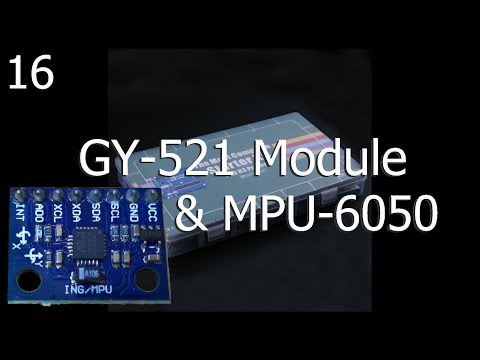](https://youtu.be/y5X2zwbO6e4)
[YouTube video](https://youtu.be/y5X2zwbO6e4)
GY-521-Module & MPU-6050. Demonstrate the Elegoo sketch provided in the tutorial covering the GY-521-Module which uses a 6-axis, 6 DOF, MEMS MPU-6050. A beginner's guide to the Most Complete Starter Kit by Elegoo.
Hello everyone, I'm Rick the Tech Enthusiast here with the next Elegoo Lesson. This is the next lesson on my Arduino UNO Series covering the Most Complete Starter Kit by Elegoo. I try to follow the included tutorial and will point out any changes or corrections as I find them.
As mentioned before, I purchased this Elegoo starter kit and Elegoo isn't sponsoring me. I just thought it would be fun to do a video of each Lesson as I was learning the Arduino environment.
Well need a few things from your Elegoo Arduino UNO kit. Ill list the items below. In this lesson were going to check out the GY-521 Module. Ill step through the Elegoo provided tutorial and briefly explain how code makes this happen. Well build and configure a simple circuit that is provided in the tutorial to demonstrate the functionality. The sketch uses Wire.h Library and I2C to communicate to the module. I hope you enjoy it.
## Parts youll need for the tutorial
* Elegoo Arduino UNO R3 board
* GY-521 Module
* Four or five female-to-male jumper wires
The next lesson will be Lesson 17: HC-SR501 PIR Sensor
## Links
This lessons sketch and associated drawings can be found at [Github](https://github.com/rmorenojr/ElegooTutorial)
* [MAX7219 LED Dot Matrix Module 8 x 8 with 5pcs Dupont Line Amazon](https://www.amazon.com/gp/product/B07775NFS1/ref=as_li_tl?ie=UTF8&camp=1789&creative=9325)
* [DHT21 AM2301 Capacitive Digital Temperature and Humidity Sensor](https://www.amazon.com/AM2301-Capacitive-Digital-Temperature-Humidity/dp/B07543HBQ2) amazon
* [SODIAL(R) DHT22 AM2302 Digital Temperature and Humidity Sensor Module](https://www.amazon.com/SODIAL-Digital-Temperature-Humidity-Raspberry/dp/B0757FBWSB/ref=sr_1_19?s=industrial&ie=UTF8&qid=1520801854&sr=1-19&keywords=dht22)
* [DHT22 AM2302 Digital Temperature and Humidity Sensor Module](https://www.amazon.com/Digital-Temperature-Humidity-Arduino-Raspberry/dp/B01N6PB489/ref=sr_1_4?s=industrial&ie=UTF8&qid=1520801995&sr=1-4&keywords=dht22) - amazon
<!-- LCD1602 Module with 3.3V Backlight 16x2 Character White on Blue Background by SunFounder -->
* <a target="_blank" href="https://www.amazon.com/gp/product/B071Y6JX3H/ref=as_li_tl?ie=UTF8&camp=1789&creative=9325&creativeASIN=B071Y6JX3H&linkCode=as2&tag=rmorenojr-20&linkId=81e6c312179be2b149bf6eeae0051f14">SunFounder LCD1602 Module with 3.3V Backlight for Arduino Uno R3 Mega2560 Raspberry Pi 16x2 Character White on Blue Background</a><img src="//ir-na.amazon-adsystem.com/e/ir?t=rmorenojr-20&l=am2&o=1&a=B071Y6JX3H" width="1" height="1" border="0" alt="" style="border:none !important; margin:0px !important;" />
<!-- Passive Buzzers, Cylewet 10Pcs 5V 2 Terminals, Arduino (Pack of 10) on Amazons web site: -->
* <a target="_blank" href="https://www.amazon.com/gp/product/B01NCOXB2Q/ref=as_li_tl?ie=UTF8&camp=1789&creative=9325&creativeASIN=B01NCOXB2Q&linkCode=as2&tag=rmorenojr-20&linkId=65e4660761a54140f64e954f1770006e">Cylewet 10Pcs 5V 2 Terminals Passive Electronic Alarm Buzzer Electromagnetic Beeper AC Impedance for Arduino (Pack of 10) CYT1008</a><img src="//ir-na.amazon-adsystem.com/e/ir?t=rmorenojr-20&l=am2&o=1&a=B01NCOXB2Q" width="1" height="1" border="0" alt="" style="border:none !important; margin:0px !important;" />
<!-- Elegoo EL-KIT-001 UNO R3 Project Complete Starter Kit with Tutorial for Arduino (63 Items) on Amazons web site: -->
* <a target="_blank" href="https://www.amazon.com/gp/product/B01CZTLHGE/ref=as_li_tl?ie=UTF8&camp=1789&creative=9325&creativeASIN=B01CZTLHGE&linkCode=as2&tag=rmorenojr-20&linkId=ac3601531bad9439bc32c77b0088b741">Elegoo EL-KIT-001 UNO R3 Project Complete Starter Kit with Tutorial for Arduino (63 Items)</a><img src="//ir-na.amazon-adsystem.com/e/ir?t=rmorenojr-20&l=am2&o=1&a=B01CZTLHGE" width="1" height="1" border="0" alt="" style="border:none !important; margin:0px !important;" />
* [Elegoos web site](https://www.elegoo.com/) - [Complete Starter Kit](https://www.elegoo.com/product/elegoo-uno-r3-project-complete-starter-kit/)
* [Fritzing Software](http://fritzing.org/download/)
* [Arduino Language Reference (English)](https://www.arduino.cc/reference/en/)
* [Wire.requestFrom()](https://www.arduino.cc/en/Reference/WireRequestFrom)
* [Wire.read()](https://www.arduino.cc/en/Reference/WireRead)
* [Wire.write()](https://www.arduino.cc/en/Reference/WireWrite)
* [Wire.beginTransmission()](https://www.arduino.cc/en/Reference/WireBeginTransmission)
* [Wire.endTransmission()](https://www.arduino.cc/en/Reference/WireEndTransmission)
* [Wire.requestFrom()](https://www.arduino.cc/en/Reference/WireRequestFrom)
* [Wire.available()](https://www.arduino.cc/en/Reference/WireAvailable)
* [TDK InvenSense MPU-6000 and MPU-6050](https://www.invensense.com/products/motion-tracking/6-axis/mpu-6050/)
* [Ep. 57 Arduino Accelerometer & Gyroscope Tutorial MPU-6050 6DOF Module by EEEnthusiast](https://www.youtube.com/watch?v=M9lZ5Qy5S2s)
* Music provided by Free Music Archive, by artist Jahzzar - [Jahzzar_-_01_-_What](http://freemusicarchive.org/music/Jahzzar/)
This is another video for my new Arduino tutorial series. If you like the series, be sure to rate and subscribe.
Thanks for watching
================================================
FILE: Lesson 17 - HC-SR501/HC-SR501_Demo/HC-SR501_Demo.ino
================================================
/* ***********************************************************
* HC-SR501 Motion Sensor Demonstration
* Uses the HC-SR501 PIR Sensor
* Modified by Ricardo Moreno
* June 23, 2018
*
* Inspired by Elegoo Lesson 17 and DroneBot
* Motion Sensor with Delay
* DroneBot Workshop 2018
* https://dronebotworkshop.com
*
* Note: Set the sensor for 3-second trigger
*
* THE SOFTWARE IS PROVIDED "AS IS", WITHOUT WARRANTY OF ANY KIND, EXPRESS OR
* IMPLIED, INCLUDING BUT NOT LIMITED TO THE WARRANTIES OF MERCHANTABILITY,
* FITNESS FOR A PARTICULAR PURPOSE AND NONINFRINGEMENT. IN NO EVENT SHALL THE
* AUTHORS OR COPYRIGHT HOLDERS BE LIABLE FOR ANY CLAIM, DAMAGES OR OTHER
* LIABILITY, WHETHER IN AN ACTION OF CONTRACT, TORT OR OTHERWISE, ARISING FROM,
* OUT OF OR IN CONNECTION WITH THE SOFTWARE OR THE USE OR OTHER DEALINGS IN
* THE SOFTWARE.
*
* History:
* 06/23/2018 V1.0 - Initial release
*/
/* ***********************************************************
* Global Constants *
* ********************************************************* */
// Set the Arduino pins
const int detectedLED = 10; // Blue LED Pin
const int readyLED = 9; // Green LED Pin
const int waitLED = 8; // Red LED Pin
const int pirPin = 7; // Input from Motion Sensor
const int BuzzerPin = 11; // Active buzzer pin
//Set Detection Constants for Different States
const int TRIGGERED = 2;
const int READY = 1;
const int WAIT = 0;
//Set Constant DELAY or ON times here
const int BuzzerOnTime = 500; // Active Buzzer time
const int dotLength = 40; // Number of progress dots max per row
const unsigned int initialDelay = 60000; // Initial startup delay
const unsigned int divisor = 40000; // Period of time between progress periods
/* ***********************************************************
* Global Variables *
* ********************************************************* */
bool BuzzerOnState = false; // Buzzer State
int pirValue; // PIR Output value
int pirState; // Stores the PIR State
unsigned long triggeredStartTime; // Stores Start time
unsigned long waitStartTime; // Stores Wait Start time -
// when output pin switches from High to Low
unsigned int timeDelay; // Time delay -
// manually adjust time delay to 3 seconds
// software recorded
unsigned int waitDelay = 7000; // Wait delay is after time delay -
// software adjusted
/* ***********************************************************
* Void Setup *
* ********************************************************* */
void setup(){
Serial.begin(9600);
/* Setup PinModes */
// LEDs as Outputs
pinMode(detectedLED, OUTPUT);
pinMode(readyLED, OUTPUT);
pinMode(waitLED, OUTPUT);
// Buzzer as Outputs
pinMode(BuzzerPin, OUTPUT);
// PIR as Input
pinMode(pirPin, INPUT);
/* Initial 1 Minute Delay to stabilize sensor */
Serial.println("Wait one minute to stabilize sensor");
showLEDs(WAIT);
// Make progress trailing dots
for (int i=0; i<= initialDelay/400; i++){
//This loop makes the trailing dots across the screen.
if ((i%(dotLength-5)==0)&&(i>0)&&(i==(dotLength-5))){
//First Line
Serial.println(".");
} else if (((i-(dotLength-5))%dotLength==0)&&(i>(dotLength-4))){
//Lines after
Serial.println(".");
} else {
Serial.print(".");
}
delay(400);
}
showLEDs(READY);
}
/* ***********************************************************
* Void Loop *
* ********************************************************* */
void loop(){
static int i;
switch (pirState){
case READY:
pirValue = digitalRead(pirPin);
if (pirValue) {
pirTriggered();
i=0;
}
break;
case TRIGGERED:
/* NOTE: While triggered, PIR output will remain high until
time delay is passed. If repeatable trigger mode is
enabled, it will reset the time delay.
At this point, the Arduino cannot do anything but monitor
the output
*/
// Make progress trailing dots
if (i%divisor==0) {Serial.print(".");}
//Check for Low PIR value
pirValue = digitalRead(pirPin);
if (!pirValue) { //times up
/* Wait time begins */
waitStartTime = millis();
timeDelay = waitStartTime-triggeredStartTime; // Records the actual time delay
Serial.print("timeDelay = "); Serial.print(timeDelay); Serial.println("ms");
showLEDs(WAIT);
i=0;
}
//Check Buzzer
if ((BuzzerOnState)&&((millis()-triggeredStartTime)>= BuzzerOnTime)){
BuzzerOnState = false;
digitalWrite(BuzzerPin, LOW);
}
i++;
break;
case WAIT:
// Make progress trailing dots
if (i%divisor==0) {Serial.print(".");}
// Check time > waitDelay
if ((millis()-waitStartTime)>= waitDelay) {
Serial.print("waitDelay = "); Serial.print(waitDelay); Serial.println("ms");
showLEDs(READY);
i=0;
}
/* NOTE: Since PIR hardware is not controlled by the Arduino,
wait delay is approximate. If early motion detection is
discovered, quickly record the new value and switch states
*/
pirValue = digitalRead(pirPin);
if (pirValue) {
// Autocorrection Routine:
// record new wait delay and jump to Triggered State
waitDelay = millis()-waitStartTime;
Serial.println("PreTriggered!");
Serial.print("Autocorrecting waitDelay = "); Serial.print(waitDelay); Serial.println("ms");
pirTriggered(); //Turn on Triggered LED and switch to Triggered State
i=0;
}
i++;
break;
default:
// do nothing
break;
}
}
/* ***********************************************************
* Functions *
* ********************************************************* */
void pirTriggered(){
/* This Subroutine switches on all the things that need
* to happen during a triggered event.
*/
triggeredStartTime = millis(); // Record Triggered Start Time
showLEDs(TRIGGERED); // Show Triggered LED
digitalWrite(BuzzerPin, HIGH); // Enable Buzzer
BuzzerOnState = true; // Enable Buzzer State
Serial.print("Measuring Delay.");
}
void showLEDs(int value){
pirState = value;
switch (value){
case WAIT: //WAIT
Serial.print("Wait"); // to be followed by progress dots
digitalWrite(detectedLED, LOW);
digitalWrite(readyLED, LOW);
digitalWrite(waitLED, HIGH);
break;
case READY: //READY
Serial.println("Ready");
digitalWrite(detectedLED, LOW);
digitalWrite(readyLED, HIGH);
digitalWrite(waitLED, LOW);
break;
case TRIGGERED: //TRIGGERED
Serial.println("Triggered!");
digitalWrite(detectedLED, HIGH);
digitalWrite(readyLED, LOW);
digitalWrite(waitLED, LOW);
break;
default:
// Maybe add error code here
// do nothing
break;
}
}
================================================
FILE: Lesson 17 - HC-SR501/README.md
================================================
# ElegooTutorial
## Lesson 17 HC-SR501 PIR Sensor
<!-- [[./octocat.png|alt=octocat]] -->
[](https://youtu.be/Fx_dQNpZ-x4)
[YouTube video](https://youtu.be/Fx_dQNpZ-x4)
HC-SR501 PIR Sensor. Demonstrate the Elegoo sketch provided in the tutorial covering the HC-SR501 PIR Sensor and expand the sketch to include LED and buzzer. A beginner's guide to the Most Complete Starter Kit by Elegoo.
Hello everyone, I'm Rick the Tech Enthusiast here with the next Elegoo Lesson. This is the next lesson on my Arduino UNO Series covering the Most Complete Starter Kit by Elegoo. I try to follow the included tutorial and will point out any changes or corrections as I find them.
As mentioned before, I purchased this Elegoo starter kit and Elegoo isn't sponsoring me. I just thought it would be fun to do a video of each Lesson as I was learning the Arduino environment.
Well need a few things from your Elegoo Arduino UNO kit. Ill list the items below. In this lesson were going to check out the HC-SR501 Passive Infra-Red Sensor. Ill step through the Elegoo provided tutorial and briefly explain how code makes this happen. Well build and configure a simple circuit that is provided in the tutorial to demonstrate the functionality. Then will expand the sketch to include LED to indicate the PIR state and a buzzer for audio confirmation. I hope you enjoy it.
## Parts youll need for the tutorial
* Elegoo Arduino UNO R3 board
* HC-SR501 PIR Sensor
* Three female-to-male jumper wires
The next lesson will be Lesson 18: Water Level Detection Sensor Module
## Links
This lessons sketch and associated drawings can be found at [Github](https://github.com/rmorenojr/ElegooTutorial)
* [MAX7219 LED Dot Matrix Module 8 x 8 with 5pcs Dupont Line Amazon](https://www.amazon.com/gp/product/B07775NFS1/ref=as_li_tl?ie=UTF8&camp=1789&creative=9325)
* [DHT21 AM2301 Capacitive Digital Temperature and Humidity Sensor](https://www.amazon.com/AM2301-Capacitive-Digital-Temperature-Humidity/dp/B07543HBQ2) amazon
* [SODIAL(R) DHT22 AM2302 Digital Temperature and Humidity Sensor Module](https://www.amazon.com/SODIAL-Digital-Temperature-Humidity-Raspberry/dp/B0757FBWSB/ref=sr_1_19?s=industrial&ie=UTF8&qid=1520801854&sr=1-19&keywords=dht22)
* [DHT22 AM2302 Digital Temperature and Humidity Sensor Module](https://www.amazon.com/Digital-Temperature-Humidity-Arduino-Raspberry/dp/B01N6PB489/ref=sr_1_4?s=industrial&ie=UTF8&qid=1520801995&sr=1-4&keywords=dht22) - amazon
<!-- LCD1602 Module with 3.3V Backlight 16x2 Character White on Blue Background by SunFounder -->
* <a target="_blank" href="https://www.amazon.com/gp/product/B071Y6JX3H/ref=as_li_tl?ie=UTF8&camp=1789&creative=9325&creativeASIN=B071Y6JX3H&linkCode=as2&tag=rmorenojr-20&linkId=81e6c312179be2b149bf6eeae0051f14">SunFounder LCD1602 Module with 3.3V Backlight for Arduino Uno R3 Mega2560 Raspberry Pi 16x2 Character White on Blue Background</a><img src="//ir-na.amazon-adsystem.com/e/ir?t=rmorenojr-20&l=am2&o=1&a=B071Y6JX3H" width="1" height="1" border="0" alt="" style="border:none !important; margin:0px !important;" />
<!-- Passive Buzzers, Cylewet 10Pcs 5V 2 Terminals, Arduino (Pack of 10) on Amazons web site: -->
* <a target="_blank" href="https://www.amazon.com/gp/product/B01NCOXB2Q/ref=as_li_tl?ie=UTF8&camp=1789&creative=9325&creativeASIN=B01NCOXB2Q&linkCode=as2&tag=rmorenojr-20&linkId=65e4660761a54140f64e954f1770006e">Cylewet 10Pcs 5V 2 Terminals Passive Electronic Alarm Buzzer Electromagnetic Beeper AC Impedance for Arduino (Pack of 10) CYT1008</a><img src="//ir-na.amazon-adsystem.com/e/ir?t=rmorenojr-20&l=am2&o=1&a=B01NCOXB2Q" width="1" height="1" border="0" alt="" style="border:none !important; margin:0px !important;" />
* [Elenco 350 Piece Pre-formed Jumper Wire Kit on Amazon](https://amzn.to/2z6sCCw)
<!-- Elegoo EL-KIT-001 UNO R3 Project Complete Starter Kit with Tutorial for Arduino (63 Items) on Amazons web site: -->
* <a target="_blank" href="https://www.amazon.com/gp/product/B01CZTLHGE/ref=as_li_tl?ie=UTF8&camp=1789&creative=9325&creativeASIN=B01CZTLHGE&linkCode=as2&tag=rmorenojr-20&linkId=ac3601531bad9439bc32c77b0088b741">Elegoo EL-KIT-001 UNO R3 Project Complete Starter Kit with Tutorial for Arduino (63 Items)</a><img src="//ir-na.amazon-adsystem.com/e/ir?t=rmorenojr-20&l=am2&o=1&a=B01CZTLHGE" width="1" height="1" border="0" alt="" style="border:none !important; margin:0px !important;" />
* [Elegoos web site](https://www.elegoo.com/) - [Complete Starter Kit](https://www.elegoo.com/product/elegoo-uno-r3-project-complete-starter-kit/)
* [Logitech M510 Wireless Mouse on Amazon](https://amzn.to/2z4FF7F)
* [Fritzing Software](http://fritzing.org/download/)
* [Arduino Language Reference (English)](https://www.arduino.cc/reference/en/)
* [HC-SR501 PIR Motion Detector - With Arduino & Raspberry Pi by DroneBot Workshop](https://www.youtube.com/watch?v=ZC_sEW3_694)
* [Using the HC-SR501 PIR Motion Sensor With Arduino & Raspberry Pi](https://dronebotworkshop.com/using-pir-sensors-with-arduino-raspberry-pi/)
* Royalty Free Music from HookSounds.com, by artist Rodrigo Vicente - [OldSchoolFinalMix](http://www.hooksounds.com)
This is another video for my new Arduino tutorial series. If you like the series, be sure to rate and subscribe.
Thanks for watching
================================================
FILE: Lesson 18 - Water Level Detection Sensor Module/README.md
================================================
# ElegooTutorial
## 18 Water Level Detection Sensor Module
<!-- [[./octocat.png|alt=octocat]] -->
[](https://youtu.be/J_QNCmBe20o)
[YouTube video](https://youtu.be/J_QNCmBe20o)
Water Level Detection Sensor Module. Demonstrate the Elegoo sketch provided in the tutorial covering the Water Level Detection Sensor Module and provide a few improvements. A beginner's guide to the Most Complete Starter Kit by Elegoo.
Hello everyone, I'm Rick the Tech Enthusiast here with the next Elegoo Lesson. This is the next lesson on my Arduino UNO Series covering the Most Complete Starter Kit by Elegoo. I try to follow the included tutorial and will point out any changes or corrections as I find them.
As mentioned before, I purchased this Elegoo starter kit and Elegoo isn't sponsoring me. I just thought it would be fun to do a video of each Lesson as I was learning the Arduino environment.
Well need a few things from your Elegoo Arduino UNO kit. Ill list the items below. In this lesson were going to check out the Water Level Detection Sensor Module. Ill step through the Elegoo provided tutorial and briefly explain how code makes this happen. Well build and configure a simple circuit that is provided in the tutorial to demonstrate the functionality. Then Ill expand the sketch to include additional functionality and readability. I hope you enjoy it.
## Parts youll need for the tutorial
* Elegoo Arduino UNO R3 board
* Water Level Detection Sensor Module
* Three female-to-male jumper wires
The next lesson will be Lesson 19: Real Time Clock Module
## Links
This lessons sketch and associated drawings can be found at [Github](https://github.com/rmorenojr/ElegooTutorial)
* [MAX7219 LED Dot Matrix Module 8 x 8 with 5pcs Dupont Line Amazon](https://www.amazon.com/gp/product/B07775NFS1/ref=as_li_tl?ie=UTF8&camp=1789&creative=9325)
* [DHT21 AM2301 Capacitive Digital Temperature and Humidity Sensor](https://www.amazon.com/AM2301-Capacitive-Digital-Temperature-Humidity/dp/B07543HBQ2) amazon
* [SODIAL(R) DHT22 AM2302 Digital Temperature and Humidity Sensor Module](https://www.amazon.com/SODIAL-Digital-Temperature-Humidity-Raspberry/dp/B0757FBWSB/ref=sr_1_19?s=industrial&ie=UTF8&qid=1520801854&sr=1-19&keywords=dht22)
* [DHT22 AM2302 Digital Temperature and Humidity Sensor Module](https://www.amazon.com/Digital-Temperature-Humidity-Arduino-Raspberry/dp/B01N6PB489/ref=sr_1_4?s=industrial&ie=UTF8&qid=1520801995&sr=1-4&keywords=dht22) - amazon
<!-- LCD1602 Module with 3.3V Backlight 16x2 Character White on Blue Background by SunFounder -->
* <a target="_blank" href="https://www.amazon.com/gp/product/B071Y6JX3H/ref=as_li_tl?ie=UTF8&camp=1789&creative=9325&creativeASIN=B071Y6JX3H&linkCode=as2&tag=rmorenojr-20&linkId=81e6c312179be2b149bf6eeae0051f14">SunFounder LCD1602 Module with 3.3V Backlight for Arduino Uno R3 Mega2560 Raspberry Pi 16x2 Character White on Blue Background</a><img src="//ir-na.amazon-adsystem.com/e/ir?t=rmorenojr-20&l=am2&o=1&a=B071Y6JX3H" width="1" height="1" border="0" alt="" style="border:none !important; margin:0px !important;" />
<!-- Passive Buzzers, Cylewet 10Pcs 5V 2 Terminals, Arduino (Pack of 10) on Amazons web site: -->
* <a target="_blank" href="https://www.amazon.com/gp/product/B01NCOXB2Q/ref=as_li_tl?ie=UTF8&camp=1789&creative=9325&creativeASIN=B01NCOXB2Q&linkCode=as2&tag=rmorenojr-20&linkId=65e4660761a54140f64e954f1770006e">Cylewet 10Pcs 5V 2 Terminals Passive Electronic Alarm Buzzer Electromagnetic Beeper AC Impedance for Arduino (Pack of 10) CYT1008</a><img src="//ir-na.amazon-adsystem.com/e/ir?t=rmorenojr-20&l=am2&o=1&a=B01NCOXB2Q" width="1" height="1" border="0" alt="" style="border:none !important; margin:0px !important;" />
* [Elenco 350 Piece Pre-formed Jumper Wire Kit on Amazon](https://amzn.to/2z6sCCw)
<!-- Elegoo EL-KIT-001 UNO R3 Project Complete Starter Kit with Tutorial for Arduino (63 Items) on Amazons web site: -->
* <a target="_blank" href="https://www.amazon.com/gp/product/B01CZTLHGE/ref=as_li_tl?ie=UTF8&camp=1789&creative=9325&creativeASIN=B01CZTLHGE&linkCode=as2&tag=rmorenojr-20&linkId=ac3601531bad9439bc32c77b0088b741">Elegoo EL-KIT-001 UNO R3 Project Complete Starter Kit with Tutorial for Arduino (63 Items)</a><img src="//ir-na.amazon-adsystem.com/e/ir?t=rmorenojr-20&l=am2&o=1&a=B01CZTLHGE" width="1" height="1" border="0" alt="" style="border:none !important; margin:0px !important;" />
* [Elegoos web site](https://www.elegoo.com/) - [Complete Starter Kit](https://www.elegoo.com/product/elegoo-uno-r3-project-complete-starter-kit/)
* [Logitech M510 Wireless Mouse on Amazon](https://amzn.to/2z4FF7F)
* [Fritzing Software](http://fritzing.org/download/)
* [Arduino Language Reference (English)](https://www.arduino.cc/reference/en/)
* [HC-SR501 PIR Motion Detector - With Arduino & Raspberry Pi by DroneBot Workshop](https://www.youtube.com/watch?v=ZC_sEW3_694)
* [Why most Arduino Soil Moisture Sensors suck (incl. solution) by Andreas Spiess](https://www.youtube.com/watch?v=udmJyncDvw0)
* Royalty Free Music from HookSounds.com, by artist Rodrigo Vicente - [FutureBass_Full](http://www.hooksounds.com)
This is another video for my new Arduino tutorial series. If you like the series, be sure to rate and subscribe.
Thanks for watching
================================================
FILE: Lesson 18 - Water Level Detection Sensor Module/Water_level/Water_level.ino
================================================
/* ***********************************************************
* Water Level
* Uses the Water Level Detection Sensor Module
* Modified by Ricardo Moreno
* July 11, 2018
*
* Original sketch by:
* www.elegoo.com
* 2016.12.9
*/
/* ***********************************************************
* Global Constants *
* ********************************************************* */
const int sensorPin = A0; // using alias for analog pin 0
// analog alias A0-A5 input pins = D14-D19
bool tapWater = true; // Boolean if using plain tap water
/* ***********************************************************
* Global Variables *
* ********************************************************* */
int HistoryValue = 0;
//char printBuffer[20]; // Make sure to adjust array value if you change the string
//char printBuffer[30]; // Make sure to adjust array value if you change the string
char printBuffer[45]; // Make sure to adjust array value if you change the string
String analogPin;
/* ***********************************************************
* Void Setup *
* ********************************************************* */
void setup()
{
Serial.begin(9600);
analogPin = analogPinConverter(sensorPin);
}
int levelConverter(int sensorValue, bool isCleanWater = true){
int percentage;
static int maxValue = 350;
if (isCleanWater){
percentage = map(sensorValue, 0, maxValue, 0, 100);
if (percentage > 100) {
maxValue = sensorValue;
percentage = 100;
}
}else{
percentage = map(sensorValue, 0, 1023, 0, 100);
}
return percentage;
}
/* ***********************************************************
* Void Loop *
* ********************************************************* */
void loop()
{
int currentValue = analogRead(sensorPin); // get sensorPin analog value
int diffValue = HistoryValue - currentValue;
if((abs(diffValue) >= 10)||((currentValue == 0)&&(HistoryValue != 0)))
{
int percentValue = levelConverter(currentValue, tapWater);
//[original] sprintf(printBuffer,"ADC%d level is %d\n",adc_id, value);
// sprintf(printBuffer,"PIN %03d level is %04d\n", sensorPin, currentValue);
// sprintf(printBuffer,"PIN %s level is %04d)\n", analogPin.c_str(), currentValue);
sprintf(printBuffer,"PIN %s level is %03d%% (raw value is %04d)\n", analogPin.c_str(), percentValue, currentValue);
Serial.print(printBuffer);
HistoryValue = currentValue;
}
}
String analogPinConverter(int value){
String analogPinValue;
switch(value){
case 14: // D14 = A0
analogPinValue = "A0";
break;
case 15: // D15 = A1
analogPinValue = "A1";
break;
case 16: // D16 = A2
analogPinValue = "A2";
break;
case 17: // D17 = A3
analogPinValue = "A3";
break;
case 18: // D18 = A4
analogPinValue = "A4";
break;
case 19: // D19 = A5
analogPinValue = "A5";
break;
default:
analogPinValue = "Pin Error";
break;
}
return analogPinValue;
}
================================================
FILE: Lesson 19 - Real Time Clock Module/README.md
================================================
# ElegooTutorial
## 19 Real Time Clock Module
<!-- [[./octocat.png|alt=octocat]] -->
[](https://youtu.be/h-EZ0KSqqw0)
[YouTube video](https://youtu.be/h-EZ0KSqqw0)
ZS-042 Module aka. DS3231 RTC Module with AT24C32N EEprom chip and CR2032 battery. Demonstrate the Elegoo sketch provided in the tutorial covering the DS3231 RTC Module. Then I show my RTC alarm clock with my custom SimpleAlarmClock Library. A beginner's guide to the Most Complete Starter Kit by Elegoo.
Hello everyone, I'm Rick the Tech Enthusiast here with the next Elegoo Lesson. This is the next lesson on my Arduino UNO Series covering the Most Complete Starter Kit by Elegoo. I try to follow the included tutorial and will point out any changes or corrections as I find them.
As mentioned before, I purchased this Elegoo starter kit and Elegoo isn't sponsoring me. I just thought it would be fun to do a video of each Lesson as I was learning the Arduino environment.
Well need a few things from your Elegoo Arduino UNO kit. Ill list the items below. In this lesson were going to check out the DS3231 RTC module, aka. ZS-042 module. The ZS-042 module includes a DS3231 real time clock and calendar, AT24C32N EEPROM chip, and CR2032 battery. Ill step through the Elegoo provided tutorial and briefly explain how code makes this happen. Well build and configure a simple circuit that is provided in the tutorial to demonstrate the functionality. Then will show an alarm clock circuit, complete with snooze alarm, and new SimpleAlarmClock.h library. I hope you enjoy it.
## Parts youll need for the tutorial
* Elegoo Arduino UNO R3 board
* ZS-042 Module (aka. DS3231 RTC Module)
* Four female-to-male jumper wires
The next lesson will be Lesson 20: Sound Sensor Module
## Links
This lessons sketch and associated drawings can be found at [Github](https://github.com/rmorenojr/ElegooTutorial)
* [MAX7219 LED Dot Matrix Module 8 x 8 with 5pcs Dupont Line Amazon](https://www.amazon.com/gp/product/B07775NFS1/ref=as_li_tl?ie=UTF8&camp=1789&creative=9325)
* [DHT21 AM2301 Capacitive Digital Temperature and Humidity Sensor](https://www.amazon.com/AM2301-Capacitive-Digital-Temperature-Humidity/dp/B07543HBQ2) amazon
* [SODIAL(R) DHT22 AM2302 Digital Temperature and Humidity Sensor Module](https://www.amazon.com/SODIAL-Digital-Temperature-Humidity-Raspberry/dp/B0757FBWSB/ref=sr_1_19?s=industrial&ie=UTF8&qid=1520801854&sr=1-19&keywords=dht22)
* [DHT22 AM2302 Digital Temperature and Humidity Sensor Module](https://www.amazon.com/Digital-Temperature-Humidity-Arduino-Raspberry/dp/B01N6PB489/ref=sr_1_4?s=industrial&ie=UTF8&qid=1520801995&sr=1-4&keywords=dht22) - amazon
<!-- LCD1602 Module with 3.3V Backlight 16x2 Character White on Blue Background by SunFounder -->
* <a target="_blank" href="https://www.amazon.com/gp/product/B071Y6JX3H/ref=as_li_tl?ie=UTF8&camp=1789&creative=9325&creativeASIN=B071Y6JX3H&linkCode=as2&tag=rmorenojr-20&linkId=81e6c312179be2b149bf6eeae0051f14">SunFounder LCD1602 Module with 3.3V Backlight for Arduino Uno R3 Mega2560 Raspberry Pi 16x2 Character White on Blue Background</a><img src="//ir-na.amazon-adsystem.com/e/ir?t=rmorenojr-20&l=am2&o=1&a=B071Y6JX3H" width="1" height="1" border="0" alt="" style="border:none !important; margin:0px !important;" />
<!-- Passive Buzzers, Cylewet 10Pcs 5V 2 Terminals, Arduino (Pack of 10) on Amazons web site: -->
* <a target="_blank" href="https://www.amazon.com/gp/product/B01NCOXB2Q/ref=as_li_tl?ie=UTF8&camp=1789&creative=9325&creativeASIN=B01NCOXB2Q&linkCode=as2&tag=rmorenojr-20&linkId=65e4660761a54140f64e954f1770006e">Cylewet 10Pcs 5V 2 Terminals Passive Electronic Alarm Buzzer Electromagnetic Beeper AC Impedance for Arduino (Pack of 10) CYT1008</a><img src="//ir-na.amazon-adsystem.com/e/ir?t=rmorenojr-20&l=am2&o=1&a=B01NCOXB2Q" width="1" height="1" border="0" alt="" style="border:none !important; margin:0px !important;" />
* [Elenco 350 Piece Pre-formed Jumper Wire Kit on Amazon](https://amzn.to/2z6sCCw)
<!-- Elegoo EL-KIT-001 UNO R3 Project Complete Starter Kit with Tutorial for Arduino (63 Items) on Amazons web site: -->
* <a target="_blank" href="https://www.amazon.com/gp/product/B01CZTLHGE/ref=as_li_tl?ie=UTF8&camp=1789&creative=9325&creativeASIN=B01CZTLHGE&linkCode=as2&tag=rmorenojr-20&linkId=ac3601531bad9439bc32c77b0088b741">Elegoo EL-KIT-001 UNO R3 Project Complete Starter Kit with Tutorial for Arduino (63 Items)</a><img src="//ir-na.amazon-adsystem.com/e/ir?t=rmorenojr-20&l=am2&o=1&a=B01CZTLHGE" width="1" height="1" border="0" alt="" style="border:none !important; margin:0px !important;" />
* [Elegoos web site](https://www.elegoo.com/) - [Complete Starter Kit](https://www.elegoo.com/product/elegoo-uno-r3-project-complete-starter-kit/)
* [Logitech M510 Wireless Mouse on Amazon](https://amzn.to/2z4FF7F)
* [Fritzing Software](http://fritzing.org/download/)
* [Arduino Language Reference (English)](https://www.arduino.cc/reference/en/)
* [HC-SR501 PIR Motion Detector - With Arduino & Raspberry Pi by DroneBot Workshop](https://www.youtube.com/watch?v=ZC_sEW3_694)
* [Why most Arduino Soil Moisture Sensors suck (incl. solution) by Andreas Spiess](https://www.youtube.com/watch?v=udmJyncDvw0)
## Affiliate Links that Help my channel:
* Try Prime Discounted Monthly Offering: https://amzn.to/2PnVgSA
* Try Amazon Prime 30-Day Free Trial: https://amzn.to/2E5Hy4O
* Prime Student 6-month Trial: https://amzn.to/2ElxwNE
* Join Amazon Prime - Watch Thousands of Movies & TV Shows Anytime - Start Free Trial Now: https://amzn.to/2PsEZvE
* Give the Gift of Amazon Prime https://amzn.to/2EkFaYG
* Kindle Unlimited Membership Plans: https://amzn.to/2QJl548
* Try Audible and Get Two Free Audiobooks: https://amzn.to/2QD2B5v
* Amazon.com - Read eBooks using the FREE Kindle Reading App on Most Devices: https://amzn.to/2Ptpdkl
* Royalty Free Music from HookSounds.com, by artist Rodrigo Vicente - [FutureBass_Full](http://www.hooksounds.com)
* Royalty Free Music from "Constance" Kevin MacLeod - [Welcome to the Show]( https://incompetech.com/music/royalty-free/music.html)
This is another video for my new Arduino tutorial series. If you like the series, be sure to rate and subscribe.
Thanks for watching
================================================
FILE: Lesson 19 - Real Time Clock Module/RTC_Alarm/RTC_Alarm.ino
================================================
/* ***********************************************************
* RTC_Alarm sketch - v1.0
* Uses the ZS-040 module, aka DS3231 RTC module
* Uses the SimpleAlarmClock.h library by Ricardo Moreno
* Uses the LiquidCrystal.h library
* Uses the Button.h library by Alexander Brevig & Ricardo Moreno
* Uses the pitches.h library
* November 25, 2018
*
* Inspired by Elegoo Lesson 19 and Simple Projects'
* Arduino real time clock with alarm and temperature monitor
* using DS3231 and AT24C32 found on ZS-40 module
* https://tinyurl.com/y8br3og2
* Impliments an alarm clock on a 16x2 LCD Display with
* Three tact switches, DS3231 module, LED and passive buzzer.
*
* Description:
* This sketch illustrates the SimpleAlarmClock library with
* DS3231 Real Time Clock and AT24C32 EEPROM.
*
* THE SOFTWARE IS PROVIDED "AS IS", WITHOUT WARRANTY OF ANY
* KIND, EXPRESS OR IMPLIED, INCLUDING BUT NOT LIMITED TO THE
* WARRANTIES OF MERCHANTABILITY, FITNESS FOR A PARTICULAR
* PURPOSE AND NONINFRINGEMENT. IN NO EVENT SHALL THE AUTHORS
* OR COPYRIGHT HOLDERS BE LIABLE FOR ANY CLAIM, DAMAGES OR
* OTHER LIABILITY, WHETHER IN AN ACTION OF CONTRACT, TORT OR
* OTHERWISE, ARISING FROM, OUT OF OR IN CONNECTION WITH THE
* SOFTWARE OR THE USE OR OTHER DEALINGS IN THE SOFTWARE.
*
* History:
* 11/25/2018 v1.0 - Initial release
*
* ********************************************************* */
/* ***********************************************************
* Libraries *
* ********************************************************* */
#include <SimpleAlarmClock.h> // https://github.com/rmorenojr/SimpleAlarmClock
#include <LiquidCrystal.h>
#include <Button.h> // https://github.com/rmorenojr/Button
#include <pitches.h>
/* ***********************************************************
* Global Constants *
* Hardware Definitions *
* ********************************************************* */
//LiquidCrystal(rs, enable, d4, d5, d6, d7)
LiquidCrystal lcd(3, 4, 5, 6, 7, 8); // instantiates the LiquiCrystal
// Object class to variable lcd
const byte RTC_addr=0x68; // I2C address of DS3231 RTC
const byte EEPROM_addr=0x57; // I2C address of AT24C32N EEPROM
const bool INTCN = true; // allows SQW pin to be monitored
/* I2C address can be found in the datasheet Figure 1. Device
Address ZS-040 module has pull-up resistors on these pins
giving them a default value of 1.
Shorting an individual pad results in different address:
pads Binary Hex Dec
| Default | b1101111 | 0x57 | 87 |
| short A0 | b1101110 | 0x56 | 86 |
| short A1 | b1101101 | 0x55 | 85 |
| short A2 | b1101011 | 0x53 | 83 |
| All Short| b1101000 | 0x50 | 80 |
allowing up to eight combinations */
// instantiate SimpleAlarmClock
SimpleAlarmClock Clock(RTC_addr, EEPROM_addr, INTCN);
const int Snooze_Pin = 11;
const int Lt_Pin = 9;
const int Rt_Pin = 10;
const int DebouceTime = 30; // button debouce time in ms
Button SnoozeKey(Snooze_Pin, BUTTON_PULLUP_INTERNAL, true, DebouceTime);
Button LtKey(Lt_Pin, BUTTON_PULLUP_INTERNAL, true, DebouceTime);
Button RtKey(Rt_Pin, BUTTON_PULLUP_INTERNAL, true, DebouceTime);
const int LED_Pin = 13; // digital pin for LED
const int BUZZER_Pin = 12; // digital pin for tone buzzer
const int SQW_Pin = 2; // Interrrupt pin
const int Button_Hold_Time = 3000; // button hold length of time in ms
const int Alarm_View_Pause = 2000; // View Alarm Length of time in ms
const byte SnoozePeriod = 9; // Snooze value, in minutes
const int flashInterval = 1000; // Alarm flashing interval
const int SkipClickTime = 60; // Time in ms to ignore button click
//Alarm types:
const byte Daily=0;
const byte Weekday=1;
const byte Weekend=2;
const byte Once=3;
//Clock Modes:
const byte AMhr=0;
const byte PMhr=1;
const byte M24hr=2;
//Clocks
const byte clock0=0;
const byte alarm1=1;
const byte alarm2=2;
/* ***********************************************************
* Global Variables *
* ********************************************************* */
// notes in the melody:
int melody[] = {
//NOTE_C4, NOTE_G3, NOTE_G3, NOTE_A3, NOTE_G3, 0, NOTE_B3, NOTE_C4
NOTE_C6, NOTE_C6, NOTE_C6, NOTE_C6, NOTE_C6,
};
// note durations: 4 = quarter note, 8 = eighth note, etc.:
//int noteDurations[] = { 4, 8, 8, 4, 4, 4, 4, 4 };
int noteDurations[] = { 16, 16, 16, 16, 16 };
enum States {
PowerLoss,
ShowClock,
ShowAlarm1,
ShowAlarm2,
Alarm,
EditClock,
EditAlarm1,
EditAlarm2
};
States ClockState = ShowClock;
States PrevState = EditAlarm2; // Used for debugging
byte HourType = 0; // 0=AM/PM, 1=24hour - used in display alarm - to be deleted
bool Fahrenheit = true; // Or Celsius=false
bool PrevFahrenheit = Fahrenheit; // Capture previous Fahrenheit
float CurrentTemperature; // Maybe move as static variable under displayClock function
unsigned long RunTime; // Used to track time between get temperature value
unsigned long buttonHoldPrevTime = 0.0; // Used to track button hold times
unsigned long AlarmRunTime;
DateTime PreviousTime; // Maybe move as static variable under displayClock function
AlarmTime PreviousAlarm; // Maybe move as static variable under displayAlarm function
byte EditHourType = 0; // 0=AM, 1=PM, 2=24hour - used for edit only
byte cpIndex = 0; // Cursor Position Index - used for edit mode
byte ActiveAlarms = 0; // used to store active alarms (not enabled alarms)
bool bHoldButtonFlag = false; // used to prevent holdButton also activating clickButton
bool bDisplayStatus = true; // used to track the lcd display on status
//custom LCD characters: https://omerk.github.io/lcdchargen/
//Up arrow
byte cA1[8] = {
0b00100,
0b01110,
0b11111,
0b00000,
0b00000,
0b00000,
0b00000,
0b00000 };
//Down arrow
byte cA2[8] = {
0b00000,
0b00000,
0b00000,
0b00000,
0b00000,
0b11111,
0b01110,
0b00100 };
//Both arrows
byte cBA[8] = {
0b00100,
0b01110,
0b11111,
0b00000,
0b00000,
0b11111,
0b01110,
0b00100 };
//Skinny letter A
byte cSA[8] = {
0b00000,
0b00010,
0b00111,
0b00101,
0b00111,
0b00101,
0b00101,
0b00000 };
/* ***********************************************************
* Functions *
* ********************************************************* */
void displayClock(bool changeFlag=false) {
/* ***************************************************** *
* Display clock - skips update if there are no changes
*
* Parameters:
* changeFlag - true forces display refresh
* - false does nothing
* ***************************************************** */
DateTime NowTime; //create DateTime struct from Library
NowTime = Clock.read(); // get the latest clock values
// CheckFlag Section:
// The DS3231 temperature can be read once every 64 seconds.
// Check the temperature every 65 seconds OR
// Check the temperature if Fahrenheit changes
unsigned long uL = millis() - RunTime;
if ((uL >=65000)||(Fahrenheit != PrevFahrenheit)) {
float PreviousTemperature = CurrentTemperature;
CurrentTemperature = getTemperatureValue();
RunTime = millis();
PrevFahrenheit = Fahrenheit;
if (CurrentTemperature != PreviousTemperature) {changeFlag = true;}
}
// Check for Time change
if (NowTime.Hour != PreviousTime.Hour){ changeFlag = true; }
if (NowTime.Minute != PreviousTime.Minute){ changeFlag = true; }
if (NowTime.ClockMode != PreviousTime.ClockMode) { changeFlag = true; }
if (NowTime.Day != PreviousTime.Day) { changeFlag = true; }
if (NowTime.Month != PreviousTime.Month) { changeFlag = true; }
if (NowTime.Year != PreviousTime.Year) { changeFlag = true; }
//Update Display - Only change display if change is detected
if (changeFlag == true){
lcd.clear();
//First Row hh:mm AM ###.#°F
lcd.setCursor(0,0); //Column, Row
lcd.print(p2Digits(NowTime.Hour));
lcd.print(":");
lcd.print(p2Digits(NowTime.Minute));
switch (NowTime.ClockMode){
case AMhr:
lcd.print(" AM ");
break;
case PMhr:
lcd.print(" PM ");
break;
case M24hr:
lcd.print(" M ");
break;
default:
//do nothing
break;
}
if (CurrentTemperature < 100.0) { lcd.print(" "); }
lcd.print(String(CurrentTemperature,1)); // converts float to string
// with 1 decimal place
lcd.print((char)223); // prints the degree symbol
if (Fahrenheit) { lcd.print("F"); } else { lcd.print("C"); }
//Second Row dow mm/dd/yyyy
lcd.setCursor(0,1); // Column, Row
lcd.print(dow2Str(NowTime.Dow)); // Integer Day of the week
// convert to String with
// an optional leading zero
lcd.print(" ");
lcd.print(p2Digits(NowTime.Month));
lcd.print("/");
lcd.print(p2Digits(NowTime.Day));
lcd.print("/");
int i = 2000 + NowTime.Year;
lcd.print(i);
lcd.write(4); //Skinny letter A
lcdAlarmIndicator(); //lcd.print A1, A2, BA, or -
PreviousTime = Clock.read();
}
}
void displayAlarm(byte index=1, bool changeFlag=false) {
/* ***************************************************** *
* Display Alarm Clock
*
* Parameters:
* index - the integer value of the alarm clock to
* display - 1 or 2
* ***************************************************** */
/* Reminder of AlarmTime Structure:
struct AlarmTime {
uint8_t Second; // 0-59 = 6 bits 0=for alarm2
uint8_t Minute; // 0-59 = 6 bits
uint8_t Hour; // 0-23 = 5 bits
uint8_t AlarmMode; // 0=Daily, 1=Weekday, 2=Weekend, 3=Once
uint8_t ClockMode; // 0-2; 0=AM, 1=PM, 2=24hour
bool Enabled; // true/false
}
*/
/* LCD alarm display pseudo code:
Alarm 1 ON
hh:mm AM Daily
Alarm 1 OFF
hh:mm PM Weekday
Alarm 1 ON
hh:mm AM Weekend
Alarm 2 ON
hh:mm 24 Once */
AlarmTime alarm; //create AlarmTime struct from Library
if (index == alarm2) {
alarm = Clock.readAlarm(alarm2); // get the latest alarm2 values
} else {
alarm = Clock.readAlarm(alarm1); // get the latest alarm1 values
}
// Check for Alarm change
if (alarm.Hour != PreviousAlarm.Hour){ changeFlag = true; }
if (alarm.Minute != PreviousAlarm.Minute){ changeFlag = true; }
if (alarm.ClockMode != PreviousAlarm.ClockMode) { changeFlag = true; }
if (alarm.AlarmMode != PreviousAlarm.AlarmMode) { changeFlag = true; }
//Update Display - Only change display if change is detected
if (changeFlag == true){
lcd.clear();
// First row
lcd.setCursor(0,0);
if (index == alarm2) {
lcd.print("Alarm 2");
} else {
lcd.print("Alarm 1");
}
lcd.setCursor(13,0);
if (alarm.Enabled == true) {
lcd.print("ON");
} else {
lcd.print("OFF");
}
//Second row
lcd.setCursor(0,1);
lcd.print(p2Digits(alarm.Hour));
lcd.print(":");
lcd.print(p2Digits(alarm.Minute));
switch (alarm.ClockMode){
case AMhr:
//AM
lcd.print(" AM");
break;
case PMhr:
//PM
lcd.print(" PM");
break;
case M24hr:
//24hr
lcd.print(" M");
break;
default:
lcd.print(" M");
break;
}
switch (alarm.AlarmMode){
//0=Daily, 1=Weekday, 2=Weekend, 3=Once
case 0:
//Daily
lcd.print(" Daily");
break;
case 1:
//Weekday
lcd.print(" Weekday");
break;
case 2:
//Weekend
lcd.print(" Weekend");
break;
case 3:
//Once
lcd.print(" Once");
break;
default:
//do nothing
break;
}
PreviousAlarm = alarm;
}
}
void changeHour(byte i=clock0, bool increment = true){
/* Increments or decrements the hour by one
* i = 0 Clock
* = 1 Alarm1
* = 2 Alarm2
*/
AlarmTime alarm;
DateTime NowTime; //create DateTime struct from Library
int Hour;
byte ClockMode;
switch (i){
case clock0:
//Clock
NowTime = Clock.read(); // get the latest clock values
Hour = NowTime.Hour;
ClockMode = NowTime.ClockMode;
break;
case alarm1:
//alarm1
alarm = Clock.readAlarm(alarm1);
Hour = alarm.Hour;
ClockMode = alarm.ClockMode;
break;
case alarm2:
//alarm2
alarm = Clock.readAlarm(alarm2);
Hour = alarm.Hour;
ClockMode = alarm.ClockMode;
break;
default:
//Clock
NowTime = Clock.read(); // get the latest clock values
Hour = NowTime.Hour;
ClockMode = NowTime.ClockMode;
break;
}
switch (ClockMode){
case AMhr:
case PMhr:
if (increment == true){
Hour += 1;
Hour %= 12;
} else {
Hour -= 1;
Hour %= 12;
}
if (Hour <= 0) { Hour = 12; }
//Serial.print("12Hour = ");Serial.println(Hour);
break;
case M24hr:
if (increment == true){
Hour += 1;
Hour %= 24;
} else {
Hour -= 1;
Hour %= 24;
}
if (Hour < 0) { Hour = 23;}
//Serial.print("24Hour = ");Serial.println(Hour);
break;
default:
//do nothing
break;
}
switch (i){
case clock0:
//Clock
NowTime.Hour = byte(Hour);
Clock.write(NowTime);
break;
case alarm1:
//alarm1
Serial.println("Setting Alarm1");
alarm.Hour = byte(Hour);
Serial.print("alarm.Hour = ");Serial.println(alarm.Hour);
Clock.setAlarm(alarm,1);
break;
case alarm2:
//alarm2
alarm.Hour = Hour;
Clock.setAlarm(alarm,2);
break;
default:
//Clock
NowTime.Hour = Hour;
Clock.write(NowTime);
break;
}
Serial.println("End changeHour");
//TODO: Error checking. Would return 0 for fail and 1 for OK
}
void changeMinute(byte i=0, bool increment = true){
/* Increments or decrements the minute by one
* i = 0 Clock
* = 1 Alarm1
* = 2 Alarm2
*/
AlarmTime alarm;
DateTime NowTime; //create DateTime struct from Library
int Minute;
switch (i){
case clock0:
//Clock
NowTime = Clock.read(); // get the latest clock values
Minute = NowTime.Minute;
break;
case alarm1:
//alarm1
alarm = Clock.readAlarm(alarm1);
Minute = alarm.Minute;
break;
case alarm2:
//alarm2
alarm = Clock.readAlarm(alarm2);
Minute = alarm.Minute;
break;
default:
//Clock
NowTime = Clock.read(); // get the latest clock values
Minute = NowTime.Minute;
break;
}
if (increment == true) {
Minute += 1;
Minute %= 60;
} else {
Minute -= 1;
Minute %= 60;
}
// Note a byte is from 0-255, no negative number
// that's why we need an int here
if (Minute < 0) { Minute = 59; }
switch (i){
case clock0:
//Clock
NowTime.Minute = byte(Minute);
Clock.write(NowTime);
break;
case alarm1:
//alarm1
alarm.Minute = byte(Minute);
Clock.setAlarm(alarm,1);
break;
case alarm2:
//alarm2
alarm.Minute = byte(Minute);
Clock.setAlarm(alarm,2);
break;
default:
//Clock
NowTime.Minute = byte(Minute);
Clock.write(NowTime);
break;
}
//TODO: Error checking. Would return 0 for fail and 1 for OK
}
void changeClockMode(byte i=0, bool increment = true){
/* Change Clock's ClockMode to AM=0, PM=1 or 24=2
* Limited change of Alarm's ClockMode to AM or PM
* or no change if 24hr
* i = 0 Clock0
* = 1 Alarm1
* = 2 Alarm2
*/
AlarmTime alarm;
DateTime NowTime = Clock.read(); //create DateTime struct from Library
int ClockMode = NowTime.ClockMode; //int is able to be negative
switch (i){
case clock0:
//Clock
if (increment == true) {
ClockMode += 1;
ClockMode %= 3;
} else {
ClockMode -= 1;
ClockMode %= 3;
}
if (ClockMode < 0) { ClockMode = 2; }
NowTime.ClockMode = byte(ClockMode);
Clock.write(NowTime);
fixAlarmClockMode(alarm1, NowTime.ClockMode);
fixAlarmClockMode(alarm2, NowTime.ClockMode);
break;
case alarm1:
case alarm2:
//alarm1 or alarm2
if (ClockMode != M24hr){
alarm = Clock.readAlarm(i);
if (alarm.ClockMode == AMhr){
alarm.ClockMode = PMhr;
} else {
alarm.ClockMode = AMhr;
}
Clock.setAlarm(alarm, i);
} //else do nothing
break;
default:
//do nothing
break;
}
//TODO: Error checking. Would return 0 for fail and 1 for OK
}
void changeAlarmMode(byte i=1, bool increment = true){
/* Change AlarmMode to 0=Daily, 1=Weekday, 2=Weekend, 3=Once
* i = 1 Alarm1
* = 2 Alarm2
*/
if ((i==1)||(i=2)){
// Instantiates object as struct AlarmTIme
AlarmTime alarm = Clock.readAlarm(i);
int AlarmMode = alarm.AlarmMode;;
if (increment == true) {
AlarmMode += 1;
AlarmMode %= 4;
} else {
AlarmMode -= 1;
AlarmMode %= 4;
}
if (AlarmMode < 0) { AlarmMode = 3; }
//Serial.print("AlarmMode = ");Serial.println(AlarmMode,BIN);
alarm.AlarmMode = byte(AlarmMode);
Clock.setAlarm(alarm,i);
}//TODO: Error checking. Would return 0 for fail and 1 for OK
}
void changeTemp(void){
//change the temperature to F or C
Fahrenheit = !Fahrenheit;
CurrentTemperature = getTemperatureValue();
RunTime = millis();
displayClock(true);
}
void changeMonth(byte i=0, bool increment = true){
DateTime NowTime;
NowTime = Clock.read();
int Month = NowTime.Month;
if (increment == true) {
Month += 1;
} else {
Month -= 1;
}
if (Month > 12) { Month = 1; }
if (Month < 1) { Month = 12; }
NowTime.Month = byte(Month);
Clock.write(NowTime);
}
void changeDay(byte i=0, bool increment = true){
DateTime NowTime;
NowTime = Clock.read();
int Day = NowTime.Day;
byte Month = NowTime.Month;
byte Year = NowTime.Year + 2000;
byte DaysMax = 31;
switch (Month){
case 1:
case 3:
case 5:
case 7:
case 8:
case 10:
case 12:
DaysMax = 31;
break;
case 2:
DaysMax = 28;
if ((Year % 4 == 0) && (Year % 100 != 0) || ( Year % 400 == 0)){
//those are the conditions to have a leap year
DaysMax = 29;
}
break;
case 4:
case 6:
case 9:
case 11:
DaysMax = 30;
break;
default:
break;
}
//Serial.print("DaysMax = ");Serial.println(DaysMax);
if (increment == true) { Day += 1; } else { Day -= 1; }
if (Day < 1) { Day = DaysMax; }
if (Day > DaysMax){Day = 1;}
//Serial.print("changeDay saved = "); Serial.println(Day);
NowTime.Day = byte(Day);
Clock.write(NowTime);
}
void changeYear(byte i=0, bool increment = true){
DateTime NowTime;
NowTime = Clock.read();
int Year = NowTime.Year;
if (increment == true) {
Year += 1;
} else {
Year -= 1;
}
if (Year < 18) { Year = 199; }
if (Year > 199){ Year = 18; }
NowTime.Year = byte(Year);
Clock.write(NowTime);
}
void fixAlarmClockMode(byte alarmIndex, byte NewClockMode ){
/** ********************************************************
* Fixes alarm clockmode if clock.clockmode is switch
* between 12hr and 24hr clockmodes
********************************************************* */
AlarmTime alarm = Clock.readAlarm(alarmIndex);
//Clock Modes:
//const byte AMhr=0;
//const byte PMhr=1;
//const byte M24hr=2;
//TODO: check alarmIndex, check NewClockMode
if ((NewClockMode == AMhr)||(NewClockMode == PMhr)){
if (alarm.Hour > 12){
alarm.ClockMode = PMhr;
} else {
alarm.ClockMode = AMhr;
}
alarm.Hour %= 12;
if (alarm.Hour == 0){ alarm.Hour = 12;}
} else if (NewClockMode == M24hr) {
//Convert to 24hr
alarm.Hour %= 12;
alarm.Hour += (12 * alarm.ClockMode);
alarm.ClockMode = M24hr;
}
Clock.setAlarm(alarm, alarmIndex);
}
void toggleShowAlarm(byte i=1){
if ((i == 1)||(i == 2)){
if(i == 2){
ClockState = ShowAlarm2;
} else {
ClockState = ShowAlarm1;
}
AlarmTime alarm;
alarm = Clock.readAlarm(i);
alarm.Enabled = !alarm.Enabled;
Clock.setAlarm(alarm, i);
AlarmRunTime = millis();
displayAlarm(i, true);
}
//otherwise do nothing
}
void toggleLED(bool ledON = true){
bool ledState;
ledState = digitalRead(LED_Pin); //get the state of LED
if (ledON == true) {
digitalWrite(LED_Pin, !ledState); //do the opposite
} else {
digitalWrite(LED_Pin, LOW);
}
}
void toggleBuzzer(void){
/* Plays alarm beeps and ends */
/* Code found from arduino web site */
for (int thisNote = 0; thisNote < 5; thisNote++) {
// to calculate the note duration, take one second divided by the note type.
// e.g. quarter note = 1000 / 4, eighth note = 1000/8, etc.
int noteDuration = 1000 / noteDurations[thisNote];
tone(BUZZER_Pin, melody[thisNote], noteDuration);
// to distinguish the notes, set a minimum time between them.
// the note's duration + 30% seems to work well:
int pauseBetweenNotes = noteDuration * 1.30;
delay(pauseBetweenNotes);
// stop the tone playing:
noTone(BUZZER_Pin);
}
}
void Snooze(void){
/* Begin the clock.snoozealarm method to delay the alarm
* for SnoozePeriod. It also clears alarm flags.
*/
// Global variable ActiveAlarms will have which alarm is active
Serial.println("Snooze Activated");
switch (ActiveAlarms){
case 0:
//No flagged alarms
break;
case alarm1:
//alarm 1
Clock.snoozeAlarm(1, SnoozePeriod);
break;
case alarm2:
//alarm 2
Clock.snoozeAlarm(2, SnoozePeriod);
break;
case 3:
//both alarms
Clock.snoozeAlarm(1, SnoozePeriod);
Clock.snoozeAlarm(2, SnoozePeriod);
break;
default:
//do nothing
break;
}
toggleLED(false); // Confirm LED turned off
lcd.display(); // Just in case it was off
}
void clearAlarms(void){
//Clear alarm flags
Clock.clearAlarms();
//toggleBuzzer();
toggleLED(false);
lcd.display(); // Just in case it was off
}
void editClock(byte i=0){
//First Row hh:mm AM ###.#°F
//Second Row dow mm/dd/yyyyA^
// hh mm AM F mm dd yyyy
byte cursorPositions[][2] = {{1,0},{4,0},{7,0},{15,0},{5,1},{8,1},{13,1}};
//lcd.setCursor(Column, Row);
//Serial.print("editclock position = "); Serial.println(i);
lcd.setCursor(cursorPositions[i][0],cursorPositions[i][1]);
lcd.cursor();
lcd.blink();
}
void editAlarm(byte i=0){
/* Alarm 1 ON
hh:mm AM Weekday hh mm AM Weekday */
//Note valid i values are 0-3
//lcd.setCursor(Column, Row);
byte cursorPositions[][2] = {{1,1},{4,1},{7,1},{9,1}};
//Serial.print("editAlarm position = ");Serial.println(i);
lcd.setCursor(cursorPositions[i][0],cursorPositions[i][1]);
lcd.cursor();
lcd.blink();
}
void ButtonClick(Button& b){
//Clocks
//const byte clock0=0;
//const byte alarm1=1;
//const byte alarm2=2;
//Debug code to Serial monitor
Serial.print("Button Click - ");
switch(b.pinValue()){
case Snooze_Pin:
Serial.println("Snooze_Pin");
break;
case Lt_Pin:
Serial.println("Lt_Pin");
break;
case Rt_Pin:
Serial.println("Rt_Pin");
break;
default:
//do nothing
break;
}
if (bHoldButtonFlag == true) {
// After a hold button is released, a button click is also registered
// ignore clicks for SkipClickTime ms
// if ((millis() - buttonHoldPrevTime) > SkipClickTime) { bHoldButtonFlag = false;}
Serial.println("Button Click ignored");
bHoldButtonFlag = false;
} else {
//PowerLoss,ShowClock, Alarm, EditClock, EditAlarm1, EditAlarm2
switch (ClockState){
case PowerLoss:
//any clickbutton and return to ShowClock
ClockState = ShowClock;
Clock.clearOSFStatus();
break;
case ShowClock:
//ShowClock Mode
//show alarm screens
switch (b.pinValue()){
case Snooze_Pin:
//Do Nothing
break;
case Lt_Pin:
toggleShowAlarm(alarm1);
break;
case Rt_Pin:
toggleShowAlarm(alarm2);
break;
default:
//do nothing
break;
}
break;
//ShowAlarm1 or ShowAlarm2 does nothing
case Alarm:
//Alarm Mode
switch (b.pinValue()){
case Snooze_Pin:
//Snooze alarm for 9 minutes
Snooze();
ClockState = ShowClock;
break;
case Lt_Pin:
case Rt_Pin:
//turn off alarms
clearAlarms();
ClockState = ShowClock;
break;
default:
//do nothing
break;
}
break;
case EditClock:
//Edit Clock Mode
switch (b.pinValue()){
case Snooze_Pin:
//Increments cursor position
//cpIndex += 1 % 7;
cpIndex += 1;
cpIndex %= 7;
break;
case Lt_Pin:
// Decrements value
// First Row hh:mm AM ###.#°F
// 0 1 2 3
// Second Row dow mm/dd/yyyy
// 4 5 6
switch (cpIndex){
case 0:
//edit Hours
changeHour(clock0, false);
break;
case 1:
//edit Minute
changeMinute(clock0, false);
break;
case 2:
//edit ClockMode
changeClockMode(clock0, false);
break;
case 3:
//Farenheit
changeTemp();
break;
case 4:
//edit month
changeMonth(clock0, false);
break;
case 5:
//edit day
changeDay(0, false);
break;
case 6:
//edit year
changeYear(clock0, false);
break;
default:
//do nothing
break;
}
break;
case Rt_Pin:
// Increments value
switch (cpIndex){
case 0:
//edit Hours
changeHour(clock0, true);
break;
case 1:
//edit Minute
changeMinute(clock0, true);
break;
case 2:
//edit ClockMode
changeClockMode(clock0, true);
break;
case 3:
//Farenheit
changeTemp();
break;
case 4:
//edit month
changeMonth(clock0, true);
break;
case 5:
//edit day
changeDay(clock0, true);
break;
case 6:
//edit year
changeYear(clock0, true);
break;
default:
//do nothing
break;
}
break;
default:
//do nothing
break;
}
//End EditClock
break;
case EditAlarm1:
//Edit Alarm1 Mode
switch (b.pinValue()){
case Snooze_Pin:
//Increments cursor position
cpIndex += 1;
cpIndex %= 4;
//cpIndex += 1 % 4; didn't work
break;
case Lt_Pin:
// Decrements value hh:mm AM Weekday
//cpIndex is global
switch (cpIndex){
case 0:
//edit Hours
changeHour(alarm1, false);
break;
case 1:
//edit Minute
changeMinute(alarm1, false);
break;
case 2:
//edit ClockMode
changeClockMode(alarm1, false);
break;
case 3:
//AlarmMode
changeAlarmMode(alarm1, false);
break;
default:
//do nothing
break;
}
break;
case Rt_Pin:
// Increments value
//cpIndex is global
switch (cpIndex){
case 0:
//edit Hours
changeHour(alarm1, true);
break;
case 1:
//edit Minute
changeMinute(alarm1, true);
break;
case 2:
//edit ClockMode
changeClockMode(alarm1, true);
break;
case 3:
//AlarmMode
changeAlarmMode(alarm1, true);
break;
default:
//do nothing
break;
}
break;
default:
//do nothing
break;
}
break;
case EditAlarm2:
//Edit Alarm2 Mode
switch (b.pinValue()){
case Snooze_Pin:
//Increments cursor position
cpIndex += 1;
cpIndex %= 4;
break;
case Lt_Pin:
// Decrements value hh:mm AM Weekday
//cpIndex is global
switch (cpIndex){
case 0:
//edit Hours
changeHour(alarm2, false);
break;
case 1:
//edit Minute
changeMinute(alarm2, false);
break;
case 2:
//edit ClockMode
changeClockMode(alarm2, false);
break;
case 3:
//AlarmMode
changeAlarmMode(alarm2, false);
break;
default:
//do nothing
break;
}
break;
case Rt_Pin:
// Increments value
//cpIndex is global
switch (cpIndex){
case 0:
//edit Hours
changeHour(alarm2, true);
break;
case 1:
//edit Minute
changeMinute(alarm2, true);
break;
case 2:
//edit ClockMode
changeClockMode(alarm2, true);
break;
case 3:
//AlarmMode
changeAlarmMode(alarm2, true);
break;
default:
//do nothing
break;
}
break;
default:
//do nothing
break;
}
break;
default:
//todo
break;
}
}
}
void ButtonHold(Button& b){
//Clock States:
// PowerLoss, ShowClock, ShowAlarm1, ShowAlarm2, Alarm, EditClock, EditAlarm1, EditAlarm2
// static unsigned long buttonHoldPrevTime = 0;
//Debug code to Serial monitor
Serial.print("Button Hold - ");
switch(b.pinValue()){
case Snooze_Pin:
Serial.println("Snooze_Pin");
break;
case Lt_Pin:
Serial.println("Lt_Pin");
break;
case Rt_Pin:
Serial.println("Rt_Pin");
break;
default:
//do nothing
break;
}
// To ignore back to back button hold?
if ((millis()-buttonHoldPrevTime) > 2000){
switch (ClockState){
case PowerLoss:
//Any button held
//Edit main clock display
ClockState = EditClock;
cpIndex = 0;
buttonHoldPrevTime = millis();
bHoldButtonFlag = true;
Clock.clearOSFStatus();
break;
case ShowClock:
switch (b.pinValue()){
case Snooze_Pin:
//Edit main clock display
ClockState = EditClock;
cpIndex = 0;
buttonHoldPrevTime = millis();
bHoldButtonFlag = true;
break;
case Lt_Pin:
//Edit Alarm1
ClockState = EditAlarm1;
cpIndex = 0;
buttonHoldPrevTime = millis();
bHoldButtonFlag = true;
displayAlarm(1,true);
break;
case Rt_Pin:
//Edit Alarm2
ClockState = EditAlarm2;
cpIndex = 0;
buttonHoldPrevTime = millis();
bHoldButtonFlag = true;
displayAlarm(2,true);
break;
default:
break;
}
break;
case ShowAlarm1:
switch (b.pinValue()){
case Snooze_Pin:
break;
case Lt_Pin:
ClockState = EditAlarm1;
cpIndex = 0;
buttonHoldPrevTime = millis();
bHoldButtonFlag = true;
displayAlarm(1,true);
//Switch to edit mode
break;
case Rt_Pin:
//Do Nothing
break;
default:
break;
}
break;
case ShowAlarm2:
switch (b.pinValue()){
case Snooze_Pin:
break;
case Lt_Pin:
break;
case Rt_Pin:
//Edit Alarm2
ClockState = EditAlarm2;
cpIndex = 0;
buttonHoldPrevTime = millis();
bHoldButtonFlag = true;
displayAlarm(2,true);
break;
default:
break;
}
break;
case Alarm:
//Alarm Mode
switch (b.pinValue()){
case Snooze_Pin:
Snooze(); //Snooze alarm for 9 minutes
ClockState = ShowClock;
buttonHoldPrevTime = millis();
bHoldButtonFlag = true;
displayClock(true);
break;
case Lt_Pin:
case Rt_Pin:
//turn off alarms
clearAlarms();
ClockState = ShowClock;
buttonHoldPrevTime = millis();
bHoldButtonFlag = true;
displayClock(true);
break;
default:
//do nothing
break;
}
break;
case EditClock: //Edit Clock
switch (b.pinValue()){
case Snooze_Pin:
lcd.noBlink();
lcd.noCursor();
ClockState = ShowClock;
buttonHoldPrevTime = millis();
bHoldButtonFlag = true;
break;
case Lt_Pin:
case Rt_Pin:
default:
break;
}
break;
case EditAlarm1: //Edit Alarm1
switch (b.pinValue()){
case Snooze_Pin:
lcd.noBlink();
lcd.noCursor();
ClockState = ShowClock;
buttonHoldPrevTime = millis();
bHoldButtonFlag = true;
displayClock(true);
break;
case Lt_Pin:
case Rt_Pin:
default:
break;
}
break;
case EditAlarm2: //Edit Alarm1
switch (b.pinValue()){
case Snooze_Pin:
lcd.noBlink();
lcd.noCursor();
ClockState = ShowClock;
buttonHoldPrevTime = millis();
bHoldButtonFlag = true;
displayClock(true);
break;
case Lt_Pin:
case Rt_Pin:
default:
break;
}
break;
default:
//todo
break;
}
}
}
/* //char *dow2Str(byte bDow) {
// // Day of week to string or char array. DOW 1=Sunday, 0 is undefined
// static const char *str[] = {"---", "Sun", "Mon", "Tue", "Wed", "Thu", "Fri", "Sat"};
// if (bDow > 7) bDow = 0;
// return(str[bDow]);
//} */
String dow2Str(byte bDow) {
// Day of week to string or char array. DOW 1=Sunday, 0 is undefined
static const char *str[] = {"---", "Sun", "Mon", "Tue", "Wed", "Thu", "Fri", "Sat"};
if (bDow > 7) bDow = 0;
return(str[bDow]);
}
String p2Digits(int numValue) {
// utility function for digital clock display
// converts int to two digit char array
String str;
if(numValue < 10) {
str = "0" + String(numValue);
} else {
str = String(numValue);
}
return str;
}
float getTemperatureValue(){
// Value from Clock.getTemperatureFloat() in in Celsius
float floatTemperature;
floatTemperature = Clock.getTemperatureFloat();
if (Fahrenheit == true) {
floatTemperature = floatTemperature*9.0/5.0+32.0;
}
return floatTemperature;
}
byte CheckAlarmStatus(){
/* Returns:
0 - No alarms
1 - Alarm 1 enabled
2 - Alarm 2 enabled
3 - Both alarms enabled
*/
bool AlarmStatus = digitalRead(SQW_Pin);
byte flaggedAlarms = Clock.flaggedAlarms();
//INTSQW is Active-Low Interrupt or Square-Wave Output
if (AlarmStatus == LOW){
//Alarm detected
ClockState = Alarm;
}
return flaggedAlarms;
}
void lcdAlarmIndicator(){
byte alarmEnabledStatus;
alarmEnabledStatus = Clock.alarmStatus();
/* Returns:
0 - No alarms
1 - Alarm 1 enabled
2 - Alarm 2 enabled
3 - Both alarms enabled
*/
switch (alarmEnabledStatus){
case 0:
//No alarms
lcd.print("-");
break;
case 1:
//alarm 1 enabled
lcd.write(1); //cA1
break;
case 2:
//alarm 2 enabled
lcd.write(2); //cA2
break;
case 3:
//both alarms enabled
lcd.write(3); //cBA
break;
default:
break;
}
}
/* ***********************************************************
* Void Setup *
* ********************************************************* */
void setup() {
// Get the start time
RunTime = millis();
//Serial Monitor
Serial.begin(9600);
Serial.println("Setup Begin");
/* Pin Modes */
pinMode(LED_Pin, OUTPUT);
digitalWrite(LED_Pin, LOW);
pinMode(BUZZER_Pin, OUTPUT);
digitalWrite(BUZZER_Pin, LOW);
//attachInterrupt(digitalPinToInterrupt(2), Alarm, FALLING);
/* LCD Stuff */
lcd.begin(16, 2);
//Create custom lcd characters
lcd.createChar(1, cA1);
lcd.createChar(2, cA2);
lcd.createChar(3, cBA);
lcd.createChar(4, cSA);
/* Clock Stuff */
Clock.begin();
//Clock.setInterruptCtrl(true);
if (Clock.getOSFStatus() == true){
//Restart from power loss detected
ClockState = PowerLoss;
Serial.println("PowerLoss State");
}
CurrentTemperature = getTemperatureValue();
/* Button callback functions */
LtKey.clickHandler(ButtonClick);
LtKey.holdHandler(ButtonHold,Button_Hold_Time);
RtKey.clickHandler(ButtonClick);
RtKey.holdHandler(ButtonHold,Button_Hold_Time);
SnoozeKey.clickHandler(ButtonClick);
SnoozeKey.holdHandler(ButtonHold,Button_Hold_Time);
//Display the clock
displayClock(true);
//Debug code
//byte byteValue;
Serial.print("Register 0x0E = ");Serial.println(Clock.getCtrlRegister(), BIN);
Serial.print("Register 0x0F = ");Serial.println(Clock.getStatusRegister(), BIN);
//Clock.readByte(0x0f,byteValue);
//Serial.print("Register 0x0F = ");Serial.println(byteValue, BIN);
Serial.println("Setup End");
}
/* ***********************************************************
* Void Loop *
* ********************************************************* */
void loop() {
static long previousMillis = 0;
//if (ClockState != PrevState) { Serial.print("ClockState = ");Serial.println(ClockState); PrevState = ClockState;}
switch (ClockState){
case PowerLoss:
if (ClockState != PrevState) { Serial.println("ClockState = PowerLoss"); PrevState = ClockState;}
//Serial.println("PowerLoss");
displayClock();
//Flash Clock
if ((millis()-previousMillis) >= flashInterval) {
previousMillis = millis();
if (bDisplayStatus == true){
lcd.noDisplay();
} else {
lcd.display();
}
bDisplayStatus = !bDisplayStatus;
}
break;
case ShowClock:
if (ClockState != PrevState) { Serial.println("ClockState = ShowClock"); PrevState = ClockState;}
//Serial.println("ShowClock");
//lcd.display(); // Just in case it was off
displayClock();
break;
case ShowAlarm1:
if (ClockState != PrevState) { Serial.println("ClockState = ShowAlarm1"); PrevState = ClockState;}
//AlarmRunTime is defined by toggleShowAlarm
if ((millis()-AlarmRunTime) <= Alarm_View_Pause) {
displayAlarm(alarm1);
} else {
ClockState = ShowClock;
displayClock(true);
}
break;
case ShowAlarm2:
if (ClockState != PrevState) { Serial.println("ClockState = ShowAlarm2"); PrevState = ClockState;}
//AlarmRunTime is defined by toggleShowAlarm
if ((millis()-AlarmRunTime) <= Alarm_View_Pause) {
displayAlarm(alarm2);
} else {
ClockState = ShowClock;
displayClock(true);
}
break;
case Alarm:
//Alarm mode
if (ClockState != PrevState) { Serial.println("ClockState = Alarm"); PrevState = ClockState;}
displayClock();
//Flash Clock
if ((millis()-previousMillis) >= flashInterval) {
previousMillis = millis();
if (bDisplayStatus == true){
lcd.noDisplay();
} else {
lcd.display();
}
bDisplayStatus = !bDisplayStatus;
toggleLED();
toggleBuzzer();
}
break;
case EditClock:
//Edit ClockMode
if (ClockState != PrevState) { Serial.println("ClockState = EditClock"); PrevState = ClockState;}
editClock(cpIndex);
displayClock();
break;
case EditAlarm1:
//Edit Alarm1
if (ClockState != PrevState) { Serial.println("ClockState = EditAlarm1"); PrevState = ClockState;}
editAlarm(cpIndex);
displayAlarm(alarm1);
break;
case EditAlarm2:
//Edit Alarm2
if (ClockState != PrevState) { Serial.println("ClockState = EditAlarm2"); PrevState = ClockState;}
editAlarm(cpIndex);
displayAlarm(alarm2);
break;
default:
Serial.println("ClockState = default!!");
displayClock();
break;
}
LtKey.process();
RtKey.process();
SnoozeKey.process();
ActiveAlarms = CheckAlarmStatus(); //Returns which alarms are activated
}
================================================
FILE: Lesson 19 - Real Time Clock Module/RTC_Alarm/RTC_Alarm.ino.standard.hex
================================================
:100000000C94FE000C9426010C9426010C942601FD
:100010000C9426010C9426010C9426010C941709CB
:100020000C9426010C9426010C9426010C942601B4
:100030000C9426010C9426010C9426010C942601A4
:100040000C942E1A0C9426010C94050C0C94DF0BC6
:100050000C9426010C9426010C9426010C94260184
:100060000C946F0D0C9426019E06B906E806C7068F
:10007000030712072D072D07F507F707F9071D08D6
:10008000FB07FD07FF070E0814081A081D082108C2
:1000900026082B085D1CA21CB21CD61C011D1F1FAC
:1000A000551F6C1F00407A10F35A00A0724E1809B9
:1000B0000010A5D4E80000E87648170000E40B54CF
:1000C000020000CA9A3B000000E1F505000080969E
:1000D0009800000040420F000000A08601000000D0
:1000E000102700000000E80300000000640000008A
:1000F00000000A00000000000100000000002C7653
:10010000D888DC674F0823DFC1DFAE59E1B1B7966D
:10011000E5E3E453C63AE651997696E8E6C28426CA
:10012000EB898C9B62ED407C6FFCEFBC9C9F40F2A6
:10013000BAA56FA5F490055A2AF75C936B6CF96722
:100140006DC11BFCE0E40D47FEF520E6B500D0EDE7
:10015000902E0300943577050080841E080000204F
:100160004E0A000000C80C333333330F986E1283ED
:100170001141EF8D2114893BE65516CFFEE6DB18C1
:10018000D1844B381BF77C1D901DA4BBE424203286
:1001900084725E228100C9F124ECA1E53D270200B2
:1001A000000000240027002A00000000002500288D
:1001B000002B000000000023002600290004040496
:1001C0000404040404020202020202030303030300
:1001D00003010204081020408001020408102001DD
:1001E00002040810200000000800020100000304BF
:1001F000070000000000000000005B2011241FBE6B
:10020000CFEFD8E0DEBFCDBF26E0ACECB3E001C05D
:100210001D92A930B207E1F713E0A0E0B1E0ECEAEB
:10022000F0E502C005900D92AC3CB107D9F710E0A3
:10023000CEEFD0E004C02197FE010E944B26CD3FB7
:10024000D107C9F70E94781A0C9454280C94000026
:100250000F931F93CF93DF9300D000D000D0CDB782
:10026000DEB7082F162F0E949211842F462F298364
:100270003A838B835C836D837E83123080F48D3070
:1002800018F091E09D8301C01D822CE0622F0E9436
:10029000D625992311F09B830DC02B830BC0123000
:1002A00049F42CE0622F0E94D625429F900D112424
:1002B0009B831D83602FCE0101960E946C142696AD
:1002C0000FB6F894DEBF0FBECDBFDF91CF911F9167
:1002D0000F9108950F931F93CF93DF9300D000D019
:1002E00000D0CDB7DEB7182F062F813009F012E00D
:1002F000812F0E94921129833A834B836D837E83E1
:10030000852F90E0002321F001968370992709C082
:10031000019764E070E00E94F62597FF02C083E039
:1003200090E08C83612FCE0101960E946C1426967A
:100330000FB6F894DEBF0FBECDBFDF91CF911F91F6
:100340000F9108951F93CF93DF9300D000D000D07A
:10035000CDB7DEB7BE016F5F7F4F8FE00E94CB1637
:10036000198110FF22C08091DA05882361F081E0B5
:100370000E942F1129833A834B835C836D837E8394
:100380001092DA0509C081E00E94921129833A8314
:100390004B835C836D837E838C81833009F41E8262
:1003A00061E0CE0101960E946C1411FF22C0809181
:1003B000DB05882361F082E00E942F1129833A83B4
:1003C0004B835C836D837E831092DB0509C082E0E2
:1003D0000E94921129833A834B835C836D837E83D1
:1003E0008C81833009F41E8262E0CE0101960E9466
:1003F0006C14612F6C7F8FE00E947E138DE00E9451
:10040000541960E08DE00E947D190E947A152696AD
:100410000FB6F894DEBF0FBECDBFDF91CF911F9115
:1004200008958FEA91E00E9485148091EB03823059
:1004300041F0833019F0813039F404C081E00E942A
:100440001A1882E00E941A188DE00E94541960E088
:100450008DE00E947D190C947A150F931F93CF9312
:10046000DF93CDB7DEB72E970FB6F894DEBF0FBE81
:10047000CDBF182F062F0E94F01129833A834B839A
:100480005C836D837E838F839887892F90E011230F
:1004900019F01330A8F51FC0002331F0019663E076
:1004A00070E00E94F62509C0019763E070E00E94A9
:1004B000F62597FF02C082E090E08887CE01019682
:1004C0000E949814688581E00E942801688582E076
:1004D0000E94280115C0029799F0812F0E94921165
:1004E00029873A874B875C877E87611103C081E04B
:1004F0008D8701C01D86612FCE0109960E946C1464
:100500002E960FB6F894DEBF0FBECDBFDF91CF9110
:100510001F910F9108950F931F93CF93DF93CDB742
:10052000DEB72E970FB6F894DEBF0FBECDBF182FE3
:10053000062F813029F070F0823061F482E001C032
:1005400081E00E94921129873A874B875C876D87EB
:100550007E870AC00E94F01129833A834B835C8313
:100560006D837E838F839887832F90E0002331F003
:1005700001966CE370E00E94F62509C001976CE3D8
:1005800070E00E94F62597FF02C08BE390E01130E7
:1005900031F060F0123051F48A8762E002C08A873D
:1005A00061E0CE0109960E946C1405C08A83CE01D9
:1005B00001960E9498142E960FB6F894DEBF0FBED7
:1005C000CDBFDF91CF911F910F910895EF92FF92D0
:1005D0000F931F93CF93DF93CDB7DEB72E970FB650
:1005E000F894DEBF0FBECDBFF82EE62E81E0F816E0
:1005F000C1F0F81620F082E0F81619F132C00E941E
:10060000F01129833A834B835C836D837E838F83D0
:100610009887042F10E09230A8F1923009F443C07B
:1006200082C081E00E94921129873A874B875C87BC
:100630006D877E87042F10E0623020F1623099F1DF
:100640004FC082E00E94921129873A874B875C87CE
:100650006D877E87042F10E06230A0F0623019F1C0
:100660005BC00E94F01129833A834B835C836D83C6
:100670007E838F839887042F10E0923018F0923099
:1006800091F025C0C801EE2011F0019601C001973C
:100690006CE070E00E94F6258C0118161906BCF07B
:1006A0000CE010E014C0C801EE2039F0019668E1BA
:1006B00070E00E94F6258C010AC0019768E170E0A5
:1006C0000E94F6258C0197FF02C007E110E081E04F
:1006D000F81631F0F81638F182E0F81224C01CC088
:1006E00080EC91E00E9485140B876FEC71E085EB44
:1006F00094E00E94DD0B4B8550E060E070E02AE062
:1007000085EB94E00E94940B6DED71E085EB94E035
:100710000E947F0B61E002C00B8762E0CE01099668
:100720000E946C1405C00B83CE0101960E949814A0
:1007300080EE91E00E9485142E960FB6F894DEBFED
:100740000FBECDBFDF91CF911F910F91FF90EF9022
:1007500008950F931F93CF93DF93CDB7DEB72897FC
:100760000FB6F894DEBF0FBECDBF98E0EDE2F1E02A
:10077000DE01119601900D929A95E1F7FE013196F6
:10078000E80FF11DE80FF11D618180810E9484183E
:1007900003EE15E0F8018089982F9260908B8A60B3
:1007A0000E946C15F8018089982F9160908B896068
:1007B00028960FB6F894DEBF0FBECDBFDF91CF9164
:1007C0001F910F910C946C15CF92DF92EF92FF92D4
:1007D0000F931F93CF93DF93CDB7DEB72C970FB650
:1007E000F894DEBF0FBECDBFC82ED62E82E0C81251
:1007F00081E00E9492112F837C87062F152FF42E03
:10080000E32E8091D6038F1511F0DD24D3948091CF
:10081000D503E81611F0DD24D3948091D803801716
:1008200011F0DD24D3948091D703181303C0DD2089
:1008300009F47AC00E94721560E080E00E9484187A
:1008400082E0C81203C06FEE71E002C067EF71E092
:1008500083EE95E00E94DD0B60E08DE00E9484183D
:100860008C85882319F06FEF71E002C062E072E0BE
:1008700083EE95E00E94DD0B61E080E00E94841829
:100880006F2D70E0CE0101960E94450FCE010196BA
:100890000E94CE18CE0101960E94FD0866E072E02B
:1008A00083EE95E00E94DD0B6E2D70E0CE01019687
:1008B0000E94450FCE0101960E94CE18CE010196EE
:1008C0000E94FD08013021F030F468E072E005C0BC
:1008D0006CE072E002C060E172E083EE95E00E949D
:1008E000DD0B113059F038F0123059F0133079F433
:1008F0006DE272E008C064E172E005C06BE172E095
:1009000002C064E272E083EE95E00E94DD0BE886AF
:10091000F9861A870B8786E0FE013796A4EDB3E0CF
:1009200001900D928A95E1F72C960FB6F894DEBFF0
:100930000FBECDBFDF91CF911F910F91FF90EF9030
:10094000DF90CF9008954F925F926F927F92BF9207
:10095000CF92DF92EF92FF920F931F93CF93DF938B
:10096000CDB7DEB7AF970FB6F894DEBF0FBECDBFE1
:10097000182F0E94F011C32EB42EE62ED72EF82E7B
:10098000092F2AA33BA34CA35DA36EA37FA388A733
:1009900099A70E94221A4090E7035090E8036090C4
:1009A000E9037090EA03DC01CB0184199509A609DB
:1009B000B709883E9D4FA105B10530F490912601FD
:1009C00080915E05981771F14090E3035090E40325
:1009D0006090E5037090E6030E94EF0E6093E303DE
:1009E0007093E4038093E5039093E6030E94221A38
:1009F0006093E7037093E8038093E9039093EA031D
:100A00008091260180935E052091E3033091E403F9
:100A10004091E5035091E603C301B2010E945723C0
:100A2000811111E08091CE038B1111E08091CD03F3
:100A3000C81211E08091D303801311E08091D0039C
:100A4000E81211E08091D103D81211E08091D20315
:100A5000F81203C0112309F41FC10E94721560E04F
:100A600080E00E9484186B2D70E0CE0101960E94F8
:100A7000450FCE0101960E94CE18CE0101960E942C
:100A8000FD0866E072E083EE95E00E94DD0B6C2DC0
:100A900070E0CE0101960E94450FCE0101960E94A2
:100AA000CE18CE0101960E94FD08013049F028F0D1
:100AB000023061F46DE372E005C063E372E002C0EE
:100AC00068E372E083EE95E00E94DD0B20E030E009
:100AD00048EC52E46091E3037091E4038091E503F4
:100AE0009091E6030E94572387FF06C063E572E0FA
:100AF00083EE95E00E94DD0B6091E3037091E403C7
:100B00008091E5039091E6031BA61AA61DA61CA6DC
:100B10001FA61EA68E010F5F1F4F21E043E00E941B
:100B2000D020009771F0FC0101900020E9F7319787
:100B3000AF01481B590BBC01CE018A960E94DC080C
:100B400004C0CE018A960E94CA08CE018A960E94ED
:100B5000CE18CE018A960E94FD0841E06FED83EE2B
:100B600095E00E94160D80912601882319F064E01B
:100B700072E002C062E472E083EE95E00E94DD0B59
:100B800061E080E00E948418EDA1E83008F0E0E028
:100B9000F0E0EE0FFF1FEB5CFE4F60817181CE0134
:100BA00001960E940209CE0101960E94CE18CE0144
:100BB00001960E94FD0863E572E083EE95E00E94D5
:100BC000DD0B6D2D70E0CE0101960E94450FCE0128
:100BD00001960E94CE18CE0101960E94FD0864E4A1
:100BE00072E083EE95E00E94DD0B6E2D70E0CE0189
:100BF00001960E94450FCE0101960E94CE18CE01AB
:100C000001960E94FD0864E472E083EE95E00E9484
:100C1000DD0B4F2D50E04053584F052E000C660B56
:100C2000770B2AE083EE95E00E94940B64E083EE5C
:100C300095E00E94690D1982BE016F5F7F4F8EE0C3
:100C40000E94CB1689818370823069F0833069F00D
:100C5000813039F065E972E083EE95E00E94DD0BAA
:100C600009C061E003C062E001C063E083EE95E08B
:100C70000E94690D0E94F0112093CC033093CD03A4
:100C80004093CE035093CF036093D0037093D1036E
:100C90008093D2039093D303AF960FB6F894DEBF40
:100CA0000FBECDBFDF91CF911F910F91FF90EF90BD
:100CB000DF90CF90BF907F906F905F904F9008959E
:100CC0000F931F93CF93DF93EC0166E472E085EB03
:100CD00094E00E94DD0B8C818A3051F08B3029F03A
:100CE000893051F480E692E005C085E592E002C0CB
:100CF00087E692E00E9485140E94221A0091DB038D
:100D00001091DC032091DD033091DE03DC01CB0187
:100D1000801B910BA20BB30B813D9740A105B10540
:100D200008F4BBC0E0912401F0912501E830F10501
:100D300008F0B3C0EC5CFF4F0C944B2685E090E0CC
:100D400090932501809324011092EC030E94221AB3
:100D50006093DB037093DC038093DD039093DE03E9
:100D600081E08093DA03DF91CF911F910F910C9472
:100D7000D7188C818A3079F08B3059F585E090E076
:100D800090932501809324011092EC0358C08C812C
:100D90008A3009F082C087E090E09093250180932B
:100DA00024011092EC030E94221A6093DB037093DB
:100DB000DC038093DD039093DE0381E08093DA030C
:100DC00061E082E0DF91CF911F910F910C94E403D9
:100DD0008C81893009F061C086E090E09093250114
:100DE000809324011092EC030E94221A6093DB038B
:100DF0007093DC038093DD039093DE0381E08093A6
:100E0000DA0361E0DFCF8C81893008F446C08B3093
:100E100030F08B3009F041C00E94110225C00E94C1
:100E2000A20122C08C818B30C1F50E94EC180E9477
:100E3000F41881E090E090932501809324010E94B2
:100E4000221A6093DB037093DC038093DD0390939D
:100E5000DE0381E08093DA0320C08C818B30E9F4DB
:100E60000E94EC180E94F41881E090E09093250114
:100E7000809324010E94221A6093DB037093DC03A9
:100E80008093DD039093DE0381E08093DA03DF91AA
:100E9000CF911F910F910C94A304DF91CF911F91DB
:100EA0000F9108959091260181E089278093260172
:100EB0000E94EF0E6093E3037093E4038093E503D5
:100EC0009093E6030E94221A6093E7037093E8036D
:100ED0008093E9039093EA0381E00C94A304CF93F9
:100EE000DF93EC016EE672E085EB94E00E94DD0B8F
:100EF0008C818A3051F08B3029F0893051F480E6B2
:100F000092E005C085E592E002C087E692E00E948B
:100F100085148091DA03882339F08EE792E00E94ED
:100F200085141092DA0309C1809124019091250162
:100F30008430910531F128F4009761F00197A1F018
:100F4000FCC08630910509F48BC080F1079709F445
:100F5000B8C0F3C081E090E0909325018093240114
:100F6000DF91CF910C94D7188C81893029F08A3089
:100F700009F0E3C082E001C081E0DF91CF910C94E1
:100F8000B30E8C81893008F4D8C08B3030F08B30B0
:100F900009F0D3C00E94110202C00E94A20181E0A8
:100FA00090E09093250180932401C7C08C818A3002
:100FB00041F18B3021F0893009F0BFC009C0809128
:100FC000EC038F5F67E00E94D6259093EC03B5C0D9
:100FD000E091EC038E2F90E08730910508F0ADC0D2
:100FE000FC01E45CFF4F0C944B2660E018C060E00D
:100FF0001CC060E020C080E025C080E028C080E008
:101000002BC0E091EC038E2F90E08730910508F023
:1010100094C0FC01ED5BFF4F0C944B2661E080E037
:10102000DF91CF910C94E60261E080E0DF91CF91F7
:101030000C948B0261E080E077C0DF91CF910C943B
:10104000520781E0DF91CF910C94531781E0DF913B
:10105000CF910C948C1781E0DF91CF910C94E51720
:101060008C818A30B9F08B30A1F1893009F065C0EC
:101070008091EC03813051F038F0823049F08330B8
:1010800009F05BC060E01BC060E011C060E012C00E
:1010900060E013C08091EC03813059F038F0823069
:1010A00059F0833009F049C061E009C061E081E096
:1010B000B7CF61E081E0BACF61E081E035C081E087
:1010C00038C08C818A30E9F08B3019F08930A9F56D
:1010D00007C08091EC038F5F83708093EC032DC079
:1010E0008091EC03813049F030F0823041F0833060
:1010F00021F560E01DC060E010C060E011C060E05C
:1011000012C08091EC03813051F030F0823051F008
:10111000833099F461E00CC061E082E081CF61E04E
:1011200082E084CF61E082E0DF91CF910C942D02C8
:1011300082E0DF91CF910C946A01DF91CF91089505
:1011400008950E943F280F931F93CF93DF93EC01E4
:1011500088819981009729F02A813B8126173707DA
:1011600088F48B016F5F7F4F0E947927009761F0B1
:10117000998388831B830A832C813D81232B11F45F
:10118000FC01108281E001C080E0DF91CF911F91CE
:101190000F910895CF93DF93EC0188819981009797
:1011A00011F00E94F026198218821D821C821B8277
:1011B0001A82DF91CF910895EF92FF920F931F93C0
:1011C000CF93DF93EC017B018A01BA010E94A3084F
:1011D000811104C0CE010E94CA0807C01D830C8380
:1011E000B701888199810E944D28CE01DF91CF916E
:1011F0001F910F91FF90EF900895FC0180819181E4
:101200000C94F026FC011182108213821282158246
:1012100014826115710551F0FB0101900020E9F77E
:101220003197AF01461B570B0C94DC0808951F92B1
:101230000F920FB60F9211242F933F934F935F930A
:101240006F937F938F939F93AF93BF93EF93FF938E
:101250008091F6039091F703A091F803B091F90300
:10126000892B8A2B8B2B51F19091F103E091F203A2
:10127000F091F3038081892780838091F603909118
:10128000F703A091F803B091F903181619061A068E
:101290001B06C4F48091F6039091F703A091F80324
:1012A000B091F9030197A109B1098093F6039093D6
:1012B000F703A093F803B093F90304C080912001D1
:1012C0000E94540BFF91EF91BF91AF919F918F912D
:1012D0007F916F915F914F913F912F910F900FBE32
:1012E0000F901F901895CF92DF92EF92FF920F937D
:1012F0001F93CF93DF936C017A018B01C0E0D0E0A4
:10130000CE15DF0581F0D8016D918D01D601ED91EB
:10131000FC910190F081E02DC6010995892B11F017
:101320002196EECF7E01C701DF91CF911F910F91E2
:10133000FF90EF90DF90CF900895FC01538D448D86
:10134000252F30E0842F90E0821B930B541710F070
:10135000CF96089501970895FC01918D828D98177D
:1013600061F0828DDF01A80FB11D5D968C91928D89
:101370009F5F9F73928F90E008958FEF9FEF089586
:10138000FC01918D828D981731F0828DE80FF11D4F
:10139000858D90E008958FEF9FEF0895FC01918D6A
:1013A000228D892F90E0805C9F4F821B91098F7363
:1013B0009927089585EB94E00E94CE0921E0892BBE
:1013C00009F420E0822F0895FC01848DDF01A80F2D
:1013D000B11DA35ABF4F2C91848D90E001968F735D
:1013E0009927848FA689B7892C93A089B1898C917C
:1013F000837080648C93938D848D981306C00288CB
:10140000F389E02D80818F7D80830895EF92FF9294
:101410000F931F93CF93DF93EC0181E0888F9B8D17
:101420008C8D981305C0E889F989808185FD26C0D7
:10143000F62E0B8D10E00F5F1F4F0F731127E02E5C
:101440008C8DE8120CC00FB607FCFACFE889F98939
:10145000808185FFF5CFCE010E94E409F1CF8B8D0D
:10146000FE01E80FF11DE35AFF4FF0829FB7F89499
:101470000B8FEA89FB89808180620AC09FB7F8944C
:10148000EE89FF896083E889F989808183708064AF
:1014900080839FBF81E090E0DF91CF911F910F91FA
:1014A000FF90EF900895CF93DF93EC01888D882310
:1014B000C9F0EA89FB89808185FD05C0A889B989C1
:1014C0008C9186FD0FC00FB607FCF5CF808185FF9C
:1014D000F2CFA889B9898C9185FFEDCFCE010E940A
:1014E000E409E7CFDF91CF91089580E090E0892B68
:1014F00029F00E94DA0981110C940000089585ED0D
:101500008093BC008091BC0084FDFCCF1092B40499
:10151000089540912604262F30E0240F311D2132FA
:101520003105DCF42091B4042430C9F4FC0180E0DE
:1015300090E0861758F4309126042191DC01AA5FCF
:10154000BB4FA30FB11D2C930196F3CF80912604BE
:10155000680F6093260480E0089581E0089582E09A
:101560000895089508950895E0914A0480914904EA
:10157000E81730F4F0E0E259FB4F808190E00895E5
:101580008FEF9FEF089590914A0480914904981736
:1015900050F4E92FF0E0E259FB4F208130E09F5FEB
:1015A00090934A0402C02FEF3FEFC9010895809144
:1015B000490490E020914A04821B91090895CF923A
:1015C000DF92EF92FF920F931F93CF93DF937C01F3
:1015D000CB018A0120914B04222389F0EB016B019E
:1015E000C40ED51ECC15DD0569F06991D701ED91CA
:1015F000FC910190F081E02DC7010995F3CF642F94
:101600000E94890AC801DF91CF911F910F91FF902D
:10161000EF90DF90CF900895CF93DF931F92CDB7D7
:10162000DEB7698320914B042223D1F020916D0411
:10163000203240F021E030E0FC013383228380E05F
:1016400090E015C080914C04E82FF0E0E35BFB4F85
:10165000998190838F5F80934C0480936D0405C0C3
:1016600061E0CE0101960E94890A81E090E00F902E
:10167000DF91CF91089580E090E00895CF93DF93BC
:10168000EC0160E08E810E947D1961E08E810E94F4
:101690007D1960E08E810E947D198BE891E00197B1
:1016A000F1F7DF91CF91089590912001891324C023
:1016B000EEE9F1E0E4919FEF90932001E130B9F081
:1016C00098F0E230C9F4909170009D7F9093700083
:1016D00091E09093B0009091B100987F94609093C6
:1016E000B1001092B30008C010926E0005C0909136
:1016F0006F009D7F90936F0060E00C947D196115E1
:10170000710579F0FB0101900020E9F73197AF01F5
:10171000461B570BDC01ED91FC910280F381E02D1B
:10172000099480E090E008958F929F92AF92BF92CB
:10173000EF92FF920F931F93CF93DF93CDB7DEB756
:10174000A1970FB6F894DEBF0FBECDBF7C01FA01A2
:10175000CB0119A2223008F42AE08E010F5D1F4F41
:10176000822E912CA12CB12CBF01A50194010E94C5
:101770000A26F901CA01015011096A3014F4605DAA
:1017800001C0695CD8016C93232B242B252B61F7B6
:10179000B801C7010E947F0BA1960FB6F894DEBF77
:1017A0000FBECDBFDF91CF911F910F91FF90EF90B2
:1017B000BF90AF909F908F9008950C947F0B1F92D5
:1017C0000F920FB60F9211242F933F934F935F9375
:1017D0006F937F938F939F93AF93BF93EF93FF93F9
:1017E00085EB94E00E94E409FF91EF91BF91AF91E6
:1017F0009F918F917F916F915F914F913F912F9129
:101800000F900FBE0F901F9018951F920F920FB65A
:101810000F9211242F938F939F93EF93FF93E09157
:10182000C504F091C6048081E091CB04F091CC0412
:1018300082FD12C090818091CE048F5F8F732091C2
:10184000CF04821751F0E091CE04F0E0EB54FB4F4F
:10185000958F8093CE0401C08081FF91EF919F917D
:101860008F912F910F900FBE0F901F9018950F938F
:101870001F93CF93DF93EC018E8180FF02C08260C3
:1018800001C08D7F8E838C810E9454194D8150E060
:101890002E818417950711F42E7F01C021602E83BD
:1018A0008E81282F30E0A9015595479524273527AB
:1018B00020FF5FC00E94221A2F81222351F02D8920
:1018C0003E89621B730B898D9A8D6817790708F41E
:1018D0007BC00E94221A6D8B7E8B8F8B988F8E819E
:1018E00080FF13C08DA19EA101969EA38DA3EB8DB9
:1018F000FC8D309711F0CE0109950E94221A69875C
:101900007A878B879C871FA230C0ED8DFE8D309724
:1019100011F0CE010995EF8DF8A1309711F0CE01AD
:1019200009950E94221A2D853E85621B730B8A81C0
:101930009B818617970748F081E08887E9A1FAA183
:10194000309721F0CE01099501C0188689859A85C6
:10195000AB85BC858D879E87AF87B88B8FEF9FEF58
:10196000DC0189879A87AB87BC878E8184608E83F0
:101970002BC08B7F8E8389859A85AB85BC858F3FF5
:101980009F4FAF4FBF4F01F18FA181111DC00E942A
:10199000221A09851A852B853C85AB01BC01401BA9
:1019A000510B620B730B88819981A0E0B0E0841722
:1019B0009507A607B70740F4EBA1FCA1309721F0EB
:1019C000CE01099581E08FA3DF91CF911F910F91F7
:1019D0000895CF92DF92EF92FF920F931F93CF93D0
:1019E000DF936C017C0187E0E80EF11CC0E0D0E0E1
:1019F000062F10E0B8010C2E02C0759567950A9469
:101A0000E2F76170F70181917F010E947D192196B3
:101A1000C430D10579F7C601DF91CF911F910F91A5
:101A2000FF90EF90DF90CF900C943E0BCF92DF921F
:101A3000EF92FF920F931F93CF93DF93EC01F62E5B
:101A4000642F8C810E947D198D818F3F19F060E099
:101A50000E947D198F850F2D10E084FF25C06E0137
:101A600087E0C80ED11CE12CF12CB8010E2C02C06D
:101A7000759567950A94E2F76170F60181916F019F
:101A80000E947D19FFEFEF1AFF0A88E0E816F104C3
:101A900061F7CE01DF91CF911F910F91FF90EF90F1
:101AA000DF90CF900C943E0BB80184E0759567955C
:101AB0008A95E1F7CE010E94E90C6F2DCE01DF91EE
:101AC000CF911F910F91FF90EF90DF90CF900C94EA
:101AD000E90C41E00E94160D81E090E008951F920C
:101AE0000F920FB60F9211242F933F934F935F9352
:101AF0006F937F938F939F93AF93BF93EF93FF93D6
:101B00008091B900887F803609F49CC068F58832DE
:101B100009F45BC090F4803109F454C038F4882390
:101B200009F4F6C0883009F44DC0F6C0883109F4D4
:101B30004CC0803209F45DC0EFC0803409F468C045
:101B400048F4803309F455C0883309F0E5C0809328
:101B5000B204D8C0803509F44FC0883509F45DC09F
:101B6000883409F0D9C0D6C0883909F4C7C0A8F4B0
:101B7000883709F467C038F4883609F463C08037C1
:101B800009F460C0C9C0883809F4B8C0803909F4C4
:101B90005FC0803809F0C0C05BC0803B09F486C0DC
:101BA00038F4803A09F466C0883A09F47FC0B4C0BA
:101BB000803C09F4A7C0883C09F4A4C0883B09F420
:101BC0008AC0AAC08091AF0410C09091B1048091E6
:101BD000B004981770F5E091B10481E08E0F809306
:101BE000B104F0E0E257FB4F80818093BB0085ECAD
:101BF00086C08093B2048EC0E091B10481E08E0F64
:101C00008093B1048091BB00F0E0E257FB4F8083EA
:101C10009091B1048091B0046EC0E091B10481E074
:101C20008E0F8093B1048091BB00F0E0E257FB4F30
:101C300080838091B30481116DC081E08093AE04F4
:101C400084EA61C083E08093B40410924804CFCF4B
:101C500080914804803208F051C0E091480481E04E
:101C60008E0F809348048091BB00F0E0E85DFB4F4D
:101C70008083BDCF85EC8093BC001092B40480912A
:101C80004804803230F4E0914804F0E0E85DFB4F16
:101C900010826091480470E0E091DF03F091E0036E
:101CA00088E294E009951092480436C084E080935D
:101CB000B4041092270410922604E091E103F091FD
:101CC000E203099580912604811105C081E080938B
:101CD000260410920604E091270481E08E0F809381
:101CE0002704F0E0EA5FFB4F80818093BB00909176
:101CF000270480912604981708F479CF85E880930B
:101D0000BC000AC085EC8093BC001092B40404C0EF
:101D10001092B2040E947F0AFF91EF91BF91AF91A0
:101D20009F918F917F916F915F914F913F912F91F3
:101D30000F900FBE0F901F9018956AE00E94D62555
:101D4000292F30E1839FC0011124822B0895982F01
:101D50009695969596959E71292F220F220F920F98
:101D60008F70890F08951F93CF93DF9300D000D019
:101D700000D0CDB7DEB7182F823019F483E090E0A1
:101D800002C082E090E09093250180932401812F8E
:101D90000E94921129833A834B835C836D8381E097
:101DA00078277E83612FCE0101960E946C140E94D9
:101DB000221A6093ED037093EE038093EF039093E8
:101DC000F00361E0812F0E94E40326960FB6F89499
:101DD000DEBF0FBECDBFDF91CF911F910895CF928F
:101DE000DF92EF92FF92CF93DF9300D0CDB7DEB7B3
:101DF0001982BE016E5F7F4F81E10E94CB16BE014A
:101E00006F5F7F4F82E10E94CB16698170E086E0B0
:101E1000759567958A95E1F7072E000C880B990B4D
:101E20000E945E2320E030E040E85EE30E94BD2394
:101E30006B017C016A8170E080E090E00E945E238B
:101E40009B01AC01C701B6010E94C224209126016A
:101E5000222391F020E030E040E151E40E94BD23D4
:101E600020E030E040EA50E40E942E2520E030E0FF
:101E700040E052E40E94C2240F900F90DF91CF9176
:101E8000FF90EF90DF90CF900895AF92BF92CF92E6
:101E9000DF92EF92FF920F931F93CF93DF93CDB713
:101EA000DEB72C970FB6F894DEBF0FBECDBF8C0106
:101EB0006B016FED71E00E940209CE0101967C0179
:101EC000B6019AE0C916D1040CF040C0CE010796C5
:101ED0000E9496186AEC73E0C7010E9402098B8584
:101EE0009C85AF80B884A114B10409F478C0009730
:101EF000B1F0CD80DE80C80ED91EB601C7010E94A8
:101F0000A308882309F46BC029813A818D819E81C1
:101F1000B501820F931F0E944D28DE82CD82E0160C
:101F2000F10671F069817A816115710531F04D8199
:101F30005E81C8010E94DC0803C0C8010E94CA0873
:101F4000C7010E94FD08CE01079635C0C7010E9457
:101F50009618E016F10671F1F801808191810097E1
:101F6000B1F069817A816115710579F042815381FF
:101F70002D813E814217530740F00E944D288D81EC
:101F80009E81F8019583848313C00E94F026898185
:101F90009A81F801918380838B819C8193838283D2
:101FA0008D819E81958384831A8219821C821B8273
:101FB0001E821D82C7010E94FD08C8012C960FB623
:101FC000F894DEBF0FBECDBFDF91CF911F910F916F
:101FD000FF90EF90DF90CF90BF90AF900895C70132
:101FE0000E94CA089CCFCF93C82F8091D8050E9429
:101FF000C1160E94FD16882311F080E030C0809148
:10200000D8050E94C11680E090E00E9400178C2F36
:1020100090E00E9400170E94FD168111EECF41E072
:1020200061E08091D8050E94231610924A048093A3
:10203000490440E050E080E02091490430E0909174
:102040004A04291B3109121613064CF4452B39F4A6
:1020500082E595E00E94C30A41E050E0EDCFCF91C8
:102060000895EF92FF920F931F93CF93DF93D82F92
:102070007B01C42F8091D7050E94C1166D2F82E588
:1020800095E00E940C0B80E00E946516D82F81110C
:102090001CC06C2FC13208F060E241E08091D7058E
:1020A0000E94231610924A0480934904C8130FC05B
:1020B0008701F12CCF1561F082E595E00E94C30AFB
:1020C000F80181938F01F394F5CFC0E001C0C82FD0
:1020D000F0E1DF9FC00111248C2BDF91CF911F9184
:1020E0000F91FF90EF900895FF920F931F93CF935E
:1020F000DF93C82FF62E072F142F8091D7050E944B
:10210000C1166C2F82E595E00E940C0BCF2DD02FCD
:10211000CE01810F911D8C01C017D10731F069915B
:1021200082E595E00E940C0BF7CF81E0DF91CF9123
:102130001F910F91FF900C946516CF93DF93D82FCA
:10214000C62F8091D8050E94C1160E94FD168111EC
:102150001BC08091D8050E94C11680E090E00E94CB
:1021600000178D2F90E00E9400176C2F82E595E0FC
:102170000E940C0B0E94FD166AE070E080E090E087
:10218000DF91CF910C94E819DF91CF910895CF9210
:10219000DF92EF92FF920F931F93CF93DF93CDB710
:1021A000DEB72B970FB6F894DEBF0FBECDBF182F4A
:1021B000813011F08AE001C087E044E0BE01695F30
:1021C0007F4F0E943110123009F41F828F818F7768
:1021D0000E94A70EC82E88858F770E94A70ED82E42
:1021E000898586FF08C085FB002700F98F710E9452
:1021F000A70EF82E05C08F730E94A70EF82E02E0DE
:1022000088E00E94F30F113029F090E095958795B2
:1
gitextract_6jbdws48/ ├── Lesson 10 - Ultrasonic Sensor Module/ │ ├── HC-SR04/ │ │ ├── SR04.cpp │ │ └── SR04.h │ ├── Lesson10.fzz │ ├── README.md │ ├── UltrasonicDistance/ │ │ └── UltrasonicDistance.ino │ ├── UltrasonicDistanceLCD/ │ │ └── UltrasonicDistanceLCD.ino │ ├── UltrasonicSensorLCD.fzz │ └── mySR04_Example/ │ └── mySR04_Example.ino ├── Lesson 11 - Keypad Membrane Switch Module/ │ ├── Analog_keypad/ │ │ └── Analog_keypad.ino │ ├── Keypad_4x4_1analogPin.fzz │ ├── Ladder.xlsm │ └── README.md ├── Lesson 12 - DHT11/ │ ├── DHT11_Decimal/ │ │ └── DHT11_Decimal.ino │ └── README.md ├── Lesson 13 - Analog Joystick Module/ │ ├── Analog_Joystick_OLEDcursor/ │ │ └── Analog_Joystick_OLEDcursor.ino │ └── README.md ├── Lesson 14 - IR Receiver Module/ │ ├── IR_Receiver_Module/ │ │ └── IR_Receiver_Module.ino │ └── README.md ├── Lesson 15 - MAX7219 Module/ │ ├── LEDGraphicToHex.xlsm │ ├── MyMarqueeText/ │ │ └── MyMarqueeText.ino │ └── README.md ├── Lesson 16 - GY-521 Module/ │ ├── MPU-6050_expanded/ │ │ └── MPU-6050_expanded.ino │ └── README.md ├── Lesson 17 - HC-SR501/ │ ├── HC-SR501_Demo/ │ │ └── HC-SR501_Demo.ino │ ├── HC-SR501_plus.fzz │ └── README.md ├── Lesson 18 - Water Level Detection Sensor Module/ │ ├── README.md │ └── Water_level/ │ └── Water_level.ino ├── Lesson 19 - Real Time Clock Module/ │ ├── README.md │ └── RTC_Alarm/ │ ├── RTC_Alarm.ino │ ├── RTC_Alarm.ino.standard.hex │ └── RTC_Alarm.ino.with_bootloader.standard.hex ├── Lesson 20 - Sound Sensor Module/ │ ├── Lesson20.fzz │ ├── README.md │ ├── SoundSensor/ │ │ └── SoundSensor.ino │ └── SoundSensor.fzz ├── Lesson 21 - RC522 RFID Module/ │ ├── README.md │ └── RFID_module/ │ └── RFID_module.ino ├── Lesson 22 - LCD Display/ │ ├── HelloWorld/ │ │ └── HelloWorld.ino │ ├── I2C_check/ │ │ └── I2C_check.ino │ ├── LCD1602A.fzz │ ├── LCD1602A_I2C.fzz │ └── README.md ├── Lesson 23 - Thermometer/ │ ├── README.md │ ├── Thermistor Calculator.xlsx │ ├── Thermistor.fzz │ └── Thermometer/ │ └── Thermometer.ino ├── Lesson 24 - 74HC595 Shift Register/ │ ├── 74HC595.fzz │ ├── B2B_74HC595.fzz │ ├── README.md │ ├── SR_74HC595/ │ │ └── SR_74HC595.ino │ ├── SR_74HC595_16bit/ │ │ └── SR_74HC595_16bit.ino │ └── SR_74HC595_32bit/ │ └── SR_74HC595_32bit.ino ├── Lesson 26 - Photocell/ │ └── PhotoCell.fzz ├── Lesson 27 - 74HC595 and Segment Display/ │ ├── 7-SegmentDisplay/ │ │ └── 7-SegmentDisplay.ino │ ├── 74HC595_7SegmentDisplay.fzz │ ├── 74HC595_SegmentDisplay.xlsx │ └── README.md ├── Lesson 28 - 4 Digit 7 Segment Display/ │ ├── 4Digit_7SegmentDisplay.xlsx │ ├── 4_digit_proper.fzz │ ├── Four_Digit_HexCounter/ │ │ └── Four_Digit_HexCounter.ino │ └── README.md ├── Lesson 29 - DC Motors/ │ ├── DC_Motor/ │ │ └── DC_Motor.ino │ └── DC_Motor.fzz ├── Lesson 4 - RGB LED/ │ ├── Lesson4.fzz │ ├── README.md │ └── RGB_LED/ │ └── RGB_LED.ino ├── Lesson 5 - Digital Inputs/ │ ├── DigitalInput_Debounce/ │ │ ├── DigitalInput_Debounce.ino │ │ └── Lesson 5 Single Button Sketch.fzz │ ├── DigitalInput_DeepSleep/ │ │ └── DigitalInput_DeepSleep.ino │ ├── Lesson 5 Sketch.fzz │ └── README.md ├── Lesson 6 - Active Buzzer/ │ ├── Lesson 6.fzz │ ├── MorseCode_Translator/ │ │ ├── Morse Code Translator.fzz │ │ └── MorseCode_Translater/ │ │ └── MorseCode_Translater.ino │ └── README.md ├── Lesson 7 - Passive Buzzer/ │ ├── HappyBirthday/ │ │ └── HappyBirthday.ino │ ├── Lesson7.fzz │ ├── MusicPlayer.fzz │ ├── MusicPlayer2.fzz │ ├── README.md │ ├── StarWarsImperialMarch/ │ │ └── StarWarsImperialMarch.ino │ └── SuperMario/ │ └── SuperMario.ino ├── Lesson 8 - Tilt Ball Switch/ │ ├── Magic8-Ball.fzz │ ├── Magic_8-Ball/ │ │ └── Magic_8-Ball.ino │ ├── README.md │ └── myBall_Switch/ │ └── myBall_Switch.ino ├── Lesson 9 - Servo/ │ ├── Lesson 9 Servo_RotaryEncoder.fzz │ ├── README.md │ └── ServoRangeCal_Ctrl/ │ └── ServoRangeCal_Ctrl.ino ├── README.md ├── UNLICENSE ├── _config.yml └── library.properties
SYMBOL INDEX (1 symbols across 1 files)

FILE: Lesson 10 - Ultrasonic Sensor Module/HC-SR04/SR04.h
  function class (line 16) | class SR04 {
Condensed preview — 94 files, each showing path, character count, and a content snippet. Download the .json file or copy for the full structured content (525K chars).
[
{
"path": "Lesson 10 - Ultrasonic Sensor Module/HC-SR04/SR04.cpp",
"chars": 1457,
"preview": "\n#include \"SR04.h\"\n\nSR04::SR04(int echoPin, int triggerPin) {\n _echoPin = echoPin;\n _triggerPin = triggerPin;\n "
},
{
"path": "Lesson 10 - Ultrasonic Sensor Module/HC-SR04/SR04.h",
"chars": 2170,
"preview": "#ifndef SR04_H\n#define SR04_H\n\n#if defined(ARDUINO) && ARDUINO >= 100\n\t#include \"Arduino.h\"\n#else\n\t#include \"WProgram.h\""
},
{
"path": "Lesson 10 - Ultrasonic Sensor Module/README.md",
"chars": 5375,
"preview": "# ElegooTutorial\n\n## Lesson 10 - Ultrasonic Sensor Module\n\n[YouTube video](https://youtu.be/URi7Eh26VRY)\n\nA beginner's g"
},
{
"path": "Lesson 10 - Ultrasonic Sensor Module/UltrasonicDistance/UltrasonicDistance.ino",
"chars": 7520,
"preview": "/*Ultrasonic Distance - using the HC-SR04 Ultrasonic Sensor Module\n * By Ricardo Moreno\n * 02/13/208\n *\n * Using the U"
},
{
"path": "Lesson 10 - Ultrasonic Sensor Module/UltrasonicDistanceLCD/UltrasonicDistanceLCD.ino",
"chars": 9590,
"preview": "/*Ultrasonic Distance LCD - using the HC-SR04 Ultrasonic Sensor Module with LCD \n * By Ricardo Moreno\n * 02/13/208\n *\n"
},
{
"path": "Lesson 10 - Ultrasonic Sensor Module/mySR04_Example/mySR04_Example.ino",
"chars": 435,
"preview": "//www.elegoo.com\n//2016.12.08\n#include \"SR04.h\"\n#define TRIG_PIN 12\n#define ECHO_PIN 11\nSR04 sr04 = SR04(ECHO_PIN,TRIG_P"
},
{
"path": "Lesson 11 - Keypad Membrane Switch Module/Analog_keypad/Analog_keypad.ino",
"chars": 3254,
"preview": "/*Analog Keypad - using the Membrane Switch Module \n * By Ricardo Moreno\n * 02/13/208\n *\n * Using the Membrane Switch "
},
{
"path": "Lesson 11 - Keypad Membrane Switch Module/README.md",
"chars": 4775,
"preview": "# ElegooTutorial\n\n## Lesson 11 Keyboard Membrane Switch Module\n\n[YouTube video](https://youtu.be/URi7Eh26VRY)\n\nA beginn"
},
{
"path": "Lesson 12 - DHT11/DHT11_Decimal/DHT11_Decimal.ino",
"chars": 1930,
"preview": "/*DHT11 Temperature and Humidity Sensor with Decimal values \n * By Ricardo Moreno\n * 02/13/208\n * \n * Note: DHT11 do"
},
{
"path": "Lesson 12 - DHT11/README.md",
"chars": 4955,
"preview": "# ElegooTutorial\n\n## Lesson 12 DHT11 Temperature and Humidity Sensor\n\n[YouTube video](https://youtu.be/rb95OWC6nGs)\n\nA "
},
{
"path": "Lesson 13 - Analog Joystick Module/Analog_Joystick_OLEDcursor/Analog_Joystick_OLEDcursor.ino",
"chars": 5011,
"preview": "/* Graphic crosshairs with analog joystick\n * by Ricardo Moreno\n * 03/15/2018\n * \n */\n/* ****************** INCLUDE LI"
},
{
"path": "Lesson 13 - Analog Joystick Module/README.md",
"chars": 4886,
"preview": "# ElegooTutorial\n\n## Lesson 13 Analog Joystick Module \n\n[YouTube video](https://youtu.be/oFZuaBqEvlo)\n\nA beginner's gui"
},
{
"path": "Lesson 14 - IR Receiver Module/IR_Receiver_Module/IR_Receiver_Module.ino",
"chars": 2265,
"preview": "//www.elegoo.com\n//2016.12.9\n\n#include \"IRremote.h\"\n\n/*-----( Global Constants )-----*/\nconst int receiver = 11; //"
},
{
"path": "Lesson 14 - IR Receiver Module/README.md",
"chars": 4879,
"preview": "# ElegooTutorial\n\n## Lesson 14 IR Receiver Module \n\n[YouTube video](https://youtu.be/CZ_mtpyXEFA)\n\nA beginner's guide t"
},
{
"path": "Lesson 15 - MAX7219 Module/MyMarqueeText/MyMarqueeText.ino",
"chars": 7013,
"preview": "#include <LEDMatrixDriver.hpp>\n\n// This sketch draw marquee text on your LED matrix using the hardware SPI driver Librar"
},
{
"path": "Lesson 15 - MAX7219 Module/README.md",
"chars": 4918,
"preview": "# ElegooTutorial\n\n## Lesson 15 MAX7219 LED Dot Matrix Module \n\n[YouTube video](https://youtu.be/iqeSlA8vYRA)\n\nLesson 15"
},
{
"path": "Lesson 16 - GY-521 Module/MPU-6050_expanded/MPU-6050_expanded.ino",
"chars": 14494,
"preview": "/* ***********************************************************\n * MPU-6050 expanded tutorial sketch - v1.0\n * Uses t"
},
{
"path": "Lesson 16 - GY-521 Module/README.md",
"chars": 5625,
"preview": "# ElegooTutorial\n\n## Lesson 16 GY-521 Module & MPU-6050 \n\n<!-- [[./octocat.png|alt=octocat]] -->\n[\n\nA beginner's guide to the Most "
},
{
"path": "Lesson 4 - RGB LED/RGB_LED/RGB_LED.ino",
"chars": 5702,
"preview": "/* ***********************************************************\n * RGB_LED sketch - v1.0\n * Uses common cathode RGB LED"
},
{
"path": "Lesson 5 - Digital Inputs/DigitalInput_Debounce/DigitalInput_Debounce.ino",
"chars": 2451,
"preview": "/* The Most Complete Starter Kit by Elegoo\n * For the Arduino UNO R3\n * LESSON 5 - Digital Input(s)\n * Single button "
},
{
"path": "Lesson 5 - Digital Inputs/DigitalInput_DeepSleep/DigitalInput_DeepSleep.ino",
"chars": 6850,
"preview": "/* The Most Complete Starter Kit by Elegoo\n * For the Arduino UNO R3\n * LESSON 5 - Digital Input(s)\n * Using Interrup"
},
{
"path": "Lesson 5 - Digital Inputs/README.md",
"chars": 4011,
"preview": "# ElegooTutorial\n\n## Lesson 5 – Digital Inputs\n\nA beginner's guide to the Most Complete Starter Kit by Elegoo. **Lesso"
},
{
"path": "Lesson 6 - Active Buzzer/MorseCode_Translator/MorseCode_Translater/MorseCode_Translater.ino",
"chars": 9556,
"preview": "/* ***********************************************************\n * Morse Code Translater\n * By Ricardo Moreno Jr. \n * "
},
{
"path": "Lesson 6 - Active Buzzer/README.md",
"chars": 5067,
"preview": "# ElegooTutorial\n\n## Lesson 6 – Active Buzzer and Morse Code Translator\n\n[YouTube Video](https://youtu.be/RKejZWnCWx8)\n\n"
},
{
"path": "Lesson 7 - Passive Buzzer/HappyBirthday/HappyBirthday.ino",
"chars": 12000,
"preview": "/* Happy Birthday Melody On Arduino UNO With 3-way Polyphony\n * Modified by Ricardo Moreno Jr.\n * https://github.com/"
},
{
"path": "Lesson 7 - Passive Buzzer/README.md",
"chars": 5905,
"preview": "# ElegooTutorial\n\n## Lesson 7 – Passive Buzzer and Happy Birthday, Imperial March, and Super Mario melody player with 3"
},
{
"path": "Lesson 7 - Passive Buzzer/StarWarsImperialMarch/StarWarsImperialMarch.ino",
"chars": 3595,
"preview": "/* Arduino + Star Wars Imperial March (Buzzer/Piezo)\n * Modified by Ricardo Moreno\n * https://github.com/rmorenojr/Elego"
},
{
"path": "Lesson 7 - Passive Buzzer/SuperMario/SuperMario.ino",
"chars": 12951,
"preview": "/* Super Mario Bros. Overworld Theme with 3-way Polyphony\n * Modified by Ricardo Moreno\n * https://github.com/rmorenojr/"
},
{
"path": "Lesson 8 - Tilt Ball Switch/Magic_8-Ball/Magic_8-Ball.ino",
"chars": 3581,
"preview": "/* For the Lession 7 - Tilt Ball Switch\n * Magic-8 ball using an LCD display\n * by Ricardo Moreno\n * https://github.com/"
},
{
"path": "Lesson 8 - Tilt Ball Switch/README.md",
"chars": 4932,
"preview": "# ElegooTutorial\n\n## Lesson 8 – Tilt Ball Switch and the Magic 8-ball\n\n[YouTube Video](https://youtu.be/1uXvVbkz45o)\n\nA"
},
{
"path": "Lesson 8 - Tilt Ball Switch/myBall_Switch/myBall_Switch.ino",
"chars": 775,
"preview": "//www.elegoo.com\n//2016.12.08\n/*****************************************/\n//Using predefined LED_BUILTIN = 13\nconst int "
},
{
"path": "Lesson 9 - Servo/README.md",
"chars": 5882,
"preview": "# ElegooTutorial\n\n## Lesson 9 Servo and the Rotary Encoder\n\n[YouTube Video](https://youtu.be/1GDnMXXSq18)\n\nA beginner's"
},
{
"path": "Lesson 9 - Servo/ServoRangeCal_Ctrl/ServoRangeCal_Ctrl.ino",
"chars": 16592,
"preview": "/* Servo Range Calibrator Sketch\n * by Ricardo Moreno Jr.\n * 02/03/2018\n * \n * Arduino Servo Library\n * https://www.ardu"
},
{
"path": "README.md",
"chars": 528,
"preview": "# ElegooTutorial\nElegoo tutorials\n\n<a href=\"mailto:rmorenojr@live.com\">Ricardo Moreno Jr.</a>\n\nModified and Bonus materi"
},
{
"path": "UNLICENSE",
"chars": 1210,
"preview": "This is free and unencumbered software released into the public domain.\n\nAnyone is free to copy, modify, publish, use, c"
},
{
"path": "_config.yml",
"chars": 26,
"preview": "theme: jekyll-theme-cayman"
},
{
"path": "library.properties",
"chars": 583,
"preview": "name=ElegooTutorial\nversion=1.0.0\nauthor=Ricardo Moreno Jr. <rmorenojr@live.com>\nmaintainer=Ricardo Moreno Jr. <rmorenoj"
}
]
// ... and 30 more files (download for full content)
About this extraction
This page contains the full source code of the rmorenojr/ElegooTutorial GitHub repository, extracted and formatted as plain text for AI agents and large language models (LLMs). The extraction includes 94 files (494.1 KB), approximately 170.7k tokens, and a symbol index with 1 extracted functions, classes, methods, constants, and types. Use this with OpenClaw, Claude, ChatGPT, Cursor, Windsurf, or any other AI tool that accepts text input. You can copy the full output to your clipboard or download it as a .txt file.
Extracted by GitExtract — free GitHub repo to text converter for AI. Built by Nikandr Surkov.