Showing preview only (1,384K chars total). Download the full file or copy to clipboard to get everything.
Repository: romkatv/powerlevel10k
Branch: master
Commit: 604f19a9eaa1
Files: 85
Total size: 1.3 MB
Directory structure:
gitextract_gwai6qs0/

├── .gitattributes
├── .gitignore
├── LICENSE
├── Makefile
├── README.md
├── config/
│   ├── p10k-classic.zsh
│   ├── p10k-lean-8colors.zsh
│   ├── p10k-lean.zsh
│   ├── p10k-pure.zsh
│   ├── p10k-rainbow.zsh
│   └── p10k-robbyrussell.zsh
├── font.md
├── gitstatus/
│   ├── .clang-format
│   ├── .gitattributes
│   ├── .gitignore
│   ├── .vscode/
│   │   ├── c_cpp_properties.json
│   │   └── settings.json
│   ├── LICENSE
│   ├── Makefile
│   ├── README.md
│   ├── build
│   ├── build.info
│   ├── deps/
│   │   └── .gitkeep
│   ├── docs/
│   │   └── listdir.md
│   ├── gitstatus.plugin.sh
│   ├── gitstatus.plugin.zsh
│   ├── gitstatus.prompt.sh
│   ├── gitstatus.prompt.zsh
│   ├── install
│   ├── install.info
│   ├── mbuild
│   ├── src/
│   │   ├── algorithm.h
│   │   ├── arena.cc
│   │   ├── arena.h
│   │   ├── bits.h
│   │   ├── check.h
│   │   ├── check_dir_mtime.cc
│   │   ├── check_dir_mtime.h
│   │   ├── dir.cc
│   │   ├── dir.h
│   │   ├── git.cc
│   │   ├── git.h
│   │   ├── gitstatus.cc
│   │   ├── index.cc
│   │   ├── index.h
│   │   ├── logging.cc
│   │   ├── logging.h
│   │   ├── options.cc
│   │   ├── options.h
│   │   ├── print.h
│   │   ├── repo.cc
│   │   ├── repo.h
│   │   ├── repo_cache.cc
│   │   ├── repo_cache.h
│   │   ├── request.cc
│   │   ├── request.h
│   │   ├── response.cc
│   │   ├── response.h
│   │   ├── scope_guard.h
│   │   ├── serialization.h
│   │   ├── stat.h
│   │   ├── string_cmp.h
│   │   ├── string_view.h
│   │   ├── strings.cc
│   │   ├── strings.h
│   │   ├── tag_db.cc
│   │   ├── tag_db.h
│   │   ├── thread_pool.cc
│   │   ├── thread_pool.h
│   │   ├── time.h
│   │   ├── timer.cc
│   │   ├── timer.h
│   │   └── tribool.h
│   └── usrbin/
│       └── .gitkeep
├── internal/
│   ├── configure.zsh
│   ├── icons.zsh
│   ├── notes.md
│   ├── p10k.zsh
│   ├── parser.zsh
│   ├── wizard.zsh
│   └── worker.zsh
├── powerlevel10k.zsh-theme
├── powerlevel9k.zsh-theme
├── prompt_powerlevel10k_setup
└── prompt_powerlevel9k_setup
================================================
FILE CONTENTS
================================================
================================================
FILE: .gitattributes
================================================
* text=auto
*.zsh text eol=lf
*.zsh-theme text eol=lf
/prompt_powerlevel9k_setup text eol=lf
/prompt_powerlevel10k_setup text eol=lf
================================================
FILE: .gitignore
================================================
*.zwc
================================================
FILE: LICENSE
================================================
Copyright (c) 2009-2014 Robby Russell and contributors (see https://github.com/robbyrussell/oh-my-zsh/contributors)
Copyright (c) 2014-2017 Ben Hilburn <bhilburn@gmail.com>
Copyright (c) 2019 Roman Perepelitsa <roman.perepelitsa@gmail.com> and contributors (see https://github.com/romkatv/powerlevel10k/contributors)
MIT LICENSE
Permission is hereby granted, free of charge, to any person obtaining a copy of
this software and associated documentation files (the "Software"), to deal in
the Software without restriction, including without limitation the rights to
use, copy, modify, merge, publish, distribute, sublicense, and/or sell copies of
the Software, and to permit persons to whom the Software is furnished to do so,
subject to the following conditions:
The above copyright notice and this permission notice shall be included in all
copies or substantial portions of the Software.
THE SOFTWARE IS PROVIDED "AS IS", WITHOUT WARRANTY OF ANY KIND, EXPRESS OR
IMPLIED, INCLUDING BUT NOT LIMITED TO THE WARRANTIES OF MERCHANTABILITY, FITNESS
FOR A PARTICULAR PURPOSE AND NONINFRINGEMENT. IN NO EVENT SHALL THE AUTHORS OR
COPYRIGHT HOLDERS BE LIABLE FOR ANY CLAIM, DAMAGES OR OTHER LIABILITY, WHETHER
IN AN ACTION OF CONTRACT, TORT OR OTHERWISE, ARISING FROM, OUT OF OR IN
CONNECTION WITH THE SOFTWARE OR THE USE OR OTHER DEALINGS IN THE SOFTWARE.
================================================
FILE: Makefile
================================================
ZSH := $(shell command -v zsh 2> /dev/null)
all:
zwc:
$(MAKE) -C gitstatus zwc
$(or $(ZSH),:) -fc 'for f in *.zsh-theme internal/*.zsh; do zcompile -R -- $$f.zwc $$f || exit; done'
minify:
$(MAKE) -C gitstatus minify
rm -rf -- .git .gitattributes .gitignore LICENSE Makefile README.md font.md powerlevel10k.png
pkg: zwc
$(MAKE) -C gitstatus pkg
================================================
FILE: README.md
================================================
# Powerlevel10k
[](
https://gitter.im/powerlevel10k/community?utm_source=badge&utm_medium=badge&utm_campaign=pr-badge)
- **THE PROJECT HAS VERY LIMITED SUPPORT**
- **NO NEW FEATURES ARE IN THE WORKS**
- **MOST BUGS WILL GO UNFIXED**
- **HELP REQUESTS WILL BE IGNORED**
Powerlevel10k is a theme for Zsh. It emphasizes [speed](#uncompromising-performance),
[flexibility](#extremely-customizable) and [out-of-the-box experience](#configuration-wizard).
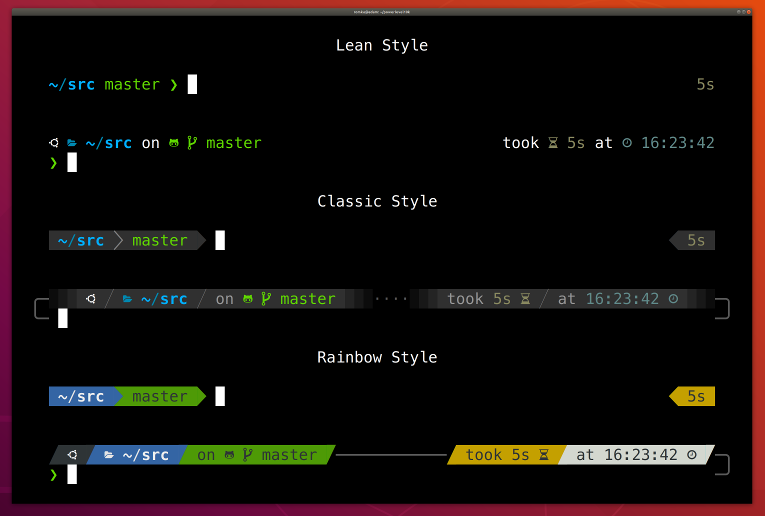
- [Getting started](#getting-started)
- [Features](#features)
- [Installation](#installation)
- [Configuration](#configuration)
- [Fonts](#fonts)
- [Try it in Docker](#try-it-in-docker)
- [License](#license)
- [FAQ](#faq)
- [Troubleshooting](#troubleshooting)
## Getting started
1. [Install the recommended font](#meslo-nerd-font-patched-for-powerlevel10k). *Optional but highly
recommended.*
1. [Install Powerlevel10k](#installation) itself.
1. Restart Zsh with `exec zsh`.
1. Type `p10k configure` if the configuration wizard doesn't start automatically.
## Features
- [Configuration wizard](#configuration-wizard)
- [Uncompromising performance](#uncompromising-performance)
- [Powerlevel9k compatibility](#powerlevel9k-compatibility)
- [Pure compatibility](#pure-compatibility)
- [Instant prompt](#instant-prompt)
- [Show on command](#show-on-command)
- [Transient prompt](#transient-prompt)
- [Current directory that just works](#current-directory-that-just-works)
- [Extremely customizable](#extremely-customizable)
- [Batteries included](#batteries-included)
- [Extensible](#extensible)
### Configuration wizard
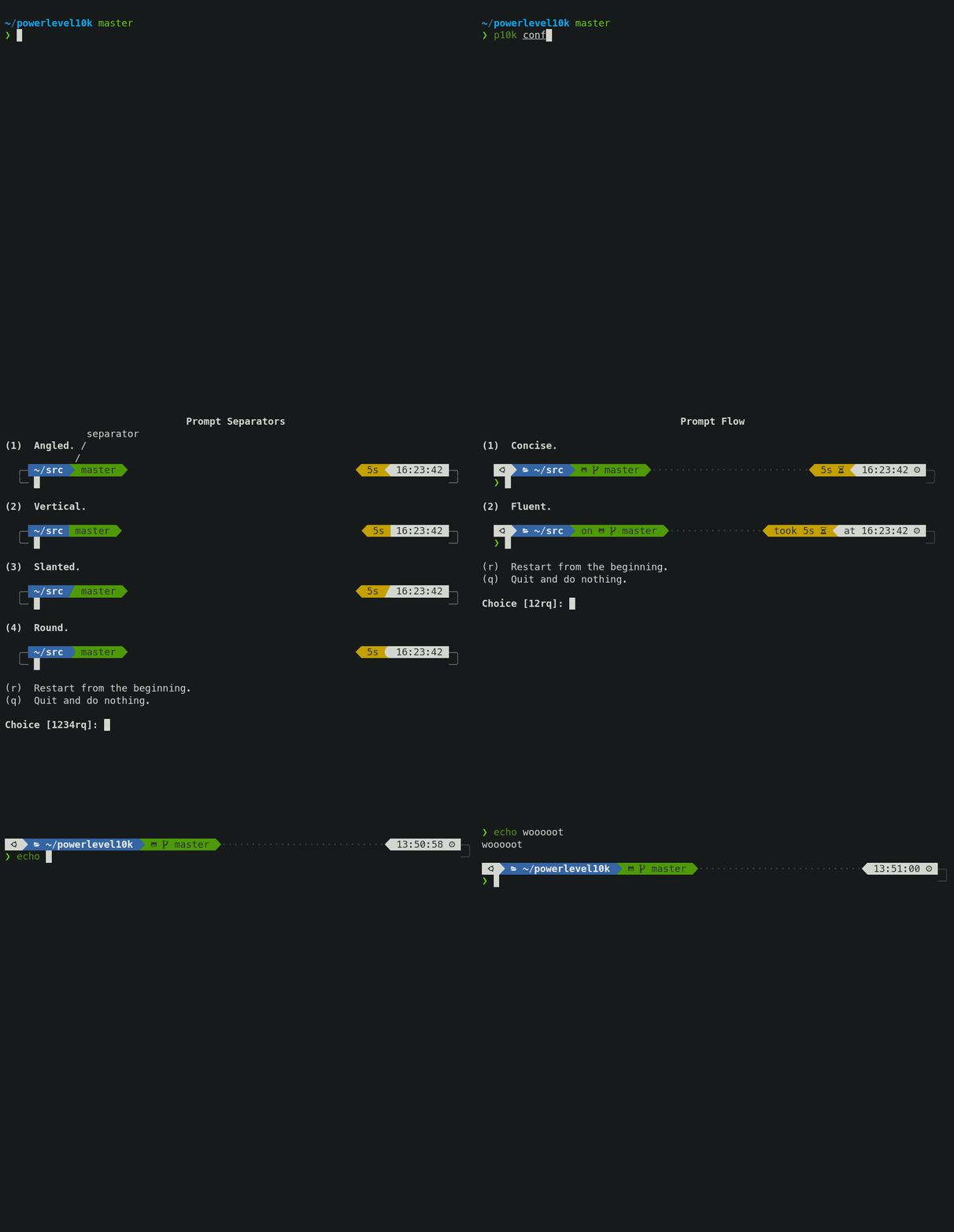
Type `p10k configure` to access the builtin configuration wizard right from your terminal.
<details>
<summary>Screen recording</summary>
</details>
All styles except [Pure](#pure-compatibility) are functionally equivalent. They display the same
information and differ only in presentation.
Configuration wizard creates `~/.p10k.zsh` based on your preferences. Additional prompt
customization can be done by editing this file. It has plenty of comments to help you navigate
through configuration options.
*Tip*: Install [the recommended font](#meslo-nerd-font-patched-for-powerlevel10k) before
running `p10k configure` to unlock all prompt styles.
*FAQ:*
- [What is the best prompt style in the configuration wizard?](
#what-is-the-best-prompt-style-in-the-configuration-wizard)
- [What do different symbols in Git status mean?](
#what-do-different-symbols-in-git-status-mean)
- [How do I change prompt colors?](#how-do-i-change-prompt-colors)
*Troubleshooting*:
- [Some prompt styles are missing from the configuration wizard](
#some-prompt-styles-are-missing-from-the-configuration-wizard).
- [Question mark in prompt](#question-mark-in-prompt).
- [Icons, glyphs or powerline symbols don't render](#icons-glyphs-or-powerline-symbols-dont-render).
- [Sub-pixel imperfections around powerline symbols](
#sub-pixel-imperfections-around-powerline-symbols).
- [Directory is difficult to see in prompt when using Rainbow style](
#directory-is-difficult-to-see-in-prompt-when-using-rainbow-style).
### Uncompromising performance
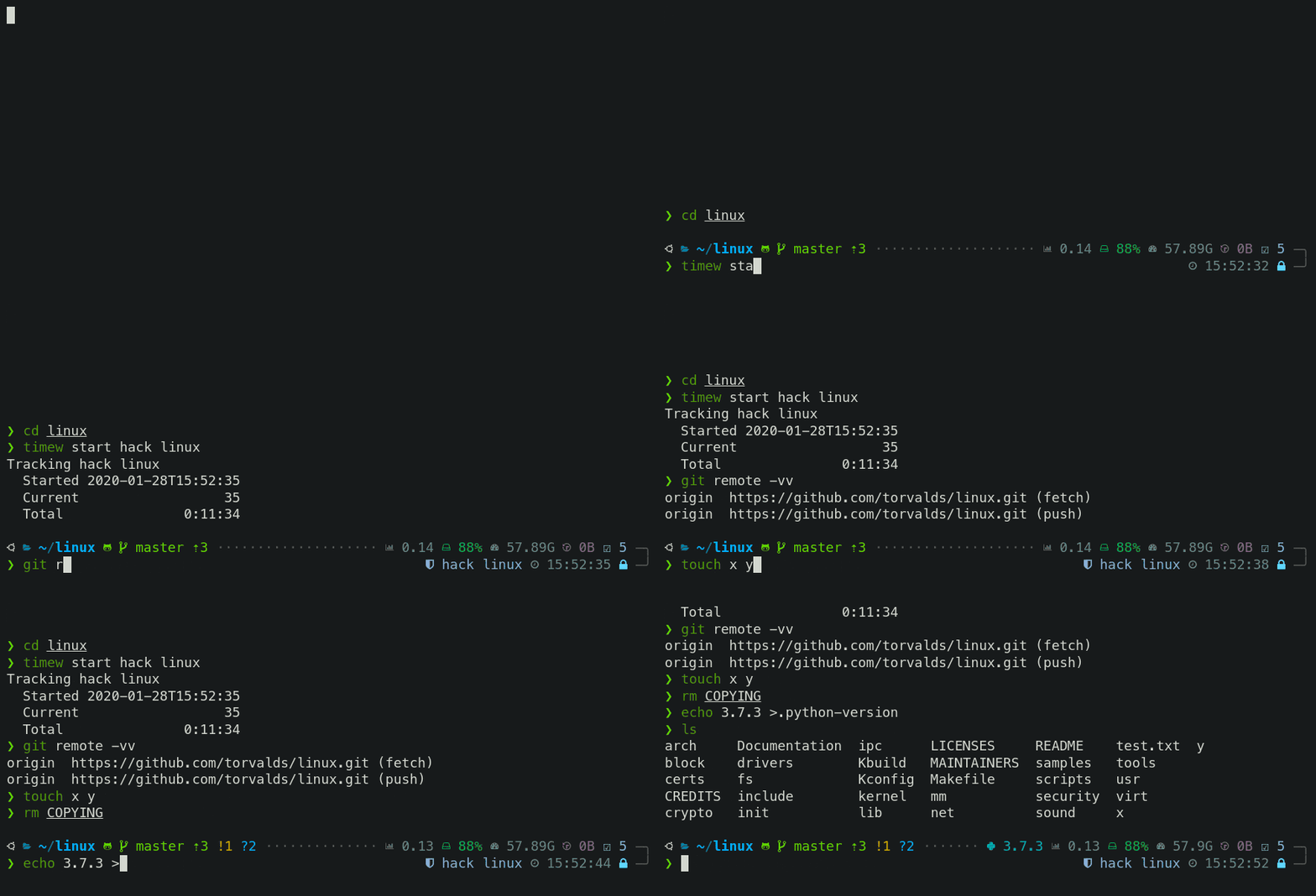
When you hit *ENTER*, the next prompt appears instantly. With Powerlevel10k there is no prompt lag.
If you install Cygwin on Raspberry Pi, `cd` into a Linux Git repository and activate enough prompt
segments to fill four prompt lines on both sides of the screen... wait, that's just crazy and no
one ever does that. Probably impossible, too. The point is, Powerlevel10k prompt is always fast, no
matter what you do!
<details>
<summary>Screen recording</summary>
</details>
Note how the effect of every command is instantly reflected by the very next prompt.
| Command | Prompt Indicator | Meaning |
|-------------------------------|:----------------:|----------------------------------------------------------------------:|
| `timew start hack linux` | `⌚ hack linux` | time tracking enabled in [timewarrior](https://timewarrior.net/) |
| `touch x y` | `?2` | 2 untracked files in the Git repo |
| `rm COPYING` | `!1` | 1 unstaged change in the Git repo |
| `echo 3.7.3 >.python-version` | `🐍 3.7.3` | the current python version in [pyenv](https://github.com/pyenv/pyenv) |
Other Zsh themes capable of displaying the same information either produce prompt lag or print
prompt that doesn't reflect the current state of the system and then refresh it later. With
Powerlevel10k you get fast prompt *and* up-to-date information.
*FAQ*: [Is it really fast?](#is-it-really-fast)
### Powerlevel9k compatibility
Powerlevel10k understands all [Powerlevel9k](https://github.com/Powerlevel9k/powerlevel9k)
configuration parameters.
<details>
<summary>Screen recording</summary>

</details>
[Migration](#installation) from Powerlevel9k to Powerlevel10k is a straightforward process. All
your `POWERLEVEL9K` configuration parameters will still work. Prompt will look the same as before
([almost](
#does-powerlevel10k-always-render-exactly-the-same-prompt-as-powerlevel9k-given-the-same-config))
but it will be [much faster](#uncompromising-performance) ([certainly](#is-it-really-fast)).
*FAQ*:
- [I'm using Powerlevel9k with Oh My Zsh. How do I migrate?](
#im-using-powerlevel9k-with-oh-my-zsh-how-do-i-migrate)
- [Does Powerlevel10k always render exactly the same prompt as Powerlevel9k given the same config?](
#does-powerlevel10k-always-render-exactly-the-same-prompt-as-powerlevel9k-given-the-same-config)
- [What is the relationship between Powerlevel9k and Powerlevel10k?](
#What-is-the-relationship-between-powerlevel9k-and-powerlevel10k)
### Pure compatibility
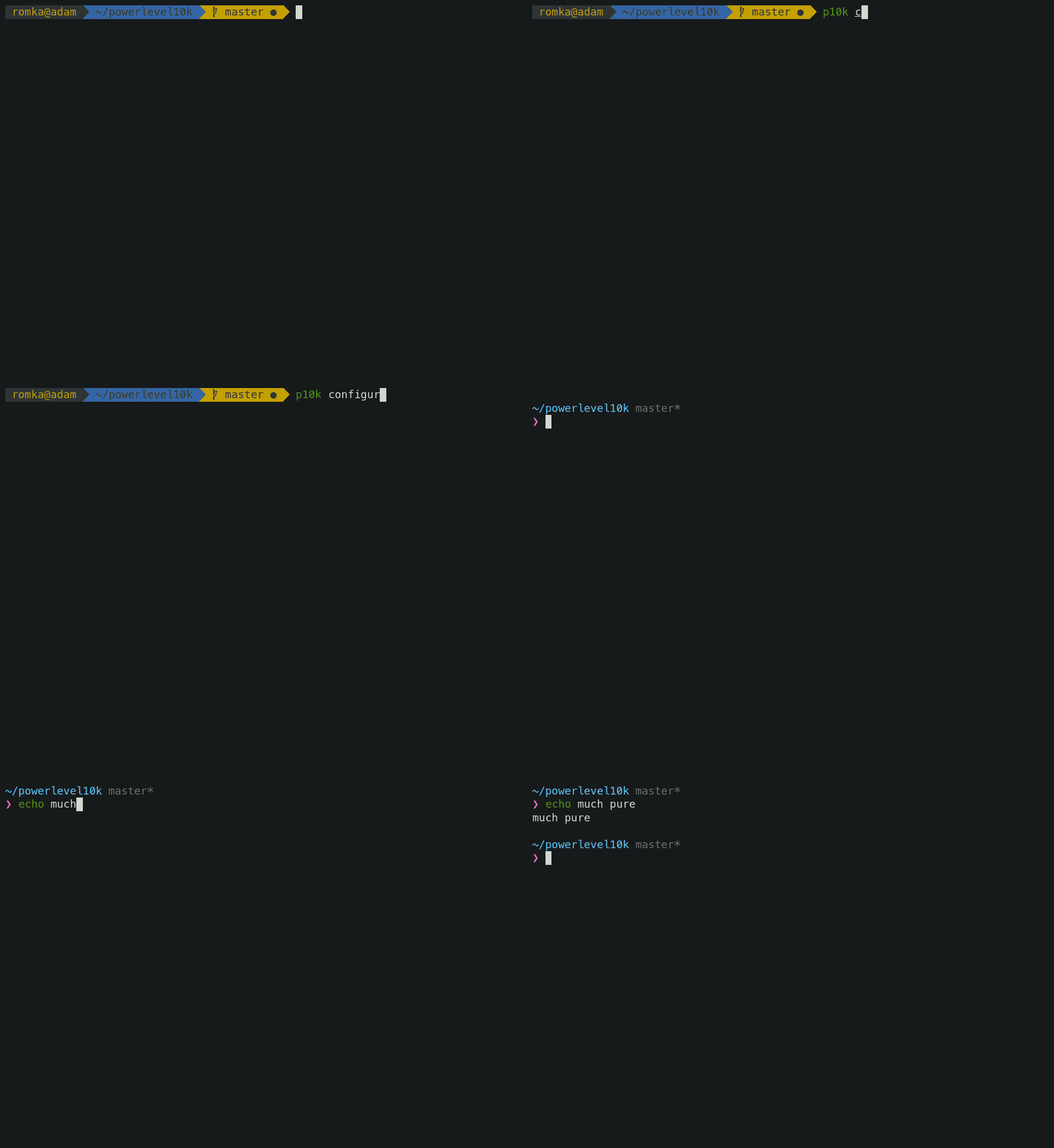
Powerlevel10k can produce the same prompt as [Pure](https://github.com/sindresorhus/pure). Type
`p10k configure` and select *Pure* style.
<details>
<summary>Screen recording</summary>
</details>
You can still use Powerlevel10k features such as [transient prompt](#transient-prompt) or
[instant prompt](#instant-prompt) when sporting Pure style.
To customize prompt, edit `~/.p10k.zsh`. Powerlevel10k doesn't recognize Pure configuration
parameters, so you'll need to use `POWERLEVEL9K_COMMAND_EXECUTION_TIME_THRESHOLD=3` instead of
`PURE_CMD_MAX_EXEC_TIME=3`, etc. All relevant parameters are in `~/.p10k.zsh`. This file has
plenty of comments to help you navigate through it.
*FAQ:* [What is the best prompt style in the configuration wizard?](
#what-is-the-best-prompt-style-in-the-configuration-wizard)
### <a name='what-is-instant-prompt'></a>Instant prompt
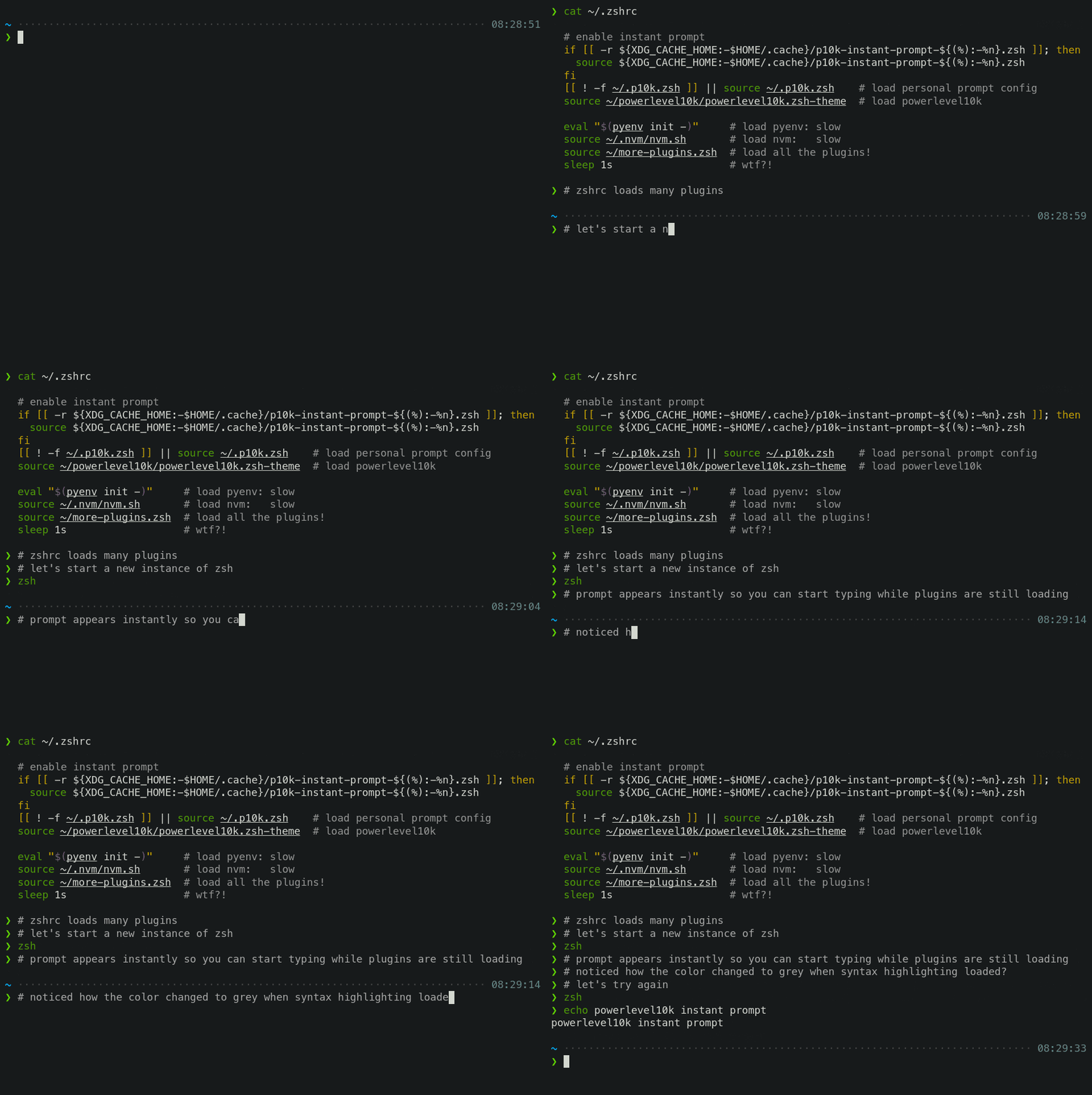
If your `~/.zshrc` loads many plugins, or perhaps just a few slow ones
(for example, [pyenv](https://github.com/pyenv/pyenv) or [nvm](https://github.com/nvm-sh/nvm)), you
may have noticed that it takes some time for Zsh to start.
<details>
<summary>Screen recording</summary>

</details>
Powerlevel10k can remove Zsh startup lag **even if it's not caused by a theme**.
<details>
<summary>Screen recording</summary>
</details>
This feature is called *Instant Prompt*. You need to explicitly enable it through `p10k configure`
or [manually](#how-do-i-configure-instant-prompt). It does what it says on the tin -- prints prompt
instantly upon Zsh startup allowing you to start typing while plugins are still loading.
Other themes *increase* Zsh startup lag -- some by a lot, others by a just a little. Powerlevel10k
*removes* it outright.
If you are curious about how *Instant Prompt* works, see
[this section in zsh-bench](https://github.com/romkatv/zsh-bench#instant-prompt).
*FAQ:* [How do I configure instant prompt?](#how-do-i-configure-instant-prompt)
### Show on command
The behavior of some commands depends on global environment. For example, `kubectl run ...` runs an
image on the cluster defined by the current kubernetes context. If you frequently change context
between "prod" and "testing", you might want to display the current context in Zsh prompt. If you do
likewise for AWS, Azure and Google Cloud credentials, prompt will get pretty crowded.
Enter *Show On Command*. This feature makes prompt segments appear only when they are relevant to
the command you are currently typing.
<details>
<summary>Screen recording</summary>

</details>
Configs created by `p10k configure` enable show on command for several prompt segments by default.
Here's the relevant parameter for kubernetes context:
```zsh
# Show prompt segment "kubecontext" only when the command you are typing invokes one of these tools.
typeset -g POWERLEVEL9K_KUBECONTEXT_SHOW_ON_COMMAND='kubectl|helm|kubens'
```
To customize when different prompt segments are shown, open `~/.p10k.zsh`, search for
`SHOW_ON_COMMAND` and either remove these parameters to display affected segments unconditionally,
or change their values.
### Transient prompt
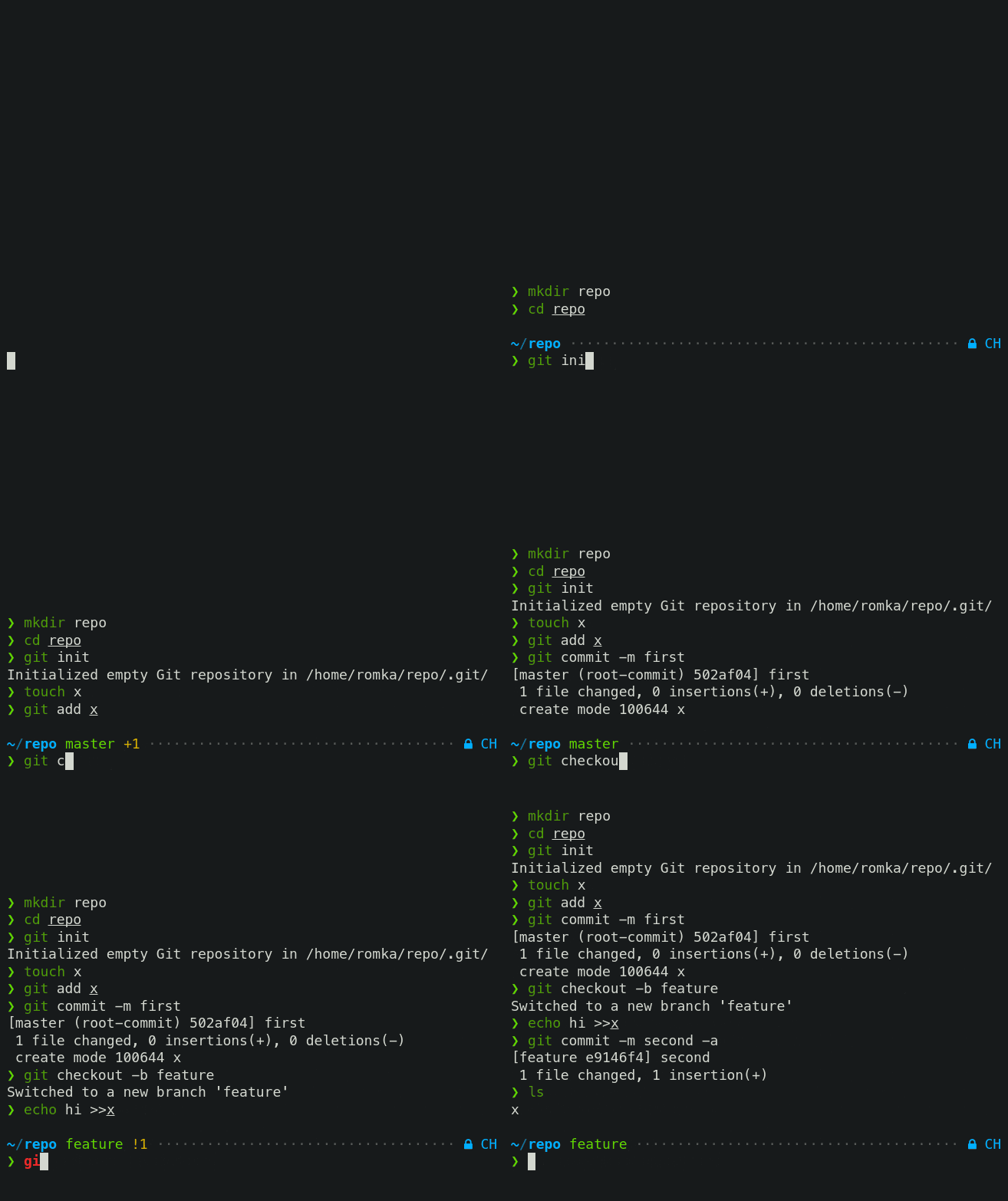
When *Transient Prompt* is enabled through `p10k configure`, Powerlevel10k will trim down every
prompt when accepting a command line.
<details>
<summary>Screen recording</summary>
</details>
Transient prompt makes it much easier to copy-paste series of commands from the terminal scrollback.
*Tip*: If you enable transient prompt, take advantage of two-line prompt. You'll get the benefit of
extra space for typing commands without the usual drawback of reduced scrollback density. Sparse
prompt (with an empty line before prompt) also works great in combination with transient prompt.
### Current directory that just works
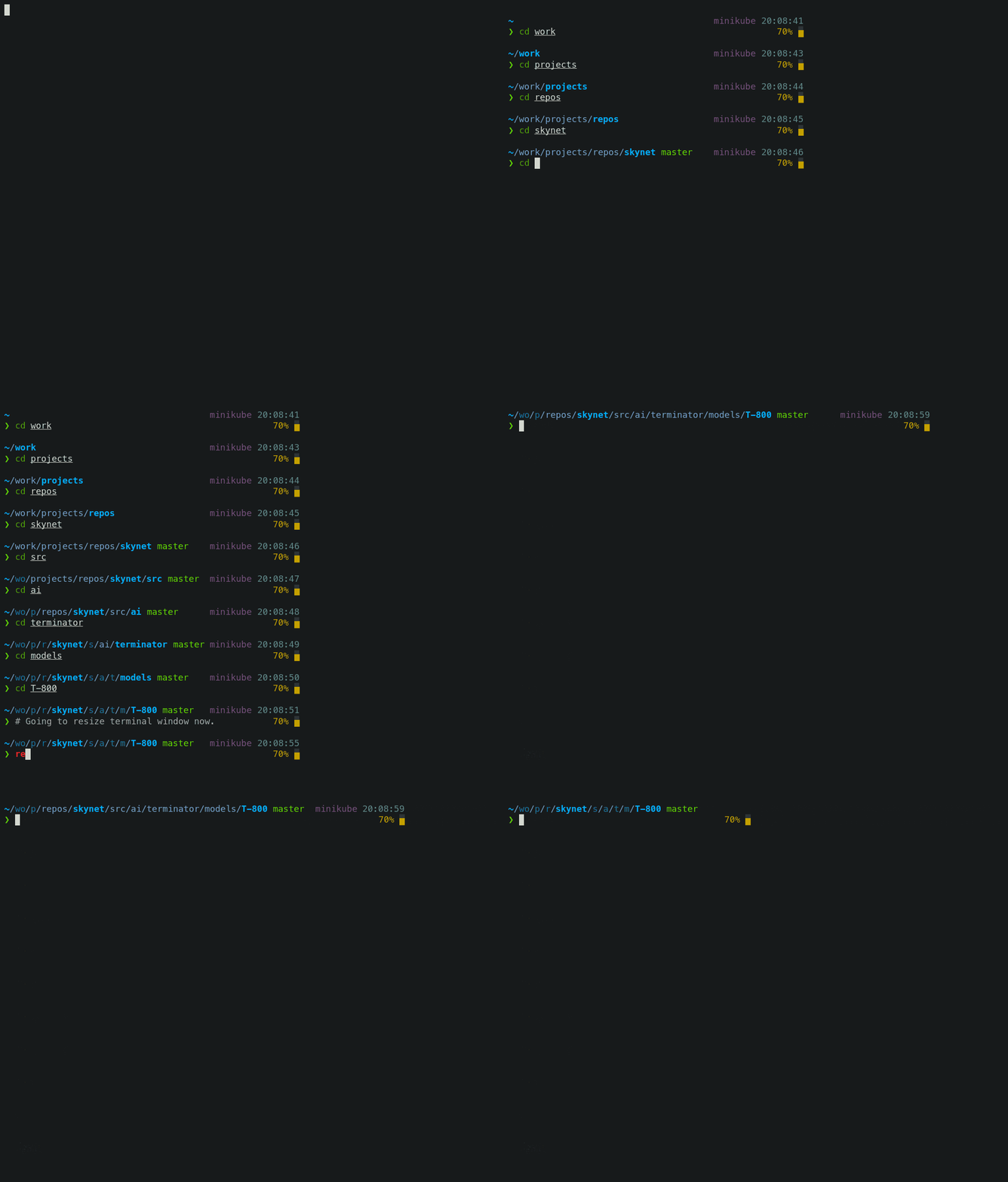
The current working directory is perhaps the most important prompt segment. Powerlevel10k goes to
great length to highlight its important parts and to truncate it with the least loss of information
when horizontal space gets scarce.
<details>
<summary>Screen recording</summary>
</details>
When the full directory doesn't fit, the leftmost segment gets truncated to its shortest unique
prefix. In the screencast, `~/work` becomes `~/wo`. It couldn't be truncated to `~/w` because it
would be ambiguous (there was `~/wireguard` when the session was recorded). The next segment --
`projects` -- turns into `p` as there was nothing else that started with `p` in `~/work/`.
Directory segments are shown in one of three colors:
- Truncated segments are bleak.
- Important segments are bright and never truncated. These include the first and the last segment,
roots of Git repositories, etc.
- Regular segments (not truncated but can be) use in-between color.
*Tip*: If you copy-paste a truncated directory and hit *TAB*, it'll complete to the original.
*Troubleshooting*: [Directory is difficult to see in prompt when using Rainbow style.](
#directory-is-difficult-to-see-in-prompt-when-using-rainbow-style)
### Extremely customizable
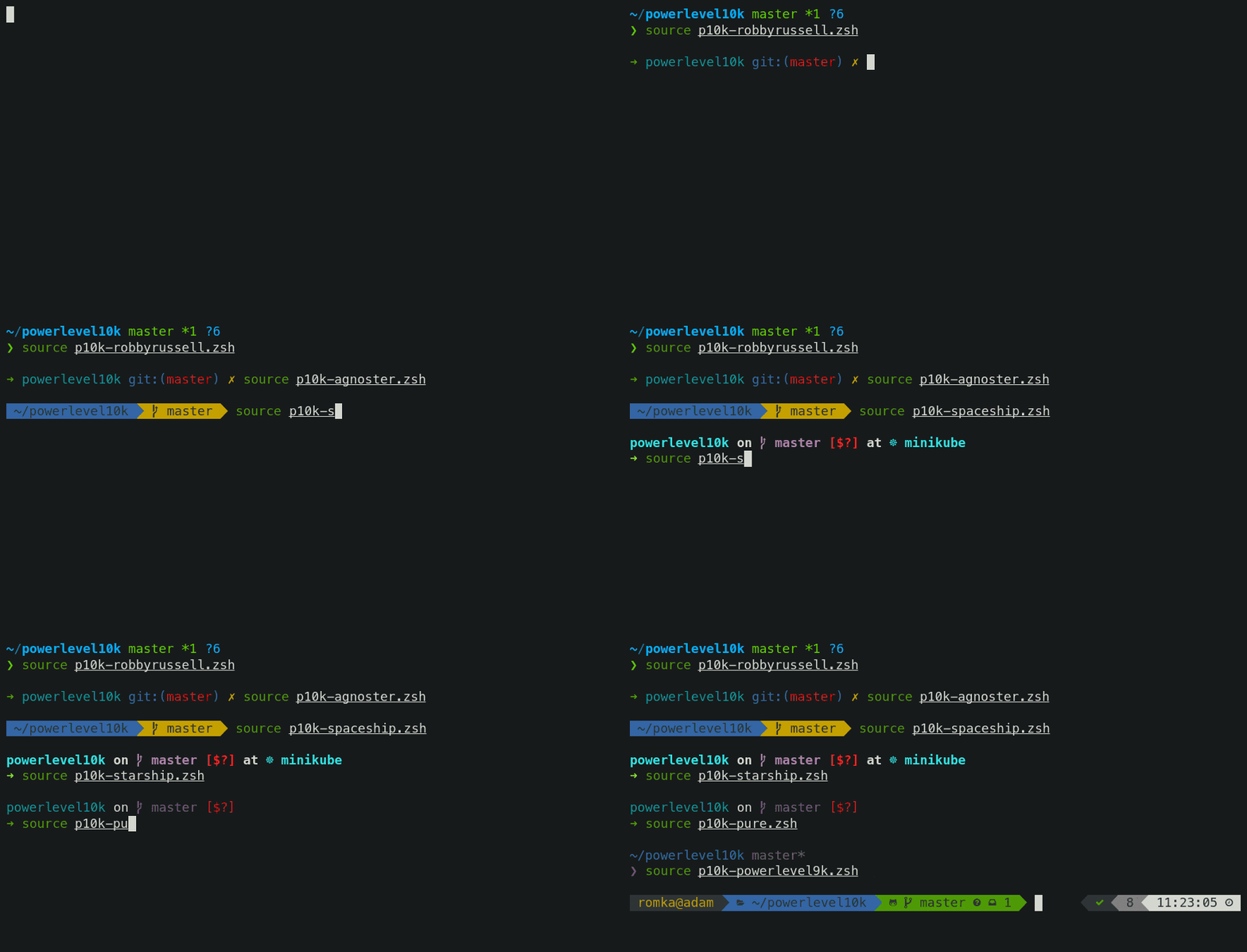
Powerlevel10k can be configured to look like any other Zsh theme out there.
<details>
<summary>Screen recording</summary>
</details>
[Pure](#pure-compatibility), [Powerlevel9k](#powerlevel9k-compatibility) and [robbyrussell](
#how-to-make-powerlevel10k-look-like-robbyrussell-oh-my-zsh-theme) emulations are built-in.
To emulate the appearance of other themes, you'll need to write a suitable configuration file. The
best way to go about it is to run `p10k configure`, select the style that is the closest to your
goal and then edit `~/.p10k.zsh`.
The full range of Powerlevel10k appearance spans from spartan:

To ~~ridiculous~~ extravagant:

### Batteries included
Powerlevel10k comes with dozens of built-in high quality prompt segments that can display
information from a variety of sources. When you run `p10k configure` and choose any style
except [Pure](#pure-compatibility), many of these segments get enabled by
default while others can be manually enabled by opening `~/.p10k.zsh` and uncommenting them.
You can enable as many segments as you like. It won't slow down your prompt or Zsh startup.
| Segment | Meaning |
|--------:|---------|
| `anaconda` | virtual environment from [conda](https://conda.io/) |
| `asdf` | tool versions from [asdf](https://github.com/asdf-vm/asdf) |
| `aws` | [aws profile](https://docs.aws.amazon.com/cli/latest/userguide/cli-configure-profiles.html) |
| `aws_eb_env` | [aws elastic beanstalk](https://aws.amazon.com/elasticbeanstalk/) environment |
| `azure` | [azure](https://docs.microsoft.com/en-us/cli/azure) account name |
| `background_jobs` | presence of background jobs |
| `battery` | internal battery state and charge level (yep, batteries *literally* included) |
| `command_execution_time` | duration (wall time) of the last command |
| `context` | user@hostname |
| `cpu_arch` | CPU architecture |
| `dir` | current working directory |
| `direnv` | [direnv](https://direnv.net/) status |
| `disk_usage` | disk usage |
| `dotnet_version` | [dotnet](https://dotnet.microsoft.com) version |
| `fvm` | flutter environment from [fvm](https://github.com/leoafarias/fvm) |
| `gcloud` | [google cloud](https://cloud.google.com/) cli account and project |
| `goenv` | go environment from [goenv](https://github.com/syndbg/goenv) |
| `google_app_cred` | [google application credentials](https://cloud.google.com/docs/authentication/production) |
| `go_version` | [go](https://golang.org) version |
| `haskell_stack` | haskell version from [stack](https://haskellstack.org/) |
| `ip` | IP address and bandwidth usage for a specified network interface |
| `java_version` | [java](https://www.java.com/) version |
| `jenv` | java environment from [jenv](https://github.com/jenv/jenv) |
| `kubecontext` | current [kubernetes](https://kubernetes.io/) context |
| `laravel_version` | [laravel php framework](https://laravel.com/) version |
| `load` | CPU load |
| `luaenv` | lua environment from [luaenv](https://github.com/cehoffman/luaenv) |
| `midnight_commander` | [midnight commander](https://midnight-commander.org/) shell |
| `nix_shell` | [nix shell](https://nixos.org/nixos/nix-pills/developing-with-nix-shell.html) indicator |
| `nnn` | [nnn](https://github.com/jarun/nnn) shell |
| `lf` | [lf](https://github.com/gokcehan/lf) shell |
| `chezmoi_shell` | [chezmoi](https://www.chezmoi.io/) shell |
| `nodeenv` | node.js environment from [nodeenv](https://github.com/ekalinin/nodeenv) |
| `nodenv` | node.js environment from [nodenv](https://github.com/nodenv/nodenv) |
| `node_version` | [node.js](https://nodejs.org/) version |
| `nordvpn` | [nordvpn](https://nordvpn.com/) connection status |
| `nvm` | node.js environment from [nvm](https://github.com/nvm-sh/nvm) |
| `os_icon` | your OS logo (apple for macOS, swirl for debian, etc.) |
| `package` | `name@version` from [package.json](https://docs.npmjs.com/files/package.json) |
| `per_directory_history` | Oh My Zsh [per-directory-history](https://github.com/jimhester/per-directory-history) local/global indicator |
| `perlbrew` | perl version from [perlbrew](https://github.com/gugod/App-perlbrew) |
| `phpenv` | php environment from [phpenv](https://github.com/phpenv/phpenv) |
| `php_version` | [php](https://www.php.net/) version |
| `plenv` | perl environment from [plenv](https://github.com/tokuhirom/plenv) |
| `prompt_char` | multi-functional prompt symbol; changes depending on vi mode: `❯`, `❮`, `V`, `▶` for insert, command, visual and replace mode respectively; turns red on error |
| `proxy` | system-wide http/https/ftp proxy |
| `public_ip` | public IP address |
| `pyenv` | python environment from [pyenv](https://github.com/pyenv/pyenv) |
| `ram` | free RAM |
| `ranger` | [ranger](https://github.com/ranger/ranger) shell |
| `yazi` | [yazi](https://github.com/sxyazi/yazi) shell |
| `rbenv` | ruby environment from [rbenv](https://github.com/rbenv/rbenv) |
| `rust_version` | [rustc](https://www.rust-lang.org) version |
| `rvm` | ruby environment from [rvm](https://rvm.io) |
| `scalaenv` | scala version from [scalaenv](https://github.com/scalaenv/scalaenv) |
| `status` | exit code of the last command |
| `swap` | used swap |
| `taskwarrior` | [taskwarrior](https://taskwarrior.org/) task count |
| `terraform` | [terraform](https://www.terraform.io) workspace |
| `terraform_version` | [terraform](https://www.terraform.io) version |
| `time` | current time |
| `timewarrior` | [timewarrior](https://timewarrior.net/) tracking status |
| `todo` | [todo](https://github.com/todotxt/todo.txt-cli) items |
| `toolbox` | [toolbox](https://github.com/containers/toolbox) name |
| `vcs` | Git repository status |
| `vim_shell` | [vim](https://www.vim.org/) shell (`:sh`) |
| `virtualenv` | python environment from [venv](https://docs.python.org/3/library/venv.html) |
| `vi_mode` | vi mode (you don't need this if you've enabled prompt_char) |
| `vpn_ip` | virtual private network indicator |
| `wifi` | WiFi speed |
| `xplr` | [xplr](https://github.com/sayanarijit/xplr) shell |
### Extensible
If there is no prompt segment that does what you need, implement your own. Powerlevel10k provides
public API for defining segments that are as fast and as flexible as built-in ones.
<details>
<summary>Screen recording</summary>
</details>
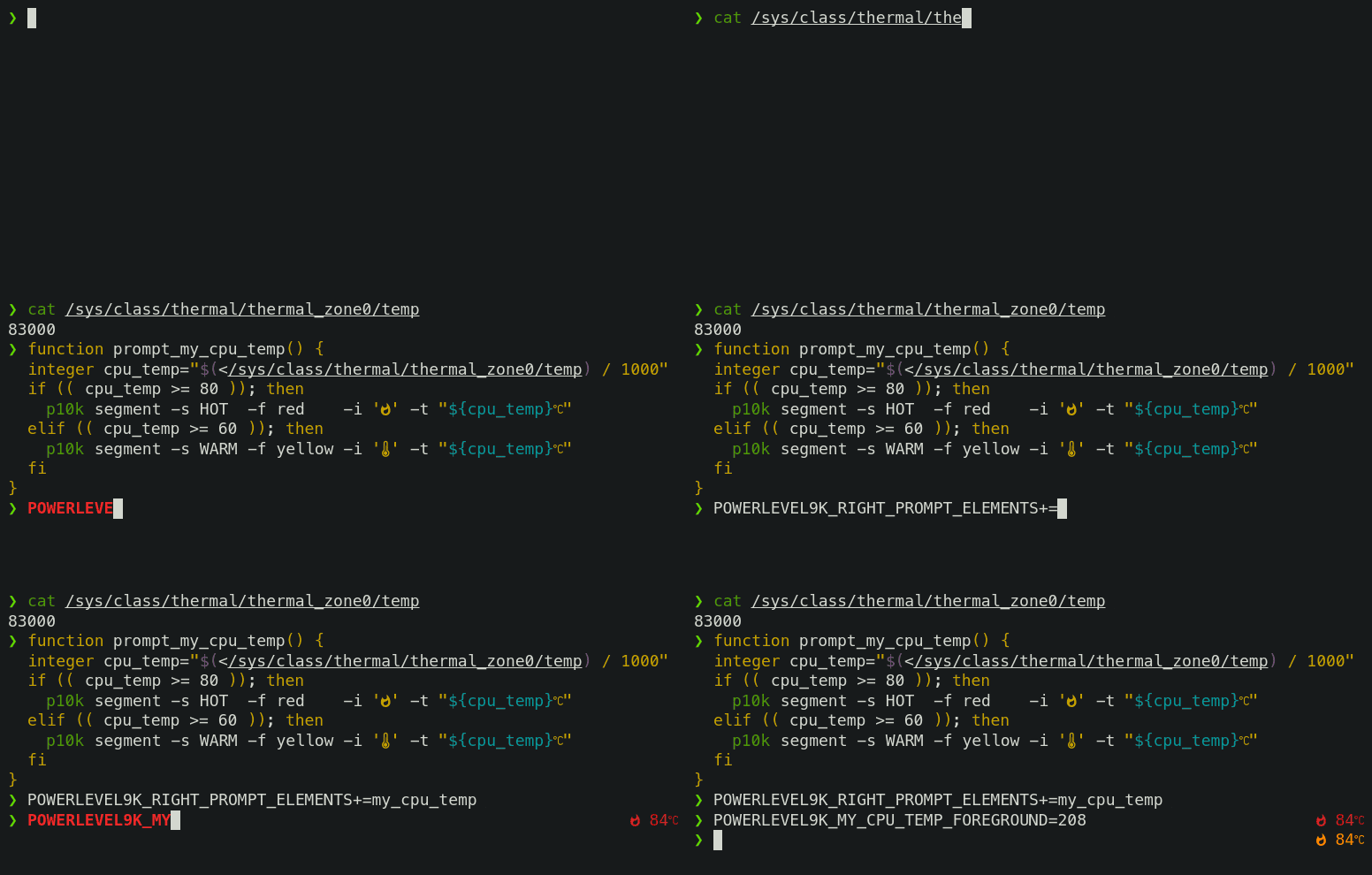
On Linux you can fetch current CPU temperature by reading `/sys/class/thermal/thermal_zone0/temp`.
The screencast shows how to define a prompt segment to display this value. Once the segment is
defined, you can use it like any other segment. All standard customization parameters will work for
it out of the box.
Type `p10k help segment` for reference.
*Note*: If you modify `POWERLEVEL9K_*` parameters in an already initialized interactive shell (as
opposed to editing `~/.p10k.zsh`), the changes might not be immediately effective. To apply the
modifications, invoke `p10k reload`. Setting `POWERLEVEL9K_DISABLE_HOT_RELOAD=false` eliminates the
necessity for `p10k reload` but results in a marginally slower prompt.
*Tip*: Prefix names of your own segments with `my_` to avoid clashes with future versions of
Powerlevel10k.
## Installation
- [Manual](#manual) 👈 **choose this if confused or uncertain**
- [Oh My Zsh](#oh-my-zsh)
- [Prezto](#prezto)
- [Zim](#zim)
- [Antibody](#antibody)
- [Antidote](#antidote)
- [Antigen](#antigen)
- [Zplug](#zplug)
- [Zgen](#zgen)
- [Zplugin](#zplugin)
- [Zinit](#zinit)
- [Zi](#zi)
- [Zap](#zap)
- [Homebrew](#homebrew)
- [Arch Linux](#arch-linux)
- [Alpine Linux](#alpine-linux)
- [Fig](#fig)
### Manual
```zsh
git clone --depth=1 https://github.com/romkatv/powerlevel10k.git ~/powerlevel10k
echo 'source ~/powerlevel10k/powerlevel10k.zsh-theme' >>~/.zshrc
```
Users in China can use the official mirror on gitee.com for faster download.<br>
中国用户可以使用 gitee.com 上的官方镜像加速下载.
```zsh
git clone --depth=1 https://gitee.com/romkatv/powerlevel10k.git ~/powerlevel10k
echo 'source ~/powerlevel10k/powerlevel10k.zsh-theme' >>~/.zshrc
```
This is the simplest kind of installation and it works even if you are using a plugin manager. Just
make sure to disable the current theme in your plugin manager. See
[troubleshooting](#cannot-make-powerlevel10k-work-with-my-plugin-manager) for help.
### Oh My Zsh
1. Clone the repository:
```zsh
git clone --depth=1 https://github.com/romkatv/powerlevel10k.git "${ZSH_CUSTOM:-$HOME/.oh-my-zsh/custom}/themes/powerlevel10k"
```
Users in China can use the official mirror on gitee.com for faster download.<br>
中国用户可以使用 gitee.com 上的官方镜像加速下载.
```zsh
git clone --depth=1 https://gitee.com/romkatv/powerlevel10k.git "${ZSH_CUSTOM:-$HOME/.oh-my-zsh/custom}/themes/powerlevel10k"
```
2. Open `~/.zshrc`, find the line that sets `ZSH_THEME`, and change its value to `"powerlevel10k/powerlevel10k"`.
### Prezto
Add `zstyle :prezto:module:prompt theme powerlevel10k` to `~/.zpreztorc`.
### Zim
Add `zmodule romkatv/powerlevel10k --use degit` to `~/.zimrc` and run `zimfw install`.
### Antibody
Add `antibody bundle romkatv/powerlevel10k` to `~/.zshrc`.
### Antidote
Add `romkatv/powerlevel10k` to `~/.zsh_plugins.txt`.
### Antigen
Add `antigen theme romkatv/powerlevel10k` to `~/.zshrc`. Make sure you have `antigen apply`
somewhere after it.
### Zplug
Add `zplug romkatv/powerlevel10k, as:theme, depth:1` to `~/.zshrc`.
### Zgen
Add `zgen load romkatv/powerlevel10k powerlevel10k` to `~/.zshrc`.
### Zplugin
Add `zplugin ice depth=1; zplugin light romkatv/powerlevel10k` to `~/.zshrc`.
The use of `depth=1` ice is optional. Other types of ice are neither recommended nor officially
supported by Powerlevel10k.
### Zinit
Add `zinit ice depth=1; zinit light romkatv/powerlevel10k` to `~/.zshrc`.
The use of `depth=1` ice is optional. Other types of ice are neither recommended nor officially
supported by Powerlevel10k.
### Zi
Add `zi ice depth=1; zi light romkatv/powerlevel10k` to `~/.zshrc`.
The use of `depth=1` ice is optional. Other types of ice are neither recommended nor officially
supported by Powerlevel10k.
### Zap
Add `plug "romkatv/powerlevel10k"` to `~/.zshrc`.
### Homebrew
```zsh
brew install powerlevel10k
echo "source $(brew --prefix)/share/powerlevel10k/powerlevel10k.zsh-theme" >>~/.zshrc
```
### Arch Linux
```zsh
yay -S --noconfirm zsh-theme-powerlevel10k-git
echo 'source /usr/share/zsh-theme-powerlevel10k/powerlevel10k.zsh-theme' >>~/.zshrc
```
[zsh-theme-powerlevel10k-git](https://aur.archlinux.org/packages/zsh-theme-powerlevel10k-git/)
referenced above is the official Powerlevel10k package.
### Alpine Linux
```zsh
apk add zsh zsh-theme-powerlevel10k
mkdir -p ~/.local/share/zsh/plugins
ln -s /usr/share/zsh/plugins/powerlevel10k ~/.local/share/zsh/plugins/
```
### Fig
Follow the instructions on
[this page](https://fig.io/plugins/other/powerlevel10k).
## Configuration
- [For new users](#for-new-users)
- [For Powerlevel9k users](#for-powerlevel9k-users)
### For new users
On the first run, Powerlevel10k [configuration wizard](#configuration-wizard) will ask you a few
questions and configure your prompt. If it doesn't trigger automatically, type `p10k configure`.
Configuration wizard creates `~/.p10k.zsh` based on your preferences. Additional prompt
customization can be done by editing this file. It has plenty of comments to help you navigate
through configuration options.
*FAQ*:
- [What is the best prompt style in the configuration wizard?](
#what-is-the-best-prompt-style-in-the-configuration-wizard)
- [What do different symbols in Git status mean?](
#what-do-different-symbols-in-git-status-mean)
- [How do I change the format of Git status?](#how-do-i-change-the-format-of-git-status)
- [How do I add username and/or hostname to prompt?](
#how-do-i-add-username-andor-hostname-to-prompt)
- [How do I change prompt colors?](#how-do-i-change-prompt-colors)
- [Why some prompt segments appear and disappear as I'm typing?](
#why-some-prompt-segments-appear-and-disappear-as-im-typing)
*Troubleshooting*:
- [Question mark in prompt](#question-mark-in-prompt).
- [Icons, glyphs or powerline symbols don't render](#icons-glyphs-or-powerline-symbols-dont-render).
- [Sub-pixel imperfections around powerline symbols](
#sub-pixel-imperfections-around-powerline-symbols).
- [Directory is difficult to see in prompt when using Rainbow style](
#directory-is-difficult-to-see-in-prompt-when-using-rainbow-style).
### For Powerlevel9k users
If you've been using Powerlevel9k before, **do not remove the configuration options**. Powerlevel10k
will pick them up and provide you with the same prompt UI you are used to. See
[Powerlevel9k compatibility](#powerlevel9k-compatibility).
*FAQ*:
- [I'm using Powerlevel9k with Oh My Zsh. How do I migrate?](
#im-using-powerlevel9k-with-oh-my-zsh-how-do-i-migrate)
- [What is the relationship between Powerlevel9k and Powerlevel10k?](
#what-is-the-relationship-between-powerlevel9k-and-powerlevel10k)
- [Does Powerlevel10k always render exactly the same prompt as Powerlevel9k given the same config?](
#does-powerlevel10k-always-render-exactly-the-same-prompt-as-powerlevel9k-given-the-same-config)
*Troubleshooting*: [Extra or missing spaces in prompt compared to Powerlevel9k](
#extra-or-missing-spaces-in-prompt-compared-to-powerlevel9k).
## Fonts
Powerlevel10k doesn't require custom fonts but can take advantage of them if they are available.
It works well with [Nerd Fonts](https://github.com/ryanoasis/nerd-fonts),
[Source Code Pro](https://github.com/adobe-fonts/source-code-pro),
[Font Awesome](https://fontawesome.com/), [Powerline](https://github.com/powerline/fonts), and even
the default system fonts. The full choice of style options is available only when using
[Nerd Fonts](https://github.com/ryanoasis/nerd-fonts).
👇 **Recommended font**: Meslo Nerd Font patched for Powerlevel10k. 👇
### <a name='recommended-meslo-nerd-font-patched-for-powerlevel10k'></a><a name='font'></a>Meslo Nerd Font patched for Powerlevel10k
Gorgeous monospace font designed by Jim Lyles for Bitstream, customized by the same for Apple,
further customized by André Berg, and finally patched by yours truly with customized scripts
originally developed by Ryan L McIntyre of Nerd Fonts. Contains all glyphs and symbols that
Powerlevel10k may need. Battle-tested in dozens of different terminals on all major operating
systems.
*FAQ*: [How was the recommended font created?](#how-was-the-recommended-font-created)
#### Automatic font installation
If you are using iTerm2 or Termux, `p10k configure` can install the recommended font for you.
Simply answer `Yes` when asked whether to install *Meslo Nerd Font*.
If you are using a different terminal, proceed with manual font installation. 👇
#### Manual font installation
1. Download these four ttf files:
- [MesloLGS NF Regular.ttf](
https://github.com/romkatv/powerlevel10k-media/raw/master/MesloLGS%20NF%20Regular.ttf)
- [MesloLGS NF Bold.ttf](
https://github.com/romkatv/powerlevel10k-media/raw/master/MesloLGS%20NF%20Bold.ttf)
- [MesloLGS NF Italic.ttf](
https://github.com/romkatv/powerlevel10k-media/raw/master/MesloLGS%20NF%20Italic.ttf)
- [MesloLGS NF Bold Italic.ttf](
https://github.com/romkatv/powerlevel10k-media/raw/master/MesloLGS%20NF%20Bold%20Italic.ttf)
1. Double-click on each file and click "Install". This will make `MesloLGS NF` font available to all
applications on your system.
1. Configure your terminal to use this font:
- **iTerm2**: Type `p10k configure` and answer `Yes` when asked whether to install
*Meslo Nerd Font*. Alternatively, open *iTerm2 → Preferences → Profiles → Text* and set *Font* to
`MesloLGS NF`.
- **Apple Terminal**: Open *Terminal → Preferences → Profiles → Text*, click *Change* under *Font*
and select `MesloLGS NF` family.
- **Hyper**: Open *Hyper → Edit → Preferences* and change the value of `fontFamily` under
`module.exports.config` to `MesloLGS NF`.
- **Visual Studio Code**: Open *File → Preferences → Settings* (PC) or
*Code → Preferences → Settings* (Mac), enter `terminal.integrated.fontFamily` in the search box at
the top of *Settings* tab and set the value below to `MesloLGS NF`.
Consult [this screenshot](
https://raw.githubusercontent.com/romkatv/powerlevel10k-media/389133fb8c9a2347929a23702ce3039aacc46c3d/visual-studio-code-font-settings.jpg)
to see how it should look like or see [this issue](
https://github.com/romkatv/powerlevel10k/issues/671) for extra information.
Note that software installed via [Snap](https://en.wikipedia.org/wiki/Snap_\(software\)) is
unable to use system fonts. If you've install Visual Studio Code via Snap, remove it by running
`sudo snap remove code` and install the official `.deb` build from the
[Visual Studio Code website](https://code.visualstudio.com/Download).
- **GNOME Terminal** (the default Ubuntu terminal): Open *Terminal → Preferences* and click on the
selected profile under *Profiles*. Check *Custom font* under *Text Appearance* and select
`MesloLGS NF Regular`.
- **Konsole**: Open *Settings → Edit Current Profile → Appearance*, click *Select Font* and select
`MesloLGS NF Regular`.
- **Tilix**: Open *Tilix → Preferences* and click on the selected profile under *Profiles*. Check
*Custom font* under *Text Appearance* and select `MesloLGS NF Regular`.
- **Windows Console Host** (the old thing): Click the icon in the top left corner, then
*Properties → Font* and set *Font* to `MesloLGS NF`.
- **Windows Terminal** by Microsoft (the new thing): Open *Settings* (<kbd>Ctrl+,</kbd>), click
either on the selected profile under *Profiles* or on *Defaults*, click *Appearance* and set
*Font face* to `MesloLGS NF`.
- **Conemu**: Open *Setup → General → Fonts* and set *Main console font* to `MesloLGS NF`.
- **IntelliJ** (and other IDEs by Jet Brains): Open *IDE → Edit → Preferences → Editor →
Color Scheme → Console Font*. Select *Use console font instead of the default* and set the font
name to `MesloLGS NF`.
- **Termux**: Type `p10k configure` and answer `Yes` when asked whether to install
*Meslo Nerd Font*.
- **Blink**: Type `config`, go to *Appearance*, tap *Add a new font*, tap *Open Gallery*, select
*MesloLGS NF.css*, tap *import* and type `exit` in the home view to reload the font.
- **Tabby** (formerly **Terminus**): Open *Settings → Appearance* and set *Font* to `MesloLGS NF`.
- **Terminator**: Open *Preferences* using the context menu. Under *Profiles* select the *General*
tab (should be selected already), uncheck *Use the system fixed width font* (if not already)
and select `MesloLGS NF Regular`. Exit the Preferences dialog by clicking *Close*.
- **Guake**: Right Click on an open terminal and open *Preferences*. Under *Appearance*
tab, uncheck *Use the system fixed width font* (if not already) and select `MesloLGS NF Regular`.
Exit the Preferences dialog by clicking *Close*.
- **MobaXterm**: Open *Settings* → *Configuration* → *Terminal* → (under *Terminal look and feel*)
and change *Font* to `MesloLGS NF`. If you have *sessions*, you need to change the font in each
of them through *Settings* → right click on an individual session → *Edit Session* → *Terminal
Settings* → *Font settings*.
- **Asbrú Connection Manager**: Open *Preferences → Local Shell Options → Look and Feel*, enable
*Use these personal options* and change *Font:* under *Terminal UI* to `MesloLGS NF Regular`.
To change the font for the remote host connections, go to *Preferences → Terminal Options →
Look and Feel* and change *Font:* under *Terminal UI* to `MesloLGS NF Regular`.
- **Warp**: Open Warp and Navigate to *Settings* then *Appearance*. Scroll down to *Text* Section
and under *"Terminal Font"*, select the `MesloLGS NF` font.
- **WSLtty**: Right click on an open terminal and then on *Options*. In the *Text* section, under
*Font*, click *"Select..."* and set Font to `MesloLGS NF Regular`.
- **Yakuake**: Click *≡* → *Manage Profiles* → *New* → *Appearance*. Click *Choose* next to the
*Font* dropdown, select `MesloLGS NF` and click *OK*. Click *OK* to save the profile. Select the
new profile and click *Set as Default*.
- **Alacritty**: Create or open `~/.config/alacritty/alacritty.toml` and add the following
section to it:
```toml
[font.normal]
family = "MesloLGS NF"
```
- **foot**: Create or open `~/.config/foot/foot.ini` and add the following section to it:
```ini
font=MesloLGS NF:size=12
```
- **kitty**: Create or open `~/.config/kitty/kitty.conf` and add the following line to it:
```text
font_family MesloLGS NF
```
Restart kitty by closing all sessions and opening a new session.
- **puTTY**: Set *Window* → *Appearance* → *Font* to `MesloLGS NF`. Requires puTTY
version >= 0.75.
- **WezTerm**: Create or open `$HOME/.config/wezterm/wezterm.lua` and add the following:
```lua
local wezterm = require 'wezterm';
return {
font = wezterm.font("MesloLGS NF"),
}
```
If the file already exists, only add the line with the font to the existing return.
Also add the first line if it is not already present.
- **urxvt**: Create or open `~/.Xresources` and add the following line to it:
```text
URxvt.font: xft:MesloLGS NF:size=11
```
You can adjust the font size to your preference. After changing the config run
`xrdb ~/.Xresources` to reload it. The new config is applied to all new terminals.
- **xterm**: Create or open `~/.Xresources` and add the following line to it:
```text
xterm*faceName: MesloLGS NF
```
After changing the config run `xrdb ~/.Xresources` to reload it. The new config is applied to
all new terminals.
- **Zed**: Open `~/.config/zed/settings.json` and set `terminal.font_family` to `"MesloLGS NF"`.
```jsonc
{
"terminal": {
"font_family": "MesloLGS NF"
},
// Other settings.
}
```
- Crostini (Linux on Chrome OS): Open
chrome-untrusted://terminal/html/nassh_preferences_editor.html, set *Text font family* to
`'MesloLGS NF'` (including the quotes) and *Custom CSS (inline text)* to the following:
```css
@font-face {
font-family: "MesloLGS NF";
src: url("https://raw.githubusercontent.com/romkatv/powerlevel10k-media/master/MesloLGS%20NF%20Regular.ttf");
font-weight: normal;
font-style: normal;
}
@font-face {
font-family: "MesloLGS NF";
src: url("https://raw.githubusercontent.com/romkatv/powerlevel10k-media/master/MesloLGS%20NF%20Bold.ttf");
font-weight: bold;
font-style: normal;
}
@font-face {
font-family: "MesloLGS NF";
src: url("https://raw.githubusercontent.com/romkatv/powerlevel10k-media/master/MesloLGS%20NF%20Italic.ttf");
font-weight: normal;
font-style: italic;
}
@font-face {
font-family: "MesloLGS NF";
src: url("https://raw.githubusercontent.com/romkatv/powerlevel10k-media/master/MesloLGS%20NF%20Bold%20Italic.ttf");
font-weight: bold;
font-style: italic;
}
```
**_CAVEAT_**: If you open the normal terminal preferences these settings will be overwritten.
- **Deepin Terminal**: Create or open `~/.config/deepin/deepin-terminal/config.conf` and add the following section
to it:
```ini
[basic.interface.font]
value = "MesloLGS NF"
```
- **Ghostty**: Open *Menu → Open Configuration* (Linux) or *Ghostty → Settings...* (Mac) and add
the following line:
```text
font-family = "MesloLGS NF"
```
1. Run `p10k configure` to generate a new `~/.p10k.zsh`. The old config may work
incorrectly with the new font.
_Using a different terminal and know how to set the font for it? Share your knowledge by sending a
PR to expand the list!_
## Try it in Docker
Try Powerlevel10k in Docker. You can safely make any changes to the file system while trying out
the theme. Once you exit Zsh, the container is deleted.
```zsh
docker run -e TERM -e COLORTERM -e LC_ALL=C.UTF-8 -it --rm alpine sh -uec '
apk add git zsh nano vim
git clone --depth=1 https://github.com/romkatv/powerlevel10k.git ~/powerlevel10k
echo "source ~/powerlevel10k/powerlevel10k.zsh-theme" >>~/.zshrc
cd ~/powerlevel10k
exec zsh'
```
*Tip*: Install [the recommended font](#meslo-nerd-font-patched-for-powerlevel10k) before
running the Docker command to get access to all prompt styles.
*Tip*: Run `p10k configure` while in Docker to try a different prompt style.
## License
Powerlevel10k is released under the
[MIT license](https://github.com/romkatv/powerlevel10k/blob/master/LICENSE).
## FAQ
- [How do I update Powerlevel10k?](#how-do-i-update-powerlevel10k)
- [How do I uninstall Powerlevel10k?](#how-do-i-uninstall-powerlevel10k)
- [How do I install Powerlevel10k on a machine without Internet access?](#how-do-i-install-powerlevel10k-on-a-machine-without-internet-access)
- [Where can I ask for help and report bugs?](#where-can-i-ask-for-help-and-report-bugs)
- [Which aspects of shell and terminal does Powerlevel10k affect?](#which-aspects-of-shell-and-terminal-does-powerlevel10k-affect)
- [I'm using Powerlevel9k with Oh My Zsh. How do I migrate?](#im-using-powerlevel9k-with-oh-my-zsh-how-do-i-migrate)
- [Is it really fast?](#is-it-really-fast)
- [How do I configure instant prompt?](#how-do-i-configure-instant-prompt)
- [How do I initialize direnv when using instant prompt?](#how-do-i-initialize-direnv-when-using-instant-prompt)
- [How do I export GPG_TTY when using instant prompt?](#how-do-i-export-gpg_tty-when-using-instant-prompt)
- [What do different symbols in Git status mean?](#what-do-different-symbols-in-git-status-mean)
- [How do I change the format of Git status?](#how-do-i-change-the-format-of-git-status)
- [Why is Git status from `$HOME/.git` not displayed in prompt?](#why-is-git-status-from-homegit-not-displayed-in-prompt)
- [Why does Git status sometimes appear grey and then gets colored after a short period of time?](#why-does-git-status-sometimes-appear-grey-and-then-gets-colored-after-a-short-period-of-time)
- [How do I add username and/or hostname to prompt?](#how-do-i-add-username-andor-hostname-to-prompt)
- [Why some prompt segments appear and disappear as I'm typing?](#why-some-prompt-segments-appear-and-disappear-as-im-typing)
- [How do I change prompt colors?](#how-do-i-change-prompt-colors)
- [Why does Powerlevel10k spawn extra processes?](#why-does-powerlevel10k-spawn-extra-processes)
- [Are there configuration options that make Powerlevel10k slow?](#are-there-configuration-options-that-make-powerlevel10k-slow)
- [Is Powerlevel10k fast to load?](#is-powerlevel10k-fast-to-load)
- [What is the relationship between Powerlevel9k and Powerlevel10k?](#what-is-the-relationship-between-powerlevel9k-and-powerlevel10k)
- [Does Powerlevel10k always render exactly the same prompt as Powerlevel9k given the same config?](#does-powerlevel10k-always-render-exactly-the-same-prompt-as-powerlevel9k-given-the-same-config)
- [What is the best prompt style in the configuration wizard?](#what-is-the-best-prompt-style-in-the-configuration-wizard)
- [How to make Powerlevel10k look like robbyrussell Oh My Zsh theme?](#how-to-make-powerlevel10k-look-like-robbyrussell-oh-my-zsh-theme)
- [Can prompts for completed commands display error status for *those* commands instead of the commands preceding them?](#can-prompts-for-completed-commands-display-error-status-for-those-commands-instead-of-the-commands-preceding-them)
- [What is the minimum supported Zsh version?](#what-is-the-minimum-supported-zsh-version)
- [How were these screenshots and animated gifs created?](#how-were-these-screenshots-and-animated-gifs-created)
- [How was the recommended font created?](#how-was-the-recommended-font-created)
- [How to package Powerlevel10k for distribution?](#how-to-package-powerlevel10k-for-distribution)
### How do I update Powerlevel10k?
The command to update Powerlevel10k depends on how it was installed.
| Installation | Update command |
|-------------------------------|-------------------------------------------------------------|
| [Manual](#manual) | `git -C ~/powerlevel10k pull` |
| [Oh My Zsh](#oh-my-zsh) | `git -C "${ZSH_CUSTOM:-$HOME/.oh-my-zsh/custom}/themes/powerlevel10k" pull` |
| [Prezto](#prezto) | `zprezto-update` |
| [Zim](#zim) | `zimfw update` |
| [Antigen](#antigen) | `antigen update` |
| [Antidote](#antidote) | `antidote update` |
| [Zplug](#zplug) | `zplug update` |
| [Zgen](#zgen) | `zgen update` |
| [Zplugin](#zplugin) | `zplugin update` |
| [Zinit](#zinit) | `zinit update` |
| [Zi](#zi) | `zi update` |
| [Zap](#zap) | `zap update` |
| [Homebrew](#homebrew) | `brew update && brew upgrade` |
| [Arch Linux](#arch-linux) | `yay -S --noconfirm zsh-theme-powerlevel10k-git` |
| [Alpine Linux](#alpine-linux) | `apk update && apk upgrade` |
**IMPORTANT**: Restart Zsh after updating Powerlevel10k. [Do not use `source ~/.zshrc`](
#weird-things-happen-after-typing-source-zshrc).
### How do I uninstall Powerlevel10k?
1. Remove all references to "p10k" from `~/.zshrc`. You might have this snippet at the top:
```zsh
if [[ -r "${XDG_CACHE_HOME:-$HOME/.cache}/p10k-instant-prompt-${(%):-%n}.zsh" ]]; then
source "${XDG_CACHE_HOME:-$HOME/.cache}/p10k-instant-prompt-${(%):-%n}.zsh"
fi
```
And this at the bottom:
```zsh
[[ ! -f ~/.p10k.zsh ]] || source ~/.p10k.zsh
```
These are added by the [configuration wizard](#configuration-wizard). Remove them.
2. Remove all references to "powerlevel10k" from `~/.zshrc`, `~/.zpreztorc` and `~/.zimrc` (some
of these files may be missing -- this is normal). These references have been added manually by
yourself when installing Powerlevel10k. Refer to the [installation instructions](#installation)
if you need a reminder.
3. Verify that all references to "p10k" and "powerlevel10k" are gone from `~/.zshrc`, `~/.zpreztorc`
and `~/.zimrc`.
```zsh
grep -E 'p10k|powerlevel10k' ~/.zshrc ~/.zpreztorc ~/.zimrc 2>/dev/null
```
If this command produces output, there are still references to "p10k" or "powerlevel10k". You
need to remove them.
4. Delete Powerlevel10k configuration file. This file is created by the
[configuration wizard](#configuration-wizard) and may contain manual edits by yourself.
```zsh
rm -f ~/.p10k.zsh
```
5. Delete Powerlevel10k source files. These files have been downloaded when you've installed
Powerlevel10k. The command to delete them depends on which installation method you'd chosen.
Refer to the [installation instructions](#installation) if you need a reminder.
| Installation | Uninstall command |
|-------------------------------|------------------------------------------------------------------|
| [Manual](#manual) | `rm -rf ~/powerlevel10k` |
| [Oh My Zsh](#oh-my-zsh) | `rm -rf -- "${ZSH_CUSTOM:-$HOME/.oh-my-zsh/custom}/themes/powerlevel10k"` |
| [Prezto](#prezto) | n/a |
| [Zim](#zim) | `zimfw uninstall` |
| [Antigen](#antigen) | `antigen purge romkatv/powerlevel10k` |
| [Antidote](#antidote) | `antidote purge romkatv/powerlevel10k` |
| [Zplug](#zplug) | `zplug clean` |
| [Zgen](#zgen) | `zgen reset` |
| [Zplugin](#zplugin) | `zplugin delete romkatv/powerlevel10k` |
| [Zinit](#zinit) | `zinit delete romkatv/powerlevel10k` |
| [Zi](#zi) | `zi delete romkatv/powerlevel10k` |
| [Zap](#zap) | `zsh -ic 'zap clean'` |
| [Homebrew](#homebrew) | `brew uninstall powerlevel10k` |
| [Arch Linux](#arch-linux) | `yay -R --noconfirm zsh-theme-powerlevel10k-git` |
| [Alpine Linux](#alpine-linux) | `apk del zsh-theme-powerlevel10k` |
6. Restart Zsh. [Do not use `source ~/.zshrc`](#weird-things-happen-after-typing-source-zshrc).
7. Delete Powerlevel10k cache files.
```zsh
rm -rf -- "${XDG_CACHE_HOME:-$HOME/.cache}"/p10k-*(N) "${XDG_CACHE_HOME:-$HOME/.cache}"/gitstatus
```
### How do I install Powerlevel10k on a machine without Internet access?
1. Run this command on the machine without Internet access:
```sh
uname -sm | tr '[A-Z]' '[a-z]'
```
2. Run these commands on a machine connected to the Internet after replacing the value of
`target_uname` with the output of the previous command:
```sh
target_uname="replace this with the output of the previous command"
git clone --depth=1 https://github.com/romkatv/powerlevel10k.git ~/powerlevel10k
GITSTATUS_CACHE_DIR="$HOME"/powerlevel10k/gitstatus/usrbin ~/powerlevel10k/gitstatus/install -f -s "${target_uname% *}" -m "${target_uname#* }"
```
3. Copy `~/powerlevel10k` from the machine connected to the Internet to the one without Internet
access.
4. Add `source ~/powerlevel10k/powerlevel10k.zsh-theme` to `~/.zshrc` on the machine without
Internet access:
```zsh
echo 'source ~/powerlevel10k/powerlevel10k.zsh-theme' >>~/.zshrc
```
5. If `~/.zshrc` on the machine without Internet access sets `ZSH_THEME`, remove that line.
```zsh
sed -i.bak '/^ZSH_THEME=/d' ~/.zshrc
```
To update, remove `~/powerlevel10k` on both machines and repeat steps 1-3.
### Where can I ask for help and report bugs?
The best way to ask for help and to report bugs is to [open an issue](
https://github.com/romkatv/powerlevel10k/issues).
[Gitter](
https://gitter.im/powerlevel10k/community?utm_source=badge&utm_medium=badge&utm_campaign=pr-badge)
is another option.
If all else fails, email roman.perepelitsa@gmail.com.
If necessary, encrypt your communication with [this PGP key](
https://api.github.com/users/romkatv/gpg_keys).
### Which aspects of shell and terminal does Powerlevel10k affect?
Powerlevel10k defines prompt and nothing else. It sets [prompt-related options](
http://zsh.sourceforge.net/Doc/Release/Options.html#Prompting), and parameters `PS1` and `RPS1`.
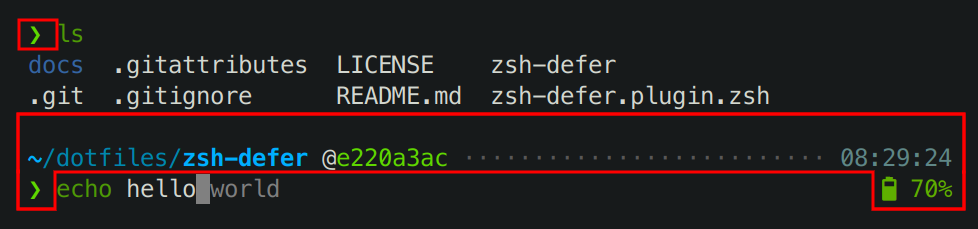
Everything within the highlighted areas on the screenshot is produced by Powerlevel10k.
Powerlevel10k has no control over the terminal content or colors outside these areas.
Powerlevel10k does not affect:
- Terminal window/tab title.
- Colors used by `ls`.
- The behavior of `git` command.
- The content and style of <kbd>Tab</kbd> completions.
- Command line colors (syntax highlighting, autosuggestions, etc.).
- Key bindings.
- Aliases.
- Prompt parameters other than `PS1` and `RPS1`.
- Zsh options other than those [related to prompt](
http://zsh.sourceforge.net/Doc/Release/Options.html#Prompting).
- The set of available commands. Powerlevel10k does not install any new commands
with the only exception of `p10k`.
### I'm using Powerlevel9k with Oh My Zsh. How do I migrate?
1. Run this command:
```zsh
# Add powerlevel10k to the list of Oh My Zsh themes.
git clone --depth=1 https://github.com/romkatv/powerlevel10k.git "${ZSH_CUSTOM:-$HOME/.oh-my-zsh/custom}/themes/powerlevel10k"
# Replace ZSH_THEME="powerlevel9k/powerlevel9k" with ZSH_THEME="powerlevel10k/powerlevel10k".
sed -i.bak 's/powerlevel9k/powerlevel10k/g' ~/.zshrc
# Restart Zsh.
exec zsh
```
2. *Optional but highly recommended:*
1. Install [the recommended font](#meslo-nerd-font-patched-for-powerlevel10k).
1. Type `p10k configure` and choose your favorite prompt style.
*Related:*
- [Powerlevel9k compatibility.](#powerlevel9k-compatibility)
- [Does Powerlevel10k always render exactly the same prompt as Powerlevel9k given the same config?](
#does-powerlevel10k-always-render-exactly-the-same-prompt-as-powerlevel9k-given-the-same-config)
- [Extra or missing spaces in prompt compared to Powerlevel9k.](
#extra-or-missing-spaces-in-prompt-compared-to-powerlevel9k)
- [Configuration wizard.](#configuration-wizard)
### Is it really fast?
Yes. See [zsh-bench](https://github.com/romkatv/zsh-bench) or a direct comparison with
[Powerlevel9k](https://asciinema.org/a/NHRjK3BMePw66jtRVY2livHwZ) and
[Spaceship](https://asciinema.org/a/253094).
### <a name='how-do-i-enable-instant-prompt'></a>How do I configure instant prompt?
See [instant prompt](#instant-prompt) to learn about instant prompt. This section explains how you
can enable and configure it and lists caveats that you should be aware of.
Instant prompt can be enabled either through `p10k configure` or by manually adding the following
code snippet at the top of `~/.zshrc`:
```zsh
# Enable Powerlevel10k instant prompt. Should stay close to the top of ~/.zshrc.
# Initialization code that may require console input (password prompts, [y/n]
# confirmations, etc.) must go above this block; everything else may go below.
if [[ -r "${XDG_CACHE_HOME:-$HOME/.cache}/p10k-instant-prompt-${(%):-%n}.zsh" ]]; then
source "${XDG_CACHE_HOME:-$HOME/.cache}/p10k-instant-prompt-${(%):-%n}.zsh"
fi
```
It's important that you copy the lines verbatim. Don't replace `source` with something else, don't
call `zcompile`, don't redirect output, etc.
When instant prompt is enabled, for the duration of Zsh initialization standard input is redirected
to `/dev/null` and standard output with standard error are redirected to a temporary file. Once Zsh
is fully initialized, standard file descriptors are restored and the content of the temporary file
is printed out.
When using instant prompt, you should carefully check any output that appears on Zsh startup as it
may indicate that initialization has been altered, or perhaps even broken, by instant prompt.
Initialization code that may require console input, such as asking for a keyring password or for a
*[y/n]* confirmation, must be moved above the instant prompt preamble in `~/.zshrc`. Initialization
code that merely prints to console but never reads from it will work correctly with instant prompt,
although output that normally has colors may appear uncolored. You can either leave it be, suppress
the output, or move it above the instant prompt preamble.
Here's an example of `~/.zshrc` that breaks when instant prompt is enabled:
```zsh
if [[ -r "${XDG_CACHE_HOME:-$HOME/.cache}/p10k-instant-prompt-${(%):-%n}.zsh" ]]; then
source "${XDG_CACHE_HOME:-$HOME/.cache}/p10k-instant-prompt-${(%):-%n}.zsh"
fi
keychain id_rsa --agents ssh # asks for password
chatty-script # spams to stdout even when everything is fine
# ...
```
Fixed version:
```zsh
keychain id_rsa --agents ssh # moved before instant prompt
# OK to perform console I/O before this point.
if [[ -r "${XDG_CACHE_HOME:-$HOME/.cache}/p10k-instant-prompt-${(%):-%n}.zsh" ]]; then
source "${XDG_CACHE_HOME:-$HOME/.cache}/p10k-instant-prompt-${(%):-%n}.zsh"
fi
# From this point on, until zsh is fully initialized, console input won't work and
# console output may appear uncolored.
chatty-script >/dev/null # spam output suppressed
# ...
```
If `POWERLEVEL9K_INSTANT_PROMPT` is unset or set to `verbose`, Powerlevel10k will print a warning
when it detects console output during initialization to bring attention to potential issues. You can
silence this warning (without suppressing console output) with `POWERLEVEL9K_INSTANT_PROMPT=quiet`.
This is recommended if some initialization code in `~/.zshrc` prints to console and it's infeasible
to move it above the instant prompt preamble or to suppress its output. You can completely disable
instant prompt with `POWERLEVEL9K_INSTANT_PROMPT=off`. Do this if instant prompt breaks Zsh
initialization and you don't know how to fix it.
The value of `POWERLEVEL9K_INSTANT_PROMPT` can be changed by running `p10k configure` and selecting
the appropriate option on the *Instant Prompt* screen. Alternatively, you can search for
`POWERLEVEL9K_INSTANT_PROMPT` in the existing `~/.p10k.zsh` and change its value there.
*Note*: Instant prompt requires Zsh >= 5.4. It's OK to enable it even when using an older version of
Zsh but it won't do anything.
*FAQ*:
- [How do I initialize direnv when using instant prompt?](
#how-do-i-initialize-direnv-when-using-instant-prompt)
- [How do I export GPG_TTY when using instant prompt?](
#how-do-i-export-gpg_tty-when-using-instant-prompt)
### How do I initialize direnv when using instant prompt?
If you've enabled [instant prompt](#instant-prompt), you should have these lines at the top of
`~/.zshrc`:
```zsh
if [[ -r "${XDG_CACHE_HOME:-$HOME/.cache}/p10k-instant-prompt-${(%):-%n}.zsh" ]]; then
source "${XDG_CACHE_HOME:-$HOME/.cache}/p10k-instant-prompt-${(%):-%n}.zsh"
fi
```
To initialize direnv you need to add one line above that block and one line below it.
```zsh
(( ${+commands[direnv]} )) && emulate zsh -c "$(direnv export zsh)"
if [[ -r "${XDG_CACHE_HOME:-$HOME/.cache}/p10k-instant-prompt-${(%):-%n}.zsh" ]]; then
source "${XDG_CACHE_HOME:-$HOME/.cache}/p10k-instant-prompt-${(%):-%n}.zsh"
fi
(( ${+commands[direnv]} )) && emulate zsh -c "$(direnv hook zsh)"
```
*Related*: [How do I export GPG_TTY when using instant prompt?](
#how-do-i-export-gpg_tty-when-using-instant-prompt)
### How do I export GPG_TTY when using instant prompt?
You can export `GPG_TTY` like this anywhere in `~/.zshrc`:
```zsh
export GPG_TTY=$TTY
```
This works whether you are using [instant prompt](#instant-prompt) or not. It works even if you
aren't using powerlevel10k. As an extra bonus, it's much faster than the commonly used
`export GPG_TTY=$(tty)`.
*Related*: [How do I initialize direnv when using instant prompt?](
#how-do-i-initialize-direnv-when-using-instant-prompt)
### What do different symbols in Git status mean?
When using Lean, Classic or Rainbow style, Git status may look like this:
```text
feature:master wip ⇣42⇡42 ⇠42⇢42 *42 merge ~42 +42 !42 ?42
```
| Symbol | Meaning | Source |
| --------- | -------------------------------------------------------------------- | ------------------------------------------------------ |
| `feature` | current branch; replaced with `#tag` or `@commit` if not on a branch | `git status --ignore-submodules=dirty` |
| `master` | remote tracking branch; only shown if different from local branch | `git rev-parse --abbrev-ref --symbolic-full-name @{upstream}` |
| `wip` | the latest commit's summary contains "wip" or "WIP" | `git show --pretty=%s --no-patch HEAD` |
| `=` | up to date with the remote (neither ahead nor behind) | `git rev-list --count HEAD...@{upstream}` |
| `⇣42` | this many commits behind the remote | `git rev-list --right-only --count HEAD...@{upstream}` |
| `⇡42` | this many commits ahead of the remote | `git rev-list --left-only --count HEAD...@{upstream}` |
| `⇠42` | this many commits behind the push remote | `git rev-list --right-only --count HEAD...@{push}` |
| `⇢42` | this many commits ahead of the push remote | `git rev-list --left-only --count HEAD...@{push}` |
| `*42` | this many stashes | `git stash list` |
| `merge` | repository state | `git status --ignore-submodules=dirty` |
| `~42` | this many merge conflicts | `git status --ignore-submodules=dirty` |
| `+42` | this many staged changes | `git status --ignore-submodules=dirty` |
| `!42` | this many unstaged changes | `git status --ignore-submodules=dirty` |
| `?42` | this many untracked files | `git status --ignore-submodules=dirty` |
| `─` | the number of staged, unstaged or untracked files is unknown | `echo $POWERLEVEL9K_VCS_MAX_INDEX_SIZE_DIRTY` or `git config --get bash.showDirtyState` |
*Related*: [How do I change the format of Git status?](#how-do-i-change-the-format-of-git-status)
### How do I change the format of Git status?
To change the format of Git status, open `~/.p10k.zsh`, search for `my_git_formatter` and edit its
source code.
*Related*: [What do different symbols in Git status mean?](
#what-do-different-symbols-in-git-status-mean)
### Why is Git status from `$HOME/.git` not displayed in prompt?
When using Lean, Classic or Rainbow style, `~/.p10k.zsh` contains the following parameter:
```zsh
# Don't show Git status in prompt for repositories whose workdir matches this pattern.
# For example, if set to '~', the Git repository at $HOME/.git will be ignored.
# Multiple patterns can be combined with '|': '~(|/foo)|/bar/baz/*'.
typeset -g POWERLEVEL9K_VCS_DISABLED_WORKDIR_PATTERN='~'
```
To see Git status for `$HOME/.git` in prompt, open `~/.p10k.zsh` and remove
`POWERLEVEL9K_VCS_DISABLED_WORKDIR_PATTERN`.
### Why does Git status sometimes appear grey and then gets colored after a short period of time?
tl;dr: When Git status in prompt is greyed out, it means Powerlevel10k is currently computing
up-to-date Git status in the background. Prompt will get automatically refreshed when this
computation completes.
When your current directory is within a Git repository, Powerlevel10k computes up-to-date Git
status after every command. If the repository is large, or the machine is slow, this computation
can take quite a bit of time. If it takes longer than 10 milliseconds (configurable via
`POWERLEVEL9K_VCS_MAX_SYNC_LATENCY_SECONDS`), Powerlevel10k displays the last known Git status in
grey and continues to compute up-to-date Git status in the background. When the computation
completes, Powerlevel10k refreshes prompt with new information, this time with colored Git status.
When using *Rainbow* style, Git status is displayed as black on grey while it's still being
computed. Depending on the terminal color palette, this may be difficult to read. In this case you
might want to change the background color to something lighter for more contrast. To do that, open
`~/.p10k.zsh`, search for `POWERLEVEL9K_VCS_LOADING_BACKGROUND`, uncomment it if it's commented out,
and change the value.
```zsh
typeset -g POWERLEVEL9K_VCS_LOADING_BACKGROUND=244
```
Type `source ~/.p10k.zsh` to apply your changes to the current Zsh session.
*Related*: [How do I change prompt colors?](#how-do-i-change-prompt-colors)
### How do I add username and/or hostname to prompt?
When using Lean, Classic or Rainbow style, prompt shows `username@hostname` when you are logged in
as root or via SSH. There is little value in showing `username` or `hostname` when you are logged in
to your local machine as a normal user. So the absence of `username@hostname` in your prompt is an
indication that you are working locally and that you aren't root. You can change it, however.
Open `~/.p10k.zsh`. Close to the top you can see the most important parameters that define which
segments are shown in your prompt. All generally useful prompt segments are listed in there. Some of
them are enabled, others are commented out. One of them is of interest to you.
```zsh
typeset -g POWERLEVEL9K_RIGHT_PROMPT_ELEMENTS=(
...
context # user@hostname
...
)
```
Search for `context` to find the section in the config that lists parameters specific to this prompt
segment. You should see the following lines:
```zsh
# Don't show context unless running with privileges or in SSH.
# Tip: Remove the next line to always show context.
typeset -g POWERLEVEL9K_CONTEXT_{DEFAULT,SUDO}_{CONTENT,VISUAL_IDENTIFIER}_EXPANSION=
```
If you follow the tip and remove (or comment out) the last line, you'll always see
`username@hostname` in prompt. You can change the format to just `username`, or change the color, by
adjusting the values of parameters nearby. There are plenty of comments to help you navigate.
You can also move `context` to a different position in `POWERLEVEL9K_RIGHT_PROMPT_ELEMENTS` or even
to `POWERLEVEL9K_LEFT_PROMPT_ELEMENTS`.
### Why some prompt segments appear and disappear as I'm typing?
Prompt segments can be configured to be shown only when the current command you are typing invokes
a relevant tool.
```zsh
# Show prompt segment "kubecontext" only when the command you are typing invokes
# invokes kubectl, helm, or kubens.
typeset -g POWERLEVEL9K_KUBECONTEXT_SHOW_ON_COMMAND='kubectl|helm|kubens'
```
Configs created by `p10k configure` may contain parameters of this kind. To customize when different
prompt segments are shown, open `~/.p10k.zsh`, search for `SHOW_ON_COMMAND` and either remove these
parameters or change their values.
You can also define a function in `~/.zshrc` to toggle the display of a prompt segment between
*always* and *on command*. This is similar to `kubeon`/`kubeoff` from
[kube-ps1](https://github.com/jonmosco/kube-ps1).
```zsh
function kube-toggle() {
if (( ${+POWERLEVEL9K_KUBECONTEXT_SHOW_ON_COMMAND} )); then
unset POWERLEVEL9K_KUBECONTEXT_SHOW_ON_COMMAND
else
POWERLEVEL9K_KUBECONTEXT_SHOW_ON_COMMAND='kubectl|helm|kubens'
fi
p10k reload
if zle; then
zle push-input
zle accept-line
fi
}
```
Invoke this function by typing `kube-toggle`. You can also bind it to a key by adding two more lines
to `~/.zshrc`:
```zsh
zle -N kube-toggle
bindkey '^]' kube-toggle # ctrl-] to toggle kubecontext in powerlevel10k prompt
```
### How do I change prompt colors?
You can either [change the color palette used by your terminal](
#change-the-color-palette-used-by-your-terminal) or
[set colors through Powerlevel10k configuration parameters](
#set-colors-through-Powerlevel10k-configuration-parameters).
#### Change the color palette used by your terminal
How exactly you change the terminal color palette (a.k.a. color scheme, or theme) depends on the
kind of terminal you are using. Look around in terminal's settings/preferences or consult
documentation.
When you change the terminal color palette, it usually affects only the first 16 colors, numbered
from 0 to 15. In order to see any effect on Powerlevel10k prompt, you need to use prompt style that
utilizes these low-numbered colors. Type `p10k configure` and select *Rainbow*, *Lean* → *8 colors*
or *Pure* → *Original*. Other styles use higher-numbered colors, so they look the same in any
terminal color palette.
#### Set colors through Powerlevel10k configuration parameters
Open `~/.p10k.zsh`, search for "color", "foreground" and "background" and change values of
appropriate parameters. For example, here's how you can set the foreground of `time` prompt segment
to bright red:
```zsh
typeset -g POWERLEVEL9K_TIME_FOREGROUND=160
```
Colors are specified using numbers from 0 to 255. Colors from 0 to 15 look differently in different
terminals. Many terminals also support customization of these colors through color palettes
(a.k.a. color schemes, or themes). Colors from 16 to 255 always look the same.
Type `source ~/.p10k.zsh` to apply your changes to the current Zsh session.
To see how different numbered colors look in your terminal, run the following command:
```zsh
for i in {0..255}; do print -Pn "%K{$i} %k%F{$i}${(l:3::0:)i}%f " ${${(M)$((i%6)):#3}:+$'\n'}; done
```
If your terminal supports truecolor, you can use 24-bit colors in the `#RRGGBB` format in addition
to the numbered colors.
```zsh
typeset -g POWERLEVEL9K_TIME_FOREGROUND='#FF0000'
```
*Related:*
- [Directory is difficult to see in prompt when using Rainbow style.](
#directory-is-difficult-to-see-in-prompt-when-using-rainbow-style)
- [Incorrect foreground color in VSCode Terminal.](#incorrect-foreground-color-in-vscode-terminal)
By default, VSCode Terminal may arbitrarily replace the foreground color of your choice with a
different color. This behavior can be
[turned off](https://code.visualstudio.com/docs/terminal/appearance#_minimum-contrast-ratio) in
VSCode settings.
### Why does Powerlevel10k spawn extra processes?
Powerlevel10k uses [gitstatus](https://github.com/romkatv/gitstatus) as the backend behind `vcs`
prompt; gitstatus spawns `gitstatusd` and `zsh`. See
[gitstatus](https://github.com/romkatv/gitstatus) for details. Powerlevel10k may also spawn `zsh`
to perform computation without blocking prompt. To avoid security hazard, these background processes
aren't shared by different interactive shells. They terminate automatically when the parent `zsh`
process terminates or runs `exec(3)`.
### Are there configuration options that make Powerlevel10k slow?
No, Powerlevel10k is always fast, with any configuration you throw at it. If you have noticeable
prompt latency when using Powerlevel10k, please
[open an issue](https://github.com/romkatv/powerlevel10k/issues).
### Is Powerlevel10k fast to load?
Yes. See [zsh-bench](https://github.com/romkatv/zsh-bench).
### What is the relationship between Powerlevel9k and Powerlevel10k?
Powerlevel10k was forked from Powerlevel9k in March 2019 after a week-long discussion in
[powerlevel9k#1170](https://github.com/Powerlevel9k/powerlevel9k/issues/1170). Powerlevel9k was
already a mature project with a large user base and a release cycle measured in months. Powerlevel10k
was spun off to iterate on performance improvements and new features at much higher pace.
Powerlevel9k and Powerlevel10k are independent projects. When using one, you shouldn't install the
other. Issues should be filed against the project that you actually use. There are no individuals
that have commit rights in both repositories. All bug fixes and new features committed to
Powerlevel9k repository get ported to Powerlevel10k.
Over time, virtually all code in Powerlevel10k has been rewritten. There is currently no meaningful
overlap between the implementations of Powerlevel9k and Powerlevel10k.
Powerlevel10k is committed to maintaining backward compatibility with all configs indefinitely. This
commitment covers all configuration parameters recognized by Powerlevel9k (see
[Powerlevel9k compatibility](#powerlevel9k-compatibility)) and additional parameters that only
Powerlevel10k understands. Names of all parameters in Powerlevel10k start with `POWERLEVEL9K_` for
consistency.
### Does Powerlevel10k always render exactly the same prompt as Powerlevel9k given the same config?
Almost. There are a few differences.
- By default only `git` vcs backend is enabled in Powerlevel10k. If you need `svn` and `hg`, add
them to `POWERLEVEL9K_VCS_BACKENDS`. These backends aren't yet optimized in Powerlevel10k, so
enabling them will make prompt *very slow*.
- Powerlevel10k doesn't support `POWERLEVEL9K_VCS_SHOW_SUBMODULE_DIRTY=true`.
- Powerlevel10k strives to be bug-compatible with Powerlevel9k but not when it comes to egregious
bugs. If you accidentally rely on these bugs, your prompt will differ between Powerlevel9k and
Powerlevel10k. Some examples:
- Powerlevel9k ignores some options that are set after the theme is sourced while Powerlevel10k
respects all options. If you see different icons in Powerlevel9k and Powerlevel10k, you've
probably defined `POWERLEVEL9K_MODE` before sourcing the theme. This parameter gets ignored
by Powerlevel9k but honored by Powerlevel10k. If you want your prompt to look in Powerlevel10k
the same as in Powerlevel9k, remove `POWERLEVEL9K_MODE`.
- Powerlevel9k doesn't respect `ZLE_RPROMPT_INDENT`. As a result, right prompt in Powerlevel10k
can have an extra space at the end compared to Powerlevel9k. Set `ZLE_RPROMPT_INDENT=0` if you
don't want that space. More details in
[troubleshooting](#extra-space-without-background-on-the-right-side-of-right-prompt).
- Powerlevel9k has inconsistent spacing around icons. This was fixed in Powerlevel10k. Set
`POWERLEVEL9K_LEGACY_ICON_SPACING=true` to get the same spacing as in Powerlevel9k. More
details in [troubleshooting](#extra-or-missing-spaces-around-icons).
- There are dozens more bugs in Powerlevel9k that don't exist in Powerlevel10k.
If you notice any other changes in prompt appearance when switching from Powerlevel9k to
Powerlevel10k, please [open an issue](https://github.com/romkatv/powerlevel10k/issues).
### What is the best prompt style in the configuration wizard?
There are as many opinions on what constitutes the best prompt as there are people. It mostly comes
down to personal preference. There are, however, a few hidden implications of different choices.
Pure style is an exact replication of [Pure Zsh theme](https://github.com/sindresorhus/pure). It
exists to ease the migration for users of this theme. Unless you are one of them, choose Lean
style over Pure.
If you want to confine prompt colors to the selected terminal color palette (say, *Solarized Dark*),
use *Rainbow*, *Lean* → *8 colors* or *Pure* → *Original*. Other styles use fixed colors and thus
look the same in any terminal color palette.
All styles except Pure have an option to use *ASCII* charset. Prompt will look less pretty but will
render correctly with all fonts and in all locales.
If you enable transient prompt, take advantage of two-line prompt. You'll get the benefit of
extra space for typing commands without the usual drawback of reduced scrollback density. Having
all commands start from the same offset is also nice.
Similarly, if you enable transient prompt, sparse prompt (with an empty line before prompt) is a
great choice.
If you are using vi keymap, choose prompt with `prompt_char` in it (shown as green `❯` in the
wizard). This symbol changes depending on vi mode: `❯`, `❮`, `V`, `▶` for insert, command, visual
and replace mode respectively. When a command fails, the symbol turns red. *Lean* style always has
`prompt_char` in it. *Rainbow* and *Classic* styles have it only in the two-line configuration
without left frame.
If you value horizontal space or prefer minimalist aesthetics:
- Use a monospace font, such as [the recommended font](#meslo-nerd-font-patched-for-powerlevel10k).
Non-monospace fonts require extra space after icons that are larger than a single column.
- Use Lean style. Compared to Classic and Rainbow, it saves two characters per prompt segment.
- Disable *current time* and *frame*.
- Use *few icons*. The extra icons enabled by the *many icons* option primarily serve decorative
function. Informative icons, such as background job indicator, will be shown either way.
*Note*: You can run configuration wizard as many times as you like. Type `p10k configure` to try new
prompt style.
### How to make Powerlevel10k look like robbyrussell Oh My Zsh theme?
Use [this config](
https://github.com/romkatv/powerlevel10k/blob/master/config/p10k-robbyrussell.zsh).
You can either download it, save as `~/.p10k.zsh` and `source ~/.p10k.zsh` from `~/.zshrc`, or
source `p10k-robbyrussell.zsh` directly from your cloned `powerlevel10k` repository.
### Can prompts for completed commands display error status for *those* commands instead of the commands preceding them?
No. When you hit *ENTER* and the command you've typed starts running, its error status isn't yet
known, so it cannot be shown in prompt. When the command completes, the error status gets known but
it's no longer possible to update prompt for *that* command. This is why the error status for every
command is reflected in the *next* prompt.
For details, see [this post on /r/zsh](
https://www.reddit.com/r/zsh/comments/eg49ff/powerlevel10k_prompt_history_exit_code_colors/fc5huku).
### What is the minimum supported Zsh version?
Zsh 5.3 or newer should work. Fast startup requires Zsh >= 5.4.
### How were these screenshots and animated gifs created?
All screenshots and animated gifs were recorded in GNOME Terminal with
[the recommended font](#meslo-nerd-font-patched-for-powerlevel10k) and Tango Dark color palette with
custom background color (`#171A1B` instead of `#2E3436` -- twice as dark).
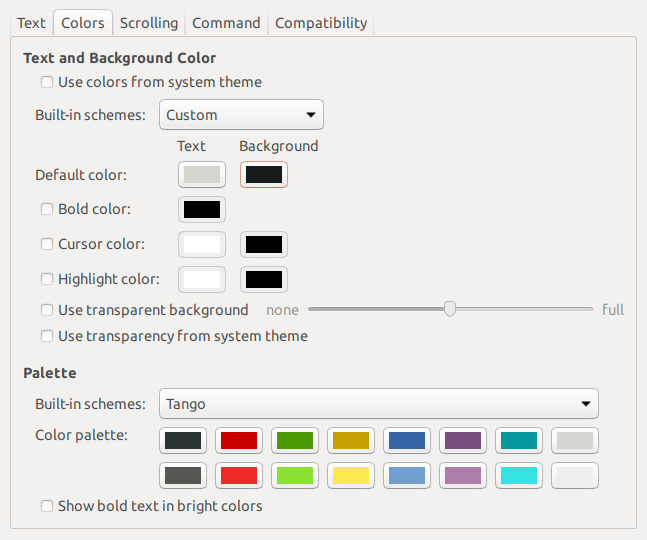
Syntax highlighting, where present, was provided by [zsh-syntax-highlighting](
https://github.com/zsh-users/zsh-syntax-highlighting).
### How was the recommended font created?
[The recommended font](#meslo-nerd-font-patched-for-powerlevel10k) is the product of many
individuals. Its origin is *Bitstream Vera Sans Mono*, which has given birth to *Menlo*, which in
turn has spawned *Meslo*. Finally, extra glyphs have been added to *Meslo* with scripts forked
from Nerd Fonts. The final font is released under the terms of
[Apache License](
https://raw.githubusercontent.com/romkatv/powerlevel10k-media/master/MesloLGS%20NF%20License.txt).
MesloLGS NF font can be recreated with the following command (requires `git` and `docker`):
```zsh
git clone --depth=1 https://github.com/romkatv/nerd-fonts.git
cd nerd-fonts
./build 'Meslo/S/*'
```
If everything goes well, four `ttf` files will appear in `./out`.
### How to package Powerlevel10k for distribution?
It's currently neither easy nor recommended to package and distribute Powerlevel10k. There are no
instructions you can follow that would allow you to easily update your package when new versions of
Powerlevel10k are released. This may change in the future but not soon.
## Troubleshooting
- [`[oh-my-zsh] theme 'powerlevel10k/powerlevel10k' not found`](#oh-my-zsh-theme-powerlevel10kpowerlevel10k-not-found)
- [Question mark in prompt](#question-mark-in-prompt)
- [Icons, glyphs or powerline symbols don't render](#icons-glyphs-or-powerline-symbols-dont-render)
- [Sub-pixel imperfections around powerline symbols](#sub-pixel-imperfections-around-powerline-symbols)
- [Error: character not in range](#error-character-not-in-range)
- [Cursor is in the wrong place](#cursor-is-in-the-wrong-place)
- [Prompt wrapping around in a weird way](#prompt-wrapping-around-in-a-weird-way)
- [Right prompt is in the wrong place](#right-prompt-is-in-the-wrong-place)
- [Configuration wizard runs automatically every time Zsh is started](#configuration-wizard-runs-automatically-every-time-zsh-is-started)
- [Some prompt styles are missing from the configuration wizard](#some-prompt-styles-are-missing-from-the-configuration-wizard)
- [Cannot install the recommended font](#cannot-install-the-recommended-font)
- [Extra or missing spaces in prompt compared to Powerlevel9k](#extra-or-missing-spaces-in-prompt-compared-to-powerlevel9k)
- [Extra space without background on the right side of right prompt](#extra-space-without-background-on-the-right-side-of-right-prompt)
- [Extra or missing spaces around icons](#extra-or-missing-spaces-around-icons)
- [Weird things happen after typing `source ~/.zshrc`](#weird-things-happen-after-typing-source-zshrc)
- [Transient prompt stops working after some time](#transient-prompt-stops-working-after-some-time)
- [Cannot make Powerlevel10k work with my plugin manager](#cannot-make-powerlevel10k-work-with-my-plugin-manager)
- [Directory is difficult to see in prompt when using Rainbow style](#directory-is-difficult-to-see-in-prompt-when-using-rainbow-style)
- [Incorrect foreground color in VSCode Terminal.](#incorrect-foreground-color-in-vscode-terminal)
- [Horrific mess when resizing terminal window](#horrific-mess-when-resizing-terminal-window)
- [Icons cut off in Konsole](#icons-cut-off-in-konsole)
- [Arch Linux logo has a dot in the bottom right corner](#arch-linux-logo-has-a-dot-in-the-bottom-right-corner)
- [Incorrect git status in prompt](#incorrect-git-status-in-prompt)
### `[oh-my-zsh] theme 'powerlevel10k/powerlevel10k' not found`
When opening a terminal, or starting zsh manually, you may encounter this error message:
```text
[oh-my-zsh] theme 'powerlevel10k/powerlevel10k' not found
```
1. First, run `typeset -p P9K_VERSION` to check whether Powerlevel10k has been loaded.
- If `typeset -p P9K_VERSION` succeeds and prints something like `typeset P9K_VERSION=1.19.14`
(the version could be different), remove the following line from `~/.zshrc`:
```zsh
ZSH_THEME="powerlevel10k/powerlevel10k"
```
- If `typeset -p P9K_VERSION` fails with the error `typeset: no such variable: P9K_VERSION`, run
the following command:
```zsh
git clone --depth=1 https://github.com/romkatv/powerlevel10k.git "${ZSH_CUSTOM:-$HOME/.oh-my-zsh/custom}/themes/powerlevel10k"
```
2. Restart Zsh with `exec zsh`.
### Question mark in prompt
If it looks like a regular `?`, that's normal. It means you have untracked files in the current Git
repository. Type `git status` to see these files. You can change this symbol or disable the display
of untracked files altogether. Search for `untracked files` in `~/.p10k.zsh`.
*FAQ*: [What do different symbols in Git status mean?](
#what-do-different-symbols-in-git-status-mean)
You can also get a weird-looking question mark in your prompt if your terminal's font is missing
some glyphs. See [icons, glyphs or powerline symbols don't render](
#icons-glyphs-or-powerline-symbols-dont-render).
### Icons, glyphs or powerline symbols don't render
Restart your terminal, [install the recommended font](#meslo-nerd-font-patched-for-powerlevel10k)
and run `p10k configure`.
### Sub-pixel imperfections around powerline symbols
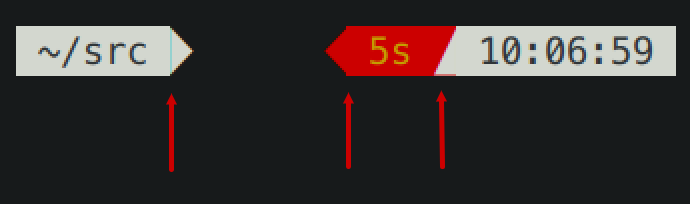
There are three imperfections on the screenshot. From left to right:
1. A thin blue line (a sub-pixel gap) between the content of a prompt segment and the following
powerline connection.
1. Incorrect alignment of a powerline connection and the following prompt segment. The connection
appears shifted to the right.
1. A thin red line below a powerline connection. The connection appears shifted up.
Zsh themes don't have down-to-pixel control over the terminal content. Everything you see on the
screen is made of monospace characters. A white powerline prompt segment is made of text on white
background followed by U+E0B0 (a right-pointing triangle).
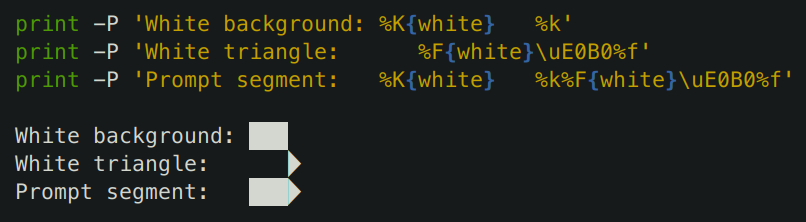
If Powerlevel10k prompt has imperfections around powerline symbols, you'll see exactly the same
imperfections with all powerline themes (Agnoster, Powerlevel9k, Powerline, etc.)
There are several things you can try to deal with these imperfections:
- Try [the recommended font](#meslo-nerd-font-patched-for-powerlevel10k). If you are already using
it, switching to another font may help but is unlikely.
- Change terminal font size one point up or down. For example, in iTerm2 powerline prompt looks
perfect at font sizes 11 and 13 but breaks down at 12.
- Enable builtin powerline glyphs in terminal settings if your terminal supports it (iTerm2 does).
- Change font hinting and/or anti-aliasing mode in the terminal settings.
- Shift all text one pixel up/down/left/right if your terminal has an option to do so.
- Try a different terminal.
A more radical solution is to switch to prompt style without background. Type `p10k configure` and
select *Lean*. This style has a modern lightweight look. As a bonus, it doesn't suffer from
rendering imperfections that afflict powerline-style prompt.
### Error: character not in range
Type `echo '\u276F'`. If you get an error saying "zsh: character not in range", your locale
doesn't support UTF-8. You need to fix it. If you are running Zsh over SSH, see
[this](https://github.com/romkatv/powerlevel10k/issues/153#issuecomment-518347833). If you are
running Zsh locally, Google "set UTF-8 locale in *your OS*".
### Cursor is in the wrong place
Type `echo '\u276F'`. If you get an error saying "zsh: character not in range", see the
[previous section](#zsh-character-not-in-range).
If the `echo` command prints `❯` but the cursor is still in the wrong place, install
[the recommended font](#meslo-nerd-font-patched-for-powerlevel10k) and run
`p10k configure`.
If this doesn't help, add `unset ZLE_RPROMPT_INDENT` at the bottom of `~/.zshrc`.
Still having issues? Run the following command to diagnose the problem:
```zsh
() {
emulate -L zsh
setopt err_return no_unset
local text
print -rl -- 'Select a part of your prompt from the terminal window and paste it below.' ''
read -r '?Prompt: ' text
local -i len=${(m)#text}
local frame="+-${(pl.$len..-.):-}-+"
print -lr -- $frame "| $text |" $frame
}
```
#### If the prompt line aligns with the frame
```text
+------------------------------+
| romka@adam ✓ ~/powerlevel10k |
+------------------------------+
```
If the output of the command is aligned for every part of your prompt (left and right), this
indicates a bug in the theme or your config. Use this command to diagnose it:
```zsh
print -rl -- ${(eq+)PROMPT} ${(eq+)RPROMPT}
```
Look for `%{...%}` and backslash escapes in the output. If there are any, they are the likely
culprits. Open an issue if you get stuck.
#### If the prompt line is longer than the frame
```text
+-----------------------------+
| romka@adam ✓ ~/powerlevel10k |
+-----------------------------+
```
This is usually caused by a terminal bug or misconfiguration that makes it print ambiguous-width
characters as double-width instead of single width. For example,
[this issue](https://github.com/romkatv/powerlevel10k/issues/165).
#### If the prompt line is shorter than the frame and is mangled
```text
+------------------------------+
| romka@adam ✓~/powerlevel10k |
+------------------------------+
```
Note that this prompt is different from the original as it's missing a space after the check mark.
This can be caused by a low-level bug in macOS. See
[this issue](https://github.com/romkatv/powerlevel10k/issues/241).
This can also happen if prompt contains glyphs designated as "wide" in the Unicode standard and your
terminal incorrectly displays them as non-wide. Terminals suffering from this limitation include
Konsole, Hyper and the integrated VSCode Terminal. The solution is to use a different terminal or
remove all wide glyphs from prompt.
#### If the prompt line is shorter than the frame and is not mangled
```text
+--------------------------------+
| romka@adam ✓ ~/powerlevel10k |
+--------------------------------+
```
This can be caused by misconfigured locale. See
[this issue](https://github.com/romkatv/powerlevel10k/issues/251).
### Prompt wrapping around in a weird way
See [cursor is in the wrong place](#cursor-is-in-the-wrong-place).
### Right prompt is in the wrong place
See [cursor is in the wrong place](#cursor-is-in-the-wrong-place).
### Configuration wizard runs automatically every time Zsh is started
When Powerlevel10k starts, it automatically runs `p10k configure` if no `POWERLEVEL9K_*`
parameters are defined. Based on your prompt style choices, the configuration wizard creates
`~/.p10k.zsh` with a bunch of `POWERLEVEL9K_*` parameters in it and adds a line to `~/.zshrc` to
source this file. The next time you start Zsh, the configuration wizard shouldn't run automatically.
If it does, this means the evaluation of `~/.zshrc` terminates prematurely before it reaches the
line that sources `~/.p10k.zsh`. This most often happens due to syntax errors in `~/.zshrc`. These
errors get hidden by the configuration wizard screen, so you don't notice them. When you exit
configuration wizard, look for error messages. You can also use
`POWERLEVEL9K_DISABLE_CONFIGURATION_WIZARD=true zsh` to start Zsh without automatically running the
configuration wizard. Once you can see the errors, fix `~/.zshrc` to get rid of them.
### Some prompt styles are missing from the configuration wizard
If Zsh version is below 5.7.1 or `COLORTERM` environment variable is neither `24bit` nor
`truecolor`, configuration wizard won't offer Pure style with Snazzy color scheme. *Fix*: Install
Zsh >= 5.7.1 and use a terminal with truecolor support. Verify with `print -P '%F{#ff0000}red%f'`.
If the terminal can display fewer than 256 colors, configuration wizard preselects Lean style with
8 colors. All other styles require at least 256 colors. *Fix*: Use a terminal with 256 color support
and make sure that `TERM` environment variable is set correctly. Verify with
`print $terminfo[colors]`.
If there is no UTF-8 locale on the system, configuration wizard won't offer prompt styles that use
Unicode characters. *Fix*: Install a UTF-8 locale. Verify with `locale -a`.
Another case in which configuration wizard may not offer Unicode prompt styles is when the
`MULTIBYTE` shell option is disabled. *Fix*: Enable the `MULTIBYTE` option, or rather don't disable
it (this option is enabled in Zsh by default). Verify with `print -r -- ${options[MULTIBYTE]}`.
When `MULTIBYTE` is enabled and a UTF-8 locale is available, the first few questions asked by the
configuration wizard assess capabilities of the terminal font. If your answers indicate that some
glyphs don't render correctly, configuration wizard won't offer prompt styles that use them. *Fix*:
Restart your terminal and install
[the recommended font](#meslo-nerd-font-patched-for-powerlevel10k). Verify by running
`p10k configure` and checking that all glyphs render correctly.
### Cannot install the recommended font
Once you download [the recommended font](#meslo-nerd-font-patched-for-powerlevel10k),
you can install it just like any other font. Google "how to install fonts on *your OS*".
### Extra or missing spaces in prompt compared to Powerlevel9k
tl;dr: Add `ZLE_RPROMPT_INDENT=0` and `POWERLEVEL9K_LEGACY_ICON_SPACING=true` to `~/.zshrc` to get
the same prompt spacing as in Powerlevel9k.
When using Powerlevel10k with a Powerlevel9k config, you might get additional spaces in prompt here
and there. These come in two flavors.
#### Extra space without background on the right side of right prompt
tl;dr: Add `ZLE_RPROMPT_INDENT=0` to `~/.zshrc` to get rid of that space.
From [Zsh documentation](
http://zsh.sourceforge.net/Doc/Release/Parameters.html#index-ZLE_005fRPROMPT_005fINDENT):
> `ZLE_RPROMPT_INDENT <S>`
>
> If set, used to give the indentation between the right hand side of the right prompt in the line
> editor as given by `RPS1` or `RPROMPT` and the right hand side of the screen. If not set, the
> value `1` is used.
>
> Typically this will be used to set the value to `0` so that the prompt appears flush with the
> right hand side of the screen.
Powerlevel10k respects this parameter. If you set `ZLE_RPROMPT_INDENT=1` (or leave it unset, which
is the same thing as setting it to `1`), you'll get an empty space to the right of right prompt. If
you set `ZLE_RPROMPT_INDENT=0`, your prompt will go to the edge of the terminal. This is how it
works in every theme except Powerlevel9k.
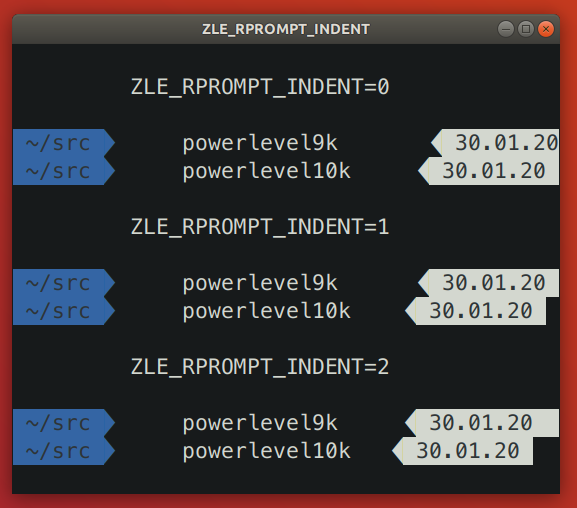
Powerlevel9k issue: [powerlevel9k#1292](https://github.com/Powerlevel9k/powerlevel9k/issues/1292).
It's been fixed in the development branch of Powerlevel9k but the fix hasn't yet made it to
`master`.
Add `ZLE_RPROMPT_INDENT=0` to `~/.zshrc` to get the same spacing on the right edge of prompt as in
Powerlevel9k.
*Note:* Several versions of Zsh have bugs that get triggered when you set `ZLE_RPROMPT_INDENT=0`.
Powerlevel10k can work around these bugs when using powerline prompt style. If you notice visual
artifacts in prompt, or wrong cursor position, try removing `ZLE_RPROMPT_INDENT` from `~/.zshrc`.
#### Extra or missing spaces around icons
tl;dr: Add `POWERLEVEL9K_LEGACY_ICON_SPACING=true` to `~/.zshrc` to get the same spacing around
icons as in Powerlevel9k.
Spacing around icons in Powerlevel9k is inconsistent.
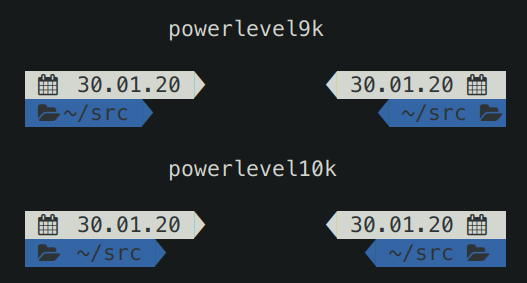
This inconsistency is a constant source of annoyance, so it was fixed in Powerlevel10k. You can add
`POWERLEVEL9K_LEGACY_ICON_SPACING=true` to `~/.zshrc` to get the same spacing around icons as in
Powerlevel9k.
*Note:* It's not a good idea to define `POWERLEVEL9K_LEGACY_ICON_SPACING` when using
`p10k configure`.
### Weird things happen after typing `source ~/.zshrc`
It's almost always a bad idea to run `source ~/.zshrc`, whether you are using Powerlevel10k or not.
This command may result in random errors, misbehaving code and progressive slowdown of Zsh.
If you've made changes to `~/.zshrc` or to files sourced by it, restart Zsh to apply them. The most
reliable way to do this is to type `exit` and then start a new Zsh session. You can also use
`exec zsh`. While not exactly equivalent to complete Zsh restart, this command is much more reliable
than `source ~/.zshrc`.
### Transient prompt stops working after some time
See [weird things happen after typing `source ~/.zshrc`](
#weird-things-happen-after-typing-source-zshrc).
### Cannot make Powerlevel10k work with my plugin manager
If the [installation instructions](#installation) didn't work for you, try disabling your current
theme (so that you end up with no theme) and then installing Powerlevel10k manually.
1. Disable the current theme in your framework / plugin manager.
- **oh-my-zsh:** Open `~/.zshrc` and remove the line that sets `ZSH_THEME`. It might look like this:
`ZSH_THEME="powerlevel9k/powerlevel9k"`.
- **zplug:** Open `~/.zshrc` and remove the `zplug` command that refers to your current theme. For
example, if you are currently using Powerlevel9k, look for
`zplug bhilburn/powerlevel9k, use:powerlevel9k.zsh-theme`.
- **prezto:** Open `~/.zpreztorc` and put `zstyle :prezto:module:prompt theme off` in it. Remove
any other command that sets `theme` such as `zstyle :prezto:module:prompt theme powerlevel9k`.
- **antigen:** Open `~/.zshrc` and remove the line that sets `antigen theme`. It might look like
this: `antigen theme powerlevel9k/powerlevel9k`.
2. Install Powerlevel10k manually.
```zsh
git clone --depth=1 https://github.com/romkatv/powerlevel10k.git ~/powerlevel10k
echo 'source ~/powerlevel10k/powerlevel10k.zsh-theme' >>~/.zshrc
```
This method of installation won't make anything slower or otherwise sub-par.
### Directory is difficult to see in prompt when using Rainbow style
In Rainbow style the current working directory is shown with bright white text on blue background.
The white is fixed and always looks the same but the appearance of "blue" is defined by your
terminal color palette. If it's very light, it may be difficult to see white text on it.
There are several ways to fix this.
- Type `p10k configure` and choose a more readable prompt style.
- [Change terminal color palette](#change-the-color-palette-used-by-your-terminal). Try Tango Dark
or Solarized Dark, or change just the "blue" color.
- [Change directory background and/or foreground color](#set-colors-through-Powerlevel10k-configuration-parameters).
The parameters you are looking for are called `POWERLEVEL9K_DIR_BACKGROUND`,
`POWERLEVEL9K_DIR_FOREGROUND`, `POWERLEVEL9K_DIR_SHORTENED_FOREGROUND`,
`POWERLEVEL9K_DIR_ANCHOR_FOREGROUND` and `POWERLEVEL9K_DIR_ANCHOR_BOLD`. You can find them in
`~/.p10k.zsh`.
*Related*: [Incorrect foreground color in VSCode Terminal.](#incorrect-foreground-color-in-vscode-terminal)
### Incorrect foreground color in VSCode Terminal
By default, VSCode Terminal may arbitrarily replace the foreground color of your choice with a
different color. This behavior can be
[turned off](https://code.visualstudio.com/docs/terminal/appearance#_minimum-contrast-ratio) in
VSCode settings.
### Horrific mess when resizing terminal window
When you resize a terminal window horizontally back and forth a few times, you might see this ugly
picture.
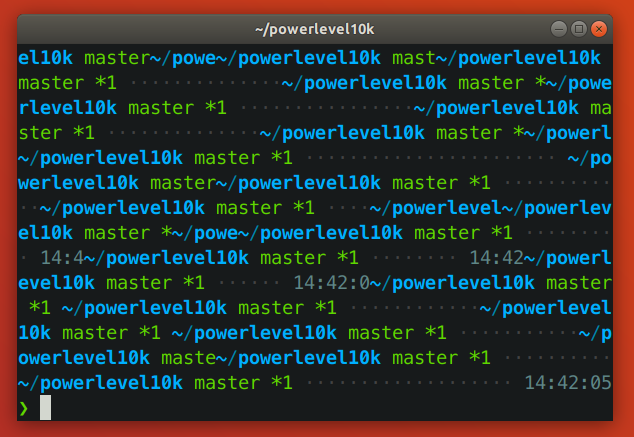
tl;dr: This issue arises when a terminal reflows Zsh prompt upon resizing. It isn't specific to
Powerlevel10k. See [mitigation](#mitigation).
*Note: This section [used to say](
https://github.com/romkatv/powerlevel10k/blob/dce00cdb5daaa8a519df234a7012ba3257b644d4/README.md#horrific-mess-when-resizing-terminal-window)
that the problem is caused by a bug in Zsh. While it's true that it's possible to avoid the problem
in many circumstances by modifying Zsh, it cannot be completely resolved this way. Thus it's unfair
to pin the blame on Zsh.*
#### The anatomy of the problem
The issue is manifested when the vertical distance between the start of the current prompt and the
cursor (henceforth `VD`) changes when the terminal window is resized.
When a terminal window gets shrunk horizontally, there are two ways for a terminal to handle long
lines that no longer fit: *reflow* or *truncate*.
Terminal content before shrinking:
Terminal reflows text when shrinking:
Terminal truncates text when shrinking:
Reflowing strategy can change the height of terminal content. If such content happens to be between
the start of the current prompt and the cursor, Zsh will print prompt on the wrong line. Truncation
strategy never changes the height of terminal content, so it doesn't trigger this issue.
Let's see how the issue plays out in slow motion. We'll start by launching `zsh -f` and pasting
the following code:
```zsh
function pause() { read -s }
functions -M pause 0
reset
print -l {1..3}
setopt prompt_subst
PROMPT=$'${$((pause()))+}left>${(pl.$((COLUMNS-12))..-.)}<right\n> '
```
When `PROMPT` gets expanded, it calls `pause` to let us observe the state of the terminal. Here's
the initial state:
Zsh keeps track of the cursor position relative to the start of the current prompt. In this case it
knows that the cursor is one line below. When we shrink the terminal window, it looks like this:
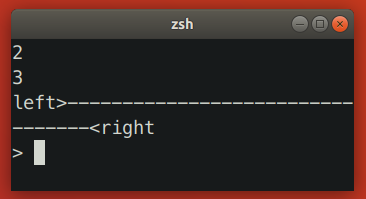
At this point the terminal sends `SIGWINCH` to Zsh to notify it about changes in the terminal
dimensions. Note that this signal is sent *after* the content of the terminal has been reflown.
When Zsh receives `SIGWINCH`, it attempts to erase the current prompt and print it anew. It goes to
the position where it *thinks* the current prompt is -- one line above the cursor (!) -- erases all
terminal content that follows and prints reexpanded prompt there. However, after resizing prompt is
no longer one line above the cursor. It's two lines above! Zsh ends up printing new prompt one line
too low.
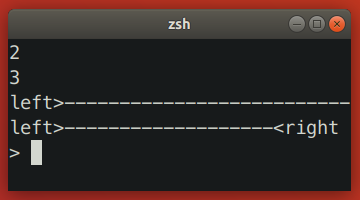
In this case we ended up with unwanted junk content because `VD` has *increased*. When you make
terminal window wider, `VD` can also *decrease*, which would result in the new prompt being printed
higher than intended, potentially erasing useful content in the process.
Here are a few more examples where shrinking terminal window increased `VD`.
- Simple one-line left prompt with right prompt. No `prompt_subst`. Note that the cursor is below
the prompt line (hit *ESC-ENTER* to get it there).
- Simple one-line left prompt. No `prompt_subst`, no right prompt. Here `VD` is bound to increase
upon terminal shrinking due to the command line wrapping around.
#### Zsh patch
[This Zsh patch](https://github.com/romkatv/zsh/tree/fix-winchanged) fixes the issue on some
terminals. The idea behind the patch is to use `sc` (save cursor) terminal capability before
printing prompt and `rc` (restore cursor) to move cursor back to the original position when prompt
needs to be refreshed.
The patch works only on terminals that reflow saved cursor position together with text when the
terminal window is resized. The patch has no observable effect on terminals that don't reflow text
on resize (both patched and unpatched Zsh behave correctly) and on terminals that reflow text but
not the saved cursor position (both patched and unpatched Zsh redraw prompt at the same incorrect
position). In other words, the patch fixes the resizing issue on some terminals while keeping the
behavior unchanged on others.
There are two alternative approaches to patching Zsh that may seem to work at first glance but in
fact don't:
- Instead of `sc`, use `u7` terminal capability to query the current cursor position and then `cup`
to go back to it. This doesn't work because the absolute position of the start of the current
prompt changes when text gets reflown.
- Recompute `VD` based on new terminal dimensions before attempting to refresh prompt. This doesn't
work because Zsh doesn't know whether terminal reflows text or truncates it. If Zsh could somehow
know that the terminal reflows text, this approach still wouldn't work on terminals that
continuously reflow text and rapid-fire `SIGWINCH` when the window is being resized. In such
environment real terminal dimensions go out of sync with what Zsh thinks the dimensions are.
There is no ETA for the patch making its way into upstream Zsh. See [discussion](
https://www.zsh.org/mla/workers//2019/msg00561.html).
#### Mitigation
There are a few mitigation options for this issue.
- Use [kitty](https://sw.kovidgoyal.net/kitty/) terminal version >= 0.24.0 and enable terminal-shell
integration in Powerlevel10k by defining `POWERLEVEL9K_TERM_SHELL_INTEGRATION=true` in
`~/.p10k.zsh`.
- Apply [the patch](#zsh-patch) and [rebuild Zsh from source](
https://github.com/zsh-users/zsh/blob/master/INSTALL). It won't help if you are using Alacritty,
kitty or some other terminal that reflows text on resize but doesn't reflow saved cursor position.
On such terminals the patch will have no visible effect.
- Disable text reflowing on window resize in terminal settings. If your terminal doesn't have this
setting, try a different terminal.
- Avoid long lines between the start of prompt and cursor.
1. Disable ruler with `POWERLEVEL9K_SHOW_RULER=false`.
2. Disable prompt connection with `POWERLEVEL9K_MULTILINE_FIRST_PROMPT_GAP_CHAR=' '`.
3. Disable right frame with `POWERLEVEL9K_MULTILINE_FIRST_PROMPT_SUFFIX=''`,
`POWERLEVEL9K_MULTILINE_NEWLINE_PROMPT_SUFFIX=''` and
`POWERLEVEL9K_MULTILINE_LAST_PROMPT_SUFFIX=''`.
4. Set `POWERLEVEL9K_RIGHT_PROMPT_ELEMENTS=()`. Right prompt on the last prompt line will cause
resizing issues only when the cursor is below it. This isn't very common, so you might want to
keep some elements in `POWERLEVEL9K_RIGHT_PROMPT_ELEMENTS` provided that none of them are
succeeded by `newline`.
### Icons cut off in Konsole
When using Konsole with a non-monospace font, icons may be cut off on the right side. Here
"non-monospace" refers to any font with glyphs wider than a single column, or wider than two columns
for glyphs designated as "wide" in the Unicode standard.
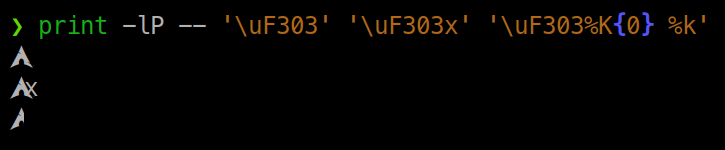
The last line on the screenshot shows a cut off Arch Linux logo.
There are several mitigation options for this issue.
1. Use a different terminal. Konsole is the only terminal that exhibits this behavior.
2. Use a monospace font.
3. Manually add an extra space after the icon that gets cut off. For example, if the content of
`os_icon` prompt segment gets cut off, open `~/.p10k.zsh`, search for
`POWERLEVEL9K_OS_ICON_CONTENT_EXPANSION` and change it as follows:
```zsh
typeset -g POWERLEVEL9K_OS_ICON_CONTENT_EXPANSION='${P9K_CONTENT} ' # extra space at the end
```
4. Use a different icon that is monospace. For example, if Arch Linux logo gets cut off, add
the following parameter to `~/.p10k.zsh`:
```zsh
typeset -g POWERLEVEL9K_LINUX_ARCH_ICON='Arch' # plain "Arch" in place of a logo
```
5. Disable the display of the icon that gets cut off. For example, if the content of
`os_icon` prompt segment gets cut off, open `~/.p10k.zsh` and remove `os_icon` from
`POWERLEVEL9K_LEFT_PROMPT_ELEMENTS` and `POWERLEVEL9K_RIGHT_PROMPT_ELEMENTS`.
*Note*: [Non-monospace fonts are not officially supported by Konsole](
https://bugs.kde.org/show_bug.cgi?id=418553#c5).
### Arch Linux logo has a dot in the bottom right corner
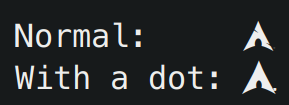
Some fonts have this incorrect dotted icon in bold typeface. There are two ways to fix this issue.
1. Use a font with a correct Arch Linux logo in bold typeface. For example,
[the recommended Powerlevel10k font](#meslo-nerd-font-patched-for-powerlevel10k).
2. Display the icon in regular (non-bold) typeface. To do this, open `~/.p10k.zsh`, search for
`POWERLEVEL9K_OS_ICON_CONTENT_EXPANSION` and remove `%B` from its value.
```zsh
typeset -g POWERLEVEL9K_OS_ICON_CONTENT_EXPANSION='${P9K_CONTENT}' # not bold
```
### Incorrect git status in prompt
Powerlevel10k uses [gitstatusd](https://github.com/romkatv/gitstatus) to inspect the state of git
repositories. The project relies on the [libgit2](https://github.com/libgit2/libgit2) library, which
has some gaps in its implementation. Under some conditions, this may result in discrepancies between
the real state of a git repository (reflected by `git status`) and what gets shown in the
Powerlevel10k prompt.
Most notably, [libgit2 does not support `skipHash`](https://github.com/libgit2/libgit2/issues/6531).
If you see incorrect git status in prompt, run `git config -l` and check whether `skipHash` is
enabled. If it is, consider disabling it. Keep in mind that `skipHash` may be implicitly enabled
when activating certain git features, such as `manyFiles`.
================================================
FILE: config/p10k-classic.zsh
================================================
# Config for Powerlevel10k with classic powerline prompt style. Type `p10k configure` to generate
# your own config based on it.
#
# Tip: Looking for a nice color? Here's a one-liner to print colormap.
#
# for i in {0..255}; do print -Pn "%K{$i} %k%F{$i}${(l:3::0:)i}%f " ${${(M)$((i%6)):#3}:+$'\n'}; done
# Temporarily change options.
'builtin' 'local' '-a' 'p10k_config_opts'
[[ ! -o 'aliases' ]] || p10k_config_opts+=('aliases')
[[ ! -o 'sh_glob' ]] || p10k_config_opts+=('sh_glob')
[[ ! -o 'no_brace_expand' ]] || p10k_config_opts+=('no_brace_expand')
'builtin' 'setopt' 'no_aliases' 'no_sh_glob' 'brace_expand'
() {
emulate -L zsh -o extended_glob
# Unset all configuration options. This allows you to apply configuration changes without
# restarting zsh. Edit ~/.p10k.zsh and type `source ~/.p10k.zsh`.
unset -m '(POWERLEVEL9K_*|DEFAULT_USER)~POWERLEVEL9K_GITSTATUS_DIR'
# Zsh >= 5.1 is required.
[[ $ZSH_VERSION == (5.<1->*|<6->.*) ]] || return
# The list of segments shown on the left. Fill it with the most important segments.
typeset -g POWERLEVEL9K_LEFT_PROMPT_ELEMENTS=(
# =========================[ Line #1 ]=========================
# os_icon # os identifier
dir # current directory
vcs # git status
# =========================[ Line #2 ]=========================
newline # \n
# prompt_char # prompt symbol
)
# The list of segments shown on the right. Fill it with less important segments.
# Right prompt on the last prompt line (where you are typing your commands) gets
# automatically hidden when the input line reaches it. Right prompt above the
# last prompt line gets hidden if it would overlap with left prompt.
typeset -g POWERLEVEL9K_RIGHT_PROMPT_ELEMENTS=(
# =========================[ Line #1 ]=========================
status # exit code of the last command
command_execution_time # duration of the last command
background_jobs # presence of background jobs
direnv # direnv status (https://direnv.net/)
asdf # asdf version manager (https://github.com/asdf-vm/asdf)
virtualenv # python virtual environment (https://docs.python.org/3/library/venv.html)
anaconda # conda environment (https://conda.io/)
pyenv # python environment (https://github.com/pyenv/pyenv)
goenv # go environment (https://github.com/syndbg/goenv)
nodenv # node.js version from nodenv (https://github.com/nodenv/nodenv)
nvm # node.js version from nvm (https://github.com/nvm-sh/nvm)
nodeenv # node.js environment (https://github.com/ekalinin/nodeenv)
# node_version # node.js version
# go_version # go version (https://golang.org)
# rust_version # rustc version (https://www.rust-lang.org)
# dotnet_version # .NET version (https://dotnet.microsoft.com)
# php_version # php version (https://www.php.net/)
# laravel_version # laravel php framework version (https://laravel.com/)
# java_version # java version (https://www.java.com/)
# package # name@version from package.json (https://docs.npmjs.com/files/package.json)
rbenv # ruby version from rbenv (https://github.com/rbenv/rbenv)
rvm # ruby version from rvm (https://rvm.io)
fvm # flutter version management (https://github.com/leoafarias/fvm)
luaenv # lua version from luaenv (https://github.com/cehoffman/luaenv)
jenv # java version from jenv (https://github.com/jenv/jenv)
plenv # perl version from plenv (https://github.com/tokuhirom/plenv)
perlbrew # perl version from perlbrew (https://github.com/gugod/App-perlbrew)
phpenv # php version from phpenv (https://github.com/phpenv/phpenv)
scalaenv # scala version from scalaenv (https://github.com/scalaenv/scalaenv)
haskell_stack # haskell version from stack (https://haskellstack.org/)
kubecontext # current kubernetes context (https://kubernetes.io/)
terraform # terraform workspace (https://www.terraform.io)
# terraform_version # terraform version (https://www.terraform.io)
aws # aws profile (https://docs.aws.amazon.com/cli/latest/userguide/cli-configure-profiles.html)
aws_eb_env # aws elastic beanstalk environment (https://aws.amazon.com/elasticbeanstalk/)
azure # azure account name (https://docs.microsoft.com/en-us/cli/azure)
gcloud # google cloud cli account and project (https://cloud.google.com/)
google_app_cred # google application credentials (https://cloud.google.com/docs/authentication/production)
toolbox # toolbox name (https://github.com/containers/toolbox)
context # user@hostname
nordvpn # nordvpn connection status, linux only (https://nordvpn.com/)
ranger # ranger shell (https://github.com/ranger/ranger)
yazi # yazi shell (https://github.com/sxyazi/yazi)
nnn # nnn shell (https://github.com/jarun/nnn)
lf # lf shell (https://github.com/gokcehan/lf)
xplr # xplr shell (https://github.com/sayanarijit/xplr)
vim_shell # vim shell indicator (:sh)
midnight_commander # midnight commander shell (https://midnight-commander.org/)
nix_shell # nix shell (https://nixos.org/nixos/nix-pills/developing-with-nix-shell.html)
chezmoi_shell # chezmoi shell (https://www.chezmoi.io/)
# vi_mode # vi mode (you don't need this if you've enabled prompt_char)
# vpn_ip # virtual private network indicator
# load # CPU load
# disk_usage # disk usage
# ram # free RAM
# swap # used swap
todo # todo items (https://github.com/todotxt/todo.txt-cli)
timewarrior # timewarrior tracking status (https://timewarrior.net/)
taskwarrior # taskwarrior task count (https://taskwarrior.org/)
per_directory_history # Oh My Zsh per-directory-history local/global indicator
# cpu_arch # CPU architecture
# time # current time
# =========================[ Line #2 ]=========================
newline # \n
# ip # ip address and bandwidth usage for a specified network interface
# public_ip # public IP address
# proxy # system-wide http/https/ftp proxy
# battery # internal battery
# wifi # wifi speed
# example # example user-defined segment (see prompt_example function below)
)
# Defines character set used by powerlevel10k. It's best to let `p10k configure` set it for you.
typeset -g POWERLEVEL9K_MODE=nerdfont-complete
# When set to `moderate`, some icons will have an extra space after them. This is meant to avoid
# icon overlap when using non-monospace fonts. When set to `none`, spaces are not added.
typeset -g POWERLEVEL9K_ICON_PADDING=none
# When set to true, icons appear before content on both sides of the prompt. When set
# to false, icons go after content. If empty or not set, icons go before content in the left
# prompt and after content in the right prompt.
#
# You can also override it for a specific segment:
#
# POWERLEVEL9K_STATUS_ICON_BEFORE_CONTENT=false
#
# Or for a specific segment in specific state:
#
# POWERLEVEL9K_DIR_NOT_WRITABLE_ICON_BEFORE_CONTENT=false
typeset -g POWERLEVEL9K_ICON_BEFORE_CONTENT=
# Add an empty line before each prompt.
typeset -g POWERLEVEL9K_PROMPT_ADD_NEWLINE=true
# Connect left prompt lines with these symbols. You'll probably want to use the same color
# as POWERLEVEL9K_MULTILINE_FIRST_PROMPT_GAP_FOREGROUND below.
typeset -g POWERLEVEL9K_MULTILINE_FIRST_PROMPT_PREFIX='%242F╭─'
typeset -g POWERLEVEL9K_MULTILINE_NEWLINE_PROMPT_PREFIX='%242F├─'
typeset -g POWERLEVEL9K_MULTILINE_LAST_PROMPT_PREFIX='%242F╰─'
# Connect right prompt lines with these symbols.
typeset -g POWERLEVEL9K_MULTILINE_FIRST_PROMPT_SUFFIX='%242F─╮'
typeset -g POWERLEVEL9K_MULTILINE_NEWLINE_PROMPT_SUFFIX='%242F─┤'
typeset -g POWERLEVEL9K_MULTILINE_LAST_PROMPT_SUFFIX='%242F─╯'
# Filler between left and right prompt on the first prompt line. You can set it to ' ', '·' or
# '─'. The last two make it easier to see the alignment between left and right prompt and to
# separate prompt from command output. You might want to set POWERLEVEL9K_PROMPT_ADD_NEWLINE=false
# for more compact prompt if using this option.
typeset -g POWERLEVEL9K_MULTILINE_FIRST_PROMPT_GAP_CHAR=' '
typeset -g POWERLEVEL9K_MULTILINE_FIRST_PROMPT_GAP_BACKGROUND=
typeset -g POWERLEVEL9K_MULTILINE_NEWLINE_PROMPT_GAP_BACKGROUND=
if [[ $POWERLEVEL9K_MULTILINE_FIRST_PROMPT_GAP_CHAR != ' ' ]]; then
# The color of the filler. You'll probably want to match the color of POWERLEVEL9K_MULTILINE
# ornaments defined above.
typeset -g POWERLEVEL9K_MULTILINE_FIRST_PROMPT_GAP_FOREGROUND=242
# Start filler from the edge of the screen if there are no left segments on the first line.
typeset -g POWERLEVEL9K_EMPTY_LINE_LEFT_PROMPT_FIRST_SEGMENT_END_SYMBOL='%{%}'
# End filler on the edge of the screen if there are no right segments on the first line.
typeset -g POWERLEVEL9K_EMPTY_LINE_RIGHT_PROMPT_FIRST_SEGMENT_START_SYMBOL='%{%}'
fi
# Default background color.
typeset -g POWERLEVEL9K_BACKGROUND=238
# Separator between same-color segments on the left.
typeset -g POWERLEVEL9K_LEFT_SUBSEGMENT_SEPARATOR='%246F\uE0B1'
# Separator between same-color segments on the right.
typeset -g POWERLEVEL9K_RIGHT_SUBSEGMENT_SEPARATOR='%246F\uE0B3'
# Separator between different-color segments on the left.
typeset -g POWERLEVEL9K_LEFT_SEGMENT_SEPARATOR='\uE0B0'
# Separator between different-color segments on the right.
typeset -g POWERLEVEL9K_RIGHT_SEGMENT_SEPARATOR='\uE0B2'
# To remove a separator between two segments, add "_joined" to the second segment name.
# For example: POWERLEVEL9K_RIGHT_PROMPT_ELEMENTS=(os_icon context_joined)
# The right end of left prompt.
typeset -g POWERLEVEL9K_LEFT_PROMPT_LAST_SEGMENT_END_SYMBOL='\uE0B0'
# The left end of right prompt.
typeset -g POWERLEVEL9K_RIGHT_PROMPT_FIRST_SEGMENT_START_SYMBOL='\uE0B2'
# The left end of left prompt.
typeset -g POWERLEVEL9K_LEFT_PROMPT_FIRST_SEGMENT_START_SYMBOL=
# The right end of right prompt.
typeset -g POWERLEVEL9K_RIGHT_PROMPT_LAST_SEGMENT_END_SYMBOL=
# Left prompt terminator for lines without any segments.
typeset -g POWERLEVEL9K_EMPTY_LINE_LEFT_PROMPT_LAST_SEGMENT_END_SYMBOL=
#################################[ os_icon: os identifier ]##################################
# OS identifier color.
typeset -g POWERLEVEL9K_OS_ICON_FOREGROUND=255
# Custom icon.
# typeset -g POWERLEVEL9K_OS_ICON_CONTENT_EXPANSION='⭐'
################################[ prompt_char: prompt symbol ]################################
# Transparent background.
typeset -g POWERLEVEL9K_PROMPT_CHAR_BACKGROUND=
# Green prompt symbol if the last command succeeded.
typeset -g POWERLEVEL9K_PROMPT_CHAR_OK_{VIINS,VICMD,VIVIS,VIOWR}_FOREGROUND=76
# Red prompt symbol if the last command failed.
typeset -g POWERLEVEL9K_PROMPT_CHAR_ERROR_{VIINS,VICMD,VIVIS,VIOWR}_FOREGROUND=196
# Default prompt symbol.
typeset -g POWERLEVEL9K_PROMPT_CHAR_{OK,ERROR}_VIINS_CONTENT_EXPANSION='❯'
# Prompt symbol in command vi mode.
typeset -g POWERLEVEL9K_PROMPT_CHAR_{OK,ERROR}_VICMD_CONTENT_EXPANSION='❮'
# Prompt symbol in visual vi mode.
typeset -g POWERLEVEL9K_PROMPT_CHAR_{OK,ERROR}_VIVIS_CONTENT_EXPANSION='V'
# Prompt symbol in overwrite vi mode.
typeset -g POWERLEVEL9K_PROMPT_CHAR_{OK,ERROR}_VIOWR_CONTENT_EXPANSION='▶'
typeset -g POWERLEVEL9K_PROMPT_CHAR_OVERWRITE_STATE=true
# No line terminator if prompt_char is the last segment.
typeset -g POWERLEVEL9K_PROMPT_CHAR_LEFT_PROMPT_LAST_SEGMENT_END_SYMBOL=
# No line introducer if prompt_char is the first segment.
typeset -g POWERLEVEL9K_PROMPT_CHAR_LEFT_PROMPT_FIRST_SEGMENT_START_SYMBOL=
# No surrounding whitespace.
typeset -g POWERLEVEL9K_PROMPT_CHAR_LEFT_{LEFT,RIGHT}_WHITESPACE=
##################################[ dir: current directory ]##################################
# Default current directory color.
typeset -g POWERLEVEL9K_DIR_FOREGROUND=31
# If directory is too long, shorten some of its segments to the shortest possible unique
# prefix. The shortened directory can be tab-completed to the original.
typeset -g POWERLEVEL9K_SHORTEN_STRATEGY=truncate_to_unique
# Replace removed segment suffixes with this symbol.
typeset -g POWERLEVEL9K_SHORTEN_DELIMITER=
# Color of the shortened directory segments.
typeset -g POWERLEVEL9K_DIR_SHORTENED_FOREGROUND=103
# Color of the anchor directory segments. Anchor segments are never shortened. The first
# segment is always an anchor.
typeset -g POWERLEVEL9K_DIR_ANCHOR_FOREGROUND=39
# Display anchor directory segments in bold.
typeset -g POWERLEVEL9K_DIR_ANCHOR_BOLD=true
# Don't shorten directories that contain any of these files. They are anchors.
local anchor_files=(
.bzr
.citc
.git
.hg
.node-version
.python-version
.go-version
.ruby-version
.lua-version
.java-version
.perl-version
.php-version
.tool-versions
.mise.toml
.shorten_folder_marker
.svn
.terraform
CVS
Cargo.toml
composer.json
go.mod
package.json
stack.yaml
)
typeset -g POWERLEVEL9K_SHORTEN_FOLDER_MARKER="(${(j:|:)anchor_files})"
# If set to "first" ("last"), remove everything before the first (last) subdirectory that contains
# files matching $POWERLEVEL9K_SHORTEN_FOLDER_MARKER. For example, when the current directory is
# /foo/bar/git_repo/nested_git_repo/baz, prompt will display git_repo/nested_git_repo/baz (first)
# or nested_git_repo/baz (last). This assumes that git_repo and nested_git_repo contain markers
# and other directories don't.
#
# Optionally, "first" and "last" can be followed by ":<offset>" where <offset> is an integer.
# This moves the truncation point to the right (positive offset) or to the left (negative offset)
# relative to the marker. Plain "first" and "last" are equivalent to "first:0" and "last:0"
# respectively.
typeset -g POWERLEVEL9K_DIR_TRUNCATE_BEFORE_MARKER=false
# Don't shorten this many last directory segments. They are anchors.
typeset -g POWERLEVEL9K_SHORTEN_DIR_LENGTH=1
# Shorten directory if it's longer than this even if there is space for it. The value can
# be either absolute (e.g., '80') or a percentage of terminal width (e.g, '50%'). If empty,
# directory will be shortened only when prompt doesn't fit or when other parameters demand it
# (see POWERLEVEL9K_DIR_MIN_COMMAND_COLUMNS and POWERLEVEL9K_DIR_MIN_COMMAND_COLUMNS_PCT below).
# If set to `0`, directory will always be shortened to its minimum length.
typeset -g POWERLEVEL9K_DIR_MAX_LENGTH=80
# When `dir` segment is on the last prompt line, try to shorten it enough to leave at least this
# many columns for typing commands.
typeset -g POWERLEVEL9K_DIR_MIN_COMMAND_COLUMNS=40
# When `dir` segment is on the last prompt line, try to shorten it enough to leave at least
# COLUMNS * POWERLEVEL9K_DIR_MIN_COMMAND_COLUMNS_PCT * 0.01 columns for typing commands.
typeset -g POWERLEVEL9K_DIR_MIN_COMMAND_COLUMNS_PCT=50
# If set to true, embed a hyperlink into the directory. Useful for quickly
# opening a directory in the file manager simply by clicking the link.
# Can also be handy when the directory is shortened, as it allows you to see
# the full directory that was used in previous commands.
typeset -g POWERLEVEL9K_DIR_HYPERLINK=false
# Enable special styling for non-writable and non-existent directories. See POWERLEVEL9K_LOCK_ICON
# and POWERLEVEL9K_DIR_CLASSES below.
typeset -g POWERLEVEL9K_DIR_SHOW_WRITABLE=v3
# The default icon shown next to non-writable and non-existent directories when
# POWERLEVEL9K_DIR_SHOW_WRITABLE is set to v3.
# typeset -g POWERLEVEL9K_LOCK_ICON='⭐'
# POWERLEVEL9K_DIR_CLASSES allows you to specify custom icons and colors for different
# directories. It must be an array with 3 * N elements. Each triplet consists of:
#
# 1. A pattern against which the current directory ($PWD) is matched. Matching is done with
# extended_glob option enabled.
# 2. Directory class for the purpose of styling.
# 3. An empty string.
#
# Triplets are tried in order. The first triplet whose pattern matches $PWD wins.
#
# If POWERLEVEL9K_DIR_SHOW_WRITABLE is set to v3, non-writable and non-existent directories
# acquire class suffix _NOT_WRITABLE and NON_EXISTENT respectively.
#
# For example, given these settings:
#
# typeset -g POWERLEVEL9K_DIR_CLASSES=(
# '~/work(|/*)' WORK ''
# '~(|/*)' HOME ''
# '*' DEFAULT '')
#
# Whenever the current directory is ~/work or a subdirectory of ~/work, it gets styled with one
# of the following classes depending on its writability and existence: WORK, WORK_NOT_WRITABLE or
# WORK_NON_EXISTENT.
#
# Simply assigning classes to directories doesn't have any visible effects. It merely gives you an
# option to define custom colors and icons for different directory classes.
#
# # Styling for WORK.
# typeset -g POWERLEVEL9K_DIR_WORK_VISUAL_IDENTIFIER_EXPANSION='⭐'
# typeset -g POWERLEVEL9K_DIR_WORK_FOREGROUND=31
# typeset -g POWERLEVEL9K_DIR_WORK_SHORTENED_FOREGROUND=103
# typeset -g POWERLEVEL9K_DIR_WORK_ANCHOR_FOREGROUND=39
#
# # Styling for WORK_NOT_WRITABLE.
# typeset -g POWERLEVEL9K_DIR_WORK_NOT_WRITABLE_VISUAL_IDENTIFIER_EXPANSION='⭐'
# typeset -g POWERLEVEL9K_DIR_WORK_NOT_WRITABLE_FOREGROUND=31
# typeset -g POWERLEVEL9K_DIR_WORK_NOT_WRITABLE_SHORTENED_FOREGROUND=103
# typeset -g POWERLEVEL9K_DIR_WORK_NOT_WRITABLE_ANCHOR_FOREGROUND=39
#
# # Styling for WORK_NON_EXISTENT.
# typeset -g POWERLEVEL9K_DIR_WORK_NON_EXISTENT_VISUAL_IDENTIFIER_EXPANSION='⭐'
# typeset -g POWERLEVEL9K_DIR_WORK_NON_EXISTENT_FOREGROUND=31
# typeset -g POWERLEVEL9K_DIR_WORK_NON_EXISTENT_SHORTENED_FOREGROUND=103
# typeset -g POWERLEVEL9K_DIR_WORK_NON_EXISTENT_ANCHOR_FOREGROUND=39
#
# If a styling parameter isn't explicitly defined for some class, it falls back to the classless
# parameter. For example, if POWERLEVEL9K_DIR_WORK_NOT_WRITABLE_FOREGROUND is not set, it falls
# back to POWERLEVEL9K_DIR_FOREGROUND.
#
# typeset -g POWERLEVEL9K_DIR_CLASSES=()
# Custom prefix.
# typeset -g POWERLEVEL9K_DIR_PREFIX='%248Fin '
#####################################[ vcs: git status ]######################################
# Branch icon. Set this parameter to '\UE0A0 ' for the popular Powerline branch icon.
typeset -g POWERLEVEL9K_VCS_BRANCH_ICON=
# Untracked files icon. It's really a question mark, your font isn't broken.
# Change the value of this parameter to show a different icon.
typeset -g POWERLEVEL9K_VCS_UNTRACKED_ICON='?'
# Formatter for Git status.
#
# Example output: master wip ⇣42⇡42 *42 merge ~42 +42 !42 ?42.
#
# You can edit the function to customize how Git status looks.
#
# VCS_STATUS_* parameters are set by gitstatus plugin. See reference:
# https://github.com/romkatv/gitstatus/blob/master/gitstatus.plugin.zsh.
function my_git_formatter() {
emulate -L zsh
if [[ -n $P9K_CONTENT ]]; then
# If P9K_CONTENT is not empty, use it. It's either "loading" or from vcs_info (not from
# gitstatus plugin). VCS_STATUS_* parameters are not available in this case.
typeset -g my_git_format=$P9K_CONTENT
return
fi
if (( $1 )); then
# Styling for up-to-date Git status.
local meta='%248F' # grey foreground
local clean='%76F' # green foreground
local modified='%178F' # yellow foreground
local untracked='%39F' # blue foreground
local conflicted='%196F' # red foreground
else
# Styling for incomplete and stale Git status.
local meta='%244F' # grey foreground
local clean='%244F' # grey foreground
local modified='%244F' # grey foreground
local untracked='%244F' # grey foreground
local conflicted='%244F' # grey foreground
fi
local res
if [[ -n $VCS_STATUS_LOCAL_BRANCH ]]; then
local branch=${(V)VCS_STATUS_LOCAL_BRANCH}
# If local branch name is at most 32 characters long, show it in full.
# Otherwise show the first 12 … the last 12.
# Tip: To always show local branch name in full without truncation, delete the next line.
(( $#branch > 32 )) && branch[13,-13]="…" # <-- this line
res+="${clean}${(g::)POWERLEVEL9K_VCS_BRANCH_ICON}${branch//\%/%%}"
fi
if [[ -n $VCS_STATUS_TAG
# Show tag only if not on a branch.
# Tip: To always show tag, delete the next line.
&& -z $VCS_STATUS_LOCAL_BRANCH # <-- this line
]]; then
local tag=${(V)VCS_STATUS_TAG}
# If tag name is at most 32 characters long, show it in full.
# Otherwise show the first 12 … the last 12.
# Tip: To always show tag name in full without truncation, delete the next line.
(( $#tag > 32 )) && tag[13,-13]="…" # <-- this line
res+="${meta}#${clean}${tag//\%/%%}"
fi
# Display the current Git commit if there is no branch and no tag.
# Tip: To always display the current Git commit, delete the next line.
[[ -z $VCS_STATUS_LOCAL_BRANCH && -z $VCS_STATUS_TAG ]] && # <-- this line
res+="${meta}@${clean}${VCS_STATUS_COMMIT[1,8]}"
# Show tracking branch name if it differs from local branch.
if [[ -n ${VCS_STATUS_REMOTE_BRANCH:#$VCS_STATUS_LOCAL_BRANCH} ]]; then
res+="${meta}:${clean}${(V)VCS_STATUS_REMOTE_BRANCH//\%/%%}"
fi
# Display "wip" if the latest commit's summary contains "wip" or "WIP".
if [[ $VCS_STATUS_COMMIT_SUMMARY == (|*[^[:alnum:]])(wip|WIP)(|[^[:alnum:]]*) ]]; then
res+=" ${modified}wip"
fi
if (( VCS_STATUS_COMMITS_AHEAD || VCS_STATUS_COMMITS_BEHIND )); then
# ⇣42 if behind the remote.
(( VCS_STATUS_COMMITS_BEHIND )) && res+=" ${clean}⇣${VCS_STATUS_COMMITS_BEHIND}"
# ⇡42 if ahead of the remote; no leading space if also behind the remote: ⇣42⇡42.
(( VCS_STATUS_COMMITS_AHEAD && !VCS_STATUS_COMMITS_BEHIND )) && res+=" "
(( VCS_STATUS_COMMITS_AHEAD )) && res+="${clean}⇡${VCS_STATUS_COMMITS_AHEAD}"
elif [[ -n $VCS_STATUS_REMOTE_BRANCH ]]; then
# Tip: Uncomment the next line to display '=' if up to date with the remote.
# res+=" ${clean}="
fi
# ⇠42 if behind the push remote.
(( VCS_STATUS_PUSH_COMMITS_BEHIND )) && res+=" ${clean}⇠${VCS_STATUS_PUSH_COMMITS_BEHIND}"
(( VCS_STATUS_PUSH_COMMITS_AHEAD && !VCS_STATUS_PUSH_COMMITS_BEHIND )) && res+=" "
# ⇢42 if ahead of the push remote; no leading space if also behind: ⇠42⇢42.
(( VCS_STATUS_PUSH_COMMITS_AHEAD )) && res+="${clean}⇢${VCS_STATUS_PUSH_COMMITS_AHEAD}"
# *42 if have stashes.
(( VCS_STATUS_STASHES )) && res+=" ${clean}*${VCS_STATUS_STASHES}"
# 'merge' if the repo is in an unusual state.
[[ -n $VCS_STATUS_ACTION ]] && res+=" ${conflicted}${VCS_STATUS_ACTION}"
# ~42 if have merge conflicts.
(( VCS_STATUS_NUM_CONFLICTED )) && res+=" ${conflicted}~${VCS_STATUS_NUM_CONFLICTED}"
# +42 if have staged changes.
(( VCS_STATUS_NUM_STAGED )) && res+=" ${modified}+${VCS_STATUS_NUM_STAGED}"
# !42 if have unstaged changes.
(( VCS_STATUS_NUM_UNSTAGED )) && res+=" ${modified}!${VCS_STATUS_NUM_UNSTAGED}"
# ?42 if have untracked files. It's really a question mark, your font isn't broken.
# See POWERLEVEL9K_VCS_UNTRACKED_ICON above if you want to use a different icon.
# Remove the next line if you don't want to see untracked files at all.
(( VCS_STATUS_NUM_UNTRACKED )) && res+=" ${untracked}${(g::)POWERLEVEL9K_VCS_UNTRACKED_ICON}${VCS_STATUS_NUM_UNTRACKED}"
# "─" if the number of unstaged files is unknown. This can happen due to
# POWERLEVEL9K_VCS_MAX_INDEX_SIZE_DIRTY (see below) being set to a non-negative number lower
# than the number of files in the Git index, or due to bash.showDirtyState being set to false
# in the repository config. The number of staged and untracked files may also be unknown
# in this case.
(( VCS_STATUS_HAS_UNSTAGED == -1 )) && res+=" ${modified}─"
typeset -g my_git_format=$res
}
functions -M my_git_formatter 2>/dev/null
# Don't count the number of unstaged, untracked and conflicted files in Git repositories with
# more than this many files in the index. Negative value means infinity.
#
# If you are working in Git repositories with tens of millions of files and seeing performance
# sagging, try setting POWERLEVEL9K_VCS_MAX_INDEX_SIZE_DIRTY to a number lower than the output
# of `git ls-files | wc -l`. Alternatively, add `bash.showDirtyState = false` to the repository's
# config: `git config bash.showDirtyState false`.
typeset -g POWERLEVEL9K_VCS_MAX_INDEX_SIZE_DIRTY=-1
# Don't show Git status in prompt for repositories whose workdir matches this pattern.
# For example, if set to '~', the Git repository at $HOME/.git will be ignored.
# Multiple patterns can be combined with '|': '~(|/foo)|/bar/baz/*'.
typeset -g POWERLEVEL9K_VCS_DISABLED_WORKDIR_PATTERN='~'
# Disable the default Git status formatting.
typeset -g POWERLEVEL9K_VCS_DISABLE_GITSTATUS_FORMATTING=true
# Install our own Git status formatter.
typeset -g POWERLEVEL9K_VCS_CONTENT_EXPANSION='${$((my_git_formatter(1)))+${my_git_format}}'
typeset -g POWERLEVEL9K_VCS_LOADING_CONTENT_EXPANSION='${$((my_git_formatter(0)))+${my_git_format}}'
# Enable counters for staged, unstaged, etc.
typeset -g POWERLEVEL9K_VCS_{STAGED,UNSTAGED,UNTRACKED,CONFLICTED,COMMITS_AHEAD,COMMITS_BEHIND}_MAX_NUM=-1
# Icon color.
typeset -g POWERLEVEL9K_VCS_VISUAL_IDENTIFIER_COLOR=76
typeset -g POWERLEVEL9K_VCS_LOADING_VISUAL_IDENTIFIER_COLOR=244
# Custom icon.
# typeset -g POWERLEVEL9K_VCS_VISUAL_IDENTIFIER_EXPANSION='⭐'
# Custom prefix.
# typeset -g POWERLEVEL9K_VCS_PREFIX='%248Fon '
# Show status of repositories of these types. You can add svn and/or hg if you are
# using them. If you do, your prompt may become slow even when your current directory
# isn't in an svn or hg reposotiry.
typeset -g POWERLEVEL9K_VCS_BACKENDS=(git)
# These settings are used for repositories other than Git or when gitstatusd fails and
# Powerlevel10k has to fall back to using vcs_info.
typeset -g POWERLEVEL9K_VCS_CLEAN_FOREGROUND=76
typeset -g POWERLEVEL9K_VCS_UNTRACKED_FOREGROUND=76
typeset -g POWERLEVEL9K_VCS_MODIFIED_FOREGROUND=178
##########################[ status: exit code of the last command ]###########################
# Enable OK_PIPE, ERROR_PIPE and ERROR_SIGNAL status states to allow us to enable, disable and
# style them independently from the regular OK and ERROR state.
typeset -g POWERLEVEL9K_STATUS_EXTENDED_STATES=true
# Status on success. No content, just an icon. No need to show it if prompt_char is enabled as
# it will signify success by turning green.
typeset -g POWERLEVEL9K_STATUS_OK=true
typeset -g POWERLEVEL9K_STATUS_OK_FOREGROUND=70
typeset -g POWERLEVEL9K_STATUS_OK_VISUAL_IDENTIFIER_EXPANSION='✔'
# Status when some part of a pipe command fails but the overall exit status is zero. It may look
# like this: 1|0.
typeset -g POWERLEVEL9K_STATUS_OK_PIPE=true
typeset -g POWERLEVEL9K_STATUS_OK_PIPE_FOREGROUND=70
typeset -g POWERLEVEL9K_STATUS_OK_PIPE_VISUAL_IDENTIFIER_EXPANSION='✔'
# Status when it's just an error code (e.g., '1'). No need to show it if prompt_char is enabled as
# it will signify error by turning red.
typeset -g POWERLEVEL9K_STATUS_ERROR=true
typeset -g POWERLEVEL9K_STATUS_ERROR_FOREGROUND=160
typeset -g POWERLEVEL9K_STATUS_ERROR_VISUAL_IDENTIFIER_EXPANSION='✘'
# Status when the last command was terminated by a signal.
typeset -g POWERLEVEL9K_STATUS_ERROR_SIGNAL=true
typeset -g POWERLEVEL9K_STATUS_ERROR_SIGNAL_FOREGROUND=160
# Use terse signal names: "INT" instead of "SIGINT(2)".
typeset -g POWERLEVEL9K_STATUS_VERBOSE_SIGNAME=false
typeset -g POWERLEVEL9K_STATUS_ERROR_SIGNAL_VISUAL_IDENTIFIER_EXPANSION='✘'
# Status when some part of a pipe command fails and the overall exit status is also non-zero.
# It may look like this: 1|0.
typeset -g POWERLEVEL9K_STATUS_ERROR_PIPE=true
typeset -g POWERLEVEL9K_STATUS_ERROR_PIPE_FOREGROUND=160
typeset -g POWERLEVEL9K_STATUS_ERROR_PIPE_VISUAL_IDENTIFIER_EXPANSION='✘'
###################[ command_execution_time: duration of the last command ]###################
# Show duration of the last command if takes at least this many seconds.
typeset -g POWERLEVEL9K_COMMAND_EXECUTION_TIME_THRESHOLD=3
# Show this many fractional digits. Zero means round to seconds.
typeset -g POWERLEVEL9K_COMMAND_EXECUTION_TIME_PRECISION=0
# Execution time color.
typeset -g POWERLEVEL9K_COMMAND_EXECUTION_TIME_FOREGROUND=248
# Duration format: 1d 2h 3m 4s.
typeset -g POWERLEVEL9K_COMMAND_EXECUTION_TIME_FORMAT='d h m s'
# Custom icon.
# typeset -g POWERLEVEL9K_COMMAND_EXECUTION_TIME_VISUAL_IDENTIFIER_EXPANSION='⭐'
# Custom prefix.
# typeset -g POWERLEVEL9K_COMMAND_EXECUTION_TIME_PREFIX='%248Ftook '
#######################[ background_jobs: presence of background jobs ]#######################
# Don't show the number of background jobs.
typeset -g POWERLEVEL9K_BACKGROUND_JOBS_VERBOSE=false
# Background jobs color.
typeset -g POWERLEVEL9K_BACKGROUND_JOBS_FOREGROUND=37
# Custom icon.
# typeset -g POWERLEVEL9K_BACKGROUND_JOBS_VISUAL_IDENTIFIER_EXPANSION='⭐'
#######################[ direnv: direnv status (https://direnv.net/) ]########################
# Direnv color.
typeset -g POWERLEVEL9K_DIRENV_FOREGROUND=178
# Custom icon.
# typeset -g POWERLEVEL9K_DIRENV_VISUAL_IDENTIFIER_EXPANSION='⭐'
###############[ asdf: asdf version manager (https://github.com/asdf-vm/asdf) ]###############
# Default asdf color. Only used to display tools for which there is no color override (see below).
# Tip: Override this parameter for ${TOOL} with POWERLEVEL9K_ASDF_${TOOL}_FOREGROUND.
typeset -g POWERLEVEL9K_ASDF_FOREGROUND=66
# There are four parameters that can be used to hide asdf tools. Each parameter describes
# conditions under which a tool gets hidden. Parameters can hide tools but not unhide them. If at
# least one parameter decides to hide a tool, that tool gets hidden. If no parameter decides to
# hide a tool, it gets shown.
#
# Special note on the difference between POWERLEVEL9K_ASDF_SOURCES and
# POWERLEVEL9K_ASDF_PROMPT_ALWAYS_SHOW. Consider the effect of the following commands:
#
# asdf local python 3.8.1
# asdf global python 3.8.1
#
# After running both commands the current python version is 3.8.1 and its source is "local" as
# it takes precedence over "global". If POWERLEVEL9K_ASDF_PROMPT_ALWAYS_SHOW is set to false,
# it'll hide python version in this case because 3.8.1 is the same as the global version.
# POWERLEVEL9K_ASDF_SOURCES will hide python version only if the value of this parameter doesn't
# contain "local".
# Hide tool versions that don't come from one of these sources.
#
# Available sources:
#
# - shell `asdf current` says "set by ASDF_${TOOL}_VERSION environment variable"
# - local `asdf current` says "set by /some/not/home/directory/file"
# - global `asdf current` says "set by /home/username/file"
#
# Note: If this parameter is set to (shell local global), it won't hide tools.
# Tip: Override this parameter for ${TOOL} with POWERLEVEL9K_ASDF_${TOOL}_SOURCES.
typeset -g POWERLEVEL9K_ASDF_SOURCES=(shell local global)
# If set to false, hide tool versions that are the same as global.
#
# Note: The name of this parameter doesn't reflect its meaning at all.
# Note: If this parameter is set to true, it won't hide tools.
# Tip: Override this parameter for ${TOOL} with POWERLEVEL9K_ASDF_${TOOL}_PROMPT_ALWAYS_SHOW.
typeset -g POWERLEVEL9K_ASDF_PROMPT_ALWAYS_SHOW=false
# If set to false, hide tool versions that are equal to "system".
#
# Note: If this parameter is set to true, it won't hide tools.
# Tip: Override this parameter for ${TOOL} with POWERLEVEL9K_ASDF_${TOOL}_SHOW_SYSTEM.
typeset -g POWERLEVEL9K_ASDF_SHOW_SYSTEM=true
# If set to non-empty value, hide tools unless there is a file matching the specified file pattern
# in the current directory, or its parent directory, or its grandparent directory, and so on.
#
# Note: If this parameter is set to empty value, it won't hide tools.
# Note: SHOW_ON_UPGLOB isn't specific to asdf. It works with all prompt segments.
# Tip: Override this parameter for ${TOOL} with POWERLEVEL9K_ASDF_${TOOL}_SHOW_ON_UPGLOB.
#
# Example: Hide nodejs version when there is no package.json and no *.js files in the current
# directory, in `..`, in `../..` and so on.
#
# typeset -g POWERLEVEL9K_ASDF_NODEJS_SHOW_ON_UPGLOB='*.js|package.json'
typeset -g POWERLEVEL9K_ASDF_SHOW_ON_UPGLOB=
# Ruby version from asdf.
typeset -g POWERLEVEL9K_ASDF_RUBY_FOREGROUND=168
# typeset -g POWERLEVEL9K_ASDF_RUBY_VISUAL_IDENTIFIER_EXPANSION='⭐'
# typeset -g POWERLEVEL9K_ASDF_RUBY_SHOW_ON_UPGLOB='*.foo|*.bar'
# Python version from asdf.
typeset -g POWERLEVEL9K_ASDF_PYTHON_FOREGROUND=37
# typeset -g POWERLEVEL9K_ASDF_PYTHON_VISUAL_IDENTIFIER_EXPANSION='⭐'
# typeset -g POWERLEVEL9K_ASDF_PYTHON_SHOW_ON_UPGLOB='*.foo|*.bar'
# Go version from asdf.
typeset -g POWERLEVEL9K_ASDF_GOLANG_FOREGROUND=37
# typeset -g POWERLEVEL9K_ASDF_GOLANG_VISUAL_IDENTIFIER_EXPANSION='⭐'
# typeset -g POWERLEVEL9K_ASDF_GOLANG_SHOW_ON_UPGLOB='*.foo|*.bar'
# Node.js version from asdf.
typeset -g POWERLEVEL9K_ASDF_NODEJS_FOREGROUND=70
# typeset -g POWERLEVEL9K_ASDF_NODEJS_VISUAL_IDENTIFIER_EXPANSION='⭐'
# typeset -g POWERLEVEL9K_ASDF_NODEJS_SHOW_ON_UPGLOB='*.foo|*.bar'
# Rust version from asdf.
typeset -g POWERLEVEL9K_ASDF_RUST_FOREGROUND=37
# typeset -g POWERLEVEL9K_ASDF_RUST_VISUAL_IDENTIFIER_EXPANSION='⭐'
# typeset -g POWERLEVEL9K_ASDF_RUST_SHOW_ON_UPGLOB='*.foo|*.bar'
# .NET Core version from asdf.
typeset -g POWERLEVEL9K_ASDF_DOTNET_CORE_FOREGROUND=134
# typeset -g POWERLEVEL9K_ASDF_DOTNET_CORE_VISUAL_IDENTIFIER_EXPANSION='⭐'
# typeset -g POWERLEVEL9K_ASDF_DOTNET_CORE_SHOW_ON_UPGLOB='*.foo|*.bar'
# Flutter version from asdf.
typeset -g POWERLEVEL9K_ASDF_FLUTTER_FOREGROUND=38
# typeset -g POWERLEVEL9K_ASDF_FLUTTER_VISUAL_IDENTIFIER_EXPANSION='⭐'
# typeset -g POWERLEVEL9K_ASDF_FLUTTER_SHOW_ON_UPGLOB='*.foo|*.bar'
# Lua version from asdf.
typeset -g POWERLEVEL9K_ASDF_LUA_FOREGROUND=32
# typeset -g POWERLEVEL9K_ASDF_LUA_VISUAL_IDENTIFIER_EXPANSION='⭐'
# typeset -g POWERLEVEL9K_ASDF_LUA_SHOW_ON_UPGLOB='*.foo|*.bar'
# Java version from asdf.
typeset -g POWERLEVEL9K_ASDF_JAVA_FOREGROUND=32
# typeset -g POWERLEVEL9K_ASDF_JAVA_VISUAL_IDENTIFIER_EXPANSION='⭐'
# typeset -g POWERLEVEL9K_ASDF_JAVA_SHOW_ON_UPGLOB='*.foo|*.bar'
# Perl version from asdf.
typeset -g POWERLEVEL9K_ASDF_PERL_FOREGROUND=67
# typeset -g POWERLEVEL9K_ASDF_PERL_VISUAL_IDENTIFIER_EXPANSION='⭐'
# typeset -g POWERLEVEL9K_ASDF_PERL_SHOW_ON_UPGLOB='*.foo|*.bar'
# Erlang version from asdf.
typeset -g POWERLEVEL9K_ASDF_ERLANG_FOREGROUND=125
# typeset -g POWERLEVEL9K_ASDF_ERLANG_VISUAL_IDENTIFIER_EXPANSION='⭐'
# typeset -g POWERLEVEL9K_ASDF_ERLANG_SHOW_ON_UPGLOB='*.foo|*.bar'
# Elixir version from asdf.
typeset -g POWERLEVEL9K_ASDF_ELIXIR_FOREGROUND=129
# typeset -g POWERLEVEL9K_ASDF_ELIXIR_VISUAL_IDENTIFIER_EXPANSION='⭐'
# typeset -g POWERLEVEL9K_ASDF_ELIXIR_SHOW_ON_UPGLOB='*.foo|*.bar'
# Postgres version from asdf.
typeset -g POWERLEVEL9K_ASDF_POSTGRES_FOREGROUND=31
# typeset -g POWERLEVEL9K_ASDF_POSTGRES_VISUAL_IDENTIFIER_EXPANSION='⭐'
# typeset -g POWERLEVEL9K_ASDF_POSTGRES_SHOW_ON_UPGLOB='*.foo|*.bar'
# PHP version from asdf.
typeset -g POWERLEVEL9K_ASDF_PHP_FOREGROUND=99
# typeset -g POWERLEVEL9K_ASDF_PHP_VISUAL_IDENTIFIER_EXPANSION='⭐'
# typeset -g POWERLEVEL9K_ASDF_PHP_SHOW_ON_UPGLOB='*.foo|*.bar'
# Haskell version from asdf.
typeset -g POWERLEVEL9K_ASDF_HASKELL_FOREGROUND=172
# typeset -g POWERLEVEL9K_ASDF_HASKELL_VISUAL_IDENTIFIER_EXPANSION='⭐'
# typeset -g POWERLEVEL9K_ASDF_HASKELL_SHOW_ON_UPGLOB='*.foo|*.bar'
# Julia version from asdf.
typeset -g POWERLEVEL9K_ASDF_JULIA_FOREGROUND=70
# typeset -g POWERLEVEL9K_ASDF_JULIA_VISUAL_IDENTIFIER_EXPANSION='⭐'
# typeset -g POWERLEVEL9K_ASDF_JULIA_SHOW_ON_UPGLOB='*.foo|*.bar'
##########[ nordvpn: nordvpn connection status, linux only (https://nordvpn.com/) ]###########
# NordVPN connection indicator color.
typeset -g POWERLEVEL9K_NORDVPN_FOREGROUND=39
# Hide NordVPN connection indicator when not connected.
typeset -g POWERLEVEL9K_NORDVPN_{DISCONNECTED,CONNECTING,DISCONNECTING}_CONTENT_EXPANSION=
typeset -g POWERLEVEL9K_NORDVPN_{DISCONNECTED,CONNECTING,DISCONNECTING}_VISUAL_IDENTIFIER_EXPANSION=
# Custom icon.
# typeset -g POWERLEVEL9K_NORDVPN_VISUAL_IDENTIFIER_EXPANSION='⭐'
#################[ ranger: ranger shell (https://github.com/ranger/ranger) ]##################
# Ranger shell color.
typeset -g POWERLEVEL9K_RANGER_FOREGROUND=178
# Custom icon.
# typeset -g POWERLEVEL9K_RANGER_VISUAL_IDENTIFIER_EXPANSION='⭐'
####################[ yazi: yazi shell (https://github.com/sxyazi/yazi) ]#####################
# Yazi shell color.
typeset -g POWERLEVEL9K_YAZI_FOREGROUND=178
# Custom icon.
# typeset -g POWERLEVEL9K_YAZI_VISUAL_IDENTIFIER_EXPANSION='⭐'
######################[ nnn: nnn shell (https://github.com/jarun/nnn) ]#######################
# Nnn shell color.
typeset -g POWERLEVEL9K_NNN_FOREGROUND=72
# Custom icon.
# typeset -g POWERLEVEL9K_NNN_VISUAL_IDENTIFIER_EXPANSION='⭐'
######################[ lf: lf shell (https://github.com/gokcehan/lf) ]#######################
# lf shell color.
typeset -g POWERLEVEL9K_LF_FOREGROUND=72
# Custom icon.
# typeset -g POWERLEVEL9K_LF_VISUAL_IDENTIFIER_EXPANSION='⭐'
##################[ xplr: xplr shell (https://github.com/sayanarijit/xplr) ]##################
# xplr shell color.
typeset -g POWERLEVEL9K_XPLR_FOREGROUND=72
# Custom icon.
# typeset -g POWERLEVEL9K_XPLR_VISUAL_IDENTIFIER_EXPANSION='⭐'
###########################[ vim_shell: vim shell indicator (:sh) ]###########################
# Vim shell indicator color.
typeset -g POWERLEVEL9K_VIM_SHELL_FOREGROUND=34
# Custom icon.
# typeset -g POWERLEVEL9K_VIM_SHELL_VISUAL_IDENTIFIER_EXPANSION='⭐'
######[ midnight_commander: midnight commander shell (https://midnight-commander.org/) ]######
# Midnight Commander shell color.
typeset -g POWERLEVEL9K_MIDNIGHT_COMMANDER_FOREGROUND=178
# Custom icon.
# typeset -g POWERLEVEL9K_MIDNIGHT_COMMANDER_VISUAL_IDENTIFIER_EXPANSION='⭐'
#[ nix_shell: nix shell (https://nixos.org/nixos/nix-pills/developing-with-nix-shell.html) ]##
# Nix shell color.
typeset -g POWERLEVEL9K_NIX_SHELL_FOREGROUND=74
# Display the icon of nix_shell if PATH contains a subdirectory of /nix/store.
# typeset -g POWERLEVEL9K_NIX_SHELL_INFER_FROM_PATH=false
# Tip: If you want to see just the icon without "pure" and "impure", uncomment the next line.
# typeset -g POWERLEVEL9K_NIX_SHELL_CONTENT_EXPANSION=
# Custom icon.
# typeset -g POWERLEVEL9K_NIX_SHELL_VISUAL_IDENTIFIER_EXPANSION='⭐'
##################[ chezmoi_shell: chezmoi shell (https://www.chezmoi.io/) ]##################
# chezmoi shell color.
typeset -g POWERLEVEL9K_CHEZMOI_SHELL_FOREGROUND=33
# Custom icon.
# typeset -g POWERLEVEL9K_CHEZMOI_SHELL_VISUAL_IDENTIFIER_EXPANSION='⭐'
##################################[ disk_usage: disk usage ]##################################
# Colors for different levels of disk usage.
typeset -g POWERLEVEL9K_DISK_USAGE_NORMAL_FOREGROUND=35
typeset -g POWERLEVEL9K_DISK_USAGE_WARNING_FOREGROUND=220
typeset -g POWERLEVEL9K_DISK_USAGE_CRITICAL_FOREGROUND=160
# Thresholds for different levels of disk usage (percentage points).
typeset -g POWERLEVEL9K_DISK_USAGE_WARNING_LEVEL=90
typeset -g POWERLEVEL9K_DISK_USAGE_CRITICAL_LEVEL=95
# If set to true, hide disk usage when below $POWERLEVEL9K_DISK_USAGE_WARNING_LEVEL percent.
typeset -g POWERLEVEL9K_DISK_USAGE_ONLY_WARNING=false
# Custom icon.
# typeset -g POWERLEVEL9K_DISK_USAGE_VISUAL_IDENTIFIER_EXPANSION='⭐'
###########[ vi_mode: vi mode (you don't need this if you've enabled prompt_char) ]###########
# Text and color for normal (a.k.a. command) vi mode.
typeset -g POWERLEVEL9K_VI_COMMAND_MODE_STRING=NORMAL
typeset -g POWERLEVEL9K_VI_MODE_NORMAL_FOREGROUND=106
# Text and color for visual vi mode.
typeset -g POWERLEVEL9K_VI_VISUAL_MODE_STRING=VISUAL
typeset -g POWERLEVEL9K_VI_MODE_VISUAL_FOREGROUND=68
# Text and color for overtype (a.k.a. overwrite and replace) vi mode.
typeset -g POWERLEVEL9K_VI_OVERWRITE_MODE_STRING=OVERTYPE
typeset -g POWERLEVEL9K_VI_MODE_OVERWRITE_FOREGROUND=172
# Text and color for insert vi mode.
typeset -g POWERLEVEL9K_VI_INSERT_MODE_STRING=
typeset -g POWERLEVEL9K_VI_MODE_INSERT_FOREGROUND=66
# Custom icon.
# typeset -g POWERLEVEL9K_VI_MODE_VISUAL_IDENTIFIER_EXPANSION='⭐'
######################################[ ram: free RAM ]#######################################
# RAM color.
typeset -g POWERLEVEL9K_RAM_FOREGROUND=66
# Custom icon.
# typeset -g POWERLEVEL9K_RAM_VISUAL_IDENTIFIER_EXPANSION='⭐'
#####################################[ swap: used swap ]######################################
# Swap color.
typeset -g POWERLEVEL9K_SWAP_FOREGROUND=96
# Custom icon.
# typeset -g POWERLEVEL9K_SWAP_VISUAL_IDENTIFIER_EXPANSION='⭐'
######################################[ load: CPU load ]######################################
# Show average CPU load over this many last minutes. Valid values are 1, 5 and 15.
typeset -g POWERLEVEL9K_LOAD_WHICH=5
# Load color when load is under 50%.
typeset -g POWERLEVEL9K_LOAD_NORMAL_FOREGROUND=66
# Load color when load is between 50% and 70%.
typeset -g POWERLEVEL9K_LOAD_WARNING_FOREGROUND=178
# Load color when load is over 70%.
typeset -g POWERLEVEL9K_LOAD_CRITICAL_FOREGROUND=166
# Custom icon.
# typeset -g POWERLEVEL9K_LOAD_VISUAL_IDENTIFIER_EXPANSION='⭐'
################[ todo: todo items (https://github.com/todotxt/todo.txt-cli) ]################
# Todo color.
typeset -g POWERLEVEL9K_TODO_FOREGROUND=110
# Hide todo when the total number of tasks is zero.
typeset -g POWERLEVEL9K_TODO_HIDE_ZERO_TOTAL=true
# Hide todo when the number of tasks after filtering is zero.
typeset -g POWERLEVEL9K_TODO_HIDE_ZERO_FILTERED=false
# Todo format. The following parameters are available within the expansion.
#
# - P9K_TODO_TOTAL_TASK_COUNT The total number of tasks.
# - P9K_TODO_FILTERED_TASK_COUNT The number of tasks after filtering.
#
# These variables correspond to the last line of the output of `todo.sh -p ls`:
#
# TODO: 24 of 42 tasks shown
#
# Here 24 is P9K_TODO_FILTERED_TASK_COUNT and 42 is P9K_TODO_TOTAL_TASK_COUNT.
#
# typeset -g POWERLEVEL9K_TODO_CONTENT_EXPANSION='$P9K_TODO_FILTERED_TASK_COUNT'
# Custom icon.
# typeset -g POWERLEVEL9K_TODO_VISUAL_IDENTIFIER_EXPANSION='⭐'
###########[ timewarrior: timewarrior tracking status (https://timewarrior.net/) ]############
# Timewarrior color.
typeset -g POWERLEVEL9K_TIMEWARRIOR_FOREGROUND=110
# If the tracked task is longer than 24 characters, truncate and append "…".
# Tip: To always display tasks without truncation, delete the following parameter.
# Tip: To hide task names and display just the icon when time tracking is enabled, set the
# value of the following parameter to "".
typeset -g POWERLEVEL9K_TIMEWARRIOR_CONTENT_EXPANSION='${P9K_CONTENT:0:24}${${P9K_CONTENT:24}:+…}'
# Custom icon.
# typeset -g POWERLEVEL9K_TIMEWARRIOR_VISUAL_IDENTIFIER_EXPANSION='⭐'
##############[ taskwarrior: taskwarrior task count (https://taskwarrior.org/) ]##############
# Taskwarrior color.
typeset -g POWERLEVEL9K_TASKWARRIOR_FOREGROUND=74
# Taskwarrior segment format. The following parameters are available within the expansion.
#
# - P9K_TASKWARRIOR_PENDING_COUNT The number of pending tasks: `task +PENDING count`.
# - P9K_TASKWARRIOR_OVERDUE_COUNT The number of overdue tasks: `task +OVERDUE count`.
#
# Zero values are represented as empty parameters.
#
# The default format:
#
# '${P9K_TASKWARRIOR_OVERDUE_COUNT:+"!$P9K_TASKWARRIOR_OVERDUE_COUNT/"}$P9K_TASKWARRIOR_PENDING_COUNT'
#
# typeset -g POWERLEVEL9K_TASKWARRIOR_CONTENT_EXPANSION='$P9K_TASKWARRIOR_PENDING_COUNT'
# Custom icon.
# typeset -g POWERLEVEL9K_TASKWARRIOR_VISUAL_IDENTIFIER_EXPANSION='⭐'
######[ per_directory_history: Oh My Zsh per-directory-history local/global indicator ]#######
# Color when using local/global history.
typeset -g POWERLEVEL9K_PER_DIRECTORY_HISTORY_LOCAL_FOREGROUND=135
typeset -g POWERLEVEL9K_PER_DIRECTORY_HISTORY_GLOBAL_FOREGROUND=130
# Tip: Uncomment the next two lines to hide "local"/"global" text and leave just the icon.
# typeset -g POWERLEVEL9K_PER_DIRECTORY_HISTORY_LOCAL_CONTENT_EXPANSION=''
# typeset -g POWERLEVEL9K_PER_DIRECTORY_HISTORY_GLOBAL_CONTENT_EXPANSION=''
# Custom icon.
# typeset -g POWERLEVEL9K_PER_DIRECTORY_HISTORY_LOCAL_VISUAL_IDENTIFIER_EXPANSION='⭐'
# typeset -g POWERLEVEL9K_PER_DIRECTORY_HISTORY_GLOBAL_VISUAL_IDENTIFIER_EXPANSION='⭐'
################################[ cpu_arch: CPU architecture ]################################
# CPU architecture color.
typeset -g POWERLEVEL9K_CPU_ARCH_FOREGROUND=172
# Hide the segment when on a specific CPU architecture.
# typeset -g POWERLEVEL9K_CPU_ARCH_X86_64_CONTENT_EXPANSION=
# typeset -g POWERLEVEL9K_CPU_ARCH_X86_64_VISUAL_IDENTIFIER_EXPANSION=
# Custom icon.
# typeset -g POWERLEVEL9K_CPU_ARCH_VISUAL_IDENTIFIER_EXPANSION='⭐'
##################################[ context: user@hostname ]##################################
# Context color when running with privileges.
typeset -g POWERLEVEL9K_CONTEXT_ROOT_FOREGROUND=178
# Context color in SSH without privileges.
typeset -g POWERLEVEL9K_CONTEXT_{REMOTE,REMOTE_SUDO}_FOREGROUND=180
# Default context color (no privileges, no SSH).
typeset -g POWERLEVEL9K_CONTEXT_FOREGROUND=180
# Context format when running with privileges: bold user@hostname.
typeset -g POWERLEVEL9K_CONTEXT_ROOT_TEMPLATE='%B%n@%m'
# Context format when in SSH without privileges: user@hostname.
typeset -g POWERLEVEL9K_CONTEXT_{REMOTE,REMOTE_SUDO}_TEMPLATE='%n@%m'
# Default context format (no privileges, no SSH): user@hostname.
typeset -g POWERLEVEL9K_CONTEXT_TEMPLATE='%n@%m'
# Don't show context unless running with privileges or in SSH.
# Tip: Remove the next line to always show context.
typeset -g POWERLEVEL9K_CONTEXT_{DEFAULT,SUDO}_{CONTENT,VISUAL_IDENTIFIER}_EXPANSION=
# Custom icon.
# typeset -g POWERLEVEL9K_CONTEXT_VISUAL_IDENTIFIER_EXPANSION='⭐'
# Custom prefix.
# typeset -g POWERLEVEL9K_CONTEXT_PREFIX='%248Fwith '
###[ virtualenv: python virtual environment (https://docs.python.org/3/library/venv.html) ]###
# Python virtual environment color.
typeset -g POWERLEVEL9K_VIRTUALENV_FOREGROUND=37
# Don't show Python version next to the virtual environment name.
typeset -g POWERLEVEL9K_VIRTUALENV_SHOW_PYTHON_VERSION=false
# If set to "false", won't show virtualenv if pyenv is already shown.
# If set to "if-different", won't show virtualenv if it's the same as pyenv.
typeset -g POWERLEVEL9K_VIRTUALENV_SHOW_WITH_PYENV=false
# Separate environment name from Python version only with a space.
typeset -g POWERLEVEL9K_VIRTUALENV_{LEFT,RIGHT}_DELIMITER=
# Custom icon.
# typeset -g POWERLEVEL9K_VIRTUALENV_VISUAL_IDENTIFIER_EXPANSION='⭐'
#####################[ anaconda: conda environment (https://conda.io/) ]######################
# Anaconda environment color.
typeset -g POWERLEVEL9K_ANACONDA_FOREGROUND=37
# Anaconda segment format. The following parameters are available within the expansion.
#
# - CONDA_PREFIX Absolute path to the active Anaconda/Miniconda environment.
# - CONDA_DEFAULT_ENV Name of the active Anaconda/Miniconda environment.
# - CONDA_PROMPT_MODIFIER Configurable prompt modifier (see below).
# - P9K_ANACONDA_PYTHON_VERSION Current python version (python --version).
#
# CONDA_PROMPT_MODIFIER can be configured with the following command:
#
# conda config --set env_prompt '({default_env}) '
#
# The last argument is a Python format string that can use the following variables:
#
# - prefix The same as CONDA_PREFIX.
# - default_env The same as CONDA_DEFAULT_ENV.
# - name The last segment of CONDA_PREFIX.
# - stacked_env Comma-separated list of names in the environment stack. The first element is
# always the same as default_env.
#
# Note: '({default_env}) ' is the default value of env_prompt.
#
# The default value of POWERLEVEL9K_ANACONDA_CONTENT_EXPANSION expands to $CONDA_PROMPT_MODIFIER
# without the surrounding parentheses, or to the last path component of CONDA_PREFIX if the former
# is empty.
typeset -g POWERLEVEL9K_ANACONDA_CONTENT_EXPANSION='${${${${CONDA_PROMPT_MODIFIER#\(}% }%\)}:-${CONDA_PREFIX:t}}'
# Custom icon.
# typeset -g POWERLEVEL9K_ANACONDA_VISUAL_IDENTIFIER_EXPANSION='⭐'
################[ pyenv: python environment (https://github.com/pyenv/pyenv) ]################
# Pyenv color.
typeset -g POWERLEVEL9K_PYENV_FOREGROUND=37
# Hide python version if it doesn't come from one of these sources.
typeset -g POWERLEVEL9K_PYENV_SOURCES=(shell local global)
# If set to false, hide python version if it's the same as global:
# $(pyenv version-name) == $(pyenv global).
typeset -g POWERLEVEL9K_PYENV_PROMPT_ALWAYS_SHOW=false
# If set to false, hide python version if it's equal to "system".
typeset -g POWERLEVEL9K_PYENV_SHOW_SYSTEM=true
# Pyenv segment format. The following parameters are available within the expansion.
#
# - P9K_CONTENT Current pyenv environment (pyenv version-name).
# - P9K_PYENV_PYTHON_VERSION Current python version (python --version).
#
# The default format has the following logic:
#
# 1. Display just "$P9K_CONTENT" if it's equal to "$P9K_PYENV_PYTHON_VERSION" or
# starts with "$P9K_PYENV_PYTHON_VERSION/".
# 2. Otherwise display "$P9K_CONTENT $P9K_PYENV_PYTHON_VERSION".
typeset -g POWERLEVEL9K_PYENV_CONTENT_EXPANSION='${P9K_CONTENT}${${P9K_CONTENT:#$P9K_PYENV_PYTHON_VERSION(|/*)}:+ $P9K_PYENV_PYTHON_VERSION}'
# Custom icon.
# typeset -g POWERLEVEL9K_PYENV_VISUAL_IDENTIFIER_EXPANSION='⭐'
################[ goenv: go environment (https://github.com/syndbg/goenv) ]################
# Goenv color.
typeset -g POWERLEVEL9K_GOENV_FOREGROUND=37
# Hide go version if it doesn't come from one of these sources.
typeset -g POWERLEVEL9K_GOENV_SOURCES=(shell local global)
# If set to false, hide go version if it's the same as global:
# $(goenv version-name) == $(goenv global).
typeset -g POWERLEVEL9K_GOENV_PROMPT_ALWAYS_SHOW=false
# If set to false, hide go version if it's equal to "system".
typeset -g POWERLEVEL9K_GOENV_SHOW_SYSTEM=true
# Custom icon.
# typeset -g POWERLEVEL9K_GOENV_VISUAL_IDENTIFIER_EXPANSION='⭐'
##########[ nodenv: node.js version from nodenv (https://github.com/nodenv/nodenv) ]##########
# Nodenv color.
typeset -g POWERLEVEL9K_NODENV_FOREGROUND=70
# Hide node version if it doesn't come from one of these sources.
typeset -g POWERLEVEL9K_NODENV_SOURCES=(shell local global)
# If set to false, hide node version if it's the same as global:
# $(nodenv version-name) == $(nodenv global).
typeset -g POWERLEVEL9K_NODENV_PROMPT_ALWAYS_SHOW=false
# If set to false, hide node version if it's equal to "system".
typeset -g POWERLEVEL9K_NODENV_SHOW_SYSTEM=true
# Custom icon.
# typeset -g POWERLEVEL9K_NODENV_VISUAL_IDENTIFIER_EXPANSION='⭐'
##############[ nvm: node.js version from nvm (https://github.com/nvm-sh/nvm) ]###############
# Nvm color.
typeset -g POWERLEVEL9K_NVM_FOREGROUND=70
# If set to false, hide node version if it's the same as default:
# $(nvm version current) == $(nvm version default).
typeset -g POWERLEVEL9K_NVM_PROMPT_ALWAYS_SHOW=false
# If set to false, hide node version if it's equal to "system".
typeset -g POWERLEVEL9K_NVM_SHOW_SYSTEM=true
# Custom icon.
# typeset -g POWERLEVEL9K_NVM_VISUAL_IDENTIFIER_EXPANSION='⭐'
############[ nodeenv: node.js environment (https://github.com/ekalinin/nodeenv) ]############
# Nodeenv color.
typeset -g POWERLEVEL9K_NODEENV_FOREGROUND=70
# Don't show Node version next to the environment name.
typeset -g POWERLEVEL9K_NODEENV_SHOW_NODE_VERSION=false
# Separate environment name from Node version only with a space.
typeset -g POWERLEVEL9K_NODEENV_{LEFT,RIGHT}_DELIMITER=
# Custom icon.
# typeset -g POWERLEVEL9K_NODEENV_VISUAL_IDENTIFIER_EXPANSION='⭐'
##############################[ node_version: node.js version ]###############################
# Node version color.
typeset -g POWERLEVEL9K_NODE_VERSION_FOREGROUND=70
# Show node version only when in a directory tree containing package.json.
typeset -g POWERLEVEL9K_NODE_VERSION_PROJECT_ONLY=true
# Custom icon.
# typeset -g POWERLEVEL9K_NODE_VERSION_VISUAL_IDENTIFIER_EXPANSION='⭐'
#######################[ go_version: go version (https://golang.org) ]########################
# Go version color.
typeset -g POWERLEVEL9K_GO_VERSION_FOREGROUND=37
# Show go version only when in a go project subdirectory.
typeset -g POWERLEVEL9K_GO_VERSION_PROJECT_ONLY=true
# Custom icon.
# typeset -g POWERLEVEL9K_GO_VERSION_VISUAL_IDENTIFIER_EXPANSION='⭐'
#################[ rust_version: rustc version (https://www.rust-lang.org) ]##################
# Rust version color.
typeset -g POWERLEVEL9K_RUST_VERSION_FOREGROUND=37
# Show rust version only when in a rust project subdirectory.
typeset -g POWERLEVEL9K_RUST_VERSION_PROJECT_ONLY=true
# Custom icon.
# typeset -g POWERLEVEL9K_RUST_VERSION_VISUAL_IDENTIFIER_EXPANSION='⭐'
###############[ dotnet_version: .NET version (https://dotnet.microsoft.com) ]################
# .NET version color.
typeset -g POWERLEVEL9K_DOTNET_VERSION_FOREGROUND=134
# Show .NET version only when in a .NET project subdirectory.
typeset -g POWERLEVEL9K_DOTNET_VERSION_PROJECT_ONLY=true
# Custom icon.
# typeset -g POWERLEVEL9K_DOTNET_VERSION_VISUAL_IDENTIFIER_EXPANSION='⭐'
#####################[ php_version: php version (https://www.php.net/) ]######################
# PHP version color.
typeset -g POWERLEVEL9K_PHP_VERSION_FOREGROUND=99
# Show PHP version only when in a PHP project subdirectory.
typeset -g POWERLEVEL9K_PHP_VERSION_PROJECT_ONLY=true
# Custom icon.
# typeset -g POWERLEVEL9K_PHP_VERSION_VISUAL_IDENTIFIER_EXPANSION='⭐'
##########[ laravel_version: laravel php framework version (https://laravel.com/) ]###########
# Laravel version color.
typeset -g POWERLEVEL9K_LARAVEL_VERSION_FOREGROUND=161
# Custom icon.
# typeset -g POWERLEVEL9K_LARAVEL_VERSION_VISUAL_IDENTIFIER_EXPANSION='⭐'
####################[ java_version: java version (https://www.java.com/) ]####################
# Java version color.
typeset -g POWERLEVEL9K_JAVA_VERSION_FOREGROUND=32
# Show java version only when in a java project subdirectory.
typeset -g POWERLEVEL9K_JAVA_VERSION_PROJECT_ONLY=true
# Show brief version.
typeset -g POWERLEVEL9K_JAVA_VERSION_FULL=false
# Custom icon.
# typeset -g POWERLEVEL9K_JAVA_VERSION_VISUAL_IDENTIFIER_EXPANSION='⭐'
###[ package: name@version from package.json (https://docs.npmjs.com/files/package.json) ]####
# Package color.
typeset -g POWERLEVEL9K_PACKAGE_FOREGROUND=117
# Package format. The following parameters are available within the expansion.
#
# - P9K_PACKAGE_NAME The value of `name` field in package.json.
# - P9K_PACKAGE_VERSION The value of `version` field in package.json.
#
# typeset -g POWERLEVEL9K_PACKAGE_CONTENT_EXPANSION='${P9K_PACKAGE_NAME//\%/%%}@${P9K_PACKAGE_VERSION//\%/%%}'
# Custom icon.
# typeset -g POWERLEVEL9K_PACKAGE_VISUAL_IDENTIFIER_EXPANSION='⭐'
#############[ rbenv: ruby version from rbenv (https://github.com/rbenv/rbenv) ]##############
# Rbenv color.
typeset -g POWERLEVEL9K_RBENV_FOREGROUND=168
# Hide ruby version if it doesn't come from one of these sources.
typeset -g POWERLEVEL9K_RBENV_SOURCES=(shell local global)
# If set to false, hide ruby version if it's the same as global:
# $(rbenv version-name) == $(rbenv global).
typeset -g POWERLEVEL9K_RBENV_PROMPT_ALWAYS_SHOW=false
# If set to false, hide ruby version if it's equal to "system".
typeset -g POWERLEVEL9K_RBENV_SHOW_SYSTEM=true
# Custom icon.
# typeset -g POWERLEVEL9K_RBENV_VISUAL_IDENTIFIER_EXPANSION='⭐'
#######################[ rvm: ruby version from rvm (https://rvm.io) ]########################
# Rvm color.
typeset -g POWERLEVEL9K_RVM_FOREGROUND=168
# Don't show @gemset at the end.
typeset -g POWERLEVEL9K_RVM_SHOW_GEMSET=false
# Don't show ruby- at the front.
typeset -g POWERLEVEL9K_RVM_SHOW_PREFIX=false
# Custom icon.
# typeset -g POWERLEVEL9K_RVM_VISUAL_IDENTIFIER_EXPANSION='⭐'
###########[ fvm: flutter version management (https://github.com/leoafarias/fvm) ]############
# Fvm color.
typeset -g POWERLEVEL9K_FVM_FOREGROUND=38
# Custom icon.
# typeset -g POWERLEVEL9K_FVM_VISUAL_IDENTIFIER_EXPANSION='⭐'
##########[ luaenv: lua version from luaenv (https://github.com/cehoffman/luaenv) ]###########
# Lua color.
typeset -g POWERLEVEL9K_LUAENV_FOREGROUND=32
# Hide lua version if it doesn't come from one of these sources.
typeset -g POWERLEVEL9K_LUAENV_SOURCES=(shell local global)
# If set to false, hide lua version if it's the same as global:
# $(luaenv version-name) == $(luaenv global).
typeset -g POWERLEVEL9K_LUAENV_PROMPT_ALWAYS_SHOW=false
# If set to false, hide lua version if it's equal to "system".
typeset -g POWERLEVEL9K_LUAENV_SHOW_SYSTEM=true
# Custom icon.
# typeset -g POWERLEVEL9K_LUAENV_VISUAL_IDENTIFIER_EXPANSION='⭐'
###############[ jenv: java version from jenv (https://github.com/jenv/jenv) ]################
# Java color.
typeset -g POWERLEVEL9K_JENV_FOREGROUND=32
# Hide java version if it doesn't come from one of these sources.
typeset -g POWERLEVEL9K_JENV_SOURCES=(shell local global)
# If set to false, hide java version if it's the same as global:
# $(jenv version-name) == $(jenv global).
typeset -g POWERLEVEL9K_JENV_PROMPT_ALWAYS_SHOW=false
# If set to false, hide java version if it's equal to "system".
typeset -g POWERLEVEL9K_JENV_SHOW_SYSTEM=true
# Custom icon.
# typeset -g POWERLEVEL9K_JENV_VISUAL_IDENTIFIER_EXPANSION='⭐'
###########[ plenv: perl version from plenv (https://github.com/tokuhirom/plenv) ]############
# Perl color.
typeset -g POWERLEVEL9K_PLENV_FOREGROUND=67
# Hide perl version if it doesn't come from one of these sources.
typeset -g POWERLEVEL9K_PLENV_SOURCES=(shell local global)
# If set to false, hide perl version if it's the same as global:
# $(plenv version-name) == $(plenv global).
typeset -g POWERLEVEL9K_PLENV_PROMPT_ALWAYS_SHOW=false
# If set to false, hide perl version if it's equal to "system".
typeset -g POWERLEVEL9K_PLENV_SHOW_SYSTEM=true
# Custom icon.
# typeset -g POWERLEVEL9K_PLENV_VISUAL_IDENTIFIER_EXPANSION='⭐'
###########[ perlbrew: perl version from perlbrew (https://github.com/gugod/App-perlbrew) ]############
# Perlbrew color.
typeset -g POWERLEVEL9K_PERLBREW_FOREGROUND=67
# Show perlbrew version only when in a perl project subdirectory.
typeset -g POWERLEVEL9K_PERLBREW_PROJECT_ONLY=true
# Don't show "perl-" at the front.
typeset -g POWERLEVEL9K_PERLBREW_SHOW_PREFIX=false
# Custom icon.
# typeset -g POWERLEVEL9K_PERLBREW_VISUAL_IDENTIFIER_EXPANSION='⭐'
############[ phpenv: php version from phpenv (https://github.com/phpenv/phpenv) ]############
# PHP color.
typeset -g POWERLEVEL9K_PHPENV_FOREGROUND=99
# Hide php version if it doesn't come from one of these sources.
typeset -g POWERLEVEL9K_PHPENV_SOURCES=(shell local global)
# If set to false, hide php version if it's the same as global:
# $(phpenv version-name) == $(phpenv global).
typeset -g POWERLEVEL9K_PHPENV_PROMPT_ALWAYS_SHOW=false
# If set to false, hide php version if it's equal to "system".
typeset -g POWERLEVEL9K_PHPENV_SHOW_SYSTEM=true
# Custom icon.
# typeset -g POWERLEVEL9K_PHPENV_VISUAL_IDENTIFIER_EXPANSION='⭐'
#######[ scalaenv: scala version from scalaenv (https://github.com/scalaenv/scalaenv) ]#######
# Scala color.
typeset -g POWERLEVEL9K_SCALAENV_FOREGROUND=160
# Hide scala version if it doesn't come from one of these sources.
typeset -g POWERLEVEL9K_SCALAENV_SOURCES=(shell local global)
# If set to false, hide scala version if it's the same as global:
# $(scalaenv version-name) == $(scalaenv global).
typeset -g POWERLEVEL9K_SCALAENV_PROMPT_ALWAYS_SHOW=false
# If set to false, hide scala version if it's equal to "system".
typeset -g POWERLEVEL9K_SCALAENV_SHOW_SYSTEM=true
# Custom icon.
# typeset -g POWERLEVEL9K_SCALAENV_VISUAL_IDENTIFIER_EXPANSION='⭐'
##########[ haskell_stack: haskell version from stack (https://haskellstack.org/) ]###########
# Haskell color.
typeset -g POWERLEVEL9K_HASKELL_STACK_FOREGROUND=172
# Hide haskell version if it doesn't come from one of these sources.
#
# shell: version is set by STACK_YAML
# local: version is set by stack.yaml up the directory tree
# global: version is set by the implicit global project (~/.stack/global-project/stack.yaml)
typeset -g POWERLEVEL9K_HASKELL_STACK_SOURCES=(shell local)
# If set to false, hide haskell version if it's the same as in the implicit global project.
typeset -g POWERLEVEL9K_HASKELL_STACK_ALWAYS_SHOW=true
# Custom icon.
# typeset -g POWERLEVEL9K_HASKELL_STACK_VISUAL_IDENTIFIER_EXPANSION='⭐'
################[ terraform: terraform workspace (https://www.terraform.io) ]#################
# Don't show terraform workspace if it's literally "default".
typeset -g POWERLEVEL9K_TERRAFORM_SHOW_DEFAULT=false
# POWERLEVEL9K_TERRAFORM_CLASSES is an array with even number of elements. The first element
# in each pair defines a pattern against which the current terraform workspace gets matched.
# More specifically, it's P9K_CONTENT prior to the application of context expansion (see below)
# that gets matched. If you unset all POWERLEVEL9K_TERRAFORM_*CONTENT_EXPANSION parameters,
# you'll see this value in your prompt. The second element of each pair in
# POWERLEVEL9K_TERRAFORM_CLASSES defines the workspace class. Patterns are tried in order. The
# first match wins.
#
# For example, given these settings:
#
# typeset -g POWERLEVEL9K_TERRAFORM_CLASSES=(
# '*prod*' PROD
# '*test*' TEST
# '*' OTHER)
#
# If your current terraform workspace is "project_test", its class is TEST because "project_test"
# doesn't match the pattern '*prod*' but does match '*test*'.
#
# You can define different colors, icons and content expansions for different classes:
#
# typeset -g POWERLEVEL9K_TERRAFORM_TEST_FOREGROUND=28
# typeset -g POWERLEVEL9K_TERRAFORM_TEST_VISUAL_IDENTIFIER_EXPANSION='⭐'
# typeset -g POWERLEVEL9K_TERRAFORM_TEST_CONTENT_EXPANSION='> ${P9K_CONTENT} <'
typeset -g POWERLEVEL9K_TERRAFORM_CLASSES=(
# '*prod*' PROD # These values are examples that are unlikely
# '*test*' TEST # to match your needs. Customize them as needed.
'*' OTHER)
typeset -g POWERLEVEL9K_TERRAFORM_OTHER_FOREGROUND=38
# typeset -g POWERLEVEL9K_TERRAFORM_OTHER_VISUAL_IDENTIFIER_EXPANSION='⭐'
#############[ terraform_version: terraform version (https://www.terraform.io) ]##############
# Terraform version color.
typeset -g POWERLEVEL9K_TERRAFORM_VERSION_FOREGROUND=38
# Custom icon.
# typeset -g POWERLEVEL9K_TERRAFORM_VERSION_VISUAL_IDENTIFIER_EXPANSION='⭐'
#############[ kubecontext: current kubernetes context (https://kubernetes.io/) ]#############
# Show kubecontext only when the command you are typing invokes one of these tools.
# Tip: Remove the next line to always show kubecontext.
typeset -g POWERLEVEL9K_KUBECONTEXT_SHOW_ON_COMMAND='kubectl|helm|kubens|kubectx|oc|istioctl|kogito|k9s|helmfile|flux|fluxctl|stern|kubeseal|skaffold|kubent|kubecolor|cmctl|sparkctl'
# Kubernetes context classes for the purpose of using different colors, icons and expansions with
# different contexts.
#
# POWERLEVEL9K_KUBECONTEXT_CLASSES is an array with even number of elements. The first element
# in each pair defines a pattern against which the current kubernetes context gets matched.
# More specifically, it's P9K_CONTENT prior to the application of context expansion (see below)
# that gets matched. If you unset all POWERLEVEL9K_KUBECONTEXT_*CONTENT_EXPANSION parameters,
# you'll see this value in your prompt. The second element of each pair in
# POWERLEVEL9K_KUBECONTEXT_CLASSES defines the context class. Patterns are tried in order. The
# first match wins.
#
# For example, given these settings:
#
# typeset -g POWERLEVEL9K_KUBECONTEXT_CLASSES=(
# '*prod*' PROD
# '*test*' TEST
# '*' DEFAULT)
#
# If your current kubernetes context is "deathray-testing/default", its class is TEST
# because "deathray-testing/default" doesn't match the pattern '*prod*' but does match '*test*'.
#
# You can define different colors, icons and content expansions for different classes:
#
# typeset -g POWERLEVEL9K_KUBECONTEXT_TEST_FOREGROUND=28
# typeset -g POWERLEVEL9K_KUBECONTEXT_TEST_VISUAL_IDENTIFIER_EXPANSION='⭐'
# typeset -g POWERLEVEL9K_KUBECONTEXT_TEST_CONTENT_EXPANSION='> ${P9K_CONTENT} <'
typeset -g POWERLEVEL9K_KUBECONTEXT_CLASSES=(
# '*prod*' PROD # These values are examples that are unlikely
# '*test*' TEST # to match your needs. Customize them as needed.
'*' DEFAULT)
typeset -g POWERLEVEL9K_KUBECONTEXT_DEFAULT_FOREGROUND=134
# typeset -g POWERLEVEL9K_KUBECONTEXT_DEFAULT_VISUAL_IDENTIFIER_EXPANSION='⭐'
# Use POWERLEVEL9K_KUBECONTEXT_CONTENT_EXPANSION to specify the content displayed by kubecontext
# segment. Parameter expansions are very flexible and fast, too. See reference:
# http://zsh.sourceforge.net/Doc/Release/Expansion.html#Parameter-Expansion.
#
# Within the expansion the following parameters are always available:
#
# - P9K_CONTENT The content that would've been displayed if there was no content
# expansion defined.
# - P9K_KUBECONTEXT_NAME The current context's name. Corresponds to column NAME in the
# output of `kubectl config get-contexts`.
# - P9K_KUBECONTEXT_CLUSTER The current context's cluster. Corresponds to column CLUSTER in the
# output of `kubectl config get-contexts`.
# - P9K_KUBECONTEXT_NAMESPACE The current context's namespace. Corresponds to column NAMESPACE
# in the output of `kubectl config get-contexts`. If there is no
# namespace, the parameter is set to "default".
# - P9K_KUBECONTEXT_USER The current context's user. Corresponds to column AUTHINFO in the
# output of `kubectl config get-contexts`.
#
# If the context points to Google Kubernetes Engine (GKE) or Elastic Kubernetes Service (EKS),
# the following extra parameters are available:
#
# - P9K_KUBECONTEXT_CLOUD_NAME Either "gke" or "eks".
# - P9K_KUBECONTEXT_CLOUD_ACCOUNT Account/project ID.
# - P9K_KUBECONTEXT_CLOUD_ZONE Availability zone.
# - P9K_KUBECONTEXT_CLOUD_CLUSTER Cluster.
#
# P9K_KUBECONTEXT_CLOUD_* parameters are derived from P9K_KUBECONTEXT_CLUSTER. For example,
# if P9K_KUBECONTEXT_CLUSTER is "gke_my-account_us-east1-a_my-cluster-01":
#
# - P9K_KUBECONTEXT_CLOUD_NAME=gke
# - P9K_KUBECONTEXT_CLOUD_ACCOUNT=my-account
# - P9K_KUBECONTEXT_CLOUD_ZONE=us-east1-a
# - P9K_KUBECONTEXT_CLOUD_CLUSTER=my-cluster-01
#
# If P9K_KUBECONTEXT_CLUSTER is "arn:aws:eks:us-east-1:123456789012:cluster/my-cluster-01":
#
# - P9K_KUBECONTEXT_CLOUD_NAME=eks
# - P9K_KUBECONTEXT_CLOUD_ACCOUNT=123456789012
# - P9K_KUBECONTEXT_CLOUD_ZONE=us-east-1
# - P9K_KUBECONTEXT_CLOUD_CLUSTER=my-cluster-01
typeset -g POWERLEVEL9K_KUBECONTEXT_DEFAULT_CONTENT_EXPANSION=
# Show P9K_KUBECONTEXT_CLOUD_CLUSTER if it's not empty and fall back to P9K_KUBECONTEXT_NAME.
POWERLEVEL9K_KUBECONTEXT_DEFAULT_CONTENT_EXPANSION+='${P9K_KUBECONTEXT_CLOUD_CLUSTER:-${P9K_KUBECONTEXT_NAME}}'
# Append the current context's namespace if it's not "default".
POWERLEVEL9K_KUBECONTEXT_DEFAULT_CONTENT_EXPANSION+='${${:-/$P9K_KUBECONTEXT_NAMESPACE}:#/default}'
# Custom prefix.
# typeset -g POWERLEVEL9K_KUBECONTEXT_PREFIX='%248Fat '
#[ aws: aws profile (https://docs.aws.amazon.com/cli/latest/userguide/cli-configure-profiles.html) ]#
# Show aws only when the command you are typing invokes one of these tools.
# Tip: Remove the next line to always show aws.
typeset -g POWERLEVEL9K_AWS_SHOW_ON_COMMAND='aws|awless|cdk|terraform|tofu|pulumi|terragrunt'
# POWERLEVEL9K_AWS_CLASSES is an array with even number of elements. The first element
# in each pair defines a pattern against which the current AWS profile gets matched.
# More specifically, it's P9K_CONTENT prior to the application of context expansion (see below)
# that gets matched. If you unset all POWERLEVEL9K_AWS_*CONTENT_EXPANSION parameters,
# you'll see this value in your prompt. The second element of each pair in
# POWERLEVEL9K_AWS_CLASSES defines the profile class. Patterns are tried in order. The
# first match wins.
#
# For example, given these settings:
#
# typeset -g POWERLEVEL9K_AWS_CLASSES=(
# '*prod*' PROD
# '*test*' TEST
# '*' DEFAULT)
#
# If your current AWS profile is "company_test", its class is TEST
# because "company_test" doesn't match the pattern '*prod*' but does match '*test*'.
#
# You can define different colors, icons and content expansions for different classes:
#
# typeset -g POWERLEVEL9K_AWS_TEST_FOREGROUND=28
# typeset -g POWERLEVEL9K_AWS_TEST_VISUAL_IDENTIFIER_EXPANSION='⭐'
# typeset -g POWERLEVEL9K_AWS_TEST_CONTENT_EXPANSION='> ${P9K_CONTENT} <'
typeset -g POWERLEVEL9K_AWS_CLASSES=(
# '*prod*' PROD # These values are examples that are unlikely
# '*test*' TEST # to match your needs. Customize them as needed.
'*' DEFAULT)
typeset -g POWERLEVEL9K_AWS_DEFAULT_FOREGROUND=208
# typeset -g POWERLEVEL9K_AWS_DEFAULT_VISUAL_IDENTIFIER_EXPANSION='⭐'
# AWS segment format. The following parameters are available within the expansion.
#
# - P9K_AWS_PROFILE The name of the current AWS profile.
# - P9K_AWS_REGION The region associated with the current AWS profile.
typeset -g POWERLEVEL9K_AWS_CONTENT_EXPANSION='${P9K_AWS_PROFILE//\%/%%}${P9K_AWS_REGION:+ ${P9K_AWS_REGION//\%/%%}}'
#[ aws_eb_env: aws elastic beanstalk environment (https://aws.amazon.com/elasticbeanstalk/) ]#
# AWS Elastic Beanstalk environment color.
typeset -g POWERLEVEL9K_AWS_EB_ENV_FOREGROUND=70
# Custom icon.
# typeset -g POWERLEVEL9K_AWS_EB_ENV_VISUAL_IDENTIFIER_EXPANSION='⭐'
##########[ azure: azure account name (https://docs.microsoft.com/en-us/cli/azure) ]##########
# Show azure only when the command you are typing invokes one of these tools.
# Tip: Remove the next line to always show azure.
typeset -g POWERLEVEL9K_AZURE_SHOW_ON_COMMAND='az|terraform|tofu|pulumi|terragrunt'
# POWERLEVEL9K_AZURE_CLASSES is an array with even number of elements. The first element
# in each pair defines a pattern against which the current azure account name gets matched.
# More specifically, it's P9K_CONTENT prior to the application of context expansion (see below)
# that gets matched. If you unset all POWERLEVEL9K_AZURE_*CONTENT_EXPANSION parameters,
# you'll see this value in your prompt. The second element of each pair in
# POWERLEVEL9K_AZURE_CLASSES defines the account class. Patterns are tried in order. The
# first match wins.
#
# For example, given these settings:
#
# typeset -g POWERLEVEL9K_AZURE_CLASSES=(
# '*prod*' PROD
# '*test*' TEST
# '*' OTHER)
#
# If your current azure account is "company_test", its class is TEST because "company_test"
# doesn't match the pattern '*prod*' but does match '*test*'.
#
# You can define different colors, icons and content expansions for different classes:
#
# typeset -g POWERLEVEL9K_AZURE_TEST_FOREGROUND=28
# typeset -g POWERLEVEL9K_AZURE_TEST_VISUAL_IDENTIFIER_EXPANSION='⭐'
# typeset -g POWERLEVEL9K_AZURE_TEST_CONTENT_EXPANSION='> ${P9K_CONTENT} <'
typeset -g POWERLEVEL9K_AZURE_CLASSES=(
# '*prod*' PROD # These values are examples that are unlikely
# '*test*' TEST # to match your needs. Customize them as needed.
'*' OTHER)
# Azure account name color.
typeset -g POWERLEVEL9K_AZURE_OTHER_FOREGROUND=32
# Custom icon.
# typeset -g POWERLEVEL9K_AZURE_OTHER_VISUAL_IDENTIFIER_EXPANSION='⭐'
##########[ gcloud: google cloud account and project (https://cloud.google.com/) ]###########
# Show gcloud only when the command you are typing invokes one of these tools.
# Tip: Remove the next line to always show gcloud.
typeset -g POWERLEVEL9K_GCLOUD_SHOW_ON_COMMAND='gcloud|gcs|gsutil'
# Google cloud color.
typeset -g POWERLEVEL9K_GCLOUD_FOREGROUND=32
# Google cloud format. Change the value of POWERLEVEL9K_GCLOUD_PARTIAL_CONTENT_EXPANSION and/or
# POWERLEVEL9K_GCLOUD_COMPLETE_CONTENT_EXPANSION if the default is too verbose or not informative
# enough. You can use the following parameters in the expansions. Each of them corresponds to the
# output of `gcloud` tool.
#
# Parameter | Source
# -------------------------|--------------------------------------------------------------------
# P9K_GCLOUD_CONFIGURATION | gcloud config configurations list --format='value(name)'
# P9K_GCLOUD_ACCOUNT | gcloud config get-value account
# P9K_GCLOUD_PROJECT_ID | gcloud config get-value project
# P9K_GCLOUD_PROJECT_NAME | gcloud projects describe $P9K_GCLOUD_PROJECT_ID --format='value(name)'
#
# Note: ${VARIABLE//\%/%%} expands to ${VARIABLE} with all occurrences of '%' replaced with '%%'.
#
# Obtaining project name requires sending a request to Google servers. This can take a long time
# and even fail. When project name is unknown, P9K_GCLOUD_PROJECT_NAME is not set and gcloud
# prompt segment is in state PARTIAL. When project name gets known, P9K_GCLOUD_PROJECT_NAME gets
# set and gcloud prompt segment transitions to state COMPLETE.
#
# You can customize the format, icon and colors of gcloud segment separately for states PARTIAL
# and COMPLETE. You can also hide gcloud in state PARTIAL by setting
# POWERLEVEL9K_GCLOUD_PARTIAL_VISUAL_IDENTIFIER_EXPANSION and
# POWERLEVEL9K_GCLOUD_PARTIAL_CONTENT_EXPANSION to empty.
typeset -g POWERLEVEL9K_GCLOUD_PARTIAL_CONTENT_EXPANSION='${P9K_GCLOUD_PROJECT_ID//\%/%%}'
typeset -g POWERLEVEL9K_GCLOUD_COMPLETE_CONTENT_EXPANSION='${P9K_GCLOUD_PROJECT_NAME//\%/%%}'
# Send a request to Google (by means of `gcloud projects describe ...`) to obtain project name
# this often. Negative value disables periodic polling. In this mode project name is retrieved
# only when the current configuration, account or project id changes.
typeset -g POWERLEVEL9K_GCLOUD_REFRESH_PROJECT_NAME_SECONDS=60
# Custom icon.
# typeset -g POWERLEVEL9K_GCLOUD_VISUAL_IDENTIFIER_EXPANSION='⭐'
#[ google_app_cred: google application credentials (https://cloud.google.com/docs/authentication/production) ]#
# Show google_app_cred only when the command you are typing invokes one of these tools.
# Tip: Remove the next line to always show google_app_cred.
typeset -g POWERLEVEL9K_GOOGLE_APP_CRED_SHOW_ON_COMMAND='terraform|tofu|pulumi|terragrunt'
# Google application credentials classes for the purpose of using different colors, icons and
# expansions with different credentials.
#
# POWERLEVEL9K_GOOGLE_APP_CRED_CLASSES is an array with even number of elements. The first
# element in each pair defines a pattern against which the current kubernetes context gets
# matched. More specifically, it's P9K_CONTENT prior to the application of context expansion
# (see below) that gets matched. If you unset all POWERLEVEL9K_GOOGLE_APP_CRED_*CONTENT_EXPANSION
# parameters, you'll see this value in your prompt. The second element of each pair in
# POWERLEVEL9K_GOOGLE_APP_CRED_CLASSES defines the context class. Patterns are tried in order.
# The first match wins.
#
# For example, given these settings:
#
# typeset -g POWERLEVEL9K_GOOGLE_APP_CRED_CLASSES=(
# '*:*prod*:*' PROD
# '*:*test*:*' TEST
# '*' DEFAULT)
#
# If your current Google application credentials is "service_account deathray-testing x@y.com",
# its class is TEST because it doesn't match the pattern '* *prod* *' but does match '* *test* *'.
#
# You can define different colors, icons and content expansions for different classes:
#
# typeset -g POWERLEVEL9K_GOOGLE_APP_CRED_TEST_FOREGROUND=28
# typeset -g POWERLEVEL9K_GOOGLE_APP_CRED_TEST_VISUAL_IDENTIFIER_EXPANSION='⭐'
# typeset -g POWERLEVEL9K_GOOGLE_APP_CRED_TEST_CONTENT_EXPANSION='$P9K_GOOGLE_APP_CRED_PROJECT_ID'
typeset -g POWERLEVEL9K_GOOGLE_APP_CRED_CLASSES=(
# '*:*prod*:*' PROD # These values are examples that are unlikely
# '*:*test*:*' TEST # to match your needs. Customize them as needed.
'*' DEFAULT)
typeset -g POWERLEVEL9K_GOOGLE_APP_CRED_DEFAULT_FOREGROUND=32
# typeset -g POWERLEVEL9K_GOOGLE_APP_CRED_DEFAULT_VISUAL_IDENTIFIER_EXPANSION='⭐'
# Use POWERLEVEL9K_GOOGLE_APP_CRED_CONTENT_EXPANSION to specify the content displayed by
# google_app_cred segment. Parameter expansions are very flexible and fast, too. See reference:
# http://zsh.sourceforge.net/Doc/Release/Expansion.html#Parameter-Expansion.
#
# You can use the following parameters in the expansion. Each of them corresponds to one of the
# fields in the JSON file pointed to by GOOGLE_APPLICATION_CREDENTIALS.
#
# Parameter | JSON key file field
# ---------------------------------+---------------
# P9K_GOOGLE_APP_CRED_TYPE | type
# P9K_GOOGLE_APP_CRED_PROJECT_ID | project_id
# P9K_GOOGLE_APP_CRED_CLIENT_EMAIL | client_email
#
# Note: ${VARIABLE//\%/%%} expands to ${VARIABLE} with all occurrences of '%' replaced by '%%'.
typeset -g POWERLEVEL9K_GOOGLE_APP_CRED_DEFAULT_CONTENT_EXPANSION='${P9K_GOOGLE_APP_CRED_PROJECT_ID//\%/%%}'
##############[ toolbox: toolbox name (https://github.com/containers/toolbox) ]###############
# Toolbox color.
typeset -g POWERLEVEL9K_TOOLBOX_FOREGROUND=178
# Don't display the name of the toolbox if it matches fedora-toolbox-*.
typeset -g POWERLEVEL9K_TOOLBOX_CONTENT_EXPANSION='${P9K_TOOLBOX_NAME:#fedora-toolbox-*}'
# Custom icon.
# typeset -g POWERLEVEL9K_TOOLBOX_VISUAL_IDENTIFIER_EXPANSION='⭐'
# Custom prefix.
# typeset -g POWERLEVEL9K_TOOLBOX_PREFIX='%248Fin '
###############################[ public_ip: public IP address ]###############################
# Public IP color.
typeset -g POWERLEVEL9K_PUBLIC_IP_FOREGROUND=94
# Custom icon.
# typeset -g POWERLEVEL9K_PUBLIC_IP_VISUAL_IDENTIFIER_EXPANSION='⭐'
########################[ vpn_ip: virtual private network indicator ]#########################
# VPN IP color.
typeset -g POWERLEVEL9K_VPN_IP_FOREGROUND=81
# When on VPN, show just an icon without the IP address.
# Tip: To display the private IP address when on VPN, remove the next line.
typeset -g POWERLEVEL9K_VPN_IP_CONTENT_EXPANSION=
# Regular expression for the VPN network interface. Run `ifconfig` or `ip -4 a show` while on VPN
# to see the name of the interface.
typeset -g POWERLEVEL9K_VPN_IP_INTERFACE='(gpd|wg|(.*tun)|tailscale)[0-9]*|(zt.*)'
# If set to true, show one segment per matching network interface. If set to false, show only
# one segment corresponding to the first matching network interface.
# Tip: If you set it to true, you'll probably want to unset POWERLEVEL9K_VPN_IP_CONTENT_EXPANSION.
typeset -g POWERLEVEL9K_VPN_IP_SHOW_ALL=false
# Custom icon.
# typeset -g POWERLEVEL9K_VPN_IP_VISUAL_IDENTIFIER_EXPANSION='⭐'
###########[ ip: ip address and bandwidth usage for a specified network interface ]###########
# IP color.
typeset -g POWERLEVEL9K_IP_FOREGROUND=38
# The following parameters are accessible within the expansion:
#
# Parameter | Meaning
# ----------------------+-------------------------------------------
# P9K_IP_IP | IP address
# P9K_IP_INTERFACE | network interface
# P9K_IP_RX_BYTES | total number of bytes received
# P9K_IP_TX_BYTES | total number of bytes sent
# P9K_IP_RX_BYTES_DELTA | number of bytes received since last prompt
# P9K_IP_TX_BYTES_DELTA | number of bytes sent since last prompt
# P9K_IP_RX_RATE | receive rate (since last prompt)
# P9K_IP_TX_RATE | send rate (since last prompt)
typeset -g POWERLEVEL9K_IP_CONTENT_EXPANSION='${P9K_IP_RX_RATE:+%70F⇣$P9K_IP_RX_RATE }${P9K_IP_TX_RATE:+%215F⇡$P9K_IP_TX_RATE }%38F$P9K_IP_IP'
# Show information for the first network interface whose name matches this regular expression.
# Run `ifconfig` or `ip -4 a show` to see the names of all network interfaces.
typeset -g POWERLEVEL9K_IP_INTERFACE='[ew].*'
# Custom icon.
# typeset -g POWERLEVEL9K_IP_VISUAL_IDENTIFIER_EXPANSION='⭐'
#########################[ proxy: system-wide http/https/ftp proxy ]##########################
# Proxy color.
typeset -g POWERLEVEL9K_PROXY_FOREGROUND=68
# Custom icon.
# typeset -g POWERLEVEL9K_PROXY_VISUAL_IDENTIFIER_EXPANSION='⭐'
################################[ battery: internal battery ]#################################
# Show battery in red when it's below this level and not connected to power supply.
typeset -g POWERLEVEL9K_BATTERY_LOW_THRESHOLD=20
typeset -g POWERLEVEL9K_BATTERY_LOW_FOREGROUND=160
# Show battery in green when it's charging or fully charged.
typeset -g POWERLEVEL9K_BATTERY_{CHARGING,CHARGED}_FOREGROUND=70
# Show battery in yellow when it's discharging.
typeset -g POWERLEVEL9K_BATTERY_DISCONNECTED_FOREGROUND=178
# Battery pictograms going from low to high level of charge.
typeset -g POWERLEVEL9K_BATTERY_STAGES=('%K{232}▁' '%K{232}▂' '%K{232}▃' '%K{232}▄' '%K{232}▅' '%K{232}▆' '%K{232}▇' '%K{232}█')
# Don't show the remaining time to charge/discharge.
typeset -g POWERLEVEL9K_BATTERY_VERBOSE=false
#####################################[ wifi: wifi speed ]#####################################
# WiFi color.
typeset -g POWERLEVEL9K_WIFI_FOREGROUND=68
# Custom icon.
# typeset -g POWERLEVEL9K_WIFI_VISUAL_IDENTIFIER_EXPANSION='⭐'
# Use different colors and icons depending on signal strength ($P9K_WIFI_BARS).
#
# # Wifi colors and icons for different signal strength levels (low to high).
# typeset -g my_wifi_fg=(68 68 68 68 68) # <-- change these values
# typeset -g my_wifi_icon=('WiFi' 'WiFi' 'WiFi' 'WiFi' 'WiFi') # <-- change these values
#
# typeset -g POWERLEVEL9K_WIFI_CONTENT_EXPANSION='%F{${my_wifi_fg[P9K_WIFI_BARS+1]}}$P9K_WIFI_LAST_TX_RATE Mbps'
# typeset -g POWERLEVEL9K_WIFI_VISUAL_IDENTIFIER_EXPANSION='%F{${my_wifi_fg[P9K_WIFI_BARS+1]}}${my_wifi_icon[P9K_WIFI_BARS+1]}'
#
# The following parameters are accessible within the expansions:
#
# Parameter | Meaning
# ----------------------+---------------
# P9K_WIFI_SSID | service set identifier, a.k.a. network name
# P9K_WIFI_LINK_AUTH | authentication protocol such as "wpa2-psk" or "none"; empty if unknown
# P9K_WIFI_LAST_TX_RATE | wireless transmit rate in megabits per second
# P9K_WIFI_RSSI | signal strength in dBm, from -120 to 0
# P9K_WIFI_NOISE | noise in dBm, from -120 to 0
# P9K_WIFI_BARS | signal strength in bars, from 0 to 4 (derived from P9K_WIFI_RSSI and P9K_WIFI_NOISE)
####################################[ time: current time ]####################################
# Current time color.
typeset -g POWERLEVEL9K_TIME_FOREGROUND=66
# Format for the current time: 09:51:02. See `man 3 strftime`.
typeset -g POWERLEVEL9K_TIME_FORMAT='%D{%H:%M:%S}'
# If set to true, time will update when you hit enter. This way prompts for the past
# commands will contain the start times of their commands as opposed to the default
# behavior where they contain the end times of their preceding commands.
typeset -g POWERLEVEL9K_TIME_UPDATE_ON_COMMAND=false
# Custom icon.
# typeset -g POWERLEVEL9K_TIME_VISUAL_IDENTIFIER_EXPANSION='⭐'
# Custom prefix.
# typeset -g POWERLEVEL9K_TIME_PREFIX='%248Fat '
# Example of a user-defined prompt segment. Function prompt_example will be called on every
# prompt if `example` prompt segment is added to POWERLEVEL9K_LEFT_PROMPT_ELEMENTS or
# POWERLEVEL9K_RIGHT_PROMPT_ELEMENTS. It displays an icon and orange text greeting the user.
#
# Type `p10k help segment` for documentation and a more sophisticated example.
function prompt_example() {
p10k segment -f 208 -i '⭐' -t 'hello, %n'
}
# User-defined prompt segments may optionally provide an instant_prompt_* function. Its job
# is to generate the prompt segment for display in instant prompt. See
# https://github.com/romkatv/powerlevel10k#instant-prompt.
#
# Powerlevel10k will call instant_prompt_* at the same time as the regular prompt_* function
# and will record all `p10k segment` calls it makes. When displaying instant prompt, Powerlevel10k
# will replay these calls without actually calling instant_prompt_*. It is imperative that
# instant_prompt_* always makes the same `p10k segment` calls regardless of environment. If this
# rule is not observed, the content of instant prompt will be incorrect.
#
# Usually, you should either not define instant_prompt_* or simply call prompt_* from it. If
# instant_prompt_* is not defined for a segment, the segment won't be shown in instant prompt.
function instant_prompt_example() {
# Since prompt_example always makes the same `p10k segment` calls, we can call it from
# instant_prompt_example. This will give us the same `example` prompt segment in the instant
# and regular prompts.
prompt_example
}
# User-defined prompt segments can be customized the same way as built-in segments.
# typeset -g POWERLEVEL9K_EXAMPLE_FOREGROUND=208
# typeset -g POWERLEVEL9K_EXAMPLE_VISUAL_IDENTIFIER_EXPANSION='⭐'
# Transient prompt works similarly to the builtin transient_rprompt option. It trims down prompt
# when accepting a command line. Supported values:
#
# - off: Don't change prompt when accepting a command line.
# - always: Trim down prompt when accepting a command line.
# - same-dir: Trim down prompt when accepting a command line unless this is the first command
# typed after changing current working directory.
typeset -g POWERLEVEL9K_TRANSIENT_PROMPT=off
# Instant prompt mode.
#
# - off: Disable instant prompt. Choose this if you've tried instant prompt and found
# it incompatible with your zsh configuration files.
# - quiet: Enable instant prompt and don't print warnings when detecting console output
# during zsh initialization. Choose this if you've read and understood
# https://github.com/romkatv/powerlevel10k#instant-prompt.
# - verbose: Enable instant prompt and print a warning when detecting console output during
# zsh initialization. Choose this if you've never tried instant prompt, haven't
# seen the warning, or if you are unsure what this all means.
typeset -g POWERLEVEL9K_INSTANT_PROMPT=verbose
# Hot reload allows you to change POWERLEVEL9K options after Powerlevel10k has been initialized.
# For example, you can type POWERLEVEL9K_BACKGROUND=red and see your prompt turn red. Hot reload
# can slow down prompt by 1-2 milliseconds, so it's better to keep it turned off unless you
# really need it.
typeset -g POWERLEVEL9K_DISABLE_HOT_RELOAD=true
# If p10k is already loaded, reload configuration.
# This works even with POWERLEVEL9K_DISABLE_HOT_RELOAD=true.
(( ! $+functions[p10k] )) || p10k reload
}
# Tell `p10k configure` which file it should overwrite.
typeset -g POWERLEVEL9K_CONFIG_FILE=${${(%):-%x}:a}
(( ${#p10k_config_opts} )) && setopt ${p10k_config_opts[@]}
'builtin' 'unset' 'p10k_config_opts'
================================================
FILE: config/p10k-lean-8colors.zsh
================================================
# Config for Powerlevel10k with 8-color lean prompt style. Type `p10k configure` to generate
# your own config based on it.
#
# Tip: Looking for a nice color? Here's a one-liner to print colormap.
#
# for i in {0..255}; do print -Pn "%K{$i} %k%F{$i}${(l:3::0:)i}%f " ${${(M)$((i%6)):#3}:+$'\n'}; done
# Temporarily change options.
'builtin' 'local' '-a' 'p10k_config_opts'
[[ ! -o 'aliases' ]] || p10k_config_opts+=('aliases')
[[ ! -o 'sh_glob' ]] || p10k_config_opts+=('sh_glob')
[[ ! -o 'no_brace_expand' ]] || p10k_config_opts+=('no_brace_expand')
'builtin' 'setopt' 'no_aliases' 'no_sh_glob' 'brace_expand'
() {
emulate -L zsh -o extended_glob
# Unset all configuration options. This allows you to apply configuration changes without
# restarting zsh. Edit ~/.p10k.zsh and type `source ~/.p10k.zsh`.
unset -m '(POWERLEVEL9K_*|DEFAULT_USER)~POWERLEVEL9K_GITSTATUS_DIR'
# Zsh >= 5.1 is required.
[[ $ZSH_VERSION == (5.<1->*|<6->.*) ]] || return
# The list of segments shown on the left. Fill it with the most important segments.
typeset -g POWERLEVEL9K_LEFT_PROMPT_ELEMENTS=(
# =========================[ Line #1 ]=========================
# os_icon # os identifier
dir # current directory
vcs # git status
# =========================[ Line #2 ]=========================
newline # \n
prompt_char # prompt symbol
)
# The list o
gitextract_gwai6qs0/ ├── .gitattributes ├── .gitignore ├── LICENSE ├── Makefile ├── README.md ├── config/ │ ├── p10k-classic.zsh │ ├── p10k-lean-8colors.zsh │ ├── p10k-lean.zsh │ ├── p10k-pure.zsh │ ├── p10k-rainbow.zsh │ └── p10k-robbyrussell.zsh ├── font.md ├── gitstatus/ │ ├── .clang-format │ ├── .gitattributes │ ├── .gitignore │ ├── .vscode/ │ │ ├── c_cpp_properties.json │ │ └── settings.json │ ├── LICENSE │ ├── Makefile │ ├── README.md │ ├── build │ ├── build.info │ ├── deps/ │ │ └── .gitkeep │ ├── docs/ │ │ └── listdir.md │ ├── gitstatus.plugin.sh │ ├── gitstatus.plugin.zsh │ ├── gitstatus.prompt.sh │ ├── gitstatus.prompt.zsh │ ├── install │ ├── install.info │ ├── mbuild │ ├── src/ │ │ ├── algorithm.h │ │ ├── arena.cc │ │ ├── arena.h │ │ ├── bits.h │ │ ├── check.h │ │ ├── check_dir_mtime.cc │ │ ├── check_dir_mtime.h │ │ ├── dir.cc │ │ ├── dir.h │ │ ├── git.cc │ │ ├── git.h │ │ ├── gitstatus.cc │ │ ├── index.cc │ │ ├── index.h │ │ ├── logging.cc │ │ ├── logging.h │ │ ├── options.cc │ │ ├── options.h │ │ ├── print.h │ │ ├── repo.cc │ │ ├── repo.h │ │ ├── repo_cache.cc │ │ ├── repo_cache.h │ │ ├── request.cc │ │ ├── request.h │ │ ├── response.cc │ │ ├── response.h │ │ ├── scope_guard.h │ │ ├── serialization.h │ │ ├── stat.h │ │ ├── string_cmp.h │ │ ├── string_view.h │ │ ├── strings.cc │ │ ├── strings.h │ │ ├── tag_db.cc │ │ ├── tag_db.h │ │ ├── thread_pool.cc │ │ ├── thread_pool.h │ │ ├── time.h │ │ ├── timer.cc │ │ ├── timer.h │ │ └── tribool.h │ └── usrbin/ │ └── .gitkeep ├── internal/ │ ├── configure.zsh │ ├── icons.zsh │ ├── notes.md │ ├── p10k.zsh │ ├── parser.zsh │ ├── wizard.zsh │ └── worker.zsh ├── powerlevel10k.zsh-theme ├── powerlevel9k.zsh-theme ├── prompt_powerlevel10k_setup └── prompt_powerlevel9k_setup
SYMBOL INDEX (119 symbols across 41 files)

FILE: gitstatus/src/algorithm.h
  function namespace (line 23) | namespace gitstatus {

FILE: gitstatus/src/arena.cc
  type gitstatus (line 26) | namespace gitstatus {
    function Clamp (line 30) | size_t Clamp(size_t min, size_t val, size_t max) { return std::min(max...
    function Arena (line 50) | Arena& Arena::operator=(Arena&& other) {

FILE: gitstatus/src/arena.h
  function namespace (line 32) | namespace gitstatus {
  function arena_ (line 228) | arena_(*arena) {}
  function pointer (line 232) | pointer address(reference x) const { return &x; }
  function const_pointer (line 233) | const_pointer address(const_reference x) const { return &x; }
  function deallocate (line 235) | void deallocate(T* p, std::size_t n) {}
  function size_type (line 236) | size_type max_size() const { return std::numeric_limits<size_type>::max(...

FILE: gitstatus/src/bits.h
  function NextPow2 (line 25) | inline size_t NextPow2(size_t n) { return n < 2 ? 1 : (~size_t{0} >> __b...

FILE: gitstatus/src/check.h
  function namespace (line 36) | namespace gitstatus {

FILE: gitstatus/src/check_dir_mtime.cc
  function Touch (line 46) | void Touch(const char* path) {
  function StatChanged (line 52) | bool StatChanged(const char* path, const struct stat& prev) {
  function RemoveStaleDirs (line 58) | void RemoveStaleDirs(const char* root_dir) {

FILE: gitstatus/src/check_dir_mtime.h
  function namespace (line 21) | namespace gitstatus {

FILE: gitstatus/src/dir.cc
  type gitstatus (line 47) | namespace gitstatus {
    function Dots (line 51) | bool Dots(const char* name) {
    function Read64 (line 64) | uint64_t Read64(const void* p) {
    function Write64 (line 70) | void Write64(uint64_t x, void* p) { std::memcpy(p, &x, 8); }
    function SwapBytes (line 72) | void SwapBytes(char** begin, char** end) {
    function SortEntries (line 81) | void SortEntries(char** begin, char** end) {
    function ListDir (line 98) | bool ListDir(int dir_fd, Arena& arena, std::vector<char*>& entries, bo...
    type dirent (line 146) | struct dirent
    function Tribool (line 157) | Tribool IConvTry(char* inp, size_t ins, char* outp, size_t outs) {
    type dirent (line 176) | struct dirent
    type dirent (line 204) | struct dirent
    function ListDir (line 212) | bool ListDir(int dir_fd, Arena& arena, std::vector<char*>& entries, bo...

FILE: gitstatus/src/dir.h
  function namespace (line 26) | namespace gitstatus {

FILE: gitstatus/src/git.cc
  type gitstatus (line 36) | namespace gitstatus {
    function RepoState (line 43) | std::string RepoState(git_repository* repo) {
    function CountRange (line 110) | size_t CountRange(git_repository* repo, const std::string& range) {
    function NumStashes (line 131) | size_t NumStashes(git_repository* repo) {
    function git_reference (line 144) | git_reference* Head(git_repository* repo) {
    function RemotePtr (line 189) | RemotePtr GetRemote(git_repository* repo, const git_reference* local) {
    function PushRemotePtr (line 220) | PushRemotePtr GetPushRemote(git_repository* repo, const git_reference*...
    function CommitMessage (line 242) | CommitMessage GetCommitMessage(git_repository* repo, const git_oid& id) {

FILE: gitstatus/src/git.h
  function namespace (line 27) | namespace gitstatus {

FILE: gitstatus/src/gitstatus.cc
  type gitstatus (line 39) | namespace gitstatus {
    function Truncate (line 44) | void Truncate(std::string& s, size_t max_len) {
    function ProcessRequest (line 48) | void ProcessRequest(const Options& opts, RepoCache& cache, Request req) {
    function GitStatus (line 182) | int GitStatus(int argc, char** argv) {
  function main (line 219) | int main(int argc, char** argv) { gitstatus::GitStatus(argc, argv); }

FILE: gitstatus/src/index.cc
  type gitstatus (line 44) | namespace gitstatus {
    function CommonDir (line 48) | void CommonDir(Str<> str, const char* a, const char* b, size_t* dir_le...
    function Weight (line 59) | size_t Weight(const IndexDir& dir) { return 1 + dir.subdirs.size() + d...
    function MTimeEq (line 61) | bool MTimeEq(const git_index_time& index, const struct timespec& workd...
    function IsModified (line 71) | bool IsModified(const git_index_entry* entry, const struct stat& st, c...
    function OpenDir (line 106) | int OpenDir(int parent_fd, const char* name) {
    function OpenTail (line 110) | void OpenTail(int* fds, size_t nfds, int root_fd, StringView dirname, ...
    function ScanDirs (line 145) | std::vector<const char*> ScanDirs(git_index* index, int root_fd, Index...

FILE: gitstatus/src/index.h
  function namespace (line 34) | namespace gitstatus {
  function class (line 64) | class Index {

FILE: gitstatus/src/logging.cc
  type gitstatus (line 30) | namespace gitstatus {
    type internal_logging (line 32) | namespace internal_logging {
      function FormatThreadId (line 41) | void FormatThreadId(char (&out)[2 * sizeof(std::uintptr_t) + 1]) {
      function FormatCurrentTime (line 52) | void FormatCurrentTime(char (&out)[64]) {
    function ParseLogLevel (line 121) | bool ParseLogLevel(const char* s, LogLevel& lvl) {

FILE: gitstatus/src/logging.h
  function namespace (line 36) | namespace gitstatus {

FILE: gitstatus/src/options.cc
  type gitstatus (line 32) | namespace gitstatus {
    function ParseLong (line 36) | long ParseLong(const char* s) {
    function ParseInt (line 47) | long ParseInt(const char* s) {
    function ParseSizeT (line 56) | size_t ParseSizeT(const char* s) {
    function PrintUsage (line 62) | void PrintUsage() {
    function Options (line 255) | Options ParseOptions(int argc, char** argv) {

FILE: gitstatus/src/options.h
  function namespace (line 27) | namespace gitstatus {

FILE: gitstatus/src/print.h
  function namespace (line 35) | namespace gitstatus {

FILE: gitstatus/src/repo.cc
  type gitstatus (line 47) | namespace gitstatus {
    function T (line 54) | T Load(const std::atomic<T>& x) {
    function Store (line 59) | void Store(std::atomic<T>& x, T v) {
    function T (line 64) | T Inc(std::atomic<T>& x, T by = 1) {
    function T (line 69) | T Dec(std::atomic<T>& x) {
    function T (line 74) | T Exchange(std::atomic<T>& x, T v) {
    function IndexStats (line 127) | IndexStats Repo::GetIndexStats(const git_oid* head, git_config* cfg) {

FILE: gitstatus/src/repo.h
  type IndexStats (line 50) | struct IndexStats {
  function git_repository (line 69) | git_repository* repo() const { return repo_; }
  type Shard (line 79) | struct Shard {

FILE: gitstatus/src/repo_cache.cc
  type gitstatus (line 28) | namespace gitstatus {
    function GitDirs (line 32) | void GitDirs(const char* dir, bool from_dotgit, std::string& gitdir, s...
    function git_repository (line 57) | git_repository* OpenRepo(const std::string& dir, bool from_dotgit) {
    function DirName (line 71) | std::string DirName(std::string path) {
    function Repo (line 86) | Repo* RepoCache::Open(const std::string& dir, bool from_dotgit) {

FILE: gitstatus/src/repo_cache.h
  function namespace (line 33) | namespace gitstatus {

FILE: gitstatus/src/request.cc
  type gitstatus (line 35) | namespace gitstatus {
    function Request (line 39) | Request ParseRequest(const std::string& s) {
    function IsLockedFd (line 60) | bool IsLockedFd(int fd) {
    type timeval (line 97) | struct timeval

FILE: gitstatus/src/request.h
  function namespace (line 25) | namespace gitstatus {

FILE: gitstatus/src/response.cc
  type gitstatus (line 27) | namespace gitstatus {
    function SafePrint (line 33) | void SafePrint(std::ostream& strm, StringView s) {

FILE: gitstatus/src/response.h
  function namespace (line 28) | namespace gitstatus {

FILE: gitstatus/src/serialization.h
  function namespace (line 21) | namespace gitstatus {

FILE: gitstatus/src/stat.h
  function namespace (line 6) | namespace gitstatus {

FILE: gitstatus/src/string_cmp.h
  function namespace (line 30) | namespace gitstatus {
  function const (line 110) | bool operator()(const StringView& x, const StringView& y) const {
  type Str (line 130) | struct Str

FILE: gitstatus/src/string_view.h
  function namespace (line 27) | namespace gitstatus {
  function explicit (line 56) | explicit StringView(const char* ptr) : StringView(ptr, ptr ? std::strlen...
  function StartsWith (line 58) | bool StartsWith(StringView prefix) const {
  function EndsWith (line 62) | bool EndsWith(StringView suffix) const {

FILE: gitstatus/src/strings.cc
  type gitstatus (line 22) | namespace gitstatus {
    function CEscape (line 24) | void CEscape(std::ostream& strm, const char* begin, const char* end) {
    function Quote (line 60) | void Quote(std::ostream& strm, const char* begin, const char* end) {

FILE: gitstatus/src/strings.h
  function namespace (line 23) | namespace gitstatus {

FILE: gitstatus/src/tag_db.cc
  type gitstatus (line 41) | namespace gitstatus {
    function ParseOid (line 83) | void ParseOid(unsigned char* oid, const char* begin, const char* end) {
    function git_refdb (line 97) | git_refdb* RefDb(git_repository* repo) {
    type stat (line 179) | struct stat

FILE: gitstatus/src/tag_db.h
  function namespace (line 35) | namespace gitstatus {

FILE: gitstatus/src/thread_pool.cc
  type gitstatus (line 9) | namespace gitstatus {
    function InitGlobalThreadPool (line 79) | void InitGlobalThreadPool(size_t num_threads) {
    function ThreadPool (line 85) | ThreadPool* GlobalThreadPool() { return g_thread_pool; }

FILE: gitstatus/src/thread_pool.h
  function namespace (line 16) | namespace gitstatus {

FILE: gitstatus/src/time.h
  function namespace (line 6) | namespace gitstatus {

FILE: gitstatus/src/timer.cc
  type gitstatus (line 30) | namespace gitstatus {
    function CpuTimeMs (line 34) | double CpuTimeMs() {
    function WallTimeMs (line 41) | double WallTimeMs() {

FILE: gitstatus/src/timer.h
  function namespace (line 21) | namespace gitstatus {

FILE: gitstatus/src/tribool.h
  function namespace (line 21) | namespace gitstatus {
Condensed preview — 85 files, each showing path, character count, and a content snippet. Download the .json file or copy for the full structured content (1,420K chars).
[
{
"path": ".gitattributes",
"chars": 133,
"preview": "* text=auto\n*.zsh text eol=lf\n*.zsh-theme text eol=lf\n/prompt_powerlevel9k_setup text eol=lf\n/prompt_powerlevel10k_setup"
},
{
"path": ".gitignore",
"chars": 6,
"preview": "*.zwc\n"
},
{
"path": "LICENSE",
"chars": 1354,
"preview": "Copyright (c) 2009-2014 Robby Russell and contributors (see https://github.com/robbyrussell/oh-my-zsh/contributors)\nCopy"
},
{
"path": "Makefile",
"chars": 354,
"preview": "ZSH := $(shell command -v zsh 2> /dev/null)\n\nall:\n\nzwc:\n\t$(MAKE) -C gitstatus zwc\n\t$(or $(ZSH),:) -fc 'for f in *.zsh-th"
},
{
"path": "README.md",
"chars": 105233,
"preview": "# Powerlevel10k\n[](\n https://gitter.im/powerlevel10k/com"
},
{
"path": "config/p10k-classic.zsh",
"chars": 90591,
"preview": "# Config for Powerlevel10k with classic powerline prompt style. Type `p10k configure` to generate\n# your own config base"
},
{
"path": "config/p10k-lean-8colors.zsh",
"chars": 89107,
"preview": "# Config for Powerlevel10k with 8-color lean prompt style. Type `p10k configure` to generate\n# your own config based on "
},
{
"path": "config/p10k-lean.zsh",
"chars": 89258,
"preview": "# Config for Powerlevel10k with lean prompt style. Type `p10k configure` to generate\n# your own config based on it.\n#\n# "
},
{
"path": "config/p10k-pure.zsh",
"chars": 9462,
"preview": "# Config file for Powerlevel10k with the style of Pure (https://github.com/sindresorhus/pure).\n#\n# Differences from Pure"
},
{
"path": "config/p10k-rainbow.zsh",
"chars": 95029,
"preview": "# Config for Powerlevel10k with powerline prompt style with colorful background.\n# Type `p10k configure` to generate you"
},
{
"path": "config/p10k-robbyrussell.zsh",
"chars": 5238,
"preview": "# Config file for Powerlevel10k with the style of robbyrussell theme from Oh My Zsh.\n#\n# Original: https://github.com/oh"
},
{
"path": "font.md",
"chars": 10193,
"preview": "# Recommended font: Meslo Nerd Font patched for Powerlevel10k\n\nGorgeous monospace font designed by Jim Lyles for Bitstre"
},
{
"path": "gitstatus/.clang-format",
"chars": 91,
"preview": "BasedOnStyle: Google\nColumnLimit: 100\nDerivePointerAlignment: false\nPointerAlignment: Left\n"
},
{
"path": "gitstatus/.gitattributes",
"chars": 309,
"preview": "* text=auto\n\n*.cc text eol=lf\n*.h text eol=lf\n*.info text eol=lf\n*.json text eol=lf\n*.md text eol=lf\n*.sh text "
},
{
"path": "gitstatus/.gitignore",
"chars": 87,
"preview": "*.zwc\n/core\n/deps/libgit2-*.tar.gz\n/locks\n/logs\n/obj\n/usrbin/gitstatusd*\n/.vscode/ipch\n"
},
{
"path": "gitstatus/.vscode/c_cpp_properties.json",
"chars": 380,
"preview": "{\n \"configurations\": [\n {\n \"name\": \"Linux\",\n \"includePath\": [\n \"${workspa"
},
{
"path": "gitstatus/.vscode/settings.json",
"chars": 1523,
"preview": "{\n \"files.exclude\": {\n \"*.zwc\": true,\n \"core\": true,\n \"locks/\": true,\n \"logs/\": true,\n \"obj/\": true,\n "
},
{
"path": "gitstatus/LICENSE",
"chars": 35149,
"preview": " GNU GENERAL PUBLIC LICENSE\n Version 3, 29 June 2007\n\n Copyright (C) 2007 Free "
},
{
"path": "gitstatus/Makefile",
"chars": 1693,
"preview": "APPNAME ?= gitstatusd\nOBJDIR ?= obj\n\nCXX ?= g++\nZSH := $(shell command -v zsh 2> /dev/null)\n\nVERSION ?= $(shell . ./buil"
},
{
"path": "gitstatus/README.md",
"chars": 26103,
"preview": "# gitstatus\n\n- **THE PROJECT HAS VERY LIMITED SUPPORT**\n- **NO NEW FEATURES ARE IN THE WORKS**\n- **MOST BUGS WILL GO UNF"
},
{
"path": "gitstatus/build",
"chars": 20362,
"preview": "#!/bin/sh\n#\n# Type `build -h` for help and see https://github.com/romkatv/gitstatus\n# for full documentation.\n\nset -ue\n\n"
},
{
"path": "gitstatus/build.info",
"chars": 964,
"preview": "# This value gets embedded in gitstatusd at build time. It is\n# read by ./Makefile. `gitstatusd --version` reports it ba"
},
{
"path": "gitstatus/deps/.gitkeep",
"chars": 0,
"preview": ""
},
{
"path": "gitstatus/docs/listdir.md",
"chars": 15044,
"preview": "# Fast directory listing\n\nIn order to find untracked files in a git repository, [gitstatusd](../README.md) needs to list"
},
{
"path": "gitstatus/gitstatus.plugin.sh",
"chars": 19410,
"preview": "# Bash bindings for gitstatus.\n\n[[ $- == *i* ]] || return # non-interactive shell\n\n# Starts gitstatusd in the backgroun"
},
{
"path": "gitstatus/gitstatus.plugin.zsh",
"chars": 33992,
"preview": "# Zsh bindings for gitstatus.\n#\n# ------------------------------------------------------------------\n#\n# Example: Start "
},
{
"path": "gitstatus/gitstatus.prompt.sh",
"chars": 4784,
"preview": "# Simple Bash prompt with Git status.\n\n# Source gitstatus.plugin.sh from $GITSTATUS_DIR or from the same directory\n# in "
},
{
"path": "gitstatus/gitstatus.prompt.zsh",
"chars": 4806,
"preview": "# Simple Zsh prompt with Git status.\n\n# Source gitstatus.plugin.zsh from $GITSTATUS_DIR or from the same directory\n# in "
},
{
"path": "gitstatus/install",
"chars": 15068,
"preview": "#!/bin/sh\n#\n# This script does not have a stable API.\n\n_gitstatus_install_daemon_found() {\n local installed=\"$1\"\n shif"
},
{
"path": "gitstatus/install.info",
"chars": 4614,
"preview": "# 3\n#\n# This file is used by ./install and indirectly by shell bindings.\n#\n# The first line is read by powerlevel10k ins"
},
{
"path": "gitstatus/mbuild",
"chars": 11972,
"preview": "#!/usr/bin/env zsh\n#\n# This script does not have a stable API.\n#\n# Usage: mbuild [-b git-ref] [kernel-arch]...\n#\n# Build"
},
{
"path": "gitstatus/src/algorithm.h",
"chars": 1235,
"preview": "// Copyright 2019 Roman Perepelitsa.\n//\n// This file is part of GitStatus.\n//\n// GitStatus is free software: you can red"
},
{
"path": "gitstatus/src/arena.cc",
"chars": 3641,
"preview": "// Copyright 2019 Roman Perepelitsa.\n//\n// This file is part of GitStatus.\n//\n// GitStatus is free software: you can red"
},
{
"path": "gitstatus/src/arena.h",
"chars": 9065,
"preview": "// Copyright 2019 Roman Perepelitsa.\n//\n// This file is part of GitStatus.\n//\n// GitStatus is free software: you can red"
},
{
"path": "gitstatus/src/bits.h",
"chars": 992,
"preview": "// Copyright 2019 Roman Perepelitsa.\n//\n// This file is part of GitStatus.\n//\n// GitStatus is free software: you can red"
},
{
"path": "gitstatus/src/check.h",
"chars": 1896,
"preview": "// Copyright 2019 Roman Perepelitsa.\n//\n// This file is part of GitStatus.\n//\n// GitStatus is free software: you can red"
},
{
"path": "gitstatus/src/check_dir_mtime.cc",
"chars": 4455,
"preview": "// Copyright 2019 Roman Perepelitsa.\n//\n// This file is part of GitStatus.\n//\n// GitStatus is free software: you can red"
},
{
"path": "gitstatus/src/check_dir_mtime.h",
"chars": 1262,
"preview": "// Copyright 2019 Roman Perepelitsa.\n//\n// This file is part of GitStatus.\n//\n// GitStatus is free software: you can red"
},
{
"path": "gitstatus/src/dir.cc",
"chars": 6471,
"preview": "// Copyright 2019 Roman Perepelitsa.\n//\n// This file is part of GitStatus.\n//\n// GitStatus is free software: you can red"
},
{
"path": "gitstatus/src/dir.h",
"chars": 2040,
"preview": "// Copyright 2019 Roman Perepelitsa.\n//\n// This file is part of GitStatus.\n//\n// GitStatus is free software: you can red"
},
{
"path": "gitstatus/src/git.cc",
"chars": 7623,
"preview": "// Copyright 2019 Roman Perepelitsa.\n//\n// This file is part of GitStatus.\n//\n// GitStatus is free software: you can red"
},
{
"path": "gitstatus/src/git.h",
"chars": 3178,
"preview": "// Copyright 2019 Roman Perepelitsa.\n//\n// This file is part of GitStatus.\n//\n// GitStatus is free software: you can red"
},
{
"path": "gitstatus/src/gitstatus.cc",
"chars": 7651,
"preview": "// Copyright 2019 Roman Perepelitsa.\n//\n// This file is part of GitStatus.\n//\n// GitStatus is free software: you can red"
},
{
"path": "gitstatus/src/index.cc",
"chars": 14147,
"preview": "// Copyright 2019 Roman Perepelitsa.\n//\n// This file is part of GitStatus.\n//\n// GitStatus is free software: you can red"
},
{
"path": "gitstatus/src/index.h",
"chars": 2037,
"preview": "// Copyright 2019 Roman Perepelitsa.\n//\n// This file is part of GitStatus.\n//\n// GitStatus is free software: you can red"
},
{
"path": "gitstatus/src/logging.cc",
"chars": 3619,
"preview": "// Copyright 2019 Roman Perepelitsa.\n//\n// This file is part of GitStatus.\n//\n// GitStatus is free software: you can red"
},
{
"path": "gitstatus/src/logging.h",
"chars": 3291,
"preview": "// Copyright 2019 Roman Perepelitsa.\n//\n// This file is part of GitStatus.\n//\n// GitStatus is free software: you can red"
},
{
"path": "gitstatus/src/options.cc",
"chars": 15951,
"preview": "// Copyright 2019 Roman Perepelitsa.\n//\n// This file is part of GitStatus.\n//\n// GitStatus is free software: you can red"
},
{
"path": "gitstatus/src/options.h",
"chars": 3204,
"preview": "// Copyright 2019 Roman Perepelitsa.\n//\n// This file is part of GitStatus.\n//\n// GitStatus is free software: you can red"
},
{
"path": "gitstatus/src/print.h",
"chars": 2933,
"preview": "// Copyright 2019 Roman Perepelitsa.\n//\n// This file is part of GitStatus.\n//\n// GitStatus is free software: you can red"
},
{
"path": "gitstatus/src/repo.cc",
"chars": 16870,
"preview": "// Copyright 2019 Roman Perepelitsa.\n//\n// This file is part of GitStatus.\n//\n// GitStatus is free software: you can red"
},
{
"path": "gitstatus/src/repo.h",
"chars": 3442,
"preview": "// Copyright 2019 Roman Perepelitsa.\n//\n// This file is part of GitStatus.\n//\n// GitStatus is free software: you can red"
},
{
"path": "gitstatus/src/repo_cache.cc",
"chars": 5311,
"preview": "// Copyright 2019 Roman Perepelitsa.\n//\n// This file is part of GitStatus.\n//\n// GitStatus is free software: you can red"
},
{
"path": "gitstatus/src/repo_cache.h",
"chars": 1540,
"preview": "// Copyright 2019 Roman Perepelitsa.\n//\n// This file is part of GitStatus.\n//\n// GitStatus is free software: you can red"
},
{
"path": "gitstatus/src/request.cc",
"chars": 3570,
"preview": "// Copyright 2019 Roman Perepelitsa.\n//\n// This file is part of GitStatus.\n//\n// GitStatus is free software: you can red"
},
{
"path": "gitstatus/src/request.h",
"chars": 1314,
"preview": "// Copyright 2019 Roman Perepelitsa.\n//\n// This file is part of GitStatus.\n//\n// GitStatus is free software: you can red"
},
{
"path": "gitstatus/src/response.cc",
"chars": 1788,
"preview": "// Copyright 2019 Roman Perepelitsa.\n//\n// This file is part of GitStatus.\n//\n// GitStatus is free software: you can red"
},
{
"path": "gitstatus/src/response.h",
"chars": 1364,
"preview": "// Copyright 2019 Roman Perepelitsa.\n//\n// This file is part of GitStatus.\n//\n// GitStatus is free software: you can red"
},
{
"path": "gitstatus/src/scope_guard.h",
"chars": 1705,
"preview": "// Copyright 2019 Roman Perepelitsa.\n//\n// This file is part of GitStatus.\n//\n// GitStatus is free software: you can red"
},
{
"path": "gitstatus/src/serialization.h",
"chars": 1025,
"preview": "// Copyright 2019 Roman Perepelitsa.\n//\n// This file is part of GitStatus.\n//\n// GitStatus is free software: you can red"
},
{
"path": "gitstatus/src/stat.h",
"chars": 550,
"preview": "#ifndef ROMKATV_GITSTATUS_STAT_H_\n#define ROMKATV_GITSTATUS_STAT_H_\n\n#include <sys/stat.h>\n\nnamespace gitstatus {\n\ninlin"
},
{
"path": "gitstatus/src/string_cmp.h",
"chars": 4400,
"preview": "// Copyright 2019 Roman Perepelitsa.\n//\n// This file is part of GitStatus.\n//\n// GitStatus is free software: you can red"
},
{
"path": "gitstatus/src/string_view.h",
"chars": 2710,
"preview": "// Copyright 2019 Roman Perepelitsa.\n//\n// This file is part of GitStatus.\n//\n// GitStatus is free software: you can red"
},
{
"path": "gitstatus/src/strings.cc",
"chars": 1828,
"preview": "// Copyright 2019 Roman Perepelitsa.\n//\n// This file is part of GitStatus.\n//\n// GitStatus is free software: you can red"
},
{
"path": "gitstatus/src/strings.h",
"chars": 1210,
"preview": "// Copyright 2019 Roman Perepelitsa.\n//\n// This file is part of GitStatus.\n//\n// GitStatus is free software: you can red"
},
{
"path": "gitstatus/src/tag_db.cc",
"chars": 9703,
"preview": "// Copyright 2019 Roman Perepelitsa.\n//\n// This file is part of GitStatus.\n//\n// GitStatus is free software: you can red"
},
{
"path": "gitstatus/src/tag_db.h",
"chars": 1874,
"preview": "// Copyright 2019 Roman Perepelitsa.\n//\n// This file is part of GitStatus.\n//\n// GitStatus is free software: you can red"
},
{
"path": "gitstatus/src/thread_pool.cc",
"chars": 2257,
"preview": "#include \"thread_pool.h\"\n\n#include <cassert>\n#include <utility>\n\n#include \"check.h\"\n#include \"logging.h\"\n\nnamespace gits"
},
{
"path": "gitstatus/src/thread_pool.h",
"chars": 2005,
"preview": "#ifndef ROMKATV_GITSTATUS_THREAD_POOL_H_\n#define ROMKATV_GITSTATUS_THREAD_POOL_H_\n\n#include <condition_variable>\n#includ"
},
{
"path": "gitstatus/src/time.h",
"chars": 283,
"preview": "#ifndef ROMKATV_GITSTATUS_TIME_H_\n#define ROMKATV_GITSTATUS_TIME_H_\n\n#include <chrono>\n\nnamespace gitstatus {\n\nusing Clo"
},
{
"path": "gitstatus/src/timer.cc",
"chars": 2035,
"preview": "// Copyright 2019 Roman Perepelitsa.\n//\n// This file is part of GitStatus.\n//\n// GitStatus is free software: you can red"
},
{
"path": "gitstatus/src/timer.h",
"chars": 1014,
"preview": "// Copyright 2019 Roman Perepelitsa.\n//\n// This file is part of GitStatus.\n//\n// GitStatus is free software: you can red"
},
{
"path": "gitstatus/src/tribool.h",
"chars": 948,
"preview": "// Copyright 2019 Roman Perepelitsa.\n//\n// This file is part of GitStatus.\n//\n// GitStatus is free software: you can red"
},
{
"path": "gitstatus/usrbin/.gitkeep",
"chars": 0,
"preview": ""
},
{
"path": "internal/configure.zsh",
"chars": 3181,
"preview": "# Fewer than 47 columns will probably work. Haven't tried it.\ntypeset -gr __p9k_wizard_columns=47\n# The bottleneck is as"
},
{
"path": "internal/icons.zsh",
"chars": 69125,
"preview": "typeset -gA icons\n\nfunction _p9k_init_icons() {\n [[ -n ${POWERLEVEL9K_MODE-} || ${langinfo[CODESET]} == (utf|UTF)(-|)8 "
},
{
"path": "internal/notes.md",
"chars": 5376,
"preview": "battery: use the same technique as in vpn_ip to avoid reset=2.\n\n---\n\nimplement fake gitstatus api on top of vcs_info (or"
},
{
"path": "internal/p10k.zsh",
"chars": 346007,
"preview": "if [[ $__p9k_sourced != 13 ]]; then\n >&2 print -P \"\"\n >&2 print -P \"[%F{1}ERROR%f]: Corrupted powerlevel10k installati"
},
{
"path": "internal/parser.zsh",
"chars": 8860,
"preview": "typeset -grA __p9k_pb_cmd_skip=(\n '}' 'always' # handled specially\n '{' ''\n '{' ''\n '|' "
},
{
"path": "internal/wizard.zsh",
"chars": 71490,
"preview": "local -i force=0\n\nlocal opt\nwhile getopts 'f' opt; do\n case $opt in\n f) force=1;;\n +f) force=0;;\n \\?) return "
},
{
"path": "internal/worker.zsh",
"chars": 7013,
"preview": "# invoked in worker: _p9k_worker_main <pgid>\nfunction _p9k_worker_main() {\n mkfifo -- $_p9k__worker_file_prefix.fifo ||"
},
{
"path": "powerlevel10k.zsh-theme",
"chars": 3913,
"preview": "# vim:ft=zsh ts=2 sw=2 sts=2 et fenc=utf-8\n################################################################\n# Powerlevel"
},
{
"path": "powerlevel9k.zsh-theme",
"chars": 97,
"preview": "'builtin' 'source' \"${POWERLEVEL9K_INSTALLATION_DIR:-${${(%):-%x}:A:h}}/powerlevel10k.zsh-theme\"\n"
},
{
"path": "prompt_powerlevel10k_setup",
"chars": 97,
"preview": "'builtin' 'source' \"${POWERLEVEL9K_INSTALLATION_DIR:-${${(%):-%x}:A:h}}/powerlevel10k.zsh-theme\"\n"
},
{
"path": "prompt_powerlevel9k_setup",
"chars": 97,
"preview": "'builtin' 'source' \"${POWERLEVEL9K_INSTALLATION_DIR:-${${(%):-%x}:A:h}}/powerlevel10k.zsh-theme\"\n"
}
]
About this extraction
This page contains the full source code of the romkatv/powerlevel10k GitHub repository, extracted and formatted as plain text for AI agents and large language models (LLMs). The extraction includes 85 files (1.3 MB), approximately 404.6k tokens, and a symbol index with 119 extracted functions, classes, methods, constants, and types. Use this with OpenClaw, Claude, ChatGPT, Cursor, Windsurf, or any other AI tool that accepts text input. You can copy the full output to your clipboard or download it as a .txt file.
Extracted by GitExtract — free GitHub repo to text converter for AI. Built by Nikandr Surkov.