Repository: rover95/wxapp-timePicker
Branch: master
Commit: 6f8b401faf19
Files: 14
Total size: 24.6 KB
Directory structure:
gitextract_le60wbkt/

├── README.md
├── app.js
├── app.json
├── app.wxss
├── components/
│   └── timePicker/
│       ├── timePicker.js
│       ├── timePicker.json
│       ├── timePicker.wxml
│       └── timePicker.wxss
├── index/
│   ├── index.js
│   ├── index.json
│   ├── index.wxml
│   └── index.wxss
├── project.config.json
└── sitemap.json
================================================
FILE CONTENTS
================================================
================================================
FILE: README.md
================================================
# wxapp-timePicker
微信小程序自定义时间选择器,支持多种自定义功能。
[在开发工具中浏览:](https://developers.weixin.qq.com/s/N9EdArmQ7a6j) [https://developers.weixin.qq.com/s/N9EdArmQ7a6j](https://developers.weixin.qq.com/s/N9EdArmQ7a6j)
复制链接在浏览器中打开
配置项
```js
pickerConfig: {
endDate: true, // 是否需要结束时间,为true时显示开始时间和结束时间两个picker
column: "second", //可选的最小时间范围day、hour、minute、secend
dateLimit: true, //是否现在时间可选范围,false时可选任意时间;当为数字n时,范围是当前时间的最近n天
initStartTime:'2019-01-01 12:32:44', //picker初始时间,默认当前时间
initEndTime: "2019-12-01 12:32:44", //picker初始结束时间,默认当前时间
limitStartTime: "2015-05-06 12:32:44", //最小可选时间
limitEndTime: "2055-05-06 12:32:44", //最大可选时间
yearStart: 1920, // 时间控件可选择的最小时间 //说明文档并不是很完整,有些配置项需要到源码里去找
yearEnd: 2020, // 时间控件可选择的最大时间 //说明文档并不是很完整,有些配置项需要到源码里去找
}
```
其他限制条件可修改组件中的compareTime函数定义
endDate: true
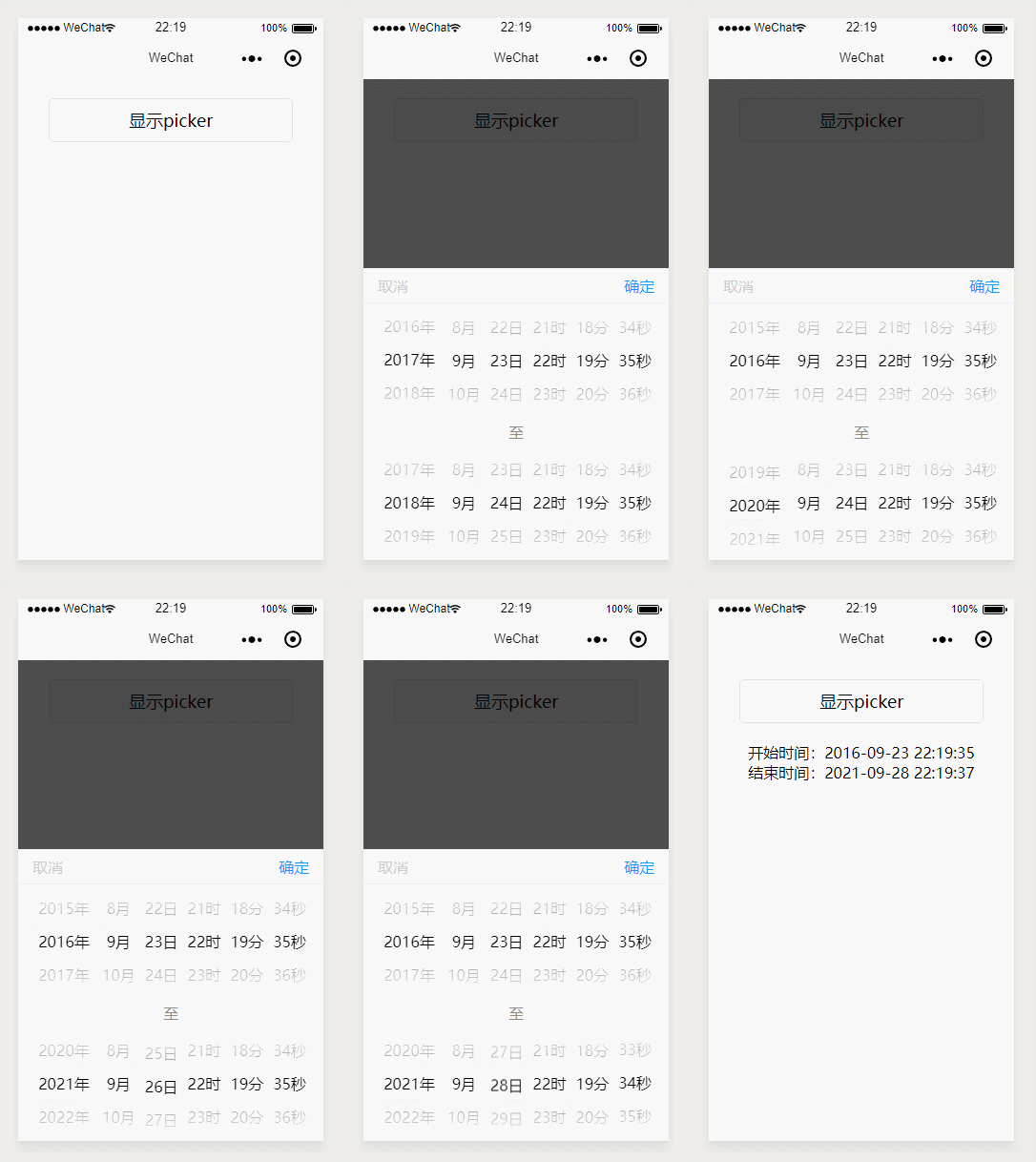
endDate: false
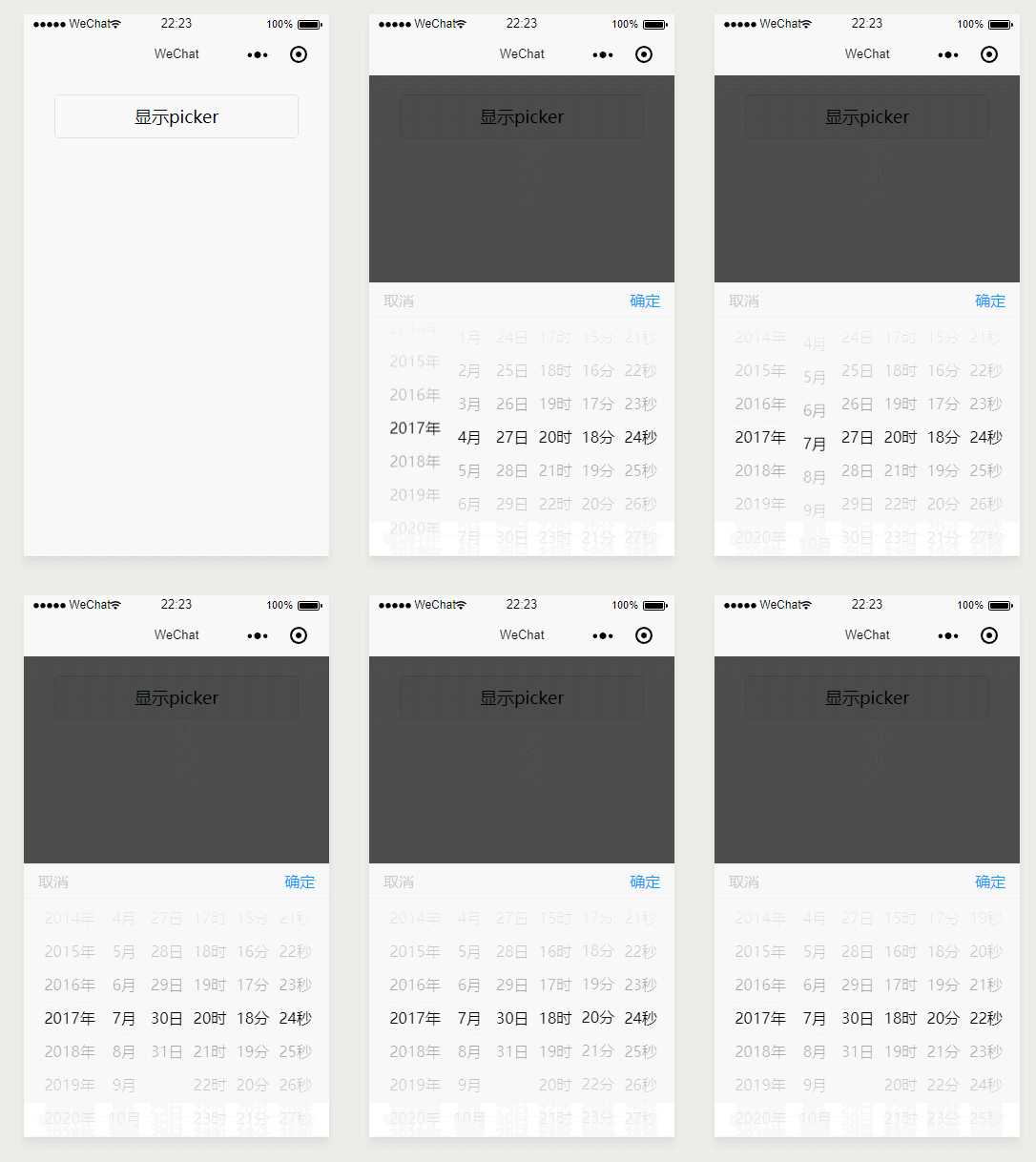
## 更多
[动态表单组件](https://github.com/rover95/wxapp-form)

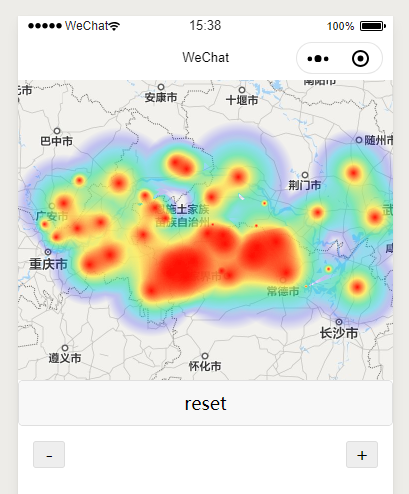
[小程序热力图组件](https://github.com/rover95/wxapp-heatmap)
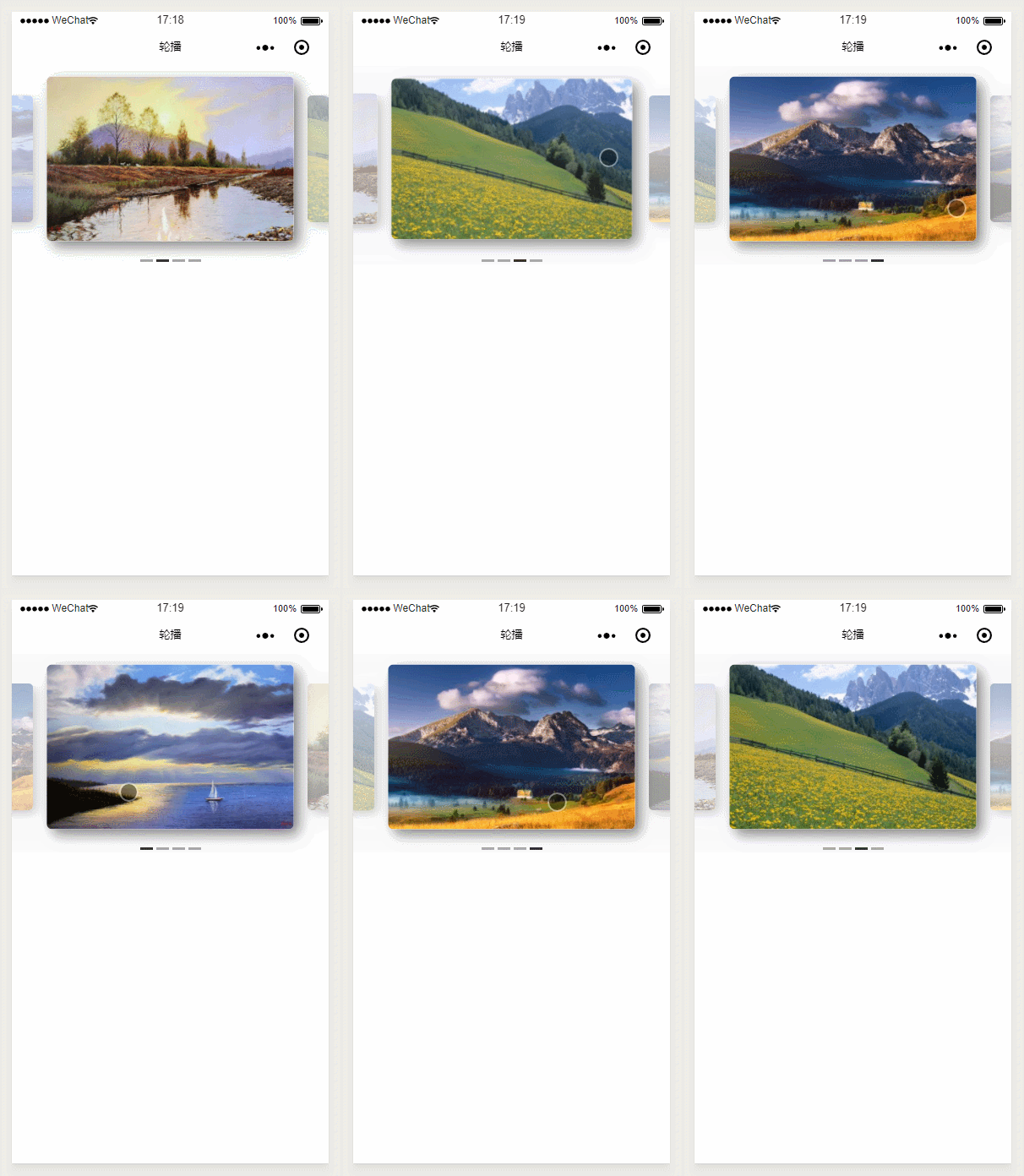
[自定义轮播图组件](https://github.com/rover95/wxapp-swiper)
================================================
FILE: app.js
================================================
App({
onLaunch: function () {
}
})
================================================
FILE: app.json
================================================
{
"pages": [
"index/index"
],
"window": {
"backgroundTextStyle": "light",
"navigationBarBackgroundColor": "#fff",
"navigationBarTitleText": "WeChat",
"navigationBarTextStyle": "black"
},
"sitemapLocation": "sitemap.json"
}
================================================
FILE: app.wxss
================================================
================================================
FILE: components/timePicker/timePicker.js
================================================
Component({
/**
* 组件的属性列表
*/
properties: {
pickerShow: {
type: Boolean,
observer:function(val){ //弹出动画
// console.log(this.data);
if(val){
let animation = wx.createAnimation({
duration: 500,
timingFunction: "ease"
});
let animationOpacity = wx.createAnimation({
duration: 500,
timingFunction: "ease"
});
setTimeout(() => {
animation.bottom(0).step();
animationOpacity.opacity(0.7).step();
this.setData({
animationOpacity: animationOpacity.export(),
animationData: animation.export()
})
}, 0);
}else{
let animation = wx.createAnimation({
duration: 100,
timingFunction: "ease"
});
let animationOpacity = wx.createAnimation({
duration: 500,
timingFunction: "ease"
});
animation.bottom(-320).step();
animationOpacity.opacity(0).step();
this.setData({
animationOpacity: animationOpacity.export(),
animationData: animation.export()
});
}
// 在picker滚动未停止前点确定,会使startValue数组各项归零,发生错误,这里判断并重新初始化
// 微信新增了picker滚动的回调函数,已进行兼容
if(this.data.startValue&&this.data.endValue){
let s = 0, e = 0;
let conf = this.data.config;
this.data.startValue.map(val => {
if (val == 0) {
s++
}
})
this.data.endValue.map(val => {
if (val == 0) {
e++;
}
});
let tmp={
hour:4,
minute:5,
second:6
}
let n = tmp[conf.column];
if (s>=n || e>=n) {
this.initPick(this.data.config);
this.setData({
startValue: this.data.startValue,
endValue: this.data.endValue,
});
}
}
}
},
config: Object
},
/**
* 组件的初始数据
*/
data: {
// pickerShow:true
// limitStartTime: new Date().getTime()-1000*60*60*24*30,
// limitEndTime: new Date().getTime(),
// yearStart:2000,
// yearEnd:2100
},
detached: function() {
console.log("dele");
},
attached: function() {},
ready: function() {
this.readConfig();
this.initPick(this.data.config || null);
this.setData({
startValue: this.data.startValue,
endValue: this.data.endValue,
});
},
/**
* 组件的方法列表
*/
methods: {
//阻止滑动事件
onCatchTouchMove(e) {
},
//读取配置项
readConfig() {
let limitEndTime = new Date().getTime();
let limitStartTime = new Date().getTime() - 1000 * 60 * 60 * 24 * 30;
if (this.data.config) {
let conf = this.data.config;
if (typeof conf.dateLimit == "number") {
limitStartTime =
new Date().getTime() - 1000 * 60 * 60 * 24 * conf.dateLimit;
}
if(conf.limitStartTime){
limitStartTime = new Date(conf.limitStartTime.replace(/-/g,'/')).getTime();
}
if (conf.limitEndTime) {
limitEndTime = new Date(conf.limitEndTime.replace(/-/g, '/')).getTime();
}
this.setData({
yearStart: conf.yearStart || 2000,
yearEnd: conf.yearEnd || 2100,
endDate: conf.endDate || false,
dateLimit: conf.dateLimit || false,
hourColumn:
conf.column == "hour" ||
conf.column == "minute" ||
conf.column == "second",
minColumn: conf.column == "minute" || conf.column == "second",
secColumn: conf.column == "second"
});
}
let limitStartTimeArr = formatTime(limitStartTime);
let limitEndTimeArr = formatTime(limitEndTime);
this.setData({
limitStartTime,
limitStartTimeArr,
limitEndTime,
limitEndTimeArr
});
},
//滚动开始
handlePickStart:function(e){
this.setData({
isPicking:true
})
},
//滚动结束
handlePickEnd:function(e){
this.setData({
isPicking:false
})
},
onConfirm: function() {
//滚动未结束时不能确认
if(this.data.isPicking){return}
let startTime = new Date(this.data.startPickTime.replace(/-/g, "/"));
let endTime = new Date(this.data.endPickTime.replace(/-/g, "/"));
if (startTime <= endTime || !this.data.endDate) {
this.setData({
startTime,
endTime
});
let startArr = formatTime(startTime).arr;
let endArr = formatTime(endTime).arr;
let format0 = function(num){
return num<10?'0'+num:num
}
let startTimeBack =
startArr[0] +
"-" +
format0(startArr[1]) +
"-" +
format0(startArr[2]) +
" " +
(this.data.hourColumn ? format0(startArr[3]) : "00") +
":" +
(this.data.minColumn ? format0(startArr[4]) : "00") +
":" +
(this.data.secColumn ? format0(startArr[5]) : "00");
let endTimeBack =
endArr[0] +
"-" +
format0(endArr[1]) +
"-" +
format0(endArr[2]) +
" " +
(this.data.hourColumn ? format0(endArr[3]) : "00") +
":" +
(this.data.minColumn ? format0(endArr[4]) : "00") +
":" +
(this.data.secColumn ? format0(endArr[5]) : "00");
let time = {
startTime: startTimeBack,
endTime: endTimeBack
};
//触发自定义事件
this.triggerEvent("setPickerTime", time);
this.triggerEvent("hidePicker", {});
} else {
wx.showToast({
icon: "none",
title: "时间不合理"
});
}
},
hideModal: function() {
this.triggerEvent("hidePicker", {});
},
changeStartDateTime: function(e) {
let val = e.detail.value;
this.compareTime(val, "start");
},
changeEndDateTime: function(e) {
let val = e.detail.value;
this.compareTime(val, "end");
},
//比较时间是否在范围内
compareTime(val_, type) {
const val = val_.map(it=>it.toString());
let h = val[3] ? this.data.HourList[val[3]] : "00";
let m = val[4] ? this.data.MinuteList[val[4]] : "00";
let s = val[5] ? this.data.SecondList[val[5]] : "00";
let time =
this.data.YearList[val[0]] +
"-" +
this.data.MonthList[val[1]] +
"-" +
this.data.DayList[val[2]] +
" " +
h +
":" +
m +
":" +
s;
let start = this.data.limitStartTime;
let end = this.data.limitEndTime;
let timeNum = new Date(time.replace(/-/g, '/')).getTime();
let year, month, day, hour, min, sec, limitDate;
let tempArr = []
if (!this.data.dateLimit){
limitDate = [
this.data.YearList[val[0]],
this.data.MonthList[val[1]],
this.data.DayList[val[2]],
this.data.HourList[val[3]],
this.data.MinuteList[val[4]],
this.data.SecondList[val[5]]]
} else if (type == "start" && timeNum > new Date(this.data.endPickTime.replace(/-/g, '/')) && this.data.config.endDate) {
limitDate = formatTime(this.data.endPickTime).arr;
} else if (type == "end" && timeNum < new Date(this.data.startPickTime.replace(/-/g, '/'))) {
limitDate = formatTime(this.data.startPickTime).arr;
} else if (timeNum < start) {
limitDate = this.data.limitStartTimeArr.arr;
} else if (timeNum > end) {
limitDate = this.data.limitEndTimeArr.arr;
} else {
limitDate = [
this.data.YearList[val[0]],
this.data.MonthList[val[1]],
this.data.DayList[val[2]],
this.data.HourList[val[3]],
this.data.MinuteList[val[4]],
this.data.SecondList[val[5]]
]
}
year = limitDate[0];
month = limitDate[1];
day = limitDate[2];
hour = limitDate[3];
min = limitDate[4];
sec = limitDate[5];
if (type == "start") {
this.setStartDate(year, month, day, hour, min, sec);
} else if (type == "end") {
this.setEndDate(year, month, day, hour, min, sec);
}
},
getDays: function(year, month) {
let daysInMonth = [31, 28, 31, 30, 31, 30, 31, 31, 30, 31, 30, 31];
if (month === 2) {
return (year % 4 === 0 && year % 100 !== 0) || year % 400 === 0
? 29
: 28;
} else {
return daysInMonth[month - 1];
}
},
initPick: function(initData) {
const date = initData.initStartTime ? new Date(initData.initStartTime.replace(/-/g, '/')): new Date();
const endDate = initData.initEndTime ? new Date(initData.initEndTime.replace(/-/g, '/')) : new Date();
// const startDate = new Date(date.getTime() - 1000 * 60 * 60 * 24);
const startDate = date;
const startYear = date.getFullYear();
const startMonth = date.getMonth() + 1;
const startDay = date.getDate();
const startHour = date.getHours();
const startMinute = date.getMinutes();
const startSecond = date.getSeconds();
const endYear = endDate.getFullYear();
const endMonth = endDate.getMonth() + 1;
const endDay = endDate.getDate();
const endHour = endDate.getHours();
const endMinute = endDate.getMinutes();
const endSecond = endDate.getSeconds();
let YearList = [];
let MonthList = [];
let DayList = [];
let HourList = [];
let MinuteList = [];
let SecondList = [];
//设置年份列表
for (let i = this.data.yearStart; i <= this.data.yearEnd; i++) {
YearList.push(i);
}
// 设置月份列表
for (let i = 1; i <= 12; i++) {
MonthList.push(i);
}
// 设置日期列表
for (let i = 1; i <= 31; i++) {
DayList.push(i);
}
// 设置时列表
for (let i = 0; i <= 23; i++) {
if (0 <= i && i < 10) {
i = "0" + i;
}
HourList.push(i);
}
// 分|秒
for (let i = 0; i <= 59; i++) {
if (0 <= i && i < 10) {
i = "0" + i;
}
MinuteList.push(i);
SecondList.push(i);
}
this.setData({
YearList,
MonthList,
DayList,
HourList,
MinuteList,
SecondList
});
this.setStartDate(startYear, startMonth, startDay, startHour, startMinute, startSecond);
this.setEndDate(endYear, endMonth, endDay, endHour, endMinute, endSecond);
//!!!
// setTimeout(() => {
// this.setStartDate(nowYear, nowMonth, nowDay, nowHour, nowMinute)
// this.setEndDate(nowYear, nowMonth, nowDay, nowHour, nowMinute)
// }, 0);
},
setPickerDateArr(type, year, month, day, hour, minute, second) {
let yearIdx = 0;
let monthIdx = 0;
let dayIdx = 0;
let hourIdx = 0;
let minuteIdx = 0;
let secondIdx = 0;
this.data.YearList.map((v, idx) => {
if (parseInt(v) === year) {
yearIdx = idx;
}
});
this.data.MonthList.map((v, idx) => {
if (parseInt(v) === month) {
monthIdx = idx;
}
});
// 重新设置日期列表
let DayList = [];
for (let i = 1; i <= this.getDays(year, month); i++) {
DayList.push(i);
}
DayList.map((v, idx) => {
if (parseInt(v) === day) {
dayIdx = idx;
}
});
if (type == "start") {
this.setData({ startDayList: DayList });
} else if (type == "end") {
this.setData({ endDayList: DayList });
}
this.data.HourList.map((v, idx) => {
if (parseInt(v) === parseInt(hour)) {
hourIdx = idx;
}
});
this.data.MinuteList.map((v, idx) => {
if (parseInt(v) === parseInt(minute)) {
minuteIdx = idx;
}
});
this.data.SecondList.map((v, idx) => {
if (parseInt(v) === parseInt(second)) {
secondIdx = idx;
}
});
return {
yearIdx,
monthIdx,
dayIdx,
hourIdx,
minuteIdx,
secondIdx
};
},
setStartDate: function(year, month, day, hour, minute, second) {
let pickerDateArr = this.setPickerDateArr(
"start",
year,
month,
day,
hour,
minute,
second
);
this.setData({
startYearList: this.data.YearList,
startMonthList: this.data.MonthList,
// startDayList: this.data.DayList,
startHourList: this.data.HourList,
startMinuteList: this.data.MinuteList,
startSecondList: this.data.SecondList,
startValue: [
pickerDateArr.yearIdx,
pickerDateArr.monthIdx,
pickerDateArr.dayIdx,
pickerDateArr.hourIdx,
pickerDateArr.minuteIdx,
pickerDateArr.secondIdx
],
startPickTime:
this.data.YearList[pickerDateArr.yearIdx] +
"-" +
this.data.MonthList[pickerDateArr.monthIdx] +
"-" +
this.data.DayList[pickerDateArr.dayIdx] +
" " +
this.data.HourList[pickerDateArr.hourIdx] +
":" +
this.data.MinuteList[pickerDateArr.minuteIdx] +
":" +
this.data.SecondList[pickerDateArr.secondIdx]
});
},
setEndDate: function(year, month, day, hour, minute, second) {
let pickerDateArr = this.setPickerDateArr(
"end",
year,
month,
day,
hour,
minute,
second
);
this.setData({
endYearList: this.data.YearList,
endMonthList: this.data.MonthList,
// endDayList: this.data.DayList,
endHourList: this.data.HourList,
endMinuteList: this.data.MinuteList,
endSecondList: this.data.SecondList,
endValue: [
pickerDateArr.yearIdx,
pickerDateArr.monthIdx,
pickerDateArr.dayIdx,
pickerDateArr.hourIdx,
pickerDateArr.minuteIdx,
pickerDateArr.secondIdx
],
endPickTime:
this.data.YearList[pickerDateArr.yearIdx] +
"-" +
this.data.MonthList[pickerDateArr.monthIdx] +
"-" +
this.data.DayList[pickerDateArr.dayIdx] +
" " +
this.data.HourList[pickerDateArr.hourIdx] +
":" +
this.data.MinuteList[pickerDateArr.minuteIdx] +
":" +
this.data.SecondList[pickerDateArr.secondIdx]
});
},
}
});
function formatTime(date) {
if (typeof date === 'string' || typeof date === 'number') {
try {
date = date.replace(/-/g, '/')//兼容ios
} catch (error) {
}
date = new Date(date)
}
const year = date.getFullYear()
const month = date.getMonth() + 1
const day = date.getDate()
const hour = date.getHours()
const minute = date.getMinutes()
const second = date.getSeconds()
return {
str: [year, month, day].map(formatNumber).join('-') + ' ' + [hour, minute, second].map(formatNumber).join(':'),
arr: [year, month, day, hour, minute, second]
}
}
function formatNumber(n) {
n = n.toString()
return n[1] ? n : '0' + n
}
================================================
FILE: components/timePicker/timePicker.json
================================================
{
"component": true,
"usingComponents": {}
}
================================================
FILE: components/timePicker/timePicker.wxml
================================================
<!--components/timePicker/timePicker.wxml-->
<!-- 自定义时间筛选器 -->
<view hidden="{{!pickerShow}}">
<view class="picker-container {{pickerShow?'show_picker':'hide_picker'}}" animation="{{animationData}}">
<view class="btn-box" catchtouchmove="onCatchTouchMove">
<view class="pick_btn" bindtap="hideModal">取消</view>
<view class='pick_btn' style="color: #19f" bindtap="onConfirm">确定</view>
</view>
<view>
<picker-view class='sensorTypePicker' indicator-style='height: 35px;' bindchange="changeStartDateTime"
value="{{startValue}}" style="height: {{endDate?'120px':'250px'}};" bindpickstart="handlePickStart" bindpickend="handlePickEnd">
<picker-view-column style="min-width: 70px;flex-shrink: 0">
<view class='picker-item' wx:for="{{startYearList}}" wx:key='*this'>{{item}}年</view>
</picker-view-column>
<picker-view-column>
<view class='picker-item' wx:for="{{startMonthList}}" wx:key='*this'>{{item}}月</view>
</picker-view-column>
<picker-view-column>
<view class='picker-item' wx:for="{{startDayList}}" wx:key='*this'>{{item}}日</view>
</picker-view-column>
<picker-view-column hidden="{{!hourColumn}}">
<view class='picker-item' wx:for="{{startHourList}}" wx:key='*this'>{{item}}时</view>
</picker-view-column>
<picker-view-column hidden="{{!minColumn}}">
<view class='picker-item' wx:for="{{startMinuteList}}" wx:key='*this'>{{item}}分</view>
</picker-view-column>
<picker-view-column hidden="{{!secColumn}}">
<view class='picker-item' wx:for="{{startSecondList}}" wx:key='*this'>{{item}}秒</view>
</picker-view-column>
</picker-view>
</view>
<view wx:if="{{endDate}}">
<view class='to' style='margin-top: 4px;margin-bottom: 4px;'>至</view>
<picker-view class='sensorTypePicker' indicator-style='height: 35px;' bindchange="changeEndDateTime" bindpickstart="handlePickStart" bindpickend="handlePickEnd"
value="{{endValue}}">
<picker-view-column style="min-width: 70px;flex-shrink: 0">
<view class='picker-item' wx:for="{{endYearList}}" wx:key='*this' style="min-width: 70px;">{{item}}年</view>
</picker-view-column>
<picker-view-column>
<view class='picker-item' wx:for="{{endMonthList}}" wx:key='*this'>{{item}}月</view>
</picker-view-column>
<picker-view-column>
<view class='picker-item' wx:for="{{endDayList}}" wx:key='*this'>{{item}}日</view>
</picker-view-column>
<picker-view-column hidden="{{!hourColumn}}" >
<view class='picker-item' wx:for="{{endHourList}}" wx:key='*this'>{{item}}时</view>
</picker-view-column>
<picker-view-column hidden="{{!minColumn}}">
<view class='picker-item' wx:for="{{endMinuteList}}" wx:key='*this'>{{item}}分</view>
</picker-view-column>
<picker-view-column hidden="{{!secColumn}}">
<view class='picker-item' wx:for="{{startSecondList}}" wx:key='*this'>{{item}}秒</view>
</picker-view-column>
</picker-view>
</view>
<!-- <view class='sure' bindtap="onConfirm">确定</view> -->
</view>
<!-- 遮罩 -->
<view class="sensorType-screen" bindtap="hideModal" catchtouchmove="onCatchTouchMove" animation="{{animationOpacity}}"/>
</view>
================================================
FILE: components/timePicker/timePicker.wxss
================================================
/* components/timePicker/timePicker.wxss */
.picker-item{
line-height: 100rpx;
display: flex;
justify-content: center;
align-items: center;
}
/* 自定义时间 */
.picker-container {
display: flex;
flex-direction: column;
/* justify-content: center; */
align-items: center;
width: 100%;
overflow: hidden;
position: fixed;
bottom: -640rpx;
left: 0;
/* height: 0; */
transition: height 0.5s;
z-index: 2000;
background: white;
border-top: 1px solid #EFEFF4;
}
.sensorType-screen{
width: 100vw;
/* height:400rpx; */
position: fixed;
top: 0;
right: 0;
bottom: 0;
left: 0;
background: #000;
opacity: 0;
overflow: hidden;
z-index: 1999;
color: #fff;
}
.sensorTypePicker{
width: 690rpx;
height: 240rpx;
/* padding: 45px 0; */
}
.picker-item{
line-height: 100rpx;
display: flex;
justify-content: center;
align-items: center;
font-size: 32rpx;
/* overflow: hidden; */
}
.box{
padding: 0 20rpx;
}
/* 至 */
.to{
width:100%;
display: flex;
justify-content: center;align-items: center;
color:rgb(138,138,138);
/* font-size:30rpx; */
}
/* 确定 */
.sure{
width:100%;
height:90rpx;
border-top: 2rpx solid #EFEFF4;
display: flex;justify-content: center;align-items: center;
color: rgb(36,123,255);
font-size:16px;
}
.btn-box{
width: 100%;
display: flex;
justify-content: space-between;
align-items: center;
border-bottom: 2rpx solid #eee;
}
.pick_btn{
padding: 14rpx 30rpx;
color: #ccc;
/* background-color: #159; */
}
.show_picker{
/* height: 320px; */
}
.hide_picker{
/* height: 0; */
}
================================================
FILE: index/index.js
================================================
const app = getApp()
Page({
data: {
isPickerRender: false,
isPickerShow: false,
startTime: "2019-01-01 12:32:44",
endTime: "2019-12-01 12:32:44",
pickerConfig: {
endDate: true,
column: "second",
dateLimit: true,
initStartTime: "2019-01-01 12:32:44",
initEndTime: "2019-12-01 12:32:44",
limitStartTime: "2015-05-06 12:32:44",
limitEndTime: "2055-05-06 12:32:44"
}
},
onLoad: function() {},
pickerShow: function() {
this.setData({
isPickerShow: true,
isPickerRender: true,
chartHide: true
});
},
pickerHide: function() {
this.setData({
isPickerShow: false,
chartHide: false
});
},
bindPickerChange: function(e) {
console.log("picker发送选择改变,携带值为", e.detail.value);
console.log(this.data.sensorList);
this.getData(this.data.sensorList[e.detail.value].id);
// let startDate = util.formatTime(new Date(new Date().getTime() - 24 * 60 * 60 * 1000 * 7));
// let endDate = util.formatTime(new Date());
this.setData({
index: e.detail.value,
sensorId: this.data.sensorList[e.detail.value].id
// startDate,
// endDate
});
},
setPickerTime: function(val) {
console.log(val);
let data = val.detail;
this.setData({
startTime: data.startTime,
endTime: data.endTime
});
}
});
================================================
FILE: index/index.json
================================================
{
"usingComponents": {
"time-picker": "../../../components/timePicker/timePicker"
}
}
================================================
FILE: index/index.wxml
================================================
<view>
<button bindtap="pickerShow" style="width:80vw;margin-top:20px">显示picker</button>
</view>
<view style="text-align:center;margin-top:20px">
<view wx:if="{{startTime}}">
开始时间:{{startTime}}
</view>
<view wx:if="{{endTime}}">
结束时间:{{endTime}}
</view>
</view>
<time-picker pickerShow="{{isPickerShow}}" id="picker" wx:if="{{isPickerRender}}" bind:hidePicker="pickerHide" bind:setPickerTime="setPickerTime"
config="{{pickerConfig}}"></time-picker>
================================================
FILE: index/index.wxss
================================================
.intro {
margin: 30px;
text-align: center;
}
================================================
FILE: project.config.json
================================================
{
"description": "项目配置文件",
"packOptions": {
"ignore": []
},
"setting": {
"urlCheck": true,
"es6": true,
"postcss": true,
"minified": true,
"newFeature": true
},
"compileType": "miniprogram",
"libVersion": "2.3.0",
"appid": "touristappid",
"projectname": "%E6%97%B6%E9%97%B4%E9%80%89%E6%8B%A9%E5%99%A8",
"debugOptions": {
"hidedInDevtools": []
},
"simulatorType": "wechat",
"simulatorPluginLibVersion": {},
"condition": {
"search": {
"current": -1,
"list": []
},
"conversation": {
"current": -1,
"list": []
},
"game": {
"currentL": -1,
"list": []
},
"miniprogram": {
"current": -1,
"list": []
}
}
}
================================================
FILE: sitemap.json
================================================
{
"desc": "关于本文件的更多信息,请参考文档 https://developers.weixin.qq.com/miniprogram/dev/framework/sitemap.html",
"rules": [{
"action": "allow",
"page": "*"
}]
}
gitextract_le60wbkt/ ├── README.md ├── app.js ├── app.json ├── app.wxss ├── components/ │ └── timePicker/ │ ├── timePicker.js │ ├── timePicker.json │ ├── timePicker.wxml │ └── timePicker.wxss ├── index/ │ ├── index.js │ ├── index.json │ ├── index.wxml │ └── index.wxss ├── project.config.json └── sitemap.json
SYMBOL INDEX (6 symbols across 1 files)

FILE: components/timePicker/timePicker.js
  method onCatchTouchMove (line 113) | onCatchTouchMove(e) {
  method readConfig (line 117) | readConfig() {
  method compareTime (line 244) | compareTime(val_, type) {
  method setPickerDateArr (line 396) | setPickerDateArr(type, year, month, day, hour, minute, second) {
  function formatTime (line 542) | function formatTime(date) {
  function formatNumber (line 564) | function formatNumber(n) {
Condensed preview — 14 files, each showing path, character count, and a content snippet. Download the .json file or copy for the full structured content (28K chars).
[
  {
    "path": "README.md",
    "chars": 1553,
    "preview": "# wxapp-timePicker\n微信小程序自定义时间选择器,支持多种自定义功能。  \n\n[在开发工具中浏览:](https://developers.weixin.qq.com/s/N9EdArmQ7a6j)  [https://de"
  },
  {
    "path": "app.js",
    "chars": 40,
    "preview": "App({\n  onLaunch: function () {\n\n  }\n})\n"
  },
  {
    "path": "app.json",
    "chars": 252,
    "preview": "{\n  \"pages\": [\n    \"index/index\"\n  ],\n  \"window\": {\n    \"backgroundTextStyle\": \"light\",\n    \"navigationBarBackgroundColo"
  },
  {
    "path": "app.wxss",
    "chars": 0,
    "preview": ""
  },
  {
    "path": "components/timePicker/timePicker.js",
    "chars": 15497,
    "preview": "\nComponent({\n  /**\n   * 组件的属性列表\n   */\n  properties: {\n    pickerShow: {\n      type: Boolean,\n      observer:function(val"
  },
  {
    "path": "components/timePicker/timePicker.json",
    "chars": 48,
    "preview": "{\n  \"component\": true,\n  \"usingComponents\": {}\n}"
  },
  {
    "path": "components/timePicker/timePicker.wxml",
    "chars": 3420,
    "preview": "<!--components/timePicker/timePicker.wxml-->\n<!-- 自定义时间筛选器 -->\n<view hidden=\"{{!pickerShow}}\">\n  <view class=\"picker-con"
  },
  {
    "path": "components/timePicker/timePicker.wxss",
    "chars": 1594,
    "preview": "/* components/timePicker/timePicker.wxss */\n\n.picker-item{\n  line-height: 100rpx;  \n  display: flex;\n  justify-content: "
  },
  {
    "path": "index/index.js",
    "chars": 1374,
    "preview": "const app = getApp()\n\nPage({\n  data: {\n    isPickerRender: false,\n    isPickerShow: false,\n    startTime: \"2019-01-01 12"
  },
  {
    "path": "index/index.json",
    "chars": 94,
    "preview": "{\n  \"usingComponents\": {\n    \"time-picker\": \"../../../components/timePicker/timePicker\"\n  }\n}\n"
  },
  {
    "path": "index/index.wxml",
    "chars": 471,
    "preview": "<view>\n  <button bindtap=\"pickerShow\" style=\"width:80vw;margin-top:20px\">显示picker</button>\n</view>\n\n<view style=\"text-al"
  },
  {
    "path": "index/index.wxss",
    "chars": 48,
    "preview": ".intro {\n  margin: 30px;\n  text-align: center;\n}"
  },
  {
    "path": "project.config.json",
    "chars": 666,
    "preview": "{\n\t\"description\": \"项目配置文件\",\n\t\"packOptions\": {\n\t\t\"ignore\": []\n\t},\n\t\"setting\": {\n\t\t\"urlCheck\": true,\n\t\t\"es6\": true,\n\t\t\"pos"
  },
  {
    "path": "sitemap.json",
    "chars": 159,
    "preview": "{\n  \"desc\": \"关于本文件的更多信息,请参考文档 https://developers.weixin.qq.com/miniprogram/dev/framework/sitemap.html\",\n  \"rules\": [{\n  "
  }
]
About this extraction
This page contains the full source code of the rover95/wxapp-timePicker GitHub repository, extracted and formatted as plain text for AI agents and large language models (LLMs). The extraction includes 14 files (24.6 KB), approximately 7.4k tokens, and a symbol index with 6 extracted functions, classes, methods, constants, and types. Use this with OpenClaw, Claude, ChatGPT, Cursor, Windsurf, or any other AI tool that accepts text input. You can copy the full output to your clipboard or download it as a .txt file.
Extracted by GitExtract — free GitHub repo to text converter for AI. Built by Nikandr Surkov.