Showing preview only (295K chars total). Download the full file or copy to clipboard to get everything.
Repository: rzashakeri/beautify-github-profile
Branch: master
Commit: 6a75eef7e1ff
Files: 7
Total size: 286.3 KB
Directory structure:
gitextract_vsh9727p/

├── .github/
│   └── ISSUE_TEMPLATE/
│       ├── bug_report.md
│       └── feature_request.md
├── CODE_OF_CONDUCT.md
├── CONTRIBUTING.md
├── LICENSE
├── readme-fa.md
└── readme.md
================================================
FILE CONTENTS
================================================
================================================
FILE: .github/ISSUE_TEMPLATE/bug_report.md
================================================
---
name: Bug report
about: Create a report to help us improve
title: ''
labels: ''
assignees: ''
---
**Describe the bug**
A clear and concise description of what the bug is.
**To Reproduce**
Steps to reproduce the behavior:
1. Go to '...'
2. Click on '....'
3. Scroll down to '....'
4. See error
**Expected behavior**
A clear and concise description of what you expected to happen.
**Screenshots**
If applicable, add screenshots to help explain your problem.
**Desktop (please complete the following information):**
- OS: [e.g. iOS]
- Browser [e.g. chrome, safari]
- Version [e.g. 22]
**Smartphone (please complete the following information):**
- Device: [e.g. iPhone6]
- OS: [e.g. iOS8.1]
- Browser [e.g. stock browser, safari]
- Version [e.g. 22]
**Additional context**
Add any other context about the problem here.
================================================
FILE: .github/ISSUE_TEMPLATE/feature_request.md
================================================
---
name: Feature request
about: Suggest an idea for this project
title: ''
labels: ''
assignees: ''
---
**Is your feature request related to a problem? Please describe.**
A clear and concise description of what the problem is. Ex. I'm always frustrated when [...]
**Describe the solution you'd like**
A clear and concise description of what you want to happen.
**Describe alternatives you've considered**
A clear and concise description of any alternative solutions or features you've considered.
**Additional context**
Add any other context or screenshots about the feature request here.
================================================
FILE: CODE_OF_CONDUCT.md
================================================
# Contributor Covenant Code of Conduct
## Our Pledge
We as members, contributors, and leaders pledge to make participation in our
community a harassment-free experience for everyone, regardless of age, body
size, visible or invisible disability, ethnicity, sex characteristics, gender
identity and expression, level of experience, education, socio-economic status,
nationality, personal appearance, race, religion, or sexual identity
and orientation.
We pledge to act and interact in ways that contribute to an open, welcoming,
diverse, inclusive, and healthy community.
## Our Standards
Examples of behavior that contributes to a positive environment for our
community include:
* Demonstrating empathy and kindness toward other people
* Being respectful of differing opinions, viewpoints, and experiences
* Giving and gracefully accepting constructive feedback
* Accepting responsibility and apologizing to those affected by our mistakes,
and learning from the experience
* Focusing on what is best not just for us as individuals, but for the
overall community
Examples of unacceptable behavior include:
* The use of sexualized language or imagery, and sexual attention or
advances of any kind
* Trolling, insulting or derogatory comments, and personal or political attacks
* Public or private harassment
* Publishing others' private information, such as a physical or email
address, without their explicit permission
* Other conduct which could reasonably be considered inappropriate in a
professional setting
## Enforcement Responsibilities
Community leaders are responsible for clarifying and enforcing our standards of
acceptable behavior and will take appropriate and fair corrective action in
response to any behavior that they deem inappropriate, threatening, offensive,
or harmful.
Community leaders have the right and responsibility to remove, edit, or reject
comments, commits, code, wiki edits, issues, and other contributions that are
not aligned to this Code of Conduct, and will communicate reasons for moderation
decisions when appropriate.
## Scope
This Code of Conduct applies within all community spaces, and also applies when
an individual is officially representing the community in public spaces.
Examples of representing our community include using an official e-mail address,
posting via an official social media account, or acting as an appointed
representative at an online or offline event.
## Enforcement
Instances of abusive, harassing, or otherwise unacceptable behavior may be
reported to the community leaders responsible for enforcement at
.
All complaints will be reviewed and investigated promptly and fairly.
All community leaders are obligated to respect the privacy and security of the
reporter of any incident.
## Enforcement Guidelines
Community leaders will follow these Community Impact Guidelines in determining
the consequences for any action they deem in violation of this Code of Conduct:
### 1. Correction
**Community Impact**: Use of inappropriate language or other behavior deemed
unprofessional or unwelcome in the community.
**Consequence**: A private, written warning from community leaders, providing
clarity around the nature of the violation and an explanation of why the
behavior was inappropriate. A public apology may be requested.
### 2. Warning
**Community Impact**: A violation through a single incident or series
of actions.
**Consequence**: A warning with consequences for continued behavior. No
interaction with the people involved, including unsolicited interaction with
those enforcing the Code of Conduct, for a specified period of time. This
includes avoiding interactions in community spaces as well as external channels
like social media. Violating these terms may lead to a temporary or
permanent ban.
### 3. Temporary Ban
**Community Impact**: A serious violation of community standards, including
sustained inappropriate behavior.
**Consequence**: A temporary ban from any sort of interaction or public
communication with the community for a specified period of time. No public or
private interaction with the people involved, including unsolicited interaction
with those enforcing the Code of Conduct, is allowed during this period.
Violating these terms may lead to a permanent ban.
### 4. Permanent Ban
**Community Impact**: Demonstrating a pattern of violation of community
standards, including sustained inappropriate behavior, harassment of an
individual, or aggression toward or disparagement of classes of individuals.
**Consequence**: A permanent ban from any sort of public interaction within
the community.
## Attribution
This Code of Conduct is adapted from the [Contributor Covenant][homepage],
version 2.0, available at
https://www.contributor-covenant.org/version/2/0/code_of_conduct.html.
Community Impact Guidelines were inspired by [Mozilla's code of conduct
enforcement ladder](https://github.com/mozilla/diversity).
[homepage]: https://www.contributor-covenant.org
For answers to common questions about this code of conduct, see the FAQ at
https://www.contributor-covenant.org/faq. Translations are available at
https://www.contributor-covenant.org/translations.
================================================
FILE: CONTRIBUTING.md
================================================
# Contributing
Thank you for investing your time in contributing to our project!
When contributing to this repository, please first discuss the change you wish to make via issue,
email, or any other method with the owners of this repository before making a change.
Please note we have a code of conduct, please follow it in all your interactions with the project.
## Pull Request Process
1. Ensure any install or build dependencies are removed before the end of the layer when doing a
build.
2. Update the README.md with details of changes to the interface, this includes new environment
variables, exposed ports, useful file locations and container parameters.
3. Add the tool to the bottom of the list and category
4. Your Pull request must be in the following format: 👇
#### 60 . [your github repository title with link](https://yourlink.com)
short Description for repository .....
📍 For example : <br>
example image for tool
## Code of Conduct
### Our Pledge
In the interest of fostering an open and welcoming environment, we as
contributors and maintainers pledge to making participation in our project and
our community a harassment-free experience for everyone, regardless of age, body
size, disability, ethnicity, gender identity and expression, level of experience,
nationality, personal appearance, race, religion, or sexual identity and
orientation.
### Our Standards
Examples of behavior that contributes to creating a positive environment
include:
* Using welcoming and inclusive language
* Being respectful of differing viewpoints and experiences
* Gracefully accepting constructive criticism
* Focusing on what is best for the community
* Showing empathy towards other community members
Examples of unacceptable behavior by participants include:
* The use of sexualized language or imagery and unwelcome sexual attention or
advances
* Trolling, insulting/derogatory comments, and personal or political attacks
* Public or private harassment
* Publishing others' private information, such as a physical or electronic
address, without explicit permission
* Other conduct which could reasonably be considered inappropriate in a
professional setting
### Our Responsibilities
Project maintainers are responsible for clarifying the standards of acceptable
behavior and are expected to take appropriate and fair corrective action in
response to any instances of unacceptable behavior.
Project maintainers have the right and responsibility to remove, edit, or
reject comments, commits, code, wiki edits, issues, and other contributions
that are not aligned to this Code of Conduct, or to ban temporarily or
permanently any contributor for other behaviors that they deem inappropriate,
threatening, offensive, or harmful.
### Scope
This Code of Conduct applies both within project spaces and in public spaces
when an individual is representing the project or its community. Examples of
representing a project or community include using an official project e-mail
address, posting via an official social media account, or acting as an appointed
representative at an online or offline event. Representation of a project may be
further defined and clarified by project maintainers.
### Enforcement
Instances of abusive, harassing, or otherwise unacceptable behavior may be
reported by contacting the project team at [INSERT EMAIL ADDRESS]. All
complaints will be reviewed and investigated and will result in a response that
is deemed necessary and appropriate to the circumstances. The project team is
obligated to maintain confidentiality with regard to the reporter of an incident.
Further details of specific enforcement policies may be posted separately.
Project maintainers who do not follow or enforce the Code of Conduct in good
faith may face temporary or permanent repercussions as determined by other
members of the project's leadership.
================================================
FILE: LICENSE
================================================
Creative Commons Legal Code
CC0 1.0 Universal
CREATIVE COMMONS CORPORATION IS NOT A LAW FIRM AND DOES NOT PROVIDE
LEGAL SERVICES. DISTRIBUTION OF THIS DOCUMENT DOES NOT CREATE AN
ATTORNEY-CLIENT RELATIONSHIP. CREATIVE COMMONS PROVIDES THIS
INFORMATION ON AN "AS-IS" BASIS. CREATIVE COMMONS MAKES NO WARRANTIES
REGARDING THE USE OF THIS DOCUMENT OR THE INFORMATION OR WORKS
PROVIDED HEREUNDER, AND DISCLAIMS LIABILITY FOR DAMAGES RESULTING FROM
THE USE OF THIS DOCUMENT OR THE INFORMATION OR WORKS PROVIDED
HEREUNDER.
Statement of Purpose
The laws of most jurisdictions throughout the world automatically confer
exclusive Copyright and Related Rights (defined below) upon the creator
and subsequent owner(s) (each and all, an "owner") of an original work of
authorship and/or a database (each, a "Work").
Certain owners wish to permanently relinquish those rights to a Work for
the purpose of contributing to a commons of creative, cultural and
scientific works ("Commons") that the public can reliably and without fear
of later claims of infringement build upon, modify, incorporate in other
works, reuse and redistribute as freely as possible in any form whatsoever
and for any purposes, including without limitation commercial purposes.
These owners may contribute to the Commons to promote the ideal of a free
culture and the further production of creative, cultural and scientific
works, or to gain reputation or greater distribution for their Work in
part through the use and efforts of others.
For these and/or other purposes and motivations, and without any
expectation of additional consideration or compensation, the person
associating CC0 with a Work (the "Affirmer"), to the extent that he or she
is an owner of Copyright and Related Rights in the Work, voluntarily
elects to apply CC0 to the Work and publicly distribute the Work under its
terms, with knowledge of his or her Copyright and Related Rights in the
Work and the meaning and intended legal effect of CC0 on those rights.
1. Copyright and Related Rights. A Work made available under CC0 may be
protected by copyright and related or neighboring rights ("Copyright and
Related Rights"). Copyright and Related Rights include, but are not
limited to, the following:
i. the right to reproduce, adapt, distribute, perform, display,
communicate, and translate a Work;
ii. moral rights retained by the original author(s) and/or performer(s);
iii. publicity and privacy rights pertaining to a person's image or
likeness depicted in a Work;
iv. rights protecting against unfair competition in regards to a Work,
subject to the limitations in paragraph 4(a), below;
v. rights protecting the extraction, dissemination, use and reuse of data
in a Work;
vi. database rights (such as those arising under Directive 96/9/EC of the
European Parliament and of the Council of 11 March 1996 on the legal
protection of databases, and under any national implementation
thereof, including any amended or successor version of such
directive); and
vii. other similar, equivalent or corresponding rights throughout the
world based on applicable law or treaty, and any national
implementations thereof.
2. Waiver. To the greatest extent permitted by, but not in contravention
of, applicable law, Affirmer hereby overtly, fully, permanently,
irrevocably and unconditionally waives, abandons, and surrenders all of
Affirmer's Copyright and Related Rights and associated claims and causes
of action, whether now known or unknown (including existing as well as
future claims and causes of action), in the Work (i) in all territories
worldwide, (ii) for the maximum duration provided by applicable law or
treaty (including future time extensions), (iii) in any current or future
medium and for any number of copies, and (iv) for any purpose whatsoever,
including without limitation commercial, advertising or promotional
purposes (the "Waiver"). Affirmer makes the Waiver for the benefit of each
member of the public at large and to the detriment of Affirmer's heirs and
successors, fully intending that such Waiver shall not be subject to
revocation, rescission, cancellation, termination, or any other legal or
equitable action to disrupt the quiet enjoyment of the Work by the public
as contemplated by Affirmer's express Statement of Purpose.
3. Public License Fallback. Should any part of the Waiver for any reason
be judged legally invalid or ineffective under applicable law, then the
Waiver shall be preserved to the maximum extent permitted taking into
account Affirmer's express Statement of Purpose. In addition, to the
extent the Waiver is so judged Affirmer hereby grants to each affected
person a royalty-free, non transferable, non sublicensable, non exclusive,
irrevocable and unconditional license to exercise Affirmer's Copyright and
Related Rights in the Work (i) in all territories worldwide, (ii) for the
maximum duration provided by applicable law or treaty (including future
time extensions), (iii) in any current or future medium and for any number
of copies, and (iv) for any purpose whatsoever, including without
limitation commercial, advertising or promotional purposes (the
"License"). The License shall be deemed effective as of the date CC0 was
applied by Affirmer to the Work. Should any part of the License for any
reason be judged legally invalid or ineffective under applicable law, such
partial invalidity or ineffectiveness shall not invalidate the remainder
of the License, and in such case Affirmer hereby affirms that he or she
will not (i) exercise any of his or her remaining Copyright and Related
Rights in the Work or (ii) assert any associated claims and causes of
action with respect to the Work, in either case contrary to Affirmer's
express Statement of Purpose.
4. Limitations and Disclaimers.
a. No trademark or patent rights held by Affirmer are waived, abandoned,
surrendered, licensed or otherwise affected by this document.
b. Affirmer offers the Work as-is and makes no representations or
warranties of any kind concerning the Work, express, implied,
statutory or otherwise, including without limitation warranties of
title, merchantability, fitness for a particular purpose, non
infringement, or the absence of latent or other defects, accuracy, or
the present or absence of errors, whether or not discoverable, all to
the greatest extent permissible under applicable law.
c. Affirmer disclaims responsibility for clearing rights of other persons
that may apply to the Work or any use thereof, including without
limitation any person's Copyright and Related Rights in the Work.
Further, Affirmer disclaims responsibility for obtaining any necessary
consents, permissions or other rights required for any use of the
Work.
d. Affirmer understands and acknowledges that Creative Commons is not a
party to this document and has no duty or obligation with respect to
this CC0 or use of the Work.
================================================
FILE: readme-fa.md
================================================
<img src="https://raw.githubusercontent.com/rzashakeri/beautifygithubprofile/master/cover-repo.jpg">
<p align="center">
<a href="https://www.producthunt.com/posts/beautify-github-profile?utm_source=badge-featured&utm_medium=badge&utm_souce=badge-beautify-github-profile" target="_blank">
<img src="https://api.producthunt.com/widgets/embed-image/v1/featured.svg?post_id=346331&theme=light" alt="Beautify Github Profile - Create a beautiful and attractive github profile very easy | Product Hunt" style="width: 250px; height: 54px;" width="250" height="54" />
</a>
<a href="https://www.producthunt.com/posts/beautify-github-profile?utm_source=badge-top-post-badge&utm_medium=badge&utm_souce=badge-beautify-github-profile" target="_blank">
<img src="https://api.producthunt.com/widgets/embed-image/v1/top-post-badge.svg?post_id=346331&theme=light&period=daily" alt="Beautify Github Profile - Create a beautiful and attractive github profile very easy | Product Hunt" style="width: 250px; height: 54px;" width="250" height="54" />
</a>
<a href="https://www.producthunt.com/posts/beautify-github-profile?utm_source=badge-review&utm_medium=badge&utm_souce=badge-beautify-github-profile#discussion-body" target="_blank">
<img src="https://api.producthunt.com/widgets/embed-image/v1/review.svg?post_id=346331&theme=light" alt="Beautify Github Profile - Create a beautiful and attractive github profile very easy | Product Hunt" style="width: 250px; height: 54px;" width="250" height="54" />
</a>
</p>
<p align="center">
<img alt="GitHub Repo stars" src="https://img.shields.io/github/stars/rzashakeri/beautify-github-profile?style=flat-square">
<img alt="GitHub forks" src="https://img.shields.io/github/forks/rzashakeri/beautify-github-profile?style=flat-square">
<img alt="GitHub watchers" src="https://img.shields.io/github/watchers/rzashakeri/beautify-github-profile?style=flat-square">
<img alt="GitHub contributors" src="https://img.shields.io/github/contributors/rzashakeri/beautify-github-profile?color=blue&style=flat-square">
<img alt="GitHub last commit" src="https://img.shields.io/github/last-commit/rzashakeri/beautify-github-profile?color=blue&style=flat-square">
<img alt="GitHub" src="https://img.shields.io/github/license/rzashakeri/beautify-github-profile?color=blue&style=flat-square">
<img alt="GitHub closed issues" src="https://img.shields.io/github/issues-closed/rzashakeri/beautify-github-profile?color=blue&style=flat-square">
<img alt="GitHub closed pull requests" src="https://img.shields.io/github/issues-pr-closed/rzashakeri/beautify-github-profile?color=blue&style=flat-square">
</p>
---
سلام دوستان 🖐️
حال شما چطور است؟ اگر میخواهید ظاهر پروفایل گیتهاب خود را زیباتر کنید، به مکان درستی آمدهاید.
# 📖 فهرست مطالب
- [📌 قدم اول: راهاندازی مخزن گیتهاب ](#-قدم-اول-راهاندازی-مخزن-گیتهاب)
- [💡 از کجا ایده بگیریم؟ ?](#-از-کجا-ایده-بگیریم)
- [🚩 بعد از مشاهده پروفایل ها چکار کنیم؟?](#-بعد-از-مشاهده-این-پروفایلها-چه-کار-کنیم)
- [🧩 نشان ها ](#-نشانها-)
- [🛠️ ویجت ها ](#️-ویجتها-)
- [✅ آیکون ها ](#-آیکون-ها-)
- [⚙️ تولید کننده پروفایل ](#️-تولیدکننده-پروفایل-)
- [😉 شکلک ها (ایموجی) ](#-شکلک-ها-ایموجی-ها)
- [یک ستاره بدهید ⭐](#یک-ستاره-بدهید-)
# 📌 قدم اول: راهاندازی مخزن گیتهاب
یک مخزن با نام کاربری گیتهاب خود بسازید 👇
<img src="name.png">
الگو : 👇
```
https://github.com/username/username
```
مثال : 👇
```
https://github.com/rzashakeri/rzashakeri
```
### پس از ساخت مخزن، **یک فایل README.md** در مخزن ایجاد کنید و تمام ✅
حالا که مخزن ساخته شد، به قسمت جالب میرسیم: **طراحی فایل README.md خودمان.**
# 💡 از کجا ایده بگیریم؟
حتماً از شما پرسیده شده که از کدام پروفایلها برای گرفتن ایده استفاده کنید؟ شما میتوانید پروفایل افراد مختلف را از طریق سایت زیر مشاهده کنید و از آنها ایده بگیرید 👇
### [🔗 پروفایل گیتهاب جالب](https://zzetao.github.io/awesome-github-profile/)
# 🚩 بعد از مشاهده این پروفایلها چه کار کنیم؟
خب، تا اینجا توانستهاید ایدههای جالبی از پروفایلهای افراد مختلف پیدا کنید. حالا وقت آن است که از ابزارهای مختلف برای زیبا کردن پروفایل گیتهاب خود استفاده کنید که میتوانید از لیست زیر به آنها دسترسی پیدا کنید.
## 🧩 نشانها 👇
<details>
<summary><strong>برای باز کردن لیست کلیک کنید</strong></summary>
### 1. [لیست نشانها در Markdown](https://github.com/Naereen/badges)
یک لیست از نشانها و کارتها، همراه با کد Markdown آنها، که میتوانند در فایل README.md برای یک گیتهاب استفاده شوند.
📍 به عنوان مثال:
<p align="center">
<a href="https://GitHub.com/Naereen/ama">
<img src="https://img.shields.io/badge/Ask%20me-anything-1abc9c.svg" alt="Ask Me Anything">
</a>
<a href="https://pypi.python.org/pypi/ansicolortags/">
<img src="https://img.shields.io/pypi/dd/ansicolortags.svg" alt="PyPI download day">
</a>
<a href="https://GitHub.com/Naereen/StrapDown.js/network/">
<img src="https://badgen.net/github/forks/Naereen/Strapdown.js/" alt="GitHub forks">
</a>
<a href="https://GitHub.com/Naereen/StrapDown.js/stargazers/">
<img src="https://img.shields.io/github/stars/Naereen/StrapDown.js.svg?style=social&label=Star&maxAge=2592000" alt="GitHub stars">
</a>
</p>
### 2. [نشانهای Markdown در دستهبندیهای مختلف](https://github.com/Ileriayo/markdown-badges)
نشانهایی برای برندینگ توسعهدهنده شخصی، پروفایل و پروژهها.
📍 به عنوان مثال:
<p align="center">
<img src="https://img.shields.io/badge/Bitcoin-000?style=for-the-badge&logo=bitcoin&logoColor=white" alt="Bitcoin">
<img src="https://img.shields.io/badge/mysql-%2300f.svg?style=for-the-badge&logo=mysql&logoColor=white" alt="Mysql">
<img src="https://img.shields.io/badge/react-%2320232a.svg?style=for-the-badge&logo=react&logoColor=%2361DAFB" alt="React">
<img src="https://img.shields.io/badge/python-3670A0?style=for-the-badge&logo=python&logoColor=ffdd54" alt="Python">
</p>
### 3. [نشان شمارش بازدید](https://github.com/dwyl/hits)
یک سرویس تولید نشان که بازدیدهای فایل Markdown شما را شمارش میکند.
📍 به عنوان مثال:
<p align="center">
<img width=100 src="https://raw.githubusercontent.com/gist/FuseFairy/08a84ab3f44987ccf222c5d5844be075/raw/103de3c64da63c684caa2a931d415d2240ea421a/hits.svg" alt="View Count Badge">
</p>
### 4. [Shields](https://shields.io/)
نشانهای مختصر، سازگار و قابل خواندن به فرمت SVG و رستر و ساخت توکنها با مقادیر سفارشی
📍 به عنوان مثال:
<p align="center">
<img src="https://img.shields.io/badge/reza-shakeri-%20" alt="Reza Shakeri">
<img src="https://img.shields.io/badge/tests-477%20passed%2C%202%20failed-red" alt="AppVeyor tests badge">
<img src="https://img.shields.io/badge/rating-%E2%98%85%E2%98%85%E2%98%85%E2%98%85%E2%98%85-brightgreen" alt="Open VSX Rating (Stars) badge">
</p>
### 5. [شمارشگر بازدید پروفایل گیتهاب لاراول](https://github.com/caneco/laravel-github-profile-view-counter)
این بسته به شما امکان میدهد تا بازدیدهای پروفایل گیتهاب خود را پیگیری کنید و آنها را در README پروفایل خود نمایش دهید، بهصورت رایگان.
📍 به عنوان مثال:
<p align="center">
<img width=400 src="https://raw.githubusercontent.com/caneco/laravel-github-profile-view-counter/master/art/socialcard.png" alt="laravel github profile view counter">
</p>
### 6. [نشان Stackoverflow](https://github.com/claytonjhamilton/stackoverflow-badge)
با این نشان منحصربهفرد، آمار خود را در StackOverflow نمایش دهید.
📍 به عنوان مثال:
<p align="center">
<img src="https://stackoverflow-badge.onrender.com/api/StackOverflowBadge/14122375" alt="Stackoverflow Badge">
</p>
### 7. [نشانها برای گیتهاب](https://github.com/Envoy-VC/Badges-for-GitHub)
یک لیست انتخابی از نشانهایی که در گیتهاب استفاده میشوند.
📍 به عنوان مثال:
<p align="center">
<img src="https://img.shields.io/badge/Gmail-D14836?style=for-the-badge&logo=gmail&logoColor=white" alt="Gmail">
<img src="https://img.shields.io/badge/Telegram-2CA5E0?style=for-the-badge&logo=telegram&logoColor=white" alt="Telegram">
<img src="https://img.shields.io/badge/Linux-FCC624?style=for-the-badge&logo=linux&logoColor=black" alt="Linux">
</p>
### 8. [نشانها برای README.md پروفایل](https://github.com/alexandresanlim/Badges4-README.md-Profile)
پروفایل README.md خود را با این نشانهای شگفتانگیز بهبود دهید.
📍 به عنوان مثال:
<p align="center">
<img src="https://img.shields.io/badge/dev.to-0A0A0A?style=for-the-badge&logo=devdotto&logoColor=white" alt="dev">
<img src="https://img.shields.io/badge/Xcode-007ACC?style=for-the-badge&logo=Xcode&logoColor=white" alt="Xcode">
<img src="https://img.shields.io/badge/R-276DC3?style=for-the-badge&logo=r&logoColor=white" alt="R">
</p>
### 9. [شمارشگر بازدید پروفایل گیتهاب](https://github.com/antonkomarev/github-profile-views-counter)
این ابزار شمارش میکند که پروفایل گیتهاب شما چند بار مشاهده شده است. یک میکروسرویس رایگان در فضای ابری.
📍 به عنوان مثال:
<p align="center">
<img src="https://camo.githubusercontent.com/e5970ff31233467b6196dc670259c9063b9089764c57ef617b2f6f08b733652e/68747470733a2f2f696d672e736869656c64732e696f2f7374617469632f76313f6c6162656c3d50726f66696c652b7669657773266d6573736167653d3132333435363738393026636f6c6f723d303037656336267374796c653d666f722d7468652d6261646765" alt="Profile views for the badge">
<img src="https://camo.githubusercontent.com/7bfef86b8b4870584490fde560525dfa604bd17221db50d2240036004238b655/68747470733a2f2f696d672e736869656c64732e696f2f7374617469632f76313f6c6162656c3d50726f66696c652b7669657773266d6573736167653d3132333435363738393026636f6c6f723d303037656336267374796c653d706c6173746963" alt="Profile views for plastic style">
</p>
### 10. [ColoredBadges](https://github.com/MikeCodesDotNET/ColoredBadges)
برخی از نشانهایی که برای پروفایل گیتهاب خودم ساختهام.
📍 به عنوان مثال:
<p align="center">
<img src="https://raw.githubusercontent.com/MikeCodesDotNET/ColoredBadges/master/svg/dev/languages/csharp.svg" alt="csharp">
<img src="https://raw.githubusercontent.com/MikeCodesDotNET/ColoredBadges/master/svg/dev/languages/php.svg" alt="php">
</p>
### 11. [AppVeyor](https://www.appveyor.com/docs/status-badges/)
یک نشان وضعیت پروژه است که تصویری پویا از وضعیت آخرین ساخت پروژه را نمایش میدهد. شما میتوانید یک نشان وضعیت را در صفحه اصلی پروژه گیتهاب خود یا در پورتال اینترانت خود قرار دهید.
📍 به عنوان مثال:
<p align="center">
<img src="https://ci.appveyor.com/api/projects/status/32r7s2skrgm9ubva?svg=true" alt="Grunt status">
<img src="https://ci.appveyor.com/api/projects/status/32r7s2skrgm9ubva?svg=true&passingText=master%20-%20OK" alt="Project Badge">
</p>
### 12. [برای نشانها](https://github.com/BraveUX/for-the-badge)
نشانها به خاطر نشانها.
📍 به عنوان مثال:
<p align="center">
<img src="https://forthebadge.com/images/badges/built-with-love.svg" alt="وضعیت Grunt">
<img src="https://forthebadge.com/images/badges/built-for-android.svg" alt="وضعیت Grunt">
</p>
### 13. [نشان Grunt](https://gruntjs.com/built-with-grunt-badge)
آیا در یک پروژه از Grunt استفاده میکنید و میخواهید این موضوع را با افتخار در فایل README پروژه یا وبسایت پروژه خود نمایش دهید؟ حالا میتوانید این کار را با نشان "ساخته شده با Grunt" انجام دهید!
📍 به عنوان مثال:
<p align="center">
<img src="https://cdn.gruntjs.com/builtwith.svg" alt="ساخته شده با Grunt">
<img src="https://s3.amazonaws.com/assets.coveralls.io/badges/coveralls_100.svg" alt="وضعیت پوشش کد">
</p>
### 14. [نشانهای وضعیت Semaphoreci](https://docs.semaphoreci.com/essentials/status-badges/)
یک نشان ایجاد کنید که وضعیت ساخت فعلی پروژه شما را نمایش دهد. وضعیت ساخت بر اساس وضعیت اولین خط لوله در جدیدترین جریان کاری شما تعیین میشود. میتوانید این نشان را در فایل README پروژه یا هر صفحه وبی استفاده کنید.
📍 به عنوان مثال:
<p align="center">
<img alt="مستندات Semaphore" src="https://semaphore.semaphoreci.com/badges/docs/branches/master.svg">
</p>
### 15. [اقدام Aoc Badges](https://github.com/J0B10/aoc-badges-action)
عملکرد GitHub برای بهروزرسانی نشانهای Readme شما بهمنظور نمایش آمار فعلی Advent of Code شما.
📍 به عنوان مثال:
<p align="center">
<img src="https://camo.githubusercontent.com/81d3f35e8f7e0a24cbb896841193ade79bd816cc9219ba392c77b660cfca880e/68747470733a2f2f696d672e736869656c64732e696f2f62616467652f6461792532302546302539462539332538352d32322d626c7565" alt="" data-canonical-src="https://img.shields.io/badge/day%20%F0%9F%93%85-22-blue" style="max-width: 100%;">
<img src="https://camo.githubusercontent.com/b3ca9d063d391ea4c001bfc4b8b7a51a71db7526b89eaab26daefb364a958538/68747470733a2f2f696d672e736869656c64732e696f2f62616467652f73746172732532302545322541442539302d33342d79656c6c6f77" alt="" data-canonical-src="https://img.shields.io/badge/stars%20%E2%AD%90-34-yellow" style="max-width: 100%;">
</p>
### 16. [نشانهای Github](https://github.com/eugustavo/github-badges)
برنامهای برای ایجاد نشانها برای فایل README شما 📑
📍 به عنوان مثال:
<p align="center">
<img width=720 alt="GithubBadges" src="https://camo.githubusercontent.com/993ae7410b1c4df31b29daab1488dbc1b5f4eda058a98b6bfa630fcb79811e87/68747470733a2f2f692e696d6775722e636f6d2f695648666c4c552e676966" data-canonical-src="https://i.imgur.com/iVHflLU.gif" style="max-width: 100%;">
</p>
### 17. [نشان Discord Md](https://github.com/ashmonty/discord-md-badge)
اضافه کردن نشان به فایل README گیتهاب شما که نام کاربری و وضعیت حضور شما در Discord را نمایش دهد!
📍 به عنوان مثال:
<p align="center">
<img src="https://camo.githubusercontent.com/825160e787748eb0e8d83afcb14b7d79b659e76b84f9eadfa4800104e454540a/68747470733a2f2f646362616467652e6c696d65732e70696e6b2f6170692f736869656c642f3835323937373936373737363339393430303f626f743d74727565" alt="برای نشانها (پیشفرض)" data-canonical-src="https://dcbadge.limes.pink/api/shield/852977967776399400?bot=true" style="max-width: 100%;">
</p>
### 18 . [نشانهای ساده](https://github.com/developStorm/simple-badges)
آیکونهای ساده و شگفتانگیز بر روی نشانهای Shields.io مورد علاقه شما. همین حالا امتحان کنید و بر روی پروفایل خود اضافه کنید!
📍 برای مثال:
<p align="center">
<img src="https://img.shields.io/badge/Python-3776AB?logo=python&logoColor=fff&style=for-the-badge" alt="نشان Python">
<img src="https://img.shields.io/badge/Iconify-1769AA?logo=iconify&logoColor=fff&style=flat-square" alt="نشان Iconify">
<img src="https://img.shields.io/badge/FIFA-326295?logo=fifa&logoColor=fff&style=plastic" alt="نشان FIFA">
</p>
### 19 . [نشانهای پروفایل گیتهاب](https://github.com/Aveek-Saha/GitHub-Profile-Badges)
نشانهای تمیز برای پروفایل گیتهاب شما
📍 برای مثال:
<p align="center">
<img src="https://img.shields.io/badge/GitHub%20Actions-2088FF.svg?style=for-the-badge&logo=GitHub-Actions&logoColor=white">
<img src="https://img.shields.io/badge/GitHub-181717.svg?style=for-the-badge&logo=GitHub&logoColor=white">
</p>
### 20 . [نشانهای آیکون سفارشی](https://github.com/DenverCoder1/custom-icon-badges)
این امکان را به کاربران میدهد تا به راحتی از آیکونهای Octicons و آیکونها و لوگوهای خود در نشانهای Shields.io استفاده کنند.
📍 برای مثال:
<p align="center">
<img src="https://custom-icon-badges.demolab.com/github/stars/DenverCoder1/custom-icon-badges?logo=star" alt="ستارههای گیتهاب" />
<img src="https://custom-icon-badges.demolab.com/github/issues-raw/DenverCoder1/custom-icon-badges?logo=issue" alt="مسائل باز گیتهاب" />
<img src="https://custom-icon-badges.demolab.com/github/license/denvercoder1/custom-icon-badges?logo=law" alt="مجوز گیتهاب" />
<img src="https://custom-icon-badges.demolab.com/github/actions/workflow/status/DenverCoder1/custom-icon-badges/ci.yml?branch=main&logo=check-circle-fill&logoColor=white" alt="وضعیت ساخت گیتهاب" />
<img src="https://custom-icon-badges.demolab.com/github/last-commit/DenverCoder1/custom-icon-badges?logo=history&logoColor=white" alt="آخرین commit گیتهاب" />
<img src="https://custom-icon-badges.demolab.com/badge/dynamic/json?logo=graph&logoColor=fff&color=blue&label=total%20contributions&query=%24.totalContributions&url=https%3A%2F%2Fstreak-stats.demolab.com%2F%3Fuser%3DDenverCoder1%26type%3Djson" alt="مجموع مشارکتها" />
</p>
### 21 . [pepy](https://github.com/psincraian/pepy)
pepy یک سایت است که اطلاعات آماری در مورد هر بسته پایتون ارائه میدهد.
📍 برای مثال:
<p align="center">
<a href="https://pepy.tech/project/django-audio-validator">
<img src="https://pepy.tech/badge/django-audio-validator" alt="دانلودها">
</a>
</p>
### 22 . [نشان نسخه](https://badge.fury.io/)
زمانی که مالک بسته این نشان را به فایل README خود اضافه کند، به تمام بازدیدکنندگان اطلاع میدهد و آنها را به آخرین نسخه آن بسته هدایت میکند.
📍 برای مثال:
<p align="center">
<a href="https://badge.fury.io/py/django-audio-validator">
<img src="https://badge.fury.io/py/django-audio-validator.svg" alt="نسخه PyPI">
</a>
</p>
### 23 . [نشان پروفایل Peerlist](https://github.com/vinitshahdeo/peerlist-readme-badge)
[Peerlist](https://peerlist.io/) یک جامعه از حرفهایهای فعال است که بر روی ساخت برند شخصی، اشتراکگذاری محتوای حرفهای و پیدا کردن همکاران برای همکاری تمرکز دارد. یک [پروفایل Peerlist](https://peerlist.io/vinitshahdeo) میتواند به عنوان یک رزومه ساده یا یک پورتفوی کامل برای نمایش کارهایتان استفاده شود. شما میتوانید پروفایل `README.md` خود را با یک نشان زیبا از Peerlist استایل کنید.
📍 برای مثال:
<p align="center">
<img src="https://raw.githubusercontent.com/gist/FuseFairy/1ac5accf1eb6e6e60db4208b6ed321ac/raw/3d2656abe18b0265ccc5f3fdef40b0f79b17b539/Peerlist.svg" alt="Peerlist">
</p>
### 24 . [hits](https://github.com/silentsoft/hits)
📈 شمارنده بازدید برای پروفایل گیتهاب یا هر نوع وبسایتی که بخواهید.
📍 برای مثال:
<p align="center">
<img src="https://hits.sh/github.com/rzashakeri/beautify-github-profile.svg" alt="Hits">
</p>
### 25 . [نشان گرادیان](https://github.com/bokub/gradient-badge)
🍭 تولیدکننده نشان با پشتیبانی از رنگهای گرادیان
📍 برای مثال:
<p align="center">
<img src="https://gradgen.bokub.workers.dev/npm/v/gradient-badge?gradient=b65cff,11cbfa" alt="npm">
<img src="https://gradgen.bokub.workers.dev/badge/demo/available?gradient=ffb836,fc6d60" alt="demo">
<img src="https://gradgen.bokub.workers.dev/badge/code%20style/prettier?gradient=ff94c8,cacfda,61eddb" alt="prettier">
<img src="https://gradgen.bokub.workers.dev/github/checks/bokub/gradient-badge?gradient=ff9eec,d0a1fc" alt="build">
</p>
### 26 . [نشان پروفایل Topmate](https://github.com/vinitshahdeo/topmate-readme-badge) *(ممکن است دیگر کار نکند)*
Topmate یک پلتفرم برای ارتباط 1:1 با مخاطبان و بهینهسازی زمان شما برای کسب درآمد است. اساساً، [یک لینک](https://topmate.io/vinitshahdeo) برای انجام همه کارها. حتی بهتر، اکنون میتوانید یک نشان مارکداون در README پروفایل گیتهاب خود اضافه کنید تا با جامعه خود ارتباط برقرار کنید! امتحان کنید: [topmate-readme-badge.netlify.app](https://topmate-readme-badge.netlify.app/)
### 27 . [شمارنده بازدید پروفایل گیتهاب](https://github.com/u8views/go-u8views/)
میزان بازدید پروفایل گیتهاب شما را پیگیری کرده و آمار آن را تجزیه و تحلیل میکند.
📍 برای مثال:
<p align="center">
<img src="https://u8views.com/api/v1/github/profiles/159557098/views/day-week-month-total-count.svg" alt="Demo"><br>
<a href="https://u8views.com/github/YaroslavPodorvanov">
<img width=720 src="https://github.com/u8views/go-u8views/blob/main/public/assets/images/yaroslav-podorvanov-developer.jpg?raw=true" alt="YaroslavPodorvanov">
</a>
</p>
### 28 . [m3-Markdown-Badges](https://github.com/ziadOUA/m3-Markdown-Badges)
🏅 مجموعهای از نشانهای مارکداون الهامگرفته از طراحی Material You.
📍 برای مثال:
<p align="center">
<img src="https://ziadoua.github.io/m3-Markdown-Badges/badges/CSS/css2.svg" alt="Demo1">
<img src="https://m3-markdown-badges.vercel.app/stars/1/3/rzashakeri/beautify-github-profile" alt="Demo2">
</p>
### 29 . [Badgen](https://github.com/badgen/badgen.net)
سرویسی سریع برای تولید نشانها
📍 برای مثال:
<p align="center">
<img src="https://badgen.net/crates/v/regex" alt="Demo1">
<img src="https://badgen.net/crates/d/regex" alt="Demo2">
<img src="https://badgen.net/crates/dl/regex" alt="Demo3">
</p>
### 30. [Stardev](https://stardev.io/)
<p align="right">
Stardev هر کاربر و مخزن گیتهاب را بر اساس زبان و موقعیت جغرافیایی رتبهبندی میکند. شما میتوانید یک نشان HTML یا Markdown دریافت کنید که رتبه جهانی شما در تمام زبانها و زبانهای برترتان از نظر تعداد ستارهها را نشان میدهد.
</p>
📍 برای مثال:
<p align="center">
<a href="https://stardev.io/developers/oliyh">
<img src="https://stardev.io/developers/oliyh/badge/languages/global.svg" alt="چک کنید پروفایل oliyh را در stardev.io">
</a>
</p>
---
</details>
# 🛠️ ویجتها 👇
<details>
<summary><strong>برای باز کردن فهرست کلیک کنی د (1~50)</strong></summary>
### 1 . [Todoist Readme](https://github.com/abhisheknaiidu/todoist-readme)
بروزرسانی README با آمار Todoist یک کاربر
📍 به عنوان مثال :
<p align="center">
<img src="todoist-stat.png/" width=400 alt="Todoist Readme">
</p>
### 2 . [github readme stats](https://github.com/anuraghazra/github-readme-stats)
آمار تولید شده به صورت دینامیک برای READMEهای گیتهاب شما
📍 به عنوان مثال :
<p align="center">
<img src="https://camo.githubusercontent.com/166adcf892a44c18c2ec02b4a1407de460cd2d3acc2e3e758551d75960fc04cc/68747470733a2f2f7265732e636c6f7564696e6172792e636f6d2f616e7572616768617a72612f696d6167652f75706c6f61642f76313539353137343533362f6772732d7468656d65735f6c34796e6a612e706e67" alt="GitHub Readme Stats Themes" data-canonical-src="https://res.cloudinary.com/anuraghazra/image/upload/v1595174536/grs-themes_l4ynja.png" style="max-width: 100%;" width=400>
<img src="https://camo.githubusercontent.com/ec788d16d714f677ca8e16ae2c2102a20a1270a08eae839bd93da216c44ef9e3/68747470733a2f2f6769746875622d726561646d652d73746174732e76657263656c2e6170702f6170692f746f702d6c616e67732f3f757365726e616d653d616e7572616768617a7261266c61796f75743d636f6d70616374" alt="Top Langs" data-canonical-src="https://github-readme-stats.vercel.app/api/top-langs/?username=anuraghazra&layout=compact" style="max-width: 100%;" width=400>
</p>
### 3 . [GitHub Readme Streak Stats](https://github.com/DenverCoder1/github-readme-streak-stats)
محرک بمانید و زنجیرههای مشارکت خود را به نمایش بگذارید! 🌟 مجموع مشارکتها، زنجیره فعلی و طولانیترین زنجیره خود را در README پروفایل گیتهاب نمایش دهید.
📍 به عنوان مثال :
<p align="center">
<img src="https://camo.githubusercontent.com/71f09e679332b2850c04d371db60863647f9be8b2bf207d9bb3d3aed57c9033f/68747470733a2f2f692e696d6775722e636f6d2f496154755964532e706e67" alt="default" data-canonical-src="https://i.imgur.com/IaTuYdS.png" style="max-width: 100%;" width=400>
</p>
### 4 . [waka readme](https://github.com/athul/waka-readme)
آمار هفتگی Wakatime در README پروفایل شما.
📍 به عنوان مثال :
<p align="center">
<img src="https://user-images.githubusercontent.com/8397274/87243943-e6b45c00-c457-11ea-94c9-2aa0bf241be8.png" alt="Project Preview" width=720>
</p>
### 5 . [Profile Activity Generator](https://github.com/omidnikrah/profile-activity-generator)
ایجاد فعالیتهای سفارشی برای README پروفایل شما
📍 به عنوان مثال :
<p align="center">
<img src="https://raw.githubusercontent.com/omidnikrah/profile-activity-generator/master/demo.png" style="max-width: 100%;" alt="Profile Activity Generator">
</p>
### 6. [فعالیت گیتهاب در README](https://github.com/jamesgeorge007/github-activity-readme)
با استفاده از این ابزار، فعالیتهای اخیر کاربر در گیتهاب به README اضافه میشود.
📍 به عنوان مثال:
<p align="center">
<img alt="profile-repo" src="https://user-images.githubusercontent.com/25279263/87703301-3aa4a500-c7b8-11ea-8eb6-245121997a7b.png" width=720>
</p>
### 7. [صفحه پروفایل داینامیک با گیتهاب اکشن](https://github.com/umutphp/github-action-dynamic-profile-page/)
گیتهاب اکشنی برای ارسال بهروزرسانیها به مخزن پروفایل خاص شما.
📍 به عنوان مثال:
<p align="center">
<img src="https://raw.githubusercontent.com/umutphp/github-action-dynamic-profile-page/master/assets/github_profile_sample.png" alt="Github Action Dynamic Profile Page">
</p>
### 8. [آمار Waka در README](https://github.com/anmol098/waka-readme-stats)
این گیتهاب اکشن به شما کمک میکند تا آمار توسعهدهنده جالبی را به README پروفایل گیتهاب خود اضافه کنید.
📍 به عنوان مثال:
<p align="center">
<img src="https://user-images.githubusercontent.com/25841814/79395484-5081ae80-7fac-11ea-9e27-ac91472e31dd.png" alt="Project Preview" width=720>
</p>
### 9. [پروفایل README](https://github.com/actions-js/profile-readme)
نمایش فعالیت پروفایل و دیگر ویجتهای جالب در فایل README.md پروفایل شما.
📍 به عنوان مثال:
```
💪 Opened PR #43 in webview/webview_deno
❗️ Closed issue #32 in denosaurs/denon
🗣 Commented on #6 in nestdotland/hatcher
❗️ Closed issue #22 in nestdotland/eggs
🗣 Commented on #15 in nestdotland/eggs
```
### 10. [پروفایل گیتهاب اسپاتیفای](https://github.com/kittinan/spotify-github-profile)
نمایش آنچه که در اسپاتیفای پخش میشود در پروفایل گیتهاب شما.
📍 به عنوان مثال:
<p align="center">
<img src="https://raw.githubusercontent.com/kittinan/spotify-github-profile/master/img/novatorem.svg" style="max-width: 100%;" alt="novatorem.svg"><br>
<img src="https://raw.githubusercontent.com/kittinan/spotify-github-profile/master/img/default.svg" style="max-width: 100%;" alt="spotify-github-profile">
</p>
### 11. [کارکرد بلاگ پست](https://github.com/gautamkrishnar/blog-post-workflow)
نمایش آخرین پستهای بلاگ از هر منبعی یا فعالیتهای StackOverflow یا ویدئوهای یوتیوب بهطور خودکار در README پروفایل یا پروژه گیتهاب شما با استفاده از فید RSS.
📍 به عنوان مثال:
<p align="center">
<img src="https://user-images.githubusercontent.com/8397274/88047382-29b8b280-cb6f-11ea-9efb-2af2b10f3e0c.png" alt="preview" width=720>
</p>
### 12. [مقالههای گیتهاب از مدیوم](https://github.com/omidnikrah/github-readme-medium)
مقالههای جدید مدیوم شما بهطور داینامیک در README گیتهاب شما تولید میشود!
📍 به عنوان مثال:
<p align="center">
<img src="https://camo.githubusercontent.com/4f9c4f9b776c53aad3d107e3d0bb4570754d573245ac9907a1cf71c04bcb8252/68747470733a2f2f6769746875622d726561646d652d6d656469756d2e76657263656c2e6170702f3f757365726e616d653d6f6d69646e696b726168" alt="Omid Nikrah Medium" data-canonical-src="https://github-readme-medium.vercel.app/?username=omidnikrah" style="max-width: 100%;">
</p>
### 13. [گیتهاب README استکاورفلو](https://github.com/omidnikrah/github-readme-stackoverflow)
وضعیت استکاورفلو شما بهطور داینامیک در گیتهاب README شما نمایش داده میشود!
📍 به عنوان مثال:
<p align="center">
<img src="https://camo.githubusercontent.com/79fdba08469306d8fb6cafbbe9fd3024ba636127c15c3031ebb2107e25c77936/68747470733a2f2f6769746875622d726561646d652d737461636b6f766572666c6f772e76657263656c2e6170702f3f7573657249443d36353538303432" alt="Omid Nikrah StackOverflow" data-canonical-src="https://github-readme-stackoverflow.vercel.app/?userID=6558042" style="max-width: 100%;"><br>
<img src="https://camo.githubusercontent.com/6ef9cbb8e45a780b514149ee7ad39b57b117369a84e0f84dc6e2461ef59b0125/68747470733a2f2f6769746875622d726561646d652d737461636b6f766572666c6f772e76657263656c2e6170702f3f7573657249443d36353538303432266c61796f75743d636f6d70616374" alt="Omid Nikrah StackOverflow" data-canonical-src="https://github-readme-stackoverflow.vercel.app/?userID=6558042&layout=compact" style="max-width: 100%;">
</p>
### 14. [آمار پروفایل README](https://github.com/teoxoy/profile-readme-stats)
آمار گیتهاب خود را در README پروفایل شما نمایش میدهد.
📍 به عنوان مثال:
<p align="center">
<img src="readme.png" width=720 alt="readme.png">
</p>
### 15. [شوخیهای README](https://github.com/ABSphreak/readme-jokes)
😄 شوخیهایی برای گیتهاب README شما
📍 به عنوان مثال:
<p align="center">
<img src="https://camo.githubusercontent.com/9f659e6f3472c938acaec6a1eff134d6bbb54a25ae99fddd539a2f9a21464d26/68747470733a2f2f726561646d652d6a6f6b65732e76657263656c2e6170702f6170693f68696465426f72646572" alt="Jokes Card" data-canonical-src="https://readme-jokes.vercel.app/api?hideBorder" style="max-width: 100%;">
</p>
### 16. [تروفی گیتهاب پروفایل](https://github.com/ryo-ma/github-profile-trophy)
تروفیهای بهطور داینامیک تولید شده از آمار گیتهاب شما را به README پروفایلتان اضافه کنید.
📍 به عنوان مثال:
<p align="center">
<img src="https://camo.githubusercontent.com/3e8683c8b94c82eac14665d110e77b1cfc30b3da97ebec221a77d39c5b001603/68747470733a2f2f6769746875622d70726f66696c652d74726f7068792e76657263656c2e6170702f3f757365726e616d653d72796f2d6d6126636f6c756d6e3d382672616e6b3d5353532c53532c532c4141412c41412c412c422c43" data-canonical-src="https://github-profile-trophy.vercel.app/?username=ryo-ma&column=8&rank=SSS,SS,S,AAA,AA,A,B,C" style="max-width: 100%;" alt="Github Profile Trophy">
</p>
### 17. [میمهای تصادفی](https://github.com/techytushar/random-memer)
تصاویر میم تصادفی که از Memedroid استخراج شدهاند را نمایش میدهد.
### 18. [صفحه سرعت لایتهاوس README](https://github.com/ankurparihar/readme-pagespeed-insights)
آمار Google Lighthouse از وبسایت شما که میتوانید آن را در README خود قرار دهید.
📍 به عنوان مثال:
<p align="center">
<img src="https://raw.githubusercontent.com/ankurparihar/readme-pagespeed-insights/master/assets/banner.svg" width=720 alt="Readme Pagespeed Insights">
</p>
### 19. [REHeader](https://github.com/khalby786/REHeader)
تصاویر هدر زیبایی برای README پروفایل گیتهاب شما تولید میکند.
📍 به عنوان مثال:
<p align="center">
<img src="https://camo.githubusercontent.com/2f031e5cb08b20a5ac5d2237beb0a773caad1bd380c7bdb7e2db294dbb75e442/68747470733a2f2f63646e2e676c697463682e636f6d2f30613466363732652d376435632d343235342d386635612d38343763323932346264663625324653637265656e25323053686f74253230323032302d30372d31372532306174253230352e31392e3138253230504d2e706e673f763d31353934393931393934353038" alt="Another image which is a use case of this generator - again you shouldn't be seeing this" data-canonical-src="https://cdn.glitch.com/0a4f672e-7d5c-4254-8f5a-847c2924bdf6%2FScreen%20Shot%202020-07-17%20at%205.19.18%20PM.png?v=1594991994508" width=720>
</p>
### 20. [Goodreads README](https://github.com/theFr1nge/goodreads-readme)
این پروژه یک نشان برای به اشتراکگذاری کتاب جاری شما در پروفایل گیتهاب شما ارائه میدهد.
📍 به عنوان مثال:
<p align="center">
<img src="https://camo.githubusercontent.com/0dadae5bda922ccb51b880482bddfc4fc04c9630871cd60d30c2417e346e1c32/68747470733a2f2f676f6f6472656164732d726561646d652e76657263656c2e6170702f6170692f626f6f6b" alt="GoodReads" data-canonical-src="https://goodreads-readme.vercel.app/api/book" style="max-width: 100%;">
</p>
### 21. [تایپ متنی SVG در README](https://github.com/DenverCoder1/readme-typing-svg)
یک SVG قابل تنظیم که به طور داینامیک متنی را تایپ و حذف میکند. این SVG میتواند به عنوان بیوگرافی در پروفایل گیتهاب یا در README مخزن شما استفاده شود.
📍 به عنوان مثال:
<p align="center">
<img src="https://camo.githubusercontent.com/625cb0ef178479b65b71867f7079b1c667e152a14406023368be872b92a9ba99/68747470733a2f2f726561646d652d747970696e672d7376672e64656d6f6c61622e636f6d2f3f6c696e65733d547970652b6d657373616765732b65766572797768657265213b4164642b612b62696f2b746f2b796f75722b70726f66696c65213b4164642b612b6465736372697074696f6e2b746f2b796f75722b7265706f213b4d616b652b796f75722b726561646d652b7374616e642b6f75742126666f6e743d46697261253230436f64652663656e7465723d747275652677696474683d333830266865696768743d3530266475726174696f6e3d343030302670617573653d31303030" data-canonical-src="https://readme-typing-svg.demolab.com/?lines=Type+messages+everywhere!;Add+a+bio+to+your+profile!;Add+a+description+to+your+repo!;Make+your+readme+stand+out!&font=Fira%20Code&center=true&width=380&height=50" style="max-width: 100%;" alt="Readme Typing svg">
</p>
### 22. [الگوهای عالی README پروفایل گیتهاب](https://github.com/durgeshsamariya/awesome-github-profile-readme-templates)
این مخزن بهترین الگوهای README برای پروفایل شما را برای مرجع فراهم میکند.
### 23. [خلاصه پروفایل برای گیتهاب](https://github.com/tipsy/profile-summary-for-github)
ابزاری برای تجسم پروفایلهای گیتهاب
📍 به عنوان مثال:
<p align="center">
<img src="https://user-images.githubusercontent.com/1521451/34072014-4451dbf6-e280-11e7-90a7-32ad1f313541.PNG" alt="screenshot" width=720>
</p>
### 24. [کارتهای خلاصه پروفایل گیتهاب](https://github.com/vn7n24fzkq/github-profile-summary-cards)
ابزاری برای تولید کارتهای خلاصه گیتهاب شما برای README پروفایل.
📍 به عنوان مثال:
<p align="center">
<a target="_blank" rel="noopener noreferrer" href="https://raw.githubusercontent.com/vn7n24fzkq/vn7n24fzkq/master/profile-summary-card-output/solarized/0-profile-details.svg"><img src="https://raw.githubusercontent.com/vn7n24fzkq/vn7n24fzkq/master/profile-summary-card-output/solarized/0-profile-details.svg" alt="Demo1" style="max-width: 100%;"></a>
<a target="_blank" rel="noopener noreferrer" href="https://raw.githubusercontent.com/vn7n24fzkq/vn7n24fzkq/master/profile-summary-card-output/solarized/1-repos-per-language.svg"><img src="https://raw.githubusercontent.com/vn7n24fzkq/vn7n24fzkq/master/profile-summary-card-output/solarized/1-repos-per-language.svg" alt="Demo2" style="max-width: 100%;"></a>
<a target="_blank" rel="noopener noreferrer" href="https://raw.githubusercontent.com/vn7n24fzkq/vn7n24fzkq/master/profile-summary-card-output/solarized/2-most-commit-language.svg"><img src="https://raw.githubusercontent.com/vn7n24fzkq/vn7n24fzkq/master/profile-summary-card-output/solarized/2-most-commit-language.svg" alt="Demo3" style="max-width: 100%;"></a>
<a target="_blank" rel="noopener noreferrer" href="https://raw.githubusercontent.com/vn7n24fzkq/vn7n24fzkq/master/profile-summary-card-output/solarized/3-stats.svg"><img src="https://raw.githubusercontent.com/vn7n24fzkq/vn7n24fzkq/master/profile-summary-card-output/solarized/3-stats.svg" alt="Demo4" style="max-width: 100%;"></a>
<a target="_blank" rel="noopener noreferrer" href="https://raw.githubusercontent.com/vn7n24fzkq/vn7n24fzkq/master/profile-summary-card-output/solarized/4-productive-time.svg"><img src="https://raw.githubusercontent.com/vn7n24fzkq/vn7n24fzkq/master/profile-summary-card-output/solarized/4-productive-time.svg" alt="Demo5" style="max-width: 100%;"></a>
</p>
### 25. [بازی مار از گراف مشارکتهای گیتهاب](https://github.com/marketplace/actions/generate-snake-game-from-github-contribution-grid)
یک بازی مار از گراف مشارکتهای گیتهاب یک کاربر تولید میکند.
📍 به عنوان مثال:
<p align="center">
<img src="https://github.com/Platane/snk/raw/output/github-contribution-grid-snake.svg" alt="Demo" style="max-width: 100%;">
</p>
### 26. [آمار گیتهاب شفاف](https://github.com/rahul-jha98/github-stats-transparent)
به طور خودکار آمار خلاصه گیتهاب شما را با استفاده از Actions برای پروفایلتان تولید میکند، بدون نیاز به سرور.
📍 به عنوان مثال:
<p align="center">
<img src="https://raw.githubusercontent.com/rahul-jha98/github-stats-transparent/output/generated/overview.svg" alt="Demo1" style="max-width: 100%;">
<img src="https://raw.githubusercontent.com/rahul-jha98/github-stats-transparent/output/generated/languages.svg" alt="Demo2" style="max-width: 100%;">
</p>
### 27. [نویسنده نام پروفایل گیتهاب](https://github.com/ironmaniiith/Github-profile-name-writer)
نام خود را با استفاده از کامیتهای گیتهاب بنویسید و پروفایل خود را شگفتانگیز کنید.
📍 به عنوان مثال:
<p align="center">
<img src="https://github.com/ironmaniiith/Github-profile-name-writer/raw/master/extras/ironmanGithub.jpg" alt="Image of Ironman on github Profile" style="max-width: 100%;">
</p>
### 28. [زبانهای گیتهاب پروفایل](https://github.com/IonicaBizau/github-profile-languages)
یک نمودار پای زیبا با زبانهای برنامهنویسی کاربر از پروفایل گیتهاب آنها ایجاد کنید.
📍 به عنوان مثال:
<p align="center">
<img src="https://camo.githubusercontent.com/f9e08688f77e246e9d46ada748453857c39f3f7d4d70160ea66ce1c4afe0c8cf/687474703a2f2f692e696d6775722e636f6d2f514736476835492e706e67" alt="github-profile-languages" data-canonical-src="http://i.imgur.com/QG6Gh5I.png" width=720>
</p>
### 29. [گیتهاب پروفایل 3D Contrib](https://github.com/yoshi389111/github-profile-3d-contrib)
این اکشن گیتهاب یک تقویم مشارکتهای گیتهاب را بر روی یک تصویر 3D پروفایل ایجاد میکند.
📍 به عنوان مثال:
<p align="center">
<img src="https://raw.githubusercontent.com/yoshi389111/github-profile-3d-contrib/main/docs/demo/profile-green-animate.svg" alt="svg" width=720>
</p>
### 30. [تولید کننده هدر پروفایل گیتهاب](https://github.com/leviarista/github-profile-header-generator)
یک ابزار تولید کننده تصویر هدر برای README پروفایل گیتهاب شما.
📍 به عنوان مثال:
<p align="center">
<img src="https://raw.githubusercontent.com/leviarista/github-profile-header-generator/main/social/examples/example-1.png" alt="Example 1" style="max-width: 100%;">
</p>
### 31 . [metrics](https://github.com/lowlighter/metrics)
An infographics generator with 30+ plugins and 200+ options to display stats about your GitHub account and render them as SVG, Markdown, PDF or JSON!
📍 For example :
<table>
<tbody><tr>
<th align="center">For user accounts</th>
<th align="center">For organization accounts</th>
</tr>
<tr>
<td align="center">
<a target="_blank" rel="noopener noreferrer" href="https://github.com/lowlighter/metrics/blob/examples/metrics.classic.svg"><img alt="" src="https://github.com/lowlighter/metrics/raw/examples/metrics.classic.svg" style="max-width: 100%;" width="400"></a>
</td>
<td align="center">
<a target="_blank" rel="noopener noreferrer" href="https://github.com/lowlighter/metrics/blob/examples/metrics.organization.svg"><img alt="" src="https://github.com/lowlighter/metrics/raw/examples/metrics.organization.svg" style="max-width: 100%;" width="400"></a>
</td>
</tr>
<tr>
<th colspan="2" align="center">
<a id="user-content--customizable-with-40-plugins-and-258-options" class="anchor" aria-hidden="true" href="#-customizable-with-40-plugins-and-258-options"><svg class="octicon octicon-link" viewBox="0 0 16 16" version="1.1" width="16" height="16" aria-hidden="true"><path fill-rule="evenodd" d="M7.775 3.275a.75.75 0 001.06 1.06l1.25-1.25a2 2 0 112.83 2.83l-2.5 2.5a2 2 0 01-2.83 0 .75.75 0 00-1.06 1.06 3.5 3.5 0 004.95 0l2.5-2.5a3.5 3.5 0 00-4.95-4.95l-1.25 1.25zm-4.69 9.64a2 2 0 010-2.83l2.5-2.5a2 2 0 012.83 0 .75.75 0 001.06-1.06 3.5 3.5 0 00-4.95 0l-2.5 2.5a3.5 3.5 0 004.95 4.95l1.25-1.25a.75.75 0 00-1.06-1.06l-1.25 1.25a2 2 0 01-2.83 0z"></path></svg></a><a href="https://github.com/lowlighter/metrics/blob/master/README.md#-plugins"><g-emoji class="g-emoji" alias="jigsaw" fallback-src="https://github.githubassets.com/images/icons/emoji/unicode/1f9e9.png">🧩</g-emoji> Customizable with 40 plugins and 258 options!</a>
</th>
</tr>
<tr>
<th><a href="https://github.com/lowlighter/metrics/blob/master/source/plugins/isocalendar/README.md"><g-emoji class="g-emoji" alias="date" fallback-src="https://github.githubassets.com/images/icons/emoji/unicode/1f4c5.png">📅</g-emoji> Isometric commit calendar</a></th>
<th><a href="https://github.com/lowlighter/metrics/blob/master/source/plugins/languages/README.md"><g-emoji class="g-emoji" alias="u6708" fallback-src="https://github.githubassets.com/images/icons/emoji/unicode/1f237.png">🈷️</g-emoji> Most used languages</a></th>
</tr>
<tr>
<td align="center">
<details open=""><summary>Full year calendar</summary><a target="_blank" rel="noopener noreferrer" href="https://github.com/lowlighter/metrics/blob/examples/metrics.plugin.isocalendar.fullyear.svg"><img alt="" src="https://github.com/lowlighter/metrics/raw/examples/metrics.plugin.isocalendar.fullyear.svg" style="max-width: 100%;" width="400"></a></details>
<details><summary>Half year calendar</summary><a target="_blank" rel="noopener noreferrer" href="https://github.com/lowlighter/metrics/blob/examples/metrics.plugin.isocalendar.svg"><img alt="" src="https://github.com/lowlighter/metrics/raw/examples/metrics.plugin.isocalendar.svg" style="max-width: 100%;" width="400"></a></details>
<a target="_blank" rel="noopener noreferrer" href=""><img alt="" style="max-width: 100%;" width="900" height="1"></a>
</td>
<td align="center">
<details open=""><summary>Indepth analysis (clone and analyze repositories)</summary><a target="_blank" rel="noopener noreferrer" href="https://github.com/lowlighter/metrics/blob/examples/metrics.plugin.languages.indepth.svg"><img alt="" src="https://github.com/lowlighter/metrics/raw/examples/metrics.plugin.languages.indepth.svg" style="max-width: 100%;" width="400"></a></details>
<details open=""><summary>Recently used (analyze recent activity events)</summary><a target="_blank" rel="noopener noreferrer" href="https://github.com/lowlighter/metrics/blob/examples/metrics.plugin.languages.recent.svg"><img alt="" src="https://github.com/lowlighter/metrics/raw/examples/metrics.plugin.languages.recent.svg" style="max-width: 100%;" width="400"></a></details>
<details><summary>Default algorithm</summary><a target="_blank" rel="noopener noreferrer" href="https://github.com/lowlighter/metrics/blob/examples/metrics.plugin.languages.svg"><img alt="" src="https://github.com/lowlighter/metrics/raw/examples/metrics.plugin.languages.svg" style="max-width: 100%;" width="400"></a></details>
<details><summary>Default algorithm (with details)</summary><a target="_blank" rel="noopener noreferrer" href="https://github.com/lowlighter/metrics/blob/examples/metrics.plugin.languages.details.svg"><img alt="" src="https://github.com/lowlighter/metrics/raw/examples/metrics.plugin.languages.details.svg" style="max-width: 100%;" width="400"></a></details>
<a target="_blank" rel="noopener noreferrer" href=""><img alt="" style="max-width: 100%;" width="900" height="1"></a>
</td>
</tr>
<tr>
<th><a href="https://github.com/lowlighter/metrics/blob/master/source/plugins/topics/README.md"><g-emoji class="g-emoji" alias="pushpin" fallback-src="https://github.githubassets.com/images/icons/emoji/unicode/1f4cc.png">📌</g-emoji> Starred topics</a></th>
<th><a href="https://github.com/lowlighter/metrics/blob/master/source/plugins/stars/README.md"><g-emoji class="g-emoji" alias="star2" fallback-src="https://github.githubassets.com/images/icons/emoji/unicode/1f31f.png">🌟</g-emoji> Recently starred repositories</a></th>
</tr>
<tr>
<td align="center">
<details open=""><summary>With icons</summary><a target="_blank" rel="noopener noreferrer" href="https://github.com/lowlighter/metrics/blob/examples/metrics.plugin.topics.icons.svg"><img alt="" src="https://github.com/lowlighter/metrics/raw/examples/metrics.plugin.topics.icons.svg" style="max-width: 100%;" width="400"></a></details>
<details open=""><summary>With labels</summary><a target="_blank" rel="noopener noreferrer" href="https://github.com/lowlighter/metrics/blob/examples/metrics.plugin.topics.svg"><img alt="" src="https://github.com/lowlighter/metrics/raw/examples/metrics.plugin.topics.svg" style="max-width: 100%;" width="400"></a></details>
<a target="_blank" rel="noopener noreferrer" href=""><img alt="" style="max-width: 100%;" width="900" height="1"></a>
</td>
<td align="center">
<a target="_blank" rel="noopener noreferrer" href="https://github.com/lowlighter/metrics/blob/examples/metrics.plugin.stars.svg"><img alt="" src="https://github.com/lowlighter/metrics/raw/examples/metrics.plugin.stars.svg" style="max-width: 100%;" width="400"></a>
<a target="_blank" rel="noopener noreferrer" href=""><img alt="" style="max-width: 100%;" width="900" height="1"></a>
</td>
</tr>
<tr>
<th><a href="https://github.com/lowlighter/metrics/blob/master/source/plugins/licenses/README.md"><g-emoji class="g-emoji" alias="scroll" fallback-src="https://github.githubassets.com/images/icons/emoji/unicode/1f4dc.png">📜</g-emoji> Repository licenses</a></th>
<th><a href="https://github.com/lowlighter/metrics/blob/master/source/plugins/habits/README.md"><g-emoji class="g-emoji" alias="bulb" fallback-src="https://github.githubassets.com/images/icons/emoji/unicode/1f4a1.png">💡</g-emoji> Coding habits</a></th>
</tr>
<tr>
<td align="center">
<details open=""><summary>Permissions, limitations and conditions</summary><a target="_blank" rel="noopener noreferrer" href="https://github.com/lowlighter/metrics/blob/examples/metrics.plugin.licenses.svg"><img alt="" src="https://github.com/lowlighter/metrics/raw/examples/metrics.plugin.licenses.svg" style="max-width: 100%;" width="400"></a></details>
<details open=""><summary>Licenses overview</summary><a target="_blank" rel="noopener noreferrer" href="https://github.com/lowlighter/metrics/blob/examples/metrics.plugin.licenses.ratio.svg"><img alt="" src="https://github.com/lowlighter/metrics/raw/examples/metrics.plugin.licenses.ratio.svg" style="max-width: 100%;" width="400"></a></details>
<a target="_blank" rel="noopener noreferrer" href=""><img alt="" style="max-width: 100%;" width="900" height="1"></a>
</td>
<td align="center">
<details open=""><summary>Recent activity charts</summary><a target="_blank" rel="noopener noreferrer" href="https://github.com/lowlighter/metrics/blob/examples/metrics.plugin.habits.charts.svg"><img alt="" src="https://github.com/lowlighter/metrics/raw/examples/metrics.plugin.habits.charts.svg" style="max-width: 100%;" width="400"></a></details>
<details open=""><summary>Midly interesting facts</summary><a target="_blank" rel="noopener noreferrer" href="https://github.com/lowlighter/metrics/blob/examples/metrics.plugin.habits.facts.svg"><img alt="" src="https://github.com/lowlighter/metrics/raw/examples/metrics.plugin.habits.facts.svg" style="max-width: 100%;" width="400"></a></details>
<a target="_blank" rel="noopener noreferrer" href=""><img alt="" style="max-width: 100%;" width="900" height="1"></a>
</td>
</tr>
<tr>
<th><a href="https://github.com/lowlighter/metrics/blob/master/source/plugins/contributors/README.md"><g-emoji class="g-emoji" alias="medal_sports" fallback-src="https://github.githubassets.com/images/icons/emoji/unicode/1f3c5.png">🏅</g-emoji> Repository contributors</a></th>
<th><a href="https://github.com/lowlighter/metrics/blob/master/source/plugins/followup/README.md"><g-emoji class="g-emoji" alias="tickets" fallback-src="https://github.githubassets.com/images/icons/emoji/unicode/1f39f.png">🎟️</g-emoji> Follow-up of issues and pull requests</a></th>
</tr>
<tr>
<td align="center">
<details open=""><summary>By contribution types</summary><a target="_blank" rel="noopener noreferrer" href="https://github.com/lowlighter/metrics/blob/examples/metrics.plugin.contributors.categories.svg"><img alt="" src="https://github.com/lowlighter/metrics/raw/examples/metrics.plugin.contributors.categories.svg" style="max-width: 100%;" width="400"></a></details>
<details><summary>By number of contributions</summary><a target="_blank" rel="noopener noreferrer" href="https://github.com/lowlighter/metrics/blob/examples/metrics.plugin.contributors.contributions.svg"><img alt="" src="https://github.com/lowlighter/metrics/raw/examples/metrics.plugin.contributors.contributions.svg" style="max-width: 100%;" width="400"></a></details>
<a target="_blank" rel="noopener noreferrer" href=""><img alt="" style="max-width: 100%;" width="900" height="1"></a>
</td>
<td align="center">
<details open=""><summary>Indepth analysis</summary><a target="_blank" rel="noopener noreferrer" href="https://github.com/lowlighter/metrics/blob/examples/metrics.plugin.followup.indepth.svg"><img alt="" src="https://github.com/lowlighter/metrics/raw/examples/metrics.plugin.followup.indepth.svg" style="max-width: 100%;" width="400"></a></details>
<details><summary>Created on a user's repositories</summary><a target="_blank" rel="noopener noreferrer" href="https://github.com/lowlighter/metrics/blob/examples/metrics.plugin.followup.svg"><img alt="" src="https://github.com/lowlighter/metrics/raw/examples/metrics.plugin.followup.svg" style="max-width: 100%;" width="400"></a></details>
<details><summary>Created by a user</summary><a target="_blank" rel="noopener noreferrer" href="https://github.com/lowlighter/metrics/blob/examples/metrics.plugin.followup.user.svg"><img alt="" src="https://github.com/lowlighter/metrics/raw/examples/metrics.plugin.followup.user.svg" style="max-width: 100%;" width="400"></a></details>
<a target="_blank" rel="noopener noreferrer" href=""><img alt="" style="max-width: 100%;" width="900" height="1"></a>
</td>
</tr>
<tr>
<th><a href="https://github.com/lowlighter/metrics/blob/master/source/plugins/reactions/README.md"><g-emoji class="g-emoji" alias="performing_arts" fallback-src="https://github.githubassets.com/images/icons/emoji/unicode/1f3ad.png">🎭</g-emoji> Comment reactions</a></th>
<th><a href="https://github.com/lowlighter/metrics/blob/master/source/plugins/people/README.md"><g-emoji class="g-emoji" alias="people_holding_hands" fallback-src="https://github.githubassets.com/images/icons/emoji/unicode/1f9d1-1f91d-1f9d1.png">🧑🤝🧑</g-emoji> People plugin</a></th>
</tr>
<tr>
<td align="center">
<a target="_blank" rel="noopener noreferrer" href="https://github.com/lowlighter/metrics/blob/examples/metrics.plugin.reactions.svg"><img alt="" src="https://github.com/lowlighter/metrics/raw/examples/metrics.plugin.reactions.svg" style="max-width: 100%;" width="400"></a>
<a target="_blank" rel="noopener noreferrer" href=""><img alt="" style="max-width: 100%;" width="900" height="1"></a>
</td>
<td align="center">
<details open=""><summary>Related to a user</summary><a target="_blank" rel="noopener noreferrer" href="https://github.com/lowlighter/metrics/blob/examples/metrics.plugin.people.followers.svg"><img alt="" src="https://github.com/lowlighter/metrics/raw/examples/metrics.plugin.people.followers.svg" style="max-width: 100%;" width="400"></a></details>
<details><summary>Related to a repository</summary><a target="_blank" rel="noopener noreferrer" href="https://github.com/lowlighter/metrics/blob/examples/metrics.plugin.people.repository.svg"><img alt="" src="https://github.com/lowlighter/metrics/raw/examples/metrics.plugin.people.repository.svg" style="max-width: 100%;" width="400"></a></details>
<a target="_blank" rel="noopener noreferrer" href=""><img alt="" style="max-width: 100%;" width="900" height="1"></a>
</td>
</tr>
<tr>
<th><a href="https://github.com/lowlighter/metrics/blob/master/source/plugins/stargazers/README.md"><g-emoji class="g-emoji" alias="sparkles" fallback-src="https://github.githubassets.com/images/icons/emoji/unicode/2728.png">✨</g-emoji> Stargazers over last weeks</a></th>
<th><a href="https://github.com/lowlighter/metrics/blob/master/source/plugins/projects/README.md"><g-emoji class="g-emoji" alias="card_index_dividers" fallback-src="https://github.githubassets.com/images/icons/emoji/unicode/1f5c2.png">🗂️</g-emoji> Active projects</a></th>
</tr>
<tr>
<td align="center">
<details open=""><summary>Classic charts</summary><a target="_blank" rel="noopener noreferrer" href="https://github.com/lowlighter/metrics/blob/examples/metrics.plugin.stargazers.svg"><img alt="" src="https://github.com/lowlighter/metrics/raw/examples/metrics.plugin.stargazers.svg" style="max-width: 100%;" width="400"></a></details>
<details><summary>Chartist charts</summary><a target="_blank" rel="noopener noreferrer" href="https://github.com/lowlighter/metrics/blob/examples/metrics.plugin.stargazers.chartist.svg"><img alt="" src="https://github.com/lowlighter/metrics/raw/examples/metrics.plugin.stargazers.chartist.svg" style="max-width: 100%;" width="400"></a></details>
<a target="_blank" rel="noopener noreferrer" href=""><img alt="" style="max-width: 100%;" width="900" height="1"></a>
</td>
<td align="center">
<a target="_blank" rel="noopener noreferrer" href="https://github.com/lowlighter/metrics/blob/examples/metrics.plugin.projects.svg"><img alt="" src="https://github.com/lowlighter/metrics/raw/examples/metrics.plugin.projects.svg" style="max-width: 100%;" width="400"></a>
<a target="_blank" rel="noopener noreferrer" href=""><img alt="" style="max-width: 100%;" width="900" height="1"></a>
</td>
</tr>
<tr>
<th><a href="https://github.com/lowlighter/metrics/blob/master/source/plugins/code/README.md"><g-emoji class="g-emoji" alias="sagittarius" fallback-src="https://github.githubassets.com/images/icons/emoji/unicode/2650.png">♐</g-emoji> Code snippet of the day</a></th>
<th><a href="https://github.com/lowlighter/metrics/blob/master/source/plugins/activity/README.md"><g-emoji class="g-emoji" alias="newspaper" fallback-src="https://github.githubassets.com/images/icons/emoji/unicode/1f4f0.png">📰</g-emoji> Recent activity</a></th>
</tr>
<tr>
<td align="center">
<a target="_blank" rel="noopener noreferrer" href="https://github.com/lowlighter/metrics/blob/examples/metrics.plugin.code.svg"><img alt="" src="https://github.com/lowlighter/metrics/raw/examples/metrics.plugin.code.svg" style="max-width: 100%;" width="400"></a>
<a target="_blank" rel="noopener noreferrer" href=""><img alt="" style="max-width: 100%;" width="900" height="1"></a>
</td>
<td align="center">
<a target="_blank" rel="noopener noreferrer" href="https://github.com/lowlighter/metrics/blob/examples/metrics.plugin.activity.svg"><img alt="" src="https://github.com/lowlighter/metrics/raw/examples/metrics.plugin.activity.svg" style="max-width: 100%;" width="400"></a>
<a target="_blank" rel="noopener noreferrer" href=""><img alt="" style="max-width: 100%;" width="900" height="1"></a>
</td>
</tr>
<tr>
<th><a href="https://github.com/lowlighter/metrics/blob/master/source/plugins/achievements/README.md"><g-emoji class="g-emoji" alias="trophy" fallback-src="https://github.githubassets.com/images/icons/emoji/unicode/1f3c6.png">🏆</g-emoji> Achievements</a></th>
<th><a href="https://github.com/lowlighter/metrics/blob/master/source/plugins/notable/README.md"><g-emoji class="g-emoji" alias="tophat" fallback-src="https://github.githubassets.com/images/icons/emoji/unicode/1f3a9.png">🎩</g-emoji> Notable contributions</a></th>
</tr>
<tr>
<td align="center">
<details open=""><summary>Compact display</summary><a target="_blank" rel="noopener noreferrer" href="https://github.com/lowlighter/metrics/blob/examples/metrics.plugin.achievements.compact.svg"><img alt="" src="https://github.com/lowlighter/metrics/raw/examples/metrics.plugin.achievements.compact.svg" style="max-width: 100%;" width="400"></a></details>
<details><summary>Detailed display</summary><a target="_blank" rel="noopener noreferrer" href="https://github.com/lowlighter/metrics/blob/examples/metrics.plugin.achievements.svg"><img alt="" src="https://github.com/lowlighter/metrics/raw/examples/metrics.plugin.achievements.svg" style="max-width: 100%;" width="400"></a></details>
<a target="_blank" rel="noopener noreferrer" href=""><img alt="" style="max-width: 100%;" width="900" height="1"></a>
</td>
<td align="center">
<details open=""><summary>Indepth analysis</summary><a target="_blank" rel="noopener noreferrer" href="https://github.com/lowlighter/metrics/blob/examples/metrics.plugin.notable.indepth.svg"><img alt="" src="https://github.com/lowlighter/metrics/raw/examples/metrics.plugin.notable.indepth.svg" style="max-width: 100%;" width="400"></a></details>
<details><summary>Contributions in organizations only</summary><a target="_blank" rel="noopener noreferrer" href="https://github.com/lowlighter/metrics/blob/examples/metrics.plugin.notable.svg"><img alt="" src="https://github.com/lowlighter/metrics/raw/examples/metrics.plugin.notable.svg" style="max-width: 100%;" width="400"></a></details>
<a target="_blank" rel="noopener noreferrer" href=""><img alt="" style="max-width: 100%;" width="900" height="1"></a>
</td>
</tr>
<tr>
<th><a href="https://github.com/lowlighter/metrics/blob/master/source/plugins/discussions/README.md"><g-emoji class="g-emoji" alias="speech_balloon" fallback-src="https://github.githubassets.com/images/icons/emoji/unicode/1f4ac.png">💬</g-emoji> Discussions</a></th>
<th><a href="https://github.com/lowlighter/metrics/blob/master/source/plugins/support/README.md"><g-emoji class="g-emoji" alias="thought_balloon" fallback-src="https://github.githubassets.com/images/icons/emoji/unicode/1f4ad.png">💭</g-emoji> GitHub Community Support</a></th>
</tr>
<tr>
<td align="center">
<a target="_blank" rel="noopener noreferrer" href="https://github.com/lowlighter/metrics/blob/examples/metrics.plugin.discussions.svg"><img alt="" src="https://github.com/lowlighter/metrics/raw/examples/metrics.plugin.discussions.svg" style="max-width: 100%;" width="400"></a>
<a target="_blank" rel="noopener noreferrer" href=""><img alt="" style="max-width: 100%;" width="900" height="1"></a>
</td>
<td align="center">
<a target="_blank" rel="noopener noreferrer" href="https://github.com/lowlighter/metrics/blob/examples/metrics.plugin.support.svg"><img alt="" src="https://github.com/lowlighter/metrics/raw/examples/metrics.plugin.support.svg" style="max-width: 100%;" width="400"></a>
<a target="_blank" rel="noopener noreferrer" href=""><img alt="" style="max-width: 100%;" width="900" height="1"></a>
</td>
</tr>
<tr>
<th><a href="https://github.com/lowlighter/metrics/blob/master/source/plugins/lines/README.md"><g-emoji class="g-emoji" alias="man_technologist" fallback-src="https://github.githubassets.com/images/icons/emoji/unicode/1f468-1f4bb.png">👨💻</g-emoji> Lines of code changed</a></th>
<th><a href="https://github.com/lowlighter/metrics/blob/master/source/plugins/traffic/README.md"><g-emoji class="g-emoji" alias="abacus" fallback-src="https://github.githubassets.com/images/icons/emoji/unicode/1f9ee.png">🧮</g-emoji> Repositories traffic</a></th>
</tr>
<tr>
<td align="center">
<a target="_blank" rel="noopener noreferrer" href="https://github.com/lowlighter/metrics/blob/examples/metrics.plugin.lines.svg"><img alt="" src="https://github.com/lowlighter/metrics/raw/examples/metrics.plugin.lines.svg" style="max-width: 100%;" width="400"></a>
<a target="_blank" rel="noopener noreferrer" href=""><img alt="" style="max-width: 100%;" width="900" height="1"></a>
</td>
<td align="center">
<a target="_blank" rel="noopener noreferrer" href="https://github.com/lowlighter/metrics/blob/examples/metrics.plugin.traffic.svg"><img alt="" src="https://github.com/lowlighter/metrics/raw/examples/metrics.plugin.traffic.svg" style="max-width: 100%;" width="400"></a>
<a target="_blank" rel="noopener noreferrer" href=""><img alt="" style="max-width: 100%;" width="900" height="1"></a>
</td>
</tr>
<tr>
<th><a href="https://github.com/lowlighter/metrics/blob/master/source/plugins/repositories/README.md"><g-emoji class="g-emoji" alias="notebook" fallback-src="https://github.githubassets.com/images/icons/emoji/unicode/1f4d3.png">📓</g-emoji> Repositories</a></th>
<th><a href="https://github.com/lowlighter/metrics/blob/master/source/plugins/gists/README.md"><g-emoji class="g-emoji" alias="ticket" fallback-src="https://github.githubassets.com/images/icons/emoji/unicode/1f3ab.png">🎫</g-emoji> Gists</a></th>
</tr>
<tr>
<td align="center">
<a target="_blank" rel="noopener noreferrer" href="https://github.com/lowlighter/metrics/blob/examples/metrics.plugin.repositories.svg"><img alt="" src="https://github.com/lowlighter/metrics/raw/examples/metrics.plugin.repositories.svg" style="max-width: 100%;" width="400"></a>
<a target="_blank" rel="noopener noreferrer" href=""><img alt="" style="max-width: 100%;" width="900" height="1"></a>
</td>
<td align="center">
<a target="_blank" rel="noopener noreferrer" href="https://github.com/lowlighter/metrics/blob/examples/metrics.plugin.gists.svg"><img alt="" src="https://github.com/lowlighter/metrics/raw/examples/metrics.plugin.gists.svg" style="max-width: 100%;" width="400"></a>
<a target="_blank" rel="noopener noreferrer" href=""><img alt="" style="max-width: 100%;" width="900" height="1"></a>
</td>
</tr>
<tr>
<th><a href="https://github.com/lowlighter/metrics/blob/master/source/plugins/introduction/README.md"><g-emoji class="g-emoji" alias="raising_hand" fallback-src="https://github.githubassets.com/images/icons/emoji/unicode/1f64b.png">🙋</g-emoji> Introduction</a></th>
<th><a href="https://github.com/lowlighter/metrics/blob/master/source/plugins/sponsors/README.md"><g-emoji class="g-emoji" alias="two_hearts" fallback-src="https://github.githubassets.com/images/icons/emoji/unicode/1f495.png">💕</g-emoji> GitHub Sponsors</a></th>
</tr>
<tr>
<td align="center">
<details open=""><summary>For a user or an organization</summary><a target="_blank" rel="noopener noreferrer" href="https://github.com/lowlighter/metrics/blob/examples/metrics.plugin.introduction.svg"><img alt="" src="https://github.com/lowlighter/metrics/raw/examples/metrics.plugin.introduction.svg" style="max-width: 100%;" width="400"></a></details>
<details><summary>For a repository</summary><a target="_blank" rel="noopener noreferrer" href="https://github.com/lowlighter/metrics/blob/examples/metrics.plugin.introduction.repository.svg"><img alt="" src="https://github.com/lowlighter/metrics/raw/examples/metrics.plugin.introduction.repository.svg" style="max-width: 100%;" width="400"></a></details>
<a target="_blank" rel="noopener noreferrer" href=""><img alt="" style="max-width: 100%;" width="900" height="1"></a>
</td>
<td align="center">
<details open=""><summary>GitHub sponsors card</summary><a target="_blank" rel="noopener noreferrer" href="https://github.com/lowlighter/metrics/blob/examples/metrics.plugin.sponsors.svg"><img alt="" src="https://github.com/lowlighter/metrics/raw/examples/metrics.plugin.sponsors.svg" style="max-width: 100%;" width="400"></a></details>
<details><summary>GitHub sponsors full introduction</summary><a target="_blank" rel="noopener noreferrer" href="https://github.com/lowlighter/metrics/blob/examples/metrics.plugin.sponsors.full.svg"><img alt="" src="https://github.com/lowlighter/metrics/raw/examples/metrics.plugin.sponsors.full.svg" style="max-width: 100%;" width="400"></a></details>
<a target="_blank" rel="noopener noreferrer" href=""><img alt="" style="max-width: 100%;" width="900" height="1"></a>
</td>
</tr>
<tr>
<th><a href="https://github.com/lowlighter/metrics/blob/master/source/plugins/starlists/README.md"><g-emoji class="g-emoji" alias="dizzy" fallback-src="https://github.githubassets.com/images/icons/emoji/unicode/1f4ab.png">💫</g-emoji> Starlists</a></th>
<th><a href="https://github.com/lowlighter/metrics/blob/master/source/plugins/calendar/README.md"><g-emoji class="g-emoji" alias="calendar" fallback-src="https://github.githubassets.com/images/icons/emoji/unicode/1f4c6.png">📆</g-emoji> Calendar</a></th>
</tr>
<tr>
<td align="center">
<details open=""><summary>Repositories from star lists</summary><a target="_blank" rel="noopener noreferrer" href="https://github.com/lowlighter/metrics/blob/examples/metrics.plugin.starlists.svg"><img alt="" src="https://github.com/lowlighter/metrics/raw/examples/metrics.plugin.starlists.svg" style="max-width: 100%;" width="400"></a></details>
<details open=""><summary>Languages from star lists</summary><a target="_blank" rel="noopener noreferrer" href="https://github.com/lowlighter/metrics/blob/examples/metrics.plugin.starlists.languages.svg"><img alt="" src="https://github.com/lowlighter/metrics/raw/examples/metrics.plugin.starlists.languages.svg" style="max-width: 100%;" width="400"></a></details>
<a target="_blank" rel="noopener noreferrer" href=""><img alt="" style="max-width: 100%;" width="900" height="1"></a>
</td>
<td align="center">
<details><summary>Current year</summary><a target="_blank" rel="noopener noreferrer" href="https://github.com/lowlighter/metrics/blob/examples/metrics.plugin.calendar.svg"><img alt="" src="https://github.com/lowlighter/metrics/raw/examples/metrics.plugin.calendar.svg" style="max-width: 100%;" width="400"></a></details>
<details open=""><summary>Full history</summary><a target="_blank" rel="noopener noreferrer" href="https://github.com/lowlighter/metrics/blob/examples/metrics.plugin.calendar.full.svg"><img alt="" src="https://github.com/lowlighter/metrics/raw/examples/metrics.plugin.calendar.full.svg" style="max-width: 100%;" width="400"></a></details>
<a target="_blank" rel="noopener noreferrer" href=""><img alt="" style="max-width: 100%;" width="900" height="1"></a>
</td>
</tr>
<tr>
<th><a href="https://github.com/lowlighter/metrics/blob/master/source/plugins/skyline/README.md"><g-emoji class="g-emoji" alias="city_sunrise" fallback-src="https://github.githubassets.com/images/icons/emoji/unicode/1f307.png">🌇</g-emoji> GitHub Skyline 3D calendar</a></th>
<th><a href="https://github.com/lowlighter/metrics/blob/master/source/plugins/pagespeed/README.md"><g-emoji class="g-emoji" alias="stopwatch" fallback-src="https://github.githubassets.com/images/icons/emoji/unicode/23f1.png">⏱️</g-emoji> Website performances</a></th>
</tr>
<tr>
<td align="center">
<a target="_blank" rel="noopener noreferrer" href="https://github.com/lowlighter/metrics/blob/examples/metrics.plugin.skyline.svg"><img alt="" src="https://github.com/lowlighter/metrics/raw/examples/metrics.plugin.skyline.svg" style="max-width: 100%;" width="400"></a>
<a target="_blank" rel="noopener noreferrer" href=""><img alt="" style="max-width: 100%;" width="900" height="1"></a>
</td>
<td align="center">
<details open=""><summary>PageSpeed scores</summary><a target="_blank" rel="noopener noreferrer" href="https://github.com/lowlighter/metrics/blob/examples/metrics.plugin.pagespeed.svg"><img alt="" src="https://github.com/lowlighter/metrics/raw/examples/metrics.plugin.pagespeed.svg" style="max-width: 100%;" width="400"></a></details>
<details><summary>PageSpeed scores with detailed report</summary><a target="_blank" rel="noopener noreferrer" href="https://github.com/lowlighter/metrics/blob/examples/metrics.plugin.pagespeed.detailed.svg"><img alt="" src="https://github.com/lowlighter/metrics/raw/examples/metrics.plugin.pagespeed.detailed.svg" style="max-width: 100%;" width="400"></a></details>
<details><summary>PageSpeed scores with a website screenshot</summary><a target="_blank" rel="noopener noreferrer" href="https://github.com/lowlighter/metrics/blob/examples/metrics.plugin.pagespeed.screenshot.svg"><img alt="" src="https://github.com/lowlighter/metrics/raw/examples/metrics.plugin.pagespeed.screenshot.svg" style="max-width: 100%;" width="400"></a></details>
<a target="_blank" rel="noopener noreferrer" href=""><img alt="" style="max-width: 100%;" width="900" height="1"></a>
</td>
</tr>
<tr>
<th><a href="https://github.com/lowlighter/metrics/blob/master/source/plugins/stackoverflow/README.md"><g-emoji class="g-emoji" alias="left_speech_bubble" fallback-src="https://github.githubassets.com/images/icons/emoji/unicode/1f5e8.png">🗨️</g-emoji> StackOverflow plugin</a></th>
<th><a href="https://github.com/lowlighter/metrics/blob/master/source/plugins/anilist/README.md"><g-emoji class="g-emoji" alias="cherry_blossom" fallback-src="https://github.githubassets.com/images/icons/emoji/unicode/1f338.png">🌸</g-emoji> Anilist watch list and reading list</a></th>
</tr>
<tr>
<td align="center">
<a target="_blank" rel="noopener noreferrer" href="https://github.com/lowlighter/metrics/blob/examples/metrics.plugin.stackoverflow.svg"><img alt="" src="https://github.com/lowlighter/metrics/raw/examples/metrics.plugin.stackoverflow.svg" style="max-width: 100%;" width="400"></a>
<a target="_blank" rel="noopener noreferrer" href=""><img alt="" style="max-width: 100%;" width="900" height="1"></a>
</td>
<td align="center">
<details open=""><summary>For anime watchers</summary><a target="_blank" rel="noopener noreferrer" href="https://github.com/lowlighter/metrics/blob/examples/metrics.plugin.anilist.svg"><img alt="" src="https://github.com/lowlighter/metrics/raw/examples/metrics.plugin.anilist.svg" style="max-width: 100%;" width="400"></a></details>
<details><summary>For manga readers</summary><a target="_blank" rel="noopener noreferrer" href="https://github.com/lowlighter/metrics/blob/examples/metrics.plugin.anilist.manga.svg"><img alt="" src="https://github.com/lowlighter/metrics/raw/examples/metrics.plugin.anilist.manga.svg" style="max-width: 100%;" width="400"></a></details>
<details open=""><summary>For waifus simp</summary><a target="_blank" rel="noopener noreferrer" href="https://github.com/lowlighter/metrics/blob/examples/metrics.plugin.anilist.characters.svg"><img alt="" src="https://github.com/lowlighter/metrics/raw/examples/metrics.plugin.anilist.characters.svg" style="max-width: 100%;" width="400"></a></details>
<a target="_blank" rel="noopener noreferrer" href=""><img alt="" style="max-width: 100%;" width="900" height="1"></a>
</td>
</tr>
<tr>
<th><a href="https://github.com/lowlighter/metrics/blob/master/source/plugins/tweets/README.md"><g-emoji class="g-emoji" alias="baby_chick" fallback-src="https://github.githubassets.com/images/icons/emoji/unicode/1f424.png">🐤</g-emoji> Latest tweets</a></th>
<th><a href="https://github.com/lowlighter/metrics/blob/master/source/plugins/posts/README.md"><g-emoji class="g-emoji" alias="black_nib" fallback-src="https://github.githubassets.com/images/icons/emoji/unicode/2712.png">✒️</g-emoji> Recent posts</a></th>
</tr>
<tr>
<td align="center">
<details open=""><summary>Latest tweets with attachments</summary><a target="_blank" rel="noopener noreferrer" href="https://github.com/lowlighter/metrics/blob/examples/metrics.plugin.tweets.attachments.svg"><img alt="" src="https://github.com/lowlighter/metrics/raw/examples/metrics.plugin.tweets.attachments.svg" style="max-width: 100%;" width="400"></a></details>
<details><summary>Latest tweets</summary><a target="_blank" rel="noopener noreferrer" href="https://github.com/lowlighter/metrics/blob/examples/metrics.plugin.tweets.svg"><img alt="" src="https://github.com/lowlighter/metrics/raw/examples/metrics.plugin.tweets.svg" style="max-width: 100%;" width="400"></a></details>
<a target="_blank" rel="noopener noreferrer" href=""><img alt="" style="max-width: 100%;" width="900" height="1"></a>
</td>
<td align="center">
<details open=""><summary>Latest posts width description and cover image</summary><a target="_blank" rel="noopener noreferrer" href="https://github.com/lowlighter/metrics/blob/examples/metrics.plugin.posts.full.svg"><img alt="" src="https://github.com/lowlighter/metrics/raw/examples/metrics.plugin.posts.full.svg" style="max-width: 100%;" width="400"></a></details>
<details><summary>Latest posts</summary><a target="_blank" rel="noopener noreferrer" href="https://github.com/lowlighter/metrics/blob/examples/metrics.plugin.posts.svg"><img alt="" src="https://github.com/lowlighter/metrics/raw/examples/metrics.plugin.posts.svg" style="max-width: 100%;" width="400"></a></details>
<a target="_blank" rel="noopener noreferrer" href=""><img alt="" style="max-width: 100%;" width="900" height="1"></a>
</td>
</tr>
<tr>
<th><a href="https://github.com/lowlighter/metrics/blob/master/source/plugins/music/README.md"><g-emoji class="g-emoji" alias="musical_score" fallback-src="https://github.githubassets.com/images/icons/emoji/unicode/1f3bc.png">🎼</g-emoji> Music plugin</a></th>
<th><a href="https://github.com/lowlighter/metrics/blob/master/source/plugins/rss/README.md"><g-emoji class="g-emoji" alias="tokyo_tower" fallback-src="https://github.githubassets.com/images/icons/emoji/unicode/1f5fc.png">🗼</g-emoji> Rss feed</a></th>
</tr>
<tr>
<td align="center">
<details open=""><summary>Random tracks from a playlist</summary><a target="_blank" rel="noopener noreferrer" href="https://github.com/lowlighter/metrics/blob/examples/metrics.plugin.music.playlist.svg"><img alt="" src="https://github.com/lowlighter/metrics/raw/examples/metrics.plugin.music.playlist.svg" style="max-width: 100%;" width="400"></a></details>
<details open=""><summary>Recently listened</summary><a target="_blank" rel="noopener noreferrer" href="https://github.com/lowlighter/metrics/blob/examples/metrics.plugin.music.recent.svg"><img alt="" src="https://github.com/lowlighter/metrics/raw/examples/metrics.plugin.music.recent.svg" style="max-width: 100%;" width="400"></a></details>
<a target="_blank" rel="noopener noreferrer" href=""><img alt="" style="max-width: 100%;" width="900" height="1"></a>
</td>
<td align="center">
<a target="_blank" rel="noopener noreferrer" href="https://github.com/lowlighter/metrics/blob/examples/metrics.plugin.rss.svg"><img alt="" src="https://github.com/lowlighter/metrics/raw/examples/metrics.plugin.rss.svg" style="max-width: 100%;" width="400"></a>
<a target="_blank" rel="noopener noreferrer" href=""><img alt="" style="max-width: 100%;" width="900" height="1"></a>
</td>
</tr>
<tr>
<th><a href="https://github.com/lowlighter/metrics/blob/master/source/plugins/wakatime/README.md"><g-emoji class="g-emoji" alias="alarm_clock" fallback-src="https://github.githubassets.com/images/icons/emoji/unicode/23f0.png">⏰</g-emoji> WakaTime plugin</a></th>
<th></th>
</tr>
<tr>
<td align="center">
<a target="_blank" rel="noopener noreferrer" href="https://github.com/lowlighter/metrics/blob/examples/metrics.plugin.wakatime.svg"><img alt="" src="https://github.com/lowlighter/metrics/raw/examples/metrics.plugin.wakatime.svg" style="max-width: 100%;" width="400"></a>
<a target="_blank" rel="noopener noreferrer" href=""><img alt="" style="max-width: 100%;" width="900" height="1"></a>
</td>
<td align="center"><a target="_blank" rel="noopener noreferrer" href=""><img alt="" style="max-width: 100%;" width="900" height="1"></a></td>
</tr>
<tr>
<th colspan="2" align="center">
<a href="https://github.com/lowlighter/metrics/blob/master/source/plugins/community/README.md"><g-emoji class="g-emoji" alias="game_die" fallback-src="https://github.githubassets.com/images/icons/emoji/unicode/1f3b2.png">🎲</g-emoji> See also community plugins</a>
</th>
</tr>
<tr>
<th colspan="2" align="center">
<a id="user-content-️-and-even-more-with-4-templates" class="anchor" aria-hidden="true" href="#️-and-even-more-with-4-templates"><svg class="octicon octicon-link" viewBox="0 0 16 16" version="1.1" width="16" height="16" aria-hidden="true"><path fill-rule="evenodd" d="M7.775 3.275a.75.75 0 001.06 1.06l1.25-1.25a2 2 0 112.83 2.83l-2.5 2.5a2 2 0 01-2.83 0 .75.75 0 00-1.06 1.06 3.5 3.5 0 004.95 0l2.5-2.5a3.5 3.5 0 00-4.95-4.95l-1.25 1.25zm-4.69 9.64a2 2 0 010-2.83l2.5-2.5a2 2 0 012.83 0 .75.75 0 001.06-1.06 3.5 3.5 0 00-4.95 0l-2.5 2.5a3.5 3.5 0 004.95 4.95l1.25-1.25a.75.75 0 00-1.06-1.06l-1.25 1.25a2 2 0 01-2.83 0z"></path></svg></a><a href="https://github.com/lowlighter/metrics/blob/master/README.md#%EF%B8%8F-templates"><g-emoji class="g-emoji" alias="framed_picture" fallback-src="https://github.githubassets.com/images/icons/emoji/unicode/1f5bc.png">🖼️</g-emoji> And even more with 4+ templates!</a>
</th>
</tr>
<tr>
<th><a href="https://github.com/lowlighter/metrics/blob/master/source/templates/classic/README.md"><g-emoji class="g-emoji" alias="green_book" fallback-src="https://github.githubassets.com/images/icons/emoji/unicode/1f4d7.png">📗</g-emoji> Classic template</a></th>
<th><a href="https://github.com/lowlighter/metrics/blob/master/source/templates/repository/README.md"><g-emoji class="g-emoji" alias="blue_book" fallback-src="https://github.githubassets.com/images/icons/emoji/unicode/1f4d8.png">📘</g-emoji> Repository template</a></th>
</tr>
<tr>
<td align="center">
<a target="_blank" rel="noopener noreferrer" href="https://github.com/lowlighter/metrics/blob/examples/metrics.classic.svg"><img alt="" src="https://github.com/lowlighter/metrics/raw/examples/metrics.classic.svg" style="max-width: 100%;" width="400"></a>
<a target="_blank" rel="noopener noreferrer" href=""><img alt="" style="max-width: 100%;" width="900" height="1"></a>
</td>
<td align="center">
<a target="_blank" rel="noopener noreferrer" href="https://github.com/lowlighter/metrics/blob/examples/metrics.repository.svg"><img alt="" src="https://github.com/lowlighter/metrics/raw/examples/metrics.repository.svg" style="max-width: 100%;" width="400"></a>
<a target="_blank" rel="noopener noreferrer" href=""><img alt="" style="max-width: 100%;" width="900" height="1"></a>
</td>
</tr>
<tr>
<th><a href="https://github.com/lowlighter/metrics/blob/master/source/templates/terminal/README.md"><g-emoji class="g-emoji" alias="orange_book" fallback-src="https://github.githubassets.com/images/icons/emoji/unicode/1f4d9.png">📙</g-emoji> Terminal template</a></th>
<th><a href="https://github.com/lowlighter/metrics/blob/master/source/templates/markdown/README.md"><g-emoji class="g-emoji" alias="ledger" fallback-src="https://github.githubassets.com/images/icons/emoji/unicode/1f4d2.png">📒</g-emoji> Markdown template</a></th>
</tr>
<tr>
<td align="center">
<a target="_blank" rel="noopener noreferrer" href="https://github.com/lowlighter/metrics/blob/examples/metrics.terminal.svg"><img alt="" src="https://github.com/lowlighter/metrics/raw/examples/metrics.terminal.svg" style="max-width: 100%;" width="400"></a>
<a target="_blank" rel="noopener noreferrer" href=""><img alt="" style="max-width: 100%;" width="900" height="1"></a>
</td>
<td align="center">
<a target="_blank" rel="noopener noreferrer" href="https://github.com/lowlighter/metrics/blob/examples/metrics.markdown.png"><img alt="" src="https://github.com/lowlighter/metrics/raw/examples/metrics.markdown.png" style="max-width: 100%;" width="400"></a>
<a target="_blank" rel="noopener noreferrer" href=""><img alt="" style="max-width: 100%;" width="900" height="1"></a>
</td>
</tr>
<tr>
<th colspan="2"><a href="https://github.com/lowlighter/metrics/blob/master/source/templates/community/README.md"><g-emoji class="g-emoji" alias="closed_book" fallback-src="https://github.githubassets.com/images/icons/emoji/unicode/1f4d5.png">📕</g-emoji> See also community templates</a></th>
</tr>
</tbody></table>
### 32 . [Action Devcard](https://github.com/dailydotdev/action-devcard)
اکشن GitHub برای دانلود کارت توسعهدهنده از https://daily.dev
### 33 . [Pimp My Readme](https://github.com/joshdsouza8/pimp-my-readme)
Pimp my README یک سازنده پروفایل منبع باز است که میتوانید از آن برای افزودن اجزای جالب به پروفایل README خود استفاده کنید - ساخته شده با <3 توسط webapp.io :)
📍 به عنوان مثال:
<p align="center">
<a href="https://pimp-my-readme-next.vercel.app">
<img src="https://raw.githubusercontent.com/gist/FuseFairy/985aa15b77de6dee554fec4bb488432b/raw/5b89693334fd36defc0867f4e243c4405d267ae2/pimp-my-readme-1.svg" alt="متن متحرک"><br>
<img width=720 src="https://raw.githubusercontent.com/gist/FuseFairy/769ce411f10708b20ee06325b3d75c8e/raw/dbb60adc2f25eb687fc7d75d17836e28b31fed16/pimp-my-readme-2.svg" alt="بنر موجی"><br>
<img width=720 src="https://raw.githubusercontent.com/gist/FuseFairy/3adf6ec5f5f68e80c4b9c36b0645cf39/raw/dd3c10cf1ca28dff0a11aa6dd3b581f22e8981c0/pimp-my-readme-3.svg" alt="تکنولوژی">
</a>
</p>
### 34 . [GitHub Contribution Chart Generator](https://github.com/sallar/github-contributions-chart)
تولید یک تصویر از تمام مشارکتهای شما در GitHub
📍 به عنوان مثال:
<p align="center">
<img src="https://raw.githubusercontent.com/sallar/github-contributions-chart/master/screenshot.png" style="max-width: 100%;" width="676" alt="تولید کننده نمودار مشارکتهای GitHub">
</p>
### 35 . [Wrapped](https://github.com/neat-run/wrapped)
GitHub Wrapped، الهام گرفته از Spotify Wrapped
📍 به عنوان مثال:
<p align="center">
<img src="wrapped.png" style="max-width: 100%;" max-width="100%" alt="Wrapped">
</p>
### 36 . [GitHub Spray](https://github.com/Annihil/github-spray)
رنگ آمیزی روی نمودار مشارکتهای GitHub ░▒▓█
📍 به عنوان مثال:
<p align="center">
<img src="https://camo.githubusercontent.com/f7037efcd0460ea9248915d9c3f9a37c9677541bb0db1dfe58e5152be030877c/68747470733a2f2f692e696d6775722e636f6d2f6e505a79474e6f2e676966" height="200" alt="لوگوی GitHub Spray" data-canonical-src="https://i.imgur.com/nPZyGNo.gif" style="max-width: 100%; display: inline-block;" data-target="animated-image.originalImage">
</p>
### 37 . [Github Trends](https://github.com/avgupta456/github-trends)
پروفایل GitHub خود را با کارتهای قابل تنظیم شامل آمار LOC بهبود دهید!
📍 به عنوان مثال:
<p align="center">
<img src="https://user-images.githubusercontent.com/16708871/143486536-83e85294-2839-4cf1-9e14-685c05da918b.png" alt="تصویر" width=720>
</p>
### 38 . [Github Readme Quotes](https://github.com/shravan20/github-readme-quotes)
تولید کننده نقل قول پویا برای READMEهای GitHub | برای READMEها یک لمس شاعرانه به ارمغان بیاورید
📍 به عنوان مثال:
<p align="center">
<img src="https://camo.githubusercontent.com/0ebb5d745e06cb5d53a127e7161b387ce7f71c155359689436bdf404ca53b7fa/68747470733a2f2f6769746875622d726561646d652d71756f7465732d6261792e76657263656c2e6170702f71756f74653f7468656d653d6461726b" alt="نقل قول" data-canonical-src="https://github-readme-quotes-bay.vercel.app/quote?theme=dark" style="max-width: 100%;">
</p>
### 39 . [Spotify Recently Played Readme](https://github.com/JeffreyCA/spotify-recently-played-readme)
نمایش آهنگهای اخیراً پخش شده در Spotify خود در README پروفایل GitHub.
📍 به عنوان مثال:
<p align="center">
<img src="https://camo.githubusercontent.com/c57c063791b1c3fb245e5fb5c23d99c950ccb3a442b7f18d68e118379a8bd20c/68747470733a2f2f73706f746966792d726563656e746c792d706c617965642d726561646d652e76657263656c2e6170702f6170693f757365723d6a65666672657963613136" alt="Spotify recently played" data-canonical-src="https://spotify-recently-played-readme.vercel.app/api?user=jeffreyca16" style="max-width: 100%;">
</p>
### 40 . [Github Readme Info](https://github.com/th3c0d3br34ker/github-readme-info)
این اکشن GitHub به شما کمک میکند تا آمار جالبی را به README پروفایل GitHub خود اضافه کنید.
📍 به عنوان مثال:
<pre class="notranslate" style="position: relative;" lang="text"><code class="notranslate">I'm a night 🦉
🌞 Morning 57 commits ████░░░░░░░░░░░░░░░░░░░░░ 16.76%
🌆 Daytime 85 commits ██████░░░░░░░░░░░░░░░░░░░ 25.0%
🌃 Evening 128 commits █████████░░░░░░░░░░░░░░░░ 37.65%
🌙 Night 70 commits █████░░░░░░░░░░░░░░░░░░░░ 20.59%
</code><div class="open_grepper_editor" title="Edit & Save To Grepper"></div></pre>
### 41 . [مقالههای اخیر Medium در GitHub Readme](https://github.com/bxcodec/github-readme-medium-recent-article)
مقالات منتشر شدهی اخیر Medium خود را به README GitHub خود اضافه کنید.
📍 نمونه:
<p align="center">
<img src="https://camo.githubusercontent.com/719ae4cf8732c9493945d055525838c237aede36e0d1ab2661da037093409528/68747470733a2f2f6769746875622d726561646d652d6d656469756d2d726563656e742d61727469636c652e76657263656c2e6170702f6d656469756d2f40696d616e74756d6f72616e672f30" alt="Recent Article 0" data-canonical-src="https://github-readme-medium-recent-article.vercel.app/medium/@imantumorang/0" style="max-width: 100%;">
</p>
### 42 . [ویجت باکس GitHub](https://github.com/Jurredr/github-widgetbox)
ویجتهای زیبا و داینامیک برای صفحات Readme GitHub. (آمار، مهارتها، و غیره)
📍 نمونه:
<p align="center">
<img src="https://camo.githubusercontent.com/28d5c64c5e4dbf39bbe263d997b18d4e31595cd4034c1bb0b73c97e561d15b0b/68747470733a2f2f6769746875622d776964676574626f782e76657263656c2e6170702f6170692f70726f66696c653f757365726e616d653d4a75727265647226646174613d666f6c6c6f776572732c7265706f7369746f726965732c73746172732c636f6d6d697473" alt="GitHub WidgetBox" data-canonical-src="https://github-widgetbox.vercel.app/api/profile?username=Jurredr&data=followers,repositories,stars,commits" style="max-width: 100%;">
</p>
### 43 . [نمایش آخرین آهنگهای پخش شده در Last.fm در GitHub Readme](https://github.com/JeffreyCA/lastfm-recently-played-readme)
آهنگهای پخش شدهی اخیر شما را از Last.fm در README پروفایل GitHub نمایش دهید.
📍 نمونه:
<p align="center">
<img src="https://camo.githubusercontent.com/a7811545b488e520ae7c8966a9e44707e01ef448793241df79290b3da770aaa4/68747470733a2f2f6c617374666d2d726563656e746c792d706c617965642e76657263656c2e6170702f6170693f757365723d4a65666672657943413031" alt="My scrobbles" data-canonical-src="https://lastfm-recently-played.vercel.app/api?user=JeffreyCA01" style="max-width: 100%;">
</p>
### 44 . [آمار GitHub به سبک ترمینال](https://github.com/yogeshwaran01/github-stats-terminal-style)
آمار :octocat: به سبک ترمینال با افکتهای تایپ داینامیک برای پروفایل Readme شما.
📍 نمونه:
<p align="center">
<img src="https://raw.githubusercontent.com/yogeshwaran01/github-stats-terminal-style/master/github_stats.svg" style="max-width: 100%;" align="middle" alt="Github Stats Terminal Style">
</p>
### 45 . [کارت آمار LeetCode](https://github.com/JacobLinCool/LeetCode-Stats-Card)
آمارهای داینامیک LeetCode خود را در پروفایل GitHub یا وبسایت خود نمایش دهید.
📍 نمونه:
<p align="center">
<img src="https://leetcard.jacoblin.cool/JacobLinCool?theme=unicorn&extension=activity" alt="LeetCode Stats">
</p>
### 46 . [نقل قولهای تصادفی در Readme](https://github.com/siddharth2016/quote-readme)
یک اکشن GitHub که به شما امکان میدهد یک نقل قول یا حقیقت جالب تصادفی را از مجموعهای از نقل قولهای مشهور در زمینه علوم کامپیوتر در فایل README خود قرار دهید.
📍 نمونه:
<p align="center">
<img src="https://raw.githubusercontent.com/siddharth2016/quote-readme/main/images/result.png" alt="Random Quote On Readme Result" style="max-width: 100%;">
</p>
### 47 . [متن به تصویر ASCII در Readme](https://github.com/ajmeese7/readme-ascii)
متنها را به تصاویر ASCII art برای فایلهای README در GitHub تبدیل کنید.
📍 نمونه:
<p align="center">
<img src="https://user-images.githubusercontent.com/17814535/88974985-14ced400-d27f-11ea-83a8-065d86dd8d26.png" alt="readme-ascii" style="max-width: 100%;">
</p>
### 48 . [اقلام جالب برای پروفایل Readme](https://github.com/mayankchaudhary26/Cool-Readme-ideas)
برخی ایدههای جالب برای پروفایل Readme شما. همچنین میتوانید از طریق این مخزن به گیفهای جذاب دسترسی پیدا کنید.
📍 نمونه:
<p align="center">
<a target="_blank" rel="noopener noreferrer nofollow" href="https://camo.githubusercontent.com/5bbfd7fa05e605122514f98b289be5cf7516c98ac9589f1045ecfb446716e65f/68747470733a2f2f6d65646961332e67697068792e636f6d2f6d656469612f6c6e377a32655772696951416c6c6656636e2f323030772e77656270"><img src="https://camo.githubusercontent.com/5bbfd7fa05e605122514f98b289be5cf7516c98ac9589f1045ecfb446716e65f/68747470733a2f2f6d65646961332e67697068792e636f6d2f6d656469612f6c6e377a32655772696951416c6c6656636e2f323030772e77656270" width="100" data-canonical-src="https://media3.giphy.com/media/ln7z2eWriiQAllfVcn/200w.webp" style="max-width: 100%;"></a><a target="_blank" rel="noopener noreferrer nofollow" href="https://camo.githubusercontent.com/b1dcbf1c23a05137ae7c7fdf544082550382791048ee360022c288b87f022d6d/68747470733a2f2f692e67697068792e636f6d2f6d656469612f4c4d7439363338644f38646674416a74636f2f3230302e77656270"><img src="https://camo.githubusercontent.com/b1dcbf1c23a05137ae7c7fdf544082550382791048ee360022c288b87f022d6d/68747470733a2f2f692e67697068792e636f6d2f6d656469612f4c4d7439363338644f38646674416a74636f2f3230302e77656270" width="100" data-canonical-src="https://i.giphy.com/media/LMt9638dO8dftAjtco/200.webp" style="max-width: 100%;"></a><a target="_blank" rel="noopener noreferrer nofollow" href="https://camo.githubusercontent.com/a18d3aba14bbdeef2606fca1b949f7308a624d7e507c043debca20c356a3a50c/68747470733a2f2f692e67697068792e636f6d2f6d656469612f654e41736a4f353574506267616f72376d612f323030772e77656270"><img src="https://camo.githubusercontent.com/a18d3aba14bbdeef2606fca1b949f7308a624d7e507c043debca20c356a3a50c/68747470733a2f2f692e67697068792e636f6d2f6d656469612f654e41736a4f353574506267616f72376d612f323030772e77656270" width="100" data-canonical-src="https://i.giphy.com/media/eNAsjO55tPbga
or7ma/200w.webp" style="max-width: 100%;"></a><a target="_blank" rel="noopener noreferrer nofollow" href="https://camo.githubusercontent.com/73b042f1325c63c0ff78038f8701f9aad93061d0e4d451dbcf20cf9983dfc660/68747470733a2f2f692e67697068792e636f6d2f6d656469612f56674774686b68557647674f6974375939692f3230302e77656270"><img src="https://camo.githubusercontent.com/73b042f1325c63c0ff78038f8701f9aad93061d0e4d451dbcf20cf9983dfc660/68747470733a2f2f692e67697068792e636f6d2f6d656469612f56674774686b68557647674f6974375939692f3230302e77656270" width="100" data-canonical-src="https://i.giphy.com/media/VgGthkhUvGgOit7Y9i/200.webp" style="max-width: 100%;"></a><a target="_blank" rel="noopener noreferrer nofollow" href="https://camo.githubusercontent.com/d836bdf99ae38079781e3ed1891705f7223441c523246e420043695376ef3f93/68747470733a2f2f6d65646961332e67697068792e636f6d2f6d656469612f6b64466338667562675333316238447356752f67697068792e77656270"><img src="https://camo.githubusercontent.com/d836bdf99ae38079781e3ed1891705f7223441c523246e420043695376ef3f93/68747470733a2f2f6d65646961332e67697068792e636f6d2f6d656469612f6b64466338667562675333316238447356752f67697068792e77656270" width="100" data-canonical-src="https://media3.giphy.com/media/kdFc8fubgS31b8DsVu/giphy.webp" style="max-width: 100%;"></a><a target="_blank" rel="noopener noreferrer nofollow" href="https://camo.githubusercontent.com/95ba85a45e80fc7ac6f84a1910494b774d3ec416bcd135db38dbc9e860681365/68747470733a2f2f692e67697068792e636f6d2f6d656469612f4b7a4a6b7a6a676766474e355079366e6b542f3230302e77656270"><img src="https://camo.githubusercontent.com/95ba85a45e80fc7ac6f84a1910494b774d3ec416bcd135db38dbc9e860681365/68747470733a2f2f692e67697068792e636f6d2f6d656469612f4b7a4a6b7a6a676766474e355079366e6b542f3230302e77656270" width="100" data-canonical-src="https://i.giphy.com/media/KzJkzjggfGN5Py6nkT/200.webp" style="max-width: 100%;"></a><a target="_blank" rel="noopener noreferrer nofollow" href="https://camo.githubusercontent.com/a081916054e9c455c6a9c35e040a2a4a6202a5baeddb28d010fd607bb0cd1d1b/68747470733a2f2f692e67697068792e636f6d2f6d656469612f49647941514a564e326b56504e55726f6a4d2f3230302e77656270"><img src="https://camo.githubusercontent.com/a081916054e9c455c6a9c35e040a2a4a6202a5baeddb28d010fd607bb0cd1d1b/68747470733a2f2f692e67697068792e636f6d2f6d656469612f49647941514a564e326b56504e55726f6a4d2f3230302e77656270" width="100" data-canonical-src="https://i.giphy.com/media/IdyAQJVN2kVPNUrojM/200.webp" style="max-width: 100%;"></a>
</p>
### 49 . [رندر کاپسول](https://github.com/kyechan99/capsule-render)
رندر تصاویر رنگی داینامیک.
📍 نمونه:
<p align="center">
<img src="https://camo.githubusercontent.com/9ae4d73008cd3b0fa09765f12065ba96cadf09d0930c222fd95bf69c593addc8/68747470733a2f2f63617073756c652d72656e6465722e76657263656c2e6170702f6170693f747970653d776176696e6726636f6c6f723d6175746f266865696768743d3330302673656374696f6e3d68656164657226746578743d63617073756c6525323072656e64657226666f6e7453697a653d393026616e696d6174696f6e3d66616465496e26666f6e74416c69676e593d333826646573633d4465636f7261746525323047697448756225323050726f66696c652532306f72253230616e792532305265706f2532306c696b652532306d65212664657363416c69676e593d35312664657363416c69676e3d3632" data-canonical-src="https://capsule-render.vercel.app/api?type=waving&color=auto&height=300&section=header&text=capsule%20render&fontSize=90&animation=fadeIn&fontAlignY=38&desc=Decorate%20GitHub%20Profile%20or%20any%20Repo%20like%20me!&descAlignY=51&descAlign=62" style="max-width: 100%;">
</p>
### 50 . [دانلودهای npm در GitHub Readme](https://github.com/maddhruv/github-readme-npm-downloads)
نمایش تعداد دانلودهای بستههای npm ⏬ در README GitHub
📍 به عنوان مثال :
<table>
<thead>
<tr>
<th>Name</th>
<th>Downloads</th>
</tr>
</thead>
<tbody>
<tr>
<td><a href="https://www.npmjs.com/package/post-merge-install" rel="nofollow">post-merge-install</a></td>
<td>185021</td>
</tr>
<tr>
<td><a href="https://www.npmjs.com/package/types-directory" rel="nofollow">types-directory</a></td>
<td>59207</td>
</tr>
<tr>
<td><a href="https://www.npmjs.com/package/install-types" rel="nofollow">install-types</a></td>
<td>23071</td>
</tr>
<tr>
<td><a href="https://www.npmjs.com/package/engines-ok" rel="nofollow">engines-ok</a></td>
<td>19752</td>
</tr>
<tr>
<td><a href="https://www.npmjs.com/package/npmtotal" rel="nofollow">npmtotal</a></td>
<td>18267</td>
</tr>
</tbody>
</table>
---
</details>
<details>
<summary><strong>کلیک کنید تا متن نمایش داده شود.(51~)</strong></summary>
### 51 . [آمار مشارکتهای GitHub](https://github.com/LordDashMe/github-contribution-stats)
آمار مشارکتهای GitHub به صورت دینامیک تولید میشود. 📈 📆
📍 به عنوان مثال :
<p align="center">
<img src="https://camo.githubusercontent.com/9f6e8d52bfe1edb25864dc69043d9d35aef73695f403a372214801f5338654e8/68747470733a2f2f6769746875622d636f6e747269627574696f6e2d73746174732e76657263656c2e6170702f6170692f3f757365726e616d653d6776616e726f7373756d" alt="آمار مشارکتها" data-canonical-src="https://github-contribution-stats.vercel.app/api/?username=gvanrossum" style="max-width: 100%;">
</p>
### 52 . [تاریخچه ستارگان GitHub](https://github.com/bytebase/star-history)
نمودار ستارگان repository های GitHub به صورت دینامیک تولید میشود. 📈 ⭐️
📍 به عنوان مثال :
<p align="center">
<a href="https://star-history.com/#rzashakeri/beautify-github-profile&Date">
<img src="https://api.star-history.com/svg?repos=rzashakeri/beautify-github-profile&type=Date" alt="نمودار تاریخچه ستارگان">
</a>
</p>
### 53 . [Moon.svg](https://github.com/hmu332233/moon.svg)
افزودن فاز ماه به صورت لحظهای به پروفایل GitHub شما!
Moon.svg فاز فعلی ماه را به صورت لحظهای نمایش میدهد!
📍 به عنوان مثال :
<p align="center">
<a href="https://moon-svg.minung.dev">
<img src="https://moon-svg.minung.dev/moon.svg?theme=basic" alt="moon1.svg" />
</a>
<a href="https://moon-svg.minung.dev">
<img src="https://moon-svg.minung.dev/moon.svg?theme=ray" alt="moon2.svg" />
</a>
</p>
### 54 . [پروفایل Stackoverflow در Readme](https://github.com/johannchopin/stackoverflow-readme-profile)
به راحتی پروفایل Stackoverflow خود را در README به اشتراک بگذارید
📍 به عنوان مثال :
<p align="center">
<img src="https://raw.githubusercontent.com/johannchopin/stackoverflow-readme-profile/main/docs/profile/themes/dark.svg" alt="پروفایل" style="max-width: 100%;">
</p>
### 55 . [نقل قولهای برنامهنویسی در GitHub Readme](https://github.com/PiyushSuthar/github-readme-quotes)
افزودن نقل قولهای برنامهنویسی به GitHub Readme شما
📍 به عنوان مثال :
<p align="center">
<a href="https://github.com/piyushsuthar/github-readme-quotes">
<img src="https://quotes-github-readme.vercel.app/api?type=horizontal&theme=dark" alt="نقل قولها در Readme">
</a>
</p>
### 56 . [بازیها و آمار Chess.com](https://github.com/Balastrong/chess-stats-action)
به طور خودکار بازیها و آمار Chess.com خود را در README.md بهروزرسانی کنید - کاملاً قابل تنظیم
📍 به عنوان مثال :
| سفید ⚪ | سیاه ⚫ | نتیجه 🏆 | تاریخ 📅 | موقعیت 🗺️ |
| :------------: | :------------: | :-----------: | :-------: | :------------------------------------------------------------------------------------------------------------------------------: |
| **Hikaru** | mauricioflores | برنده 🥇 | 31/7/2022 | <a href="http://www.ee.unb.ca/cgi-bin/tervo/fen.pl?select=8/8/4K3/7k/8/2R5/8/8 b - -">لینک</a> |
| mauricioflores | **Hikaru** | برنده 🥇 | 31/7/2022 | <a href="http://www.ee.unb.ca/cgi-bin/tervo/fen.pl?select=8/p5k1/2P5/3P2KR/3nr2P/P4r2/8/2B5 w - -">لینک</a> |
| **Hikaru** | mauricioflores | برنده 🥇 | 31/7/2022 | <a href="http://www.ee.unb.ca/cgi-bin/tervo/fen.pl?select=8/2k5/p4K2/4N2p/pn1PP2P/6R1/8/8 b - -">لینک</a> |
| mauricioflores | **Hikaru** | توافق ⏸️ | 31/7/2022 | <a href="http://www.ee.unb.ca/cgi-bin/tervo/fen.pl?select=r6k/1pp1q2p/3p1rb1/p1nPp1NQ/1nP1p1BP/2N5/PP3P2/1K1R2R1 w - -">لینک</a> |
| **Hikaru** | Jospem | برنده 🥇 | 31/7/2022 | <a href="http://www.ee.unb.ca/cgi-bin/tervo/fen.pl?select=5k2/1R3n2/3p4/2p1pPp1/2P1P1N1/3P4/8/3K4 b - -">لینک</a> |
| Jospem | **Hikaru** | پایان زمان ❌ | 30/7/2022 | <a href="http://www.ee.unb.ca/cgi-bin/tervo/fen.pl?select=1r2r3/2q1bbpk/5p2/4p1pP/p2pPnP1/B2P1QN1/2P2PK1/R2B3R w - -">لینک</a> |
| **Hikaru** | Jospem | برنده 🥇 | 30/7/2022 | <a href="http://www.ee.unb.ca/cgi-bin/tervo/fen.pl?select=r3k3/3b3p/1P1B2p1/4N3/2B5/6P1/5K1P/8 b - -">لینک</a> |
| Jospem | **Hikaru** | برنده 🥇 | 30/7/2022 | <a href="http://www.ee.unb.ca/cgi-bin/tervo/fen.pl?select=8/6p1/6p1/8/2k4P/4p3/1bp1Kp2/5R2 w - -">لینک</a> |
| **Hikaru** | Jospem | تکرار ⏸️ | 29/7/2022 | <a href="http://www.ee.unb.ca/cgi-bin/tervo/fen.pl?select=8/5Q2/6pk/2P2n2/7p/3K2bP/6P1/8 b - -">لینک</a> |
| Jospem | **Hikaru** | مات ❌ | 28/7/2022 | <a href="http://www.ee.unb.ca/cgi-bin/tervo/fen.pl?select=8/8/2k2np1/p1p1p2p/4P3/1P1Pr3/6K1/3R4 w - -">لینک</a> |
### 57. [سازنده گیف ترمینال](https://www.terminalgif.com/)
سازنده گیف ترمینال ابزاری برای ایجاد نمونههای کد در رابط ترمینال است. شما میتوانید گیفهایی برای پروژههای خود بسازید و آنها را در README پروژه خود نمایش دهید. همچنین میتوانید از این گیفها در پلتفرمهای گیت مانند گیتهاب و گیتلب استفاده کنید.
📍 به عنوان مثال:
<p align="center">
<img src="./terminal.gif" alt="terminal gif">
</p>
### 58. [کارت داده اسپاتیفای](https://github.com/magic-ike/spotify-data-card)
فعالیتهای اسپاتیفای خود را در README پروفایل گیتهاب خود نمایش دهید.
📍 به عنوان مثال:
<p align="center">
<img src="spotify-data-card.svg" alt="Spotify Data Card" width=720>
</p>
### 59. [گراف فعالیت گیتهاب](https://github.com/Ashutosh00710/github-readme-activity-graph)
یک گراف فعالیت پویا که فعالیتهای گیتهاب شما در 31 روز گذشته را نشان میدهد.
📍 به عنوان مثال:
<p align="center">
<img src="https://raw.githubusercontent.com/Ashutosh00710/github-readme-activity-graph/main/asset/high-contrast.png" alt="graph" style="max-width: 100%;" height="250">
</p>
### 60. [بنرهای SVG](https://github.com/Akshay090/svg-banners)
بنرهای استایلی که برای README شما با HTML/CSS در SVG ساخته شدهاند!!
📍 به عنوان مثال:
<p align="center">
<a href="https://github.com/Akshay090/svg-banners">
<img src="https://svg-banners.vercel.app/api?type=typeWriter&text1=beautify+github+profile&width=800&height=400" alt="SVG Banners">
</a>
</p>
### 61. [تولیدکننده تکنولوژی استک](https://github.com/qkrdmstlr3/techstack-generator)
🕹تولیدکننده تکنولوژی استک که میتواند استک تکنولوژی دینامیک را نمایش دهد.
📍 به عنوان مثال:
<div align="center">
<div dir="auto"><a target="_blank" rel="noopener noreferrer nofollow" href="https://camo.githubusercontent.com/9f44b299b7e1173e15c41a2bb04863ca5e78c81ab947283d3b6f6475871b8f60/68747470733a2f2f74656368737461636b2d67656e657261746f722e76657263656c2e6170702f6a732d69636f6e2e737667"><img src="https://camo.githubusercontent.com/9f44b299b7e1173e15c41a2bb04863ca5e78c81ab947283d3b6f6475871b8f60/68747470733a2f2f74656368737461636b2d67656e657261746f722e76657263656c2e6170702f6a732d69636f6e2e737667" alt="icon" width="65" height="65" data-canonical-src="https://techstack-generator.vercel.app/js-icon.svg" style="max-width: 100%;"></a><a target="_blank" rel="noopener noreferrer nofollow" href="https://camo.githubusercontent.com/dd2c84af43a6c56860d910c605d51d058a28213431a42e422dcb6a62ab53d14a/68747470733a2f2f74656368737461636b2d67656e657261746f722e76657263656c2e6170702f74732d69636f6e2e737667"><img src="https://camo.githubusercontent.com/dd2c84af43a6c56860d910c605d51d058a28213431a42e422dcb6a62ab53d14a/68747470733a2f2f74656368737461636b2d67656e657261746f722e76657263656c2e6170702f74732d69636f6e2e737667" alt="icon" width="65" height="65" data-canonical-src="https://techstack-generator.vercel.app/ts-icon.svg" style="max-width: 100%;"></a><a target="_blank" rel="noopener noreferrer nofollow" href="https://camo.githubusercontent.com/06591fdcad0985741be7573b2755eb8b2d89b83ef1e4b1456abecc1f0f075f76/68747470733a2f2f74656368737461636b2d67656e657261746f722e76657263656c2e6170702f72657363726970742d69636f6e2e737667"><img src="https://camo.githubusercontent.com/06591fdcad0985741be7573b2755eb8b2d89b83ef1e4b1456abecc1f0f075f76/68747470733a2f2f74656368737461636b2d67656e657261746f722e76657263656c2e6170702f72657363726970742d69636f6e2e737667" alt="icon" width="65" height="65" data-canonical-src="https://techstack-generator.vercel.app/rescript-icon.svg" style="max-width: 100%;"></a><a target="_blank" rel="noopener noreferrer nofollow" href="https://camo.githubusercontent.com/de09bba464602abc95ce76dd3b5ec1e16fe96c1d7ef69bdc31e177006a40f2e1/68747470733a2f2f74656368737461636b2d67656e657261746f722e76657263656c2e6170702f6370702d69636f6e2e737667"><img src="https://camo.githubusercontent.com/de09bba464602abc95ce76dd3b5ec1e16fe96c1d7ef69bdc31e177006a40f2e1/68747470733a2f2f74656368737461636b2d67656e657261746f722e76657263656c2e6170702f6370702d69636f6e2e737667" alt="icon" width="65" height="65" data-canonical-src="https://techstack-generator.vercel.app/cpp-icon.svg" style="max-width: 100%;"></a><a target="_blank" rel="noopener noreferrer nofollow" href="https://camo.githubusercontent.com/65598dcd8613baf19c902a37fb42c6f41af5787a9e3cb6a1a8278b6f012360d6/68747470733a2f2f74656368737461636b2d67656e657261746f722e76657263656c2e6170702f6373686172702d69636f6e2e737667"><img src="https://camo.githubusercontent.com/65598dcd8613baf19c902a37fb42c6f41af5787a9e3cb6a1a8278b6f012360d6/68747470733a2f2f74656368737461636b2d67656e657261746f722e76657263656c2e6170702f6373686172702d69636f6e2e737667" alt="icon" width="65" height="65" data-canonical-src="https://techstack-generator.vercel.app/csharp-icon.svg" style="max-width: 100%;"></a><a target="_blank" rel="noopener noreferrer nofollow" href="https://camo.githubusercontent.com/3293285324c7f76311f1add9c368c20721954f4db6f051eb39c8ffe3d67cfd46/68747470733a2f2f74656368737461636b2d67656e657261746f722e76657263656c2e6170702f73776966742d69636f6e2e737667"><img src="https://camo.githubusercontent.com/3293285324c7f76311f1add9c368c20721954f4db6f051eb39c8ffe3d67cfd46/68747470733a2f2f74656368737461636b2d67656e657261746f722e76657263656c2e6170702f73776966742d69636f6e2e737667" alt="icon" width="65" height="65" data-canonical-src="https://techstack-generator.vercel.app/swift-icon.svg" style="max-width: 100%;"></a><a target="_blank" rel="noopener noreferrer nofollow" href="https://camo.githubusercontent.com/0fcf9befefc83e207ed36bdeb3ac4f6c99132571ddb0f44e7a6ac872b0723352/68747470733a2f2f74656368737461636b2d67656e657261746f722e76657263656c2e6170702f72656163742d69636f6e2e737667"><img src="https://camo.githubusercontent.com/0fcf9befefc83e207ed36bdeb3ac4f6c99132571ddb0f44e7a6ac872b0723352/68747470733a2f2f74656368737461636b2d67656e657261746f722e76657263656c2e6170702f72656163742d69636f6e2e737667" alt="icon" width="65" height="65" data-canonical-src="https://techstack-generator.vercel.app/react-icon.svg" style="max-width: 100%;"></a></div><div dir="auto"><a target="_blank" rel="noopener noreferrer nofollow" href="https://camo.githubusercontent.com/2b1a917053c2f8cee1fa3ee932d0fb87f4911cfad49de340a5238e9c6a0ab8a5/68747470733a2f2f74656368737461636b2d67656e657261746f722e76657263656c2e6170702f72656475782d69636f6e2e737667"><img src="https://camo.githubusercontent.com/2b1a917053c2f8cee1fa3ee932d0fb87f4911cfad49de340a5238e9c6a0ab8a5/68747470733a2f2f74656368737461636b2d67656e657261746f722e76657263656c2e6170702f72656475782d69636f6e2e737667" alt="icon" width="65" height="65" data-canonical-src="https://techstack-generator.vercel.app/redux-icon.svg" style="max-width: 100%;"></a><a target="_blank" rel="noopener noreferrer nofollow" href="https://camo.githubusercontent.com/94ff27c17f249c089fdd1e76649652231580609e808474ef7e00d7bf07d2b926/68747470733a2f2f74656368737461636b2d67656e657261746f722e76657263656c2e6170702f6761747362792d69636f6e2e737667"><img src="https://camo.githubusercontent.com/94ff27c17f249c089fdd1e76649652231580609e808474ef7e00d7bf07d2b926/68747470733a2f2f74656368737461636b2d67656e657261746f722e76657263656c2e6170702f6761747362792d69636f6e2e737667" alt="icon" width="65" height="65" data-canonical-src="https://techstack-generator.vercel.app/gatsby-icon.svg" style="max-width: 100%;"></a><a target="_blank" rel="noopener noreferrer nofollow" href="https://camo.githubusercontent.com/6d97626a83a6b403636542a254cf6bfc0fe03af0e7780d2144c8bf2d5f9cdfcf/68747470733a2f2f74656368737461636b2d67656e657261746f722e76657263656c2e6170702f736173732d69636f6e2e737667"><img src="https://camo.githubusercontent.com/6d97626a83a6b403636542a254cf6bfc0fe03af0e7780d2144c8bf2d5f9cdfcf/68747470733a2f2f74656368737461636b2d67656e657261746f722e76657263656c2e6170702f736173732d69636f6e2e737667" alt="icon" width="65" height="65" data-canonical-src="https://techstack-generator.vercel.app/sass-icon.svg" style="max-width: 100%;"></a><a target="_blank" rel="noopener noreferrer nofollow" href="https://camo.githubusercontent.com/fcf09dd63c359081e2b2f5fac08291f3100fe99782f5ae819bd2f77e50a5720e/68747470733a2f2f74656368737461636b2d67656e657261746f722e76657263656c2e6170702f73746f7279626f6f6b2d69636f6e2e737667"><img src="https://camo.githubusercontent.com/fcf09dd63c359081e2b2f5fac08291f3100fe99782f5ae819bd2f77e50a5720e/68747470733a2f2f74656368737461636b2d67656e657261746f722e76657263656c2e6170702f73746f7279626f6f6b2d69636f6e2e737667" alt="icon" width="65" height="65" data-canonical-src="https://techstack-generator.vercel.app/storybook-icon.svg" style="max-width: 100%;"></a><a target="_blank" rel="noopener noreferrer nofollow" href="https://camo.githubusercontent.com/e52377a97dc875c099eeb0244bef3bd07eab9bc7c29f6730dbeff15e6e6e3a57/68747470733a2f2f74656368737461636b2d67656e657261746f722e76657263656c2e6170702f7765627061636b2d69636f6e2e737667"><img src="https://camo.githubusercontent.com/e52377a97dc875c099eeb0244bef3bd07eab9bc7c29f6730dbeff15e6e6e3a57/68747470733a2f2f74656368737461636b2d67656e657261746f722e76657263656c2e6170702f7765627061636b2d69636f6e2e737667" alt="icon" width="65" height="65" data-canonical-src="https://techstack-generator.vercel.app/webpack-icon.svg" style="max-width: 100%;"></a><a target="_blank" rel="noopener noreferrer nofollow" href="https://camo.githubusercontent.com/67bff4aa0dd5025bd4b1047ae04dd9af0d3aeaccf1ce4d6959e09d219b3ec1c4/68747470733a2f2f74656368737461636b2d67656e657261746f722e76657263656c2e6170702f65736c696e742d69636f6e2e737667"><img src="https://camo.githubusercontent.com/67bff4aa0dd5025bd4b1047ae04dd9af0d3aeaccf1ce4d6959e09d219b3ec1c4/68747470733a2f2f74656368737461636b2d67656e657261746f722e76657263656c2e6170702f65736c696e742d69636f6e2e737667" alt="icon" width="65" height="65" data-canonical-src="https://techstack-generator.vercel.app/eslint-icon.svg" style="max-width: 100%;"></a><a target="_blank" rel="noopener noreferrer nofollow" href="https://camo.githubusercontent.com/4a95d31496a4911b9db7710776577cf7ec2158d2813511eb9862e38654de1e3b/68747470733a2f2f74656368737461636b2d67656e657261746f722e76657263656c2e6170702f70726574746965722d69636f6e2e737667"><img src="https://camo.githubusercontent.com/4a95d31496a4911b9db7710776577cf7ec2158d2813511eb9862e38654de1e3b/68747470733a2f2f74656368737461636b2d67656e657261746f722e76657263656c2e6170702f70726574746965722d69636f6e2e737667" alt="icon" width="65" height="65" data-canonical-src="https://techstack-generator.vercel.app/prettier-icon.svg" style="max-width: 100%;"></a></div><div dir="auto"><a target="_blank" rel="noopener noreferrer nofollow" href="https://camo.githubusercontent.com/8cdbcf003a7bdae052baec154c06620bba9bfd89f6fbfc2a4aea3bace8594658/68747470733a2f2f74656368737461636b2d67656e657261746f722e76657263656c2e6170702f6a6573742d69636f6e2e737667"><img src="https://camo.githubusercontent.com/8cdbcf003a7bdae052baec154c06620bba9bfd89f6fbfc2a4aea3bace8594658/68747470733a2f2f74656368737461636b2d67656e657261746f722e76657263656c2e6170702f6a6573742d69636f6e2e737667" alt="icon" width="65" height="65" data-canonical-src="https://techstack-generator.vercel.app/jest-icon.svg" style="max-width: 100%;"></a><a target="_blank" rel="noopener noreferrer nofollow" href="https://camo.githubusercontent.com/b80747215c0d23a4ce8dca6856047504ffbffc8cf565f86740d1a59ccbd3b89a/68747470733a2f2f74656368737461636b2d67656e657261746f722e76657263656c2e6170702f74657374696e676c6962726172792d69636f6e2e737667"><img src="https://camo.githubusercontent.com/b80747215c0d23a4ce8dca6856047504ffbffc8cf565f86740d1a59ccbd3b89a/68747470733a2f2f74656368737461636b2d67656e657261746f722e76657263656c2e6170702f74657374696e676c6962726172792d69636f6e2e737667" alt="icon" width="65" height="65" data-canonical-src="https://techstack-generator.vercel.app/testinglibrary-icon.svg" style="max-width: 100%;"></a><a target="_blank" rel="noopener noreferrer nofollow" href="https://camo.githubusercontent.com/740b035ed7f2f9a189b337373e57b98f8c3d61d2fbbb7d7872a6563646a20abc/68747470733a2f2f74656368737461636b2d67656e657261746f722e76657263656c2e6170702f707974686f6e2d69636f6e2e737667"><img src="https://camo.githubusercontent.com/740b035ed7f2f9a189b337373e57b98f8c3d61d2fbbb7d7872a6563646a20abc/68747470733a2f2f74656368737461636b2d67656e657261746f722e76657263656c2e6170702f707974686f6e2d69636f6e2e737667" alt="icon" width="65" height="65" data-canonical-src="https://techstack-generator.vercel.app/python-icon.svg" style="max-width: 100%;"></a><a target="_blank" rel="noopener noreferrer nofollow" href="https://camo.githubusercontent.com/e65f8a131aec32c8038012cbd89c65dbce110c66227bef4bf0b0e23ffe0f3ad8/68747470733a2f2f74656368737461636b2d67656e657261746f722e76657263656c2e6170702f646a616e676f2d69636f6e2e737667"><img src="https://camo.githubusercontent.com/e65f8a131aec32c8038012cbd89c65dbce110c66227bef4bf0b0e23ffe0f3ad8/68747470733a2f2f74656368737461636b2d67656e657261746f722e76657263656c2e6170702f646a616e676f2d69636f6e2e737667" alt="icon" width="65" height="65" data-canonical-src="https://techstack-generator.vercel.app/django-icon.svg" style="max-width: 100%;"></a><a target="_blank" rel="noopener noreferrer nofollow" href="https://camo.githubusercontent.com/c8febfb8556fc408c7cd38960c25da203bf0a1368e78fa9ff4bc20be0f82e3c9/68747470733a2f2f74656368737461636b2d67656e657261746f722e76657263656c2e6170702f6772617068716c2d69636f6e2e737667"><img src="https://camo.githubusercontent.com/c8febfb8556fc408c7cd38960c25da203bf0a1368e78fa9ff4bc20be0f82e3c9/68747470733a2f2f74656368737461636b2d67656e657261746f722e76657263656c2e6170702f6772617068716c2d69636f6e2e737667" alt="icon" width="65" height="65" data-canonical-src="https://techstack-generator.vercel.app/graphql-icon.svg" style="max-width: 100%;"></a><a target="_blank" rel="noopener noreferrer nofollow" href="https://camo.githubusercontent.com/baded9c49142c6eba68bc067e0d4b7c06db95b2b359eb048ff2112ff08686f06/68747470733a2f2f74656368737461636b2d67656e657261746f722e76657263656c2e6170702f726573746170692d69636f6e2e737667"><img src="https://camo.githubusercontent.com/baded9c49142c6eba68bc067e0d4b7c06db95b2b359eb048ff2112ff08686f06/68747470733a2f2f74656368737461636b2d67656e657261746f722e76657263656c2e6170702f726573746170692d69636f6e2e737667" alt="icon" width="65" height="65" data-canonical-src="https://techstack-generator.vercel.app/restapi-icon.svg" style="max-width: 100%;"></a><a target="_blank" rel="noopener noreferrer nofollow" href="https://camo.githubusercontent.com/5f4b9172a9838699a85ea70bd685703967435a46a36adca723eba29b945e2ae8/68747470733a2f2f74656368737461636b2d67656e657261746f722e76657263656c2e6170702f6769746875622d69636f6e2e737667"><img src="https://camo.githubusercontent.com/5f4b9172a9838699a85ea70bd685703967435a46a36adca723eba29b945e2ae8/68747470733a2f2f74656368737461636b2d67656e657261746f722e76657263656c2e6170702f6769746875622d69636f6e2e737667" alt="icon" width="65" height="65" data-canonical-src="https://techstack-generator.vercel.app/github-icon.svg" style="max-width: 100%;"></a></div><div dir="auto"><a target="_blank" rel="noopener noreferrer nofollow" href="https://camo.githubusercontent.com/5d9a8b3aaadd99a6f9e997446bd9c553e131cc3e2fd2585ea0f38a452661521e/68747470733a2f2f74656368737461636b2d67656e657261746f722e76657263656c2e6170702f646f636b65722d69636f6e2e737667"><img src="https://camo.githubusercontent.com/5d9a8b3aaadd99a6f9e997446bd9c553e131cc3e2fd2585ea0f38a452661521e/68747470733a2f2f74656368737461636b2d67656e657261746f722e76657263656c2e6170702f646f636b65722d69636f6e2e737667" alt="icon" width="65" height="65" data-canonical-src="https://techstack-generator.vercel.app/docker-icon.svg" style="max-width: 100%;"></a><a target="_blank" rel="noopener noreferrer nofollow" href="https://camo.githubusercontent.com/9fb8c7cad55c2ac1f2f94927172a2fd43f1ca48993952ac62f87684664309ee1/68747470733a2f2f74656368737461636b2d67656e657261746f722e76657263656c2e6170702f6b756265726e657465732d69636f6e2e737667"><img src="https://camo.githubusercontent.com/9fb8c7cad55c2ac1f2f94927172a2fd43f1ca48993952ac62f87684664309ee1/68747470733a2f2f74656368737461636b2d67656e657261746f722e76657263656c2e6170702f6b756265726e657465732d69636f6e2e737667" alt="icon" width="65" height="65" data-canonical-src="https://techstack-generator.vercel.app/kubernetes-icon.svg" style="max-width: 100%;"></a><a target="_blank" rel="noopener noreferrer nofollow" href="https://camo.githubusercontent.com/20b33b0b25d74051a9f13690b5b6fa39c0365cf36632aad937b073c3b6c87a68/68747470733a2f2f74656368737461636b2d67656e657261746f722e76657263656c2e6170702f6177732d69636f6e2e737667"><img src="https://camo.githubusercontent.com/20b33b0b25d74051a9f13690b5b6fa39c0365cf36632aad937b073c3b6c87a68/68747470733a2f2f74656368737461636b2d67656e657261746f722e76657263656c2e6170702f6177732d69636f6e2e737667" alt="icon" width="65" height="65" data-canonical-src="https://techstack-generator.vercel.app/aws-icon.svg" style="max-width: 100%;"></a><a target="_blank" rel="noopener noreferrer nofollow" href="https://camo.githubusercontent.com/159aae90050b6b888b22f5ec6febecf9932083e71837b55fb39fb7ed490056af/68747470733a2f2f74656368737461636b2d67656e657261746f722e76657263656c2e6170702f6e67696e782d69636f6e2e737667"><img src="https://camo.githubusercontent.com/159aae90050b6b888b22f5ec6febecf9932083e71837b55fb39fb7ed490056af/68747470733a2f2f74656368737461636b2d67656e657261746f722e76657263656c2e6170702f6e67696e782d69636f6e2e737667" alt="icon" width="65" height="65" data-canonical-src="https://techstack-generator.vercel.app/nginx-icon.svg" style="max-width: 100%;"></a><a target="_blank" rel="noopener noreferrer nofollow" href="https://camo.githubusercontent.com/3ed284d0ecd9fcccabf0711e2cad6bbec412e417bcfb1da25502a1ed9adbaf78/68747470733a2f2f74656368737461636b2d67656e657261746f722e76657263656c2e6170702f6d7973716c2d69636f6e2e737667"><img src="https://camo.githubusercontent.com/3ed284d0ecd9fcccabf0711e2cad6bbec412e417bcfb1da25502a1ed9adbaf78/68747470733a2f2f74656368737461636b2d67656e657261746f722e76657263656c2e6170702f6d7973716c2d69636f6e2e737667" alt="icon" width="65" height="65" data-canonical-src="https://techstack-generator.vercel.app/mysql-icon.svg" style="max-width: 100%;"></a><a target="_blank" rel="noopener noreferrer nofollow" href="https://camo.githubusercontent.com/ecf1680b5f353ba660494e70350fe01312fef1fc281534e8eef11902cb43ca04/68747470733a2f2f74656368737461636b2d67656e657261746f722e76657263656c2e6170702f72617370626572727970692d69636f6e2e737667"><img src="https://camo.githubusercontent.com/ecf1680b5f353ba660494e70350fe01312fef1fc281534e8eef11902cb43ca04/68747470733a2f2f74656368737461636b2d67656e657261746f722e76657263656c2e6170702f72617370626572727970692d69636f6e2e737667" alt="icon" width="65" height="65" data-canonical-src="https://techstack-generator.vercel.app/raspberrypi-icon.svg" style="max-width: 100%;"></a><a target="_blank" rel="noopener noreferrer nofollow" href="https://camo.githubusercontent.com/a8c24c0c69005509721bcfa06b7818b2a732447e11f1a36c8cbda6937e533cd3/68747470733a2f2f74656368737461636b2d67656e657261746f722e76657263656c2e6170702f6a6176612d69636f6e2e737667"><img src="https://camo.githubusercontent.com/a8c24c0c69005509721bcfa06b7818b2a732447e11f1a36c8cbda6937e533cd3/68747470733a2f2f74656368737461636b2d67656e657261746f722e76657263656c2e6170702f6a6176612d69636f6e2e737667" alt="icon" width="65" height="65" data-canonical-src="https://techstack-generator.vercel.app/java-icon.svg" style="max-width: 100%;"></a></div>
</div>
### 62. [دستاوردهای گیتهاب](https://github.com/drknzz/GitHub-Achievements)
🔥 یک لیست کامل از نشانها و دستاوردهای پروفایل گیتهاب 🔥
📍 به عنوان مثال:
<td align="center"><table>
<thead>
<tr>
<th>پیشفرض</th>
<th>برنز</th>
<th>نقرهای</th>
<th>طلایی</th>
</tr>
</thead>
<tbody>
<tr>
<td><a target="_blank" rel="noopener noreferrer" href="https://github.com/drknzz/GitHub-Achievements/blob/main/Media/Badges/Galaxy-Brain/PNG/GalaxyBrain.png"><img src="https://github.com/drknzz/GitHub-Achievements/raw/main/Media/Badges/Galaxy-Brain/PNG/GalaxyBrain.png" width="60px" style="max-width: 100%;"></a></td>
<td><a target="_blank" rel="noopener noreferrer" href="https://github.com/drknzz/GitHub-Achievements/blob/main/Media/Badges/Galaxy-Brain/PNG/GalaxyBrain_Bronze.png"><img src="https://github.com/drknzz/GitHub-Achievements/raw/main/Media/Badges/Galaxy-Brain/PNG/GalaxyBrain_Bronze.png" width="60px" align="middle" style="max-width: 100%;"></a></td>
<td><a target="_blank" rel="noopener noreferrer" href="https://github.com/drknzz/GitHub-Achievements/blob/main/Media/Badges/Galaxy-Brain/PNG/GalaxyBrain_Silver.png"><img src="https://github.com/drknzz/GitHub-Achievements/raw/main/Media/Badges/Galaxy-Brain/PNG/GalaxyBrain_Silver.png" width="60px" style="max-width: 100%;"></a></td>
<td><a target="_blank" rel="noopener noreferrer" href="https://github.com/drknzz/GitHub-Achievements/blob/main/Media/Badges/Galaxy-Brain/PNG/GalaxyBrain_Gold.png"><img src="https://github.com/drknzz/GitHub-Achievements/raw/main/Media/Badges/Galaxy-Brain/PNG/GalaxyBrain_Gold.png" width="60px" style="max-width: 100%;"></a></td>
</tr>
<tr>
<td align="center">2</td>
<td align="center">8</td>
<td align="center">16</td>
<td align="center">32</td>
</tr>
</tbody>
</table></td>
### 63. [تصاویر مشارکتکنندگان](https://github.com/lacolaco/contributors-img)
نمایش تمام تصاویر پروفایل مشارکتکنندگان
📍 به عنوان مثال:
<p align="center">
<a href="https://github.com/lacolaco/contributors-img/graphs/contributors">
<img src="https://stg.contrib.rocks/image?repo=lacolaco/contributors-img" alt="contributors img" />
</a>
</p>
### 64. [ویجت D-Day](https://github.com/hmu332233/dday.svg)
افزودن ویجت D-Day به هر جایی، مانند پروفایل گیتهاب یا نوتیون شما
📍 به عنوان مثال:
<p align="center">
<a href="https://dday-widget.minung.dev">
<img src="https://dday-widget.minung.dev/widget?keyword=new-year" alt="dday-widget.svg" />
</a>
</p>
### 65. [کارتهای یوتیوب در README گیتهاب](https://github.com/DenverCoder1/github-readme-youtube-cards)
اقدام گیتهاب برای نمایش ویدیوهای جدید یوتیوب شما به طور خودکار به صورت کارتهای SVG دینامیک در پروفایل یا README پروژه گیتهاب شما
📍 به عنوان مثال:
<p align="center">
<img src="https://user-images.githubusercontent.com/20955511/200180179-cccb1427-5fb3-4452-b7a9-5a26d266b94d.png" alt="preview" style="max-width: 100%;">
</p>
### 66. [گیتهاب آنرا باز کنید](https://github.com/remotion-dev/github-unwrapped-2022)
یک پلتفرم که ویدیوهای مرور سالانه برای هر کاربر گیتهاب ایجاد میکند
📍 به عنوان مثال:
<p align="center">
<img src="https://user-images.githubusercontent.com/18756975/209833236-65227d5b-51a2-47d3-ad43-d32e1ae82a71.gif" width="50%" alt="github-unwrapped">
</p>
### 67. [GIFها برای گیتهاب](https://github.com/Anmol-Baranwal/Cool-GIFs-For-Readme)
لیستی عالی از GIFها و آواتارها برای استفاده در مارکداون گیتهاب
📍 به عنوان مثال:
<p align="center">
<img src="https://user-images.githubusercontent.com/74038190/212750672-2f3f2b50-c84f-4ed8-a60a-849ae69ff9df.gif" width="500" alt="GIFs For GitHub">
</p>
### 68. [Repography](https://repography.com)
زیبا کردن مخزن گیتهاب شما
📍 به عنوان مثال:
[](https://repography.com) / فعالیتهای اخیر [](https://repography.com)
===
[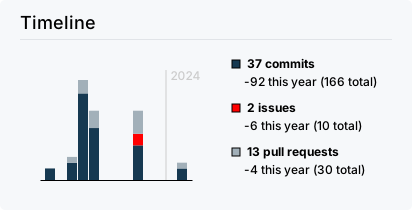](https://github.com/rzashakeri/beautify-github-profile/commits)
[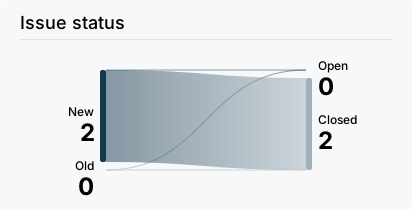](https://github.com/rzashakeri/beautify-github-profile/issues)
[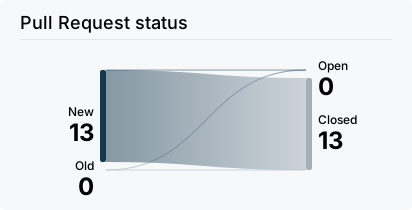](https://github.com/rzashakeri/beautify-github-profile/pulls)
[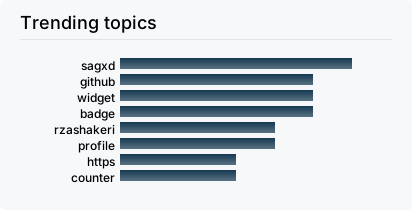](https://github.com/rzashakeri/beautify-github-profile/commits)
[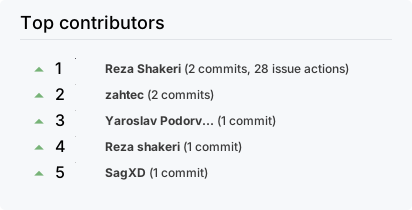](https://github.com/rzashakeri/beautify-github-profile/graphs/contributors)
[](https://github.com/rzashakeri/beautify-github-profile/commits)
### 69. [تکنولوژی استک در README گیتهاب](https://github.com/0l1v3rr/github-readme-tech-stack)
🔖 نمایش تکنولوژیها، ابزارها یا استک تکنولوژی پروژه شما با این کارتهای کاملاً قابل سفارشیسازی در README گیتهاب شما.
📍 به عنوان مثال:
<p align="center">
<img src="https://github.com/0l1v3rr/github-readme-tech-stack/raw/master/docs/README.gif" alt="github readme tech stack">
</p>
بله، این موارد به صورت راستچین ترجمه میشوند. در اینجا ترجمههای شما به صورت راستچین آمده است:
### 70. [lanyard-profile-readme](https://github.com/cnrad/lanyard-profile-readme)
🏷️ استفاده از Lanyard برای نمایش وضعیت Discord شما در پروفایل گیتهاب.
📍 به عنوان مثال:
<p align="center">
<img src="https://lanyard.cnrad.dev/api/705665813994012695" alt="lanyard-profile-readme">
</p>
### 71. [Starcharts](https://github.com/caarlos0/starcharts)
⭐ نمایش ستارههای مخزن شما در طول زمان!
📍 به عنوان مثال:
<p align="center">
<img width="720" src="https://starchart.cc/rzashakeri/beautify-github-profile.svg" alt="Starcharts">
</p>
### 72. [daily DevCard](https://daily.dev/blog/adding-the-daily-devcard-to-your-github-profile?utm_source=webapp&utm_medium=devcard&utm_campaign=devcardguide&utm_id=inapp)
⭐ نمایش گستره مقالات خوانده شده و موضوعات تکنولوژی مورد علاقه شما در README گیتهاب شما
با نمایش تعداد مقالاتی که خواندهاید و موضوعات تکنولوژی انتخابی شما، این امکان را دارید که تخصص و علاقهمندی خود را در این زمینه به نمایش بگذارید.
📍 به عنوان مثال:
<p align="center">
<a href="https://daily.dev/blog/adding-the-daily-devcard-to-your-github-profile?utm_source=webapp&utm_medium=devcard&utm_campaign=devcardguide&utm_id=inapp">
<img width="720" src="https://cdn.prod.website-files.com/5e0f1144930a8bc8aace526c/65d37c7fa935d93e56c378b6_305987805-c994338d-76a9-437c-a93c-2d4a9b98a028.png" alt="Padra Esfandiyar's Dev Card"/>
</a>
</p>
### 73. [socialify](https://github.com/wei/socialify)
💞 پروژه خود را اجتماعی کنید. 🌐 با جهان به اشتراک بگذارید!
📍 به عنوان مثال:
<p align="center">
<img width="720" src="https://socialify.git.ci/rzashakeri/beautify-github-profile/image?description=1&font=Inter&forks=1&issues=1&language=1&name=1&owner=1&pattern=Circuit%20Board&pulls=1&stargazers=1&theme=Light" alt="socialify">
</p>
### 74. [invidget](https://github.com/SwitchbladeBot/invidget)
✉️ Invidget SVGهایی از دعوتهای Discord ایجاد میکند که میتوانید از آنها در README گیتهاب خود استفاده کنید.
📍 به عنوان مثال:
<p align="center">
<img src="https://invidget.switchblade.xyz/discord-developers" alt="invidget">
</p>
### 75. [countdownmail](https://countdownmail.com/)
تایمر معکوس بر اساس تاریخ و زمان پایان در یک منطقه زمانی خاص.
📍 به عنوان مثال:
<p align="center">
<img src="https://i.countdownmail.com/2kjo3y.gif" border="0" alt="countdownmail.com"/>
</p>
### 76. [Repo Roster](https://reporoster.com//)
تشکر از حامیان خود در فایل README گیتهاب.
📍 به عنوان مثال:
> ستارگان
<p align="center">
<img src="https://reporoster.com/stars/rzashakeri/beautify-github-profile" border="0" alt="https://github.com/rzashakeri/beautify-github-profile/stargazers"/>
</p>
> فورکرها
<p align="center">
<img src="https://reporoster.com/forks/rzashakeri/beautify-github-profile" border="0" alt="https://github.com/rzashakeri/beautify-github-profile/network/members"/>
</p>
### 77. [Moe Counter](https://github.com/journey-ad/Moe-Counter)
یک شمارشگر بازدید جالب دیگر.
📍 به عنوان مثال:
<p align="center">
<img src="https://moe-counter.glitch.me/get/@index" alt="Moe Counter">
</p>
### 78. [Star History](https://github.com/lucabubi/star-history)
تولیدکننده گراف تاریخچه ستارهها برای مخازن گیتهاب
📍 به عنوان مثال:
<p align="center">
<img src="https://api.lucabubi.me/chart?username=mdn&repository=js-examples&color=red" alt="Red Chart">
</p>
### 79. [Subreddit Memes](https://github.com/trinib/Subreddit-Memes)
نمایش میمهای تصادفی از هر تاپیک میم در سابردیت.
📍 به عنوان مثال:
<p align="center">
<img src="https://subreddit-memes.vercel.app/api/meme" width="350px" alt="Subreddit Memes" />
</p>
### 80. [آمار گیتهاب](https://github.com/hyochan/github-stats)
آمار گیتهاب برای README از چندین زاویه مختلف.
📍 به عنوان مثال:
<p align="center">
<img width="720" src="https://stats.dooboo.io/api/github-stats-advanced?login=hyochan" alt="آمار گیتهاب hyochan"><br>
<img width="720" src="https://stats.dooboo.io/api/github-trophies?login=hyochan" alt="جوایز گیتهاب hyochan">
</p>
### 81. [آمار مشارکت در مخزن گیتهاب](https://github.com/HwangTaehyun/github-repository-contribution-stats)
آمار مشارکت در مخزن گیتهاب شما بهطور داینامیک در README شما نمایش داده میشود!
📍 به عنوان مثال:
<p align="center">
<img src="https://github-contributor-stats.vercel.app/api?username=HwangTaehyun" alt="آمار مشارکت در مخزن گیتهاب Taehyun">
</p>
### 82. [آمار کد](https://github.com/zmh-program/code-statistic)
کارت آمار گیتهاب خود را بهطور داینامیک تولید کنید! کارت کاربر برای شمارش زبانهای پروژههای مختلف تحت یک کاربر و تولید آمار، محاسبه تعداد ستارههای کسبشده، فورکها، دنبالکنندگان، تماشاگران، تعداد مسائل باز و غیره استفاده میشود.
### 83. [BentoHub](https://github.com/amittam104/BentoHub)
BentoHub یک برنامه است که به شما این امکان را میدهد که یک گرید Bento ایجاد کنید و کد HTML یا مارکداون آن را در پروفایل گیتهاب خود قرار دهید.
📍 به عنوان مثال:
<p align="center">
<a href="https://bentohub.netlify.app/">
<img width="720" src="https://cloud.appwrite.io/v1/storage/buckets/667d390e003b1971a8be/files/669ba3d3000d629bb97b/preview?project=667d35ca0017fb21fc6c" alt="تصویر گرید BentoHub">
</a>
</p>
### 85. [آمار ترافیک مخزن گیتهاب](https://github.com/FuseFairy/github-profile-repo-analytics)
📊 آمار ترافیک مخزن گیتهاب بهطور خودکار گرفته و بهصورت نمودارهای قابل تنظیم SVG از طریق GitHub Actions تجزیه و تحلیل میشود، که این امکان را میدهد تا نمودارهای تولید شده را به راحتی در پروفایل گیتهاب خود وارد کنید.
📍 به عنوان مثال:
<p align="center">
<img src="https://raw.githubusercontent.com/gist/FuseFairy/c7f619079a91afedbf4e949977fa2df4/raw/e868d3bc96ce8755d7f8beb1130e5d7579c9e2c0/demo-traffic.svg" alt="آمار ترافیک مخزن Zhuang">
</p>
---
</details>
## ✅ آیکون ها 👇
<details>
<summary><strong>کلیک کنید تا فهرست باز شود.</strong></summary>
### 1. [آیکونهای ساده](https://simpleicons.org/)
۲۲۴۶ آیکون SVG رایگان برای برندهای محبوب
📍 به عنوان مثال:
<p align="center">
<img height="32" width="32" src="https://cdn.simpleicons.org/simpleicons" />
<img height="32" width="32" src="https://cdn.simpleicons.org/simpleicons/gray" />
<img height="32" width="32" src="https://cdn.simpleicons.org/simpleicons/hotpink" />
<img height="32" width="32" src="https://cdn.simpleicons.org/simpleicons/0cf" />
<img height="32" width="32" src="https://cdn.simpleicons.org/simpleicons/0cf9" />
<img height="32" width="32" src="https://cdn.simpleicons.org/simpleicons/00ccff" />
<img height="32" width="32" src="https://cdn.simpleicons.org/simpleicons/00ccff99" />
<img height="32" width="32" src="https://cdn.simpleicons.org/simpleicons/orange/pink" />
<img height="32" width="32" src="https://cdn.simpleicons.org/simpleicons/_/eee" />
<img height="32" width="32" src="https://cdn.simpleicons.org/simpleicons/eee/_" />
</p>
### 2. [آیکونهای مهارت](https://github.com/tandpfun/skill-icons)
مهارتهای خود را به راحتی در README یا رزومهتان به نمایش بگذارید ✨
📍 به عنوان مثال :
<img src="https://skillicons.dev/icons?i=all" alt="آیکونهای مهارت">
### 3. [آیکونهای فناوری پروفایل](https://github.com/marwin1991/profile-technology-icons)
📋 😄 با استفاده از این ژنراتور، آیکونهایی را به پروفایل گیتهاب خود اضافه کنید 😄 📋
📍 به عنوان مثال :
<p align="center">
<img width=720 src="https://github.com/marwin1991/profile-technology-icons/raw/main/static/demo.gif" data-target="animated-image.originalImage" alt="آیکونهای فناوری پروفایل">
</p>
---
</details>
## ⚙️ تولیدکننده پروفایل 👇
<details>
<summary><strong>برای باز کردن لیست کلیک کنید</strong></summary>
### 1 . [تولیدکننده پروفایل Readme](https://github.com/maurodesouza/profile-readme-generator)
🎨 پروفایل گیتهاب خود را با این ابزار شگفتانگیز زیبا کنید و Readme مورد نظر خود را به راحتی و سریع بسازید 🚀 بهترین تولیدکننده پروفایل Readme که خواهید یافت ⚡
📍 به عنوان مثال:
<p align="center">
<img src="https://camo.githubusercontent.com/7b4c1ded34735535305ebd0bb3b9b1989b3f62cb476d768ae799dadf2b1cb323/68747470733a2f2f70726f66696c652d726561646d652d67656e657261746f722e636f6d2f6173736574732f6170702e706e67" width="720" alt="Profile Readme Generator" data-canonical-src="https://profile-readme-generator.com/assets/app.png" style="max-width: 100%;">
</p>
### 2 . [Profileme Dev](https://github.com/danielcranney/profileme-dev)
در عرض چند دقیقه یک پروفایل گیتهاب فوقالعاده بسازید
📍 به عنوان مثال:
<p align="center">
<img src="https://raw.githubusercontent.com/danielcranney/readme-generator/main/public/screenshot.png" class="overflow-hidden rounded-md shadow-dark-900/5" alt="Screenshot of ProfileMe.dev" width=720>
</p>
### 3 . [تولیدکننده readme md](https://github.com/kefranabg/readme-md-generator)
📄 ابزار CLI که فایلهای README.md زیبا تولید میکند
📍 به عنوان مثال:
<p align="center">
<img width=720 src="https://user-images.githubusercontent.com/9840435/60266090-9cf9e180-98e7-11e9-9cac-3afeec349bbc.jpg" alt="readme md generator">
</p>
### 4 . [تولیدکننده پروفایل Readme گیتهاب](https://github.com/rajk3770/Github-Profile-Readme-Creator)
در کمتر از یک دقیقه، مارکداونی کاربرپسند، شهودی و پویا برای پروفایل README خود تولید کنید!
📍 به عنوان مثال:
<p align="center">
<img src="https://github.com/rajk3770/Github-Profile-Readme-Creator/raw/master/screenshots/Demo.gif" alt="Demo" style="max-width: 100%;">
</p>
### 5 . [سازنده پروفایل Readme گیتهاب](https://github.com/VishwaGauravIn/github-profile-readme-maker)
بهترین تولیدکننده پروفایل، پروفایل ReadMe گیتهاب شما را به بهترین شکل ممکن ایجاد کنید. ویژگیها و ابزارهای زیادی وجود دارد، همه به صورت رایگان!
📍 به عنوان مثال:
<br>
<img src="https://github.com/VishwaGauravIn/Images/raw/main/screencapture-gprm.png?raw=true" alt="" style="max-width: 100%;">
### 6 . [تولیدکننده پروفایل Readme گیتهاب](https://github.com/rahulbanerjee26/githubProfileReadmeGenerator)
صفحه README/About Me فوقالعادهای برای پروفایل گیتهاب خود تولید کنید
📍 به عنوان مثال:
<p align="center">
<img width=720 src="https://github.com/rahulbanerjee26/githubProfileReadmeGenerator/raw/main/screencast_ghub_profile_gen_v1.gif" alt="Screencast of Github AboutMe/Profile ReadMe Generator" title="Go to web app" >
</p>
### 7 . [Github Profilinator](https://github.com/rishavanand/github-profilinator)
این ابزار شامل اجزای کوچک GUI است که میتوانید آنها را با هم ترکیب کنید تا کد مارکداون برای یک Readme عالی به طور خودکار تولید کنید.
📍 به عنوان مثال:
<p align="center">
<img src="https://raw.githubusercontent.com/rishavanand/github-profilinator/master/src/images/demo.gif" alt="Github Profilinator">
</p>
### 8 . [تولیدکننده پروفایل Readme گیتهاب](https://arturssmirnovs.github.io/github-profile-readme-generator/)
تولیدکننده پروفایل Readme گیتهاب به شما این امکان را میدهد که فایلهای Readme ساده و زیبا برای پروفایل گیتهاب خود بسازید که در پیشنمایشهای پروفایل شما گنجانده میشود.
📍 به عنوان مثال:
<p align="center">
<img width=720 src="https://camo.githubusercontent.com/8aa60ecdb02b91d9912b79245dd79eee4013b917a39a2400da7db31f30647a48/68747470733a2f2f617274757273736d69726e6f76732e6769746875622e696f2f6769746875622d70726f66696c652d726561646d652d67656e657261746f722f696d616765732f6769662e6769663f763d313233" alt="Github readme generator" data-canonical-src="https://arturssmirnovs.github.io/github-profile-readme-generator/images/gif.gif?v=123">
</p>
### 9 . [تولیدکننده پروفایل Readme گیتهاب](https://rahuldkjain.github.io/gh-profile-readme-generator)
با استفاده از UI ساده، README پروفایل گیتهاب را به راحتی تولید کنید، با افزونههای جدید مانند شمارش بازدیدکنندگان، آمار گیتهاب و غیره.
📍 به عنوان مثال:
<p align="center">
<img src="https://raw.githubusercontent.com/rahuldkjain/github-profile-readme-generator/master/src/images/github-profile-readme-generator.gif">
</p>
---
</details>
## 😉 شکلک ها (ایموجی ها)
<details>
<summary><strong>برای باز کردن فهرست کلیک کنید.</strong></summary>
### 1 . [ایموجیهای مارکداون](https://github.com/markdown-templates/markdown-emojis)
🔥 همهی ایموجیها 🎉
### 2 . [ایموجیهای متحرک فلوئنت](https://github.com/Tarikul-Islam-Anik/Animated-Fluent-Emojis)
تمامی ایموجیهای متحرک فلوئنت مایکروسافت در یک مکان قرار دارند و آماده استفاده در پروژهها یا فایلهای README شما هستند.
📍 به عنوان مثال:
<p align="center">
<img
src="https://raw.githubusercontent.com/Tarikul-Islam-Anik/Microsoft-Teams-Animated-Emojis/master/Emojis/Smilies/Cat%20with%20Tears%20of%20Joy.png"
alt="گربه با اشکهای شادی"
width="25"
height="25"
/>
<img src="https://raw.githubusercontent.com/Tarikul-Islam-Anik/Animated-Fluent-Emojis/master/Emojis/Smilies/Blue%20Heart.png" alt="قلب آبی" width="25" height="25" />
</p>
</details>
### اگر دوست دارید، میتوانید به من کمک کنید تا این مخزن را توسعه دهم تا از این پس پروفایلهای گیتهاب زیباتری داشته باشیم 💙
# یک ستاره بدهید ⭐
شما همچنین میتوانید با دادن یک ستاره به این مخزن، آن را به افراد بیشتری نشان دهید تا آنها هم از این مخزن استفاده کنند.
================================================
FILE: readme.md
================================================
<img src="https://raw.githubusercontent.com/rzashakeri/beautifygithubprofile/master/cover-repo.jpg">
<p align="center">
<a href="https://www.producthunt.com/posts/beautify-github-profile?utm_source=badge-featured&utm_medium=badge&utm_souce=badge-beautify-github-profile" target="_blank">
<img src="https://api.producthunt.com/widgets/embed-image/v1/featured.svg?post_id=346331&theme=light" alt="Beautify Github Profile - Create a beautiful and attractive github profile very easy | Product Hunt" style="width: 250px; height: 54px;" width="250" height="54" />
</a>
<a href="https://www.producthunt.com/posts/beautify-github-profile?utm_source=badge-top-post-badge&utm_medium=badge&utm_souce=badge-beautify-github-profile" target="_blank">
<img src="https://api.producthunt.com/widgets/embed-image/v1/top-post-badge.svg?post_id=346331&theme=light&period=daily" alt="Beautify Github Profile - Create a beautiful and attractive github profile very easy | Product Hunt" style="width: 250px; height: 54px;" width="250" height="54" />
</a>
<a href="https://www.producthunt.com/posts/beautify-github-profile?utm_source=badge-review&utm_medium=badge&utm_souce=badge-beautify-github-profile#discussion-body" target="_blank">
<img src="https://api.producthunt.com/widgets/embed-image/v1/review.svg?post_id=346331&theme=light" alt="Beautify Github Profile - Create a beautiful and attractive github profile very easy | Product Hunt" style="width: 250px; height: 54px;" width="250" height="54" />
</a>
</p>
<p align="center">
<img alt="GitHub Repo stars" src="https://img.shields.io/github/stars/rzashakeri/beautify-github-profile?style=flat-square">
<img alt="GitHub forks" src="https://img.shields.io/github/forks/rzashakeri/beautify-github-profile?style=flat-square">
<img alt="GitHub watchers" src="https://img.shields.io/github/watchers/rzashakeri/beautify-github-profile?style=flat-square">
<img alt="GitHub contributors" src="https://img.shields.io/github/contributors/rzashakeri/beautify-github-profile?color=blue&style=flat-square">
<img alt="GitHub last commit" src="https://img.shields.io/github/last-commit/rzashakeri/beautify-github-profile?color=blue&style=flat-square">
<img alt="GitHub" src="https://img.shields.io/github/license/rzashakeri/beautify-github-profile?color=blue&style=flat-square">
<img alt="GitHub closed issues" src="https://img.shields.io/github/issues-closed/rzashakeri/beautify-github-profile?color=blue&style=flat-square">
<img alt="GitHub closed pull requests" src="https://img.shields.io/github/issues-pr-closed/rzashakeri/beautify-github-profile?color=blue&style=flat-square">
<a href="readme-fa.md"><img alt="Static Badge" src="https://img.shields.io/badge/translation-farsi-blue?style=flat-square"></a>
</p>
---
# Hello friends 🖐️
How are you? If you want to make the look of your github profile more beautiful, you have come to the right place.
# 📖 Table of Contents
- [📌 The first step : Set up the GitHub Repository](#-the-first-step--set-up-the-github-repository)
- [💡 Where do we get ideas ?](#-where-do-we-get-ideas-)
- [🚩 What do we do after seeing these profiles ?](#-what-do-we-do-after-seeing-these-profiles-)
- [🧩 Badges ](#-badges-)
- [🛠️ Widgets ](#%EF%B8%8F-widgets-)
- [✅ Icons ](#-icons-)
- [⚙️ Profile Generator ](#%EF%B8%8F-profile-generator-)
- [😉 Emojis ](#-emojis)
- [Give A Star ⭐](#give-a-star-)
# 📌 The first step : Set up the GitHub Repository
Create a repository with your GitHub username 👇
<img src="name.png">
Template : 👇
```
https://github.com/username/username
```
Example : 👇
```
https://github.com/rzashakeri/rzashakeri
```
### After Create Repository, **Create a README.md** in Repository and Done ✅
Now that we have built the repository, we come to the interesting part: **designing our README.md.**
> Persian guide for first step 👉 [Link 🔗](https://www.instagram.com/p/CQlxnAnHId0/)
# 💡 Where do we get ideas ?
You must have been asked which profiles to get ideas from? You can see the profile of different people through the site below the gateway profile and get ideas from them 👇
### [🔗 Awesome Github Profile ](https://zzetao.github.io/awesome-github-profile/)
# 🚩 What do we do after seeing these profiles ?
Well, so far you have been able to find cool ideas from the profiles of different people. Now it's time to use different tools to beautify your github profile, which you can access from the list below.
## 🧩 Badges 👇
<details>
<summary><strong>Click to expand list</strong></summary>
### 1 . [List of Badges, in Markdown](https://github.com/Naereen/badges)
A list of badges and cards, with their Markdown code, that can be included in a README.md file for a GitHub
📍 For example :
<p align="center">
<a href="https://GitHub.com/Naereen/ama">
<img src="https://img.shields.io/badge/Ask%20me-anything-1abc9c.svg" alt="Ask Me Anything">
</a>
<a href="https://pypi.python.org/pypi/ansicolortags/">
<img src="https://img.shields.io/pypi/dd/ansicolortags.svg" alt="PyPI download day">
</a>
<a href="https://GitHub.com/Naereen/StrapDown.js/network/">
<img src="https://badgen.net/github/forks/Naereen/Strapdown.js/" alt="GitHub forks">
</a>
<a href="https://GitHub.com/Naereen/StrapDown.js/stargazers/">
<img src="https://img.shields.io/github/stars/Naereen/StrapDown.js.svg?style=social&label=Star&maxAge=2592000" alt="GitHub stars">
</a>
</p>
### 2 . [Markdown badges in many different categories ](https://github.com/Ileriayo/markdown-badges)
Badges for your personal developer branding, profile, and projects.
📍 For example :
<p align="center">
<img src="https://img.shields.io/badge/Bitcoin-000?style=for-the-badge&logo=bitcoin&logoColor=white" alt="Bitcoin">
<img src="https://img.shields.io/badge/mysql-%2300f.svg?style=for-the-badge&logo=mysql&logoColor=white" alt="Mysql">
<img src="https://img.shields.io/badge/react-%2320232a.svg?style=for-the-badge&logo=react&logoColor=%2361DAFB" alt="React">
<img src="https://img.shields.io/badge/python-3670A0?style=for-the-badge&logo=python&logoColor=ffdd54" alt="Python">
</p>
### 3 . [View Count Badge](https://github.com/dwyl/hits)
A badge generator service that counts views on your markdown file.
📍 For example :
<p align="center">
<img width=100 src="https://raw.githubusercontent.com/gist/FuseFairy/08a84ab3f44987ccf222c5d5844be075/raw/103de3c64da63c684caa2a931d415d2240ea421a/hits.svg" alt="View Count Badge">
</p>
### 4 . [shields](https://shields.io/)
Concise, consistent, and legible badges in SVG and raster format and Make tokens with custom values
📍 For example :
<p align="center">
<img src="https://img.shields.io/badge/reza-shakeri-%20" alt="Reza Shakeri">
<img src="https://img.shields.io/badge/tests-477%20passed%2C%202%20failed-red" alt="AppVeyor tests badge">
<img src="https://img.shields.io/badge/rating-%E2%98%85%E2%98%85%E2%98%85%E2%98%85%E2%98%85-brightgreen" alt="Open VSX Rating (Stars) badge">
</p>
### 5 . [laravel github profile view counter](https://github.com/caneco/laravel-github-profile-view-counter)
This package will allows you to track Github profile views and display them in your profile readme, for free.
📍 For example :
<p align="center">
<img width=400 src="https://raw.githubusercontent.com/caneco/laravel-github-profile-view-counter/master/art/socialcard.png" alt="laravel github profile view counter">
</p>
### 6 . [Stackoverflow Badge](https://github.com/claytonjhamilton/stackoverflow-badge)
Display your stats with this unique StackOverflow Badge
📍 For example :
<p align="center">
<img src="https://stackoverflow-badge.onrender.com/api/StackOverflowBadge/14122375" alt="Stackoverflow Badge">
</p>
### 7 . [Badges for GitHub](https://github.com/Envoy-VC/Badges-for-GitHub)
A Curated list of Badges used in GitHub
📍 For example :
<p align="center">
<img src="https://img.shields.io/badge/Gmail-D14836?style=for-the-badge&logo=gmail&logoColor=white" alt="Gmail">
<img src="https://img.shields.io/badge/Telegram-2CA5E0?style=for-the-badge&logo=telegram&logoColor=white" alt="Telegram">
<img src="https://img.shields.io/badge/Linux-FCC624?style=for-the-badge&logo=linux&logoColor=black" alt="Linux">
</p>
### 8 . [Badges 4 README.md Profile](https://github.com/alexandresanlim/Badges4-README.md-Profile)
Improve your README.md profile with these amazing badges.
📍 For example :
<p align="center">
<img src="https://img.shields.io/badge/dev.to-0A0A0A?style=for-the-badge&logo=devdotto&logoColor=white" alt="dev">
<img src="https://img.shields.io/badge/Xcode-007ACC?style=for-the-badge&logo=Xcode&logoColor=white" alt="Xcode">
<img src="https://img.shields.io/badge/R-276DC3?style=for-the-badge&logo=r&logoColor=white" alt="R">
</p>
### 9 . [Github Profile Views Counter](https://github.com/antonkomarev/github-profile-views-counter)
It counts how many times your GitHub profile has been viewed. Free cloud micro-service.
📍 For example :
<p align="center">
<img src="https://camo.githubusercontent.com/e5970ff31233467b6196dc670259c9063b9089764c57ef617b2f6f08b733652e/68747470733a2f2f696d672e736869656c64732e696f2f7374617469632f76313f6c6162656c3d50726f66696c652b7669657773266d6573736167653d3132333435363738393026636f6c6f723d303037656336267374796c653d666f722d7468652d6261646765" alt="Profile views for the badge">
<img src="https://camo.githubusercontent.com/7bfef86b8b4870584490fde560525dfa604bd17221db50d2240036004238b655/68747470733a2f2f696d672e736869656c64732e696f2f7374617469632f76313f6c6162656c3d50726f66696c652b7669657773266d6573736167653d3132333435363738393026636f6c6f723d303037656336267374796c653d706c6173746963" alt="Profile views for plastic style">
</p>
### 10 . [ColoredBadges](https://github.com/MikeCodesDotNET/ColoredBadges)
Some badges I created for my GitHub profile readme.
📍 For example :
<p align="center">
<img src="https://raw.githubusercontent.com/MikeCodesDotNET/ColoredBadges/master/svg/dev/languages/csharp.svg" alt="csharp">
<img src="https://raw.githubusercontent.com/MikeCodesDotNET/ColoredBadges/master/svg/dev/languages/php.svg" alt="php">
</p>
### 11 . [AppVeyor](https://www.appveyor.com/docs/status-badges/)
A Project status badge is a dynamically generated image displaying the status of the last build. You can put a status badge on the home page of your GitHub project or intranet portal:
📍 For example :
<p align="center">
<img src="https://ci.appveyor.com/api/projects/status/32r7s2skrgm9ubva?svg=true" alt="Grunt status">
<img src="https://ci.appveyor.com/api/projects/status/32r7s2skrgm9ubva?svg=true&passingText=master%20-%20OK" alt="Project Badge">
</p>
### 12 . [For The Badge](https://github.com/BraveUX/for-the-badge)
Badges for badges' sake.
📍 For example :
<p align="center">
<img src="https://forthebadge.com/images/badges/built-with-love.svg" alt="Grunt status">
<img src="https://forthebadge.com/images/badges/built-for-android.svg" alt="Grunt status">
</p>
### 13 . [Grunt Badge](https://gruntjs.com/built-with-grunt-badge)
Do you use Grunt in a project and want to proudly display that in your project README or on your project website? Now you can with the "Built with Grunt" badge!
📍 For example :
<p align="center">
<img src="https://cdn.gruntjs.com/builtwith.svg" alt="Built with Grunt">
<img src="https://s3.amazonaws.com/assets.coveralls.io/badges/coveralls_100.svg" alt="Coverage Status">
</p>
### 14 . [semaphoreci Status Badges](https://docs.semaphoreci.com/essentials/status-badges/)
Create a badge that displays your project's current build status. The build status is determined by the status of the first pipeline in your newest workflow. You can use this badge in your project's README file or any web page.
📍 For example :
<p align="center">
<img alt="semaphore docs" src="https://semaphore.semaphoreci.com/badges/docs/branches/master.svg">
</p>
### 15 . [Aoc Badges Action](https://github.com/J0B10/aoc-badges-action)
Github Action to update the badges of your Readme to show your current Advent of Code stats
📍 For example :
<p align="center">
<img src="https://camo.githubusercontent.com/81d3f35e8f7e0a24cbb896841193ade79bd816cc9219ba392c77b660cfca880e/68747470733a2f2f696d672e736869656c64732e696f2f62616467652f6461792532302546302539462539332538352d32322d626c7565" alt="" data-canonical-src="https://img.shields.io/badge/day%20%F0%9F%93%85-22-blue" style="max-width: 100%;">
<img src="https://camo.githubusercontent.com/b3ca9d063d391ea4c001bfc4b8b7a51a71db7526b89eaab26daefb364a958538/68747470733a2f2f696d672e736869656c64732e696f2f62616467652f73746172732532302545322541442539302d33342d79656c6c6f77" alt="" data-canonical-src="https://img.shields.io/badge/stars%20%E2%AD%90-34-yellow" style="max-width: 100%;">
</p>
### 16 . [Github Badges](https://github.com/eugustavo/github-badges)
Application made to create badges for your readme 📑
📍 For example :
<p align="center">
<img width=720 alt="GithubBadges" src="https://camo.githubusercontent.com/993ae7410b1c4df31b29daab1488dbc1b5f4eda058a98b6bfa630fcb79811e87/68747470733a2f2f692e696d6775722e636f6d2f695648666c4c552e676966" data-canonical-src="https://i.imgur.com/iVHflLU.gif" style="max-width: 100%;">
</p>
### 17 . [Discord Md Badge](https://github.com/ashmonty/discord-md-badge)
Add to your GitHub readme a badge that shows your Discord username and presence!
📍 For example :
<p align="center">
<img src="https://camo.githubusercontent.com/825160e787748eb0e8d83afcb14b7d79b659e76b84f9eadfa4800104e454540a/68747470733a2f2f646362616467652e6c696d65732e70696e6b2f6170692f736869656c642f3835323937373936373737363339393430303f626f743d74727565" alt="for-the-badge (default)" data-canonical-src="https://dcbadge.limes.pink/api/shield/852977967776399400?bot=true" style="max-width: 100%;">
</p>
### 18 . [simple badges](https://github.com/developStorm/simple-badges)
Awesome Simple Icons on your favorite Shields.io Badges. Try out on your profile today!
📍 For example :
<p align="center">
<img src="https://img.shields.io/badge/Python-3776AB?logo=python&logoColor=fff&style=for-the-badge" alt="Python Badge">
<img src="https://img.shields.io/badge/Iconify-1769AA?logo=iconify&logoColor=fff&style=flat-square" alt="Iconify Badge">
<img src="https://img.shields.io/badge/FIFA-326295?logo=fifa&logoColor=fff&style=plastic" alt="FIFA Badge">
</p>
### 19 . [GitHub Profile Badges](https://github.com/Aveek-Saha/GitHub-Profile-Badges)
Clean badges for your GitHub Profile Readme
📍 For example :
<p align="center">
<img src="https://img.shields.io/badge/GitHub%20Actions-2088FF.svg?style=for-the-badge&logo=GitHub-Actions&logoColor=white">
<img src="https://img.shields.io/badge/GitHub-181717.svg?style=for-the-badge&logo=GitHub&logoColor=white">
</p>
### 20 . [Custom Icon Badges](https://github.com/DenverCoder1/custom-icon-badges)
Allows users to more easily use Octicons and their own icons and logos in shields.io badges
📍 For example :
<p align="center">
<img src="https://custom-icon-badges.demolab.com/github/stars/DenverCoder1/custom-icon-badges?logo=star" alt="GitHub stars" />
<img src="https://custom-icon-badges.demolab.com/github/issues-raw/DenverCoder1/custom-icon-badges?logo=issue" alt="GitHub open issues" />
<img src="https://custom-icon-badges.demolab.com/github/license/denvercoder1/custom-icon-badges?logo=law" alt="GitHub license" />
<img src="https://custom-icon-badges.demolab.com/github/actions/workflow/status/DenverCoder1/custom-icon-badges/ci.yml?branch=main&logo=check-circle-fill&logoColor=white" alt="GitHub build status" />
<img src="https://custom-icon-badges.demolab.com/github/last-commit/DenverCoder1/custom-icon-badges?logo=history&logoColor=white" alt="GitHub last commit" />
<img src="https://custom-icon-badges.demolab.com/badge/dynamic/json?logo=graph&logoColor=fff&color=blue&label=total%20contributions&query=%24.totalContributions&url=https%3A%2F%2Fstreak-stats.demolab.com%2F%3Fuser%3DDenverCoder1%26type%3Djson" alt="Total contributions" />
</p>
### 21 . [pepy](https://github.com/psincraian/pepy)
pepy is a site to get statistics information about any Python package
📍 For example :
<p align="center">
<a href="https://pepy.tech/project/django-audio-validator">
<img src="https://pepy.tech/badge/django-audio-validator" alt="Downloads">
</a>
</p>
### 22 . [Version Badge](https://badge.fury.io/)
Once the package owner adds this badge to their README file, it will inform and link all visitors to the latest version of that package.
📍 For example :
<p align="center">
<a href="https://badge.fury.io/py/django-audio-validator">
<img src="https://badge.fury.io/py/django-audio-validator.svg" alt="PyPI version">
</a>
</p>
### 23 . [Peerlist Profile Badge](https://github.com/vinitshahdeo/peerlist-readme-badge)
[Peerlist](https://peerlist.io/) is a community of working professionals focused on building a personal brand, sharing professional content, and finding peers to collaborate with. A [Peerlist profile](https://peerlist.io/vinitshahdeo) can be used as a simple resume or a complete portfolio to showcase your work. You can style your profile `README.md` with an awesome Peerlist markdown badge.
📍 For example :
<p align="center">
<img src="https://raw.githubusercontent.com/gist/FuseFairy/1ac5accf1eb6e6e60db4208b6ed321ac/raw/3d2656abe18b0265ccc5f3fdef40b0f79b17b539/Peerlist.svg" alt="Peerlist">
</p>
### 24 . [hits](https://github.com/silentsoft/hits)
📈 Hit Counter for Your GitHub or Any Kind of Websites You Want.
📍 For example :
<p align="center">
<img src="https://hits.sh/github.com/rzashakeri/beautify-github-profile.svg" alt="Hits">
</p>
### 25 . [gradient badge](https://github.com/bokub/gradient-badge)
🍭 Badge generator with color gradient support
📍 For example :
<p align="center">
<img src="https://gradgen.bokub.workers.dev/npm/v/gradient-badge?gradient=b65cff,11cbfa" alt="npm">
<img src="https://gradgen.bokub.workers.dev/badge/demo/available?gradient=ffb836,fc6d60" alt="demo">
<img src="https://gradgen.bokub.workers.dev/badge/code%20style/prettier?gradient=ff94c8,cacfda,61eddb" alt="prettier">
<img src="https://gradgen.bokub.workers.dev/github/checks/bokub/gradient-badge?gradient=ff9eec,d0a1fc" alt="build">
</p>
### 26 . [Topmate Profile Badge](https://github.com/vinitshahdeo/topmate-readme-badge) *(may no longer working)*
Topmate is a platform to connect 1:1 with your audience & monetise your time better. Basically, [one link](https://topmate.io/vinitshahdeo) to do it all. Even better, you can now add a markdown badge in your GitHub profile README to connect with your community! Try it out here: [topmate-readme-badge.netlify.app](https://topmate-readme-badge.netlify.app/)
### 27 . [GitHub Profile Views Counter](https://github.com/u8views/go-u8views/)
Track your GitHub profile views and analyze statistics.
📍 For example :
<p align="center">
<img src="https://u8views.com/api/v1/github/profiles/159557098/views/day-week-month-total-count.svg" alt="Demo"><br>
<a href="https://u8views.com/github/YaroslavPodorvanov">
<img width=720 src="https://github.com/u8views/go-u8views/blob/main/public/assets/images/yaroslav-podorvanov-developer.jpg?raw=true" alt="YaroslavPodorvanov">
</a>
</p>
### 28 . [m3-Markdown-Badges ](https://github.com/ziadOUA/m3-Markdown-Badges)
🏅 A Material You inspired markdown badge collection.
📍 For example :
<p align="center">
<img src="https://ziadoua.github.io/m3-Markdown-Badges/badges/CSS/css2.svg" alt="Demo1">
<img src="https://m3-markdown-badges.vercel.app/stars/1/3/rzashakeri/beautify-github-profile" alt="Demo2">
</p>
### 29 . [Badgen](https://github.com/badgen/badgen.net)
Fast badge generating service
📍 For example :
<p align="center">
<img src="https://badgen.net/crates/v/regex" alt="Demo1">
<img src="https://badgen.net/crates/d/regex" alt="Demo2">
<img src="https://badgen.net/crates/dl/regex" alt="Demo3">
</p>
### 30 . [Stardev](https://stardev.io/)
Stardev ranks every GitHub user and repository by language and location. You can get a HTML or Markdown badge that shows your global rank across all languages and your top languages by star count.
📍 For example :
<p align="center">
<a href="https://stardev.io/developers/oliyh">
<img src="https://stardev.io/developers/oliyh/badge/languages/global.svg" alt="Check out oliyh's profile on stardev.io">
</a>
</p>
---
</details>
## 🛠️ Widgets 👇
<details>
<summary><strong>Click to expand list (1~50)</strong></summary>
### 1 . [Todoist Readme](https://github.com/abhisheknaiidu/todoist-readme)
Updates README with Todoist Stats of a user
📍 For example :
<p align="center">
<img src="todoist-stat.png/" width=400 alt="Todoist Readme">
</p>
### 2 . [github readme stats](https://github.com/anuraghazra/github-readme-stats)
Dynamically generated stats for your github readmes
📍 For example :
<p align="center">
<img src="https://camo.githubusercontent.com/166adcf892a44c18c2ec02b4a1407de460cd2d3acc2e3e758551d75960fc04cc/68747470733a2f2f7265732e636c6f7564696e6172792e636f6d2f616e7572616768617a72612f696d6167652f75706c6f61642f76313539353137343533362f6772732d7468656d65735f6c34796e6a612e706e67" alt="GitHub Readme Stats Themes" data-canonical-src="https://res.cloudinary.com/anuraghazra/image/upload/v1595174536/grs-themes_l4ynja.png" style="max-width: 100%;" width=400>
<img src="https://camo.githubusercontent.com/ec788d16d714f677ca8e16ae2c2102a20a1270a08eae839bd93da216c44ef9e3/68747470733a2f2f6769746875622d726561646d652d73746174732e76657263656c2e6170702f6170692f746f702d6c616e67732f3f757365726e616d653d616e7572616768617a7261266c61796f75743d636f6d70616374" alt="Top Langs" data-canonical-src="https://github-readme-stats.vercel.app/api/top-langs/?username=anuraghazra&layout=compact" style="max-width: 100%;" width=400>
</p>
### 3 . [GitHub Readme Streak Stats](https://github.com/DenverCoder1/github-readme-streak-stats)
Stay motivated and show off your contribution streak! 🌟 Display your total contributions, current streak, and longest streak on your GitHub profile README
📍 For example :
<p align="center">
<img src="https://camo.githubusercontent.com/71f09e679332b2850c04d371db60863647f9be8b2bf207d9bb3d3aed57c9033f/68747470733a2f2f692e696d6775722e636f6d2f496154755964532e706e67" alt="default" data-canonical-src="https://i.imgur.com/IaTuYdS.png" style="max-width: 100%;" width=400>
</p>
### 4 . [waka readme](https://github.com/athul/waka-readme)
Wakatime Weekly Metrics on your Profile Readme.
📍 For example :
<p align="center">
<img src="https://user-images.githubusercontent.com/8397274/87243943-e6b45c00-c457-11ea-94c9-2aa0bf241be8.png" alt="Project Preview" width=720>
</p>
### 5 . [Profile Activity Generator](https://github.com/omidnikrah/profile-activity-generator)
Generate custom profile activity for your profile README
📍 For example :
<p align="center">
<img src="https://raw.githubusercontent.com/omidnikrah/profile-activity-generator/master/demo.png" style="max-width: 100%;" alt="Profile Activity Generator">
</p>
### 6 . [Github Activity Readme](https://github.com/jamesgeorge007/github-activity-readme)
Updates README with the recent GitHub activity of a user
📍 For example :
<p align="center">
<img alt="profile-repo" src="https://user-images.githubusercontent.com/25279263/87703301-3aa4a500-c7b8-11ea-8eb6-245121997a7b.png" width=720>
</p>
### 7 . [Github Action Dynamic Profile Page](https://github.com/umutphp/github-action-dynamic-profile-page/)
GitHub Action to push updates to your special profile repository.
📍 For example :
<p align="center">
<img src="https://raw.githubusercontent.com/umutphp/github-action-dynamic-profile-page/master/assets/github_profile_sample.png" alt="Github Action Dynamic Profile Page">
</p>
### 8 . [waka readme stats](https://github.com/anmol098/waka-readme-stats)
This GitHub action helps to add cool dev metrics to your github profile Readme
📍 For example :
<p align="center">
<img src="https://user-images.githubusercontent.com/25841814/79395484-5081ae80-7fac-11ea-9e27-ac91472e31dd.png" alt="Project Preview" width=720>
</p>
### 9 . [Profile Readme](https://github.com/actions-js/profile-readme)
Display profile activity and other cool widgets in your profile README.md
📍 For example :
```
💪 Opened PR #43 in webview/webview_deno
❗️ Closed issue #32 in denosaurs/denon
🗣 Commented on #6 in nestdotland/hatcher
❗️ Closed issue #22 in nestdotland/eggs
🗣 Commented on #15 in nestdotland/eggs
```
### 10 . [Spotify Github Profile](https://github.com/kittinan/spotify-github-profile)
Show your Spotify playing on your Github profile
📍 For example :
<p align="center">
<img src="https://raw.githubusercontent.com/kittinan/spotify-github-profile/master/img/novatorem.svg" style="max-width: 100%;" alt="novatorem.svg"><br>
<img src="https://raw.githubusercontent.com/kittinan/spotify-github-profile/master/img/default.svg" style="max-width: 100%;" alt="spotify-github-profile">
</p>
### 11 . [Blog Post Workflow](https://github.com/gautamkrishnar/blog-post-workflow)
Show your latest blog posts from any sources or StackOverflow activity or Youtube Videos on your GitHub profile/project readme automatically using the RSS feed
📍 For example :
<p align="center">
<img src="https://user-images.githubusercontent.com/8397274/88047382-29b8b280-cb6f-11ea-9efb-2af2b10f3e0c.png" alt="preview" width=720>
</p>
### 12 . [Github Readme Medium](https://github.com/omidnikrah/github-readme-medium)
Dynamically generated your latest Medium article on your GitHub readmes!
📍 For example :
<p align="center">
<img src="https://camo.githubusercontent.com/4f9c4f9b776c53aad3d107e3d0bb4570754d573245ac9907a1cf71c04bcb8252/68747470733a2f2f6769746875622d726561646d652d6d656469756d2e76657263656c2e6170702f3f757365726e616d653d6f6d69646e696b726168" alt="Omid Nikrah Medium" data-canonical-src="https://github-readme-medium.vercel.app/?username=omidnikrah" style="max-width: 100%;">
</p>
### 13 . [Github Readme Stackoverflow](https://github.com/omidnikrah/github-readme-stackoverflow)
Dynamically generated your StackOverflow status on your GitHub READMEs!
📍 For example :
<p align="center">
<img src="https://camo.githubusercontent.com/79fdba08469306d8fb6cafbbe9fd3024ba636127c15c3031ebb2107e25c77936/68747470733a2f2f6769746875622d726561646d652d737461636b6f766572666c6f772e76657263656c2e6170702f3f7573657249443d36353538303432" alt="Omid Nikrah StackOverflow" data-canonical-src="https://github-readme-stackoverflow.vercel.app/?userID=6558042" style="max-width: 100%;"><br>
<img src="https://camo.githubusercontent.com/6ef9cbb8e45a780b514149ee7ad39b57b117369a84e0f84dc6e2461ef59b0125/68747470733a2f2f6769746875622d726561646d652d737461636b6f766572666c6f772e76657263656c2e6170702f3f7573657249443d36353538303432266c61796f75743d636f6d70616374" alt="Omid Nikrah StackOverflow" data-canonical-src="https://github-readme-stackoverflow.vercel.app/?userID=6558042&layout=compact" style="max-width: 100%;">
</p>
### 14 . [Profile Readme Stats](https://github.com/teoxoy/profile-readme-stats)
Showcase your github stats on your profile README.md
📍 For example :
<p align="center">
<img src="readme.png" width=720 alt="readme.png">
</p>
### 15 . [Readme Jokes](https://github.com/ABSphreak/readme-jokes)
😄 Jokes for your GitHub READMEs
📍 For example :
<p align="center">
<img src="https://camo.githubusercontent.com/9f659e6f3472c938acaec6a1eff134d6bbb54a25ae99fddd539a2f9a21464d26/68747470733a2f2f726561646d652d6a6f6b65732e76657263656c2e6170702f6170693f68696465426f72646572" alt="Jokes Card" data-canonical-src="https://readme-jokes.vercel.app/api?hideBorder" style="max-width: 100%;">
</p>
### 16 . [Github Profile Trophy](https://github.com/ryo-ma/github-profile-trophy)
Add dynamically generated GitHub Stat Trophies on your readme
<br/>
📍 For example :
<p align="center">
<img src="https://camo.githubusercontent.com/3e8683c8b94c82eac14665d110e77b1cfc30b3da97ebec221a77d39c5b001603/68747470733a2f2f6769746875622d70726f66696c652d74726f7068792e76657263656c2e6170702f3f757365726e616d653d72796f2d6d6126636f6c756d6e3d382672616e6b3d5353532c53532c532c4141412c41412c412c422c43" data-canonical-src="https://github-profile-trophy.vercel.app/?username=ryo-ma&column=8&rank=SSS,SS,S,AAA,AA,A,B,C" style="max-width: 100%;" alt="Github Profile Trophy">
</p>
### 17 . [Random Memer](https://github.com/techytushar/random-memer)
Returns random meme images scraped from Memedroid
### 18 . [Readme Pagespeed Insights](https://github.com/ankurparihar/readme-pagespeed-insights)
Google lighthouse stats of your website that you can put in readme
📍 For example :
<p align="center">
<img src="https://raw.githubusercontent.com/ankurparihar/readme-pagespeed-insights/master/assets/banner.svg" width=720 alt="Readme Pagespeed Insights">
</p>
### 19 . [REHeader](https://github.com/khalby786/REHeader)
Generate beautiful header images for your GitHub profile READMEs.
📍 For example :
<p align="center">
<img src="https://camo.githubusercontent.com/2f031e5cb08b20a5ac5d2237beb0a773caad1bd380c7bdb7e2db294dbb75e442/68747470733a2f2f63646e2e676c697463682e636f6d2f30613466363732652d376435632d343235342d386635612d38343763323932346264663625324653637265656e25323053686f74253230323032302d30372d31372532306174253230352e31392e3138253230504d2e706e673f763d31353934393931393934353038" alt="Another image which is a use case of this generator - again you shouldn't be seeing this" data-canonical-src="https://cdn.glitch.com/0a4f672e-7d5c-4254-8f5a-847c2924bdf6%2FScreen%20Shot%202020-07-17%20at%205.19.18%20PM.png?v=1594991994508" width=720>
</p>
### 20 . [Goodreads Readme](https://github.com/arg3t/goodreads-readme)
This project provides a badge for sharing your current book in your github profile.
📍 For example :
<p align="center">
<img src="https://camo.githubusercontent.com/0dadae5bda922ccb51b880482bddfc4fc04c9630871cd60d30c2417e346e1c32/68747470733a2f2f676f6f6472656164732d726561646d652e76657263656c2e6170702f6170692f626f6f6b" alt="GoodReads" data-canonical-src="https://goodreads-readme.vercel.app/api/book" style="max-width: 100%;">
</p>
### 21 . [Readme Typing svg](https://github.com/DenverCoder1/readme-typing-svg)
Dynamically generated, customizable SVG that gives the appearance of typing and deleting text. Typing SVGs can be used as a bio on your Github profile readme or repository.
📍 For example :
<p align="center">
<img src="https://camo.githubusercontent.com/625cb0ef178479b65b71867f7079b1c667e152a14406023368be872b92a9ba99/68747470733a2f2f726561646d652d747970696e672d7376672e64656d6f6c61622e636f6d2f3f6c696e65733d547970652b6d657373616765732b65766572797768657265213b4164642b612b62696f2b746f2b796f75722b70726f66696c65213b4164642b612b6465736372697074696f6e2b746f2b796f75722b7265706f213b4d616b652b796f75722b726561646d652b7374616e642b6f75742126666f6e743d46697261253230436f64652663656e7465723d747275652677696474683d333830266865696768743d3530266475726174696f6e3d343030302670617573653d31303030" data-canonical-src="https://readme-typing-svg.demolab.com/?lines=Type+messages+everywhere!;Add+a+bio+to+your+profile!;Add+a+description+to+your+repo!;Make+your+readme+stand+out!&font=Fira%20Code&center=true&width=380&height=50" style="max-width: 100%;" alt="Readme Typing svg">
</p>
### 22 . [Awesome Github Profile Readme Templates](https://github.com/durgeshsamariya/awesome-github-profile-readme-templates)
This repository contains best profile readme's for your reference.
### 23 . [Profile Summary For Github](https://github.com/tipsy/profile-summary-for-github)
Tool for visualizing GitHub profiles
📍 For example :
<p align="center">
<img src="https://user-images.githubusercontent.com/1521451/34072014-4451dbf6-e280-11e7-90a7-32ad1f313541.PNG" alt="screenshot" width=720>
</p>
### 24 . [Github Profile Summary Cards](https://github.com/vn7n24fzkq/github-profile-summary-cards)
A tool to generate your github summary card for profile README
📍 For example :
<p align="center">
<a target="_blank" rel="noopener noreferrer" href="https://raw.githubusercontent.com/vn7n24fzkq/vn7n24fzkq/master/profile-summary-card-output/solarized/0-profile-details.svg"><img src="https://raw.githubusercontent.com/vn7n24fzkq/vn7n24fzkq/master/profile-summary-card-output/solarized/0-profile-details.svg" alt="Demo1" style="max-width: 100%;"></a>
<a target="_blank" rel="noopener noreferrer" href="https://raw.githubusercontent.com/vn7n24fzkq/vn7n24fzkq/master/profile-summary-card-output/solarized/1-repos-per-language.svg"><img src="https://raw.githubusercontent.com/vn7n24fzkq/vn7n24fzkq/master/profile-summary-card-output/solarized/1-repos-per-language.svg" alt="Demo2" style="max-width: 100%;"></a>
<a target="_blank" rel="noopener noreferrer" href="https://raw.githubusercontent.com/vn7n24fzkq/vn7n24fzkq/master/profile-summary-card-output/solarized/2-most-commit-language.svg"><img src="https://raw.githubusercontent.com/vn7n24fzkq/vn7n24fzkq/master/profile-summary-card-output/solarized/2-most-commit-language.svg" alt="Demo3" style="max-width: 100%;"></a>
<a target="_blank" rel="noopener noreferrer" href="https://raw.githubusercontent.com/vn7n24fzkq/vn7n24fzkq/master/profile-summary-card-output/solarized/3-stats.svg"><img src="https://raw.githubusercontent.com/vn7n24fzkq/vn7n24fzkq/master/profile-summary-card-output/solarized/3-stats.svg" alt="Demo4" style="max-width: 100%;"></a>
<a target="_blank" rel="noopener noreferrer" href="https://raw.githubusercontent.com/vn7n24fzkq/vn7n24fzkq/master/profile-summary-card-output/solarized/4-productive-time.svg"><img src="https://raw.githubusercontent.com/vn7n24fzkq/vn7n24fzkq/master/profile-summary-card-output/solarized/4-productive-time.svg" alt="Demo5" style="max-width: 100%;"></a>
</p>
### 25 . [Generate Snake Game From Github Contribution Grid](https://github.com/marketplace/actions/generate-snake-game-from-github-contribution-grid)
Generates a snake game from a github user contributions graph
📍 For example :
<p align="center">
<img src="https://github.com/Platane/snk/raw/output/github-contribution-grid-snake.svg" alt="Demo" style="max-width: 100%;">
</p>
### 26 . [Github Stats Transparent](https://github.com/rahul-jha98/github-stats-transparent)
Automatically generate summary GitHub statistics images for your profile using Actions, no server required
📍 For example :
<p align="center">
<img src="https://raw.githubusercontent.com/rahul-jha98/github-stats-transparent/output/generated/overview.svg" alt="Demo1" style="max-width: 100%;">
<img src="https://raw.githubusercontent.com/rahul-jha98/github-stats-transparent/output/generated/languages.svg" alt="Demo2" style="max-width: 100%;">
</p>
### 27 . [Github Profile Name Writer](https://github.com/ironmaniiith/Github-profile-name-writer)
Write your name using the github commits and make your profile awesome
📍 For example :
<p align="center">
<img src="https://github.com/ironmaniiith/Github-profile-name-writer/raw/master/extras/ironmanGithub.jpg" alt="Image of Ironman on github Profile" style="max-width: 100%;">
</p>
### 28 . [Github Profile Languages](https://github.com/IonicaBizau/github-profile-languages)
Create a nice pie chart with the user's programming languages from their GitHub profile.
📍 For example :
<p align="center">
<img src="https://camo.githubusercontent.com/f9e08688f77e246e9d46ada748453857c39f3f7d4d70160ea66ce1c4afe0c8cf/687474703a2f2f692e696d6775722e636f6d2f514736476835492e706e67" alt="github-profile-languages" data-canonical-src="http://i.imgur.com/QG6Gh5I.png" width=720>
</p>
### 29 . [Github Profile 3d Contrib](https://github.com/yoshi389111/github-profile-3d-contrib)
This GitHub Action creates a GitHub contribution calendar on a 3D profile image.
📍 For example :
<p align="center">
<img src="https://raw.githubusercontent.com/yoshi389111/github-profile-3d-contrib/main/docs/demo/profile-green-animate.svg" alt="svg" width=720>
</p>
### 30 . [Github Profile Header Generator](https://github.com/leviarista/github-profile-header-generator)
A header image generator for your Github profile Readme
📍 For example :
<p align="center">
<img src="https://raw.githubusercontent.com/leviarista/github-profile-header-generator/main/social/examples/example-1.png" alt="Example 1" style="max-width: 100%;">
</p>
### 31 . [metrics](https://github.com/lowlighter/metrics)
An infographics generator with 30+ plugins and 200+ options to display stats about your GitHub account and render them as SVG, Markdown, PDF or JSON!
📍 For example :
<table>
<tbody><tr>
<th align="center">For user accounts</th>
<th align="center">For organization accounts</th>
</tr>
<tr>
<td align="center">
<a target="_blank" rel="noopener noreferrer" href="https://github.com/lowlighter/metrics/blob/examples/metrics.classic.svg"><img alt="" src="https://github.com/lowlighter/metrics/raw/examples/metrics.classic.svg" style="max-width: 100%;" width="400"></a>
</td>
<td align="center">
<a target="_blank" rel="noopener noreferrer" href="https://github.com/lowlighter/metrics/blob/examples/metrics.organization.svg"><img alt="" src="https://github.com/lowlighter/metrics/raw/examples/metrics.organization.svg" style="max-width: 100%;" width="400"></a>
</td>
</tr>
<tr>
<th colspan="2" align="center">
<a id="user-content--customizable-with-40-plugins-and-258-options" class="anchor" aria-hidden="true" href="#-customizable-with-40-plugins-and-258-options"><svg class="octicon octicon-link" viewBox="0 0 16 16" version="1.1" width="16" height="16" aria-hidden="true"><path fill-rule="evenodd" d="M7.775 3.275a.75.75 0 001.06 1.06l1.25-1.25a2 2 0 112.83 2.83l-2.5 2.5a2 2 0 01-2.83 0 .75.75 0 00-1.06 1.06 3.5 3.5 0 004.95 0l2.5-2.5a3.5 3.5 0 00-4.95-4.95l-1.25 1.25zm-4.69 9.64a2 2 0 010-2.83l2.5-2.5a2 2 0 012.83 0 .75.75 0 001.06-1.06 3.5 3.5 0 00-4.95 0l-2.5 2.5a3.5 3.5 0 004.95 4.95l1.25-1.25a.75.75 0 00-1.06-1.06l-1.25 1.25a2 2 0 01-2.83 0z"></path></svg></a><a href="https://github.com/lowlighter/metrics/blob/master/README.md#-plugins"><g-emoji class="g-emoji" alias="jigsaw" fallback-src="https://github.githubassets.com/images/icons/emoji/unicode/1f9e9.png">🧩</g-emoji> Customizable with 40 plugins and 258 options!</a>
</th>
</tr>
<tr>
<th><a href="https://github.com/lowlighter/metrics/blob/master/source/plugins/isocalendar/README.md"><g-emoji class="g-emoji" alias="date" fallback-src="https://github.githubassets.com/images/icons/emoji/unicode/1f4c5.png">📅</g-emoji> Isometric commit calendar</a></th>
<th><a href="https://github.com/lowlighter/metrics/blob/master/source/plugins/languages/README.md"><g-emoji class="g-emoji" alias="u6708" fallback-src="https://github.githubassets.com/images/icons/emoji/unicode/1f237.png">🈷️</g-emoji> Most used languages</a></th>
</tr>
<tr>
<td align="center">
<details open=""><summary>Full year calendar</summary><a target="_blank" rel="noopener noreferrer" href="https://github.com/lowlighter/metrics/blob/examples/metrics.plugin.isocalendar.fullyear.svg"><img alt="" src="https://github.com/lowlighter/metrics/raw/examples/metrics.plugin.isocalendar.fullyear.svg" style="max-width: 100%;" width="400"></a></details>
<details><summary>Half year calendar</summary><a target="_blank" rel="noopener noreferrer" href="https://github.com/lowlighter/metrics/blob/examples/metrics.plugin.isocalendar.svg"><img alt="" src="https://github.com/lowlighter/metrics/raw/examples/metrics.plugin.isocalendar.svg" style="max-width: 100%;" width="400"></a></details>
<a target="_blank" rel="noopener noreferrer" href=""><img alt="" style="max-width: 100%;" width="900" height="1"></a>
</td>
<td align="center">
<details open=""><summary>Indepth analysis (clone and analyze repositories)</summary><a target="_blank" rel="noopener noreferrer" href="https://github.com/lowlighter/metrics/blob/examples/metrics.plugin.languages.indepth.svg"><img alt="" src="https://github.com/lowlighter/metrics/raw/examples/metrics.plugin.languages.indepth.svg" style="max-width: 100%;" width="400"></a></details>
<details open=""><summary>Recently used (analyze recent activity events)</summary><a target="_blank" rel="noopener noreferrer" href="https://github.com/lowlighter/metrics/blob/examples/metrics.plugin.languages.recent.svg"><img alt="" src="https://github.com/lowlighter/metrics/raw/examples/metrics.plugin.languages.recent.svg" style="max-width: 100%;" width="400"></a></details>
<details><summary>Default algorithm</summary><a target="_blank" rel="noopener noreferrer" href="https://github.com/lowlighter/metrics/blob/examples/metrics.plugin.languages.svg"><img alt="" src="https://github.com/lowlighter/metrics/raw/examples/metrics.plugin.languages.svg" style="max-width: 100%;" width="400"></a></details>
<details><summary>Default algorithm (with details)</summary><a target="_blank" rel="noopener noreferrer" href="https://github.com/lowlighter/metrics/blob/examples/metrics.plugin.languages.details.svg"><img alt="" src="https://github.com/lowlighter/metrics/raw/examples/metrics.plugin.languages.details.svg" style="max-width: 100%;" width="400"></a></details>
<a target="_blank" rel="noopener noreferrer" href=""><img alt="" style="max-width: 100%;" width="900" height="1"></a>
</td>
</tr>
<tr>
<th><a href="https://github.com/lowlighter/metrics/blob/master/source/plugins/topics/README.md"><g-emoji class="g-emoji" alias="pushpin" fallback-src="https://github.githubassets.com/images/icons/emoji/unicode/1f4cc.png">📌</g-emoji> Starred topics</a></th>
<th><a href="https://github.com/lowlighter/metrics/blob/master/source/plugins/stars/README.md"><g-emoji class="g-emoji" alias="star2" fallback-src="https://github.githubassets.com/images/icons/emoji/unicode/1f31f.png">🌟</g-emoji> Recently starred repositories</a></th>
</tr>
<tr>
<td align="center">
<details open=""><summary>With icons</summary><a target="_blank" rel="noopener noreferrer" href="https://github.com/lowlighter/metrics/blob/examples/metrics.plugin.topics.icons.svg"><img alt="" src="https://github.com/lowlighter/metrics/raw/examples/metrics.plugin.topics.icons.svg" style="max-width: 100%;" width="400"></a></details>
<details open=""><summary>With labels</summary><a target="_blank" rel="noopener noreferrer" href="https://github.com/lowlighter/metrics/blob/examples/metrics.plugin.topics.svg"><img alt="" src="https://github.com/lowlighter/metrics/raw/examples/metrics.plugin.topics.svg" style="max-width: 100%;" width="400"></a></details>
<a target="_blank" rel="noopener noreferrer" href=""><img alt="" style="max-width: 100%;" width="900" height="1"></a>
</td>
<td align="center">
<a target="_blank" rel="noopener noreferrer" href="https://github.com/lowlighter/metrics/blob/examples/metrics.plugin.stars.svg"><img alt="" src="https://github.com/lowlighter/metrics/raw/examples/metrics.plugin.stars.svg" style="max-width: 100%;" width="400"></a>
<a target="_blank" rel="noopener noreferrer" href=""><img alt="" style="max-width: 100%;" width="900" height="1"></a>
</td>
</tr>
<tr>
<th><a href="https://github.com/lowlighter/metrics/blob/master/source/plugins/licenses/README.md"><g-emoji class="g-emoji" alias="scroll" fallback-src="https://github.githubassets.com/images/icons/emoji/unicode/1f4dc.png">📜</g-emoji> Repository licenses</a></th>
<th><a href="https://github.com/lowlighter/metrics/blob/master/source/plugins/habits/README.md"><g-emoji class="g-emoji" alias="bulb" fallback-src="https://github.githubassets.com/images/icons/emoji/unicode/1f4a1.png">💡</g-emoji> Coding habits</a></th>
</tr>
<tr>
<td align="center">
<details open=""><summary>Permissions, limitations and conditions</summary><a target="_blank" rel="noopener noreferrer" href="https://github.com/lowlighter/metrics/blob/examples/metrics.plugin.licenses.svg"><img alt="" src="https://github.com/lowlighter/metrics/raw/examples/metrics.plugin.licenses.svg" style="max-width: 100%;" width="
gitextract_vsh9727p/ ├── .github/ │ └── ISSUE_TEMPLATE/ │ ├── bug_report.md │ └── feature_request.md ├── CODE_OF_CONDUCT.md ├── CONTRIBUTING.md ├── LICENSE ├── readme-fa.md └── readme.md
Condensed preview — 7 files, each showing path, character count, and a content snippet. Download the .json file or copy for the full structured content (305K chars).
[
  {
    "path": ".github/ISSUE_TEMPLATE/bug_report.md",
    "chars": 834,
    "preview": "---\nname: Bug report\nabout: Create a report to help us improve\ntitle: ''\nlabels: ''\nassignees: ''\n\n---\n\n**Describe the b"
  },
  {
    "path": ".github/ISSUE_TEMPLATE/feature_request.md",
    "chars": 595,
    "preview": "---\nname: Feature request\nabout: Suggest an idea for this project\ntitle: ''\nlabels: ''\nassignees: ''\n\n---\n\n**Is your fea"
  },
  {
    "path": "CODE_OF_CONDUCT.md",
    "chars": 5202,
    "preview": "# Contributor Covenant Code of Conduct\n\n## Our Pledge\n\nWe as members, contributors, and leaders pledge to make participa"
  },
  {
    "path": "CONTRIBUTING.md",
    "chars": 3919,
    "preview": "# Contributing\n\nThank you for investing your time in contributing to our project! \n\nWhen contributing to this repository"
  },
  {
    "path": "LICENSE",
    "chars": 7048,
    "preview": "Creative Commons Legal Code\n\nCC0 1.0 Universal\n\n    CREATIVE COMMONS CORPORATION IS NOT A LAW FIRM AND DOES NOT PROVIDE\n"
  },
  {
    "path": "readme-fa.md",
    "chars": 137233,
    "preview": "<img src=\"https://raw.githubusercontent.com/rzashakeri/beautifygithubprofile/master/cover-repo.jpg\">\n\n<p align=\"center\">"
  },
  {
    "path": "readme.md",
    "chars": 138345,
    "preview": "<img src=\"https://raw.githubusercontent.com/rzashakeri/beautifygithubprofile/master/cover-repo.jpg\">\n\n<p align=\"center\">"
  }
]
About this extraction
This page contains the full source code of the rzashakeri/beautify-github-profile GitHub repository, extracted and formatted as plain text for AI agents and large language models (LLMs). The extraction includes 7 files (286.3 KB), approximately 93.9k tokens. Use this with OpenClaw, Claude, ChatGPT, Cursor, Windsurf, or any other AI tool that accepts text input. You can copy the full output to your clipboard or download it as a .txt file.
Extracted by GitExtract — free GitHub repo to text converter for AI. Built by Nikandr Surkov.