Showing preview only (601K chars total). Download the full file or copy to clipboard to get everything.
Repository: sampotts/plyr
Branch: master
Commit: 652002241316
Files: 146
Total size: 563.3 KB
Directory structure:
gitextract_r4c660if/

├── .editorconfig
├── .github/
│   ├── FUNDING.yml
│   ├── ISSUE_TEMPLATE/
│   │   ├── bug.md
│   │   ├── feature.md
│   │   └── improvement.md
│   ├── issue_template.md
│   └── pull_request_template.md
├── .gitignore
├── .gitpod.yml
├── .node-version
├── .npmignore
├── .prettierrc
├── .stickler.yml
├── .stylelintrc.json
├── .vscode/
│   ├── extensions.json
│   ├── launch.json
│   └── settings.json
├── CHANGELOG.md
├── CONTRIBUTING.md
├── CONTROLS.md
├── LICENSE.md
├── README.md
├── build.json
├── cspell.json
├── demo/
│   ├── error.html
│   ├── index.html
│   ├── media/
│   │   ├── View_From_A_Blue_Moon_Trailer-HD.en.vtt
│   │   └── View_From_A_Blue_Moon_Trailer-HD.fr.vtt
│   ├── package.json
│   └── src/
│       ├── js/
│       │   ├── demo.js
│       │   └── sources.js
│       └── sass/
│           ├── bundles/
│           │   ├── demo.scss
│           │   └── error.scss
│           ├── components/
│           │   ├── buttons.scss
│           │   ├── header.scss
│           │   ├── icons.scss
│           │   ├── links.scss
│           │   ├── lists.scss
│           │   ├── media.scss
│           │   ├── navigation.scss
│           │   └── players.scss
│           ├── layout/
│           │   ├── core.scss
│           │   ├── error.scss
│           │   └── grid.scss
│           ├── lib/
│           │   ├── animation.scss
│           │   ├── fontface.scss
│           │   ├── mixins.scss
│           │   ├── normalize.scss
│           │   └── reset.scss
│           ├── settings/
│           │   ├── breakpoints.scss
│           │   ├── colors.scss
│           │   ├── cosmetic.scss
│           │   ├── icons.scss
│           │   ├── layout.scss
│           │   ├── plyr.scss
│           │   ├── spacing.scss
│           │   └── type.scss
│           ├── type/
│           │   ├── base.scss
│           │   └── headings.scss
│           └── utilities/
│               ├── cosmetic.scss
│               ├── focus.scss
│               └── hidden.scss
├── deploy.json
├── eslint.config.mjs
├── gulpfile.js
├── package.json
├── plyr.code-workspace
├── src/
│   ├── js/
│   │   ├── captions.js
│   │   ├── config/
│   │   │   ├── defaults.js
│   │   │   ├── states.js
│   │   │   └── types.js
│   │   ├── console.js
│   │   ├── controls.js
│   │   ├── fullscreen.js
│   │   ├── html5.js
│   │   ├── listeners.js
│   │   ├── media.js
│   │   ├── plugins/
│   │   │   ├── ads.js
│   │   │   ├── preview-thumbnails.js
│   │   │   ├── vimeo.js
│   │   │   └── youtube.js
│   │   ├── plyr.d.ts
│   │   ├── plyr.js
│   │   ├── plyr.polyfilled.js
│   │   ├── source.js
│   │   ├── storage.js
│   │   ├── support.js
│   │   ├── ui.js
│   │   └── utils/
│   │       ├── animation.js
│   │       ├── arrays.js
│   │       ├── browser.js
│   │       ├── elements.js
│   │       ├── events.js
│   │       ├── fetch.js
│   │       ├── i18n.js
│   │       ├── is.js
│   │       ├── load-image.js
│   │       ├── load-script.js
│   │       ├── load-sprite.js
│   │       ├── numbers.js
│   │       ├── objects.js
│   │       ├── promise.js
│   │       ├── strings.js
│   │       ├── style.js
│   │       ├── time.js
│   │       └── urls.js
│   └── sass/
│       ├── base.scss
│       ├── components/
│       │   ├── badges.scss
│       │   ├── captions.scss
│       │   ├── control.scss
│       │   ├── controls.scss
│       │   ├── menus.scss
│       │   ├── poster.scss
│       │   ├── progress.scss
│       │   ├── sliders.scss
│       │   ├── times.scss
│       │   ├── tooltips.scss
│       │   └── volume.scss
│       ├── lib/
│       │   ├── animation.scss
│       │   ├── css-vars.scss
│       │   ├── functions.scss
│       │   └── mixins.scss
│       ├── plugins/
│       │   ├── ads.scss
│       │   └── preview-thumbnails/
│       │       ├── index.scss
│       │       └── settings.scss
│       ├── plyr.scss
│       ├── settings/
│       │   ├── badges.scss
│       │   ├── breakpoints.scss
│       │   ├── captions.scss
│       │   ├── colors.scss
│       │   ├── controls.scss
│       │   ├── cosmetics.scss
│       │   ├── helpers.scss
│       │   ├── menus.scss
│       │   ├── progress.scss
│       │   ├── sliders.scss
│       │   ├── tooltips.scss
│       │   └── type.scss
│       ├── states/
│       │   └── fullscreen.scss
│       ├── types/
│       │   ├── audio.scss
│       │   └── video.scss
│       └── utils/
│           ├── animation.scss
│           └── hidden.scss
└── tasks/
    ├── build.js
    ├── deploy.js
    └── utils/
        └── publish.js
================================================
FILE CONTENTS
================================================
================================================
FILE: .editorconfig
================================================
# See editorconfig.org
root = true
[*]
charset = utf-8
end_of_line = lf
indent_size = 2
indent_style = space
insert_final_newline = true
trim_trailing_whitespace = true
================================================
FILE: .github/FUNDING.yml
================================================
# These are supported funding model platforms
github: sampotts
patreon: plyr
open_collective: plyr
================================================
FILE: .github/ISSUE_TEMPLATE/bug.md
================================================
---
name: Bug report
about: Report an issue or unexpected behaviour with Plyr
---
<!--
Before creating the issue, please make sure that...
* You aren't getting any errors in your own code, causing the problem.
* You are using the latest version of Plyr.
* There isn't already an open issue for your problem.
* You are following the documentation correctly (https://github.com/sampotts/plyr/)
* Your problem doesn't happen if you remove Plyr and use native HTML5 media (when applicable).
For problems with autoplay, see our FAQ (https://github.com/sampotts/plyr/wiki/FAQ)
If you have multiple unrelated problems, create separate issues rather than combining them into one.
Note that leaving sections blank or being vague will make it difficult for us to troubleshoot and we may close the issue.
-->
### Expected behaviour
### Actual behaviour
### Steps to reproduce
### Environment
- Browser:
- Version:
- Operating System:
- Version:
### Console errors (if any)
### Link to where the bug is happening
<!--
This link can be either to our demo at https://plyr.io/ if the problem can be observed there, or to a code playground with a **minimal** test case that demonstrates the problem.
You can use one of our prepared templates to get started creating the test case:
* HTML5 video: https://codepen.io/pen?template=bKeqpr
* HTML5 audio: https://codepen.io/pen?template=rKLywR
* YouTube: https://codepen.io/pen?template=GGqbbJ
* Vimeo: https://codepen.io/pen?template=bKeXNq
* Dash.js integration: https://codepen.io/pen?template=zaBgBy
* Hls.js integration: https://codepen.io/pen?template=oyLKQb
* Shaka Player integration: https://codepen.io/pen?template=ZRpzZO
It's important that you keep the issue description and replication demo **minimal**. If your replication includes frameworks, libraries or customizations, this makes it much harder to understand the problem and find the bug. For more help on how to create the demo, see https://github.com/sampotts/plyr/wiki/Writing-helpful-issue-descriptions
-->
================================================
FILE: .github/ISSUE_TEMPLATE/feature.md
================================================
---
name: New feature
about: Request new functionality
---
<!--
Please describe the behaviour that you want to add, and why. Be as clear as possible to avoid confusion.
If you want to request multiple features that aren't directly related, then create one issue per feature.
-->
================================================
FILE: .github/ISSUE_TEMPLATE/improvement.md
================================================
---
name: Improvement
about: Request a change that isn't a bug or new feature
---
<!--
Please describe the behaviour that you want to change, and why. Be as clear as possible to avoid confusion.
If you want to request multiple changes that aren't directly related, then create one issue per change.
-->
================================================
FILE: .github/issue_template.md
================================================
PLEASE USE OUR SPECIFIC ISSUE TEMPLATES for bug reports, features and improvement suggestions.
Our issue tracker is not for support questions. If you need help, follow our support instructions: https://github.com/sampotts/plyr/blob/master/CONTRIBUTING.md#support
================================================
FILE: .github/pull_request_template.md
================================================
### Link to related issue (if applicable)
### Summary of proposed changes
================================================
FILE: .gitignore
================================================
node_modules
.DS_Store
credentials.json
*.mp4
npm-debug.log
yarn-error.log
*.webm
.idea/
dist/
.env
================================================
FILE: .gitpod.yml
================================================
tasks:
- before: npm install && npm i gulp -g
command: gulp
ports:
- port: 3000
onOpen: open-preview
================================================
FILE: .node-version
================================================
22.18.0
================================================
FILE: .npmignore
================================================
demo
.github
.vscode
*.code-workspace
build.json
credentials.json
deploy.json
yarn.lock
package-lock.json
*.webm
*.mp4
!dist/blank.mp4
================================================
FILE: .prettierrc
================================================
{
"useTabs": false,
"tabWidth": 2,
"singleQuote": true,
"trailingComma": "all",
"printWidth": 120
}
================================================
FILE: .stickler.yml
================================================
linters:
eslint:
files:
ignore:
- 'node_modules/*'
================================================
FILE: .stylelintrc.json
================================================
{
"plugins": ["stylelint-selector-bem-pattern"],
"extends": ["stylelint-config-sass-guidelines"],
"customSyntax": "postcss-scss",
"rules": {
"selector-class-pattern": null,
"selector-no-qualifying-type": [
true,
{
"ignore": ["attribute", "class"]
}
],
"max-nesting-depth": 4,
"scss/no-global-function-names": null,
"scss/dollar-variable-colon-space-after": "always-single-line",
"@stylistic/function-parentheses-space-inside": "never-single-line",
"plugin/selector-bem-pattern": {
"preset": "bem",
"componentName": "(([a-z0-9]+(?!-$)-?)+)",
"componentSelectors": {
"initial": "\\.{componentName}(((__|--)(([a-z0-9\\[\\]'=]+(?!-$)-?)+))+)?$"
},
"ignoreSelectors": [".*\\.has-.*", ".*\\.is-.*"]
}
}
}
================================================
FILE: .vscode/extensions.json
================================================
{
// See http://go.microsoft.com/fwlink/?LinkId=827846
// for the documentation about the extensions.json format
"recommendations": [
"dbaeumer.vscode-eslint",
"esbenp.prettier-vscode",
"hyrious.import-cost",
"pflannery.vscode-versionlens",
"streetsidesoftware.code-spell-checker",
"DavidAnson.vscode-markdownlint"
]
}
================================================
FILE: .vscode/launch.json
================================================
{
// Use IntelliSense to learn about possible attributes.
// Hover to view descriptions of existing attributes.
// For more information, visit: https://go.microsoft.com/fwlink/?linkid=830387
"version": "0.2.0",
"configurations": [
{
"type": "chrome",
"request": "launch",
"name": "Launch Chrome against localhost",
"url": "http://localhost/dev/plyr/demo",
"webRoot": "${workspaceFolder}"
}
]
}
================================================
FILE: .vscode/settings.json
================================================
{
// Disable the default formatter, use eslint instead
"prettier.enable": false,
"editor.formatOnSave": false,
// Auto fix
"editor.codeActionsOnSave": {
"source.fixAll.eslint": "explicit",
"source.organizeImports": "never"
},
// Silent the stylistic rules in you IDE, but still auto fix them
"eslint.rules.customizations": [
{ "rule": "style/*", "severity": "off", "fixable": true },
{ "rule": "format/*", "severity": "off", "fixable": true },
{ "rule": "*-indent", "severity": "off", "fixable": true },
{ "rule": "*-spacing", "severity": "off", "fixable": true },
{ "rule": "*-spaces", "severity": "off", "fixable": true },
{ "rule": "*-order", "severity": "off", "fixable": true },
{ "rule": "*-dangle", "severity": "off", "fixable": true },
{ "rule": "*-newline", "severity": "off", "fixable": true },
{ "rule": "*quotes", "severity": "off", "fixable": true },
{ "rule": "*semi", "severity": "off", "fixable": true }
],
// Enable eslint for all supported languages
"eslint.validate": [
"javascript",
"javascriptreact",
"typescript",
"typescriptreact",
"vue",
"html",
"markdown",
"json",
"jsonc",
"yaml",
"toml",
"xml",
"gql",
"graphql",
"astro",
"svelte",
"css",
"less",
"scss",
"pcss",
"postcss",
"svg"
]
}
================================================
FILE: CHANGELOG.md
================================================
# Changelog
### v3.8.4
- Fix import path for ESM import in package.json (fixes #2882)
- Hide default vimeo captions (fixes #877)
### v3.8.3
- Fix regression in v3.8.2
### v3.8.2
- Add missing types export in package.json.
### v3.8.1
- Fix exports-related regression in 3.8.0. Sorry!
### v3.8.0
- Add @babel/plugin-transform-nullish-coalescing-operator and @rollup/plugin-babel (#2783)
- Fix #2799 -- drop recommendation of polyfill.io
- Add Mux as an example in the demo (#2859)
- Fixed captions when storage has been disabled (#2813)
- CORS support for preview thumbnails (#2777)
- fix:progress offset (#2750)
- docs: fix Koel's tagline and URL (#2857)
- fix: Set PIP support based on the Picture in Picture API (#2849)
- docs: update the default value of iconUrl (#2734)
- housekeeping: update dev deps for build etc.
### v3.7.8
- Feat: Minor demo style tweaks
- Fix: Minor style fixes related to backgrounds and border radii (🚨 Requires a SCSS/CSS update 🚨)
### v3.7.7
- Fix (Accessibility): Don’t set tabindex on parent container
- Fix (Accessibility): Add `role="timer"` to time elements
- Fix (Accessibility): Leverage native `:focus-visible` in CSS, instead of a custom solution (🚨 Requires a SCSS/CSS update 🚨)
### v3.7.6
- Fix: Revert postinstall script
### v3.7.5
- Fix: Replace `pnpm` with `npm` in scripts to fix build issues
### v3.7.4
- Fix: Fixed event key with space (thanks @royeden!)
- Fix: Changing Vimeo function call from `setVolume` to `setMuted` to fix iOS issue (issue #2624) (thanks @HandreMelo and Andre Fernandes Cristofolini Melo!)
- Fix: Call preview-thumbnails listeners() function on load (thanks @mogzol!)
- Fix: Fullscreen improvements for iOS & iPadOS
- Feat: Remove need for iOS-specific styling (please update [volume.scss](https://github.com/sampotts/plyr/blob/master/src/sass/components/volume.scss))
### v3.7.3
- Fix: force nowrap in progress tooltips (related: #2549) (thanks @raad-altaie!)
- Feat(i18n): Make captions autodetect text direction (#2540) (thanks @ebraminio!)
- Fix: fixed menu border radius bug (#2548) (thanks @raad-altaie!)
- Chore: navigator.platform is deprecated (#2530) (thanks @stamat!)
- Feat: Added configurable property to elements for re-use (#2489) (thanks @NoirHusky!)
- Docs: Replace example video ID with one that still works (#2518) (thanks @luvejo!)
- Fix: Improve accessibility on control buttons with aria-pressed (#2523) (thanks @emilkarl!)
- Fix: Fix for calc() in newer Dart Sass versions (#2519) (thanks @ckhicks!)
- Fix: simplify logic for isFunction assertion method
- Chore: update types to include string for controls
- Chore: upgrade packages
- Chore: use `.node-version` instead of `.nvmrc`
### v3.7.2
- Fix: Add `@babel/plugin-proposal-optional-chaining` to transform optional chaining in build output
### v3.7.1
- Feat: Minor styling improvements to the preview thumbnails (🚨 Requires a SCSS/CSS update 🚨)
- Fix: Fix invalid CSS @charset rule in Sass files (thanks @Hashen110!)
- Chore: Replace deprecated KeyboardEvent `keyCode` references to use `key` instead (thanks @Hashen110!)
- Various other code clean up and typo fixes (thanks @Hashen110!)
## v3.7.0
- Feat: Add markers support (🚨 Requires a SCSS/CSS update 🚨) (thanks @ForeverSc and @fengshuo!)
- Feat: Add support for MediaMetadata (thanks @Hashen110!)
- Fix: Pass this context to captions.setup (fixes #2352) (thanks @WilliamMHerring, @willherring and @zenyr!)
- Fix: Modify vimeo parseHash to use non-named capture groups (fixes #2396) (thanks @fekle!)
- Fix: Replace deprecated String.prototype.substr() (thanks @CommanderRoot!)
- Docs: Update speed option default to match the source (thanks @ozgurg!)
- Docs: SASS → Sass (thanks @toastal!)
### v3.6.12
- Fix: remove division logic from ads.scss (fixes #2370)
### v3.6.11
- Fix: Replace `list.slash` added in 3.6.10 with `calc`
- Chore: Package upgrades
- Chore: Sass clean up
- Chore: Improvements to style linting
### v3.6.10
- Fix: Use `list.slash` instead of deprecated syntax
- Chore: Clean up demo
### v3.6.9
- Fix: Sass issue with division (thanks @ROL4ND909 and @le0pard)
- Fix: Captions when switching sources (thanks @zexingguo)
- Fix: Icons loading within iframes (thanks @ajgagnon)
- Chore: Update TypeScript types (thanks @Jackie1210 and @AntLevin)
- Fix: iOS fullscreen centering (thanks @hemratna)
- Feat: Added getter and setter for preview thumbnails (thanks @Benny739)
- Fix: Change fullscreen element to player rootnode (thanks @Walter van den Houten)
- Fix: Fixed errors when Plyr instance is destroyed before constructor setTimeout() functions execute (thanks @emilis-ideait)
- Fix: Invalid CSS selector syntax (thanks @BjornBrandewallNaviga)
- Fix: Video height issues
- Feat: Improve support for Vimeo private videos (thanks @Frosch)
- Fix: YouTube duration issues (thanks @liesahead)
### v3.6.8
- Typings: add FullscreenOptions.container to typing files (thanks @MeguminSama!)
- Fix: added iPadOS detection to isIos util (thanks @Benny739!)
- Fix: issues with Vimeo fullscreen
### v3.6.7
- Fix: remove regression caused by optional chaining and nullish coalescing in check for `window.CSS` check for aspect-ratio (fixes #2174)
### v3.6.6
- Improvements to how aspect ratio is handled. Use `aspect-ratio` CSS property instead of the legacy method (still used as fallback). Also automatically determined aspect ratios are rounded to the nearast standard ratio. This fixes issues with the YouTube embeds showing a 1-2px black bar.
- Hide the YouTube poster image container when paused so that the controls underneath can be used.
### v3.6.5
- Migrate color formatting to colorette (thanks @jorgebucaran)
- Fix: issue with IE detection
- Fix: missing styles for embeds
- Fix: regression regarding poster image
- Add all required props to vimeo iframe allow attribute - fixes #2151 (thanks @didrip)
### v3.6.4
- Remove unnecessary calc from media query (thanks @naomiaz)
- Enhance types (thanks @lunika)
- Fix: Object.values for the providers must be used (thanks @syteknet-core)
- Fix: Improve support inside iframes (thanks @ajgagnon)
- Added --plyr-video-background for having control over the background of a video with alpha channel (webm) or a poster image with alpha channel (thanks @nepomuc)
- Fix issue with not entering iosfullscreen of vimeo videos with playsinline=true (thanks @lordon and @Frosch)
- fix: use new syntax for iframe allow attribute
- chore: package updates
- chore: add @babel/plugin-proposal-class-properties
- fix: use bound arrow functions in classes
### v3.6.3
- Fix volume when unmuting from volume 0 using YouTube (thanks @stephanefbouchard)
- Add missing unit to calc in media query (thanks @vincentorback)
- Assigning player's lastSeekTime on rewind/fast forward to prevent immediate controls hide on mobile (thanks @trafium)
- Fix for volume control overflowing in Firefox (thanks @dirkjf)
- Force fullscreen events to trigger on plyr element (media element in iOS) and not fullscreen container (thanks @theprojectsomething)
- TypeScript types improvements (thanks @akuma06 & @iwatakeshi)
- Dash demo link fixed (thanks @jonathanarbely)
- Fix "A `ReferenceError: _classCallCheck is not defined` error has occurred." error (thanks @hex-ci)
- Fix issue with CSS custom property check (thanks @syedhusain-appspace)
- Fix for slow loading videos not autoplaying (thanks @DanielHuntleySBG)
- Fix for network requests are not cancelled after the player is destroyed (thanks @DanielHuntleySBG)
- Added option to disable custom controls for YouTube and Vimeo
### v3.6.2
- Fixes for CSS Custom Property related errors in some build tools (thanks @Bashev)
- Fixes for custom controls as element (thanks @taylorchu)
- Added missing TypeScript interface for preview thumbnail options (thanks @taylorchu)
### v3.6.1
- Safari bug fix
## v3.6.0
- You can now easily change colors using CSS Custom Properties. See the [README](README.md#customizing-the-css).
- Bug fix for Vimeo fullscreen.
- Various typos (thanks @likev)
- Preload TextTracks as per default video element (thanks @theprojectsomething)
- Features/fullscreen container (thanks @theprojectsomething)
- Ignore internal play promises (thanks @ydylla)
- Ads plugin fixes to allow multiple VAST requests (thanks @Steejo)
- Fix shadowroot (thanks @jnoordsij)
- Add financial contributors for Open Collective (thanks @monkeywithacupcake)
- Update the gitpod setup description to be more precise. (thanks @nisarhassan12)
- Completely hide SVG icons to screen readers (thanks @LeBenLeBen)
- Preview thumbnails via src:callback() (thanks @doublex)
- Add missing Typescripts types and options (thanks @hug963)
- Use number instead of string in TS quality definitions (thanks @mogzol)
- Fix Vimeo playback rate (thanks @hug963)
- Fix issue when controls config is string or element (thanks @CzBiX)
- Simplify contributions by fully automating the dev setup with gitpod (thanks @nisarhassan12)
### v3.5.10
- iOS volume display fix
### v3.5.9
- Fix for regression with volume control width
- Ensure poster image is not downloaded again for HTML5 videos
### v3.5.8
- Added `flex-direction` property to fix some issues introduced in v3.5.7 when using custom CSS
- Cleaned up the organization of some of the SCSS files (should not effect CSS output)
- Added `referrerPolicy` option for Vimeo to prevent an issue present in the demo site
- Remove all Vimeo controls for Pro & Premium accounts
- Improve thumbnail size calculations when size is set per css (thanks @ydylla)
- Add previewThumbnails source setter (thanks @ydylla)
- More speed setting logic improvements
### v3.5.7
- Typescript typings (thanks @ondratra)
- `togglePlay` now also returns a `Promise` (thanks @azizhk)
- Documentation improvements and typo fixes (thanks @ffpetrovic, @skerbis, @ayunami2000, @pjbaert, @MaxGiting, @0xflotus and @thatrobotdev)
- Accessibility tweak for the play button (thanks @lunika)
- Fix for ads configuration (thanks @SoftCreatR)
- Fix handling listener return value (thanks @taion)
- Added localization key for PIP (picture-in-picture) (thanks @lmislm)
- Preserve viewBox attribute in SVG sprite symbols (thanks @bseib)
- Fix being unable to unmute autoplayed video on iOS (thanks @sumanbh)
- Fixed Plyr container not resizing responsively (thanks @shravan2x)
- Change vimeo demo video (thanks @thatrobotdev)
- Fix for `Uncaught RangeError: Maximum call stack size exceeded` (thanks @laukstein)
- Improve fullscreen experience on some devices (thanks @savroff)
- Improvements to buffering state for embedded players (thanks @doostinharrell)
- Prevents IE11 with resetOnEnd option set to true to play video again (thanks @Felipe K. De Boni)
- Fix for multiple poster image downloads (use the native poster only for HTML5 videos)
- Various presentational fixes
- Removed logic to hide/show volume controls based on audio track detection due to it's problematic nature. If you want to hide volume control, use the `controls` option to do so.
- Fix preview thumbnail scrubbing not working on mobile touch devices (thanks @ydylla)
- Add download attribute to download button (thanks @Code1110)
- Trap keyboard focus only when fullscreen (thanks @k-jensen)
- Improvements to speed options - you can now specify all options in the UI (YouTube and Vimeo only accept 0.5-2) (thanks @ydylla)
- Improve/fix quality change state restoring (thanks @ydylla)
_Note:_ This update contains CSS changes.
### v3.5.6
- Another Edge fix (thanks Nick Hawk via Slack)
### v3.5.5
- YouTube fix for when there are other embeds on the page (thanks @aFarkas)
- Separated demo dependencies into their own package.json
- Fix for Edge controls flexbox issue when resizing the player (thanks Nick Hawk via Slack)
- More aspect ratio fixes
### v3.5.4
- Added: Set download URL via new setter
- Improvement: The order of the `controls` option now effects the order in the DOM - i.e. you can re-order the controls - Note: this may break any custom CSS you have setup. Please see the changes in the PR to the default Sass
- Fixed issue with empty controls and preview thumbs
- Fixed issue with setGutter call (from Sentry)
- Fixed issue with initial selected speed not working
- Added notes on `autoplay` config option and browser compatibility
- Fixed issue with ads volume not matching current content volume
- Fixed race condition where ads were loading during source change
- Improvement: Automatic aspect ratio for YouTube is now supported, meaning all aspect ratios are set based on media content - Note: we're now using a different API to get YouTube video metadata so you may need to adjust any CSPs you have setup
- Fix for menu in the Shadow DOM (thanks @emielbeinema)
### v3.5.3
- Improved the usage of the `ratio` config option; it now works as expected and for all video types. The default has not changed, it is to dynamically, where possible (except YouTube where 16:9 is used) determine the ratio from the media source so this is not a breaking change.
- Added new `ratio` getter and setter
- Fix: Properly clear all timeouts on destroy
- Fix: Allow absolute paths in preview thumbnails
- Improvement: Allow optional hours and ms in VTT parser in preview thumbnails
### v3.5.2
- Fixed issue where the preview thumbnail was present while scrubbing
### v3.5.1
- Fixed build issues with babel and browserslist
## v3.5.0
- Preview seek/scrubbing thumbnails (thanks @jamesoflol)
- Fixes for proxy listeners (thanks @gurupras)
- Fix for buffer progress transition on WebKit (thanks @samuelgozi)
- Fix for error when mime type not specified (fixes #1274)
- Support YouTube noCookie (thanks Omar Khatib)
- Add Angular plugin reference (thanks @smnbbrv)
- Use `Math.trunc` instead of `parseInt` (thanks @taion)
- Many fixes for fullscreen in embedded players with non 16:9 screens or videos
- Added 'force' fallback option for fullscreen
- [RangeTouch](https://rangetouch.com) is now bundled with Plyr as a dependency to fix the scrubber on touch devices
### v3.4.8
- Calling customized controls function with proper arguments (thanks @a60814billy)
### v3.4.7
- Fix for Vimeo fullscreen with non native aspect ratios (fixes #854)
### v3.4.6
- Added picture-in-picture support for Chrome 70+
- Fixed issue with versioning the SVG sprite in the gulp build script
### v3.4.5
- Added download button option to download either current source or a custom URL you specify in options
- Prevent immediate hiding of controls on mobile (thanks @jamesoflol)
- Don't hide controls on focusout event (fixes #1122) (thanks @jamesoflol)
- Fix HTML5 quality settings being incorrectly set in local storage (thanks @TechGuard)
### v3.4.4
- Fixed issue with double binding for `click` and `touchstart` for `clickToPlay` option
- Improved "faux" fullscreen on iPhone X/XS phones with notch
- Babel 7 upgrade (which reduced the polyfilled build by ~10kb!)
### v3.4.3
- Fixed issue with nodeList for custom playback controls
### v3.4.2
- Fix play/pause button state
### v3.4.1
- Bug fix for custom controls (fixes #1161)
## v3.4.0
- Accessibility improvements (see #905)
- Improvements to the way the controls work on iOS
- Demo code clean up
- YouTube quality selection removed due to their poor support for it. As a result, the `qualityrequested` event has been removed
- Controls spacing improvements
- Fix for pressed property missing with custom controls (Fixes #1062)
- Fix #1153: Captions language fallback (thanks @friday)
- Fix for setting pressed property of undefined (Fixes #1102)
### v3.3.23
- Add support for YouTube's hl param (thanks @renaudleo)
- Fix for captions positioning when no controls (thanks @friday and @mjfwebb)
- Fix #1108: Make sure youtube.onReady doesn't run twice (thanks @friday)
- Fix for WebKit repaint loop on the `<input type="range">` elements
### v3.3.22
- Travis & CI improvements (thanks @friday)
- Add navigator.languages fallback for iOS 9 (thanks @friday)
### v3.3.21
- Hide currentTime and progress for streams (thanks @mimse)
- Fixed condition check (thanks @mimse)
- Handle undefined this.player.elements.buttons.play (thanks @klassicd)
- Fix captions.toggle() if there is no toggle button (thanks @friday)
### v3.3.20
- Fix for bug where controls wouldn't show on hover over YouTube video
### v3.3.19
- Remove `pointer-events: none` on embed `<iframe>` to comply with YouTube ToS
### 3.3.18
- Ads are now only supported on HTML5 videos as it violates terms of service for YouTube and Vimeo 😢
- Fix i18n defaults path on README (thanks @meyt!)
- Minor increaseVolume and decreaseVolume changes (thanks @friday!)
### v3.3.17
- Fix YouTube muting after seeking with the progress slider (thanks @friday!)
- Respect preload="none" when setting quality if the media hasn't been loaded some other way (thanks @friday!)
### v3.3.16
- Fixed regression relating the play button status (fixes #1048)
### v3.3.15
- Fix for error relating to play buttons when switching source
### v3.3.14
- Fix sprite loading regression
### v3.3.13
You guessed it, a load of awesome changes from contributors:
Thanks @friday for the following:
- Captions fixes
- Fix poster race conditions
- Minor code improvements for quality switching
- Minor event changes
- Fix condition in events.toggleListener to allow non-elements
- Suggestion: Remove array newline rule
- Contributions improvements
and other folks for:
- Fix: html5.cancelRequest not remove source tag correctly (thanks @a60814billy)
- remove event listeners in destroy() (thanks @cky917)
- Fix markdown in README (thanks @azu)
- Some parts of the accessibility improvements outlined in #905 (more on the way...)
- Fix for bug where volume slider didn't always show
### v3.3.12
- Fix synthetic event bubble/proxy loses detail (thanks @friday!)
- Make utils static (thanks @friday!)
- Fix for YouTube and Vimeo pausing after seek (thanks @friday!)
- Vimeo: Update playback state and assure events are triggered on load (thanks @friday!)
- Captions rewrite (use index internally to support missing or duplicate languages) (thanks @friday and @philipgiuliani!)
- Contributing document and codepen demo updates (thanks @friday!)
- Fix for after clicking on the progress bar, keyboard operations will not work (thanks @cky917!)
### v3.3.10
- Fix for buffer display alignment and incorrect BEM classname
- Fix for playback not resuming position after quality swap (fixes #991, thanks @philipgiuliani!)
- Travis integration (thanks @friday!)
- Translate quality badges and quality names (thanks @philipgiuliani!)
- Improve captions handling for streaming (thanks @friday!)
- Call duration update method manually if user config has duration (thanks @friday!)
### v3.3.9
Again, more changes from @friday!
- Restore window reference in `is.cue()`
- Fix InvalidStateError and IE11 issues
- Respect storage being disabled for storage getter
### v3.3.8
Many changes here thanks to @friday:
- Added missing URL polyfill
- Pause while seeking to mimic default HTML5 behaviour
- Add `seeked` event listener to update progress (fixes #966)
- Trigger seeked event in youtube plugin if either playing or paused (fixes #921)
- Fix for YouTube and Vimeo autoplays on seek (fixes #876)
- Toggle controls improvements
- Cleanup unused code
- Poster image loading improvements
- Fix for seek tooltip vs click accuracy
### v3.3.7
- Poster fixes (thanks @friday)
- Grid tweak
### v3.3.6
- Vimeo fixes for mute state
- Vimeo ID fix (fixes #945)
- Use `<div>` for poster container
- Tooltip fixes for unicode languages (fixes #943)
### v3.3.5
- Removed `.load()` call as it breaks HLS (see #870)
### v3.3.4
- Fix for controls sometimes not showing while video is playing
- Fixed logic for show home tab on option select
### v3.3.3
- Reverted change to show home tab on option select due to usability regression
### v3.3.2
- Fix for ads running in audio
- Fix for setting poster on source change
## v3.3.0
- Now using a custom poster image element to hide the YouTube play button and give more control over when the poster image shows
- Renamed `showPosterOnEnd` to `resetOnEnd` as it makes more sense and now works for all players and does not reload media
- Fix for same domain SVG URLs (raised by Jochem in Slack)
- [`URL`](https://developer.mozilla.org/en-US/docs/Web/API/Window/URL) is polyfill now required
- Added pause className (fixes #941)
- Button height set in CSS (auto) (fixes #928)
- Don't autoplay cloned original media (fixes #936)
- Return to the home menu pane after selecting an option
### v3.2.4
- Fix issue wher player never reports as ready if controls is empty array
- Fix issue where screen reader labels were removed from time displays
- Fix issue where custom controls placeholders were not populated
- Custom controls HTML example updated
- Fix for aria-label being set to the initial state on toggle buttons, overriding the inner labels
- Fix for hidden mute button on iOS (not functional for Vimeo due to API limitations) (fixes #656)
### v3.2.3
- Fix for iOS 9 throwing error for `name` property in fullscreen API (fixes #908)
### v3.2.2
- Fix for regression in 3.2.1 resulting in hidden buffer display (fixes #920)
- Cleaned up incorrect use of `aria-hidden` attribute
### v3.2.1
- Accessibility improvements for the controls (part of #905 fixes)
- Fix for context menu showing on YouTube (thanks Anthony Recenello in Slack)
- Vimeo fix for their API not returning the right duration until playback begins (fixes #891)
## v3.2.0
- Fullscreen fixes (thanks @friday)
- Menu fix for if speed not in config
- Menu z-index fix (thanks @danielsarin)
- i18n fix for missing "Normal" string (thanks @danielsarin)
- Safer check for active caption (thanks @Antonio-Laguna)
- Add custom property fallback (thanks @friday)
- Fixed bug for captions with no srclang and labels and improved logic (fixes #875)
- Fix for `playing` false positive (fixes #898)
- Fix for IE issue with navigator.language (thanks @nicolasthy) (fixes #893)
- Fix for Vimeo controls missing on iOS (thanks @verde-io) (fixes #807)
- Fix for double vimeo caption rendering (fixes #877)
## v3.1.0
- Styling fixes
- YouTube playback speed fixes
- HTML5 quality selection
- Improvements to the YouTube quality selection
### v3.0.11
- Muted and autoplay fixes
- Small bug fixes from Sentry logs
### v3.0.10
- Docs fix
- Package upgrades
### v3.0.9
- Demo fix
- Fix Vimeo regression
### v3.0.8
- Vimeo hotfix for private videos
### v3.0.7
- Fix for keyboard shortcut error with fast forward
- Fix for Vimeo trying to set playback rate when not allowed
### v3.0.6
- Improved the logic for the custom handlers preventing default handlers
### v3.0.5
- Removed console messages
### v3.0.4
- Fixes for fullscreen not working inside iframes
- Fixes for custom handlers being able to prevent default
- Fixes for controls not hiding/showing correctly on Mobile Safari
### v3.0.3
- Vimeo offset tweak (fixes #826)
- Fix for .stop() method (fixes #819)
- Check for array for speed options (fixes #817)
- Restore as float (fixes #828)
- Fix for Firefox fullscreen oddness (Fixes #821)
- Improve Sprite checking (fixes #827)
- Fix fast-forward control (thanks @saadshahd)
- Fix the options link in the readme (thanks @DanielRuf)
### v3.0.2
- Fix for Safari not firing error events when trying to load blocked scripts
### v3.0.1
- Fix for trying to accessing local storage when it's blocked
# v3.0.0
This is a massive release. A _mostly_ complete rewrite in ES6. What started out as a few changes quickly snowballed. There's many breaking changes so be careful upgrading.
### Big changes
- New settings menu complete with funky animations
- Ability to adjust speed of playback
- Ability to toggle caption language (HTML5 and Vimeo only)
- Ability to set YouTube quality (HTML5 will follow)
- Added support for Vimeo captions
- Added Picture-in-Picture support (Safari only)
- Added AirPlay support (again, Safari only)
- Added `playsinline` support for iOS 10+
- Soundcloud removed until I can work on a plugin framework
- Embedded players are now progressively enhanced - no more empty `<div>`s!
### Other stuff
- Now using Sass exclusively. Sorry, LESS folk it just made sense to maintain one method as Sass is what the cool kids use. It may come back if we work out an automated way to convert the Sass
- Moved to ES6. All the rage these days. You'll need to look at polyfills. The demo uses [polyfill.io](https://polyfill.io)
- Added basic looping support
- Added an aspect ratio option for those that can't leave the 90s and want 4:3
- `controlshidden` and `controlsshown` events added for when the controls show or hide
- `qualityrequested` and `qualitychange` events for YouTube quality control (HTML5 will follow)
- Volume is now `0` to `1` as per HTML5 spec
- No longer bodging a `<progress>` behind the `<input type="range">` to make up for WebKit's lack of lower fill styling
- Captions now render with line breaks as intended
- Captions now render without AJAX using the native events etc
- Added a fallback for getting YouTube video data incase `.getVideoData()` disappears when one of their developers randomly deletes it again
- Setup and building of the UI should be way "snappier"
- Click to toggle inverted time (e.g. 0:01 or -2:59 for a 3 minute video at 1 seconds) - new `toggleInvert` and `invertTime` options
- Added `autopause` option for Vimeo
- Added `muted` option for you guessed it, muted playback
- Restored the `.off()` API method
- `.play()` will now return a promise to prevent that pesky uncaught promise issue in Chrome etc
- Pressing and hold the seek bar no longer freezes all other updates of the UI
...plus loads of bug fixes.
### Breaking changes
You gotta break eggs to make an omelette. Sadly, there's quite a few breaking changes:
- Setup now uses proper constructor, accepts a single selector/element/node and returns a single instance - much simpler than before
- Much of the API is now using getters and setters rather than methods (where it makes sense) to match the HTML5 API - see the docs for more info
- The data attributes for the embeds are now `data-plyr-provider` and `data-plyr-embed-id` to prevent compatibility issues. These can be changed under `config.attributes.embed` if required
- `blankUrl` -> `blankVideo`
- `volume` is now `0` to `1` as per HTML5 spec
- `keyboardShorcuts` (typo) is now just `keyboard`
- `loop` is now `loop.active` in preparation for loop enhancements later
- `html` option for custom controls removed in favour of the `controls` option which now accepts an array (to use built in controls) or a string of HTML for custom controls.
- `classes` -> `classNames`
- `classes.videoWrapper` -> `classNames.video`
- `classes.embedWrapper` -> `classNames.embed`
- `classes.ready` removed
- `classes.setup` removed
- `classes.muted` removed
- `classes.fullscreen.active` removed in favour of the `:fullscreen` selector
- `selectors.html5` removed
- `selectors.embed` removed
- `selectors.buttons.seek` -> `selectors.inputs.seek`
- `selectors.volume.input` -> `selectors.inputs.volume`
- `selectors.volume.display` -> `selectors.display.volume`
- `selectors.currentTime` -> `selectors.display.currentTime`
- `selectors.duration` -> `selectors.display.duration`
### Polyfilling
Because we're using the fancy new ES6 syntax, you will need to polyfill for vintage browsers if you want to use Plyr and still support them. Luckily there's a decent service for this that makes it painless, [polyfill.io](https://polyfill.io). Alternatively, you can use the prebuilt polyfilled build but bear in mind this is 20kb larger. I'd suggest working our your own polyfill strategy.
### v2.0.18
- Fix for YouTube .getVideoData() issue (fixes #709)
### v2.0.17
- Vimeo controls fix (fixes #697)
- SVG4everybody compatibility fix
- Allow Plyr.setup event listeners to be set up as separate event listeners (<https://github.com/sampotts/plyr/pull/703>)
- Added title to the layer html template (for custom controls) (<https://github.com/sampotts/plyr/pull/649>)
- Target is null bug fix (<https://github.com/sampotts/plyr/pull/617>)
- fix #684 memory leaks issues after destroy (<https://github.com/sampotts/plyr/pull/700>)
### v2.0.16
- Fullscreen bug fix (fixes #664)
### v2.0.15
- Demo fix
### v2.0.14
- CDN URL updates. Sorry, still working on V3 as hard as I can...
### v2.0.13
- Repo moved and Vimeo demo fix
### v2.0.12
- Ability to set custom `blankUrl` for source changes (<https://github.com/sampotts/plyr/pull/504>)
- Ability to set caption button listener (<https://github.com/sampotts/plyr/pull/468>)
### v2.0.11
- Fix for `cleanUp` being called twice (thanks to @sebastiancarlsson)
- Fix for YouTube controls on iPad (fixes #391)
### v2.0.10
- Added seek event fixes for Vimeo and YouTube (fixes #409)
- Added support for embed URLs rather than ID only (fixes #345)
### v2.0.9
- Temporary patch for the YouTube API issues with `getDuration()` (relates to #374)
### v2.0.8
- Added `isPaused()` API method (thanks to @darrena092)
- Allowed `.on()` API method to be chainable (thanks to @gurupras) (fixes #357)
- Improved the "awful" rendering of captions on small screens in fullscreen mode (fixes #390)
- Fix for Firefox VTT compatibility (thanks to @magourex)
- Fix for Firefox Developer Edition blank video due to `-webkit-mask-image` issue (fixes #392)
- Added Issue and PR templates with the aim of reducing duplicate or duff issues
### v2.0.7
- Fixed `getCurrentTime()` method (fixes #351)
- Added `getVolume()` , `isMuted()` and `getDuration()` API methods (fixes #346)
### v2.0.6
- Fixed merge issue with `Updated define to work with AMD imports #326` PR
- Code formatting
### v2.0.5
- Fix for Vimeo in IE9 & IE10
- Fix for HTML5 elements not firing `ready` event
### v2.0.4
- Fix for Firefox full screen (fixes #343)
### v2.0.3
- Set 'global' keyboard shortcut option to false as default, added `<textarea>` to editable elements to be ignored
### v2.0.2
- Added 'global' keyboard shortcut option
### v2.0.1
- Version bump for NPM (sorry for folks who upgraded to the now deleted v1.9.0 through NPM)
# v2.0.0
This version contains several potential **_breaking changes_**:
- `setup()` has been reverted to pre v1.8.0 behaviour; meaning it will return the _instance_ rather than the _element_. This is because the reference to the instance is no longer added to the original element (see below).
- The reference to the `plyr` instance is now added to the media element rather than original container. This is because if a container with multiple children was passed to `setup()` the references to all instances would have been added to the container, creating issues. I would recommend using the return value from `setup()` or the new `get()` method to access the instance.
- Players will always be wrapped in their own div now - this makes `setup()` and `destroy()` cleaner. This _may_ break any custom styling based on DOM position.
- Players no longer seek to 0 on 'ended' - this is to fix a bug with Microsoft Edge as it triggers 'ended' on media change for whatever reason. They'll never change ;-)
And some other changes and bug fixes:
- New `get()` method on the global plyr object to get all instances inside a container
- New API methods: - `getOriginal()` to get the original, _unmodified_ element plyr was setup on (`<video>`, `<audio>` or empty `<div>` for YouTube and Vimeo) - `getContainer()` to get the players outer wrapper element - `getMedia()` to get the players media element (`<video>`, `<audio>` or empty `<div>` for YouTube and Vimeo) - `getEmbed()` to access the YouTube or Vimeo API directly - `getType()` to get the type of the player - `isReady()` to determine if an instance has completed setup and necessary APIs are loaded (for YouTube / Vimeo) - `on()` to provide an easy way to listen to events - `stop()` to, you guessed it, stop the player
- `destroy()` now works correctly for YouTube and Vimeo (fixes #272)
- New `destroyed` event when `destroy()` has completed (original element is passed as event.target)
- Default volume is now 10 (max) rather than 5
- Sprite is only loaded once (fixes #259)
- Fixes for Vimeo post message bugs on source change or destroy (fixes #318)
- Save caption state in storage (fixes #311)
- Added keyboard shortcuts to the current focused player (with `keyboardShortcuts` boolean option to disable) (fixes #309)
- Fix for captions bug (fixes #332)
- Change to AMD (fixes #298)
### v1.8.12
- Vimeo keyboard focus fix (Fixes #317)
- Fix for Vimeo on basic support devices
### v1.8.11
- Fix for keyboard navigation on Vimeo (Fixes #317)
- Fix for bug introduced in v1.8.9 related to additional controls
- Vimeo API upgrade
- Fix for YouTube bug introduced in v1.8.9
- Added support for passing array to .setup() (Fixes #319)
### v1.8.10
- Fix for seek issues introduced in v1.8.9
### v1.8.9
- Fix for fullscreen not being defined (Fixes #295)
- Fix for multiline captions (Fixes #314)
- Clean up of type checks and fix for `restart()` (Fixes #315)
- Fix for `MEDIA_ERR_SRC_NOT_SUPPORTED` when calling `.source()` API method
### v1.8.8
- Added getCurrentTime API method (fixes #292)
- Fix for !hideControls on touch devices (fixes #303)
### v1.8.7
- Line height fix
### v1.8.6
- Reverted font size change
### v1.8.5
- Fixed overflow issues (fixes #286)
### v1.8.4
- Fix for large play button on small videos
### v1.8.3
- Disabled iPad support for YouTube and Vimeo due to iOS limitations with iFrame playback
- Fixed IE11 icon loading (fixes #269)
- Updated screenshot (fixes #281)
- Added WordPress plugin (fixes #239)
- Added Neos plugin
- Added HLS, Shaka and dash.js examples (see #235 for more)
- Improvements for controls hiding and showing on touch devices
### v1.8.2
- Fixed event bubbling
### v1.8.1
- Fixed inaccurate log message
## v1.8.0
- **_(Important)_** `setup()` now returns the element Plyr was setup on rather than the `plyr` object. This means `var player = plyr.setup()[0];` would now be `var player = plyr.setup()[0].plyr;`. This improves support for React and other virtual dom frameworks as mentioned in #254
- Fixed using a relative URL for `iconUrl` in IE (fixes #269)
## v1.7.0
- Sass cleanup (fixes #265)
- Docs tidy up to help quick start (fixes #253)
- Fix for issues with data attribute options passing (fixes #257)
- **_(Important)_** Removed the requirement for a wrapper div to setup Plyr and removed the dependency on the `plyr` classname as a JS hook. By default it will now look for `<video>`, `<audio>` and `[data-type]` elements. If you are just calling `setup()` with a `<div class="plyr">` you may want to give it a good test after upgrading. You can probably remove the wrapper div. The reason behind this is to make setup easier for newcomers and prevent the styling being used on unsupported players (because the plyr classname was used as a CSS and JS hook - which isn't ideal)
- Renamed the 'docs' folder to `demo` to avoid confusion - the readme is the docs after all
### v1.6.20
- Fix for multiple sprites being requested (fixes #259)
### v1.6.19
- Fix for scroll direction issues on volume control (fixes #258)
### v1.6.18
- Reduced rounding of seek value from 1 decimal point to 4 (fixes #242)
### v1.6.17
- Added `disableContextMenu` option to hide the right click context menu (fixes #248 and #225)
### v1.6.16
- Always hide standard controls (fixes #225)
- Fix for Tooltips overflowing (fixes #230)
### v1.6.15
- Restore scroll position when exiting full screen (fixes #236)
### v1.6.14
- SVG sprite loading automatically for an easier setup
- Touch devices now show controls on touch rather than pausing playback
### v1.6.13
- Decreased sensitivity and inverted scroll on volume slider (scroll up to increase, down to decrease)
### v1.6.12
- Fix for undefined buffer error
- Add scroll listener on volume slider (PR #227 bty @igoradamenko)
### v1.6.11
- Fix for Vimeo fullscreen (fixes #214)
### v1.6.10
- Changed default icon prefix from 'icon' to 'plyr' to avoid clashes
### v1.6.9
- Added 'latest' CDN option
- Renamed `sprite.svg` to `plyr.svg` to be inline with the other package files
### v1.6.8
- Fix for bug introduced in v1.6.7
### v1.6.7
- Fixes for using `source` API method on iOS
### v1.6.6
- Icons cleaned up
- IE11 button fix for tooltips (fixes #210)
### v1.6.5
- IE UI bug fixes
### v1.6.4
- Bug fix for undefined progress bar
### v1.6.3
- Seek back to 0 for all media on ended
- Check for HTML5 video on ended reload
- Update to docs for `showPosterOnEnd` option
### v1.6.2
- Fix for tooltip displaying when duration is not set (fixes #177)
- `showPosterOnEnd` option to show poster when HTML5 video ended (fixes #59)
- Error handler for YouTube (fixes #189)
- Initial SoundCloud support (fixes #194)
- Other minor bug fixes
### v1.6.1
- Tooltip changes for accessibility
## v1.6.0
- New, cleaner, UI: - Controls are now overlaid, maintaining the video's ratio and making sizing easier - A large play button can now be overlaid over videos - Default number of control buttons reduced - New play, pause, rewind and fast forward icons - Flexbox all the things!
- Tidied up the LESS (and SCSS) as part of the above, variables and mixins in seprate files amking customization and upgrades easier
- Toggle mute bug fix; if a player was muted previously and the user refreshed, unmuting would have meant volume was still zero (effectively muted), now the config default value is used. Not ideal but good for now
- New `iconUrl` option allowing specifying a same origin SVG sprite location. Loading this way means you don't need the AJAX sprite loading JavaScript
- `click` option renamed to `clickToPlay` to make it a bit more self explanatory. Unfortunately cross origin SVG sprites is not supported in any browser yet :-(
- `hideControls` is now a global option, rather than being exclusive to fullscreen. Controls are now hidden after 2 seconds of no mouse movement. Controls are always shown when media is paused or stopped. This is defaulted to true.
- `sass` folder in `src` renamed from to `scss`
### v1.5.21
- Bug fix for embeds: `play` not being defined (fixes #185 and #186)
### v1.5.20
- Bug fix for autoplay option
### v1.5.19
- Fix for accessing `embed` property after `ready` event fired
### v1.5.18
- Added 'ready' event for initial setup complete or source change occurs
- Fixed Sass stylesheet references to transparentize
- Added default font stack to controls
- Docs fixes inc controls HTML (fixes #180)
### v1.5.17
- Expose YouTube and Vimeo API (docs update required) (fixes #176)
- Auto set title based on YouTube getVideoData() title property
- Bug fix for Vimeo API change (Uncaught TypeError: Cannot read property 'value' of undefined) due to a change their end
### v1.5.16
- Cancel requests on source change (fixes #174)
### v1.5.15
- Fix for CustomEvent polyfill and related bug (see #172)
### v1.5.14
- Volume storage fix (fixes #171)
### v1.5.13
- Fix for manual caption rendering
### v1.5.12
- Added a duration option to pass the duration of the file
- Added the ability to set options per element by setting a data-plyr attribute on the target elements (this might be useful for the duration option for example)
- Fixes for Chrome and Safari caption rendering, they now use the default texttrack and cuechange events
- Firefox bug fix for event not defined
### v1.5.11
- iOS embed bug fixes (fixes #166)
- Hide IE/Edge <input type='range'> tooltip (since we have a styled one) (fixes #160)
- Sass bug fix for default values (fixes #158)
### v1.5.9
- NPM bug fixes
### v1.5.10
- NPM bug fixes
### v1.5.8
- Fix for touch device seek tooltip
- Seek improvements
### v1.5.7
- Fix for control tooltips always showing
### v1.5.6
- Seek tooltip (option for tooltips changed, please check docs)
- Sass compile error fixes (fixes #148)
- Fullscreen fixes for controls not always hiding/showing (fixes #149)
- Screen reader icon fixes (title was being read twice due to the tooltip/hidden label)
### v1.5.5
- Fixed CONTROLS.md example
- Bug fix for docs error page
- Bug fix for controls tooltips
### v1.5.4
- Minor bug fix for clicking video to play/pause after source change
### v1.5.3
- Minor bug fix for occasional display of 0:00 as the media duration
### v1.5.2
- `handlers` option renamed to `listeners`
- Added event listeners for all types to the plyr container (playback, fullscreen, captions etc - see docs)
- Removed onSetup config option (use the 'setup' event instead, plyr element is event.plyr)
- Style bug fixes
- Vimeo seek bug fix (requires whole seconds when seeking)
- Fix for fullscreen player (using class hook, not browser fullscreen)
### v1.5.1
- Fix for event listeners being duplicated on source change
## v1.5.0
- Vimeo support (fixes #8)
- New options for initialization (you can now pass a selector, HTMLElement or NodeList) (fixes #118)
- Switched to BEM methodology (you will need to change CSS and probably HTML)
- Decoupled CSS and JS hooks (fixes #129)
- Custom controls container (fixes #98)
- Fix for private/incognito mode local storage bug (fixes #131)
- UMD module setup (fixes #121)
- Specify iframe title for Vimeo and YouTube (fixes #124)
- Better handling of mission controls (fixes #132)
- Retain classname on source change (fixes #120)
- Increased thumb size on seek (partially fixes #130)
- Passing no argument to `source` api method, now returns current source (by @gurupras)
- Ability to add custom handlers to controls prior to Plyr bindings (by @gurupras)
- Keyboard navigation improvements (focus on seek, focus trap in fullscreen) (fixes #135)
### v1.3.5
- Fixed bug with API use on basic supported browsers
### v1.3.4
- Code cleanup by @calvintam236
### v1.3.3
- Removed captions being read by screen readers
### v1.3.2
- Voiceover fix for captions
### v1.3.1
- ARIA improvements for captions being read
### v1.3.0
- Internationalization support (i18n) using default controls (required markup changes to controls)
- ARIA enhancements for controls (required markup changes to controls)
- Captions legibility improvements
- YouTube bug fixes
### v1.2.6
- Sass updates and fixes (cheers @ChristianPV)
### v1.2.5
- Fix for YouTube quality (let them decide quality)
### v1.2.4
- Fix for omitted kind attribute on <track> (fixes #88)
### v1.2.3
- Fix for YouTube on iPhone or unsupported browsers (fallback to YouTube native)
- Docs tidy up
- Fullscreen for Safari fix (fixes #96)
### v1.2.2
- Fix for :focus keyboard vs mouse (fixes #61)
- Fix for caption positioning in full screen (fixes #92)
### v1.2.1
- Tooltip bug fix
## v1.2.0
- Added YouTube support
### v1.1.13
- Added icon prefix option for when using default controls
### v1.1.13
- Logic tweaks for hiding controls in fullscreen
### v1.1.12
- Bug fix for Chrome Canary
### v1.1.11
- Bug fix
### v1.1.10
- Bug fix
### v1.1.9
- Bug fix for 1.1.8
### v1.1.8
- setVolume API method improvements (fixes #83)
### v1.1.7
- Restore classname on destroy()
### v1.1.6
- New API methods (fixes #77), Fix for non strict mode (fixes #78)
### v1.1.5
- Fix for incorrect `isFullscreen()` return value in Mozilla (fixes #38)
### v1.1.4
- Minor bug fixes
### v1.1.3
- Fixes for random id used in controls with multiple instances and one call to setup
- Audio player UI improvements
### v1.1.2
- Added an onSetup callback option
- Added fullscreen API methods `toggleFullscreen()` (must be user iniated), and `isFullscreen()`
### v1.1.1
- Fix for unsupported browser handling
- Fix for config.controls having no effect
## v1.1.0
- Added config option to set which controls are shown (if using the default controls html) and better handling of missing controls
### v1.0.31
- Display duration on `metadataloaded`
### v1.0.30
- Fixed bug with media longer than 60 minutes (fixes #69)
### v1.0.29
- Added option to hide controls on fullscreen (default `true`) while palying, after 1s. Pause, mouse hover on progress, or focus on a child control re-shows the controls. On touch a tap of the video (which plays/pauses the video by default) is required. (fixes #47)
- Fixed a bug with caption toggle in 1.0.28
### v1.0.28
- Added API support for browsers that don't have full plyr support (pretty much <=IE9 and `<video>` on iPhone/iPod)
### v1.0.27
- Keyboard accessibility improvements (fixes #66)
### v1.0.26
- Fixes for Sass (cheers @brunowego)
- Indentation reset to 4 spaces
### v1.0.25
- Fixes for iOS volume controls (hidden)
- Classnames for left/right controls changed
### v1.0.24
- Added tooltip option to display labels as tooltips (fixes #50)
### v1.0.23
- Handling loading states in the UI (fixes #36)
### v1.0.22
- Added support() API method for checking mimetype support
- Added source() API method for setting media source(s) (fixes #44)
- Added poster() API method for setting poster source
- Refactored captions logic for manual captions
### v1.0.21
- Added an <input type="range"> for seeking to improve experience (and support dragging) (fixes #40, #42)
- Icons for restart and captions improved (and some IDs changed) (fixes #49)
### v1.0.20
- Default controls included (Fixes #45)
- Volume changes on `input` as well as `change` (fixes #43)
- Fix for undefined Play text
- License changed to MIT
### v1.0.19
- Fixed firefox fullscreen issue (fixes #38)
### v1.0.18
- Added CDN references
### v1.0.17
- Sass support added (thanks to @brunowego)
- Docs completely separated to avoid any confusion
- New gulp tasks (will add more documentation for this)
### v1.0.16
- Aria label is now dynamic
### v1.0.15
- Fix for seek time display in controls
- More documentation for controls html
### v1.0.14
- Minor change for bootstrap compatibility
### v1.0.13
- Minor tweaks
### v1.0.12
- Handle native events (issue #34)
### v1.0.11
- Bug fixes for fullscreen mode
### v1.0.10
- Bower includes src files now
- Folder re-arrangement
### v1.0.9
- Added buffer progress bar
- Fixed Safari 8 caption track (it needs to be removed from the DOM like in Safari 7)
- Added validation (it works or it doesn't basically) of the `html` option passed
### v1.0.8
- Bug fix
### v1.0.7
- Storing user selected volume in local storage
### v1.0.6
- Fullscreen fallback for older browsers to use "full window"
### v1.0.5
- More minor bug fixes and improvements
### v1.0.4
- Fixed caption legibility issues
### v1.0.3
- Minor bug fixes
### v1.0.2
- Added OGG to <audio> example for Firefox
- Fixed IE11 fullscreen issues
### v1.0.1
- Bug fixes for IE (as per usual)
- Added CSS hooks for media type
- Return instances of Plyr to the element
# v1.0.0
- Initial release
================================================
FILE: CONTRIBUTING.md
================================================
# Contributing
We welcome bug reports, feature requests and pull requests. If you want to help us out, please follow these guidelines, in order to avoid redundant work.
## Support
Before asking questions, read our [documentation](https://github.com/sampotts/plyr) and [FAQ](https://github.com/sampotts/plyr/wiki/FAQ).
If these doesn't answer your question
- Use [Stack Overflow](https://stackoverflow.com/) for questions that doesn't directly involve Plyr. This includes for example how to use Javascript, CSS or HTML5 media in general, and how to use other frameworks, libraries and technology.
- Use [our Slack](https://bit.ly/plyr-chat) if you need help using Plyr or have questions about Plyr.
## Commenting
When commenting, keep a civil tone and stay on topic. Don't ask for [support](#support), or post "+1" or "I agree" type of comments. Use the emojis instead.
Asking for the status on issues is discouraged. Unless someone has explicitly said in an issue that it's work in progress, most likely that means no one is working on it. We have a lot to do, and it may not be a top priority for us.
We _may_ moderate discussions. We do this to avoid threads being "hijacked", to avoid confusion in case the content is misleading or outdated, and to avoid bothering people with github notifications.
## Creating issues
Please follow the instructions in our issue templates. Don't use github issues to ask for [support](#support).
## Contributing features and documentation
- If you want to add a feature or make critical changes, you may want to ensure that this is something we also want (so you don't waste your time). Ask us about this in the corresponding issue if there is one, or on [our Slack](https://bit.ly/plyr-chat) otherwise.
- Fork Plyr, and create a new branch in your fork, based on the **develop** branch
- To test locally, you can use the demo site. First make sure you have installed the dependencies with `npm install` or `yarn`. Run `gulp` to build and it will run a local web server for development and watch for any changes.
### Online one-click setup for contributing
You can use Gitpod (a free online VS Code-like IDE) for contributing. With a single click it will launch a workspace and automatically:
- clone the plyr repo.
- install the dependencies with `yarn install` in root directory and "demo" directory.
- run `gulp` in root directory to start the dev server.
So that you can start straight away.
[](https://gitpod.io/from-referrer/)
- Develop and test your modifications.
- Preferably commit your changes as independent logical chunks, with meaningful messages. Make sure you do not commit unnecessary files or changes, such as the build output, or logging and breakpoints you added for testing.
- If your modifications changes the documented behavior or add new features, document these changes in [README.md](README.md).
- When finished, push the changes to your GitHub repository and send a pull request. Describe what your PR does.
- If the Travis build fails, or if you get a code review with change requests, you can fix these by pushing new or rebased commits to the branch.
================================================
FILE: CONTROLS.md
================================================
# Controls
This is the markup that is rendered for the Plyr controls. You can use the default controls or provide a customized version of markup based on your needs. You can pass the following to the `controls` option:
- `Array` of options (this builds the default controls based on your choices)
- `Element` with the controls
- `String` containing the desired HTML
- `false` (or empty string or array) to disable all controls
- `Function` that will be executed and should return one of the above
## Using default controls
If you want to use the standard controls as they are, you don't need to pass any options. If you want to turn on off controls, here's the full list:
```javascript
controls: [
'play-large', // The large play button in the center
'restart', // Restart playback
'rewind', // Rewind by the seek time (default 10 seconds)
'play', // Play/pause playback
'fast-forward', // Fast forward by the seek time (default 10 seconds)
'progress', // The progress bar and scrubber for playback and buffering
'current-time', // The current time of playback
'duration', // The full duration of the media
'mute', // Toggle mute
'volume', // Volume control
'captions', // Toggle captions
'settings', // Settings menu
'pip', // Picture-in-picture (currently Safari only)
'airplay', // Airplay (currently Safari only)
'download', // Show a download button with a link to either the current source or a custom URL you specify in your options
'fullscreen', // Toggle fullscreen
];
```
### Internationalization using default controls
You can provide an `i18n` object as one of your options when initializing the plugin which we be used when rendering the controls.
#### Example
```javascript
i18n: {
restart: 'Restart',
rewind: 'Rewind {seektime} secs',
play: 'Play',
pause: 'Pause',
fastForward: 'Forward {seektime} secs',
seek: 'Seek',
played: 'Played',
buffered: 'Buffered',
currentTime: 'Current time',
duration: 'Duration',
volume: 'Volume',
mute: 'Mute',
unmute: 'Unmute',
enableCaptions: 'Enable captions',
disableCaptions: 'Disable captions',
enterFullscreen: 'Enter fullscreen',
exitFullscreen: 'Exit fullscreen',
frameTitle: 'Player for {title}',
captions: 'Captions',
settings: 'Settings',
speed: 'Speed',
normal: 'Normal',
quality: 'Quality',
loop: 'Loop',
start: 'Start',
end: 'End',
all: 'All',
reset: 'Reset',
disabled: 'Disabled',
advertisement: 'Ad',
}
```
Note: `{seektime}` will be replaced with your configured seek time or the default. For example "Forward {seektime} secs" would render as "Forward 10 secs".
## Using custom HTML
You can specify the HTML as a `String` or your `Function` return for the controls using the `controls` option.
The classes and data attributes used in your template should match the `selectors` option if you change any.
You need to add several placeholders to your HTML template that are replaced when rendering:
- `{id}` - the dynamically generated ID for the player (for form controls)
- `{seektime}` - the seek time specified in options for fast forward and rewind
- `{title}` - the title of your media, if specified
### Limitations
- Currently the settings menus are not supported with custom controls HTML
- AirPlay and PiP buttons can be added but you will have to manage feature detection
### Example
Here's an example of custom controls markup (this is just all default controls shown).
```javascript
const controls = `
<div class="plyr__controls">
<button type="button" class="plyr__control" data-plyr="restart">
<svg role="presentation"><use xlink:href="#plyr-restart"></use></svg>
<span class="plyr__tooltip" role="tooltip">Restart</span>
</button>
<button type="button" class="plyr__control" data-plyr="rewind">
<svg role="presentation"><use xlink:href="#plyr-rewind"></use></svg>
<span class="plyr__tooltip" role="tooltip">Rewind {seektime} secs</span>
</button>
<button type="button" class="plyr__control" aria-label="Play, {title}" data-plyr="play">
<svg class="icon--pressed" role="presentation"><use xlink:href="#plyr-pause"></use></svg>
<svg class="icon--not-pressed" role="presentation"><use xlink:href="#plyr-play"></use></svg>
<span class="label--pressed plyr__tooltip" role="tooltip">Pause</span>
<span class="label--not-pressed plyr__tooltip" role="tooltip">Play</span>
</button>
<button type="button" class="plyr__control" data-plyr="fast-forward">
<svg role="presentation"><use xlink:href="#plyr-fast-forward"></use></svg>
<span class="plyr__tooltip" role="tooltip">Forward {seektime} secs</span>
</button>
<div class="plyr__progress">
<input data-plyr="seek" type="range" min="0" max="100" step="0.01" value="0" aria-label="Seek">
<progress class="plyr__progress__buffer" min="0" max="100" value="0">% buffered</progress>
<span role="tooltip" class="plyr__tooltip">00:00</span>
</div>
<div class="plyr__time plyr__time--current" aria-label="Current time">00:00</div>
<div class="plyr__time plyr__time--duration" aria-label="Duration">00:00</div>
<button type="button" class="plyr__control" aria-label="Mute" data-plyr="mute">
<svg class="icon--pressed" role="presentation"><use xlink:href="#plyr-muted"></use></svg>
<svg class="icon--not-pressed" role="presentation"><use xlink:href="#plyr-volume"></use></svg>
<span class="label--pressed plyr__tooltip" role="tooltip">Unmute</span>
<span class="label--not-pressed plyr__tooltip" role="tooltip">Mute</span>
</button>
<div class="plyr__volume">
<input data-plyr="volume" type="range" min="0" max="1" step="0.05" value="1" autocomplete="off" aria-label="Volume">
</div>
<button type="button" class="plyr__control" data-plyr="captions">
<svg class="icon--pressed" role="presentation"><use xlink:href="#plyr-captions-on"></use></svg>
<svg class="icon--not-pressed" role="presentation"><use xlink:href="#plyr-captions-off"></use></svg>
<span class="label--pressed plyr__tooltip" role="tooltip">Disable captions</span>
<span class="label--not-pressed plyr__tooltip" role="tooltip">Enable captions</span>
</button>
<button type="button" class="plyr__control" data-plyr="fullscreen">
<svg class="icon--pressed" role="presentation"><use xlink:href="#plyr-exit-fullscreen"></use></svg>
<svg class="icon--not-pressed" role="presentation"><use xlink:href="#plyr-enter-fullscreen"></use></svg>
<span class="label--pressed plyr__tooltip" role="tooltip">Exit fullscreen</span>
<span class="label--not-pressed plyr__tooltip" role="tooltip">Enter fullscreen</span>
</button>
</div>
`;
// Setup the player
const player = new Plyr('#player', { controls });
```
================================================
FILE: LICENSE.md
================================================
The MIT License (MIT)
Copyright (c) 2017 Sam Potts
Permission is hereby granted, free of charge, to any person obtaining a copy
of this software and associated documentation files (the "Software"), to deal
in the Software without restriction, including without limitation the rights
to use, copy, modify, merge, publish, distribute, sublicense, and/or sell
copies of the Software, and to permit persons to whom the Software is
furnished to do so, subject to the following conditions:
The above copyright notice and this permission notice shall be included in all
copies or substantial portions of the Software.
THE SOFTWARE IS PROVIDED "AS IS", WITHOUT WARRANTY OF ANY KIND, EXPRESS OR
IMPLIED, INCLUDING BUT NOT LIMITED TO THE WARRANTIES OF MERCHANTABILITY,
FITNESS FOR A PARTICULAR PURPOSE AND NONINFRINGEMENT. IN NO EVENT SHALL THE
AUTHORS OR COPYRIGHT HOLDERS BE LIABLE FOR ANY CLAIM, DAMAGES OR OTHER
LIABILITY, WHETHER IN AN ACTION OF CONTRACT, TORT OR OTHERWISE, ARISING FROM,
OUT OF OR IN CONNECTION WITH THE SOFTWARE OR THE USE OR OTHER DEALINGS IN THE
SOFTWARE.
================================================
FILE: README.md
================================================
Plyr is a simple, lightweight, accessible and customizable HTML5, YouTube and Vimeo media player that supports [_modern_](#browser-support) browsers.
[Checkout the demo](https://plyr.io) - [Donate](#donate) - [Slack](https://bit.ly/plyr--chat) - [Video hosting](https://mux.com?ref=plyr-github)
[](https://badge.fury.io/js/plyr) [](https://gitpod.io/#https://github.com/sampotts/plyr) [](https://opencollective.com/plyr)
[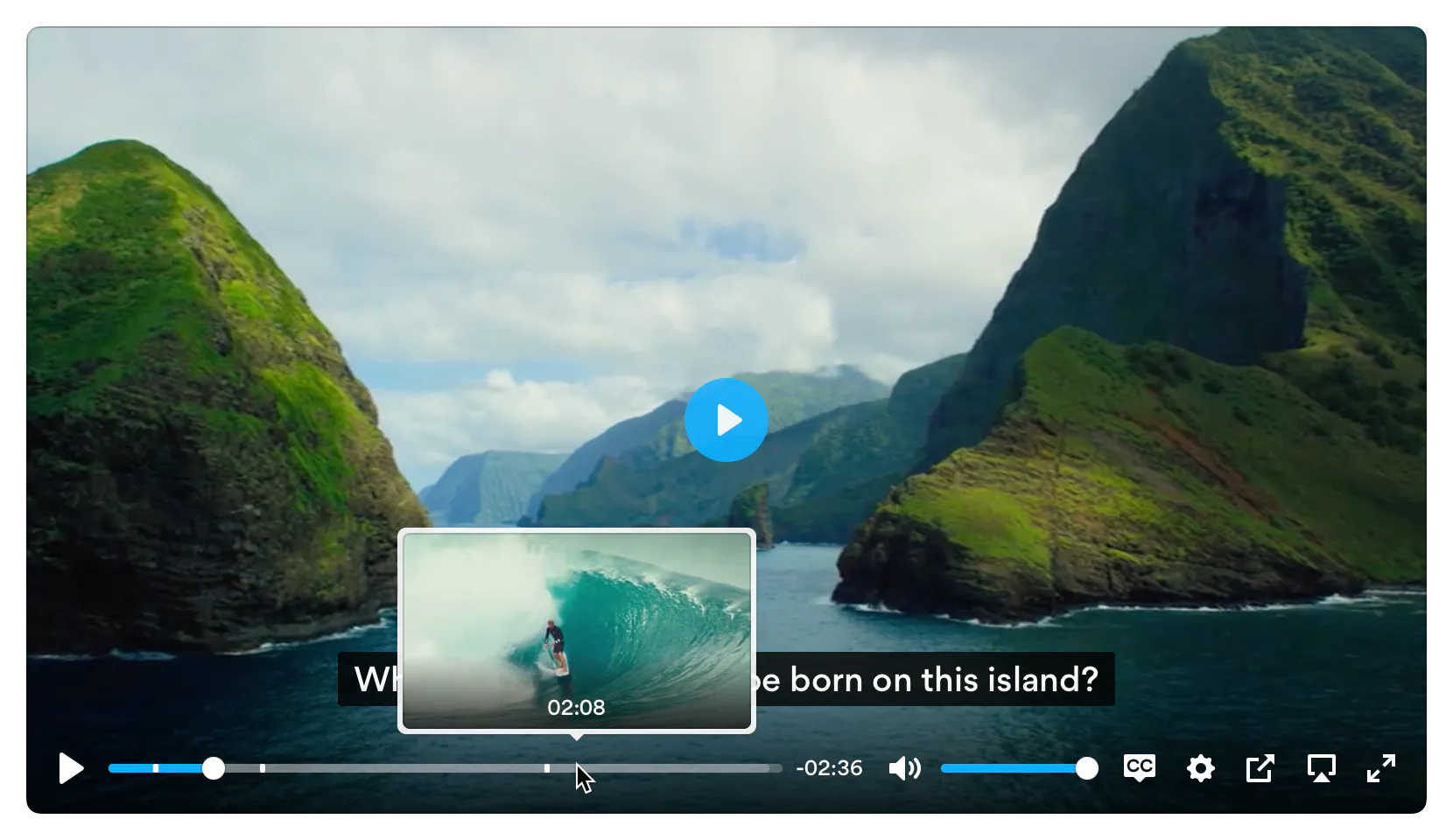](https://plyr.io)
# Features
- 📼 **HTML Video & Audio, YouTube & Vimeo** - support for the major formats
- 💪 **Accessible** - full support for VTT captions and screen readers
- 🔧 **[Customizable](#html)** - make the player look how you want with the markup you want
- 😎 **Clean HTML** - uses the _right_ elements. `<input type="range">` for volume and `<progress>` for progress and well, `<button>`s for buttons. There's no
`<span>` or `<a href="#">` button hacks
- 📱 **Responsive** - works with any screen size
- 💵 **[Monetization](#ads)** - make money from your videos
- 📹 **[Streaming](#demos)** - support for hls.js, Shaka and dash.js streaming playback
- 🎛 **[API](#api)** - toggle playback, volume, seeking, and more through a standardized API
- 🎤 **[Events](#events)** - no messing around with Vimeo and YouTube APIs, all events are standardized across formats
- 🔎 **[Fullscreen](#fullscreen)** - supports native fullscreen with fallback to "full window" modes
- ⌨️ **[Shortcuts](#shortcuts)** - supports keyboard shortcuts
- 🖥 **Picture-in-Picture** - supports picture-in-picture mode
- 📱 **Playsinline** - supports the `playsinline` attribute
- 🏎 **Speed controls** - adjust speed on the fly
- 📖 **Multiple captions** - support for multiple caption tracks
- 🌎 **i18n support** - support for internationalization of controls
- 👌 **[Preview thumbnails](#preview-thumbnails)** - support for displaying preview thumbnails
- 🤟 **No frameworks** - written in "vanilla" ES6 JavaScript, no jQuery required
- 💁♀️ **Sass** - to include in your build processes
## Demos
You can try Plyr in Codepen using our minimal templates: [HTML5 video](https://codepen.io/pen?template=bKeqpr), [HTML5 audio](https://codepen.io/pen?template=rKLywR), [YouTube](https://codepen.io/pen?template=GGqbbJ), [Vimeo](https://codepen.io/pen?template=bKeXNq). For Streaming we also have example integrations with: [Dash.js](https://codepen.io/pen?template=GRoogML), [Hls.js](https://codepen.io/pen?template=oyLKQb) and [Shaka Player](https://codepen.io/pen?template=ZRpzZO)
# Quick setup
## HTML
Plyr extends upon the standard [HTML5 media element](https://developer.mozilla.org/en-US/docs/Web/API/HTMLMediaElement) markup so that's all you need for those types.
### HTML5 Video
```html
<video id="player" playsinline controls data-poster="/path/to/poster.jpg">
<source src="/path/to/video.mp4" type="video/mp4" />
<source src="/path/to/video.webm" type="video/webm" />
<!-- Captions are optional -->
<track kind="captions" label="English captions" src="/path/to/captions.vtt" srclang="en" default />
</video>
```
**Note**: The poster image should be specified using `data-poster`. This is to prevent it [being downloaded twice](https://github.com/sampotts/plyr/issues/1531). If you're sure the image will be cached, you can still use the `poster` attribute for true progressive enhancement.
### HTML5 Audio
```html
<audio id="player" controls>
<source src="/path/to/audio.mp3" type="audio/mp3" />
<source src="/path/to/audio.ogg" type="audio/ogg" />
</audio>
```
For YouTube and Vimeo players, Plyr uses progressive enhancement to enhance the default `<iframe>` embeds. Below are some examples. The `plyr__video-embed` classname will make the embed responsive. You can add the `autoplay`, `loop`, `hl` (YouTube only) and `playsinline` (YouTube only) query parameters to the URL and they will be set as config options automatically. For YouTube, the `origin` should be updated to reflect the domain you're hosting the embed on, or you can opt to omit it.
### YouTube
We recommend [progressive enhancement](https://www.smashingmagazine.com/2009/04/progressive-enhancement-what-it-is-and-how-to-use-it/) with the embedded players. You can elect to use an `<iframe>` as the source element (which Plyr will progressively enhance) or a bog standard `<div>` with two essential data attributes - `data-plyr-provider` and `data-plyr-embed-id`.
```html
<div class="plyr__video-embed" id="player">
<iframe
src="https://www.youtube.com/embed/bTqVqk7FSmY?origin=https://plyr.io&iv_load_policy=3&modestbranding=1&playsinline=1&showinfo=0&rel=0&enablejsapi=1"
allowfullscreen
allowtransparency
allow="autoplay"
></iframe>
</div>
```
_Note_: The `plyr__video-embed` classname will make the player a responsive 16:9 (most common) iframe embed. When plyr itself kicks in, your custom `ratio` config option will be used.
Or the `<div>` non progressively enhanced method:
```html
<div id="player" data-plyr-provider="youtube" data-plyr-embed-id="bTqVqk7FSmY"></div>
```
_Note_: The `data-plyr-embed-id` can either be the video ID or URL for the media.
### Vimeo
Much the same as YouTube above.
```html
<div class="plyr__video-embed" id="player">
<iframe
src="https://player.vimeo.com/video/76979871?loop=false&byline=false&portrait=false&title=false&speed=true&transparent=0&gesture=media"
allowfullscreen
allowtransparency
allow="autoplay"
></iframe>
</div>
```
Or the `<div>` non progressively enhanced method:
```html
<div id="player" data-plyr-provider="vimeo" data-plyr-embed-id="76979871"></div>
```
## JavaScript
You can use Plyr as an ES6 module as follows:
```js
import Plyr from 'plyr';
const player = new Plyr('#player');
```
Alternatively you can include the `plyr.js` script before the closing `</body>` tag and then in your JS create a new instance of Plyr as below.
```html
<script src="path/to/plyr.js"></script>
<script>
const player = new Plyr('#player');
</script>
```
See [initialising](#initializing) for more information on advanced setups.
You can use our CDN (provided by [Cloudflare](https://www.cloudflare.com/)) for the JavaScript. There's 2 versions; one with and one without [polyfills](#polyfills). My recommendation would be to manage polyfills separately as part of your application but to make life easier you can use the polyfilled build.
```html
<script src="https://cdn.plyr.io/3.8.4/plyr.js"></script>
```
...or...
```html
<script src="https://cdn.plyr.io/3.8.4/plyr.polyfilled.js"></script>
```
## CSS
Include the `plyr.css` stylesheet into your `<head>`.
```html
<link rel="stylesheet" href="path/to/plyr.css" />
```
If you want to use our CDN (provided by [Cloudflare](https://www.cloudflare.com/)) for the default CSS, you can use the following:
```html
<link rel="stylesheet" href="https://cdn.plyr.io/3.8.4/plyr.css" />
```
## SVG Sprite
The SVG sprite is loaded automatically from our CDN (provided by [Cloudflare](https://www.cloudflare.com/)). To change this, see the [options](#options) below. For
reference, the CDN hosted SVG sprite can be found at `https://cdn.plyr.io/3.8.4/plyr.svg`.
### Self hosting
If you don't want to create a build system to include Plyr as an npm module, you can use the pre-built files. You have a few options:
- Download the files from the CDN links above, they're already minified.
- Download the files from [unpkg](https://unpkg.com/browse/plyr/dist/) or similar services.
- Build the project yourself using `npm i && npm run build`, which installs the dependencies and spits out a build to `dist`.
# Ads
Plyr has partnered up with [vi.ai](https://vi.ai/publisher-video-monetization/?aid=plyrio) to offer monetization options for your videos. Getting setup is easy:
- [Sign up for a vi.ai account](https://vi.ai/publisher-video-monetization/?aid=plyrio)
- Grab your publisher ID from the code snippet
- Enable ads in the [config options](#options) and enter your publisher ID
Any questions regarding the ads can be sent straight to vi.ai and any issues with rendering raised through GitHub issues.
If you do not wish to use Vi, you can set your own `ads.tagUrl` [option](#options).
# Advanced
## Customizing the CSS
If you want to change any design tokens used for the rendering of the player, you can do so using [CSS Custom Properties](https://developer.mozilla.org/en-US/docs/Web/CSS/Using_CSS_custom_properties).
Here's a list of the properties and what they are used for:
| Name | Description | Default / Fallback |
| ---------------------------------------------- | ------------------------------------------------------------------------------------------------------- | --------------------------------------------------------------------- |
| `--plyr-color-main` | The primary UI color. |  `#00b3ff` |
| `--plyr-video-background` | The background color of video and poster wrappers for using alpha channel videos and poster images. | `rgba(0, 0, 0, 1)` |
| `--plyr-focus-visible-color` | The color used for the focus styles when an element is `:focus-visible` (keyboard focused). | `--plyr-color-main` |
| `--plyr-badge-background` | The background color for badges in the menu. |  `#4a5464` |
| `--plyr-badge-text-color` | The text color for badges. |  `#ffffff` |
| `--plyr-badge-border-radius` | The border radius used for badges. | `2px` |
| `--plyr-captions-background` | The color for the background of captions. | `rgba(0, 0, 0, 0.8)` |
| `--plyr-captions-text-color` | The color used for the captions text. |  `#ffffff` |
| `--plyr-control-icon-size` | The size of the icons used in the controls. | `18px` |
| `--plyr-control-spacing` | The space between controls (sometimes used in a multiple - e.g. `10px / 2 = 5px`). | `10px` |
| `--plyr-control-padding` | The padding inside controls. | `--plyr-control-spacing * 0.7` (`7px`) |
| `--plyr-control-radius` | The border radius used on controls. | `3px` |
| `--plyr-control-toggle-checked-background` | The background color used for checked menu items. | `--plyr-color-main` |
| `--plyr-video-controls-background` | The background for the video controls. | `linear-gradient(rgba(0, 0, 0, 0), rgba(0, 0, 0, 0.75))` |
| `--plyr-video-control-color` | The text/icon color for video controls. |  `#ffffff` |
| `--plyr-video-control-color-hover` | The text/icon color used when video controls are `:hover`, `:focus` and `:focus-visible` (equivalent). |  `#ffffff` |
| `--plyr-video-control-background-hover` | The background color used when video controls are `:hover`, `:focus` and `:focus-visible` (equivalent). | `--plyr-color-main` |
| `--plyr-audio-controls-background` | The background for the audio controls. |  `#ffffff` |
| `--plyr-audio-control-color` | The text/icon color for audio controls. |  `#4a5464` |
| `--plyr-audio-control-color-hover` | The text/icon color used when audio controls are `:hover`, `:focus` and `:focus-visible` (equivalent). |  `#ffffff` |
| `--plyr-audio-control-background-hover` | The background color used when video controls are `:hover`, `:focus` and `:focus-visible` (equivalent). | `--plyr-color-main` |
| `--plyr-menu-background` | The background color for menus. | `rgba(255, 255, 255, 0.9)` |
| `--plyr-menu-color` | The text/icon color for menu items. |  `#4a5464` |
| `--plyr-menu-shadow` | The shadow used on menus. | `0 1px 2px rgba(0, 0, 0, 0.15)` |
| `--plyr-menu-radius` | The border radius on the menu. | `4px` |
| `--plyr-menu-arrow-size` | The size of the arrow on the bottom of the menu. | `6px` |
| `--plyr-menu-item-arrow-color` | The color of the arrows in the menu. |  `#728197` |
| `--plyr-menu-item-arrow-size` | The size of the arrows in the menu. | `4px` |
| `--plyr-menu-border-color` | The border color for the bottom of the back button in the top of the sub menu pages. |  `#dcdfe5` |
| `--plyr-menu-border-shadow-color` | The shadow below the border of the back button in the top of the sub menu pages. |  `#ffffff` |
| `--plyr-progress-loading-size` | The size of the stripes in the loading state in the scrubber. | `25px` |
| `--plyr-progress-loading-background` | The background color on the loading state in the scrubber. | `rgba(35, 40, 47, 0.6)` |
| `--plyr-video-progress-buffered-background` | The fill color for the buffer indication in the scrubber for video. | `rgba(255, 255, 255, 0.25)` |
| `--plyr-audio-progress-buffered-background` | The fill color for the buffer indication in the scrubber for audio. | `rgba(193, 200, 209, 0.6)` |
| `--plyr-range-thumb-height` | The height of the scrubber handle/thumb. | `13px` |
| `--plyr-range-thumb-background` | The background of the scrubber handle/thumb. |  `#ffffff` |
| `--plyr-range-thumb-shadow` | The shadow of the scrubber handle/thumb. | `0 1px 1px rgba(215, 26, 18, 0.15), 0 0 0 1px rgba(215, 26, 18, 0.2)` |
| `--plyr-range-thumb-active-shadow-width` | The width of the shadow when the scrubber handle/thumb is `:active` (pressed). | `3px` |
| `--plyr-range-track-height` | The height of the scrubber/progress track. | `5px` |
| `--plyr-range-fill-background` | The fill color of the scrubber/progress. | `--plyr-color-main` |
| `--plyr-video-range-track-background` | The background of the scrubber/progress. | `--plyr-video-progress-buffered-background` |
| `--plyr-video-range-thumb-active-shadow-color` | The color of the shadow when the video scrubber handle/thumb is `:active` (pressed). | `rgba(255, 255, 255, 0.5)` |
| `--plyr-audio-range-track-background` | The background of the scrubber/progress. | `--plyr-video-progress-buffered-background` |
| `--plyr-audio-range-thumb-active-shadow-color` | The color of the shadow when the audio scrubber handle/thumb is `:active` (pressed). | `rgba(215, 26, 18, 0.1)` |
| `--plyr-tooltip-background` | The background color for tooltips. | `rgba(255, 255, 255, 0.9)` |
| `--plyr-tooltip-color` | The text color for tooltips. |  `#4a5464` |
| `--plyr-tooltip-padding` | The padding for tooltips. | `calc(var(--plyr-control-spacing) / 2))` |
| `--plyr-tooltip-arrow-size` | The size of the arrow under tooltips. | `4px` |
| `--plyr-tooltip-radius` | The border radius on tooltips. | `3px` |
| `--plyr-tooltip-shadow` | The shadow on tooltips. | `0 1px 2px rgba(0, 0, 0, 0.15)` |
| `--plyr-font-family` | The font family used in the player. | |
| `--plyr-font-size-base` | The base font size. Mainly used for captions. | `15px` |
| `--plyr-font-size-small` | The smaller font size. Mainly used for captions. | `13px` |
| `--plyr-font-size-large` | The larger font size. Mainly used for captions. | `18px` |
| `--plyr-font-size-xlarge` | The even larger font size. Mainly used for captions. | `21px` |
| `--plyr-font-size-time` | The font size for the time. | `--plyr-font-size-small` |
| `--plyr-font-size-menu` | The font size used in the menu. | `--plyr-font-size-small` |
| `--plyr-font-size-badge` | The font size used for badges. | `9px` |
| `--plyr-font-weight-regular` | The regular font weight. | `400` |
| `--plyr-font-weight-bold` | The bold font weight. | `600` |
| `--plyr-line-height` | The line height used within the player. | `1.7` |
| `--plyr-font-smoothing` | Whether to enable font antialiasing within the player. | `false` |
You can set them in your CSS for all players:
```css
:root {
--plyr-color-main: #1ac266;
}
```
...or for a specific class name:
```css
.player {
--plyr-color-main: #1ac266;
}
```
...or in your HTML:
```html
<video class="player" style="--plyr-color-main: #1ac266;">...</video>
```
### Sass
You can use `plyr.scss` file included in `/src/sass` as part of your build and change variables to suit your design. The Sass requires you to
use [autoprefixer](https://www.npmjs.com/package/gulp-autoprefixer) (you should be already!) as all declarations use the W3C definitions.
The HTML markup uses the BEM methodology with `plyr` as the block, e.g. `.plyr__controls`. You can change the class hooks in the options to match any custom CSS
you write. Check out the JavaScript source for more on this.
## SVG
The icons used in the Plyr controls are loaded in an SVG sprite. The sprite is automatically loaded from our CDN by default. If you already have an icon build
system in place, you can include the source plyr icons (see `/src/sprite` for source icons).
### Using the `iconUrl` option
You can however specify your own `iconUrl` option and Plyr will determine if the url is absolute and requires loading by AJAX/CORS due to current browser
limitations or if it's a relative path, just use the path directly.
If you're using the `<base>` tag on your site, you may need to use something like this: [svgfixer.js](https://gist.github.com/leonderijke/c5cf7c5b2e424c0061d2)
More info on SVG sprites here: [http://css-tricks.com/svg-sprites-use-better-icon-fonts/](http://css-tricks.com/svg-sprites-use-better-icon-fonts/) and the AJAX
technique here: [http://css-tricks.com/ajaxing-svg-sprite/](http://css-tricks.com/ajaxing-svg-sprite/)
## Cross Origin (CORS)
You'll notice the `crossorigin` attribute on the example `<video>` elements. This is because the TextTrack captions are loaded from another domain. If your
TextTrack captions are also hosted on another domain, you will need to add this attribute and make sure your host has the correct headers setup. For more info
on CORS checkout the MDN docs:
[https://developer.mozilla.org/en-US/docs/Web/HTTP/Access_control_CORS](https://developer.mozilla.org/en-US/docs/Web/HTTP/Access_control_CORS)
If you need to attach credentials (such as cookies, authorization headers, or certificates) to preview thumbnail requests, use the `withCredentials` option as
illustrated below:
```js
const player = new Plyr(video, {
previewThumbnails: {
enabled: true,
src: 'https://cdn.example.com/storyboard.vtt',
withCredentials: true,
},
});
```
## Captions
WebVTT captions are supported. To add a caption track, check the HTML example above and look for the `<track>` element. Be sure to
[validate your caption files](https://quuz.org/webvtt/).
## JavaScript
### Initializing
You can specify a range of arguments for the constructor to use:
- A [CSS string selector](https://developer.mozilla.org/en-US/docs/Web/CSS/CSS_Selectors)
- A [`HTMLElement`](https://developer.mozilla.org/en/docs/Web/API/HTMLElement)
- A [jQuery](https://jquery.com) object
_Note_: If a `NodeList`, `Array`, or jQuery object are passed, the first element will be used for setup. To setup multiple players, see [multiple players](#multiple-players) below.
#### Single player
Passing a CSS string selector that's compatible with [`querySelector`](https://developer.mozilla.org/en-US/docs/Web/API/Document/querySelector):
```js
const player = new Plyr('#player');
```
Passing a [HTMLElement](https://developer.mozilla.org/en/docs/Web/API/HTMLElement):
```js
const player = new Plyr(document.getElementById('player'));
```
```js
const player = new Plyr(document.querySelector('.js-player'));
```
The HTMLElement or string selector can be the target `<video>`, `<audio>`, or `<div>` wrapper for embeds.
#### Multiple players
You have two choices here. You can either use a simple array loop to map the constructor:
```js
const players = Array.from(document.querySelectorAll('.js-player')).map((p) => new Plyr(p));
```
...or use a static method where you can pass a [CSS string selector](https://developer.mozilla.org/en-US/docs/Web/CSS/CSS_Selectors), a [NodeList](https://developer.mozilla.org/en-US/docs/Web/API/NodeList), an [Array](https://developer.mozilla.org/en-US/docs/Web/JavaScript/Reference/Global_Objects/Array) of [HTMLElement](https://developer.mozilla.org/en/docs/Web/API/HTMLElement), or a [JQuery](https://jquery.com) object:
```js
const players = Plyr.setup('.js-player');
```
Both options will also return an array of instances in the order of they were in the DOM for the string selector or the source NodeList or Array.
#### Options
The second argument for the constructor is the [options](#options) object:
```js
const player = new Plyr('#player', {
title: 'Example Title',
});
```
Options can be passed as an object to the constructor as above or as JSON in `data-plyr-config` attribute on each of your target elements:
```html
<video src="/path/to/video.mp4" id="player" controls data-plyr-config='{ "title": "Example Title" }'></video>
```
Note the single quotes encapsulating the JSON and double quotes on the object keys. Only string values need double quotes.
| Option | Type | Default | Description |
| -------------------- | -------------------------- | ------------------------------------------------------------------------------------------------------------------------------ | --------------------------------------------------------------------------------------------------------------------------------------------------------------------------------------------------------------------------------------------------------------------------------------------------------------------------------------------------------------------------------------------------------------------------------------- |
| `enabled` | Boolean | `true` | Completely disable Plyr. This would allow you to do a User Agent check or similar to programmatically enable or disable Plyr for a certain UA. Example below. |
| `debug` | Boolean | `false` | Display debugging information in the console |
| `controls` | Array, Function or Element | `['play-large', 'play', 'progress', 'current-time', 'mute', 'volume', 'captions', 'settings', 'pip', 'airplay', 'fullscreen']` | If a function is passed, it is assumed your method will return either an element or HTML string for the controls. Three arguments will be passed to your function; `id` (the unique id for the player), `seektime` (the seektime step in seconds), and `title` (the media title). See [CONTROLS.md](CONTROLS.md) for more info on how the html needs to be structured. |
| `settings` | Array | `['captions', 'quality', 'speed', 'loop']` | If the default controls are used, you can specify which settings to show in the menu |
| `i18n` | Object | See [defaults.js](/src/js/config/defaults.js) | Used for internationalization (i18n) of the text within the UI. |
| `loadSprite` | Boolean | `true` | Load the SVG sprite specified as the `iconUrl` option (if a URL). If `false`, it is assumed you are handling sprite loading yourself. |
| `iconUrl` | String | `https://cdn.plyr.io/3.8.4/plyr.svg` | Specify a URL or path to the SVG sprite. See the [SVG section](#svg) for more info. |
| `iconPrefix` | String | `plyr` | Specify the id prefix for the icons used in the default controls (e.g. "plyr-play" would be "plyr"). This is to prevent clashes if you're using your own SVG sprite but with the default controls. Most people can ignore this option. |
| `blankVideo` | String | `https://cdn.plyr.io/static/blank.mp4` | Specify a URL or path to a blank video file used to properly cancel network requests. |
| `autoplay`² | Boolean | `false` | Autoplay the media on load. If the `autoplay` attribute is present on a `<video>` or `<audio>` element, this will be automatically set to true. |
| `autopause`¹ | Boolean | `true` | Only allow one player playing at once. |
| `playsinline`³ | Boolean | `true` | Allow inline playback on iOS. Note this has no effect on iPadOS. |
| `seekTime` | Number | `10` | The time, in seconds, to seek when a user hits fast forward or rewind. |
| `volume` | Number | `1` | A number, between 0 and 1, representing the initial volume of the player. |
| `muted` | Boolean | `false` | Whether to start playback muted. If the `muted` attribute is present on a `<video>` or `<audio>` element, this will be automatically set to true. |
| `clickToPlay` | Boolean | `true` | Click (or tap) of the video container will toggle play/pause. |
| `disableContextMenu` | Boolean | `true` | Disable right click menu on video to <em>help</em> as very primitive obfuscation to prevent downloads of content. |
| `hideControls` | Boolean | `true` | Hide video controls automatically after 2s of no mouse or focus movement, on control element blur (tab out), on playback start or entering fullscreen. As soon as the mouse is moved, a control element is focused or playback is paused, the controls reappear instantly. |
| `resetOnEnd` | Boolean | false | Reset the playback to the start once playback is complete. |
| `keyboard` | Object | `{ focused: true, global: false }` | Enable [keyboard shortcuts](#shortcuts) for focused players only or globally |
| `tooltips` | Object | `{ controls: false, seek: true }` | `controls`: Display control labels as tooltips on `:hover` & `:focus` (by default, the labels are screen reader only). `seek`: Display a seek tooltip to indicate on click where the media would seek to. |
| `duration` | Number | `null` | Specify a custom duration for media. |
| `displayDuration` | Boolean | `true` | Displays the duration of the media on the "metadataloaded" event (on startup) in the current time display. This will only work if the `preload` attribute is not set to `none` (or is not set at all) and you choose not to display the duration (see `controls` option). |
| `invertTime` | Boolean | `true` | Display the current time as a countdown rather than an incremental counter. |
| `toggleInvert` | Boolean | `true` | Allow users to click to toggle the above. |
| `listeners` | Object | `null` | Allows binding of event listeners to the controls before the default handlers. See the `defaults.js` for available listeners. If your handler prevents default on the event (`event.preventDefault()`), the default handler will not fire. |
| `captions` | Object | `{ active: false, language: 'auto', update: false }` | `active`: Toggles if captions should be active by default. `language`: Sets the default language to load (if available). 'auto' uses the browser language. `update`: Listen to changes to tracks and update menu. This is needed for some streaming libraries, but can result in non-selectable language options). |
| `fullscreen` | Object | `{ enabled: true, fallback: true, iosNative: false, container: null }` | `enabled`: Toggles whether fullscreen should be enabled. `fallback`: Allow fallback to a full-window solution (`true`/`false`/`'force'`). `iosNative`: whether to use native iOS fullscreen when entering fullscreen (no custom controls). `container`: A selector for an ancestor of the player element, allows contextual content to remain visual in fullscreen mode. Non-ancestors are ignored. |
| `ratio` | String | `null` | Force an aspect ratio for all videos. The format is `'w:h'` - e.g. `'16:9'` or `'4:3'`. If this is not specified then the default for HTML5 and Vimeo is to use the native resolution of the video. As dimensions are not available from YouTube via SDK, 16:9 is forced as a sensible default. |
| `storage` | Object | `{ enabled: true, key: 'plyr' }` | `enabled`: Allow use of local storage to store user settings. `key`: The key name to use. |
| `speed` | Object | `{ selected: 1, options: [0.5, 0.75, 1, 1.25, 1.5, 1.75, 2, 4] }` | `selected`: The default speed for playback. `options`: The speed options to display in the UI. YouTube and Vimeo will ignore any options outside of the 0.5-2 range, so options outside of this range will be hidden automatically. |
| `quality` | Object | `{ default: 576, options: [4320, 2880, 2160, 1440, 1080, 720, 576, 480, 360, 240] }` | `default` is the default quality level (if it exists in your sources). `options` are the options to display. This is used to filter the available sources. |
| `loop` | Object | `{ active: false }` | `active`: Whether to loop the current video. If the `loop` attribute is present on a `<video>` or `<audio>` element, this will be automatically set to true This is an object to support future functionality. |
| `ads` | Object | `{ enabled: false, publisherId: '', tagUrl: '' }` | `enabled`: Whether to enable advertisements. `publisherId`: Your unique [vi.ai](https://vi.ai/publisher-video-monetization/?aid=plyrio) publisher ID. `tagUrl` is a URL for a custom VAST tag if you're not using Vi. |
| `urls` | Object | See source. | If you wish to override any API URLs then you can do so here. You can also set a custom download URL for the download button. |
| `vimeo` | Object | `{ byline: false, portrait: false, title: false, speed: true, transparent: false }` | See [Vimeo embed options](https://github.com/vimeo/player.js/#embed-options). Some are set automatically based on other config options, namely: `loop`, `autoplay`, `muted`, `gesture`, `playsinline` |
| `youtube` | Object | `{ noCookie: false, rel: 0, showinfo: 0, iv_load_policy: 3, modestbranding: 1 }` | See [YouTube embed options](https://developers.google.com/youtube/player_parameters#Parameters). The only custom option is `noCookie` to use an alternative to YouTube that doesn't use cookies (useful for GDPR, etc). Some are set automatically based on other config options, namely: `autoplay`, `hl`, `controls`, `disablekb`, `playsinline`, `cc_load_policy`, `cc_lang_pref`, `widget_referrer` |
| `previewThumbnails` | Object | `{ enabled: false, src: '', withCredentials: false }` | `enabled`: Whether to enable the preview thumbnails (they must be generated by you). `src`: Must be either a string or an array of strings representing URLs for the VTT files containing the image URL(s). Learn more about [preview thumbnails](#preview-thumbnails) below. `withCredentials`: Whether to attach credentials (such as cookies and authorization headers) to the requests. |
| `mediaMetadata` | Object | `{ title: '', artist: '', album: '', artwork: [] }` | The [MediaMetadata](https://developer.mozilla.org/en-US/docs/Web/API/MediaMetadata) interface of the Media Session API allows a web page to provide rich media metadata for display in a platform UI. |
| `markers` | Object | `{ enabled: false, points: [] }` | `enabled`: Whether to enable markers. `points` is an array of `{ time: number; label: string; }` objects where `time` represents the marker position in seconds and `label` is the HTML string to be displayed. |
1. Vimeo only
2. Autoplay is generally not recommended as it is seen as a negative user experience. It is also disabled in many browsers. Before raising issues, do your homework. More info can be found here:
- <https://webkit.org/blog/6784/new-video-policies-for-ios/>
- <https://developers.google.com/web/updates/2017/09/autoplay-policy-changes>
- <https://hacks.mozilla.org/2019/02/firefox-66-to-block-automatically-playing-audible-video-and-audio/>
3. YouTube does not support programatically toggling the native fullscreen player via it's API. This means on iOS you have two options, neither being perfect:
- Use the fallback/faux fullscreen option which covers the whole viewport (this is the default)
- Set `playsinline` to `false` and/or `fullscreen.iosNative` to `true` - either option hides the fullscreen toggle in the UI (because of the above API issue) and means iOS will play the video in it's native player.
# API
There are methods, setters and getters on a Plyr object.
## Object
The easiest way to access the Plyr object is to set the return value from your call to the constructor to a variable. For example:
```js
const player = new Plyr('#player', {
/* options */
});
```
You can also access the object through any events:
```js
element.addEventListener('ready', (event) => {
const player = event.detail.plyr;
});
```
## Methods
Example method use:
```js
player.play(); // Start playback
player.fullscreen.enter(); // Enter fullscreen
```
| Method | Parameters | Description |
| -------------------------------------------------------- | ---------------- | ---------------------------------------------------------------------------------------------------------- |
| `play()`¹ | - | Start playback. |
| `pause()` | - | Pause playback. |
| `togglePlay(toggle)`¹ | Boolean | Toggle playback, if no parameters are passed, it will toggle based on current status. |
| `stop()` | - | Stop playback and reset to start. |
| `restart()` | - | Restart playback. |
| `rewind(seekTime)` | Number | Rewind playback by the specified seek time. If no parameter is passed, the default seek time will be used. |
| `forward(seekTime)` | Number | Fast forward by the specified seek time. If no parameter is passed, the default seek time will be used. |
| `increaseVolume(step)` | Number | Increase volume by the specified step. If no parameter is passed, the default step will be used. |
| `decreaseVolume(step)` | Number | Increase volume by the specified step. If no parameter is passed, the default step will be used. |
| `toggleCaptions(toggle)` | Boolean | Toggle captions display. If no parameter is passed, it will toggle based on current status. |
| `fullscreen.enter()` | - | Enter fullscreen. If fullscreen is not supported, a fallback "full window/viewport" is used instead. |
| `fullscreen.exit()` | - | Exit fullscreen. |
| `fullscreen.toggle()` | - | Toggle fullscreen. |
| `airplay()` | - | Trigger the airplay dialog on supported devices. |
| `setPreviewThumbnails(source: PreviewThumbnailsOptions)` | - | Sets the preview thumbnails for the current source. |
| `toggleControls(toggle)` | Boolean | Toggle the controls (video only). Takes optional truthy value to force it on/off. |
| `on(event, function)` | String, Function | Add an event listener for the specified event. |
| `once(event, function)` | String, Function | Add an event listener for the specified event once. |
| `off(event, function)` | String, Function | Remove an event listener for the specified event. |
| `supports(type)` | String | Check support for a mime type. |
| `destroy()` | - | Destroy the instance and garbage collect any elements. |
1. For HTML5 players, `play()` will return a [`Promise`](https://developer.mozilla.org/en-US/docs/Web/JavaScript/Reference/Global_Objects/Promise) for most browsers - e.g. Chrome, Firefox, Opera, Safari and Edge [according to MDN](https://developer.mozilla.org/en-US/docs/Web/API/HTMLMediaElement/play) at time of writing.
## Getters and Setters
Example setters:
```js
player.volume = 0.5; // Sets volume at 50%
player.currentTime = 10; // Seeks to 10 seconds
```
Example getters:
```js
player.volume; // 0.5;
player.currentTime; // 10
player.fullscreen.active; // false;
```
| Property | Getter | Setter | Description |
| -------------------- | ------ | ------ | -------------------------------------------------------------------------------------------------------------------------------------------------------------------------------------------------------------------------------------------------------------------------------------------------------------------------------------- |
| `isHTML5` | ✓ | - | Returns a boolean indicating if the current player is HTML5. |
| `isEmbed` | ✓ | - | Returns a boolean indicating if the current player is an embedded player. |
| `playing` | ✓ | - | Returns a boolean indicating if the current player is playing. |
| `paused` | ✓ | - | Returns a boolean indicating if the current player is paused. |
| `stopped` | ✓ | - | Returns a boolean indicating if the current player is stopped. |
| `ended` | ✓ | - | Returns a boolean indicating if the current player has finished playback. |
| `buffered` | ✓ | - | Returns a float between 0 and 1 indicating how much of the media is buffered |
| `currentTime` | ✓ | ✓ | Gets or sets the currentTime for the player. The setter accepts a float in seconds. |
| `seeking` | ✓ | - | Returns a boolean indicating if the current player is seeking. |
| `duration` | ✓ | - | Returns the duration for the current media. |
| `volume` | ✓ | ✓ | Gets or sets the volume for the player. The setter accepts a float between 0 and 1. |
| `muted` | ✓ | ✓ | Gets or sets the muted state of the player. The setter accepts a boolean. |
| `hasAudio` | ✓ | - | Returns a boolean indicating if the current media has an audio track. |
| `speed` | ✓ | ✓ | Gets or sets the speed for the player. The setter accepts a value in the options specified in your config. Generally the minimum should be 0.5. |
| `quality`¹ | ✓ | ✓ | Gets or sets the quality for the player. The setter accepts a value from the options specified in your config. |
| `loop` | ✓ | ✓ | Gets or sets the current loop state of the player. The setter accepts a boolean. |
| `source` | ✓ | ✓ | Gets or sets the current source for the player. The setter accepts an object. See [source setter](#the-source-setter) below for examples. |
| `poster` | ✓ | ✓ | Gets or sets the current poster image for the player. The setter accepts a string; the URL for the updated poster image. |
| `previewThumbnails` | ✓ | ✓ | Gets or sets the current preview thumbnail source for the player. The setter accepts a string |
| `autoplay` | ✓ | ✓ | Gets or sets the autoplay state of the player. The setter accepts a boolean. |
| `currentTrack` | ✓ | ✓ | Gets or sets the caption track by index. `-1` means the track is missing or captions is not active |
| `language` | ✓ | ✓ | Gets or sets the preferred captions language for the player. The setter accepts an ISO two-letter language code. Support for the languages is dependent on the captions you include. If your captions don't have any language data, or if you have multiple tracks with the same language, you may want to use `currentTrack` instead. |
| `fullscreen.active` | ✓ | - | Returns a boolean indicating if the current player is in fullscreen mode. |
| `fullscreen.enabled` | ✓ | - | Returns a boolean indicating if the current player has fullscreen enabled. |
| `pip`¹ | ✓ | ✓ | Gets or sets the picture-in-picture state of the player. The setter accepts a boolean. This currently only supported on Safari 10+ (on MacOS Sierra+ and iOS 10+) and Chrome 70+. |
| `ratio` | ✓ | ✓ | Gets or sets the video aspect ratio. The setter accepts a string in the same format as the `ratio` option. |
| `download` | ✓ | ✓ | Gets or sets the URL for the download button. The setter accepts a string containing a valid absolute URL. |
1. HTML5 only
### The `.source` setter
This allows changing the player source and type on the fly.
Video example:
```js
player.source = {
type: 'video',
title: 'Example title',
sources: [
{
src: '/path/to/movie.mp4',
type: 'video/mp4',
size: 720,
},
{
src: '/path/to/movie.webm',
type: 'video/webm',
size: 1080,
},
],
poster: '/path/to/poster.jpg',
previewThumbnails: {
src: '/path/to/thumbnails.vtt',
},
tracks: [
{
kind: 'captions',
label: 'English',
srclang: 'en',
src: '/path/to/captions.en.vtt',
default: true,
},
{
kind: 'captions',
label: 'French',
srclang: 'fr',
src: '/path/to/captions.fr.vtt',
},
],
};
```
Audio example:
```js
player.source = {
type: 'audio',
title: 'Example title',
sources: [
{
src: '/path/to/audio.mp3',
type: 'audio/mp3',
},
{
src: '/path/to/audio.ogg',
type: 'audio/ogg',
},
],
};
```
YouTube example:
```js
player.source = {
type: 'video',
sources: [
{
src: 'bTqVqk7FSmY',
provider: 'youtube',
},
],
};
```
Vimeo example
```js
player.source = {
type: 'video',
sources: [
{
src: '76979871',
provider: 'vimeo',
},
],
};
```
_Note:_ `src` property for YouTube and Vimeo can either be the video ID or the whole URL.
| Property | Type | Description |
| ------------------------- | ------ | -------------------------------------------------------------------------------------------------------------------------------------------------------------------------------------------------------------------------------------------------------------------------------------------------------------------------------------------------------------------------------------------------------------- |
| `type` | String | Either `video` or `audio`. _Note:_ YouTube and Vimeo are currently not supported as audio sources. |
| `title` | String | _Optional._ Title of the new media. Used for the `aria-label` attribute on the play button, and outer container. YouTube and Vimeo are populated automatically. |
| `sources` | Array | This is an array of sources. For HTML5 media, the properties of this object are mapped directly to HTML attributes so more can be added to the object if required. |
| `poster`¹ | String | The URL for the poster image (HTML5 video only). |
| `tracks`¹ | String | An array of track objects. Each element in the array is mapped directly to a track element and any keys mapped directly to HTML attributes so as in the example above, it will render as `<track kind="captions" label="English" srclang="en" src="https://cdn.selz.com/plyr/1.0/example_captions_en.vtt" default>` and similar for the French version. Booleans are converted to HTML5 value-less attributes. |
| `previewThumbnails`¹ | Object | The same object like in the `previewThumbnails` constructor option. This means you can either change the thumbnails vtt via the `src` key or disable the thumbnails plugin for the next video by passing `{ enabled: false }`. |
1. HTML5 only
# Events
You can listen for events on the target element you setup Plyr on (see example under the table). Some events only apply to HTML5 audio and video. Using your
reference to the instance, you can use the `on()` API method or `addEventListener()`. Access to the API can be obtained this way through the `event.detail.plyr`
property. Here's an example:
```js
player.on('ready', (event) => {
const instance = event.detail.plyr;
});
```
## Standard Media Events
| Event Type | Description |
| ------------------ | ---------------------------------------------------------------------------------------------------------------------------------------------------------------------------------------------------------------------- |
| `progress` | Sent periodically to inform interested parties of progress downloading the media. Information about the current amount of the media that has been downloaded is available in the media element's `buffered` attribute. |
| `playing` | Sent when the media begins to play (either for the first time, after having been paused, or after ending and then restarting). |
| `play` | Sent when playback of the media starts after having been paused; that is, when playback is resumed after a prior `pause` event. |
| `pause` | Sent when playback is paused. |
| `timeupdate` | The time indicated by the element's `currentTime` attribute has changed. |
| `volumechange` | Sent when the audio volume changes (both when the volume is set and when the `muted` state is changed). |
| `seeking` | Sent when a seek operation begins. |
| `seeked` | Sent when a seek operation completes. |
| `ratechange` | Sent when the playback speed changes. |
| `ended` | Sent when playback completes. _Note:_ This does not fire if `autoplay` is true. |
| `enterfullscreen` | Sent when the player enters fullscreen mode (either the proper fullscreen or full-window fallback for older browsers). |
| `exitfullscreen` | Sent when the player exits fullscreen mode. |
| `captionsenabled` | Sent when captions are enabled. |
| `captionsdisabled` | Sent when captions are disabled. |
| `languagechange` | Sent when the caption language is changed. |
| `controlshidden` | Sent when the controls are hidden. |
| `controlsshown` | Sent when the controls are shown. |
| `ready` | Triggered when the instance is ready for API calls. |
### HTML5 only
| Event Type | Description |
| ---------------- | ---------------------------------------------------------------------------------------------------------------------------------------------------------------------------------------------------------------------------------------------------------------------------------------------------------------------------------------------- |
| `loadstart` | Sent when loading of the media begins. |
| `loadeddata` | The first frame of the media has finished loading. |
| `loadedmetadata` | The media's metadata has finished loading; all attributes now contain as much useful information as they're going to. |
| `qualitychange` | The quality of playback has changed. |
| `canplay` | Sent when enough data is available that the media can be played, at least for a couple of frames. This corresponds to the `HAVE_ENOUGH_DATA` `readyState`. |
| `canplaythrough` | Sent when the ready state changes to `CAN_PLAY_THROUGH`, indicating that the entire media can be played without interruption, assuming the download rate remains at least at the current level. _Note:_ Manually setting the `currentTime` will eventually fire a `canplaythrough` event in firefox. Other browsers might not fire this event. |
| `stalled` | Sent when the user agent is trying to fetch media data, but data is unexpectedly not forthcoming. |
| `waiting` | Sent when the requested operation (such as playback) is delayed pending the completion of another operation (such as a seek). |
| `emptied` | he media has become empty; for example, this event is sent if the media has already been loaded (or partially loaded), and the `load()` method is called to reload it. |
| `cuechange` | Sent when a `TextTrack` has changed the currently displaying cues. |
| `error` | Sent when an error occurs. The element's `error` attribute contains more information. |
### YouTube only
| Event Type | Description |
| ------------- | -------------------------------------------------------------------------------------------------------------------------------------------------------------------------------------------------------------------------------------------------------------------------------------------------------------------------- |
| `statechange` | The state of the player has changed. The code can be accessed via `event.detail.code`. Possible values are `-1`: Unstarted, `0`: Ended, `1`: Playing, `2`: Paused, `3`: Buffering, `5`: Video cued. See the [YouTube Docs](https://developers.google.com/youtube/iframe_api_reference#onStateChange) for more information. |
_Note:_ These events also bubble up the DOM. The event target will be the container element.
Some event details borrowed from [MDN](https://developer.mozilla.org/en-US/docs/Web/Guide/Events/Media_events).
# Embeds
YouTube and Vimeo are currently supported and function much like a HTML5 video. Similar events and API methods are available for all types. However if you wish
to access the API's directly. You can do so via the `embed` property of your player object - e.g. `player.embed`. You can then use the relevant methods from the
third party APIs. More info on the respective API's here:
- [YouTube iframe API Reference](https://developers.google.com/youtube/iframe_api_reference)
- [Vimeo player.js Reference](https://github.com/vimeo/player.js)
_Note_: Not all API methods may work 100%. Your mileage may vary. It's better to use the Plyr API where possible.
# Shortcuts
By default, a player will bind the following keyboard shortcuts when it has focus. If you have the `global` option to `true` and there's only one player in the
document then the shortcuts will work when any element has focus, apart from an element that requires input.
| Key | Action |
| ---------- | -------------------------------------- |
| `0` to `9` | Seek from 0 to 90% respectively |
| `space` | Toggle playback |
| `K` | Toggle playback |
| ← | Seek backward by the `seekTime` option |
| → | Seek forward by the `seekTime` option |
| ↑ | Increase volume |
| ↓ | Decrease volume |
| `M` | Toggle mute |
| `F` | Toggle fullscreen |
| `C` | Toggle captions |
| `L` | Toggle loop |
# Preview thumbnails
It's possible to display preview thumbnails as per the demo when you hover over the scrubber or while you are scrubbing in the main video area. This can be used for all video types but is easiest with HTML5 of course. You will need to generate the sprite or images yourself. This is possible using something like AWS transcoder to generate the frames and then combine them into a sprite image. Sprites are recommended for performance reasons - they will be much faster to download and easier to compress into a small file size making them load faster.
You can see the example VTT files [here](https://cdn.plyr.io/static/demo/thumbs/100p.vtt) and [here](https://cdn.plyr.io/static/demo/thumbs/240p.vtt) for how the sprites are done. The coordinates are set as the `xywh` hash on the URL in the order X Offset, Y Offset, Width, Height (e.g. `240p-00001.jpg#xywh=1708,480,427,240` is offset `1708px` from the left, `480px` from the top and is `427x240px`. If you want to include images per frame, this is also possible but will be slower, resulting in a degraded experience.
# Fullscreen
Fullscreen in Plyr is supported by all browsers that [currently support it](http://caniuse.com/#feat=fullscreen).
# Browser support
Plyr supports the last 2 versions of most _modern_ browsers.
| Browser | Supported |
| ------------- | --------------- |
| Safari | ✓ |
| Mobile Safari | ✓¹ |
| Firefox | ✓ |
| Chrome | ✓ |
| Opera | ✓ |
| Edge | ✓ |
| IE11 | ✓³ |
| IE10 | ✓<sup>2,3</sup> |
1. Mobile Safari on the iPhone forces the native player for `<video>` unless the `playsinline` attribute is present. Volume controls are also disabled as they are handled device wide.
2. Native player used (no support for `<progress>` or `<input type="range">`) but the API is supported. No native fullscreen support, fallback can be used (see [options](#options)).
3. Polyfills required. See below.
## Polyfills
Plyr uses ES6 which isn't supported in all browsers quite yet. This means some features will need to be polyfilled to be available otherwise you'll run into issues. We've elected to not burden the ~90% of users that do support these features with extra JS and instead leave polyfilling to you to work out based on your needs.
## Checking for support
You can use the static method to check for support. For example
```js
const supported = Plyr.supported('video', 'html5');
```
The arguments are:
- Media type (`'audio' | 'video'`)
- Provider (`'html5' | 'youtube' | 'vimeo'`)
## Disable support programmatically
The `enabled` option can be used to disable certain User Agents. For example, if you don't want to use Plyr for smartphones, you could use:
```js
{
enabled: !/Android|webOS|iPhone|iPad|iPod|BlackBerry/i.test(navigator.userAgent);
}
```
If a User Agent is disabled but supports `<video>` and `<audio>` natively, it will use the native player.
# Plugins & Components
Some awesome folks have made plugins for CMSs and Components for JavaScript frameworks:
| Type | Maintainer | Link |
| ----------- | --------------------------------------------------------------------------- | -------------------------------------------------------------------------------------------- |
| WordPress | Brandon Lavigne ([@drrobotnik](https://github.com/drrobotnik)) | [https://wordpress.org/plugins/plyr/](https://wordpress.org/plugins/plyr/) |
| Angular | Simon Bobrov ([@smnbbrv](https://github.com/smnbbrv)) | [https://github.com/smnbbrv/ngx-plyr](https://github.com/smnbbrv/ngx-plyr) |
| React | Chintan Prajapati ([@chintan9](https://github.com/chintan9)) | [https://github.com/chintan9/plyr-react](https://github.com/chintan9/plyr-react) |
| Vue | Gabe Dunn ([@redxtech](https://github.com/redxtech)) | [https://github.com/redxtech/vue-plyr](https://github.com/redxtech/vue-plyr) |
| Neos | Jon Uhlmann ([@jonnitto](https://github.com/jonnitto)) | [https://packagist.org/packages/jonnitto/plyr](https://packagist.org/packages/jonnitto/plyr) |
| Kirby | Dominik Pschenitschni ([@dpschen](https://github.com/dpschen)) | [https://github.com/dpschen/kirby-plyrtag](https://github.com/dpschen/kirby-plyrtag) |
| REDAXO | FriendsOfRedaxo / skerbis ([@skerbis](https://friendsofredaxo.github.io)) | [https://github.com/FriendsOfREDAXO/plyr](https://github.com/FriendsOfREDAXO/plyr) |
| svelte-plyr | Ben Woodward / benwoodward ([@benwoodward](https://github.com/benwoodward)) | [https://github.com/benwoodward/svelte-plyr](https://github.com/benwoodward/svelte-plyr) |
# Issues
If you find anything weird with Plyr, please let us know using the GitHub issues tracker.
# Author
Plyr is developed by [@sam_potts](https://twitter.com/sam_potts) / [sampotts.me](http://sampotts.me) with help from the awesome
[contributors](https://github.com/sampotts/plyr/graphs/contributors)
# Donate
Plyr costs money to run, not only my time. I donate my time for free as I enjoy building Plyr but unfortunately have to pay for domains, hosting, and more. Any help with costs is appreciated...
- [Donate via Patreon](https://www.patreon.com/plyr)
- [Donate via PayPal](https://www.paypal.me/pottsy/20usd)
# Mentions
- [ProductHunt](https://www.producthunt.com/tech/plyr)
- [The Changelog](http://thechangelog.com/plyr-simple-html5-media-player-custom-controls-webvtt-captions/)
- [HTML5 Weekly #177](http://html5weekly.com/issues/177)
- [Responsive Design #149](http://us4.campaign-archive2.com/?u=559bc631fe5294fc66f5f7f89&id=451a61490f)
- [Web Design Weekly #174](https://web-design-weekly.com/2015/02/24/web-design-weekly-174/)
- [Front End Focus #177](https://frontendfoc.us/issues/177)
- [Hacker News](https://news.ycombinator.com/item?id=9136774)
- [Web Platform Daily](http://webplatformdaily.org/releases/2015-03-04)
- [LayerVault Designer News](https://news.layervault.com/stories/45394-plyr--a-simple-html5-media-player)
- [The Treehouse Show #131](https://teamtreehouse.com/library/episode-131-origami-react-responsive-hero-images)
- [noupe.com](http://www.noupe.com/design/html5-plyr-is-a-responsive-and-accessible-video-player-94389.html)
# Used by
- [Selz.com](https://selz.com)
- [Peugeot.fr](http://www.peugeot.fr/marque-et-technologie/technologies/peugeot-i-cockpit.html)
- [Peugeot.de](http://www.peugeot.de/modelle/modellberater/208-3-turer/fotos-videos.html)
- [TomTom.com](http://prioritydriving.tomtom.com/)
- [DIGBMX](http://digbmx.com/)
- [Grime Archive](https://grimearchive.com/)
- [Koel - Music streaming solution that works](https://koel.dev/)
- [Oscar Radio](http://oscar-radio.xyz/)
- [Sparkk TV](https://www.sparkktv.com/)
- [@halfhalftravel](https://www.halfhalftravel.com/)
- [BitChute](https://www.bitchute.com)
- [Rutheneum-Bote](https://gymnasium-rutheneum.de/content/newspaper/kreativwettbewerb.php)
- [pressakey.com | Blog-Magazin für Videospiele](https://pressakey.com)
- [STROLLÿN: Work with a View](https://strollyn.com)
- [CFDA Runway360](https://runway360.cfda.com/)
- [NKLAV | Filmmaker](https://nklav.com)
- [GDI.JS.ORG - Google Drive Index](https://gitlab.com/GoogleDriveIndex/Google-Drive-Index)
If you want to be added to the list, open a pull request. It'd be awesome to see how you're using Plyr 😎
# Useful links and credits
- [PayPal's Accessible HTML5 Video Player (which Plyr was originally ported from)](https://github.com/paypal/accessible-html5-video-player)
- [An awesome guide for Plyr in Japanese!](http://syncer.jp/how-to-use-plyr-io) by [@arayutw](https://twitter.com/arayutw)
# Thanks
- [Cloudflare](https://www.cloudflare.com/) for providing the CDN services.
- [Sentry](https://sentry.io/) for error logging service on the demo website.
## Contributors
### Code Contributors
This project exists thanks to all the people who contribute. [[Contribute](CONTRIBUTING.md)].
<a href="https://github.com/sampotts/plyr/graphs/contributors"><img src="https://opencollective.com/plyr/contributors.svg?width=890&button=false" /></a>
### Financial Contributors
Become a financial contributor and help us sustain our community. [[Contribute](https://opencollective.com/plyr/contribute)]
#### Individuals
<a href="https://opencollective.com/plyr"><img src="https://opencollective.com/plyr/individuals.svg?width=890"></a>
#### Organizations
Support this project with your organization. Your logo will show up here with a link to your website. [[Contribute](https://opencollective.com/plyr/contribute)]
<a href="https://opencollective.com/plyr/organization/0/website"><img src="https://opencollective.com/plyr/organization/0/avatar.svg"></a>
<a href="https://opencollective.com/plyr/organization/1/website"><img src="https://opencollective.com/plyr/organization/1/avatar.svg"></a><a href="https://opencollective.com/plyr/organization/2/website"><img src="https://opencollective.com/plyr/organization/2/avatar.svg"></a>
# Copyright and License
[The MIT license](LICENSE.md)
================================================
FILE: build.json
================================================
{
"js": {
"plyr.js": {
"src": "./src/js/plyr.js",
"dist": "./dist/",
"formats": ["es", "umd"],
"namespace": "Plyr"
},
"plyr.polyfilled.js": {
"src": "./src/js/plyr.polyfilled.js",
"dist": "./dist/",
"formats": ["es", "umd"],
"namespace": "Plyr",
"polyfill": true
},
"demo.js": {
"src": "./demo/src/js/demo.js",
"dist": "./demo/dist/",
"formats": ["iife"],
"namespace": "Demo",
"polyfill": true
}
},
"css": {
"plyr.css": {
"src": "./src/sass/plyr.scss",
"dist": "./dist/"
},
"demo.css": {
"src": "./demo/src/sass/bundles/demo.scss",
"dist": "./demo/dist/"
},
"error.css": {
"src": "./demo/src/sass/bundles/error.scss",
"dist": "./demo/dist/"
}
},
"sprite": {
"plyr.svg": {
"src": "./src/sprite/*.svg",
"dist": "./dist"
},
"demo.svg": {
"src": "./src/sprite/*.svg",
"dist": "./demo/dist"
}
}
}
================================================
FILE: cspell.json
================================================
{
"version": "0.2",
"ignorePaths": [
"package.json",
"dist/*",
"demo/node_modules/*"
],
"dictionaryDefinitions": [],
"dictionaries": [
"en-gb",
"softwareTerms",
"html",
"css",
"typescript"
],
"words": [
"autopause",
"autoplay",
"bote",
"cfda",
"classname",
"digbmx",
"fullscreen",
"gordita",
"loadjs",
"magazin",
"menuitemradio",
"noupe",
"otransitionend",
"playsinline",
"plyr",
"rutheneum",
"seektime",
"selz",
"sparkk",
"srclang",
"strol",
"stylelint",
"unmute",
"Unstarted",
"videospiele",
"xywh"
],
"ignoreWords": [],
"import": []
}
================================================
FILE: demo/error.html
================================================
<!doctype html>
<html lang="en" class="error">
<head>
<meta charset="utf-8" />
<title>Doh. Looks like something went wrong.</title>
<meta name="viewport" content="width=device-width, initial-scale=1" />
<!-- Icons -->
<link rel="icon" href="https://cdn.plyr.io/static/icons/favicon.ico" />
<link rel="icon" type="image/png" href="https://cdn.plyr.io/static/icons/32x32.png" sizes="32x32" />
<link rel="icon" type="image/png" href="https://cdn.plyr.io/static/icons/16x16.png" sizes="16x16" />
<link rel="apple-touch-icon" sizes="180x180" href="https://cdn.plyr.io/static/icons/180x180.png" />
<!-- Docs styles -->
<link rel="stylesheet" href="dist/error.css?v=2" />
<!-- Preload -->
<link
rel="preload"
as="font"
crossorigin
type="font/woff2"
href="https://cdn.plyr.io/static/fonts/gordita-medium.woff2"
/>
<link
rel="preload"
as="font"
crossorigin
type="font/woff2"
href="https://cdn.plyr.io/static/fonts/gordita-bold.woff2"
/>
</head>
<body>
<main>
<h1>Doh.</h1>
<p>Looks like something went wrong.</p>
<a href="javascript:history.back()" class="button">Go back</a>
</main>
</body>
</html>
================================================
FILE: demo/index.html
================================================
<!doctype html>
<html lang="en">
<head>
<meta charset="utf-8" />
<title>Plyr - A simple, customizable HTML5 Video, Audio, YouTube and Vimeo player</title>
<meta
name="description"
property="og:description"
content="A simple HTML5 media player with custom controls and WebVTT captions."
/>
<meta name="author" content="Sam Potts" />
<meta name="viewport" content="width=device-width, initial-scale=1" />
<!-- Icons -->
<link rel="icon" href="https://cdn.plyr.io/static/icons/favicon.ico" />
<link rel="icon" type="image/png" href="https://cdn.plyr.io/static/icons/32x32.png" sizes="32x32" />
<link rel="icon" type="image/png" href="https://cdn.plyr.io/static/icons/16x16.png" sizes="16x16" />
<link rel="apple-touch-icon" sizes="180x180" href="https://cdn.plyr.io/static/icons/180x180.png" />
<!-- Open Graph -->
<meta property="og:title" content="Plyr - A simple, customizable HTML5 Video, Audio, YouTube and Vimeo player" />
<meta property="og:site_name" content="Plyr" />
<meta property="og:url" content="https://plyr.io" />
<meta property="og:image" content="https://cdn.plyr.io/static/icons/1200x630.png" />
<!-- Twitter -->
<meta name="twitter:card" content="summary" />
<meta name="twitter:site" content="@sam_potts" />
<meta name="twitter:creator" content="@sam_potts" />
<meta name="twitter:card" content="summary_large_image" />
<!-- Docs styles -->
<link rel="stylesheet" href="dist/demo.css" />
<!-- Preload -->
<link
rel="preload"
as="font"
crossorigin
type="font/woff2"
href="https://cdn.plyr.io/static/fonts/gordita-medium.woff2"
/>
<link
rel="preload"
as="font"
crossorigin
type="font/woff2"
href="https://cdn.plyr.io/static/fonts/gordita-bold.woff2"
/>
</head>
<body>
<div class="grid">
<header>
<h1>Pl<span>a</span>y<span>e</span>r</h1>
<p>
A simple, accessible and customisable media player for
<button type="button" class="link" data-source="video">
<svg class="icon">
<title>HTML5</title>
<path
d="M14.738.326C14.548.118 14.28 0 14 0H2c-.28 0-.55.118-.738.326S.98.81 1.004 1.09l1 11c.03.317.208.603.48.767l5 3c.16.095.338.143.516.143s.356-.048.515-.143l5-3c.273-.164.452-.45.48-.767l1-11c.026-.28-.067-.557-.257-.764zM12 4H6v2h6v5.72l-4 1.334-4-1.333V9h2v1.28l2 .666 2-.667V8H4V2h8v2z"
></path>
</svg>
Video</button
>,
<button type="button" class="link" data-source="audio">
<svg class="icon">
<title>HTML5</title>
<path
d="M14.738.326C14.548.118 14.28 0 14 0H2c-.28 0-.55.118-.738.326S.98.81 1.004 1.09l1 11c.03.317.208.603.48.767l5 3c.16.095.338.143.516.143s.356-.048.515-.143l5-3c.273-.164.452-.45.48-.767l1-11c.026-.28-.067-.557-.257-.764zM12 4H6v2h6v5.72l-4 1.334-4-1.333V9h2v1.28l2 .666 2-.667V8H4V2h8v2z"
></path>
</svg>
Audio</button
>,
<button type="button" class="link" data-source="mux">
<svg class="icon" viewBox="0 0 16 16" fill="none" xmlns="http://www.w3.org/2000/svg">
<path
fill-rule="evenodd"
clip-rule="evenodd"
d="M16 0H0V16H16V0ZM11.4398 2.43862C11.8687 2.00974 12.5138 1.88158 13.0742 2.11366C13.6346 2.34574 14.0001 2.8927 14.0001 3.49918V12.4997C14.0001 13.3279 13.3286 13.9995 12.5004 13.9995C11.6722 13.9995 11.0007 13.3279 11.0007 12.4997V7.11959L9.06054 9.05976C8.47495 9.64536 7.52529 9.64536 6.9397 9.05976L4.99958 7.11959V12.4997C4.99958 13.3279 4.32807 13.9995 3.49985 13.9995C2.67162 13.9995 2.00012 13.3279 2.00012 12.4997V3.49918C2.00012 2.89246 2.36539 2.34574 2.92578 2.11366C3.48617 1.88158 4.13127 2.00974 4.56015 2.43862L8 5.87855L11.4398 2.43862ZM11.7564 12.4999C11.7564 12.9108 12.0895 13.2439 12.5004 13.2439C12.9113 13.2439 13.2444 12.9108 13.2444 12.4999C13.2444 12.089 12.9113 11.7559 12.5004 11.7559C12.0895 11.7559 11.7564 12.089 11.7564 12.4999Z"
fill="#00b2ff"
/>
</svg>
Mux</button
>,
<button type="button" class="link" data-source="youtube">
<svg class="icon" role="presentation">
<title>YouTube</title>
<path
d="M15.8,4.8c-0.2-1.3-0.8-2.2-2.2-2.4C11.4,2,8,2,8,2S4.6,2,2.4,2.4C1,2.6,0.3,3.5,0.2,4.8C0,6.1,0,8,0,8
s0,1.9,0.2,3.2c0.2,1.3,0.8,2.2,2.2,2.4C4.6,14,8,14,8,14s3.4,0,5.6-0.4c1.4-0.3,2-1.1,2.2-2.4C16,9.9,16,8,16,8S16,6.1,15.8,4.8z
M6,11V5l5,3L6,11z"
></path>
</svg>
YouTube
</button>
and
<button type="button" class="link" data-source="vimeo">
<svg class="icon" role="presentation">
<title>Vimeo</title>
<path
d="M16,4.3c-0.1,1.6-1.2,3.7-3.3,6.4c-2.2,2.8-4,4.2-5.5,4.2c-0.9,0-1.7-0.9-2.4-2.6C4,9.9,3.4,5,2,5
C1.9,5,1.5,5.3,0.8,5.8L0,4.8c0.8-0.7,3.5-3.4,4.7-3.5C5.9,1.2,6.7,2,7,3.8c0.3,2,0.8,6.1,1.8,6.1c0.9,0,2.5-3.4,2.6-4
c0.1-0.9-0.3-1.9-2.3-1.1c0.8-2.6,2.3-3.8,4.5-3.8C15.3,1.1,16.1,2.2,16,4.3z"
></path>
</svg>
Vimeo
</button>
</p>
<div class="call-to-action">
<a href="https://github.com/sampotts/plyr" target="_blank" class="button js-shr">
<svg class="icon" role="presentation">
<title>GitHub</title>
<path
d="M8,0.2c-4.4,0-8,3.6-8,8c0,3.5,2.3,6.5,5.5,7.6
C5.9,15.9,6,15.6,6,15.4c0-0.2,0-0.7,0-1.4C3.8,14.5,3.3,13,3.3,13c-0.4-0.9-0.9-1.2-0.9-1.2c-0.7-0.5,0.1-0.5,0.1-0.5
c0.8,0.1,1.2,0.8,1.2,0.8C4.4,13.4,5.6,13,6,12.8c0.1-0.5,0.3-0.9,0.5-1.1c-1.8-0.2-3.6-0.9-3.6-4c0-0.9,0.3-1.6,0.8-2.1
c-0.1-0.2-0.4-1,0.1-2.1c0,0,0.7-0.2,2.2,0.8c0.6-0.2,1.3-0.3,2-0.3c0.7,0,1.4,0.1,2,0.3c1.5-1,2.2-0.8,2.2-0.8
c0.4,1.1,0.2,1.9,0.1,2.1c0.5,0.6,0.8,1.3,0.8,2.1c0,3.1-1.9,3.7-3.7,3.9C9.7,12,10,12.5,10,13.2c0,1.1,0,1.9,0,2.2
c0,0.2,0.1,0.5,0.6,0.4c3.2-1.1,5.5-4.1,5.5-7.6C16,3.8,12.4,0.2,8,0.2z"
></path>
</svg>
Download on GitHub
</a>
<div class="cta-mux">Looking for video hosting? Check out <a href="https://mux.com?ref=plyr">Mux</a>.</div>
</div>
</header>
<main>
<div id="container">
<video
controls
crossorigin
playsinline
data-poster="https://cdn.plyr.io/static/demo/View_From_A_Blue_Moon_Trailer-HD.jpg"
id="player"
>
<!-- Video files -->
<source
src="https://cdn.plyr.io/static/demo/View_From_A_Blue_Moon_Trailer-576p.mp4"
type="video/mp4"
size="576"
/>
<source
src="https://cdn.plyr.io/static/demo/View_From_A_Blue_Moon_Trailer-720p.mp4"
type="video/mp4"
size="720"
/>
<source
src="https://cdn.plyr.io/static/demo/View_From_A_Blue_Moon_Trailer-1080p.mp4"
type="video/mp4"
size="1080"
/>
<!-- Caption files -->
<track
kind="captions"
label="English"
srclang="en"
src="https://cdn.plyr.io/static/demo/View_From_A_Blue_Moon_Trailer-HD.en.vtt"
default
/>
<track
kind="captions"
label="Français"
srclang="fr"
src="https://cdn.plyr.io/static/demo/View_From_A_Blue_Moon_Trailer-HD.fr.vtt"
/>
<!-- Fallback for browsers that don't support the <video> element -->
<a href="https://cdn.plyr.io/static/demo/View_From_A_Blue_Moon_Trailer-576p.mp4" download>Download</a>
</video>
<video
controls
crossorigin
playsinline
data-poster="https://cdn.plyr.io/static/demo/View_From_A_Blue_Moon_Trailer-HD.jpg"
id="player-hls"
hidden
></video>
</div>
<ul>
<li class="plyr__cite plyr__cite--video" hidden>
<small>
<svg class="icon">
<title>HTML5</title>
<path
d="M14.738.326C14.548.118 14.28 0 14 0H2c-.28 0-.55.118-.738.326S.98.81 1.004 1.09l1 11c.03.317.208.603.48.767l5 3c.16.095.338.143.516.143s.356-.048.515-.143l5-3c.273-.164.452-.45.48-.767l1-11c.026-.28-.067-.557-.257-.764zM12 4H6v2h6v5.72l-4 1.334-4-1.333V9h2v1.28l2 .666 2-.667V8H4V2h8v2z"
></path>
</svg>
<a
href="https://itunes.apple.com/au/movie/view-from-a-blue-moon/id1041586323"
target="_blank"
class="link"
>View From A Blue Moon</a
>
<span>© Brainfarm</span>
</small>
</li>
<li class="plyr__cite plyr__cite--audio" hidden>
<small>
<svg class="icon" title="HTML5">
<title>HTML5</title>
<path
d="M14.738.326C14.548.118 14.28 0 14 0H2c-.28 0-.55.118-.738.326S.98.81 1.004 1.09l1 11c.03.317.208.603.48.767l5 3c.16.095.338.143.516.143s.356-.048.515-.143l5-3c.273-.164.452-.45.48-.767l1-11c.026-.28-.067-.557-.257-.764zM12 4H6v2h6v5.72l-4 1.334-4-1.333V9h2v1.28l2 .666 2-.667V8H4V2h8v2z"
></path>
</svg>
<a href="http://www.kishibashi.com/" target="_blank" class="link"
>Kishi Bashi – “It All Began With A Burst”</a
>
<span>© Kishi Bashi</span>
</small>
</li>
<li class="plyr__cite plyr__cite--mux" hidden>
<small>
<a
href="https://itunes.apple.com/au/movie/view-from-a-blue-moon/id1041586323"
target="_blank"
class="link"
>View From A Blue Moon</a
>
<span>© Brainfarm</span>
<span>on</span>
<svg
class="icon"
role="presentation"
viewBox="0 0 1600 500"
style="fill-rule: evenodd; clip-rule: evenodd; stroke-linejoin: round; stroke-miterlimit: 2"
>
<title>Mux</title>
<path
d="M994.287,93.486c-17.121,-0 -31,-13.879 -31,-31c0,-17.121 13.879,-31 31,-31c17.121,-0 31,13.879 31,31c0,17.121 -13.879,31 -31,31m0,-93.486c-34.509,-0 -62.484,27.976 -62.484,62.486l0,187.511c0,68.943 -56.09,125.033 -125.032,125.033c-68.942,-0 -125.03,-56.09 -125.03,-125.033l0,-187.511c0,-34.51 -27.976,-62.486 -62.485,-62.486c-34.509,-0 -62.484,27.976 -62.484,62.486l0,187.511c0,137.853 112.149,250.003 249.999,250.003c137.851,-0 250.001,-112.15 250.001,-250.003l0,-187.511c0,-34.51 -27.976,-62.486 -62.485,-62.486"
style="fill-rule: nonzero"
/>
<path
d="M1537.51,468.511c-17.121,-0 -31,-13.879 -31,-31c0,-17.121 13.879,-31 31,-31c17.121,-0 31,13.879 31,31c0,17.121 -13.879,31 -31,31m-275.883,-218.509l-143.33,143.329c-24.402,24.402 -24.402,63.966 0,88.368c24.402,24.402 63.967,24.402 88.369,-0l143.33,-143.329l143.328,143.329c24.402,24.4 63.967,24.402 88.369,-0c24.403,-24.402 24.403,-63.966 0.001,-88.368l-143.33,-143.329l0.001,-0.004l143.329,-143.329c24.402,-24.402 24.402,-63.965 0,-88.367c-24.402,-24.402 -63.967,-24.402 -88.369,-0l-143.329,143.328l-143.329,-143.328c-24.402,-24.401 -63.967,-24.402 -88.369,-0c-24.402,24.402 -24.402,63.965 0,88.367l143.329,143.329l0,0.004Z"
style="fill-rule: nonzero"
/>
<path
d="M437.511,468.521c-17.121,-0 -31,-13.879 -31,-31c0,-17.121 13.879,-31 31,-31c17.121,-0 31,13.879 31,31c0,17.121 -13.879,31 -31,31m23.915,-463.762c-23.348,-9.672 -50.226,-4.327 -68.096,13.544l-143.331,143.329l-143.33,-143.329c-17.871,-17.871 -44.747,-23.216 -68.096,-13.544c-23.349,9.671 -38.574,32.455 -38.574,57.729l0,375.026c0,34.51 27.977,62.486 62.487,62.486c34.51,-0 62.486,-27.976 62.486,-62.486l0,-224.173l80.843,80.844c24.404,24.402 63.965,24.402 88.369,-0l80.843,-80.844l0,224.173c0,34.51 27.976,62.486 62.486,62.486c34.51,-0 62.486,-27.976 62.486,-62.486l0,-375.026c0,-25.274 -15.224,-48.058 -38.573,-57.729"
style="fill-rule: nonzero"
/>
</svg>
</small>
</li>
<li class="plyr__cite plyr__cite--youtube" hidden>
<small>
<a href="https://www.youtube.com/watch?v=bTqVqk7FSmY" target="_blank" class="link"
>View From A Blue Moon</a
>
on
<span class="color--youtube">
<svg class="icon" role="presentation">
<title>YouTube</title>
<path
d="M15.8,4.8c-0.2-1.3-0.8-2.2-2.2-2.4C11.4,2,8,2,8,2S4.6,2,2.4,2.4C1,2.6,0.3,3.5,0.2,4.8C0,6.1,0,8,0,8
s0,1.9,0.2,3.2c0.2,1.3,0.8,2.2,2.2,2.4C4.6,14,8,14,8,14s3.4,0,5.6-0.4c1.4-0.3,2-1.1,2.2-2.4C16,9.9,16,8,16,8S16,6.1,15.8,4.8z
M6,11V5l5,3L6,11z"
></path>
</svg>
YouTube
</span>
</small>
</li>
<li class="plyr__cite plyr__cite--vimeo" hidden>
<small>
<a href="https://vimeo.com/40648169" target="_blank" class="link">Toob “Wavaphon” Music Video</a>
on
<span class="color--vimeo">
<svg class="icon" role="presentation">
<title>Vimeo</title>
<path
d="M16,4.3c-0.1,1.6-1.2,3.7-3.3,6.4c-2.2,2.8-4,4.2-5.5,4.2c-0.9,0-1.7-0.9-2.4-2.6C4,9.9,3.4,5,2,5
C1.9,5,1.5,5.3,0.8,5.8L0,4.8c0.8-0.7,3.5-3.4,4.7-3.5C5.9,1.2,6.7,2,7,3.8c0.3,2,0.8,6.1,1.8,6.1c0.9,0,2.5-3.4,2.6-4
c0.1-0.9-0.3-1.9-2.3-1.1c0.8-2.6,2.3-3.8,4.5-3.8C15.3,1.1,16.1,2.2,16,4.3z"
></path>
</svg>
Vimeo
</span>
</small>
</li>
</ul>
</main>
</div>
<aside>
<svg class="icon">
<title>X</title>
<path
d="M16,3c-0.6,0.3-1.2,0.4-1.9,0.5c0.7-0.4,1.2-1,1.4-1.8c-0.6,0.4-1.3,0.6-2.1,0.8c-0.6-0.6-1.5-1-2.4-1
C9.3,1.5,7.8,3,7.8,4.8c0,0.3,0,0.5,0.1,0.7C5.2,5.4,2.7,4.1,1.1,2.1c-0.3,0.5-0.4,1-0.4,1.7c0,1.1,0.6,2.1,1.5,2.7
c-0.5,0-1-0.2-1.5-0.4c0,0,0,0,0,0c0,1.6,1.1,2.9,2.6,3.2C3,9.4,2.7,9.4,2.4,9.4c-0.2,0-0.4,0-0.6-0.1c0.4,1.3,1.6,2.3,3.1,2.3
c-1.1,0.9-2.5,1.4-4.1,1.4c-0.3,0-0.5,0-0.8,0c1.5,0.9,3.2,1.5,5,1.5c6,0,9.3-5,9.3-9.3c0-0.1,0-0.3,0-0.4C15,4.3,15.6,3.7,16,3z"
></path>
</svg>
<p>
If you think Plyr's good,
<a
href="https://x.com/intent/tweet?text=A+simple+HTML5+media+player+with+custom+controls+and+WebVTT+captions.&url=http%3A%2F%2Fplyr.io&via=Sam_Potts"
target="_blank"
class="link js-shr"
>post it on X</a
>
👍
</p>
</aside>
<script src="https://cdn.jsdelivr.net/npm/hls.js@1"></script>
<script src="dist/demo.js" crossorigin="anonymous"></script>
</body>
</html>
================================================
FILE: demo/media/View_From_A_Blue_Moon_Trailer-HD.en.vtt
================================================
WEBVTT FILE
1
00:00:09.500 --> 00:00:12.000
The ocean floor rises 5 miles to the shores
2
00:00:12.001 --> 00:00:16.500
of what people call, the seven mile miracle
3
00:00:25.500 --> 00:00:28.000
What would it be like to be born on this island?
4
00:00:32.500 --> 00:00:34.500
To grow up on these shores
5
00:00:37.500 --> 00:00:40.000
To witness this water, every day
6
00:00:43.500 --> 00:00:46.000
You're about to meet someone, who did
7
00:02:45.500 --> 00:02:49.000
This is a film about John John Florence
================================================
FILE: demo/media/View_From_A_Blue_Moon_Trailer-HD.fr.vtt
================================================
WEBVTT FILE
1
00:00:09.500 --> 00:00:12.000
Le fond de l'océan monte 5 miles des rives
2
00:00:12.001 --> 00:00:16.500
de ce que les gens appellent le miracle de sept mile
3
00:00:25.500 --> 00:00:28.000
Que serait-il d'être né sur cette île?
4
00:00:32.500 --> 00:00:34.500
Pour grandir sur ces rivages
5
00:00:37.500 --> 00:00:40.000
Pour assister à cette eau, tous les jours
6
00:00:43.500 --> 00:00:46.000
Vous êtes sur le point de rencontrer quelqu'un, qui ne
7
00:02:45.500 --> 00:02:49.000
Ceci est un film sur John John Florence
================================================
FILE: demo/package.json
================================================
{
"name": "plyr-demo",
"version": "1.0.0",
"description": "Demo for Plyr",
"author": "Sam Potts <sam@potts.es>",
"homepage": "https://plyr.io",
"dependencies": {
"@sentry/browser": "^10.5.0",
"core-js": "^3.45.1",
"custom-event-polyfill": "^1.0.7",
"shr-buttons": "2.0.3",
"url-polyfill": "^1.1.13"
}
}
================================================
FILE: demo/src/js/demo.js
================================================
// ==========================================================================
// Plyr.io demo
// This code is purely for the https://plyr.io website
// Please see README.md in the root or github.com/sampotts/plyr
// ==========================================================================
import * as Sentry from '@sentry/browser';
import Shr from 'shr-buttons';
import Plyr from '../../../src/js/plyr';
import sources from './sources';
import 'custom-event-polyfill';
import 'url-polyfill';
const commonConfig = {
iconUrl: 'dist/demo.svg',
debug: true,
keyboard: {
global: true,
},
tooltips: {
controls: true,
},
captions: {
active: true,
},
fullscreen: {
iosNative: true,
},
playsinline: true,
vimeo: {
// Prevent Vimeo blocking plyr.io demo site
referrerPolicy: 'no-referrer',
},
};
(() => {
const production = 'plyr.io';
const isProduction = window.location.host.includes(production);
// Sentry for demo site (https://plyr.io) only
if (isProduction) {
try {
Sentry.init({
dsn: 'https://d4ad9866ad834437a4754e23937071e4@sentry.io/305555',
whitelistUrls: [production].map(d => new RegExp(`https://(([a-z0-9])+(.))*${d}`)),
});
}
catch {}
}
document.addEventListener('DOMContentLoaded', () => {
const selector = '#player';
// Setup share buttons
Shr.setup('.js-shr', {
count: {
className: 'button__count',
},
wrapper: {
className: 'button--with-count',
},
});
// Setup type toggle
const buttons = document.querySelectorAll('[data-source]');
const types = Object.keys(sources);
const historySupport = Boolean(window.history && window.history.pushState);
let currentType = window.location.hash.substring(1);
const hasInitialType = Boolean(currentType);
// If there's no current type set, assume video
if (!hasInitialType) currentType = 'video';
// Setup the player as video by default
const player = new Plyr(selector, {
...commonConfig,
...sources[currentType],
});
// Expose for tinkering in the console
window.player = player;
function togglePlayerVisibility(player, show) {
if (player?.elements?.container) {
player.elements.container.hidden = !show;
if (player.media) {
player.media.hidden = !show;
if (!show) player.pause();
}
}
}
function showHlsPlayer() {
togglePlayerVisibility(window.player, false);
togglePlayerVisibility(window.playerHls, true);
}
function showMainPlayer() {
togglePlayerVisibility(window.player, true);
togglePlayerVisibility(window.playerHls, false);
}
function render(type) {
// Remove active classes
Array.from(buttons).forEach(button => button.classList.toggle('active', false));
// Set active on parent
document.querySelector(`[data-source="${type}"]`).classList.toggle('active', true);
// Show cite
Array.from(document.querySelectorAll('.plyr__cite')).forEach((cite) => {
cite.hidden = true;
});
document.querySelector(`.plyr__cite--${type}`).hidden = false;
if (type === 'mux') {
showHlsPlayer();
}
else {
showMainPlayer();
}
}
// Set a new source
function setSource(type, init) {
// Bail if new type isn't known, it's the current type, or current type is empty (video is default) and new type is video
if (!types.includes(type) || (!init && type === currentType) || (!currentType.length && type === 'video')) {
return;
}
const sourceConfig = sources[type];
const hlsSource = sourceConfig.hlsSource;
if (hlsSource) {
const playerHls = new Plyr('#player-hls', { ...commonConfig, ...sourceConfig });
window.playerHls = playerHls;
const video = playerHls.media;
if (Hls.isSupported()) {
const hls = new Hls();
hls.loadSource(hlsSource);
hls.attachMedia(video);
}
else if (video.canPlayType('application/vnd.apple.mpegurl')) {
// eslint-disable-next-line no-undef
video.src = videoSrc;
}
}
else {
window.playerHls?.destroy();
player.source = sourceConfig;
}
// Set the current type for next time
currentType = type;
render(type);
}
// Bind to each button
Array.from(buttons).forEach((button) => {
button.addEventListener('click', () => {
const type = button.getAttribute('data-source');
setSource(type);
if (historySupport) {
window.history.pushState({ type }, '', `#${type}`);
}
});
});
// List for backwards/forwards
window.addEventListener('popstate', (event) => {
if (event.state && Object.keys(event.state).includes('type')) {
setSource(event.state.type);
}
});
// Replace current history state
if (historySupport && types.includes(currentType)) {
window.history.replaceState({ type: currentType }, '', hasInitialType ? `#${currentType}` : '');
}
// If it's not video, load the source
if (currentType !== 'video') {
setSource(currentType, true);
}
render(currentType);
});
})();
================================================
FILE: demo/src/js/sources.js
================================================
const sources = {
mux: {
type: 'video',
title: 'View From A Blue Moon',
ratio: '16:9',
hlsSource: 'https://stream.mux.com/lyrKpPcGfqyzeI00jZAfW6MvP6GNPrkML.m3u8',
poster: 'https://image.mux.com/lyrKpPcGfqyzeI00jZAfW6MvP6GNPrkML/thumbnail.jpg',
previewThumbnails: {
enabled: true,
src: 'https://image.mux.com/lyrKpPcGfqyzeI00jZAfW6MvP6GNPrkML/storyboard.vtt',
},
},
video: {
type: 'video',
title: 'View From A Blue Moon',
ratio: '16:9',
sources: [
{
src: 'https://cdn.plyr.io/static/demo/View_From_A_Blue_Moon_Trailer-576p.mp4',
type: 'video/mp4',
size: 576,
},
{
src: 'https://cdn.plyr.io/static/demo/View_From_A_Blue_Moon_Trailer-720p.mp4',
type: 'video/mp4',
size: 720,
},
{
src: 'https://cdn.plyr.io/static/demo/View_From_A_Blue_Moon_Trailer-1080p.mp4',
type: 'video/mp4',
size: 1080,
},
{
src: 'https://cdn.plyr.io/static/demo/View_From_A_Blue_Moon_Trailer-1440p.mp4',
type: 'video/mp4',
size: 1440,
},
],
poster: 'https://cdn.plyr.io/static/demo/View_From_A_Blue_Moon_Trailer-HD.jpg',
tracks: [
{
kind: 'captions',
label: 'English',
srclang: 'en',
src: 'https://cdn.plyr.io/static/demo/View_From_A_Blue_Moon_Trailer-HD.en.vtt',
default: true,
},
{
kind: 'captions',
label: 'French',
srclang: 'fr',
src: 'https://cdn.plyr.io/static/demo/View_From_A_Blue_Moon_Trailer-HD.fr.vtt',
},
],
previewThumbnails: {
enabled: true,
src: ['https://cdn.plyr.io/static/demo/thumbs/100p.vtt', 'https://cdn.plyr.io/static/demo/thumbs/240p.vtt'],
},
mediaMetadata: {
title: 'View From A Blue Moon',
album: 'Sports',
artist: 'Brainfarm',
artwork: [
{
src: 'https://cdn.plyr.io/static/demo/View_From_A_Blue_Moon_Trailer-HD.jpg',
type: 'image/jpeg',
},
],
},
markers: {
enabled: true,
points: [
{
time: 10,
label: 'First marker',
},
{
time: 40,
label: 'Second marker',
},
{
time: 120,
label: '<strong>Third</strong> marker',
},
],
},
},
audio: {
type: 'audio',
title: 'Kishi Bashi – “It All Began With A Burst”',
sources: [
{
src: 'https://cdn.plyr.io/static/demo/Kishi_Bashi_-_It_All_Began_With_a_Burst.mp3',
type: 'audio/mp3',
},
{
src: 'https://cdn.plyr.io/static/demo/Kishi_Bashi_-_It_All_Began_With_a_Burst.ogg',
type: 'audio/ogg',
},
],
},
youtube: {
type: 'video',
ratio: '16:9',
sources: [
{
src: 'https://youtube.com/watch?v=bTqVqk7FSmY',
provider: 'youtube',
},
],
mediaMetadata: {
title: 'View From A Blue Moon',
album: 'Sports',
artist: 'Brainfarm',
artwork: [
{
src: 'https://cdn.plyr.io/static/demo/View_From_A_Blue_Moon_Trailer-HD.jpg',
type: 'image/jpeg',
},
],
},
},
vimeo: {
type: 'video',
ratio: '16:9',
sources: [
{
src: 'https://vimeo.com/40648169',
provider: 'vimeo',
},
],
},
};
export default sources;
================================================
FILE: demo/src/sass/bundles/demo.scss
================================================
@charset "UTF-8";
// ==========================================================================
// Plyr.io Demo Page
// ==========================================================================
@import '../../../../src/sass/lib/css-vars';
$css-vars-use-native: true;
// Settings
@import '../settings/breakpoints';
@import '../settings/colors';
@import '../settings/cosmetic';
@import '../settings/icons';
@import '../settings/layout';
@import '../settings/plyr';
@import '../settings/spacing';
@import '../settings/type';
// Libs
@import '../lib/fontface';
@import '../lib/animation';
@import '../lib/mixins';
@import '../lib/normalize';
@import '../lib/reset';
// Layout
@import '../layout/core';
@import '../layout/grid';
// Type
@import '../type/base';
@import '../type/headings';
// Components
@import '../components/buttons';
@import '../components/header';
@import '../components/icons';
@import '../components/links';
@import '../components/lists';
@import '../components/media';
@import '../components/navigation';
@import '../components/players';
// Plyr
@import '../../../../src/sass/plyr';
// Utils
@import '../utilities/cosmetic';
@import '../utilities/hidden';
================================================
FILE: demo/src/sass/bundles/error.scss
================================================
@charset "UTF-8";
// ==========================================================================
// Plyr.io Error Page
// ==========================================================================
// Settings
@import '../settings/colors';
@import '../settings/cosmetic';
@import '../settings/icons';
@import '../settings/layout';
@import '../settings/spacing';
@import '../settings/type';
// Libs
@import '../lib/fontface';
@import '../lib/mixins';
@import '../lib/normalize';
@import '../lib/reset';
// Layout
@import '../layout/error';
// Type
@import '../type/base';
@import '../type/headings';
// Components
@import '../components/buttons';
@import '../components/links';
================================================
FILE: demo/src/sass/components/buttons.scss
================================================
// ==========================================================================
// Buttons
// ==========================================================================
// Shared
.button,
.button__count {
align-items: center;
border: 0;
border-radius: $border-radius-medium;
display: inline-flex;
padding: ($spacing-base * 0.75);
position: relative;
text-shadow: none;
user-select: none;
vertical-align: middle;
}
// Buttons
.button {
--shadow-color: 0deg 0% 20%;
align-items: center;
background-color: $color-button-background;
background-image: linear-gradient(0deg, transparent, rgba(255, 255, 255, 0.05));
border: 1px solid darken($color-button-background, 5);
box-shadow:
0 0.8px 1px hsl(var(--shadow-color) / 0.05),
0 1.3px 1.6px -1px hsl(var(--shadow-color) / 0.06),
0 2.8px 3.4px -2px hsl(var(--shadow-color) / 0.07);
color: $color-button-text;
display: inline-flex;
font-weight: $font-weight-bold;
line-height: $line-height-base;
gap: 0.25rem;
padding-left: ($spacing-base * 1.25);
padding-right: ($spacing-base * 1.25);
text-decoration: none;
text-shadow: 0 1px 1px rgba(0, 0, 0, 0.1);
transition: all 0.2s ease;
&:hover,
&:focus {
background: $color-button-background-hover;
border-color: darken($color-button-background, 7);
// Remove the underline/border
&::after {
display: none !important;
}
}
&:focus {
outline: 0;
}
&:focus-visible {
@include focus-visible($color-button-background);
}
&:active {
box-shadow: none;
top: 1px;
}
.icon {
filter: drop-shadow(0 1px 1px rgba(0, 0, 0, 0.1));
flex-shrink: 0;
}
}
// Count bubble
.button__count {
animation: fade-in 0.2s ease;
background: $color-button-count-background;
border: 1px solid $color-gray-100;
color: $color-button-count-text;
margin-left: ($spacing-base * 0.75);
line-height: $line-height-base;
&::before {
background-color: $color-button-count-background;
border: inherit;
border-width: 0 0 1px 1px;
content: '';
display: block;
height: 8px;
position: absolute;
right: 100%;
top: 50%;
transform: translateY(-50%) translateX(50%) translateX(-1px) rotate(45deg);
width: 8px;
}
}
================================================
FILE: demo/src/sass/components/header
gitextract_r4c660if/
├── .editorconfig
├── .github/
│ ├── FUNDING.yml
│ ├── ISSUE_TEMPLATE/
│ │ ├── bug.md
│ │ ├── feature.md
│ │ └── improvement.md
│ ├── issue_template.md
│ └── pull_request_template.md
├── .gitignore
├── .gitpod.yml
├── .node-version
├── .npmignore
├── .prettierrc
├── .stickler.yml
├── .stylelintrc.json
├── .vscode/
│ ├── extensions.json
│ ├── launch.json
│ └── settings.json
├── CHANGELOG.md
├── CONTRIBUTING.md
├── CONTROLS.md
├── LICENSE.md
├── README.md
├── build.json
├── cspell.json
├── demo/
│ ├── error.html
│ ├── index.html
│ ├── media/
│ │ ├── View_From_A_Blue_Moon_Trailer-HD.en.vtt
│ │ └── View_From_A_Blue_Moon_Trailer-HD.fr.vtt
│ ├── package.json
│ └── src/
│ ├── js/
│ │ ├── demo.js
│ │ └── sources.js
│ └── sass/
│ ├── bundles/
│ │ ├── demo.scss
│ │ └── error.scss
│ ├── components/
│ │ ├── buttons.scss
│ │ ├── header.scss
│ │ ├── icons.scss
│ │ ├── links.scss
│ │ ├── lists.scss
│ │ ├── media.scss
│ │ ├── navigation.scss
│ │ └── players.scss
│ ├── layout/
│ │ ├── core.scss
│ │ ├── error.scss
│ │ └── grid.scss
│ ├── lib/
│ │ ├── animation.scss
│ │ ├── fontface.scss
│ │ ├── mixins.scss
│ │ ├── normalize.scss
│ │ └── reset.scss
│ ├── settings/
│ │ ├── breakpoints.scss
│ │ ├── colors.scss
│ │ ├── cosmetic.scss
│ │ ├── icons.scss
│ │ ├── layout.scss
│ │ ├── plyr.scss
│ │ ├── spacing.scss
│ │ └── type.scss
│ ├── type/
│ │ ├── base.scss
│ │ └── headings.scss
│ └── utilities/
│ ├── cosmetic.scss
│ ├── focus.scss
│ └── hidden.scss
├── deploy.json
├── eslint.config.mjs
├── gulpfile.js
├── package.json
├── plyr.code-workspace
├── src/
│ ├── js/
│ │ ├── captions.js
│ │ ├── config/
│ │ │ ├── defaults.js
│ │ │ ├── states.js
│ │ │ └── types.js
│ │ ├── console.js
│ │ ├── controls.js
│ │ ├── fullscreen.js
│ │ ├── html5.js
│ │ ├── listeners.js
│ │ ├── media.js
│ │ ├── plugins/
│ │ │ ├── ads.js
│ │ │ ├── preview-thumbnails.js
│ │ │ ├── vimeo.js
│ │ │ └── youtube.js
│ │ ├── plyr.d.ts
│ │ ├── plyr.js
│ │ ├── plyr.polyfilled.js
│ │ ├── source.js
│ │ ├── storage.js
│ │ ├── support.js
│ │ ├── ui.js
│ │ └── utils/
│ │ ├── animation.js
│ │ ├── arrays.js
│ │ ├── browser.js
│ │ ├── elements.js
│ │ ├── events.js
│ │ ├── fetch.js
│ │ ├── i18n.js
│ │ ├── is.js
│ │ ├── load-image.js
│ │ ├── load-script.js
│ │ ├── load-sprite.js
│ │ ├── numbers.js
│ │ ├── objects.js
│ │ ├── promise.js
│ │ ├── strings.js
│ │ ├── style.js
│ │ ├── time.js
│ │ └── urls.js
│ └── sass/
│ ├── base.scss
│ ├── components/
│ │ ├── badges.scss
│ │ ├── captions.scss
│ │ ├── control.scss
│ │ ├── controls.scss
│ │ ├── menus.scss
│ │ ├── poster.scss
│ │ ├── progress.scss
│ │ ├── sliders.scss
│ │ ├── times.scss
│ │ ├── tooltips.scss
│ │ └── volume.scss
│ ├── lib/
│ │ ├── animation.scss
│ │ ├── css-vars.scss
│ │ ├── functions.scss
│ │ └── mixins.scss
│ ├── plugins/
│ │ ├── ads.scss
│ │ └── preview-thumbnails/
│ │ ├── index.scss
│ │ └── settings.scss
│ ├── plyr.scss
│ ├── settings/
│ │ ├── badges.scss
│ │ ├── breakpoints.scss
│ │ ├── captions.scss
│ │ ├── colors.scss
│ │ ├── controls.scss
│ │ ├── cosmetics.scss
│ │ ├── helpers.scss
│ │ ├── menus.scss
│ │ ├── progress.scss
│ │ ├── sliders.scss
│ │ ├── tooltips.scss
│ │ └── type.scss
│ ├── states/
│ │ └── fullscreen.scss
│ ├── types/
│ │ ├── audio.scss
│ │ └── video.scss
│ └── utils/
│ ├── animation.scss
│ └── hidden.scss
└── tasks/
├── build.js
├── deploy.js
└── utils/
└── publish.js
SYMBOL INDEX (275 symbols across 39 files)

FILE: demo/src/js/demo.js
  function togglePlayerVisibility (line 84) | function togglePlayerVisibility(player, show) {
  function showHlsPlayer (line 93) | function showHlsPlayer() {
  function showMainPlayer (line 97) | function showMainPlayer() {
  function render (line 102) | function render(type) {
  function setSource (line 125) | function setSource(type, init) {

FILE: src/js/captions.js
  method setup (line 27) | setup() {
  method update (line 119) | update() {
  method toggle (line 173) | toggle(input, passive = true) {
  method set (line 234) | set(index, passive = true) {
  method setLanguage (line 292) | setLanguage(input, passive = true) {
  method getTracks (line 310) | getTracks(update = false) {
  method findTrack (line 321) | findTrack(languages, force = false) {
  method getCurrentTrack (line 337) | getCurrentTrack() {
  method getLabel (line 342) | getLabel(track) {
  method updateCues (line 366) | updateCues(input) {

FILE: src/js/config/types.js
  function getProviderByUrl (line 20) | function getProviderByUrl(url) {

FILE: src/js/console.js
  function noop (line 5) | function noop() {}
  class Console (line 7) | class Console {
    method constructor (line 8) | constructor(enabled = false) {
    method log (line 16) | get log() {
    method warn (line 21) | get warn() {
    method error (line 25) | get error() {

FILE: src/js/controls.js
  method getIconUrl (line 39) | getIconUrl() {
  method findElements (line 51) | findElements() {
  method createIcon (line 105) | createIcon(type, attributes) {
  method createLabel (line 140) | createLabel(key, attr = {}) {
  method createBadge (line 148) | createBadge(text) {
  method createButton (line 171) | createButton(buttonType, attr) {
  method createRange (line 311) | createRange(type, attributes) {
  method createProgress (line 347) | createProgress(type, attributes) {
  method createTime (line 382) | createTime(type, attrs) {
  method bindMenuItemShortcuts (line 404) | bindMenuItemShortcuts(menuItem, type) {
  method createMenuItem (line 467) | createMenuItem({ value, list, type, title, badge = null, checked = false...
  method formatTime (line 552) | formatTime(time = 0, inverted = false) {
  method updateTimeDisplay (line 565) | updateTimeDisplay(target = null, time = 0, inverted = false) {
  method updateVolume (line 575) | updateVolume() {
  method setRange (line 592) | setRange(target, value = 0) {
  method updateProgress (line 604) | updateProgress(event) {
  method updateRangeFill (line 656) | updateRangeFill(target) {
  method updateSeekTooltip (line 695) | updateSeekTooltip(event) {
  method timeUpdate (line 763) | timeUpdate(event) {
  method durationUpdate (line 785) | durationUpdate() {
  method toggleMenuButton (line 828) | toggleMenuButton(setting, toggle) {
  method updateSetting (line 833) | updateSetting(setting, container, input) {
  method getLabel (line 885) | getLabel(setting, value) {
  method setQualityMenu (line 912) | setQualityMenu(options) {
  method setCaptionsMenu (line 1019) | setCaptionsMenu() {
  method setSpeedMenu (line 1071) | setSpeedMenu() {
  method checkMenu (line 1112) | checkMenu() {
  method focusFirstMenuItem (line 1120) | focusFirstMenuItem(pane, focusVisible = false) {
  method toggleMenu (line 1137) | toggleMenu(input) {
  method getMenuSize (line 1190) | getMenuSize(tab) {
  method showMenuPanel (line 1213) | showMenuPanel(type = '', focusVisible = false) {
  method setDownloadUrl (line 1268) | setDownloadUrl() {
  method create (line 1281) | create(data) {
  method inject (line 1636) | inject() {
  method setMediaMetadata (line 1781) | setMediaMetadata() {
  method setMarkers (line 1798) | setMarkers() {

FILE: src/js/fullscreen.js
  class Fullscreen (line 13) | class Fullscreen {
    method constructor (line 14) | constructor(player) {
    method nativeSupported (line 63) | static get nativeSupported() {
    method useNative (line 73) | get useNative() {
    method prefix (line 78) | static get prefix() {
    method property (line 98) | static get property() {
    method supported (line 103) | get supported() {
    method active (line 121) | get active() {
    method target (line 137) | get target() {

FILE: src/js/html5.js
  method getSources (line 13) | getSources() {
  method getQualityOptions (line 33) | getQualityOptions() {
  method setup (line 46) | setup() {
  method cancelRequests (line 125) | cancelRequests() {

FILE: src/js/listeners.js
  class Listeners (line 15) | class Listeners {
    method constructor (line 16) | constructor(player) {
    method handleKey (line 28) | handleKey(event) {
    method toggleMenu (line 182) | toggleMenu(event) {

FILE: src/js/media.js
  method setup (line 12) | setup() {

FILE: src/js/plugins/ads.js
  function destroy (line 18) | function destroy(instance) {
  class Ads (line 32) | class Ads {
    method constructor (line 38) | constructor(player) {
    method enabled (line 66) | get enabled() {
    method tagUrl (line 127) | get tagUrl() {

FILE: src/js/plugins/preview-thumbnails.js
  function parseVtt (line 9) | function parseVtt(vttDataString) {
  function fitRatio (line 68) | function fitRatio(ratio, outer) {
  class PreviewThumbnails (line 83) | class PreviewThumbnails {
    method constructor (line 89) | constructor(player) {
    method enabled (line 105) | get enabled() {
    method currentImageContainer (line 567) | get currentImageContainer() {
    method usingSprites (line 571) | get usingSprites() {
    method thumbAspectRatio (line 575) | get thumbAspectRatio() {
    method thumbContainerHeight (line 583) | get thumbContainerHeight() {
    method currentImageElement (line 600) | get currentImageElement() {
    method currentImageElement (line 604) | set currentImageElement(element) {

FILE: src/js/plugins/vimeo.js
  function parseId (line 18) | function parseId(url) {
  function parseHash (line 34) | function parseHash(url) {
  function assurePlaybackState (line 49) | function assurePlaybackState(play) {
  method setup (line 60) | setup() {
  method ready (line 88) | ready() {

FILE: src/js/plugins/youtube.js
  function parseId (line 17) | function parseId(url) {
  function assurePlaybackState (line 28) | function assurePlaybackState(play) {
  function getHost (line 38) | function getHost(config) {
  method setup (line 52) | setup() {
  method getTitle (line 82) | getTitle(videoId) {
  method ready (line 107) | ready() {

FILE: src/js/plyr.d.ts
  class Plyr (line 8) | class Plyr {
  type MediaType (line 252) | type MediaType = 'audio' | 'video';
  type Provider (line 253) | type Provider = 'html5' | 'youtube' | 'vimeo';
  type StandardEventMap (line 254) | type StandardEventMap = {
  type StandardEvent (line 275) | type StandardEvent = keyof Plyr.StandardEventMap;
  type Html5EventMap (line 276) | type Html5EventMap = {
  type Html5Event (line 289) | type Html5Event = keyof Plyr.Html5EventMap;
  type YoutubeEventMap (line 290) | type YoutubeEventMap = {
  type YoutubeEvent (line 296) | type YoutubeEvent = keyof Plyr.YoutubeEventMap;
  type PlyrEventMap (line 298) | type PlyrEventMap = StandardEventMap & Html5EventMap & YoutubeEventMap;
  type FullscreenControl (line 300) | interface FullscreenControl {
  type Options (line 327) | interface Options {
  type QualityOptions (line 532) | interface QualityOptions {
  type LoopOptions (line 539) | interface LoopOptions {
  type AdOptions (line 543) | interface AdOptions {
  type SpeedOptions (line 549) | interface SpeedOptions {
  type KeyboardOptions (line 554) | interface KeyboardOptions {
  type TooltipOptions (line 559) | interface TooltipOptions {
  type FullScreenOptions (line 564) | interface FullScreenOptions {
  type CaptionOptions (line 571) | interface CaptionOptions {
  type StorageOptions (line 577) | interface StorageOptions {
  type PreviewThumbnailsOptions (line 582) | interface PreviewThumbnailsOptions {
  type MediaMetadataArtwork (line 588) | interface MediaMetadataArtwork {
  type MediaMetadataOptions (line 594) | interface MediaMetadataOptions {
  type MarkersPoints (line 601) | interface MarkersPoints {
  type MarkersOptions (line 606) | interface MarkersOptions {
  type Elements (line 611) | interface Elements {
  type SourceInfo (line 632) | interface SourceInfo {
  type Source (line 666) | interface Source {
  type TrackKind (line 679) | type TrackKind = 'subtitles' | 'captions' | 'descriptions' | 'chapters' ...
  type Track (line 680) | interface Track {
  type PlyrEvent (line 701) | interface PlyrEvent extends CustomEvent {
  type YoutubeState (line 705) | enum YoutubeState {
  type PlyrStateChangeEvent (line 714) | interface PlyrStateChangeEvent extends CustomEvent {
  type Support (line 721) | interface Support {

FILE: src/js/plyr.js
  class Plyr (line 40) | class Plyr {
    method constructor (line 41) | constructor(target, options) {
    method isHTML5 (line 333) | get isHTML5() {
    method isEmbed (line 337) | get isEmbed() {
    method isYouTube (line 341) | get isYouTube() {
    method isVimeo (line 345) | get isVimeo() {
    method isVideo (line 349) | get isVideo() {
    method isAudio (line 353) | get isAudio() {
    method playing (line 388) | get playing() {
    method paused (line 395) | get paused() {
    method stopped (line 402) | get stopped() {
    method ended (line 409) | get ended() {
    method currentTime (line 468) | set currentTime(input) {
    method currentTime (line 487) | get currentTime() {
    method buffered (line 494) | get buffered() {
    method seeking (line 515) | get seeking() {
    method duration (line 522) | get duration() {
    method volume (line 537) | set volume(value) {
    method volume (line 580) | get volume() {
    method muted (line 605) | set muted(mute) {
    method muted (line 628) | get muted() {
    method hasAudio (line 635) | get hasAudio() {
    method speed (line 657) | set speed(input) {
    method speed (line 690) | get speed() {
    method minimumSpeed (line 697) | get minimumSpeed() {
    method maximumSpeed (line 715) | get maximumSpeed() {
    method quality (line 735) | set quality(input) {
    method quality (line 776) | get quality() {
    method loop (line 785) | set loop(input) {
    method loop (line 837) | get loop() {
    method source (line 845) | set source(input) {
    method source (line 852) | get source() {
    method download (line 859) | get download() {
    method download (line 868) | set download(input) {
    method poster (line 882) | set poster(input) {
    method poster (line 894) | get poster() {
    method ratio (line 905) | get ratio() {
    method ratio (line 918) | set ratio(input) {
    method autoplay (line 938) | set autoplay(input) {
    method autoplay (line 945) | get autoplay() {
    method toggleCaptions (line 953) | toggleCaptions(input) {
    method currentTrack (line 961) | set currentTrack(input) {
    method currentTrack (line 969) | get currentTrack() {
    method language (line 979) | set language(input) {
    method language (line 986) | get language() {
    method pip (line 995) | set pip(input) {
    method pip (line 1024) | get pip() {
    method setPreviewThumbnails (line 1041) | setPreviewThumbnails(thumbnailSource) {
    method supported (line 1250) | static supported(type, provider) {
    method loadSprite (line 1259) | static loadSprite(url, id) {
    method setup (line 1268) | static setup(selector, options = {}) {

FILE: src/js/source.js
  method insertElements (line 17) | insertElements(type, attributes) {
  method change (line 32) | change(input) {

FILE: src/js/storage.js
  class Storage (line 8) | class Storage {
    method constructor (line 9) | constructor(player) {
    method supported (line 15) | static get supported() {

FILE: src/js/support.js
  method check (line 26) | check(type, provider) {
  method mime (line 52) | mime(input) {

FILE: src/js/ui.js
  method addStyleHook (line 15) | addStyleHook() {
  method toggleNativeControls (line 21) | toggleNativeControls(toggle = false) {
  method build (line 31) | build() {
  method setTitle (line 133) | setTitle() {
  method togglePoster (line 165) | togglePoster(enable) {
  method setPoster (line 171) | setPoster(poster, passive = true) {
  method checkPlaying (line 218) | checkPlaying(event) {
  method checkLoading (line 240) | checkLoading(event) {
  method toggleControls (line 260) | toggleControls(force) {
  method migrateStyles (line 277) | migrateStyles() {

FILE: src/js/utils/animation.js
  function repaint (line 23) | function repaint(element, delay) {

FILE: src/js/utils/arrays.js
  function dedupe (line 8) | function dedupe(array) {
  function closest (line 17) | function closest(array, value) {

FILE: src/js/utils/elements.js
  function wrap (line 9) | function wrap(elements, wrapper) {
  function setAttributes (line 40) | function setAttributes(element, attributes) {
  function createElement (line 51) | function createElement(type, attributes, text) {
  function insertAfter (line 70) | function insertAfter(element, target) {
  function insertElement (line 77) | function insertElement(type, parent, attributes, text) {
  function removeElement (line 84) | function removeElement(element) {
  function emptyElement (line 98) | function emptyElement(element) {
  function replaceElement (line 110) | function replaceElement(newChild, oldChild) {
  function getAttributesFromSelector (line 119) | function getAttributesFromSelector(sel, existingAttributes) {
  function toggleHidden (line 173) | function toggleHidden(element, hidden) {
  function toggleClass (line 186) | function toggleClass(element, className, force) {
  function hasClass (line 205) | function hasClass(element, className) {
  function matches (line 210) | function matches(element, selector) {
  function closest (line 228) | function closest(element, selector) {
  function getElements (line 248) | function getElements(selector) {
  function getElement (line 253) | function getElement(selector) {
  function setFocus (line 258) | function setFocus(element = null, focusVisible = false) {

FILE: src/js/utils/events.js
  method get (line 15) | get() {
  function toggleListener (line 29) | function toggleListener(element, event, callback, toggle = false, passiv...
  function on (line 63) | function on(element, events = '', callback, passive = true, capture = fa...
  function off (line 68) | function off(element, events = '', callback, passive = true, capture = f...
  function once (line 73) | function once(element, events = '', callback, passive = true, capture = ...
  function triggerEvent (line 83) | function triggerEvent(element, type = '', bubbles = false, detail = {}) {
  function unbindListeners (line 100) | function unbindListeners() {
  function ready (line 112) | function ready() {

FILE: src/js/utils/fetch.js
  function fetch (line 6) | function fetch(url, responseType = 'text', withCredentials = false) {

FILE: src/js/utils/i18n.js
  method get (line 19) | get(key = '', config = {}) {

FILE: src/js/utils/is.js
  function isElement (line 23) | function isElement(input) {
  function isEmpty (line 31) | function isEmpty(input) {
  function isUrl (line 37) | function isUrl(input) {

FILE: src/js/utils/load-image.js
  function loadImage (line 7) | function loadImage(src, minWidth = 1) {

FILE: src/js/utils/load-script.js
  function loadScript (line 7) | function loadScript(url) {

FILE: src/js/utils/load-sprite.js
  function loadSprite (line 10) | function loadSprite(url, id) {

FILE: src/js/utils/numbers.js
  function clamp (line 13) | function clamp(input = 0, min = 0, max = 255) {

FILE: src/js/utils/objects.js
  function cloneDeep (line 8) | function cloneDeep(object) {
  function getDeep (line 13) | function getDeep(object, path) {
  function extend (line 18) | function extend(target = {}, ...sources) {

FILE: src/js/utils/promise.js
  function silencePromise (line 8) | function silencePromise(value) {

FILE: src/js/utils/strings.js
  function generateId (line 8) | function generateId(prefix) {
  function format (line 13) | function format(input, ...args) {
  function getPercentage (line 20) | function getPercentage(current, max) {
  function replaceAll (line 29) | function replaceAll(input = '', find = '', replace = '') {
  function toTitleCase (line 34) | function toTitleCase(input = '') {
  function toPascalCase (line 39) | function toPascalCase(input = '') {
  function toCamelCase (line 56) | function toCamelCase(input = '') {
  function stripHTML (line 67) | function stripHTML(source) {
  function getHTML (line 76) | function getHTML(element) {

FILE: src/js/utils/style.js
  function supportsCSS (line 9) | function supportsCSS(declaration) {
  function validateAspectRatio (line 37) | function validateAspectRatio(input) {
  function reduceAspectRatio (line 48) | function reduceAspectRatio(ratio) {
  function getAspectRatio (line 61) | function getAspectRatio(input) {
  function setAspectRatio (line 86) | function setAspectRatio(input) {
  function roundAspectRatio (line 129) | function roundAspectRatio(x, y, tolerance = 0.05) {
  function getViewportSize (line 144) | function getViewportSize() {

FILE: src/js/utils/time.js
  function formatTime (line 13) | function formatTime(time = 0, displayHours = false, inverted = false) {

FILE: src/js/utils/urls.js
  function parseUrl (line 12) | function parseUrl(input, safe = true) {
  function buildUrlParams (line 30) | function buildUrlParams(input) {

FILE: tasks/build.js
  function clean (line 66) | async function clean() {
  function watch (line 192) | function watch() {
  function serve (line 201) | function serve() {

FILE: tasks/deploy.js
  function canDeploy (line 108) | function canDeploy() {
  function prepare (line 117) | function prepare(done) {
  function cdn (line 140) | function cdn(done) {
  function demo (line 165) | function demo(done) {
  function preview (line 202) | function preview() {

FILE: tasks/utils/publish.js
  function publish (line 5) | function publish(client, bucket, headers = {}) {
Condensed preview — 146 files, each showing path, character count, and a content snippet. Download the .json file or copy for the full structured content (604K chars).
[
  {
    "path": ".editorconfig",
    "chars": 170,
    "preview": "# See editorconfig.org\nroot = true\n\n[*]\ncharset = utf-8\nend_of_line = lf\nindent_size = 2\nindent_style = space\ninsert_fin"
  },
  {
    "path": ".github/FUNDING.yml",
    "chars": 100,
    "preview": "# These are supported funding model platforms\n\ngithub: sampotts\npatreon: plyr\nopen_collective: plyr\n"
  },
  {
    "path": ".github/ISSUE_TEMPLATE/bug.md",
    "chars": 2026,
    "preview": "---\nname: Bug report\nabout: Report an issue or unexpected behaviour with Plyr\n---\n\n<!--\n\nBefore creating the issue, plea"
  },
  {
    "path": ".github/ISSUE_TEMPLATE/feature.md",
    "chars": 281,
    "preview": "---\nname: New feature\nabout: Request new functionality\n---\n\n<!--\nPlease describe the behaviour that you want to add, and"
  },
  {
    "path": ".github/ISSUE_TEMPLATE/improvement.md",
    "chars": 305,
    "preview": "---\nname: Improvement\nabout: Request a change that isn't a bug or new feature\n---\n\n<!--\nPlease describe the behaviour th"
  },
  {
    "path": ".github/issue_template.md",
    "chars": 264,
    "preview": "PLEASE USE OUR SPECIFIC ISSUE TEMPLATES for bug reports, features and improvement suggestions.\n\nOur issue tracker is not"
  },
  {
    "path": ".github/pull_request_template.md",
    "chars": 75,
    "preview": "### Link to related issue (if applicable)\n\n### Summary of proposed changes\n"
  },
  {
    "path": ".gitignore",
    "chars": 100,
    "preview": "node_modules\n.DS_Store\ncredentials.json\n*.mp4\nnpm-debug.log\nyarn-error.log\n*.webm\n.idea/\ndist/\n.env\n"
  },
  {
    "path": ".gitpod.yml",
    "chars": 113,
    "preview": "tasks:\n  - before: npm install && npm i gulp -g\n    command: gulp\nports:\n  - port: 3000\n    onOpen: open-preview\n"
  },
  {
    "path": ".node-version",
    "chars": 8,
    "preview": "22.18.0\n"
  },
  {
    "path": ".npmignore",
    "chars": 135,
    "preview": "demo\n.github\n.vscode\n*.code-workspace\nbuild.json\ncredentials.json\ndeploy.json\nyarn.lock\npackage-lock.json\n*.webm\n*.mp4\n!"
  },
  {
    "path": ".prettierrc",
    "chars": 110,
    "preview": "{\n  \"useTabs\": false,\n  \"tabWidth\": 2,\n  \"singleQuote\": true,\n  \"trailingComma\": \"all\",\n  \"printWidth\": 120\n}\n"
  },
  {
    "path": ".stickler.yml",
    "chars": 59,
    "preview": "linters:\n  eslint:\nfiles:\n  ignore:\n    - 'node_modules/*'\n"
  },
  {
    "path": ".stylelintrc.json",
    "chars": 809,
    "preview": "{\n  \"plugins\": [\"stylelint-selector-bem-pattern\"],\n  \"extends\": [\"stylelint-config-sass-guidelines\"],\n  \"customSyntax\": "
  },
  {
    "path": ".vscode/extensions.json",
    "chars": 351,
    "preview": "{\n  // See http://go.microsoft.com/fwlink/?LinkId=827846\n  // for the documentation about the extensions.json format\n  \""
  },
  {
    "path": ".vscode/launch.json",
    "chars": 494,
    "preview": "{\n    // Use IntelliSense to learn about possible attributes.\n    // Hover to view descriptions of existing attributes.\n"
  },
  {
    "path": ".vscode/settings.json",
    "chars": 1374,
    "preview": "{\n  // Disable the default formatter, use eslint instead\n  \"prettier.enable\": false,\n  \"editor.formatOnSave\": false,\n\n  "
  },
  {
    "path": "CHANGELOG.md",
    "chars": 46797,
    "preview": "# Changelog\n\n### v3.8.4\n\n- Fix import path for ESM import in package.json (fixes #2882)\n- Hide default vimeo captions (f"
  },
  {
    "path": "CONTRIBUTING.md",
    "chars": 3205,
    "preview": "# Contributing\n\nWe welcome bug reports, feature requests and pull requests. If you want to help us out, please follow th"
  },
  {
    "path": "CONTROLS.md",
    "chars": 6926,
    "preview": "# Controls\n\nThis is the markup that is rendered for the Plyr controls. You can use the default controls or provide a cus"
  },
  {
    "path": "LICENSE.md",
    "chars": 1075,
    "preview": "The MIT License (MIT)\n\nCopyright (c) 2017 Sam Potts\n\nPermission is hereby granted, free of charge, to any person obtaini"
  },
  {
    "path": "README.md",
    "chars": 97818,
    "preview": "Plyr is a simple, lightweight, accessible and customizable HTML5, YouTube and Vimeo media player that supports [_modern_"
  },
  {
    "path": "build.json",
    "chars": 1012,
    "preview": "{\n  \"js\": {\n    \"plyr.js\": {\n      \"src\": \"./src/js/plyr.js\",\n      \"dist\": \"./dist/\",\n      \"formats\": [\"es\", \"umd\"],\n "
  },
  {
    "path": "cspell.json",
    "chars": 694,
    "preview": "{\n  \"version\": \"0.2\",\n  \"ignorePaths\": [\n    \"package.json\",\n    \"dist/*\",\n    \"demo/node_modules/*\"\n  ],\n  \"dictionaryD"
  },
  {
    "path": "demo/error.html",
    "chars": 1249,
    "preview": "<!doctype html>\n<html lang=\"en\" class=\"error\">\n  <head>\n    <meta charset=\"utf-8\" />\n    <title>Doh. Looks like somethin"
  },
  {
    "path": "demo/index.html",
    "chars": 15759,
    "preview": "<!doctype html>\n<html lang=\"en\">\n  <head>\n    <meta charset=\"utf-8\" />\n    <title>Plyr - A simple, customizable HTML5 Vi"
  },
  {
    "path": "demo/media/View_From_A_Blue_Moon_Trailer-HD.en.vtt",
    "chars": 517,
    "preview": "WEBVTT FILE\n\n1\n00:00:09.500 --> 00:00:12.000\nThe ocean floor rises 5 miles to the shores\n\n2\n00:00:12.001 --> 00:00:16.50"
  },
  {
    "path": "demo/media/View_From_A_Blue_Moon_Trailer-HD.fr.vtt",
    "chars": 543,
    "preview": "WEBVTT FILE\n\n1\n00:00:09.500 --> 00:00:12.000\nLe fond de l'océan monte 5 miles des rives\n\n2\n00:00:12.001 --> 00:00:16.500"
  },
  {
    "path": "demo/package.json",
    "chars": 337,
    "preview": "{\n  \"name\": \"plyr-demo\",\n  \"version\": \"1.0.0\",\n  \"description\": \"Demo for Plyr\",\n  \"author\": \"Sam Potts <sam@potts.es>\","
  },
  {
    "path": "demo/src/js/demo.js",
    "chars": 5327,
    "preview": "// ==========================================================================\n// Plyr.io demo\n// This code is purely for"
  },
  {
    "path": "demo/src/js/sources.js",
    "chars": 3423,
    "preview": "const sources = {\n  mux: {\n    type: 'video',\n    title: 'View From A Blue Moon',\n    ratio: '16:9',\n    hlsSource: 'htt"
  },
  {
    "path": "demo/src/sass/bundles/demo.scss",
    "chars": 1185,
    "preview": "@charset \"UTF-8\";\n\n// ==========================================================================\n// Plyr.io Demo Page\n//"
  },
  {
    "path": "demo/src/sass/bundles/error.scss",
    "chars": 681,
    "preview": "@charset \"UTF-8\";\n\n// ==========================================================================\n// Plyr.io Error Page\n/"
  },
  {
    "path": "demo/src/sass/components/buttons.scss",
    "chars": 2252,
    "preview": "// ==========================================================================\n// Buttons\n// ============================"
  },
  {
    "path": "demo/src/sass/components/header.scss",
    "chars": 898,
    "preview": "// ==========================================================================\n// Header\n// ============================="
  },
  {
    "path": "demo/src/sass/components/icons.scss",
    "chars": 455,
    "preview": "// ==========================================================================\n// Icons\n// =============================="
  },
  {
    "path": "demo/src/sass/components/links.scss",
    "chars": 866,
    "preview": "// ==========================================================================\n// Links\n// =============================="
  },
  {
    "path": "demo/src/sass/components/lists.scss",
    "chars": 233,
    "preview": "// ==========================================================================\n// Lists\n// =============================="
  },
  {
    "path": "demo/src/sass/components/media.scss",
    "chars": 239,
    "preview": "// ==========================================================================\n// Basic media\n// ========================"
  },
  {
    "path": "demo/src/sass/components/navigation.scss",
    "chars": 255,
    "preview": "// ==========================================================================\n// Navigation\n// ========================="
  },
  {
    "path": "demo/src/sass/components/players.scss",
    "chars": 1138,
    "preview": "// ==========================================================================\n// Examples\n// ==========================="
  },
  {
    "path": "demo/src/sass/layout/core.scss",
    "chars": 1095,
    "preview": "// ==========================================================================\n// Core\n// ==============================="
  },
  {
    "path": "demo/src/sass/layout/error.scss",
    "chars": 522,
    "preview": "// ==========================================================================\n// Errors (AWS pages)\n// ================="
  },
  {
    "path": "demo/src/sass/layout/grid.scss",
    "chars": 417,
    "preview": "// ==========================================================================\n// Super basic grid\n// ==================="
  },
  {
    "path": "demo/src/sass/lib/animation.scss",
    "chars": 407,
    "preview": "// ==========================================================================\n// Animations\n// ========================="
  },
  {
    "path": "demo/src/sass/lib/fontface.scss",
    "chars": 1601,
    "preview": "// ==========================================================================\n// Fonts\n// =============================="
  },
  {
    "path": "demo/src/sass/lib/mixins.scss",
    "chars": 974,
    "preview": "// ==========================================================================\n// Mixins\n// ============================="
  },
  {
    "path": "demo/src/sass/lib/normalize.scss",
    "chars": 7827,
    "preview": "/*! normalize.css v7.0.0 | MIT License | github.com/necolas/normalize.css */\n\n/* Document\n   ==========================="
  },
  {
    "path": "demo/src/sass/lib/reset.scss",
    "chars": 623,
    "preview": "// ==========================================================================\n// Resets\n// ============================="
  },
  {
    "path": "demo/src/sass/settings/breakpoints.scss",
    "chars": 210,
    "preview": "// ==========================================================================\n// Breakpoints\n// ========================"
  },
  {
    "path": "demo/src/sass/settings/colors.scss",
    "chars": 1239,
    "preview": "// ==========================================================================\n// Colors\n// ============================="
  },
  {
    "path": "demo/src/sass/settings/cosmetic.scss",
    "chars": 424,
    "preview": "// ==========================================================================\n// Misc cosmetic\n// ======================"
  },
  {
    "path": "demo/src/sass/settings/icons.scss",
    "chars": 184,
    "preview": "// ==========================================================================\n// Icons\n// =============================="
  },
  {
    "path": "demo/src/sass/settings/layout.scss",
    "chars": 197,
    "preview": "// ==========================================================================\n// Layout\n// ============================="
  },
  {
    "path": "demo/src/sass/settings/plyr.scss",
    "chars": 596,
    "preview": "// ==========================================================================\n// Plyr Settings\n// ======================"
  },
  {
    "path": "demo/src/sass/settings/spacing.scss",
    "chars": 188,
    "preview": "// ==========================================================================\n// Colors\n// ============================="
  },
  {
    "path": "demo/src/sass/settings/type.scss",
    "chars": 660,
    "preview": "// ==========================================================================\n// Typography\n// ========================="
  },
  {
    "path": "demo/src/sass/type/base.scss",
    "chars": 600,
    "preview": "// ==========================================================================\n// Base\n// ==============================="
  },
  {
    "path": "demo/src/sass/type/headings.scss",
    "chars": 390,
    "preview": "// ==========================================================================\n// Headings\n// ==========================="
  },
  {
    "path": "demo/src/sass/utilities/cosmetic.scss",
    "chars": 202,
    "preview": "// ==========================================================================\n// Misc cosmetic\n// ======================"
  },
  {
    "path": "demo/src/sass/utilities/focus.scss",
    "chars": 87,
    "preview": "*:focus-visible {\n  outline: 2px dotted $color-brand-primary;\n  outline-offset: 2px;\n}\n"
  },
  {
    "path": "demo/src/sass/utilities/hidden.scss",
    "chars": 442,
    "preview": "// ==========================================================================\n// Hidden\n// ============================="
  },
  {
    "path": "deploy.json",
    "chars": 198,
    "preview": "{\n  \"cdn\": {\n    \"type\": \"r2\",\n    \"bucket\": \"plyr\",\n    \"domain\": \"cdn.plyr.io\"\n  },\n  \"demo\": {\n    \"type\": \"s3\",\n    "
  },
  {
    "path": "eslint.config.mjs",
    "chars": 763,
    "preview": "import antfu from '@antfu/eslint-config';\nimport { FlatCompat } from '@eslint/eslintrc';\n\nimport globals from 'globals';"
  },
  {
    "path": "gulpfile.js",
    "chars": 292,
    "preview": "// ==========================================================================\n// Gulp build script\n// =================="
  },
  {
    "path": "package.json",
    "chars": 3438,
    "preview": "{\n  \"name\": \"plyr\",\n  \"type\": \"module\",\n  \"version\": \"3.8.4\",\n  \"description\": \"A simple, accessible and customizable HT"
  },
  {
    "path": "plyr.code-workspace",
    "chars": 54,
    "preview": "{\n  \"folders\": [\n    {\n      \"path\": \".\"\n    }\n  ],\n}\n"
  },
  {
    "path": "src/js/captions.js",
    "chars": 13592,
    "preview": "// ==========================================================================\n// Plyr Captions\n// TODO: Create as class\n"
  },
  {
    "path": "src/js/config/defaults.js",
    "chars": 11163,
    "preview": "// ==========================================================================\n// Plyr default config\n// ================"
  },
  {
    "path": "src/js/config/states.js",
    "chars": 275,
    "preview": "// ==========================================================================\n// Plyr states\n// ========================"
  },
  {
    "path": "src/js/config/types.js",
    "chars": 766,
    "preview": "// ==========================================================================\n// Plyr supported types and providers\n// ="
  },
  {
    "path": "src/js/console.js",
    "chars": 741,
    "preview": "// ==========================================================================\n// Console wrapper\n// ===================="
  },
  {
    "path": "src/js/controls.js",
    "chars": 53699,
    "preview": "// ==========================================================================\n// Plyr controls\n// TODO: This needs to be"
  },
  {
    "path": "src/js/fullscreen.js",
    "chars": 9503,
    "preview": "// ==========================================================================\n// Fullscreen wrapper\n// https://developer"
  },
  {
    "path": "src/js/html5.js",
    "chars": 4184,
    "preview": "// ==========================================================================\n// Plyr HTML5 helpers\n// ================="
  },
  {
    "path": "src/js/listeners.js",
    "chars": 24855,
    "preview": "// ==========================================================================\n// Plyr Event Listeners\n// ==============="
  },
  {
    "path": "src/js/media.js",
    "chars": 1732,
    "preview": "// ==========================================================================\n// Plyr Media\n// ========================="
  },
  {
    "path": "src/js/plugins/ads.js",
    "chars": 19422,
    "preview": "// ==========================================================================\n// Advertisement plugin using Google IMA H"
  },
  {
    "path": "src/js/plugins/preview-thumbnails.js",
    "chars": 26654,
    "preview": "import { createElement } from '../utils/elements';\nimport { once } from '../utils/events';\nimport fetch from '../utils/f"
  },
  {
    "path": "src/js/plugins/vimeo.js",
    "chars": 12822,
    "preview": "// ==========================================================================\n// Vimeo plugin\n// ======================="
  },
  {
    "path": "src/js/plugins/youtube.js",
    "chars": 15274,
    "preview": "// ==========================================================================\n// YouTube plugin\n// ====================="
  },
  {
    "path": "src/js/plyr.d.ts",
    "chars": 19774,
    "preview": "// Type definitions for plyr 3.5\n// Project: https://plyr.io\n// Definitions by: ondratra <https://github.com/ondratra>\n/"
  },
  {
    "path": "src/js/plyr.js",
    "chars": 31881,
    "preview": "// ==========================================================================\n// Plyr\n// plyr.js v3.8.4\n// https://githu"
  },
  {
    "path": "src/js/plyr.polyfilled.js",
    "chars": 375,
    "preview": "// ==========================================================================\n// Plyr Polyfilled Build\n// plyr.js v3.8.4"
  },
  {
    "path": "src/js/source.js",
    "chars": 4509,
    "preview": "// ==========================================================================\n// Plyr source update\n// ================="
  },
  {
    "path": "src/js/storage.js",
    "chars": 1748,
    "preview": "// ==========================================================================\n// Plyr storage\n// ======================="
  },
  {
    "path": "src/js/support.js",
    "chars": 2854,
    "preview": "// ==========================================================================\n// Plyr support checks\n// ================"
  },
  {
    "path": "src/js/ui.js",
    "chars": 8843,
    "preview": "// ==========================================================================\n// Plyr UI\n// ============================"
  },
  {
    "path": "src/js/utils/animation.js",
    "chars": 904,
    "preview": "// ==========================================================================\n// Animation utils\n// ===================="
  },
  {
    "path": "src/js/utils/arrays.js",
    "chars": 632,
    "preview": "// ==========================================================================\n// Array utils\n// ========================"
  },
  {
    "path": "src/js/utils/browser.js",
    "chars": 875,
    "preview": "// ==========================================================================\n// Browser sniffing\n// Unfortunately, due "
  },
  {
    "path": "src/js/utils/elements.js",
    "chars": 6907,
    "preview": "// ==========================================================================\n// Element utils\n// ======================"
  },
  {
    "path": "src/js/utils/events.js",
    "chars": 3561,
    "preview": "// ==========================================================================\n// Event utils\n// ========================"
  },
  {
    "path": "src/js/utils/fetch.js",
    "chars": 1198,
    "preview": "// ==========================================================================\n// Fetch wrapper\n// Using XHR to avoid iss"
  },
  {
    "path": "src/js/utils/i18n.js",
    "chars": 1001,
    "preview": "// ==========================================================================\n// Plyr internationalization\n// =========="
  },
  {
    "path": "src/js/utils/is.js",
    "chars": 2693,
    "preview": "// ==========================================================================\n// Type checking utils\n// ================"
  },
  {
    "path": "src/js/utils/load-image.js",
    "chars": 788,
    "preview": "// ==========================================================================\n// Load image avoiding xhr/fetch CORS issu"
  },
  {
    "path": "src/js/utils/load-script.js",
    "chars": 379,
    "preview": "// ==========================================================================\n// Load an external script\n// ============"
  },
  {
    "path": "src/js/utils/load-sprite.js",
    "chars": 1801,
    "preview": "// ==========================================================================\n// Sprite loader\n// ======================"
  },
  {
    "path": "src/js/utils/numbers.js",
    "chars": 523,
    "preview": "/**\n * Returns a number whose value is limited to the given range.\n *\n * Example: limit the output of this computation t"
  },
  {
    "path": "src/js/utils/objects.js",
    "chars": 1035,
    "preview": "// ==========================================================================\n// Object utils\n// ======================="
  },
  {
    "path": "src/js/utils/promise.js",
    "chars": 404,
    "preview": "import is from './is';\n/**\n * Silence a Promise-like object.\n * This is useful for avoiding non-harmful, but potentially"
  },
  {
    "path": "src/js/utils/strings.js",
    "chars": 2258,
    "preview": "// ==========================================================================\n// String utils\n// ======================="
  },
  {
    "path": "src/js/utils/style.js",
    "chars": 3873,
    "preview": "// ==========================================================================\n// Style utils\n// ========================"
  },
  {
    "path": "src/js/utils/time.js",
    "chars": 1118,
    "preview": "// ==========================================================================\n// Time utils\n// ========================="
  },
  {
    "path": "src/js/utils/urls.js",
    "chars": 839,
    "preview": "// ==========================================================================\n// URL utils\n// =========================="
  },
  {
    "path": "src/sass/base.scss",
    "chars": 1270,
    "preview": "// --------------------------------------------------------------\n// Base styling\n// -----------------------------------"
  },
  {
    "path": "src/sass/components/badges.scss",
    "chars": 349,
    "preview": "// --------------------------------------------------------------\n// Badges\n// -----------------------------------------"
  },
  {
    "path": "src/sass/components/captions.scss",
    "chars": 1348,
    "preview": "// --------------------------------------------------------------\n// Captions\n// ---------------------------------------"
  },
  {
    "path": "src/sass/components/control.scss",
    "chars": 1121,
    "preview": "// --------------------------------------------------------------\n// Control buttons\n// --------------------------------"
  },
  {
    "path": "src/sass/components/controls.scss",
    "chars": 1420,
    "preview": "// --------------------------------------------------------------\n// Controls\n// ---------------------------------------"
  },
  {
    "path": "src/sass/components/menus.scss",
    "chars": 4889,
    "preview": "// --------------------------------------------------------------\n// Menus\n// ------------------------------------------"
  },
  {
    "path": "src/sass/components/poster.scss",
    "chars": 705,
    "preview": "// --------------------------------------------------------------\n// Faux poster overlay\n// ----------------------------"
  },
  {
    "path": "src/sass/components/progress.scss",
    "chars": 2623,
    "preview": "// --------------------------------------------------------------\n// Playback progress\n// ------------------------------"
  },
  {
    "path": "src/sass/components/sliders.scss",
    "chars": 2043,
    "preview": "// --------------------------------------------------------------\n// Slider inputs - <input type=\"range\">\n// -----------"
  },
  {
    "path": "src/sass/components/times.scss",
    "chars": 441,
    "preview": "// --------------------------------------------------------------\n// Time\n// -------------------------------------------"
  },
  {
    "path": "src/sass/components/tooltips.scss",
    "chars": 2502,
    "preview": "/* stylelint-disable selector-max-compound-selectors */\n// -------------------------------------------------------------"
  },
  {
    "path": "src/sass/components/volume.scss",
    "chars": 441,
    "preview": "// --------------------------------------------------------------\n// Volume\n// -----------------------------------------"
  },
  {
    "path": "src/sass/lib/animation.scss",
    "chars": 476,
    "preview": "// --------------------------------------------------------------\n// Animations\n// -------------------------------------"
  },
  {
    "path": "src/sass/lib/css-vars.scss",
    "chars": 2651,
    "preview": "// Downloaded from https://github.com/malyw/css-vars (and modified)\n\n@use 'sass:list';\n@use 'sass:map';\n\n// global map t"
  },
  {
    "path": "src/sass/lib/functions.scss",
    "chars": 59,
    "preview": "@function to-percentage($input) {\n  @return $input * 1%;\n}\n"
  },
  {
    "path": "src/sass/lib/mixins.scss",
    "chars": 1901,
    "preview": "// ==========================================================================\n// Mixins\n// ============================="
  },
  {
    "path": "src/sass/plugins/ads.scss",
    "chars": 1158,
    "preview": "// ==========================================================================\n// Advertisements\n// ====================="
  },
  {
    "path": "src/sass/plugins/preview-thumbnails/index.scss",
    "chars": 2811,
    "preview": "// --------------------------------------------------------------\n// Preview Thumbnails\n// -----------------------------"
  },
  {
    "path": "src/sass/plugins/preview-thumbnails/settings.scss",
    "chars": 797,
    "preview": "// --------------------------------------------------------------\n// Preview Thumbnails\n// -----------------------------"
  },
  {
    "path": "src/sass/plyr.scss",
    "chars": 1266,
    "preview": "@charset \"UTF-8\";\n\n// ==========================================================================\n// Plyr styles\n// https"
  },
  {
    "path": "src/sass/settings/badges.scss",
    "chars": 395,
    "preview": "// ==========================================================================\n// Badges\n// ============================="
  },
  {
    "path": "src/sass/settings/breakpoints.scss",
    "chars": 384,
    "preview": "// ==========================================================================\n// Breakpoints\n// NOTE: we can't use CSS v"
  },
  {
    "path": "src/sass/settings/captions.scss",
    "chars": 586,
    "preview": "// ==========================================================================\n// Captions\n// ==========================="
  },
  {
    "path": "src/sass/settings/colors.scss",
    "chars": 855,
    "preview": "// ==========================================================================\n// Colors\n// ============================="
  },
  {
    "path": "src/sass/settings/controls.scss",
    "chars": 1503,
    "preview": "// ==========================================================================\n// Controls\n// ==========================="
  },
  {
    "path": "src/sass/settings/cosmetics.scss",
    "chars": 280,
    "preview": "// ==========================================================================\n// Cosmetic\n// ==========================="
  },
  {
    "path": "src/sass/settings/helpers.scss",
    "chars": 283,
    "preview": "// ==========================================================================\n// Enable helpers\n// ====================="
  },
  {
    "path": "src/sass/settings/menus.scss",
    "chars": 880,
    "preview": "// ==========================================================================\n// Menus\n// =============================="
  },
  {
    "path": "src/sass/settings/progress.scss",
    "chars": 824,
    "preview": "// ==========================================================================\n// Progress\n// ==========================="
  },
  {
    "path": "src/sass/settings/sliders.scss",
    "chars": 1374,
    "preview": "// ==========================================================================\n// Sliders\n// ============================"
  },
  {
    "path": "src/sass/settings/tooltips.scss",
    "chars": 690,
    "preview": "// ==========================================================================\n// Tooltips\n// ==========================="
  },
  {
    "path": "src/sass/settings/type.scss",
    "chars": 997,
    "preview": "// ==========================================================================\n// Typography\n// ========================="
  },
  {
    "path": "src/sass/states/fullscreen.scss",
    "chars": 359,
    "preview": "// --------------------------------------------------------------\n// Fullscreen\n// -------------------------------------"
  },
  {
    "path": "src/sass/types/audio.scss",
    "chars": 1436,
    "preview": "// --------------------------------------------------------------\n// Audio styles\n// -----------------------------------"
  },
  {
    "path": "src/sass/types/video.scss",
    "chars": 3760,
    "preview": "// --------------------------------------------------------------\n// Video styles\n// -----------------------------------"
  },
  {
    "path": "src/sass/utils/animation.scss",
    "chars": 208,
    "preview": "// --------------------------------------------------------------\n// Animation utils\n// --------------------------------"
  },
  {
    "path": "src/sass/utils/hidden.scss",
    "chars": 627,
    "preview": "// --------------------------------------------------------------\n// Hiding content nicely\n// --------------------------"
  },
  {
    "path": "tasks/build.js",
    "chars": 5876,
    "preview": "import { readFileSync } from 'node:fs';\nimport path, { join } from 'node:path';\nimport babel from '@rollup/plugin-babel'"
  },
  {
    "path": "tasks/deploy.js",
    "chars": 5504,
    "preview": "import { readFileSync } from 'node:fs';\nimport path, { join } from 'node:path';\nimport process from 'node:process';\nimpo"
  },
  {
    "path": "tasks/utils/publish.js",
    "chars": 1016,
    "preview": "import { PutObjectCommand } from '@aws-sdk/client-s3';\nimport mime from 'mime';\nimport through from 'through2';\n\nexport "
  }
]
About this extraction
This page contains the full source code of the sampotts/plyr GitHub repository, extracted and formatted as plain text for AI agents and large language models (LLMs). The extraction includes 146 files (563.3 KB), approximately 137.4k tokens, and a symbol index with 275 extracted functions, classes, methods, constants, and types. Use this with OpenClaw, Claude, ChatGPT, Cursor, Windsurf, or any other AI tool that accepts text input. You can copy the full output to your clipboard or download it as a .txt file.
Extracted by GitExtract — free GitHub repo to text converter for AI. Built by Nikandr Surkov.