Repository: sergivonavi/MaterialBanner
Branch: master
Commit: 28826ee19253
Files: 69
Total size: 155.6 KB
Directory structure:
gitextract_a3vb64fo/

├── .gitignore
├── LICENSE
├── README.md
├── app/
│   ├── .gitignore
│   ├── build.gradle
│   ├── proguard-rules.pro
│   └── src/
│       └── main/
│           ├── AndroidManifest.xml
│           ├── assets/
│           │   ├── fonts/
│           │   │   └── LICENSE.txt
│           │   └── pics/
│           │       └── CREDITS.txt
│           ├── java/
│           │   └── com/
│           │       └── sergivonavi/
│           │           └── materialbanner/
│           │               └── app/
│           │                   ├── AboutActivity.kt
│           │                   ├── App.kt
│           │                   ├── MainActivity.kt
│           │                   ├── activities/
│           │                   │   ├── BaseSampleActivity.kt
│           │                   │   ├── FromCodeActivity.kt
│           │                   │   ├── FromLayoutActivity.kt
│           │                   │   ├── GlobalStyleActivity.kt
│           │                   │   ├── ShowcaseActivity.kt
│           │                   │   ├── StyledBannerActivity.kt
│           │                   │   ├── WithPaddingActivity.kt
│           │                   │   └── adapter/
│           │                   │       ├── ItemViewHolder.kt
│           │                   │       ├── ItemsAdapter.kt
│           │                   │       └── SampleData.kt
│           │                   └── utils/
│           │                       └── SnackbarHelper.kt
│           └── res/
│               ├── drawable/
│               │   ├── ic_banner_circle_40dp.xml
│               │   ├── ic_launcher_background.xml
│               │   └── ic_signal_wifi_off_40dp.xml
│               ├── drawable-v24/
│               │   └── ic_launcher_foreground.xml
│               ├── layout/
│               │   ├── activity_about.xml
│               │   ├── activity_main.xml
│               │   ├── item_list.xml
│               │   ├── sample_activity_from_code.xml
│               │   ├── sample_activity_from_layout.xml
│               │   ├── sample_activity_global_style.xml
│               │   ├── sample_activity_showcase.xml
│               │   ├── sample_activity_styled_banner.xml
│               │   └── sample_activity_with_padding.xml
│               ├── menu/
│               │   ├── main.xml
│               │   └── sample.xml
│               ├── mipmap-anydpi-v26/
│               │   ├── ic_launcher.xml
│               │   └── ic_launcher_round.xml
│               ├── values/
│               │   ├── colors.xml
│               │   ├── dimens.xml
│               │   ├── strings.xml
│               │   └── styles.xml
│               └── values-sw720dp/
│                   └── dimens.xml
├── build.gradle
├── gradle/
│   └── wrapper/
│       ├── gradle-wrapper.jar
│       └── gradle-wrapper.properties
├── gradle-release.gradle.ignore
├── gradle.properties
├── gradlew
├── gradlew.bat
├── library/
│   ├── .gitignore
│   ├── build.gradle
│   ├── proguard-rules.pro
│   └── src/
│       └── main/
│           ├── AndroidManifest.xml
│           ├── java/
│           │   └── com/
│           │       └── sergivonavi/
│           │           └── materialbanner/
│           │               ├── Banner.kt
│           │               ├── BannerInterface.kt
│           │               └── widget/
│           │                   ├── ButtonsContainer.kt
│           │                   └── MessageView.kt
│           └── res/
│               ├── values/
│               │   ├── attrs.xml
│               │   ├── booleans.xml
│               │   ├── dimens.xml
│               │   ├── ids.xml
│               │   ├── library_materialbanner_strings.xml
│               │   └── styles.xml
│               └── values-sw720dp/
│                   ├── booleans.xml
│                   └── dimens.xml
└── settings.gradle
================================================
FILE CONTENTS
================================================
================================================
FILE: .gitignore
================================================
### Android ###
# Built application files
*.apk
*.ap_
*.aab
# Files for the ART/Dalvik VM
*.dex
# Java class files
*.class
# Generated files
bin/
gen/
out/
# Gradle files
.gradle
.gradle/
build/
/*/build/
# Local configuration file (sdk path, etc)
local.properties
# Log Files
*.log
# Android Studio captures folder
captures/
# Android Studio Navigation editor temp files
.navigation/
#IntelliJ files
*.iml
.idea/
/_misc
/_sign
# Keystore files
*.jks
*.keystore
# External native build folder
.externalNativeBuild
# OS-specific files
.DS_Store
================================================
FILE: LICENSE
================================================
Apache License
Version 2.0, January 2004
http://www.apache.org/licenses/
TERMS AND CONDITIONS FOR USE, REPRODUCTION, AND DISTRIBUTION
1. Definitions.
"License" shall mean the terms and conditions for use, reproduction,
and distribution as defined by Sections 1 through 9 of this document.
"Licensor" shall mean the copyright owner or entity authorized by
the copyright owner that is granting the License.
"Legal Entity" shall mean the union of the acting entity and all
other entities that control, are controlled by, or are under common
control with that entity. For the purposes of this definition,
"control" means (i) the power, direct or indirect, to cause the
direction or management of such entity, whether by contract or
otherwise, or (ii) ownership of fifty percent (50%) or more of the
outstanding shares, or (iii) beneficial ownership of such entity.
"You" (or "Your") shall mean an individual or Legal Entity
exercising permissions granted by this License.
"Source" form shall mean the preferred form for making modifications,
including but not limited to software source code, documentation
source, and configuration files.
"Object" form shall mean any form resulting from mechanical
transformation or translation of a Source form, including but
not limited to compiled object code, generated documentation,
and conversions to other media types.
"Work" shall mean the work of authorship, whether in Source or
Object form, made available under the License, as indicated by a
copyright notice that is included in or attached to the work
(an example is provided in the Appendix below).
"Derivative Works" shall mean any work, whether in Source or Object
form, that is based on (or derived from) the Work and for which the
editorial revisions, annotations, elaborations, or other modifications
represent, as a whole, an original work of authorship. For the purposes
of this License, Derivative Works shall not include works that remain
separable from, or merely link (or bind by name) to the interfaces of,
the Work and Derivative Works thereof.
"Contribution" shall mean any work of authorship, including
the original version of the Work and any modifications or additions
to that Work or Derivative Works thereof, that is intentionally
submitted to Licensor for inclusion in the Work by the copyright owner
or by an individual or Legal Entity authorized to submit on behalf of
the copyright owner. For the purposes of this definition, "submitted"
means any form of electronic, verbal, or written communication sent
to the Licensor or its representatives, including but not limited to
communication on electronic mailing lists, source code control systems,
and issue tracking systems that are managed by, or on behalf of, the
Licensor for the purpose of discussing and improving the Work, but
excluding communication that is conspicuously marked or otherwise
designated in writing by the copyright owner as "Not a Contribution."
"Contributor" shall mean Licensor and any individual or Legal Entity
on behalf of whom a Contribution has been received by Licensor and
subsequently incorporated within the Work.
2. Grant of Copyright License. Subject to the terms and conditions of
this License, each Contributor hereby grants to You a perpetual,
worldwide, non-exclusive, no-charge, royalty-free, irrevocable
copyright license to reproduce, prepare Derivative Works of,
publicly display, publicly perform, sublicense, and distribute the
Work and such Derivative Works in Source or Object form.
3. Grant of Patent License. Subject to the terms and conditions of
this License, each Contributor hereby grants to You a perpetual,
worldwide, non-exclusive, no-charge, royalty-free, irrevocable
(except as stated in this section) patent license to make, have made,
use, offer to sell, sell, import, and otherwise transfer the Work,
where such license applies only to those patent claims licensable
by such Contributor that are necessarily infringed by their
Contribution(s) alone or by combination of their Contribution(s)
with the Work to which such Contribution(s) was submitted. If You
institute patent litigation against any entity (including a
cross-claim or counterclaim in a lawsuit) alleging that the Work
or a Contribution incorporated within the Work constitutes direct
or contributory patent infringement, then any patent licenses
granted to You under this License for that Work shall terminate
as of the date such litigation is filed.
4. Redistribution. You may reproduce and distribute copies of the
Work or Derivative Works thereof in any medium, with or without
modifications, and in Source or Object form, provided that You
meet the following conditions:
(a) You must give any other recipients of the Work or
Derivative Works a copy of this License; and
(b) You must cause any modified files to carry prominent notices
stating that You changed the files; and
(c) You must retain, in the Source form of any Derivative Works
that You distribute, all copyright, patent, trademark, and
attribution notices from the Source form of the Work,
excluding those notices that do not pertain to any part of
the Derivative Works; and
(d) If the Work includes a "NOTICE" text file as part of its
distribution, then any Derivative Works that You distribute must
include a readable copy of the attribution notices contained
within such NOTICE file, excluding those notices that do not
pertain to any part of the Derivative Works, in at least one
of the following places: within a NOTICE text file distributed
as part of the Derivative Works; within the Source form or
documentation, if provided along with the Derivative Works; or,
within a display generated by the Derivative Works, if and
wherever such third-party notices normally appear. The contents
of the NOTICE file are for informational purposes only and
do not modify the License. You may add Your own attribution
notices within Derivative Works that You distribute, alongside
or as an addendum to the NOTICE text from the Work, provided
that such additional attribution notices cannot be construed
as modifying the License.
You may add Your own copyright statement to Your modifications and
may provide additional or different license terms and conditions
for use, reproduction, or distribution of Your modifications, or
for any such Derivative Works as a whole, provided Your use,
reproduction, and distribution of the Work otherwise complies with
the conditions stated in this License.
5. Submission of Contributions. Unless You explicitly state otherwise,
any Contribution intentionally submitted for inclusion in the Work
by You to the Licensor shall be under the terms and conditions of
this License, without any additional terms or conditions.
Notwithstanding the above, nothing herein shall supersede or modify
the terms of any separate license agreement you may have executed
with Licensor regarding such Contributions.
6. Trademarks. This License does not grant permission to use the trade
names, trademarks, service marks, or product names of the Licensor,
except as required for reasonable and customary use in describing the
origin of the Work and reproducing the content of the NOTICE file.
7. Disclaimer of Warranty. Unless required by applicable law or
agreed to in writing, Licensor provides the Work (and each
Contributor provides its Contributions) on an "AS IS" BASIS,
WITHOUT WARRANTIES OR CONDITIONS OF ANY KIND, either express or
implied, including, without limitation, any warranties or conditions
of TITLE, NON-INFRINGEMENT, MERCHANTABILITY, or FITNESS FOR A
PARTICULAR PURPOSE. You are solely responsible for determining the
appropriateness of using or redistributing the Work and assume any
risks associated with Your exercise of permissions under this License.
8. Limitation of Liability. In no event and under no legal theory,
whether in tort (including negligence), contract, or otherwise,
unless required by applicable law (such as deliberate and grossly
negligent acts) or agreed to in writing, shall any Contributor be
liable to You for damages, including any direct, indirect, special,
incidental, or consequential damages of any character arising as a
result of this License or out of the use or inability to use the
Work (including but not limited to damages for loss of goodwill,
work stoppage, computer failure or malfunction, or any and all
other commercial damages or losses), even if such Contributor
has been advised of the possibility of such damages.
9. Accepting Warranty or Additional Liability. While redistributing
the Work or Derivative Works thereof, You may choose to offer,
and charge a fee for, acceptance of support, warranty, indemnity,
or other liability obligations and/or rights consistent with this
License. However, in accepting such obligations, You may act only
on Your own behalf and on Your sole responsibility, not on behalf
of any other Contributor, and only if You agree to indemnify,
defend, and hold each Contributor harmless for any liability
incurred by, or claims asserted against, such Contributor by reason
of your accepting any such warranty or additional liability.
END OF TERMS AND CONDITIONS
APPENDIX: How to apply the Apache License to your work.
To apply the Apache License to your work, attach the following
boilerplate notice, with the fields enclosed by brackets "[]"
replaced with your own identifying information. (Don't include
the brackets!) The text should be enclosed in the appropriate
comment syntax for the file format. We also recommend that a
file or class name and description of purpose be included on the
same "printed page" as the copyright notice for easier
identification within third-party archives.
Copyright 2023 Sergey Ivanov
Licensed under the Apache License, Version 2.0 (the "License");
you may not use this file except in compliance with the License.
You may obtain a copy of the License at
http://www.apache.org/licenses/LICENSE-2.0
Unless required by applicable law or agreed to in writing, software
distributed under the License is distributed on an "AS IS" BASIS,
WITHOUT WARRANTIES OR CONDITIONS OF ANY KIND, either express or implied.
See the License for the specific language governing permissions and
limitations under the License.
================================================
FILE: README.md
================================================
# MaterialBanner [](https://opensource.org/licenses/Apache-2.0) [](https://android-arsenal.com/details/1/7605)
> A banner displays a prominent message and related optional actions.
MaterialBanner is a library that provides an implementation of the banner widget from the Material design.
[Banners - Material Design](https://material.io/design/components/banners.html).

# Preview

You can download the sample app here.
# Setup
## Legacy (version 1.2.0): Add the gradle dependency
```
jcenter {
content {
includeGroup "com.sergivonavi"
}
}
```
```
implementation "com.sergivonavi:materialbanner:1.2.0"
```
## Latest (version 2.0.0)
Download sources and add the MaterialBanner library to your project.
## Check your theme
In order to use this banner your app theme should inherit from a Material Components theme.
More about that: [Getting Started - Material Components for Android](https://material.io/develop/android/docs/getting-started/).
## Create your banner
### In your `layout.xml`:
```
<com.sergivonavi.materialbanner.Banner
android:id="@+id/banner"
android:layout_width="match_parent"
android:layout_height="wrap_content"
android:visibility="gone" // don't hide if you want to show this banner everytime
app:buttonLeftText="Dismiss"
app:buttonRightText="Turn on wifi"
app:icon="@drawable/ic_signal_wifi_off_40dp"
app:messageText="You have lost connection to the Internet." />
```
then in your Activity/Fragment:
```
Banner banner = findViewById(R.id.banner);
banner.setLeftButtonListener(new BannerInterface.OnClickListener() {
@Override
public void onClick(BannerInterface banner) {
// do something
}
});
banner.setRightButtonListener(new BannerInterface.OnClickListener() {
@Override
public void onClick(BannerInterface banner) {
// do something
}
});
// show when needed
banner.show();
// and later on
banner.dismiss();
```
### From the code using [Builder](https://github.com/sergivonavi/MaterialBanner/blob/7b9c7776e90c18bdde33c94c78d4652442c078eb/library/src/main/java/com/sergivonavi/materialbanner/Banner.java#L1094):
```
Banner banner = new Banner.Builder(context).setParent(rootView)
.setIcon(R.drawable.ic_signal_wifi_off_40dp)
.setMessage("You have lost connection to the Internet. This app is offline.")
.setLeftButton("Dismiss", new BannerInterface.OnClickListener() {
@Override
public void onClick(BannerInterface banner) {
banner.dismiss();
}
})
.setRightButton("Turn on wifi", new BannerInterface.OnClickListener() {
@Override
public void onClick(BannerInterface banner) {
// do something
}
})
.create(); // or show() if you want to show the Banner immediately
...
banner.show();
```
__DO NOT forget__ to call _Builder#setParent(...)_.
Pass here a ViewGroup that will be a parent for your banner.
Or you can use:
* _setParent(ViewGroup, int)_ to specify the index of the banner in ViewGroup's hierarchy;
* _setParent(ViewGroup, int, ViewGroup.LayoutParams)_ to change the default LayoutParams.
### Note
You don't need to set both left and right buttons: you can set one of them (doesn't matter which one).
# Additional setup
## Add listeners
If you want to know when your banner was shown or dismissed you can set appropriate listeners from [BannerInterface](library/src/main/java/com/sergivonavi/materialbanner/BannerInterface.java):
```
banner.setOnDismissListener(new BannerInterface.OnDismissListener() {
@Override
public void onDismiss() {
// do something
}
})
banner.setOnShowListener(new BannerInterface.OnShowListener() {
@Override
public void onShow() {
// do something
}
})
```
Or chain these calls to the Builder:
```
new Banner.Builder(context)
...
.setOnDismissListener(new BannerInterface.OnDismissListener() {
@Override
public void onDismiss() {
// do something
}
})
.setOnShowListener(new BannerInterface.OnShowListener() {
@Override
public void onShow() {
// do something
}
})
...
```
# Styling
For the style guidelines read [Banners - theming](https://material.io/design/components/banners.html#theming).
## Changing style of a single banner
### In your `layout.xml`
Available attributes:
* backgroundColor
* iconTint
* messageTextAppearance
* messageTextColor
* buttonsTextAppearance
* buttonsTextColor
* buttonsRippleColor
* lineColor
* lineOpacity
Usage:
```
<com.sergivonavi.materialbanner.Banner
...
app:backgroundColor="@color/custom_background"
app:iconTint="@color/custom_icon_tint"
app:messageTextAppearance="@style/BannerMessageTextAppearance"
app:messageTextColor="@color/custom_message_text"
app:buttonsTextAppearance="@style/BannerButtonsTextAppearance"
app:buttonsTextColor="@color/custom_buttons_text"
app:buttonsRippleColor="@color/custom_buttons_ripple"
app:lineColor="@color/custom_line"
app:lineOpacity="0.8" />
```
### From the code
Available methods:
* setBackgroundColor
* setIconTintColor
* setMessageTextAppearance
* setMessageTextColor
* setButtonsTextAppearance
* setButtonsTextColor
* setButtonsRippleColor
* setLineColor
* setLineOpacity
Usage:
```
banner.setBackgroundColor(ContextCompat.getColor(this, R.color.custom_background));
banner.setIconTintColor(R.color.custom_icon_tint);
banner.setMessageTextAppearance(R.style.BannerMessageTextAppearance);
banner.setMessageTextColor(R.color.custom_message_text);
banner.setButtonsTextAppearance(R.style.BannerButtonsTextAppearance);
banner.setButtonsTextColor(R.color.custom_buttons_text);
banner.setButtonsRippleColor(R.color.custom_buttons_ripple);
banner.setLineColor(R.color.custom_line);
banner.setLineOpacity(0.8f);
```
## Global style
You can change style of your banner globally.
Add _bannerStyle_ attribute to your theme:
```
<style name="CustomTheme" parent="Theme.MaterialComponents.Light.DarkActionBar">
...
<item name="bannerStyle">@style/CustomBanner</item>
</style>
```
And create your custom style (you can inherit from the provided default banner styles):
```
<style name="CustomBanner" parent="@style/Widget.Material.Banner">
<!-- change what you want -->
<item name="messageTextAppearance">@style/BannerMessageTextAppearance</item>
<item name="buttonsTextAppearance">@style/BannerButtonsTextAppearance</item>
...
</style>
<style name="BannerMessageTextAppearance" parent="TextAppearance.Banner.Message">
<item name="android:textSize">16sp</item>
...
</style>
<style name="BannerButtonsTextAppearance" parent="TextAppearance.Banner.Button">
<item name="android:textStyle">bold</item>
...
</style>
```
## Change padding of the banner's content to fit your layout
If you want to do something like this:
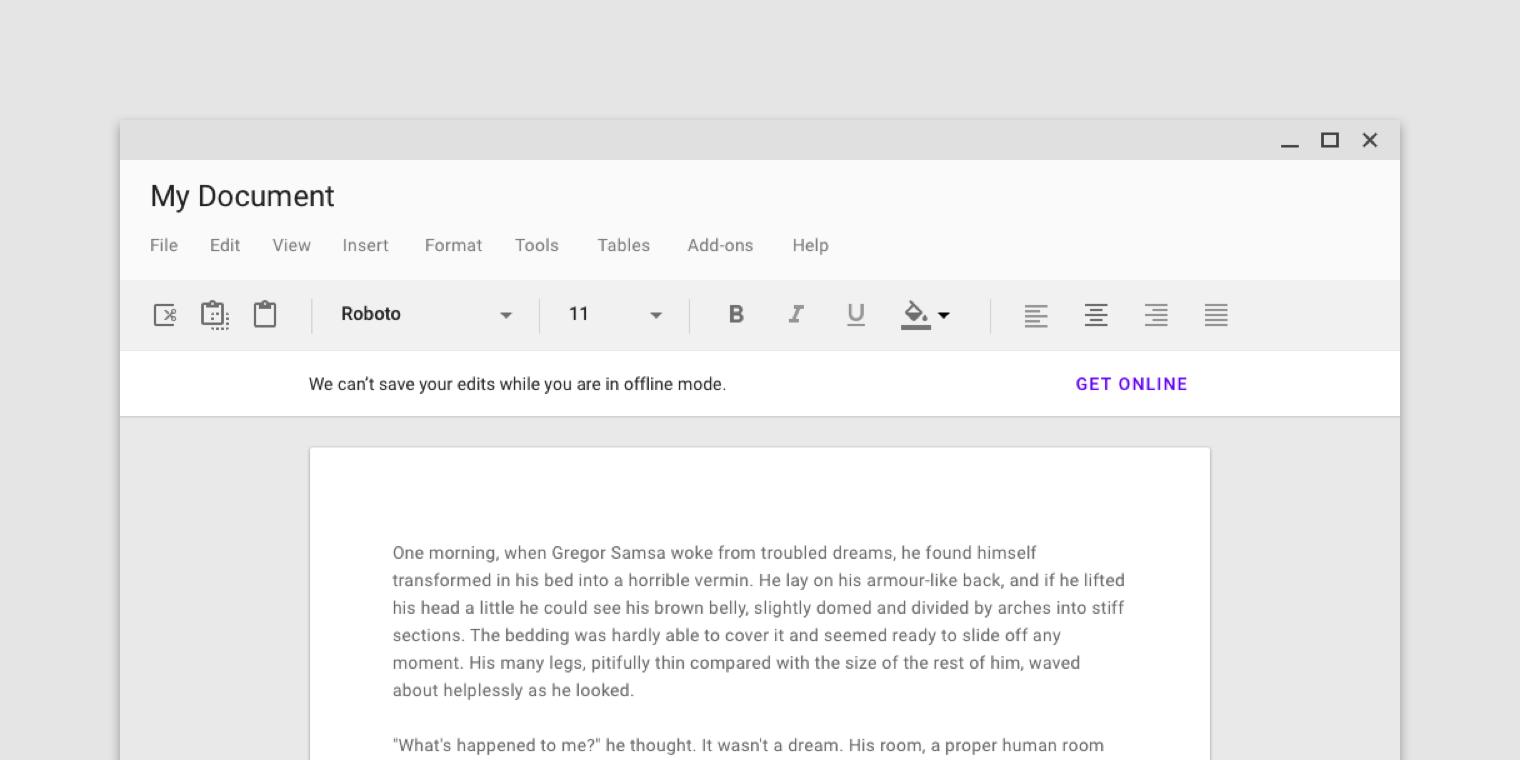
You can change the content's padding using provided attributes or methods:
* attr: contentPaddingStart
* attr: contentPaddingEnd
* setContentPaddingStart
* setContentPaddingEnd
But account for the default padding:
* the end padding is always __16dp__ (a distance between the button's last character and the end edge of a banner)
* the start padding depends on a user's device
On mobile:
* the start padding is always __16dp__ regardless if icon set or not
On tablet (sw720dp):
* the start padding depends whether icon set or not
* if set then __16dp__
* otherwise __24dp__
See [Banners - specs](https://material.io/design/components/banners.html#specs) for visualisation.
### Example
1. If the content of your screen has __32dp__ margin from both sides and you set an icon then you can set __16dp__ padding for your banner:
```
app:contentPaddingEnd="16dp"
app:contentPaddingStart="16dp"
or
banner.setContentPaddingStart(R.dimen.banner_content_padding);
banner.setContentPaddingEnd(R.dimen.banner_content_padding);
```
2. Everything is the same but no icon:
* for mobile devices - __16dp__ padding from both sides;
* for tablets
* __16dp__ end padding
* __8dp__ start padding (32dp margin - 24dp margin of the message)
See the sample app for example.
### Note
__DO NOT__ set padding directly using the default padding attributes or methods. It will break the appearance of the widget.
# License
Copyright 2023 Sergey Ivanov
Licensed under the Apache License, Version 2.0 (the "License");
you may not use this file except in compliance with the License.
You may obtain a copy of the License at
http://www.apache.org/licenses/LICENSE-2.0
Unless required by applicable law or agreed to in writing, software
distributed under the License is distributed on an "AS IS" BASIS,
WITHOUT WARRANTIES OR CONDITIONS OF ANY KIND, either express or implied.
See the License for the specific language governing permissions and
limitations under the License.
================================================
FILE: app/.gitignore
================================================
/build
================================================
FILE: app/build.gradle
================================================
plugins {
id("com.android.application")
id("org.jetbrains.kotlin.android")
}
apply from: "../_sign/signing.gradle"
android {
namespace "com.sergivonavi.materialbanner.app"
compileSdk setup.compileSdk
defaultConfig {
applicationId "com.sergivonavi.materialbanner.app"
minSdk setup.minSdk
targetSdk setup.targetSdk
versionCode release.appVersionCode
versionName release.appVersionName
vectorDrawables.useSupportLibrary = true
resValue("string", "materialbanner_app_version", "${versionName}")
}
buildTypes {
release {
minifyEnabled = false
proguardFiles(getDefaultProguardFile("proguard-android-optimize.txt"), "proguard-rules.pro")
signingConfig signingConfigs.release
}
}
compileOptions {
sourceCompatibility = JavaVersion.VERSION_1_8
targetCompatibility = JavaVersion.VERSION_1_8
}
lint {
abortOnError = false
}
}
dependencies {
implementation project(":library")
implementation("org.jetbrains.kotlin:kotlin-stdlib:${versions.kotlin}")
implementation("androidx.appcompat:appcompat:1.6.0")
implementation("androidx.cardview:cardview:1.0.0")
implementation("androidx.core:core-ktx:1.9.0")
implementation("androidx.recyclerview:recyclerview:1.2.1")
implementation("com.google.android.material:material:${versions.material}")
implementation("com.squareup.picasso:picasso:2.71828")
}
================================================
FILE: app/proguard-rules.pro
================================================
# Add project specific ProGuard rules here.
# You can control the set of applied configuration files using the
# proguardFiles setting in build.gradle.
#
# For more details, see
# http://developer.android.com/guide/developing/tools/proguard.html
# If your project uses WebView with JS, uncomment the following
# and specify the fully qualified class name to the JavaScript interface
# class:
#-keepclassmembers class fqcn.of.javascript.interface.for.webview {
# public *;
#}
# Uncomment this to preserve the line number information for
# debugging stack traces.
#-keepattributes SourceFile,LineNumberTable
# If you keep the line number information, uncomment this to
# hide the original source file name.
#-renamesourcefileattribute SourceFile
-keepclasseswithmembers class **.R$* {
public static final int define_*;
}
================================================
FILE: app/src/main/AndroidManifest.xml
================================================
<?xml version="1.0" encoding="utf-8"?>
<manifest xmlns:android="http://schemas.android.com/apk/res/android"
xmlns:tools="http://schemas.android.com/tools">
<application
android:name=".App"
android:allowBackup="false"
android:icon="@mipmap/ic_launcher"
android:label="@string/app_name"
android:roundIcon="@mipmap/ic_launcher_round"
android:supportsRtl="true"
android:theme="@style/AppTheme"
tools:ignore="GoogleAppIndexingWarning">
<activity
android:name=".MainActivity"
android:exported="true">
<intent-filter>
<action android:name="android.intent.action.MAIN" />
<category android:name="android.intent.category.LAUNCHER" />
</intent-filter>
</activity>
<activity
android:name=".AboutActivity"
android:label="@string/menu_about" />
<activity
android:name=".activities.ShowcaseActivity"
android:label="@string/demo_showcase" />
<activity
android:name=".activities.FromCodeActivity"
android:label="@string/demo_from_code" />
<activity
android:name=".activities.FromLayoutActivity"
android:label="@string/demo_from_layout" />
<activity
android:name=".activities.StyledBannerActivity"
android:label="@string/demo_styled" />
<activity
android:name=".activities.GlobalStyleActivity"
android:label="@string/demo_global_style"
android:theme="@style/CustomTheme" />
<activity
android:name=".activities.WithPaddingActivity"
android:label="@string/demo_with_padding" />
</application>
</manifest>
================================================
FILE: app/src/main/assets/fonts/LICENSE.txt
================================================
Apache License
Version 2.0, January 2004
http://www.apache.org/licenses/
TERMS AND CONDITIONS FOR USE, REPRODUCTION, AND DISTRIBUTION
1. Definitions.
"License" shall mean the terms and conditions for use, reproduction,
and distribution as defined by Sections 1 through 9 of this document.
"Licensor" shall mean the copyright owner or entity authorized by
the copyright owner that is granting the License.
"Legal Entity" shall mean the union of the acting entity and all
other entities that control, are controlled by, or are under common
control with that entity. For the purposes of this definition,
"control" means (i) the power, direct or indirect, to cause the
direction or management of such entity, whether by contract or
otherwise, or (ii) ownership of fifty percent (50%) or more of the
outstanding shares, or (iii) beneficial ownership of such entity.
"You" (or "Your") shall mean an individual or Legal Entity
exercising permissions granted by this License.
"Source" form shall mean the preferred form for making modifications,
including but not limited to software source code, documentation
source, and configuration files.
"Object" form shall mean any form resulting from mechanical
transformation or translation of a Source form, including but
not limited to compiled object code, generated documentation,
and conversions to other media types.
"Work" shall mean the work of authorship, whether in Source or
Object form, made available under the License, as indicated by a
copyright notice that is included in or attached to the work
(an example is provided in the Appendix below).
"Derivative Works" shall mean any work, whether in Source or Object
form, that is based on (or derived from) the Work and for which the
editorial revisions, annotations, elaborations, or other modifications
represent, as a whole, an original work of authorship. For the purposes
of this License, Derivative Works shall not include works that remain
separable from, or merely link (or bind by name) to the interfaces of,
the Work and Derivative Works thereof.
"Contribution" shall mean any work of authorship, including
the original version of the Work and any modifications or additions
to that Work or Derivative Works thereof, that is intentionally
submitted to Licensor for inclusion in the Work by the copyright owner
or by an individual or Legal Entity authorized to submit on behalf of
the copyright owner. For the purposes of this definition, "submitted"
means any form of electronic, verbal, or written communication sent
to the Licensor or its representatives, including but not limited to
communication on electronic mailing lists, source code control systems,
and issue tracking systems that are managed by, or on behalf of, the
Licensor for the purpose of discussing and improving the Work, but
excluding communication that is conspicuously marked or otherwise
designated in writing by the copyright owner as "Not a Contribution."
"Contributor" shall mean Licensor and any individual or Legal Entity
on behalf of whom a Contribution has been received by Licensor and
subsequently incorporated within the Work.
2. Grant of Copyright License. Subject to the terms and conditions of
this License, each Contributor hereby grants to You a perpetual,
worldwide, non-exclusive, no-charge, royalty-free, irrevocable
copyright license to reproduce, prepare Derivative Works of,
publicly display, publicly perform, sublicense, and distribute the
Work and such Derivative Works in Source or Object form.
3. Grant of Patent License. Subject to the terms and conditions of
this License, each Contributor hereby grants to You a perpetual,
worldwide, non-exclusive, no-charge, royalty-free, irrevocable
(except as stated in this section) patent license to make, have made,
use, offer to sell, sell, import, and otherwise transfer the Work,
where such license applies only to those patent claims licensable
by such Contributor that are necessarily infringed by their
Contribution(s) alone or by combination of their Contribution(s)
with the Work to which such Contribution(s) was submitted. If You
institute patent litigation against any entity (including a
cross-claim or counterclaim in a lawsuit) alleging that the Work
or a Contribution incorporated within the Work constitutes direct
or contributory patent infringement, then any patent licenses
granted to You under this License for that Work shall terminate
as of the date such litigation is filed.
4. Redistribution. You may reproduce and distribute copies of the
Work or Derivative Works thereof in any medium, with or without
modifications, and in Source or Object form, provided that You
meet the following conditions:
(a) You must give any other recipients of the Work or
Derivative Works a copy of this License; and
(b) You must cause any modified files to carry prominent notices
stating that You changed the files; and
(c) You must retain, in the Source form of any Derivative Works
that You distribute, all copyright, patent, trademark, and
attribution notices from the Source form of the Work,
excluding those notices that do not pertain to any part of
the Derivative Works; and
(d) If the Work includes a "NOTICE" text file as part of its
distribution, then any Derivative Works that You distribute must
include a readable copy of the attribution notices contained
within such NOTICE file, excluding those notices that do not
pertain to any part of the Derivative Works, in at least one
of the following places: within a NOTICE text file distributed
as part of the Derivative Works; within the Source form or
documentation, if provided along with the Derivative Works; or,
within a display generated by the Derivative Works, if and
wherever such third-party notices normally appear. The contents
of the NOTICE file are for informational purposes only and
do not modify the License. You may add Your own attribution
notices within Derivative Works that You distribute, alongside
or as an addendum to the NOTICE text from the Work, provided
that such additional attribution notices cannot be construed
as modifying the License.
You may add Your own copyright statement to Your modifications and
may provide additional or different license terms and conditions
for use, reproduction, or distribution of Your modifications, or
for any such Derivative Works as a whole, provided Your use,
reproduction, and distribution of the Work otherwise complies with
the conditions stated in this License.
5. Submission of Contributions. Unless You explicitly state otherwise,
any Contribution intentionally submitted for inclusion in the Work
by You to the Licensor shall be under the terms and conditions of
this License, without any additional terms or conditions.
Notwithstanding the above, nothing herein shall supersede or modify
the terms of any separate license agreement you may have executed
with Licensor regarding such Contributions.
6. Trademarks. This License does not grant permission to use the trade
names, trademarks, service marks, or product names of the Licensor,
except as required for reasonable and customary use in describing the
origin of the Work and reproducing the content of the NOTICE file.
7. Disclaimer of Warranty. Unless required by applicable law or
agreed to in writing, Licensor provides the Work (and each
Contributor provides its Contributions) on an "AS IS" BASIS,
WITHOUT WARRANTIES OR CONDITIONS OF ANY KIND, either express or
implied, including, without limitation, any warranties or conditions
of TITLE, NON-INFRINGEMENT, MERCHANTABILITY, or FITNESS FOR A
PARTICULAR PURPOSE. You are solely responsible for determining the
appropriateness of using or redistributing the Work and assume any
risks associated with Your exercise of permissions under this License.
8. Limitation of Liability. In no event and under no legal theory,
whether in tort (including negligence), contract, or otherwise,
unless required by applicable law (such as deliberate and grossly
negligent acts) or agreed to in writing, shall any Contributor be
liable to You for damages, including any direct, indirect, special,
incidental, or consequential damages of any character arising as a
result of this License or out of the use or inability to use the
Work (including but not limited to damages for loss of goodwill,
work stoppage, computer failure or malfunction, or any and all
other commercial damages or losses), even if such Contributor
has been advised of the possibility of such damages.
9. Accepting Warranty or Additional Liability. While redistributing
the Work or Derivative Works thereof, You may choose to offer,
and charge a fee for, acceptance of support, warranty, indemnity,
or other liability obligations and/or rights consistent with this
License. However, in accepting such obligations, You may act only
on Your own behalf and on Your sole responsibility, not on behalf
of any other Contributor, and only if You agree to indemnify,
defend, and hold each Contributor harmless for any liability
incurred by, or claims asserted against, such Contributor by reason
of your accepting any such warranty or additional liability.
END OF TERMS AND CONDITIONS
APPENDIX: How to apply the Apache License to your work.
To apply the Apache License to your work, attach the following
boilerplate notice, with the fields enclosed by brackets "[]"
replaced with your own identifying information. (Don't include
the brackets!) The text should be enclosed in the appropriate
comment syntax for the file format. We also recommend that a
file or class name and description of purpose be included on the
same "printed page" as the copyright notice for easier
identification within third-party archives.
Copyright [yyyy] [name of copyright owner]
Licensed under the Apache License, Version 2.0 (the "License");
you may not use this file except in compliance with the License.
You may obtain a copy of the License at
http://www.apache.org/licenses/LICENSE-2.0
Unless required by applicable law or agreed to in writing, software
distributed under the License is distributed on an "AS IS" BASIS,
WITHOUT WARRANTIES OR CONDITIONS OF ANY KIND, either express or implied.
See the License for the specific language governing permissions and
limitations under the License.
================================================
FILE: app/src/main/assets/pics/CREDITS.txt
================================================
Photo by Mike Meeks on Unsplash: https://unsplash.com/photos/zk-fclJdGas
Photo by Alireza Etemadi on Unsplash: https://unsplash.com/photos/qrDbj7OV2EU
Photo by Artur Rutkowski on Unsplash: https://unsplash.com/photos/-Ps6CdiazxI
Photo by Karly Gomez on Unsplash: https://unsplash.com/photos/_EqjV7bHBB4
Photo by Monika Grabkowska on Unsplash: https://unsplash.com/photos/HAf-cOayGiQ
Photo by Conor Luddy on Unsplash: https://unsplash.com/photos/mKaszdVnteY
Photo by Alex Loup on Unsplash: https://unsplash.com/photos/aX_ljOOyWJY
Photo by Alexandra Gornago on Unsplash: https://unsplash.com/photos/_B7shfNUXEA
Photo by Reuben Mcfeeters on Unsplash: https://unsplash.com/photos/qnCzQRAoIr4
Photo by Brina Blum on Unsplash: https://unsplash.com/photos/surQ2mkZNxw
================================================
FILE: app/src/main/java/com/sergivonavi/materialbanner/app/AboutActivity.kt
================================================
package com.sergivonavi.materialbanner.app
import android.os.Bundle
import android.text.Html
import android.widget.TextView
import androidx.appcompat.app.AppCompatActivity
import androidx.core.text.HtmlCompat
class AboutActivity : AppCompatActivity() {
override fun onCreate(savedInstanceState: Bundle?) {
super.onCreate(savedInstanceState)
setContentView(R.layout.activity_about)
val description = findViewById<TextView>(R.id.description)
description.text =
HtmlCompat.fromHtml(
getString(com.sergivonavi.materialbanner.R.string.library_MaterialBanner_libraryDescription),
HtmlCompat.FROM_HTML_MODE_LEGACY
)
val appVersion = findViewById<TextView>(R.id.version_app)
appVersion.text = String.format(
getString(R.string.about_app_version),
getString(R.string.materialbanner_app_version)
)
val libVersion = findViewById<TextView>(R.id.version_lib)
libVersion.text = String.format(
getString(R.string.about_lib_version),
getString(com.sergivonavi.materialbanner.R.string.materialbanner_lib_version)
)
}
}
================================================
FILE: app/src/main/java/com/sergivonavi/materialbanner/app/App.kt
================================================
package com.sergivonavi.materialbanner.app
import android.app.Application
import androidx.appcompat.app.AppCompatDelegate
class App : Application() {
init {
AppCompatDelegate.setCompatVectorFromResourcesEnabled(true)
}
}
================================================
FILE: app/src/main/java/com/sergivonavi/materialbanner/app/MainActivity.kt
================================================
package com.sergivonavi.materialbanner.app
import android.content.Intent
import android.os.Bundle
import android.view.Menu
import android.view.MenuItem
import android.view.View
import android.widget.Button
import androidx.appcompat.app.AppCompatActivity
import com.sergivonavi.materialbanner.app.activities.*
class MainActivity : AppCompatActivity(), View.OnClickListener {
override fun onCreate(savedInstanceState: Bundle?) {
super.onCreate(savedInstanceState)
setContentView(R.layout.activity_main)
val btn1 = findViewById<Button>(R.id.btn_showcase)
val btn2 = findViewById<Button>(R.id.btn_from_layout)
val btn3 = findViewById<Button>(R.id.btn_from_activity)
val btn4 = findViewById<Button>(R.id.btn_styled)
val btn5 = findViewById<Button>(R.id.btn_global_style)
val btn6 = findViewById<Button>(R.id.btn_with_padding)
btn1.setOnClickListener(this)
btn2.setOnClickListener(this)
btn3.setOnClickListener(this)
btn4.setOnClickListener(this)
btn5.setOnClickListener(this)
btn6.setOnClickListener(this)
}
override fun onClick(v: View) {
val intent = Intent()
when (v.id) {
R.id.btn_showcase -> intent.setClass(this@MainActivity, ShowcaseActivity::class.java)
R.id.btn_from_layout -> intent.setClass(
this@MainActivity,
FromLayoutActivity::class.java
)
R.id.btn_from_activity -> intent.setClass(
this@MainActivity,
FromCodeActivity::class.java
)
R.id.btn_styled -> intent.setClass(this@MainActivity, StyledBannerActivity::class.java)
R.id.btn_global_style -> intent.setClass(
this@MainActivity,
GlobalStyleActivity::class.java
)
R.id.btn_with_padding -> intent.setClass(
this@MainActivity,
WithPaddingActivity::class.java
)
}
startActivity(intent)
}
override fun onCreateOptionsMenu(menu: Menu): Boolean {
menuInflater.inflate(R.menu.main, menu)
return true
}
override fun onOptionsItemSelected(item: MenuItem): Boolean {
if (item.itemId == R.id.menu_about) {
startActivity(Intent(this@MainActivity, AboutActivity::class.java))
return true
}
return false
}
}
================================================
FILE: app/src/main/java/com/sergivonavi/materialbanner/app/activities/BaseSampleActivity.kt
================================================
package com.sergivonavi.materialbanner.app.activities
import android.os.Bundle
import android.view.Menu
import android.view.MenuItem
import androidx.annotation.LayoutRes
import androidx.appcompat.app.AppCompatActivity
import androidx.recyclerview.widget.GridLayoutManager
import androidx.recyclerview.widget.RecyclerView
import com.sergivonavi.materialbanner.Banner
import com.sergivonavi.materialbanner.app.R
import com.sergivonavi.materialbanner.app.activities.adapter.ItemsAdapter
abstract class BaseSampleActivity : AppCompatActivity() {
protected lateinit var mBanner: Banner
@LayoutRes
protected abstract fun setLayoutView(): Int
override fun onCreate(savedInstanceState: Bundle?) {
super.onCreate(savedInstanceState)
setContentView(setLayoutView())
val recyclerView = findViewById<RecyclerView>(R.id.recycler_view)
val adapter = ItemsAdapter(this)
recyclerView.layoutManager = GridLayoutManager(this, 2)
recyclerView.adapter = adapter
}
override fun onCreateOptionsMenu(menu: Menu): Boolean {
menuInflater.inflate(R.menu.sample, menu)
return true
}
override fun onOptionsItemSelected(item: MenuItem): Boolean {
if (item.itemId == R.id.menu_toggle_banner) {
if (mBanner.isShown) {
mBanner.dismiss()
} else {
mBanner.show()
}
return true
}
return false
}
}
================================================
FILE: app/src/main/java/com/sergivonavi/materialbanner/app/activities/FromCodeActivity.kt
================================================
package com.sergivonavi.materialbanner.app.activities
import android.os.Bundle
import android.view.ViewGroup
import com.sergivonavi.materialbanner.Banner
import com.sergivonavi.materialbanner.app.R
import com.sergivonavi.materialbanner.app.utils.SnackbarHelper
class FromCodeActivity : BaseSampleActivity() {
override fun setLayoutView(): Int {
return R.layout.sample_activity_from_code
}
override fun onCreate(savedInstanceState: Bundle?) {
super.onCreate(savedInstanceState)
// The root view for the banner
val rootView = findViewById<ViewGroup>(R.id.root)
mBanner = Banner.Builder(this).setParent(rootView)
.setIcon(R.drawable.ic_signal_wifi_off_40dp)
.setMessage(R.string.banner_message)
.setLeftButton(R.string.banner_btn_left) { banner ->
SnackbarHelper.show(rootView, R.string.msg_banner_btnleft)
banner.dismiss()
}
.setRightButton(R.string.banner_btn_right) { banner ->
SnackbarHelper.show(rootView, R.string.msg_banner_btnright)
// Dismiss with 0.5 sec delay
banner.dismiss(500)
}
.setOnShowListener { banner ->
SnackbarHelper.show(rootView, R.string.msg_banner_onshow)
// banner?.setMessage("New message in onShowListener")
}
.setOnDismissListener { banner ->
SnackbarHelper.show(rootView, R.string.msg_banner_ondismiss)
// banner?.setMessage("New message in onDismissListener")
}
.create()
}
}
================================================
FILE: app/src/main/java/com/sergivonavi/materialbanner/app/activities/FromLayoutActivity.kt
================================================
package com.sergivonavi.materialbanner.app.activities
import android.os.Bundle
import android.view.ViewGroup
import com.sergivonavi.materialbanner.app.R
import com.sergivonavi.materialbanner.app.utils.SnackbarHelper
class FromLayoutActivity : BaseSampleActivity() {
override fun setLayoutView(): Int {
return R.layout.sample_activity_from_layout
}
override fun onCreate(savedInstanceState: Bundle?) {
super.onCreate(savedInstanceState)
val rootView = findViewById<ViewGroup>(R.id.root)
mBanner = findViewById(R.id.banner)
mBanner.setLeftButtonListener { banner ->
SnackbarHelper.show(rootView, R.string.msg_banner_btnleft)
banner.dismiss()
}
mBanner.setRightButtonListener { banner ->
SnackbarHelper.show(rootView, R.string.msg_banner_btnright)
// Dismiss with 0.5 sec delay
banner.dismiss(500)
}
mBanner.setOnShowListener { SnackbarHelper.show(rootView, R.string.msg_banner_onshow) }
mBanner.setOnDismissListener {
SnackbarHelper.show(rootView, R.string.msg_banner_ondismiss)
}
}
}
================================================
FILE: app/src/main/java/com/sergivonavi/materialbanner/app/activities/GlobalStyleActivity.kt
================================================
package com.sergivonavi.materialbanner.app.activities
import android.os.Bundle
import android.view.ViewGroup
import com.sergivonavi.materialbanner.app.R
import com.sergivonavi.materialbanner.app.utils.SnackbarHelper
class GlobalStyleActivity : BaseSampleActivity() {
override fun setLayoutView(): Int {
return R.layout.sample_activity_global_style
}
override fun onCreate(savedInstanceState: Bundle?) {
super.onCreate(savedInstanceState)
// The magic of styling is done in the activity's theme "CustomTheme"
val rootView = findViewById<ViewGroup>(R.id.root)
mBanner = findViewById(R.id.banner)
mBanner.setLeftButtonListener { banner ->
SnackbarHelper.show(rootView, R.string.msg_banner_btnleft)
banner.dismiss()
}
mBanner.setRightButtonListener {banner ->
SnackbarHelper.show(rootView, R.string.msg_banner_btnright)
banner.dismiss(500)
}
mBanner.setOnShowListener { SnackbarHelper.show(rootView, R.string.msg_banner_onshow) }
mBanner.setOnDismissListener {
SnackbarHelper.show(rootView, R.string.msg_banner_ondismiss)
}
}
}
================================================
FILE: app/src/main/java/com/sergivonavi/materialbanner/app/activities/ShowcaseActivity.kt
================================================
package com.sergivonavi.materialbanner.app.activities
import android.os.Bundle
import androidx.appcompat.app.AppCompatActivity
import com.sergivonavi.materialbanner.app.R
class ShowcaseActivity : AppCompatActivity() {
override fun onCreate(savedInstanceState: Bundle?) {
super.onCreate(savedInstanceState)
setContentView(R.layout.sample_activity_showcase)
}
}
================================================
FILE: app/src/main/java/com/sergivonavi/materialbanner/app/activities/StyledBannerActivity.kt
================================================
package com.sergivonavi.materialbanner.app.activities
import android.os.Bundle
import android.view.View
import android.view.ViewGroup
import androidx.appcompat.app.AppCompatActivity
import androidx.core.content.ContextCompat
import com.sergivonavi.materialbanner.Banner
import com.sergivonavi.materialbanner.app.R
class StyledBannerActivity : AppCompatActivity() {
override fun onCreate(savedInstanceState: Bundle?) {
super.onCreate(savedInstanceState)
setContentView(R.layout.sample_activity_styled_banner)
// You can do the same from the code
val banner = Banner.Builder(this).setParent((findViewById<View>(R.id.root) as ViewGroup))
.setIcon(R.drawable.ic_signal_wifi_off_40dp)
.setMessage(R.string.banner_message3)
.setLeftButton(R.string.banner_btn_left, null)
.setRightButton(R.string.banner_btn_right, null)
.create()
banner.setBackgroundColor(ContextCompat.getColor(this, R.color.custom_background))
banner.setMessageTextAppearance(R.style.BannerMessageTextAppearance)
banner.setMessageTextColor(R.color.custom_message_text)
banner.setIconTintColor(R.color.custom_icon_tint)
// banner.setFont(getString(R.string.font_medium_path));
// banner.setMessageFont(getString(R.string.font_medium_path));
// banner.setButtonsFont(getString(R.string.font_medium_path));
banner.setButtonsTextAppearance(R.style.BannerButtonsTextAppearance)
banner.setButtonsTextColor(R.color.custom_buttons_text)
banner.setLeftButtonTextColor(R.color.custom_button_left_text)
// banner.setRightButtonTextColor(R.color.custom_button_right_text);
banner.setButtonsRippleColor(R.color.custom_buttons_text)
banner.setLineColor(R.color.custom_line)
banner.setLineOpacity(0.8f)
// And then show this banner
banner.show()
}
}
================================================
FILE: app/src/main/java/com/sergivonavi/materialbanner/app/activities/WithPaddingActivity.kt
================================================
package com.sergivonavi.materialbanner.app.activities
import android.os.Bundle
import androidx.appcompat.app.AppCompatActivity
import com.sergivonavi.materialbanner.app.R
class WithPaddingActivity : AppCompatActivity() {
override fun onCreate(savedInstanceState: Bundle?) {
super.onCreate(savedInstanceState)
setContentView(R.layout.sample_activity_with_padding)
/*
// You can do the same thing here
banner.setContentPaddingStart(dimensionResource);
banner.setContentPaddingEnd(dimensionResource);
or
banner.setContentPaddingStartPx(paddingInPixels);
banner.setContentPaddingEndPx(paddingInPixels);
*/
}
}
================================================
FILE: app/src/main/java/com/sergivonavi/materialbanner/app/activities/adapter/ItemViewHolder.kt
================================================
package com.sergivonavi.materialbanner.app.activities.adapter
import android.view.View
import android.widget.ImageView
import androidx.recyclerview.widget.RecyclerView
import com.sergivonavi.materialbanner.app.R
internal class ItemViewHolder(itemView: View) : RecyclerView.ViewHolder(itemView) {
@JvmField
var image: ImageView
init {
image = itemView.findViewById(R.id.item_image)
}
}
================================================
FILE: app/src/main/java/com/sergivonavi/materialbanner/app/activities/adapter/ItemsAdapter.kt
================================================
package com.sergivonavi.materialbanner.app.activities.adapter
import android.content.Context
import android.view.LayoutInflater
import android.view.ViewGroup
import androidx.recyclerview.widget.RecyclerView
import com.sergivonavi.materialbanner.app.R
import com.squareup.picasso.Picasso
import java.util.*
internal class ItemsAdapter(context: Context?) : RecyclerView.Adapter<ItemViewHolder>() {
private val mLayoutInflater: LayoutInflater
private val mList: MutableList<String?> = ArrayList()
init {
mLayoutInflater = LayoutInflater.from(context)
// Ensure we get a different ordering of images on each run.
Collections.addAll(mList, *SampleData.ASSETS)
mList.shuffle()
// Triple up the list.
val copy = ArrayList(mList)
mList.addAll(copy)
mList.addAll(copy)
}
override fun onCreateViewHolder(parent: ViewGroup, viewType: Int): ItemViewHolder {
return ItemViewHolder(mLayoutInflater.inflate(R.layout.item_list, parent, false))
}
override fun onBindViewHolder(holder: ItemViewHolder, position: Int) {
holder.image.post {
Picasso.get()
.load(mList[position])
.resize(holder.image.width, holder.image.height)
.centerCrop()
.into(holder.image)
}
}
override fun getItemCount(): Int {
return mList.size
}
}
================================================
FILE: app/src/main/java/com/sergivonavi/materialbanner/app/activities/adapter/SampleData.kt
================================================
package com.sergivonavi.materialbanner.app.activities.adapter
internal object SampleData {
private const val BASE = "file:///android_asset/pics/"
private const val EXT = ".jpg"
@JvmField
val ASSETS = arrayOf(
BASE + "1" + EXT, BASE + "2" + EXT, BASE + "3" + EXT, BASE + "4" + EXT,
BASE + "5" + EXT, BASE + "6" + EXT, BASE + "7" + EXT, BASE + "8" + EXT,
BASE + "9" + EXT, BASE + "10" + EXT
)
}
================================================
FILE: app/src/main/java/com/sergivonavi/materialbanner/app/utils/SnackbarHelper.kt
================================================
package com.sergivonavi.materialbanner.app.utils
import android.view.View
import com.google.android.material.snackbar.Snackbar
object SnackbarHelper {
fun show(view: View?, msg: Int) {
Snackbar.make(view!!, msg, Snackbar.LENGTH_SHORT).show()
}
}
================================================
FILE: app/src/main/res/drawable/ic_banner_circle_40dp.xml
================================================
<vector xmlns:android="http://schemas.android.com/apk/res/android"
android:width="40dp"
android:height="40dp"
android:viewportWidth="24.0"
android:viewportHeight="24.0">
<path
android:fillColor="#969696"
android:pathData="M12,2C6.48,2 2,6.48 2,12s4.48,10 10,10 10,-4.48 10,-10S17.52,2 12,2zM13,17h-2v-6h2v6zM13,9h-2L11,7h2v2z" />
</vector>
================================================
FILE: app/src/main/res/drawable/ic_launcher_background.xml
================================================
<?xml version="1.0" encoding="utf-8"?>
<vector xmlns:android="http://schemas.android.com/apk/res/android"
android:width="108dp"
android:height="108dp"
android:viewportWidth="108"
android:viewportHeight="108">
<path
android:fillColor="#008577"
android:pathData="M0,0h108v108h-108z" />
</vector>
================================================
FILE: app/src/main/res/drawable/ic_signal_wifi_off_40dp.xml
================================================
<vector xmlns:android="http://schemas.android.com/apk/res/android"
android:width="40dp"
android:height="40dp"
android:tint="?colorPrimary"
android:viewportWidth="24.0"
android:viewportHeight="24.0">
<path
android:fillColor="#FF000000"
android:pathData="M23.64,7c-0.45,-0.34 -4.93,-4 -11.64,-4 -1.5,0 -2.89,0.19 -4.15,0.48L18.18,13.8 23.64,7zM17.04,15.22L3.27,1.44 2,2.72l2.05,2.06C1.91,5.76 0.59,6.82 0.36,7l11.63,14.49 0.01,0.01 0.01,-0.01 3.9,-4.86 3.32,3.32 1.27,-1.27 -3.46,-3.46z" />
</vector>
================================================
FILE: app/src/main/res/drawable-v24/ic_launcher_foreground.xml
================================================
<vector xmlns:android="http://schemas.android.com/apk/res/android"
xmlns:aapt="http://schemas.android.com/aapt"
android:width="108dp"
android:height="108dp"
android:viewportWidth="108"
android:viewportHeight="108">
<path
android:fillType="evenOdd"
android:pathData="M32,64C32,64 38.39,52.99 44.13,50.95C51.37,48.37 70.14,49.57 70.14,49.57L108.26,87.69L108,109.01L75.97,107.97L32,64Z"
android:strokeWidth="1"
android:strokeColor="#00000000">
<aapt:attr name="android:fillColor">
<gradient
android:endX="78.5885"
android:endY="90.9159"
android:startX="48.7653"
android:startY="61.0927"
android:type="linear">
<item
android:color="#44000000"
android:offset="0.0" />
<item
android:color="#00000000"
android:offset="1.0" />
</gradient>
</aapt:attr>
</path>
<path
android:fillColor="#FFFFFF"
android:fillType="nonZero"
android:pathData="M66.94,46.02L66.94,46.02C72.44,50.07 76,56.61 76,64L32,64C32,56.61 35.56,50.11 40.98,46.06L36.18,41.19C35.45,40.45 35.45,39.3 36.18,38.56C36.91,37.81 38.05,37.81 38.78,38.56L44.25,44.05C47.18,42.57 50.48,41.71 54,41.71C57.48,41.71 60.78,42.57 63.68,44.05L69.11,38.56C69.84,37.81 70.98,37.81 71.71,38.56C72.44,39.3 72.44,40.45 71.71,41.19L66.94,46.02ZM62.94,56.92C64.08,56.92 65,56.01 65,54.88C65,53.76 64.08,52.85 62.94,52.85C61.8,52.85 60.88,53.76 60.88,54.88C60.88,56.01 61.8,56.92 62.94,56.92ZM45.06,56.92C46.2,56.92 47.13,56.01 47.13,54.88C47.13,53.76 46.2,52.85 45.06,52.85C43.92,52.85 43,53.76 43,54.88C43,56.01 43.92,56.92 45.06,56.92Z"
android:strokeWidth="1"
android:strokeColor="#00000000" />
</vector>
================================================
FILE: app/src/main/res/layout/activity_about.xml
================================================
<?xml version="1.0" encoding="utf-8"?>
<ScrollView xmlns:android="http://schemas.android.com/apk/res/android"
android:layout_width="match_parent"
android:layout_height="wrap_content">
<LinearLayout
android:layout_width="match_parent"
android:layout_height="wrap_content"
android:orientation="vertical"
android:padding="16dp">
<TextView
android:layout_width="wrap_content"
android:layout_height="wrap_content"
android:layout_gravity="center_horizontal"
android:layout_marginBottom="16dp"
android:text="@string/library_MaterialBanner_libraryName"
android:textAppearance="@style/TextAppearance.MaterialComponents.Headline6" />
<TextView
android:id="@+id/description"
android:layout_width="wrap_content"
android:layout_height="wrap_content"
android:layout_marginBottom="8dp"
android:textAppearance="@style/TextAppearance.MaterialComponents.Body1" />
<TextView
android:id="@+id/version_app"
android:layout_width="wrap_content"
android:layout_height="wrap_content" />
<TextView
android:id="@+id/version_lib"
android:layout_width="wrap_content"
android:layout_height="wrap_content"
android:layout_marginBottom="16dp" />
<TextView
android:layout_width="wrap_content"
android:layout_height="wrap_content"
android:autoLink="web"
android:text="@string/library_MaterialBanner_repositoryLink" />
<View
android:layout_width="match_parent"
android:layout_height="1dp"
android:layout_marginTop="16dp"
android:layout_marginBottom="16dp"
android:background="#EEEEEE" />
<TextView
android:layout_width="wrap_content"
android:layout_height="wrap_content"
android:layout_marginBottom="16dp"
android:text="Open Source Licenses"
android:textSize="18sp"
android:textStyle="bold" />
<TextView
android:layout_width="wrap_content"
android:layout_height="wrap_content"
android:layout_marginBottom="16dp"
android:text="The open source libraries used in this demo app:" />
<TextView
android:layout_width="wrap_content"
android:layout_height="wrap_content"
android:layout_marginBottom="16dp"
android:text="Picasso"
android:textSize="16sp"
android:textStyle="bold" />
<TextView
android:layout_width="match_parent"
android:layout_height="wrap_content"
android:autoLink="web"
android:text="@string/picasso_license" />
</LinearLayout>
</ScrollView>
================================================
FILE: app/src/main/res/layout/activity_main.xml
================================================
<?xml version="1.0" encoding="utf-8"?>
<LinearLayout xmlns:android="http://schemas.android.com/apk/res/android"
xmlns:tools="http://schemas.android.com/tools"
android:layout_width="match_parent"
android:layout_height="match_parent"
android:gravity="center"
android:orientation="vertical"
tools:context=".MainActivity">
<Button
android:id="@+id/btn_showcase"
android:layout_width="wrap_content"
android:layout_height="wrap_content"
android:text="@string/demo_showcase" />
<Button
android:id="@+id/btn_from_layout"
android:layout_width="wrap_content"
android:layout_height="wrap_content"
android:text="@string/demo_from_layout" />
<Button
android:id="@+id/btn_from_activity"
android:layout_width="wrap_content"
android:layout_height="wrap_content"
android:text="@string/demo_from_code" />
<Button
android:id="@+id/btn_styled"
android:layout_width="wrap_content"
android:layout_height="wrap_content"
android:text="@string/demo_styled" />
<Button
android:id="@+id/btn_global_style"
android:layout_width="wrap_content"
android:layout_height="wrap_content"
android:text="@string/demo_global_style" />
<Button
android:id="@+id/btn_with_padding"
android:layout_width="wrap_content"
android:layout_height="wrap_content"
android:text="@string/demo_with_padding" />
</LinearLayout>
================================================
FILE: app/src/main/res/layout/item_list.xml
================================================
<?xml version="1.0" encoding="utf-8"?>
<androidx.cardview.widget.CardView xmlns:android="http://schemas.android.com/apk/res/android"
android:layout_width="match_parent"
android:layout_height="wrap_content"
android:layout_margin="4dp">
<ImageView
android:id="@+id/item_image"
android:layout_width="match_parent"
android:layout_height="120dp"
android:adjustViewBounds="true" />
</androidx.cardview.widget.CardView>
================================================
FILE: app/src/main/res/layout/sample_activity_from_code.xml
================================================
<?xml version="1.0" encoding="utf-8"?>
<androidx.core.widget.NestedScrollView xmlns:android="http://schemas.android.com/apk/res/android"
android:id="@+id/scroll_view"
android:layout_width="match_parent"
android:layout_height="match_parent">
<LinearLayout
android:id="@+id/root"
android:layout_width="match_parent"
android:layout_height="match_parent"
android:orientation="vertical">
<androidx.recyclerview.widget.RecyclerView
android:id="@+id/recycler_view"
style="@style/RecyclerView"
android:layout_width="match_parent"
android:layout_height="match_parent" />
</LinearLayout>
</androidx.core.widget.NestedScrollView>
================================================
FILE: app/src/main/res/layout/sample_activity_from_layout.xml
================================================
<?xml version="1.0" encoding="utf-8"?>
<androidx.core.widget.NestedScrollView xmlns:android="http://schemas.android.com/apk/res/android"
xmlns:app="http://schemas.android.com/apk/res-auto"
android:id="@+id/scroll_view"
android:layout_width="match_parent"
android:layout_height="match_parent">
<LinearLayout
android:id="@+id/root"
android:layout_width="match_parent"
android:layout_height="match_parent"
android:orientation="vertical">
<com.sergivonavi.materialbanner.Banner
android:id="@+id/banner"
android:layout_width="match_parent"
android:layout_height="wrap_content"
android:visibility="gone"
app:buttonLeftText="@string/banner_btn_left"
app:buttonRightText="@string/banner_btn_right"
app:icon="@drawable/ic_signal_wifi_off_40dp"
app:messageText="@string/banner_message" />
<androidx.recyclerview.widget.RecyclerView
android:id="@+id/recycler_view"
style="@style/RecyclerView"
android:layout_width="match_parent"
android:layout_height="match_parent" />
</LinearLayout>
</androidx.core.widget.NestedScrollView>
================================================
FILE: app/src/main/res/layout/sample_activity_global_style.xml
================================================
<?xml version="1.0" encoding="utf-8"?>
<androidx.core.widget.NestedScrollView xmlns:android="http://schemas.android.com/apk/res/android"
xmlns:app="http://schemas.android.com/apk/res-auto"
android:id="@+id/scroll_view"
android:layout_width="match_parent"
android:layout_height="match_parent">
<LinearLayout
android:id="@+id/root"
android:layout_width="match_parent"
android:layout_height="match_parent"
android:orientation="vertical">
<com.sergivonavi.materialbanner.Banner
android:id="@+id/banner"
android:layout_width="match_parent"
android:layout_height="wrap_content"
android:visibility="gone"
app:buttonLeftText="@string/banner_btn_left"
app:buttonRightText="@string/banner_btn_right"
app:icon="@drawable/ic_signal_wifi_off_40dp"
app:messageText="@string/banner_message" />
<androidx.recyclerview.widget.RecyclerView
android:id="@+id/recycler_view"
style="@style/RecyclerView"
android:layout_width="match_parent"
android:layout_height="match_parent" />
</LinearLayout>
</androidx.core.widget.NestedScrollView>
================================================
FILE: app/src/main/res/layout/sample_activity_showcase.xml
================================================
<?xml version="1.0" encoding="utf-8"?>
<LinearLayout xmlns:android="http://schemas.android.com/apk/res/android"
xmlns:app="http://schemas.android.com/apk/res-auto"
android:layout_width="match_parent"
android:layout_height="match_parent"
android:orientation="vertical">
<com.sergivonavi.materialbanner.Banner
android:layout_width="match_parent"
android:layout_height="wrap_content"
app:buttonLeftText="@string/banner_showcase_button"
app:messageText="@string/banner_showcase_message_1" />
<com.sergivonavi.materialbanner.Banner
android:layout_width="match_parent"
android:layout_height="wrap_content"
app:buttonLeftText="@string/banner_showcase_button"
app:buttonRightText="@string/banner_showcase_button"
app:messageText="@string/banner_showcase_message_2" />
<com.sergivonavi.materialbanner.Banner
android:layout_width="match_parent"
android:layout_height="wrap_content"
app:icon="@drawable/ic_banner_circle_40dp"
app:buttonLeftText="@string/banner_showcase_button"
app:buttonRightText="@string/banner_showcase_button"
app:messageText="@string/banner_showcase_message_2" />
</LinearLayout>
================================================
FILE: app/src/main/res/layout/sample_activity_styled_banner.xml
================================================
<?xml version="1.0" encoding="utf-8"?>
<LinearLayout xmlns:android="http://schemas.android.com/apk/res/android"
xmlns:app="http://schemas.android.com/apk/res-auto"
android:id="@+id/root"
android:layout_width="match_parent"
android:layout_height="match_parent"
android:orientation="vertical">
<com.sergivonavi.materialbanner.Banner
android:id="@+id/banner"
android:layout_width="match_parent"
android:layout_height="wrap_content"
app:backgroundColor="@color/custom_background"
app:buttonLeftText="@string/banner_btn_left"
app:buttonRightText="@string/banner_btn_right"
app:buttonsRippleColor="@color/custom_buttons_text"
app:buttonsTextAppearance="@style/BannerButtonsTextAppearance"
app:buttonsTextColor="@color/custom_buttons_text"
app:buttonRightTextColor="@color/custom_button_right_text"
app:icon="@drawable/ic_signal_wifi_off_40dp"
app:iconTint="@color/custom_icon_tint"
app:lineColor="@color/custom_line"
app:lineOpacity="0.8"
app:messageText="@string/banner_message2"
app:messageTextAppearance="@style/BannerMessageTextAppearance"
app:messageTextColor="@color/custom_message_text" />
<com.sergivonavi.materialbanner.Banner
android:id="@+id/banner_font"
android:layout_width="match_parent"
android:layout_height="wrap_content"
app:backgroundColor="@color/custom_background"
app:buttonLeftText="@string/banner_btn_left"
app:buttonRightText="@string/banner_btn_right"
app:buttonsRippleColor="@color/custom_buttons_text"
app:buttonsTextColor="@color/custom_buttons_text"
app:icon="@drawable/ic_signal_wifi_off_40dp"
app:iconTint="@color/custom_icon_tint"
app:lineColor="@color/custom_line"
app:lineOpacity="0.8"
app:fontPath="@string/font_medium_path"
app:messageText="@string/banner_message4"
app:messageTextAppearance="@style/BannerMessageTextAppearance"
app:messageTextColor="@color/custom_message_text" />
<TextView
android:layout_width="match_parent"
android:layout_height="wrap_content"
android:layout_margin="8dp"
android:gravity="center"
android:text="@string/styling_warning"
android:textSize="16sp" />
</LinearLayout>
================================================
FILE: app/src/main/res/layout/sample_activity_with_padding.xml
================================================
<?xml version="1.0" encoding="utf-8"?>
<LinearLayout xmlns:android="http://schemas.android.com/apk/res/android"
xmlns:app="http://schemas.android.com/apk/res-auto"
android:layout_width="match_parent"
android:layout_height="match_parent"
android:background="@color/long_text_background"
android:orientation="vertical">
<com.sergivonavi.materialbanner.Banner
android:id="@+id/banner"
android:layout_width="match_parent"
android:layout_height="wrap_content"
app:buttonLeftText="@string/banner_btn_left"
app:buttonRightText="@string/banner_btn_right"
app:contentPaddingEnd="@dimen/banner_content_padding_end"
app:contentPaddingStart="@dimen/banner_content_padding_start"
app:messageText="@string/banner_message" />
<androidx.cardview.widget.CardView
android:layout_width="match_parent"
android:layout_height="match_parent"
android:layout_marginLeft="32dp"
android:layout_marginTop="16dp"
android:layout_marginRight="32dp">
<TextView
android:layout_width="match_parent"
android:layout_height="match_parent"
android:padding="16dp"
android:text="@string/long_text" />
</androidx.cardview.widget.CardView>
</LinearLayout>
================================================
FILE: app/src/main/res/menu/main.xml
================================================
<?xml version="1.0" encoding="utf-8"?>
<menu xmlns:android="http://schemas.android.com/apk/res/android"
xmlns:app="http://schemas.android.com/apk/res-auto">
<item
android:id="@+id/menu_about"
android:title="@string/menu_about"
app:showAsAction="always|withText" />
</menu>
================================================
FILE: app/src/main/res/menu/sample.xml
================================================
<?xml version="1.0" encoding="utf-8"?>
<menu xmlns:android="http://schemas.android.com/apk/res/android"
xmlns:app="http://schemas.android.com/apk/res-auto">
<item
android:id="@+id/menu_toggle_banner"
android:title="@string/menu_toggle"
app:showAsAction="always|withText" />
</menu>
================================================
FILE: app/src/main/res/mipmap-anydpi-v26/ic_launcher.xml
================================================
<?xml version="1.0" encoding="utf-8"?>
<adaptive-icon xmlns:android="http://schemas.android.com/apk/res/android">
<background android:drawable="@drawable/ic_launcher_background"/>
<foreground android:drawable="@mipmap/ic_launcher_foreground"/>
</adaptive-icon>
================================================
FILE: app/src/main/res/mipmap-anydpi-v26/ic_launcher_round.xml
================================================
<?xml version="1.0" encoding="utf-8"?>
<adaptive-icon xmlns:android="http://schemas.android.com/apk/res/android">
<background android:drawable="@drawable/ic_launcher_background"/>
<foreground android:drawable="@mipmap/ic_launcher_foreground"/>
</adaptive-icon>
================================================
FILE: app/src/main/res/values/colors.xml
================================================
<?xml version="1.0" encoding="utf-8"?>
<resources>
<color name="colorPrimary">#008577</color>
<color name="colorPrimaryDark">#00574B</color>
<color name="colorAccent">#D81B60</color>
<color name="colorSurface">#FFFFFF</color>
<color name="colorOnSurface">#000000</color>
<color name="custom_background">#FFE082</color>
<color name="custom_icon_tint">#303F9F</color>
<color name="custom_message_text">#388E3C</color>
<color name="custom_buttons_text">#7B1FA2</color>
<color name="custom_button_left_text">#FF5722</color>
<color name="custom_button_right_text">#AAAAAA</color>
<color name="custom_line">#d32f2f</color>
<color name="customTheme_colorPrimary">#1976D2</color>
<color name="customTheme_colorPrimaryDark">#0D47A1</color>
<color name="customTheme_colorAccent">#448AFF</color>
<color name="customTheme_colorSurface">#E3F2FD</color>
<color name="customTheme_colorOnSurface">#1E88E5</color>
<color name="customTheme_colorBackground">#E3F2FD</color>
<color name="long_text_background">#EEEEEE</color>
</resources>
================================================
FILE: app/src/main/res/values/dimens.xml
================================================
<?xml version="1.0" encoding="utf-8"?>
<resources>
<dimen name="banner_content_padding_start">16dp</dimen>
<dimen name="banner_content_padding_end">16dp</dimen>
</resources>
================================================
FILE: app/src/main/res/values/strings.xml
================================================
<resources>
<string name="app_name">MaterialBanner</string>
<string name="font_medium_path">fonts/Roboto-Medium.ttf</string>
<string name="demo_showcase">Showcase</string>
<string name="demo_from_layout">Banner from layout</string>
<string name="demo_from_code">Banner from code</string>
<string name="demo_styled">Styled Banner</string>
<string name="demo_global_style">Global Banner Style</string>
<string name="demo_with_padding">Banner with padding</string>
<string name="banner_message">You have lost connection to the Internet. This app is offline.</string>
<string name="banner_message2">This is a banner created from the layout.</string>
<string name="banner_message3">This is a dynamically created banner.</string>
<string name="banner_message4">This is a banner with a custom font.</string>
<string name="banner_btn_left">Dismiss</string>
<string name="banner_btn_right">Turn on wifi</string>
<string name="banner_showcase_message_1">This is a short banner message.</string>
<string name="banner_showcase_message_2">This is a long banner message. But don\'t make it too long.</string>
<string name="banner_showcase_button">Action</string>
<string name="menu_about">About</string>
<string name="menu_toggle">Toggle Banner</string>
<string name="msg_banner_btnleft">Banner: Left Button</string>
<string name="msg_banner_btnright">Banner: Right Button</string>
<string name="msg_banner_ondismiss">Banner: onDismiss</string>
<string name="msg_banner_onshow">Banner: onShow</string>
<string name="styling_warning">This multicolor styling is done only for the showcase purposes.\nDon\'t do this in your real apps :)</string>
<string name="long_text">Lorem ipsum dolor sit amet, consectetur adipiscing elit, sed do eiusmod tempor incididunt ut labore et dolore magna aliqua. Ut enim ad minim veniam, quis nostrud exercitation ullamco laboris nisi ut aliquip ex ea commodo consequat. Duis aute irure dolor in reprehenderit in voluptate velit esse cillum dolore eu fugiat nulla pariatur. Excepteur sint occaecat cupidatat non proident, sunt in culpa qui officia deserunt mollit anim id est laborum.</string>
<string name="about_app_version">App version: %s</string>
<string name="about_lib_version">Library version: %s</string>
<string name="picasso_license">Copyright 2013 Square, Inc.\n\n
Licensed under the Apache License, Version 2.0 (the "License");
you may not use this file except in compliance with the License.
You may obtain a copy of the License at\n\nhttp://www.apache.org/licenses/LICENSE-2.0\n\n
Unless required by applicable law or agreed to in writing, software
distributed under the License is distributed on an "AS IS" BASIS,
WITHOUT WARRANTIES OR CONDITIONS OF ANY KIND, either express or implied.
See the License for the specific language governing permissions and
limitations under the License.</string>
</resources>
================================================
FILE: app/src/main/res/values/styles.xml
================================================
<resources>
<style name="AppTheme" parent="Theme.MaterialComponents.Light.DarkActionBar">
<item name="colorPrimary">@color/colorPrimary</item>
<item name="colorPrimaryDark">@color/colorPrimaryDark</item>
<item name="colorAccent">@color/colorAccent</item>
<item name="colorSurface">@color/colorSurface</item>
<item name="colorOnSurface">@color/colorOnSurface</item>
</style>
<style name="CustomTheme" parent="Theme.MaterialComponents.Light.DarkActionBar">
<item name="android:colorBackground">@color/customTheme_colorBackground</item>
<item name="colorPrimary">@color/customTheme_colorPrimary</item>
<item name="colorPrimaryDark">@color/customTheme_colorPrimaryDark</item>
<item name="colorAccent">@color/customTheme_colorAccent</item>
<item name="colorSurface">@color/customTheme_colorSurface</item>
<item name="colorOnSurface">@color/customTheme_colorOnSurface</item>
<item name="bannerStyle">@style/CustomBanner</item>
</style>
<style name="RecyclerView">
<item name="android:padding">4dp</item>
<item name="android:clipToPadding">false</item>
</style>
<!-- Custom Banner style -->
<style name="CustomBanner" parent="Widget.Material.Banner">
<item name="messageTextAppearance">@style/BannerMessageTextAppearance</item>
</style>
<style name="BannerMessageTextAppearance" parent="TextAppearance.Banner.Message">
<item name="android:textSize">16sp</item>
</style>
<style name="BannerButtonsTextAppearance" parent="TextAppearance.Banner.Button">
<item name="android:textStyle">bold</item>
</style>
</resources>
================================================
FILE: app/src/main/res/values-sw720dp/dimens.xml
================================================
<?xml version="1.0" encoding="utf-8"?>
<resources>
<!-- Notice the 8dp start padding here instead of 16dp. -->
<dimen name="banner_content_padding_start">8dp</dimen>
<dimen name="banner_content_padding_end">16dp</dimen>
</resources>
================================================
FILE: build.gradle
================================================
buildscript {
ext {
release = [
versionCode : 4,
versionName : "2.0.0",
appVersionCode: 4,
appVersionName: "2.0.0"
]
setup = [
compileSdk: 33,
minSdk : 14,
targetSdk : 33
]
versions = [
kotlin : "1.7.21",
androidX_core: "1.9.0",
material : "1.7.0"
]
}
dependencies {
classpath("org.jetbrains.kotlin:kotlin-gradle-plugin:${versions.kotlin}")
}
}
plugins {
id("com.android.application") version "7.4.0" apply false
id("com.android.library") version "7.4.0" apply false
id("org.jetbrains.kotlin.android") version "1.7.21" apply false
}
task clean(type: Delete) {
delete(rootProject.buildDir)
}
================================================
FILE: gradle/wrapper/gradle-wrapper.properties
================================================
#Sun Jan 22 23:45:09 MSK 2023
distributionBase=GRADLE_USER_HOME
distributionUrl=https\://services.gradle.org/distributions/gradle-7.6-bin.zip
distributionPath=wrapper/dists
zipStorePath=wrapper/dists
zipStoreBase=GRADLE_USER_HOME
================================================
FILE: gradle-release.gradle.ignore
================================================
apply plugin: 'com.github.dcendents.android-maven'
apply plugin: 'com.jfrog.bintray'
group = POM_GROUP_ID
version = project.release.versionName
install {
repositories.mavenInstaller {
pom {
project {
packaging 'aar'
groupId POM_GROUP_ID
artifactId POM_ARTIFACT_ID
name POM_NAME
description POM_DESCRIPTION
url POM_SITE_URL
licenses {
license {
name POM_LICENCE_NAME
url POM_LICENCE_URL
}
}
developers {
developer {
id POM_DEVELOPER_ID
name POM_DEVELOPER_NAME
email 'sergivonavi@gmail.com'
}
}
scm {
connection POM_GIT_URL
developerConnection POM_GIT_URL
url POM_SITE_URL
}
}
}
}
}
allprojects {
tasks.withType(Javadoc) {
options.addStringOption('Xdoclint:none', '-quiet')
options.addStringOption('encoding', 'UTF-8')
options.addStringOption('charSet', 'UTF-8')
}
}
task androidJavadocs(type: Javadoc) {
failOnError = false
source = android.sourceSets.main.java.source
classpath += project.files(android.getBootClasspath().join(File.pathSeparator)) + configurations.compile
}
task androidJavadocsJar(type: Jar, dependsOn: androidJavadocs) {
classifier = 'javadoc'
from androidJavadocs.destinationDir
}
task androidSourcesJar(type: Jar) {
classifier = 'sources'
from android.sourceSets.main.java.source
}
artifacts {
archives androidSourcesJar
archives androidJavadocsJar
}
// Bintray
Properties properties = new Properties()
properties.load(project.rootProject.file('local.properties').newDataInputStream())
bintray {
user = properties.getProperty("bintray.user")
key = properties.getProperty("bintray.apikey")
configurations = ['archives']
pkg {
repo = BINTRAY_REPO
name = BINTRAY_NAME
desc = POM_DESCRIPTION
websiteUrl = POM_SITE_URL
vcsUrl = POM_GIT_URL
licenses = POM_LICENCES
publish = true
publicDownloadNumbers = true
version {
desc = POM_DESCRIPTION
// released = new Date()
gpg {
sign = true
passphrase = properties.getProperty("bintray.gpg.password")
}
}
}
}
================================================
FILE: gradle.properties
================================================
# When configured, Gradle will run in incubating parallel mode.
# This option should only be used with decoupled projects. More details, visit
# http://www.gradle.org/docs/current/userguide/multi_project_builds.html#sec:decoupled_projects
# org.gradle.parallel=true
# AndroidX package structure to make it clearer which packages are bundled with the
# Android operating system, and which are packaged with your app's APK
# https://developer.android.com/topic/libraries/support-library/androidx-rn
android.useAndroidX=true
# Picasso
android.enableJetifier=true
# Enables namespacing of each library's R class so that its R class includes only the
# resources declared in the library itself and none from the library's dependencies,
# thereby reducing the size of the R class for that library
android.nonTransitiveRClass=true
# Maven
BINTRAY_REPO=maven
BINTRAY_NAME=MaterialBanner
POM_SITE_URL=https://github.com/sergivonavi/MaterialBanner
POM_GIT_URL=https://github.com/sergivonavi/MaterialBanner.git
POM_LICENCE_NAME=The Apache Software License, Version 2.0
POM_LICENCE_URL=http://www.apache.org/licenses/LICENSE-2.0.txt
POM_LICENCES=["Apache-2.0"]
POM_DEVELOPER_ID=sergivonavi
POM_DEVELOPER_NAME=Sergey Ivanov
POM_NAME=library
POM_DESCRIPTION=A library that provides an implementation of the banner widget from the Material design
POM_GROUP_ID=com.sergivonavi
POM_ARTIFACT_ID=materialbanner
================================================
FILE: gradlew
================================================
#!/usr/bin/env sh
##############################################################################
##
## Gradle start up script for UN*X
##
##############################################################################
# Attempt to set APP_HOME
# Resolve links: $0 may be a link
PRG="$0"
# Need this for relative symlinks.
while [ -h "$PRG" ] ; do
ls=`ls -ld "$PRG"`
link=`expr "$ls" : '.*-> \(.*\)$'`
if expr "$link" : '/.*' > /dev/null; then
PRG="$link"
else
PRG=`dirname "$PRG"`"/$link"
fi
done
SAVED="`pwd`"
cd "`dirname \"$PRG\"`/" >/dev/null
APP_HOME="`pwd -P`"
cd "$SAVED" >/dev/null
APP_NAME="Gradle"
APP_BASE_NAME=`basename "$0"`
# Add default JVM options here. You can also use JAVA_OPTS and GRADLE_OPTS to pass JVM options to this script.
DEFAULT_JVM_OPTS=""
# Use the maximum available, or set MAX_FD != -1 to use that value.
MAX_FD="maximum"
warn () {
echo "$*"
}
die () {
echo
echo "$*"
echo
exit 1
}
# OS specific support (must be 'true' or 'false').
cygwin=false
msys=false
darwin=false
nonstop=false
case "`uname`" in
CYGWIN* )
cygwin=true
;;
Darwin* )
darwin=true
;;
MINGW* )
msys=true
;;
NONSTOP* )
nonstop=true
;;
esac
CLASSPATH=$APP_HOME/gradle/wrapper/gradle-wrapper.jar
# Determine the Java command to use to start the JVM.
if [ -n "$JAVA_HOME" ] ; then
if [ -x "$JAVA_HOME/jre/sh/java" ] ; then
# IBM's JDK on AIX uses strange locations for the executables
JAVACMD="$JAVA_HOME/jre/sh/java"
else
JAVACMD="$JAVA_HOME/bin/java"
fi
if [ ! -x "$JAVACMD" ] ; then
die "ERROR: JAVA_HOME is set to an invalid directory: $JAVA_HOME
Please set the JAVA_HOME variable in your environment to match the
location of your Java installation."
fi
else
JAVACMD="java"
which java >/dev/null 2>&1 || die "ERROR: JAVA_HOME is not set and no 'java' command could be found in your PATH.
Please set the JAVA_HOME variable in your environment to match the
location of your Java installation."
fi
# Increase the maximum file descriptors if we can.
if [ "$cygwin" = "false" -a "$darwin" = "false" -a "$nonstop" = "false" ] ; then
MAX_FD_LIMIT=`ulimit -H -n`
if [ $? -eq 0 ] ; then
if [ "$MAX_FD" = "maximum" -o "$MAX_FD" = "max" ] ; then
MAX_FD="$MAX_FD_LIMIT"
fi
ulimit -n $MAX_FD
if [ $? -ne 0 ] ; then
warn "Could not set maximum file descriptor limit: $MAX_FD"
fi
else
warn "Could not query maximum file descriptor limit: $MAX_FD_LIMIT"
fi
fi
# For Darwin, add options to specify how the application appears in the dock
if $darwin; then
GRADLE_OPTS="$GRADLE_OPTS \"-Xdock:name=$APP_NAME\" \"-Xdock:icon=$APP_HOME/media/gradle.icns\""
fi
# For Cygwin, switch paths to Windows format before running java
if $cygwin ; then
APP_HOME=`cygpath --path --mixed "$APP_HOME"`
CLASSPATH=`cygpath --path --mixed "$CLASSPATH"`
JAVACMD=`cygpath --unix "$JAVACMD"`
# We build the pattern for arguments to be converted via cygpath
ROOTDIRSRAW=`find -L / -maxdepth 1 -mindepth 1 -type d 2>/dev/null`
SEP=""
for dir in $ROOTDIRSRAW ; do
ROOTDIRS="$ROOTDIRS$SEP$dir"
SEP="|"
done
OURCYGPATTERN="(^($ROOTDIRS))"
# Add a user-defined pattern to the cygpath arguments
if [ "$GRADLE_CYGPATTERN" != "" ] ; then
OURCYGPATTERN="$OURCYGPATTERN|($GRADLE_CYGPATTERN)"
fi
# Now convert the arguments - kludge to limit ourselves to /bin/sh
i=0
for arg in "$@" ; do
CHECK=`echo "$arg"|egrep -c "$OURCYGPATTERN" -`
CHECK2=`echo "$arg"|egrep -c "^-"` ### Determine if an option
if [ $CHECK -ne 0 ] && [ $CHECK2 -eq 0 ] ; then ### Added a condition
eval `echo args$i`=`cygpath --path --ignore --mixed "$arg"`
else
eval `echo args$i`="\"$arg\""
fi
i=$((i+1))
done
case $i in
(0) set -- ;;
(1) set -- "$args0" ;;
(2) set -- "$args0" "$args1" ;;
(3) set -- "$args0" "$args1" "$args2" ;;
(4) set -- "$args0" "$args1" "$args2" "$args3" ;;
(5) set -- "$args0" "$args1" "$args2" "$args3" "$args4" ;;
(6) set -- "$args0" "$args1" "$args2" "$args3" "$args4" "$args5" ;;
(7) set -- "$args0" "$args1" "$args2" "$args3" "$args4" "$args5" "$args6" ;;
(8) set -- "$args0" "$args1" "$args2" "$args3" "$args4" "$args5" "$args6" "$args7" ;;
(9) set -- "$args0" "$args1" "$args2" "$args3" "$args4" "$args5" "$args6" "$args7" "$args8" ;;
esac
fi
# Escape application args
save () {
for i do printf %s\\n "$i" | sed "s/'/'\\\\''/g;1s/^/'/;\$s/\$/' \\\\/" ; done
echo " "
}
APP_ARGS=$(save "$@")
# Collect all arguments for the java command, following the shell quoting and substitution rules
eval set -- $DEFAULT_JVM_OPTS $JAVA_OPTS $GRADLE_OPTS "\"-Dorg.gradle.appname=$APP_BASE_NAME\"" -classpath "\"$CLASSPATH\"" org.gradle.wrapper.GradleWrapperMain "$APP_ARGS"
# by default we should be in the correct project dir, but when run from Finder on Mac, the cwd is wrong
if [ "$(uname)" = "Darwin" ] && [ "$HOME" = "$PWD" ]; then
cd "$(dirname "$0")"
fi
exec "$JAVACMD" "$@"
================================================
FILE: gradlew.bat
================================================
@if "%DEBUG%" == "" @echo off
@rem ##########################################################################
@rem
@rem Gradle startup script for Windows
@rem
@rem ##########################################################################
@rem Set local scope for the variables with windows NT shell
if "%OS%"=="Windows_NT" setlocal
set DIRNAME=%~dp0
if "%DIRNAME%" == "" set DIRNAME=.
set APP_BASE_NAME=%~n0
set APP_HOME=%DIRNAME%
@rem Add default JVM options here. You can also use JAVA_OPTS and GRADLE_OPTS to pass JVM options to this script.
set DEFAULT_JVM_OPTS=
@rem Find java.exe
if defined JAVA_HOME goto findJavaFromJavaHome
set JAVA_EXE=java.exe
%JAVA_EXE% -version >NUL 2>&1
if "%ERRORLEVEL%" == "0" goto init
echo.
echo ERROR: JAVA_HOME is not set and no 'java' command could be found in your PATH.
echo.
echo Please set the JAVA_HOME variable in your environment to match the
echo location of your Java installation.
goto fail
:findJavaFromJavaHome
set JAVA_HOME=%JAVA_HOME:"=%
set JAVA_EXE=%JAVA_HOME%/bin/java.exe
if exist "%JAVA_EXE%" goto init
echo.
echo ERROR: JAVA_HOME is set to an invalid directory: %JAVA_HOME%
echo.
echo Please set the JAVA_HOME variable in your environment to match the
echo location of your Java installation.
goto fail
:init
@rem Get command-line arguments, handling Windows variants
if not "%OS%" == "Windows_NT" goto win9xME_args
:win9xME_args
@rem Slurp the command line arguments.
set CMD_LINE_ARGS=
set _SKIP=2
:win9xME_args_slurp
if "x%~1" == "x" goto execute
set CMD_LINE_ARGS=%*
:execute
@rem Setup the command line
set CLASSPATH=%APP_HOME%\gradle\wrapper\gradle-wrapper.jar
@rem Execute Gradle
"%JAVA_EXE%" %DEFAULT_JVM_OPTS% %JAVA_OPTS% %GRADLE_OPTS% "-Dorg.gradle.appname=%APP_BASE_NAME%" -classpath "%CLASSPATH%" org.gradle.wrapper.GradleWrapperMain %CMD_LINE_ARGS%
:end
@rem End local scope for the variables with windows NT shell
if "%ERRORLEVEL%"=="0" goto mainEnd
:fail
rem Set variable GRADLE_EXIT_CONSOLE if you need the _script_ return code instead of
rem the _cmd.exe /c_ return code!
if not "" == "%GRADLE_EXIT_CONSOLE%" exit 1
exit /b 1
:mainEnd
if "%OS%"=="Windows_NT" endlocal
:omega
================================================
FILE: library/.gitignore
================================================
/build
================================================
FILE: library/build.gradle
================================================
plugins {
id("com.android.library")
id("org.jetbrains.kotlin.android")
}
def versionNameSuffix = "-debug"
android {
namespace 'com.sergivonavi.materialbanner'
compileSdk setup.compileSdk
defaultConfig {
minSdk setup.minSdk
targetSdk setup.targetSdk
resValue("string", "materialbanner_lib_version", "${project.release.versionName}${versionNameSuffix}")
}
buildTypes {
release {
minifyEnabled = false
consumerProguardFiles("proguard-rules.pro")
resValue("string", "materialbanner_lib_version", "${project.release.versionName}")
}
}
compileOptions {
sourceCompatibility = JavaVersion.VERSION_1_8
targetCompatibility = JavaVersion.VERSION_1_8
}
}
dependencies {
implementation("org.jetbrains.kotlin:kotlin-stdlib:${versions.kotlin}")
implementation("androidx.core:core:${versions.androidX_core}")
implementation("com.google.android.material:material:${versions.material}")
}
//apply from: '../gradle-release.gradle'
================================================
FILE: library/proguard-rules.pro
================================================
# Add project specific ProGuard rules here.
# You can control the set of applied configuration files using the
# proguardFiles setting in build.gradle.
#
# For more details, see
# http://developer.android.com/guide/developing/tools/proguard.html
# If your project uses WebView with JS, uncomment the following
# and specify the fully qualified class name to the JavaScript interface
# class:
#-keepclassmembers class fqcn.of.javascript.interface.for.webview {
# public *;
#}
# Uncomment this to preserve the line number information for
# debugging stack traces.
#-keepattributes SourceFile,LineNumberTable
# If you keep the line number information, uncomment this to
# hide the original source file name.
#-renamesourcefileattribute SourceFile
================================================
FILE: library/src/main/AndroidManifest.xml
================================================
<manifest />
================================================
FILE: library/src/main/java/com/sergivonavi/materialbanner/Banner.kt
================================================
/*
* Copyright 2023 Sergey Ivanov
*
* Licensed under the Apache License, Version 2.0 (the "License");
* you may not use this file except in compliance with the License.
* You may obtain a copy of the License at
*
* http://www.apache.org/licenses/LICENSE-2.0
*
* Unless required by applicable law or agreed to in writing, software
* distributed under the License is distributed on an "AS IS" BASIS,
* WITHOUT WARRANTIES OR CONDITIONS OF ANY KIND, either express or implied.
* See the License for the specific language governing permissions and
* limitations under the License.
*/
package com.sergivonavi.materialbanner
import android.animation.*
import android.content.Context
import android.content.res.ColorStateList
import android.graphics.Color
import android.graphics.Typeface
import android.graphics.drawable.Drawable
import android.os.Build
import android.os.Parcel
import android.os.Parcelable
import android.os.Parcelable.Creator
import android.util.AttributeSet
import android.util.Log
import android.view.ContextThemeWrapper
import android.view.View
import android.view.ViewGroup
import android.view.animation.AccelerateDecelerateInterpolator
import android.widget.RelativeLayout
import androidx.annotation.*
import androidx.appcompat.widget.AppCompatImageView
import androidx.core.content.ContextCompat
import androidx.core.widget.ImageViewCompat
import androidx.core.widget.TextViewCompat
import com.google.android.material.button.MaterialButton
import com.sergivonavi.materialbanner.widget.ButtonsContainer
import com.sergivonavi.materialbanner.widget.MessageView
/**
* A banner displays an important, succinct message, and provides actions for users to address
* (or dismiss the banner). It requires a user action to be dismissed.
*
* Banners should be displayed at the top of the screen, below a top app bar. They are persistent
* and nonmodal, allowing the user to either ignore them or interact with them at any time.
*
* Banners can contain up to two action buttons which are set via [setLeftButton] and
* [setRightButton] methods.
*
* To be notified when a banner has been shown or dismissed, you can provide a
* [BannerInterface.OnShowListener] and [BannerInterface.OnDismissListener] via
* [setOnShowListener] and [setOnDismissListener].
*
* **Design Guides**
*
* For the style and usage guidelines read the
* [Banners - Material Design](https://material.io/design/components/banners.html).
*/
class Banner @JvmOverloads constructor(
context: Context,
attrs: AttributeSet? = null,
defStyleAttr: Int = R.attr.bannerStyle
) : ViewGroup(context, attrs, defStyleAttr), BannerInterface {
@IntDef(value = [VISIBLE, INVISIBLE, GONE])
@Retention(AnnotationRetention.SOURCE)
private annotation class Visibility
private lateinit var mContentContainer: RelativeLayout
private lateinit var mIconView: AppCompatImageView
private lateinit var mMessageView: MessageView
private lateinit var mButtonsContainer: ButtonsContainer
private lateinit var mLeftButton: MaterialButton
private lateinit var mRightButton: MaterialButton
private lateinit var mLine: View
private var mIcon: Drawable? = null
private var mMessageText: CharSequence? = null
private var mLeftButtonText: String? = null
private var mRightButtonText: String? = null
private var mContainerPaddingTopOneLine = 0
private var mContainerPaddingTopMultiline = 0
private var mIconSize = 0
private var mIconMarginStart = 0
private var mMessageMarginStart = 0
private var mMessageMarginEndSingleLine = 0
private var mMessageMarginEndMultiline = 0
private var mMessageMarginBottomMultiline = 0
private var mMessageMarginBottomWithIcon = 0
private var mLineHeight = 0
/**
* Banner's bottom margin.
*/
private var mMarginBottom = 0
/**
* Indicates that the device is at least a 10-inch tablet.
*/
private var mWideLayout = false
/**
* The layout type: [LAYOUT_UNDEFINED], [LAYOUT_SINGLE_LINE] or
* [LAYOUT_MULTILINE].
*/
private var mLayoutType = LAYOUT_UNDEFINED
private var mLeftButtonListener: BannerInterface.OnClickListener? = null
private var mRightButtonListener: BannerInterface.OnClickListener? = null
private var mOnDismissListener: BannerInterface.OnDismissListener? = null
private var mOnShowListener: BannerInterface.OnShowListener? = null
private var mIsAnimating = false
private var mScheduledShow = false
private var mScheduledDismiss = false
init {
loadDimens(context)
initViewGroup(context)
retrieveAttrs(context, attrs, defStyleAttr)
}
private fun loadDimens(context: Context) {
mWideLayout = context.resources.getBoolean(R.bool.mb_wide_layout)
mIconSize = getDimen(R.dimen.mb_icon_size)
mIconMarginStart = getDimen(R.dimen.mb_icon_margin_start)
mMessageMarginStart = getDimen(R.dimen.mb_message_margin_start)
mMessageMarginEndSingleLine = getDimen(R.dimen.mb_message_margin_end_singleline)
mMessageMarginEndMultiline = getDimen(R.dimen.mb_message_margin_end_multiline)
mMessageMarginBottomMultiline = getDimen(R.dimen.mb_message_margin_bottom_multiline)
mMessageMarginBottomWithIcon = getDimen(R.dimen.mb_message_margin_bottom_with_icon)
mLineHeight = getDimen(R.dimen.mb_line_height)
mContainerPaddingTopOneLine = getDimen(R.dimen.mb_container_padding_top_singleline)
mContainerPaddingTopMultiline = getDimen(R.dimen.mb_container_padding_top_multiline)
}
private fun initViewGroup(context: Context) {
// CONTENT CONTAINER
var layoutParams = LayoutParams(LayoutParams.MATCH_PARENT, LayoutParams.WRAP_CONTENT)
mContentContainer = RelativeLayout(context)
mContentContainer.id = R.id.mb_container_content
mContentContainer.layoutParams = layoutParams
// ICON VIEW
var relativeLayoutParams = RelativeLayout.LayoutParams(
mIconSize, mIconSize
)
if (Build.VERSION.SDK_INT >= Build.VERSION_CODES.JELLY_BEAN_MR1) {
relativeLayoutParams.marginStart = mIconMarginStart
relativeLayoutParams.addRule(RelativeLayout.ALIGN_PARENT_START, RelativeLayout.TRUE)
} else {
relativeLayoutParams.leftMargin = mIconMarginStart
relativeLayoutParams.addRule(RelativeLayout.ALIGN_PARENT_LEFT, RelativeLayout.TRUE)
}
mIconView = AppCompatImageView(context)
mIconView.id = R.id.mb_icon
mIconView.layoutParams = relativeLayoutParams
mIconView.visibility = GONE
// MESSAGE VIEW
relativeLayoutParams =
RelativeLayout.LayoutParams(LayoutParams.WRAP_CONTENT, LayoutParams.WRAP_CONTENT)
if (Build.VERSION.SDK_INT >= Build.VERSION_CODES.JELLY_BEAN_MR1) {
relativeLayoutParams.marginStart = mMessageMarginStart
relativeLayoutParams.addRule(RelativeLayout.ALIGN_PARENT_START, RelativeLayout.TRUE)
} else {
relativeLayoutParams.leftMargin = mMessageMarginStart
relativeLayoutParams.addRule(RelativeLayout.ALIGN_PARENT_LEFT, RelativeLayout.TRUE)
}
mMessageView = MessageView(context)
mMessageView.id = R.id.mb_message
mMessageView.layoutParams = relativeLayoutParams
// BUTTONS CONTAINER
relativeLayoutParams =
RelativeLayout.LayoutParams(LayoutParams.WRAP_CONTENT, LayoutParams.WRAP_CONTENT)
if (Build.VERSION.SDK_INT >= Build.VERSION_CODES.JELLY_BEAN_MR1) {
relativeLayoutParams.addRule(RelativeLayout.ALIGN_PARENT_END, RelativeLayout.TRUE)
} else {
relativeLayoutParams.addRule(RelativeLayout.ALIGN_PARENT_RIGHT, RelativeLayout.TRUE)
}
mButtonsContainer = ButtonsContainer(context)
mButtonsContainer.id = R.id.mb_container_buttons
mButtonsContainer.layoutParams = relativeLayoutParams
mLeftButton = mButtonsContainer.leftButton
mRightButton = mButtonsContainer.rightButton
// LINE
layoutParams = LayoutParams(LayoutParams.MATCH_PARENT, mLineHeight)
mLine = View(context)
mLine.id = R.id.mb_line
mLine.layoutParams = layoutParams
addView(mContentContainer)
addView(mLine)
mContentContainer.addView(mIconView)
mContentContainer.addView(mMessageView)
mContentContainer.addView(mButtonsContainer)
}
private fun retrieveAttrs(context: Context, attrs: AttributeSet?, defStyleAttr: Int) {
val a = context.obtainStyledAttributes(
attrs, R.styleable.Banner, defStyleAttr,
R.style.Widget_Material_Banner
)
if (a.hasValue(R.styleable.Banner_icon)) {
setIcon(a.getResourceId(R.styleable.Banner_icon, -1))
}
if (a.hasValue(R.styleable.Banner_iconTint)) {
setIconTintColorInternal(a.getColor(R.styleable.Banner_iconTint, Color.BLACK))
}
if (a.hasValue(R.styleable.Banner_messageText)) {
setMessage(a.getString(R.styleable.Banner_messageText))
}
if (a.hasValue(R.styleable.Banner_buttonLeftText)) {
setLeftButton(a.getString(R.styleable.Banner_buttonLeftText), null)
}
if (a.hasValue(R.styleable.Banner_buttonRightText)) {
setRightButton(a.getString(R.styleable.Banner_buttonRightText), null)
}
if (a.hasValue(R.styleable.Banner_messageTextAppearance)) {
TextViewCompat.setTextAppearance(
mMessageView, a.getResourceId(
R.styleable.Banner_messageTextAppearance,
R.style.TextAppearance_Banner_Message
)
)
}
if (a.hasValue(R.styleable.Banner_buttonsTextAppearance)) {
val textAppearance = a.getResourceId(
R.styleable.Banner_buttonsTextAppearance,
R.style.TextAppearance_Banner_Button
)
TextViewCompat.setTextAppearance(mLeftButton, textAppearance)
TextViewCompat.setTextAppearance(mRightButton, textAppearance)
}
if (a.hasValue(R.styleable.Banner_fontPath)) {
val typeface = getFont(a.getString(R.styleable.Banner_fontPath))
mLeftButton.typeface = typeface
mRightButton.typeface = typeface
mMessageView.typeface = typeface
}
if (a.hasValue(R.styleable.Banner_buttonsFontPath)) {
val typeface = getFont(a.getString(R.styleable.Banner_buttonsFontPath))
mLeftButton.typeface = typeface
mRightButton.typeface = typeface
}
if (a.hasValue(R.styleable.Banner_messageFontPath)) {
mMessageView.typeface = getFont(a.getString(R.styleable.Banner_messageFontPath))
}
if (a.hasValue(R.styleable.Banner_messageTextColor)) {
mMessageView.setTextColor(
a.getColor(
R.styleable.Banner_messageTextColor,
Color.BLACK
)
)
}
if (a.hasValue(R.styleable.Banner_buttonsTextColor)) {
mLeftButton.setTextColor(a.getColor(R.styleable.Banner_buttonsTextColor, Color.BLACK))
mRightButton.setTextColor(
a.getColor(
R.styleable.Banner_buttonsTextColor,
Color.BLACK
)
)
}
if (a.hasValue(R.styleable.Banner_buttonLeftTextColor)) {
mLeftButton.setTextColor(
a.getColor(R.styleable.Banner_buttonLeftTextColor, Color.BLACK)
)
}
if (a.hasValue(R.styleable.Banner_buttonRightTextColor)) {
mRightButton.setTextColor(
a.getColor(R.styleable.Banner_buttonRightTextColor, Color.BLACK)
)
}
if (a.hasValue(R.styleable.Banner_buttonsRippleColor)) {
mLeftButton.rippleColor = ColorStateList.valueOf(
a.getColor(R.styleable.Banner_buttonsRippleColor, Color.BLACK)
)
mRightButton.rippleColor = ColorStateList.valueOf(
a.getColor(R.styleable.Banner_buttonsRippleColor, Color.BLACK)
)
}
if (a.hasValue(R.styleable.Banner_backgroundColor)) {
setBackgroundColor(a.getColor(R.styleable.Banner_backgroundColor, 0))
}
if (a.hasValue(R.styleable.Banner_lineColor)) {
mLine.setBackgroundColor(a.getColor(R.styleable.Banner_lineColor, Color.BLACK))
}
if (a.hasValue(R.styleable.Banner_lineOpacity)) {
mLine.alpha = a.getFloat(R.styleable.Banner_lineOpacity, 0.12f)
}
val contentPaddingStart = a.getDimensionPixelSize(
R.styleable.Banner_contentPaddingStart,
0
)
val contentPaddingEnd = a.getDimensionPixelSize(R.styleable.Banner_contentPaddingEnd, 0)
setContainerPadding(contentPaddingStart, -1, contentPaddingEnd)
a.recycle()
}
override fun onMeasure(widthMeasureSpec: Int, heightMeasureSpec: Int) {
if (DEBUG) {
Log.e("Banner onMeasure w", MeasureSpec.toString(widthMeasureSpec))
Log.e("Banner onMeasure h", MeasureSpec.toString(heightMeasureSpec))
}
val widthSpecSize = MeasureSpec.getSize(widthMeasureSpec)
var widthUsed = containerHorizontalPadding
// Measure the message view
measureChild(mMessageView, widthMeasureSpec, heightMeasureSpec)
// Adding the start margin and possible single line end margin
val messageViewWidth =
mMessageView.measuredWidth + mMessageMarginStart + mMessageMarginEndSingleLine
// Measure the icon
var iconViewWidth = 0
if (mIcon != null) {
measureChild(mIconView, widthMeasureSpec, heightMeasureSpec)
iconViewWidth = mIconView.measuredWidth + mIconMarginStart
}
measureChild(mButtonsContainer, widthMeasureSpec, heightMeasureSpec)
val buttonsWidth = mButtonsContainer.measuredWidth
// Update the layout params
if (widthSpecSize - widthUsed - iconViewWidth - buttonsWidth >= messageViewWidth) {
// The message view fits in one line with the icon and the both buttons
onSingleLine()
} else {
// Doesn't fit
onMultiline()
}
measureChild(mContentContainer, widthMeasureSpec, heightMeasureSpec)
measureChild(mLine, widthMeasureSpec, heightMeasureSpec)
widthUsed = mContentContainer.measuredWidth
val heightUsed: Int = mContentContainer.measuredHeight + mLine.measuredHeight
setMeasuredDimension(widthUsed, heightUsed)
}
private fun onSingleLine() {
if (mLayoutType == LAYOUT_SINGLE_LINE) {
// Skip unnecessary layout params changes. The views already have the correct ones.
return
}
setContainerPadding(-1, mContainerPaddingTopOneLine, -1)
val messageLayoutParams = mMessageView.layoutParams as RelativeLayout.LayoutParams
val buttonsContainerLayoutParams =
mButtonsContainer.layoutParams as RelativeLayout.LayoutParams
if (Build.VERSION.SDK_INT >= Build.VERSION_CODES.JELLY_BEAN_MR1) {
messageLayoutParams.addRule(RelativeLayout.START_OF, mButtonsContainer.id)
messageLayoutParams.marginEnd = mMessageMarginEndSingleLine
} else {
messageLayoutParams.addRule(RelativeLayout.LEFT_OF, mButtonsContainer.id)
messageLayoutParams.rightMargin = mMessageMarginEndSingleLine
}
messageLayoutParams.addRule(RelativeLayout.ALIGN_BASELINE, mButtonsContainer.id)
messageLayoutParams.bottomMargin = 0
mMessageView.layoutParams = messageLayoutParams
buttonsContainerLayoutParams.addRule(RelativeLayout.ALIGN_BASELINE, 0)
buttonsContainerLayoutParams.addRule(RelativeLayout.BELOW, 0)
mButtonsContainer.layoutParams = buttonsContainerLayoutParams
mLayoutType = LAYOUT_SINGLE_LINE
}
private fun onMultiline() {
if (mLayoutType == LAYOUT_MULTILINE) {
// Skip unnecessary layout params changes. The views already have the correct ones.
return
}
setContainerPadding(-1, mContainerPaddingTopMultiline, -1)
val messageLayoutParams = mMessageView.layoutParams as RelativeLayout.LayoutParams
val buttonsContainerLayoutParams =
mButtonsContainer.layoutParams as RelativeLayout.LayoutParams
if (mWideLayout) {
if (mButtonsContainer.measuredWidth
> (measuredWidth - containerHorizontalPadding) / 2
) {
if (Build.VERSION.SDK_INT >= Build.VERSION_CODES.JELLY_BEAN_MR1) {
messageLayoutParams.addRule(RelativeLayout.START_OF, 0)
} else {
messageLayoutParams.addRule(RelativeLayout.LEFT_OF, 0)
}
messageLayoutParams.bottomMargin = if (mIcon
== null
) mMessageMarginBottomMultiline else mMessageMarginBottomWithIcon
buttonsContainerLayoutParams.addRule(RelativeLayout.BELOW, mMessageView.id)
} else {
if (Build.VERSION.SDK_INT >= Build.VERSION_CODES.JELLY_BEAN_MR1) {
messageLayoutParams.addRule(RelativeLayout.START_OF, mButtonsContainer.id)
} else {
messageLayoutParams.addRule(RelativeLayout.LEFT_OF, mButtonsContainer.id)
}
buttonsContainerLayoutParams.addRule(
RelativeLayout.ALIGN_BASELINE,
mMessageView.id
)
}
} else {
if (Build.VERSION.SDK_INT >= Build.VERSION_CODES.JELLY_BEAN_MR1) {
messageLayoutParams.addRule(RelativeLayout.START_OF, 0)
} else {
messageLayoutParams.addRule(RelativeLayout.LEFT_OF, 0)
}
messageLayoutParams.bottomMargin =
if (mIcon == null) mMessageMarginBottomMultiline else mMessageMarginBottomWithIcon
buttonsContainerLayoutParams.addRule(RelativeLayout.BELOW, mMessageView.id)
}
if (Build.VERSION.SDK_INT >= Build.VERSION_CODES.JELLY_BEAN_MR1) {
messageLayoutParams.marginEnd = mMessageMarginEndMultiline
} else {
messageLayoutParams.rightMargin = mMessageMarginEndMultiline
}
messageLayoutParams.addRule(RelativeLayout.ALIGN_BASELINE, 0)
mMessageView.layoutParams = messageLayoutParams
mButtonsContainer.layoutParams = buttonsContainerLayoutParams
mLayoutType = LAYOUT_MULTILINE
}
private fun updateParamsOnIconChanged() {
val messageLayoutParams = mMessageView.layoutParams as RelativeLayout.LayoutParams
val parentStart = if (mIcon == null) RelativeLayout.TRUE else 0
val toEndOfId = if (mIcon == null) 0 else mIconView.id
if (Build.VERSION.SDK_INT >= Build.VERSION_CODES.JELLY_BEAN_MR1) {
messageLayoutParams.addRule(RelativeLayout.ALIGN_PARENT_START, parentStart)
messageLayoutParams.addRule(RelativeLayout.END_OF, toEndOfId)
} else {
messageLayoutParams.addRule(RelativeLayout.ALIGN_PARENT_LEFT, parentStart)
messageLayoutParams.addRule(RelativeLayout.RIGHT_OF, toEndOfId)
}
mMessageView.layoutParams = messageLayoutParams
}
override fun onLayout(changed: Boolean, l: Int, t: Int, r: Int, b: Int) {
val y = mContentContainer.measuredHeight
mContentContainer.layout(0, 0, mContentContainer.measuredWidth, y)
mLine.layout(0, y, mLine.measuredWidth, y + mLine.measuredHeight)
}
/**
* Sets the icon to display in the banner.
*
* @param icon The drawable to use as the icon or null if you don't want an icon
*/
fun setIcon(icon: Drawable?) {
mIcon = icon
if (mIcon != null) {
mIconView.visibility = VISIBLE
mIconView.setImageDrawable(icon)
} else {
mIconView.visibility = GONE
}
updateParamsOnIconChanged()
}
/**
* Sets the icon to display in the banner.
*
* @param iconId The resourceId of the drawable to use as the icon
*/
fun setIcon(@DrawableRes iconId: Int) {
setIcon(ContextCompat.getDrawable(context, iconId))
}
/**
* Sets the message to display in the banner.
*
* @param text The text to display in the banner
*/
fun setMessage(text: CharSequence?) {
mMessageText = text
mMessageView.text = text
}
/**
* Sets the message to display in the banner using the given resource id.
*
* @param textId The resource id of the text to display
*/
fun setMessage(@StringRes textId: Int) {
setMessage(context.getString(textId))
}
/**
* Sets a listener to be invoked when the left button of the banner is pressed.
*
* Usually used for the dismissive action.
*
* @param text The text to display in the left button
* @param listener The [BannerInterface.OnClickListener] to use
*/
fun setLeftButton(text: String?, listener: BannerInterface.OnClickListener?) {
mLeftButtonText = text
if (mLeftButtonText != null) {
mLeftButton.visibility = VISIBLE
mLeftButton.text = text
setLeftButtonListener(listener)
} else {
mLeftButton.visibility = GONE
}
}
/**
* Sets a listener to be invoked when the left button of the banner is pressed.
*
* Usually used for the dismissive action.
*
* @param textId The resource id of the text to display in the left button
* @param listener The [BannerInterface.OnClickListener] to use
*/
fun setLeftButton(@StringRes textId: Int, listener: BannerInterface.OnClickListener?) {
setLeftButton(context.getString(textId), listener)
}
/**
* Sets a listener to be invoked when the left button of the banner is pressed.
*
* Usually used for the dismissive action.
*
* @param listener The [BannerInterface.OnClickListener] to use
*/
fun setLeftButtonListener(listener: BannerInterface.OnClickListener?) {
mLeftButtonListener = listener
mLeftButton.setOnClickListener {
mLeftButtonListener?.onClick(this@Banner)
}
}
/**
* Sets a listener to be invoked when the right button of the banner is pressed.
*
* Usually used for the confirming action.
*
* @param text The text to display in the right button
* @param listener The [BannerInterface.OnClickListener] to use
*/
fun setRightButton(text: String?, listener: BannerInterface.OnClickListener?) {
mRightButtonText = text
if (mRightButtonText != null) {
mRightButton.visibility = VISIBLE
mRightButton.text = text
setRightButtonListener(listener)
} else {
mRightButton.visibility = GONE
}
}
/**
* Sets a listener to be invoked when the right button of the banner is pressed.
*
* Usually used for the confirming action.
*
* @param textId The resource id of the text to display in the right button
* @param listener The [BannerInterface.OnClickListener] to use
*/
fun setRightButton(@StringRes textId: Int, listener: BannerInterface.OnClickListener?) {
setRightButton(context.getString(textId), listener)
}
/**
* Sets a listener to be invoked when the right button of the banner is pressed.
*
* Usually used for the confirming action.
*
* @param listener The [BannerInterface.OnClickListener] to use
*/
fun setRightButtonListener(listener: BannerInterface.OnClickListener?) {
mRightButtonListener = listener
mRightButton.setOnClickListener {
mRightButtonListener?.onClick(this@Banner)
}
}
/**
* Sets a listener to be invoked when the banner is dismissed.
*
* @param listener The [BannerInterface.OnDismissListener] to use
*/
fun setOnDismissListener(listener: BannerInterface.OnDismissListener?) {
mOnDismissListener = listener
}
/**
* Sets a listener to be invoked when the banner is shown.
*
* @param listener The [BannerInterface.OnShowListener] to use
*/
fun setOnShowListener(listener: BannerInterface.OnShowListener?) {
mOnShowListener = listener
}
/**
* Applies a tint to the icon.
*
* @param colorId the resource id of the color
*/
fun setIconTintColor(@ColorRes colorId: Int) {
setIconTintColorInternal(ContextCompat.getColor(context, colorId))
}
private fun setIconTintColorInternal(@ColorInt color: Int) {
ImageViewCompat.setImageTintList(mIconView, ColorStateList.valueOf(color))
}
/**
* Creates a new typeface from the specified font in the assets folder.
*
* @param fontPath path to the font in the assets folder, e.g. *"fonts/Roboto-Medium.ttf"*
* @return Typeface The new typeface
*/
private fun getFont(fontPath: String?): Typeface? {
var typeface: Typeface? = null
try {
typeface = Typeface.createFromAsset(context.assets, fontPath)
} catch (e: Exception) {
e.printStackTrace()
}
return typeface
}
/**
* Sets the font of the buttons and message.
*
* @param fontPath path to the font in the assets folder, e.g. *"fonts/Roboto-Medium.ttf"*
*/
fun setFont(fontPath: String?) {
val typeface = getFont(fontPath)
mLeftButton.typeface = typeface
mRightButton.typeface = typeface
mMessageView.typeface = typeface
}
/**
* Sets the font of the buttons and message.
*
* @param typeface typeface
*/
fun setFont(typeface: Typeface?) {
mLeftButton.typeface = typeface
mRightButton.typeface = typeface
mMessageView.typeface = typeface
}
/**
* Sets the font of the message.
*
* @param fontPath path to the font in the assets folder, e.g. *"fonts/Roboto-Medium.ttf"*
*/
fun setMessageFont(fontPath: String?) {
val typeface = getFont(fontPath)
mMessageView.typeface = typeface
}
/**
* Sets the font of the message.
*
* @param typeface typeface
*/
fun setMessageFont(typeface: Typeface?) {
mMessageView.typeface = typeface
}
/**
* Sets the font of the buttons.
*
* @param fontPath path to the font in the assets folder, e.g. *"fonts/Roboto-Medium.ttf"*
*/
fun setButtonsFont(fontPath: String?) {
val typeface = getFont(fontPath)
mLeftButton.typeface = typeface
mRightButton.typeface = typeface
}
/**
* Sets the font of the buttons.
*
* @param typeface typeface
*/
fun setButtonsFont(typeface: Typeface?) {
mLeftButton.typeface = typeface
mRightButton.typeface = typeface
mMessageView.typeface = typeface
}
/**
* Sets the text appearance of a message from the specified style resource.
*
* @param resId The resource identifier of the style to apply.
*/
fun setMessageTextAppearance(@StyleRes resId: Int) {
TextViewCompat.setTextAppearance(mMessageView, resId)
}
/**
* Sets the text color of a message.
*
* @param colorId the resource id of the color
*/
fun setMessageTextColor(@ColorRes colorId: Int) {
mMessageView.setTextColor(ContextCompat.getColor(context, colorId))
}
/**
* Sets the text appearance of buttons' text from the specified style resource.
*
* @param resId The resource identifier of the style to apply.
*/
fun setButtonsTextAppearance(@StyleRes resId: Int) {
TextViewCompat.setTextAppearance(mLeftButton, resId)
TextViewCompat.setTextAppearance(mRightButton, resId)
}
/**
* Sets the text color of both buttons.
*
* @param colorId the resource id of the color
*/
fun setButtonsTextColor(@ColorRes colorId: Int) {
mLeftButton.setTextColor(ContextCompat.getColor(context, colorId))
mRightButton.setTextColor(ContextCompat.getColor(context, colorId))
}
/**
* Sets the text color of the left button.
*
* @param colorId the resource id of the color
*/
fun setLeftButtonTextColor(@ColorRes colorId: Int) {
mLeftButton.setTextColor(ContextCompat.getColor(context, colorId))
}
/**
* Sets the text color of the right button.
*
* @param colorId the resource id of the color
*/
fun setRightButtonTextColor(@ColorRes colorId: Int) {
mRightButton.setTextColor(ContextCompat.getColor(context, colorId))
}
/**
* Sets the ripple color for both buttons.
*
* @param colorId the resource id of the color
*/
fun setButtonsRippleColor(@ColorRes colorId: Int) {
mLeftButton.setRippleColorResource(colorId)
mRightButton.setRippleColorResource(colorId)
}
/**
* Sets the line color.
*
* @param colorId the resource id of the color
*/
fun setLineColor(@ColorRes colorId: Int) {
mLine.setBackgroundColor(ContextCompat.getColor(context, colorId))
}
/**
* Sets the opacity of the line to a value from 0 to 1, where 0 means the line is
* completely transparent and 1 means the line is completely opaque.
*
* @param lineOpacity the opacity of the line
*/
fun setLineOpacity(@FloatRange(from = 0.0, to = 1.0) lineOpacity: Float) {
mLine.alpha = lineOpacity
}
/**
* Sets a content start padding.
*
* @param dimenId the resource id of the dimension
* @see setContentPaddingStartPx
*/
fun setContentPaddingStart(@DimenRes dimenId: Int) {
setContentPaddingStartPx(getDimen(dimenId))
}
/**
* Sets a content start padding.
*
* @param dimenPx the padding in pixels
* @see setContentPaddingStart
*/
fun setContentPaddingStartPx(@Dimension dimenPx: Int) {
setContainerPadding(dimenPx, -1, -1)
}
/**
* Sets a content end padding.
*
* @param dimenId the resource id of the dimension
* @see setContentPaddingEndPx
*/
fun setContentPaddingEnd(@DimenRes dimenId: Int) {
setContentPaddingEndPx(getDimen(dimenId))
}
/**
* Sets a content end padding.
*
* @param dimenPx the padding in pixels
* @see setContentPaddingEnd
*/
fun setContentPaddingEndPx(@Dimension dimenPx: Int) {
setContainerPadding(-1, -1, dimenPx)
}
/**
* Set the visibility state of this view.
*
* **Note:** this will not trigger [BannerInterface.OnShowListener] and
* [BannerInterface.OnDismissListener] callbacks. If you want them use
* [setBannerVisibility] instead.
*/
@Suppress("RedundantOverride")
override fun setVisibility(visibility: Int) {
super.setVisibility(visibility)
}
/**
* Sets the visibility state of this banner.
*
* This will trigger [BannerInterface.OnShowListener] callback if visibility set to
* [View.VISIBLE] or [BannerInterface.OnDismissListener] callback if set to
* [View.GONE].
*
* If visibility set to [View.INVISIBLE] none of these callbacks will be triggered.
*
* @param visibility One of [View.VISIBLE], [View.INVISIBLE], or [View.GONE].
* @see setVisibility
*/
fun setBannerVisibility(@Visibility visibility: Int) {
if (visibility == VISIBLE) {
dispatchOnShow()
} else if (visibility == GONE) {
dispatchOnDismiss()
}
setVisibility(visibility)
}
/**
* Shows the [Banner] with the animation after the specified delay in milliseconds.
*
* Note that the delay should always be non-negative. Any negative delay will be clamped to 0
* on N and above.
*
* Call [Banner.setVisibility(VISIBLE)][setVisibility] to immediately show the
* banner without animation.
*
* @param delay The amount of time, in milliseconds, to delay starting the banner animation
*
* @see setBannerVisibility
*/
fun show(delay: Long = 0) {
if (mScheduledShow || (!mScheduledDismiss && mIsAnimating)) return
mScheduledShow = true
// Other variants return getMeasuredHeight lesser than actual height.
// See https://stackoverflow.com/a/29684471/1216542
val widthSpec = MeasureSpec.makeMeasureSpec(
(parent as ViewGroup).width,
MeasureSpec.EXACTLY
)
val heightSpec = MeasureSpec.makeMeasureSpec(0, MeasureSpec.UNSPECIFIED)
measure(widthSpec, heightSpec)
val fromY = -measuredHeight
val layoutParams = layoutParams as MarginLayoutParams
mMarginBottom = layoutParams.bottomMargin
// Animate the banner
val bannerAnimator = ObjectAnimator.ofFloat(this, TRANSLATION_Y, fromY.toFloat(), 0f)
// Animate the banner's bottom margin to move other views
layoutParams.bottomMargin = fromY
val marginAnimator = ValueAnimator.ofInt(
layoutParams.bottomMargin,
mMarginBottom
)
marginAnimator.addUpdateListener { valueAnimator ->
layoutParams.bottomMargin = (valueAnimator.animatedValue as Int)
requestLayout()
}
val animatorSet = AnimatorSet()
animatorSet.playTogether(bannerAnimator, marginAnimator)
animatorSet.interpolator = AccelerateDecelerateInterpolator()
animatorSet.startDelay = delay
animatorSet.duration = ANIM_DURATION_SHOW.toLong()
animatorSet.addListener(mAnimatorListener)
animatorSet.start()
}
/**
* Dismisses the [Banner] with the animation after the specified delay in milliseconds.
*
* Call [Banner.setVisibility(GONE)][setVisibility] to immediately dismiss the
* banner without animation.
*
* @param delay The amount of time, in milliseconds, to delay starting the banner animation
*
* @see setBannerVisibility
*/
fun dismiss(delay: Long = 0) {
if (mScheduledDismiss || (!mScheduledShow && mIsAnimating)) return
mScheduledDismiss = true
val toY = -measuredHeight
val layoutParams = layoutParams as MarginLayoutParams
mMarginBottom = layoutParams.bottomMargin
// Animate the banner
val bannerAnimator = ObjectAnimator.ofFloat(this, TRANSLATION_Y, 0f, toY.toFloat())
// Animate the banner's bottom margin to move other views
val marginAnimator = ValueAnimator.ofInt(layoutParams.bottomMargin, toY)
marginAnimator.addUpdateListener { valueAnimator ->
layoutParams.bottomMargin = (valueAnimator.animatedValue as Int)
requestLayout()
}
val animatorSet = AnimatorSet()
animatorSet.playTogether(bannerAnimator, marginAnimator)
animatorSet.interpolator = AccelerateDecelerateInterpolator()
animatorSet.startDelay = delay
animatorSet.duration = ANIM_DURATION_DISMISS.toLong()
animatorSet.addListener(mAnimatorListener)
animatorSet.start()
}
private val mAnimatorListener: AnimatorListenerAdapter = object : AnimatorListenerAdapter() {
override fun onAnimationStart(animation: Animator) {
// onAnimationStart is invoked immediately after calling AnimatorSet.start()
postDelayed({
mIsAnimating = true
if (animation.duration == ANIM_DURATION_SHOW.toLong()) {
visibility = VISIBLE
}
}, animation.startDelay)
}
override fun onAnimationEnd(animation: Animator) {
mIsAnimating = false
if (animation.duration == ANIM_DURATION_DISMISS.toLong()) {
visibility = GONE
// Reset to default
val layoutParams = layoutParams as MarginLayoutParams
layoutParams.bottomMargin = mMarginBottom
setLayoutParams(layoutParams)
// #7 Fix dismiss animation
// setTranslationY(0);
}
if (isShown) {
dispatchOnShow()
} else {
dispatchOnDismiss()
}
}
}
private fun dispatchOnShow() {
mScheduledShow = false
mOnShowListener?.onShow(this)
}
private fun dispatchOnDismiss() {
mScheduledDismiss = false
mOnDismissListener?.onDismiss(this)
}
/**
* Calculates the horizontal padding of the inner container.
*
* @return the total horizontal padding in pixels
*/
private val containerHorizontalPadding: Int
get() = if (Build.VERSION.SDK_INT >= Build.VERSION_CODES.JELLY_BEAN_MR1) {
mContentContainer.paddingStart + mContentContainer.paddingEnd
} else {
mContentContainer.paddingLeft + mContentContainer.paddingRight
}
/**
* Sets the padding to the container view.
*
* Use `-1` to preserve the existing padding.
*/
private fun setContainerPadding(start: Int, top: Int, end: Int) {
if (Build.VERSION.SDK_INT >= Build.VERSION_CODES.JELLY_BEAN_MR1) {
mContentContainer.setPaddingRelative(
if (start != -1) start else mContentContainer.paddingStart,
if (top != -1) top else mContentContainer.paddingTop,
if (end != -1) end else mContentContainer.paddingEnd, 0
)
} else {
mContentContainer.setPadding(
if (start != -1) start else mContentContainer.paddingLeft,
if (top != -1) top else mContentContainer.paddingTop,
if (end != -1) end else mContentContainer.paddingRight, 0
)
}
}
/**
* Retrieves a dimensional for a particular resource ID for use as a size in raw pixels.
*
* @param dimenRes the dimension resource identifier
* @return Resource dimension value multiplied by the appropriate metric and truncated to
* integer pixels.
* @see android.content.res.Resources.getDimensionPixelSize
*/
private fun getDimen(@DimenRes dimenRes: Int): Int {
return context.resources.getDimensionPixelSize(dimenRes)
}
override fun onSaveInstanceState(): Parcelable {
val superState = super.onSaveInstanceState()
val ss = SavedState(superState)
ss.visibility = visibility
return ss
}
override fun onRestoreInstanceState(state: Parcelable) {
if (state !is SavedState) {
super.onRestoreInstanceState(state)
return
}
super.onRestoreInstanceState(state.superState)
// Restore visibility
visibility = state.visibility
}
private class SavedState : BaseSavedState {
var visibility = 0
constructor(superState: Parcelable?) : super(superState)
private constructor(`in`: Parcel) : super(`in`) {
visibility = `in`.readInt()
}
override fun writeToParcel(out: Parcel, flags: Int) {
super.writeToParcel(out, flags)
out.writeInt(visibility)
}
companion object {
@JvmField
val CREATOR: Creator<SavedState?> = object : Creator<SavedState?> {
override fun createFromParcel(`in`: Parcel): SavedState {
return SavedState(`in`)
}
override fun newArray(size: Int): Array<SavedState?> {
return arrayOfNulls(size)
}
}
}
}
/**
* Creates a builder for a banner that uses the default banner style (either specified in
* the app theme or in this library).
*
* The default banner style is defined by [R.attr#bannerStyle][R.attr.bannerStyle]
* within the parent `context`'s theme.
*
* @param mContext the parent context
*/
class Builder(private val mContext: Context) {
private var mParent: ViewGroup? = null
private var mChildIndex = 0
private var mParams: LayoutParams? = null
@IdRes
private var mId = 0
private var mIcon: Drawable? = null
private var mMessageText: CharSequence? = null
private var mLeftBtnText: String? = null
private var mRightBtnText: String? = null
private var mLeftBtnListener: BannerInterface.OnClickListener? = null
private var mRightBtnListener: BannerInterface.OnClickListener? = null
private var mOnDismissListener: BannerInterface.OnDismissListener? = null
private var mOnShowListener: BannerInterface.OnShowListener? = null
/**
* Creates a builder for a banner that uses an explicit style resource.
*
* @param context the parent context
* @param themeResId the resource ID of the theme against which to inflate this banner
*/
constructor(context: Context, @StyleRes themeResId: Int) : this(
ContextThemeWrapper(context, themeResId)
)
/**
* Sets the [ViewGroup] that will be a parent view for this banner and specify
* banner's index in the parent view.
*
* @param parent the parent view to display the banner in
* @param index the position at which to add the banner or -1 to add last
* @param params the layout parameters to set on the banner
* @return the [Builder] object to chain calls
*/
@JvmOverloads
fun setParent(
parent: ViewGroup,
index: Int = 0,
params: LayoutParams? = LayoutParams(
LayoutParams.MATCH_PARENT,
LayoutParams.WRAP_CONTENT
)
): Builder {
mParent = parent
mChildIndex = index
mParams = params
return this
}
/**
* Sets the [identifier][id] for this banner. The identifier should be a positive number.
*
* @return the [Builder] object to chain calls
*/
fun setId(@IdRes id: Int): Builder {
mId = id
return this
}
/**
* Sets the [Drawable] to be used in the banner.
*
* @return the [Builder] object to chain calls
*/
fun setIcon(@DrawableRes iconId: Int): Builder {
mIcon = ContextCompat.getDrawable(mContext, iconId)
return this
}
/**
* Sets the resource id of the [Drawable] to be used in the banner.
*
* @return the [Builder] object to chain calls
*/
fun setIcon(icon: Drawable?): Builder {
mIcon = icon
return this
}
/**
* Sets the message to display in the banner using the given resource id.
*
* @return the [Builder] object to chain calls
*/
fun setMessage(@StringRes textId: Int): Builder {
mMessageText = mContext.getString(textId)
return this
}
/**
* Sets the message to display in the banner.
*
* @return the [Builder] object to chain calls
*/
fun setMessage(text: CharSequence): Builder {
mMessageText = text
return this
}
/**
* Sets a listener to be invoked when the left button of the banner is pressed.
*
* Usually used for the dismissive action.
*
* @param textId The resource id of the text to display in the left button
* @param listener The [BannerInterface.OnClickListener] to use
* @return the [Builder] object to chain calls
*/
fun setLeftButton(
@StringRes textId: Int,
listener: BannerInterface.OnClickListener?
): Builder {
setLeftButton(mContext.getString(textId), listener)
return this
}
/**
* Sets a listener to be invoked when the left button of the banner is pressed.
*
* Usually used for the dismissive action.
*
* @param text The text to display in the left button
* @param listener The [BannerInterface.OnClickListener] to use
* @return the [Builder] object to chain calls
*/
fun setLeftButton(
text: String,
listener: BannerInterface.OnClickListener?
): Builder {
mLeftBtnText = text
mLeftBtnListener = listener
return this
}
/**
* Sets a listener to be invoked when the right button of the banner is pressed.
*
* Usually used for the confirming action.
*
* @param textId The resource id of the text to display in the right button
* @param listener The [BannerInterface.OnClickListener] to use
* @return the [Builder] object to chain calls
*/
fun setRightButton(
@StringRes textId: Int,
listener: BannerInterface.OnClickListener?
): Builder {
setRightButton(mContext.getString(textId), listener)
return this
}
/**
* Sets a listener to be invoked when the right button of the banner is pressed.
*
* Usually used for the confirming action.
*
* @param text The text to display in the right button
* @param listener The [BannerInterface.OnClickListener] to use
* @return the [Builder] object to chain calls
*/
fun setRightButton(
text: String,
listener: BannerInterface.OnClickListener?
): Builder {
mRightBtnText = text
mRightBtnListener = listener
return this
}
/**
* Sets a [listener] to be invoked when the banner is dismissed.
*
* @return the [Builder] object to chain calls
*/
fun setOnDismissListener(listener: BannerInterface.OnDismissListener?): Builder {
mOnDismissListener = listener
return this
}
/**
* Sets a [listener] to be invoked when the banner is shown.
*
* @return the [Builder] object to chain calls
*/
fun setOnShowListener(listener: BannerInterface.OnShowListener?): Builder {
mOnShowListener = listener
return this
}
/**
* Creates a [Banner] with the arguments supplied to this builder.
*
* Calling this method does not display the banner. If no additional processing is
* needed, [show] may be called instead to both create and display the banner.
*
* @return The banner created using the arguments supplied to this builder
*/
fun create(): Banner {
if (mParent == null) {
throw NullPointerException(
"The parent view must not be null! "
+ "Call Banner.Builder#setParent() to set the parent view."
)
}
val banner = Banner(mContext)
banner.id = if (mId != 0) mId else R.id.mb_banner
banner.setIcon(mIcon)
banner.setMessage(mMessageText)
banner.setLeftButton(mLeftBtnText, mLeftBtnListener)
banner.setRightButton(mRightBtnText, mRightBtnListener)
banner.setOnDismissListener(mOnDismissListener)
banner.setOnShowListener(mOnShowListener)
banner.layoutParams = mParams
banner.visibility = GONE
mParent!!.addView(banner, mChildIndex)
return banner
}
/**
* Creates a [Banner] with the arguments supplied to this builder and immediately
* displays the banner.
*
* Calling this method is functionally identical to:
*
* banner: Banner = builder.create()
* banner.show()
*
* @return The banner created using the arguments supplied to this builder
*/
fun show(): Banner {
val banner = create()
banner.show()
return banner
}
}
companion object {
private const val TAG = "Banner"
private const val DEBUG = false
private const val LAYOUT_UNDEFINED = -1
private const val LAYOUT_SINGLE_LINE = 0
private const val LAYOUT_MULTILINE = 1
private const val ANIM_DURATION_DISMISS = 160
private const val ANIM_DURATION_SHOW = 180
}
}
================================================
FILE: library/src/main/java/com/sergivonavi/materialbanner/BannerInterface.kt
================================================
/*
* Copyright 2023 Sergey Ivanov
*
* Licensed under the Apache License, Version 2.0 (the "License");
* you may not use this file except in compliance with the License.
* You may obtain a copy of the License at
*
* http://www.apache.org/licenses/LICENSE-2.0
*
* Unless required by applicable law or agreed to in writing, software
* distributed under the License is distributed on an "AS IS" BASIS,
* WITHOUT WARRANTIES OR CONDITIONS OF ANY KIND, either express or implied.
* See the License for the specific language governing permissions and
* limitations under the License.
*/
package com.sergivonavi.materialbanner
interface BannerInterface {
/**
* Interface used to allow the creator of a banner to run some code when a button in the
* banner is clicked.
*/
fun interface OnClickListener {
/**
* This method will be invoked when a button in the banner is clicked.
*
* @param banner The banner that was clicked
*/
fun onClick(banner: Banner)
}
/**
* Interface used to allow the creator of a banner to run some code when the banner is
* dismissed.
*/
fun interface OnDismissListener {
/**
* This method will be invoked when the banner is dismissed.
*
* @param banner The banner that was dismissed
*/
fun onDismiss(banner: Banner?)
}
/**
* Interface used to allow the creator of a banner to run some code when the banner is shown.
*/
fun interface OnShowListener {
/**
* This method will be invoked when the banner is shown.
*
* @param banner The banner that is shown
*/
fun onShow(banner: Banner?)
}
}
================================================
FILE: library/src/main/java/com/sergivonavi/materialbanner/widget/ButtonsContainer.kt
================================================
/*
* Copyright 2023 Sergey Ivanov
*
* Licensed under the Apache License, Version 2.0 (the "License");
* you may not use this file except in compliance with the License.
* You may obtain a copy of the License at
*
* http://www.apache.org/licenses/LICENSE-2.0
*
* Unless required by applicable law or agreed to in writing, software
* distributed under the License is distributed on an "AS IS" BASIS,
* WITHOUT WARRANTIES OR CONDITIONS OF ANY KIND, either express or implied.
* See the License for the specific language governing permissions and
* limitations under the License.
*/
package com.sergivonavi.materialbanner.widget
import android.content.Context
import android.os.Build
import android.util.AttributeSet
import android.view.ViewGroup
import androidx.annotation.DimenRes
import androidx.annotation.IntDef
import androidx.annotation.RestrictTo
import androidx.core.view.ViewCompat
import com.google.android.material.button.MaterialButton
import com.sergivonavi.materialbanner.R
import kotlin.math.max
@RestrictTo(RestrictTo.Scope.LIBRARY)
class ButtonsContainer @JvmOverloads constructor(
context: Context,
attrs: AttributeSet? = null,
defStyleAttr: Int = 0
) : ViewGroup(context, attrs, defStyleAttr) {
@IntDef(HORIZONTAL, VERTICAL)
@Retention(AnnotationRetention.SOURCE)
private annotation class OrientationMode
lateinit var leftButton: MaterialButton
private set
lateinit var rightButton: MaterialButton
private set
private var mButtonMarginEnd = 0
private var mButtonMarginBottom = 0
private var mOrientation = 0
init {
init(context)
}
private fun init(context: Context) {
mButtonMarginEnd = getDimen(R.dimen.mb_button_margin_end)
mButtonMarginBottom = getDimen(R.dimen.mb_button_margin_bottom)
val layoutParams = MarginLayoutParams(LayoutParams.WRAP_CONTENT, LayoutParams.WRAP_CONTENT)
if (Build.VERSION.SDK_INT >= Build.VERSION_CODES.JELLY_BEAN_MR1) {
layoutParams.marginEnd = mButtonMarginEnd
} else {
layoutParams.rightMargin = mButtonMarginEnd
}
layoutParams.bottomMargin = mButtonMarginBottom
leftButton = MaterialButton(context, null, androidx.appcompat.R.attr.borderlessButtonStyle)
leftButton.id = R.id.mb_button_left
leftButton.isSingleLine = true
leftButton.maxLines = 1
leftButton.minWidth = 0
leftButton.minimumWidth = 0
leftButton.layoutParams = layoutParams
leftButton.visibility = GONE
rightButton = MaterialButton(context, null, androidx.appcompat.R.attr.borderlessButtonStyle)
rightButton.id = R.id.mb_button_right
rightButton.isSingleLine = true
rightButton.maxLines = 1
rightButton.minWidth = 0
rightButton.minimumWidth = 0
rightButton.layoutParams = layoutParams
rightButton.visibility = GONE
addView(leftButton)
addView(rightButton)
}
override fun onMeasure(widthMeasureSpec: Int, heightMeasureSpec: Int) {
var widthUsed = 0
if (leftButton.visibility != GONE) {
measureChildWithMargins(leftButton, widthMeasureSpec, 0, heightMeasureSpec, 0)
widthUsed += leftButton.measuredWidth + mButtonMarginEnd
}
if (rightButton.visibility != GONE) {
measureChildWithMargins(rightButton, widthMeasureSpec, 0, heightMeasureSpec, 0)
widthUsed += rightButton.measuredWidth + mButtonMarginEnd
}
// Allow orientation change only when the both buttons are not hidden
if (leftButton.visibility != GONE && rightButton.visibility != GONE) {
mOrientation = if (widthUsed > MeasureSpec.getSize(widthMeasureSpec)) {
VERTICAL
} else {
HORIZONTAL
}
}
if (mOrientation == VERTICAL) {
measureVertical()
} else {
measureHorizontal()
}
}
/**
* Measures the children when the orientation of this view is set to [VERTICAL].
*/
private fun measureVertical() {
var widthUsed = 0
var heightUsed = 0
if (leftButton.visibility != GONE) {
widthUsed = leftButton.measuredWidth + mButtonMarginEnd
heightUsed += leftButton.measuredHeight + mButtonMarginBottom
}
if (rightButton.visibility != GONE) {
widthUsed = max(widthUsed, rightButton.measuredWidth + mButtonMarginEnd)
heightUsed += rightButton.measuredHeight + mButtonMarginBottom
}
setMeasuredDimension(widthUsed, heightUsed)
}
/**
* Measures the children when the orientation of this view is set to [HORIZONTAL].
*/
private fun measureHorizontal() {
var widthUsed = 0
var heightUsed = 0
if (leftButton.visibility != GONE) {
widthUsed += leftButton.measuredWidth + mButtonMarginEnd
heightUsed = leftButton.measuredHeight + mButtonMarginBottom
}
if (rightButton.visibility != GONE) {
widthUsed += rightButton.measuredWidth + mButtonMarginEnd
heightUsed = max(heightUsed, rightButton.measuredHeight + mButtonMarginBottom)
}
setMeasuredDimension(widthUsed, heightUsed)
}
override fun onLayout(changed: Boolean, l: Int, t: Int, r: Int, b: Int) {
if (mOrientation == VERTICAL) {
layoutVertical()
} else {
layoutHorizontal()
}
}
/**
* Position the children during a layout pass if the orientation of this view is set to
* [VERTICAL].
*/
private fun layoutVertical() {
var top = 0
var lBtnRight = measuredWidth - mButtonMarginEnd
var lBtnLeft = lBtnRight - leftButton.measuredWidth
var rBtnRight = measuredWidth - mButtonMarginEnd
var rBtnLeft = rBtnRight - rightButton.measuredWidth
if (ViewCompat.getLayoutDirection(this) == ViewCompat.LAYOUT_DIRECTION_RTL) {
lBtnLeft = mButtonMarginEnd
lBtnRight = lBtnLeft + leftButton.measuredWidth
rBtnLeft = mButtonMarginEnd
rBtnRight = rBtnLeft + rightButton.measuredWidth
}
if (rightButton.visibility != GONE) {
rightButton.layout(rBtnLeft, top, rBtnRight, rightButton.measuredHeight)
top += rightButton.measuredHeight + mButtonMarginBottom
}
if (leftButton.visibility != GONE) {
leftButton.layout(lBtnLeft, top, lBtnRight, top + leftButton.measuredHeight)
}
}
/**
* Position the children during a layout pass if the orientation of this view is set to
* [HORIZONTAL].
*/
private fun layoutHorizontal() {
var lBtnRight = leftButton.measuredWidth
var lBtnLeft = 0
var rBtnRight = measuredWidth - mButtonMarginEnd
var rBtnLeft = rBtnRight - rightButton.measuredWidth
if (ViewCompat.getLayoutDirection(this) == ViewCompat.LAYOUT_DIRECTION_RTL) {
rBtnLeft = mButtonMarginEnd
rBtnRight = rBtnLeft + rightButton.measuredWidth
lBtnRight = measuredWidth
lBtnLeft = lBtnRight - leftButton.measuredWidth
}
if (leftButton.visibility != GONE) {
leftButton.layout(lBtnLeft, 0, lBtnRight, leftButton.measuredHeight)
}
if (rightButton.visibility != GONE) {
rightButton.layout(rBtnLeft, 0, rBtnRight, rightButton.measuredHeight)
}
}
override fun checkLayoutParams(p: LayoutParams): Boolean {
return p is MarginLayoutParams
}
override fun generateDefaultLayoutParams(): LayoutParams {
return MarginLayoutParams(LayoutParams.WRAP_CONTENT, LayoutParams.WRAP_CONTENT)
}
override fun generateLayoutParams(attrs: AttributeSet): LayoutParams {
return MarginLayoutParams(context, attrs)
}
override fun generateLayoutParams(p: LayoutParams): LayoutParams {
return MarginLayoutParams(p)
}
/**
* Returns the baseline of the left button if it's not hidden or the baseline of the right
* button. If both buttons hidden returns -1.
*/
override fun getBaseline(): Int {
if (leftButton.visibility != GONE && leftButton.text != null) {
return leftButton.baseline
} else if (rightButton.visibility != GONE && rightButton.text != null) {
return rightButton.baseline
}
return -1
}
/**
* And orientation of buttons: either [HORIZONTAL] or [VERTICAL].
*
* Default value is [HORIZONTAL].
*/
@get:OrientationMode
var orientation: Int
get() = mOrientation
set(orientation) {
if (mOrientation != orientation) {
mOrientation = orientation
requestLayout()
}
}
private fun getDimen(@DimenRes dimenId: Int): Int {
return context.resources.getDimensionPixelSize(dimenId)
}
companion object {
const val HORIZONTAL = 0
const val VERTICAL = 1
}
}
================================================
FILE: library/src/main/java/com/sergivonavi/materialbanner/widget/MessageView.kt
================================================
/*
* Copyright 2023 Sergey Ivanov
*
* Licensed under the Apache License, Version 2.0 (the "License");
* you may not use this file except in compliance with the License.
* You may obtain a copy of the License at
*
* http://www.apache.org/licenses/LICENSE-2.0
*
* Unless required by applicable law or agreed to in writing, software
* distributed under the License is distributed on an "AS IS" BASIS,
* WITHOUT WARRANTIES OR CONDITIONS OF ANY KIND, either express or implied.
* See the License for the specific language governing permissions and
* limitations under the License.
*/
package com.sergivonavi.materialbanner.widget
import android.content.Context
import android.util.AttributeSet
import androidx.annotation.RestrictTo
import androidx.appcompat.widget.AppCompatTextView
@RestrictTo(RestrictTo.Scope.LIBRARY)
class MessageView : AppCompatTextView {
constructor(context: Context) : super(context)
constructor(context: Context, attrs: AttributeSet?) : super(context, attrs)
constructor(context: Context, attrs: AttributeSet?, defStyleAttr: Int) : super(
context, attrs, defStyleAttr
)
/**
* Return the offset of the widget's last text line baseline from the widget's top
* boundary. If this widget does not support baseline alignment, this method returns -1.
*
* @return the offset of the baseline of the last text line within the widget's bounds or -1
* if baseline alignment is not supported
*/
override fun getBaseline(): Int {
val layout = layout ?: return super.getBaseline()
val baselineOffset = super.getBaseline() - layout.getLineBaseline(0)
return baselineOffset + layout.getLineBaseline(layout.lineCount - 1)
}
}
================================================
FILE: library/src/main/res/values/attrs.xml
================================================
<?xml version="1.0" encoding="utf-8"?>
<resources>
<attr name="bannerStyle" format="reference" />
<declare-styleable name="Banner">
<!-- Icon drawable to display at the start of this view. -->
<attr name="icon" format="reference" />
<!-- Tint color to use for the icon. -->
<attr name="iconTint" format="color" />
<!-- Message text to display in the Banner. -->
<attr name="messageText" format="string|reference" />
<!-- Text to display in the left button. -->
<attr name="buttonLeftText" format="string|reference" />
<!-- Text to display in the right button. -->
<attr name="buttonRightText" format="string|reference" />
<!-- Sets the padding, in pixels, of the start edge. -->
<attr name="contentPaddingStart" format="dimension" />
<!-- Sets the padding, in pixels, of the end edge. -->
<attr name="contentPaddingEnd" format="dimension" />
<!-- Banner font path. -->
<attr name="fontPath" format="string" />
<!-- Message font path. -->
<attr name="messageFontPath" format="string" />
<!-- Buttons font path. -->
<attr name="buttonsFontPath" format="string" />
<!-- Base text color, typeface, size, and style of the message text. -->
<attr name="messageTextAppearance" format="reference" />
<!-- Base text color, typeface, size, and style of the buttons' text. -->
<attr name="buttonsTextAppearance" format="reference" />
<!-- Message text color. -->
<attr name="messageTextColor" format="color" />
<!-- Buttons text color. -->
<attr name="buttonsTextColor" format="color" />
<!-- Left button text color. -->
<attr name="buttonLeftTextColor" format="color" />
<!-- Right button text color. -->
<attr name="buttonRightTextColor" format="color" />
<!-- Buttons' ripple color. -->
<attr name="buttonsRippleColor" format="color" />
<!-- Banner background color. -->
<attr name="backgroundColor" format="color" />
<!-- Divider color. -->
<attr name="lineColor" format="color" />
<!-- Divider opacity. -->
<attr name="lineOpacity" format="float" />
</declare-styleable>
</resources>
================================================
FILE: library/src/main/res/values/booleans.xml
================================================
<?xml version="1.0" encoding="utf-8"?>
<resources>
<bool name="mb_wide_layout">false</bool>
</resources>
================================================
FILE: library/src/main/res/values/dimens.xml
================================================
<?xml version="1.0" encoding="utf-8"?>
<resources>
<dimen name="mb_container_padding_top_singleline">10dp</dimen>
<dimen name="mb_container_padding_top_multiline">24dp</dimen>
<dimen name="mb_icon_size">40dp</dimen>
<dimen name="mb_icon_margin_start">16dp</dimen>
<dimen name="mb_message_margin_start">16dp</dimen>
<dimen name="mb_message_margin_end_singleline">36dp</dimen>
<dimen name="mb_message_margin_end_multiline">16dp</dimen>
<dimen name="mb_message_margin_bottom_multiline">12dp</dimen>
<dimen name="mb_message_margin_bottom_with_icon">20dp</dimen>
<dimen name="mb_button_margin_end">8dp</dimen>
<dimen name="mb_button_margin_bottom">8dp</dimen>
<dimen name="mb_line_height">1dp</dimen>
</resources>
================================================
FILE: library/src/main/res/values/ids.xml
================================================
<?xml version="1.0" encoding="utf-8"?>
<resources>
<!-- The default banner id. Used in the Builder to save the view state -->
<item name="mb_banner" type="id" />
<item name="mb_container_content" type="id" />
<item name="mb_container_buttons" type="id" />
<item name="mb_icon" type="id" />
<item name="mb_message" type="id" />
<item name="mb_button_left" type="id" />
<item name="mb_button_right" type="id" />
<item name="mb_line" type="id" />
</resources>
================================================
FILE: library/src/main/res/values/library_materialbanner_strings.xml
================================================
<?xml version="1.0" encoding="utf-8"?>
<resources>
<string name="define_int_MaterialBanner">year;owner</string>
<string name="library_MaterialBanner_author">Sergey Ivanov</string>
<string name="library_MaterialBanner_authorWebsite">https://github.com/sergivonavi</string>
<!-- Library section -->
<string name="library_MaterialBanner_libraryName">MaterialBanner</string>
<string name="library_MaterialBanner_libraryDescription">
<![CDATA[
<b>MaterialBanner</b> is a library that provides an implementation of the banner widget from the Material design.
]]>
</string>
<string name="library_MaterialBanner_libraryWebsite">https://github.com/sergivonavi/MaterialBanner</string>
<string name="library_MaterialBanner_libraryVersion">@string/materialbanner_lib_version</string>
<string name="library_MaterialBanner_isOpenSource">true</string>
<string name="library_MaterialBanner_repositoryLink">https://github.com/sergivonavi/MaterialBanner</string>
<string name="library_MaterialBanner_licenseId">apache_2_0</string>
<!-- Custom variables section -->
<string name="library_MaterialBanner_owner">Sergey Ivanov</string>
<string name="library_MaterialBanner_year">2019</string>
</resources>
================================================
FILE: library/src/main/res/values/styles.xml
================================================
<?xml version="1.0" encoding="utf-8"?>
<resources>
<style name="TextAppearance" />
<style name="TextAppearance.Banner" />
<style name="TextAppearance.Banner.Message" parent="@style/TextAppearance.MaterialComponents.Body2">
<item name="android:textColor">?colorOnSurface</item>
<item name="android:textSize">14sp</item>
</style>
<style name="TextAppearance.Banner.Button" parent="@style/TextAppearance.MaterialComponents.Button">
<item name="android:textColor">?colorPrimary</item>
<item name="android:textSize">14sp</item>
</style>
<style name="Widget" />
<style name="Widget.Material" />
<style name="Widget.Material.Banner">
<item name="messageTextAppearance">@style/TextAppearance.Banner.Message</item>
<item name="buttonsTextAppearance">@style/TextAppearance.Banner.Button</item>
<item name="backgroundColor">?colorSurface</item>
<item name="lineColor">?colorOnSurface</item>
<item name="lineOpacity">0.12</item>
</style>
</resources>
================================================
FILE: library/src/main/res/values-sw720dp/booleans.xml
================================================
<?xml version="1.0" encoding="utf-8"?>
<resources>
<bool name="mb_wide_layout">true</bool>
</resources>
================================================
FILE: library/src/main/res/values-sw720dp/dimens.xml
================================================
<?xml version="1.0" encoding="utf-8"?>
<resources>
<dimen name="mb_container_padding_top_singleline">8dp</dimen>
<dimen name="mb_container_padding_top_multiline">16dp</dimen>
<dimen name="mb_message_margin_start">24dp</dimen>
<dimen name="mb_message_margin_end_singleline">90dp</dimen>
<dimen name="mb_message_margin_end_multiline">90dp</dimen>
<dimen name="mb_message_margin_bottom_multiline">0dp</dimen>
<dimen name="mb_message_margin_bottom_with_icon">0dp</dimen>
</resources>
================================================
FILE: settings.gradle
================================================
pluginManagement {
repositories {
google()
mavenCentral()
gradlePluginPortal()
}
}
dependencyResolutionManagement {
repositoriesMode.set(RepositoriesMode.FAIL_ON_PROJECT_REPOS)
repositories {
google()
mavenCentral()
maven { url 'https://jitpack.io' }
}
}
rootProject.name = "Material Banner"
include("library", "app")
gitextract_a3vb64fo/ ├── .gitignore ├── LICENSE ├── README.md ├── app/ │ ├── .gitignore │ ├── build.gradle │ ├── proguard-rules.pro │ └── src/ │ └── main/ │ ├── AndroidManifest.xml │ ├── assets/ │ │ ├── fonts/ │ │ │ └── LICENSE.txt │ │ └── pics/ │ │ └── CREDITS.txt │ ├── java/ │ │ └── com/ │ │ └── sergivonavi/ │ │ └── materialbanner/ │ │ └── app/ │ │ ├── AboutActivity.kt │ │ ├── App.kt │ │ ├── MainActivity.kt │ │ ├── activities/ │ │ │ ├── BaseSampleActivity.kt │ │ │ ├── FromCodeActivity.kt │ │ │ ├── FromLayoutActivity.kt │ │ │ ├── GlobalStyleActivity.kt │ │ │ ├── ShowcaseActivity.kt │ │ │ ├── StyledBannerActivity.kt │ │ │ ├── WithPaddingActivity.kt │ │ │ └── adapter/ │ │ │ ├── ItemViewHolder.kt │ │ │ ├── ItemsAdapter.kt │ │ │ └── SampleData.kt │ │ └── utils/ │ │ └── SnackbarHelper.kt │ └── res/ │ ├── drawable/ │ │ ├── ic_banner_circle_40dp.xml │ │ ├── ic_launcher_background.xml │ │ └── ic_signal_wifi_off_40dp.xml │ ├── drawable-v24/ │ │ └── ic_launcher_foreground.xml │ ├── layout/ │ │ ├── activity_about.xml │ │ ├── activity_main.xml │ │ ├── item_list.xml │ │ ├── sample_activity_from_code.xml │ │ ├── sample_activity_from_layout.xml │ │ ├── sample_activity_global_style.xml │ │ ├── sample_activity_showcase.xml │ │ ├── sample_activity_styled_banner.xml │ │ └── sample_activity_with_padding.xml │ ├── menu/ │ │ ├── main.xml │ │ └── sample.xml │ ├── mipmap-anydpi-v26/ │ │ ├── ic_launcher.xml │ │ └── ic_launcher_round.xml │ ├── values/ │ │ ├── colors.xml │ │ ├── dimens.xml │ │ ├── strings.xml │ │ └── styles.xml │ └── values-sw720dp/ │ └── dimens.xml ├── build.gradle ├── gradle/ │ └── wrapper/ │ ├── gradle-wrapper.jar │ └── gradle-wrapper.properties ├── gradle-release.gradle.ignore ├── gradle.properties ├── gradlew ├── gradlew.bat ├── library/ │ ├── .gitignore │ ├── build.gradle │ ├── proguard-rules.pro │ └── src/ │ └── main/ │ ├── AndroidManifest.xml │ ├── java/ │ │ └── com/ │ │ └── sergivonavi/ │ │ └── materialbanner/ │ │ ├── Banner.kt │ │ ├── BannerInterface.kt │ │ └── widget/ │ │ ├── ButtonsContainer.kt │ │ └── MessageView.kt │ └── res/ │ ├── values/ │ │ ├── attrs.xml │ │ ├── booleans.xml │ │ ├── dimens.xml │ │ ├── ids.xml │ │ ├── library_materialbanner_strings.xml │ │ └── styles.xml │ └── values-sw720dp/ │ ├── booleans.xml │ └── dimens.xml └── settings.gradle
Condensed preview — 69 files, each showing path, character count, and a content snippet. Download the .json file or copy for the full structured content (170K chars).
[
{
"path": ".gitignore",
"chars": 555,
"preview": "### Android ###\n# Built application files\n*.apk\n*.ap_\n*.aab\n\n# Files for the ART/Dalvik VM\n*.dex\n\n# Java class files\n*.c"
},
{
"path": "LICENSE",
"chars": 11343,
"preview": " Apache License\n Version 2.0, January 2004\n "
},
{
"path": "README.md",
"chars": 9383,
"preview": "# MaterialBanner [](https://opensource.org/license"
},
{
"path": "app/.gitignore",
"chars": 7,
"preview": "/build\n"
},
{
"path": "app/build.gradle",
"chars": 1496,
"preview": "plugins {\n id(\"com.android.application\")\n id(\"org.jetbrains.kotlin.android\")\n}\napply from: \"../_sign/signing.gradl"
},
{
"path": "app/proguard-rules.pro",
"chars": 829,
"preview": "# Add project specific ProGuard rules here.\n# You can control the set of applied configuration files using the\n# proguar"
},
{
"path": "app/src/main/AndroidManifest.xml",
"chars": 1796,
"preview": "<?xml version=\"1.0\" encoding=\"utf-8\"?>\n<manifest xmlns:android=\"http://schemas.android.com/apk/res/android\"\n xmlns:to"
},
{
"path": "app/src/main/assets/fonts/LICENSE.txt",
"chars": 11358,
"preview": "\n Apache License\n Version 2.0, January 2004\n "
},
{
"path": "app/src/main/assets/pics/CREDITS.txt",
"chars": 760,
"preview": "Photo by Mike Meeks on Unsplash: https://unsplash.com/photos/zk-fclJdGas\nPhoto by Alireza Etemadi on Unsplash: https://u"
},
{
"path": "app/src/main/java/com/sergivonavi/materialbanner/app/AboutActivity.kt",
"chars": 1196,
"preview": "package com.sergivonavi.materialbanner.app\n\nimport android.os.Bundle\nimport android.text.Html\nimport android.widget.Text"
},
{
"path": "app/src/main/java/com/sergivonavi/materialbanner/app/App.kt",
"chars": 238,
"preview": "package com.sergivonavi.materialbanner.app\n\nimport android.app.Application\nimport androidx.appcompat.app.AppCompatDelega"
},
{
"path": "app/src/main/java/com/sergivonavi/materialbanner/app/MainActivity.kt",
"chars": 2450,
"preview": "package com.sergivonavi.materialbanner.app\n\nimport android.content.Intent\nimport android.os.Bundle\nimport android.view.M"
},
{
"path": "app/src/main/java/com/sergivonavi/materialbanner/app/activities/BaseSampleActivity.kt",
"chars": 1471,
"preview": "package com.sergivonavi.materialbanner.app.activities\n\nimport android.os.Bundle\nimport android.view.Menu\nimport android."
},
{
"path": "app/src/main/java/com/sergivonavi/materialbanner/app/activities/FromCodeActivity.kt",
"chars": 1642,
"preview": "package com.sergivonavi.materialbanner.app.activities\n\nimport android.os.Bundle\nimport android.view.ViewGroup\nimport com"
},
{
"path": "app/src/main/java/com/sergivonavi/materialbanner/app/activities/FromLayoutActivity.kt",
"chars": 1163,
"preview": "package com.sergivonavi.materialbanner.app.activities\n\nimport android.os.Bundle\nimport android.view.ViewGroup\nimport com"
},
{
"path": "app/src/main/java/com/sergivonavi/materialbanner/app/activities/GlobalStyleActivity.kt",
"chars": 1200,
"preview": "package com.sergivonavi.materialbanner.app.activities\n\nimport android.os.Bundle\nimport android.view.ViewGroup\nimport com"
},
{
"path": "app/src/main/java/com/sergivonavi/materialbanner/app/activities/ShowcaseActivity.kt",
"chars": 385,
"preview": "package com.sergivonavi.materialbanner.app.activities\n\nimport android.os.Bundle\nimport androidx.appcompat.app.AppCompatA"
},
{
"path": "app/src/main/java/com/sergivonavi/materialbanner/app/activities/StyledBannerActivity.kt",
"chars": 1929,
"preview": "package com.sergivonavi.materialbanner.app.activities\n\nimport android.os.Bundle\nimport android.view.View\nimport android."
},
{
"path": "app/src/main/java/com/sergivonavi/materialbanner/app/activities/WithPaddingActivity.kt",
"chars": 699,
"preview": "package com.sergivonavi.materialbanner.app.activities\n\nimport android.os.Bundle\nimport androidx.appcompat.app.AppCompatA"
},
{
"path": "app/src/main/java/com/sergivonavi/materialbanner/app/activities/adapter/ItemViewHolder.kt",
"chars": 411,
"preview": "package com.sergivonavi.materialbanner.app.activities.adapter\n\nimport android.view.View\nimport android.widget.ImageView\n"
},
{
"path": "app/src/main/java/com/sergivonavi/materialbanner/app/activities/adapter/ItemsAdapter.kt",
"chars": 1421,
"preview": "package com.sergivonavi.materialbanner.app.activities.adapter\n\nimport android.content.Context\nimport android.view.Layout"
},
{
"path": "app/src/main/java/com/sergivonavi/materialbanner/app/activities/adapter/SampleData.kt",
"chars": 438,
"preview": "package com.sergivonavi.materialbanner.app.activities.adapter\n\ninternal object SampleData {\n private const val BASE ="
},
{
"path": "app/src/main/java/com/sergivonavi/materialbanner/app/utils/SnackbarHelper.kt",
"chars": 263,
"preview": "package com.sergivonavi.materialbanner.app.utils\n\nimport android.view.View\nimport com.google.android.material.snackbar.S"
},
{
"path": "app/src/main/res/drawable/ic_banner_circle_40dp.xml",
"chars": 376,
"preview": "<vector xmlns:android=\"http://schemas.android.com/apk/res/android\"\n android:width=\"40dp\"\n android:height=\"40dp\"\n "
},
{
"path": "app/src/main/res/drawable/ic_launcher_background.xml",
"chars": 330,
"preview": "<?xml version=\"1.0\" encoding=\"utf-8\"?>\n<vector xmlns:android=\"http://schemas.android.com/apk/res/android\"\n android:wi"
},
{
"path": "app/src/main/res/drawable/ic_signal_wifi_off_40dp.xml",
"chars": 539,
"preview": "<vector xmlns:android=\"http://schemas.android.com/apk/res/android\"\n android:width=\"40dp\"\n android:height=\"40dp\"\n "
},
{
"path": "app/src/main/res/drawable-v24/ic_launcher_foreground.xml",
"chars": 1880,
"preview": "<vector xmlns:android=\"http://schemas.android.com/apk/res/android\"\n xmlns:aapt=\"http://schemas.android.com/aapt\"\n "
},
{
"path": "app/src/main/res/layout/activity_about.xml",
"chars": 2918,
"preview": "<?xml version=\"1.0\" encoding=\"utf-8\"?>\n<ScrollView xmlns:android=\"http://schemas.android.com/apk/res/android\"\n androi"
},
{
"path": "app/src/main/res/layout/activity_main.xml",
"chars": 1517,
"preview": "<?xml version=\"1.0\" encoding=\"utf-8\"?>\n<LinearLayout xmlns:android=\"http://schemas.android.com/apk/res/android\"\n xmln"
},
{
"path": "app/src/main/res/layout/item_list.xml",
"chars": 462,
"preview": "<?xml version=\"1.0\" encoding=\"utf-8\"?>\n<androidx.cardview.widget.CardView xmlns:android=\"http://schemas.android.com/apk/"
},
{
"path": "app/src/main/res/layout/sample_activity_from_code.xml",
"chars": 730,
"preview": "<?xml version=\"1.0\" encoding=\"utf-8\"?>\n<androidx.core.widget.NestedScrollView xmlns:android=\"http://schemas.android.com/"
},
{
"path": "app/src/main/res/layout/sample_activity_from_layout.xml",
"chars": 1235,
"preview": "<?xml version=\"1.0\" encoding=\"utf-8\"?>\n<androidx.core.widget.NestedScrollView xmlns:android=\"http://schemas.android.com/"
},
{
"path": "app/src/main/res/layout/sample_activity_global_style.xml",
"chars": 1235,
"preview": "<?xml version=\"1.0\" encoding=\"utf-8\"?>\n<androidx.core.widget.NestedScrollView xmlns:android=\"http://schemas.android.com/"
},
{
"path": "app/src/main/res/layout/sample_activity_showcase.xml",
"chars": 1242,
"preview": "<?xml version=\"1.0\" encoding=\"utf-8\"?>\n<LinearLayout xmlns:android=\"http://schemas.android.com/apk/res/android\"\n xmln"
},
{
"path": "app/src/main/res/layout/sample_activity_styled_banner.xml",
"chars": 2378,
"preview": "<?xml version=\"1.0\" encoding=\"utf-8\"?>\n<LinearLayout xmlns:android=\"http://schemas.android.com/apk/res/android\"\n xmln"
},
{
"path": "app/src/main/res/layout/sample_activity_with_padding.xml",
"chars": 1309,
"preview": "<?xml version=\"1.0\" encoding=\"utf-8\"?>\n<LinearLayout xmlns:android=\"http://schemas.android.com/apk/res/android\"\n xmln"
},
{
"path": "app/src/main/res/menu/main.xml",
"chars": 306,
"preview": "<?xml version=\"1.0\" encoding=\"utf-8\"?>\n<menu xmlns:android=\"http://schemas.android.com/apk/res/android\"\n xmlns:app=\"h"
},
{
"path": "app/src/main/res/menu/sample.xml",
"chars": 315,
"preview": "<?xml version=\"1.0\" encoding=\"utf-8\"?>\n<menu xmlns:android=\"http://schemas.android.com/apk/res/android\"\n xmlns:app=\"h"
},
{
"path": "app/src/main/res/mipmap-anydpi-v26/ic_launcher.xml",
"chars": 268,
"preview": "<?xml version=\"1.0\" encoding=\"utf-8\"?>\n<adaptive-icon xmlns:android=\"http://schemas.android.com/apk/res/android\">\n <b"
},
{
"path": "app/src/main/res/mipmap-anydpi-v26/ic_launcher_round.xml",
"chars": 268,
"preview": "<?xml version=\"1.0\" encoding=\"utf-8\"?>\n<adaptive-icon xmlns:android=\"http://schemas.android.com/apk/res/android\">\n <b"
},
{
"path": "app/src/main/res/values/colors.xml",
"chars": 1098,
"preview": "<?xml version=\"1.0\" encoding=\"utf-8\"?>\n<resources>\n <color name=\"colorPrimary\">#008577</color>\n <color name=\"color"
},
{
"path": "app/src/main/res/values/dimens.xml",
"chars": 183,
"preview": "<?xml version=\"1.0\" encoding=\"utf-8\"?>\n<resources>\n\n <dimen name=\"banner_content_padding_start\">16dp</dimen>\n <dim"
},
{
"path": "app/src/main/res/values/strings.xml",
"chars": 2961,
"preview": "<resources>\n <string name=\"app_name\">MaterialBanner</string>\n\n <string name=\"font_medium_path\">fonts/Roboto-Medium"
},
{
"path": "app/src/main/res/values/styles.xml",
"chars": 1704,
"preview": "<resources>\n\n <style name=\"AppTheme\" parent=\"Theme.MaterialComponents.Light.DarkActionBar\">\n <item name=\"color"
},
{
"path": "app/src/main/res/values-sw720dp/dimens.xml",
"chars": 246,
"preview": "<?xml version=\"1.0\" encoding=\"utf-8\"?>\n<resources>\n\n <!-- Notice the 8dp start padding here instead of 16dp. -->\n "
},
{
"path": "build.gradle",
"chars": 858,
"preview": "buildscript {\n ext {\n release = [\n versionCode : 4,\n versionName : \"2.0.0\",\n"
},
{
"path": "gradle/wrapper/gradle-wrapper.properties",
"chars": 230,
"preview": "#Sun Jan 22 23:45:09 MSK 2023\ndistributionBase=GRADLE_USER_HOME\ndistributionUrl=https\\://services.gradle.org/distributio"
},
{
"path": "gradle-release.gradle.ignore",
"chars": 2629,
"preview": "apply plugin: 'com.github.dcendents.android-maven'\napply plugin: 'com.jfrog.bintray'\n\ngroup = POM_GROUP_ID\nversion = pro"
},
{
"path": "gradle.properties",
"chars": 1396,
"preview": "# When configured, Gradle will run in incubating parallel mode.\n# This option should only be used with decoupled project"
},
{
"path": "gradlew",
"chars": 5296,
"preview": "#!/usr/bin/env sh\n\n##############################################################################\n##\n## Gradle start up"
},
{
"path": "gradlew.bat",
"chars": 2176,
"preview": "@if \"%DEBUG%\" == \"\" @echo off\n@rem ##########################################################################\n@rem\n@rem "
},
{
"path": "library/.gitignore",
"chars": 7,
"preview": "/build\n"
},
{
"path": "library/build.gradle",
"chars": 1062,
"preview": "plugins {\n id(\"com.android.library\")\n id(\"org.jetbrains.kotlin.android\")\n}\n\ndef versionNameSuffix = \"-debug\"\n\nandr"
},
{
"path": "library/proguard-rules.pro",
"chars": 751,
"preview": "# Add project specific ProGuard rules here.\n# You can control the set of applied configuration files using the\n# proguar"
},
{
"path": "library/src/main/AndroidManifest.xml",
"chars": 12,
"preview": "<manifest />"
},
{
"path": "library/src/main/java/com/sergivonavi/materialbanner/Banner.kt",
"chars": 49351,
"preview": "/*\n * Copyright 2023 Sergey Ivanov\n *\n * Licensed under the Apache License, Version 2.0 (the \"License\");\n * you may not "
},
{
"path": "library/src/main/java/com/sergivonavi/materialbanner/BannerInterface.kt",
"chars": 1757,
"preview": "/*\n * Copyright 2023 Sergey Ivanov\n *\n * Licensed under the Apache License, Version 2.0 (the \"License\");\n * you may not "
},
{
"path": "library/src/main/java/com/sergivonavi/materialbanner/widget/ButtonsContainer.kt",
"chars": 9145,
"preview": "/*\n * Copyright 2023 Sergey Ivanov\n *\n * Licensed under the Apache License, Version 2.0 (the \"License\");\n * you may not "
},
{
"path": "library/src/main/java/com/sergivonavi/materialbanner/widget/MessageView.kt",
"chars": 1739,
"preview": "/*\n * Copyright 2023 Sergey Ivanov\n *\n * Licensed under the Apache License, Version 2.0 (the \"License\");\n * you may not "
},
{
"path": "library/src/main/res/values/attrs.xml",
"chars": 2312,
"preview": "<?xml version=\"1.0\" encoding=\"utf-8\"?>\n<resources>\n\n <attr name=\"bannerStyle\" format=\"reference\" />\n\n <declare-sty"
},
{
"path": "library/src/main/res/values/booleans.xml",
"chars": 110,
"preview": "<?xml version=\"1.0\" encoding=\"utf-8\"?>\n<resources>\n\n <bool name=\"mb_wide_layout\">false</bool>\n\n</resources>"
},
{
"path": "library/src/main/res/values/dimens.xml",
"chars": 762,
"preview": "<?xml version=\"1.0\" encoding=\"utf-8\"?>\n<resources>\n\n <dimen name=\"mb_container_padding_top_singleline\">10dp</dimen>\n "
},
{
"path": "library/src/main/res/values/ids.xml",
"chars": 495,
"preview": "<?xml version=\"1.0\" encoding=\"utf-8\"?>\n<resources>\n\n <!-- The default banner id. Used in the Builder to save the view"
},
{
"path": "library/src/main/res/values/library_materialbanner_strings.xml",
"chars": 1268,
"preview": "<?xml version=\"1.0\" encoding=\"utf-8\"?>\n<resources>\n <string name=\"define_int_MaterialBanner\">year;owner</string>\n "
},
{
"path": "library/src/main/res/values/styles.xml",
"chars": 1058,
"preview": "<?xml version=\"1.0\" encoding=\"utf-8\"?>\n<resources>\n\n <style name=\"TextAppearance\" />\n\n <style name=\"TextAppearance"
},
{
"path": "library/src/main/res/values-sw720dp/booleans.xml",
"chars": 109,
"preview": "<?xml version=\"1.0\" encoding=\"utf-8\"?>\n<resources>\n\n <bool name=\"mb_wide_layout\">true</bool>\n\n</resources>"
},
{
"path": "library/src/main/res/values-sw720dp/dimens.xml",
"chars": 510,
"preview": "<?xml version=\"1.0\" encoding=\"utf-8\"?>\n<resources>\n\n <dimen name=\"mb_container_padding_top_singleline\">8dp</dimen>\n "
},
{
"path": "settings.gradle",
"chars": 385,
"preview": "pluginManagement {\n repositories {\n google()\n mavenCentral()\n gradlePluginPortal()\n }\n}\ndepen"
}
]
// ... and 1 more files (download for full content)
About this extraction
This page contains the full source code of the sergivonavi/MaterialBanner GitHub repository, extracted and formatted as plain text for AI agents and large language models (LLMs). The extraction includes 69 files (155.6 KB), approximately 38.7k tokens. Use this with OpenClaw, Claude, ChatGPT, Cursor, Windsurf, or any other AI tool that accepts text input. You can copy the full output to your clipboard or download it as a .txt file.
Extracted by GitExtract — free GitHub repo to text converter for AI. Built by Nikandr Surkov.