Showing preview only (395K chars total). Download the full file or copy to clipboard to get everything.
Repository: squix78/esp8266-oled-ssd1306
Branch: master
Commit: 5fd04d4bc6c4
Files: 48
Total size: 377.1 KB
Directory structure:
gitextract_do6gekij/

├── .editorconfig
├── .github/
│   ├── ISSUE_TEMPLATE/
│   │   ├── bug_report.md
│   │   └── support-request.md
│   ├── stale.yml
│   └── workflows/
│       └── main.yml
├── .gitignore
├── CMakeLists.txt
├── CONTRIBUTING.md
├── README.md
├── README_GEOMETRY_64_48.md
├── UPGRADE-3.0.md
├── UPGRADE-4.0.md
├── component.mk
├── examples/
│   ├── SSD1306ClockDemo/
│   │   ├── SSD1306ClockDemo.ino
│   │   └── images.h
│   ├── SSD1306DrawingDemo/
│   │   └── SSD1306DrawingDemo.ino
│   ├── SSD1306FontTryout/
│   │   ├── Dialog_plain_6.h
│   │   ├── Dialog_plain_7.h
│   │   ├── Dialog_plain_8.h
│   │   └── SSD1306FontTryout.ino
│   ├── SSD1306OTADemo/
│   │   └── SSD1306OTADemo.ino
│   ├── SSD1306ScrollVerticalDemo/
│   │   └── SSD1306ScrollVerticalDemo.ino
│   ├── SSD1306SimpleDemo/
│   │   ├── SSD1306SimpleDemo.ino
│   │   └── images.h
│   ├── SSD1306TwoScreenDemo/
│   │   ├── SSD1306TwoScreenDemo.ino
│   │   └── images.h
│   └── SSD1306UiDemo/
│       ├── SSD1306UiDemo.ino
│       └── images.h
├── keywords.txt
├── library.json
├── library.properties
├── license
├── platformio.ini
├── resources/
│   └── glyphEditor.html
└── src/
    ├── OLEDDisplay.cpp
    ├── OLEDDisplay.h
    ├── OLEDDisplayFonts.h
    ├── OLEDDisplayUi.cpp
    ├── OLEDDisplayUi.h
    ├── SH1106.h
    ├── SH1106Brzo.h
    ├── SH1106Spi.h
    ├── SH1106Wire.h
    ├── SSD1306.h
    ├── SSD1306Brzo.h
    ├── SSD1306I2C.h
    ├── SSD1306Spi.h
    └── SSD1306Wire.h
================================================
FILE CONTENTS
================================================
================================================
FILE: .editorconfig
================================================
# This file is for unifying the coding style for different editors and IDEs
# editorconfig.org
root = true
[*]
end_of_line = lf
charset = utf-8
trim_trailing_whitespace = true
insert_final_newline = true
indent_style = space
indent_size = 2
max_line_length = 120
curly_bracket_next_line = false
================================================
FILE: .github/ISSUE_TEMPLATE/bug_report.md
================================================
---
name: Bug report
about: Create a report to help us improve
title: ''
labels: ''
assignees: ''
---
**Describe the bug**
A clear and concise description of what the bug is.
**To Reproduce**
Steps to reproduce the behavior:
1. Go to '...'
2. Do this '....'
3. Do that '....'
4. See error
**Sample code**
Provide a [MCVE](https://stackoverflow.com/help/minimal-reproducible-example) below.
```c
# your code goes here
```
**Expected behavior**
A clear and concise description of what you expected to happen.
**Screenshots**
If applicable, add screenshots to help explain your problem.
**Versions (please complete the following information):**
- Library: [e.g. 4.2]
- Platform [e.g. ESP266 Arduino Core 2.5.x]
**Additional context**
Add any other context about the problem here.
================================================
FILE: .github/ISSUE_TEMPLATE/support-request.md
================================================
---
name: Support request
about: Describe this issue template's purpose here.
title: ''
labels: ''
assignees: ''
---
We offer support to our customers at https://support.thingpulse.com/. Send us an email if you don't have an account yet.
================================================
FILE: .github/stale.yml
================================================
# Number of days of inactivity before an issue becomes stale
daysUntilStale: 180
# Number of days of inactivity before a stale issue is closed
daysUntilClose: 14
# Issues with these labels will never be considered stale
exemptLabels:
- pinned
- security
# Label to use when marking an issue as stale
staleLabel: stale
# Comment to post when marking an issue as stale. Set to `false` to disable
markComment: >
This issue has been automatically marked as stale because it has not had
recent activity. It will be closed if no further activity occurs. Thank you
for your contributions.
# Comment to post when closing a stale issue. Set to `false` to disable
closeComment: false
================================================
FILE: .github/workflows/main.yml
================================================
# documentation at https://docs.platformio.org/en/latest/integration/ci/github-actions.html
name: PlatformIO CI
on: [push, pull_request]
jobs:
build:
runs-on: ubuntu-latest
strategy:
matrix:
example: [examples/SSD1306UiDemo, examples/SSD1306SimpleDemo, examples/SSD1306DrawingDemo, examples/SSD1306OTADemo, examples/SSD1306ClockDemo, examples/SSD1306TwoScreenDemo]
steps:
- uses: actions/checkout@v4
- name: Cache pip
uses: actions/cache@v3
with:
path: ~/.cache/pip
key: ${{ runner.os }}-pip-${{ hashFiles('**/requirements.txt') }}
restore-keys: ${{ runner.os }}-pip-
- name: Cache PlatformIO
uses: actions/cache@v3
with:
path: ~/.platformio
key: ${{ runner.os }}-${{ hashFiles('**/lockfiles') }}
- name: Set up Python
uses: actions/setup-python@v5
- name: Install PlatformIO
run: |
python -m pip install --upgrade pip
pip install --upgrade platformio intelhex
- name: Install library dependencies
run: pio pkg install -g -l "paulstoffregen/Time@^1.6"
- name: Run PlatformIO
run: pio ci --lib="." --board=nodemcuv2 --board=d1_mini --board=esp-wrover-kit --board=esp32doit-devkit-v1
env:
PLATFORMIO_CI_SRC: ${{ matrix.example }}
================================================
FILE: .gitignore
================================================
.vscode
.pio
================================================
FILE: CMakeLists.txt
================================================
set(COMPONENT_ADD_INCLUDEDIRS src)
set(COMPONENT_PRIV_REQUIRES arduino-esp32)
set(COMPONENT_SRCDIRS src)
register_component()
================================================
FILE: CONTRIBUTING.md
================================================
# Contributing to ThingPulse OLED SSD1306
:+1::tada: First off, thanks for taking the time to contribute! :tada::+1:
The following is a set of guidelines for contributing to the ThingPulse OLED SSD1306 library on GitHub. These are just guidelines, not rules, use your best judgment and feel free to propose changes to this document in a pull request.
It is appreciated if you raise an issue _before_ you start changing the code, discussing the proposed change; emphasizing that you are proposing to develop the patch yourself, and outlining the strategy for implementation. This type of discussion is what we should be doing on the issues list and it is better to do this before or in parallel to developing the patch rather than having "you should have done it this way" type of feedback on the PR itself.
### Table Of Contents
* [General remarks](#general-remarks)
* [Writing Documentation](#writing-documentation)
* [Working with Git and GitHub](#working-with-git-and-github)
* [General flow](#general-flow)
* [Keeping your fork in sync](#keeping-your-fork-in-sync)
* [Commit messages](#commit-messages)
## General remarks
We are a friendly and welcoming community and look forward to your contributions. Once your contribution is integrated into this repository we feel responsible for it. Therefore, be prepared for constructive feedback. Before we merge anything we need to ensure that it fits in and is consistent with the rest of code.
If you made something really cool but won't spend the time to integrate it into this upstream project please still share it in your fork on GitHub. If you mention it in an issue we'll take a look at it anyway.
## Writing Documentation
ThingPulse maintains documentation for its products at [https://github.com/thingpulse/docs/](https://github.com/thingpulse/docs/). If you contribute features for this project that require altering the respective product guide then we ask you to prepare a pull request with the necessary documentation changes as well.
## Working with Git and GitHub
Avoid intermediate merge commits. [Rebase](https://www.atlassian.com/git/tutorials/merging-vs-rebasing) your feature branch onto `master` to pull updates and verify your local changes against them before placing the pull request.
### General flow
1. [Fork](https://help.github.com/articles/fork-a-repo) this repository on GitHub.
1. [Create a branch](https://help.github.com/articles/creating-and-deleting-branches-within-your-repository/#creating-a-branch) in your fork on GitHub **based on the `master` branch**.
1. Clone the fork on your machine with `git clone https://github.com/<your-account>/<esp8266-oled-ssd1306>.git`
1. `cd <weather-station-fork>` then run `git remote add upstream https://github.com/ThingPulse/esp8266-oled-ssd1306`
1. `git checkout <branch-name>`
1. Make changes to the code base and commit them using e.g. `git commit -a -m 'Look ma, I did it'`
1. When you're done bring your fork up-to-date with the upstream repo ([see below](#keeping-your-fork-in-sync)). Then rebase your branch on `master` running `git rebase master`.
1. `git push`
1. [Create a pull request](https://help.github.com/articles/creating-a-pull-request/) (PR) on GitHub.
This is just one way of doing things. If you're proficient in Git matters you're free to choose your own. If you want to read more then the [GitHub chapter in the Git book](http://git-scm.com/book/en/v2/GitHub-Contributing-to-a-Project#The-GitHub-Flow) is a way to start. [GitHub's own documentation](https://help.github.com/categories/collaborating/) contains a wealth of information as well.
### Keeping your fork in sync
You need to sync your fork with the upstream repository from time to time, latest before you rebase (see flow above).
1. `git fetch upstream`
1. `git checkout master`
1. `git merge upstream/master`
### Commit messages
From: [http://git-scm.com/book/ch5-2.html](http://git-scm.com/book/ch5-2.html)
<pre>
Short (50 chars or less) summary of changes
More detailed explanatory text, if necessary. Wrap it to about 72
characters or so. In some contexts, the first line is treated as the
subject of an email and the rest of the text as the body. The blank
line separating the summary from the body is critical (unless you omit
the body entirely); tools like rebase can get confused if you run the
two together.
Further paragraphs come after blank lines.
- Bullet points are okay, too
- Typically a hyphen or asterisk is used for the bullet, preceded by a
single space, with blank lines in between, but conventions vary here
</pre>
Don't forget to [reference affected issues](https://help.github.com/articles/closing-issues-via-commit-messages/) in the commit message to have them closed automatically on GitHub.
[Amend](https://help.github.com/articles/changing-a-commit-message/) your commit messages if necessary to make sure what the world sees on GitHub is as expressive and meaningful as possible.
================================================
FILE: README.md
================================================
# ThingPulse OLED SSD1306 (ESP8266/ESP32/Mbed-OS)
[](https://registry.platformio.org/libraries/thingpulse/ESP8266%20and%20ESP32%20OLED%20driver%20for%20SSD1306%20displays)
[](https://github.com/ThingPulse/esp8266-oled-ssd1306/actions)
This is a driver for SSD1306 and SH1106 128x64, 128x32, 64x48 and 64x32 OLED displays running on the Arduino/ESP8266 & ESP32 and mbed-os platforms.
Can be used with either the I2C or SPI version of the display.
This library drives the OLED display included in the [ThingPulse IoT starter kit](https://thingpulse.com/product/esp8266-iot-electronics-starter-kit-weatherstation-planespotter-worldclock/) aka classic kit aka weather station kit.
[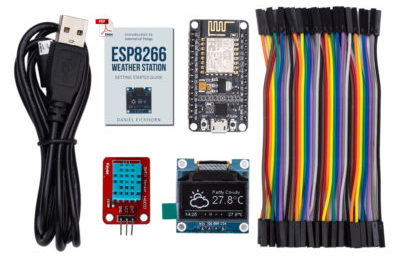](https://thingpulse.com/product/esp8266-iot-electronics-starter-kit-weatherstation-planespotter-worldclock/)
You can either download this library as a zip file and unpack it to your Arduino/libraries folder or find it in the Arduino library manager under "ESP8266 and ESP32 Oled Driver for SSD1306 display". For mbed-os a copy of the files are available as an mbed-os library.
It is also available as a [PlatformIO library](https://platformio.org/lib/show/2978/ESP8266%20and%20ESP32%20OLED%20driver%20for%20SSD1306%20displays/examples). Just execute the following command:
```
platformio lib install 2978
```
## Service level promise
<table><tr><td><img src="https://thingpulse.com/assets/ThingPulse-open-source-prime.png" width="150">
</td><td>This is a ThingPulse <em>prime</em> project. See our <a href="https://thingpulse.com/about/open-source-commitment/">open-source commitment declaration</a> for what this means.</td></tr></table>
## Credits
This library has initially been written by [Daniel Eichhorn](https://github.com/squix78). Many thanks go to [Fabrice Weinberg](https://github.com/FWeinb) for optimizing and refactoring many aspects of the library. Also many thanks to the many committers who helped to add new features and who fixed many bugs. Mbed-OS support and other improvements were contributed by [Helmut Tschemernjak](https://github.com/helmut64).
The init sequence for the SSD1306 was inspired by Adafruit's library for the same display.
## mbed-os
This library has been adopted to support the ARM mbed-os environment. A copy of this library is available in mbed-os under the name OLED_SSD1306 by Helmut Tschemernjak. An alternate installation option is to copy the following files into your mbed-os project: OLEDDisplay.cpp OLEDDisplay.h OLEDDisplayFonts.h OLEDDisplayUi.cpp OLEDDisplayUi.h SSD1306I2C.h
## Usage
Check out the examples folder for a few comprehensive demonstrations how to use the library. Also check out the [ESP8266 Weather Station](https://github.com/ThingPulse/esp8266-weather-station) library which uses the OLED library to display beautiful weather information.
## Upgrade
The API changed a lot with the 3.0 release. If you were using this library with older versions please have a look at the [Upgrade Guide](UPGRADE-3.0.md).
Going from 3.x version to 4.0 a lot of internals changed and compatibility for more displays was added. Please read the [Upgrade Guide](UPGRADE-4.0.md).
## Features
* Draw pixels at given coordinates
* Draw lines from given coordinates to given coordinates
* Draw or fill a rectangle with given dimensions
* Draw Text at given coordinates:
* Define Alignment: Left, Right and Center
* Set the Fontface you want to use (see section Fonts below)
* Limit the width of the text by an amount of pixels. Before this widths will be reached, the renderer will wrap the text to a new line if possible
* Display content in automatically side scrolling carousel
* Define transition cycles
* Define how long one frame will be displayed
* Draw the different frames in callback methods
* One indicator per frame will be automatically displayed. The active frame will be displayed from inactive once
## Fonts
Fonts are defined in a proprietary but open format. You can create new font files by choosing from a given list
of open sourced Fonts from this web app: http://oleddisplay.squix.ch
Choose the font family, style and size, check the preview image and if you like what you see click the "Create" button. This will create the font array in a text area form where you can copy and paste it into a new or existing header file.

## Hardware Abstraction
The library supports different protocols to access the OLED display. Currently there is support for I2C using the built in Wire.h library, I2C by using the much faster [BRZO I2C library](https://github.com/pasko-zh/brzo_i2c) written in assembler and it also supports displays which come with the SPI interface.
### I2C with Wire.h
```C++
#include <Wire.h>
#include "SSD1306Wire.h"
// for 128x64 displays:
SSD1306Wire display(0x3c, SDA, SCL); // ADDRESS, SDA, SCL
// for 128x32 displays:
// SSD1306Wire display(0x3c, SDA, SCL, GEOMETRY_128_32); // ADDRESS, SDA, SCL, GEOMETRY_128_32 (or 128_64)
// for using 2nd Hardware I2C (if available)
// SSD1306Wire(0x3c, SDA, SCL, GEOMETRY_128_64, I2C_TWO); //default value is I2C_ONE if not mentioned
// By default SD1306Wire set I2C frequency to 700000, you can use set either another frequency or skip setting the frequency by providing -1 value
// SSD1306Wire(0x3c, SDA, SCL, GEOMETRY_128_64, I2C_ONE, 400000); //set I2C frequency to 400kHz
// SSD1306Wire(0x3c, SDA, SCL, GEOMETRY_128_64, I2C_ONE, -1); //skip setting the I2C bus frequency
```
for a SH1106:
```C++
#include <Wire.h>
#include "SH1106Wire.h"
SH1106Wire display(0x3c, SDA, SCL); // ADDRESS, SDA, SCL
// By default SH1106Wire set I2C frequency to 700000, you can use set either another frequency or skip setting the frequency by providing -1 value
// SH1106Wire(0x3c, SDA, SCL, GEOMETRY_128_64, I2C_ONE, 400000); //set I2C frequency to 400kHz
// SH1106Wire(0x3c, SDA, SCL, GEOMETRY_128_64, I2C_ONE, -1); //skip setting the I2C bus frequency
```
### I2C with brzo_i2c
```C++
#include <brzo_i2c.h>
#include "SSD1306Brzo.h"
SSD1306Brzo display(0x3c, SDA, SCL); // ADDRESS, SDA, SCL
```
or for the SH1106:
```C++
#include <brzo_i2c.h>
#include "SH1106Brzo.h"
SH1106Brzo display(0x3c, SDA, SCL); // ADDRESS, SDA, SCL
```
### SPI
```C++
#include <SPI.h>
#include "SSD1306Spi.h"
SSD1306Spi display(D0, D2, D8); // RES, DC, CS
```
or for the SH1106:
```C++
#include <SPI.h>
#include "SH1106Spi.h"
SH1106Spi display(D0, D2, CS); // RES, DC, CS
```
In case the CS pin is not used (hard wired to ground), pass CS as -1.
## API
### Display Control
```C++
// Initialize the display
void init();
// Free the memory used by the display
void end();
// Cycle through the initialization
void resetDisplay(void);
// Connect again to the display through I2C
void reconnect(void);
// Turn the display on
void displayOn(void);
// Turn the display offs
void displayOff(void);
// Clear the local pixel buffer
void clear(void);
// Write the buffer to the display memory
void display(void);
// Inverted display mode
void invertDisplay(void);
// Normal display mode
void normalDisplay(void);
// Set display contrast
// really low brightness & contrast: contrast = 10, precharge = 5, comdetect = 0
// normal brightness & contrast: contrast = 100
void setContrast(uint8_t contrast, uint8_t precharge = 241, uint8_t comdetect = 64);
// Convenience method to access setContrast with only brightness parameter
void setBrightness(uint8_t);
// Turn the display upside down
void flipScreenVertically();
// Draw the screen mirrored
void mirrorScreen();
```
## Pixel drawing
```C++
/* Drawing functions */
// Sets the color of all pixel operations
// color : BLACK, WHITE, INVERSE
void setColor(OLEDDISPLAY_COLOR color);
// Draw a pixel at given position
void setPixel(int16_t x, int16_t y);
// Draw a line from position 0 to position 1
void drawLine(int16_t x0, int16_t y0, int16_t x1, int16_t y1);
// Draw the border of a rectangle at the given location
void drawRect(int16_t x, int16_t y, int16_t width, int16_t height);
// Fill the rectangle
void fillRect(int16_t x, int16_t y, int16_t width, int16_t height);
// Draw the border of a circle
void drawCircle(int16_t x, int16_t y, int16_t radius);
// Fill circle
void fillCircle(int16_t x, int16_t y, int16_t radius);
// Draw an empty triangle i.e. only the outline
void drawTriangle(int16_t x0, int16_t y0, int16_t x1, int16_t y1, int16_t x2, int16_t y2);
// Draw a solid triangle i.e. filled
void fillTriangle(int16_t x0, int16_t y0, int16_t x1, int16_t y1, int16_t x2, int16_t y2);
// Draw a line horizontally
void drawHorizontalLine(int16_t x, int16_t y, int16_t length);
// Draw a lin vertically
void drawVerticalLine(int16_t x, int16_t y, int16_t length);
// Draws a rounded progress bar with the outer dimensions given by width and height. Progress is
// a unsigned byte value between 0 and 100
void drawProgressBar(uint16_t x, uint16_t y, uint16_t width, uint16_t height, uint8_t progress);
// Draw a bitmap in the internal image format
void drawFastImage(int16_t x, int16_t y, int16_t width, int16_t height, const uint8_t *image);
// Draw a XBM
void drawXbm(int16_t x, int16_t y, int16_t width, int16_t height, const uint8_t *xbm);
```
## Text operations
``` C++
// Draws a string at the given location, returns how many chars have been written
uint16_t drawString(int16_t x, int16_t y, const String &text);
// Draws a String with a maximum width at the given location.
// If the given String is wider than the specified width
// The text will be wrapped to the next line at a space or dash
// returns 0 if everything fits on the screen or the numbers of characters in the
// first line if not
uint16_t drawStringMaxWidth(int16_t x, int16_t y, uint16_t maxLineWidth, const String &text);
// Returns the width of the const char* with the current
// font settings
uint16_t getStringWidth(const char* text, uint16_t length, bool utf8 = false);
// Convencience method for the const char version
uint16_t getStringWidth(const String &text);
// Specifies relative to which anchor point
// the text is rendered. Available constants:
// TEXT_ALIGN_LEFT, TEXT_ALIGN_CENTER, TEXT_ALIGN_RIGHT, TEXT_ALIGN_CENTER_BOTH
void setTextAlignment(OLEDDISPLAY_TEXT_ALIGNMENT textAlignment);
// Sets the current font. Available default fonts
// ArialMT_Plain_10, ArialMT_Plain_16, ArialMT_Plain_24
// Or create one with the font tool at http://oleddisplay.squix.ch
void setFont(const uint8_t* fontData);
```
## Arduino `Print` functionality
Because this class has been "derived" from Arduino's `Print` class, you can use the functions it provides. In plain language, this means that you can use `print`, `println` and `printf` to the display. Internally, a buffer holds the text that was printed to the display previously (that would still fit on the display) and every time you print something, this buffer is put on the screen, using the functions from the previous section.
What that means is that printing using `print` and "manually" putting things on the display are somewhat mutually exclusive: as soon as you print, everything that was on the display already is gone and only what you put there before with `print`, `println` or `printf` remains. Still, using `print` is a very simple way to put something on the display quickly.
One extra function is provided: `cls()`
```cpp
// cls() will clear the display immediately and empty the logBuffer, meaning
// the next print statement will print at the top of the display again.
// cls() should not be confused with clear(), which only clears the internal
// graphics buffer, which can then be shown on the display with display().
void cls();
> _Note that printing to the display, contrary to what you might expect, does not wrap your lines, so everything on a line that doesn't fit on the screen is cut off._
```
<hr>
## Ui Library (OLEDDisplayUi)
The Ui Library is used to provide a basic set of user interface elements called `Frames` and `Overlays`. A `Frame` is used to provide
information to the user. The default behaviour is to display a `Frame` for a defined time and than move to the next `Frame`. The library also
provides an `Indicator` element that will be updated accordingly. An `Overlay` on the other hand is a piece of information (e.g. a clock) that
is always displayed at the same position.
```C++
/**
* Initialise the display
*/
void init();
/**
* Configure the internal used target FPS
*/
void setTargetFPS(uint8_t fps);
/**
* Enable automatic transition to next frame after the some time can be configured with
* `setTimePerFrame` and `setTimePerTransition`.
*/
void enableAutoTransition();
/**
* Disable automatic transition to next frame.
*/
void disableAutoTransition();
/**
* Set the direction if the automatic transitioning
*/
void setAutoTransitionForwards();
void setAutoTransitionBackwards();
/**
* Set the approx. time a frame is displayed
*/
void setTimePerFrame(uint16_t time);
/**
* Set the approx. time a transition will take
*/
void setTimePerTransition(uint16_t time);
/**
* Draw the indicator.
* This is the default state for all frames if
* the indicator was hidden on the previous frame
* it will be slided in.
*/
void enableIndicator();
/**
* Don't draw the indicator.
* This will slide out the indicator
* when transitioning to the next frame.
*/
void disableIndicator();
/**
* Enable drawing of all indicators.
*/
void enableAllIndicators();
/**
* Disable drawing of all indicators.
*/
void disableAllIndicators();
/**
* Set the position of the indicator bar.
*/
void setIndicatorPosition(IndicatorPosition pos);
/**
* Set the direction of the indicator bar. Defining the order of frames ASCENDING / DESCENDING
*/
void setIndicatorDirection(IndicatorDirection dir);
/**
* Set the symbol to indicate an active frame in the indicator bar.
*/
void setActiveSymbol(const uint8_t* symbol);
/**
* Set the symbol to indicate an inactive frame in the indicator bar.
*/
void setInactiveSymbol(const uint8_t* symbol);
/**
* Configure what animation is used to transition from one frame to another
*/
void setFrameAnimation(AnimationDirection dir);
/**
* Add frame drawing functions
*/
void setFrames(FrameCallback* frameFunctions, uint8_t frameCount);
/**
* Add overlays drawing functions that are draw independent of the Frames
*/
void setOverlays(OverlayCallback* overlayFunctions, uint8_t overlayCount);
/**
* Set the function that will draw each step
* in the loading animation
*/
void setLoadingDrawFunction(LoadingDrawFunction loadingDrawFunction);
/**
* Run the loading process
*/
void runLoadingProcess(LoadingStage* stages, uint8_t stagesCount);
// Manual control
void nextFrame();
void previousFrame();
/**
* Switch without transition to frame `frame`.
*/
void switchToFrame(uint8_t frame);
/**
* Transition to frame `frame`. When the `frame` number is bigger than the current
* frame the forward animation will be used, otherwise the backwards animation is used.
*/
void transitionToFrame(uint8_t frame);
// State Info
OLEDDisplayUiState* getUiState();
// This needs to be called in the main loop
// the returned value is the remaining time (in ms)
// you have to draw after drawing to keep the frame budget.
int8_t update();
```
## Creating and using XBM bitmaps
If you want to display your own images with this library, the best way to do this is using a bitmap.
There are two options to convert an image to a compatible bitmap:
1. **Using Gimp.**
In this case exporting the bitmap in an 1-bit XBM format is sufficient.
2. **Using a converter website.**
You could also use online converter services like e.g. [https://javl.github.io/image2cpp/](https://javl.github.io/image2cpp/). The uploaded image should have the same dimension as the screen (e.g. 128x64). The following output settings should be set:
- Draw Mode: Horizontal - 1 bit per pixel
- Swap bits in byte: swap checkbox should be checked.
The resulting bitmap can be put into a header file:
```C++
const unsigned char epd_example [] PROGMEM = {
0x00, 0x00, 0x00, 0x00, 0x00, 0x00, ...
...
};
```
Subsequently, it can be used like this:
```C++
display.clear();
display.drawXbm(0, 0, 128, 64, epd_example); // assuming your bitmap is 128x64
display.display();
```
## Example: SSD1306Demo
### Frame 1

This frame shows three things:
* How to draw an XMB image
* How to draw static text which is not moved by the frame transition
* The active/inactive frame indicators
### Frame 2

Currently there are one fontface with three sizes included in the library: Arial 10, 16 and 24. Once the converter is published you will be able to convert any ttf font into the used format.
### Frame 3

This frame demonstrates the text alignment. The coordinates in the frame show relative to which position the texts have been rendered.
### Frame 4

This shows how to use define a maximum width after which the driver automatically wraps a word to the next line. This comes in very handy if you have longer texts to display.
### SPI version

This shows the code working on the SPI version of the display. See demo code for ESP8266 pins used.
## Selection of projects using this library
* [QRCode ESP8266](https://github.com/anunpanya/ESP8266_QRcode) (by @anunpanya)
* [Scan I2C](https://github.com/hallard/Scan-I2C-WiFi) (by @hallard)
* [ThingPulse Weather Station](https://github.com/ThingPulse/esp8266-weather-station)
* [Meshtastic](https://www.meshtastic.org/) - an open source GPS communicator mesh radio
* [OpenMQTTGateway](https://docs.openmqttgateway.com) - OpenMQTTGateway aims to unify various technologies and protocols into a single firmware. This reduces the need for multiple physical bridges and streamlines diverse technologies under the widely-used MQTT protocol.
* [OpenAstroTracker](https://openastrotech.com) - Open source hardware and software for Astrophotography. The firmware for the mounts supports displays and uses this library to drive them.
* Yours?
================================================
FILE: README_GEOMETRY_64_48.md
================================================
# GEOMETRY_64_48
The 64x48 geometry setting are working with the `Wire.h` and `brzo_i2c` libraries.
I've tested it successfully with a WEMOS D1 mini Lite and a WEMOS OLED shield
Initialization code:
- Wire
```
#include <Wire.h>
#include <SSD1306Wire.h>
SSD1306Wire display(0x3c, D2, D1, GEOMETRY_64_48 ); // WEMOS OLED shield
```
- BRZO i2c
```
#include <SSD1306Brzo.h>
SSD1306Brzo display(0x3c, D2, D1, GEOMETRY_64_48 ); // WEMOS OLED Shield
```
================================================
FILE: UPGRADE-3.0.md
================================================
# Upgrade from 2.0 to 3.0
While developing version 3.0 we made some breaking changes to the public
API of this library. This document will help you update your code to work with
version 3.0
## Font Definitions
To get better performance and a smaller font definition format, we change the memory
layout of the font definition format. If you are using custom fonts not included in
this library we updated the font generator [here](http://oleddisplay.squix.ch/#/home).
Please update your fonts to be working with 3.0 by selecting the respective version in the dropdown.
## Architectural Changes
To become a more versatile library for the SSD1306 chipset we abstracted the
hardware connection into subclasses of the base display class now called `OLEDDisplay`.
This library is currently shipping with three implementations:
* `SSD1306Wire` implementing the I2C protocol using the Wire Library.
* `SSD1306Brzo` implementing the I2C protocol using the faster [`brzo_i2c`](https://github.com/pasko-zh/brzo_i2c) library.
* `SSD1306Spi` implementing the SPI protocol.
To keep backwards compatiblity with the old API `SSD1306` is an alias of `SSD1306Wire`.
If you are not using the UI components you don't have to change anything to keep your code working.
## Name Changes
[Naming things is hard](http://martinfowler.com/bliki/TwoHardThings.html), to better reflect our intention with this library
we changed the name of the base class to `OLEDDisplay` and the UI library accordingly to `OLEDDisplayUi`.
As a consequence the type definitions of all frame and overlay related functions changed.
This means that you have to update all your frame drawing callbacks from:
```c
bool frame1(SSD1306 *display, SSD1306UiState* state, int x, int y);
```
too
```c
void frame1(OLEDDisplay *display, OLEDDisplayUiState* state, int16_t x, int16_t y);
```
And your overlay drawing functions from:
```c
bool overlay1(SSD1306 *display, SSD1306UiState* state);
```
too
```c
void overlay1(OLEDDisplay *display, OLEDDisplayUiState* state);
```
## New Features
### Loading Animation
While using this library ourself we noticed a pattern emerging. We want to drawing
a loading progress while connecting to WiFi and updating weather data etc.
The simplest thing was to add the function `drawProgressBar(x, y, width, height, progress)`
,where `progress` is between `0` and `100`, right to the `OLEDDisplay` class.
But we didn't stop there. We added a new feature to the `OLEDDisplayUi` called `LoadingStages`.
You can define your loading process like this:
```c++
LoadingStage loadingStages[] = {
{
.process = "Connect to WiFi",
.callback = []() {
// Connect to WiFi
}
},
{
.process = "Get time from NTP",
.callback = []() {
// Get current time via NTP
}
}
// more steps
};
int LOADING_STAGES_COUNT = sizeof(loadingStages) / sizeof(LoadingStage);
```
After defining your array of `LoadingStages` you can then run the loading process by using
`ui.runLoadingProcess(loadingStages, LOADING_STAGES_COUNT)`. This will give you a
nice little loading animation you can see in the beginning of [this](https://vimeo.com/168362918)
video.
To further customize this you are free to define your own `LoadingDrawFunction` like this:
```c
void myLoadingDraw(OLEDDisplay *display, LoadingStage* stage, uint8_t progress) {
display->setTextAlignment(TEXT_ALIGN_CENTER);
display->setFont(ArialMT_Plain_10);
// stage->process contains the text of the current progress e.q. "Connect to WiFi"
display->drawString(64, 18, stage->process);
// you could just print the current process without the progress bar
display->drawString(64, 28, progress);
}
```
After defining a function like that, you can pass it to the Ui library by use
`ui.setLoadingDrawFunction(myLoadingDraw)`.
### Text Logging
It is always useful to display some text on the display without worrying to much
where it goes and managing it. In 3.0 we made the `OLEDDisplay` class implement
[`Print`](https://github.com/arduino/Arduino/blob/master/hardware/arduino/avr/cores/arduino/Print.h)
so you can use it like you would use `Serial`. We calls this feature `LogBuffer`
and the only thing you have to do is to define how many lines you want to display
and how many characters there are on average on each. This is done by calling
`setLogBuffer(lines, chars);`. If there is not enough memory the function will
return false.
After that you can draw the `LogBuffer` anywhere you want by calling `drawLogBuffer(x, y)`.
(Note: You have to call `display()` to update the screen)
We made a [video](https://www.youtube.com/watch?v=8Fiss77A3TE) showing this feature in action.
================================================
FILE: UPGRADE-4.0.md
================================================
# Upgrade from 3.x to 4.0
There are changes that breaks compatibility with older versions.
1. You'll have to change data type for all your binary resources such as images and fonts from
```c
const char MySymbol[] PROGMEM = {
```
to
```c
const uint8_t MySymbol[] PROGMEM = {
```
1. Arguments of `setContrast` from `char` to `uint8_t`
```c++
void OLEDDisplay::setContrast(char contrast, char precharge, char comdetect);
```
to
```c++
void OLEDDisplay::setContrast(uint8_t contrast, uint8_t precharge, uint8_t comdetect);
```
================================================
FILE: component.mk
================================================
COMPONENT_ADD_INCLUDEDIRS := src
COMPONENT_SRCDIRS := src
CXXFLAGS += -Wno-ignored-qualifiers
================================================
FILE: examples/SSD1306ClockDemo/SSD1306ClockDemo.ino
================================================
/**
The MIT License (MIT)
Copyright (c) 2018 by ThingPulse, Daniel Eichhorn
Permission is hereby granted, free of charge, to any person obtaining a copy
of this software and associated documentation files (the "Software"), to deal
in the Software without restriction, including without limitation the rights
to use, copy, modify, merge, publish, distribute, sublicense, and/or sell
copies of the Software, and to permit persons to whom the Software is
furnished to do so, subject to the following conditions:
The above copyright notice and this permission notice shall be included in all
copies or substantial portions of the Software.
THE SOFTWARE IS PROVIDED "AS IS", WITHOUT WARRANTY OF ANY KIND, EXPRESS OR
IMPLIED, INCLUDING BUT NOT LIMITED TO THE WARRANTIES OF MERCHANTABILITY,
FITNESS FOR A PARTICULAR PURPOSE AND NONINFRINGEMENT. IN NO EVENT SHALL THE
AUTHORS OR COPYRIGHT HOLDERS BE LIABLE FOR ANY CLAIM, DAMAGES OR OTHER
LIABILITY, WHETHER IN AN ACTION OF CONTRACT, TORT OR OTHERWISE, ARISING FROM,
OUT OF OR IN CONNECTION WITH THE SOFTWARE OR THE USE OR OTHER DEALINGS IN THE
SOFTWARE.
ThingPulse invests considerable time and money to develop these open source libraries.
Please support us by buying our products (and not the clones) from
https://thingpulse.com
*/
// Install https://github.com/PaulStoffregen/Time
#include <TimeLib.h>
// Include the correct display library
// For a connection via I2C using Wire include
#include <Wire.h> // Only needed for Arduino 1.6.5 and earlier
#include "SSD1306Wire.h" // legacy include: `#include "SSD1306.h"`
// or #include "SH1106Wire.h", legacy include: `#include "SH1106.h"`
// For a connection via I2C using brzo_i2c (must be installed) include
// #include <brzo_i2c.h> // Only needed for Arduino 1.6.5 and earlier
// #include "SSD1306Brzo.h"
// #include "SH1106Brzo.h"
// For a connection via SPI include
// #include <SPI.h> // Only needed for Arduino 1.6.5 and earlier
// #include "SSD1306Spi.h"
// #include "SH1106SPi.h"
// Include the UI lib
#include "OLEDDisplayUi.h"
// Include custom images
#include "images.h"
// Use the corresponding display class:
// Initialize the OLED display using SPI
// D5 -> CLK
// D7 -> MOSI (DOUT)
// D0 -> RES
// D2 -> DC
// D8 -> CS
// SSD1306Spi display(D0, D2, D8);
// or
// SH1106Spi display(D0, D2);
// Initialize the OLED display using brzo_i2c
// D3 -> SDA
// D5 -> SCL
// SSD1306Brzo display(0x3c, D3, D5);
// or
// SH1106Brzo display(0x3c, D3, D5);
// Initialize the OLED display using Wire library
SSD1306Wire display(0x3c, SDA, SCL); // ADDRESS, SDA, SCL - SDA and SCL usually populate automatically based on your board's pins_arduino.h e.g. https://github.com/esp8266/Arduino/blob/master/variants/nodemcu/pins_arduino.h
// SH1106Wire display(0x3c, SDA, SCL);
OLEDDisplayUi ui ( &display );
int screenW = 128;
int screenH = 64;
int clockCenterX = screenW / 2;
int clockCenterY = ((screenH - 16) / 2) + 16; // top yellow part is 16 px height
int clockRadius = 23;
// utility function for digital clock display: prints leading 0
String twoDigits(int digits) {
if (digits < 10) {
String i = '0' + String(digits);
return i;
}
else {
return String(digits);
}
}
void clockOverlay(OLEDDisplay *display, OLEDDisplayUiState* state) {
}
void analogClockFrame(OLEDDisplay *display, OLEDDisplayUiState* state, int16_t x, int16_t y) {
// ui.disableIndicator();
// Draw the clock face
// display->drawCircle(clockCenterX + x, clockCenterY + y, clockRadius);
display->drawCircle(clockCenterX + x, clockCenterY + y, 2);
//
//hour ticks
for ( int z = 0; z < 360; z = z + 30 ) {
//Begin at 0° and stop at 360°
float angle = z ;
angle = ( angle / 57.29577951 ) ; //Convert degrees to radians
int x2 = ( clockCenterX + ( sin(angle) * clockRadius ) );
int y2 = ( clockCenterY - ( cos(angle) * clockRadius ) );
int x3 = ( clockCenterX + ( sin(angle) * ( clockRadius - ( clockRadius / 8 ) ) ) );
int y3 = ( clockCenterY - ( cos(angle) * ( clockRadius - ( clockRadius / 8 ) ) ) );
display->drawLine( x2 + x , y2 + y , x3 + x , y3 + y);
}
// display second hand
float angle = second() * 6 ;
angle = ( angle / 57.29577951 ) ; //Convert degrees to radians
int x3 = ( clockCenterX + ( sin(angle) * ( clockRadius - ( clockRadius / 5 ) ) ) );
int y3 = ( clockCenterY - ( cos(angle) * ( clockRadius - ( clockRadius / 5 ) ) ) );
display->drawLine( clockCenterX + x , clockCenterY + y , x3 + x , y3 + y);
//
// display minute hand
angle = minute() * 6 ;
angle = ( angle / 57.29577951 ) ; //Convert degrees to radians
x3 = ( clockCenterX + ( sin(angle) * ( clockRadius - ( clockRadius / 4 ) ) ) );
y3 = ( clockCenterY - ( cos(angle) * ( clockRadius - ( clockRadius / 4 ) ) ) );
display->drawLine( clockCenterX + x , clockCenterY + y , x3 + x , y3 + y);
//
// display hour hand
angle = hour() * 30 + int( ( minute() / 12 ) * 6 ) ;
angle = ( angle / 57.29577951 ) ; //Convert degrees to radians
x3 = ( clockCenterX + ( sin(angle) * ( clockRadius - ( clockRadius / 2 ) ) ) );
y3 = ( clockCenterY - ( cos(angle) * ( clockRadius - ( clockRadius / 2 ) ) ) );
display->drawLine( clockCenterX + x , clockCenterY + y , x3 + x , y3 + y);
}
void digitalClockFrame(OLEDDisplay *display, OLEDDisplayUiState* state, int16_t x, int16_t y) {
String timenow = String(hour()) + ":" + twoDigits(minute()) + ":" + twoDigits(second());
display->setTextAlignment(TEXT_ALIGN_CENTER);
display->setFont(ArialMT_Plain_24);
display->drawString(clockCenterX + x , clockCenterY + y, timenow );
}
// This array keeps function pointers to all frames
// frames are the single views that slide in
FrameCallback frames[] = { analogClockFrame, digitalClockFrame };
// how many frames are there?
int frameCount = 2;
// Overlays are statically drawn on top of a frame eg. a clock
OverlayCallback overlays[] = { clockOverlay };
int overlaysCount = 1;
void setup() {
Serial.begin(115200);
Serial.println();
// The ESP is capable of rendering 60fps in 80Mhz mode
// but that won't give you much time for anything else
// run it in 160Mhz mode or just set it to 30 fps
ui.setTargetFPS(60);
// Customize the active and inactive symbol
ui.setActiveSymbol(activeSymbol);
ui.setInactiveSymbol(inactiveSymbol);
// You can change this to
// TOP, LEFT, BOTTOM, RIGHT
ui.setIndicatorPosition(TOP);
// Defines where the first frame is located in the bar.
ui.setIndicatorDirection(LEFT_RIGHT);
// You can change the transition that is used
// SLIDE_LEFT, SLIDE_RIGHT, SLIDE_UP, SLIDE_DOWN
ui.setFrameAnimation(SLIDE_LEFT);
// Add frames
ui.setFrames(frames, frameCount);
// Add overlays
ui.setOverlays(overlays, overlaysCount);
// Initialising the UI will init the display too.
ui.init();
display.flipScreenVertically();
unsigned long secsSinceStart = millis();
// Unix time starts on Jan 1 1970. In seconds, that's 2208988800:
const unsigned long seventyYears = 2208988800UL;
// subtract seventy years:
unsigned long epoch = secsSinceStart - seventyYears * SECS_PER_HOUR;
setTime(epoch);
}
void loop() {
int remainingTimeBudget = ui.update();
if (remainingTimeBudget > 0) {
// You can do some work here
// Don't do stuff if you are below your
// time budget.
delay(remainingTimeBudget);
}
}
================================================
FILE: examples/SSD1306ClockDemo/images.h
================================================
const uint8_t activeSymbol[] PROGMEM = {
B00000000,
B00000000,
B00011000,
B00100100,
B01000010,
B01000010,
B00100100,
B00011000
};
const uint8_t inactiveSymbol[] PROGMEM = {
B00000000,
B00000000,
B00000000,
B00000000,
B00011000,
B00011000,
B00000000,
B00000000
};
================================================
FILE: examples/SSD1306DrawingDemo/SSD1306DrawingDemo.ino
================================================
/**
The MIT License (MIT)
Copyright (c) 2018 by ThingPulse, Daniel Eichhorn
Copyright (c) 2018 by Fabrice Weinberg
Permission is hereby granted, free of charge, to any person obtaining a copy
of this software and associated documentation files (the "Software"), to deal
in the Software without restriction, including without limitation the rights
to use, copy, modify, merge, publish, distribute, sublicense, and/or sell
copies of the Software, and to permit persons to whom the Software is
furnished to do so, subject to the following conditions:
The above copyright notice and this permission notice shall be included in all
copies or substantial portions of the Software.
THE SOFTWARE IS PROVIDED "AS IS", WITHOUT WARRANTY OF ANY KIND, EXPRESS OR
IMPLIED, INCLUDING BUT NOT LIMITED TO THE WARRANTIES OF MERCHANTABILITY,
FITNESS FOR A PARTICULAR PURPOSE AND NONINFRINGEMENT. IN NO EVENT SHALL THE
AUTHORS OR COPYRIGHT HOLDERS BE LIABLE FOR ANY CLAIM, DAMAGES OR OTHER
LIABILITY, WHETHER IN AN ACTION OF CONTRACT, TORT OR OTHERWISE, ARISING FROM,
OUT OF OR IN CONNECTION WITH THE SOFTWARE OR THE USE OR OTHER DEALINGS IN THE
SOFTWARE.
ThingPulse invests considerable time and money to develop these open source libraries.
Please support us by buying our products (and not the clones) from
https://thingpulse.com
*/
// Include the correct display library
// For a connection via I2C using Wire include
#include <Wire.h> // Only needed for Arduino 1.6.5 and earlier
#include "SSD1306Wire.h" // legacy include: `#include "SSD1306.h"`
// or #include "SH1106Wire.h", legacy include: `#include "SH1106.h"`
// For a connection via I2C using brzo_i2c (must be installed) include
// #include <brzo_i2c.h> // Only needed for Arduino 1.6.5 and earlier
// #include "SSD1306Brzo.h"
// #include "SH1106Brzo.h"
// For a connection via SPI include
// #include <SPI.h> // Only needed for Arduino 1.6.5 and earlier
// #include "SSD1306Spi.h"
// #include "SH1106SPi.h"
// Use the corresponding display class:
// Initialize the OLED display using SPI
// D5 -> CLK
// D7 -> MOSI (DOUT)
// D0 -> RES
// D2 -> DC
// D8 -> CS
// SSD1306Spi display(D0, D2, D8);
// or
// SH1106Spi display(D0, D2);
// Initialize the OLED display using brzo_i2c
// D3 -> SDA
// D5 -> SCL
// SSD1306Brzo display(0x3c, D3, D5);
// or
// SH1106Brzo display(0x3c, D3, D5);
// Initialize the OLED display using Wire library
SSD1306Wire display(0x3c, SDA, SCL); // ADDRESS, SDA, SCL - SDA and SCL usually populate automatically based on your board's pins_arduino.h e.g. https://github.com/esp8266/Arduino/blob/master/variants/nodemcu/pins_arduino.h
// SH1106Wire display(0x3c, SDA, SCL);
// Adapted from Adafruit_SSD1306
void drawLines() {
for (int16_t i = 0; i < display.getWidth(); i += 4) {
display.drawLine(0, 0, i, display.getHeight() - 1);
display.display();
delay(10);
}
for (int16_t i = 0; i < display.getHeight(); i += 4) {
display.drawLine(0, 0, display.getWidth() - 1, i);
display.display();
delay(10);
}
delay(250);
display.clear();
for (int16_t i = 0; i < display.getWidth(); i += 4) {
display.drawLine(0, display.getHeight() - 1, i, 0);
display.display();
delay(10);
}
for (int16_t i = display.getHeight() - 1; i >= 0; i -= 4) {
display.drawLine(0, display.getHeight() - 1, display.getWidth() - 1, i);
display.display();
delay(10);
}
delay(250);
display.clear();
for (int16_t i = display.getWidth() - 1; i >= 0; i -= 4) {
display.drawLine(display.getWidth() - 1, display.getHeight() - 1, i, 0);
display.display();
delay(10);
}
for (int16_t i = display.getHeight() - 1; i >= 0; i -= 4) {
display.drawLine(display.getWidth() - 1, display.getHeight() - 1, 0, i);
display.display();
delay(10);
}
delay(250);
display.clear();
for (int16_t i = 0; i < display.getHeight(); i += 4) {
display.drawLine(display.getWidth() - 1, 0, 0, i);
display.display();
delay(10);
}
for (int16_t i = 0; i < display.getWidth(); i += 4) {
display.drawLine(display.getWidth() - 1, 0, i, display.getHeight() - 1);
display.display();
delay(10);
}
delay(250);
}
// Adapted from Adafruit_SSD1306
void drawRect(void) {
for (int16_t i = 0; i < display.getHeight() / 2; i += 2) {
display.drawRect(i, i, display.getWidth() - 2 * i, display.getHeight() - 2 * i);
display.display();
delay(10);
}
}
// Adapted from Adafruit_SSD1306
void fillRect(void) {
uint8_t color = 1;
for (int16_t i = 0; i < display.getHeight() / 2; i += 3) {
display.setColor((color % 2 == 0) ? BLACK : WHITE); // alternate colors
display.fillRect(i, i, display.getWidth() - i * 2, display.getHeight() - i * 2);
display.display();
delay(10);
color++;
}
// Reset back to WHITE
display.setColor(WHITE);
}
// Adapted from Adafruit_SSD1306
void drawCircle(void) {
for (int16_t i = 0; i < display.getHeight(); i += 2) {
display.drawCircle(display.getWidth() / 2, display.getHeight() / 2, i);
display.display();
delay(10);
}
delay(1000);
display.clear();
// This will draw the part of the circel in quadrant 1
// Quadrants are numberd like this:
// 0010 | 0001
// ------|-----
// 0100 | 1000
//
display.drawCircleQuads(display.getWidth() / 2, display.getHeight() / 2, display.getHeight() / 4, 0b00000001);
display.display();
delay(200);
display.drawCircleQuads(display.getWidth() / 2, display.getHeight() / 2, display.getHeight() / 4, 0b00000011);
display.display();
delay(200);
display.drawCircleQuads(display.getWidth() / 2, display.getHeight() / 2, display.getHeight() / 4, 0b00000111);
display.display();
delay(200);
display.drawCircleQuads(display.getWidth() / 2, display.getHeight() / 2, display.getHeight() / 4, 0b00001111);
display.display();
}
void printBuffer(void) {
// Some test data
const char* test[] = {
"Hello",
"World" ,
"----",
"Show off",
"how",
"the log buffer",
"is",
"working.",
"Even",
"scrolling is",
"working"
};
display.clear();
for (uint8_t i = 0; i < 11; i++) {
// Print to the screen
display.println(test[i]);
delay(500);
}
}
void setup() {
display.init();
// display.flipScreenVertically();
display.setContrast(255);
drawLines();
delay(1000);
display.clear();
drawRect();
delay(1000);
display.clear();
fillRect();
delay(1000);
display.clear();
drawCircle();
delay(1000);
display.clear();
printBuffer();
delay(1000);
display.clear();
}
void loop() { }
================================================
FILE: examples/SSD1306FontTryout/Dialog_plain_6.h
================================================
// Created by http://oleddisplay.squix.ch/ Consider a donation
// In case of problems make sure that you are using the font file with the correct version!
const char Dialog_plain_6[] PROGMEM = {
0x06, // Width: 6
0x08, // Height: 8
0x20, // First Char: 32
0xE0, // Numbers of Chars: 224
// Jump Table:
0xFF, 0xFF, 0x00, 0x02, // 32:65535
0x00, 0x00, 0x02, 0x02, // 33:0
0x00, 0x02, 0x02, 0x03, // 34:2
0x00, 0x04, 0x05, 0x05, // 35:4
0x00, 0x09, 0x04, 0x04, // 36:9
0x00, 0x0D, 0x06, 0x06, // 37:13
0x00, 0x13, 0x05, 0x05, // 38:19
0x00, 0x18, 0x02, 0x02, // 39:24
0x00, 0x1A, 0x02, 0x02, // 40:26
0x00, 0x1C, 0x02, 0x02, // 41:28
0x00, 0x1E, 0x03, 0x03, // 42:30
0x00, 0x21, 0x05, 0x05, // 43:33
0x00, 0x26, 0x02, 0x02, // 44:38
0x00, 0x28, 0x02, 0x02, // 45:40
0x00, 0x2A, 0x02, 0x02, // 46:42
0x00, 0x2C, 0x02, 0x02, // 47:44
0x00, 0x2E, 0x04, 0x04, // 48:46
0x00, 0x32, 0x04, 0x04, // 49:50
0x00, 0x36, 0x04, 0x04, // 50:54
0x00, 0x3A, 0x04, 0x04, // 51:58
0x00, 0x3E, 0x04, 0x04, // 52:62
0x00, 0x42, 0x04, 0x04, // 53:66
0x00, 0x46, 0x04, 0x04, // 54:70
0x00, 0x4A, 0x04, 0x04, // 55:74
0x00, 0x4E, 0x04, 0x04, // 56:78
0x00, 0x52, 0x04, 0x04, // 57:82
0x00, 0x56, 0x02, 0x02, // 58:86
0x00, 0x58, 0x02, 0x02, // 59:88
0x00, 0x5A, 0x05, 0x05, // 60:90
0x00, 0x5F, 0x05, 0x05, // 61:95
0x00, 0x64, 0x05, 0x05, // 62:100
0x00, 0x69, 0x03, 0x03, // 63:105
0x00, 0x6C, 0x06, 0x06, // 64:108
0x00, 0x72, 0x04, 0x04, // 65:114
0x00, 0x76, 0x04, 0x04, // 66:118
0x00, 0x7A, 0x04, 0x04, // 67:122
0x00, 0x7E, 0x05, 0x05, // 68:126
0x00, 0x83, 0x04, 0x04, // 69:131
0x00, 0x87, 0x03, 0x03, // 70:135
0x00, 0x8A, 0x05, 0x05, // 71:138
0x00, 0x8F, 0x04, 0x05, // 72:143
0x00, 0x93, 0x02, 0x02, // 73:147
0x00, 0x95, 0x02, 0x02, // 74:149
0x00, 0x97, 0x04, 0x04, // 75:151
0x00, 0x9B, 0x03, 0x03, // 76:155
0x00, 0x9E, 0x05, 0x05, // 77:158
0x00, 0xA3, 0x04, 0x04, // 78:163
0x00, 0xA7, 0x05, 0x05, // 79:167
0x00, 0xAC, 0x04, 0x04, // 80:172
0x00, 0xB0, 0x05, 0x05, // 81:176
0x00, 0xB5, 0x04, 0x04, // 82:181
0x00, 0xB9, 0x04, 0x04, // 83:185
0x00, 0xBD, 0x04, 0x04, // 84:189
0x00, 0xC1, 0x04, 0x04, // 85:193
0x00, 0xC5, 0x04, 0x04, // 86:197
0x00, 0xC9, 0x06, 0x06, // 87:201
0x00, 0xCF, 0x04, 0x04, // 88:207
0x00, 0xD3, 0x04, 0x04, // 89:211
0x00, 0xD7, 0x04, 0x04, // 90:215
0x00, 0xDB, 0x02, 0x02, // 91:219
0x00, 0xDD, 0x02, 0x02, // 92:221
0x00, 0xDF, 0x02, 0x02, // 93:223
0x00, 0xE1, 0x05, 0x05, // 94:225
0x00, 0xE6, 0x03, 0x03, // 95:230
0x00, 0xE9, 0x02, 0x03, // 96:233
0x00, 0xEB, 0x04, 0x04, // 97:235
0x00, 0xEF, 0x04, 0x04, // 98:239
0x00, 0xF3, 0x03, 0x03, // 99:243
0x00, 0xF6, 0x04, 0x04, // 100:246
0x00, 0xFA, 0x04, 0x04, // 101:250
0x00, 0xFE, 0x02, 0x02, // 102:254
0x01, 0x00, 0x04, 0x04, // 103:256
0x01, 0x04, 0x04, 0x04, // 104:260
0x01, 0x08, 0x02, 0x02, // 105:264
0x01, 0x0A, 0x02, 0x02, // 106:266
0x01, 0x0C, 0x03, 0x03, // 107:268
0x01, 0x0F, 0x02, 0x02, // 108:271
0x01, 0x11, 0x06, 0x06, // 109:273
0x01, 0x17, 0x04, 0x04, // 110:279
0x01, 0x1B, 0x04, 0x04, // 111:283
0x01, 0x1F, 0x04, 0x04, // 112:287
0x01, 0x23, 0x04, 0x04, // 113:291
0x01, 0x27, 0x02, 0x02, // 114:295
0x01, 0x29, 0x03, 0x03, // 115:297
0x01, 0x2C, 0x02, 0x02, // 116:300
0x01, 0x2E, 0x04, 0x04, // 117:302
0x01, 0x32, 0x03, 0x04, // 118:306
0x01, 0x35, 0x04, 0x05, // 119:309
0x01, 0x39, 0x03, 0x04, // 120:313
0x01, 0x3C, 0x03, 0x04, // 121:316
0x01, 0x3F, 0x03, 0x03, // 122:319
0x01, 0x42, 0x04, 0x04, // 123:322
0x01, 0x46, 0x02, 0x02, // 124:326
0x01, 0x48, 0x04, 0x04, // 125:328
0x01, 0x4C, 0x05, 0x05, // 126:332
0x01, 0x51, 0x03, 0x04, // 127:337
0x01, 0x54, 0x03, 0x04, // 128:340
0x01, 0x57, 0x03, 0x04, // 129:343
0x01, 0x5A, 0x03, 0x04, // 130:346
0x01, 0x5D, 0x03, 0x04, // 131:349
0x01, 0x60, 0x03, 0x04, // 132:352
0x01, 0x63, 0x03, 0x04, // 133:355
0x01, 0x66, 0x03, 0x04, // 134:358
0x01, 0x69, 0x03, 0x04, // 135:361
0x01, 0x6C, 0x03, 0x04, // 136:364
0x01, 0x6F, 0x03, 0x04, // 137:367
0x01, 0x72, 0x03, 0x04, // 138:370
0x01, 0x75, 0x03, 0x04, // 139:373
0x01, 0x78, 0x03, 0x04, // 140:376
0x01, 0x7B, 0x03, 0x04, // 141:379
0x01, 0x7E, 0x03, 0x04, // 142:382
0x01, 0x81, 0x03, 0x04, // 143:385
0x01, 0x84, 0x03, 0x04, // 144:388
0x01, 0x87, 0x03, 0x04, // 145:391
0x01, 0x8A, 0x03, 0x04, // 146:394
0x01, 0x8D, 0x03, 0x04, // 147:397
0x01, 0x90, 0x03, 0x04, // 148:400
0x01, 0x93, 0x03, 0x04, // 149:403
0x01, 0x96, 0x03, 0x04, // 150:406
0x01, 0x99, 0x03, 0x04, // 151:409
0x01, 0x9C, 0x03, 0x04, // 152:412
0x01, 0x9F, 0x03, 0x04, // 153:415
0x01, 0xA2, 0x03, 0x04, // 154:418
0x01, 0xA5, 0x03, 0x04, // 155:421
0x01, 0xA8, 0x03, 0x04, // 156:424
0x01, 0xAB, 0x03, 0x04, // 157:427
0x01, 0xAE, 0x03, 0x04, // 158:430
0x01, 0xB1, 0x03, 0x04, // 159:433
0xFF, 0xFF, 0x00, 0x02, // 160:65535
0x01, 0xB4, 0x02, 0x02, // 161:436
0x01, 0xB6, 0x04, 0x04, // 162:438
0x01, 0xBA, 0x04, 0x04, // 163:442
0x01, 0xBE, 0x04, 0x04, // 164:446
0x01, 0xC2, 0x04, 0x04, // 165:450
0x01, 0xC6, 0x02, 0x02, // 166:454
0x01, 0xC8, 0x03, 0x03, // 167:456
0x01, 0xCB, 0x02, 0x03, // 168:459
0x01, 0xCD, 0x05, 0x06, // 169:461
0x01, 0xD2, 0x03, 0x03, // 170:466
0x01, 0xD5, 0x03, 0x04, // 171:469
0x01, 0xD8, 0x05, 0x05, // 172:472
0x01, 0xDD, 0x02, 0x02, // 173:477
0x01, 0xDF, 0x05, 0x06, // 174:479
0x01, 0xE4, 0x03, 0x03, // 175:484
0x01, 0xE7, 0x03, 0x03, // 176:487
0x01, 0xEA, 0x05, 0x05, // 177:490
0x01, 0xEF, 0x02, 0x02, // 178:495
0x01, 0xF1, 0x02, 0x02, // 179:497
0x01, 0xF3, 0x02, 0x03, // 180:499
0x01, 0xF5, 0x04, 0x04, // 181:501
0x01, 0xF9, 0x03, 0x04, // 182:505
0x01, 0xFC, 0x02, 0x02, // 183:508
0x01, 0xFE, 0x02, 0x03, // 184:510
0x02, 0x00, 0x02, 0x02, // 185:512
0x02, 0x02, 0x03, 0x03, // 186:514
0x02, 0x05, 0x03, 0x04, // 187:517
0x02, 0x08, 0x06, 0x06, // 188:520
0x02, 0x0E, 0x06, 0x06, // 189:526
0x02, 0x14, 0x06, 0x06, // 190:532
0x02, 0x1A, 0x03, 0x03, // 191:538
0x02, 0x1D, 0x04, 0x04, // 192:541
0x02, 0x21, 0x04, 0x04, // 193:545
0x02, 0x25, 0x04, 0x04, // 194:549
0x02, 0x29, 0x04, 0x04, // 195:553
0x02, 0x2D, 0x04, 0x04, // 196:557
0x02, 0x31, 0x04, 0x04, // 197:561
0x02, 0x35, 0x06, 0x06, // 198:565
0x02, 0x3B, 0x04, 0x04, // 199:571
0x02, 0x3F, 0x04, 0x04, // 200:575
0x02, 0x43, 0x04, 0x04, // 201:579
0x02, 0x47, 0x04, 0x04, // 202:583
0x02, 0x4B, 0x04, 0x04, // 203:587
0x02, 0x4F, 0x02, 0x02, // 204:591
0x02, 0x51, 0x02, 0x02, // 205:593
0x02, 0x53, 0x02, 0x02, // 206:595
0x02, 0x55, 0x02, 0x02, // 207:597
0x02, 0x57, 0x05, 0x05, // 208:599
0x02, 0x5C, 0x04, 0x04, // 209:604
0x02, 0x60, 0x05, 0x05, // 210:608
0x02, 0x65, 0x05, 0x05, // 211:613
0x02, 0x6A, 0x05, 0x05, // 212:618
0x02, 0x6F, 0x05, 0x05, // 213:623
0x02, 0x74, 0x05, 0x05, // 214:628
0x02, 0x79, 0x04, 0x05, // 215:633
0x02, 0x7D, 0x05, 0x05, // 216:637
0x02, 0x82, 0x04, 0x04, // 217:642
0x02, 0x86, 0x04, 0x04, // 218:646
0x02, 0x8A, 0x04, 0x04, // 219:650
0x02, 0x8E, 0x04, 0x04, // 220:654
0x02, 0x92, 0x04, 0x04, // 221:658
0x02, 0x96, 0x04, 0x04, // 222:662
0x02, 0x9A, 0x04, 0x04, // 223:666
0x02, 0x9E, 0x04, 0x04, // 224:670
0x02, 0xA2, 0x04, 0x04, // 225:674
0x02, 0xA6, 0x04, 0x04, // 226:678
0x02, 0xAA, 0x04, 0x04, // 227:682
0x02, 0xAE, 0x04, 0x04, // 228:686
0x02, 0xB2, 0x04, 0x04, // 229:690
0x02, 0xB6, 0x06, 0x06, // 230:694
0x02, 0xBC, 0x03, 0x03, // 231:700
0x02, 0xBF, 0x04, 0x04, // 232:703
0x02, 0xC3, 0x04, 0x04, // 233:707
0x02, 0xC7, 0x04, 0x04, // 234:711
0x02, 0xCB, 0x04, 0x04, // 235:715
0x02, 0xCF, 0x02, 0x02, // 236:719
0x02, 0xD1, 0x02, 0x02, // 237:721
0x02, 0xD3, 0x02, 0x02, // 238:723
0x02, 0xD5, 0x02, 0x02, // 239:725
0x02, 0xD7, 0x04, 0x04, // 240:727
0x02, 0xDB, 0x04, 0x04, // 241:731
0x02, 0xDF, 0x04, 0x04, // 242:735
0x02, 0xE3, 0x04, 0x04, // 243:739
0x02, 0xE7, 0x04, 0x04, // 244:743
0x02, 0xEB, 0x04, 0x04, // 245:747
0x02, 0xEF, 0x04, 0x04, // 246:751
0x02, 0xF3, 0x05, 0x05, // 247:755
0x02, 0xF8, 0x04, 0x04, // 248:760
0x02, 0xFC, 0x04, 0x04, // 249:764
0x03, 0x00, 0x04, 0x04, // 250:768
0x03, 0x04, 0x04, 0x04, // 251:772
0x03, 0x08, 0x04, 0x04, // 252:776
0x03, 0x0C, 0x03, 0x04, // 253:780
0x03, 0x0F, 0x04, 0x04, // 254:783
0x03, 0x13, 0x03, 0x04, // 255:787
// Font Data:
0x00,0x2C, // 33
0x00,0x0C, // 34
0x00,0x18,0x1C,0x38,0x18, // 35
0x00,0x2C,0x7E,0x3C, // 36
0x00,0x0C,0x2C,0x18,0x34,0x30, // 37
0x00,0x30,0x3C,0x34,0x30, // 38
0x00,0x0C, // 39
0x00,0x1C, // 40
0x00,0x1C, // 41
0x0C,0x0C,0x0C, // 42
0x00,0x08,0x08,0x3E,0x08, // 43
0x00,0x20, // 44
0x00,0x10, // 45
0x00,0x20, // 46
0x70,0x1C, // 47
0x00,0x3C,0x24,0x3C, // 48
0x00,0x24,0x3C,0x20, // 49
0x00,0x24,0x34,0x3C, // 50
0x00,0x24,0x2C,0x34, // 51
0x00,0x10,0x18,0x3C, // 52
0x00,0x2C,0x2C,0x3C, // 53
0x00,0x38,0x34,0x34, // 54
0x00,0x04,0x34,0x0C, // 55
0x00,0x34,0x2C,0x34, // 56
0x00,0x2C,0x2C,0x1C, // 57
0x00,0x28, // 58
0x00,0x28, // 59
0x00,0x08,0x08,0x1C,0x14, // 60
0x00,0x14,0x14,0x14,0x14, // 61
0x00,0x14,0x1C,0x08,0x08, // 62
0x00,0x04,0x24, // 63
0x00,0x38,0x54,0x74,0x14,0x08, // 64
0x20,0x1C,0x1C,0x20, // 65
0x00,0x3C,0x2C,0x34, // 66
0x00,0x18,0x24,0x24, // 67
0x00,0x3C,0x24,0x24,0x18, // 68
0x00,0x3C,0x2C,0x2C, // 69
0x00,0x3C,0x0C, // 70
0x00,0x18,0x24,0x2C,0x3C, // 71
0x00,0x3C,0x08,0x3C, // 72
0x00,0x3C, // 73
0x40,0x7C, // 74
0x00,0x3C,0x3C,0x24, // 75
0x00,0x3C,0x20, // 76
0x00,0x3C,0x1C,0x0C,0x3C, // 77
0x00,0x3C,0x1C,0x3C, // 78
0x00,0x18,0x24,0x24,0x18, // 79
0x00,0x3C,0x14,0x1C, // 80
0x00,0x18,0x24,0x64,0x18, // 81
0x00,0x3C,0x34,0x2C, // 82
0x00,0x2C,0x2C,0x3C, // 83
0x04,0x04,0x3C,0x04, // 84
0x00,0x3C,0x20,0x3C, // 85
0x04,0x38,0x38,0x04, // 86
0x0C,0x30,0x0C,0x0C,0x30,0x0C, // 87
0x24,0x3C,0x3C,0x24, // 88
0x04,0x0C,0x38,0x0C, // 89
0x00,0x24,0x3C,0x2C, // 90
0x00,0x3E, // 91
0x1C,0x70, // 92
0x00,0x22, // 93
0x00,0x08,0x04,0x04,0x08, // 94
0x40,0x40,0x40, // 95
0x00,0x02, // 96
0x00,0x30,0x38,0x38, // 97
0x00,0x3E,0x28,0x38, // 98
0x00,0x38,0x28, // 99
0x00,0x38,0x28,0x3E, // 100
0x00,0x38,0x38,0x38, // 101
0x08,0x3E, // 102
0x00,0x78,0x68,0x78, // 103
0x00,0x3E,0x08,0x38, // 104
0x00,0x3A, // 105
0x40,0x7A, // 106
0x00,0x3E,0x38, // 107
0x00,0x3E, // 108
0x00,0x38,0x08,0x38,0x08,0x38, // 109
0x00,0x38,0x08,0x38, // 110
0x00,0x38,0x28,0x38, // 111
0x00,0x78,0x28,0x38, // 112
0x00,0x38,0x28,0x78, // 113
0x00,0x38, // 114
0x00,0x28,0x38, // 115
0x00,0x3C, // 116
0x00,0x38,0x20,0x38, // 117
0x08,0x30,0x08, // 118
0x38,0x18,0x38,0x18, // 119
0x28,0x38,0x28, // 120
0x68,0x30,0x08, // 121
0x00,0x28,0x38, // 122
0x00,0x08,0x76,0x42, // 123
0x00,0x7E, // 124
0x00,0x42,0x76,0x08, // 125
0x00,0x08,0x08,0x08,0x08, // 126
0x7C,0x44,0x7C, // 127
0x7C,0x44,0x7C, // 128
0x7C,0x44,0x7C, // 129
0x7C,0x44,0x7C, // 130
0x7C,0x44,0x7C, // 131
0x7C,0x44,0x7C, // 132
0x7C,0x44,0x7C, // 133
0x7C,0x44,0x7C, // 134
0x7C,0x44,0x7C, // 135
0x7C,0x44,0x7C, // 136
0x7C,0x44,0x7C, // 137
0x7C,0x44,0x7C, // 138
0x7C,0x44,0x7C, // 139
0x7C,0x44,0x7C, // 140
0x7C,0x44,0x7C, // 141
0x7C,0x44,0x7C, // 142
0x7C,0x44,0x7C, // 143
0x7C,0x44,0x7C, // 144
0x7C,0x44,0x7C, // 145
0x7C,0x44,0x7C, // 146
0x7C,0x44,0x7C, // 147
0x7C,0x44,0x7C, // 148
0x7C,0x44,0x7C, // 149
0x7C,0x44,0x7C, // 150
0x7C,0x44,0x7C, // 151
0x7C,0x44,0x7C, // 152
0x7C,0x44,0x7C, // 153
0x7C,0x44,0x7C, // 154
0x7C,0x44,0x7C, // 155
0x7C,0x44,0x7C, // 156
0x7C,0x44,0x7C, // 157
0x7C,0x44,0x7C, // 158
0x7C,0x44,0x7C, // 159
0x00,0x68, // 161
0x00,0x38,0x7C,0x28, // 162
0x28,0x3C,0x2C,0x24, // 163
0x00,0x38,0x28,0x38, // 164
0x00,0x2C,0x38,0x2C, // 165
0x00,0x6C, // 166
0x00,0x5C,0x74, // 167
0x00,0x02, // 168
0x00,0x18,0x24,0x3C,0x18, // 169
0x00,0x2C,0x2C, // 170
0x00,0x10,0x10, // 171
0x00,0x08,0x08,0x08,0x18, // 172
0x00,0x10, // 173
0x00,0x18,0x34,0x34,0x18, // 174
0x00,0x04,0x04, // 175
0x00,0x0C,0x0C, // 176
0x28,0x28,0x3C,0x28,0x28, // 177
0x00,0x0C, // 178
0x00,0x0C, // 179
0x00,0x02, // 180
0x00,0x78,0x20,0x38, // 181
0x7C,0x04,0x7C, // 182
0x00,0x10, // 183
0x00,0x40, // 184
0x00,0x0C, // 185
0x00,0x2C,0x2C, // 186
0x00,0x10,0x10, // 187
0x00,0x2C,0x1C,0x0C,0x20,0x30, // 188
0x00,0x2C,0x1C,0x0C,0x30,0x30, // 189
0x00,0x2C,0x18,0x04,0x20,0x30, // 190
0x00,0x48,0x40, // 191
0x20,0x1C,0x1D,0x21, // 192
0x20,0x1C,0x1D,0x20, // 193
0x20,0x1D,0x1D,0x20, // 194
0x20,0x1D,0x1D,0x20, // 195
0x20,0x1D,0x1D,0x20, // 196
0x20,0x1E,0x1A,0x20, // 197
0x20,0x18,0x14,0x3C,0x2C,0x2C, // 198
0x00,0x18,0x64,0x24, // 199
0x00,0x3D,0x2D,0x2C, // 200
0x00,0x3D,0x2C,0x2C, // 201
0x00,0x3D,0x2D,0x2C, // 202
0x00,0x3D,0x2C,0x2D, // 203
0x01,0x3D, // 204
0x01,0x3C, // 205
0x01,0x3D, // 206
0x01,0x3C, // 207
0x10,0x3C,0x34,0x24,0x18, // 208
0x00,0x3C,0x1D,0x3C, // 209
0x00,0x18,0x25,0x25,0x18, // 210
0x00,0x18,0x25,0x24,0x18, // 211
0x00,0x18,0x25,0x25,0x18, // 212
0x00,0x18,0x25,0x25,0x18, // 213
0x00,0x19,0x24,0x24,0x19, // 214
0x00,0x14,0x1C,0x14, // 215
0x00,0x3C,0x34,0x2C,0x3C, // 216
0x00,0x3C,0x21,0x3D, // 217
0x00,0x3C,0x21,0x3C, // 218
0x00,0x3C,0x20,0x3C, // 219
0x00,0x3D,0x20,0x3D, // 220
0x04,0x0D,0x38,0x0C, // 221
0x00,0x3C,0x28,0x38, // 222
0x00,0x3E,0x0A,0x36, // 223
0x00,0x32,0x38,0x38, // 224
0x00,0x32,0x38,0x38, // 225
0x00,0x30,0x38,0x38, // 226
0x00,0x30,0x3A,0x38, // 227
0x00,0x32,0x38,0x3A, // 228
0x00,0x30,0x3B,0x3B, // 229
0x00,0x30,0x38,0x10,0x38,0x38, // 230
0x00,0x78,0x28, // 231
0x00,0x3A,0x38,0x38, // 232
0x00,0x3A,0x38,0x38, // 233
0x00,0x3A,0x3A,0x38, // 234
0x00,0x3A,0x38,0x3A, // 235
0x02,0x38, // 236
0x02,0x38, // 237
0x02,0x3A, // 238
0x02,0x38, // 239
0x00,0x38,0x2E,0x3C, // 240
0x02,0x3A,0x08,0x38, // 241
0x00,0x3A,0x28,0x38, // 242
0x00,0x3A,0x28,0x38, // 243
0x00,0x38,0x28,0x38, // 244
0x00,0x38,0x2A,0x38, // 245
0x00,0x3A,0x28,0x3A, // 246
0x00,0x08,0x08,0x1C,0x08, // 247
0x00,0x38,0x38,0x38, // 248
0x00,0x3A,0x20,0x38, // 249
0x00,0x3A,0x20,0x38, // 250
0x00,0x38,0x20,0x38, // 251
0x00,0x3A,0x20,0x3A, // 252
0x68,0x32,0x08, // 253
0x00,0x7E,0x28,0x38, // 254
0x68,0x32,0x0A // 255
};
================================================
FILE: examples/SSD1306FontTryout/Dialog_plain_7.h
================================================
// Created by http://oleddisplay.squix.ch/ Consider a donation
// In case of problems make sure that you are using the font file with the correct version!
const char Dialog_plain_7[] PROGMEM = {
0x07, // Width: 7
0x09, // Height: 9
0x20, // First Char: 32
0xE0, // Numbers of Chars: 224
// Jump Table:
0xFF, 0xFF, 0x00, 0x02, // 32:65535
0x00, 0x00, 0x03, 0x03, // 33:0
0x00, 0x03, 0x03, 0x03, // 34:3
0x00, 0x06, 0x0B, 0x06, // 35:6
0x00, 0x11, 0x07, 0x04, // 36:17
0x00, 0x18, 0x0D, 0x07, // 37:24
0x00, 0x25, 0x09, 0x05, // 38:37
0x00, 0x2E, 0x03, 0x02, // 39:46
0x00, 0x31, 0x05, 0x03, // 40:49
0x00, 0x36, 0x05, 0x03, // 41:54
0x00, 0x3B, 0x07, 0x04, // 42:59
0x00, 0x42, 0x0B, 0x06, // 43:66
0x00, 0x4D, 0x03, 0x02, // 44:77
0x00, 0x50, 0x05, 0x03, // 45:80
0x00, 0x55, 0x03, 0x02, // 46:85
0x00, 0x58, 0x03, 0x02, // 47:88
0x00, 0x5B, 0x07, 0x04, // 48:91
0x00, 0x62, 0x07, 0x04, // 49:98
0x00, 0x69, 0x07, 0x04, // 50:105
0x00, 0x70, 0x07, 0x04, // 51:112
0x00, 0x77, 0x07, 0x04, // 52:119
0x00, 0x7E, 0x07, 0x04, // 53:126
0x00, 0x85, 0x07, 0x04, // 54:133
0x00, 0x8C, 0x07, 0x04, // 55:140
0x00, 0x93, 0x07, 0x04, // 56:147
0x00, 0x9A, 0x07, 0x04, // 57:154
0x00, 0xA1, 0x03, 0x02, // 58:161
0x00, 0xA4, 0x03, 0x02, // 59:164
0x00, 0xA7, 0x09, 0x06, // 60:167
0x00, 0xB0, 0x09, 0x06, // 61:176
0x00, 0xB9, 0x09, 0x06, // 62:185
0x00, 0xC2, 0x07, 0x04, // 63:194
0x00, 0xC9, 0x0D, 0x07, // 64:201
0x00, 0xD6, 0x09, 0x05, // 65:214
0x00, 0xDF, 0x09, 0x05, // 66:223
0x00, 0xE8, 0x09, 0x05, // 67:232
0x00, 0xF1, 0x09, 0x05, // 68:241
0x00, 0xFA, 0x07, 0x04, // 69:250
0x01, 0x01, 0x07, 0x04, // 70:257
0x01, 0x08, 0x09, 0x05, // 71:264
0x01, 0x11, 0x09, 0x05, // 72:273
0x01, 0x1A, 0x03, 0x02, // 73:282
0x01, 0x1D, 0x03, 0x02, // 74:285
0x01, 0x20, 0x09, 0x05, // 75:288
0x01, 0x29, 0x07, 0x04, // 76:297
0x01, 0x30, 0x0B, 0x06, // 77:304
0x01, 0x3B, 0x09, 0x05, // 78:315
0x01, 0x44, 0x09, 0x06, // 79:324
0x01, 0x4D, 0x07, 0x04, // 80:333
0x01, 0x54, 0x09, 0x06, // 81:340
0x01, 0x5D, 0x09, 0x05, // 82:349
0x01, 0x66, 0x07, 0x04, // 83:358
0x01, 0x6D, 0x07, 0x04, // 84:365
0x01, 0x74, 0x09, 0x05, // 85:372
0x01, 0x7D, 0x09, 0x05, // 86:381
0x01, 0x86, 0x0B, 0x07, // 87:390
0x01, 0x91, 0x07, 0x04, // 88:401
0x01, 0x98, 0x07, 0x04, // 89:408
0x01, 0x9F, 0x09, 0x05, // 90:415
0x01, 0xA8, 0x05, 0x03, // 91:424
0x01, 0xAD, 0x03, 0x02, // 92:429
0x01, 0xB0, 0x05, 0x03, // 93:432
0x01, 0xB5, 0x09, 0x06, // 94:437
0x01, 0xBE, 0x08, 0x04, // 95:446
0x01, 0xC6, 0x01, 0x04, // 96:454
0x01, 0xC7, 0x07, 0x04, // 97:455
0x01, 0xCE, 0x07, 0x04, // 98:462
0x01, 0xD5, 0x07, 0x04, // 99:469
0x01, 0xDC, 0x07, 0x04, // 100:476
0x01, 0xE3, 0x07, 0x04, // 101:483
0x01, 0xEA, 0x03, 0x02, // 102:490
0x01, 0xED, 0x07, 0x04, // 103:493
0x01, 0xF4, 0x07, 0x04, // 104:500
0x01, 0xFB, 0x03, 0x02, // 105:507
0x01, 0xFE, 0x03, 0x02, // 106:510
0x02, 0x01, 0x07, 0x04, // 107:513
0x02, 0x08, 0x03, 0x02, // 108:520
0x02, 0x0B, 0x0B, 0x07, // 109:523
0x02, 0x16, 0x07, 0x04, // 110:534
0x02, 0x1D, 0x07, 0x04, // 111:541
0x02, 0x24, 0x07, 0x04, // 112:548
0x02, 0x2B, 0x07, 0x04, // 113:555
0x02, 0x32, 0x05, 0x03, // 114:562
0x02, 0x37, 0x07, 0x04, // 115:567
0x02, 0x3E, 0x05, 0x03, // 116:574
0x02, 0x43, 0x07, 0x04, // 117:579
0x02, 0x4A, 0x07, 0x04, // 118:586
0x02, 0x51, 0x09, 0x06, // 119:593
0x02, 0x5A, 0x07, 0x04, // 120:602
0x02, 0x61, 0x07, 0x04, // 121:609
0x02, 0x68, 0x07, 0x04, // 122:616
0x02, 0x6F, 0x07, 0x04, // 123:623
0x02, 0x76, 0x04, 0x02, // 124:630
0x02, 0x7A, 0x07, 0x04, // 125:634
0x02, 0x81, 0x09, 0x06, // 126:641
0x02, 0x8A, 0x07, 0x04, // 127:650
0x02, 0x91, 0x07, 0x04, // 128:657
0x02, 0x98, 0x07, 0x04, // 129:664
0x02, 0x9F, 0x07, 0x04, // 130:671
0x02, 0xA6, 0x07, 0x04, // 131:678
0x02, 0xAD, 0x07, 0x04, // 132:685
0x02, 0xB4, 0x07, 0x04, // 133:692
0x02, 0xBB, 0x07, 0x04, // 134:699
0x02, 0xC2, 0x07, 0x04, // 135:706
0x02, 0xC9, 0x07, 0x04, // 136:713
0x02, 0xD0, 0x07, 0x04, // 137:720
0x02, 0xD7, 0x07, 0x04, // 138:727
0x02, 0xDE, 0x07, 0x04, // 139:734
0x02, 0xE5, 0x07, 0x04, // 140:741
0x02, 0xEC, 0x07, 0x04, // 141:748
0x02, 0xF3, 0x07, 0x04, // 142:755
0x02, 0xFA, 0x07, 0x04, // 143:762
0x03, 0x01, 0x07, 0x04, // 144:769
0x03, 0x08, 0x07, 0x04, // 145:776
0x03, 0x0F, 0x07, 0x04, // 146:783
0x03, 0x16, 0x07, 0x04, // 147:790
0x03, 0x1D, 0x07, 0x04, // 148:797
0x03, 0x24, 0x07, 0x04, // 149:804
0x03, 0x2B, 0x07, 0x04, // 150:811
0x03, 0x32, 0x07, 0x04, // 151:818
0x03, 0x39, 0x07, 0x04, // 152:825
0x03, 0x40, 0x07, 0x04, // 153:832
0x03, 0x47, 0x07, 0x04, // 154:839
0x03, 0x4E, 0x07, 0x04, // 155:846
0x03, 0x55, 0x07, 0x04, // 156:853
0x03, 0x5C, 0x07, 0x04, // 157:860
0x03, 0x63, 0x07, 0x04, // 158:867
0x03, 0x6A, 0x07, 0x04, // 159:874
0xFF, 0xFF, 0x00, 0x02, // 160:65535
0x03, 0x71, 0x03, 0x03, // 161:881
0x03, 0x74, 0x07, 0x04, // 162:884
0x03, 0x7B, 0x07, 0x04, // 163:891
0x03, 0x82, 0x07, 0x04, // 164:898
0x03, 0x89, 0x07, 0x04, // 165:905
0x03, 0x90, 0x04, 0x02, // 166:912
0x03, 0x94, 0x07, 0x04, // 167:916
0x03, 0x9B, 0x07, 0x04, // 168:923
0x03, 0xA2, 0x0B, 0x07, // 169:930
0x03, 0xAD, 0x05, 0x03, // 170:941
0x03, 0xB2, 0x07, 0x04, // 171:946
0x03, 0xB9, 0x09, 0x06, // 172:953
0x03, 0xC2, 0x05, 0x03, // 173:962
0x03, 0xC7, 0x0B, 0x07, // 174:967
0x03, 0xD2, 0x05, 0x04, // 175:978
0x03, 0xD7, 0x05, 0x04, // 176:983
0x03, 0xDC, 0x0B, 0x06, // 177:988
0x03, 0xE7, 0x05, 0x03, // 178:999
0x03, 0xEC, 0x05, 0x03, // 179:1004
0x03, 0xF1, 0x03, 0x04, // 180:1009
0x03, 0xF4, 0x07, 0x04, // 181:1012
0x03, 0xFB, 0x07, 0x04, // 182:1019
0x04, 0x02, 0x03, 0x02, // 183:1026
0x04, 0x05, 0x03, 0x04, // 184:1029
0x04, 0x08, 0x05, 0x03, // 185:1032
0x04, 0x0D, 0x05, 0x03, // 186:1037
0x04, 0x12, 0x07, 0x04, // 187:1042
0x04, 0x19, 0x0D, 0x07, // 188:1049
0x04, 0x26, 0x0D, 0x07, // 189:1062
0x04, 0x33, 0x0D, 0x07, // 190:1075
0x04, 0x40, 0x07, 0x04, // 191:1088
0x04, 0x47, 0x09, 0x05, // 192:1095
0x04, 0x50, 0x09, 0x05, // 193:1104
0x04, 0x59, 0x09, 0x05, // 194:1113
0x04, 0x62, 0x09, 0x05, // 195:1122
0x04, 0x6B, 0x09, 0x05, // 196:1131
0x04, 0x74, 0x09, 0x05, // 197:1140
0x04, 0x7D, 0x0B, 0x07, // 198:1149
0x04, 0x88, 0x09, 0x05, // 199:1160
0x04, 0x91, 0x07, 0x04, // 200:1169
0x04, 0x98, 0x07, 0x04, // 201:1176
0x04, 0x9F, 0x07, 0x04, // 202:1183
0x04, 0xA6, 0x07, 0x04, // 203:1190
0x04, 0xAD, 0x03, 0x02, // 204:1197
0x04, 0xB0, 0x03, 0x02, // 205:1200
0x04, 0xB3, 0x03, 0x02, // 206:1203
0x04, 0xB6, 0x03, 0x02, // 207:1206
0x04, 0xB9, 0x09, 0x05, // 208:1209
0x04, 0xC2, 0x09, 0x05, // 209:1218
0x04, 0xCB, 0x09, 0x06, // 210:1227
0x04, 0xD4, 0x09, 0x06, // 211:1236
0x04, 0xDD, 0x09, 0x06, // 212:1245
0x04, 0xE6, 0x09, 0x06, // 213:1254
0x04, 0xEF, 0x09, 0x06, // 214:1263
0x04, 0xF8, 0x09, 0x06, // 215:1272
0x05, 0x01, 0x09, 0x06, // 216:1281
0x05, 0x0A, 0x09, 0x05, // 217:1290
0x05, 0x13, 0x09, 0x05, // 218:1299
0x05, 0x1C, 0x09, 0x05, // 219:1308
0x05, 0x25, 0x09, 0x05, // 220:1317
0x05, 0x2E, 0x07, 0x04, // 221:1326
0x05, 0x35, 0x07, 0x04, // 222:1333
0x05, 0x3C, 0x07, 0x04, // 223:1340
0x05, 0x43, 0x07, 0x04, // 224:1347
0x05, 0x4A, 0x07, 0x04, // 225:1354
0x05, 0x51, 0x07, 0x04, // 226:1361
0x05, 0x58, 0x07, 0x04, // 227:1368
0x05, 0x5F, 0x07, 0x04, // 228:1375
0x05, 0x66, 0x07, 0x04, // 229:1382
0x05, 0x6D, 0x0B, 0x07, // 230:1389
0x05, 0x78, 0x07, 0x04, // 231:1400
0x05, 0x7F, 0x07, 0x04, // 232:1407
0x05, 0x86, 0x07, 0x04, // 233:1414
0x05, 0x8D, 0x07, 0x04, // 234:1421
0x05, 0x94, 0x07, 0x04, // 235:1428
0x05, 0x9B, 0x03, 0x02, // 236:1435
0x05, 0x9E, 0x03, 0x02, // 237:1438
0x05, 0xA1, 0x03, 0x02, // 238:1441
0x05, 0xA4, 0x03, 0x02, // 239:1444
0x05, 0xA7, 0x07, 0x04, // 240:1447
0x05, 0xAE, 0x07, 0x04, // 241:1454
0x05, 0xB5, 0x07, 0x04, // 242:1461
0x05, 0xBC, 0x07, 0x04, // 243:1468
0x05, 0xC3, 0x07, 0x04, // 244:1475
0x05, 0xCA, 0x07, 0x04, // 245:1482
0x05, 0xD1, 0x07, 0x04, // 246:1489
0x05, 0xD8, 0x0B, 0x06, // 247:1496
0x05, 0xE3, 0x07, 0x04, // 248:1507
0x05, 0xEA, 0x07, 0x04, // 249:1514
0x05, 0xF1, 0x07, 0x04, // 250:1521
0x05, 0xF8, 0x07, 0x04, // 251:1528
0x05, 0xFF, 0x07, 0x04, // 252:1535
0x06, 0x06, 0x07, 0x04, // 253:1542
0x06, 0x0D, 0x07, 0x04, // 254:1549
0x06, 0x14, 0x07, 0x04, // 255:1556
// Font Data:
0x00,0x00,0x5C, // 33
0x00,0x00,0x0C, // 34
0x00,0x00,0x28,0x00,0x7C,0x00,0x68,0x00,0x3C,0x00,0x28, // 35
0x00,0x00,0x5C,0x00,0xFE,0x00,0x74, // 36
0x00,0x00,0x1C,0x00,0x5C,0x00,0x30,0x00,0x18,0x00,0x74,0x00,0x70, // 37
0x00,0x00,0x30,0x00,0x5C,0x00,0x74,0x00,0x64, // 38
0x00,0x00,0x0C, // 39
0x00,0x00,0x3C,0x00,0x42, // 40
0x00,0x00,0x42,0x00,0x3C, // 41
0x00,0x00,0x28,0x00,0x3C,0x00,0x28, // 42
0x00,0x00,0x10,0x00,0x10,0x00,0x7C,0x00,0x10,0x00,0x10, // 43
0x00,0x00,0xC0, // 44
0x00,0x00,0x10,0x00,0x10, // 45
0x00,0x00,0x40, // 46
0xE0,0x00,0x1C, // 47
0x00,0x00,0x7C,0x00,0x44,0x00,0x7C, // 48
0x00,0x00,0x44,0x00,0x7C,0x00,0x40, // 49
0x00,0x00,0x44,0x00,0x64,0x00,0x5C, // 50
0x00,0x00,0x44,0x00,0x54,0x00,0x6C, // 51
0x00,0x00,0x20,0x00,0x38,0x00,0x7C, // 52
0x00,0x00,0x5C,0x00,0x54,0x00,0x74, // 53
0x00,0x00,0x78,0x00,0x54,0x00,0x74, // 54
0x00,0x00,0x04,0x00,0x64,0x00,0x1C, // 55
0x00,0x00,0x6C,0x00,0x54,0x00,0x6C, // 56
0x00,0x00,0x5C,0x00,0x54,0x00,0x3C, // 57
0x00,0x00,0x48, // 58
0x00,0x00,0xC8, // 59
0x00,0x00,0x30,0x00,0x30,0x00,0x30,0x00,0x48, // 60
0x00,0x00,0x28,0x00,0x28,0x00,0x28,0x00,0x28, // 61
0x00,0x00,0x48,0x00,0x30,0x00,0x30,0x00,0x30, // 62
0x00,0x00,0x04,0x00,0x54,0x00,0x0C, // 63
0x00,0x00,0x78,0x00,0xCC,0x00,0xB4,0x00,0xB4,0x00,0x24,0x00,0x18, // 64
0x40,0x00,0x38,0x00,0x2C,0x00,0x38,0x00,0x40, // 65
0x00,0x00,0x7C,0x00,0x54,0x00,0x54,0x00,0x6C, // 66
0x00,0x00,0x38,0x00,0x44,0x00,0x44,0x00,0x44, // 67
0x00,0x00,0x7C,0x00,0x44,0x00,0x44,0x00,0x38, // 68
0x00,0x00,0x7C,0x00,0x54,0x00,0x54, // 69
0x00,0x00,0x7C,0x00,0x14,0x00,0x14, // 70
0x00,0x00,0x38,0x00,0x44,0x00,0x54,0x00,0x74, // 71
0x00,0x00,0x7C,0x00,0x10,0x00,0x10,0x00,0x7C, // 72
0x00,0x00,0x7C, // 73
0x80,0x00,0xFC, // 74
0x00,0x00,0x7C,0x00,0x38,0x00,0x64,0x00,0x40, // 75
0x00,0x00,0x7C,0x00,0x40,0x00,0x40, // 76
0x00,0x00,0x7C,0x00,0x0C,0x00,0x30,0x00,0x0C,0x00,0x7C, // 77
0x00,0x00,0x7C,0x00,0x1C,0x00,0x30,0x00,0x7C, // 78
0x00,0x00,0x38,0x00,0x44,0x00,0x44,0x00,0x38, // 79
0x00,0x00,0x7C,0x00,0x14,0x00,0x1C, // 80
0x00,0x00,0x38,0x00,0x44,0x00,0xC4,0x00,0x38, // 81
0x00,0x00,0x7C,0x00,0x14,0x00,0x6C,0x00,0x40, // 82
0x00,0x00,0x4C,0x00,0x54,0x00,0x54, // 83
0x04,0x00,0x04,0x00,0x7C,0x00,0x04, // 84
0x00,0x00,0x3C,0x00,0x40,0x00,0x40,0x00,0x3C, // 85
0x04,0x00,0x38,0x00,0x60,0x00,0x38,0x00,0x04, // 86
0x0C,0x00,0x70,0x00,0x1C,0x00,0x1C,0x00,0x70,0x00,0x0C, // 87
0x44,0x00,0x38,0x00,0x38,0x00,0x44, // 88
0x04,0x00,0x0C,0x00,0x70,0x00,0x0C, // 89
0x00,0x00,0x44,0x00,0x74,0x00,0x5C,0x00,0x44, // 90
0x00,0x00,0xFC,0x00,0x84, // 91
0x1C,0x00,0xE0, // 92
0x00,0x00,0x84,0x00,0xFC, // 93
0x00,0x00,0x08,0x00,0x04,0x00,0x04,0x00,0x08, // 94
0x00,0x01,0x00,0x01,0x00,0x01,0x00,0x01, // 95
0x02, // 96
0x00,0x00,0x60,0x00,0x68,0x00,0x78, // 97
0x00,0x00,0x7E,0x00,0x48,0x00,0x78, // 98
0x00,0x00,0x30,0x00,0x48,0x00,0x48, // 99
0x00,0x00,0x78,0x00,0x48,0x00,0x7E, // 100
0x00,0x00,0x78,0x00,0x58,0x00,0x58, // 101
0x08,0x00,0x7E, // 102
0x00,0x00,0xF8,0x00,0xC8,0x00,0xF8, // 103
0x00,0x00,0x7E,0x00,0x08,0x00,0x78, // 104
0x00,0x00,0x7C, // 105
0x80,0x00,0xFC, // 106
0x00,0x00,0x7E,0x00,0x78,0x00,0x48, // 107
0x00,0x00,0x7E, // 108
0x00,0x00,0x78,0x00,0x08,0x00,0x78,0x00,0x08,0x00,0x78, // 109
0x00,0x00,0x78,0x00,0x08,0x00,0x78, // 110
0x00,0x00,0x78,0x00,0x48,0x00,0x78, // 111
0x00,0x00,0xF8,0x00,0x48,0x00,0x78, // 112
0x00,0x00,0x78,0x00,0x48,0x00,0xF8, // 113
0x00,0x00,0x78,0x00,0x08, // 114
0x00,0x00,0x58,0x00,0x58,0x00,0x68, // 115
0x00,0x00,0x7C,0x00,0x48, // 116
0x00,0x00,0x78,0x00,0x40,0x00,0x78, // 117
0x08,0x00,0x70,0x00,0x70,0x00,0x08, // 118
0x18,0x00,0x70,0x00,0x08,0x00,0x70,0x00,0x18, // 119
0x48,0x00,0x78,0x00,0x78,0x00,0x48, // 120
0x88,0x00,0xF0,0x00,0x30,0x00,0x08, // 121
0x00,0x00,0x48,0x00,0x78,0x00,0x58, // 122
0x00,0x00,0x10,0x00,0xEC,0x00,0x84, // 123
0x00,0x00,0xFC,0x01, // 124
0x00,0x00,0x84,0x00,0xEC,0x00,0x10, // 125
0x00,0x00,0x10,0x00,0x10,0x00,0x10,0x00,0x10, // 126
0xFC,0x00,0x84,0x00,0x84,0x00,0xFC, // 127
0xFC,0x00,0x84,0x00,0x84,0x00,0xFC, // 128
0xFC,0x00,0x84,0x00,0x84,0x00,0xFC, // 129
0xFC,0x00,0x84,0x00,0x84,0x00,0xFC, // 130
0xFC,0x00,0x84,0x00,0x84,0x00,0xFC, // 131
0xFC,0x00,0x84,0x00,0x84,0x00,0xFC, // 132
0xFC,0x00,0x84,0x00,0x84,0x00,0xFC, // 133
0xFC,0x00,0x84,0x00,0x84,0x00,0xFC, // 134
0xFC,0x00,0x84,0x00,0x84,0x00,0xFC, // 135
0xFC,0x00,0x84,0x00,0x84,0x00,0xFC, // 136
0xFC,0x00,0x84,0x00,0x84,0x00,0xFC, // 137
0xFC,0x00,0x84,0x00,0x84,0x00,0xFC, // 138
0xFC,0x00,0x84,0x00,0x84,0x00,0xFC, // 139
0xFC,0x00,0x84,0x00,0x84,0x00,0xFC, // 140
0xFC,0x00,0x84,0x00,0x84,0x00,0xFC, // 141
0xFC,0x00,0x84,0x00,0x84,0x00,0xFC, // 142
0xFC,0x00,0x84,0x00,0x84,0x00,0xFC, // 143
0xFC,0x00,0x84,0x00,0x84,0x00,0xFC, // 144
0xFC,0x00,0x84,0x00,0x84,0x00,0xFC, // 145
0xFC,0x00,0x84,0x00,0x84,0x00,0xFC, // 146
0xFC,0x00,0x84,0x00,0x84,0x00,0xFC, // 147
0xFC,0x00,0x84,0x00,0x84,0x00,0xFC, // 148
0xFC,0x00,0x84,0x00,0x84,0x00,0xFC, // 149
0xFC,0x00,0x84,0x00,0x84,0x00,0xFC, // 150
0xFC,0x00,0x84,0x00,0x84,0x00,0xFC, // 151
0xFC,0x00,0x84,0x00,0x84,0x00,0xFC, // 152
0xFC,0x00,0x84,0x00,0x84,0x00,0xFC, // 153
0xFC,0x00,0x84,0x00,0x84,0x00,0xFC, // 154
0xFC,0x00,0x84,0x00,0x84,0x00,0xFC, // 155
0xFC,0x00,0x84,0x00,0x84,0x00,0xFC, // 156
0xFC,0x00,0x84,0x00,0x84,0x00,0xFC, // 157
0xFC,0x00,0x84,0x00,0x84,0x00,0xFC, // 158
0xFC,0x00,0x84,0x00,0x84,0x00,0xFC, // 159
0x00,0x00,0xE8, // 161
0x00,0x00,0x78,0x00,0xFC,0x00,0x48, // 162
0x50,0x00,0x7C,0x00,0x54,0x00,0x44, // 163
0x00,0x00,0x38,0x00,0x28,0x00,0x38, // 164
0x00,0x00,0x2C,0x00,0x70,0x00,0x2C, // 165
0x00,0x00,0xDC,0x01, // 166
0x00,0x00,0xBC,0x00,0xB4,0x00,0xF4, // 167
0x00,0x00,0x04,0x00,0x00,0x00,0x04, // 168
0x00,0x00,0x38,0x00,0x44,0x00,0x54,0x00,0x44,0x00,0x38, // 169
0x00,0x00,0x58,0x00,0x5C, // 170
0x00,0x00,0x10,0x00,0x38,0x00,0x10, // 171
0x00,0x00,0x10,0x00,0x10,0x00,0x10,0x00,0x30, // 172
0x00,0x00,0x10,0x00,0x10, // 173
0x00,0x00,0x38,0x00,0x44,0x00,0x74,0x00,0x44,0x00,0x38, // 174
0x00,0x00,0x04,0x00,0x04, // 175
0x00,0x00,0x0C,0x00,0x0C, // 176
0x00,0x00,0x50,0x00,0x50,0x00,0x78,0x00,0x50,0x00,0x50, // 177
0x00,0x00,0x14,0x00,0x1C, // 178
0x00,0x00,0x1C,0x00,0x14, // 179
0x00,0x00,0x02, // 180
0x00,0x00,0xF8,0x00,0x40,0x00,0x78, // 181
0x00,0x00,0xFC,0x00,0x04,0x00,0xFC, // 182
0x00,0x00,0x10, // 183
0x00,0x00,0x80, // 184
0x00,0x00,0x14,0x00,0x1C, // 185
0x00,0x00,0x5C,0x00,0x54, // 186
0x00,0x00,0x38,0x00,0x10,0x00,0x38, // 187
0x00,0x00,0x14,0x00,0x5C,0x00,0x30,0x00,0x18,0x00,0x64,0x00,0x70, // 188
0x00,0x00,0x14,0x00,0x5C,0x00,0x30,0x00,0x18,0x00,0x54,0x00,0x70, // 189
0x00,0x00,0x1C,0x00,0x54,0x00,0x30,0x00,0x18,0x00,0x64,0x00,0x70, // 190
0x00,0x00,0xC0,0x00,0xA8,0x00,0x80, // 191
0x40,0x00,0x3A,0x00,0x2E,0x00,0x38,0x00,0x40, // 192
0x40,0x00,0x38,0x00,0x2E,0x00,0x3A,0x00,0x40, // 193
0x40,0x00,0x38,0x00,0x2C,0x00,0x38,0x00,0x40, // 194
0x40,0x00,0x38,0x00,0x2E,0x00,0x38,0x00,0x40, // 195
0x40,0x00,0x3A,0x00,0x2C,0x00,0x3A,0x00,0x40, // 196
0x40,0x00,0x3A,0x00,0x2E,0x00,0x3A,0x00,0x40, // 197
0x40,0x00,0x38,0x00,0x2C,0x00,0x7C,0x00,0x54,0x00,0x54, // 198
0x00,0x00,0x38,0x00,0xC4,0x00,0x44,0x00,0x44, // 199
0x00,0x00,0x7E,0x00,0x56,0x00,0x54, // 200
0x00,0x00,0x7C,0x00,0x56,0x00,0x56, // 201
0x00,0x00,0x7E,0x00,0x56,0x00,0x54, // 202
0x00,0x00,0x7E,0x00,0x54,0x00,0x56, // 203
0x02,0x00,0x7E, // 204
0x00,0x00,0x7E, // 205
0x02,0x00,0x7E, // 206
0x02,0x00,0x7C, // 207
0x10,0x00,0x7C,0x00,0x54,0x00,0x44,0x00,0x38, // 208
0x00,0x00,0x7C,0x00,0x1E,0x00,0x32,0x00,0x7C, // 209
0x00,0x00,0x38,0x00,0x46,0x00,0x46,0x00,0x38, // 210
0x00,0x00,0x38,0x00,0x44,0x00,0x46,0x00,0x3A, // 211
0x00,0x00,0x38,0x00,0x46,0x00,0x46,0x00,0x38, // 212
0x00,0x00,0x38,0x00,0x46,0x00,0x46,0x00,0x38, // 213
0x00,0x00,0x3A,0x00,0x44,0x00,0x44,0x00,0x3A, // 214
0x00,0x00,0x48,0x00,0x30,0x00,0x30,0x00,0x48, // 215
0x00,0x00,0x78,0x00,0x54,0x00,0x54,0x00,0x3C, // 216
0x00,0x00,0x3E,0x00,0x42,0x00,0x40,0x00,0x3C, // 217
0x00,0x00,0x3C,0x00,0x42,0x00,0x42,0x00,0x3C, // 218
0x00,0x00,0x3C,0x00,0x42,0x00,0x42,0x00,0x3C, // 219
0x00,0x00,0x3E,0x00,0x40,0x00,0x40,0x00,0x3E, // 220
0x04,0x00,0x0C,0x00,0x72,0x00,0x0E, // 221
0x00,0x00,0x7C,0x00,0x28,0x00,0x38, // 222
0x00,0x00,0x7E,0x00,0x1A,0x00,0x66, // 223
0x02,0x00,0x60,0x00,0x68,0x00,0x78, // 224
0x00,0x00,0x62,0x00,0x68,0x00,0x78, // 225
0x00,0x00,0x60,0x00,0x68,0x00,0x78, // 226
0x00,0x00,0x6C,0x00,0x6C,0x00,0x7C, // 227
0x00,0x00,0x64,0x00,0x68,0x00,0x7C, // 228
0x00,0x00,0x60,0x00,0x6E,0x00,0x7E, // 229
0x00,0x00,0x60,0x00,0x68,0x00,0x30,0x00,0x58,0x00,0x58, // 230
0x00,0x00,0xB0,0x00,0x48,0x00,0x48, // 231
0x02,0x00,0x78,0x00,0x58,0x00,0x58, // 232
0x00,0x00,0x7A,0x00,0x58,0x00,0x58, // 233
0x00,0x00,0x7A,0x00,0x5A,0x00,0x58, // 234
0x00,0x00,0x7C,0x00,0x58,0x00,0x5C, // 235
0x00,0x00,0x78, // 236
0x02,0x00,0x78, // 237
0x02,0x00,0x7A, // 238
0x04,0x00,0x78, // 239
0x00,0x00,0x78,0x00,0x4C,0x00,0x78, // 240
0x00,0x00,0x7C,0x00,0x0C,0x00,0x7C, // 241
0x02,0x00,0x78,0x00,0x48,0x00,0x78, // 242
0x00,0x00,0x7A,0x00,0x48,0x00,0x78, // 243
0x00,0x00,0x78,0x00,0x48,0x00,0x78, // 244
0x00,0x00,0x7C,0x00,0x4C,0x00,0x7C, // 245
0x00,0x00,0x7C,0x00,0x48,0x00,0x7C, // 246
0x00,0x00,0x10,0x00,0x10,0x00,0x54,0x00,0x10,0x00,0x10, // 247
0x00,0x00,0x78,0x00,0x68,0x00,0x78, // 248
0x02,0x00,0x78,0x00,0x40,0x00,0x78, // 249
0x00,0x00,0x7A,0x00,0x40,0x00,0x78, // 250
0x00,0x00,0x78,0x00,0x40,0x00,0x78, // 251
0x00,0x00,0x7C,0x00,0x40,0x00,0x7C, // 252
0x88,0x00,0xF2,0x00,0x30,0x00,0x08, // 253
0x00,0x00,0xFE,0x00,0x48,0x00,0x78, // 254
0x88,0x00,0xF4,0x00,0x34,0x00,0x08 // 255
};
================================================
FILE: examples/SSD1306FontTryout/Dialog_plain_8.h
================================================
// Created by http://oleddisplay.squix.ch/ Consider a donation
// In case of problems make sure that you are using the font file with the correct version!
const char Dialog_plain_8[] PROGMEM = {
0x08, // Width: 8
0x0A, // Height: 10
0x20, // First Char: 32
0xE0, // Numbers of Chars: 224
// Jump Table:
0xFF, 0xFF, 0x00, 0x03, // 32:65535
0x00, 0x00, 0x03, 0x03, // 33:0
0x00, 0x03, 0x07, 0x04, // 34:3
0x00, 0x0A, 0x0B, 0x07, // 35:10
0x00, 0x15, 0x09, 0x05, // 36:21
0x00, 0x1E, 0x0F, 0x08, // 37:30
0x00, 0x2D, 0x0B, 0x06, // 38:45
0x00, 0x38, 0x03, 0x02, // 39:56
0x00, 0x3B, 0x05, 0x03, // 40:59
0x00, 0x40, 0x05, 0x03, // 41:64
0x00, 0x45, 0x07, 0x04, // 42:69
0x00, 0x4C, 0x0B, 0x07, // 43:76
0x00, 0x57, 0x04, 0x03, // 44:87
0x00, 0x5B, 0x05, 0x03, // 45:91
0x00, 0x60, 0x03, 0x03, // 46:96
0x00, 0x63, 0x05, 0x03, // 47:99
0x00, 0x68, 0x09, 0x05, // 48:104
0x00, 0x71, 0x07, 0x05, // 49:113
0x00, 0x78, 0x09, 0x05, // 50:120
0x00, 0x81, 0x09, 0x05, // 51:129
0x00, 0x8A, 0x09, 0x05, // 52:138
0x00, 0x93, 0x09, 0x05, // 53:147
0x00, 0x9C, 0x09, 0x05, // 54:156
0x00, 0xA5, 0x09, 0x05, // 55:165
0x00, 0xAE, 0x09, 0x05, // 56:174
0x00, 0xB7, 0x09, 0x05, // 57:183
0x00, 0xC0, 0x03, 0x03, // 58:192
0x00, 0xC3, 0x04, 0x03, // 59:195
0x00, 0xC7, 0x0B, 0x07, // 60:199
0x00, 0xD2, 0x0B, 0x07, // 61:210
0x00, 0xDD, 0x0B, 0x07, // 62:221
0x00, 0xE8, 0x07, 0x04, // 63:232
0x00, 0xEF, 0x0F, 0x08, // 64:239
0x00, 0xFE, 0x09, 0x05, // 65:254
0x01, 0x07, 0x09, 0x05, // 66:263
0x01, 0x10, 0x0B, 0x06, // 67:272
0x01, 0x1B, 0x0B, 0x06, // 68:283
0x01, 0x26, 0x09, 0x05, // 69:294
0x01, 0x2F, 0x07, 0x05, // 70:303
0x01, 0x36, 0x0B, 0x06, // 71:310
0x01, 0x41, 0x09, 0x06, // 72:321
0x01, 0x4A, 0x03, 0x02, // 73:330
0x01, 0x4D, 0x04, 0x02, // 74:333
0x01, 0x51, 0x09, 0x05, // 75:337
0x01, 0x5A, 0x07, 0x04, // 76:346
0x01, 0x61, 0x0B, 0x07, // 77:353
0x01, 0x6C, 0x09, 0x06, // 78:364
0x01, 0x75, 0x0B, 0x06, // 79:373
0x01, 0x80, 0x09, 0x05, // 80:384
0x01, 0x89, 0x0B, 0x06, // 81:393
0x01, 0x94, 0x0B, 0x06, // 82:404
0x01, 0x9F, 0x09, 0x05, // 83:415
0x01, 0xA8, 0x09, 0x05, // 84:424
0x01, 0xB1, 0x09, 0x06, // 85:433
0x01, 0xBA, 0x09, 0x05, // 86:442
0x01, 0xC3, 0x0D, 0x08, // 87:451
0x01, 0xD0, 0x09, 0x05, // 88:464
0x01, 0xD9, 0x09, 0x05, // 89:473
0x01, 0xE2, 0x09, 0x05, // 90:482
0x01, 0xEB, 0x06, 0x03, // 91:491
0x01, 0xF1, 0x06, 0x03, // 92:497
0x01, 0xF7, 0x06, 0x03, // 93:503
0x01, 0xFD, 0x09, 0x07, // 94:509
0x02, 0x06, 0x08, 0x04, // 95:518
0x02, 0x0E, 0x03, 0x04, // 96:526
0x02, 0x11, 0x09, 0x05, // 97:529
0x02, 0x1A, 0x09, 0x05, // 98:538
0x02, 0x23, 0x07, 0x04, // 99:547
0x02, 0x2A, 0x09, 0x05, // 100:554
0x02, 0x33, 0x09, 0x05, // 101:563
0x02, 0x3C, 0x05, 0x03, // 102:572
0x02, 0x41, 0x0A, 0x05, // 103:577
0x02, 0x4B, 0x09, 0x05, // 104:587
0x02, 0x54, 0x03, 0x02, // 105:596
0x02, 0x57, 0x04, 0x02, // 106:599
0x02, 0x5B, 0x07, 0x05, // 107:603
0x02, 0x62, 0x03, 0x02, // 108:610
0x02, 0x65, 0x0F, 0x08, // 109:613
0x02, 0x74, 0x09, 0x05, // 110:628
0x02, 0x7D, 0x09, 0x05, // 111:637
0x02, 0x86, 0x09, 0x05, // 112:646
0x02, 0x8F, 0x0A, 0x05, // 113:655
0x02, 0x99, 0x05, 0x03, // 114:665
0x02, 0x9E, 0x07, 0x04, // 115:670
0x02, 0xA5, 0x05, 0x03, // 116:677
0x02, 0xAA, 0x09, 0x05, // 117:682
0x02, 0xB3, 0x07, 0x05, // 118:691
0x02, 0xBA, 0x0B, 0x07, // 119:698
0x02, 0xC5, 0x07, 0x05, // 120:709
0x02, 0xCC, 0x09, 0x05, // 121:716
0x02, 0xD5, 0x07, 0x04, // 122:725
0x02, 0xDC, 0x08, 0x05, // 123:732
0x02, 0xE4, 0x04, 0x03, // 124:740
0x02, 0xE8, 0x07, 0x05, // 125:744
0x02, 0xEF, 0x0B, 0x07, // 126:751
0x02, 0xFA, 0x08, 0x05, // 127:762
0x03, 0x02, 0x08, 0x05, // 128:770
0x03, 0x0A, 0x08, 0x05, // 129:778
0x03, 0x12, 0x08, 0x05, // 130:786
0x03, 0x1A, 0x08, 0x05, // 131:794
0x03, 0x22, 0x08, 0x05, // 132:802
0x03, 0x2A, 0x08, 0x05, // 133:810
0x03, 0x32, 0x08, 0x05, // 134:818
0x03, 0x3A, 0x08, 0x05, // 135:826
0x03, 0x42, 0x08, 0x05, // 136:834
0x03, 0x4A, 0x08, 0x05, // 137:842
0x03, 0x52, 0x08, 0x05, // 138:850
0x03, 0x5A, 0x08, 0x05, // 139:858
0x03, 0x62, 0x08, 0x05, // 140:866
0x03, 0x6A, 0x08, 0x05, // 141:874
0x03, 0x72, 0x08, 0x05, // 142:882
0x03, 0x7A, 0x08, 0x05, // 143:890
0x03, 0x82, 0x08, 0x05, // 144:898
0x03, 0x8A, 0x08, 0x05, // 145:906
0x03, 0x92, 0x08, 0x05, // 146:914
0x03, 0x9A, 0x08, 0x05, // 147:922
0x03, 0xA2, 0x08, 0x05, // 148:930
0x03, 0xAA, 0x08, 0x05, // 149:938
0x03, 0xB2, 0x08, 0x05, // 150:946
0x03, 0xBA, 0x08, 0x05, // 151:954
0x03, 0xC2, 0x08, 0x05, // 152:962
0x03, 0xCA, 0x08, 0x05, // 153:970
0x03, 0xD2, 0x08, 0x05, // 154:978
0x03, 0xDA, 0x08, 0x05, // 155:986
0x03, 0xE2, 0x08, 0x05, // 156:994
0x03, 0xEA, 0x08, 0x05, // 157:1002
0x03, 0xF2, 0x08, 0x05, // 158:1010
0x03, 0xFA, 0x08, 0x05, // 159:1018
0xFF, 0xFF, 0x00, 0x03, // 160:65535
0x04, 0x02, 0x04, 0x03, // 161:1026
0x04, 0x06, 0x07, 0x05, // 162:1030
0x04, 0x0D, 0x07, 0x05, // 163:1037
0x04, 0x14, 0x09, 0x05, // 164:1044
0x04, 0x1D, 0x09, 0x05, // 165:1053
0x04, 0x26, 0x04, 0x03, // 166:1062
0x04, 0x2A, 0x08, 0x04, // 167:1066
0x04, 0x32, 0x07, 0x04, // 168:1074
0x04, 0x39, 0x0D, 0x08, // 169:1081
0x04, 0x46, 0x07, 0x04, // 170:1094
0x04, 0x4D, 0x09, 0x05, // 171:1101
0x04, 0x56, 0x0B, 0x07, // 172:1110
0x04, 0x61, 0x05, 0x03, // 173:1121
0x04, 0x66, 0x0D, 0x08, // 174:1126
0x04, 0x73, 0x05, 0x04, // 175:1139
0x04, 0x78, 0x05, 0x04, // 176:1144
0x04, 0x7D, 0x0B, 0x07, // 177:1149
0x04, 0x88, 0x05, 0x03, // 178:1160
0x04, 0x8D, 0x05, 0x03, // 179:1165
0x04, 0x92, 0x03, 0x04, // 180:1170
0x04, 0x95, 0x09, 0x05, // 181:1173
0x04, 0x9E, 0x0A, 0x05, // 182:1182
0x04, 0xA8, 0x03, 0x03, // 183:1192
0x04, 0xAB, 0x06, 0x04, // 184:1195
0x04, 0xB1, 0x05, 0x03, // 185:1201
0x04, 0xB6, 0x07, 0x04, // 186:1206
0x04, 0xBD, 0x09, 0x05, // 187:1213
0x04, 0xC6, 0x0F, 0x08, // 188:1222
0x04, 0xD5, 0x0F, 0x08, // 189:1237
0x04, 0xE4, 0x0F, 0x08, // 190:1252
0x04, 0xF3, 0x08, 0x04, // 191:1267
0x04, 0xFB, 0x09, 0x05, // 192:1275
0x05, 0x04, 0x09, 0x05, // 193:1284
0x05, 0x0D, 0x09, 0x05, // 194:1293
0x05, 0x16, 0x09, 0x05, // 195:1302
0x05, 0x1F, 0x09, 0x05, // 196:1311
0x05, 0x28, 0x09, 0x05, // 197:1320
0x05, 0x31, 0x0D, 0x08, // 198:1329
0x05, 0x3E, 0x0B, 0x06, // 199:1342
0x05, 0x49, 0x09, 0x05, // 200:1353
0x05, 0x52, 0x09, 0x05, // 201:1362
0x05, 0x5B, 0x09, 0x05, // 202:1371
0x05, 0x64, 0x09, 0x05, // 203:1380
0x05, 0x6D, 0x03, 0x02, // 204:1389
0x05, 0x70, 0x03, 0x02, // 205:1392
0x05, 0x73, 0x03, 0x02, // 206:1395
0x05, 0x76, 0x03, 0x02, // 207:1398
0x05, 0x79, 0x0B, 0x06, // 208:1401
0x05, 0x84, 0x09, 0x06, // 209:1412
0x05, 0x8D, 0x0B, 0x06, // 210:1421
0x05, 0x98, 0x0B, 0x06, // 211:1432
0x05, 0xA3, 0x0B, 0x06, // 212:1443
0x05, 0xAE, 0x0B, 0x06, // 213:1454
0x05, 0xB9, 0x0B, 0x06, // 214:1465
0x05, 0xC4, 0x0B, 0x07, // 215:1476
0x05, 0xCF, 0x0B, 0x06, // 216:1487
0x05, 0xDA, 0x09, 0x06, // 217:1498
0x05, 0xE3, 0x09, 0x06, // 218:1507
0x05, 0xEC, 0x09, 0x06, // 219:1516
0x05, 0xF5, 0x09, 0x06, // 220:1525
0x05, 0xFE, 0x09, 0x05, // 221:1534
0x06, 0x07, 0x09, 0x05, // 222:1543
0x06, 0x10, 0x09, 0x05, // 223:1552
0x06, 0x19, 0x09, 0x05, // 224:1561
0x06, 0x22, 0x09, 0x05, // 225:1570
0x06, 0x2B, 0x09, 0x05, // 226:1579
0x06, 0x34, 0x09, 0x05, // 227:1588
0x06, 0x3D, 0x09, 0x05, // 228:1597
0x06, 0x46, 0x09, 0x05, // 229:1606
0x06, 0x4F, 0x0F, 0x08, // 230:1615
0x06, 0x5E, 0x08, 0x04, // 231:1630
0x06, 0x66, 0x09, 0x05, // 232:1638
0x06, 0x6F, 0x09, 0x05, // 233:1647
0x06, 0x78, 0x09, 0x05, // 234:1656
0x06, 0x81, 0x09, 0x05, // 235:1665
0x06, 0x8A, 0x03, 0x02, // 236:1674
0x06, 0x8D, 0x03, 0x02, // 237:1677
0x06, 0x90, 0x03, 0x02, // 238:1680
0x06, 0x93, 0x03, 0x02, // 239:1683
0x06, 0x96, 0x09, 0x05, // 240:1686
0x06, 0x9F, 0x09, 0x05, // 241:1695
0x06, 0xA8, 0x09, 0x05, // 242:1704
0x06, 0xB1, 0x09, 0x05, // 243:1713
0x06, 0xBA, 0x09, 0x05, // 244:1722
0x06, 0xC3, 0x09, 0x05, // 245:1731
0x06, 0xCC, 0x09, 0x05, // 246:1740
0x06, 0xD5, 0x0B, 0x07, // 247:1749
0x06, 0xE0, 0x09, 0x05, // 248:1760
0x06, 0xE9, 0x09, 0x05, // 249:1769
0x06, 0xF2, 0x09, 0x05, // 250:1778
0x06, 0xFB, 0x09, 0x05, // 251:1787
0x07, 0x04, 0x09, 0x05, // 252:1796
0x07, 0x0D, 0x09, 0x05, // 253:1805
0x07, 0x16, 0x09, 0x05, // 254:1814
0x07, 0x1F, 0x09, 0x05, // 255:1823
// Font Data:
0x00,0x00,0xBC, // 33
0x00,0x00,0x0C,0x00,0x00,0x00,0x0C, // 34
0x00,0x00,0xA8,0x00,0x7C,0x00,0xEA,0x00,0x3E,0x00,0x28, // 35
0x00,0x00,0x98,0x00,0xA8,0x00,0xFC,0x01,0xA8, // 36
0x00,0x00,0x1C,0x00,0x14,0x00,0xDC,0x00,0x30,0x00,0xEC,0x00,0xA0,0x00,0xE0, // 37
0x00,0x00,0x60,0x00,0xBC,0x00,0xF4,0x00,0xC4,0x00,0xA0, // 38
0x00,0x00,0x0C, // 39
0x00,0x00,0x7C,0x00,0x82, // 40
0x00,0x00,0x82,0x00,0x7C, // 41
0x24,0x00,0x18,0x00,0x3C,0x00,0x18, // 42
0x00,0x00,0x20,0x00,0x20,0x00,0xF8,0x00,0x20,0x00,0x20, // 43
0x00,0x00,0x80,0x01, // 44
0x00,0x00,0x20,0x00,0x20, // 45
0x00,0x00,0x80, // 46
0x80,0x01,0x70,0x00,0x0C, // 47
0x00,0x00,0x78,0x00,0x84,0x00,0x84,0x00,0x78, // 48
0x00,0x00,0x84,0x00,0xFC,0x00,0x80, // 49
0x00,0x00,0x84,0x00,0xC4,0x00,0xA4,0x00,0x98, // 50
0x00,0x00,0x84,0x00,0xA4,0x00,0xA4,0x00,0xD8, // 51
0x00,0x00,0x60,0x00,0x58,0x00,0xFC,0x00,0x40, // 52
0x00,0x00,0x9C,0x00,0x94,0x00,0x94,0x00,0x64, // 53
0x00,0x00,0x78,0x00,0xAC,0x00,0xA4,0x00,0xE4, // 54
0x00,0x00,0x04,0x00,0x84,0x00,0x74,0x00,0x0C, // 55
0x00,0x00,0xD8,0x00,0xA4,0x00,0xA4,0x00,0xD8, // 56
0x00,0x00,0x9C,0x00,0x94,0x00,0xD4,0x00,0x78, // 57
0x00,0x00,0x90, // 58
0x00,0x00,0x90,0x01, // 59
0x00,0x00,0x20,0x00,0x30,0x00,0x30,0x00,0x30,0x00,0x48, // 60
0x00,0x00,0x50,0x00,0x50,0x00,0x50,0x00,0x50,0x00,0x50, // 61
0x00,0x00,0x48,0x00,0x30,0x00,0x30,0x00,0x30,0x00,0x20, // 62
0x00,0x00,0x04,0x00,0xB4,0x00,0x0C, // 63
0x00,0x00,0x70,0x00,0x88,0x00,0x74,0x01,0x54,0x01,0x74,0x01,0x4C,0x00,0x38, // 64
0x80,0x00,0x70,0x00,0x4C,0x00,0x70,0x00,0x80, // 65
0x00,0x00,0xFC,0x00,0xA4,0x00,0xA4,0x00,0xDC, // 66
0x00,0x00,0x78,0x00,0xCC,0x00,0x84,0x00,0x84,0x00,0x88, // 67
0x00,0x00,0xFC,0x00,0x84,0x00,0x84,0x00,0x84,0x00,0x78, // 68
0x00,0x00,0xFC,0x00,0xA4,0x00,0xA4,0x00,0xA4, // 69
0x00,0x00,0xFC,0x00,0x24,0x00,0x24, // 70
0x00,0x00,0x78,0x00,0x8C,0x00,0x84,0x00,0x94,0x00,0x78, // 71
0x00,0x00,0xFC,0x00,0x20,0x00,0x20,0x00,0xFC, // 72
0x00,0x00,0xFC, // 73
0x00,0x02,0xFC,0x03, // 74
0x00,0x00,0xFC,0x00,0x30,0x00,0x68,0x00,0xC4, // 75
0x00,0x00,0xFC,0x00,0x80,0x00,0x80, // 76
0x00,0x00,0xFC,0x00,0x1C,0x00,0x70,0x00,0x1C,0x00,0xFC, // 77
0x00,0x00,0xFC,0x00,0x18,0x00,0x60,0x00,0xFC, // 78
0x00,0x00,0x78,0x00,0x84,0x00,0x84,0x00,0x84,0x00,0x78, // 79
0x00,0x00,0xFC,0x00,0x14,0x00,0x14,0x00,0x1C, // 80
0x00,0x00,0x78,0x00,0x84,0x00,0x84,0x00,0x84,0x01,0x78, // 81
0x00,0x00,0xFC,0x00,0x14,0x00,0x34,0x00,0x6C,0x00,0x80, // 82
0x00,0x00,0x98,0x00,0x94,0x00,0xB4,0x00,0xE4, // 83
0x04,0x00,0x04,0x00,0xFC,0x00,0x04,0x00,0x04, // 84
0x00,0x00,0x7C,0x00,0x80,0x00,0x80,0x00,0x7C, // 85
0x04,0x00,0x38,0x00,0xC0,0x00,0x38,0x00,0x04, // 86
0x0C,0x00,0xF0,0x00,0x78,0x00,0x04,0x00,0x78,0x00,0xF0,0x00,0x0C, // 87
0x84,0x00,0x4C,0x00,0x30,0x00,0x4C,0x00,0x84, // 88
0x04,0x00,0x0C,0x00,0xF0,0x00,0x0C,0x00,0x04, // 89
0x00,0x00,0x84,0x00,0xE4,0x00,0xB4,0x00,0x8C, // 90
0x00,0x00,0xFC,0x01,0x04,0x01, // 91
0x0C,0x00,0x70,0x00,0x80,0x01, // 92
0x00,0x00,0x04,0x01,0xFC,0x01, // 93
0x00,0x00,0x08,0x00,0x08,0x00,0x04,0x00,0x08, // 94
0x00,0x02,0x00,0x02,0x00,0x02,0x00,0x02, // 95
0x00,0x00,0x04, // 96
0x00,0x00,0xE0,0x00,0xB0,0x00,0xB0,0x00,0xF0, // 97
0x00,0x00,0xFE,0x00,0x90,0x00,0x90,0x00,0x60, // 98
0x00,0x00,0x60,0x00,0x90,0x00,0x90, // 99
0x00,0x00,0x60,0x00,0x90,0x00,0x90,0x00,0xFE, // 100
0x00,0x00,0x60,0x00,0xB0,0x00,0xB0,0x00,0xB0, // 101
0x10,0x00,0xFE,0x00,0x12, // 102
0x00,0x00,0x60,0x00,0x90,0x02,0x90,0x02,0xF0,0x01, // 103
0x00,0x00,0xFE,0x00,0x10,0x00,0x10,0x00,0xF0, // 104
0x00,0x00,0xF4, // 105
0x00,0x02,0xF4,0x03, // 106
0x00,0x00,0xFE,0x00,0x60,0x00,0x90, // 107
0x00,0x00,0xFE, // 108
0x00,0x00,0xF0,0x00,0x10,0x00,0x10,0x00,0xF0,0x00,0x10,0x00,0x10,0x00,0xF0, // 109
0x00,0x00,0xF0,0x00,0x10,0x00,0x10,0x00,0xF0, // 110
0x00,0x00,0x60,0x00,0x90,0x00,0x90,0x00,0x60, // 111
0x00,0x00,0xF0,0x03,0x90,0x00,0x90,0x00,0x60, // 112
0x00,0x00,0x60,0x00,0x90,0x00,0x90,0x00,0xF0,0x03, // 113
0x00,0x00,0xF0,0x00,0x10, // 114
0x00,0x00,0xB0,0x00,0xB0,0x00,0xD0, // 115
0x10,0x00,0xF8,0x00,0x90, // 116
0x00,0x00,0xF0,0x00,0x80,0x00,0x80,0x00,0xF0, // 117
0x10,0x00,0xE0,0x00,0xE0,0x00,0x10, // 118
0x30,0x00,0xC0,0x00,0x30,0x00,0x30,0x00,0xC0,0x00,0x30, // 119
0x90,0x00,0xF0,0x00,0xF0,0x00,0x90, // 120
0x00,0x00,0x10,0x02,0xE0,0x03,0x60,0x00,0x10, // 121
0x00,0x00,0x90,0x00,0xD0,0x00,0xF0, // 122
0x00,0x00,0x20,0x00,0xDC,0x01,0x04,0x01, // 123
0x00,0x00,0xFC,0x03, // 124
0x00,0x00,0x04,0x01,0xDC,0x01,0x20, // 125
0x00,0x00,0x20,0x00,0x20,0x00,0x60,0x00,0x40,0x00,0x40, // 126
0xFC,0x01,0x04,0x01,0x04,0x01,0xFC,0x01, // 127
0xFC,0x01,0x04,0x01,0x04,0x01,0xFC,0x01, // 128
0xFC,0x01,0x04,0x01,0x04,0x01,0xFC,0x01, // 129
0xFC,0x01,0x04,0x01,0x04,0x01,0xFC,0x01, // 130
0xFC,0x01,0x04,0x01,0x04,0x01,0xFC,0x01, // 131
0xFC,0x01,0x04,0x01,0x04,0x01,0xFC,0x01, // 132
0xFC,0x01,0x04,0x01,0x04,0x01,0xFC,0x01, // 133
0xFC,0x01,0x04,0x01,0x04,0x01,0xFC,0x01, // 134
0xFC,0x01,0x04,0x01,0x04,0x01,0xFC,0x01, // 135
0xFC,0x01,0x04,0x01,0x04,0x01,0xFC,0x01, // 136
0xFC,0x01,0x04,0x01,0x04,0x01,0xFC,0x01, // 137
0xFC,0x01,0x04,0x01,0x04,0x01,0xFC,0x01, // 138
0xFC,0x01,0x04,0x01,0x04,0x01,0xFC,0x01, // 139
0xFC,0x01,0x04,0x01,0x04,0x01,0xFC,0x01, // 140
0xFC,0x01,0x04,0x01,0x04,0x01,0xFC,0x01, // 141
0xFC,0x01,0x04,0x01,0x04,0x01,0xFC,0x01, // 142
0xFC,0x01,0x04,0x01,0x04,0x01,0xFC,0x01, // 143
0xFC,0x01,0x04,0x01,0x04,0x01,0xFC,0x01, // 144
0xFC,0x01,0x04,0x01,0x04,0x01,0xFC,0x01, // 145
0xFC,0x01,0x04,0x01,0x04,0x01,0xFC,0x01, // 146
0xFC,0x01,0x04,0x01,0x04,0x01,0xFC,0x01, // 147
0xFC,0x01,0x04,0x01,0x04,0x01,0xFC,0x01, // 148
0xFC,0x01,0x04,0x01,0x04,0x01,0xFC,0x01, // 149
0xFC,0x01,0x04,0x01,0x04,0x01,0xFC,0x01, // 150
0xFC,0x01,0x04,0x01,0x04,0x01,0xFC,0x01, // 151
0xFC,0x01,0x04,0x01,0x04,0x01,0xFC,0x01, // 152
0xFC,0x01,0x04,0x01,0x04,0x01,0xFC,0x01, // 153
0xFC,0x01,0x04,0x01,0x04,0x01,0xFC,0x01, // 154
0xFC,0x01,0x04,0x01,0x04,0x01,0xFC,0x01, // 155
0xFC,0x01,0x04,0x01,0x04,0x01,0xFC,0x01, // 156
0xFC,0x01,0x04,0x01,0x04,0x01,0xFC,0x01, // 157
0xFC,0x01,0x04,0x01,0x04,0x01,0xFC,0x01, // 158
0xFC,0x01,0x04,0x01,0x04,0x01,0xFC,0x01, // 159
0x00,0x00,0xD0,0x03, // 161
0x00,0x00,0xF0,0x00,0xF8,0x01,0x90, // 162
0xA0,0x00,0xFC,0x00,0xA4,0x00,0xA4, // 163
0x88,0x00,0x70,0x00,0x50,0x00,0x70,0x00,0x88, // 164
0x54,0x00,0x58,0x00,0xE0,0x00,0x58,0x00,0x54, // 165
0x00,0x00,0xDC,0x01, // 166
0x00,0x00,0x3C,0x01,0x54,0x01,0xE4,0x01, // 167
0x00,0x00,0x04,0x00,0x00,0x00,0x04, // 168
0x00,0x00,0x78,0x00,0xCC,0x00,0xB4,0x00,0xB4,0x00,0xCC,0x00,0x78, // 169
0x00,0x00,0x58,0x00,0x5C,0x00,0x5C, // 170
0x00,0x00,0x60,0x00,0xF0,0x00,0x60,0x00,0xF0, // 171
0x00,0x00,0x20,0x00,0x20,0x00,0x20,0x00,0x20,0x00,0x60, // 172
0x00,0x00,0x20,0x00,0x20, // 173
0x00,0x00,0x78,0x00,0xCC,0x00,0xB4,0x00,0xB4,0x00,0xCC,0x00,0x78, // 174
0x00,0x00,0x04,0x00,0x04, // 175
0x00,0x00,0x0C,0x00,0x0C, // 176
0x00,0x00,0x90,0x00,0x90,0x00,0xFC,0x00,0x90,0x00,0x90, // 177
0x00,0x00,0x14,0x00,0x1C, // 178
0x00,0x00,0x1C,0x00,0x14, // 179
0x00,0x00,0x04, // 180
0x00,0x00,0xF0,0x03,0x80,0x00,0x80,0x00,0xF0, // 181
0x00,0x00,0x3C,0x00,0xFC,0x01,0x04,0x00,0xFC,0x01, // 182
0x00,0x00,0x20, // 183
0x00,0x00,0x00,0x02,0x00,0x03, // 184
0x00,0x00,0x14,0x00,0x1C, // 185
0x00,0x00,0x5C,0x00,0x54,0x00,0x5C, // 186
0x00,0x00,0xF0,0x00,0x60,0x00,0xF0,0x00,0x60, // 187
0x00,0x00,0x14,0x00,0x9C,0x00,0x70,0x00,0x18,0x00,0x04,0x00,0xC0,0x00,0xE0, // 188
0x00,0x00,0x14,0x00,0x9C,0x00,0x70,0x00,0x18,0x00,0x04,0x00,0xA0,0x00,0xE0, // 189
0x00,0x00,0x1C,0x00,0x94,0x00,0x60,0x00,0x18,0x00,0x04,0x00,0xC0,0x00,0xE0, // 190
0x00,0x00,0x00,0x03,0xD0,0x02,0x00,0x02, // 191
0x80,0x00,0x70,0x00,0x4E,0x00,0x72,0x00,0x80, // 192
0x80,0x00,0x70,0x00,0x4E,0x00,0x72,0x00,0x80, // 193
0x80,0x00,0x70,0x00,0x4C,0x00,0x70,0x00,0x80, // 194
0x80,0x00,0x72,0x00,0x4E,0x00,0x72,0x00,0x80, // 195
0x80,0x00,0x72,0x00,0x4C,0x00,0x72,0x00,0x80, // 196
0x80,0x00,0x60,0x00,0x5F,0x00,0x60,0x00,0x80, // 197
0x80,0x00,0x70,0x00,0x4C,0x00,0xFC,0x00,0xA4,0x00,0xA4,0x00,0xA4, // 198
0x00,0x00,0x78,0x00,0xCC,0x02,0x84,0x03,0x84,0x00,0x88, // 199
0x00,0x00,0xFC,0x00,0xA6,0x00,0xA6,0x00,0xA4, // 200
0x00,0x00,0xFC,0x00,0xA6,0x00,0xA6,0x00,0xA4, // 201
0x00,0x00,0xFC,0x00,0xA6,0x00,0xA6,0x00,0xA4, // 202
0x00,0x00,0xFC,0x00,0xA6,0x00,0xA4,0x00,0xA6, // 203
0x02,0x00,0xFE, // 204
0x02,0x00,0xFE, // 205
0x02,0x00,0xFE, // 206
0x02,0x00,0xFC, // 207
0x20,0x00,0xFC,0x00,0xA4,0x00,0x84,0x00,0xCC,0x00,0x78, // 208
0x00,0x00,0xFC,0x00,0x1A,0x00,0x62,0x00,0xFC, // 209
0x00,0x00,0x78,0x00,0x86,0x00,0x86,0x00,0x84,0x00,0x78, // 210
0x00,0x00,0x78,0x00,0x86,0x00,0x86,0x00,0x84,0x00,0x78, // 211
0x00,0x00,0x78,0x00,0x84,0x00,0x84,0x00,0x84,0x00,0x78, // 212
0x00,0x00,0x78,0x00,0x86,0x00,0x86,0x00,0x86,0x00,0x78, // 213
0x00,0x00,0x78,0x00,0x86,0x00,0x84,0x00,0x86,0x00,0x78, // 214
0x00,0x00,0x88,0x00,0x50,0x00,0x20,0x00,0x50,0x00,0x88, // 215
0x00,0x00,0xB8,0x00,0xE4,0x00,0x94,0x00,0x8C,0x00,0x74, // 216
0x00,0x00,0x7C,0x00,0x82,0x00,0x82,0x00,0x7C, // 217
0x00,0x00,0x7C,0x00,0x82,0x00,0x82,0x00,0x7C, // 218
0x00,0x00,0x7C,0x00,0x82,0x00,0x82,0x00,0x7C, // 219
0x00,0x00,0x7E,0x00,0x80,0x00,0x80,0x00,0x7E, // 220
0x04,0x00,0x0E,0x00,0xF2,0x00,0x0C,0x00,0x04, // 221
0x00,0x00,0xFC,0x00,0x28,0x00,0x28,0x00,0x38, // 222
0x00,0x00,0xFC,0x00,0x02,0x00,0x9A,0x00,0xE4, // 223
0x00,0x00,0xE4,0x00,0xB0,0x00,0xB0,0x00,0xF0, // 224
0x00,0x00,0xE4,0x00,0xB0,0x00,0xB0,0x00,0xF0, // 225
0x00,0x00,0xE0,0x00,0xB4,0x00,0xB4,0x00,0xF0, // 226
0x00,0x00,0xE0,0x00,0xBC,0x00,0xBC,0x00,0xF0, // 227
0x00,0x00,0xE0,0x00,0xB4,0x00,0xB4,0x00,0xF0, // 228
0x00,0x00,0xE0,0x00,0xB6,0x00,0xB6,0x00,0xF0, // 229
0x00,0x00,0xE0,0x00,0xB0,0x00,0xB0,0x00,0x60,0x00,0xB0,0x00,0xB0,0x00,0xB0, // 230
0x00,0x00,0x60,0x00,0x90,0x02,0x90,0x03, // 231
0x00,0x00,0x60,0x00,0xB4,0x00,0xB0,0x00,0xB0, // 232
0x00,0x00,0x60,0x00,0xB4,0x00,0xB0,0x00,0xB0, // 233
0x00,0x00,0x60,0x00,0xB4,0x00,0xB4,0x00,0xB0, // 234
0x00,0x00,0x60,0x00,0xB4,0x00,0xB0,0x00,0xB4, // 235
0x04,0x00,0xF0, // 236
0x04,0x00,0xF0, // 237
0x04,0x00,0xF4, // 238
0x04,0x00,0xF0, // 239
0x00,0x00,0x60,0x00,0x94,0x00,0x9C,0x00,0x70, // 240
0x00,0x00,0xFC,0x00,0x1C,0x00,0x1C,0x00,0xF0, // 241
0x00,0x00,0x64,0x00,0x90,0x00,0x90,0x00,0x60, // 242
0x00,0x00,0x64,0x00,0x90,0x00,0x90,0x00,0x60, // 243
0x00,0x00,0x60,0x00,0x94,0x00,0x94,0x00,0x60, // 244
0x00,0x00,0x60,0x00,0x9C,0x00,0x9C,0x00,0x60, // 245
0x00,0x00,0x64,0x00,0x90,0x00,0x90,0x00,0x64, // 246
0x00,0x00,0x20,0x00,0x20,0x00,0xA8,0x00,0x20,0x00,0x20, // 247
0x00,0x00,0xF0,0x00,0xD0,0x00,0xB0,0x00,0xF0, // 248
0x00,0x00,0xF4,0x00,0x80,0x00,0x80,0x00,0xF0, // 249
0x00,0x00,0xF4,0x00,0x80,0x00,0x80,0x00,0xF0, // 250
0x00,0x00,0xF0,0x00,0x84,0x00,0x84,0x00,0xF0, // 251
0x00,0x00,0xF0,0x00,0x84,0x00,0x84,0x00,0xF0, // 252
0x00,0x00,0x14,0x02,0xE0,0x03,0x60,0x00,0x10, // 253
0x00,0x00,0xFE,0x03,0x90,0x00,0x90,0x00,0x60, // 254
0x00,0x00,0x14,0x02,0xE0,0x03,0x64,0x00,0x10 // 255
};
================================================
FILE: examples/SSD1306FontTryout/SSD1306FontTryout.ino
================================================
/**
The MIT License (MIT)
Permission is hereby granted, free of charge, to any person obtaining a copy
of this software and associated documentation files (the "Software"), to deal
in the Software without restriction, including without limitation the rights
to use, copy, modify, merge, publish, distribute, sublicense, and/or sell
copies of the Software, and to permit persons to whom the Software is
furnished to do so, subject to the following conditions:
The above copyright notice and this permission notice shall be included in all
copies or substantial portions of the Software.
THE SOFTWARE IS PROVIDED "AS IS", WITHOUT WARRANTY OF ANY KIND, EXPRESS OR
IMPLIED, INCLUDING BUT NOT LIMITED TO THE WARRANTIES OF MERCHANTABILITY,
FITNESS FOR A PARTICULAR PURPOSE AND NONINFRINGEMENT. IN NO EVENT SHALL THE
AUTHORS OR COPYRIGHT HOLDERS BE LIABLE FOR ANY CLAIM, DAMAGES OR OTHER
LIABILITY, WHETHER IN AN ACTION OF CONTRACT, TORT OR OTHERWISE, ARISING FROM,
OUT OF OR IN CONNECTION WITH THE SOFTWARE OR THE USE OR OTHER DEALINGS IN THE
SOFTWARE.
ThingPulse invests considerable time and money to develop these open source libraries.
Please support us by buying our products (and not the clones) from
https://thingpulse.com
*/
/**
Using this sketch, you can try out the fonts. Simply generate new font files
at https://oleddisplay.squix.ch/ , download them and add to your sketch with
"Sketch / Add file" in the Arduino IDE. Then include them and add their names
to loop(). You'll see the name of the font on the serial monitor as the
sketch cycles through them.
*/
// Include the correct display library
// For a connection via I2C using Wire include
#include <Wire.h> // Only needed for Arduino 1.6.5 and earlier
#include "SSD1306Wire.h" // legacy include: `#include "SSD1306.h"`
// or #include "SH1106Wire.h", legacy include: `#include "SH1106.h"`
// For a connection via I2C using brzo_i2c (must be installed) include
// #include <brzo_i2c.h> // Only needed for Arduino 1.6.5 and earlier
// #include "SSD1306Brzo.h"
// #include "SH1106Brzo.h"
// For a connection via SPI include
// #include <SPI.h> // Only needed for Arduino 1.6.5 and earlier
// #include "SSD1306Spi.h"
// #include "SH1106SPi.h"
// Use the corresponding display class:
// Initialize the OLED display using SPI
// D5 -> CLK
// D7 -> MOSI (DOUT)
// D0 -> RES
// D2 -> DC
// D8 -> CS
// SSD1306Spi display(D0, D2, D8);
// or
// SH1106Spi display(D0, D2);
// Initialize the OLED display using brzo_i2c
// D3 -> SDA
// D5 -> SCL
// SSD1306Brzo display(0x3c, D3, D5);
// or
// SH1106Brzo display(0x3c, D3, D5);
// Initialize the OLED display using Wire library
SSD1306Wire display(0x3c, SDA, SCL); // ADDRESS, SDA, SCL - SDA and SCL usually populate automatically based on your board's pins_arduino.h e.g. https://github.com/esp8266/Arduino/blob/master/variants/nodemcu/pins_arduino.h
// SH1106Wire display(0x3c, SDA, SCL);
// Include all the font files you add to the Sketch
#include "Dialog_plain_8.h"
#include "Dialog_plain_7.h"
#include "Dialog_plain_6.h"
// This will call the function doPrint() with the name;
// once without and once with quotes.
#define DO_PRINT(a) doPrint(a, #a);
void setup() {
display.init();
// display.flipScreenVertically();
display.setContrast(255);
}
void loop() {
// These three fonts come with the display driver
DO_PRINT(ArialMT_Plain_10);
DO_PRINT(ArialMT_Plain_16);
DO_PRINT(ArialMT_Plain_24);
// These three I had generated and added as files
DO_PRINT(Dialog_plain_6);
DO_PRINT(Dialog_plain_7);
DO_PRINT(Dialog_plain_8);
}
void doPrint(const uint8_t* font, String fontname) {
Serial.println(fontname);
display.cls();
display.setFont(font);
display.println("Lorem ipsum dolor sit amet, consectetur");
display.println("adipiscing elit, sed do eiusmod tempor");
display.println("incididunt ut labore et dolore magna aliqua.");
display.println("Ut enim ad minim veniam, quis nostrud exercitation");
display.println("ullamco laboris nisi ut aliquip ex ea commodo");
display.println("consequat. Duis aute irure dolor in reprehenderit");
display.println("in voluptate velit esse cillum dolore eu fugiat");
display.println("nulla pariatur. Excepteur sint occaecat cupidatat");
display.println("non proident, sunt in culpa qui officia deserunt.");
delay(5000);
}
// The library comes with fonts as a const uint8_t array, the site at
// https://oleddisplay.squix.ch/ generates them as const char array. This code
// converts one in the other to make sure both work here.
void doPrint(const char* font, String fontname) {
doPrint(static_cast<const uint8_t*>(reinterpret_cast<const void*>(font)), fontname);
}
================================================
FILE: examples/SSD1306OTADemo/SSD1306OTADemo.ino
================================================
/**
The MIT License (MIT)
Copyright (c) 2018 by ThingPulse, Daniel Eichhorn
Copyright (c) 2018 by Fabrice Weinberg
Permission is hereby granted, free of charge, to any person obtaining a copy
of this software and associated documentation files (the "Software"), to deal
in the Software without restriction, including without limitation the rights
to use, copy, modify, merge, publish, distribute, sublicense, and/or sell
copies of the Software, and to permit persons to whom the Software is
furnished to do so, subject to the following conditions:
The above copyright notice and this permission notice shall be included in all
copies or substantial portions of the Software.
THE SOFTWARE IS PROVIDED "AS IS", WITHOUT WARRANTY OF ANY KIND, EXPRESS OR
IMPLIED, INCLUDING BUT NOT LIMITED TO THE WARRANTIES OF MERCHANTABILITY,
FITNESS FOR A PARTICULAR PURPOSE AND NONINFRINGEMENT. IN NO EVENT SHALL THE
AUTHORS OR COPYRIGHT HOLDERS BE LIABLE FOR ANY CLAIM, DAMAGES OR OTHER
LIABILITY, WHETHER IN AN ACTION OF CONTRACT, TORT OR OTHERWISE, ARISING FROM,
OUT OF OR IN CONNECTION WITH THE SOFTWARE OR THE USE OR OTHER DEALINGS IN THE
SOFTWARE.
ThingPulse invests considerable time and money to develop these open source libraries.
Please support us by buying our products (and not the clones) from
https://thingpulse.com
*/
#if defined(ESP8266)
#include <ESP8266WiFi.h>
#include <ESP8266mDNS.h>
#elif defined(ESP32)
#include <WiFi.h>
#include <ESPmDNS.h>
#include <WiFiUdp.h>
#endif
#include <ArduinoOTA.h>
const char *ssid = "[Your SSID]";
const char *password = "[Your Password]";
// Include the correct display library
// For a connection via I2C using Wire include
#include <Wire.h> // Only needed for Arduino 1.6.5 and earlier
#include "SSD1306Wire.h" // legacy include: `#include "SSD1306.h"`
// or #include "SH1106Wire.h", legacy include: `#include "SH1106.h"`
// For a connection via I2C using brzo_i2c (must be installed) include
// #include <brzo_i2c.h> // Only needed for Arduino 1.6.5 and earlier
// #include "SSD1306Brzo.h"
// #include "SH1106Brzo.h"
// For a connection via SPI include
// #include <SPI.h> // Only needed for Arduino 1.6.5 and earlier
// #include "SSD1306Spi.h"
// #include "SH1106SPi.h"
// Use the corresponding display class:
// Initialize the OLED display using SPI
// D5 -> CLK
// D7 -> MOSI (DOUT)
// D0 -> RES
// D2 -> DC
// D8 -> CS
// SSD1306Spi display(D0, D2, D8);
// or
// SH1106Spi display(D0, D2);
// Initialize the OLED display using brzo_i2c
// D3 -> SDA
// D5 -> SCL
// SSD1306Brzo display(0x3c, D3, D5);
// or
// SH1106Brzo display(0x3c, D3, D5);
// Initialize the OLED display using Wire library
SSD1306Wire display(0x3c, SDA, SCL); // ADDRESS, SDA, SCL - SDA and SCL usually populate automatically based on your board's pins_arduino.h e.g. https://github.com/esp8266/Arduino/blob/master/variants/nodemcu/pins_arduino.h
// SH1106Wire display(0x3c, SDA, SCL);
void setup() {
WiFi.begin ( ssid, password );
// Wait for connection
while ( WiFi.status() != WL_CONNECTED ) {
delay ( 10 );
}
display.init();
display.flipScreenVertically();
display.setContrast(255);
ArduinoOTA.begin();
ArduinoOTA.onStart([]() {
display.clear();
display.setFont(ArialMT_Plain_10);
display.setTextAlignment(TEXT_ALIGN_CENTER_BOTH);
display.drawString(display.getWidth() / 2, display.getHeight() / 2 - 10, "OTA Update");
display.display();
});
ArduinoOTA.onProgress([](unsigned int progress, unsigned int total) {
display.drawProgressBar(4, 32, 120, 8, progress / (total / 100) );
display.display();
});
ArduinoOTA.onEnd([]() {
display.clear();
display.setFont(ArialMT_Plain_10);
display.setTextAlignment(TEXT_ALIGN_CENTER_BOTH);
display.drawString(display.getWidth() / 2, display.getHeight() / 2, "Restart");
display.display();
});
// Align text vertical/horizontal center
display.setTextAlignment(TEXT_ALIGN_CENTER_BOTH);
display.setFont(ArialMT_Plain_10);
display.drawString(display.getWidth() / 2, display.getHeight() / 2, "Ready for OTA:\n" + WiFi.localIP().toString());
display.display();
}
void loop() {
ArduinoOTA.handle();
}
================================================
FILE: examples/SSD1306ScrollVerticalDemo/SSD1306ScrollVerticalDemo.ino
================================================
/**
The MIT License (MIT)
Copyright (c) 2022 by Stefan Seyfried
Permission is hereby granted, free of charge, to any person obtaining a copy
of this software and associated documentation files (the "Software"), to deal
in the Software without restriction, including without limitation the rights
to use, copy, modify, merge, publish, distribute, sublicense, and/or sell
copies of the Software, and to permit persons to whom the Software is
furnished to do so, subject to the following conditions:
The above copyright notice and this permission notice shall be included in all
copies or substantial portions of the Software.
THE SOFTWARE IS PROVIDED "AS IS", WITHOUT WARRANTY OF ANY KIND, EXPRESS OR
IMPLIED, INCLUDING BUT NOT LIMITED TO THE WARRANTIES OF MERCHANTABILITY,
FITNESS FOR A PARTICULAR PURPOSE AND NONINFRINGEMENT. IN NO EVENT SHALL THE
AUTHORS OR COPYRIGHT HOLDERS BE LIABLE FOR ANY CLAIM, DAMAGES OR OTHER
LIABILITY, WHETHER IN AN ACTION OF CONTRACT, TORT OR OTHERWISE, ARISING FROM,
OUT OF OR IN CONNECTION WITH THE SOFTWARE OR THE USE OR OTHER DEALINGS IN THE
SOFTWARE.
*/
// Include the correct display library
// For a connection via I2C using Wire include
#include <Wire.h> // Only needed for Arduino 1.6.5 and earlier
#include "SSD1306Wire.h" // legacy include: `#include "SSD1306.h"`
// or #include "SH1106Wire.h", legacy include: `#include "SH1106.h"`
// For a connection via I2C using brzo_i2c (must be installed) include
// #include <brzo_i2c.h> // Only needed for Arduino 1.6.5 and earlier
// #include "SSD1306Brzo.h"
// #include "SH1106Brzo.h"
// For a connection via SPI include
// #include <SPI.h> // Only needed for Arduino 1.6.5 and earlier
// #include "SSD1306Spi.h"
// #include "SH1106Spi.h"
// Use the corresponding display class:
// Initialize the OLED display using SPI
// D5 -> CLK
// D7 -> MOSI (DOUT)
// D0 -> RES
// D2 -> DC
// D8 -> CS
// SSD1306Spi display(D0, D2, D8);
// or
// SH1106Spi display(D0, D2);
// Initialize the OLED display using brzo_i2c
// D3 -> SDA
// D5 -> SCL
// SSD1306Brzo display(0x3c, D3, D5);
// or
// SH1106Brzo display(0x3c, D3, D5);
// Initialize the OLED display using Wire library
SSD1306Wire display(0x3c, SDA, SCL); // ADDRESS, SDA, SCL - SDA and SCL usually populate automatically based on your board's pins_arduino.h e.g. https://github.com/esp8266/Arduino/blob/master/variants/nodemcu/pins_arduino.h
// SH1106Wire display(0x3c, SDA, SCL);
// UTF-8 sprinkled within, because it tests special conditions in the char-counting code
const String loremipsum = "Lorem ipsum dolor sit ämet, "
"consetetur sadipscing elitr, sed diam nonümy eirmöd "
"tempor invidunt ut labore et dolore mägnä aliquyam erat, "
"sed diam voluptua. At vero eos et accusam et justo duo "
"dolores et ea rebum. Stet clita kasd gubergren, no sea "
"takimata sanctus est Lorem ipsum dolor sit amet. "
"äöü-ÄÖÜ/߀é/çØ.";
void setup() {
display.init();
display.setContrast(255);
display.setTextAlignment(TEXT_ALIGN_LEFT);
display.setFont(ArialMT_Plain_16);
display.display();
}
void loop() {
static uint16_t start_at = 0;
display.clear();
uint16_t firstline = display.drawStringMaxWidth(0, 0, 128, loremipsum.substring(start_at));
display.display();
if (firstline != 0) {
start_at += firstline;
} else {
start_at = 0;
delay(1000); // additional pause before going back to start
}
delay(1000);
}
================================================
FILE: examples/SSD1306SimpleDemo/SSD1306SimpleDemo.ino
================================================
/**
The MIT License (MIT)
Copyright (c) 2018 by ThingPulse, Daniel Eichhorn
Copyright (c) 2018 by Fabrice Weinberg
Permission is hereby granted, free of charge, to any person obtaining a copy
of this software and associated documentation files (the "Software"), to deal
in the Software without restriction, including without limitation the rights
to use, copy, modify, merge, publish, distribute, sublicense, and/or sell
copies of the Software, and to permit persons to whom the Software is
furnished to do so, subject to the following conditions:
The above copyright notice and this permission notice shall be included in all
copies or substantial portions of the Software.
THE SOFTWARE IS PROVIDED "AS IS", WITHOUT WARRANTY OF ANY KIND, EXPRESS OR
IMPLIED, INCLUDING BUT NOT LIMITED TO THE WARRANTIES OF MERCHANTABILITY,
FITNESS FOR A PARTICULAR PURPOSE AND NONINFRINGEMENT. IN NO EVENT SHALL THE
AUTHORS OR COPYRIGHT HOLDERS BE LIABLE FOR ANY CLAIM, DAMAGES OR OTHER
LIABILITY, WHETHER IN AN ACTION OF CONTRACT, TORT OR OTHERWISE, ARISING FROM,
OUT OF OR IN CONNECTION WITH THE SOFTWARE OR THE USE OR OTHER DEALINGS IN THE
SOFTWARE.
ThingPulse invests considerable time and money to develop these open source libraries.
Please support us by buying our products (and not the clones) from
https://thingpulse.com
*/
// Include the correct display library
// For a connection via I2C using the Arduino Wire include:
#include <Wire.h> // Only needed for Arduino 1.6.5 and earlier
#include "SSD1306Wire.h" // legacy: #include "SSD1306.h"
// OR #include "SH1106Wire.h" // legacy: #include "SH1106.h"
// For a connection via I2C using brzo_i2c (must be installed) include:
// #include <brzo_i2c.h> // Only needed for Arduino 1.6.5 and earlier
// #include "SSD1306Brzo.h"
// OR #include "SH1106Brzo.h"
// For a connection via SPI include:
// #include <SPI.h> // Only needed for Arduino 1.6.5 and earlier
// #include "SSD1306Spi.h"
// OR #include "SH1106SPi.h"
// Optionally include custom images
#include "images.h"
// Initialize the OLED display using Arduino Wire:
SSD1306Wire display(0x3c, SDA, SCL); // ADDRESS, SDA, SCL - SDA and SCL usually populate automatically based on your board's pins_arduino.h e.g. https://github.com/esp8266/Arduino/blob/master/variants/nodemcu/pins_arduino.h
// SSD1306Wire display(0x3c, D3, D5); // ADDRESS, SDA, SCL - If not, they can be specified manually.
// SSD1306Wire display(0x3c, SDA, SCL, GEOMETRY_128_32); // ADDRESS, SDA, SCL, OLEDDISPLAY_GEOMETRY - Extra param required for 128x32 displays.
// SH1106Wire display(0x3c, SDA, SCL); // ADDRESS, SDA, SCL
// Initialize the OLED display using brzo_i2c:
// SSD1306Brzo display(0x3c, D3, D5); // ADDRESS, SDA, SCL
// or
// SH1106Brzo display(0x3c, D3, D5); // ADDRESS, SDA, SCL
// Initialize the OLED display using SPI:
// D5 -> CLK
// D7 -> MOSI (DOUT)
// D0 -> RES
// D2 -> DC
// D8 -> CS
// SSD1306Spi display(D0, D2, D8); // RES, DC, CS
// or
// SH1106Spi display(D0, D2); // RES, DC
#define DEMO_DURATION 3000
typedef void (*Demo)(void);
int demoMode = 0;
int counter = 1;
void setup() {
Serial.begin(115200);
Serial.println();
Serial.println();
// Initialising the UI will init the display too.
display.init();
display.flipScreenVertically();
display.setFont(ArialMT_Plain_10);
}
void drawFontFaceDemo() {
// Font Demo1
// create more fonts at http://oleddisplay.squix.ch/
display.setTextAlignment(TEXT_ALIGN_LEFT);
display.setFont(ArialMT_Plain_10);
display.drawString(0, 0, "Hello world");
display.setFont(ArialMT_Plain_16);
display.drawString(0, 10, "Hello world");
display.setFont(ArialMT_Plain_24);
display.drawString(0, 26, "Hello world");
}
void drawTextFlowDemo() {
display.setFont(ArialMT_Plain_10);
display.setTextAlignment(TEXT_ALIGN_LEFT);
display.drawStringMaxWidth(0, 0, 128,
"Lorem ipsum\n dolor sit amet, consetetur sadipscing elitr, sed diam nonumy eirmod tempor invidunt ut labore." );
}
void drawTextAlignmentDemo() {
// Text alignment demo
display.setFont(ArialMT_Plain_10);
// The coordinates define the left starting point of the text
display.setTextAlignment(TEXT_ALIGN_LEFT);
display.drawString(0, 10, "Left aligned (0,10)");
// The coordinates define the center of the text
display.setTextAlignment(TEXT_ALIGN_CENTER);
display.drawString(64, 22, "Center aligned (64,22)");
// The coordinates define the right end of the text
display.setTextAlignment(TEXT_ALIGN_RIGHT);
display.drawString(128, 33, "Right aligned (128,33)");
}
void drawRectDemo() {
// Draw a pixel at given position
for (int i = 0; i < 10; i++) {
display.setPixel(i, i);
display.setPixel(10 - i, i);
}
display.drawRect(12, 12, 20, 20);
// Fill the rectangle
display.fillRect(14, 14, 17, 17);
// Draw a line horizontally
display.drawHorizontalLine(0, 40, 20);
// Draw a line horizontally
display.drawVerticalLine(40, 0, 20);
}
void drawCircleDemo() {
for (int i = 1; i < 8; i++) {
display.setColor(WHITE);
display.drawCircle(32, 32, i * 3);
if (i % 2 == 0) {
display.setColor(BLACK);
}
display.fillCircle(96, 32, 32 - i * 3);
}
}
void drawProgressBarDemo() {
int progress = (counter / 5) % 100;
// draw the progress bar
display.drawProgressBar(0, 32, 120, 10, progress);
// draw the percentage as String
display.setTextAlignment(TEXT_ALIGN_CENTER);
display.drawString(64, 15, String(progress) + "%");
}
void drawImageDemo() {
// see http://blog.squix.org/2015/05/esp8266-nodemcu-how-to-create-xbm.html
// on how to create xbm files
display.drawXbm(34, 14, WiFi_Logo_width, WiFi_Logo_height, WiFi_Logo_bits);
}
Demo demos[] = {drawFontFaceDemo, drawTextFlowDemo, drawTextAlignmentDemo, drawRectDemo, drawCircleDemo, drawProgressBarDemo, drawImageDemo};
int demoLength = (sizeof(demos) / sizeof(Demo));
long timeSinceLastModeSwitch = 0;
void loop() {
// clear the display
display.clear();
// draw the current demo method
demos[demoMode]();
display.setFont(ArialMT_Plain_10);
display.setTextAlignment(TEXT_ALIGN_RIGHT);
display.drawString(128, 54, String(millis()));
// write the buffer to the display
display.display();
if (millis() - timeSinceLastModeSwitch > DEMO_DURATION) {
demoMode = (demoMode + 1) % demoLength;
timeSinceLastModeSwitch = millis();
}
counter++;
delay(10);
}
================================================
FILE: examples/SSD1306SimpleDemo/images.h
================================================
#define WiFi_Logo_width 60
#define WiFi_Logo_height 36
const uint8_t WiFi_Logo_bits[] PROGMEM = {
0x00, 0x00, 0x00, 0x00, 0x00, 0x00, 0x00, 0x00, 0x00, 0x00, 0x00, 0xF8,
0x00, 0x00, 0x00, 0x00, 0x00, 0x00, 0x80, 0xFF, 0x07, 0x00, 0x00, 0x00,
0x00, 0x00, 0xE0, 0xFF, 0x1F, 0x00, 0x00, 0x00, 0x00, 0x00, 0xF8, 0xFF,
0x7F, 0x00, 0x00, 0x00, 0x00, 0x00, 0xFC, 0xFF, 0xFF, 0x00, 0x00, 0x00,
0x00, 0x00, 0xFE, 0xFF, 0xFF, 0x01, 0x00, 0x00, 0x00, 0x00, 0xFF, 0xFF,
0xFF, 0x03, 0x00, 0x00, 0x00, 0xFC, 0xFF, 0xFF, 0xFF, 0xFF, 0x00, 0x00,
0x00, 0xFF, 0xFF, 0xFF, 0x07, 0xC0, 0x83, 0x01, 0x80, 0xFF, 0xFF, 0xFF,
0x01, 0x00, 0x07, 0x00, 0xC0, 0xFF, 0xFF, 0xFF, 0x00, 0x00, 0x0C, 0x00,
0xC0, 0xFF, 0xFF, 0x7C, 0x00, 0x60, 0x0C, 0x00, 0xC0, 0x31, 0x46, 0x7C,
0xFC, 0x77, 0x08, 0x00, 0xE0, 0x23, 0xC6, 0x3C, 0xFC, 0x67, 0x18, 0x00,
0xE0, 0x23, 0xE4, 0x3F, 0x1C, 0x00, 0x18, 0x00, 0xE0, 0x23, 0x60, 0x3C,
0x1C, 0x70, 0x18, 0x00, 0xE0, 0x03, 0x60, 0x3C, 0x1C, 0x70, 0x18, 0x00,
0xE0, 0x07, 0x60, 0x3C, 0xFC, 0x73, 0x18, 0x00, 0xE0, 0x87, 0x70, 0x3C,
0xFC, 0x73, 0x18, 0x00, 0xE0, 0x87, 0x70, 0x3C, 0x1C, 0x70, 0x18, 0x00,
0xE0, 0x87, 0x70, 0x3C, 0x1C, 0x70, 0x18, 0x00, 0xE0, 0x8F, 0x71, 0x3C,
0x1C, 0x70, 0x18, 0x00, 0xC0, 0xFF, 0xFF, 0x3F, 0x00, 0x00, 0x08, 0x00,
0xC0, 0xFF, 0xFF, 0x1F, 0x00, 0x00, 0x0C, 0x00, 0x80, 0xFF, 0xFF, 0x1F,
0x00, 0x00, 0x06, 0x00, 0x80, 0xFF, 0xFF, 0x0F, 0x00, 0x00, 0x07, 0x00,
0x00, 0xFE, 0xFF, 0xFF, 0xFF, 0xFF, 0x01, 0x00, 0x00, 0xF8, 0xFF, 0xFF,
0xFF, 0x7F, 0x00, 0x00, 0x00, 0x00, 0xFE, 0xFF, 0xFF, 0x01, 0x00, 0x00,
0x00, 0x00, 0xFC, 0xFF, 0xFF, 0x00, 0x00, 0x00, 0x00, 0x00, 0xF8, 0xFF,
0x7F, 0x00, 0x00, 0x00, 0x00, 0x00, 0xE0, 0xFF, 0x1F, 0x00, 0x00, 0x00,
0x00, 0x00, 0x80, 0xFF, 0x07, 0x00, 0x00, 0x00, 0x00, 0x00, 0x00, 0xFC,
0x00, 0x00, 0x00, 0x00, 0x00, 0x00, 0x00, 0x00, 0x00, 0x00, 0x00, 0x00,
};
================================================
FILE: examples/SSD1306TwoScreenDemo/SSD1306TwoScreenDemo.ino
================================================
/**
The MIT License (MIT)
Copyright (c) 2018 by ThingPulse, Daniel Eichhorn
Permission is hereby granted, free of charge, to any person obtaining a copy
of this software and associated documentation files (the "Software"), to deal
in the Software without restriction, including without limitation the rights
to use, copy, modify, merge, publish, distribute, sublicense, and/or sell
copies of the Software, and to permit persons to whom the Software is
furnished to do so, subject to the following conditions:
The above copyright notice and this permission notice shall be included in all
copies or substantial portions of the Software.
THE SOFTWARE IS PROVIDED "AS IS", WITHOUT WARRANTY OF ANY KIND, EXPRESS OR
IMPLIED, INCLUDING BUT NOT LIMITED TO THE WARRANTIES OF MERCHANTABILITY,
FITNESS FOR A PARTICULAR PURPOSE AND NONINFRINGEMENT. IN NO EVENT SHALL THE
AUTHORS OR COPYRIGHT HOLDERS BE LIABLE FOR ANY CLAIM, DAMAGES OR OTHER
LIABILITY, WHETHER IN AN ACTION OF CONTRACT, TORT OR OTHERWISE, ARISING FROM,
OUT OF OR IN CONNECTION WITH THE SOFTWARE OR THE USE OR OTHER DEALINGS IN THE
SOFTWARE.
ThingPulse invests considerable time and money to develop these open source libraries.
Please support us by buying our products (and not the clones) from
https://thingpulse.com
*/
// Include the correct display library
// For a connection via I2C using Wire include
#include <Wire.h> // Only needed for Arduino 1.6.5 and earlier
#include "SSD1306Wire.h" // legacy include: `#include "SSD1306.h"`
#include "images.h"
// Initialize the OLED display using Wire library
//
// GOTCHA!
//
// Pay attention if you work with ESP32 as some have two I2C buses.
// You need to set the 'i2cBus' constructor parameter accordingly.
// See https://github.com/ThingPulse/esp8266-oled-ssd1306/issues/387#issuecomment-2874437238 for a discussion.
SSD1306Wire display(0x3c, 0, 14);
SSD1306Wire display2(0x3c, 5, 4);
void setup() {
Serial.begin(115200);
Serial.println();
Serial.println();
// Initialising the UI will init the display too.
display.init();
display2.init();
// This will make sure that multiple instances of a display driver
// running on different ports will work together transparently
display.setI2cAutoInit(true);
display2.setI2cAutoInit(true);
display.flipScreenVertically();
display.setFont(ArialMT_Plain_10);
display.setTextAlignment(TEXT_ALIGN_LEFT);
display2.flipScreenVertically();
display2.setFont(ArialMT_Plain_10);
display2.setTextAlignment(TEXT_ALIGN_LEFT);
}
void loop() {
display.clear();
display.drawString(0, 0, "Hello world: " + String(millis()));
display.display();
display2.clear();
display2.drawString(0, 0, "Hello world: " + String(millis()));
display2.display();
delay(10);
}
================================================
FILE: examples/SSD1306TwoScreenDemo/images.h
================================================
#define WiFi_Logo_width 60
#define WiFi_Logo_height 36
const uint8_t WiFi_Logo_bits[] PROGMEM = {
0x00, 0x00, 0x00, 0x00, 0x00, 0x00, 0x00, 0x00, 0x00, 0x00, 0x00, 0xF8,
0x00, 0x00, 0x00, 0x00, 0x00, 0x00, 0x80, 0xFF, 0x07, 0x00, 0x00, 0x00,
0x00, 0x00, 0xE0, 0xFF, 0x1F, 0x00, 0x00, 0x00, 0x00, 0x00, 0xF8, 0xFF,
0x7F, 0x00, 0x00, 0x00, 0x00, 0x00, 0xFC, 0xFF, 0xFF, 0x00, 0x00, 0x00,
0x00, 0x00, 0xFE, 0xFF, 0xFF, 0x01, 0x00, 0x00, 0x00, 0x00, 0xFF, 0xFF,
0xFF, 0x03, 0x00, 0x00, 0x00, 0xFC, 0xFF, 0xFF, 0xFF, 0xFF, 0x00, 0x00,
0x00, 0xFF, 0xFF, 0xFF, 0x07, 0xC0, 0x83, 0x01, 0x80, 0xFF, 0xFF, 0xFF,
0x01, 0x00, 0x07, 0x00, 0xC0, 0xFF, 0xFF, 0xFF, 0x00, 0x00, 0x0C, 0x00,
0xC0, 0xFF, 0xFF, 0x7C, 0x00, 0x60, 0x0C, 0x00, 0xC0, 0x31, 0x46, 0x7C,
0xFC, 0x77, 0x08, 0x00, 0xE0, 0x23, 0xC6, 0x3C, 0xFC, 0x67, 0x18, 0x00,
0xE0, 0x23, 0xE4, 0x3F, 0x1C, 0x00, 0x18, 0x00, 0xE0, 0x23, 0x60, 0x3C,
0x1C, 0x70, 0x18, 0x00, 0xE0, 0x03, 0x60, 0x3C, 0x1C, 0x70, 0x18, 0x00,
0xE0, 0x07, 0x60, 0x3C, 0xFC, 0x73, 0x18, 0x00, 0xE0, 0x87, 0x70, 0x3C,
0xFC, 0x73, 0x18, 0x00, 0xE0, 0x87, 0x70, 0x3C, 0x1C, 0x70, 0x18, 0x00,
0xE0, 0x87, 0x70, 0x3C, 0x1C, 0x70, 0x18, 0x00, 0xE0, 0x8F, 0x71, 0x3C,
0x1C, 0x70, 0x18, 0x00, 0xC0, 0xFF, 0xFF, 0x3F, 0x00, 0x00, 0x08, 0x00,
0xC0, 0xFF, 0xFF, 0x1F, 0x00, 0x00, 0x0C, 0x00, 0x80, 0xFF, 0xFF, 0x1F,
0x00, 0x00, 0x06, 0x00, 0x80, 0xFF, 0xFF, 0x0F, 0x00, 0x00, 0x07, 0x00,
0x00, 0xFE, 0xFF, 0xFF, 0xFF, 0xFF, 0x01, 0x00, 0x00, 0xF8, 0xFF, 0xFF,
0xFF, 0x7F, 0x00, 0x00, 0x00, 0x00, 0xFE, 0xFF, 0xFF, 0x01, 0x00, 0x00,
0x00, 0x00, 0xFC, 0xFF, 0xFF, 0x00, 0x00, 0x00, 0x00, 0x00, 0xF8, 0xFF,
0x7F, 0x00, 0x00, 0x00, 0x00, 0x00, 0xE0, 0xFF, 0x1F, 0x00, 0x00, 0x00,
0x00, 0x00, 0x80, 0xFF, 0x07, 0x00, 0x00, 0x00, 0x00, 0x00, 0x00, 0xFC,
0x00, 0x00, 0x00, 0x00, 0x00, 0x00, 0x00, 0x00, 0x00, 0x00, 0x00, 0x00,
};
================================================
FILE: examples/SSD1306UiDemo/SSD1306UiDemo.ino
================================================
/**
The MIT License (MIT)
Copyright (c) 2018 by ThingPulse, Daniel Eichhorn
Copyright (c) 2018 by Fabrice Weinberg
Permission is hereby granted, free of charge, to any person obtaining a copy
of this software and associated documentation files (the "Software"), to deal
in the Software without restriction, including without limitation the rights
to use, copy, modify, merge, publish, distribute, sublicense, and/or sell
copies of the Software, and to permit persons to whom the Software is
furnished to do so, subject to the following conditions:
The above copyright notice and this permission notice shall be included in all
copies or substantial portions of the Software.
THE SOFTWARE IS PROVIDED "AS IS", WITHOUT WARRANTY OF ANY KIND, EXPRESS OR
IMPLIED, INCLUDING BUT NOT LIMITED TO THE WARRANTIES OF MERCHANTABILITY,
FITNESS FOR A PARTICULAR PURPOSE AND NONINFRINGEMENT. IN NO EVENT SHALL THE
AUTHORS OR COPYRIGHT HOLDERS BE LIABLE FOR ANY CLAIM, DAMAGES OR OTHER
LIABILITY, WHETHER IN AN ACTION OF CONTRACT, TORT OR OTHERWISE, ARISING FROM,
OUT OF OR IN CONNECTION WITH THE SOFTWARE OR THE USE OR OTHER DEALINGS IN THE
SOFTWARE.
ThingPulse invests considerable time and money to develop these open source libraries.
Please support us by buying our products (and not the clones) from
https://thingpulse.com
*/
// Include the correct display library
// For a connection via I2C using Wire include
#include <Wire.h> // Only needed for Arduino 1.6.5 and earlier
#include "SSD1306Wire.h" // legacy include: `#include "SSD1306.h"`
// or #include "SH1106Wire.h", legacy include: `#include "SH1106.h"`
// For a connection via I2C using brzo_i2c (must be installed) include
// #include <brzo_i2c.h> // Only needed for Arduino 1.6.5 and earlier
// #include "SSD1306Brzo.h"
// #include "SH1106Brzo.h"
// For a connection via SPI include
// #include <SPI.h> // Only needed for Arduino 1.6.5 and earlier
// #include "SSD1306Spi.h"
// #include "SH1106SPi.h"
// Include the UI lib
#include "OLEDDisplayUi.h"
// Include custom images
#include "images.h"
// Use the corresponding display class:
// Initialize the OLED display using SPI
// D5 -> CLK
// D7 -> MOSI (DOUT)
// D0 -> RES
// D2 -> DC
// D8 -> CS
// SSD1306Spi display(D0, D2, D8);
// or
// SH1106Spi display(D0, D2);
// Initialize the OLED display using brzo_i2c
// D3 -> SDA
// D5 -> SCL
// SSD1306Brzo display(0x3c, D3, D5);
// or
// SH1106Brzo display(0x3c, D3, D5);
// Initialize the OLED display using Wire library
SSD1306Wire display(0x3c, SDA, SCL); // ADDRESS, SDA, SCL - SDA and SCL usually populate automatically based on your board's pins_arduino.h e.g. https://github.com/esp8266/Arduino/blob/master/variants/nodemcu/pins_arduino.h
// SH1106Wire display(0x3c, SDA, SCL);
OLEDDisplayUi ui ( &display );
void msOverlay(OLEDDisplay *display, OLEDDisplayUiState* state) {
display->setTextAlignment(TEXT_ALIGN_RIGHT);
display->setFont(ArialMT_Plain_10);
display->drawString(128, 0, String(millis()));
}
void drawFrame1(OLEDDisplay *display, OLEDDisplayUiState* state, int16_t x, int16_t y) {
// draw an xbm image.
// Please note that everything that should be transitioned
// needs to be drawn relative to x and y
display->drawXbm(x + 34, y + 14, WiFi_Logo_width, WiFi_Logo_height, WiFi_Logo_bits);
}
void drawFrame2(OLEDDisplay *display, OLEDDisplayUiState* state, int16_t x, int16_t y) {
// Demonstrates the 3 included default sizes. The fonts come from SSD1306Fonts.h file
// Besides the default fonts there will be a program to convert TrueType fonts into this format
display->setTextAlignment(TEXT_ALIGN_LEFT);
display->setFont(ArialMT_Plain_10);
display->drawString(0 + x, 10 + y, "Arial 10");
display->setFont(ArialMT_Plain_16);
display->drawString(0 + x, 20 + y, "Arial 16");
display->setFont(ArialMT_Plain_24);
display->drawString(0 + x, 34 + y, "Arial 24");
}
void drawFrame3(OLEDDisplay *display, OLEDDisplayUiState* state, int16_t x, int16_t y) {
// Text alignment demo
display->setFont(ArialMT_Plain_10);
// The coordinates define the left starting point of the text
display->setTextAlignment(TEXT_ALIGN_LEFT);
display->drawString(0 + x, 11 + y, "Left aligned (0,10)");
// The coordinates define the center of the text
display->setTextAlignment(TEXT_ALIGN_CENTER);
display->drawString(64 + x, 22 + y, "Center aligned (64,22)");
// The coordinates define the right end of the text
display->setTextAlignment(TEXT_ALIGN_RIGHT);
display->drawString(128 + x, 33 + y, "Right aligned (128,33)");
}
void drawFrame4(OLEDDisplay *display, OLEDDisplayUiState* state, int16_t x, int16_t y) {
// Demo for drawStringMaxWidth:
// with the third parameter you can define the width after which words will be wrapped.
// Currently only spaces and "-" are allowed for wrapping
display->setTextAlignment(TEXT_ALIGN_LEFT);
display->setFont(ArialMT_Plain_10);
display->drawStringMaxWidth(0 + x, 10 + y, 128, "Lorem ipsum\n dolor sit amet, consetetur sadipscing elitr, sed diam nonumy eirmod tempor invidunt ut labore.");
}
void drawFrame5(OLEDDisplay *display, OLEDDisplayUiState* state, int16_t x, int16_t y) {
}
// This array keeps function pointers to all frames
// frames are the single views that slide in
FrameCallback frames[] = { drawFrame1, drawFrame2, drawFrame3, drawFrame4, drawFrame5 };
// how many frames are there?
int frameCount = 5;
// Overlays are statically drawn on top of a frame eg. a clock
OverlayCallback overlays[] = { msOverlay };
int overlaysCount = 1;
void setup() {
Serial.begin(115200);
Serial.println();
Serial.println();
// The ESP is capable of rendering 60fps in 80Mhz mode
// but that won't give you much time for anything else
// run it in 160Mhz mode or just set it to 30 fps
ui.setTargetFPS(60);
// Customize the active and inactive symbol
ui.setActiveSymbol(activeSymbol);
ui.setInactiveSymbol(inactiveSymbol);
// You can change this to
// TOP, LEFT, BOTTOM, RIGHT
ui.setIndicatorPosition(BOTTOM);
// Defines where the first frame is located in the bar.
ui.setIndicatorDirection(LEFT_RIGHT);
// You can change the transition that is used
// SLIDE_LEFT, SLIDE_RIGHT, SLIDE_UP, SLIDE_DOWN
ui.setFrameAnimation(SLIDE_LEFT);
// Add frames
ui.setFrames(frames, frameCount);
// Add overlays
ui.setOverlays(overlays, overlaysCount);
// Initialising the UI will init the display too.
ui.init();
display.flipScreenVertically();
}
void loop() {
int remainingTimeBudget = ui.update();
if (remainingTimeBudget > 0) {
// You can do some work here
// Don't do stuff if you are below your
// time budget.
delay(remainingTimeBudget);
}
}
================================================
FILE: examples/SSD1306UiDemo/images.h
================================================
#define WiFi_Logo_width 60
#define WiFi_Logo_height 36
const uint8_t WiFi_Logo_bits[] PROGMEM = {
0x00, 0x00, 0x00, 0x00, 0x00, 0x00, 0x00, 0x00, 0x00, 0x00, 0x00, 0xF8,
0x00, 0x00, 0x00, 0x00, 0x00, 0x00, 0x80, 0xFF, 0x07, 0x00, 0x00, 0x00,
0x00, 0x00, 0xE0, 0xFF, 0x1F, 0x00, 0x00, 0x00, 0x00, 0x00, 0xF8, 0xFF,
0x7F, 0x00, 0x00, 0x00, 0x00, 0x00, 0xFC, 0xFF, 0xFF, 0x00, 0x00, 0x00,
0x00, 0x00, 0xFE, 0xFF, 0xFF, 0x01, 0x00, 0x00, 0x00, 0x00, 0xFF, 0xFF,
0xFF, 0x03, 0x00, 0x00, 0x00, 0xFC, 0xFF, 0xFF, 0xFF, 0xFF, 0x00, 0x00,
0x00, 0xFF, 0xFF, 0xFF, 0x07, 0xC0, 0x83, 0x01, 0x80, 0xFF, 0xFF, 0xFF,
0x01, 0x00, 0x07, 0x00, 0xC0, 0xFF, 0xFF, 0xFF, 0x00, 0x00, 0x0C, 0x00,
0xC0, 0xFF, 0xFF, 0x7C, 0x00, 0x60, 0x0C, 0x00, 0xC0, 0x31, 0x46, 0x7C,
0xFC, 0x77, 0x08, 0x00, 0xE0, 0x23, 0xC6, 0x3C, 0xFC, 0x67, 0x18, 0x00,
0xE0, 0x23, 0xE4, 0x3F, 0x1C, 0x00, 0x18, 0x00, 0xE0, 0x23, 0x60, 0x3C,
0x1C, 0x70, 0x18, 0x00, 0xE0, 0x03, 0x60, 0x3C, 0x1C, 0x70, 0x18, 0x00,
0xE0, 0x07, 0x60, 0x3C, 0xFC, 0x73, 0x18, 0x00, 0xE0, 0x87, 0x70, 0x3C,
0xFC, 0x73, 0x18, 0x00, 0xE0, 0x87, 0x70, 0x3C, 0x1C, 0x70, 0x18, 0x00,
0xE0, 0x87, 0x70, 0x3C, 0x1C, 0x70, 0x18, 0x00, 0xE0, 0x8F, 0x71, 0x3C,
0x1C, 0x70, 0x18, 0x00, 0xC0, 0xFF, 0xFF, 0x3F, 0x00, 0x00, 0x08, 0x00,
0xC0, 0xFF, 0xFF, 0x1F, 0x00, 0x00, 0x0C, 0x00, 0x80, 0xFF, 0xFF, 0x1F,
0x00, 0x00, 0x06, 0x00, 0x80, 0xFF, 0xFF, 0x0F, 0x00, 0x00, 0x07, 0x00,
0x00, 0xFE, 0xFF, 0xFF, 0xFF, 0xFF, 0x01, 0x00, 0x00, 0xF8, 0xFF, 0xFF,
0xFF, 0x7F, 0x00, 0x00, 0x00, 0x00, 0xFE, 0xFF, 0xFF, 0x01, 0x00, 0x00,
0x00, 0x00, 0xFC, 0xFF, 0xFF, 0x00, 0x00, 0x00, 0x00, 0x00, 0xF8, 0xFF,
0x7F, 0x00, 0x00, 0x00, 0x00, 0x00, 0xE0, 0xFF, 0x1F, 0x00, 0x00, 0x00,
0x00, 0x00, 0x80, 0xFF, 0x07, 0x00, 0x00, 0x00, 0x00, 0x00, 0x00, 0xFC,
0x00, 0x00, 0x00, 0x00, 0x00, 0x00, 0x00, 0x00, 0x00, 0x00, 0x00, 0x00,
};
const uint8_t activeSymbol[] PROGMEM = {
B00000000,
B00000000,
B00011000,
B00100100,
B01000010,
B01000010,
B00100100,
B00011000
};
const uint8_t inactiveSymbol[] PROGMEM = {
B00000000,
B00000000,
B00000000,
B00000000,
B00011000,
B00011000,
B00000000,
B00000000
};
================================================
FILE: keywords.txt
================================================
#######################################
# Syntax Coloring Map List
#######################################
#######################################
# Constants (LITERAL1)
#######################################
INVERSE LITERAL1
TEXT_ALIGN_LEFT LITERAL1
TEXT_ALIGN_RIGHT LITERAL1
TEXT_ALIGN_CENTER LITERAL1
TEXT_ALIGN_CENTER_BOTH LITERAL1
GEOMETRY_128_64 LITERAL1
GEOMETRY_128_32 LITERAL1
GEOMETRY_RAWMODE LITERAL1
ArialMT_Plain_10 LITERAL1
ArialMT_Plain_16 LITERAL1
ArialMT_Plain_24 LITERAL1
SLIDE_UP LITERAL1
SLIDE_DOWN LITERAL1
SLIDE_LEFT LITERAL1
SLIDE_RIGHT LITERAL1
TOP LITERAL1
RIGHT LITERAL1
BOTTOM LITERAL1
LEFT LITERAL1
LEFT_RIGHT LITERAL1
RIGHT_LEFT LITERAL1
IN_TRANSITION LITERAL1
FIXED LITERAL1
#######################################
# Datatypes (KEYWORD1)
#######################################
OLEDDisplay KEYWORD1
OLEDDisplayUi KEYWORD1
SH1106Wire KEYWORD1
SH1106Brzo KEYWORD1
SH1106Spi KEYWORD1
SSD1306Wire KEYWORD1
SSD1306Brzo KEYWORD1
SSD1306I2C KEYWORD1
SSD1306Spi KEYWORD1
#######################################
# Methods and Functions (KEYWORD2)
#######################################
allocateBuffer KEYWORD2
init KEYWORD2
resetDisplay KEYWORD2
setColor KEYWORD2
getColor KEYWORD2
setPixel KEYWORD2
setPixelColor KEYWORD2
clearPixel KEYWORD2
drawLine KEYWORD2
drawRect KEYWORD2
fillRect KEYWORD2
drawCircle KEYWORD2
drawCircleQuads KEYWORD2
fillCircle KEYWORD2
fillRing KEYWORD2
drawHorizontalLine KEYWORD2
drawVerticalLine KEYWORD2
drawProgressBar KEYWORD2
drawFastImage KEYWORD2
drawXbm KEYWORD2
drawIco16x16 KEYWORD2
drawString KEYWORD2
drawStringMaxWidth KEYWORD2
getStringWidth KEYWORD2
setTextAlignment KEYWORD2
setFont KEYWORD2
setFontTableLookupFunction KEYWORD2
displayOn KEYWORD2
displayOff KEYWORD2
invertDisplay KEYWORD2
normalDisplay KEYWORD2
setContrast KEYWORD2
setBrightness KEYWORD2
resetOrientation KEYWORD2
flipScreenVertically KEYWORD2
mirrorScreen KEYWORD2
display KEYWORD2
setLogBuffer KEYWORD2
drawLogBuffer KEYWORD2
getWidth KEYWORD2
getHeight KEYWORD2
================================================
FILE: library.json
================================================
{
"name": "ESP8266 and ESP32 OLED driver for SSD1306 displays",
"version": "4.6.2",
"keywords": "ssd1306, oled, display, i2c",
"description": "I2C display driver for SSD1306 OLED displays connected to ESP8266, ESP32, Mbed-OS",
"license": "MIT",
"repository":
{
"type": "git",
"url": "https://github.com/ThingPulse/esp8266-oled-ssd1306"
},
"authors":
[
{
"name": "Daniel Eichhorn, ThingPulse",
"email": "squix78@gmail.com",
"url": "https://thingpulse.com"
},
{
"name": "Fabrice Weinberg",
"email": "fabrice@weinberg.me"
}
],
"frameworks": "arduino",
"platforms": [
"espressif8266",
"espressif32",
"nordicnrf52"
]
}
================================================
FILE: library.properties
================================================
name=ESP8266 and ESP32 OLED driver for SSD1306 displays
version=4.6.2
author=ThingPulse, Fabrice Weinberg
maintainer=ThingPulse <info@thingpulse.com>
sentence=I2C display driver for SSD1306 OLED displays connected to ESP8266, ESP32, Mbed-OS
paragraph=The following geometries are currently supported: 128x64, 128x32, 64x48. The init sequence was inspired by Adafruit's library for the same display.
category=Display
url=https://github.com/ThingPulse/esp8266-oled-ssd1306
architectures=esp8266,esp32
license=MIT
================================================
FILE: license
================================================
The MIT License (MIT)
Copyright (c) 2016 by Daniel Eichhorn
Copyright (c) 2016 by Fabrice Weinberg
Permission is hereby granted, free of charge, to any person obtaining a copy
of this software and associated documentation files (the "Software"), to deal
in the Software without restriction, including without limitation the rights
to use, copy, modify, merge, publish, distribute, sublicense, and/or sell
copies of the Software, and to permit persons to whom the Software is
furnished to do so, subject to the following conditions:
The above copyright notice and this permission notice shall be included in all
copies or substantial portions of the Software.
THE SOFTWARE IS PROVIDED "AS IS", WITHOUT WARRANTY OF ANY KIND, EXPRESS OR
IMPLIED, INCLUDING BUT NOT LIMITED TO THE WARRANTIES OF MERCHANTABILITY,
FITNESS FOR A PARTICULAR PURPOSE AND NONINFRINGEMENT. IN NO EVENT SHALL THE
AUTHORS OR COPYRIGHT HOLDERS BE LIABLE FOR ANY CLAIM, DAMAGES OR OTHER
LIABILITY, WHETHER IN AN ACTION OF CONTRACT, TORT OR OTHERWISE, ARISING FROM,
OUT OF OR IN CONNECTION WITH THE SOFTWARE OR THE USE OR OTHER DEALINGS IN THE
SOFTWARE.
See more at http://blog.squix.ch
================================================
FILE: platformio.ini
================================================
; PlatformIO Project Configuration File
;
; Build options: build flags, source filter
; Upload options: custom upload port, speed and extra flags
; Library options: dependencies, extra library storages
; Advanced options: extra scripting
;
; Please visit documentation for the other options and examples
; http://docs.platformio.org/page/projectconf.html
[env:d1_mini]
platform = espressif8266
board = d1_mini
framework = arduino
upload_speed = 921600
board_build.f_cpu = 160000000L
upload_port = /dev/cu.SLAB_USBtoUART
monitor_port = /dev/cu.SLAB_USBtoUART
lib_deps =
================================================
FILE: resources/glyphEditor.html
================================================
<!--The MIT License (MIT)
Copyright (c) 2017 by Xavier Grosjean
Based on work
Copyright (c) 2016 by Daniel Eichhorn
Copyright (c) 2016 by Fabrice Weinberg
Permission is hereby granted, free of charge, to any person obtaining a copy
of this software and associated documentation files (the "Software"), to deal
in the Software without restriction, including without limitation the rights
to use, copy, modify, merge, publish, distribute, sublicense, and/or sell
copies of the Software, and to permit persons to whom the Software is
furnished to do so, subject to the following conditions:
The above copyright notice and this permission notice shall be included in all
copies or substantial portions of the Software.
THE SOFTWARE IS PROVIDED "AS IS", WITHOUT WARRANTY OF ANY KIND, EXPRESS OR
IMPLIED, INCLUDING BUT NOT LIMITED TO THE WARRANTIES OF MERCHANTABILITY,
FITNESS FOR A PARTICULAR PURPOSE AND NONINFRINGEMENT. IN NO EVENT SHALL THE
AUTHORS OR COPYRIGHT HOLDERS BE LIABLE FOR ANY CLAIM, DAMAGES OR OTHER
LIABILITY, WHETHER IN AN ACTION OF CONTRACT, TORT OR OTHERWISE, ARISING FROM,
OUT OF OR IN CONNECTION WITH THE SOFTWARE OR THE USE OR OTHER DEALINGS IN THE
SOFTWARE.
-->
<!--
Standalone page to draw icons in matrix and generates the map definition with the format required by
library for OLED SD1306 screen: https://github.com/squix78/esp8266-oled-ssd1306
100% quick and dirty vanilla ECS6, no framework or library was injured for this project.
-->
<html>
<head>
<meta charset="utf-8" />
<style>
#form, #chars table {
user-select: none;
-moz-user-select: none;
margin-top: 5px;
}
#chars table, tr, td, th {
border-collapse: collapse;
}
#chars td, th {
border: 1px solid #CCC;
width: 12px;
height: 15px;
}
#chars th[action] {
cursor:pointer;
}
#chars th[action="up"], #chars th[action="down"], #chars th[action="left"], #chars th[action="right"] {
font-size: 10px;
}
#chars td.on {
background-color: #00F;
}
#addChar, #generate {
display: none;
}
body.started #addChar, body.started #generate {
display: inline;
}
body.started #create {
display: none;
}
#page {
position:relative;
}
#page>div {
position: relative;
float: left;
}
#output {
margin-left: 20px;
margin-top: 12px;
font-size:12px;
user-select: all;
-moz-user-select: all;
max-width:60%;
}
#header {
margin-top: 10px;
}
#inputText {
width: 100%;
height:120px;
}
</style>
</head>
<body>
<div id="form">
<table width="100%">
<tr>
<td>Font array name:</td><td><input placeholder="Font array name" type="text" id="name" value="My_Font"/></td>
<td width="75%" rowspan="5">
<textarea id="inputText" placeholder="Or paste a char array font definition here">
const uint8_t My_Font[] PROGMEM = {
0x0A, // Width: 10
0x0D, // Height: 13
0x01, // First char: 1
0x02, // Number of chars: 2
// Jump Table:
0x00, 0x00, 0x13, 0x0A, // 1
0x00, 0x13, 0x14, 0x0A, // 2
// Font Data:
0xF0, 0x03, 0x10, 0x02, 0xF0, 0x03, 0x10, 0x02, 0xF0, 0x03, 0x10, 0x02, 0xF0, 0x03, 0x10, 0x02, 0xF0, 0x03, 0xC0, // 1
0x00, 0x0C, 0x80, 0x0B, 0x70, 0x08, 0x0C, 0x08, 0xF3, 0x0A, 0xF3, 0x0A, 0x0C, 0x08, 0x70, 0x08, 0x80, 0x0B, 0x00, 0x0C, // 2
};
</textarea></td>
</tr>
<tr>
<td>First char code:</td><td><input placeholder="First char code" type="number" id="code" value="1" min="1"/></td>
</tr>
<tr>
<td>Width:</td><td><input placeholder="Font width" type="number" id="width" value="10"/></td>
</tr>
<tr>
<td>Height:</td><td><input placeholder="Font height" type="number" id="height" value="13" max="64"/></td>
</tr>
<tr>
<td>NewWidth:</td><td><input placeholder="New Font width" type="number" id="newwidth" value="0"/></td>
</tr>
<tr>
<td>NewHeight:</td><td><input placeholder="New Font height" type="number" id="newheight" value="0" max="64"/></td>
</tr>
<tr>
<td colspan="3"> </td> <!--slightly improves layout-->
</tr>
<tr>
<td colspan="2">
<button id="create">Create</button>
<br/>Shift all
<button id="shiftUp">Up</button>
<button id="shiftDown">Down</button>
<button id="shiftLeft">Left</button>
<button id="shiftRight">Right</button><br/>
<button id="generate">Generate</button>
<button id="savetoFile">Save To File</button>
</td>
<td><input type="file" id="fileinput" /> <button id="parse">Parse</button></td>
</tr>
</table>
<br/>
</div>
<div id="page">
<div id="charxContainer" ondragstart="return false;">
<div id="chars"></div><br/>
<button id="addChar">Add a character</button>
</div>
<div id="output">
<div class="output" id="header"> </div>
<div class="output" id="jump"> </div>
<div class="output" id="data"> </div>
</div>
</div>
<script>
(function() {
let font;
class Font {
constructor() {
this.height = parseInt(document.getElementById('height').value);
this.width = parseInt(document.getElementById('width').value);
this.currentCharCode = parseInt(document.getElementById('code').value);
this.fontContainer = document.getElementById('chars');
this.bytesForHeight = (1 + ((this.height - 1) >> 3)); // number of bytes needed for this font height
document.body.className = "started";
document.getElementById('height').disabled = true;
document.getElementById('width').disabled = true;
}
// Should we have a Char and a Pixel class ? not sure it's worth it.
// Let's use the DOM to store everything for now
static updateCaption(element, code) {
element.textContent = `Char #${code} [`+String.fromCharCode(code)+']';
}
// Add a pixel matrix to draw a new character
// jumpaData not used for now: some day, use the last byte for optimisation
addChar(jumpData, charData) {
let charContainer = this.fontContainer.appendChild(document.createElement("table"));
charContainer.setAttribute("code", this.currentCharCode);
let caption = charContainer.appendChild(document.createElement("caption"));
Font.updateCaption(caption, this.currentCharCode);
let header = charContainer.appendChild(document.createElement("tr"));
header.innerHTML = '<th title="Delete this char" action="delete">✗</th>'
+ '<th title="Add a char above" action="add">+</th>'
+ '<th title="Shift pixels to the left" action="left">←</th>'
+ '<th title="Shift pixels down" action="down">↓</th>'
+ '<th title="Shift pixels up" action="up">↑</th>'
+ '<th title="Shift pixels to the right" action="right">→</th>'
+ '<th title="Copy from another character" action="copy">©</th>'
+ '<th title="Reset all pixels" action="clean">∅</th>';
// If data is provided, decode it to pixel initialization friendly structure
let pixelInit = [];
if (charData && charData.length) {
// charData byte count needs to be a multiple of bytesForHeight. End bytes with value 0 may have been trimmed
let missingBytes = charData.length % this.bytesForHeight;
for(let b = 0; b < missingBytes ; b++) {
charData.push(0);
}
while(charData.length) {
let row = charData.splice(0, this.bytesForHeight).reverse();
let pixelRow = [];
for (let b = 0; b < row.length; b++) {
let mask = 0x80;
let byte = row[b];
for (let bit = 0; bit < 8; bit++) {
if (byte & mask) {
pixelRow.push(1);
} else {
pixelRow.push(0);
}
mask = mask >> 1;
}
}
pixelRow.splice(0, pixelRow.length - this.height);
//Font.output('data', pixelRow);
pixelInit.push(pixelRow.reverse());
}
}
for(let r = 0; r < this.height; r++) {
let rowContainer = charContainer.appendChild(document.createElement("tr"));
for(let c = 0; c < this.width; c++) {
let pixContainer = rowContainer.appendChild(document.createElement("td"));
pixContainer.setAttribute('action', 'toggle');
// If there is some init data, set the pixel accordingly
if (pixelInit.length && pixelInit[c]) {
if (pixelInit[c][r]) {
pixContainer.className = 'on';
}
}
}
}
this.currentCharCode++;
return charContainer;
}
static togglePixel(pixel) {
pixel.className = pixel.className === 'on' ? '': 'on';
}
// Return anInt as hex string
static toHexString(aByte) {
let zero = aByte < 16?'0':'';
return `0x${zero}${aByte.toString(16).toUpperCase()}`
}
// Return least significant byte as hex string
static getLsB(anInt) {
return Font.toHexString(anInt & 0xFF);
}
// Return most significant byte as hex string
static getMsB(anInt) {
return Font.toHexString(anInt>>>8);
}
static output(targetId, msg) {
let output = document.getElementById(targetId);
let line = output.appendChild(document.createElement('div'));
line.textContent = msg;
}
static emptyChars() {
document.getElementById('chars').textContent = '';
}
static emptyOutput() {
document.getElementById('header').textContent = '';
document.getElementById('jump').textContent = '';
document.getElementById('data').textContent = '';
}
saveFile() {
let filename = document.getElementById('name').value.replace(/[^a-zA-Z0-9_$]/g, '_') + ".h";
let data = document.getElementById("output").innerText;
if(data.length < 10) return;
let blobObject = new Blob([data], {type:'text/plain'});
if(window.navigator.msSaveBlob) {
window.navigator.msSaveBlob(blobObject, filename);
} else {
let a = document.createElement("a");
a.setAttribute("href", URL.createObjectURL(blobObject));
a.setAttribute("download", filename);
if (document.createEvent) {
let event = document.createEvent('MouseEvents');
event.initEvent('click', true, true);
a.dispatchEvent(event);
} else {
a.click();
}
}
}
// Read from the <td> css class the pixels that need to be on
// generates the jump table and font data
generate() {
// this.width -= 3; // hack to narrow an existing font
var newheight = parseInt(document.getElementById('newheight').value);
if(newheight){
this.height = newheight;
this.bytesForHeight = (1 + ((this.height - 1) >> 3));
}
var newwidth = parseInt(document.getElementById('newwidth').value);
if(newwidth){
this.width = newwidth;
}
Font.emptyOutput();
let chars = this.fontContainer.getElementsByTagName('table');
let firstCharCode = parseInt(document.getElementById('code').value);
let name = document.getElementById('name').value.replace(/[^a-zA-Z0-9_$]/g, '_');
let bits2add = this.bytesForHeight*8 - this.height; // number of missing bits to fill leftmost byte
let charCount = chars.length;
let charAddr = 0;
// Comments are used when parsing back a generated font
Font.output('jump', ' // Jump Table:');
Font.output('data', ' // Font Data:');
// Browse each character
for(let ch = 0; ch < charCount; ch++) {
// Fix renumbering in case first char code was modified
Font.updateCaption(chars[ch].getElementsByTagName('caption')[0], ch + firstCharCode);
let charBytes = [];
let charCode = ch + firstCharCode;
let rows = chars[ch].getElementsByTagName('tr');
let charNotZero = false;
// Browse each column
for(let col = 0; col < this.width ; col++) {
let bits = ""; // using string because js uses 32b ints when performing bit operations
// Browse each row starting from the bottom one, going up, and accumulate pixels in
// a string: this rotates the glyph
// Beware, row 0 is table headers.
//for(let r = rows.length-1; r >=1 ; r--) {
for(let r = this.height; r >=1 ; r--) {
let pixelState = rows[r].children[col].className;
bits += (pixelState === 'on' ? '1': '0');
}
// Need to complete missing bits to have a sizeof byte multiple number of bits
for(let b = 0; b < bits2add; b++) {
bits = '0' + bits;
}
// Font.output('data', ` // ${bits}`); // Debugging help: rotated bitmap
// read bytes from the end
for(let b = bits.length - 1; b >= 7; b -= 8) {
//Font.output('data', ` // ${bits.substr(b-7, 8)}`); // Debugging help: rotated bitmap
let byte = parseInt(bits.substr(b-7, 8), 2);
if (byte !== 0) {
charNotZero = true;
}
charBytes.push(Font.toHexString(byte));
}
}
// Compute the used width of the character:
// rightmost column with pixels plus one
// one column is spread over several bytes...
let charWidth = 0;
for(let i=charBytes.length - 1; i >= 0; i-=this.bytesForHeight) {
let sum = 0;
for(let j=0; j < this.bytesForHeight; j++) {
sum += parseInt(charBytes[i - j], 16);
}
if(sum !== 0) {
charWidth = (i + 1)/this.bytesForHeight + 1;
break;
}
}
// Memory optim: Remove bytes with value 0 at the end of the array.
while(parseInt(charBytes[charBytes.length-1], 16) === 0 && charBytes.length > 1) {
charBytes.pop();
}
if (charNotZero) {
Font.output('data', ` ${charBytes.join(', ')}, // ${charCode}`);
Font.output('jump', ` ${Font.getMsB(charAddr)}, ${Font.getLsB(charAddr)}, ${Font.toHexString(charBytes.length)}, ${Font.toHexString(charWidth)}, // ${charCode} `);
charAddr += charBytes.length;
} else {
Font.output('jump', ` 0xFF, 0xFF, 0x00, ${Font.toHexString(this.width)}, // ${charCode} `);
}
}
Font.output('data', '};');
Font.output('header', "// Font generated or edited with the glyphEditor");
Font.output('header', `const uint8_t ${name}[] PROGMEM = {`);
// Comments are used when parsing back a generated font
Font.output('header', ` ${Font.toHexString(this.width)}, // Width: ${this.width}`);
Font.output('header', ` ${Font.toHexString(this.height)}, // Height: ${this.height}`);
Font.output('header', ` ${Font.toHexString(firstCharCode)}, // First char: ${firstCharCode}`);
Font.output('header', ` ${Font.toHexString(charCount)}, // Number of chars: ${charCount}`);
}
}
document.getElementById('fileinput').addEventListener('change', function(e) {
let f = e.target.files[0];
if (f) {
let r = new FileReader();
r.onload = function(e) {
let contents = e.target.result;
alert( "Got the file.\n"
+"name: " + f.name + "\n"
+"type: " + f.type + "\n"
+"size: " + f.size + " bytes\n"
+"starts with: " + contents.substr(0, contents.indexOf("\n"))
);
document.getElementById("inputText").value = contents;
};
r.readAsText(f);
} else {
alert("Failed to load file");
}
});
document.getElementById('savetoFile').addEventListener('click', function() {
font.saveFile();
});
document.getElementById('shiftUp').addEventListener('click', function() {
var chars = document.getElementById("chars");
var tables = chars.getElementsByTagName("table");
for(var i=0; i< tables.length; i++) {
shiftUp(tables[i]);
}
});
document.getElementById('shiftDown').addEventListener('click', function() {
var chars = document.getElementById("chars");
var tables = chars.getElementsByTagName("table");
for(var i=0; i< tables.length; i++) {
shiftDown(tables[i]);
}
});
document.getElementById('shiftLeft').addEventListener('click', function() {
var chars = document.getElementById("chars");
var tables = chars.getElementsByTagName("table");
for(var i=0; i< tables.length; i++) {
shiftLeft(tables[i]);
}
});
document.getElementById('shiftRight').addEventListener('click', function() {
var chars = document.getElementById("chars");
var tables = chars.getElementsByTagName("table");
for(var i=0; i< tables.length; i++) {
shiftRight(tables[i]);
}
});
document.getElementById('generate').addEventListener('click', function() {
font.generate();
});
document.getElementById('addChar').addEventListener('click', function() {
font.addChar();
});
document.getElementById('inputText').addEventListener('click', function(e) {
let target = e.target;
target.select();
});
document.getElementById('chars').addEventListener('mousedown', function(e) {
if (e.button !== 0) return;
let target = e.target;
let action = target.getAttribute('action') || '';
if (action === '') return;
let result, code, nextContainer, previousContainer, pixels ;
let currentContainer = target.parentNode.parentNode;
switch(action) {
case 'add':
code = currentContainer.getAttribute('code');
nextContainer = font.addChar();
currentContainer.parentNode.insertBefore(nextContainer, currentContainer);
do {
nextContainer.setAttribute('code', code);
Font.updateCaption(nextContainer.getElementsByTagName('caption')[0], code);
code ++;
} while (nextContainer = nextContainer.nextSibling);
break;
case 'delete':
result = confirm("Delete this character ?");
if (!result) return;
code = currentContainer.getAttribute('code');
nextContainer = currentContainer;
while (nextContainer = nextContainer.nextSibling) {
nextContainer.setAttribute('code', code);
Font.updateCaption(nextContainer.getElementsByTagName('caption')[0], code);
code ++;
}
currentContainer.parentNode.removeChild(currentContainer);
break;
// Shift pixels to the left
case 'left':
shiftLeft(currentContainer);
break;
// Shift pixels to the right
case 'right':
shiftRight(currentContainer);
break;
// Shift pixels down
case 'down':
shiftDown(currentContainer);
break;
// Shift pixels up
case 'up':
shiftUp(currentContainer);
break;
case 'toggle':
Font.togglePixel(target);
break;
case 'clean':
result = confirm("Delete the pixels ?");
if (!result) return;
pixels = currentContainer.getElementsByTagName('td');
for (let p = 0; p < pixels.length; p++) {
pixels[p].className = '';
}
break;
case 'copy':
let charNumber = parseInt(prompt("Source char #: "));
let chars = font.fontContainer.getElementsByTagName('table');
let tableOffset = charNumber - parseInt(document.getElementById('code').value);
let srcPixels = chars[tableOffset].getElementsByTagName('td');
let targetPixels = currentContainer.getElementsByTagName('td');
for(let i=0; i < srcPixels.length; i++) {
// First tds are in the th row, for editing actions. Skip them
if (targetPixels[i].parentNode.localName === 'th') continue; // In case we give them css at some point...
targetPixels[i].className = srcPixels[i].className;
}
break;
default:
// no.
}
});
function shiftUp(container) {
var pixels = container.getElementsByTagName('td');
for(p = 0; p < pixels.length; p++) {
if(p < font.width*(font.height -1)) {
pixels[p].className = pixels[p + font.width].className;
} else {
pixels[p].className = '';
}
}
}
function shiftDown(container) {
var pixels = container.getElementsByTagName('td');
for(p = pixels.length-1; p >=0 ; p--) {
if(p >= font.width) {
pixels[p].className = pixels[p - font.width].className;
} else {
pixels[p].className = '';
}
}
}
function shiftLeft(container) {
var pixels = container.getElementsByTagName('td');
for(p = 0; p < pixels.length; p++) {
if((p + 1) % font.width) {
pixels[p].className = pixels[p + 1].className;
} else {
pixels[p].className = '';
}
}
}
function shiftRight(container) {
var pixels = container.getElementsByTagName('td');
for(p = pixels.length-1; p >=0 ; p--) {
if(p % font.width) {
pixels[p].className = pixels[p - 1].className;
} else {
pixels[p].className = '';
}
}
}
document.getElementById('chars').addEventListener('mouseover', function(e) {
let target = e.target;
let action = target.getAttribute('action');
if (action !== 'toggle' || e.buttons !== 1) return;
Font.togglePixel(target);
});
document.getElementById('chars').addEventListener('dragstart', function() {
return false;
});
document.getElementById('create').addEventListener('click', function() {
font = new Font();
font.addChar();
});
// parse a char array declaration for an existing font.
// parsing heavily relies on comments.
document.getElementById('parse').addEventListener('click', function() {
if (document.getElementById('chars').childElementCount) {
let result = confirm("Confirm you want to overwrite the existing grids ?");
if (!result) return;
}
let lines = document.getElementById('inputText').value.split('\n');
let name = '';
let height = 0;
let width = 0;
let firstCharCode = 0;
let jumpTable = [];
let charData = [];
let readingJumpTable = false;
let readingData = false;
for(let l = 0 ; l < lines.length; l++) {
// TODO ? keep C compilation directives to copy them (not lowercased :)) to newly generated char array
let line = lines[l].trim();
//alert(line);
let fields;
// Declaration line: grab the name
if (line.indexOf('PROGMEM') > 0) {
fields = line.split(' ');
name = fields[2].replace(/[\[\]]/g, '');
continue;
}
line = line.toLowerCase();
// Todo: could rely on line order...
// width line: grab the width
if (line.indexOf('width') > 0) {
fields = line.split(',');
width = fields[0];
continue;
}
// height line: grab the height
if (line.indexOf('height') > 0) {
fields = line.split(',');
height = fields[0];
continue;
}
// first char code line: grab the first char code
if (line.indexOf('first char') > 0) {
fields = line.split(',');
firstCharCode = fields[0];
continue;
}
// End of array declaration
// TODO warn if more lines: next fonts are ignored
if (line.indexOf('};') === 0) {
break;
}
if (readingJumpTable || readingData) {
if (line.indexOf('#') !== 0 && line.length !== 0 && line.indexOf('//') !== 0) {
line = line.replace(/\/\/.*/, ''); // get rid of end of line comments
fields = line.split(',');
let newEntry = [];
for(let f=0; f < fields.length; f++) {
let value = parseInt(fields[f]);
if (isNaN(value)) continue;
if (readingData) {
charData.push(value);
}
if (readingJumpTable) {
newEntry.push(value);
}
}
if (readingJumpTable) {
jumpTable.push(newEntry);
}
}
}
// Begining of data
if (line.indexOf('font data') > 0) {
readingData = true;
readingJumpTable = false;
}
// Begining of jump table
if (line.indexOf('jump table') > 0) {
readingJumpTable = true;
}
}
if (!name || !height || !width || !firstCharCode) {
alert("Does not look like a parsable font. Try again.");
return;
}
Font.emptyChars();
Font.emptyOutput();
document.getElementById('name').value = name;
document.getElementById('height').value = parseInt(height);
document.getElementById('width').value = parseInt(width);
document.getElementById('code').value = parseInt(firstCharCode);
font = new Font();
for(let c = 0 ; c < jumpTable.length; c++) {
let jumpEntry = jumpTable[c];
let charEntry = [];
// displayable character
if (jumpEntry[0] !== 255 || jumpEntry[1] !== 255) {
charEntry = charData.splice(0, jumpEntry[2]);
}
font.addChar(jumpEntry, charEntry);
}
document.body.className = "started";
});
})();
</script>
</body>
</html>
================================================
FILE: src/OLEDDisplay.cpp
================================================
/**
* The MIT License (MIT)
*
* Copyright (c) 2018 by ThingPulse, Daniel Eichhorn
* Copyright (c) 2018 by Fabrice Weinberg
* Copyright (c) 2019 by Helmut Tschemernjak - www.radioshuttle.de
*
* Permission is hereby granted, free of charge, to any person obtaining a copy
* of this software and associated documentation files (the "Software"), to deal
* in the Software without restriction, including without limitation the rights
* to use, copy, modify, merge, publish, distribute, sublicense, and/or sell
* copies of the Software, and to permit persons to whom the Software is
* furnished to do so, subject to the following conditions:
*
* The above copyright notice and this permission notice shall be included in all
* copies or substantial portions of the Software.
*
* THE SOFTWARE IS PROVIDED "AS IS", WITHOUT WARRANTY OF ANY KIND, EXPRESS OR
* IMPLIED, INCLUDING BUT NOT LIMITED TO THE WARRANTIES OF MERCHANTABILITY,
* FITNESS FOR A PARTICULAR PURPOSE AND NONINFRINGEMENT. IN NO EVENT SHALL THE
* AUTHORS OR COPYRIGHT HOLDERS BE LIABLE FOR ANY CLAIM, DAMAGES OR OTHER
* LIABILITY, WHETHER IN AN ACTION OF CONTRACT, TORT OR OTHERWISE, ARISING FROM,
* OUT OF OR IN CONNECTION WITH THE SOFTWARE OR THE USE OR OTHER DEALINGS IN THE
* SOFTWARE.
*
* ThingPulse invests considerable time and money to develop these open source libraries.
* Please support us by buying our products (and not the clones) from
* https://thingpulse.com
*
*/
/*
* TODO Helmut
* - test/finish dislplay.printf() on mbed-os
*/
#include "OLEDDisplay.h"
OLEDDisplay::OLEDDisplay() {
displayWidth = 128;
displayHeight = 64;
displayBufferSize = displayWidth * displayHeight / 8;
inhibitDrawLogBuffer = false;
color = WHITE;
geometry = GEOMETRY_128_64;
textAlignment = TEXT_ALIGN_LEFT;
fontData = ArialMT_Plain_10;
fontTableLookupFunction = DefaultFontTableLookup;
buffer = NULL;
#ifdef OLEDDISPLAY_DOUBLE_BUFFER
buffer_back = NULL;
#endif
}
OLEDDisplay::~OLEDDisplay() {
end();
}
bool OLEDDisplay::allocateBuffer() {
logBufferSize = 0;
logBufferFilled = 0;
logBufferLine = 0;
logBufferMaxLines = 0;
logBuffer = NULL;
if (!connect()) {
DEBUG_OLEDDISPLAY("[OLEDDISPLAY][init] Can't establish connection to display\n");
return false;
}
if(this->buffer==NULL) {
this->buffer = (uint8_t*) malloc((sizeof(uint8_t) * displayBufferSize) + BufferOffset);
this->buffer += BufferOffset;
if(!this->buffer) {
DEBUG_OLEDDISPLAY("[OLEDDISPLAY][init] Not enough memory to create display\n");
return false;
}
}
#ifdef OLEDDISPLAY_DOUBLE_BUFFER
if(this->buffer_back==NULL) {
this->buffer_back = (uint8_t*) malloc((sizeof(uint8_t) * displayBufferSize) + BufferOffset);
this->buffer_back += BufferOffset;
if(!this->buffer_back) {
DEBUG_OLEDDISPLAY("[OLEDDISPLAY][init] Not enough memory to create back buffer\n");
free(this->buffer - BufferOffset);
return false;
}
}
#endif
return true;
}
bool OLEDDisplay::init() {
BufferOffset = getBufferOffset();
if(!allocateBuffer()) {
return false;
}
sendInitCommands();
resetDisplay();
return true;
}
void OLEDDisplay::end() {
if (this->buffer) { free(this->buffer - BufferOffset); this->buffer = NULL; }
#ifdef OLEDDISPLAY_DOUBLE_BUFFER
if (this->buffer_back) { free(this->buffer_back - BufferOffset); this->buffer_back = NULL; }
#endif
if (this->logBuffer != NULL) { free(this->logBuffer); this->logBuffer = NULL; }
}
void OLEDDisplay::resetDisplay(void) {
clear();
#ifdef OLEDDISPLAY_DOUBLE_BUFFER
memset(buffer_back, 1, displayBufferSize);
#endif
display();
}
void OLEDDisplay::setColor(OLEDDISPLAY_COLOR color) {
this->color = color;
}
OLEDDISPLAY_COLOR OLEDDisplay::getColor() {
return this->color;
}
void OLEDDisplay::setPixel(int16_t x, int16_t y) {
if (x >= 0 && x < this->width() && y >= 0 && y < this->height()) {
switch (color) {
case WHITE: buffer[x + (y / 8) * this->width()] |= (1 << (y & 7)); break;
case BLACK: buffer[x + (y / 8) * this->width()] &= ~(1 << (y & 7)); break;
case INVERSE: buffer[x + (y / 8) * this->width()] ^= (1 << (y & 7)); break;
}
}
}
void OLEDDisplay::setPixelColor(int16_t x, int16_t y, OLEDDISPLAY_COLOR color) {
if (x >= 0 && x < this->width() && y >= 0 && y < this->height()) {
switch (color) {
case WHITE: buffer[x + (y / 8) * this->width()] |= (1 << (y & 7)); break;
case BLACK: buffer[x + (y / 8) * this->width()] &= ~(1 << (y & 7)); break;
case INVERSE: buffer[x + (y / 8) * this->width()] ^= (1 << (y & 7)); break;
}
}
}
void OLEDDisplay::clearPixel(int16_t x, int16_t y) {
if (x >= 0 && x < this->width() && y >= 0 && y < this->height()) {
switch (color) {
case BLACK: buffer[x + (y >> 3) * this->width()] |= (1 << (y & 7)); break;
case WHITE: buffer[x + (y >> 3) * this->width()] &= ~(1 << (y & 7)); break;
case INVERSE: buffer[x + (y >> 3) * this->width()] ^= (1 << (y & 7)); break;
}
}
}
// Bresenham's algorithm - thx wikipedia and Adafruit_GFX
void OLEDDisplay::drawLine(int16_t x0, int16_t y0, int16_t x1, int16_t y1) {
int16_t steep = abs(y1 - y0) > abs(x1 - x0);
if (steep) {
_swap_int16_t(x0, y0);
_swap_int16_t(x1, y1);
}
if (x0 > x1) {
_swap_int16_t(x0, x1);
_swap_int16_t(y0, y1);
}
int16_t dx, dy;
dx = x1 - x0;
dy = abs(y1 - y0);
int16_t err = dx / 2;
int16_t ystep;
if (y0 < y1) {
ystep = 1;
} else {
ystep = -1;
}
for (; x0<=x1; x0++) {
if (steep) {
setPixel(y0, x0);
} else {
setPixel(x0, y0);
}
err -= dy;
if (err < 0) {
y0 += ystep;
err += dx;
}
}
}
void OLEDDisplay::drawRect(int16_t x, int16_t y, int16_t width, int16_t height) {
drawHorizontalLine(x, y, width);
drawVerticalLine(x, y, height);
drawVerticalLine(x + width - 1, y, height);
drawHorizontalLine(x, y + height - 1, width);
}
void OLEDDisplay::fillRect(int16_t xMove, int16_t yMove, int16_t width, int16_t height) {
for (int16_t x = xMove; x < xMove + width; x++) {
drawVerticalLine(x, yMove, height);
}
}
void OLEDDisplay::drawCircle(int16_t x0, int16_t y0, int16_t radius) {
int16_t x = 0, y = radius;
int16_t dp = 1 - radius;
do {
if (dp < 0)
dp = dp + (x++) * 2 + 3;
else
dp = dp + (x++) * 2 - (y--) * 2 + 5;
setPixel(x0 + x, y0 + y); //For the 8 octants
setPixel(x0 - x, y0 + y);
setPixel(x0 + x, y0 - y);
setPixel(x0 - x, y0 - y);
setPixel(x0 + y, y0 + x);
setPixel(x0 - y, y0 + x);
setPixel(x0 + y, y0 - x);
setPixel(x0 - y, y0 - x);
} while (x < y);
setPixel(x0 + radius, y0);
setPixel(x0, y0 + radius);
setPixel(x0 - radius, y0);
setPixel(x0, y0 - radius);
}
void OLEDDisplay::drawCircleQuads(int16_t x0, int16_t y0, int16_t radius, uint8_t quads) {
int16_t x = 0, y = radius;
int16_t dp = 1 - radius;
while (x < y) {
if (dp < 0)
dp = dp + (x++) * 2 + 3;
else
dp = dp + (x++) * 2 - (y--) * 2 + 5;
if (quads & 0x1) {
setPixel(x0 + x, y0 - y);
setPixel(x0 + y, y0 - x);
}
if (quads & 0x2) {
setPixel(x0 - y, y0 - x);
setPixel(x0 - x, y0 - y);
}
if (quads & 0x4) {
setPixel(x0 - y, y0 + x);
setPixel(x0 - x, y0 + y);
}
if (quads & 0x8) {
setPixel(x0 + x, y0 + y);
setPixel(x0 + y, y0 + x);
}
}
if (quads & 0x1 && quads & 0x8) {
setPixel(x0 + radius, y0);
}
if (quads & 0x4 && quads & 0x8) {
setPixel(x0, y0 + radius);
}
if (quads & 0x2 && quads & 0x4) {
setPixel(x0 - radius, y0);
}
if (quads & 0x1 && quads & 0x2) {
setPixel(x0, y0 - radius);
}
}
void OLEDDisplay::fillCircle(int16_t x0, int16_t y0, int16_t radius) {
int16_t x = 0, y = radius;
int16_t dp = 1 - radius;
do {
if (dp < 0)
dp = dp + (x++) * 2 + 3;
else
dp = dp + (x++) * 2 - (y--) * 2 + 5;
drawHorizontalLine(x0 - x, y0 - y, 2*x);
drawHorizontalLine(x0 - x, y0 + y, 2*x);
drawHorizontalLine(x0 - y, y0 - x, 2*y);
drawHorizontalLine(x0 - y, y0 + x, 2*y);
} while (x < y);
drawHorizontalLine(x0 - radius, y0, 2 * radius);
}
void OLEDDisplay::drawTriangle(int16_t x0, int16_t y0, int16_t x1, int16_t y1,
int16_t x2, int16_t y2) {
drawLine(x0, y0, x1, y1);
drawLine(x1, y1, x2, y2);
drawLine(x2, y2, x0, y0);
}
void OLEDDisplay::fillTriangle(int16_t x0, int16_t y0, int16_t x1, int16_t y1,
int16_t x2, int16_t y2) {
int16_t a, b, y, last;
if (y0 > y1) {
_swap_int16_t(y0, y1);
_swap_int16_t(x0, x1);
}
if (y1 > y2) {
_swap_int16_t(y2, y1);
_swap_int16_t(x2, x1);
}
if (y0 > y1) {
_swap_int16_t(y0, y1);
_swap_int16_t(x0, x1);
}
if (y0 == y2) {
a = b = x0;
if (x1 < a) {
a = x1;
} else if (x1 > b) {
b = x1;
}
if (x2 < a) {
a = x2;
} else if (x2 > b) {
b = x2;
}
drawHorizontalLine(a, y0, b - a + 1);
return;
}
int16_t
dx01 = x1 - x0,
dy01 = y1 - y0,
dx02 = x2 - x0,
dy02 = y2 - y0,
dx12 = x2 - x1,
dy12 = y2 - y1;
int32_t
sa = 0,
sb = 0;
if (y1 == y2) {
last = y1; // Include y1 scanline
} else {
last = y1 - 1; // Skip it
}
for (y = y0; y <= last; y++) {
a = x0 + sa / dy01;
b = x0 + sb / dy02;
sa += dx01;
sb += dx02;
if (a > b) {
_swap_int16_t(a, b);
}
drawHorizontalLine(a, y, b - a + 1);
}
sa = dx12 * (y - y1);
sb = dx02 * (y - y0);
for (; y <= y2; y++) {
a = x1 + sa / dy12;
b = x0 + sb / dy02;
sa += dx12;
sb += dx02;
if (a > b) {
_swap_int16_t(a, b);
}
drawHorizontalLine(a, y, b - a + 1);
}
}
void OLEDDisplay::drawHorizontalLine(int16_t x, int16_t y, int16_t length) {
if (y < 0 || y >= this->height()) { return; }
if (x < 0) {
length += x;
x = 0;
}
if ( (x + length) > this->width()) {
length = (this->width() - x);
}
if (length <= 0) { return; }
uint8_t * bufferPtr = buffer;
bufferPtr += (y >> 3) * this->width();
bufferPtr += x;
uint8_t drawBit = 1 << (y & 7);
switch (color) {
case WHITE: while (length--) {
*bufferPtr++ |= drawBit;
}; break;
case BLACK: drawBit = ~drawBit; while (length--) {
*bufferPtr++ &= drawBit;
}; break;
case INVERSE: while (length--) {
*bufferPtr++ ^= drawBit;
}; break;
}
}
void OLEDDisplay::drawVerticalLine(int16_t x, int16_t y, int16_t length) {
if (x < 0 || x >= this->width()) return;
if (y < 0) {
length += y;
y = 0;
}
if ( (y + length) > this->height()) {
length = (this->height() - y);
}
if (length <= 0) return;
uint8_t yOffset = y & 7;
uint8_t drawBit;
uint8_t *bufferPtr = buffer;
bufferPtr += (y >> 3) * this->width();
bufferPtr += x;
if (yOffset) {
yOffset = 8 - yOffset;
drawBit = ~(0xFF >> (yOffset));
if (length < yOffset) {
drawBit &= (0xFF >> (yOffset - length));
}
switch (color) {
case WHITE: *bufferPtr |= drawBit; break;
case BLACK: *bufferPtr &= ~drawBit; break;
case INVERSE: *bufferPtr ^= drawBit; break;
}
if (length < yOffset) return;
length -= yOffset;
bufferPtr += this->width();
}
if (length >= 8) {
switch (color) {
case WHITE:
case BLACK:
drawBit = (color == WHITE) ? 0xFF : 0x00;
do {
*bufferPtr = drawBit;
bufferPtr += this->width();
length -= 8;
} while (length >= 8);
break;
case INVERSE:
do {
*bufferPtr = ~(*bufferPtr);
bufferPtr += this->width();
length -= 8;
} while (length >= 8);
break;
}
}
if (length > 0) {
drawBit = (1 << (length & 7)) - 1;
switch (color) {
case WHITE: *bufferPtr |= drawBit; break;
case BLACK: *bufferPtr &= ~drawBit; break;
case INVERSE: *bufferPtr ^= drawBit; break;
}
}
}
void OLEDDisplay::drawProgressBar(uint16_t x, uint16_t y, uint16_t width, uint16_t height, uint8_t progress) {
uint16_t radius = height / 2;
uint16_t xRadius = x + radius;
uint16_t yRadius = y + radius;
uint16_t doubleRadius = 2 * radius;
uint16_t innerRadius = radius - 2;
setColor(WHITE);
drawCircleQuads(xRadius, yRadius, radius, 0b00000110);
drawHorizontalLine(xRadius, y, width - doubleRadius + 1);
drawHorizontalLine(xRadius, y + height, width - doubleRadius + 1);
drawCircleQuads(x + width - radius, yRadius, radius, 0b00001001);
uint16_t maxProgressWidth = (width - doubleRadius + 1) * progress / 100;
fillCircle(xRadius, yRadius, innerRadius);
fillRect(xRadius + 1, y + 2, maxProgressWidth, height - 3);
fillCircle(xRadius + maxProgressWidth, yRadius, innerRadius);
}
void OLEDDisplay::drawFastImage(int16_t xMove, int16_t yMove, int16_t width, int16_t height, const uint8_t *image) {
drawInternal(xMove, yMove, width, height, image, 0, 0);
}
void OLEDDisplay::drawXbm(int16_t xMove, int16_t yMove, int16_t width, int16_t height, const uint8_t *xbm) {
int16_t widthInXbm = (width + 7) / 8;
uint8_t data = 0;
for(int16_t y = 0; y < height; y++) {
for(int16_t x = 0; x < width; x++ ) {
if (x & 7) {
data >>= 1; // Move a bit
} else { // Read new data every 8 bit
data = pgm_read_byte(xbm + (x / 8) + y * widthInXbm);
}
// if there is a bit draw it
if (data & 0x01) {
setPixel(xMove + x, yMove + y);
}
}
}
}
void OLEDDisplay::drawIco16x16(int16_t xMove, int16_t yMove, const uint8_t *ico, bool inverse) {
uint16_t data;
for(int16_t y = 0; y < 16; y++) {
data = pgm_read_byte(ico + (y << 1)) + (pgm_read_byte(ico + (y << 1) + 1) << 8);
for(int16_t x = 0; x < 16; x++ ) {
if ((data & 0x01) ^ inverse) {
setPixelColor(xMove + x, yMove + y, WHITE);
} else {
setPixelColor(xMove + x, yMove + y, BLACK);
}
data >>= 1; // Move a bit
}
}
}
uint16_t OLEDDisplay::drawStringInternal(int16_t xMove, int16_t yMove, const char* text, uint16_t textLength, uint16_t textWidth, bool utf8) {
uint8_t textHeight = pgm_read_byte(fontData + HEIGHT_POS);
uint8_t firstChar = pgm_read_byte(fontData + FIRST_CHAR_POS);
uint16_t sizeOfJumpTable = pgm_read_byte(fontData + CHAR_NUM_POS) * JUMPTABLE_BYTES;
uint16_t cursorX = 0;
uint16_t cursorY = 0;
uint16_t charCount = 0;
switch (textAlignment) {
case TEXT_ALIGN_CENTER_BOTH:
yMove -= textHeight >> 1;
// Fallthrough
case TEXT_ALIGN_CENTER:
xMove -= textWidth >> 1; // divide by 2
break;
case TEXT_ALIGN_RIGHT:
xMove -= textWidth;
break;
case TEXT_ALIGN_LEFT:
break;
}
// Don't draw anything if it is not on the screen.
if (xMove + textWidth < 0 || xMove >= this->width() ) {return 0;}
if (yMove + textHeight < 0 || yMove >= this->height()) {return 0;}
for (uint16_t j = 0; j < textLength; j++) {
int16_t xPos = xMove + cursorX;
int16_t yPos = yMove + cursorY;
if (xPos > this->width())
break; // no need to continue
charCount++;
uint8_t code;
if (utf8) {
code = (this->fontTableLookupFunction)(text[j]);
if (code == 0)
continue;
} else
code = text[j];
if (code >= firstChar) {
uint8_t charCode = code - firstChar;
// 4 Bytes per char code
uint8_t msbJumpToChar = pgm_read_byte( fontData + JUMPTABLE_START + charCode * JUMPTABLE_BYTES ); // MSB \ JumpAddress
uint8_t lsbJumpToChar = pgm_read_byte( fontData + JUMPTABLE_START + charCode * JUMPTABLE_BYTES + JUMPTABLE_LSB); // LSB /
uint8_t charByteSize = pgm_read_byte( fontData + JUMPTABLE_START + charCode * JUMPTABLE_BYTES + JUMPTABLE_SIZE); // Size
uint8_t currentCharWidth = pgm_read_byte( fontData + JUMPTABLE_START + charCode * JUMPTABLE_BYTES + JUMPTABLE_WIDTH); // Width
// Test if the char is drawable
if (!(msbJumpToChar == 255 && lsbJumpToChar == 255)) {
// Get the position of the char data
uint16_t charDataPosition = JUMPTABLE_START + sizeOfJumpTable + ((msbJumpToChar << 8) + lsbJumpToChar);
drawInternal(xPos, yPos, currentCharWidth, textHeight, fontData, charDataPosition, charByteSize);
}
cursorX += currentCharWidth;
}
}
return charCount;
}
uint16_t OLEDDisplay::drawString(int16_t xMove, int16_t yMove, const String &strUser) {
uint16_t lineHeight = pgm_read_byte(fontData + HEIGHT_POS);
// char* text must be freed!
char* text = strdup(strUser.c_str());
if (!text) {
DEBUG_OLEDDISPLAY("[OLEDDISPLAY][drawString] Can't allocate char array.\n");
return 0;
}
uint16_t yOffset = 0;
// If the string should be centered vertically too
// we need to now how heigh the string is.
if (textAlignment == TEXT_ALIGN_CENTER_BOTH) {
uint16_t lb = 0;
// Find number of linebreaks in text
for (uint16_t i=0;text[i] != 0; i++) {
lb += (text[i] == 10);
}
// Calculate center
yOffset = (lb * lineHeight) / 2;
}
uint16_t charDrawn = 0;
uint16_t line = 0;
char* textPart = strtok(text,"\n");
while (textPart != NULL) {
uint16_t length = strlen(textPart);
charDrawn += drawStringInternal(xMove, yMove - yOffset + (line++) * lineHeight, textPart, length, getStringWidth(textPart, length, true), true);
textPart = strtok(NULL, "\n");
}
free(text);
return charDrawn;
}
void OLEDDisplay::drawStringf( int16_t x, int16_t y, char* buffer, String format, ... )
{
va_list myargs;
va_start(myargs, format);
vsprintf(buffer, format.c_str(), myargs);
va_end(myargs);
drawString( x, y, buffer );
}
uint16_t OLEDDisplay::drawStringMaxWidth(int16_t xMove, int16_t yMove, uint16_t maxLineWidth, const String &strUser) {
uint16_t firstChar = pgm_read_byte(fontData + FIRST_CHAR_POS);
uint16_t lineHeight = pgm_read_byte(fontData + HEIGHT_POS);
const char* text = strUser.c_str();
uint16_t length = strlen(text);
uint16_t lastDrawnPos = 0;
uint16_t lineNumber = 0;
uint16_t strWidth = 0;
uint16_t preferredBreakpoint = 0;
uint16_t widthAtBreakpoint = 0;
uint16_t firstLineChars = 0;
uint16_t drawStringResult = 1; // later tested for 0 == error, so initialize to 1
for (uint16_t i = 0; i < length; i++) {
char c = (this->fontTableLookupFunction)(text[i]);
if (c == 0)
continue;
strWidth += pgm_read_byte(fontData + JUMPTABLE_START + (c - firstChar) * JUMPTABLE_BYTES + JUMPTABLE_WIDTH);
// Always try to break on a space, dash or slash
if (text[i] == ' ' || text[i]== '-' || text[i] == '/') {
preferredBreakpoint = i + 1;
widthAtBreakpoint = strWidth;
}
if (strWidth >= maxLineWidth) {
if (preferredBreakpoint == 0) {
preferredBreakpoint = i;
widthAtBreakpoint = strWidth;
}
drawStringResult = drawStringInternal(xMove, yMove + (lineNumber++) * lineHeight , &text[lastDrawnPos], preferredBreakpoint - lastDrawnPos, widthAtBreakpoint, true);
if (firstLineChars == 0)
firstLineChars = preferredBreakpoint;
lastDrawnPos = preferredBreakpoint;
// It is possible that we did not draw all letters to i so we need
// to account for the width of the chars from `i - preferredBreakpoint`
// by calculating the width we did not draw yet.
strWidth = strWidth - widthAtBreakpoint;
preferredBreakpoint = 0;
if (drawStringResult == 0) // we are past the display already?
break;
}
}
// Draw last part if needed
if (drawStringResult != 0 && lastDrawnPos < length) {
drawStringResult = drawStringInternal(xMove, yMove + (lineNumber++) * lineHeight , &text[lastDrawnPos], length - lastDrawnPos, getStringWidth(&text[lastDrawnPos], length - lastDrawnPos, true), true);
}
if (drawStringResult == 0 || (yMove + lineNumber * lineHeight) >= this->height()) // text did not fit on screen
return firstLineChars;
return 0; // everything was drawn
}
uint16_t OLEDDisplay::getStringWidth(const char* text, uint16_t length, bool utf8) {
uint16_t firstChar = pgm_read_byte(fontData + FIRST_CHAR_POS);
uint16_t stringWidth = 0;
uint16_t maxWidth = 0;
for (uint16_t i = 0; i < length; i++) {
char c = text[i];
if (utf8) {
c = (this->fontTableLookupFunction)(c);
if (c == 0)
continue;
}
stringWidth += pgm_read_byte(fontData + JUMPTABLE_START + (c - firstChar) * JUMPTABLE_BYTES + JUMPTABLE_WIDTH);
if (c == 10) {
maxWidth = max(maxWidth, stringWidth);
stringWidth = 0;
}
}
return max(maxWidth, stringWidth);
}
uint16_t OLEDDisplay::getStringWidth(const String &strUser) {
uint16_t width = getStringWidth(strUser.c_str(), strUser.length());
return width;
}
void OLEDDisplay::setTextAlignment(OLEDDISPLAY_TEXT_ALIGNMENT textAlignment) {
this->textAlignment = textAlignment;
}
void OLEDDisplay::setFont(const uint8_t *fontData) {
this->fontData = fontData;
// New font, so must recalculate. Whatever was there is gone at next print.
setLogBuffer();
}
void OLEDDisplay::setFont(const char *fontData) {
setFont(static_cast<const uint8_t*>(reinterpret_cast<const void*>(fontData)));
}
void OLEDDisplay::displayOn(void) {
sendCommand(DISPLAYON);
}
void OLEDDisplay::displayOff(void) {
sendCommand(DISPLAYOFF);
}
void OLEDDisplay::invertDisplay(void) {
sendCommand(INVERTDISPLAY);
}
void OLEDDisplay::normalDisplay(void) {
sendCommand(NORMALDISPLAY);
}
void OLEDDisplay::setContrast(uint8_t contrast, uint8_t precharge, uint8_t comdetect) {
sendCommand(SETPRECHARGE); //0xD9
sendCommand(precharge); //0xF1 default, to lower the contrast, put 1-1F
sendCommand(SETCONTRAST);
sendCommand(contrast); // 0-255
sendCommand(SETVCOMDETECT); //0xDB, (additionally needed to lower the contrast)
sendCommand(comdetect); //0x40 default, to lower the contrast, put 0
sendCommand(DISPLAYALLON_RESUME);
sendCommand(DISPLAYON);
}
void OLEDDisplay::setBrightness(uint8_t brightness) {
uint8_t contrast = brightness;
if (brightness < 128) {
// Magic values to get a smooth/ step-free transition
contrast = brightness * 1.171;
} else {
contrast = brightness * 1.171 - 43;
}
uint8_t precharge = 241;
if (brightness == 0) {
precharge = 0;
}
uint8_t comdetect = brightness / 8;
setContrast(contrast, precharge, comdetect);
}
void OLEDDisplay::resetOrientation() {
sendCommand(SEGREMAP);
sendCommand(COMSCANINC); //Reset screen rotation or mirroring
}
void OLEDDisplay::flipScreenVertically() {
sendCommand(SEGREMAP | 0x01);
sendCommand(COMSCANDEC); //Rotate screen 180 Deg
}
void OLEDDisplay::mirrorScreen() {
sendCommand(SEGREMAP);
sendCommand(COMSCANDEC); //Mirror screen
}
void OLEDDisplay::clear(void) {
memset(buffer, 0, displayBufferSize);
}
void OLEDDisplay::drawLogBuffer(uint16_t xMove, uint16_t yMove) {
#if !defined(NO_GLOBAL_INSTANCES) && !defined(NO_GLOBAL_SERIAL)
Serial.println("[deprecated] Print functionality now handles buffer management automatically. This is a no-op.");
#endif
}
void OLEDDisplay::drawLogBuffer() {
uint16_t lineHeight = pgm_read_byte(fontData + HEIGHT_POS);
// Always align left
setTextAlignment(TEXT_ALIGN_LEFT);
// State values
uint16_t length = 0;
uint16_t line = 0;
uint16_t lastPos = 0;
// If the lineHeight and the display height are not cleanly divisible, we need
// to start off the screen when the buffer has logBufferMaxLines so that the
// first line, and not the last line, drops off.
uint16_t shiftUp = (this->logBufferLine == this->logBufferMaxLines) ? (lineHeight - (displayHeight % lineHeight)) % lineHeight : 0;
for (uint16_t i=0;i<this->logBufferFilled;i++){
length++;
// Everytime we have a \n print
if (this->logBuffer[i] == 10) {
// Draw string on line `line` from lastPos to length
// Passing 0 as the lenght because we are in TEXT_ALIGN_LEFT
drawStringInternal(0, 0 - shiftUp + (line++) * lineHeight, &this->logBuffer[lastPos], length, 0, false);
// Remember last pos
lastPos = i;
// Reset length
length = 0;
}
}
// Draw the remaining string
if (length > 0) {
drawStringInternal(0, 0 - shiftUp + line * lineHeight, &this->logBuffer[lastPos], length, 0, false);
}
}
uint16_t OLEDDisplay::getWidth(void) {
return displayWidth;
}
uint16_t OLEDDisplay::getHeight(void) {
return displayHeight;
}
void OLEDDisplay::cls() {
clear();
this->logBufferFilled = 0;
this->logBufferLine = 0;
display();
}
bool OLEDDisplay::setLogBuffer(uint16_t lines, uint16_t chars) {
#if !defined(NO_GLOBAL_INSTANCES) && !defined(NO_GLOBAL_SERIAL)
Serial.println("[deprecated] Print functionality now handles buffer management automatically. This is a no-op.");
#endif
return true;
}
bool OLEDDisplay::setLogBuffer(){
// don't know how big we need it without a font set.
if (!fontData)
return false;
// we're always starting over
if (logBuffer != NULL)
free(logBuffer);
// figure out how big it needs to be
uint8_t textHeight = pgm_read_byte(fontData + HEIGHT_POS);
if (!textHeight)
return false; // Prevent division by zero crashes
uint16_t lines = this->displayHeight / textHeight + (this->displayHeight % textHeight ? 1 : 0);
uint16_t chars = 5 * (this->displayWidth / textHeight);
uint16_t size = lines * (chars + 1); // +1 is for \n
// Something weird must have happened
if (size == 0)
return false;
// All good, initialize logBuffer
this->logBufferLine = 0; // Lines printed
this->logBufferFilled = 0; // Nothing stored yet
this->logBufferMaxLines = lines; // Lines max printable
this->logBufferLineLen = chars; // Chars per line
this->logBufferSize = size; // Total number of characters the buffer can hold
this->logBuffer = (char *) malloc(size * sizeof(uint8_t));
if(!this->logBuffer) {
DEBUG_OLEDDISPLAY("[OLEDDISPLAY][setLogBuffer] Not enough memory to create log buffer\n");
return false;
}
return true;
}
size_t OLEDDisplay::write(uint8_t c) {
if (!fontData)
return 1;
// Create a logBuffer if there isn't one
if (!logBufferSize) {
// Give up if we can't create a logBuffer somehow
if (!setLogBuffer())
return 1;
}
// Don't waste space on \r\n line endings, dropping \r
if (c == 13) return 1;
// convert UTF-8 character to font table index
c = (this->fontTableLookupFunction)(c);
// drop unknown character
if (c == 0) return 1;
bool maxLineReached = this->logBufferLine >= this->logBufferMaxLines;
bool bufferFull = this->logBufferFilled >= this->logBufferSize;
// Can we write to the buffer? If not, make space.
if (bufferFull || maxLineReached) {
// See if we can chop off the first line
uint16_t firstLineEnd = 0;
for (uint16_t i = 0; i < this->logBufferFilled; i++) {
if (this->logBuffer[i] == 10){
// Include last char too
firstLineEnd = i + 1;
// Calculate the new logBufferFilled value
this->logBufferFilled = logBufferFilled - firstLineEn
gitextract_do6gekij/
├── .editorconfig
├── .github/
│ ├── ISSUE_TEMPLATE/
│ │ ├── bug_report.md
│ │ └── support-request.md
│ ├── stale.yml
│ └── workflows/
│ └── main.yml
├── .gitignore
├── CMakeLists.txt
├── CONTRIBUTING.md
├── README.md
├── README_GEOMETRY_64_48.md
├── UPGRADE-3.0.md
├── UPGRADE-4.0.md
├── component.mk
├── examples/
│ ├── SSD1306ClockDemo/
│ │ ├── SSD1306ClockDemo.ino
│ │ └── images.h
│ ├── SSD1306DrawingDemo/
│ │ └── SSD1306DrawingDemo.ino
│ ├── SSD1306FontTryout/
│ │ ├── Dialog_plain_6.h
│ │ ├── Dialog_plain_7.h
│ │ ├── Dialog_plain_8.h
│ │ └── SSD1306FontTryout.ino
│ ├── SSD1306OTADemo/
│ │ └── SSD1306OTADemo.ino
│ ├── SSD1306ScrollVerticalDemo/
│ │ └── SSD1306ScrollVerticalDemo.ino
│ ├── SSD1306SimpleDemo/
│ │ ├── SSD1306SimpleDemo.ino
│ │ └── images.h
│ ├── SSD1306TwoScreenDemo/
│ │ ├── SSD1306TwoScreenDemo.ino
│ │ └── images.h
│ └── SSD1306UiDemo/
│ ├── SSD1306UiDemo.ino
│ └── images.h
├── keywords.txt
├── library.json
├── library.properties
├── license
├── platformio.ini
├── resources/
│ └── glyphEditor.html
└── src/
├── OLEDDisplay.cpp
├── OLEDDisplay.h
├── OLEDDisplayFonts.h
├── OLEDDisplayUi.cpp
├── OLEDDisplayUi.h
├── SH1106.h
├── SH1106Brzo.h
├── SH1106Spi.h
├── SH1106Wire.h
├── SSD1306.h
├── SSD1306Brzo.h
├── SSD1306I2C.h
├── SSD1306Spi.h
└── SSD1306Wire.h
SYMBOL INDEX (54 symbols across 13 files)

FILE: src/OLEDDisplay.cpp
  function OLEDDISPLAY_COLOR (line 133) | OLEDDISPLAY_COLOR OLEDDisplay::getColor() {
  function DefaultFontTableLookup (line 1199) | char DefaultFontTableLookup(const uint8_t ch) {

FILE: src/OLEDDisplay.h
  function class (line 48) | class String {
  function length (line 51) | int length() { return strlen(_str); }
  type OLEDDISPLAY_COLOR (line 124) | enum OLEDDISPLAY_COLOR {
  type OLEDDISPLAY_TEXT_ALIGNMENT (line 130) | enum OLEDDISPLAY_TEXT_ALIGNMENT {
  type OLEDDISPLAY_GEOMETRY (line 138) | enum OLEDDISPLAY_GEOMETRY {
  type HW_I2C (line 146) | enum HW_I2C {
  function class (line 158) | class OLEDDisplay : public Stream {

FILE: src/OLEDDisplayUi.cpp
  function LoadingDrawDefault (line 34) | void LoadingDrawDefault(OLEDDisplay *display, LoadingStage* stage, uint8...
  function OLEDDisplayUiState (line 224) | OLEDDisplayUiState* OLEDDisplayUi::getUiState(){

FILE: src/OLEDDisplayUi.h
  type AnimationDirection (line 51) | enum AnimationDirection {
  type IndicatorPosition (line 58) | enum IndicatorPosition {
  type IndicatorDirection (line 65) | enum IndicatorDirection {
  type FrameState (line 70) | enum FrameState {
  type OLEDDisplayUiState (line 86) | struct OLEDDisplayUiState {
  type LoadingStage (line 104) | struct LoadingStage {
  function class (line 113) | class OLEDDisplayUi {

FILE: src/SH1106.h
  type SH1106Wire (line 36) | typedef SH1106Wire SH1106;

FILE: src/SH1106Brzo.h
  function class (line 43) | class SH1106Brzo : public OLEDDisplay {
  function connect (line 58) | bool connect(){
  function display (line 63) | void display(void) {
  function sendCommand (line 133) | inline void sendCommand(uint8_t com) __attribute__((always_inline)){

FILE: src/SH1106Spi.h
  function class (line 37) | class SH1106Spi : public OLEDDisplay {
  function connect (line 53) | bool connect(){
  function display (line 72) | void display(void) {
  function set_CS (line 141) | inline void set_CS(bool level) {
  function sendCommand (line 146) | inline void sendCommand(uint8_t com) __attribute__((always_inline)){

FILE: src/SH1106Wire.h
  function class (line 49) | class SH1106Wire : public OLEDDisplay {
  function connect (line 88) | bool connect() {
  function display (line 103) | void display(void) {
  function setI2cAutoInit (line 184) | void setI2cAutoInit(bool doI2cAutoInit) {
  function sendCommand (line 192) | inline void sendCommand(uint8_t command) __attribute__((always_inline)){
  function initI2cIfNeccesary (line 199) | void initI2cIfNeccesary() {

FILE: src/SSD1306.h
  type SSD1306Wire (line 36) | typedef SSD1306Wire SSD1306;

FILE: src/SSD1306Brzo.h
  function class (line 43) | class SSD1306Brzo : public OLEDDisplay {
  function connect (line 58) | bool connect(){
  function display (line 63) | void display(void) {
  function sendCommand (line 159) | inline void sendCommand(uint8_t com) __attribute__((always_inline)){

FILE: src/SSD1306I2C.h
  function class (line 43) | class SSD1306I2C : public OLEDDisplay {
  function connect (line 54) | bool connect() {
  function display (line 64) | void display(void) {
  function sendCommand (line 137) | inline void sendCommand(uint8_t command) __attribute__((always_inline)) {

FILE: src/SSD1306Spi.h
  function class (line 43) | class SSD1306Spi : public OLEDDisplay {
  function connect (line 59) | bool connect(){
  function display (line 78) | void display(void) {
  function set_CS (line 157) | inline void set_CS(bool level) {
  function sendCommand (line 162) | inline void sendCommand(uint8_t com) __attribute__((always_inline)){

FILE: src/SSD1306Wire.h
  function class (line 49) | class SSD1306Wire : public OLEDDisplay {
  function connect (line 89) | bool connect() {
  function display (line 104) | void display(void) {
  function setI2cAutoInit (line 188) | void setI2cAutoInit(bool doI2cAutoInit) {
  function sendCommand (line 196) | inline void sendCommand(uint8_t command) __attribute__((always_inline)){
  function initI2cIfNeccesary (line 204) | void initI2cIfNeccesary() {
Condensed preview — 48 files, each showing path, character count, and a content snippet. Download the .json file or copy for the full structured content (401K chars).
[
{
"path": ".editorconfig",
"chars": 297,
"preview": "# This file is for unifying the coding style for different editors and IDEs\n# editorconfig.org\n\nroot = true\n\n[*]\nend_of_"
},
{
"path": ".github/ISSUE_TEMPLATE/bug_report.md",
"chars": 787,
"preview": "---\nname: Bug report\nabout: Create a report to help us improve\ntitle: ''\nlabels: ''\nassignees: ''\n\n---\n\n**Describe the b"
},
{
"path": ".github/ISSUE_TEMPLATE/support-request.md",
"chars": 240,
"preview": "---\nname: Support request\nabout: Describe this issue template's purpose here.\ntitle: ''\nlabels: ''\nassignees: ''\n\n---\n\nW"
},
{
"path": ".github/stale.yml",
"chars": 684,
"preview": "# Number of days of inactivity before an issue becomes stale\ndaysUntilStale: 180\n# Number of days of inactivity before a"
},
{
"path": ".github/workflows/main.yml",
"chars": 1307,
"preview": "# documentation at https://docs.platformio.org/en/latest/integration/ci/github-actions.html\n\nname: PlatformIO CI\n\non: [p"
},
{
"path": ".gitignore",
"chars": 13,
"preview": ".vscode\n.pio\n"
},
{
"path": "CMakeLists.txt",
"chars": 126,
"preview": "set(COMPONENT_ADD_INCLUDEDIRS src)\nset(COMPONENT_PRIV_REQUIRES arduino-esp32)\nset(COMPONENT_SRCDIRS src)\nregister_compon"
},
{
"path": "CONTRIBUTING.md",
"chars": 4949,
"preview": "# Contributing to ThingPulse OLED SSD1306\n\n:+1::tada: First off, thanks for taking the time to contribute! :tada::+1:\n\nT"
},
{
"path": "README.md",
"chars": 18985,
"preview": "# ThingPulse OLED SSD1306 (ESP8266/ESP32/Mbed-OS)\n\n[\n\n Copyright (c) 2018 by ThingPulse, Daniel Eichhorn\n\n Permission is hereby granted, fre"
},
{
"path": "examples/SSD1306ClockDemo/images.h",
"chars": 329,
"preview": "const uint8_t activeSymbol[] PROGMEM = {\n B00000000,\n B00000000,\n B00011000,\n B00100100,\n B01000010,\n "
},
{
"path": "examples/SSD1306DrawingDemo/SSD1306DrawingDemo.ino",
"chars": 6639,
"preview": "/**\n The MIT License (MIT)\n\n Copyright (c) 2018 by ThingPulse, Daniel Eichhorn\n Copyright (c) 2018 by Fabrice Wein"
},
{
"path": "examples/SSD1306FontTryout/Dialog_plain_6.h",
"chars": 14397,
"preview": "// Created by http://oleddisplay.squix.ch/ Consider a donation\n// In case of problems make sure that you are using the f"
},
{
"path": "examples/SSD1306FontTryout/Dialog_plain_7.h",
"chars": 18352,
"preview": "// Created by http://oleddisplay.squix.ch/ Consider a donation\n// In case of problems make sure that you are using the f"
},
{
"path": "examples/SSD1306FontTryout/Dialog_plain_8.h",
"chars": 19722,
"preview": "// Created by http://oleddisplay.squix.ch/ Consider a donation\n// In case of problems make sure that you are using the f"
},
{
"path": "examples/SSD1306FontTryout/SSD1306FontTryout.ino",
"chars": 4778,
"preview": "/**\n The MIT License (MIT)\n\n Permission is hereby granted, free of charge, to any person obtaining a copy\n of this"
},
{
"path": "examples/SSD1306OTADemo/SSD1306OTADemo.ino",
"chars": 4261,
"preview": "/**\n The MIT License (MIT)\n\n Copyright (c) 2018 by ThingPulse, Daniel Eichhorn\n Copyright (c) 2018 by Fabrice Wein"
},
{
"path": "examples/SSD1306ScrollVerticalDemo/SSD1306ScrollVerticalDemo.ino",
"chars": 3467,
"preview": "/**\n The MIT License (MIT)\n\n Copyright (c) 2022 by Stefan Seyfried\n\n Permission is hereby granted, free of charge,"
},
{
"path": "examples/SSD1306SimpleDemo/SSD1306SimpleDemo.ino",
"chars": 6527,
"preview": "/**\n The MIT License (MIT)\n\n Copyright (c) 2018 by ThingPulse, Daniel Eichhorn\n Copyright (c) 2018 by Fabrice Wein"
},
{
"path": "examples/SSD1306SimpleDemo/images.h",
"chars": 1879,
"preview": "#define WiFi_Logo_width 60\n#define WiFi_Logo_height 36\nconst uint8_t WiFi_Logo_bits[] PROGMEM = {\n 0x00, 0x00, 0x00, 0x"
},
{
"path": "examples/SSD1306TwoScreenDemo/SSD1306TwoScreenDemo.ino",
"chars": 2819,
"preview": "/**\n The MIT License (MIT)\n\n Copyright (c) 2018 by ThingPulse, Daniel Eichhorn\n\n Permission is hereby granted, fre"
},
{
"path": "examples/SSD1306TwoScreenDemo/images.h",
"chars": 1879,
"preview": "#define WiFi_Logo_width 60\n#define WiFi_Logo_height 36\nconst uint8_t WiFi_Logo_bits[] PROGMEM = {\n 0x00, 0x00, 0x00, 0x"
},
{
"path": "examples/SSD1306UiDemo/SSD1306UiDemo.ino",
"chars": 6780,
"preview": "/**\n The MIT License (MIT)\n\n Copyright (c) 2018 by ThingPulse, Daniel Eichhorn\n Copyright (c) 2018 by Fabrice Wein"
},
{
"path": "examples/SSD1306UiDemo/images.h",
"chars": 2209,
"preview": "#define WiFi_Logo_width 60\n#define WiFi_Logo_height 36\nconst uint8_t WiFi_Logo_bits[] PROGMEM = {\n 0x00, 0x00, 0x00, 0x"
},
{
"path": "keywords.txt",
"chars": 2235,
"preview": "#######################################\n# Syntax Coloring Map List\n#######################################\n\n\n###########"
},
{
"path": "library.json",
"chars": 718,
"preview": "{\n \"name\": \"ESP8266 and ESP32 OLED driver for SSD1306 displays\",\n \"version\": \"4.6.2\",\n \"keywords\": \"ssd1306, oled, di"
},
{
"path": "library.properties",
"chars": 511,
"preview": "name=ESP8266 and ESP32 OLED driver for SSD1306 displays\nversion=4.6.2\nauthor=ThingPulse, Fabrice Weinberg\nmaintainer=Thi"
},
{
"path": "license",
"chars": 1158,
"preview": "The MIT License (MIT)\n\nCopyright (c) 2016 by Daniel Eichhorn\nCopyright (c) 2016 by Fabrice Weinberg\n\nPermission is hereb"
},
{
"path": "platformio.ini",
"chars": 578,
"preview": "; PlatformIO Project Configuration File\n;\n; Build options: build flags, source filter\n; Upload options: custom uploa"
},
{
"path": "resources/glyphEditor.html",
"chars": 28031,
"preview": "<!--The MIT License (MIT)\n\nCopyright (c) 2017 by Xavier Grosjean\n\nBased on work \nCopyright (c) 2016 by Daniel Eichhorn\nC"
},
{
"path": "src/OLEDDisplay.cpp",
"chars": 34951,
"preview": "/**\n * The MIT License (MIT)\n *\n * Copyright (c) 2018 by ThingPulse, Daniel Eichhorn\n * Copyright (c) 2018 by Fabrice We"
},
{
"path": "src/OLEDDisplay.h",
"chars": 12935,
"preview": "/**\n * The MIT License (MIT)\n *\n * Copyright (c) 2018 by ThingPulse, Daniel Eichhorn\n * Copyright (c) 2018 by Fabrice We"
},
{
"path": "src/OLEDDisplayFonts.h",
"chars": 105873,
"preview": "#ifndef OLEDDISPLAYFONTS_h\n#define OLEDDISPLAYFONTS_h\n\n#ifdef __MBED__\n#define PROGMEM\n#endif\n\nconst uint8_t ArialMT_Pla"
},
{
"path": "src/OLEDDisplayUi.cpp",
"chars": 15215,
"preview": "/**\n * The MIT License (MIT)\n *\n * Copyright (c) 2018 by ThingPulse, Daniel Eichhorn\n * Copyright (c) 2018 by Fabrice We"
},
{
"path": "src/OLEDDisplayUi.h",
"chars": 8033,
"preview": "/**\n * The MIT License (MIT)\n *\n * Copyright (c) 2018 by ThingPulse, Daniel Eichhorn\n * Copyright (c) 2018 by Fabrice We"
},
{
"path": "src/SH1106.h",
"chars": 1537,
"preview": "/**\n * The MIT License (MIT)\n *\n * Copyright (c) 2018 by ThingPulse, Daniel Eichhorn\n * Copyright (c) 2018 by Fabrice We"
},
{
"path": "src/SH1106Brzo.h",
"chars": 4350,
"preview": "/**\n * The MIT License (MIT)\n *\n * Copyright (c) 2018 by ThingPulse, Daniel Eichhorn\n * Copyright (c) 2018 by Fabrice We"
},
{
"path": "src/SH1106Spi.h",
"chars": 4682,
"preview": "/**\n * The MIT License (MIT)\n *\n * Copyright (c) 2018 by ThingPulse, Daniel Eichhorn\n * Copyright (c) 2018 by Fabrice We"
},
{
"path": "src/SH1106Wire.h",
"chars": 7227,
"preview": "/**\n * The MIT License (MIT)\n *\n * Copyright (c) 2018 by ThingPulse, Daniel Eichhorn\n * Copyright (c) 2018 by Fabrice We"
},
{
"path": "src/SSD1306.h",
"chars": 1555,
"preview": "/**\n * The MIT License (MIT)\n *\n * Copyright (c) 2018 by ThingPulse, Daniel Eichhorn\n * Copyright (c) 2018 by Fabrice We"
},
{
"path": "src/SSD1306Brzo.h",
"chars": 5039,
"preview": "/**\n * The MIT License (MIT)\n *\n * Copyright (c) 2018 by ThingPulse, Daniel Eichhorn\n * Copyright (c) 2018 by Fabrice We"
},
{
"path": "src/SSD1306I2C.h",
"chars": 4684,
"preview": "/**\n * The MIT License (MIT)\n *\n * Copyright (c) 2019 by Helmut Tschemernjak - www.radioshuttle.de\n *\n * Permission is h"
},
{
"path": "src/SSD1306Spi.h",
"chars": 4935,
"preview": "/**\n * The MIT License (MIT)\n *\n * Copyright (c) 2018 by ThingPulse, Daniel Eichhorn\n * Copyright (c) 2018 by Fabrice We"
},
{
"path": "src/SSD1306Wire.h",
"chars": 7226,
"preview": "/**\n * The MIT License (MIT)\n *\n * Copyright (c) 2018 by ThingPulse, Daniel Eichhorn\n * Copyright (c) 2018 by Fabrice We"
}
]
About this extraction
This page contains the full source code of the squix78/esp8266-oled-ssd1306 GitHub repository, extracted and formatted as plain text for AI agents and large language models (LLMs). The extraction includes 48 files (377.1 KB), approximately 191.5k tokens, and a symbol index with 54 extracted functions, classes, methods, constants, and types. Use this with OpenClaw, Claude, ChatGPT, Cursor, Windsurf, or any other AI tool that accepts text input. You can copy the full output to your clipboard or download it as a .txt file.
Extracted by GitExtract — free GitHub repo to text converter for AI. Built by Nikandr Surkov.