= rf.logLen() {
rf.log = append(rf.log, args.Entries[i:]...)
rf.persist()
break
}
if rf.log[index-rf.LastIncludedIndex].Term != args.Entries[i].Term {
rf.log = rf.log[:index-rf.LastIncludedIndex]
rf.log = append(rf.log, args.Entries[i:]...)
rf.persist()
break
}
}
```
- 如果 **leaderCommit > commitIndex**,令 commitIndex 等于 leaderCommit 和新日志条目索引值中较小的一个
------
### 日志压缩
**1**. 采用日志压缩,不仅可以减少本地占用的空间和每次重置的时间花销, 还可以直接通过网络把快照发给那些落后的跟随者,使他们更新到最新的状态
**2**. 下图为 Raft 中快照的基本思想, 快照中包含**状态机的状态, LastIncludeIndex: 被快照取代的最后的条目在日志中的索引值, LastIncludedTerm: 该条目的任期号**,保留这些数据是为了支持快照后紧接着的第一个条目的附加日志请求时的一致性检查

**3**. **安装快照RPC**
- 尽管服务器通常都是独立的创建快照,但是领导人必须偶尔的发送快照给一些落后的跟随者
- 三种情况
- leader 的 **LastIncludedIndex** 小于等于 follower 的 **LastIncludeIndex**
- leader 的 **LastIncludedIndex** 大于 follower 的 **LastIncludeIndex**,leader 的 **LastIncludedIndex** 小于 follower 日志的最大索引值
- leader 的 **LastIncludedIndex** 大于等于 follower 日志的最大索引值
**对应的处理方式**
- 如果接收到的快照是自己日志的前面部分,那么快照包含的条目将全部被删除,但是快照后面的条目仍然有效,要保留
- 如果快照中包含没有在接收者日志中存在的信息,那么跟随者丢弃其整个日志,全部被快照取代。
------
### 总结
**1**. 个人认为看一两遍论文就掌握 raft 还是比较困难的, 所以当对 raft 有了大致了解之后, 就可以开始实现了, 遇到问题后带着问题去读, 反复咀嚼, 逐渐加深对 raft 的理解
**2**. 推荐看一下这个: [raft 可视化](http://thesecretlivesofdata.com/raft/), 可以对 raft 有一个直观的感受
================================================
FILE: content/articles/2020-02-08-source_go_flag.md
================================================
---
title: "Go 源码阅读之 flag 包"
date: 2020-02-08T17:54:04+08:00
---
- [简介](#%e7%ae%80%e4%bb%8b)
- [文件结构](#%e6%96%87%e4%bb%b6%e7%bb%93%e6%9e%84)
- [运行测试](#%e8%bf%90%e8%a1%8c%e6%b5%8b%e8%af%95)
- [总结](#%e6%80%bb%e7%bb%93)
- [接口转换能实现类似 C++ 中模板的功能](#%e6%8e%a5%e5%8f%a3%e8%bd%ac%e6%8d%a2%e8%83%bd%e5%ae%9e%e7%8e%b0%e7%b1%bb%e4%bc%bc-c-%e4%b8%ad%e6%a8%a1%e6%9d%bf%e7%9a%84%e5%8a%9f%e8%83%bd)
- [函数 vs 方法](#%e5%87%bd%e6%95%b0-vs-%e6%96%b9%e6%b3%95)
- [`new` vs `make`](#new-vs-make)
- [指针赋值给接口变量](#%e6%8c%87%e9%92%88%e8%b5%8b%e5%80%bc%e7%bb%99%e6%8e%a5%e5%8f%a3%e5%8f%98%e9%87%8f)
- [flag文件夹中有`flag_test`包](#flag%e6%96%87%e4%bb%b6%e5%a4%b9%e4%b8%ad%e6%9c%89flagtest%e5%8c%85)
- [作用域](#%e4%bd%9c%e7%94%a8%e5%9f%9f)
- [参考文献](#%e5%8f%82%e8%80%83%e6%96%87%e7%8c%ae)
## 简介
flag 包是 Go 里用于解析命令行参数的包。为什么选择它作为第一个阅读的包,因为它的代码量少。其核心代码只有一个 1000 不到的 flag.go 文件。
## 文件结构
flag 包的文件结构很简单,就一层。一个文件夹里放了 5 个文件,其文件及其作用如下:
* flag.go
flag 的核心包,实现了命令行参数解析的所有功能
* export_test.go
测试的实用工具,定义了所有测试需要的基础变量和函数
* flag_test.go
flag 的测试文件,包含了 17 个测试单元
* example_test.go
flag 的样例文件,介绍了 flag 包的三种常用的用法样例
* example_value_test.go
flag 的样例文件,介绍了一个更复杂的样例
## 运行测试
我先介绍一下 Go 的运行环境。
```bash
# 通过 brew install go 安装,源码位置为 $GOROOT/src
GOROOT=/usr/local/opt/go/libexec
# 阅读的源码通过 go get -v -d github.com/haojunyu/go 下载,源码位置为 $GOPATH/src/github.com
GOPATH=$HOME/go
```
单独测试 flag 包踩过的坑:
1. 无法针对单个文件进行测试,需要针对包。
这里重点说一下 export_test.go 文件,它是flag包的一部分`package flag`,但是它确实专门为测试而存在的,说白了也就一个`ResetForTesting`方法,用来清除所有命令参数状态并且直接设置Usage函数。该方法会在测试用例中被频繁使用。所以单独运行以下命令会报错"flag_test.go:30:2: undefined: ResetForTesting"
```bash
# 测试当前目录(报错)
go test -v .
# 测试包
go test -v flag
```
2. `go test -v flag` 测试的源码是 `$GOROOT/src` 下的(以我当前的测试环境)
指定 flag 包后,实际运行的源码是 `$GOROOT` 下的,这个应该和我的安装方式有关系。
## 总结
### 接口转换能实现类似 C++ 中模板的功能
flag 包中定义了一个结构体类型叫 `Flag`,它用来存放一个命令参数,其定义如下。
```go
// A Flag represents the state of a flag.
// 结构体Flag表示一个参数的所有信息,包括名称,帮助信息,实际值和默认值
type Flag struct {
Name string // name as it appears on command line名称
Usage string // help message帮助信息
Value Value // value as set实现了取值/赋值方法的接口
DefValue string // default value (as text); for usage message默认值
}
```
其中命令参数的值是一个 `Value` 接口类型,其定义如下:
```go
// Set is called once, in command line order, for each flag present.
// The flag package may call the String method with a zero-valued receiver,
// such as a nil pointer.
// 接口Value是个接口,在结构体Flag中用来存储每个参数的动态值(参数类型格式各样)
type Value interface {
String() string // 取值方法
Set(string) error // 赋值方法
}
```
为什么这么做?因为这样做能够实现类似模板的功能。任何一个类型 `T` 只要实现了 `Value` 接口里的 `String` 和 `Set` 方法,那么该类型 `T` 的变量 `v` 就可以转换成 `Value` 接口类型,并使用 `String` 来取值,使用 `Set` 来赋值。这样就能完美的解决不同类型使用相同的代码操作目的,和 C++ 中的模板有相同的功效。
### 函数 vs 方法
函数和方法都是一组一起执行一个任务的语句,二者的区别在于调用者不同,函数的调用者是包 package,而方法的调用者是接受者 receiver。在 flag 的源码中,有太多的函数里面只有一行,就是用包里的变量 `CommandLine` 调用同名方法。
```go
// Parsed reports whether f.Parse has been called.
// Parsed方法: 命令行参数是否已经解析
func (f *FlagSet) Parsed() bool {
return f.parsed
}
// Parsed reports whether the command-line flags have been parsed.
func Parsed() bool {
return CommandLine.Parsed()
}
```
### `new` vs `make`
`new` 和 `make` 是 Go 语言中两种内存分配原语。二者所做的事情和针对的类型都不一样。
`new` 和其他编程语言中的关键字功能类似,都是向系统申请一段内存空间来存储对应类型的数据,但又有些区别,区别在于它会将该片空间置零。也就是说 `new(T)` 会根据类型 `T` 在堆上 申请一片置零的内存空间,并返回指针 `*T`。
`make` 只针对切片,映射和信道三种数据类型 `T` 的构建,并返回类型为 `T` 的一个已经初始化(而非零)的值。原因是这三种数据类型都是引用数据类型,在使用前必须初始化。就像切片是一个具有三项内容的描述符,包含一个指向数组的指针,长度和容量。通过 `make` 创建对应类型的变量过程是先分配一段空间,接着根据对应的描述符来创建对应的类型变量。关于 `make` 的细节可以看 draveness 写的 [Go语言设计与实现](book_golang)。
```go
// Bool defines a bool flag with specified name, default value, and usage string.
// The return value is the address of a bool variable that stores the value of the flag.
func (f *FlagSet) Bool(name string, value bool, usage string) *bool {
p := new(bool)
f.BoolVar(p, name, value, usage)
return p
}
// sortFlags returns the flags as a slice in lexicographical sorted order.
// sortFlags函数:按字典顺序排序命令参数,并返回Flag的切片
func sortFlags(flags map[string]*Flag) []*Flag {
result := make([]*Flag, len(flags))
i := 0
for _, f := range flags {
result[i] = f
i++
}
sort.Slice(result, func(i, j int) bool {
return result[i].Name < result[j].Name
})
return result
}
```
### 指针赋值给接口变量
Go 中的接口有两层含义,第一层是一组方法(不是函数)的签名,它需要接受者(具体类型 `T` 或具体类型指针 `*T` )来实现细节;另一层是一个类型,而该类型能接受所有现实该接受的接受者。深入理解接口的概念可以细读 [Go语言设计与实现之接口](book_golang_interface)。在 flag 包中的 `StringVar` 方法中`newStringValue(value, p)`返回的是 `*stringValue` 类型,而该类型(接受者)实现了 `Value` 接口( `String` 和 `Set` 方法),此时该类型就可以赋值给 `Value` 接口变量。
```go
// StringVar defines a string flag with specified name, default value, and usage string.
// The argument p points to a string variable in which to store the value of the flag.
// StringVar方法:将命令行参数的默认值value赋值给变量*p,并生成结构Flag并置于接受者中f.formal
func (f *FlagSet) StringVar(p *string, name string, value string, usage string) {
f.Var(newStringValue(value, p), name, usage) // newStringValue返回值是*stringValue类型,之所以能赋值给Value接口是因为newStringValue实现Value接口时定义的接受者为*stringValue
}
```
### flag文件夹中有`flag_test`包
flag 文件夹下有 `flag_test` 包,是因为该文件夹下包含了核心代码 flag.go 和测试代码 *_test.go 。这两部分代码并没有通过文件夹来区分。所以该 `flag_test` 包存在的意义是将测试代码与核心代码区分出来。而该包被引用时只会使用到核心代码。
```go
// example_test.go
package flag_test
```
### 作用域
关于作用域 [Golang变量作用域](blog_varScope) 和 [GO语言圣经中关于作用域](go_bible) 都有了详细的介绍,前者更通俗易懂些,后者更专业些。在 flag 包的 `TestUsage` 测试样例中,因为 `func(){called=true}` 是在函数 `TestUsage` 中定义函数,并且直接作为形参传递给 `ResetForTesting` 函数,所以该函数是和局部变量 `called` 是同级的,当然在该函数中给该变量赋值也是合理的。
```go
// called变量的作用域
func TestUsage(t *testing.T) {
called := false
// 变量called的作用域
ResetForTesting(func() { called = true })
if CommandLine.Parse([]string{"-x"}) == nil {
t.Error("parse did not fail for unknown flag")
} else {
t.Error("hahahh")
}
if !called {
t.Error("did not call Usage for unknown flag")
}
}
```
## 参考文献
1. [Go 夜读之 flag 包视频](video_nightreading)
2. [实效 Go 编程之内存分配](book_effectGo)
3. [Go 语言设计与实现之 make 和 new](book_golang_makeNew)
4. [菜鸟教程之 Go 语言变量作用域](runoob_varScope)
5. [Go 语言圣经中关于作用域](go_bible)
6. [Go 语言中值 receiver 和指针 receiver 的对比](blog_receiver)
7. [Go CodeReviewComments](gowiki_receiver)
8. [Golang 变量作用域](blog_varScope)
9. [Go 语言圣经中关于作用域](go_bible)
10. [Go 语言设计与实现之接口](book_golang_interface)
[book_effectGo]: https://go-zh.org/doc/effective_go.html#new%E5%88%86%E9%85%8D
[book_golang_makeNew]:https://draveness.me/golang/docs/part2-foundation/ch05-keyword/golang-make-and-new/
[github_goSource]: https://github.com/haojunyu/go
[runoob_varScope]: https://www.runoob.com/go/go-scope-rules.html
[book_goBible]:https://docs.hacknode.org/gopl-zh/ch2/ch2-07.html
[blog_reflect]:https://juejin.im/post/5a75a4fb5188257a82110544
[book_golang_interface]:https://draveness.me/golang/docs/part2-foundation/ch04-basic/golang-interface/#42-
[video_nightreading]: https://www.bilibili.com/video/av45158627
[blog_receiver]: https://maiyang.me/post/2018-12-12-values-receiver-vs-pointer-receiver-in-golang
[gowiki_receiver]: https://github.com/golang/go/wiki/CodeReviewComments#receiver-type
================================================
FILE: content/articles/_index.md
================================================
---
title: "分享文章"
date: 2018-11-15T12:32:37+08:00
weight: 5
---
================================================
FILE: content/articles/goroutine_and_channel/README.md
================================================
# goroutine和通道
- [goroutine和通道](#goroutine%e5%92%8c%e9%80%9a%e9%81%93)
- [goroutine和通道](#goroutine%e5%92%8c%e9%80%9a%e9%81%93-1)
- [CSP并发模型](#csp%e5%b9%b6%e5%8f%91%e6%a8%a1%e5%9e%8b)
- [goroutine的调度模型](#goroutine%e7%9a%84%e8%b0%83%e5%ba%a6%e6%a8%a1%e5%9e%8b)
- [Go协程和主线程](#go%e5%8d%8f%e7%a8%8b%e5%92%8c%e4%b8%bb%e7%ba%bf%e7%a8%8b)
- [goroutine入门](#goroutine%e5%85%a5%e9%97%a8)
- [设置Golang运行的CPU数](#%e8%ae%be%e7%bd%aegolang%e8%bf%90%e8%a1%8c%e7%9a%84cpu%e6%95%b0)
- [管道](#%e7%ae%a1%e9%81%93)
- [加锁](#%e5%8a%a0%e9%94%81)
- [引入管道](#%e5%bc%95%e5%85%a5%e7%ae%a1%e9%81%93)
- [channel介绍](#channel%e4%bb%8b%e7%bb%8d)
- [协程和管道](#%e5%8d%8f%e7%a8%8b%e5%92%8c%e7%ae%a1%e9%81%93)
- [代码效率](#%e4%bb%a3%e7%a0%81%e6%95%88%e7%8e%87)
- [golang管道细节总结](#golang%e7%ae%a1%e9%81%93%e7%bb%86%e8%8a%82%e6%80%bb%e7%bb%93)
- [细节1](#%e7%bb%86%e8%8a%821)
- [细节2](#%e7%bb%86%e8%8a%822)
- [细节3](#%e7%bb%86%e8%8a%823)
## goroutine和通道
### CSP并发模型
用于描述两个独立的并发实体通过共享的通讯 channel(管道)进行通信的并发模型
Golang 就是借用CSP模型的一些概念为之实现并发进行理论支持
process是在go语言上的表现就是 goroutine 是实际并发执行的实体,每个实体之间是通过channel通讯来实现数据共享。
### goroutine的调度模型
MPG模型
M: 操作系统的主线程
P: 协程执行所需要的上下文
G:协程
[具体了解可以点击这里](https://www.jianshu.com/p/36e246c6153d)
### Go协程和主线程
1、Go主线程(线程或者叫进程):一个Go主线程,可以起多个协程,协程就是轻量级的线程
2、Go协程的特点
>有独立的栈空间
>共享程序堆空间
>调度由用户控制
>协程是轻量级的线程【编译器做优化】
**问题:**
**`什么是栈空间&堆空间?`**
> 栈空间?
> **编译器自动分配释放**,存放函数的参数值,局部变量的值等,其操作方式类似于数据结构的栈。
>
>堆空间?
>**一般是由程序员分配释放**,若程序员不释放的话,程序结束时可能由OS回收,值得注意的是他与数据结构的堆是两回事,分配方式倒是类似于数据结构的链表
**`怎么理解这段话?`**
注意我们此处谈到的堆和栈是对操作系统中的,这个和数据结构中的堆和栈还是又一定区别的。
栈: 可以简单得理解成**一次函数调用内部申请到的内存,它们会随着函数的返回把内存还给系统**。
```go
func F() {
temp := make([]int, 0, 20)
...
}
```
类似于上面代码里面的temp变量,只是内函数内部申请的临时变量,并不会作为返回值返回,它就是被编译器申请到栈里面。
申请到 栈内存 好处:**函数返回直接释放,不会引起垃圾回收,对性能没有影响。**
再来看看堆得情况之一如下代码:
```go
func F() []int{
a := make([]int, 0, 20)
return a
}
```
而上面这段代码,申请的代码一模一样,但是申请后作为返回值返回了,编译器会认为变量之后还会被使用,当函数返回之后并不会将其内存归还,那么它就会被申请到 堆 上面了。
申请到堆上面的内存才会引起垃圾回收,如果这个过程(特指垃圾回收不断被触发)过于高频就会导致 gc 压力过大,程序性能出问题。
参考文献:
[Golang内存分配逃逸分析](https://driverzhang.github.io/post/golang%E5%86%85%E5%AD%98%E5%88%86%E9%85%8D%E9%80%83%E9%80%B8%E5%88%86%E6%9E%90/)
[Go的变量到底在堆还是栈中分配](http://www.zenlife.tk/go-allocated-on-heap-or-stack.md)
后面我会单独出一章介绍Golang 堆空间&栈空间理解
### goroutine入门
例子:
```go
package main
import (
"fmt"
"strconv"
"time"
)
func test() {
for i := 1; i <= 10; i++ {
fmt.Println("test () hello world" + strconv.Itoa(i))
time.Sleep(time.Second)
}
}
func main() {
// test()
go test() //开启一个协程
for i := 1; i <= 10; i++ {
fmt.Println("main () hello golang" + strconv.Itoa(i))
time.Sleep(time.Second)
}
}
```
运行结果:
```
main () hello golang1
test () hello world1
test () hello world2
main () hello golang2
test () hello world3
main () hello golang3
main () hello golang4
test () hello world4
test () hello world5
main () hello golang5
main () hello golang6
test () hello world6
test () hello world7
main () hello golang7
main () hello golang8
test () hello world8
main () hello golang9
test () hello world9
main () hello golang10
test () hello world10
```
运行结果: **说明main这个主线程和test协程同时运行**
可以画个逻辑图来说明这个情况:
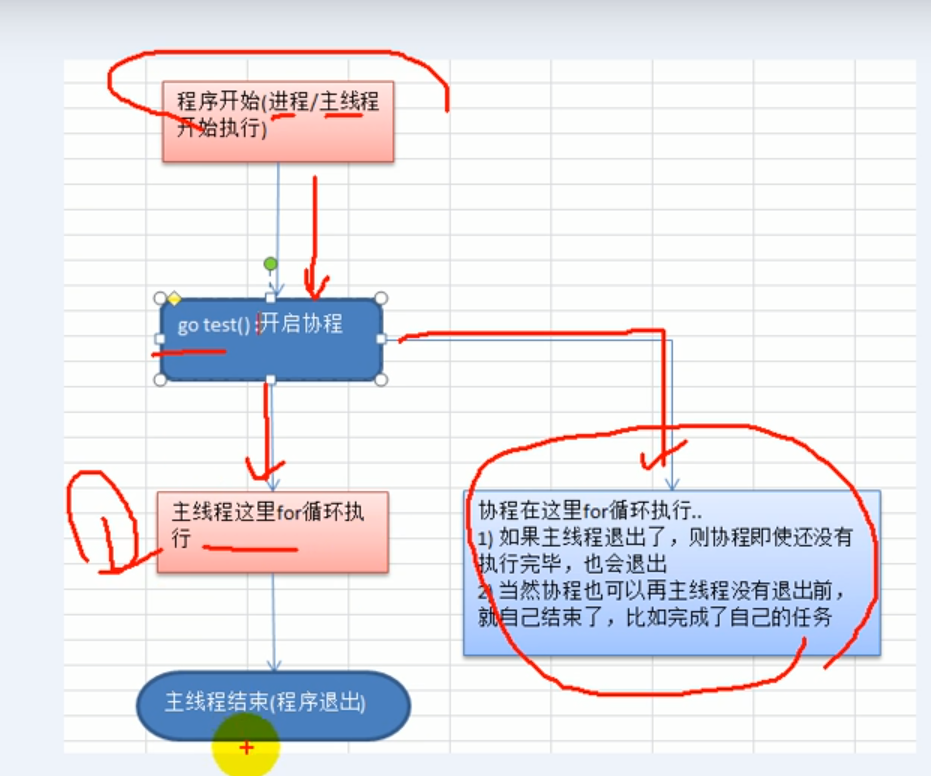
逻辑图讲解:
1、主线程是一个物理线程、直接作用在CPU上、是重量级的,非常耗费CPU资源
2、协程是主线程开启的,是轻量级的线程,是逻辑态,对资源消耗相对小
3、Golang的协程机制是重要的特点,可以轻松开启上万个协程
其他编程语言的开发机制一般基于线程,开启过多的线程,资源耗费大
这里就凸显了golang在并发上的优势了
#### 设置Golang运行的CPU数
注意:
>1、Go1.8之前 要进行设置下 可以更高效的利用CPU
>2、GO1.8之后 默认让程序运行在多个核上 可以不用设置
这里使用的是**go version go1.13.1**
```go
package main
import (
"fmt"
"runtime"
)
func main() {
cpuNum := runtime.NumCPU()
fmt.Println("cpunum:", cpuNum)
//可以自己设置使用多个CPU
runtime.GOMAXPROCS(cpuNum - 1)
fmt.Println("ok")
}
```
### 管道
看一个例子来解释为什么要用到管道这个技术?
```go
package main
import (
"fmt"
"time"
)
var (
myMap = make(map[int]int, 10)
)
func test(n int) {
res := 1
for i := 1; i <= n; i++ {
res *= i
}
myMap[n] = res
}
func main() {
for i := 1; i <= 200; i++ {
go test(i)
}
time.Sleep(time.Second * 10)
//遍历结果
for i, v := range myMap {
fmt.Printf("map[%d]=%d\n", i, v)
}
}
```
运行结果:
```
map[76]=0
map[81]=0
map[104]=0
map[117]=0
map[118]=0
map[124]=0
map[139]=0
map[153]=0
map[162]=0
map[2]=2
map[16]=20922789888000
....
```
发现的问题:
**`多个协程 同时写 会出现资源竞争`**
Welcome! Name: " + name + "
Count: " + fmt.Sprint(counter[name]) + "
"))
logrus.WithFields(logrus.Fields{
"module": "main",
"name": name,
"count": counter[name],
}).Infof("visited")
}
func main() {
logrus.SetFormatter(&logrus.JSONFormatter{})
http.HandleFunc("/hello", handleHello)
logrus.Fatal(http.ListenAndServe(":8080", nil))
}
```
上一次讲了如何进行普通的测试,这次对`handleHello`处理函数编写压力测试示例。
```go
func BenchmarkHandleFunc(b *testing.B) {
logrus.SetOutput(ioutil.Discard) // 抛弃日志
rw := httptest.NewRecorder()
req := httptest.NewRequest(http.MethodPost, "/hello?name=zouying", nil)
for i := 0; i < b.N; i++ {
handleHello(rw, req)
}
}
```
运行压测用例:
```bash
➜ how_to_tuning git:(master) ✗ go test -bench .
goos: darwin
goarch: amd64
BenchmarkHandleFunc-8 300000 4116 ns/op
PASS
ok _/Users/zouying/src/Github.com/ZOUYING/learning_golang/how_to_tuning 1.319s
```
或者增加`-benchmem`选项,显示内存信息,
```bash
➜ how_to_tuning git:(master) ✗ go test -bench . -benchmem
goos: darwin
goarch: amd64
BenchmarkHandleFunc-8 300000 4297 ns/op 1411 B/op 25 allocs/op
PASS
ok _/Users/zouying/src/Github.com/ZOUYING/learning_golang/how_to_tuning 1.368s
```
或者在测试用例中的最开始,增加下列代码,也可以显示内存信息。
```go
b.ReportAllocs()
```
每个压测用例默认的压测时常大概在1秒钟,如果我们需要压测的时间长一些的话,那么可以在运行的时候,加上`-benchtime=5s`的参数,5s表示5秒。
## Golang调优
### 背景
- Robert Hundt在2011年Scala Day发表了一篇论文,论文叫:[Loop Recognition in C++/Java/Go/Scala](https://ai.google/research/pubs/pub37122),大概讲的就是论文中的Go程序运行的非常慢。
- Go团队就使用`go tool pprof`进行了优化,具体参见:[profiling-go-programs](https://blog.golang.org/profiling-go-programs)。结果为:
- 速度巨大提升(*magnitude faster*)
- 6倍的内存降低(*use 6x less memory*)
- 重现论文程序。在论文中虽然比对了四种语言,但由于go团队的人没有足够的Java和Scala的优化能力,所以只进行了Go和C++具体比对。
> 具体的软件、硬件如下:
>
> ```bash
> $ go version
> go version devel +08d20469cc20 Tue Mar 26 08:27:18 2013 +0100 linux/amd64
> $ g++ --version
> g++ (GCC) 4.8.0
> Copyright (C) 2013 Free Software Foundation, Inc.
> ...
> $
> ```
>
> ```
> 硬件:
>
> 3.4GHz Core i7-2600 CPU and 16 GB of RAM running Gentoo Linux's 3.8.4-gentoo kernel
> ```
>
> **调优前,重现论文程序的结果。**
>
> 具体结果:
> ```bash
> $ cat xtime
> #!/bin/sh
> /usr/bin/time -f '%Uu %Ss %er %MkB %C' "$@"
> $
>
> $ make havlak1cc
> g++ -O3 -o havlak1cc havlak1.cc
> $ ./xtime ./havlak1cc
> # of loops: 76002 (total 3800100)
> loop-0, nest: 0, depth: 0
> 17.70u 0.05s 17.80r 715472kB ./havlak1cc
> $
>
> $ make havlak1
> go build havlak1.go
> $ ./xtime ./havlak1
> # of loops: 76000 (including 1 artificial root node)
> 25.05u 0.11s 25.20r 1334032kB ./havlak1
> $
> ```
>
> 输出参数为:`u: user time`, `s: system time`,`r: real time`
>
> C++程序运行了17.80s,使用内存700MB;
>
> Go程序是运行了25.20s,使用内存1302MB;
- 最终优化版本
> 运行2.29s,使用内存:351MB;提升了11倍;
>
> ```bash
> $ make havlak6
> go build havlak6.go
> $ ./xtime ./havlak6
> # of loops: 76000 (including 1 artificial root node)
> 2.26u 0.02s 2.29r 360224kB ./havlak6
> $
> ```
>
>
- 按照Go相同的思路,实现了一遍C++相同的代码,具体代码参见:[C++版本代码](https://github.com/rsc/benchgraffiti/blob/master/havlak/havlak6.cc)
> 耗时:2.19s,379MB内存;
>
> ```bash
> $ make havlak6cc
> g++ -O3 -o havlak6cc havlak6.cc
> $ ./xtime ./havlak6cc
> # of loops: 76000 (including 1 artificial root node)
> 1.99u 0.19s 2.19r 387936kB ./havlak6cc
> ```
- 代码源码参考:
- [c++](https://github.com/rsc/benchgraffiti/blob/master/havlak/havlak6.cc)
- [go](https://github.com/rsc/benchgraffiti/blob/master/havlak/havlak6.go)
### Golang自带的调优库: pprof
- runtime/pprof:输出runtime的profiling数据,写到指定文件中,而该文件可以被一些pprof tool打开。
- 使用benchmark
> ```bash
> # 输出cpu profile和memory profile
> go test -cpuprofile cpu.prof -memprofile mem.prof -bench .
> ```
- 标准的程序
> ```go
> var cpuprofile = flag.String("cpuprofile", "", "write cpu profile to `file`")
> var memprofile = flag.String("memprofile", "", "write memory profile to `file`")
>
> func main() {
> flag.Parse()
> if *cpuprofile != "" {
> f, err := os.Create(*cpuprofile)
> if err != nil {
> log.Fatal("could not create CPU profile: ", err)
> }
> if err := pprof.StartCPUProfile(f); err != nil {
> log.Fatal("could not start CPU profile: ", err)
> }
> defer pprof.StopCPUProfile()
> }
>
> // ... rest of the program ...
>
> if *memprofile != "" {
> f, err := os.Create(*memprofile)
> if err != nil {
> log.Fatal("could not create memory profile: ", err)
> }
> runtime.GC() // get up-to-date statistics
> if err := pprof.WriteHeapProfile(f); err != nil {
> log.Fatal("could not write memory profile: ", err)
> }
> f.Close()
> }
> }
> ```
- net/http/pprof:也可以通过HTTP server获取到runtime profiling data,一般如果是http服务的话,可以直接挂在到对应的http handler上,然后通过访问`/debug/pprof/`开头的路径,进行进行相应数据的访问。
> ```go
> import _ "net/http/pprof"
>
> go func() {
> log.Println(http.ListenAndServe("localhost:6060", nil))
> }()
> ```
>
> ```bash
> # 查看heap profile
> go tool pprof http://localhost:6060/debug/pprof/heap
>
> # 查看30s CPU profile
> go tool pprof http://localhost:6060/debug/pprof/profile?seconds=30
>
> # 检查blocking profile,需要设置首先调用runtime.SetBlockProfileRate
> go tool pprof http://localhost:6060/debug/pprof/block
>
> # 收集5s的trace数据
> wget http://localhost:6060/debug/pprof/trace?seconds=5
> ```
- 打开收集到的profile
- golang pprof tool
```bash
go tool pprof cpu.prof
```
- 第三方的pprof tool
- uber火焰图,火焰图效果如下,
> 使用火焰图打开profile,
>
> ```bash
> ➜ how_to_tuning git:(master) ✗ go-torch /tmp/5_cpu.prof
> INFO[23:12:40] Run pprof command: go tool pprof -raw -seconds 30 /tmp/5_cpu.prof
> INFO[23:12:41] Writing svg to torch.svg
> ```
>
>
>
> 使用chrome浏览器打开`torch.svg`,
>
> 
>
>
>
> 生成内存火焰图,
>
> ```bash
> ➜ how_to_tuning git:(master) ✗ go-torch --alloc_objects /tmp/5_mem.prof
> INFO[23:17:53] Run pprof command: go tool pprof -raw -seconds 30 --alloc_objects /tmp/5_mem.prof
> INFO[23:17:54] Writing svg to torch.svg
> ```
>
>
>
> 打开内存火焰图,
>
> 
如何使用工具:
- topN:默认显示flat Top 10的函数,可以加`-cum`统计总的消耗;
- list Func:显示函数每行代码的采样分析;
- web:生成svg热点图片
- weblist:生成svg list代码采样分析;
## CPU调优
原理:
每秒钟100次的数据状态采样,根据经验值,默认100Hz比较合理,一般不能大于500Hz。既能产生足够有效的数据,也不至于让系统产生卡顿。
相关的定义在[StartCPUProfile()](https://golang.org/src/runtime/pprof/pprof.go#L740)
```go
func StartCPUProfile(w io.Writer) error {
// The runtime routines allow a variable profiling rate,
// but in practice operating systems cannot trigger signals
// at more than about 500 Hz, and our processing of the
// signal is not cheap (mostly getting the stack trace).
// 100 Hz is a reasonable choice: it is frequent enough to
// produce useful data, rare enough not to bog down the
// system, and a nice round number to make it easy to
// convert sample counts to seconds. Instead of requiring
// each client to specify the frequency, we hard code it.
const hz = 100
// ...
runtime.SetCPUProfileRate(hz)
go profileWriter(w)
return nil
}
```
启动压测时,我们加入`-cpuprofile`参数选项,可以生成
```bash
➜ how_to_tuning git:(master) ✗ go test -bench . -cpuprofile=/tmp/cpu.prof
goos: darwin
goarch: amd64
BenchmarkHandleFunc-8 300000 4671 ns/op 1411 B/op 25 allocs/op
PASS
ok _/Users/zouying/src/Github.com/ZOUYING/learning_golang/how_to_tuning 1.655s
```
打开生成的cpu profile文件,使用`topN`,或者使用`topN -cum`
- 使用top打开耗时最大的的函数,但是不包括调用子函数的消耗
- 使用top -cum会包括调用子函数的消耗,是一个累积的过程
```bash
➜ how_to_tuning git:(master) ✗ go tool pprof /tmp/cpu.prof
Type: cpu
Time: Jan 12, 2019 at 11:12pm (CST)
Duration: 2.74s, Total samples = 2.29s (83.46%)
Entering interactive mode (type "help" for commands, "o" for options)
(pprof) top10
Showing nodes accounting for 890ms, 38.86% of 2290ms total
Dropped 54 nodes (cum <= 11.45ms)
Showing top 10 nodes out of 124
flat flat% sum% cum cum%
140ms 6.11% 6.11% 140ms 6.11% runtime.memclrNoHeapPointers
130ms 5.68% 11.79% 670ms 29.26% runtime.mallocgc
120ms 5.24% 17.03% 290ms 12.66% runtime.mapassign_faststr
110ms 4.80% 21.83% 180ms 7.86% time.Time.AppendFormat
80ms 3.49% 25.33% 80ms 3.49% runtime.kevent
80ms 3.49% 28.82% 100ms 4.37% runtime.mapiternext
70ms 3.06% 31.88% 70ms 3.06% runtime.stkbucket
60ms 2.62% 34.50% 1070ms 46.72% github.com/sirupsen/logrus.(*TextFormatter).Format
50ms 2.18% 36.68% 50ms 2.18% cmpbody
50ms 2.18% 38.86% 80ms 3.49% runtime.heapBitsSetType
(pprof)
(pprof) top 10 -cum
Showing nodes accounting for 0.26s, 11.35% of 2.29s total
Dropped 54 nodes (cum <= 0.01s)
Showing top 10 nodes out of 124
flat flat% sum% cum cum%
0 0% 0% 2.12s 92.58% _/Users/zouying/src/Github.com/ZOUYING/learning_golang/how_to_tuning.BenchmarkHandleFunc
0.02s 0.87% 0.87% 2.12s 92.58% _/Users/zouying/src/Github.com/ZOUYING/learning_golang/how_to_tuning.handleHello
0 0% 0.87% 2.12s 92.58% testing.(*B).launch
0 0% 0.87% 2.12s 92.58% testing.(*B).runN
0.01s 0.44% 1.31% 1.39s 60.70% github.com/sirupsen/logrus.(*Entry).Infof
0.02s 0.87% 2.18% 1.28s 55.90% github.com/sirupsen/logrus.(*Entry).Info
0.02s 0.87% 3.06% 1.23s 53.71% github.com/sirupsen/logrus.Entry.log
0 0% 3.06% 1.10s 48.03% github.com/sirupsen/logrus.(*Entry).write
0.06s 2.62% 5.68% 1.07s 46.72% github.com/sirupsen/logrus.(*TextFormatter).Format
0.13s 5.68% 11.35% 0.67s 29.26% runtime.mallocgc
```
- flat:时间,但是不包括子函数运行时间;
- cum:包括自函数运行的时间;
运行`list handleHello`查看handleHello函数的状态:
```bash
(pprof) list handleHello
Total: 2.29s
ROUTINE ======================== _/Users/zouying/src/Github.com/ZOUYING/learning_golang/how_to_tuning.handleHello in /Users/zouying/src/Github.com/ZOUYING/learning_golang/how_to_tuning/main.go
20ms 2.12s (flat, cum) 92.58% of Total
. . 12:var mu sync.Mutex // mutex for counter
. . 13:
. . 14:func handleHello(w http.ResponseWriter, r *http.Request) {
. . 15: name := r.FormValue("name")
. . 16: mu.Lock()
. 20ms 17: counter[name]++
. . 18: cnt := counter[name]
. 10ms 19: mu.Unlock()
. . 20:
. 70ms 21: w.Header().Set("Content-Type", "text/html; charset=utf-8")
. 120ms 22: w.Write([]byte("Welcome! Name: " + name + "
Count: " + fmt.Sprint(cnt) + "
"))
. . 24:
. 390ms 25: logrus.WithFields(logrus.Fields{
10ms 10ms 26: "module": "main",
. 30ms 27: "name": name,
. 10ms 28: "count": cnt,
. 1.39s 29: }).Infof("visited")
. . 30:}
. . 31:
. . 32:func main() {
. . 33: logrus.SetFormatter(&logrus.JSONFormatter{})
. . 34:
```
运行`web`使用浏览器打开,示例如下,
```bash
(pprof) web
(pprof) web handleHello
```

- 框越大/颜色越红 表示消耗越多/大
- 连接线表示函数调用,连接线上的参数表示调用子函数的消耗(类似于-cum)
也可以使用`weblist`或者`weblist handleHello`打开web版本的list,查看具体每一行代码的消耗。示例如下,

## Memory 调优
运行压测程序时,加入`-memprofile`参数。
```bash
➜ how_to_tuning git:(master) ✗ go test -bench . -memprofile=/tmp/mem.prof
goos: darwin
goarch: amd64
BenchmarkHandleFunc-8 300000 5699 ns/op 1411 B/op 25 allocs/op
PASS
ok _/Users/zouying/src/Github.com/ZOUYING/learning_golang/how_to_tuning 1.827s
```
使用`go tool pprof /tmp/mem.prof`打开内存压测情况。默认打开的是`alloc_space`类型的内存状态,表示在这个过程中,申请了内存的情况。也可以带`--inuse_objects`查看内存使用情况。
```bash
➜ how_to_tuning git:(master) ✗ go tool pprof /tmp/mem.prof
Type: alloc_space
Time: Jan 13, 2019 at 9:22pm (CST)
Entering interactive mode (type "help" for commands, "o" for options)
```
使用`topN`或者`topN -cum`查看细节,
```bash
(pprof) top
Showing nodes accounting for 395.56MB, 96.58% of 409.56MB total
Showing top 10 nodes out of 25
flat flat% sum% cum cum%
114.52MB 27.96% 27.96% 114.52MB 27.96% github.com/sirupsen/logrus.(*Entry).WithFields
77.02MB 18.81% 46.77% 77.02MB 18.81% bytes.makeSlice
54.50MB 13.31% 60.08% 97.01MB 23.69% github.com/sirupsen/logrus.(*TextFormatter).Format
54.50MB 13.31% 73.38% 409.56MB 100% _/Users/zouying/src/Github.com/ZOUYING/learning_golang/how_to_tuning.handleHello
31MB 7.57% 80.95% 128.01MB 31.26% github.com/sirupsen/logrus.Entry.log
17MB 4.15% 85.11% 17MB 4.15% github.com/sirupsen/logrus.(*Logger).releaseEntry
16MB 3.91% 89.01% 16MB 3.91% fmt.Sprintf
14MB 3.42% 92.43% 14MB 3.42% time.Time.Format
9.50MB 2.32% 94.75% 9.50MB 2.32% fmt.Sprint
7.50MB 1.83% 96.58% 7.50MB 1.83% sort.Strings
(pprof) top -cum
Showing nodes accounting for 205.03MB, 50.06% of 409.56MB total
Showing top 10 nodes out of 25
flat flat% sum% cum cum%
0 0% 0% 409.56MB 100% _/Users/zouying/src/Github.com/ZOUYING/learning_golang/how_to_tuning.BenchmarkHandleFunc
54.50MB 13.31% 13.31% 409.56MB 100% _/Users/zouying/src/Github.com/ZOUYING/learning_golang/how_to_tuning.handleHello
0 0% 13.31% 409.56MB 100% testing.(*B).launch
0 0% 13.31% 409.56MB 100% testing.(*B).runN
5MB 1.22% 14.53% 137.01MB 33.45% github.com/sirupsen/logrus.(*Entry).Infof
0 0% 14.53% 131.52MB 32.11% github.com/sirupsen/logrus.(*Logger).WithFields
0 0% 14.53% 131.52MB 32.11% github.com/sirupsen/logrus.WithFields
0 0% 14.53% 128.51MB 31.38% github.com/sirupsen/logrus.(*Entry).Info
31MB 7.57% 22.10% 128.01MB 31.26% github.com/sirupsen/logrus.Entry.log
114.52MB 27.96% 50.06% 114.52MB 27.96% github.com/sirupsen/logrus.(*Entry).WithFields
```
使用`list`查看具体每一行的情况,
```bash
(pprof) list BenchmarkHandleFunc
Total: 409.56MB
ROUTINE ======================== _/Users/zouying/src/Github.com/ZOUYING/learning_golang/how_to_tuning.BenchmarkHandleFunc in /Users/zouying/src/Github.com/ZOUYING/learning_golang/how_to_tuning/main_test.go
0 409.56MB (flat, cum) 100% of Total
. . 16:
. . 17: rw := httptest.NewRecorder()
. . 18: req := httptest.NewRequest(http.MethodPost, "/hello?name=zouying", nil)
. . 19:
. . 20: for i := 0; i < b.N; i++ {
. 409.56MB 21: handleHello(rw, req)
. . 22: }
. . 23:}
(pprof) list handleHello
Total: 409.56MB
ROUTINE ======================== _/Users/zouying/src/Github.com/ZOUYING/learning_golang/how_to_tuning.handleHello in /Users/zouying/src/Github.com/ZOUYING/learning_golang/how_to_tuning/main.go
54.50MB 409.56MB (flat, cum) 100% of Total
. . 16: mu.Lock()
. . 17: counter[name]++
. . 18: cnt := counter[name]
. . 19: mu.Unlock()
. . 20:
. 5.50MB 21: w.Header().Set("Content-Type", "text/html; charset=utf-8")
25MB 102.02MB 22: w.Write([]byte("Welcome! Name: " + name + "
Count: " + fmt.Sprint(cnt) + "
"))
. . 24:
. 131.52MB 25: logrus.WithFields(logrus.Fields{
. . 26: "module": "main",
3.50MB 3.50MB 27: "name": name,
1.50MB 1.50MB 28: "count": cnt,
. 137.01MB 29: }).Infof("visited")
. . 30:}
. . 31:
. . 32:func main() {
. . 33: logrus.SetFormatter(&logrus.JSONFormatter{})
. . 34:
```
也可以根据之前的`web`产出的图,查看底层`Format`具体消耗在什么地方,

使用`list Format`打开,

## 调优开始
运行命令:运行压测时间稍微长一些,使用`-benchtime`可以设置压测时间,使得采样更加充分。默认压测时间为1s。
```bash
➜ how_to_tuning git:(master) ✗ go test -bench . -benchtime=3s -cpuprofile=/tmp/cpu.prof -memprofile=/tmp/mem.prof | tee 1_orig.txt
goos: darwin
goarch: amd64
BenchmarkHandleFunc-8 1000000 5403 ns/op 1307 B/op 25 allocs/op
PASS
ok _/Users/zouying/src/Github.com/ZOUYING/learning_golang/how_to_tuning 5.699s
```
调优前运行的结果保存在`1_orig.txt`文件中,一会儿调优可以对比。后面可以使用`benchcmp`工具进行较为直观的观察。
使用`list`获取最需要优化的代码段。
```bash
(pprof) list BenchmarkHandleFunc
Total: 4.69s
ROUTINE ======================== _/Users/zouying/src/Github.com/ZOUYING/learning_golang/how_to_tuning.BenchmarkHandleFunc in /Users/zouying/src/Github.com/ZOUYING/learning_golang/how_to_tuning/main_test.go
10ms 4.48s (flat, cum) 95.52% of Total
. . 15: logrus.SetOutput(ioutil.Discard)
. . 16:
. . 17: rw := httptest.NewRecorder()
. . 18: req := httptest.NewRequest(http.MethodPost, "/hello?name=zouying", nil)
. . 19:
10ms 10ms 20: for i := 0; i < b.N; i++ {
. 4.47s 21: handleHello(rw, req)
. . 22: }
. . 23:}
(pprof) list handleHello
Total: 4.88s
ROUTINE ======================== _/Users/zouying/src/Github.com/ZOUYING/learning_golang/how_to_tuning.handleHello in /Users/zouying/src/Github
.com/ZOUYING/learning_golang/how_to_tuning/main.go
70ms 4.64s (flat, cum) 95.08% of Total
. . 10:
. . 11:var counter = map[string]int{}
. . 12:var mu sync.Mutex // mutex for counter
. . 13:
. . 14:func handleHello(w http.ResponseWriter, r *http.Request) {
10ms 40ms 15: name := r.FormValue("name")
. . 16: mu.Lock()
. 10ms 17: defer mu.Unlock()
. 10ms 18: counter[name]++
. . 19:
. 170ms 20: w.Header().Set("Content-Type", "text/html; charset=utf-8")
10ms 310ms 21: w.Write([]byte("Welcome! Name: " + name + "
Count: " + fmt.Sprint(counter[name]) + "
"))
. . 23:
30ms 740ms 24: logrus.WithFields(logrus.Fields{
10ms 50ms 25: "module": "main",
. 120ms 26: "name": name,
. 80ms 27: "count": counter[name],
. 2.85s 28: }).Infof("visited")
. 10ms 29:}
. . 30:
. . 31:func main() {
. . 32: logrus.SetFormatter(&logrus.JSONFormatter{})
. . 33:
. . 34: http.HandleFunc("/hello", handleHello)
```
查看内存情况,
```bash
➜ how_to_tuning git:(master) ✗ go tool pprof /tmp/mem.prof
Type: alloc_space
Time: Jan 13, 2019 at 9:34pm (CST)
Entering interactive mode (type "help" for commands, "o" for options)
(pprof) list handleHello
Total: 1.26GB
ROUTINE ======================== _/Users/zouying/src/Github.com/ZOUYING/learning_golang/how_to_tuning.handleHello in /Users/zouying/src/Github
.com/ZOUYING/learning_golang/how_to_tuning/main.go
185.51MB 1.26GB (flat, cum) 99.63% of Total
. . 16: mu.Lock()
. . 17: counter[name]++
. . 18: cnt := counter[name]
. . 19: mu.Unlock()
. . 20:
. 11.50MB 21: w.Header().Set("Content-Type", "text/html; charset=utf-8")
87.51MB 238.09MB 22: w.Write([]byte("Welcome! Name: " + name + "
Count: " + fmt.Sprint(cnt) + "
"))
. . 24:
. 481.59MB 25: logrus.WithFields(logrus.Fields{
. . 26: "module": "main",
11.50MB 11.50MB 27: "name": name,
3.50MB 3.50MB 28: "count": cnt,
. 456.03MB 29: }).Infof("visited")
. . 30:}
. . 31:
. . 32:func main() {
. . 33: logrus.SetFormatter(&logrus.JSONFormatter{})
. . 34:
```
可以发现有2个点需要重点优化,
- logrus的日志输出;
- w.Write()写响应结果;
使用`fmt.Sprintf`而不是使用字符串拼接的方式。
```go
fmt.Fprintf(w, "Welcome! Name: " + name + "
Count: " + fmt.Sprint(counter[name]) + "
"))
. 480ms 23: fmt.Fprintf(w, "Welcome! Name: " + name + "
Count: " + fmt.Sprint(counter[name]) + "
"))
. 149.77MB 23: fmt.Fprintf(w, "Welcome! Name: "))
buf.Write([]byte(name))
buf.Write([]byte("
Count: "))
b := strconv.AppendInt(buf.Bytes(), int64(counter[name]), 10)
b = append(b, []byte("
")...)
w.Write(b)
```
运行压测:
```bash
➜ how_to_tuning git:(master) ✗ go test -bench . -benchtime=3s -cpuprofile=/tmp/3_cpu.prof -memprofile=/tmp/3_mem.prof | tee 3_sync_pool_write.txt
goos: darwin
goarch: amd64
BenchmarkHandleFunc-8 1000000 4203 ns/op 1131 B/op 21 allocs/op
PASS
ok _/Users/zouying/src/Github.com/ZOUYING/learning_golang/how_to_tuning 4.448s
```
与前一次的优化进行比较,
```bash
➜ how_to_tuning git:(master) ✗ benchcmp 2_fmtf.txt 3_sync_pool_write.txt
benchmark old ns/op new ns/op delta
BenchmarkHandleFunc-8 6325 4203 -33.55%
benchmark old allocs new allocs delta
BenchmarkHandleFunc-8 23 21 -8.70%
benchmark old bytes new bytes delta
BenchmarkHandleFunc-8 1153 1131 -1.91%
```
查看`list handleHello`内存申请情况:
```bash
➜ how_to_tuning git:(master) ✗ go tool pprof /tmp/3_mem.prof
Type: alloc_space
Time: Jan 13, 2019 at 10:41pm (CST)
Entering interactive mode (type "help" for commands, "o" for options)
(pprof) list handleHello
Total: 1.07GB
ROUTINE ======================== _/Users/zouying/src/Github.com/ZOUYING/learning_golang/how_to_tuning.handleHello in /Users/zouying/src/Github.com/ZOUYING/learning_golang/how_to_tuning/m
ain.go
24MB 1.07GB (flat, cum) 99.71% of Total
. . 22: name := r.FormValue("name")
. . 23: mu.Lock()
. . 24: defer mu.Unlock()
. . 25: counter[name]++
. . 26:
. 19.50MB 27: w.Header().Set("Content-Type", "text/html; charset=utf-8")
. . 28: // w.Write([]byte("Welcome! Name: " + name + "
Count: " + fmt.Sprint(counter[name]) + "
"))
. . 30:
. . 31: // use - fmt.Fprintf
. . 32: // fmt.Fprintf(w, "Welcome! Name: "))
. . 44: buf.Write([]byte(name))
. . 45: buf.Write([]byte("
Count: "))
. . 46: b := strconv.AppendInt(buf.Bytes(), int64(counter[name]), 10)
. . 47: b = append(b, []byte("
")...)
. 150.59MB 48: w.Write(b)
. . 49:
. 449.09MB 50: logrus.WithFields(logrus.Fields{
. . 51: "module": "main",
16.50MB 16.50MB 52: "name": name,
7.50MB 7.50MB 53: "count": counter[name],
. 453.53MB 54: }).Infof("visited")
. . 55:}
. . 56:
. . 57:func main() {
. . 58: logrus.SetFormatter(&logrus.JSONFormatter{})
. . 59:
(pprof)
```
日志优化,
```bash
➜ how_to_tuning git:(master) ✗ go run main.go
{"count":1,"level":"info","module":"main","msg":"visited","name":"zouying","time":"2019-01
-13T22:40:06+08:00"}
{"count":2,"level":"info","module":"main","msg":"visited","name":"zouying","time":"2019-01-13T22:40:10+08:00"}
```
在profile分析中,输出日志的问题:
消耗CPU和Mem都是大头:
CPU:
```bash
. 730ms 50: logrus.WithFields(logrus.Fields{
. 30ms 51: "module": "main",
10ms 110ms 52: "name": name,
. 30ms 53: "count": counter[name],
. 2.02s 54: }).Infof("visited")
10ms 40ms 55:}
```
Mem:
```bash
. 449.09MB 50: logrus.WithFields(logrus.Fields{
. . 51: "module": "main",
16.50MB 16.50MB 52: "name": name,
7.50MB 7.50MB 53: "count": counter[name],
. 453.53MB 54: }).Infof("visited")
```
日志输出段代码,
```bash
logbuf := pool.Get().(*bytes.Buffer)
logbuf.Reset()
logbuf.WriteString(fmt.Sprintf("visited name=%s count=%d", name, counter[name]))
logrus.Info(logbuf.String())
pool.Put(logbuf)
```
日志效果,
```bash
➜ how_to_tuning git:(master) ✗ go run main.go
{"level":"info","msg":"visited name=eden count=1","time":"2019-01-13T23:02:07+08:00"}
{"level":"info","msg":"visited name=zouying count=1","time":"2019-01-13T23:02:11+08:00"}
{"level":"info","msg":"visited name=zouying count=2","time":"2019-01-13T23:02:12+08:00"}
{"level":"info","msg":"visited name=zouying count=3","time":"2019-01-13T23:02:13+08:00"}
```
运行压测,
```bash
➜ how_to_tuning git:(master) ✗ go test -bench . -benchtime=3s -cpuprofile=/tmp/5_cpu.prof -memprofile=/tmp/5_mem.prof | tee 5_sync_pool_log.txt
goos: darwin
goarch: amd64
BenchmarkHandleFunc-8 1000000 3421 ns/op 783 B/op 19 allocs/op
PASS
ok _/Users/zouying/src/Github.com/ZOUYING/learning_golang/how_to_tuning 3.614s
```
比较,
```bash
➜ how_to_tuning git:(master) ✗ benchcmp 4_sync_pool_writestring.txt 5_sync_pool_log.txt
benchmark old ns/op new ns/op delta
BenchmarkHandleFunc-8 3999 3421 -14.45%
benchmark old allocs new allocs delta
BenchmarkHandleFunc-8 21 19 -9.52%
benchmark old bytes new bytes delta
BenchmarkHandleFunc-8 1131 783 -30.77%
```
CPU日志输出:
```bash
. . 51: logbuf := pool.Get().(*bytes.Buffer)
. . 52: logbuf.Reset()
. 280ms 53: logbuf.WriteString(fmt.Sprintf("visited name=%s count=%d", name, counter[name]))
. 2.28s 54: logrus.Info(logbuf.String())
10ms 30ms 55: pool.Put(logbuf)
```
logrus日志输出时,内存使用情况,
```bash
. . 51: logbuf := pool.Get().(*bytes.Buffer)
. . 52: logbuf.Reset()
20MB 61MB 53: logbuf.WriteString(fmt.Sprintf("visited name=%s count=%d", name, counter[name]))
16MB 527.53MB 54: logrus.Info(logbuf.String())
. . 55: pool.Put(logbuf)
```
优化结束后,与最初的性能比对情况。
```bash
➜ how_to_tuning git:(master) ✗ benchcmp 1_orig.txt 5_sync_pool_log.txt
benchmark old ns/op new ns/op delta
BenchmarkHandleFunc-8 5403 3421 -36.68%
benchmark old allocs new allocs delta
BenchmarkHandleFunc-8 25 19 -24.00%
benchmark old bytes new bytes delta
BenchmarkHandleFunc-8 1307 783 -40.09%
```
目前`topN`显示,
```bash
(pprof) top -cum
Showing nodes accounting for 0.50s, 3.48% of 14.38s total
Dropped 120 nodes (cum <= 0.07s)
Showing top 10 nodes out of 103
flat flat% sum% cum cum%
0.04s 0.28% 0.28% 13.84s 96.24% _/Users/zouying/src/Github.com/ZOUYING/learning_golang/how_to_tuning.BenchmarkHandleFunc
0 0% 0.28% 13.84s 96.24% testing.(*B).launch
0 0% 0.28% 13.84s 96.24% testing.(*B).runN
0.18s 1.25% 1.53% 13.80s 95.97% _/Users/zouying/src/Github.com/ZOUYING/learning_golang/how_to_tuning.handleHello
0.01s 0.07% 1.60% 10.36s 72.04% github.com/sirupsen/logrus.Infof
0.03s 0.21% 1.81% 10.35s 71.97% github.com/sirupsen/logrus.(*Logger).Infof
0.06s 0.42% 2.23% 9.90s 68.85% github.com/sirupsen/logrus.(*Entry).Infof
0.06s 0.42% 2.64% 9.22s 64.12% github.com/sirupsen/logrus.(*Entry).Info
0.11s 0.76% 3.41% 8.95s 62.24% github.com/sirupsen/logrus.Entry.log
0.01s 0.07% 3.48% 7.61s 52.92% github.com/sirupsen/logrus.(*Entry).write
(pprof)
```
优化日志输出:`logrus.Infof`日志输出占用了72.04%;
选取新的日志库,
logrus的作者明确表示性能不是核心目标:[logrus - issues 125: Improving logrus performance](https://github.com/Sirupsen/logrus/issues/125)

参考[zerolog](https://github.com/rs/zerolog)首页的介绍,将日志库更换为zerolog。
Log a message and 10 fields:
| Library | Time | Bytes Allocated | Objects Allocated |
| --------------- | ----------- | --------------- | ----------------- |
| zerolog | 767 ns/op | 552 B/op | 6 allocs/op |
| ⚡️ zap | 848 ns/op | 704 B/op | 2 allocs/op |
| ⚡️ zap (sugared) | 1363 ns/op | 1610 B/op | 20 allocs/op |
| go-kit | 3614 ns/op | 2895 B/op | 66 allocs/op |
| lion | 5392 ns/op | 5807 B/op | 63 allocs/op |
| logrus | 5661 ns/op | 6092 B/op | 78 allocs/op |
| apex/log | 15332 ns/op | 3832 B/op | 65 allocs/op |
| log15 | 20657 ns/op | 5632 B/op | 93 allocs/op |
Log a static string, without any context or `printf`-style templating:
| Library | Time | Bytes Allocated | Objects Allocated |
| ---------------- | ---------- | --------------- | ----------------- |
| zerolog | 50 ns/op | 0 B/op | 0 allocs/op |
| ⚡️ zap | 236 ns/op | 0 B/op | 0 allocs/op |
| standard library | 453 ns/op | 80 B/op | 2 allocs/op |
| ⚡️ zap (sugared) | 337 ns/op | 80 B/op | 2 allocs/op |
| go-kit | 508 ns/op | 656 B/op | 13 allocs/op |
| lion | 771 ns/op | 1224 B/op | 10 allocs/op |
| logrus | 1244 ns/op | 1505 B/op | 27 allocs/op |
| apex/log | 2751 ns/op | 584 B/op | 11 allocs/op |
| log15 | 5181 ns/op | 1592 B/op | 26 allocs/op |
使用`zerolog`输出日志:
```go
// 定义zerolog日志对象,输出到Discard中
var logger zerolog.Logger
logger = zerolog.New(ioutil.Discard)
logger.Info().Msg(logbuf.String()) // 输出日志
```
```go
➜ how_to_tuning git:(master) ✗ go test -bench . -benchtime=10s -cpuprofile=/tmp/7_cpu.pro
f -memprofile=/tmp/7_mem.prof | tee 7_zerolog_string.txt
goos: darwin
goarch: amd64
BenchmarkHandleFunc-8 20000000 1077 ns/op 391 B/op 5 allocs/op
PASS
ok _/Users/zouying/src/Github.com/ZOUYING/learning_golang/how_to_tuning 23.048s
```
查看目前的top,
```bash
➜ learning_golang git:(master) ✗ go tool pprof /tmp/5_cpu.prof
Type: cpu
Time: Jan 13, 2019 at 11:05pm (CST)
Duration: 3.58s, Total samples = 3.07s (85.87%)
Entering interactive mode (type "help" for commands, "o" for options)
(pprof) top
Showing nodes accounting for 1750ms, 57.00% of 3070ms total
Dropped 36 nodes (cum <= 15.35ms)
Showing top 10 nodes out of 113
flat flat% sum% cum cum%
470ms 15.31% 15.31% 470ms 15.31% runtime.(*mspan).refillAllocCache
240ms 7.82% 23.13% 240ms 7.82% runtime.(*mspan).init (inline)
190ms 6.19% 29.32% 1320ms 43.00% runtime.mallocgc
150ms 4.89% 34.20% 150ms 4.89% runtime.memclrNoHeapPointers
150ms 4.89% 39.09% 150ms 4.89% runtime.memmove
150ms 4.89% 43.97% 280ms 9.12% strconv.appendEscapedRune
150ms 4.89% 48.86% 430ms 14.01% strconv.appendQuotedWith
90ms 2.93% 51.79% 90ms 2.93% time.nextStdChunk
80ms 2.61% 54.40% 80ms 2.61% runtime.heapBitsSetType
80ms 2.61% 57.00% 240ms 7.82% time.Time.AppendFormat
```
和之前优化进行比对,
```bash
➜ how_to_tuning git:(master) ✗ benchcmp 6_.txt 7_zerolog_string.txt
benchmark old ns/op new ns/op delta
BenchmarkHandleFunc-8 3421 1077 -68.52%
benchmark old allocs new allocs delta
BenchmarkHandleFunc-8 19 5 -73.68%
benchmark old bytes new bytes delta
BenchmarkHandleFunc-8 783 391 -50.06%
```
和优化前进行比对,
```bash
➜ how_to_tuning git:(master) ✗ benchcmp 1_.txt 7_zerolog_string.txt
benchmark old ns/op new ns/op delta
BenchmarkHandleFunc-8 5403 1077 -80.07%
benchmark old allocs new allocs delta
BenchmarkHandleFunc-8 25 5 -80.00%
benchmark old bytes new bytes delta
BenchmarkHandleFunc-8 1307 391 -70.08%
```
查看`profile topN`,

将`fmt.Sprintf`替换为`bytes.Buffer.Write()`,
```bash
➜ how_to_tuning git:(master) ✗ go test -bench . -benchtime=10s -cpuprofile=/tmp/8_cpu.prof -memprofile=/tmp/8_mem.prof | tee 8_fmt_sprintf_to_bytes_write.txt
goos: darwin
goarch: amd64
BenchmarkHandleFunc-8 20000000 796 ns/op 303 B/op 2 allocs/op
PASS
ok _/Users/zouying/src/Github.com/ZOUYING/learning_golang/how_to_tuning 17.168s
```
优化后,

与之前的比对,
```bash
➜ how_to_tuning git:(master) ✗ benchcmp 7_zerolog_string.txt 8_fmt_sprintf_to_bytes_write.txt
benchmark old ns/op new ns/op delta
BenchmarkHandleFunc-8 1077 796 -26.09%
benchmark old allocs new allocs delta
BenchmarkHandleFunc-8 5 2 -60.00%
benchmark old bytes new bytes delta
BenchmarkHandleFunc-8 391 303 -22.51%
```
与第一次比对,
```bash
➜ how_to_tuning git:(master) ✗ benchcmp 1_.txt 8_fmt_sprintf_to_bytes_write.txt
benchmark old ns/op new ns/op delta
BenchmarkHandleFunc-8 5403 796 -85.27%
benchmark old allocs new allocs delta
BenchmarkHandleFunc-8 25 2 -92.00%
benchmark old bytes new bytes delta
BenchmarkHandleFunc-8 1307 303 -76.82%
```
最终版本
```go
func handleHello(w http.ResponseWriter, r *http.Request) {
name := r.FormValue("name")
mu.Lock()
counter[name]++
cnt := []byte(strconv.Itoa(counter[name]))
mu.Unlock()
buf := pool.Get().(*bytes.Buffer)
buf.Reset()
buf.Write([]byte("Welcome! Name: "))
buf.Write([]byte(name))
buf.Write([]byte("
Count: "))
buf.Write(cnt)
w.Write(buf.Bytes())
pool.Put(buf)
logbuf := pool.Get().(*bytes.Buffer)
logbuf.Reset()
logbuf.Write([]byte("visited name="))
logbuf.Write([]byte(name))
logbuf.Write([]byte("count="))
logbuf.Write(cnt)
logger.Info().Msg(logbuf.String())
pool.Put(logbuf)
}
```
和优化前的版本比对:
```bash
➜ how_to_tuning git:(master) ✗ benchcmp 1_.txt 10_final.txt
benchmark old ns/op new ns/op delta
BenchmarkHandleFunc-8 5403 590 -89.08%
benchmark old allocs new allocs delta
BenchmarkHandleFunc-8 25 2 -92.00%
benchmark old bytes new bytes delta
BenchmarkHandleFunc-8 1307 217 -83.40%
```
## Best Practice
- 对于频繁分配的小对象,考虑使用`sync.Pool`对象池优化;避免高频分配/GC
- 尽量提前分配slice和map的长度
- 使用`atomic`、`sync.Map`替换`sync.mutex`
- 使用第三方库优化内部库:`net/http`、`encoding/json`等等。。。
- 加入`-race`进行`Data Race`检查
- 在IO的地方,考虑引入goroutine,做成异步操作
- 这一部分会在下一章中介绍goroutine的调优
## 参考
- [how to test](https://github.com/xpzouying/learning_golang/tree/master/how_to_test)
- [golang/pprof](https://golang.org/pkg/runtime/pprof/)
- [golang/profiling-go-programs](https://blog.golang.org/profiling-go-programs)
- [Google 推出 C++ Go Java Scala的基准性能测试](https://www.cnbeta.com/articles/soft/145252.htm)
================================================
FILE: content/articles/how_to_test/README.md
================================================
---
title: "how to testing"
date: 2018-12-25T00:00:00+08:00
author: xpzouying@gmail.com
---
# HOW TO TESTING
原文/源码参考:
- [how_to_test](https://github.com/xpzouying/learning_golang/tree/master/how_to_test)
作者:xpzouying@gmail.com
---
测试的作用:
- 验证代码是否符合预期
- 资源竞争检查:race detect
- 调优:profiling:memory/cpu
## 原始代码
代码功能:访客记次数。
```go
package main
import (
"fmt"
"log"
"net/http"
)
var counter = map[string]int{}
func handleHello(w http.ResponseWriter, r *http.Request) {
name := r.FormValue("name")
counter[name]++
w.Header().Set("Content-Type", "text/html; charset=utf-8")
w.Write([]byte("
Welcome! Name: " + name + "
Count: " + fmt.Sprint(counter[name]) + "
"))
}
func main() {
http.HandleFunc("/hello", handleHello)
log.Fatal(http.ListenAndServe(":8080", nil))
}
```
运行:
```bash
go run main.go
```
浏览器访问:

本地日志记录:

### 测试规范
1. 运行测试:
1. 测试:`go test`
2. 压力测试:`go test -bench`
3. 测试覆盖:`go test -cover`
2. 测试规范:
1. 测试函数示例
```go
// go test or go test -v
func TestXxx(*testing.T)
// go test -bench
func BenchmarkXxx(*testing.B)
```
Xxx不能以小写字母开头。
2. 测试文件规范:文件名以`_test.go`结尾。
3. 在测试函数里面使用:Error,Fail或者相关的函数标示相关错误。
3. 例子:
1. 单元测试:
```go
func TestTimeConsuming(t *testing.T) {
if testing.Short() {
t.Skip("skipping test in short mode.")
}
...
}
```
2. 压力测试:
```go
func BenchmarkHello(b *testing.B) {
for i := 0; i < b.N; i++ {
fmt.Sprintf("hello")
}
}
```
3. Examples:
```go
func ExampleHello() {
fmt.Println("hello")
// Output: hello
}
func ExampleSalutations() {
fmt.Println("hello, and")
fmt.Println("goodbye")
// Output:
// hello, and
// goodbye
}
```
### 测试用例
**运行测试**
使用`go test`运行测试。
```bash
➜ how_to_test git:(how_to_test) ✗ go test
? _/Users/zouying/src/Github.com/ZOUYING/learning_golang/how_to_test [no test files]
```
> 也可以使用Golang的TDD小工具:`goconvey`
>
> 安装:`go get github.com/smartystreets/goconvey`
>
> 介绍: [GoConvey is awesome Go testing](https://github.com/smartystreets/goconvey)
>
> 运行:`goconvey`
>
> 效果截图:
>
> 
**测试用例**
创建`main_test.go`,
```bash
touch main_test.go
```
编写第一个测试用例:
```go
func TestHelloHandleFunc(t *testing.T) {
rw := httptest.NewRecorder()
name := "zouying"
req := httptest.NewRequest(http.MethodPost, "/hello?name="+name, nil)
handleHello(rw, req)
if rw.Code != http.StatusOK {
t.Errorf("status code not ok, status code is %v", rw.Code)
}
if len(counter) != 1 {
t.Errorf("counter len not correct")
}
if counter[name] != 1 {
t.Errorf("counter value is error: visitor=%s count=%v", name, counter[name])
}
}
```
运行测试:`go test -v`:
> ➜ how_to_test git:(how_to_test) ✗ go test -v
> === RUN TestHelloHandleFunc
> INFO[0000] visited count=1 module=main name=zouying
> --- PASS: TestHelloHandleFunc (0.00s)
> PASS
> ok _/Users/zouying/src/Github.com/ZOUYING/learning_golang/how_to_test 0.015s
运行测试覆盖:`go test -cover`
> ➜ how_to_test git:(how_to_test) ✗ go test -cover
> INFO[0000] visited count=1 module=main name=zouying
> PASS
> coverage: 62.5% of statements
> ok _/Users/zouying/src/Github.com/ZOUYING/learning_golang/how_to_test 0.021s
查看覆盖的代码:
```bash
#!/bin/bash
go test -coverprofile=coverage.out
go tool cover -html=coverage.out
```
> ➜ how_to_test git:(how_to_test) ✗ go test -coverprofile=/tmp/coverage.out
> INFO[0000] visited count=1 module=main name=zouying
> PASS
> coverage: 62.5% of statements
> ok _/Users/zouying/src/Github.com/ZOUYING/learning_golang/how_to_test 0.015s
> ➜ how_to_test git:(how_to_test) ✗ go tool cover -html=/tmp/coverage.out
效果图为:

绿色的表示测试代码覆盖住的,红色的表示没有覆盖。
第一个测试用例是直接测试http处理函数,我们使用了`httptest.NewRecorder()`创建`ResponseRecorder`对象,其中实现了 `ResponseWriter interface`。该对象在内存中记录了http response的状态。
还有一种测试方法是运行一个HTTP Server,使用HTTP Client请求该Server对应的接口。
httptest package中提供了`NewServer`方法,监听HandlerFunc处理函数,启动Server,启动Server的地址通过`URL`成员获得,例如:`http://127.0.0.1:52412`。需要注意的是,使用完毕后记得调用关闭:`Close()`。
代码如下,
```go
func TestHTTPServer(t *testing.T) {
ts := httptest.NewServer(http.HandlerFunc(handleHello))
defer ts.Close()
logrus.Infof("server url: %s", ts.URL)
testURL := ts.URL + "/hello?name=zouying"
resp, err := http.Get(testURL)
if err != nil {
t.Error(err)
return
}
if g, w := resp.StatusCode, http.StatusOK; g != w {
t.Errorf("status code = %q; want %q", g, w)
return
}
}
```
运行测试,
```bash
➜ how_to_test git:(master) ✗ go test -v -run=TestHTTPServer
=== RUN TestHTTPServer
INFO[0000] server url: http://127.0.0.1:52506
INFO[0000] visited count=1 module=main name=zouying
--- PASS: TestHTTPServer (0.00s)
PASS
ok _/Users/zouying/src/Github.com/ZOUYING/learning_golang/how_to_test 0.015s
```
**测试技巧:表格测试 (Table Based Tests)**
代码如下,
```go
func TestHelloHandlerMultiple(t *testing.T) {
tests := []struct {
name string
wCnt int
}{
{name: "zouying", wCnt: 1},
{name: "zouying", wCnt: 2},
{name: "user2", wCnt: 1},
{name: "user3", wCnt: 1},
}
for _, tc := range tests {
rw := httptest.NewRecorder()
req := httptest.NewRequest(http.MethodPost, "/hello?name="+tc.name, nil)
handleHello(rw, req)
if rw.Code != http.StatusOK {
t.Errorf("status code not ok, status code is %v", rw.Code)
}
if counter[tc.name] != tc.wCnt {
t.Errorf("counter value is error: visitor=%s count=%v", tc.name, counter[tc.name])
}
}
}
```
运行测试,
```bash
➜ how_to_test git:(how_to_test) ✗ go test -run=TestHelloHandlerMultiple
INFO[0000] visited count=1 module=main name=zouying
INFO[0000] visited count=2 module=main name=zouying
INFO[0000] visited count=1 module=main name=user2
INFO[0000] visited count=1 module=main name=user3
PASS
ok _/Users/zouying/src/Github.com/ZOUYING/learning_golang/how_to_test 0.016s
```
**测试工具:[testify](github.com/stretchr/testify/assert)**
使用工具介绍各种 `if {}`判断,产生大量的冗余代码。
代码,
```go
func TestHelloHandlerMultipleWithAssert(t *testing.T) {
tests := []struct {
name string
wCnt int
}{
{name: "zouying", wCnt: 1},
{name: "zouying", wCnt: 2},
{name: "user2", wCnt: 1},
{name: "user3", wCnt: 1},
}
for _, tc := range tests {
rw := httptest.NewRecorder()
req := httptest.NewRequest(http.MethodPost, "/hello?name="+tc.name, nil)
handleHello(rw, req)
assert.Equal(t, http.StatusOK, rw.Code)
assert.Equal(t, tc.wCnt, counter[tc.name])
}
}
```
**Sub Test**
```go
func TestHelloHandlerInSubtest(t *testing.T) {
tests := []struct {
name string
wCnt int
}{
{name: "zouying", wCnt: 1},
{name: "user2", wCnt: 1},
{name: "user3", wCnt: 1},
}
for _, tc := range tests {
t.Run("test-"+tc.name, func(t *testing.T) {
rw := httptest.NewRecorder()
req := httptest.NewRequest(http.MethodPost, "/hello?name="+tc.name, nil)
handleHello(rw, req)
assert.Equal(t, http.StatusOK, rw.Code)
assert.Equal(t, tc.wCnt, counter[tc.name])
})
}
}
```
运行测试,
```go
➜ how_to_test git:(how_to_test) ✗ go test -v . -run=TestHelloHandlerInSubtest
=== RUN TestHelloHandlerInSubtest
=== RUN TestHelloHandlerInSubtest/test-zouying
time="2018-12-23T23:07:19+08:00" level=info msg=visited count=1 module=main name=zouying
=== RUN TestHelloHandlerInSubtest/test-user2
time="2018-12-23T23:07:19+08:00" level=info msg=visited count=1 module=main name=user2
=== RUN TestHelloHandlerInSubtest/test-user3
time="2018-12-23T23:07:19+08:00" level=info msg=visited count=1 module=main name=user3
--- PASS: TestHelloHandlerInSubtest (0.00s)
--- PASS: TestHelloHandlerInSubtest/test-zouying (0.00s)
--- PASS: TestHelloHandlerInSubtest/test-user2 (0.00s)
--- PASS: TestHelloHandlerInSubtest/test-user3 (0.00s)
PASS
ok _/Users/zouying/src/Github.com/ZOUYING/learning_golang/how_to_test 0.016s
```
### Data Race Detect
多个goroutine同时访问共享数据时,如果数据不是线程安全的,那么有可能会产生data race。
**HOW TO**
```bash
go test -race
```
**测试代码**
```bash
func TestHelloHandlerDetectDataRace(t *testing.T) {
tests := []struct {
name string
wCnt int
}{
{name: "zouying", wCnt: 1},
{name: "zouying", wCnt: 2},
{name: "user2", wCnt: 1},
{name: "user3", wCnt: 1},
}
for _, tc := range tests {
rw := httptest.NewRecorder()
req := httptest.NewRequest(http.MethodPost, "/hello?name="+tc.name, nil)
handleHello(rw, req)
assert.Equal(t, http.StatusOK, rw.Code)
assert.Equal(t, tc.wCnt, counter[tc.name])
}
}
```
**运行测试**
```bash
➜ how_to_test git:(how_to_test) ✗ go test -race -v . -run=TestHelloHandlerDetectDataRace
=== RUN TestHelloHandlerDetectDataRace
time="2018-12-23T22:58:22+08:00" level=info msg=visited count=1 module=main name=zouying
time="2018-12-23T22:58:22+08:00" level=info msg=visited count=2 module=main name=zouying
time="2018-12-23T22:58:22+08:00" level=info msg=visited count=1 module=main name=user2
time="2018-12-23T22:58:22+08:00" level=info msg=visited count=1 module=main name=user3
--- PASS: TestHelloHandlerDetectDataRace (0.00s)
PASS
ok _/Users/zouying/src/Github.com/ZOUYING/learning_golang/how_to_test 1.029s
```
测试通过,是否证明了我们的代码是没有问题的呢?
其实并非如此,只是没有检测出来。为什么没有检测出来?
是因为没有多个goroutine同时运行,访问共同的数据。
**修改代码**
```go
func TestHelloHandlerDetectDataRace(t *testing.T) {
tests := []struct {
name string
wCnt int
}{
{name: "zouying", wCnt: 1},
{name: "user2", wCnt: 1},
{name: "user3", wCnt: 1},
}
var wg sync.WaitGroup
wg.Add(len(tests))
for _, tc := range tests {
name := tc.name
want := tc.wCnt
go func() {
defer wg.Done()
rw := httptest.NewRecorder()
req := httptest.NewRequest(http.MethodPost, "/hello?name="+name, nil)
handleHello(rw, req)
assert.Equal(t, http.StatusOK, rw.Code)
assert.Equal(t, want, counter[name])
}()
}
wg.Wait()
}
```
**运行测试**
```bash
➜ how_to_test git:(how_to_test) ✗ go test -race . -run=TestHelloHandlerDetectDataRace
==================
WARNING: DATA RACE
Write at 0x00c0000a8f90 by goroutine 8:
runtime.mapassign_faststr()
/usr/local/go/src/runtime/map_faststr.go:190 +0x0
_/Users/zouying/src/Github.com/ZOUYING/learning_golang/how_to_test.handleHello()
/Users/zouying/src/Github.com/ZOUYING/learning_golang/how_to_test/main.go:14 +0x11c
_/Users/zouying/src/Github.com/ZOUYING/learning_golang/how_to_test.TestHelloHandlerDetectDataRace.func1()
/Users/zouying/src/Github.com/ZOUYING/learning_golang/how_to_test/main_test.go:144 +0x211
Previous read at 0x00c0000a8f90 by goroutine 7:
runtime.mapaccess1_faststr()
/usr/local/go/src/runtime/map_faststr.go:12 +0x0
_/Users/zouying/src/Github.com/ZOUYING/learning_golang/how_to_test.handleHello()
/Users/zouying/src/Github.com/ZOUYING/learning_golang/how_to_test/main.go:14 +0xbc
_/Users/zouying/src/Github.com/ZOUYING/learning_golang/how_to_test.TestHelloHandlerDetectDataRace.func1()
/Users/zouying/src/Github.com/ZOUYING/learning_golang/how_to_test/main_test.go:144 +0x211
Goroutine 8 (running) created at:
_/Users/zouying/src/Github.com/ZOUYING/learning_golang/how_to_test.TestHelloHandlerDetectDataRace()
/Users/zouying/src/Github.com/ZOUYING/learning_golang/how_to_test/main_test.go:139 +0x154
testing.tRunner()
/usr/local/go/src/testing/testing.go:827 +0x162
Goroutine 7 (running) created at:
_/Users/zouying/src/Github.com/ZOUYING/learning_golang/how_to_test.TestHelloHandlerDetectDataRace()
/Users/zouying/src/Github.com/ZOUYING/learning_golang/how_to_test/main_test.go:139 +0x154
testing.tRunner()
/usr/local/go/src/testing/testing.go:827 +0x162
==================
==================
WARNING: DATA RACE
Read at 0x00c0000a8f90 by goroutine 9:
runtime.mapaccess1_faststr()
/usr/local/go/src/runtime/map_faststr.go:12 +0x0
_/Users/zouying/src/Github.com/ZOUYING/learning_golang/how_to_test.handleHello()
/Users/zouying/src/Github.com/ZOUYING/learning_golang/how_to_test/main.go:14 +0xbc
_/Users/zouying/src/Github.com/ZOUYING/learning_golang/how_to_test.TestHelloHandlerDetectDataRace.func1()
/Users/zouying/src/Github.com/ZOUYING/learning_golang/how_to_test/main_test.go:144 +0x211
Previous write at 0x00c0000a8f90 by goroutine 8:
runtime.mapassign_faststr()
/usr/local/go/src/runtime/map_faststr.go:190 +0x0
_/Users/zouying/src/Github.com/ZOUYING/learning_golang/how_to_test.handleHello()
/Users/zouying/src/Github.com/ZOUYING/learning_golang/how_to_test/main.go:14 +0x11c
_/Users/zouying/src/Github.com/ZOUYING/learning_golang/how_to_test.TestHelloHandlerDetectDataRace.func1()
/Users/zouying/src/Github.com/ZOUYING/learning_golang/how_to_test/main_test.go:144 +0x211
Goroutine 9 (running) created at:
_/Users/zouying/src/Github.com/ZOUYING/learning_golang/how_to_test.TestHelloHandlerDetectDataRace()
/Users/zouying/src/Github.com/ZOUYING/learning_golang/how_to_test/main_test.go:139 +0x154
testing.tRunner()
/usr/local/go/src/testing/testing.go:827 +0x162
Goroutine 8 (running) created at:
_/Users/zouying/src/Github.com/ZOUYING/learning_golang/how_to_test.TestHelloHandlerDetectDataRace()
/Users/zouying/src/Github.com/ZOUYING/learning_golang/how_to_test/main_test.go:139 +0x154
testing.tRunner()
/usr/local/go/src/testing/testing.go:827 +0x162
==================
==================
WARNING: DATA RACE
Write at 0x00c0000a8f90 by goroutine 7:
runtime.mapassign_faststr()
/usr/local/go/src/runtime/map_faststr.go:190 +0x0
_/Users/zouying/src/Github.com/ZOUYING/learning_golang/how_to_test.handleHello()
/Users/zouying/src/Github.com/ZOUYING/learning_golang/how_to_test/main.go:14 +0x11c
_/Users/zouying/src/Github.com/ZOUYING/learning_golang/how_to_test.TestHelloHandlerDetectDataRace.func1()
/Users/zouying/src/Github.com/ZOUYING/learning_golang/how_to_test/main_test.go:144 +0x211
Previous write at 0x00c0000a8f90 by goroutine 8:
runtime.mapassign_faststr()
/usr/local/go/src/runtime/map_faststr.go:190 +0x0
_/Users/zouying/src/Github.com/ZOUYING/learning_golang/how_to_test.handleHello()
/Users/zouying/src/Github.com/ZOUYING/learning_golang/how_to_test/main.go:14 +0x11c
_/Users/zouying/src/Github.com/ZOUYING/learning_golang/how_to_test.TestHelloHandlerDetectDataRace.func1()
/Users/zouying/src/Github.com/ZOUYING/learning_golang/how_to_test/main_test.go:144 +0x211
Goroutine 7 (running) created at:
_/Users/zouying/src/Github.com/ZOUYING/learning_golang/how_to_test.TestHelloHandlerDetectDataRace()
/Users/zouying/src/Github.com/ZOUYING/learning_golang/how_to_test/main_test.go:139 +0x154
testing.tRunner()
/usr/local/go/src/testing/testing.go:827 +0x162
Goroutine 8 (running) created at:
_/Users/zouying/src/Github.com/ZOUYING/learning_golang/how_to_test.TestHelloHandlerDetectDataRace()
/Users/zouying/src/Github.com/ZOUYING/learning_golang/how_to_test/main_test.go:139 +0x154
testing.tRunner()
/usr/local/go/src/testing/testing.go:827 +0x162
==================
time="2018-12-23T23:13:06+08:00" level=info msg=visited count=1 module=main name=user2
time="2018-12-23T23:13:06+08:00" level=info msg=visited count=1 module=main name=user3
time="2018-12-23T23:13:06+08:00" level=info msg=visited count=1 module=main name=zouying
--- FAIL: TestHelloHandlerDetectDataRace (0.00s)
testing.go:771: race detected during execution of test
FAIL
FAIL _/Users/zouying/src/Github.com/ZOUYING/learning_golang/how_to_test 0.030s
```
**分析报错**
```bash
==================
WARNING: DATA RACE
Write at 0x00c0000a8f90 by goroutine 8:
runtime.mapassign_faststr()
/usr/local/go/src/runtime/map_faststr.go:190 +0x0
_/Users/zouying/src/Github.com/ZOUYING/learning_golang/how_to_test.handleHello()
/Users/zouying/src/Github.com/ZOUYING/learning_golang/how_to_test/main.go:14 +0x11c
_/Users/zouying/src/Github.com/ZOUYING/learning_golang/how_to_test.TestHelloHandlerDetectDataRace.func1()
/Users/zouying/src/Github.com/ZOUYING/learning_golang/how_to_test/main_test.go:144 +0x211
Previous read at 0x00c0000a8f90 by goroutine 7:
runtime.mapaccess1_faststr()
/usr/local/go/src/runtime/map_faststr.go:12 +0x0
_/Users/zouying/src/Github.com/ZOUYING/learning_golang/how_to_test.handleHello()
/Users/zouying/src/Github.com/ZOUYING/learning_golang/how_to_test/main.go:14 +0xbc
_/Users/zouying/src/Github.com/ZOUYING/learning_golang/how_to_test.TestHelloHandlerDetectDataRace.func1()
/Users/zouying/src/Github.com/ZOUYING/learning_golang/how_to_test/main_test.go:144 +0x211
```
- goroutine 8, goroutine 7, ...
- DATA RACE
- `how_to_test/main.go:14`:`counter[name]++`
- `runtime/map_faststr.go:190`
原因是因为在多个goroutine中,对map同时进行了++操作,而在go中,map又不是线程安全的(线程安全的map参考sync包中的map),需要进行保护。
**修复race**
如果咱们的代码中有data race,那么一般使用下面方式可以避免,
- 使用channel。
- [Share Memory By Communicating](https://blog.golang.org/share-memory-by-communicating)
- [Go by Example: Channels](https://gobyexample.com/channels)
- > ```go
> messages := make(chan string, 2)
>
> messages <- "buffered"
> messages <- "channel"
>
> ```
- 使用mutex。
- [Package sync](https://golang.org/pkg/sync/)
- [sync.Mutex - Tour of Go](https://tour.golang.org/concurrency/9)
- [Go by Example: Mutexes](https://gobyexample.com/mutexes)
- 使用atomic。
- [Go by Example: Atomic Counters](https://gobyexample.com/atomic-counters)
> ```go
> import "sync/atomic"
>
> var ops uint64
>
> for i := 0; i < 50; i++ {
> go func() {
> for {
> atomic.AddUint64(&ops, 1)
> }
> }()
> }
>
> opsFinal := atomic.LoadUint64(&ops)
> ```
- [sync/atomic package](https://golang.org/pkg/sync/atomic/)
**引入mutex解决问题**
1. 增加`var mu sync.Mutex`对`counter map`进行保护。
2. 在对counter访问前进行`Lock`操作,访问结束后,进行`Unlock`操作。
修改代码为,
```go
package main
import (
"fmt"
"net/http"
"sync"
"github.com/sirupsen/logrus"
)
var counter = map[string]int{}
var mu sync.Mutex // mutex for counter
func handleHello(w http.ResponseWriter, r *http.Request) {
name := r.FormValue("name")
mu.Lock()
counter[name]++
cnt := counter[name]
mu.Unlock()
w.Header().Set("Content-Type", "text/html; charset=utf-8")
w.Write([]byte("Welcome! Name: " + name + "
Count: " + fmt.Sprint(cnt) + "
"))
logrus.WithFields(logrus.Fields{
"module": "main",
"name": name,
"count": cnt,
}).Infof("visited")
}
func main() {
logrus.SetFormatter(&logrus.JSONFormatter{})
http.HandleFunc("/hello", handleHello)
logrus.Fatal(http.ListenAndServe(":8080", nil))
}
```
测试代码,
```bash
➜ how_to_test git:(how_to_test) ✗ go test -v -race . -run=TestHelloHandlerDetectDataRace
=== RUN TestHelloHandlerDetectDataRace
time="2018-12-24T10:11:23+08:00" level=info msg=visited count=1 module=main name=user3
time="2018-12-24T10:11:23+08:00" level=info msg=visited count=1 module=main name=zouying
time="2018-12-24T10:11:23+08:00" level=info msg=visited count=1 module=main name=user2
--- PASS: TestHelloHandlerDetectDataRace (0.00s)
PASS
ok _/Users/zouying/src/Github.com/ZOUYING/learning_golang/how_to_test 1.025s
```
具体参考:
- https://golang.org/pkg/testing/
================================================
FILE: content/articles/sonarqube-for-golang/2018-07-22-sonarqube-for-golang.md
================================================
---
title: Golang 代码质量持续检测
---
> Author: Kenny Allen
>
> Email: kennyallen0520@gmail.com
## 前言
在软件开发过程中,人工检查项目代码中的漏洞和潜在的 BUG 是一件让人十分费神费力的事情,为了解决这一痛点,SonarQube诞生了,它实现了一系列代码自动检测过程,包括命名规范,代码漏洞,代码重复量等。
但是光有 SonarQube 还不能发挥出应有的高效率,一个完整的代码质量持续检测应配合代码仓库(如 gitlab) 和 Jenkins 来共同构建一个自动化过程。
## 环境
* Gitlab、Jenkins、SonarQube 服务都在一台物理机上的Docker中运行
* 网络 (局域网IP:192.168.1.100)

* 主机科学上网代理
192.168.1.100:1087

* 模拟外网访问
```shell
# 修改 hosts 文件,模拟外网访问
sudo sh -c "echo '192.168.1.100 jenkins.kenny.com\n192.168.1.100 gitlab.kenny.com\n192.168.1.100 sonarqube.kenny.com' >> /etc/hosts"
```

* 工具集
| 名称 | 版本 |
| :----: | :--------: |
| golang | go1.10.3 |
| docker | 18.03.1-ce |
## 搭建
接下来,我以一个完整的案例来介绍搭建过程。
### Jenkins
##### 启动服务
```shell
# $jenkins_home 宿主机目录,挂载容器 /var/jenkins_home
# 我的数据卷目录是 ~/.jenkins
export JENKINS_HOME=~/.jenkins
docker run -d --restart=always -p 8080:8080 -p 50000:50000 -v $JENKINS_HOME:/var/jenkins_home --name jenkins jenkins:2.60.3
# 查看 jenkins 日志
docker logs -f jenkins
```
##### 初始化
1. 打开浏览器,访问 http://jenkins.kenny.com:8080

```shell
# 在日志中找到管理员密码
docker logs -f jenkins
# 或者在 $JENKINS_HOME/secrets/initialAdminPassword 文件中找到管理员密码
cat $JENKINS_HOME/secrets/initialAdminPassword
```


2. 安装推荐插件 (如果你想自定义安装插件,点击 Select plugins to Install)

3. 创建管理员账号

4. 初始化完成

### Gitlab
##### 启动服务 (gitlab 集成的服务比较多,因此需要占用较大的内存,官方推荐4GB以上)
```shell
# $gitlab_home 宿主机目录
# 我的数据卷目录是 ~/.gitlab
export GITLAB_HOME=~/.gitlab
docker run -d --restart=always -e 'GITLAB_HOST=gitlab.kenny.com' -p 443:443 -p 80:80 -p 22:22 -v $GITLAB_HOME/conf:/etc/gitlab -v $GITLAB_HOME:/var/opt/gitlab -v $GITLAB_HOME/log:/var/log/gitlab --name gitlab gitlab/gitlab-ce:11.1.0-ce.0
# 查看 gitlab 日志
docker logs -f gitlab
```
##### 初始化
1. 打开浏览器,访问 http://gitlab.kenny.com

2. 设置新密码后,使用 root 用户登录


3. 新建 sonarqube 项目组

4. 在 sonarqube 项目组下新建 demo 项目


5. 添加主机公钥到 Gitlab
```shell
# 生成 rsa 公钥和密钥
ssh-keygen -t rsa
# 查看并复制公钥
cat ~/.ssh/id_rsa.pub
```


访问 http://gitlab.kenny.com/profile/keys ,将公钥添加至 Gitlab


6. 将 sonarqube/demo 项目拉至主机的 $GOPATH 下
```shell
# 在 $GOPATH 下创建 gitlab.kenny.com 文件夹
mkdir -p $GOPATH/src/gitlab.kenny.com && cd $GOPATH/src/gitlab.kenny.com
# clone code
git clone git@gitlab.kenny.com:sonarqube/demo.git
```
### SonarQube
##### 启动服务
```shell
# 由于目前 sonarqube 官方的 Docker images 只有 7.1 版本,不满足 SonarGO 所需 7.2+ 版本,所以我参考7.1 的 Dockerfile 制作了一个 sonarqube 7.2.1 的镜像
# $sonarqube_home 宿主机目录
# 我的数据卷目录是 ~/.sonarqube
export SONARQUBE_HOME=~/.sonarqube
# 正式环境中应启用外部数据库服务来存储必要数据,在启动容器时设置如下JDBC相关参数:
# -e SONARQUBE_JDBC_USERNAME=sonar
# -e SONARQUBE_JDBC_PASSWORD=sonar
# -e SONARQUBE_JDBC_URL=jdbc:postgresql://localhost/sonar
docker run -d --restart=always -p 9000:9000 -v $SONARQUBE_HOME:/opt/sonarqube/data --name sonarqube kennyallen/sonarqube:7.2.1
# 查看 sonarqube 日志
docker logs -f sonarqube
```
文件:[Dockerfile](./Dockerfile)、[run.sh](./run.sh)
##### 初始化
1. 打开浏览器,访问 http://sonarqube.kenny.com:9000

2. 使用管理员账号登录
* 账号 admin
* 密码 admin

3. 生成 token (作为远程连接 SonarQube 的标识,只生成一次,记得备份哦)
admin_token: **74439d5bc557dcc206fa8b1f2f5516e65680bdc8**

4. 安装插件 (进入 Administration -> Marketplace)

安装完成后点击重启 SonarQube 服务就OK了
## 集成
* 将 Jenkins、Gitlab 和 SonarQube 有机整合
### Jenkins 安装插件
1. 点击进入 系统管理 -> 插件管理 -> 可选插件

2. 过滤选中 Gitlab、SonarQube Scanner,点击下载待重启后安装


### Jenkins 配置
1. 安装 SonarQube & JDK
进入 系统管理 -> Global Tool Configuration
JDK 安装
勾选我同意 Java SE Development Kit 的许可协议
点击 Please enter your username/password

输入你的 oracle 账号密码

SonarQube Scanner 安装
点击保存。
2. SonarQube Server
进入 系统管理 -> 系统设置
Add SonarQube servers
Name 随便填写
Server URL: http://sonarqube.kenny.com:9000
Server version: 5.3 or higher
Server authentication token: 填 SonarQube 初始化时生成的 token

3. 取消 Gitlab 授权
取消选中 Enable authentication for '/project' end-point,保存

4. 在 jenkins 容器中安装 golang 环境及工具
```shell
# 在 Jenkins 容器中执行命令
docker exec -it jenkins /bin/bash
# 临时设置环境变量
export GOROOT=$JENKINS_HOME/go
export GOPATH=$JENKINS_HOME/workspace/go
export PATH=$PATH:$GOROOT/bin:$GOPATH/bin
export http_proxy=http://192.168.1.100:1087;export https_proxy=http://192.168.1.100:1087;
# 进入 jenkins 主目录
cd $JENKINS_HOME
# 下载 golang
wget https://dl.google.com/go/go1.10.3.linux-amd64.tar.gz
# 解压 golang 包
tar -xvf go1.10.3.linux-amd64.tar.gz
# 删除 golang 包
rm go1.10.3.linux-amd64.tar.gz
# 安装必要工具
# vgo
go get -u -v golang.org/x/vgo
# gometalinter
go get -u -v github.com/alecthomas/gometalinter
gometalinter --install
```
5. 配置邮件通知
进入 系统管理 -> 系统设置
Jenkins Location
系统管理员邮件地址修改为你自己的邮箱地址,如 wyh3265@163.com

Extend E-mail Notification
SMTP Server 填写对应的SMTP服务地址,如 smtp.163.com
点击高级,勾选使用SMTP认证
用户名 注意不需要加 @xxx.xxx
密码 填写自己的邮箱密码或授权码


Default Triggers 选中 Always

### 新建 Jenkins 构建任务
1. 新构建一个自由风格的软件项目

2. 使用自定义的工作空间
点击高级,勾选使用自定义的工作空间

目录:$JENKINS_HOME/workspace/go/src/gitlab.kenny.com/demo

3. 源码管理
Repository URL:http://gitlab.kenny.com/sonarqube/demo
Credentials:点击Add ,添加凭据 (Gitlab 用户名密码或 SSH登录等方式都可以)

4. 构建触发器,选中
Build when a change is pushed to GitLab. GitLab webhook URL: http://jenkins.kenny.com:8080/project/demo
Enabled GitLab triggers 选中 Push Events 和 Accepted Merge Request Events ,表示当 Gitlab 有 push 或 merge 操作发生时触发构建。

5. 新建 webhook
在浏览器中打开 http://gitlab.kenny.com/admin/application_settings (请使用 root 登录),找到 Outbound requests ,点击 Expand 后,选中 Allow requests to the local network from hooks and services 并保存更改。 (允许本地网络的 githook)

进入 http://gitlab.kenny.com/sonarqube/demo/settings/integrations
URL: http://jenkins.kenny.com:8080/project/demo
SecretToken: 不填
选中 **Push events**、**Merge request events**
取消选中 **Enable SSL verification**
点击 Add web hook

6. 增加构建步骤,选中 Execute Shell
```shell
#!/bin/bash
# 环境变量
export GOROOT=$JENKINS_HOME/go
export GOPATH=$JENKINS_HOME/workspace/go
export PATH=$PATH:$GOROOT/bin:$GOPATH/bin
export http_proxy=http://192.168.1.100:1087;export https_proxy=http://192.168.1.100:1087;
# 安装依赖
vgo mod -vendor
# coverage
go test ./... -coverprofile=coverage.out
# test
go test ./... -json > report.json
# vet
go vet ./... 2> govet-report.out
# golint
golint ./... > golint-report.out
# gometalinter
# 执行 gometalinter 会失败,因此加了 || true
gometalinter ./... > gometalinter-report.out || true
```
7. 增加构建步骤,选中 Execute SonarQube Scanner
Analysis properties
```properties
sonar.projectKey=gitlab.kenny.com
sonar.projectName=demo
sonar.sources=.
sonar.exclusions=**/*_test.go,**/vendor/**
sonar.tests=.
sonar.test.inclusions=**/*_test.go
sonar.test.exclusions=**/vendor/**
sonar.go.coverage.reportPaths=coverage.out
sonar.go.tests.reportPaths=report.json
sonar.go.govet.reportPaths=govet-report.out
sonar.go.golint.reportPaths=golint-report.out
sonar.go.gometalinter.reportPaths=gometalinter-report.out
```
8. 增加构建后操作,选中 Editable Email Notification
Project Recipient List 填写接收邮件的Email地址,或使用默认配置
Default Content 加上 SonarQube URL: http://sonarqube.kenny.com:9000

## 测试
```shell
# clone demo 代码
cd $GOPATH/src/gitlab.kenny.com && git clone git@github.com:yuhao5/sonarqube-golang.git && rm -rf demo && mv sonarqube-golang demo && cd demo
# push 代码,触发 Jenkins 任务进行自动构建
git remote add gitlab git@gitlab.kenny.com:sonarqube/demo.git
git push -u gitlab master
# 若 gitlab 仓库地址不是 git@gitlab.kenny.com:sonarqube/demo.git ,请根据以下步骤修改:
docker exec -it gitlab /bin/bash
vim /etc/gitlab/gitlab.rb
# 找到 external_url,修改为 external_url 'http://gitlab.kenny.com'
# 然后执行
gitlab-ctl reconfigure
```


## TODO
1. 解决执行 gometalinter 失败问题
2. Golang 质量标准,规则自定义
3. ...
================================================
FILE: content/articles/sonarqube-for-golang/Dockerfile
================================================
FROM openjdk:8
ENV SONAR_VERSION=7.2.1 \
SONARQUBE_HOME=/opt/sonarqube \
SONARQUBE_JDBC_USERNAME=sonar \
SONARQUBE_JDBC_PASSWORD=sonar \
SONARQUBE_JDBC_URL=
# Http port
EXPOSE 9000
RUN groupadd -r sonarqube && useradd -r -g sonarqube sonarqube
# grab gosu for easy step-down from root
RUN set -x \
&& wget -O /usr/local/bin/gosu "https://github.com/tianon/gosu/releases/download/1.10/gosu-$(dpkg --print-architecture)" \
&& wget -O /usr/local/bin/gosu.asc "https://github.com/tianon/gosu/releases/download/1.10/gosu-$(dpkg --print-architecture).asc" \
&& export GNUPGHOME="$(mktemp -d)" \
&& gpg --keyserver ha.pool.sks-keyservers.net --recv-keys B42F6819007F00F88E364FD4036A9C25BF357DD4 \
&& gpg --batch --verify /usr/local/bin/gosu.asc /usr/local/bin/gosu \
&& rm -rf "$GNUPGHOME" /usr/local/bin/gosu.asc \
&& chmod +x /usr/local/bin/gosu \
&& gosu nobody true
RUN set -x \
&& cd /opt \
&& wget -O sonarqube.zip https://sonarsource.bintray.com/Distribution/sonarqube/sonarqube-$SONAR_VERSION.zip \
&& unzip sonarqube.zip \
&& mv sonarqube-$SONAR_VERSION sonarqube \
&& chown -R sonarqube:sonarqube sonarqube \
&& rm sonarqube.zip \
&& rm -rf $SONARQUBE_HOME/bin/*
VOLUME "$SONARQUBE_HOME/data"
WORKDIR $SONARQUBE_HOME
COPY run.sh $SONARQUBE_HOME/bin/
ENTRYPOINT ["./bin/run.sh"]
================================================
FILE: content/articles/sonarqube-for-golang/index.md
================================================
---
title: Golang 代码质量持续检测
date: 2018-07-22T00:00:00+08:00
---
> Author: Kenny Allen
>
> Email: kennyallen0520@gmail.com
## 前言
在软件开发过程中,人工检查项目代码中的漏洞和潜在的 BUG 是一件让人十分费神费力的事情,为了解决这一痛点,SonarQube诞生了,它实现了一系列代码自动检测过程,包括命名规范,代码漏洞,代码重复量等。
但是光有 SonarQube 还不能发挥出应有的高效率,一个完整的代码质量持续检测应配合代码仓库(如 gitlab) 和 Jenkins 来共同构建一个自动化过程。
## 环境
* Gitlab、Jenkins、SonarQube 服务都在一台物理机上的Docker中运行
* 网络 (局域网IP:192.168.1.100)

* 主机科学上网代理
192.168.1.100:1087

* 模拟外网访问
```shell
# 修改 hosts 文件,模拟外网访问
sudo sh -c "echo '192.168.1.100 jenkins.kenny.com\n192.168.1.100 gitlab.kenny.com\n192.168.1.100 sonarqube.kenny.com' >> /etc/hosts"
```

* 工具集
| 名称 | 版本 |
| :----: | :--------: |
| golang | go1.10.3 |
| docker | 18.03.1-ce |
## 搭建
接下来,我以一个完整的案例来介绍搭建过程。
### Jenkins
##### 启动服务
```shell
# $jenkins_home 宿主机目录,挂载容器 /var/jenkins_home
# 我的数据卷目录是 ~/.jenkins
export JENKINS_HOME=~/.jenkins
docker run -d --restart=always -p 8080:8080 -p 50000:50000 -v $JENKINS_HOME:/var/jenkins_home --name jenkins jenkins:2.60.3
# 查看 jenkins 日志
docker logs -f jenkins
```
##### 初始化
1. 打开浏览器,访问 http://jenkins.kenny.com:8080

```shell
# 在日志中找到管理员密码
docker logs -f jenkins
# 或者在 $JENKINS_HOME/secrets/initialAdminPassword 文件中找到管理员密码
cat $JENKINS_HOME/secrets/initialAdminPassword
```


2. 安装推荐插件 (如果你想自定义安装插件,点击 Select plugins to Install)

3. 创建管理员账号

4. 初始化完成

### Gitlab
##### 启动服务 (gitlab 集成的服务比较多,因此需要占用较大的内存,官方推荐4GB以上)
```shell
# $gitlab_home 宿主机目录
# 我的数据卷目录是 ~/.gitlab
export GITLAB_HOME=~/.gitlab
docker run -d --restart=always -e 'GITLAB_HOST=gitlab.kenny.com' -p 443:443 -p 80:80 -p 22:22 -v $GITLAB_HOME/conf:/etc/gitlab -v $GITLAB_HOME:/var/opt/gitlab -v $GITLAB_HOME/log:/var/log/gitlab --name gitlab gitlab/gitlab-ce:11.1.0-ce.0
# 查看 gitlab 日志
docker logs -f gitlab
```
##### 初始化
1. 打开浏览器,访问 http://gitlab.kenny.com

2. 设置新密码后,使用 root 用户登录


3. 新建 sonarqube 项目组

4. 在 sonarqube 项目组下新建 demo 项目


5. 添加主机公钥到 Gitlab
```shell
# 生成 rsa 公钥和密钥
ssh-keygen -t rsa
# 查看并复制公钥
cat ~/.ssh/id_rsa.pub
```


访问 http://gitlab.kenny.com/profile/keys ,将公钥添加至 Gitlab


6. 将 sonarqube/demo 项目拉至主机的 $GOPATH 下
```shell
# 在 $GOPATH 下创建 gitlab.kenny.com 文件夹
mkdir -p $GOPATH/src/gitlab.kenny.com && cd $GOPATH/src/gitlab.kenny.com
# clone code
git clone git@gitlab.kenny.com:sonarqube/demo.git
```
### SonarQube
##### 启动服务
```shell
# 由于目前 sonarqube 官方的 Docker images 只有 7.1 版本,不满足 SonarGO 所需 7.2+ 版本,所以我参考7.1 的 Dockerfile 制作了一个 sonarqube 7.2.1 的镜像
# $sonarqube_home 宿主机目录
# 我的数据卷目录是 ~/.sonarqube
export SONARQUBE_HOME=~/.sonarqube
# 正式环境中应启用外部数据库服务来存储必要数据,在启动容器时设置如下JDBC相关参数:
# -e SONARQUBE_JDBC_USERNAME=sonar
# -e SONARQUBE_JDBC_PASSWORD=sonar
# -e SONARQUBE_JDBC_URL=jdbc:postgresql://localhost/sonar
docker run -d --restart=always -p 9000:9000 -v $SONARQUBE_HOME:/opt/sonarqube/data --name sonarqube kennyallen/sonarqube:7.2.1
# 查看 sonarqube 日志
docker logs -f sonarqube
```
文件:[Dockerfile](./Dockerfile)、[run.sh](./run.sh)
##### 初始化
1. 打开浏览器,访问 http://sonarqube.kenny.com:9000

2. 使用管理员账号登录
* 账号 admin
* 密码 admin

3. 生成 token (作为远程连接 SonarQube 的标识,只生成一次,记得备份哦)
admin_token: **74439d5bc557dcc206fa8b1f2f5516e65680bdc8**

4. 安装插件 (进入 Administration -> Marketplace)

安装完成后点击重启 SonarQube 服务就OK了
## 集成
* 将 Jenkins、Gitlab 和 SonarQube 有机整合
### Jenkins 安装插件
1. 点击进入 系统管理 -> 插件管理 -> 可选插件

2. 过滤选中 Gitlab、SonarQube Scanner,点击下载待重启后安装


### Jenkins 配置
1. 安装 SonarQube & JDK
进入 系统管理 -> Global Tool Configuration
JDK 安装
勾选我同意 Java SE Development Kit 的许可协议
点击 Please enter your username/password

输入你的 oracle 账号密码

SonarQube Scanner 安装
点击保存。
2. SonarQube Server
进入 系统管理 -> 系统设置
Add SonarQube servers
Name 随便填写
Server URL: http://sonarqube.kenny.com:9000
Server version: 5.3 or higher
Server authentication token: 填 SonarQube 初始化时生成的 token

3. 取消 Gitlab 授权
取消选中 Enable authentication for '/project' end-point,保存

4. 在 jenkins 容器中安装 golang 环境及工具
```shell
# 在 Jenkins 容器中执行命令
docker exec -it jenkins /bin/bash
# 临时设置环境变量
export GOROOT=$JENKINS_HOME/go
export GOPATH=$JENKINS_HOME/workspace/go
export PATH=$PATH:$GOROOT/bin:$GOPATH/bin
export http_proxy=http://192.168.1.100:1087;export https_proxy=http://192.168.1.100:1087;
# 进入 jenkins 主目录
cd $JENKINS_HOME
# 下载 golang
wget https://dl.google.com/go/go1.10.3.linux-amd64.tar.gz
# 解压 golang 包
tar -xvf go1.10.3.linux-amd64.tar.gz
# 删除 golang 包
rm go1.10.3.linux-amd64.tar.gz
# 安装必要工具
# vgo
go get -u -v golang.org/x/vgo
# gometalinter
go get -u -v github.com/alecthomas/gometalinter
gometalinter --install
```
5. 配置邮件通知
进入 系统管理 -> 系统设置
Jenkins Location
系统管理员邮件地址修改为你自己的邮箱地址,如 wyh3265@163.com

Extend E-mail Notification
SMTP Server 填写对应的SMTP服务地址,如 smtp.163.com
点击高级,勾选使用SMTP认证
用户名 注意不需要加 @xxx.xxx
密码 填写自己的邮箱密码或授权码


Default Triggers 选中 Always

### 新建 Jenkins 构建任务
1. 新构建一个自由风格的软件项目

2. 使用自定义的工作空间
点击高级,勾选使用自定义的工作空间

目录:$JENKINS_HOME/workspace/go/src/gitlab.kenny.com/demo

3. 源码管理
Repository URL:http://gitlab.kenny.com/sonarqube/demo
Credentials:点击Add ,添加凭据 (Gitlab 用户名密码或 SSH登录等方式都可以)

4. 构建触发器,选中
Build when a change is pushed to GitLab. GitLab webhook URL: http://jenkins.kenny.com:8080/project/demo
Enabled GitLab triggers 选中 Push Events 和 Accepted Merge Request Events ,表示当 Gitlab 有 push 或 merge 操作发生时触发构建。

5. 新建 webhook
在浏览器中打开 http://gitlab.kenny.com/admin/application_settings (请使用 root 登录),找到 Outbound requests ,点击 Expand 后,选中 Allow requests to the local network from hooks and services 并保存更改。 (允许本地网络的 githook)

进入 http://gitlab.kenny.com/sonarqube/demo/settings/integrations
URL: http://jenkins.kenny.com:8080/project/demo
SecretToken: 不填
选中 **Push events**、**Merge request events**
取消选中 **Enable SSL verification**
点击 Add web hook

6. 增加构建步骤,选中 Execute Shell
```shell
#!/bin/bash
# 环境变量
export GOROOT=$JENKINS_HOME/go
export GOPATH=$JENKINS_HOME/workspace/go
export PATH=$PATH:$GOROOT/bin:$GOPATH/bin
export http_proxy=http://192.168.1.100:1087;export https_proxy=http://192.168.1.100:1087;
# 安装依赖
vgo mod -vendor
# coverage
go test ./... -coverprofile=coverage.out
# test
go test ./... -json > report.json
# vet
go vet ./... 2> govet-report.out
# golint
golint ./... > golint-report.out
# gometalinter
# 执行 gometalinter 会失败,因此加了 || true
gometalinter ./... > gometalinter-report.out || true
```
7. 增加构建步骤,选中 Execute SonarQube Scanner
Analysis properties
```properties
sonar.projectKey=gitlab.kenny.com
sonar.projectName=demo
sonar.sources=.
sonar.exclusions=**/*_test.go,**/vendor/**
sonar.tests=.
sonar.test.inclusions=**/*_test.go
sonar.test.exclusions=**/vendor/**
sonar.go.coverage.reportPaths=coverage.out
sonar.go.tests.reportPaths=report.json
sonar.go.govet.reportPaths=govet-report.out
sonar.go.golint.reportPaths=golint-report.out
sonar.go.gometalinter.reportPaths=gometalinter-report.out
```
8. 增加构建后操作,选中 Editable Email Notification
Project Recipient List 填写接收邮件的Email地址,或使用默认配置
Default Content 加上 SonarQube URL: http://sonarqube.kenny.com:9000

## 测试
```shell
# clone demo 代码
cd $GOPATH/src/gitlab.kenny.com && git clone git@github.com:yuhao5/sonarqube-golang.git && rm -rf demo && mv sonarqube-golang demo && cd demo
# push 代码,触发 Jenkins 任务进行自动构建
git remote add gitlab git@gitlab.kenny.com:sonarqube/demo.git
git push -u gitlab master
# 若 gitlab 仓库地址不是 git@gitlab.kenny.com:sonarqube/demo.git ,请根据以下步骤修改:
docker exec -it gitlab /bin/bash
vim /etc/gitlab/gitlab.rb
# 找到 external_url,修改为 external_url 'http://gitlab.kenny.com'
# 然后执行
gitlab-ctl reconfigure
```


## TODO
1. 解决执行 gometalinter 失败问题
2. Golang 质量标准,规则自定义
3. ...
================================================
FILE: content/articles/sonarqube-for-golang/run.sh
================================================
#!/bin/bash
set -e
if [ "${1:0:1}" != '-' ]; then
exec "$@"
fi
chown -R sonarqube:sonarqube $SONARQUBE_HOME
exec gosu sonarqube \
java -jar $SONARQUBE_HOME/lib/sonar-application-$SONAR_VERSION.jar \
-Dsonar.log.console=true \
-Dsonar.jdbc.username="$SONARQUBE_JDBC_USERNAME" \
-Dsonar.jdbc.password="$SONARQUBE_JDBC_PASSWORD" \
-Dsonar.jdbc.url="$SONARQUBE_JDBC_URL" \
-Dsonar.web.javaAdditionalOpts="$SONARQUBE_WEB_JVM_OPTS -Djava.security.egd=file:/dev/./urandom" \
"$@"
================================================
FILE: content/articles/sony-gobreaker/README.md
================================================
---
title: "Sony gobreaker熔断器源码分析"
date: 2018-07-26T00:00:00+08:00
author: HuangChuanTonG@WPS.cn
---
最近看了一下go-kit,发现这个微服务框架的熔断器,也是使用sony开源的作为基础。
[sony开源在 github 的熔断器](https://github.com/sony/gobreaker)
在源代头注释中发现,原来sony实现的是微软2015时公布的CircuitBreaker标准,果然微软才开源界的大神。
## 1)微软定义的 Circuit breaker
微软的原文件在此:https://msdn.microsoft.com/en-us/library/dn589784.aspx
名不知道怎么正确翻译,直观翻译,可能叫:环形熔断器(或叫:循环状态自动切换中断器)。
因为它是在下面3个状态循环切换 :
```
Closed
/ \
Half-Open <--> Open
初始状态是:Closed,指熔断器放行所有请求。
达到一定数量的错误计数,进入Open 状态,指熔断发生,下游出现错误,不能再放行请求。
经过一段Interval时间后,自动进入Half-Open状态,然后开始尝试对成功请求计数。
进入Half-Open后,根据成功/失败计数情况,会自动进入Closed或Open。
```
## 2)sony开源的go实现
```go
// 从定义的错误来看,sony的应该增加了对连接数进行了限制 。
var (
// ErrTooManyRequests is returned when the CB state is half open and the requests count is over the cb maxRequests
ErrTooManyRequests = errors.New("too many requests")
// ErrOpenState is returned when the CB state is open
ErrOpenState = errors.New("circuit breaker is open")
)
```
### 2.1) 通过Settings的实现,了解可配置功能:
```go
type Settings struct {
Name string
MaxRequests uint32 // 半开状态期最大允许放行请求:即进入Half-Open状态时,一个时间周期内允许最大同时请求数(如果还达不到切回closed状态条件,则不能再放行请求)。
Interval time.Duration // closed状态时,重置计数的时间周期;如果配为0,切入Open后永不切回Closed--有点暴力。
Timeout time.Duration // 进入Open状态后,多长时间会自动切成 Half-open,默认60s,不能配为0。
// ReadyToTrip回调函数:进入Open状态的条件,比如默认是连接5次出错,即进入Open状态,即可对熔断条件进行配置。在fail计数发生后,回调一次。
ReadyToTrip func(counts Counts) bool
// 状态切换时的熔断器
OnStateChange func(name string, from State, to State)
}
```
### 2.2)核心的*执行函数*实现
要把熔断器使用到工程中,只需要,实例化一个gobreaker,再使用这个Execute包一下原来的请求函数。
```go
func (cb *CircuitBreaker) Execute(req func() (interface{}, error)) (interface{}, error) {
generation, err := cb.beforeRequest() //
if err != nil {
return nil, err
}
defer func() {
e := recover()
if e != nil {
cb.afterRequest(generation, false)
panic(e) // 如果代码发生了panic,继续panic给上层调用者去recover。
}
}()
result, err := req()
cb.afterRequest(generation, err == nil)
return result, err
}
```
### 2.2 关键 func beforeRequest()
函数做了几件事:
0. 函数的核心功能:判断是否放行请求,计数或达到切换新条件刚切换。
1. 判断是否Closed,如是,放行所有请求。
- 并且判断时间是否达到Interval周期,从而清空计数,进入新周期,调用toNewGeneration()
2. 如果是Open状态,返回ErrOpenState,---不放行所有请求。
- 同样判断周期时间,到达则 同样调用 toNewGeneration(){清空计数}
3. 如果是half-open状态,则判断是否已放行MaxRequests个请求,如未达到刚放行;否则返回:ErrTooManyRequests。
4. 此函数一旦放行请求,就会对请求计数加1(conut.onRequest()),请求后到另一个关键函数 : afterRequest()。
### 2.3 关键 func afterRequest()
1. 函数核心内容很简单,就对成功/失败进行计数,达到条件则切换状态。
2. 与beforeRequest一样,会调用公共函数 currentState(now)
- currentState(now) 先判断是否进入一个先的计数时间周期(Interval), 是则重置计数,改变熔断器状态,并返回新一代。
- 如果request耗时大于Interval, 几本每次都会进入新的计数周期,熔断器就没什么意义了。
## 代码的核心内容
1. 使用了一个generation的概念,每一个时间周期(Interval)的计数(count)状态称为一个generation。
2. 在before/after的两个函数中,实现了两个状态自动切换的机制:
- 在同一个generation(即时间)周期内,计数满足状态切换条件,即自动切换;
- 超过一个generation时间周期的也会自动切换;
3. 没有使用定时器,只在请求调用时,去检测当时状态与时间间隔。
================================================
FILE: content/articles/sync/README.md
================================================
---
title: 说明
---
内容均来自[OSC_梦朝思夕博客](https://my.oschina.net/u/553243),[51CTO_梦朝思夕博客](http://blog.51cto.com/qiangmzsx)
================================================
FILE: content/articles/sync/sync_Map_source_code_analysis.md
================================================
---
title: sync.Map源码分析
date: 2018-09-08T00:00:00+08:00
---
## 背景
众所周知,go普通的map是不支持并发的,换而言之,不是线程(goroutine)安全的。博主是从golang 1.4开始使用的,那时候map的并发读是没有支持,但是并发写会出现脏数据。golang 1.6之后,并发地读写会直接panic:
```
fatal error: concurrent map read and map write
```
```go
package main
func main() {
m := make(map[int]int)
go func() {
for {
_ = m[1]
}
}()
go func() {
for {
m[2] = 2
}
}()
select {}
}
```
所以需要支持对map的并发读写时候,博主使用两种方法:
1. 第三方类库 [concurrent-map](https://github.com/orcaman/concurrent-map)。
2. map加上sync.RWMutex来保障线程(goroutine)安全的。
golang 1.9之后,go 在sync包下引入了并发安全的map,也为博主提供了第三种方法。本文重点也在此,为了时效性,本文基于golang 1.10源码进行分析。
## sync.Map
### 结构体
#### Map
```go
type Map struct {
mu Mutex //互斥锁,用于锁定dirty map
read atomic.Value //优先读map,支持原子操作,注释中有readOnly不是说read是只读,而是它的结构体。read实际上有写的操作
dirty map[interface{}]*entry // dirty是一个当前最新的map,允许读写
misses int // 主要记录read读取不到数据加锁读取read map以及dirty map的次数,当misses等于dirty的长度时,会将dirty复制到read
}
```
#### readOnly
readOnly 主要用于存储,通过原子操作存储在Map.read中元素。
```
type readOnly struct {
m map[interface{}]*entry
amended bool // 如果数据在dirty中但没有在read中,该值为true,作为修改标识
}
```
#### entry
```
type entry struct {
// nil: 表示为被删除,调用Delete()可以将read map中的元素置为nil
// expunged: 也是表示被删除,但是该键只在read而没有在dirty中,这种情况出现在将read复制到dirty中,即复制的过程会先将nil标记为expunged,然后不将其复制到dirty
// 其他: 表示存着真正的数据
p unsafe.Pointer // *interface{}
}
```
### 原理
如果你接触过大Java,那你一定对CocurrentHashMap利用**锁分段技术**增加了锁的数目,从而使争夺同一把锁的线程的数目得到控制的原理记忆深刻。
那么Golang的sync.Map是否也是使用了相同的原理呢?sync.Map的原理很简单,使用了**空间换时间**策略,通过冗余的两个数据结构(read、dirty),实现加锁对性能的影响。
通过引入两个map将读写分离到不同的map,其中read map提供并发读和已存元素原子写,而dirty map则负责读写。 这样read map就可以在不加锁的情况下进行并发读取,当read map中没有读取到值时,再加锁进行后续读取,并累加未命中数,当未命中数大于等于dirty map长度,将dirty map上升为read map。从之前的结构体的定义可以发现,虽然引入了两个map,但是底层数据存储的是指针,指向的是同一份值。
开始时sync.Map写入数据
```
X=1
Y=2
Z=3
```
dirty map主要接受写请求,read map没有数据,此时read map与dirty map数据如下图。

读取数据的时候从read map中读取,此时read map并没有数据,miss记录从read map读取失败的次数,当misses>=len(dirty map)时,将dirty map直接升级为read map,这里直接对dirty map进行地址拷贝并且dirty map被清空,misses置为0。此时read map与dirty map数据如下图。

现在有需求对Z元素进行修改Z=4,sync.Map会直接修改read map的元素。

新加元素K=5,新加的元素就需要操作dirty map了,如果misses达到阀值后dirty map直接升级为read map并且dirty map为空map(read的amended==false),则dirty map需要从read map复制数据。

升级后的效果如下。

如果需要删除Z,需要分几种情况:
一种read map存在该元素且read的amended==false:直接将read中的元素置为nil。

另一种为元素刚刚写入dirty map且未升级为read map:直接调用golang内置函数delete删除dirty map的元素;

还有一种是read map和dirty map同时存在该元素:将read map中的元素置为nil,因为read map和dirty map 使用的均为元素地址,所以均被置为nil。

### 优化点
1. 空间换时间。通过冗余的两个数据结构(read、dirty),实现加锁对性能的影响。
2. 使用只读数据(read),避免读写冲突。
3. 动态调整,miss次数多了之后,将dirty数据提升为read。
4. double-checking(双重检测)。
5. 延迟删除。 删除一个键值只是打标记,只有在提升dirty的时候才清理删除的数据。
6. 优先从read读取、更新、删除,因为对read的读取不需要锁。
### 方法源码分析
#### Load
Load返回存储在映射中的键值,如果没有值,则返回nil。ok结果指示是否在映射中找到值。
```go
func (m *Map) Load(key interface{}) (value interface{}, ok bool) {
// 第一次检测元素是否存在
read, _ := m.read.Load().(readOnly)
e, ok := read.m[key]
if !ok && read.amended {
// 为dirty map 加锁
m.mu.Lock()
// 第二次检测元素是否存在,主要防止在加锁的过程中,dirty map转换成read map,从而导致读取不到数据
read, _ = m.read.Load().(readOnly)
e, ok = read.m[key]
if !ok && read.amended {
// 从dirty map中获取是为了应对read map中不存在的新元素
e, ok = m.dirty[key]
// 不论元素是否存在,均需要记录miss数,以便dirty map升级为read map
m.missLocked()
}
// 解锁
m.mu.Unlock()
}
// 元素不存在直接返回
if !ok {
return nil, false
}
return e.load()
}
```
dirty map升级为read map
```go
func (m *Map) missLocked() {
// misses自增1
m.misses++
// 判断dirty map是否可以升级为read map
if m.misses < len(m.dirty) {
return
}
// dirty map升级为read map
m.read.Store(readOnly{m: m.dirty})
// dirty map 清空
m.dirty = nil
// misses重置为0
m.misses = 0
}
```
元素取值
```go
func (e *entry) load() (value interface{}, ok bool) {
p := atomic.LoadPointer(&e.p)
// 元素不存在或者被删除,则直接返回
if p == nil || p == expunged {
return nil, false
}
return *(*interface{})(p), true
}
```
read map主要用于读取,每次Load都先从read读取,当read中不存在且amended为true,就从dirty读取数据 。无论dirty map中是否存在该元素,都会执行missLocked函数,该函数将misses+1,当`m.misses >= len(m.dirty)`时,便会将dirty复制到read,此时再将dirty置为nil,misses=0。
#### storage
设置Key=>Value。
```go
func (m *Map) Store(key, value interface{}) {
// 如果read存在这个键,并且这个entry没有被标记删除,尝试直接写入,写入成功,则结束
// 第一次检测
read, _ := m.read.Load().(readOnly)
if e, ok := read.m[key]; ok && e.tryStore(&value) {
return
}
// dirty map锁
m.mu.Lock()
// 第二次检测
read, _ = m.read.Load().(readOnly)
if e, ok := read.m[key]; ok {
// unexpungelocc确保元素没有被标记为删除
// 判断元素被标识为删除
if e.unexpungeLocked() {
// 这个元素之前被删除了,这意味着有一个非nil的dirty,这个元素不在里面.
m.dirty[key] = e
}
// 更新read map 元素值
e.storeLocked(&value)
} else if e, ok := m.dirty[key]; ok {
// 此时read map没有该元素,但是dirty map有该元素,并需修改dirty map元素值为最新值
e.storeLocked(&value)
} else {
// read.amended==false,说明dirty map为空,需要将read map 复制一份到dirty map
if !read.amended {
m.dirtyLocked()
// 设置read.amended==true,说明dirty map有数据
m.read.Store(readOnly{m: read.m, amended: true})
}
// 设置元素进入dirty map,此时dirty map拥有read map和最新设置的元素
m.dirty[key] = newEntry(value)
}
// 解锁,有人认为锁的范围有点大,假设read map数据很大,那么执行m.dirtyLocked()会耗费花时间较多,完全可以在操作dirty map时才加锁,这样的想法是不对的,因为m.dirtyLocked()中有写入操作
m.mu.Unlock()
}
```
尝试存储元素。
```go
func (e *entry) tryStore(i *interface{}) bool {
// 获取对应Key的元素,判断是否标识为删除
p := atomic.LoadPointer(&e.p)
if p == expunged {
return false
}
for {
// cas尝试写入新元素值
if atomic.CompareAndSwapPointer(&e.p, p, unsafe.Pointer(i)) {
return true
}
// 判断是否标识为删除
p = atomic.LoadPointer(&e.p)
if p == expunged {
return false
}
}
}
```
unexpungelocc确保元素没有被标记为删除。如果这个元素之前被删除了,它必须在未解锁前被添加到dirty map上。
```go
func (e *entry) unexpungeLocked() (wasExpunged bool) {
return atomic.CompareAndSwapPointer(&e.p, expunged, nil)
}
```
从read map复制到dirty map。
```go
func (m *Map) dirtyLocked() {
if m.dirty != nil {
return
}
read, _ := m.read.Load().(readOnly)
m.dirty = make(map[interface{}]*entry, len(read.m))
for k, e := range read.m {
// 如果标记为nil或者expunged,则不复制到dirty map
if !e.tryExpungeLocked() {
m.dirty[k] = e
}
}
}
```
#### LoadOrStore
如果对应的元素存在,则返回该元素的值,如果不存在,则将元素写入到sync.Map。如果已加载值,则加载结果为true;如果已存储,则为false。
```go
func (m *Map) LoadOrStore(key, value interface{}) (actual interface{}, loaded bool) {
// 不加锁的情况下读取read map
// 第一次检测
read, _ := m.read.Load().(readOnly)
if e, ok := read.m[key]; ok {
// 如果元素存在(是否标识为删除由tryLoadOrStore执行处理),尝试获取该元素已存在的值或者将元素写入
actual, loaded, ok := e.tryLoadOrStore(value)
if ok {
return actual, loaded
}
}
m.mu.Lock()
// 第二次检测
// 以下逻辑参看Store
read, _ = m.read.Load().(readOnly)
if e, ok := read.m[key]; ok {
if e.unexpungeLocked() {
m.dirty[key] = e
}
actual, loaded, _ = e.tryLoadOrStore(value)
} else if e, ok := m.dirty[key]; ok {
actual, loaded, _ = e.tryLoadOrStore(value)
m.missLocked()
} else {
if !read.amended {
m.dirtyLocked()
m.read.Store(readOnly{m: read.m, amended: true})
}
m.dirty[key] = newEntry(value)
actual, loaded = value, false
}
m.mu.Unlock()
return actual, loaded
}
```
如果没有删除元素,tryLoadOrStore将自动加载或存储一个值。如果删除元素,tryLoadOrStore保持条目不变并返回ok= false。
```go
func (e *entry) tryLoadOrStore(i interface{}) (actual interface{}, loaded, ok bool) {
p := atomic.LoadPointer(&e.p)
// 元素标识删除,直接返回
if p == expunged {
return nil, false, false
}
// 存在该元素真实值,则直接返回原来的元素值
if p != nil {
return *(*interface{})(p), true, true
}
// 如果p为nil(此处的nil,并是不是指元素的值为nil,而是atomic.LoadPointer(&e.p)为nil,元素的nil在unsafe.Pointer是有值的),则更新该元素值
ic := i
for {
if atomic.CompareAndSwapPointer(&e.p, nil, unsafe.Pointer(&ic)) {
return i, false, true
}
p = atomic.LoadPointer(&e.p)
if p == expunged {
return nil, false, false
}
if p != nil {
return *(*interface{})(p), true, true
}
}
}
```
#### Delete
删除元素,采用延迟删除,当read map存在元素时,将元素置为nil,只有在提升dirty的时候才清理删除的数,延迟删除可以避免后续获取删除的元素时候需要加锁。当read map不存在元素时,直接删除dirty map中的元素
```go
func (m *Map) Delete(key interface{}) {
// 第一次检测
read, _ := m.read.Load().(readOnly)
e, ok := read.m[key]
if !ok && read.amended {
m.mu.Lock()
// 第二次检测
read, _ = m.read.Load().(readOnly)
e, ok = read.m[key]
if !ok && read.amended {
// 不论dirty map是否存在该元素,都会执行删除
delete(m.dirty, key)
}
m.mu.Unlock()
}
if ok {
// 如果在read中,则将其标记为删除(nil)
e.delete()
}
}
```
元素值置为nil
```go
func (e *entry) delete() (hadValue bool) {
for {
p := atomic.LoadPointer(&e.p)
if p == nil || p == expunged {
return false
}
if atomic.CompareAndSwapPointer(&e.p, p, nil) {
return true
}
}
}
```
#### Range
遍历获取sync.Map中所有的元素,使用的为快照方式,所以不一定是准确的。
```go
func (m *Map) Range(f func(key, value interface{}) bool) {
// 第一检测
read, _ := m.read.Load().(readOnly)
// read.amended=true,说明dirty map包含所有有效的元素(含新加,不含被删除的),使用dirty map
if read.amended {
// 第二检测
m.mu.Lock()
read, _ = m.read.Load().(readOnly)
if read.amended {
// 使用dirty map并且升级为read map
read = readOnly{m: m.dirty}
m.read.Store(read)
m.dirty = nil
m.misses = 0
}
m.mu.Unlock()
}
// 一贯原则,使用read map作为读
for k, e := range read.m {
v, ok := e.load()
// 被删除的不计入
if !ok {
continue
}
// 函数返回false,终止
if !f(k, v) {
break
}
}
}
```
### 总结
经过了上面的分析可以得到,sync.Map并不适合同时存在大量读写的场景,大量的写会导致read map读取不到数据从而加锁进行进一步读取,同时dirty map不断升级为read map。 从而导致整体性能较低,特别是针对cache场景.针对append-only以及大量读,少量写场景使用sync.Map则相对比较合适。
sync.Map没有提供获取元素个数的Len()方法,不过可以通过Range()实现。
```go
func Len(sm sync.Map) int {
length := 0
f := func(key, value interface{}) bool {
length++
return true
}
one:=length
length=0
sm.Range(f)
if one != length {
one = length
length=0
sm.Range(f)
if one > mutexWaiterShift` 得到当前等待的 goroutine 数目
* starvationThresholdNs 值为1e6纳秒,也就是1毫秒,当等待队列中队首 goroutine 等待时间超过 starvationThresholdNs,mutex 进入饥饿模式
## 饥饿模式与正常模式
Mutex 有两种工作模式:正常模式和饥饿模式
在正常模式中,等待者按照 FIFO 的顺序排队获取锁,但是一个被唤醒的等待者有时候并不能获取 mutex,它还需要和新到来的 goroutine 们竞争 mutex 的使用权。新到来的 goroutine 存在一个优势,它们已经在 CPU 上运行且它们数量很多,因此一个被唤醒的等待者有很大的概率获取不到锁,在这种情况下它处在等待队列的前面。如果一个 goroutine 等待 mutex 释放的时间超过1ms,它就会将 mutex 切换到饥饿模式
在饥饿模式中,mutex 的所有权直接从解锁的 goroutine 递交到等待队列中排在最前方的 goroutine。新到达的 goroutine 们不要尝试去获取 mutex,即使它看起来是在解锁状态,也不要试图自旋,而是排到等待队列的尾部
如果一个等待者获得 mutex 的所有权,并且看到以下两种情况中的任一种:1) 它是等待队列中的最后一个,或者 2) 它等待的时间少于1ms,它便将 mutex 切换回正常操作模式
## 函数
以下代码已经去掉了与核心代码无关的 race 代码
### Lock
Lock 方法申请对 mutex 加锁,Lock 执行的时候,分三种情况
1. **无冲突** 通过 CAS 操作把当前状态设置为加锁状态
2. **有冲突 开始自旋**,并等待锁释放,如果其他 goroutine 在这段时间内释放了该锁,直接获得该锁;如果没有释放,进入3
3. **有冲突,且已经过了自旋阶段** 通过调用 semacquire 函数来让当前 goroutine 进入等待状态
```go
func (m *Mutex) Lock() {
// 查看 state 是否为0,如果是则表示可以加锁,将其状态转换为1,当前 goroutine 加锁成功,函数返回
if atomic.CompareAndSwapInt32(&m.state, 0, mutexLocked) {
return
}
var waitStartTime int64 // 当前 goroutine 开始等待的时间
starving := false // mutex 当前所处的模式
awoke := false // 当前 goroutine 是否被唤醒
iter := 0 // 自旋迭代的次数
old := m.state // old 保存当前 mutex 的状态
for {
// 当 mutex 处于正常工作模式且能够自旋的时候,进行自旋操作(汇编实现,内部持续调用 PAUSE 指令,消耗 CPU 时间)
if old&(mutexLocked|mutexStarving) == mutexLocked && runtime_canSpin(iter) {
// 将 mutex.state 的倒数第二位设置为1,用来告 Unlock 操作,存在 goroutine
// 即将得到锁,不需要唤醒其他 goroutine
if !awoke && old&mutexWoken == 0 && old>>mutexWaiterShift != 0 &&
atomic.CompareAndSwapInt32(&m.state, old, old|mutexWoken) {
awoke = true
}
runtime_doSpin()
iter++
old = m.state
continue
}
new := old
// 当 mutex 不处于饥饿状态的时候,将 new 的第一位设置为1,即加锁
if old&mutexStarving == 0 {
new |= mutexLocked
}
// 当 mutex 处于加锁状态或饥饿状态的时候,新到来的 goroutine 进入等待队列
if old&(mutexLocked|mutexStarving) != 0 {
new += 1 << mutexWaiterShift
}
// 当前 goroutine 将 mutex 切换为饥饿状态,但如果当前 mutex 未加锁,则不需要切换
// Unlock 操作希望饥饿模式存在等待者
if starving && old&mutexLocked != 0 {
new |= mutexStarving
}
if awoke {
// 当前 goroutine 被唤醒,将 mutex.state 倒数第二位重置
if new&mutexWoken == 0 {
throw("sync: inconsistent mutex state")
}
new &^= mutexWoken
}
// 调用 CAS 更新 state 状态
if atomic.CompareAndSwapInt32(&m.state, old, new) {
// mutex 处于未加锁,正常模式下,当前 goroutine 获得锁
if old&(mutexLocked|mutexStarving) == 0 {
break
}
// queueLifo 为 true 代表当前 goroutine 是等待状态的 goroutine
queueLifo := waitStartTime != 0
if waitStartTime == 0 {
// 记录开始等待时间
waitStartTime = runtime_nanotime()
}
// 将被唤醒却没得到锁的 goroutine 插入当前等待队列的最前端
runtime_SemacquireMutex(&m.sema, queueLifo)
// 如果当前 goroutine 等待时间超过starvationThresholdNs,mutex 进入饥饿模式
starving = starving || runtime_nanotime()-waitStartTime > starvationThresholdNs
old = m.state
if old&mutexStarving != 0 {
if old&(mutexLocked|mutexWoken) != 0 || old>>mutexWaiterShift == 0 {
throw("sync: inconsistent mutex state")
}
// 等待状态的 goroutine - 1
delta := int32(mutexLocked - 1<>mutexWaiterShift == 1 {
delta -= mutexStarving
}
// 更新状态
atomic.AddInt32(&m.state, delta)
break
}
awoke = true
iter = 0
} else {
old = m.state
}
}
}
```
### Unlock
Unlock方法释放所申请的锁
```go
func (m *Mutex) Unlock() {
// mutex 的 state 减去1,加锁状态 -> 未加锁
new := atomic.AddInt32(&m.state, -mutexLocked)
// 未 Lock 直接 Unlock,报 panic
if (new+mutexLocked)&mutexLocked == 0 {
throw("sync: unlock of unlocked mutex")
}
// mutex 正常模式
if new&mutexStarving == 0 {
old := new
for {
// 如果没有等待者,或者已经存在一个 goroutine 被唤醒或得到锁,或处于饥饿模式
// 无需唤醒任何处于等待状态的 goroutine
if old>>mutexWaiterShift == 0 || old&(mutexLocked|mutexWoken|mutexStarving) != 0 {
return
}
// 等待者数量减1,并将唤醒位改成1
new = (old - 1<= rwmutexMaxReaders {
race.Enable()
throw("sync: Unlock of unlocked RWMutex")
}
// 通知当前等待的读锁
for i := 0; i < int(r); i++ {
runtime_Semrelease(&rw.readerSem, false)
}
// 释放 Mutex 锁
rw.w.Unlock()
}
```
### RLock
提供读锁操作
```go
func (rw *RWMutex) RLock() {
// 每次 goroutine 获取读锁时,readerCount+1
// 如果写锁已经被获取,那么 readerCount 在 -rwmutexMaxReaders 与 0 之间,这时挂起获取读锁的 goroutine
// 如果写锁没有被获取,那么 readerCount > 0,获取读锁, 不阻塞
// 通过 readerCount 判断读锁与写锁互斥, 如果有写锁存在就挂起goroutine, 多个读锁可以并行
if atomic.AddInt32(&rw.readerCount, 1) < 0 {
// 将 goroutine 排到G队列的后面,挂起 goroutine
runtime_Semacquire(&rw.readerSem)
}
}
```
### RUnLock
RUnLock 方法对读锁进行解锁
```go
func (rw *RWMutex) RUnlock() {
// 写锁等待状态,检查当前是否可以进行获取
if r := atomic.AddInt32(&rw.readerCount, -1); r < 0 {
// r + 1 == 0表示直接执行RUnlock()
// r + 1 == -rwmutexMaxReaders表示执行Lock()再执行RUnlock()
// 两总情况均抛出异常
if r+1 == 0 || r+1 == -rwmutexMaxReaders {
race.Enable()
throw("sync: RUnlock of unlocked RWMutex")
}
// 当读锁释放完毕后,通知写锁
if atomic.AddInt32(&rw.readerWait, -1) == 0 {
// The last reader unblocks the writer.
runtime_Semrelease(&rw.writerSem, false)
}
}
}
```
### RLocker
可以看到 `RWMutex` 实现接口 `Locker`
```go
type Locker interface {
Lock()
Unlock()
}
```
而方法 `RLocker` 就是将 `RWMutex` 转换为 `Locker`
```go
func (rw *RWMutex) RLocker() Locker {
return (*rlocker)(rw)
}
```
## 总结
读写互斥锁的实现比较有技巧性一些,需要几点
1. 读锁不能阻塞读锁,引入readerCount实现
2. 读锁需要阻塞写锁,直到所有读锁都释放,引入readerSem实现
3. 写锁需要阻塞读锁,直到所有写锁都释放,引入wirterSem实现
4. 写锁需要阻塞写锁,引入Metux实现
================================================
FILE: content/articles/sync/sync_waitgroup_source_code_analysis.md
================================================
---
title: sync.WaitGroup源码分析
date: 2018-09-08T00:00:00+08:00
---
针对Golang 1.9的sync.WaitGroup进行分析,与Golang 1.10基本一样除了将`panic`改为了`throw`之外其他的都一样。
源代码位置:`sync\waitgroup.go`。
## 结构体
```
type WaitGroup struct {
noCopy noCopy // noCopy可以嵌入到结构中,在第一次使用后不可复制,使用go vet作为检测使用,并因此只能进行指针传递,从而保证全局唯一
// 位值:高32位是计数器,低32位是goroutine等待计数。
// 64位的原子操作需要64位的对齐,但是32位。编译器不能确保它,所以分配了12个byte对齐的8个byte作为状态。
state1 [12]byte // byte=uint8范围:0~255,只取前8个元素。转为2进制:0000 0000,0000 0000... ...0000 0000
sema uint32 // 信号量,用于唤醒goroutine
}
```
不知道大家是否和我一样,不论是使用Java的CountDownLatch还是Golang的WaitGroup,都会疑问,可以装下多个线程|协程等待呢?看了源码后可以回答了,可以装下
```
1111 1111 1111 ... 1111
\________32___________/
```
2^32个辣么多!所以不需要担心单机情况下会被撑爆了。
## 函数
以下代码已经去掉了与核心代码无关的race代码。
### Add
添加或者减少等待goroutine的数量。
参数delta可能是负的,加到WaitGroup计数器,可能出现如下结果
- 如果计数器变为零,所有被阻塞的goroutines都会被释放。
- 如果计数器变成负数,就增加恐慌。
```
func (wg *WaitGroup) Add(delta int) {
// 获取到wg.state1数组中元素组成的二进制对应的十进制的值
statep := wg.state()
// 高32位是计数器
// 原子操作,如初始状态 statep 为空,且 delta 等于 1, 操作 加 1:
// 00000000 00000000 00000000 00000001 00000000 …… 00000000
// \___________ 前32位 _______________/\__ 后32位均为0 __/
// 若当前状态位存在值 1,则再添加 delta 等于 1, 其结果为:
// 00000000 00000000 00000000 00000010 00000000 …… 00000000
// \___________ 前32位 _______________/\__ 后32位均为0 __/
state := atomic.AddUint64(statep, uint64(delta)<<32)
// 获取计数器
v := int32(state >> 32)
w := uint32(state)
// 计数器为负数,报panic
if v < 0 {
panic("sync: negative WaitGroup counter")
}
// 添加与等待并发调用,报panic
if w != 0 && delta > 0 && v == int32(delta) {
panic("sync: WaitGroup misuse: Add called concurrently with Wait")
}
// 计数器添加成功
if v > 0 || w == 0 {
return
}
// 当等待计数器> 0时,而goroutine设置为0。
// 此时不可能有同时发生的状态突变:
// - 增加不能与等待同时发生,
// - 如果计数器counter == 0,不再增加等待计数器
if *statep != state {
panic("sync: WaitGroup misuse: Add called concurrently with Wait")
}
// Reset waiters count to 0.
*statep = 0
for ; w != 0; w-- {
// 目的是作为一个简单的wakeup原语,以供同步使用。true为唤醒排在等待队列的第一个goroutine
runtime_Semrelease(&wg.sema, false)
}
}
```
```
// unsafe.Pointer其实就是类似C的void *,在golang中是用于各种指针相互转换的桥梁。
// uintptr是golang的内置类型,是能存储指针的整型,uintptr的底层类型是int,它和unsafe.Pointer可相互转换。
// uintptr和unsafe.Pointer的区别就是:unsafe.Pointer只是单纯的通用指针类型,用于转换不同类型指针,它不可以参与指针运算;
// 而uintptr是用于指针运算的,GC 不把 uintptr 当指针,也就是说 uintptr 无法持有对象,uintptr类型的目标会被回收。
// state()函数可以获取到wg.state1数组中元素组成的二进制对应的十进制的值。
// 根据结构体中初始化分配的 12bytes 来兼容处理 64位操作系统和 32位操作系统,
// 具体原理是,12bytes 中必定含有一个8bytes,仅仅使用这个含有的8bytes做为数据对齐使用,具体:
// 当指针位置刚好指在 (2n) 的位置,证明位对齐,使用 8bytes 作为状态计数;
// 当指针位置指在 (2n+1) 的位置上,抛弃前 4bytes,使用 后8bytes作为位对齐,用于记录状态计数。
func (wg *WaitGroup) state() *uint64 {
if uintptr(unsafe.Pointer(&wg.state1))%8 == 0 {
return (*uint64)(unsafe.Pointer(&wg.state1))
} else {
return (*uint64)(unsafe.Pointer(&wg.state1[4]))
}
}
```
### Done
相当于Add(-1)。
```
func (wg *WaitGroup) Done() {
// 计数器减一
wg.Add(-1)
}
```
### Wait
执行阻塞,直到所有的WaitGroup数量变成0。
```
func (wg *WaitGroup) Wait() {
// 获取到wg.state1数组中元素组成的二进制对应的十进制的值
statep := wg.state()
// cas算法
for {
state := atomic.LoadUint64(statep)
// 高32位是计数器
v := int32(state >> 32)
w := uint32(state)
// 计数器为0,结束等待
if v == 0 {
// Counter is 0, no need to wait.
return
}
// 增加等待goroutine计数,对低32位加1,不需要移位
if atomic.CompareAndSwapUint64(statep, state, state+1) {
// 目的是作为一个简单的sleep原语,以供同步使用
runtime_Semacquire(&wg.sema)
if *statep != 0 {
panic("sync: WaitGroup is reused before previous Wait has returned")
}
return
}
}
}
```
## 使用注意事项
1. WaitGroup不能保证多个 goroutine 执行次序
2. WaitGroup无法指定固定的goroutine数目
================================================
FILE: content/discuss/2018-05-08-anlayze-underscore-in-go.md
================================================
---
title: 2018-05-08 Go 语言中下划线的用法分析总结
date: 2018-05-08T00:00:00+08:00
---
讨论时间:2018-05-08 19:25 ~ 2018-05-08 20:00
以下源码分析来源于 Go 夜读微信群的一次代码讨论,我们先来看看这一行代码吧。
```go
...
func (littleEndian) Uint64(b []byte) uint64 {
_ = b[7] // bounds check hint to compiler; see golang.org/issue/14808
return uint64(b[0]) | uint64(b[1])<<8 | uint64(b[2])<<16 | uint64(b[3])<<24 |
uint64(b[4])<<32 | uint64(b[5])<<40 | uint64(b[6])<<48 | uint64(b[7])<<56
}
func (littleEndian) PutUint64(b []byte, v uint64) {
_ = b[7] // early bounds check to guarantee safety of writes below
b[0] = byte(v)
b[1] = byte(v >> 8)
b[2] = byte(v >> 16)
b[3] = byte(v >> 24)
b[4] = byte(v >> 32)
b[5] = byte(v >> 40)
b[6] = byte(v >> 48)
b[7] = byte(v >> 56) // panic: runtime error: index out of range
}
...
```
源码可点击 [golang/encoding/binary/binary.go](https://github.com/golang/go/blob/master/src/encoding/binary/binary.go#L82)
这是 [early bounds check to guarantee safety of writes below](https://github.com/golang/go/commit/ebd9f1bd4c39bc2fe3bcf6f0d3c81f70dae495d8) 注释的 commit。
直译:“早期检查以确保下面的写入安全”。
我们怎么理解这句话呢?
+ \_可以在编译期检查
+ 怎么保证可以做到早期检查呢?
+ 如果出现数组越界,会在编译期就不通过。
+ 是不是单纯为了如果数组长度不够就提前报错返回,不进行后面的赋值操作了。
不确定究竟是为什么,所以大家还自己写代码来实测验证一下。
## 寻找答案
StackOverflow 有一个一摸一样的问题(他的问题写的非常完整,还给出了另外一种优化,并引发了他的更深刻的思考),以下是 Google 翻译,方便大家查看。
**CodeA:**
```go
package main
import "fmt"
func main() {
b := []byte{0, 1, 2, 3, 4, 5, 6}
var v uint64 = 0x0807060504030201
b[0] = byte(v)
b[1] = byte(v >> 8)
b[2] = byte(v >> 16)
b[3] = byte(v >> 24)
b[4] = byte(v >> 32)
b[5] = byte(v >> 40)
b[6] = byte(v >> 48)
b[7] = byte(v >> 56) // panic: runtime error: index out of range
fmt.Println(b)
}
```
b[7] 是会越界的,但是以上代码是可以通过编译的,只是在执行的时候会报错。
**CodeB:**
```go
package main
import "fmt"
func main() {
b := []byte{0, 1, 2, 3, 4, 5, 6}
var v uint64 = 0x0807060504030201
b[7] = byte(v >> 56) // panic: runtime error: index out of range
b[6] = byte(v >> 48)
b[5] = byte(v >> 40)
b[4] = byte(v >> 32)
b[3] = byte(v >> 24)
b[2] = byte(v >> 16)
b[1] = byte(v >> 8)
b[0] = byte(v)
fmt.Println(b)
}
```
在一开始 `b[7] = byte(v >> 56)` 写入数据时就 panic 了。
**CodeC:**
```go
package main
import "fmt"
func main() {
b := []byte{0, 1, 2, 3, 4, 5, 6}
var v uint64 = 0x0807060504030201
_ = b[7] // early bounds check to guarantee safety of writes below
b[0] = byte(v)
b[1] = byte(v >> 8)
b[2] = byte(v >> 16)
b[3] = byte(v >> 24)
b[4] = byte(v >> 32)
b[5] = byte(v >> 40)
b[6] = byte(v >> 48)
b[7] = byte(v >> 56)
fmt.Println(b)
}
```
通过 `_ = b[7]` 做了早期检查以确保下面的写入安全。
这个问题的作者抛出来两个问题:
- Q1: 在 Golang 中是否有必要进行早期检查以保证书写的安全性?
- Q2: 为了保证书写的安全性进行早期检查的话,哪一个样本代码更简洁和性能优化(速度)好些呢?样本代码A,B,C或...?
- 作者的回答: 我认为是 B: 因为它简洁并做了早期检查,不是吗?
**回答:**
```
问题1:在 Golang 中是否有必要进行早期检查以保证书写的安全性?
A1:这里的答案是“是和否”。一般来说,“否”,你通常不必在Go中插入边界检查,因为编译器会为你插入它们(这就是为什么当你尝试访问片段长度之外的内存位置时,你的示例会 panic)。但是,如果你正在执行多个写入操作(“是”),则需要插入像提供的示例一样的早期边界检查,以确保你不会只有一些写入成功,从而使你处于不良状态(或重构,如你在示例B中所做的那样,以便首次写入最大阵列,确保在任何写入操作成功之前发生恐慌)。
然而,这不是一个“Go 问题”,因为它是一个通用的错误类。在任何语言中如果你不进行边界检查(或者如果它是一种强制执行像 Go 一样的边界的语言的最高索引),写入操作就不安全。这也很大程度上取决于解决方案;在你发布的标准库的示例中,用户进行边界检查是有必要的。但是,在你发布的第二个示例中,用户边界检查不是必需的,因为代码可以像 B 一样写,其中编译器会在第一行插入边界检查。
问题2:为了保证书写的安全性进行早期检查的话,哪一个样本代码更简洁和性能优化(速度)好些呢?样本代码A,B,C或...?
A2:我认为是 B: 因为它简洁并做了早期检查,不是吗?
你是对的。在 B 中,编译器会在第一次写入时插入边界检查,保护其余的写入。因为你正在使用常量(7,6,... 0)对切片进行索引,编译器可以将边界检查从其余的写入中删除,因为它可以保证它们是安全的。
```
另外一个人的回答:
```
关于“写入安全性”的评论在这里有误导性。在开始时放置最高边界检查只是一个优化。如果你忽略它,行为将不会改变(或变成“不安全”),但是你可能会遭受多重边界检查而不是仅仅一次的性能损失,因为每个后续较高索引所需的最小限度增量。
如果评论中提到“保证写入安全”,这只是意味着它将保证编译器后续的写入操作是安全的,无需插入更多的边界检查。把它写出来不会使写入不安全,只会让编译器插入更多的边界检查。在任何情况下,编译器都不会产生不安全的内存访问。
在代码中插入这个假的早期边界检查是一个好主意,而不是不使用它或者重写代码来合法使用最高索引(如代码B中的代码),这是值得商榷的。只要它清楚为什么它在那里(例如,一个明智的和没有误导性的评论)我会说如果你想使用它,并找到它的好处。一般情况下,通过手动优化,未来的编译器优化可能会使其成为冗余或以其他方式改变其有效性。
```
## Go 语言中下划线的用法总结
### 用在 import
```go
import (
"database/sql"
"fmt"
_ "github.com/go-sql-driver/mysql"
_ "net/http/pprof"
)
...
```
>pprof 和 MySQL 是常见用法。
它会引入包,会先调用包中的 `init()` 函数,这种使用方式仅让导入的包做初始化,而不使用包中其他函数。
>往往这些 `init()` 函数里面注册了自己包里面的引擎,让外部可以方便的使用,比方说很多实现 database/sql 的引擎,在 `init()` 函数里面都是调用了 [sql.Register(name string, driver driver.Driver)](https://github.com/go-sql-driver/mysql/blob/master/driver.go#L200) 注册自己,然后外部就可以使用了。
程序的初始化和执行都起始于 main 包,如果 main 包还导入了其它的包,那么就会在编译时将它们依次导入。有时一个包会被多个包同时导入,那么它只会被 导入一次(例如很多包可能都会用到fmt包,但它只会被导入一次,因为没有必要导入多次)。当一个包被导入时,如果该包还导入了其它的包,那么会先将其它 包导入进来,然后再对这些包中的包级常量和变量进行初始化,接着执行init函数(如果有的话),依次类推。等所有被导入的包都加载完毕了,就会开始对 main包中的包级常量和变量进行初始化,然后执行main包中的init函数(如果存在的话),最后执行main函数。下面是 init 的整个详细执行过程:

### 用在返回值
`for _,v := range Slice{} // 表示丢弃索引值。`
但是有些时候返回值不能丢弃,丢弃了会导致 `memory leak`,举个栗子:当你使用 http 请求第三方接口时,如果丢弃 response,那么 response 的 body 系统不会帮你 close,所以会导致很多的 time_wait,然后内存会缓慢上升。
`_, err := func() // 单函数有多个返回值,用来获取某个特定的值,其他值不获取。`
### 用在变量(接口实现检查)
首先我们来看 *gin* 框架的源代码 `ResponseWriter`
```go
type ResponseWriter interface {
http.ResponseWriter
http.Hijacker
http.Flusher
http.CloseNotifier
// Returns the HTTP response status code of the current request.
Status() int
// Returns the number of bytes already written into the response http body.
// See Written()
Size() int
// Writes the string into the response body.
WriteString(string) (int, error)
// Returns true if the response body was already written.
Written() bool
// Forces to write the http header (status code + headers).
WriteHeaderNow()
}
type responseWriter struct {
http.ResponseWriter
size int
status int
}
var _ ResponseWriter = &responseWriter{}
```
其中 ResponseWriter 为 interface,用来判断 responseWriter 结构体是否实现了 ResponseWriter,用作类型断言,如果 responseWriter 没有实现接口 ResponseWriter,则编译错误。
更多源码,点击前往:[gin/response_writer.go](https://github.com/gin-gonic/gin/blob/master/response_writer.go#L48:7)
## 延伸阅读
1. [https://stackoverflow.com/questions/38548911/is-it-necessary-to-early-bounds-check-to-guarantee-safety-of-writes-in-golang](https://stackoverflow.com/questions/38548911/is-it-necessary-to-early-bounds-check-to-guarantee-safety-of-writes-in-golang)
2. [Bounds Checking Elimination](https://docs.google.com/document/d/1vdAEAjYdzjnPA9WDOQ1e4e05cYVMpqSxJYZT33Cqw2g/edit#)
- [https://go.googlesource.com/go/+/master/test/prove.go](https://go.googlesource.com/go/+/master/test/prove.go)
- [https://go.googlesource.com/go/+/master/test/loopbce.go](https://go.googlesource.com/go/+/master/test/loopbce.go)
3. [cmd/compile: unnecessary bounds checks are not removed #14808](https://github.com/golang/go/issues/14808)
================================================
FILE: content/discuss/2018-05-09-wechat-discuss.md
================================================
---
title: 2018-05-09 微信群讨论
date: 2018-05-09T00:00:00+08:00
---
来源:『Go 夜读』微信群
时间:2018-05-09
## 1. debug
调试:dlv
(待补充)
## 2. not reached
*go/src/runtime/panic.go*
(待补充)
## 3. Go 开发工具
- Vim:(待补充)
- Emacs
- VSCode
- JetBrains: IntelliJ,Goland
- Goland用学生邮箱可以免费
- 服务器认证(这个就不贴了,大家自行Google)
- [其他更多](https://www.jetbrains.com/go/buy/#edition=discounts)


- LiteIDE: LiteIDE的跟踪代码很不错,可以同时在一个窗口打开多个项目的目录.
## 4. 问题
```
var x string
func init() {
x, err := getValue()
}
```
有一个全局变量 x,在 `init()` 函数里面赋值,然后获取 x 的值发现全局变量未赋值,这种情况有什么优雅的解决方法吗?
```go
var x string
func init() {
var err error
x, err = getValue()
}
```
这个:=为什么不能对全局变量起作用呢?因为它成为局部变量了,屏蔽了全局变量作用域。
```go
var x string
func init()(err error) {
x, err = getValue()
}
```
以上代码是 **错误** 的,Go 语言中 main() 和 init() 函数都不能有返回值,否则编译会报错:
```go
func init must have no arguments and no return values
func main must have no arguments and no return values
```
## 参考资料
1. [Go 开发工具](https://github.com/yangwenmai/learning-golang#go-开发工具)
================================================
FILE: content/discuss/2018-05-10-which-vendor-tool.md
================================================
---
title: 2018-05-10 用什么工具解决项目依赖
date: 2018-05-10T00:00:00+08:00
---
来源:『Go 夜读』微信群
时间:2018-05-10 13:30
## 1. 你们是用什么工具解决项目依赖的呢?
- [dep](https://github.com/golang/dep)
- govendor
govendor 最简洁,glide最方便,不过一般团队用啥就用啥。
## 2. 平时你们的工作目录结果是怎样的?
- *一个大的 GOPATH 下,放所有项目*【比较多是这种方式】
- 一个项目一个 GOPATH
- 有一个默认 GOPATH,不同项目有不同的 GOPATH
VisualStudio Code 的设置: `"go.gopath": "${workspaceRoot}:/Users/username/gopath"`
公共第三方包是公用的,每个有自己的 vendor,编译打包什么的都是各自的 makefile(很多Github上的大项目,比如docker,都是自己写 Makefile ,整理项目依赖,没有一个统一的形式)
Rust 的项目结构比 Go 好,Rust 的 cargo 还不错。
- 可以给 GOPATH 写一个脚本
```shell
gop() {
if [ "$1" = "" ]; then
elif [ "$1" = "d" ]; then
export GOPATH=`echo $DEF_GOPATH`
elif [ "$1" = "a" ]; then
export GOPATH=`echo $DEF_GOPATH`:`pwd`
elif [ "$1" = "f" ]; then
export GOPATH=`pwd`
fi
echo "current GOPATH = "$GOPATH
}
```
## 参考资料
1. [Go Vendoring Tools 使用总结](http://researchlab.github.io/2016/05/24/comparison-of-Go-Vendoring-Tools/)
2. [Golang 代码规范](https://sheepbao.github.io/post/golang_code_specification/)
================================================
FILE: content/discuss/2018-05-13-declaring-variables-on-if-else.md
================================================
---
title: 2018-05-13 关于变量在 if-else 条件表达式里的作用域范围
date: 2018-05-13T00:00:00+08:00
---
## 一. 如何发现这个问题?
我是在浏览 `Twitter` 的时候, 发现博主 [David Crawshaw](https://twitter.com/davidcrawshaw) 分享了一段代码,
推文地址:
[https://twitter.com/davidcrawshaw/status/994614426064928770](https://twitter.com/davidcrawshaw/status/994614426064928770)

原博文代码如下, [点击在 play 里运行](https://play.golang.org/p/1tD1C6sOxcV):
```go
package main
import "fmt"
func main() {
if a := 1; false {
} else if b := 2; false {
} else if c := 3; false {
} else {
fmt.Println(a, b, c) // 结果: 1 2 3
}
}
```
所以, 就扩展一下如下这种方式:
```go
package main
import "fmt"
func main() {
if a := 1; false {
aa := 11
} else if b := 2; false {
bb := 22
} else if c := 3; false {
cc := 33
} else {
fmt.Println(a, b, c)
fmt.Println(aa, bb, cc) // 结果: undefined aa bb cc
}
}
```
再尝试如下这种方式:
```go
package main
import "fmt"
func main() {
if x := 10; x < 9 {
fmt.Println(x)
} else {
fmt.Println("not x")
}
fmt.Println(x) // 结果: other if-else.go:11:14: undefined: x
}
```
脑洞再大点:
```go
package main
import "fmt"
func main() {
if a := 1; false {
fmt.Println(a, b, c) // undefined: b, c
} else if b := 2; false {
fmt.Println(a, b, c) // undefined: c
} else if c := 3; false {
fmt.Println(a, b, c)
} else {
fmt.Println(a, b, c)
}
}
```
合理的猜测:
```go
package main
import "fmt"
func main() {
if a := 1; false {
} else if b := 2; false {
} else if c := 3; false {
} else {
if a := 11; true {
fmt.Println(a, b, c) // 11 2 3
}
fmt.Println(a, b, c) // 1 2 3
}
}
```
所以可以得出一个初步的结论:
**只有 if/else-if 条件表达式里的变量声明作用域才会向下到达最后 `else` 内部, 显而易见的不能向上作用, 作用域范围仅限于本级, 不影响正常的变量作用范围以及屏蔽作用.**
## 二. 这么做有什么好处和坏处?
### A. 好处:
> 1. 如下面 `Chris Hines` [评论列出的代码](https://twitter.com/chris_csguy/status/994627365576806401) , 在处理 sql 任务的时候, 对返回值和错误做处理, 逻辑上看, 比较流畅.
```go
if result, err := db.Exec(updateSql, ...); err != nil {
return err
} else if count, err := result.RowsAffected(); err != nil {
return err
} else if count != 1 {
return ErrNotUpdated
}
```
> 2. 另一个[评论的代码](https://twitter.com/davidcrawshaw/status/994621058702499840),
emmmmm, 怎么说呢? 这么看代码确实比较简洁优美一些, 不过对于不了解这个特性的人来说, 可能有坑, 增加阅读难度.
```go
if got, err := f(); err != nil {
// 巴拉巴拉巴拉
} else if want := ...; got != want {
t.Errorf(..., got, want)
}
```
> 好在我们可以加注释. 改成如下, 在可读性上会好点:
```go
// NOTE: golang 特性, got 的作用域贯穿整个 if-else...
if got, err := f(); err != nil {
// 巴拉巴拉巴拉
} else if want := ...; got != want {
t.Errorf(..., got, want)
}
```
> 3. 语言的设计就是如此:
参考设计文档: [https://golang.org/ref/spec#If_statements](https://golang.org/ref/spec#If_statements), 官方并没有明确的说这么做的好处. 不过确实给书写代码带来了方便.
### B. 坏处:
> 1. emmmmm, 就是对于不知道这个特性的人来说比较奇怪. 不是很理解, 不符合编程的核心原则: 代码首先是给人看的, 顺便给机器运行.
================================================
FILE: content/discuss/2018-05-16-the-way-to-go.md
================================================
---
title: 2018-05-16 Go 学习之路
date: 2018-05-16T00:00:00+08:00
---
来源:『Go 夜读』微信群
时间:2018-05-16
----
>推荐新手先看一看[Go 学习之路](https://github.com/talkgo/read)
## 1. 有没有适合小白看的项目?(没有底层语言基础)
- 建议先系统过一遍基础语法;
- 看了 Go 基础之后,可以把数据结构,排序:树、表等都撸一遍;
- 自己写点工具、爬虫之类的进步比较快;
- 推荐『Go 语言实战』,[『Go 语言系列』](http://mp.weixin.qq.com/mp/homepage?__biz=MzI3MjU4Njk3Ng==&hid=1&sn=eded6298ac9958f525935a24020974bb&scene=1&devicetype=android-23&version=26060637&lang=zh_CN&nettype=WIFI&ascene=7&session_us=gh_a618995bd9c9&from=groupmessage&isappinstalled=0),适合从入门到深入
- [编程书籍的整理和收集](https://github.com/KeKe-Li/book)
- 雨痕大神些的『Go 语言学习笔记』也不错,包含语法介绍和源码剖析(可能不适合初学者哦,比较多的底层知识)
**推荐项目**
- beego
- BoltDB(不维护了,但是代码不多,注释比较详细,作为学习容易入门)
- [urfave/cli](https://github.com/urfave/cli)
- [grpc-gateway](https://github.com/grpc-ecosystem/grpc-gateway)
- [grpc-go](https://github.com/grpc/grpc-go)
================================================
FILE: content/discuss/2018-05-18-bitset-and-import-cycle-not-allowed.md
================================================
---
title: 2018-05-18 包循环依赖如何解决
source: 『Go 夜读』微信群
date: 2018-05-18T00:00:00+08:00
---
## 1. 包循环依赖如何解决?

方法:
用 `govendor list -v` 可以查看一个包被哪些包依赖。
详解:
使用 `govendor list -v` 可以查看一个包被哪些包依赖:
那么反过来,你可能想知道一个包依赖了哪些包?这个是 go 工具链里面提供的方法,直接使用 `go list`,比如:`go list -f '{{ .Imports }}' github.com/talkgo/night`
## 2. bitset
strings 包之 bitset,一个实现:[https://github.com/henrylee2cn/goutil/blob/master/bitset/bitset.go](https://github.com/henrylee2cn/goutil/blob/master/bitset/bitset.go)

对于以上代码的一些讨论:
```
Q:1. 没有看到 unset,或者 clear 清除标志,2. 其次位的设置可以用 atomic 的 or 或操作,无锁编程效率更高。
A:可以加 clear,如果用原子锁就不能用 []byte 类型实现了。
Q:count 实现的太粗暴了,直接就一个一个的遍历,无法利用到 simd 和底层 cpu 指令。
A:count 字段可以用缓存字段,也就是可以用 map,也可以用 `math/bits` 这个库来实现。
Q:[]byte 为什么没办法使用原子锁,地址是有办法获得的。
A:那你知道锁的底层也是原子锁实现的吧?既然还是整个切片上锁,换成原子锁也一样的。
```
其实用库是最后的,这种实现不是最好的,往往 Go 的库能够实现 simd,在 go 1.x,编译期开始了对 simd 的支持。刚好算 byte 中置 1 的数目这个是可以很好的被 simd 的,这个叫 POPCNT ,机器指令,真正的 o(1)。
### simd 是什么?

>单指令流多数据流(英语:Single Instruction Multiple Data,缩写:SIMD)是一种采用一个控制器来控制多个处理器,同时对一组数据(又称“数据向量”)中的每一个分别执行相同的操作从而实现空间上的并行性的技术。
>在微处理器中,单指令流多数据流技术则是一个控制器控制多个平行的处理微元,例如Intel的MMX或SSE,以及AMD的3D Now!指令集。
>图形处理器(GPU)拥有强大的并行处理能力和可程式流水线,面对单指令流多数据流时,运算能力远超传统CPU。OpenCL和CUDA分別是目前最广泛使用的开源和专利通用图形处理器(GPGPU)预算语言。--摘自[simd-维基百科](https://zh.wikipedia.org/wiki/单指令流多数据流)。
Go 官方库的实现:
```go
// math/bits/bits.go
// 位计数中的分治法
// OnesCount64 returns the number of one bits ("population count") in x.
func OnesCount64(x uint64) int {
// Implementation: Parallel summing of adjacent bits.
// See "Hacker's Delight", Chap. 5: Counting Bits.
// The following pattern shows the general approach:
//
// 实现:相邻位的并行求和。
// 见“黑客的喜悦”(见:算法心得:高效算法的奥秘(中文第2版)),章节.5:计数位。
// 以下模式显示了一般方法:
// x = x>>1&(m0&m) + x&(m0&m)
// x = x>>2&(m1&m) + x&(m1&m)
// x = x>>4&(m2&m) + x&(m2&m)
// x = x>>8&(m3&m) + x&(m3&m)
// x = x>>16&(m4&m) + x&(m4&m)
// x = x>>32&(m5&m) + x&(m5&m)
// return int(x)
//
// Masking (& operations) can be left away when there's no
// danger that a field's sum will carry over into the next
// field: Since the result cannot be > 64, 8 bits is enough
// and we can ignore the masks for the shifts by 8 and up.
// Per "Hacker's Delight", the first line can be simplified
// more, but it saves at best one instruction, so we leave
// it alone for clarity.
// 如果不存在字段总和将传送到下一个字段的危险,则可以将掩码(&操作)留空:由于结果不能大于64,所以8位就足够了,我们可以忽略8位以上的移位掩码。 根据“Hacker's Delight”,第一行可以简化得更多,但它最多可以节省一条指令,所以为了清晰起见,我们只保留一条。
const m = 1<<64 - 1
x = x>>1&(m0&m) + x&(m0&m)
x = x>>2&(m1&m) + x&(m1&m)
x = (x>>4 + x) & (m2 & m)
x += x >> 8
x += x >> 16
x += x >> 32
return int(x) & (1<<7 - 1)
}
```
另外一个文档解释的非常清楚:[Efficient_implementation](https://www.wikiwand.com/en/Hamming_weight#/Efficient_implementation)
强烈推荐阅读(只能用于学习查阅,请勿分享传播,如有侵权,请联系我):
- **[Hacker's Delit](../docs/Hacker's-Delight-2nd-Edition.pdf)**
- [算法心得:高效算法的奥秘(中文第2版)](../docs/算法心得:高效算法的奥秘(中文第2版).pdf)
## 其他
>Wikiwand是一款能够改变维基百科条目界面的软件,2013年由利奥尔·格罗斯曼和依兰·列文创建,2014年8月正式上线。软件界面包含工具栏菜单、导航栏、其他语言版本的个性化链接、新版面和链接条目的预览。内容列表将在左侧不断显示。--摘自[wikiwand 维基百科](https://zh.wikipedia.org/wiki/Wikiwand)
## 参考资料
1. [https://golang.org/pkg/math/bits/](https://golang.org/pkg/math/bits/)
2. [https://golang.org/src/math/bits/bits.go](https://golang.org/src/math/bits/bits.go)
3. [https://github.com/henrylee2cn/goutil#bitset](https://github.com/henrylee2cn/goutil#bitset)
4. [simd - 单指令流多数据流](https://zh.wikipedia.org/wiki/单指令流多数据流)
5. [https://www.wikiwand.com/en/Hamming_weight#/Efficient_implementation](https://www.wikiwand.com/en/Hamming_weight#/Efficient_implementation)
6. [https://zh.wikipedia.org/wiki/Wikiwand](https://zh.wikipedia.org/wiki/Wikiwand)
================================================
FILE: content/discuss/2018-05-21-using-goroutines-on-loop-iterator-variables.md
================================================
---
title: 2018-05-21 微信讨论
date: 2018-05-21T00:00:00+08:00
---
来源:『Go 夜读』微信群
时间:2018-05-21
----
## 1. 如下代码何解?
```go
a := []int{1,2,3}
for _, i:= range a {
go func() {
fmt.Println(i)
}()
}
time.Sleep(time.Second)
// Output:
// 3
// 3
// 3
```
大家可以看参考资料 1, 2,上面有完整的解答。
延伸出来的知识点:惰性求值和闭包。
解答:
根据问题的描述推断出是闭包的特性,通过Google检索关键字 **glang faq loop closure** 可找到官方的[faq](https://golang.org/doc/faq#closures_and_goroutines),里面有详细的解释,并提醒了用户可以通过 *go vet*命令来检查程序中类似的问题。
最后官方的faq还给出了针对这个问题的两种解决方法。其中第一种方法很好理解,就是把变量v的值通过参数的形式传递给goroutine,因为go中func的参数传递都是值传递,所以就在goroutine启动时获得了当前v变量的值。
```go
for _, v := range values {
go func(u string) {
fmt.Println(u)
done <- true
}(v)
}
```
第二种方法是更巧妙地通过一个赋值语句来解决的。
```go
for _, v := range values {
v := v // create a new 'v'.
go func() {
fmt.Println(v)
done <- true
}()
}
```
如果没有明白其中的原理,只要自己把赋值前后变量v的内存地址打印出来就明白了,在赋值后新的变量v实际上是在内存中开辟了一个新的空间并保存了当前变量v的值,两个变量并不是指向相同的内存地址。
```go
for _, v := range values {
fmt.Printf("Before assignment:%p\n", &v)
v := v
fmt.Printf("After assignment:%p\n", &v)
go func() {
fmt.Println(v)
done <- true
}()
}
// Output:
// Before assignment:0xc04206c080
// After assignment:0xc04206c090
// Before assignment:0xc04206c080
// After assignment:0xc04206c0a0
// Before assignment:0xc04206c080
// After assignment:0xc04206c0b0
```
## 2. []int 转 []int32 有没有什么好办法?
?
## 3. 大家的公司一般都用什么用于监控?
- zabbix
- grafana+influxdb
- openfalcon
## 参考资料
1. [https://github.com/golang/go/wiki/CommonMistakes](https://github.com/golang/go/wiki/CommonMistakes)
2. [https://golang.org/doc/faq#closures_and_goroutines](https://golang.org/doc/faq#closures_and_goroutines)
================================================
FILE: content/discuss/2018-05-22-go-string-to-byte-slice.md
================================================
---
title: 2018-05-22 Go string to byte slice
date: 2018-05-22T00:00:00+08:00
---
来源:『Go 夜读』微信群
时间:2018-05-22
----
## 背景
去面试的时候遇到一道和 string 相关的题目,记录一下用到的知识点。题目如下:
```go
s:="123"
ps:=&s
b:=[]byte(s)
pb:=&b
s+="4"
*ps+="5"
(*pb)[1] = 0
(*pb)[2] = 4
fmt.Printf("%+v\n",*ps)
fmt.Printf("%+v\n",*pb)
```
> 问以上代码的输出是什么。
## 分析
很容易可以看出 s 和 ps 代表同一个 string,b 和 pb 代表同一个 byte 的切片。关键在于
```go
b:=[]byte(s)
```
根据 [The Go Programming Language](http://www.gopl.io/) 的解释:
> A string contains an array of bytes that, once created, is immutable. By contrast, the elements of a byte slice can be freely modified.
Strings can be converted to byte slices and back again:
>
> s := “abc”
b := []byte(s)
s2 := string(b)
>
> Conceptually, the []byte(s) conversion allocates a new byte array holding a copy of the bytes of s, and yields a slice that references the entirety of that array. An optimizing compiler may be able to avoid the allocation and copying in some cases, but in general copying is required to ensure that the bytes of s remain unchanged even if those of b are subsequently modified. The conversion from byte slice back to string with string(b) also makes a copy, to ensure immutability of the resulting string s2.
因为 string 是不可变的,所以不管是从 string 转到 []byte 还是从 []byte 转换到 string 都会发生一次复制。因此 p 和 b 可以看作两个内容相同的两个对象,对 p,b各自的修改不会影响对方。
先看 ps,经过两次拼接后就是 "12345"。
再看 pb,因为 s 中的内容都是 ASCII 字符,在 b 中只需要用一个 byte 就可以表示一个字符,所以 b 的实际内容是[49,50,51],分别对应1,2,3的 ASCII 编码。经过就修改后就变成了[49,0,4]。
## 答案
经过上面的分析,最后输出的答案是"12345"和[49,0,4]
## 延伸
题目中对字符串的拼接也是常用的场景。因为 string 是不可变的,所以在拼接字符串时实际上也是将源字符串复制了一次,所以在 string 比较大时会消耗不少的内存和时间。关于字符串拼接的各种方法这里不详细展开了,有兴趣的可以参考以下几个链接:
https://gocn.io/question/265
https://gocn.io/article/704
## Reference
https://blog.golang.org/strings
https://sheepbao.github.io/post/golang_byte_slice_and_string/
http://nanxiao.me/golang-string-byte-slice-conversion/
================================================
FILE: content/discuss/2018-05-23-wechat-discuss.md
================================================
---
title: 2018-05-23 Get passes lock by value
date: 2018-05-23T00:00:00+08:00
---
来源:『Go 夜读』微信群
时间:2018-05-23
----
## 1. Get passes lock by value
```go
type ExecuterList struct {
sync.Map
length int
}
func (e ExecuterList) Get(key string) IExecuter {
value, ok := e.Load(key)
if !ok {
return nil
}
if value == nil {
return nil
}
res, _ := value.(IExecuter)
return res
}
```
使用 `go tool vet` ,出现“Get passes lock by value: ExecuterList contains sync.Map contains sync.Mutex”, 解决方案有两种:。
1,sync.Map用指针
```go
type X struct {
*sync.Map
}
```
2, 也可以用 `(e *ExecutorList)` ,避免锁的复制。
为什么会失效呢?
>因为你每次操作都复制了一遍整个struct,当然也复制了Map里面的Mutex,多线程同时读写时Map里面的锁相当于失效了。理解这个你需要知道的知识点有两个,一是go的参数都是值传递,二是只有用同一把锁才能对某个资源边界进行锁与解锁的操作。
## 2. RPC 微服务框架
rpc 可以封装程序间网络通信层,服务间调用只需要关注目标服务是什么,不用关心我到底用什么协议和数据格式了。
[为什么我推荐避免使用 go-kit 库?](https://gist.github.com/posener/330c2b08aaefdea6f900ff0543773b2e)
================================================
FILE: content/discuss/2018-05-28-pprof-in-go.md
================================================
---
title: 2018-05-28 生产环境如何调试服务的内存泄露
date: 2018-05-28T00:00:00+08:00
---
来源:『Go 夜读』微信群
时间:2018-05-28
----
## 1. 生产环境如何调试服务的内存泄露?
- pprof
- 火焰图
待补充...
如果用 gin 的话, 就一句代码.....https://github.com/DeanThompson/ginpprof
其他方法:目测法、删除法(删除怀疑的代码,然后压测)。
## 2. pprof 的数据如何实时采集到 influxdb ,有什么解决方案?
pprof 不能保存到 influxdb,想要保存的话,得使用 expvar 把 Golang 应用的内部数据传过去。
pprof 是一个运行时间段的数据,然后后续分析使用,线上应该使用 APM 方案。
>[appoptics-apm-go](https://github.com/appoptics/appoptics-apm-go)

pprof 算是监控的一种,promethues 中自带的 exporter 就有监控 go runtime 的数据,比如 goroutine 数量,栈等。
## 3. 返回的 int和interface的区别,如下图:


dlv debug 一下,运行顺序是一样的,是不是 golang 的 bug 呢?
看汇编,不是完全看的懂,如果是interface的时候,会申请一个type为int空interface的结构,然后想把m的值复制给data区,但是结果就是没有成功。
## 参考资料
1. [Go 自带 pprof](https://golang.org/pkg/net/http/pprof/)
2. [容器环境下 go 服务性能诊断方案设计与实现](https://mp.weixin.qq.com/s/cn1q0OoJ61cs5mN9Od3dqg)
3. [Golang 逃逸分析](https://sheepbao.github.io/post/golang_escape_analysis/)
4. [spec: order of evaluation of variables in return statement is not determined](https://github.com/golang/go/issues/25609)
5. [spec: Order_of_evaluation](https://golang.org/ref/spec#Order_of_evaluation)
================================================
FILE: content/discuss/2018-06-07-dial-timeout-in-go.md
================================================
---
title: 2018-06-07 Dial 超时
date: 2018-06-07T00:00:00+08:00
---
来源:『Go 夜读』微信群
时间:2018-06-07
----
## 问题1
```go
func DialTCP(network string, laddr, raddr *TCPAddr) (*TCPConn, error) {
func DialTimeout(network, address string, timeout time.Duration) (Conn, error) {
```
这两个方法返回的对象类型不一样,想得到TCPConn对象,同时可以设置连接超时,应该怎么写?有谁可以帮帮忙吗?
回答:
Use [`net.Dialer`](https://godoc.org/net#Dialer) with either the [Timeout](https://godoc.org/net#Dialer.Timeout) or [Deadline](https://godoc.org/net#Dialer.Deadline) fields set.
```go
d := net.Dialer{Timeout: timeout}
conn, err := d.Dial("tcp", addr)
if err != nil {
// handle error
}
```
A variation is to call [`Dialer.DialContext`](https://godoc.org/net#Dialer.DialContext) with a [deadline](https://godoc.org/context#WithDeadline) or [timeout](https://godoc.org/context#WithTimeout) applied to the context.
Type assert to `*net.TCPConn` if you specifically need that type instead of a `net.Conn`:
```go
tcpConn, ok := conn.(*net.TCPConn)
```
## 参考资料
1. [https://stackoverflow.com/questions/47117850/how-to-set-timeout-while-doing-a-net-dialtcp-in-golang](https://stackoverflow.com/questions/47117850/how-to-set-timeout-while-doing-a-net-dialtcp-in-golang)
================================================
FILE: content/discuss/2018-07-02-c1000k-on-linux.md
================================================
---
title: 2018-07-02 在Linux操作系统环境,单机如何支撑100万并发的服务
date: 2018-07-02T00:00:00+08:00
---
来源:『Go 夜读』微信群
时间:2018-07-02
----
## 问题1. 在Linux操作系统环境,单机如何支撑100万并发的服务
* 问题来源:
> HundredLee 在微信群里分享了一个掘金网的文章 [GO千万级消息推送服务](https://juejin.im/entry/5b35998be51d4558af404bbd),然后另一个大佬 bye 说 [goim](https://github.com/Terry-Mao/goim) 是哔哩哔哩在用的一个框架,可以支撑百万级并发连接,于是在“单机百万并发”这个问题上展开了热烈的讨论。
问题:我以前对并发的理解几乎都是错的,误以为每有一个客户端连接到服务器上就会多占用服务器的一个新TCP端口,但是看了文章和其他的QQ群的讨论,我终于搞明白了并发的概念。那么我的疑惑是单机如何才能支撑起100万的并发量呢?
### 答案
Linux服务器的并发连接数需要优化内核参数,在使用比较新的内核版本时,会有更好的优化效果。并发连接数主要和操作系统允许打开的文件描述符数量有关,需要设置 `fs.file-max` 和 `fs.nr_open` 参数,`fs.file-max` 参数设置的是整个操作系统允许创建的文件描述符数量的最大值,`fs.nr_open` 参数设置的是每个进程各自最多可以打开的文件描述符数量,这两个值限制 pam_limits.so 模块定义 的可打开文件描述符数量的参数上限。`pam_limits.so` 模块在定义了可打开的文件描述符数量的同时也就规定了 socket
的最大数量。所以服务能否支撑百万连接数首先取决于内核参数,然后取决于 `pam_limits.so` 模块的限制,pam_limits.so 模块决定了每个用户和组可用的资源。
另外还要对每一个TCP套接字连接占用的内存做分析,大概占4KByte;维护百万连接需要占用的内存就是 1000000 * 4KByte,大约是4GByte,还没有计算进去发送消息的开销,保守估算需要的内存是16GByte,如果要推送消息给这100万客户端,很显然非常吃力,反过来如果是100万的客户端排队发请求,就可以轮询处理队列里的请求了。
----
## 参考
* [大战C100K之4-Linux内核调优篇](http://joyexpr.com/2013/11/22/c100k-4-kernel-tuning/)
* [linux内核调优支持500K并发](http://blog.linhere.com/archives/98.html)
* [通过ulimit和PAM来限制资源](http://debugo.com/linux-ulimit-pam/)
* [关于 TCP 并发连接的几个思考题与试验](http://www.cppblog.com/Solstice/archive/2011/07/01/149895.html)
* [Linux下Http高并发参数优化之TCP参数](https://kiswo.com/article/1017)
* [Linux TCP/IP 协议栈调优](http://colobu.com/2014/09/18/linux-tcpip-tuning/)
* [单机千万并发连接实战](https://zhuanlan.zhihu.com/p/21378825)
* [构建C1000K的服务器(1) – 基础](http://www.ideawu.net/blog/archives/740.html)
* [构建C1000K的服务器(2) – 实现百万连接的comet服务器](http://www.ideawu.net/blog/archives/742.html)
* [Linux 中每个 TCP 连接最少占用多少内存?](https://zhuanlan.zhihu.com/p/25241630)
* [关于pam_limits资源限制的回答](https://serverfault.com/a/642082)
* [Debian官方文档对于Limits的详细解释](https://wiki.debian.org/Limits)
================================================
FILE: content/discuss/2018-07-04-package-names.md
================================================
---
title: 2018-07-04 文件夹命名
date: 2018-07-04T00:00:00+08:00
---
来源:『Go 夜读』微信群
时间:2018-07-04
----
## 问题1. 话说大家 go 文件夹命名 是什么规范。下划线 横线 驼峰?有标准么?
有标准 [https://blog.golang.org/package-names](https://blog.golang.org/package-names)
## 问题2. 包的命名多个单词的情况呢?
包名和文件名用小写,使用短命名,尽量和标准库不要冲突。
文件名或者文件夹不要用大写,切记!!!
>系统有些区别大小写,有些不区分,比如 Mac 不区分大小写,而 linux 区分。
>制作规范的时候参考的是 effective go。
----
## 参考
* [Golang 代码规范](https://sheepbao.github.io/post/golang_code_specification/)
================================================
FILE: content/discuss/2018-07-09-make-new-in-go.md
================================================
---
title: 2018-07-09 怎么建立一个一一映射?
date: 2018-07-09T00:00:00+08:00
---
来源:『Go 夜读』微信群
时间:2018-07-09
----
## 问题1. golang 怎么建立一个一一映射,现在的映射 map 是可以多对一的是吧?
建立两个 map 互查。
segment tree?
## 问题2. golang 中 new 和 make 关键字的区别和使用场景?
首先,我们看一下 Go 标准包的 builtin 源码吧(*go/src/builtin/builtin.go*)
```go
// The make built-in function allocates and initializes an object of type
// slice, map, or chan (only). Like new, the first argument is a type, not a
// value. Unlike new, make's return type is the same as the type of its
// argument, not a pointer to it. The specification of the result depends on
// the type:
// Slice: The size specifies the length. The capacity of the slice is
// equal to its length. A second integer argument may be provided to
// specify a different capacity; it must be no smaller than the
// length. For example, make([]int, 0, 10) allocates an underlying array
// of size 10 and returns a slice of length 0 and capacity 10 that is
// backed by this underlying array.
// Map: An empty map is allocated with enough space to hold the
// specified number of elements. The size may be omitted, in which case
// a small starting size is allocated.
// Channel: The channel's buffer is initialized with the specified
// buffer capacity. If zero, or the size is omitted, the channel is
// unbuffered.
func make(t Type, size ...IntegerType) Type
// The new built-in function allocates memory. The first argument is a type,
// not a value, and the value returned is a pointer to a newly
// allocated zero value of that type.
func new(Type) *Type
```
`new` 它接受一个参数,这个参数是一个类型,不是一个值,分配好内存后,返回一个指向该类型内存地址的指针,同时请注意它同时把分配的内存置为零,也就是类型的零值。
new 不常用:new 在一些需要实例化接口的地方用的比较多,但是可以用 &A{} 替代。
但是 new 和 &A{} 也是有差别的,主要差别在于 &A{} 显示执行堆分配。
make 也是用于内存分配的,但是和new不同,它只用于channel,map 以及 slice 的内存创建,而且它返回的类型就是这三个类型本身,而不是他们的指针类型,因为这三种类型就是引用类型,所以就没有必要返回他们的指针了。
>注意:这三种类型是引用类型,所以必须得初始化,但是不是置为零值,这个跟new是不一样的。
举例说明:
```go
package main
import "fmt"
func main() {
p := new([]int) //p == nil; with len and cap 0
fmt.Println(p)
v := make([]int, 10, 50) // v is initialed with len 10, cap 50
fmt.Println(v)
/*********Output****************
&[]
[0 0 0 0 0 0 0 0 0 0]
*********************************/
(*p)[0] = 18 // panic: runtime error: index out of range
// because p is a nil pointer, with len and cap 0
v[1] = 18 // ok
}
// 作者:iCaptain
// 链接:https://www.jianshu.com/p/c173dab0e71c
// 來源:简书
// 简书著作权归作者所有,任何形式的转载都请联系作者获得授权并注明出处。
```
go 的逃逸分析决定了是分配到堆上还是栈上。
----
## 参考
* [Effective Go#allocation_new](https://golang.org/doc/effective_go.html#allocation_new)
* [Effective Go#allocation_make](https://golang.org/doc/effective_go.html#allocation_make)
* [Go 语言机制之逃逸分析(Language Mechanics On Escape Analysis)](https://studygolang.com/articles/12444)
* [Go 的变量到底在堆还是栈中分配](http://www.zenlife.tk/go-allocated-on-heap-or-stack.md)
* [Golang 变量逃逸分析小探](http://reusee.github.io/post/escape_analysis/)
================================================
FILE: content/discuss/2018-07-11-using_64bit_atomic_in_32bit_system.md
================================================
---
title: 2018-07-11 在32位系统中使用64位原子操作的坑
date: 2018-07-11T00:00:00+08:00
---
来源:『Go 夜读』微信群
时间:2018-07-11
----
## 在32位系统中使用64位原子操作的坑
### 先来个例子
```go
type Y struct {
a bool
v uint64
}
func TestAtomicY(t *testing.T) {
var y Y
atomic.AddUint64(&y.v, 1) // panic in 32bit system
}
```
在上面的例子中,如果在64位系统中运行是没问题的的,但是在32位系统中会panic。
### 为何会 Panic ?
这个简单回答可以查看,go官方的文档[atomic-pkt-note](https://golang.google.cn/pkg/sync/atomic/#pkg-note-BUG)的内容:
```html
Bugs
On x86-32, the 64-bit functions use instructions unavailable before the Pentium MMX.
On non-Linux ARM, the 64-bit functions use instructions unavailable before the ARMv6k core.
On both ARM and x86-32, it is the caller's responsibility to arrange for 64-bit alignment of 64-bit words accessed atomically. The first word in a variable or in an allocated struct, array, or slice can be relied upon to be 64-bit aligned.
```
意思就是你如果要在32位系统中用64位的原子操作,必须要自己保证64位对齐,也就是8字节对齐。
如果要看汇编怎么判断的可以查看[atomic·Xadd64](https://github.com/golang/go/blob/master/src/runtime/internal/atomic/asm_386.s#L97)
### 如果需要在一个struct中维护多个64位字段,且都需要原子操作,怎么办?
最简单的办法就是将所有64位字段放在struct的头部,这样就可以保证8字节对齐,如果你把这个struct嵌入在别的结构体,也要记得嵌入到头部。
### 一些例子
```go
package aotmic_test
import (
"log"
"sync/atomic"
"testing"
"unsafe"
)
type X struct {
v uint64
x uint64
a bool
z uint64
y uint32
}
func TestAtomic(t *testing.T) {
var x X
log.Printf("x.a=%p, offset=%d, alig=%d", &x.a, unsafe.Offsetof(x.a), unsafe.Alignof(x.a))
log.Printf("x.v=%p, offset=%d, alig=%d", &x.v, unsafe.Offsetof(x.v), unsafe.Alignof(x.v))
log.Printf("x.x=%p, offset=%d, alig=%d", &x.x, unsafe.Offsetof(x.x), unsafe.Alignof(x.x))
log.Printf("x.y=%p, offset=%d, alig=%d", &x.y, unsafe.Offsetof(x.y), unsafe.Alignof(x.y))
log.Printf("x.z=%p, offset=%d, alig=%d", &x.z, unsafe.Offsetof(x.z), unsafe.Alignof(x.z))
log.Printf("x.v=%p", &x.v)
atomic.AddUint64(&x.z, 1) // panic
}
type Y struct {
a bool
X
}
func TestAtomicY(t *testing.T) {
var y Y
x := y.X
atomic.AddUint64(&x.v, 1)
atomic.AddUint64(&y.X.v, 1) // panic
}
type Y2 struct {
X
a bool
}
func TestAtomicY2(t *testing.T) {
y := &Y2{}
atomic.AddUint64(&y.X.v, 1)
}
type Temp struct {
A byte
B [2]byte
C int64
}
func TestAtomicTemp(t *testing.T) {
var x Temp
log.Printf("sizof=%d", unsafe.Sizeof(x))
log.Printf("x.A=%p, offset=%d, alig=%d", &x.A, unsafe.Offsetof(x.A), unsafe.Alignof(x.A))
log.Printf("x.B=%p, offset=%d, alig=%d", &x.B, unsafe.Offsetof(x.B), unsafe.Alignof(x.B))
log.Printf("x.C=%p, offset=%d, alig=%d", &x.C, unsafe.Offsetof(x.C), unsafe.Alignof(x.C))
}
```
### 参考链接
https://go101.org/article/memory-layout.html
https://github.com/golang/go/issues/5278
================================================
FILE: content/discuss/2018-07-14-version-gopath-go-command.md
================================================
---
title: 2018-07-14 包版本管理
date: 2018-07-14T00:00:00+08:00
---
来源:『Go 夜读』微信群
时间:2018-07-14
----
## 问题1:包版本管理?
govendor,vgo?
vgo 是 Go Module 的前身。
## 问题2:为什么要搞一个 GOPATH ?
GOPATH 是 Go 最初设计的产物,在 Go 语言快速发展的今天,人们日益发现 GOPATH 似乎不那么重要了,尤其是在引入 vendor 以及诸多包管理工具后。并且 GOPATH 的设置还会让 Go 语言新手感到些许困惑,提高了入门的门槛。Go core team 也一直在寻求 “去 GOPATH” 的方案,当然这一过程是循序渐进的。Go 1.8 版本中,如果开发者没有显式设置 GOPATH,Go 会赋予 GOPATH 一个默认值(在 linux 上为 $HOME/go )。虽说不用再设置 GOPATH,但 GOPATH 还是事实存在的,它在 go toolchain 中依旧发挥着至关重要的作用。
## 问题3:go get 命令内部应该也是用 git clone 命令吧?
https://github.com/golang/go/wiki/GoGetTools
https://github.com/hyper0x/go_command_tutorial/blob/master/0.3.md
### 参考链接
1. https://github.com/golang/go/wiki/PackageManagementTools
2. [初窥 Go Module](https://mp.weixin.qq.com/s/ris9hYqRMKMX-HCZMpNMkg)
3. https://git-scm.com/docs/revisions
4. https://dave.cheney.net/2018/07/14/taking-go-modules-for-a-spin
================================================
FILE: content/discuss/2018-07-31-println-Println-and_context.md
================================================
---
title: 2018-07-31 println 与 fmt.Println 有何猫腻
date: 2018-07-31T00:00:00+08:00
---
来源:『Go 夜读』微信群
时间:2018-07-31
----
## 问题1:println与fmt.Println有何猫腻?
下面2个输出语句代码,哪一行先输出
```go
package main
import "fmt"
func main() {
println("11111")
fmt.Println("22222")
}
```
本人的是debian linux系统下,go version为1.9.1,goland IDE,反复执行几次之后发现始终"反着"输出
```
22222
11111
```
按照一般人的思维惯性(或者说下意识),应该先输出11111,再输出22222,然后向Go夜读微信群发起提问,结果群友测试的结果就是顺序输出,他的测试环境是macbook, go version1.10.3
```go
package main
import "fmt"
func main() {
println("aaaaa")
fmt.Println("bbbbb")
}
```
输入
```bash
aaaaa
bbbbb
```
难道是因为内容不同就不一样?难道是因为和系统有关?难道是和go版本有关?
我们看下println源代码,如下:
```go
// 大概意思是:println内置函数将其参数格式化为特定实现方式,然后将结果写入标准错误流
// 而Println函数对于我们开发程序的时候调试输出很有用,且不能保证以后会留在语言中
// The println built-in function formats its arguments in an
// implementation-specific way and writes the result to standard error.
// Spaces are always added between arguments and a newline is appended.
// Println is useful for bootstrapping and debugging; it is not guaranteed
// to stay in the language.
func println(args ...Type)
```
我们再看看Println源代码,如下:
```go
// 大概意思是:Println函数使用默认格式化并将结果写入标准输出流
// Println formats using the default formats for its operands and writes to standard output.
// Spaces are always added between operands and a newline is appended.
// It returns the number of bytes written and any write error encountered.
func Println(a ...interface{}) (n int, err error) {
return Fprintln(os.Stdout, a...)
}
```
看了2个函数的实现之后,总结如下:
1. println是输出到stderr
2. fmt.Println是输出到stdout
fmt.Println writes go standard output(stdout) and println writes to standard error (stderr),two different,unsynchronized files
结论:linux中,标准输入,标准输出,标准错误分别对应三个管道,编号分别是0,1,2,不同的管道输出是并发,不存在不同的管道之间相互等待,也就不存在先后顺序,上面两个函数是输出到不同的输出管道,就有可能导致顺序不一致,一个终端总是会存在标准输出和标准错误输出。所以最开始的那个问题是随机输出,没有固定的顺序!,写个大点的循环就能容易发现是随机,不存在系统不一致,或者go版本不一致导致顺序可能不同。
## 问题2:context.Context普通用,是不是主要通过with value?
问题: context.Context普通用,是不是主要通过with value,可以传递部分参数而不用传递全部参数,然后调用的函数可以把对应的参数取出来?对这个问题,各位有什么看法?
答:参考链接:http://www.flysnow.org/2017/05/12/go-in-action-go-context.html
================================================
FILE: content/discuss/2018-08-02-apns-push-notification.md
================================================
---
title: 2018-08-02 Push Notification (apns)
date: 2018-08-02T00:00:00+08:00
---
来源:『Go 夜读』微信群
时间:2018-08-02
----
## 问题: 如何批量发送apns消息推送
Install apns2
```go
go get -u github.com/sideshow/apns2
```
先看下如何发送一条的apns.
```go
func push(){
cert, err := certificate.FromP12File("../cert.p12", "")
if err != nil {
log.Fatal("Cert Error:", err)
}
notification := &apns2.Notification{}
notification.DeviceToken = "11aa01229f15f0f0c52029d8cf8cd0aeaf2365fe4cebc4af26cd6d76b7919ef7"
notification.Topic = "com.sideshow.Apns2"
notification.Payload = []byte(`{"aps":{"alert":"Hello!"}}`) // See Payload section below
client := apns2.NewClient(cert).Production()
res, err := client.Push(notification)
if err != nil {
log.Fatal("Error:", err)
}
fmt.Printf("%v %v %v\n", res.StatusCode, res.ApnsID, res.Reason)
}
```
一开始会想到,当需要推送大量消息的时候,会想到每发一条推送的时候,开一个协程(当然也要限制协程的数量),像这样:
```go
go push()
```
但是一个问题,apns我记得是最多只能挂载15个tls.也就是最多同时发送15条推送消息,远远不能满足像IM需要大量同时推送的需求.
#### tls
而tls是14年的时候,苹果官方发布更换了所有的通讯协议:
"鉴于SSL 3.0最新发现的漏洞,为了保护用户,APNS决定在下周三也就是10月29号起开始停止对SSL 3.0的支持。所有仅支持SSL 3.0的推送服务需要更换为TLS以确保推送服务能够正常运行,同时支持了SSL 3.0和TLS的服务不会受到此次更新的影响。"
#### 使用tls解决了http1的两个问题:
1.安全性无法保证
2.单次请求获取一个文档的方式,不满足如今流式传输体验所要求的性能
所以http2中的tls具有流式传输功能的,相比http1.他可以首次建立连接请求,响应返回之后并不会断开连接.他不用向HTTP1那样,每次发送请求都需要建立一次.更重要的是他一次建立连接后,通过这个连接的所有请求都不用等待上一次请求的响应返回,而是可以同时发送请求.
#### 解决批量的方案是:
服务端接收到发送推送消息的请求后,不是马上发送,而是等待100ms,收集所有这段时间的所有推送请求(设置一个上限),一次向一个tls中去推送.
先看下我们的推送架构,基本是根据现有的架构自我调整:
| 消息队列 |
↓
| 消息收集器 |
↓
| 消息合并 |
↓
| 过 滤 器 |
↓
推送模块
1.最上层就不多加说明了,根据自己公司的消息队列获取到要推送的消息.
2.消息收集器是一次获取批量的推送消息,基本公司使用像成熟的消息队列也可以不需要这一层,如果类似使用的redis队列,一次只能获取一个推送消息,就需要加这一层,获取一段时间或者一定量的推送消息,再推给下一层.
```go
for {
//检验是否跳出循环,将数据给到下层
nowTime := time.Now().UnixNano()
if nowTime - beginTime > 150 * millisecond {
if len(p_items) != 0 || len(g_items) != 0 || len(c_items) != 0 || len(s_items) != 0 {
break
}
beginTime = time.Now().UnixNano()
}else if len(p_items) >= 100 {
break
}else if len(g_items) >= 500 {
break
}else if len(c_items) >= 100 {
break
}else if len(s_items) >= 100 {
break
}
/*从队列获取推送消息*/
}
//推给下一层消息收集器
if len(p_items) != 0 {
p_chan<-p_items
}
if len(g_items) != 0 {
g_chan<-g_items
}
if len(c_items) != 0 {
c_chan<-c_items
}
if len(s_items) != 0 {
s_chan<-s_items
}
```
3.消息合并是用来合并群消息,系统消息.适用于同样的内容,推给不同的对象.
```go
for msgs := range g_chan { //这里要小心,不要用到了defer,不然会一直都不释放.
// 合并相同的群消息
var msgs_dict = make(map[string]*group_msg)
/*略*/
for _, gmsg := range group_msgs {
obj, ok := msgs_dict[gmsg.uuid]
if ok {
receivers := obj.receivers
for i := 0; i < len(gmsg.receivers); i++ {
//合并
receivers = append(receivers, gmsg.receivers[i])
}
//保存在map
obj.receivers = receivers
msgs_dict[gmsg.uuid] = obj
} else {
msgs_dict[gmsg.uuid] = gmsg
}
}
/*略*/
}
```
4.过滤器是过滤一些敏感的词语,过滤一些特殊的消息体.
5.推送模块,我们要讲的就是apns2.
获取certificate文件:
```go
func get_apns_cert(P12 string,P12_SECRET string) *tls.Certificate {
cert, err := certificate.FromP12File(P12, P12_SECRET)
if err != nil {
log.Fatal("Cert Error:", err)
return nil
}
return &cert
}
```
获取apns:
```go
func (ap *Apns_push)get_apns_client(appid int64,P12 string,P12_SECRET string) *apns2.Client {
if cer,ok := ap.Apns_cert_dict[appid];ok {
client := ap.Client_manager.Get(cer) //Client_manager -> *apns2.ClientManager
return client
}
cert := get_apns_cert(P12 ,P12_SECRET)
if cert == nil {
return nil
}
ap.Lock()
ap.Apns_cert_dict[appid] = *cert
ap.Unlock()
client := apns2.NewClient(*cert)
ap.Client_manager.Add(client) //Client_manager -> *apns2.ClientManager
return client
}
```
编辑apns消息体:
```go
func(ap *Apns_push)Apns_push(ams []*APNs_msg) {
var notifications []*apns2.Notification
for _,am := range ams {
p := payload.NewPayload()
p.Badge(am.Badge)
p.Alert(am.Content)
if am.Sound == "" {
am.Sound = "default"
}
p.ThreadID(am.Uuid)
p.Sound(am.Sound)
if am.Custom !=nil {
for k,v := range am.Custom {
p.Custom(k,v)
}
}
notification := &apns2.Notification{
DeviceToken:am.DeviceToken,
Topic:am.Bundle_id,
Payload:p,
}
notifications = append(notifications, notification)
}
ap.NotificationsCh<-notifications
}
```
推送:
```go
func send(client *apns2.Client,notification *apns2.Notification,isRepeat bool,seq int64) {
res, err := client.Development().Push(notification)
if err != nil {
log.Warnf("Push fail seq:%d -- %v %v %v token:%s \n",seq, res.StatusCode, res.ApnsID, res.Reason ,notification.DeviceToken)
if isRepeat {
seq++
send(client,notification,false,seq)
}
return
}
log.Infof("Push success seq:%d -- %v %v %v token:%s \n",seq, res.StatusCode, res.ApnsID, res.Reason ,notification.DeviceToken)
}
```
## 参考资料
[go-apns2](https://github.com/sideshow/apns2)
[网络协议之TLS](https://www.cnblogs.com/syfwhu/p/5219814.html)
================================================
FILE: content/discuss/2018-08-02-go-shell.md
================================================
---
title: 2018-08-02 Go 调用 shell 脚本如何传递参数
date: 2018-08-02T00:00:00+08:00
---
来源:『Go 夜读』微信群
时间:2018-08-02
### 问题:Go 调用 shell 脚本如何传递参数?
答:
```go
package main
import (
"fmt"
"os/exec"
)
func main(){
command := "./dir_size.sh" //脚本的路径
cmd := exec.Command("/bin/bash", "-c", command)
output, err := cmd.Output()
if err != nil {
fmt.Printf("Execute Shell:%s failed with error:%s", command, err.Error())
return
}
fmt.Printf("Execute Shell:%s finished with output:\n%s", command, string(output))
}
```
其中 *Command* 源代码是:
```go
func Command(name string, arg ...string) *Cmd {
cmd := &Cmd{
Path: name,
Args: append([]string{name}, arg...),
}
if filepath.Base(name) == name {
if lp, err := LookPath(name); err != nil {
cmd.lookPathErr = err
} else {
cmd.Path = lp
}
}
return cmd
}
```
其中 name 是执行的命令,args是参数,所以传递参数可以直接写 `cmd := exec.Command("/bin/bash", "-c", "参数1","参数","参数")` 这样就可以,`arg...` 为可变参数。
要理解为什么要这么传参,就要理解 `bash -c` 的用法
`bash -c` 传参的方法:
用法: `bash -c "cmd string"`
通常使用 shell 去运行脚本,两种方法 `bash xxx.sh`,另外一种就是 `bash -c "cmd string"` 。
对于 `bash xxx.sh`,首先 `bash` 会在当前目录去寻找 `xxx.sh` ,如果找到,就直接运行,找不到则按照环境变量 `$PATH` 的指定路径,按顺序去找,如果找到,则执行,找不到则报错。
shell 脚本的参数 $0 就是要执行的 shell 脚本 `xxx.sh`, $1 就是后面紧跟 `xxx.sh` 的参数,$2 $3依次类推。
而对于 `bash -c "cmd string"`
>-c If the -c option is present, then commands are read from the first non-option argument command_string. If there are arguments after the command_string, they are assigned to the positional parameters, starting with $0.
大致意思就是,如果用 `-c` 那么 bash 会从第一个非选项参数后面的字符串中读取命令,如果字符串有多个空格,第一个空格前面的字符串是要执行的命令,也就是 $0,后面的是参数,即 $1, $2...
## 参考
1. [bash -c 注意事项](https://www.jianshu.com/p/198d819d24d1)
================================================
FILE: content/discuss/2018-08-09-log-color-in-go.md
================================================
---
title: 2018-08-09 Log 的颜色能设置吗
date: 2018-08-09T00:00:00+08:00
---
来源:『Go 夜读』微信群
时间:2018-08-09
### 问题:Log 的颜色能设置吗?
答:可以的。
```go
func TestLogColor(t *testing.T) {
fmt.Println("")
// | 前景 | 背景 | 颜色 |
// |----|----|----|
// | 30 | 40 | 黑色 |
// | 31 | 41 | 红色 |
// | 33 | 42 | 绿色 |
// | 33 | 43 | 黄色 |
// | 34 | 44 | 蓝色 |
// | 35 | 45 | 紫红色 |
// | 36 | 46 | 青蓝色 |
// | 37 | 47 | 白色 |
//
// | 代码 | 意义 |
// |----|----|
// | 0 | 终端默认设置 |
// | 1 | 高亮显示 |
// | 4 | 使用下划线 |
// | 5 | 闪烁 |
// | 7 | 反白显示 |
// | 8 | 不可见 |
for b:= 40; b<=47; b++ {
for f:= 30; f <= 37; f++ {
for d:= range []int{0, 1, 4, 5, 7, 8} {
fmt.Printf(" %c[%d;%d;%dm%s(f=%d,b=%d,d=%d)%c[0m ", 0x1B, d, b, f, "", f, b, d, 0x1B)
}
fmt.Println("")
}
fmt.Println("")
}
fmt.Printf("%c[1;40;32m%s%c[0m", 0x1B, "testPrintColor", 0x1B)
fmt.Println()
fmt.Printf("%s\n", "testPrintColor")
}
```
```sh
$ go test -v log_color_test.go
```
对于以上代码的解释:
在其中 `\x1b[` 实现 CSI:
转换前景色为黑色,使用 `\x1b[30m`
转换为红色,使用 `\x1b[31m`
如果使用加粗参数,灰色写作 `\x1b[30;1m`
获取红色加粗,使用 `\x1b[31;1m`
重置颜色为缺省值,使用 `\x1b[39;49m` (或者使用 `\x1b[0m` 重置所有属性)
```
\033[0m 重置为正常
\033[1m 设置高亮度或加粗
\033[4m 下划线
\033[5m 闪烁
\033[7m 反显
\033[8m 消隐
\033[30m -- /33[37m 设置前景色
\033[40m -- /33[47m 设置背景色
```
控制符 ESC 的常用表示方法 `\e`、`\x1b(\x1B)`、`\033` 都可以 `
\e` 指代 Escape,对应八进制 `\033`,对应十六进制 `\x1b`。
>摘自于[教你写一个color日志库,不止有代码还有原理。](https://www.zybuluo.com/aliasliyu4/note/612147)
## 参考
1. [https://en.wikipedia.org/wiki/ANSI_escape_code](https://en.wikipedia.org/wiki/ANSI_escape_code)
2. [https://github.com/fatih/color](https://github.com/fatih/color)
================================================
FILE: content/discuss/2018-08-14-wechat-discuss.md
================================================
---
title: 2018-08-14 做实时语音流,用什么来做比较好
date: 2018-08-14T00:00:00+08:00
---
来源:『Go 夜读』微信群
时间:2018-08-14
### 问题:做实时语音流,用什么来做比较好?rtmp?还是ws?
- 第三方:即构(推荐)、声网(自己做不稳定,还得搞流媒体服务器)
- 自己做一般都是rtmp
>实时?需要有多实时?直播还是点到点通信?
>A:有一个实现是在 boya 的 rtmp 协议基础上,完善了 golang 的 rtmp 流媒体服务器,最近已经上网运行了,支持查询回源,定点回源等,资源消耗很低。也可参考项目[livego](https://github.com/gwuhaolin/livego)
### Go 默认使用 CPU 核数?

具体代码:`proc.go#schedinit()`。
文档说明:[runtime-GOMAXPROCS](https://golang.org/doc/go1.5#runtime)
>Another potentially breaking change is that the runtime now sets the default number of threads to run simultaneously, defined by GOMAXPROCS, to the number of cores available on the CPU. In prior releases the default was 1. Programs that do not expect to run with multiple cores may break inadvertently. They can be updated by removing the restriction or by setting GOMAXPROCS explicitly. For a more detailed discussion of this change, see [the design document - Russ Cox](https://docs.google.com/document/d/1At2Ls5_fhJQ59kDK2DFVhFu3g5mATSXqqV5QrxinasI/edit).
[discuss on golang-dev](https://groups.google.com/forum/#!msg/golang-dev/POSw7qrelso/dI3YPTeGbkMJ)
### etcd
etcd 心跳超时是 1s ;
etcd 用了[raft 分布式一致性算法](http://thesecretlivesofdata.com/raft)。
其他的内容有待后续整理。。。
## 参考
1. [Raft一致性算法论文](https://github.com/maemual/raft-zh_cn/blob/master/raft-zh_cn.md)
2. [分布式一致性算法:可能比你想象得更复杂](https://mp.weixin.qq.com/s/ohTXhFFywGHGDOkzO45aaQ)
================================================
FILE: content/discuss/2018-08-15-wechat-discuss.md
================================================
---
title: 2018-08-15 深度 | 从 Go 高性能日志库 zap 看如何实现高性能 Go 组件
date: 2018-08-15T00:00:00+08:00
---
来源:『Go 夜读』微信群
时间:2018-08-15
### 深度 | 从 Go 高性能日志库 zap 看如何实现高性能 Go 组件
>一篇技术文章引发的讨论。
- 我们有一个服务用 logrus 落日志,并发量太高了,直接影响了性能。
- printf 类型字符串格式化的日志格式,不再推荐,现在日志的消费,逐渐从人转向了计算机,结构化的数据和友好的解析方式更重要。---跟 logrus 的作者观点一样,“核心不是性能”。。。

- 我们后面也用 sync.Pool 去优化落日志这一块。(当时因为 logrus 写日志这一块,直接在高并发的时候多开销了10G内存,当时服务总共开销才 15 G内存。后面做了一些优化,用 sync.Pool 提前把日志格式化好,不是用 logrus 里面的 WithFields 之类的,后来对比过 zerolog,但是优化后在 3W 左右的日志并发时,从我们服务器的监控来看,整体没有太大的区别(内存、CPU、服务器的整体速度),所以后面也没有更换 log 库。(原因是在于替换成本也比较高。))

### Echo 里面的 context 也是用 sync.Pool 解决高并发的时候内存占用问题
sync.Pool 的定位不是做类似于连接池的东西,它的用途仅仅是增加对象重用的几率,减少 gc 的负担,而开销方面也不是很便宜的。
[sync.Pool](https://golang.org/pkg/sync/#Pool) 本来就是当做 cache 用的,在 Go 官方文档上已经明确说明了,数据不能保存在 pool 里面,有可能会遇到 GC 回收。
>A Pool is a set of temporary objects that may be individually saved and retrieved.
>Any item stored in the Pool may be removed automatically at any time without notification. If the Pool holds the only reference when this happens, the item might be deallocated.
## 参考
1. [深度 | 从 Go 高性能日志库 zap 看如何实现高性能 Go 组件](https://mp.weixin.qq.com/s/i0bMh_gLLrdnhAEWlF-xDw)
2. [kingsoft-wps-log4go](https://github.com/kingsoft-wps/log4go)
3. [go语言的官方包sync.Pool的实现原理和适用场景](https://blog.csdn.net/yongjian_lian/article/details/42058893)
4. [大幅提升 golang 写日志序列化性能实践](https://my.oschina.net/u/2950272/blog/1785808)
================================================
FILE: content/discuss/2018-08-23-wechat-discuss.md
================================================
---
title: 2018-08-23 有什么好的博客平台吗
date: 2018-08-23T00:00:00+08:00
---
来源:『Go 夜读』微信群
时间:2018-08-23
### 有什么好的博客平台吗?(除了简书)
- Github pages
- hugo + Github
- 自建
- jekyll
- Ghost
- hexo + Github
- hexo + Coding pages
图片CDN:七牛
### 请问nats有类似[kafka manager](https://github.com/yahoo/kafka-manager)这样的管理后台吗?
- kafka manager 的管理后台:kafkatool
### 对kafka的抽象

kafka聚焦于数据管道,nats聚焦于message bus
### for-select ?
下面这段代码为什么运行一会儿就停止了呢?

用 waitgroup 肯定是正常的,研究一个 go sceduler 的问题,所以才故意这样写的。
for {}这种死循环(现实中应该用不着,反正我没用过这种需求),编译的时候不会被go插入抢占的代码(morestack 函数),导致调度切换不出去。这个问题go团队已经在着手解决了 [golang/go/issues#24543](https://github.com/golang/go/issues/24543),不理解的话,可以看看:[](https://tonybai.com/2017/11/23/the-simple-analysis-of-goroutine-schedule-examples/)
加打印会有系统调用,就会插入调度抢占代码,抢占调度的前提是需要插入morestackt代码,和编译器和调度机制都有关系。。
go 中加入 spinning threads 的目的是啥,有相关资料吗?
>让 M 工作。

spin 和 unspin 对应就是 M 运行和休眠的状态,也就是线程运行和休眠的状态,M 只有实在找不多 G 来做的时候才会休眠。
## 参考
1. [系统设计入门](https://github.com/donnemartin/system-design-primer/blob/master/README-zh-Hans.md)
2. [https://stackshare.io/stackups/kafka-vs-nsq-vs-rabbitmq](https://stackshare.io/stackups/kafka-vs-nsq-vs-rabbitmq)
3. [https://github.com/golang/go/issues/15442](https://github.com/golang/go/issues/15442)
4. [https://rakyll.org/scheduler/](https://rakyll.org/scheduler/)
================================================
FILE: content/discuss/2018-08-24-wechat-discuss.md
================================================
---
title: 2018-08-24 工具推荐
date: 2018-08-24T00:00:00+08:00
---
来源:『Go 夜读』微信群
时间:2018-08-24
### 工具推荐
1. [SequelPro(MySQL Client GUI)](https://www.sequelpro.com/)
2. [Robot 3T(MongoDB Client GUI)](https://robomongo.org/)
3. [mycli(MySQL command line client)](https://www.mycli.net/)
4. [Navicat Premium(DB Client GUI)](https://www.navicat.com/en/products/navicat-premium)
5. [DataGrip: Database management systems by JetBrains](https://www.jetbrains.com/datagrip/)
6. [SQLyog is an all-round Management Tool (/'GUI'/'Frontend') for MySQL](https://www.webyog.com/)
================================================
FILE: content/discuss/2018-08-30-understanding-go-interfaces.md
================================================
---
title: 2018-08-30 理解 Go interface
date: 2018-08-30T00:00:00+08:00
---
来源:『Go 夜读』微信群
时间:2018-08-30
### Go 语言不同接口、声明了同名方法,怎么解决问题?


1. 防止被其他对象误实现接口。
----
>由此,我陷入了一些思考,所以也引申出来了对 Go 接口实现或者是否这个是一个推荐的做法呢?
### 网络上的一些讨论[为什么我不喜欢Go语言式的接口(即Structural Typing)](http://blog.zhaojie.me/2013/04/why-i-dont-like-go-style-interface-or-structural-typing.html)
[Structural_type_system 是什么?摘自于 wiki](https://en.wikipedia.org/wiki/Structural_type_system)
[Duck_typing](http://en.wikipedia.org/wiki/Duck_typing)
### 一些讨论。。。
#### Wuvist 对 Go 语言接口的个人观点
Go里面类适用于哪些接口,不也是程序员显示指定的吗?
区别在于是实现者显示指定,还是调用者显示指定。
我也可以说作为调用者,你非要乱使用一个你不了解的类,那也没人可以拦着你。
但抬杠毫无意义。
值得讨论的,是接口调用者还是接口实现者责任的问题;这才是“Go语言式接口”与常见语言接口的本质不同。
#### 科技球对 Go 语言接口的个人观点
我对“自由严格”之争的基本观点:
第一,我不认为用interface去检查一切能够检查的东西,换句话说,用interface去表达一切library实现者对使用者的约定就是最好的design。我们需要分清楚什么东西是适合用程序语言表达的,什么东西是适合用自然语言表达的,甚至什么东西是适合用数学语言表达的(O(1), O(n)什么的不正是数学语言吗?)。程序语言不适合表达所有的东西,不然我们干嘛需要看编程书,算法书呢?
第二,什么东西适合用程序语言去表达?我觉得程序语言归根结底是人与机器交流的平台,而不是人与人交流的平台。我们之所以提倡静态语言,是为了给计算机表达出足够的信息让计算机能够根据这些信息进行优化,同时利用计算机在编译的时候做一些类似于拼写检查的东西避免人类常犯的错误。但程序不适合用来做人与人交流的平台,哪怕是程序员与程序员交流的平台,与其设计一种语言去表达什么O(1),O(n),thread-safety之类的信息,何不更简单地在注释或者文档里写清楚?同理,技术上的检验也不是越多越好,拼写错误这些是人类常犯的错误,但是high-level的概念上的错误,比如送画画的小明去决斗却是程序员本身就不应该犯的错误。用interface这种程序语言去表达编程的思想,最终的结果就是编程的思想禁锢在程序语言设计者制定的牢笼里。
...
## 参考资料
1. [A Tour of the Go Programming Language with Russ Cox](http://www.youtube.com/watch?v=MzYZhh6gpI0)
2. [深入理解 interface](https://zhuanlan.zhihu.com/p/32926119)
3. [Understanding Go Interfaces - YouTube](https://www.youtube.com/watch?v=F4wUrj6pmSI)
4. [Understanding Go Interfaces - Slide](https://speakerdeck.com/campoy/understanding-the-interface)
5. [Go语言中隐式接口的冲突问题](https://my.oschina.net/chai2010/blog/416679)
6. [《Go语言高级编程》- 接口](https://github.com/chai2010/advanced-go-programming-book/blob/master/ch1-basic/ch1-04-func-method-interface.md#143-%E6%8E%A5%E5%8F%A3)
7. [理解 Go interface 的 5 个关键点](https://sanyuesha.com/2017/07/22/how-to-understand-go-interface/)
================================================
FILE: content/discuss/2018-09-04-wechat-discuss.md
================================================
---
title: 2018-09-04 微信讨论
date: 2018-09-04T00:00:00+08:00
---
来源:『Go 夜读』微信群
### Request Body 的请求中,不能 bind 两次吗?
```golang
var body struct {
Fcid string "fcid"
}
c.Bind(&body)
log.Traceln("body", body)
var body2 struct {
Fcid string "fcid"
}
c.Bind(&body2)
log.Traceln("body2", body2)
```
打印输出结果为:
```sh
2018/09/04 14:58:44.641654 [TRC] jwtValidator.go:34: body {@sign-test2}
2018/09/04 14:58:44.641674 [TRC] jwtValidator.go:41: body2: {}
```
>Body 不是 is.Seeker 无法 seek,应该不能重复 bind 的。

### protobuf 3 枚举第一个必须是0,但是用的时候,用第一个 struct 会是空
```golang
log.Println(protocol.RESULT_CODE)
xxx := &protocol.XResp{
Result: protocol.RESULT_CODE,
}
log.Println(xxx)
// OUTPUT:
// 2018-09-06 09:06:00.111 [d] CODE
// 2018-09-06 09:06:00.111 [d]
```
第一位是占位用的。
## 参考资料
- [Enum value with index 0 not shown #3808](https://github.com/protocolbuffers/protobuf/issues/3808)
- [proto3#enum](https://developers.google.com/protocol-buffers/docs/proto3#enum)
- [In Go, how can I reuse a ReadCloser?](https://stackoverflow.com/questions/33532374/in-go-how-can-i-reuse-a-readcloser)
================================================
FILE: content/discuss/2018-09-05-git-system.md
================================================
---
title: 2018-09-05 微信讨论
date: 2018-09-05T00:00:00+08:00
---
来源:『Go 夜读』微信群
### [xxxxx [1 2 3 4]] 如何做到输出为[ssss 1 2 3 4]
```golang
func main() {
MutilParam("ssss", 1, 2, 3, 4) //[ssss 1 2 3 4]
iis := []int{1, 2, 3, 4}
MutilParam("xxxxx", iis) //MutilParam= [xxxxx [1 2 3 4]] 如何做到输出为[xxxx 1 2 3 4]
}
func MutilParam(p ...interface{}) {
fmt.Println("MutilParam=", p)
}
```
考点:**函数变参**
这样的情况会在开源类库如xorm升级版本后出现Exce函数不兼容的问题。
解决方式有两个:
```go
//方法一:interface[]
tmpParams := make([]interface{}, 0, len(iis)+1)
tmpParams = append(tmpParams, "ssss")
for _, ii := range iis {
tmpParams = append(tmpParams, ii)
}
MutilParam(tmpParams...)
//方法二:反射
f := MutilParam
value := reflect.ValueOf(f)
pps := make([]reflect.Value, 0, len(iis)+1)
pps = append(pps, reflect.ValueOf("ssss"))
for _, ii := range iis {
pps = append(pps, reflect.ValueOf(ii))
}
value.Call(pps)
```
实际上都是一样原理的,也很简单的方式处理了。
### git 系统平台的选择?
git 系统都有哪一些?
- Github
- Gitlab
- gogs
- Gitea
- Bitbucket
- 码云
- Coding
- ?
更多讨论:
- Gitlab 资源占用太夸张了,但是确实 Gitlab 做的比较好。
>云服务器至少得 4核8G

- gogs 有一个超级大的痛点:CodeReview,但是优点也很突出:速度快,资源占用少。
>无法选中一行代码发表评论/注释。
- Coding 企业应该都不太敢使用吧。
### 时序序列告警框架
- bosun 是 Time Series Alerting Framework,比较轻量级,但是文档严重滞后。
- Prometheus 是用 opentsdb,有点重,还要配上 hbase,玩不转啊。
>由于我们是物联网的项目,监控的指标比较多样化,tag的不确定性,应该会导致Prometheus内存耗费很大,而且prometheus采用pull的模式,虽然有pushgateway,还是挺担心的,用了prometheus后,发现业务层的监控代码也会要写的很复杂。
## 参考资料
- [Enum value with index 0 not shown #3808](https://github.com/protocolbuffers/protobuf/issues/3808)
- [proto3#enum](https://developers.google.com/protocol-buffers/docs/proto3#enum)
- https://github.com/bosun-monitor/bosun/issues/2301
================================================
FILE: content/discuss/2018-09-14-tips-in-vscode.md
================================================
---
title: 2018-09-14 VSCode 如何代码自动补全和自动导入包
date: 2018-09-14T00:00:00+08:00
---
来源:『Go 夜读』微信群
### VSCode 如何代码自动补全和自动导入包
VSCode 必须安装以下插件:
首先你必须安装 Golang 插件,然后再给 Go 安装工具包。
在 VS Code 中,使用快捷键:`command+shift+P`,然后键入:`go:install/update tools`,将所有 16 个插件都勾选上,然后点击 OK 即开始安装。
```
Installing 16 tools at /Users/maiyang/develop/goworkspace//bin
gocode
gopkgs
go-outline
go-symbols
guru
gorename
dlv
godef
godoc
goreturns
golint
gotests
gomodifytags
impl
fillstruct
goplay
Installing github.com/mdempsky/gocode SUCCEEDED
Installing github.com/uudashr/gopkgs/cmd/gopkgs SUCCEEDED
Installing github.com/ramya-rao-a/go-outline SUCCEEDED
Installing github.com/acroca/go-symbols SUCCEEDED
Installing golang.org/x/tools/cmd/guru SUCCEEDED
Installing golang.org/x/tools/cmd/gorename SUCCEEDED
Installing github.com/derekparker/delve/cmd/dlv SUCCEEDED
Installing github.com/rogpeppe/godef SUCCEEDED
Installing golang.org/x/tools/cmd/godoc SUCCEEDED
Installing github.com/sqs/goreturns SUCCEEDED
Installing github.com/golang/lint/golint SUCCEEDED
Installing github.com/cweill/gotests/... SUCCEEDED
Installing github.com/fatih/gomodifytags SUCCEEDED
Installing github.com/josharian/impl SUCCEEDED
Installing github.com/davidrjenni/reftools/cmd/fillstruct SUCCEEDED
Installing github.com/haya14busa/goplay/cmd/goplay SUCCEEDED
All tools successfully installed. You're ready to Go :).
```
修改默认配置的方法:
>在 Preferences -> Setting 然后输入 go,然后选择 `setting.json`,填入你想要修改的配置
- 自动完成未导入的包。
```json
"go.autocompleteUnimportedPackages": true,
```
- VSCode 的一些插件需要配置代理,才能够正常安装。
```json
"http.proxy": "192.168.0.100:1087",
```
- 如果你遇到使用标准包可以出现代码提示,但是使用自己的包或者第三方库无法出现代码提示,你可以查看一下你的配置项。
```json
"go.inferGopath": true,
```
- 如果引用的包使用了 ( . "aa.com/text") 那这个text包下的函数也无法跳转进去,这是为什么?
修改 `"go.docsTool"` 为 `gogetdoc`,默认是 `godoc`。
```json
"go.docsTool": "gogetdoc",
```
## 其他
1. 当我们在使用 import 功能的时候,如果无法通过 lint 检查,则不会执行自动 import。
2. 如果你需要自动 import 的前提是你必须把要导入的包的函数写完整。
附带我的 `settings.json`
```json
{
"go.goroot": "",
"go.gopath": "",
"go.inferGopath": true,
"go.autocompleteUnimportedPackages": true,
"go.gocodePackageLookupMode": "go",
"go.gotoSymbol.includeImports": true,
"go.useCodeSnippetsOnFunctionSuggest": true,
"go.useCodeSnippetsOnFunctionSuggestWithoutType": true,
"go.docsTool": "gogetdoc",
}
```
## 参考资料
1. [GOPATH in the VS Code Go extension](https://github.com/Microsoft/vscode-go/wiki/GOPATH-in-the-VS-Code-Go-extension)
2. [VSCode Golang 开发配置之代码提示](https://www.cnblogs.com/Dennis-mi/p/8280552.html)
3. [Use gogetdoc instead of godef and godoc #622](https://github.com/Microsoft/vscode-go/pull/622)
================================================
FILE: content/discuss/2018-09-18-benchmark-tools.md
================================================
---
title: 2018-09-18 压测接口性能的框架,大家有没有推荐
date: 2018-09-18T00:00:00+08:00
---
来源:『Go 夜读』微信群
### 压测接口性能的框架,大家有没有推荐?
- [wrk](https://github.com/wg/wrk)
- [hey](https://github.com/rakyll/hey)
- [vegeta](https://github.com/tsenart/vegeta)
================================================
FILE: content/discuss/2018-09-19-wechat-discuss.md
================================================
---
title: 2018-09-19 微信讨论
date: 2018-09-19T00:00:00+08:00
---
来源: Wechat discuss
时间:2018-09-19
## Producer to Consumer via channel
这段code有问题,可能程序跑完了,buffer中还存在数据,就丢失了。
```golang
package main
import (
"fmt"
)
const maxBufSize = 3
const numToProduce = 1000
var finishedProducing = make(chan bool)
var finishedConsuming = make(chan bool)
var messageBuffer = make(chan int, maxBufSize)
func produce() {
for i := 0; i < numToProduce; i++ {
messageBuffer <- i
}
finishedProducing <- true
}
func consume() {
for {
select {
case message := <-messageBuffer:
fmt.Println(message)
case <-finishedProducing:
finishedConsuming <- true
return
}
}
}
func main() {
go produce()
go consume()
<-finishedConsuming
fmt.Println("All go routines ended")
}
```
## 原因
buffer中的消息可能没有被处理
## 解决办法
应该用for range从channel 里取,produce 那里直接关闭messageChannel就行了。 (AMan)
```golang
package main
import (
"fmt"
)
const maxBufSize = 3
const numToProduce = 1000
// var finishedProducing = make(chan bool)
var finishedConsuming = make(chan bool)
var messageBuffer = make(chan int, maxBufSize)
func produce() {
for i := 0; i < numToProduce; i++ {
messageBuffer <- i
}
close(messageBuffer)
}
func consume() {
for message := range messageBuffer {
fmt.Println(message)
}
finishedConsuming <- true
}
func main() {
go produce()
go consume()
<-finishedConsuming
fmt.Println("All go routines ended")
}
```
## 提升
可以使用 `make(chan struct{})` 代替 `make(chan bool)`
================================================
FILE: content/discuss/2018-09-28-return-value-in-waitgroup.md
================================================
---
title: 2018-09-28 goroutine 中怎么得到返回值
date: 2018-09-28T00:00:00+08:00
---
来源: Wechat discuss
时间:2018-09-28
## goroutine 中怎么得到返回值?
```golang
package main
import (
"fmt"
"sync"
"time"
)
var wg sync.WaitGroup
func main() {
fmt.Println("开始。。。")
wg.Add(2)
time1 := time.Now()
go f1(1, 4)
go f2(2, 5)
wg.Wait()
time2 := time.Since(time1)
fmt.Printf("cost:%v\n", time2)
}
func f1(n1, n2 int) int {
time.Sleep(time.Second)
wg.Done()
fmt.Println("f1")
return n1 + n2
}
func f2(n1, n2 int) int {
time.Sleep(time.Second)
wg.Done()
fmt.Println("f2")
return n1 + n2
}
```
如果我想要获取 `f1` ,`f2` 的返回值,有什么办法?
## 解决方案1
```golang
package main
import (
"fmt"
"sync"
"time"
)
var wg sync.WaitGroup
func main() {
fmt.Println("开始。。。")
wg.Add(2)
time1 := time.Now()
var x int
go func() {
x = f1(1, 4)
wg.Done()
}()
var y int
go func() {
y = f2(2, 5)
wg.Done()
}()
wg.Wait()
fmt.Printf("f1:%d\n", x)
fmt.Printf("f2:%d\n", y)
time2 := time.Since(time1)
fmt.Printf("cost:%v\n", time2)
}
func f1(n1, n2 int) int {
time.Sleep(time.Second)
fmt.Println("f1")
return n1 + n2
}
func f2(n1, n2 int) int {
time.Sleep(time.Second)
fmt.Println("f2")
return n1 + n2
}
```
这里需要注意的地方就是,我们要读取值,必须等待 goroutine 执行完之后才可以。
## 解决方案2
WaitGroup+Channel 结合的方式:
```golang
package main
import (
"fmt"
"sync"
"time"
)
// R return value
type R struct {
name string
ret int
}
func main() {
fmt.Println("开始。。。")
time1 := time.Now()
var wg sync.WaitGroup
retCh := make(chan *R, 2)
wg.Add(1)
go func() {
retCh <- f1(1, 4)
wg.Done()
}()
wg.Add(1)
go func() {
retCh <- f2(2, 5)
wg.Done()
}()
wg.Wait()
close(retCh)
fmt.Println("after wait ...")
for r := range retCh {
fmt.Printf("func name:%s, return:%d\n", r.name, r.ret)
}
time2 := time.Since(time1)
fmt.Printf("cost:%v\n", time2)
}
func f1(n1, n2 int) *R {
time.Sleep(time.Second)
fmt.Println("f1")
return &R{
name: "f1",
ret: n1 + n2,
}
}
func f2(n1, n2 int) *R {
time.Sleep(time.Second)
fmt.Println("f2")
return &R{
name: "f2",
ret: n1 + n2,
}
}
```
## 参考资料
1. [sync.WaitGroup](https://golang.org/pkg/sync/#WaitGroup)
>A WaitGroup waits for a collection of goroutines to finish. The main goroutine calls Add to set the number of goroutines to wait for. Then each of the goroutines runs and calls Done when finished. At the same time, Wait can be used to block until all goroutines have finished.
>A WaitGroup must not be copied after first use.
================================================
FILE: content/discuss/2018-10-18-encOp.md
================================================
---
title: 2018-10-18 encOp 是在哪里实现的呢?
date: 2018-10-18T00:00:00+08:00
---
来源: Wechat discuss
## encOp 是在哪里实现的呢?
>encode.go文件中的这行代码是对数据进行编码么,具体怎么实现的,在哪里知道么?
instr.op(instr, state, reflect.Value{})
```golang
func (enc *Encoder) encode(b *encBuffer, value reflect.Value, ut *userTypeInfo) {
defer catchError(&enc.err)
engine := getEncEngine(ut, nil)
...
}
```
点击进入 `getEncEngine` -> `buildEncEngine` -> `compileEnc` -> `encOpFor`
```golang
func encOpFor(rt reflect.Type, inProgress map[reflect.Type]*encOp, building map[*typeInfo]bool) (*encOp, int) {
...
var op encOp
if int(k) < len(encOpTable) {
op = encOpTable[k]
}
...
}
...
var encOpTable = [...]encOp{
reflect.Bool: encBool,
reflect.Int: encInt,
reflect.Int8: encInt,
reflect.Int16: encInt,
reflect.Int32: encInt,
reflect.Int64: encInt,
reflect.Uint: encUint,
reflect.Uint8: encUint,
reflect.Uint16: encUint,
reflect.Uint32: encUint,
reflect.Uint64: encUint,
reflect.Uintptr: encUint,
reflect.Float32: encFloat,
reflect.Float64: encFloat,
reflect.Complex64: encComplex,
reflect.Complex128: encComplex,
reflect.String: encString,
}
```
点击每个 value 就可以查看其实现了。
================================================
FILE: content/discuss/2018-11-08-address_operators.md
================================================
---
title: 2018-11-08 Address operators
date: 2018-11-08T00:00:00+08:00
---
来源: Wechat discuss
## Address_operators
```golang
package main
import (
"fmt"
"math"
)
type abser interface {
Abs() float64
}
type onef float64
func (one onef) Abs() float64{
return math.Pi
}
func main(){
var a,b abser
a = &onef(3.14)
aa := onef(3.14)
b = &aa
fmt.Println(a.Abs())
fmt.Println(b.Abs())
}
```
为什么 `a = &onef(3.14)` 会报错,而 `aa := onef(3.14)` 是可以的呢?
For an operand x of type T, the address operation &x generates a pointer of type \*T to x. The operand must be addressable, that is, either a variable, pointer indirection, or slice indexing operation; or a field selector of an addressable struct operand; or an array indexing operation of an addressable array. As an exception to the addressability requirement, x may also be a (possibly parenthesized) composite literal. If the evaluation of x would cause a run-time panic, then the evaluation of &x does too.
>对于类型为 T 的操作数 x,地址操作 &x 生成类型为 \*T 到 x 的指针。操作数必须是可寻址的,即,变量,指针间接或切片索引操作;
或可寻址结构操作数的字段选择器;
或者可寻址数组的数组索引操作。
作为可寻址性要求的例外,x也可以是(可能带括号的)复合文字。
如果x的评估会导致运行时恐慌,那么&x的评估也会发生。
For an operand x of pointer type \*T, the pointer indirection \*x denotes the variable of type T pointed to by x. If x is nil, an attempt to evaluate \*x will cause a run-time panic.
>对于指针类型* T的操作数x,指针间接* x表示由x指向的类型T的变量。如果x为nil,则尝试评估* x将导致运行时出现紧急情况。
## 参考资料
1. [Go 夜读第一期 - cannot take address of temporary variables](https://github.com/talkgo/night/tree/master/reading/20180321#cannot-take-address-of-temporary-variables)
2. https://golang.org/ref/spec#Address_operators
================================================
FILE: content/discuss/2018-11-08-aws-ec2-ssh-login-problem.md
================================================
---
title: 2018-11-08 aws ec2实例无法连接登录问题
date: 2018-11-08T00:00:00+08:00
---
来源:『Go 夜读』微信群
时间:2018-11-08
---
## aws ec2实例无法连接登录问题
在AWS上注册一个账号,然后创建一个免费试用期限的虚拟机,虚拟机成功创建并启动之后,我们通过SSH登录这台虚拟机出现无法连接的问题.
连接方式aws console页面会提示你如何连接,如下:
```bash
# 1. 创建虚拟机的时候会让你生成一个pem秘钥文件作为登录认证,把这个xxx.pem文件放到自己的机器上并设置400权限
chmod 400 wpc-secret.pem
# 2. 登录(注意我的是aws虚拟机是centos系统需要ec2-user用户登录,加-v参数显示登录过程详细信息)
ssh -i "wpc-secret.pem" ec2-user@ec2-18-224-136-148.us-east-2.compute.amazonaws.com -v
# 3. 我们会发现无法登录,超时登录后断开了,是因为默认ec2上面创建的虚拟机在默认情况下,默认安全组不允许传入SSH流量。所以你需要在ec2 console中的左侧菜单栏找到安全组然后添加SSH类型的入站和出站规则即可
略...
# 4. 重新尝试登录,一般情况先就成功登录上了
ssh -i "wpc-secret.pem" ec2-user@ec2-18-224-136-148.us-east-2.compute.amazonaws.com -v
...
```
================================================
FILE: content/discuss/2018-11-09-force-to-use-keyed-struct-literals.md
================================================
---
title: 2018-11-09 强制使用字段命名方式初始化结构体
date: 2018-11-09T00:00:00+08:00
---
来源:『Go 夜读』微信群
时间:2018-11-09
---
## 强制使用字段命名方式初始化结构体
在定义结构体时,加入一个非导出且大小为0的字段, 编译器会强制开发者使用字段命名的方式初始化结构体, 而不能按顺序来赋值.
`这个小技巧利用了包的非导出字段可见性, 所以只能在不同包下初始化结构体才有用.`
```golang
// foo.go
package foo
type Config struct {
_ [0]int
Name string
Size int
}
```
```golang
// main.go
package main
import "foo"
func main() {
//_ = foo.Config{[0]int{}, "bar", 123}
// doesn't compile
// 报错信息:implicit assignment of unexported field 'flag' in foo.Config literal
_ = foo.Config{Name: "bar", Size: 123} // compile okay
}
```
>不要把非导出且大小为0的字段放在结构体的�最后面, 可能会导致多分配内存.
## 参考资料
1. [How to force package users to use struct composite literals with field names?](https://go101.org/article/tips.html#force-to-use-keyed-struct-literals)
2. [Why does the final field of a zero-sized type in a struct contribute to the size of the struct sometimes?](https://go101.org/article/unofficial-faq.html#final-zero-size-field)
3. [golang 内存分析之字节对齐规则](https://my.oschina.net/u/2950272/blog/1829197)
================================================
FILE: content/discuss/2018-11-29-config-in-go.md
================================================
---
title: Golang 用什么配置中心管理服务
date: 2018-11-29T17:13:46+08:00
---
来源:『Go 夜读』微信群
时间:2018-11-29
---
## Golang 用什么配置中心管理服务?
- etcd
>https://juejin.im/post/5b7e8b82f265da432e75c7c4
- Qconf
================================================
FILE: content/discuss/2018-12-04-change-to-go.md
================================================
---
title: 实打实的 Go 项目,但是 Github 却统计为 JavaScript 怎么办?
date: 2018-12-04T17:13:46+08:00
---
来源:『Go 夜读』微信群
时间:2018-12-04
---
## 原理
Github 采用 Linguist 来自动识别你的代码,然后判断属于哪一种语言。
## 问题
但是我是一个 Go 相关的文档或者 Go Web 工程项目,肯定希望在搜索 Go 语言的时候,也能包括我,并且显示项目所属语言为 Go。
但是默认情况下,你肯定会失望。。。可能还会吐槽:为什么 Github 不提供一个选择项目所属语言呢?
>针对这个问题,我的思考是,Github 就是想让大家 hack 一点。
## 解决方法
1. 在项目中增加更多的你所想要归属的语言的代码(综合性项目,最好是采用这种方式)。
2. 在项目中添加 `.gitattributes`
```sh
*.js linguist-language=go
*.java linguist-language=go
...
```
这种方式会导致你处理的后缀语言也不会在项目中被标识出来了。
================================================
FILE: content/discuss/2018-12-04-wechat-discuss.md
================================================
---
title: "2018-12-04 微信讨论"
date: 2018-12-04T17:13:46+08:00
---
来源:『Go 夜读』微信群
## json 解析结构体断言问题
```golang
package main
import (
"encoding/json"
)
type Msg struct {
Id int `json:"id"`
Params []interface{} `json:"params"`
}
type Employee struct {
Name string `json:"name"`
}
func main() {
b := []byte(`{"id":111,"params":["boss",[{"name":"a"},{"name":"b"}]]}`)
msg := &Msg{}
json.Unmarshal(b, msg)
_ = msg.Params[0].(string)
_ = msg.Params[1].([]Employee) //无法直接断言?
}
```
对于复杂多变的结构体, 经常会用 interface 作为类型,然后根据情况断言
上面的例子运行起来会报错, 原因是 `json.Unmarshal` 之后无法再断言成具体的结构体 (虽然结构体和 map[string]interface{}可以互转)
### 解决方案1️⃣(非最优):
把想要断言成具体 struct 的字段重新`json.Marshal` 和 `json.Unmarshal`,会多操作一步不推荐
```golang
newB, _ := json.Marshal(msg.Params[1])
var employee []Employee
json.Unmarshal(newB, &employee)
```
### 解决方案2️⃣:
把 interface{}类型改为 `json.RawMessage` ,可以延迟该字段的解析, 在用到的时候进行二次解析
```golang
package main
import (
"encoding/json"
"log"
)
type Msg struct {
Id int `json:"id"`
Params []json.RawMessage `json:"params"`
}
type Employee struct {
Name string `json:"name"`
}
func main() {
b := []byte(`{"id":111,"params":["boss",[{"name":"a"},{"name":"b"}]]}`)
msg := &Msg{}
json.Unmarshal(b, msg)
var boss string
json.Unmarshal(msg.Params[0], &boss)
log.Println(string(boss))
var employee []Employee
json.Unmarshal(msg.Params[1], &employee)
log.Println(employee)
}
```
================================================
FILE: content/discuss/2018-12-07-wechat-discuss.md
================================================
---
title: "2018-12-07 微信讨论"
date: 2018-12-07T23:13:46+08:00
---
来源:『Go 夜读』微信群
>应该还是负数问题,你实验一下
下面这种情况的负数报错是在 build 阶段报的:
```golang
errMake := make([]byte, 64-22*5) // negative len argument in make([]byte)
```
下面这种情况的负数,编译时不知道,是在运行时的报错:
```golang
errMake := make([]byte, 64-len(testStr)*5) // runtime error: makeslice: len out of range
```
================================================
FILE: content/discuss/2018-12-11-wechat-discuss.md
================================================
---
title: "2018-12-11 微信讨论"
date: 2018-12-11T00:00:00+08:00
---
来源:『Go 夜读』微信群
时间:2018-12-11
## Golang module初始化
使用go mod命令进行初始化:
```golang
go mod init [module name]
```
如:go mod init cmpp
## Golang module文件
调用go mod init会自动生成go.mod文件,使用如下:
```text
module tx
require github.com/sirupsen/logrus v1.2.0
require (
github.com/acroca/go-symbols v0.0.0-20180523203557-953befd75e2 // indirect
github.com/ramya-rao-a/go-outline v0.0.0-20181122025142-7182a932836a // indirect
github.com/rogpeppe/godef v1.1.0 // indirect
github.com/sqs/goreturns v0.0.0-20181028201513-538ac6014518 // indirect
github.com/stamblerre/gocode v0.0.0-20181212030458-2f9d39d8f31d // indirect
)
replace (
golang.org/x/crypto v0.0.0-20180904163835-0709b304e793 => github.com/golang/crypto v0.0.0-20181203042331-505ab145d0a9 // indirect
golang.org/x/net v0.0.0 => github.com/golang/net v0.0.0-20181207154023-610586996380 // indirect
golang.org/x/sys v0.0.0-20180905080454-ebe1bf3edb33 => github.com/golang/sys v0.0.0-20181213200352-4d1cda033e06 // indirect
golang.org/x/text v0.0.0 => github.com/golang/text v0.3.1-0.20181211190257-17bcc049122f // indirect
golang.org/x/tools v0.0.0-20181130195746-895048a75ecf => github.com/golang/tools v0.0.0-20181213210126-fe2443f7b950 // indirect
)
```
indirect的意思是指这个package被子module/package依赖了,但是main module并没有直接import使用,也就是所谓的间接引用。
## mod版本号解读
github.com/acroca/go-symbols v0.0.0-20180523203557-953befd75e2含义:
前面部分是包的名字,也就是import时需要写的部分,而空格之后的是版本号,版本号遵循如下规律:
vX.Y.Z-pre.0.yyyymmddhhmmss-abcdefabcdef
vX.0.0-yyyymmddhhmmss-abcdefabcdef
vX.Y.(Z+1)-0.yyyymmddhhmmss-abcdefabcdef
vX.Y.Z
也就是版本号+时间戳+hash,我们自己指定版本时只需要制定版本号即可,没有版本tag的则需要找到对应commit的时间和hash值。
默认使用最新版本的package。
这个组合的版本号可称为伪版本号。
总不能让大家记住每个包的伪版本号吧?显然不太现实,初始化mod文件可以如下写:
```text
require github.com/sirupsen/logrus latest
```
然后运行 go run main.go ,会主动更新版本号,如果运行出现提示不支持latest,可将latest更改为master。
注:如果的确获取不到版本号,实在不知道的话(比如需翻墙才可获取的包),就试试v0.0.0
## mod文件格式化
使用如下命令:
```golang
go mod edit -fmt
```
1.会删除冗余的类库
2.自动格式化,并排序类库
注:mod文件可以有多个require,括号要与关键词隔开。
## 问题一:Golang module下golang.org如何处理被墙
>系统提示
```text
go: golang.org/x/sys@v0.0.0-20180905080454-ebe1bf3edb33: unrecognized import path "golang.org/x/sys" (https fetch: Get https://golang.org/x/sys?go-get=1: dial tcp 216.239.37.1:443: i/otimeout)
go: golang.org/x/crypto@v0.0.0-20180904163835-0709b304e793: unrecognized import path "golang.org/x/crypto" (https fetch: Get https://golang.org/x/crypto?go-get=1: dial tcp 216.239.37.1:443: i/o timeout)
go: error loading module requirements
```
>解决方案
在go.mod进行如下设置:
```text
replace (
golang.org/x/crypto v0.0.0-20180820150726-614d502a4dac => github.com/golang/crypto v0.0.0-20180820150726-614d502a4dac
golang.org/x/net v0.0.0-20180821023952-922f4815f713 => github.com/golang/net v0.0.0-20180826012351-8a410e7b638d
golang.org/x/text v0.3.0 => github.com/golang/text v0.3.0
golang.org/x/sys v0.3.0=>github.com/golang/sys v0.3.0
)
```
## 问题二:初始化权限设置
>系统提示
```text
go: writing stat cache:, permission denied
```
>解决方案
```shell
sudo chown -R $(whoami):admin /Users/zhushuyan/go/pkg && sudo chmod -R g+rwx /Users/zhushuyan/go/pkg
```
================================================
FILE: content/discuss/2018-12-25-macOS-time-synchronization.md
================================================
---
title: 2018-12-25 MacOS Time Synchronization
date: 2018-12-25T16:36:45+08:00
---
来源: Wechat discuss
## MacOS Time Synchronization
> 今天在启动 Geth (以太坊私链节点)的时候,出现了以下的错误。在比较后发现本机时间落后了北京时间近一分钟。

> 在搜索解决方案的时候,发现在 macOS Mojave 里面 `ntpdate` 已经废弃了。
> 改用了`sntp`,在Terminal输入以下的命令,即可同步。
```bash
sudo sntp -sS time.asia.apple.com
```
### 系统设置建议

- 1、自动设置日期与时间
- 2、时区不要自动设定,选择中国北京,因为不同地区的时间会有误差。
## 参考资料
1. https://apple.stackexchange.com/questions/117864/how-can-i-tell-if-my-mac-is-keeping-the-clock-updated-properly
================================================
FILE: content/discuss/2019-01-10-anlayze-range.md
================================================
---
title: 2019-01-10 关于range的一些不易察觉的"坑"
date: 2019-01-10T00:00:00+08:00
---
来源: Wechat discuss
### 1. 以下代码最终的结果是什么?
```go
func main(){
sli := []int{6,7,8}
for i := range sli {
sli = append(sli,666)
fmt.Println(i)
}
}
// Output:
```
面试时遇到的一个问题,
这段代码会形成死循环吗?
回来之后试了一下出乎意料:
输出结果为:
```
0
1
2
```
看上去 for 循环的次数,在进入循环体前已经确定了,且次数为 range 后 len(sli)
实际上,range 为 golang 的语法糖,其实际执行相当于
```go
func main() {
sli := []int{6,7,8}
len_sli := len(sli)
for index := 0 ; index < len_sli; index++ {
sli = append(sli,666)
fmt.Println(index)
}
}
```
**即在进入循环之前,控制循环次数的这个 len_sli 参数已经确定;**
**在循环体内对原切片进行 append 操作,并不会影响 len_sli 的值**
### 2. 写出以下代码的输出:
```go
package main
const N = 3
func main(){
m := make(map[int]*int)
for i := 0; i < N; i++ {
m[i] = &i
}
for _, v := range m {
print(*v)
}
}
```
初步分析:
- 在第一个循环中为m赋值,键名0,1,2分别对应着键值0,1,2的内存地址
- 在第二个循环中迭代m,每次循环用*取出指针键值对应内存地址里存的值
- 初步分析,结果应该是0,1,2
运行结果为:
```
3
3
3
```
结果却是3,3,3
- 我们加一下注释代码再来看:
```
func main() {
m := make(map[int]*int)
for i := 0; i < 3; i++{
m[i] = &i //A
fmt.Println("&i的值是:",&i)
fmt.Println("i的值是:",i)
}
for c,v := range m {
fmt.Println(c)
time.Sleep(1e9)
fmt.Println(*v)
time.Sleep(1e9)
}
}
```
结果如下:
```
&i的值是: 0xc420016468
i的值是: 0
&i的值是: 0xc420016468
i的值是: 0
&i的值是: 0xc420016468
i的值是: 0
0
3
1
3
2
3
```
即在迭代中m的三个元素的指针相同,都指向了最后一个迭代对象的地址,在此即3的值
- 如果在迭代体中需要访问数组/map元素的指针,那么务必小心.这类 bug 无形极难轻易寻获
- 改进办法:引入中间变量,如下:
```go
func main(){
m := make(map[int]*int)
for i := 0; i < 3; i++ {
x := i
fmt.Println(x)
fmt.Println(&x)
m[i] = &x
fmt.Println("&i的值是:",&i)
fmt.Println("i的值是:",i)
}
for c,v := range m {
fmt.Println(c)
time.Sleep(1e9)
fmt.Println(*v)
time.Sleep(1e9)
}
}
```
输出为:
```
0
0xc420016470
&i的值是: 0xc420016468
i的值是: 0
1
0xc420016490
&i的值是: 0xc420016468
i的值是: 1
2
0xc4200164a8
&i的值是: 0xc420016468
i的值是: 2
0
0
1
1
2
2
```
- 即此处v其实是一个全局变量,只分配了一次内存地址
## 总结:
关于range,有两点需要注意:
- 一个是长度在循环之前就已经确定
- 另一个是迭代出的值是全局变量~
================================================
FILE: content/discuss/2019-02-20-bigdecimal-show-string.md
================================================
---
title: 2019-02-20 浮点数如何输出
date: 2019-02-20T00:00:00+08:00
---
来源: Wechat discuss
### 将数据序列化为json的时候,怎么让序列化后的 json 里面不要使用科学计数法
### json.Marshal 转出来的json怎么能不让转成科学计数法 大家有解决办法吗?
```golang
dec := decimal.NewFromFloat(0.000001)
fmt.Println(dec.String())
```
## 参考资料
1. [shopspring/decimal](https://github.com/shopspring/decimal)
================================================
FILE: content/discuss/2019-03-07-wechat-discuss.md
================================================
---
title: "2019-03-07 微信讨论"
date: 2019-03-07T10:51:00+08:00
---
来源:『Go 夜读』微信群
## 1 Goland中println和fmt.Print乱序原因
**Question**: 下面的代码,在goland上运行后,为何输出顺序不确定?但是使用命令行go run xxx运行,输出顺序却是确定的?
```
package main
import "fmt"
func main() {
println("hello")
println("world")
fmt.Print("go\n")
}
输出结果:
hello
world
go
或是:
go
hello
world
```
**Answer**:
println输出流是stderr,而fmt.Print输出流是stdout。而goland应该是区分stderr和stdout的(输出结果中stderr为红色),这种顺序不确定应该是goland自身处理stderr/stdout输出的时候导致的。因此通过非goland(比如console)方式运行该代码,顺序是确定的。
reference:
- [golang i use fmt.Println() after println() but](https://stackoverflow.com/questions/35931166/golang-i-use-fmt-println-after-println-but)
- [为什么Go自带的日志默认输出到os.Stderr?](https://www.zhihu.com/question/67629357)
## 2 Go 终端输出彩色文字方法
### 2.1 色彩编码
ANSI转义序列是一种带内信号的转义序列标准,用于控制视频文本终端上的光标位置/颜色和其他选项。在文本中嵌入确定的字节序列,大部分以`ESC转义`字符和`[`字符开始,终端会把这些字节序列解释为相应的指令,而不是普通的字符编码。
其中有专门控制字符颜色的控制符。一般由`ESC[`开始,中间包含若干个(包括0个)参数字节,以及一个最终字节组成。例如:`\x1b[37;44;4;1m hello go \x1b[0m`,代表输出的文字`hello go`的格式是:蓝色背景(44),灰色字体(37),带下滑下(4)并且加粗(1),go 语言代码如下:
```
package main
import "fmt"
func main() {
fmt.Printf("\x1b[37;44;4;1m hello go \x1b[0m")
}
```
其中:
```
- \x1b 标志字符,代表转义序列开始,其实就是0x1B
- [ 转义序列的开始符
- 以 ; 分割的数字是控制字符
- m 代表结束控制字符序列
```
常用的文本样式控制符如下:
编码 | 说明
------------- | -------------
0 | 重置/清除样式
1 | 加粗
3 | 斜体
4 | 下划线
5 | 闪烁
8 | 隐藏
30~37 | 前景色,参考下文『1位颜色编码』
38 | 设置前景色,后跟 5;n 代表使用8位256颜色码,后跟 2;r;g;b代表24位RGB颜色码
40~47 | 背景色,参考下文『1位颜色编码』
48 | 设置背景色,后跟 5;n代表使用8位256颜色码,后跟 2;r;g;b代表24位RGB颜色码
90~97 | 亮色前景色,参考下文 『1 位颜色编码』
100~107 | 亮色背景,参考下文 『1 位颜色编码』
1位颜色编码
颜色 | 前景色编码 | 背景色编码
------------- | ------------- | -------------
黑色 | 30 | 40
红色 | 31 | 41
绿色 | 32 | 42
黄色 | 33 | 43
蓝色 | 34 | 44
品红色 | 35 | 45
青色 | 36 | 46
白色(灰) | 37 | 47
亮黑色(灰) | 90 | 100
亮红色 | 91 | 101
亮绿色 | 92 | 102
亮黄色 | 93 | 103
亮蓝色 | 94 | 104
亮品红色 | 95 | 105
亮青色 | 96 | 106
亮白色 | 97 | 107
### 2.2 例子
通过颜色控制,我们可以输出带颜色的log,例子如下:
```
package main
import (
"fmt"
"time"
)
const (
color_red = uint8(iota + 91)
color_green
color_yellow
color_blue
color_magenta
succ = "[succ]"
error = "[error]"
warn = "[warn]"
info = "[info]"
debug = "[debug]"
)
func red(s string) string {
return fmt.Sprint("\x1b[%dm%s\x1b[0m", color_red, s)
}
func green(s string) string {
return fmt.Sprintf("\x1b[%dm%s\x1b[0m", color_green, s)
}
func yellow(s string) string {
return fmt.Sprintf("\x1b[%dm%s\x1b[0m", color_yellow, s)
}
func blue(s string) string {
return fmt.Sprintf("\x1b[%dm%s\x1b[0m", color_blue, s)
}
func magenta(s string) string {
return fmt.Sprintf("\x1b[%dm%s\x1b[0m", color_magenta, s)
}
func Success(format string, a ... interface{}) {
prefix := green(succ)
fmt.Println(formatLog(prefix), fmt.Sprintf(format, a ...))
}
func Error(format string, a ... interface{}) {
prefix := red(error)
fmt.Println(formatLog(prefix), fmt.Sprintf(format, a...))
}
func Warning(format string, a ... interface{}) {
prefix := magenta(warn)
fmt.Println(formatLog(prefix), fmt.Sprintf(format, a...))
}
func Info(format string, a ... interface{}) {
prefix := blue(info)
fmt.Println(formatLog(prefix), fmt.Sprintf(format, a...))
}
func Debug(format string, a ... interface{}) {
prefix := yellow(debug)
fmt.Println(formatLog(prefix), fmt.Sprintf(format, a...))
}
func formatLog(prefix string) string {
return time.Now().Format("2006/01/02 15:04:05") + "" + prefix + ""
}
func main() {
Debug("%s", "hello, go")
}
```
### 2.3 参考
- [ANSI转义序列](https://zh.wikipedia.org/wiki/ANSI%E8%BD%AC%E4%B9%89%E5%BA%8F%E5%88%97)
- [教你写一个color日志库](https://toutiao.io/posts/2889gp/preview)
- [在终端中输出彩色文字](https://segmentfault.com/a/1190000012666612)
- [IntelliJ IDEA 安装 Grep Console 自定义控制台输出多颜色格式](http://www.ibloger.net/article/2975.html)
================================================
FILE: content/discuss/2019-03-08-wechat-discuss.md
================================================
---
title: "2019-03-08 微信讨论"
date: 2019-03-08T21:00:00+08:00
---
## 读写锁引入
有下面一段程序,面试官问这段程序有什么问题?
```
type Store struct {
a string
b string
sync.RWMutex
}
func (s *Store) GetA() string {
fmt.Println("get a")
s.RLock()
fmt.Println("get a2")
defer s.RUnlock()
return s.a
}
func (s *Store) GetAB() (string, string) {
fmt.Println("get ab")
s.RLock()
fmt.Println("get ab2")
defer s.RUnlock()
return s.GetA(), s.b
}
func (s *Store) Write(a, b string) {
fmt.Println("write")
s.Lock()
defer s.Unlock()
fmt.Println("write2")
s.a = a
s.b = b
}
```
1. 看到这段程序程序,首先想到的是读写锁的问题;
2. 其次,看 Store 这个结构体,各个函数都定义的是指针函数。那就说明:不存在读写锁的 copy 过程;
3. GetAB 方法中通过调用 GetA 方法,在 `s.RUnlock` 前通过调用 `s.GetA`,又做了一次读写锁上锁 `s.RLock`,但是读锁可以多次上锁,所以单看这里没什么问题;
4. 然后,想到会不会 `Write` 和 `GetAB` 并发调用的时候会存在问题呢?思考了一会,觉得没问题,就放弃了。
以上,是面试时整个思路。
回头,越想越觉得这里哪里有问题,就在`夜读群`里求教了一下,群里大神发了一篇[读写锁优先级的文章](https://blog.csdn.net/xyz347/article/details/83902123),然后给了一段测试样例,瞬间豁然开朗。
main函数逻辑如下:
```
func main() {
store := Store{}
wg := sync.WaitGroup{}
wg.Add(2)
go func() {
defer wg.Done()
for i := 1; i < 10000; i += 1 {
fmt.Println("main write ", i)
store.Write("111", "1111")
}
}()
go func() {
defer wg.Done()
for i := 1; i < 10000; i += 1 {
fmt.Println("main get ab", i)
store.GetAB()
}
}()
wg.Wait()
}
```
执行结果
```
main get ab 12 //main函数读取ab
get ab //进入 s.GetAB 函数
main write 1 //main 函数写数据
write //进入 s.Write 函数
write2 //获取写锁
main write 2
.... //写锁一直抢占
....
main write 13 //main 函数写数据
write //进入 s.Write 函数
write2 //获取写锁
main write 14
write
write2
get ab2 //之前 get ab 12 才获得读锁
get a //进入 GetA
get a2 //获取读锁
main get ab 13 //main函数 get ab
get ab //进入 s.GetAB 函数
get ab2 //获取读锁
main write 15 //注意⚠️ 这个时候写数据开始了
write //进入 Write 函数,后面尝试获取写锁
get a //这个时候 GetAB 进入了 GetA,尝试获取读锁
fatal error: all goroutines are asleep - deadlock! //出现了死锁
```
分析:
```
GetAB | GetA | Write
| |
r0 占用读锁 | |
| | w0 尝试获取写锁 等待r0释放读锁
| r1 尝试获取读锁,排在w0后面 |
```
由于读写锁的优先级,读锁和写锁同时竞争时,读锁要排在写锁后面,导致了 r1 竞争 w0的锁,w0竞争r0,r0执行不下去,最后死锁。
## 读写锁底层
读写锁前置条件:
1. 读写互斥,但是读读不互斥;
2. 读、写锁都不会出现饥饿;
3. 保证读上锁数量与解锁数量一致;
可以思考下,如果让你设计一个这样的锁,你会怎么设计?
----
go中读写锁的结构,如下:
```
type RWMutex struct {
w Mutex // 用来保证同一时间只有一个写锁能够抢到锁
writerSem uint32 // 写锁信号量,在读锁全部解锁时通知阻塞的写锁
readerSem uint32 // 读锁信号量,在写锁解锁时通知阻塞的读操作
readerCount int32 // 等待、已上锁的读锁数量
readerWait int32 // 写锁获得锁前,已经上锁的读锁数量
}
```
### 读锁逻辑
首先,看一下读上锁逻辑:
```
func (rw *RWMutex) RLock() {
...
if atomic.AddInt32(&rw.readerCount, 1) < 0 {
// A writer is pending, wait for it.
runtime_SemacquireMutex(&rw.readerSem, false)
}
...
}
```
上面,上读锁逻辑获试图获取读锁数量原子性加一: `atomic.AddInt32(&rw.readerCount, 1)`。自增操作返回值如果小于0,则阻塞等待信号量 `readerSem` 唤醒。
疑问:
1. 什么情况下 `readerCount` 小于0;
2. `runtime_SemacquireMutex` 不会造成读读互斥么?
3. 如何保证读、写互斥?
再来看一下,读解锁逻辑:
```
func (rw *RWMutex) RUnlock() {
...
if r := atomic.AddInt32(&rw.readerCount, -1); r < 0 {
if r+1 == 0 || r+1 == -rwmutexMaxReaders {
race.Enable()
throw("sync: RUnlock of unlocked RWMutex")
}
// A writer is pending.
if atomic.AddInt32(&rw.readerWait, -1) == 0 {
// The last reader unblocks the writer.
runtime_Semrelease(&rw.writerSem, false)
}
}
...
}
```
解锁逻辑:先对 `atomic.AddInt32(&rw.readerCount, -1)` 进行原子性减一操作。
* r大于 0 :直接释放锁完成;
* r小于 0 :进行读锁数量一致性判断,`atomic.AddInt32(&rw.readerWait, -1)` 针对 `readerWait` 原子性减一后判断是否为 0,为 0 则唤起写锁信号量;
与读加锁类似,同样有 `atomic.AddInt32(&rw.readerCount, -1)` 小于 0 判断。可以有结论 `rw.readerCount` 小于 0,为写锁上锁的充要条件,后面分析写锁时进行验证。
解决了的问题:
1. 释放读锁,读锁全部释放后唤起写锁;
2. 上锁与解锁数量一致性保证;
疑问:
1. `readerCount` 修改成一个负数?如何保证这个负数足够小呢?
### 写锁逻辑
先上代码:
```
func (rw *RWMutex) Lock() {
...
// First, resolve competition with other writers.
rw.w.Lock()
// Announce to readers there is a pending writer.
r := atomic.AddInt32(&rw.readerCount, -rwmutexMaxReaders) + rwmutexMaxReaders
// Wait for active readers.
if r != 0 && atomic.AddInt32(&rw.readerWait, r) != 0 {
runtime_SemacquireMutex(&rw.writerSem, false)
}
...
}
```
写上锁逻辑:
1. 首先,互斥量上锁,保证只有一个写锁加锁成功。
2. 然后,令 `readerCount` 原子性减去 `rwmutexMaxReaders`(这是个常量,具体定义 `const rwmutexMaxReaders = 1 << 30`)。这里可以验证之前猜想,`rw.readerCount` 小于0,是持有锁的充要条件。
* `atomic.AddInt32(&rw.readerCount, -rwmutexMaxReaders) + rwmutexMaxReaders` 返回结果是在写锁获取前,已持有读锁的数量 r。
- r=0,说明没有读锁;
- r<0,只有在`读解锁数量>读加锁数量`,或写锁多次时发生;第一个情况,读解锁会 `check`;第二种情况,`mutex` 保证同时只有一个写锁;
- r>0,存在读锁;
3. 再进行 r!=0 判断(即存在读锁)。原子性操作 `atomic.AddInt32(&rw.readerWait, r)`,记录需要等待的读锁数量,然后等待`writerSem`唤醒。
最终,保证:1. 写锁唯一性;2. 等待读锁完全释放;3. 阻塞后面读锁的获取;
再来看一下,写锁解锁逻辑:
```
func (rw *RWMutex) Unlock() {
...
// Announce to readers there is no active writer.
r := atomic.AddInt32(&rw.readerCount, rwmutexMaxReaders)
if r >= rwmutexMaxReaders {
race.Enable()
throw("sync: Unlock of unlocked RWMutex")
}
// Unblock blocked readers, if any.
for i := 0; i < int(r); i++ {
runtime_Semrelease(&rw.readerSem, false)
}
// Allow other writers to proceed.
rw.w.Unlock()
...
}
```
解锁逻辑:
1. 原子性操作 `atomic.AddInt32(&rw.readerCount, rwmutexMaxReaders)`。这里,能够看到两个隐含的点:
* 原子操作结束后,如果有其他读锁试图获取读锁,不需要阻塞;
* 这个时候其他线程还是不能够获取写锁;
* 即:`写锁释放锁时,读锁要比写锁优先级高`;
2. 原子操作返回值,是当前读锁数量。包括在写锁前读锁(写锁未完全获得情况下写锁解锁),和写锁后阻塞读锁;然后 `runtime_Semrelease` 唤起阻塞着的读锁。
* `runtime_Semrelease > runtime_SemacquireMutex` 会不会存在问题?验证过不会。
3. 然后写锁释放;
## 总结
通过分析,可以得出结论:
1. 写锁释放过程中,读锁优先级要高于写锁;
2. 读锁加锁后,写锁可以进入加锁过程,但是要等待之前读锁释放;即,并不少写锁优先级高于写锁,而是在`读锁已经上锁,或没有持有读写锁的协程`条件下,读写锁都有机会获取锁;
所以,针对之前的面试题,读锁嵌套读锁,在有写锁的时候,依据结论2会发生死锁。
通过上面分析,存在待验证问题:
1. `一个协程个已获取读锁,另个协程试图获取写锁,还有一个协程在完全获取写锁前调用Unlock,再一个协程释放读锁,按顺序进行流程`。会发生死锁具体可以自己分析(写锁信号量永远阻塞);
2. `一个协程已上写锁锁,一个协程试图获取读锁,然后另一个协程释放读锁,最后一个协程释放写锁`,同样会发生死锁(读信号量永远阻塞);
在以后用锁的时候不管有没有优先级,都要时刻记住死锁的四个必要条件:
1. 互斥条件:一个资源每次只能被一个进程使用。
2. 锁的不可抢占:进程已获得的资源,在末使用完之前,不能强行剥夺。
3. 占有且等待:一个进程因请求资源而阻塞时,对已获得的资源保持不放。
4. 循环等待条件: 若干进程之间形成一种头尾相接的循环等待资源关系。
## 参考
* [sync.RWMutex]https://medium.com/golangspec/sync-rwmutex-ca6c6c3208a0
================================================
FILE: content/discuss/2019-03-26-gopsutil.md
================================================
---
title: 2019-03-26 微信群讨论
date: 2019-03-26T00:00:00+08:00
---
来源:『Go 夜读』微信群
时间:未知
## 背景
先前由于公司这边要做一些基础指标的监控上报,因此之前在夜读群里和大家聊了下。经推荐最后使用了第三方库 [gopsutil](https://github.com/shirou/gopsutil)
今天我把之前查的资料重新翻了出来,大家有兴趣的可以看看。以备不时之需及学习一下
## 例子
```
package main
import (
"time"
"log"
"github.com/shirou/gopsutil/cpu"
"github.com/shirou/gopsutil/disk"
"github.com/shirou/gopsutil/host"
"github.com/shirou/gopsutil/load"
"github.com/shirou/gopsutil/mem"
)
type StatusServer struct {
Percent StatusPercent
CPU []CPUInfo
Mem MemInfo
Swap SwapInfo
Load *load.AvgStat
BootTime uint64
Uptime uint64
}
type StatusPercent struct {
CPU float64
Disk float64
Mem float64
Swap float64
}
type CPUInfo struct {
ModelName string
Cores int32
}
type MemInfo struct {
Total uint64
Used uint64
Available uint64
}
type SwapInfo struct {
Total uint64
Used uint64
Available uint64
}
func main() {
v, _ := mem.VirtualMemory()
s, _ := mem.SwapMemory()
c, _ := cpu.Info()
cc, _ := cpu.Percent(time.Second, false)
d, _ := disk.Usage("/")
n, _ := host.Info()
l, _ := load.Avg()
ss := new(StatusServer)
ss.Load = l
ss.Uptime = n.Uptime
ss.BootTime = n.BootTime
ss.Percent.Mem = v.UsedPercent
ss.Percent.CPU = cc[0]
ss.Percent.Swap = s.UsedPercent
ss.Percent.Disk = d.UsedPercent
ss.CPU = make([]CPUInfo, len(c))
for i, ci := range c {
ss.CPU[i].ModelName = ci.ModelName
ss.CPU[i].Cores = ci.Cores
}
ss.Mem.Total = v.Total
ss.Mem.Available = v.Available
ss.Mem.Used = v.Used
ss.Swap.Total = s.Total
ss.Swap.Available = s.Free
ss.Swap.Used = s.Used
log.Printf("Server: %+v", ss)
}
```
## 输出结果
```
2019/03/26 20:59:33 Server: &{
Percent:{CPU:46.38403990024938 Disk:77.4866172890781 Mem:67.66278743743896 Swap:95.16252790178571}
CPU:[{ModelName:Intel(R) Core(TM) i5-7360U CPU @ 2.30GHz Cores:2}]
Mem:{Total:17179869184 Used:11624378368 Available:5555490816}
Swap:{Total:7516192768 Used:7152599040 Available:363593728}
Load:{"load1":4.28,"load5":3.37,"load15":3.21}
BootTime:1550416891
Uptime:3188282
}
```
================================================
FILE: content/discuss/2019-04-10-remove-local-branch-in-merged-master.md
================================================
---
title: 2019-04-10
date: 2019-04-10T00:00:00+08:00
---
来源:『Go 夜读』微信群
## 本地开发分支已经 merge 到 master 后,如何快捷的删除本地开发分支?
```
#!/bin/bash
function git_branch_cleanup() {
for branch in `git branch --format='%(refname:short)'|grep -v '\*\|master'` ; do
git checkout $branch
check_results=`git fetch origin master && git rebase origin/master`
result=$(echo $check_results | grep "up to date.")
if [ "$result" == "" ];then
echo "不包含 up to date. $check_results !\n"
fi
done
git checkout master
git branch --merged | grep -v '\*\|master' | xargs -n 1 git branch -d
}
git_branch_cleanup
```
你可以将以上代码创建到 `/usr/local/bin/gcup`,这样你就可以在项目中使用 `gcup` 命令了。
>注意:gcup 需要权限:`chmod +x gcup`
>如果之前没有清理无用分支,可能会有大量冲突需要处理。
其他办法:
我们也可以遍历本地所有分支,然后排除一些白名单的分支,然后再把其他的全部删掉。
>`git branch -d xxx` 能删掉的就都删掉了,如果你确定 xxx 分支没有用了,你也可以强制删除 `git branch -D xxx`
更简洁的代码:`git branch -d $(git branch -vv | grep ': gone\]' | awk '{print $1}')`
================================================
FILE: content/discuss/2019-05-15-jaeger.md
================================================
---
title: 2019-05-15
date: 2019-05-15T00:00:00+08:00
---
来源:『Go 夜读』微信群
Q: jaeger好像是由入口服务决策这条trace是否需要采样上报的?所有下游的服务都会根据入口服务的采样标记决定是否将数据上报给agent,这样的话有个问题:
如果我的后端服务架构中,入口服务的请求量特别大,但是最下游的两三个服务请求量相对下(相差100倍以上),那如何妥善地设置采样比例?
比例小的话,下游服务的上报量可能会很少,统计分析的时候准确度不够;
比例大的话,入口服务的上报量又会太大
A: 不太明白:入口和最下游服务不是一起访问?
Q: 不是的,你可以把我们后台看作类似于漏斗形架构,数据每经过一个服务就会做判断,可能需要继续访问下游服务,也可能不需要、直接返回,所以越往下游的服务接受的请求量越小;
每个请求到底会经过哪些服务,是不固定的
依赖于每一层服务的判断结果;
A: 没想到办法[悠闲]
Q: 暂时想到的办法是,每台机的agent单独采样,根据单机请求量来调整上报数据, 这样可以确保每台机器的上报数据量均衡,但是es里最终存储的不是完整trace,完整trace需要单独回访数据
A: agent单独采样:是指使用远程采集策略?
Q: 不是远程策略,远程策略,归根到底也是入口服务做采样决策的,这里需要的是agent来决策采样,不过这样就意味着客户端到agent的数据是全量的,udp传输开销应该会很大,又需要改造为共享内存传输之类的。
A1: 那采样就进程内概率随机采,每台机的agent汇总,agent再做一些可动态调整的limiter呢
A: 不太清楚你的具体实现,但全量上报再由agent决策,好像也解决不了下游服务只有很小访问的问题吧?
Q: 下游服务访问量小,所以下游服务的机器agent就可以根据情况调整采样比例增加数据上报量
A: 意思是不需要看到和入口服务在同一条链路上?
Q: 是的,前面说的,这样的做法就是es存储的span不一定能拼成完整的trace;
Q: 需求上来讲,更需要的是全局视图, 统计整体链路的请求响应情况
需要某个具体case的时候再去回放,带有debug标志的trace的所有span都会上报,可以形成完整链路
A: 单独对你的下游服务设定不同的采集策略不会好点?
Q: 问题不是在于,jaeger是从入口服务进行采样决策的吗
Q: Jaeger libraries implement consistent upfront (or head-based) sampling.
or example, assume we have a simple call graph where service A calls service B, and B calls service C: A -> B -> C. When service A receives a request that contains no tracing information, Jaeger tracer will start a new trace, assign it a random trace ID, and make a sampling decision based on the currently installed sampling strategy. The sampling decision will be propagated with the requests to B and to C, so those services will not be making the sampling decision again but instead will respect the decision made by the top service A.
A: 如果你们能接受不在一条链路上,可以进行不同设定,例如入口使用随机采集策略,几率是(1/1000),那下游服务就(1/100)
Q: “so those services will not be making the sampling decision again but instead will respect the decision made by the top service A”
jaeger下游服务不做采样决策了
A: 如果你想看到在同一条链路上,下游就不需要做决策,但是现在你们可以接受不在一条链路上,那就下游自己做决策
Q: 那下游自己决策,应该需要改动client吧?
A: 不需要啊,你只要不去找爸爸就行了, 不提取上游的传递的数据
Q: 嗯,这也是一种
----
未梳理,只是讨论纪要。
================================================
FILE: content/discuss/2019-05-21-chromedp.md
================================================
---
title: 2019-05-21 浏览器自动化工具
date: 2019-05-21T00:00:00+08:00
---
来源:『Go 夜读』微信群
----
A0: chromedp 浏览器自动化工具,还有 puppeteer。
A1: chromedp 不如 github.com/raff/godet
chromedp 到现在都没把 chrome console 的功能实现
我们做 cookie scanner 的时候把相关的chrome driver 库用了个遍。
我们这里已经都测过了 https://github.com/CovenantSQL/CookieScanner
A2: puppeteer 很好啊
A3: chromedp 用起来比较难受,特别是部署的时候
如果用 Docker 不知道怎么搞呢?
>zenika/alpine-chrome 可以用这个。
----
未梳理,只是讨论纪要。
================================================
FILE: content/discuss/2019-06-19-gorm-mysql-timestamp.md
================================================
---
title: 2019-06-19 Go、Gorm 与 MySQL timestamp
date: 2019-06-19T00:00:00+08:00
---
来源:『Go 夜读』微信群
----
Go、Gorm与MySQL中timestamp交互时遇到的问题
涉及到的方面
- MySQL中timestamp 默认值,explicit_defaults_for_timestamp属性设置
- Go中time.Time字段类型,time.Time零值
- Gorm中的处理方式
例如:
数据模型:
```
type A struct {
Id int
UserId int
VipExpireTime time.Time
MessageType string
ClickTabTime time.Time
CreateTime time.Time `gorm:"default:current_time"`
UpdateTime time.Time `gorm:"default:current_time"`
}
```
对应字段:
```
CREATE TABLE `a` (
`id` int(10) unsigned NOT NULL AUTO_INCREMENT,
`user_id` int(10) unsigned NOT NULL DEFAULT '0' COMMENT '用户ID',
`vip_expire_time` timestamp NOT NULL DEFAULT '0000-00-00 00:00:00' COMMENT 'vip终止时间',
`message_type` varchar(50) NOT NULL DEFAULT '' COMMENT '消息的类型',
`click_tab_time` timestamp NOT NULL DEFAULT '0000-00-00 00:00:00' COMMENT '点击Tab的时间',
`create_time` timestamp NOT NULL DEFAULT CURRENT_TIMESTAMP,
`update_time` timestamp NOT NULL DEFAULT CURRENT_TIMESTAMP ON UPDATE CURRENT_TIMESTAMP,
PRIMARY KEY (`id`)
) ENGINE=InnoDB DEFAULT CHARSET=utf8mb4 COLLATE=utf8mb4_0900_ai_ci
COMMENT='a表';
```
数据库初始化:
```
import (
"fmt"
"github.com/jinzhu/gorm"
_ "github.com/jinzhu/gorm/dialects/mysql"
)
type DBOrm struct {
Orm *gorm.DB
}
var DB DBOrm
const (
dbTestHost = "127.0.0.1"
dbTestUser = "root"
dbTestPwd = "123"
dbDevDB = "test1"
)
func InitGorm(user, password, addr, db string) {
var err error
DB.Orm, err = gorm.Open("mysql", fmt.Sprintf("%s:%s@tcp(%s)/%s?charset=utf8&parseTime=True&loc=Local",
user, password, addr, db))
if err != nil {
panic(err)
}
DB.Orm.LogMode(true)
}
func InitDebug() {
InitGorm(dbTestUser, dbTestPwd, dbTestHost, dbDevDB)
}
```
```
func timenull() {
InitDebug()
a := A{
UserId: 1,
// VipExpireTime: time.Time{},
}
err := DB.Orm.Table("a").Create(&a).Error
fmt.Println(err)
fmt.Printf("a: %+v", a)
}
```
执行结果:
```
d:\mygo\src\ch\t>go test -v -run TestTimenull
=== RUN TestTimenull
?[35m(D:/mygo/src/ch/t/run.go:263)?[0m
?[33m[2019-06-18 16:41:16]?[0m ?[36;1m[1.01ms]?[0m INSERT INTO `a` (`user_id`,`vip_expire_time`,`message_type`,`click_tab_time`) VALUES (1,'0001-01-01 00:00:00','','0001-01-01 00:00:00')
?[36;31m[1 rows affected or returned ]?[0m
a: {Id:3 UserId:1 VipExpireTime:0001-01-01 00:00:00 +0000 UTC MessageType: ClickTabTime:0001-01-01 00:00:00 +0000 UTC}--- PASS: TestTimenull (0.02s)
PASS
ok ch/t 0.266s
```
发现这样`gorm`中操作是可以创建成功的。但是,如果粘贴`insert`语句到数据库中执行,是报错的。
```
INSERT INTO `a` (`user_id`,`vip_expire_time`,`message_type`,`click_tab_time`) VALUES (1,'0001-01-01 00:00:00','','0001-01-01 00:00:00')
```
```
错误代码: 1292
Incorrect datetime value: '0001-01-01 00:00:00' for column 'vip_expire_time' at row 1
```
造成这种时间的原因是什么呢?
大概是因为`Go`语言中`time`的初始值是`第一年的一月一日`这个设定。
[Golang Time](https://golang.org/pkg/time/#Time)
想避免这种方式要怎么处理呢?
也带着问题问在夜读群中讨论。
「杨文:@我的名字叫浩仔丶Go 请教一个关于gorm create的问题,结构体user内部有一个time.Time字段a,对应数据库是timestamp类型,create是如果没有对a赋值,insert会报错,插入时间为0001-01-01了。修改方案想了两种,一个是给a赋time.Time{},另一种是将a改为指针的time,插入null。这两种哪种好呢,大家是怎么处理的呢?
@jinzhu gorm 作者」
「jinzhu:可以用 *time.Time ,或者类似 NullTime 这种类型」
「jinzhu:并且你的mysql应该是5.7之后的新版本吧,有个变量,允许 0001-01-01 这类数据。。。」
Gorm 作者提到的两种方式:
- `*time.Time`(这貌似也是gorm issue里大部分的答案)
- `NullTime`
第一种方式
```
type A struct {
Id int
UserId int
VipExpireTime *time.Time
MessageType string
ClickTabTime *time.Time
}
a := A{
UserId: 1,
}
INSERT INTO `a` (`user_id`,`vip_expire_time`,`message_type`,`click_tab_time`) VALUES (1,NULL,'',NULL);
```
这样`gorm`中操作是报错的。
```
Error Code: 1048. Column 'vip_expire_time' cannot be null
```
另外此时又会引入新的问题,因为字段设置为指针类型,所以再取值时需要判断是否为null,否则会空指针。
在每一个用到`VipExpireTime`的地方,都需要判断
```
if VipExpireTime != nil { VipExpireTime.Format("2006-01-02 15:04:05") }
```
这种代码让人头大!
再有Go Time的定义,也不建议用*time.Time。
>Programs using times should typically store and pass them as values, not pointers. That is, time variables and struct fields should be of type time.Time, not *time.Time.
第二种方式:
```
// Scan implements the Scanner interface.
func (nt *NullTime) Scan(value interface{}) error {
nt.Time, nt.Valid = value.(time.Time)
return nil
}
// Value implements the driver Valuer interface.
func (nt NullTime) Value() (driver.Value, error) {
if !nt.Valid {
return nil, nil
}
return nt.Time, nil
}
func (nt *NullTime) MarshalJSON() ([]byte, error) {
if !nt.Valid {
return nil, nil
}
val := fmt.Sprintf("\"%s\"", nt.Time.Format(time.RFC3339))
return []byte(val), nil
}
type A struct {
Id int
UserId int
// VipExpireTime time.Time
// VipExpireTime *time.Time
VipExpireTime NullTime
MessageType string
// ClickTabTime time.Time
// ClickTabTime *time.Time
ClickTabTime NullTime
CreateTime time.Time `gorm:"default:current_time"`
UpdateTime time.Time `gorm:"default:current_time"`
}
type NullTime struct {
mysql.NullTime
}
```
可以参照这篇文章做处理:[How I handled possible null values from database rows in Golang?](https://medium.com/aubergine-solutions/how-i-handled-null-possible-values-from-database-rows-in-golang-521fb0ee267)
然后我们说一下MySQL中[explicit_defaults_for_timestamp](https://dev.mysql.com/doc/refman/5.6/en/server-system-variables.html#sysvar_explicit_defaults_for_timestamp)属性,这与timestamp的默认值类型与表现形式有关。
>注意:explicit_defaults_for_timestamp本身已被弃用,因为它的唯一目的是允许控制将来在MySQL版本中删除的已弃用的TIMESTAMP行为。当删除这些行为时,explicit_defaults_for_timestamp将没有任何用途,也将被删除。
查看`explicit_defaults_for_timestamp`当前的状态:
```
SHOW VARIABLES LIKE 'explicit_defaults_for_timestamp';
explicit_defaults_for_timestamp: OFF
```
然后参考MySQL文档中给出的方式处理,[Automatic Initialization and Updating for TIMESTAMP and DATETIME](https://dev.mysql.com/doc/refman/5.6/en/timestamp-initialization.html)
因为`timestamp`会有 `create_time`、`update_time`这种字段,如果不赋值,gorm会按照零值处理,所以可以在字段后加`tag`
```
type A struct {
Id int
UserId int
VipExpireTime time.Time
MessageType string
ClickTabTime time.Time
CreateTime time.Time `gorm:"default:current_time"`
UpdateTime time.Time `gorm:"default:current_time on update current_time"`
}
对应数据库字段:
CREATE TABLE `a` (
`id` int(10) unsigned NOT NULL AUTO_INCREMENT,
`user_id` int(10) unsigned NOT NULL DEFAULT '0' COMMENT '用户ID',
`vip_expire_time` timestamp DEFAULT 0 COMMENT 'vip终止时间',
`message_type` varchar(50) NOT NULL DEFAULT '' COMMENT '消息的类型',
`click_tab_time` timestamp DEFAULT 0 COMMENT '点击Tab的时间',
`create_time` timestamp NOT NULL DEFAULT CURRENT_TIMESTAMP,
`update_time` timestamp NOT NULL DEFAULT CURRENT_TIMESTAMP ON UPDATE CURRENT_TIMESTAMP,
PRIMARY KEY (`id`)
) ENGINE=InnoDB DEFAULT CHARSET=utf8mb4 COLLATE=utf8mb4_0900_ai_ci
COMMENT='a表';
```
这样对于后续业务的时间判断,就可以利用 time.IsZero() 来判断。
看这个讨论[Should I use the datetime or timestamp data type in MySQL?](https://stackoverflow.com/questions/409286/should-i-use-the-datetime-or-timestamp-data-type-in-mysql)
当然直接把MySQL字段设置为datetime,也可以规避此类问题。但是对于使用datetime,还是timestamp?
个人还是倾向timestamp吧,因为随时区变化,空间效率更高。
扩展:
一、datetime 与 timestamp
***datetime***
范围最大,`1001`到`9999`年,时间格式为`YYYYMMDDHHMMSS`,与时区无关,使用**8个字节**存储。
如果没有指定 `default`,datetime 默认为 `null`。
```
Go中time.Time{}为零时,值为:0001-01-01 00:00:00 +0000 UTC
```
***timestamp***
保存了从`1970年1月1日午夜`以来的秒数,与UNIX时间戳相同。范围从1970年到2038年;使用**4个字节**存储;显示的值依赖于时区。
timestamp可以配置插入更新的行为,
如果没有指定 `default`,timestamp 默认为 `0`(即 1970-01-01 00:00:00)。
如果强行更新小于1970年的值,会报错:
```
Incorrect datetime value: '1969-12-01 00:00:00' for column 'ts' at row 1
```
二、UTC/GMT/时间戳
1.UTC时间 与 GMT时间
我们可以认为格林威治时间就是时间协调时间(GMT=UTC),格林威治时间和UTC时间均用秒数来计算的。
2.UTC时间 与 本地时
UTC + 时区差 = 本地时间
时区差东为正,西为负。在此,把东八区时区差记为 +0800,
UTC + (+0800) = 本地(北京)时间 (1)
那么,UTC = 本地时间(北京时间))- 0800 (2)
3.UTC 与 Unix时间戳
在计算机中看到的UTC时间都是从(1970年01月01日 0:00:00)开始计算秒数的。所看到的UTC时间那就是从1970年这个时间点起到具体时间共有多少秒。 这个秒数就是Unix时间戳。
参考资料:
《高性能MySQL》
[Automatic Initialization and Updating for TIMESTAMP and DATETIME](https://dev.mysql.com/doc/refman/8.0/en/timestamp-initialization.html)
[How I handled possible null values from database rows in Golang?](https://medium.com/aubergine-solutions/how-i-handled-null-possible-values-from-database-rows-in-golang-521fb0ee267)
================================================
FILE: content/discuss/2019-07-16-assign-and-range.md
================================================
---
title: 2019-07-16 := 的由来和 range 遍历
date: 2019-07-16T00:00:00+08:00
---
来源:『Go 夜读』微信群
----
## := 的由来
0.23 BNF 和 EBNF,非终结符和终结符,开始符号及产生式
这都是辅助解释文法的概念。
BNF(Backus-Naur Form),即巴科斯范式,是一种程序设计语言描述工具,是由 John Backus 和 Peter Naur 引入的一种形式化符号,用来描述给定语言的语法,即描述语言的语言,故可以称之为元语言。
-> 定义为(也可用 := 和 ::= 表示)
The symbol is called "becomes" and was introduced with IAL (later called Algol 58) and Algol 60. It is the symbol for assigning a value to a variable. One reads x := y; as "x becomes y".
Using ":=" rather than "=" for assignment is mathematical fastidiousness; to such a viewpoint, "x = x + 1" is nonsensical. Other contemporary languages might have used a left arrow for assignment, but that was not common (as a single character) in many character sets.
Algol 68 further distinguished identification and assignment; INT the answer = 42; says that "the answer" is declared identically equal to 42 (i.e., is a constant value). In INT the answer := 42; "the answer" is declared as a variable and is initially assigned the value 42.
There are other assigning symbols, like +:=, pronounced plus-and-becomes; x +:= y adds y to the current value of x, storing the result in x.
(Spaces have no significance, so can be inserted "into" identifiers rather than having to mess with underscores)
## range 删除元素
```golang
func main() {
// 删除切片中的某个元素
// 删除切片中指定元素
{
items := []int{1, 2, 4, 2, 3, 0}
deleteItem := 2
for i := 0; i < len(items); i++ {
if items[i] == deleteItem {
items = append(items[:i], items[i+1:]...)
i--
}
}
fmt.Println(items) // output: [1, 4, 3, 0]
}
// 删除找到的第一个元素
{
// 切片比较大的话,还是用普通的 for 循环比较好
items := []int{1, 2, 4, 2, 3, 0}
deleteItem := 2
for i, item := range items {
// 找到要删除的第一个元素,删除并退出循环
if item == deleteItem {
items = append(items[:i], items[i+1:]...)
break
}
}
fmt.Println(items) // output: [1, 4, 2, 3, 0]
}
}
```
## 参考资料:
1. [What is := operator?](https://stackoverflow.com/questions/10405820/what-is-the-operator/55894870)
2. [Python 相关语法参考](https://www.python.org/dev/peps/pep-0572)
================================================
FILE: content/discuss/2019-07-17-global-variable-init.md
================================================
---
title: 2019-07-17 go程序运行初始化顺序
date: 2019-07-17T00:00:00+08:00
---
来源:『Go夜读』微信群
时间:2019-07-17
---
## 1. go程序运行初始化顺序
go程序运行初始化顺序如图:

其实以前在看书时就看到过,不过当时并没有什么体会,通过下面这个问题代码,可以让读者对这个初始化顺序更有体会。
## 2. 问题代码描述
工程结构如图:

config/config.go:
```go
package config
import (
"encoding/json"
"io/ioutil"
"log"
)
var (
// 单例
E_config *Config
)
type Config struct {
MongodbUri string `json:"mongodbUri"`
MongodbConnectTimeout int `json:"mongodbConnectTimeout"`
LogBatchSize int `json:"logBatchSize"`
LogCommitTimeout int `json:"logCommitTimeout"`
NodeAddress string `json:"nodeAddress"`
GenesisBlockMsg string `json:"genesisBlockMsg"`
BlockChainDatabaseEngine string `json:"blockChainDatabaseEngine"`
BlockChainDatabasePathTemplate string `json:"blockChainDatabasePathTemplate"`
}
// 读取配置
func InitConfig(configFile string) (err error) {
var (
content []byte
config Config
)
// 读取配置文件,得到[]byte内容
if content, err = ioutil.ReadFile(configFile); err != nil {
log.Println("读取配置失败")
return
}
// 反序列化
if err = json.Unmarshal(content, &config); err != nil {
return
}
// 赋值单例
E_config = &config
//log.Print(E_config)
return
}
```
ledger/blockchain/chain.go:
```go
package blockchain
import (
"log"
)
func InitChain() {
log.Println(dbEngine, dbPathTemp, nodeAddress)
}
```
ledger/blockchain/config.go:
```go
package blockchain
import "../../config"
var (
// json配置
dbPathTemp = config.E_config.BlockChainDatabasePathTemplate
dbEngine = config.E_config.BlockChainDatabaseEngine
nodeAddress = config.E_config.NodeAddress
)
```
ledger/cli/cli.go:
```go
package main
import (
"../../config"
"../blockchain"
"log"
)
func initConfig() {
const configFile = "config/enode.json"
if err := config.InitConfig(configFile); err != nil {
log.Panic(err)
}
}
func main() {
initConfig()
blockchain.InitChain()
}
```
我的最初想法是在blockchain下新建config.go,将config.E_config的元素赋给config.go/dbEngine等,将这些从外部包引用的配置参数集中放置,达到提升代码可读性的目的,但是这似乎不行:
```
panic: runtime error: invalid memory address or nil pointer dereference
[signal 0xc0000005 code=0x0 addr=0x58 pc=0x4cd34d]
goroutine 1 [running]:
_/E_/GO/XProjects/EChain-error/ledger/blockchain.init.ializers()
E:/GO/XProjects/EChain-error/ledger/blockchain/config.go:13 +0x2d
Process finished with exit code 2
```
程序直接panic掉了,报错指向ledger/blockchain/config.go下dbEngine等变量的初始化,并指出产生了空指针调用。
但是看上去好像没有问题啊?main程序先执行配置初始化,得到E_config,再初始化Chain,Chain中使用E_config得到的元素值。
问题出在了变量初始化的顺序。根据go程序初始化顺序,一个程序在执行时,首先会去寻找import,然后会进行全局常量、全局变量然后是init()函数的初始化,最后才会执行到main()函数(也就是常说的程序入口)。
在我的代码中,dbEngine等变量就是blockchain中的包内全局变量,因此程序应该是先进行dbEngine等的初始化赋值,然而,此时尚未执行到main(),也就不会执行initConfig(),E_config也就仍然不存在。因此在dbEngine等元素赋值时我赋了一个根本不存在的值给到它们,这显然是无效的内存地址。
知道问题出在哪以后,就可以进行改正了,最简单的改正措施就是,将ledger/blockchain/config.go删掉,将dbEngine等变量初始化赋值语句放到InitChain中,使之由全局变量转为局部变量,这样,其初始化赋值操作就在InitConfig()之后了,也就不会产生空指针调用的错误。更正后代码及运行结果如下:
ledger/blockchain/chain.go:
```go
package blockchain
import (
"../../config"
"log"
)
func InitChain() {
var (
// json配置
dbPathTemp = config.E_config.BlockChainDatabasePathTemplate
dbEngine = config.E_config.BlockChainDatabaseEngine
nodeAddress = config.E_config.NodeAddress
)
log.Println(dbEngine, dbPathTemp, nodeAddress)
}
```
运行ledger/cli/cli.go/main()的结果:
```
2019/07/18 11:20:13 badger ./tmp/blocks/%s/blocks_%s 127.0.0.1:9797
Process finished with exit code 0
```
这确实是从enode.json中读取的配置信息。说明现在没有问题了。
## 3. 起因及鸣谢
作为一个Go语言初学者及区块链初学者,在掌握了一些前置基础之后,我开始了EChain项目(一个基于区块链进行设备管理的物联网平台?)的开发(其实也是导师布置的任务)。在开发的过程中遇到了本文中提到的问题,非常感谢**夜读群中Ryan等人**热心的指导与帮助,在此谢过!另外希望EChain能够顺利完成!(来自菜鸟的祈祷~)
================================================
FILE: content/discuss/2019-10-13-go-module-looping-package.md
================================================
---
title: go mod下出现looping trying to add package
date: 2019-10-13T12:12:00+08:00
---
来源:『Go 夜读』微信群
时间:2019-10-13
---
## 问题
忽然之间出现looping trying to add package
意思就是循环引用某个类库,提示如下:
```text
go: github.com/sirupsen/logrus imports
golang.org/x/sys/unix: looping trying to add package
```
## 解决方法
删除go mod下的缓存,重新引用。
```shell
sudo rm -fr "$(go env GOPATH)/pkg/mod"
```
[参考](https://github.com/rancher/k3s/issues/315)
```text
sudo rm -fr "$(go env GOPATH)/pkg/mod”
go get github.com/rancher/k3s@v.14.1-k3s.1
After going through a screenful of dependencies, the program aborts with following error.
....
....
go: downloading github.com/rancher/k3s v1.14.1-k3s.1
go: finding github.com/rancher/k3s v0.3.0
go: downloading github.com/rancher/k3s v0.3.0
go: import "github.com/rancher/k3s": looping trying to add package
```
================================================
FILE: content/discuss/_index.md
================================================
---
title: "夜读讨论"
date: 2018-11-15T12:32:37+08:00
weight: 5
---
================================================
FILE: content/discuss/log_color_test.go
================================================
package main
import (
"fmt"
"testing"
)
// TestLogColor 测试日志颜色
func TestLogColor(t *testing.T) {
fmt.Println("")
// | 前景 | 背景 | 颜色 |
// |----|----|----|
// | 30 | 40 | 黑色 |
// | 31 | 41 | 红色 |
// | 33 | 42 | 绿色 |
// | 33 | 43 | 黄色 |
// | 34 | 44 | 蓝色 |
// | 35 | 45 | 紫红色 |
// | 36 | 46 | 青蓝色 |
// | 37 | 47 | 白色 |
//
// | 代码 | 意义 |
// |----|----|
// | 0 | 终端默认设置 |
// | 1 | 高亮显示 |
// | 4 | 使用下划线 |
// | 5 | 闪烁 |
// | 7 | 反白显示 |
// | 8 | 不可见 |
for b := 40; b <= 47; b++ {
for f := 30; f <= 37; f++ {
for d := range []int{0, 1, 4, 5, 7, 8} {
fmt.Printf(" %c[%d;%d;%dm%s(f=%d,b=%d,d=%d)%c[0m ", 0x1B, d, b, f, "", f, b, d, 0x1B)
}
fmt.Println("")
}
fmt.Println("")
}
// 其中 0x1B 是标记,[开始定义颜色,1代表高亮,40代表黑色背景,32代表绿色前景色,0代表恢复默认颜色。
fmt.Printf("%c[1;40;32m%s%c[0m", 0x1B, "testPrintColor", 0x1B)
fmt.Println()
fmt.Printf("%s\n", "testPrintColor")
}
================================================
FILE: content/harvest/_index.md
================================================
---
title: "你的收获"
date: 2019-01-10T11:00:00+08:00
weight: 8
---
================================================
FILE: content/harvest/harvest.md
================================================
---
title: 你在 Go 夜读有哪些收获/感想呢?
date: 2019-01-10T00:00:00+08:00
---
## 收获/感想
如果你觉得这个项目对你有帮助,请在这里写下哪些项目或者文章对你有帮助,具体帮了你哪些?你给后来人又有哪些建议?
### 收获1
分享人: [@luojiego](https://github.com/luojiego)
#### 更加清晰的人生方向
##### 不再迷茫
在人生的第 30 个年头,终于明白人生的意义。19 年 9 月底,公司唯一一款产品因为一些原因被苹果下架。梦想破灭,我几乎要对游戏失去了兴趣,有想过放弃现在的环境,重新选择。但是,在西安这个比较小的环境里面,我也清楚的知道,没有其它的选择。虽然很失望,但是起码和老婆孩子在一起,每天下班回到家,儿子一直不停的叫着“爸爸”,也没有那么累了。
在这个比较关键的时刻,我终于开始听一年前媳妇推荐给我的某知识付费类产品。得益于这款软件中传达的许多理论,让我不再迷茫。9月24日被通知产品下架,10月8日我便从这个失意的过程中走出。因为在这段时间,吸收了许多的人生智慧,get到许多新技能。我从产品被下架的阴影中走出来了,同时也放下手里的烟,顺带明白了如何和媳妇孩子相处。我终于明白,**活的不快乐只是因为内心不够充实,而物质的满足对于内心的满足无任何帮助,反而只会让欲望变得更强**。
说来非常惭愧,从工作到现在近7年的时间,每天看似很努力。但是对比圈内的大佬,我简直就是个小学生。从来都是停留在应用层,偶尔也翻翻书,看一两行源码。在心态发生转变之后,我觉得应该更深入一些。于是在19年年底,有幸遇到**[『Go 夜读』](https://github.com/talkgo/night)**,真是相见恨晚。
在 『Go 夜读』之前,我有次遇到个问题,在**[大彬](https://github.com/shitaibin)**创建的 Go 语言充电站微信群里面,因为一个线上问题,得到**[煎鱼](https://github.com/eddycjy)**大佬的帮助。在该群里面,**[盛傲飞](https://github.com/aofei)**每天尽 100% 的努力帮助大家解决 Go Modules 的问题,而我就像个啃老族,每天净能制造问题。
**[饶大](https://github.com/qcrao)**的**汇编角度看 Slice**,让我对于 Slice 有了非常深刻的认识,我对 Slice 有疑惑的时候,第一反应就是将这个博客翻出来再看一次,真的写的非常棒。
**[杨文](https://github.com/yangwenmai)**作为 Go 夜读的发起人,让我再不迷茫之后,知道接下来的目标是什么。我也要变强,也要为国内 Go 社区做出自己的贡献。
后面开始听『Go 夜读』的分享,**[欧神](https://github.com/changkun)**真的让我觉得我用两辈子也赶不上啦。CSP论文那一期,听到最后,我在B站的评论里面说的是“我和欧神的距离至少有78年“,而我平时英文文档几乎都不太愿意看。两周年纪念日,欧神说适当的阅读 Go 语言源码能够提升对语言本身更深层的认识;关于性能测试分享,欧神再次刷新我对全面的定义。
疫情期间,钟南山院士,张文宏等奋战在一线的战士,让我清楚的明白。我们的祖国正是被这一批神人保护的好好的。在我看来,各位大佬都是祖国需要的人,而我呢?我能做什么?我也要改变,我要将这门语言先往深的学习,跟『Go 夜读』的各位大佬好好学习,争取也加入到分享的队伍中来,从而实现自己的价值。
##### 我的目标
- 遇到的疑惑通过研究源码寻找答案;
- 提升英文水平,能顺利读懂英文文档;
- 寻找分享的机会,早日加入『Go 夜读』,只是想分享知识给这个世界;
##### 给新来小伙伴的建议
- 停止学习,在这个行业就离失业不远了,不能停止学习;
- 多写见解深刻的总结,多分享;
- 学好数学和英语,无论什么时候也不晚;
- 珍惜学校时间,知识和爱情最好兼顾,如果不能兼顾,选其一,用尽所有努力;
================================================
FILE: content/home.md
================================================
---
date: 2018-11-08T21:07:13+01:00
last_date: 2020-03-05T15:08:00+08:00
title: Go 夜读
type: index
weight: 0
---
",v.Name)
}
}
```
### 3. 下面的代码会输出什么,并说明原因
```go
func main() {
runtime.GOMAXPROCS(1)
wg := sync.WaitGroup{}
wg.Add(20)
for i := 0; i < 10; i++ {
go func() {
fmt.Println("A: ", i)
wg.Done()
}()
}
for i := 0; i < 10; i++ {
go func(i int) {
fmt.Println("B: ", i)
wg.Done()
}(i)
}
wg.Wait()
}
```
考点:**go执行的随机性和闭包**
解答:
谁也不知道执行后打印的顺序是什么样的,所以只能说是随机数字。
其中`A: `输出完全随机,取决于goroutine执行时i的值是多少;
而`B: `一定输出为0~9,但顺序不定。
第一个go func中i是外部for的一个变量,地址不变化,但是值都在改变。
第二个go func中i是函数参数,与外部for中的i完全是两个变量。
尾部(i)将发生值拷贝,go func内部指向值拷贝地址。
所以在使用goroutine在处理闭包的时候,避免发生类似第一个go func中的问题。
### 4. 下面代码会输出什么?
```go
type People struct{}
func (p *People) ShowA() {
fmt.Println("showA")
p.ShowB()
}
func (p *People) ShowB() {
fmt.Println("showB")
}
type Teacher struct {
People
}
func (t *Teacher) ShowB() {
fmt.Println("teacher showB")
}
func main() {
t := Teacher{}
t.ShowA()
}
```
考点:**go的组合继承**
解答:
这是Golang的组合模式,可以实现OOP的继承。
被组合的类型People所包含的方法虽然升级成了外部类型Teacher这个组合类型的方法(一定要是匿名字段),但它们的方法(ShowA())调用时接受者并没有发生变化。
此时People类型并不知道自己会被什么类型组合,当然也就无法调用方法时去使用未知的组合者Teacher类型的功能。
```go
showA
showB
```
### 5. 下面代码会触发异常吗?请详细说明
```go
func main() {
runtime.GOMAXPROCS(1)
int_chan := make(chan int, 1)
string_chan := make(chan string, 1)
int_chan <- 1
string_chan <- "hello"
select {
case value := <-int_chan:
fmt.Println(value)
case value := <-string_chan:
panic(value)
}
}
```
考点:**select随机性**
解答:
select会随机选择一个可用通用做收发操作。
所以代码是有肯触发异常,也有可能不会。
单个chan如果无缓冲时,将会阻塞。但结合 select可以在多个chan间等待执行。有三点原则:
* select 中只要有一个case能return,则立刻执行。
* 当如果同一时间有多个case均能return则伪随机方式抽取任意一个执行。
* 如果没有一个case能return则可以执行”default”块。
### 6. 下面代码输出什么?
```go
func calc(index string, a, b int) int {
ret := a + b
fmt.Println(index, a, b, ret)
return ret
}
func main() {
a := 1
b := 2
defer calc("1", a, calc("10", a, b))
a = 0
defer calc("2", a, calc("20", a, b))
b = 1
}
```
考点:**defer执行顺序**
解答:
这道题类似第1题
需要注意到defer执行顺序和值传递
index:1肯定是最后执行的,但是index:1的第三个参数是一个函数,所以最先被调用calc("10",1,2)==>10,1,2,3
执行index:2时,与之前一样,需要先调用calc("20",0,2)==>20,0,2,2
执行到b=1时候开始调用,index:2==>calc("2",0,2)==>2,0,2,2
最后执行index:1==>calc("1",1,3)==>1,1,3,4
```go
10 1 2 3
20 0 2 2
2 0 2 2
1 1 3 4
```
### 7. 请写出以下输入内容
```go
func main() {
s := make([]int, 5)
s = append(s, 1, 2, 3)
fmt.Println(s)
}
```
考点:**make默认值和append**
解答:
make初始化是由默认值的哦,此处默认值为0
```go
[0 0 0 0 0 1 2 3]
```
大家试试改为:
```
s := make([]int, 0)
s = append(s, 1, 2, 3)
fmt.Println(s)//[1 2 3]
```
### 8. 下面的代码有什么问题?
```go
type UserAges struct {
ages map[string]int
sync.Mutex
}
func (ua *UserAges) Add(name string, age int) {
ua.Lock()
defer ua.Unlock()
ua.ages[name] = age
}
func (ua *UserAges) Get(name string) int {
if age, ok := ua.ages[name]; ok {
return age
}
return -1
}
```
考点:**map线程安全**
解答:
可能会出现`fatal error: concurrent map read and map write`.
修改一下看看效果
```go
func (ua *UserAges) Get(name string) int {
ua.Lock()
defer ua.Unlock()
if age, ok := ua.ages[name]; ok {
return age
}
return -1
}
```
### 9. 下面的迭代会有什么问题?
```go
func (set *threadSafeSet) Iter() <-chan interface{} {
ch := make(chan interface{})
go func() {
set.RLock()
for elem := range set.s {
ch <- elem
}
close(ch)
set.RUnlock()
}()
return ch
}
```
考点:**chan缓存池**
解答:
看到这道题,我也在猜想出题者的意图在哪里。
chan?sync.RWMutex?go?chan缓存池?迭代?
所以只能再读一次题目,就从迭代入手看看。
既然是迭代就会要求set.s全部可以遍历一次。但是chan是为缓存的,那就代表这写入一次就会阻塞。
我们把代码恢复为可以运行的方式,看看效果
```go
package main
import (
"sync"
"fmt"
)
//下面的迭代会有什么问题?
type threadSafeSet struct {
sync.RWMutex
s []interface{}
}
func (set *threadSafeSet) Iter() <-chan interface{} {
// ch := make(chan interface{}) // 解除注释看看!
ch := make(chan interface{},len(set.s))
go func() {
set.RLock()
for elem,value := range set.s {
ch <- elem
println("Iter:",elem,value)
}
close(ch)
set.RUnlock()
}()
return ch
}
func main() {
th:=threadSafeSet{
s:[]interface{}{"1","2"},
}
v:=<-th.Iter()
fmt.Sprintf("%s%v","ch",v)
}
```
### 10. 以下代码能编译过去吗?为什么?
```go
package main
import (
"fmt"
)
type People interface {
Speak(string) string
}
type Stduent struct{}
func (stu *Stduent) Speak(think string) (talk string) {
if think == "bitch" {
talk = "You are a good boy"
} else {
talk = "hi"
}
return
}
func main() {
var peo People = Stduent{}
think := "bitch"
fmt.Println(peo.Speak(think))
}
```
考点:**golang的方法集**
解答:
编译不通过!
做错了!?说明你对golang的方法集还有一些疑问。
一句话:golang的方法集仅仅影响接口实现和方法表达式转化,与通过实例或者指针调用方法无关。
### 11. 以下代码打印出来什么内容,说出为什么。
```go
package main
import (
"fmt"
)
type People interface {
Show()
}
type Student struct{}
func (stu *Student) Show() {
}
func live() People {
var stu *Student
return stu
}
func main() {
if live() == nil {
fmt.Println("AAAAAAA")
} else {
fmt.Println("BBBBBBB")
}
}
```
考点:**interface内部结构**
解答:
很经典的题!
这个考点是很多人忽略的interface内部结构。
go中的接口分为两种一种是空的接口类似这样:
```
var in interface{}
```
另一种如题目:
```
type People interface {
Show()
}
```
他们的底层结构如下:
```
type eface struct { //空接口
_type *_type //类型信息
data unsafe.Pointer //指向数据的指针(go语言中特殊的指针类型unsafe.Pointer类似于c语言中的void*)
}
type iface struct { //带有方法的接口
tab *itab //存储type信息还有结构实现方法的集合
data unsafe.Pointer //指向数据的指针(go语言中特殊的指针类型unsafe.Pointer类似于c语言中的void*)
}
type _type struct {
size uintptr //类型大小
ptrdata uintptr //前缀持有所有指针的内存大小
hash uint32 //数据hash值
tflag tflag
align uint8 //对齐
fieldalign uint8 //嵌入结构体时的对齐
kind uint8 //kind 有些枚举值kind等于0是无效的
alg *typeAlg //函数指针数组,类型实现的所有方法
gcdata *byte
str nameOff
ptrToThis typeOff
}
type itab struct {
inter *interfacetype //接口类型
_type *_type //结构类型
link *itab
bad int32
inhash int32
fun [1]uintptr //可变大小 方法集合
}
```
可以看出iface比eface 中间多了一层itab结构。
itab 存储_type信息和[]fun方法集,从上面的结构我们就可得出,因为data指向了nil 并不代表interface 是nil,
所以返回值并不为空,这里的fun(方法集)定义了接口的接收规则,在编译的过程中需要验证是否实现接口
结果:
```go
BBBBBBB
```
================================================
FILE: content/interview/articles/interview_analysis_2.md
================================================
---
title: Golang面试题解析(二)
date: 2018-07-26T00:00:00+08:00
---
## 12.是否可以编译通过?如果通过,输出什么?
```go
func main() {
i := GetValue()
switch i.(type) {
case int:
println("int")
case string:
println("string")
case interface{}:
println("interface")
default:
println("unknown")
}
}
func GetValue() int {
return 1
}
```
### 解析
考点:**type**
编译失败,因为type只能使用在interface
## 13.下面函数有什么问题?
```go
func funcMui(x,y int)(sum int,error){
return x+y,nil
}
```
### 解析
考点:**函数返回值命名**
在函数有多个返回值时,只要有一个返回值有指定命名,其他的也必须有命名。
如果返回值有有多个返回值必须加上括号;
如果只有一个返回值并且有命名也需要加上括号;
此处函数第一个返回值有sum名称,第二个未命名,所以错误。
## 14.是否可以编译通过?如果通过,输出什么?
```go
package main
func main() {
println(DeferFunc1(1))
println(DeferFunc2(1))
println(DeferFunc3(1))
}
func DeferFunc1(i int) (t int) {
t = i
defer func() {
t += 3
}()
return t
}
func DeferFunc2(i int) int {
t := i
defer func() {
t += 3
}()
return t
}
func DeferFunc3(i int) (t int) {
defer func() {
t += i
}()
return 2
}
```
### 解析
考点:**defer和函数返回值**
需要明确一点是defer需要在函数结束前执行。
函数返回值名字会在函数起始处被初始化为对应类型的零值并且作用域为整个函数
DeferFunc1有函数返回值t作用域为整个函数,在return之前defer会被执行,所以t会被修改,返回4;
DeferFunc2函数中t的作用域为函数,返回1;
DeferFunc3返回3
## 15.是否可以编译通过?如果通过,输出什么?
```go
func main() {
list := new([]int)
list = append(list, 1)
fmt.Println(list)
}
```
### 解析
考点:**new**
list:=make([]int,0)
## 16.是否可以编译通过?如果通过,输出什么?
```go
package main
import "fmt"
func main() {
s1 := []int{1, 2, 3}
s2 := []int{4, 5}
s1 = append(s1, s2)
fmt.Println(s1)
}
```
### 解析
考点:**append**
append切片时候别漏了'...'
## 17.是否可以编译通过?如果通过,输出什么?
```go
func main() {
sn1 := struct {
age int
name string
}{age: 11, name: "qq"}
sn2 := struct {
age int
name string
}{age: 11, name: "qq"}
if sn1 == sn2 {
fmt.Println("sn1 == sn2")
}
sm1 := struct {
age int
m map[string]string
}{age: 11, m: map[string]string{"a": "1"}}
sm2 := struct {
age int
m map[string]string
}{age: 11, m: map[string]string{"a": "1"}}
if sm1 == sm2 {
fmt.Println("sm1 == sm2")
}
}
```
### 解析
考点:**结构体比较**
进行结构体比较时候,只有相同类型的结构体才可以比较,结构体是否相同不但与属性类型个数有关,还与属性顺序相关。
```
sn3:= struct {
name string
age int
}{age:11,name:"qq"}
```
sn3与sn1就不是相同的结构体了,不能比较。
还有一点需要注意的是结构体是相同的,但是结构体属性中有不可以比较的类型,如map,slice。
如果该结构属性都是可以比较的,那么就可以使用“==”进行比较操作。
可以使用reflect.DeepEqual进行比较
```
if reflect.DeepEqual(sn1, sm) {
fmt.Println("sn1 ==sm")
}else {
fmt.Println("sn1 !=sm")
}
```
所以编译不通过: invalid operation: sm1 == sm2
## 18.是否可以编译通过?如果通过,输出什么?
```go
func Foo(x interface{}) {
if x == nil {
fmt.Println("empty interface")
return
}
fmt.Println("non-empty interface")
}
func main() {
var x *int = nil
Foo(x)
}
```
### 解析
考点:**interface内部结构**
```
non-empty interface
```
## 19.是否可以编译通过?如果通过,输出什么?
```go
func GetValue(m map[int]string, id int) (string, bool) {
if _, exist := m[id]; exist {
return "存在数据", true
}
return nil, false
}
func main() {
intmap:=map[int]string{
1:"a",
2:"bb",
3:"ccc",
}
v,err:=GetValue(intmap,3)
fmt.Println(v,err)
}
```
### 解析
考点:**函数返回值类型**
nil 可以用作 interface、function、pointer、map、slice 和 channel 的“空值”。但是如果不特别指定的话,Go 语言不能识别类型,所以会报错。通常编译的时候不会报错,但是运行是时候会报:`cannot use nil as type string in return argument`.
## 20.是否可以编译通过?如果通过,输出什么?
```go
const (
x = iota
y
z = "zz"
k
p = iota
)
func main() {
fmt.Println(x,y,z,k,p)
}
```
### 解析
考点:**iota**
结果:
```
0 1 zz zz 4
```
================================================
FILE: content/interview/articles/interview_analysis_3.md
================================================
---
title: Golang面试题解析(三)
date: 2018-07-26T00:00:00+08:00
---
# 21.编译执行下面代码会出现什么?
```go
package main
var(
size :=1024
max_size = size*2
)
func main() {
println(size,max_size)
}
```
## 解析
考点:**变量简短模式**
变量简短模式限制:
- 定义变量同时显式初始化
- 不能提供数据类型
- 只能在函数内部使用
结果:
```
syntax error: unexpected :=
```
# 22.下面函数有什么问题?
```
package main
const cl = 100
var bl = 123
func main() {
println(&bl,bl)
println(&cl,cl)
}
```
## 解析
考点:**常量**
常量不同于变量的在运行期分配内存,常量通常会被编译器在预处理阶段直接展开,作为指令数据使用,
```
cannot take the address of cl
```
# 23.编译执行下面代码会出现什么?
```
package main
func main() {
for i:=0;i<10 ;i++ {
loop:
println(i)
}
goto loop
}
```
## 解析
考点:**goto**
goto不能跳转到其他函数或者内层代码
```
goto loop jumps into block starting at
```
# 24.编译执行下面代码会出现什么?
```
package main
import "fmt"
func main() {
type MyInt1 int
type MyInt2 = int
var i int =9
var i1 MyInt1 = i
var i2 MyInt2 = i
fmt.Println(i1,i2)
}
```
## 解析
考点:**Go 1.9 新特性 Type Alias **
基于一个类型创建一个新类型,称之为defintion;基于一个类型创建一个别名,称之为alias。
MyInt1为称之为defintion,虽然底层类型为int类型,但是不能直接赋值,需要强转;
MyInt2称之为alias,可以直接赋值。
结果:
```
cannot use i (type int) as type MyInt1 in assignment
```
# 25.编译执行下面代码会出现什么?
```
package main
import "fmt"
type User struct {
}
type MyUser1 User
type MyUser2 = User
func (i MyUser1) m1(){
fmt.Println("MyUser1.m1")
}
func (i User) m2(){
fmt.Println("User.m2")
}
func main() {
var i1 MyUser1
var i2 MyUser2
i1.m1()
i2.m2()
}
```
## 解析
考点:**Go 1.9 新特性 Type Alias **
因为MyUser2完全等价于User,所以具有其所有的方法,并且其中一个新增了方法,另外一个也会有。
但是
```
i1.m2()
```
是不能执行的,因为MyUser1没有定义该方法。
结果:
```
MyUser1.m1
User.m2
```
# 26.编译执行下面代码会出现什么?
```
package main
import "fmt"
type T1 struct {
}
func (t T1) m1(){
fmt.Println("T1.m1")
}
type T2 = T1
type MyStruct struct {
T1
T2
}
func main() {
my:=MyStruct{}
my.m1()
}
```
## 解析
考点:**Go 1.9 新特性 Type Alias **
是不能正常编译的,异常:
```
ambiguous selector my.m1
```
结果不限于方法,字段也也一样;也不限于type alias,type defintion也是一样的,只要有重复的方法、字段,就会有这种提示,因为不知道该选择哪个。
改为:
```
my.T1.m1()
my.T2.m1()
```
type alias的定义,本质上是一样的类型,只是起了一个别名,源类型怎么用,别名类型也怎么用,保留源类型的所有方法、字段等。
# 27.编译执行下面代码会出现什么?
```
package main
import (
"errors"
"fmt"
)
var ErrDidNotWork = errors.New("did not work")
func DoTheThing(reallyDoIt bool) (err error) {
if reallyDoIt {
result, err := tryTheThing()
if err != nil || result != "it worked" {
err = ErrDidNotWork
}
}
return err
}
func tryTheThing() (string,error) {
return "",ErrDidNotWork
}
func main() {
fmt.Println(DoTheThing(true))
fmt.Println(DoTheThing(false))
}
```
## 解析
考点:**变量作用域**
因为 if 语句块内的 err 变量会遮罩函数作用域内的 err 变量,结果:
```
```
改为:
```
func DoTheThing(reallyDoIt bool) (err error) {
var result string
if reallyDoIt {
result, err = tryTheThing()
if err != nil || result != "it worked" {
err = ErrDidNotWork
}
}
return err
}
```
# 28.编译执行下面代码会出现什么?
```
package main
func test() []func() {
var funs []func()
for i:=0;i<2 ;i++ {
funs = append(funs, func() {
println(&i,i)
})
}
return funs
}
func main(){
funs:=test()
for _,f:=range funs{
f()
}
}
```
## 解析
考点:**闭包延迟求值**
for循环复用局部变量i,每一次放入匿名函数的应用都是想一个变量。
结果:
```
0xc042046000 2
0xc042046000 2
```
如果想不一样可以改为:
```
func test() []func() {
var funs []func()
for i:=0;i<2 ;i++ {
x:=i
funs = append(funs, func() {
println(&x,x)
})
}
return funs
}
```
# 29.编译执行下面代码会出现什么?
```
package main
func test(x int) (func(),func()) {
return func() {
println(x)
x+=10
}, func() {
println(x)
}
}
func main() {
a,b:=test(100)
a()
b()
}
```
## 解析
考点:**闭包引用相同变量***
结果:
```
100
110
```
# 30.编译执行下面代码会出现什么?
```
package main
import (
"fmt"
)
func main() {
defer func() {
if err:=recover();err!=nil{
fmt.Println(err)
}else {
fmt.Println("fatal")
}
}()
defer func() {
panic("defer panic")
}()
panic("panic")
}
```
## 解析
考点:**panic仅有最后一个可以被revover捕获**
触发`panic("panic")`后顺序执行defer,但是defer中还有一个panic,所以覆盖了之前的`panic("panic")`
```
defer panic
```
================================================
FILE: content/interview/articles/interview_analysis_4.md
================================================
---
title: Golang面试题解析(四)
date: 2018-07-26T00:00:00+08:00
---
## 31. 算法
在utf8字符串判断是否包含指定字符串,并返回下标。
"北京天安门最美丽" , "天安门"
结果:2
解答:
```go
import (
"fmt"
"strings"
)
func main(){
fmt.Println(Utf8Index("北京天安门最美丽", "天安门"))
fmt.Println(strings.Index("北京天安门最美丽", "男"))
fmt.Println(strings.Index("", "男"))
fmt.Println(Utf8Index("12ws北京天安门最美丽", "天安门"))
}
func Utf8Index(str, substr string) int {
asciiPos := strings.Index(str, substr)
if asciiPos == -1 || asciiPos == 0 {
return asciiPos
}
pos := 0
totalSize := 0
reader := strings.NewReader(str)
for _, size, err := reader.ReadRune(); err == nil; _, size, err = reader.ReadRune() {
totalSize += size
pos++
// 匹配到
if totalSize == asciiPos {
return pos
}
}
return pos
}
```
## 32,编程
实现一个单例
解答:
```go
package main
import "sync"
// 实现一个单例
type singleton struct{}
var ins *singleton
var mu sync.Mutex
//懒汉加锁:虽然解决并发的问题,但每次加锁是要付出代价的
func GetIns() *singleton {
mu.Lock()
defer mu.Unlock()
if ins == nil {
ins = &singleton{}
}
return ins
}
//双重锁:避免了每次加锁,提高代码效率
func GetIns1() *singleton {
if ins == nil {
mu.Lock()
defer mu.Unlock()
if ins == nil {
ins = &singleton{}
}
}
return ins
}
//sync.Once实现
var once sync.Once
func GetIns2() *singleton {
once.Do(func() {
ins = &singleton{}
})
return ins
}
```
## 33,执行下面的代码发生什么?
```go
package main
import (
"fmt"
"time"
)
func main() {
ch := make(chan int, 1000)
go func() {
for i := 0; i < 10; i++ {
ch <- i
}
}()
go func() {
for {
a, ok := <-ch
if !ok {
fmt.Println("close")
return
}
fmt.Println("a: ", a)
}
}()
close(ch)
fmt.Println("ok")
time.Sleep(time.Second * 100)
}
```
### 考点:**channel**
往已经关闭的channel写入数据会panic的。
结果:
```
panic: send on closed channel
```
## 34,执行下面的代码发生什么?
```
import "fmt"
type ConfigOne struct {
Daemon string
}
func (c *ConfigOne) String() string {
return fmt.Sprintf("print: %v", p)
}
func main() {
c := &ConfigOne{}
c.String()
}
```
### 考点:**fmt.Sprintf**
如果类型实现String(),%v和%v格式将使用String()的值。因此,对该类型的String()函数内的类型使用%v会导致无限递归。
编译报错:
```
runtime: goroutine stack exceeds 1000000000-byte limit
fatal error: stack overflow
```
## 35,编程题
反转整数
反转一个整数,例如:
例子1: x = 123, return 321
例子2: x = -123, return -321
输入的整数要求是一个 32bit 有符号数,如果反转后溢出,则输出 0
```
func reverse(x int32) int32 {
var num int64
x64 := int64(x)
for x64 != 0 {
num = num*10 + x64%10
x64 = x64 / 10
}
// 使用 math 包中定义好的最大最小值
if num > math.MaxInt32 || num < math.MinInt32 {
return 0
}
return int32(num)
}
```
## 36,编程题
合并重叠区间
给定一组 区间,合并所有重叠的 区间。
例如:
给定:[1,3],[2,6],[8,10],[15,18]
返回:[1,6],[8,10],[15,18]
```
type Interval struct {
Start int
End int
}
func merge(intervals []Interval) []Interval {
if len(intervals) <= 1 {
return intervals
}
sort.Slice(intervals, func(i, j int) bool {
return intervals[i].Start < intervals[j].Start
})
res := make([]Interval, 0)
swap := Interval{}
for k, v := range intervals {
if k == 0 {
swap = v
continue
}
if v.Start <= swap.End {
swap.End = v.End
} else {
res = append(res, swap)
swap = v
}
}
res = append(res, swap)
return res
}
```
## 37.输出什么?
```
package main
import (
"fmt"
)
func main() {
fmt.Println(len("你好bj!"))
}
```
### 考点:**编码长度**
输出9
## 38.编译并运行如下代码会发生什么?
```
package main
import "fmt"
type Test struct {
Name string
}
var list map[string]Test
func main() {
list = make(map[string]Test)
name := Test{"xiaoming"}
list["name"] = name
list["name"].Name = "Hello"
fmt.Println(list["name"])
}
```
### 考点:**map**
编程报错`cannot assign to struct field list["name"].Name in map`。
因为list["name"]不是一个普通的指针值,map的value本身是不可寻址的,因为map中的值会在内存中移动,并且旧的指针地址在map改变时会变得无效。
定义的是var list map[string]Test,注意哦Test不是指针,而且map我们都知道是可以自动扩容的,那么原来的存储name的Test可能在地址A,但是如果map扩容了地址A就不是原来的Test了,所以go就不允许我们写数据。你改为var list map[string]*Test试试看。
## 39.ABCD中哪一行存在错误?
```go
type S struct {
}
func f(x interface{}) {
}
func g(x *interface{}) {
}
func main() {
s := S{}
p := &s
f(s) //A
g(s) //B
f(p) //C
g(p) //D
}
```
### 考点:**interface**
看到这道题需要第一时间想到的是Golang是强类型语言,interface是所有golang类型的父类,类似Java的Object。
函数中`func f(x interface{})`的`interface{}`可以支持传入golang的任何类型,包括指针,但是函数`func g(x *interface{})`只能接受`*interface{}`.
## 40.编译并运行如下代码会发生什么?
```go
package main
import (
"sync"
//"time"
)
const N = 10
var wg = &sync.WaitGroup{}
func main() {
for i := 0; i < N; i++ {
go func(i int) {
wg.Add(1)
println(i)
defer wg.Done()
}(i)
}
wg.Wait()
}
```
### 考点:**WaitGroup**
这是使用WaitGroup经常犯下的错误!请各位同学多次运行就会发现输出都会不同甚至又出现报错的问题。
这是因为`go`执行太快了,导致`wg.Add(1)`还没有执行main函数就执行完毕了。
改为如下试试
```
for i := 0; i < N; i++ {
wg.Add(1)
go func(i int) {
println(i)
defer wg.Done()
}(i)
}
wg.Wait()
```
## 附录
https://zhuanlan.zhihu.com/p/35058068?hmsr=toutiao.io&utm_medium=toutiao.io&utm_source=toutiao.io
https://stackoverflow.com/questions/42600920/runtime-goroutine-stack-exceeds-1000000000-byte-limit-fatal-error-stack-overf
https://studygolang.com/topics/3853
================================================
FILE: content/interview/interview-algorithm.md
================================================
---
title: 算法题
date: 2018-07-26T00:00:00+08:00
---
_1.如何在一个给定有序数组中找两个和为某个定值的数,要求时间复杂度为O(n),
比如给{1,2,4,5,8,11,15}和15?_
```Golang
func Lookup(meta []int32, target int32) {
left := 0
right := len(meta) - 1
for i := 0; i < len(meta); i++ {
if meta[left]+meta[right] > target {
right--
} else if meta[left]+meta[right] < target {
left++
} else {
fmt.Println(fmt.Sprintf("%d, %d", meta[left], meta[right]))
return
}
}
fmt.Println("未找到匹配数据")
}
```
_2.给定一个数组代表股票每天的价格,请问只能买卖一次的情况下,最大化利润是多少?日期不重叠的情况下,可以买卖多次呢?输入:{100,80,120,130,70,60,100,125},只能买一次:65(60买进,125卖出);可以买卖多次:115(80买进,130卖出;60买进,125卖出)?_
```Golang
func main() {
a := []int{100, 80, 120, 130, 70, 60, 100, 125}
// a := []int{68, 0, 1, 67}
var buyPrice, salePrice = 1<<31 - 1, -1 << 31
var buyDay, saleDay = -1, -1
type Op struct {
BuyDay, SaleDay int
BuyPrice, SalePrice int
Earnings int
}
var opList = []Op{}
// 遇到的第一个波谷买入,下一个波峰卖出,可以获取最大收益
for k, todayPrice := range a {
if buyDay == -1 {
// 寻找买入点
if todayPrice < buyPrice {
buyPrice = todayPrice
continue
}
// 买入
buyDay = k - 1
continue
}
// 寻找卖出点
if todayPrice > salePrice {
salePrice = todayPrice
if k < len(a)-1 {
continue
}
}
// 卖出
if k < len(a)-1 {
saleDay = k - 1
} else {
saleDay = k
}
opList = append(opList, Op{
BuyDay: buyDay,
SaleDay: saleDay,
BuyPrice: buyPrice,
SalePrice: salePrice,
Earnings: salePrice - buyPrice,
})
// 重复下一轮操作
buyPrice, salePrice = 1<<31-1, -1<<31
buyDay, saleDay = -1, -1
}
fmt.Printf("%+v", opList)
}
```
_3.给40亿个不重复的unsigned int的整数,没排过序的,然后再给一个数,如何快速判断这个数是否在那40亿个数当中?_
> **在这里只分享思路**
>
```
首先,40亿个unsigned int的整数,如果放到内存,那就是大约16G的空间,
那么直接放到内存空间进行排序然后二分查找的方式是行不通的。
```
>
> **方案一**
>
```
在这里可以考虑使用bitmap,需要4*10^9bit内存, 大约500MB就可一把40
亿的数全部进行hash,时间复杂度是O(n),然后可以在O(1)的时间内进行判断此
数是否在40亿中;此过程在内存中完成。
```
>
> **方案二**
>
```
考虑在磁盘中操作。
因为2^32为40亿多,所以给定一个数可能在,也可能不在其中;这里我们把40亿
个数中的每一个用32位的二进制来表示,假设这40亿个数开始放在一个文件中。
然后将这40亿个数分成两类:
1.最高位为0
2.最高位为1
并将这两类分别写入到两个文件中;
再然后把这两个文件为又分成两类:
1.次最高位为0
2.次最高位为1
...
以此类推就可以找到了,而且时间复杂度为O(logn)
```
================================================
FILE: content/interview/interview-architecture.md
================================================
---
title: 架构
date: 2018-07-26T00:00:00+08:00
---
_1.Etcd满足了CAP原理中哪两个特性?_
> etcd是高可用的键值存储系统。满足CP原理
_2.Etcd V2和V3版本的区别?_
> **V2和V3接口不一致,存储不一样,数据互相隔离**
>
>> A.V2是纯内存实现,并未实时将数据写入到磁盘;V3是内存索引(kvindex
: btree) + 后端数据库存储(boltdb: 单机的支持事务的kv存储)
>> B.V2过期时间只能设置到每个key上,如果多个key要保证生命周期一致则比
较困难;V3过期时间通过lease,可以给每个key设置相同的过期id
>> C.V2 Watch只能watch某一个key以及子节点(通过参数recursive),不能
进行多个watch;V3 watch机制支持watch某个固定的key,也支持watch一个范围
>> D.V2提供http接口;V3通过grpc提供rpc接口
>
>> [查看资料](http://jolestar.com/etcd-architecture/)
_3.当时选型etcd的考量是啥?和ZK有哪些区别?_
> **相同点**
>
>> 1.应用场景类似: 配置管理,服务注册发现,选主,应用调度,分布式队列,分布式锁。
>
> **不同点**
>
>> 1.Etcd使用raft协议;Zk使用paxos协议,前者易于理解,方便工程实现。
>> 2.Etcd相对来说部署方便;Zk的部署、维护、使用比较复杂,需要安装客户端。
>> 3.Etcd提供http+json,grpc接口,跨平台语言; Zk则需要使用其客户端。
>> 4.Etcd支持https访问; Zk在这方面缺失。
_4.服务治理包含哪些?_
> `服务注册和发现`
> `服务监控`
> `集群容错`
> `负载均衡`
_5.负载均衡分类?_
> 1.DNS负载均衡(地理负载均衡)
> 2.硬件负载均衡(F5和A10,能支撑200万-800万/秒并发,价格昂贵)
> 3.软件负载均衡(Nginx和Lvs,nginx支撑5万/秒,LVS支撑80万/秒,价格便宜,
扩展方便)
> 并发访问量大于1000万时可以考虑配合使用

_6.Nginx和Lvs的区别?_
> 1.Nginx 大多工作在第7层,网络的依赖比较小,可以对HTTP应用实施分流策略,比如域名、结构等(也可以工作在第4层网络层,例如对mysql做反向代理,做授权和负载均衡等);Lvs工作在第4层,比较依赖网络环境,可以对几乎所有应用进行负载均衡,包括Web、数据库等
> 2.Nginx负载能力强,因为其工作方式逻辑非常简单,仅进行请求分发,没有流量;Lvs负载能力较差,受限于机器的I/O配置(处理流量)
> 3.Nginx安装,配置及测试相对简单;Lvs的安装、配置及测试所花的时间比较长
>
> [参考资料](https://blog.csdn.net/barnetthe/article/details/48784233)
_7. 你们是怎么解决微服务之间调用优化与问题排查的?_
> 关键词: 链路监控, Google Dapper 论文
>
> 搭建以链路追踪技术为核心的监控系统,通过收集、存储、分析、分布式系统中的调用事件数据,协助开发运营人员进行故障诊断、容量预估、性能瓶颈定位, 调用链路梳理以及优化服务依赖
>
> 实施时需要注意埋点导致的性能问题, 使用异步队列的方式和调整采样率来减少对服务本身造成的性能影响
>
> 常用开源方案: zipkin, jaeger, cat,Skywalking.....
>
> Jaeger 是 Uber 开源的分布式追踪方案, 已加入 CNCF, 基于 Golang 开发, 部署方便, 支持 Docker, 唯一不足是只支持 Cassandra 和 Elasticsearch...
> 
>
> 更多可自行搜索, 可参考:
> 1. https://myslide.cn/slides/8297
> 2. https://opentalk-blog.b0.upaiyun.com/prod/2017-10-31/9ef338ba14ccca39ce45709b59d70c64.pdf
> 3. https://github.com/jaegertracing/jaeger
> 4. Dapper中文版: https://bigbully.github.io/Dapper-translation/
_8. 介绍下 API 网关的作用和应用架构?_
> API网关,它负责在上层抽象出各业务系统需要的通用功能,例如:鉴权、限流、ACL、降级等。
> 随着微服务的流行,API网关已经成为一个微服务架构中的标配组件。
>
> 查看资料:
> 1. http://www.cnblogs.com/savorboard/p/api-gateway.html
> 2. https://tech.youzan.com/api-gateway-in-practice/
================================================
FILE: content/interview/interview-data-structure.md
================================================
---
title: 数据结构
date: 2018-07-26T00:00:00+08:00
---
_1.什么是跳跃表?_
> 跳跃表是基于有序链表的一种扩展
>
> [查看资料](http://blog.jobbole.com/111731/)
_2. 介绍下 RESTFull API 方式下, 怎么做到快速路由?_
> 一般使用前缀树/字典树, 来提高查找速度.
> 开源的路由模块里, httprouter 是比较快的, 参考: https://github.com/julienschmidt/httprouter
> 他使用了一种改进版的前缀树算法. 这个树的应用非常广泛, 除了做路由, 还有 linux 内核里使用, 在数据库里也有用到.
> 参考文章:
> 1. [路由查找之Radix Tree](https://michaelyou.github.io/2018/02/10/%E8%B7%AF%E7%94%B1%E6%9F%A5%E6%89%BE%E4%B9%8BRadix-Tree/)
> 2. [图文详解Radix树](https://blog.csdn.net/petershina/article/details/53313624)
> 3. [radix tree在数据库PostgreSQL中的一些应用举例](https://yq.aliyun.com/articles/75334)
================================================
FILE: content/interview/interview-database.md
================================================
---
title: 数据库
date: 2018-07-26T00:00:00+08:00
---
_1.Mysql事物的隔离级别?_
| **事务隔离级别** | **脏读** | **不可重复读** | **幻读** |
| ----- | ----- | ----- | ----- |
| 读未提交(read-uncommitted) | 是 | 是 | 是 |
| 读已提交(read-committed) | 否 | 是 | 是 |
| 可重复读(repeatable-read) | 否 | 否 | 是 |
| 串行化(serializable) | 否 | 否 | 否 |
>
> [相关资料](https://www.cnblogs.com/huanongying/p/7021555.html)
_2.Innodb和Myisam的区别?_
> Innodb支持事务,而Myisam不支持事务
> Innodb支持行级锁,而Myisam支持表级锁
> Innodb支持外键,而Myisam不支持
> Innodb不支持全文索引,而Myisam支持
> Innodb是索引组织表, Myisam是堆表
>
> [相关资料](https://blog.csdn.net/nuli888/article/details/52443011)
_3.Mysql慢响应默认时间?_
> `10s`
_4.Explain的含义?_
> explain显示了mysql如何使用索引来处理select语句以及连接表。可以帮助
选择更好的索引和写出更优化的查询语句。
_5.Profile的意义以及使用场景?_
> Profile用来分析SQL性能的消耗分布情况。当用explain无法解决慢SQL的时
候,需要用profile来对SQL进行更细致的分析,找出SQL所花的时间大部分消耗在
哪个部分,确认SQL的性能瓶颈。
_6.Redis的过期失效机制?_
> `scan`扫描+给每个key存储过期时间戳
_7.Redis持久化方案aof的默认fsync时间是多长?_
> `1s`
_8.Redis持久化方案rdb和aof的区别?_
> [查看资料](https://juejin.im/post/5ab5f08e518825557f00dfac)
_9.Redis怎么查看延迟数据?(非业务操作)_
> **可以用redis-cli工具加--latency参数可以查看延迟时间**
>
>> `redis-cli --latency -h 127.0.0.1 -p 6379`
>
> **使用slowlog查出引发延迟的慢命令**
>
>> `slowlog get`

_10.Redis的集群怎么搭建?_
> [查看资料](https://segmentfault.com/a/1190000008448919)
_11.简单介绍下什么是缓存击穿, 缓存穿透, 缓存雪崩? 能否介绍些应对办法?_
> [查看资料](https://blog.csdn.net/zeb_perfect/article/details/54135506)
_12.关系型数据库 MySQL/PostgreSQL的索引类型? 其他数据库优化方法?_
> 1. https://segmentfault.com/a/1190000003072424
> 2. https://tech.meituan.com/performance_tunning.html
_13.介绍下数据库分库分表以及读写分离?_
> 分库分表主要解决写的问题, 读写分离主要解决读的问题.
> 分库分表的策略有很多种: 平均分配, 按权重分配, 按业务分配, 一致性 hash.....
> 读写分离的原理大致是一台主、多台从。主提供写操作,从提供读操作.
> 方案可以根据以下几个因素来综合考虑:
> > 1.数据实时性要求?
> > 2.查询复杂度是否比较高?
> > 3.读和写的比例即侧重点是哪一个?
>
> 方案有很多, 大家可以自行搜索, 学习总结.
这题源自微博的平台技术专家一条微博: https://m.weibo.cn/status/4265027340366901
================================================
FILE: content/interview/interview-design.md
================================================
---
title: 设计题
date: 2018-07-26T00:00:00+08:00
---
_1.要设计一个秒杀系统要注意什么?_

> **前端秒杀页面**
>
>> `页面静态化`:将活动页面上的所有可以静态的元素全部静态化,并尽量减少动态
元素。通过CDN来抗峰值。
>> `禁止重复提交`:用户提交之后按钮置灰,禁止重复提交。
>> `用户限流`:在某一时间段内只允许用户提交一次请求,比如可以采取IP限流。
>
> **服务端控制器(网关)**
>
>> `限制uid访问频率`:我们上面拦截了浏览器访问的请求,但针对某些恶意攻击或其它插件,在服务端控制层需要针对同一个访问uid,限制访问频率。
>
> **服务层**
>
>> `采用消息队列缓存请求`:既然服务层知道库存只有100台手机,那完全没有必要把100W个请求都传递到数据库啊,那么可以先把这些请求都写到消息队列缓存一下,数据库层订阅消息减库存,减库存成功的请求返回秒杀成功,失败的返回秒杀结束。
>> `利用缓存应对读请求`:对类似于12306等购票业务,是典型的读多写少业务,大部分请求是查询请求,所以可以利用缓存分担数据库压力。
>> `利用缓存应对写请求`:缓存也是可以应对写请求的,比如我们就可以把数据库中的库存数据转移到Redis缓存中,所有减库存操作都在Redis中进行,然后再通过后台进程把Redis中的用户秒杀请求同步到数据库中。
>
> **数据库层**
>
>> 数据库层是最脆弱的一层,一般在应用设计时在上游就需要把请求拦截掉,数据库层只承担“能力范围内”的访问请求。所以,上面通过在服务层引入队列和缓存,让最底层的数据库高枕无忧。
_2.要设计一个类似微信红包架构系统要注意什么?_
> `南北分区`
> `快慢分离`
> `Hash负载均衡`
> `Cache屏蔽DB`
> `双维度分库表`
>
> [查看资料](https://blog.csdn.net/starsliu/article/details/51134473)
================================================
FILE: content/interview/interview-golang-language.md
================================================
---
title: Golang语言
date: 2018-07-26T00:00:00+08:00
---
_1.select是随机的还是顺序的?_
> select会`随机`选择一个可用通道做收发操作
_2.Go语言局部变量分配在栈还是堆?_
> Go语言编译器会自动决定把一个变量放在栈还是放在堆,编译器会做`逃逸分析`,当发现变量的作用域没有跑出函数范围,就可以在栈上,反之则必须分配在堆。
>
> [查看资料](https://www.jianshu.com/p/4e3478e9d252)
_3.简述一下你对Go垃圾回收机制的理解?_
> v1.1 STW
> v1.3 Mark STW, Sweep 并行
> v1.5 三色标记法
> v1.8 hybrid write barrier(混合写屏障:优化STW)
>
> [Golang垃圾回收剖析](http://legendtkl.com/2017/04/28/golang-gc/)
_4.简述一下golang的协程调度原理?_
> `M(machine)`: 代表着真正的执行计算资源,可以认为它就是os thread(系统线程)。
> `P(processor)`: 表示逻辑processor,是线程M的执行的上下文。
> `G(goroutine)`: 调度系统的最基本单位goroutine,存储了goroutine的执行stack信息、goroutine状态以及goroutine的任务函数等。
>
> [查看资料](https://github.com/talkgo/night/blob/master/reading/20180802/README.md)
_5.介绍下 golang 的 runtime 机制?_
> Runtime 负责管理任务调度,垃圾收集及运行环境。同时,Go提供了一些高级的功能,如goroutine, channel, 以及Garbage collection。这些高级功能需要一个runtime的支持. runtime和用户编译后的代码被linker静态链接起来,形成一个可执行文件。这个文件从操作系统角度来说是一个user space的独立的可执行文件。
> 从运行的角度来说,这个文件由2部分组成,一部分是用户的代码,另一部分就是runtime。runtime通过接口函数调用来管理goroutine, channel及其他一些高级的功能。从用户代码发起的调用操作系统API的调用都会被runtime拦截并处理。
> Go runtime的一个重要的组成部分是goroutine scheduler。他负责追踪,调度每个goroutine运行,实际上是从应用程序的process所属的thread pool中分配一个thread来执行这个goroutine。因此,和java虚拟机中的Java thread和OS thread映射概念类似,每个goroutine只有分配到一个OS thread才能运行。
> [相关资料](https://blog.csdn.net/xclyfe/article/details/50562349)

_6.如何获取 go 程序运行时的协程数量, gc 时间, 对象数, 堆栈信息?_
调用接口 runtime.ReadMemStats 可以获取以上所有信息, **注意: 调用此接口会触发 STW(Stop The World)**
参考: https://golang.org/pkg/runtime/#ReadMemStats
如果需要打入到日志系统, 可以使用 go 封装好的包, 输出 json 格式. 参考:
1. https://golang.org/pkg/expvar/
2. http://blog.studygolang.com/2017/06/expvar-in-action/
更深入的用法就是将得到的运行时数据导入到 ES 内部, 然后使用 Kibana 做 golang 的运行时监控, 可以实时获取到运行的信息(堆栈, 对象数, gc 时间, goroutine, 总内存使用等等), [具体信息可以看 ReadMemStats 的那个结构体](https://golang.org/pkg/runtime/#MemStats)
效果大致如下:

_7.介绍下你平时都是怎么调试 golang 的 bug 以及性能问题的?_
> 1. panic 调用栈
> 2. pprof
> 3. 火焰图(配合压测)
> 4. 使用go run -race 或者 go build -race 来进行竞争检测
> 5. 查看系统 磁盘IO/网络IO/内存占用/CPU 占用(配合压测)
_8.简单介绍下 golang 中 make 和 new 的区别_
> new(T) 是为一个 T 类型的新值分配空间, 并将此空间初始化为 T 的零值, 并返回这块内存空间的地址, 也就是 T 类型的指针 \*T, 该指针指向 T 类型值占用的那块内存.
> make(T) 返回的是初始化之后的 T, 且只能用于 slice, map, channel 三种类型. make(T, args) 返回初始化之后 T 类型的值, 且此新值并不是 T 类型的零值, 也不是 T 类型的指针 \*T, 而是 T 类型值经过初始化之后的引用.
参考:
> 1. https://www.cnblogs.com/ghj1976/archive/2013/02/12/2910384.html
> 2. https://studygolang.com/articles/3496
================================================
FILE: content/interview/interview-network.md
================================================
---
title: 网络
date: 2018-07-26T00:00:00+08:00
---
_1.tcp三次握手和四次挥手流程示意图?在黑板上画出_
> [查看资料](https://blog.csdn.net/smileiam/article/details/78226816)
_2.客户端在建立异常中发现很多connect reset by peer,你觉得问题出在哪?_
> 三次握手维护的半连接队列或者全连接队列溢出导致
>
> [查看资料](https://mp.weixin.qq.com/s/yH3PzGEFopbpA-jw4MythQ)
_3.https建立连接的过程?_

> 1.客户端发送请求到服务器端
> 2.服务器端返回证书和公开密钥,公开密钥作为证书的一部分而存在
> 3.客户端验证证书和公开密钥的有效性,如果有效,则生成对称密钥并使用公开密钥加密发送到服务器端
> 4.服务器端使用私有密钥解密数据,并使用收到的对称密钥加密数据,发送到客户端
> 5.客户端使用对称密钥解密数据
> 6.SSL加密建立………
_4.tcp和udp的区别?_
> 1.TCP面向连接(如打电话要先拨号建立连接);UDP是无连接的,即发送数据之前
不需要建立连接
> 2.TCP提供可靠的服务。也就是说,通过TCP连接传送的数据,无差错,不丢失,
不重复,且按序到达;UDP尽最大努力交付,即不保证可靠交付
> 3.TCP面向字节流,实际上是TCP把数据看成一连串无结构的字节流;UDP是面向
报文的,UDP没有拥塞控制,因此网络出现拥塞不会使源主机的发送速率降低
> 4.每一条TCP连接只能是点到点的;UDP支持一对一,一对多,多对一和多对多的
交互通信
> 5.TCP首部开销20字节;UDP的首部开销小,只有8个字节
> 6.TCP的逻辑通信信道是全双工的可靠信道,UDP则是不可靠信道
_5.http,tcp,ip分别处于OSI哪一层?_
> `传输层协议`:TCP、UDP、SCTP
> `网络层协议`:IP、ARP、RARP、ICMP、IGMP、OSPF
> `应用层协议`:http,FTP、SMTP、RIP、DNS
================================================
FILE: content/interview/interview-os.md
================================================
---
title: 操作系统
date: 2018-07-26T00:00:00+08:00
---
_1.Select,Poll,Epoll的区别?_
> `select`,`poll`,`epoll`都是IO多路复用的机制,具体区别请查阅资料
>
> [查看资料](https://blog.csdn.net/windeal3203/article/details/52055436)
_2.什么叫虚拟内存?_
> 虚拟内存是计算机系统内存管理的一种技术。它使得应用程序认为它拥有连续的
可用的内存(一个连续完整的地址空间),而实际上,它通常是被分隔成多个物理内
存碎片,还有部分暂时存储在外部磁盘存储器上,在需要时进行数据交换。
_3.什么叫桥接?_
> 桥接是指依据OSI网络模型的链路层的地址,对网络数据包进行转发的过程,工作
在OSI的第二层;一般的交换机,网桥就有桥接作用。
_4.Linux什么命令可以查看cpu和内存?怎么查看每个核的cpu呢?_
> top命令
> 在top查看界面按数字1即可查看每个核的数据
_5.给一个PID=100你觉得它是后台程序还是前台程序?_
> 进程号0-299保留给daemon进程
_6.怎么查看一个端口的TCP连接情况?_
> netstat
_7.Docker的网络模式有哪几种?_
> bridge网络
> host网络
> none网络
> container模式
_8.介绍一下Tcpdump?_
> tcpdump网络数据包截获分析工具。支持针对网络层、协议、主机、网络或端口
的过滤。并提供and、or、not等逻辑语句帮助去除无用的信息。
>
> [查看资料](https://www.cnblogs.com/chyingp/p/linux-command-tcpdump.html)
_9. 什么叫大端和小端?_
> **说明**
>> 1.Little-Endian(小端)就是低位字节排放在内存的低地址端,高位字节排放在内存的高地址端
>> 2.Big-Endian(大端)就是高位字节排放在内存的低地址端,低位字节排放在内存的高地址端。
>
> **使用场景**
>
>> 一般`操作系统`都是小端的,而`通信协议`是大端的
>
>> [查看资料](https://blog.csdn.net/element137/article/details/69091487)
_10. 介绍下 docker 底层原理_
> 1. [查看资料](https://draveness.me/docker)
> 2. [左耳朵耗子 Docker 基础技术介绍(有例程)](https://coolshell.cn/tag/docker)
_11.介绍些僵尸进程和孤儿进程的区别, 怎么产生的, 怎么避免?_
> [查看资料](https://www.cnblogs.com/lxmhhy/p/6212405.html)
_12.CPU 使用率和 CPU 负载有什么区别?_
> [查看资料](https://www.cnblogs.com/muahao/p/6492665.html)
================================================
FILE: content/interview/interview-pen.md
================================================
---
title: 笔试题
date: 2018-07-26T00:00:00+08:00
---
_1.Golang笔试题解析_
> [查看资料](https://blog.csdn.net/weiyuefei/article/details/77963810)
================================================
FILE: content/night/1-2018-03-21-goutil.md
================================================
---
title: 第 1 期 2018-03-21 线下分享内容
date: 2018-03-21T11:49:10+08:00
---
>参与人数: 3 人
## cannot take address of temporary variables
## 延伸阅读
- [https://stackoverflow.com/questions/10535743/address-of-a-temporary-in-go](https://stackoverflow.com/questions/10535743/address-of-a-temporary-in-go)
- [https://stackoverflow.com/questions/40926479/take-the-address-of-a-character-in-string](https://stackoverflow.com/questions/40926479/take-the-address-of-a-character-in-string)
- [https://golang.org/ref/spec#Address_operators](https://golang.org/ref/spec#Address_operators)
## neochain
## [teleport](https://github.com/henrylee2cn/teleport)
Teleport 是一个通用、高效、灵活的Socket框架。
可用于 Peer-Peer 对等通信、RPC、长连接网关、微服务、推送服务,游戏服务等领域。
## [goutil](https://github.com/henrylee2cn/goutil)
通用的 Go 开发工具包
- Calendar
- CoarseTime
- ...
================================================
FILE: content/night/1-2019-03-14-daily-reading.md
================================================
---
title: 第 1 期每日阅读特训营
date: 2019-03-14T09:10:00+08:00
---
# 阅读清单
| 标题 | 阅读者 |
|----|----|
|[漫话:如何给女朋友解释为什么有些网站域名不以 www 开头](https://mp.weixin.qq.com/s?__biz=Mzg3MjA4MTExMw==&mid=2247484994&idx=1&sn=e5cbc3175ef0dd88e76aa7b69e31a82b&chksm=cef5f5f4f9827ce2d91c11f62219d60ccaa09bf09cadc8bae4a786da4b8a3880055582ceff9b&token=79184148&lang=zh_CN#rd) | mai |
| [LeetCode 的刷题利器(伪装到老板都无法 diss 你没有工作)](https://github.com/jdneo/vscode-leetcode/blob/master/docs/README_zh-CN.md) | mai |
|[深入 GO 语言文本类型](https://vonng.com/blog/go-text-types/) | ch |
| [k8s cpu 资源限制](https://mp.weixin.qq.com/s/yLQrBPl729yQD26YBSZ50A) [k8s 内存资源限制](https://mp.weixin.qq.com/s?__biz=MzIzNzU5NTYzMA==&mid=2247486237&idx=1&sn=640b7ad99e3ddf144027f113cccfa728&chksm=e8c7759cdfb0fc8aeaac1b76c019c796aa702307bbaf648ccdb7eb0873e0c453fe93611a978a&scene=21#wechat_redirect) | Jason |
| [Golang 之轻松化解 defer 的温柔陷阱](https://mp.weixin.qq.com/s/txj7jQNki_8zIArb9kSHeg?scene=25#wechat_redirect) [关于 go 语言中的延迟执行函数](https://www.jianshu.com/p/441c016f527e) | Littlesqx |
## “漫话”的阅读笔记
1. 域名的一个重要功能——为数字化的互联网资源提供易于记忆的名称。
2. 域名具有唯一性。
3. www,其实是 World Wide Web 的缩写,中文翻译为万维网
4. 互联网并不等同万维网(WWW),万维网只是一个基于超文本相互链接而成的全球性系统,且是互联网所能提供的服务其中之一。
5. 为了区分互联网中的各种应用,就有了不同的子域名,比如互联网就以 www 作为子域名,文件传输以 ftp 作为子域名,电子邮件以 mail 作为子域名。
6. 正是因为万维网是互联网中最重要的一部分,很多域名的最主要用途也是搭建 web 网站,所以,会有很多公司直接忽略 www。
7. 通用顶级域(英语:Generic top-level domain,缩写为 gTLD),是互联网名称与数字地址分配机构(IANA)管理的顶级域(TLD)之一。该机构专门负责互联网的域名系统。
8. 域名支持中文,并且域名中也已经支持颜文字了。“👀.我爱你”
## “Go文本类型”的阅读笔记
1. 为什么字符串直接取下标,s[0] 类型是 byte,range 时 类型为 rune?
2. k,v := range string,k 是 UTF-8 编码字节的下标,v 是 Unicode。[For statements with range clause](https://golang.org/ref/spec#For_statements)
3. 扩展 [fmt 格式化](https://golang.org/pkg/fmt/)
## k8s 资源限制
1. pod 调度是按 container 中 request 资源总和调度的;
2. limit 帮助 kubelet 约束本节点上容器资源使用最大份额;
3. 针对 内存 这种不可压缩资源,超额将导致 container 中程序 OOM 退出;而 CPU 只是影响了程序的等待时长;
4. 内存资源:cgroup 中 `memory.limit_in_bytes` (最大内存 limit 份额)、`memory.soft_limit_in_bytes` (request 内存份额)
5. CPU 资源,分两部分:
* request cpu 份额: cgroup 中 `cpu.shares`,其中记录的数值是 CPU 分片数,一个 CPU 分为 1024 片(k8s 分成 1000 片),request.memory: 500m 表示申请 500/1000 个 cpu; 它保证程序能接收到申请的份数 CPU 片,但是如果程序没完全使用,其他程序是可以占用的;
* limit cpu 份额:`cpu.cfs_period_us` 表示一个 CPU 执行时间周期的时间,通常为 100ms(带宽控制系统定义了一个通常是 1/10 秒的周期);`cpu.cfs_quota_us` 表示一个周期内分配的 CPU 时间; cpu.cfs_period_us/cpu.cfs_quota_us 合起来表示 limit 的 CPU 份额;
6. 查看 cgroup 命令:
```
1. 找到容器中程序在宿主机上进程 ID
$ cat /proc/${PID}/cgroup
...
8:cpuacct,cpu:/kubepods/burstable/podxxx/dockerid
7:memory:/kubepods/burstable/podxxx/dockerid
...
2. ls /sys/fs/cgroup/cpuacct,cpu/kubepods/burstable/podxxx/dockerid/
3. ls /sys/fs/cgroup/memory/kubepods/burstable/podxxx/dockerid
```
## “defer” 笔记
1. 每次 defer 语句执行的时候,会把函数“压栈”,**函数参数会被拷贝下来**;当在当前函数执行完毕后(包括通过 return 正常结束或者**panic 导致的异常结束**),defer 函数按照定义的逆序执行;**如果 defer 执行的函数为 nil, 那么会在最终调用函数的产生 panic**。
2. Golang 内置的带返回值的函数无法进行延迟调用(调用的结果不可以抛弃,copy 和 recover 例外),可通过放入到匿名函数中再 defer。
3. defer 常用场景:控制资源(文件、数据库、锁等)的申请和释放,使代码简洁;配合 recover 实现异常恢复。
4. defer 副作用(坑):延迟执行的机制损耗性能;延迟意味着资源占用,需要时刻警惕尽可能早地释放。
## 观看视频
{{< youtube id="" >}}
================================================
FILE: content/night/10-2018-06-28-net-http-part4.md
================================================
---
title: 第 10 期 2018-06-28 线下活动
date: 2018-06-28T11:49:10+08:00
---
>参与人数: 10 人
### Go 标准包阅读
- Go版本:`go 1.10.2`
### net包
- http/server.go
- http/request.go
- textproto/reader.go
### 读取位置
- textproto/reader.go(`140行`)
### 问题
> **1.各个系统的回车换行符区别**

- 注意:`10.13及其以上是macOS系统`
> **2.URI,URL和URN的区别**
- [查看详情](http://www.cnblogs.com/hust-ghtao/p/4724885.html)
> **3.HTTP CONNECT方法介绍**
**会议讨论小结**
```
可以建立一个代理服务器到目标服务器的透明通道(tcp连接通道),中间完全不会对数据做任何处理,直接转发(支持https,一种翻墙的手段,专线独享)
```
- [HTTP代理协议 HTTP/1.1的CONNECT方法](https://www.web-tinker.com/article/20055.html)
> **4.peek读取字节内部实现**

- 这里先peek获取流数据(注意:`这里没有对Peek的错误进行处理,而是根据是否Buffered读取到数据来判断错误`)
- 为什么没有对Peek的错误进行处理呢?`主要是因Peek失败了也有可能不会返回错误`
```
golang读取字节表现形式是阻塞式的,但其实底层是用了非阻塞式的NIO,如果没有读取到数据会定时轮询读取
```
> **5.http header尾部的符号什么情况下会存在\n\n的情况?(`待解决,欢迎在下面评论`)**
看源码发现hearder结尾会存在`\r\n\r\n`和`\n\n`两种字符情况

网络上查资料发现只会存在`\r\n\r\n`

## 观看视频
{{< youtube id="xodlVBWxTYM" >}}
- TODO
### 相关链接
- [uri和url的详细规范](https://tools.ietf.org/html/rfc3986)
- [扒一扒HTTP的构成](http://mrpeak.cn/blog/http-constitution/)
- [20180628直播视频](https://www.youtube.com/watch?v=xodlVBWxTYM)
================================================
FILE: content/night/104-2020-09-13-hashicorp-raft.md
================================================
---
desc: Go 夜读之 通过 hashicorp/raft 库手把手调试 raft 算法
title: 第 104 期通过 hashicorp/raft 库手把手调试 raft 算法-文字版
date: 2020-09-13T10:30:00+08:00
author: 黄威
---
## 概览(00:00~01:11)
欢迎收看今天的分享,我是黄威,是一名趣头条的后端工程师.今天跟大家分享的主要是关于 raft 算法的一个工程实践,就是它用 go 语言是怎样实现的,跟大家分享一下.
首先看一下今天大概的内容,主要是 raft 协议的简介,还有选举过程和日志复制过程的简单介绍,然后是官方的动画的演示,再接着就是源码的讲解,就是`hashicorp/raft`这个库源码的讲解,然后剩下的就是场景的一些调试,到时候我会修改一些 hashicorp/raft 源码,修改一些日志,到时候方便大家 Debug.最后就是 QA,大概今天是这些内容。
## Raft 简介(01:12~03:08)
我们先从第一部分开始吧。首先,大家听这个分享应该有一点 raft 的算法的一些了解,所以这里不会有太详细的介绍。Raft 是一种为了管理复制日志复制一致性协议,其实就是这个论文的第一句话,它里面其实有一个复制状态机的概念,当然他这个不是他提出来的,这是分布式系统里面一个基础的改进,它的意思是说你的系统或者其他的程序,如果初始状态一致,然后接受一些改变命令的状态也是一致,最后产生的结果状态也是一致的,这是复制状态机的概念,raft 协议里面有所体现。第三个就是 raft 的论文的[中英文地址](https://github.com/maemual/raft-zh_cn),这里都有,大家可以看一下,也可以对照着看中英文。需要注意的是论文其实有两个,一个是简介版的,一个是完整版的,完整版的就是 raft 发明者写的,他的博士论文大概有 200 多页,都是英文的,如果大家有余力可以去看一下。这里主要就是通过简单的论文,来跟大家介绍,它基本上涵盖了 Raft 核心,这个论文也能够了解 Raft 协议的核心的内容。
## Raft 选举的过程(03:09~05:56)
先来跟大家,简单介绍一下选举的这个过程吧:

首先是以单个节点的视角,就是说,你的一个节点,应该都是这三个角色(follower,canidate,leader)中的一个,并且是在这三个角色中变换。你的集群(节点)起来时应该是一个 follower 的一个状态,然后经过一个 timeout 时间变成 candidate (候选者),然后变成 candidate 以后,你会向其他节点发送投票的请求,如果说你收到一个 majority 或者 quorum 数量的同意投票的请求,那么你就会提升为 leader,这个 majority 或者 quorum 其实就是你节点集群中,大多数节点的数量,比如说你三个结点就是两个节点,四个的话就是三个,五个的话就是就是也是三个,这样子就是取其中大多数节点,如果说同意你的投票请求,那么你就会提升为 leader,然后 leader 会因为一些情况,比如分区啊,或者说联系不上 follower 等,还有一其他的情况,会变成 follower,这个是大概相当于你的那个一个节点,你可能会在这些状态里面来回的切换.

然后对于你整个集群的话,你的集群集的状态就是要么在选举,要么就是在选举完成以后正常提供服务的一个状态,蓝颜色的就是在选举,绿色就是选举完成以后,正常提供服务的状态,比如说你集群刚起来肯定在一个 term1, 选举的一个过程;选举出来以后,它就是正常服务的状态,然后到了 term2,就是可能因为某些原因,然后重新选举了,然后又选举出来,然后又重新选举 term3,term3 这里,可能这个任期没有选举出,经历了一个 timeout 的时间,我们可以看上一张图,当前的 candidate 候选者,在自己当前轮没有收到大多数节点的统一的请求,也没有收到其他 leader 对自己的一些心跳的通知,那么它会进入进入下一轮的选举,就是下面这张图的 term4,然后通过选举完成以后,然后又进入一个正常的一个状态,这个大概就是选举的一个过程。
## Raft 日志复制的流程(05:56~09:18)
接下来是关于日志复制的一个流程,也跟大家简单介绍一下,首先讲一下日志的格式。
### 日志格式
> 日志格式:term + index + cmd + type
日志的格式的话是有任期,索引还有数据,cmd,还有就是 type.这里可以给大家直接看下数据结构:
> [hashicorp/raft/log.go](https://github.com/hashicorp/raft/blob/master/log.go#L38)
```go
// Log entries are replicated to all members of the Raft cluster
// and form the heart of the replicated state machine.
type Log struct {
// Index holds the index of the log entry.
Index uint64
// Term holds the election term of the log entry.
Term uint64
// Type holds the type of the log entry.
Type LogType
// Data holds the log entry's type-specific data.
Data []byte
// Extensions holds an opaque byte slice of information for middleware. It
// is up to the client of the library to properly modify this as it adds
// layers and remove those layers when appropriate. This value is a part of
// the log, so very large values could cause timing issues.
//
// N.B. It is _up to the client_ to handle upgrade paths. For instance if
// using this with go-raftchunking, the client should ensure that all Raft
// peers are using a version that can handle that extension before ever
// actually triggering chunking behavior. It is sometimes sufficient to
// ensure that non-leaders are upgraded first, then the current leader is
// upgraded, but a leader changeover during this process could lead to
// trouble, so gating extension behavior via some flag in the client
// program is also a good idea.
Extensions []byte
}
```
你看它的定义的数据结构,其实也是一样,有 index,term,type,data,下面是扩展信息不用管。定义的这些字段上保存 log.

这张图上面一排是索引,索引的位置第一个位置,第二个位置,然后到一直到 100 多,下面的框里面这个数字,中间的这个数字是代表任期,比如这个第一个任期,第二个任期,第三个任期, X 等于 3,相当于是数据,就是这个论文里面,它其实是以 KV 服务来举例的,那他保存的肯定是一些 kv 的一些命令。这个就是 X 等于 3,y 等于 1, X 等于 2,第 2 个任期提交,以 4 这个位置提交的 x 等于 2,在位置 8 这个位置提交的 X=4...
这大概是一个日志的格式,并且就是说,如果说日志复制到了大多数的节点上,那么他就会提交,所以这里面这张图的话,他 1 到 4 这边 1 到 7 这个位置就是,被提交了的。
### 请求处理整体流程

然后就是提交整体的处理流程。比如你一个客户端发送一个发送请求,发送到 leader 的服务器,然后会通过你编写的一个 raft 的模块,跟底层的 raft 的库进行交互,你先把日志存起来,然后在并行的发送给其他的节点。如果你收到大多数的成功的响应,那么你肯定就可以提交这个日志。第三步会写到状态机,然后第四步就返回给客户端,就是大于大致的一个流程.
### 请求处理详细流程(重点)
下面是一个详细的流程,到时候后面我们也会根据这个图来 Debug

我会把这里面每一步执行的日志都会打印出来,并且会带着大家分析一下,就是打印日志每一步的上下文,这样的话大家就可以更实际地理解 raft 的实现,会有更直观的一个认识,这个图我后面再反过来跟大家讲一下。
## Raft 协议动画演示(09:19~12:40)
选举和日志复制的流程的话,跟大家简单的过了一下。
这里有有两个官方的动画的演示([link1](http://thesecretlivesofdata.com/raft),[link2](https://raft.github.io/#implementations)),第一个图就不跟大家演示了,就直接看第二个吧。它是模拟 raft 集群的实时的状态,比如说你的集群刚起来,现在都是橘黄色,都是一个 follower 的状态。然后让他继续运行,你看它这个圈就是外层的灰色的线,它是代表一个选举超时,就是 election timeout,所以说如果 follower 没有收到 leader 的请求的话,那么他就会经历一个 timeout 自动的提升为 candidate,然后就会发送投票请求,如果说收到了大多数节点的同意的响应,那么它就会成为 leader。哪个先到 candidate 就会发送投票请求,肯定只会有一个收到大多数的节点的投票的请求,肯定不会有两个的。现在这个 S5 这个服务器变成了 leader,然后他就一直保持心跳,发送心跳的信息。我们先来给他发送一个请求,他会先写到自己的日志,然后我们再让他执行,会被发送到其他的的节点。其他的节点复制完成以后,他就可以返回给客户端请求处理成功。应该是提交信息以后。S5 第二个任期这里,现在就变成实线了,那说明他提交了,接着,它就会发送提交的信息给其它的节点,那其他节点也提交了.
我们再来看一下这个过程:
你自己复制给,其他所有的也复制,然后就自己提交,然后在其他的也提交;如果说我们把它宕掉,会发生什么呢?然后没有心跳,其他收不到,然后就会自动触发选举的流程。然后就会选举出一个新的 leader,现在是 S3,然后我们给他一个请求,也是一样的,但是现在 s2 收不到日志的,日志是落后的,但是没关系,我们把它恢复起来,然后他就会很快就会赶上来。
这个大概就是一个 raft 的选举和复制日志的一个流程动画演示。大家有兴趣啊,到时候也可以自己去看一下。
## 完整讲解 hashicorp/raft(12:40~28:18)
接下来是,跟大家介绍今天的重点之一,就是圆满的讲解下 hashicorp/raft 这个库。先给大家简单的讲解一下我写的[kv 服务](https://github.com/vision9527/raft-demo),它其实就是一个简单的 kv 服务,然后通过 HTTP 的地址来对外提供服务的,我们先看一下这个我这个服务的代码吧,入口在 main 文件里,这个服务呢,我写的应该是很简单的,总共其实也只有三个文件,一个 main.go,一个 myraft 的,一个就是状态机。
### 初始化
我们先从这个 main 函数里面开始吧,先看一下这个服务是怎样启动起来的,然后我们在进入 raft 的源码去看一下。
> [vision9527/raft-demo/main.go](https://github.com/vision9527/raft-demo/blob/master/main.go)
```go
func main() {
flag.Parse()
// 初始化配置
if httpAddr == "" || raftAddr == "" || raftId == "" || raftCluster == "" {
fmt.Println("config error")
os.Exit(1)
return
}
raftDir := "node/raft_" + raftId
os.MkdirAll(raftDir, 0700)
// 初始化raft
myRaft, fm, err := myraft.NewMyRaft(raftAddr, raftId, raftDir)
if err != nil {
fmt.Println("NewMyRaft error ", err)
os.Exit(1)
return
}
// 启动raft
myraft.Bootstrap(myRaft, raftId, raftAddr, raftCluster)
// 监听leader变化 (其实这个的话在实际的工程工作实际的开发中,其实应该是不常用的这里面。为了演示简单,然后用了一下)
go func() {
for leader := range myRaft.LeaderCh() {
isLeader = leader
}
}()
// 启动http server
httpServer := HttpServer{
ctx: myRaft,
fsm: fm,
}
http.HandleFunc("/set", httpServer.Set)
http.HandleFunc("/get", httpServer.Get)
http.ListenAndServe(httpAddr, nil)
// 关闭raft
shutdownFuture := myRaft.Shutdown()
if err := shutdownFuture.Error(); err != nil {
fmt.Printf("shutdown raft error:%v \n", err)
}
// 退出http server
fmt.Println("shutdown kv http server")
}
```
初始化一些,配置也是从命令行参数读取,然后第二个就是初始化 raft,里面就是一些 raft 初始化的信息。这个就是启动 raft,然后这个就是进行一点点变化,其实这个的话在实际的工程工作实际的开发中,其实应该是不常用的这里面。为了演示简单,然后用了一下。接着就是其中一个 httpserv,他到这里会阻塞。这里是两个 handler,一个是 set,一个是 get,set 是直接执行命令的一个入口,get 就是简单的一个 get.下面就是关闭了。正常的话应该是到这里阻塞住,如果说我也退出了,他会继续往下.
我们现在主要就是看这两部分(myraft.NewMyRaft 和 myraft.Bootstrap):
> [vision9527/raft-demo/myraft/my_raft.go](https://github.com/vision9527/raft-demo/blob/master/myraft/my_raft.go#L16)
```
func NewMyRaft(raftAddr, raftId, raftDir string) (*raft.Raft, *fsm.Fsm, error) {
config := raft.DefaultConfig()
config.LocalID = raft.ServerID(raftId)
// config.HeartbeatTimeout = 1000 * time.Millisecond
// config.ElectionTimeout = 1000 * time.Millisecond
// config.CommitTimeout = 1000 * time.Millisecond
addr, err := net.ResolveTCPAddr("tcp", raftAddr)
if err != nil {
return nil, nil, err
}
transport, err := raft.NewTCPTransport(raftAddr, addr, 2, 5*time.Second, os.Stderr)
if err != nil {
return nil, nil, err
}
snapshots, err := raft.NewFileSnapshotStore(raftDir, 2, os.Stderr)
if err != nil {
return nil, nil, err
}
logStore, err := raftboltdb.NewBoltStore(filepath.Join(raftDir, "raft-log.db"))
if err != nil {
return nil, nil, err
}
stableStore, err := raftboltdb.NewBoltStore(filepath.Join(raftDir, "raft-stable.db"))
if err != nil {
return nil, nil, err
}
fm := new(fsm.Fsm)
fm.Data = make(map[string]string)
rf, err := raft.NewRaft(config, fm, logStore, stableStore, snapshots, transport)
if err != nil {
return nil, nil, err
}
return rf, fm, nil
}
```
进去一句的话,是先初始化 raft 的配置,如果你不是特别清楚的话,其实就用他原来的就好,特别是这些 timeout,为了调试方便,我会改一
然后是初始化,比如说这个(`ResolveTCPAddr`)是初始化一个 http 地址,这个(`NewTCPTransport`)是一个 transport,用来发送发送 RPC 一个结构体 ,这个(`NewFileSnapshotStore`)是快照的,那这个(`logStore`)就不多说了,这个日志我到时候会存到这个存储,这里 raft 库用的是 boltdb 的,你也可以用一些成熟的库,但是你要实现他的接口。这个(stableStore)是存储一些 raft 的状态,然后这个(fm)是相当于是你自己的一个应用层的状态机。后面再反过来跟大家讲一下这个状态机是怎么用的,然后这个 NewRaft 的就正式进入到 hashicorp/raft 这个库的内部里面。我们继续跟踪下去:
> [hashicorp/raft/api.go](https://github.com/hashicorp/raft/blob/master/api.go#L441)
```go
// NewRaft is used to construct a new Raft node. It takes a configuration, as well
// as implementations of various interfaces that are required. If we have any
// old state, such as snapshots, logs, peers, etc, all those will be restored
// when creating the Raft node.
func NewRaft(conf *Config, fsm FSM, logs LogStore, stable StableStore, snaps SnapshotStore, trans Transport) (*Raft, error) {
// Validate the configuration.
if err := ValidateConfig(conf); err != nil {
return nil, err
}
// Ensure we have a LogOutput.
var logger hclog.Logger
if conf.Logger != nil {
logger = conf.Logger
} else {
if conf.LogOutput == nil {
conf.LogOutput = os.Stderr
}
logger = hclog.New(&hclog.LoggerOptions{
Name: "raft",
Level: hclog.LevelFromString(conf.LogLevel),
Output: conf.LogOutput,
})
}
// Try to restore the current term.
currentTerm, err := stable.GetUint64(keyCurrentTerm)
if err != nil && err.Error() != "not found" {
return nil, fmt.Errorf("failed to load current term: %v", err)
}
// Read the index of the last log entry.
lastIndex, err := logs.LastIndex()
if err != nil {
return nil, fmt.Errorf("failed to find last log: %v", err)
}
// Get the last log entry.
var lastLog Log
if lastIndex > 0 {
if err = logs.GetLog(lastIndex, &lastLog); err != nil {
return nil, fmt.Errorf("failed to get last log at index %d: %v", lastIndex, err)
}
}
// Make sure we have a valid server address and ID.
protocolVersion := conf.ProtocolVersion
localAddr := ServerAddress(trans.LocalAddr())
localID := conf.LocalID
// TODO (slackpad) - When we deprecate protocol version 2, remove this
// along with the AddPeer() and RemovePeer() APIs.
if protocolVersion < 3 && string(localID) != string(localAddr) {
return nil, fmt.Errorf("when running with ProtocolVersion < 3, LocalID must be set to the network address")
}
// Create Raft struct.
r := &Raft{
protocolVersion: protocolVersion,
applyCh: make(chan *logFuture),
conf: *conf,
fsm: fsm,
fsmMutateCh: make(chan interface{}, 128),
fsmSnapshotCh: make(chan *reqSnapshotFuture),
leaderCh: make(chan bool, 1),
localID: localID,
localAddr: localAddr,
logger: logger,
logs: logs,
configurationChangeCh: make(chan *configurationChangeFuture),
configurations: configurations{},
rpcCh: trans.Consumer(),
snapshots: snaps,
userSnapshotCh: make(chan *userSnapshotFuture),
userRestoreCh: make(chan *userRestoreFuture),
shutdownCh: make(chan struct{}),
stable: stable,
trans: trans,
verifyCh: make(chan *verifyFuture, 64),
configurationsCh: make(chan *configurationsFuture, 8),
bootstrapCh: make(chan *bootstrapFuture),
observers: make(map[uint64]*Observer),
leadershipTransferCh: make(chan *leadershipTransferFuture, 1),
}
// Initialize as a follower.
r.setState(Follower)
// Restore the current term and the last log.
r.setCurrentTerm(currentTerm)
r.setLastLog(lastLog.Index, lastLog.Term)
// Attempt to restore a snapshot if there are any.
if err := r.restoreSnapshot(); err != nil {
return nil, err
}
// Scan through the log for any configuration change entries.
snapshotIndex, _ := r.getLastSnapshot()
for index := snapshotIndex + 1; index <= lastLog.Index; index++ {
var entry Log
if err := r.logs.GetLog(index, &entry); err != nil {
r.logger.Error("failed to get log", "index", index, "error", err)
panic(err)
}
r.processConfigurationLogEntry(&entry)
}
r.logger.Info("initial configuration",
"index", r.configurations.latestIndex,
"servers", hclog.Fmt("%+v", r.configurations.latest.Servers))
// Setup a heartbeat fast-path to avoid head-of-line
// blocking where possible. It MUST be safe for this
// to be called concurrently with a blocking RPC.
trans.SetHeartbeatHandler(r.processHeartbeat)
if conf.skipStartup {
return r, nil
}
// Start the background work.
r.goFunc(r.run)
r.goFunc(r.runFSM)
r.goFunc(r.runSnapshots)
return r, nil
}
```
它的启动流程的话就是先校验一下配置,然后 log 的初始化,然后是获取当前的任期,这个任期的话必须得持久化。大家可以看一下这个论文里面这张图。

这张图的话应该说是描述的就是整个 raft 的算法,就是你的数据结构要怎么样设置?然后有那些 RPC 的方法,就是投票和复制日志的 RPC 方法,你应该实现什么样的逻辑啊,在这里都有。这个(`state`)呢,比如说你要持久化的话,他肯定会持久化当前的任期,还有投票,这里就会取出来。这个(`logs.LastIndex()`)是获取最新日志的索引,接着就是构造 raft 的实例。这个(`r.setState(Follower)`)是设置角色,就是你的集群起来,肯定都是以 follower 的角色起来。这里(`setCurrentTerm`)设置当前任期,这个(`restoreSnapshot`)是从快照里面恢复一些数据。这个(`processConfigurationLogEntry`)是对日志里面一些配置类型的 log 进行处理。然后这里有个 `SetHeartbeatHandler`的 handler,这里是这样的,正常的话你的 heartbeat 应该是跟 `AppendEntries RPC` 是同一个 handler,但是一个问题就是说,如果说你的前面一个 `AppendEntry` 执行很久,然后后面 heartbeat 如果发送请求的话,可能会阻塞,所以就没有达到 heartbeat 或者 ping 的这个效果,就会有问题,所以它是单独初始化了一个 handler,然后,但是呢,他的逻辑是跟这个(AppendEntry)一样的,他们用的都是同一个方法,这个大家可以注意一下.下面就是这,里面就是 raft 算法的核心实现了。
### raft 的监听事件
> [hashicorp/raft/raft.go](https://github.com/hashicorp/raft/blob/master/raft.go#L126)
```go
// run is a long running goroutine that runs the Raft FSM.
func (r *Raft) run() {
for {
// Check if we are doing a shutdown
select {
case <-r.shutdownCh:
// Clear the leader to prevent forwarding
r.setLeader("")
return
default:
}
// Enter into a sub-FSM
switch r.getState() {
case Follower:
r.runFollower()
case Candidate:
r.runCandidate()
case Leader:
r.runLeader()
}
}
}
```
我们接下来进入就是讲 raft 的监听事件,到时候如果大家看这个库的话,肯定也是以这里为入口,这里就开始 raft 的逻辑了,这是 follower 的逻辑和 candidate 的逻辑,还有 leader 的逻辑,其实比较清晰了。
我们先看 `runFollower` 吧,其中一个都会监听一些 channel,然后执行执行一些逻辑,
```go
// runFollower runs the FSM for a follower.
func (r *Raft) runFollower() {
didWarn := false
r.logger.Info("entering follower state", "follower", r, "leader", r.Leader())
metrics.IncrCounter([]string{"raft", "state", "follower"}, 1)
heartbeatTimer := randomTimeout(r.conf.HeartbeatTimeout)
for r.getState() == Follower {
select {
case rpc := <-r.rpcCh:
r.processRPC(rpc)
case c := <-r.configurationChangeCh:
// Reject any operations since we are not the leader
c.respond(ErrNotLeader)
case a := <-r.applyCh:
// Reject any operations since we are not the leader
a.respond(ErrNotLeader)
case v := <-r.verifyCh:
// Reject any operations since we are not the leader
v.respond(ErrNotLeader)
case r := <-r.userRestoreCh:
// Reject any restores since we are not the leader
r.respond(ErrNotLeader)
case r := <-r.leadershipTransferCh:
// Reject any operations since we are not the leader
r.respond(ErrNotLeader)
case c := <-r.configurationsCh:
c.configurations = r.configurations.Clone()
c.respond(nil)
case b := <-r.bootstrapCh:
b.respond(r.liveBootstrap(b.configuration))
case <-heartbeatTimer:
// Restart the heartbeat timer
heartbeatTimer = randomTimeout(r.conf.HeartbeatTimeout)
// Check if we have had a successful contact
lastContact := r.LastContact()
if time.Now().Sub(lastContact) < r.conf.HeartbeatTimeout {
continue
}
// Heartbeat failed! Transition to the candidate state
lastLeader := r.Leader()
r.setLeader("")
if r.configurations.latestIndex == 0 {
if !didWarn {
r.logger.Warn("no known peers, aborting election")
didWarn = true
}
} else if r.configurations.latestIndex == r.configurations.committedIndex &&
!hasVote(r.configurations.latest, r.localID) {
if !didWarn {
r.logger.Warn("not part of stable configuration, aborting election")
didWarn = true
}
} else {
r.logger.Warn("heartbeat timeout reached, starting election", "last-leader", lastLeader)
metrics.IncrCounter([]string{"raft", "transition", "heartbeat_timeout"}, 1)
r.setState(Candidate)
return
}
case <-r.shutdownCh:
return
}
}
}
```
对于 follower 来说,其实最重要的两个其实就是 AppendEntries RPC 和投票请求(`processRPC`)。
还有一个监听的重要 channel,就是这个 `heartbeatTimer`,就是说说你的集群起来以后应该有一个 timeout 的时间,这个就是一个 channel,经过 timeout,它会发送一个通知。当你 check,如果说没 checkt 没过的话,他会去继续执行到下面,然后执行到这儿(`r.setState(Candidate)`)变成一个 candidate,然后 return 退出这个函数,然后我们再回到这里,你看他就是 return 出来的。
下次他进来就是 candidate。
candidate 里面有什么东西呢,其实也很简单,就是投票的一些信息,可以去看一下。
```go
// runCandidate runs the FSM for a candidate.
func (r *Raft) runCandidate() {
r.logger.Info("entering candidate state", "node", r, "term", r.getCurrentTerm()+1)
metrics.IncrCounter([]string{"raft", "state", "candidate"}, 1)
// Start vote for us, and set a timeout
voteCh := r.electSelf()
// Make sure the leadership transfer flag is reset after each run. Having this
// flag will set the field LeadershipTransfer in a RequestVoteRequst to true,
// which will make other servers vote even though they have a leader already.
// It is important to reset that flag, because this priviledge could be abused
// otherwise.
defer func() { r.candidateFromLeadershipTransfer = false }()
electionTimer := randomTimeout(r.conf.ElectionTimeout)
// Tally the votes, need a simple majority
grantedVotes := 0
votesNeeded := r.quorumSize()
r.logger.Debug("votes", "needed", votesNeeded)
for r.getState() == Candidate {
select {
case rpc := <-r.rpcCh:
r.processRPC(rpc)
case vote := <-voteCh:
// Check if the term is greater than ours, bail
if vote.Term > r.getCurrentTerm() {
r.logger.Debug("newer term discovered, fallback to follower")
r.setState(Follower)
r.setCurrentTerm(vote.Term)
return
}
// Check if the vote is granted
if vote.Granted {
grantedVotes++
r.logger.Debug("vote granted", "from", vote.voterID, "term", vote.Term, "tally", grantedVotes)
}
// Check if we've become the leader
if grantedVotes >= votesNeeded {
r.logger.Info("election won", "tally", grantedVotes)
r.setState(Leader)
r.setLeader(r.localAddr)
return
}
case c := <-r.configurationChangeCh:
// Reject any operations since we are not the leader
c.respond(ErrNotLeader)
case a := <-r.applyCh:
// Reject any operations since we are not the leader
a.respond(ErrNotLeader)
case v := <-r.verifyCh:
// Reject any operations since we are not the leader
v.respond(ErrNotLeader)
case r := <-r.userRestoreCh:
// Reject any restores since we are not the leader
r.respond(ErrNotLeader)
case r := <-r.leadershipTransferCh:
// Reject any operations since we are not the leader
r.respond(ErrNotLeader)
case c := <-r.configurationsCh:
c.configurations = r.configurations.Clone()
c.respond(nil)
case b := <-r.bootstrapCh:
b.respond(ErrCantBootstrap)
case <-electionTimer:
// Election failed! Restart the election. We simply return,
// which will kick us back into runCandidate
r.logger.Warn("Election timeout reached, restarting election")
return
case <-r.shutdownCh:
return
}
}
}
```
先给自己投票(`electSelf`),然后并行地发送给大家,就是遍历一下当时有哪些服务器,除了自己以外,然后都发出一个,然后返回一个 chanel(`voteCh`),随时监听这个投票请求的结果。它也需要监听 RPC,因为它也是会收到复制日志的请求,投票的请求,会做相应的处理,并且它主要的工作就是监听这个投票的结果。如果说他的他投票结果,如果说有一个同意了,那么他就会+1,直到他大于等于他的法定人数,或者说 majority 人数的数量,它就会变成 leader,之后就会 return,下次进来他就会进入 leader 的角色。还有一个重要的 channel,就是 `electionTimeout`,直接 return,进入新一轮选举,还是 candidate,进入新一轮的选举,直到选成了 leader 以后。
然后进入 leader 的逻辑,其实 raft 算法里面核心的逻辑肯定都在 leader。
```go
// runLeader runs the FSM for a leader. Do the setup here and drop into
// the leaderLoop for the hot loop.
func (r *Raft) runLeader() {
r.logger.Info("entering leader state", "leader", r)
metrics.IncrCounter([]string{"raft", "state", "leader"}, 1)
// Notify that we are the leader
overrideNotifyBool(r.leaderCh, true)
// Push to the notify channel if given
if notify := r.conf.NotifyCh; notify != nil {
select {
case notify <- true:
case <-r.shutdownCh:
}
}
// setup leader state. This is only supposed to be accessed within the
// leaderloop.
r.setupLeaderState()
// Cleanup state on step down
defer func() {
// Since we were the leader previously, we update our
// last contact time when we step down, so that we are not
// reporting a last contact time from before we were the
// leader. Otherwise, to a client it would seem our data
// is extremely stale.
r.setLastContact()
// Stop replication
for _, p := range r.leaderState.replState {
close(p.stopCh)
}
// Respond to all inflight operations
for e := r.leaderState.inflight.Front(); e != nil; e = e.Next() {
e.Value.(*logFuture).respond(ErrLeadershipLost)
}
// Respond to any pending verify requests
for future := range r.leaderState.notify {
future.respond(ErrLeadershipLost)
}
// Clear all the state
r.leaderState.commitCh = nil
r.leaderState.commitment = nil
r.leaderState.inflight = nil
r.leaderState.replState = nil
r.leaderState.notify = nil
r.leaderState.stepDown = nil
// If we are stepping down for some reason, no known leader.
// We may have stepped down due to an RPC call, which would
// provide the leader, so we cannot always blank this out.
r.leaderLock.Lock()
if r.leader == r.localAddr {
r.leader = ""
}
r.leaderLock.Unlock()
// Notify that we are not the leader
overrideNotifyBool(r.leaderCh, false)
// Push to the notify channel if given
if notify := r.conf.NotifyCh; notify != nil {
select {
case notify <- false:
case <-r.shutdownCh:
// On shutdown, make a best effort but do not block
select {
case notify <- false:
default:
}
}
}
}()
// Start a replication routine for each peer
r.startStopReplication()
// Dispatch a no-op log entry first. This gets this leader up to the latest
// possible commit index, even in the absence of client commands. This used
// to append a configuration entry instead of a noop. However, that permits
// an unbounded number of uncommitted configurations in the log. We now
// maintain that there exists at most one uncommitted configuration entry in
// any log, so we have to do proper no-ops here.
noop := &logFuture{
log: Log{
Type: LogNoop,
},
}
r.dispatchLogs([]*logFuture{noop})
// Sit in the leader loop until we step down
r.leaderLoop()
}
```
这个(`setupLeaderState`)是初始化一些 leader 的配置,然后接着就是 leader 起来起来以后,(`startStopReplication`)会给其他其他的每一个节点,启动一个复制的线程,就是说如果有日志复制的消息的话,会发给这些线程,会去执行发送的逻辑。这里面就是启动一个 goroutine,就是异步地启动,然后 `replicate` 就是整个复制的逻辑就,到时候我们也会详细的讲一下这个方法.
这个(noop)可以单独跟大家说一下,就是这个,每一个 leader 刚开始选举成功以后都会发生一个 noop 的日志,具体大家可以看一下,这个就是日志其实有很多类型,就是用应用程序需要用到一些命令,这个是一个可以操作的日志,他有什么用呢?(下面还有一些其他的日志的类型)它的作用就是其实主要是提交前面任期的 leader 没有提交的日志,这个在论文里面有有提到过。
接下来就是进入 leader 的,它的监听的一些事件,它就监听的稍微多一点,
首先他肯定也是可以监听 RPC 的(`processRPC`),可以接受投票,复制日志的,但是他只能接受比自己任期大的,接受以后他并不会真正的复制,他会退回到 follower 的状态.后面就是一个重要的是 `commitCh`,如果说有些提交的消息,会被发送到这个 channel 里,他会监听到,执行 commit 的逻辑,后面就是一个比较重要的是,就是 `applyCh`,客户端发送的请求会被打包成日志放到这里面来。然后他会做一个 dispatch,就是分发给其他的,刚才我们不是启动了很多复制的线程嘛,这里的话就是分发给那些其他节点。
还有一个就是 `lease`,他会定期的检查,如果说还是没有得到大多数节点的投票,他就会退回到 follower,逻辑都比较清晰,你是哪个角色都会有相应的逻辑进行执行。
源码讲解的话,后面会根据调试的场景会再次讲解,大致启动的流程和逻辑就是这些。比如说你 New 一个 Raft 以后,刚才的逻辑已经加载进来了,但是因为他们互相之间还连不上,所以会进入这其中一段 Bootstrap,刚才我们把这个集群的信息都加载进来,它就会生成一条配置信息,然后用这个信息来启动集群,启动完成以后。然后就自动地选举出 leader,然后对外提供服务。
## 调试日志(28:30~)
这个是 raft 的源码的讲解,那么接下来就是第二个重点,就是我们今天调试的一些场景,需要跟大家手把手地调试日志.
先编译,编译完以后,再启动,启动的话先看一下这个命令行,
> `./raft-demo --http_addr=127.0.0.1:7001 --raft_addr=127.0.0.1:7000 --raft_id=1 --raft_cluster=1/127.0.0.1:7000,2/127.0.0.1:8000,3/127.0.0.1:9000`
第一个参数是 HTTP 的地址,因为我写的是微服务服务嘛,所以要需要 http 服务,然后这个是让他们交流的参数就是,网络的地址,后面是 raft 的 ID 节点,每个节点都会需要有一个 ID, 这个 raft_cluster 是整个集群的一个信息。这里我们设置了三个节点,majority 的就是两个节点,只要你有两个节点呢,就处理成功了,或者是处理成功了,就可以提交了,然后执行到状态机,然后并且反馈给客户端成功。
---
## 调试场景(28:22~)
### 选举变化相关(28:22~38:38)
这里的话,我把每个场景都有一个分支都单独的切出来,到时候大家可以看一下.
先看启动场景:
> 集群启动后,follower 等待一个随机 election timeout 时间变成 candidate,然后发起投票,如果不能获得 majority 票数,则任期 term 会一直增加(未 pre-vote 情况)(branch: election-1)
启动以后,他会发起投票,经历了一个那个 election_timeout 的时间,然后就会到 candidate 的状态,比如说在源码里面的话,他刚开始起来是一个 follower,监听这些 channel,然后都其他 chanel 都没有消息,然后只有这个 `heartbeatTimeout`,会发送一个消息,他会进行 check,如果没有 leader 对他进行 heartbeat,他就会变成 candidate,然后就会触发新一轮的选举,进入 candidate 的状态,他需要两个投票才行,现在总共才只有一个。因为他根本就联系不上其他两个节点 2 和节点 3,然后就一直这样,26,27(任期),当然之前我也运行过,正常的话它是从 123456, 任期一直增加.当然这是在没有 B 投票的情况,投票其实是对这个产品的一个优化,就是说避免就这个任期一直增加,大概实现的思路就是你要联系上其他的节点,而且你要联系上,然后是能够 ping 到,然后你才会进行投票,大概是这样的一个逻辑啊,大家可以,自己去了解一下。
第二个场景,第二个场景是获得的 majority 的投票.
> 集群启动后,follower 等待一个随机 election timeout 时间变成 candidate,然后发起投票,获得 majority 票数的节点变成 leader (branch: election-2)
我们运行一下,你看他现在还是联系不上,我们现在再启动一个(节点),那集群里就有两个了,我们看发送投票请求,只有 3 失败了,之前 2 和 3 都失败了,就说明 2 是成功了的,正好这里的日志也印证了,比如说他现在是需要两个,然后他收到了两个,它就会进入 leader 状态,就是说他收到了大多数节点的投票,就会变成 leader。那我们看一下相关的这个逻辑。它是 follower,然后 timeout,然后就会变成 candidate,然后他会发送投票的请求,在这里(`runCandidate`)就会一直比较,如果说大于等于法定人数的话,那么它就会变成 leader,然后就退出,退出以后,就会执行 leader 的逻辑。
我们看第三个场景。
> leader 选举成功后发送 heartbeat 保持 leader 的地位(branch: election-3)
我们把原来 raft 的数据清理一下,启动一个节点,两个节点,我马上给您起来吧。现在 leader 就是上面这个节点,选举成功以后,它会不停的给其他两个节点发送心跳的请求,leader 会给 2,3 发送心跳的信息,保持 leader 地位,其他的节点就不会触发选举。
第四个场景
> leader 失去 majority 节点的 heartbeat 响应,退回到 follower(branch: election-4)
这是正常的 heartbeat 的,然后我们两个都停掉,最开始也是很正常的收到请求,后面就是一长串收不到了。失败了嘛,就降级成 follower 的状态,然后又没有其他的 leader 给他发送心跳的信息,然后就会进入 candidate 的状态。然后又发送投票信息,当然现在肯定都是失败的,然后就任期就一直增加,不停的发送投票,我看一下他是从降级的,我们直接看日志吧,到时候大家也可以像我一样看把日志打印出来,这里这样子的,他如果说比如说他联系上的是少于 quorum 的话就会变成 folowwer,我们看一下这个是哪里调用 checkleaderlease 函数的,就是刚才就是 `leaderLoop` 里面的 `lease` Channel,它会定时的去检测,如果联系上就没关系,如果联系不上的话就会降级。
这个是四个关于选举的场景,当然可能没有列举完啊,但是我觉得主要的场景其实也就是这些,大家如果根据这些打印的日志的上下文去搜一下打印日志的内容,会有更深的一些理解。
### 日志复制(38:38~58:40)
后面下面就进入到我们,我们的最重要部分的日志复制。
那现在就是回过回过来讲一下这个图,看一下我们详细的处理客户端请求的逻辑是什么样的

,首先看到这个图,第一步是客户端发送一个请求,发送一个命令给 leader,第二步他的服务层收到以后处理成相关的需要保存的日志数据,然后通过一致性模块,就是 raft replication 一致性模块,第三步就是并行的发送给其他的 follower,有大多数的节点,这里把它置灰了,比如说他宕机掉了,或者说他比较慢,都可以不用管它,只要有一个节点复制成功了,那么他就可以申请第五步提交,提交以后然后会执行到状态机,因为我们执行的状态机,然后都会执行完以后,然后就返回给客户端成功,然后接着就是异步地把提交的信息发送给 follower,
然后 folower 把这个命令到到状态机里面去执行。然后因为你的状态以及初始状态是一致的,然后执行作业命令也是一致的,那么到这一步呢,所以这一刻的状态机的状态肯定都是一致的,都是 358,对吧。那么你集群里面所有节点的数据都就就都保持一致。这里要注意的是就是 7,这个正常来说应该是在 5 之后,就可以把这个信息发送给其他的节点。但是由于就是我们,commit 的策略吧,它是固定一定的时间间隔,把这个提交的信息发送给其他的其他节点,所以从日志上看起来的话,会是像是在返回给客户端以后,到时候我会打印,然后大家也会看到是这样。
(第一个场景)
> leader 接收客户端请求,向集群内所有节点发送复制 RPC,所有都正常响应 -> 正常 commit,然后 apply 到状态机,最后返回客户端处理成功(branch: replicate-log-1)
我先模拟客户端,发送一个请求,然后在相应的每一步都打印出来,然后 follower 收到这样的信息,这里的话,我修改了一下,我把 commitTimeout 变成了五秒,正常的话他可能没这么长,他好像原本是 1 秒.
- 第一步发送请求。
- 第二步就是进行到自己的 log 区域里了
- 第三步是两个并行的送给 follower,
- 第四步就是返回,只要有一个返回,他马上就可以提交了
- 第五步是提交 leader 的日志
- 第六步是将日志实时同步到状态机。
- 第七步返回给客户端成功
- 第八步然后就是发送给客户端,提交信息,并且客户端把它更新到状态机里
接下来我跟大家可以跟踪一下这些日志打印的位置,然后大家可以看一下上下文他是如何实现的。
...
(跟着日志讲解日志复制的代码,跳转较多,文字无法充分表述,建议直接参考视频)
...
我们看第二个场景
> leader 接收客户端请求,向集群内所有节点发送复制 RPC,majority 正常响应 -> 正常 commit,然后 apply 到状态机,最后返回客户端处理成功(branch: replicate-log-2)
第二个场景就是说,比如说我们三个节点,如果前两个宕掉它能够正常的对外提供服务需求吗?OK 的,你看其实也是 OK 的吧,虽然说咱这个节点宕掉了,但是其实也是 OK 的。
> leader 接收客户端请求,向集群内所有节点发送复制 RPC,少于 majority 正常响应 -> 不能 commit(branch: replicate-log-3)
(第三个场景)如果把这两个都宕掉了,然后它只剩 leader,基本上就没办法处理请求了。肯定会失败。所以说节点数小于一半节点数,他就没法工作了。
## 总结
今天的介绍大概的内容就是这些,然后,我相信这个是分享,主要是跟大家分享一下 raft 的源码啊,还有就是原版里面具体的选举和日志复制的一个实现,大家可以根据这个打印的日志梳理一下上下文,然后又可以更清楚的了解他的一个具体的实现。好的,那这个分享大概就是这些.
## QA
- 1.这个库和 ETCD 的库有什么区别?
就说一下共同点吧,就是都是 go 写的,ETCD 那个库的话,他其实只实现了 raft 核心的部分,就是那个最核心的部分的存储和网络传输,那些都交给了,就是用户自己去实现,所以你需要去实现,很多其他的那个工作量,还有一些其他的开发量,比如说保存,存储的发送,都是需要你去实现这些逻辑。但是,还是要客观,那就相当于是全套的.
一整套的你都可以用,也比较简单,可以开箱即用,并且这个 ETCD 这个 raft 库写的更抽象一点,就是把核心算法做出成了一个状态机。他的状态不断的在 ready 里面去暴露,你需要去存储,去发送信息,这个其实是最最主要的一点,就是说,如果说你需要一些高性能的,或者说你需要一些,很多优化的,我觉得可能 ETCD 库会更好一点,但是我觉得如果说你要了解 raft 的算法,去了解 raft 协议的内容,这个库更好一点。
就是说工程上的话,我觉得可能那个 etcd raft 会更好点的就是实际应用。
- 2.怎么做测试?
这个我可能没有更多的经验,我觉得可能还是。就是多预想一些 case 吧,就是比如说,就是你可能自己去构造一个 case 的场景,对写对应的测试用例就可以。
- 3.三个节点,宕机两个,剩下一个不可用,怎么处理请求的强一致?
这个时候服务应该是不可用的,当然如果要强行提供查询的服务,强一致肯定是无法保证的。
- 4.客户单独请求不经过 raft 模块吗?
当然这个的话,大家可以去看一下,consul, 他其实提供了很多的一致性的模型呢,就是你可能不需要强一致性,也需要强一致性,他有不同的模型,如果不需要强一致性,那你可以不需要经过任何的模块,如果说你需要强一致性,那最简单的就是通过 raft 的模块,就是你的日志复制到了大多数节点上,那么你才给客户端返回,这个是最简单的,其他的可能还有一些更优雅或者更好的设计,这个大家可以去了解下
- 5.这个库状态机实现不需要暴露读接口吗?
对,其实这两个我觉得这三个吧,其实都是关于一致性的问题,其实都都算是一个问题吧,
其实那个 apply 那其实你也可以读,也可以写啊,都可以。
- 6.节点之间的长连接怎么建立并通信,源码在哪儿?
在这个文件(`raft-demo/net_transport.go`)里面,他是单独的一个模块写的,都在这里面,他怎么样做去做 RPC 的分发,接收响应都在里面,大家可以,你们可以去看一下。
- 7.第七步未成功,leader 会给 client 正常返回吗?
那肯定肯定是不会啊,不会返回的呀,你没处理成功,肯定不会。
但是对 leader,其实他收不到吗?收不到就是 timeout 了,正常的话,你他客户端 timeout 了,你肯定会去执行一下你客户端的逻辑,你比如说正常的请求,就是你客户端 timeout 了,那我肯定不会,不可能认为他是执行完成或者没完成,那可能会有一些一次查询什么的,所以你的客户端会有一定的开发工作量,大概他在这这里(论文)有一些简单的简单的介绍啊,你可以看一下,客户端开发会有一些,比如说怎么样防止
重复请求,涉及到客户端一些的开发的工作量,那是肯定是不可能,肯定就不会返回成功。
超时的话,leader 肯定是反馈给一个错误,就是请求请求失败给客户端。但是他会知道是,比如说看你看这个,不是有个 timeout 的实现吗?那你肯定知道是 timeout 的失败的,那么其实对于我客户端的视角来说, timeout 其实我并不知道这个请求是处理成功还是处理,(失败了对吧?)
我不能默认他成功,也不能默认他失败,那我对于我客户端,我是不是得去查询一下之类的一些动作。失败了,客户端会反馈给他失败的,实际有没有执行的话,可能你需要去,通过业务场景去查询一下,我认为是这样子的。
- 8.你在 debug 的这个库的这个 raft 的算法你大概用了多长时间?这样也可以帮助,现在可能还没有去学,但是可能想要去学,他可以预估一下这个大概的时间?
就是首先要去看这个源码,要去做这个的 debug 的话,肯定大家要对 raft 协议有一个那个最基本的认识,就是至少这个论文我不管中文还是英文,应该有有读,过了时间的话可能跟每个人不同,以我自己的话,论文我大概前前后后大概看了有两三个月吧,也不是一直在看,就偶尔有空看一下就是,反正我是对照中英文,然后以英文为主,然后再来看。看完以后,然后就当时确实也比较懵逼吧,然后就想着是要看一下源码实现才会更深刻地理解,就找到了这个库,然后不是直接就看库,然后就看会搜一些,简单的,就像我的特约服务一样,其实别人也有写的,就像我刚才那种那种跟踪跟踪代码的方法,然后去一步一步的那个找到他的关键的逻辑,大概的话,看源码的话,其实如果你了解是了解的那个协议的话,就稍微比较快一点,我觉得可能就是可能几周吧,或者两三周我觉得差不多你就可以,你就可以看明白了。
================================================
FILE: content/night/105-2020-10-03-go-zero-discuss.md
================================================
---
desc: Go 夜读之 go-zero 微服务框架和线上答疑
title: 第 105 期 go-zero 微服务框架和线上答疑
date: 2020-10-03T20:00:00+08:00
author: 万俊峰(Kevin)@晓黑板
---
## 1. go-zero 适用场景
### 1.1 希望说说应用场景,各个场景下的优势
- 高并发的微服务系统
- 支撑千万级日活,百万级 QPS
- 完整的微服务治理能力
- 支持自定义中间件
- 很好的管理了数据库和缓存
- 有效隔离故障
- 低并发的单体系统
- 这种系统直接使用 api 层即可,无需 rpc 服务
### 1.2 各个功能的使用场景以及使用案例
- 限流
- 熔断
- 降载
- 超时
- 可观测性
## 2. go-zero 的实际体验
- 服务很稳
- 前后端接口一致性,一个 api 文件即可生成前后端代码
- 规范、代码量少,意味着 bug 少
- 免除 api 文档,极大降低沟通成本
- 代码结构完全一致,便于维护和接手
## 3. 微服务的项目结构, monorepo 的 CICD 处理 bookstore
```
├── api
│ ├── etc
│ └── internal
│ ├── config
│ ├── handler
│ ├── logic
│ ├── svc
│ └── types
└── rpc
├── add
│ ├── adder
│ ├── etc
│ ├── internal
│ │ ├── config
│ │ ├── logic
│ │ ├── server
│ │ └── svc
│ └── pb
├── check
│ ├── checker
│ ├── etc
│ ├── internal
│ │ ├── config
│ │ ├── logic
│ │ ├── server
│ │ └── svc
│ └── pb
└── model
```
mono repo 的 CI 我们是通过 gitlab 做的,CD 使用 jenkins
CI 尽可能更严格的模式,比如 - race,使用 sonar 等工具
CD 有开发、测试、预发、灰度和正式集群
晚 6 点上灰度、无故障的话第二天 10 点自动同步到正式集群
正式集群分为多个 k8s 集群,有效的防止单集群故障,直接摘除即可,集群升级更有好
## 4. 如何部署,如何监控?
- 全量 k8s,通过 jenkins 自动打包成 docker 镜像,按照时间打包 tag,这样可以一眼看出哪一天的镜像
- 上面已经讲了,预发 -> 灰度 -> 正式
- Prometheus + 自建 dashboard 服务
- 基于日志检测服务和请求异常
## 5. 如果打算换 go-zero 框架重构业务,如何做好线上业务稳定安全用户无感切换?另外咨询下如何进行服务划分?
- 逐步替换,从外到内,加个 proxy 来校对,校对一周后可以切换
- 如有数据库重构,则需要做好新老同步
- 服务划分按照业务来,遵循从粗到细的原则,避免一个 api 一个微服务
- 数据拆分对于微服务来讲尤为重要,上层好拆,数据难拆,尽可能保证按照业务拆分数据
## 6. 服务发现
### 6.1 服务发现 etcd 的 key 的设计
- 服务 key + 时间戳,服务进程数存在时间戳冲突的概率极低,忽略
### 6.2 etcd 服务发现与治理, 异常捕获与处理异常
- 为啥 k8s 还使用 etcd 做服务发现,因为 dns 的刷新有延迟,导致滚动更新会有大量失败,而 etcd 可以做到完全无损更新
- etcd 集群直接部署在 k8s 集群内,因为多个正式集群,集群单点和注册避免混乱
- 针对 etcd 异常或者 leader 切换,自动侦测并刷新,当 etcd 有异常不能恢复时,不会刷新服务列表,保障服务依然可用
## 7. 缓存的设计与使用案例
- 分布式多 redis 集群,线上最大几十个集群为同一个服务提供缓存服务
- 无缝扩缩容
- 不存在没有过期时间的缓存,避免大量不常使用的数据占用资源,默认一周
- 缓存穿透,没有的数据会短暂缓存一分钟,避免刷接口或大量不存在的数据请求带垮系统
- 缓存击穿,一个进程只会刷新一次同一个数据,避免热点数据被大量同时加载
- 缓存雪崩,对缓存过期时间自动做了 jitter,5% 的标准变差,使得一周的过期时间分布在 16 小时内,有效防止了雪崩
- 我们线上数据库都有缓存,否则无法支撑海量并发
- 自动缓存管理已经内置于 go-zero,并可以通过 goctl 自动生成代码
## 8. 中间件,拦截器的设计思想
- 洋葱模型
- 本中间件处理,比如限流,熔断等,然后决定是否调用 next
- next 调用
- 对 next 调用返回结果做处理
## 9. 微服务的事务处理怎么实现比较好?go-zero 分布式事务设计和实现,有什么好中间件推荐?
- 2PC,两阶段提交
- TCC,Try-Confirm-Cancel
- 消息队列,最大尝试
- 人工补偿
## 10. 多级 goroutine 的异常捕获 ,怎么设计比较好
- 微服务系统请求异常应该隔离,不能让单个异常请求带崩整个进程
- go-zero 自带了 RunSafe/GoSafe,用来防止单个异常请求导致进程崩溃
- 监控需要跟上,防止异常过量而不自知
- fail fast 和故障隔离的矛盾点
## 11. k8s 配置的生成与使用 (gateway, service, slb)
- 内部自动生成 k8s 的 yaml 文件,过于依赖配置而未开源
- 打算在 bookstore 的示例里加上 k8s 配置样板
- slb->nginx->nodeport->api gateway->rpc service
## 12. gateway 限流、熔断和降载
- 限流分为两种:并发控制和分布式限流
- 并发控制用来防止瞬间过量请求,保护系统不被打垮
- 分布式限流用来给不同服务配置不同的 quota
- 熔断是为了对依赖的服务进行保护,当一个服务出现大量异常的时候,调用者应该给予保护,使其有机会恢复正常,同时也达到 fail fast 的效果
- 降载是为了保护当前进程资源耗尽而陷入彻底不可用,确保尽可能服务好能承载的最大请求量
- 降载配合 k8s,可以有效保护 k8s 扩容,k8s 扩容分钟级,go-zero 降载秒级
## 13. 介绍 core 中好用的组件,如 timingwheel 等,讲讲设计思路
- 布隆过滤器
- 进程内 cache
- RollingWindow
- TimingWheel
- 各种 executors
- fx 包,map/reduce/filter/sort/group/distinct/head/tail...
- 一致性 hash 实现
- 分布式限流实现
- mapreduce,带 cancel 能力
- syncx 包里有大量的并发工具
## 14. 如何快速增加一种 rpc 协议支持,將跨机发现改为调本机节点,并关闭复杂 filter 和负载均衡功能
- go-zero 跟 grpc 关系还是比较紧密的,设计之初没有考虑支持 grpc 以外的协议
- 如果要增加的话,那就只能 fork 出来魔改了
- 调本机直接用 direct 的 scheme 即可
- 为啥要去掉 filter 和负载均衡?如果要去的话,fork 了改,但没必要
## 15. 日志和监控和链路追踪的设计和实现思路,最好有大概图解
- 日志和监控我们使用 prometheus, 自定义 dashboard 服务,捆绑提交数据(每分钟)
- 链路追踪可以看出调用关系,自动记录 trace 日志

## 16. go-zero 框架有用到什么池化技术吗?如果有,在哪些 core 代码里面可以参考
- 一般不需要提前优化,过度优化是大忌
- core/syncx/pool.go 里面定义了带过期时间的通用池化技术
## 17. go-zero 用到了那些性能测试方法框架,有代码参考吗?可以说说思路和经验
- go benchmark
- 压测可以通过现有业务日志样本,来按照预估等比放大
- 压测一定要压到系统扛不住,看第一个瓶颈在哪里,改完再压,循环
## 18. 说一下代码的抽象经验和心得
- Don’t repeat yourself
- 你未必需要它,之前经常有业务开发人员问我可不可以增加这个功能或那个功能,我一般都会仔细询问深层次目的,很多时候会发现其实这个功能是多余的,不需要才是最佳实践
- Martin Fowler 提出出现三次再抽象的原则,有时有些同事会找我往框架里增加一个功能,我思考后经常会回答这个你先在业务层写,其它地方也有需要了你再告诉我,三次出现我会考虑集成到框架里
- 一个文件应该尽量只做一件事,每个文件尽可能控制在 200 行以内,一个函数尽可能控制在 50 行以内,这样不需要滚动就可以看到整个函数
- 需要抽象和提炼的能力,多去思考,经常回头思考之前的架构或实现
## 19. 你会就 go-zero 框架从设计到实践出书吗?框架以后的发展规划是什么?
- 暂无出书计划,做好框架是最重要的
- 继续着眼于工程效率
- 提升服务治理能力
- 帮助业务开发尽可能快速落地
## 资料
1. https://talkgo.org/t/topic/1070
2. https://github.com/tal-tech/go-zero
3. https://www.yuque.com/tal-tech/go-zero
================================================
FILE: content/night/11-2018-07-26-golang-jenkins-sonarqube.md
================================================
---
title: 第 11 期 Golang 代码质量持续检测实践
date: 2018-07-26T00:00:00+08:00
---
## 观看视频
{{< youtube id="d95PZDAabqQ" >}}
================================================
FILE: content/night/12-2018-08-02-goroutine-GPM.md
================================================
---
title: 第 12 期 golang 中 goroutine 的调度
date: 2018-08-02T11:49:10+08:00
---
郑宝杨(boya) 2018-08-01 listomebao@gmail.com
## 阅读源码前可以阅读的资料
* [Goroutine背后的系统知识](http://blog.jobbole.com/35304/)
* [golang源码剖析-雨痕老师](https://github.com/qyuhen/book)
* [go-intervals](https://github.com/teh-cmc/go-internals)
* [也谈goroutine调度器](https://tonybai.com/2017/06/23/an-intro-about-goroutine-scheduler/)
## golang的调度模型概览
调度的机制用一句话描述:
runtime准备好G,P,M,然后M绑定P,M从各种队列中获取G,切换到G的执行栈上并执行G上的任务函数,调用goexit做清理工作并回到M,如此反复。
### 基本概念
#### M(machine)
* M代表着真正的执行计算资源,可以认为它就是os thread(系统线程)。
* M是真正调度系统的执行者,每个M就像一个勤劳的工作者,总是从各种队列中找到可运行的G,而且这样M的可以同时存在多个。
* M在绑定有效的P后,进入调度循环,而且M并不保留G状态,这是G可以跨M调度的基础。
#### P(processor)
* P表示逻辑processor,是线程M的执行的上下文。
* P的最大作用是其拥有的各种G对象队列、链表、cache和状态。
#### G(goroutine)
* 调度系统的最基本单位goroutine,存储了goroutine的执行stack信息、goroutine状态以及goroutine的任务函数等。
* 在G的眼中只有P,P就是运行G的“CPU”。
* 相当于两级线程
#### 线程实现模型
来自`Go并发编程实战`
```
+-------+ +-------+
| KSE | | KSE |
+-------+ +-------+
| | 内核空间
- - - - - - - - - - - - - - - - - - - - - - - - - - - - - - - - - - - -
| | 用户空间
+-------+ +-------+
| M | | M |
+-------+ +-------+
| | | |
+------+ +------+ +------+ +------+
| P | | P | | P | | P |
+------+ +------+ +------+ +------+
| | | | | | | | |
+---+ +---+ +---+ +---+ +---+ +---+ +---+ +---+ +---+
| G | | G | | G | | G | | G | | G | | G | | G | | G |
+---+ +---+ +---+ +---+ +---+ +---+ +---+ +---+ +---+
```
* KSE(Kernel Scheduling Entity)是内核调度实体
* M与P,P与G之前的关联都是动态的,可以变的
### 关系示意图
来自`golang源码剖析`
```
+-------------------- sysmon ---------------//------+
| |
| |
+---+ +---+-------+ +--------+ +---+---+
go func() ---> | G | ---> | P | local | <=== balance ===> | global | <--//--- | P | M |
+---+ +---+-------+ +--------+ +---+---+
| | |
| +---+ | |
+----> | M | <--- findrunnable ---+--- steal <--//--+
+---+
|
mstart
|
+--- execute <----- schedule
| |
| |
+--> G.fn --> goexit --+
1. go func() 语气创建G。
2. 将G放入P的本地队列(或者平衡到全局全局队列)。
3. 唤醒或新建M来执行任务。
4. 进入调度循环
5. 尽力获取可执行的G,并执行
6. 清理现场并且重新进入调度循环
```
## GPM的来由
### 特殊的g0和m0
g0和m0是在`proc.go`文件中的两个全局变量,m0就是进程启动后的初始线程,g0也是代表着初始线程的stack
`asm_amd64.go` --> runtime·rt0_go(SB)
```go
// 程序刚启动的时候必定有一个线程启动(主线程)
// 将当前的栈和资源保存在g0
// 将该线程保存在m0
// tls: Thread Local Storage
// set the per-goroutine and per-mach "registers"
get_tls(BX)
LEAQ runtime·g0(SB), CX
MOVQ CX, g(BX)
LEAQ runtime·m0(SB), AX
// save m->g0 = g0
MOVQ CX, m_g0(AX)
// save m0 to g0->m
MOVQ AX, g_m(CX)
```
### M的一生
#### M的创建
`proc.go`
```go
// Create a new m. It will start off with a call to fn, or else the scheduler.
// fn needs to be static and not a heap allocated closure.
// May run with m.p==nil, so write barriers are not allowed.
//go:nowritebarrierrec
// 创建一个新的m,它将从fn或者调度程序开始
func newm(fn func(), _p_ *p) {
// 根据fn和p和绑定一个m对象
mp := allocm(_p_, fn)
// 设置当前m的下一个p为_p_
mp.nextp.set(_p_)
mp.sigmask = initSigmask
...
// 真正的分配os thread
newm1(mp)
}
```
```go
func newm1(mp *m) {
// 对cgo的处理
...
execLock.rlock() // Prevent process clone.
// 创建一个系统线程
newosproc(mp, unsafe.Pointer(mp.g0.stack.hi))
execLock.runlock()
}
```
#### 状态
```
mstart
|
v 找不到可执行任务,gc STW,
+------+ 任务执行时间过长,系统阻塞等 +------+
| spin | ----------------------------> |unspin|
+------+ mstop +------+
^ |
| v
notewakeup <------------------------- notesleep
```
#### M的一些问题
https://github.com/golang/go/issues/14592
### P的一生
#### P的创建
`proc.go`
```go
// Change number of processors. The world is stopped, sched is locked.
// gcworkbufs are not being modified by either the GC or
// the write barrier code.
// Returns list of Ps with local work, they need to be scheduled by the caller.
// 所有的P都在这个函数分配,不管是最开始的初始化分配,还是后期调整
func procresize(nprocs int32) *p {
old := gomaxprocs
// 如果 gomaxprocs <=0 抛出异常
if old < 0 || nprocs <= 0 {
throw("procresize: invalid arg")
}
...
// Grow allp if necessary.
if nprocs > int32(len(allp)) {
// Synchronize with retake, which could be running
// concurrently since it doesn't run on a P.
lock(&allpLock)
if nprocs <= int32(cap(allp)) {
allp = allp[:nprocs]
} else {
// 分配nprocs个*p
nallp := make([]*p, nprocs)
// Copy everything up to allp's cap so we
// never lose old allocated Ps.
copy(nallp, allp[:cap(allp)])
allp = nallp
}
unlock(&allpLock)
}
// initialize new P's
for i := int32(0); i < nprocs; i++ {
pp := allp[i]
if pp == nil {
pp = new(p)
pp.id = i
pp.status = _Pgcstop // 更改状态
pp.sudogcache = pp.sudogbuf[:0] //将sudogcache指向sudogbuf的起始地址
for i := range pp.deferpool {
pp.deferpool[i] = pp.deferpoolbuf[i][:0]
}
pp.wbBuf.reset()
// 将pp保存到allp数组里, allp[i] = pp
atomicstorep(unsafe.Pointer(&allp[i]), unsafe.Pointer(pp))
}
...
}
...
_g_ := getg()
// 如果当前的M已经绑定P,继续使用,否则将当前的M绑定一个P
if _g_.m.p != 0 && _g_.m.p.ptr().id < nprocs {
// continue to use the current P
_g_.m.p.ptr().status = _Prunning
} else {
// release the current P and acquire allp[0]
// 获取allp[0]
if _g_.m.p != 0 {
_g_.m.p.ptr().m = 0
}
_g_.m.p = 0
_g_.m.mcache = nil
p := allp[0]
p.m = 0
p.status = _Pidle
// 将当前的m和p绑定
acquirep(p)
if trace.enabled {
traceGoStart()
}
}
var runnablePs *p
for i := nprocs - 1; i >= 0; i-- {
p := allp[i]
if _g_.m.p.ptr() == p {
continue
}
p.status = _Pidle
if runqempty(p) { // 将空闲p放入空闲链表
pidleput(p)
} else {
p.m.set(mget())
p.link.set(runnablePs)
runnablePs = p
}
}
stealOrder.reset(uint32(nprocs))
var int32p *int32 = &gomaxprocs // make compiler check that gomaxprocs is an int32
atomic.Store((*uint32)(unsafe.Pointer(int32p)), uint32(nprocs))
return runnablePs
}
```
所有的P在程序启动的时候就设置好了,并用一个allp slice维护,可以调用runtime.GOMAXPROCS调整P的个数,虽然代价很大
#### 状态转换
```
acquirep(p)
不需要使用的P P和M绑定的时候 进入系统调用 procresize()
new(p) -----+ +---------------+ +-----------+ +------------+ +----------+
| | | | | | | | |
| +------------+ +---v--------+ +---v--------+ +----v-------+ +--v---------+
+-->| _Pgcstop | | _Pidle | | _Prunning | | _Psyscall | | _Pdead |
+------^-----+ +--------^---+ +--------^---+ +------------+ +------------+
| | | | | |
+------------+ +------------+ +------------+
GC结束 releasep() 退出系统调用
P和M解绑
```
P的数量默认等于cpu的个数,很多人认为runtime.GOMAXPROCS可以限制系统线程的数量,但这是错误的,M是按需创建的,和runtime.GOMAXPROCS没有关系。
### G的一生
#### G的创建
`proc.go`
```go
// Create a new g running fn with siz bytes of arguments.
// Put it on the queue of g's waiting to run.
// The compiler turns a go statement into a call to this.
// Cannot split the stack because it assumes that the arguments
// are available sequentially after &fn; they would not be
// copied if a stack split occurred.
//go:nosplit
// 新建一个goroutine,
// 用fn + PtrSize 获取第一个参数的地址,也就是argp
// 用siz - 8 获取pc地址
func newproc(siz int32, fn *funcval) {
argp := add(unsafe.Pointer(&fn), sys.PtrSize)
pc := getcallerpc()
// 用g0的栈创建G对象
systemstack(func() {
newproc1(fn, (*uint8)(argp), siz, pc)
})
}
```
```go
// Create a new g running fn with narg bytes of arguments starting
// at argp. callerpc is the address of the go statement that created
// this. The new g is put on the queue of g's waiting to run.
// 根据函数参数和函数地址,创建一个新的G,然后将这个G加入队列等待运行
func newproc1(fn *funcval, argp *uint8, narg int32, callerpc uintptr) {
_g_ := getg()
if fn == nil {
_g_.m.throwing = -1 // do not dump full stacks
throw("go of nil func value")
}
_g_.m.locks++ // disable preemption because it can be holding p in a local var
siz := narg
siz = (siz + 7) &^ 7
// We could allocate a larger initial stack if necessary.
// Not worth it: this is almost always an error.
// 4*sizeof(uintreg): extra space added below
// sizeof(uintreg): caller's LR (arm) or return address (x86, in gostartcall).
// 如果函数的参数大小比2048大的话,直接panic
if siz >= _StackMin-4*sys.RegSize-sys.RegSize {
throw("newproc: function arguments too large for new goroutine")
}
// 从m中获取p
_p_ := _g_.m.p.ptr()
// 从gfree list获取g
newg := gfget(_p_)
// 如果没获取到g,则新建一个
if newg == nil {
newg = malg(_StackMin)
casgstatus(newg, _Gidle, _Gdead) //将g的状态改为_Gdead
// 添加到allg数组,防止gc扫描清除掉
allgadd(newg) // publishes with a g->status of Gdead so GC scanner doesn't look at uninitialized stack.
}
if newg.stack.hi == 0 {
throw("newproc1: newg missing stack")
}
if readgstatus(newg) != _Gdead {
throw("newproc1: new g is not Gdead")
}
totalSize := 4*sys.RegSize + uintptr(siz) + sys.MinFrameSize // extra space in case of reads slightly beyond frame
totalSize += -totalSize & (sys.SpAlign - 1) // align to spAlign
sp := newg.stack.hi - totalSize
spArg := sp
if usesLR {
// caller's LR
*(*uintptr)(unsafe.Pointer(sp)) = 0
prepGoExitFrame(sp)
spArg += sys.MinFrameSize
}
if narg > 0 {
// copy参数
memmove(unsafe.Pointer(spArg), unsafe.Pointer(argp), uintptr(narg))
// This is a stack-to-stack copy. If write barriers
// are enabled and the source stack is grey (the
// destination is always black), then perform a
// barrier copy. We do this *after* the memmove
// because the destination stack may have garbage on
// it.
if writeBarrier.needed && !_g_.m.curg.gcscandone {
f := findfunc(fn.fn)
stkmap := (*stackmap)(funcdata(f, _FUNCDATA_ArgsPointerMaps))
// We're in the prologue, so it's always stack map index 0.
bv := stackmapdata(stkmap, 0)
bulkBarrierBitmap(spArg, spArg, uintptr(narg), 0, bv.bytedata)
}
}
memclrNoHeapPointers(unsafe.Pointer(&newg.sched), unsafe.Sizeof(newg.sched))
newg.sched.sp = sp
newg.stktopsp = sp
// 保存goexit的地址到sched.pc
newg.sched.pc = funcPC(goexit) + sys.PCQuantum // +PCQuantum so that previous instruction is in same function
newg.sched.g = guintptr(unsafe.Pointer(newg))
gostartcallfn(&newg.sched, fn)
newg.gopc = callerpc
newg.startpc = fn.fn
if _g_.m.curg != nil {
newg.labels = _g_.m.curg.labels
}
if isSystemGoroutine(newg) {
atomic.Xadd(&sched.ngsys, +1)
}
newg.gcscanvalid = false
// 更改当前g的状态为_Grunnable
casgstatus(newg, _Gdead, _Grunnable)
if _p_.goidcache == _p_.goidcacheend {
// Sched.goidgen is the last allocated id,
// this batch must be [sched.goidgen+1, sched.goidgen+GoidCacheBatch].
// At startup sched.goidgen=0, so main goroutine receives goid=1.
_p_.goidcache = atomic.Xadd64(&sched.goidgen, _GoidCacheBatch)
_p_.goidcache -= _GoidCacheBatch - 1
_p_.goidcacheend = _p_.goidcache + _GoidCacheBatch
}
// 生成唯一的goid
newg.goid = int64(_p_.goidcache)
_p_.goidcache++
if raceenabled {
newg.racectx = racegostart(callerpc)
}
if trace.enabled {
traceGoCreate(newg, newg.startpc)
}
// 将当前新生成的g,放入队列
runqput(_p_, newg, true)
// 如果有空闲的p 且 m没有处于自旋状态 且 main goroutine已经启动,那么唤醒某个m来执行任务
if atomic.Load(&sched.npidle) != 0 && atomic.Load(&sched.nmspinning) == 0 && mainStarted {
wakep()
}
_g_.m.locks--
if _g_.m.locks == 0 && _g_.preempt { // restore the preemption request in case we've cleared it in newstack
_g_.stackguard0 = stackPreempt
}
}
```
#### G的状态图
```
+------------+
ready | |
+------------------ | _Gwaiting |
| | |
| +------------+
| ^ park_m
V |
+------------+ +------------+ execute +------------+ +------------+
| | newproc | | ---------> | | goexit | |
| _Gidle | ---------> | _Grunnable | yield | _Grunning | ---------> | _Gdead |
| | | | <--------- | | | |
+------------+ +-----^------+ +------------+ +------------+
| entersyscall | ^
| V | existsyscall
| +------------+
| existsyscall | |
+------------------ | _Gsyscall |
| |
+------------+
```
新建的G都是_Grunnable的,新建G的时候优先从gfree list从获取G,这样可以复用G,所以上图的状态不是完整的,_Gdead通过newproc会变为_Grunnable,
通过go func()的语法新建的G,并不是直接运行,而是放入可运行的队列中,什么时候运行用于并不能决定,而是搞调度系统去自发的运行。
## 观看视频
{{< youtube id="98pIzaOeD2k" >}}
================================================
FILE: content/night/13-2018-08-09-kubernetes-guide.md
================================================
---
desc: 由 genpost (https://github.com/hidevopsio/genpost) 代码生成器生成
title: 第 13 期 Kubernetes 入门指南
date: 2018-08-09T00:00:08+08:00
author: 李森森
---
## 观看视频
{{< youtube id="DJgYlmGCmDA" >}}
================================================
FILE: content/night/14-2018-08-17-sync-pool-reading.md
================================================
---
title: 第 14 期 sync.Pool 源码分析及适用场景
date: 2018-08-17T11:49:10+08:00
---
*Go 标准包阅读*
## 观看视频
{{< youtube id="jaepwn2PWPk" >}}
================================================
FILE: content/night/15-2018-08-23-pool-workshop-in-go.md
================================================
---
title: 第 15 期 多路复用资源池组件剖析
date: 2018-08-23T11:49:10+08:00
---
>2018-08-23 22:00:00 分享会之后的答疑。
----
源代码地址:[pool#workshop](https://github.com/henrylee2cn/goutil/blob/master/pool/workshop.go)
一个网友在分享会之后的个人理解:对是独占资源对象的复用,提升了最后的 qps,独占式方法 `TestChanPool()` 函数中使用了从资源池获取 worker 对象,执行完毕后再放回资源池,如果获取不到则阻塞等待,因此,100 000 请求,每个请求占用 10ms,可用 worker 对象 50 个,则最后 `100 000*10/50 =20s` ,视频中测试结果也显示 21s 符合预期。而 `TestWorkshop()` 函数中使用回调函数对 worker 进行加锁,每个线程使用的那一刻是 worker 对象是被独占的,而后续的 `do{sleep(10ms)}` 是并发执行的,并且根据每个 worker 同时执行的 do 的任务数,进行负载均衡,所以最后测试性能 QPS 能够有 20 倍的提升。
>workshop 中每个协程只在获得 worker 的那一刻是互斥的,且不会从池子中移除,通过状态统计达到资源的负载均衡。在业务上真正使用资源时其实是无锁状态,所以能被其他协程同时使用,进而吞吐量提升。业务逻辑耗时越长,相比独占式资源池的吞吐量优势越显著。本机测试 50 个资源 10ms 时可提升 20 倍。
### 为什么不使用轮询使用资源,代码实现会更简单?
>实际场景中每次业务逻辑耗时不相同,轮询并不能保证真的负载均衡。尤其是当突发异常时,可能导致负载失衡。
### 为什么长连接异步通信不使用一条连接而是连接池?
说到长连接异步通信,为什么不使用一条连接而是连接池,其实涉及到多条连接抢占带宽和 TCP 丢包后速率下降的问题。这对于下载场景(迅雷就是这么做的)和使用共享云主机的场景比较有用。
具体可以看这篇文章:[为什么多 TCP 连接比单TCP连接传输快](https://segmentfault.com/a/1190000008803687)
>以前在做加速的一项就是多线程下载,开启多个 tcp 连接,同时下载,比只有一个连接下载快多了。
### workshop 的使用场景
使用 workshop 的前提就是该资源可以被同时使用,比如长连接的异步IO通信。
对于长连接异步通信时,如果使用了独占式连接池只会起到反效果,让它和同步通信没差别,还不如不用池子。workshop 就是适用于这个场景的。
### 长连接:同步和异步方式。
同步方式下客户端所有请求共用同一连接,在获得连接后要对连接加锁,在读写结束后才解锁释放连接,性能低下,基本很少采用,唯一优点是实现极其简单。
异步方式下所有请求都带有消息ID,因此可以批量发送请求,异步接收回复,所有请求和回复的消息都共享同一连接,信道得到最大化利用,因此吞吐量最大。
这个时候接收端的处理能力也要求比较高,一般都是独立的一个(或者多个)收包线程(或者进程)防止内核缓冲区被填满影响网络吞吐量。缺点是实现复杂,需要异步状态机,需要增加负载均衡和连接健康度检测机制,等等。
workshop 就是实现了上述多条异步连接间的负载均衡,健康检测等。
## 观看视频
{{< youtube id="CDfrRzgmR4E" >}}
## 参考资料
1. [为什么多 TCP 连接比单TCP连接传输快](https://segmentfault.com/a/1190000008803687)
================================================
FILE: content/night/16-2018-09-06-gateway-reading.md
================================================
---
title: 第 16 期 gateway-reading
date: 2018-09-06T11:49:10+08:00
tags:
---
OpenFaaS的Gateway是一个golang实现的请求转发的网关,在这个网关服务中,主要有以下几个功能:
- UI
- 部署函数
- 监控
- 自动伸缩
## 架构分析

从图中可以发现,当Gateway作为一个入口,当CLI或者web页面发来要部署或者调用一个函数的时候,Gateway会将请求转发给Provider,同时会将监控指标发给Prometheus。AlterManager会根据需求,调用API自动伸缩函数。
## 源码分析
### 依赖
```go
github.com/gorilla/mux
github.com/nats-io/go-nats-streaming
github.com/nats-io/go-nats
github.com/openfaas/nats-queue-worker
github.com/prometheus/client_golang
```
mux 是一个用来执行http请求的路由和分发的第三方扩展包。
go-nats-streaming,go-nats,nats-queue-worker这三个依赖是异步函数的时候才会用到,在分析queue-worker的时候有说到Gateway也是一个发布者。
client_golang是Prometheus的客户端。
### 项目结构
```bash
├── Dockerfile
├── Dockerfile.arm64
├── Dockerfile.armhf
├── Gopkg.lock
├── Gopkg.toml
├── README.md
├── assets
├── build.sh
├── handlers
│ ├── alerthandler.go
│ ├── alerthandler_test.go
│ ├── asyncreport.go
│ ├── baseurlresolver_test.go
│ ├── basic_auth.go
│ ├── basic_auth_test.go
│ ├── callid_middleware.go
│ ├── cors.go
│ ├── cors_test.go
│ ├── forwarding_proxy.go
│ ├── forwarding_proxy_test.go
│ ├── function_cache.go
│ ├── function_cache_test.go
│ ├── infohandler.go
│ ├── metrics.go
│ ├── queueproxy.go
│ ├── scaling.go
│ └── service_query.go
├── metrics
│ ├── add_metrics.go
│ ├── add_metrics_test.go
│ ├── externalwatcher.go
│ ├── metrics.go
│ └── prometheus_query.go
├── plugin
│ ├── external.go
│ └── external_test.go
├── queue
│ └── types.go
├── requests
│ ├── forward_request.go
│ ├── forward_request_test.go
│ ├── prometheus.go
│ ├── prometheus_test.go
│ └── requests.go
├── server.go
├── tests
│ └── integration
├── types
│ ├── handler_set.go
│ ├── inforequest.go
│ ├── load_credentials.go
│ ├── proxy_client.go
│ ├── readconfig.go
│ └── readconfig_test.go
├── vendor
│ └── github.com
└── version
└── version.go
```
Gateway的目录明显多了很多,看源码的时候,首先要找到的是main包,从main函数看起,就能很容易分析出来项目是如何运行的。
从server.go的main函数中我们可以看到,其实有如下几个模块:
- 基本的安全验证
- 和函数相关的代理转发
- 同步函数
- 列出函数
- 部署函数
- 删除函数
- 更新函数
- 异步函数
- Prometheus的监控
- ui
- 自动伸缩
### 基本的安全验证
如果配置了开启基本安全验证,会从磁盘中读取密钥:
```go
var credentials *types.BasicAuthCredentials
if config.UseBasicAuth {
var readErr error
reader := types.ReadBasicAuthFromDisk{
SecretMountPath: config.SecretMountPath,
}
credentials, readErr = reader.Read()
if readErr != nil {
log.Panicf(readErr.Error())
}
}
```
在Gateway的配置相关的,都会有一个read()方法,进行初始化赋值。
如果credentials被赋值之后,就会对一些要加密的API handler进行一个修饰,被修饰的API有:
- UpdateFunction
- DeleteFunction
- DeployFunction
- ListFunctions
- ScaleFunction
```go
if credentials != nil {
faasHandlers.UpdateFunction =
handlers.DecorateWithBasicAuth(faasHandlers.UpdateFunction, credentials)
faasHandlers.DeleteFunction =
handlers.DecorateWithBasicAuth(faasHandlers.DeleteFunction, credentials)
faasHandlers.DeployFunction =
handlers.DecorateWithBasicAuth(faasHandlers.DeployFunction, credentials)
faasHandlers.ListFunctions =
handlers.DecorateWithBasicAuth(faasHandlers.ListFunctions, credentials)
faasHandlers.ScaleFunction =
handlers.DecorateWithBasicAuth(faasHandlers.ScaleFunction, credentials)
}
```
这个DecorateWithBasicAuth()方法是一个路由中间件:
1. 调用mux路由的BasicAuth(),从http的header中取到用户名和密码
2. 然后给请求头上设置一个字段`WWW-Authenticate`,值为`Basic realm="Restricted"`
3. 如果校验失败,则返回错误,成功的话调用next方法继续进入下一个handler。
```go
// DecorateWithBasicAuth enforces basic auth as a middleware with given credentials
func DecorateWithBasicAuth(next http.HandlerFunc, credentials *types.BasicAuthCredentials) http.HandlerFunc {
return func(w http.ResponseWriter, r *http.Request) {
user, password, ok := r.BasicAuth()
w.Header().Set("WWW-Authenticate", `Basic realm="Restricted"`)
if !ok || !(credentials.Password == password && user == credentials.User) {
w.WriteHeader(http.StatusUnauthorized)
w.Write([]byte("invalid credentials"))
return
}
next.ServeHTTP(w, r)
}
}
```
### 代理转发
Gateway本身不做任何和部署发布函数的事情,它只是作为一个代理,把请求转发给相应的Provider去处理,所有的请求都要通过这个网关。
#### 同步函数转发
主要转发的API有:
- RoutelessProxy
- ListFunctions
- DeployFunction
- DeleteFunction
- UpdateFunction
```go
faasHandlers.RoutelessProxy = handlers.MakeForwardingProxyHandler(reverseProxy, forwardingNotifiers, urlResolver)
faasHandlers.ListFunctions = handlers.MakeForwardingProxyHandler(reverseProxy, forwardingNotifiers, urlResolver)
faasHandlers.DeployFunction = handlers.MakeForwardingProxyHandler(reverseProxy, forwardingNotifiers, urlResolver)
faasHandlers.DeleteFunction = handlers.MakeForwardingProxyHandler(reverseProxy, forwardingNotifiers, urlResolver)
faasHandlers.UpdateFunction = handlers.MakeForwardingProxyHandler(reverseProxy, forwardingNotifiers, urlResolver)
```
MakeForwardingProxyHandler()有三个参数:
- proxy
这是一个http的客户端,作者把这个客户端抽成一个类,然后使用该类的NewHTTPClientReverseProxy方法创建实例,这样就简化了代码,不用每次都得写一堆相同的配置。
- notifiers
这个其实是要打印的日志,这里是一个HTTPNotifier的接口。而在这个MakeForwardingProxyHandler中其实有两个实现类,一个是LoggingNotifier,一个是PrometheusFunctionNotifier,分别用来打印和函数http请求相关的日志以及和Prometheus监控相关的日志。
- baseURLResolver
这个就是Provider的url地址。
在这个MakeForwardingProxyHandler中主要做了三件事儿:
1. 解析要转发的url
2. 调用forwardRequest方法转发请求,
forwardRequest方法的逻辑比较简单,只是把请求发出去。这里就不深入分析了。
3. 打印日志
```go
// MakeForwardingProxyHandler create a handler which forwards HTTP requests
func MakeForwardingProxyHandler(proxy *types.HTTPClientReverseProxy, notifiers []HTTPNotifier, baseURLResolver BaseURLResolver) http.HandlerFunc {
return func(w http.ResponseWriter, r *http.Request) {
baseURL := baseURLResolver.Resolve(r)
requestURL := r.URL.Path
start := time.Now()
statusCode, err := forwardRequest(w, r, proxy.Client, baseURL, requestURL, proxy.Timeout)
seconds := time.Since(start)
if err != nil {
log.Printf("error with upstream request to: %s, %s\n", requestURL, err.Error())
}
for _, notifier := range notifiers {
notifier.Notify(r.Method, requestURL, statusCode, seconds)
}
}
}
```
#### 异步函数转发
前面说过,如果是异步函数,Gateway就作为一个发布者,将函数放到队列里。MakeQueuedProxy方法就是做这件事儿的:
1. 读取请求体
2. 将`X-Callback-Url`参数从参数中http的header中读出来
3. 实例化用于异步处理的Request对象
4. 调用canQueueRequests.Queue(req),将请求发布到队列中
```go
// MakeQueuedProxy accepts work onto a queue
func MakeQueuedProxy(metrics metrics.MetricOptions, wildcard bool, canQueueRequests queue.CanQueueRequests) http.HandlerFunc {
return func(w http.ResponseWriter, r *http.Request) {
defer r.Body.Close()
body, err := ioutil.ReadAll(r.Body)
// 省略错误处理代码
vars := mux.Vars(r)
name := vars["name"]
callbackURLHeader := r.Header.Get("X-Callback-Url")
var callbackURL *url.URL
if len(callbackURLHeader) > 0 {
urlVal, urlErr := url.Parse(callbackURLHeader)
// 省略错误处理代码
callbackURL = urlVal
}
req := &queue.Request{
Function: name,
Body: body,
Method: r.Method,
QueryString: r.URL.RawQuery,
Header: r.Header,
CallbackURL: callbackURL,
}
err = canQueueRequests.Queue(req)
// 省略错误处理代码
w.WriteHeader(http.StatusAccepted)
}
}
```
#### 自动伸缩
伸缩性其实有两种,一种是可以通过调用API接口,来将函数进行缩放。另外一种就是通过AlertHandler。
自动伸缩是OpenFaaS的一大特点,触发自动伸缩主要是根据不同的指标需求。
- 根据每秒请求数来做伸缩
OpenFaaS附带了一个自动伸缩的规则,这个规则是在AlertManager配置文件中定义。AlertManager从Prometheus中读取使用情况(每秒请求数),然后在满足一定条件时向Gateway发送警报。
可以通过删除AlertManager,或者将部署扩展的环境变量设置为0,来禁用此方式。
- 最小/最大副本数
通过向函数添加标签, 可以在部署时设置最小 (初始) 和最大副本数。
- `com.openfaas.scale.min` 默认是 `1`
- `com.openfaas.scale.max` 默认是 `20`
- `com.openfaas.scale.factor` 默认是 `20%` ,在0-100之间,这是每次扩容的时候,新增实例的百分比,若是100的话,会瞬间飙升到副本数的最大值。
`com.openfaas.scale.min` 和 `com.openfaas.scale.max`值一样的时候,可以关闭自动伸缩。
`com.openfaas.scale.factor`是0时,也会关闭自动伸缩。
- 通过内存和CPU的使用量。
使用k8s内置的HPA,也可以触发AlertManager。
##### 手动指定伸缩的值
可以从这句代码中发现,调用这个路由,转发给了provider处理。
```
r.HandleFunc("/system/scale-function/{name:[-a-zA-Z_0-9]+}", faasHandlers.ScaleFunction).Methods(http.MethodPost)
```
##### 处理AlertManager的伸缩请求
Prometheus将监控指标发给AlertManager之后,会触发AlterManager调用`/system/alert`接口,这个接口的handler是由`handlers.MakeAlertHandler`方法生成。
MakeAlertHandler方法接收的参数是ServiceQuery。ServiceQuery是一个接口,它有两个函数,用来get或者ser最大的副本数。Gateway中实现这个接口的类是ExternalServiceQuery,这个实现类是在plugin包中,我们也可以直接定制这个实现类,用来实现满足特定条件。
```go
// ServiceQuery provides interface for replica querying/setting
type ServiceQuery interface {
GetReplicas(service string) (response ServiceQueryResponse, err error)
SetReplicas(service string, count uint64) error
}
// ExternalServiceQuery proxies service queries to external plugin via HTTP
type ExternalServiceQuery struct {
URL url.URL
ProxyClient http.Client
}
```
这个ExternalServiceQuery有一个`NewExternalServiceQuery`方法,这个方法也是一个工厂方法,用来创建实例。这个url其实就是provider的url,proxyClient就是一个http的client对象。
- `GetReplicas`方法
从`system/function/:name`接口获取到函数的信息,组装一个`ServiceQueryResponse`对象即可。
- `SetReplicas`方法
调用`system/scale-function/:name`接口,设置副本数。
MakeAlertHandler的函数主要是从`http.Request`中读取body,然后反序列化成`PrometheusAlert`对象:
```go
// PrometheusAlert as produced by AlertManager
type PrometheusAlert struct {
Status string `json:"status"`
Receiver string `json:"receiver"`
Alerts []PrometheusInnerAlert `json:"alerts"`
}
```
可以发现,这个Alerts是一个数组对象,所以可以是对多个函数进行缩放。反序列化之后,调用`handleAlerts`方法,而`handleAlerts`对Alerts进行遍历,针对每个Alerts调用了`scaleService`方法。`scaleService`才是真正处理伸缩服务的函数。
```go
func scaleService(alert requests.PrometheusInnerAlert, service ServiceQuery) error {
var err error
serviceName := alert.Labels.FunctionName
if len(serviceName) > 0 {
queryResponse, getErr := service.GetReplicas(serviceName)
if getErr == nil {
status := alert.Status
newReplicas := CalculateReplicas(status, queryResponse.Replicas, uint64(queryResponse.MaxReplicas), queryResponse.MinReplicas, queryResponse.ScalingFactor)
log.Printf("[Scale] function=%s %d => %d.\n", serviceName, queryResponse.Replicas, newReplicas)
if newReplicas == queryResponse.Replicas {
return nil
}
updateErr := service.SetReplicas(serviceName, newReplicas)
if updateErr != nil {
err = updateErr
}
}
}
return err
}
```
从代码总就可以看到,scaleService做了三件事儿:
- 获取现在的副本数
- 计算新的副本数
新副本数的计算方法是根据`com.openfaas.scale.factor`计算步长:
```go
step := uint64((float64(maxReplicas) / 100) * float64(scalingFactor))
```
- 设置为新的副本数
##### 从0增加副本到的最小值
我们在调用函数的时候,用的路由是:`/function/:name`。如果环境变量里有配置`scale_from_zero`为true,先用`MakeScalingHandler()`方法对proxyHandler进行一次包装。
`MakeScalingHandler`接受参数主要是:
- next:就是下一个httpHandlerFunc,中间件都会有这样一个参数
- config:`ScalingConfig`的对象:
```go
// ScalingConfig for scaling behaviours
type ScalingConfig struct {
MaxPollCount uint // 查到的最大数量
FunctionPollInterval time.Duration // 函数调用时间间隔
CacheExpiry time.Duration // 缓存过期时间
ServiceQuery ServiceQuery // 外部服务调用的一个接口
}
```
这个`MakeScalingHandler`中间件主要做了如下的事情:
- 先从FunctionCache缓存中获取该函数的基本信息,从这个缓存可以拿到每个函数的副本数量。
- 为了加快函数的启动速度,如果缓存中可以获该得函数,且函数的副本数大于0,满足条件,return即可。
- 如果不满足上一步,就会调用`SetReplicas`方法设置副本数,并更新FunctionCache的缓存。
```go
// MakeScalingHandler creates handler which can scale a function from
// zero to 1 replica(s).
func MakeScalingHandler(next http.HandlerFunc, upstream http.HandlerFunc, config ScalingConfig) http.HandlerFunc {
cache := FunctionCache{
Cache: make(map[string]*FunctionMeta),
Expiry: config.CacheExpiry,
}
return func(w http.ResponseWriter, r *http.Request) {
functionName := getServiceName(r.URL.String())
if serviceQueryResponse, hit := cache.Get(functionName); hit && serviceQueryResponse.AvailableReplicas > 0 {
next.ServeHTTP(w, r)
return
}
queryResponse, err := config.ServiceQuery.GetReplicas(functionName)
cache.Set(functionName, queryResponse)
// 省略错误处理
if queryResponse.AvailableReplicas == 0 {
minReplicas := uint64(1)
if queryResponse.MinReplicas > 0 {
minReplicas = queryResponse.MinReplicas
}
err := config.ServiceQuery.SetReplicas(functionName, minReplicas)
// 省略错误处理代码
for i := 0; i < int(config.MaxPollCount); i++ {
queryResponse, err := config.ServiceQuery.GetReplicas(functionName)
cache.Set(functionName, queryResponse)
// 省略错误处理
time.Sleep(config.FunctionPollInterval)
}
}
next.ServeHTTP(w, r)
}
}
```
### 监控
监控是一个定时任务,开启了一个新协程,利用go的ticker.C的间隔不停的去调用`/system/functions`接口。反序列化到MetricOptions对象中。
```go
func AttachExternalWatcher(endpointURL url.URL, metricsOptions MetricOptions, label string, interval time.Duration) {
ticker := time.NewTicker(interval)
quit := make(chan struct{})
proxyClient := // 省略创建一个http.Client对象
go func() {
for {
select {
case <-ticker.C:
get, _ := http.NewRequest(http.MethodGet, endpointURL.String()+"system/functions", nil)
services := []requests.Function{}
res, err := proxyClient.Do(get)
// 省略反序列的代码
for _, service := range services {
metricsOptions.ServiceReplicasCounter.
WithLabelValues(service.Name).
Set(float64(service.Replicas))
}
break
case <-quit:
return
}
}
}()
}
```
### UI
UI的代码很简单,主要就是一些前端的代码,调用上面的讲的一些API接口即可,这里就略去不表。
## 总结
Gateway是OpenFaaS最为重要的一个组件。回过头看整个项目的结构,Gateway就是一个rest转发服务,一个一个的handler,每个模块之间的耦合性不是很高,可以很容易的去拆卸,自定义实现相应的模块。
================================================
FILE: content/night/17-2018-09-20-grpcp.md
================================================
---
desc: 由 genpost (https://github.com/hidevopsio/genpost) 代码生成器生成
title: 第 17 期 grpc 开发及 grpcp 的源码分析
date: 2018-09-20T11:36:54+08:00
author: 林益帆
---
## 观看视频
{{< youtube id="sMBgYYEgm3c" >}}
================================================
FILE: content/night/18-2018-09-27-CovenantSQL-DH-RPC.md
================================================
---
desc: 由 genpost (https://github.com/hidevopsio/genpost) 代码生成器生成
title: 第 18 期 去中心化加密通信框架 CovenantSQL/DH-RPC的设计
date: 2018-09-27T11:19:54+08:00
author: 王鹏程
---
## 观看视频
{{< youtube id="bAfiKsLbDeE" >}}
================================================
FILE: content/night/19-2018-11-08-http-router-in-go.md
================================================
---
desc: 由 genpost (https://github.com/hidevopsio/genpost) 代码生成器生成
title: 第 19 期 如何开发一个简单高性能的http router及gorouter源码分析
date: 2018-11-08T11:49:10+08:00
author: 徐佳军
---
## 观看视频
{{< youtube id="3BoStxKECL0" >}}
================================================
FILE: content/night/2-2018-04-11-teleport.md
================================================
---
title: 第 2 期 2018-04-11 线下分享内容
date: 2018-04-11T11:49:10+08:00
---
>参与人数: 9 人
>微服务相关的开源项目,直接根据 Github 讲解,三个相关的项目链接如下:
- [teleport是socket框架](https://github.com/henrylee2cn/teleport)
- [tp-micro是它的扩展,实现了微服务](https://github.com/henrylee2cn/tp-micro)
- [ants是该微服务的网关、配置中心、代码生成器、部署工具之类的](https://github.com/xiaoenai/ants)
----
## 语音实录
>以下内容是分享活动的实录回顾。
1. 参与人数: 9人
2. 参与者的自我介绍
3. 演示 xiaoneai/ants
4. 分析 tp-micro 和 teleport 框架代码
5. 答疑
6. 确定线下分享形式(标准包和开源项目)
[语音实录](http://oqos7hrvp.bkt.clouddn.com/voice/20180411_voice.m4a)
[语音实录(文字版本 by 录音宝)](/reading/20180411/20180411_voice/)
================================================
FILE: content/night/20-2018-11-15-go-test.md
================================================
---
desc: 由 genpost (https://github.com/hidevopsio/genpost) 代码生成器生成
title: 第 20 期 go test 及测试覆盖率
date: 2018-11-15T11:19:26+08:00
author: mai
---
## 观看视频
{{< youtube id="qkFFIIaTgHM" >}}
================================================
FILE: content/night/21-2018-11-28-errors-in-go.md
================================================
---
desc: 由 genpost (https://github.com/hidevopsio/genpost) 代码生成器生成
title: 第 21 期 Go errors 处理及 zap 源码分析
date: 2018-11-28T11:13:59+08:00
author: 叶飞/阙坦
---
## 观看视频
{{< youtube id="ImJim15N_Wc" >}}
================================================
FILE: content/night/22-2018-12-06-go-ide-discuss.md
================================================
---
desc: VSCode Goland Sublime Text 3 Vim
title: 第 22 期 Go 开发工具讨论
date: 2018-12-06T20:30:00+08:00
author: 杨文/John/...
---
## 观看视频
{{< youtube id="XjAQRnJj6zI" >}}
================================================
FILE: content/night/23-2018-12-13-drone-guide.md
================================================
---
desc: Drone 简单介绍和部分源码分析
title: 第 23 期 Drone 简单介绍和部分源码分析
date: 2018-12-13T20:35:00+08:00
author: 杨文
---
## 观看视频
{{< youtube id="Vg5EvcStD4k" >}}
## 参考资料
1. [基于 gogs/gitlab 和 drone 搭建的 CI/CD 平台](https://maiyang.me/post/2018-08-11-gitlab-gogs-drone-cicd/)
2. [Drone 源码分析之同步 repos 的策略研讨](https://maiyang.me/post/2018-08-28-sync-repo-in-drone/)
3. [Drone 源码分析之数据库初始化](https://maiyang.me/post/2018-09-04-database-in-drone/)
================================================
FILE: content/night/24-2018-12-23-go-mod-part-1.md
================================================
---
desc: go mod 源码阅读
title: 第 24 期 go mod 源码阅读 part 1
date: 2018-12-23T21:05:00+08:00
author: 杨文
---
*Go 标准包阅读*
Go 版本:go 1.11.5
## 观看视频
{{< youtube id="_Kdud_EN-eQ" >}}
## 阅读重点
1. os.Stat
2. filepath.SplitList
3. os.Getwd()
4. switch
5. sync.Once
6. os.IsNotExist(errMod)
7. MustQuote
8. AutoQuote
9. modcmd.runGraph
```golang
format := func(m module.Version) string {
if m.Version == "" {
return m.Path
}
return m.Path + "@" + m.Version
}
```
10. sort.Slice
## 什么是 go mod
module 是相关 Go 依赖包的集合。module 是源代码交换和版本控制的单元。go 工具链会直接支持使用 go module,其功能包含记录和解析对其他第三方包的依赖项。模块将会替换旧的基于 $GOPATH 的模式
目前 Go1.11 是初步支持,后续建议持续观望一下。详见 [godoc](https://tip.golang.org/cmd/go/#hdr-Modules__module_versions__and_more)
### 开关
由于当前还在试验阶段,需要设置环境变量 `GO111MODULE=on`,才能够使用 go mod。支持一下选项:
- off:禁用 go module,按原有 $GOPATH、vendor 的寻址逻辑
- on:启用 go module
- auto:若当前不在 $GOPATH 下,且当前目录的根目录下含有 go.mod 文件。则启用 go module
## go mod 一下
```
$ go mod
Go mod provides access to operations on modules.
Note that support for modules is built into all the go commands,
not just 'go mod'. For example, day-to-day adding, removing, upgrading,
and downgrading of dependencies should be done using 'go get'.
See 'go help modules' for an overview of module functionality.
Usage:
go mod [arguments]
The commands are:
download download modules to local cache
edit edit go.mod from tools or scripts
graph print module requirement graph
init initialize new module in current directory
tidy add missing and remove unused modules
vendor make vendored copy of dependencies
verify verify dependencies have expected content
why explain why packages or modules are needed
Use "go help mod " for more information about a command.
```
- download:将 modules 下载到本地缓存
- edit:对 go.mod 进行编辑。具体可参见 `go help mod edit`
- init:初始化 go module
- tidy:检索代码,新增缺少的依赖,删除不需要的依赖
- vendor:拷贝依赖,生成 vendor 目录
- verify:验证依赖是否正确
- why:解释为什么需要依赖和 modules
## 怎么找源码

在这里我们用最粗暴也是最简洁的办法,直接搜一下。在这里,我们找到了如下苗头:
- cmd/go/alldocs.go:go cmd 的文档。是通过 `mkalldocs.sh` 在其他文件中收集注解生成的 godoc
- cmd/go/internal/modcmd/mod.go:今天的男主角,go module 的代码就存储在 `modcmd` 目录下。而其实我们搜索到的 `mod.go` 就是 `go mod` 这个命令的启动文件
## 看一看源码
```
modcmd
├── download.go
├── edit.go
├── graph.go
├── init.go
├── mod.go
├── tidy.go
├── vendor.go
├── verify.go
└── why.go
```
通过 `modcmd` 的文件结构,可以惊喜地发现与 `go mod ` 的指令集其实是一致的。那么阅读的方向就很清晰了,我们可以按逻辑顺序看下去
## init.go
```
package modcmd
import (
"cmd/go/internal/base"
"cmd/go/internal/modload"
"os"
)
var cmdInit = &base.Command{
UsageLine: "go mod init [module]",
Short: "initialize new module in current directory",
Long: `Init initializes and writes a new go.mod to the current directory...`,
Run: runInit,
}
func runInit(cmd *base.Command, args []string) {
modload.CmdModInit = true
if len(args) > 1 {
base.Fatalf("go mod init: too many arguments")
}
if len(args) == 1 {
modload.CmdModModule = args[0]
}
if _, err := os.Stat("go.mod"); err == nil {
base.Fatalf("go mod init: go.mod already exists")
}
modload.InitMod() // does all the hard work
}
```
### cmdInit
`cmdInit` 实际为定义 cmd 命令的基础结构体,其包含成员变量如下:
- UsageLine:用法
- Short:简短描述
- Long:详细描述
- Run:运行命令
其对应的触发场景主要是 help 和执行命令时,如下:
```
➜ ~ go help mod init
usage: go mod init [module]
Init initializes and writes a new go.mod to the current directory,
in effect creating a new module rooted at the current directory.
The file go.mod must not already exist.
If possible, init will guess the module path from import comments
(see 'go help importpath') or from version control configuration.
To override this guess, supply the module path as an argument.
```
### runInit
- 声明正在执行 `go mod init` 命令集
- 判断参数是否不合法
- 参数合法下,该入参赋值给 `go mod init` 的 module 参数(将 `args[0]` 赋予 `CmdModModule`)
- 判断是否存在 go.mod 文件(也就是判断是否已经初始化过)
- 在 `modload.InitMod()` 中正式进行初始化的所有工作项
#### modload.InitMod()
源码中用 “does all the hard work” 来评价这个方法,它是 `go mod init` 的核心处理逻辑。接下来一起来看看 [完整代码](https://github.com/golang/go/blob/4601a4c1b1c00fbe507508f0267ec5a9445bb7e5/src/cmd/go/internal/modload/init.go#L234-L309),我们将分为两个部分去阅读,如下:
**一、MustInit**
```
func MustInit() {
if Init(); ModRoot == "" {
die()
}
if c := cache.Default(); c == nil {
base.Fatalf("go: cannot use modules with build cache disabled")
}
}
```
在该方法中,我们先进行必要的初始化,再读取构建缓存(不是本文重点),接下来详细阅读一下 `Init` 方法,如下:
```
func Init() {
...
env := os.Getenv("GO111MODULE")
switch env {
default:
base.Fatalf("go: unknown environment setting GO111MODULE=%s", env)
case "", "auto":
// leave MustUseModules alone
case "on":
MustUseModules = true
case "off":
if !MustUseModules {
return
}
}
if os.Getenv("GIT_TERMINAL_PROMPT") == "" {
os.Setenv("GIT_TERMINAL_PROMPT", "0")
}
if os.Getenv("GIT_SSH") == "" && os.Getenv("GIT_SSH_COMMAND") == "" {
os.Setenv("GIT_SSH_COMMAND", "ssh -o ControlMaster=no")
}
var err error
cwd, err = os.Getwd()
if err != nil {
base.Fatalf("go: %v", err)
}
inGOPATH = false
for _, gopath := range filepath.SplitList(cfg.BuildContext.GOPATH) {
if gopath == "" {
continue
}
if search.InDir(cwd, filepath.Join(gopath, "src")) != "" {
inGOPATH = true
break
}
}
if inGOPATH && !MustUseModules {
if root, _ := FindModuleRoot(cwd, "", false); root != "" {
cfg.GoModInGOPATH = filepath.Join(root, "go.mod")
}
return
}
if CmdModInit {
ModRoot = cwd
} else {
...
if search.InDir(ModRoot, os.TempDir()) == "." {
ModRoot = ""
fmt.Fprintf(os.Stderr, "go: warning: ignoring go.mod in system temp root %v\n", os.TempDir())
return
}
}
...
search.SetModRoot(ModRoot)
}
```
- 判断环境变量 `GO111MODULE` 选项,主要是设置是否支持 go.mod 和处理一些异常
- 判断环境变量 `GIT_TERMINAL_PROMPT` 选项,主要是涉及 Git 的密码弹窗输出提示的处理
- 判断环境变量 `GIT_SSH` 选项,主要是判断 Git SSH 连接池,默认为禁用
- 判断当前路径是否在 $GOPATH 下(可以注意 `filepath.SplitList` 相关联的代码。主要是读取了 $GOPATH 后利用特定标志位 `:` 进行了分隔,解决多 $GOPATH 的问题)
- 判断当前是否在 $GOPATH 下且没有打开 `GO111MODULE` 选项。若是则检索当前根目录下是否包含 `go.mod` 文件,存在则代表当前 $GOPATH 下存在 go.mod 文件,这里相对应的是 `auto` 选项时的逻辑
- 若当前 `CmdModInit` 为启用,则在当前目录下创建 go.mod 文件,否则将尽量尝试去临时目录寻找标志文件
当 `modRoot` 为空时,则触发异常处理,常见的一些错误提示如下:
```
func die() {
if os.Getenv("GO111MODULE") == "off" {
base.Fatalf("go: modules disabled by GO111MODULE=off; see 'go help modules'")
}
if inGOPATH && !MustUseModules {
base.Fatalf("go: modules disabled inside GOPATH/src by GO111MODULE=auto; see 'go help modules'")
}
base.Fatalf("go: cannot find main module; see 'go help modules'")
}
```
**二、具体实现逻辑**
```
func InitMod() {
...
if modFile != nil {
return
}
list := filepath.SplitList(cfg.BuildContext.GOPATH)
if len(list) == 0 || list[0] == "" {
base.Fatalf("missing $GOPATH")
}
gopath = list[0]
if _, err := os.Stat(filepath.Join(gopath, "go.mod")); err == nil {
base.Fatalf("$GOPATH/go.mod exists but should not")
}
oldSrcMod := filepath.Join(list[0], "src/mod")
pkgMod := filepath.Join(list[0], "pkg/mod")
infoOld, errOld := os.Stat(oldSrcMod)
_, errMod := os.Stat(pkgMod)
if errOld == nil && infoOld.IsDir() && errMod != nil && os.IsNotExist(errMod) {
os.Rename(oldSrcMod, pkgMod)
}
modfetch.PkgMod = pkgMod
modfetch.GoSumFile = filepath.Join(ModRoot, "go.sum")
codehost.WorkRoot = filepath.Join(pkgMod, "cache/vcs")
if CmdModInit {
// Running go mod init: do legacy module conversion
legacyModInit()
modFileToBuildList()
WriteGoMod()
return
}
gomod := filepath.Join(ModRoot, "go.mod")
data, err := ioutil.ReadFile(gomod)
if err != nil {
if os.IsNotExist(err) {
legacyModInit()
modFileToBuildList()
WriteGoMod()
return
}
base.Fatalf("go: %v", err)
}
f, err := modfile.Parse(gomod, data, fixVersion)
if err != nil {
// Errors returned by modfile.Parse begin with file:line.
base.Fatalf("go: errors parsing go.mod:\n%s\n", err)
}
modFile = f
if len(f.Syntax.Stmt) == 0 || f.Module == nil {
// Empty mod file. Must add module path.
path, err := FindModulePath(ModRoot)
if err != nil {
base.Fatalf("go: %v", err)
}
f.AddModuleStmt(path)
}
if len(f.Syntax.Stmt) == 1 && f.Module != nil {
// Entire file is just a module statement.
// Populate require if possible.
legacyModInit()
}
excluded = make(map[module.Version]bool)
for _, x := range f.Exclude {
excluded[x.Mod] = true
}
modFileToBuildList()
WriteGoMod()
}
```
- 判断是否已存在 go.mod 的文件句柄(代指已经处理过相应的逻辑)
- 检查 $GOPATH 是否设置,并判断 go.mod 文件是否已存在(代指是否已经初始化过)
- 若 oldSrcMod(`src/mod`)存在,则 pkgMod(`pkg/mod`) 不存在,则进行重命名。这里考虑为兼容性操作
- 若为初次初始化,则执行以下步骤
- 第一步先做兼容处理,也就是执行 `legacyModInit()` 对前身(vgo)的一些东西进行兼容处理转换为 go module 现在的模式
- 第二步执行 `modFileToBuildList()` 方法 从 `modFile` 中初始化 mod 构建列表
- 最后通过 `WriteGoMod` 进行逻辑处理后(例:处理最小依赖版本)将当前构建列表反写回 go.mod 文件
- 若并非初次初始化,将会读取 go.mod 文件,根据语法解析 go.mod 的文件内容。接下来会进行一些基准操作
- 若 go.mod 文件是否为空,则先通过 `FindModulePath` 检索现有的路径。另外在这里也做了 `godeps`、`govendor` 的兼容处理。寻找到 module path 后通过 `AddModuleStmt()` 添加 module path 到文件中
- 若只存在 module path,则通过 `legacyModInit()` 进行兼容处理
- 最后与上小点一致,均为构建回写等动作
## 总结
在 go module 中,更多的是本身对包管理工具的思考和实现。如果你仔细阅读过,可以想想如下方面:
- 为什么要这么做
- 为什么要在这个地方做
- 有没有更好的方法
依赖包管理工具,是 Go 一个比较要命的痛点。那为什么 go module 又能 "解决" 呢?请想想...
基于篇幅我没有把所有内容都写出来,但是写法、思维是类似的。有兴趣的同学可以认真看看视频,举一反三
## 问题
Go 1.11 在 go mod edit -module a/new/mod/name 命令中的一个 bug
`go mod edit` 命令的 `-module` flag 是用于修改当前 module 的 path。也就是 `go.mod` 文件中,module 那一行。
在这个命令的源码 `src/cmd/go/internal/modcmd/edit.go` 文件 177 行开始:
```go
if *editModule != "" {
modFile.AddModuleStmt(modload.CmdModModule)
}
```
`AddModuleStmt` 这个函数的参数应该是 `*editModule`,而不是 `modload.CmdModule`。
`modload.CmdModule` 只在 `go mod init` 命令启动时初始化。
```go
// src/cmd/go/internal/modcmd/init.go
func runInit(cmd *base.Command, args []string) {
modload.CmdModInit = true
if len(args) > 1 {
base.Fatalf("go mod init: too many arguments")
}
if len(args) == 1 {
modload.CmdModModule = args[0] // INITIALIZATION IS HERE!
}
if _, err := os.Stat("go.mod"); err == nil {
base.Fatalf("go mod init: go.mod already exists")
}
modload.InitMod() // does all the hard work
}
```
因此,由于 string 类型变量的 empty value 是空字符串,所以每次使运行 `go mod edit -module a/new/module/name` 并不会把 module path 修改为 `a/new/module/name`,而是修改为空字符串。
```
$ go mod init github.com/ziyi-yan/hello
go: creating new go.mod: module github.com/ziyi-yan/hello
$ cat go.mod
module github.com/ziyi-yan/hello
$ go mod edit -module github.com/ziyi-yan/hello-new
$ cat go.mod
module ""
```
go 语言最新的代码 [已经修复了这个 bug](https://go-review.googlesource.com/c/go/+/150277/),预计在 Go 1.12 中发布。
================================================
FILE: content/night/25-2018-12-27-tsdb.md
================================================
---
desc: TSDB 引擎介绍,对比及存储细节
title: 第 25 期 TSDB 引擎介绍,对比及存储细节
date: 2018-12-27T20:35:00+08:00
author: yuyang
---
## TSDB 引擎介绍,对比及存储细节
1. OpenTSDB
2. InfluxDB
3. Druid
## 观看视频
{{< youtube id="W-8PiciSWRM" >}}
================================================
FILE: content/night/26-2019-01-03-blog-with-github-netlify.md
================================================
---
desc: 手把手教你基于 Github+Netlify 构建自动化持续集成的技术团队博客
title: 第 26 期 Go 夜读之手把手教你基于 Github+Netlify 构建自动化持续集成的技术团队博客
date: 2019-01-03T21:15:00+08:00
author: John
---
## Github
## Netlify
## 观看视频
{{< youtube id="we6qrILQRjY" >}}
================================================
FILE: content/night/27-2019-01-10-go-mod-part-2.md
================================================
---
desc: go mod 源码阅读 part 2
title: 第 27 期 Go 夜读之 go mod 源码阅读 part 2
date: 2019-01-10T21:05:00+08:00
author: mai
---
*Go 标准包阅读*
Go 版本:go 1.11.5
## 学到的内容
### 1. mf := new(modfile.File)
### 2. lineno++ 感觉是无用的代码?
dep.go 中 ParseGopkgLock 方法第48行有用到 lineno ,会打印出 strconv.Unquote 解析错误的文件名和行号
```golang
if len(val) >= 2 && val[0] == '"' && val[len(val)-1] == '"' {
q, err := strconv.Unquote(val) // Go unquoting, but close enough for now
if err != nil {
return nil, fmt.Errorf("%s:%d: invalid quoted string: %v", file, lineno, err)
}
val = q
}
```
其他几个文件可能是为了保持一致,或者为了将来输出错误信息特意保留的。其他文件里面的 lineno 没有地方引用,大家在阅读代码时会产生困惑,建议用空白符_来替代。
### 3. 判断外部网络是否可用
```golang
if runtime.GOOS == "nacl" || runtime.GOOS == "js" {
t.Skipf("skipping test: no external network on %s", runtime.GOOS)
}
```
runtime.GOOS返回程序所在的操作系统名
#### src\runtime\extern.go
```golang
// GOOS is the running program's operating system target:
// one of darwin, freebsd, linux, and so on.
const GOOS string = sys.GOOS
```
Native Client(NACL) 是一种允许在浏览器中运行 native compiled code 的技术,允许开发者运用自己熟悉的语言来开发web应用,而不只是JavaScript,目前 NativeClient 技术只能应用于google自己的chrome中。
js 是指 Webassembly 技术,是在新版本1.11中才支持的,最新版本的浏览器可以支持。 NACL 和 JS 都不是真正的操作系统,不提供外部网络功能。
### 4.旧版模块管理配置转换为modfile
读取当前目录下旧版模块管理配置文件,从 Converters 中根据配置文件名去获取转换方法。
#### src\cmd\go\internal\modconv\convert.go
```golang
// ConvertLegacyConfig converts legacy config to modfile.
// The file argument is slash-delimited.
func ConvertLegacyConfig(f *modfile.File, file string, data []byte) error {
i := strings.LastIndex(file, "/")
j := -2
if i >= 0 {
j = strings.LastIndex(file[:i], "/")
}
convert := Converters[file[i+1:]]
if convert == nil && j != -2 {
convert = Converters[file[j+1:]]
}
if convert == nil {
return fmt.Errorf("unknown legacy config file %s", file)
}
mf, err := convert(file, data)
if err != nil {
return fmt.Errorf("parsing %s: %v", file, err)
}
...
}
```
#### src\cmd\go\internal\modconv\modconv.go
```golang
var Converters = map[string]func(string, []byte) (*modfile.File, error){
"GLOCKFILE": ParseGLOCKFILE,
"Godeps/Godeps.json": ParseGodepsJSON,
"Gopkg.lock": ParseGopkgLock,
"dependencies.tsv": ParseDependenciesTSV,
"glide.lock": ParseGlideLock,
"vendor.conf": ParseVendorConf,
"vendor.yml": ParseVendorYML,
"vendor/manifest": ParseVendorManifest,
"vendor/vendor.json": ParseVendorJSON,
}
```
目前go语言是使用map对象来存储旧配置文件和方法的映射关系这种设计思路的。@mai提出还有一种设计思路是抽象一个接口,各种配置管理来实现该接口。
## 观看视频
{{< youtube id="Isd-FOmM9C8" >}}
## 参考
1.[Google Native Client](https://en.wikipedia.org/wiki/Google_Native_Client)
2.[NaCl and networking](https://groups.google.com/forum/#!topic/native-client-discuss/QrSLLgijdI0)
3.[Go 1.11 正式发布 支持模块和WebAssembly](https://www.jianshu.com/p/540ab3db556e)
4.[WebAssembly 现状与实战](https://www.ibm.com/developerworks/cn/web/wa-lo-webassembly-status-and-reality/index.html)
================================================
FILE: content/night/28-2019-01-17-go-mod-part-3.md
================================================
---
desc: go mod 源码阅读 part 3
title: 第 28 期 Go 夜读之 go mod 源码阅读 part 3
date: 2019-01-17T20:05:00+08:00
author: mai
---
*Go 标准包阅读*
Go 版本:go 1.11.5
## 学到的内容
1. `json:",omitempty"`
2.
方法一:
```golang
if path[len(path)-1] == '/' {
return fmt.Errorf("trailing slash")
}
```
方法二:
```golang
strings.HasSuffix(path, "/")
```
benchmark
3.
方法一:
```golang
strings.TrimSuffix(pathMajor, "-unstable")
```
方法二:
```golang
i := len(path)
if strings.HasSuffix(path, "-unstable") {
i -= len("-unstable")
}
```
benchmark
4.
```golang
if i := strings.Index(arg, "@"); i >= 0 {
path, vers = arg[:i], arg[i+1:]
}
```
也可以用 `split(arg, "@")` 来实现。
## 观看视频
{{< youtube id="tD7Aj6tKhGc" >}}
================================================
FILE: content/night/29-2019-01-23-opentracing-jaeger-in-go.md
================================================
---
desc: Go opentracing jaeger 集成及源码分析
title: 第 29 期 Go opentracing jaeger 集成及源码分析
date: 2019-01-23T21:00:00+08:00
author: jukylin
---
# Go opentracing jaeger 集成及源码分析
## 一、分布式追踪论文
论文地址:http://bigbully.github.io/Dapper-translation/
### 为什么要用分布式追踪
> 当代的互联网的服务,通常都是用复杂的、大规模分布式集群来实现的。
互联网应用构建在不同的软件模块集上,这些软件模块,有可能是由不同的团队开发、
可能使用不同的编程语言来实现、有可能布在了几千台服务器,横跨多个不同的数据中心。
因此,就需要一些可以帮助理解系统行为、用于分析性能问题的工具。
### 分布式系统调用过程
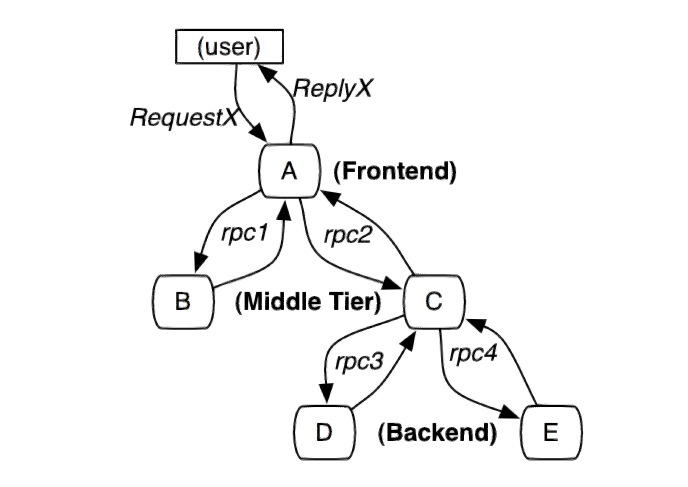
### 使用分布式追踪要留意哪些问题
* 低损耗
> 跟踪系统对在线服务的影响应该做到足够小。
* 应用透明
> 对于应用的程序员来说,是不需要知道有跟踪系统这回事的。
## 二、Opentracing简介
### Opentracing的作用
* OpenTracing通过提供平台无关、厂商无关的API,使得开发人员能够方便的添加(或更换)追踪系统的实现。
* 可以很自由的在不同的分布式追
踪系统中切换
* 不负责具体实现

### Opentracing主要组成
* 一个Trace
> 一个trace代表了一个事务或者流程在(分布式)系统中的执行过程
* Span
> 记录Trace在执行过程中的信息
* 无限极分类
> 服务与服务之间使用无限极分类的方式,通过HTTP头部或者请求地址传输到最低层,从而把整个调用链串起来。

### Jaeger-client的实现
#### Jaeger-client源码
##### 提取
* 为什么要提取
> 主要作用是为了找到父亲
* 从哪里提取
> 进程内,不同进程之间各自约定
> 粟子:github.com/opentracing-contrib/go-stdlib/nethttp/server.go P86
* 提取什么
> traceid:spanid:parentid:是否采集
> uber-trace-id=157b74261b51d917:157b74261b51d917:0:1
> github.com/jaegertracing/jaeger-client-go/propagation.go P124
##### 注入
* 为什么要注入
> 主要为了让孩子能找到爸爸
* 注入到哪里
> 和提取相对
> github.com/jaegertracing/jaeger-client-go/propagation_test.go
* 注入了什么
> github.com/jaegertracing/jaeger-client-go/propagation.go P103
##### 异步report
* Span.finish
> github.com/jaegertracing/jaeger-client-go/span.go P177
* 把Span放入队列
> github.com/jaegertracing/jaeger-client-go/reporter.go P219
* 从队列取出,生成thrift,放入spanBuffer
> github.com/jaegertracing/jaeger-client-go/reporter.go P253
* Flush到远程
> github.com/jaegertracing/jaeger-client-go/transport_udp.go P113
#### 低消耗
* 消耗在哪里
> Jaeger-client作用于应用层,提取、注入、生成span、序列化成Thrift、发送到远程等,一系列操作这些都会带来性能上的损耗。
* 如何处理
> 选择合适采集策略:
1. Constant
2. Probabilistic
3. Rate Limiting
4. Remote
#### 应用透明
* 如何做到让业务开发人员无感知
1. Golang:
约定第一个参数为ctx,把parentSpan放入ctx
github.com/opentracing/opentracing-go/gocontext.go
2. PHP:
使用全局变量
## 三、Jaeger服务端源码阅读
### 服务端组件职责
> 各组件按照微服务架构风格设计,职责单一

* Jaeger-agent负责上报数据的整理
* Jaeger-collector负责数据保存
* Jaeger-query负责数据查询
* Jaeger-agent和Jaeger-collector使用基于TCP协议实现的RPC进行通讯

### Jaeger-agent 源码阅读
* 监听3个UDP端口
> github.com/jaegertracing/jaeger/cmd/agent/app/flags.go P35
> github.com/jaegertracing/jaeger/cmd/agent/app/servers/thriftudp/transport.go P73
* 接收Jaeger-client的数据,放入队列dataChan
> github.com/jaegertracing/jaeger/cmd/agent/app/servers/tbuffered_server.go #80 �
* 从队列dataChan获取数据,进行校验
> github.com/jaegertracing/jaeger/cmd/agent/app/processors/thrift_processor.go P108
* 提交数据
> github.com/jaegertracing/jaeger/thrift-gen/jaeger/tchan-jaeger.go #39
### Jaeger-collector 源码阅读
* 协程池
> github.com/jaegertracing/jaeger/pkg/queue/bounded_queue.go
* 接收jaeger-agent数据
> github.com/jaegertracing/jaeger/cmd/collector/app/span_handler.go P69
* 放入队列
> github.com/jaegertracing/jaeger/cmd/collector/app/span_processor.go P112
* 从队列拿出来,写入数据库
> github.com/jaegertracing/jaeger/cmd/collector/app/span_processor.go p54
> github.com/jaegertracing/jaeger/plugin/storage/cassandra/spanstore/writer.go P136
## 四、Jaeger使用经验
### 监听指标
* Jaeger-client 监听 reporter_spans
* Jaeger-agent 监听 thrift.udp.server.packets.dropped
* Jaeger-collector 监听 spans.dropped
http://localhost:16686/metrics
### 测试环境debug
> 测试环境记录执行mysql语句,redis命令,RPC参数、结果
可以很方便定位问题
### 性能调优
> 观察Jaeger-ui,对线上接口,mysql执行时间进行监控调优
## 观看视频
{{< youtube id="ub7jtN13KHA" >}}
================================================
FILE: content/night/3-2018-04-18-strings-part1.md
================================================
---
title: 第 3 期 2018-04-18 线下活动
date: 2018-04-18T11:49:10+08:00
---
>参与人数: 14 人
*Go 标准包阅读*
Go 版本:go 1.10.1
### strings
- builder.go
- builder_test.go
- compare.go
- compare_test.go
- example_test.go
- export_test.go
- reader_test.go
- reader.go
### 问题清单
以下是我们在阅读过程中的一些问题,希望可以引起大家的关注,也欢迎大家提出自己的理解,最好可以给以文章总结。
1. defer runtime.GOMAXPROCS(runtime.GOMAXPROCS(1))
2. runtime.ReadMemStats(&m1)
3. defer_lock.go
```go
package main
import (
"sync"
)
func main() {
var mu sync.Locker = new(I)
defer LockUnlock(mu)()
println("doing")
}
func LockUnlock(mu sync.Locker) (unlock func()) {
mu.Lock()
return mu.Unlock
}
type I struct{}
func (i *I) Lock() {
println("lock")
}
func (i *I) Unlock() {
println("unlock")
}
```
4. buf := make([]byte, len(b.buf), 2*cap(b.buf)+n) 为什么是2倍呢?
5. // NOTE(rsc): This function does NOT call the runtime cmpstring function,
// because we do not want to provide any performance justification for
// using strings.Compare. Basically no one should use strings.Compare.
// As the comment above says, it is here only for symmetry with package bytes.
// If performance is important, the compiler should be changed to recognize
// the pattern so that all code doing three-way comparisons, not just code
// using strings.Compare, can benefit.
6. b.buf = append(b.buf, s...) s是string,b.buf是[]byte
7. int int64的问题? 在32位机器上进行int64原子操作时的panic
8. defer LockUnlock(mu),如果LockUnlock(mu)没有带(),则会丢失func函数的执行
9. if r < utf8.RuneSelf
10. if cap(b.buf)-l < utf8.UTFMax {
11. Example
12. xxx_test.go 其实是xxx包,但是又不想放到xxx包里面,因为它只是提供给_test.go包使用的函数。
13. rune 码点的处理(reader.go prevRune int // index of previous rune; or < 0)
14. off 与 offset 尴尬的问题
15. whence where when ?[wiki-whence](https://en.wiktionary.org/wiki/whence)
16. // It is similar to bytes.NewBufferString but more efficient and read-only.
17. Go 1.10 开始引入了 builder
[go1.10.builder](https://golang.org/doc/go1.10#strings)
```
# https://golang.org/doc/go1.10#strings
strings 
A new type Builder is a replacement for bytes.Buffer for the use case of accumulating text into a string result. The Builder's API is a restricted subset of bytes.Buffer's that allows it to safely avoid making a duplicate copy of the data during the String method.
```
## 延伸阅读
1. [wiki-whence](https://en.wiktionary.org/wiki/whence)
2. [Go 延迟函数 defer 详解](https://mp.weixin.qq.com/s/5xeAOYi3OoxCEPe-S2RE2Q)
================================================
FILE: content/night/30-2019-02-16-go-mod-part-4.md
================================================
---
desc: Go 夜读之 go mod 源码阅读 part 4
title: 第 30 期 Go 夜读之 go mod 源码阅读 part 4
date: 2019-02-16T21:00:00+08:00
author: mai
---
*Go 标准包阅读*
Go 版本:go 1.11.5
### net/http
1. \`\` 换行
本期没有视频回放。
## 观看视频
{{< youtube id="" >}}
================================================
FILE: content/night/31-2019-02-23-flag.md
================================================
---
desc: Go 夜读之 flag 包源码阅读
title: 第 31 期 Go 夜读之 flag 包源码阅读
date: 2019-02-23T21:00:00+08:00
author: mai
---
*Go 标准包阅读*
Go 版本:go 1.11.5
### 总结
1. \*v.URL = \*u
2. flag 下有 `package flag_test`??
3. init 中定义相同的 stringvar ;
当一个文件中出现多个 init 函数时,他们都会被加载,并且以 init 出现在文件中的前后顺序执行。
4.
```golang
type Value interface {
String() string
Set(string) error
}
type Getter interface {
Value
Get() interface{}
}
type boolFlag interface {
Value
IsBoolFlag() bool
}
```
5. `strconv.ParseBool` 的返回值可以被利用
```golang
v, err := strconv.ParseBool(s)
*b = boolValue(v)
return err
```
## 参考资料
1. [Go 语言中值 receiver 和指针 receiver 的对比(收集的一些资料)](https://maiyang.me/post/2018-12-12-values-receiver-vs-pointer-receiver-in-golang/)
## 观看视频
{{< youtube id="z-9WEuUWqu4" >}}
================================================
FILE: content/night/32-2019-03-02-etcd-raft.md
================================================
---
desc: Go 夜读之 etcd raft 源码阅读
title: 第 32 期 Go 夜读之 etcd raft 源码阅读
date: 2019-03-02T21:05:00+08:00
author: 缪昌新
---
*etcd raft 阅读*
etcd 版本:3.3.10
2019.3.2 晚上
### 总结
etcd里的raft模块只实现了raft共识算法,而像消息的网络传输,数据存储都由上层应用来完成。
下面是各个文件(夹)的功能简介:
* raftpb
用[Protocol Buffer](https://developers.google.com/protocol-buffers/)定义了一些需要序列化的数据结构,比如`Entry`和`Message`。
* log_unstable.go
`unstable`数据结构表示用于还没有被用户层持久化的数据,它维护了两部分内容`snapshot`和`entries`。
* storage.go
这个文件定义了一个`Storage`接口,应用层需要实现这个接口,以提供存储和查询日志的能力。
* log.go
维护本地日志信息。其中的`committed`和`applied`分别表示已提交和已经应用到状态机的日志索引。
* progress.go
Leader节点通过`Progress`这个数据结构来追踪一个follower的状态,并根据`Progress`里的信息来决定每次同步的日志项。
* raft.go
Raft协议的具体实现就在这个文件里。其中最重要的就是`Step`函数,它用来处理不同的消息。所以以后当我们想知道raft对某种消息的处理逻辑时,到这里找就对了。
* node.go
`node`的主要作用是应用层和共识模块(raft)的衔接。将应用层的消息传递给底层共识模块,并将底层共识模块共识后的结果反馈给应用层。
## 参考资料
1. [深入浅出 Raft - 基本概念](https://www.jianshu.com/p/138b4d267084)
2. [深入浅出 Raft - Membership Change](https://www.jianshu.com/p/99562bfec5c2)
3. [深入浅出 Raft - Leader 选举](https://www.jianshu.com/p/2b60542640e2)
4. [深入浅出 Raft - Optimization](https://www.jianshu.com/p/1bbd7162727d)
5. [Raft在etcd中的实现](http://blog.betacat.io/post/raft-implementation-in-etcd/)
6. [etcd contrib](https://github.com/etcd-io/etcd/tree/master/contrib)
7. [Etcd超全解:原理阐释及部署设置的最佳实践](https://mp.weixin.qq.com/s/kcWCxk0NbTuob0y6gN5emw)
## 观看视频
{{< youtube id="sL02PsR20gE" >}}
================================================
FILE: content/night/33-2019-03-07-defer-in-go.md
================================================
---
desc: Go 夜读之 Go defer 和逃逸分析
title: 第 33 期 Go 夜读之 Go defer 和逃逸分析
date: 2019-03-07T21:05:00+08:00
author: 饶全成
---
2019.3.7 晚上
## 观看视频
{{< youtube id="-FtBBx44E3g" >}}
================================================
FILE: content/night/34-2019-03-16-plan9-guide.md
================================================
---
desc: Go 夜读之 plan9 汇编入门,带你打通应用和底层 by Xargin
title: 第 34 期 Go 夜读之 plan9 汇编入门,带你打通应用和底层 by Xargin
date: 2019-03-16T21:05:00+08:00
author: Xargin
---
2019.3.16 晚上 21 点 ~ 23点
## 直播过程中的文字讨论 (如有涉及到隐私,请告知)
```
21:08:32 From xiong hekuan : 几乎没有
21:08:47 From amatist Kurisu : 大佬开下麦...
21:09:02 From Laily Long : 能听到
21:09:02 From xiong hekuan : 可以
21:09:03 From 何翔宇 : 可以
21:09:06 From xiye : 能听到
21:09:09 From haoc7 : 听到了
21:09:12 From 星星 : 挺清楚的
21:11:01 From amatist Kurisu : ok
21:13:57 From panda : 👍
21:15:40 From albert’s iPhoneSE : 32位都差不多复杂
21:28:15 From 红红火火 : 不太好理解
21:28:24 From dongzerun : rax rbx ….. 一共六个,再多的才通过栈
21:32:09 From 红红火火 : 每个方法都有一个zhanma
21:32:22 From HLewis : 销毁就是sp等于bp吧
21:33:06 From albert’s iPhoneSE : 怎么修改栈大小?
21:33:10 From 红红火火 : 每个方法都有一个栈指针吗
21:33:19 From Flora Wong : C++里inline函数就没有栈吧
21:33:52 From xiaolong ran : 失效后还给操作系统它怎么处理 ?
21:34:35 From 红红火火 : 回收再利用吧
21:37:42 From 王耀峰 : 这是当时的值或者地址吧
21:37:49 From amatist Kurisu : 那cpu切换任务的话, 保存的上下文是指寄存器中的值么
21:38:08 From amatist Kurisu : ok
21:42:08 From 王耀峰 : 问个问题啊。系统条用,还会涉及到了内核态或者用户态切换吧,汇编有体现吗
21:42:42 From 王耀峰 : ok
21:42:45 From xiaolong ran : .bss 和 .rodata这两个和.text和.data是怎么交互的
21:43:30 From Laily Long : 就相当于系统调用的时候按要求把参数天刀对应寄存器,然后调用 syscall 进内核,内核就会自己拿参数然后执行对吧,返回的参数也写到固定寄存器?
21:43:32 From dongzerun : 这哪有交互的说法
21:43:46 From z : syscall 不属于体系架构的指令,而是操作系统提供的?
21:44:13 From dongzerun : 其它平台有的是不叫 syscall
21:46:59 From Laily Long : $ 表示数字?
21:47:45 From Laily Long : plan9 是另一个操作系统的项目,不过凉了
21:54:25 From Flora Wong : zhuji 码 是哪两个字?
21:54:30 From daniel : 不同的assembler
21:55:08 From atlas : 助记码
21:55:12 From 影子的 iPhone : 助记码
21:58:46 From 王耀峰 : 这种应该应该还有一种好处,所有栈信息都保存在协程的结构体里面,省去了好多上线文切换的开销了
22:01:58 From Laily Long : 是不是判断了之后 jmp 到不同的地方
22:05:01 From 卜邪 小 : SB代表什么?
22:05:45 From Flora Wong : SB是某个寄存器?
22:06:09 From daniel : SB: Static base pointer: global symbols.
22:06:13 From Odyssey : 所有的外部引用都需通过伪寄存器: PC(virtual Program Counter)/SB(Static Base register)
22:06:25 From Odyssey : 刚搜索的 :)
22:09:17 From HLewis : 尾递归讲的好,只是有人介绍过,自己没跟过,学习了
22:13:00 From daniel : 能否分析一个函数调用时stack的结构?
22:13:18 From 卜邪 小 : 不会被抢占?
22:14:23 From 王耀峰 : 那也就是说gc 没办法正常回收了
22:14:54 From 王耀峰 : 我记得Go 里面好像有一个兜底策略
22:15:37 From pingzheng : 那写gorouting感觉好危险
22:15:46 From liu : 纯运算的是抢占不了
22:15:51 From 王耀峰 : 好好
22:15:53 From 王耀峰 : 还好
22:17:43 From 卜邪 小 : 在听
22:18:17 From z : SB的作用是
22:19:03 From 王耀峰 : 一个G的栈初始化只有2k
22:19:42 From xiye : goroutine的初始分配的内存是2k吧
22:19:59 From 红红火火 : 4k
22:20:19 From 王耀峰 : 这个应该和操作系统,虚拟内存有关吧
22:20:44 From 王耀峰 : 物理不可能,虚拟的也不会
22:23:22 From HLewis : 等一下能讲讲,所有的goroutine都在同一个操作系统进程中吗?
22:23:30 From dingliu : 所以想到一个case,如果被调用的函数只有一个字符的变量还没超过2k,就不会触发morestack.
22:23:49 From 红红火火 : 去看gmp
22:30:23 From dingliu : +8是指8字节吗?
22:33:45 From z : textflag.h是什么
22:35:55 From Laily Long : 怎么知道 slice 在汇编里是传了三个参数进去的
22:36:05 From Laily Long : 去哪里查,比如我要知道 map 的
22:37:13 From Laily Long : 哦哦。。懂了。。
22:40:02 From 王耀峰 : 后面的值是什么意思
22:40:26 From 王耀峰 : 哈哈,我擦
22:40:41 From 王耀峰 : 这还得算内存对齐了,哈哈
22:41:03 From Flora Wong : 黑科技 太牛
22:43:17 From 榴莲 : 🐂
22:43:41 From 红红火火 : 雨痕是不是很懂这些啊
22:46:01 From Flora Wong : 汇编有点意思 感谢大佬分享
22:46:29 From mai yang : 👍汇编还给老师了。
22:46:33 From xiye : defer一般用来做资源解锁比较好
22:46:37 From HLewis : 所有的goroutine都处在同一个操作系统进程中吗?
22:46:42 From mai yang : defer 确实很尴尬的。
22:47:25 From 红红火火 : 线程队列里
22:47:51 From haoc7 : 上次有人线上defer没走到,前面崩了,找了半天是defer没走到。
22:48:11 From 王耀峰 : panic了
22:48:21 From z : go语言问题是追的github上issue么?
22:48:33 From mai yang : pgraph?
22:48:38 From Xargin : pprof
22:48:40 From mai yang : pprof
22:49:18 From mai yang : 太感谢老师今天的分享了
22:49:21 From 卜邪 小 : 有
22:49:23 From 卜邪 小 : https://github.com/golang/go/blob/master/src/runtime/asm_amd64.s#L253
22:49:32 From mai yang : 在群里面
22:49:35 From 卜邪 小 : 老师能帮忙翻译这段汇编吗?
22:49:40 From Feng Zhu : 谢谢大神分享
22:50:00 From hawken : 还有一个小小的问问,chrome 插件第三个是什么插件啊😂
22:50:13 From HLewis : 所有的goroutine都处在同一个操作系统进程中吗?
22:50:22 From haoc7 : 哈哈哈,我刚刚也搜了
22:50:23 From 红红火火 : jstogo
22:50:27 From Laily Long : 请问下 Plan9 的汇编优势在哪里,为啥 go 的开发者会抛弃其他的自己造这个轮子
22:50:28 From Flora Wong : 哈哈 你的插件看起来都很棒
22:51:00 From mai yang : 这些插件都可以总结一波。
22:51:22 From Flora Wong : 回头分享一下插件名称哈 大佬
22:52:02 From 星星 : 我看到油猴了
22:52:15 From 王耀峰 : G应该是个宏封装吧
22:52:23 From HLewis : go协程和操作系统进程啥关系?
22:52:46 From Flora Wong : 一个go程序执行的时候就是一个进程 肯定goroutine都在一个进程里啊
22:52:52 From Flora Wong : 你是想问线程吧?
22:52:55 From 王耀峰 : 可以从网上看看经典的go的 GMP
22:52:57 From Laily Long : 这个你需要去看 gmp 模型
22:53:10 From HLewis : 好的我先搜一下
22:55:36 From William的 iPhone : 比较迷惑的是协程都在一个进程里面,那他怎么用满多核服务器的
22:56:18 From 王耀峰 : 中间层?
22:56:30 From HLewis : 对
22:56:48 From HLewis : 系统级别只有进程
22:57:03 From HLewis : 线程是提供的库比如pthreads
22:57:56 From HLewis : 如果协程都在一个进程中,那么就意味着所有协程共享同一个虚拟内存空间,
22:58:37 From HLewis : 那么操作系统提供的进程间ipc跟Go就没有毛关系了?
22:59:55 From daniel : 比较迷惑的是协程都在一个进程里面,那他怎么用满多核服务器的
22:59:59 From daniel : 多线程呀
23:01:03 From 王耀峰 : 不一定是一个进程,其实G的存在就减少了上下文切换,底层还是多喝都绑定到P上相当于多核了吧
23:01:06 From William的 iPhone : 协程之间走进程间通信吗?
23:01:54 From William的 iPhone : 多个线程之间的goroutine 怎么通信?
23:02:08 From 王耀峰 : channel
23:03:02 From William的 iPhone : 说错了是多个核上的多个进程上面的goroutine 之间的通信
23:03:34 From daniel : 啥,一个Go程序跑起来是单进程的呀
23:03:48 From 王耀峰 : Go其实弱化了这些进程线程概念,你遵循mpg这种用就行了
23:03:51 From wangriyu : 不同进程得走系统ipc了吧
23:04:07 From William的 iPhone : 单进程能用满多个核心么
23:04:12 From William的 iPhone : 迷糊了
23:04:14 From Xargin : debug.xxxstack()
23:04:41 From wangriyu : 进程是资源分配的基本单元,线程才是执行单元
23:04:54 From 王耀峰 : 对
23:05:07 From wangriyu : 你多线程跑就能跑满cpu了
23:05:08 From daniel : 一个进程可以搞出来n个线程,这n个线程会执行m个goroutine
23:05:24 From 王耀峰 : 在linux 下层其实进程线程好像不太严格。弱进程
23:06:39 From daniel : 同一个进程下的线程共享很多资源
23:06:48 From William的 iPhone : 这m个在一个核心里面?我理解的一个进程只能用满一个核心吧
23:07:04 From tanrongxian : 峰哥牛鼻
23:07:07 From mai yang : 非常感谢
23:07:07 From luckybear : 多谢大佬
23:07:07 From pingzheng : 感谢大佬
23:07:08 From HLewis : 学习了,谢谢分享
23:07:09 From Laily Long : 辛苦大佬
23:07:14 From Flora Wong : 感谢 @Xargin
23:07:16 From hawken : 非常感谢
23:07:18 From Odyssey : 谢谢分享
23:07:18 From wangriyu : 感谢
23:07:18 From doujiapeng : 感谢感谢
23:07:18 From qclaogui : 辛苦大佬
23:07:21 From 星星 : 感谢
23:07:22 From tanrongxian : 感谢分享
23:07:24 From 饶全成 : 感谢
23:07:24 From Flora Wong : 辛苦大佬
23:07:25 From Feng Zhu : 大佬
23:07:25 From 卜邪 小 : 谢谢
23:07:32 From daniel : 感谢,睡觉了
23:07:33 From amatist Kurisu : 感谢分享
23:07:34 From doujiapeng : 多谢
23:07:36 From haoc7 : 谢谢大佬
23:07:38 From qclaogui : good night
23:07:41 From Odyssey : 谢谢大佬
23:07:46 From 鹏飞 : 6
23:07:49 From mai yang : 晚点分享出来给大家
23:07:50 From HLewis : gnight
```
## 观看视频
{{< youtube id="dPdXxex1v_4" >}}
================================================
FILE: content/night/35-2019-03-21-reading-context.md
================================================
---
desc: Go 夜读之 context 源码阅读
title: 第 35 期 context 源码阅读
date: 2019-03-21T21:05:00+08:00
author: mai
---
## 预习材料
[第 35 期 Go 夜读之『context 包源码阅读』预习资料 #191](https://github.com/talkgo/night/issues/191)
## 观看视频
{{< youtube id="LhEiCTkF2S8" >}}
================================================
FILE: content/night/36-2019-03-28-reading-k8s-context.md
================================================
---
desc: Go 夜读之 k8s context 实践源码阅读
title: 第 36 期 k8s context 实践源码阅读
date: 2019-03-28T21:05:00+08:00
author: mai
---
## 实践
1. WithValue
2. WithCancel
3. WithTimeout
`WithDeadline` 基本上没有用到。
## 参考资料
1. [How to correctly use context.Context in Go 1.7](https://medium.com/@cep21/how-to-correctly-use-context-context-in-go-1-7-8f2c0fafdf39)
2. [How to correctly use package context](https://youtu.be/-_B5uQ4UGi0)
3. [视频笔记:如何正确使用 Context - Jack Lindamood](https://blog.lab99.org/post/golang-2017-10-27-video-how-to-correctly-use-package-context.html)
## 观看视频
{{< youtube id="JLuBPEeS9G8" >}}
================================================
FILE: content/night/37-2019-04-01-talk-from-serverless-in-apache-pulsar.md
================================================
---
desc: Go 夜读之 从 serverless 的一个设计说起
title: 第 37 期 从 serverless 的一个设计说起
date: 2019-04-01T21:05:00+08:00
author: 冉小龙
---
## 参考资料
1. [预习材料](https://github.com/talkgo/night/issues/324)
2. [pulsar-effectively-once](https://streaml.io/blog/pulsar-effectively-once)
## 观看视频
{{< youtube id="wfTQlM8eics" >}}
================================================
FILE: content/night/38-2019-04-13-k8s-scheduler-reading.md
================================================
---
desc: Go 夜读之 kubernetes scheduler 源码阅读
title: 第 38 期 kubernetes scheduler 源码阅读
date: 2019-04-13T21:05:00+08:00
author: John
---
## 观看视频
{{< youtube id="T83rJuIs7PE" >}}
================================================
FILE: content/night/39-2019-04-18-init-function-in-go.md
================================================
---
desc: Go 夜读之 init function 使用分析
title: 第 39 期 init function 使用分析
date: 2019-04-18T21:05:00+08:00
author: mai
---
## 观看视频
{{< youtube id="62mci2mPQDU" >}}
================================================
FILE: content/night/4-2018-04-25-strings-part2.md
================================================
---
title: 第 4 期 2018-04-25 线下活动
date: 2018-04-25T11:49:10+08:00
---
>参与人数: 15 人
*Go 标准包阅读*
Go 版本:go 1.10.1
### strings
- replace.go
- replace_test.go
- search.go
- search_test.go
### 问题清单
以下是我们在阅读过程中的一些问题,希望可以引起大家的关注,也欢迎大家提出自己的理解,最好可以给以文章总结。
1. Boyer-Moore 算法
## 延伸阅读
0. [Boyer-Moore_string_search_algorithmde](http://en.wikipedia.org/wiki/Boyer-Moore_string_search_algorithm)
1. [Boyer-Moore字符串搜索算法](https://zh.wikipedia.org/zh-hans/Boyer-Moore字符串搜索算法)
2. [字符串匹配的Boyer-Moore算法](http://www.ruanyifeng.com/blog/2013/05/boyer-moore_string_search_algorithm.html)
3. [grep之字符串搜索算法Boyer-Moore由浅入深(比KMP快3-5倍)](http://www.cnblogs.com/lanxuezaipiao/p/3452579.html)
================================================
FILE: content/night/40-2019-04-27-atomic-value-in-go.md
================================================
---
desc: Go 夜读之 atomic.Value 的使用和源码分析
title: 第 40 期 atomic.Value 的使用和源码分析
date: 2019-04-27T21:05:00+08:00
author: mai
---
## 观看视频
{{< youtube id="pyics4WyUmA" >}}
================================================
FILE: content/night/41-2019-05-12-golint-golangci-lint.md
================================================
---
desc: Go 夜读之 golint 及 golangci-lint 的介绍和使用
title: 第 41 期 golint 及 golangci-lint 的介绍和使用
date: 2019-05-12T20:00:00+08:00
author: mai
---
## 观看视频
{{< youtube id="z42y4tpRmbw" >}}
================================================
FILE: content/night/42-2019-05-16-go-failpoint-design.md
================================================
---
desc: Go 夜读之 An Introduction to Failpoint Design
title: 第 42 期 An Introduction to Failpoint Design
date: 2019-05-16T21:00:00+08:00
author: 龙恒
---
## 观看视频
{{< youtube id="ke7zzny9dxU" >}}
================================================
FILE: content/night/43-2019-05-23-gomonkey-framework-design-and-practives.md
================================================
---
desc: Go 夜读之 gomonkey 框架设计与应用实践
title: 第 43 期 gomonkey 框架设计与应用实践
date: 2019-05-23T21:30:00+08:00
author: 张晓龙
---
## 观看视频
{{< youtube id="OpuX47E7B2w" >}}
================================================
FILE: content/night/44-2019-05-29-go-map-reading.md
================================================
---
desc: Go 夜读之 Go map 源码阅读分析(20190529第44期)
title: 第 44 期 Go map 源码阅读分析
date: 2019-05-29T21:10:00+08:00
author: 饶全成
---
## 观看视频
{{< youtube id="P2v3kvztWU0" >}}
================================================
FILE: content/night/45-2019-05-30-goim-reading.md
================================================
---
desc: Go 夜读之 goim 架构设计与源码分析(20190530第45期)
title: 第 45 期 goim 架构设计与源码分析
date: 2019-05-30T21:10:00+08:00
author: tsingson
---
## 观看视频
{{< youtube id="bFniRH3ifx8" >}}
================================================
FILE: content/night/46-2019-06-05-tidb-overview-reading.md
================================================
---
desc: Go 夜读 && TiDB 源码阅读之概览
title: 第 46 期 TiDB 源码阅读之概览
date: 2019-06-05T21:10:00+08:00
author: 龙恒
---
## TiDB Source Code Overview

## 视频回看
1. [TiDB 源码学习之 Source Code Overview - YouTube](https://youtu.be/mK6BOquvQhE)
2. [TiDB 源码学习之 Source Code Overview - Bilibili](https://www.bilibili.com/video/av54658699/)
## 意见反馈
1. [【Go夜读】『TiDB Source Code Overview』反馈](https://docs.google.com/forms/d/e/1FAIpQLSeaj0ZxZJhfqa0oS8MZGtTDIylSCAdLq1ymnkYhfbkgSQ6rOw/viewform)
## chat 答疑
20:54:52 From mai yang : 大家好,欢迎大家前来参加 Go 夜读&TiDB 源码学习!
21:22:34 From nange : Session 怎么初始化的?
21:22:46 From ccong deng : 每个连接都是跟一个session对象对应么?
21:22:48 From jeffery : session主要包含什么?
21:22:59 From jeffery : 譬如:
21:23:01 From Wei Yao : 对,一个链接一个 session
21:23:09 From Wei Yao : 具体包含什么,可以大家自己去看了
21:23:17 From Wei Yao : 这个线上不可能所有都讲的
21:23:25 From jeffery : 好的,谢谢了
21:31:00 From Wei Yao : 大家如果对语法分析,词法分析感兴趣,可以去看看 yacc 跟 lex
21:31:10 From hezhiyong : parser 这一层不是使用mysql的parser吗
21:31:17 From Wei Yao : 不,我们自己写的
21:31:56 From hezhiyong : mysql 的语法解析是在那一步用到了?
21:32:01 From tianyi wang : select coalesce()中coalesce是在fields里面吗
21:32:10 From Wei Yao : 我们的语法解析就是兼容 mysql,
21:32:12 From window930030@gmail.com : SQL injection 有做嗎?
21:32:27 From Wei Yao : SQL injection?SQL 注入?
21:32:40 From Wei Yao : 我们不叫 sql 注入
21:32:55 From window930030@gmail.com : 恩?
21:33:04 From Wei Yao : 我们会把 sql 变成算子,之后会去优化算子结构,下面会讲,
21:33:15 From window930030@gmail.com : 好的,謝謝。
21:34:55 From jeffery : 刚刚的意思:Visitor是选择节点
21:34:58 From jeffery : ?
21:35:05 From Wei Yao : 不是
21:35:11 From Abner Zheng : 一种设计模式
21:35:13 From xietengjin : 遍历节点用的吧
21:35:14 From Wei Yao : visitor 是设计模式中的那个 visitor 模式
21:35:17 From Wei Yao : 对
21:35:19 From jacobz : 遍历树用的
21:35:23 From Fangfang Qi : 是遍历语法树的
21:35:27 From jeffery : 额,好的
21:35:28 From Wei Yao : 遍历 ast 树
21:37:03 From jeffery : 清楚
21:40:01 From jacobz : 是搞优化的那一堆?
21:43:45 From lk : 递归遍历?
21:44:05 From Wei Yao : 层级有限。
21:48:06 From Kathy : 其实这个时候是不是类似传统的通过运算符进栈出栈形成表达式
21:48:24 From Wei Yao : 对,表达式系统基本上都是这样
21:51:21 From Kathy : ScalarFunction能解决aggregation的函数的语句吗
21:55:24 From Chen Shuang : 能
21:55:55 From Chen Shuang : aggregation function 也是 scalar function.
21:57:23 From Kathy : 只要不涉及其他表的相关列的function是否都最后成为scalarFunction
21:57:33 From Kathy : 的表达式
21:58:40 From Chen Shuang : 只要是 function , 都会变成 scalarFunction 表达式
21:59:40 From Chen Shuang : select t1.a + t2.b from t1,t2; 其中 t1.a + t2.b 会build 成一个 scalarFunction 表达式
21:59:40 From Kathy : 多谢答复
22:00:28 From Chen Shuang : 不客气哈
22:06:26 From tianyi wang : select coalesce()也会是scalarfunction?
22:06:53 From hezhiyong : 可以演示一下debug一条语句跑的代码吗
22:10:07 From jiangchen : 是的,能不能最好演示下。。每次next返回的是一部分子结果还是一部分最终的结果?
22:11:33 From Kathy : 执行引擎的新特性可以说说吗?简单讲一下,就是parallel physical operator的实现等等
22:11:57 From Wei Yao : 执行引擎下周讲
22:12:05 From 慢摇哥哥 : 老师,Coprocessor是在哪一步分发的
22:12:06 From jeffery : 辛苦了,有一个基本的逻辑了
22:12:37 From Kathy : 好的 谢谢
22:12:42 From 达 黄 : 之前看了tidb源码解析的文章 配合着这个视频 印象更清楚了
22:13:32 From jeffery : 感觉姚老师像一位老教授在督导
22:14:02 From Wei Yao : :)
22:15:40 From jeffery : 为什么这部分会单独出来?
22:15:40 From nange : Distsql是什么好像没讲。
22:15:54 From tianyi wang : select coalesce()会是scalarfunction还是单独的一部分呢?
22:18:53 From 熊浪 : 问下是每一个session都会解析一次sql么?如果一个sql在同一个session中多次执行是否有ast的共享?
22:21:02 From hezhiyong : prepare 是要开启参数才可以的吧
22:21:36 From 熊浪 : 好的,和mysql是一样的。谢谢
PPT: https://talkgo.slack.com/files/U8A45L223/FKA335THT/_reading-go__tidb_source_cdoe_overview.pdf
## 观看视频
{{< youtube id="mK6BOquvQhE" >}}
================================================
FILE: content/night/47-2019-06-12-tidb-exector-reading.md
================================================
---
desc: Go 夜读 && TiDB 源码阅读之 Executor
title: 第 47 期 TiDB 源码阅读之 Executor
date: 2019-06-12T21:10:00+08:00
author: chenshuang
---
## TiDB Executor 内容介绍
本次分享主要讲 TiDB 中 insert/update/delete/select, 以及 DDL 等是如何执行的,以及涉及到相关模块。大概会涉及以下模块:
* executor
* distsql
* ddl
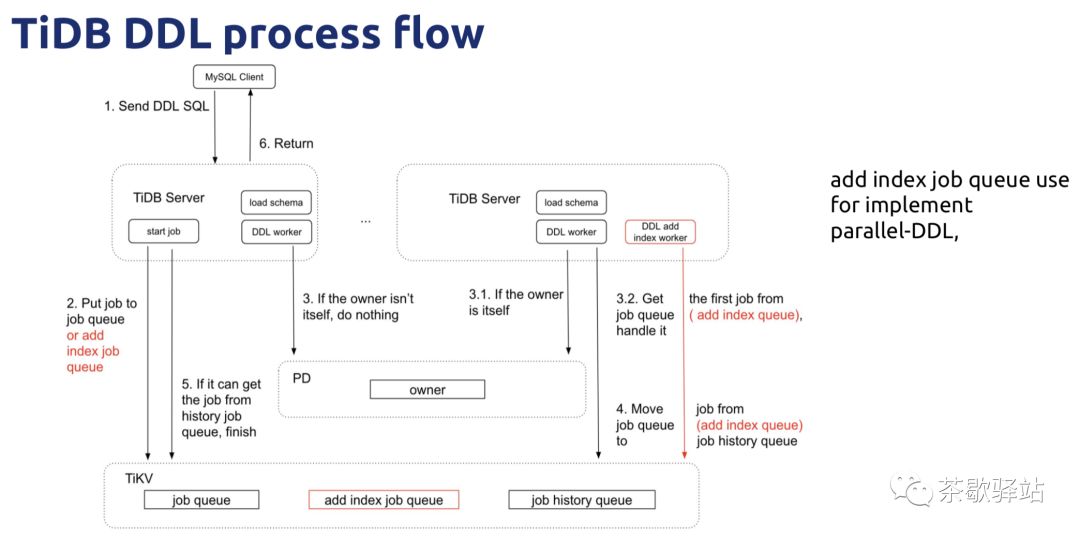
PPT: [TiDB Executor 源码阅读.pdf](https://github.com/talkgo/night/files/3281080/TiDB.Executor.pdf)
## 推荐阅读
* [Select 语句概览](https://pingcap.com/blog-cn/tidb-source-code-reading-6/)
* [INSERT 语句详解](https://pingcap.com/blog-cn/tidb-source-code-reading-16/)
* [DDL 源码解析](https://pingcap.com/blog-cn/tidb-source-code-reading-17/)
## 视频回看
1. [TiDB 源码学习之 Executor - YouTube](https://youtu.be/Rcrm4w7sqbM)
2. [TiDB 源码学习之 Executor - Bilibili](https://www.bilibili.com/video/av55403428/)
PPT: https://github.com/talkgo/night/files/3281080/TiDB.Executor.pdf
## 问题
- 表的信息是怎么存的呢
- id的生成规则是什么
- 如果索引里面不保存handle_id,那怎么根据索引找到这行数据呢
- 索引字段很大会不会有问题,作为id的一部分的话
- 单条6m的限制是怎么计算出来的?还是压力测出来的?
- ddl时,job放到tikv的队列,tikv是分布式的,job具体是放到哪个tikv上的呢?
- 并行ddl 如何跑
- tikv整体上可以看成一个kv store
- region这部分概念可以配合hbase去看看能更好的理解
- 难道own tidb server要遍历所有的tikv server上的queue,去取ddl的job?
- tidb 的统计信息也是放一个表里面,每次parse 都会去拿这个信息,这样的话请求到一个region,这个表是不是很容易成为热点
## 观看视频
{{< youtube id="Rcrm4w7sqbM" >}}
================================================
FILE: content/night/48-2019-06-19-tidb-compiler-reading.md
================================================
---
desc: Go 夜读 && TiDB 源码阅读之 Compiler
title: 第 48 期 TiDB 源码阅读之 Compiler
date: 2019-06-19T21:10:00+08:00
author: wangcong
---
## TiDB Compiler 内容介绍
本次分享主要讲 TiDB 的优化器框架以及具体的 SQL 执行优化原理 。主要涉及 TiDB 的 planner 模块。欢迎大家参加!
PPT: [TiDB Compiler.pdf](https://github.com/talkgo/night/files/3305279/TiDB.Compiler.pdf)
## 推荐阅读
* [TiDB 源码阅读系列文章(七)基于规则的优化](https://pingcap.com/blog-cn/tidb-source-code-reading-7)
* [TiDB 源码阅读系列文章(八)基于代价的优化](https://pingcap.com/blog-cn/tidb-source-code-reading-8/)
* [TiDB 源码阅读系列文章(二十一)基于规则的优化 II](https://pingcap.com/blog-cn/tidb-source-code-reading-21/)
## 视频回看
1. [TiDB 源码学习之 Executor - YouTube](https://youtu.be/4mgx8bq_fcQ)
2. [TiDB 源码学习之 Executor - Bilibili](https://www.bilibili.com/video/av56138440/)
## 问题
22:13:46 From mai yang : rule 怎么对照文档帮助理解呢?
22:16:31 From dqyuan : 怎么快速找到代码对应的pr?
22:18:43 From Wei Yao : git blame
22:23:04 From kzl : Order by 是会下推到tikv吗?
22:25:02 From Wei Yao : 除非 order by 带了 limit,要不然推下去没意义
22:25:25 From Wei Yao : 有一些情况,如果是 order by 一个索引,那就直接消除掉这个 排序操作了
22:26:07 From zhao : 有意义吧,推了之后 tidb端可以直接stream merge,不知道实现了没有
22:27:38 From Wei Yao : 是可以 stream merge, 但是现在 tidb 还没实现这个,因为优先级不是太高
22:30:42 From Wei Yao : stream merge 主要是可以节省一些内存,避免 order by 太多导致 tidb oom
22:30:56 From Heng Long : 嗯,会让 tikv 的压力变大
22:34:28 From hezhiyong : limit offset 分页性能不好
22:34:53 From hezhiyong : 有好变通改写方法没
22:35:52 From hezhiyong : limit offset 会有下推到tikv么
22:36:19 From Wei Yao : limit offset 没办法的,这个是全局的 offset
22:36:40 From Wei Yao : tikv 并不知道自己的 offset 在全局的 offset 是多少
22:37:05 From Wei Yao : 这个其他数据库其实也一样
22:37:37 From hezhiyong : 那就是这个数据就是要全拿到tidb层在来过滤
22:37:38 From hezhiyong : 是吧
22:39:27 From Hao’s iPad : 喝口水吧
22:45:35 From zhao : 这个skyline prune有相关的资料吗
22:45:41 From zhao : paper之类的
22:47:09 From Wei Yao : 我记得暂时还没有 public
22:47:20 From Wei Yao : skyline pruning 就是消除一些路径
23:04:22 From mai yang : 怎么快速找到代码对应的pr?git blame
这个可以演示一下吗?
23:06:42 From tangenta : github 上面看文件的时候有个选项是 blame,那里应该比较清晰
23:09:44 From mai yang : github 上面看文件的时候有个选项是 blame,那里应该比较清晰
——
这个不错,看到了。
## 观看视频
{{< youtube id="4mgx8bq_fcQ" >}}
================================================
FILE: content/night/49-2019-06-26-tidb-transaction-reading.md
================================================
---
desc: Go 夜读 && TiDB 源码阅读之 Transaction
title: 第 49 期 TiDB 源码阅读之 Transaction
date: 2019-06-26T21:10:00+08:00
author: zimulala
---
## TiDB Transaction 内容介绍
本次分享主要讲 TiDB 的事务执行过程和一些异常处理,涉及 TiDB 的 session 和 tikv 部分模块。
PDF: [Source code reading of TiDB Transaction .pdf](https://github.com/talkgo/night/files/3329306/Source.code.reading.of.TiDB.Transaction.pdf)
## 推荐阅读
* [TiDB 源码阅读系列文章(十九)tikv-client(下)](https://pingcap.com/blog-cn/tidb-source-code-reading-19/)
* [三篇文章了解 TiDB 技术内幕 - 说存储](https://pingcap.com/blog-cn/tidb-internal-1/)
* [Transaction in TiDB](https://andremouche.github.io/tidb/transaction_in_tidb.html)
* [Coprocessor in TiKV](https://andremouche.github.io/tidb/coprocessor_in_tikv.html)
## 视频回看
1. [TiDB 源码学习之 Executor - YouTube](https://youtu.be/A46VE3aUTKo)
2. [TiDB 源码学习之 Executor - Bilibili](https://www.bilibili.com/video/av56945776/)
## 问题
21:17:34 From zq : 分享妹子用的是什么IDE
21:17:44 From mrj : goland
21:17:45 From Pure White : 左上角,goland
21:17:45 From tangyinpeng : goland
21:17:46 From Heng Long : goland
21:17:57 From zq : goland现在做得这么好看啦
21:18:05 From Heng Long : Meterial theme
21:18:07 From mrj : 下来主题
21:18:22 From lk : 有什么比较不错的主题吗?
21:18:31 From Pure White : darcula
21:18:35 From mrj : 默认的就挺好的
21:20:04 From mai yang : 明天晚上将由 GoLand 布道师给我们分享 GoLand 的使用及技巧实践分享。
21:28:23 From HAITAO的 iPhone : 点查不带timestamp,直接读最新稳定版本么?
21:28:32 From Wei Yao : 对
21:28:52 From liber xue : 双击shift 直接search
21:28:55 From Wei Yao : 最新 commited 版本
21:35:50 From HAITAO的 iPhone : 点查,实际会默认给一个当前最新的timestamp,根据这个ts,kv返回对应的版本值?还是不带任何ts,发给kv ?
21:36:29 From Wei Yao : 用 maxTs
21:50:04 From openinx : A very nice talk.
22:05:22 From kzl : 获取完成之后,region扩容了,数据迁移走了怎么办?
22:06:16 From jeff : 是说 region 分裂了吧。
22:06:33 From kzl : 对的
22:08:46 From ruiayLin : region信息就会过期
22:11:05 From jeff : 那提交的时候会重试吧
22:11:39 From hezhiyong : tidb不断缓存region 的信息会不会占用很大的内存
22:13:23 From jeff : 唔,这里应该只缓冲曾经用到的 region ,并不是集群中所有 region
22:13:52 From jeff : s/ 缓冲 / 缓存 /g
22:14:44 From jeff : 貌似讲到刚才数据 region 分裂后的场景了。
22:14:56 From Wei Yao : 会重试
22:26:54 From fj : 大神 tidb的事物隔离级别 能介绍下吗?- ̗̀(๑ᵔ⌔ᵔ๑)
22:29:35 From Tengjin Xie : snapshot isolation?
22:31:48 From Wei Yao : 比 mysql 的 rr 稍微高一点
22:33:41 From fj : 刚才 讲的tidb的隔离级别是?
22:34:03 From Wei Yao : 你可以认为是 可重复读
22:34:11 From Wei Yao : 其实这是快照隔离级别
## 观看视频
{{< youtube id="A46VE3aUTKo" >}}
================================================
FILE: content/night/5-2018-05-10-strings-part3.md
================================================
---
title: 第 5 期 2018-05-10 线下活动 - Go 标准包阅读
date: 2018-05-10T11:49:10+08:00
---
>参与人数: 20 人
*Go 标准包阅读*
Go 版本:go 1.10.1
### strings
- strings.go(进度50%)
### 问题清单
以下是我们在阅读过程中的一些问题,希望可以引起大家的关注,也欢迎大家提出自己的理解,最好可以给以文章总结。
重头戏:**Rabin-Karp search**
Rabin-Karp 算法的思想:
1. 假设待匹配字符串的长度为M,目标字符串的长度为N(N>M);
2. 首先计算待匹配字符串的hash值,计算目标字符串前M个字符的hash值;
3. 比较前面计算的两个hash值,比较次数N-M+1:
- 若hash值不相等,则继续计算目标字符串的下一个长度为M的字符子串的hash值
- 若hash值相同,则需要使用朴素算法再次判断是否为相同的字串
- 16777619 为什么是这个值? RK, FNV 算法
16777619 = (2^24 + 403))
- len 计算问题?是否是每次都会计算,直接拿值,不需要单独计算的;
**`len(string)` 的获取 string 的长度问题:**
>涉及到 string 的结构问题。
在runtime/strings.go 中可以看到对应的 string 结构:
```go
type stringStruct struct {
str unsafe.Pointer
len int
}
```
可以得到在求 string 的长度的时候,实际上是直接获取值。
在 slice 的结构体中
```go
type slice struct {
array unsafe.Pointer
len int
cap int
}
```
Len 方法跟 len 长度走。
```go
type hmap struct {
// Note: the format of the Hmap is encoded in ../../cmd/internal/gc/reflect.go and
// ../reflect/type.go. Don't change this structure without also changing that code!
count int // # live cells == size of map. Must be first (used by len() builtin)
flags uint8
B uint8 // log_2 of # of buckets (can hold up to loadFactor * 2^B items)
noverflow uint16 // approximate number of overflow buckets; see incrnoverflow for details
hash0 uint32 // hash seed
buckets unsafe.Pointer // array of 2^B Buckets. may be nil if count==0.
oldbuckets unsafe.Pointer // previous bucket array of half the size, non-nil only when growing
nevacuate uintptr // progress counter for evacuation (buckets less than this have been evacuated)
extra *mapextra // optional fields
}
```
在map的结构体重 有个 count 的统计 map 的内部数量。
- len 与 runtime 包里面的某些实现的有何区别?
func IndexByte(s string, c byte) int // ../runtime/asm_$GOARCH.s)
- strings.s
\# strings.s
```
// Copyright 2013 The Go Authors. All rights reserved.
// Use of this source code is governed by a BSD-style
// license that can be found in the LICENSE file.
// This file is here just to make the go tool happy.
```
`*.s` 文件存在的原因是 Go 在编译的时候会启用 -compile 编译器 flag ,它要求所有的函数必须包含函数体,创建一个空的汇编语言文件绕开这个限制。
- go:linkname
>控制谁可以调用它。
Go 的隐藏功能
```
//go:noescape
//go:noinline
//go:nosplit
//go:linkname
...
其它
// +build
//go:generate
package xxx // import "xxx"
//line
```
其中有一些 net_linux.go 或 asm_amd64.s,Go 语言的构建工具将只在对应的平台编译这些文件。
如果在包中加入 // +build linux darwin 表示该包只在 linux 和 mac 下被编译。
而 // +build ignore 是忽略该包。
它跟 internal 有什么不同呢?
>一个internal包只能被和internal目录有同一个父目录的包所导入。
举例说明:


time.Sleep()的实现函数在runtime包的time.go
...
其他更多的使用,大家可以自行搜索 `go:linkname`


更多相关知识,大家可点击:[突破限制,访问其它Go package中的私有函数](http://colobu.com/2017/05/12/call-private-functions-in-other-packages/)
- (i+16)/8 这个16,8是什么意思?怎么解读这个逻辑的呢?
```go
// Switch to indexShortStr when IndexByte produces too many false positives.
// Too many means more that 1 error per 8 characters.
// Allow some errors in the beginning.
if fails > (i+16)/8 {
r := indexShortStr(s[i:], substr)
if r >= 0 {
return r + i
}
return -1
}
```
- 逻辑是什么意思呢?
```go
// contains reports whether c is inside the set.
func (as *asciiSet) contains(c byte) bool {
return (as[c>>5] & (1 << uint(c&31))) != 0
}
```
- makeASCIISet
```go
// ascii空格包括\t,\n,\v,\f,\r, ` `
var asciiSpace = [256]uint8{'\t': 1, '\n': 1, '\v': 1, '\f': 1, '\r': 1, ' ': 1}
```
## 延伸阅读
1. [~~**大家一定要看这一篇文章:Rabin-Karp 算法(字符串快速查找)**~~](http://www.cnblogs.com/golove/p/3234673.html)
2. [primes-16777619](https://primes.utm.edu/curios/page.php/16777619.html)
3. [Fowler–Noll–Vo hash function](https://en.wikipedia.org/wiki/Fowler%E2%80%93Noll%E2%80%93Vo_hash_function)
4. [FNV Hash](http://www.isthe.com/chongo/tech/comp/fnv/index.html)
5. [FNV哈希算法【学习】](http://www.cnblogs.com/baiyan/archive/2011/04/23/2025701.html)
7. [字符串查找算法(二)](http://blog.cyeam.com/golang/2015/01/15/go_index)
8. [突破限制,访问其它Go package中的私有函数](http://colobu.com/2017/05/12/call-private-functions-in-other-packages/)
9. [How to call private functions (bind to hidden symbols) in GoLang](https://sitano.github.io/2016/04/28/golang-private/)
10. [『深入解析 Go 之基本类型-字符串』](https://github.com/tiancaiamao/go-internals/blob/master/zh/02.1.md#字符串)
================================================
FILE: content/night/50-2019-06-27-goland-practice.md
================================================
---
desc: Go 夜读之 GoLand Tips & Tricks
title: 第 50 期 Go 夜读之 GoLand Tips & Tricks
date: 2019-06-27T21:10:00+08:00
author: Florin & Shengyou Fan
---
## GoLand Tips & Tricks
## 问答
21:01:08 From Shengyou Fan : 全程英文+中文翻译
21:04:11 From Hao : Shengyou , r u come from TW ?
21:04:50 From Shengyou Fan : Yes, I’m from TW
21:10:04 From lucas : ctrl + tab 对应 mac 是?
21:10:12 From mai yang : presentation assistant
21:10:26 From Shengyou Fan : 也是 ctrl + tab
21:14:26 From Dominic : 这种 example 自己在document中定义的话 是代码块吗
21:27:37 From lucas : 有什么办法可以在terminal中快速打开一个文件吗?
21:27:46 From 江金 饶 to mai yang (Privately) : open xxx
21:27:50 From mai yang to 江金 饶 (Privately) : opne xxx
21:27:59 From mai yang : open xxx
21:28:01 From Dominic : open on mac or start on win
21:28:03 From Hao : Mac, open file
21:28:08 From Zhongxuan的 iPhone : Open .
21:28:16 From lucas : 在ide中打开
21:28:33 From Hao : .......
21:28:48 From mrj : 你把对应的文件关联到ide就行了
21:29:05 From lucas : ide中的terminal 应该是可以做到的
21:29:08 From lucas : 但是我没找到
21:29:47 From mai yang : 新版本 2019.1.3 好像不能 goland . 打开某个项目了,你们的可以吗?
21:32:57 From kevin : 双击shift还是挺不错的
21:33:04 From Kevin Bai : command + shift + A 👍
21:34:21 From mai yang : 有快捷键冲突也是很麻烦。。。
21:35:47 From mai yang : 这是全新的一种开发方式。
21:40:17 From kevin : 这个就牛逼了
21:40:24 From zhaohe : 6666
21:40:29 From bruce : 一直都用
21:40:34 From tangyinpeng : 我原来不会用goland
21:40:45 From bruce : 我一直在用这个功能
21:40:48 From kevin : 还可以自动生成
21:42:20 From Dominic : 以前玩android studio的时候模板代码玩的很溜 超级提升生产力 →_→
21:42:26 From mrj : 可视化编程
21:43:26 From mrj : ctrl+t
21:44:37 From kevin : 看来工具还是用的不够6啊
21:46:14 From Zhongxuan的 iPhone : 跟我用mac不太一样,有点难受
21:49:15 From tangyinpeng : 做笔记啊,兄弟们
21:49:42 From kevin : 看下今晚收获少
21:49:49 From kevin : 收获多少
21:50:17 From f430 w : 掌握快捷键效率杠杠的
21:53:47 From razil : alt+enter 大法好
21:55:34 From f430 w : 当然了ide快捷键用多了,不利于白板徒手写code,哈哈
21:55:51 From razil : 面试凉凉
21:56:23 From Kevin Bai : 想太多了,先听课吧
21:58:58 From tangyinpeng : 重构快捷键是哪个来着,对不住,刚刚分心了
21:59:15 From Dominic : ctrl alt shift T
21:59:19 From tangyinpeng : tk
21:59:22 From mai yang : ctrl+t
22:06:11 From bruce : 这个req太简单
22:06:15 From bruce : 用过。
22:06:45 From Kevin Bai : 下一步搞不好就有惊艳
22:07:03 From bruce : 嗯
22:08:28 From Dominic : 咦 单元测试可以用这个玩吗
22:12:58 From Kevin Bai : 最近刚知道这个share
22:16:40 From mai yang : Share 怎么用呢?
22:22:09 From Kevin Bai : 会在 .idea 下生成一个 run configuration ,然后可以把share的功能传到git上
22:33:38 From mrj : 这个吊
22:45:30 From 陳明進 : 直接run test with cpu profile真的是有點屌
22:53:29 From mai yang : 厉害!
22:54:13 From 陳明進 : 這跟chrome devTool學的吧....
22:56:38 From Dominic : thank u for this great presentation
22:56:53 From Kevin Bai : 多线程调试有什么建议 ?
22:58:14 From Eiger : 我想问下go项目包管理最推荐的是用哪个啊
22:58:26 From Dominic : go module
22:58:28 From yongping zhao : 肯定mod呀
22:58:52 From Eiger : 但是国内经常要手动获取库版本再replace
22:59:13 From Dominic : goproxy
23:00:00 From Eiger : 有免费的代理吗还是需要自己在国外搭?个人使用
23:00:22 From Dominic : goproxy.io 开源的
23:00:24 From yongping zhao : go proxy。。搜这个关键字。
23:01:26 From yongping zhao : 多线程调试有什么建议 ?
23:02:00 From mai yang : https://blog.jetbrains.com/cn
23:02:20 From mrj : ctrl+e
23:02:23 From mai yang : Double+shift
alter+enter
23:04:52 From Kevin Bai : 👍
23:05:19 From mai yang : Productivity Guide 这个很好。
23:05:44 From mrj : windwos 的 terminal 不太好用
23:06:04 From Dominic : 我一般替换成 git bash
23:06:12 From Lewis : +1
23:06:57 From Hao : hi florin , could you please show us the go mod difference between cmd and goland IDE?
23:07:58 From Kevin Bai : 是
23:07:59 From Kevin Bai : debug
23:09:12 From Dominic : 👍
23:10:57 From Lewis : double Ctrl 具体怎么用的?一直没搞懂
23:11:13 From mrj : goland有什么内置的lint工具吗
23:11:17 From mai yang : 连续按两次 shift
23:11:25 From mai yang : Double shift 不是double ctrl
23:12:09 From Lewis : run everywhere 就是double ctrl
23:12:11 From Eiger : cmder
23:13:11 From mrj : wondful
23:13:14 From mai yang : 哦
23:13:25 From Lewis : 好像是去年底更新出来的吧
23:17:09 From Dominic : wow
23:17:17 From mai yang : 这个厉害了~
23:17:22 From mrj : 牛逼
23:17:28 From yongping zhao : 666
23:17:51 From g : 666
23:18:42 From mrj : 还能直接下载
23:19:02 From lidedongsn : 人性化
23:19:06 From tianyi wang : 这个真不知道
23:19:33 From Lewis : download go sdk 我之前试了几次都加载不出来
23:19:51 From Lewis : 是国内网络环境都问题吗
23:19:52 From mrj : 可能是从golang.org download的
23:20:18 From tianyi wang : ha介绍代理了
23:21:50 From mrj : 私有仓库 这个问题之前还真遇到了
23:22:07 From mrj : goland 一直提示go list -m 找不到包
23:22:22 From Lewis : vgo设置里面的proxy历史记录可以删除吗?写错过一次,强迫症表示看着受不了
23:23:22 From tianyi wang : 对我也遇到过,go list -m一直到找不到goole.org的那几个包
23:24:55 From Kevin Bai : 这个实用
23:25:16 From Dominic : 类似 workspace 的概念
23:25:41 From bruce : 这个实用
23:25:51 From Lewis : 之前这样弄搞得改错项目文件过😂
23:27:13 From bruce : hehe
23:28:17 From mrj : 如果这个能图形化就好了
23:31:27 From mai yang : 运行出来的怎么结束掉呢?
23:31:41 From mai yang : double ctrl 之后的进程,怎么中断掉?
23:32:18 From mai yang : 必须点击终止键?不能快捷键 ctrl+c?
23:32:48 From mai yang : File watchers : golint goimports
23:33:02 From mai yang : gofmt
23:33:46 From Dominic : watcher 用多了 cpu 会爆吧😂
23:44:15 From tianyi wang : 有做rust的IDE的计划吗
## 观看视频
{{< youtube id="iCGsPN4qgdM" >}}
================================================
FILE: content/night/51-2019-07-18-sync-errgroup.md
================================================
---
desc: Go 夜读之 sync/errgroup 源码阅读
title: 第 51 期 Go 夜读之 sync/errgroup 源码阅读
date: 2019-07-18T21:10:00+08:00
author: mai
---
## golang.org/x/sync/errgroup
errgroup 唯一的坑是for循环里千万别忘了 i, x := i, x,以前用 waitgroup 的时候都是 go func 手动给闭包传参解决这个问题的,errgroup 的.Go没法这么干,犯了好几次错才改过来"
## 观看视频
{{< youtube id="CQOZtzmgLvw" >}}
================================================
FILE: content/night/52-2019-07-25-httprouter-guide.md
================================================
---
desc: Go 夜读之 httprouter 简介
title: 第 52 期 Go 夜读之 httprouter 简介
date: 2019-07-25T21:10:00+08:00
author: 曹大
---
## httprouter 简介
详细内容,可以查看 https://cch123.github.io/httprouter/
## 观看视频
{{< youtube id="BLYX6SKxFJA" >}}
================================================
FILE: content/night/53-2019-08-01-build-in-delete-from-map-in-go.md
================================================
---
desc: Go 夜读之 build in func delete from map
title: 第 53 期 Go 夜读之 build in func delete from map
date: 2019-08-01T21:10:00+08:00
author: mai
---
## Go 夜读第 53 期 delete from map in go
突然有一个需求要删除 map 中的一些过滤数据。
>由此查阅了一些资料,然后促成此次分享。
PPT:
[build-in func delete from map in go.pptx](https://github.com/talkgo/night/files/3453966/build-in.func.delete.from.map.in.go.pptx)
## 分享时间
2019-08-01 21:00:00
## 分享平台
[zoom 在线直播 - https://zoom.us/j/6923842137](https://zoom.us/j/6923842137)
## 参考资料
- https://stackoverflow.com/questions/1736014/delete-mapkey-in-go
- https://blog.cyeam.com/json/2017/11/02/go-map-delete
- https://blog.golang.org/go-maps-in-action
- https://gobyexample.com/maps
- https://stackoverflow.com/questions/23229975/is-it-safe-to-remove-selected-keys-from-map-within-a-range-loop
- https://www.cnblogs.com/qcrao-2018/p/10903807.html
- https://appdividend.com/2019/05/12/golang-maps-tutorial-with-examples-maps-in-go-explained/
- https://www.jianshu.com/p/92e9efec8688
- https://www.reddit.com/r/golang/comments/5tfx7i/why_delete_doesnt_return_a_bool/
- https://www.liwenzhou.com/posts/Go/08_map/
- https://github.com/EDDYCJY/blog/tree/master/map
## 观看视频
{{< youtube id="sn810EcpOVs" >}}
================================================
FILE: content/night/54-2019-08-14-tidb-sql-tools.md
================================================
---
desc: Go 夜读之 TiDB SQL 兼容性测试工具简介
title: 第 54 期 Go 夜读之 TiDB SQL 兼容性测试工具简介
date: 2019-08-14T21:00:00+08:00
author: PingCAP
---
## Go 夜读第 54 期 TiDB SQL 兼容性测试工具简介
本次分享包含两方面内容:
通过 MySQL yacc 文件生成 SQL Cases,并用于 TiDB 的兼容性测试的原理讲解。
TiDB Parser 兼容性社区活动介绍,手把手的演示如何参与本次社区活动。
(彩蛋:Parser Working Group 成立了,有兴趣的小伙伴可以看视频然后扫描加入。)
## 分享时间
2019-08-14 21:00:00
## 分享平台
[zoom 在线直播 - https://zoom.us/j/6923842137](https://zoom.us/j/6923842137)
## 参考资料
- [三十分钟成为 Contributor | 提升 TiDB Parser 对 MySQL 8.0 语法的兼容性](https://pingcap.com/blog-cn/30mins-become-contributor-of-tidb-20190808/)
## 观看视频
{{< youtube id="Hmu3F1Vafqc" >}}
================================================
FILE: content/night/55-2019-08-15-go-webassembly-guide.md
================================================
---
desc: Go 夜读之 Go&WebAssembly 简介
title: 第 55 期 Go&WebAssembly 简介
date: 2019-08-15T21:00:00+08:00
author: 柴大
---
## Go 夜读第 55 期 Go&WebAssembly 简介
WebAssembly 简介
WebAssembly 是一种新兴的网页虚拟机标准,它的设计目标包括:高可移植性、高安全性、高效率(包括载入效率和运行效率)、尽可能小的程序体积。
根据 Ending 定律:⼀切可被编译为 WebAssembly 的,终将被编译为 WebAssembly。
本次分享 Go&WebAssembly 相关的用法。
## 分享时间
2019-08-15 21:00:00
## 分享平台
[zoom 在线直播 - https://zoom.us/j/6923842137](https://zoom.us/j/6923842137)
## 更多讨论
FelixSeptem:补充一下 go 官方给的 wiki https://github.com/golang/go/wiki/WebAssembly 以及
WebAssembly 官网 https://webassembly.org/
个人比较倾向于对于 https://github.com/gopherjs/gopherjs 来比较理解,相对于 go->js (包括 react 等等) 的方案,WebAssembly 带来的异同是什么?
chai2010 :@FelixSeptem wasm 和 gopherjs 最大的差异:wasm 是官方支持,同时 wasm 是国际标准是其它语言认可的中间格式。
以前虽然很多工具输出 js,那是因为没有 wasm 可以选择。
现在有了 wasm,大家肯定只支持 wasm 而逐渐弱化 js 的支持。
毕竟 wasm 虚拟机实现比 v8 简单多了,性能又可以秒杀 js。
wasm 最大的潜力是在浏览器之外,甚至可以想象成一个轻量化的 Docker 环境。
我觉得这个才是 wasm 真正有意思的地方,wasm 对于 js 完全属于降维打击。
changkun:还没有在生产环境使用过 wasm。从给的马里奥的例子来看,go wasm 本质上是分发由 Go 编译好 .wasm,而 Go 端的本质就是提供了一些能够解释为 wasm 的 utils。不太清楚会不会在分享中提及这一本质。
长远来看,这个 .wasm 文件在特性支持的情况下最终会包含完整的 Go 运行时,
但 go wasm 并没有明确在 web 场景下为什么一定需要它,当然不可否认它的确为兼容并移植 Go 代码来发展 web 应用带来了便捷,但前提是我们必须有足够多基础设施是基于 Go 的,但游戏并没有,非常希望看到一些能够说服用 Go 写 wasm 而不是其他语言(C/C++ 有着丰富的图形资产,而 Go 在这方面的积累为 0,甚至连马里奥的例子都是依赖一个 cgo 对 c sdl2 renderer 的封装)编译 wasm 的论点。
## 参考资料
- [《Go&WebAssembly 简介》PPT ](https://talks.godoc.org/github.com/chai2010/awesome-go-zh/chai2010/chai2010-golang-wasm.slide)
- [《WebAssembly 标准入门》图书](https://github.com/chai2010/awesome-wasm-zh/blob/master/webassembly-primer.md)
## 观看视频
{{< youtube id="O_FJgYKOBYQ" >}}
================================================
FILE: content/night/56-2019-08-22-channel-select-in-go.md
================================================
---
desc: Go 夜读之 channel & select 源码分析
title: 第 56 期 channel & select 源码分析
date: 2019-08-22T21:00:00+08:00
author: 欧长坤
---
## Go 夜读第 56 期 channel & select 源码分析
内容简介
Go 语言除了提供传统的互斥量、同步组等同步原语之外,还受 CSP 理论的影响,提供了 channel 这一强有力的同步原语。本次分享将讨论 channel 及其相关的 select 语句的源码,并简要讨论 Go 语言同步原语中的性能差异与反思。
内容大纲
- 同步原语概述
- channel/select 回顾
- channel 的结构设计
- channel 的初始化行为
- channel 的发送与接收过程及其性能优化
- channel 的回收
- select 的本质及其相关编译器优化
## 分享地址
2019.08.22, 20:30 ~ 21:30, UTC+8
https://zoom.us/j/6923842137
## 进一步阅读的材料
[Ou, 2019] channel & select 源码分析
分享内容的 PPT
[Ou, 2018] Go 源码研究
分享者写的一本 Go 源码分析
[Mullender and Cox, 2008] S. Mullender and R. Cox, Semaphores in Plan 9
影响 Go 语言信号量设计的一篇文章
[Drepper, 2003] U. Drepper, Futexes are Tricky
第一篇正确实现 Linux Futex 机制的文章
[Vyukov, 2014a] D. Vyukov, Go channels on steroids, January 2014
无锁式 channel 的设计提案
[Vyukov, 2014b] D. Vyukov, runtime: lock-free channels, October 2014
关于无锁式 channel 的讨论、早期实现与现状
[Hoare, 2015] C. A. R. Hoare, Communicating Sequential Processes. May 18, 2015
有关 CSP 理论的一切,与早期 1978 年的版本相比更为完善和严谨
[Creager, 2016] D. Creager, An oversimplified history of CSP, 2016
CSP 理论的极简史
更多见:https://github.com/talkgo/night/issues/450
----
## 本次分享的 Q&A 以及几个未在分享过程中进行回答的问题:
**Q: buffer 队列的顺序是先进后出吗?**
A: 不对,channel 中的 ring buffer 是一种先进先出 FIFO 的结构。
**Q: channel 也是基于共享内存实现的吗?**
A: 没错,从实现上来看,具体而言,channel 是基于对 buffer 这一共享内存的实体来实现的消息通信,每次对所共享内存区域的操作都需要使用互斥锁(个别 fast path 除外)。
**Q: 创建 channel 所申请的内存,在其被 close 后何时才会释放内存?**
A: 需要等待垃圾回收器的配合(GC)。举例来说,对于某个 channel 而言,所通信双方的 goroutine 均已进入 dead 状态,则垃圾回收器会将 channel 创建时申请的内存回收到待回收的内存池,在当下一次用户态代码申请内存时候,会按需对内存进行清理(内存分配器的工作原理);由此可见:如果我们能够确信某个 channel 不会使其通信的 goroutine 发生阻塞,则不必将其关闭,因为垃圾回收器会帮我们进行处理。
**Q: 请问是否可以分享一下带中文注释的代码?**
A: 带中文注释的代码可以在[这个仓库](https://github.com/changkun/go-under-the-hood)的 `gosrc` 文件夹下看到。
**Q: 能详细说明一下使用 channel 发送指针产生数据竞争的情况吗?**
A: 这个其实很好理解,若指针作为 channel 发送对象的数据,指针本身会被 channel 拷贝,但指针指向的数据本身并没有被拷贝,这时若两个 goroutine 对该数据进行读写,仍然会发生数据竞争;请[参考此例](https://play.golang.org/p/zErDMdyGzA_k) (使用 -race 选项来检测竞争情况)。因此,除非在明确理解代码不会发生竞争的情况下,一般不推荐向 channel 发送指针数据。
**Q: 分享的 PPT 的地址在哪儿?**
A: 链接在[这里](https://docs.google.com/presentation/d/18_9LcMc8u93aITZ6DqeUfRvOcHQYj2gwxhskf0XPX2U/edit?usp=sharing),此 PPT 允许评论,若发现任何错误,非常感谢能够指出其错误,以免误导其他读者。
**Q: 请问分享的视频链接是什么?**
A: 有两个渠道,[YouTube](https://www.youtube.com/watch?v=d7fFCGGn0Wc,), [bilibili](https://www.bilibili.com/video/av64926593),bilibili 中视频声画不同步,可使用 B 站的播放器进行调整,或推荐使用 YouTube 观看。
**Q: Go 语言中所有类型都是不安全的吗?**
A: 这个问题不太完整,提问者应该是想说 Go 中的所有类型都不是并发安全的。这个观点不对,sync.Map 就是一个并发安全的类型(当然如果你不考虑标准库的话,那么内建类型中,channel 这个类型也是并发安全的类型)。
**Q: 如果 channel 发送的结构体太大,会不会有内存消耗过大的问题?**
A: 取决于你结构体本身的大小以及你所申请的 buffer 的大小。通常在创建一个 buffered channel 时,该 channel 消耗的内存就已经确定了,如果内存消耗太大,则会触发运行时错误。我们更应该关注的其实是使用 channel 发送大小较大的结构体产生的性能问题,因为消息发送过程中产生的内存拷贝其实是一件非常耗性能的操作。
**Q: select{} 的某个 case 发生阻塞则其他 case 也不会得到执行吗?**
A: 对的。包含多个 case 的 select 是随机触发的,且一次只有一个 case 得到执行。极端情况下,如果其中一个 case 发生永久阻塞,则另一个 case 永远不会得到执行。
Q: select 中使用的 heap sort 如何保证每个 case 得到均等的执行概率呢?是否可能会存在一个 case 永远不会被执行到?
**A: 理论上确实是这样。但是代码里生成随机数的方法保证了是均匀分布,也就是说一个区间内的随机数,某个数一直不出现的概率是零,而且还可以考虑伪随机数的周期性,所以所有的 case 一定会被选择到,关于随机数生成的具体方法,参见 runtime.fastrand 函数。**
**Q: lockorder 的作用是什么?具体锁是指锁什么?**
A: lockorder 是根据 pollorder 和 channel 内存地址的顺序进行堆排序得到的。 pollorder 是根据 random shuffle 算法得到的,而 channel 的内存地址其实是内存分配器决定的,考虑到用户态代码的随机性,因此堆排序得到的 lockorder 的结果也可以认为是随机的。lockorder 会按照其排序得到的锁的顺序,依次对不同的 channel 上锁,保护其 channel 不被操作。
**Q: buffer 较大的情况下为什么没有使用链表结构?**
A: 这个应该是考虑了缓存的局部性原理,数组具有天然的连续内存,如果 channel 在频繁的进行通信,使用数组自然能使用 CPU 缓存局部性的优势提高性能。
**Q: chansend 中的 fast path 是直接访问 qcount 的,为什么 chanrecv 中却使用了 atomic load 来读取 qcount 和 closed 字段呢?**
A: 这个这两个 fast path 其实有炫技的成分太高了,我们需要先理解这两个 fast path 才能理解为什么这里一个需要 atomic 操作而另一个不需要。
首先,他们是针对 select 语句中非阻塞 channel 操作的的一种优化,也就是说要求不在 channel 上发生阻塞(能失败则立刻失败)。这时候我们要考虑关于 channel 的这样两个事实,如果 channel 没有被 close:
1. 那么不能进行发送的条件只可能是: unbuffered channel 没有接收方( dataqsiz 为空且接受队列为空时),要么 buffered channel 缓存已满(dataqsiz != 0 && qcount == dataqsize)
2. 那么不能进行接受的条件只可能是:unbuffered channel 没有发送方( dataqsiz 为空且发送队列为空),要么 buffered channel 缓存为空(dataqsiz != 0 && qcount == 0)
理解是否需要 atomic 操作的关键在于:atomic 操作保证了代码的内存顺序,是否发生指令重排。
由于 channel 只能由未关闭状态转换为关闭状态,因此在 !block 的异步操作中,
第一种情况下,channel 未关闭和 channel 不能进行发送之间的指令重排是能够保证代码的正确性的,因为:在不发生重排时,「不能进行发送」同样适用于 channel 已经 close。如果 closed 的操作被重排到不能进行发送之后,依然隐含着在判断「不能进行发送」这个条件时候 channel 仍然是未 closed 的。
但第二种情况中,如果「不能进行接收」和 channel 未关闭发生重排,我们无法保证在观察 channel 未关闭之后,得到的 「不能进行接收」是 channel 尚未关闭得到的结果,这时原本应该得到「已关闭且 buf 空」的结论(chanrecv 应该返回 true, false),却得到了「未关闭且 buf 空」(返回值 false, false),从而报告错误的状态。因此必须使此处的 qcount 和 closed 的读取操作的顺序通过原子操作得到顺序保障。
参考 [1 首次引入](https://codereview.appspot.com/110580043/diff/160001/src/pkg/runtime/chan.goc) [2 性能提升](https://go-review.googlesource.com/c/go/+/181543)
**Q: 听说 cgo 性能不太好,是真的吗?**
A: 是的,至少我的经验的结论是 cgo 性能非常差。因为每次进入一个 cgo 调用相当于进入 system call,这时 goroutine 会被抢占,从而导致的结果就是可能会很久之后才被重新调度,如果此时我们需要一个密集的 cgo 调用循环,则性能会非常差。
**Q: 看到你即写 C++ 也研究 Go 源码,还做深度学习,能不能分享以下学习的经验?**
A: 老实说我已经很久没(正儿八经)写 C++ (的项目)了,写 C++ 那还是我本科时候的事情,那个时候对 C++ 的理解还是很流畅的,但现在已经感觉 C++ 对于我编程的心智负担太高了,在编写逻辑之外还需要考虑很多与之不相关的语言逻辑,大部分时间其实浪费在这上面了,时间稍长就容易忘记一些特性。加上我后来学了 Go ,就更不想用 C++ 了。另外,我读硕士的时候主要在研究机器学习,主要就是在写 python 脚本。所以我暂时也没什么比较系统的经验,如果非要回答的话,我的一个经验就是当(读源码)遇到问题之后硬着头皮走下去,当积累到一定程度之后在回过头去审视这些问题,就会发现一切都理所当然。
**Q: 你是怎么读 Go 源码的?**
A: 最开始的时,我选择了一个特定的版本,将想看的源码做了一个拷贝(主要是运行时的代码,刨去了 test、cgo、架构特定等代码),而后每当 Go 更新一个版本时,都用 GitHub Pull request 的 diff 功能,去看那些我关心的代码都发生了哪些改变。当需要我自身拷贝的代码时,其实会发现工作量并不是很大。刚接触 Go 源码的时候其实也是一脸懵,当时也并没有太多 Go 的编码经验,甚至连官方注释都看不太明白,后来硬着头皮看了一段时间,就慢慢的适应了。
**Q: 有没有什么比较好的英文的(Go 相关的)资料推荐?**
A: 其实我订阅的 Go 的信息并不多,主要原因还是信息量太多,平时太忙应付不过来,所以只订阅了几个比较知名的博客,比如 [www.ardanlabs.com/blog](http://www.ardanlabs.com/blog), [dave.cheney.net](https://dave.cheney.net/) 和一些 medium 上比较大众的跟 Go 有关的 channel;我倒是经常在地铁或睡觉前听一个叫做 [Go Time](https://changelog.com/gotime) 的 Podcast,这个 Podcast 是有 Go 团队的成员参与的,很值得一听。另外再推荐一些与 Go 不是强相关的技术类书籍,参见 [书籍推荐](https://github.com/talkgo/night/issues/454)。
---
## 观看视频
{{< youtube id="d7fFCGGn0Wc" >}}
================================================
FILE: content/night/57-2019-08-29-sync-semaphore.md
================================================
---
desc: Go 夜读之 sync/semaphore 源码浅析
title: 第 57 期 sync/semaphore 源码浅析
date: 2019-08-29T21:00:00+08:00
author: Felix
---
## Go 夜读第 57 期 sync/semaphore 源码浅析
内容简介
主要分析 golang.org/x/sync/semaphore 相关代码和 semaphore 部分使用场景。
内容大纲
- semaphore 定义
- 源码分析
- Q&A
## 分享地址
2019.08.29, 21:00 ~ 21:40, UTC+8
https://zoom.us/j/6923842137
## 进一步阅读的材料
- [semaphore 定义](https://en.wikipedia.org/wiki/Semaphore_(programming))
- [源码](https://github.com/golang/sync/blob/master/semaphore/semaphore.go)
- [分享 PPT](https://docs.google.com/presentation/d/17Moou4_Z5kD9xuvCIFUT4d7KbkyS73DCQmdOPlJ5P2U/edit?usp=sharing)
## 补充资料
- [同步原语](https://draveness.me/golang/concurrency/golang-sync-primitives.html)
- [结合 errgroup 使用](https://github.com/golang/go/issues/27837#issuecomment-513443404)
- [关于是否应该支持 resize 的讨论](https://github.com/golang/go/issues/29721)
- [semaphore 实现的 taskpool](https://github.com/eleniums/async/blob/master/pool.go)
更多见:https://github.com/talkgo/night/issues/456
---
## 观看视频
{{< youtube id="VEtdLBFY_y4" >}}
================================================
FILE: content/night/58-2019-09-05-whats-new-in-go1.13.md
================================================
---
desc: Go 夜读之 What's new in Go 1.13?
title: 第 58 期 What's new in Go 1.13?
date: 2019-09-05T21:05:00+08:00
author: Go 夜读 SIG 小组
---
## Go 夜读第 58 期 What's new in Go 1.13?
内容简介
主要介绍了刚刚发布的 Go 1.13 Release 的内容。
内容大纲
- Go modules
- Toolchain
- Runtime
- CoreLibrary Improve Performance
- Q&A
## 分享地址
2019-09-05, 21:00 ~ 22:10, UTC+8
https://zoom.us/j/6923842137
## 进一步阅读的材料
- [https://golang.org/doc/go1.13](https://golang.org/doc/go1.13)
- [improve defer perfermance 30%](https://github.com/golang/go/commit/fff4f599fe1c21e411a99de5c9b3777d06ce0ce6)
- [goproxy.cn - 为中国 Go 语言开发者量身打造的模块代理](https://mp.weixin.qq.com/s/Pw_a5heUgyIkuJrXF4HCVg)
更多见:https://github.com/talkgo/night/issues/465
---
## 观看视频
{{< youtube id="jVUy47OrpRk" >}}
================================================
FILE: content/night/59-2019-09-12-real-world-go-concurrency-bugs-in-paper-reading.md
================================================
---
desc: Go 夜读之 Real-world Go Concurrency Bugs
title: 第 59 期 Real-world Go Concurrency Bugs
date: 2019-09-12T21:00:00+08:00
author: Go 夜读 SIG 小组
---
## Go 夜读第 59 期 Real-world Go Concurrency Bugs
### 内容简介
Go 语言鼓励其用户多使用基于消息传递的同步原语 channel,但也不排斥其用户使用基于内存共享的同步原语,提供了诸如 sync.Mutex 等互斥原语。在过去十年的时间里,Go 的实践者不断思考着这些问题:哪种同步原语更加优秀?究竟什么场景下应该使用何种同步原语?哪类同步原语能够更好的保证数据操纵的正确性?哪类同步原语对程序员的心智负担较大?何种同步原语更容易产生程序 Bug?channel 是一种反模式吗?什么类型的 Bug 能够更好的被 Bug 检测器发现?……
[Tu et al., 2019] 调研了包括 Docker, Kubernetes, gRPC 等六款主流大型 Go 程序在演进过程中出现的 171 个与同步原语相关的 Bug,并给出了一些有趣的见解。本次分享将讨论 [Tu et al. 2019] 的研究论文。
### 内容大纲
- Go 常见的并发模式与论文的研究背景
- 论文的研究方法
- Go 并发 Bug 的分类及部分主要结论
- 阻塞式 Bug
- 非阻塞式 Bug
- Go 运行时死锁、数据竞争检测器对 Bug 的检测能力与算法原理(如果时间允许)
- 论文的结论、争议与我们的反思
## 分享地址
2019-09-12, 21:00 ~ 22:10, UTC+8
https://zoom.us/j/6923842137
## 进一步阅读的材料
- [Ou, 2019a] Real-world Go Concurrency Bugs PPT
- 本次分享的 PPT: [这里](https://docs.google.com/presentation/d/1clppbBqjxzPrj-26d_zVeJK2fFiXCsNVXYhKPjEZ4Tc/edit?usp=sharing)
- [Pike, 2012] [*Go Concurrency Patterns*](https://talks.golang.org/2012/concurrency.slide)
- Rob Pike 关于 「Go 并发模式」的 PPT
- [Gerrand, 2013] [*Advanced Go Concurrency Patterns*](http://talks.golang.org/2013/advconc.slide)
- Sameer Ajmani 关于 「Go 并发模式进阶」的 PPT
- [Tu et al., 2019] [Understanding Real-World Concurrency Bugs in Go](https://songlh.github.io/paper/go-study.pdf)
- 本次分享讨论的论文
- [论文作者的 PPT](https://slideplayer.com/slide/17049966/)
- [Bug Table](https://github.com/talkgo/night/files/3587505/bug.table.xlsx)
- 论文中对应的 GitHub 仓库:https://github.com/system-pclub/go-concurrency-bugs
- 与论文作者的一次面谈记录:https://www.jexia.com/en/blog/golang-error-proneness-message-passing/
- Hacker News 对本文的讨论 https://news.ycombinator.com/item?id=19280927
- [Utahn, 2019] [Go channels are bad and you should feel bad](https://www.jtolio.com/2016/03/go-channels-are-bad-and-you-should-feel-bad/)
- Reddit 对本文的讨论:https://www.reddit.com/r/golang/comments/48mnrp/go_channels_are_bad_and_you_should_feel_bad/
- [Ou, 2019b] [Go 夜读 第 56 期:channel & select 源码分析](https://github.com/talkgo/night/issues/450)
请点击:https://github.com/talkgo/night/issues/464
----
## QA
**Q: 可以再详细说一下 lift 指标吗?**
A: 可以从两种不同的角度来思考这个指标。
1. 借鉴 person 相关性系数(余弦相似性) |X·Y|/(|X|*|Y|)
2. 借鉴 Bayes 公式 P(B|A) = P(AB)/P(A)
- Lift(cause, fix) = 导致阻塞的 cause 且使用了 fix 进行修复的概率 除以 cause 的概率乘以 fix 的概率 = P(cause, fix) / (P(cause)P(fix)) = P(cause|fix)/P(cause)
- 接近 1 时,说明 fix 导致 cause 的概率接近 cause 自己的概率,即 P(cause|fix) 约等于 P(cause) 于是 fix 和 cause 独立
- 大于 1 时,说明 fix 导致 cause 的概率比 cause 自己的概率大,即 P(cause|fix) > P(cause) => P(fix | cause) > P(fix),即 cause 下 fix 的概率比 fix 本身的概率大,正相关
- 小于 1 时,同理,负相关
**Q: 可以贴一下提到的两篇相关文献吗?**
A: 论文引用了两篇很硬核的形式化验证的论文:
- Julien Lange, Nicholas Ng, Bernardo Toninho, and Nobuko Yoshida. Fencing off go: Liveness and safety for channel-based programming. In Proceedings ofthe 44th ACMSIGPLANSymposium on Principles of Programming Languages (POPL ’17), Paris, France, January 2017.
- Julien Lange, Nicholas Ng, Bernardo Toninho, and Nobuko Yoshida. A static verification framework for message passing in go using be- havioural types. In IEEE/ACM40th International Conference on Software Engineering (ICSE ’18), Gothenburg, Sweden, June 2018.
**Q: 作者还分享了其他语言的关于并发 Bug 的论文,比如 Rust。**
A: 地址在[这里](https://arxiv.org/pdf/1902.01906.pdf),但是思路完全一致,可以直接扫一眼结论。
Q: 能否将 CSP 和 Actor 模型进行一下简单比较?
A: CSP 和 Actor 的本质区别在于如何对消息传递进行建模。Actor 模型强调每个通信双方都有一个“信箱”,传递消息的发送方对将这个消息发给谁是很明确的,这种情况下 Actor 的信箱必须能够容纳不同类型的消息,而且理论上这个信箱的大小必须无穷大,很像你想要送一件礼物给别人,你会直接把礼物递给这个人,如果这个人不在,你就扔到他家的信箱里;CSP 需要有一个信道,因此对发送方而言,其实它并不知道这个消息的接收方是谁,更像是你朝大海扔了一个漂流瓶,大海这个信道根据洋流将这个漂流瓶传递给了其他正在观察监听大海的人。
**Q: 读论文的目标是什么?**
A: 我读论文主要有两个目标:1. 了解论文的研究方法,因为研究方法可能可以用在我未来的研究中;2. 了解论文的整体思路,因为论文很多,思路远比它们的结果对我未来自己的研究更重要。
**Q: 去哪儿找这类论文?**
A: 我们这次讨论的论文是我偶然在 Go 语言 GitHub 仓库的 Wiki 上看到的;一般情况下我会订阅 ArXiv,然后定期浏览新发出来的文章。
---
## 观看视频
{{< youtube id="WZUii-Czaps" >}}
================================================
FILE: content/night/6-2018-05-17-strings-part4.md
================================================
---
title: 第 6 期 2018-05-17 线下活动 - Go 标准包阅读
date: 2018-05-17T11:49:10+08:00
---
>参与人数: 12 人
*Go 标准包阅读*
Go 版本:go 1.10.1
### strings
- strings.go
### 问题清单
以下是我们在阅读过程中的一些问题,希望可以引起大家的关注,也欢迎大家提出自己的理解,最好可以给以文章总结。
0. // Remove if golang.org/issue/6714 is fixed
1. bp := copy(b, a[0])
2. return len(s) >= len(prefix) && s[0:len(prefix)] == prefix 各种开发语言都有的短路机制;字符串底层也是可以用作切片的;
3. 为什么要判断这个错误: if c == utf8.RuneError
4. c -= 'a' - 'A' (小写转大写的算法)
5. // Since we cannot return an error on overflow,
// we should panic if the repeat will generate
// an overflow.
// See Issue golang.org/issue/16237
6. truth
7. asciiSet (bitset 标记位,存在标记为1)
传一个字符串,把字符串包含的ascii,对应的256位,进行映射。
8. Unicode 包很多都看不懂。
9. func isSeparator(r rune) bool
## 延伸阅读
1.
================================================
FILE: content/night/60-2019-09-19-ipfs-guide.md
================================================
---
desc: Go 夜读之 IPFS 星际文件系统
title: 第 60 期 IPFS 星际文件系统
date: 2019-09-19T21:05:00+08:00
author: xcshuan
---
## Go 夜读第 60 期 IPFS 星际文件系统
## 背景介绍
传统的 HTTP 都是通过资源定位符来定位,在服务器关闭后,有些数据可能会永远丢失,而且如果某客户离服务器比较远,则可能延时较高。IPFS 提出使用基于内容寻址,只要拥有 hash 且网络上有人存储此数据,即可获得数据,同时自带 CDN 效果(热数据会自动分散)。
## 内容简介
主要介绍一下 ipfs 的基本思想与使用,并分析源码结构以及粗略介绍相关兄弟项目(如 multiformats,filecoin 等)
## 内容大纲
- IPFS 的底层技术原理。
- IPFS 源码概述。
- 超越 IPFS - 区块链存储简述。
- Q&A。
## 分享地址
2019-09-19, 21:00 ~ 22:10, UTC+8
https://zoom.us/j/6923842137
## 进一步阅读的材料
- [IPFS paper](https://github.com/ipfs/ipfs/tree/master/papers/ipfs-cap2pfs)
- [源码](https://github.com/ipfs/go-ipfs)
- [PPT](https://docs.google.com/presentation/d/13tYOTVMIT1fwkfZHwoe0qYUZMeYhQX9p_WiY5TOmbEY/edit?usp=sharing)
- [预习资料](https://segmentfault.com/a/1190000020392149)
请点击:https://github.com/talkgo/night/issues/460
## Q&A 总结
1. IPFS 是如何组网的?
答:IPFS 的底层网络库是 Libp2p,Libp2p 的路由算法是 S-KadDHT(分布式哈希表),只要能连接到网络中的几个节点,通过节点发现与交换,很容易就能进入到网络里,所以需要设置 bootstrap 节点作为连接种子。对于个人或公司想用 IPFS 组网,可以用 `swarm.key` 组建一个私网(需要指定一bootstrap),即可实现内部的 IPFS 网络。
2. IPFS 如何实现模糊搜索?
答:首先 IPFS 的 DAG 节点里面都是有一个 name 项,此外还有一些其他的信息可以解析,这样的话可以爬取这些元数据信息,用一些搜索引擎工具即可模糊搜索,开源实现:[https://github.com/ipfs-search/ipfs-search](https://github.com/ipfs-search/ipfs-search),可以用来当做参考。
3. IPFS 其他的相关资料。
中文资料,有一本《IPFS 原理与实践》,其次有一个 github 仓库:[https://github.com/xipfs/IPFS-Internals](https://github.com/xipfs/IPFS-Internals),还有 IPFS 的各种命令解释:[http://cw.hubwiz.com/card/c/ipfs/1/1/1/](http://cw.hubwiz.com/card/c/ipfs/1/1/1/)
英文首先有官方文档:[https://github.com/ipfs/specs](https://github.com/ipfs/specs),[https://github.com/filecoin-project/specs](https://github.com/filecoin-project/specs),一个教程:[https://flyingzumwalt.gitbooks.io/decentralized-web-primer](https://flyingzumwalt.gitbooks.io/decentralized-web-primer) 。
---
## 观看视频
{{< youtube id="7xEWKaTE2TI" >}}
================================================
FILE: content/night/61-2019-09-26-go-module-goproxy-cn.md
================================================
---
desc: Go 夜读 之 Go Modules、Go Module Proxy 和 goproxy.cn #468
title: 第 61 期 Go Modules、Go Module Proxy 和 goproxy.cn #468
date: 2019-09-26T21:00:00+08:00
author: 盛傲飞
---
## Go 夜读第 61 期 Go Modules、Go Module Proxy 和 goproxy.cn #468
## 内容简介
Go 1.11 推出的[模块(Modules)](https://github.com/golang/go/wiki/Modules)为 Go 语言开发者打开了一扇新的大门,理想化的依赖管理解决方案使得 Go 语言朝着计算机编程史上的第一个依赖乌托邦(Deptopia)迈进。随着模块一起推出的还有[模块代理协议(Module proxy protocol)](https://golang.org/cmd/go/#hdr-Module_proxy_protocol),通过这个协议我们可以实现 Go 模块代理(Go module proxy),aka 依赖镜像。Go 1.13 的发布为模块带来了大量的改进,所以模块的扶正就是这次 Go 1.13 发布中开发者能直接感觉到的最大变化。Go 1.13 中的 `GOPROXY` 环境变量拥有了一个在中国大陆无法访问到的默认值 [proxy.golang.org](https://proxy.golang.org),经过大家在 https://github.com/golang/go/issues/31755 中激烈的讨论(有些人甚至将话提上升到了“自由世界”的层次),最终 Go 核心团队仍然无法为中国开发者提供一个可在中国大陆访问的官方模块代理。为了今后中国的 Go 语言开发者能更好地进行开发,七牛云推出了非营利性项目 [goproxy.cn](https://goproxy.cn),其目标是为中国和世界上其他地方的 Gopher 们提供一个免费的、可靠的、持续在线的且经过 CDN 加速的模块代理。可以预见未来是属于模块化的,所以 Go 语言开发者能越早切入模块就能越早进入未来。如果说 Go 1.11 和 Go 1.12 时由于模块的不完善你不愿意切入,那么 Go 1.13 你则可以大胆地开始放心使用。本次分享将讨论如何使用模块和模块代理,以及在它们的使用中会常遇见的坑,还会讲解如何快速搭建自己的私有模块代理,并简单地介绍一下七牛云推出的 [goproxy.cn](https://goproxy.cn) 以及它的出现对于中国 Go 语言开发者来说重要在何处。
## 内容大纲
* Go Modules 简介
* 快速迁移项目至 Go Modules
* 使用 Go Modules 时常遇见的坑
* 坑 1:判断项目是否启用了 Go Modules
* 坑 2:管理 Go 的环境变量
* 坑 3:从 dep、glide 等迁移至 Go Modules
* 坑 4:拉取私有模块
* 坑 5:更新现有的模块
* 坑 6:主版本号
* Go Module Proxy 简介
* 快速搭建私有 Go Module Proxy
* Goproxy 中国(goproxy.cn)
## 分享者自我介绍
盛傲飞,两个多月前刚本科毕业,目前刚毕业旅行归来还未找工作,从事 Go 语言开发 4 年左右,开源爱好者,[goproxy.cn](https://goproxy.cn) 的作者。
## 分享时间
2019-09-26 21:00 UTC+8
## 分享地址
https://zoom.us/j/6923842137
## 录播地址
Bilibili(音视频不同步,正在修复……):https://www.bilibili.com/video/av69111199
YouTube:https://youtu.be/H3LVVwZ9zNY
## Slides
https://docs.google.com/presentation/d/1LRs_D-IlrSU-ZrJN7KiBhNmCY5tWXH1b2CyDF7jvClY/edit?usp=sharing
## 参考资料
* https://github.com/golang/go/wiki/Modules
* https://golang.org/cmd/go/#hdr-Modules__module_versions__and_more
* https://blog.golang.org/versioning-proposal
* https://go.googlesource.com/proposal/+/master/design/25530-sumdb.md
* https://youtu.be/F8nrpe0XWRg
* https://golang.org/doc/go1.11#modules
* https://blog.golang.org/modules2019
* https://golang.org/doc/go1.12#modules
* https://blog.golang.org/using-go-modules
* https://blog.golang.org/migrating-to-go-modules
* https://blog.golang.org/module-mirror-launch
* https://golang.org/doc/go1.13#modules
* https://studygolang.com/topics/9994
* https://studygolang.com/topics/10014
## 直播中的 Q&A 环节内容
**问:如何解决 Go 1.13 在从 GitLab 拉取模块版本时遇到的,Go 错误地按照非期望值的路径寻找目标模块版本结果致使最终目标模块拉取失败的问题?**
答:GitLab 中配合 `go get` 而设置的 ``
- 必须等待
- 在结束的时候得到结果
- 明确知道是成功还是失败
异步函数会有一些差异:
- 网关的路由是:`/async-function/`
- 客户端获得202的即时响应码
- 从queue-worker中调用函数
- 默认情况下,结果是被丢弃的。
## **查看queue-worker的日志**
```text
docker service logs -f func_queue-worker
```
## **利用requestbin和X-Callback-Url获取异步函数的结果**
如果需要获得异步函数的结果,有两个方法:
- 更改代码,将结果返回给端点或者消息系统
- 利用内置的回调
内置的回调将会允许函数提供一个url,queue-worker会报告函数的成功或失败。
requestbin会创建一个新的bin,这是互联网的一个url地址,可以从这里获取函数的结果。


## **源码分析**
## **依赖项**
```go
github.com/nats-io/go-nats-streaming
github.com/nats-io/go-nats
github.com/openfaas/faas
```
go-nats和go-nats-streaming是nats和nats-streaming的go版本的客户端。
faas这个依赖其实是只用到了queue包下面的types.go文件。这个文件是定义了异步请求的Request结构体和一个CanQueueRequests接口。如下所示:
```go
package queue
import "net/url"
import "net/http"
// Request for asynchronous processing
type Request struct {
Header http.Header
Body []byte
Method string
QueryString string
Function string
CallbackURL *url.URL `json:"CallbackUrl"`
}
// CanQueueRequests can take on asynchronous requests
type CanQueueRequests interface {
Queue(req *Request) error
}
```
从这里我们就可以明白作者的设计思路,只要是实现了这个CanQueueRequests接口,就可以作为一个queue-worker。
## **接口实现类NatsQueue**
接口的实现类NatsQueue是在handler包里。它的属性都是nats中常用到的,包括clientId,clusterId,url,连接,主题等,如下所示:
```go
// NatsQueue queue for work
type NatsQueue struct {
nc stan.Conn // nats的连接
ClientID string // nats的clientId
ClusterID string // nats的clusterId
NATSURL string // nats的URL
Topic string // 主题
}
```
它的queue方法也很简单,主要做了两件事儿:
1. 解析传入的Request对象,并转为json对象out
2. 将out发布到队列里
```go
// Queue request for processing
func (q *NatsQueue) Queue(req *queue.Request) error {
var err error
fmt.Printf("NatsQueue - submitting request: %s.\n", req.Function)
out, err := json.Marshal(req)
if err != nil {
log.Println(err)
}
err = q.nc.Publish(q.Topic, out)
return err
}
```
go语言没有构造方法,所以NatsQueue还用于创建NatsQueue的实例的方法,这里就成为工厂方法。这个工厂方法主要就是从配置文件中读取环境变量的值,然后创建一个nats的连接,相当于给NatsQueue的对象的每个属性进行赋值。
```go
func CreateNatsQueue(address string, port int, clientConfig NatsConfig) (*NatsQueue, error) {
queue1 := NatsQueue{}
var err error
natsURL := fmt.Sprintf("nats://%s:%d", address, port)
log.Printf("Opening connection to %s\n", natsURL)
clientID := clientConfig.GetClientID()
clusterID := "faas-cluster"
nc, err := stan.Connect(clusterID, clientID, stan.NatsURL(natsURL))
queue1.nc = nc
return &queue1, err
}
```
这个CreateNatsQueue方法是Gateway项目中进行调用,我们可以在Gateway项目的main.go中找到,如果Gateway的配置开启了异步函数支持,就会调用该方法,创建一个NatsQueue对象,然后把函数放到队列中,这里就不深入讲解:
```go
if config.UseNATS() {
log.Println("Async enabled: Using NATS Streaming.")
natsQueue, queueErr := natsHandler.CreateNatsQueue(*config.NATSAddress, *config.NATSPort, natsHandler.DefaultNatsConfig{})
if queueErr != nil {
log.Fatalln(queueErr)
}
faasHandlers.QueuedProxy = handlers.MakeQueuedProxy(metricsOptions, true, natsQueue)
faasHandlers.AsyncReport = handlers.MakeAsyncReport(metricsOptions)
}
```
到这里,我相信读者也了解到,Gateway其实就是一个发布者,将异步请求扔到队列里。接下来肯定要有一个订阅者将请求消费处理。
## **订阅者处理**
我们都知道,nats streaming的订阅者订阅到消息之后,会把消息扔给一个回调函数去处理。queue-worker的订阅者实现也是这样,它的实现并不复杂,所有逻辑都在main.go的中。
我们先看回调函数mcb都做了什么:
1. 首先当然是将消息体反序列化成上面说到的用于异步处理的Request对象。
2. 构造http请求的url和querystring,url的格式如下:
functionURL := fmt.Sprintf("http://%s%s:8080/%s", req.Function, config.FunctionSuffix, queryString)
3. 设置http的header,并以post的形式向functionURL发起请求。
4. 如果请求失败,设置返回状态码为`http.StatusServiceUnavailable`,并分别处理CallbackURL是否存在的情况。
5. 如果请求成功,同样也是要分别处理CallbackURL是否存在的情况。
当然在这个callback中会根据一些环境变量的存在,选择是否打印日志出来。
```go
mcb := func(msg *stan.Msg) {
i++
printMsg(msg, i)
started := time.Now()
req := queue.Request{}
unmarshalErr := json.Unmarshal(msg.Data, &req)
if unmarshalErr != nil {
log.Printf("Unmarshal error: %s with data %s", unmarshalErr, msg.Data)
return
}
fmt.Printf("Request for %s.\n", req.Function)
if config.DebugPrintBody {
fmt.Println(string(req.Body))
}
queryString := ""
if len(req.QueryString) > 0 {
queryString = fmt.Sprintf("?%s", strings.TrimLeft(req.QueryString, "?"))
}
functionURL := fmt.Sprintf("http://%s%s:8080/%s", req.Function, config.FunctionSuffix, queryString)
request, err := http.NewRequest(http.MethodPost, functionURL, bytes.NewReader(req.Body))
defer request.Body.Close()
copyHeaders(request.Header, &req.Header)
res, err := client.Do(request)
var status int
var functionResult []byte
if err != nil {
status = http.StatusServiceUnavailable
log.Println(err)
timeTaken := time.Since(started).Seconds()
if req.CallbackURL != nil {
log.Printf("Callback to: %s\n", req.CallbackURL.String())
resultStatusCode, resultErr := postResult(&client, res, functionResult, req.CallbackURL.String())
if resultErr != nil {
log.Println(resultErr)
} else {
log.Printf("Posted result: %d", resultStatusCode)
}
}
statusCode, reportErr := postReport(&client, req.Function, status, timeTaken, config.GatewayAddress)
if reportErr != nil {
log.Println(reportErr)
} else {
log.Printf("Posting report - %d\n", statusCode)
}
return
}
if res.Body != nil {
defer res.Body.Close()
resData, err := ioutil.ReadAll(res.Body)
functionResult = resData
if err != nil {
log.Println(err)
}
if config.WriteDebug {
fmt.Println(string(functionResult))
} else {
fmt.Printf("Wrote %d Bytes\n", len(string(functionResult)))
}
}
timeTaken := time.Since(started).Seconds()
fmt.Println(res.Status)
if req.CallbackURL != nil {
log.Printf("Callback to: %s\n", req.CallbackURL.String())
resultStatusCode, resultErr := postResult(&client, res, functionResult, req.CallbackURL.String())
if resultErr != nil {
log.Println(resultErr)
} else {
log.Printf("Posted result: %d", resultStatusCode)
}
}
statusCode, reportErr := postReport(&client, req.Function, res.StatusCode, timeTaken, config.GatewayAddress)
if reportErr != nil {
log.Println(reportErr)
} else {
log.Printf("Posting report - %d\n", statusCode)
}
}
```
`postResult`函数是用来处理callbackURL存在的情况,在这个函数中将结果,以post请求调用callbackURL发送出去。
`postReport`函数用来处理callbackURL不存在的情况,这里是将结果发到Gateway网关的`"http://" + gatewayAddress + ":8088/system/async-report"`中,我们之后就可以从这个url里查询异步函数的执行结果了。
## **总结**
本文主要分析了NATS Streaming版本的queue worker的实现,通过分析源码我们可以看到OpenFaaS在架构的设计很有考究,充分的考虑到了可扩展性,通过定义接口规范,使得开发者很容易实现自定义。
================================================
FILE: content/night/other/16-2018-09-06-quick-start.md
================================================
---
title: 第 16 期 Go 快速入门
date: 2018-09-06T11:49:10+08:00
---
创建一个新函数
```
faas-cli new --lang node hell-node
```
构建函数
```
faas-cli build -f hello-node.yml
```
推送函数到docker仓库
```
faas-cli push -f hello-node.yml
```
部署函数
```
faas-cli deploy -f hello-node.yml
```
稍等几秒钟,等待部署,然后就可以从postman发送get或者post请求。

在rancher中的状态

函数的状态

================================================
FILE: content/night/other/16-2018-09-06-watchdog.md
================================================
---
title: 第16期 监视器 - watchdog
date: 2018-09-06T11:49:10+08:00
---
**监视器**
监视器提供了一个外部世界和函数之间的非托管的通用接口。它的工作是收集从API网关来的HTTP请求,然后调用程序。监视器是一个小型的Golang服务——下图展示了它是如何工作的:

> 上图:一个小型的web服务,可以为每个传入的HTTP请求分配所需要的进程。
每个函数都需要嵌入这个二进制文件并将其作为`ENTRYPOINT` 或 `CMD`,实际上是把它作为容器的初始化进程。一旦你的进程被创建分支,监视器就会通过`stdin` 传递HTTP请求并从`stdout`中读取HTTP响应。这意味着你的程序无需知道web和HTTP的任何信息。
## **轻松创建新函数**
**从CLI创建一个函数**
创建函数最简单的方法是使用FaaS CLI和模板。CLI抽象了所有Docker的知识,使得你只需要编写所支持语言的handler文件即可。
- [你的第一个使用OpenFaaS的无服务器Python函数](https://link.zhihu.com/?target=https%3A//blog.alexellis.io/first-faas-python-function/)
- [阅读有关FaaS CLI的教程](https://link.zhihu.com/?target=https%3A//github.com/openfaas/faas-cli)
## **深入研究**
**Package your function打包你的函数**
如果你不想使用CLI或者现有的二进制文件或镜像,可以使用下面的方法去打包函数:
- 使用一个现有的或者一个新的Docker镜像作为基础镜像 `FROM`
- 通过`curl` 或 `ADD https://`从 [Releases 页面](https://link.zhihu.com/?target=https%3A//github.com/openfaas/faas/releases) 添加fwatchdog二进制文件
- 为每个你要运行的函数设置 `fprocess`(函数进程) 环境变量
- Expose port 8080
- 暴露端口8080
- Set the `CMD` to `fwatchdog`
- 设置 `CMD`为`fwatchdog`
一个`echo`函数的示例Dockerfile:
```text
FROM alpine:3.7
ADD https://github.com/openfaas/faas/releases/download/0.8.0/fwatchdog /usr/bin
RUN chmod +x /usr/bin/fwatchdog
# Define your binary here
ENV fprocess="/bin/cat"
CMD ["fwatchdog"]
```
**Implementing a Docker healthcheck实现一个Docker健康检查**
Docke的健康检查不是必需的,但是它是最佳实践。这会确保监视器已经在API网关转发请求之前准备好接收请求。如果函数或者监视器遇到一个不可恢复的问题,Swarm也会重启容器。
Here is an example of the `echo` function implementing a healthcheck with a 5-second checking interval.
下面是实现了一个具有5秒间隔的健康检查的`echo`函数示例:
```text
FROM functions/alpine
ENV fprocess="cat /etc/hostname"
HEALTHCHECK --interval=5s CMD [ -e /tmp/.lock ] || exit 1
```
监视器进程早启动内部Golang HTTP服务的时候会在 `/tmp/`下面创建一个.lock文件。`[ -e file_name ]`shell命令可以检查文件是否存在。在Windows容器中,这是一个不合法的路径,所以你可能需要设置`suppress_lock` 环境变量。
有关健康检查,请阅读我的Docker Swarm教程:
- [10分钟内试用Docker的健康检查](https://link.zhihu.com/?target=http%3A//blog.alexellis.io/test-drive-healthcheck/)
**环境变量重载:**
监视器可以通过环境变量来配置,你必须始终指定一个`fprocess` 变量
## **高级/调整**
## **(新)——子监视器和HTTP模式**
- 部分的监视器
为每个请求创建一个新的进程分支具有进程隔离,可移植和简单的优点。任何进程都可以在没有任何附加代码的情况下变成一个函数。of-watchdog可和HTTP模式是一种优化,这样就可以在所有请求之间维护一个单一的进程。
新版本的监视器正在[openfaas-incubator/of-watchdog](https://link.zhihu.com/?target=https%3A//github.com/openfaas-incubator/of-watchdog)上测试。
这种重写主要是生成一个可以持续维护的结构。它将会替代现有的监视器,也会有二进制的释放版。
## **使用HTTP头**
HTTP的头和其他请求信息以下面的格式注入到环境变量中:
```
X-Forwarded-By`头变成了`Http_X_Forwarded_By
```
- `Http_Method` - GET/POST etc
- `Http_Method` - GET/POST 等等
- `Http_Query` - QueryString value
- `Http_Query` - 查询字符串的值
- `Http_ContentLength` - gives the total content-length of the incoming HTTP request received by the watchdog.
- `Http_ContentLength` - 监视器收到的HTTP请求的内容长度。
> 默认情况下,通过`cgi_headers` 环境变量启用该行为。
以下是带有附加头和查询字符串的POST请求的示例:
```text
$ cgi_headers=true fprocess=env ./watchdog &
2017/06/23 17:02:58 Writing lock-file to: /tmp/.lock
$ curl "localhost:8080?q=serverless&page=1" -X POST -H X-Forwarded-By:http://my.vpn.com
```
如果你再Linux系统下设置了`fprocess` 到 `env`中,会看到如下结果:
```text
Http_User_Agent=curl/7.43.0
Http_Accept=*/*
Http_X_Forwarded_By=http://my.vpn.com
Http_Method=POST
Http_Query=q=serverless&page=1
```
也可以使用`GET`请求:
```text
$ curl "localhost:8080?action=quote&qty=1&productId=105"
```
监视器的输出如下:
```text
Http_User_Agent=curl/7.43.0
Http_Accept=*/*
Http_Method=GET
Http_Query=action=quote&qty=1&productId=105
```
现在就可以在程序中使用HTTP状态来做决策了。
## **HTTP方法**
监视器支持的HTTP方法有:
带有请求体的:
- POST, PUT, DELETE, UPDATE
不带请求体的:
- GET
> API网关现在支持函数的POST路由。
## **请求响应的内容类型**
默认情况下,监视器会匹配客户端的"Content-Type"。
- 如果客户端发送Content-Type 为 `application/json` 的json形式的post请求,将会在响应的时候自动匹配。
- 如果客户端发送Content-Type 为 `text/plain` 的json形式的post请求,响应也会自动匹配。
若要重载所有响应的Content-Type ,需要设置`content_type` 环境变量。
## **I don't want to use the watchdog**
## **我不想使用监视器**
这种案例是OpenFaaS所不支持的,但是如果你的容器符合以下要求,那么OpenFaaS的网关和其他工具也会管理和伸缩服务。
你需要提供一个锁文件 `/tmp/.lock`,以便业务流程系统可以在容器中运行健康检查。如果你正在使用swarm,那么请确保在Dockerfile中提供`HEALTHCHECK`指令——在 `faas`存储库中有示例。
- 在HTTP之上暴露TCP端口8080
- 创建`/tmp/.lock` 文件,或者在响应操作tempdir系统调用的任何位置。
## **调整自动伸缩**
自动伸缩式从1个副本开始,以5个位一个单位进行升级:
- 1->5
- 5->10
- 10->15
- 15->20
你可以通过标签来覆盖一个函数minimum 和 maximum 。
如果要在2到15之间的话,请在部署的时候配置以下标签:
```text
com.openfaas.scale.min: "2"
com.openfaas.scale.max: "15"
```
这些标签是可选的
**禁用自动伸缩**
如果要禁用某个函数的自动伸缩,将最小和最大的副本数设置为相同的值,即“1”。
同样也可以删除AlertManager。
================================================
FILE: content/night/other/2-2018-04-11_voice.md
================================================
---
title: 第2期 2018-04-11 线下分享内容语音实录(文字版本 by 录音宝)
date: 2018-04-11T11:49:10+08:00
---
在开始前的话,我就先闻着大概介绍一下。我我叫李亚春。李亚坤。那个网名就是亨利出实验,然后嗯13年开始写go,嗯写过几个开盘项目,然后主要有一个爬虫用猪,这个还有这个嗯开炮。今天我们要要介绍的一个然后还有就是一个黑狗,这就是一个外部框架。我叫吴良肖,然后我啊我毕业两年,然后我是从毕业的时候开始写够的,然后到现在没有开源项目,所以我的目标就是有一个开源项目。我叫武帝陵一个比较低的,然后我是整体来说,去年年底是开始觉得自己也写两个小工具放到D卡上面,因为现在我们公司要搬到S上面,学习架构云的与。BW好,我叫朱静涛,嗯够的话,我十年吧是对就接触这个语言,然后看他语法就特别特有吸引力,跟我之前是写开心嘛自己自己看,然后写一些小工具。啊因为我觉得作用呢没有开发。啊就是写小同学啊在做自动化U这一块。所以后面经常去去写的,嘛但是还是挺崇拜构造的内心就是可以这种进行动力。然后我我自己也是有写一些工具吧以前写进去。来来讲。啊大家我要睡觉前取的名字叫麦克。我也是13年开始学go,不是还没还没开始就是学的时候,然后剩下也没什么看一下。希望正在的专业开始这么说,好。我叫杨文,然后是了解够的话,应该是个刚出来的时候就知道,但是当时没有写对,然后过了几年之后才开始写了。然后现在的话也是在学习,学习吧那我们开始了。就是今天和大家分享一个微服务框架。那这个微服务框架的话,嗯其实是分为三主要是三个相关的库,一个就是那个暗室,这个案子是在小A公司的,那个然后嗯她主要是放在这个微服私访网关,还有配置中心以及一个一个脚手架工具。按那这个她恢复的框架是这个pp gun麦克。对,他是封装的这个开放的电影。实际上在写服务的时候都是用开炮。那这个提高MAC这个就是实现了一个呃就是服务,发现治理这一块的一些一些功能,实际上对业务代码没有没有影响。我们了解他的话,可以先先从那个案子生成一个项目,嗯这个是我是我那个安装好的一个案子,赢利。先看一下。这个命令,行,呢两个命令,一个是按指定,一个按摩院,这个店就是生成项目干嘛的,然后便是一个热编译的工具。我们可以先生成一个项目看一下,就就剩被告。啊这个是之前生成过,所以他那个先删一下。这个这个是这个好像看不到那个车。介绍。这个目的就是这样的。就是施工项目之后,这是一个任命,为动力里面就是只是把这个项目名称写到这里来。然后还有一个面,啊这个就是使用的那个et基因,做的那个注册中心。然后还有一个太太不是就是一些就是经历了一些类型,像刚刚我生存的话,他使用的是默认的一个模板,这个模板文件自己可以改。可以可以指定的。然后刚默认的就是这个问题。那这个这个代表就是说要注册一个嗯拉的一个物流,就是请求响应。所以这里面这是一个直接注册函数的那种方式,就是接受一个参数,返回一个结果,然后也可以嗯里边再套一个接口。这个接口就是在下面的定义,实际上它就是一个呃生出来之后,它就是一个结构体,然后里面的方法就是他的一个方法。然后还有这个这是一个朴实,朴实的话就是嗯推嘛他就没有返回值,所以他只接受一个参数,我们看它它生出来的这这个是他的那个类型。那个参数和结果。这个定义到这里,它会升到那个txt里面去。就是在那个开幕式目录下面。这里面就是刚申请的。没带。那么ATS这个后续的这个这个都是那里生成。那这一块呃态度是这里就是放那些定义的一些一些结构体的,啊通用的一些嗯结构体都可以在这里定义。然后嗯还有一个就是APA这一块,刚刚看到的那个max啊home和。S这两个就是后后面就会变成变成直接变成一个函数,嘛然后S这里边只有一个除法的,就是它的一个方法。刚刚这个定义的接口,然后这是那个推送。这个参数。嗯就是推送的话,他就会有那个前辈,这是一个上下文。铺然后如果是嗯推送的,就是这个刚刚是那个说出错这个是拉的,然后这个是推送的。像这这里面生成的文件,有的是带着这个点击,一恩典够,这个就是代表着生成的,是不允许修改的,因为在这个案子跟这个命令行工具会可以覆盖。重新生成的。就是你可以修改模板,修改完了之后,然后再运行,按它就会把这些带的这个后缀的全部都重新生成一遍,然后不带后背的这些,你可以自己。这是一个路由注册的地方。啊这个就是做一个分组。分组都有。然后下面这个就是在这个分组下,嗯注册一个拉个函数,然后这是一个拉的结构体验,就是把它当那个注册上来。然后这个是推的。像这个它只是一个自定义,就是说让我们在这个资金里面,这样的话就会影响这个视频的代码。然后它还会自动生成sk,就是我们调用的时候就不用再去写,直接就已经在这里生。在服务之间调用就可以。可以调,这个然后像这个态度为什么会单独独立出来就是就是这个sd T这一块它会用到哪些类型?啊这个类型。如果说把它放到其他其他位置的话,比如说放到放到这个逻辑层这个这里,边的话,他就会有很多的其他不必要的光导入进来。所以对SDK来讲的话,它是不必要的会有很多的依赖。所以把这些类型放一起。然后这个老者就是那个逻辑层的一些代码。这个他是身为一个呃临时文件,它就是建议你嗯照着那个去把把这些函数实现类型,实现这个函数之后,我们整个服务就已经写好,然后把这个名字改一下,就不要用那个名字,因为这个名字会在你重新申请项目的时候会会覆盖掉。这个文件是每次就如果新加一个类型的什么之类的,做一个自己的一个方法,就是都是覆盖到这个那个文件里面去。嗯他就是你可以随时去改这个模板,改这个模板之后,它会在在生成的,我我我们可以在这里再写一个,写一个。啊是这样的对吧?然后我再同意。然后回来再看。有了。然后在这里边写的一些故事,它也会自动往你家过去的。这里是没有注释的,对吧?然后如果给它加个故事,然后就是ap I叫憨豆。API下面的看到连这个都在这里。就是说你可以去重复,嗯像这个case这里的话,它只是生成的,都是空的,因为没那么智能,说你这些参数到底应该是什么?所以这块都是空的,到后期自己在写的时候,可以把这个把这些地方都可以给他真正的给它写出来。到底到底它应该是哪个字段是什么?你敢稍微改一下就可以了,整个整个价值都在这里。是改的话这个阶层。对。就是这种。所以这里边就是就是购买是吧?go代码就是go文件,然后我是通过那个呃购的那个语法树,也提出来,啊然后根据他的一些东西去去生产够像这些注释,啊然后包括嗯后面这些标签,你只要写在这里生成的时候,它会自动带到这边,然后还有就是txt里面,它会自动加。这个节省,它自动帮你加解释。这个标签。然后这里这里是有有一个标签叫胖,是吧?这个标签的话是绑自动绑定参数,并且校验的一个一个标签。这个就是方便我们嗯去做大量的那些参数校验。嗯其实这个有很很多的一些呃一些功能在这里,比如说嗯这个参数,它就代表说他是从包里来的一个一个一个一个阶段,然后它的范围是要在0:01到一万。啊10万。就是这一个范围,然后比如说嗯我如果加一个I参数,加油快累彪记啊就是表示这个不是来自于包的,而是来自于UI的。就是url。还有啥?然后还有一个教室唉这个参数,这个是表示它来自于嗯上传插件,写到了一个缓存区的,就是我们是支持插件在上层,可能把它寄到了一个上下文当中,吗啊然后通过这个时代交换区,这个含义可以拿到对应这个T的做绑定,然后也可以做校验。还有就是你可以指定他的名字,比如说我不叫我不叫比尔的bb,就这样子。如果说我希望他呃错误返回的错误,比如说它校验失败的,啊他不是那个范围的,那我我这里可以有个错误给他抽,嘛然后在错误码就是一千,然后再给他一个什么什么错误。随随便写。随便写,就是你写好之后,这个东西就是会把它作为一个错误码,还有吗?C嗯一起。发过去。然后其实还有一项是DKLDKL就是那个错误,因为这个错误是是框架自己定义的,就是通用的整个的从底层到上层的服务全部都是一个错误,这个错误就是有一个call的,有一个mic有一个底TL那这里的话你定义在后面这一段定义的只是他的max,就是你告诉用户给用户呈现的应该是怎么告诉她?比如我们经常说的是网络不给力的,那实际上它是什么错误?就是在tt L当中,他们校验的时候,比如他不在这个范围,其实它会自动帮你生成一个呃他是大还是小了。这样一个一一个具体的错误出来。还还要讲的。你那个参数是定义在哪个库里面?三个三。唉对,那个参数是定义在说那个错误,嘛就说这是拍卖这个弟弟,就是我要用什么规则去就是哦是吧,说在在哪里有介绍的,或者这里面有它的源码不是在不是在这里,是在EST扩展包里面的。扩展不。扩展库里边有一个单个人绑定,就是它实现就是他的他的介绍。他刚刚讲的这两个都有,然后其实还有一个描述是吧?啊这个这个描述就是你写了之后,然后会就是你你这个参数是增加一个描述。但这个的话其实呃目前来讲还没有用。实际上你如果要做就是自动化文档的时候会有用。API的一个介绍,啊这个只是一个宝贝参数。啊这个这个是一个长度,就是说比如你是一个字符串,或者是一个切片类型,那你可以指定它是多长,这个就是3到6。那后面这个例子,3到6,院子就是一个数数字的范围。然后这个是它是非零的表示不允许为零只。啊这个就是挣得,你可以自己写个正则。啊这个就是定义的错误。向这些前面出现的这些东西,都是都是在监控号的前部前半部分。都是在前面的。说比如说这个话,他他因为他没有值,你就这样写就好了,对吧?如果是峰值的话,你就要跟别的一样的,后面就开始写,啊往后面就写写你的这个啊,注意注意,这个这个不用引号和单引号。转义吗?原来?涉及到这个别的没有。他还会生成一个这个忽略文件这个是go的呃默认的第二行,它也会帮你摸人家这个这个所以他也会帮你加上。这是一个R一RS这个就是呃给的一个规范。你这个项目里边有一些什么错误啊就都在这里定义,一定遇到一个位置,这样就就方便看,因为所有的错误,它的它你看它的返回值吗?他的反馈都是两个。对吧?因为一个结果一个错误。这个错误是我们定义的,就在这里,然后加像这些字段这个这个这个长度一般都是自自己定义,吧嗯建议都是四位数以上。三位数以内的在网关那里会有的会帮你自动处理状态。就是网络上那个HTTP网关也发现这这个就介绍到这里吧啊,有没有疑问?或者我们想想讨论一下。在重庆没有。这个大一呃你生成了之后没有这个嘛反正是没有更新。啊你你重新更新一下,就是装这一套东西的化妆。这一套东西只要一个秘密好,主要这个这个他就会把相关的全部都拿下来,然后将那个案子命令的话要在那里再住一次到一下。这块没有问题。就是因为大家也没带电脑。大众在这个可以在U盘啊都可以,啊对,因为购物员本身是跨平台的,嘛不是不是它是跨平台的。如果这块没有问题的话,我们就介绍一些呃它的一些设计啊一些一些细节的东西,就这个我就给给大家一个感知,吗就是大概它是一个这样的一个东西。然后到底它是怎么实现的,给大家了解了解,然后也可以探讨。在讲这个之前的话,我大概说一下这个网关吧那个网关跟那个项目是相关的。这个呃微服务项目它自动生成的,这个是使用tcp都说使用的。服务发现的。然后嗯你外部访问的话,就要通过这个KTV去对外访问,然后这个DV的话它是嗯双网关支持长链接和http两两个的啊这个可以这个正好可以做一下演示。啊有啊三的。那个你你找那个武器。就是小A5系内饰。有个那个VIP的,连VIP吧也可以。你那个密码就不要去做一点。电流。就是在这个KTV项目里边有一个sample,有仓库里边有一个呃C口,最后就是说呃我给了一个简单的示例。简单的事例,就是这个是网关的实现代码,因为那个刚那个网关库实际上它不是不是面包,然后因为你需要去定义一些自己的业务流,它是整个设计是工作流内容去设计的。然后它的各种环节都是要通过一个叫fat is这样一个结构体去去设置。这个的话我们是一个默认的,因为它里面提供的默认的啊这个是最简单的。我们先看一下它境内的一个一个用法。我先把这个文件编译了,肯定只是就是模拟的客户端,然后server是内部服务。然后嗯这个是模拟的浏览器,还有这个嗯你能看到我打开这个,喂我刚刚是意识到啊这里头,这这这个你看它会打印一些东西是吧?这是他跟为自己做的一些请求,因为KTV本身是一个分布式,就是你这个月可以有,N个啊不管有几个,你请求谁都一样,它中间是自动做负载均衡的。嗯然后像像这个它是呃相互之间,它要更新一下他的一个嗯KTV的一个列表,就是嗯因为要做长两句的话,你要告诉他我的地址是是多少,对吧?所以它会有一个定时不定期,就是它它会定时不断的去相互之间去更新一下他的一个一个列表状态。可以吗?就是就是太到位。多,而且味道它们是不是通过自身的这种网络连接。橡胶不是不是直接通过网络链接,它是通过et CDEC基金是有配置中心,然后每个每个网关他都会把自己的信息放在EDCD然后通过ETCT它有一个事件监控,当有这个值发生变化的时候会通知他。比如说裤子或者是DS他会他会收到这个事件通知,收到之后会更新本地的列表,然后呢它不仅仅只是说一个列表,他会嗯做一个简单的一个呃测速,把速度较快的放前边,然后在短链接这里只有一个简单测速,但是在长链接那里的话还有一项权重都是当前的链接数,啊链接数较少的放在前面。你你的每一个请求就是给了网关之后,他会转发到其他网吧,不会转发其他网站,嗯就是好几个网吧,那那你是怎么在他们之间做个负载的是前面再放一个,就是实际上它就是你使用这个网关的话,它就不会帮你转到前往和。他是因为这要跟客户端去配合,你客户端,只要定期轮巡的到我这里去去拿列表,前几项优先,第一项,啊第一第一个如果木没联系成功,你就使用第二个,但基本上你每每隔一段时间更新下列表,使用前面就没有问题。那客户端自己去选择,对吧?客户端下载这个列表让他选择,对。他会控制在嗯是十个吧啊就是最大不超过十个,但是一般情况下,你只要拿第一个就对了。除非就是特殊情况,第一个没连上,那就拿第二个。那你这里那个ETETCT室打了一个。啊对。啊像这个他就是打印出来的,嘛就是这个框架开发的,也是使用配套的开发,就是所有的微服务也好,还是往观也好,都是开炮。它的写法日志,啊所有的都是他们一块。像像这个就是他支持打赢了他一个呃日志,就是这是APP的一个网络地址列表。然后这个是长链接的一个网络地址列表,现在我只开了一个,所以他就只有这一个。然后像这些的话都是S级别的,就是他他就是一T的试验中心,啊这个是保国,每隔五秒钟,宝宝一次,然后嗯把这个服务内部服务开起来。我们在使用客户端请求,把这个这条日志就代表他接收到了一个一个请求。这是这个日志它的含义,云英日韩一就是它代表是使用了一个嗯啦的方法,然后这个箭头指向这个铺是代表说他是进来的,他是写进来的一个请求。然后如果是发出去的,它就是反方向的意见。这个就跟那个购得很有钱。是一样的。嗯这个就是它的ip地址。然后这次喜剧的耗时,如果他很耗时多于某多余你设置的一个法制的话,它会使人忘记点,然后后面会会加一个思路一个标记,这是其中的那个APA然后最后这一个是你快速的ID啊实际上这个快速AD的实现就是呃开炮的通信包里边有一个circle,这是一个序列号,因为他是读写双工的一部分,嗯他所以说他需要一个对应机制,保证它并发读写的这个并发获取到的一个响应是自己想要的一条。然后这个的话它是使使用的死讯,所以说你可以就可以把它作为ss了,你自己去定义这个格式,只要保证唯一就可以。然后嗯配置里边我选择的是可以要打印包的,所以说他会把这个包的这些东西写到这里来。像这个是接收到的那个包长度多少,然后包的也是是什么样子的?这个是发出去的,那个吧然后嗯看一下这边对应的。这边是服务吗?对吧?服务队的这个请求。看他这里就变了是吧?不仅仅只是一了,刚刚看到的那个是一。是吧,有还有13是吧?这些啊他是把这个嗯这个东西是客户端客户端给的一个东西,就是嗯相当于一个session ID它这个筛选AB就是当你建立了长远D之后,呃你可以告诉对方我我的这个ID是多少,然后这里的话它会把它的鳃呈AB加上一个分隔符为A的服务,然后再加上他这个赛事里面,因为一次对话里面都是唯一的这个序号是唯一的,嘛唉加上那个就作为内部的一个SAT如果说没有设置那个赛城,A3是A地的那这个地方就是它的ip地址。那这边像这边的话,就就是那个客户端的一些一些返回的结果,在这里展示。然后像刚刚那个浏览器啊我们使用,只是做了两个两特市,啊这个就是测试成功返回的结果是啊因为短链低,嘛它就没有三婶,AB这个说法,所以他使用的就是他的ip地址。然后后面就是嗯我指定给他的一个一个一个excel,这个实物拍摄参数,可以给他的。然后你说客户端不是,他有一个嗯我要知道网关列表,嘛然后选择使用水的,像这个就是请了他一个接口,通过网站可以拿到。这个可能小,但是它不能放大。就是就是看到的那个解释,跟我们刚在里面看到的只是一样的。知道。这网官就就了解到这里。然后大概就介绍一下他这个这个框架是大概是个什么样子的?有哪些功能?找到重点。特性都列到这里了。一个是服务的自动发现,然后是定义服务的连接器。就是服务链接选择器,就是我们用et,CD其实它就是一个选择性。嗯默认的也有一个叫就是一个呃CAT就是静态。你可以指定静态,反正都是一个接口,这个选择性就是一个接口,你实现了那个方法之后,可以任意的去去设计自己的一个选择器,然后就是负载均衡,这个负载均衡就体现在客户端客户端上。嗯就是使用刚那个ks点够那个嗯这个单不先先不细讲,因为展开比较多。上次是给你介绍过我我我少。然后他是多付用的L还有连接池,可以自定义协议。这个协议就是说,我们的包协议这个数据包它是使用的一个什么格式?去去分包的这样的东西,它其实是一个接口,你可以自定义的。然后就是自定义包的。也就是嗯相当于ATPP协议里面的那个包被,或者说rpc调用的时候那个参数,他是有一个编码类型,这个编码类型也是可以自己定义的。嗯现在就提供了几个呃现成的一个一个是节省,一个是泡吧和,还有一个嗯就是原始就是那个普遍case。就跟那个http协议里面那个量子态就是原始数据。然后还有一个嗯UL copy那种编码格式,这个就是嗯提供这个就是为了兼容http。因为有时候你你需要它它的客户端,可能你没办法控制的时候,就是浏览器电话控制的话,就需要这样一个编码类型,然后就是一个插件的扩展这个插件也是有有很多的,也也提供了很独罩成的,像这里面你看这几个就差一点像像刚刚那个绑定,判标签就是他然后心跳包,还有忽略大小写,就是UA路径,忽略大小写,然后这个是加密,这是你的传输数据。可以做加密。啊这心跳说了。然后日志刚刚我们也看到了,漫山林阀值这个还没看,但是知道有这个就好了。就是在配置里面拷贝个配,配置文件就可以。然后嗯支持自定义的日志,就是说这个日志是一个接口,你可以自己传传上自己的,比如说你自己要加一个一个日志上报的功能,那你就可以自己定义,或者说我不希望输出到控制台,我只希望输出到某个啊队列呀或者是文件,啊对吧?反正自己实现还是然后平滑关闭和更新。这个就是说嗯服务都是支持平滑关闭以及嗯频繁重启的,就是平滑升级,不影响你的任何一次请求的。然后是支持推送,这个这个刚刚也也看到了。然后它支持的网络类型,基本上都是pp类的。就这几个。不支持,那个UTP啊嗯客户端是支持断线重连的。也就是你只需要一般我们写写项目,你看这个SDK里面的话,它其实就只只帮你生成了一个可怜者,就搞定了,因为断线重连那些东西它是内部框架支持的,你不用担心他会呃你你断信了会怎么样。然后再一个这里的客户端它也是有一个嗯客户端的链接迟的,不是一条链接,它是可以配置有多条。至至于有多少条的话,就是一个配置文件,选一下那个池子大小都可以。然后最后一个是过载保护。啊这个就是当嗯服务器状态,就是就是当前这个节点如果不太好的话,他就会嗯暂时屏蔽掉。哪一个?这个其实也是客户端的。像这些这些功能的话,嗯基本上像比如说嗯这个多路复用L然后自定义协议,然后剥一边密码,那个然后插件,然后慢享应还有日志,然后平滑关闭。推送网络类型,然后断线重连,这些功能其实都是开炮。在这这一块,其实嗯这个包封的非常的兴。整个代码我统计了一下,应该是不超过900行代码。他只做了一个啊这个是断路器的,然后增加了一个单子,像核电特稍微多一点,他就是这是一个配置文件,就是做一些自定义的配置。然后像实际上这个念头就是封了一下开part的一个P然后给他默认添加了添加了细胞。然后如果是服务端默认添加的心跳包和那个班的,然后他还有一个插件,就是Nike耐克其实是一个插件,但是实际上是这个插件。嗯啊就是这个这个包里面其实很简单,就是刚刚点开的这几个文件,就是基本上就是所有的然后大部分功能其实都在开在pop里面去。这个这个的话它是一个骚体的框架,然后像像刚看到的一些嗯APA的写法,那些东西其实都是他的,包括路由注册这些。这个的话因为比较多,我先大概说一下它。这个其实介绍框架基本上就介绍这个东西,吧然后嗯这个都是客户端或者是服务端,其实都是他一个东西。他的API是一样的。然后嗯这一块是插件,它是贯穿始终的,整个整个P的生命周期里边,每一个环节基本上都都有一个插件可以让你去定义的。啊这个是一个模特,然后对应了一个汉字,然后是C婶,她室友say声管理,然后塞上,你也可以设置它的生命周期,你要求一个赛程,比如说你在配置里面设置的,它只有一分钟,那么一分钟之后,不管垂帘上他他都会把这个删掉,它断掉。你不设置的话,它就是无限极的。然后嗯再讲下这个这个是上下文。上下文其实是属于塞车,再塞车里边建立链接了吗一条链接是一个cs,然后赛事里面每一次通信在接收方会创建一个上下的去做处理。然后这一部分是一个嗯其实就相当于一个呃骚体的高真正的一个商品。它是封装的那个嗯net点CON那个接口,然后嗯实现了一些功能。首先呢就是它是支持自定义协议的,这是一个协议接口,提供了几个默认的协议。比如说这里面默认的有一个是嗯嗯发就是发色协议,就是我我自己认为最快的一种方式,然后也提供了比较通用的,比如说嗯嗯阶层的。还有Top8克。这两个。嗯至于还有一种其实就是那种分割的啊分隔符分割的这个的话,我们一起但是这个也是很简单可以。做分割是最简单的。然后这个是那个call C就是那个包里的编解码,他也是一个借口。你这个接口就是你实现了之后,要注册上去,其实它内部就是一个mic,注册给他之后,然后整个整个框架都就可以使用它。这个就类似于那个标准高的一个给他ps。一包,它里面不是就是注册引擎,嘛注册引擎是可以用用对应的某一个数据库,嘛其实跟那个是类似的。然后这个是嗯传输的一个管道。其实就是他会对你已经封盘包了,或者说你封封包当中一部分,比如说包的一部分,或者说黑自家包的东西,它会生成一个字,节流,嘛把这个字节流,在这个管道里面做一下处理。比如说做md5的一个校验,或者是做TGAP的那个压缩,甚至是你给他加个密之类的都是可以的。这个也是。嗯跟跟这个是一样的。就是注册上来之后你就可以使用。使用的时候就是指定他的,ID好,这是一个内容。然后其实还剩下一个X拍摄的是一个抽象,他他是抽象了。一个数据包里面应该有哪些信息。然后因为有这个抽象,之后你才能够去嗯把这个协议做活,就是你可以制定协议,因为你百变不离其宗,总之你这包里面至少要有这个PAD里面的东西,嘛这里边比如说像刚刚说的一个序列号,一次请求的一个序列号,然后有包的还有开着,还有他这里边,就是比如说那个原信息吗还有一些错误,这些东西都是在这里面。其实这个协议实现就是把这个txt从资金流去嗯就是解析成txt,或者是从拍片子去编码成自己留。他的操作其实就是协协议的操作就是就是她嗯这个我们这整个的这个图有没有疑问?没有的话我们就去看。仔细看一下。这个后面的就是可以大家看一下它的一个测试数据。这个就是这个整个框架的测试数据,嗯测试环境。在这里是在内地一边侧的内存是16题,这个16和2.5克合资的,然后嗯他的测试结果,这是并发数。我感觉是不是我们应该看重,你看可能大家还得转换一下,还不太习惯。嗯这个是一个并发并发一百的时候,然后变化500是吧?然后这个是一个平平均值。然后嗯中位数就是取得那个就是那个最大最小的一个空间的。啊就是那个ts吞吐量。这是75000多。大概大概了解一下这个这个数据。因为这一块它是有三盛管理还有上下文的,所以说它的性能相比下面纯这个骚皮包。如果单独只是使用那个骚包的话,22万。就是那个368是这个其实外部的一些东西,都是基于他这个这是一个核心,基于它做的架构,让他更加用比如三盛管理啊插件啊全部是全部是基于他去做,他他就是一个东西。分包解包,然后这是它的火焰图。CPU的样子,然后内存的回来,基本上它是很平的嘛是吧?没有没有太多的那种非常明显的那种那种那种梯度是吧?这其实就是说明那个它的内部耗时是很小的,基本上都等于它的IO因为这这面这一层系统交易,这个这个其实就是IO了,那从这一层到最下面的一层,其实他差得很小。一小点。所以它的性能损耗是很小。啊这是内存。内存这一块你看到基本上都是刨土挖出来。这里看到的是吧?我测测的时候跑到八分,所以就是他的嗯就是那个解码的时候,它要战略筹码,其他地方也没有没有没有太明显的消耗。啊这一块是常规的一些一些数据,这是它的一些特特点。大概大概了解一下,吧刚刚其实跟那个收费服务那一块都差不多。啊这里有一个特别的就是可以对文件链链接文件的描述,进行操作,做一些性能优化。然后那这个也是做优化的。可以是他还通过这个呀这个他就有一个这个环湖的一个工具,就是结合那个go的一个够处死。你的ui pps,看这个图。啊你优化技术。嗯对。基本上一般我不会看他,因为这个感觉有时候也没必要那么那么复杂。就是简单一点的话,就是使用GPOF那个我基本上把他Top一列,我就可以定位问题在哪里了。然后如果那个不太好找问题,想直观一点的话,就可以那个好像是1.0,吧说是嗯计划要把它加进来,但是看到发布版里面还没有,但他计划里面是有的。就是说啊直接支持,这个下面这个都是一些示例代码。其实其实我不太会讲,不知道怎么去去技术。啊这些名名词解释刚刚其实在那个图上也都有。都讲过了。你们你们想了解想想了解哪一部分,可以说。其实要说的东西,如果我自己去说的话,可能会说很多,但是也有可能不是你想了解的。应用瓶颈啊效率,啊其实性能的话一般不会有问题。对。基本上你你在这个数据上,你可以大概可以可以看到它的数量就是在这里。然后他又是可以做多节点。分布式。所以这一块是不嗯可能在用的时候,有人提过的,其实就是说他希望能够加一点其他语言的客户端,然后使得客户的开发。唉对。嗯现在其实就有一个网友做了一个GS那个是GS的他是使用的max的一个包,因为我们也也提供了一个X的方,就是他支持那个高点,然后他就他就写了一个对应的客户端,嘛像其他语言的,我还不是不是很清楚别人有没有错,因为我我之所以没写,最主要原因自己能力有限,写别的语言也写不好,然后另外一个呢它不是非常必须的,因为嗯它是支持自定义协议的,嘛你的数据包协议可以自定义。所以说你可以在你的服务端就跟客户端协商好,你的心是什么,如果他不改那自己就改善型,其实也不是实现实现一个结合。所以这一块的话虽然不是很方便,但是也不会成为一个瓶颈的问题。我想问一下,记得那个tp的两个节点之间,如果这个通讯通信的话,我需要断掉其中一个,说要升级成一个东西,这个时候可能嗯其实这个问题,啊就是如果你只是使用tp纯TP这样子,用的话就两个两个节点,其实它不存在一个就是他没有分布式的这个这个概念了吗?或者说你就是你在客户端直接连了两个节点,那一个节点挂掉之后,你这个客户端一定是法律错误的。这两个节点之间,两个节点之间他不会丢数据,但是他一定会报错,如果一个节点挂掉,这个时间如果发还失败了,直接告诉了。对,啊报错是一定的,但是不会数据,因为它是平滑关闭。这一块怎么处理?嗯苹果关闭。它是它是利用了那个零六是那个紫禁城去接负极的那个围巾,那个对对对。那如果利多数据的话是没有断掉,他们那个就是这两个竞争,我现在仔细听起了,进入那个起个新的。旧的竞争会有的嘛不会啊不会啊不会,啊他不应该把那个没有处理完的他会处理完了。那那个东西如果我特别好奇的,这个他他有一个超时,就是如果你你是治他他给你设置超时时间,你也可以说我设置几个小时,这个是随你。啊反正你超时了,他会父亲他们会关掉。对,你你或者是处理完它会自然地关掉。又有一些数据的一些事情话的话,这框架支持,数据持久化,要写数据库。啊他是不管这事。噢就是从一个清纯一个恢复好像就就不管,但是我写数据库的话为什么不写?啊写数据库我可以推荐一下。我们现在现在用的是在这里边有一个。首先有一个专业知道,这个包的话是封装的一个write,但是他嗯把那个集群和单击点两个是疯疯到一起的,就是可以通过一个接口,没有差异的去使用,只需要配置文件不一样就行。然后呃我们其实还有一个就是我们内部用的就是基于这个外力是还有一个嗯那个说px那个那个吧分了一个带有VS缓存的一个一个方案,然后也有工具去生产它,这个可能我们将来会开元出来,就是把它集成到岸上,就可以,比如通过暗纯毛的去把毛泽东所有代码生成,其实我们内部有,但是我们现在还没有把它整合起来。没错。因为我觉得这些东西其实要做的话,就是我在暗室里面就在这个这个里面去做的,它不属于开炮开炮的,它就是一个纯消费的框架,啊给你便捷的一个使使用这个这个传感器通信的一个一个游戏。然后向微服务这一块的话,他就是给你提供你的分布式负载均衡这些问题。他不解决你数据库问题,然后解决数据问题的话,可以在这里去做,这也是我们的计划。这个跟单位是独立出来的,呢还是说放在一起?前面我们开通的。并列的事,他是一个包这个包是一个工作流,它会它就是抽象出来了,你的网关正常会有哪些环节去做,然后哪一个环节唉有一些必要的东西,他会要求你去去用,吧比如说嗯长链接一般都会要做授权吗?对吧?然后也也要去写一下他的那个呃又到了根子。像这些这些东西他会抽象出一个结果来,通过接口已经把这个包整个流程已经走好了。然后还有一些自定义的一些一些地方,都已经留好了,然后你只需要去实现里面的环节就可以了。比如说你的授权,你需要简单一点,你就是需要一个SO那你就可以实现这个接口的时候,通过采购呢去内部校验一下,然后交流完了之后,你返回一个错误,那他就失败了。返回没有那就是成功。就这样一个问题去写的。就它相当于是在那个tp或者说就是我们分布式的节点到外面的一层。南极,然后就是验证呢就是在网上做拦截,做校验,嘛这个的话其实可以大概给你看一下。内部用的一个写了一个简单的,这个就是我们内部中的根据我们的需求定制,像就是那个密码命当中,主要是这个这是配置。对吧?就是这个方法就是那个包里面的软方法,给它喂那个包里面就只有这个这个软方法启动它就可以了,然后他接收的参数就是一个配置,配置这样的一些东西。然后再一个就是变脸,变得呢就是你的业务。业务的话,你看我们实现了在讲这个参这个参数是协议,本地网关我我可以跟客户端去协商要哪个协议,然后这个就是实现这个协议。这个就是我们实现了一个业务,业务它是一个结构体,这是一个结构体,然后结合体里面有一个字段,我们这里都是。其余部分全部都是用的。默认的。然后只把那个授权自定义时间来的。这个授权是一个函数,嗯看一下我们资金实现的函数,模块,内部代码。不是。返回一个,那个这是这也是他那个get里面给的一个类型叫三通的。这个的话就是看一下它的定义,就是在这看着。是这个跟这个也跳过来了,啊搁在里面,这是刚刚我要实现这个这个函数就行了。那这个函数它反复这个类型,吗这个接口这个接口要有两个方法,一个是右ID,一个是嗯就是一个字符串这个事故快,其实就是一个头疼,嘛然后嗯像我这里的话就是做了一些处理啊是吧?做一些处理之后,我这是实现了一个这是我这是我们内部的实现了一个这样一个采购的一个东西。然后这里面就有一些字段,这个我定义的,反正我们内部要用,吗然后我主要是向这两个就可以了。这两个就是实现的接口。这样就实现的结果。然后嗯这这这个东西的话,这一块就是把那个函数写写写好了吗?对吧?然后我还其实定义了一下一个嗯短链接的时候,那当然请出来了之后,我要做做一些处理工作,这个就是自定义的完全自定义,默认里面也是空的。然后这里呢我就做了一些授权啊校验,啊签名啊什么,追加一些什么信息,到到UA啊就这我们简单看一下就好。的url是怎么?类API。我我想要增加一个一个API是怎么视频?网网关的话,其实它是利用了利用了一个我们看它的代码,如果是长链接的话,它是使用了一个代理他建的。这是对,这是在那个用一个solo,嘛对吧?这个思路实际上就是网关里面的对外的一个接口的在这个dota24号对外的这个服务。这个服务的话它就定义了几个插件,一个是校验查询,就是授权校验台面,然后一个是嗯就是你看到的就是我们前面说那个列表,就是我所有的那个网关列表都能列出来吗?那个插件。然后这个就是一个代理插件。然后最后这是一个嗯啊这个是做啥用来的?这个还这个可能是那个做事放。这个试运行的一个一个工整。数字是这个就是一个公式忘了,到现在我一下子想不起来做什么用是有用的。然后讲这个这个就是在tp杠EXT杆包里面。一个通用通用的一个一个插件,这个插件的实现。可以大概。嗯插件它首先是有一个监听地址,因为他要做代理,是监听地址,然后漫想应的一个阀值。然后是不是要统计时间,一般情况下都会同一时间,但要求性能的时候可能不统一时,统一时间是有系统调用,然后这个插件里面就是加了一个心跳包,然后他会把把代理的一个,因为它要代理的话,就需要有一个那个一个接口,嘛他就会把一个代理接口注册到你的路由上。这个这个ISI这个是它流出来的一个东西。然后来讲,然后呃重点就看一下他,这个还是一个初始化的一个就是当建立练习之后,做的一些事情。这里就是这个其实就是刷新了一下筛选,然后嗯把他的ID设置一下。这个是接收。比如说他就是有两个,这两个方法应该是。用跳错了。这个不是那个看了有点问题。直接打开了。这个还有两个袋里面,它跳到跳到那边去。那这个代理文件是做做那个网站的。嗯这个就是两个两个方法,就是说你这个代理是希望希望是做一个付的代理,还是一个护士的代理。然后这个的话就是一个护士和护都有个代理,就是全部的代理,然后它出现了一个接口,就是这个是为了兼容链接池,就是带电劫持的客户端和不带电电池的客户端,它都会有这两个方法不可忽视。然后就是这也是抽象的,重点看这个在铺和护士这两个东西就是嗯当代理的时候,就是他会这是一个an中是吧?他认为是代表为之。就是意思就是说当我找不到路由的时候,我就会到这个里面来。找不到路由的,他就是相当于是代理了。然后这一块的话,像我们刚刚看到网站不是会有一个touch ID吗就是在这里设置,它把三乘AB加上ICQ设置上,然后它是一个sad,sun就是一个管道函数,管道函数就是呃pet它是不对外公开接口的,你只能通过这个管道函数去给他做设置。然后所以说做之前会有会有一个管道函数的一个切片做准备,向这个就是说给他类似请求代理请求,给他设置一个sq sq传递传递那个收据,就传传递开cad吗?传递下去的话,每一集都会有,它就可以做跟踪了。然后这个的话就是便利它所有的源源信息,奇缘信息,你就理解成就是拍的是GDP里面的黑的信息,就是原信息它的编码方式试试UL考点。啊这里就把那些便利了之后,就把所有元气集全部copy一次,然后设置上。然后这是一个6IP就是有时候我们会需要你嗯知道客户端真实客户端是谁吗?因为有多层代理或者多层转发,这就是一个UIP的一个设置。内部提供了一个固定的一个一个mac P涉及到这里边,然后框架就可以很方便地获取到了。然后这个的话,就是坐井桥的铺放就是你传进来了一个客户端,然后它是涉及到这里边来了吗?其实就是外部定义的,刚看到这里。啊这个靠着定义过来的。其实就是就是一个客户端。一个P请求完了之后,他会把请求也有一些元数据吗?把那些原数据在散步回来,现在过来,就是因为它是一个交替的就是请求请求和响应,它是一个转发的机制,嘛所以它有一个复制的过程,会把原数据再复制给当前的这一个请求,然后如果有错误的话,会对对错误做的一些一些处理。像这一块就是因为你是做代理,所以说有一些错误,就就要把它处理成是网关错误。啊最后是返回了,这个结果这个结果的话是一个资金,就是嗯你你你的就是接收接收的这个流出来,如果是一个资金流切片的话,他就不会做任何的解码,就原封不动的把资金流就转发出去。所以这里边做的做的处理仅仅只是那个原数据,护士跟他是是一样的一样的逻辑。这就是那个网上做代理的一个核心代码。现在的话那个还还没有做爱。其他的其实很很多都是我们还是一直在在讲这个广告这一块。啊网络这一块他有一些定义的一些一些规范的东西。像这个P网关的话,如果带着这个拍摄参数,那我就会把它认为是快速AD然后内部的请求的icq,就会就会就是加上她,然后再加上那个ip,然后http状态码的映射关系,这个这块嗯,其实嗯如果是返回错误的话,这个错误是跟状态码是相关的,在APP这一块有映射。这一块。也了解一下。这是http网关的。嗯还是http的,它的服务端,对外服务端用的是发回tt,然后他做了一些一些转板,啊包括像这个site,其实他就是说支持支持这个编码协议的编码协商的,你希望要什么编码,那么这个框架会给你提供的一个对应的对应的编码类型,如果你你不要求的话,你用的什么编码给我,我就用什么编码给你。这就是黑的,嘛在黑客里设置了,这个他就会按照这个来。然后向向这个类型的话content,这个它也是有心事的,你要是这个你还的是这个的话,它就使用超过八分的。这就是ps的。然后6IP就是gm http协议的,然后那个状态码刚刚说的在这里,错误的时候,如果返回的,那个这是那个我们统一的内部错误,嘛如果他的cold小于200,因为在内部嗯一百多的状态码,它都是客户端错误,然后嗯400多的还有500个,它都是属于请求啊服务端的错误。所以这里如果小于200的话,我就会给他返回500,就证明是内部肯定是有内部某一个环节请求失败的。客户端请求失败的,所以它也是属于内部服务错误。就改成给它改成一个状态,码量就是500。如果它小于600的,对吧?如果他这个就是说先判断不是小于200,如果不小于200就200多。那么它又是小于600的,那它就是我们正常的http状态码,那我就把它直接就作为状态码出现。如果是大于600的,那我就用299。299就是说实际上它是业务错误,就是你返回的状态码,所以这就是一个约定,嘛就是你如果说希望它是一个业务错误的状态码,而不是而不是说通信级别的状态,码的话,那你就不要去设置的,它小于600。其实你一千以上的就是最好的。自己去订那些都是属于内部错误,然后客户端去处理的时候,或者浏览器在处理的时候,吗就是你发现是个两二九九,那就证明他是有错误的,但是是属于业务错误,没有通信错误。那这个时候你就包在里面,就是那个错误就就是这个结构体,body就是它的一个结构体,就可以做解析,如果是200,那它就是对的。那那玻璃里面的东西就是你想要的那个结果。我也不知道讲啥。对。现在点。9:20。那还有什么问题没有?今天我感觉也不太适合深入,然后我们先大概先整体的可能都了解了一下,然后我们可能要下次再分享,就具体可以讲一些代码级别的,就是说设计级别的一些东西。啊现在我们可能大概知道唉我这个孕妇是个什么样子的东西,然后用是大概是怎么去用的。可以说一下,你当时是想要写这样。嗯就应该还要很懂很多,STP原理吧看,就是从你试用商品那个库去拓展那些是什么?呀嗯对,就是其实它的核心最核心的就是那个骚P图。扫K包它封装的就是标准包里面的net点。connet点C接口让那个接口。就是你那个接口做嗯嗯其实它这个包实现的其实实现了功能。最大的问题就是把那个协议层抽离出来,可以做定义了,再不投资定义的,这是它最最大的功能。就是你的数据包怎么去组织这一块,就是我支持定协议制定协议就是那个商务包去做的,然后我嗯发消息收消息都是通过这个消费者去做。然后她就靠这其实就是在他的基础上去扩展我扩展插件,然后会话管理上下文,然后嗯还有什么日志,或者还有其他的一些一些东西,其实都是拓展东西。然后嗯其实做这个一开始,我我一开始其实写的是115年的时候嗯写了一个1.1个版本,那个时候他就是一个点对点通信的一个一个set,然后用在我写的这个爬虫路上,嗯那个幽灵蛛分布式的时候,然后嗯然后去年的时候,因为公司也要做为服务,那个时候就先把公司用公司为服务,当时是用的。嗯啊PC。那个标准包去其实是改的,我把它代码全部copy copy出来,基于它的代码去改,但是实际上其实是留有遗憾的,他那个架构后面我是不认可的,因为我觉得他那个架构不适合做大项目。然后后面我就想因为积累的一些想法一些一些一些感想,然后就就想着要重写一个东西,然后后面就结合我当时写的那个开放的1.0的一个思路,去去写的,现在这个现在这个已经是3.0版本。嗯然后他他的最主要的思路就是什么?嗯我希望它的客户端和嗯服务端是完全一致的。点对点。对的通信。不管你是推还是拉,都是完全一样的。就是基于这个思路去做的,首先是疯了骚气的包,然后再基于他去分了很多的一些一些东西。其实我就是建立链接之后,对于TPP来讲,先练习之后,其实它没有区别。是吧?所以说刚刚刚那个质量为服务里面是有思路和可信的概念,那个概念仅仅只是对P2的封装,封装就是给了他不同的插件,插件插件的不同,它的角色就不一样,实际上本质它都是相同的。所以像你你说我可可以用客户端去作为服务端,就是我我我也注册一个路由,然后让服务端请求我。是可以。怎么去用的话,其实就在于业务去设计。嗯像其他的一些这里边用到最多的东西,其实就是接口一个项目,不管是开炮者,还是嗯那个mic一起装MAC,然后还是网关,其实都是基于接口去写的,然后所有的东西都是可以自定义,自己去实现的。可以举一些例子。举例子的话,比如说嗯这个协议是不是可以自定义这个接口?其实没有一个很好看的东西,就是说你可以下能够看到他的一些一些定义的一些东西。嗯像这个呢是一个接口,这个也是一个接口,这是借口的欺骗。嗯啊这是这是一个借口。他就是就就是他们只是多个多个这个set组成的这个管道,然后插件肯定是借口。say是虽然赛事它不它不是一个接口,但是他分了很多的借口。因为插件在不同的位置,你你需要去可以去控制的东西是不一样的,所以说有些地方你需要用到这个塞车的某个方法,有些不需要用,所以它就分了很多的接口去对应你在当前这个位置能够用的那些方法列表,给你列出来就一个接口。其实这就是涉及到接口,它是有一个作用,它可以限制一个结构体的。呃方法及你希望给谁用哪些方法,那么你就定义这样一个接口给她。康泰斯其实也是一样的,跟赛程是一样的,它底层其实这个结构体,但是我给他分了很多得很很多的这个空txt,其实就是对应不同的场景,使用不同的方法,然后这个猪者视频都不是借口。就这个工程不是理解,这个都是一个借口。骗也是一个接口,然后向着里面微服务里边的话X是一个接口,因为这里面只有一个单子,对吧?可见这个思路他都是封的P只有两可,他还是一个接口。就是这样。所以嗯每个环节都是可以自定义的。像刚刚说的那个杯子例子,就是在网关着里的那个那个就是你要自定义网关,其实就是实现一下这个结构体,它这个结构体这是一个类型函数,嘛这是一个阶段,这是一个介绍,这是一个借口。都是借口。所以他就是方法就是一个工作由所有的东西都是跑空的,我给给了一套默认的,你可以把它覆盖掉,用自己然后写这一套项目。感觉用的最最拿手的一个东西其实就是借口。唉这个东西确实确实挺好用。写的这个这个最麻烦。写的时候觉得最麻烦。最麻烦的是哪一块?是吗?就马上的实际上是。嗯30。33。那一块的逻辑其实超复杂。最最复杂的是什么?呢断线重连,啊然后清华关闭,啊因为你要做一些就是那些测试。对,测试,然后。其实是关键是他的场景很多,比如说它断了线了,那你这个三婶实际上他是对的,他没有觉得区分的,但是你内部处理的时候,他肯定是不一样的,因为一个链接总有一个发起者,是吧?然后断的时候是谁先断的?那这些这些他报的错误都是不一样的,然后你就要去接你那些。然后你要让他能够平滑的对外表现完全一样。其实这一块是很复杂的,然后包括一个链接,你是不是得不能说一个请求卡死到那里不动,吧所以说你要有一个超时,所以就做了30的生命中心。然后还有一个康txt的生命周期,像这些它它也是需要需要很很就是很很很细致的一些一些设计。其实总的来讲的话,其实就是一些状态,关啊那个错误那个场景上。你怎么知道?是测试的情况下,就是就是自己自己可以把侧面遇到的。基本上是侧靠次就是就是自己就知道有这种场景,你去对想那个场景,然后看一下会不会有问题。这样这样去测。还是要经验。这个肯定离不开过,你要是立场,你要是这个至少应该把他所有的一些一些细节的东西肯定是知道的,就是我们验证的仅仅是你的逻辑,你的逻辑是不是能够符合?处理那些事情没有问题。有没有bug?嗯可以我们可以大概的看一下这里面的一个代码,我们再再搞半个小时最多不超过十点,不然的话可能大家喝下一碗,像这个就是刚说的那个接口很好,诠释方法进行。这些还有相互相互包涵,做定义基础的呀什么之类。像这种方法就是验证这个我这个cs就是一个结构体。这里就是有一个原则,我不对外公开的东西,我一定不会大声。嗯就是你在我这个项目里面,凡是看到你能够外部调用的东西,一定是可以给你用用的。然后你给你的接口里面有这些方法,你在这个特定位置一定是可以用的,不会有问题。不会有看着。我就是验证了他实现了。实现的这个接口没有问题。嗯像这个就是三婶她的一些资料,嗯项复杂的一些地方,那这个就比较复杂。铺的话因为它涉及到了两端封信,沪市A点的初始你发过去,成功不成功,就不管了是吧?但是库你要两边都要坚固。就是像这一块的话,比如说失败了,也失败了,它是有错误的,啊这是错误的,你空了啊啊内部的话也是re啊re,啊我这里边就是简写就是那个结构体错误这个问题,所有的错误基本上都是这个内部和外部都是统一。然后他就会有一个从严,啊这都是座重檐的。这个方法是做出来的,虫源这一块,那个绕了很多圈子在这一块。套了套了几层,然后这个就是说嗯他要是断断开的错误,啊我这里有个判断,这个错误,如果是链接断开的错误,那么并且我这个重联是成功的。我就从这个沟通我就重新去写一下,否则的话,就是他就把这个这个嗯CMD这个就是那个酷的结果它是一个控制,其实就是说它上面盖的一个方法,返回的返回的东西,不是说就是只有一个结果,其实他是带着一些方法的,就给他标记为完成。这里面封的是一个是两个管道,石油管道的。因为她要支持一步的,就是说这个库你可以支持一部,七条也可以支持。同步请求。那不管是徒步一步,其实他内部都是一步的。同步就是为了就是在某个位置阻塞给他,让他投入,然后就是那个推送,然后还有一个他这个那个是断开了。先看。啊这个这就是一个毒的携程。每建立一个链接,不管客户端还是服务端,反正两端都会有一个独字写成。这个写成里边的话,就在这里做了一些处理。啊这些都是这这里边是分的是一个是一个一个一个数字标记,他是一个原子操作,就是标记他状态,看它是不是能够继续继续。其实能不能继续读,就是看他是不是断开链接啊什么之类的一些东西。然后这一块,这一块就是独,嘛然后如果有一些问题,啊然后它会返回。像这个这是技术。这个技术这是个这是一个微波炉。唉都是苦的。他是为了实现频发关闭,因为你要去统计内部的状态,才能够知道是不是把事故处理完了。然后我的并发内部的并发全部都是封的。协同迟。没有直接用go,因为你要做大象大象的话,你的量大了,他有可能为什么封掉?但是你内存疯了,绝对会有大量的速度,那那后面的事情就处理起来很麻烦了,所以说我们要控制内存。在你建项目就是你这个呃启动项目之前,你就已经就想好你的服务器内存是多大的,然后你在这个形成时大概一个携程是不超过8K对吧?然后你就大概计算一下,你这个服务器到底能够承担多少并发量,都可以计算出来,然后你这个go的携程设置不大,所以这里使用的都是携程迟。这个就是在携程里面运行的一个函数。嗯这个函数的话像这个就是处理函数的。就是一个你读过来一个包,你怎样去处理它,不管是接收的响应,还是接收的请求,接接收的推送,它都是需要去做处理的。都这些处理都叫hello。在内部都是很low。就在这里面做的处理,这就属于上下文的。这是上下文的。先生就到这一部分就是结束了。然后像有一些错误啊断开链接的那些东西,这个东西会退出吗?这个东西推出来之后,推出之前李凤会掉,这个这就是毒发生了断开链接的问题。在这里面它会尝试做重联,然后包括一些嗯如果是客户端的话,它会有它会有一些等待响应,嘛你链接都断了,Sarah都不是那个财产了。所以说这些东西这些你等待想要的结果,一定要给他返回错误的,要给它关掉。飚这边已经处理完了,但是有问题。所以就是在这一块做个处理,然后把这个筛选资源释放掉。如果他是支持重连的,对吧?你退了,可以让他出面,那他就在这里做充电,充电了之后,然后嗯这里有一个就是就是说你看他初恋失败,就是它它会长成一个cool,如果是处的话就成功了就就不用管了,如果失败的话,他会调一个接口,内部的这个插件,这是一个插件的容器,它就是一个插件管理。这一块就调了一个接口,就是当你的掉线了,嘛对吧?你又没春联,这个时候如果你比如说是在网端掉线了,我就要去去更新他的呃OK的信息,嘛这个时候你就可以在插件里面去做,就可以释放掉它的这条这个客户端的信息。像这些的话都是因为这一块重连的比较复杂,它会涉及到一些状态,像这里都是一些状态,状态标记他是哪些状态?怎么去处理?因为有可能,因为这里是支持并发操作的。就是你你正在观也正在段,那在你关的时候他也断了两个逻辑同时跑。就会有问题,所以说这里就会有状态状态管理,去保证并发正常。这个就其实我觉得大概大概的说一下,因为那个讲代码,估计大家也根本看不进去的。或者因为我我在这里讲,然后大家也没看,嘛你看我肯定是跟跟不了这个思路,只能说我讲的只是一个大概思路,你可能知道我的实现思路就够了。啊代码逻辑有兴趣的可以读一读。这个塞塞车后果。就是所有的赛事都存存储在这里。嗯赛事通过IP进行,所以赛事ip默认的是远程的,就是对端的那个地址。ip地址。但是你如果做长链接,你肯定要把它重新塞提一下赛程,你你希望设置的右ID啊之类的。然后你像做推送,我就可以通过这个赛事后果,我去可以拿到我想要的我给谁?推动型。通过UIDR就是那个带上ID,拿到C婶就可以给他推。也可以。广播直接用RAM赛事,每一个look做。其他。其实这一块讲得也可能差不多。但是有上下文,上下文也比较复杂,但比赛是要简单一些,这里面提供的都是用户可以用的一个对外的事,就是呃给客户的一些接口,然后向里边主要有两个方法,一个是班里,一个是hello。这两个方法就是对接的稍稍品,单点就是商品的内部要调一个因为你读到了包之后,你要怎么样才能够知道包得用哪个结构去做解码?对吧?这个映射关系是用班里。就是嗯在在那个协议里面读了UAUA之后,不到UI之后,就可以通过这个UI去找到你那个路由里面去定义的,当时你定义的那个路由hello是是是谁,然后通过反射去new一个接收体去解码。他那个就是做处理,当你当你把整个包完整的已经解码完成的以后就做hello处理。这个的话也是分了分了三类,包有三类,一类是响应,一类是推送,一类是请求,就是三类。三一般有三类的处理方式。后面呢就是一些具体的某一每一类的实现,每一类的视线其实都都是拆开的。这些这些东西。然后后面这个一个小东西,就是铺的一个一个接收体积,就是掉了客户端调的那个护方法之后,它会返回这个这个接口。那这个接口的话,它会有一些实实现了一些一些方法,你可以拿到拿到它列出来的这些东西,比如说你掉了之后,我直接就我不需要,因为我们正常如果做性能测试,我想知道我调这个接口用了多长时间,你还得用那个炭包去搞,其实没有必要的。这个都已经内部做了统计了。这个就是统计,你只要拿到结果,直接把它打印出来,就这就是一次请求的耗时。然后这是input,其实这里边有两个概念,因为他没有请求响应的概念,这里面全部都是铺铺是input凹透镜,就是输入输出啦推这些东西。输入就是说相对我这一端,把我这一段写东西就叫输入,然后我这一段写出去就叫输出。它端的概念这里边也没有没有别的。没有客户端服务端的概念,就是说我在这一端,我的输入就是在这里,这个音库的其实就是响应了。响应的元数据就是说它的那个黑色的部分,我可以拿到看看都有什么东西。然后它返回给我的包,这部分的编码类型是什么?反而给我的结果是什么?这个站当你做一部请求的时候,并发请求做这里边有一个方法就是嗯一步的一个库,那个时候你就可以调这个,但就是在携程里边教,这个但等待他结束。结束了你就可以拿到苹果了。如果是阻塞的直接调用库的,就不需要管这个蛋。这个蛋在内部已经掉了,这就是错误。所以我们正常用的时候都会直接,你看我们用的都很这里。我们正常用的时候都是这样的,我直接就那个除了cm地调查,我只需要看这个结果。这个错误是不是内容可以。都是这样的,因为你其他信息一般情况下也不用,就用这个信息最关键的,然后美菲克拉当你不做一步的时候,实际上啊那个美造成那个伪造的方法实际上是没有用的。你你不会去掉了,你造之后再去断言它是什么类型。因为这里的话是做这样船坞作船坞指针绑定的,你直接拿它就是结果,但是你做义工的时候就行。衣服的时候,你你这些结果你不可能去一开始就就知道的,或者说你你就知道什么时候它就结束了,也值了。这个东西你要靠主色的,嘛所以说就不太方便,就可以用道去去直接去用的。然后别的。还有就是它支持上下文,它这个对抗态势是不是上吊的?你可以规定你这个是请求。那个嗯他的一个一个一个条件。上下的那个包,你们了解过?看到过。他可以控制时间,是吧?也可以。主动取消,这个的话就便于你一次请求去怎么去控制它,它可以穿过空txt,它这个传入这种方式,这里再开炮的也是一些势力,也是在配置的生命周期这一块,啊生命周期这一块,首先我这里再配置的呀我都推了。服务端这边我可以的,啊作为服务端这边K的超时时间,过了这个时间断开链接了,然后呃客户端这边的话,应该是能到这。这是一个康泰克剥吗是吧?标准班。然后设定了一下三秒时间,然后我用pp VC炕txt,因为这些它是管道管道函数,嘛他是嗯这样定义的。就是这样的。后面这个你就可以配你这个包,各种设置,比如说我去指定他的icq,然后嗯指定是不是要嗯比如说那个管道,那个那个管道过滤,那个我可以设置它,GJIP压缩。其实有有很多一些方法都已经都都是这种TP可以直接掉到PPVC开头的就是这里边的一些管道函数,这里边这是其中一个。和case这样设置之后,你看我下面,如果这个康X超时,啊就是这样完成了就会说他是已经超时了,嘛对吧?如果没有的话,这是正常返回的,吧我就把这个取消掉,这个把它取消掉。那这里我也是用到了一个义务,这就是义务教育。这一块我看这个是专门的用户调用,就专门写的一段的。他一步调用的时候,这里是批量。啊批量的。批量的时候我会先给他一个券,然后他会把结果写到颤动,就在提案当中去接收,接收每一个都是这个然后伪造的,啊这就是一硬物的时候,基本上会这样。再说点啥,呀还有十分钟就要!就不要那么计较不计较。这个我觉得这次已经很多支持了。啊对,很多知识点。那就可以闲聊一下,然后嗯有些技术对技术。对。就可以抛开这些。可以随便聊一些东西。一些业务啊也有嗯业务上的话,实际上如果你是纯A市GDP的,嗯其实不太好的。因为他在做网页处理的时候,html的时候,方便呈现那一块,呢教给大家一个做一篇是没有问题的。然后嗯目前我我实现了一套方案就是为服务,但实际上我们还可以做一些嗯比如说其实微服务,其实也包含这个就是说推送推送服务,因为它事关就是那个那个对的通信的。然后嗯也可以做去考量。金钱比较火的。漂亮那个研究一下端对端。基本上其实他怎么讲,呢就是说基于tcp去就是tp这个框架,你做KTV出现的一些一些服务其实都可以用的。cs。线。啊就是这些。嗯它是它是对等的。嗯就是你怎么用?其实看这个业务吗?其实你看接口是相同的,他就是一个P浏览一下他的API的一个这个主要就是建立一个长连接,这是它的一些方法。他们都是一样的。就是只有一个只有一个。PMP它只是一个牛P这这个角色那你说他是服务端客户端看不出来的,对吧?然后它的方法,这个P它有一个戴尔,对吧?这样方法,还有一个cs。这两个方法是唯一区别,它是客户端服务端的概念。但实际上当你掉了这个方案以后,他没有任何区别。这个的话,就是你给他个链接,他不管你是客户端还是服务端,得给他个链接,它就能使用这套框架。在我我们这边首先要要主动开一个单子,客户在那边的话,嗯网关的话就是微服务。微服务微服务那是是开炮的一个使用方向,应用方向。就是你如果用微服务那一套的话,你只需要在你的鸡群对外开放一个开放两个端口,一个是http的,一个是tcp的,两个对外端口,其余的都是内部。然后所有的都是可以任任意多个节点,网关内部服务都是可以任意一个节点,但是这个就涉及到你们那服务设计原则,你不能够在微服里去做状态,做了状态之后,因为他每次请求都是做的负载平衡的。那你就状态就有问题,啊我们用的时候,凡是简单一点就推荐你用vs。对吧?最简单的。共享内存就共享它就好。然后接着说那个他用到哪些地方,其实也可以用游戏。看你如果你如果觉得够可以做游戏的话,那他就可以做游戏。很多优秀公司。对。但是还有一些极客,他就就就抓了C加加一起放,觉得不想用这些带着积极的东西。但其实现在用的很多,其实游戏要求不是很高的,都够都都是可以做的。嗯因为他可以,它它是带财政管理,就是做游戏的话,有30,然后就基本上是没有问题的,但是你像标准包里面带的啊PC啊或者是嗯啊PCXIPS它也是作作为服务,这个嗯不要只知道嗯但是他那些就没有开始没有猜中的话,你去做游戏方面,这个的话他可以控制到链接,就是够能够拿到的底层的东西,他都可以给你。比如说描述符的操作,在互联网,啊互联网可以啊就是有一个事例,啊这个实际是物联网。算算。是的。他是做做那个KTV的做KTV的,然后我还见到一个做做那个什么汽车上的每个东西啊导航,对汽车导航,两个水,但是但是好像我这里只写了一个这个这是一个空间的。他们用的用的那个北京的公司的方式,做KTV那种就是你嗯通过它的APP或者什么微信啊可以控制控制你那个呃放在房间的点拨那些东西,这种事跟那个GRC呃对。是艺术嗯跟他GABC其实跟他不一样,他是只是专注于它,它等于什么?呢顶多他是等于3,那个我这个手提包。是吧?你用G2PC能够轻松时间没服务嘛时限和服务吗?他还是比较底层的。它只是一个通讯组件,稍微的。对吧?你你你你说像这种刚刚这种铺啊故事,啊然后然后定义路由啊这些东西它有嘛对不对?所以它不是一个东西。你如果想用他那套功能,可以直接用消费者,召开本身就是看到有些现在介绍就是说客户端写的东西跟我就在桌上。写的标准差不多。就是这样写他的介绍。他介绍什么?其实就是说客户端跟服务端之间,直接啊是啊那那肯定是客户端服务端通信。他那个就是怎么说,呢他他是应该是嗯首先它支持支持那个http2,对吧?然后这个就有一个优势,你可以不同语言之间都遵循http协议,就可以方便通信了。这是他其实他我觉得他最大的优优势是这一点,你看网上对他的信誉,对比评价,跟其他语言的他是最低的最慢的,为什么?因为它它是用ftp协议,嘛但是据说啊可能是我了解的信息有点故事。啊听别人说你也可以定一别的协议,也可以自己定一别的协议。但总归来讲,它只是一个烧饼吧通信组件,它不能算过一个框架,你不能轻唤去实现你的业务。就最后一点时间我们就聊一下。那个以后这些分享怎么搞,然后我们今天搞了一场,然后总结一下,吧然后看看下一次怎么样怎么样搞会更好一些。我就标准把我的腿啊因为可能不同的人就一定不一样的,你这个东西可能你是研究这个让我们就是全部做数据库那一块。但是标准吧我现在用到这个的话,我就不用性就更强。其实我们我们去年公司内部就组织过,够阅读就是也是这个样子,但是我们学的是标准包。也看了一些,但是其实我已经看完,我个人已经看了,只把常用的都看。其实看标准包的话也可以,但是我的一个我我们的一个经验就是看标准包可能会看好久,大家必须都得每个人拿电脑,因为他因为里面的东西,啊我们现在讲的这些框架要什么东西,说实话,没有多少技术,都是一个逻辑的东西。没有算法。是吧?很简单。但是标准高,很多东西,全是算法模型,数据模型的东西。那些东西你可能连这个模型都没了解过的话,看着东西都看不懂,他为什么要这样子,做一下加减乘除唉出来一个结果,这个结果就是想要。为什么?像这些东西我们看的时候是什么?好开心。如果说有谁看过这个标准包,这个东西都很溜。可以在这里主角。然后给大家讲,我觉得这样解释一下,对,如果没有一个人带的话,就是大家谁都没看过这东西,上来一看,我觉得卡特的概率非常高。因为需要时间去查资料的。给我讲讲。到涉及到代码,尽量在之前。要不让大家看一下,像比如有的时候代码没有提前看过,然后讲的时候会议事阁的表演,然后看到时候看不清楚,然后具体内容能没有提前了解过,会有这样的感觉。对,其实今天咱们讲这个变故,并并不是让大家能够理解代码,因为这个节奏这个代码量也不可能去毕业。对吧?就是嗯其实这个东西今天的目的就是嗯可以可以说就是分享一个思路,分享一个项目,这样一个思路。我们学习源码的话,可能我们要提前抽出时间,我们提前会说我们要学一下这个这个源码,然后哪一部分确定好之后,可能我们提前看一看,有个了解,然后至少要有一个人,绝对至少要有一个人。完全通的。带着大家去看。有没有我们以后还是这样的吗?就是一个人主讲这样子吗?这两个小时就这个还好。这样对刚才说的。我一个人读一个人做主角,呢要有一些讨论。我自己的身份。要不然啊愿意就是带着大家跟导游要带大家走访沟通,啊对,这个这个确实确实是,对,要要要有讨论,今天是是是跟我个人有关系,那我我每次讲你知道吗?都形成不了讨论,我也不知道为啥,可能我不会讲。讲到最后一个,看大家对这个不熟,说实话我也不清楚。但是因为我我没去过过。是谁的?啊所有的可能你可以跟我有有有空给我们讲一些标准包的东西,其实你要是你你你不是要是你懂google语法的话,应该也差不多相底曾那些东西可能我们不太清楚,我觉得我。没有,我我主要是以以诚为主的,嘛我是做嵌入式的。因为我们做互联网,对接互联网,了解。啊所以我我觉得都不能在互联网上可以做一些那个那我我不太熟悉,所以我不不懂。她也爱你们怎么玩的。我们。对,通过,这个然后在这里偷偷在学校的时候,下次再可能会涨停一点,cc申购其实很像的。也是最接近的。你们都是做互联网,我我这一块基本上也是钻研服务端这一块的东西,然后向我感觉比较差的就是这种那个图形这一块。有时候觉得做图形处理的那些东西很有意思,但是是。你没学过。如果通过水桶的话,你可以介绍一下。嗯那我们就其实我觉得一个人讲也是可以的,然后就是可能要抛出点多问题来。在之前确定的范围,它在布置几道题目,然后然后比如说我们讲一个小时或者讲一个半小时,然后剩余的时间我们就去讨论,啊啊对这个可能会比较好,如果如果最好能提前先那个这样的话可以准备准备。对你的议题,比如说你甚至可以提前一个月把这个抛出来。然后有有兴趣的人可能会先去看一下,然后再到时候再再深入一点的,他们聊得更久更有意思。那么大家都在上面听,你在上面讲都是做完了,对,啊其实这种状态是不好的。所以我觉得他这个项目可以在自己或者去去去实践一下,拿来用,然后再交流一下,再更好一点。嗯反正这个它的生态会越来越完善。现在插件向那个扩展包里面写了好多东西,这里边的东西都是扩展班的,就是插件这个协议类的。然后这个是md5校验的那个管道过滤,然后模块的模块类的,这是一个。这是一个客户端筛选,其实它就是一个链接池,客户端的一个是这个就是应用到的那个微服务的客户端的,因为服务的客户端,因为他不需要逆向的去做推送吗,它要求的是多多条链接保证这个通信量。所以有这个池子可以保证这个这个这个通信的吞吐量,这是max。有些做http的推送啊之类的。可以用这个,吧然后后面其实也会慢慢加一个东西,然后遇到的,然后我想到的可能都会加到这里面来,然后嗯也有可能有其他方向,前两天尝试用这个写了一个嗯P to P的还是没成功。P to P的对环境要求也比较苛刻一些,我想做P to P直联嗯要能做能做出来的话,那座聊天其实挺爽。其实东西都有了,但是就是那个他最后那个拨号不成功,他会拒绝,也不知道是为啥?我也没时间再去深究了,因为我当时搞这个东西搞了,搞了一整天嗯搞了一整天,然后写的什么就最后一步为啥不成功,我也不知道。有空再再去研究一下,或者有谁帮忙。看一看。唉嗯,下一次。我们定义题吗?然后还是说那个在区里面在讲,因为有的人今天比较倾向于然后在群里面说吧今天今天到这儿可以。谢谢他,这个这样好吧,希望下次大家还有时间过来。会有。我在抄都抄出来。呀
================================================
FILE: content/night/other/sync-pool-demo/cmd/makeslice.go
================================================
package main
import "fmt"
func main() {
a := make([]int64, 0, 32)
fmt.Println(cap(a), len(a))
for i := 0; i < 30; i++ {
a = append(a, 1)
fmt.Println(cap(a), len(a))
}
}
================================================
FILE: content/night/other/sync-pool-demo/demo/main.go
================================================
package main
import (
"fmt"
"io"
"log"
"net/http"
"sync"
)
// 临时对象池
var p = sync.Pool{
New: func() interface{} {
buffer := make([]byte, 256)
return &buffer
},
}
//wg 是一个指针类型,必须是一个内存地址
func readContent(wg *sync.WaitGroup) {
defer wg.Done()
resp, err := http.Get("http://www.baidu.com")
if err != nil {
// handle error
}
defer resp.Body.Close()
byteSlice := p.Get().(*[]byte) //类型断言
numBytesReadAtLeast, err := io.ReadFull(resp.Body, *byteSlice)
if err != nil {
// handle error
}
p.Put(byteSlice)
log.Printf("Number of bytes read: %d\n", numBytesReadAtLeast)
fmt.Println(string((*byteSlice)[:256]))
}
func main() {
var wg sync.WaitGroup
for i := 0; i < 1000; i++ {
wg.Add(1)
go readContent(&wg)
}
wg.Wait()
fmt.Println("end...")
}
================================================
FILE: content/night/other/sync-pool-demo/demo2/main.go
================================================
package main
import (
"fmt"
"io"
"log"
"net/http"
"sync"
)
var mu sync.Mutex
var holder map[string]bool = make(map[string]bool)
// 临时对象池
var p = sync.Pool{
New: func() interface{} {
buffer := make([]byte, 256)
return &buffer
},
}
//wg 是一个指针类型,必须是一个内存地址
func readContent(wg *sync.WaitGroup) {
defer wg.Done()
resp, err := http.Get("http://my.oschina.net/xinxingegeya/home")
if err != nil {
// handle error
}
defer resp.Body.Close()
byteSlice := p.Get().(*[]byte) //类型断言
key := fmt.Sprintf("%p", byteSlice)
////////////////////
// 互斥锁,实现同步操作
mu.Lock()
_, ok := holder[key]
if !ok {
holder[key] = true
}
mu.Unlock()
////////////////////
numBytesReadAtLeast, err := io.ReadFull(resp.Body, *byteSlice)
if err != nil {
// handle error
}
p.Put(byteSlice)
log.Printf("Number of bytes read: %d\n", numBytesReadAtLeast)
fmt.Println(string((*byteSlice)[:256]))
}
func main() {
var wg sync.WaitGroup
for i := 0; i < 1000; i++ {
wg.Add(1)
go readContent(&wg)
}
wg.Wait()
fmt.Println(len(holder))
for key, val := range holder {
fmt.Println("Key:", key, "Value:", val)
}
fmt.Println("end...")
}
================================================
FILE: content/night/other/sync-pool-demo/main.go
================================================
package main
import (
"log"
"runtime"
"sync"
)
func main() {
p := &sync.Pool{
New: func() interface{} {
return 0
},
}
a := p.Get().(int)
p.Put(1)
b := p.Get().(int)
log.Println(a, b)
p.Put(3)
p.Put(4)
p.Put(5)
log.Println(p.Get()) //返回 3 4 5中的任意一个。
//主动调用GC pool中对象会被清理掉
runtime.GC()
p.Put(2)
c := p.Get().(int)
log.Println(c)
}
================================================
FILE: content/night/other/zap-learn/go.mod
================================================
module zap-learn
go 1.15
require (
go.uber.org/multierr v1.6.0 // indirect
go.uber.org/zap v1.16.0
)
================================================
FILE: content/night/other/zap-learn/go.sum
================================================
github.com/BurntSushi/toml v0.3.1/go.mod h1:xHWCNGjB5oqiDr8zfno3MHue2Ht5sIBksp03qcyfWMU=
github.com/davecgh/go-spew v1.1.0/go.mod h1:J7Y8YcW2NihsgmVo/mv3lAwl/skON4iLHjSsI+c5H38=
github.com/davecgh/go-spew v1.1.1/go.mod h1:J7Y8YcW2NihsgmVo/mv3lAwl/skON4iLHjSsI+c5H38=
github.com/google/renameio v0.1.0/go.mod h1:KWCgfxg9yswjAJkECMjeO8J8rahYeXnNhOm40UhjYkI=
github.com/kisielk/gotool v1.0.0/go.mod h1:XhKaO+MFFWcvkIS/tQcRk01m1F5IRFswLeQ+oQHNcck=
github.com/kr/pretty v0.1.0/go.mod h1:dAy3ld7l9f0ibDNOQOHHMYYIIbhfbHSm3C4ZsoJORNo=
github.com/kr/pty v1.1.1/go.mod h1:pFQYn66WHrOpPYNljwOMqo10TkYh1fy3cYio2l3bCsQ=
github.com/kr/text v0.1.0/go.mod h1:4Jbv+DJW3UT/LiOwJeYQe1efqtUx/iVham/4vfdArNI=
github.com/pkg/errors v0.8.1/go.mod h1:bwawxfHBFNV+L2hUp1rHADufV3IMtnDRdf1r5NINEl0=
github.com/pmezard/go-difflib v1.0.0/go.mod h1:iKH77koFhYxTK1pcRnkKkqfTogsbg7gZNVY4sRDYZ/4=
github.com/rogpeppe/go-internal v1.3.0/go.mod h1:M8bDsm7K2OlrFYOpmOWEs/qY81heoFRclV5y23lUDJ4=
github.com/stretchr/objx v0.1.0/go.mod h1:HFkY916IF+rwdDfMAkV7OtwuqBVzrE8GR6GFx+wExME=
github.com/stretchr/testify v1.3.0/go.mod h1:M5WIy9Dh21IEIfnGCwXGc5bZfKNJtfHm1UVUgZn+9EI=
github.com/stretchr/testify v1.4.0/go.mod h1:j7eGeouHqKxXV5pUuKE4zz7dFj8WfuZ+81PSLYec5m4=
go.uber.org/atomic v1.6.0 h1:Ezj3JGmsOnG1MoRWQkPBsKLe9DwWD9QeXzTRzzldNVk=
go.uber.org/atomic v1.6.0/go.mod h1:sABNBOSYdrvTF6hTgEIbc7YasKWGhgEQZyfxyTvoXHQ=
go.uber.org/atomic v1.7.0 h1:ADUqmZGgLDDfbSL9ZmPxKTybcoEYHgpYfELNoN+7hsw=
go.uber.org/atomic v1.7.0/go.mod h1:fEN4uk6kAWBTFdckzkM89CLk9XfWZrxpCo0nPH17wJc=
go.uber.org/multierr v1.5.0 h1:KCa4XfM8CWFCpxXRGok+Q0SS/0XBhMDbHHGABQLvD2A=
go.uber.org/multierr v1.5.0/go.mod h1:FeouvMocqHpRaaGuG9EjoKcStLC43Zu/fmqdUMPcKYU=
go.uber.org/multierr v1.6.0 h1:y6IPFStTAIT5Ytl7/XYmHvzXQ7S3g/IeZW9hyZ5thw4=
go.uber.org/multierr v1.6.0/go.mod h1:cdWPpRnG4AhwMwsgIHip0KRBQjJy5kYEpYjJxpXp9iU=
go.uber.org/tools v0.0.0-20190618225709-2cfd321de3ee/go.mod h1:vJERXedbb3MVM5f9Ejo0C68/HhF8uaILCdgjnY+goOA=
go.uber.org/zap v1.16.0 h1:uFRZXykJGK9lLY4HtgSw44DnIcAM+kRBP7x5m+NpAOM=
go.uber.org/zap v1.16.0/go.mod h1:MA8QOfq0BHJwdXa996Y4dYkAqRKB8/1K1QMMZVaNZjQ=
golang.org/x/crypto v0.0.0-20190308221718-c2843e01d9a2/go.mod h1:djNgcEr1/C05ACkg1iLfiJU5Ep61QUkGW8qpdssI0+w=
golang.org/x/crypto v0.0.0-20190510104115-cbcb75029529/go.mod h1:yigFU9vqHzYiE8UmvKecakEJjdnWj3jj499lnFckfCI=
golang.org/x/lint v0.0.0-20190930215403-16217165b5de/go.mod h1:6SW0HCj/g11FgYtHlgUYUwCkIfeOF89ocIRzGO/8vkc=
golang.org/x/mod v0.0.0-20190513183733-4bf6d317e70e/go.mod h1:mXi4GBBbnImb6dmsKGUJ2LatrhH/nqhxcFungHvyanc=
golang.org/x/net v0.0.0-20190311183353-d8887717615a/go.mod h1:t9HGtf8HONx5eT2rtn7q6eTqICYqUVnKs3thJo3Qplg=
golang.org/x/net v0.0.0-20190404232315-eb5bcb51f2a3/go.mod h1:t9HGtf8HONx5eT2rtn7q6eTqICYqUVnKs3thJo3Qplg=
golang.org/x/net v0.0.0-20190620200207-3b0461eec859/go.mod h1:z5CRVTTTmAJ677TzLLGU+0bjPO0LkuOLi4/5GtJWs/s=
golang.org/x/sync v0.0.0-20190423024810-112230192c58/go.mod h1:RxMgew5VJxzue5/jJTE5uejpjVlOe/izrB70Jof72aM=
golang.org/x/sys v0.0.0-20190215142949-d0b11bdaac8a/go.mod h1:STP8DvDyc/dI5b8T5hshtkjS+E42TnysNCUPdjciGhY=
golang.org/x/sys v0.0.0-20190412213103-97732733099d/go.mod h1:h1NjWce9XRLGQEsW7wpKNCjG9DtNlClVuFLEZdDNbEs=
golang.org/x/text v0.3.0/go.mod h1:NqM8EUOU14njkJ3fqMW+pc6Ldnwhi/IjpwHt7yyuwOQ=
golang.org/x/tools v0.0.0-20190311212946-11955173bddd/go.mod h1:LCzVGOaR6xXOjkQ3onu1FJEFr0SW1gC7cKk1uF8kGRs=
golang.org/x/tools v0.0.0-20190621195816-6e04913cbbac/go.mod h1:/rFqwRUd4F7ZHNgwSSTFct+R/Kf4OFW1sUzUTQQTgfc=
golang.org/x/tools v0.0.0-20191029041327-9cc4af7d6b2c/go.mod h1:b+2E5dAYhXwXZwtnZ6UAqBI28+e2cm9otk0dWdXHAEo=
golang.org/x/tools v0.0.0-20191029190741-b9c20aec41a5/go.mod h1:b+2E5dAYhXwXZwtnZ6UAqBI28+e2cm9otk0dWdXHAEo=
golang.org/x/xerrors v0.0.0-20190717185122-a985d3407aa7/go.mod h1:I/5z698sn9Ka8TeJc9MKroUUfqBBauWjQqLJ2OPfmY0=
gopkg.in/check.v1 v0.0.0-20161208181325-20d25e280405/go.mod h1:Co6ibVJAznAaIkqp8huTwlJQCZ016jof/cbN4VW5Yz0=
gopkg.in/check.v1 v1.0.0-20180628173108-788fd7840127/go.mod h1:Co6ibVJAznAaIkqp8huTwlJQCZ016jof/cbN4VW5Yz0=
gopkg.in/errgo.v2 v2.1.0/go.mod h1:hNsd1EY+bozCKY1Ytp96fpM3vjJbqLJn88ws8XvfDNI=
gopkg.in/yaml.v2 v2.2.2/go.mod h1:hI93XBmqTisBFMUTm0b8Fm+jr3Dg1NNxqwp+5A1VGuI=
honnef.co/go/tools v0.0.1-2019.2.3/go.mod h1:a3bituU0lyd329TUQxRnasdCoJDkEUEAqEt0JzvZhAg=
================================================
FILE: content/night/other/zap-learn/logger/logger.go
================================================
package logger
import (
"zap-learn/logger/zap"
)
type Logger interface {
Debug(args ...interface{})
Info(args ...interface{})
Warn(args ...interface{})
Error(args ...interface{})
Panic(args ...interface{})
Fdebug(msg string, keyAndValues ...string)
Finfo(msg string, keyAndValues ...string)
Fwarn(msg string, keyAndValues ...string)
Ferror(msg string, keyAndValues ...string)
Fpanic(msg string, keyAndValues ...string)
//DPanic(ars ...interface{})
Debugf(format string, args ...interface{})
Infof(format string, args ...interface{})
Warnf(format string, args ...interface{})
Errorf(format string, args ...interface{})
Panicf(format string, args ...interface{})
//DPanicf(format string, ars ...interface{})
TearDown()
// 数据库引擎xorm的接口协议
Level() int32
SetLevel(l int32)
ShowSQL(show ...bool)
IsShowSQL() bool
}
var (
// 这里需要导出Log变量是因为,数据库等第三方引擎需要自定制logger,可以直接使用该log
Log Logger
)
func Setup() error {
// Initialize global Log to ZLogger
Log = Logger(zap.NewLogger())
FInfo("logger setup succeed ^_^")
return nil
}
func TearDown() {
Log.TearDown()
}
func FDebug(prefix string, keyAndValues ...string) {
Log.Fdebug(prefix, keyAndValues...)
return
}
func FInfo(prefix string, keyAndValues ...string) {
Log.Finfo(prefix, keyAndValues...)
return
}
func FWarn(prefix string, keyAndValues ...string) {
Log.Fwarn(prefix, keyAndValues...)
return
}
func FError(prefix string, keyAndValues ...string) {
Log.Ferror(prefix, keyAndValues...)
return
}
func FPanic(prefix string, keyAndValues ...string) {
Log.Fpanic(prefix, keyAndValues...)
return
}
// Debug uses fmt.Sprint to construct and log a message.
func Debug(args ...interface{}) {
Log.Debug(args...)
}
// Info uses fmt.Sprint to construct and log a message.
func Info(args ...interface{}) {
Log.Info(args...)
}
// Warn uses fmt.Sprint to construct and log a message.
func Warn(args ...interface{}) {
Log.Warn(args...)
}
// Error uses fmt.Sprint to construct and log a message.
func Error(args ...interface{}) {
Log.Error(args...)
}
// Panic uses fmt.Sprint to construct and log a message.
func Panic(args ...interface{}) {
Log.Panic(args...)
}
// Debugf uses fmt.Sprint to construct and log a message.
func Debugf(fmt string, args ...interface{}) {
Log.Debugf(fmt, args...)
}
// Infof uses fmt.Sprint to construct and log a message.
func Infof(fmt string, args ...interface{}) {
Log.Infof(fmt, args...)
}
// Warnf uses fmt.Sprint to construct and log a message.
func Warnf(fmt string, args ...interface{}) {
Log.Warnf(fmt, args...)
}
// Errorf uses fmt.Sprint to construct and log a message.
func Errorf(fmt string, args ...interface{}) {
Log.Errorf(fmt, args...)
}
// Panicf uses fmt.Sprint to construct and log a message.
func Panicf(fmt string, args ...interface{}) {
Log.Panicf(fmt, args...)
}
================================================
FILE: content/night/other/zap-learn/logger/logger_test.go
================================================
package logger
import (
"testing"
)
func TestFinfo(t *testing.T) {
FInfo("~~~prefix", "key", "value", "key2", "value2", "key3", "value3", "key4", "value4")
}
func init() {
//if err := config.InitConfig("../assets/config.yaml"); err != nil {
// panic(err)
//}
// init logger
if err := Setup(); err != nil {
panic(err)
}
}
================================================
FILE: content/night/other/zap-learn/logger/zap/zap.go
================================================
package zap
import (
"encoding/json"
"fmt"
"log"
"os"
"runtime"
"strings"
"time"
"go.uber.org/zap"
"go.uber.org/zap/zapcore"
)
type ZLogger struct {
l *zap.Logger
sl *zap.SugaredLogger
showSQL bool
}
// Debug uses fmt.Sprint to construct and log a message.
func (logger ZLogger) Debug(args ...interface{}) {
logger.sl.Debug(args...)
}
// Info uses fmt.Sprint to construct and log a message.
func (logger ZLogger) Info(args ...interface{}) {
logger.sl.Info(args...)
}
// Warn uses fmt.Sprint to construct and log a message.
func (logger ZLogger) Warn(args ...interface{}) {
logger.sl.Warn(args...)
}
// Error uses fmt.Sprint to construct and log a message.
func (logger ZLogger) Error(args ...interface{}) {
logger.sl.Error(args...)
}
// Panic uses fmt.Sprint to construct and log a message.
func (logger ZLogger) Panic(args ...interface{}) {
if os.Getenv("RUN-MODE") == "development" {
logger.sl.DPanic(args...)
} else {
logger.sl.Panic(args...)
}
}
func (logger ZLogger) DPanic(template string, args ...interface{}) {
return
}
func (logger ZLogger) Fdebug(msg string, keyAndValues ...string) {
var fields []zap.Field
if len(keyAndValues) > 0 {
fields = parseFields(keyAndValues...)
}
logger.l.Debug(msg, fields...)
}
func (logger ZLogger) Finfo(msg string, keyAndValues ...string) {
var fields []zap.Field
if len(keyAndValues) > 0 {
fields = parseFields(keyAndValues...)
}
logger.l.Info(msg, fields...)
}
func (logger ZLogger) Fwarn(msg string, keyAndValues ...string) {
var fields []zap.Field
if len(keyAndValues) > 0 {
fields = parseFields(keyAndValues...)
}
logger.l.Warn(msg, fields...)
}
func (logger ZLogger) Ferror(msg string, keyAndValues ...string) {
var fields []zap.Field
if len(keyAndValues) > 0 {
fields = parseFields(keyAndValues...)
}
logger.l.Error(msg, fields...)
}
func (logger ZLogger) Fpanic(msg string, keyAndValues ...string) {
var fields []zap.Field
if len(keyAndValues) > 0 {
fields = parseFields(keyAndValues...)
}
if os.Getenv("RUN-MODE") == "development" {
logger.l.DPanic(msg, fields...)
} else {
logger.l.Panic(msg, fields...)
}
}
func parseFields(keyAndValues ...string) []zap.Field {
var tempKey string
fields := make([]zap.Field, 0, len(keyAndValues)/2)
for index, keyOrValue := range keyAndValues {
if index%2 == 1 {
fields = append(fields, zap.String(tempKey, keyOrValue))
} else {
tempKey = keyOrValue
}
}
return fields
}
// Debugf uses fmt.Sprint to construct and log a message.
func (logger ZLogger) Debugf(template string, args ...interface{}) {
logger.sl.Debugf(template, args...)
}
// Infof uses fmt.Sprint to construct and log a message.
func (logger ZLogger) Infof(template string, args ...interface{}) {
logger.sl.Infof(template, args...)
}
// Warnf uses fmt.Sprint to construct and log a message.
func (logger ZLogger) Warnf(template string, args ...interface{}) {
logger.sl.Warnf(template, args...)
}
// Errorf uses fmt.Sprint to construct and log a message.
func (logger ZLogger) Errorf(template string, args ...interface{}) {
logger.sl.Errorf(template, args...)
}
// Panicf uses fmt.Sprint to construct and log a message.
func (logger ZLogger) Panicf(template string, args ...interface{}) {
if os.Getenv("RUN-MODE") == "development" {
logger.sl.DPanicf(template, args...)
} else {
logger.sl.Panicf(template, args...)
}
}
func (logger ZLogger) DPanicf(template string, args ...interface{}) {
if os.Getenv("RUN-MODE") == "development" {
logger.sl.DPanicf(template, args...)
} else {
logger.sl.Panicf(template, args...)
}
}
func (logger ZLogger) TearDown() {
logger.l.Sync()
}
func (logger ZLogger) Level() int32 {
//if globalvar.DebugMode() {
// return core.LOG_DEBUG
//} else {
// return core.LOG_INFO
//}
if os.Getenv("RUN-MODE") == "development" {
return 1
}
return 0
}
// SetLevel 这个是xorm数据的接口实现,我们默认不设置,使失效,用系统统一设置的level
func (logger ZLogger) SetLevel(level int32) {
return
}
func (logger ZLogger) ShowSQL(show ...bool) {
if len(show) <= 0 {
logger.showSQL = false
} else {
logger.showSQL = show[0]
}
return
}
func (logger ZLogger) IsShowSQL() bool {
return logger.showSQL
}
func NewLogger() *ZLogger {
logger := &ZLogger{}
if os.Getenv("RUN-MODE") == "development" {
//w := zapcore.AddSync(&lumberjack.Logger{
// Filename: "./foo.log",
// MaxSize: 100, // megabytes
// MaxBackups: 4,
// MaxAge: 28, // days
// Compress: false,
//})
highPriority := zap.LevelEnablerFunc(func(lvl zapcore.Level) bool {
return lvl >= zapcore.ErrorLevel
})
lowPriority := zap.LevelEnablerFunc(func(lvl zapcore.Level) bool {
return lvl < zapcore.ErrorLevel
})
encConfig := zap.NewDevelopmentEncoderConfig()
encConfig.EncodeTime = timeEncoder
encoder := zapcore.NewConsoleEncoder(encConfig)
core := zapcore.NewTee(
//zapcore.NewCore(encoder, w, zap.DebugLevel),
zapcore.NewCore(encoder, zapcore.AddSync(os.Stdout), lowPriority),
zapcore.NewCore(encoder, zapcore.AddSync(os.Stderr), highPriority),
)
tempLog := zap.New(core, zap.AddCallerSkip(2))
logger.l = tempLog
logger.sl = tempLog.Sugar()
// 把标准库log也输出到 zaplog 中
log.SetFlags(log.Lshortfile)
log.SetOutput(&logWriter{logger.l})
return logger
}
configJSON := fmt.Sprintf(`{
"level": "%s",
"development": %s,
"encoding": "%s",
"outputPaths": ["stdout", "%s"],
"errorOutputPaths": ["stderr", "%s"],
"initialFields": {"server": "%s"},
"encoderConfig": {
"messageKey": "message",
"levelKey": "level",
"levelEncoder": "lowercase"
}
}`,
//viper.GetString("log.logger_level"),
//viper.GetString("log.development"),
//viper.GetString("log.logger_encoding"),
//viper.GetString("log.logger_normal_file"),
//viper.GetString("log.logger_error_file"),
//viper.GetString("service_name"),
"debug", // debug, info, warn, error dpanic panic fatal
"true", // development mode: true, false
"json", // encoder: json
"out.log", // normal out file
"error.log", // error out file
"server-name", // initial field name
)
var cfg zap.Config
if err := json.Unmarshal([]byte(configJSON), &cfg); err != nil {
//log.Fatal("Init zap logger failed with err:", err)
panic(err)
}
cfg.Sampling = &zap.SamplingConfig{
Initial: 100,
Thereafter: 100,
}
cfg.EncoderConfig = zap.NewProductionEncoderConfig()
cfg.EncoderConfig.EncodeTime = timeEncoder
logTemp, err := cfg.Build(zap.AddCallerSkip(2))
if err != nil {
//log.Fatal("Init zap logger failed with err:", err)
panic(err)
}
logger.l = logTemp
logger.sl = logTemp.Sugar()
// 把标准库log也输出到 zaplog 中
log.SetFlags(log.Lshortfile)
log.SetOutput(&logWriter{logger.l})
return logger
}
// callerEncoder will add caller to log. format is "filename:lineNum:funcName", e.g:"zaplog/zaplog_test.go:15:zaplog.TestNewLogger"
func callerEncoder(caller zapcore.EntryCaller, enc zapcore.PrimitiveArrayEncoder) {
enc.AppendString(strings.Join([]string{caller.TrimmedPath(), runtime.FuncForPC(caller.PC).Name()}, ":"))
}
// timeEncoder specifics the time format
func timeEncoder(t time.Time, enc zapcore.PrimitiveArrayEncoder) {
enc.AppendString(t.Format("2006-01-02 15:04:05.000"))
}
// milliSecondsDurationEncoder serializes a time.Duration to a floating-point number of micro seconds elapsed.
func milliSecondsDurationEncoder(d time.Duration, enc zapcore.PrimitiveArrayEncoder) {
enc.AppendFloat64(float64(d) / float64(time.Millisecond))
}
func newLoggerConfig(debugLevel bool, te zapcore.TimeEncoder, de zapcore.DurationEncoder) (loggerConfig zap.Config) {
loggerConfig = zap.NewProductionConfig()
if te == nil {
loggerConfig.EncoderConfig.EncodeTime = timeEncoder
} else {
loggerConfig.EncoderConfig.EncodeTime = te
}
if de == nil {
loggerConfig.EncoderConfig.EncodeDuration = milliSecondsDurationEncoder
} else {
loggerConfig.EncoderConfig.EncodeDuration = de
}
loggerConfig.EncoderConfig.EncodeCaller = callerEncoder
if debugLevel {
loggerConfig.Level = zap.NewAtomicLevelAt(zap.DebugLevel)
}
return
}
// NewLogger return a normal logger
func NewLoggerWithLevel(debugLevel bool) (logger *zap.Logger) {
loggerConfig := newLoggerConfig(debugLevel, nil, nil)
logger, err := loggerConfig.Build()
if err != nil {
panic(err)
}
return
}
// NewCustomLogger return a normal logger with given timeEncoder
func NewCustomLogger(debugLevel bool, te zapcore.TimeEncoder, de zapcore.DurationEncoder) (logger *zap.Logger) {
loggerConfig := newLoggerConfig(debugLevel, te, de)
logger, err := loggerConfig.Build()
if err != nil {
panic(err)
}
return
}
// NewNoCallerLogger return a no caller key value, will be faster
func NewNoCallerLogger(debugLevel bool) (noCallerLogger *zap.Logger) {
loggerConfig := newLoggerConfig(debugLevel, nil, nil)
loggerConfig.DisableCaller = true
noCallerLogger, err := loggerConfig.Build()
if err != nil {
panic(err)
}
return
}
// NewNormalLoggers is a shortcut to get normal logger, noCallerLogger.
func NewNormalLoggers(debugLevel bool) (logger, noCallerLogger *zap.Logger) {
loggerConfig := newLoggerConfig(debugLevel, nil, nil)
logger, err := loggerConfig.Build()
if err != nil {
panic(err)
}
loggerConfig.DisableCaller = true
noCallerLogger, err = loggerConfig.Build()
if err != nil {
panic(err)
}
return
}
type logWriter struct {
logger *zap.Logger
}
// Write implement io.Writer, as std log's output
func (w logWriter) Write(p []byte) (n int, err error) {
//i := bytes.Index(p, []byte(":")) + 1
//j := bytes.Index(p[i:], []byte(":")) + 1 + i
//caller := bytes.TrimRight(p[:j], ":")
//// find last index of /
//i = bytes.LastIndex(caller, []byte("/"))
//// find penultimate index of /
//i = bytes.LastIndex(caller[:i], []byte("/"))
w.logger.Info("stdLog" + string(p))
n = len(p)
err = nil
return
}
================================================
FILE: content/night/other/zap-learn/main.go
================================================
package main
import (
"zap-learn/logger"
)
func main() {
if err := logger.Setup(); err != nil {
logger.Error(err)
return
}
logger.FDebug("prefix", "key1", "value1", "key2", "value2")
logger.FInfo("Base setup", "config path")
}
================================================
FILE: content/other/_index.md
================================================
---
title: "其他"
date: 2018-11-15T12:32:37+08:00
weight: 10
---
================================================
FILE: content/other/awesome-tools-mac.md
================================================
---
title: MAC下常用的开发工具集
date: 2018-12-25T00:00:00+08:00
---
# MAC下常用的开发工具集
### 编辑器/IDE
- [VS Code](https://code.visualstudio.com/)
推荐:⭐️⭐️⭐️⭐️⭐️
是一个轻量且强大的代码编辑器,支持Windows,OS X和Linux。内置JavaScript、TypeScript和Node.js支持,而且拥有丰富的插件生态系统,可通过安装插件来支持GO、C++、C#、Python、PHP等其他语言。
- [GoLand](https://www.jetbrains.com/go/)
推荐:⭐️⭐️⭐️⭐️⭐️
Goland是由JetBrains公司旨在为go开发者提供的一个符合人体工程学的新的商业IDE。这个IDE整合了IntelliJ平台的有关go语言的编码辅助功能和工具集成特点。
- [Sublime Text3](www.sublimetext.com)
推荐:⭐️⭐️⭐️⭐️
Sublime Text:一款具有代码高亮、语法提示、自动完成且反应快速的编辑器软件,不仅具有华丽的界面,还支持插件扩展机制,用她来写代码,绝对是一种享受。
- [Vim](https://www.vim.org/)
推荐:⭐️⭐️⭐️⭐️⭐️
Vim是一个类似于Vi的著名的功能强大、高度可定制的文本编辑器,在Vi的基础上改进和增加了很多特性。
- [Emacs](http://www.gnu.org/software/emacs/)
推荐:⭐️⭐️⭐️⭐️⭐️
Emacs,著名的集成开发环境和文本编辑器。Emacs被公认为是最受专业程序员喜爱的代码编辑器之一,另外一个是楼上的vim。
### 数据库工具推荐
- [SequelPro(MySQL Client GUI)](https://www.sequelpro.com/)
- [Robot 3T(MongoDB Client GUI)](https://robomongo.org/)
- [mycli(MySQL command line client)](https://www.mycli.net/)
- [Navicat Premium(DB Client GUI)](https://www.navicat.com/en/products/navicat-premium)
- [DataGrip: Database management systems by JetBrains](https://www.jetbrains.com/datagrip/)
- [SQLyog is an all-round Management Tool (/'GUI'/'Frontend') for MySQL](https://www.webyog.com/)
### HTTP 压力测试工具
- [wrk](https://github.com/wg/wrk)
- [hey](https://github.com/rakyll/hey)
- [vegeta](https://github.com/tsenart/vegeta)
- [apache ab](http://www.apache.org/)
- [jmeter](https://jmeter.apache.org/)
### 压缩\解压工具
- [KeKa](https://www.keka.io/zh-cn/)
推荐:⭐️⭐️⭐️⭐️⭐️
免费开源、除了LOGO比较丑,功能相对来说算是Mac下最好用的解压工具了
================================================
FILE: content/other/dev-tools-vimrc.md
================================================
---
title: Go 开发工具 vim配置
date: 2018-12-06T00:00:00+08:00
---
## 粘贴代码块中的配置 $HOME/.vimrc 文件
```
" ====================== vim 配色设置 =====================
set encoding=utf-8
syntax enable
set background=dark
colorscheme solarized
" 设置字体
set guifont=Monaco:h14
" solarized主题设置在终端下的设置
let g:solarized_termcolors=256
" ===================== vim 原生配置 =====================
" 设定默认解码
set fenc=utf-8
" history文件中需要记录的行数
set history=100
" 在处理未保存或只读文件的时候,弹出确认
set confirm
"在编辑过程中,在右下角显示光标位置的状态行
set ruler
" 隐藏滚动条
set guioptions-=r
set guioptions-=L
set guioptions-=b
" 开启语法高亮
syntax on
" 设置不折行
set nowrap
" 设置以unix的格式保存文件
set fileformat=unix
" 设置C样式的缩进格式
set cindent
" 距离顶部和底部5行
set scrolloff=5
" 命令行行高
set cmdheight=2
" 显示状态栏
set laststatus=2
" 启动的时候不显示那个援助乌干达儿童的提示
set shortmess=atI
" 通过使用: commands命令,告诉我们文件的哪一行被改变过
set report=0
" 不让vim发出讨厌的滴滴声
set noerrorbells
" 高亮搜索项
set hlsearch
" 保存全局变量
set viminfo+=!
" 带有如下符号的单词不要被换行分割
set iskeyword+=_,$,@,%,#,-
" 不允许扩展table
set noexpandtab
" 文件在Vim之外修改过,自动重新读入
set autoread
" 突出显示当前行
set cursorline
" 突出显示当前列
set cursorcolumn
" 定义快捷键的前缀,即
let mapleader=";"
" 让配置变更立即生效
autocmd BufWritePost $MYVIMRC source $MYVIMRC
" 开启实时搜索功能
set incsearch
" 搜索时大小写不敏感
set ignorecase
" vim 末行模式,命令自动补全,在状态栏有显示。按 TAB 键
set wildmenu
" 设置tab键为4个空格
set tabstop=4
set shiftwidth=4
" 敲入tab键时实际占有的列数 并且将tab转换为空格
set softtabstop=4 expandtab
" 设置匹配模式,类似当输入一个左括号时会匹配相应的右括号
set showmatch
" 显示行号
set number
" 使退格键有效
set backspace=2
set backspace=indent,eol,start
" 解决粘贴自动缩进
set pastetoggle=
" 高亮字符,让其不受100列限制
:highlight OverLength ctermbg=red ctermfg=white guibg=red guifg=white
:match OverLength '\%101v.*'
" 状态行颜色
highlight StatusLine guifg=SlateBlue guibg=Yellow
highlight StatusLineNC guifg=Gray guibg=White
" 增强模式中的命令行自动完成操作
set wildmenu
" Tmux 下vim 正确显示
if exists('$TMUX')
set term=screen-256color
endif
"===================== vim 文件配置 =====================
" 不要备份文件(根据自己需要取舍)
set nobackup
" 不要生成swap文件,当buffer被丢弃的时候隐藏它
setlocal noswapfile
set bufhidden=hide
" 字符间插入的像素行数目
set linespace=0
" 文件编码
set fenc=utf-8
" 缩进
let g:indent_guides_auto_colors = 1
let g:indent_guides_start_level = 1
let g:indent_guides_guide_size = 1
let g:indent_guides_enable_on_vim_startup = 1
"===================== vim 插件配置 =====================
set nocompatible
filetype off
" 设置vundle 初始化路径
set rtp+=~/.vim/bundle/Vundle.vim
call vundle#begin()
" ale 与 Syntastic 冲突
let g:ale_emit_conflict_warnings = 0
" 设置Vundle管理vim插件 这是必须的
Plugin 'VundleVim/Vundle.vim'
" 配色插件 有点像sublimetext
Plugin 'tomasr/molokai'
" 显示末尾空格的插件
Plugin 'ShowTrailingWhitespace'
" 安装solarized
Plugin 'altercation/vim-colors-solarized'
" 安装Your Complete Me
Plugin 'Valloric/YouCompleteMe'
" YouCompleteMe 配置
let g:ycm_register_as_syntastic_checker = 0
let g:ycm_min_num_of_chars_for_completion = 10
let g:ycm_min_num_identifier_candidate_chars = 10
let g:ycm_filetype_whitelist = { 'cpp': 1 }
let g:ycm_filetype_specific_completion_to_disable = { 'cpp': 1 }
let g:ycm_cache_omnifunc = 0
" 安装NerdTree 插件
Plugin 'scrooloose/nerdtree'
" NerdTree 配置
map :NERDTreeToggle
let NERDTreeIgnore=['\.o$','\.a$', '\.pyc$', '\.taghl$','\~$', 'cscope\.', 'tags$', '\.bak$', '\.php\~$']
let NERDTreeChDirMode = 2
let NERDTreeWinSize = 20
let NERDTreeShowBookmarks = 1
autocmd VimEnter * NERDTree
" 安装Emmet插件
Plugin 'mattn/emmet-vim'
" 安装clipboard插件 方便复制粘贴
" 安装Tagbar插件 生成大纲啊,选中快速跳转到目标位置 系统必须安装Exuberant ctags
" sudo apt install exuberant-ctags && sudo yum install exuberant-ctags
Plugin 'majutsushi/tagbar'
" Tagbar 配置
map :TagbarToggle
let g:tagbar_sort = 0
let g:tagbar_width = 20
" 添加PHP定义到tagbar
let g:tagbar_type_php = {
\ 'kinds' : [
\ 'i:interfaces:1',
\ 'c:classes:1',
\ 'd:constant definitions:1:0',
\ 'f:functions',
\ 'v:variables:1:0',
\ 'j:javascript functions:1',
\ ],
\ }
" 完美的vim缩进提示线 :IndentLinesToggle 命令切换线条打开和关闭
Plugin 'Yggdroot/indentLine'
" indentLine 配置 定制隐藏颜色
let g:indentLine_color_term = 239
" 背景色
let g:indentLine_bgcolor_term = 202
let g:indentLine_bgcolor_gui = '#FF5F00'
" 更改缩进字符 这些字符只适用于UTF-8编码的文件
let g:indentLine_char = '┆'
" gitv插件 Vim来查看Git的详细提交信息
Plugin 'gregsexton/gitv'
" vim-gitgutter 管理项目
Plugin 'airblade/vim-gitgutter'
" 强大的fzf 快速搜索
Plugin 'junegunn/fzf', { 'dir': '~/.fzf', 'do': './install --all' }
Plugin 'junegunn/fzf.vim'
" fzf 配置
command! -bang -nargs=* Rg
\ call fzf#vim#grep(
\ 'rg --column --line-number --no-heading --color=always '.shellescape(), 1,
\ 0 ? fzf#vim#with_preview('up:60%')
\ : fzf#vim#with_preview('right:50%:hidden', '?'),
\ 0)
map ff :Files
map b :Buffers
map t :Tags
map :Tags
map eb :Ag
" Ack插件
Plugin 'mileszs/ack.vim'
" Ack配置
let g:ackprg = 'ag --nogroup --nocolor --column'
" 错误检查
Plugin 'w0rp/ale'
" 错误检查插件
Plugin 'vim-syntastic/syntastic'
" syntastic 配置
set statusline+=%#warningmsg#
set statusline+=%{SyntasticStatuslineFlag()}
set statusline+=%*
let g:syntastic_always_populate_loc_list = 1
let g:syntastic_auto_loc_list = 1
let g:syntastic_check_on_open = 0
let g:syntastic_check_on_wq = 0
let g:syntastic_php_checkers = ['php']
let g:syntastic_quiet_messages = { "type": "style" }
let g:syntastic_enable_signs = 1
let g:syntastic_ignore_files = ['\m\c\.cc$', '\m\c\.h$']
" 注释插件
Plugin 'tpope/vim-commentary'
" 对文本中的多个字串以不同的颜色高亮显示
Plugin 'vim-scripts/Mark--Karkat'
" snipmate 代码片段 这个暂时挖坑 这货还老与YouCompleteMe冲突
" statusline 状态行
Plugin 'vim-airline/vim-airline'
" airline 配置
let g:airline#extensions#tabline#enabled = 1
let g:airline#extensions#tabline#left_sep = ' '
let g:airline#extensions#tabline#left_alt_sep = '|'
" 语言脚本配置
Plugin 'plasticboy/vim-markdown'
" PHP complete 自动补全
Plugin 'shawncplus/phpcomplete.vim'
Plugin 'rayburgemeestre/phpfolding.vim'
" go 配置
" 安装vim-go
Plugin 'fatih/vim-go'
" go bin
let g:go_bin_path = "$GOBIN"
let g:go_fmt_command = "goimports"
let g:go_metalinter_autosave = 1
let g:go_metalinter_autosave_enabled = ['errcheck']
let g:go_metalinter_deadline = "30s"
let g:go_list_height = 20
let g:go_highlight_extra_types = 1
let g:go_highlight_functions = 1
let g:go_highlight_methods = 1
let g:go_highlight_fields = 1
let g:go_highlight_interfaces = 0
let g:go_highlight_structs = 0
let g:go_highlight_operators = 0
let g:go_highlight_build_constraints = 1
let g:go_highlight_format_strings = 1
let g:go_auto_type_info = 0
let g:go_guru_scope = ["maid", "Gout"]
" 其他插件
Plugin 'tpope/vim-repeat'
Plugin 'Lokaltog/vim-easymotion'
" extend %
" 默认的% 只能匹配简单的比如括号, 这个扩展了一些
Plugin 'matchit.zip'
Plugin 'tpope/vim-surround'
" 显示命令行颜色
Plugin 'powerman/vim-plugin-AnsiEsc'
" -------------------MBF-------------------------
let g:miniBufExplMapWindowNavVim = 1
let g:miniBufExplMapWindowNavArrows = 1
let g:miniBufExplMapCTabSwitchBufs = 1
let g:miniBufExplModSelTarget = 1
let g:miniBufExplMaxHeight = 1
" MiniBufExpl Colors
hi MBEVisibleActive guifg=#A6DB29 guibg=fg
hi MBEVisibleChangedActive guifg=#F1266F guibg=fg
hi MBEVisibleChanged guifg=#F1266F guibg=fg
hi MBEVisibleNormal guifg=#5DC2D6 guibg=fg
hi MBEChanged guifg=#CD5907 guibg=fg
hi MBENormal guifg=#808080 guibg=fg
let g:miniBufExplorerMoreThanOne=0
let g:miniBufExplSplitBelow=0 " Put new window above
" ----------------------taglist-----------------------
let Tlist_Auto_Open=1
let Tlist_Show_One_File = 1
let Tlist_Exit_OnlyWindow = 1
let Tlist_Use_Right_Window = 1
call vundle#end() " required
filetype plugin indent on " required
```
================================================
FILE: content/other/goland-help.md
================================================
---
title: Go 开发工具
date: 2018-12-06T00:00:00+08:00
---
## GoLand
### GoLand 怎么修改主题样式?
Preferences...-->Editor-->Color Scheme-->选择你喜欢的主题,然后点击 Apply,即可实时查看。
### GoLand 下载新的主题
Plugins-->material Theme UI-->点击 Install,然后重启 GoLand 即可。
### GoLand 函数 doc 能不能悬停提示?
Editor-->General-->Other -> Show quick documentation on mouse move Delay:500 ms,点击应用即可查看。
### GoLand 保存时自动格式化
GoLand/Intellij Idea 可以帮助我们在保存时自动格式化代码.
Preferences...-->Tools-->File watchers-->go fmt/go imports,点击 OK 即可生效。
### 用了 GoLand 会将自己的配置文件覆盖,怎么办?
配置选项取消勾选就行:
Preferences...-->Tools-->Terminal-->将 shell integration 打勾取消,点击 OK 即可生效。
### GoLand 怎么选中光标及其往后的所有内容?
VS Code 里面是通过 command+shift+向下箭头。
### GoLand 怎么到文件首行?
VS Code 里面是通过 command+向上箭头。
================================================
FILE: content/proposal/_index.md
================================================
---
title: "建议"
date: 2018-11-15T12:32:37+08:00
weight: 9
---
================================================
FILE: content/proposal/changes-to-go.md
================================================
---
title: Proposing Changes to Go
date: 2018-12-01T00:00:00+08:00
---
## Introduction
The Go project's development process is design-driven.
Significant changes to the language, libraries, or tools must be first
discussed, and sometimes formally documented, before they can be implemented.
This document describes the process for proposing, documenting, and
implementing changes to the Go project.
To learn more about Go's origins and development process, see the talks
[How Go Was Made](https://talks.golang.org/2015/how-go-was-made.slide),
[The Evolution of Go](https://talks.golang.org/2015/gophercon-goevolution.slide),
and [Go, Open Source, Community](https://blog.golang.org/open-source)
from GopherCon 2015.
## The Proposal Process
The proposal process is the process for reviewing a proposal and reaching
a decision about whether to accept or decline the proposal.
1. The proposal author [creates a brief issue](https://golang.org/issue/new) describing the proposal.\
Note: There is no need for a design document at this point.\
Note: A non-proposal issue can be turned into a proposal by simply adding the proposal label.
2. A discussion on the issue tracker aims to triage the proposal into one of three outcomes:
- Accept proposal, or
- decline proposal, or
- ask for a design doc.
If the proposal is accepted or declined, the process is done.
Otherwise the discussion is expected to identify concerns that
should be addressed in a more detailed design.
3. The proposal author writes a [design doc](#design-documents) to work out details of the proposed
design and address the concerns raised in the initial discussion.
4. Once comments and revisions on the design doc wind down, there is a final
discussion on the issue, to reach one of two outcomes:
- Accept proposal or
- decline proposal.
After the proposal is accepted or declined (whether after step 2 or step 4),
implementation work proceeds in the same way as any other contribution.
## Detail
### Goals
- Make sure that proposals get a proper, fair, timely, recorded evaluation with
a clear answer.
- Make past proposals easy to find, to avoid duplicated effort.
- If a design doc is needed, make sure contributors know how to write a good one.
### Definitions
- A **proposal** is a suggestion filed as a GitHub issue, identified by having
the Proposal label.
- A **design doc** is the expanded form of a proposal, written when the
proposal needs more careful explanation and consideration.
### Scope
The proposal process should be used for any notable change or addition to the
language, libraries and tools.
Since proposals begin (and will often end) with the filing of an issue, even
small changes can go through the proposal process if appropriate.
Deciding what is appropriate is matter of judgment we will refine through
experience.
If in doubt, file a proposal.
### Compatibility
Programs written for Go version 1.x must continue to compile and work with
future versions of Go 1.
The [Go 1 compatibility document](https://golang.org/doc/go1compat) describes
the promise we have made to Go users for the future of Go 1.x.
Any proposed change must not break this promise.
### Language changes
Go is a mature language and, as such, significant language changes are unlikely
to be accepted.
A "language change" in this context means a change to the
[Go language specification](https://golang.org/ref/spec).
(See the [release notes](https://golang.org/doc/devel/release.html) for
examples of recent language changes.)
### Design Documents
As noted above, some (but not all) proposals need to be elaborated in a design document.
- The design doc should be checked in to [the proposal repository](https://github.com/golang/proposal/) as `design/NNNN-shortname.md`,
where `NNNN` is the GitHub issue number and `shortname` is a short name
(a few dash-separated words at most).
Clone this repository with `git clone https://go.googlesource.com/proposal`
and follow the usual [Gerrit workflow for Go](https://golang.org/doc/contribute.html#Code_review).
- The design doc should follow [the template](design/TEMPLATE.md).
- The design doc should address any specific concerns raised during the initial discussion.
- It is expected that the design doc may go through multiple checked-in revisions.
New design doc authors may be paired with a design doc "shepherd" to help work on the doc.
- For ease of review with Gerrit, design documents should be wrapped around the
80 column mark.
[Each sentence should start on a new line](http://rhodesmill.org/brandon/2012/one-sentence-per-line/)
so that comments can be made accurately and the diff kept shorter.
- In Emacs, loading `fill.el` from this directory will make `fill-paragraph` format text this way.
- Comments on Gerrit CLs should be restricted to grammar, spelling,
or procedural errors related to the preparation of the proposal itself.
All other comments should be addressed to the related GitHub issue.
### Quick Start for Experienced Committers
Experienced committers who are certain that a design doc will be
required for a particular proposal
can skip steps 1 and 2 and include the design doc with the initial issue.
In the worst case, skipping these steps only leads to an unnecessary design doc.
### Proposal Review
A group of Go team members holds “proposal review meetings”
approximately weekly to review pending proposals.
The principal goal of the review meeting is to make sure that proposals
are receiving attention from the right people,
by cc'ing relevant developers, raising important questions,
pinging lapsed discussions, and generally trying to guide discussion
toward agreement about the outcome.
The discussion itself is expected to happen on the issue tracker,
so that anyone can take part.
The proposal review meetings also identify issues where
consensus has been reached and the process can be
advanced to the next step (by marking the proposal accepted
or declined or by asking for a design doc).
### Consensus and Disagreement
The goal of the proposal process is to reach general consensus about the outcome
in a timely manner.
If general consensus cannot be reached,
the proposal review group decides the next step
by reviewing and discussing the issue and
reaching a consensus among themselves.
If even consensus among the proposal review group
cannot be reached (which would be exceedingly unusual),
the arbiter ([rsc@](mailto:rsc@golang.org))
reviews the discussion and
decides the next step.
## Help
If you need help with this process, please contact the Go contributors by posting
to the [golang-dev mailing list](https://groups.google.com/group/golang-dev).
(Note that the list is moderated, and that first-time posters should expect a
delay while their message is held for moderation.)
To learn about contributing to Go in general, see the
[contribution guidelines](https://golang.org/doc/contribute.html).
================================================
FILE: examples/README.md
================================================
# 项目实践
1. [Gin 开发实践](./gin_examples)
================================================
FILE: examples/gin_examples/.gitignore
================================================
*log
volumes
================================================
FILE: examples/gin_examples/.gitkeep
================================================
================================================
FILE: examples/gin_examples/ENDPOINTS.md
================================================
# Endpoints
## Registration
- `/api/register` Register a new user.
```
curl -XPOST -d '{ "name": "heisenberg", "email": "heisenberg@gmail.com", "password": "saymyname!" }' 'http://localhost:8080/api/register'
```
- `/api/login` Login an existing user.
```
curl -XPOST -d '{ "email": "heisenberg@gmail.com", "password": "saymyname!" }' 'http://localhost:8080/api/login'
```
- `/api/logout` Logout current user.
```
curl -XPOST 'http://localhost:8080/api/logout'
```
## User
- `/api/v1/me` GET own user (based on SessionToken).
```
curl -v --cookie "sessionID=710ddd62-4f10-4bf3-8f30-325f7f4a297f" 'http://localhost:8080/api/v1/me'
```
- `/api/v1/users/:id` GET users.
```
curl -v --cookie "sessionID=710ddd62-4f10-4bf3-8f30-325f7f4a297f" 'http://localhost:8080/api/v1/users/1'
```
================================================
FILE: examples/gin_examples/Makefile
================================================
run:
@echo "=============starting server============="
go run cmd/server/main.go
test:
@echo "=============running test============="
go test ./...
docker-build:
@echo "=============building image============="
docker build . -t ginexamples-backend:`git rev-parse HEAD`
compose-up:
@echo "=============starting gollery locally============="
docker-compose -f docker-compose-dev.yml up
compose-logs:
docker-compose logs -f
compose-down:
docker-compose down
pg-up:
@echo "=============running a temporary postgres============="
docker run --rm --name pg-docker -e POSTGRES_USER=postgres -e POSTGRES_DB=ginexamples -d -p 5432:5432 postgres
pg-down:
@echo "=============stopping the temporary postgres============="
docker stop pg-docker
docker-reset:
@echo "=============resetting docker============="
docker system prune -af
================================================
FILE: examples/gin_examples/README.md
================================================
# Gin Example
**[Endpoints](ENDPOINTS.md)**
## How to Start
- `make test`
- `make pg-up`
- `make run`
- `make pg-down`
## Development Flow
```
1. Modfiy interfaces
2. Modfiy services
3. Modfiy repositories
4. Modfiy handlers
5. Modfiy routes
```
## Test Flow
```
1. Modfiy mocks
2. Modfiy handler_test
```
**Note**
1. Handlers only interact with Services
2. Services interact with Repository (DB)
================================================
FILE: examples/gin_examples/cmd/server/main.go
================================================
package main
import (
"ginexamples/pkg/config"
"ginexamples/pkg/http"
"ginexamples/pkg/postgres"
"ginexamples/pkg/service/userservice"
"io"
"log"
"os"
)
func main() {
c := config.GetConfig()
postgresConfig := postgres.DBConfig{
Host: c.PGHost,
Port: c.PGPort,
User: c.PGUser,
Password: c.PGPassword,
Name: c.PGDBName,
}
repository := postgres.Initialize(postgresConfig)
repository.AutoMigrate()
var logDst io.Writer
if c.LogFile == "" {
logDst = os.Stdout
} else {
file, err := os.OpenFile(c.LogFile, os.O_APPEND|os.O_CREATE, 0600)
if err != nil {
log.Fatalf("error opening logfile %s: %v", c.LogFile, err)
}
defer file.Close()
logDst = file
}
server := http.AppServer{
Logger: log.New(logDst, "", log.LstdFlags),
UserService: userservice.New(repository.UserRepository),
}
server.Run()
}
================================================
FILE: examples/gin_examples/docker-compose-dev.yml
================================================
version: "3"
services:
db:
container_name: postgres
image: postgres
restart: always
ports:
- 5432:5432
volumes:
- ./volumes/postgresql:/var/lib/postgresql/data
environment:
- POSTGRES_USER=postgres
- POSTGRES_DB=ginexamples
================================================
FILE: examples/gin_examples/go.mod
================================================
module ginexamples
go 1.24.0
require (
github.com/gin-gonic/gin v1.9.1
github.com/gofrs/uuid v3.2.0+incompatible
github.com/jinzhu/gorm v1.9.2
github.com/pkg/errors v0.8.1
github.com/stretchr/testify v1.8.3
golang.org/x/crypto v0.45.0
)
require (
github.com/bytedance/sonic v1.9.1 // indirect
github.com/chenzhuoyu/base64x v0.0.0-20221115062448-fe3a3abad311 // indirect
github.com/davecgh/go-spew v1.1.1 // indirect
github.com/denisenkom/go-mssqldb v0.0.0-20190412015539-88dfc25f102b // indirect
github.com/erikstmartin/go-testdb v0.0.0-20160219214506-8d10e4a1bae5 // indirect
github.com/gabriel-vasile/mimetype v1.4.2 // indirect
github.com/gin-contrib/sse v0.1.0 // indirect
github.com/go-playground/locales v0.14.1 // indirect
github.com/go-playground/universal-translator v0.18.1 // indirect
github.com/go-playground/validator/v10 v10.14.0 // indirect
github.com/go-sql-driver/mysql v1.4.1 // indirect
github.com/goccy/go-json v0.10.2 // indirect
github.com/google/go-cmp v0.6.0 // indirect
github.com/jinzhu/inflection v0.0.0-20180308033659-04140366298a // indirect
github.com/jinzhu/now v1.0.0 // indirect
github.com/json-iterator/go v1.1.12 // indirect
github.com/klauspost/cpuid/v2 v2.2.4 // indirect
github.com/kr/pretty v0.3.0 // indirect
github.com/leodido/go-urn v1.2.4 // indirect
github.com/lib/pq v1.0.0 // indirect
github.com/mattn/go-isatty v0.0.19 // indirect
github.com/mattn/go-sqlite3 v1.10.0 // indirect
github.com/modern-go/concurrent v0.0.0-20180306012644-bacd9c7ef1dd // indirect
github.com/modern-go/reflect2 v1.0.2 // indirect
github.com/pelletier/go-toml/v2 v2.0.8 // indirect
github.com/pmezard/go-difflib v1.0.0 // indirect
github.com/rogpeppe/go-internal v1.8.0 // indirect
github.com/twitchyliquid64/golang-asm v0.15.1 // indirect
github.com/ugorji/go/codec v1.2.11 // indirect
golang.org/x/arch v0.3.0 // indirect
golang.org/x/net v0.47.0 // indirect
golang.org/x/sys v0.38.0 // indirect
golang.org/x/text v0.31.0 // indirect
google.golang.org/protobuf v1.33.0 // indirect
gopkg.in/check.v1 v1.0.0-20201130134442-10cb98267c6c // indirect
gopkg.in/yaml.v3 v3.0.1 // indirect
)
================================================
FILE: examples/gin_examples/go.sum
================================================
cloud.google.com/go v0.26.0/go.mod h1:aQUYkXzVsufM+DwF1aE+0xfcU+56JwCaLick0ClmMTw=
cloud.google.com/go v0.31.0/go.mod h1:aQUYkXzVsufM+DwF1aE+0xfcU+56JwCaLick0ClmMTw=
cloud.google.com/go v0.34.0/go.mod h1:aQUYkXzVsufM+DwF1aE+0xfcU+56JwCaLick0ClmMTw=
cloud.google.com/go v0.37.2 h1:4y4L7BdHenTfZL0HervofNTHh9Ad6mNX72cQvl+5eH0=
cloud.google.com/go v0.37.2/go.mod h1:H8IAquKe2L30IxoupDgqTaQvKSwF/c8prYHynGIWQbA=
git.apache.org/thrift.git v0.0.0-20180902110319-2566ecd5d999/go.mod h1:fPE2ZNJGynbRyZ4dJvy6G277gSllfV2HJqblrnkyeyg=
git.apache.org/thrift.git v0.12.0/go.mod h1:fPE2ZNJGynbRyZ4dJvy6G277gSllfV2HJqblrnkyeyg=
github.com/BurntSushi/toml v0.3.1/go.mod h1:xHWCNGjB5oqiDr8zfno3MHue2Ht5sIBksp03qcyfWMU=
github.com/Shopify/sarama v1.19.0/go.mod h1:FVkBWblsNy7DGZRfXLU0O9RCGt5g3g3yEuWXgklEdEo=
github.com/Shopify/toxiproxy v2.1.4+incompatible/go.mod h1:OXgGpZ6Cli1/URJOF1DMxUHB2q5Ap20/P/eIdh4G0pI=
github.com/alecthomas/template v0.0.0-20160405071501-a0175ee3bccc/go.mod h1:LOuyumcjzFXgccqObfd/Ljyb9UuFJ6TxHnclSeseNhc=
github.com/alecthomas/units v0.0.0-20151022065526-2efee857e7cf/go.mod h1:ybxpYRFXyAe+OPACYpWeL0wqObRcbAqCMya13uyzqw0=
github.com/anmitsu/go-shlex v0.0.0-20161002113705-648efa622239/go.mod h1:2FmKhYUyUczH0OGQWaF5ceTx0UBShxjsH6f8oGKYe2c=
github.com/apache/thrift v0.12.0/go.mod h1:cp2SuWMxlEZw2r+iP2GNCdIi4C1qmUzdZFSVb+bacwQ=
github.com/beorn7/perks v0.0.0-20180321164747-3a771d992973/go.mod h1:Dwedo/Wpr24TaqPxmxbtue+5NUziq4I4S80YR8gNf3Q=
github.com/bradfitz/go-smtpd v0.0.0-20170404230938-deb6d6237625/go.mod h1:HYsPBTaaSFSlLx/70C2HPIMNZpVV8+vt/A+FMnYP11g=
github.com/bytedance/sonic v1.5.0/go.mod h1:ED5hyg4y6t3/9Ku1R6dU/4KyJ48DZ4jPhfY1O2AihPM=
github.com/bytedance/sonic v1.9.1 h1:6iJ6NqdoxCDr6mbY8h18oSO+cShGSMRGCEo7F2h0x8s=
github.com/bytedance/sonic v1.9.1/go.mod h1:i736AoUSYt75HyZLoJW9ERYxcy6eaN6h4BZXU064P/U=
github.com/chenzhuoyu/base64x v0.0.0-20211019084208-fb5309c8db06/go.mod h1:DH46F32mSOjUmXrMHnKwZdA8wcEefY7UVqBKYGjpdQY=
github.com/chenzhuoyu/base64x v0.0.0-20221115062448-fe3a3abad311 h1:qSGYFH7+jGhDF8vLC+iwCD4WpbV1EBDSzWkJODFLams=
github.com/chenzhuoyu/base64x v0.0.0-20221115062448-fe3a3abad311/go.mod h1:b583jCggY9gE99b6G5LEC39OIiVsWj+R97kbl5odCEk=
github.com/client9/misspell v0.3.4/go.mod h1:qj6jICC3Q7zFZvVWo7KLAzC3yx5G7kyvSDkc90ppPyw=
github.com/coreos/go-systemd v0.0.0-20181012123002-c6f51f82210d/go.mod h1:F5haX7vjVVG0kc13fIWeqUViNPyEJxv/OmvnBo0Yme4=
github.com/creack/pty v1.1.9/go.mod h1:oKZEueFk5CKHvIhNR5MUki03XCEU+Q6VDXinZuGJ33E=
github.com/davecgh/go-spew v1.1.0/go.mod h1:J7Y8YcW2NihsgmVo/mv3lAwl/skON4iLHjSsI+c5H38=
github.com/davecgh/go-spew v1.1.1 h1:vj9j/u1bqnvCEfJOwUhtlOARqs3+rkHYY13jYWTU97c=
github.com/davecgh/go-spew v1.1.1/go.mod h1:J7Y8YcW2NihsgmVo/mv3lAwl/skON4iLHjSsI+c5H38=
github.com/denisenkom/go-mssqldb v0.0.0-20190412015539-88dfc25f102b h1:ppEiHZK7CdP2+topgDhVI+xyeGUx/hhmaZHrx/Y+l84=
github.com/denisenkom/go-mssqldb v0.0.0-20190412015539-88dfc25f102b/go.mod h1:EcO5fNtMZHCMjAvj8LE6T+5bphSdR6LQ75n+m1TtsFI=
github.com/eapache/go-resiliency v1.1.0/go.mod h1:kFI+JgMyC7bLPUVY133qvEBtVayf5mFgVsvEsIPBvNs=
github.com/eapache/go-xerial-snappy v0.0.0-20180814174437-776d5712da21/go.mod h1:+020luEh2TKB4/GOp8oxxtq0Daoen/Cii55CzbTV6DU=
github.com/eapache/queue v1.1.0/go.mod h1:6eCeP0CKFpHLu8blIFXhExK/dRa7WDZfr6jVFPTqq+I=
github.com/erikstmartin/go-testdb v0.0.0-20160219214506-8d10e4a1bae5 h1:Yzb9+7DPaBjB8zlTR87/ElzFsnQfuHnVUVqpZZIcV5Y=
github.com/erikstmartin/go-testdb v0.0.0-20160219214506-8d10e4a1bae5/go.mod h1:a2zkGnVExMxdzMo3M0Hi/3sEU+cWnZpSni0O6/Yb/P0=
github.com/flynn/go-shlex v0.0.0-20150515145356-3f9db97f8568/go.mod h1:xEzjJPgXI435gkrCt3MPfRiAkVrwSbHsst4LCFVfpJc=
github.com/fsnotify/fsnotify v1.4.7/go.mod h1:jwhsz4b93w/PPRr/qN1Yymfu8t87LnFCMoQvtojpjFo=
github.com/gabriel-vasile/mimetype v1.4.2 h1:w5qFW6JKBz9Y393Y4q372O9A7cUSequkh1Q7OhCmWKU=
github.com/gabriel-vasile/mimetype v1.4.2/go.mod h1:zApsH/mKG4w07erKIaJPFiX0Tsq9BFQgN3qGY5GnNgA=
github.com/ghodss/yaml v1.0.0/go.mod h1:4dBDuWmgqj2HViK6kFavaiC9ZROes6MMH2rRYeMEF04=
github.com/gin-contrib/sse v0.1.0 h1:Y/yl/+YNO8GZSjAhjMsSuLt29uWRFHdHYUb5lYOV9qE=
github.com/gin-contrib/sse v0.1.0/go.mod h1:RHrZQHXnP2xjPF+u1gW/2HnVO7nvIa9PG3Gm+fLHvGI=
github.com/gin-gonic/gin v1.9.1 h1:4idEAncQnU5cB7BeOkPtxjfCSye0AAm1R0RVIqJ+Jmg=
github.com/gin-gonic/gin v1.9.1/go.mod h1:hPrL7YrpYKXt5YId3A/Tnip5kqbEAP+KLuI3SUcPTeU=
github.com/gliderlabs/ssh v0.1.1/go.mod h1:U7qILu1NlMHj9FlMhZLlkCdDnU1DBEAqr0aevW3Awn0=
github.com/go-kit/kit v0.8.0/go.mod h1:xBxKIO96dXMWWy0MnWVtmwkA9/13aqxPnvrjFYMA2as=
github.com/go-logfmt/logfmt v0.3.0/go.mod h1:Qt1PoO58o5twSAckw1HlFXLmHsOX5/0LbT9GBnD5lWE=
github.com/go-playground/assert/v2 v2.2.0 h1:JvknZsQTYeFEAhQwI4qEt9cyV5ONwRHC+lYKSsYSR8s=
github.com/go-playground/assert/v2 v2.2.0/go.mod h1:VDjEfimB/XKnb+ZQfWdccd7VUvScMdVu0Titje2rxJ4=
github.com/go-playground/locales v0.14.1 h1:EWaQ/wswjilfKLTECiXz7Rh+3BjFhfDFKv/oXslEjJA=
github.com/go-playground/locales v0.14.1/go.mod h1:hxrqLVvrK65+Rwrd5Fc6F2O76J/NuW9t0sjnWqG1slY=
github.com/go-playground/universal-translator v0.18.1 h1:Bcnm0ZwsGyWbCzImXv+pAJnYK9S473LQFuzCbDbfSFY=
github.com/go-playground/universal-translator v0.18.1/go.mod h1:xekY+UJKNuX9WP91TpwSH2VMlDf28Uj24BCp08ZFTUY=
github.com/go-playground/validator/v10 v10.14.0 h1:vgvQWe3XCz3gIeFDm/HnTIbj6UGmg/+t63MyGU2n5js=
github.com/go-playground/validator/v10 v10.14.0/go.mod h1:9iXMNT7sEkjXb0I+enO7QXmzG6QCsPWY4zveKFVRSyU=
github.com/go-sql-driver/mysql v1.4.1 h1:g24URVg0OFbNUTx9qqY1IRZ9D9z3iPyi5zKhQZpNwpA=
github.com/go-sql-driver/mysql v1.4.1/go.mod h1:zAC/RDZ24gD3HViQzih4MyKcchzm+sOG5ZlKdlhCg5w=
github.com/go-stack/stack v1.8.0/go.mod h1:v0f6uXyyMGvRgIKkXu+yp6POWl0qKG85gN/melR3HDY=
github.com/goccy/go-json v0.10.2 h1:CrxCmQqYDkv1z7lO7Wbh2HN93uovUHgrECaO5ZrCXAU=
github.com/goccy/go-json v0.10.2/go.mod h1:6MelG93GURQebXPDq3khkgXZkazVtN9CRI+MGFi0w8I=
github.com/gofrs/uuid v3.2.0+incompatible h1:y12jRkkFxsd7GpqdSZ+/KCs/fJbqpEXSGd4+jfEaewE=
github.com/gofrs/uuid v3.2.0+incompatible/go.mod h1:b2aQJv3Z4Fp6yNu3cdSllBxTCLRxnplIgP/c0N/04lM=
github.com/gogo/protobuf v1.1.1/go.mod h1:r8qH/GZQm5c6nD/R0oafs1akxWv10x8SbQlK7atdtwQ=
github.com/gogo/protobuf v1.2.0/go.mod h1:r8qH/GZQm5c6nD/R0oafs1akxWv10x8SbQlK7atdtwQ=
github.com/golang/glog v0.0.0-20160126235308-23def4e6c14b/go.mod h1:SBH7ygxi8pfUlaOkMMuAQtPIUF8ecWP5IEl/CR7VP2Q=
github.com/golang/lint v0.0.0-20180702182130-06c8688daad7/go.mod h1:tluoj9z5200jBnyusfRPU2LqT6J+DAorxEvtC7LHB+E=
github.com/golang/mock v1.1.1/go.mod h1:oTYuIxOrZwtPieC+H1uAHpcLFnEyAGVDL/k47Jfbm0A=
github.com/golang/mock v1.2.0/go.mod h1:oTYuIxOrZwtPieC+H1uAHpcLFnEyAGVDL/k47Jfbm0A=
github.com/golang/protobuf v1.2.0/go.mod h1:6lQm79b+lXiMfvg/cZm0SGofjICqVBUtrP5yJMmIC1U=
github.com/golang/snappy v0.0.0-20180518054509-2e65f85255db/go.mod h1:/XxbfmMg8lxefKM7IXC3fBNl/7bRcc72aCRzEWrmP2Q=
github.com/google/btree v0.0.0-20180813153112-4030bb1f1f0c/go.mod h1:lNA+9X1NB3Zf8V7Ke586lFgjr2dZNuvo3lPJSGZ5JPQ=
github.com/google/go-cmp v0.2.0/go.mod h1:oXzfMopK8JAjlY9xF4vHSVASa0yLyX7SntLO5aqRK0M=
github.com/google/go-cmp v0.6.0 h1:ofyhxvXcZhMsU5ulbFiLKl/XBFqE1GSq7atu8tAmTRI=
github.com/google/go-cmp v0.6.0/go.mod h1:17dUlkBOakJ0+DkrSSNjCkIjxS6bF9zb3elmeNGIjoY=
github.com/google/go-github v17.0.0+incompatible/go.mod h1:zLgOLi98H3fifZn+44m+umXrS52loVEgC2AApnigrVQ=
github.com/google/go-querystring v1.0.0/go.mod h1:odCYkC5MyYFN7vkCjXpyrEuKhc/BUO6wN/zVPAxq5ck=
github.com/google/gofuzz v1.0.0/go.mod h1:dBl0BpW6vV/+mYPU4Po3pmUjxk6FQPldtuIdl/M65Eg=
github.com/google/martian v2.1.0+incompatible/go.mod h1:9I4somxYTbIHy5NJKHRl3wXiIaQGbYVAs8BPL6v8lEs=
github.com/google/pprof v0.0.0-20181206194817-3ea8567a2e57/go.mod h1:zfwlbNMJ+OItoe0UupaVj+oy1omPYYDuagoSzA8v9mc=
github.com/googleapis/gax-go v2.0.0+incompatible/go.mod h1:SFVmujtThgffbyetf+mdk2eWhX2bMyUtNHzFKcPA9HY=
github.com/googleapis/gax-go/v2 v2.0.4/go.mod h1:0Wqv26UfaUD9n4G6kQubkQ+KchISgw+vpHVxEJEs9eg=
github.com/gorilla/context v1.1.1/go.mod h1:kBGZzfjB9CEq2AlWe17Uuf7NDRt0dE0s8S51q0aT7Yg=
github.com/gorilla/mux v1.6.2/go.mod h1:1lud6UwP+6orDFRuTfBEV8e9/aOM/c4fVVCaMa2zaAs=
github.com/gregjones/httpcache v0.0.0-20180305231024-9cad4c3443a7/go.mod h1:FecbI9+v66THATjSRHfNgh1IVFe/9kFxbXtjV0ctIMA=
github.com/grpc-ecosystem/grpc-gateway v1.5.0/go.mod h1:RSKVYQBd5MCa4OVpNdGskqpgL2+G+NZTnrVHpWWfpdw=
github.com/grpc-ecosystem/grpc-gateway v1.6.2/go.mod h1:RSKVYQBd5MCa4OVpNdGskqpgL2+G+NZTnrVHpWWfpdw=
github.com/hashicorp/golang-lru v0.5.0/go.mod h1:/m3WP610KZHVQ1SGc6re/UDhFvYD7pJ4Ao+sR/qLZy8=
github.com/hpcloud/tail v1.0.0/go.mod h1:ab1qPbhIpdTxEkNHXyeSf5vhxWSCs/tWer42PpOxQnU=
github.com/jellevandenhooff/dkim v0.0.0-20150330215556-f50fe3d243e1/go.mod h1:E0B/fFc00Y+Rasa88328GlI/XbtyysCtTHZS8h7IrBU=
github.com/jinzhu/gorm v1.9.2 h1:lCvgEaqe/HVE+tjAR2mt4HbbHAZsQOv3XAZiEZV37iw=
github.com/jinzhu/gorm v1.9.2/go.mod h1:Vla75njaFJ8clLU1W44h34PjIkijhjHIYnZxMqCdxqo=
github.com/jinzhu/inflection v0.0.0-20180308033659-04140366298a h1:eeaG9XMUvRBYXJi4pg1ZKM7nxc5AfXfojeLLW7O5J3k=
github.com/jinzhu/inflection v0.0.0-20180308033659-04140366298a/go.mod h1:h+uFLlag+Qp1Va5pdKtLDYj+kHp5pxUVkryuEj+Srlc=
github.com/jinzhu/now v1.0.0 h1:6WV8LvwPpDhKjo5U9O6b4+xdG/jTXNPwlDme/MTo8Ns=
github.com/jinzhu/now v1.0.0/go.mod h1:oHTiXerJ20+SfYcrdlBO7rzZRJWGwSTQ0iUY2jI6Gfc=
github.com/json-iterator/go v1.1.12 h1:PV8peI4a0ysnczrg+LtxykD8LfKY9ML6u2jnxaEnrnM=
github.com/json-iterator/go v1.1.12/go.mod h1:e30LSqwooZae/UwlEbR2852Gd8hjQvJoHmT4TnhNGBo=
github.com/jstemmer/go-junit-report v0.0.0-20190106144839-af01ea7f8024/go.mod h1:6v2b51hI/fHJwM22ozAgKL4VKDeJcHhJFhtBdhmNjmU=
github.com/julienschmidt/httprouter v1.2.0/go.mod h1:SYymIcj16QtmaHHD7aYtjjsJG7VTCxuUUipMqKk8s4w=
github.com/kisielk/gotool v1.0.0/go.mod h1:XhKaO+MFFWcvkIS/tQcRk01m1F5IRFswLeQ+oQHNcck=
github.com/klauspost/cpuid/v2 v2.0.9/go.mod h1:FInQzS24/EEf25PyTYn52gqo7WaD8xa0213Md/qVLRg=
github.com/klauspost/cpuid/v2 v2.2.4 h1:acbojRNwl3o09bUq+yDCtZFc1aiwaAAxtcn8YkZXnvk=
github.com/klauspost/cpuid/v2 v2.2.4/go.mod h1:RVVoqg1df56z8g3pUjL/3lE5UfnlrJX8tyFgg4nqhuY=
github.com/konsorten/go-windows-terminal-sequences v1.0.1/go.mod h1:T0+1ngSBFLxvqU3pZ+m/2kptfBszLMUkC4ZK/EgS/cQ=
github.com/kr/logfmt v0.0.0-20140226030751-b84e30acd515/go.mod h1:+0opPa2QZZtGFBFZlji/RkVcI2GknAs/DXo4wKdlNEc=
github.com/kr/pretty v0.1.0/go.mod h1:dAy3ld7l9f0ibDNOQOHHMYYIIbhfbHSm3C4ZsoJORNo=
github.com/kr/pretty v0.2.1/go.mod h1:ipq/a2n7PKx3OHsz4KJII5eveXtPO4qwEXGdVfWzfnI=
github.com/kr/pretty v0.3.0 h1:WgNl7dwNpEZ6jJ9k1snq4pZsg7DOEN8hP9Xw0Tsjwk0=
github.com/kr/pretty v0.3.0/go.mod h1:640gp4NfQd8pI5XOwp5fnNeVWj67G7CFk/SaSQn7NBk=
github.com/kr/pty v1.1.1/go.mod h1:pFQYn66WHrOpPYNljwOMqo10TkYh1fy3cYio2l3bCsQ=
github.com/kr/pty v1.1.3/go.mod h1:pFQYn66WHrOpPYNljwOMqo10TkYh1fy3cYio2l3bCsQ=
github.com/kr/text v0.1.0/go.mod h1:4Jbv+DJW3UT/LiOwJeYQe1efqtUx/iVham/4vfdArNI=
github.com/kr/text v0.2.0 h1:5Nx0Ya0ZqY2ygV366QzturHI13Jq95ApcVaJBhpS+AY=
github.com/kr/text v0.2.0/go.mod h1:eLer722TekiGuMkidMxC/pM04lWEeraHUUmBw8l2grE=
github.com/leodido/go-urn v1.2.4 h1:XlAE/cm/ms7TE/VMVoduSpNBoyc2dOxHs5MZSwAN63Q=
github.com/leodido/go-urn v1.2.4/go.mod h1:7ZrI8mTSeBSHl/UaRyKQW1qZeMgak41ANeCNaVckg+4=
github.com/lib/pq v1.0.0 h1:X5PMW56eZitiTeO7tKzZxFCSpbFZJtkMMooicw2us9A=
github.com/lib/pq v1.0.0/go.mod h1:5WUZQaWbwv1U+lTReE5YruASi9Al49XbQIvNi/34Woo=
github.com/mattn/go-isatty v0.0.19 h1:JITubQf0MOLdlGRuRq+jtsDlekdYPia9ZFsB8h/APPA=
github.com/mattn/go-isatty v0.0.19/go.mod h1:W+V8PltTTMOvKvAeJH7IuucS94S2C6jfK/D7dTCTo3Y=
github.com/mattn/go-sqlite3 v1.10.0 h1:jbhqpg7tQe4SupckyijYiy0mJJ/pRyHvXf7JdWK860o=
github.com/mattn/go-sqlite3 v1.10.0/go.mod h1:FPy6KqzDD04eiIsT53CuJW3U88zkxoIYsOqkbpncsNc=
github.com/matttproud/golang_protobuf_extensions v1.0.1/go.mod h1:D8He9yQNgCq6Z5Ld7szi9bcBfOoFv/3dc6xSMkL2PC0=
github.com/modern-go/concurrent v0.0.0-20180228061459-e0a39a4cb421/go.mod h1:6dJC0mAP4ikYIbvyc7fijjWJddQyLn8Ig3JB5CqoB9Q=
github.com/modern-go/concurrent v0.0.0-20180306012644-bacd9c7ef1dd h1:TRLaZ9cD/w8PVh93nsPXa1VrQ6jlwL5oN8l14QlcNfg=
github.com/modern-go/concurrent v0.0.0-20180306012644-bacd9c7ef1dd/go.mod h1:6dJC0mAP4ikYIbvyc7fijjWJddQyLn8Ig3JB5CqoB9Q=
github.com/modern-go/reflect2 v1.0.2 h1:xBagoLtFs94CBntxluKeaWgTMpvLxC4ur3nMaC9Gz0M=
github.com/modern-go/reflect2 v1.0.2/go.mod h1:yWuevngMOJpCy52FWWMvUC8ws7m/LJsjYzDa0/r8luk=
github.com/mwitkow/go-conntrack v0.0.0-20161129095857-cc309e4a2223/go.mod h1:qRWi+5nqEBWmkhHvq77mSJWrCKwh8bxhgT7d/eI7P4U=
github.com/onsi/ginkgo v1.6.0/go.mod h1:lLunBs/Ym6LB5Z9jYTR76FiuTmxDTDusOGeTQH+WWjE=
github.com/onsi/ginkgo v1.7.0/go.mod h1:lLunBs/Ym6LB5Z9jYTR76FiuTmxDTDusOGeTQH+WWjE=
github.com/onsi/gomega v1.4.3/go.mod h1:ex+gbHU/CVuBBDIJjb2X0qEXbFg53c61hWP/1CpauHY=
github.com/openzipkin/zipkin-go v0.1.1/go.mod h1:NtoC/o8u3JlF1lSlyPNswIbeQH9bJTmOf0Erfk+hxe8=
github.com/openzipkin/zipkin-go v0.1.3/go.mod h1:NtoC/o8u3JlF1lSlyPNswIbeQH9bJTmOf0Erfk+hxe8=
github.com/openzipkin/zipkin-go v0.1.6/go.mod h1:QgAqvLzwWbR/WpD4A3cGpPtJrZXNIiJc5AZX7/PBEpw=
github.com/pelletier/go-toml/v2 v2.0.8 h1:0ctb6s9mE31h0/lhu+J6OPmVeDxJn+kYnJc2jZR9tGQ=
github.com/pelletier/go-toml/v2 v2.0.8/go.mod h1:vuYfssBdrU2XDZ9bYydBu6t+6a6PYNcZljzZR9VXg+4=
github.com/pierrec/lz4 v2.0.5+incompatible/go.mod h1:pdkljMzZIN41W+lC3N2tnIh5sFi+IEE17M5jbnwPHcY=
github.com/pkg/diff v0.0.0-20210226163009-20ebb0f2a09e/go.mod h1:pJLUxLENpZxwdsKMEsNbx1VGcRFpLqf3715MtcvvzbA=
github.com/pkg/errors v0.8.0/go.mod h1:bwawxfHBFNV+L2hUp1rHADufV3IMtnDRdf1r5NINEl0=
github.com/pkg/errors v0.8.1 h1:iURUrRGxPUNPdy5/HRSm+Yj6okJ6UtLINN0Q9M4+h3I=
github.com/pkg/errors v0.8.1/go.mod h1:bwawxfHBFNV+L2hUp1rHADufV3IMtnDRdf1r5NINEl0=
github.com/pmezard/go-difflib v1.0.0 h1:4DBwDE0NGyQoBHbLQYPwSUPoCMWR5BEzIk/f1lZbAQM=
github.com/pmezard/go-difflib v1.0.0/go.mod h1:iKH77koFhYxTK1pcRnkKkqfTogsbg7gZNVY4sRDYZ/4=
github.com/prometheus/client_golang v0.8.0/go.mod h1:7SWBe2y4D6OKWSNQJUaRYU/AaXPKyh/dDVn+NZz0KFw=
github.com/prometheus/client_golang v0.9.1/go.mod h1:7SWBe2y4D6OKWSNQJUaRYU/AaXPKyh/dDVn+NZz0KFw=
github.com/prometheus/client_golang v0.9.3-0.20190127221311-3c4408c8b829/go.mod h1:p2iRAGwDERtqlqzRXnrOVns+ignqQo//hLXqYxZYVNs=
github.com/prometheus/client_model v0.0.0-20180712105110-5c3871d89910/go.mod h1:MbSGuTsp3dbXC40dX6PRTWyKYBIrTGTE9sqQNg2J8bo=
github.com/prometheus/client_model v0.0.0-20190115171406-56726106282f/go.mod h1:MbSGuTsp3dbXC40dX6PRTWyKYBIrTGTE9sqQNg2J8bo=
github.com/prometheus/common v0.0.0-20180801064454-c7de2306084e/go.mod h1:daVV7qP5qjZbuso7PdcryaAu0sAZbrN9i7WWcTMWvro=
github.com/prometheus/common v0.2.0/go.mod h1:TNfzLD0ON7rHzMJeJkieUDPYmFC7Snx/y86RQel1bk4=
github.com/prometheus/procfs v0.0.0-20180725123919-05ee40e3a273/go.mod h1:c3At6R/oaqEKCNdg8wHV1ftS6bRYblBhIjjI8uT2IGk=
github.com/prometheus/procfs v0.0.0-20181005140218-185b4288413d/go.mod h1:c3At6R/oaqEKCNdg8wHV1ftS6bRYblBhIjjI8uT2IGk=
github.com/prometheus/procfs v0.0.0-20190117184657-bf6a532e95b1/go.mod h1:c3At6R/oaqEKCNdg8wHV1ftS6bRYblBhIjjI8uT2IGk=
github.com/rcrowley/go-metrics v0.0.0-20181016184325-3113b8401b8a/go.mod h1:bCqnVzQkZxMG4s8nGwiZ5l3QUCyqpo9Y+/ZMZ9VjZe4=
github.com/rogpeppe/go-internal v1.6.1/go.mod h1:xXDCJY+GAPziupqXw64V24skbSoqbTEfhy4qGm1nDQc=
github.com/rogpeppe/go-internal v1.8.0 h1:FCbCCtXNOY3UtUuHUYaghJg4y7Fd14rXifAYUAtL9R8=
github.com/rogpeppe/go-internal v1.8.0/go.mod h1:WmiCO8CzOY8rg0OYDC4/i/2WRWAB6poM+XZ2dLUbcbE=
github.com/sirupsen/logrus v1.2.0/go.mod h1:LxeOpSwHxABJmUn/MG1IvRgCAasNZTLOkJPxbbu5VWo=
github.com/stretchr/objx v0.1.0/go.mod h1:HFkY916IF+rwdDfMAkV7OtwuqBVzrE8GR6GFx+wExME=
github.com/stretchr/objx v0.1.1/go.mod h1:HFkY916IF+rwdDfMAkV7OtwuqBVzrE8GR6GFx+wExME=
github.com/stretchr/objx v0.4.0/go.mod h1:YvHI0jy2hoMjB+UWwv71VJQ9isScKT/TqJzVSSt89Yw=
github.com/stretchr/objx v0.5.0/go.mod h1:Yh+to48EsGEfYuaHDzXPcE3xhTkx73EhmCGUpEOglKo=
github.com/stretchr/testify v1.2.2/go.mod h1:a8OnRcib4nhh0OaRAV+Yts87kKdq0PP7pXfy6kDkUVs=
github.com/stretchr/testify v1.3.0/go.mod h1:M5WIy9Dh21IEIfnGCwXGc5bZfKNJtfHm1UVUgZn+9EI=
github.com/stretchr/testify v1.7.0/go.mod h1:6Fq8oRcR53rry900zMqJjRRixrwX3KX962/h/Wwjteg=
github.com/stretchr/testify v1.7.1/go.mod h1:6Fq8oRcR53rry900zMqJjRRixrwX3KX962/h/Wwjteg=
github.com/stretchr/testify v1.8.0/go.mod h1:yNjHg4UonilssWZ8iaSj1OCr/vHnekPRkoO+kdMU+MU=
github.com/stretchr/testify v1.8.1/go.mod h1:w2LPCIKwWwSfY2zedu0+kehJoqGctiVI29o6fzry7u4=
github.com/stretchr/testify v1.8.2/go.mod h1:w2LPCIKwWwSfY2zedu0+kehJoqGctiVI29o6fzry7u4=
github.com/stretchr/testify v1.8.3 h1:RP3t2pwF7cMEbC1dqtB6poj3niw/9gnV4Cjg5oW5gtY=
github.com/stretchr/testify v1.8.3/go.mod h1:sz/lmYIOXD/1dqDmKjjqLyZ2RngseejIcXlSw2iwfAo=
github.com/tarm/serial v0.0.0-20180830185346-98f6abe2eb07/go.mod h1:kDXzergiv9cbyO7IOYJZWg1U88JhDg3PB6klq9Hg2pA=
github.com/twitchyliquid64/golang-asm v0.15.1 h1:SU5vSMR7hnwNxj24w34ZyCi/FmDZTkS4MhqMhdFk5YI=
github.com/twitchyliquid64/golang-asm v0.15.1/go.mod h1:a1lVb/DtPvCB8fslRZhAngC2+aY1QWCk3Cedj/Gdt08=
github.com/ugorji/go/codec v1.2.11 h1:BMaWp1Bb6fHwEtbplGBGJ498wD+LKlNSl25MjdZY4dU=
github.com/ugorji/go/codec v1.2.11/go.mod h1:UNopzCgEMSXjBc6AOMqYvWC1ktqTAfzJZUZgYf6w6lg=
go.opencensus.io v0.18.0/go.mod h1:vKdFvxhtzZ9onBp9VKHK8z/sRpBMnKAsufL7wlDrCOA=
go.opencensus.io v0.19.1/go.mod h1:gug0GbSHa8Pafr0d2urOSgoXHZ6x/RUlaiT0d9pqb4A=
go.opencensus.io v0.19.2/go.mod h1:NO/8qkisMZLZ1FCsKNqtJPwc8/TaclWyY0B6wcYNg9M=
go4.org v0.0.0-20180809161055-417644f6feb5/go.mod h1:MkTOUMDaeVYJUOUsaDXIhWPZYa1yOyC1qaOBpL57BhE=
golang.org/x/arch v0.0.0-20210923205945-b76863e36670/go.mod h1:5om86z9Hs0C8fWVUuoMHwpExlXzs5Tkyp9hOrfG7pp8=
golang.org/x/arch v0.3.0 h1:02VY4/ZcO/gBOH6PUaoiptASxtXU10jazRCP865E97k=
golang.org/x/arch v0.3.0/go.mod h1:5om86z9Hs0C8fWVUuoMHwpExlXzs5Tkyp9hOrfG7pp8=
golang.org/x/build v0.0.0-20190314133821-5284462c4bec/go.mod h1:atTaCNAy0f16Ah5aV1gMSwgiKVHwu/JncqDpuRr7lS4=
golang.org/x/crypto v0.0.0-20180904163835-0709b304e793/go.mod h1:6SG95UA2DQfeDnfUPMdvaQW0Q7yPrPDi9nlGo2tz2b4=
golang.org/x/crypto v0.0.0-20181030102418-4d3f4d9ffa16/go.mod h1:6SG95UA2DQfeDnfUPMdvaQW0Q7yPrPDi9nlGo2tz2b4=
golang.org/x/crypto v0.0.0-20190308221718-c2843e01d9a2/go.mod h1:djNgcEr1/C05ACkg1iLfiJU5Ep61QUkGW8qpdssI0+w=
golang.org/x/crypto v0.0.0-20190325154230-a5d413f7728c/go.mod h1:djNgcEr1/C05ACkg1iLfiJU5Ep61QUkGW8qpdssI0+w=
golang.org/x/crypto v0.45.0 h1:jMBrvKuj23MTlT0bQEOBcAE0mjg8mK9RXFhRH6nyF3Q=
golang.org/x/crypto v0.45.0/go.mod h1:XTGrrkGJve7CYK7J8PEww4aY7gM3qMCElcJQ8n8JdX4=
golang.org/x/exp v0.0.0-20190121172915-509febef88a4/go.mod h1:CJ0aWSM057203Lf6IL+f9T1iT9GByDxfZKAQTCR3kQA=
golang.org/x/lint v0.0.0-20180702182130-06c8688daad7/go.mod h1:UVdnD1Gm6xHRNCYTkRU2/jEulfH38KcIWyp/GAMgvoE=
golang.org/x/lint v0.0.0-20181026193005-c67002cb31c3/go.mod h1:UVdnD1Gm6xHRNCYTkRU2/jEulfH38KcIWyp/GAMgvoE=
golang.org/x/lint v0.0.0-20181217174547-8f45f776aaf1/go.mod h1:UVdnD1Gm6xHRNCYTkRU2/jEulfH38KcIWyp/GAMgvoE=
golang.org/x/lint v0.0.0-20190227174305-5b3e6a55c961/go.mod h1:wehouNa3lNwaWXcvxsM5YxQ5yQlVC4a0KAMCusXpPoU=
golang.org/x/lint v0.0.0-20190301231843-5614ed5bae6f/go.mod h1:UVdnD1Gm6xHRNCYTkRU2/jEulfH38KcIWyp/GAMgvoE=
golang.org/x/net v0.0.0-20180724234803-3673e40ba225/go.mod h1:mL1N/T3taQHkDXs73rZJwtUhF3w3ftmwwsq0BUmARs4=
golang.org/x/net v0.0.0-20180826012351-8a410e7b638d/go.mod h1:mL1N/T3taQHkDXs73rZJwtUhF3w3ftmwwsq0BUmARs4=
golang.org/x/net v0.0.0-20180906233101-161cd47e91fd/go.mod h1:mL1N/T3taQHkDXs73rZJwtUhF3w3ftmwwsq0BUmARs4=
golang.org/x/net v0.0.0-20181029044818-c44066c5c816/go.mod h1:mL1N/T3taQHkDXs73rZJwtUhF3w3ftmwwsq0BUmARs4=
golang.org/x/net v0.0.0-20181106065722-10aee1819953/go.mod h1:mL1N/T3taQHkDXs73rZJwtUhF3w3ftmwwsq0BUmARs4=
golang.org/x/net v0.0.0-20181114220301-adae6a3d119a/go.mod h1:mL1N/T3taQHkDXs73rZJwtUhF3w3ftmwwsq0BUmARs4=
golang.org/x/net v0.0.0-20190108225652-1e06a53dbb7e/go.mod h1:mL1N/T3taQHkDXs73rZJwtUhF3w3ftmwwsq0BUmARs4=
golang.org/x/net v0.0.0-20190125091013-d26f9f9a57f3/go.mod h1:mL1N/T3taQHkDXs73rZJwtUhF3w3ftmwwsq0BUmARs4=
golang.org/x/net v0.0.0-20190213061140-3a22650c66bd/go.mod h1:mL1N/T3taQHkDXs73rZJwtUhF3w3ftmwwsq0BUmARs4=
golang.org/x/net v0.0.0-20190311183353-d8887717615a/go.mod h1:t9HGtf8HONx5eT2rtn7q6eTqICYqUVnKs3thJo3Qplg=
golang.org/x/net v0.47.0 h1:Mx+4dIFzqraBXUugkia1OOvlD6LemFo1ALMHjrXDOhY=
golang.org/x/net v0.47.0/go.mod h1:/jNxtkgq5yWUGYkaZGqo27cfGZ1c5Nen03aYrrKpVRU=
golang.org/x/oauth2 v0.0.0-20180821212333-d2e6202438be/go.mod h1:N/0e6XlmueqKjAGxoOufVs8QHGRruUQn6yWY3a++T0U=
golang.org/x/oauth2 v0.0.0-20181017192945-9dcd33a902f4/go.mod h1:N/0e6XlmueqKjAGxoOufVs8QHGRruUQn6yWY3a++T0U=
golang.org/x/oauth2 v0.0.0-20181203162652-d668ce993890/go.mod h1:N/0e6XlmueqKjAGxoOufVs8QHGRruUQn6yWY3a++T0U=
golang.org/x/oauth2 v0.0.0-20190226205417-e64efc72b421/go.mod h1:gOpvHmFTYa4IltrdGE7lF6nIHvwfUNPOp7c8zoXwtLw=
golang.org/x/perf v0.0.0-20180704124530-6e6d33e29852/go.mod h1:JLpeXjPJfIyPr5TlbXLkXWLhP8nz10XfvxElABhCtcw=
golang.org/x/sync v0.0.0-20180314180146-1d60e4601c6f/go.mod h1:RxMgew5VJxzue5/jJTE5uejpjVlOe/izrB70Jof72aM=
golang.org/x/sync v0.0.0-20181108010431-42b317875d0f/go.mod h1:RxMgew5VJxzue5/jJTE5uejpjVlOe/izrB70Jof72aM=
golang.org/x/sync v0.0.0-20181221193216-37e7f081c4d4/go.mod h1:RxMgew5VJxzue5/jJTE5uejpjVlOe/izrB70Jof72aM=
golang.org/x/sync v0.0.0-20190227155943-e225da77a7e6/go.mod h1:RxMgew5VJxzue5/jJTE5uejpjVlOe/izrB70Jof72aM=
golang.org/x/sys v0.0.0-20180830151530-49385e6e1522/go.mod h1:STP8DvDyc/dI5b8T5hshtkjS+E42TnysNCUPdjciGhY=
golang.org/x/sys v0.0.0-20180905080454-ebe1bf3edb33/go.mod h1:STP8DvDyc/dI5b8T5hshtkjS+E42TnysNCUPdjciGhY=
golang.org/x/sys v0.0.0-20180909124046-d0be0721c37e/go.mod h1:STP8DvDyc/dI5b8T5hshtkjS+E42TnysNCUPdjciGhY=
golang.org/x/sys v0.0.0-20181029174526-d69651ed3497/go.mod h1:STP8DvDyc/dI5b8T5hshtkjS+E42TnysNCUPdjciGhY=
golang.org/x/sys v0.0.0-20181116152217-5ac8a444bdc5/go.mod h1:STP8DvDyc/dI5b8T5hshtkjS+E42TnysNCUPdjciGhY=
golang.org/x/sys v0.0.0-20181122145206-62eef0e2fa9b/go.mod h1:STP8DvDyc/dI5b8T5hshtkjS+E42TnysNCUPdjciGhY=
golang.org/x/sys v0.0.0-20181218192612-074acd46bca6/go.mod h1:STP8DvDyc/dI5b8T5hshtkjS+E42TnysNCUPdjciGhY=
golang.org/x/sys v0.0.0-20190215142949-d0b11bdaac8a/go.mod h1:STP8DvDyc/dI5b8T5hshtkjS+E42TnysNCUPdjciGhY=
golang.org/x/sys v0.0.0-20220704084225-05e143d24a9e/go.mod h1:oPkhp1MJrh7nUepCBck5+mAzfO9JrbApNNgaTdGDITg=
golang.org/x/sys v0.6.0/go.mod h1:oPkhp1MJrh7nUepCBck5+mAzfO9JrbApNNgaTdGDITg=
golang.org/x/sys v0.38.0 h1:3yZWxaJjBmCWXqhN1qh02AkOnCQ1poK6oF+a7xWL6Gc=
golang.org/x/sys v0.38.0/go.mod h1:OgkHotnGiDImocRcuBABYBEXf8A9a87e/uXjp9XT3ks=
golang.org/x/text v0.3.0/go.mod h1:NqM8EUOU14njkJ3fqMW+pc6Ldnwhi/IjpwHt7yyuwOQ=
golang.org/x/text v0.3.1-0.20180807135948-17ff2d5776d2/go.mod h1:NqM8EUOU14njkJ3fqMW+pc6Ldnwhi/IjpwHt7yyuwOQ=
golang.org/x/text v0.31.0 h1:aC8ghyu4JhP8VojJ2lEHBnochRno1sgL6nEi9WGFGMM=
golang.org/x/text v0.31.0/go.mod h1:tKRAlv61yKIjGGHX/4tP1LTbc13YSec1pxVEWXzfoeM=
golang.org/x/time v0.0.0-20180412165947-fbb02b2291d2/go.mod h1:tRJNPiyCQ0inRvYxbN9jk5I+vvW/OXSQhTDSoE431IQ=
golang.org/x/time v0.0.0-20181108054448-85acf8d2951c/go.mod h1:tRJNPiyCQ0inRvYxbN9jk5I+vvW/OXSQhTDSoE431IQ=
golang.org/x/tools v0.0.0-20180828015842-6cd1fcedba52/go.mod h1:n7NCudcB/nEzxVGmLbDWY5pfWTLqBcC2KZ6jyYvM4mQ=
golang.org/x/tools v0.0.0-20181219222714-6e267b5cc78e/go.mod h1:n7NCudcB/nEzxVGmLbDWY5pfWTLqBcC2KZ6jyYvM4mQ=
golang.org/x/tools v0.0.0-20190114222345-bf090417da8b/go.mod h1:n7NCudcB/nEzxVGmLbDWY5pfWTLqBcC2KZ6jyYvM4mQ=
golang.org/x/tools v0.0.0-20190226205152-f727befe758c/go.mod h1:9Yl7xja0Znq3iFh3HoIrodX9oNMXvdceNzlUR8zjMvY=
golang.org/x/tools v0.0.0-20190312170243-e65039ee4138/go.mod h1:LCzVGOaR6xXOjkQ3onu1FJEFr0SW1gC7cKk1uF8kGRs=
google.golang.org/api v0.0.0-20180910000450-7ca32eb868bf/go.mod h1:4mhQ8q/RsB7i+udVvVy5NUi08OU8ZlA0gRVgrF7VFY0=
google.golang.org/api v0.0.0-20181030000543-1d582fd0359e/go.mod h1:4mhQ8q/RsB7i+udVvVy5NUi08OU8ZlA0gRVgrF7VFY0=
google.golang.org/api v0.0.0-20181220000619-583d854617af/go.mod h1:4mhQ8q/RsB7i+udVvVy5NUi08OU8ZlA0gRVgrF7VFY0=
google.golang.org/api v0.2.0/go.mod h1:IfRCZScioGtypHNTlz3gFk67J8uePVW7uDTBzXuIkhU=
google.golang.org/api v0.3.0/go.mod h1:IuvZyQh8jgscv8qWfQ4ABd8m7hEudgBFM/EdhA3BnXw=
google.golang.org/appengine v1.1.0/go.mod h1:EbEs0AVv82hx2wNQdGPgUI5lhzA/G0D9YwlJXL52JkM=
google.golang.org/appengine v1.2.0/go.mod h1:xpcJRLb0r/rnEns0DIKYYv+WjYCduHsrkT7/EB5XEv4=
google.golang.org/appengine v1.3.0/go.mod h1:xpcJRLb0r/rnEns0DIKYYv+WjYCduHsrkT7/EB5XEv4=
google.golang.org/appengine v1.4.0 h1:/wp5JvzpHIxhs/dumFmF7BXTf3Z+dd4uXta4kVyO508=
google.golang.org/appengine v1.4.0/go.mod h1:xpcJRLb0r/rnEns0DIKYYv+WjYCduHsrkT7/EB5XEv4=
google.golang.org/genproto v0.0.0-20180817151627-c66870c02cf8/go.mod h1:JiN7NxoALGmiZfu7CAH4rXhgtRTLTxftemlI0sWmxmc=
google.golang.org/genproto v0.0.0-20180831171423-11092d34479b/go.mod h1:JiN7NxoALGmiZfu7CAH4rXhgtRTLTxftemlI0sWmxmc=
google.golang.org/genproto v0.0.0-20181029155118-b69ba1387ce2/go.mod h1:JiN7NxoALGmiZfu7CAH4rXhgtRTLTxftemlI0sWmxmc=
google.golang.org/genproto v0.0.0-20181219182458-5a97ab628bfb/go.mod h1:7Ep/1NZk928CDR8SjdVbjWNpdIf6nzjE3BTgJDr2Atg=
google.golang.org/genproto v0.0.0-20190307195333-5fe7a883aa19/go.mod h1:VzzqZJRnGkLBvHegQrXjBqPurQTc5/KpmUdxsrq26oE=
google.golang.org/grpc v1.14.0/go.mod h1:yo6s7OP7yaDglbqo1J04qKzAhqBH6lvTonzMVmEdcZw=
google.golang.org/grpc v1.16.0/go.mod h1:0JHn/cJsOMiMfNA9+DeHDlAU7KAAB5GDlYFpa9MZMio=
google.golang.org/grpc v1.17.0/go.mod h1:6QZJwpn2B+Zp71q/5VxRsJ6NXXVCE5NRUHRo+f3cWCs=
google.golang.org/grpc v1.19.0/go.mod h1:mqu4LbDTu4XGKhr4mRzUsmM4RtVoemTSY81AxZiDr8c=
google.golang.org/protobuf v1.33.0 h1:uNO2rsAINq/JlFpSdYEKIZ0uKD/R9cpdv0T+yoGwGmI=
google.golang.org/protobuf v1.33.0/go.mod h1:c6P6GXX6sHbq/GpV6MGZEdwhWPcYBgnhAHhKbcUYpos=
gopkg.in/alecthomas/kingpin.v2 v2.2.6/go.mod h1:FMv+mEhP44yOT+4EoQTLFTRgOQ1FBLkstjWtayDeSgw=
gopkg.in/check.v1 v0.0.0-20161208181325-20d25e280405/go.mod h1:Co6ibVJAznAaIkqp8huTwlJQCZ016jof/cbN4VW5Yz0=
gopkg.in/check.v1 v1.0.0-20180628173108-788fd7840127/go.mod h1:Co6ibVJAznAaIkqp8huTwlJQCZ016jof/cbN4VW5Yz0=
gopkg.in/check.v1 v1.0.0-20201130134442-10cb98267c6c h1:Hei/4ADfdWqJk1ZMxUNpqntNwaWcugrBjAiHlqqRiVk=
gopkg.in/check.v1 v1.0.0-20201130134442-10cb98267c6c/go.mod h1:JHkPIbrfpd72SG/EVd6muEfDQjcINNoR0C8j2r3qZ4Q=
gopkg.in/errgo.v2 v2.1.0/go.mod h1:hNsd1EY+bozCKY1Ytp96fpM3vjJbqLJn88ws8XvfDNI=
gopkg.in/fsnotify.v1 v1.4.7/go.mod h1:Tz8NjZHkW78fSQdbUxIjBTcgA1z1m8ZHf0WmKUhAMys=
gopkg.in/inf.v0 v0.9.1/go.mod h1:cWUDdTG/fYaXco+Dcufb5Vnc6Gp2YChqWtbxRZE0mXw=
gopkg.in/tomb.v1 v1.0.0-20141024135613-dd632973f1e7/go.mod h1:dt/ZhP58zS4L8KSrWDmTeBkI65Dw0HsyUHuEVlX15mw=
gopkg.in/yaml.v2 v2.2.1/go.mod h1:hI93XBmqTisBFMUTm0b8Fm+jr3Dg1NNxqwp+5A1VGuI=
gopkg.in/yaml.v2 v2.2.2/go.mod h1:hI93XBmqTisBFMUTm0b8Fm+jr3Dg1NNxqwp+5A1VGuI=
gopkg.in/yaml.v3 v3.0.0-20200313102051-9f266ea9e77c/go.mod h1:K4uyk7z7BCEPqu6E+C64Yfv1cQ7kz7rIZviUmN+EgEM=
gopkg.in/yaml.v3 v3.0.1 h1:fxVm/GzAzEWqLHuvctI91KS9hhNmmWOoWu0XTYJS7CA=
gopkg.in/yaml.v3 v3.0.1/go.mod h1:K4uyk7z7BCEPqu6E+C64Yfv1cQ7kz7rIZviUmN+EgEM=
grpc.go4.org v0.0.0-20170609214715-11d0a25b4919/go.mod h1:77eQGdRu53HpSqPFJFmuJdjuHRquDANNeA4x7B8WQ9o=
honnef.co/go/tools v0.0.0-20180728063816-88497007e858/go.mod h1:rf3lG4BRIbNafJWhAfAdb/ePZxsR/4RtNHQocxwk9r4=
honnef.co/go/tools v0.0.0-20180920025451-e3ad64cb4ed3/go.mod h1:rf3lG4BRIbNafJWhAfAdb/ePZxsR/4RtNHQocxwk9r4=
honnef.co/go/tools v0.0.0-20190102054323-c2f93a96b099/go.mod h1:rf3lG4BRIbNafJWhAfAdb/ePZxsR/4RtNHQocxwk9r4=
honnef.co/go/tools v0.0.0-20190106161140-3f1c8253044a/go.mod h1:rf3lG4BRIbNafJWhAfAdb/ePZxsR/4RtNHQocxwk9r4=
rsc.io/pdf v0.1.1/go.mod h1:n8OzWcQ6Sp37PL01nO98y4iUCRdTGarVfzxY20ICaU4=
================================================
FILE: examples/gin_examples/pkg/auth/auth.go
================================================
package auth
import "golang.org/x/crypto/bcrypt"
type Authenticator struct{}
func (a *Authenticator) Hash(password string) (string, error) {
bytePwd := []byte(password)
hash, err := bcrypt.GenerateFromPassword(bytePwd, bcrypt.DefaultCost)
if err != nil {
return "", err
}
return string(hash), nil
}
func (a *Authenticator) CompareHash(hashedPassword string, plainPassword string) error {
err := bcrypt.CompareHashAndPassword([]byte(hashedPassword), []byte(plainPassword))
if err != nil {
return err
}
return nil
}
================================================
FILE: examples/gin_examples/pkg/auth/auth_test.go
================================================
package auth
import (
"testing"
"github.com/stretchr/testify/assert"
"golang.org/x/crypto/bcrypt"
)
func TestAuthenticationProvider_HashAndSalt(t *testing.T) {
t.Parallel()
var testCases = []struct {
name string
input string
}{
{"expected", "password"},
{"empty", ""},
}
authenticator := Authenticator{}
for _, v := range testCases {
t.Run(v.name, func(t *testing.T) {
hash, err := authenticator.Hash(v.input)
assert.Nil(t, err, "should not cause error")
assert.NotEmptyf(t, hash, "hashes do not match")
err = bcrypt.CompareHashAndPassword([]byte(hash), []byte(v.input))
assert.Nil(t, err, "passwords do not match")
})
}
}
func TestAuthenticator_CompareWithHash(t *testing.T) {
t.Parallel()
var testCases = []struct {
name string
input string
reference string
}{
{"expected", "password", "password"},
{"empty", "", ""},
{"error", "password", "drowssap"},
}
authenticator := Authenticator{}
for _, v := range testCases {
t.Run(v.name, func(t *testing.T) {
hash, err := authenticator.Hash(v.reference)
assert.Nil(t, err, "should not cause error")
assert.NotEmptyf(t, hash, "hashes do not match")
err = authenticator.CompareHash(hash, v.input)
if v.input != v.reference {
assert.Error(t, err, "should cause an error")
return
}
assert.Nil(t, err, "should not cause error")
})
}
}
================================================
FILE: examples/gin_examples/pkg/auth/sessionId.go
================================================
package auth
import (
"log"
"github.com/gofrs/uuid"
)
func (Authenticator) SessionID() string {
u2, err := uuid.NewV4()
if err != nil {
log.Fatalf("failed to generate UUID: %v", err)
}
return u2.String()
}
================================================
FILE: examples/gin_examples/pkg/auth/sessionId_test.go
================================================
package auth
import (
"testing"
"github.com/gofrs/uuid"
"github.com/stretchr/testify/assert"
)
func TestAuthenticator_SessionID(t *testing.T) {
t.Parallel()
authenticator := Authenticator{}
sessionID := authenticator.SessionID()
id, err := uuid.FromString(sessionID)
assert.Nil(t, err, "should not cause error")
assert.Equal(t, byte(4), id.Version(), "should create UUID v4")
}
================================================
FILE: examples/gin_examples/pkg/config/config.go
================================================
package config
import (
"os"
)
// Config contains all the environment varialbes.
type Config struct {
Port string
Env string
PGHost string
PGPort string
PGUser string
PGPassword string
PGDBName string
LogFile string
}
func (c Config) IsProd() bool {
return c.Env == "prod"
}
// GetConfig returns the environment varialbes.
func GetConfig() Config {
port, ok := os.LookupEnv("PORT")
if !ok {
port = "8080"
}
env, ok := os.LookupEnv("ENV")
if !ok {
env = "development"
}
pgHost, ok := os.LookupEnv("PG_HOST")
if !ok {
pgHost = "localhost"
}
pgPort, ok := os.LookupEnv("PG_PORT")
if !ok {
pgPort = "5432"
}
pgUser, ok := os.LookupEnv("PG_USER")
if !ok {
pgUser = "postgres"
}
pgPassword, ok := os.LookupEnv("PG_PASSWORD")
if !ok {
pgPassword = ""
}
pgDBName, ok := os.LookupEnv("PG_DB_NAME")
if !ok {
pgDBName = "ginexamples"
}
logFile, ok := os.LookupEnv("LOGFILE")
if !ok {
logFile = ""
}
return Config{
Port: port,
Env: env,
PGHost: pgHost,
PGPort: pgPort,
PGUser: pgUser,
PGPassword: pgPassword,
PGDBName: pgDBName,
LogFile: logFile,
}
}
================================================
FILE: examples/gin_examples/pkg/config/config_test.go
================================================
package config
import (
"os"
"testing"
"github.com/stretchr/testify/assert"
)
func TestGetConfig(t *testing.T) {
var envs = []struct {
key string
value string
}{
{"PORT", "testport"},
{"ENV", "testenv"},
{"PG_HOST", "testhost"},
{"PG_PORT", "testport"},
{"PG_USER", "testuser"},
{"PG_PASSWORD", "testpass"},
{"PG_DB_NAME", "testname"},
{"LOGFILE", "backend.log"},
}
var testCases = []struct {
name string
unset bool
expected Config
}{
{"set", false,
Config{
"testport",
"testenv",
"testhost",
"testport",
"testuser",
"testpass",
"testname",
"backend.log",
}},
{"unset", true,
Config{
"8080",
"development",
"localhost",
"5432",
"postgres",
"",
"ginexamples",
"",
}},
}
for _, v := range testCases {
t.Run(v.name, func(t *testing.T) {
for _, e := range envs {
os.Unsetenv(e.key)
if !v.unset {
os.Setenv(e.key, e.value)
}
}
c := GetConfig()
cExpected := v.expected
assert.Equal(t, cExpected, c, "config does not match expected one")
})
}
}
================================================
FILE: examples/gin_examples/pkg/http/middleware.go
================================================
package http
import (
"ginexamples"
"log"
"net/http"
"github.com/gin-gonic/gin"
)
func NewAuthMiddleware(provider ginexamples.UserAuthenticationProvider) gin.HandlerFunc {
return func(c *gin.Context) {
sessionID, err := c.Cookie("sessionID")
if err != nil {
c.AbortWithStatus(http.StatusForbidden)
return
}
user, err := provider.CheckAuthentication(sessionID)
if err != nil {
c.AbortWithStatus(http.StatusForbidden)
return
}
c.Set("userID", user.ID)
c.Next()
}
}
func CORS() gin.HandlerFunc {
return func(c *gin.Context) {
c.Writer.Header().Set("Access-Control-Allow-Origin", "http://localhost:8080")
c.Writer.Header().Set("Access-Control-Allow-Methods", "POST, GET, OPTIONS, PUT, DELETE")
c.Writer.Header().Set("Access-Control-Allow-Headers", "Accept, Content-Type, Content-Length, Accept-Encoding")
c.Writer.Header().Set("Access-Control-Allow-Credentials", "true")
if c.Request.Method == "OPTIONS" {
c.AbortWithStatus(http.StatusOK)
return
}
c.Next()
}
}
func Logger(l *log.Logger) gin.HandlerFunc {
return func(c *gin.Context) {
l.Printf("%s: %s %s", c.Request.RemoteAddr, c.Request.Method, c.Request.URL.Path)
c.Next()
}
}
================================================
FILE: examples/gin_examples/pkg/http/middleware_test.go
================================================
package http
import (
"bytes"
"errors"
"ginexamples"
"ginexamples/pkg/mock"
"log"
"net/http"
"net/http/httptest"
"testing"
"github.com/gin-gonic/gin"
"github.com/stretchr/testify/assert"
)
func TestNewAuthMiddleware(t *testing.T) {
var as = &mock.UserAuthenticationProvider{
CheckAuthenticationFn: func(sessionID string) (*ginexamples.User, error) {
if sessionID == "" {
return nil, errors.New("empty sessionID")
}
if sessionID == "invalid" {
return nil, errors.New("not found")
}
return &ginexamples.User{}, nil
},
}
var testCases = []struct {
name string
enter bool
status int
input string
cookie bool
}{
{"empty sessionid", false, 403, "", true},
{"invalid sessionid", false, 403, "invalid", true},
{"no cookie", false, 403, "whatever", false},
{"success", true, 200, "valid", true},
}
for _, v := range testCases {
handlerEntered := false
var testHandler gin.HandlerFunc = func(c *gin.Context) {
assert.True(t, v.enter, "handler should not have been entered")
handlerEntered = true
c.Status(http.StatusOK)
}
t.Run(v.name, func(t *testing.T) {
gin.SetMode(gin.TestMode)
r := gin.New()
r.Use(NewAuthMiddleware(as), testHandler)
req := httptest.NewRequest("", "/", nil)
if v.cookie {
req.AddCookie(&http.Cookie{Name: "sessionID", Value: v.input})
}
resp := httptest.NewRecorder()
r.ServeHTTP(resp, req)
assert.Equal(t, v.status, resp.Code, "status code does not match")
assert.True(t, as.CheckAuthenticationFnInvoked, "authentication was not actually checked")
assert.Equal(t, v.enter, handlerEntered, "handler was not called as expected")
})
}
}
func TestLogger(t *testing.T) {
var testCases = []struct {
name string
method string
path string
}{
{"login", "POST", "/api/login"},
{"getCourses", "GET", "/api/v1/me"},
{"CORS", "OPTIONS", "/"},
}
for _, v := range testCases {
t.Run(v.name, func(t *testing.T) {
handlerEntered := false
var testHandler gin.HandlerFunc = func(c *gin.Context) {
handlerEntered = true
c.Status(http.StatusOK)
}
b := &bytes.Buffer{}
l := log.New(b, "", 0)
logMiddleWare := Logger(l)
gin.SetMode(gin.TestMode)
r := gin.New()
r.Use(logMiddleWare, testHandler)
resp := httptest.NewRecorder()
req := httptest.NewRequest(v.method, v.path, nil)
r.ServeHTTP(resp, req)
assert.True(t, handlerEntered, "inner handler was not entered")
assert.Contains(t, b.String(), v.path, "log does not contain path")
assert.Contains(t, b.String(), v.method, "log does not contain method")
})
}
}
func TestCORS(t *testing.T) {
var testCases = []struct {
name string
method string
enter bool
}{
{"GET", "GET", true},
{"PUT", "PUT", true},
{"POST", "POST", true},
{"OPTIONS", "OPTIONS", false},
}
var expectedHeader = map[string]string{
"Access-Control-Allow-Origin": "http://localhost:8080",
"Access-Control-Allow-Methods": "POST, GET, OPTIONS, PUT, DELETE",
"Access-Control-Allow-Headers": "Accept, Content-Type, Content-Length, Accept-Encoding",
"Access-Control-Allow-Credentials": "true",
}
for _, v := range testCases {
handlerEntered := false
var testHandler gin.HandlerFunc = func(c *gin.Context) {
assert.True(t, v.enter, "handler should not have been entered")
handlerEntered = true
c.Status(http.StatusOK)
}
t.Run(v.name, func(t *testing.T) {
gin.SetMode(gin.TestMode)
r := gin.New()
r.Use(CORS(), testHandler)
req := httptest.NewRequest(v.method, "/", nil)
resp := httptest.NewRecorder()
r.ServeHTTP(resp, req)
res := resp.Result()
h := res.Header
for k, v := range expectedHeader {
assert.Equalf(t, v, h.Get(k), "header %s does not match expected value", k)
}
assert.Equal(t, http.StatusOK, res.StatusCode, "http status not 200")
assert.Equal(t, v.enter, handlerEntered, "next handler was not called as expected")
})
}
}
================================================
FILE: examples/gin_examples/pkg/http/routes.go
================================================
package http
import (
"github.com/gin-gonic/gin"
)
func (a *AppServer) privateRoutes(router *gin.RouterGroup) {
router.GET("me", a.GetMeHandler)
router.GET("users/:id", a.GetUserHandler)
}
func (a *AppServer) publicRoutes(router *gin.RouterGroup) {
router.POST("/register", a.RegisterUserHandler)
router.POST("/login", a.LoginUserHandler)
router.POST("/logout", a.LogoutUserHandler)
}
================================================
FILE: examples/gin_examples/pkg/http/server.go
================================================
package http
import (
"ginexamples"
"log"
"github.com/gin-gonic/gin"
)
// AppServer contains the information to run a server.
type AppServer struct {
UserService ginexamples.UserService
Logger *log.Logger
route *gin.Engine
}
func (a *AppServer) initialize() {
gin.DisableConsoleColor()
route := gin.New()
public := route.Group("/api", Logger(a.Logger), CORS())
private := route.Group("/api/v1", Logger(a.Logger), CORS(), NewAuthMiddleware(a.UserService))
a.publicRoutes(public)
a.privateRoutes(private)
a.route = route
}
// Run will start the gin server.
func (a *AppServer) Run() {
a.initialize()
a.route.Run()
}
================================================
FILE: examples/gin_examples/pkg/http/userHandler.go
================================================
package http
import (
"fmt"
"ginexamples"
"net/http"
"github.com/gin-gonic/gin"
)
func (a *AppServer) RegisterUserHandler(c *gin.Context) {
type request struct {
Name string `json:"name"`
Email string `json:"email"`
Password string `json:"password"`
}
var (
userModel ginexamples.User
req request
)
err := c.BindJSON(&req)
if err != nil || req.Email == "" || req.Password == "" {
c.Status(http.StatusBadRequest)
return
}
userModel.Email = req.Email
userModel.Name = req.Name
user, err := a.UserService.CreateUser(&userModel, req.Password)
if err != nil {
a.Logger.Printf("error creating user: %v", err)
c.JSON(http.StatusInternalServerError, gin.H{"error": err.Error()})
return
}
setCookie(c, user.SessionID)
c.JSON(http.StatusOK, gin.H{
"ID": user.ID,
"Name": user.Name,
"Email": user.Email,
})
}
func (a *AppServer) LoginUserHandler(c *gin.Context) {
type request struct {
Email string `json:"email"`
Password string `json:"password"`
}
type response struct {
Name string `json:"name"`
Email string `json:"email"`
}
var req request
err := c.BindJSON(&req)
if err != nil || req.Email == "" || req.Password == "" {
c.Status(http.StatusBadRequest)
return
}
user, err := a.UserService.Login(req.Email, req.Password)
if err != nil {
a.Logger.Printf("error logging in: %v", err)
c.JSON(http.StatusUnauthorized, gin.H{"error": err.Error()})
return
}
setCookie(c, user.SessionID)
c.JSON(http.StatusOK, gin.H{
"Name": user.Name,
"Email": user.Email,
})
}
func (a *AppServer) LogoutUserHandler(c *gin.Context) {
sessionID, err := c.Cookie("sessionID")
if err != nil || sessionID == "" {
c.Status(http.StatusOK)
return
}
err = a.UserService.Logout(sessionID)
if err != nil {
a.Logger.Printf("error logging out user %v", err)
c.Status(http.StatusInternalServerError)
return
}
setCookie(c, "")
c.Status(http.StatusOK)
}
func (a *AppServer) GetUserHandler(c *gin.Context) {
id := c.Param("id")
if id == "" {
c.Status(http.StatusBadRequest)
return
}
user, err := a.UserService.GetUser(id)
if err != nil {
a.Logger.Printf("error getting user %v", err)
c.Status(http.StatusNotFound)
return
}
c.JSON(http.StatusOK, gin.H{
"Name": user.Name,
"Email": user.Email,
})
}
func (a *AppServer) GetMeHandler(c *gin.Context) {
id, exists := c.Get("userID")
if id == "" || exists == false {
c.Status(http.StatusBadRequest)
return
}
user, err := a.UserService.GetUser(fmt.Sprintf("%v", id))
if err != nil {
a.Logger.Printf("error getting user %v", err)
c.Status(http.StatusNotFound)
return
}
c.JSON(http.StatusOK, gin.H{
"Name": user.Name,
"Email": user.Email,
})
}
func setCookie(c *gin.Context, value string) {
c.SetCookie("sessionID", value, 86400, "/", "localhost", false, true)
}
================================================
FILE: examples/gin_examples/pkg/http/userHandler_test.go
================================================
package http
import (
"github.com/gin-gonic/gin"
"github.com/jinzhu/gorm"
"github.com/stretchr/testify/assert"
)
func TestAppServer_RegisterUserHandler(t *testing.T) {
mockService := mock.UserService{}
mockService.CreateUserFn = func(u *ginexamples.User, password string) (*ginexamples.User, error) {
if len(password) < 8 {
return nil, errors.New("too short")
}
u.ID = 1
return u, nil
}
appServer := AppServer{UserService: &mockService, Logger: log.New(os.Stdout, "", 0)}
var testCases = []struct {
name string
body string
status int
}{
{"no email", `{"password":"password"}`, 400},
{"no password", `{"email":"e@mail.com"}`, 400},
{"password too short", `{"email":"e@mail.com","password":"pass"}`, 500},
{"malformed json", `{"email":"e@mail.com","password":"pass"`, 400},
{"success", `{"email":"e@mail.com","password":"password"}`, 200},
}
for _, v := range testCases {
t.Run(v.name, func(t *testing.T) {
mockService.CreateUserFnInvoked = false
gin.SetMode(gin.TestMode)
r := gin.New()
r.POST("/", appServer.RegisterUserHandler)
req := httptest.NewRequest("POST", "/", strings.NewReader(v.body))
resp := httptest.NewRecorder()
r.ServeHTTP(resp, req)
if v.status == 400 {
assert.Equal(t, v.status, resp.Code, "bad response code")
assert.False(t, mockService.CreateUserFnInvoked, "CreateUser was invoked when it should not")
assert.Empty(t, resp.Body, "body should be empty")
return
}
assert.True(t, mockService.CreateUserFnInvoked, "CreateUser was not invoked when it should")
assert.Equal(t, v.status, resp.Code, "bad response code")
if v.status == 200 {
assert.NotEmptyf(t, resp.HeaderMap["Set-Cookie"], "cookie was not set on successful registration")
}
})
}
}
func TestAppServer_LoginUserHandler(t *testing.T) {
mockService := mock.UserService{}
mockService.LoginFn = func(email string, password string) (*ginexamples.User, error) {
if password != "password" {
return nil, errors.New("bad login")
}
return &ginexamples.User{Model: gorm.Model{ID: 1}}, nil
}
appServer := AppServer{UserService: &mockService, Logger: log.New(os.Stdout, "", 0)}
var testCases = []struct {
name string
body string
status int
}{
{"no email", `{"password":"password"}`, 400},
{"no password", `{"email":"e@mail.com"}`, 400},
{"bad password", `{"email":"e@mail.com","password":"pass"}`, 401},
{"malformed json", `{"email":"e@mail.com","password":"pass"`, 400},
{"success", `{"email":"e@mail.com","password":"password"}`, 200},
}
for _, v := range testCases {
t.Run(v.name, func(t *testing.T) {
mockService.LoginFnInvoked = false
gin.SetMode(gin.TestMode)
r := gin.New()
r.POST("/", appServer.LoginUserHandler)
req := httptest.NewRequest("POST", "/", strings.NewReader(v.body))
resp := httptest.NewRecorder()
r.ServeHTTP(resp, req)
if v.status == 400 {
assert.Equal(t, v.status, resp.Code, "bad response code")
assert.False(t, mockService.LoginFnInvoked, "Login was invoked when it should not")
assert.Empty(t, resp.Body, "body should be empty")
return
}
assert.True(t, mockService.LoginFnInvoked, "Login was not invoked when it should")
assert.Equal(t, v.status, resp.Code, "bad response code")
if v.status == 200 {
assert.NotEmptyf(t, resp.HeaderMap["Set-Cookie"], "cookie was not set on successful registration")
}
})
}
}
func TestAppServer_LogoutUserHandler(t *testing.T) {
mockService := mock.UserService{}
mockService.LogoutFn = func(sessionID string) error {
if sessionID != "session" {
return errors.New("not found")
}
return nil
}
appServer := AppServer{UserService: &mockService, Logger: log.New(os.Stdout, "", 0)}
var testCases = []struct {
name string
sessionID string
status int
}{
{"no sessionID", "", 200},
{"bad sessionID", "535510N", 500},
{"success", "session", 200},
}
for _, v := range testCases {
t.Run(v.name, func(t *testing.T) {
mockService.LogoutFnInvoked = false
gin.SetMode(gin.TestMode)
r := gin.New()
r.POST("/", appServer.LogoutUserHandler)
req := httptest.NewRequest("POST", "/", nil)
c := http.Cookie{Name: "sessionID", Value: v.sessionID}
req.AddCookie(&c)
resp := httptest.NewRecorder()
r.ServeHTTP(resp, req)
assert.Equal(t, v.status, resp.Code, "bad response code")
assert.Empty(t, resp.Body, "body should be empty")
if v.sessionID == "" {
assert.False(t, mockService.LogoutFnInvoked, "Logout was invoked when it should not")
assert.Equal(t, v.status, resp.Code, "bad response code")
return
}
assert.True(t, mockService.LogoutFnInvoked, "Logout was not invoked when it should")
if v.status == 200 {
assert.NotEmptyf(t, resp.HeaderMap["Set-Cookie"], "cookie was not set on successful registration")
}
})
}
}
func TestAppServer_GetUserHandler(t *testing.T) {
mockService := mock.UserService{}
mockService.GetUserFn = func(id string) (*ginexamples.User, error) {
if id != "userId" {
return nil, errors.New("not found")
}
return &ginexamples.User{Model: gorm.Model{ID: 1}}, nil
}
appServer := AppServer{UserService: &mockService, Logger: log.New(os.Stdout, "", 0)}
var testCases = []struct {
name string
userID string
status int
}{
{"no userID", "", 400},
{"bad userID", "someId", 404},
{"success", "userId", 200},
}
for _, v := range testCases {
t.Run(v.name, func(t *testing.T) {
mockService.GetUserFnInvoked = false
gin.SetMode(gin.TestMode)
r := gin.New()
r.GET("/", appServer.GetUserHandler)
r.GET("/:id", appServer.GetUserHandler)
req := httptest.NewRequest("GET", "/"+v.userID, nil)
resp := httptest.NewRecorder()
r.ServeHTTP(resp, req)
assert.Equal(t, v.status, resp.Code, "bad response code")
if v.userID == "" {
assert.False(t, mockService.GetUserFnInvoked, "GetUser was invoked when it should not")
assert.Equal(t, v.status, resp.Code, "bad response code")
assert.Empty(t, resp.Body, "body should not be empty")
return
}
assert.True(t, mockService.GetUserFnInvoked, "GetUser was not invoked when it should")
if v.status == 200 {
assert.NotEmptyf(t, resp.Body, "body should not be empty")
}
})
}
}
func TestAppServer_GetMeHandler(t *testing.T) {
mockService := mock.UserService{}
mockService.GetUserFn = func(id string) (*ginexamples.User, error) {
if id != "1" {
return nil, errors.New("not found")
}
return &ginexamples.User{Model: gorm.Model{ID: 1}, Email: "heisenberg@gmail.com", Name: "heisenberg"}, nil
}
appServer := AppServer{UserService: &mockService, Logger: log.New(os.Stdout, "", 0)}
var testCases = []struct {
name string
userID string
status int
}{
{"no userID", "", 400},
{"bad userID", "someId", 404},
{"success", "1", 200},
}
for _, v := range testCases {
t.Run(v.name, func(t *testing.T) {
mockService.GetUserFnInvoked = false
gin.SetMode(gin.TestMode)
r := gin.New()
r.Use(func(c *gin.Context) {
c.Set("userID", v.userID)
})
r.GET("/", appServer.GetMeHandler)
req := httptest.NewRequest("GET", "/", nil)
resp := httptest.NewRecorder()
r.ServeHTTP(resp, req)
assert.Equal(t, v.status, resp.Code, "bad response code")
if v.userID == "" {
assert.False(t, mockService.GetUserFnInvoked, "GetUser was invoked when it should not")
assert.Equal(t, v.status, resp.Code, "bad response code")
assert.Empty(t, resp.Body, "body should not be empty")
return
}
assert.True(t, mockService.GetUserFnInvoked, "GetUser was not invoked when it should")
if v.status == 200 {
assert.NotEmptyf(t, resp.Body, "body should not be empty")
assert.Contains(t, resp.Body.String(), "heisenberg@gmail.com", "Response Body does not contain profilePicture")
}
})
}
}
================================================
FILE: examples/gin_examples/pkg/mock/repository.go
================================================
package mock
import "ginexamples"
type UserRepository struct {
StoreFn func(user *ginexamples.User) error
StoreFnInvoked bool
UpdateFn func(user *ginexamples.User) error
UpdateFnInvoked bool
FindFn func(id string) (*ginexamples.User, error)
FindFnInvoked bool
FindByEmailFn func(email string) (*ginexamples.User, error)
FindByEmailFnInvoked bool
FindBySessionIDFn func(sessionID string) (*ginexamples.User, error)
FindBySessionIDFnInvoked bool
}
func (uRM *UserRepository) Store(user *ginexamples.User) error {
uRM.StoreFnInvoked = true
return uRM.StoreFn(user)
}
func (uRM *UserRepository) Update(user *ginexamples.User) error {
uRM.UpdateFnInvoked = true
return uRM.UpdateFn(user)
}
func (uRM *UserRepository) Find(id string) (*ginexamples.User, error) {
uRM.FindFnInvoked = true
return uRM.FindFn(id)
}
func (uRM *UserRepository) FindByEmail(email string) (*ginexamples.User, error) {
uRM.FindByEmailFnInvoked = true
return uRM.FindByEmailFn(email)
}
func (uRM *UserRepository) FindBySessionID(sessionID string) (*ginexamples.User, error) {
uRM.FindBySessionIDFnInvoked = true
return uRM.FindBySessionIDFn(sessionID)
}
================================================
FILE: examples/gin_examples/pkg/mock/service.go
================================================
package mock
import "ginexamples"
type UserService struct {
CreateUserFnInvoked bool
CreateUserFn func(u *ginexamples.User, password string) (*ginexamples.User, error)
GetUserFnInvoked bool
GetUserFn func(id string) (*ginexamples.User, error)
UserAuthenticationProvider
}
func (uSM *UserService) CreateUser(u *ginexamples.User, password string) (*ginexamples.User, error) {
uSM.CreateUserFnInvoked = true
return uSM.CreateUserFn(u, password)
}
func (uSM *UserService) GetUser(id string) (*ginexamples.User, error) {
uSM.GetUserFnInvoked = true
return uSM.GetUserFn(id)
}
type UserAuthenticationProvider struct {
LoginFnInvoked bool
LoginFn func(email string, password string) (*ginexamples.User, error)
LogoutFnInvoked bool
LogoutFn func(sessionID string) error
CheckAuthenticationFnInvoked bool
CheckAuthenticationFn func(sessionID string) (*ginexamples.User, error)
}
func (uAM *UserAuthenticationProvider) Login(email string, password string) (*ginexamples.User, error) {
uAM.LoginFnInvoked = true
return uAM.LoginFn(email, password)
}
func (uAM *UserAuthenticationProvider) Logout(sessionID string) error {
uAM.LogoutFnInvoked = true
return uAM.LogoutFn(sessionID)
}
func (uAM *UserAuthenticationProvider) CheckAuthentication(sessionID string) (*ginexamples.User, error) {
uAM.CheckAuthenticationFnInvoked = true
return uAM.CheckAuthenticationFn(sessionID)
}
type Authenticator interface {
Hash(password string) (string, error)
CompareHash(hashedPassword string, plainPassword string) (bool, error)
SessionID() string
}
type AuthenticatorMock struct {
HashFn func(password string) (string, error)
HashFnInvoked bool
CompareHashFn func(hashedPassword string, plainPassword string) error
CompareHashFnInvoked bool
SessionIDFn func() string
SessionIDFnInvoked bool
}
func (uAM *AuthenticatorMock) Hash(password string) (string, error) {
uAM.HashFnInvoked = true
return uAM.HashFn(password)
}
func (uAM *AuthenticatorMock) CompareHash(hashedPassword string, plainPassword string) error {
uAM.CompareHashFnInvoked = true
return uAM.CompareHashFn(hashedPassword, plainPassword)
}
func (uAM *AuthenticatorMock) SessionID() string {
uAM.SessionIDFnInvoked = true
return uAM.SessionIDFn()
}
================================================
FILE: examples/gin_examples/pkg/postgres/postgres.go
================================================
package postgres
import (
"fmt"
"ginexamples"
"github.com/jinzhu/gorm"
_ "github.com/jinzhu/gorm/dialects/postgres"
)
// DBConfig contains the environment varialbes requirements to initialize postgres.
type DBConfig struct {
Host string
Port string
User string
Password string
Name string
}
func (c DBConfig) connectionInfo() string {
if c.Password == "" {
return fmt.Sprintf("host=%s port=%s user=%s dbname=%s "+
"sslmode=disable", c.Host, c.Port, c.User, c.Name)
}
return fmt.Sprintf("host=%s port=%s user=%s password=%s "+
"dbname=%s sslmode=disable", c.Host, c.Port, c.User,
c.Password, c.Name)
}
// Repository contains information for every repositories.
type Repository struct {
UserRepository *UserRepository
db *gorm.DB
}
// Initialize the postgres database.
func Initialize(c DBConfig) *Repository {
db, err := gorm.Open("postgres", c.connectionInfo())
if err != nil {
panic(err)
}
return &Repository{
UserRepository: newUserRepository(db),
db: db,
}
}
// AutoMigrate will attempt to automatically migrate all tables
func (r *Repository) AutoMigrate() error {
err := r.db.AutoMigrate(&ginexamples.User{}).Error
if err != nil {
return err
}
return nil
}
================================================
FILE: examples/gin_examples/pkg/postgres/userrepository.go
================================================
package postgres
import (
"errors"
"fmt"
"ginexamples"
"github.com/jinzhu/gorm"
)
type UserRepository struct {
db *gorm.DB
}
func newUserRepository(db *gorm.DB) *UserRepository {
return &UserRepository{
db: db,
}
}
// Stroe creates a user record in the table
func (u *UserRepository) Store(user *ginexamples.User) error {
return u.db.Create(user).Error
}
func (u *UserRepository) Find(id string) (*ginexamples.User, error) {
var user ginexamples.User
db := u.db.Where("id = ?", id)
err := first(db, &user)
if err != nil {
return nil, err
}
return &user, nil
}
func (u *UserRepository) FindByEmail(email string) (*ginexamples.User, error) {
if email == "" {
return &ginexamples.User{}, errors.New("not found")
}
return u.findBy("email", email)
}
func (u *UserRepository) FindBySessionID(sessionID string) (*ginexamples.User, error) {
if sessionID == "" {
return nil, errors.New("not found")
}
return u.findBy("session_id", sessionID)
}
func (u *UserRepository) findBy(key string, value string) (*ginexamples.User, error) {
user := ginexamples.User{}
db := u.db.Where(fmt.Sprintf("%s = ?", key), value)
err := first(db, &user)
return &user, err
}
func first(db *gorm.DB, dst interface{}) error {
err := db.First(dst).Error
if err == gorm.ErrRecordNotFound {
return errors.New("resource not found")
}
return err
}
func (u *UserRepository) Update(user *ginexamples.User) error {
return u.db.Save(user).Error
}
================================================
FILE: examples/gin_examples/pkg/service/userservice/userservice.go
================================================
package userservice
import (
"ginexamples"
"ginexamples/pkg/auth"
"github.com/pkg/errors"
)
type UserService struct {
r ginexamples.UserRepository
a Authenticator
}
type Authenticator interface {
Hash(password string) (string, error)
CompareHash(hashedPassword string, plainPassword string) error
SessionID() string
}
// New returns the UserService.
func New(userRepository ginexamples.UserRepository) *UserService {
return &UserService{
r: userRepository,
a: &auth.Authenticator{},
}
}
func (uS *UserService) CreateUser(user *ginexamples.User, password string) (*ginexamples.User, error) {
_, err := uS.r.FindByEmail(user.Email)
if err == nil {
return &ginexamples.User{}, errors.New("email already exists")
}
if len(password) < 8 {
return &ginexamples.User{}, errors.New("password too short")
}
hashedPassword, err := uS.a.Hash(password)
if err != nil {
return &ginexamples.User{}, errors.Wrap(err, "error hashing password")
}
user.PasswordHash = hashedPassword
user.SessionID = uS.a.SessionID()
err = uS.r.Store(user)
if err != nil {
return &ginexamples.User{}, errors.Wrap(err, "error storing user")
}
return user, nil
}
func (uS *UserService) Login(email string, password string) (*ginexamples.User, error) {
user, err := uS.r.FindByEmail(email)
if err != nil {
return nil, errors.Wrap(err, "error finding user by email")
}
err = uS.a.CompareHash(user.PasswordHash, password)
if err != nil {
return nil, errors.Wrap(err, "error comparing hash")
}
user.SessionID = uS.a.SessionID()
err = uS.r.Update(user)
if err != nil {
return nil, errors.Wrap(err, "error updating sessionID")
}
return user, nil
}
func (uS *UserService) Logout(sessionID string) error {
user, err := uS.r.FindBySessionID(sessionID)
if err != nil {
return errors.Wrap(err, "error finding by sessionID")
}
user.SessionID = ""
uS.r.Update(user)
return nil
}
func (uS *UserService) CheckAuthentication(sessionID string) (*ginexamples.User, error) {
user, err := uS.r.FindBySessionID(sessionID)
if err != nil {
return nil, errors.Wrap(err, "error finding by sessionID")
}
return user, nil
}
func (uS *UserService) GetUser(id string) (*ginexamples.User, error) {
return uS.r.Find(id)
}
================================================
FILE: examples/gin_examples/pkg/service/userservice/userservice_test.go
================================================
package userservice
import (
"ginexamples"
"ginexamples/pkg/mock"
"testing"
"github.com/jinzhu/gorm"
"github.com/pkg/errors"
"github.com/stretchr/testify/assert"
)
var r = mock.UserRepository{
StoreFnInvoked: false,
StoreFn: func(user *ginexamples.User) error {
if user.Email == "fail@mail.com" {
return errors.New("error storing user")
}
return nil
},
UpdateFnInvoked: false,
UpdateFn: func(user *ginexamples.User) error {
return nil
},
FindFnInvoked: false,
FindFn: func(id string) (*ginexamples.User, error) {
if id == "1" {
return &ginexamples.User{Model: gorm.Model{ID: 1}}, nil
}
return nil, errors.New("not found")
},
FindByEmailFnInvoked: false,
FindByEmailFn: func(email string) (*ginexamples.User, error) {
if email == "existing@mail.com" {
return &ginexamples.User{Model: gorm.Model{ID: 1}, PasswordHash: "password"}, nil
}
return nil, errors.New("not found")
},
FindBySessionIDFnInvoked: false,
FindBySessionIDFn: func(sessionID string) (*ginexamples.User, error) {
if sessionID == "sessionID-0-0-0" {
return &ginexamples.User{Model: gorm.Model{ID: 1}}, nil
}
return nil, errors.New("not found")
},
}
var a = mock.AuthenticatorMock{
HashFnInvoked: false,
HashFn: func(password string) (string, error) {
if password == "longpasswordbuthashfailed" {
return "", errors.New("Error hashing password")
}
return password, nil
},
CompareHashFnInvoked: false,
CompareHashFn: func(hashedPassword string, plainPassword string) error {
if hashedPassword != plainPassword {
return errors.New("incorrect password")
}
return nil
},
SessionIDFnInvoked: false,
SessionIDFn: func() string {
return "sessionID-0-0-0"
},
}
var us = &UserService{&r, &a}
func TestNew(t *testing.T) {
t.Parallel()
u := New(&r)
assert.Equal(t, &r, u.r, "repository does not match")
assert.NotNil(t, u.a, "no authenticator")
}
func TestUserService_CreateUser(t *testing.T) {
var testCases = []struct {
name string
email string
password string
error bool
}{
{"user exists", "existing@mail.com", "password", true},
{"password too short", "new@mail.com", "pass", true},
{"error hashing password", "new@mail.com", "longpasswordbuthashfailed", true},
{"error storing user", "fail@mail.com", "longpassword", true},
{"new user", "new@mail.com", "longpassword", false},
}
for _, v := range testCases {
t.Run(v.name, func(t *testing.T) {
defer func() { r.FindByEmailFnInvoked = false }()
defer func() { a.SessionIDFnInvoked = false }()
defer func() { r.StoreFnInvoked = false }()
defer func() { a.HashFnInvoked = false }()
user, err := us.CreateUser(&ginexamples.User{Email: v.email}, v.password)
if v.error {
assert.NotNil(t, err, "did not fail to create existing user")
if err.Error() != "error storing user: error storing user" {
assert.False(t, r.StoreFnInvoked, "Store was invoked")
}
assert.Empty(t, user, "did not return empty user")
return
}
assert.Nil(t, err, "should not fail to create user")
assert.True(t, r.FindByEmailFnInvoked, "FindByEmail was not invoked")
assert.True(t, a.HashFnInvoked, "Hash was not invoked")
assert.Equal(t, v.password, user.PasswordHash, "did not hash password")
assert.True(t, a.SessionIDFnInvoked, "SessionID was not invoked")
assert.Equal(t, "sessionID-0-0-0", user.SessionID, "sessionID was not set")
assert.True(t, r.StoreFnInvoked, "Store was not invoked")
})
}
}
func TestUserService_Login(t *testing.T) {
var testCases = []struct {
name string
email string
password string
error bool
}{
{"new user", "new@mail.com", "password", true},
{"incorrect password", "existing@mail.com", "pass2", true},
{"user exists", "existing@mail.com", "password", false},
}
for _, v := range testCases {
t.Run(v.name, func(t *testing.T) {
defer func() { r.FindByEmailFnInvoked = false }()
defer func() { r.UpdateFnInvoked = false }()
defer func() { a.CompareHashFnInvoked = false }()
defer func() { a.SessionIDFnInvoked = false }()
user, err := us.Login(v.email, v.password)
if v.error {
assert.NotNil(t, err, "did not fail to log in user")
assert.Empty(t, user, "did not return empty user")
return
}
assert.Nil(t, err, "should not fail to login userService")
assert.True(t, r.FindByEmailFnInvoked, "FindByEmail not invoked")
assert.True(t, r.UpdateFnInvoked, "Update not invoked")
assert.True(t, a.CompareHashFnInvoked, "CompareHash not invoked")
assert.True(t, a.SessionIDFnInvoked, "SessionID not invoked")
assert.Equal(t, "sessionID-0-0-0", user.SessionID, "did not update sessionID")
})
}
}
func TestUserService_Logout(t *testing.T) {
var testCases = []struct {
name string
sessionID string
error bool
}{
{"unknown session", "someOtherSession", true},
{"user exists", "sessionID-0-0-0", false},
}
for _, v := range testCases {
t.Run(v.name, func(t *testing.T) {
defer func() { r.FindBySessionIDFnInvoked = false }()
defer func() { r.UpdateFnInvoked = false }()
err := us.Logout(v.sessionID)
if v.error {
assert.NotNil(t, err, "did not fail")
assert.True(t, r.FindBySessionIDFnInvoked, "FindBySessionID was not invoked")
assert.False(t, r.UpdateFnInvoked, "UpdateSessionIDFn was invoked")
return
}
assert.Nil(t, err, "caused error logging out user")
assert.True(t, r.FindBySessionIDFnInvoked, "FindBySessionID was not invoked")
assert.True(t, r.UpdateFnInvoked, "UpdateSessionID was not invoked")
})
}
}
func TestUserService_CheckAuthentication(t *testing.T) {
var testCases = []struct {
name string
sessionID string
error bool
}{
{"unknown session", "someOtherSession", true},
{"user exists", "sessionID-0-0-0", false},
}
for _, v := range testCases {
t.Run(v.name, func(t *testing.T) {
defer func() { r.FindBySessionIDFnInvoked = false }()
user, err := us.CheckAuthentication(v.sessionID)
if v.error {
assert.NotNil(t, err, "did not fail")
assert.Empty(t, user, "should not contain user")
assert.True(t, r.FindBySessionIDFnInvoked, "UpdateSessionIDFn was invoked")
return
}
assert.Nil(t, err, "caused error logging out user")
assert.NotEmpty(t, user, "should contain user")
assert.True(t, r.FindBySessionIDFnInvoked, "FindBySessionID was not invoked")
})
}
}
func TestUserService_GetUser(t *testing.T) {
var testCases = []struct {
name string
id string
error bool
}{
{"user exists", "1", false},
{"new user", "2", true},
}
for _, v := range testCases {
t.Run(v.name, func(t *testing.T) {
defer func() { r.FindFnInvoked = false }()
user, err := us.GetUser(v.id)
if v.error {
assert.NotNil(t, err, "did not fail to get non-existing user")
assert.Empty(t, user, "did not return empty user")
assert.True(t, r.FindFnInvoked, "Find was not invoked")
return
}
assert.Nil(t, err, "failed to get existing user")
assert.NotEmpty(t, user, "returned non-empty user")
assert.True(t, r.FindFnInvoked, "Find was not invoked")
})
}
}
================================================
FILE: examples/gin_examples/user.go
================================================
package ginexamples
import (
"github.com/jinzhu/gorm"
)
type User struct {
gorm.Model
Name string
Email string `gorm:"not null;unique_index"`
Password string `gorm:"-"`
PasswordHash string `gorm:"not null"`
SessionID string `gorm:"not null"`
}
type UserRepository interface {
Store(user *User) error
Update(user *User) error
Find(id string) (*User, error)
FindByEmail(email string) (*User, error)
FindBySessionID(sessionID string) (*User, error)
}
type UserService interface {
CreateUser(u *User, password string) (*User, error)
GetUser(id string) (*User, error)
UserAuthenticationProvider
}
type UserAuthenticationProvider interface {
Login(email string, password string) (*User, error)
Logout(sessionID string) error
CheckAuthentication(sessionID string) (*User, error)
}
================================================
FILE: gen_contributors.sh
================================================
#! /bin/bash
result=`curl -s 'https://api.github.com/repos/talkgo/nit/contributors' | jq '.[].login' | sed -e 's/"//g'`
for element in $result
do
if [ `grep -c $element CONTRIBUTORS` -eq '0' ]; then
echo 'add contributors.'
echo $element >> CONTRIBUTORS
echo $element
all-contributors add $element code
fi
done
all-contributors check
echo 'add contributors completed.'
echo 'contributors generate...'
all-contributors generate
echo 'contributors generate completed.'
================================================
FILE: go.mod
================================================
module github.com/talkgo/night
go 1.19
require github.com/smartystreets/goconvey v1.6.4
require (
github.com/gopherjs/gopherjs v0.0.0-20181017120253-0766667cb4d1 // indirect
github.com/jtolds/gls v4.20.0+incompatible // indirect
github.com/smartystreets/assertions v0.0.0-20180927180507-b2de0cb4f26d // indirect
)
================================================
FILE: go.sum
================================================
github.com/gopherjs/gopherjs v0.0.0-20181017120253-0766667cb4d1 h1:EGx4pi6eqNxGaHF6qqu48+N2wcFQ5qg5FXgOdqsJ5d8=
github.com/gopherjs/gopherjs v0.0.0-20181017120253-0766667cb4d1/go.mod h1:wJfORRmW1u3UXTncJ5qlYoELFm8eSnnEO6hX4iZ3EWY=
github.com/jtolds/gls v4.20.0+incompatible h1:xdiiI2gbIgH/gLH7ADydsJ1uDOEzR8yvV7C0MuV77Wo=
github.com/jtolds/gls v4.20.0+incompatible/go.mod h1:QJZ7F/aHp+rZTRtaJ1ow/lLfFfVYBRgL+9YlvaHOwJU=
github.com/smartystreets/assertions v0.0.0-20180927180507-b2de0cb4f26d h1:zE9ykElWQ6/NYmHa3jpm/yHnI4xSofP+UP6SpjHcSeM=
github.com/smartystreets/assertions v0.0.0-20180927180507-b2de0cb4f26d/go.mod h1:OnSkiWE9lh6wB0YB77sQom3nweQdgAjqCqsofrRNTgc=
github.com/smartystreets/goconvey v1.6.4 h1:fv0U8FUIMPNf1L9lnHLvLhgicrIVChEkdzIKYqbNC9s=
github.com/smartystreets/goconvey v1.6.4/go.mod h1:syvi0/a8iFYH4r/RixwvyeAJjdLS9QV7WQ/tjFTllLA=
golang.org/x/crypto v0.0.0-20190308221718-c2843e01d9a2/go.mod h1:djNgcEr1/C05ACkg1iLfiJU5Ep61QUkGW8qpdssI0+w=
golang.org/x/net v0.0.0-20190311183353-d8887717615a/go.mod h1:t9HGtf8HONx5eT2rtn7q6eTqICYqUVnKs3thJo3Qplg=
golang.org/x/sys v0.0.0-20190215142949-d0b11bdaac8a/go.mod h1:STP8DvDyc/dI5b8T5hshtkjS+E42TnysNCUPdjciGhY=
golang.org/x/text v0.3.0/go.mod h1:NqM8EUOU14njkJ3fqMW+pc6Ldnwhi/IjpwHt7yyuwOQ=
golang.org/x/tools v0.0.0-20190328211700-ab21143f2384/go.mod h1:LCzVGOaR6xXOjkQ3onu1FJEFr0SW1gC7cKk1uF8kGRs=
================================================
FILE: layouts/_default/index.json
================================================
{{- $.Scratch.Add "index" slice -}}
{{- range where .Site.Pages "Type" "not in" (slice "json") -}}
{{- $.Scratch.Add "index" (dict "location" .Permalink "title" .Title "text" .Plain) -}}
{{- end -}}
{{- $.Scratch.Get "index" | jsonify -}}
================================================
FILE: layouts/_default/list.html
================================================
{{ partial "head" . }} {{ if (eq (trim .Site.Params.provider " " | lower) "github") | and (isset .Site.Params "repo_url") }} {{ $repo_id := replace .Site.Params.repo_url "https://github.com/" ""}} {{ .Scratch.Set "repo_id" $repo_id }} {{ end }}
{{ partial "drawer_list" . }}
目录 - {{ .Title | singularize }}
{{ range .Data.Pages }}
{{ .Title }}
{{substr .Summary 0 300 | markdownify }}
{{ end }}
{{ with .Site.Params.copyright }} © {{ now.Format "2006" }} {{ . }} – {{ end }} - By Go 夜读 SIG 小组.
{{ partial "footer_js" . }}
================================================
FILE: layouts/shortcodes/badges.html
================================================
================================================
FILE: macos-terminal-proxy-set.md
================================================
Macos 终端设置代理
===============
前提是需要有个http代理 例如端口号为 1081
下面的命令加入到 ` ~/.bash_profile`(如果使用系统终端) 或者 `~/.zshrc`(如果使用zsh),更改完成之后请在当前终端执行 `source ~/.bash_profile` or `source ~/.zshrc`
```
alias setproxy="export http_proxy=http://127.0.0.1:1081 && export https_proxy=http://127.0.0.1:1081 && curl -i http://ip.cn"
alias unsetproxy="unset http_proxy && unset https_proxy && curl -i http://ip.cn"
```
上面的方式来自群友 @Amor
因为我的代理设置了pac,所以使用 ip.cn还是被转发到国内, 测试就不准了,于是使用 `google.com` 来作为测试url, 使用方式同上
```
alias setproxy="export http_proxy=http://127.0.0.1:1081 && export https_proxy=http://127.0.0.1:1081 && curl -i http://google.com"
alias unsetproxy="unset http_proxy && unset https_proxy && curl -i http://google.com"
```
使用
```
▶ setproxy
HTTP/1.1 301 Moved Permanently
Content-Length: 219
Date: Thu, 11 Oct 2018 01:58:28 GMT
Expires: Sat, 10 Nov 2018 01:58:28 GMT
Cache-Control: public
Location: http://www.google.com/
Content-Type: text/html; charset=UTF-8
Server: gws
X-XSS-Protection: 1; mode=block
X-Frame-Options: SAMEORIGIN
Age: 171
Connection: keep-alive
301 Moved
301 Moved
The document has moved
here .
~
▶ unsetproxy
^C
```
================================================
FILE: package.json
================================================
{
"scripts": {
"contributors:add": "all-contributors add",
"contributors:generate": "all-contributors generate"
}
}
================================================
FILE: practice/reading-go-43/README.md
================================================
、(-.-)、
reflect.Value 类型有一个 UnsafeAddr 方法。这个方法会返回一个 uintptr 类型的结果值。
这种行为是————————————>不安全<————————————————————的!!!!!!
UnsafeAddr 方法返回的指针值所指向的内存地址很可能会在之后的某个时刻被存入其他的东西,从而使得你对内存中数据的直接更改导致整个程序的崩溃。
这是一个被拒绝的proposal https://github.com/golang/go/issues/19752
================================================
FILE: practice/reading-go-43/main.go
================================================
package main
import (
"fmt"
"reflect"
"unsafe"
)
type Person struct{
name string
}
func (p Person)Name()string {
return p.name
}
func changeName(p *Person, v string) {
pointerVal := reflect.ValueOf(p)
val := reflect.Indirect(pointerVal)
member := val.FieldByName("name")
ptrToName := unsafe.Pointer(member.UnsafeAddr())
realPtrToName := (*string)(ptrToName)
*realPtrToName = v
}
func main(){
p := new(Person)
changeName(p, "地狱咆哮.钮钴禄.刘本岩")
fmt.Println(p.Name())
}
================================================
FILE: static/icons/Read Me.txt
================================================
Open *demo.html* to see a list of all the glyphs in your font along with their codes/ligatures.
To use the generated font in desktop programs, you can install the TTF font. In order to copy the character associated with each icon, refer to the text box at the bottom right corner of each glyph in demo.html. The character inside this text box may be invisible; but it can still be copied. See this guide for more info: https://icomoon.io/#docs/local-fonts
You won't need any of the files located under the *demo-files* directory when including the generated font in your own projects.
You can import *selection.json* back to the IcoMoon app using the *Import Icons* button (or via Main Menu → Manage Projects) to retrieve your icon selection.
================================================
FILE: static/icons/demo-files/demo.css
================================================
body {
padding: 0;
margin: 0;
font-family: sans-serif;
font-size: 1em;
line-height: 1.5;
color: #555;
background: #fff;
}
h1 {
font-size: 1.5em;
font-weight: normal;
}
small {
font-size: .66666667em;
}
a {
color: #e74c3c;
text-decoration: none;
}
a:hover, a:focus {
box-shadow: 0 1px #e74c3c;
}
.bshadow0, input {
box-shadow: inset 0 -2px #e7e7e7;
}
input:hover {
box-shadow: inset 0 -2px #ccc;
}
input, fieldset {
font-family: sans-serif;
font-size: 1em;
margin: 0;
padding: 0;
border: 0;
}
input {
color: inherit;
line-height: 1.5;
height: 1.5em;
padding: .25em 0;
}
input:focus {
outline: none;
box-shadow: inset 0 -2px #449fdb;
}
.glyph {
font-size: 16px;
width: 15em;
padding-bottom: 1em;
margin-right: 4em;
margin-bottom: 1em;
float: left;
overflow: hidden;
}
.liga {
width: 80%;
width: calc(100% - 2.5em);
}
.talign-right {
text-align: right;
}
.talign-center {
text-align: center;
}
.bgc1 {
background: #f1f1f1;
}
.fgc1 {
color: #999;
}
.fgc0 {
color: #000;
}
p {
margin-top: 1em;
margin-bottom: 1em;
}
.mvm {
margin-top: .75em;
margin-bottom: .75em;
}
.mtn {
margin-top: 0;
}
.mtl, .mal {
margin-top: 1.5em;
}
.mbl, .mal {
margin-bottom: 1.5em;
}
.mal, .mhl {
margin-left: 1.5em;
margin-right: 1.5em;
}
.mhmm {
margin-left: 1em;
margin-right: 1em;
}
.mls {
margin-left: .25em;
}
.ptl {
padding-top: 1.5em;
}
.pbs, .pvs {
padding-bottom: .25em;
}
.pvs, .pts {
padding-top: .25em;
}
.unit {
float: left;
}
.unitRight {
float: right;
}
.size1of2 {
width: 50%;
}
.size1of1 {
width: 100%;
}
.clearfix:before, .clearfix:after {
content: " ";
display: table;
}
.clearfix:after {
clear: both;
}
.hidden-true {
display: none;
}
.textbox0 {
width: 3em;
background: #f1f1f1;
padding: .25em .5em;
line-height: 1.5;
height: 1.5em;
}
#testDrive {
display: block;
padding-top: 24px;
line-height: 1.5;
}
.fs0 {
font-size: 16px;
}
.fs1 {
font-size: 32px;
}
.fs2 {
font-size: 32px;
}
================================================
FILE: static/icons/demo-files/demo.js
================================================
if (!('boxShadow' in document.body.style)) {
document.body.setAttribute('class', 'noBoxShadow');
}
document.body.addEventListener("click", function(e) {
var target = e.target;
if (target.tagName === "INPUT" &&
target.getAttribute('class').indexOf('liga') === -1) {
target.select();
}
});
(function() {
var fontSize = document.getElementById('fontSize'),
testDrive = document.getElementById('testDrive'),
testText = document.getElementById('testText');
function updateTest() {
testDrive.innerHTML = testText.value || String.fromCharCode(160);
if (window.icomoonLiga) {
window.icomoonLiga(testDrive);
}
}
function updateSize() {
testDrive.style.fontSize = fontSize.value + 'px';
}
fontSize.addEventListener('change', updateSize, false);
testText.addEventListener('input', updateTest, false);
testText.addEventListener('change', updateTest, false);
updateSize();
}());
================================================
FILE: static/icons/demo.html
================================================
IcoMoon Demo
Font Name: icomoon (Glyphs: 16)
Permission is hereby granted, free of charge, to any person obtaining a copy
of this software and associated documentation files (the "Software"), to
deal in the Software without restriction, including without limitation the
rights to use, copy, modify, merge, publish, distribute, sublicense, and/or
sell copies of the Software, and to permit persons to whom the Software is
furnished to do so, subject to the following conditions:
The above copyright notice and this permission notice shall be included in
all copies or substantial portions of the Software.
THE SOFTWARE IS PROVIDED "AS IS", WITHOUT WARRANTY OF ANY KIND, EXPRESS OR
IMPLIED, INCLUDING BUT NOT LIMITED TO THE WARRANTIES OF MERCHANTABILITY,
FITNESS FOR A PARTICULAR PURPOSE AND NON-INFRINGEMENT. IN NO EVENT SHALL THE
AUTHORS OR COPYRIGHT HOLDERS BE LIABLE FOR ANY CLAIM, DAMAGES OR OTHER
LIABILITY, WHETHER IN AN ACTION OF CONTRACT, TORT OR OTHERWISE, ARISING
FROM, OUT OF OR IN CONNECTION WITH THE SOFTWARE OR THE USE OR OTHER DEALINGS
IN THE SOFTWARE.
================================================
FILE: themes/hugo-material-docs/README.md
================================================
# Material Docs
A material design theme for [Hugo](https://gohugo.io).
[](https://digitalcraftsman.github.io/hugo-material-docs/)
## Quick start
Install with `git`:
git clone https://github.com/digitalcraftsman/hugo-material-docs.git themes/hugo-material-docs
Next, take a look in the `exampleSite` folder at. This directory contains an example config file and the content for the demo. It serves as an example setup for your documentation.
Copy at least the `config.toml` in the root directory of your website. Overwrite the existing config file if necessary.
Hugo includes a development server, so you can view your changes as you go -
very handy. Spin it up with the following command:
``` sh
hugo server
```
Now you can go to [localhost:1313](http://localhost:1313) and the Material
theme should be visible. For detailed installation instructions visit the [demo](http://themes.gohugo.io/theme/material-docs/).
Noteworthy changes of this theme are listed in the [changelog](https://github.com/digitalcraftsman/hugo-material-docs/blob/master/CHANGELOG.md).
## Acknowledgements
A big thank you to [Martin Donath](https://github.com/squidfunk). He created the original [Material theme](https://github.com/squidfunk/mkdocs-material) for Hugo's companion [MkDocs](http://www.mkdocs.org/). This port wouldn't be possible without him.
Furthermore, thanks to [Steve Francia](https://gihub.com/spf13) for creating Hugo and the [awesome community](https://github.com/spf13/hugo/graphs/contributors) around the project.
## License
The theme is released under the MIT license. Read the [license](https://github.com/digitalcraftsman/hugo-material-docs/blob/master/LICENSE.md) for more information.
================================================
FILE: themes/hugo-material-docs/archetypes/default.md
================================================
---
---
================================================
FILE: themes/hugo-material-docs/exampleSite/config.toml
================================================
baseurl = "https://example.org/"
languageCode = "en-us"
title = "Material Docs"
theme = "hugo-material-docs"
metadataformat = "yaml"
canonifyurls = true
# Enable Google Analytics by entering your tracking id
googleAnalytics = ""
[params]
# General information
author = "Digitalcraftsman"
description = "A material design theme for documentations."
copyright = "Released under the MIT license"
# Repository
provider = "GitHub"
repo_url = "https://github.com/digitalcraftsman/hugo-material-docs"
version = "1.0.0"
logo = "images/logo.png"
favicon = ""
permalink = "#"
# Custom assets
custom_css = []
custom_js = []
# Syntax highlighting theme
highlight_css = ""
[params.palette]
primary = "red"
accent = "teal"
[params.font]
text = "Ubuntu"
code = "Ubuntu Mono"
[social]
twitter = ""
github = "digitalcraftsman"
email = "hello@email.com"
[[menu.main]]
name = "Material"
url = "/"
weight = 0
[[menu.main]]
name = "Getting started"
url = "getting-started/"
weight = 10
[[menu.main]]
name = "Adding content"
url = "adding-content/"
weight = 20
[[menu.main]]
name = "Roadmap"
url = "roadmap/"
weight = 30
[[menu.main]]
name = "License"
url = "license/"
weight = 40
[blackfriday]
smartypants = true
fractions = true
smartDashes = true
plainIDAnchors = true
================================================
FILE: themes/hugo-material-docs/exampleSite/content/adding-content/index.md
================================================
---
date: 2016-03-09T19:56:50+01:00
title: Adding content
weight: 20
---
## Hello world
Let's create our first content file for your documentation. Open a terminal and add the following command for each new file you want to add. Replace `` with a general term that describes your document in detail.
```sh
hugo new /filename.md
```
Visitors of your website will find the final document under `www.example.com//filename/`.
Since it's possible to have multiple content files in the same section I recommend to create at least one `index.md` file per section. This ensures that users will find an index page under `www.example.com/`.
## Homepage
To add content to the homepage you need to add a small indicator to the frontmatter of the content file:
```toml
type: index
```
Otherwise the theme will not be able to find the corresponding content file.
## Table of contents
You maybe noticed that the menu on the left contains a small table of contents of the current page. All `` tags (`## Headline` in Markdown) will be added automatically.
## Admonitions
Admonition is a handy feature that adds block-styled side content to your documentation, for example hints, notes or warnings. It can be enabled by using the corresponding [shortcodes](http://gohugo.io/extras/shortcodes/) inside your content:
```go
{{}}
Nothing to see here, move along.
{{}}
```
This will print the following block:
{{< note title="Note" >}}
Nothing to see here, move along.
{{< /note >}}
The shortcode adds a neutral color for the note class and a red color for the warning class. You can also add a custom title:
```go
{{}}
Nothing to see here, move along.
{{}}
```
This will print the following block:
{{< warning title="Don't try this at home" >}}
Nothing to see here, move along.
{{< /warning >}}
================================================
FILE: themes/hugo-material-docs/exampleSite/content/getting-started/index.md
================================================
---
date: 2016-03-09T00:11:02+01:00
title: Getting started
weight: 10
---
## Installation
### Installing Hugo
Hugo itself is just a single binary without dependencies on expensive runtimes like Ruby, Python or PHP and without dependencies on any databases. You just need to download the [latest version](https://github.com/spf13/hugo/releases). For more information read the official [installation guides](http://gohugo.io/overview/installing/).
Let's make sure Hugo is set up as expected. You should see a similar version number in your terminal:
```sh
hugo version
# Hugo Static Site Generator v0.15 BuildDate: 2016-01-03T12:47:47+01:00
```
### Installing Material
Next, assuming you have Hugo up and running the `hugo-material-docs` theme can be installed with `git`:
```sh
# create a new Hugo website
hugo new site my-awesome-docs
# move into the themes folder of your website
cd my-awesome-docs/themes/
# download the theme
git clone git@github.com:digitalcraftsman/hugo-material-docs.git
```
## Setup
Next, take a look in the `exampleSite` folder at `themes/hugo-material-docs/`. This directory contains an example config file and the content that you are currently reading. It serves as an example setup for your documentation.
Copy at least the `config.toml` in the root directory of your website. Overwrite the existing config file if necessary.
Hugo includes a development server, so you can view your changes as you go -
very handy. Spin it up with the following command:
``` sh
hugo server
```
Now you can go to [localhost:1313](http://localhost:1313) and the Material
theme should be visible. You can now start writing your documentation, or read
on and customize the theme through some options.
## Configuration
Before you are able to deploy your documentation you should take a few minute to adjust some information in the `config.toml`. Open the file in an editor:
```toml
baseurl = "https://example.com/"
languageCode = "en-us"
title = "Material Docs"
[params]
# General information
author = "Digitalcraftsman"
description = "A material design theme for documentations."
copyright = "Released under the MIT license"
```
## Options
### Github integration
If your project is hosted on GitHub, add the repository link to the
configuration. If the `provider` equals **GitHub**, the Material theme will
add a download and star button, and display the number of stars:
```toml
[params]
# Repository
provider = "GitHub"
repo_url = "https://github.com/digitalcraftsman/hugo-material-docs"
```
### Adding a version
In order to add the current version next to the project banner inside the
drawer, you can set the variable `version`:
```toml
[params]
version = "1.0.0"
```
This will also change the link behind the download button to point to the
archive with the respective version on GitHub, assuming a release tagged with
this exact version identifier.
### Adding a logo
If your project has a logo, you can add it to the drawer/navigation by defining
the variable `logo`. Ideally, the image of your logo should have
rectangular shape with a minimum resolution of 128x128 and leave some room
towards the edges. The logo will also be used as a web application icon on iOS.
Either save your logo somewhere in the `static/` folder and reference the file relative to this location or use an external URL:
```toml
[params]
logo = "images/logo.png"
```
### Adding a custom favicon
Favicons are small small icons that are displayed in the tabs right next to the title of the current page. As with the logo above you need to save your favicon in `static/` and link it relative to this folder or use an external URL:
```toml
[params]
favicon = "favicon.ico"
```
### Google Analytics
You can enable Google Analytics by replacing `UA-XXXXXXXX-X` with your own tracking code.
```toml
googleAnalytics = "UA-XXXXXXXX-X"
```
### Small tweaks
This theme provides a simple way for making small adjustments, that is changing
some margins, centering text, etc. The `custom_css` and `custom_js` option allow you to add further CSS and JS files. They can either reside locally in the `/static` folder or on an external server, e.g. a CDN. In both cases use either the relative path to `/static` or the absolute URL to the external ressource.
```toml
[params]
# Custom assets
custom_css = [
"foo.css",
"bar.css"
]
custom_js = ["buzz.js"]
```
### Changing the color palette
Material defines a default hue for every primary and accent color on Google's
material design [color palette][]. This makes it very easy to change the overall look of the theme. Just set the variables `palette.primary` and `palette.accent` to one of the colors defined in the palette:
```toml
[params.palette]
primary = "red"
accent = "light-green"
```
Color names can be written upper- or lowercase but must match the names of the
material design [color palette](http://www.materialui.co/colors). Valid values are: _red_, _pink_, _purple_, _deep purple_, _indigo_, _blue_, _light-blue_, _cyan_, _teal_, _green_, _light-green_,
_lime_, _yellow_, _amber_, _orange_, _deep-orange_, _brown_, _grey_ and
_blue-grey_. The last three colors can only be used as a primary color.

If the color is set via this configuration, an additional CSS file called
`palettes.css` is included that defines the color palettes.
### Changing the font family
Material uses the [Ubuntu font family](http://font.ubuntu.com) by default, specifically the regular sans-serif type for text and the monospaced type for code. Both fonts are loaded from [Google Fonts](https://www.google.com/fonts) and can be easily changed to other fonts, like for example Google's own [Roboto font](https://www.google.com/fonts/specimen/Roboto):
```toml
[params.font]
text = "Roboto"
code = "Roboto Mono"
```
The text font will be loaded in font-weights 400 and **700**, the monospaced
font in regular weight.
### Syntax highlighting
This theme uses the popular [Highlight.js](https://highlightjs.org/) library to colorize code examples. The default theme is called `Github` with a few small tweaks. You can link our own theme if you like. Again, store your stylesheet in the `static/` folder and set the relative path in the config file:
```toml
[params]
# Syntax highlighting theme
highlight_css = "path/to/theme.css"
```
### Adding a GitHub and Twitter account
If you have a GitHub and/or Twitter account, you can add links to your
accounts to the drawer by setting the variables `github` and
`twitter` respectively:
``` toml
[social]
twitter = ""
github = "digitalcraftsman"
```
### Adding menu entries
Once you created your first content files you can link them manually in the sidebar on the left. A menu entry has the following schema:
```toml
[[menu.main]]
name = "Material"
url = "/"
weight = 0
pre = ""
```
`name` is the title displayed in the menu and `url` the relative URL to the content. The `weight` attribute allows you to modify the order of the menu entries. A menu entry appears further down the more weight you add. The `pre` attribute is optional and allows you to *pre*pend elements to a menu link, e.g. an icon.
Instead of just linking a single file you can enhance the sidebar by creating a nested menu. This way you can list all pages of a section instead of linking them one by one (without nesting).
You need extend the frontmatter of each file content file in a section slightly. The snippet below registers this content file as 'child' of a menu entry that already exists.
```yaml
menu:
main:
parent: Material
identifier:
Permission is hereby granted, free of charge, to any person obtaining a copy
of this software and associated documentation files (the "Software"), to
deal in the Software without restriction, including without limitation the
rights to use, copy, modify, merge, publish, distribute, sublicense, and/or
sell copies of the Software, and to permit persons to whom the Software is
furnished to do so, subject to the following conditions:
The above copyright notice and this permission notice shall be included in
all copies or substantial portions of the Software.
THE SOFTWARE IS PROVIDED "AS IS", WITHOUT WARRANTY OF ANY KIND, EXPRESS OR
IMPLIED, INCLUDING BUT NOT LIMITED TO THE WARRANTIES OF MERCHANTABILITY,
FITNESS FOR A PARTICULAR PURPOSE AND NON-INFRINGEMENT. IN NO EVENT SHALL THE
AUTHORS OR COPYRIGHT HOLDERS BE LIABLE FOR ANY CLAIM, DAMAGES OR OTHER
LIABILITY, WHETHER IN AN ACTION OF CONTRACT, TORT OR OTHERWISE, ARISING
FROM, OUT OF OR IN CONNECTION WITH THE SOFTWARE OR THE USE OR OTHER DEALINGS
IN THE SOFTWARE.
================================================
FILE: themes/hugo-material-docs/exampleSite/content/roadmap/index.md
================================================
---
date: 2016-03-09T20:08:11+01:00
title: Roadmap
weight: 30
---
Quo vadis? The port of the original [Material theme](https://github.com/squidfunk/mkdocs-material) has replicated nearly all of its features. A few are still missing but I've good news: the Hugo community is actively working on this issues. Maybe with the next release of Hugo we can abandon this list. Stay tuned.
## Localization
Currently, it is possible to collect all strings in a single place for easy customization. However, this only enables you to define all strings in a single language. This approach is quite limiting in terms of localization support. Therefore, I decided to wait for a native integration. This way we can avoid a second setup of all strings in your website.
Keep an eye on [#1734](https://github.com/spf13/hugo/issues/1734).
## Search
Beside third-party services, some hacky workarounds and Grunt-/Gulp-based scripts that only require unnecessary dependencies, future versions of Hugo will support the generation of a content index as a core feature.
This approach plays well with this theme since MkDocs does the same.
Keep an eye on [#1853](https://github.com/spf13/hugo/pull/1853).
## Contributing
Did you found an bug or you would like to suggest a new feature? I'm open for feedback. Please open a new [issue](https://github.com/digitalcraftsman/hugo-material-docs/issues) and let me know.
You're also welcome to contribute with [pull requests](https://github.com/digitalcraftsman/hugo-material-docs/pulls).
================================================
FILE: themes/hugo-material-docs/exampleSite/static/.gitkeep
================================================
================================================
FILE: themes/hugo-material-docs/layouts/404.html
================================================
================================================
FILE: themes/hugo-material-docs/layouts/_default/__list.html
================================================
{{ partial "head" . }}
{{ partial "drawer" . }}
Pages in {{ .Title | singularize }}
{{ range .Data.Pages }}
{{ .Title }}
{{ printf "%s" .Summary | markdownify }}
{{ end }}
{{ with .Site.Params.copyright }} © {{ now.Format "2006" }} {{ . }} – {{ end }} - By Go 夜读 SIG 小组.
{{ partial "footer_js" . }}
================================================
FILE: themes/hugo-material-docs/layouts/_default/single.html
================================================
{{ partial "head" . }} {{ if (eq (trim .Site.Params.provider " " | lower) "github") | and (isset .Site.Params "repo_url") }} {{ $repo_id := replace .Site.Params.repo_url "https://github.com/" ""}} {{ .Scratch.Set "repo_id" $repo_id }} {{ end }}
{{ partial "drawer" . }}
{{ .Title }} {{ if .Draft }} (Draft){{ end }}
{{ with .Params.author }} 作者: {{ . }} {{ end }}
{{ .Content }}
{{ partial "comment" . }}
{{ with .Site.Params.copyright }} © {{ now.Format "2006" }} {{ . }} – {{ end }} - By Go 夜读 SIG 小组.
{{ partial "footer_js" . }}
================================================
FILE: themes/hugo-material-docs/layouts/index.html
================================================
{{ partial "head" . }} {{ if (eq (trim .Site.Params.provider " " | lower) "github") | and (isset .Site.Params "repo_url") }} {{ $repo_id := replace .Site.Params.repo_url "https://github.com/" ""}} {{ .Scratch.Set "repo_id" $repo_id }} {{ end }}
{{ partial "drawer" . }}
{{ range where .Site.Pages "Type" "index" }}
{{ .Title }} {{ if .Draft }} (Draft){{ end }}
{{ .Content }} {{ end }}
{{ with .Site.Params.copyright }} © {{ now.Format "2006" }} {{ . }} – {{ end }} By Go 夜读 SIG 小组.
{{ partial "footer_js" . }}
================================================
FILE: themes/hugo-material-docs/layouts/partials/comment.html
================================================
{{ if .Site.Params.Gitalk.enable }}
{{ end }}
================================================
FILE: themes/hugo-material-docs/layouts/partials/drawer.html
================================================
{{ with .Site.Params.logo }}
{{ end }}
{{ .Site.Title }} {{ with .Site.Params.version }}{{ . }} {{ end }} {{ with .Scratch.Get "repo_id" }}
================================================
FILE: themes/hugo-material-docs/layouts/partials/drawer_list.html
================================================
{{ with .Site.Params.logo }}
{{ end }}
{{ .Site.Title }} {{ with .Site.Params.version }}{{ . }} {{ end }} {{ with .Scratch.Get "repo_id" }}
================================================
FILE: themes/hugo-material-docs/layouts/partials/footer.html
================================================
{{ if .IsPage }}
{{ if .Prev | or .Next }}
{{ end }}
{{ end }}
{{ if .IsHome }}
{{ if gt (len .Site.Pages) 2 }}
{{ end }}
{{ end }}
================================================
FILE: themes/hugo-material-docs/layouts/partials/footer_js.html
================================================
{{ range .Site.Params.custom_js }}
{{ end }}
{{ with .Site.GoogleAnalytics }}
{{ end }}


 # [Go 夜读](https://talkgo.org/)
[](https://goreportcard.com/report/github.com/talkgo/night)
[](https://github.com/talkgo/night)
[](https://github.com/talkgo/night)

[](http://godoc.org/github.com/talkgo/night)
[](https://github.com/talkgo/night/issues)

[](https://github.com/talkgo/night/blob/master/LICENSE)
## Star History
[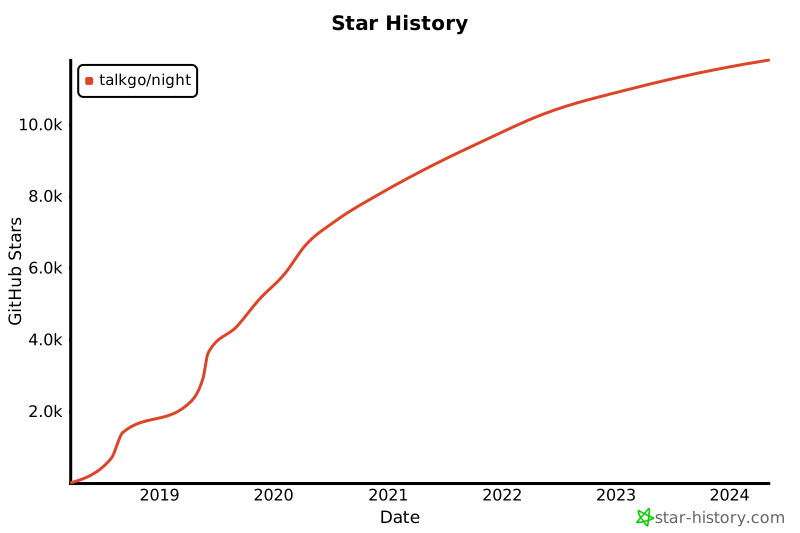](https://star-history.com/#talkgo/night&Date)
## 加入方法
### 微信群
微信搜索 `night_reading_go` ,添加好友,**备注你的姓名、公司、工作岗位和职责**,
来自:GitHub,我会拉你入群。
在群内大家会就一些话题进行深入交流和探讨,说不定你还能遇到你的“导师”,我相信你会在里面受益良多,希望这个收益可以让你也能积极参与讨论,让微信群因你的加入而更精彩。
### 知识星球
# [Go 夜读](https://talkgo.org/)
[](https://goreportcard.com/report/github.com/talkgo/night)
[](https://github.com/talkgo/night)
[](https://github.com/talkgo/night)

[](http://godoc.org/github.com/talkgo/night)
[](https://github.com/talkgo/night/issues)

[](https://github.com/talkgo/night/blob/master/LICENSE)
## Star History
[](https://star-history.com/#talkgo/night&Date)
## 加入方法
### 微信群
微信搜索 `night_reading_go` ,添加好友,**备注你的姓名、公司、工作岗位和职责**,
来自:GitHub,我会拉你入群。
在群内大家会就一些话题进行深入交流和探讨,说不定你还能遇到你的“导师”,我相信你会在里面受益良多,希望这个收益可以让你也能积极参与讨论,让微信群因你的加入而更精彩。
### 知识星球
 Go 夜读微信公众号主要是 Go 语言相关的话题,例如 Go 新特性分析, Go 周边新闻,Go Proposal解读, Go 源码剖析,以及 Go 工程实践。
Go 夜读还包括读书会和算法学习板块,读书会偶尔会有读书笔记分享,也有共读共学的读书会活动。
算法学习主要是以题解讨论形式在小范围内进行,偶尔会分享一些题解以供学习交流。
### YouTube, Twitter, Facebook, Telegram, Slack
[](https://youtube.com/c/talkgo_night)
[](https://twitter.com/talkgo_night)
[](https://www.facebook.com/groups/talkgo/)
[](https://t.me/talkgo)
[](https://join.slack.com/t/talkgo/shared_invite/zt-89zh1000-KX2tZ6l~FSNP14Oy2B~onQ)
## 我们的精神
**开源!开源!开源!**
重要的事,一定要说三遍。
希望有兴趣的小伙伴们一起加入,让我们一起把 『Go 夜读』建立成一个对大家都有帮助的开源社区。
## 我们的目标
我们希望可以推进大家深入了解 Go ,快速成长为资深的 Gopher 。
我们希望每次来了的人和没来的人都能够有收获,成长。
让每个想要学习的人都能参与进来,(包括初中高级 Go 工程师),
只有层次相当的人才有可能有思维的碰撞和交流,这样最终的产出也尽可能的高质量。
## 主题内容
Go 夜读将定期进行与 Go 语言相关的话题分享,例如源码阅读、工程实践等等。
- 如果你是一个 Go 新手,推荐阅读:[Go 学习之路](https://github.com/talkgo/read)
- 如果你对 Go 语言的历史比较感兴趣,强烈推荐阅读:[Go: A Documentary](https://golang.design/s/gohistory-talkgo)
### 我们的选题范围
我们的选题范围包括但不限于:
- 入门级
- 实操级
- 架构设计级
- 学习方法、习惯培养等
- 效率效能提升
- 论文研讨
### 我们的基本流程和分享方式
1. 通过提交 Issue 的方式来收集大家想要研究的与 Go 相关的源码库或源码模块等话题;
2. 提交的话题提案必须得到得到 SIG 小组的批准,并成功招募到分享人,该分享才会进入准备阶段。同样欢迎自荐话题并主动进行分享;
3. 分享人准备分享材料,并在材料准备完毕后交付 SIG 小组审阅;
4. 当 SIG 小组完成对材料的审阅后,将进行正式排期(这期间包括划定受众范围、审阅任务分工、分发排期计划等);
5. 正式在线上进行分享;
6. 将视频进行后期剪辑并上传至视频网站,再进行后续分发。
**注:**
报名讲师并完成分享后,我们将赠送「Go 夜读」知识星球赠票。
### 回看地址
- [Go 夜读(YouTuBe)](https://youtube.com/c/talkgo_night)
- [Go 夜读(Bilibili)](https://space.bilibili.com/326749661)
- ~Go 夜读(腾讯视频)~ 已不再更新
### 往期分享
| 期数 | 标题 | 分享人 | 回看 |
| :---: | :-------------------------------------------------------------------------------------------------------------- | :--------------------------------------------------------------------------------------------------------------------------------------------------------------------------------------------- | :----------------------------------------------------------------------------------------------------------------------------------------------------- |
| 157 | [2024-07-20 从 0 到 1 用 Claude.ai 开发个人作品集网站](https://talkgo.org/t/topic/5703) | qcrao。微信公众号《码农桃花源》作者,Go 夜读 4 期分享者(本期第五期^_^) | [YouTube](https://youtu.be/X4lm4iA-9Ao) [Bilibili](https://www.bilibili.com/video/BV1bW42197r8/) |
| 156 | [2024-07-02 如何设计一个分布式数据实时同步系统](https://talkgo.org/t/topic/5634) | 彭亮,专注于基础架构和中间件开发 | [YouTube](https://youtu.be/3-MXj95vviQ) [Bilibili](https://www.bilibili.com/video/BV1FE421P71f/) |
| 155 | [2024-06-16 ](https://talkgo.org/t/topic/5556) | 小徐先生@滴滴出行,营销业务,Go 后端研发 | [YouTube](https://youtu.be/9kHScd5w-_g) [Bilibili](https://www.bilibili.com/video/BV1mf421B7py/) |
| 154 | [2024-06-06 建立理解分布式系统的框架](https://talkgo.org/t/topic/5591) | 木鸟,常用网名“木鸟杂记”。 | [YouTube](https://youtu.be/zx3r_JO7e2Y) [Bilibili](https://www.bilibili.com/video/BV1PE421N7aN/) |
| 153 | [2024-05-28 chDB: In-Process ClickHouse 引擎](https://talkgo.org/t/topic/5528) | auxten, Technical Director of ClickHouse core team | [YouTube](https://youtu.be/rn_Al4JTgzU) [Bilibili](https://www.bilibili.com/video/BV1cr421A71B/) |
| 152 | [2024-05-23 从汇编角度理解 Go 语言](https://talkgo.org/t/topic/5541) | 挖坑的张师傅,来自希沃,负责 DevOps、多云架构等相关的工作 | [YouTube](https://youtu.be/4vDV4EWjNNg) [Bilibili](https://www.bilibili.com/video/BV14U411o7ZU/) |
| 151 | [2024-05-16 xgo: 基于编译期代码重写实现 Mock 和 Trace](https://talkgo.org/t/topic/5514) | xhd2015, 先后经历 vivo,字节跳动,目前在一家外企从事 Go 的研发工作。 | [YouTube](https://youtu.be/PFU51LOaj-4) [Bilibili](https://www.bilibili.com/video/BV11D421A7zW/) |
| 150 | [2024-01-25 Go 并发模式介绍和创新创造](https://talkgo.org/t/topic/5365) | 鸟窝,微服务框架 rpcx 的作者,《深入理解 Go 并发编程》的作者,《100 个 Go 典型错误》的译者之一,新技术的爱好者。 | [YouTube](https://youtu.be/AfTyEUHyyGs) [Bilibili](https://www.bilibili.com/video/BV1Fw41177tk/) |
| 149 | [2024-01-18 如何设计现代云原生网关:Easegress](https://talkgo.org/t/topic/5350) | 龙韵,软件工程师,来自 MegaEase。Easegress 与 EaseMesh 的架构师与开发人员。 | [YouTube](https://youtu.be/2M3MK_mUYBI) [Bilibili](https://www.bilibili.com/video/BV1Et4y1d7Nk/) |
| 148 | [2023-09-21 Excelize 构建 WebAssembly 版本跨语言支持实践](https://talkgo.org/t/topic/5127) | 续日,软件工程师,开源爱好者 GitHub: [@xuri](http://github.com/xuri),Excelize 开源基础库作者。阿里巴巴技术专家,前百度 Go 语言编程委员会成员,从事百度 Go 语言研发体系的建设工作。 | [YouTube](https://youtu.be/hTc49BfDdtQ) [Bilibili](https://www.bilibili.com/video/BV1vw411e7w7/) |
| 147 | [2023-08-08 高性能预写日志(Write Ahead Log)的设计与实现](https://talkgo.org/t/topic/5016) | [roseduan](http://github.com/roseduan),目前在 hashdata 担任数据库内核开发,开源爱好者,开源项目 rosedb、lotusdb、wal、renee 作者 | [YouTube](https://youtu.be/ZLzApE3MRFc) [Bilibili](https://www.bilibili.com/video/BV1V44y1A7Mx/) |
| 146 | [2023-06-29 基于 Zinx 的 TCP Server 开发](https://talkgo.org/t/topic/4926) | Aceld,Zinx 作者,《深入理解 Go 语言》作者 | [YouTube](https://youtu.be/1GY0Jje3GGU) [Bilibili](https://www.bilibili.com/video/BV1HF411o76n/) |
| 145 | [2023-06-15 go-zero 实战经验分享](https://talkgo.org/t/topic/4876) | Mikael go-zero-looklook 作者 | [YouTube](https://youtu.be/bHLUCyY8WtI) [Bilibili](https://www.bilibili.com/video/BV1CP411i7ic/) |
| 144 | [2023-04-06 如何快速学习 Go 语言设计模式](https://talkgo.org/t/topic/4733) | 廖显东,《Go 语言设计模式》作者 | [YouTube](https://youtu.be/hsJvX61tKgQ) [Bilibili](https://www.bilibili.com/video/BV1SL411U7Zh/) |
| 143 | [2023-03-23 从零开始的高性能RPC框架设计与实现](https://talkgo.org/t/topic/4679) | rainstorm,开源爱好者,https://github.com/zbh255 | [YouTube](https://youtu.be/QFTIahfEJag) [Bilibili](https://www.bilibili.com/video/BV13c411L7D2/) |
| 142 | [2023-03-12 如何用 things 3 管理我们的工作和生活?](https://talkgo.org/t/topic/4672) | qcrao | [YouTube](https://youtu.be/fFkOSjBkIQc) [Bilibili](https://www.bilibili.com/video/BV1p24y1g7A6/) |
| 141 | [2022-11-24 KusionStack:"后云原生时代"应用模块化运维管理解决方案](https://talkgo.org/t/topic/4334) | 李大元 (花名:达远) Kusion 项目负责人,蚂蚁集团 PaaS 核心团队技术专家,PaaS IaC 基础平台负责人 | [YouTube](https://youtu.be/00AcKBiH828) [Bilibili](https://www.bilibili.com/video/BV1Vv4y127Re/) |
| 140 | [2022-11-16 Go 1.19 pdqsort 算法](https://talkgo.org/t/topic/4342) | 张云浩@字节跳动 | [YouTube](https://youtu.be/H5ZFQbNW61g) [Bilibili](https://www.bilibili.com/video/BV1oG4y1x7xN/) |
| 139 | [2022-11-03 Go 语言 Excelize 开源基础库介绍](https://talkgo.org/t/topic/4334) | 续日,软件工程师 | [YouTube](https://youtu.be/kG4F1YK2Eec) [Bilibili](https://www.bilibili.com/video/BV1K84y1q76p/) |
| 138 | [2022-07-28 Go 语言链接器](https://talkgo.org/t/topic/4043) | 史斌@Go 语言核心贡献者(TOP 50) | [YouTube](https://youtu.be/whcrrG3fwu8) [Bilibili](https://www.bilibili.com/video/BV1wS4y1b73Q/) |
| 137 | [2022-07-27 如何学习开源项目——从全局到局部分析的思路](https://talkgo.org/t/topic/4039) | 李纪昀@CloudWeGo CSG Member | [YouTube](https://youtu.be/_2cowlNwv10) [Bilibili](https://www.bilibili.com/video/BV1xt4y1V7hb) |
| 136 | [2022-07-20 如何利用命令行工具 hz 快速开发 hertz 服务——hertz 框架实践](https://talkgo.org/t/topic/4014) | 范广宇@字节跳动架构研发工程师 | [YouTube](https://youtu.be/raugX1XXwao) [Bilibili](https://www.bilibili.com/video/BV1GG4y1i7Cu) |
| 135 | [2022-07-13 从精通烤肉到精通 HTTP —— Hertz HTTP 框架入门](https://talkgo.org/t/topic/3996) | 尹旭然@字节跳动架构研发工程师 | [YouTube](https://youtu.be/qEMwHUAYnQo) [Bilibili](https://www.bilibili.com/video/BV1ta411H7pe/) |
| 134 | [2022-06-30 JuiceFS 导出/导入元数据的优化之路](https://talkgo.org/t/topic/3949) | 徐桑迪@JuiceData | [YouTube](https://youtu.be/MDMitDtLly4) [Bilibili](https://www.bilibili.com/video/BV1Pf4y1Z7k2/) |
| 133 | [2022-06-09 缓存与数据库一致的解决方案](https://talkgo.org/t/topic/3851) | 叶东富 | [YouTube](https://youtu.be/xyVAY6Ia72Y) [Bilibili](https://www.bilibili.com/video/BV1Mg41197MM/) |
| 132 | [2022-04-21 TransactionMesh 的一种实现方案](https://talkgo.org/t/topic/3687) | 刘晓敏,目前在中国系统从事云原生开发研究。主要开源项目 seata-golang。 | [YouTube](https://youtu.be/ScRkpEV4Lw0) [Bilibili](https://www.bilibili.com/video/BV1j541117Qo/) |
| 131 | [2022-04-14 gRPC-Go 基于 Polaris 北极星的服务治理实践](https://talkgo.org/t/topic/3661) | 单家骏,腾讯专家工程师,具备10年以上中间件研发经验。北极星开源社区(PolarisMesh)联合发起人,负责北极星开源社区项目的技术规划、代码开发和社区运营等工作。 | [YouTube](https://youtu.be/xW4uRIiTlW8) [Bilibili](https://www.bilibili.com/video/BV1VY411j7ty/) |
| 130 | [2022-04-07 开源 KV 引擎 NutsDB 的设计与实现](https://talkgo.org/t/topic/3584) | 徐佳军 | [YouTube](https://youtu.be/QDshdLi10aE) [Bilibili](https://www.bilibili.com/video/BV1T34y1x7AS/) |
| 129 | [2022-03-31 Go 本地缓存的技术选型对比(freecache、bigcache、fastcache)](https://talkgo.org/t/topic/3519) | 文小飞 | [YouTube](https://youtu.be/pK-9enToXlU) [Bilibili](https://www.bilibili.com/video/BV1aL4y1L7Kk) |
| 128 | [2022-03-30 Go 1.18 中的泛型](https://talkgo.org/t/topic/3582) | 欧长坤 | [YouTube](https://youtu.be/ICcss3KKq_0) [Bilibili](https://www.bilibili.com/video/BV1244y1A7BM/) |
| 127 | [2022-02-10 消息最终一致性的架构革命](https://talkgo.org/t/topic/3307) | 叶东富,北京大学计算机硕士,曾任常青藤爸爸 CTO,曾任搜狗架构师。开源跨语言分布式事务管理器 dtm 作者;C++ 开源网络框架 handy 作者。在分布式事务、高可用、分布式共识、性能优化等领域有深入研究。 | [YouTube](https://youtu.be/FSBSpO46zxo) [Bilibili](https://www.bilibili.com/video/BV17S4y1C7CP) |
| 126 | [2022-01-18 Go 自底向上性能优化实践](https://talkgo.org/t/topic/3296) | 韩森,开源爱好者,hnes@PingCAP | [YouTube](https://youtu.be/1C-hxpxrnKQ) [Bilibili](https://www.bilibili.com/video/BV1GT4y127SC/) |
| 125 | [2022-01-13 The Tail At Scale(长尾耗时) & HotRing 论文阅读分享](https://talkgo.org/t/topic/3240) | 陈子昌@滴滴 MPT | [YouTube](https://youtu.be/Hg5n1A7chog) [Bilibili](https://www.bilibili.com/video/BV1jZ4y1f73f/) |
| 124 | [2021-12-22 go-zero 分布式事务实践](https://talkgo.org/t/topic/3196) | 万俊峰 & 叶东富 | [YouTube](https://youtu.be/gN_XtJDs1Ks) [Bilibili](https://www.bilibili.com/video/BV1wi4y1R73Z/) |
| 123 | [2021-12-09 eBPF 与 Go,超能力组合](https://talkgo.org/t/topic/3111) | 狄卫华 《Linux 内核观测技术 BPF》译者之一,云原生架构师 | [YouTube](https://youtu.be/JE_m2honA04/) [Bilibili](https://www.bilibili.com/video/BV19U4y1N7PM/) |
| 122 | [2021-11-24 7 天用 Go 从零实现系列背后的故事](https://talkgo.org/t/topic/3028) | 极客兔兔,2017 年毕业于复旦大学,现任华为 OS 内核主任工程师。Go 语言业余爱好者,《 7 天用 Go 从零实现系列》作者。 | [YouTube](https://youtu.be/iCcQwaHhVgo) [Bilibili](https://www.bilibili.com/video/BV1yL4y1p7xX/) |
| 121 | [2021-11-04 微服务的数据一致性问题及解决方案 DTM](https://talkgo.org/t/topic/2925) | 叶东富,北京大学计算机硕士,曾任常青藤爸爸 CTO,曾任搜狗架构师。开源跨语言分布式事务管理器 dtm 作者;C++ 开源网络框架 handy 作者。在分布式事务、高可用、分布式共识、性能优化等领域有深入研究。 | [YouTube](https://youtu.be/0FZ1VWJl62w) [Bilibili](https://www.bilibili.com/video/BV1Fu411Z7LS/) |
| 120 | [2021-10-28 垃圾回收与 Go 实现](https://talkgo.org/t/topic/2916) | 郑建勋,《Go语言底层原理剖析》作者 | [YouTube](https://youtu.be/L-p0N4f_DUc) [Bilibili](https://www.bilibili.com/video/BV1tQ4y1q742/) |
| 119 | [2021-10-21 Go monkey patch 的原理及应用](https://talkgo.org/t/topic/2880) | 涛叔@Bilibili,从事 Go 服务端研发工作 | [YouTube](https://youtu.be/GgSFNZ1rsss) [Bilibili](https://www.bilibili.com/video/BV1CU4y1F7Vs/) |
| 118 | [2021-09-29 Go 字符串匹配及 Rabin-Karp 算法](https://talkgo.org/t/topic/2830) | cuishuang,目前就职于B站,担任Go服务端开发师 | [YouTube](https://youtu.be/30rufX6Azew) [Bilibili](https://www.bilibili.com/video/BV1Hb4y117vu/) |
| 117 | [2021-07-03 详解开源项目 rosedb 及存储模型](https://talkgo.org/t/topic/2386) | roseduan/玫瑰哥@哔哩哔哩后台开发工程师 | [YouTube](https://youtu.be/Knh7EYfVIKs) [Bilibili](https://www.bilibili.com/video/BV1ih411h7yC/) |
| 116 | [2021-06-17 理论结合实践详解 lsm 树存储引擎(bitcask、moss、leveldb 等)](https://talkgo.org/t/topic/2376) | 文小飞@腾讯 PCG | [YouTube](https://youtu.be/adamqSuHHck) [Bilibili](https://www.bilibili.com/video/BV16X4y1A7TV/) |
| 115 | [2021-05-27 理论结合实践详解 b+ 树存储引擎(innodb、boltdb、buntdb)](https://talkgo.org/t/topic/2154) | 文小飞@腾讯 PCG | [YouTube](https://youtu.be/9XtACKzFIRc) [Bilibili](https://www.bilibili.com/video/BV1vo4y117Mv/) |
| 114 | [2021-05-20 GoLand 2021.1 新特性介绍](https://talkgo.org/t/topic/2150) | Florin Pățan&范圣佑@JetBrians | [YouTube](https://youtu.be/5-3EKurCme0) [Bilibili](https://www.bilibili.com/video/BV1Vo4y117q6/) |
| 113 | [2021-04-29 性能优化究竟应该怎么做?](https://talkgo.org/t/topic/2127) | 曹春晖 | [YouTube](https://youtu.be/cntWx7-MPUg) [Bilibili](https://www.bilibili.com/video/BV1Z64y1m7uc/) |
| 112 | [2021-04-27 go-zero 分布式缓存最佳实践](https://talkgo.org/t/topic/1651) | 万俊峰 kevin@晓黑板 CTO,好未来技术委员会资深专家 | [YouTube](https://youtu.be/csKogMn4v0Q) [Bilibili](https://www.bilibili.com/video/BV1Rv411L72P/) |
| 111 | [2021-02-25 KubeVela:标准化的云原生平台构建引擎](https://talkgo.org/t/topic/1651) | 孙健波 (花名:天元)@阿里云技术专家 | [YouTube](https://youtu.be/BHyA5OYJ5ro) [Bilibili](https://www.bilibili.com/video/BV16U4y1W7Yd/) |
| 110 | [2021-02-19 What's new in Go 1.16](https://talkgo.org/t/topic/1750) | 杨文@Go 夜读 SIG 成员 | [YouTube](https://youtu.be/GyyiQc2u64M) [Bilibili](https://www.bilibili.com/video/BV1fV411i7o1/) |
| 109 | [2021-01-28 Don’t be clever - understand memory ordering](https://talkgo.org/t/topic/1632) | 徐拯@ARM 中国,软件开发总监 | [YouTube](https://youtu.be/5DngpoH7WIY) [Bilibili](https://www.bilibili.com/video/BV1SU4y1s73u/) |
| 108 | [2021-01-21 Golang 反射的应用及源码分析](https://talkgo.org/t/topic/1606) | kippa@早安科技 | [YouTube](https://youtu.be/Q66UJijjrUQ) [Bilibili](https://www.bilibili.com/video/BV1My4y117gQ/) |
| 107 | [2020-11-07 Paxos 分布式共识算法介绍](https://talkgo.org/t/topic/1248) | 黄威, 趣头条 Go 后端工程师 | [YouTube](https://youtu.be/bkWL4mtiVbs) [Bilibili](https://www.bilibili.com/video/BV1C5411L7qT) |
| 106 | [2020-11-05 嵌入式 Javascript 在 Golang 中的应用](https://talkgo.org/t/topic/1167) | Misko Lee(叶秋), Noise Labs 创始人 | [YouTube](https://youtu.be/UECpCEB13-w) [Bilibili](https://www.bilibili.com/video/BV16T4y1F7Zz/) |
| 105 | [2020-10-03 go-zero 微服务框架解答和线上交流](https://talkgo.org/t/topic/1070) | 万俊峰(Kevin)@晓黑板 | [YouTube](https://youtu.be/TXnS44qPn6A) [Bilibili](https://www.bilibili.com/video/BV1VZ4y1578X/) |
| 104 | [2020-09-13 通过 hashicorp/raft 库手把手调试 raft 算法](https://talkgo.org/t/topic/882) | 黄威@趣头条 | [YouTube](https://youtu.be/EjGNtHrq4UQ) [Bilibili](https://www.bilibili.com/video/BV1tV411m7ir) |
| 103 | [2020-08-20 TiDB Operator 架构与实现](https://talkgo.org/t/topic/744/) | 付业成@PingCAP | [YouTube](https://youtu.be/KWHuaRReCdw) [Bilibili](https://www.bilibili.com/video/BV1AV411S7b9/) |
| 102 | [2020-08-19 Go 官方标准编译器中实现的优化集锦](https://talkgo.org/t/topic/702) | 老貘@go101 作者 | [YouTube](https://youtu.be/RCnG5eLH2KM) [Bilibili](https://www.bilibili.com/video/BV1YZ4y1K7w2) |
| 101 | [2020-08-16 晓黑板 go-zero 微服务框架的架构设计](https://talkgo.org/t/topic/729) | 万俊峰@晓黑板 CTO | [YouTube](https://youtu.be/LNG4iX4oNjc) [Bilibili](https://www.bilibili.com/video/BV1rD4y127PD/) |
| 100 | [2020-08-13 如何高效的阅读 Go 代码?](https://talkgo.org/t/topic/623) | Go 夜读 SIG 小组 | [YouTube](https://youtu.be/N4Kderp82uM) [Bilibili](https://www.bilibili.com/video/BV1XD4y1U7Pf/) |
| 99 | [2020-08-06 betterGo——用类似 C++的代码生成的方式实现 Go 泛型](https://talkgo.org/t/topic/619) | 张钰泽@西安工业大学 | [YouTube](https://youtu.be/9qpRQXctlrY) [Bilibili](https://www.bilibili.com/video/BV1oT4y1j7L2/) |
| 98 | [2020-08-01 Go 中的类型递归](https://talkgo.org/t/topic/613) | 卢俊杰@英语流利说 | [YouTube](https://youtu.be/TKcN43zBogI) [Bilibili](https://www.bilibili.com/video/BV1UZ4y1T7U1/) |
| 97 | [2020-07-23 我们可以从 mosn 和相关的项目中学习到什么](https://talkgo.org/t/topic/568) | 曹春晖@蚂蚁金服 | [YouTube](https://youtu.be/Ox58S98o6Cs) [Bilibili](https://www.bilibili.com/video/BV1nt4y1X7eT/) |
| 96 | [2020-07-11 百度大规模网络流量接入技术 & BFE 开源](https://talkgo.org/t/topic/554) | 章淼@百度 | [YouTube](https://youtu.be/y6Xq6zPXya0) [Bilibili](https://www.bilibili.com/video/BV1Wp4y1S72o/) |
| 95 | [2020-07-09 Dubbo-go 的成长与蜕变之路](https://talkgo.org/t/topic/525) | 邹毅贤 | [YouTube](https://youtu.be/xJdH2CHgsvU) [Bilibili](https://www.bilibili.com/video/BV1BV411677w/) |
| 94 | [2020-07-02 斗鱼微服务框架 Jupiter 的诞生历程](https://talkgo.org/t/topic/537) | 张明可@斗鱼 | [YouTube](https://youtu.be/JmJXP0XqjIU) [Bilibili](https://www.bilibili.com/video/BV16z411e7Pb/) |
| 93 | [2020-06-25 Seata Go 分布式事务框架的介绍与实践](https://talkgo.org/t/topic/509) | 刘晓敏@成都世纪加华 | [YouTube](https://youtu.be/oHrOykVAakg) [Bilibili](https://www.bilibili.com/video/BV1oz411e72T/) |
| 92 | [2020-06-18 如何用 Go 实现一个压力测试工具](https://talkgo.org/t/topic/460) | 疏辰辰(link1st)@小米 | [YouTube](https://youtu.be/vA7ego-Ph88) [Bilibili](https://www.bilibili.com/video/BV1Qt4y1X7T7) |
| 91 | [2020-06-17 Diagnosing Latency Issues Caused By Go’s Memory System](https://talkgo.org/t/topic/456) | 李泽钧@PingCAP | [YouTube](https://youtu.be/as-ee-nwPQE) [Bilibili](https://www.bilibili.com/video/BV1fz411i7vV) |
| 90 | [2020-06-10 K8S 入门: 使用国内公有云快速部署容器云实验环境](https://talkgo.org/t/topic/415) | 陈逸文@PingCAP 实习生 | [YouTube](https://youtu.be/6VbfgkE5-aE) [Bilibili](https://www.bilibili.com/video/BV18Z4y1W7Jp/) |
| 89 | [2020-06-11 Sentinel Golang 面向云原生微服务的高可用流控防护组件](https://talkgo.org/t/topic/428) | 娄宇庭,FreeWheel/AdServer,Software Engineer Alibaba Sentinel Committer | [YouTube](https://youtu.be/Fhck_105l8o) [Bilibili](https://www.bilibili.com/video/BV1Lz411i7jo/) |
| 88 | [2020-06-13 哆啦 A 梦—基于 Prometheus 的企业监控平台的设计与实现](https://talkgo.org/t/topic/438) | 刘恒滔 | [YouTube](https://youtu.be/5ACFuJ66S-0) [Bilibili](https://www.bilibili.com/video/BV1Kv411B7hZ/) |
| 87 | [2020-04-29 JetBrains GoLand 2020.1 新特性介绍](https://talkgo.org/t/topic/106) | Florin Pățan&范圣佑@JetBrians | [YouTube](https://youtu.be/QGEtbFtLMAc) [Bilibili](https://www.bilibili.com/video/BV14g4y1z7Nd/) |
| 86 | [2020-04-23 Go 中非类型安全指针相关的事实和使用规则](https://talkgo.org/t/topic/105) | 老貘 | [YouTube](https://youtu.be/a_9oLmeFvwk) [Bilibili](https://www.bilibili.com/video/BV15V411d7WS) |
| 85 | [2020-04-16 斗鱼 Minerva 配置中心的设计与实现](https://talkgo.org/t/topic/104) | 杜旻翔 | [YouTube](https://youtu.be/i-Q3x1PBqD0) [Bilibili](https://www.bilibili.com/video/BV1D54y197nQ) |
| 84 | [2020-04-02 图解 Go 之内存对齐](https://talkgo.org/t/topic/103) | 苗蕾 | [YouTube](https://youtu.be/8a2G2MXRUxw) [Bilibili](https://www.bilibili.com/video/BV1iZ4y1j7TT) |
| 83 | [2020-03-27 对 Go 程序进行可靠的性能测试](https://talkgo.org/t/topic/102) | 欧长坤 | [YouTube](https://youtu.be/RXM9cDzWZME) [Bilibili](https://www.bilibili.com/video/BV1ae411x7dM) |
| 82 | [2020-03-22 聊聊我们与 Go 夜读的故事以及效率效能学习分享](https://talkgo.org/t/topic/101) | Go 夜读 SIG 小组, 曹春晖, John, Darren 等 | [YouTube](https://youtu.be/gk510UOJoBA) [Bilibili](https://www.bilibili.com/video/BV1bE411F7oK) |
| 81 | [2020-03-19 gorm 介绍与展望](https://talkgo.org/t/topic/100) | Jinzhu | [YouTube](https://youtu.be/NCZHe6zb2Sg) [Bilibili](https://www.bilibili.com/video/BV1pE411N7Sv/) |
| 80 | [2020-03-18 带你提前玩 Go 2 新特性:泛型](https://talkgo.org/t/topic/99) | 欧长坤 | [YouTube](https://youtu.be/E16Y6bI2S08) [Bilibili](https://www.bilibili.com/video/BV1k7411R7ya/) |
| 79 | [2020-03-12 Go-Micro 运行时工具集(三) by 舒先](https://talkgo.org/t/topic/98) | 舒先 | [YouTube](https://www.youtube.com/watch?v=_ZLB4BPZaks&list=PLe5svQwVF1L5bNxB0smO8gNfAZQYWdIpI) [Bilibili](https://www.bilibili.com/video/BV1VE41157LP) |
| 78 | [2020-03-11 Go Scheduler 源码阅读](https://talkgo.org/t/topic/97) | 饶全成 | [YouTube](https://www.youtube.com/watch?v=B-ozWjqnX24&list=PLe5svQwVF1L5bNxB0smO8gNfAZQYWdIpI) [Bilibili](https://www.bilibili.com/video/BV1SE411L7LU) |
| 77 | [2020-03-05 阅读 Go 源码带来的收益](https://talkgo.org/t/topic/96) | 杨文 | [YouTube](https://www.youtube.com/watch?v=cWSTLlE59rY&list=PLe5svQwVF1L5bNxB0smO8gNfAZQYWdIpI) [Bilibili](https://www.bilibili.com/video/BV1mE411W7pY) |
| 76 | [2020-02-20 Kubernetes Scheduler 设计与实现](https://talkgo.org/t/topic/95) | Draven | [YouTube](https://www.youtube.com/watch?v=1cQt2bXJtME&list=PLe5svQwVF1L5bNxB0smO8gNfAZQYWdIpI) [Bilibili](https://www.bilibili.com/video/BV1N7411w7M9) |
| 75 | [2020-02-07 2020 年 Go 的一些发展计划 (Go 1.14 && Go 1.15)](https://talkgo.org/t/topic/94) | 杨文 | [YouTube](https://www.youtube.com/watch?v=hAshoKXMMu0&list=PLe5svQwVF1L5bNxB0smO8gNfAZQYWdIpI) [Bilibili](https://www.bilibili.com/video/BV1o7411h7d9) |
| 74 | [2020-01-02 time.Timer 源码分析 (Go 1.14)](https://talkgo.org/t/topic/93) | 欧长坤 | [YouTube](https://www.youtube.com/watch?v=XJx0eTP-y9I&list=PLe5svQwVF1L5bNxB0smO8gNfAZQYWdIpI) [Bilibili](https://www.bilibili.com/video/BV1nJ411j7bU) |
| 73 | [2019-12-28 趣头条在长链接方面的实践 - qrpc](https://talkgo.org/t/topic/92) | 徐志强 | [YouTube](https://www.youtube.com/watch?v=Ug4i4IHhGh4&list=PLe5svQwVF1L5bNxB0smO8gNfAZQYWdIpI) [Bilibili](https://www.bilibili.com/video/BV1VJ411a7K8) |
| 72 | [2019-12-19 Go-Micro 编写微服务实战 (二) by 舒先](https://talkgo.org/t/topic/91) | 舒先 | [YouTube](https://www.youtube.com/watch?v=7lvZhhgUB7o&list=PLe5svQwVF1L5bNxB0smO8gNfAZQYWdIpI) [Bilibili](https://www.bilibili.com/video/BV1fJ411t7gg) |
| 71 | [2019-12-12 go-ini 配置库评析](https://talkgo.org/t/topic/90) | 无闻 | [YouTube](https://www.youtube.com/watch?v=783MGw53gfw&list=PLe5svQwVF1L5bNxB0smO8gNfAZQYWdIpI) [Bilibili](https://www.bilibili.com/video/BV1gJ411C7WF) |
| 70 | [2019-12-05 Go 中不常注意的各种细节集锦](https://talkgo.org/t/topic/89) | 老貘 | [YouTube](https://www.youtube.com/watch?v=kcwHwN8nTP8&list=PLe5svQwVF1L5bNxB0smO8gNfAZQYWdIpI) [Bilibili](https://www.bilibili.com/video/BV1HJ411i7oG) |
| 69 | [2019-11-28 DevOps 实践之路 - 基于 Go 语言周边生态打造的行业技术中台](https://talkgo.org/t/topic/88) | 杨晖@腾讯教育 | [YouTube](https://www.youtube.com/watch?v=wS897lDB_Lk&list=PLe5svQwVF1L5bNxB0smO8gNfAZQYWdIpI) [Bilibili](https://www.bilibili.com/video/BV1mJ411D7nr) |
| 68 | [2019-11-21 网络知识十全大补丸](https://talkgo.org/t/topic/87) | 刘楠@字节跳动 | [YouTube](https://www.youtube.com/watch?v=30wCahZEjNg&list=PLe5svQwVF1L5bNxB0smO8gNfAZQYWdIpI) [Bilibili](https://www.bilibili.com/video/BV1vJ41127p2) |
| 67 | [2019-11-14 Go database/sql 数据库连接池分析](https://talkgo.org/t/topic/86) | 邹文通 | [YouTube](https://www.youtube.com/watch?v=JKJ8ehtiqUM&list=PLe5svQwVF1L5bNxB0smO8gNfAZQYWdIpI) [Bilibili](https://www.bilibili.com/video/BV17J411D7yb) |
| 66 | [2019-11-07 #Paper-Reading CSP 理解顺序进程间通信](https://talkgo.org/t/topic/85) | 欧长坤 | [YouTube](https://www.youtube.com/watch?v=Z8ZpWVuEx8c&list=PLe5svQwVF1L5bNxB0smO8gNfAZQYWdIpI) [Bilibili](https://www.bilibili.com/video/BV1wE411q7G9) |
| 65 | [2019-10-31 Go 网络编程:Go 原生同步网络模型解析 vs Multi-Reactors 异步网络模型](https://talkgo.org/t/topic/84) | 潘建锋 | [YouTube](https://www.youtube.com/watch?v=4QurJJHuxaQ&list=PLe5svQwVF1L5bNxB0smO8gNfAZQYWdIpI) [Bilibili](https://www.bilibili.com/video/BV13E411B721) |
| 64 | [2019-10-24 深入浅出 Golang Runtime](https://talkgo.org/t/topic/83) | 郝以奋 | [YouTube](https://www.youtube.com/watch?v=oFJL8S1dwsw&list=PLe5svQwVF1L5bNxB0smO8gNfAZQYWdIpI) [Bilibili](https://www.bilibili.com/video/BV1oE411y7qG) |
| 63 | [2019-10-17 Go 编码风格阅读与讨论](https://talkgo.org/t/topic/82) | 杨文 | [YouTube](https://www.youtube.com/watch?v=91YbbwlKZ2k&list=PLe5svQwVF1L5bNxB0smO8gNfAZQYWdIpI) [Bilibili](https://www.bilibili.com/video/BV1NE411y7iP) |
| 62 | [2019-10-10 Go-Micro 微服务框架(一)](https://talkgo.org/t/topic/80) | 舒先 | [YouTube](https://www.youtube.com/watch?v=ucTwnDB1m2U&list=PLe5svQwVF1L5bNxB0smO8gNfAZQYWdIpI) [Bilibili](https://www.bilibili.com/video/BV18E411o7c5) |
| 61 | [2019-09-26 Go Modules、Go Module Proxy 和 goproxy.cn](https://talkgo.org/t/topic/81) | 盛傲飞 | [YouTube](https://www.youtube.com/watch?v=H3LVVwZ9zNY&list=PLe5svQwVF1L5bNxB0smO8gNfAZQYWdIpI) [Bilibili](https://www.bilibili.com/video/BV1zJ411T7s9) |
| 60 | [2019-09-19 IPFS 星际文件系统](https://talkgo.org/t/topic/79) | 向程@华中科技大学研究生 | [YouTube](https://www.youtube.com/watch?v=7xEWKaTE2TI&list=PLe5svQwVF1L5bNxB0smO8gNfAZQYWdIpI) [Bilibili](https://www.bilibili.com/video/BV1xJ41137zp) |
| 59 | [2019-09-12 #paper reading Real-world Go Concurrency Bugs](https://talkgo.org/t/topic/78) | 欧长坤 | [YouTube](https://www.youtube.com/watch?v=WZUii-Czaps&list=PLe5svQwVF1L5bNxB0smO8gNfAZQYWdIpI) [Bilibili](https://www.bilibili.com/video/BV1SJ411w7Ue) |
| 58 | [2019-09-05 What's new in Go 1.13?](https://talkgo.org/t/topic/77) | 杨文 | [YouTube](https://www.youtube.com/watch?v=jVUy47OrpRk&list=PLe5svQwVF1L5bNxB0smO8gNfAZQYWdIpI) [Bilibili](https://www.bilibili.com/video/BV1h4411y7wV) |
| 57 | [2019-08-29 sync/semaphore 源码浅析](https://talkgo.org/t/topic/76) | Felix | [YouTube](https://www.youtube.com/watch?v=VEtdLBFY_y4&list=PLe5svQwVF1L5bNxB0smO8gNfAZQYWdIpI) [Bilibili](https://www.bilibili.com/video/BV1S4411q7mK) |
| 56 | [2019-08-22 channel & select 源码分析](https://talkgo.org/t/topic/75) | 欧长坤 | [YouTube](https://www.youtube.com/watch?v=d7fFCGGn0Wc&list=PLe5svQwVF1L5bNxB0smO8gNfAZQYWdIpI) [Bilibili](https://www.bilibili.com/video/BV1g4411R7p5) |
| 55 | [2019-08-15 Go&WebAssembly 简介](https://talkgo.org/t/topic/74) | 柴树杉@蚂蚁金服 | [YouTube](https://www.youtube.com/watch?v=O_FJgYKOBYQ&list=PLe5svQwVF1L5bNxB0smO8gNfAZQYWdIpI) [Bilibili](https://www.bilibili.com/video/BV1r4411U7GS) |
| 54 | [2019-08-14 TiDB SQL 兼容性测试工具简介](https://talkgo.org/t/topic/73) | 谢腾进、赵一霖@PingCAP | [YouTube](https://www.youtube.com/watch?v=Hmu3F1Vafqc&list=PLe5svQwVF1L5bNxB0smO8gNfAZQYWdIpI) [Bilibili](https://www.bilibili.com/video/BV1N4411U7Xx) |
| 53 | [2019-08-01 build in func delete from map](https://talkgo.org/t/topic/72) | 杨文 | [YouTube](https://www.youtube.com/watch?v=sn810EcpOVs&list=PLe5svQwVF1L5bNxB0smO8gNfAZQYWdIpI) [Bilibili](https://www.bilibili.com/video/BV1pt411F7Sj) |
| 52 | [2019-07-25 httprouter 简介](https://talkgo.org/t/topic/71) | 曹春晖 | [YouTube](https://www.youtube.com/watch?v=BLYX6SKxFJA&list=PLe5svQwVF1L5bNxB0smO8gNfAZQYWdIpI) [Bilibili](https://www.bilibili.com/video/BV1Ut411j7eb) |
| 51 | [2019-07-18 sync/errgroup 源码阅读](https://talkgo.org/t/topic/70) | 杨文 | [YouTube](https://www.youtube.com/watch?v=CQOZtzmgLvw&list=PLe5svQwVF1L5bNxB0smO8gNfAZQYWdIpI) [Bilibili](https://www.bilibili.com/video/BV18t41137KD) |
| 50 | [2019-06-27 GoLand Tips & Tricks](https://talkgo.org/t/topic/69) | Florin Pățan&范圣佑@JetBrians | [YouTube](https://www.youtube.com/watch?v=iCGsPN4qgdM&list=PLe5svQwVF1L5bNxB0smO8gNfAZQYWdIpI) [Bilibili](https://www.bilibili.com/video/BV1qx411d7ee) |
| 49 | [2019-06-26 TiDB 源码阅读之 Transaction](https://talkgo.org/t/topic/68) | zimulala@PingCAP | [YouTube](https://www.youtube.com/watch?v=A46VE3aUTKo&list=PLe5svQwVF1L5bNxB0smO8gNfAZQYWdIpI) [Bilibili](https://www.bilibili.com/video/BV1ox411R7EA) |
| 48 | [2019-06-19 TiDB 源码阅读之 Compiler](https://talkgo.org/t/topic/67) | wangcong@PingCAP | [YouTube](https://www.youtube.com/watch?v=4mgx8bq_fcQ&list=PLe5svQwVF1L5bNxB0smO8gNfAZQYWdIpI) [Bilibili](https://www.bilibili.com/video/BV1m4411g7Yy) |
| 47 | [2019-06-12 TiDB 源码阅读之 Executor](https://talkgo.org/t/topic/66) | 陈霜@PingCAP | [YouTube](https://www.youtube.com/watch?v=Rcrm4w7sqbM&list=PLe5svQwVF1L5bNxB0smO8gNfAZQYWdIpI) [Bilibili](https://www.bilibili.com/video/BV134411P7CU) |
| 46 | [2019-06-05 TiDB 源码阅读之概览](https://talkgo.org/t/topic/65) | 龙恒@PingCAP | [YouTube](https://www.youtube.com/watch?v=mK6BOquvQhE&list=PLe5svQwVF1L5bNxB0smO8gNfAZQYWdIpI) [Bilibili](https://www.bilibili.com/video/BV1i4411M7wj) |
| 45 | [2019-05-30 goim 架构设计与源码分析](https://talkgo.org/t/topic/64) | tsingson | [YouTube](https://www.youtube.com/watch?v=u7EDJhKiaO8&list=PLe5svQwVF1L5bNxB0smO8gNfAZQYWdIpI) [Bilibili](https://www.bilibili.com/video/BV164411H7D2) |
| 44 | [2019-05-29 Go map 源码阅读分析](https://talkgo.org/t/topic/63) | 饶全成 | [YouTube](https://www.youtube.com/watch?v=P2v3kvztWU0&list=PLe5svQwVF1L5bNxB0smO8gNfAZQYWdIpI) [Bilibili](https://www.bilibili.com/video/BV1Q4411W7MR) |
| 43 | [2019-05-23 gomonkey 框架设计与应用实践](https://talkgo.org/t/topic/62) | 张晓龙 | [YouTube](https://www.youtube.com/watch?v=OpuX47E7B2w&list=PLe5svQwVF1L5bNxB0smO8gNfAZQYWdIpI) [Bilibili](https://www.bilibili.com/video/BV1a4411L7g4) |
| 42 | [2019-05-16 An Introduction to Failpoint Design](https://talkgo.org/t/topic/61) | 龙恒@PingCAP | [YouTube](https://www.youtube.com/watch?v=ke7zzny9dxU&list=PLe5svQwVF1L5bNxB0smO8gNfAZQYWdIpI) [Bilibili](https://www.bilibili.com/video/BV1R4411J7bj) |
| 41 | [2019-05-12 golint 及 golangci-lint 的介绍和使用](https://talkgo.org/t/topic/60) | 杨文 | [YouTube](https://www.youtube.com/watch?v=z42y4tpRmbw&list=PLe5svQwVF1L5bNxB0smO8gNfAZQYWdIpI) [Bilibili](https://www.bilibili.com/video/BV154411a79S) |
| 40 | [2019-04-27 atomic.Value 的使用和源码分析](https://talkgo.org/t/topic/59) | 杨文 | [YouTube](https://www.youtube.com/watch?v=pyics4WyUmA&list=PLe5svQwVF1L5bNxB0smO8gNfAZQYWdIpI) [Bilibili](https://www.bilibili.com/video/BV1n4411b75w) |
| 39 | [2019-04-18 init function 使用分析](https://talkgo.org/t/topic/58) | 杨文 | [YouTube](https://www.youtube.com/watch?v=62mci2mPQDU&list=PLe5svQwVF1L5bNxB0smO8gNfAZQYWdIpI) [Bilibili](https://www.bilibili.com/video/BV1Fb411L7kL) |
| 38 | [2019-04-13 kubernetes scheduler 源码阅读](https://talkgo.org/t/topic/57) | John | [YouTube](https://www.youtube.com/watch?v=T83rJuIs7PE&list=PLe5svQwVF1L5bNxB0smO8gNfAZQYWdIpI) [Bilibili](https://www.bilibili.com/video/BV1gb411j7Z3) |
| 37 | [2019-04-01 从 serverless 的一个设计说起](https://talkgo.org/t/topic/56) | 冉小龙 | [YouTube](https://www.youtube.com/watch?v=wfTQlM8eics&list=PLe5svQwVF1L5bNxB0smO8gNfAZQYWdIpI) [Bilibili](https://www.bilibili.com/video/BV1nb411p7PW) |
| 36 | [2019-03-28 k8s context 实践源码阅读](https://talkgo.org/t/topic/55) | 杨文 | [YouTube](https://www.youtube.com/watch?v=JLuBPEeS9G8&list=PLe5svQwVF1L5bNxB0smO8gNfAZQYWdIpI) [Bilibili](https://www.bilibili.com/video/BV1vb411x7ic) |
| 35 | [2019-03-21 context 源码阅读](https://talkgo.org/t/topic/54) | 杨文 | [YouTube](https://www.youtube.com/watch?v=LhEiCTkF2S8&list=PLe5svQwVF1L5bNxB0smO8gNfAZQYWdIpI) [Bilibili](https://www.bilibili.com/video/BV1Ub411j7ia) |
| 34 | [2019-03-16 plan9 汇编入门,带你打通应用和底层 by Xargin](https://talkgo.org/t/topic/53) | 曹春晖 | [YouTube](https://www.youtube.com/watch?v=dPdXxex1v_4&list=PLe5svQwVF1L5bNxB0smO8gNfAZQYWdIpI) [Bilibili](https://www.bilibili.com/video/BV1Xb411J7Yk) |
| 33 | [2019-03-07 Go defer 和逃逸分析](https://talkgo.org/t/topic/52) | 饶全成 | [YouTube](https://www.youtube.com/watch?v=-FtBBx44E3g&list=PLe5svQwVF1L5bNxB0smO8gNfAZQYWdIpI) [Bilibili](https://www.bilibili.com/video/BV1pb411v7m7) |
| 32 | [2019-03-03 etcd raft 源码阅读](https://talkgo.org/t/topic/51) | 缪昌新 | [YouTube](https://www.youtube.com/watch?v=sL02PsR20gE&list=PLe5svQwVF1L5bNxB0smO8gNfAZQYWdIpI) [Bilibili](https://www.bilibili.com/video/BV1Eb411B7RM) |
| 31 | [2019-02-23 flag 包源码阅读](https://talkgo.org/t/topic/50) | 杨文 | [YouTube](https://www.youtube.com/watch?v=z-9WEuUWqu4&list=PLe5svQwVF1L5bNxB0smO8gNfAZQYWdIpI) [Bilibili](https://www.bilibili.com/video/BV1pb411B7ov) |
| 30 | [2019-02-23 go mod 源码阅读 Part 4](https://talkgo.org/t/topic/49) | 杨文 | [YouTube](https://www.youtube.com/watch?v=PPZ2vKt9ENs&list=PLe5svQwVF1L5bNxB0smO8gNfAZQYWdIpI) [Bilibili](https://www.bilibili.com/video/BV1tE411Z7bJ) |
| 29 | [2019-01-23 Go opentracing jaeger 集成及源码分析](https://talkgo.org/t/topic/48) | jukylin | [YouTube](https://www.youtube.com/watch?v=ub7jtN13KHA&list=PLe5svQwVF1L5bNxB0smO8gNfAZQYWdIpI) [Bilibili](https://www.bilibili.com/video/BV1ut411b7Qu) |
| 28 | [2019-01-17 go mod 源码阅读 Part 3](https://talkgo.org/t/topic/47) | 杨文 | [YouTube](https://www.youtube.com/watch?v=tD7Aj6tKhGc&list=PLe5svQwVF1L5bNxB0smO8gNfAZQYWdIpI) [Bilibili](https://www.bilibili.com/video/BV1bt41187LF) |
| 27 | [2019-01-10 go mod 源码阅读 Part 2](https://talkgo.org/t/topic/46) | 杨文 | [YouTube](https://www.youtube.com/watch?v=Isd-FOmM9C8&list=PLe5svQwVF1L5bNxB0smO8gNfAZQYWdIpI) [Bilibili](https://www.bilibili.com/video/BV1kt411p7X4) |
| 26 | [2019-01-03 手把手教你基于 Github+Netlify 构建自动化持续集成的技术团队博客](https://talkgo.org/t/topic/45) | John | [YouTube](https://www.youtube.com/watch?v=we6qrILQRjY&list=PLe5svQwVF1L5bNxB0smO8gNfAZQYWdIpI) [Bilibili](https://www.bilibili.com/video/BV1Zt411s7JM) |
| 25 | [2018-12-27 TSDB 引擎介绍,对比及存储细节](https://talkgo.org/t/topic/44) | yuyang | [YouTube](https://www.youtube.com/watch?v=W-8PiciSWRM&list=PLe5svQwVF1L5bNxB0smO8gNfAZQYWdIpI) [Bilibili](https://www.bilibili.com/video/BV1ht411873N) |
| 24 | [2018-12-23 go mod 源码阅读 Part 1](https://talkgo.org/t/topic/43) | 杨文 | [YouTube](https://www.youtube.com/watch?v=_Kdud_EN-eQ&list=PLe5svQwVF1L5bNxB0smO8gNfAZQYWdIpI) [Bilibili](https://www.bilibili.com/video/BV1ht41187T9) |
| 23 | [2018-12-13 Drone 简单介绍和部分源码分析](https://talkgo.org/t/topic/42) | 杨文 | [YouTube](https://www.youtube.com/watch?v=Vg5EvcStD4k&list=PLe5svQwVF1L5bNxB0smO8gNfAZQYWdIpI) [Bilibili](https://www.bilibili.com/video/BV15b411z7pJ) |
| 22 | [2018-12-06 Go 开发工具讨论](https://talkgo.org/t/topic/41) | 杨文/John | [YouTube](https://www.youtube.com/watch?v=XjAQRnJj6zI&list=PLe5svQwVF1L5bNxB0smO8gNfAZQYWdIpI) [Bilibili](https://www.bilibili.com/video/BV15b411z7nd) |
| 21 | [2018-11-28 errors 处理及 zap 源码分析](https://talkgo.org/t/topic/40) | 叶飞/阙坦 | [YouTube](https://www.youtube.com/watch?v=ImJim15N_Wc&list=PLe5svQwVF1L5bNxB0smO8gNfAZQYWdIpI) [Bilibili](https://www.bilibili.com/video/BV15b411z7t6) |
| 20 | [2018-11-15 go test 及测试覆盖率](https://talkgo.org/t/topic/39) | 杨文 | [YouTube](https://www.youtube.com/watch?v=qkFFIIaTgHM&list=PLe5svQwVF1L5bNxB0smO8gNfAZQYWdIpI) [Bilibili](https://www.bilibili.com/video/BV15b411z74v) |
| 19 | [2018-11-08 如何开发一个简单高性能的 http router 及 gorouter 源码分析](https://talkgo.org/t/topic/38) | 徐佳军 | [YouTube](https://www.youtube.com/watch?v=3BoStxKECL0&list=PLe5svQwVF1L5bNxB0smO8gNfAZQYWdIpI) [Bilibili](https://www.bilibili.com/video/BV15b411z7W1) |
| 18 | [2018-09-27 去中心化加密通信框架 CovenantSQL/DH-RPC 的设计](https://talkgo.org/t/topic/37) | 王鹏程 | [YouTube](https://www.youtube.com/watch?v=bAfiKsLbDeE&list=PLe5svQwVF1L5bNxB0smO8gNfAZQYWdIpI) [Bilibili](https://www.bilibili.com/video/BV15b411z7aJ) |
| 17 | [2018-09-20 grpc 开发及 grpcp 的源码分析](https://talkgo.org/t/topic/36) | 林益帆 | [YouTube](https://www.youtube.com/watch?v=sMBgYYEgm3c&list=PLe5svQwVF1L5bNxB0smO8gNfAZQYWdIpI) [Bilibili](https://www.bilibili.com/video/BV1ht41187Wh) |
| 16 | [2018-09-06 OpenFaas 介绍及源码分析](https://talkgo.org/t/topic/35) | 朱振峰@字节跳动 | [YouTube](https://www.youtube.com/watch?v=bZtgrAVR9HQ&list=PLe5svQwVF1L5bNxB0smO8gNfAZQYWdIpI) [Bilibili](https://www.bilibili.com/video/BV15b411z783) |
| 15 | [2018-08-23 多路复用资源池组件剖析](https://talkgo.org/t/topic/34) | 李亚川 | [YouTube](https://www.youtube.com/watch?v=CDfrRzgmR4E&list=PLe5svQwVF1L5bNxB0smO8gNfAZQYWdIpI) [Bilibili](https://www.bilibili.com/video/BV1Vb411z7fm) |
| 14 | [2018-08-17 sync.Pool 源码分析及适用场景](https://talkgo.org/t/topic/33) | 杨文 | [YouTube](https://www.youtube.com/watch?v=jaepwn2PWPk&list=PLe5svQwVF1L5bNxB0smO8gNfAZQYWdIpI) [Bilibili](https://www.bilibili.com/video/BV1tE411Z7ZR) |
| 13 | [2018-08-10 Kubernetes 入门指南](https://talkgo.org/t/topic/32) | 李森森 | [YouTube](https://www.youtube.com/watch?v=DJgYlmGCmDA&list=PLe5svQwVF1L5bNxB0smO8gNfAZQYWdIpI) [Bilibili](https://www.bilibili.com/video/BV1ht41187nc) |
| 12 | [2018-08-01 Go 中 Goroutine 的调度](https://talkgo.org/t/topic/31) | 郑宝杨 | [YouTube](https://www.youtube.com/watch?v=98pIzaOeD2k&list=PLe5svQwVF1L5bNxB0smO8gNfAZQYWdIpI) [Bilibili](https://www.bilibili.com/video/BV1pb411v7nu) |
| 11 | [2018-07-26 Go 代码质量持续检测实践](https://talkgo.org/t/topic/30) | 吴雨豪 | [YouTube](https://www.youtube.com/watch?v=d95PZDAabqQ&list=PLe5svQwVF1L5bNxB0smO8gNfAZQYWdIpI) [Bilibili](https://www.bilibili.com/video/BV1pb411v77K) |
| 10 | [2018-06-28 http 包源码阅读 part3 2018-06-28 线下活动](https://talkgo.org/t/topic/29) | | [YouTube](https://www.youtube.com/watch?v=xodlVBWxTYM&list=PLe5svQwVF1L5bNxB0smO8gNfAZQYWdIpI) [Bilibili](https://www.bilibili.com/video/BV1pb411v7Aa) |
| 9 | [2018-06-14 Go 标准包 net 源码阅读(三)线下活动(未录制视频)](https://talkgo.org/t/topic/28) | | |
| 8 | [2018-05-31 线下活动 - Go 标准包 net/http 源码阅读(二)](https://talkgo.org/t/topic/27) | | [YouTube](https://www.youtube.com/watch?v=U84dn76gixQ&list=PLe5svQwVF1L5bNxB0smO8gNfAZQYWdIpI) [Bilibili](https://www.bilibili.com/video/BV1pb411v7K6) |
| 7 | [2018-05-24 线下活动 - Go 标准包 net/http 源码阅读(一)](https://talkgo.org/t/topic/26) | | [YouTube](https://www.youtube.com/watch?v=qnrTDH8oiXY&list=PLe5svQwVF1L5bNxB0smO8gNfAZQYWdIpI) [Bilibili](https://www.bilibili.com/video/BV19E411b7iZ) |
| 6 | [2018-05-17 线下活动](https://talkgo.org/t/topic/25) | |
| 5 | [2018-05-10 线下活动 - Go 标准包 strings 源码阅读(三)](https://talkgo.org/t/topic/24) | |
| 4 | [2018-04-25 线下活动 - Go 标准包 strings 源码阅读(二)](https://talkgo.org/t/topic/23) | |
| 3 | [2018-04-18 线下活动 - Go 标准包 strings 源码阅读(一)](https://talkgo.org/t/topic/22) | |
| 2 | [2018-04-11 线下活动 - 微服务框架(teleport, tp-micro, ants)](https://talkgo.org/t/topic/21) | |
| 1 | [2018-03-21 线下活动 - teleport, goutil](https://talkgo.org/t/topic/20) | |
## 如何发起分享提案?
你是否经常困扰于某些 Go 话题没有人分享或者很少人关注?自己很想深入研究,但是却是形单影只,经常半途而废呢?
机会来了!!!参考[如何发起分享提案](https://github.com/talkgo/night/blob/master/SHARE_REQUEST_PROPOSAL.md)
## 如何参与贡献?
想要参与贡献?阅读 [如何参与贡献](https://github.com/talkgo/night/blob/master/CONTRIBUTING.md) 查看指南。
## Stargazers over time
[talklgo/night Star History and Stats](https://seladb.github.io/StarTrack-js/#/preload?r=talkgo,night)
## Contributors
### Code Contributors
This project exists thanks to all the people who contribute.
Go 夜读微信公众号主要是 Go 语言相关的话题,例如 Go 新特性分析, Go 周边新闻,Go Proposal解读, Go 源码剖析,以及 Go 工程实践。
Go 夜读还包括读书会和算法学习板块,读书会偶尔会有读书笔记分享,也有共读共学的读书会活动。
算法学习主要是以题解讨论形式在小范围内进行,偶尔会分享一些题解以供学习交流。
### YouTube, Twitter, Facebook, Telegram, Slack
[](https://youtube.com/c/talkgo_night)
[](https://twitter.com/talkgo_night)
[](https://www.facebook.com/groups/talkgo/)
[](https://t.me/talkgo)
[](https://join.slack.com/t/talkgo/shared_invite/zt-89zh1000-KX2tZ6l~FSNP14Oy2B~onQ)
## 我们的精神
**开源!开源!开源!**
重要的事,一定要说三遍。
希望有兴趣的小伙伴们一起加入,让我们一起把 『Go 夜读』建立成一个对大家都有帮助的开源社区。
## 我们的目标
我们希望可以推进大家深入了解 Go ,快速成长为资深的 Gopher 。
我们希望每次来了的人和没来的人都能够有收获,成长。
让每个想要学习的人都能参与进来,(包括初中高级 Go 工程师),
只有层次相当的人才有可能有思维的碰撞和交流,这样最终的产出也尽可能的高质量。
## 主题内容
Go 夜读将定期进行与 Go 语言相关的话题分享,例如源码阅读、工程实践等等。
- 如果你是一个 Go 新手,推荐阅读:[Go 学习之路](https://github.com/talkgo/read)
- 如果你对 Go 语言的历史比较感兴趣,强烈推荐阅读:[Go: A Documentary](https://golang.design/s/gohistory-talkgo)
### 我们的选题范围
我们的选题范围包括但不限于:
- 入门级
- 实操级
- 架构设计级
- 学习方法、习惯培养等
- 效率效能提升
- 论文研讨
### 我们的基本流程和分享方式
1. 通过提交 Issue 的方式来收集大家想要研究的与 Go 相关的源码库或源码模块等话题;
2. 提交的话题提案必须得到得到 SIG 小组的批准,并成功招募到分享人,该分享才会进入准备阶段。同样欢迎自荐话题并主动进行分享;
3. 分享人准备分享材料,并在材料准备完毕后交付 SIG 小组审阅;
4. 当 SIG 小组完成对材料的审阅后,将进行正式排期(这期间包括划定受众范围、审阅任务分工、分发排期计划等);
5. 正式在线上进行分享;
6. 将视频进行后期剪辑并上传至视频网站,再进行后续分发。
**注:**
报名讲师并完成分享后,我们将赠送「Go 夜读」知识星球赠票。
### 回看地址
- [Go 夜读(YouTuBe)](https://youtube.com/c/talkgo_night)
- [Go 夜读(Bilibili)](https://space.bilibili.com/326749661)
- ~Go 夜读(腾讯视频)~ 已不再更新
### 往期分享
| 期数 | 标题 | 分享人 | 回看 |
| :---: | :-------------------------------------------------------------------------------------------------------------- | :--------------------------------------------------------------------------------------------------------------------------------------------------------------------------------------------- | :----------------------------------------------------------------------------------------------------------------------------------------------------- |
| 157 | [2024-07-20 从 0 到 1 用 Claude.ai 开发个人作品集网站](https://talkgo.org/t/topic/5703) | qcrao。微信公众号《码农桃花源》作者,Go 夜读 4 期分享者(本期第五期^_^) | [YouTube](https://youtu.be/X4lm4iA-9Ao) [Bilibili](https://www.bilibili.com/video/BV1bW42197r8/) |
| 156 | [2024-07-02 如何设计一个分布式数据实时同步系统](https://talkgo.org/t/topic/5634) | 彭亮,专注于基础架构和中间件开发 | [YouTube](https://youtu.be/3-MXj95vviQ) [Bilibili](https://www.bilibili.com/video/BV1FE421P71f/) |
| 155 | [2024-06-16 ](https://talkgo.org/t/topic/5556) | 小徐先生@滴滴出行,营销业务,Go 后端研发 | [YouTube](https://youtu.be/9kHScd5w-_g) [Bilibili](https://www.bilibili.com/video/BV1mf421B7py/) |
| 154 | [2024-06-06 建立理解分布式系统的框架](https://talkgo.org/t/topic/5591) | 木鸟,常用网名“木鸟杂记”。 | [YouTube](https://youtu.be/zx3r_JO7e2Y) [Bilibili](https://www.bilibili.com/video/BV1PE421N7aN/) |
| 153 | [2024-05-28 chDB: In-Process ClickHouse 引擎](https://talkgo.org/t/topic/5528) | auxten, Technical Director of ClickHouse core team | [YouTube](https://youtu.be/rn_Al4JTgzU) [Bilibili](https://www.bilibili.com/video/BV1cr421A71B/) |
| 152 | [2024-05-23 从汇编角度理解 Go 语言](https://talkgo.org/t/topic/5541) | 挖坑的张师傅,来自希沃,负责 DevOps、多云架构等相关的工作 | [YouTube](https://youtu.be/4vDV4EWjNNg) [Bilibili](https://www.bilibili.com/video/BV14U411o7ZU/) |
| 151 | [2024-05-16 xgo: 基于编译期代码重写实现 Mock 和 Trace](https://talkgo.org/t/topic/5514) | xhd2015, 先后经历 vivo,字节跳动,目前在一家外企从事 Go 的研发工作。 | [YouTube](https://youtu.be/PFU51LOaj-4) [Bilibili](https://www.bilibili.com/video/BV11D421A7zW/) |
| 150 | [2024-01-25 Go 并发模式介绍和创新创造](https://talkgo.org/t/topic/5365) | 鸟窝,微服务框架 rpcx 的作者,《深入理解 Go 并发编程》的作者,《100 个 Go 典型错误》的译者之一,新技术的爱好者。 | [YouTube](https://youtu.be/AfTyEUHyyGs) [Bilibili](https://www.bilibili.com/video/BV1Fw41177tk/) |
| 149 | [2024-01-18 如何设计现代云原生网关:Easegress](https://talkgo.org/t/topic/5350) | 龙韵,软件工程师,来自 MegaEase。Easegress 与 EaseMesh 的架构师与开发人员。 | [YouTube](https://youtu.be/2M3MK_mUYBI) [Bilibili](https://www.bilibili.com/video/BV1Et4y1d7Nk/) |
| 148 | [2023-09-21 Excelize 构建 WebAssembly 版本跨语言支持实践](https://talkgo.org/t/topic/5127) | 续日,软件工程师,开源爱好者 GitHub: [@xuri](http://github.com/xuri),Excelize 开源基础库作者。阿里巴巴技术专家,前百度 Go 语言编程委员会成员,从事百度 Go 语言研发体系的建设工作。 | [YouTube](https://youtu.be/hTc49BfDdtQ) [Bilibili](https://www.bilibili.com/video/BV1vw411e7w7/) |
| 147 | [2023-08-08 高性能预写日志(Write Ahead Log)的设计与实现](https://talkgo.org/t/topic/5016) | [roseduan](http://github.com/roseduan),目前在 hashdata 担任数据库内核开发,开源爱好者,开源项目 rosedb、lotusdb、wal、renee 作者 | [YouTube](https://youtu.be/ZLzApE3MRFc) [Bilibili](https://www.bilibili.com/video/BV1V44y1A7Mx/) |
| 146 | [2023-06-29 基于 Zinx 的 TCP Server 开发](https://talkgo.org/t/topic/4926) | Aceld,Zinx 作者,《深入理解 Go 语言》作者 | [YouTube](https://youtu.be/1GY0Jje3GGU) [Bilibili](https://www.bilibili.com/video/BV1HF411o76n/) |
| 145 | [2023-06-15 go-zero 实战经验分享](https://talkgo.org/t/topic/4876) | Mikael go-zero-looklook 作者 | [YouTube](https://youtu.be/bHLUCyY8WtI) [Bilibili](https://www.bilibili.com/video/BV1CP411i7ic/) |
| 144 | [2023-04-06 如何快速学习 Go 语言设计模式](https://talkgo.org/t/topic/4733) | 廖显东,《Go 语言设计模式》作者 | [YouTube](https://youtu.be/hsJvX61tKgQ) [Bilibili](https://www.bilibili.com/video/BV1SL411U7Zh/) |
| 143 | [2023-03-23 从零开始的高性能RPC框架设计与实现](https://talkgo.org/t/topic/4679) | rainstorm,开源爱好者,https://github.com/zbh255 | [YouTube](https://youtu.be/QFTIahfEJag) [Bilibili](https://www.bilibili.com/video/BV13c411L7D2/) |
| 142 | [2023-03-12 如何用 things 3 管理我们的工作和生活?](https://talkgo.org/t/topic/4672) | qcrao | [YouTube](https://youtu.be/fFkOSjBkIQc) [Bilibili](https://www.bilibili.com/video/BV1p24y1g7A6/) |
| 141 | [2022-11-24 KusionStack:"后云原生时代"应用模块化运维管理解决方案](https://talkgo.org/t/topic/4334) | 李大元 (花名:达远) Kusion 项目负责人,蚂蚁集团 PaaS 核心团队技术专家,PaaS IaC 基础平台负责人 | [YouTube](https://youtu.be/00AcKBiH828) [Bilibili](https://www.bilibili.com/video/BV1Vv4y127Re/) |
| 140 | [2022-11-16 Go 1.19 pdqsort 算法](https://talkgo.org/t/topic/4342) | 张云浩@字节跳动 | [YouTube](https://youtu.be/H5ZFQbNW61g) [Bilibili](https://www.bilibili.com/video/BV1oG4y1x7xN/) |
| 139 | [2022-11-03 Go 语言 Excelize 开源基础库介绍](https://talkgo.org/t/topic/4334) | 续日,软件工程师 | [YouTube](https://youtu.be/kG4F1YK2Eec) [Bilibili](https://www.bilibili.com/video/BV1K84y1q76p/) |
| 138 | [2022-07-28 Go 语言链接器](https://talkgo.org/t/topic/4043) | 史斌@Go 语言核心贡献者(TOP 50) | [YouTube](https://youtu.be/whcrrG3fwu8) [Bilibili](https://www.bilibili.com/video/BV1wS4y1b73Q/) |
| 137 | [2022-07-27 如何学习开源项目——从全局到局部分析的思路](https://talkgo.org/t/topic/4039) | 李纪昀@CloudWeGo CSG Member | [YouTube](https://youtu.be/_2cowlNwv10) [Bilibili](https://www.bilibili.com/video/BV1xt4y1V7hb) |
| 136 | [2022-07-20 如何利用命令行工具 hz 快速开发 hertz 服务——hertz 框架实践](https://talkgo.org/t/topic/4014) | 范广宇@字节跳动架构研发工程师 | [YouTube](https://youtu.be/raugX1XXwao) [Bilibili](https://www.bilibili.com/video/BV1GG4y1i7Cu) |
| 135 | [2022-07-13 从精通烤肉到精通 HTTP —— Hertz HTTP 框架入门](https://talkgo.org/t/topic/3996) | 尹旭然@字节跳动架构研发工程师 | [YouTube](https://youtu.be/qEMwHUAYnQo) [Bilibili](https://www.bilibili.com/video/BV1ta411H7pe/) |
| 134 | [2022-06-30 JuiceFS 导出/导入元数据的优化之路](https://talkgo.org/t/topic/3949) | 徐桑迪@JuiceData | [YouTube](https://youtu.be/MDMitDtLly4) [Bilibili](https://www.bilibili.com/video/BV1Pf4y1Z7k2/) |
| 133 | [2022-06-09 缓存与数据库一致的解决方案](https://talkgo.org/t/topic/3851) | 叶东富 | [YouTube](https://youtu.be/xyVAY6Ia72Y) [Bilibili](https://www.bilibili.com/video/BV1Mg41197MM/) |
| 132 | [2022-04-21 TransactionMesh 的一种实现方案](https://talkgo.org/t/topic/3687) | 刘晓敏,目前在中国系统从事云原生开发研究。主要开源项目 seata-golang。 | [YouTube](https://youtu.be/ScRkpEV4Lw0) [Bilibili](https://www.bilibili.com/video/BV1j541117Qo/) |
| 131 | [2022-04-14 gRPC-Go 基于 Polaris 北极星的服务治理实践](https://talkgo.org/t/topic/3661) | 单家骏,腾讯专家工程师,具备10年以上中间件研发经验。北极星开源社区(PolarisMesh)联合发起人,负责北极星开源社区项目的技术规划、代码开发和社区运营等工作。 | [YouTube](https://youtu.be/xW4uRIiTlW8) [Bilibili](https://www.bilibili.com/video/BV1VY411j7ty/) |
| 130 | [2022-04-07 开源 KV 引擎 NutsDB 的设计与实现](https://talkgo.org/t/topic/3584) | 徐佳军 | [YouTube](https://youtu.be/QDshdLi10aE) [Bilibili](https://www.bilibili.com/video/BV1T34y1x7AS/) |
| 129 | [2022-03-31 Go 本地缓存的技术选型对比(freecache、bigcache、fastcache)](https://talkgo.org/t/topic/3519) | 文小飞 | [YouTube](https://youtu.be/pK-9enToXlU) [Bilibili](https://www.bilibili.com/video/BV1aL4y1L7Kk) |
| 128 | [2022-03-30 Go 1.18 中的泛型](https://talkgo.org/t/topic/3582) | 欧长坤 | [YouTube](https://youtu.be/ICcss3KKq_0) [Bilibili](https://www.bilibili.com/video/BV1244y1A7BM/) |
| 127 | [2022-02-10 消息最终一致性的架构革命](https://talkgo.org/t/topic/3307) | 叶东富,北京大学计算机硕士,曾任常青藤爸爸 CTO,曾任搜狗架构师。开源跨语言分布式事务管理器 dtm 作者;C++ 开源网络框架 handy 作者。在分布式事务、高可用、分布式共识、性能优化等领域有深入研究。 | [YouTube](https://youtu.be/FSBSpO46zxo) [Bilibili](https://www.bilibili.com/video/BV17S4y1C7CP) |
| 126 | [2022-01-18 Go 自底向上性能优化实践](https://talkgo.org/t/topic/3296) | 韩森,开源爱好者,hnes@PingCAP | [YouTube](https://youtu.be/1C-hxpxrnKQ) [Bilibili](https://www.bilibili.com/video/BV1GT4y127SC/) |
| 125 | [2022-01-13 The Tail At Scale(长尾耗时) & HotRing 论文阅读分享](https://talkgo.org/t/topic/3240) | 陈子昌@滴滴 MPT | [YouTube](https://youtu.be/Hg5n1A7chog) [Bilibili](https://www.bilibili.com/video/BV1jZ4y1f73f/) |
| 124 | [2021-12-22 go-zero 分布式事务实践](https://talkgo.org/t/topic/3196) | 万俊峰 & 叶东富 | [YouTube](https://youtu.be/gN_XtJDs1Ks) [Bilibili](https://www.bilibili.com/video/BV1wi4y1R73Z/) |
| 123 | [2021-12-09 eBPF 与 Go,超能力组合](https://talkgo.org/t/topic/3111) | 狄卫华 《Linux 内核观测技术 BPF》译者之一,云原生架构师 | [YouTube](https://youtu.be/JE_m2honA04/) [Bilibili](https://www.bilibili.com/video/BV19U4y1N7PM/) |
| 122 | [2021-11-24 7 天用 Go 从零实现系列背后的故事](https://talkgo.org/t/topic/3028) | 极客兔兔,2017 年毕业于复旦大学,现任华为 OS 内核主任工程师。Go 语言业余爱好者,《 7 天用 Go 从零实现系列》作者。 | [YouTube](https://youtu.be/iCcQwaHhVgo) [Bilibili](https://www.bilibili.com/video/BV1yL4y1p7xX/) |
| 121 | [2021-11-04 微服务的数据一致性问题及解决方案 DTM](https://talkgo.org/t/topic/2925) | 叶东富,北京大学计算机硕士,曾任常青藤爸爸 CTO,曾任搜狗架构师。开源跨语言分布式事务管理器 dtm 作者;C++ 开源网络框架 handy 作者。在分布式事务、高可用、分布式共识、性能优化等领域有深入研究。 | [YouTube](https://youtu.be/0FZ1VWJl62w) [Bilibili](https://www.bilibili.com/video/BV1Fu411Z7LS/) |
| 120 | [2021-10-28 垃圾回收与 Go 实现](https://talkgo.org/t/topic/2916) | 郑建勋,《Go语言底层原理剖析》作者 | [YouTube](https://youtu.be/L-p0N4f_DUc) [Bilibili](https://www.bilibili.com/video/BV1tQ4y1q742/) |
| 119 | [2021-10-21 Go monkey patch 的原理及应用](https://talkgo.org/t/topic/2880) | 涛叔@Bilibili,从事 Go 服务端研发工作 | [YouTube](https://youtu.be/GgSFNZ1rsss) [Bilibili](https://www.bilibili.com/video/BV1CU4y1F7Vs/) |
| 118 | [2021-09-29 Go 字符串匹配及 Rabin-Karp 算法](https://talkgo.org/t/topic/2830) | cuishuang,目前就职于B站,担任Go服务端开发师 | [YouTube](https://youtu.be/30rufX6Azew) [Bilibili](https://www.bilibili.com/video/BV1Hb4y117vu/) |
| 117 | [2021-07-03 详解开源项目 rosedb 及存储模型](https://talkgo.org/t/topic/2386) | roseduan/玫瑰哥@哔哩哔哩后台开发工程师 | [YouTube](https://youtu.be/Knh7EYfVIKs) [Bilibili](https://www.bilibili.com/video/BV1ih411h7yC/) |
| 116 | [2021-06-17 理论结合实践详解 lsm 树存储引擎(bitcask、moss、leveldb 等)](https://talkgo.org/t/topic/2376) | 文小飞@腾讯 PCG | [YouTube](https://youtu.be/adamqSuHHck) [Bilibili](https://www.bilibili.com/video/BV16X4y1A7TV/) |
| 115 | [2021-05-27 理论结合实践详解 b+ 树存储引擎(innodb、boltdb、buntdb)](https://talkgo.org/t/topic/2154) | 文小飞@腾讯 PCG | [YouTube](https://youtu.be/9XtACKzFIRc) [Bilibili](https://www.bilibili.com/video/BV1vo4y117Mv/) |
| 114 | [2021-05-20 GoLand 2021.1 新特性介绍](https://talkgo.org/t/topic/2150) | Florin Pățan&范圣佑@JetBrians | [YouTube](https://youtu.be/5-3EKurCme0) [Bilibili](https://www.bilibili.com/video/BV1Vo4y117q6/) |
| 113 | [2021-04-29 性能优化究竟应该怎么做?](https://talkgo.org/t/topic/2127) | 曹春晖 | [YouTube](https://youtu.be/cntWx7-MPUg) [Bilibili](https://www.bilibili.com/video/BV1Z64y1m7uc/) |
| 112 | [2021-04-27 go-zero 分布式缓存最佳实践](https://talkgo.org/t/topic/1651) | 万俊峰 kevin@晓黑板 CTO,好未来技术委员会资深专家 | [YouTube](https://youtu.be/csKogMn4v0Q) [Bilibili](https://www.bilibili.com/video/BV1Rv411L72P/) |
| 111 | [2021-02-25 KubeVela:标准化的云原生平台构建引擎](https://talkgo.org/t/topic/1651) | 孙健波 (花名:天元)@阿里云技术专家 | [YouTube](https://youtu.be/BHyA5OYJ5ro) [Bilibili](https://www.bilibili.com/video/BV16U4y1W7Yd/) |
| 110 | [2021-02-19 What's new in Go 1.16](https://talkgo.org/t/topic/1750) | 杨文@Go 夜读 SIG 成员 | [YouTube](https://youtu.be/GyyiQc2u64M) [Bilibili](https://www.bilibili.com/video/BV1fV411i7o1/) |
| 109 | [2021-01-28 Don’t be clever - understand memory ordering](https://talkgo.org/t/topic/1632) | 徐拯@ARM 中国,软件开发总监 | [YouTube](https://youtu.be/5DngpoH7WIY) [Bilibili](https://www.bilibili.com/video/BV1SU4y1s73u/) |
| 108 | [2021-01-21 Golang 反射的应用及源码分析](https://talkgo.org/t/topic/1606) | kippa@早安科技 | [YouTube](https://youtu.be/Q66UJijjrUQ) [Bilibili](https://www.bilibili.com/video/BV1My4y117gQ/) |
| 107 | [2020-11-07 Paxos 分布式共识算法介绍](https://talkgo.org/t/topic/1248) | 黄威, 趣头条 Go 后端工程师 | [YouTube](https://youtu.be/bkWL4mtiVbs) [Bilibili](https://www.bilibili.com/video/BV1C5411L7qT) |
| 106 | [2020-11-05 嵌入式 Javascript 在 Golang 中的应用](https://talkgo.org/t/topic/1167) | Misko Lee(叶秋), Noise Labs 创始人 | [YouTube](https://youtu.be/UECpCEB13-w) [Bilibili](https://www.bilibili.com/video/BV16T4y1F7Zz/) |
| 105 | [2020-10-03 go-zero 微服务框架解答和线上交流](https://talkgo.org/t/topic/1070) | 万俊峰(Kevin)@晓黑板 | [YouTube](https://youtu.be/TXnS44qPn6A) [Bilibili](https://www.bilibili.com/video/BV1VZ4y1578X/) |
| 104 | [2020-09-13 通过 hashicorp/raft 库手把手调试 raft 算法](https://talkgo.org/t/topic/882) | 黄威@趣头条 | [YouTube](https://youtu.be/EjGNtHrq4UQ) [Bilibili](https://www.bilibili.com/video/BV1tV411m7ir) |
| 103 | [2020-08-20 TiDB Operator 架构与实现](https://talkgo.org/t/topic/744/) | 付业成@PingCAP | [YouTube](https://youtu.be/KWHuaRReCdw) [Bilibili](https://www.bilibili.com/video/BV1AV411S7b9/) |
| 102 | [2020-08-19 Go 官方标准编译器中实现的优化集锦](https://talkgo.org/t/topic/702) | 老貘@go101 作者 | [YouTube](https://youtu.be/RCnG5eLH2KM) [Bilibili](https://www.bilibili.com/video/BV1YZ4y1K7w2) |
| 101 | [2020-08-16 晓黑板 go-zero 微服务框架的架构设计](https://talkgo.org/t/topic/729) | 万俊峰@晓黑板 CTO | [YouTube](https://youtu.be/LNG4iX4oNjc) [Bilibili](https://www.bilibili.com/video/BV1rD4y127PD/) |
| 100 | [2020-08-13 如何高效的阅读 Go 代码?](https://talkgo.org/t/topic/623) | Go 夜读 SIG 小组 | [YouTube](https://youtu.be/N4Kderp82uM) [Bilibili](https://www.bilibili.com/video/BV1XD4y1U7Pf/) |
| 99 | [2020-08-06 betterGo——用类似 C++的代码生成的方式实现 Go 泛型](https://talkgo.org/t/topic/619) | 张钰泽@西安工业大学 | [YouTube](https://youtu.be/9qpRQXctlrY) [Bilibili](https://www.bilibili.com/video/BV1oT4y1j7L2/) |
| 98 | [2020-08-01 Go 中的类型递归](https://talkgo.org/t/topic/613) | 卢俊杰@英语流利说 | [YouTube](https://youtu.be/TKcN43zBogI) [Bilibili](https://www.bilibili.com/video/BV1UZ4y1T7U1/) |
| 97 | [2020-07-23 我们可以从 mosn 和相关的项目中学习到什么](https://talkgo.org/t/topic/568) | 曹春晖@蚂蚁金服 | [YouTube](https://youtu.be/Ox58S98o6Cs) [Bilibili](https://www.bilibili.com/video/BV1nt4y1X7eT/) |
| 96 | [2020-07-11 百度大规模网络流量接入技术 & BFE 开源](https://talkgo.org/t/topic/554) | 章淼@百度 | [YouTube](https://youtu.be/y6Xq6zPXya0) [Bilibili](https://www.bilibili.com/video/BV1Wp4y1S72o/) |
| 95 | [2020-07-09 Dubbo-go 的成长与蜕变之路](https://talkgo.org/t/topic/525) | 邹毅贤 | [YouTube](https://youtu.be/xJdH2CHgsvU) [Bilibili](https://www.bilibili.com/video/BV1BV411677w/) |
| 94 | [2020-07-02 斗鱼微服务框架 Jupiter 的诞生历程](https://talkgo.org/t/topic/537) | 张明可@斗鱼 | [YouTube](https://youtu.be/JmJXP0XqjIU) [Bilibili](https://www.bilibili.com/video/BV16z411e7Pb/) |
| 93 | [2020-06-25 Seata Go 分布式事务框架的介绍与实践](https://talkgo.org/t/topic/509) | 刘晓敏@成都世纪加华 | [YouTube](https://youtu.be/oHrOykVAakg) [Bilibili](https://www.bilibili.com/video/BV1oz411e72T/) |
| 92 | [2020-06-18 如何用 Go 实现一个压力测试工具](https://talkgo.org/t/topic/460) | 疏辰辰(link1st)@小米 | [YouTube](https://youtu.be/vA7ego-Ph88) [Bilibili](https://www.bilibili.com/video/BV1Qt4y1X7T7) |
| 91 | [2020-06-17 Diagnosing Latency Issues Caused By Go’s Memory System](https://talkgo.org/t/topic/456) | 李泽钧@PingCAP | [YouTube](https://youtu.be/as-ee-nwPQE) [Bilibili](https://www.bilibili.com/video/BV1fz411i7vV) |
| 90 | [2020-06-10 K8S 入门: 使用国内公有云快速部署容器云实验环境](https://talkgo.org/t/topic/415) | 陈逸文@PingCAP 实习生 | [YouTube](https://youtu.be/6VbfgkE5-aE) [Bilibili](https://www.bilibili.com/video/BV18Z4y1W7Jp/) |
| 89 | [2020-06-11 Sentinel Golang 面向云原生微服务的高可用流控防护组件](https://talkgo.org/t/topic/428) | 娄宇庭,FreeWheel/AdServer,Software Engineer Alibaba Sentinel Committer | [YouTube](https://youtu.be/Fhck_105l8o) [Bilibili](https://www.bilibili.com/video/BV1Lz411i7jo/) |
| 88 | [2020-06-13 哆啦 A 梦—基于 Prometheus 的企业监控平台的设计与实现](https://talkgo.org/t/topic/438) | 刘恒滔 | [YouTube](https://youtu.be/5ACFuJ66S-0) [Bilibili](https://www.bilibili.com/video/BV1Kv411B7hZ/) |
| 87 | [2020-04-29 JetBrains GoLand 2020.1 新特性介绍](https://talkgo.org/t/topic/106) | Florin Pățan&范圣佑@JetBrians | [YouTube](https://youtu.be/QGEtbFtLMAc) [Bilibili](https://www.bilibili.com/video/BV14g4y1z7Nd/) |
| 86 | [2020-04-23 Go 中非类型安全指针相关的事实和使用规则](https://talkgo.org/t/topic/105) | 老貘 | [YouTube](https://youtu.be/a_9oLmeFvwk) [Bilibili](https://www.bilibili.com/video/BV15V411d7WS) |
| 85 | [2020-04-16 斗鱼 Minerva 配置中心的设计与实现](https://talkgo.org/t/topic/104) | 杜旻翔 | [YouTube](https://youtu.be/i-Q3x1PBqD0) [Bilibili](https://www.bilibili.com/video/BV1D54y197nQ) |
| 84 | [2020-04-02 图解 Go 之内存对齐](https://talkgo.org/t/topic/103) | 苗蕾 | [YouTube](https://youtu.be/8a2G2MXRUxw) [Bilibili](https://www.bilibili.com/video/BV1iZ4y1j7TT) |
| 83 | [2020-03-27 对 Go 程序进行可靠的性能测试](https://talkgo.org/t/topic/102) | 欧长坤 | [YouTube](https://youtu.be/RXM9cDzWZME) [Bilibili](https://www.bilibili.com/video/BV1ae411x7dM) |
| 82 | [2020-03-22 聊聊我们与 Go 夜读的故事以及效率效能学习分享](https://talkgo.org/t/topic/101) | Go 夜读 SIG 小组, 曹春晖, John, Darren 等 | [YouTube](https://youtu.be/gk510UOJoBA) [Bilibili](https://www.bilibili.com/video/BV1bE411F7oK) |
| 81 | [2020-03-19 gorm 介绍与展望](https://talkgo.org/t/topic/100) | Jinzhu | [YouTube](https://youtu.be/NCZHe6zb2Sg) [Bilibili](https://www.bilibili.com/video/BV1pE411N7Sv/) |
| 80 | [2020-03-18 带你提前玩 Go 2 新特性:泛型](https://talkgo.org/t/topic/99) | 欧长坤 | [YouTube](https://youtu.be/E16Y6bI2S08) [Bilibili](https://www.bilibili.com/video/BV1k7411R7ya/) |
| 79 | [2020-03-12 Go-Micro 运行时工具集(三) by 舒先](https://talkgo.org/t/topic/98) | 舒先 | [YouTube](https://www.youtube.com/watch?v=_ZLB4BPZaks&list=PLe5svQwVF1L5bNxB0smO8gNfAZQYWdIpI) [Bilibili](https://www.bilibili.com/video/BV1VE41157LP) |
| 78 | [2020-03-11 Go Scheduler 源码阅读](https://talkgo.org/t/topic/97) | 饶全成 | [YouTube](https://www.youtube.com/watch?v=B-ozWjqnX24&list=PLe5svQwVF1L5bNxB0smO8gNfAZQYWdIpI) [Bilibili](https://www.bilibili.com/video/BV1SE411L7LU) |
| 77 | [2020-03-05 阅读 Go 源码带来的收益](https://talkgo.org/t/topic/96) | 杨文 | [YouTube](https://www.youtube.com/watch?v=cWSTLlE59rY&list=PLe5svQwVF1L5bNxB0smO8gNfAZQYWdIpI) [Bilibili](https://www.bilibili.com/video/BV1mE411W7pY) |
| 76 | [2020-02-20 Kubernetes Scheduler 设计与实现](https://talkgo.org/t/topic/95) | Draven | [YouTube](https://www.youtube.com/watch?v=1cQt2bXJtME&list=PLe5svQwVF1L5bNxB0smO8gNfAZQYWdIpI) [Bilibili](https://www.bilibili.com/video/BV1N7411w7M9) |
| 75 | [2020-02-07 2020 年 Go 的一些发展计划 (Go 1.14 && Go 1.15)](https://talkgo.org/t/topic/94) | 杨文 | [YouTube](https://www.youtube.com/watch?v=hAshoKXMMu0&list=PLe5svQwVF1L5bNxB0smO8gNfAZQYWdIpI) [Bilibili](https://www.bilibili.com/video/BV1o7411h7d9) |
| 74 | [2020-01-02 time.Timer 源码分析 (Go 1.14)](https://talkgo.org/t/topic/93) | 欧长坤 | [YouTube](https://www.youtube.com/watch?v=XJx0eTP-y9I&list=PLe5svQwVF1L5bNxB0smO8gNfAZQYWdIpI) [Bilibili](https://www.bilibili.com/video/BV1nJ411j7bU) |
| 73 | [2019-12-28 趣头条在长链接方面的实践 - qrpc](https://talkgo.org/t/topic/92) | 徐志强 | [YouTube](https://www.youtube.com/watch?v=Ug4i4IHhGh4&list=PLe5svQwVF1L5bNxB0smO8gNfAZQYWdIpI) [Bilibili](https://www.bilibili.com/video/BV1VJ411a7K8) |
| 72 | [2019-12-19 Go-Micro 编写微服务实战 (二) by 舒先](https://talkgo.org/t/topic/91) | 舒先 | [YouTube](https://www.youtube.com/watch?v=7lvZhhgUB7o&list=PLe5svQwVF1L5bNxB0smO8gNfAZQYWdIpI) [Bilibili](https://www.bilibili.com/video/BV1fJ411t7gg) |
| 71 | [2019-12-12 go-ini 配置库评析](https://talkgo.org/t/topic/90) | 无闻 | [YouTube](https://www.youtube.com/watch?v=783MGw53gfw&list=PLe5svQwVF1L5bNxB0smO8gNfAZQYWdIpI) [Bilibili](https://www.bilibili.com/video/BV1gJ411C7WF) |
| 70 | [2019-12-05 Go 中不常注意的各种细节集锦](https://talkgo.org/t/topic/89) | 老貘 | [YouTube](https://www.youtube.com/watch?v=kcwHwN8nTP8&list=PLe5svQwVF1L5bNxB0smO8gNfAZQYWdIpI) [Bilibili](https://www.bilibili.com/video/BV1HJ411i7oG) |
| 69 | [2019-11-28 DevOps 实践之路 - 基于 Go 语言周边生态打造的行业技术中台](https://talkgo.org/t/topic/88) | 杨晖@腾讯教育 | [YouTube](https://www.youtube.com/watch?v=wS897lDB_Lk&list=PLe5svQwVF1L5bNxB0smO8gNfAZQYWdIpI) [Bilibili](https://www.bilibili.com/video/BV1mJ411D7nr) |
| 68 | [2019-11-21 网络知识十全大补丸](https://talkgo.org/t/topic/87) | 刘楠@字节跳动 | [YouTube](https://www.youtube.com/watch?v=30wCahZEjNg&list=PLe5svQwVF1L5bNxB0smO8gNfAZQYWdIpI) [Bilibili](https://www.bilibili.com/video/BV1vJ41127p2) |
| 67 | [2019-11-14 Go database/sql 数据库连接池分析](https://talkgo.org/t/topic/86) | 邹文通 | [YouTube](https://www.youtube.com/watch?v=JKJ8ehtiqUM&list=PLe5svQwVF1L5bNxB0smO8gNfAZQYWdIpI) [Bilibili](https://www.bilibili.com/video/BV17J411D7yb) |
| 66 | [2019-11-07 #Paper-Reading CSP 理解顺序进程间通信](https://talkgo.org/t/topic/85) | 欧长坤 | [YouTube](https://www.youtube.com/watch?v=Z8ZpWVuEx8c&list=PLe5svQwVF1L5bNxB0smO8gNfAZQYWdIpI) [Bilibili](https://www.bilibili.com/video/BV1wE411q7G9) |
| 65 | [2019-10-31 Go 网络编程:Go 原生同步网络模型解析 vs Multi-Reactors 异步网络模型](https://talkgo.org/t/topic/84) | 潘建锋 | [YouTube](https://www.youtube.com/watch?v=4QurJJHuxaQ&list=PLe5svQwVF1L5bNxB0smO8gNfAZQYWdIpI) [Bilibili](https://www.bilibili.com/video/BV13E411B721) |
| 64 | [2019-10-24 深入浅出 Golang Runtime](https://talkgo.org/t/topic/83) | 郝以奋 | [YouTube](https://www.youtube.com/watch?v=oFJL8S1dwsw&list=PLe5svQwVF1L5bNxB0smO8gNfAZQYWdIpI) [Bilibili](https://www.bilibili.com/video/BV1oE411y7qG) |
| 63 | [2019-10-17 Go 编码风格阅读与讨论](https://talkgo.org/t/topic/82) | 杨文 | [YouTube](https://www.youtube.com/watch?v=91YbbwlKZ2k&list=PLe5svQwVF1L5bNxB0smO8gNfAZQYWdIpI) [Bilibili](https://www.bilibili.com/video/BV1NE411y7iP) |
| 62 | [2019-10-10 Go-Micro 微服务框架(一)](https://talkgo.org/t/topic/80) | 舒先 | [YouTube](https://www.youtube.com/watch?v=ucTwnDB1m2U&list=PLe5svQwVF1L5bNxB0smO8gNfAZQYWdIpI) [Bilibili](https://www.bilibili.com/video/BV18E411o7c5) |
| 61 | [2019-09-26 Go Modules、Go Module Proxy 和 goproxy.cn](https://talkgo.org/t/topic/81) | 盛傲飞 | [YouTube](https://www.youtube.com/watch?v=H3LVVwZ9zNY&list=PLe5svQwVF1L5bNxB0smO8gNfAZQYWdIpI) [Bilibili](https://www.bilibili.com/video/BV1zJ411T7s9) |
| 60 | [2019-09-19 IPFS 星际文件系统](https://talkgo.org/t/topic/79) | 向程@华中科技大学研究生 | [YouTube](https://www.youtube.com/watch?v=7xEWKaTE2TI&list=PLe5svQwVF1L5bNxB0smO8gNfAZQYWdIpI) [Bilibili](https://www.bilibili.com/video/BV1xJ41137zp) |
| 59 | [2019-09-12 #paper reading Real-world Go Concurrency Bugs](https://talkgo.org/t/topic/78) | 欧长坤 | [YouTube](https://www.youtube.com/watch?v=WZUii-Czaps&list=PLe5svQwVF1L5bNxB0smO8gNfAZQYWdIpI) [Bilibili](https://www.bilibili.com/video/BV1SJ411w7Ue) |
| 58 | [2019-09-05 What's new in Go 1.13?](https://talkgo.org/t/topic/77) | 杨文 | [YouTube](https://www.youtube.com/watch?v=jVUy47OrpRk&list=PLe5svQwVF1L5bNxB0smO8gNfAZQYWdIpI) [Bilibili](https://www.bilibili.com/video/BV1h4411y7wV) |
| 57 | [2019-08-29 sync/semaphore 源码浅析](https://talkgo.org/t/topic/76) | Felix | [YouTube](https://www.youtube.com/watch?v=VEtdLBFY_y4&list=PLe5svQwVF1L5bNxB0smO8gNfAZQYWdIpI) [Bilibili](https://www.bilibili.com/video/BV1S4411q7mK) |
| 56 | [2019-08-22 channel & select 源码分析](https://talkgo.org/t/topic/75) | 欧长坤 | [YouTube](https://www.youtube.com/watch?v=d7fFCGGn0Wc&list=PLe5svQwVF1L5bNxB0smO8gNfAZQYWdIpI) [Bilibili](https://www.bilibili.com/video/BV1g4411R7p5) |
| 55 | [2019-08-15 Go&WebAssembly 简介](https://talkgo.org/t/topic/74) | 柴树杉@蚂蚁金服 | [YouTube](https://www.youtube.com/watch?v=O_FJgYKOBYQ&list=PLe5svQwVF1L5bNxB0smO8gNfAZQYWdIpI) [Bilibili](https://www.bilibili.com/video/BV1r4411U7GS) |
| 54 | [2019-08-14 TiDB SQL 兼容性测试工具简介](https://talkgo.org/t/topic/73) | 谢腾进、赵一霖@PingCAP | [YouTube](https://www.youtube.com/watch?v=Hmu3F1Vafqc&list=PLe5svQwVF1L5bNxB0smO8gNfAZQYWdIpI) [Bilibili](https://www.bilibili.com/video/BV1N4411U7Xx) |
| 53 | [2019-08-01 build in func delete from map](https://talkgo.org/t/topic/72) | 杨文 | [YouTube](https://www.youtube.com/watch?v=sn810EcpOVs&list=PLe5svQwVF1L5bNxB0smO8gNfAZQYWdIpI) [Bilibili](https://www.bilibili.com/video/BV1pt411F7Sj) |
| 52 | [2019-07-25 httprouter 简介](https://talkgo.org/t/topic/71) | 曹春晖 | [YouTube](https://www.youtube.com/watch?v=BLYX6SKxFJA&list=PLe5svQwVF1L5bNxB0smO8gNfAZQYWdIpI) [Bilibili](https://www.bilibili.com/video/BV1Ut411j7eb) |
| 51 | [2019-07-18 sync/errgroup 源码阅读](https://talkgo.org/t/topic/70) | 杨文 | [YouTube](https://www.youtube.com/watch?v=CQOZtzmgLvw&list=PLe5svQwVF1L5bNxB0smO8gNfAZQYWdIpI) [Bilibili](https://www.bilibili.com/video/BV18t41137KD) |
| 50 | [2019-06-27 GoLand Tips & Tricks](https://talkgo.org/t/topic/69) | Florin Pățan&范圣佑@JetBrians | [YouTube](https://www.youtube.com/watch?v=iCGsPN4qgdM&list=PLe5svQwVF1L5bNxB0smO8gNfAZQYWdIpI) [Bilibili](https://www.bilibili.com/video/BV1qx411d7ee) |
| 49 | [2019-06-26 TiDB 源码阅读之 Transaction](https://talkgo.org/t/topic/68) | zimulala@PingCAP | [YouTube](https://www.youtube.com/watch?v=A46VE3aUTKo&list=PLe5svQwVF1L5bNxB0smO8gNfAZQYWdIpI) [Bilibili](https://www.bilibili.com/video/BV1ox411R7EA) |
| 48 | [2019-06-19 TiDB 源码阅读之 Compiler](https://talkgo.org/t/topic/67) | wangcong@PingCAP | [YouTube](https://www.youtube.com/watch?v=4mgx8bq_fcQ&list=PLe5svQwVF1L5bNxB0smO8gNfAZQYWdIpI) [Bilibili](https://www.bilibili.com/video/BV1m4411g7Yy) |
| 47 | [2019-06-12 TiDB 源码阅读之 Executor](https://talkgo.org/t/topic/66) | 陈霜@PingCAP | [YouTube](https://www.youtube.com/watch?v=Rcrm4w7sqbM&list=PLe5svQwVF1L5bNxB0smO8gNfAZQYWdIpI) [Bilibili](https://www.bilibili.com/video/BV134411P7CU) |
| 46 | [2019-06-05 TiDB 源码阅读之概览](https://talkgo.org/t/topic/65) | 龙恒@PingCAP | [YouTube](https://www.youtube.com/watch?v=mK6BOquvQhE&list=PLe5svQwVF1L5bNxB0smO8gNfAZQYWdIpI) [Bilibili](https://www.bilibili.com/video/BV1i4411M7wj) |
| 45 | [2019-05-30 goim 架构设计与源码分析](https://talkgo.org/t/topic/64) | tsingson | [YouTube](https://www.youtube.com/watch?v=u7EDJhKiaO8&list=PLe5svQwVF1L5bNxB0smO8gNfAZQYWdIpI) [Bilibili](https://www.bilibili.com/video/BV164411H7D2) |
| 44 | [2019-05-29 Go map 源码阅读分析](https://talkgo.org/t/topic/63) | 饶全成 | [YouTube](https://www.youtube.com/watch?v=P2v3kvztWU0&list=PLe5svQwVF1L5bNxB0smO8gNfAZQYWdIpI) [Bilibili](https://www.bilibili.com/video/BV1Q4411W7MR) |
| 43 | [2019-05-23 gomonkey 框架设计与应用实践](https://talkgo.org/t/topic/62) | 张晓龙 | [YouTube](https://www.youtube.com/watch?v=OpuX47E7B2w&list=PLe5svQwVF1L5bNxB0smO8gNfAZQYWdIpI) [Bilibili](https://www.bilibili.com/video/BV1a4411L7g4) |
| 42 | [2019-05-16 An Introduction to Failpoint Design](https://talkgo.org/t/topic/61) | 龙恒@PingCAP | [YouTube](https://www.youtube.com/watch?v=ke7zzny9dxU&list=PLe5svQwVF1L5bNxB0smO8gNfAZQYWdIpI) [Bilibili](https://www.bilibili.com/video/BV1R4411J7bj) |
| 41 | [2019-05-12 golint 及 golangci-lint 的介绍和使用](https://talkgo.org/t/topic/60) | 杨文 | [YouTube](https://www.youtube.com/watch?v=z42y4tpRmbw&list=PLe5svQwVF1L5bNxB0smO8gNfAZQYWdIpI) [Bilibili](https://www.bilibili.com/video/BV154411a79S) |
| 40 | [2019-04-27 atomic.Value 的使用和源码分析](https://talkgo.org/t/topic/59) | 杨文 | [YouTube](https://www.youtube.com/watch?v=pyics4WyUmA&list=PLe5svQwVF1L5bNxB0smO8gNfAZQYWdIpI) [Bilibili](https://www.bilibili.com/video/BV1n4411b75w) |
| 39 | [2019-04-18 init function 使用分析](https://talkgo.org/t/topic/58) | 杨文 | [YouTube](https://www.youtube.com/watch?v=62mci2mPQDU&list=PLe5svQwVF1L5bNxB0smO8gNfAZQYWdIpI) [Bilibili](https://www.bilibili.com/video/BV1Fb411L7kL) |
| 38 | [2019-04-13 kubernetes scheduler 源码阅读](https://talkgo.org/t/topic/57) | John | [YouTube](https://www.youtube.com/watch?v=T83rJuIs7PE&list=PLe5svQwVF1L5bNxB0smO8gNfAZQYWdIpI) [Bilibili](https://www.bilibili.com/video/BV1gb411j7Z3) |
| 37 | [2019-04-01 从 serverless 的一个设计说起](https://talkgo.org/t/topic/56) | 冉小龙 | [YouTube](https://www.youtube.com/watch?v=wfTQlM8eics&list=PLe5svQwVF1L5bNxB0smO8gNfAZQYWdIpI) [Bilibili](https://www.bilibili.com/video/BV1nb411p7PW) |
| 36 | [2019-03-28 k8s context 实践源码阅读](https://talkgo.org/t/topic/55) | 杨文 | [YouTube](https://www.youtube.com/watch?v=JLuBPEeS9G8&list=PLe5svQwVF1L5bNxB0smO8gNfAZQYWdIpI) [Bilibili](https://www.bilibili.com/video/BV1vb411x7ic) |
| 35 | [2019-03-21 context 源码阅读](https://talkgo.org/t/topic/54) | 杨文 | [YouTube](https://www.youtube.com/watch?v=LhEiCTkF2S8&list=PLe5svQwVF1L5bNxB0smO8gNfAZQYWdIpI) [Bilibili](https://www.bilibili.com/video/BV1Ub411j7ia) |
| 34 | [2019-03-16 plan9 汇编入门,带你打通应用和底层 by Xargin](https://talkgo.org/t/topic/53) | 曹春晖 | [YouTube](https://www.youtube.com/watch?v=dPdXxex1v_4&list=PLe5svQwVF1L5bNxB0smO8gNfAZQYWdIpI) [Bilibili](https://www.bilibili.com/video/BV1Xb411J7Yk) |
| 33 | [2019-03-07 Go defer 和逃逸分析](https://talkgo.org/t/topic/52) | 饶全成 | [YouTube](https://www.youtube.com/watch?v=-FtBBx44E3g&list=PLe5svQwVF1L5bNxB0smO8gNfAZQYWdIpI) [Bilibili](https://www.bilibili.com/video/BV1pb411v7m7) |
| 32 | [2019-03-03 etcd raft 源码阅读](https://talkgo.org/t/topic/51) | 缪昌新 | [YouTube](https://www.youtube.com/watch?v=sL02PsR20gE&list=PLe5svQwVF1L5bNxB0smO8gNfAZQYWdIpI) [Bilibili](https://www.bilibili.com/video/BV1Eb411B7RM) |
| 31 | [2019-02-23 flag 包源码阅读](https://talkgo.org/t/topic/50) | 杨文 | [YouTube](https://www.youtube.com/watch?v=z-9WEuUWqu4&list=PLe5svQwVF1L5bNxB0smO8gNfAZQYWdIpI) [Bilibili](https://www.bilibili.com/video/BV1pb411B7ov) |
| 30 | [2019-02-23 go mod 源码阅读 Part 4](https://talkgo.org/t/topic/49) | 杨文 | [YouTube](https://www.youtube.com/watch?v=PPZ2vKt9ENs&list=PLe5svQwVF1L5bNxB0smO8gNfAZQYWdIpI) [Bilibili](https://www.bilibili.com/video/BV1tE411Z7bJ) |
| 29 | [2019-01-23 Go opentracing jaeger 集成及源码分析](https://talkgo.org/t/topic/48) | jukylin | [YouTube](https://www.youtube.com/watch?v=ub7jtN13KHA&list=PLe5svQwVF1L5bNxB0smO8gNfAZQYWdIpI) [Bilibili](https://www.bilibili.com/video/BV1ut411b7Qu) |
| 28 | [2019-01-17 go mod 源码阅读 Part 3](https://talkgo.org/t/topic/47) | 杨文 | [YouTube](https://www.youtube.com/watch?v=tD7Aj6tKhGc&list=PLe5svQwVF1L5bNxB0smO8gNfAZQYWdIpI) [Bilibili](https://www.bilibili.com/video/BV1bt41187LF) |
| 27 | [2019-01-10 go mod 源码阅读 Part 2](https://talkgo.org/t/topic/46) | 杨文 | [YouTube](https://www.youtube.com/watch?v=Isd-FOmM9C8&list=PLe5svQwVF1L5bNxB0smO8gNfAZQYWdIpI) [Bilibili](https://www.bilibili.com/video/BV1kt411p7X4) |
| 26 | [2019-01-03 手把手教你基于 Github+Netlify 构建自动化持续集成的技术团队博客](https://talkgo.org/t/topic/45) | John | [YouTube](https://www.youtube.com/watch?v=we6qrILQRjY&list=PLe5svQwVF1L5bNxB0smO8gNfAZQYWdIpI) [Bilibili](https://www.bilibili.com/video/BV1Zt411s7JM) |
| 25 | [2018-12-27 TSDB 引擎介绍,对比及存储细节](https://talkgo.org/t/topic/44) | yuyang | [YouTube](https://www.youtube.com/watch?v=W-8PiciSWRM&list=PLe5svQwVF1L5bNxB0smO8gNfAZQYWdIpI) [Bilibili](https://www.bilibili.com/video/BV1ht411873N) |
| 24 | [2018-12-23 go mod 源码阅读 Part 1](https://talkgo.org/t/topic/43) | 杨文 | [YouTube](https://www.youtube.com/watch?v=_Kdud_EN-eQ&list=PLe5svQwVF1L5bNxB0smO8gNfAZQYWdIpI) [Bilibili](https://www.bilibili.com/video/BV1ht41187T9) |
| 23 | [2018-12-13 Drone 简单介绍和部分源码分析](https://talkgo.org/t/topic/42) | 杨文 | [YouTube](https://www.youtube.com/watch?v=Vg5EvcStD4k&list=PLe5svQwVF1L5bNxB0smO8gNfAZQYWdIpI) [Bilibili](https://www.bilibili.com/video/BV15b411z7pJ) |
| 22 | [2018-12-06 Go 开发工具讨论](https://talkgo.org/t/topic/41) | 杨文/John | [YouTube](https://www.youtube.com/watch?v=XjAQRnJj6zI&list=PLe5svQwVF1L5bNxB0smO8gNfAZQYWdIpI) [Bilibili](https://www.bilibili.com/video/BV15b411z7nd) |
| 21 | [2018-11-28 errors 处理及 zap 源码分析](https://talkgo.org/t/topic/40) | 叶飞/阙坦 | [YouTube](https://www.youtube.com/watch?v=ImJim15N_Wc&list=PLe5svQwVF1L5bNxB0smO8gNfAZQYWdIpI) [Bilibili](https://www.bilibili.com/video/BV15b411z7t6) |
| 20 | [2018-11-15 go test 及测试覆盖率](https://talkgo.org/t/topic/39) | 杨文 | [YouTube](https://www.youtube.com/watch?v=qkFFIIaTgHM&list=PLe5svQwVF1L5bNxB0smO8gNfAZQYWdIpI) [Bilibili](https://www.bilibili.com/video/BV15b411z74v) |
| 19 | [2018-11-08 如何开发一个简单高性能的 http router 及 gorouter 源码分析](https://talkgo.org/t/topic/38) | 徐佳军 | [YouTube](https://www.youtube.com/watch?v=3BoStxKECL0&list=PLe5svQwVF1L5bNxB0smO8gNfAZQYWdIpI) [Bilibili](https://www.bilibili.com/video/BV15b411z7W1) |
| 18 | [2018-09-27 去中心化加密通信框架 CovenantSQL/DH-RPC 的设计](https://talkgo.org/t/topic/37) | 王鹏程 | [YouTube](https://www.youtube.com/watch?v=bAfiKsLbDeE&list=PLe5svQwVF1L5bNxB0smO8gNfAZQYWdIpI) [Bilibili](https://www.bilibili.com/video/BV15b411z7aJ) |
| 17 | [2018-09-20 grpc 开发及 grpcp 的源码分析](https://talkgo.org/t/topic/36) | 林益帆 | [YouTube](https://www.youtube.com/watch?v=sMBgYYEgm3c&list=PLe5svQwVF1L5bNxB0smO8gNfAZQYWdIpI) [Bilibili](https://www.bilibili.com/video/BV1ht41187Wh) |
| 16 | [2018-09-06 OpenFaas 介绍及源码分析](https://talkgo.org/t/topic/35) | 朱振峰@字节跳动 | [YouTube](https://www.youtube.com/watch?v=bZtgrAVR9HQ&list=PLe5svQwVF1L5bNxB0smO8gNfAZQYWdIpI) [Bilibili](https://www.bilibili.com/video/BV15b411z783) |
| 15 | [2018-08-23 多路复用资源池组件剖析](https://talkgo.org/t/topic/34) | 李亚川 | [YouTube](https://www.youtube.com/watch?v=CDfrRzgmR4E&list=PLe5svQwVF1L5bNxB0smO8gNfAZQYWdIpI) [Bilibili](https://www.bilibili.com/video/BV1Vb411z7fm) |
| 14 | [2018-08-17 sync.Pool 源码分析及适用场景](https://talkgo.org/t/topic/33) | 杨文 | [YouTube](https://www.youtube.com/watch?v=jaepwn2PWPk&list=PLe5svQwVF1L5bNxB0smO8gNfAZQYWdIpI) [Bilibili](https://www.bilibili.com/video/BV1tE411Z7ZR) |
| 13 | [2018-08-10 Kubernetes 入门指南](https://talkgo.org/t/topic/32) | 李森森 | [YouTube](https://www.youtube.com/watch?v=DJgYlmGCmDA&list=PLe5svQwVF1L5bNxB0smO8gNfAZQYWdIpI) [Bilibili](https://www.bilibili.com/video/BV1ht41187nc) |
| 12 | [2018-08-01 Go 中 Goroutine 的调度](https://talkgo.org/t/topic/31) | 郑宝杨 | [YouTube](https://www.youtube.com/watch?v=98pIzaOeD2k&list=PLe5svQwVF1L5bNxB0smO8gNfAZQYWdIpI) [Bilibili](https://www.bilibili.com/video/BV1pb411v7nu) |
| 11 | [2018-07-26 Go 代码质量持续检测实践](https://talkgo.org/t/topic/30) | 吴雨豪 | [YouTube](https://www.youtube.com/watch?v=d95PZDAabqQ&list=PLe5svQwVF1L5bNxB0smO8gNfAZQYWdIpI) [Bilibili](https://www.bilibili.com/video/BV1pb411v77K) |
| 10 | [2018-06-28 http 包源码阅读 part3 2018-06-28 线下活动](https://talkgo.org/t/topic/29) | | [YouTube](https://www.youtube.com/watch?v=xodlVBWxTYM&list=PLe5svQwVF1L5bNxB0smO8gNfAZQYWdIpI) [Bilibili](https://www.bilibili.com/video/BV1pb411v7Aa) |
| 9 | [2018-06-14 Go 标准包 net 源码阅读(三)线下活动(未录制视频)](https://talkgo.org/t/topic/28) | | |
| 8 | [2018-05-31 线下活动 - Go 标准包 net/http 源码阅读(二)](https://talkgo.org/t/topic/27) | | [YouTube](https://www.youtube.com/watch?v=U84dn76gixQ&list=PLe5svQwVF1L5bNxB0smO8gNfAZQYWdIpI) [Bilibili](https://www.bilibili.com/video/BV1pb411v7K6) |
| 7 | [2018-05-24 线下活动 - Go 标准包 net/http 源码阅读(一)](https://talkgo.org/t/topic/26) | | [YouTube](https://www.youtube.com/watch?v=qnrTDH8oiXY&list=PLe5svQwVF1L5bNxB0smO8gNfAZQYWdIpI) [Bilibili](https://www.bilibili.com/video/BV19E411b7iZ) |
| 6 | [2018-05-17 线下活动](https://talkgo.org/t/topic/25) | |
| 5 | [2018-05-10 线下活动 - Go 标准包 strings 源码阅读(三)](https://talkgo.org/t/topic/24) | |
| 4 | [2018-04-25 线下活动 - Go 标准包 strings 源码阅读(二)](https://talkgo.org/t/topic/23) | |
| 3 | [2018-04-18 线下活动 - Go 标准包 strings 源码阅读(一)](https://talkgo.org/t/topic/22) | |
| 2 | [2018-04-11 线下活动 - 微服务框架(teleport, tp-micro, ants)](https://talkgo.org/t/topic/21) | |
| 1 | [2018-03-21 线下活动 - teleport, goutil](https://talkgo.org/t/topic/20) | |
## 如何发起分享提案?
你是否经常困扰于某些 Go 话题没有人分享或者很少人关注?自己很想深入研究,但是却是形单影只,经常半途而废呢?
机会来了!!!参考[如何发起分享提案](https://github.com/talkgo/night/blob/master/SHARE_REQUEST_PROPOSAL.md)
## 如何参与贡献?
想要参与贡献?阅读 [如何参与贡献](https://github.com/talkgo/night/blob/master/CONTRIBUTING.md) 查看指南。
## Stargazers over time
[talklgo/night Star History and Stats](https://seladb.github.io/StarTrack-js/#/preload?r=talkgo,night)
## Contributors
### Code Contributors
This project exists thanks to all the people who contribute.
 ### Financial Contributors
Become a financial contributor and help us sustain our community. [[Contribute](https://opencollective.com/talkgo/contribute)]
#### Individuals
### Financial Contributors
Become a financial contributor and help us sustain our community. [[Contribute](https://opencollective.com/talkgo/contribute)]
#### Individuals
 #### Organizations
Support this project with your organization. Your logo will show up here with a link to your website. [[Contribute](https://opencollective.com/talkgo/contribute)]
#### Organizations
Support this project with your organization. Your logo will show up here with a link to your website. [[Contribute](https://opencollective.com/talkgo/contribute)]