Repository: tj/n
Branch: master
Commit: f52d2172f12c
Files: 41
Total size: 129.8 KB
Directory structure:
gitextract_ufb8xnx0/

├── .editorconfig
├── .github/
│   ├── FUNDING.yml
│   ├── ISSUE_TEMPLATE/
│   │   ├── bug_report.md
│   │   ├── feature_request.md
│   │   └── support.md
│   └── PULL_REQUEST_TEMPLATE.md
├── .gitignore
├── .markdownlint.json
├── CHANGELOG.md
├── CONTRIBUTING.md
├── LICENSE
├── Makefile
├── README.md
├── SECURITY.md
├── bin/
│   ├── dev/
│   │   └── release
│   └── n
├── docs/
│   ├── changing-node-location.md
│   └── proxy-server.md
├── package.json
└── test/
    ├── bin/
    │   └── run-all-tests
    ├── docker-base.yml
    ├── docker-compose.yml
    ├── dockerfiles/
    │   ├── Dockerfile-fedora-curl
    │   ├── Dockerfile-ubuntu-curl
    │   └── Dockerfile-ubuntu-wget
    ├── tests/
    │   ├── install-contents.bats
    │   ├── install-options.bats
    │   ├── install-versions.bats
    │   ├── lookup.bats
    │   ├── ls.bats
    │   ├── lsr.bats
    │   ├── offline.bats
    │   ├── run-which.bats
    │   ├── shared-functions.bash
    │   ├── uninstall.bats
    │   ├── version-auto-priority.bats
    │   ├── version-resolve-auto-engine.bats
    │   ├── version-resolve-auto-file.bats
    │   ├── version-resolve-auto-nvmrc.bats
    │   └── version-resolve.bats
    └── tests.md
================================================
FILE CONTENTS
================================================
================================================
FILE: .editorconfig
================================================
# EditorConfig is awesome: https://EditorConfig.org
# top-most EditorConfig file
root = true
[*]
end_of_line = lf
insert_final_newline = true
indent_style = space
indent_size = 2
tab_width = 2
trim_trailing_whitespace = true
# Tab indentation (no size specified)
[{Makefile,makefile}]
indent_style = tab
[*.md]
# indent 4 for code blocks
indent_size = 4
# preserve trailing space for line breaks
trim_trailing_whitespace = false
================================================
FILE: .github/FUNDING.yml
================================================
github: [tj, shadowspawn]
tidelift: npm/n
================================================
FILE: .github/ISSUE_TEMPLATE/bug_report.md
================================================
---
name: Bug Report
about: Found a bug?
---
# Bug Report
<!--
The text in these markdown comments is instructions that will not appear in the displayed issue.
-->
## Summary
<!--
Add a clear and concise description of the bug.
-->
## Steps to Reproduce
<!--
Add precise steps to reproduce the bug.
-->
## Expected Behaviour
<!--
Add a description of what you expected to happen.
-->
## Actual Behaviour
<!--
Add a description of what actually happened.
-->
## Other Information
<!--
Optionally add any other useful information or commentary.
-->
## Configuration Details
<!--
Run these commands and copy in the info.
-->
```bash
$ n --version
?
$ command -v node
?
$ node -p process.platform
?
```
================================================
FILE: .github/ISSUE_TEMPLATE/feature_request.md
================================================
--
name: Feature request
about: Suggest an idea for this project
---
# Feature Request
<!--
The text in these markdown comments is instructions that will not appear in the displayed issue.
This is a suggested template, but you don't have to follow it!
-->
## Problem
<!--
A clear and concise description of what the problem is. e.g. I'm always frustrated when [...]
-->
## Proposed Solution
<!--
A description of what you want to happen.
-->
================================================
FILE: .github/ISSUE_TEMPLATE/support.md
================================================
---
name: Support
about: Got a problem?
---
# Problem
<!--
The text in these markdown comments is instructions that will not appear in the displayed issue.
This is a suggested template, but you don't have to follow it!
-->
## Short Version
<!--
Add a clear and concise description of your problem.
-->
## Long Version
<!--
Add more explanation and useful information or commentary as needed.
-->
## Configuration Details
<!--
Run these commands and copy in the info.
-->
```bash
$ n --version
?
$ command -v node
?
$ node -p process.platform
?
```
================================================
FILE: .github/PULL_REQUEST_TEMPLATE.md
================================================
# Pull Request
<!--
The text in these markdown comments is instructions that will not appear in the displayed pull request.
-->
## Problem
<!--
What problem are you solving? Include issue numbers if it has been reported.
Show the broken output if appropriate.
-->
## Solution
<!--
How did you solve the problem?
Show the fixed output if appropriate.
-->
## ChangeLog
<!--
Optional. Suggest a line for adding to the CHANGELOG to summarise your change.
-->
================================================
FILE: .gitignore
================================================
.DS_Store
node_modules
test/proxy~~.dump
================================================
FILE: .markdownlint.json
================================================
{
"ul-indent": { "indent": 4 },
"line-length": false
}
================================================
FILE: CHANGELOG.md
================================================
# Changelog
All notable changes to this project will be documented in this file.
The format is based on [Keep a Changelog](https://keepachangelog.com/en/1.0.0/)
and this project adheres to [Semantic Versioning](https://semver.org/spec/v2.0.0.html).
<!-- markdownlint-disable MD024 -->
## [Unreleased] (date goes here)
## [10.2.0] (2025-05-21)
### Added
- environment variable `N_ARCH` to set architecture for download, like using `--arch` ([#832])
## [10.1.0] (2024-11-09)
### Added
- `--cleanup` option to delete cached version after install for a one-shot install ([#818])
- `download` command to download Node.js version into cache ([#821])
- document using `--download` with run/exec/which in README
- support trailing comments in `.nvmrc` file ([#820])
- mask password in download URL when displayed ([#815])
### Changed
- removed stale code ([#817])
## [10.0.0] (2024-09-06)
The major version bump is due to using `jq` in preference to `node` for reading `package.json`.
### Changed
- if `jq` is available, use `jq` for reading `engines` from `package.json` instead of using `node` ([#810])
- avoid a network lookup if auto or engine find a fully specified numeric version. ([#813])
## [9.2.3] (2024-04-21)
### Fixed
- avoid problems with `curl` 8.7.1 and `--compressed` by removing option until fixed
## [9.2.2] (2024-04-21)
(No changes.)
## [9.2.1] (2024-02-25)
### Fixed
- `n doctor` works with custom `N_CACHE_PREFIX`
### Added
- expand tests in `n doctor` for folder existence and permissions
## [9.2.0] (2023-10-15)
### Added
- `--offline` for resolving target version against cached downloads instead of internet lookup ([#785])
## [9.1.0] (2023-04-15)
### Added
- check for possible problem with multiple `npm` locations when running `n doctor` ([#764])
## [9.0.1] (2022-11-04)
### Fixed
- `Makefile` compatible with more flavours of `make` ([#745])
- quote paths in `Makefile` in case `PREFIX` contains spaces ([#746])
## [9.0.0] (2022-07-16)
### Changed
- `--preserve` preserves `corepack` too ([#736])
### Added
- optional `N_PRESERVE_COREPACK` to change default behaviour for preserving `corepack` ([#736])
## [8.2.0] (2022-04-18)
### Added
- log before copying files during install ([#720])
## [8.1.0] (2022-03-18)
### Added
- optional `N_CACHE_PREFIX` for separate location for downloaded files than install location ([#717])
## [8.0.2] (2022-01-09)
### Fixed
- improved warning message when utility location hash may be holding old location to cover a wider range of shells including dash ([#707])
## [8.0.1] (2021-12-04)
### Fixed
- improve error handling for tar extraction errors ([#701])
- add tar flag for compatibility with tar builds which do not default to stdin ([#697])
## [8.0.0] (2021-10-23)
### Changed
- display error if version missing in version file for `n auto` and `n engine` (rather than fallback to current) ([#693])
## [7.5.0] (2021-09-26)
### Added
- support for Corepack (which was added to Node.js in v16.9.0)
## [7.4.1] (2021-09-11)
### Fixed
- run commands from correct directory after `--download` causes a download
## [7.4.0] (2021-09-10)
### Added
- support for `--download` option to `run` and `exec` to download the target version when needed ([#685])
## [7.3.1] (2021-07-25)
### Changed
- Improved README for new users missing expected folders in `/usr/local` ([#679])
## [7.3.0] (2021-06-06)
### Added
- ls-remote supports `engine` and `auto` labels ([#675])
- reduce `engine` and `auto` logging with `--quiet` ([#675])
- add WSL support to README ([#676])
- support for Emacs up and down keys (`ctrl-p` and `ctrl-n`) ([#669])
### Changed
- diagnostic logging during processing of engine and auto written to stderr rather than stdout ([#675])
## [7.2.2] (2021-04-25)
### Fixed
- arrow key navigation of version menu when terminal in application mode (e.g. PowerShell on Mac) ([#668])
## [7.2.1] (2021-04-19)
### Added
- install native arm64 Node.js on Macs with Apple silicon for Node.js 16 and higher ([#664])
## [7.2.0] (2021-04-19) [YANKED]
Released off wrong branch, essentially same as 7.1.0.
## [7.1.0] (2021-03-12)
### Added
- support installs where /usr/local/share/man is a symlink (such as archlinux)
- remove requirement for rsync for --preserve
- avoid install pollution if user installs global packages when using n exec
## [7.0.2] (2021-02-27)
### Fixed
- consistently log to STDOUT ([#654])
## [7.0.1] (2021-01-30)
### Changed
- update bats, and use bats-assert for better unit test failure messages
### Fixed
- fail to display error in some cases for missing both `curl` and `wget` ([#649])
## [7.0.0] (2020-12-20)
### Changed
- `auto` label now scans for `package.json` only if it can not find a version control file ([#644])
### Added
- `engine` label to look for `engines.node` in `package.json` (as used by`auto`) ([#644])
### Fixed
- avoid colorized grep output via `GREP_OPTIONS` breaking version lookup ([#643])
## [6.8.0] (2020-12-12)
### Fixed
- suppress unwanted warning during `auto` when using npx with npm 7
- temporary fix for installing on Mac with Apple M1 chip, look for x64 versions of node as arm64 not available yet
## [6.7.1] (2020-11-25)
### Fixed
- detect and handle a failed download of full archive ([#635])
## [6.7.0] (2020-07-25)
### Added
- `auto` support for:
- `.node-version`
- `.nvmrc`
- `engines` field of `package.json`
## [6.6.0] (2020-07-04)
### Added
- labels for node support aliases, such as `lts_latest`
### Fixed
- Enable `xz` support by default for macOS 11+ ([#624])
## [6.5.1] (2020-04-11)
### Added
- specify `auto` to read the target version from a `.n-node-version` file (i.e. change filename)
## [6.5.0] (2020-04-11) [YANKED]
### Added
- specify `auto` to read the target version from a `.node-version` file ([#616])
## [6.4.0] (2020-03-10)
### Added
- treat `armv8l` as `arm64` ([#614])
## [6.3.1] (2020-02-25)
### Fixed
- remove old version of node before copy to avoid firewall issues on macOS ([#394])
## [6.3.0] (2020-02-24)
### Added
- `--preserve` to preserve npm and npx during install of node ([#587])
## [6.2.0] (2020-01-29)
### Added
- Downloads now default to using tarballs compressed by `xz` over `gzip`, if `xz` support detected. ([#606] [#607])
## [6.1.3] (2019-11-23)
### Added
- added How It Works to README
### Changed
- simplified layout for `n doctor` output
## [6.1.2] (2019-11-16)
### Added
- advice to reset command hash when node location changes ([#170] [#381] [#451] [#588])
- in README describe raw download of `n` to bootstrap install of node and npm
## [6.1.1] (2019-11-10)
### Fixed
- Specify `--no-same-owner` for tarball extraction so cache files not owned by unexpected user (when run with sudo) ([#593])
## [6.1.0] (2019-10-25)
### Added
- deletion of cached versions from menu using 'd' ([#590])
## [6.0.1] (2019-08-20)
### Fixed
- allow options to come after commands, especially `n lsr --all`
## [6.0.0] (2019-08-16)
### Added
- version specified using release stream codenames, like `argon` ([#423])
- version specified using nightly et al ([#376])
- `n exec` for running arbitrary command with node and npm in `PATH` ([#185])
- `n run` with legacy aliases of `as` and `use`
- `n lsr` for listing matching remote versions, limited to 20 by default ([#383])
- `n doctor` for displaying diagnostic information
- `n install` for people used to other products with this command ([#524])
- `--insecure` to disable curl/wget certificate checks
- added npm version to installed message ([#210] [#484] [#574])
### Changed
- **Breaking** wget now checks certificates (secure by default, same as curl setup). (#475 #509)
- failure messages go to stderr instead of stdout
- prefixed `N_NODE_MIRROR` to eventually replace `NODE_MIRROR`
- **Breaking** `n ls` now lists local download versions (rather than remote versions)
- lookup available versions using `index.tab` rather than screen-scraping (#560)
### Fixed
- download errors display informative message, instead of just `Invalid version` ([#482] [#492] et al)
- improve reliability of downloads from custom node mirrors, including removing broken `is_oss_ok` ([#560])
- restrict downloads to versions with architecture available ([#463])
### Removed
- **Breaking** support for `PROJECT_NAME` and `PROJECT_URL` for custom downloads ([#342])
## [5.0.2] (2019-08-02)
### Added
- instructions to bottom of menu version selection
## [5.0.1] (2019-07-20)
### Changed
- removed reference to prerelease version of v5.0.0 from README
## [5.0.0] (2019-07-20)
### Added
- log message after install from cache (previously silent)
- extra logging after install if the active and installed node locations are different
- support for [NO_COLOR](https://no-color.org) and [CLICOLOR=0](https://bixense.com/clicolors)
- suppress progress and colour if not interactive tty
- define `N_USE_XZ` to download `.xz` compressed archives instead of `.gz` archives
### Changed
- reinstalling active node version always does reinstall (previously silently did nothing)
- log message for installing using menu now same format as `npm install` message
- updates to GitHub templates and guidelines for contributing et al
## [4.1.0] (2019-05-10)
### Added
- 'n uninstall` to remove node and npm
- describe `NODE_MIRROR` in `README`
### Removed
- `PROJECT_NAME` and `PROJECT_URL` from `README`. First step to deprecating `n project`. Open an issue if you still need this!
## [4.0.0] (2019-05-05)
Only minor functional changes, but technically could break scripts relying on specific behaviour.
### Fixed
- remove trailing space from `bin` output [#456]
### Added
- development tests [#545]
### Changed
- internal: improve shell script based on ShellCheck suggestions, quoting variables use etc [#187] [#465]
- put single quote marks around parameters to clarify error messages [#485]
- update terminology to be more careful with current/latest [#522]
## [3.0.2] (2019-04-07)
### Added
- instructions to avoid need for `sudo` when installing to `/usr/local` [#416] [#562]
### Fixed
- permission denied errors when running read-only commands without sudo [#416]
## [3.0.1] (2019-04-05)
### Added
- install instruction using Homebrew (macOS) [#534]
- Table of Contents to README [#466]
### Fixed
- lts lookup on node mirrors which don't purge old versions (e.g. taobao) [#512]
- hide cursor while selecting version from menu [#528]
### Removed
- gitter badge from README, as gitter chatroom inactive
- inactive Core Team from README
- instructions for scripted install of npm from README, which should no longer be needed and not working on Mac [#536]
## [3.0.0] (2019-03-29)
### Added
- detect arm64 architecture [#448][] [#521][]
### Changed
- allow `n rm` of active version of node [#541][] [#169][] [#327][] [#441][]
- show more version examples in README, including partial version number [#548][]
- updated description of interactive version selection [#518][]
- make (old) stable an alias for lts [#467][] [#335][]
- replace use of `which` with more standard `command -v` [#532][]
### Fixed
- error messages when selecting from version menu if active node version not listed [#541][] [#292][] [#367][] [#391][] [#400][]
- removed inappropriate `shift` from prune function [#531][] [#529][]
### Removed
- Remove old io project support [#516][] [#331][]
<!-- reference links for issues and pull requests -->
[#169]: https://github.com/tj/n/issues/169
[#170]: https://github.com/tj/n/issues/170
[#185]: https://github.com/tj/n/issues/185
[#187]: https://github.com/tj/n/issues/187
[#210]: https://github.com/tj/n/issues/210
[#292]: https://github.com/tj/n/issues/292
[#327]: https://github.com/tj/n/issues/327
[#331]: https://github.com/tj/n/issues/331
[#335]: https://github.com/tj/n/issues/335
[#342]: https://github.com/tj/n/issues/342
[#367]: https://github.com/tj/n/issues/367
[#376]: https://github.com/tj/n/issues/376
[#381]: https://github.com/tj/n/issues/381
[#383]: https://github.com/tj/n/issues/383
[#391]: https://github.com/tj/n/issues/391
[#394]: https://github.com/tj/n/issues/394
[#400]: https://github.com/tj/n/issues/400
[#416]: https://github.com/tj/n/issues/416
[#423]: https://github.com/tj/n/issues/423
[#441]: https://github.com/tj/n/issues/441
[#448]: https://github.com/tj/n/issues/448
[#451]: https://github.com/tj/n/issues/451
[#456]: https://github.com/tj/n/issues/456
[#463]: https://github.com/tj/n/issues/463
[#465]: https://github.com/tj/n/issues/465
[#466]: https://github.com/tj/n/issues/466
[#467]: https://github.com/tj/n/issues/467
[#482]: https://github.com/tj/n/issues/482
[#484]: https://github.com/tj/n/issues/484
[#485]: https://github.com/tj/n/issues/485
[#492]: https://github.com/tj/n/issues/492
[#512]: https://github.com/tj/n/issues/512
[#516]: https://github.com/tj/n/issues/516
[#518]: https://github.com/tj/n/issues/518
[#521]: https://github.com/tj/n/issues/521
[#522]: https://github.com/tj/n/issues/522
[#524]: https://github.com/tj/n/issues/524
[#528]: https://github.com/tj/n/issues/528
[#529]: https://github.com/tj/n/issues/529
[#531]: https://github.com/tj/n/issues/531
[#532]: https://github.com/tj/n/issues/532
[#534]: https://github.com/tj/n/issues/534
[#536]: https://github.com/tj/n/issues/536
[#541]: https://github.com/tj/n/issues/541
[#545]: https://github.com/tj/n/issues/545
[#548]: https://github.com/tj/n/issues/548
[#560]: https://github.com/tj/n/issues/560
[#562]: https://github.com/tj/n/issues/562
[#574]: https://github.com/tj/n/issues/574
[#587]: https://github.com/tj/n/issues/587
[#588]: https://github.com/tj/n/issues/588
[#590]: https://github.com/tj/n/issues/590
[#593]: https://github.com/tj/n/issues/593
[#606]: https://github.com/tj/n/issues/606
[#607]: https://github.com/tj/n/issues/607
[#614]: https://github.com/tj/n/issues/614
[#616]: https://github.com/tj/n/issues/616
[#624]: https://github.com/tj/n/issues/624
[#635]: https://github.com/tj/n/pull/635
[#643]: https://github.com/tj/n/pull/643
[#644]: https://github.com/tj/n/pull/644
[#649]: https://github.com/tj/n/issues/649
[#654]: https://github.com/tj/n/issues/654
[#664]: https://github.com/tj/n/pull/664
[#668]: https://github.com/tj/n/pull/668
[#669]: https://github.com/tj/n/pull/669
[#675]: https://github.com/tj/n/pull/675
[#676]: https://github.com/tj/n/pull/676
[#679]: https://github.com/tj/n/issues/679
[#685]: https://github.com/tj/n/issues/685
[#693]: https://github.com/tj/n/issues/693
[#697]: https://github.com/tj/n/issues/697
[#701]: https://github.com/tj/n/issues/701
[#707]: https://github.com/tj/n/issues/707
[#717]: https://github.com/tj/n/issues/717
[#720]: https://github.com/tj/n/issues/720
[#736]: https://github.com/tj/n/pull/736
[#745]: https://github.com/tj/n/pull/745
[#746]: https://github.com/tj/n/pull/746
[#764]: https://github.com/tj/n/pull/764
[#785]: https://github.com/tj/n/pull/785
[#810]: https://github.com/tj/n/pull/810
[#813]: https://github.com/tj/n/pull/813
[#815]: https://github.com/tj/n/pull/815
[#817]: https://github.com/tj/n/pull/817
[#818]: https://github.com/tj/n/pull/818
[#820]: https://github.com/tj/n/pull/820
[#821]: https://github.com/tj/n/pull/821
[#832]: https://github.com/tj/n/pull/832
<!-- reference links for releases -->
[Unreleased]: https://github.com/tj/n/compare/master...develop
[10.2.0]: https://github.com/tj/n/compare/v10.1.0...v10.2.0
[10.1.0]: https://github.com/tj/n/compare/v10.0.0...v10.1.0
[10.0.0]: https://github.com/tj/n/compare/v9.2.3...v10.0.0
[9.2.3]: https://github.com/tj/n/compare/v9.2.2...v9.2.3
[9.2.2]: https://github.com/tj/n/compare/v9.2.1...v9.2.2
[9.2.1]: https://github.com/tj/n/compare/v9.2.0...v9.2.1
[9.2.0]: https://github.com/tj/n/compare/v9.1.0...v9.2.0
[9.1.0]: https://github.com/tj/n/compare/v9.0.1...v9.1.0
[9.0.1]: https://github.com/tj/n/compare/v9.0.0...v9.0.1
[9.0.0]: https://github.com/tj/n/compare/v8.2.0...v9.0.0
[8.2.0]: https://github.com/tj/n/compare/v8.1.0...v8.2.0
[8.1.0]: https://github.com/tj/n/compare/v8.0.2...v8.1.0
[8.0.2]: https://github.com/tj/n/compare/v8.0.1...v8.0.2
[8.0.1]: https://github.com/tj/n/compare/v8.0.0...v8.0.1
[8.0.0]: https://github.com/tj/n/compare/v7.5.0...v8.0.0
[7.5.0]: https://github.com/tj/n/compare/v7.4.1...v7.5.0
[7.4.1]: https://github.com/tj/n/compare/v7.4.0...v7.4.1
[7.4.0]: https://github.com/tj/n/compare/v7.3.1...v7.4.0
[7.3.1]: https://github.com/tj/n/compare/v7.3.0...v7.3.1
[7.3.0]: https://github.com/tj/n/compare/v7.2.2...v7.3.0
[7.2.2]: https://github.com/tj/n/compare/v7.2.1...v7.2.2
[7.2.1]: https://github.com/tj/n/compare/v7.1.0...v7.2.1
[7.2.0]: https://github.com/tj/n/compare/v7.1.0...v7.2.0
[7.1.0]: https://github.com/tj/n/compare/v7.0.2...v7.1.0
[7.0.2]: https://github.com/tj/n/compare/v7.0.1...v7.0.2
[7.0.1]: https://github.com/tj/n/compare/v7.0.0...v7.0.1
[7.0.0]: https://github.com/tj/n/compare/v6.8.0...v7.0.0
[6.8.0]: https://github.com/tj/n/compare/v6.7.1...v6.8.0
[6.7.1]: https://github.com/tj/n/compare/v6.7.0...v6.7.1
[6.7.0]: https://github.com/tj/n/compare/v6.6.0...v6.7.0
[6.6.0]: https://github.com/tj/n/compare/v6.5.1...v6.6.0
[6.5.1]: https://github.com/tj/n/compare/v6.5.0...v6.5.1
[6.5.0]: https://github.com/tj/n/compare/v6.4.0...v6.5.0
[6.4.0]: https://github.com/tj/n/compare/v6.3.1...v6.4.0
[6.3.1]: https://github.com/tj/n/compare/v6.3.0...v6.3.1
[6.3.0]: https://github.com/tj/n/compare/v6.2.0...v6.3.0
[6.2.0]: https://github.com/tj/n/compare/v6.1.3...v6.2.0
[6.1.3]: https://github.com/tj/n/compare/v6.0.2...v6.1.3
[6.1.2]: https://github.com/tj/n/compare/v6.0.1...v6.1.2
[6.1.1]: https://github.com/tj/n/compare/v6.0.0...v6.1.1
[6.1.0]: https://github.com/tj/n/compare/v6.0.1...v6.1.0
[6.0.1]: https://github.com/tj/n/compare/v6.0.0...v6.0.1
[6.0.0]: https://github.com/tj/n/compare/v5.0.2...v6.0.0
[5.0.2]: https://github.com/tj/n/compare/v5.0.1...v5.0.2
[5.0.1]: https://github.com/tj/n/compare/v5.0.0...v5.0.1
[5.0.0]: https://github.com/tj/n/compare/v4.1.0...v5.0.0
[4.1.0]: https://github.com/tj/n/compare/v4.0.0...v4.1.0
[4.0.0]: https://github.com/tj/n/compare/v3.0.2...v4.0.0
[3.0.2]: https://github.com/tj/n/compare/v3.0.1...v3.0.2
[3.0.1]: https://github.com/tj/n/compare/v3.0.0...v3.0.1
[3.0.0]: https://github.com/tj/n/compare/v2.1.12...v3.0.0
================================================
FILE: CONTRIBUTING.md
================================================
# Contributing to n
## Issues
Before opening up an issue, please search for previous reports.
New issues are welcome, whether questions or suggestions or reporting bugs.
You are also welcome to contribute by adding helpful comments on an existing issue.
## Pull Requests
Pull Requests will be considered. Please open an issue to discuss your idea before requesting big changes.
Please submit pull requests against the `develop` branch. The template will prompt you for the details,
such as what problem you are solving, and relevant issue numbers.
Don't change the version number or CHANGELOG, as they are updated by maintainers as the release is being prepared.
## Code of Conduct
Hate speech of any kind is not tolerated.
================================================
FILE: LICENSE
================================================
MIT License
Copyright (c) 2018 TJ Holowaychuk
Permission is hereby granted, free of charge, to any person obtaining a copy
of this software and associated documentation files (the "Software"), to deal
in the Software without restriction, including without limitation the rights
to use, copy, modify, merge, publish, distribute, sublicense, and/or sell
copies of the Software, and to permit persons to whom the Software is
furnished to do so, subject to the following conditions:
The above copyright notice and this permission notice shall be included in all
copies or substantial portions of the Software.
THE SOFTWARE IS PROVIDED "AS IS", WITHOUT WARRANTY OF ANY KIND, EXPRESS OR
IMPLIED, INCLUDING BUT NOT LIMITED TO THE WARRANTIES OF MERCHANTABILITY,
FITNESS FOR A PARTICULAR PURPOSE AND NONINFRINGEMENT. IN NO EVENT SHALL THE
AUTHORS OR COPYRIGHT HOLDERS BE LIABLE FOR ANY CLAIM, DAMAGES OR OTHER
LIABILITY, WHETHER IN AN ACTION OF CONTRACT, TORT OR OTHERWISE, ARISING FROM,
OUT OF OR IN CONNECTION WITH THE SOFTWARE OR THE USE OR OTHER DEALINGS IN THE
SOFTWARE.
================================================
FILE: Makefile
================================================
PREFIX ?= /usr/local
install: bin/n
mkdir -p "$(PREFIX)/bin"
cp bin/n "$(PREFIX)/bin/n"
uninstall:
rm -f "$(PREFIX)/bin/n"
.PHONY: install uninstall
================================================
FILE: README.md
================================================
# `n` – Interactively Manage Your Node.js Versions
[](https://www.npmjs.com/package/n)
[](https://www.npmjs.com/package/n)
[](https://www.npmjs.com/package/n)
[](https://www.npmjs.com/package/n)
Node.js version management: no subshells, no profile setup, no convoluted API, just **simple**.
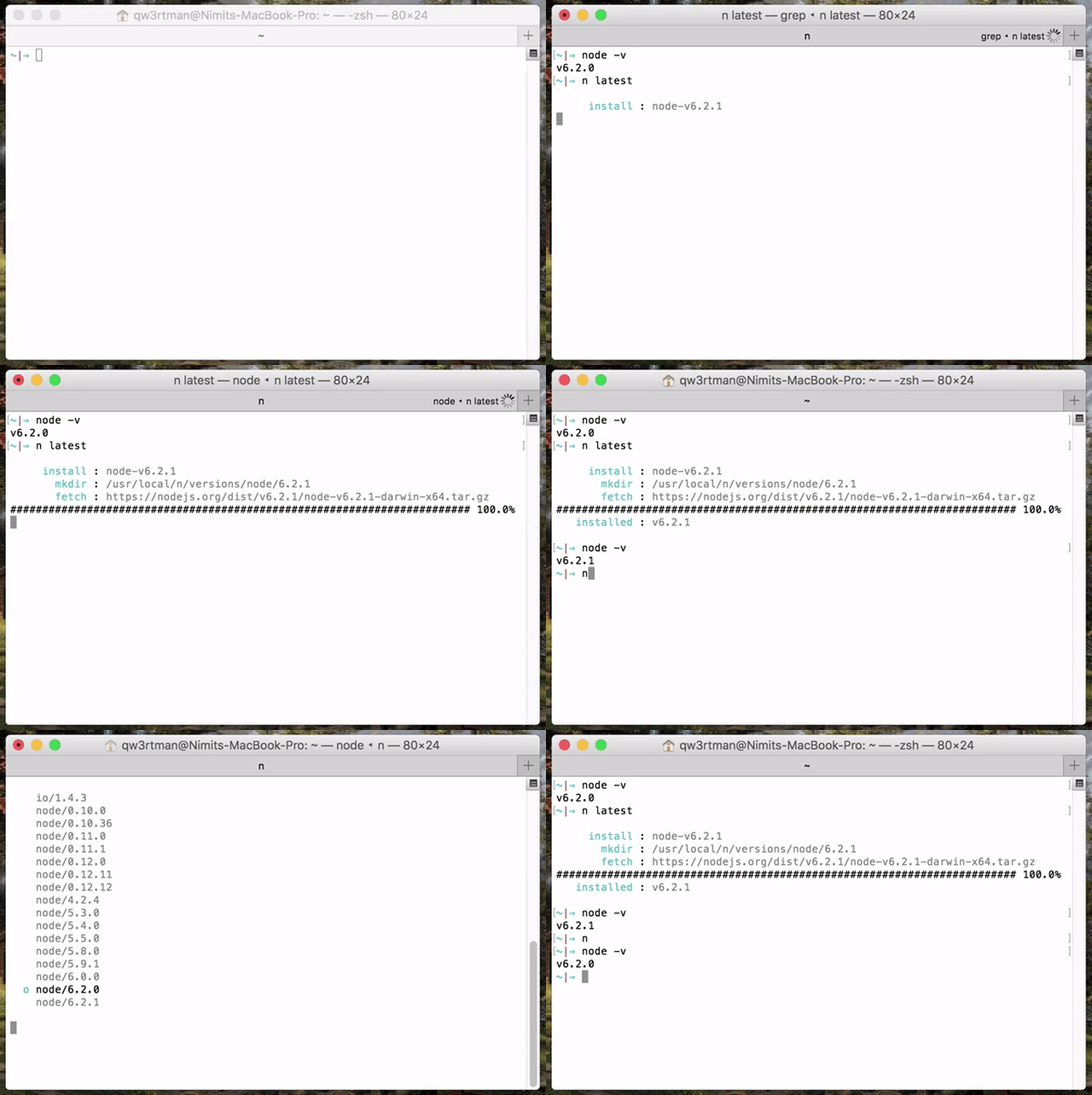
- [`n` – Interactively Manage Your Node.js Versions](#n--interactively-manage-your-nodejs-versions)
- [Supported Platforms](#supported-platforms)
- [Installation](#installation)
- [Third Party Installers](#third-party-installers)
- [Replacing a previous node install](#replacing-a-previous-node-install)
- [Installing Node.js Versions](#installing-nodejs-versions)
- [Specifying Node.js Versions](#specifying-nodejs-versions)
- [Removing Versions](#removing-versions)
- [Using Downloaded Node.js Versions Without Reinstalling](#using-downloaded-nodejs-versions-without-reinstalling)
- [Preserving npm](#preserving-npm)
- [Miscellaneous](#miscellaneous)
- [Custom Mirror](#custom-mirror)
- [Custom Architecture](#custom-architecture)
- [Optional Environment Variables](#optional-environment-variables)
- [How It Works](#how-it-works)
## Supported Platforms
`n` is supported on macOS, Linux, including with Windows Subsystem for Linux, and various other unix-like systems.
It is written as a BASH script but does not require you to use BASH as your command shell.
`n` does not work in native shells on Microsoft Windows (like PowerShell), or Git for Windows BASH, or with the Cygwin DLL.
## Installation
If you already have Node.js installed, an easy way to install `n` is using `npm`:
npm install -g n
The default root location used when running `n` is `/usr/local` where a normal user does not have write permission. You may strike the same sort of permission error when using npm to install global modules, like the above command. You have three main options:
1) change the ownership of the relevant directories to yourself (see below)
2) tell `n` to use a custom location where you do have write permissions (see `N_PREFIX`)
3) put `sudo` in front of the command to run it as super user
`n` caches Node.js versions in subdirectory `n/versions`. The _active_ Node.js version is installed in subdirectories `bin`, `include`, `lib`, and `share`.
To take ownership of the system directories (option 1):
# make cache folder (if missing) and take ownership
sudo mkdir -p /usr/local/n
sudo chown -R $(whoami) /usr/local/n
# make sure the required folders exist (safe to execute even if they already exist)
sudo mkdir -p /usr/local/bin /usr/local/lib /usr/local/include /usr/local/share
# take ownership of Node.js install destination folders
sudo chown -R $(whoami) /usr/local/bin /usr/local/lib /usr/local/include /usr/local/share
-----
If `npm` is not yet available, one way to bootstrap an install is to download and run `n` directly. To install the `lts` version of Node.js:
curl -fsSL https://raw.githubusercontent.com/tj/n/master/bin/n | bash -s install lts
# If you want n installed, you can use npm now.
npm install -g n
If you don't need support for updates to `n` itself you can just save the download:
curl -fsSL -o /usr/local/bin/n https://raw.githubusercontent.com/tj/n/master/bin/n
chmod 0755 /usr/local/bin/n
n install lts
### Third Party Installers
On macOS with [Homebrew](https://brew.sh/) you can install the [n formula](https://formulae.brew.sh/formula/n).
brew install n
Or on macOS with [MacPorts](https://www.macports.org/) you can install the [n port](https://ports.macports.org/port/n/summary):
port install n
On Linux and macOS, [n-install](https://github.com/mklement0/n-install) allows installation directly from GitHub; for instance:
curl -L https://bit.ly/n-install | bash
n-install sets both `PREFIX` and `N_PREFIX` to `$HOME/n`, installs `n` to `$HOME/n/bin`, modifies the initialization files of supported shells to export `N_PREFIX` and add `$HOME/n/bin` to the `PATH`, and installs the latest LTS Node.js version.
As a result, both `n` itself and all Node.js versions it manages are hosted inside a single, optionally configurable directory, which you can later remove with the included `n-uninstall` script. `n-update` updates `n` itself to the latest version. See the [n-install repo](https://github.com/mklement0/n-install) for more details.
### Replacing a previous node install
Changing from a previous Node.js installed to a different location may involve a few extra steps. See docs for [changing node location](./docs/changing-node-location.md) for a walk-through example of switching from using Homebrew to using `n` to manage Node.js.
You have a problem with multiple versions if after installing node you see the "installed" and "active" locations are different:
```console
% n lts
copying : node/20.12.2
installed : v20.12.2 to /usr/local/bin/node
active : v21.7.3 at /opt/homebrew/bin/node
```
## Installing Node.js Versions
Simply execute `n <version>` to download and install a version of Node.js. If `<version>` has already been downloaded, `n` will install from its cache.
n 10.16.0
n lts
Execute `n` on its own to view your downloaded versions, and install the selected version.
$ n
node/4.9.1
ο node/8.11.3
node/10.15.0
Use up/down arrow keys to select a version, return key to install, d to delete, q to quit
(You can also use <kbd>j</kbd> and <kbd>k</kbd> to select next or previous version instead of using arrows, or <kbd>ctrl+n</kbd> and <kbd>ctrl+p</kbd>.)
If the active node version does not change after install, try opening a new shell in case seeing a stale version.
## Specifying Node.js Versions
There are a variety of ways of specifying the target Node.js version for `n` commands. Most commands use the latest matching version, and `n ls-remote` lists multiple matching versions.
Numeric version numbers can be complete or incomplete, with an optional leading `v`.
- `4.9.1`
- `8`: 8.x.y versions
- `v6.1`: 6.1.x versions
There are labels for two especially useful versions:
- `lts`: newest Long Term Support official release
- `latest`, `current`: newest official release
There is an `auto` label to read the target version from a file in the current directory, or any parent directory. `n` looks for in order:
- `.n-node-version`: version on single line. Custom to `n`.
- `.node-version`: version on single line. Used by multiple tools: [node-version-usage](https://github.com/shadowspawn/node-version-usage)
- `.nvmrc`: version on single line. Used by `nvm`.
- if no version file found, look for `engine` as below.
The `engine` label looks for a `package.json` file and reads the `engines` field to determine compatible Node.js. Requires an installed version of `jq` or `node`, and uses `npx semver` to resolve complex ranges.
There is support for the named release streams:
- `argon`, `boron`, `carbon`: codenames for LTS release streams
These Node.js support aliases may be used, although simply resolve to the latest matching version:
- `active`, `lts_active`, `lts_latest`, `lts`, `current`, `supported`
The last version form is for specifying [other releases](https://nodejs.org/download) available using the name of the remote download folder optionally followed by the complete or incomplete version.
- `nightly`
- `test/v11.0.0-test20180528`
- `rc/10`
## Removing Versions
Remove some cached versions:
n rm 0.9.4 v0.10.0
Removing all cached versions except the installed version:
n prune
Remove the installed Node.js (does not affect the cached versions). This can be useful
to revert to the system version of node (if in a different location), or if you no longer
wish to use node and npm, or are switching to a different way of managing them.
n uninstall
## Using Downloaded Node.js Versions Without Reinstalling
There are three commands for working directly with your downloaded versions of Node.js, without reinstalling.
You can show the path to the downloaded `node` version:
$ n which 6.14.3
/usr/local/n/versions/6.14.3/bin/node
Or run a downloaded `node` version with the `n run` command:
n run 8.11.3 --debug some.js
Or execute a command with `PATH` modified so `node` and `npm` will be from the downloaded Node.js version.
(NB: `npm` run this way will be using global node_modules from the target node version folder.)
n exec 10 my-script --fast test
n exec lts zsh
## Preserving npm
A Node.js install normally also includes `npm`, `npx`, and `corepack`, but you may wish to preserve your current (especially newer) versions using `--preserve`:
$ npm install -g npm@latest
...
$ npm --version
6.13.7
# Node.js 8.17.0 includes (older) npm 6.13.4
$ n -p 8
installed : v8.17.0
$ npm --version
6.13.7
You can make this the default by setting the environment variable to a non-empty string. There are separate environment variables for `npm` and `corepack`:
export N_PRESERVE_NPM=1
export N_PRESERVE_COREPACK=1
You can be explicit to get the desired behaviour whatever the environment variables:
n --preserve nightly
n --no-preserve latest
## Miscellaneous
Command line help can be obtained from `n --help`.
List matching remote versions available for download:
n ls-remote lts
n ls-remote latest
n lsr 10
n --all lsr
List downloaded versions in cache:
n ls
Download version into cache:
n download 22
Use `n` to access cached versions (already downloaded) without internet available.
n --offline 12
Remove the cache version after installing using `--cleanup`. This is particularly useful for a one-shot install, like in a docker container.
curl -fsSL https://raw.githubusercontent.com/tj/n/master/bin/n | bash -s install --cleanup lts
Normally `n run`, `n exec`, and `n which` will fail if the target version is not already in the cache. You can add `--download` to use the cache if available or download if required:
n --download run 18.3 my-script.js
Display diagnostics to help resolve problems:
n doctor
## Custom Mirror
If you would like to use a different Node.js mirror which has the same layout as the default <https://nodejs.org/dist/>, you can define `N_NODE_MIRROR`.
One example is for users in China who can define:
export N_NODE_MIRROR=https://npmmirror.com/mirrors/node
Another example is the Node.js [unofficial-builds project](https://github.com/nodejs/unofficial-builds/) which has downloads for some platforms not made available officially, such as armv6l (Raspberry Pi) and 32-bit x86.
export N_NODE_MIRROR=https://unofficial-builds.nodejs.org/download/release
You may need to specify the architecture explicitly if not autodetected by `n`, such as using `musl` `libc` on Alpine. You can do that with `N_ARCH` or `--arch`:
export N_NODE_MIRROR=https://unofficial-builds.nodejs.org/download/release
export N_ARCH=x64-musl
apk add bash curl libstdc++
n install lts
If the custom mirror requires authentication you can add the [url-encoded](https://urlencode.org) username and password into the URL. e.g.
export N_NODE_MIRROR=https://encoded-username:encoded-password@host:port/path
There is also `N_NODE_DOWNLOAD_MIRROR` for a different mirror with same layout as the default <https://nodejs.org/download>.
## Custom Architecture
By default `n` picks the binaries matching your system architecture. For example, on a 64 bit system `n` will download 64 bit binaries.
On a Mac with Apple silicon:
- for Node.js 16 and higher, `n` defaults to arm64 binaries which run natively
- for older versions of Node.js, `n` defaults to x64 binaries which run in Rosetta 2
You can override the default architecture by using the `-a` or `--arch` option, or set `N_ARCH` environment variable.
e.g. reinstall latest version of Node.js with x64 binaries:
n rm current
n --arch x64 current
## Optional Environment Variables
The `n` command downloads and installs to `/usr/local` by default, but you may override this location by defining `N_PREFIX`.
To change the location to say `$HOME/.n`, add lines like the following to your shell initialization file:
export N_PREFIX=$HOME/.n
export PATH=$N_PREFIX/bin:$PATH
If you want to store the downloads under a different location, use `N_CACHE_PREFIX`. This does _not_ affect where the active
node version is installed.
`n` defaults to using xz compressed Node.js tarballs for the download if it is likely tar on the system supports xz decompression.
You can override the automatic choice by setting an environment variable to zero or non-zero:
export N_USE_XZ=0 # to disable
export N_USE_XZ=1 # to enable
You can be explicit to get the desired behaviour whatever the environment variable:
n install --use-xz nightly
n install --no-use-xz latest
In brief:
- `N_NODE_MIRROR`: see [Custom Mirror](#custom-mirror)
- `N_NODE_DOWNLOAD_MIRROR`: see [Custom Mirror](#custom-mirror)
- support for [NO_COLOR](https://no-color.org) and [CLICOLOR=0](https://bixense.com/clicolors) for controlling use of ANSI color codes
- `N_MAX_REMOTE_MATCHES` to change the default `ls-remote` maximum of 20 matching versions
- `N_PRESERVE_NPM`: see [Preserving npm](#preserving-npm)
- `N_PRESERVE_COREPACK`: see [Preserving npm](#preserving-npm)
- `N_ARCH`: see [Custom Architecture](#custom-architecture)
## How It Works
`n` downloads a prebuilt Node.js package and installs to a single prefix (e.g. `/usr/local`). This overwrites the previous version. The `bin` folder in this location should be in your `PATH` (e.g. `/usr/local/bin`).
The downloads are kept in a cache folder to be used for reinstalls. The downloads are also available for limited use using `n which` and `n run` and `n exec`.
The global `npm` packages are not changed by the install, with the
exception of `npm` itself which is part of the Node.js install.
================================================
FILE: SECURITY.md
================================================
# Security Policy
## Supported Versions
The latest two major versions get security updates.
Pull Requests for security issues will be considered for older versions.
## Reporting a Vulnerability
To report a security vulnerability, please use the
[Tidelift security contact](https://tidelift.com/security).
Tidelift will coordinate the fix and disclosure.
================================================
FILE: bin/dev/release
================================================
#!/usr/bin/env bash
# Run this from the develop branch after setting the version number in bin/n,
# when ready to release apart from copying up to master and tagging.
{ # force scan of whole file into memory so not affected by changing branches and self-modifying.
#
# confirm <message>
#
function confirm {
read -p "$1 " -r
if [[ ! "${REPLY}" =~ ^[Yy]$ ]]; then
echo "Stopping"
exit 2
fi
}
readonly N_VERSION="$(./bin/n --version)"
if [[ "${N_VERSION}" =~ ^[0-9.]+-[0-9]+$ ]]; then
echo "Error: internal version number still prerelease, set it to desired version first."
exit 2
fi
confirm "Are you releasing version '${N_VERSION}' ?"
confirm "Have you updated CHANGELOG?"
confirm "Are you running this from a shell with full internet access (not through proxy to run tests)?"
git checkout master
git merge develop
npm version "${N_VERSION}"
read -p "One Time Password for npm publish: " -r
set -x
npm publish . --otp "${REPLY}"
git push --follow-tags
git checkout develop
git merge master
npm version -no-git-tag-version prepatch
set +x
echo "Reminder: update the internal number to match."
echo "Reminder: add release description to github (from CHANGELOG)"
exit
}
================================================
FILE: bin/n
================================================
#!/usr/bin/env bash
# shellcheck disable=SC2155
# Disabled "Declare and assign separately to avoid masking return values": https://github.com/koalaman/shellcheck/wiki/SC2155
#
# log <type> <msg>
#
log() {
printf " ${SGR_CYAN}%10s${SGR_RESET} : ${SGR_FAINT}%s${SGR_RESET}\n" "$1" "$2"
}
#
# verbose_log <type> <msg>
# Can suppress with --quiet.
# Like log but to stderr rather than stdout, so can also be used from "display" routines.
#
verbose_log() {
if [[ "${SHOW_VERBOSE_LOG}" == "true" ]]; then
>&2 printf " ${SGR_CYAN}%10s${SGR_RESET} : ${SGR_FAINT}%s${SGR_RESET}\n" "$1" "$2"
fi
}
#
# Exit with the given <msg ...>
#
abort() {
>&2 printf "\n ${SGR_RED}Error: %s${SGR_RESET}\n\n" "$*" && exit 1
}
#
# Synopsis: trace message ...
# Debugging output to stderr, not used in production code.
#
function trace() {
>&2 printf "trace: %s\n" "$*"
}
#
# Synopsis: echo_red message ...
# Highlight message in colour (on stdout).
#
function echo_red() {
printf "${SGR_RED}%s${SGR_RESET}\n" "$*"
}
#
# Synopsis: n_grep <args...>
# grep wrapper to ensure consistent grep options and circumvent aliases.
#
function n_grep() {
GREP_OPTIONS='' command grep "$@"
}
#
# Setup and state
#
VERSION="10.2.0"
N_PREFIX="${N_PREFIX-/usr/local}"
N_PREFIX=${N_PREFIX%/}
readonly N_PREFIX
N_CACHE_PREFIX="${N_CACHE_PREFIX-${N_PREFIX}}"
N_CACHE_PREFIX=${N_CACHE_PREFIX%/}
CACHE_DIR="${N_CACHE_PREFIX}/n/versions"
readonly N_CACHE_PREFIX CACHE_DIR
N_NODE_MIRROR=${N_NODE_MIRROR:-${NODE_MIRROR:-https://nodejs.org/dist}}
N_NODE_MIRROR=${N_NODE_MIRROR%/}
readonly N_NODE_MIRROR
N_NODE_DOWNLOAD_MIRROR=${N_NODE_DOWNLOAD_MIRROR:-https://nodejs.org/download}
N_NODE_DOWNLOAD_MIRROR=${N_NODE_DOWNLOAD_MIRROR%/}
readonly N_NODE_DOWNLOAD_MIRROR
# Using xz instead of gzip is enabled by default, if xz compatibility checks pass.
# User may set N_USE_XZ to 0 to disable, or set to anything else to enable.
# May also be overridden by command line flags.
# Normalise external values to true/false
if [[ "${N_USE_XZ}" = "0" ]]; then
N_USE_XZ="false"
elif [[ -n "${N_USE_XZ+defined}" ]]; then
N_USE_XZ="true"
fi
# Not setting to readonly. Overriden by CLI flags, and update_xz_settings_for_version.
N_MAX_REMOTE_MATCHES=${N_MAX_REMOTE_MATCHES:-20}
# modified by update_mirror_settings_for_version
g_mirror_url=${N_NODE_MIRROR}
g_mirror_folder_name="node"
# Options for curl and wget.
# Defining commands in variables is fraught (https://mywiki.wooledge.org/BashFAQ/050)
# but we can follow the simple case and store arguments in an array.
GET_SHOWS_PROGRESS="false"
# --location to follow redirects
# --fail to avoid happily downloading error page from web server for 404 et al
# --show-error to show why failed (on stderr)
CURL_OPTIONS=( "--location" "--fail" "--show-error" )
if [[ -t 1 ]]; then
CURL_OPTIONS+=( "--progress-bar" )
command -v curl &> /dev/null && GET_SHOWS_PROGRESS="true"
else
CURL_OPTIONS+=( "--silent" )
fi
WGET_OPTIONS=( "-q" "-O-" )
# Legacy support using unprefixed env. No longer documented in README.
if [ -n "$HTTP_USER" ];then
if [ -z "$HTTP_PASSWORD" ]; then
abort "Must specify HTTP_PASSWORD when supplying HTTP_USER"
fi
CURL_OPTIONS+=( "-u $HTTP_USER:$HTTP_PASSWORD" )
WGET_OPTIONS+=( "--http-password=$HTTP_PASSWORD"
"--http-user=$HTTP_USER" )
elif [ -n "$HTTP_PASSWORD" ]; then
abort "Must specify HTTP_USER when supplying HTTP_PASSWORD"
fi
# Set by set_active_node
g_active_node=
# set by various lookups to allow mixed logging and return value from function, especially for engine and node
g_target_node=
DOWNLOAD=false # set to opt-out of activate (install), and opt-in to download (run, exec)
CLEANUP=false # remove cached download after install
ARCH="${N_ARCH-}"
SHOW_VERBOSE_LOG="true"
OFFLINE=false
# ANSI escape codes
# https://en.wikipedia.org/wiki/ANSI_escape_code
# https://no-color.org
# https://bixense.com/clicolors
USE_COLOR="true"
if [[ -n "${CLICOLOR_FORCE+defined}" && "${CLICOLOR_FORCE}" != "0" ]]; then
USE_COLOR="true"
elif [[ -n "${NO_COLOR+defined}" || "${CLICOLOR}" = "0" || ! -t 1 ]]; then
USE_COLOR="false"
fi
readonly USE_COLOR
# Select Graphic Rendition codes
if [[ "${USE_COLOR}" = "true" ]]; then
# KISS and use codes rather than tput, avoid dealing with missing tput or TERM.
readonly SGR_RESET="\033[0m"
readonly SGR_FAINT="\033[2m"
readonly SGR_RED="\033[31m"
readonly SGR_CYAN="\033[36m"
else
readonly SGR_RESET=
readonly SGR_FAINT=
readonly SGR_RED=
readonly SGR_CYAN=
fi
#
# set_arch <arch> to override $(uname -a)
#
set_arch() {
if test -n "$1"; then
ARCH="$1"
else
abort "missing -a|--arch value"
fi
}
#
# Synopsis: set_insecure
# Globals modified:
# - CURL_OPTIONS
# - WGET_OPTIONS
#
function set_insecure() {
CURL_OPTIONS+=( "--insecure" )
WGET_OPTIONS+=( "--no-check-certificate" )
}
#
# Synposis: display_major_version numeric-version
#
display_major_version() {
local version=$1
version="${version#v}"
version="${version%%.*}"
echo "${version}"
}
display_masked_url() {
echo "$1" | sed -r 's/(https?:\/\/[^:]+):([^@]+)@/\1:****@/'
}
#
# Synopsis: update_mirror_settings_for_version version
# e.g. <nightly/latest> means using download mirror and folder is nightly
# Globals modified:
# - g_mirror_url
# - g_mirror_folder_name
#
function update_mirror_settings_for_version() {
if is_download_folder "$1" ; then
g_mirror_folder_name="$1"
g_mirror_url="${N_NODE_DOWNLOAD_MIRROR}/${g_mirror_folder_name}"
elif is_download_version "$1"; then
[[ "$1" =~ ^([^/]+)/(.*) ]]
local remote_folder="${BASH_REMATCH[1]}"
g_mirror_folder_name="${remote_folder}"
g_mirror_url="${N_NODE_DOWNLOAD_MIRROR}/${g_mirror_folder_name}"
fi
}
#
# Synopsis: update_xz_settings_for_version numeric-version
# Globals modified:
# - N_USE_XZ
#
function update_xz_settings_for_version() {
# tarballs in xz format were available in later version of iojs, but KISS and only use xz from v4.
if [[ "${N_USE_XZ}" = "true" ]]; then
local major_version="$(display_major_version "$1")"
if [[ "${major_version}" -lt 4 ]]; then
N_USE_XZ="false"
fi
fi
}
#
# Synopsis: update_arch_settings_for_version numeric-version
# Globals modified:
# - ARCH
#
function update_arch_settings_for_version() {
local tarball_platform="$(display_tarball_platform)"
if [[ -z "${ARCH}" && "${tarball_platform}" = "darwin-arm64" ]]; then
# First native builds were for v16, but can use x64 in rosetta for older versions.
local major_version="$(display_major_version "$1")"
if [[ "${major_version}" -lt 16 ]]; then
ARCH=x64
fi
fi
}
#
# Synopsis: is_lts_codename version
#
function is_lts_codename() {
# https://github.com/nodejs/Release/blob/master/CODENAMES.md
# e.g. argon, Boron
[[ "$1" =~ ^([Aa]rgon|[Bb]oron|[Cc]arbon|[Dd]ubnium|[Ee]rbium|[Ff]ermium|[Gg]allium|[Hh]ydrogen|[Ii]ron|[Jj]od|[Kk]rypton|[Ll]ithium)$ ]]
}
#
# Synopsis: is_download_folder version
#
function is_download_folder() {
# e.g. nightly
[[ "$1" =~ ^(next-nightly|nightly|rc|release|test|v8-canary)$ ]]
}
#
# Synopsis: is_download_version version
#
function is_download_version() {
# e.g. nightly/, nightly/latest, nightly/v11
if [[ "$1" =~ ^([^/]+)/(.*) ]]; then
local remote_folder="${BASH_REMATCH[1]}"
is_download_folder "${remote_folder}"
return
fi
return 2
}
#
# Synopsis: is_numeric_version version
#
function is_numeric_version() {
# e.g. 6, v7.1, 8.11.3
[[ "$1" =~ ^[v]{0,1}[0-9]+(\.[0-9]+){0,2}$ ]]
}
#
# Synopsis: is_exact_numeric_version version
#
function is_exact_numeric_version() {
# e.g. 6, v7.1, 8.11.3
[[ "$1" =~ ^[v]{0,1}[0-9]+\.[0-9]+\.[0-9]+$ ]]
}
#
# Synopsis: is_node_support_version version
# Reference: https://github.com/nodejs/package-maintenance/issues/236#issue-474783582
#
function is_node_support_version() {
[[ "$1" =~ ^(active|lts_active|lts_latest|lts|current|supported)$ ]]
}
#
# Synopsis: display_latest_node_support_alias version
# Map aliases onto existing n aliases, current and lts
#
function display_latest_node_support_alias() {
case "$1" in
"active") printf "current" ;;
"lts_active") printf "lts" ;;
"lts_latest") printf "lts" ;;
"lts") printf "lts" ;;
"current") printf "current" ;;
"supported") printf "current" ;;
*) printf "unexpected-version"
esac
}
#
# Functions used when showing versions installed
#
enter_fullscreen() {
# Set cursor to be invisible
tput civis 2> /dev/null
# Save screen contents
tput smcup 2> /dev/null
stty -echo
}
leave_fullscreen() {
# Set cursor to normal
tput cnorm 2> /dev/null
# Restore screen contents
tput rmcup 2> /dev/null
stty echo
}
handle_sigint() {
leave_fullscreen
S="$?"
kill 0
exit $S
}
handle_sigtstp() {
leave_fullscreen
kill -s SIGSTOP $$
}
#
# Output usage information.
#
display_help() {
cat <<-EOF
Usage: n [options] [COMMAND] [args]
Commands:
n Display downloaded Node.js versions and install selection
n latest Install the latest Node.js release (downloading if necessary)
n lts Install the latest LTS Node.js release (downloading if necessary)
n <version> Install Node.js <version> (downloading if necessary)
n install <version> Install Node.js <version> (downloading if necessary)
n run <version> [args ...] Execute downloaded Node.js <version> with [args ...]
n which <version> Output path for downloaded node <version>
n exec <vers> <cmd> [args...] Execute command with modified PATH, so downloaded node <version> and npm first
n rm <version ...> Remove the given downloaded version(s)
n prune Remove all downloaded versions except the installed version
n --latest Output the latest Node.js version available
n --lts Output the latest LTS Node.js version available
n ls Output downloaded versions
n ls-remote [version] Output matching versions available for download
n uninstall Remove the installed Node.js
n download <version> Download Node.js <version> into cache
Options:
-V, --version Output version of n
-h, --help Display help information
-p, --preserve Preserve npm and npx during install of Node.js
-q, --quiet Disable curl output. Disable log messages processing "auto" and "engine" labels.
-d, --download Download if necessary. Used with run/exec/which.
--cleanup Remove cached version after install
-a, --arch Override system architecture
--offline Resolve target version against cached downloads instead of internet lookup
--all ls-remote displays all matches instead of last 20
--insecure Turn off certificate checking for https requests (may be needed from behind a proxy server)
--use-xz/--no-use-xz Override automatic detection of xz support and enable/disable use of xz compressed node downloads.
Aliases:
install: i
latest: current
ls: list
lsr: ls-remote
lts: stable
rm: -
run: use, as
which: bin
Versions:
Numeric version numbers can be complete or incomplete, with an optional leading 'v'.
Versions can also be specified by label, or codename,
and other downloadable releases by <remote-folder>/<version>
4.9.1, 8, v6.1 Numeric versions
lts Newest Long Term Support official release
latest, current Newest official release
auto Read version from file: .n-node-version, .node-version, .nvmrc, or package.json
engine Read version from package.json
boron, carbon Codenames for release streams
lts_latest Node.js support aliases
and nightly, rc/10 et al
EOF
}
err_no_installed_print_help() {
display_help
abort "no downloaded versions yet, see above help for commands"
}
#
# Synopsis: next_version_installed selected_version
# Output version after selected (which may be blank under some circumstances).
#
function next_version_installed() {
display_cache_versions | n_grep "$1" -A 1 | tail -n 1
}
#
# Synopsis: prev_version_installed selected_version
# Output version before selected (which may be blank under some circumstances).
#
function prev_version_installed() {
display_cache_versions | n_grep "$1" -B 1 | head -n 1
}
#
# Output n version.
#
display_n_version() {
echo "$VERSION" && exit 0
}
#
# Synopsis: set_active_node
# Checks cached downloads for a binary matching the active node.
# Globals modified:
# - g_active_node
#
function set_active_node() {
g_active_node=
local node_path="$(command -v node)"
if [[ -x "${node_path}" ]]; then
local installed_version=$(node --version)
installed_version=${installed_version#v}
for dir in "${CACHE_DIR}"/*/ ; do
local folder_name="${dir%/}"
folder_name="${folder_name##*/}"
if diff &> /dev/null \
"${CACHE_DIR}/${folder_name}/${installed_version}/bin/node" \
"${node_path}" ; then
g_active_node="${folder_name}/${installed_version}"
break
fi
done
fi
}
#
# Display sorted versions directories paths.
#
display_versions_paths() {
find "$CACHE_DIR" -maxdepth 2 -type d \
| sed 's|'"$CACHE_DIR"'/||g' \
| n_grep -E "/[0-9]+\.[0-9]+\.[0-9]+" \
| sed 's|/|.|' \
| sort -k 1,1 -k 2,2n -k 3,3n -k 4,4n -t . \
| sed 's|\.|/|'
}
#
# Display installed versions with <selected>
#
display_versions_with_selected() {
local selected="$1"
echo
for version in $(display_versions_paths); do
if test "$version" = "$selected"; then
printf " ${SGR_CYAN}ο${SGR_RESET} %s\n" "$version"
else
printf " ${SGR_FAINT}%s${SGR_RESET}\n" "$version"
fi
done
echo
printf "Use up/down arrow keys to select a version, return key to install, d to delete, q to quit"
}
#
# Synopsis: display_cache_versions
#
function display_cache_versions() {
for folder_and_version in $(display_versions_paths); do
echo "${folder_and_version}"
done
}
#
# Display current node --version and others installed.
#
menu_select_cache_versions() {
enter_fullscreen
set_active_node
local selected="${g_active_node}"
clear
display_versions_with_selected "${selected}"
trap handle_sigint INT
trap handle_sigtstp SIGTSTP
ESCAPE_SEQ=$'\033'
UP=$'A'
DOWN=$'B'
CTRL_P=$'\020'
CTRL_N=$'\016'
while true; do
read -rsn 1 key
case "$key" in
"$ESCAPE_SEQ")
# Handle ESC sequences followed by other characters, i.e. arrow keys
read -rsn 1 -t 1 tmp
# See "[" if terminal in normal mode, and "0" in application mode
if [[ "$tmp" == "[" || "$tmp" == "O" ]]; then
read -rsn 1 -t 1 arrow
case "$arrow" in
"$UP")
clear
selected="$(prev_version_installed "${selected}")"
display_versions_with_selected "${selected}"
;;
"$DOWN")
clear
selected="$(next_version_installed "${selected}")"
display_versions_with_selected "${selected}"
;;
esac
fi
;;
"d")
if [[ -n "${selected}" ]]; then
clear
# Note: prev/next is constrained to min/max
local after_delete_selection="$(next_version_installed "${selected}")"
if [[ "${after_delete_selection}" == "${selected}" ]]; then
after_delete_selection="$(prev_version_installed "${selected}")"
fi
remove_versions "${selected}"
if [[ "${after_delete_selection}" == "${selected}" ]]; then
clear
leave_fullscreen
echo "All downloaded versions have been deleted from cache."
exit
fi
selected="${after_delete_selection}"
display_versions_with_selected "${selected}"
fi
;;
# Vim or Emacs 'up' key
"k"|"$CTRL_P")
clear
selected="$(prev_version_installed "${selected}")"
display_versions_with_selected "${selected}"
;;
# Vim or Emacs 'down' key
"j"|"$CTRL_N")
clear
selected="$(next_version_installed "${selected}")"
display_versions_with_selected "${selected}"
;;
"q")
clear
leave_fullscreen
exit
;;
"")
# enter key returns empty string
leave_fullscreen
[[ -n "${selected}" ]] && activate "${selected}"
exit
;;
esac
done
}
#
# Move up a line and erase.
#
erase_line() {
printf "\033[1A\033[2K"
}
#
# Disable PaX mprotect for <binary>
#
disable_pax_mprotect() {
test -z "$1" && abort "binary required"
local binary="$1"
# try to disable mprotect via XATTR_PAX header
local PAXCTL="$(PATH="/sbin:/usr/sbin:$PATH" command -v paxctl-ng 2>&1)"
local PAXCTL_ERROR=1
if [ -x "$PAXCTL" ]; then
$PAXCTL -l && $PAXCTL -m "$binary" >/dev/null 2>&1
PAXCTL_ERROR="$?"
fi
# try to disable mprotect via PT_PAX header
if [ "$PAXCTL_ERROR" != 0 ]; then
PAXCTL="$(PATH="/sbin:/usr/sbin:$PATH" command -v paxctl 2>&1)"
if [ -x "$PAXCTL" ]; then
$PAXCTL -Cm "$binary" >/dev/null 2>&1
fi
fi
}
#
# clean_copy_folder <source> <target>
#
clean_copy_folder() {
local source="$1"
local target="$2"
if [[ -d "${source}" ]]; then
rm -rf "${target}"
cp -fR "${source}" "${target}"
fi
}
#
# Activate <version>
#
activate() {
local version="$1"
local dir="$CACHE_DIR/$version"
local original_node="$(command -v node)"
local installed_node="${N_PREFIX}/bin/node"
log "copying" "$version"
# Ideally we would just copy from cache to N_PREFIX, but there are some complications
# - various linux versions use symlinks for folders in /usr/local and also error when copy folder onto symlink
# - we have used cp for years, so keep using it for backwards compatibility (instead of say rsync)
# - we allow preserving npm
# - we want to be somewhat robust to changes in tarball contents, so use find instead of hard-code expected subfolders
#
# This code was purist and concise for a long time.
# Now twice as much code, but using same code path for all uses, and supporting more setups.
# Copy lib before bin so symlink targets exist.
# lib
mkdir -p "$N_PREFIX/lib"
# Copy everything except node_modules.
find "$dir/lib" -mindepth 1 -maxdepth 1 \! -name node_modules -exec cp -fR "{}" "$N_PREFIX/lib" \;
if [[ -z "${N_PRESERVE_NPM}" ]]; then
mkdir -p "$N_PREFIX/lib/node_modules"
# Copy just npm, skipping possible added global modules after download. Clean copy to avoid version change problems.
clean_copy_folder "$dir/lib/node_modules/npm" "$N_PREFIX/lib/node_modules/npm"
fi
# Takes same steps for corepack (experimental in node 16.9.0) as for npm, to avoid version problems.
if [[ -e "$dir/lib/node_modules/corepack" && -z "${N_PRESERVE_COREPACK}" ]]; then
mkdir -p "$N_PREFIX/lib/node_modules"
clean_copy_folder "$dir/lib/node_modules/corepack" "$N_PREFIX/lib/node_modules/corepack"
fi
# bin
mkdir -p "$N_PREFIX/bin"
# Remove old node to avoid potential problems with firewall getting confused on Darwin by overwrite.
rm -f "$N_PREFIX/bin/node"
# Copy bin items by hand, in case user has installed global npm modules into cache.
cp -f "$dir/bin/node" "$N_PREFIX/bin"
[[ -e "$dir/bin/node-waf" ]] && cp -f "$dir/bin/node-waf" "$N_PREFIX/bin" # v0.8.x
if [[ -z "${N_PRESERVE_COREPACK}" ]]; then
[[ -e "$dir/bin/corepack" ]] && cp -fR "$dir/bin/corepack" "$N_PREFIX/bin" # from 16.9.0
fi
if [[ -z "${N_PRESERVE_NPM}" ]]; then
[[ -e "$dir/bin/npm" ]] && cp -fR "$dir/bin/npm" "$N_PREFIX/bin"
[[ -e "$dir/bin/npx" ]] && cp -fR "$dir/bin/npx" "$N_PREFIX/bin"
fi
# include
mkdir -p "$N_PREFIX/include"
find "$dir/include" -mindepth 1 -maxdepth 1 -exec cp -fR "{}" "$N_PREFIX/include" \;
# share
mkdir -p "$N_PREFIX/share"
# Copy everything except man, at it is a symlink on some Linux (e.g. archlinux).
find "$dir/share" -mindepth 1 -maxdepth 1 \! -name man -exec cp -fR "{}" "$N_PREFIX/share" \;
mkdir -p "$N_PREFIX/share/man"
find "$dir/share/man" -mindepth 1 -maxdepth 1 -exec cp -fR "{}" "$N_PREFIX/share/man" \;
disable_pax_mprotect "${installed_node}"
local active_node="$(command -v node)"
if [[ -e "${active_node}" && -e "${installed_node}" && "${active_node}" != "${installed_node}" ]]; then
# Installed and active are different which might be a PATH problem. List both to give user some clues.
log "installed" "$("${installed_node}" --version) to ${installed_node}"
log "active" "$("${active_node}" --version) at ${active_node}"
else
local npm_version_str=""
local installed_npm="${N_PREFIX}/bin/npm"
local active_npm="$(command -v npm)"
if [[ -z "${N_PRESERVE_NPM}" && -e "${active_npm}" && -e "${installed_npm}" && "${active_npm}" = "${installed_npm}" ]]; then
npm_version_str=" (with npm $(npm --version))"
fi
log "installed" "$("${installed_node}" --version)${npm_version_str}"
# Extra tips for changed location.
if [[ -e "${active_node}" && -e "${original_node}" && "${active_node}" != "${original_node}" ]]; then
printf '\nNote: the node command changed location and the old location may be remembered in your current shell.\n'
log old "${original_node}"
log new "${active_node}"
printf 'If "node --version" shows the old version then start a new shell, or reset the location hash with:\nhash -r (for bash, zsh, ash, dash, and ksh)\nrehash (for csh and tcsh)\n'
fi
fi
if [[ "$CLEANUP" == "true" ]]; then
log "cleanup" "removing cached $version"
remove_versions "$version"
fi
}
#
# Install <version>
#
install() {
[[ -z "$1" ]] && abort "version required"
local version
get_latest_resolved_version "$1" || return 2
version="${g_target_node}"
[[ -n "${version}" ]] || abort "no version found for '$1'"
update_mirror_settings_for_version "$1"
update_xz_settings_for_version "${version}"
update_arch_settings_for_version "${version}"
local dir="${CACHE_DIR}/${g_mirror_folder_name}/${version}"
# Note: decompression flags ignored with default Darwin tar which autodetects.
if test "$N_USE_XZ" = "true"; then
local tarflag="-Jx"
else
local tarflag="-zx"
fi
if test -d "$dir"; then
if [[ ! -e "$dir/n.lock" ]] ; then
if [[ "$DOWNLOAD" == "false" ]] ; then
activate "${g_mirror_folder_name}/${version}"
else
log downloaded "${g_mirror_folder_name}/${version} already in cache"
fi
exit
fi
fi
if [[ "$OFFLINE" == "true" ]]; then
abort "version unavailable offline"
fi
if [[ "$DOWNLOAD" == "false" ]]; then
log installing "${g_mirror_folder_name}-v$version"
else
log download "${g_mirror_folder_name}-v$version"
fi
local url="$(tarball_url "$version")"
is_ok "${url}" || abort "download preflight failed for '$version' ($(display_masked_url "${url}"))"
log mkdir "$dir"
mkdir -p "$dir" || abort "sudo required (or change ownership, or define N_PREFIX)"
touch "$dir/n.lock"
cd "${dir}" || abort "Failed to cd to ${dir}"
log fetch "$(display_masked_url "${url}")"
do_get "${url}" | tar "$tarflag" --strip-components=1 --no-same-owner -f -
pipe_results=( "${PIPESTATUS[@]}" )
if [[ "${pipe_results[0]}" -ne 0 ]]; then
abort "failed to download archive for $version"
fi
if [[ "${pipe_results[1]}" -ne 0 ]]; then
abort "failed to extract archive for $version"
fi
[ "$GET_SHOWS_PROGRESS" = "true" ] && erase_line
rm -f "$dir/n.lock"
disable_pax_mprotect bin/node
if [[ "$DOWNLOAD" == "false" ]]; then
activate "${g_mirror_folder_name}/$version"
fi
}
#
# Be more silent.
#
set_quiet() {
SHOW_VERBOSE_LOG="false"
command -v curl > /dev/null && CURL_OPTIONS+=( "--silent" ) && GET_SHOWS_PROGRESS="false"
}
#
# Synopsis: do_get [option...] url
# Call curl or wget with combination of global and passed options.
#
function do_get() {
if command -v curl &> /dev/null; then
curl "${CURL_OPTIONS[@]}" "$@"
elif command -v wget &> /dev/null; then
wget "${WGET_OPTIONS[@]}" "$@"
else
abort "curl or wget command required"
fi
}
#
# Synopsis: do_get_index [option...] url
# Call curl or wget with combination of global and passed options,
# with options tweaked to be more suitable for getting index.
#
function do_get_index() {
if command -v curl &> /dev/null; then
# --silent to suppress progress et al
curl --silent "${CURL_OPTIONS[@]}" "$@"
elif command -v wget &> /dev/null; then
wget "${WGET_OPTIONS[@]}" "$@"
else
abort "curl or wget command required"
fi
}
#
# Synopsis: remove_versions version ...
#
function remove_versions() {
[[ -z "$1" ]] && abort "version(s) required"
while [[ $# -ne 0 ]]; do
local version
get_latest_resolved_version "$1" || break
version="${g_target_node}"
if [[ -n "${version}" ]]; then
update_mirror_settings_for_version "$1"
local dir="${CACHE_DIR}/${g_mirror_folder_name}/${version}"
if [[ -s "${dir}" ]]; then
rm -rf "${dir}"
else
echo "$1 (${version}) not in downloads cache"
fi
else
echo "No version found for '$1'"
fi
shift
done
}
#
# Synopsis: prune_cache
#
function prune_cache() {
set_active_node
for folder_and_version in $(display_versions_paths); do
if [[ "${folder_and_version}" != "${g_active_node}" ]]; then
echo "${folder_and_version}"
rm -rf "${CACHE_DIR:?}/${folder_and_version}"
fi
done
}
#
# Synopsis: find_cached_version version
# Finds cache directory for resolved version.
# Globals modified:
# - g_cached_version
function find_cached_version() {
[[ -z "$1" ]] && abort "version required"
local version
get_latest_resolved_version "$1" || exit 1
version="${g_target_node}"
[[ -n "${version}" ]] || abort "no version found for '$1'"
update_mirror_settings_for_version "$1"
g_cached_version="${CACHE_DIR}/${g_mirror_folder_name}/${version}"
if [[ ! -d "${g_cached_version}" && "${DOWNLOAD}" == "true" ]]; then
(install "${version}")
fi
[[ -d "${g_cached_version}" ]] || abort "'$1' (${version}) not in downloads cache"
}
#
# Synopsis: display_bin_path_for_version version
#
function display_bin_path_for_version() {
find_cached_version "$1"
echo "${g_cached_version}/bin/node"
}
#
# Synopsis: run_with_version version [args...]
# Run the given <version> of node with [args ..]
#
function run_with_version() {
find_cached_version "$1"
shift # remove version from parameters
exec "${g_cached_version}/bin/node" "$@"
}
#
# Synopsis: exec_with_version <version> command [args...]
# Modify the path to include <version> and execute command.
#
function exec_with_version() {
find_cached_version "$1"
shift # remove version from parameters
PATH="${g_cached_version}/bin:$PATH" exec "$@"
}
#
# Synopsis: is_ok url
# Check the HEAD response of <url>.
#
function is_ok() {
# Note: both curl and wget can follow redirects, as present on some mirrors (e.g. https://npm.taobao.org/mirrors/node).
# The output is complicated with redirects, so keep it simple and use command status rather than parse output.
if command -v curl &> /dev/null; then
do_get --silent --head "$1" > /dev/null || return 1
else
do_get --spider "$1" > /dev/null || return 1
fi
}
#
# Synopsis: can_use_xz
# Test system to see if xz decompression is supported by tar.
#
function can_use_xz() {
# Be conservative and only enable if xz is likely to work. Unfortunately we can't directly query tar itself.
# For research, see https://github.com/shadowspawn/nvh/issues/8
local uname_s="$(uname -s)"
if [[ "${uname_s}" = "Linux" ]] && command -v xz &> /dev/null ; then
# tar on linux is likely to support xz if it is available as a command
return 0
elif [[ "${uname_s}" = "Darwin" ]]; then
local macos_version="$(sw_vers -productVersion)"
local macos_major_version="$(echo "${macos_version}" | cut -d '.' -f 1)"
local macos_minor_version="$(echo "${macos_version}" | cut -d '.' -f 2)"
if [[ "${macos_major_version}" -gt 10 || "${macos_minor_version}" -gt 8 ]]; then
# tar on recent Darwin has xz support built-in
return 0
fi
fi
return 2 # not supported
}
#
# Synopsis: display_tarball_platform
#
function display_tarball_platform() {
# https://en.wikipedia.org/wiki/Uname
local os="unexpected_os"
local uname_a="$(uname -a)"
case "${uname_a}" in
Linux*) os="linux" ;;
Darwin*) os="darwin" ;;
SunOS*) os="sunos" ;;
AIX*) os="aix" ;;
CYGWIN*) >&2 echo_red "Cygwin is not supported by n" ;;
MINGW*) >&2 echo_red "Git BASH (MSYS) is not supported by n" ;;
esac
# architecture might already be known from (priority order):
# * --arch flag on the command line,
# * otherwise, from $N_ARCH
# * otherwise from version specific adjustment (if applicable, see update_arch_settings_for_version)
local arch="$ARCH"
if [[ -z "$arch" ]]; then
arch="unexpected_arch"
local uname_m="$(uname -m)"
case "${uname_m}" in
x86_64) arch=x64 ;;
i386 | i686) arch="x86" ;;
aarch64) arch=arm64 ;;
armv8l) arch=arm64 ;; # armv8l probably supports arm64, and there is no specific armv8l build so give it a go
*)
# e.g. armv6l, armv7l, arm64
arch="${uname_m}"
;;
esac
fi
echo "${os}-${arch}"
}
#
# Synopsis: display_compatible_file_field
# display <file> for current platform, as per <file> field in index.tab, which is different than actual download
#
function display_compatible_file_field {
local compatible_file_field="$(display_tarball_platform)"
if [[ -z "${ARCH}" && "${compatible_file_field}" = "darwin-arm64" ]]; then
# Look for arm64 for native but also x64 for older versions which can run in rosetta.
# (Downside is will get an install error if install version above 16 with x64 and not arm64.)
compatible_file_field="osx-arm64-tar|osx-x64-tar"
elif [[ "${compatible_file_field}" =~ darwin-(.*) ]]; then
compatible_file_field="osx-${BASH_REMATCH[1]}-tar"
fi
echo "${compatible_file_field}"
}
#
# Synopsis: tarball_url version
#
function tarball_url() {
local version="$1"
local ext=gz
[ "$N_USE_XZ" = "true" ] && ext="xz"
echo "${g_mirror_url}/v${version}/node-v${version}-$(display_tarball_platform).tar.${ext}"
}
#
# Synopsis: get_file_node_version filename
# Sets g_target_node
#
function get_file_node_version() {
g_target_node=
local filepath="$1"
verbose_log "found" "${filepath}"
# read returns a non-zero status but does still work if there is no line ending
local version
<"${filepath}" read -r version
# trim possible trailing \d from a Windows created file
version="${version%%[[:space:]]}"
verbose_log "read" "${version}"
g_target_node="${version}"
}
#
# Synopsis: get_package_engine_version\
# Sets g_target_node
#
function get_package_engine_version() {
g_target_node=
local filepath="$1"
verbose_log "found" "${filepath}"
local range
if command -v jq &> /dev/null; then
range="$(jq -r '.engines.node // ""' < "${filepath}")"
elif command -v node &> /dev/null; then
range="$(node -e "package = require('${filepath}'); if (package && package.engines && package.engines.node) console.log(package.engines.node)")"
else
abort "either jq or an active version of node is required to read 'engines' from package.json"
fi
verbose_log "read" "${range}"
[[ -n "${range}" ]] || return 2
if [[ "*" == "${range}" ]]; then
verbose_log "target" "current"
g_target_node="current"
return
fi
local version
if [[ "${range}" =~ ^([>~^=]|\>\=)?v?([0-9]+(\.[0-9]+){0,2})(.[xX*])?$ ]]; then
local operator="${BASH_REMATCH[1]}"
version="${BASH_REMATCH[2]}"
case "${operator}" in
'' | =) ;;
\> | \>=) version="current" ;;
\~) [[ "${version}" =~ ^([0-9]+\.[0-9]+)\.[0-9]+$ ]] && version="${BASH_REMATCH[1]}" ;;
^) [[ "${version}" =~ ^([0-9]+) ]] && version="${BASH_REMATCH[1]}" ;;
esac
verbose_log "target" "${version}"
else
command -v npx &> /dev/null || abort "an active version of npx is required to use complex 'engine' ranges from package.json"
[[ "$OFFLINE" != "true" ]] || abort "offline: an internet connection is required for looking up complex 'engine' ranges from package.json"
verbose_log "resolving" "${range}"
local version_per_line="$(n lsr --all)"
local versions_one_line=$(echo "${version_per_line}" | tr '\n' ' ')
# Using semver@7 so works with older versions of node.
# shellcheck disable=SC2086
version=$(npm_config_yes=true npx --quiet semver@7 -r "${range}" ${versions_one_line} | tail -n 1)
fi
g_target_node="${version}"
}
#
# Synopsis: get_nvmrc_version
# Sets g_target_node
#
function get_nvmrc_version() {
g_target_node=
local filepath="$1"
verbose_log "found" "${filepath}"
local version
<"${filepath}" read -r version
# remove trailing comment, after #
version="$(echo "${version}" | sed 's/[[:space:]]*#.*//')"
verbose_log "read" "${version}"
# Translate from nvm aliases
case "${version}" in
lts/\*) version="lts" ;;
lts/*) version="${version:4}" ;;
node) version="current" ;;
*) ;;
esac
g_target_node="${version}"
}
#
# Synopsis: get_engine_version [error-message]
# Sets g_target_node
#
function get_engine_version() {
g_target_node=
local error_message="${1-package.json not found}"
local parent
parent="${PWD}"
while [[ -n "${parent}" ]]; do
if [[ -e "${parent}/package.json" ]]; then
get_package_engine_version "${parent}/package.json"
else
parent=${parent%/*}
continue
fi
break
done
[[ -n "${parent}" ]] || abort "${error_message}"
[[ -n "${g_target_node}" ]] || abort "did not find supported version of node in 'engines' field of package.json"
}
#
# Synopsis: get_auto_version
# Sets g_target_node
#
function get_auto_version() {
g_target_node=
# Search for a version control file first
local parent
parent="${PWD}"
while [[ -n "${parent}" ]]; do
if [[ -e "${parent}/.n-node-version" ]]; then
get_file_node_version "${parent}/.n-node-version"
elif [[ -e "${parent}/.node-version" ]]; then
get_file_node_version "${parent}/.node-version"
elif [[ -e "${parent}/.nvmrc" ]]; then
get_nvmrc_version "${parent}/.nvmrc"
else
parent=${parent%/*}
continue
fi
break
done
# Fallback to package.json
[[ -n "${parent}" ]] || get_engine_version "no file found for auto version (.n-node-version, .node-version, .nvmrc, or package.json)"
[[ -n "${g_target_node}" ]] || abort "file found for auto did not contain target version of node"
}
#
# Synopsis: get_latest_resolved_version version
# Sets g_target_node
#
function get_latest_resolved_version() {
g_target_node=
local version=${1}
# Transform some labels before processing further to allow fast-track for exact numeric versions.
if [[ "${version}" = "auto" ]]; then
get_auto_version || return 2
version="${g_target_node}"
elif [[ "${version}" = "engine" ]]; then
get_engine_version || return 2
version="${g_target_node}"
fi
simple_version=${version#node/} # Only place supporting node/ [sic]
if is_exact_numeric_version "${simple_version}"; then
# Just numbers, already resolved, no need to lookup first.
simple_version="${simple_version#v}"
g_target_node="${simple_version}"
elif [[ "$OFFLINE" == "true" ]]; then
g_target_node=$(display_local_versions "${version}")
else
# Complicated recognising exact version, KISS and lookup.
g_target_node=$(N_MAX_REMOTE_MATCHES=1 display_remote_versions "$version")
fi
}
#
# Synopsis: display_remote_index
# index.tab reference: https://github.com/nodejs/nodejs-dist-indexer
# Index fields are: version date files npm v8 uv zlib openssl modules lts security
# KISS and just return fields we currently care about: version files lts
#
display_remote_index() {
local index_url="${g_mirror_url}/index.tab"
# tail to remove header line
do_get_index "${index_url}" | tail -n +2 | cut -f 1,3,10
if [[ "${PIPESTATUS[0]}" -ne 0 ]]; then
# Reminder: abort will only exit subshell, but consistent error display
abort "failed to download version index ($(display_masked_url "${index_url}"))"
fi
}
#
# Synopsis: display_match_limit limit
#
function display_match_limit(){
if [[ "$1" -gt 1 && "$1" -lt 32000 ]]; then
echo "Listing remote... Displaying $1 matches (use --all to see all)."
fi
}
#
# Synopsis: display_local_versions version
#
function display_local_versions() {
local version="$1"
local match='.'
verbose_log "offline" "matching cached versions"
# Transform some labels before processing further.
if is_node_support_version "${version}"; then
version="$(display_latest_node_support_alias "${version}")"
match_count=1
elif [[ "${version}" = "auto" ]]; then
get_auto_version || return 2
version="${g_target_node}"
elif [[ "${version}" = "engine" ]]; then
get_engine_version || return 2
version="${g_target_node}"
fi
if [[ "${version}" = "latest" || "${version}" = "current" ]]; then
match='^node/.'
elif is_exact_numeric_version "${version}"; then
# Quote any dots in version so they are literal for expression
match="^node/${version//\./\.}"
elif is_numeric_version "${version}"; then
version="${version#v}"
# Quote any dots in version so they are literal for expression
match="${version//\./\.}"
# Avoid 1.2 matching 1.23
match="^node/${match}[^0-9]"
# elif is_lts_codename "${version}"; then
# see if demand
elif is_download_folder "${version}"; then
match="^${version}/"
# elif is_download_version "${version}"; then
# see if demand
else
abort "invalid version '$1' for offline matching"
fi
display_versions_paths \
| n_grep -E "${match}" \
| tail -n 1 \
| sed 's|node/||'
}
#
# Synopsis: display_remote_versions version
#
function display_remote_versions() {
local version="$1"
update_mirror_settings_for_version "${version}"
local match='.'
local match_count="${N_MAX_REMOTE_MATCHES}"
# Transform some labels before processing further.
if is_node_support_version "${version}"; then
version="$(display_latest_node_support_alias "${version}")"
match_count=1
elif [[ "${version}" = "auto" ]]; then
get_auto_version || return 2
version="${g_target_node}"
elif [[ "${version}" = "engine" ]]; then
get_engine_version || return 2
version="${g_target_node}"
fi
if [[ -z "${version}" ]]; then
match='.'
elif [[ "${version}" = "lts" || "${version}" = "stable" ]]; then
match_count=1
# Codename is last field, first one with a name is newest lts
match="${TAB_CHAR}[a-zA-Z]+\$"
elif [[ "${version}" = "latest" || "${version}" = "current" ]]; then
match_count=1
match='.'
elif is_numeric_version "${version}"; then
version="v${version#v}"
# Avoid restriction message if exact version
is_exact_numeric_version "${version}" && match_count=1
# Quote any dots in version so they are literal for expression
match="${version//\./\.}"
# Avoid 1.2 matching 1.23
match="^${match}[^0-9]"
elif is_lts_codename "${version}"; then
# Capitalise (could alternatively make grep case insensitive)
codename="$(echo "${version:0:1}" | tr '[:lower:]' '[:upper:]')${version:1}"
# Codename is last field
match="${TAB_CHAR}${codename}\$"
elif is_download_folder "${version}"; then
match='.'
elif is_download_version "${version}"; then
version="${version#"${g_mirror_folder_name}"/}"
if [[ "${version}" = "latest" || "${version}" = "current" ]]; then
match_count=1
match='.'
else
version="v${version#v}"
match="${version//\./\.}"
match="^${match}" # prefix
if is_numeric_version "${version}"; then
# Exact numeric match
match="${match}[^0-9]"
fi
fi
else
abort "invalid version '$1'"
fi
display_match_limit "${match_count}"
# Implementation notes:
# - using awk rather than head so do not close pipe early on curl
# - restrict search to compatible files as not always available, or not at same time
# - return status of curl command (i.e. PIPESTATUS[0])
display_remote_index \
| n_grep -E "$(display_compatible_file_field)" \
| n_grep -E "${match}" \
| awk "NR<=${match_count}" \
| cut -f 1 \
| n_grep -E -o '[^v].*'
return "${PIPESTATUS[0]}"
}
#
# Synopsis: delete_with_echo target
#
function delete_with_echo() {
if [[ -e "$1" ]]; then
echo "$1"
rm -rf "$1"
fi
}
#
# Synopsis: uninstall_installed
# Uninstall the installed node and npm (leaving alone the cache),
# so undo install, and may expose possible system installed versions.
#
uninstall_installed() {
# npm: https://docs.npmjs.com/misc/removing-npm
# rm -rf /usr/local/{lib/node{,/.npm,_modules},bin,share/man}/npm*
# node: https://stackabuse.com/how-to-uninstall-node-js-from-mac-osx/
# Doing it by hand rather than scanning cache, so still works if cache deleted first.
# This covers tarballs for at least node 4 through 10.
while true; do
read -r -p "Do you wish to delete node and npm from ${N_PREFIX}? " yn
case $yn in
[Yy]* ) break ;;
[Nn]* ) exit ;;
* ) echo "Please answer yes or no.";;
esac
done
echo ""
echo "Uninstalling node and npm"
delete_with_echo "${N_PREFIX}/bin/node"
delete_with_echo "${N_PREFIX}/bin/npm"
delete_with_echo "${N_PREFIX}/bin/npx"
delete_with_echo "${N_PREFIX}/bin/corepack"
delete_with_echo "${N_PREFIX}/include/node"
delete_with_echo "${N_PREFIX}/lib/dtrace/node.d"
delete_with_echo "${N_PREFIX}/lib/node_modules/npm"
delete_with_echo "${N_PREFIX}/lib/node_modules/corepack"
delete_with_echo "${N_PREFIX}/share/doc/node"
delete_with_echo "${N_PREFIX}/share/man/man1/node.1"
delete_with_echo "${N_PREFIX}/share/systemtap/tapset/node.stp"
}
#
# Synopsis: show_permission_suggestions
#
function show_permission_suggestions() {
echo "Suggestions:"
echo "- run n with sudo, or"
if [[ "${N_CACHE_PREFIX}" == "${N_PREFIX}" ]]; then
echo "- define N_PREFIX to a writeable location, or"
else
echo "- define N_PREFIX and N_CACHE_PREFIX to writeable locations, or"
fi
}
#
# Synopsis: show_diagnostics
# Show environment and check for common problems.
#
function show_diagnostics() {
echo "This information is to help you diagnose issues, and useful when reporting an issue."
echo "Note: some output may contain passwords. Redact before sharing."
printf "\n\nCOMMAND LOCATIONS AND VERSIONS\n"
printf "\nbash\n"
command -v bash && bash --version
printf "\nn\n"
command -v n && n --version
printf "\nnode\n"
if command -v node &> /dev/null; then
node --version
node -e 'if (process.versions.v8) console.log("JavaScript engine: v8");'
printf "\nnpm\n"
command -v npm && npm --version
fi
printf "\ntar\n"
if command -v tar &> /dev/null; then
tar --version
else
echo_red "tar not found. Needed for extracting downloads."
fi
printf "\ncurl or wget\n"
if command -v curl &> /dev/null; then
curl --version
elif command -v wget &> /dev/null; then
wget --version
else
echo_red "Neither curl nor wget found. Need one of them for downloads."
fi
printf "\njq\n"
command -v jq && jq --version
printf "\nuname\n"
uname -a
printf "\n\nSETTINGS\n"
printf "\nn\n"
echo "node mirror: $(display_masked_url "${N_NODE_MIRROR}")"
echo "node downloads mirror: $(display_masked_url "${N_NODE_DOWNLOAD_MIRROR}")"
echo "install destination: ${N_PREFIX}"
[[ -n "${N_PREFIX}" ]] && echo "PATH: ${PATH}"
[[ -n "$N_ARCH" ]] && echo "default arch: $N_ARCH"
echo "ls-remote max matches: ${N_MAX_REMOTE_MATCHES}"
[[ -n "${N_PRESERVE_NPM}" ]] && echo "installs preserve npm by default"
[[ -n "${N_PRESERVE_COREPACK}" ]] && echo "installs preserve corepack by default"
printf "\nProxy\n"
# disable "var is referenced but not assigned": https://github.com/koalaman/shellcheck/wiki/SC2154
# shellcheck disable=SC2154
[[ -n "${http_proxy}" ]] && echo "http_proxy: ${http_proxy}"
# shellcheck disable=SC2154
[[ -n "${https_proxy}" ]] && echo "https_proxy: ${https_proxy}"
if command -v curl &> /dev/null; then
# curl supports lower case and upper case!
# shellcheck disable=SC2154
[[ -n "${all_proxy}" ]] && echo "all_proxy: ${all_proxy}"
[[ -n "${ALL_PROXY}" ]] && echo "ALL_PROXY: ${ALL_PROXY}"
[[ -n "${HTTP_PROXY}" ]] && echo "HTTP_PROXY: ${HTTP_PROXY}"
[[ -n "${HTTPS_PROXY}" ]] && echo "HTTPS_PROXY: ${HTTPS_PROXY}"
if [[ -e "${CURL_HOME}/.curlrc" ]]; then
echo "have \$CURL_HOME/.curlrc"
elif [[ -e "${HOME}/.curlrc" ]]; then
echo "have \$HOME/.curlrc"
fi
elif command -v wget &> /dev/null; then
if [[ -e "${WGETRC}" ]]; then
echo "have \$WGETRC"
elif [[ -e "${HOME}/.wgetrc" ]]; then
echo "have \$HOME/.wgetrc"
fi
fi
printf "\n\nCHECKS\n"
printf "\nChecking n install destination is in PATH...\n"
local install_bin="${N_PREFIX}/bin"
local path_wth_guards=":${PATH}:"
if [[ "${path_wth_guards}" =~ :${install_bin}/?: ]]; then
printf "good\n"
else
echo_red "'${install_bin}' is not in PATH"
fi
if command -v node &> /dev/null; then
printf "\nChecking n install destination priority in PATH...\n"
local node_dir="$(dirname "$(command -v node)")"
local index=0
local path_entry
local path_entries
local install_bin_index=0
local node_index=999
IFS=':' read -ra path_entries <<< "${PATH}"
for path_entry in "${path_entries[@]}"; do
(( index++ ))
[[ "${path_entry}" =~ ^${node_dir}/?$ ]] && node_index="${index}"
[[ "${path_entry}" =~ ^${install_bin}/?$ ]] && install_bin_index="${index}"
done
if [[ "${node_index}" -lt "${install_bin_index}" ]]; then
echo_red "There is a version of node installed which will be found in PATH before the n installed version."
else
printf "good\n"
fi
fi
# Check npm too. Simpler check than for PATH and node, more like the runtime logging for active/installed node.
if [[ -z "${N_PRESERVE_NPM}" ]]; then
printf "\nChecking npm install destination...\n"
local installed_npm="${N_PREFIX}/bin/npm"
local active_npm="$(command -v npm)"
if [[ -e "${active_npm}" && -e "${installed_npm}" && "${active_npm}" != "${installed_npm}" ]]; then
echo_red "There is an active version of npm shadowing the version installed by n. Check order of entries in PATH."
log "installed" "${installed_npm}"
log "active" "${active_npm}"
else
printf "good\n"
fi
fi
printf "\nChecking prefix folders...\n"
if [[ ! -e "${N_PREFIX}" ]]; then
echo "Folder does not exist: ${N_PREFIX}"
echo "- This folder will be created when you do an install."
fi
if [[ "${N_PREFIX}" != "${N_CACHE_PREFIX}" && ! -e "${N_CACHE_PREFIX}" ]]; then
echo "Folder does not exist: ${N_CACHE_PREFIX}"
echo "- This folder will be created when you do an install."
fi
if [[ -e "${N_PREFIX}" && -e "${N_CACHE_PREFIX}" ]]; then
echo "good"
fi
if [[ -e "${N_CACHE_PREFIX}" ]]; then
printf "\nChecking permissions for cache folder...\n"
# Using knowledge cache path ends in /n/versions in following check.
if [[ ! -e "${CACHE_DIR}" && (( -e "${N_CACHE_PREFIX}/n" && ! -w "${N_CACHE_PREFIX}/n" ) || ( ! -e "${N_CACHE_PREFIX}/n" && ! -w "${N_CACHE_PREFIX}" )) ]]; then
echo_red "You do not have write permission to create: ${CACHE_DIR}"
show_permission_suggestions
echo "- make a folder you own:"
echo " sudo mkdir -p \"${CACHE_DIR}\""
echo " sudo chown $(whoami) \"${CACHE_DIR}\""
elif [[ ! -e "${CACHE_DIR}" ]]; then
echo "Cache folder does not exist: ${CACHE_DIR}"
echo "- This is normal if you have not done an install yet, as cache is only created when needed."
elif [[ ! -w "${CACHE_DIR}" ]]; then
echo_red "You do not have write permission to: ${CACHE_DIR}"
show_permission_suggestions
echo "- change folder ownership to yourself:"
echo " sudo chown -R $(whoami) \"${CACHE_DIR}\""
else
echo "good"
fi
fi
if [[ -e "${N_PREFIX}" ]]; then
printf "\nChecking permissions for install folders...\n"
local install_writeable="true"
for subdir in bin lib include share; do
if [[ -e "${N_PREFIX}/${subdir}" && ! -w "${N_PREFIX}/${subdir}" ]]; then
install_writeable="false"
echo_red "You do not have write permission to: ${N_PREFIX}/${subdir}"
break
fi
if [[ ! -e "${N_PREFIX}/${subdir}" && ! -w "${N_PREFIX}" ]]; then
install_writeable="false"
echo_red "You do not have write permission to create: ${N_PREFIX}/${subdir}"
break
fi
done
if [[ "${install_writeable}" = "true" ]]; then
echo "good"
else
show_permission_suggestions
echo "- change folder ownerships to yourself:"
echo " cd \"${N_PREFIX}\""
echo " sudo mkdir -p bin lib include share"
echo " sudo chown -R $(whoami) bin lib include share"
fi
fi
printf "\nChecking mirror is reachable...\n"
if is_ok "${N_NODE_MIRROR}/"; then
printf "good\n"
else
echo_red "mirror not reachable"
printf "Showing failing command and output\n"
if command -v curl &> /dev/null; then
( set -x; do_get --head "${N_NODE_MIRROR}/" )
else
( set -x; do_get --spider "${N_NODE_MIRROR}/" )
printf "\n"
fi
fi
}
#
# Handle arguments.
#
# First pass. Process the options so they can come before or after commands,
# particularly for `n lsr --all` and `n install --arch x686`
# which feel pretty natural.
unprocessed_args=()
positional_arg="false"
while [[ $# -ne 0 ]]; do
case "$1" in
--all) N_MAX_REMOTE_MATCHES=32000 ;;
-V|--version) display_n_version ;;
-h|--help|help) display_help; exit ;;
-q|--quiet) set_quiet ;;
-d|--download) DOWNLOAD="true" ;;
--cleanup) CLEANUP="true" ;;
--offline) OFFLINE="true" ;;
--insecure) set_insecure ;;
-p|--preserve) N_PRESERVE_NPM="true" N_PRESERVE_COREPACK="true" ;;
--no-preserve) N_PRESERVE_NPM="" N_PRESERVE_COREPACK="" ;;
--use-xz) N_USE_XZ="true" ;;
--no-use-xz) N_USE_XZ="false" ;;
--latest) display_remote_versions latest; exit ;;
--stable) display_remote_versions lts; exit ;; # [sic] old terminology
--lts) display_remote_versions lts; exit ;;
-a|--arch) shift; set_arch "$1";; # set arch and continue
exec|run|as|use)
unprocessed_args+=( "$1" )
positional_arg="true"
;;
*)
if [[ "${positional_arg}" == "true" ]]; then
unprocessed_args+=( "$@" )
break
fi
unprocessed_args+=( "$1" )
;;
esac
shift
done
if [[ -z "${N_USE_XZ+defined}" ]]; then
N_USE_XZ="true" # Default to using xz
can_use_xz || N_USE_XZ="false"
fi
set -- "${unprocessed_args[@]}"
if test $# -eq 0; then
test -z "$(display_versions_paths)" && err_no_installed_print_help
menu_select_cache_versions
else
case "$1" in
bin|which) display_bin_path_for_version "$2"; exit ;;
run|as|use) shift; run_with_version "$@"; exit ;;
exec) shift; exec_with_version "$@"; exit ;;
doctor) show_diagnostics; exit ;;
rm|-) shift; remove_versions "$@"; exit ;;
prune) prune_cache; exit ;;
latest) install latest; exit ;;
stable) install stable; exit ;;
lts) install lts; exit ;;
ls|list) display_versions_paths; exit ;;
lsr|ls-remote|list-remote) shift; display_remote_versions "$1"; exit ;;
uninstall) uninstall_installed; exit ;;
i|install) shift; install "$1"; exit ;;
download) shift; DOWNLOAD="true"; install "$1"; exit ;;
N_TEST_DISPLAY_LATEST_RESOLVED_VERSION) shift; get_latest_resolved_version "$1" > /dev/null || exit 2; echo "${g_target_node}"; exit ;;
*) install "$1"; exit ;;
esac
fi
================================================
FILE: docs/changing-node-location.md
================================================
# Switching To `n` Managed Node.js
If you already have Node.js installed to a different root than `n` uses, you can easily end up with multiple copies of node (and npm, and npx, and globally installed packages!). Some common situations are you already had Node.js installed using your Linux package manager, or using another node version manager, or using say Homebrew. The two main ways you might resolve this are:
- uninstall from the old directory and reinstall to the new directory
- put the `bin` directory that `n` uses early in the `PATH` environment variable, so the `n` installed node is found first
The simplest setup to understand is the first one. Just have one version of `node` installed.
Let's walk-through the process of switching over from using Homebrew as an example. Let's start off with Node.js installed, `npm` updated, and an example global npm package. The key point is there are two install prefixes involved:
- old: `/opt/homebrew`
- new: `/usr/local`
```console
% brew install node
% npm install --global npm@latest
% npm install --global @shadowspawn/forest-arborist
% brew list node
/opt/homebrew/Cellar/node/21.7.3/bin/node
/opt/homebrew/Cellar/node/21.7.3/bin/npm
/opt/homebrew/Cellar/node/21.7.3/bin/npx
/opt/homebrew/Cellar/node/21.7.3/etc/bash_completion.d/npm
/opt/homebrew/Cellar/node/21.7.3/include/node/ (107 files)
/opt/homebrew/Cellar/node/21.7.3/libexec/bin/ (2 files)
/opt/homebrew/Cellar/node/21.7.3/libexec/lib/ (2012 files)
/opt/homebrew/Cellar/node/21.7.3/share/doc/ (2 files)
/opt/homebrew/Cellar/node/21.7.3/share/man/man1/node.1
% command -v node
/opt/homebrew/bin/node
% command -v npm
/opt/homebrew/bin/npm
% npm prefix --global
/opt/homebrew
```
Before we start transferring, list the global npm packages in the "old" location. We will refer back to this list.
```console
% npm list --global
/opt/homebrew/lib
├── @shadowspawn/forest-arborist@12.0.0
└── npm@10.5.0
```
We could clean out the old location first, but let's install `n` and another copy of node and see what that looks like. We end up with two versions of node, and the active one is still the Homebrew managed version.
```console
% brew install n
% n lts
installing : node-v20.12.2
mkdir : /usr/local/n/versions/node/20.12.2
fetch : https://nodejs.org/dist/v20.12.2/node-v20.12.2-darwin-arm64.tar.xz
copying : node/20.12.2
installed : v20.12.2 to /usr/local/bin/node
active : v21.7.3 at /opt/homebrew/bin/node
% command -v node
/opt/homebrew/bin/node
% which -a node
/opt/homebrew/bin/node
/usr/local/bin/node
% command -v npm
/opt/homebrew/bin/npm
% command -v npx
/opt/homebrew/bin/npx
% n doctor
<...>
CHECKS
Checking n install destination is in PATH...
good
Checking n install destination priority in PATH...
⚠️ There is a version of node installed which will be found in PATH before the n installed version.
Checking npm install destination...
⚠️ There is an active version of npm shadowing the version installed by n. Check order of entries in PATH.
installed : /usr/local/bin/npm
active : /opt/homebrew/bin/npm
<...>
```
Now let's switch over. Delete everything from the old location. Delete all the global npm packages _except_ npm itself, then delete npm, then delete node.
```console
npm uninstall --global @shadowspawn/forest-arborist
npm uninstall --global npm
brew uninstall node
```
Check the active binaries are now the ones installed by `n`:
```console
% command -v node
/usr/local/bin/node
% command -v npm
/usr/local/bin/npm
% command -v npx
/usr/local/bin/npx
```
And lastly, reinstall the global npm packages you started with:
```
% npm prefix --global
/usr/local
% npm install --global npm@latest
% npm install --global @shadowspawn/forest-arborist
% npm list -g
/usr/local/lib
├── @shadowspawn/forest-arborist@12.0.0
└── npm@10.5.0
```
================================================
FILE: docs/proxy-server.md
================================================
# Proxy Server
Under the hood, `n` uses `curl` or `wget` for the downloads. `curl` is used if available, and `wget` otherwise. Both `curl` and `wget` support using environment variables or startup files to set up the proxy.
## Using Environment Variable
You can define the proxy server using an environment variable, which is read by multiple commands including `curl` and `wget`:
export https_proxy='https://host:port/path'
If your proxy requires authentication you can add the [url-encoded](https://urlencode.org) username and password into the URL. e.g.
export https_proxy='https://encoded-user:encoded-password@host:port/path'
If you have defined a custom node mirror which uses http, then you would define `http_proxy` rather than `https_proxy`.
If you use `sudo` to run `n`, you need to do something extra to make the environment variables available. A simple way is to use `-E` (`--preserve-env`):
sudo -E n lts
## Certificate Checks
Your proxy server may supply its own ssl certificates for remote sites (as a man-in-the-middle). If you can not arrange to trust the proxy in this role, you can turn off (all) certificate checking with `--insecure`. e.g.
n --insecure --lts
Another possible work-around for certificate problems is to use plain http by specifying a custom node mirror:
export NODE_MIRROR='http://nodejs.org/dist'
export http_proxy='http://host:port/path'
n --lts
## Startup Files
An alternative to using an environment variable for the proxy settings is to configure a startup file for the command.
Example `~/.curlrc` ([documentation](https://ec.haxx.se/cmdline-configfile.html))
proxy = http://host:port/path
proxy-user = user:password
# If need to disable certificate checks
--insecure
Example `~/.wgetrc` ([documentation](https://www.gnu.org/software/wget/manual/html_node/Wgetrc-Commands.html#Wgetrc-Commands))
https_proxy = http://host:port/path
proxy_user = user
proxy_password = password
# If need to disable certificate checks
check_certificate = off
## Troubleshooting
To experiment and find what settings you need, use `curl` (or `wget`) directly with the node mirror and check the error messages.
For these examples there is a proxy running on localhost:8080 which does not require authentication, but the certificates it offers
are not trusted.
First try fails because of the certificates and `curl` helpfully explains:
$ curl --proxy localhost:8080 https://nodejs.org/dist/
curl: (60) SSL certificate problem: self signed certificate in certificate chain
...
If you'd like to turn off curl's verification of the certificate, use
the -k (or --insecure) option.
HTTPS-proxy has similar options --proxy-cacert and --proxy-insecure.
Once you get the command to work with settings appropriate for your setup, like:
$ curl --insecure --proxy localhost:8080 https://nodejs.org/dist/
<html>
<head><title>Index of /dist/</title></head>
...
then you can try moving the proxy out of the command:
$ https_proxy=localhost:8080 curl --insecure https://nodejs.org/dist/
<html>
<head><title>Index of /dist/</title></head>
...
and then `n` should work the same way:
$ https_proxy=localhost:8080 n --insecure --lts
8.11.3
To make it permanent either add settings to the `curl` (or `wget`) startup file, or add the
environment variable to your shell initialization file . e.g.
export https_proxy=localhost:8080
For curl, two options of note for debugging are:
-v, --verbose
Makes curl verbose during the operation. Useful for debugging and seeing what's going on "under the hood". ...
-q, --disable
If used as the first parameter on the command line, the curlrc config file will not be read and used. ...
================================================
FILE: package.json
================================================
{
"name": "n",
"description": "Interactively Manage All Your Node Versions",
"version": "10.2.0",
"author": "TJ Holowaychuk <tj@vision-media.ca>",
"homepage": "https://github.com/tj/n",
"bugs": "https://github.com/tj/n/issues",
"contributors": [
{
"name": "n Contributors",
"url": "https://github.com/tj/n/graphs/contributors"
}
],
"keywords": [
"nvm",
"node",
"version",
"manager",
"switcher",
"node",
"binary",
"env"
],
"bin": {
"n": "bin/n"
},
"files": [
"bin/n"
],
"repository": {
"type": "git",
"url": "git://github.com/tj/n.git"
},
"scripts": {
"test": "test/bin/run-all-tests"
},
"devDependencies": {
"bats": "^1.2.1",
"bats-assert": "github:bats-core/bats-assert",
"bats-support": "github:bats-core/bats-support"
},
"preferGlobal": true,
"os": [
"!win32"
],
"engines": {
"node": "*"
},
"license": "MIT"
}
================================================
FILE: test/bin/run-all-tests
================================================
#!/usr/bin/env bash
BIN_DIRECTORY="$( cd "$( dirname "${BASH_SOURCE[0]}" )" >/dev/null 2>&1 && pwd )"
# We want to cover curl and wget especially, gz and xz and variety of OS a bonus.
services=( fedora-curl ubuntu-wget )
cd "$(dirname "${BIN_DIRECTORY}")" || exit 2
for service in "${services[@]}" ; do
echo "${service}"
docker compose run --rm "${service}" "bats" "/mnt/test/tests"
echo ""
done
# host (current maintainer uses Mac)
uname -s
../node_modules/.bin/bats tests
================================================
FILE: test/docker-base.yml
================================================
version: '2'
# Define base service to specify the mounts and environment variables
services:
testbed:
volumes:
# make locally installed bats available in container (based on bats/install.sh)
- ../node_modules/bats/bin/bats:/usr/local/bin/bats
- ../node_modules/bats/libexec/bats-core:/usr/local/libexec/bats-core
- ../node_modules/bats/lib/bats-core:/usr/local/lib/bats-core
- ../node_modules/bats/man/bats.1:/usr/local/share/man/man1"
- ../node_modules/bats/man/bats.7:/usr/local/share/man/man7"
# the bats tests, same relative location to node_modules as in repo
- ./tests:/mnt/test/tests
# bats extra libraries, into similar relative location
- ../node_modules/bats-support:/mnt/node_modules/bats-support
- ../node_modules/bats-assert:/mnt/node_modules/bats-assert
# the n script
- ../bin/n:/usr/local/bin/n
================================================
FILE: test/docker-compose.yml
================================================
services:
ubuntu-curl:
extends:
file: ./docker-base.yml
service: testbed
build:
context: dockerfiles
dockerfile: Dockerfile-ubuntu-curl
ubuntu-wget:
extends:
file: ./docker-base.yml
service: testbed
build:
context: dockerfiles
dockerfile: Dockerfile-ubuntu-wget
fedora-curl:
extends:
file: ./docker-base.yml
service: testbed
build:
context: dockerfiles
dockerfile: Dockerfile-fedora-curl
================================================
FILE: test/dockerfiles/Dockerfile-fedora-curl
================================================
FROM fedora:latest
CMD ["/bin/bash"]
================================================
FILE: test/dockerfiles/Dockerfile-ubuntu-curl
================================================
FROM ubuntu:latest
# curl
RUN apt-get update \
&& apt-get install -y curl \
&& rm -rf /var/lib/apt/lists/*
CMD ["/bin/bash"]
================================================
FILE: test/dockerfiles/Dockerfile-ubuntu-wget
================================================
FROM ubuntu:latest
# wget
RUN apt-get update \
&& apt-get install -y wget \
&& rm -rf /var/lib/apt/lists/*
CMD ["/bin/bash"]
================================================
FILE: test/tests/install-contents.bats
================================================
#!/usr/bin/env bats
load shared-functions
load '../../node_modules/bats-support/load'
load '../../node_modules/bats-assert/load'
function setup() {
unset_n_env
}
# Test that files get installed to expected locations
# https://github.com/tj/n/issues/246
@test "install: contents" {
readonly TARGET_VERSION="4.9.1"
setup_tmp_prefix
[ ! -d "${N_PREFIX}/n/versions" ]
[ ! -d "${N_PREFIX}/bin" ]
[ ! -d "${N_PREFIX}/include" ]
[ ! -d "${N_PREFIX}/lib" ]
[ ! -d "${N_PREFIX}/shared" ]
n ${TARGET_VERSION}
# Cached version
[ -d "${N_PREFIX}/n/versions/node/${TARGET_VERSION}" ]
# node and npm
[ -f "${N_PREFIX}/bin/node" ]
[ -f "${N_PREFIX}/bin/npm" ]
# Installed something into each of other key folders
[ -d "${N_PREFIX}/include/node" ]
[ -d "${N_PREFIX}/lib/node_modules" ]
[ -d "${N_PREFIX}/share/doc/node" ]
# Did not install files from top level of tarball
[ ! -f "${N_PREFIX}/README.md" ]
output="$(node --version)"
assert_equal "${output}" "v${TARGET_VERSION}"
rm -rf "${TMP_PREFIX_DIR}"
}
@test "install: cache prefix" {
readonly N_CACHE_PREFIX="$(mktemp -d)"
readonly TARGET_VERSION="4.9.1"
setup_tmp_prefix
export N_CACHE_PREFIX
[ ! -d "${N_CACHE_PREFIX}/n/versions/node/${TARGET_VERSION}" ]
[ ! -d "${N_PREFIX}/n/versions/node/${TARGET_VERSION}" ]
n ${TARGET_VERSION}
# Cached version
[ -d "${N_CACHE_PREFIX}/n/versions/node/${TARGET_VERSION}" ]
[ ! -d "${N_PREFIX}/n/versions/node/${TARGET_VERSION}" ]
rm -rf "${TMP_PREFIX_DIR}" "${N_CACHE_PREFIX}"
}
================================================
FILE: test/tests/install-options.bats
================================================
#!/usr/bin/env bats
load shared-functions
load '../../node_modules/bats-support/load'
load '../../node_modules/bats-assert/load'
function setup() {
unset_n_env
setup_tmp_prefix
}
function teardown() {
rm -rf "${TMP_PREFIX_DIR}"
}
@test "n --download 4.9.1" {
# deprecated use of --download, replaced by download command
n --download 4.9.1
[ -d "${N_PREFIX}/n/versions/node/4.9.1" ]
[ ! -f "${N_PREFIX}/bin/node" ]
[ ! -f "${N_PREFIX}/bin/npm" ]
[ ! -d "${N_PREFIX}/include" ]
[ ! -d "${N_PREFIX}/lib" ]
[ ! -d "${N_PREFIX}/shared" ]
}
@test "n download 4.9.1" {
# not an option, but keep with --download so stays in sync
n download 4.9.1
[ -d "${N_PREFIX}/n/versions/node/4.9.1" ]
[ ! -f "${N_PREFIX}/bin/node" ]
[ ! -f "${N_PREFIX}/bin/npm" ]
[ ! -d "${N_PREFIX}/include" ]
[ ! -d "${N_PREFIX}/lib" ]
[ ! -d "${N_PREFIX}/shared" ]
}
@test "n --quiet 4.9.1" {
# just checking option is allowed, not testing functionality
n --quiet 4.9.1
output="$(node --version)"
assert_equal "${output}" "v4.9.1"
}
@test "n --cleanup 4.9.1" {
n install --cleanup 4.9.1
output="$(node --version)"
assert_equal "${output}" "v4.9.1"
[ ! -d "${N_PREFIX}/n/versions/node/4.9.1" ]
}
# mostly --preserve, but also variations with i/install and lts/numeric
@test "--preserve variations # (4 installs)" {
local ARGON_VERSION="v4.9.1"
local ARGON_NPM_VERSION="2.15.11"
local LTS_VERSION="$(display_remote_version lts)"
n ${ARGON_VERSION}
output="$("${N_PREFIX}/bin/node" --version)"
assert_equal "$output" "${ARGON_VERSION}"
output="$("${N_PREFIX}/bin/npm" --version)"
assert_equal "$output" "${ARGON_NPM_VERSION}"
n --preserve "${LTS_VERSION}"
output="$("${N_PREFIX}/bin/node" --version)"
assert_equal "$output" "v${LTS_VERSION}"
output="$("${N_PREFIX}/bin/npm" --version)"
assert_equal "$output" "${ARGON_NPM_VERSION}"
N_PRESERVE_NPM=1 n "${LTS_VERSION}"
output="$("${N_PREFIX}/bin/npm" --version)"
assert_equal "$output" "${ARGON_NPM_VERSION}"
N_PRESERVE_NPM=1 n --no-preserve "${LTS_VERSION}"
output="$("${N_PREFIX}/bin/npm" --version)"
assert [ "$output" != "${ARGON_NPM_VERSION}" ]
}
# ToDo: --arch
================================================
FILE: test/tests/install-versions.bats
================================================
#!/usr/bin/env bats
load shared-functions
load '../../node_modules/bats-support/load'
load '../../node_modules/bats-assert/load'
function setup() {
unset_n_env
setup_tmp_prefix
}
function teardown() {
rm -rf "${TMP_PREFIX_DIR}"
}
# Testing version permutations in lsr tests
@test "n 4.9.1" {
n 4.9.1
output="$(node --version)"
assert_equal "${output}" "v4.9.1"
}
@test "n lts" {
n lts
output="$(node --version)"
assert_equal "${output}" "v$(display_remote_version lts)"
}
@test "n latest" {
n latest
output="$(node --version)"
assert_equal "${output}" "v$(display_remote_version latest)"
}
================================================
FILE: test/tests/lookup.bats
================================================
#!/usr/bin/env bats
load shared-functions
load '../../node_modules/bats-support/load'
load '../../node_modules/bats-assert/load'
function setup() {
unset_n_env
}
@test "n --lts" {
output="$(n --lts)"
local expected_version
expected_version="$(display_remote_version lts)"
expected_version="${expected_version#v}"
assert_equal "${output}" "${expected_version}"
}
@test "n --stable" {
output="$(n --stable)"
local expected_version
expected_version="$(display_remote_version lts)"
expected_version="${expected_version#v}"
assert_equal "${output}" "${expected_version}"
}
@test "n --latest" {
output="$(n --latest)"
local expected_version
expected_version="$(display_remote_version latest)"
expected_version="${expected_version#v}"
assert_equal "${output}" "${expected_version}"
}
================================================
FILE: test/tests/ls.bats
================================================
#!/usr/bin/env bats
load shared-functions
load '../../node_modules/bats-support/load'
load '../../node_modules/bats-assert/load'
function setup() {
unset_n_env
setup_tmp_prefix
}
function teardown() {
rm -rf "${TMP_PREFIX_DIR}"
}
@test "n ls # just plain node" {
# KISS and just make folders rather than do actual installs
mkdir -p "${N_PREFIX}/n/versions/node/4.9.1"
mkdir -p "${N_PREFIX}/n/versions/node/10.15.0"
output="$(n ls)"
assert_equal "${output}" "node/4.9.1
node/10.15.0"
}
@test "n list # mixed node and nightly" {
local NIGHTLY_VERSION="12.0.0-nightly201812104aabd7ed64"
# KISS and just make folders rather than do actual installs
mkdir -p "${N_PREFIX}/n/versions/nightly/${NIGHTLY_VERSION}"
mkdir -p "${N_PREFIX}/n/versions/node/10.15.0"
output="$(n list)"
assert_equal "${output}" "nightly/${NIGHTLY_VERSION}
node/10.15.0"
}
================================================
FILE: test/tests/lsr.bats
================================================
#!/usr/bin/env bats
load shared-functions
load '../../node_modules/bats-support/load'
load '../../node_modules/bats-assert/load'
function setup() {
unset_n_env
}
# labels
@test "n lsr lts" {
output="$(n lsr lts)"
assert_equal "${output}" "$(display_remote_version lts)"
}
@test "n lsr stable" {
output="$(n lsr lts)"
assert_equal "${output}" "$(display_remote_version lts)"
}
@test "n ls-remote latest" {
output="$(n ls-remote latest)"
assert_equal "${output}" "$(display_remote_version latest)"
}
@test "n list-remote current" {
output="$(n list-remote current)"
assert_equal "${output}" "$(display_remote_version latest)"
}
# codenames
@test "n=1 n lsr argon" {
output="$(N_MAX_REMOTE_MATCHES=1 n lsr argon)"
assert_equal "${output}" "4.9.1"
}
@test "n=1 n lsr Argon # case" {
output="$(N_MAX_REMOTE_MATCHES=1 n lsr Argon)"
assert_equal "${output}" "4.9.1"
}
# numeric versions
@test "n=1 n lsr 4" {
output="$(N_MAX_REMOTE_MATCHES=1 n lsr 4)"
assert_equal "${output}" "4.9.1"
}
@test "n=1 n lsr v4" {
output="$(N_MAX_REMOTE_MATCHES=1 n lsr v4)"
assert_equal "${output}" "4.9.1"
}
@test "n=1 n lsr 4.9" {
output="$(N_MAX_REMOTE_MATCHES=1 n lsr 4.9)"
assert_equal "${output}" "4.9.1"
}
@test "n=1 n lsr 4.9.1" {
output="$(N_MAX_REMOTE_MATCHES=1 n lsr 4.9.1)"
assert_equal "${output}" "4.9.1"
}
@test "n=1 n lsr v4.9.1" {
output="$(N_MAX_REMOTE_MATCHES=1 n lsr v4.9.1)"
assert_equal "${output}" "4.9.1"
}
@test "n lsr 6.2 # multiple matches with header" {
output="$(n lsr 6.2)"
assert_equal "${output}" "Listing remote... Displaying 20 matches (use --all to see all).
6.2.2
6.2.1
6.2.0"
}
@test "n=1 n lsr --all 6.2 # --all, multiple matches with no header" {
output="$(N_MAX_REMOTE_MATCHES=1 n --all lsr 6.2)"
assert_equal "${output}" "6.2.2
6.2.1
6.2.0"
}
# Checking does not match 8.11
@test "n=1 n lsr v8.1 # numeric match" {
output="$(N_MAX_REMOTE_MATCHES=1 n lsr v8.1)"
assert_equal "${output}" "8.1.4"
}
# Nightly
@test "n=1 n lsr nightly" {
output="$(N_MAX_REMOTE_MATCHES=1 n lsr nightly)"
assert_equal "${output}" "$(display_remote_version nightly)"
}
@test "n=1 n lsr nightly/" {
output="$(N_MAX_REMOTE_MATCHES=1 n lsr nightly/)"
assert_equal "${output}" "$(display_remote_version nightly)"
}
@test "n=1 n lsr nightly/latest" {
output="$(N_MAX_REMOTE_MATCHES=1 n lsr nightly/latest)"
assert_equal "${output}" "$(display_remote_version nightly)"
}
@test "n=1 n lsr nightly/v12.0.0-nightly2019040 # partial match" {
output="$(N_MAX_REMOTE_MATCHES=1 n lsr nightly/v12.0.0-nightly2019040)"
assert_equal "${output}" "12.0.0-nightly2019040166b95362df"
}
# Numeric match should not find v7.10.1-nightly2017050369a8053e8a
@test "n=1 n lsr nightly/12.0 # numeric match" {
output="$(N_MAX_REMOTE_MATCHES=1 n lsr nightly/12.0)"
assert_equal "${output}" "12.0.0-nightly2019040166b95362df"
}
# Numeric match should not find v7.10.1-nightly2017050369a8053e8a
@test "n=1 n lsr nightly/v12.0 # numeric match" {
output="$(N_MAX_REMOTE_MATCHES=1 n lsr nightly/v12.0)"
assert_equal "${output}" "12.0.0-nightly2019040166b95362df"
}
@test "n lsr nightly/v12.0.0-nightly2019040166b95362df # exact" {
output="$(N_MAX_REMOTE_MATCHES=1 n lsr nightly/v12.0.0-nightly2019040166b95362df)"
assert_equal "${output}" "12.0.0-nightly2019040166b95362df"
}
================================================
FILE: test/tests/offline.bats
================================================
#!/usr/bin/env bats
load shared-functions
load '../../node_modules/bats-support/load'
load '../../node_modules/bats-assert/load'
function setup_file() {
unset_n_env
setup_tmp_prefix
# Note, NOT latest version of 16.
n download 16.19.0
export N_NODE_MIRROR="https://no.internet.available"
}
function teardown_file() {
rm -rf "${TMP_PREFIX_DIR}"
}
function setup() {
hash -r
}
@test "n --offline 16" {
n --offline 16
hash -r
output="$(node --version)"
assert_equal "${output}" "v16.19.0"
rm "${TMP_PREFIX_DIR}/bin/node"
}
@test "n --offline latest" {
n --offline latest
hash -r
output="$(node --version)"
assert_equal "${output}" "v16.19.0"
rm "${TMP_PREFIX_DIR}/bin/node"
}
@test "n --offline run 16..." {
output="$(n --offline run 16 --version)"
assert_equal "${output}" "v16.19.0"
}
@test "n --offline exec 16..." {
output="$(n --offline exec 16 node --version)"
assert_equal "${output}" "v16.19.0"
}
@test "n --offline which 16..." {
output="$(n --offline which 16)"
assert_equal "${output}" "${TMP_PREFIX_DIR}/n/versions/node/16.19.0/bin/node"
}
================================================
FILE: test/tests/run-which.bats
================================================
#!/usr/bin/env bats
load shared-functions
load '../../node_modules/bats-support/load'
load '../../node_modules/bats-assert/load'
function setup_file() {
unset_n_env
# fixed directory so can reuse the two installs
tmpdir="${TMPDIR:-/tmp}"
export N_PREFIX="${tmpdir}/n/test/run-which"
n download 4.9.1
n download lts
# using "latest" for download tests with run and exec
}
function teardown_file() {
rm -rf "${N_PREFIX}"
}
@test "setupAll for run/which/exec # (2 installs)" {
# Dummy test so setupAll displayed while running first setup
[ -d "${N_PREFIX}/n/versions/node/4.9.1" ]
}
# n which
@test "n which 4" {
output="$(n which 4)"
assert_equal "$output" "${N_PREFIX}/n/versions/node/4.9.1/bin/node"
}
@test "n which v4.9.1" {
output="$(n which v4.9.1)"
assert_equal "$output" "${N_PREFIX}/n/versions/node/4.9.1/bin/node"
}
@test "n bin v4.9.1" {
output="$(n bin v4.9.1)"
assert_equal "$output" "${N_PREFIX}/n/versions/node/4.9.1/bin/node"
}
@test "n which argon" {
output="$(n which argon)"
assert_equal "$output" "${N_PREFIX}/n/versions/node/4.9.1/bin/node"
}
@test "n which lts" {
output="$(n which lts)"
local LTS_VERSION="$(display_remote_version lts)"
assert_equal "$output" "${N_PREFIX}/n/versions/node/${LTS_VERSION}/bin/node"
}
# n run
@test "n run 4" {
output="$(n run 4 --version)"
assert_equal "$output" "v4.9.1"
}
@test "n run lts" {
output="$(n run lts --version)"
local LTS_VERSION="$(display_remote_version lts)"
assert_equal "$output" "v${LTS_VERSION}"
}
@test "n use 4" {
output="$(n use 4 --version)"
assert_equal "$output" "v4.9.1"
}
@test "n as 4" {
output="$(n as 4 --version)"
assert_equal "$output" "v4.9.1"
}
@test "n run --download latest" {
n rm latest || true
n run --download latest --version
output="$(n run latest --version)"
local LATEST_VERSION="$(display_remote_version latest)"
assert_equal "$output" "v${LATEST_VERSION}"
}
# n exec
@test "n exec v4.9.1 node" {
output="$(n exec v4.9.1 node --version)"
assert_equal "$output" "v4.9.1"
}
@test "n exec 4 npm" {
output="$(n exec 4 npm --version)"
assert_equal "$output" "2.15.11"
}
@test "n exec lts" {
output="$(n exec lts node --version)"
local LTS_VERSION="$(display_remote_version lts)"
assert_equal "$output" "v${LTS_VERSION}"
}
@test "n exec -d latest" {
n rm latest || true
n exec -d latest node --version
output="$(n exec latest node --version)"
local LATEST_VERSION="$(display_remote_version latest)"
assert_equal "$output" "v${LATEST_VERSION}"
}
================================================
FILE: test/tests/shared-functions.bash
================================================
#!/usr/bin/env bash
# unset the n environment variables so tests running from known state.
# Globals:
# lots
function unset_n_env(){
unset N_PREFIX
unset N_CACHE_PREFIX
unset NODE_MIRROR
unset N_NODE_MIRROR
unset N_NODE_DOWNLOAD_MIRROR
unset N_MAX_REMOTE_MATCHES
unset N_PRESERVE_NPM
unset N_PRESERVE_COREPACK
unset HTTP_USER
unset HTTP_PASSWORD
unset GREP_OPTIONS
}
# Create temporary dir and configure n to use it.
# Globals:
# TMP_PREFIX_DIR
# N_PREFIX
# PATH
function setup_tmp_prefix() {
TMP_PREFIX_DIR="$(mktemp -d)"
[ -d "${TMP_PREFIX_DIR}" ] || exit 2
# return a safer variable to `rm -rf` later than N_PREFIX
export TMP_PREFIX_DIR
export N_PREFIX="${TMP_PREFIX_DIR}"
export PATH="${N_PREFIX}/bin:${PATH}"
}
# Display relevant file name (third field of index.tab) for current platform.
# Based on code from nvm rather than n for independent approach. Simplified for just common platforms initially.
# See list on https://github.com/nodejs/nodejs-dist-indexer
function display_compatible_file_field() {
local os="unexpected"
case "$(uname -a)" in
Linux\ *) os="linux" ;;
Darwin\ *) os="osx" ;;
esac
local arch="unexpected"
local uname_m
uname_m="$(uname -m)"
case "${uname_m}" in
x86_64 | amd64) arch="x64" ;;
i*86) arch="x86" ;;
aarch64) arch="arm64" ;;
*) arch="${uname_m}" ;;
esac
echo "${os}-${arch}"
}
# display_remote_version <version>
# Limited support for using index.tab to resolve version into a number.
# Return version number, without leading v.
#
# The simper (and independent) code here can cause transient false positive failures, like if the latest nightly version
# has not been build for all architectures yet.
function display_remote_version() {
# ToDo: support NODE_MIRROR
local fetch
if command -v curl &> /dev/null; then
fetch="curl --silent --location --fail --compressed"
else
# insecure to match current n implementation
fetch="wget -q -O- --no-check-certificate"
fi
local TAB_CHAR=$'\t'
local match='xxx'
local mirror="${N_NODE_MIRROR:-https://nodejs.org/dist}"
if [[ "$1" = "lts" || "$1" = "stable" ]]; then
match="^([^${TAB_CHAR}]+${TAB_CHAR}){9}[^-]"
elif [[ "$1" = "latest" ]]; then
match='.'
elif [[ "$1" = "nightly" ]]; then
match='.'
mirror="${N_NODE_DOWNLOAD_MIRROR:-https://nodejs.org/download}/nightly"
fi
# Using awk rather than head so do not close pipe early on curl
${fetch} "${mirror}/index.tab" \
| tail -n +2 \
| grep "$(display_compatible_file_field)" \
| grep -E "${match}" \
| cut -f -1 \
| awk "NR==1" \
| grep -E -o '[^v].*'
}
================================================
FILE: test/tests/uninstall.bats
================================================
#!/usr/bin/env bats
load shared-functions
load '../../node_modules/bats-support/load'
load '../../node_modules/bats-assert/load'
function setup() {
unset_n_env
setup_tmp_prefix
}
function teardown() {
rm -rf "${TMP_PREFIX_DIR}"
}
@test "n uninstall (of lts)" {
n lts
[ -f "${N_PREFIX}/bin/node" ]
[ -f "${N_PREFIX}/bin/npm" ]
[ -f "${N_PREFIX}/lib/node_modules/npm/package.json" ]
# Check we get all the files if we uninstall and rm cache.
echo y | n uninstall
n rm lts
output="$(find "${N_PREFIX}" -not -type d)"
assert_equal "$output" ""
}
@test "n uninstall (of nightly/latest)" {
n nightly/latest
[ -f "${N_PREFIX}/bin/node" ]
[ -f "${N_PREFIX}/bin/npm" ]
[ -f "${N_PREFIX}/lib/node_modules/npm/package.json" ]
# Check we get all the files if we uninstall and rm cache.
echo y | n uninstall
n rm nightly/latest
output="$(find "${N_PREFIX}" -not -type d)"
assert_equal "$output" ""
}
================================================
FILE: test/tests/version-auto-priority.bats
================================================
#!/usr/bin/env bats
load shared-functions
load '../../node_modules/bats-support/load'
load '../../node_modules/bats-assert/load'
# auto
function setup_file() {
unset_n_env
tmpdir="${TMPDIR:-/tmp}"
export MY_DIR="${tmpdir}/n/test/version-resolve-auto-priority"
mkdir -p "${MY_DIR}"
# Need a version of node available for reading package.json
export N_PREFIX="${MY_DIR}"
export PATH="${MY_DIR}/bin:${PATH}"
n install lts
}
function teardown_file() {
rm -rf "${MY_DIR}"
}
function setup() {
# Bit fragile, but reuse directory and clean up between tests.
rm -f "${MY_DIR}/package.json"
rm -f "${MY_DIR}/.n-node-version"
rm -f "${MY_DIR}/.node-version"
rm -f "${MY_DIR}/.nvmrc"
}
@test ".n-node-version first" {
cd "${MY_DIR}"
echo "8.1.4" > .n-node-version
echo "8.2.0" > .node-version
echo "8.3.0" > .nvmrc
echo '{ "engines" : { "node" : "v8.4.0" } }' > package.json
output="$(n N_TEST_DISPLAY_LATEST_RESOLVED_VERSION auto)"
assert_equal "${output}" "8.1.4"
}
@test ".node-version second" {
cd "${MY_DIR}"
echo "8.2.0" > .node-version
echo "8.3.0" > .nvmrc
echo '{ "engines" : { "node" : "v8.4.0" } }' > package.json
output="$(n N_TEST_DISPLAY_LATEST_RESOLVED_VERSION auto)"
assert_equal "${output}" "8.2.0"
}
@test ".nvmrc third" {
cd "${MY_DIR}"
echo "8.3.0" > .nvmrc
echo '{ "engines" : { "node" : "v8.4.0" } }' > package.json
output="$(n N_TEST_DISPLAY_LATEST_RESOLVED_VERSION auto)"
assert_equal "${output}" "8.3.0"
}
@test ".package.json last" {
cd "${MY_DIR}"
echo '{ "engines" : { "node" : "v8.4.0" } }' > package.json
output="$(n N_TEST_DISPLAY_LATEST_RESOLVED_VERSION auto)"
assert_equal "${output}" "8.4.0"
}
@test ".package.json last, after parent scanning" {
cd "${MY_DIR}"
echo "8.2.0" > .node-version
mkdir package
cd package
echo '{ "engines" : { "node" : "v8.4.0" } }' > package.json
output="$(n N_TEST_DISPLAY_LATEST_RESOLVED_VERSION auto)"
assert_equal "${output}" "8.2.0"
rm package.json
cd ..
rmdir package
}
================================================
FILE: test/tests/version-resolve-auto-engine.bats
================================================
#!/usr/bin/env bats
load shared-functions
load '../../node_modules/bats-support/load'
load '../../node_modules/bats-assert/load'
# auto
# engine is a label too! These tests mostly use auto as first available only through auto.
function setup_file() {
unset_n_env
tmpdir="${TMPDIR:-/tmp}"
export MY_DIR="${tmpdir}/n/test/version-resolve-auto-engine"
mkdir -p "${MY_DIR}"
# Need a version of node and npx available for reading package.json
export N_PREFIX="${MY_DIR}"
export PATH="${MY_DIR}/bin:${PATH}"
n install lts
}
function teardown_file() {
rm -rf "${MY_DIR}"
}
function setup() {
rm -f "${MY_DIR}/package.json"
}
function write_engine() {
echo '{ "engines" : { "node" : "'"$1"'" } }' > package.json
}
@test "setupAll for auto-engine # (1 install)" {
# Dummy test so setupAll displayed while running first setup
}
@test "auto engine, 8.9.0" {
cd "${MY_DIR}"
write_engine "8.9.0"
output="$(n N_TEST_DISPLAY_LATEST_RESOLVED_VERSION auto)"
assert_equal "${output}" "8.9.0"
}
@test "auto engine, v8.9.1" {
cd "${MY_DIR}"
write_engine "v8.9.1"
output="$(n N_TEST_DISPLAY_LATEST_RESOLVED_VERSION auto)"
assert_equal "${output}" "8.9.1"
}
@test "auto engine, =8.9.2" {
cd "${MY_DIR}"
write_engine "=8.9.2"
output="$(n N_TEST_DISPLAY_LATEST_RESOLVED_VERSION auto)"
assert_equal "${output}" "8.9.2"
}
@test "auto engine, =v8.9.3" {
cd "${MY_DIR}"
write_engine "=v8.9.3"
output="$(n N_TEST_DISPLAY_LATEST_RESOLVED_VERSION auto)"
assert_equal "${output}" "8.9.3"
}
@test "engine, =v8.9.4" {
cd "${MY_DIR}"
write_engine "=v8.9.4"
output="$(n N_TEST_DISPLAY_LATEST_RESOLVED_VERSION engine)"
assert_equal "${output}" "8.9.4"
}
@test "auto engine, >1" {
local TARGET_VERSION="$(display_remote_version latest)"
cd "${MY_DIR}"
write_engine ">1"
output="$(n N_TEST_DISPLAY_LATEST_RESOLVED_VERSION auto)"
assert_equal "${output}" "${TARGET_VERSION}"
}
@test "auto engine, >=2" {
local TARGET_VERSION="$(display_remote_version latest)"
cd "${MY_DIR}"
write_engine ">=2"
output="$(n N_TEST_DISPLAY_LATEST_RESOLVED_VERSION auto)"
assert_equal "${output}" "${TARGET_VERSION}"
}
@test "auto engine, 8" {
cd "${MY_DIR}"
write_engine "8"
output="$(n N_TEST_DISPLAY_LATEST_RESOLVED_VERSION auto)"
assert_equal "${output}" "8.17.0"
}
@test "auto engine, 8.x" {
cd "${MY_DIR}"
write_engine "8.x"
output="$(n N_TEST_DISPLAY_LATEST_RESOLVED_VERSION auto)"
assert_equal "${output}" "8.17.0"
}
@test "auto engine, 8.X" {
cd "${MY_DIR}"
write_engine "8.X"
output="$(n N_TEST_DISPLAY_LATEST_RESOLVED_VERSION auto)"
assert_equal "${output}" "8.17.0"
}
@test "auto engine, 8.*" {
cd "${MY_DIR}"
write_engine "8.*"
output="$(n N_TEST_DISPLAY_LATEST_RESOLVED_VERSION auto)"
assert_equal "${output}" "8.17.0"
}
@test "auto engine, ~8.11.0" {
cd "${MY_DIR}"
write_engine "~8.11.0"
output="$(n N_TEST_DISPLAY_LATEST_RESOLVED_VERSION auto)"
assert_equal "${output}" "8.11.4"
}
@test "auto engine, ~8.11" {
cd "${MY_DIR}"
write_engine "~8.11"
output="$(n N_TEST_DISPLAY_LATEST_RESOLVED_VERSION auto)"
assert_equal "${output}" "8.11.4"
}
@test "auto engine, ~8" {
cd "${MY_DIR}"
write_engine "~8"
output="$(n N_TEST_DISPLAY_LATEST_RESOLVED_VERSION auto)"
assert_equal "${output}" "8.17.0"
}
@test "auto engine, ^8.11.0" {
cd "${MY_DIR}"
write_engine "^8.11.0"
output="$(n N_TEST_DISPLAY_LATEST_RESOLVED_VERSION auto)"
assert_equal "${output}" "8.17.0"
}
@test "auto engine, ^8.x" {
cd "${MY_DIR}"
write_engine "^8.x"
output="$(n N_TEST_DISPLAY_LATEST_RESOLVED_VERSION auto)"
assert_equal "${output}" "8.17.0"
}
@test "auto engine, subdir" {
cd "${MY_DIR}"
write_engine "8.11.2"
mkdir -p sub-engine
cd sub-engine
output="$(n N_TEST_DISPLAY_LATEST_RESOLVED_VERSION auto)"
assert_equal "${output}" "8.11.2"
}
@test "auto engine (semver), <8.12" {
cd "${MY_DIR}"
write_engine "<8.12"
# newer versions of npx not liking proxy as used in tests
output="$(https_proxy= n N_TEST_DISPLAY_LATEST_RESOLVED_VERSION auto)"
assert_equal "${output}" "8.11.4"
}
@test "auto engine (semver), 8.11.1 - 8.11.3" {
cd "${MY_DIR}"
write_engine "8.11.1 - 8.11.3"
# newer versions of npx not liking proxy as used in tests
output="$(https_proxy= n N_TEST_DISPLAY_LATEST_RESOLVED_VERSION auto)"
assert_equal "${output}" "8.11.3"
}
@test "auto engine (semver), >8.1 <8.12 || >2.1 <3.4" {
cd "${MY_DIR}"
write_engine ">8.1 <8.12 || >2.1 <3.4"
# newer versions of npx not liking proxy as used in tests
output="$(https_proxy= n N_TEST_DISPLAY_LATEST_RESOLVED_VERSION auto)"
assert_equal "${output}" "8.11.4"
}
================================================
FILE: test/tests/version-resolve-auto-file.bats
================================================
#!/usr/bin/env bats
# Not testing all the permutations on both files, as know they are currenly implemented using same code!
load shared-functions
load '../../node_modules/bats-support/load'
load '../../node_modules/bats-assert/load'
# auto
function setup_file() {
unset_n_env
tmpdir="${TMPDIR:-/tmp}"
export MY_DIR="${tmpdir}/n/test/version-resolve-auto-file"
mkdir -p "${MY_DIR}"
}
function teardown_file() {
rm -rf "${MY_DIR}"
}
function setup() {
rm -f "${MY_DIR}/.n-node-version"
rm -f "${MY_DIR}/.node-version"
}
@test "auto, missing file" {
cd "${MY_DIR}"
run n N_TEST_DISPLAY_LATEST_RESOLVED_VERSION auto
assert [ "$status" -ne 0 ]
}
@test "auto .n-node-version, no eol" {
cd "${MY_DIR}"
printf "8.1.0" > .n-node-version
output="$(n N_TEST_DISPLAY_LATEST_RESOLVED_VERSION auto)"
assert_equal "${output}" "8.1.0"
}
@test "auto .n-node-version, unix eol" {
cd "${MY_DIR}"
printf "8.1.1\n" > .n-node-version
output="$(n N_TEST_DISPLAY_LATEST_RESOLVED_VERSION auto)"
assert_equal "${output}" "8.1.1"
}
@test "auto .n-node-version, Windows eol" {
cd "${MY_DIR}"
printf "8.1.2\r\n" > .n-node-version
output="$(n N_TEST_DISPLAY_LATEST_RESOLVED_VERSION auto)"
assert_equal "${output}" "8.1.2"
}
@test "auto .n-node-version, leading v" {
cd "${MY_DIR}"
printf "v8.1.3\n" > .n-node-version
output="$(n N_TEST_DISPLAY_LATEST_RESOLVED_VERSION auto)"
assert_equal "${output}" "8.1.3"
}
@test "auto .n-node-version, first line only" {
cd "${MY_DIR}"
printf "8.1.4\nmore text\n" > .n-node-version
output="$(n N_TEST_DISPLAY_LATEST_RESOLVED_VERSION auto)"
assert_equal "${output}" "8.1.4"
}
@test "auto .n-node-version, from sub directory" {
cd "${MY_DIR}"
printf "8.2.0\n" > .n-node-version
mkdir -p sub6
cd sub6
output="$(n N_TEST_DISPLAY_LATEST_RESOLVED_VERSION auto)"
assert_equal "${output}" "8.2.0"
}
@test "auto .node-version, partial version lookup" {
# Check normal resolving
cd "${MY_DIR}"
printf "4.9\n" > .node-version
output="$(n N_TEST_DISPLAY_LATEST_RESOLVED_VERSION auto)"
assert_equal "${output}" "4.9.1"
}
@test "auto .node-version, from sub directory" {
cd "${MY_DIR}"
printf "8.2.1\n" > .n-node-version
mkdir -p sub7
cd sub7
output="$(n N_TEST_DISPLAY_LATEST_RESOLVED_VERSION auto)"
assert_equal "${output}" "8.2.1"
}
================================================
FILE: test/tests/version-resolve-auto-nvmrc.bats
================================================
#!/usr/bin/env bats
load shared-functions
load '../../node_modules/bats-support/load'
load '../../node_modules/bats-assert/load'
# auto
function setup_file() {
unset_n_env
tmpdir="${TMPDIR:-/tmp}"
export MY_DIR="${tmpdir}/n/test/version-resolve-auto-nvmrc"
mkdir -p "${MY_DIR}"
}
function teardown_file() {
rm -rf "${MY_DIR}"
}
function setup() {
rm -f "${MY_DIR}/.nvmrc"
}
@test "auto .nvmrc, numeric" {
cd "${MY_DIR}"
printf "8.10.0\n" > .nvmrc
output="$(n N_TEST_DISPLAY_LATEST_RESOLVED_VERSION auto)"
assert_equal "${output}" "8.10.0"
}
@test "auto .nvmrc, numeric with leading v" {
cd "${MY_DIR}"
printf "v8.11.0\n" > .nvmrc
output="$(n N_TEST_DISPLAY_LATEST_RESOLVED_VERSION auto)"
assert_equal "${output}" "8.11.0"
}
@test "auto .nvmrc, node" {
local TARGET_VERSION="$(display_remote_version latest)"
cd "${MY_DIR}"
printf "node\n" > .nvmrc
output="$(n N_TEST_DISPLAY_LATEST_RESOLVED_VERSION auto)"
assert_equal "${output}" "${TARGET_VERSION}"
}
@test "auto .nvmrc, lts/*" {
local TARGET_VERSION="$(display_remote_version lts)"
cd "${MY_DIR}"
printf "lts/*\n" > .nvmrc
output="$(n N_TEST_DISPLAY_LATEST_RESOLVED_VERSION auto)"
assert_equal "${output}" "${TARGET_VERSION}"
}
@test "auto .nvmrc, lts/argon" {
local TARGET_VERSION="$(display_remote_version lts)"
cd "${MY_DIR}"
printf "lts/argon\n" > .nvmrc
output="$(n N_TEST_DISPLAY_LATEST_RESOLVED_VERSION auto)"
assert_equal "${output}" "4.9.1"
}
@test "auto .nvmrc, sub directory" {
cd "${MY_DIR}"
printf "v8.11.1\n" > .nvmrc
mkdir -p sub-npmrc
cd sub-npmrc
output="$(n N_TEST_DISPLAY_LATEST_RESOLVED_VERSION auto)"
assert_equal "${output}" "8.11.1"
}
@test "auto .nvmrc, trailing comment" {
local TARGET_VERSION="8.10.0"
cd "${MY_DIR}"
printf "${TARGET_VERSION} # comment" > .nvmrc
output="$(n N_TEST_DISPLAY_LATEST_RESOLVED_VERSION auto)"
assert_equal "${output}" "${TARGET_VERSION}"
}
================================================
FILE: test/tests/version-resolve.bats
================================================
#!/usr/bin/env bats
# Note: full semver is resolved without lookup, so can use arbitrary versions for testing like 999.999.999
load shared-functions
load '../../node_modules/bats-support/load'
load '../../node_modules/bats-assert/load'
function setup() {
unset_n_env
}
# node support aliases
@test "display_latest_resolved_version active" {
local TARGET_VERSION="$(display_remote_version latest)"
output="$(n N_TEST_DISPLAY_LATEST_RESOLVED_VERSION active)"
assert_equal "$output" "${TARGET_VERSION}"
}
@test "display_latest_resolved_version lts_active" {
local TARGET_VERSION="$(display_remote_version lts)"
output="$(n N_TEST_DISPLAY_LATEST_RESOLVED_VERSION lts_active)"
assert_equal "$output" "${TARGET_VERSION}"
}
@test "display_latest_resolved_version lts_latest" {
local TARGET_VERSION="$(display_remote_version lts)"
output="$(n N_TEST_DISPLAY_LATEST_RESOLVED_VERSION lts_latest)"
assert_equal "$output" "${TARGET_VERSION}"
}
@test "display_latest_resolved_version lts" {
local TARGET_VERSION="$(display_remote_version lts)"
output="$(n N_TEST_DISPLAY_LATEST_RESOLVED_VERSION lts)"
assert_equal "$output" "${TARGET_VERSION}"
}
@test "display_latest_resolved_version current" {
local TARGET_VERSION="$(display_remote_version latest)"
output="$(n N_TEST_DISPLAY_LATEST_RESOLVED_VERSION current)"
assert_equal "$output" "${TARGET_VERSION}"
}
@test "display_latest_resolved_version supported" {
local TARGET_VERSION="$(display_remote_version latest)"
output="$(n N_TEST_DISPLAY_LATEST_RESOLVED_VERSION supported)"
assert_equal "$output" "${TARGET_VERSION}"
}
================================================
FILE: test/tests.md
================================================
# Tests
Automated tests for `n`.
## Setup
Optional proxy using mitmproxy:
# using homebrew (Mac) to install mitmproxy
brew install mitmproxy
## Running Tests
Run all the tests across a range of containers and on the host system:
npm run test
Run all the tests on a single system:
cd test
npx bats tests
docker compose run ubuntu-curl bats /mnt/test/tests
Run single test on a single system::
cd test
npx bats tests/install-contents.bats
docker compose run ubuntu-curl bats /mnt/test/tests/install-contents.bats
## Docker Tips
Using `docker compose` in addition to `docker` for convenient mounting of `n` script and the tests into the container. Changes to the tests or to `n` itself are reflected immediately without needing to rebuild the containers.
`bats` is being mounted directly out of `node_modules` into the container as a manual install based on its own install script. This is a bit of a hack, but avoids needing to install `git` or `npm` for a full remote install of `bats`, and means everything on the same version of `bats`.
The containers each have:
* either curl or wget (or both) installed
Using `docker compose` to run the container adds:
* specified `n` script mounted to `/usr/local/bin/n`
* `test/tests` mounted to `/mnt/test/tests`
* `node_modules/bats` provides `/usr/local/bin/bats` et al
* `.curlrc` with `--insecure` to allow use of proxy
So for example:
cd test
docker compose run ubuntu-curl
# in container
n --version
bats /mnt/test/tests
gitextract_ufb8xnx0/
├── .editorconfig
├── .github/
│ ├── FUNDING.yml
│ ├── ISSUE_TEMPLATE/
│ │ ├── bug_report.md
│ │ ├── feature_request.md
│ │ └── support.md
│ └── PULL_REQUEST_TEMPLATE.md
├── .gitignore
├── .markdownlint.json
├── CHANGELOG.md
├── CONTRIBUTING.md
├── LICENSE
├── Makefile
├── README.md
├── SECURITY.md
├── bin/
│ ├── dev/
│ │ └── release
│ └── n
├── docs/
│ ├── changing-node-location.md
│ └── proxy-server.md
├── package.json
└── test/
├── bin/
│ └── run-all-tests
├── docker-base.yml
├── docker-compose.yml
├── dockerfiles/
│ ├── Dockerfile-fedora-curl
│ ├── Dockerfile-ubuntu-curl
│ └── Dockerfile-ubuntu-wget
├── tests/
│ ├── install-contents.bats
│ ├── install-options.bats
│ ├── install-versions.bats
│ ├── lookup.bats
│ ├── ls.bats
│ ├── lsr.bats
│ ├── offline.bats
│ ├── run-which.bats
│ ├── shared-functions.bash
│ ├── uninstall.bats
│ ├── version-auto-priority.bats
│ ├── version-resolve-auto-engine.bats
│ ├── version-resolve-auto-file.bats
│ ├── version-resolve-auto-nvmrc.bats
│ └── version-resolve.bats
└── tests.md
Condensed preview — 41 files, each showing path, character count, and a content snippet. Download the .json file or copy for the full structured content (143K chars).
[
{
"path": ".editorconfig",
"chars": 433,
"preview": "# EditorConfig is awesome: https://EditorConfig.org\n\n# top-most EditorConfig file\nroot = true\n\n[*]\nend_of_line = lf\ninse"
},
{
"path": ".github/FUNDING.yml",
"chars": 42,
"preview": "github: [tj, shadowspawn]\ntidelift: npm/n\n"
},
{
"path": ".github/ISSUE_TEMPLATE/bug_report.md",
"chars": 717,
"preview": "---\nname: Bug Report\nabout: Found a bug?\n\n---\n\n# Bug Report\n\n<!--\nThe text in these markdown comments is instructions th"
},
{
"path": ".github/ISSUE_TEMPLATE/feature_request.md",
"chars": 449,
"preview": "--\nname: Feature request\nabout: Suggest an idea for this project\n\n---\n\n# Feature Request\n\n<!--\nThe text in these markdow"
},
{
"path": ".github/ISSUE_TEMPLATE/support.md",
"chars": 560,
"preview": "---\nname: Support\nabout: Got a problem?\n\n---\n\n# Problem\n\n<!--\nThe text in these markdown comments is instructions that w"
},
{
"path": ".github/PULL_REQUEST_TEMPLATE.md",
"chars": 464,
"preview": "# Pull Request\n\n<!--\nThe text in these markdown comments is instructions that will not appear in the displayed pull requ"
},
{
"path": ".gitignore",
"chars": 41,
"preview": ".DS_Store\nnode_modules\ntest/proxy~~.dump\n"
},
{
"path": ".markdownlint.json",
"chars": 59,
"preview": "{\n \"ul-indent\": { \"indent\": 4 },\n \"line-length\": false\n}\n"
},
{
"path": "CHANGELOG.md",
"chars": 18303,
"preview": "# Changelog\n\nAll notable changes to this project will be documented in this file.\n\nThe format is based on [Keep a Change"
},
{
"path": "CONTRIBUTING.md",
"chars": 733,
"preview": "# Contributing to n\n\n## Issues\n\nBefore opening up an issue, please search for previous reports.\n\nNew issues are welcome,"
},
{
"path": "LICENSE",
"chars": 1071,
"preview": "MIT License\n\nCopyright (c) 2018 TJ Holowaychuk\n\nPermission is hereby granted, free of charge, to any person obtaining a "
},
{
"path": "Makefile",
"chars": 155,
"preview": "PREFIX ?= /usr/local\n\ninstall: bin/n\n\tmkdir -p \"$(PREFIX)/bin\"\n\tcp bin/n \"$(PREFIX)/bin/n\"\n\nuninstall:\n\trm -f \"$(PREFIX)"
},
{
"path": "README.md",
"chars": 14308,
"preview": "# `n` – Interactively Manage Your Node.js Versions\n\n[](http"
},
{
"path": "SECURITY.md",
"chars": 359,
"preview": "# Security Policy\n\n## Supported Versions\n\nThe latest two major versions get security updates.\n\nPull Requests for securit"
},
{
"path": "bin/dev/release",
"chars": 1197,
"preview": "#!/usr/bin/env bash\n\n# Run this from the develop branch after setting the version number in bin/n,\n# when ready to relea"
},
{
"path": "bin/n",
"chars": 52435,
"preview": "#!/usr/bin/env bash\n# shellcheck disable=SC2155\n# Disabled \"Declare and assign separately to avoid masking return values"
},
{
"path": "docs/changing-node-location.md",
"chars": 3838,
"preview": "# Switching To `n` Managed Node.js\n\nIf you already have Node.js installed to a different root than `n` uses, you can eas"
},
{
"path": "docs/proxy-server.md",
"chars": 3807,
"preview": "# Proxy Server\n\nUnder the hood, `n` uses `curl` or `wget` for the downloads. `curl` is used if available, and `wget` oth"
},
{
"path": "package.json",
"chars": 957,
"preview": "{\n \"name\": \"n\",\n \"description\": \"Interactively Manage All Your Node Versions\",\n \"version\": \"10.2.0\",\n \"author\": \"TJ "
},
{
"path": "test/bin/run-all-tests",
"chars": 483,
"preview": "#!/usr/bin/env bash\nBIN_DIRECTORY=\"$( cd \"$( dirname \"${BASH_SOURCE[0]}\" )\" >/dev/null 2>&1 && pwd )\"\n\n# We want to cove"
},
{
"path": "test/docker-base.yml",
"chars": 896,
"preview": "version: '2'\n# Define base service to specify the mounts and environment variables\nservices:\n testbed:\n volumes:\n "
},
{
"path": "test/docker-compose.yml",
"chars": 490,
"preview": "services:\n ubuntu-curl:\n extends:\n file: ./docker-base.yml\n service: testbed\n build:\n context: doc"
},
{
"path": "test/dockerfiles/Dockerfile-fedora-curl",
"chars": 38,
"preview": "FROM fedora:latest\n\nCMD [\"/bin/bash\"]\n"
},
{
"path": "test/dockerfiles/Dockerfile-ubuntu-curl",
"chars": 128,
"preview": "FROM ubuntu:latest\n\n# curl\n\nRUN apt-get update \\\n&& apt-get install -y curl \\\n&& rm -rf /var/lib/apt/lists/*\n\nCMD [\"/bin"
},
{
"path": "test/dockerfiles/Dockerfile-ubuntu-wget",
"chars": 128,
"preview": "FROM ubuntu:latest\n\n# wget\n\nRUN apt-get update \\\n&& apt-get install -y wget \\\n&& rm -rf /var/lib/apt/lists/*\n\nCMD [\"/bin"
},
{
"path": "test/tests/install-contents.bats",
"chars": 1541,
"preview": "#!/usr/bin/env bats\n\nload shared-functions\nload '../../node_modules/bats-support/load'\nload '../../node_modules/bats-ass"
},
{
"path": "test/tests/install-options.bats",
"chars": 2194,
"preview": "#!/usr/bin/env bats\n\nload shared-functions\nload '../../node_modules/bats-support/load'\nload '../../node_modules/bats-ass"
},
{
"path": "test/tests/install-versions.bats",
"chars": 626,
"preview": "#!/usr/bin/env bats\n\nload shared-functions\nload '../../node_modules/bats-support/load'\nload '../../node_modules/bats-ass"
},
{
"path": "test/tests/lookup.bats",
"chars": 818,
"preview": "#!/usr/bin/env bats\n\nload shared-functions\nload '../../node_modules/bats-support/load'\nload '../../node_modules/bats-ass"
},
{
"path": "test/tests/ls.bats",
"chars": 878,
"preview": "#!/usr/bin/env bats\n\nload shared-functions\nload '../../node_modules/bats-support/load'\nload '../../node_modules/bats-ass"
},
{
"path": "test/tests/lsr.bats",
"chars": 3350,
"preview": "#!/usr/bin/env bats\n\nload shared-functions\nload '../../node_modules/bats-support/load'\nload '../../node_modules/bats-ass"
},
{
"path": "test/tests/offline.bats",
"chars": 1104,
"preview": "#!/usr/bin/env bats\n\nload shared-functions\nload '../../node_modules/bats-support/load'\nload '../../node_modules/bats-ass"
},
{
"path": "test/tests/run-which.bats",
"chars": 2558,
"preview": "#!/usr/bin/env bats\n\nload shared-functions\nload '../../node_modules/bats-support/load'\nload '../../node_modules/bats-ass"
},
{
"path": "test/tests/shared-functions.bash",
"chars": 2664,
"preview": "#!/usr/bin/env bash\n\n\n# unset the n environment variables so tests running from known state.\n# Globals:\n# lots\n\nfuncti"
},
{
"path": "test/tests/uninstall.bats",
"chars": 938,
"preview": "#!/usr/bin/env bats\n\nload shared-functions\nload '../../node_modules/bats-support/load'\nload '../../node_modules/bats-ass"
},
{
"path": "test/tests/version-auto-priority.bats",
"chars": 2037,
"preview": "#!/usr/bin/env bats\n\nload shared-functions\nload '../../node_modules/bats-support/load'\nload '../../node_modules/bats-ass"
},
{
"path": "test/tests/version-resolve-auto-engine.bats",
"chars": 4665,
"preview": "#!/usr/bin/env bats\n\nload shared-functions\nload '../../node_modules/bats-support/load'\nload '../../node_modules/bats-ass"
},
{
"path": "test/tests/version-resolve-auto-file.bats",
"chars": 2341,
"preview": "#!/usr/bin/env bats\n\n# Not testing all the permutations on both files, as know they are currenly implemented using same "
},
{
"path": "test/tests/version-resolve-auto-nvmrc.bats",
"chars": 1940,
"preview": "#!/usr/bin/env bats\n\nload shared-functions\nload '../../node_modules/bats-support/load'\nload '../../node_modules/bats-ass"
},
{
"path": "test/tests/version-resolve.bats",
"chars": 1611,
"preview": "#!/usr/bin/env bats\n\n# Note: full semver is resolved without lookup, so can use arbitrary versions for testing like 999."
},
{
"path": "test/tests.md",
"chars": 1550,
"preview": "# Tests\n\nAutomated tests for `n`.\n\n## Setup\n\nOptional proxy using mitmproxy:\n\n # using homebrew (Mac) to install mitm"
}
]
About this extraction
This page contains the full source code of the tj/n GitHub repository, extracted and formatted as plain text for AI agents and large language models (LLMs). The extraction includes 41 files (129.8 KB), approximately 38.9k tokens. Use this with OpenClaw, Claude, ChatGPT, Cursor, Windsurf, or any other AI tool that accepts text input. You can copy the full output to your clipboard or download it as a .txt file.
Extracted by GitExtract — free GitHub repo to text converter for AI. Built by Nikandr Surkov.