Repository: utkuozbulak/pytorch-cnn-visualizations
Branch: master
Commit: ba22fa07c9f3
Files: 20
Total size: 105.6 KB
Directory structure:
gitextract_t9h27ra6/
├── .gitignore
├── LICENSE
├── README.md
└── src/
├── LRP.py
├── cnn_layer_visualization.py
├── deep_dream.py
├── generate_class_specific_samples.py
├── generate_regularized_class_specific_samples.py
├── grad_times_image.py
├── gradcam.py
├── guided_backprop.py
├── guided_gradcam.py
├── integrated_gradients.py
├── inverted_representation.py
├── layer_activation_with_guided_backprop.py
├── layercam.py
├── misc_functions.py
├── scorecam.py
├── smooth_grad.py
└── vanilla_backprop.py
================================================
FILE CONTENTS
================================================
================================================
FILE: .gitignore
================================================
# Byte-compiled / optimized / DLL files
__pycache__/
*.py[cod]
*$py.class
# C extensions
*.so
# Distribution / packaging
.Python
env/
build/
develop-eggs/
dist/
downloads/
eggs/
.eggs/
lib/
lib64/
parts/
sdist/
var/
wheels/
*.egg-info/
.installed.cfg
*.egg
# PyInstaller
# Usually these files are written by a python script from a template
# before PyInstaller builds the exe, so as to inject date/other infos into it.
*.manifest
*.spec
# Installer logs
pip-log.txt
pip-delete-this-directory.txt
# Unit test / coverage reports
htmlcov/
.tox/
.coverage
.coverage.*
.cache
nosetests.xml
coverage.xml
*.cover
.hypothesis/
# Translations
*.mo
*.pot
# Django stuff:
*.log
local_settings.py
# Flask stuff:
instance/
.webassets-cache
# Scrapy stuff:
.scrapy
# Sphinx documentation
docs/_build/
# PyBuilder
target/
# Jupyter Notebook
.ipynb_checkpoints
# pyenv
.python-version
# celery beat schedule file
celerybeat-schedule
# SageMath parsed files
*.sage.py
# dotenv
.env
# virtualenv
.venv
venv/
ENV/
# Spyder project settings
.spyderproject
.spyproject
# Rope project settings
.ropeproject
# mkdocs documentation
/site
# mypy
.mypy_cache/
================================================
FILE: LICENSE
================================================
MIT License
Copyright (c) 2025 Utku Ozbulak
Permission is hereby granted, free of charge, to any person obtaining a copy
of this software and associated documentation files (the "Software"), to deal
in the Software without restriction, including without limitation the rights
to use, copy, modify, merge, publish, distribute, sublicense, and/or sell
copies of the Software, and to permit persons to whom the Software is
furnished to do so, subject to the following conditions:
The above copyright notice and this permission notice shall be included in all
copies or substantial portions of the Software.
THE SOFTWARE IS PROVIDED "AS IS", WITHOUT WARRANTY OF ANY KIND, EXPRESS OR
IMPLIED, INCLUDING BUT NOT LIMITED TO THE WARRANTIES OF MERCHANTABILITY,
FITNESS FOR A PARTICULAR PURPOSE AND NONINFRINGEMENT. IN NO EVENT SHALL THE
AUTHORS OR COPYRIGHT HOLDERS BE LIABLE FOR ANY CLAIM, DAMAGES OR OTHER
LIABILITY, WHETHER IN AN ACTION OF CONTRACT, TORT OR OTHERWISE, ARISING FROM,
OUT OF OR IN CONNECTION WITH THE SOFTWARE OR THE USE OR OTHER DEALINGS IN THE
SOFTWARE.
================================================
FILE: README.md
================================================
# Convolutional Neural Network Visualizations
This repository contains a number of convolutional neural network visualization techniques implemented in PyTorch.
**Note**: I removed cv2 dependencies and moved the repository towards PIL. A few things might be broken (although I tested all methods), I would appreciate if you could create an issue if something does not work.
**Note**: The code in this repository was tested with torch version 0.4.1 and some of the functions may not work as intended in later versions. Although it shouldn't be too much of an effort to make it work, I have no plans at the moment to make the code in this repository compatible with the latest version because I'm still using 0.4.1.
## Implemented Techniques
* [Gradient visualization with vanilla backpropagation](#gradient-visualization)
* [Gradient visualization with guided backpropagation](#gradient-visualization) [1]
* [Gradient visualization with saliency maps](#gradient-visualization) [4]
* [Gradient-weighted class activation mapping](#gradient-visualization) [3] (Generalization of [2])
* [Guided, gradient-weighted class activation mapping](#gradient-visualization) [3]
* [Score-weighted class activation mapping](#gradient-visualization) [15] (Gradient-free generalization of [2])
* [Element-wise gradient-weighted class activation mapping](#hierarchical-gradient-visualization) [16]
* [Smooth grad](#smooth-grad) [8]
* [CNN filter visualization](#convolutional-neural-network-filter-visualization) [9]
* [Inverted image representations](#inverted-image-representations) [5]
* [Deep dream](#deep-dream) [10]
* [Class specific image generation](#class-specific-image-generation) [4] [14]
* [Grad times image](#grad-times-image) [12]
* [Integrated gradients](#gradient-visualization) [13]
* [Layerwise relevance propagation](#gradient-visualization) [17]
## General Information
Depending on the technique, the code uses pretrained **AlexNet** or **VGG** from the model zoo. Some of the code also assumes that the layers in the model are separated into two sections; **features**, which contains the convolutional layers and **classifier**, that contains the fully connected layer (after flatting out convolutions). If you want to port this code to use it on your model that does not have such separation, you just need to do some editing on parts where it calls *model.features* and *model.classifier*.
Every technique has its own python file (e.g. *gradcam.py*) which I hope will make things easier to understand. *misc_functions.py* contains functions like image processing and image recreation which is shared by the implemented techniques.
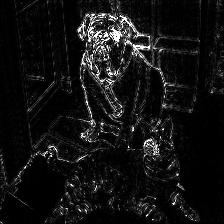
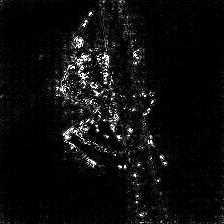
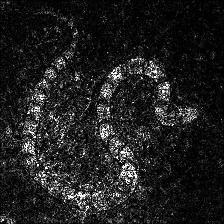
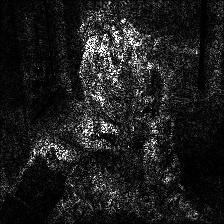
All images are pre-processed with mean and std of the ImageNet dataset before being fed to the model. None of the code uses GPU as these operations are quite fast for a single image (except for deep dream because of the example image that is used for it is huge). You can make use of gpu with very little effort. The example pictures below include numbers in the brackets after the description, like *Mastiff (243)*, this number represents the class id in the ImageNet dataset.
I tried to comment on the code as much as possible, if you have any issues understanding it or porting it, don't hesitate to send an email or create an issue.
Below, are some sample results for each operation.
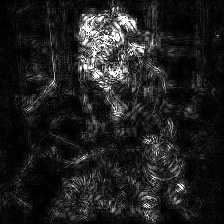
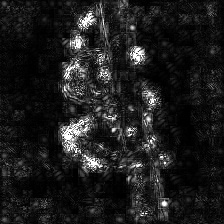
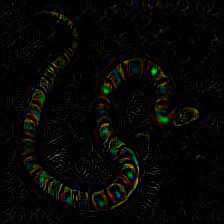
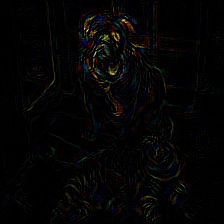
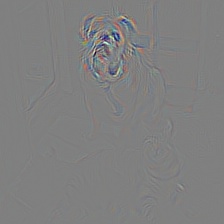
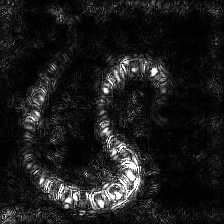
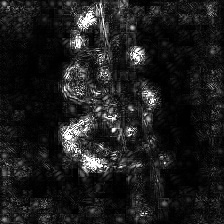
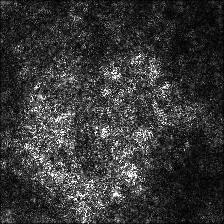
## Gradient Visualization
| |
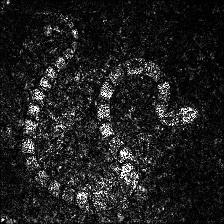
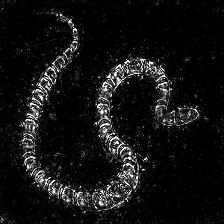
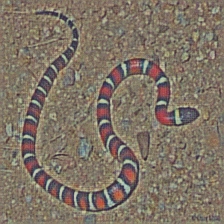
Target class: King Snake (56) |
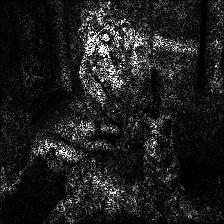
Target class: Mastiff (243) |
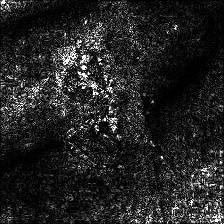
Target class: Spider (72) |
| Original Image |
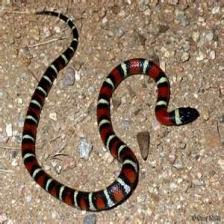
|
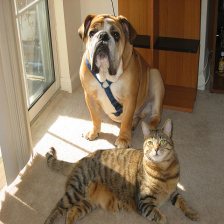
|
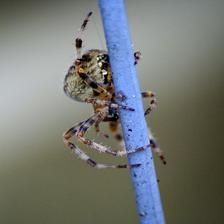
|
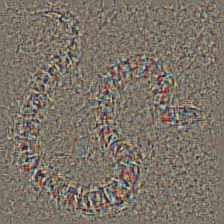
| Colored Vanilla Backpropagation |
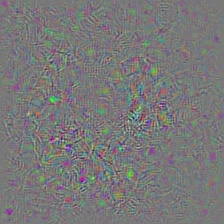
|
|
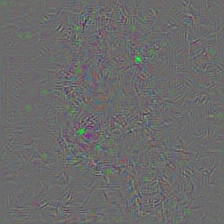
|
Vanilla Backpropagation Saliency |
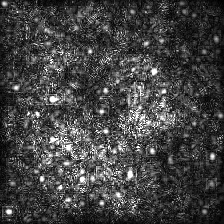
|
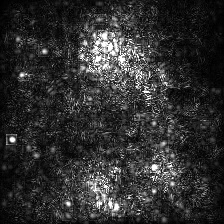
|
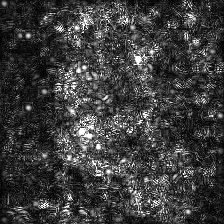
|
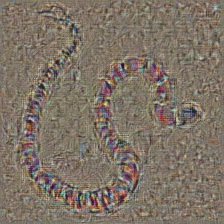
Colored Guided Backpropagation (GB) |
|
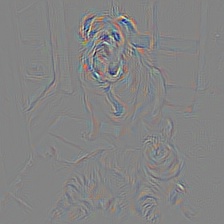
|
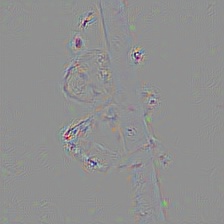
|
Guided Backpropagation Saliency (GB) |
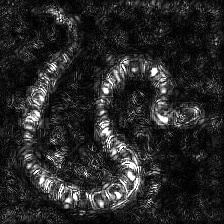
|
|
|
Guided Backpropagation Negative Saliency (GB) |
|
|
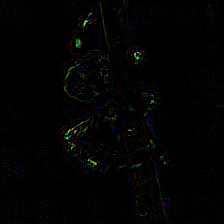
|
Guided Backpropagation Positive Saliency (GB) |
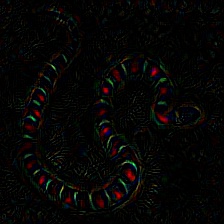
|
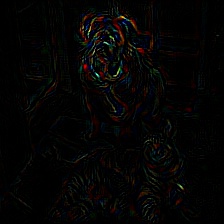
|
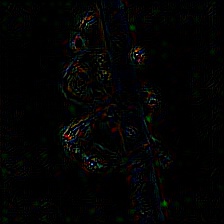
|
Gradient-weighted Class Activation Map (Grad-CAM) |
|
|
|
Gradient-weighted Class Activation Heatmap (Grad-CAM) |
|
|
|
Gradient-weighted Class Activation Heatmap on Image (Grad-CAM) |
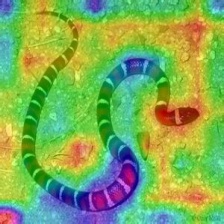
|
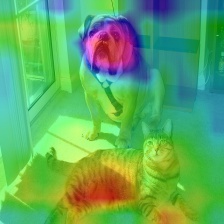
|
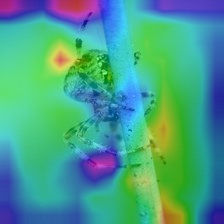
|
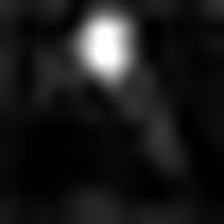
Score-weighted Class Activation Map (Score-CAM) |
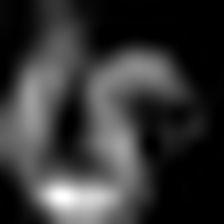
|
|
|
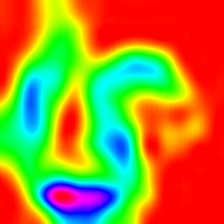
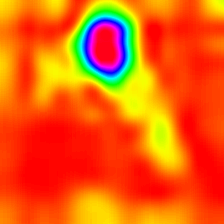
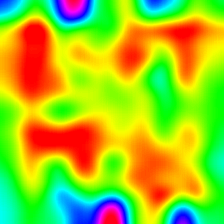
Score-weighted Class Activation Heatmap (Score-CAM) |
|
|
|
Score-weighted Class Activation Heatmap on Image (Score-CAM) |
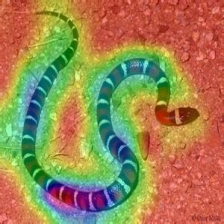
|
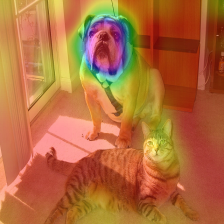
|
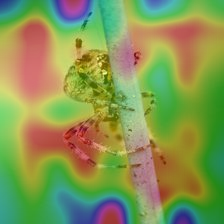
|
Colored Guided Gradient-weighted Class Activation Map (Guided-Grad-CAM) |
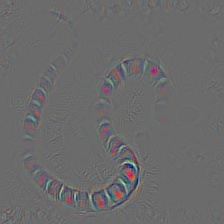
|
|
|
Guided Gradient-weighted Class Activation Map Saliency (Guided-Grad-CAM) |
|
|
|
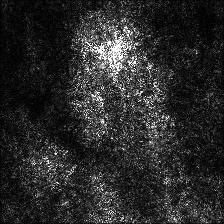
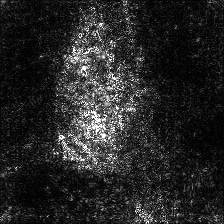
Integrated Gradients (without image multiplication) |
|
|
|
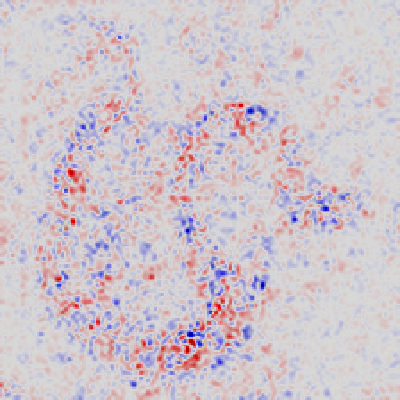
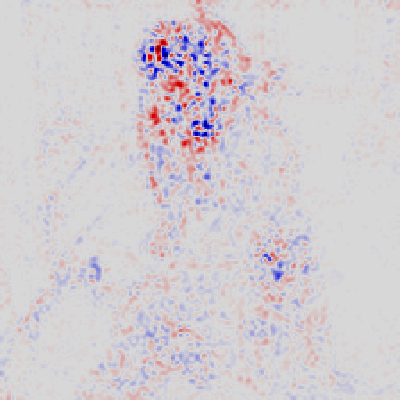
Layerwise Relevance (LRP) - Layer 7 |
|
|
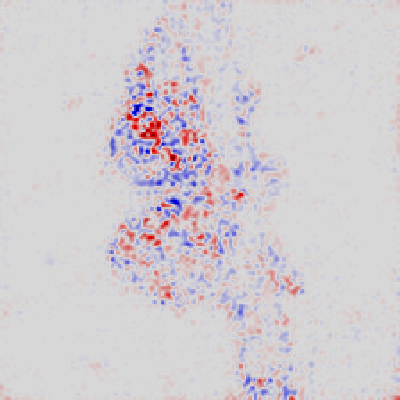
|
Layerwise Relevance (LRP) - Layer 1 |
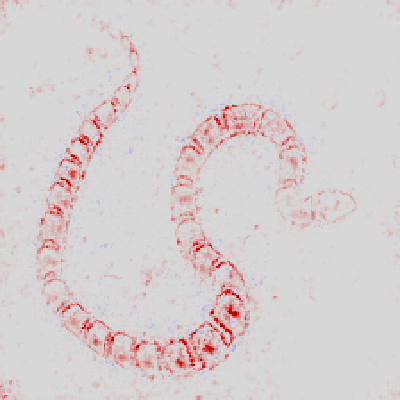
|
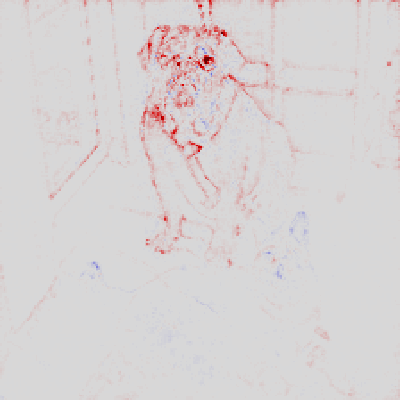
|
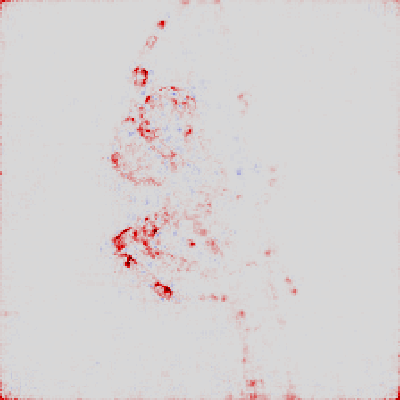
|
## Hierarchical Gradient Visualization
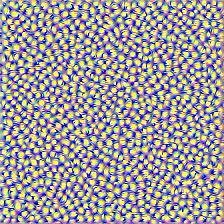
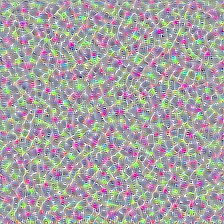
LayerCAM [16] is a simple modification of Grad-CAM [3], which can generate reliable class activation maps from different layers. For the examples provided below, a pre-trained **VGG16** was used.
| |
Class Activation Map |
Class Activation HeatMap |
Class Activation HeatMap on Image |
LayerCAM (Layer 9) |
|
|
|
LayerCAM (Layer 16) |
|
|
|
LayerCAM (Layer 23) |
|
|
|
LayerCAM (Layer 30) |
|
|
|
## Grad Times Image
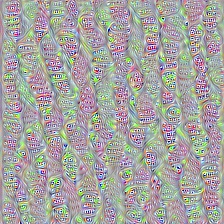
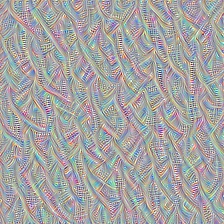
Another technique that is proposed is simply multiplying the gradients with the image itself. Results obtained with the usage of multiple gradient techniques are below.
Vanilla Grad X Image |
|
|
|
Guided Grad X Image |
|
|
|
Integrated Grad X Image |
|
|
|
## Smooth Grad
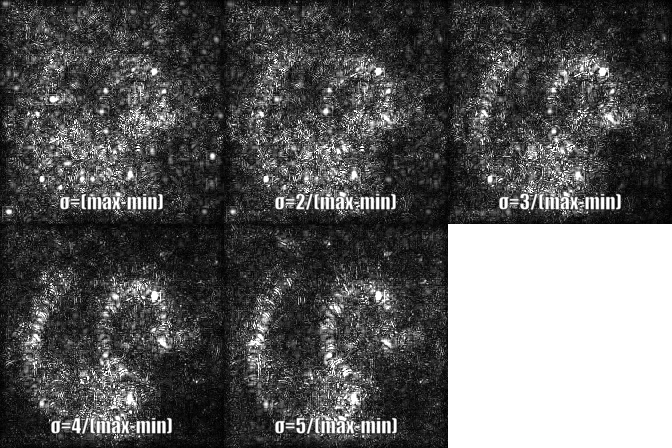
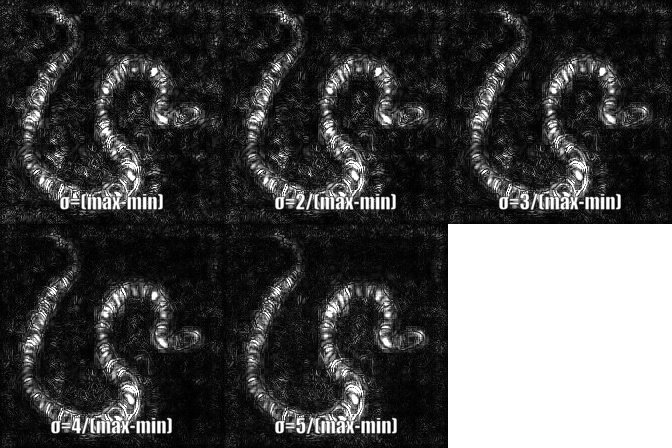
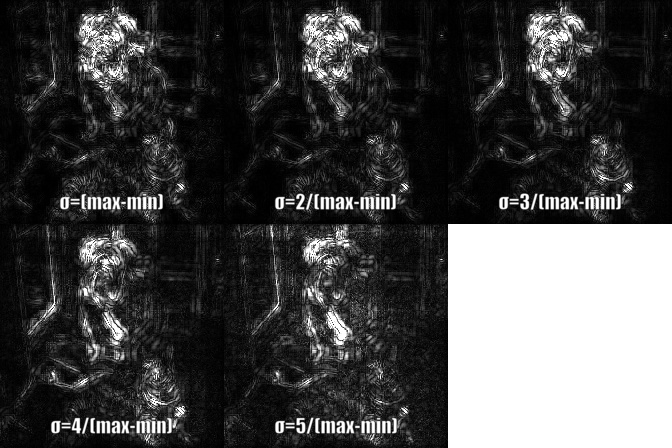
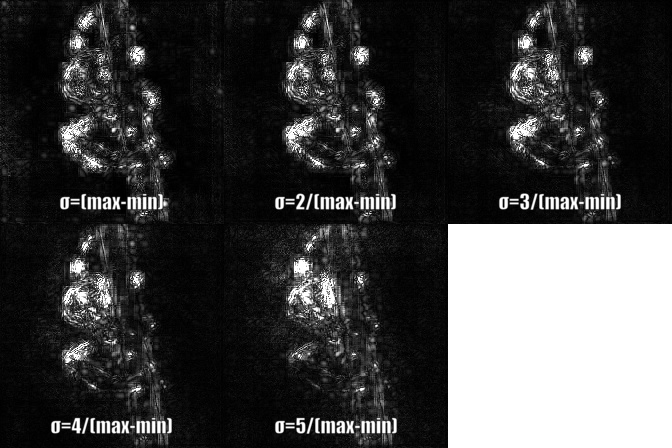
Smooth grad is adding some Gaussian noise to the original image and calculating gradients multiple times and averaging the results [8]. There are two examples at the bottom which use _vanilla_ and _guided_ backpropagation to calculate the gradients. Number of images (_n_) to average over is selected as 50. _σ_ is shown at the bottom of the images.
## Convolutional Neural Network Filter Visualization
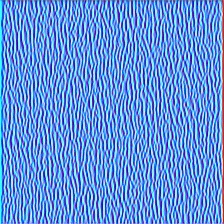
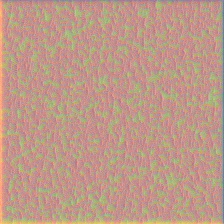
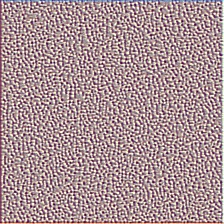
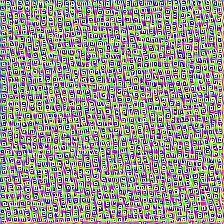
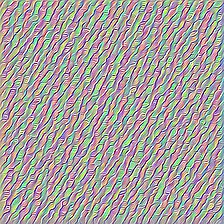
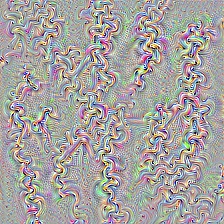
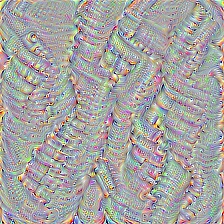
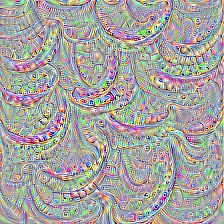
CNN filters can be visualized when we optimize the input image with respect to output of the specific convolution operation. For this example I used a pre-trained **VGG16**. Visualizations of layers start with basic color and direction filters at lower levels. As we approach towards the final layer the complexity of the filters also increase. If you employ external techniques like blurring, gradient clipping etc. you will probably produce better images.
Layer 2 (Conv 1-2) |
|
|
|
Layer 10 (Conv 2-1) |
|
|
|
Layer 17 (Conv 3-1) |
|
|
|
Layer 24 (Conv 4-1) |
|
|
|
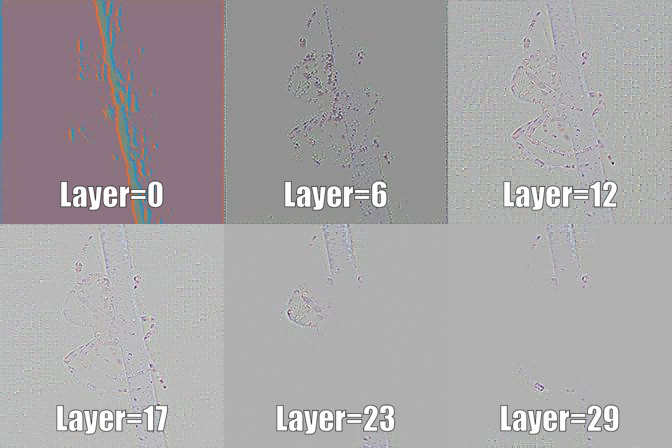
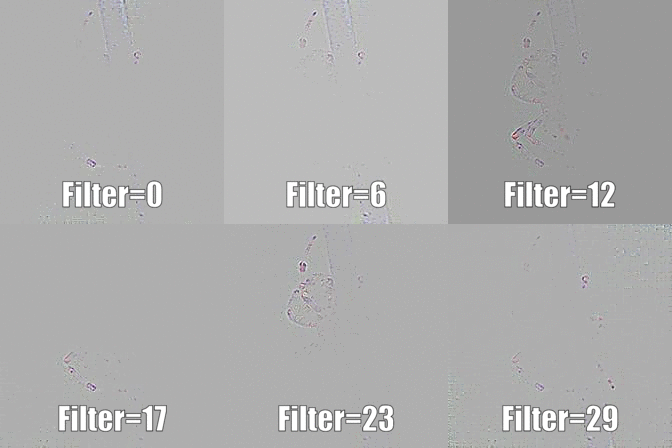
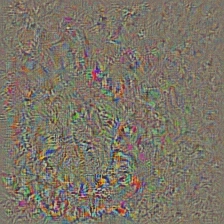
Another way to visualize CNN layers is to to visualize activations for a specific input on a specific layer and filter. This was done in [1] Figure 3. Below example is obtained from layers/filters of VGG16 for the first image using guided backpropagation. The code for this opeations is in *layer_activation_with_guided_backprop.py*. The method is quite similar to guided backpropagation but instead of guiding the signal from the last layer and a specific target, it guides the signal from a specific layer and filter.
| Input Image |
Layer Vis. (Filter=0) |
Filter Vis. (Layer=29) |
|
|
|
## Inverted Image Representations
I think this technique is the most complex technique in this repository in terms of understanding what the code does. It is mainly because of complex regularization. If you truly want to understand how this is implemented I suggest you read the second and third page of the paper [5], specifically, the regularization part. Here, the aim is to generate original image after nth layer. The further we go into the model, the harder it becomes. The results in the paper are incredibly good (see Figure 6) but here, the result quickly becomes messy as we iterate through the layers. This is because the authors of the paper tuned the parameters for each layer individually. You can tune the parameters just like the to ones that are given in the paper to optimize results for each layer. The inverted examples from several layers of **AlexNet** with the previous *Snake* picture are below.
| Layer 0: Conv2d |
Layer 2: MaxPool2d |
Layer 4: ReLU |
|
|
|
| Layer 7: ReLU |
Layer 9: ReLU |
Layer 12: MaxPool2d |
|
|
|
## Deep Dream
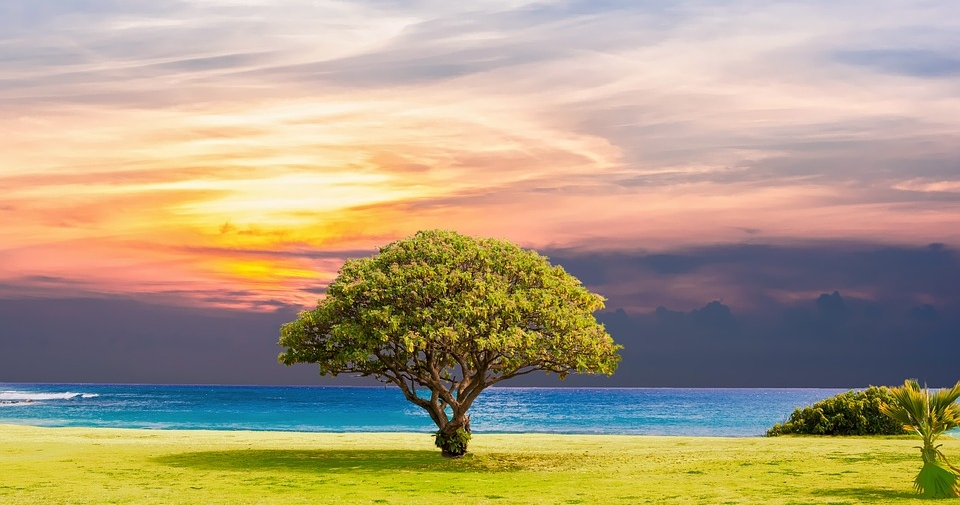
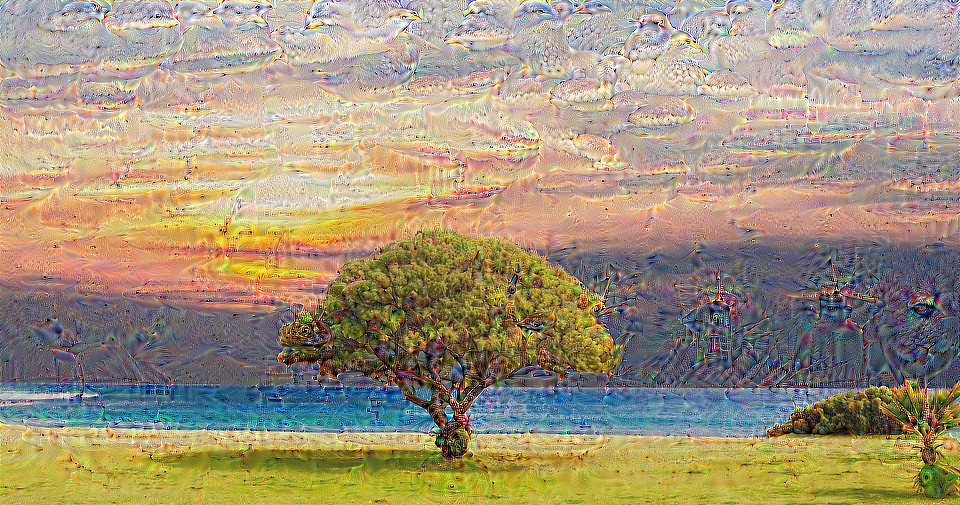
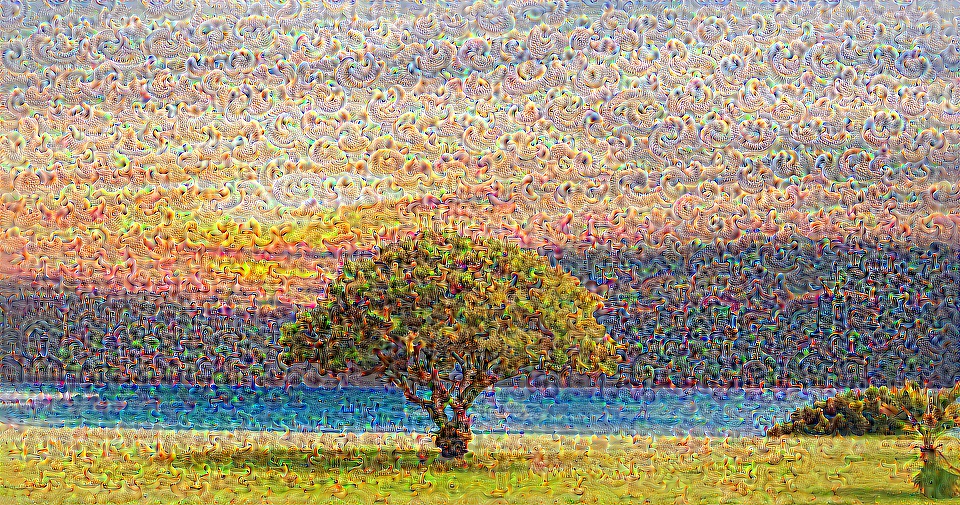
Deep dream is technically the same operation as layer visualization the only difference is that you don't start with a random image but use a real picture. The samples below were created with **VGG19**, the produced result is entirely up to the filter so it is kind of hit or miss. The more complex models produce mode high level features. If you replace **VGG19** with an **Inception** variant you will get more noticable shapes when you target higher conv layers. Like layer visualization, if you employ additional techniques like gradient clipping, blurring etc. you might get better visualizations.
| Original Image |
|
VGG19 Layer: 34 (Final Conv. Layer) Filter: 94 |
|
VGG19 Layer: 34 (Final Conv. Layer) Filter: 103 |
|
## Class Specific Image Generation
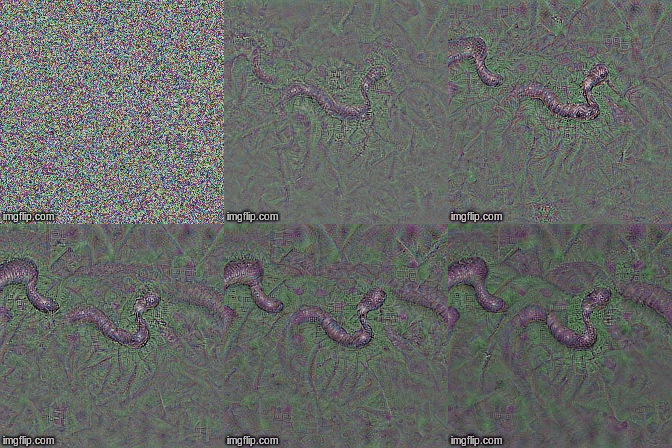
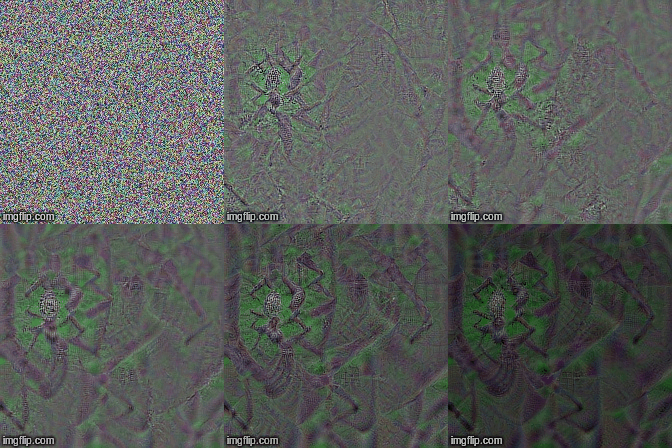
This operation produces different outputs based on the model and the applied regularization method. Below, are some samples produced with **VGG19** incorporated with Gaussian blur every other iteration (see [14] for details). The quality of generated images also depend on the model, **AlexNet** generally has green(ish) artifacts but VGGs produce (kind of) better images. Note that these images are generated with regular CNNs with optimizing the input and **not with GANs**.
| Target class: Worm Snake (52) - (VGG19) |
Target class: Spider (72) - (VGG19) |
|
|
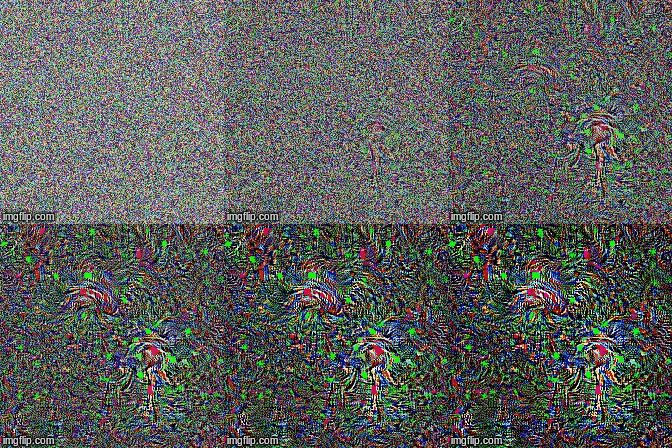
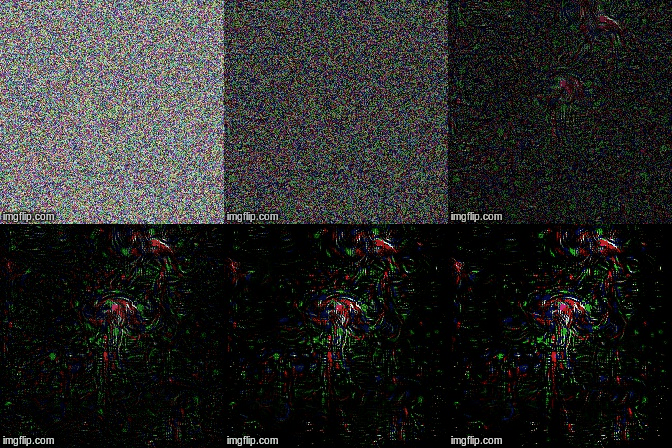
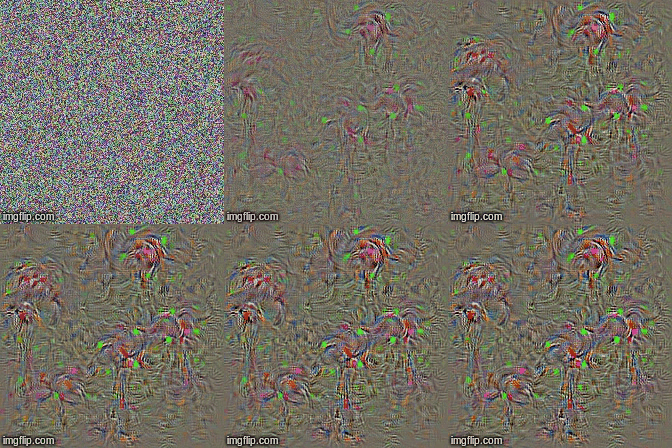
The samples below show the produced image with no regularization, l1 and l2 regularizations on target class: **flamingo** (130) to show the differences between regularization methods. These images are generated with a pretrained AlexNet.
| No Regularization |
L1 Regularization |
L2 Regularization |
|
|
|
Produced samples can further be optimized to resemble the desired target class, some of the operations you can incorporate to improve quality are; blurring, clipping gradients that are below a certain treshold, random color swaps on some parts, random cropping the image, forcing generated image to follow a path to force continuity.
Some of these techniques are implemented in *generate_regularized_class_specific_samples.py* (courtesy of [alexstoken](https://github.com/alexstoken)).
## Requirements:
```
torch == 0.4.1
torchvision >= 0.1.9
numpy >= 1.13.0
matplotlib >= 1.5
PIL >= 1.1.7
```
## Citation
If you find the code in this repository useful for your research consider citing it.
@misc{uozbulak_pytorch_vis_2022,
author = {Utku Ozbulak},
title = {PyTorch CNN Visualizations},
year = {2019},
publisher = {GitHub},
journal = {GitHub repository},
howpublished = {\url{https://github.com/utkuozbulak/pytorch-cnn-visualizations}},
commit = {b7e60adaf64c9be97b480509285718603d1e9ba4}
}
## References:
[1] J. T. Springenberg, A. Dosovitskiy, T. Brox, and M. Riedmiller. *Striving for Simplicity: The All Convolutional Net*, https://arxiv.org/abs/1412.6806
[2] B. Zhou, A. Khosla, A. Lapedriza, A. Oliva, A. Torralba. *Learning Deep Features for Discriminative Localization*, https://arxiv.org/abs/1512.04150
[3] R. R. Selvaraju, A. Das, R. Vedantam, M. Cogswell, D. Parikh, and D. Batra. *Grad-CAM: Visual Explanations from Deep Networks via Gradient-based Localization*, https://arxiv.org/abs/1610.02391
[4] K. Simonyan, A. Vedaldi, A. Zisserman. *Deep Inside Convolutional Networks: Visualising Image Classification Models and Saliency Maps*, https://arxiv.org/abs/1312.6034
[5] A. Mahendran, A. Vedaldi. *Understanding Deep Image Representations by Inverting Them*, https://arxiv.org/abs/1412.0035
[6] H. Noh, S. Hong, B. Han, *Learning Deconvolution Network for Semantic Segmentation* https://www.cv-foundation.org/openaccess/content_iccv_2015/papers/Noh_Learning_Deconvolution_Network_ICCV_2015_paper.pdf
[7] A. Nguyen, J. Yosinski, J. Clune. *Deep Neural Networks are Easily Fooled: High Confidence Predictions for Unrecognizable Images* https://arxiv.org/abs/1412.1897
[8] D. Smilkov, N. Thorat, N. Kim, F. Viégas, M. Wattenberg. *SmoothGrad: removing noise by adding noise* https://arxiv.org/abs/1706.03825
[9] D. Erhan, Y. Bengio, A. Courville, P. *Vincent. Visualizing Higher-Layer Features of a Deep Network* https://www.researchgate.net/publication/265022827_Visualizing_Higher-Layer_Features_of_a_Deep_Network
[10] A. Mordvintsev, C. Olah, M. Tyka. *Inceptionism: Going Deeper into Neural Networks* https://research.googleblog.com/2015/06/inceptionism-going-deeper-into-neural.html
[11] I. J. Goodfellow, J. Shlens, C. Szegedy. *Explaining and Harnessing Adversarial Examples* https://arxiv.org/abs/1412.6572
[12] A. Shrikumar, P. Greenside, A. Shcherbina, A. Kundaje. *Not Just a Black Box: Learning Important Features Through Propagating Activation Differences* https://arxiv.org/abs/1605.01713
[13] M. Sundararajan, A. Taly, Q. Yan. *Axiomatic Attribution for Deep Networks* https://arxiv.org/abs/1703.01365
[14] J. Yosinski, J. Clune, A. Nguyen, T. Fuchs, Hod Lipson, *Understanding Neural Networks Through Deep Visualization* https://arxiv.org/abs/1506.06579
[15] H. Wang, Z. Wang, M. Du, F. Yang, Z. Zhang, S. Ding, P. Mardziel, X. Hu. *Score-CAM: Score-Weighted Visual Explanations for Convolutional Neural Networks* https://arxiv.org/abs/1910.01279
[16] P. Jiang, C. Zhang, Q. Hou, M. Cheng, Y. Wei. LayerCAM: *Exploring Hierarchical Class Activation Maps for Localization* http://mmcheng.net/mftp/Papers/21TIP_LayerCAM.pdf
[17] G. Montavon1, A. Binder, S. Lapuschkin, W. Samek, and K. Muller. *Layer-Wise Relevance Propagation: An Overview* https://www.researchgate.net/publication/335708351_Layer-Wise_Relevance_Propagation_An_Overview
================================================
FILE: src/LRP.py
================================================
# -*- coding: utf-8 -*-
"""
Created on Mon Mar 14 13:32:09 2022
@author: ut
"""
import copy
import numpy as np
from PIL import Image
import torch
import torch.nn as nn
from misc_functions import apply_heatmap, get_example_params
class LRP():
"""
Layer-wise relevance propagation with gamma+epsilon rule
This code is largely based on the code shared in: https://git.tu-berlin.de/gmontavon/lrp-tutorial
Some stuff is removed, some stuff is cleaned, and some stuff is re-organized compared to that repository.
"""
def __init__(self, model):
self.model = model
def LRP_forward(self, layer, input_tensor, gamma=None, epsilon=None):
# This implementation uses both gamma and epsilon rule for all layers
# The original paper argues that it might be beneficial to sometimes use
# or not use gamma/epsilon rule depending on the layer location
# Have a look a the paper and adjust the code according to your needs
# LRP-Gamma rule
if gamma is None:
gamma = lambda value: value + 0.05 * copy.deepcopy(value.data.detach()).clamp(min=0)
# LRP-Epsilon rule
if epsilon is None:
eps = 1e-9
epsilon = lambda value: value + eps
# Copy the layer to prevent breaking the graph
layer = copy.deepcopy(layer)
# Modify weight and bias with the gamma rule
try:
layer.weight = nn.Parameter(gamma(layer.weight))
except AttributeError:
pass
# print('This layer has no weight')
try:
layer.bias = nn.Parameter(gamma(layer.bias))
except AttributeError:
pass
# print('This layer has no bias')
# Forward with gamma + epsilon rule
return epsilon(layer(input_tensor))
def LRP_step(self, forward_output, layer, LRP_next_layer):
# Enable the gradient flow
forward_output = forward_output.requires_grad_(True)
# Get LRP forward out based on the LRP rules
lrp_rule_forward_out = self.LRP_forward(layer, forward_output, None, None)
# Perform element-wise division
ele_div = (LRP_next_layer / lrp_rule_forward_out).data
# Propagate
(lrp_rule_forward_out * ele_div).sum().backward()
# Get the visualization
LRP_this_layer = (forward_output * forward_output.grad).data
return LRP_this_layer
def generate(self, input_image, target_class):
layers_in_model = list(self.model._modules['features']) + list(self.model._modules['classifier'])
number_of_layers = len(layers_in_model)
# Needed to know where flattening happens
features_to_classifier_loc = len(self.model._modules['features'])
# Forward outputs start with the input image
forward_output = [input_image]
# Then we do forward pass with each layer
for conv_layer in list(self.model._modules['features']):
forward_output.append(conv_layer.forward(forward_output[-1].detach()))
# To know the change in the dimensions between features and classifier
feature_to_class_shape = forward_output[-1].shape
# Flatten so we can continue doing forward passes at classifier layers
forward_output[-1] = torch.flatten(forward_output[-1], 1)
for index, classifier_layer in enumerate(list(self.model._modules['classifier'])):
forward_output.append(classifier_layer.forward(forward_output[-1].detach()))
# Target for backprop
target_class_one_hot = torch.FloatTensor(1, 1000).zero_()
target_class_one_hot[0][target_class] = 1
# This is where we accumulate the LRP results
LRP_per_layer = [None] * number_of_layers + [(forward_output[-1] * target_class_one_hot).data]
for layer_index in range(1, number_of_layers)[::-1]:
# This is where features to classifier change happens
# Have to flatten the lrp of the next layer to match the dimensions
if layer_index == features_to_classifier_loc-1:
LRP_per_layer[layer_index+1] = LRP_per_layer[layer_index+1].reshape(feature_to_class_shape)
if isinstance(layers_in_model[layer_index], (torch.nn.Linear, torch.nn.Conv2d, torch.nn.MaxPool2d)):
# In the paper implementation, they replace maxpool with avgpool because of certain properties
# I didn't want to modify the model like the original implementation but
# feel free to modify this part according to your need(s)
lrp_this_layer = self.LRP_step(forward_output[layer_index], layers_in_model[layer_index], LRP_per_layer[layer_index+1])
LRP_per_layer[layer_index] = lrp_this_layer
else:
LRP_per_layer[layer_index] = LRP_per_layer[layer_index+1]
return LRP_per_layer
if __name__ == '__main__':
# Get params
target_example = 2 # Spider
(original_image, prep_img, target_class, file_name_to_export, pretrained_model) =\
get_example_params(target_example)
# LRP
layerwise_relevance = LRP(pretrained_model)
# Generate visualization(s)
LRP_per_layer = layerwise_relevance.generate(prep_img, target_class)
# Convert the output nicely, selecting the first layer
lrp_to_vis = np.array(LRP_per_layer[1][0]).sum(axis=0)
lrp_to_vis = np.array(Image.fromarray(lrp_to_vis).resize((prep_img.shape[2],
prep_img.shape[3]), Image.ANTIALIAS))
# Apply heatmap and save
heatmap = apply_heatmap(lrp_to_vis, 4, 4)
heatmap.figure.savefig('../results/LRP_out.png')
================================================
FILE: src/cnn_layer_visualization.py
================================================
"""
Created on Sat Nov 18 23:12:08 2017
@author: Utku Ozbulak - github.com/utkuozbulak
"""
import os
import numpy as np
import torch
from torch.optim import Adam
from torchvision import models
from misc_functions import preprocess_image, recreate_image, save_image
class CNNLayerVisualization():
"""
Produces an image that minimizes the loss of a convolution
operation for a specific layer and filter
"""
def __init__(self, model, selected_layer, selected_filter):
self.model = model
self.model.eval()
self.selected_layer = selected_layer
self.selected_filter = selected_filter
self.conv_output = 0
# Create the folder to export images if not exists
if not os.path.exists('../generated'):
os.makedirs('../generated')
def hook_layer(self):
def hook_function(module, grad_in, grad_out):
# Gets the conv output of the selected filter (from selected layer)
self.conv_output = grad_out[0, self.selected_filter]
# Hook the selected layer
self.model[self.selected_layer].register_forward_hook(hook_function)
def visualise_layer_with_hooks(self):
# Hook the selected layer
self.hook_layer()
# Generate a random image
random_image = np.uint8(np.random.uniform(150, 180, (224, 224, 3)))
# Process image and return variable
processed_image = preprocess_image(random_image, False)
# Define optimizer for the image
optimizer = Adam([processed_image], lr=0.1, weight_decay=1e-6)
for i in range(1, 31):
optimizer.zero_grad()
# Assign create image to a variable to move forward in the model
x = processed_image
for index, layer in enumerate(self.model):
# Forward pass layer by layer
# x is not used after this point because it is only needed to trigger
# the forward hook function
x = layer(x)
# Only need to forward until the selected layer is reached
if index == self.selected_layer:
# (forward hook function triggered)
break
# Loss function is the mean of the output of the selected layer/filter
# We try to minimize the mean of the output of that specific filter
loss = -torch.mean(self.conv_output)
print('Iteration:', str(i), 'Loss:', "{0:.2f}".format(loss.data.numpy()))
# Backward
loss.backward()
# Update image
optimizer.step()
# Recreate image
self.created_image = recreate_image(processed_image)
# Save image
if i % 5 == 0:
im_path = '../generated/layer_vis_l' + str(self.selected_layer) + \
'_f' + str(self.selected_filter) + '_iter' + str(i) + '.jpg'
save_image(self.created_image, im_path)
def visualise_layer_without_hooks(self):
# Process image and return variable
# Generate a random image
random_image = np.uint8(np.random.uniform(150, 180, (224, 224, 3)))
# Process image and return variable
processed_image = preprocess_image(random_image, False)
# Define optimizer for the image
optimizer = Adam([processed_image], lr=0.1, weight_decay=1e-6)
for i in range(1, 31):
optimizer.zero_grad()
# Assign create image to a variable to move forward in the model
x = processed_image
for index, layer in enumerate(self.model):
# Forward pass layer by layer
x = layer(x)
if index == self.selected_layer:
# Only need to forward until the selected layer is reached
# Now, x is the output of the selected layer
break
# Here, we get the specific filter from the output of the convolution operation
# x is a tensor of shape 1x512x28x28.(For layer 17)
# So there are 512 unique filter outputs
# Following line selects a filter from 512 filters so self.conv_output will become
# a tensor of shape 28x28
self.conv_output = x[0, self.selected_filter]
# Loss function is the mean of the output of the selected layer/filter
# We try to minimize the mean of the output of that specific filter
loss = -torch.mean(self.conv_output)
print('Iteration:', str(i), 'Loss:', "{0:.2f}".format(loss.data.numpy()))
# Backward
loss.backward()
# Update image
optimizer.step()
# Recreate image
self.created_image = recreate_image(processed_image)
# Save image
if i % 5 == 0:
im_path = '../generated/layer_vis_l' + str(self.selected_layer) + \
'_f' + str(self.selected_filter) + '_iter' + str(i) + '.jpg'
save_image(self.created_image, im_path)
if __name__ == '__main__':
cnn_layer = 17
filter_pos = 5
# Fully connected layer is not needed
pretrained_model = models.vgg16(pretrained=True).features
layer_vis = CNNLayerVisualization(pretrained_model, cnn_layer, filter_pos)
# Layer visualization with pytorch hooks
layer_vis.visualise_layer_with_hooks()
# Layer visualization without pytorch hooks
# layer_vis.visualise_layer_without_hooks()
================================================
FILE: src/deep_dream.py
================================================
"""
Created on Mon Nov 21 21:57:29 2017
@author: Utku Ozbulak - github.com/utkuozbulak
"""
import os
from PIL import Image
import torch
from torch.optim import SGD
from torchvision import models
from misc_functions import preprocess_image, recreate_image, save_image
class DeepDream():
"""
Produces an image that minimizes the loss of a convolution
operation for a specific layer and filter
"""
def __init__(self, model, selected_layer, selected_filter, im_path):
self.model = model
self.model.eval()
self.selected_layer = selected_layer
self.selected_filter = selected_filter
self.conv_output = 0
# Generate a random image
self.created_image = Image.open(im_path).convert('RGB')
# Hook the layers to get result of the convolution
self.hook_layer()
# Create the folder to export images if not exists
if not os.path.exists('../generated'):
os.makedirs('../generated')
def hook_layer(self):
def hook_function(module, grad_in, grad_out):
# Gets the conv output of the selected filter (from selected layer)
self.conv_output = grad_out[0, self.selected_filter]
# Hook the selected layer
self.model[self.selected_layer].register_forward_hook(hook_function)
def dream(self):
# Process image and return variable
self.processed_image = preprocess_image(self.created_image, True)
# Define optimizer for the image
# Earlier layers need higher learning rates to visualize whereas layer layers need less
optimizer = SGD([self.processed_image], lr=12, weight_decay=1e-4)
for i in range(1, 251):
optimizer.zero_grad()
# Assign create image to a variable to move forward in the model
x = self.processed_image
for index, layer in enumerate(self.model):
# Forward
x = layer(x)
# Only need to forward until we the selected layer is reached
if index == self.selected_layer:
break
# Loss function is the mean of the output of the selected layer/filter
# We try to minimize the mean of the output of that specific filter
loss = -torch.mean(self.conv_output)
print('Iteration:', str(i), 'Loss:', "{0:.2f}".format(loss.data.numpy()))
# Backward
loss.backward()
# Update image
optimizer.step()
# Recreate image
self.created_image = recreate_image(self.processed_image)
# Save image every 20 iteration
if i % 10 == 0:
print(self.created_image.shape)
im_path = '../generated/ddream_l' + str(self.selected_layer) + \
'_f' + str(self.selected_filter) + '_iter' + str(i) + '.jpg'
save_image(self.created_image, im_path)
if __name__ == '__main__':
# THIS OPERATION IS MEMORY HUNGRY! #
# Because of the selected image is very large
# If it gives out of memory error or locks the computer
# Try it with a smaller image
cnn_layer = 34
filter_pos = 94
im_path = '../input_images/dd_tree.png'
# Fully connected layer is not needed
pretrained_model = models.vgg19(pretrained=True).features
dd = DeepDream(pretrained_model, cnn_layer, filter_pos, im_path)
# This operation can also be done without Pytorch hooks
# See layer visualisation for the implementation without hooks
dd.dream()
================================================
FILE: src/generate_class_specific_samples.py
================================================
"""
Created on Thu Oct 26 14:19:44 2017
@author: Utku Ozbulak - github.com/utkuozbulak
"""
import os
import numpy as np
import torch
from torch.optim import SGD
from torchvision import models
from misc_functions import preprocess_image, recreate_image, save_image
class ClassSpecificImageGeneration():
"""
Produces an image that maximizes a certain class with gradient ascent
"""
def __init__(self, model, target_class):
self.mean = [-0.485, -0.456, -0.406]
self.std = [1/0.229, 1/0.224, 1/0.225]
self.model = model
self.model.eval()
self.target_class = target_class
# Generate a random image
self.created_image = np.uint8(np.random.uniform(0, 255, (224, 224, 3)))
# Create the folder to export images if not exists
if not os.path.exists('../generated/class_'+str(self.target_class)):
os.makedirs('../generated/class_'+str(self.target_class))
def generate(self, iterations=150):
"""Generates class specific image
Keyword Arguments:
iterations {int} -- Total iterations for gradient ascent (default: {150})
Returns:
np.ndarray -- Final maximally activated class image
"""
initial_learning_rate = 6
for i in range(1, iterations):
# Process image and return variable
self.processed_image = preprocess_image(self.created_image, False)
# Define optimizer for the image
optimizer = SGD([self.processed_image], lr=initial_learning_rate)
# Forward
output = self.model(self.processed_image)
# Target specific class
class_loss = -output[0, self.target_class]
if i % 10 == 0 or i == iterations-1:
print('Iteration:', str(i), 'Loss',
"{0:.2f}".format(class_loss.data.numpy()))
# Zero grads
self.model.zero_grad()
# Backward
class_loss.backward()
# Update image
optimizer.step()
# Recreate image
self.created_image = recreate_image(self.processed_image)
if i % 10 == 0 or i == iterations-1:
# Save image
im_path = '../generated/class_'+str(self.target_class)+'/c_'+str(self.target_class)+'_'+'iter_'+str(i)+'.png'
save_image(self.created_image, im_path)
return self.processed_image
if __name__ == '__main__':
target_class = 130 # Flamingo
pretrained_model = models.alexnet(pretrained=True)
csig = ClassSpecificImageGeneration(pretrained_model, target_class)
csig.generate()
================================================
FILE: src/generate_regularized_class_specific_samples.py
================================================
"""
Created on Tues Mar 10 08:13:15 2020
@author: Alex Stoken - https://github.com/alexstoken
Last tested with torchvision 0.5.0 with image and model on cpu
"""
import os
import numpy as np
from PIL import Image, ImageFilter
import torch
from torch.optim import SGD
from torch.autograd import Variable
from torchvision import models
from misc_functions import recreate_image, save_image
use_cuda = torch.cuda.is_available()
class RegularizedClassSpecificImageGeneration():
"""
Produces an image that maximizes a certain class with gradient ascent. Uses Gaussian blur, weight decay, and clipping.
"""
def __init__(self, model, target_class):
self.mean = [-0.485, -0.456, -0.406]
self.std = [1/0.229, 1/0.224, 1/0.225]
self.model = model.cuda() if use_cuda else model
self.model.eval()
self.target_class = target_class
# Generate a random image
self.created_image = np.uint8(np.random.uniform(0, 255, (224, 224, 3)))
# Create the folder to export images if not exists
if not os.path.exists(f'../generated/class_{self.target_class}'):
os.makedirs(f'../generated/class_{self.target_class}')
def generate(self, iterations=150, blur_freq=4, blur_rad=1, wd=0.0001, clipping_value=0.1):
"""Generates class specific image with enhancements to improve image quality.
See https://arxiv.org/abs/1506.06579 for details on each argument's effect on output quality.
Play around with combinations of arguments. Besides the defaults, this combination has produced good images:
blur_freq=6, blur_rad=0.8, wd = 0.05
Keyword Arguments:
iterations {int} -- Total iterations for gradient ascent (default: {150})
blur_freq {int} -- Frequency of Gaussian blur effect, in iterations (default: {6})
blur_rad {float} -- Radius for gaussian blur, passed to PIL.ImageFilter.GaussianBlur() (default: {0.8})
wd {float} -- Weight decay value for Stochastic Gradient Ascent (default: {0.05})
clipping_value {None or float} -- Value for gradient clipping (default: {0.1})
Returns:
np.ndarray -- Final maximally activated class image
"""
initial_learning_rate = 6
for i in range(1, iterations):
# Process image and return variable
#implement gaussian blurring every ith iteration
#to improve output
if i % blur_freq == 0:
self.processed_image = preprocess_and_blur_image(
self.created_image, False, blur_rad)
else:
self.processed_image = preprocess_and_blur_image(
self.created_image, False)
if use_cuda:
self.processed_image = self.processed_image.cuda()
# Define optimizer for the image - use weight decay to add regularization
# in SGD, wd = 2 * L2 regularization (https://bbabenko.github.io/weight-decay/)
optimizer = SGD([self.processed_image],
lr=initial_learning_rate, weight_decay=wd)
# Forward
output = self.model(self.processed_image)
# Target specific class
class_loss = -output[0, self.target_class]
if i in np.linspace(0, iterations, 10, dtype=int):
print('Iteration:', str(i), 'Loss',
"{0:.2f}".format(class_loss.data.cpu().numpy()))
# Zero grads
self.model.zero_grad()
# Backward
class_loss.backward()
if clipping_value:
torch.nn.utils.clip_grad_norm(
self.model.parameters(), clipping_value)
# Update image
optimizer.step()
# Recreate image
self.created_image = recreate_image(self.processed_image.cpu())
if i in np.linspace(0, iterations, 10, dtype=int):
# Save image
im_path = f'../generated/class_{self.target_class}/c_{self.target_class}_iter_{i}_loss_{class_loss.data.cpu().numpy()}.jpg'
save_image(self.created_image, im_path)
#save final image
im_path = f'../generated/class_{self.target_class}/c_{self.target_class}_iter_{i}_loss_{class_loss.data.cpu().numpy()}.jpg'
save_image(self.created_image, im_path)
#write file with regularization details
with open(f'../generated/class_{self.target_class}/run_details.txt', 'w') as f:
f.write(f'Iterations: {iterations}\n')
f.write(f'Blur freq: {blur_freq}\n')
f.write(f'Blur radius: {blur_rad}\n')
f.write(f'Weight decay: {wd}\n')
f.write(f'Clip value: {clipping_value}\n')
#rename folder path with regularization details for easy access
os.rename(f'../generated/class_{self.target_class}',
f'../generated/class_{self.target_class}_blurfreq_{blur_freq}_blurrad_{blur_rad}_wd{wd}')
return self.processed_image
def preprocess_and_blur_image(pil_im, resize_im=True, blur_rad=None):
"""
Processes image with optional Gaussian blur for CNNs
Args:
PIL_img (PIL_img): PIL Image or numpy array to process
resize_im (bool): Resize to 224 or not
blur_rad (int): Pixel radius for Gaussian blurring (default = None)
returns:
im_as_var (torch variable): Variable that contains processed float tensor
"""
# mean and std list for channels (Imagenet)
mean = [0.485, 0.456, 0.406]
std = [0.229, 0.224, 0.225]
#ensure or transform incoming image to PIL image
if type(pil_im) != Image.Image:
try:
pil_im = Image.fromarray(pil_im)
except Exception as e:
print(
"could not transform PIL_img to a PIL Image object. Please check input.")
# Resize image
if resize_im:
pil_im.thumbnail((224, 224))
#add gaussin blur to image
if blur_rad:
pil_im = pil_im.filter(ImageFilter.GaussianBlur(blur_rad))
im_as_arr = np.float32(pil_im)
im_as_arr = im_as_arr.transpose(2, 0, 1) # Convert array to D,W,H
# Normalize the channels
for channel, _ in enumerate(im_as_arr):
im_as_arr[channel] /= 255
im_as_arr[channel] -= mean[channel]
im_as_arr[channel] /= std[channel]
# Convert to float tensor
im_as_ten = torch.from_numpy(im_as_arr).float()
# Add one more channel to the beginning. Tensor shape = 1,3,224,224
im_as_ten.unsqueeze_(0)
# Convert to Pytorch variable
if use_cuda:
im_as_var = Variable(im_as_ten.cuda(), requires_grad=True)
else:
im_as_var = Variable(im_as_ten, requires_grad=True)
return im_as_var
if __name__ == '__main__':
target_class = 130 # Flamingo
pretrained_model = models.alexnet(pretrained=True)
csig = RegularizedClassSpecificImageGeneration(pretrained_model, target_class)
csig.generate()
================================================
FILE: src/grad_times_image.py
================================================
"""
Created on Wed Jun 19 17:12:04 2019
@author: Utku Ozbulak - github.com/utkuozbulak
"""
from misc_functions import (get_example_params,
convert_to_grayscale,
save_gradient_images)
from vanilla_backprop import VanillaBackprop
# from guided_backprop import GuidedBackprop # To use with guided backprop
# from integrated_gradients import IntegratedGradients # To use with integrated grads
if __name__ == '__main__':
# Get params
target_example = 0 # Snake
(original_image, prep_img, target_class, file_name_to_export, pretrained_model) =\
get_example_params(target_example)
# Vanilla backprop
VBP = VanillaBackprop(pretrained_model)
# Generate gradients
vanilla_grads = VBP.generate_gradients(prep_img, target_class)
# Make sure dimensions add up!
grad_times_image = vanilla_grads * prep_img.detach().numpy()[0]
# Convert to grayscale
grayscale_vanilla_grads = convert_to_grayscale(grad_times_image)
# Save grayscale gradients
save_gradient_images(grayscale_vanilla_grads,
file_name_to_export + '_Vanilla_grad_times_image_gray')
print('Grad times image completed.')
================================================
FILE: src/gradcam.py
================================================
"""
Created on Thu Oct 26 11:06:51 2017
@author: Utku Ozbulak - github.com/utkuozbulak
"""
from PIL import Image
import numpy as np
import torch
from misc_functions import get_example_params, save_class_activation_images
class CamExtractor():
"""
Extracts cam features from the model
"""
def __init__(self, model, target_layer):
self.model = model
self.target_layer = target_layer
self.gradients = None
def save_gradient(self, grad):
self.gradients = grad
def forward_pass_on_convolutions(self, x):
"""
Does a forward pass on convolutions, hooks the function at given layer
"""
conv_output = None
for module_pos, module in self.model.features._modules.items():
x = module(x) # Forward
if int(module_pos) == self.target_layer:
x.register_hook(self.save_gradient)
conv_output = x # Save the convolution output on that layer
return conv_output, x
def forward_pass(self, x):
"""
Does a full forward pass on the model
"""
# Forward pass on the convolutions
conv_output, x = self.forward_pass_on_convolutions(x)
x = x.view(x.size(0), -1) # Flatten
# Forward pass on the classifier
x = self.model.classifier(x)
return conv_output, x
class GradCam():
"""
Produces class activation map
"""
def __init__(self, model, target_layer):
self.model = model
self.model.eval()
# Define extractor
self.extractor = CamExtractor(self.model, target_layer)
def generate_cam(self, input_image, target_class=None):
# Full forward pass
# conv_output is the output of convolutions at specified layer
# model_output is the final output of the model (1, 1000)
conv_output, model_output = self.extractor.forward_pass(input_image)
if target_class is None:
target_class = np.argmax(model_output.data.numpy())
# Target for backprop
one_hot_output = torch.FloatTensor(1, model_output.size()[-1]).zero_()
one_hot_output[0][target_class] = 1
# Zero grads
self.model.features.zero_grad()
self.model.classifier.zero_grad()
# Backward pass with specified target
model_output.backward(gradient=one_hot_output, retain_graph=True)
# Get hooked gradients
guided_gradients = self.extractor.gradients.data.numpy()[0]
# Get convolution outputs
target = conv_output.data.numpy()[0]
# Get weights from gradients
weights = np.mean(guided_gradients, axis=(1, 2)) # Take averages for each gradient
# Create empty numpy array for cam
cam = np.ones(target.shape[1:], dtype=np.float32)
# Have a look at issue #11 to check why the above is np.ones and not np.zeros
# Multiply each weight with its conv output and then, sum
for i, w in enumerate(weights):
cam += w * target[i, :, :]
cam = np.maximum(cam, 0)
cam = (cam - np.min(cam)) / (np.max(cam) - np.min(cam)) # Normalize between 0-1
cam = np.uint8(cam * 255) # Scale between 0-255 to visualize
cam = np.uint8(Image.fromarray(cam).resize((input_image.shape[2],
input_image.shape[3]), Image.ANTIALIAS))/255
# ^ I am extremely unhappy with this line. Originally resizing was done in cv2 which
# supports resizing numpy matrices with antialiasing, however,
# when I moved the repository to PIL, this option was out of the window.
# So, in order to use resizing with ANTIALIAS feature of PIL,
# I briefly convert matrix to PIL image and then back.
# If there is a more beautiful way, do not hesitate to send a PR.
# You can also use the code below instead of the code line above, suggested by @ ptschandl
# from scipy.ndimage.interpolation import zoom
# cam = zoom(cam, np.array(input_image[0].shape[1:])/np.array(cam.shape))
return cam
if __name__ == '__main__':
# Get params
target_example = 0 # Snake
(original_image, prep_img, target_class, file_name_to_export, pretrained_model) =\
get_example_params(target_example)
# Grad cam
grad_cam = GradCam(pretrained_model, target_layer=11)
# Generate cam mask
cam = grad_cam.generate_cam(prep_img, target_class)
# Save mask
save_class_activation_images(original_image, cam, file_name_to_export)
print('Grad cam completed')
================================================
FILE: src/guided_backprop.py
================================================
"""
Created on Thu Oct 26 11:23:47 2017
@author: Utku Ozbulak - github.com/utkuozbulak
"""
import torch
from torch.nn import ReLU
from misc_functions import (get_example_params,
convert_to_grayscale,
save_gradient_images,
get_positive_negative_saliency)
class GuidedBackprop():
"""
Produces gradients generated with guided back propagation from the given image
"""
def __init__(self, model):
self.model = model
self.gradients = None
self.forward_relu_outputs = []
# Put model in evaluation mode
self.model.eval()
self.update_relus()
self.hook_layers()
def hook_layers(self):
def hook_function(module, grad_in, grad_out):
self.gradients = grad_in[0]
# Register hook to the first layer
first_layer = list(self.model.features._modules.items())[0][1]
first_layer.register_backward_hook(hook_function)
def update_relus(self):
"""
Updates relu activation functions so that
1- stores output in forward pass
2- imputes zero for gradient values that are less than zero
"""
def relu_backward_hook_function(module, grad_in, grad_out):
"""
If there is a negative gradient, change it to zero
"""
# Get last forward output
corresponding_forward_output = self.forward_relu_outputs[-1]
corresponding_forward_output[corresponding_forward_output > 0] = 1
modified_grad_out = corresponding_forward_output * torch.clamp(grad_in[0], min=0.0)
del self.forward_relu_outputs[-1] # Remove last forward output
return (modified_grad_out,)
def relu_forward_hook_function(module, ten_in, ten_out):
"""
Store results of forward pass
"""
self.forward_relu_outputs.append(ten_out)
# Loop through layers, hook up ReLUs
for pos, module in self.model.features._modules.items():
if isinstance(module, ReLU):
module.register_backward_hook(relu_backward_hook_function)
module.register_forward_hook(relu_forward_hook_function)
def generate_gradients(self, input_image, target_class):
# Forward pass
model_output = self.model(input_image)
# Zero gradients
self.model.zero_grad()
# Target for backprop
one_hot_output = torch.FloatTensor(1, model_output.size()[-1]).zero_()
one_hot_output[0][target_class] = 1
# Backward pass
model_output.backward(gradient=one_hot_output)
# Convert Pytorch variable to numpy array
# [0] to get rid of the first channel (1,3,224,224)
gradients_as_arr = self.gradients.data.numpy()[0]
return gradients_as_arr
if __name__ == '__main__':
target_example = 0 # Snake
(original_image, prep_img, target_class, file_name_to_export, pretrained_model) =\
get_example_params(target_example)
# Guided backprop
GBP = GuidedBackprop(pretrained_model)
# Get gradients
guided_grads = GBP.generate_gradients(prep_img, target_class)
# Save colored gradients
save_gradient_images(guided_grads, file_name_to_export + '_Guided_BP_color')
# Convert to grayscale
grayscale_guided_grads = convert_to_grayscale(guided_grads)
# Save grayscale gradients
save_gradient_images(grayscale_guided_grads, file_name_to_export + '_Guided_BP_gray')
# Positive and negative saliency maps
pos_sal, neg_sal = get_positive_negative_saliency(guided_grads)
save_gradient_images(pos_sal, file_name_to_export + '_pos_sal')
save_gradient_images(neg_sal, file_name_to_export + '_neg_sal')
print('Guided backprop completed')
================================================
FILE: src/guided_gradcam.py
================================================
"""
Created on Thu Oct 23 11:27:15 2017
@author: Utku Ozbulak - github.com/utkuozbulak
"""
import numpy as np
from misc_functions import (get_example_params,
convert_to_grayscale,
save_gradient_images)
from gradcam import GradCam
from guided_backprop import GuidedBackprop
def guided_grad_cam(grad_cam_mask, guided_backprop_mask):
"""
Guided grad cam is just pointwise multiplication of cam mask and
guided backprop mask
Args:
grad_cam_mask (np_arr): Class activation map mask
guided_backprop_mask (np_arr):Guided backprop mask
"""
cam_gb = np.multiply(grad_cam_mask, guided_backprop_mask)
return cam_gb
if __name__ == '__main__':
# Get params
target_example = 0 # Snake
(original_image, prep_img, target_class, file_name_to_export, pretrained_model) =\
get_example_params(target_example)
# Grad cam
gcv2 = GradCam(pretrained_model, target_layer=11)
# Generate cam mask
cam = gcv2.generate_cam(prep_img, target_class)
print('Grad cam completed')
# Guided backprop
GBP = GuidedBackprop(pretrained_model)
# Get gradients
guided_grads = GBP.generate_gradients(prep_img, target_class)
print('Guided backpropagation completed')
# Guided Grad cam
cam_gb = guided_grad_cam(cam, guided_grads)
save_gradient_images(cam_gb, file_name_to_export + '_GGrad_Cam')
grayscale_cam_gb = convert_to_grayscale(cam_gb)
save_gradient_images(grayscale_cam_gb, file_name_to_export + '_GGrad_Cam_gray')
print('Guided grad cam completed')
================================================
FILE: src/integrated_gradients.py
================================================
"""
Created on Wed Jun 19 17:06:48 2019
@author: Utku Ozbulak - github.com/utkuozbulak
"""
import torch
import numpy as np
from misc_functions import get_example_params, convert_to_grayscale, save_gradient_images
class IntegratedGradients():
"""
Produces gradients generated with integrated gradients from the image
"""
def __init__(self, model):
self.model = model
self.gradients = None
# Put model in evaluation mode
self.model.eval()
# Hook the first layer to get the gradient
self.hook_layers()
def hook_layers(self):
def hook_function(module, grad_in, grad_out):
self.gradients = grad_in[0]
# Register hook to the first layer
first_layer = list(self.model.features._modules.items())[0][1]
first_layer.register_backward_hook(hook_function)
def generate_images_on_linear_path(self, input_image, steps):
# Generate uniform numbers between 0 and steps
step_list = np.arange(steps+1)/steps
# Generate scaled xbar images
xbar_list = [input_image*step for step in step_list]
return xbar_list
def generate_gradients(self, input_image, target_class):
# Forward
model_output = self.model(input_image)
# Zero grads
self.model.zero_grad()
# Target for backprop
one_hot_output = torch.FloatTensor(1, model_output.size()[-1]).zero_()
one_hot_output[0][target_class] = 1
# Backward pass
model_output.backward(gradient=one_hot_output)
# Convert Pytorch variable to numpy array
# [0] to get rid of the first channel (1,3,224,224)
gradients_as_arr = self.gradients.data.numpy()[0]
return gradients_as_arr
def generate_integrated_gradients(self, input_image, target_class, steps):
# Generate xbar images
xbar_list = self.generate_images_on_linear_path(input_image, steps)
# Initialize an iamge composed of zeros
integrated_grads = np.zeros(input_image.size())
for xbar_image in xbar_list:
# Generate gradients from xbar images
single_integrated_grad = self.generate_gradients(xbar_image, target_class)
# Add rescaled grads from xbar images
integrated_grads = integrated_grads + single_integrated_grad/steps
# [0] to get rid of the first channel (1,3,224,224)
return integrated_grads[0]
if __name__ == '__main__':
# Get params
target_example = 0 # Snake
(original_image, prep_img, target_class, file_name_to_export, pretrained_model) =\
get_example_params(target_example)
# Vanilla backprop
IG = IntegratedGradients(pretrained_model)
# Generate gradients
integrated_grads = IG.generate_integrated_gradients(prep_img, target_class, 100)
# Convert to grayscale
grayscale_integrated_grads = convert_to_grayscale(integrated_grads)
# Save grayscale gradients
save_gradient_images(grayscale_integrated_grads, file_name_to_export + '_Integrated_G_gray')
print('Integrated gradients completed.')
================================================
FILE: src/inverted_representation.py
================================================
"""
Created on Wed Jan 17 08:05:11 2018
@author: Utku Ozbulak - github.com/utkuozbulak
"""
import torch
from torch.autograd import Variable
from torch.optim import SGD
import os
from misc_functions import get_example_params, recreate_image, save_image
class InvertedRepresentation():
def __init__(self, model):
self.model = model
self.model.eval()
if not os.path.exists('../generated'):
os.makedirs('../generated')
def alpha_norm(self, input_matrix, alpha):
"""
Converts matrix to vector then calculates the alpha norm
"""
alpha_norm = ((input_matrix.view(-1))**alpha).sum()
return alpha_norm
def total_variation_norm(self, input_matrix, beta):
"""
Total variation norm is the second norm in the paper
represented as R_V(x)
"""
to_check = input_matrix[:, :-1, :-1] # Trimmed: right - bottom
one_bottom = input_matrix[:, 1:, :-1] # Trimmed: top - right
one_right = input_matrix[:, :-1, 1:] # Trimmed: top - right
total_variation = (((to_check - one_bottom)**2 +
(to_check - one_right)**2)**(beta/2)).sum()
return total_variation
def euclidian_loss(self, org_matrix, target_matrix):
"""
Euclidian loss is the main loss function in the paper
||fi(x) - fi(x_0)||_2^2& / ||fi(x_0)||_2^2
"""
distance_matrix = target_matrix - org_matrix
euclidian_distance = self.alpha_norm(distance_matrix, 2)
normalized_euclidian_distance = euclidian_distance / self.alpha_norm(org_matrix, 2)
return normalized_euclidian_distance
def get_output_from_specific_layer(self, x, layer_id):
"""
Saves the output after a forward pass until nth layer
This operation could be done with a forward hook too
but this one is simpler (I think)
"""
layer_output = None
for index, layer in enumerate(self.model.features):
x = layer(x)
if str(index) == str(layer_id):
layer_output = x[0]
break
return layer_output
def generate_inverted_image_specific_layer(self, input_image, img_size, target_layer=3):
# Generate a random image which we will optimize
opt_img = Variable(1e-1 * torch.randn(1, 3, img_size, img_size), requires_grad=True)
# Define optimizer for previously created image
optimizer = SGD([opt_img], lr=1e4, momentum=0.9)
# Get the output from the model after a forward pass until target_layer
# with the input image (real image, NOT the randomly generated one)
input_image_layer_output = \
self.get_output_from_specific_layer(input_image, target_layer)
# Alpha regularization parametrs
# Parameter alpha, which is actually sixth norm
alpha_reg_alpha = 6
# The multiplier, lambda alpha
alpha_reg_lambda = 1e-7
# Total variation regularization parameters
# Parameter beta, which is actually second norm
tv_reg_beta = 2
# The multiplier, lambda beta
tv_reg_lambda = 1e-8
for i in range(201):
optimizer.zero_grad()
# Get the output from the model after a forward pass until target_layer
# with the generated image (randomly generated one, NOT the real image)
output = self.get_output_from_specific_layer(opt_img, target_layer)
# Calculate euclidian loss
euc_loss = 1e-1 * self.euclidian_loss(input_image_layer_output.detach(), output)
# Calculate alpha regularization
reg_alpha = alpha_reg_lambda * self.alpha_norm(opt_img, alpha_reg_alpha)
# Calculate total variation regularization
reg_total_variation = tv_reg_lambda * self.total_variation_norm(opt_img,
tv_reg_beta)
# Sum all to optimize
loss = euc_loss + reg_alpha + reg_total_variation
# Step
loss.backward()
optimizer.step()
# Generate image every 5 iterations
if i % 5 == 0:
print('Iteration:', str(i), 'Loss:', loss.data.numpy())
recreated_im = recreate_image(opt_img)
im_path = '../generated/Inv_Image_Layer_' + str(target_layer) + \
'_Iteration_' + str(i) + '.jpg'
save_image(recreated_im, im_path)
# Reduce learning rate every 40 iterations
if i % 40 == 0:
for param_group in optimizer.param_groups:
param_group['lr'] *= 1/10
if __name__ == '__main__':
# Get params
target_example = 0 # Snake
(original_image, prep_img, target_class, file_name_to_export, pretrained_model) =\
get_example_params(target_example)
inverted_representation = InvertedRepresentation(pretrained_model)
image_size = 224 # width & height
target_layer = 4
inverted_representation.generate_inverted_image_specific_layer(prep_img,
image_size,
target_layer)
================================================
FILE: src/layer_activation_with_guided_backprop.py
================================================
"""
Created on Thu Oct 26 11:23:47 2017
@author: Utku Ozbulak - github.com/utkuozbulak
"""
import torch
from torch.nn import ReLU
from misc_functions import (get_example_params,
convert_to_grayscale,
save_gradient_images,
get_positive_negative_saliency)
class GuidedBackprop():
"""
Produces gradients generated with guided back propagation from the given image
"""
def __init__(self, model):
self.model = model
self.gradients = None
self.forward_relu_outputs = []
# Put model in evaluation mode
self.model.eval()
self.update_relus()
self.hook_layers()
def hook_layers(self):
def hook_function(module, grad_in, grad_out):
self.gradients = grad_in[0]
# Register hook to the first layer
first_layer = list(self.model.features._modules.items())[0][1]
first_layer.register_backward_hook(hook_function)
def update_relus(self):
"""
Updates relu activation functions so that
1- stores output in forward pass
2- imputes zero for gradient values that are less than zero
"""
def relu_backward_hook_function(module, grad_in, grad_out):
"""
If there is a negative gradient, change it to zero
"""
# Get last forward output
corresponding_forward_output = self.forward_relu_outputs[-1]
corresponding_forward_output[corresponding_forward_output > 0] = 1
modified_grad_out = corresponding_forward_output * torch.clamp(grad_in[0], min=0.0)
del self.forward_relu_outputs[-1] # Remove last forward output
return (modified_grad_out,)
def relu_forward_hook_function(module, ten_in, ten_out):
"""
Store results of forward pass
"""
self.forward_relu_outputs.append(ten_out)
# Loop through layers, hook up ReLUs
for pos, module in self.model.features._modules.items():
if isinstance(module, ReLU):
module.register_backward_hook(relu_backward_hook_function)
module.register_forward_hook(relu_forward_hook_function)
def generate_gradients(self, input_image, target_class, cnn_layer, filter_pos):
self.model.zero_grad()
# Forward pass
x = input_image
for index, layer in enumerate(self.model.features):
# Forward pass layer by layer
# x is not used after this point because it is only needed to trigger
# the forward hook function
x = layer(x)
# Only need to forward until the selected layer is reached
if index == cnn_layer:
# (forward hook function triggered)
break
conv_output = torch.sum(torch.abs(x[0, filter_pos]))
# Backward pass
conv_output.backward()
# Convert Pytorch variable to numpy array
# [0] to get rid of the first channel (1,3,224,224)
gradients_as_arr = self.gradients.data.numpy()[0]
return gradients_as_arr
if __name__ == '__main__':
cnn_layer = 10
filter_pos = 5
target_example = 2 # Spider
(original_image, prep_img, target_class, file_name_to_export, pretrained_model) =\
get_example_params(target_example)
# File export name
file_name_to_export = file_name_to_export + '_layer' + str(cnn_layer) + '_filter' + str(filter_pos)
# Guided backprop
GBP = GuidedBackprop(pretrained_model)
# Get gradients
guided_grads = GBP.generate_gradients(prep_img, target_class, cnn_layer, filter_pos)
# Save colored gradients
save_gradient_images(guided_grads, file_name_to_export + '_Guided_BP_color')
# Convert to grayscale
grayscale_guided_grads = convert_to_grayscale(guided_grads)
# Save grayscale gradients
save_gradient_images(grayscale_guided_grads, file_name_to_export + '_Guided_BP_gray')
# Positive and negative saliency maps
pos_sal, neg_sal = get_positive_negative_saliency(guided_grads)
save_gradient_images(pos_sal, file_name_to_export + '_pos_sal')
save_gradient_images(neg_sal, file_name_to_export + '_neg_sal')
print('Layer Guided backprop completed')
================================================
FILE: src/layercam.py
================================================
"""
Created on Mon Jul 5 12:39:11 2021
@author: Peng-Tao Jiang - github.com/PengtaoJiang
"""
from PIL import Image
import numpy as np
import torch
from misc_functions import get_example_params, save_class_activation_images
class CamExtractor():
"""
Extracts cam features from the model
"""
def __init__(self, model, target_layer):
self.model = model
self.target_layer = target_layer
self.gradients = None
def save_gradient(self, grad):
self.gradients = grad
def forward_pass_on_convolutions(self, x):
"""
Does a forward pass on convolutions, hooks the function at given layer
"""
conv_output = None
for module_pos, module in self.model.features._modules.items():
x = module(x) # Forward
if int(module_pos) == self.target_layer:
x.register_hook(self.save_gradient)
conv_output = x # Save the convolution output on that layer
return conv_output, x
def forward_pass(self, x):
"""
Does a full forward pass on the model
"""
# Forward pass on the convolutions
conv_output, x = self.forward_pass_on_convolutions(x)
x = x.view(x.size(0), -1) # Flatten
# Forward pass on the classifier
x = self.model.classifier(x)
return conv_output, x
class LayerCam():
"""
Produces class activation map
"""
def __init__(self, model, target_layer):
self.model = model
self.model.eval()
# Define extractor
self.extractor = CamExtractor(self.model, target_layer)
def generate_cam(self, input_image, target_class=None):
# Full forward pass
# conv_output is the output of convolutions at specified layer
# model_output is the final output of the model (1, 1000)
conv_output, model_output = self.extractor.forward_pass(input_image)
if target_class is None:
target_class = np.argmax(model_output.data.numpy())
# Target for backprop
one_hot_output = torch.FloatTensor(1, model_output.size()[-1]).zero_()
one_hot_output[0][target_class] = 1
# Zero grads
self.model.features.zero_grad()
self.model.classifier.zero_grad()
# Backward pass with specified target
model_output.backward(gradient=one_hot_output, retain_graph=True)
# Get hooked gradients
guided_gradients = self.extractor.gradients.data.numpy()[0]
# Get convolution outputs
target = conv_output.data.numpy()[0]
# Get weights from gradients
weights = guided_gradients
weights[weights < 0] = 0 # discard negative gradients
# Element-wise multiply the weight with its conv output and then, sum
cam = np.sum(weights * target, axis=0)
cam = (cam - np.min(cam)) / (np.max(cam) - np.min(cam)) # Normalize between 0-1
cam = np.uint8(cam * 255) # Scale between 0-255 to visualize
cam = np.uint8(Image.fromarray(cam).resize((input_image.shape[2],
input_image.shape[3]), Image.ANTIALIAS))/255
return cam
if __name__ == '__main__':
# Get params
target_example = 0 # Snake
(original_image, prep_img, target_class, file_name_to_export, pretrained_model) =\
get_example_params(target_example)
# Layer cam
layer_cam = LayerCam(pretrained_model, target_layer=9)
# Generate cam mask
cam = layer_cam.generate_cam(prep_img, target_class)
# Save mask
save_class_activation_images(original_image, cam, file_name_to_export)
print('Layer cam completed')
================================================
FILE: src/misc_functions.py
================================================
"""
Created on Thu Oct 21 11:09:09 2017
@author: Utku Ozbulak - github.com/utkuozbulak
"""
import os
import copy
import numpy as np
from PIL import Image
import matplotlib.cm as mpl_color_map
from matplotlib.colors import ListedColormap
from matplotlib import pyplot as plt
import torch
from torch.autograd import Variable
from torchvision import models
def convert_to_grayscale(im_as_arr):
"""
Converts 3d image to grayscale
Args:
im_as_arr (numpy arr): RGB image with shape (D,W,H)
returns:
grayscale_im (numpy_arr): Grayscale image with shape (1,W,D)
"""
grayscale_im = np.sum(np.abs(im_as_arr), axis=0)
im_max = np.percentile(grayscale_im, 99)
im_min = np.min(grayscale_im)
grayscale_im = (np.clip((grayscale_im - im_min) / (im_max - im_min), 0, 1))
grayscale_im = np.expand_dims(grayscale_im, axis=0)
return grayscale_im
def save_gradient_images(gradient, file_name):
"""
Exports the original gradient image
Args:
gradient (np arr): Numpy array of the gradient with shape (3, 224, 224)
file_name (str): File name to be exported
"""
if not os.path.exists('../results'):
os.makedirs('../results')
# Normalize
gradient = gradient - gradient.min()
gradient /= gradient.max()
# Save image
path_to_file = os.path.join('../results', file_name + '.png')
save_image(gradient, path_to_file)
def save_class_activation_images(org_img, activation_map, file_name):
"""
Saves cam activation map and activation map on the original image
Args:
org_img (PIL img): Original image
activation_map (numpy arr): Activation map (grayscale) 0-255
file_name (str): File name of the exported image
"""
if not os.path.exists('../results'):
os.makedirs('../results')
# Grayscale activation map
heatmap, heatmap_on_image = apply_colormap_on_image(org_img, activation_map, 'hsv')
# Save colored heatmap
path_to_file = os.path.join('../results', file_name+'_Cam_Heatmap.png')
save_image(heatmap, path_to_file)
# Save heatmap on iamge
path_to_file = os.path.join('../results', file_name+'_Cam_On_Image.png')
save_image(heatmap_on_image, path_to_file)
# SAve grayscale heatmap
path_to_file = os.path.join('../results', file_name+'_Cam_Grayscale.png')
save_image(activation_map, path_to_file)
def apply_colormap_on_image(org_im, activation, colormap_name):
"""
Apply heatmap on image
Args:
org_img (PIL img): Original image
activation_map (numpy arr): Activation map (grayscale) 0-255
colormap_name (str): Name of the colormap
"""
# Get colormap
color_map = mpl_color_map.get_cmap(colormap_name)
no_trans_heatmap = color_map(activation)
# Change alpha channel in colormap to make sure original image is displayed
heatmap = copy.copy(no_trans_heatmap)
heatmap[:, :, 3] = 0.4
heatmap = Image.fromarray((heatmap*255).astype(np.uint8))
no_trans_heatmap = Image.fromarray((no_trans_heatmap*255).astype(np.uint8))
# Apply heatmap on image
heatmap_on_image = Image.new("RGBA", org_im.size)
heatmap_on_image = Image.alpha_composite(heatmap_on_image, org_im.convert('RGBA'))
heatmap_on_image = Image.alpha_composite(heatmap_on_image, heatmap)
return no_trans_heatmap, heatmap_on_image
def apply_heatmap(R, sx, sy):
"""
Heatmap code stolen from https://git.tu-berlin.de/gmontavon/lrp-tutorial
This is (so far) only used for LRP
"""
b = 10*((np.abs(R)**3.0).mean()**(1.0/3))
my_cmap = plt.cm.seismic(np.arange(plt.cm.seismic.N))
my_cmap[:, 0:3] *= 0.85
my_cmap = ListedColormap(my_cmap)
plt.figure(figsize=(sx, sy))
plt.subplots_adjust(left=0, right=1, bottom=0, top=1)
plt.axis('off')
heatmap = plt.imshow(R, cmap=my_cmap, vmin=-b, vmax=b, interpolation='nearest')
return heatmap
# plt.show()
def format_np_output(np_arr):
"""
This is a (kind of) bandaid fix to streamline saving procedure.
It converts all the outputs to the same format which is 3xWxH
with using sucecssive if clauses.
Args:
im_as_arr (Numpy array): Matrix of shape 1xWxH or WxH or 3xWxH
"""
# Phase/Case 1: The np arr only has 2 dimensions
# Result: Add a dimension at the beginning
if len(np_arr.shape) == 2:
np_arr = np.expand_dims(np_arr, axis=0)
# Phase/Case 2: Np arr has only 1 channel (assuming first dim is channel)
# Result: Repeat first channel and convert 1xWxH to 3xWxH
if np_arr.shape[0] == 1:
np_arr = np.repeat(np_arr, 3, axis=0)
# Phase/Case 3: Np arr is of shape 3xWxH
# Result: Convert it to WxHx3 in order to make it saveable by PIL
if np_arr.shape[0] == 3:
np_arr = np_arr.transpose(1, 2, 0)
# Phase/Case 4: NP arr is normalized between 0-1
# Result: Multiply with 255 and change type to make it saveable by PIL
if np.max(np_arr) <= 1:
np_arr = (np_arr*255).astype(np.uint8)
return np_arr
def save_image(im, path):
"""
Saves a numpy matrix or PIL image as an image
Args:
im_as_arr (Numpy array): Matrix of shape DxWxH
path (str): Path to the image
"""
if isinstance(im, (np.ndarray, np.generic)):
im = format_np_output(im)
im = Image.fromarray(im)
im.save(path)
def preprocess_image(pil_im, resize_im=True):
"""
Processes image for CNNs
Args:
PIL_img (PIL_img): PIL Image or numpy array to process
resize_im (bool): Resize to 224 or not
returns:
im_as_var (torch variable): Variable that contains processed float tensor
"""
# Mean and std list for channels (Imagenet)
mean = [0.485, 0.456, 0.406]
std = [0.229, 0.224, 0.225]
# Ensure or transform incoming image to PIL image
if type(pil_im) != Image.Image:
try:
pil_im = Image.fromarray(pil_im)
except Exception as e:
print("could not transform PIL_img to a PIL Image object. Please check input.")
# Resize image
if resize_im:
pil_im = pil_im.resize((224, 224), Image.ANTIALIAS)
im_as_arr = np.float32(pil_im)
im_as_arr = im_as_arr.transpose(2, 0, 1) # Convert array to D,W,H
# Normalize the channels
for channel, _ in enumerate(im_as_arr):
im_as_arr[channel] /= 255
im_as_arr[channel] -= mean[channel]
im_as_arr[channel] /= std[channel]
# Convert to float tensor
im_as_ten = torch.from_numpy(im_as_arr).float()
# Add one more channel to the beginning. Tensor shape = 1,3,224,224
im_as_ten.unsqueeze_(0)
# Convert to Pytorch variable
im_as_var = Variable(im_as_ten, requires_grad=True)
return im_as_var
def recreate_image(im_as_var):
"""
Recreates images from a torch variable, sort of reverse preprocessing
Args:
im_as_var (torch variable): Image to recreate
returns:
recreated_im (numpy arr): Recreated image in array
"""
reverse_mean = [-0.485, -0.456, -0.406]
reverse_std = [1/0.229, 1/0.224, 1/0.225]
recreated_im = copy.copy(im_as_var.data.numpy()[0])
for c in range(3):
recreated_im[c] /= reverse_std[c]
recreated_im[c] -= reverse_mean[c]
recreated_im[recreated_im > 1] = 1
recreated_im[recreated_im < 0] = 0
recreated_im = np.round(recreated_im * 255)
recreated_im = np.uint8(recreated_im).transpose(1, 2, 0)
return recreated_im
def get_positive_negative_saliency(gradient):
"""
Generates positive and negative saliency maps based on the gradient
Args:
gradient (numpy arr): Gradient of the operation to visualize
returns:
pos_saliency ( )
"""
pos_saliency = (np.maximum(0, gradient) / gradient.max())
neg_saliency = (np.maximum(0, -gradient) / -gradient.min())
return pos_saliency, neg_saliency
def get_example_params(example_index):
"""
Gets used variables for almost all visualizations, like the image, model etc.
Args:
example_index (int): Image id to use from examples
returns:
original_image (numpy arr): Original image read from the file
prep_img (numpy_arr): Processed image
target_class (int): Target class for the image
file_name_to_export (string): File name to export the visualizations
pretrained_model(Pytorch model): Model to use for the operations
"""
# Pick one of the examples
example_list = (('../input_images/snake.png', 56),
('../input_images/cat_dog.png', 243),
('../input_images/spider.png', 72))
img_path = example_list[example_index][0]
target_class = example_list[example_index][1]
file_name_to_export = img_path[img_path.rfind('/')+1:img_path.rfind('.')]
# Read image
original_image = Image.open(img_path).convert('RGB')
# Process image
prep_img = preprocess_image(original_image)
# Define model
pretrained_model = models.alexnet(pretrained=True)
return (original_image,
prep_img,
target_class,
file_name_to_export,
pretrained_model)
================================================
FILE: src/scorecam.py
================================================
"""
Created on Wed Apr 29 16:11:20 2020
@author: Haofan Wang - github.com/haofanwang
"""
from PIL import Image
import numpy as np
import torch
import torch.nn.functional as F
from misc_functions import get_example_params, save_class_activation_images
class CamExtractor():
"""
Extracts cam features from the model
"""
def __init__(self, model, target_layer):
self.model = model
self.target_layer = target_layer
def forward_pass_on_convolutions(self, x):
"""
Does a forward pass on convolutions, hooks the function at given layer
"""
conv_output = None
for module_pos, module in self.model.features._modules.items():
x = module(x) # Forward
if int(module_pos) == self.target_layer:
conv_output = x # Save the convolution output on that layer
return conv_output, x
def forward_pass(self, x):
"""
Does a full forward pass on the model
"""
# Forward pass on the convolutions
conv_output, x = self.forward_pass_on_convolutions(x)
x = x.view(x.size(0), -1) # Flatten
# Forward pass on the classifier
x = self.model.classifier(x)
return conv_output, x
class ScoreCam():
"""
Produces class activation map
"""
def __init__(self, model, target_layer):
self.model = model
self.model.eval()
# Define extractor
self.extractor = CamExtractor(self.model, target_layer)
def generate_cam(self, input_image, target_class=None):
# Full forward pass
# conv_output is the output of convolutions at specified layer
# model_output is the final output of the model (1, 1000)
conv_output, model_output = self.extractor.forward_pass(input_image)
if target_class is None:
target_class = np.argmax(model_output.data.numpy())
# Get convolution outputs
target = conv_output[0]
# Create empty numpy array for cam
cam = np.ones(target.shape[1:], dtype=np.float32)
# Multiply each weight with its conv output and then, sum
for i in range(len(target)):
# Unsqueeze to 4D
saliency_map = torch.unsqueeze(torch.unsqueeze(target[i, :, :],0),0)
# Upsampling to input size
saliency_map = F.interpolate(saliency_map, size=(224, 224), mode='bilinear', align_corners=False)
if saliency_map.max() == saliency_map.min():
continue
# Scale between 0-1
norm_saliency_map = (saliency_map - saliency_map.min()) / (saliency_map.max() - saliency_map.min())
# Get the target score
w = F.softmax(self.extractor.forward_pass(input_image*norm_saliency_map)[1],dim=1)[0][target_class]
cam += w.data.numpy() * target[i, :, :].data.numpy()
cam = np.maximum(cam, 0)
cam = (cam - np.min(cam)) / (np.max(cam) - np.min(cam)) # Normalize between 0-1
cam = np.uint8(cam * 255) # Scale between 0-255 to visualize
cam = np.uint8(Image.fromarray(cam).resize((input_image.shape[2],
input_image.shape[3]), Image.ANTIALIAS))/255
return cam
if __name__ == '__main__':
# Get params
target_example = 0 # Snake
(original_image, prep_img, target_class, file_name_to_export, pretrained_model) =\
get_example_params(target_example)
# Score cam
score_cam = ScoreCam(pretrained_model, target_layer=11)
# Generate cam mask
cam = score_cam.generate_cam(prep_img, target_class)
# Save mask
save_class_activation_images(original_image, cam, file_name_to_export)
print('Score cam completed')
================================================
FILE: src/smooth_grad.py
================================================
"""
Created on Wed Mar 28 10:12:13 2018
@author: Utku Ozbulak - github.com/utkuozbulak
"""
import numpy as np
from torch.autograd import Variable
import torch
from misc_functions import (get_example_params,
convert_to_grayscale,
save_gradient_images)
from vanilla_backprop import VanillaBackprop
# from guided_backprop import GuidedBackprop # To use with guided backprop
def generate_smooth_grad(Backprop, prep_img, target_class, param_n, param_sigma_multiplier):
"""
Generates smooth gradients of given Backprop type. You can use this with both vanilla
and guided backprop
Args:
Backprop (class): Backprop type
prep_img (torch Variable): preprocessed image
target_class (int): target class of imagenet
param_n (int): Amount of images used to smooth gradient
param_sigma_multiplier (int): Sigma multiplier when calculating std of noise
"""
# Generate an empty image/matrix
smooth_grad = np.zeros(prep_img.size()[1:])
mean = 0
sigma = param_sigma_multiplier / (torch.max(prep_img) - torch.min(prep_img)).item()
for x in range(param_n):
# Generate noise
noise = Variable(prep_img.data.new(prep_img.size()).normal_(mean, sigma**2))
# Add noise to the image
noisy_img = prep_img + noise
# Calculate gradients
vanilla_grads = Backprop.generate_gradients(noisy_img, target_class)
# Add gradients to smooth_grad
smooth_grad = smooth_grad + vanilla_grads
# Average it out
smooth_grad = smooth_grad / param_n
return smooth_grad
if __name__ == '__main__':
# Get params
target_example = 0 # Snake
(original_image, prep_img, target_class, file_name_to_export, pretrained_model) =\
get_example_params(target_example)
VBP = VanillaBackprop(pretrained_model)
# GBP = GuidedBackprop(pretrained_model) # if you want to use GBP dont forget to
# change the parametre in generate_smooth_grad
param_n = 50
param_sigma_multiplier = 4
smooth_grad = generate_smooth_grad(VBP, # ^This parameter
prep_img,
target_class,
param_n,
param_sigma_multiplier)
# Save colored gradients
save_gradient_images(smooth_grad, file_name_to_export + '_SmoothGrad_color')
# Convert to grayscale
grayscale_smooth_grad = convert_to_grayscale(smooth_grad)
# Save grayscale gradients
save_gradient_images(grayscale_smooth_grad, file_name_to_export + '_SmoothGrad_gray')
print('Smooth grad completed')
================================================
FILE: src/vanilla_backprop.py
================================================
"""
Created on Thu Oct 26 11:19:58 2017
@author: Utku Ozbulak - github.com/utkuozbulak
"""
import torch
from misc_functions import get_example_params, convert_to_grayscale, save_gradient_images
class VanillaBackprop():
"""
Produces gradients generated with vanilla back propagation from the image
"""
def __init__(self, model):
self.model = model
self.gradients = None
# Put model in evaluation mode
self.model.eval()
# Hook the first layer to get the gradient
self.hook_layers()
def hook_layers(self):
def hook_function(module, grad_in, grad_out):
self.gradients = grad_in[0]
# Register hook to the first layer
first_layer = list(self.model.features._modules.items())[0][1]
first_layer.register_backward_hook(hook_function)
def generate_gradients(self, input_image, target_class):
# Forward
model_output = self.model(input_image)
# Zero grads
self.model.zero_grad()
# Target for backprop
one_hot_output = torch.FloatTensor(1, model_output.size()[-1]).zero_()
one_hot_output[0][target_class] = 1
# Backward pass
model_output.backward(gradient=one_hot_output)
# Convert Pytorch variable to numpy array
# [0] to get rid of the first channel (1,3,224,224)
gradients_as_arr = self.gradients.data.numpy()[0]
return gradients_as_arr
if __name__ == '__main__':
# Get params
target_example = 1 # Snake
(original_image, prep_img, target_class, file_name_to_export, pretrained_model) =\
get_example_params(target_example)
# Vanilla backprop
VBP = VanillaBackprop(pretrained_model)
# Generate gradients
vanilla_grads = VBP.generate_gradients(prep_img, target_class)
# Save colored gradients
save_gradient_images(vanilla_grads, file_name_to_export + '_Vanilla_BP_color')
# Convert to grayscale
grayscale_vanilla_grads = convert_to_grayscale(vanilla_grads)
# Save grayscale gradients
save_gradient_images(grayscale_vanilla_grads, file_name_to_export + '_Vanilla_BP_gray')
print('Vanilla backprop completed')