
Repository: viatsko/awesome-vscode
Branch: master
Commit: 95e0d5c41f72
Files: 11
Total size: 88.8 KB
Directory structure:
gitextract_xhxrcww5/
├── .markdownlint.json
├── .travis.yml
├── CODE_OF_CONDUCT.md
├── CONTRIBUTING.md
├── LICENSE
├── PULL_REQUEST_TEMPLATE.md
├── README.md
├── _config.yml
├── package.json
└── themes/
├── screenshots/
│ └── awesome-vscode.sketch
└── theme-template.js
================================================
FILE CONTENTS
================================================
================================================
FILE: .markdownlint.json
================================================
{
"first-line-h1": false,
"no-duplicate-heading": false,
"html": false,
"line-length": false,
"blanks-around-headings": false
}
================================================
FILE: .travis.yml
================================================
language: ruby
rvm: 2.2
before_script: gem install awesome_bot
script: awesome_bot README.md --white-list travis-ci,tslint,code.visualstudio.com,awesome,microsoft.com,viatsko.me,drupal.org,camo.githubusercontent.com --allow 429 --allow-dupe
================================================
FILE: CODE_OF_CONDUCT.md
================================================
# Contributor Covenant Code of Conduct
## Our Pledge
In the interest of fostering an open and welcoming environment, we as contributors and maintainers pledge to making participation in our project and our community a harassment-free experience for everyone, regardless of age, body size, disability, ethnicity, gender identity and expression, level of experience, nationality, personal appearance, race, religion, or sexual identity and orientation.
## Our Standards
Examples of behavior that contributes to creating a positive environment include:
* Using welcoming and inclusive language
* Being respectful of differing viewpoints and experiences
* Gracefully accepting constructive criticism
* Focusing on what is best for the community
* Showing empathy towards other community members
Examples of unacceptable behavior by participants include:
* The use of sexualized language or imagery and unwelcome sexual attention or advances
* Trolling, insulting/derogatory comments, and personal or political attacks
* Public or private harassment
* Publishing others' private information, such as a physical or electronic address, without explicit permission
* Other conduct which could reasonably be considered inappropriate in a professional setting
## Our Responsibilities
Project maintainers are responsible for clarifying the standards of acceptable behavior and are expected to take appropriate and fair corrective action in response to any instances of unacceptable behavior.
Project maintainers have the right and responsibility to remove, edit, or reject comments, commits, code, wiki edits, issues, and other contributions that are not aligned to this Code of Conduct, or to ban temporarily or permanently any contributor for other behaviors that they deem inappropriate, threatening, offensive, or harmful.
## Scope
This Code of Conduct applies both within project spaces and in public spaces when an individual is representing the project or its community. Examples of representing a project or community include using an official project e-mail address, posting via an official social media account, or acting as an appointed representative at an online or offline event. Representation of a project may be further defined and clarified by project maintainers.
## Enforcement
Instances of abusive, harassing, or otherwise unacceptable behavior may be reported by contacting the project team at viatsko@viatsko.me. The project team will review and investigate all complaints, and will respond in a way that it deems appropriate to the circumstances. The project team is obligated to maintain confidentiality with regard to the reporter of an incident. Further details of specific enforcement policies may be posted separately.
Project maintainers who do not follow or enforce the Code of Conduct in good faith may face temporary or permanent repercussions as determined by other members of the project's leadership.
## Attribution
This Code of Conduct is adapted from the [Contributor Covenant][homepage], version 1.4, available at [http://contributor-covenant.org/version/1/4][version]
[homepage]: http://contributor-covenant.org
[version]: http://contributor-covenant.org/version/1/4/
================================================
FILE: CONTRIBUTING.md
================================================
# Contributing Guidelines
To submit a package to this list, please do the following:
1. Find a link to the package you consider is awesome. Use the link from [marketplace.visualstudio.com](https://marketplace.visualstudio.com/) instead of a link from its GitHub repository.
2. Find the appropriate place for your package. If it belongs to a certain section, put it there. If it doesn't belong to a specific category, you should put it in the `uncategorized` section. Make sure to put your package in the alphabetical order.
3. If possible, find a `.gif` animation that displays the functionality of the package.
Submit your package in the specific form:
```gfm
#### [Title of the package](https://marketplace.visualstudio.com/items?itemName=NAME)
> A short description of what this package does and why is it awesome.

```
**Submitting a theme**
1. Submit a link to [vscodethemes](https://vscodethemes.com) if applicable, otherwise use the [marketplace](https://marketplace.visualstudio.com/) link.
2. Add your theme in alphabetical order.
3. Only one theme per publisher (you may change a featured theme).
4. Submit a similar-style screenshot. You may use [this sketch file](./themes/screenshots/awesome-vscode.sketch) with [this template](./themes/theme-template.js) to help (**tip**: line up vscode with the canvas).
Failure to comply to these contributing guidelines will result in your pull request being rejected.
Thank you for your suggestions!
================================================
FILE: LICENSE
================================================
CC0 1.0 Universal
Statement of Purpose
The laws of most jurisdictions throughout the world automatically confer
exclusive Copyright and Related Rights (defined below) upon the creator and
subsequent owner(s) (each and all, an "owner") of an original work of
authorship and/or a database (each, a "Work").
Certain owners wish to permanently relinquish those rights to a Work for the
purpose of contributing to a commons of creative, cultural and scientific
works ("Commons") that the public can reliably and without fear of later
claims of infringement build upon, modify, incorporate in other works, reuse
and redistribute as freely as possible in any form whatsoever and for any
purposes, including without limitation commercial purposes. These owners may
contribute to the Commons to promote the ideal of a free culture and the
further production of creative, cultural and scientific works, or to gain
reputation or greater distribution for their Work in part through the use and
efforts of others.
For these and/or other purposes and motivations, and without any expectation
of additional consideration or compensation, the person associating CC0 with a
Work (the "Affirmer"), to the extent that he or she is an owner of Copyright
and Related Rights in the Work, voluntarily elects to apply CC0 to the Work
and publicly distribute the Work under its terms, with knowledge of his or her
Copyright and Related Rights in the Work and the meaning and intended legal
effect of CC0 on those rights.
1. Copyright and Related Rights. A Work made available under CC0 may be
protected by copyright and related or neighboring rights ("Copyright and
Related Rights"). Copyright and Related Rights include, but are not limited
to, the following:
i. the right to reproduce, adapt, distribute, perform, display, communicate,
and translate a Work;
ii. moral rights retained by the original author(s) and/or performer(s);
iii. publicity and privacy rights pertaining to a person's image or likeness
depicted in a Work;
iv. rights protecting against unfair competition in regards to a Work,
subject to the limitations in paragraph 4(a), below;
v. rights protecting the extraction, dissemination, use and reuse of data in
a Work;
vi. database rights (such as those arising under Directive 96/9/EC of the
European Parliament and of the Council of 11 March 1996 on the legal
protection of databases, and under any national implementation thereof,
including any amended or successor version of such directive); and
vii. other similar, equivalent or corresponding rights throughout the world
based on applicable law or treaty, and any national implementations thereof.
2. Waiver. To the greatest extent permitted by, but not in contravention of,
applicable law, Affirmer hereby overtly, fully, permanently, irrevocably and
unconditionally waives, abandons, and surrenders all of Affirmer's Copyright
and Related Rights and associated claims and causes of action, whether now
known or unknown (including existing as well as future claims and causes of
action), in the Work (i) in all territories worldwide, (ii) for the maximum
duration provided by applicable law or treaty (including future time
extensions), (iii) in any current or future medium and for any number of
copies, and (iv) for any purpose whatsoever, including without limitation
commercial, advertising or promotional purposes (the "Waiver"). Affirmer makes
the Waiver for the benefit of each member of the public at large and to the
detriment of Affirmer's heirs and successors, fully intending that such Waiver
shall not be subject to revocation, rescission, cancellation, termination, or
any other legal or equitable action to disrupt the quiet enjoyment of the Work
by the public as contemplated by Affirmer's express Statement of Purpose.
3. Public License Fallback. Should any part of the Waiver for any reason be
judged legally invalid or ineffective under applicable law, then the Waiver
shall be preserved to the maximum extent permitted taking into account
Affirmer's express Statement of Purpose. In addition, to the extent the Waiver
is so judged Affirmer hereby grants to each affected person a royalty-free,
non transferable, non sublicensable, non exclusive, irrevocable and
unconditional license to exercise Affirmer's Copyright and Related Rights in
the Work (i) in all territories worldwide, (ii) for the maximum duration
provided by applicable law or treaty (including future time extensions), (iii)
in any current or future medium and for any number of copies, and (iv) for any
purpose whatsoever, including without limitation commercial, advertising or
promotional purposes (the "License"). The License shall be deemed effective as
of the date CC0 was applied by Affirmer to the Work. Should any part of the
License for any reason be judged legally invalid or ineffective under
applicable law, such partial invalidity or ineffectiveness shall not
invalidate the remainder of the License, and in such case Affirmer hereby
affirms that he or she will not (i) exercise any of his or her remaining
Copyright and Related Rights in the Work or (ii) assert any associated claims
and causes of action with respect to the Work, in either case contrary to
Affirmer's express Statement of Purpose.
4. Limitations and Disclaimers.
a. No trademark or patent rights held by Affirmer are waived, abandoned,
surrendered, licensed or otherwise affected by this document.
b. Affirmer offers the Work as-is and makes no representations or warranties
of any kind concerning the Work, express, implied, statutory or otherwise,
including without limitation warranties of title, merchantability, fitness
for a particular purpose, non infringement, or the absence of latent or
other defects, accuracy, or the present or absence of errors, whether or not
discoverable, all to the greatest extent permissible under applicable law.
c. Affirmer disclaims responsibility for clearing rights of other persons
that may apply to the Work or any use thereof, including without limitation
any person's Copyright and Related Rights in the Work. Further, Affirmer
disclaims responsibility for obtaining any necessary consents, permissions
or other rights required for any use of the Work.
d. Affirmer understands and acknowledges that Creative Commons is not a
party to this document and has no duty or obligation with respect to this
CC0 or use of the Work.
For more information, please see
================================================
FILE: PULL_REQUEST_TEMPLATE.md
================================================
## Name of the extension you are adding
...
## Why do you think this extension is awesome?
...
## Make sure that:
- [ ] Screenshot/GIF included (to demonstrate the plugin functionality)
- [ ] ToC updated
================================================
FILE: README.md
================================================
# Table of Contents
- [Table of Contents](#table-of-contents)
- [Official](#official)
- [Syntax](#syntax)
- [Migrating from other editors](#migrating-from-other-editors)
- [Migrating from Vim](#migrating-from-vim)
- [Migrating from Atom](#migrating-from-atom)
- [Migrating from Sublime Text](#migrating-from-sublime-text)
- [Migrating from Visual Studio](#migrating-from-visual-studio)
- [Migrating from Intellij IDEA](#migrating-from-intellij-idea)
- [Camel Humps](#camel-humps)
- [Using VS Code with particular technologies](#using-vs-code-with-particular-technologies)
- [Lint and IntelliSense](#lint-and-intellisense)
- [1C](#1c)
- [AutoHotkey](#autohotkey)
- [AutoHotkey Plus](#autohotkey-plus)
- [Bash](#bash)
- [Bash IDE](#bash-ide)
- [Bash Debug](#bash-debug)
- [Shellman](#shellman)
- [C++](#c)
- [More](#more)
- [C\#, ASP .NET and .NET Core](#c-asp-net-and-net-core)
- [Clojure](#clojure)
- [Calva](#calva)
- [CSS](#css)
- [CSS Peek](#css-peek)
- [Go](#go)
- [Groovy](#groovy)
- [Haskell](#haskell)
- [HLSL](#hlsl)
- [Shell](#shell)
- [Java](#java)
- [JavaScript](#javascript)
- [Linters](#linters)
- [Framework-specific](#framework-specific)
- [Debugger for Chrome](#debugger-for-chrome)
- [Facebook Flow](#facebook-flow)
- [TypeScript](#typescript)
- [Debugger for Chrome](#debugger-for-chrome-1)
- [MATLAB](#matlab)
- [Markdown](#markdown)
- [markdownlint](#markdownlint)
- [Markdown All in One](#markdown-all-in-one)
- [Markdown Emoji](#markdown-emoji)
- [PHP](#php)
- [PHP Tools](#php-tools)
- [IntelliSense](#intellisense)
- [Laravel](#laravel)
- [Twig](#twig)
- [Smarty](#smarty)
- [Smarty Template Support](#smarty-template-support)
- [Other extensions](#other-extensions)
- [Read more](#read-more)
- [POV-Ray](#pov-ray)
- [Python](#python)
- [TensorFlow](#tensorflow)
- [ReasonML](#reasonml)
- [Rust](#rust)
- [Terraform](#terraform)
- [GitHub](#github)
- [GitHub](#github-1)
- [GitHub Pull Requests and Issues](#github-pull-requests-and-issues)
- [GistPad](#gistpad)
- [GitHub Actions](#github-actions)
- [GitHub Repositories](#github-repositories)
- [GitHub Pull Request Monitor](#github-pull-request-monitor)
- [Productivity](#productivity)
- [ARM Template Viewer](#arm-template-viewer)
- [Azure Cosmos DB](#azure-cosmos-db)
- [Azure IoT Toolkit](#azure-iot-toolkit)
- [Bookmarks](#bookmarks)
- [Browser Preview (deprecated)](#browser-preview)
- [Color Tabs](#color-tabs)
- [Create tests](#create-tests)
- [Dendron](#dendron)
- [Deploy](#deploy)
- [Duplicate Action](#duplicate-action)
- [Error Lens](#error-lens)
- [Toggle](#toggle)
- [ES7 React/Redux/GraphQL/React-Native snippets](#es7-reactreduxgraphqlreact-native-snippets)
- [Gi](#gi)
- [Git History](#git-history)
- [Git Project Manager](#git-project-manager)
- [GitLink](#gitlink)
- [GitLens](#gitlens)
- [Git Indicators](#git-indicators)
- [GitLab Workflow](#gitlab-workflow)
- [Gradle Tasks](#gradle-tasks)
- [Icon Fonts](#icon-fonts)
- [Import Cost](#import-cost)
- [Jira and Bitbucket](#jira-and-bitbucket)
- [JS Parameter Annotations](#js-parameter-annotations)
- [Jumpy](#jumpy)
- [Kanban](#kanban)
- [Live Server](#live-server)
- [Multiple clipboards](#multiple-clipboards)
- [ngrok for VSCode](#ngrok-for-vscode)
- [Dotnet Core Test Explorer](#dotnet-core-test-explorer)
- [i18n Ally](#i18n-ally)
- [Instant Markdown](#instant-markdown)
- [npm Intellisense](#npm-intellisense)
- [Parameter Hints](#parameter-hints)
- [Partial Diff](#partial-diff)
- [Paste JSON as Code](#paste-json-as-code)
- [Path Autocomplete](#path-autocomplete)
- [Path IntelliSense](#path-intellisense)
- [Power Tools](#power-tools)
- [PrintCode](#printcode)
- [Project Manager](#project-manager)
- [Project Dashboard](#project-dashboard)
- [Rainbow CSV](#rainbow-csv)
- [Remote Development](#remote-development)
- [Remote VSCode](#remote-vscode)
- [REST Client](#rest-client)
- [Text Power Tools](#text-power-tools)
- [Todo Tree](#todo-tree)
- [Toggle Quotes](#toggle-quotes)
- [Typescript Destructure](#typescript-destructure)
- [WakaTime](#wakatime)
- [Yo](#yo)
- [Timing](#timing)
- [Formatting & Beautification](#formatting--beautification)
- [Better Align](#better-align)
- [Auto Rename Tag](#auto-rename-tag)
- [beautify](#beautify)
- [html2pug](#html2pug)
- [ECMAScript Quotes Transformer](#ecmascript-quotes-transformer)
- [Paste and Indent](#paste-and-indent)
- [Sort Lines](#sort-lines)
- [Surround](#surround)
- [Wrap Selection](#wrap-selection)
- [Formatting Toggle](#formatting-toggle)
- [Auto Import](#auto-import)
- [shell-format](#shell-format)
- [Vscode Google Translate](#vscode-google-translate)
- [Explorer Icons](#explorer-icons)
- [City Lights Icons](#city-lights-icons)
- [VSCode Icons](#vscode-icons)
- [Seti Icons](#seti-icons)
- [Material Icon Theme](#material-icon-theme)
- [Uncategorized](#uncategorized)
- [CodeRoad](#coderoad)
- [Code Runner](#code-runner)
- [Code Time](#code-time)
- [Color Highlight](#color-highlight)
- [Output Colorizer](#output-colorizer)
- [Dash](#dash)
- [Edit with Shell Command](#edit-with-shell-command)
- [Editor Config for VS Code](#editor-config-for-vs-code)
- [ftp-sync](#ftp-sync)
- [Highlight JSX/HTML tags](#highlight-jsxhtml-tags)
- [Indent Rainbow](#indent-rainbow)
- [iTerm2 Theme Sync](#iterm2-theme-sync)
- [Password Generator](#password-generator)
- [PlatformIO](#platformio)
- [Polacode](#polacode)
- [carbon-now-sh](#carbon-now-sh)
- [Quokka](#quokka)
- [Runner](#runner)
- [Slack](#slack)
- [Spotify](#spotify)
- [SVG](#svg)
- [SVG Viewer](#svg-viewer)
- [Text Marker (Highlighter)](#text-marker-highlighter)
- [ESDOC MDN](#esdoc-mdn)
- [Interface generator](#interface-generator)
- [JFrog](#jfrog)
- [Themes](#themes)
- [UI](#ui)
- [Syntax](#syntax-1)
- [2077 theme by Endormi](#2077-theme-by-endormi)
- [An Old Hope Theme by Dustin Sanders](#an-old-hope-theme-by-dustin-sanders)
- [Ariake Dark by wart](#ariake-dark-by-wart)
- [Atom One Dark Theme by Mahmoud Ali](#atom-one-dark-theme-by-mahmoud-ali)
- [Atomize by emroussel](#atomize-by-emroussel)
- [Ayu by teabyii](#ayu-by-teabyii)
- [Borealis Theme by Alexander Eckert](#borealis-theme-by-alexander-eckert)
- [Captain Sweetheart by ultradracula](#captain-sweetheart-by-ultradracula)
- [City Lights by Yummygum](#city-lights-by-yummygum)
- [Cobalt2 Theme Official by Wes Bos](#cobalt2-theme-official-by-wes-bos)
- [Dracula Official by Dracula Theme](#dracula-official-by-dracula-theme)
- [Edge by Bogdan Lazar](#edge-by-bogdan-lazar)
- [Eva Theme by fisheva](#eva-theme-by-fisheva)
- [Fairy Floss by nopjmp and sailorhg](#fairy-floss-by-nopjmp-and-sailorhg)
- [GitHub Theme by Thomas Pink](#github-theme-by-thomas-pink)
- [Jellybeans Theme by Dimitar Nonov](#jellybeans-theme-by-dimitar-nonov)
- [Material Palenight Theme by whizkydee](#material-palenight-theme-by-whizkydee)
- [Material Theme by Mattia Astorino](#material-theme-by-mattia-astorino)
- [Mno by u29dc](#mno-by-u29dc)
- [Monokai Oblique by pushqrdx](#monokai-oblique-by-pushqrdx)
- [Monokai Pro by monokai (commercial)](#monokai-pro-by-monokai-commercial)
- [Night Owl by Sarah Drasner](#night-owl-by-sarah-drasner)
- [Plastic by Will Stone](#plastic-by-will-stone)
- [Nord by arcticicestudio](#nord-by-arcticicestudio)
- [Rainglow by Dayle Rees](#rainglow-by-dayle-rees)
- [Relaxed Theme by Michael Kühnel](#relaxed-theme-by-michael-kühnel)
- [Shades of Purple by Ahmad Awais](#shades-of-purple-by-ahmad-awais)
- [Slime Theme by smlombardi](#slime-theme-by-smlombardi)
- [Niketa Theme by Dejan Toteff](#niketa-theme-by-dejan-toteff)
- [People to Follow](#people-to-follow)
- [Resources for extension developers](#resources-for-extension-developers)
- [Documentation](#documentation)
- [Libraries](#libraries)
- [Tools](#tools)
- [Online Courses](#online-courses)
- [Visual Studio Code Power User Course (commercial)](#visual-studio-code-power-user-course-commercial)
- [Contribute](#contribute)
- [License](#license)
# Official
- [Official website](https://code.visualstudio.com/)
- [Source code](https://github.com/microsoft/vscode) on GitHub
- [Releases (stable channel)](https://code.visualstudio.com/download)
- [Releases (insiders channel)](https://code.visualstudio.com/insiders)
- [Monthly iteration plans](https://github.com/Microsoft/vscode/issues?utf8=%E2%9C%93&q=label%3Aiteration-plan+)
# Syntax
Language packages extend the editor with syntax highlighting and/or snippets for a specific language or file format.
- [Arduino](https://marketplace.visualstudio.com/items?itemName=vsciot-vscode.vscode-arduino)
- [Befunge](https://marketplace.visualstudio.com/items?itemName=kagof.befunge)
- [Blink](https://marketplace.visualstudio.com/items?itemName=melmass.blink)
- [Bolt](https://marketplace.visualstudio.com/items?itemName=smkamranqadri.vscode-bolt-language)
- [Bond](https://marketplace.visualstudio.com/items?itemName=yiwwan.vscode-bond)
- [CMake](https://marketplace.visualstudio.com/items?itemName=twxs.cmake)
- [Dart](https://marketplace.visualstudio.com/items?itemName=Dart-Code.dart-code)
- [Dockerfile](https://marketplace.visualstudio.com/items?itemName=ms-azuretools.vscode-docker)
- [EJS](https://marketplace.visualstudio.com/items?itemName=QassimFarid.ejs-language-support)
- [Elixir](https://marketplace.visualstudio.com/items?itemName=mjmcloug.vscode-elixir)
- [Elm](https://marketplace.visualstudio.com/items?itemName=sbrink.elm)
- [Erlang](https://marketplace.visualstudio.com/items?itemName=pgourlain.erlang)
- [F#](https://marketplace.visualstudio.com/items?itemName=Ionide.Ionide-fsharp)
- [Flatbuffers](https://marketplace.visualstudio.com/items?itemName=gaborv.flatbuffers)
- [Fortran](https://marketplace.visualstudio.com/items?itemName=Gimly81.fortran)
- [Hack(HHVM)](https://marketplace.visualstudio.com/items?itemName=pranayagarwal.vscode-hack)
- [Handlebars](https://marketplace.visualstudio.com/items?itemName=andrejunges.Handlebars)
- [Hive SQL](https://marketplace.visualstudio.com/items?itemName=josephtbradley.hive-sql)
- [Julia](https://marketplace.visualstudio.com/items?itemName=julialang.language-julia)
- [KL](https://marketplace.visualstudio.com/items?itemName=melmass.kl)
- [Kotlin](https://marketplace.visualstudio.com/items?itemName=mathiasfrohlich.Kotlin)
- [LaTeX](https://marketplace.visualstudio.com/items?itemName=torn4dom4n.latex-support)
- [MATLAB](https://marketplace.visualstudio.com/items?itemName=MathWorks.language-matlab)
- [Mason](https://marketplace.visualstudio.com/items?itemName=viatsko.html-mason)
- [openHAB](https://marketplace.visualstudio.com/items?itemName=openhab.openhab)
- [Parser 3](https://marketplace.visualstudio.com/items?itemName=viatsko.parser3)
- [Pascal](https://marketplace.visualstudio.com/items?itemName=alefragnani.pascal), or [OmniPascal](https://marketplace.visualstudio.com/items?itemName=Wosi.omnipascal) (only for Windows)
- [Perl HTML-Template](https://marketplace.visualstudio.com/items?itemName=viatsko.perl-html-template)
- [POV-Ray](https://marketplace.visualstudio.com/items?itemName=jmaxwilson.vscode-povray)
- [Protobuf](https://marketplace.visualstudio.com/items?itemName=peterj.proto)
- [Ruby](https://marketplace.visualstudio.com/items?itemName=groksrc.ruby)
- [Scala](https://marketplace.visualstudio.com/items?itemName=scala-lang.scala)
- [Shaders (*HLSL*, *GLSL*, *Cg*) ](https://marketplace.visualstudio.com/items?itemName=slevesque.shader)
- [Stylus](https://marketplace.visualstudio.com/items?itemName=sysoev.language-stylus)
- [Swift](https://marketplace.visualstudio.com/items?itemName=Kasik96.swift)
- [VEX](https://marketplace.visualstudio.com/items?itemName=melmass.vex)
- [Wenyan](https://github.com/antfu/wenyan-lang-vscode)
- [Zephir](https://marketplace.visualstudio.com/items?itemName=zephir-lang.zephir)
# Migrating from other editors
The VSCode team provides keymaps from popular editors, making the transition to VSCode almost seamless and easy.
## [Migrating from Vim](https://marketplace.visualstudio.com/items?itemName=vscodevim.vim)
> **Vim Mode** - Relatively new, but promising extension implementing Vim features in VSCode
## [Migrating from Atom](https://marketplace.visualstudio.com/items?itemName=ms-vscode.atom-keybindings)
> Popular Atom key bindings for Visual Studio Code
## [Migrating from Sublime Text](https://marketplace.visualstudio.com/items?itemName=ms-vscode.sublime-keybindings)
> Popular Sublime Text key bindings for VS Code.
## [Migrating from Visual Studio](https://marketplace.visualstudio.com/items?itemName=ms-vscode.vs-keybindings)
> Popular Visual Studio key bindings for VS Code.
## [Migrating from Intellij IDEA](https://marketplace.visualstudio.com/items?itemName=k--kato.intellij-idea-keybindings)
> Popular Intellij IDEA key bindings for VS Code.
## [Camel Humps](https://www.damirscorner.com/blog/posts/20190726-CamelHumpsNavigationInVsCode.html)
> Like with Visual Studio and Resharper or Intellij IDEA
# Using VS Code with particular technologies
Microsoft created a collection of recipes for using VS Code with particular technologies (mostly Web).
Make sure to visit it at [Microsoft/vscode-recipes](https://github.com/Microsoft/vscode-recipes)
# Lint and IntelliSense
In case the awesome nirvana that is linting has not yet been unleashed upon you:
> lint was the name originally given to a particular program that flagged some suspicious and non-portable constructs (likely to be bugs) in C language source code. The term is now applied generically to tools that flag suspicious usage in software written in any computer language.
Unlike some other editors, VS Code supports IntelliSense, linting, outline out-of-the-box and doesn't require any separate extension to run linter packages. Some linters are already integrated in VS Code, you can find the full list in the official documentation, [Languages](https://code.visualstudio.com/Docs/languages/overview) section.
## 1C
- [1C/OScript](https://marketplace.visualstudio.com/items?itemName=1c-syntax.language-1c-bsl) - rich 1С:Enterprise 8 (BSL) language support in VSC - add syntax highlighting to *.bsl и *.os files in VSC, add IntelliSense and syntax helper for 1С lang
## AutoHotkey
### [AutoHotkey Plus](https://marketplace.visualstudio.com/items?itemName=cweijan.vscode-autohotkey-plus)
> Syntax Highlighting, Snippets, Go to Definition, Signature helper and Code formatter
## Bash
### [Bash IDE](https://marketplace.visualstudio.com/items?itemName=mads-hartmann.bash-ide-vscode)
> A language server for Bash
### [Bash Debug](https://marketplace.visualstudio.com/items?itemName=rogalmic.bash-debug)
> A debugger extension for Bash scripts based on `bashdb`

### [Shellman](https://marketplace.visualstudio.com/items?itemName=Remisa.shellman)
> Bash script snippets extension

## C++
- [C/C++](https://marketplace.visualstudio.com/items?itemName=ms-vscode.cpptools) - Preview C/C++ extension by [Microsoft](https://www.microsoft.com), read [official blog post](https://blogs.msdn.microsoft.com/vcblog/2016/03/31/cc-extension-for-visual-studio-code/) for the details
- [Clangd](https://marketplace.visualstudio.com/items?itemName=llvm-vs-code-extensions.vscode-clangd) - Provides C/C++ language IDE features for VS Code using clangd: code completion, compile errors and warnings, go-to-definition and cross references, include management, code formatting, simple refactorings.
- [gnu-global-tags](https://marketplace.visualstudio.com/items?itemName=austin.code-gnu-global) - Provide Intellisense for C/C++ with the help of the GNU Global tool.
- [YouCompleteMe](https://marketplace.visualstudio.com/items?itemName=RichardHe.you-complete-me) - Provides semantic completions for C/C++ (and TypeScript, JavaScript, Objective-C, Golang, Rust) using [YouCompleteMe](http://ycm-core.github.io/YouCompleteMe/).
- [C/C++ Clang Command Adapter](https://github.com/mitaki28/vscode-clang) - Completion and Diagnostic for C/C++/Objective-C using Clang command.
- [CQuery](https://github.com/cquery-project/vscode-cquery) - [C/C++ language server](https://github.com/jacobdufault/cquery) supporting multi-million line code base, powered by libclang. Cross references, completion, diagnostics, semantic highlighting and more.
#### More
- [Microsoft's tutorial on using VSCode for remote C/C++ development](https://devblogs.microsoft.com/cppblog/vscode-cpp-may-2019-update/)
## C\#, ASP .NET and .NET Core
- [C#](https://marketplace.visualstudio.com/items?itemName=ms-dotnettools.csharp) - C# extension by [Microsoft](https://www.microsoft.com), read [official documentation](https://code.visualstudio.com/docs/languages/csharp) for the details
- [C# FixFormat](https://marketplace.visualstudio.com/items?itemName=Leopotam.csharpfixformat) - Fix format of usings / indents / braces / empty lines
- [C# Extensions](https://marketplace.visualstudio.com/items?itemName=jchannon.csharpextensions) - Provides extensions to the IDE that will speed up your development workflow.
- [MSBuild Project Tools](https://marketplace.visualstudio.com/items?itemName=tintoy.msbuild-project-tools)
- [VSCode Solution Explorer](https://marketplace.visualstudio.com/items?itemName=fernandoescolar.vscode-solution-explorer)
- [.NET Core Test Explorer](https://marketplace.visualstudio.com/items?itemName=formulahendry.dotnet-test-explorer)

## Clojure
### [Calva](https://marketplace.visualstudio.com/items?itemName=betterthantomorrow.calva)
> Integrated REPL, linting, inline eval, test runner, and more. Powered by Cider & nRepl.

## CSS
### [CSS Peek](https://marketplace.visualstudio.com/items?itemName=pranaygp.vscode-css-peek)
> Peek or Jump to a CSS definition directly from HTML, just like in Brackets!

- [stylelint](https://marketplace.visualstudio.com/items?itemName=stylelint.vscode-stylelint) - Lint CSS/SCSS.
- [Autoprefixer](https://marketplace.visualstudio.com/items?itemName=mrmlnc.vscode-autoprefixer)
Parse CSS,SCSS, LESS and add vendor prefixes automatically.

- [Intellisense for CSS class names](https://marketplace.visualstudio.com/items?itemName=Zignd.html-css-class-completion) - Provides CSS class name completion for the HTML class attribute based on the CSS files in your workspace. Also supports React's className attribute.

## Go
- [Go](https://marketplace.visualstudio.com/items?itemName=golang.Go) - Rich language support for the Go language.
## Groovy
- [VsCode Groovy Lint](https://marketplace.visualstudio.com/items?itemName=NicolasVuillamy.vscode-groovy-lint) - Groovy lint, format, prettify and auto-fix

## Haskell
- [haskell-linter](https://marketplace.visualstudio.com/items?itemName=hoovercj.haskell-linter)
- [Haskell IDE engine](https://marketplace.visualstudio.com/items?itemName=alanz.vscode-hie-server) - provides [language server](https://github.com/haskell/haskell-ide-engine) for stack and cabal projects.
## HLSL
- [HLSL Tools](https://marketplace.visualstudio.com/items?itemName=TimGJones.hlsltools) - provides rich language support for editing HLSL files in VS Code

## Shell
- [autocomplate-shell](https://marketplace.visualstudio.com/items?itemName=truman.autocomplate-shell)
## Java
- [Language Support for Java(TM) by Red Hat](https://marketplace.visualstudio.com/items?itemName=redhat.java)
- [Debugger for Java](https://marketplace.visualstudio.com/items?itemName=vscjava.vscode-java-debug)
- [Maven for Java](https://marketplace.visualstudio.com/items?itemName=vscjava.vscode-maven)
- [Lombok](https://marketplace.visualstudio.com/items?itemName=GabrielBB.vscode-lombok)
## JavaScript
- [TS/JS postfix completion](https://marketplace.visualstudio.com/items?itemName=ipatalas.vscode-postfix-ts)

- [Babel JavaScript](https://marketplace.visualstudio.com/items?itemName=mgmcdermott.vscode-language-babel)
- [Visual Studio IntelliCode](https://marketplace.visualstudio.com/items?itemName=VisualStudioExptTeam.vscodeintellicode) - This extension provides AI-assisted development features including autocomplete and other insights based on understanding your code context.

See the difference between these two [here](https://github.com/michaelgmcd/vscode-language-babel/issues/1)
### Linters
- [tslint (deprecated)](https://marketplace.visualstudio.com/items?itemName=ms-vscode.vscode-typescript-tslint-plugin) - TSLint for Visual Studio Code (with `"tslint.jsEnable": true`).
- [eslint](https://marketplace.visualstudio.com/items?itemName=dbaeumer.vscode-eslint) - Linter for [eslint](https://eslint.org/).
- [XO](https://marketplace.visualstudio.com/items?itemName=samverschueren.linter-xo) - Linter for [XO](https://github.com/xojs/xo).
- [AVA](https://marketplace.visualstudio.com/items?itemName=samverschueren.ava) - Snippets for [AVA](https://github.com/avajs/ava).
- [Prettier](https://marketplace.visualstudio.com/items?itemName=esbenp.prettier-vscode) - Linter, Formatter and Pretty printer for [Prettier](https://github.com/prettier/prettier-vscode).
- [Code Spell Checker](https://marketplace.visualstudio.com/items?itemName=streetsidesoftware.code-spell-checker) - Spelling Checker for Visual Studio Code (English). Also supports other languages via external extensions.
- [Schema.org Snippets](https://marketplace.visualstudio.com/items?itemName=austinleegordon.vscode-schema-dot-org) - Snippets for [Schema.org](https://schema.org/).
### Framework-specific
- [Vetur](https://marketplace.visualstudio.com/items?itemName=octref.vetur) - Toolkit for Vue.js

### [Debugger for Chrome](https://marketplace.visualstudio.com/items?itemName=msjsdiag.debugger-for-chrome)
> A VS Code extension to debug your JavaScript code in the Chrome browser, or other targets that support the Chrome Debugging Protocol.
### Facebook Flow
- [Flow Language Support](https://marketplace.visualstudio.com/items?itemName=flowtype.flow-for-vscode) - provides all the functionality you would expect — linting, intellisense, type tooltips and click-to-definition
- [vscode-flow-ide](https://marketplace.visualstudio.com/items?itemName=gcazaciuc.vscode-flow-ide) - an alternative Flowtype extension for Visual Studio Code
### TypeScript
- [tslint (deprecated)](https://marketplace.visualstudio.com/items?itemName=ms-vscode.vscode-typescript-tslint-plugin) - TSLint for Visual Studio Code.
### [Debugger for Chrome](https://marketplace.visualstudio.com/items?itemName=msjsdiag.debugger-for-chrome)
> A VS Code extension to debug your JavaScript code in the Chrome browser, or other targets that support the Chrome Debugging Protocol.
## [MATLAB](https://marketplace.visualstudio.com/items?itemName=MathWorks.language-matlab)
> This extension provides support for editing MATLAB® code in Visual Studio® Code and includes features such as syntax highlighting, code analysis, navigation support, and more.
Without MATLAB installed:
- Syntax highlighting
- Code snippets
- Commenting
- Code folding

With MATLAB installed:
- Automatic code completion
- Source code formatting (document formatting)
- Code navigation
- Code analysis, such as continuous code checking and automatic fixes

## Markdown
### [markdownlint](https://marketplace.visualstudio.com/items?itemName=DavidAnson.vscode-markdownlint)
> Linter for [markdownlint](https://github.com/DavidAnson/markdownlint).
### [Markdown All in One](https://marketplace.visualstudio.com/items?itemName=yzhang.markdown-all-in-one)
> All-in-one markdown plugin (keyboard shortcuts, table of contents, auto preview, list editing and more)

### [Markdown Emoji](https://marketplace.visualstudio.com/items?itemName=bierner.markdown-emoji)
> Adds emoji syntax support to VS Code's built-in Markdown preview

## PHP
### [PHP Tools](https://marketplace.visualstudio.com/items?itemName=DEVSENSE.phptools-vscode)
> Rich language support for the PHP language: linting, debugging, intellisense, auto-completion, code formatting, refactoring, unit testing, profiling, and more.

### IntelliSense
These extensions provide slightly different sets of features. While the first one offers better autocompletion support, the second one seems to have more features overall.
- [PHP Intelephense](https://marketplace.visualstudio.com/items?itemName=bmewburn.vscode-intelephense-client)
- [PHP IntelliSense](https://marketplace.visualstudio.com/items?itemName=felixfbecker.php-intellisense)
### Laravel
- [Laravel 5 Snippets](https://marketplace.visualstudio.com/items?itemName=onecentlin.laravel5-snippets) - Laravel 5 snippets for Visual Studio Code
- [Laravel Blade Snippets](https://marketplace.visualstudio.com/items?itemName=onecentlin.laravel-blade) - Laravel blade snippets and syntax highlight support

- [Laravel Model Snippets](https://marketplace.visualstudio.com/items?itemName=ahinkle.laravel-model-snippets) - Quickly get models up and running with Laravel Model Snippets.

- [Laravel Artisan](https://marketplace.visualstudio.com/items?itemName=ryannaddy.laravel-artisan) - Laravel Artisan commands within Visual Studio Code

- [DotENV](https://marketplace.visualstudio.com/items?itemName=mikestead.dotenv) - Support for dotenv file syntax

### Twig
- [Twig Language 2](https://marketplace.visualstudio.com/items?itemName=mblode.twig-language-2)
To enable Emmet support in .twig files, you'll need to have the following in your settings:
```json
{
"emmet.includeLanguages": {
"twig": "html"
}
}
```
### Smarty
#### [Smarty Template Support](https://marketplace.visualstudio.com/items?itemName=aswinkumar863.smarty-template-support)
> Smarty template support with formatting, folding, snippets, syntax highlighting and more.

### Other extensions
- [Format HTML in PHP](https://marketplace.visualstudio.com/items?itemName=rifi2k.format-html-in-php) - Formatting for the HTML in PHP files. Runs before the save action so you can still have a PHP formatter.

- [Composer](https://marketplace.visualstudio.com/items?itemName=ikappas.composer)
- [PHP Debug](https://marketplace.visualstudio.com/items?itemName=felixfbecker.php-debug) - XDebug extension for Visual Studio Code
- [PHP DocBlocker](https://marketplace.visualstudio.com/items?itemName=neilbrayfield.php-docblocker)
- [php cs fixer](https://marketplace.visualstudio.com/items?itemName=junstyle.php-cs-fixer) - PHP CS Fixer extension for VS Code, php formatter, php code beautify tool
- [phpcs](https://marketplace.visualstudio.com/items?itemName=ikappas.phpcs) - PHP CodeSniffer for Visual Studio Code
- [phpfmt](https://marketplace.visualstudio.com/items?itemName=kokororin.vscode-phpfmt) - phpfmt for Visual Studio Code
### Read more
- [Configuring Visual Studio Code for Drupal](https://www.drupal.org/docs/develop/development-tools/configuring-visual-studio-code)
## POV-Ray
- [POV-Ray](https://marketplace.visualstudio.com/items?itemName=jmaxwilson.vscode-povray) - Persistence of Vision Ray Tracer (POV-Ray) Extension, includes Syntax Highlighting and Snippets for common POV-Ray scene elements, Render the current scene from within Visual Studio Code

## Python
- [Python](https://marketplace.visualstudio.com/items?itemName=ms-python.python) - Linting, Debugging (multi threaded, web apps), Intellisense, auto-completion, code formatting, snippets, unit testing, and more.
### TensorFlow
- [TensorFlow Snippets](https://marketplace.visualstudio.com/items?itemName=vahidk.tensorflow-snippets) - This extension includes a set of useful code snippets for developing TensorFlow models in Visual Studio Code.

## ReasonML
- [ReasonML](https://marketplace.visualstudio.com/items?itemName=jaredly.reason-vscode) - Intellisense, code formatting, refactoring, code lens and more
## Rust
- [rust-analyzer](https://marketplace.visualstudio.com/items?itemName=rust-lang.rust-analyzer) - Linting, auto-completion, code formatting, snippets and more
## Terraform
- [Terraform](https://marketplace.visualstudio.com/items?itemName=hashicorp.terraform) - Syntax highlighting, linting, formatting, and validation for Hashicorp's Terraform
# GitHub
## [GitHub](https://marketplace.visualstudio.com/items?itemName=KnisterPeter.vscode-github)
> Provides GitHub workflow support. For example browse project, issues, file (the current line), create and manage pull request. Support for other providers (e.g. gitlab or bitbucket) is planned.
## [GitHub Pull Requests and Issues](https://marketplace.visualstudio.com/items?itemName=GitHub.vscode-pull-request-github)
> Review and manage GitHub pull requests and issues
## [GistPad](https://marketplace.visualstudio.com/items?itemName=vsls-contrib.gistfs)
> Allows you to manage GitHub Gists entirely within the editor. You can open, create, delete, fork, star and clone gists, and then seamlessly begin editing files as if they were local. It's like your very own developer library for building and referencing code snippets, commonly used config/scripts, programming-related notes/documentation, and interactive samples.

## [GitHub Actions](https://marketplace.visualstudio.com/items?itemName=cschleiden.vscode-github-actions)
> Shows GitHub Actions workflows and runs
## [GitHub Repositories](https://marketplace.visualstudio.com/items?itemName=GitHub.remotehub)
> Remotely browse and edit any GitHub repository
## [GitHub Pull Request Monitor](https://marketplace.visualstudio.com/items?itemName=erichbehrens.pull-request-monitor)
> This extension uses the GitHub api to monitor the state of your pull requests and let you know when it's time to merge or if someone requested changes.

# Productivity
## [ARM Template Viewer](https://marketplace.visualstudio.com/items?itemName=bencoleman.armview)
> Displays a graphical preview of Azure Resource Manager (ARM) templates. The view will show all resources with the official Azure icons and also linkage between the resources.

## [Azure Cosmos DB](https://marketplace.visualstudio.com/items?itemName=ms-azuretools.vscode-cosmosdb)
> Browse your database inside the vs code editor

## [Azure IoT Toolkit](https://marketplace.visualstudio.com/items?itemName=vsciot-vscode.azure-iot-toolkit)
> Everything you need for the Azure IoT development: Interact with Azure IoT Hub, manage devices connected to Azure IoT Hub, and develop with code snippets for Azure IoT Hub

## [Bookmarks](https://marketplace.visualstudio.com/items?itemName=alefragnani.Bookmarks)
> Mark lines and jump to them
## [Browser Preview (deprecated)](https://marketplace.visualstudio.com/items?itemName=auchenberg.vscode-browser-preview)
> Browser Preview for VS Code enables you to open a real browser preview inside your editor that you can debug. Browser Preview is powered by Chrome Headless, and works by starting a headless Chrome instance in a new process. This enables a secure way to render web content inside VS Code, and enables interesting features such as in-editor debugging and more!

## [Color Tabs](https://marketplace.visualstudio.com/items?itemName=orepor.color-tabs-vscode-ext)
> An extension for big projects or monorepos that colors your tab/titlebar based on the current package

## [Create tests](https://marketplace.visualstudio.com/items?itemName=hardikmodha.create-tests)
> An extension to quickly generate test files.

## [Dendron](https://marketplace.visualstudio.com/items?itemName=dendron.dendron)
> An extension that can turn Visual Studio Code into a PKM tool, with excellent UX, using Markdown files to organize and reference any amount of knowledge. Whether you organize your notes with PARA or Zettelkasten, link notes together like Roam, or simply create notes in an ad-hoc manner, Dendron can help. Think of it as a second brain to help you make sense of all the information you care about. Bonus: Dendron can also publish a static site via NextJS if also using `dendron-cli`.

## [Deploy](https://marketplace.visualstudio.com/items?itemName=mkloubert.vs-deploy)
> Commands for upload or copy files of a workspace to a destination.

## [Duplicate Action](https://marketplace.visualstudio.com/items?itemName=mrmlnc.vscode-duplicate)
> Ability to duplicate files and directories.
## [Error Lens](https://marketplace.visualstudio.com/items?itemName=usernamehw.errorlens)
> Show language diagnostics inline (errors/warnings/...).

## [Toggle](https://marketplace.visualstudio.com/items?itemName=rebornix.toggle)
> Toggle any VS Code setting by your favorite keybindings.
Example of toggling `typescript.inlayHints.functionLikeReturnTypes.enabled` by shortcut:

## [ES7 React/Redux/GraphQL/React-Native snippets](https://marketplace.visualstudio.com/items?itemName=dsznajder.es7-react-js-snippets)
> Provides Javascript and React/Redux snippets in ES7

### [Gi](https://marketplace.visualstudio.com/items?itemName=rubbersheep.gi)
> Generating .gitignore files made easy.

## [Git History](https://marketplace.visualstudio.com/items?itemName=donjayamanne.githistory)
> View git log, file or line History
## [Git Project Manager](https://marketplace.visualstudio.com/items?itemName=felipecaputo.git-project-manager)
> Automatically indexes your git projects and lets you easily toggle between them
## [GitLink](https://marketplace.visualstudio.com/items?itemName=qezhu.gitlink)
> GoTo current file's online link in browser and Copy the link in clipboard.

## [GitLens](https://marketplace.visualstudio.com/items?itemName=eamodio.gitlens)
> Provides Git CodeLens information (most recent commit, # of authors), on-demand inline blame annotations, status bar blame information, file and blame history explorers, and commands to compare changes with the working tree or previous versions.

## [Git Indicators](https://marketplace.visualstudio.com/items?itemName=lamartire.git-indicators)
> Atom-like git indicators on active panel


## [GitLab Workflow](https://marketplace.visualstudio.com/items?itemName=gitlab.gitlab-workflow)
> Adds a GitLab sidebar icon to view issues, merge requests and other GitLab resources. You can also view the results of your GitLab CI/CD pipeline and check the syntax of your `.gitlab-ci.yml`.
#### [Gradle Tasks](https://marketplace.visualstudio.com/items?itemName=richardwillis.vscode-gradle)
> Run gradle tasks in VS Code.

## [Icon Fonts](https://marketplace.visualstudio.com/items?itemName=idleberg.icon-fonts)
> Snippets for popular icon fonts such as Font Awesome, Ionicons, Glyphicons, Octicons, Material Design Icons and many more!
## [Import Cost](https://marketplace.visualstudio.com/items?itemName=wix.vscode-import-cost)
> This extension will display inline in the editor the size of the imported package. The extension utilizes webpack with babili-webpack-plugin in order to detect the imported size.
## [Jira and Bitbucket](https://marketplace.visualstudio.com/items?itemName=Atlassian.atlascode)
> Bringing the power of Jira and Bitbucket to VS Code - With Atlassian for VS Code you can create and view issues, start work on issues, create pull requests, do code reviews, start builds, get build statuses and more!

## [JS Parameter Annotations](https://marketplace.visualstudio.com/items?itemName=lannonbr.vscode-js-annotations)
> Provides annotations on function calls in JS/TS files to provide parameter names to arguments.

## [Jumpy](https://marketplace.visualstudio.com/items?itemName=wmaurer.vscode-jumpy)
> Provides fast cursor movement, inspired by Atom's package of the same name.

## [Kanban](https://marketplace.visualstudio.com/items?itemName=mkloubert.vscode-kanban)

> Simple Kanban board for use in Visual Studio Code, with time tracking and Markdown support.
## [Live Server](https://marketplace.visualstudio.com/items?itemName=ritwickdey.LiveServer)
> Launch a development local Server with live reload feature for static & dynamic pages.

## [Multiple clipboards](https://marketplace.visualstudio.com/items?itemName=slevesque.vscode-multiclip)
> Override the regular Copy and Cut commands to keep selections in a clipboard ring
## [ngrok for VSCode](https://marketplace.visualstudio.com/items?itemName=philnash.ngrok-for-vscode)
> ngrok allows you to expose a web server running on your local machine to the internet. Just tell ngrok what port your web server is listening on. This extension allows you to control [ngrok](https://ngrok.com/) from the VSCode command palette

## [Dotnet Core Test Explorer](https://marketplace.visualstudio.com/items?itemName=formulahendry.dotnet-test-explorer)
> View and run your .NET Core tests directly in the editor.

## [i18n Ally](https://marketplace.visualstudio.com/items?itemName=antfu.i18n-ally)
> 🌍 All in one i18n extension for VSCode

## [Instant Markdown](https://marketplace.visualstudio.com/items?itemName=dbankier.vscode-instant-markdown)
>Simply, edit markdown documents in vscode and instantly preview it in your browser as you type.

## [npm Intellisense](https://marketplace.visualstudio.com/items?itemName=christian-kohler.npm-intellisense)
> Visual Studio Code plugin that autocompletes npm modules in import statements.

## [Parameter Hints](https://marketplace.visualstudio.com/items?itemName=DominicVonk.parameter-hints)
> Provides parameter hints on function calls in JS/TS/PHP files.

## [Partial Diff](https://marketplace.visualstudio.com/items?itemName=ryu1kn.partial-diff)
> Compare (diff) text selections within a file, across different files, or to the clipboard

### [Paste JSON as Code](https://marketplace.visualstudio.com/items?itemName=quicktype.quicktype)
> Infer the structure of JSON and paste is as types in many programming languages

## [Path Autocomplete](https://marketplace.visualstudio.com/items?itemName=ionutvmi.path-autocomplete)
> Provides path completion for visual studio code.

## [Path IntelliSense](https://marketplace.visualstudio.com/items?itemName=christian-kohler.path-intellisense)
> Visual Studio Code plugin that autocompletes filenames

## [Power Tools](https://marketplace.visualstudio.com/items?itemName=egomobile.vscode-powertools)
> Extends Visual Studio Code via things like Node.js based scripts or shell commands, without writing separate extensions

## [PrintCode](https://marketplace.visualstudio.com/items?itemName=nobuhito.printcode)
> PrintCode converts the code being edited into an HTML file, displays it by browser and prints it.

## [Project Manager](https://marketplace.visualstudio.com/items?itemName=alefragnani.project-manager)
> Easily switch between projects.

## [Project Dashboard](https://marketplace.visualstudio.com/items?itemName=kruemelkatze.vscode-dashboard)
> VSCode Project Dashboard is a Visual Studio Code extension that lets you organize your projects in a speed-dial like manner. Pin your frequently visited folders, files, and SSH remotes onto a dashboard to access them quickly.

## [Rainbow CSV](https://marketplace.visualstudio.com/items?itemName=mechatroner.rainbow-csv)
> Highlight columns in comma, tab, semicolon and pipe separated files, consistency check and linting with CSVLint, multi-cursor column editing, column trimming and realignment, and SQL-style querying with RBQL.

## [Remote Development](https://marketplace.visualstudio.com/items?itemName=ms-vscode-remote.vscode-remote-extensionpack)
> Allows users to open any folder in a container, on a remote machine, container or in Windows Subsystem for Linux(WSL) and take advantage of VS Code's full feature set.

## [Remote VSCode](https://marketplace.visualstudio.com/items?itemName=rafaelmaiolla.remote-vscode)
> Allow user to edit files from Remote server in Visual Studio Code directly.
## [REST Client](https://marketplace.visualstudio.com/items?itemName=humao.rest-client)
> Allows you to send HTTP request and view the response in Visual Studio Code directly.

## [Text Power Tools](https://marketplace.visualstudio.com/items?itemName=qcz.text-power-tools)
> All-in-one extension for text manipulation: filtering (grep), remove lines, insert number sequences and GUIDs, format content as table, change case, converting numbers and more. Great for finding information in logs and manipulating text.

## [Todo Tree](https://marketplace.visualstudio.com/items?itemName=Gruntfuggly.todo-tree)
> Custom keywords, highlighting, and colors for TODO comments. As well as a sidebar to view all your current tags.

## [Toggle Quotes](https://marketplace.visualstudio.com/items?itemName=BriteSnow.vscode-toggle-quotes)
> Cycle between single, double and backtick quotes

## [Typescript Destructure](https://marketplace.visualstudio.com/items?itemName=tusaeff.vscode-typescript-destructure-plugin)
> TypeScript Language Service Plugin providing a set of source actions for easy objects destructuring

## [WakaTime](https://marketplace.visualstudio.com/items?itemName=WakaTime.vscode-wakatime)
> Automatic time tracker and productivity dashboard showing how long you coded in each project, file, branch, and language.
## [Yo](https://marketplace.visualstudio.com/items?itemName=samverschueren.yo)
> Scaffold projects using [Yeoman](https://yeoman.io/)

## [Timing](https://marketplace.visualstudio.com/items?itemName=HaaLeo.timing)
> Time converter extension to convert timestamps from/to various formats and insert them on demand or just display them. It further provides a neat hover provider to beautify epoch timestamps instantly. All features are highly customizable.

# Formatting & Beautification
## [Better Align](https://marketplace.visualstudio.com/items?itemName=wwm.better-align)
> Align your code by colon(:), assignment(=,+=,-=,*=,/=) and arrow(=>). It has additional support for comma-first coding style and trailing comment.
>
> And it doesn't require you to select what to be aligned, the extension will figure it out by itself.

## Auto Rename Tag
> Native settings, just add `"editor.linkedEditing": true` to your `settings.json` file
> Auto rename paired HTML/XML tags

## [beautify](https://marketplace.visualstudio.com/items?itemName=HookyQR.beautify)
> Beautify code in place for VS Code
### [html2pug](https://marketplace.visualstudio.com/items?itemName=dbalas.vscode-html2pug)
> Transform html to pug inside your Visual Studio Code, forget about using an external page anymore.
## [ECMAScript Quotes Transformer](https://marketplace.visualstudio.com/items?itemName=vilicvane.es-quotes)
> Transform quotes of ECMAScript string literals

## [Paste and Indent](https://marketplace.visualstudio.com/items?itemName=Rubymaniac.vscode-paste-and-indent)
> Paste code with "correct" indentation

## [Sort Lines](https://marketplace.visualstudio.com/items?itemName=Tyriar.sort-lines)
> Sorts lines of text in specific order

## [Surround](https://marketplace.visualstudio.com/items?itemName=yatki.vscode-surround)
> A simple yet powerful extension to add wrapper templates around your code blocks.

## [Wrap Selection](https://marketplace.visualstudio.com/items?itemName=konstantin.wrapSelection)
> Wraps selection or multiple selections with symbol or multiple symbols

## [Formatting Toggle](https://marketplace.visualstudio.com/items?itemName=tombonnike.vscode-status-bar-format-toggle)
> Allows you to toggle your formatter on and off with a simple click
## [Auto Import](https://marketplace.visualstudio.com/items?itemName=steoates.autoimport)
> Automatically finds, parses and provides code actions and code completion for all available imports. Works with Typescript and TSX.

## [shell-format](https://github.com/foxundermoon/vs-shell-format)
> shell script & Dockerfile & dotenv format

## [Vscode Google Translate](https://marketplace.visualstudio.com/items?itemName=funkyremi.vscode-google-translate)
> Quickly translate selected text right in your code

## Explorer Icons
### [City Lights Icons](https://marketplace.visualstudio.com/items?itemName=Yummygum.city-lights-icon-vsc)

### [VSCode Icons](https://marketplace.visualstudio.com/items?itemName=vscode-icons-team.vscode-icons)

### [Seti Icons](https://marketplace.visualstudio.com/items?itemName=qinjia.seti-icons)

### [Material Icon Theme](https://marketplace.visualstudio.com/items?itemName=PKief.material-icon-theme)

# Uncategorized
## [CodeRoad](https://marketplace.visualstudio.com/items?itemName=CodeRoad.coderoad)
> Play interactive tutorials in your favorite editor.

## [Code Runner](https://marketplace.visualstudio.com/items?itemName=formulahendry.code-runner)
> Run code snippet or code file for multiple languages: C, C++, Java, JavaScript, PHP, Python, Perl, Ruby, Go, Lua, Groovy, PowerShell, BAT/CMD, BASH/SH, F# Script, C# Script, VBScript, TypeScript, CoffeeScript, Scala, Swift, Julia, Crystal, OCaml Script

## [Code Time](https://marketplace.visualstudio.com/items?itemName=softwaredotcom.swdc-vscode)
> Automatic time reports by project and other programming metrics right in VS Code.

## [Color Highlight](https://marketplace.visualstudio.com/items?itemName=naumovs.color-highlight)
> Highlight web colors in your editor

## [Output Colorizer](https://marketplace.visualstudio.com/items?itemName=IBM.output-colorizer)
> Syntax highlighting for the VS Code Output Panel and log files

## [Dash](https://marketplace.visualstudio.com/items?itemName=deerawan.vscode-dash)
> Dash integration in Visual Studio Code

## [Edit with Shell Command](https://marketplace.visualstudio.com/items?itemName=ryu1kn.edit-with-shell)
> Leverage your favourite shell commands to edit text

## [Editor Config for VS Code](https://marketplace.visualstudio.com/items?itemName=EditorConfig.EditorConfig)
> Editor Config for VS Code
## [ftp-sync](https://marketplace.visualstudio.com/items?itemName=lukasz-wronski.ftp-sync)
> Auto-sync your work to remote FTP server

## [Highlight JSX/HTML tags](https://marketplace.visualstudio.com/items?itemName=vincaslt.highlight-matching-tag)
> Highlights matching tags in the file.

## [Indent Rainbow](https://marketplace.visualstudio.com/items?itemName=oderwat.indent-rainbow)
> A simple extension to make indentation more readable.

## [iTerm2 Theme Sync](https://marketplace.visualstudio.com/items?itemName=tusaeff.vscode-iterm2-theme-sync)
> Syncs selected VSCode theme with iTerm2 color profile

## [Password Generator](https://marketplace.visualstudio.com/items?itemName=ftonato.password-generator)
> Create a secure password using our generator tool. Help prevent a security threat by getting a strong password today.

## [PlatformIO](https://marketplace.visualstudio.com/items?itemName=formulahendry.platformio)
> An open source ecosystem for IoT development: supports 350+ embedded boards, 20+ development platforms, 10+ frameworks. Arduino and ARM mbed compatible.

## [Polacode](https://marketplace.visualstudio.com/items?itemName=pnp.polacode)
> Polaroid for your code 📸.

## [carbon-now-sh](https://marketplace.visualstudio.com/items?itemName=ericadamski.carbon-now-sh)
> Send your code to [carbon.now.sh](https://carbon.now.sh).

## [Quokka](https://marketplace.visualstudio.com/items?itemName=WallabyJs.quokka-vscode)
> Rapid prototyping playground for JavaScript and TypeScript in VS Code, with access to your project's files, inline reporting, code coverage and rich output formatting.

## [Runner](https://marketplace.visualstudio.com/items?itemName=mattn.Runner)
> Run various scripts right from VS Code

## [Slack](https://marketplace.visualstudio.com/items?itemName=sozercan.slack)
> Send messages and code snippets, upload files to Slack

## [Spotify](https://marketplace.visualstudio.com/items?itemName=shyykoserhiy.vscode-spotify)
> Provides integration with Spotify Desktop client. Shows the currently playing song in status bar, search lyrics and provides commands for controlling Spotify with buttons and hotkeys.

## [SVG](https://marketplace.visualstudio.com/items?itemName=jock.svg)
> A Powerful SVG Language Support Extension(beta). Almost all the features you need to handle SVG.

## [SVG Viewer](https://marketplace.visualstudio.com/items?itemName=cssho.vscode-svgviewer)
> View an SVG in the editor and export it as data URI scheme or PNG.

## [Text Marker (Highlighter)](https://marketplace.visualstudio.com/items?itemName=ryu1kn.text-marker)
> Highlight multiple text patterns with different colors at the same time. Highlighting a single text pattern can be done with the editor's search functionality, but it cannot highlight multiple patterns at the same time, and this is where this extension comes handy.

## [ESDOC MDN](https://marketplace.visualstudio.com/items?itemName=samundrak.esdoc-mdn)
> Quickly bring up helpful MDN documentation in the editor

## [Interface generator](https://marketplace.visualstudio.com/items?itemName=dotup.dotup-vscode-interface-generator)
> Quickly generate interface definitions from typescript class

## [JFrog](https://marketplace.visualstudio.com/items?itemName=JFrog.jfrog-vscode-extension)
> Adds JFrog Xray scanning of project dependencies to your VS Code IDE. It allows developers to view panels displaying vulnerability information about the components and their dependencies directly in their VS Code IDE. The extension also allows developers to track the status of the code while it is being built, tested and scanned on the CI server.

# Themes
## UI
If you're feeling brave, there are at least two custom UIs for VS Code:
- [Essence](https://github.com/essence-language/vscode-extension)
- [Pragmatic Essence](https://github.com/orta/Essence)
## Syntax
### [2077 theme by Endormi](https://vscodethemes.com/e/Endormi.2077-theme)
Cyberpunk 2077 inspired theme
### [An Old Hope Theme by Dustin Sanders](https://vscodethemes.com/e/dustinsanders.an-old-hope-theme-vscode)
VSCode theme inspired by a galaxy far far away...
### [Ariake Dark by wart](https://vscodethemes.com/e/wart.ariake-dark)
Dark VSCode theme inspired by Japanese traditional colors and the poetry composed 1000 years ago.
### [Atom One Dark Theme by Mahmoud Ali](https://vscodethemes.com/e/akamud.vscode-theme-onedark)
One Dark Theme based on Atom.
### [Atomize by emroussel](https://vscodethemes.com/e/emroussel.atomize-atom-one-dark-theme)
A detailed and accurate Atom One Dark Theme.
### [Ayu by teabyii](https://vscodethemes.com/e/teabyii.ayu)
A simple theme with bright colors and comes in three versions — dark, light and mirage for all day long comfortable work.
### [Borealis Theme by Alexander Eckert](https://vscodethemes.com/e/eckertalex.borealis)
VS Code theme inspired by the calm colors of the aurora borealis in Alaska.
### [Captain Sweetheart by ultradracula](https://vscodethemes.com/e/ultradracula.captain-sweetheart)
Tuff but sweet theme.
### [City Lights by Yummygum](https://vscodethemes.com/e/Yummygum.city-lights-theme)
🏙 Yummygum's Official City Lights suite
### [Cobalt2 Theme Official by Wes Bos](https://vscodethemes.com/e/wesbos.theme-cobalt2)
🔥 Official theme by Wes Bos.
### [Dracula Official by Dracula Theme](https://vscodethemes.com/e/dracula-theme.theme-dracula)
Official Dracula Theme. A dark theme for many editors, shells, and more.
### [Edge by Bogdan Lazar](https://vscodethemes.com/e/bogdanlazar.edge)
A simple theme with bright colors in three variants — Night Sky, Serene and Ocean for all day long comfortable work.
### [Eva Theme by fisheva](https://vscodethemes.com/e/fisheva.eva-theme)
A colorful and semantic coloring code theme.
### [Fairy Floss by nopjmp and sailorhg](https://vscodethemes.com/e/nopjmp.fairyfloss)
A fun, purple-based pastel/candy/daydream fairyfloss theme made by sailorhg.
### [GitHub Theme by Thomas Pink](https://vscodethemes.com/e/thomaspink.theme-github)
GitHub Theme for Visual Studio Code.
### [Jellybeans Theme by Dimitar Nonov](https://vscodethemes.com/e/DimitarNonov.jellybeans-theme)
Jellybeans Theme for Visual Studio Code.
### [Material Palenight Theme by whizkydee](https://vscodethemes.com/e/whizkydee.material-palenight-theme)
An elegant and juicy material-like theme for Visual Studio Code.
### [Material Theme by Mattia Astorino](https://vscodethemes.com/e/Equinusocio.vsc-material-theme)
The most epic theme now for Visual Studio Code.
### [Mno by u29dc](https://vscodethemes.com/e/u29dc.mno)
Minimal monochrome theme.
### [Monokai Oblique by pushqrdx](https://vscodethemes.com/e/pushqrdx.theme-monokai-oblique-vscode)
Monokai inspired theme for [Visual Studio Code](https://vscodethemes.com/e/pushqrdx.theme-monokai-oblique-vscode) and [Visual Studio IDE](https://github.com/pushqrdx/monokai).
### [Monokai Pro by monokai (commercial)](https://vscodethemes.com/e/monokai.theme-monokai-pro-vscode)
Beautiful functionality for professional developers, from the author of the original Monokai color scheme.
### [Night Owl by Sarah Drasner](https://vscodethemes.com/e/sdras.night-owl)
A VS Code theme for the night owls out there. Works well in the daytime, too, but this theme is fine-tuned for those of us who like to code late into the night. Color choices have taken into consideration what is accessible to people with color blindness and in low-light circumstances. Decisions were also based on meaningful contrast for reading comprehension and for optimal razzle dazzle. ✨
### [Plastic by Will Stone](https://vscodethemes.com/e/will-stone.plastic)
A simple theme.
### [Nord by arcticicestudio](https://vscodethemes.com/e/arcticicestudio.nord-visual-studio-code)
An arctic, north-bluish clean and elegant Visual Studio Code theme.
### [Rainglow by Dayle Rees](https://vscodethemes.com/e/daylerees.rainglow)
Collection of 320+ beautiful syntax and UI themes.
### [Relaxed Theme by Michael Kühnel](https://vscodethemes.com/e/mischah.relaxed-theme)
A relaxed theme to take a more relaxed view of things.
### [Shades of Purple by Ahmad Awais](https://vscodethemes.com/e/ahmadawais.shades-of-purple)
⚡ A professional theme with hand-picked & bold shades of purple 💜 to go along with your VS Code. A custom VS Code theme with style.
### [Slime Theme by smlombardi](https://vscodethemes.com/e/smlombardi.slime)
A dark syntax/workbench theme for Visual Studio Code - optimized for SCSS, HTML, JS, TS, Markdown, and PHP files.
### [Niketa Theme by Dejan Toteff](https://vscodethemes.com/e/selfrefactor.niketa-theme)
Collection of 18 light themes separated in 4 groups by background's brightness.
# People to Follow
A list of Twitter accounts for various people in the VS Code Community
- [@code](https://twitter.com/code) - The official VS Code Twitter
- [@auchenberg](https://twitter.com/auchenberg) - VS Code Program Manager
- [@BenjaminPasero](https://twitter.com/BenjaminPasero) - VS Code Dev
- [@chrisdias](https://twitter.com/chrisdias) - VS Code Program Manager
- [@_clarkio](https://twitter.com/_clarkio) - Developer Advocate @ Azure. Creator of VS Code release highlight videos
- [@eamodio](https://twitter.com/eamodio) - GitLens creator
- [@ErichGamma](https://twitter.com/ErichGamma) - VS Code Dev
- [@IsidorN](https://twitter.com/@IsidorN) - VS Code Dev
- [@joaomoreno](https://twitter.com/joaomoreno) - VS Code Dev
- [@johannesrieken](https://twitter.com/johannesrieken) - VS Code Dev
- [@lannonbr](https://twitter.com/lannonbr) - Creator of vscode.rocks & JS Parameter Annotations extension
- [@maeschli](https://twitter.com/maeschli) - VS Code Dev
- [@mattbierner](https://twitter.com/mattbierner) - VS Code Dev
- [@MrAhmadAwais](https://twitter.com/MrAhmadAwais) - JS/WordPress Core Dev. Creator of VSCode.pro course & Shades of Purple theme
- [@ramyanexus](https://twitter.com/ramyanexus) - VS Code Dev. Maintainer of Go extension
- [@Tyriar](https://twitter.com/Tyriar) - VS Code Dev. Creator of xterm.js
# Resources for extension developers
## Documentation
- [Better Comments](https://marketplace.visualstudio.com/items?itemName=aaron-bond.better-comments) - The Better Comments extension will help you create more human-friendly comments in your code.
- [Visual Studio Code API](https://code.visualstudio.com/api) section of [Official Documentation](https://code.visualstudio.com/docs)
## Libraries
- [vscode-test-content](https://github.com/mlewand-org/vscode-test-content) - A method to set/get editor content, and it's selection. Especially useful for unit tests.
- [typed-vscode](https://www.npmjs.com/typed-vscode) - Generates types from contribution points of your extension manifest
## Tools
- [Live Share](https://marketplace.visualstudio.com/items?itemName=MS-vsliveshare.vsliveshare) - Visual Studio Live Share enables you to collaboratively edit and debug with others in real time, regardless what programming languages you're using or app types you're building.
- [Online TextMate Themes Editor](https://tmtheme-editor.herokuapp.com/) - since VS Code supports TextMate themes, you can create them in this online editor and then create a new VS Code package using [Yo Code](https://code.visualstudio.com/docs/extensions/yocode) tool
- [Yo Code - Extension Generator](https://code.visualstudio.com/docs/extensions/yocode)
- [Open in Code](https://github.com/sozercan/OpenInCode) - macOS Finder toolbar app to open current folder in Visual Studio Code

- [Themer](https://themer.dev) - Easily create your own theme for VS Code (and matching ones for your other tools).
- [Azure Tools for Visual Studio Code](https://github.com/bradygaster-zz/azure-tools-vscode) - This extension for Visual Studio Code gives Azure developers some convenient commands for creating or accessing resources directly in the editor.
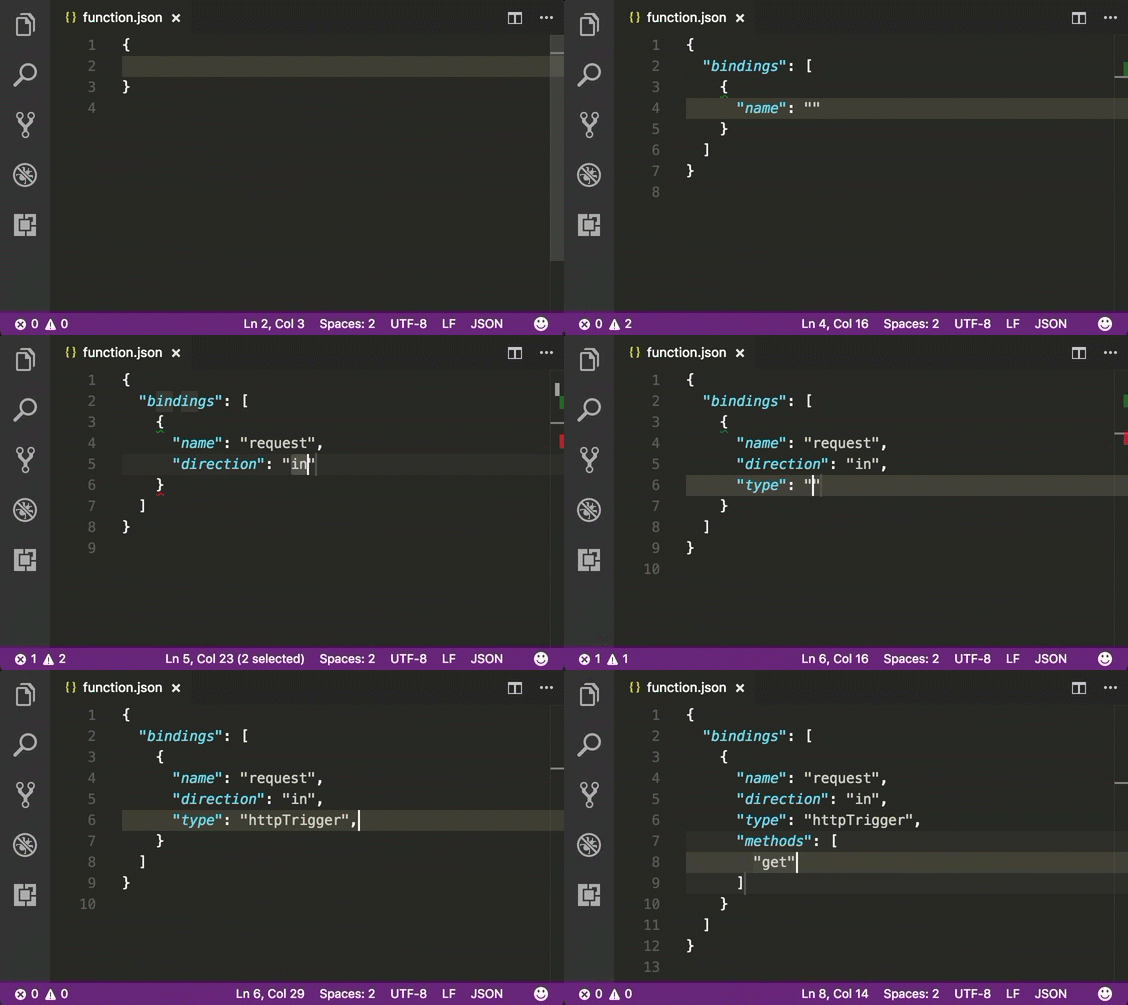
- [Mark down preview](https://marketplace.visualstudio.com/items?itemName=shd101wyy.markdown-preview-enhanced) - Markdown Preview Enhanced is an extension that provides you with many useful functionalities such as automatic scroll sync, math typesetting, mermaid, PlantUML, pandoc, PDF export, code chunk, presentation writer, etc. A lot of its ideas are inspired by Markdown Preview Plus and RStudio Markdown.
# Online Courses
## Visual Studio Code Power User Course (commercial)
After 10 years with Sublime Text, [Ahmad Awais](https://twitter.com/MrAhmadAwais/) switched to VSCode, built [Shades of Purple theme](https://marketplace.visualstudio.com/items?itemName=ahmadawais.shades-of-purple), and spent over a 1,000 hours perfecting his setup. He has launched a VSCode Power User Course to help you switch today. You can bring all your custom settings from the previous editor and learn the power user workflows for HTML/CSS, Git/GitHub & Open Source, supercharged Markdown, and everything from JavaScript to PHP, Go, Python, C++, C#, ROR. In this course, you'll also learn to install/setup 50+ Extensions.
- [VSCode.pro](https://vscode.pro/) - 📺 Huge five hours 65 videos VSCode course.
- [Ahmad Awais](https://twitter.com/MrAhmadAwais/) - 🙌 Creator of Shades of Purple theme. Core Developer for WP/JS. OSS Dev Advocate.
# Contribute
Contributions welcome! Read the [contribution guidelines](CONTRIBUTING.md) first.
# License
I am providing code and resources in this repository to you under an open source license. Because this is my personal repository, the license you receive to my code and resources is from me and not my employer (Microsoft).
[](https://creativecommons.org/publicdomain/zero/1.0/)
To the extent possible under law, [Valerii Iatsko](https://viatsko.me) has waived all copyright and related or neighboring rights to this work.
================================================
FILE: _config.yml
================================================
theme: jekyll-theme-slate
================================================
FILE: package.json
================================================
{
"name": "awesome-vscode",
"version": "1.0.0",
"main": "index.js",
"repository": "git@github.com:viatsko/awesome-vscode.git",
"author": "Valerii Iatsko ",
"license": "CC0-1.0",
"private": true
}
================================================
FILE: themes/theme-template.js
================================================
const btn = document.getElementById('btn')
let count = 0
function render() {
btn.innerText = `Count: ${count}`
}
btn.addEventListener('click', () => {
// Count from 1 to 10.
if (count < 10) {
count += 1
render()
}
})
