Repository: yezihaohao/react-admin
Branch: master
Commit: cfaaa12a98a5
Files: 140
Total size: 835.9 KB
Directory structure:
gitextract_bdalo8pp/
├── .commitlintrc.js
├── .eslintrc
├── .gitignore
├── .prettierignore
├── .prettierrc
├── .travis.yml
├── CHANGELOG.md
├── LICENSE
├── README.md
├── config/
│ ├── env.js
│ ├── jest/
│ │ ├── cssTransform.js
│ │ └── fileTransform.js
│ ├── modules.js
│ ├── paths.js
│ ├── pnpTs.js
│ ├── webpack.config.js
│ └── webpackDevServer.config.js
├── package.json
├── public/
│ ├── index.html
│ ├── manifest.json
│ ├── robots.txt
│ └── theme.less
├── scripts/
│ ├── build.js
│ ├── start.js
│ └── test.js
├── src/
│ ├── App.test.tsx
│ ├── App.tsx
│ ├── Page.tsx
│ ├── components/
│ │ ├── HeaderCustom.tsx
│ │ ├── Page.tsx
│ │ ├── SiderCustom.tsx
│ │ ├── SiderMenu.tsx
│ │ ├── animation/
│ │ │ ├── BasicAnimations.tsx
│ │ │ └── ExampleAnimations.tsx
│ │ ├── auth/
│ │ │ ├── Basic.tsx
│ │ │ └── RouterEnter.tsx
│ │ ├── charts/
│ │ │ ├── Echarts.tsx
│ │ │ ├── EchartsArea.tsx
│ │ │ ├── EchartsEffectScatter.tsx
│ │ │ ├── EchartsForce.tsx
│ │ │ ├── EchartsGraphnpm.tsx
│ │ │ ├── EchartsPie.tsx
│ │ │ ├── EchartsScatter.tsx
│ │ │ ├── Recharts.tsx
│ │ │ ├── RechartsBarChart.tsx
│ │ │ ├── RechartsRadarChart.tsx
│ │ │ ├── RechartsRadialBarChart.tsx
│ │ │ └── RechartsSimpleLineChart.tsx
│ │ ├── cssmodule/
│ │ │ ├── index.module.less
│ │ │ └── index.tsx
│ │ ├── dashboard/
│ │ │ ├── Dashboard.tsx
│ │ │ ├── EchartsProjects.tsx
│ │ │ └── EchartsViews.tsx
│ │ ├── env/
│ │ │ └── index.tsx
│ │ ├── extension/
│ │ │ ├── MultipleMenu.tsx
│ │ │ ├── QueryParams.tsx
│ │ │ └── Visitor.tsx
│ │ ├── index.tsx
│ │ ├── pages/
│ │ │ ├── Login.tsx
│ │ │ └── NotFound.tsx
│ │ ├── smenu/
│ │ │ ├── Sub1.tsx
│ │ │ └── Sub2.tsx
│ │ ├── tables/
│ │ │ ├── AdvancedTables.tsx
│ │ │ ├── AsynchronousTable.tsx
│ │ │ ├── BasicTable.tsx
│ │ │ ├── BasicTables.tsx
│ │ │ ├── ExpandedTable.tsx
│ │ │ ├── FixedTable.tsx
│ │ │ ├── SearchTable.tsx
│ │ │ ├── SelectTable.tsx
│ │ │ └── SortTable.tsx
│ │ ├── ui/
│ │ │ ├── Buttons.tsx
│ │ │ ├── Draggable.tsx
│ │ │ ├── Gallery.tsx
│ │ │ ├── Icons.tsx
│ │ │ ├── Modals.tsx
│ │ │ ├── Notifications.tsx
│ │ │ ├── Spins.tsx
│ │ │ ├── Tabs.tsx
│ │ │ ├── Wysiwyg.tsx
│ │ │ ├── banners/
│ │ │ │ ├── AutoPlay.tsx
│ │ │ │ ├── Basic.tsx
│ │ │ │ ├── Custom.tsx
│ │ │ │ └── index.tsx
│ │ │ ├── emoji/
│ │ │ │ ├── iconfont.ts
│ │ │ │ └── index.tsx
│ │ │ └── map/
│ │ │ ├── Tencent.tsx
│ │ │ └── index.tsx
│ │ └── widget/
│ │ ├── AuthWidget.tsx
│ │ ├── BreadcrumbCustom.tsx
│ │ ├── Copyright.tsx
│ │ ├── Loading.tsx
│ │ ├── PwaInstaller.tsx
│ │ ├── ThemePicker.tsx
│ │ └── index.tsx
│ ├── index.tsx
│ ├── react-app-env.d.ts
│ ├── routes/
│ │ ├── RouteWrapper.tsx
│ │ ├── config.ts
│ │ └── index.tsx
│ ├── service/
│ │ ├── config.ts
│ │ ├── index.ts
│ │ └── tools.ts
│ ├── serviceWorker.ts
│ ├── style/
│ │ ├── antd/
│ │ │ ├── header.less
│ │ │ ├── index.less
│ │ │ ├── layout.less
│ │ │ ├── menu.less
│ │ │ ├── reset.less
│ │ │ ├── utils.less
│ │ │ └── variables.less
│ │ ├── app.less
│ │ ├── banner.less
│ │ ├── button.less
│ │ ├── card.less
│ │ ├── global.less
│ │ ├── icons.less
│ │ ├── img.less
│ │ ├── index.less
│ │ ├── lib/
│ │ │ └── animate.css
│ │ ├── login.less
│ │ ├── menu.less
│ │ ├── modal.less
│ │ ├── scroll.less
│ │ ├── table.less
│ │ ├── theme/
│ │ │ ├── index.js
│ │ │ ├── theme-danger.json
│ │ │ ├── theme-grey.json
│ │ │ ├── theme-info.json
│ │ │ └── theme-warn.json
│ │ ├── utils-border.less
│ │ ├── utils-color.less
│ │ ├── utils-size.less
│ │ ├── utils-spacing.less
│ │ ├── utils-text.less
│ │ └── variables.less
│ └── utils/
│ ├── hooks.ts
│ └── index.ts
├── theme.js
└── tsconfig.json
================================================
FILE CONTENTS
================================================
================================================
FILE: .commitlintrc.js
================================================
module.exports = {
extends: ['@commitlint/config-conventional'],
rules: {},
};
================================================
FILE: .eslintrc
================================================
{
"extends": "react-app",
"plugins": [
"react-hooks"
],
"rules": {
"react-hooks/rules-of-hooks": "error",
"react-hooks/exhaustive-deps": "warn",
"no-multi-spaces": 1,
"react/jsx-tag-spacing": 1, // 总是在自动关闭的标签前加一个空格,正常情况下也不需要换行
"jsx-quotes": 1,
"react/jsx-closing-bracket-location": 1, // 遵循JSX语法缩进/格式
"react/jsx-boolean-value": 1, // 如果属性值为 true, 可以直接省略
"react/no-string-refs": 1, // 总是在Refs里使用回调函数
"react/self-closing-comp": 1, // 对于没有子元素的标签来说总是自己关闭标签
"react/sort-comp": 1, // 按照具体规范的React.createClass 的生命周期函数书写代码
"react/jsx-pascal-case": 1 // React模块名使用帕斯卡命名,实例使用骆驼式命名
}
}
================================================
FILE: .gitignore
================================================
# See https://help.github.com/articles/ignoring-files/ for more about ignoring files.
# dependencies
/node_modules
/.pnp
.pnp.js
# testing
/coverage
# production
/build
# misc
.DS_Store
.env.local
.env.development.local
.env.test.local
.env.production.local
npm-debug.log*
yarn-debug.log*
yarn-error.log*
================================================
FILE: .prettierignore
================================================
public/theme.less
================================================
FILE: .prettierrc
================================================
{
"trailingComma": "es5",
"tabWidth": 4,
"singleQuote": true,
"jsxBracketSameLine": false,
"printWidth": 100
}
================================================
FILE: .travis.yml
================================================
language: node_js
node_js:
- "10"
script:
- yarn
- yarn build
================================================
FILE: CHANGELOG.md
================================================
### 更新日志
#### 2017-07-08
- 依赖包版本升级
- react@15.6.1
- antd@2.11.2
- webpack@2.6.1
- 等等
#### 2017-08-01
- 引入 redux 系列
- redux@3.7.2
- redux-thunk@2.2.0
- react-redux@5.0.5
- 增加权限管理模块
- 使用 easy-mock 模拟数据模拟登录接口
- 使用 redux 系列将登录用户数据传递给权限组件
- 权限组件采用 Render Callback 的方式传递权限给需要受控制的组件(具体做法请查看源代码。)
- 用户状态保存在 localStorage 中
- 具体做法请运行项目查看
- PS:以上管理权限只是一种方式,但这绝对不是唯一的方式,也不是最好的方式。如果你有更好的方式,不妨加上面的群和大家一起分享下。😄😄
- 增加路径别名
- 使用@别名处理引入组件相对路径过长问题。
- 缺点:编辑器不能使用快捷提示和快捷跳转到相应的文件
#### 2017-08-13
- 权限管理模块增加页面跳转权限验证
- 点击权限管理的路由拦截,若没有访问权限则会跳转到 404 页面。
- 大致实现方式(非常简单):通过向自定义 router 组件传入 store,登录之后可获取到 redux 中的权限 state 数据,并通过判断是否包含权限进行跳转。ps: 该 demo 的效果是管理员登录之后才能跳转到路由拦截页面。具体操作请拉取代码尝试。
#### 2017-08-26
- 增加响应式布局 - 替换 antd Col 组件的响应式栅格为 md(具体参数用法请查看 antd 官方文档) - 初始化页面是获取当前浏览器宽度设置菜单显示类型 - 监听 window 的 onresize 函数,设置菜单显示类型。PS:浏览器宽度存入 redux 中,方便组件之间传递。

#### 2017-09-13
- 依赖包版本升级
- antd@2.13.1(目前最新版)
#### 2017-10-21
- 开发环境增加 react-hot-loader-保持状态刷新组件(译:实时调整组件),可参考以下相关项目
- [react-hot-loader](https://github.com/gaearon/react-hot-loader)
#### 2017-12-12
- 依赖包版本升级
- antd@3.0.1(目前最新版)
- react-router-dom@4.2.2
- 大改动
- react-router 切换 4.x 版本,切换响应的版本路由写法(具体见代码更新日志)
- ps: react-router 3.x 的版本请查看代码分支 router3.x
#### 2018-01-12
- 增加 cssmodule 的支持(css, less)
- 建议用 css 预处理器,文件名为 xxx.module.less,引入相应组件即可使用。
- 具体做法参见新增模块,路由后缀:/app/cssModule。[点击访问](http://cheng_haohao.oschina.io/reactadmin/#/app/cssModule)
#### 2018-10-13
- 重大更新 :sparkles:
- 升级 create-react-app 2.x,详情文档见[官方文档](https://reactjs.org/blog/2018/10/01/create-react-app-v2.html)
- 升级大部分第三方库,升级版本见[commit](https://github.com/yezihaohao/react-admin/commit/d8dc0ff0c6517c57a46d731adba69112a55145a9#diff-b9cfc7f2cdf78a7f4b91a753d10865a2)
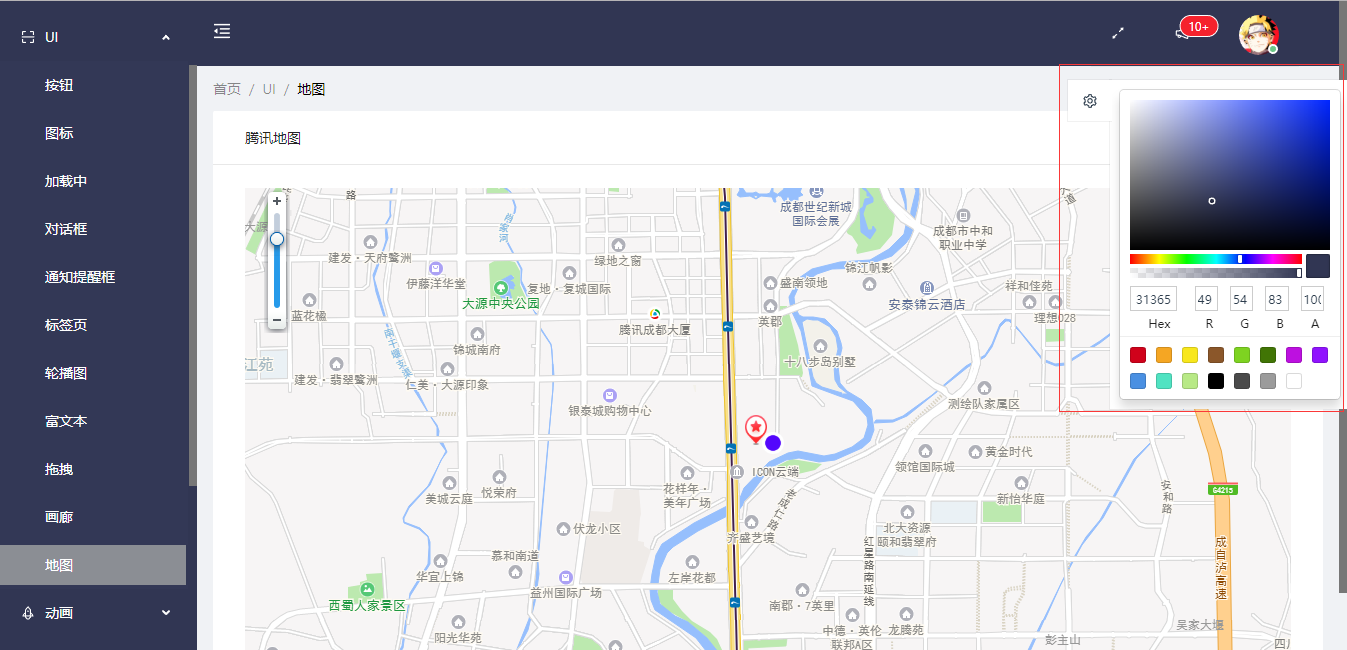
- 增加自定义主题功能 - 主题基础样式配置见[variables.less](https://github.com/yezihaohao/react-admin/blob/master/src/style/antd/variables.less) - 修改主题基础样式后执行`yarn theme 或 npm run theme`,默认主题即可生效 - 页面上可自定义主题颜色配置(根据此可添加字体大小等其他 antd 的默认样式)
#### 2018-11-07
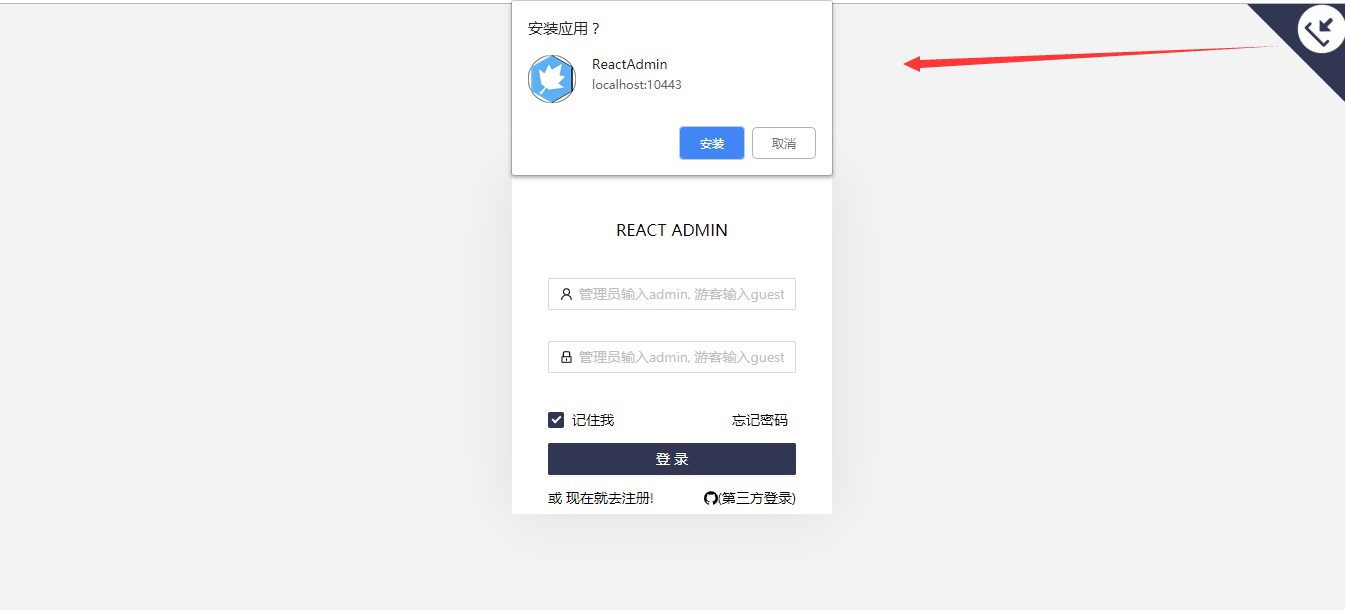
- 完善 PWA 的 manifest.json 文件,增加按钮手动触发安装 PWA 应用
- 最新版的 chrome 浏览器访问[ReactAdmin](https://admiring-dijkstra-34cb29.netlify.com/)即可体验
#### 2018-11-26
- 增加问号形式的路由参数扩展
#### 2018-12-28
- 增加[react-document-title](https://github.com/gaearon/react-document-title)组件,根据路由设置页面 title
#### 2019-03-20
- 增加[redux-alita](https://github.com/yezihaohao/redux-alita),极简的 redux 工具用法,详情见其代码仓库
#### 2019-05-10
- 升级 react,react-dom,增加 hooks 支持(去掉 react-hot-loader,老版本 hot-loader 使用 hook 有点问题)
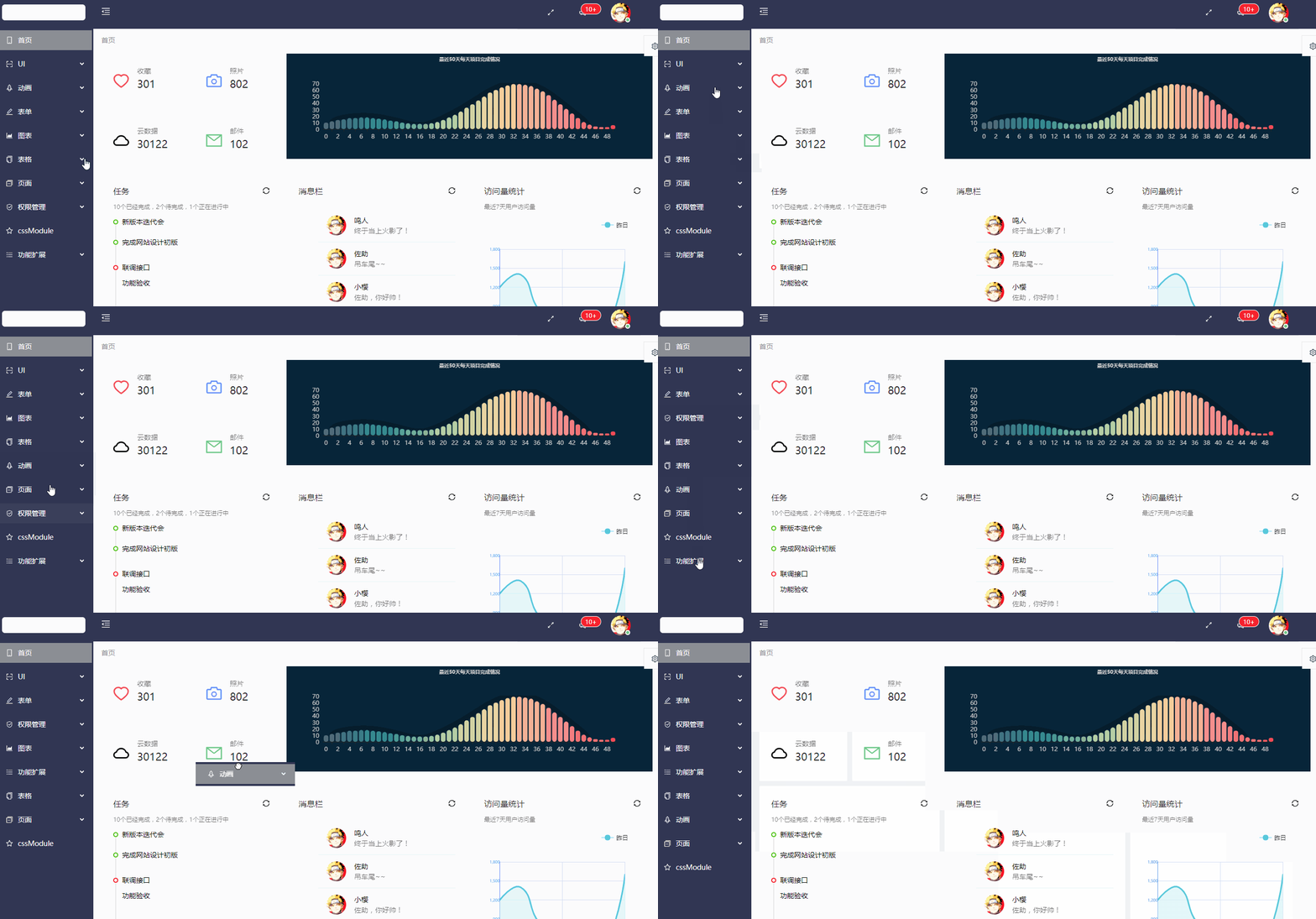
- 增加菜单可拖拽
#### 2019-09-04
- 增加 Git 提交 message 规范约束工具[commitizen](https://github.com/commitizen/cz-cli)
- Git 提交规范往往是团队编码必需,借助工具能形成更好的约束,如果你不喜欢用,可参照提交记录去掉[bd426fd](https://github.com/yezihaohao/react-admin/commit/a9401d191edd077bc3e59c8dbeeb61e5029cde95)
#### 2019-09-26
- 更新 create-react-app3.x 版本,升级部分依赖 lib,详情请查看提交记录(有问题请提 issue)
#### 2019-10-26
- 新增访客模式的路由配置+demo(主路由配置)
- [在线 Demo](https://admiring-dijkstra-34cb29.netlify.com/#/app/extension/visitor)
#### 2019-12-18
- 新增多级菜单配置功能(菜单可配置成无限的树状菜单,菜单嵌套过多时,样式问题可能需要你调整)
#### 2020-01-21
- 新增服务端异步菜单功能
#### 2020-08-02
- 新增多环境配置方案,环境配置任你加,源码详情请查看[提交记录](https://github.com/yezihaohao/react-admin/commit/d2cb53dca7e7179c794dc9e699d057ed549aec62)
- 根目录增加 .env.ra.xxx,其中 xxx 是 package.json 中运行的脚本命令第三个参数,请结合项目查看
================================================
FILE: LICENSE
================================================
MIT License
Copyright (c) 2019 yezihaohao
Permission is hereby granted, free of charge, to any person obtaining a copy
of this software and associated documentation files (the "Software"), to deal
in the Software without restriction, including without limitation the rights
to use, copy, modify, merge, publish, distribute, sublicense, and/or sell
copies of the Software, and to permit persons to whom the Software is
furnished to do so, subject to the following conditions:
The above copyright notice and this permission notice shall be included in all
copies or substantial portions of the Software.
THE SOFTWARE IS PROVIDED "AS IS", WITHOUT WARRANTY OF ANY KIND, EXPRESS OR
IMPLIED, INCLUDING BUT NOT LIMITED TO THE WARRANTIES OF MERCHANTABILITY,
FITNESS FOR A PARTICULAR PURPOSE AND NONINFRINGEMENT. IN NO EVENT SHALL THE
AUTHORS OR COPYRIGHT HOLDERS BE LIABLE FOR ANY CLAIM, DAMAGES OR OTHER
LIABILITY, WHETHER IN AN ACTION OF CONTRACT, TORT OR OTHERWISE, ARISING FROM,
OUT OF OR IN CONNECTION WITH THE SOFTWARE OR THE USE OR OTHER DEALINGS IN THE
SOFTWARE.
================================================
FILE: README.md
================================================
# react-admin([尝试一下在线编辑](https://codesandbox.io/s/react-admin-u9kdb))
react-admin system solution
 
[](http://makeapullrequest.com)
### 文档地址:[wiki](https://github.com/yezihaohao/react-admin/wiki)
### 问题和方案汇总:[issue](https://github.com/yezihaohao/react-admin/issues/12)
### 更新日志迁移至[CHANGELOG.md](https://github.com/yezihaohao/react-admin/blob/master/CHANGELOG.md)😁(重要!对于了解项目部分功能和代码很有用!)
### cli 安装和使用 react-admin 🔥
使用 [saigao](https://github.com/yezihaohao/saigao) 快速安装和下载 react-admin 模板来开发项目:
```js
npm i -g saigao
saigao myapp
// 或者使用npx 下载模板
npx saigao myapp
```
### 前言
> 网上 react 后台管理开源免费的完整版项目比较少,所以利用空余时间集成了一个版本出来,已放到 GitHub
> 启动和打包的时间都稍长,请耐心等待两分钟
- [GitHub 地址](https://github.com/yezihaohao/react-admin)
- [预览地址](https://admiring-dijkstra-34cb29.netlify.com)(已增加响应式,可手机预览 😄)
### 依赖模块
项目是用 create-react-app 创建的,主要还是列出新加的功能依赖包
点击名称可跳转相关网站 😄😄
- [react](https://facebook.github.io/react/)
- [react-router](https://react-guide.github.io/react-router-cn/)(react 路由,4.x 的版本,如果还使用 3.x 的版本,请切换分支(ps:分支不再维护))
- [redux](https://redux.js.org/)(基础用法,但是封装了通用 action 和 reducer,demo 中主要用于权限控制(ps:目前可以用 16.x 的 context api 代替),可以简单了解下)
- [antd](https://ant.design/index-cn)(蚂蚁金服开源的 react ui 组件框架)
- [axios](https://github.com/mzabriskie/axios)(http 请求模块,可用于前端任何场景,很强大 👍)
- [echarts-for-react](https://github.com/hustcc/echarts-for-react)(可视化图表,别人基于 react 对 echarts 的封装,足够用了)
- [recharts](http://recharts.org/#/zh-CN/)(另一个基于 react 封装的图表,个人觉得是没有 echarts 好用)
- [nprogress](https://github.com/rstacruz/nprogress)(顶部加载条,蛮好用 👍)
- [react-draft-wysiwyg](https://github.com/jpuri/react-draft-wysiwyg)(别人基于 react 的富文本封装,如果找到其他更好的可以替换)
- [react-draggable](https://github.com/mzabriskie/react-draggable)(拖拽模块,找了个简单版的)
- [screenfull](https://github.com/sindresorhus/screenfull.js/)(全屏插件)
- [photoswipe](https://github.com/dimsemenov/photoswipe)(图片弹层查看插件,不依赖 jQuery,还是蛮好用 👍)
- [animate.css](http://daneden.me/animate)(css 动画库)
- [react-loadable](https://github.com/jamiebuilds/react-loadable)(代码拆分,按需加载,预加载,样样都行,具体见其文档,推荐使用)
- [redux-alita](https://github.com/yezihaohao/redux-alita) 极简的 redux2react 工具
- 其他小细节省略
### 功能模块
备注:项目只引入了 ant-design 的部分组件,其他的组件 antd 官网有源码,可以直接复制到项目中使用,后续有时间补上全部组件。
项目使用了 antd 的自定义主题功能-->黑色,若想替换其他颜色,具体操作请查看 antd 官网
- 首页
- 完整布局
- 换肤(全局功能,暂时只实现了顶部导航的换肤,后续加上其他模块)
- 导航菜单
- 顶部导航(菜单伸缩,全屏功能)
- 左边菜单(增加滚动条以及适配路由的 active 操作)
- UI 模块
- 按钮(antd 组件)
- 图标(antd 组件并增加彩色表情符)
- 加载中(antd 组件并增加顶部加载条)
- 通知提醒框(antd 组件)
- 标签页(antd 组件)
- 轮播图(ant 动效组件)
- 富文本
- 拖拽
- 画廊
- 动画
- 基础动画(animate.css 所有动画)
- 动画案例
- 表格
- 基础表格(antd 组件)
- 高级表格(antd 组件)
- 异步表格(数据来自掘金酱的接口)
- 表单
- 基础表单(antd 组件)
- 图表
- echarts 图表
- recharts 图表
- 页面
- 登录页面(包括 GitHub 第三方登录)
- 404 页面
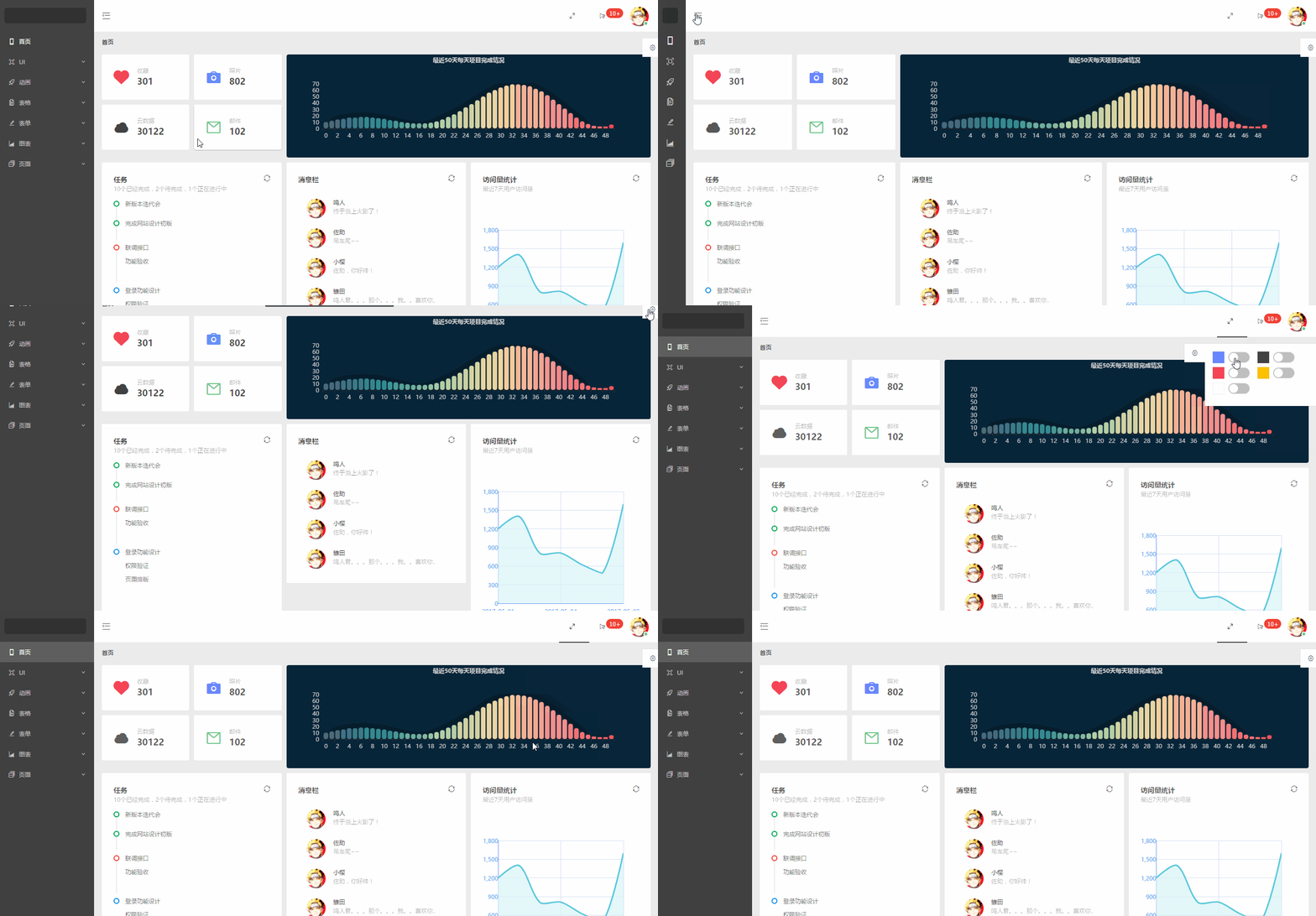
### 功能截图
#### 首页
#### 按钮图标等
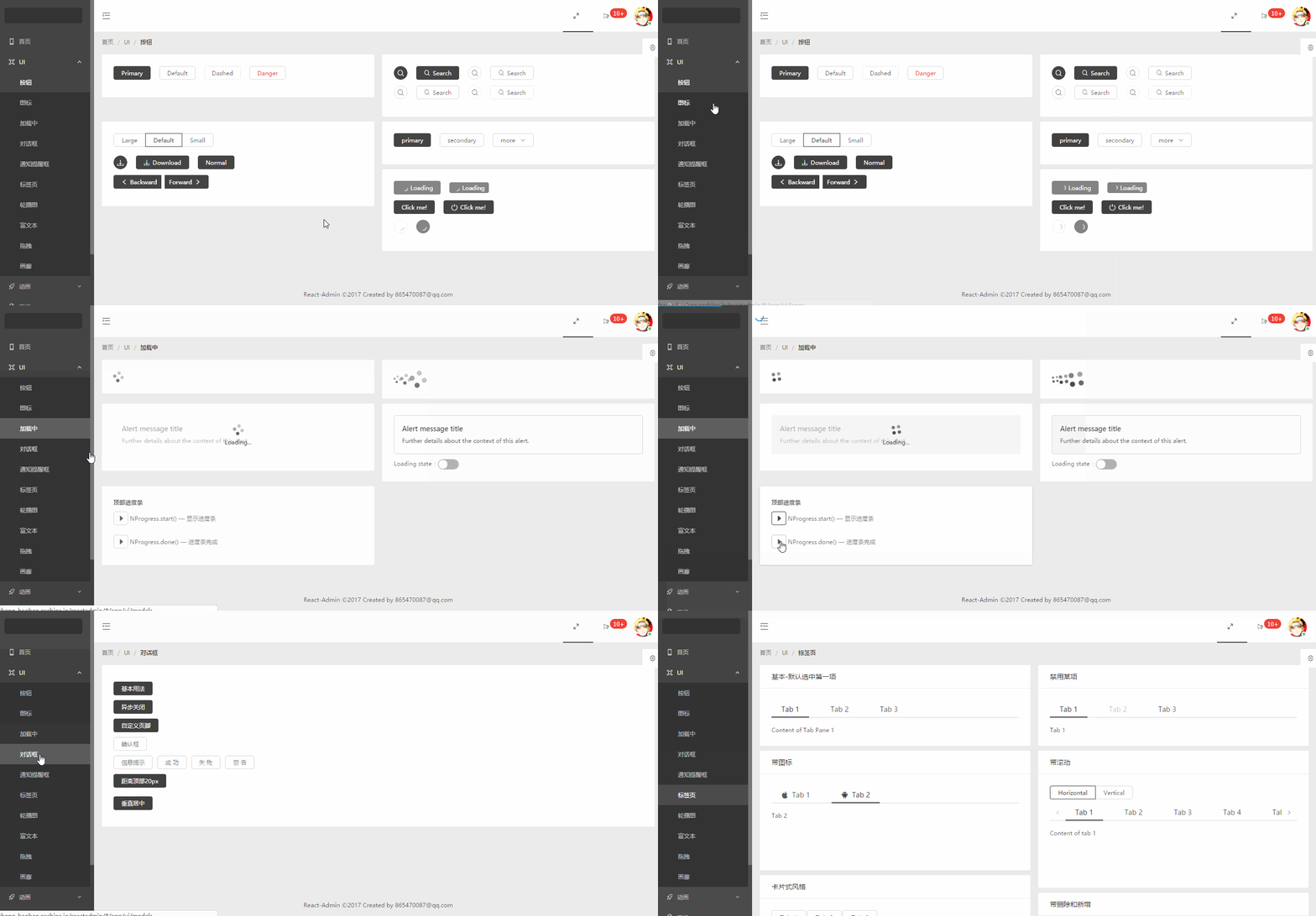
#### 轮播图
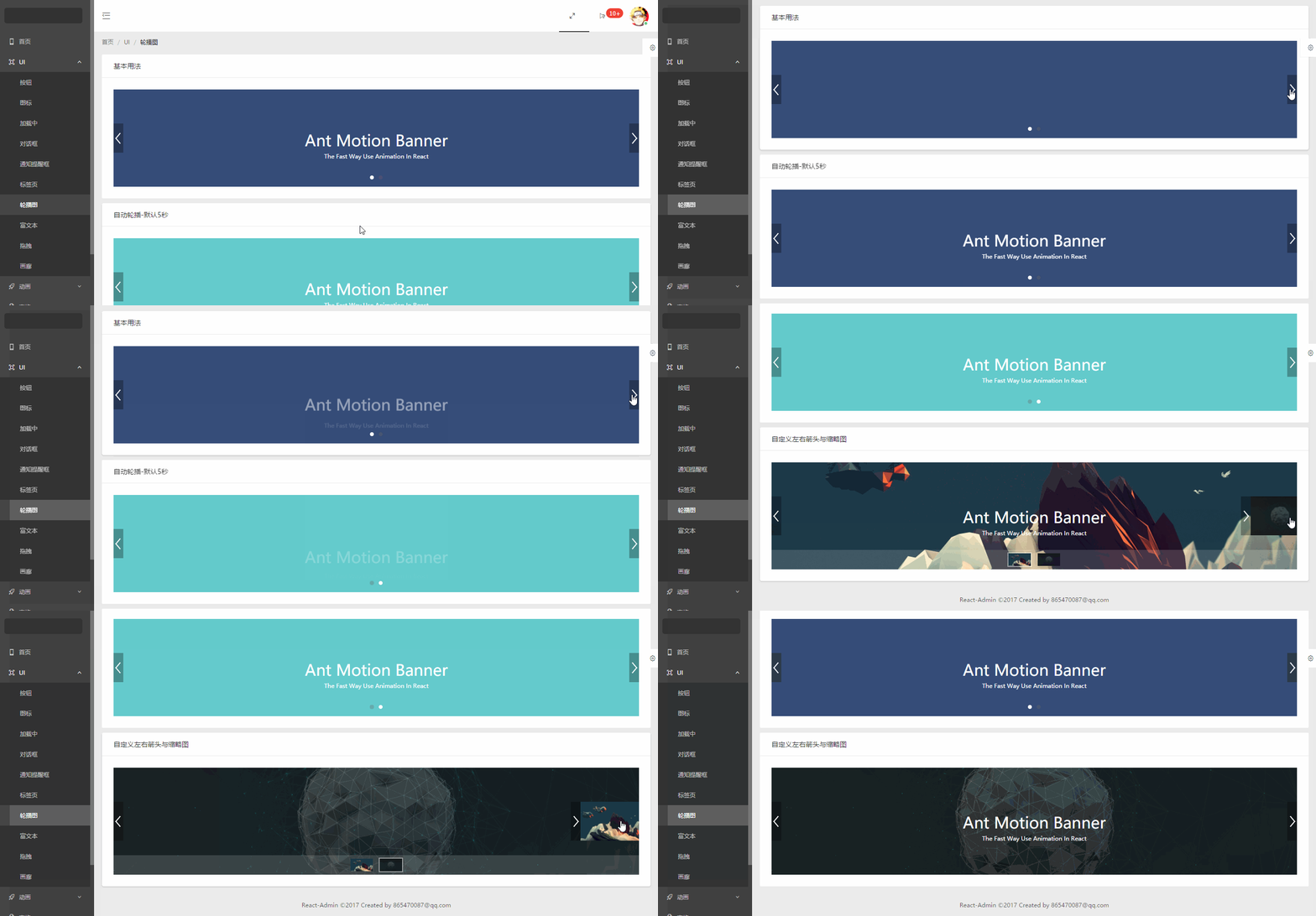
#### 富文本
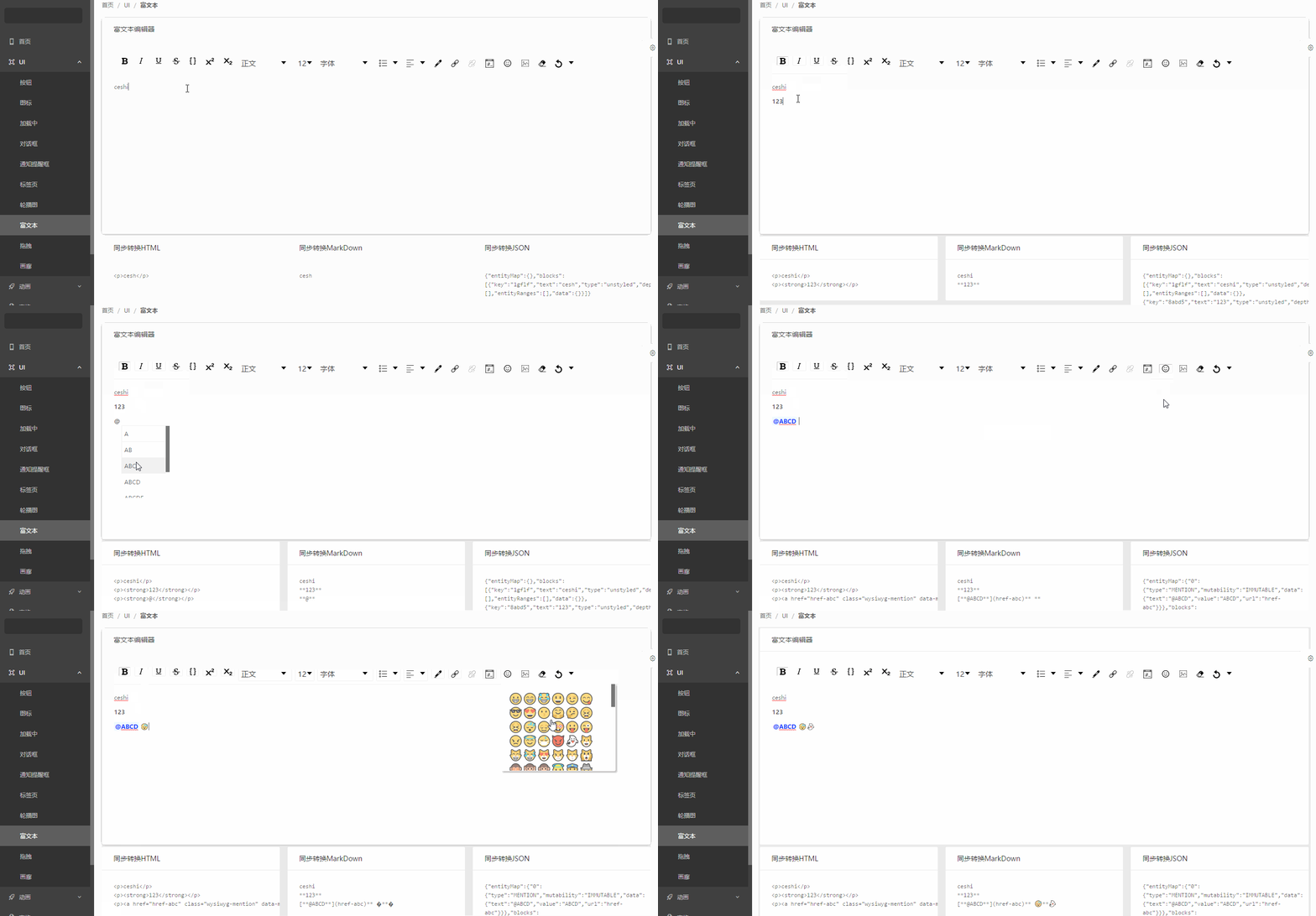
#### 拖拽
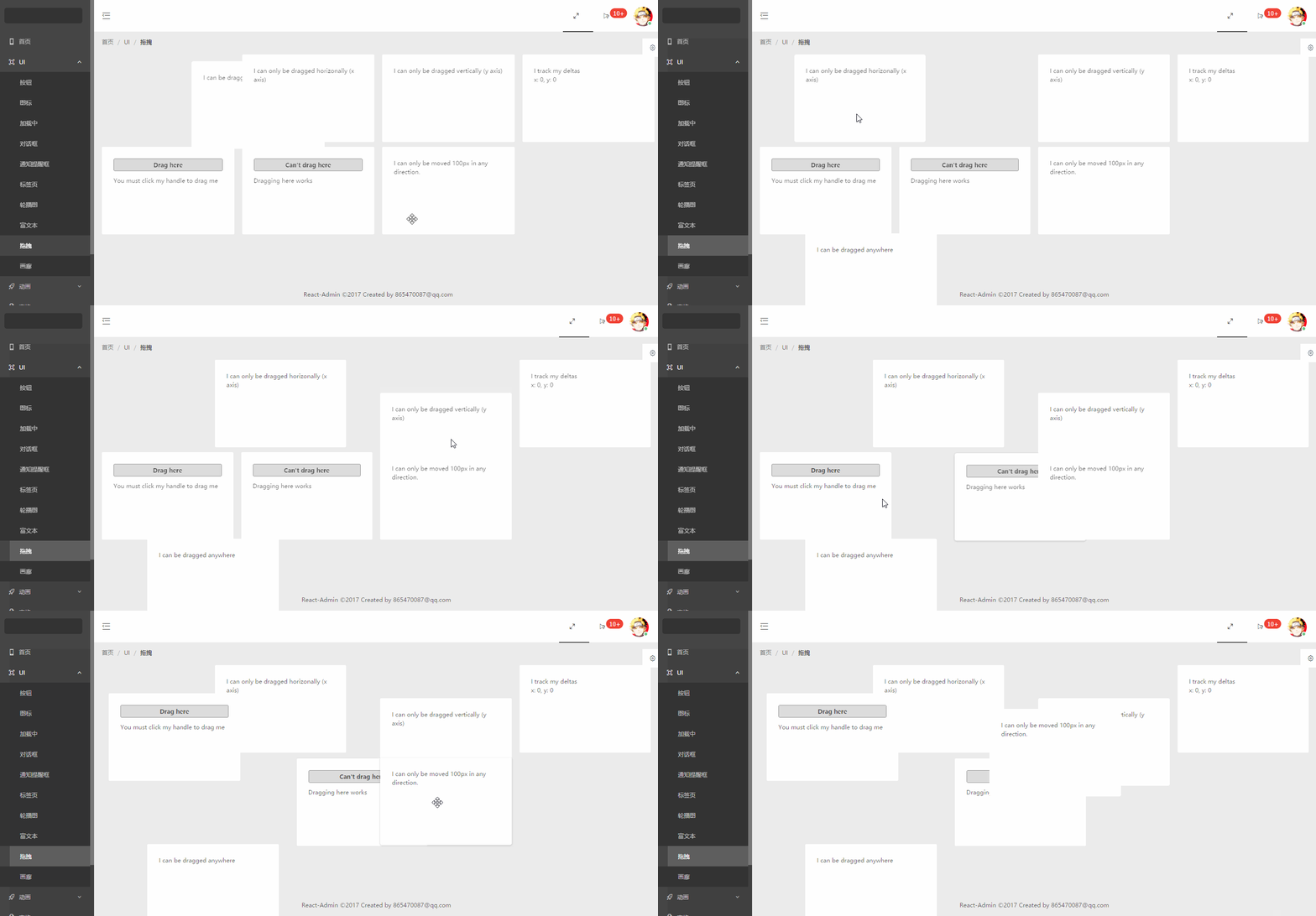
#### 画廊

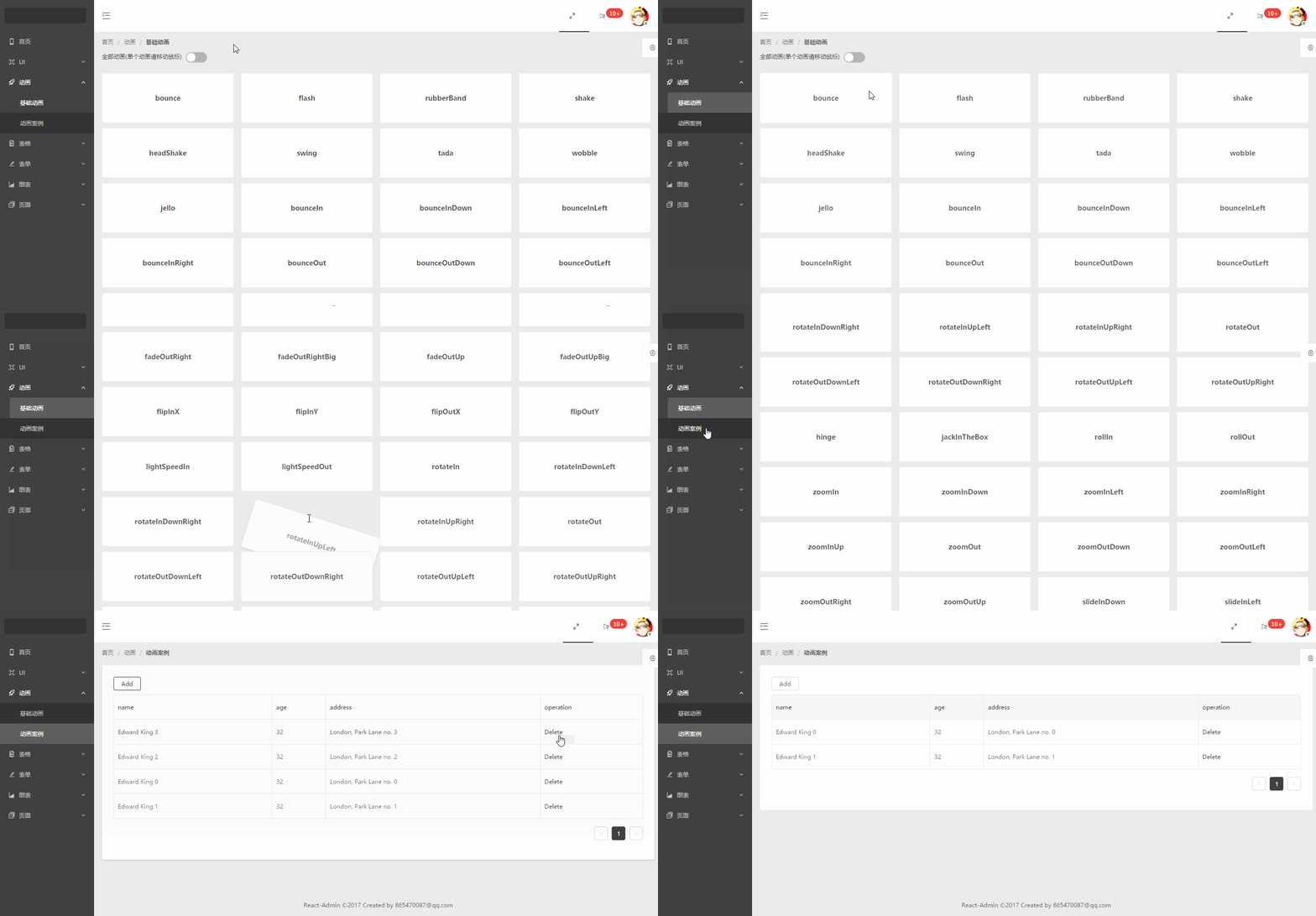
#### 动画
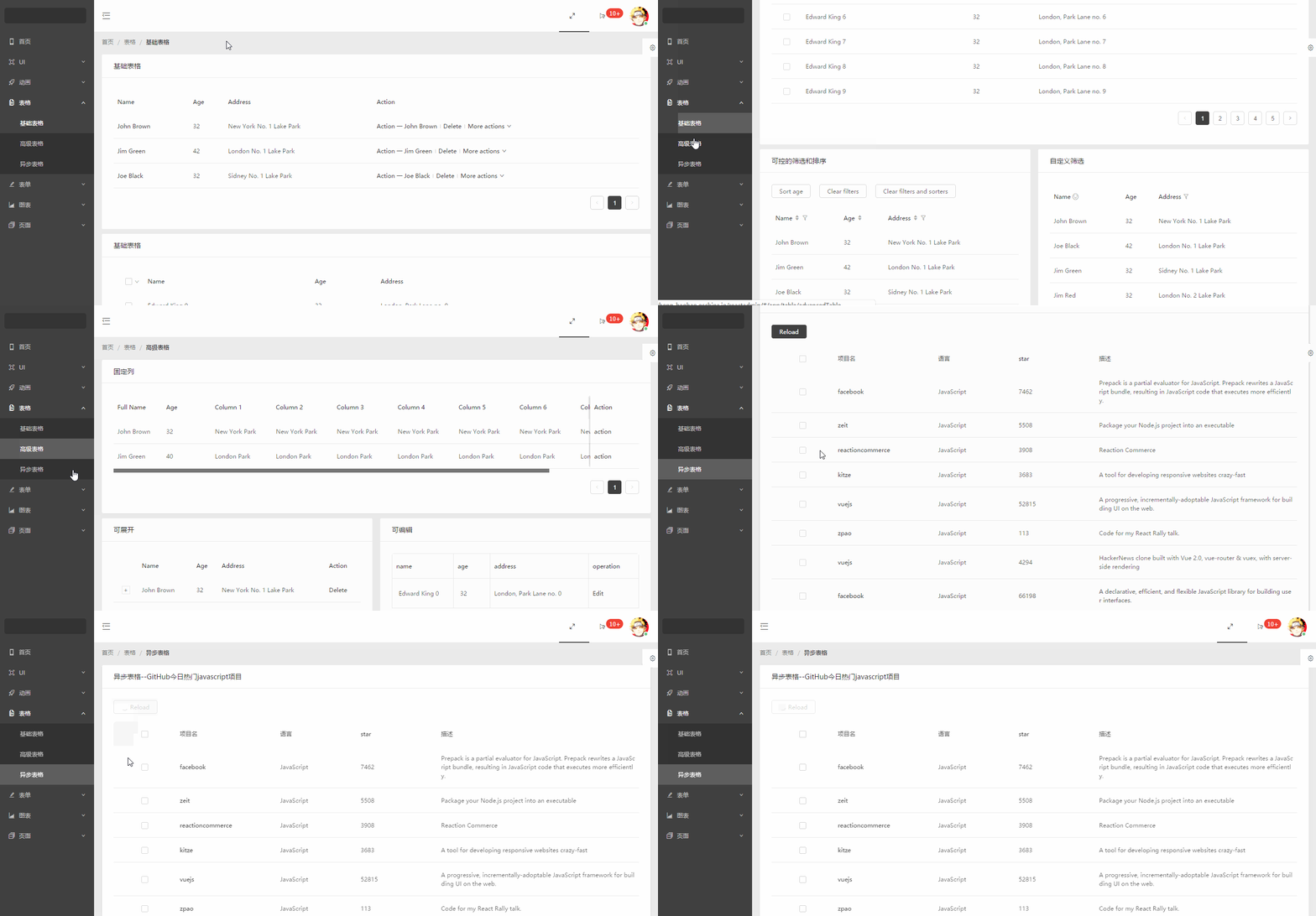
#### 表格
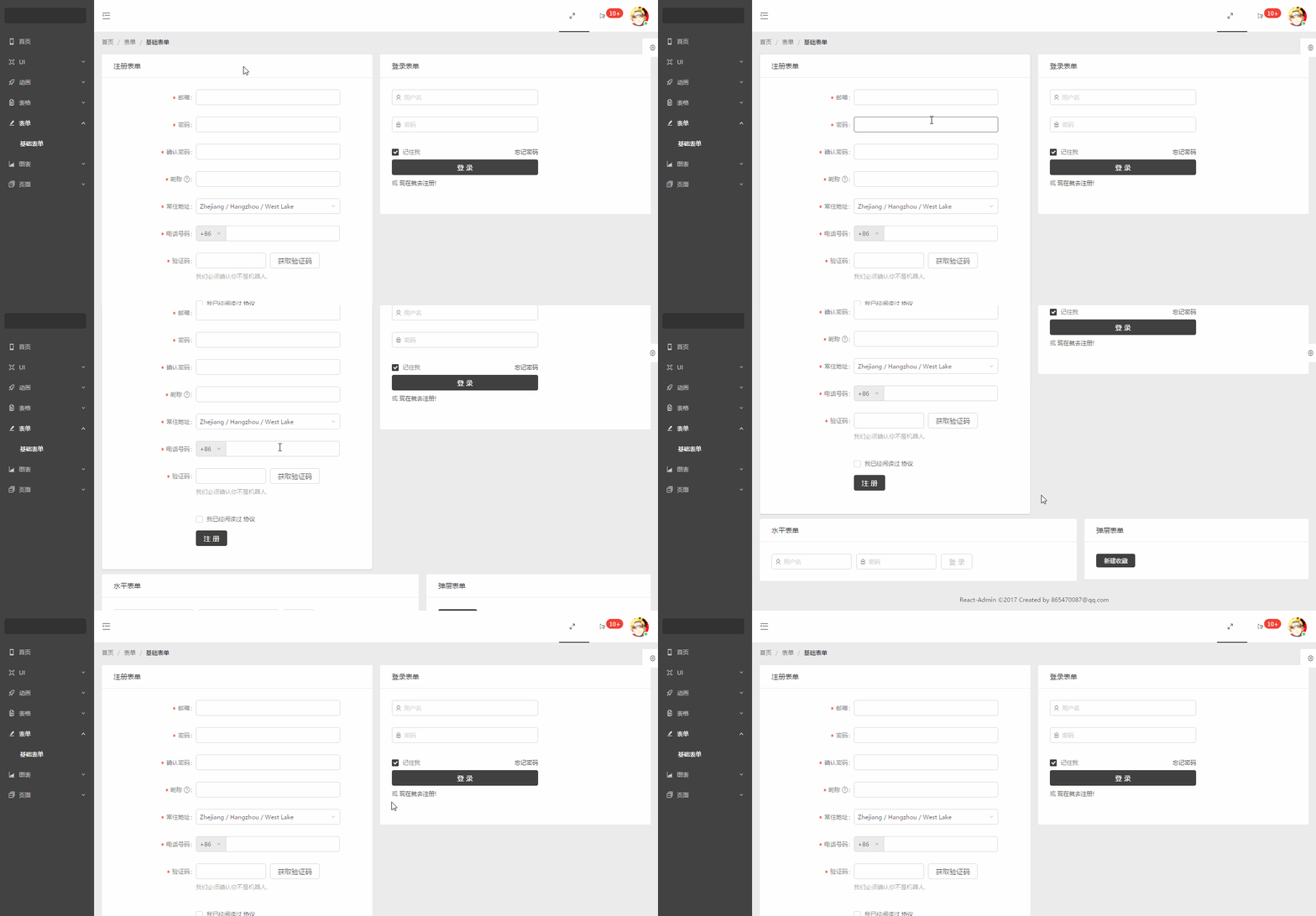
#### 表单
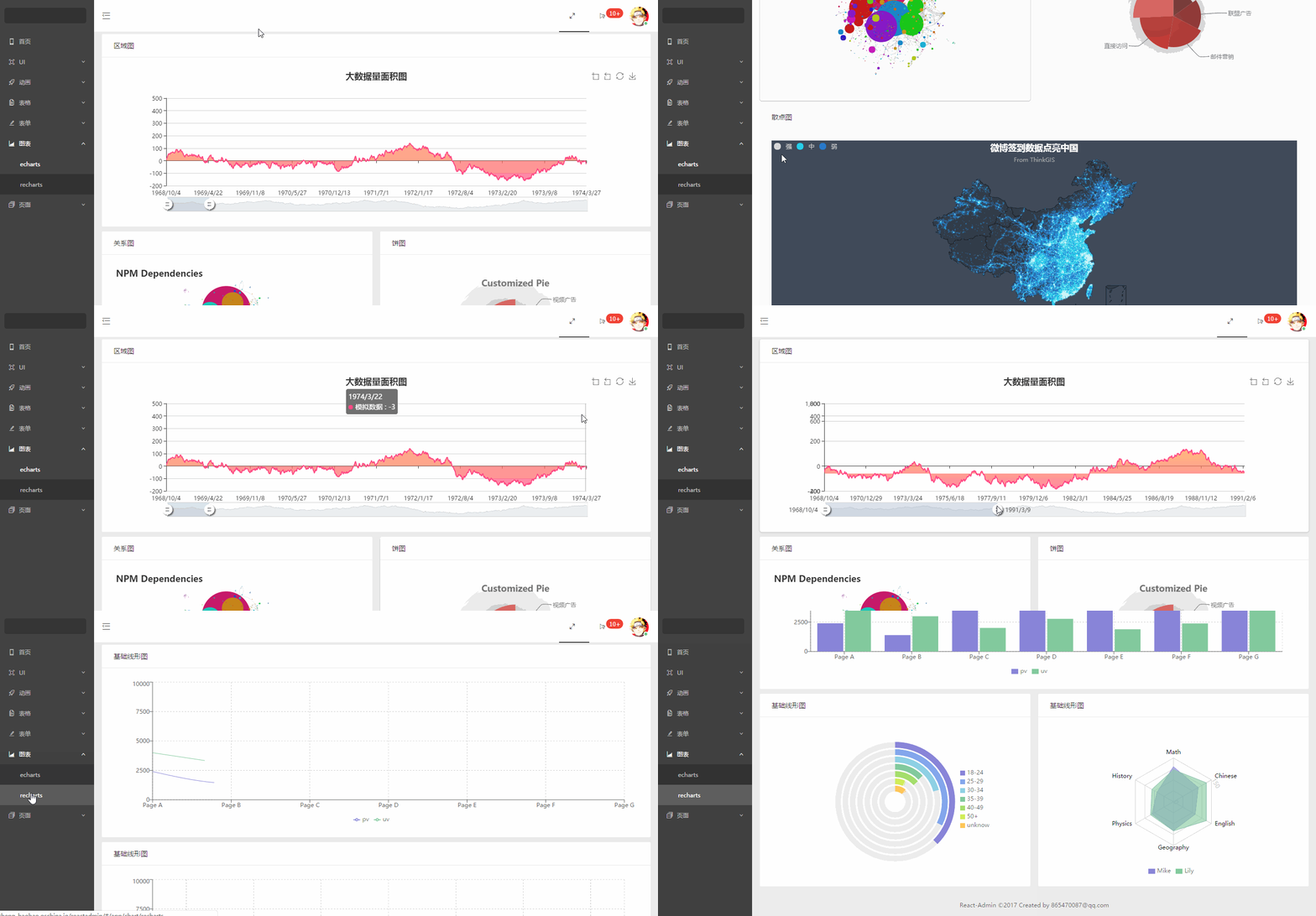
#### 图表
#### 页面
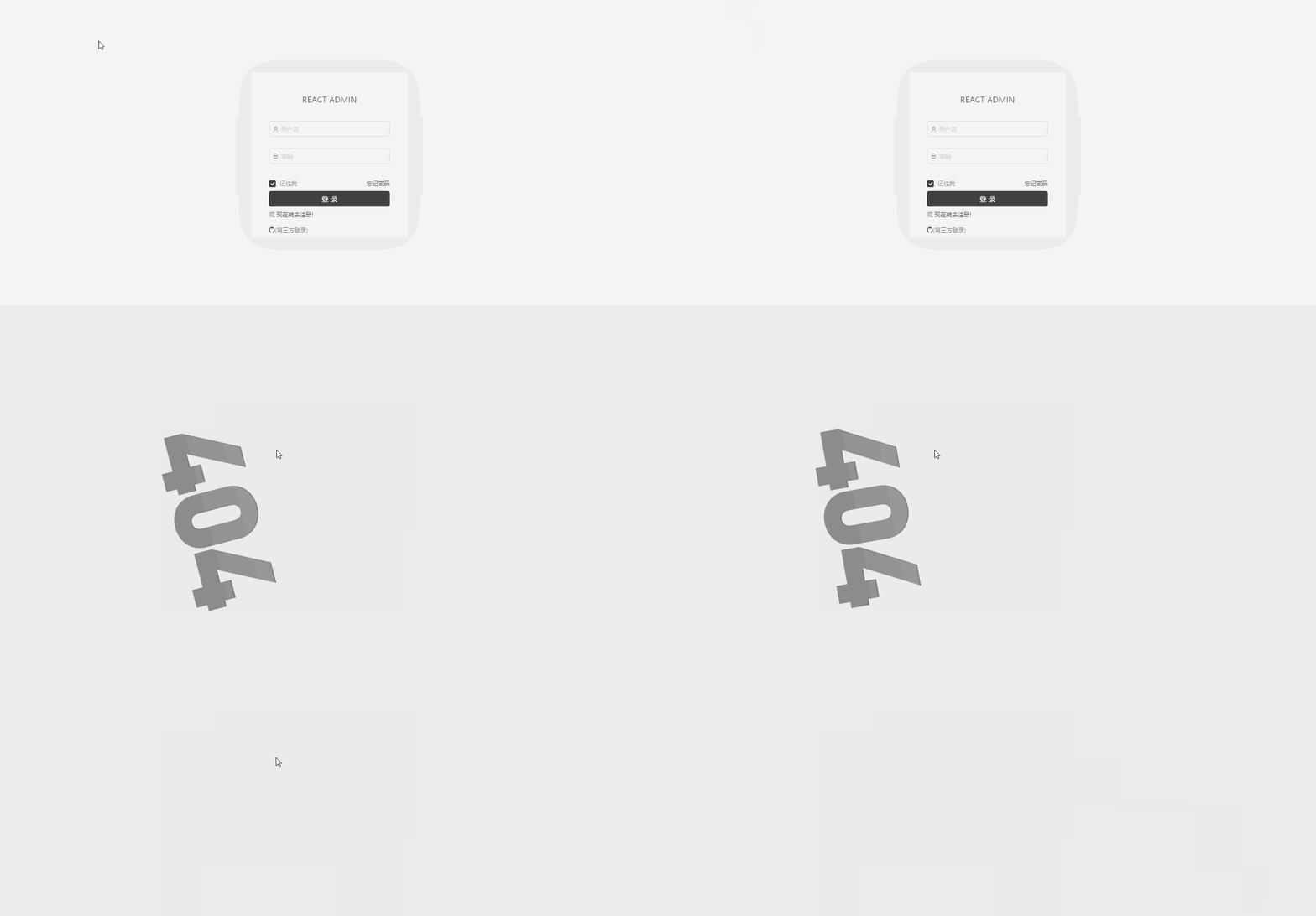
#### 菜单拖拽

### 代码目录
```js
+-- build/ ---打包的文件目录
+-- config/ ---npm run eject 后的配置文件目录
+-- node_modules/ ---npm下载文件目录
+-- public/
| --- index.html ---首页入口html文件
| --- npm.json ---echarts测试数据
| --- weibo.json ---echarts测试数据
+-- src/ ---核心代码目录
| +-- axios ---http请求存放目录
| | --- index.js
| +-- components ---各式各样的组件存放目录
| | +-- animation ---动画组件
| | | --- ...
| | +-- charts ---图表组件
| | | --- ...
| | +-- dashboard ---首页组件
| | | --- ...
| | +-- forms ---表单组件
| | | --- ...
| | +-- pages ---页面组件
| | | --- ...
| | +-- tables ---表格组件
| | | --- ...
| | +-- ui ---ui组件
| | | --- ...
| | --- BreadcrumbCustom.jsx ---面包屑组件
| | --- HeaderCustom.jsx ---顶部导航组件
| | --- Page.jsx ---页面容器
| | --- SiderCustom.jsx ---左边菜单组件
| +-- style ---项目的样式存放目录,主要采用less编写
| +-- utils ---工具文件存放目录
| --- App.js ---组件入口文件
| --- index.js ---项目的整体js入口文件,包括路由配置等
--- .env ---启动项目自定义端口配置文件
--- .eslintrc ---自定义eslint配置文件,包括增加的react jsx语法限制
--- package.json
```
### 安装运行
##### 1.下载或克隆项目源码
##### 2.yarn 安装依赖(国内建议增加淘宝镜像源,不然很慢,你懂的 😁)
> 有些老铁遇到运行时报错,首先确定下是不是最新稳定版的 nodejs 和 yarn,切记不要用 cnpm
```js
// 首推荐使用yarn装包,避免自动升级依赖包
yarn;
```
##### 3.启动项目
```js
yarn start
```
##### 4.打包项目
```js
yarn build
```
### Q&A(点击问题查看答案)
#### 1.[create-react-app 打包项目 run build 增加进度条信息?](https://github.com/yezihaohao/react-admin/issues/12#issuecomment-325383346)
#### 2.[接口跨域了,怎么在本地开发时配置代理?](https://github.com/yezihaohao/react-admin/issues/12#issuecomment-326169055)
#### 3.[在使用 hashRouter 的情况下怎么实现类似锚点跳转?](https://github.com/yezihaohao/react-admin/issues/12#issuecomment-345127221)
#### 4.[怎么添加多页面配置?](https://github.com/yezihaohao/react-admin/issues/12#issuecomment-348088852)
#### 5.[路由传参数接问号怎么传?](https://github.com/yezihaohao/react-admin/issues/12#issuecomment-375583089)
#### 6.[如何兼容 IE 浏览器?](https://github.com/yezihaohao/react-admin/issues/12#issuecomment-510295292)
### License
MIT
### 结尾
该项目会不定时更新,后续时间会添加更多的模块
欢迎和感谢大家 PR~~👏👏
若有问题,可加 QQ 群与我交流
- 1 群:264591039(已满)
- 2 群:592688854(已满)
- 3 群:743490497 (已满)
- 4 群:150131600 (已满)
如果对你有帮助,给个 star 哟~~❤️❤️❤️❤️
================================================
FILE: config/env.js
================================================
'use strict';
const fs = require('fs');
const path = require('path');
const paths = require('./paths');
// Make sure that including paths.js after env.js will read .env variables.
delete require.cache[require.resolve('./paths')];
const NODE_ENV = process.env.NODE_ENV;
const REACT_ADMIN = process.env.REACT_ADMIN;
if (!NODE_ENV) {
throw new Error('The NODE_ENV environment variable is required but was not specified.');
}
// https://github.com/bkeepers/dotenv#what-other-env-files-can-i-use
const dotenvFiles = [
`${paths.dotenv}.${NODE_ENV}.local`,
`${paths.dotenv}.${NODE_ENV}`,
`${paths.dotenv}.ra.${REACT_ADMIN}`,
// Don't include `.env.local` for `test` environment
// since normally you expect tests to produce the same
// results for everyone
NODE_ENV !== 'test' && `${paths.dotenv}.local`,
paths.dotenv,
].filter(Boolean);
// Load environment variables from .env* files. Suppress warnings using silent
// if this file is missing. dotenv will never modify any environment variables
// that have already been set. Variable expansion is supported in .env files.
// https://github.com/motdotla/dotenv
// https://github.com/motdotla/dotenv-expand
dotenvFiles.forEach((dotenvFile) => {
if (fs.existsSync(dotenvFile)) {
require('dotenv-expand')(
require('dotenv').config({
path: dotenvFile,
})
);
}
});
// We support resolving modules according to `NODE_PATH`.
// This lets you use absolute paths in imports inside large monorepos:
// https://github.com/facebook/create-react-app/issues/253.
// It works similar to `NODE_PATH` in Node itself:
// https://nodejs.org/api/modules.html#modules_loading_from_the_global_folders
// Note that unlike in Node, only *relative* paths from `NODE_PATH` are honored.
// Otherwise, we risk importing Node.js core modules into an app instead of Webpack shims.
// https://github.com/facebook/create-react-app/issues/1023#issuecomment-265344421
// We also resolve them to make sure all tools using them work consistently.
const appDirectory = fs.realpathSync(process.cwd());
process.env.NODE_PATH = (process.env.NODE_PATH || '')
.split(path.delimiter)
.filter((folder) => folder && !path.isAbsolute(folder))
.map((folder) => path.resolve(appDirectory, folder))
.join(path.delimiter);
// Grab NODE_ENV and REACT_APP_* environment variables and prepare them to be
// injected into the application via DefinePlugin in Webpack configuration.
const REACT_APP = /^REACT_APP_/i;
const REACT_ADMIN_REG = /^REACT_ADMIN_/i;
function getClientEnvironment(publicUrl) {
const raw = Object.keys(process.env)
.filter((key) => REACT_APP.test(key) || REACT_ADMIN_REG.test(key))
.reduce(
(env, key) => {
env[key] = process.env[key];
return env;
},
{
// Useful for determining whether we’re running in production mode.
// Most importantly, it switches React into the correct mode.
NODE_ENV: process.env.NODE_ENV || 'development',
// Useful for resolving the correct path to static assets in `public`.
// For example,

[](http://makeapullrequest.com)
### 文档地址:[wiki](https://github.com/yezihaohao/react-admin/wiki)
### 问题和方案汇总:[issue](https://github.com/yezihaohao/react-admin/issues/12)
### 更新日志迁移至[CHANGELOG.md](https://github.com/yezihaohao/react-admin/blob/master/CHANGELOG.md)😁(重要!对于了解项目部分功能和代码很有用!)
### cli 安装和使用 react-admin 🔥
使用 [saigao](https://github.com/yezihaohao/saigao) 快速安装和下载 react-admin 模板来开发项目:
```js
npm i -g saigao
saigao myapp
// 或者使用npx 下载模板
npx saigao myapp
```
### 前言
> 网上 react 后台管理开源免费的完整版项目比较少,所以利用空余时间集成了一个版本出来,已放到 GitHub
> 启动和打包的时间都稍长,请耐心等待两分钟
- [GitHub 地址](https://github.com/yezihaohao/react-admin)
- [预览地址](https://admiring-dijkstra-34cb29.netlify.com)(已增加响应式,可手机预览 😄)
### 依赖模块
项目是用 create-react-app 创建的,主要还是列出新加的功能依赖包
点击名称可跳转相关网站 😄😄
- [react](https://facebook.github.io/react/)
- [react-router](https://react-guide.github.io/react-router-cn/)(react 路由,4.x 的版本,如果还使用 3.x 的版本,请切换分支(ps:分支不再维护))
- [redux](https://redux.js.org/)(基础用法,但是封装了通用 action 和 reducer,demo 中主要用于权限控制(ps:目前可以用 16.x 的 context api 代替),可以简单了解下)
- [antd](https://ant.design/index-cn)(蚂蚁金服开源的 react ui 组件框架)
- [axios](https://github.com/mzabriskie/axios)(http 请求模块,可用于前端任何场景,很强大 👍)
- [echarts-for-react](https://github.com/hustcc/echarts-for-react)(可视化图表,别人基于 react 对 echarts 的封装,足够用了)
- [recharts](http://recharts.org/#/zh-CN/)(另一个基于 react 封装的图表,个人觉得是没有 echarts 好用)
- [nprogress](https://github.com/rstacruz/nprogress)(顶部加载条,蛮好用 👍)
- [react-draft-wysiwyg](https://github.com/jpuri/react-draft-wysiwyg)(别人基于 react 的富文本封装,如果找到其他更好的可以替换)
- [react-draggable](https://github.com/mzabriskie/react-draggable)(拖拽模块,找了个简单版的)
- [screenfull](https://github.com/sindresorhus/screenfull.js/)(全屏插件)
- [photoswipe](https://github.com/dimsemenov/photoswipe)(图片弹层查看插件,不依赖 jQuery,还是蛮好用 👍)
- [animate.css](http://daneden.me/animate)(css 动画库)
- [react-loadable](https://github.com/jamiebuilds/react-loadable)(代码拆分,按需加载,预加载,样样都行,具体见其文档,推荐使用)
- [redux-alita](https://github.com/yezihaohao/redux-alita) 极简的 redux2react 工具
- 其他小细节省略
### 功能模块
备注:项目只引入了 ant-design 的部分组件,其他的组件 antd 官网有源码,可以直接复制到项目中使用,后续有时间补上全部组件。
项目使用了 antd 的自定义主题功能-->黑色,若想替换其他颜色,具体操作请查看 antd 官网
- 首页
- 完整布局
- 换肤(全局功能,暂时只实现了顶部导航的换肤,后续加上其他模块)
- 导航菜单
- 顶部导航(菜单伸缩,全屏功能)
- 左边菜单(增加滚动条以及适配路由的 active 操作)
- UI 模块
- 按钮(antd 组件)
- 图标(antd 组件并增加彩色表情符)
- 加载中(antd 组件并增加顶部加载条)
- 通知提醒框(antd 组件)
- 标签页(antd 组件)
- 轮播图(ant 动效组件)
- 富文本
- 拖拽
- 画廊
- 动画
- 基础动画(animate.css 所有动画)
- 动画案例
- 表格
- 基础表格(antd 组件)
- 高级表格(antd 组件)
- 异步表格(数据来自掘金酱的接口)
- 表单
- 基础表单(antd 组件)
- 图表
- echarts 图表
- recharts 图表
- 页面
- 登录页面(包括 GitHub 第三方登录)
- 404 页面
### 功能截图
#### 首页

#### 按钮图标等

#### 轮播图

#### 富文本

#### 拖拽

#### 画廊

#### 动画

#### 表格

#### 表单

#### 图表

#### 页面

#### 菜单拖拽

### 代码目录
```js
+-- build/ ---打包的文件目录
+-- config/ ---npm run eject 后的配置文件目录
+-- node_modules/ ---npm下载文件目录
+-- public/
| --- index.html ---首页入口html文件
| --- npm.json ---echarts测试数据
| --- weibo.json ---echarts测试数据
+-- src/ ---核心代码目录
| +-- axios ---http请求存放目录
| | --- index.js
| +-- components ---各式各样的组件存放目录
| | +-- animation ---动画组件
| | | --- ...
| | +-- charts ---图表组件
| | | --- ...
| | +-- dashboard ---首页组件
| | | --- ...
| | +-- forms ---表单组件
| | | --- ...
| | +-- pages ---页面组件
| | | --- ...
| | +-- tables ---表格组件
| | | --- ...
| | +-- ui ---ui组件
| | | --- ...
| | --- BreadcrumbCustom.jsx ---面包屑组件
| | --- HeaderCustom.jsx ---顶部导航组件
| | --- Page.jsx ---页面容器
| | --- SiderCustom.jsx ---左边菜单组件
| +-- style ---项目的样式存放目录,主要采用less编写
| +-- utils ---工具文件存放目录
| --- App.js ---组件入口文件
| --- index.js ---项目的整体js入口文件,包括路由配置等
--- .env ---启动项目自定义端口配置文件
--- .eslintrc ---自定义eslint配置文件,包括增加的react jsx语法限制
--- package.json
```
### 安装运行
##### 1.下载或克隆项目源码
##### 2.yarn 安装依赖(国内建议增加淘宝镜像源,不然很慢,你懂的 😁)
> 有些老铁遇到运行时报错,首先确定下是不是最新稳定版的 nodejs 和 yarn,切记不要用 cnpm
```js
// 首推荐使用yarn装包,避免自动升级依赖包
yarn;
```
##### 3.启动项目
```js
yarn start
```
##### 4.打包项目
```js
yarn build
```
### Q&A(点击问题查看答案)
#### 1.[create-react-app 打包项目 run build 增加进度条信息?](https://github.com/yezihaohao/react-admin/issues/12#issuecomment-325383346)
#### 2.[接口跨域了,怎么在本地开发时配置代理?](https://github.com/yezihaohao/react-admin/issues/12#issuecomment-326169055)
#### 3.[在使用 hashRouter 的情况下怎么实现类似锚点跳转?](https://github.com/yezihaohao/react-admin/issues/12#issuecomment-345127221)
#### 4.[怎么添加多页面配置?](https://github.com/yezihaohao/react-admin/issues/12#issuecomment-348088852)
#### 5.[路由传参数接问号怎么传?](https://github.com/yezihaohao/react-admin/issues/12#issuecomment-375583089)
#### 6.[如何兼容 IE 浏览器?](https://github.com/yezihaohao/react-admin/issues/12#issuecomment-510295292)
### License
MIT
### 结尾
该项目会不定时更新,后续时间会添加更多的模块
欢迎和感谢大家 PR~~👏👏
若有问题,可加 QQ 群与我交流
- 1 群:264591039(已满)
- 2 群:592688854(已满)
- 3 群:743490497 (已满)
- 4 群:150131600 (已满)
如果对你有帮助,给个 star 哟~~❤️❤️❤️❤️
================================================
FILE: config/env.js
================================================
'use strict';
const fs = require('fs');
const path = require('path');
const paths = require('./paths');
// Make sure that including paths.js after env.js will read .env variables.
delete require.cache[require.resolve('./paths')];
const NODE_ENV = process.env.NODE_ENV;
const REACT_ADMIN = process.env.REACT_ADMIN;
if (!NODE_ENV) {
throw new Error('The NODE_ENV environment variable is required but was not specified.');
}
// https://github.com/bkeepers/dotenv#what-other-env-files-can-i-use
const dotenvFiles = [
`${paths.dotenv}.${NODE_ENV}.local`,
`${paths.dotenv}.${NODE_ENV}`,
`${paths.dotenv}.ra.${REACT_ADMIN}`,
// Don't include `.env.local` for `test` environment
// since normally you expect tests to produce the same
// results for everyone
NODE_ENV !== 'test' && `${paths.dotenv}.local`,
paths.dotenv,
].filter(Boolean);
// Load environment variables from .env* files. Suppress warnings using silent
// if this file is missing. dotenv will never modify any environment variables
// that have already been set. Variable expansion is supported in .env files.
// https://github.com/motdotla/dotenv
// https://github.com/motdotla/dotenv-expand
dotenvFiles.forEach((dotenvFile) => {
if (fs.existsSync(dotenvFile)) {
require('dotenv-expand')(
require('dotenv').config({
path: dotenvFile,
})
);
}
});
// We support resolving modules according to `NODE_PATH`.
// This lets you use absolute paths in imports inside large monorepos:
// https://github.com/facebook/create-react-app/issues/253.
// It works similar to `NODE_PATH` in Node itself:
// https://nodejs.org/api/modules.html#modules_loading_from_the_global_folders
// Note that unlike in Node, only *relative* paths from `NODE_PATH` are honored.
// Otherwise, we risk importing Node.js core modules into an app instead of Webpack shims.
// https://github.com/facebook/create-react-app/issues/1023#issuecomment-265344421
// We also resolve them to make sure all tools using them work consistently.
const appDirectory = fs.realpathSync(process.cwd());
process.env.NODE_PATH = (process.env.NODE_PATH || '')
.split(path.delimiter)
.filter((folder) => folder && !path.isAbsolute(folder))
.map((folder) => path.resolve(appDirectory, folder))
.join(path.delimiter);
// Grab NODE_ENV and REACT_APP_* environment variables and prepare them to be
// injected into the application via DefinePlugin in Webpack configuration.
const REACT_APP = /^REACT_APP_/i;
const REACT_ADMIN_REG = /^REACT_ADMIN_/i;
function getClientEnvironment(publicUrl) {
const raw = Object.keys(process.env)
.filter((key) => REACT_APP.test(key) || REACT_ADMIN_REG.test(key))
.reduce(
(env, key) => {
env[key] = process.env[key];
return env;
},
{
// Useful for determining whether we’re running in production mode.
// Most importantly, it switches React into the correct mode.
NODE_ENV: process.env.NODE_ENV || 'development',
// Useful for resolving the correct path to static assets in `public`.
// For example,  .
// This should only be used as an escape hatch. Normally you would put
// images into the `src` and `import` them in code to get their paths.
PUBLIC_URL: publicUrl,
}
);
// Stringify all values so we can feed into Webpack DefinePlugin
const stringified = {
'process.env': Object.keys(raw).reduce((env, key) => {
env[key] = JSON.stringify(raw[key]);
return env;
}, {}),
};
return { raw, stringified };
}
module.exports = getClientEnvironment;
================================================
FILE: config/jest/cssTransform.js
================================================
'use strict';
// This is a custom Jest transformer turning style imports into empty objects.
// http://facebook.github.io/jest/docs/en/webpack.html
module.exports = {
process() {
return 'module.exports = {};';
},
getCacheKey() {
// The output is always the same.
return 'cssTransform';
},
};
================================================
FILE: config/jest/fileTransform.js
================================================
'use strict';
const path = require('path');
const camelcase = require('camelcase');
// This is a custom Jest transformer turning file imports into filenames.
// http://facebook.github.io/jest/docs/en/webpack.html
module.exports = {
process(src, filename) {
const assetFilename = JSON.stringify(path.basename(filename));
if (filename.match(/\.svg$/)) {
// Based on how SVGR generates a component name:
// https://github.com/smooth-code/svgr/blob/01b194cf967347d43d4cbe6b434404731b87cf27/packages/core/src/state.js#L6
const pascalCaseFilename = camelcase(path.parse(filename).name, {
pascalCase: true,
});
const componentName = `Svg${pascalCaseFilename}`;
return `const React = require('react');
module.exports = {
__esModule: true,
default: ${assetFilename},
ReactComponent: React.forwardRef(function ${componentName}(props, ref) {
return {
$$typeof: Symbol.for('react.element'),
type: 'svg',
ref: ref,
key: null,
props: Object.assign({}, props, {
children: ${assetFilename}
})
};
}),
};`;
}
return `module.exports = ${assetFilename};`;
},
};
================================================
FILE: config/modules.js
================================================
'use strict';
const fs = require('fs');
const path = require('path');
const paths = require('./paths');
const chalk = require('react-dev-utils/chalk');
const resolve = require('resolve');
/**
* Get additional module paths based on the baseUrl of a compilerOptions object.
*
* @param {Object} options
*/
function getAdditionalModulePaths(options = {}) {
const baseUrl = options.baseUrl;
// We need to explicitly check for null and undefined (and not a falsy value) because
// TypeScript treats an empty string as `.`.
if (baseUrl == null) {
// If there's no baseUrl set we respect NODE_PATH
// Note that NODE_PATH is deprecated and will be removed
// in the next major release of create-react-app.
const nodePath = process.env.NODE_PATH || '';
return nodePath.split(path.delimiter).filter(Boolean);
}
const baseUrlResolved = path.resolve(paths.appPath, baseUrl);
// We don't need to do anything if `baseUrl` is set to `node_modules`. This is
// the default behavior.
if (path.relative(paths.appNodeModules, baseUrlResolved) === '') {
return null;
}
// Allow the user set the `baseUrl` to `appSrc`.
if (path.relative(paths.appSrc, baseUrlResolved) === '') {
return [paths.appSrc];
}
// If the path is equal to the root directory we ignore it here.
// We don't want to allow importing from the root directly as source files are
// not transpiled outside of `src`. We do allow importing them with the
// absolute path (e.g. `src/Components/Button.js`) but we set that up with
// an alias.
if (path.relative(paths.appPath, baseUrlResolved) === '') {
return null;
}
// Otherwise, throw an error.
throw new Error(
chalk.red.bold(
"Your project's `baseUrl` can only be set to `src` or `node_modules`." +
' Create React App does not support other values at this time.'
)
);
}
/**
* Get webpack aliases based on the baseUrl of a compilerOptions object.
*
* @param {*} options
*/
function getWebpackAliases(options = {}) {
const baseUrl = options.baseUrl;
if (!baseUrl) {
return {};
}
const baseUrlResolved = path.resolve(paths.appPath, baseUrl);
if (path.relative(paths.appPath, baseUrlResolved) === '') {
return {
src: paths.appSrc,
};
}
}
/**
* Get jest aliases based on the baseUrl of a compilerOptions object.
*
* @param {*} options
*/
function getJestAliases(options = {}) {
const baseUrl = options.baseUrl;
if (!baseUrl) {
return {};
}
const baseUrlResolved = path.resolve(paths.appPath, baseUrl);
if (path.relative(paths.appPath, baseUrlResolved) === '') {
return {
'src/(.*)$': '/src/$1',
};
}
}
function getModules() {
// Check if TypeScript is setup
const hasTsConfig = fs.existsSync(paths.appTsConfig);
const hasJsConfig = fs.existsSync(paths.appJsConfig);
if (hasTsConfig && hasJsConfig) {
throw new Error(
'You have both a tsconfig.json and a jsconfig.json. If you are using TypeScript please remove your jsconfig.json file.'
);
}
let config;
// If there's a tsconfig.json we assume it's a
// TypeScript project and set up the config
// based on tsconfig.json
if (hasTsConfig) {
const ts = require(resolve.sync('typescript', {
basedir: paths.appNodeModules,
}));
config = ts.readConfigFile(paths.appTsConfig, ts.sys.readFile).config;
// Otherwise we'll check if there is jsconfig.json
// for non TS projects.
} else if (hasJsConfig) {
config = require(paths.appJsConfig);
}
config = config || {};
const options = config.compilerOptions || {};
const additionalModulePaths = getAdditionalModulePaths(options);
return {
additionalModulePaths: additionalModulePaths,
webpackAliases: getWebpackAliases(options),
jestAliases: getJestAliases(options),
hasTsConfig,
};
}
module.exports = getModules();
================================================
FILE: config/paths.js
================================================
'use strict';
const path = require('path');
const fs = require('fs');
const url = require('url');
// Make sure any symlinks in the project folder are resolved:
// https://github.com/facebook/create-react-app/issues/637
const appDirectory = fs.realpathSync(process.cwd());
const resolveApp = relativePath => path.resolve(appDirectory, relativePath);
const envPublicUrl = process.env.PUBLIC_URL;
function ensureSlash(inputPath, needsSlash) {
const hasSlash = inputPath.endsWith('/');
if (hasSlash && !needsSlash) {
return inputPath.substr(0, inputPath.length - 1);
} else if (!hasSlash && needsSlash) {
return `${inputPath}/`;
} else {
return inputPath;
}
}
const getPublicUrl = appPackageJson =>
envPublicUrl || require(appPackageJson).homepage;
// We use `PUBLIC_URL` environment variable or "homepage" field to infer
// "public path" at which the app is served.
// Webpack needs to know it to put the right
.
// This should only be used as an escape hatch. Normally you would put
// images into the `src` and `import` them in code to get their paths.
PUBLIC_URL: publicUrl,
}
);
// Stringify all values so we can feed into Webpack DefinePlugin
const stringified = {
'process.env': Object.keys(raw).reduce((env, key) => {
env[key] = JSON.stringify(raw[key]);
return env;
}, {}),
};
return { raw, stringified };
}
module.exports = getClientEnvironment;
================================================
FILE: config/jest/cssTransform.js
================================================
'use strict';
// This is a custom Jest transformer turning style imports into empty objects.
// http://facebook.github.io/jest/docs/en/webpack.html
module.exports = {
process() {
return 'module.exports = {};';
},
getCacheKey() {
// The output is always the same.
return 'cssTransform';
},
};
================================================
FILE: config/jest/fileTransform.js
================================================
'use strict';
const path = require('path');
const camelcase = require('camelcase');
// This is a custom Jest transformer turning file imports into filenames.
// http://facebook.github.io/jest/docs/en/webpack.html
module.exports = {
process(src, filename) {
const assetFilename = JSON.stringify(path.basename(filename));
if (filename.match(/\.svg$/)) {
// Based on how SVGR generates a component name:
// https://github.com/smooth-code/svgr/blob/01b194cf967347d43d4cbe6b434404731b87cf27/packages/core/src/state.js#L6
const pascalCaseFilename = camelcase(path.parse(filename).name, {
pascalCase: true,
});
const componentName = `Svg${pascalCaseFilename}`;
return `const React = require('react');
module.exports = {
__esModule: true,
default: ${assetFilename},
ReactComponent: React.forwardRef(function ${componentName}(props, ref) {
return {
$$typeof: Symbol.for('react.element'),
type: 'svg',
ref: ref,
key: null,
props: Object.assign({}, props, {
children: ${assetFilename}
})
};
}),
};`;
}
return `module.exports = ${assetFilename};`;
},
};
================================================
FILE: config/modules.js
================================================
'use strict';
const fs = require('fs');
const path = require('path');
const paths = require('./paths');
const chalk = require('react-dev-utils/chalk');
const resolve = require('resolve');
/**
* Get additional module paths based on the baseUrl of a compilerOptions object.
*
* @param {Object} options
*/
function getAdditionalModulePaths(options = {}) {
const baseUrl = options.baseUrl;
// We need to explicitly check for null and undefined (and not a falsy value) because
// TypeScript treats an empty string as `.`.
if (baseUrl == null) {
// If there's no baseUrl set we respect NODE_PATH
// Note that NODE_PATH is deprecated and will be removed
// in the next major release of create-react-app.
const nodePath = process.env.NODE_PATH || '';
return nodePath.split(path.delimiter).filter(Boolean);
}
const baseUrlResolved = path.resolve(paths.appPath, baseUrl);
// We don't need to do anything if `baseUrl` is set to `node_modules`. This is
// the default behavior.
if (path.relative(paths.appNodeModules, baseUrlResolved) === '') {
return null;
}
// Allow the user set the `baseUrl` to `appSrc`.
if (path.relative(paths.appSrc, baseUrlResolved) === '') {
return [paths.appSrc];
}
// If the path is equal to the root directory we ignore it here.
// We don't want to allow importing from the root directly as source files are
// not transpiled outside of `src`. We do allow importing them with the
// absolute path (e.g. `src/Components/Button.js`) but we set that up with
// an alias.
if (path.relative(paths.appPath, baseUrlResolved) === '') {
return null;
}
// Otherwise, throw an error.
throw new Error(
chalk.red.bold(
"Your project's `baseUrl` can only be set to `src` or `node_modules`." +
' Create React App does not support other values at this time.'
)
);
}
/**
* Get webpack aliases based on the baseUrl of a compilerOptions object.
*
* @param {*} options
*/
function getWebpackAliases(options = {}) {
const baseUrl = options.baseUrl;
if (!baseUrl) {
return {};
}
const baseUrlResolved = path.resolve(paths.appPath, baseUrl);
if (path.relative(paths.appPath, baseUrlResolved) === '') {
return {
src: paths.appSrc,
};
}
}
/**
* Get jest aliases based on the baseUrl of a compilerOptions object.
*
* @param {*} options
*/
function getJestAliases(options = {}) {
const baseUrl = options.baseUrl;
if (!baseUrl) {
return {};
}
const baseUrlResolved = path.resolve(paths.appPath, baseUrl);
if (path.relative(paths.appPath, baseUrlResolved) === '') {
return {
'src/(.*)$': '/src/$1',
};
}
}
function getModules() {
// Check if TypeScript is setup
const hasTsConfig = fs.existsSync(paths.appTsConfig);
const hasJsConfig = fs.existsSync(paths.appJsConfig);
if (hasTsConfig && hasJsConfig) {
throw new Error(
'You have both a tsconfig.json and a jsconfig.json. If you are using TypeScript please remove your jsconfig.json file.'
);
}
let config;
// If there's a tsconfig.json we assume it's a
// TypeScript project and set up the config
// based on tsconfig.json
if (hasTsConfig) {
const ts = require(resolve.sync('typescript', {
basedir: paths.appNodeModules,
}));
config = ts.readConfigFile(paths.appTsConfig, ts.sys.readFile).config;
// Otherwise we'll check if there is jsconfig.json
// for non TS projects.
} else if (hasJsConfig) {
config = require(paths.appJsConfig);
}
config = config || {};
const options = config.compilerOptions || {};
const additionalModulePaths = getAdditionalModulePaths(options);
return {
additionalModulePaths: additionalModulePaths,
webpackAliases: getWebpackAliases(options),
jestAliases: getJestAliases(options),
hasTsConfig,
};
}
module.exports = getModules();
================================================
FILE: config/paths.js
================================================
'use strict';
const path = require('path');
const fs = require('fs');
const url = require('url');
// Make sure any symlinks in the project folder are resolved:
// https://github.com/facebook/create-react-app/issues/637
const appDirectory = fs.realpathSync(process.cwd());
const resolveApp = relativePath => path.resolve(appDirectory, relativePath);
const envPublicUrl = process.env.PUBLIC_URL;
function ensureSlash(inputPath, needsSlash) {
const hasSlash = inputPath.endsWith('/');
if (hasSlash && !needsSlash) {
return inputPath.substr(0, inputPath.length - 1);
} else if (!hasSlash && needsSlash) {
return `${inputPath}/`;
} else {
return inputPath;
}
}
const getPublicUrl = appPackageJson =>
envPublicUrl || require(appPackageJson).homepage;
// We use `PUBLIC_URL` environment variable or "homepage" field to infer
// "public path" at which the app is served.
// Webpack needs to know it to put the right